Showing preview only (265K chars total). Download the full file or copy to clipboard to get everything.
Repository: AdnanHodzic/auto-cpufreq
Branch: master
Commit: 5d600d710bb2
Files: 51
Total size: 250.7 KB
Directory structure:
gitextract_uleu2or6/

├── .github/
│   ├── FUNDING.yml
│   ├── ISSUE_TEMPLATE/
│   │   ├── bug-report-or-feature-request.md
│   │   └── config.yml
│   └── workflows/
│       ├── build-linux.yml
│       └── build-nix.yaml
├── .gitignore
├── LICENSE
├── README.md
├── auto-cpufreq-installer
├── auto-cpufreq.conf-example
├── auto-cpufreq.conf-example.nix
├── auto_cpufreq/
│   ├── battery_scripts/
│   │   ├── asus.py
│   │   ├── battery.py
│   │   ├── ideapad_laptop.py
│   │   └── shared.py
│   ├── bin/
│   │   ├── auto_cpufreq.py
│   │   └── auto_cpufreq_gtk.py
│   ├── config/
│   │   ├── config.py
│   │   └── config_event_handler.py
│   ├── core.py
│   ├── globals.py
│   ├── gui/
│   │   ├── app.py
│   │   ├── objects.py
│   │   └── tray.py
│   ├── modules/
│   │   ├── system_info.py
│   │   └── system_monitor.py
│   ├── power_helper.py
│   └── tlp_stat_parser.py
├── flake.nix
├── nix/
│   ├── default.nix
│   ├── module.nix
│   ├── patches/
│   │   └── prevent-install-and-copy.patch
│   └── shell.nix
├── pyproject.toml
├── scripts/
│   ├── auto-cpufreq-dinit
│   ├── auto-cpufreq-gtk.desktop
│   ├── auto-cpufreq-install.sh
│   ├── auto-cpufreq-openrc
│   ├── auto-cpufreq-remove.sh
│   ├── auto-cpufreq-runit
│   ├── auto-cpufreq-s6/
│   │   ├── run
│   │   └── type
│   ├── auto-cpufreq-venv-wrapper
│   ├── auto-cpufreq.service
│   ├── cpufreqctl.sh
│   ├── org.auto-cpufreq.pkexec.policy
│   ├── snapdaemon.sh
│   ├── start_app
│   └── style.css
└── snap/
    ├── gui/
    │   └── auto-cpufreq_auto-cpufreq.desktop
    └── snapcraft.yaml
================================================
FILE CONTENTS
================================================
================================================
FILE: .github/FUNDING.yml
================================================
# These are supported funding model platforms
github: AdnanHodzic
================================================
FILE: .github/ISSUE_TEMPLATE/bug-report-or-feature-request.md
================================================
---
name: Bug report or feature request
about: Report an issue or request a feature request
title: ''
labels: ''
assignees: ''
---
### Fill out information requested in this template, without doing so issue will be ignored & closed!
#### Before submitting an issue, it is strongly recommended to use the **[auto-cpufreq-genAI-chatbot](https://foolcontrol.org/?p=4903)** to get an immediate answer to your question.
### Have you tried?
- [Searching through existing/closed issues](https://github.com/AdnanHodzic/auto-cpufreq/issues) to see if your bug has already been already submitted?
- If installation failed with [auto-cpufreq-installer](https://github.com/AdnanHodzic/auto-cpufreq/#auto-cpufreq-installer),have you tried installing auto-cpufreq using [Snap package](https://github.com/AdnanHodzic/auto-cpufreq/#snap-store)?
- Have you tried [configuring auto-cpufreq](https://github.com/AdnanHodzic/auto-cpufreq/#configuring-auto-cpufreq)?
- Have you tried suggestions in [troubleshooting section](https://github.com/AdnanHodzic/auto-cpufreq#troubleshooting)?
### Error output:
```text
Add/paste error output in case of failed installation or other failing component
```
---
### System information:
Add/paste output of:
```
auto-cpufreq --debug
```
Also please be descriptive about the issue you're reporting, i.e: what you tried & what's the expected behaviour.
---
================================================
FILE: .github/ISSUE_TEMPLATE/config.yml
================================================
blank_issues_enabled: false
================================================
FILE: .github/workflows/build-linux.yml
================================================
name: Linux Build
on:
push:
paths-ignore:
- "README.md"
- ".gitignore"
- "LICENSE"
pull_request:
jobs:
build_linux:
runs-on: ubuntu-latest
steps:
- uses: actions/checkout@v4.1.1
- name: Install poetry
run: pipx install poetry
- name: "Setup Python"
uses: actions/setup-python@v5.0.0
with:
python-version: 3.12
cache: "poetry"
- name: "Install auto-cpufreq"
run: sudo ./auto-cpufreq-installer --install
================================================
FILE: .github/workflows/build-nix.yaml
================================================
name: Nix Flake
on:
push:
paths-ignore:
- "README.md"
- ".gitignore"
- "LICENSE"
pull_request:
jobs:
build-nix:
runs-on: ubuntu-latest
steps:
- uses: actions/checkout@v4
- name: "Install Nix ❄️"
uses: nixbuild/nix-quick-install-action@v30
- name: "Nix Cache ❄️"
uses: nix-community/cache-nix-action@v6
with:
primary-key: nix-${{ runner.os }}-${{ runner.arch }}-${{ hashFiles('**/*.nix', '**/flake.lock') }}
restore-prefixes-first-match: nix-${{ runner.os }}-${{ runner.arch }}
- name: "Build Nix Flake ❄️"
run: nix build
================================================
FILE: .gitignore
================================================
# Byte-compiled / optimized / DLL files
__pycache__/
*.py[cod]
*$py.class
# C extensions
*.so
# Distribution / packaging
.Python
build/
develop-eggs/
dist/
downloads/
eggs/
.eggs/
lib/
lib64/
parts/
sdist/
var/
wheels/
pip-wheel-metadata/
share/python-wheels/
*.egg-info/
.installed.cfg
*.egg
MANIFEST
files.txt
# PyInstaller
# Usually these files are written by a python script from a template
# before PyInstaller builds the exe, so as to inject date/other infos into it.
*.manifest
*.spec
# Installer logs
pip-log.txt
pip-delete-this-directory.txt
# Unit test / coverage reports
htmlcov/
.tox/
.nox/
.coverage
.coverage.*
.cache
nosetests.xml
coverage.xml
*.cover
*.py,cover
.hypothesis/
.pytest_cache/
# Translations
*.mo
*.pot
# Django stuff:
*.log
local_settings.py
db.sqlite3
db.sqlite3-journal
# Flask stuff:
instance/
.webassets-cache
# Scrapy stuff:
.scrapy
# Sphinx documentation
docs/_build/
# PyBuilder
target/
# Jupyter Notebook
.ipynb_checkpoints
# IPython
profile_default/
ipython_config.py
# pyenv
.python-version
# pipenv
# According to pypa/pipenv#598, it is recommended to include Pipfile.lock in version control.
# However, in case of collaboration, if having platform-specific dependencies or dependencies
# having no cross-platform support, pipenv may install dependencies that don't work, or not
# install all needed dependencies.
#Pipfile.lock
# PEP 582; used by e.g. github.com/David-OConnor/pyflow
__pypackages__/
# Celery stuff
celerybeat-schedule
celerybeat.pid
# SageMath parsed files
*.sage.py
# Environments
.env
.venv
env/
venv/
ENV/
env.bak/
venv.bak/
.direnv
# Spyder project settings
.spyderproject
.spyproject
# Rope project settings
.ropeproject
# mkdocs documentation
/site
# mypy
.mypy_cache/
.dmypy.json
dmypy.json
# Pyre type checker
.pyre/
# vim
*.swp
*.swo
# snap
*.snap
# pycharm
.idea/
# nix build
/result
# vs code
.vscode/
================================================
FILE: LICENSE
================================================
GNU LESSER GENERAL PUBLIC LICENSE
Version 3, 29 June 2007
Copyright (C) 2007 Free Software Foundation, Inc. <https://fsf.org/>
Everyone is permitted to copy and distribute verbatim copies
of this license document, but changing it is not allowed.
This version of the GNU Lesser General Public License incorporates
the terms and conditions of version 3 of the GNU General Public
License, supplemented by the additional permissions listed below.
0. Additional Definitions.
As used herein, "this License" refers to version 3 of the GNU Lesser
General Public License, and the "GNU GPL" refers to version 3 of the GNU
General Public License.
"The Library" refers to a covered work governed by this License,
other than an Application or a Combined Work as defined below.
An "Application" is any work that makes use of an interface provided
by the Library, but which is not otherwise based on the Library.
Defining a subclass of a class defined by the Library is deemed a mode
of using an interface provided by the Library.
A "Combined Work" is a work produced by combining or linking an
Application with the Library. The particular version of the Library
with which the Combined Work was made is also called the "Linked
Version".
The "Minimal Corresponding Source" for a Combined Work means the
Corresponding Source for the Combined Work, excluding any source code
for portions of the Combined Work that, considered in isolation, are
based on the Application, and not on the Linked Version.
The "Corresponding Application Code" for a Combined Work means the
object code and/or source code for the Application, including any data
and utility programs needed for reproducing the Combined Work from the
Application, but excluding the System Libraries of the Combined Work.
1. Exception to Section 3 of the GNU GPL.
You may convey a covered work under sections 3 and 4 of this License
without being bound by section 3 of the GNU GPL.
2. Conveying Modified Versions.
If you modify a copy of the Library, and, in your modifications, a
facility refers to a function or data to be supplied by an Application
that uses the facility (other than as an argument passed when the
facility is invoked), then you may convey a copy of the modified
version:
a) under this License, provided that you make a good faith effort to
ensure that, in the event an Application does not supply the
function or data, the facility still operates, and performs
whatever part of its purpose remains meaningful, or
b) under the GNU GPL, with none of the additional permissions of
this License applicable to that copy.
3. Object Code Incorporating Material from Library Header Files.
The object code form of an Application may incorporate material from
a header file that is part of the Library. You may convey such object
code under terms of your choice, provided that, if the incorporated
material is not limited to numerical parameters, data structure
layouts and accessors, or small macros, inline functions and templates
(ten or fewer lines in length), you do both of the following:
a) Give prominent notice with each copy of the object code that the
Library is used in it and that the Library and its use are
covered by this License.
b) Accompany the object code with a copy of the GNU GPL and this license
document.
4. Combined Works.
You may convey a Combined Work under terms of your choice that,
taken together, effectively do not restrict modification of the
portions of the Library contained in the Combined Work and reverse
engineering for debugging such modifications, if you also do each of
the following:
a) Give prominent notice with each copy of the Combined Work that
the Library is used in it and that the Library and its use are
covered by this License.
b) Accompany the Combined Work with a copy of the GNU GPL and this license
document.
c) For a Combined Work that displays copyright notices during
execution, include the copyright notice for the Library among
these notices, as well as a reference directing the user to the
copies of the GNU GPL and this license document.
d) Do one of the following:
0) Convey the Minimal Corresponding Source under the terms of this
License, and the Corresponding Application Code in a form
suitable for, and under terms that permit, the user to
recombine or relink the Application with a modified version of
the Linked Version to produce a modified Combined Work, in the
manner specified by section 6 of the GNU GPL for conveying
Corresponding Source.
1) Use a suitable shared library mechanism for linking with the
Library. A suitable mechanism is one that (a) uses at run time
a copy of the Library already present on the user's computer
system, and (b) will operate properly with a modified version
of the Library that is interface-compatible with the Linked
Version.
e) Provide Installation Information, but only if you would otherwise
be required to provide such information under section 6 of the
GNU GPL, and only to the extent that such information is
necessary to install and execute a modified version of the
Combined Work produced by recombining or relinking the
Application with a modified version of the Linked Version. (If
you use option 4d0, the Installation Information must accompany
the Minimal Corresponding Source and Corresponding Application
Code. If you use option 4d1, you must provide the Installation
Information in the manner specified by section 6 of the GNU GPL
for conveying Corresponding Source.)
5. Combined Libraries.
You may place library facilities that are a work based on the
Library side by side in a single library together with other library
facilities that are not Applications and are not covered by this
License, and convey such a combined library under terms of your
choice, if you do both of the following:
a) Accompany the combined library with a copy of the same work based
on the Library, uncombined with any other library facilities,
conveyed under the terms of this License.
b) Give prominent notice with the combined library that part of it
is a work based on the Library, and explaining where to find the
accompanying uncombined form of the same work.
6. Revised Versions of the GNU Lesser General Public License.
The Free Software Foundation may publish revised and/or new versions
of the GNU Lesser General Public License from time to time. Such new
versions will be similar in spirit to the present version, but may
differ in detail to address new problems or concerns.
Each version is given a distinguishing version number. If the
Library as you received it specifies that a certain numbered version
of the GNU Lesser General Public License "or any later version"
applies to it, you have the option of following the terms and
conditions either of that published version or of any later version
published by the Free Software Foundation. If the Library as you
received it does not specify a version number of the GNU Lesser
General Public License, you may choose any version of the GNU Lesser
General Public License ever published by the Free Software Foundation.
If the Library as you received it specifies that a proxy can decide
whether future versions of the GNU Lesser General Public License shall
apply, that proxy's public statement of acceptance of any version is
permanent authorization for you to choose that version for the
Library.
================================================
FILE: README.md
================================================
# auto-cpufreq
[](https://github.com/AdnanHodzic/auto-cpufreq/actions/workflows/build-linux.yml)
[](https://github.com/AdnanHodzic/auto-cpufreq/actions/workflows/build-nix.yaml)
Automatic CPU speed & power optimizer for Linux. Actively monitors laptop battery state, CPU usage, CPU temperature, and system load, ultimately allowing you to improve battery life without making any compromises.
For tl;dr folks:
* Youtube:
[From 10 day vacation project to 100k users: auto-cpufreq v3 story](https://www.youtube.com/watch?v=VKqNjczvI88)
* Blog post: [From 10 day vacation project to 100k users: auto-cpufreq v3 story](https://foolcontrol.org/?p=5114)
[](https://www.youtube.com/watch?v=VKqNjczvI88)
* Youtube: [auto-cpufreq v2.0 release & demo of all available features and options](https://www.youtube.com/watch?v=SPGpkZ0AZVU)
* Blog post: [auto-cpufreq v2.0](https://foolcontrol.org/?p=4603)
[](https://www.youtube.com/watch?v=QkYRpVEEIlg)
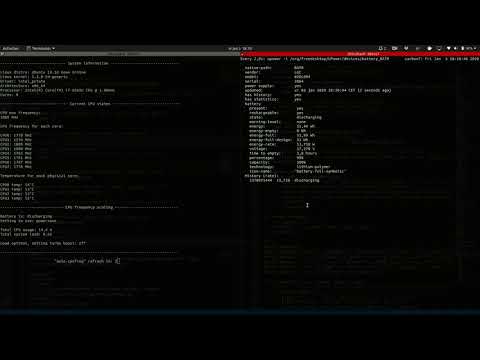
* Youtube: [auto-cpufreq - tool demo](https://www.youtube.com/watch?v=QkYRpVEEIlg)
* Blog post: [auto-cpufreq – Automatic CPU speed & power optimizer for Linux](https://foolcontrol.org/?p=3124)
[](https://www.youtube.com/watch?v=QkYRpVEEIlg)
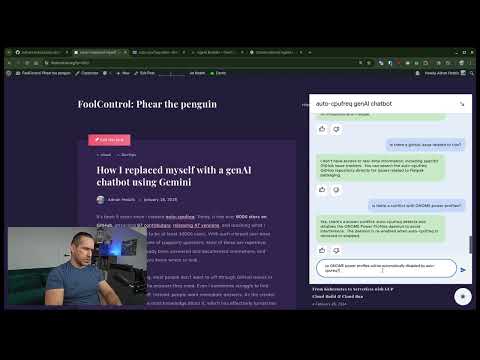
If you're having a problem with auto-cpufreq, before ([submitting an issue](https://github.com/AdnanHodzic/auto-cpufreq/issues)), it is strongly recommended to use the **[auto-cpufreq-genAI-chatbot](https://foolcontrol.org/?p=4903)** to get an immediate answer to your question.
[](https://www.youtube.com/watch?v=a-UcwAAXOoc)
Example of auto-cpufreq GUI (available >= v2.0)
<img src="https://github.com/user-attachments/assets/3e33bd92-964c-48f0-9825-4a66f9039261" width="480" alt="Example of auto-cpufreq GUI (available >= v2.0)" />
Example of `auto-cpufreq --stats` CLI output
<img src="https://github.com/user-attachments/assets/1114e937-35bd-4943-8a74-a932c04c367e" width="480" alt="Example of auto-cpufreq CLI output"/>
## Looking for developers and co-maintainers
- If you would like to discuss anything regarding auto-cpufreq or its development, please join the [auto-cpufreq Discord server!](https://discord.gg/Sjauxtj6kH)
- auto-cpufreq is looking for [co-maintainers & open source developers to help shape the future of the project!](https://github.com/AdnanHodzic/auto-cpufreq/discussions/312)
## Index
- [Why do I need auto-cpufreq?](#why-do-i-need-auto-cpufreq)
- [Supported architectures and devices](#supported-architectures-and-devices)
- [Features](#features)
- [Installing auto-cpufreq](#installing-auto-cpufreq)
- [auto-cpufreq-installer](#auto-cpufreq-installer)
- [Snap Store](#snap-store)
- [AUR package (Arch based distributions)](#aur-package-arch-based-distributions)
- [NixOS](#nixos)
- [For developers](#installation-development-mode-only)
- [Post-installation](#post-installation)
- [Configuring auto-cpufreq](#configuring-auto-cpufreq)
- [1: power_helper.py script (Snap package install only)](#1-power_helperpy-script-snap-package-install-only)
- [2: `--force` governor override](#2---force-governor-override)
- [3: `--turbo` mode override](#3---turbo-mode-override)
- [4: auto-cpufreq config file](#4-auto-cpufreq-config-file)
- [Example config file contents](#example-config-file-contents)
- [How to run auto-cpufreq](#how-to-run-auto-cpufreq)
- [auto-cpufreq modes and options](#auto-cpufreq-modes-and-options)
- [monitor](#monitor)
- [live](#live)
- [overriding governor](#overriding-governor)
- [overriding turbo mode](#overriding-turbo-mode)
- [Install - auto-cpufreq daemon](#install---auto-cpufreq-daemon)
- [Update - auto-cpufreq update](#update---auto-cpufreq-update)
- [Remove - auto-cpufreq daemon](#remove---auto-cpufreq-daemon)
- [stats](#stats)
- [bluetooth_boot_off](#bluetooth_boot_off)
- [bluetooth_boot_on](#bluetooth_boot_on)
- [Battery charging thresholds](#battery-charging-thresholds)
- [Supported Devices](#supported-devices)
- [Battery config](#battery-config)
- [Ignoring power supplies](#Ignoring-power-supplies)
- [Troubleshooting](#troubleshooting)
- [AUR](#aur)
- [Discussion](#discussion)
- [Donate](#donate)
- [Financial donation](#financial-donation)
- [Paypal](#paypal)
- [BitCoin](#bitcoin)
- [Code contribution](#code-contribution)
## Why do I need auto-cpufreq?
One of the problems with Linux today on laptops is that the CPU will run in an unoptimized manner which will negatively impact battery life. For example, the CPU may run using the "performance" governor with turbo boost enabled regardless of whether it's plugged into a power outlet or not.
These issues can be mitigated by using tools like [indicator-cpufreq](https://itsfoss.com/cpufreq-ubuntu/) or [cpufreq](https://github.com/konkor/cpufreq), but those still require manual action from your side which can be daunting and cumbersome.
Tools like [TLP](https://github.com/linrunner/TLP) (which I used for numerous years) can help extend battery life, but may also create their own set of problems, such as losing turbo boost.
Given all of the above, I needed a simple tool that would automatically make CPU frequency-related changes and save battery life, but let the Linux kernel do most of the heavy lifting. That's how auto-cpufreq was born.
Please note: auto-cpufreq aims to replace TLP in terms of functionality, so after you install auto-cpufreq _it's recommended to remove TLP_. Using both for the same functionality (i.e., to set CPU frequencies) will lead to unwanted results like overheating. Hence, only use [both tools in tandem](https://github.com/AdnanHodzic/auto-cpufreq/discussions/176) if you know what you're doing.
One tool/daemon that does not conflict with auto-cpufreq in any way, and is even recommended to have running alongside, is [thermald](https://wiki.debian.org/thermald).
#### Supported architectures and devices
Only devices with an Intel, AMD, or ARM CPU are supported. This tool was developed to improve performance and battery life on laptops, but running it on desktops/servers (to lower power consumption) should also be possible.
## Features
- Monitoring
- Basic system information
- CPU frequency (system total & per core)
- CPU usage (system total & per core)
- CPU temperature (total average & per core)
- Battery state
- System load
- CPU frequency scaling, governor, and [turbo boost](https://en.wikipedia.org/wiki/Intel_Turbo_Boost) management based on
- Battery state
- CPU usage (total & per core)
- CPU temperature in combination with CPU utilization/load (to prevent overheating)
- System load
- Automatic CPU & power optimization (temporary and persistent)
- Settings battery charging thresholds (limited support)
## Installing auto-cpufreq
### auto-cpufreq-installer
> As auto-cpufreq relies on git based versioning, users are advised to install `auto-cpufreq` using `git clone` method only. Downloading source code as a zip/from release will emit build error like [these](https://github.com/AdnanHodzic/auto-cpufreq/issues/623).
Get source code, run installer, and follow on-screen instructions:
```
git clone https://github.com/AdnanHodzic/auto-cpufreq.git
cd auto-cpufreq && sudo ./auto-cpufreq-installer
```
### Snap Store
*Please note: while all [auto-cpufreq >= v2.0 CLI functionality](https://www.youtube.com/watch?v=SPGpkZ0AZVU&t=295s) will work as intended, [the GUI won't be available on Snap package installs](http://foolcontrol.org/wp-content/uploads/2023/10/auto-cpufreq-v2-snap-deprecation-notice.png) due to [Snap package confinement limitations](https://forum.snapcraft.io/t/pkexec-not-found-python-gtk-gnome-app/36579). Hence, please consider installing auto-cpufreq using [auto-cpufreq-installer](#auto-cpufreq-installer)*.
auto-cpufreq is available on the [Snap Store](https://snapcraft.io/auto-cpufreq) or via CLI:
```
sudo snap install auto-cpufreq
```
**Please note:**
- Make sure [snapd](https://snapcraft.io/docs/installing-snapd) is installed and `snap version` is >= 2.44 for `auto-cpufreq` to fully work due to [recent snapd changes](https://github.com/snapcore/snapd/pull/8127).
- Fedora users will [encounter the following error](https://twitter.com/killyourfm/status/1291697985236144130) due to `cgroups v2` [being in development](https://github.com/snapcore/snapd/pull/7825). This problem can be resolved by either running `sudo snap run auto-cpufreq` after the snap installation or by using the [auto-cpufreq-installer](#auto-cpufreq-installer) which doesn't have this issue.
### AUR package (Arch based distributions)
[](https://aur.archlinux.org/packages/auto-cpufreq)
The AUR [Release Package](https://aur.archlinux.org/packages/auto-cpufreq) is currently being maintained by [MusicalArtist12](https://github.com/MusicalArtist12), [liljaylj](https://github.com/liljaylj), and [parmjotsinghrobot](https://github.com/parmjotsinghrobot).
**Notices**
- The [Git Package](https://aur.archlinux.org/packages/auto-cpufreq-git) is seperately maintained and was last updated on version 1.9.6.
- The build process links to `/usr/share/` instead of `/usr/local/share/`
- The daemon installer provided does not work, instead start the daemon with
```
# systemctl enable --now auto-cpufreq
```
- The GNOME Power Profiles daemon is [automatically disabled by auto-cpufreq-installer](https://github.com/AdnanHodzic/auto-cpufreq#1-power_helperpy-script-snap-package-install-only) due to it's conflict with auto-cpufreq.service. However, this doesn't happen with AUR installs, which can lead to problems (e.g., [#463](https://github.com/AdnanHodzic/auto-cpufreq/issues/463)) if not masked manually.
- Open a terminal and run `sudo systemctl mask power-profiles-daemon.service` (then `enable` and `start` the auto-cpufreq.service if you haven't already).
- The TuneD daemon(enabled by default with Fedora 41) is [automatically disabled by auto-cpufreq-installer](https://github.com/AdnanHodzic/auto-cpufreq#1-power_helperpy-script-snap-package-install-only) due to it's conflict with auto-cpufreq.service.
### Gentoo Linux (GURU Repository)
New versions of auto-cpufreq were recently added to GURU, Gentoo's official community-maintained ebuild repository. The [ebuild](https://github.com/gentoo-mirror/guru/tree/master/sys-power/auto-cpufreq) is maintaned by [S41G0N](https://github.com/S41G0N) and other [GURU contributors](https://bugs.gentoo.org), who can respond in case of issues.
In order to build auto-cpufreq, it is necessary to add & sync GURU repository first. Adding ~amd64 keyword is also needed to unmask the package.
```
# echo "sys-power/auto-cpufreq ~amd64" >> /etc/portage/package.accept_keywords
# eselect repository enable guru
# emaint sync -r guru
# emerge --ask auto-cpufreq
```
**Notices**
- The build process links to `/usr/share/` instead of `/usr/local/share/`
- The build works on both systemd/OpenRC systems (both systemd and OpenRC will have a service called auto-cpufreq which can be started automatically)
- The daemon installer provided does work, but it is RECOMMENDED to install the daemon with:
```
# systemctl enable --now auto-cpufreq
# rc-update add auto-cpufreq default && rc-service auto-cpufreq start
```
### NixOS
<details>
<summary>Flakes</summary>
<br>
This repo contains a flake that exposes a NixOS Module that manages and offers options for auto-cpufreq. To use it, add the flake as an input to your `flake.nix` file and enable the module:
```nix
# flake.nix
{
inputs = {
# ---Snip---
auto-cpufreq = {
url = "github:AdnanHodzic/auto-cpufreq";
inputs.nixpkgs.follows = "nixpkgs";
};
# ---Snip---
}
outputs = {nixpkgs, auto-cpufreq, ...} @ inputs: {
nixosConfigurations.HOSTNAME = nixpkgs.lib.nixosSystem {
specialArgs = { inherit inputs; };
modules = [
./configuration.nix
auto-cpufreq.nixosModules.default
];
};
}
}
```
Then you can enable the program in your `configuration.nix` file:
```nix
# configuration.nix
{inputs, pkgs, ...}: {
# ---Snip---
programs.auto-cpufreq.enable = true;
# optionally, you can configure your auto-cpufreq settings, if you have any
programs.auto-cpufreq.settings = {
charger = {
governor = "performance";
turbo = "auto";
};
battery = {
governor = "powersave";
turbo = "auto";
};
};
# ---Snip---
}
```
</details>
<details>
<summary>Nixpkgs</summary>
<br>
There is a nixpkg available, but it is more prone to being outdated, whereas the flake pulls from the latest commit. You can install it in your `configuration.nix` and enable the system service:
```nix
# configuration.nix
# ---Snip---
environment.systemPackages = with pkgs; [
auto-cpufreq
];
services.auto-cpufreq.enable = true;
# ---Snip---
```
</details>
### Installation (development mode only)
- If you have `poetry` installed:
```bash
git clone https://github.com/AdnanHodzic/auto-cpufreq.git
cd auto-cpufreq
poetry install
poetry run auto-cpufreq --help
```
- To install with GUI support:
```bash
poetry install --extras gui
poetry run auto-cpufreq-gtk
```
- Alternatively, we can use an editable pip install for development purposes:
```bash
git clone https://github.com/AdnanHodzic/auto-cpufreq.git
cd auto-cpufreq
# set up virtual environment (details removed for brevity)
pip3 install -e .
auto-cpufreq
```
- Regularly run `poetry update` if you get any inconsistent lock file issues.
## Post-installation
After installation, `auto-cpufreq` is available as a binary. Refer to [auto-cpufreq modes and options](https://github.com/AdnanHodzic/auto-cpufreq#auto-cpufreq-modes-and-options) for detailed information on how to run and configure `auto-cpufreq`.
## Configuring auto-cpufreq
auto-cpufreq makes all decisions automatically based on various factors such as CPU usage, temperature, and system load. However, it's possible to perform additional configurations:
### 1: power_helper.py script (Snap package install **only**)
When installing auto-cpufreq via [auto-cpufreq-installer](#auto-cpufreq-installer), if it detects the [GNOME Power Profiles service](https://twitter.com/fooctrl/status/1467469508373884933) is running, it will automatically disable it. Otherwise, that daemon will cause conflicts and various other performance issues.
However, when auto-cpufreq is installed as a Snap package it's running as part of a container with limited permissions, hence it's *highly recommended* to disable the GNOME Power Profiles daemon using the `power_helper.py` script.
**Please Note:**<br>
The [`power_helper.py`](https://github.com/AdnanHodzic/auto-cpufreq/blob/master/auto_cpufreq/power_helper.py) script is located within the auto-cpufreq repo at `auto_cpufreq/power_helper.py`. In order to access it, first clone
the repository:
`git clone https://github.com/AdnanHodzic/auto-cpufreq`
Make sure to have `psutil` & `pyinotify` Python library installed before next step:
If you're using Debian based distro install them by running:
`sudo apt install python3-psutil python3-pyinotify`
or manually using pip, e.g:
`sudo pip3 install psutil pyinotify --break-system-packages`
Then disable the GNOME Power Profiles daemon:
`sudo python3 -m auto_cpufreq.power_helper --gnome_power_disable`
for full list of options run --help, e.g:
`sudo python3 -m auto_cpufreq.power_helper --help`
### 2: `--force` governor override
By default, auto-cpufreq uses `balanced` mode which works best for many systems and situations.
However, you can override this behaviour by switching to `performance` or `powersave` mode manually. The `performance` mode results in higher default frequencies, but also higher energy use (battery consumption) and should only be used if maximum performance is needed. The `powersave` mode does the opposite and extends battery life to its maximum.
See [`--force` flag](#overriding-governor) for more info.
### 3: `--turbo` mode override
By default, auto-cpufreq handles CPU turbo mode automatically, enabling it under load and disabling it otherwise to balance performance and efficiency.
However, you can override this behavior by forcing CPU turbo's mode to `always` or `never`. Setting to `always` keeps turbo mode always enabled, allowing the CPU to reach its maximum frequency at the cost of higher energy use (battery consumption). `never`, on the other hand, keeps turbo mode always disabled, limiting the CPU's maximum frequency to extend battery life.
See [`--turbo` flag](#overriding-turbo-mode) for more info.
### 4: auto-cpufreq config file
You can configure separate profiles for the battery and power supply. These profiles will let you pick which governor to use, as well as how and when turbo boost is enabled. The possible values for turbo boost behavior are `always`, `auto`, and `never`. The default behavior is `auto`, which only activates turbo during high load.
By default, auto-cpufreq does not use a config file. If you wish to configure auto-cpufreq statically, we look for a configuration file in the following order:
1. Commandline argument: `--config <FILE>` if passed as commandline argument to `auto-cpufreq`
2. User-specific configuration: `$XDG_CONFIG_HOME/auto-cpufreq/auto-cpufreq.conf`
3. System-wide configuration: `/etc/auto-cpufreq.conf`
#### Example config file contents
```python
# settings for when connected to a power source
[charger]
# see available governors by running: cat /sys/devices/system/cpu/cpu0/cpufreq/scaling_available_governors
# preferred governor
governor = performance
# EPP: see available preferences by running: cat /sys/devices/system/cpu/cpu0/cpufreq/energy_performance_available_preferences
energy_performance_preference = performance
# EPB (Energy Performance Bias) for the intel_pstate driver
# see conversion info: https://www.kernel.org/doc/html/latest/admin-guide/pm/intel_epb.html
# available EPB options include a numeric value between 0-15
# (where 0 = maximum performance and 15 = maximum power saving),
# or one of the following strings:
# performance (0), balance_performance (4), default (6), balance_power (8), or power (15)
# if the parameter is missing in the config and the hardware supports this setting, the default value will be used
# the default value is `balance_performance` (for charger)
# energy_perf_bias = balance_performance
# Platform Profiles
# https://www.kernel.org/doc/html/latest/userspace-api/sysfs-platform_profile.html
# See available options by running:
# cat /sys/firmware/acpi/platform_profile_choices
# platform_profile = performance
# minimum cpu frequency (in kHz)
# example: for 800 MHz = 800000 kHz --> scaling_min_freq = 800000
# see conversion info: https://www.rapidtables.com/convert/frequency/mhz-to-hz.html
# to use this feature, uncomment the following line and set the value accordingly
# scaling_min_freq = 800000
# maximum cpu frequency (in kHz)
# example: for 1GHz = 1000 MHz = 1000000 kHz -> scaling_max_freq = 1000000
# see conversion info: https://www.rapidtables.com/convert/frequency/mhz-to-hz.html
# to use this feature, uncomment the following line and set the value accordingly
# scaling_max_freq = 1000000
# turbo boost setting. possible values: always, auto, never
turbo = auto
# settings for when using battery power
[battery]
# see available governors by running: cat /sys/devices/system/cpu/cpu0/cpufreq/scaling_available_governors
# preferred governor
governor = powersave
# EPP: see available preferences by running: cat /sys/devices/system/cpu/cpu0/cpufreq/energy_performance_available_preferences
energy_performance_preference = power
# EPB (Energy Performance Bias) for the intel_pstate driver
# see conversion info: https://www.kernel.org/doc/html/latest/admin-guide/pm/intel_epb.html
# available EPB options include a numeric value between 0-15
# (where 0 = maximum performance and 15 = maximum power saving),
# or one of the following strings:
# performance (0), balance_performance (4), default (6), balance_power (8), or power (15)
# if the parameter is missing in the config and the hardware supports this setting, the default value will be used
# the default value is `balance_power` (for battery)
# energy_perf_bias = balance_power
# Platform Profiles
# https://www.kernel.org/doc/html/latest/userspace-api/sysfs-platform_profile.html
# See available options by running:
# cat /sys/firmware/acpi/platform_profile_choices
# platform_profile = low-power
# minimum cpu frequency (in kHz)
# example: for 800 MHz = 800000 kHz --> scaling_min_freq = 800000
# see conversion info: https://www.rapidtables.com/convert/frequency/mhz-to-hz.html
# to use this feature, uncomment the following line and set the value accordingly
# scaling_min_freq = 800000
# maximum cpu frequency (in kHz)
# see conversion info: https://www.rapidtables.com/convert/frequency/mhz-to-hz.html
# example: for 1GHz = 1000 MHz = 1000000 kHz -> scaling_max_freq = 1000000
# to use this feature, uncomment the following line and set the value accordingly
# scaling_max_freq = 1000000
# turbo boost setting (always, auto, or never)
turbo = auto
# battery charging threshold
# reference: https://github.com/AdnanHodzic/auto-cpufreq/#battery-charging-thresholds
#enable_thresholds = true
#start_threshold = 20
#stop_threshold = 80
```
## How to run auto-cpufreq
auto-cpufreq should be run with with one of the following options:
- [monitor](#monitor)
- Monitor and see suggestions for CPU optimizations
- [live](#live)
- Monitor and automatically make (temporary) CPU optimizations
- [install](#install---auto-cpufreq-daemon) / [remove](#remove---auto-cpufreq-daemon)
- Install/remove daemon for (permanent) automatic CPU optimizations
- [install (GUI)](#install---auto-cpufreq-daemon)
- Install daemon via GUI for (permanent) automatic CPU optimizations
- [update](#update---auto-cpufreq-update)
- Update auto-cpufreq to the latest release
- [install_performance](#1-power_helperpy-script)
- Install daemon in "performance" mode
- [stats](#stats)
- View live stats of CPU optimizations made by daemon
- [bluetooth_boot_off](#bluetooth_boot_off)
- Turn off Bluetooth on boot (only)! Can be turned on any time later on.
- [bluetooth_boot_on](#bluetooth_boot_on)
- Turn on Bluetooth on boot.
- [force=TEXT](#overriding-governor)
- Force use of either the "powersave" or "performance" governor, or set to "reset" to go back to normal mode
- [turbo=TEXT](#overriding-turbo-mode)
- Force use of CPU turbo mode, if supported, with "never" or "always", or set to "auto" to automatically handle turbo mode
- config=TEXT
- Use config file at designated path
- debug
- Show debug info (include when submitting bugs)
- version
- Show currently installed version
- [donate](#financial-donation)
- To support the project
- help
- Shows all of the above options
Running `auto-cpufreq --help` will print the same list of options as above. Read [auto-cpufreq modes and options](#auto-cpufreq-modes-and-options) for more details.
## auto-cpufreq modes and options
### Monitor
`sudo auto-cpufreq --monitor`
No changes are made to the system. This is solely to demonstrate what auto-cpufreq could do for your system.
### Live
`sudo auto-cpufreq --live`
Necessary changes are temporarily made to the system over time, but this process and its changes are lost at system reboot. This mode is provided to evaluate how the system would behave with auto-cpufreq permanently running on the system.
### Overriding governor
`sudo auto-cpufreq --force=governor`
Force use of either the "powersave" or "performance" governor, or set to "reset" to go back to normal mode.
Please note that any set override will persist even after reboot.
### Overriding Turbo mode
`sudo auto-cpufreq --turbo=mode`
Force use of CPU turbo mode, if supported, with "never" or "always", or set to "auto" to automatically handle turbo mode.
Please note that any set override will persist even after reboot.
### Install - auto-cpufreq daemon
Necessary changes are made to the system over time and this process will continue across reboots. The daemon is deployed and started as a systemd service. Changes are made automatically and live stats are generated for monitoring purposes.
**Install the daemon using CLI ([after installing auto-cpufreq](#installing-auto-cpufreq)):**
Installing the auto-cpufreq daemon using CLI is as simple as running the following command:
`sudo auto-cpufreq --install`
After the daemon is installed, `auto-cpufreq` is available as a binary and runs in the background. Its stats can be viewed by running: `auto-cpufreq --stats`
*Please note:* if the daemon is installed within a desktop environment, then its stats and options can be accessed via CLI or GUI. See "Install the daemon using GUI" below for more details.
**Install the daemon using GUI**
Starting with >= v2.0 [after installing auto-cpufreq](#installing-auto-cpufreq), an auto-cpufreq desktop entry (icon) is available, i.e.:
<img src="https://github.com/user-attachments/assets/f426d62b-00b0-4fa5-a72e-b352016ed448" width="640" alt="Example of auto-cpufreq desktop entry (icon)"/>
After selecting it to open the GUI, the auto-cpufreq daemon can be installed by clicking the "Install" button:
<img src="https://github.com/user-attachments/assets/5af47e5e-8b9e-4ff6-9ffc-e78acb623ce4" width="480" alt="The auto-cpufreq GUI's 'Install' button"/>
After that, the full auto-cpufreq GUI is available:
<img src="https://github.com/user-attachments/assets/9c7715c4-16b7-4a5c-86be-4c390276d9e8" width="640" alt="The full auto-cpufreq GUI"/>
*Please note:* after the daemon is installed (by any method), its stats and options are accessible via both CLI and GUI.
**auto-cpufreq daemon service**
Installing the auto-cpufreq daemon also enables the associated service (equivalent to `systemctl enable auto-cpufreq`), causing it to start on boot, and immediately starts it (equivalent to `systemctl start auto-cpufreq`).
Since the daemon is running as a systemd service, its status can be seen by running:
`systemctl status auto-cpufreq`
If installed via Snap package, daemon status can be viewed as follows:
`systemctl status snap.auto-cpufreq.service.service`
### Update - auto-cpufreq update
Update functionality works by cloning the auto-cpufreq repo, installing it via [auto-cpufreq-installer](#auto-cpufreq-installer), and performing a fresh [auto-cpufreq daemon install](#install---auto-cpufreq-daemon) to provide the [latest version's](https://github.com/AdnanHodzic/auto-cpufreq/releases) changes.
Update auto-cpufreq by running: `sudo auto-cpufreq --update`. By default, the latest revision is cloned to `/opt/auto-cpufreq/source`, thus maintaining existing directory structure.
Update and clone to a custom directory by running: `sudo auto-cpufreq --update=/path/to/directory`
### Remove - auto-cpufreq daemon
The auto-cpufreq daemon, its systemd service, and all its persistent changes can be removed by running:
`sudo auto-cpufreq --remove`
This does, in part, the equivalent of `systemctl stop auto-cpufreq && systemctl disable auto-cpufreq`, but the above command should be used instead of using `systemctl`.
*Please note:* after the daemon is removed, the auto-cpufreq GUI and desktop entry (icon) are also removed.
### Stats
If the daemon has been installed, live stats of CPU/system load monitoring and optimization can be seen by running:
`auto-cpufreq --stats`
### bluetooth_boot_off
Turn off Bluetooth on boot (only)! Bluetooth can still be turned on manually when needed. This option is executed during the installation of the auto-cpufreq daemon, but it can also be run independently without installing the daemon.
It prevents GNOME from automatically enabling Bluetooth on every reboot or after suspend/wake up even if you manually disable it, GNOME will turn it back on unless this option is used.
### bluetooth_boot_on
Useful if you prefer Bluetooth to be enabled at boot time, especially after installing the auto-cpufreq daemon, which will disable it by default.
## Battery charging thresholds
***Please note:** [Original implementor](https://github.com/AdnanHodzic/auto-cpufreq/pull/637) is looking for user input & testing to further improve this functionality. If you would like to help in this process, please refer to [Looking for developers and co-maintainers](https://github.com/AdnanHodzic/auto-cpufreq/#looking-for-developers-and-co-maintainers)*.
As of [v2.2.0](https://github.com/AdnanHodzic/auto-cpufreq/releases/tag/v2.2.0), battery charging thresholds can be set in the config file. This enforces your battery to start and stop charging at defined values.
### Supported devices
- **Lenovo ThinkPad** (thinkpad_acpi)*
- **Lenovo IdeaPad** (ideapad_acpi)*
- **Lenovo Laptop** (ideapad_laptop)*
- **ASUS :Laptops** (asus_wmi)*
**Please note, your laptop must have an installed ACPI kernel driver specific to the manufacturer.** To check if you have the correct module installed and loaded run `lsmod [module]`
Additionally, **you should make sure that you have no other software running that may conflict with auto-cpufreq's battery threshold management** (e.g., GNOME's *Preserve Battery Health* option). Using both at the same time will lead to conflicts and to your battery potentially never charging.
**To request that your device be supported, please open an [issue](https://github.com/AdnanHodzic/auto-cpufreq/issues/new). In your issue, make us aware of the driver that works with your laptop**
### Battery config
Edit the config at `/etc/auto-cpufreq.conf`
Example config for battery ([already part of example config file](https://github.com/AdnanHodzic/auto-cpufreq/#example-config-file-contents))
```ini
[battery]
enable_thresholds = true
start_threshold = 20
stop_threshold = 80
```
You will need to specify both `start_threshold` AND `stop_threshold` in most cases.
For these changes to have an effect, you will need to restart the daemon:
```shell
systemctl restart auto-cpufreq.service
```
See more here on the kernel doc pages: [docs.kernel.org](https://docs.kernel.org/admin-guide/laptops/thinkpad-acpi.html#battery-charge-control)
### A few notes about these battery config options
When you remove/uninstall the auto-cpufreq daemon, the last applied settings for battery thresholds will still apply. You might need to manually set these yourself to whatever default they were before. E.g. (as sudo):
```shell
echo 0 > /sys/class/power_supply/BAT0/charge_start_threshold
echo 100 > /sys/class/power_supply/BAT0/charge_stop_threshold
```
### Ideapad conservation mode
This works only with laptops that have the `ideapad_laptop` kernel module.
add `ideapad_laptop_conservation_mode = true` to your `auto-cpufreq.conf` file
```ini
[battery]
ideapad_laptop_conservation_mode = true
```
This is a special mode which limits the maximum charge level of the battery to around 60-80% depending on the model.
### Ignoring power supplies
you may have a controler or headphones and when ever they may be on battery they might cause auto-cpufreq
to limit preformence to ignore them add to you config file the name of the power supply, under `[power_supply_ignore_list]`
the name of the power supply can be found with `ls /sys/class/power_supply/`
```ini
[power_supply_ignore_list]
name1 = this
name2 = is
name3 = an
name4 = example
# like this
xboxctrl = {the xbox controler power supply name}
```
## Troubleshooting
**Q:** If after installing auto-cpufreq you're (still) experiencing:
- high CPU temperatures
- CPU not scaling to minimum/maximum frequencies
- suboptimal CPU performance
- turbo mode not available
**A:** If you're using the `intel_pstate/amd-pstate` CPU management driver, consider changing it to `acpi-cpufreq`.
This can be done by editing the `GRUB_CMDLINE_LINUX_DEFAULT` params in `/etc/default/grub`. For instance:
```shell
sudo nano /etc/default/grub
# make sure you have nano installed, or you can use your favorite text editor
```
For Intel users:
```
GRUB_CMDLINE_LINUX_DEFAULT="quiet splash intel_pstate=disable"
```
For AMD users:
```
GRUB_CMDLINE_LINUX_DEFAULT="quiet splash initcall_blacklist=amd_pstate_init amd_pstate.enable=0"
```
Once you have made the necessary changes to the GRUB configuration file, you can update GRUB by running `sudo update-grub` on Debian/Ubuntu, `sudo grub-mkconfig -o /boot/grub/grub.cfg` on Arch Linux, or one of the following on Fedora:
```shell
sudo grub2-mkconfig -o /etc/grub2.cfg
```
```shell
sudo grub2-mkconfig -o /etc/grub2-efi.cfg
```
```shell
sudo grub2-mkconfig -o /boot/grub2/grub.cfg
# legacy boot method
```
For systemd-boot users:
```shell
sudo nano /etc/kernel/cmdline
# make sure you have nano installed, or you can use your favorite text editor
```
For Intel users:
```shell
quiet splash intel_pstate=disable
```
For AMD users:
```shell
quiet splash initcall_blacklist=amd_pstate_init amd_pstate.enable=0
```
Once you have made the necessary changes to the `cmdline` file, you can update it by running `sudo reinstall-kernels`.
**Q:** If auto-cpufreq-gtk doesn't launch with exit code 1 (Workaround)
**A:** Try launching it with `env -i XDG_RUNTIME_DIR=$XDG_RUNTIME_DIR auto-cpufreq-gtk` and add it to `/usr/share/applications/auto-cpufreq-gtk.desktop` if it works.
### AUR
- If the AUR installer does not work for your system, fallback to `auto-cpufreq-installer` and open an issue.
## Discussion:
- Blogpost: [auto-cpufreq - Automatic CPU speed & power optimizer for Linux](http://foolcontrol.org/?p=3124)
## Donate
Showing your support and appreciation for the auto-cpufreq project can be done in two ways:
- Financial donation
- Code contribution
### Financial donation
If auto-cpufreq helped you out and you find it useful, show your appreciation by donating (any amount) to the project!
##### Become Github Sponsor
[Become a sponsor to Adnan Hodzic on Github](https://github.com/sponsors/AdnanHodzic) to acknowledge my efforts and help project's further open source development.
##### PayPal
[](https://www.paypal.com/cgi-bin/webscr?cmd=_donations&business=7AHCP5PU95S4Y&item_name=Contribution+for+work+on+auto-cpufreq¤cy_code=EUR&source=url)
##### BitCoin
[bc1qlncmgdjyqy8pe4gad4k2s6xtyr8f2r3ehrnl87](bitcoin:bc1qlncmgdjyqy8pe4gad4k2s6xtyr8f2r3ehrnl87)
[](bitcoin:bc1qlncmgdjyqy8pe4gad4k2s6xtyr8f2r3ehrnl87)
### Code contribution
Other ways of supporting the project consist of making a code or documentation contribution. If you have an idea for a new feature or you want to implement some of the existing feature requests or fix some of the [bugs & issues](https://github.com/AdnanHodzic/auto-cpufreq/issues), please make your changes and submit a [pull request](https://github.com/AdnanHodzic/auto-cpufreq/pulls). I'll be glad to review it and, if your changes are accepted, you'll be credited on the [releases page](https://github.com/AdnanHodzic/auto-cpufreq/releases).
**Please note: auto-cpufreq is looking for co-maintainers & open source developers to [help shape the future of the project!](https://github.com/AdnanHodzic/auto-cpufreq/discussions/312)**
================================================
FILE: auto-cpufreq-installer
================================================
#!/usr/bin/env bash
# auto-cpufreq-installer:
# auto-cpufreq source code based installer
cd "$(dirname "$(readlink -f "$0")")" || exit 1
COLOUMNS="`tput cols`"
MID="$((COLOUMNS / 2))"
APPLICATIONS_PATH="/usr/share/applications"
VENV_PATH="/opt/auto-cpufreq"
SHARE_DIR="/usr/local/share/auto-cpufreq/"
AUTO_CPUFREQ_FILE="/usr/local/bin/auto-cpufreq"
AUTO_CPUFREQ_GTK_FILE=$AUTO_CPUFREQ_FILE-gtk
AUTO_CPUFREQ_GTK_DESKTOP_FILE="$(basename $AUTO_CPUFREQ_GTK_FILE).desktop"
IMG_FILE="/usr/share/pixmaps/auto-cpufreq.png"
ORG_FILE="/usr/share/polkit-1/actions/org.auto-cpufreq.pkexec.policy"
function header {
echo
printf "%0.s─" $(seq $((MID-(${#1}/2)-2)))
printf " $1 "
printf "%0.s─" $(seq $((MID-(${#1}/2)-2)))
echo; echo
}
function ask_operation {
header "auto-cpufreq installer"
echo "Welcome to auto-cpufreq tool installer."; echo
read -p "Select a key [I]nstall/[R]emove or press ctrl+c to quit: " answer
}
function manual_install {
if command -v lsb_release > /dev/null; then
distro="$(lsb_release -is)"
release="$(lsb_release -rs)"
codename="$(lsb_release -cs)"
fi
echo "Didn't detect Debian or RedHat or Arch based distro."; echo
echo "To complete installation, you need to:"
echo "Install: python3, pip3, python3-setuptools, gobject-introspection, cairo (or cairo-devel), gcc, and gtk3"; echo
echo "Install necessary Python packages:"
echo "pip3 install psutil click distro power requests PyGObject"
echo "Run following sequence of lines:"; echo
echo "-----"; echo
echo "pip3 install ."
echo "mkdir -p $SHARE_DIR"
echo "cp -r scripts/ $SHARE_DIR"; echo
echo "-----"; echo
echo "After which tool is installed, for full list of options run:";echo
echo "auto-cpufreq --help"
echo; printf "%0.s─" $(seq $COLOUMNS); echo
echo "Consider creating a feature request to add support for your distro:"
echo "https://github.com/AdnanHodzic/auto-cpufreq/issues/new"; echo
echo "Make sure to include following information:"; echo
echo "Distribution: $distro"
echo "Release: $release"
echo "Codename: $codename"
echo
exit 1
}
function tool_install {
echo
# First argument is the distro
function detected_distro {
header "Detected $1 distribution"
header "Setting up Python environment"
}
if [ -f /etc/debian_version ]; then
detected_distro "Debian based"
VERSION=$(cat /etc/debian_version)
# install necessary libgirepository debian package dependencies
# https://github.com/AdnanHodzic/auto-cpufreq/pull/826#issuecomment-2794549837
apt update
if apt-cache show libgirepository-2.0-dev > /dev/null 2>&1; then
LIB_GI_REPO="libgirepository-2.0-dev"
PYGOBJECT_VER="^3.50.0"
else
LIB_GI_REPO="libgirepository1.0-dev"
# pin PYGOBJECT_VER to libgirepository1.0-dev
# https://github.com/AdnanHodzic/auto-cpufreq/issues/813#issuecomment-2712543486
PYGOBJECT_VER="3.50.0"
fi
# Update PyGObject in pyproject.toml
# https://github.com/AdnanHodzic/auto-cpufreq/pull/826#issuecomment-2794549837
if [ -f ./pyproject.toml ]; then
if grep -q 'PyGObject *= *{[^}]*version *= *"' pyproject.toml; then
sed -i "s/\(PyGObject *= *{[^}]*version *= *\"\)[^\"]*\(.*\)/\1$PYGOBJECT_VER\2/" pyproject.toml
echo "PyGObject version updated to $PYGOBJECT_VER in pyproject.toml"
else
echo "Warning: Could not find PyGObject version entry in pyproject.toml!"
fi
else
echo "Error: pyproject.toml not found and PyGObject version not updated!"
fi
echo "$LIB_GI_REPO needs to be installed for version $VERSION"
echo '---- '
apt install -y python3-dev python3-pip python3-venv python3-setuptools dmidecode \
"$LIB_GI_REPO" libcairo2-dev libgtk-3-dev gcc python3-gi
elif [ -f /etc/redhat-release ]; then
detected_distro "RedHat based"
if [ -f /etc/centos-release ]; then yum install platform-python-devel
else yum install python-devel
fi
yum install dmidecode gcc cairo-devel gobject-introspection-devel cairo-gobject-devel gtk3-devel
elif [ -f /etc/solus-release ]; then
detected_distro "Solus"
eopkg install pip python3 python3-devel dmidecode gobject-introspection-devel libcairo-devel gcc libgtk-3
eopkg install -c system.devel
elif [ -f /etc/arch-release ]; then
detected_distro "Arch Linux based"
pacman -S --noconfirm --needed python python-pip python-setuptools base-devel dmidecode gobject-introspection gtk3 gcc
elif [ -f /etc/os-release ];then
. /etc/os-release
case $ID in
opensuse-leap)
detected_distro "OpenSUSE"
zypper install -y python3 python3-pip python311-setuptools python3-devel gcc dmidecode gobject-introspection-devel python3-cairo-devel gtk3 gtk3-devel
;;
opensuse-tumbleweed)
detected_distro "OpenSUSE"
zypper install -y python3 python3-pip python311-setuptools python3-devel gcc dmidecode gobject-introspection-devel python3-cairo-devel gtk3 gtk3-devel
;;
void)
detected_distro "Void Linux"
xbps-install -Sy python3 python3-pip python3-devel python3-setuptools base-devel dmidecode cairo-devel gobject-introspection gcc gtk+3
;;
nixos)
echo "NixOS detected"
echo "This installer is not supported on NixOS."
echo "Please refer to the install instructions for NixOS at https://github.com/AdnanHodzic/auto-cpufreq#nixos"
exit 1
;;
*) manual_install;;
esac
else # In case /etc/os-release doesn't exist
manual_install
fi
header "Installing necessary Python packages"
venv_dir=$VENV_PATH/venv
mkdir -p "$venv_dir"
python3 -m venv --system-site-packages "$venv_dir"
source "$venv_dir/bin/activate"
python3 -m pip install --upgrade pip wheel
# debian specific PyGObject Installation
if [ -f /etc/debian_version ]; then
VERSION=$(cat /etc/debian_version | cut -d'.' -f1)
if [[ "$VERSION" =~ ^12(\.[0-9]+)?$ ]]; then
python3 -m pip install PyGObject==3.50.0
fi
fi
python3 -m pip install PyGObject
header "Installing auto-cpufreq tool"
git config --global --add safe.directory $(pwd)
python -m pip install .
mkdir -p $SHARE_DIR
cp -r scripts/ $SHARE_DIR
cp -r images/ $SHARE_DIR
cp images/icon.png $IMG_FILE
cp scripts/$(basename $ORG_FILE) $(dirname $ORG_FILE)
# this is necessary since we need this script before we can run auto-cpufreq itself
cp scripts/auto-cpufreq-venv-wrapper $AUTO_CPUFREQ_FILE
chmod a+x $AUTO_CPUFREQ_FILE
cp scripts/start_app $AUTO_CPUFREQ_GTK_FILE
chmod a+x $AUTO_CPUFREQ_GTK_FILE
desktop-file-install --dir=$APPLICATIONS_PATH scripts/$AUTO_CPUFREQ_GTK_DESKTOP_FILE
update-desktop-database $APPLICATIONS_PATH
header "auto-cpufreq tool successfully installed"
echo "For list of options, run:"
echo "auto-cpufreq --help"; echo
}
function tool_remove {
# stop any running auto-cpufreq argument (daemon/live/monitor)
tool_arg_pids=($(pgrep -f "auto-cpufreq --"))
for pid in "${tool_arg_pids[@]}"; do [ $pid != $$ ] && kill "$pid"; done
function remove_directory {
[ -d $1 ] && rm -rf $1
}
function remove_file {
[ -f $1 ] && rm $1
}
srv_remove="$AUTO_CPUFREQ_FILE-remove"
# run uninstall in case of installed daemon
if [ -f $srv_remove -o -f $AUTO_CPUFREQ_FILE ]; then
eval "$AUTO_CPUFREQ_FILE --remove"
else
echo; echo "Couldn't remove the auto-cpufreq daemon, $srv_remove do not exist."
fi
# remove auto-cpufreq and all its supporting files
remove_directory $SHARE_DIR
remove_file "$AUTO_CPUFREQ_FILE-install"
remove_file $srv_remove
remove_file $AUTO_CPUFREQ_FILE
remove_file $AUTO_CPUFREQ_GTK_FILE
remove_file $IMG_FILE
remove_file $ORG_FILE
remove_file "/usr/local/bin/cpufreqctl.auto-cpufreq"
remove_file "/var/run/auto-cpufreq.stats"
remove_file "$APPLICATIONS_PATH/$AUTO_CPUFREQ_GTK_DESKTOP_FILE"
update-desktop-database $APPLICATIONS_PATH
# remove python virtual environment
remove_directory $VENV_PATH
echo; echo "auto-cpufreq tool and all its supporting files successfully removed"; echo
}
# root check
if ((EUID != 0)); then
echo; echo "Must be run as root (i.e: 'sudo $0')."; echo
exit 1
fi
if [[ -z "$1" ]]; then ask_operation
else
case "$1" in
--install) answer="i";;
--remove) answer="r";;
*) ask_operation;;
esac
fi
case $answer in
I|i) tool_install;;
R|r) tool_remove;;
*)
echo "Unknown key, aborting ..."; echo
exit 1
;;
esac
================================================
FILE: auto-cpufreq.conf-example
================================================
# settings for when connected to a power source
[charger]
# see available governors by running: cat /sys/devices/system/cpu/cpu0/cpufreq/scaling_available_governors
# preferred governor.
governor = performance
# EPP: see available preferences by running: cat /sys/devices/system/cpu/cpu0/cpufreq/energy_performance_available_preferences
energy_performance_preference = performance
# EPB (Energy Performance Bias) for the intel_pstate driver
# see conversion info: https://www.kernel.org/doc/html/latest/admin-guide/pm/intel_epb.html
# available EPB options include a numeric value between 0-15
# (where 0 = maximum performance and 15 = maximum power saving),
# or one of the following strings:
# performance (0), balance_performance (4), default (6), balance_power (8), or power (15)
# if the parameter is missing in the config and the hardware supports this setting, the default value will be used
# the default value is `balance_performance` (for charger)
# energy_perf_bias = balance_performance
# Platform Profiles
# https://www.kernel.org/doc/html/latest/userspace-api/sysfs-platform_profile.html
# See available options by running:
# cat /sys/firmware/acpi/platform_profile_choices
# platform_profile = performance
# minimum cpu frequency (in kHz)
# example: for 800 MHz = 800000 kHz --> scaling_min_freq = 800000
# see conversion info: https://www.rapidtables.com/convert/frequency/mhz-to-hz.html
# to use this feature, uncomment the following line and set the value accordingly
# scaling_min_freq = 800000
# maximum cpu frequency (in kHz)
# example: for 1GHz = 1000 MHz = 1000000 kHz -> scaling_max_freq = 1000000
# see conversion info: https://www.rapidtables.com/convert/frequency/mhz-to-hz.html
# to use this feature, uncomment the following line and set the value accordingly
# scaling_max_freq = 1000000
# turbo boost setting. possible values: always, auto, never
turbo = auto
# this is for ignoring controllers and other connected devices battery from affecting
# laptop preformence
# [power_supply_ignore_list]
# name1 = this
# name2 = is
# name3 = an
# name4 = example
# settings for when using battery power
[battery]
# Specify which battery device to use for reading battery information. see available batteries by running: ls /sys/class/power_supply/
# If not set, auto-cpufreq will automatically detect and use the first battery found
# battery_device = BAT1
# see available governors by running: cat /sys/devices/system/cpu/cpu0/cpufreq/scaling_available_governors
# preferred governor
governor = powersave
# EPP: see available preferences by running: cat /sys/devices/system/cpu/cpu0/cpufreq/energy_performance_available_preferences
energy_performance_preference = power
# EPB (Energy Performance Bias) for the intel_pstate driver
# see conversion info: https://www.kernel.org/doc/html/latest/admin-guide/pm/intel_epb.html
# available EPB options include a numeric value between 0-15
# (where 0 = maximum performance and 15 = maximum power saving),
# or one of the following strings:
# performance (0), balance_performance (4), default (6), balance_power (8), or power (15)
# if the parameter is missing in the config and the hardware supports this setting, the default value will be used
# the default value is `balance_power` (for battery)
# energy_perf_bias = balance_power
# Platform Profiles
# https://www.kernel.org/doc/html/latest/userspace-api/sysfs-platform_profile.html
# See available options by running:
# cat /sys/firmware/acpi/platform_profile_choices
# platform_profile = low-power
# minimum cpu frequency (in kHz)
# example: for 800 MHz = 800000 kHz --> scaling_min_freq = 800000
# see conversion info: https://www.rapidtables.com/convert/frequency/mhz-to-hz.html
# to use this feature, uncomment the following line and set the value accordingly
# scaling_min_freq = 800000
# maximum cpu frequency (in kHz)
# see conversion info: https://www.rapidtables.com/convert/frequency/mhz-to-hz.html
# example: for 1GHz = 1000 MHz = 1000000 kHz -> scaling_max_freq = 1000000
# to use this feature, uncomment the following line and set the value accordingly
# scaling_max_freq = 1000000
# turbo boost setting. possible values: always, auto, never
turbo = auto
# experimental
# Add battery charging threshold (currently only available to Lenovo)
# checkout README.md for more info
# enable thresholds true or false
#enable_thresholds = true
#
# start threshold (0 is off ) can be 0-99
#start_threshold = 0
#
# stop threshold (100 is off) can be 1-100
#stop_threshold = 100
================================================
FILE: auto-cpufreq.conf-example.nix
================================================
services.auto-cpufreq.enable = true; # enable the service
services.auto-cpufreq.settings = {
# settings for when connected to a power source
charger = {
# see available governors by running: cat /sys/devices/system/cpu/cpu0/cpufreq/scaling_available_governors
# preferred governor.
governor = "performance";
# EPP: see available preferences by running: cat /sys/devices/system/cpu/cpu0/cpufreq/energy_performance_available_preferences
energy_performance_preference = "performance";
# EPB (Energy Performance Bias) for the intel_pstate driver
# see conversion info: https://www.kernel.org/doc/html/latest/admin-guide/pm/intel_epb.html
# available EPB options include a numeric value between 0-15
# (where 0 = maximum performance and 15 = maximum power saving),
# or one of the following strings:
# performance (0), balance_performance (4), default (6), balance_power (8), or power (15)
# if the parameter is missing in the config and the hardware supports this setting, the default value will be used
# the default value is `balance_performance` (for charger)
# energy_perf_bias = "balance_performance";
# Platform Profiles
# https://www.kernel.org/doc/html/latest/userspace-api/sysfs-platform_profile.html
# See available options by running:
# cat /sys/firmware/acpi/platform_profile_choices
# platform_profile = "performance";
# minimum cpu frequency (in kHz)
# example: for 800 MHz = 800000 kHz --> scaling_min_freq = 800000
# see conversion info: https://www.rapidtables.com/convert/frequency/mhz-to-hz.html
# to use this feature, uncomment the following line and set the value accordingly
# scaling_min_freq = 800000;
# maximum cpu frequency (in kHz)
# example: for 1GHz = 1000 MHz = 1000000 kHz -> scaling_max_freq = 1000000
# see conversion info: https://www.rapidtables.com/convert/frequency/mhz-to-hz.html
# to use this feature, uncomment the following line and set the value accordingly
# scaling_max_freq = 1000000;
# turbo boost setting. possible values: always, auto, never
turbo = "auto";
};
# this is for ignoring controllers and other connected devices battery from affecting
# laptop performance
# power_supply_ignore_list = {
# name1 = "this";
# name2 = "is";
# name3 = "an";
# name4 = "example";
# };
# settings for when using battery power
battery = {
# Specify which battery device to use for reading battery information. see available batteries by running: ls /sys/class/power_supply/
# If not set, auto-cpufreq will automatically detect and use the first battery found
# battery_device = BAT1
# see available governors by running: cat /sys/devices/system/cpu/cpu0/cpufreq/scaling_available_governors
# preferred governor
governor = "powersave";
# EPP: see available preferences by running: cat /sys/devices/system/cpu/cpu0/cpufreq/energy_performance_available_preferences
energy_performance_preference = "power";
# EPB (Energy Performance Bias) for the intel_pstate driver
# see conversion info: https://www.kernel.org/doc/html/latest/admin-guide/pm/intel_epb.html
# available EPB options include a numeric value between 0-15
# (where 0 = maximum performance and 15 = maximum power saving),
# or one of the following strings:
# performance (0), balance_performance (4), default (6), balance_power (8), or power (15)
# if the parameter is missing in the config and the hardware supports this setting, the default value will be used
# the default value is `balance_power` (for battery)
# energy_perf_bias = "balance_power";
# Platform Profiles
# https://www.kernel.org/doc/html/latest/userspace-api/sysfs-platform_profile.html
# See available options by running:
# cat /sys/firmware/acpi/platform_profile_choices
# platform_profile = "low-power";
# minimum cpu frequency (in kHz)
# example: for 800 MHz = 800000 kHz --> scaling_min_freq = 800000
# see conversion info: https://www.rapidtables.com/convert/frequency/mhz-to-hz.html
# to use this feature, uncomment the following line and set the value accordingly
# scaling_min_freq = 800000;
# maximum cpu frequency (in kHz)
# see conversion info: https://www.rapidtables.com/convert/frequency/mhz-to-hz.html
# example: for 1GHz = 1000 MHz = 1000000 kHz -> scaling_max_freq = 1000000
# to use this feature, uncomment the following line and set the value accordingly
# scaling_max_freq = 1000000;
# turbo boost setting. possible values: always, auto, never
turbo = "auto";
# experimental
# Add battery charging threshold (currently only available to Lenovo)
# checkout README.md for more info
# enable thresholds true or false
# enable_thresholds = true;
#
# start threshold (0 is off ) can be 0-99
# start_threshold = 0;
#
# stop threshold (100 is off) can be 1-100
# stop_threshold = 100;
};
};
================================================
FILE: auto_cpufreq/battery_scripts/asus.py
================================================
#!/usr/bin/env python3
from auto_cpufreq.battery_scripts.shared import BatteryDevice
class AsusBatteryDevice(BatteryDevice):
def __init__(self):
super().__init__()
================================================
FILE: auto_cpufreq/battery_scripts/battery.py
================================================
#!/usr/bin/env python3
from subprocess import PIPE, run
from threading import Thread
from time import sleep
from auto_cpufreq.battery_scripts.asus import AsusBatteryDevice
from auto_cpufreq.battery_scripts.ideapad_laptop import IdeapadBatteryDevice
from auto_cpufreq.battery_scripts.shared import BatteryDevice
BATTERY_APPLY_INTERVAL = 3600 # 1 hour
def lsmod(module):
return (
module in run(["lsmod"], stdout=PIPE, stderr=PIPE, text=True).stdout
)
def battery_get_thresholds():
dev = get_battery_device()
if dev is not None:
return dev.print_thresholds()
def start_battery_daemon():
"""Battery daemon that applies battery charge thresholds at regular intervals."""
dev = get_battery_device()
if dev is None:
print(
"WARNING: No supported battery device found, battery thresholds will not be applied."
)
return
def battery_daemon():
while True:
try:
dev.apply_threshold_settings()
except Exception as e:
print(
f"ERROR: An error occurred while applying battery thresholds: {e}"
)
sleep(BATTERY_APPLY_INTERVAL)
Thread(target=battery_daemon, daemon=True).start()
def get_battery_device():
if lsmod("ideapad_acpi"):
return BatteryDevice()
elif lsmod("ideapad_laptop"):
return IdeapadBatteryDevice()
elif lsmod("thinkpad_acpi"):
return BatteryDevice()
elif lsmod("asus_wmi"):
return AsusBatteryDevice()
else:
return None
================================================
FILE: auto_cpufreq/battery_scripts/ideapad_laptop.py
================================================
#!/usr/bin/env python3
from typing import Any
from auto_cpufreq.battery_scripts.shared import BatteryDevice
# The Arch wiki suggests this path may vary on different models, but TLP uses
# the same hardcoded value
CONSERVATION_MODE_FILE = "/sys/bus/platform/drivers/ideapad_acpi/VPC2004:00/conservation_mode"
class IdeapadBatteryDevice(BatteryDevice):
def is_conservation_mode(self) -> bool:
val = self._read_value_from_file(CONSERVATION_MODE_FILE)
if val not in ("0", "1"):
print(
f"WARNING: could not get value from conservation mode, unexpected value!: {val}"
)
return False
return val == "1"
def set_conservation_mode(self, value: int) -> bool:
if not self._write_value_to_file(CONSERVATION_MODE_FILE, value):
print("WARNING: unable to set conservation mode")
return False
return True
def _parse_threshold_values(
self, start: None | str, stop: None | str
) -> tuple[int, int]:
# Ideapad laptops don't use start/stop thresholds.
# They only use conservation mode, which is either on or off. So we return dummy values here.
return 0, 100
def _parse_ideapad_conservation_mode(self, param: None | str) -> None | bool:
if param is None:
return None
param = param.lower().strip()
if param == "true":
return True
elif param == "false":
return False
else:
raise ValueError(f"Invalid value for ideapad_conservation_mode: {param}")
def apply_threshold_settings_to_bat(self, bat: str, config: dict[str, Any]):
mode = config["ideapad_conservation_mode"]
if mode is None:
# If conservation mode is not explicitly set, we don't change it
return True
elif mode:
return self.set_conservation_mode(1)
else:
return self.set_conservation_mode(0)
def print_battery_info(self, bat: str):
if self.is_conservation_mode():
print(f"{bat} conservation mode is on")
else:
print(f"{bat} conservation mode is off")
================================================
FILE: auto_cpufreq/battery_scripts/shared.py
================================================
#!/usr/bin/env python3
import os
import time
from typing import Any
from auto_cpufreq.config.config import config
from auto_cpufreq.globals import POWER_SUPPLY_DIR
# The charge_control_{start,end}_threshold files
# are officially documented and preferred,
# but some models or older kernels may only have charge_{start,stop}_threshold files
CHARGE_START_THRESHOLD_FILES = [
"charge_control_start_threshold",
"charge_start_threshold",
]
CHARGE_STOP_THRESHOLD_FILES = [
"charge_control_end_threshold",
"charge_stop_threshold",
]
class BatteryDevice:
def __init__(self):
self.batteries = self._get_batteries()
self.start_paths = {
bat: path
for bat in self.batteries
if (path := self._choose_threshold_file(bat, CHARGE_START_THRESHOLD_FILES))
is not None
}
self.stop_paths = {
bat: path
for bat in self.batteries
if (path := self._choose_threshold_file(bat, CHARGE_STOP_THRESHOLD_FILES))
is not None
}
def _get_batteries(self) -> list[str]:
"""
Get list of battery names from POWER_SUPPLY_DIR
Return list of battery names (e.g., ['BAT0', 'BAT1'])
"""
if not os.path.isdir(POWER_SUPPLY_DIR):
print(f"WARNING: {POWER_SUPPLY_DIR} does NOT exist")
return []
return [name for name in os.listdir(POWER_SUPPLY_DIR) if name.startswith("BAT")]
def _choose_threshold_file(self, bat: str, files: list[str]) -> str | None:
"""
Get the charge threshold file path for given battery
Return the first found file path from files list, or None if not found
"""
for filename in files:
path = os.path.join(POWER_SUPPLY_DIR, bat, filename)
# File must exist and be writable
if os.path.isfile(path) and os.access(path, os.W_OK):
return path
return None
def _get_config(self) -> dict[str, str]:
conf = config.get_config()
if not conf.has_section("battery"):
return {}
return dict(conf.items("battery"))
def get_parsed_config(self) -> dict[str, Any]:
"""
Parse battery configuration from config file
Return validated and parsed config as dictionary
If invalid, thresholds_enabled will always be False
So see valid values and more info about different devices,
the TLP documentation is a good reference:
https://linrunner.de/tlp/settings/bc-vendors.html
"""
config = self._get_config()
parsed_config = {
"thresholds_enabled": False,
"start_threshold": 99,
"stop_threshold": 100,
"ideapad_conservation_mode": None,
}
if config.get("enable_thresholds") != "true":
# Return early without further validation
return parsed_config
try:
start_val, stop_val = self._parse_threshold_values(
config.get("start_threshold"), config.get("stop_threshold")
)
parsed_config["start_threshold"] = start_val
parsed_config["stop_threshold"] = stop_val
parsed_config["ideapad_conservation_mode"] = (
self._parse_ideapad_conservation_mode(
config.get("ideapad_laptop_conservation_mode")
)
)
parsed_config["thresholds_enabled"] = True
except ValueError as e:
# Thresholds will not be enabled if config is invalid
print(f"ERROR: {e}")
return parsed_config
def _parse_threshold_values(
self, start: None | str, stop: None | str
) -> tuple[int, int]:
"""
Parse and validate start and stop threshold values
This method should be overridden in subclasses if needed
Return tuple of (start, stop) as integers if valid
Raise ValueError if invalid
"""
if start is None or stop is None:
raise ValueError("Start and stop thresholds must be set")
if not start.isdigit() or not stop.isdigit():
raise ValueError("Start and stop thresholds must be integers")
start_val = int(start)
stop_val = int(stop)
if not (0 <= start_val <= 99):
raise ValueError("Start threshold must be between 0 and 99")
if not (1 <= stop_val <= 100):
raise ValueError("Stop threshold must be between 1 and 100")
if start_val >= stop_val:
raise ValueError("Start threshold must be less than stop threshold")
return start_val, stop_val
def _parse_ideapad_conservation_mode(self, param: None | str) -> None | bool:
"""
Parse ideapad conservation mode value from config
This method is overridden in IdeapadBatteryDevice subclass
Returns None when the conservation mode is explicitly not set.
"""
return None
def set_battery_thresholds(self, bat, start: int, stop: int) -> bool:
"""
Set battery thresholds for given battery
Return true/false depending on if command is executed and fails (or succeeds)
"""
if bat not in self.start_paths or bat not in self.stop_paths:
print(f"WARNING: battery {bat} has no threshold attributes")
return False
# First set stop to 100 to avoid potential 'invalid argument'
# errors when start >= stop
if not self._write_value_to_file(self.stop_paths[bat], 100):
return False
time.sleep(0.1)
if not self._write_value_to_file(self.start_paths[bat], start):
return False
if not self._write_value_to_file(self.stop_paths[bat], stop):
return False
return True
def _write_value_to_file(self, path: str, value: str | int) -> bool:
try:
with open(path, "w") as f:
f.write(str(value))
return True
except Exception as e:
print(f"ERROR: Could not write value {value} to {path}: {e}")
return False
def _read_value_from_file(self, path: str, default: str = "") -> str:
try:
with open(path, "r") as f:
output = f.read()
return output.strip()
except Exception as e:
print(f"ERROR: Could not read value from {path}: {e}")
return default
def get_current_threshold(self, bat: str) -> tuple[int | None, int | None]:
if bat not in self.start_paths or bat not in self.stop_paths:
print(f"WARNING: battery {bat} has no threshold attributes")
return None, None
start = self._read_value_from_file(self.start_paths[bat])
stop = self._read_value_from_file(self.stop_paths[bat])
start = int(start) if start.isdigit() else None
stop = int(stop) if stop.isdigit() else None
return start, stop
def print_thresholds(self):
print(
"\n-------------------------------- Battery Info ---------------------------------\n"
)
print(f"battery count = {len(self.batteries)}")
for bat in self.batteries:
self.print_battery_info(bat)
def print_battery_info(self, bat: str):
start_value, stop_value = self.get_current_threshold(bat)
if start_value is None or stop_value is None:
print(f"ERROR: failed to read battery {bat} thresholds")
else:
print(f"{bat} start threshold = {start_value}")
print(f"{bat} stop threshold = {stop_value}")
def apply_threshold_settings_to_bat(self, bat: str, config: dict[str, Any]):
return self.set_battery_thresholds(
bat,
config["start_threshold"],
config["stop_threshold"],
)
def apply_threshold_settings(self):
parsed_config = self.get_parsed_config()
if not parsed_config["thresholds_enabled"]:
return
if not self.batteries:
print("WARNING: no batteries found to set thresholds for")
return
for bat in self.batteries:
if not self.apply_threshold_settings_to_bat(bat, parsed_config):
print(f"ERROR: failed to set thresholds for battery {bat}")
================================================
FILE: auto_cpufreq/bin/auto_cpufreq.py
================================================
#!/usr/bin/env python3
#
# auto-cpufreq - Automatic CPU speed & power optimizer for Linux
#
# Blog post: https://foolcontrol.org/?p=3124
# core import
import sys, time, os
from subprocess import run
from shutil import rmtree
from auto_cpufreq.battery_scripts.battery import *
from auto_cpufreq.config.config import config as conf, find_config_file
from auto_cpufreq.core import *
from auto_cpufreq.globals import GITHUB, IS_INSTALLED_WITH_AUR, IS_INSTALLED_WITH_SNAP
from auto_cpufreq.modules.system_monitor import ViewType, SystemMonitor
# import everything from power_helper, including bluetooth_disable and bluetooth_enable
from auto_cpufreq.power_helper import *
from threading import Thread
@click.command()
@click.option("--monitor", is_flag=True, help="Monitor and see suggestions for CPU optimizations")
@click.option("--live", is_flag=True, help="Monitor and make (temp.) suggested CPU optimizations")
@click.option("--daemon", is_flag=True, hidden=True)
@click.option("--install", is_flag=True, help="Install daemon for (permanent) automatic CPU optimizations")
@click.option("--update", is_flag=False, help="Update daemon and package for (permanent) automatic CPU optimizations", flag_value="--update")
@click.option("--remove", is_flag=True, help="Remove daemon for (permanent) automatic CPU optimizations")
@click.option("--force", is_flag=False, help="Force use of either \"powersave\" or \"performance\" governors. Setting to \"reset\" will go back to normal mode")
@click.option("--turbo", is_flag=False, help="Force use of CPU turbo mode, if supported, with \"never\" or \"always\". Setting to \"auto\" automatically handles turbo mode")
@click.option("--config", is_flag=False, required=False, help="Use config file at defined path",)
@click.option("--stats", is_flag=True, help="View live stats of CPU optimizations made by daemon")
@click.option("--get-state", is_flag=True, hidden=True)
@click.option("--bluetooth_boot_off", is_flag=True, help="Turn off Bluetooth on boot")
@click.option("--bluetooth_boot_on", is_flag=True, help="Turn on Bluetooth on boot")
@click.option("--debug", is_flag=True, help="Show debug info (include when submitting bugs)")
@click.option("--version", is_flag=True, help="Show currently installed version")
@click.option("--donate", is_flag=True, help="Support the project")
def main(monitor, live, daemon, install, update, remove, force, turbo, config, stats, get_state,
bluetooth_boot_off, bluetooth_boot_on, debug, version, donate):
# display info if config file is used
config_path = find_config_file(config)
conf.set_path(config_path)
def config_info_dialog():
if conf.has_config():
print("\nUsing settings defined in " + config_path + " file")
if len(sys.argv) == 1:
print("\n" + "-" * 32 + " auto-cpufreq " + "-" * 33 + "\n")
print("Automatic CPU speed & power optimizer for Linux")
print("\nExample usage:\nauto-cpufreq --monitor")
print("\n-----\n")
run(["auto-cpufreq", "--help"])
footer()
else:
# set governor override unless None or invalid
if force is not None:
not_running_daemon_check()
root_check() # Calling root_check before set_override as it will require sudo access
set_override(force) # Calling set override, only if force has some values
if turbo is not None:
not_running_daemon_check()
root_check()
set_turbo_override(turbo)
if monitor:
root_check()
conf.notifier.start()
if IS_INSTALLED_WITH_SNAP:
gnome_power_detect_snap()
tlp_service_detect_snap()
else:
gnome_power_detect()
tlp_service_detect()
if IS_INSTALLED_WITH_SNAP or tlp_stat_exists or (systemctl_exists and not bool(gnome_power_status)):
try:
input("press Enter to continue or Ctrl + c to exit...")
except KeyboardInterrupt:
conf.notifier.stop()
sys.exit(0)
monitor = SystemMonitor(suggestion=True, type=ViewType.MONITOR)
monitor.run(on_quit=conf.notifier.stop)
elif live:
root_check()
start_battery_daemon()
conf.notifier.start()
if IS_INSTALLED_WITH_SNAP:
gnome_power_detect_snap()
tlp_service_detect_snap()
else:
gnome_power_detect_install()
gnome_power_stop_live()
tuned_stop_live()
tlp_service_detect()
if IS_INSTALLED_WITH_SNAP or tlp_stat_exists or (systemctl_exists and not bool(gnome_power_status)):
try:
input("press Enter to continue or Ctrl + c to exit...")
except KeyboardInterrupt:
conf.notifier.stop()
sys.exit(0)
cpufreqctl()
def live_daemon():
# Redirect stdout to suppress prints
class NullWriter:
def write(self, _): pass
def flush(self): pass
try:
sys.stdout = NullWriter()
while True:
time.sleep(1)
set_autofreq()
except:
pass
def live_daemon_off():
gnome_power_start_live()
tuned_start_live()
cpufreqctl_restore()
conf.notifier.stop()
thread = Thread(target=live_daemon, daemon=True)
thread.start()
monitor = SystemMonitor(type=ViewType.LIVE)
monitor.run(on_quit=live_daemon_off)
elif daemon:
config_info_dialog()
root_check()
file_stats()
if IS_INSTALLED_WITH_SNAP and SNAP_DAEMON_CHECK == "enabled":
gnome_power_detect_snap()
tlp_service_detect_snap()
elif not IS_INSTALLED_WITH_SNAP:
gnome_power_detect()
tlp_service_detect()
start_battery_daemon()
conf.notifier.start()
while True:
try:
footer()
gov_check()
cpufreqctl()
distro_info()
sysinfo()
set_autofreq()
countdown(2)
except KeyboardInterrupt: break
conf.notifier.stop()
elif install:
root_check()
if IS_INSTALLED_WITH_SNAP:
running_daemon_check()
gnome_power_detect_snap()
tlp_service_detect_snap()
bluetooth_notif_snap()
gov_check()
run("snapctl set daemon=enabled", shell=True)
run("snapctl start --enable auto-cpufreq", shell=True)
else:
running_daemon_check()
gov_check()
deploy_daemon()
deploy_complete_msg()
elif update:
root_check()
custom_dir = "/opt/auto-cpufreq/source"
for arg in sys.argv:
if arg.startswith("--update="):
custom_dir = arg.split("=")[1]
sys.argv.remove(arg)
if "--update" in sys.argv:
update = True
sys.argv.remove("--update")
if len(sys.argv) == 2: custom_dir = sys.argv[1]
if IS_INSTALLED_WITH_SNAP:
print("Detected auto-cpufreq was installed using snap")
# refresh snap directly using this command
# path wont work in this case
print("Please update using snap package manager, i.e: `sudo snap refresh auto-cpufreq`.")
#check for AUR
elif IS_INSTALLED_WITH_AUR: print("Arch-based distribution with AUR support detected. Please refresh auto-cpufreq using your AUR helper.")
else:
is_new_update = check_for_update()
if not is_new_update: return
ans = input("Do you want to update auto-cpufreq to the latest release? [Y/n]: ").strip().lower()
if not os.path.exists(custom_dir): os.makedirs(custom_dir)
if os.path.exists(os.path.join(custom_dir, "auto-cpufreq")): rmtree(os.path.join(custom_dir, "auto-cpufreq"))
if ans in ['', 'y', 'yes']:
remove_daemon()
remove_complete_msg()
new_update(custom_dir)
print("enabling daemon")
run(["auto-cpufreq", "--install"])
print("auto-cpufreq is installed with the latest version")
run(["auto-cpufreq", "--version"])
else: print("Aborted")
elif remove:
root_check()
if IS_INSTALLED_WITH_SNAP:
run("snapctl set daemon=disabled", shell=True)
run("snapctl stop --disable auto-cpufreq", shell=True)
if auto_cpufreq_stats_path.exists():
if auto_cpufreq_stats_file is not None:
auto_cpufreq_stats_file.close()
auto_cpufreq_stats_path.unlink()
# ToDo:
# {the following snippet also used in --update, update it there too(if required)}
# * undo bluetooth boot disable
gnome_power_rm_reminder_snap()
else: remove_daemon()
remove_complete_msg()
elif stats:
not_running_daemon_check()
config_info_dialog()
if IS_INSTALLED_WITH_SNAP:
gnome_power_detect_snap()
tlp_service_detect_snap()
else:
gnome_power_detect()
tlp_service_detect()
if IS_INSTALLED_WITH_SNAP or tlp_stat_exists or (systemctl_exists and not bool(gnome_power_status)):
try:
input("press Enter to continue or Ctrl + c to exit...")
except KeyboardInterrupt:
conf.notifier.stop()
sys.exit(0)
monitor = SystemMonitor(type=ViewType.STATS)
monitor.run()
elif get_state:
not_running_daemon_check()
override = get_override()
print(override)
elif bluetooth_boot_off:
if IS_INSTALLED_WITH_SNAP:
footer()
bluetooth_notif_snap()
footer()
else:
footer()
root_check()
bluetooth_disable()
footer()
elif bluetooth_boot_on:
if IS_INSTALLED_WITH_SNAP:
footer()
bluetooth_on_notif_snap()
footer()
else:
footer()
root_check()
bluetooth_enable()
footer()
elif debug:
# ToDo: add status of GNOME Power Profile service status
config_info_dialog()
root_check()
battery_get_thresholds()
cpufreqctl()
footer()
distro_info()
sysinfo()
print()
app_version()
print()
python_info()
print()
device_info()
print(f"Battery is: {'' if charging() else 'dis'}charging")
print()
app_res_use()
get_load()
get_current_gov()
get_turbo()
footer()
elif version:
footer()
distro_info()
app_version()
footer()
elif donate:
footer()
print("If auto-cpufreq helped you out and you find it useful ...\n")
print("Show your appreciation by donating!")
print(GITHUB+"#donate")
footer()
if __name__ == "__main__": main()
================================================
FILE: auto_cpufreq/bin/auto_cpufreq_gtk.py
================================================
#!/usr/bin/env python3
import gi
gi.require_version("Gtk", "3.0")
from gi.repository import Gtk, GLib
from auto_cpufreq.gui.app import ToolWindow
def main():
GLib.set_prgname("auto-cpufreq-gtk")
win = ToolWindow()
win.connect("destroy", Gtk.main_quit)
win.show_all()
win.handle_update()
Gtk.main()
if __name__ == "__main__": main()
================================================
FILE: auto_cpufreq/config/config.py
================================================
import os, pyinotify, sys
from configparser import ConfigParser, ParsingError
from subprocess import run, PIPE
from auto_cpufreq.config.config_event_handler import ConfigEventHandler
def find_config_file(args_config_file) -> str:
"""
Find the config file to use.
Look for a config file in the following priorization order:
1. Command line argument
2. User config file
3. System config file
:param args_config_file: Path to the config file provided as a command line argument
:return: The path to the config file to use
"""
# Prepare paths
# use $SUDO_USER or $USER to get home dir since sudo can't access
# user env vars
home = run(["getent passwd ${SUDO_USER:-$USER} | cut -d: -f6"],
shell=True,
stdout=PIPE,
universal_newlines=True
).stdout.rstrip()
user_config_dir = os.getenv("XDG_CONFIG_HOME", default=os.path.join(home, ".config"))
user_config_file = os.path.join(user_config_dir, "auto-cpufreq/auto-cpufreq.conf")
system_config_file = "/etc/auto-cpufreq.conf"
if args_config_file is not None: # (1) Command line argument was specified
# Check if the config file path points to a valid file
if os.path.isfile(args_config_file): return args_config_file
else:
# Not a valid file
print(f"Config file specified with '--config {args_config_file}' not found.")
sys.exit(1)
elif os.path.isfile(user_config_file): return user_config_file # (2) User config file
else: return system_config_file # (3) System config file (default if nothing else is found)
class _Config:
def __init__(self) -> None:
self.path: str = ""
self._config: ConfigParser = ConfigParser()
self.watch_manager: pyinotify.WatchManager = pyinotify.WatchManager()
self.config_handler = ConfigEventHandler(self)
# check for file changes using threading
self.notifier: pyinotify.ThreadedNotifier = pyinotify.ThreadedNotifier(self.watch_manager, self.config_handler)
def set_path(self, path: str) -> None:
self.path = path
mask = pyinotify.IN_CREATE | pyinotify.IN_DELETE | pyinotify.IN_MODIFY | pyinotify.IN_MOVED_FROM | pyinotify.IN_MOVED_TO
self.watch_manager.add_watch(os.path.dirname(path), mask=mask)
if os.path.isfile(path): self.update_config()
def has_config(self) -> bool: return os.path.isfile(self.path)
def get_config(self) -> ConfigParser: return self._config
def update_config(self) -> None:
# create new ConfigParser to prevent old data from remaining
self._config = ConfigParser()
try: self._config.read(self.path)
except ParsingError as e: print(f"The following error occured while parsing the config file: \n{repr(e)}")
config = _Config()
================================================
FILE: auto_cpufreq/config/config_event_handler.py
================================================
from pyinotify import Event, ProcessEvent
class ConfigEventHandler(ProcessEvent):
def __init__(self, config) -> None:
self.config = config
def _process_update(self, event: Event):
if event.pathname.rstrip("~") == self.config.path: self.config.update_config()
# activates when auto-cpufreq config file is modified
def process_IN_MODIFY(self, event: Event) -> None: self._process_update(event)
# activates when auto-cpufreq config file is deleted
def process_IN_DELETE(self, event: Event) -> None: self._process_update(event)
# activates when auto-cpufreq config file is created
def process_IN_CREATE(self, event: Event) -> None: self._process_update(event)
# activates when auto-cpufreq config file is moved from watched directory
def process_IN_MOVED_FROM(self, event: Event) -> None: self._process_update(event)
# activates when auto-cpufreq config file is moved into the watched directory
def process_IN_MOVED_TO(self, event: Event) -> None: self._process_update(event)
================================================
FILE: auto_cpufreq/core.py
================================================
#!/usr/bin/env python3
#
# auto-cpufreq - core functionality
import click, distro, os, platform, psutil, sys
from importlib.metadata import metadata, PackageNotFoundError
from math import isclose
from pathlib import Path
from pickle import dump, load
from re import search
from requests import get, exceptions
from shutil import copy
from subprocess import call, check_output, DEVNULL, getoutput, run
from time import sleep
from warnings import filterwarnings
from auto_cpufreq.config.config import config
from auto_cpufreq.globals import (
ALL_GOVERNORS, AVAILABLE_GOVERNORS, AVAILABLE_GOVERNORS_SORTED, GITHUB, IS_INSTALLED_WITH_AUR, IS_INSTALLED_WITH_SNAP, POWER_SUPPLY_DIR, SNAP_DAEMON_CHECK
)
from auto_cpufreq.power_helper import *
filterwarnings("ignore")
# add path to auto-cpufreq executables for GUI
if "PATH" in os.environ:
os.environ["PATH"] += os.pathsep + "/usr/local/bin"
else:
os.environ["PATH"] = "/usr/local/bin"
# ToDo:
# - replace get system/CPU load from: psutil.getloadavg() | available in 5.6.2)
SCRIPTS_DIR = Path("/usr/local/share/auto-cpufreq/scripts/")
CPUS = os.cpu_count()
# Note:
# "load1m" & "cpuload" can't be global vars and to in order to show correct data must be
# decraled where their execution takes place
# powersave/performance system load thresholds
performance_load_threshold = (50 * CPUS) / 100
powersave_load_threshold = (75 * CPUS) / 100
# auto-cpufreq stats file path
auto_cpufreq_stats_file = None
auto_cpufreq_stats_path = None
# track governor override and turbo boost override
if IS_INSTALLED_WITH_SNAP:
auto_cpufreq_stats_path = Path("/var/snap/auto-cpufreq/current/auto-cpufreq.stats")
governor_override_state = Path("/var/snap/auto-cpufreq/current/override.pickle")
turbo_override_state = Path("/var/snap/auto-cpufreq/current/turbo-override.pickle")
else:
auto_cpufreq_stats_path = Path("/var/run/auto-cpufreq.stats")
governor_override_state = Path("/opt/auto-cpufreq/override.pickle")
turbo_override_state = Path("/opt/auto-cpufreq/turbo-override.pickle")
def file_stats():
global auto_cpufreq_stats_file
auto_cpufreq_stats_file = open(auto_cpufreq_stats_path, "w")
sys.stdout = auto_cpufreq_stats_file
def get_override():
if os.path.isfile(governor_override_state):
with open(governor_override_state, "rb") as store: return load(store)
else: return "default"
def set_override(override):
if override in ["powersave", "performance"]:
with open(governor_override_state, "wb") as store:
dump(override, store)
print(f"Set governor override to {override}")
elif override == "reset":
if os.path.isfile(governor_override_state):
os.remove(governor_override_state)
print("Governor override removed")
elif override is not None: print("Invalid option.\nUse force=performance, force=powersave, or force=reset")
def get_turbo_override():
if os.path.isfile(turbo_override_state):
with open(turbo_override_state, "rb") as store: return load(store)
else: return "auto"
def set_turbo_override(override):
if override in ["never", "always"]:
with open(turbo_override_state, "wb") as store:
dump(override, store)
print(f"Set turbo boost override to {override}")
elif override == "auto":
if os.path.isfile(turbo_override_state):
os.remove(turbo_override_state)
print("Turbo override removed")
elif override is not None: print("Invalid option.\nUse turbo=always, turbo=never, or turbo=auto")
# get distro name
try: dist_name = distro.id()
except PermissionError:
# Current work-around for Pop!_OS where symlink causes permission issues
print("[!] Warning: Cannot get distro name")
if IS_INSTALLED_WITH_SNAP and os.path.exists("/etc/pop-os/os-release"):
print("[!] Snap install on PopOS detected, you must manually run the following"
" commands in another terminal:\n")
print("[!] Backup the /etc/os-release file:")
print("sudo mv /etc/os-release /etc/os-release-backup\n")
print("[!] Create hardlink to /etc/os-release:")
print("sudo ln /etc/pop-os/os-release /etc/os-release\n")
print("[!] Aborting. Restart auto-cpufreq when you created the hardlink")
else:
print("[!] Check /etc/os-release permissions and make sure it is not a symbolic link")
print("[!] Aborting...")
sys.exit(1)
# display running version of auto-cpufreq
def app_version():
print("auto-cpufreq version: ", end="")
if IS_INSTALLED_WITH_SNAP: print(getoutput(r"echo \(Snap\) $SNAP_VERSION"))
elif IS_INSTALLED_WITH_AUR: print(getoutput("pacman -Qi auto-cpufreq | grep Version"))
else:
try: print(get_formatted_version())
except Exception as e: print(repr(e))
def check_for_update():
# returns True if a new release is available from the GitHub repo
# Specify the repository and package name
# IT IS IMPORTANT TO THAT IF THE REPOSITORY STRUCTURE IS CHANGED, THE FOLLOWING FUNCTION NEEDS TO BE UPDATED ACCORDINGLY
# Fetch the latest release information from GitHub API
latest_release_url = GITHUB.replace("github.com", "api.github.com/repos") + "/releases/latest"
try:
response = get(latest_release_url)
if response.status_code == 200: latest_release = response.json()
else:
message = response.json().get("message")
print("Error fetching recent release!")
if message is not None and message.startswith("API rate limit exceeded"):
print("GitHub Rate limit exceeded. Please try again later within 1 hour or use different network/VPN.")
else: print("Unexpected status code:", response.status_code)
return False
except (exceptions.ConnectionError, exceptions.Timeout,
exceptions.RequestException, exceptions.HTTPError):
print("Error Connecting to server!")
return False
latest_version = latest_release.get("tag_name")
if latest_version is not None:
# Get the current version of auto-cpufreq
# Extract version number from the output string
output = check_output(['auto-cpufreq', '--version']).decode('utf-8')
try: version_line = next((search(r'\d+\.\d+\.\d+', line).group() for line in output.split('\n') if line.startswith('auto-cpufreq version')), None)
except AttributeError:
print("Error Retrieving Current Version!")
exit(1)
installed_version = "v" + version_line
#Check whether the same is installed or not
# Compare the latest version with the installed version and perform update if necessary
if latest_version == installed_version:
print("auto-cpufreq is up to date")
return False
else:
print(f"Updates are available,\nCurrent version: {installed_version}\nLatest version: {latest_version}")
print("Note that your previous custom settings might be erased with the following update")
return True
# Handle the case where "tag_name" key doesn't exist
else: print("Malformed Released data!\nReinstall manually or Open an issue on GitHub for help!")
def new_update(custom_dir):
os.chdir(custom_dir)
print(f"Cloning the latest release to {custom_dir}")
run(["git", "clone", GITHUB+".git"])
os.chdir("auto-cpufreq")
print(f"package cloned to directory {custom_dir}")
run(['./auto-cpufreq-installer'], input='i\n', encoding='utf-8')
def get_literal_version(package_name):
try:
package_metadata = metadata(package_name)
package_name = package_metadata['Name']
numbered_version, _, git_version = package_metadata['Version'].partition("+")
return f"{numbered_version}+{git_version}" # Construct the literal version string
except PackageNotFoundError: return f"Package '{package_name}' not found"
# return formatted version for a better readability
def get_formatted_version():
splitted_version = get_literal_version("auto-cpufreq").split("+")
return splitted_version[0] + ("" if len(splitted_version) > 1 else " (git: " + splitted_version[1] + ")")
def app_res_use():
p = psutil.Process()
print("auto-cpufreq system resource consumption:")
print("cpu usage:", p.cpu_percent(), "%")
print("memory use:", round(p.memory_percent(), 2), "%")
# set/change state of turbo
def turbo(value: bool = None):
"""
Get and set turbo mode
"""
p_state = Path("/sys/devices/system/cpu/intel_pstate/no_turbo")
cpufreq = Path("/sys/devices/system/cpu/cpufreq/boost")
amd_pstate = Path("/sys/devices/system/cpu/amd_pstate/status")
if p_state.exists():
inverse = True
f = p_state
elif cpufreq.exists():
f = cpufreq
inverse = False
elif amd_pstate.exists():
amd_value = amd_pstate.read_text().strip()
if amd_value == "active":
print("CPU turbo is controlled by amd-pstate-epp driver")
# Basically, no other value should exist.
return False
else:
print("Warning: CPU turbo is not available")
return False
turbo_override = get_turbo_override()
if turbo_override != "auto":
# Set the value in respect to if turbo override is enabled or not.
if turbo_override == "always":
value = True
elif turbo_override == "never":
value = False
if value is not None:
try: f.write_text(f"{int(value ^ inverse)}\n")
except PermissionError:
print("Warning: Changing CPU turbo is not supported. Skipping.")
return False
return bool(int(f.read_text().strip())) ^ inverse
def get_turbo(): print("Currently turbo boost is:", "on" if turbo() else "off")
def set_turbo(value:bool):
print("Setting turbo boost:", "on" if value else "off")
turbo(value)
# ignore these devices under /sys/class/power_supply/
def get_power_supply_ignore_list():
conf = config.get_config()
list = []
if conf.has_section("power_supply_ignore_list"):
for i in conf["power_supply_ignore_list"]:
list.append(conf["power_supply_ignore_list"][i])
# these are hard coded power supplies that will always be ignored
list.append("hidpp_battery")
return list
def charging():
"""
get charge state: is battery charging or discharging
"""
# sort it so AC is 'always' first
if os.path.exists(Path(POWER_SUPPLY_DIR)):
power_supplies = sorted(os.listdir(Path(POWER_SUPPLY_DIR)))
else: return True # no sysfs entries, nothing to do.
POWER_SUPPLY_IGNORELIST = get_power_supply_ignore_list()
# check if we found power supplies. on a desktop these are not found and we assume we are on a powercable.
if len(power_supplies) == 0: return True # nothing found, so nothing to check
# we found some power supplies, lets check their state
for supply in power_supplies:
# Check if supply is in ignore list, if found in ignore list, skip it.
if any(item in supply for item in POWER_SUPPLY_IGNORELIST): continue
power_supply_type_path = Path(POWER_SUPPLY_DIR + supply + "/type")
if not power_supply_type_path.exists(): continue
with open(power_supply_type_path) as f: supply_type = f.read()[:-1]
if supply_type == "Mains":
# we found an AC
power_supply_online_path = Path(POWER_SUPPLY_DIR + supply + "/online")
if not power_supply_online_path.exists(): continue
with open(power_supply_online_path) as f:
if int(f.read()[:-1]) == 1: return True # we are definitely charging
elif supply_type == "Battery":
# we found a battery, check if its being discharged
power_supply_status_path = Path(POWER_SUPPLY_DIR + supply + "/status")
if not power_supply_status_path.exists(): continue
with open(power_supply_status_path) as f:
# we found a discharging battery
if str(f.read()[:-1]) == "Discharging": return False
return True # we cannot determine discharging state, assume we are on powercable
def get_current_gov():
return print(
"Currently using:",
getoutput("cpufreqctl.auto-cpufreq --governor").strip().split(" ")[0],
"governor",
)
def cpufreqctl():
"""
deploy cpufreqctl.auto-cpufreq script
"""
if not (IS_INSTALLED_WITH_SNAP or os.path.isfile("/usr/local/bin/cpufreqctl.auto-cpufreq")):
copy(SCRIPTS_DIR / "cpufreqctl.sh", "/usr/local/bin/cpufreqctl.auto-cpufreq")
call(["chmod", "a+x", "/usr/local/bin/cpufreqctl.auto-cpufreq"])
def cpufreqctl_restore():
"""
remove cpufreqctl.auto-cpufreq script
"""
if not IS_INSTALLED_WITH_SNAP and os.path.isfile("/usr/local/bin/cpufreqctl.auto-cpufreq"):
os.remove("/usr/local/bin/cpufreqctl.auto-cpufreq")
def footer(l=79): print("\n" + "-" * l + "\n")
def deploy_complete_msg():
print("\n" + "-" * 17 + " auto-cpufreq daemon installed and running " + "-" * 17 + "\n")
print("To view live stats, run:\nauto-cpufreq --stats")
print("\nauto-cpufreq makes all decisions automatically, if you would like to")
print("configure certain setting to your own liking, please refer to:\nhttps://github.com/AdnanHodzic/auto-cpufreq#configuring-auto-cpufreq")
print("\nTo disable and remove auto-cpufreq daemon, run:\nsudo auto-cpufreq --remove")
footer()
def remove_complete_msg():
print("\n" + "-" * 25 + " auto-cpufreq daemon removed " + "-" * 25 + "\n")
print("auto-cpufreq successfully removed.")
footer()
def deploy_daemon():
print("\n" + "-" * 21 + " Deploying auto-cpufreq as a daemon " + "-" * 22 + "\n")
cpufreqctl() # deploy cpufreqctl script func call
bluetooth_disable() # turn off bluetooth on boot
auto_cpufreq_stats_path.touch(exist_ok=True)
print("\n* Deploy auto-cpufreq install script")
copy(SCRIPTS_DIR / "auto-cpufreq-install.sh", "/usr/local/bin/auto-cpufreq-install")
call(["chmod", "a+x", "/usr/local/bin/auto-cpufreq-install"])
print("\n* Deploy auto-cpufreq remove script")
copy(SCRIPTS_DIR / "auto-cpufreq-remove.sh", "/usr/local/bin/auto-cpufreq-remove")
call(["chmod", "a+x", "/usr/local/bin/auto-cpufreq-remove"])
# output warning if gnome power profile is running
gnome_power_detect_install()
gnome_power_svc_disable()
tuned_svc_disable()
tlp_service_detect() # output warning if TLP service is detected
call("/usr/local/bin/auto-cpufreq-install", shell=True)
def deploy_daemon_performance():
print("\n" + "-" * 21 + " Deploying auto-cpufreq as a daemon (performance) " + "-" * 22 + "\n")
# check that performance is in scaling_available_governors
if "performance" not in AVAILABLE_GOVERNORS_SORTED:
print("\"performance\" governor is unavailable on this system, run:\n"
"sudo sudo auto-cpufreq --install\n\n"
"to install auto-cpufreq using default \"balanced\" governor.\n")
cpufreqctl() # deploy cpufreqctl script func call
bluetooth_disable() # turn off bluetooth on boot
auto_cpufreq_stats_path.touch(exist_ok=True)
print("\n* Deploy auto-cpufreq install script")
copy(SCRIPTS_DIR / "auto-cpufreq-install.sh", "/usr/local/bin/auto-cpufreq-install")
print("\n* Deploy auto-cpufreq remove script")
copy(SCRIPTS_DIR / "auto-cpufreq-remove.sh", "/usr/local/bin/auto-cpufreq-remove")
# output warning if gnome power profile is running
gnome_power_detect_install()
#"gnome_power_svc_disable_performance" is not defined
#gnome_power_svc_disable_performance()
tlp_service_detect() # output warning if TLP service is detected
call("/usr/local/bin/auto-cpufreq-install", shell=True)
def remove_daemon():
# check if auto-cpufreq is installed
if not os.path.exists("/usr/local/bin/auto-cpufreq-remove"):
print("\nauto-cpufreq daemon is not installed.\n")
sys.exit(1)
print("\n" + "-" * 21 + " Removing auto-cpufreq daemon " + "-" * 22 + "\n")
bluetooth_enable() # turn on bluetooth on boot
# output warning if gnome power profile is stopped
gnome_power_rm_reminder()
gnome_power_svc_enable()
tuned_svc_enable()
# run auto-cpufreq daemon remove script
call("/usr/local/bin/auto-cpufreq-remove", shell=True)
# remove auto-cpufreq-remove
os.remove("/usr/local/bin/auto-cpufreq-remove")
# delete override pickle if it exists
if os.path.exists(governor_override_state): os.remove(governor_override_state)
# delete stats file
if auto_cpufreq_stats_path.exists():
if auto_cpufreq_stats_file is not None: auto_cpufreq_stats_file.close()
auto_cpufreq_stats_path.unlink()
cpufreqctl_restore() # restore original cpufrectl script
def gov_check():
for gov in AVAILABLE_GOVERNORS:
if gov not in ALL_GOVERNORS:
print("\n" + "-" * 18 + " Checking for necessary scaling governors " + "-" * 19 + "\n")
sys.exit("ERROR:\n\nCouldn't find any of the necessary scaling governors.\n")
def root_check():
if not os.geteuid() == 0:
print("\n" + "-" * 33 + " Root check " + "-" * 34 + "\n")
print("ERROR:\n\nMust be run root for this functionality to work, i.e: \nsudo " + app_name)
footer()
exit(1)
def countdown(s):
# Fix for wrong stats output and "TERM environment variable not set"
os.environ["TERM"] = "xterm"
print("\t\t\"auto-cpufreq\" is about to refresh ", end = "")
# empty log file if size is larger then 10mb
if auto_cpufreq_stats_file is not None:
log_size = os.path.getsize(auto_cpufreq_stats_path)
if log_size >= 1e+7:
auto_cpufreq_stats_file.seek(0)
auto_cpufreq_stats_file.truncate(0)
# auto-refresh counter
for remaining in range(s, -1, -1):
if remaining <= 3 and remaining >= 0: print(".", end="", flush=True)
sleep(s/3)
print("\n\t\tExecuted on:", getoutput('date'))
# get cpu usage + system load for (last minute)
def get_load():
cpuload = psutil.cpu_percent(interval=1) # get CPU utilization as a percentage
load1m, _, _ = os.getloadavg() # get system/CPU load
print("\nTotal CPU usage:", cpuload, "%")
print("Total system load: {:.2f}".format(load1m))
from auto_cpufreq.modules.system_info import SystemInfo
print("Average temp. of all cores: {:.2f} °C \n".format(SystemInfo.avg_temp()))
return cpuload, load1m
def display_system_load_avg(): print(" (load average: {:.2f}, {:.2f}, {:.2f})".format(*os.getloadavg()))
# set minimum and maximum CPU frequencies
def set_frequencies():
"""
Sets frequencies:
- if option is used in auto-cpufreq.conf: use configured value
- if option is disabled/no conf file used: set default frequencies
Frequency setting is performed only once on power supply change
"""
power_supply = "charger" if charging() else "battery"
# don't do anything if the power supply hasn't changed
if (
hasattr(set_frequencies, "prev_power_supply")
and power_supply == set_frequencies.prev_power_supply
): return
else: set_frequencies.prev_power_supply = power_supply
frequency = {
"scaling_max_freq": {
"cmdargs": "--frequency-max",
"minmax": "maximum",
},
"scaling_min_freq": {
"cmdargs": "--frequency-min",
"minmax": "minimum",
},
}
if not hasattr(set_frequencies, "max_limit"):
set_frequencies.max_limit = int(getoutput(f"cpufreqctl.auto-cpufreq --frequency-max-limit"))
if not hasattr(set_frequencies, "min_limit"):
set_frequencies.min_limit = int(getoutput(f"cpufreqctl.auto-cpufreq --frequency-min-limit"))
conf = config.get_config()
for freq_type in frequency.keys():
value = None
if not conf.has_option(power_supply, freq_type):
# fetch and use default frequencies
if freq_type == "scaling_max_freq":
curr_freq = int(getoutput(f"cpufreqctl.auto-cpufreq --frequency-max"))
value = set_frequencies.max_limit
else:
curr_freq = int(getoutput(f"cpufreqctl.auto-cpufreq --frequency-min"))
value = set_frequencies.min_limit
if curr_freq == value: continue
try: frequency[freq_type]["value"] = value if value else int(conf[power_supply][freq_type].strip())
except ValueError:
print(f"Invalid value for '{freq_type}': {frequency[freq_type]['value']}")
exit(1)
if not set_frequencies.min_limit <= frequency[freq_type]["value"] <= set_frequencies.max_limit:
print(
f"Given value for '{freq_type}' is not within the allowed frequencies {set_frequencies.min_limit}-{set_frequencies.max_limit} kHz"
)
exit(1)
print(f'Setting {frequency[freq_type]["minmax"]} CPU frequency to {round(frequency[freq_type]["value"]/1000)} Mhz')
# set the frequency
run(f"cpufreqctl.auto-cpufreq {frequency[freq_type]['cmdargs']} --set={frequency[freq_type]['value']}", shell=True)
def set_platform_profile(conf, profile):
if conf.has_option(profile, "platform_profile"):
if not Path("/sys/firmware/acpi/platform_profile").exists():
print('Not setting Platform Profile (not supported by system)')
else:
pp = conf[profile]["platform_profile"]
print(f'Setting to use: "{pp}" Platform Profile')
run(f"cpufreqctl.auto-cpufreq --pp --set={pp}", shell=True)
def set_energy_perf_bias(conf, profile):
if Path("/sys/devices/system/cpu/intel_pstate").exists() is False:
print('Not setting EPB (not supported by system)')
return
epb = "balance_performance" if profile == "charger" else "balance_power"
if conf.has_option(profile, "energy_perf_bias"):
epb = conf[profile]["energy_perf_bias"]
run(f"cpufreqctl.auto-cpufreq --epb --set={epb}", shell=True)
print(f'Setting to use: "{epb}" EPB')
def set_powersave():
conf = config.get_config()
gov = conf["battery"]["governor"] if conf.has_option("battery", "governor") else AVAILABLE_GOVERNORS_SORTED[-1]
print(f'Setting to use: "{gov}" governor')
if get_override() != "default": print("Warning: governor overwritten using `--force` flag.")
run(f"cpufreqctl.auto-cpufreq --governor --set={gov}", shell=True)
if Path("/sys/devices/system/cpu/cpu0/cpufreq/energy_performance_preference").exists() is False:
print('Not setting EPP (not supported by system)')
else:
dynboost_enabled = Path("/sys/devices/system/cpu/intel_pstate/hwp_dynamic_boost").exists()
if dynboost_enabled:
dynboost_enabled = bool(int(
os.popen("cat /sys/devices/system/cpu/intel_pstate/hwp_dynamic_boost").read()
))
if dynboost_enabled: print('Not setting EPP (dynamic boosting is enabled)')
else:
if conf.has_option("battery", "energy_performance_preference"):
epp = conf["battery"]["energy_performance_preference"]
run(f"cpufreqctl.auto-cpufreq --epp --set={epp}", shell=True)
print(f'Setting to use: "{epp}" EPP')
else:
run("cpufreqctl.auto-cpufreq --epp --set=balance_power", shell=True)
print('Setting to use: "balance_power" EPP')
set_energy_perf_bias(conf, "battery")
set_platform_profile(conf, "battery")
set_frequencies()
cpuload, load1m= get_load()
auto = conf["battery"]["turbo"] if conf.has_option("battery", "turbo") else "auto"
auto = get_turbo_override() if (get_turbo_override() != "auto") else auto # Override turbo if override file is present, otherwise stick to config.
if auto == "always":
print("Configuration file enforces turbo boost")
set_turbo(True)
elif auto == "never":
print("Configuration file disables turbo boost")
set_turbo(False)
else:
if psutil.cpu_percent(percpu=False, interval=0.01) >= 30.0 or isclose(
max(psutil.cpu_percent(percpu=True, interval=0.01)), 100
): print("High CPU load", end="")
elif load1m > powersave_load_threshold: print("High system load", end="")
else: print("Load optimal", end="")
display_system_load_avg()
if cpuload >= 20: set_turbo(True) # high cpu usage trigger
else: # set turbo state based on average of all core temperatures
from auto_cpufreq.modules.system_info import SystemInfo
print(f"Optimal total CPU usage: {cpuload}%, high average core temp: {SystemInfo.avg_temp()}°C")
set_turbo(False)
footer()
def mon_powersave():
cpuload, load1m = get_load()
if psutil.cpu_percent(percpu=False, interval=0.01) >= 30.0 or isclose(
max(psutil.cpu_percent(percpu=True, interval=0.01)), 100
): print("High CPU load", end="")
elif load1m > powersave_load_threshold: print("High system load", end="")
else: print("Load optimal", end="")
display_system_load_avg()
if cpuload >= 20: print("suggesting to set turbo boost: on") # high cpu usage trigger
else: # set turbo state based on average of all core temperatures
from auto_cpufreq.modules.system_info import SystemInfo
print(f"Optimal total CPU usage: {cpuload}%, high average core temp: {SystemInfo.avg_temp()}°C")
print("suggesting to set turbo boost: off")
get_turbo()
footer()
def set_performance():
conf = config.get_config()
gov = conf["charger"]["governor"] if conf.has_option("charger", "governor") else AVAILABLE_GOVERNORS_SORTED[0]
print(f'Setting to use: "{gov}" governor')
if get_override() != "default": print("Warning: governor overwritten using `--force` flag.")
run("cpufreqctl.auto-cpufreq --governor --set="+gov, shell=True)
if not Path("/sys/devices/system/cpu/cpu0/cpufreq/energy_performance_preference").exists():
print('Not setting EPP (not supported by system)')
else:
if Path("/sys/devices/system/cpu/intel_pstate").exists():
dynboost_enabled = Path("/sys/devices/system/cpu/intel_pstate/hwp_dynamic_boost").exists()
if dynboost_enabled:
dynboost_enabled = bool(int(
os.popen("cat /sys/devices/system/cpu/intel_pstate/hwp_dynamic_boost").read()
))
if dynboost_enabled: print('Not setting EPP (dynamic boosting is enabled)')
else:
intel_pstate_status_path = "/sys/devices/system/cpu/intel_pstate/status"
if conf.has_option("charger", "energy_performance_preference"):
epp = conf["charger"]["energy_performance_preference"]
if Path(intel_pstate_status_path).exists() and open(intel_pstate_status_path, 'r').read().strip() == "active" and epp != "performance" and gov == "performance":
print(f'Warning "{epp}" EPP cannot be used in performance governor')
print('Overriding EPP to "performance"')
epp = "performance"
run(f"cpufreqctl.auto-cpufreq --epp --set={epp}", shell=True)
print(f'Setting to use: "{epp}" EPP')
else:
if Path(intel_pstate_status_path).exists() and open(intel_pstate_status_path, 'r').read().strip() == "active":
run("cpufreqctl.auto-cpufreq --epp --set=performance", shell=True)
print('Setting to use: "performance" EPP')
else:
run("cpufreqctl.auto-cpufreq --epp --set=balance_performance", shell=True)
print('Setting to use: "balance_performance" EPP')
elif Path("/sys/devices/system/cpu/amd_pstate").exists():
amd_pstate_status_path = "/sys/devices/system/cpu/amd_pstate/status"
if conf.has_option("charger", "energy_performance_preference"):
epp = conf["charger"]["energy_performance_preference"]
if Path(amd_pstate_status_path).exists() and open(amd_pstate_status_path, 'r').read().strip() == "active" and epp != "performance" and gov == "performance":
print(f'Warning "{epp} EPP cannot be used in performance governor')
print('Overriding EPP to "performance"')
epp = "performance"
run(f"cpufreqctl.auto-cpufreq --epp --set={epp}", shell=True)
print(f'Setting to use: "{epp}" EPP')
else:
if Path(amd_pstate_status_path).exists() and open(amd_pstate_status_path, 'r').read().strip() == "active":
run("cpufreqctl.auto-cpufreq --epp --set=performance", shell=True)
print('Setting to use: "performance" EPP')
else:
run("cpufreqctl.auto-cpufreq --epp --set=balance_performance", shell=True)
print('Setting to use: "balance_performance" EPP')
set_energy_perf_bias(conf, "charger")
set_platform_profile(conf, "charger")
set_frequencies()
cpuload, load1m = get_load()
auto = conf["charger"]["turbo"] if conf.has_option("charger", "turbo") else "auto"
auto = get_turbo_override() if (get_turbo_override() != "auto") else auto # Override turbo if override file is present, otherwise stick to config.
if auto == "always":
print("Configuration file enforces turbo boost")
set_turbo(True)
elif auto == "never":
print("Configuration file disables turbo boost")
set_turbo(False)
else:
from auto_cpufreq.modules.system_info import SystemInfo
if (
psutil.cpu_percent(percpu=False, interval=0.01) >= 20.0
or max(psutil.cpu_percent(percpu=True, interval=0.01)) >= 75
):
print("High CPU load", end=""), display_system_load_avg()
if cpuload >= 20: set_turbo(True) # high cpu usage trigger
elif SystemInfo.avg_temp() >= 70: # set turbo state based on average of all core temperatures
print(f"Optimal total CPU usage: {cpuload}%, high average core temp: {SystemInfo.avg_temp()}°C")
set_turbo(False)
else: set_turbo(True)
elif load1m >= performance_load_threshold:
print("High system load", end=""), display_system_load_avg()
if cpuload >= 20: set_turbo(True) # high cpu usage trigger
elif SystemInfo.avg_temp() >= 65: # set turbo state based on average of all core temperatures
print(f"Optimal total CPU usage: {cpuload}%, high average core temp: {SystemInfo.avg_temp()}°C")
set_turbo(False)
else: set_turbo(True)
else:
print("Load optimal", end=""), display_system_load_avg()
if cpuload >= 20: set_turbo(True) # high cpu usage trigger
else: # set turbo state based on average of all core temperatures
print(f"Optimal total CPU usage: {cpuload}%, high average core temp: {SystemInfo.avg_temp()}°C")
set_turbo(False)
footer()
def mon_performance():
from auto_cpufreq.modules.system_info import SystemInfo
cpuload, load1m = get_load()
if (
psutil.cpu_percent(percpu=False, interval=0.01) >= 20.0
or max(psutil.cpu_percent(percpu=True, interval=0.01)) >= 75
):
print("High CPU load", end=""), display_system_load_avg()
if cpuload >= 20: # high cpu usage trigger
print("suggesting to set turbo boost: on")
get_turbo()
# set turbo state based on average of all core temperatures
elif cpuload <= 25 and SystemInfo.avg_temp() >= 70:
print(f"Optimal total CPU usage: {cpuload}%, high average core temp: {SystemInfo.avg_temp()}°C")
print("suggesting to set turbo boost: off")
get_turbo()
else:
print("suggesting to set turbo boost: on")
get_turbo()
elif load1m > performance_load_threshold:
print("High system load", end=""), display_system_load_avg()
if cpuload >= 20: # high cpu usage trigger
print("suggesting to set turbo boost: on")
get_turbo()
elif cpuload <= 25 and SystemInfo.avg_temp() >= 65: # set turbo state based on average of all core temperatures
print(f"Optimal total CPU usage: {cpuload}%, high average core temp: {SystemInfo.avg_temp()}°C")
print("suggesting to set turbo boost: off")
get_turbo()
else:
print("suggesting to set turbo boost: on")
get_turbo()
else:
print("Load optimal", end=""), display_system_load_avg()
if cpuload >= 20: # high cpu usage trigger
print("suggesting to set turbo boost: on")
get_turbo()
elif cpuload <= 25 and SystemInfo.avg_temp() >= 60: # set turbo state based on average of all core temperatures
print(f"Optimal total CPU usage: {cpuload}%, high average core temp: {SystemInfo.avg_temp()}°C")
print("suggesting to set turbo boost: off")
get_turbo()
else:
print("suggesting to set turbo boost: on")
get_turbo()
footer()
def set_autofreq():
"""
set cpufreq governor based if device is charging
"""
print("\n" + "-" * 28 + " CPU frequency scaling " + "-" * 28 + "\n")
# determine which governor should be used
override = get_override()
if override == "powersave": set_powersave()
elif override == "performance": set_performance()
elif charging():
print("Battery is: charging\n")
set_performance()
else:
print("Battery is: discharging\n")
set_powersave()
def mon_autofreq():
"""
make cpufreq suggestions
:return:
"""
print("\n" + "-" * 28 + " CPU frequency scaling " + "-" * 28 + "\n")
# determine which governor should be used
if charging():
print("Battery is: charging\n")
get_current_gov()
print(f'Suggesting use of "{AVAILABLE_GOVERNORS_SORTED[0]}" governor')
mon_performance()
else:
print("Battery is: discharging\n")
get_current_gov()
print(f'Suggesting use of "{AVAILABLE_GOVERNORS_SORTED[-1]}" governor')
mon_powersave()
def python_info():
print("Python:", platform.python_version())
print("psutil package:", psutil.__version__)
print("platform package:", platform.__version__)
print("click package:", click.__version__)
print("distro package:", distro.__version__)
def device_info(): print("Computer type:", getoutput("dmidecode --string chassis-type"))
def distro_info():
dist = "UNKNOWN distro"
version = "UNKNOWN version"
if IS_INSTALLED_WITH_SNAP:
try:
with open("/var/lib/snapd/hostfs/etc/os-release", "r") as searchfile:
for line in searchfile:
if line.startswith("NAME="):
dist = line[5 : line.find("$")].strip('"')
continue
elif line.startswith("VERSION="):
version = line[8 : line.find("$")].strip('"')
continue
except PermissionError as e: print(repr(e))
dist = f"{dist} {version}"
else: # get distro information
fdist = distro.linux_distribution()
dist = " ".join(x for x in fdist)
print("Linux distro: " + dist)
print("Linux kernel: " + platform.release())
def sysinfo():
"""
get system information
"""
# processor_info
model_name = getoutput("grep -E 'model name' /proc/cpuinfo -m 1").split(":")[-1]
print(f"Processor:{model_name}")
# get core count
total_cpu_count = int(getoutput("nproc"))
print("Cores:", total_cpu_count)
# get architecture
cpu_arch = platform.machine()
print("Architecture:", cpu_arch)
# get driver
driver = getoutput("cpufreqctl.auto-cpufreq --driver")
print("Driver: " + driver)
config_path = config.path if config.has_config() else None
if config_path is None:
from auto_cpufreq.config.config import find_config_file
config_path = find_config_file(None)
if os.path.isfile(config_path):
print(f"\nUsing settings defined in {config_path}")
# get usage and freq info of cpus
usage_per_cpu = psutil.cpu_percent(interval=1, percpu=True)
# psutil current freq not used, gives wrong values with offline cpu's
minmax_freq_per_cpu = psutil.cpu_freq(percpu=True)
# max and min freqs, psutil reports wrong max/min freqs with offline cores with percpu=False
max_freq = max([freq.max for freq in minmax_freq_per_cpu])
min_freq = min([freq.min for freq in minmax_freq_per_cpu])
print("\n" + "-" * 30 + " Current CPU stats " + "-" * 30 + "\n")
print(f"CPU max frequency: {max_freq:.0f} MHz")
print(f"CPU min frequency: {min_freq:.0f} MHz\n")
# get coreid's and frequencies of online cpus by parsing /proc/cpuinfo
coreid_info = getoutput("grep -E 'processor|cpu MHz|core id' /proc/cpuinfo").split("\n")
cpu_core = dict()
freq_per_cpu = []
for i in range(0, len(coreid_info), 3):
# ensure that indices are within the valid range, before accessing the corresponding elements
if i + 1 < len(coreid_info): freq_per_cpu.append(float(coreid_info[i + 1].split(":")[-1]))
else: continue # handle the case where the index is out of range
# ensure that indices are within the valid range, before accessing the corresponding elements
cpu = int(coreid_info[i].split(":")[-1])
if i + 2 < len(coreid_info):
core = int(coreid_info[i + 2].split(":")[-1])
cpu_core[cpu] = core
else: continue # handle the case where the index is out of range
online_cpu_count = len(cpu_core)
offline_cpus = [str(cpu) for cpu in range(total_cpu_count) if cpu not in cpu_core]
# temperatures
temp_sensors = psutil.sensors_temperatures()
temp_per_cpu = [float("nan")] * online_cpu_count
try:
# the priority for CPU temp is as follows: coretemp sensor -> sensor with CPU in the label -> acpi -> k10temp
if "coretemp" in temp_sensors:
# list labels in 'coretemp'
core_temp_labels = [temp.label for temp in temp_sensors["coretemp"]]
for i, cpu in enumerate(cpu_core):
# get correct index in temp_sensors
core = cpu_core[cpu]
cpu_temp_index = core_temp_labels.index(f"Core {core}")
temp_per_cpu[i] = temp_sensors["coretemp"][cpu_temp_index].current
else:
# iterate over all sensors
for sensor in temp_sensors:
# iterate over all temperatures in the current sensor
for temp in temp_sensors[sensor]:
if ('CPU' in temp.label or 'Tctl' in temp.label) and temp.current != 0:
temp_per_cpu = [temp.current] * online_cpu_count
break
else: continue
break
else:
for sensor in ["acpitz", "k10temp", "zenpower"]:
if sensor in temp_sensors and temp_sensors[sensor][0].current != 0:
temp_per_cpu = [temp_sensors[sensor][0].current] * online_cpu_count
break
except Exception as e: print(repr(e))
print("Core\tUsage\tTemperature\tFrequency")
for (cpu, usage, freq, temp) in zip(cpu_core, usage_per_cpu, freq_per_cpu, temp_per_cpu):
print(f"CPU{cpu} {usage:>5.1f}% {temp:>3.0f} °C {freq:>5.0f} MHz")
if offline_cpus: print(f"\nDisabled CPUs: {','.join(offline_cpus)}")
# print current fan speed (only if > 0)
current_fans = list(psutil.sensors_fans())
for current_fan in current_fans:
fan_speed = psutil.sensors_fans()[current_fan][0].current
if fan_speed:
print(f"\nCPU fan speed: {fan_speed} RPM")
def read_stats():
if os.path.isfile(auto_cpufreq_stats_path): call(["tail", "-n 50", "-f", str(auto_cpufreq_stats_path)], stderr=DEVNULL)
footer()
# check if program (argument) is running
def is_running(program, argument):
# iterate over all processes found by psutil
# and find the one with name and args passed to the function
for p in psutil.process_iter():
try: cmd = p.cmdline()
except: continue
for s in filter(lambda x: program in x, cmd):
if argument in cmd: return True
def daemon_running_msg():
print("\n" + "-" * 24 + " auto-cpufreq running " + "-" * 30 + "\n")
print(
"ERROR: auto-cpufreq is running in daemon mode.\n\nMake sure to stop the daemon before running with --live or --monitor mode"
)
footer()
def daemon_not_running_msg():
print("\n" + "-" * 24 + " auto-cpufreq not running " + "-" * 30 + "\n")
print(
"ERROR: auto-cpufreq is not running in daemon mode.\n\nMake sure to run \"sudo auto-cpufreq --install\" first"
)
footer()
# check if auto-cpufreq --daemon is running
def running_daemon_check():
if is_running("auto-cpufreq", "--daemon"):
daemon_running_msg()
exit(1)
elif IS_INSTALLED_WITH_SNAP and SNAP_DAEMON_CHECK == "enabled":
daemon_running_msg()
exit(1)
# check if auto-cpufreq --daemon is not running
def not_running_daemon_check():
if not is_running("auto-cpufreq", "--daemon"):
daemon_not_running_msg()
exit(1)
elif IS_INSTALLED_WITH_SNAP and SNAP_DAEMON_CHECK == "disabled":
daemon_not_running_msg()
exit(1)
================================================
FILE: auto_cpufreq/globals.py
================================================
from os import getenv, path
from subprocess import getoutput
ALL_GOVERNORS = ('performance', 'ondemand', 'conservative', 'schedutil', 'userspace', 'powersave') # from the highest performance to the lowest
AVAILABLE_GOVERNORS = getoutput('cat /sys/devices/system/cpu/cpu0/cpufreq/scaling_available_governors').strip().split(' ')
AVAILABLE_GOVERNORS_SORTED = tuple(filter(lambda gov: gov in AVAILABLE_GOVERNORS, ALL_GOVERNORS))
GITHUB = "https://github.com/AdnanHodzic/auto-cpufreq"
IS_INSTALLED_WITH_AUR = path.isfile("/etc/arch-release") and bool(getoutput("pacman -Qs auto-cpufreq"))
IS_INSTALLED_WITH_SNAP = getenv("PKG_MARKER") == "SNAP"
POWER_SUPPLY_DIR = "/sys/class/power_supply/"
SNAP_DAEMON_CHECK = getoutput("snapctl get daemon")
CPU_TEMP_SENSOR_PRIORITY = ("coretemp", "acpitz", "k10temp", "zenpower")
================================================
FILE: auto_cpufreq/gui/app.py
================================================
import gi
gi.require_version("Gtk", "3.0")
from gi.repository import Gdk, GdkPixbuf, Gio, GLib, Gtk
from contextlib import redirect_stdout
from io import StringIO
from subprocess import PIPE, run
from threading import Thread
from auto_cpufreq.core import check_for_update, is_running
from auto_cpufreq.globals import GITHUB, IS_INSTALLED_WITH_SNAP
from auto_cpufreq.gui.objects import BatteryInfoBox, BluetoothBootControl, CPUFreqScalingBox, CurrentGovernorBox, DaemonNotRunningView, DropDownMenu, MonitorModeView, RadioButtonView, CPUTurboOverride, SystemStatsLabel, SystemStatisticsBox, UpdateDialog
from auto_cpufreq.gui.objects import get_stats
from auto_cpufreq.power_helper import bluetoothctl_exists
if IS_INSTALLED_WITH_SNAP:
CSS_FILE = "/snap/auto-cpufreq/current/style.css"
ICON_FILE = "/snap/auto-cpufreq/current/icon.png"
else:
CSS_FILE = "/usr/local/share/auto-cpufreq/scripts/style.css"
ICON_FILE = "/usr/local/share/auto-cpufreq/images/icon.png"
HBOX_PADDING = 20
class ToolWindow(Gtk.Window):
def __init__(self):
super().__init__(title="auto-cpufreq")
self.set_default_size(600, 480)
self.set_border_width(10)
self.set_resizable(False)
self.load_css()
pixbuf = GdkPixbuf.Pixbuf.new_from_file_at_scale(filename=ICON_FILE, width=500, height=500, preserve_aspect_ratio=True)
self.set_icon(pixbuf)
self.build()
def main(self):
# Main HBOX
self.hbox = Gtk.Box(orientation=Gtk.Orientation.HORIZONTAL, spacing=HBOX_PADDING)
self.systemstats = SystemStatsLabel()
self.hbox.pack_start(self.systemstats, False, False, 0)
self.add(self.hbox)
self.vbox_right = Gtk.Box(orientation=Gtk.Orientation.VERTICAL, spacing=15)
self.menu = DropDownMenu(self)
self.hbox.pack_end(self.menu, False, False, 0)
self.currentgovernor = CurrentGovernorBox()
self.vbox_right.pack_start(self.currentgovernor, False, False, 0)
self.vbox_right.pack_start(RadioButtonView(), False, False, 0)
if "Warning: CPU turbo is not available" not in get_stats():
self.vbox_right.pack_start(CPUTurboOverride(), False, False, 0)
self.batteryinfo = BatteryInfoBox()
self.vbox_right.pack_start(self.batteryinfo, False, False, 0)
self.cpufreqscaling = CPUFreqScalingBox()
self.vbox_right.pack_start(self.cpufreqscaling, False, False, 0)
self.systemstats_box = SystemStatisticsBox()
self.vbox_right.pack_start(self.systemstats_box, False, False, 0)
if bluetoothctl_exists:
self.vbox_right.pack_start(BluetoothBootControl(), False, False, 0)
self.hbox.pack_start(self.vbox_right, False, False, 0)
GLib.timeout_add_seconds(5, self.refresh_in_thread)
def snap(self):
box = Gtk.Box(orientation=Gtk.Orientation.VERTICAL, halign=Gtk.Align.CENTER, valign=Gtk.Align.CENTER)
# reference: https://forum.snapcraft.io/t/pkexec-not-found-python-gtk-gnome-app/36579
label = Gtk.Label(label="GUI not available due to Snap package confinement limitations.\nPlease install auto-cpufreq using auto-cpufreq-installer\nVisit the GitHub repo for more info")
label.set_justify(Gtk.Justification.CENTER)
button = Gtk.LinkButton.new_with_label(
uri=GITHUB,
label="GitHub Repo"
)
box.pack_start(label, False, False, 0)
box.pack_start(button, False, False, 0)
self.add(box)
def handle_update(self):
new_stdout = StringIO()
with redirect_stdout(new_stdout):
if not check_for_update(): return
captured_output = new_stdout.getvalue().splitlines()
dialog = UpdateDialog(self, captured_output[1], captured_output[2])
response = dialog.run()
dialog.destroy()
if response != Gtk.ResponseType.YES: return
updater = run(["pkexec", "auto-cpufreq", "--update"], input="y\n", encoding="utf-8", stderr=PIPE)
if updater.returncode in (126, 127):
error = Gtk.MessageDialog(self, 0, Gtk.MessageType.ERROR, Gtk.ButtonsType.OK, "Error updating")
error.format_secondary_text("Authorization Failed")
error.run()
error.destroy()
return
success = Gtk.MessageDialog(self, 0, Gtk.MessageType.INFO, Gtk.ButtonsType.OK, "Update successful")
success.format_secondary_text("The app will now close. Please reopen to apply changes")
success.run()
success.destroy()
exit(0)
def daemon_not_running(self):
self.box = DaemonNotRunningView(self)
self.add(self.box)
def monitor_mode(self):
self.monitor_view = MonitorModeView(self)
self.add(self.monitor_view)
def build(self):
if IS_INSTALLED_WITH_SNAP: self.snap()
elif is_running("auto-cpufreq", "--daemon"): self.main()
else: self.daemon_not_running()
def load_css(self):
screen = Gdk.Screen.get_default()
self.gtk_provider = Gtk.CssProvider()
self.gtk_context = Gtk.StyleContext()
self.gtk_context.add_provider_for_screen(screen, self.gtk_provider, Gtk.STYLE_PROVIDER_PRIORITY_APPLICATION)
self.gtk_provider.load_from_file(Gio.File.new_for_path(CSS_FILE))
def refresh_in_thread(self):
Thread(target=self._refresh).start()
return True
def _refresh(self):
self.systemstats.refresh()
self.currentgovernor.refresh()
self.batteryinfo.refresh()
self.cpufreqscaling.refresh()
self.systemstats_box.refresh()
================================================
FILE: auto_cpufreq/gui/objects.py
================================================
import gi
gi.require_version("Gtk", "3.0")
from gi.repository import Gdk, GdkPixbuf, GLib, Gtk
import sys
from concurrent.futures import ThreadPoolExecutor
from io import StringIO
from os.path import isfile
from platform import python_version
from subprocess import getoutput, PIPE, run
from threading import Thread
import time
from auto_cpufreq.config.config import config, find_config_file
from auto_cpufreq.core import distro_info, get_formatted_version, get_override, get_turbo_override, sysinfo
from auto_cpufreq.globals import GITHUB, IS_INSTALLED_WITH_AUR, IS_INSTALLED_WITH_SNAP
from auto_cpufreq.modules.system_info import system_info
from auto_cpufreq.power_helper import bluetoothctl_exists
auto_cpufreq_stats_path = ("/var/snap/auto-cpufreq/current" if IS_INSTALLED_WITH_SNAP else "/var/run") + "/auto-cpufreq.stats"
def get_stats():
if isfile(auto_cpufreq_stats_path):
with open(auto_cpufreq_stats_path, "r") as file: stats = [line for line in (file.readlines() [-50:])]
return "".join(stats)
def get_version():
# snap package
if IS_INSTALLED_WITH_SNAP: return getoutput(r"echo \(Snap\) $SNAP_VERSION")
# aur package
elif IS_INSTALLED_WITH_AUR: return getoutput("pacman -Qi auto-cpufreq | grep Version")
else:
# source code (auto-cpufreq-installer)
try: return get_formatted_version()
except Exception as e:
print(repr(e))
pass
def get_bluetooth_boot_status():
if not bluetoothctl_exists:
return None
btconf = "/etc/bluetooth/main.conf"
try:
with open(btconf, "r") as f:
in_policy_section = False
for line in f:
stripped = line.strip()
if stripped.startswith("["):
in_policy_section = stripped.lower() == "[policy]"
continue
if not in_policy_section:
continue
if stripped.startswith("#") or not stripped:
continue
if stripped.startswith("AutoEnable="):
value = stripped.split("=", 1)[1].strip().lower()
return "on" if value == "true" else "off"
return "on"
except Exception:
return None
class RadioButtonView(Gtk.Box):
def __init__(self):
super().__init__(orientation=Gtk.Orientation.HORIZONTAL)
self.set_hexpand(True)
self.hbox = Gtk.Box(orientation=Gtk.Orientation.HORIZONTAL)
self.label = Gtk.Label("Governor Override", name="bold")
self.default = Gtk.RadioButton.new_with_label_from_widget(None, "Default")
self.default.connect("toggled", self.on_button_toggled, "reset")
self.default.set_halign(Gtk.Align.END)
self.powersave = Gtk.RadioButton.new_with_label_from_widget(self.default, "Powersave")
self.powersave.connect("toggled", self.on_button_toggled, "powersave")
self.powersave.set_halign(Gtk.Align.END)
self.performance = Gtk.RadioButton.new_with_label_from_widget(self.default, "Performance")
self.performance.connect("toggled", self.on_button_toggled, "performance")
self.performance.set_halign(Gtk.Align.END)
# this keeps track of whether or not the button was toggled by the app or the user to prompt for authorization
self.set_by_app = True
self.set_selected()
self.pack_start(self.label, False, False, 0)
self.pack_start(self.default, True, True, 0)
self.pack_start(self.powersave, True, True, 0)
self.pack_start(self.performance, True, True, 0)
def on_button_toggled(self, button, override):
if button.get_active():
if not self.set_by_app:
result = run(f"pkexec auto-cpufreq --force={override}", shell=True, stdout=PIPE, stderr=PIPE)
if result.returncode in (126, 127):
self.set_by_app = True
self.set_selected()
else: self.set_by_app = False
def set_selected(self):
override = get_override()
match override:
case "powersave": self.powersave.set_active(True)
case "performance": self.performance.set_active(True)
case "default":
# because this is the default button, it does not trigger the callback when set by the app
self.default.set_active(True)
if self.set_by_app: self.set_by_app = False
class CPUTurboOverride(Gtk.Box):
def __init__(self):
super().__init__(orientation=Gtk.Orientation.HORIZONTAL)
self.set_hexpand(True)
self.hbox = Gtk.Box(orientation=Gtk.Orientation.HORIZONTAL)
self.label = Gtk.Label("CPU Turbo Override", name="bold")
self.auto = Gtk.RadioButton.new_with_label_from_widget(None, "Auto")
self.auto.connect("toggled", self.on_button_toggled, "auto")
self.auto.set_halign(Gtk.Align.END)
self.never = Gtk.RadioButton.new_with_label_from_widget(self.auto, "Never")
self.never.connect("toggled", self.on_button_toggled, "never")
self.never.set_halign(Gtk.Align.END)
self.always = Gtk.RadioButton.new_with_label_from_widget(self.auto, "Always")
self.always.connect("toggled", self.on_button_toggled, "always")
self.always.set_halign(Gtk.Align.END)
self.set_by_app = True
self.set_selected()
self.pack_start(self.label, False, False, 0)
self.pack_start(self.auto, True, True, 0)
self.pack_start(self.never, True, True, 0)
self.pack_start(self.always, True, True, 0)
def on_button_toggled(self, button, override):
if button.get_active():
if not self.set_by_app:
result = run(f"pkexec auto-cpufreq --turbo={override}", shell=True, stdout=PIPE, stderr=PIPE)
if result.returncode in (126, 127):
self.set_by_app = True
self.set_selected()
else: self.set_by_app = False
def set_selected(self):
override = get_turbo_override()
match override:
case "never": self.never.set_active(True)
case "always": self.always.set_active(True)
case "auto":
# because this is the default button, it does not trigger the callback when set by the app
self.auto.set_active(True)
if self.set_by_app: self.set_by_app = False
class BluetoothBootControl(Gtk.Box):
def __init__(self):
super().__init__(orientation=Gtk.Orientation.VERTICAL, spacing=10)
self.set_hexpand(True)
self.advanced_btn = Gtk.Button(label="Advanced Settings")
self.advanced_btn.connect("clicked", self.on_advanced_clicked)
self.advanced_btn.set_halign(Gtk.Align.START)
self.revealer = Gtk.Revealer()
self.revealer.set_transition_type(Gtk.RevealerTransitionType.SLIDE_DOWN)
self.revealer.set_transition_duration(200)
self.inner_box = Gtk.Box(orientation=Gtk.Orientation.HORIZONTAL)
self.inner_box.set_hexpand(True)
self.label = Gtk.Label("Bluetooth on Boot", name="bold")
self.on_btn = Gtk.RadioButton.new_with_label_from_widget(None, "On")
self.on_btn.connect("toggled", self.on_button_toggled, "on")
self.on_btn.set_halign(Gtk.Align.END)
self.off_btn = Gtk.RadioButton.new_with_label_from_widget(self.on_btn, "Off")
self.off_btn.connect("toggled", self.on_button_toggled, "off")
self.off_btn.set_halign(Gtk.Align.END)
self.set_by_app = True
self.set_selected()
self.inner_box.pack_start(self.label, False, False, 0)
self.inner_box.pack_start(self.on_btn, True, True, 0)
self.inner_box.pack_start(self.off_btn, True, True, 0)
self.revealer.add(self.inner_box)
self.pack_start(self.advanced_btn, False, False, 0)
self.pack_start(self.revealer, False, False, 0)
def on_advanced_clicked(self, button):
revealed = self.revealer.get_reveal_child()
self.revealer.set_reveal_child(not revealed)
if revealed:
self.advanced_btn.set_label("Advanced Settings")
else:
self.advanced_btn.set_label("Hide Advanced Settings")
def on_button_toggled(self, button, action):
if button.get_active():
if not self.set_by_app:
if action == "on":
result = run("pkexec auto-cpufreq --bluetooth_boot_on", shell=True, stdout=PIPE, stderr=PIPE)
else:
result = run("pkexec auto-cpufreq --bluetooth_boot_off", shell=True, stdout=PIPE, stderr=PIPE)
if result.returncode in (126, 127):
self.set_by_app = True
self.set_selected()
else: self.set_by_app = False
def set_selected(self):
status = get_bluetooth_boot_status()
match status:
case "off": self.off_btn.set_active(True)
case "on" | _:
# because this is the default button, it does not trigger the callback when set by the app
self.on_btn.set_active(True)
if self.set_by_app: self.set_by_app = False
class CurrentGovernorBox(Gtk.Box):
def __init__(self):
super().__init__(spacing=25)
self.static = Gtk.Label(label="Current Governor", name="bold")
self.governor = Gtk.Label(label=getoutput("cpufreqctl.auto-cpufreq --governor").strip().split(" ")[0], halign=Gtk.Align.END)
self.pack_start(self.static, False, False, 0)
self.pack_start(self.governor, False, False, 0)
def refresh(self):
self.governor.set_label(getoutput("cpufreqctl.auto-cpufreq --governor").strip().split(" ")[0])
class BatteryInfoBox(Gtk.Box):
def __init__(self):
super().__init__(orientation=Gtk.Orientation.VERTICAL, spacing=2)
self.header = Gtk.Label(label="-" * 20 + " Battery Stats " + "-" * 20)
self.header.set_halign(Gtk.Align.START)
self.status_label = Gtk.Label(label="")
self.status_label.set_halign(Gtk.Align.START)
self.percentage_label = Gtk.Label(label="")
self.percentage_label.set_halign(Gtk.Align.START)
self.ac_label = Gtk.Label(label="")
self.ac_label.set_halign(Gtk.Align.START)
self.start_threshold_label = Gtk.Label(label="")
self.start_threshold_label.set_halign(Gtk.Align.START)
self.stop_threshold_label = Gtk.Label(label="")
self.stop_threshold_label.set_halign(Gtk.Align.START)
self.pack_start(self.header, False, False, 0)
self.pack_start(self.status_label, False, False, 0)
self.pack_start(self.percentage_label, False, False, 0)
self.pack_start(self.ac_label, False, False, 0)
self.pack_start(self.start_threshold_label, False, False, 0)
self.pack_start(self.stop_threshold_label, False, False, 0)
self.refresh()
def refresh(self):
try:
battery_info = system_info.battery_info()
self.status_label.set_label(f"Battery status: {str(battery_info)}")
if battery_info.battery_level is not None:
percentage_text = f"{battery_info.battery_level}%"
else:
percentage_text = "Unknown"
self.percentage_label.set_label(f"Battery percentage: {percentage_text}")
if battery_info.is_ac_plugged is not None:
ac_text = "Yes" if battery_info.is_ac_plugged else "No"
else:
ac_text = "Unknown"
self.ac_label.set_label(f"AC plugged: {ac_text}")
if battery_info.is_ac_plugged is not None:
start_text = str(battery_info.charging_start_threshold) if battery_info.charging_start_threshold is not None else "None"
else:
start_text = "Unknown"
self.start_threshold_label.set_label(f"Charging start threshold: {start_text}")
if battery_info.is_ac_plugged is not None:
stop_text = str(battery_info.charging_stop_threshold) if battery_info.charging_stop_threshold is not None else "None"
else:
stop_text = "Unknown"
self.stop_threshold_label.set_label(f"Charging stop threshold: {stop_text}")
except Exception:
self.status_label.set_label("Battery status: Unknown")
self.percentage_label.set_label("Battery percentage: Unknown")
self.ac_label.set_label("AC plugged: Unknown")
self.start_threshold_label.set_label("Charging start threshold: Unknown")
self.stop_threshold_label.set_label("Charging stop threshold: Unknown")
class CPUFreqScalingBox(Gtk.Box):
def __init__(self):
super().__init__(orientation=Gtk.Orientation.VERTICAL, spacing=2)
self.header = Gtk.Label(label="-" * 20 + " CPU Frequency Scaling " + "-" * 20)
self.header.set_halign(Gtk.Align.START)
self.governor_label = Gtk.Label(label="")
self.governor_label.set_halign(Gtk.Align.START)
self.epp_label = Gtk.Label(label="")
self.epp_label.set_halign(Gtk.Align.START)
self.epb_label = Gtk.Label(label="")
self.epb_label.set_halign(Gtk.Align.START)
self.epb_label.set_no_show_all(True)
self.pack_start(self.header, False, False, 0)
self.pack_start(self.governor_label, False, False, 0)
self.pack_start(self.epp_label, False, False, 0)
self.pack_start(self.epb_label, False, False, 0)
self.refresh()
def refresh(self):
try:
report = system_info.generate_system_report()
gov = report.current_gov if report.current_gov else "Unknown"
self.governor_label.set_label(f'Setting to use: "{gov}" governor')
if report.current_epp:
self.epp_label.set_label(f"EPP setting: {report.current_epp}")
self.epp_label.show()
else:
self.epp_label.set_label("Not setting EPP (not supported by system)")
self.epp_label.show()
if report.current_epb:
self.epb_label.set_label(f'Setting to use: "{report.current_epb}" EPB')
self.epb_label.show()
else:
self.epb_label.hide()
except Exception:
self.governor_label.set_label('Setting to use: "Unknown" governor')
self.epp_label.set_label("EPP setting: Unknown")
self.epb_label.hide()
class SystemStatisticsBox(Gtk.Box):
def __init__(self):
super().__init__(orientation=Gtk.Orientation.VERTICAL, spacing=2)
self.header = Gtk.Label(label="-" * 20 + " System Statistics " + "-" * 20)
self.header.set_halign(Gtk.Align.START)
self.cpu_usage_label = Gtk.Label(label="")
self.cpu_usage_label.set_halign(Gtk.Align.START)
self.load_label = Gtk.Label(label="")
self.load_label.set_halign(Gtk.Align.START)
self.temp_label = Gtk.Label(label="")
self.temp_label.set_halign(Gtk.Align.START)
self.temp_label.set_no_show_all(True)
self.load_status_label = Gtk.Label(label="")
self.load_status_label.set_halign(Gtk.Align.START)
self.load_status_label.set_no_show_all(True)
self.usage_status_label = Gtk.Label(label="")
self.usage_status_label.set_halign(Gtk.Align.START)
self.usage_status_label.set_no_show_all(True)
self.turbo_label = Gtk.Label(label="")
self.turbo_label.set_halign(Gtk.Align.START)
self.fan_label = Gtk.Label(label="")
self.fan_label.set_halign(Gtk.Align.START)
self.fan_label.set_no_show_all(True)
self.pack_start(self.header, False, False, 0)
self.pack_start(self.cpu_usage_label, False, False, 0)
self.pack_start(self.load_label, False, False, 0)
self.pack_start(self.temp_label, False, False, 0)
self.pack_start(self.fan_label, False, False, 0)
self.pack_start(self.load_status_label, False, False, 0)
self.pack_start(self.usage_status_label, False, False, 0)
self.pack_start(self.turbo_label, False, False, 0)
self.refresh()
def refresh(self):
try:
report = system_info.generate_system_report()
self.cpu_usage_label.set_label(f"Total CPU usage: {report.cpu_usage:.1f} %")
self.load_label.set_label(f"Total system load: {report.load:.2f}")
avg_temp = 0.0
if report.cores_info:
avg_temp = sum(core.temperature for core in report.cores_info) / len(report.cores_info)
self.temp_label.set_label(f"Average temp. of all cores: {avg_temp:.2f} °C")
self.temp_label.show()
else:
self.temp_label.hide()
if report.cpu_fan_speed:
self.fan_label.set_label(f"CPU fan speed: {report.cpu_fan_speed} RPM")
self.fan_label.show()
else:
self.fan_label.hide()
if report.avg_load:
load_status = "Load optimal" if report.load < 1.0 else "Load high"
self.load_status_label.set_label(
f"{load_status} (load average: {report.avg_load[0]:.2f}, {report.avg_load[1]:.2f}, {report.avg_load[2]:.2f})"
)
self.load_status_label.show()
else:
self.load_status_label.hide()
if report.cores_info:
usage_status = "Optimal" if report.cpu_usage < 70 else "High"
temp_status = "high" if avg_temp > 75 else "normal"
self.usage_status_label.set_label(
f"{usage_status} total CPU usage: {report.cpu_usage:.1f}%, {temp_status} average core temp: {avg_temp:.1f}°C"
)
self.usage_status_label.show()
else:
self.usage_status_label.hide()
if report.is_turbo_on[0] is not None:
turbo_status = "On" if report.is_turbo_on[0] else "Off"
elif report.is_turbo_on[1] is not None:
turbo_status = f"Auto mode {'enabled' if report.is_turbo_on[1] else 'disabled'}"
else:
turbo_status = "Unknown"
self.turbo_label.set_label(f"Setting turbo boost: {turbo_status}")
except Exception:
self.cpu_usage_label.set_label("Total CPU usage: Unknown")
self.load_label.set_label("Total system load: Unknown")
self.temp_label.hide()
self.fan_label.hide()
self.load_status_label.hide()
self.usage_status_label.hide()
self.turbo_label.set_label("Setting turbo boost: Unknown")
class SystemStatsLabel(Gtk.Label):
def __init__(self):
super().__init__()
self.refresh()
def refresh(self):
# change stdout and store label text to file-like object
old_stdout = sys.stdout
text = StringIO()
sys.stdout = text
distro_info()
sysinfo()
self.set_label(text.getvalue())
sys.stdout = old_stdout
class CPUFreqStatsLabel(Gtk.Label):
def __init__(self):
super().__init__()
self.refresh()
def refresh(self):
stats = get_stats().split("\n")
start = None
for i, line in enumerate(stats):
if line == ("-" * 28 + " CPU frequency scaling " + "-" * 28):
start = i
break
if start is not None:
del stats[:i]
del stats[-4:]
self.set_label("\n".join(stats))
class DropDownMenu(Gtk.MenuButton):
def __init__(self, parent):
super().__init__()
self.set_halign(Gtk.Align.END)
self.set_valign(Gtk.Align.START)
self.image = Gtk.Image.new_from_icon_name("open-menu-symbolic", Gtk.IconSize.LARGE_TOOLBAR)
self.add(self.image)
self.menu = self.build_menu(parent)
self.set_popup(self.menu)
def build_menu(self, parent):
menu = Gtk.Menu()
daemon = Gtk.MenuItem(label="Remove Daemon")
daemon.connect("activate", self._remove_daemon, parent)
menu.append(daemon)
about = Gtk.MenuItem(label="About")
about.connect("activate", self.about_dialog, parent)
menu.append(about)
menu.show_all()
return menu
def about_dialog(self, MenuItem, parent):
dialog = AboutDialog(parent)
response = dialog.run()
dialog.destroy()
def _remove_daemon(self, MenuItem, parent):
confirm = ConfirmDialog(parent, message="Are you sure you want to remove the daemon?")
response = confirm.run()
confirm.destroy()
if response == Gtk.ResponseType.YES:
try:
# run in thread to prevent GUI from hanging
with ThreadPoolExecutor() as executor:
kwargs = {"shell": True, "stdout": PIPE, "stderr": PIPE}
future = executor.submit(run, "pkexec auto-cpufreq --remove", **kwargs)
result = future.result()
assert result.returncode not in (126, 127), Exception("Authorization was cancelled")
dialog = Gtk.MessageDialog(
transient_for=parent,
message_type=Gtk.MessageType.INFO,
buttons=Gtk.ButtonsType.OK,
text="Daemon successfully removed"
)
dialog.format_secondary_text("The app will now close. Please reopen to apply changes")
dialog.run()
dialog.destroy()
parent.destroy()
except Exception as e:
dialog = Gtk.MessageDialog(
transient_for=parent,
message_type=Gtk.MessageType.ERROR,
buttons=Gtk.ButtonsType.OK,
text="Daemon removal failed"
)
dialog.format_secondary_text(f"The following error occured:\n{e}")
dialog.run()
dialog.destroy()
class AboutDialog(Gtk.Dialog):
def __init__(self, parent):
super().__init__(title="About", transient_for=parent)
app_version = get_version()
self.box = self.get_content_area()
self.box.set_spacing(10)
self.add_button("Close", Gtk.ResponseType.CLOSE)
self.set_default_size(400, 350)
img_buffer = GdkPixbuf.Pixbuf.new_from_file_at_scale(
filename="/usr/local/share/auto-cpufreq/images/icon.png",
width=150,
height=150,
preserve_aspect_ratio=True
)
self.image = Gtk.Image.new_from_pixbuf(img_buffer)
self.title = Gtk.Label(label="auto-cpufreq", name="bold")
self.version = Gtk.Label(label=app_version)
self.python = Gtk.Label(label=f"Python {python_version()}")
self.github = Gtk.Label(label=GITHUB)
self.license = Gtk.Label(label="Licensed under LGPL3", name="small")
self.love = Gtk.Label(label="Made with <3", name="small")
self.box.pack_start(self.image, False, False, 0)
self.box.pack_start(self.title, False, False, 0)
self.box.pack_start(self.version, False, False, 0)
self.box.pack_start(self.python, False, False, 0)
self.box.pack_start(self.github, False, False, 0)
self.box.pack_start(self.license, False, False, 0)
self.box.pack_start(self.love, False, False, 0)
self.show_all()
class UpdateDialog(Gtk.Dialog):
def __init__(self, parent, current_version: str, latest_version: str):
super().__init__(title="Update Available", transient_for=parent)
self.box = self.get_content_area()
self.set_default_size(400, 100)
self.add_buttons("Update", Gtk.ResponseType.YES, "Cancel", Gtk.ResponseType.NO)
self.label = Gtk.Label(label="An update is available\n")
self.current_version = Gtk.Label(label=current_version + "\n")
self.latest_version = Gtk.Label(label=latest_version + "\n")
self.box.pack_start(self.label, True, False, 0)
self.box.pack_start(self.current_version, True, False, 0)
self.box.pack_start(self.latest_version, True, False, 0)
self.show_all()
class ConfirmDialog(Gtk.Dialog):
def __init__(self, parent, message: str):
super().__init__(title="Confirmation", transient_for=parent)
self.box = self.get_content_area()
self.set_default_size(400, 100)
self.add_buttons("Yes", Gtk.ResponseType.YES, "No", Gtk.ResponseType.NO)
self.label = Gtk.Label(label=message)
self.box.pack_start(self.label, True, False, 0)
self.show_all()
class MonitorModeView(Gtk.Box):
def __init__(self, parent):
super().__init__(orientation=Gtk.Orientation.VERTICAL, spacing=5)
self.parent = parent
self.running = True
self.header = Gtk.Box(orientation=Gtk.Orientation.HORIZONTAL)
self.header.set_margin_bottom(10)
self.title = Gtk.Label(label="Monitor Mode", name="bold")
self.title.set_halign(Gtk.Align.START)
self.header.pack_start(self.title, True, True, 0)
self.back_button = Gtk.Button.new_with_label("Back")
self.back_button.connect("clicked", self.on_back_clicked)
self.header.pack_end(self.back_button, False, False, 0)
self.pack_start(self.header, False, False, 0)
self.columns = Gtk.Box(orientation=Gtk.Orientation.HORIZONTAL, spacing=20)
self.columns.set_vexpand(True)
self.columns.set_hexpand(True)
self.left_box = Gtk.Box(orientation=Gtk.Orientation.VERTICAL, spacing=2)
self.left_box.set_valign(Gtk.Align.START)
self.columns.pack_start(self.left_box, True, True, 0)
self.separator = Gtk.Separator(orientation=Gtk.Orientation.VERTICAL)
self.columns.pack_start(self.separator, False, False, 0)
self.right_box = Gtk.Box(orientation=Gtk.Orientation.VERTICAL, spacing=2)
self.right_box.set_valign(Gtk.Align.START)
self.columns.pack_start(self.right_box, True, True, 0)
self.pack_start(self.columns, True, True, 0)
self.refresh()
self.refresh_id = GLib.timeout_add_seconds(5, self.refresh_in_thread)
def refresh_in_thread(self):
if not self.running:
return False
Thread(target=self._refresh, daemon=True).start()
return True
def _refresh(self):
try:
report = system_info.generate_system_report()
GLib.idle_add(self._update_display, report)
except Exception as e:
GLib.idle_add(self._show_error, str(e))
def refresh(self):
try:
report = system_info.generate_system_report()
self._update_display(report)
except Exception as e:
self._show_error(str(e))
def _show_error(self, error_msg):
self._clear_boxes()
self.left_box.pack_start(self._label(f"Error: {error_msg}"), False, False, 0)
self.left_box.show_all()
def _clear_boxes(self):
for child in self.left_box.get_children():
self.left_box.remove(child)
for child in self.right_box.get_children():
self.right_box.remove(child)
def _header(self, text):
label = Gtk.Label(label=text, name="bold")
label.set_halign(Gtk.Align.START)
return label
def _label(self, text):
label = Gtk.Label(label=text)
label.set_halign(Gtk.Align.START)
return label
def _suggestion(self, text):
label = Gtk.Label(label=text)
label.set_halign(Gtk.Align.START)
label.override_color(Gtk.StateFlags.NORMAL, Gdk.RGBA(0.9, 0.7, 0.1, 1.0))
return label
def _separator(self, text):
label = Gtk.Label(label="-" * 28 + f" {text} " + "-" * 28)
label.set_halign(Gtk.Align.START)
return label
def _update_display(self, report):
self._clear_boxes()
current_time = time.strftime("%H:%M:%S")
self.title.set_text(f"Monitor Mode - {current_time}")
self.left_box.pack_start(self._separator("System Information"), False, False, 5)
self.left_box.pack_start(self._label(f"Linux distro: {report.distro_name} {report.distro_ver}"), False, False, 0)
self.left_box.pack_start(self._label(f"Linux kernel: {report.kernel_version}"), False, False, 0)
self.left_box.pack_start(self._label(f"Processor: {report.processor_model}"), False, False, 0)
self.left_box.pack_start(self._label(f"Cores: {report.total_core}"), False, False, 0)
self.left_box.pack_start(self._label(f"Architecture: {report.arch}"), False, False, 0)
self.left_box.pack_start(self._label(f"Driver: {report.cpu_driver}"), False, False, 0)
config_path = config.path if config.has_config() else find_config_file(None)
if isfile(config_path):
self.left_box.pack_start(self._label(f"\nUsing settings defined in {config_path}"), False, False, 0)
self.left_box.pack_start(self._label(""), False, False, 0)
self.left_box.pack_start(self._separator("Current CPU Stats"), False, False, 5)
self.left_box.pack_start(self._label(f"CPU max frequency: {report.cpu_max_freq:.0f} MHz" if report.cpu_max_freq else "CPU max frequency: Unknown"), False, False, 0)
self.left_box.pack_start(self._label(f"CPU min frequency: {report.cpu_min_freq:.0f} MHz" if report.cpu_min_freq else "CPU min frequency: Unknown"), False, False, 0)
self.left_box.pack_start(self._label(""), False, False, 0)
self.left_box.pack_start(self._label("Core Usage Temperature Frequency"), False, False, 0)
for core in report.cores_info:
self.left_box.pack_start(
self._label(f"CPU{core.id:<2} {core.usage:>4.1f}% {core.temperature:>6.0f} °C {core.frequency:>6.0f} MHz"),
False, False, 0
)
if report.cpu_fan_speed:
self.left_box.pack_start(self._label(""), False, False, 0)
self.left_box.pack_start(self._label(f"CPU fan speed: {report.cpu_fan_speed} RPM"), False, False, 0)
if report.battery_info is not None:
self.right_box.pack_start(self._separator("Battery Stats"), False, False, 5)
self.right_box.pack_start(self._label(f"Battery status: {str(report.battery_info)}"), False, False, 0)
battery_level = f"{report.battery_info.battery_level}%" if report.battery_info.battery_level is not None else "Unknown"
self.right_box.pack_start(self._label(f"Battery percentage: {battery_level}"), False, False, 0)
ac_status = "Yes" if report.battery_info.is_ac_plugged else "No" if report.battery_info.is_ac_plugged is not None else "Unknown"
self.right_box.pack_start(self._label(f"AC plugged: {ac_status}"), False, False, 0)
self.right_box.pack_start(self._label(f"Charging start threshold: {report.battery_info.charging_start_threshold}"), False, False, 0)
self.right_box.pack_start(self._label(f"Charging stop threshold: {report.battery_info.charging_stop_threshold}"), False, False, 0)
self.right_box.pack_start(self._label(""), False, False, 0)
self.right_box.pack_start(self._separator("CPU Frequency Scaling"), False, False, 5)
current_gov = report.current_gov if report.current_gov else "Unknown"
self.right_box.pack_start(self._label(f'Setting to use: "{current_gov}" governor'), False, False, 0)
suggested_gov = system_info.governor_suggestion()
if report.current_gov and suggested_gov != report.current_gov:
self.right_box.pack_start(self._suggestion(f'Suggesting use of: "{suggested_gov}" governor'), False, False, 0)
if report.current_epp:
self.right_box.pack_start(self._label(f"EPP setting: {report.current_epp}"), False, False, 0)
else:
self.right_box.pack_start(self._label("Not setting EPP (not supported by system)"), False, False, 0)
if report.current_epb:
self.right_box.pack_start(self._label(f'Setting to use: "{report.current_epb}" EPB'), False, False, 0)
self.right_box.pack_start(self._label(""), False, False, 0)
self.right_box.pack_start(self._separator("System Statistics"), False, False, 5)
self.right_box.pack_start(self._label(f"Total CPU usage: {report.cpu_usage:.1f} %"), False, False, 0)
self.right_box.pack_start(self._label(f"Total system load: {report.load:.2f}"), False, False, 0)
avg_temp = 0.0
if report.cores_info:
avg_temp = sum(core.temperature for core in report.cores_info) / len(report.cores_info)
self.right_box.pack_start(self._label(f"Average temp. of all cores: {avg_temp:.2f} °C"), False, False, 0)
if report.avg_load:
load_status = "Load optimal" if report.load < 1.0 else "Load high"
self.right_box.pack_start(
self._label(f"{load_status} (load average: {report.avg_load[0]:.2f}, {report.avg_load[1]:.2f}, {report.avg_load[2]:.2f})"),
False, False, 0
)
if report.cores_info:
usage_status = "Optimal" if report.cpu_usage < 70 else "High"
temp_status = "high" if avg_temp > 75 else "normal"
self.right_box.pack_start(
self._label(f"{usage_status} total CPU usage: {report.cpu_usage:.1f}%, {temp_status} average core temp: {avg_temp:.1f}°C"),
False, False, 0
)
turbo_status = "Unknown"
if report.is_turbo_on[0] is not None:
turbo_status = "On" if report.is_turbo_on[0] else "Off"
elif report.is_turbo_on[1] is not None:
turbo_status = f"Auto mode {'enabled' if report.is_turbo_on[1] else 'disabled'}"
self.right_box.pack_start(self._label(f"Setting turbo boost: {turbo_status}"), False, False, 0)
if report.is_turbo_on[0] is not None:
suggested_turbo = system_info.turbo_on_suggestion()
if suggested_turbo != report.is_turbo_on[0]:
turbo_text = "on" if suggested_turbo else "off"
self.right_box.pack_start(self._suggestion(f"Suggesting to set turbo boost: {turbo_text}"), False, False, 0)
self.left_box.show_all()
self.right_box.show_all()
return False
def on_back_clicked(self, button):
self.cleanup()
self.parent.remove(self)
self.parent.daemon_not_running()
self.parent.show_all()
def cleanup(self):
self.running = False
if hasattr(self, 'refresh_id') and self.refresh_id:
GLib.source_remove(self.refresh_id)
class DaemonNotRunningView(Gtk.Box):
def __init__(self, parent):
super().__init__(orientation=Gtk.Orientation.VERTICAL, spacing=10, halign=Gtk.Align.CENTER, valign=Gtk.Align.CENTER)
self.label = Gtk.Label(label="auto-cpufreq daemon is not running")
self.sublabel = Gtk.Label(label="Install the daemon for permanent optimization, or use Monitor mode to preview")
self.button_box = Gtk.Box(orientation=Gtk.Orientation.HORIZONTAL, spacing=10, halign=Gtk.Align.CENTER)
self.install_button = Gtk.Button.new_with_label("Install Daemon")
self.monitor_button = Gtk.Button.new_with_label("Monitor Mode")
self.install_button.connect("clicked", self.install_daemon, parent)
self.monitor_button.connect("clicked", self.start_monitor, parent)
self.button_box.pack_start(self.install_button, False, False, 0)
self.button_box.pack_start(self.monitor_button, False, False, 0)
self.pack_start(self.label, False, False, 0)
self.pack_start(self.sublabel, False, False, 0)
self.pack_start(self.button_box, False, False, 0)
def start_monitor(self, button, parent):
parent.remove(self)
parent.monitor_mode()
parent.show_all()
def install_daemon(self, button, parent):
try:
# run in thread to prevent GUI from hanging
with ThreadPoolExecutor() as executor:
kwargs = {"shell": True, "stdout": PIPE, "stderr": PIPE}
future = executor.submit(run, "pkexec auto-cpufreq --install", **kwargs)
result = future.result()
assert result.returncode not in (126, 127), Exception("Authorization was cancelled")
# enable for debug. causes issues if kept
# elif result.stderr is not None:
# raise Exception(result.stderr.decode())
dialog = Gtk.MessageDialog(
transient_for=parent,
message_type=Gtk.MessageType.INFO,
buttons=Gtk.ButtonsType.OK,
text="Daemon successfully installed"
)
dialog.format_secondary_text("The app will now close. Please reopen to apply changes")
dialog.run()
dialog.destroy()
parent.destroy()
except Exception as e:
dialog = Gtk.MessageDialog(
transient_for=parent,
message_type=Gtk.MessageType.ERROR,
buttons=Gtk.ButtonsType.OK,
text="Daemon install failed"
)
dialog.format_secondary_text(f"The following error occured:\n{e}")
dialog.run()
dialog.destroy()
================================================
FILE: auto_cpufreq/gui/tray.py
================================================
import gi
gi.require_version("Gtk", "3.0")
from gi.repository import Gtk, AppIndicator3 as appindicator
from subprocess import run
def main():
indicator = appindicator.Indicator.new("auto-cpufreq-tray", "network-idle-symbolic", appindicator.IndicatorCategory.APPLICATION_STATUS)
indicator.set_status(appindicator.IndicatorStatus.ACTIVE)
indicator.set_menu(build_menu())
Gtk.main()
def build_menu():
menu = Gtk.Menu()
program = Gtk.MenuItem("auto-cpufreq")
program.connect("activate", open_app)
menu.append(program)
_quit = Gtk.MenuItem("Quit")
_quit.connect("activate", Gtk.main_quit)
menu.append(_quit)
menu.show_all()
return menu
def open_app(MenuItem): run("sudo -E python app.py", shell=True)
if __name__ == "__main__": main()
================================================
FILE: auto_cpufreq/modules/system_info.py
================================================
from dataclasses import dataclass
import os
from pathlib import Path
import platform
from subprocess import getoutput
from typing import Tuple, List
import psutil
import distro
from pathlib import Path
from auto_cpufreq.config.config import config
from auto_cpufreq.core import get_power_supply_ignore_list
from auto_cpufreq.globals import (
AVAILABLE_GOVERNORS_SORTED,
CPU_TEMP_SENSOR_PRIORITY,
IS_INSTALLED_WITH_SNAP,
POWER_SUPPLY_DIR,
)
from typing import Optional
@dataclass
class CoreInfo:
id: int
usage: float
temperature: float
frequency: float
@dataclass
class BatteryInfo:
is_charging: bool | None
is_ac_plugged: bool | None
charging_start_threshold: int | None
charging_stop_threshold: int | None
battery_level: int | None
power_consumption: float | None
def __repr__(self) -> str:
if self.is_charging:
return "charging"
elif not self.is_ac_plugged:
return f"discharging {('(' + '{:.2f}'.format(self.power_consumption) + ' W)') if self.power_consumption != None else ''}"
return "Not Charging"
@dataclass
class SystemReport:
distro_name: str
distro_ver: str
arch: str
processor_model: str
total_core: int | None
kernel_version: str
current_gov: str | None
current_epp: str | None
current_epb: str | None
cpu_driver: str
cpu_fan_speed: int | None
cpu_usage: float
cpu_max_freq: float | None
cpu_min_freq: float | None
load: float
avg_load: Tuple[float, float, float] | None
cores_info: list[CoreInfo]
battery_info: BatteryInfo
is_turbo_on: Tuple[bool | None, bool | None]
class SystemInfo:
"""
Provides system information related to CPU, distribution, and performance metrics.
"""
def __init__(self):
self.distro_name: str = (
distro.name(pretty=True) if not IS_INSTALLED_WITH_SNAP else "UNKNOWN"
)
self.distro_version: str = (
distro.version() if not IS_INSTALLED_WITH_SNAP else "UNKNOWN"
)
self.architecture: str = platform.machine()
self.processor_model: str = (
getoutput("grep -E 'model name' /proc/cpuinfo -m 1").split(":")[-1].strip()
)
self.total_cores: int | None = psutil.cpu_count(logical=True)
self.cpu_driver: str = getoutput(
"cat /sys/devices/system/cpu/cpu0/cpufreq/scaling_driver"
).strip()
self.kernel_version: str = platform.release()
@staticmethod
def cpu_min_freq() -> float | None:
freqs = psutil.cpu_freq(percpu=True)
return min((freq.min for freq in freqs), default=None)
@staticmethod
def cpu_max_freq() -> float | None:
freqs = psutil.cpu_freq(percpu=True)
return max((freq.max for freq in freqs), default=None)
@staticmethod
def get_cpu_info() -> List[CoreInfo]:
"""Returns detailed CPU information for each core."""
cpu_usage = psutil.cpu_percent(percpu=True)
cpu_freqs = psutil.cpu_freq(percpu=True)
try:
temps = psutil.sensors_temperatures()
temp_sensor = []
for sensor in CPU_TEMP_SENSOR_PRIORITY:
temp_sensor = temps.get(sensor, [])
if temp_sensor != []:
break
core_temps = [temp.current for temp in temp_sensor]
except AttributeError:
core_temps = []
avg_temp = sum(core_temps) / len(core_temps) if core_temps else 0.0
return [
CoreInfo(
id=i,
usage=cpu_usage[i],
temperature=core_temps[i] if i < len(core_temps) else avg_temp,
frequency=cpu_freqs[i].current,
)
for i in range(len(cpu_usage))
]
@staticmethod
def cpu_fan_speed() -> int | None:
fans = psutil.sensors_fans()
return next((fan[0].current for fan in fans.values() if fan), None)
@staticmethod
def current_gov() -> str | None:
try:
with open(
"/sys/devices/system/cpu/cpu0/cpufreq/scaling_governor", "r"
) as f:
return f.read().strip()
except:
return None
@staticmethod
def current_epp(is_ac_plugged: bool) -> str | None:
epp_path = "/sys/devices/system/cpu/cpu0/cpufreq/energy_performance_preference"
if not Path(epp_path).exists():
return None
return config.get_config().get(
"charger" if is_ac_plugged else "battery", "energy_performance_preference", fallback="balance_performance" if is_ac_plugged else "balance_power"
)
@staticmethod
def current_epb(is_ac_plugged: bool) -> str | None:
epb_path = "/sys/devices/system/cpu/intel_pstate"
if not Path(epb_path).exists():
return None
return config.get_config().get(
"charger" if is_ac_plugged else "battery", "energy_perf_bias", fallback="balance_performance" if is_ac_plugged else "balance_power"
)
@staticmethod
def cpu_usage() -> float:
return psutil.cpu_percent(
interval=0.5
) # Reduced interval for better responsiveness
@staticmethod
def system_load() -> float:
return os.getloadavg()[0]
@staticmethod
def avg_load() -> Tuple[float, float, float]:
return os.getloadavg()
@staticmethod
def avg_temp() -> int:
temps: List[float] = [i.temperature for i in SystemInfo.get_cpu_info()]
return int(sum(temps) / len(temps))
@staticmethod
def turbo_on() -> Tuple[bool | None, bool | None]:
"""Get CPU turbo mode status.
Returns: Tuple[bool | None, bool | None]:
The first value indicates whether turbo mode is enabled, None if unknown
The second value indicates whether auto mode is enabled (amd_pstate only), None if unknown
"""
intel_pstate = Path("/sys/devices/system/cpu/intel_pstate/no_turbo")
cpu_freq = Path("/sys/devices/system/cpu/cpufreq/boost")
amd_pstate = Path("/sys/devices/system/cpu/amd_pstate/status")
if intel_pstate.exists():
control_file: Path = intel_pstate
inverse_logic = True
elif cpu_freq.exists():
control_file = cpu_freq
inverse_logic = False
elif amd_pstate.exists():
amd_status: str = amd_pstate.read_text().strip()
if amd_status == "active":
return None, True
return None, False
else:
return None, None
try:
current_value = int(control_file.read_text().strip())
return bool(current_value) ^ inverse_logic, False
except Exception as e:
return None, None
@staticmethod
def read_file(path: str) -> Optional[str]:
try:
with open(path, "r") as f:
return f.read().strip()
except (FileNotFoundError, OSError):
return None
@staticmethod
def get_battery_path() -> Optional[str]:
# Check if user has specified a custom battery device in config
if config.has_config():
conf = config.get_config()
if conf.has_option("battery", "battery_device"):
battery_device = conf.get("battery", "battery_device").strip()
if battery_device:
custom_path = os.path.join(POWER_SUPPLY_DIR, battery_device)
type_path = os.path.join(custom_path, "type")
# Validate that the specified device exists and is a battery
if os.path.isfile(type_path):
content = SystemInfo.read_file(type_path)
if content and content.lower() == "battery":
return custom_path
# Fall back to auto-detection if no custom device specified or if it's invalid
try:
for entry in os.listdir(POWER_SUPPLY_DIR):
path = os.path.join(POWER_SUPPLY_DIR, entry)
type_path = os.path.join(path, "type")
if os.path.isfile(type_path):
content = SystemInfo.read_file(type_path)
if content and content.lower() == "battery":
return path
except Exception:
return None
return None
@staticmethod
def battery_info() -> BatteryInfo:
battery_path = SystemInfo.get_battery_path()
# By default, AC is considered connected if no battery is detected
is_ac_plugged = True
is_charging = None
battery_level = None
power_consumption = None
charging_start_threshold = None
charging_stop_threshold = None
if not battery_path:
# No battery detected
return BatteryInfo(
is_charging=None,
is_ac_plugged=is_ac_plugged,
charging_start_threshold=None,
charging_stop_threshold=None,
battery_level=None,
power_consumption=None,
)
# Reading AC info (Hands)
for supply in os.listdir(POWER_SUPPLY_DIR):
supply_path = os.path.join(POWER_SUPPLY_DIR, supply)
supply_type = SystemInfo.read_file(os.path.join(supply_path, "type"))
if supply_type == "Mains":
online = SystemInfo.read_file(os.path.join(supply_path, "online"))
is_ac_plugged = online == "1"
# Reading battery information
battery_status = SystemInfo.read_file(os.path.join(battery_path, "status"))
battery_capacity = SystemInfo.read_file(os.path.join(battery_path, "capacity"))
# first check for wattage in power_now
# this is not found on all laptops
energy_rate = (
SystemInfo.read_file(os.path.join(battery_path, "power_now"))
)
# if power_now wasn't found, try calculating wattage using current and voltage
if energy_rate is None:
current = SystemInfo.read_file(os.path.join(battery_path, "current_now"))
voltage = SystemInfo.read_file(os.path.join(battery_path, "voltage_now"))
if (current and current.isdigit()) and (voltage and voltage.isdigit()):
energy_rate = (int(current) * int(voltage)) / 1_000_000
charge_start_threshold = (
SystemInfo.read_file(os.path.join(battery_path, "charge_start_threshold"))
or SystemInfo.read_file(os.path.join(battery_path, "charge_control_start_threshold"))
)
charge_stop_threshold = (
SystemInfo.read_file(os.path.join(battery_path, "charge_stop_threshold"))
or SystemInfo.read_file(os.path.join(battery_path, "charge_control_end_threshold"))
)
is_charging = battery_status.lower() == "charging" if battery_status else None
battery_level = int(battery_capacity) if battery_capacity and battery_capacity.isdigit() else None
power_consumption = float(energy_rate) / 1_000_000 if energy_rate \
and str(energy_rate).replace('.', '', 1).isdigit() else None
charging_start_threshold = int(charge_start_threshold) if charge_start_threshold \
and charge_start_threshold.isdigit() else None
charging_stop_threshold = int(charge_stop_threshold) if charge_stop_threshold \
and charge_stop_threshold.isdigit() else None
return BatteryInfo(
is_charging=is_charging,
is_ac_plugged=is_ac_plugged,
charging_start_threshold=charging_start_threshold,
charging_stop_threshold=charging_stop_threshold,
battery_level=battery_level,
power_consumption=power_consumption,
)
@staticmethod
def turbo_on_suggestion() -> bool:
usage = SystemInfo.cpu_usage()
if usage >= 20.0:
return True
elif usage <= 25 and SystemInfo.avg_temp() >= 70:
return False
return False
@staticmethod
def governor_suggestion() -> str:
if SystemInfo.battery_info().is_ac_plugged:
return AVAILABLE_GOVERNORS_SORTED[0]
return AVAILABLE_GOVERNORS_SORTED[-1]
def generate_system_report(self) -> SystemReport:
battery_info = self.battery_info()
return SystemReport(
distro_name=self.distro_name,
distro_ver=self.distro_version,
arch=self.architecture,
processor_model=self.processor_model,
total_core=self.total_cores,
cpu_driver=self.cpu_driver,
kernel_version=self.kernel_version,
current_gov=self.current_gov(),
current_epp=self.current_epp(battery_info.is_ac_plugged),
current_epb=self.current_epb(battery_info.is_ac_plugged),
cpu_fan_speed=self.cpu_fan_speed(),
cpu_usage=self.cpu_usage(),
cpu_max_freq=self.cpu_max_freq(),
cpu_min_freq=self.cpu_min_freq(),
load=self.system_load(),
avg_load=self.avg_load(),
cores_info=self.get_cpu_info(),
is_turbo_on=self.turbo_on(),
battery_info=battery_info,
)
system_info = SystemInfo()
================================================
FILE: auto_cpufreq/modules/system_monitor.py
================================================
import sys
from typing import Callable
import urwid
import time
from .system_info import SystemReport, system_info
from auto_cpufreq.config.config import config
from enum import Enum
class ViewType(str, Enum):
STATS = "Stats"
MONITOR = "Monitor"
LIVE = "Live"
def __str__(self) -> str:
return self.value
class SystemMonitor:
def __init__(self, type: ViewType, suggestion: bool = False):
self.type: ViewType = type
self.title_header = urwid.Text(f"{type} Mode", align="center")
self.header = urwid.Columns(
[
self.title_header,
]
)
# Create separate content walkers for left and right columns
self.left_content = urwid.SimpleListWalker([])
self.right_content = urwid.SimpleListWalk
gitextract_uleu2or6/
├── .github/
│ ├── FUNDING.yml
│ ├── ISSUE_TEMPLATE/
│ │ ├── bug-report-or-feature-request.md
│ │ └── config.yml
│ └── workflows/
│ ├── build-linux.yml
│ └── build-nix.yaml
├── .gitignore
├── LICENSE
├── README.md
├── auto-cpufreq-installer
├── auto-cpufreq.conf-example
├── auto-cpufreq.conf-example.nix
├── auto_cpufreq/
│ ├── battery_scripts/
│ │ ├── asus.py
│ │ ├── battery.py
│ │ ├── ideapad_laptop.py
│ │ └── shared.py
│ ├── bin/
│ │ ├── auto_cpufreq.py
│ │ └── auto_cpufreq_gtk.py
│ ├── config/
│ │ ├── config.py
│ │ └── config_event_handler.py
│ ├── core.py
│ ├── globals.py
│ ├── gui/
│ │ ├── app.py
│ │ ├── objects.py
│ │ └── tray.py
│ ├── modules/
│ │ ├── system_info.py
│ │ └── system_monitor.py
│ ├── power_helper.py
│ └── tlp_stat_parser.py
├── flake.nix
├── nix/
│ ├── default.nix
│ ├── module.nix
│ ├── patches/
│ │ └── prevent-install-and-copy.patch
│ └── shell.nix
├── pyproject.toml
├── scripts/
│ ├── auto-cpufreq-dinit
│ ├── auto-cpufreq-gtk.desktop
│ ├── auto-cpufreq-install.sh
│ ├── auto-cpufreq-openrc
│ ├── auto-cpufreq-remove.sh
│ ├── auto-cpufreq-runit
│ ├── auto-cpufreq-s6/
│ │ ├── run
│ │ └── type
│ ├── auto-cpufreq-venv-wrapper
│ ├── auto-cpufreq.service
│ ├── cpufreqctl.sh
│ ├── org.auto-cpufreq.pkexec.policy
│ ├── snapdaemon.sh
│ ├── start_app
│ └── style.css
└── snap/
├── gui/
│ └── auto-cpufreq_auto-cpufreq.desktop
└── snapcraft.yaml
SYMBOL INDEX (238 symbols across 16 files)

FILE: auto_cpufreq/battery_scripts/asus.py
  class AsusBatteryDevice (line 6) | class AsusBatteryDevice(BatteryDevice):
    method __init__ (line 7) | def __init__(self):

FILE: auto_cpufreq/battery_scripts/battery.py
  function lsmod (line 13) | def lsmod(module):
  function battery_get_thresholds (line 19) | def battery_get_thresholds():
  function start_battery_daemon (line 25) | def start_battery_daemon():
  function get_battery_device (line 47) | def get_battery_device():

FILE: auto_cpufreq/battery_scripts/ideapad_laptop.py
  class IdeapadBatteryDevice (line 10) | class IdeapadBatteryDevice(BatteryDevice):
    method is_conservation_mode (line 11) | def is_conservation_mode(self) -> bool:
    method set_conservation_mode (line 20) | def set_conservation_mode(self, value: int) -> bool:
    method _parse_threshold_values (line 26) | def _parse_threshold_values(
    method _parse_ideapad_conservation_mode (line 33) | def _parse_ideapad_conservation_mode(self, param: None | str) -> None ...
    method apply_threshold_settings_to_bat (line 44) | def apply_threshold_settings_to_bat(self, bat: str, config: dict[str, ...
    method print_battery_info (line 54) | def print_battery_info(self, bat: str):

FILE: auto_cpufreq/battery_scripts/shared.py
  class BatteryDevice (line 22) | class BatteryDevice:
    method __init__ (line 23) | def __init__(self):
    method _get_batteries (line 38) | def _get_batteries(self) -> list[str]:
    method _choose_threshold_file (line 48) | def _choose_threshold_file(self, bat: str, files: list[str]) -> str | ...
    method _get_config (line 61) | def _get_config(self) -> dict[str, str]:
    method get_parsed_config (line 67) | def get_parsed_config(self) -> dict[str, Any]:
    method _parse_threshold_values (line 108) | def _parse_threshold_values(
    method _parse_ideapad_conservation_mode (line 131) | def _parse_ideapad_conservation_mode(self, param: None | str) -> None ...
    method set_battery_thresholds (line 139) | def set_battery_thresholds(self, bat, start: int, stop: int) -> bool:
    method _write_value_to_file (line 163) | def _write_value_to_file(self, path: str, value: str | int) -> bool:
    method _read_value_from_file (line 172) | def _read_value_from_file(self, path: str, default: str = "") -> str:
    method get_current_threshold (line 181) | def get_current_threshold(self, bat: str) -> tuple[int | None, int | N...
    method print_thresholds (line 193) | def print_thresholds(self):
    method print_battery_info (line 201) | def print_battery_info(self, bat: str):
    method apply_threshold_settings_to_bat (line 209) | def apply_threshold_settings_to_bat(self, bat: str, config: dict[str, ...
    method apply_threshold_settings (line 216) | def apply_threshold_settings(self):

FILE: auto_cpufreq/bin/auto_cpufreq.py
  function main (line 38) | def main(monitor, live, daemon, install, update, remove, force, turbo, c...

FILE: auto_cpufreq/bin/auto_cpufreq_gtk.py
  function main (line 8) | def main():

FILE: auto_cpufreq/config/config.py
  function find_config_file (line 7) | def find_config_file(args_config_file) -> str:
  class _Config (line 42) | class _Config:
    method __init__ (line 43) | def __init__(self) -> None:
    method set_path (line 52) | def set_path(self, path: str) -> None:
    method has_config (line 58) | def has_config(self) -> bool: return os.path.isfile(self.path)
    method get_config (line 60) | def get_config(self) -> ConfigParser: return self._config
    method update_config (line 62) | def update_config(self) -> None:

FILE: auto_cpufreq/config/config_event_handler.py
  class ConfigEventHandler (line 3) | class ConfigEventHandler(ProcessEvent):
    method __init__ (line 4) | def __init__(self, config) -> None:
    method _process_update (line 7) | def _process_update(self, event: Event):
    method process_IN_MODIFY (line 11) | def process_IN_MODIFY(self, event: Event) -> None: self._process_updat...
    method process_IN_DELETE (line 14) | def process_IN_DELETE(self, event: Event) -> None: self._process_updat...
    method process_IN_CREATE (line 17) | def process_IN_CREATE(self, event: Event) -> None: self._process_updat...
    method process_IN_MOVED_FROM (line 20) | def process_IN_MOVED_FROM(self, event: Event) -> None: self._process_u...
    method process_IN_MOVED_TO (line 23) | def process_IN_MOVED_TO(self, event: Event) -> None: self._process_upd...

FILE: auto_cpufreq/core.py
  function file_stats (line 60) | def file_stats():
  function get_override (line 65) | def get_override():
  function set_override (line 70) | def set_override(override):
  function get_turbo_override (line 81) | def get_turbo_override():
  function set_turbo_override (line 86) | def set_turbo_override(override):
  function app_version (line 116) | def app_version():
  function check_for_update (line 125) | def check_for_update():
  function new_update (line 170) | def new_update(custom_dir):
  function get_literal_version (line 178) | def get_literal_version(package_name):
  function get_formatted_version (line 189) | def get_formatted_version():
  function app_res_use (line 193) | def app_res_use():
  function turbo (line 200) | def turbo(value: bool = None):
  function get_turbo (line 240) | def get_turbo(): print("Currently turbo boost is:", "on" if turbo() else...
  function set_turbo (line 241) | def set_turbo(value:bool):
  function get_power_supply_ignore_list (line 247) | def get_power_supply_ignore_list():
  function charging (line 262) | def charging():
  function get_current_gov (line 300) | def get_current_gov():
  function cpufreqctl (line 307) | def cpufreqctl():
  function cpufreqctl_restore (line 315) | def cpufreqctl_restore():
  function footer (line 322) | def footer(l=79): print("\n" + "-" * l + "\n")
  function deploy_complete_msg (line 324) | def deploy_complete_msg():
  function remove_complete_msg (line 332) | def remove_complete_msg():
  function deploy_daemon (line 337) | def deploy_daemon():
  function deploy_daemon_performance (line 364) | def deploy_daemon_performance():
  function remove_daemon (line 394) | def remove_daemon():
  function gov_check (line 426) | def gov_check():
  function root_check (line 432) | def root_check():
  function countdown (line 439) | def countdown(s):
  function get_load (line 460) | def get_load():
  function display_system_load_avg (line 472) | def display_system_load_avg(): print(" (load average: {:.2f}, {:.2f}, {:...
  function set_frequencies (line 475) | def set_frequencies():
  function set_platform_profile (line 535) | def set_platform_profile(conf, profile):
  function set_energy_perf_bias (line 544) | def set_energy_perf_bias(conf, profile):
  function set_powersave (line 556) | def set_powersave():
  function mon_powersave (line 615) | def mon_powersave():
  function set_performance (line 635) | def set_performance():
  function mon_performance (line 740) | def mon_performance():
  function set_autofreq (line 788) | def set_autofreq():
  function mon_autofreq (line 805) | def mon_autofreq():
  function python_info (line 824) | def python_info():
  function device_info (line 831) | def device_info(): print("Computer type:", getoutput("dmidecode --string...
  function distro_info (line 833) | def distro_info():
  function sysinfo (line 855) | def sysinfo():
  function read_stats (line 955) | def read_stats():
  function is_running (line 960) | def is_running(program, argument):
  function daemon_running_msg (line 969) | def daemon_running_msg():
  function daemon_not_running_msg (line 976) | def daemon_not_running_msg():
  function running_daemon_check (line 984) | def running_daemon_check():
  function not_running_daemon_check (line 993) | def not_running_daemon_check():

FILE: auto_cpufreq/gui/app.py
  class ToolWindow (line 25) | class ToolWindow(Gtk.Window):
    method __init__ (line 26) | def __init__(self):
    method main (line 36) | def main(self):
    method snap (line 71) | def snap(self):
    method handle_update (line 85) | def handle_update(self):
    method daemon_not_running (line 107) | def daemon_not_running(self):
    method monitor_mode (line 111) | def monitor_mode(self):
    method build (line 115) | def build(self):
    method load_css (line 120) | def load_css(self):
    method refresh_in_thread (line 127) | def refresh_in_thread(self):
    method _refresh (line 131) | def _refresh(self):

FILE: auto_cpufreq/gui/objects.py
  function get_stats (line 22) | def get_stats():
  function get_version (line 27) | def get_version():
  function get_bluetooth_boot_status (line 39) | def get_bluetooth_boot_status():
  class RadioButtonView (line 62) | class RadioButtonView(Gtk.Box):
    method __init__ (line 63) | def __init__(self):
    method on_button_toggled (line 90) | def on_button_toggled(self, button, override):
    method set_selected (line 99) | def set_selected(self):
  class CPUTurboOverride (line 109) | class CPUTurboOverride(Gtk.Box):
    method __init__ (line 110) | def __init__(self):
    method on_button_toggled (line 136) | def on_button_toggled(self, button, override):
    method set_selected (line 145) | def set_selected(self):
  class BluetoothBootControl (line 155) | class BluetoothBootControl(Gtk.Box):
    method __init__ (line 156) | def __init__(self):
    method on_advanced_clicked (line 193) | def on_advanced_clicked(self, button):
    method on_button_toggled (line 201) | def on_button_toggled(self, button, action):
    method set_selected (line 213) | def set_selected(self):
  class CurrentGovernorBox (line 222) | class CurrentGovernorBox(Gtk.Box):
    method __init__ (line 223) | def __init__(self):
    method refresh (line 231) | def refresh(self):
  class BatteryInfoBox (line 234) | class BatteryInfoBox(Gtk.Box):
    method __init__ (line 235) | def __init__(self):
    method refresh (line 265) | def refresh(self):
  class CPUFreqScalingBox (line 302) | class CPUFreqScalingBox(Gtk.Box):
    method __init__ (line 303) | def __init__(self):
    method refresh (line 326) | def refresh(self):
  class SystemStatisticsBox (line 351) | class SystemStatisticsBox(Gtk.Box):
    method __init__ (line 352) | def __init__(self):
    method refresh (line 394) | def refresh(self):
  class SystemStatsLabel (line 452) | class SystemStatsLabel(Gtk.Label):
    method __init__ (line 453) | def __init__(self):
    method refresh (line 457) | def refresh(self):
  class CPUFreqStatsLabel (line 467) | class CPUFreqStatsLabel(Gtk.Label):
    method __init__ (line 468) | def __init__(self):
    method refresh (line 472) | def refresh(self):
  class DropDownMenu (line 484) | class DropDownMenu(Gtk.MenuButton):
    method __init__ (line 485) | def __init__(self, parent):
    method build_menu (line 494) | def build_menu(self, parent):
    method about_dialog (line 508) | def about_dialog(self, MenuItem, parent):
    method _remove_daemon (line 513) | def _remove_daemon(self, MenuItem, parent):
  class AboutDialog (line 546) | class AboutDialog(Gtk.Dialog):
    method __init__ (line 547) | def __init__(self, parent):
  class UpdateDialog (line 577) | class UpdateDialog(Gtk.Dialog):
    method __init__ (line 578) | def __init__(self, parent, current_version: str, latest_version: str):
  class ConfirmDialog (line 593) | class ConfirmDialog(Gtk.Dialog):
    method __init__ (line 594) | def __init__(self, parent, message: str):
  class MonitorModeView (line 606) | class MonitorModeView(Gtk.Box):
    method __init__ (line 607) | def __init__(self, parent):
    method refresh_in_thread (line 645) | def refresh_in_thread(self):
    method _refresh (line 651) | def _refresh(self):
    method refresh (line 658) | def refresh(self):
    method _show_error (line 665) | def _show_error(self, error_msg):
    method _clear_boxes (line 670) | def _clear_boxes(self):
    method _header (line 676) | def _header(self, text):
    method _label (line 681) | def _label(self, text):
    method _suggestion (line 686) | def _suggestion(self, text):
    method _separator (line 692) | def _separator(self, text):
    method _update_display (line 697) | def _update_display(self, report):
    method on_back_clicked (line 805) | def on_back_clicked(self, button):
    method cleanup (line 811) | def cleanup(self):
  class DaemonNotRunningView (line 817) | class DaemonNotRunningView(Gtk.Box):
    method __init__ (line 818) | def __init__(self, parent):
    method start_monitor (line 838) | def start_monitor(self, button, parent):
    method install_daemon (line 843) | def install_daemon(self, button, parent):

FILE: auto_cpufreq/gui/tray.py
  function main (line 7) | def main():
  function build_menu (line 13) | def build_menu():
  function open_app (line 26) | def open_app(MenuItem): run("sudo -E python app.py", shell=True)

FILE: auto_cpufreq/modules/system_info.py
  class CoreInfo (line 22) | class CoreInfo:
  class BatteryInfo (line 30) | class BatteryInfo:
    method __repr__ (line 38) | def __repr__(self) -> str:
  class SystemReport (line 47) | class SystemReport:
  class SystemInfo (line 69) | class SystemInfo:
    method __init__ (line 74) | def __init__(self):
    method cpu_min_freq (line 92) | def cpu_min_freq() -> float | None:
    method cpu_max_freq (line 97) | def cpu_max_freq() -> float | None:
    method get_cpu_info (line 102) | def get_cpu_info() -> List[CoreInfo]:
    method cpu_fan_speed (line 132) | def cpu_fan_speed() -> int | None:
    method current_gov (line 137) | def current_gov() -> str | None:
    method current_epp (line 147) | def current_epp(is_ac_plugged: bool) -> str | None:
    method current_epb (line 157) | def current_epb(is_ac_plugged: bool) -> str | None:
    method cpu_usage (line 167) | def cpu_usage() -> float:
    method system_load (line 173) | def system_load() -> float:
    method avg_load (line 177) | def avg_load() -> Tuple[float, float, float]:
    method avg_temp (line 181) | def avg_temp() -> int:
    method turbo_on (line 186) | def turbo_on() -> Tuple[bool | None, bool | None]:
    method read_file (line 220) | def read_file(path: str) -> Optional[str]:
    method get_battery_path (line 229) | def get_battery_path() -> Optional[str]:
    method battery_info (line 259) | def battery_info() -> BatteryInfo:
    method turbo_on_suggestion (line 338) | def turbo_on_suggestion() -> bool:
    method governor_suggestion (line 347) | def governor_suggestion() -> str:
    method generate_system_report (line 352) | def generate_system_report(self) -> SystemReport:

FILE: auto_cpufreq/modules/system_monitor.py
  class ViewType (line 10) | class ViewType(str, Enum):
    method __str__ (line 15) | def __str__(self) -> str:
  class SystemMonitor (line 19) | class SystemMonitor:
    method __init__ (line 20) | def __init__(self, type: ViewType, suggestion: bool = False):
    method update (line 84) | def update(self, loop: urwid.MainLoop, user_data: dict) -> None:
    method handle_input (line 109) | def handle_input(self, key):
    method format_system_info (line 115) | def format_system_info(self, report: SystemReport):
    method run (line 292) | def run(self, on_quit: Callable[[], None] | None = None):

FILE: auto_cpufreq/power_helper.py
  function header (line 17) | def header(): print("\n------------------------- auto-cpufreq: Power hel...
  function warning (line 18) | def warning(): print("\n----------------------------------- Warning ----...
  function helper_opts (line 20) | def helper_opts(): print("\nFor full list of options run: python3 -m aut...
  function does_command_exists (line 23) | def does_command_exists(cmd): return which(cmd) is not None
  function tlp_service_detect (line 41) | def tlp_service_detect():
  function tlp_service_detect_snap (line 52) | def tlp_service_detect_snap():
  function gnome_power_detect (line 59) | def gnome_power_detect():
  function gnome_power_detect_install (line 74) | def gnome_power_detect_install():
  function gnome_power_detect_snap (line 84) | def gnome_power_detect_snap():
  function gnome_power_stop_live (line 97) | def gnome_power_stop_live():
  function tuned_stop_live (line 103) | def tuned_stop_live():
  function gnome_power_start_live (line 108) | def gnome_power_start_live():
  function tuned_start_live (line 111) | def tuned_start_live():
  function gnome_power_svc_enable (line 116) | def gnome_power_svc_enable():
  function tuned_svc_enable (line 127) | def tuned_svc_enable():
  function gnome_power_svc_status (line 139) | def gnome_power_svc_status():
  function set_bluetooth_auto_enable (line 149) | def set_bluetooth_auto_enable(value: bool) -> bool:
  function bluetooth_disable (line 204) | def bluetooth_disable():
  function bluetooth_enable (line 214) | def bluetooth_enable():
  function bluetooth_notif_snap (line 223) | def bluetooth_notif_snap():
  function bluetooth_on_notif_snap (line 230) | def bluetooth_on_notif_snap():
  function gnome_power_rm_reminder (line 237) | def gnome_power_rm_reminder():
  function gnome_power_rm_reminder_snap (line 244) | def gnome_power_rm_reminder_snap():
  function valid_options (line 253) | def valid_options():
  function disable_power_profiles_daemon (line 257) | def disable_power_profiles_daemon():
  function disable_tuned_daemon (line 268) | def disable_tuned_daemon():
  function gnome_power_svc_disable (line 280) | def gnome_power_svc_disable():
  function tuned_svc_disable (line 315) | def tuned_svc_disable():
  function main (line 330) | def main(

FILE: auto_cpufreq/tlp_stat_parser.py
  class TLPStatusParser (line 1) | class TLPStatusParser:
    method __init__ (line 2) | def __init__(self, tlp_stat_output):
    method _parse (line 6) | def _parse(self, data):
    method _get_key (line 11) | def _get_key(self, key): return self.data[key] if key in self.data els...
    method is_enabled (line 13) | def is_enabled(self): return self._get_key("state") == "enabled"
Condensed preview — 51 files, each showing path, character count, and a content snippet. Download the .json file or copy for the full structured content (270K chars).
[
{
"path": ".github/FUNDING.yml",
"chars": 67,
"preview": "# These are supported funding model platforms\n\ngithub: AdnanHodzic\n"
},
{
"path": ".github/ISSUE_TEMPLATE/bug-report-or-feature-request.md",
"chars": 1384,
"preview": "---\nname: Bug report or feature request\nabout: Report an issue or request a feature request\ntitle: ''\nlabels: ''\nassigne"
},
{
"path": ".github/ISSUE_TEMPLATE/config.yml",
"chars": 27,
"preview": "blank_issues_enabled: false"
},
{
"path": ".github/workflows/build-linux.yml",
"chars": 526,
"preview": "name: Linux Build\n\non:\n push:\n paths-ignore:\n - \"README.md\"\n - \".gitignore\"\n - \"LICENSE\"\n pull_reque"
},
{
"path": ".github/workflows/build-nix.yaml",
"chars": 646,
"preview": "name: Nix Flake\n\non:\n push:\n paths-ignore:\n - \"README.md\"\n - \".gitignore\"\n - \"LICENSE\"\n pull_request"
},
{
"path": ".gitignore",
"chars": 1911,
"preview": "# Byte-compiled / optimized / DLL files\n__pycache__/\n*.py[cod]\n*$py.class\n\n# C extensions\n*.so\n\n# Distribution / packagi"
},
{
"path": "LICENSE",
"chars": 7652,
"preview": " GNU LESSER GENERAL PUBLIC LICENSE\n Version 3, 29 June 2007\n\n Copyright (C) 2007"
},
{
"path": "README.md",
"chars": 35923,
"preview": "# auto-cpufreq\n[\nfrom gi.repository import Gtk, GLib\n\nfrom auto_cpufreq"
},
{
"path": "auto_cpufreq/config/config.py",
"chars": 2907,
"preview": "import os, pyinotify, sys\nfrom configparser import ConfigParser, ParsingError\nfrom subprocess import run, PIPE\n\nfrom aut"
},
{
"path": "auto_cpufreq/config/config_event_handler.py",
"chars": 1042,
"preview": "from pyinotify import Event, ProcessEvent\n\nclass ConfigEventHandler(ProcessEvent):\n def __init__(self, config) -> Non"
},
{
"path": "auto_cpufreq/core.py",
"chars": 42049,
"preview": "#!/usr/bin/env python3\n#\n# auto-cpufreq - core functionality\nimport click, distro, os, platform, psutil, sys\nfrom import"
},
{
"path": "auto_cpufreq/globals.py",
"chars": 815,
"preview": "from os import getenv, path\nfrom subprocess import getoutput\n\nALL_GOVERNORS = ('performance', 'ondemand', 'conservative'"
},
{
"path": "auto_cpufreq/gui/app.py",
"chars": 5658,
"preview": "import gi\ngi.require_version(\"Gtk\", \"3.0\")\nfrom gi.repository import Gdk, GdkPixbuf, Gio, GLib, Gtk\n\nfrom contextlib imp"
},
{
"path": "auto_cpufreq/gui/objects.py",
"chars": 37676,
"preview": "import gi\ngi.require_version(\"Gtk\", \"3.0\")\nfrom gi.repository import Gdk, GdkPixbuf, GLib, Gtk\n\nimport sys\nfrom concurre"
},
{
"path": "auto_cpufreq/gui/tray.py",
"chars": 789,
"preview": "import gi\ngi.require_version(\"Gtk\", \"3.0\")\nfrom gi.repository import Gtk, AppIndicator3 as appindicator\n\nfrom subprocess"
},
{
"path": "auto_cpufreq/modules/system_info.py",
"chars": 13397,
"preview": "from dataclasses import dataclass\nimport os\nfrom pathlib import Path\nimport platform\nfrom subprocess import getoutput\nfr"
},
{
"path": "auto_cpufreq/modules/system_monitor.py",
"chars": 11226,
"preview": "import sys\nfrom typing import Callable\nimport urwid\nimport time\nfrom .system_info import SystemReport, system_info\nfrom "
},
{
"path": "auto_cpufreq/power_helper.py",
"chars": 15171,
"preview": "# * add status as one of the available options\n# * alert user on snap if detected and how to remove first time live/stat"
},
{
"path": "auto_cpufreq/tlp_stat_parser.py",
"chars": 474,
"preview": "class TLPStatusParser:\n def __init__(self, tlp_stat_output):\n self.data = {}\n self._parse(tlp_stat_outp"
},
{
"path": "flake.nix",
"chars": 669,
"preview": "{\n inputs = {\n nixpkgs.url = \"github:NixOS/nixpkgs/nixpkgs-unstable\";\n };\n\n outputs = {nixpkgs, ...} @ inputs: let"
},
{
"path": "nix/default.nix",
"chars": 2999,
"preview": "{\n lib,\n python3Packages,\n pkgs,\n fetchFromGitHub,\n fetchPypi,\n}:\nlet\n\n pyinotify = python3Packages.pyinotify.over"
},
{
"path": "nix/module.nix",
"chars": 1703,
"preview": "inputs: {\n config,\n lib,\n pkgs,\n ...\n}:\nlet\n cfg = config.programs.auto-cpufreq;\n inherit (pkgs.stdenv.hostPlatfor"
},
{
"path": "nix/patches/prevent-install-and-copy.patch",
"chars": 3446,
"preview": "diff --git a/auto_cpufreq/core.py b/auto_cpufreq/core.py\nindex f03e7de..2dff5fb 100755\n--- a/auto_cpufreq/core.py\n+++ b/"
},
{
"path": "nix/shell.nix",
"chars": 266,
"preview": "{\n python3Packages,\n pkgs,\n ...\n}: let\n mainPkg = python3Packages.callPackage ./default.nix {};\nin\n mainPkg.overrid"
},
{
"path": "pyproject.toml",
"chars": 1848,
"preview": "[tool.poetry]\nname = \"auto-cpufreq\"\nversion = \"3.0.0\"\ndescription = \"Automatic CPU speed & power optimizer for Linux\"\nau"
},
{
"path": "scripts/auto-cpufreq-dinit",
"chars": 76,
"preview": "type = scripted\ncommand = /usr/local/bin/auto-cpufreq --daemon\nrun-as = root"
},
{
"path": "scripts/auto-cpufreq-gtk.desktop",
"chars": 146,
"preview": "[Desktop Entry]\nName=auto-cpufreq\nExec=auto-cpufreq-gtk\nType=Application\nTerminal=false\nIcon=auto-cpufreq\nStartupWMClass"
},
{
"path": "scripts/auto-cpufreq-install.sh",
"chars": 3247,
"preview": "#!/usr/bin/env bash\n#\n# auto-cpufreq daemon install script\n# reference: https://github.com/AdnanHodzic/auto-cpufreq\n# Th"
},
{
"path": "scripts/auto-cpufreq-openrc",
"chars": 251,
"preview": "#!/sbin/openrc-run\n\nname=$RC_SVCNAME\ndescription=\"auto-cpufreq - Automatic CPU speed & power optimizer for Linux\"\nsuperv"
},
{
"path": "scripts/auto-cpufreq-remove.sh",
"chars": 2417,
"preview": "#!/usr/bin/env bash\n#\n# auto-cpufreq daemon removal script\n# reference: https://github.com/AdnanHodzic/auto-cpufreq\n# Th"
},
{
"path": "scripts/auto-cpufreq-runit",
"chars": 89,
"preview": "#!/bin/bash\nexport PATH=\"$PATH:/usr/local/bin\"\nexec /usr/local/bin/auto-cpufreq --daemon\n"
},
{
"path": "scripts/auto-cpufreq-s6/run",
"chars": 54,
"preview": "#!/bin/sh\n\nexec /usr/local/bin/auto-cpufreq --daemon\n\n"
},
{
"path": "scripts/auto-cpufreq-s6/type",
"chars": 8,
"preview": "longrun\n"
},
{
"path": "scripts/auto-cpufreq-venv-wrapper",
"chars": 410,
"preview": "#!/bin/bash\n# Wrapper script around auto-cpufreq using the python virtual environment\n\nset -eu\n\n# bailout function\nerr_e"
},
{
"path": "scripts/auto-cpufreq.service",
"chars": 346,
"preview": "[Unit]\nDescription=auto-cpufreq - Automatic CPU speed & power optimizer for Linux\n\n[Service]\nType=simple\nUser=root\nWorki"
},
{
"path": "scripts/cpufreqctl.sh",
"chars": 12091,
"preview": "#!/usr/bin/env bash\n\nVERSION='20'\ncpucount=`cat /proc/cpuinfo | grep processor | wc -l`\nFLROOT=/sys/devices/system/cpu\nF"
},
{
"path": "scripts/org.auto-cpufreq.pkexec.policy",
"chars": 937,
"preview": "<?xml version=\"1.0\" encoding=\"UTF-8\"?>\n<!DOCTYPE policyconfig PUBLIC\n \"-//freedesktop//DTD PolicyKit Policy Configuratio"
},
{
"path": "scripts/snapdaemon.sh",
"chars": 160,
"preview": "#!/usr/bin/env bash\n#\n# workaround for running Daemon without polluting syslog (#53, #82)\n$SNAP/bin/auto-cpufreq --daemo"
},
{
"path": "scripts/start_app",
"chars": 406,
"preview": "#!/usr/bin/sh\n\n# load python virtual environment\nvenv_dir=/opt/auto-cpufreq/venv\n. \"$venv_dir/bin/activate\"\npython_comma"
},
{
"path": "scripts/style.css",
"chars": 122,
"preview": "label {\n /*font-family: Noto Sans;*/\n font-size: 15px;\n}\n\n#bold { font-weight: bold; }\n\n#small { font-size: 12px; "
},
{
"path": "snap/gui/auto-cpufreq_auto-cpufreq.desktop",
"chars": 251,
"preview": "[Desktop Entry]\nType=Application\nEncoding=UTF-8\nName=auto-cpufreq\nComment=Automatic CPU speed & power optimizer for Linu"
},
{
"path": "snap/snapcraft.yaml",
"chars": 2228,
"preview": "name: auto-cpufreq\nbase: core22\nsummary: Automatic CPU speed & power optimizer for Linux\ndescription: |\n Automatic CPU "
}
]
About this extraction
This page contains the full source code of the AdnanHodzic/auto-cpufreq GitHub repository, extracted and formatted as plain text for AI agents and large language models (LLMs). The extraction includes 51 files (250.7 KB), approximately 65.0k tokens, and a symbol index with 238 extracted functions, classes, methods, constants, and types. Use this with OpenClaw, Claude, ChatGPT, Cursor, Windsurf, or any other AI tool that accepts text input. You can copy the full output to your clipboard or download it as a .txt file.
Extracted by GitExtract — free GitHub repo to text converter for AI. Built by Nikandr Surkov.