Repository: CedricBonjour/nanocell-csv
Branch: main
Commit: 28ef3c06c070
Files: 60
Total size: 177.8 KB
Directory structure:
gitextract_w5y2du19/

├── .gitignore
├── .vscode/
│   └── tasks.json
├── LICENSE.md
├── README.md
├── TERMS_OF_USE.md
├── app/
│   ├── css/
│   │   ├── Inputs.css
│   │   ├── palettes/
│   │   │   ├── dark.css
│   │   │   ├── light.css
│   │   │   └── night.css
│   │   ├── print.css
│   │   ├── sheet.css
│   │   ├── styles.css
│   │   └── themes/
│   │       ├── dark.css
│   │       ├── light.css
│   │       └── night.css
│   ├── home.html
│   ├── js/
│   │   ├── About.js
│   │   ├── CMenu.js
│   │   ├── CsvHandle.js
│   │   ├── Dataframe.js
│   │   ├── Finder.js
│   │   ├── Msg.js
│   │   ├── Setting.js
│   │   ├── Sheet.js
│   │   ├── Shortcuts.js
│   │   ├── cmd.js
│   │   ├── dom.js
│   │   ├── key.js
│   │   ├── main.js
│   │   ├── mouse.js
│   │   ├── ui/
│   │   │   └── input/
│   │   │       ├── BoolInput.js
│   │   │       ├── ListInput.js
│   │   │       ├── NumInput.js
│   │   │       ├── Scroller.js
│   │   │       ├── TCell.js
│   │   │       └── Table.js
│   │   └── utils/
│   │       ├── DateExt.js
│   │       └── misc.js
│   ├── sw_pwa_admin.js
│   └── sw_read_write_csv.js
├── article/
│   ├── about-csv-files.md
│   ├── how-to-open-a-csv-file.md
│   ├── lets-fix-csv-files.md
│   └── pwa-showcase.md
├── build.py
├── misc/
│   ├── article.css
│   ├── automate.js
│   ├── csv_files/
│   │   ├── demo_color_types.csv
│   │   ├── demo_parser.csv
│   │   ├── demo_pipeline_config.csv
│   │   └── demo_r100.csv
│   ├── seo-pages.md
│   └── template.html
├── requirements.txt
├── update_version.py
├── vercel.json
└── web/
    ├── index.html
    ├── manifest.JSON
    ├── robots.txt
    └── theme.css
================================================
FILE CONTENTS
================================================
================================================
FILE: .gitignore
================================================
app/test/
test/csv_files/
test/
public/
private/
*TODO.md
# Ignore all .csv files except demo.csv
*.csv
!demo*.csv
================================================
FILE: .vscode/tasks.json
================================================
{
"version": "2.0.0",
"tasks": [
{
"label": "Start HTTP Server",
"type": "shell",
"command": "python",
"args": [
"-m",
"http.server",
"8000",
"--directory",
"public"
],
"isBackground": true,
"problemMatcher": []
},
{
"label": "Nanocell : Run",
"type": "shell",
"command": "start",
"args": [
"chrome",
"http://localhost:8000/app/home.html"
],
"problemMatcher": [],
"detail": "Remember to close all nanocell windows and tabs for changes to take effect"
},
{
"label": "Nanocell : Build ",
"type": "shell",
"command": "python",
"args": [
"./build.py"
],
"problemMatcher": []
},
{
"label": "Nanocell : increment Version ",
"type": "shell",
"command": "python",
"args": [
"./update_version.py"
],
"problemMatcher": []
}
]
}
================================================
FILE: LICENSE.md
================================================
Copyright (c) 2024 Cedric Bonjour
Creative Commons Attribution-NonCommercial-NoDerivs 3.0 Unported
----------------------------------------------------------------

[Link](http://creativecommons.org/licenses/by-nc-nd/3.0/)
License
-------
THE WORK (AS DEFINED BELOW) IS PROVIDED UNDER THE TERMS OF THIS CREATIVE COMMONS PUBLIC LICENSE ("CCPL" OR "LICENSE"). THE WORK IS PROTECTED BY COPYRIGHT AND/OR OTHER APPLICABLE LAW. ANY USE OF THE WORK OTHER THAN AS AUTHORIZED UNDER THIS LICENSE OR COPYRIGHT LAW IS PROHIBITED.
BY EXERCISING ANY RIGHTS TO THE WORK PROVIDED HERE, YOU ACCEPT AND AGREE TO BE BOUND BY THE TERMS OF THIS LICENSE. TO THE EXTENT THIS LICENSE MAY BE CONSIDERED TO BE A CONTRACT, THE LICENSOR GRANTS YOU THE RIGHTS CONTAINED HERE IN CONSIDERATION OF YOUR ACCEPTANCE OF SUCH TERMS AND CONDITIONS.
## 1. Definitions
a. "Adaptation" means a work based upon the Work, or upon the Work and other pre-existing works, such as a translation, adaptation, derivative work, arrangement of music or other alterations of a literary or artistic work, or phonogram or performance and includes cinematographic adaptations or any other form in which the Work may be recast, transformed, or adapted including in any form recognizably derived from the original, except that a work that constitutes a Collection will not be considered an Adaptation for the purpose of this License. For the avoidance of doubt, where the Work is a musical work, performance or phonogram, the synchronization of the Work in timed-relation with a moving image ("synching") will be considered an Adaptation for the purpose of this License.
b. "Collection" means a collection of literary or artistic works, such as encyclopedias and anthologies, or performances, phonograms or broadcasts, or other works or subject matter other than works listed in Section 1(f) below, which, by reason of the selection and arrangement of their contents, constitute intellectual creations, in which the Work is included in its entirety in unmodified form along with one or more other contributions, each constituting separate and independent works in themselves, which together are assembled into a collective whole. A work that constitutes a Collection will not be considered an Adaptation (as defined above) for the purposes of this License.
c. "Distribute" means to make available to the public the original and copies of the Work through sale or other transfer of ownership.
d. "Licensor" means the individual, individuals, entity or entities that offer(s) the Work under the terms of this License.
e. "Original Author" means, in the case of a literary or artistic work, the individual, individuals, entity or entities who created the Work or if no individual or entity can be identified, the publisher; and in addition (i) in the case of a performance the actors, singers, musicians, dancers, and other persons who act, sing, deliver, declaim, play in, interpret or otherwise perform literary or artistic works or expressions of folklore; (ii) in the case of a phonogram the producer being the person or legal entity who first fixes the sounds of a performance or other sounds; and, (iii) in the case of broadcasts, the organization that transmits the broadcast.
f. "Work" means the literary and/or artistic work offered under the terms of this License including without limitation any production in the literary, scientific and artistic domain, whatever may be the mode or form of its expression including digital form, such as a book, pamphlet and other writing; a lecture, address, sermon or other work of the same nature; a dramatic or dramatico-musical work; a choreographic work or entertainment in dumb show; a musical composition with or without words; a cinematographic work to which are assimilated works expressed by a process analogous to cinematography; a work of drawing, painting, architecture, sculpture, engraving or lithography; a photographic work to which are assimilated works expressed by a process analogous to photography; a work of applied art; an illustration, map, plan, sketch or three-dimensional work relative to geography, topography, architecture or science; a performance; a broadcast; a phonogram; a compilation of data to the extent it is protected as a copyrightable work; or a work performed by a variety or circus performer to the extent it is not otherwise considered a literary or artistic work.
g. "You" means an individual or entity exercising rights under this License who has not previously violated the terms of this License with respect to the Work, or who has received express permission from the Licensor to exercise rights under this License despite a previous violation.
h. "Publicly Perform" means to perform public recitations of the Work and to communicate to the public those public recitations, by any means or process, including by wire or wireless means or public digital performances; to make available to the public Works in such a way that members of the public may access these Works from a place and at a place individually chosen by them; to perform the Work to the public by any means or process and the communication to the public of the performances of the Work, including by public digital performance; to broadcast and rebroadcast the Work by any means including signs, sounds or images.
i. "Reproduce" means to make copies of the Work by any means including without limitation by sound or visual recordings and the right of fixation and reproducing fixations of the Work, including storage of a protected performance or phonogram in digital form or other electronic medium.
## 2. Fair Dealing Rights.
Nothing in this License is intended to reduce, limit, or restrict any uses free from copyright or rights arising from limitations or exceptions that are provided for in connection with the copyright protection under copyright law or other applicable laws.
## 3. License Grant.
Subject to the terms and conditions of this License, Licensor hereby grants You a worldwide, royalty-free, non-exclusive, perpetual (for the duration of the applicable copyright) license to exercise the rights in the Work as stated below:
a. to Reproduce the Work, to incorporate the Work into one or more Collections, and to Reproduce the Work as incorporated in the Collections; and,
b. to Distribute and Publicly Perform the Work including as incorporated in Collections.
c. The above rights may be exercised in all media and formats whether now known or hereafter devised. The above rights include the right to make such modifications as are technically necessary to exercise the rights in other media and formats, but otherwise you have no rights to make Adaptations. Subject to 8(f), all rights not expressly granted by Licensor are hereby reserved, including but not limited to the rights set forth in Section 4(d).
## 4. Restrictions.
The license granted in Section 3 above is expressly made subject to and limited by the following restrictions:
a. You may Distribute or Publicly Perform the Work only under the terms of this License. You must include a copy of, or the Uniform Resource Identifier (URI) for, this License with every copy of the Work You Distribute or Publicly Perform. You may not offer or impose any terms on the Work that restrict the terms of this License or the ability of the recipient of the Work to exercise the rights granted to that recipient under the terms of the License. You may not sublicense the Work. You must keep intact all notices that refer to this License and to the disclaimer of warranties with every copy of the Work You Distribute or Publicly Perform. When You Distribute or Publicly Perform the Work, You may not impose any effective technological measures on the Work that restrict the ability of a recipient of the Work from You to exercise the rights granted to that recipient under the terms of the License. This Section 4(a) applies to the Work as incorporated in a Collection, but this does not require the Collection apart from the Work itself to be made subject to the terms of this License. If You create a Collection, upon notice from any Licensor You must, to the extent practicable, remove from the Collection any credit as required by Section 4(c), as requested.
b. You may not exercise any of the rights granted to You in Section 3 above in any manner that is primarily intended for or directed toward commercial advantage or private monetary compensation. The exchange of the Work for other copyrighted works by means of digital file-sharing or otherwise shall not be considered to be intended for or directed toward commercial advantage or private monetary compensation, provided there is no payment of any monetary compensation in connection with the exchange of copyrighted works.
c. If You Distribute, or Publicly Perform the Work or Collections, You must, unless a request has been made pursuant to Section 4(a), keep intact all copyright notices for the Work and provide, reasonable to the medium or means You are utilizing: (i) the name of the Original Author (or pseudonym, if applicable) if supplied, and/or if the Original Author and/or Licensor designate another party or parties (e.g., a sponsor institute, publishing entity, journal) for attribution ("Attribution Parties") in Licensor's copyright notice, terms of service or by other reasonable means, the name of such party or parties; (ii) the title of the Work if supplied; (iii) to the extent reasonably practicable, the URI, if any, that Licensor specifies to be associated with the Work, unless such URI does not refer to the copyright notice or licensing information for the Work. The credit required by this Section 4(c) may be implemented in any reasonable manner; provided, however, that in the case of a Collection, at a minimum such credit will appear, if a credit for all contributing authors of Collection appears, then as part of these credits and in a manner at least as prominent as the credits for the other contributing authors. For the avoidance of doubt, You may only use the credit required by this Section for the purpose of attribution in the manner set out above and, by exercising Your rights under this License, You may not implicitly or explicitly assert or imply any connection with, sponsorship or endorsement by the Original Author, Licensor and/or Attribution Parties, as appropriate, of You or Your use of the Work, without the separate, express prior written permission of the Original Author, Licensor and/or Attribution Parties.
d. For the avoidance of doubt:
> i. Non-waivable Compulsory License Schemes. In those jurisdictions in which the right to collect royalties through any statutory or compulsory licensing scheme cannot be waived, the Licensor reserves the exclusive right to collect such royalties for any exercise by You of the rights granted under this License;
> ii. Waivable Compulsory License Schemes. In those jurisdictions in which the right to collect royalties through any statutory or compulsory licensing scheme can be waived, the Licensor reserves the exclusive right to collect such royalties for any exercise by You of the rights granted under this License if Your exercise of such rights is for a purpose or use which is otherwise than noncommercial as permitted under Section 4(b) and otherwise waives the right to collect royalties through any statutory or compulsory licensing scheme; and,
> iii. Voluntary License Schemes. The Licensor reserves the right to collect royalties, whether individually or, in the event that the Licensor is a member of a collecting society that administers voluntary licensing schemes, via that society, from any exercise by You of the rights granted under this License that is for a purpose or use which is otherwise than noncommercial as permitted under Section 4(b).
e. Except as otherwise agreed in writing by the Licensor or as may be otherwise permitted by applicable law, if You Reproduce, Distribute or Publicly Perform the Work either by itself or as part of any Collections, You must not distort, mutilate, modify or take other derogatory action in relation to the Work which would be prejudicial to the Original Author's honor or reputation.
## 5. Representations, Warranties and Disclaimer
UNLESS OTHERWISE MUTUALLY AGREED BY THE PARTIES IN WRITING, LICENSOR OFFERS THE WORK AS-IS AND MAKES NO REPRESENTATIONS OR WARRANTIES OF ANY KIND CONCERNING THE WORK, EXPRESS, IMPLIED, STATUTORY OR OTHERWISE, INCLUDING, WITHOUT LIMITATION, WARRANTIES OF TITLE, MERCHANTIBILITY, FITNESS FOR A PARTICULAR PURPOSE, NONINFRINGEMENT, OR THE ABSENCE OF LATENT OR OTHER DEFECTS, ACCURACY, OR THE PRESENCE OF ABSENCE OF ERRORS, WHETHER OR NOT DISCOVERABLE. SOME JURISDICTIONS DO NOT ALLOW THE EXCLUSION OF IMPLIED WARRANTIES, SO SUCH EXCLUSION MAY NOT APPLY TO YOU.
## 6. Limitation on Liability.
EXCEPT TO THE EXTENT REQUIRED BY APPLICABLE LAW, IN NO EVENT WILL LICENSOR BE LIABLE TO YOU ON ANY LEGAL THEORY FOR ANY SPECIAL, INCIDENTAL, CONSEQUENTIAL, PUNITIVE OR EXEMPLARY DAMAGES ARISING OUT OF THIS LICENSE OR THE USE OF THE WORK, EVEN IF LICENSOR HAS BEEN ADVISED OF THE POSSIBILITY OF SUCH DAMAGES.
## 7. Termination
a. This License and the rights granted hereunder will terminate automatically upon any breach by You of the terms of this License. Individuals or entities who have received Collections from You under this License, however, will not have their licenses terminated provided such individuals or entities remain in full compliance with those licenses. Sections 1, 2, 5, 6, 7, and 8 will survive any termination of this License.
b. Subject to the above terms and conditions, the license granted here is perpetual (for the duration of the applicable copyright in the Work). Notwithstanding the above, Licensor reserves the right to release the Work under different license terms or to stop distributing the Work at any time; provided, however that any such election will not serve to withdraw this License (or any other license that has been, or is required to be, granted under the terms of this License), and this License will continue in full force and effect unless terminated as stated above.
## 8. Miscellaneous
a. Each time You Distribute or Publicly Perform the Work or a Collection, the Licensor offers to the recipient a license to the Work on the same terms and conditions as the license granted to You under this License.
b. If any provision of this License is invalid or unenforceable under applicable law, it shall not affect the validity or enforceability of the remainder of the terms of this License, and without further action by the parties to this agreement, such provision shall be reformed to the minimum extent necessary to make such provision valid and enforceable.
c. No term or provision of this License shall be deemed waived and no breach consented to unless such waiver or consent shall be in writing and signed by the party to be charged with such waiver or consent.
d. This License constitutes the entire agreement between the parties with respect to the Work licensed here. There are no understandings, agreements or representations with respect to the Work not specified here. Licensor shall not be bound by any additional provisions that may appear in any communication from You. This License may not be modified without the mutual written agreement of the Licensor and You.
e. The rights granted under, and the subject matter referenced, in this License were drafted utilizing the terminology of the Berne Convention for the Protection of Literary and Artistic Works (as amended on September 28, 1979), the Rome Convention of 1961, the WIPO Copyright Treaty of 1996, the WIPO Performances and Phonograms Treaty of 1996 and the Universal Copyright Convention (as revised on July 24, 1971). These rights and subject matter take effect in the relevant jurisdiction in which the License terms are sought to be enforced according to the corresponding provisions of the implementation of those treaty provisions in the applicable national law. If the standard suite of rights granted under applicable copyright law includes additional rights not granted under this License, such additional rights are deemed to be included in the License; this License is not intended to restrict the license of any rights under applicable law.
================================================
FILE: README.md
================================================
# Nanocell - CSV
A free csv file viewer and editor.
App download availabale on the website : [https://nanocell-csv.com](https://nanocell-csv.com)
- fast
- simple
- lightweight
- cross platform
- PWA (Progressive Web App)
- quick-view large files
- works 100% offline
- custommizable
- free

## Built for speed and simplicity
Nanocell-csv lets you edit and visualize CSV files instantly, from massive datasets to small configuration tables. It guarantees your data stays safe and accurate by avoiding to interpret data types. Designed by and for data experts, Nanocell-csv delivers precision and performance you can trust.
Nanocell-csv aims to be the go-to CSV editing tool for software engineers and data experts worldwide.
## Key features
**Data privacy** - Nanocell-csv works 100% off-line, your data is never leaving your computer. Nanocell-csv.com runs on a static server which, by design, only sends data on request but cannot register any data. This is very easy for the anyone to validate as the source code is available [here](https://github.com/CedricBonjour/nanocell-csv).
**Data accuracy** - CSV data is text and Nanocell-csv makes sure values are being handled as such. Leading zeros and '+' signs are kept. No more data corruption of phone numbers, zipcodes, etc. Pasting data also finally works as you would expect, no more paste reformatting or column split action to perform !
**Instant view large files** - O(1) 😉. This is achieved by sampling the header, the footer and a few rows at regular intervals without parsing the entire file. The goal here is for data experts to quickly understand what they are dealing with when first opening a file. That is before they start using heavier Big-Data tools like pandas, pyspark, powerBI, R etc...
## Contribute
**Grow the community** - Star the github repo and talk about Nanocell-csv to people around you! Link it on relevant reddit posts or show how useful its been to you on social media!
**Give feedback: missing features & bugs** - Nanocell-csv still has a bit to go before being stable and mature. Help us get there faster by reporting on the github issue tracker.
================================================
FILE: TERMS_OF_USE.md
================================================
# Terms of Use
Welcome to Nanocell-csv ! These Terms of Use ("Terms") govern your access to and use of our csv editor software ("Software"). By using the Software, you agree to be bound by these Terms. If you do not agree, please refrain from using the Software.
### I - License

The Software is provided under the **Creative Commons Attribution-NonCommercial-NoDerivs 3.0 Unported License**, which governs your rights to use, modify, and distribute the Software. The full licensing terms are available [here](http://creativecommons.org/licenses/by-nc-nd/3.0/). In the instance of conflict between these Terms of Use and the licensing terms, the Terms of Use shall prevail. Under this license, you are free to Share (copy and redistribute the material in any medium or format) under the following terms:
- Attribution - You must give appropriate credit, provide a link to the license, and indicate if changes were made. You may do so in any reasonable manner, but not in any way that suggests the licensor endorses you or your use.
- NonCommercial - You may not use the material for commercial purposes.
- NoDerivatives - If you remix, transform, or build upon the material, you may not distribute the modified material.
- No additional restrictions - You may not apply legal terms or technological measures that legally restrict others from doing anything the license permits.
### II - Use of the Software
You may use the Software for personal and educational purposes, but not for commercial purposes, in accordance with the license.
You are not permitted to modify or create derivative works based on the Software.
You are responsible for ensuring that your use of the Software complies with applicable laws and regulations.
### III - Contributions
If you contribute to the Software, you agree that your contributions will be governed by the terms of the Software’s license.
Contributions include but are not limited to code, documentation, bug reports, and feature suggestions.
### IV - Disclaimer of Warranties
THE SOFTWARE IS PROVIDED "AS IS," WITHOUT WARRANTY OF ANY KIND, EXPRESS OR IMPLIED, INCLUDING BUT NOT LIMITED TO THE WARRANTIES OF MERCHANTABILITY, FITNESS FOR A PARTICULAR PURPOSE, AND NON-INFRINGEMENT.
AUTHORS AND COPYRIGHT HOLDERS SHALL NOT BE HELD RESPONSIBLE FOR ANY LOSS OF DATA, CORRUPTION OF DATA, OR ANY OTHER INCIDENTS RESULTING FROM THE USE OF THE SOFTWARE. USERS ASSUME FULL RESPONSIBILITY FOR BACKING UP DATA AND ENSURING DATA INTEGRITY WHILE USING THE SOFTWARE
YOU USE THE SOFTWARE AT YOUR OWN RISK.
### V - Limitation of Liability
UNLESS OTHERWISE MUTUALLY AGREED TO BY THE PARTIES IN WRITING AND TO THE FULLEST EXTENT PERMITTED BY APPLICABLE LAW, WE OFFER THE SOFTWARE AND OUR SERVICES AS-IS AND MAKE NO REPRESENTATIONS OR WARRANTIES OF ANY KIND CONCERNING THOSE, EXPRESS, IMPLIED, STATUTORY OR OTHERWISE, INCLUDING, WITHOUT LIMITATION, WARRANTIES OF TITLE, MERCHANTABILITY, FITNESS FOR A PARTICULAR PURPOSE, NON INFRINGEMENT, OR THE ABSENCE OF LATENT OR OTHER DEFECTS, ACCURACY, OR THE PRESENCE OF ABSENCE OF ERRORS, WHETHER OR NOT DISCOVERABLE. SOME JURISDICTIONS DO NOT ALLOW THE EXCLUSION OF IMPLIED WARRANTIES, SO THIS EXCLUSION MAY NOT APPLY TO YOU.
EXCEPT TO THE EXTENT REQUIRED BY APPLICABLE LAW, IN NO EVENT WILL WE BE LIABLE TO YOU ON ANY LEGAL THEORY FOR ANY SPECIAL, INCIDENTAL, CONSEQUENTIAL, PUNITIVE OR EXEMPLARY DAMAGES, LOSS OR CORRUPTION OF DATA ARISING OUT OF THIS LICENSE OR THE USE OF THE SOFTWARE AND OUR SERVICES, EVEN IF YOU HAVE BEEN ADVISED OF THE POSSIBILITY OF SUCH DAMAGES.
SAVE FOR ANY CLAIM THAT CANNOT BE LIMITED OR EXCLUDED BY APPLICABLE LAW, DEATH OR PERSONAL INJURY CAUSED BY OUR NEGLIGENCE OR FRAUD, YOU AGREE THAT OUR LIABILITY SHALL AT ALL TIMES BE LIMITED TO A SUM EQUAL TO EUR 1,000.
Should a clause be deemed invalid, such clause shall be deemed modified to the minimum extent necessary to make it valid whilst keeping its intended meaning.
### VI - Privacy
The Software does not collect or transmit any personal data unless explicitly configured by the user.
### VII - Modifications and Updates
We reserve the right to modify or discontinue the Software at any time, with or without notice.
Updates to the Software may include changes to these Terms, and continued use of the Software after such changes constitutes your acceptance of the updated Terms.
### VIII - Governing Law
These Terms shall be governed by and construed in accordance with the laws of **France**, without regard to its conflict of law provisions.
### IX - Contact
If you have any questions about these Terms, please contact us at **nanocell.csv@gmail.com**.
================================================
FILE: app/css/Inputs.css
================================================
::selection {
background-color: #809ecb;
color: black;
}
:focus {
opacity: 1;
outline: 0;
color: var(--orange);
}
input {
background-color: var(--input-bg-out);
color: var(--input-txt);
border: 0;
padding: 0;
text-align: inherit;
font-family: inherit;
border-radius: 1em;
height: 1.2em;
margin: .3em;
font-size: inherit;
}
input:focus {
color: var(--input-txt);
background-color: var(--input-bg);
}
button {
cursor: pointer;
background-color: inherit;
border-radius: .7em;
font-size: inherit;
font-family: inherit;
margin: 0 .5em 0 .5em;
padding: 0.2em 2em;
border: none;
box-shadow: inset 0 0 2px;
opacity: .7;
color: inherit;
margin: .3em;
}
button:focus {
box-shadow: inset 0 0 3px;
}
.slctLeft,
.slctRight {
width: 1em;
cursor: pointer;
box-shadow: 0 0 2px var(--fh-txt);
margin: 0 2em;
}
ui-list span {
padding: 0 .5em 0 .5em;
}
ui-list:focus [selected="true"] {
color: var(--orange)
}
ui-list[hide="true"] [selected="false"] {
display: none
}
ui-msg {
width: 100%;
padding: 1em;
}
ui-calendar table:focus {
color: inherit;
}
ui-calendar td div {
min-width: 3em;
cursor: pointer;
}
ui-calendar .picked {
border-radius: 1em;
box-shadow: inset 0 0 2px;
}
ui-calendar table:focus .picked {
color: var(--orange)
}
================================================
FILE: app/css/palettes/dark.css
================================================
:root {
--blue: #8fbbf3;
--orange: #fd971f;
--green: #a6e22e;
--red: #f92672;
--purple: #ae81ff;
--yellow: #ffd866;
--white: #bbb;
--grey: grey;
--black: #000;
}
================================================
FILE: app/css/palettes/light.css
================================================
:root {
--blue: #005cc5;
--orange: #e95f00;
--green: #28a745;
--red: #d73a49;
--purple: #6f42c1;
--yellow: #f1e05a;
--white: #bbb;
--grey: #6a737d;
--black: #000;
}
================================================
FILE: app/css/palettes/night.css
================================================
:root {
--blue: #8fbbf3;
--orange: #fd971f;
--green: #a6e22e;
--red: #f92672;
--purple: #ae81ff;
--yellow: #ffd866;
--white: #bbb;
--grey: grey;
--black: #000;
}
================================================
FILE: app/css/print.css
================================================
@media print {
html,
body,
#main,
#body,
table {
page-break-inside: auto;
display: block;
flex-flow: inherit;
overflow: visible;
flex: none;
width: auto;
}
#tabs div:not(.activeTab) {
display: none;
}
.activeTab {
display: block;
font-weight: bold;
color: black;
}
footer,
header {
display: none;
}
table,
td,
th {
border: 1px solid black;
}
table {
border-collapse: collapse;
break-inside: auto
}
tr {
break-inside: avoid !important;
break-after: always !important;
}
}
================================================
FILE: app/css/sheet.css
================================================
.sheet {
position: relative;
width: 100%;
height: 100%;
background: var(--table-borders);
border-spacing: 1px;
}
.sheet td {
color: var(--txt);
overflow: hidden;
white-space: nowrap;
box-sizing: border-box;
position: relative;
max-width: 0;
background-color: var(--body-bg);
padding: 0;
font-weight: normal;
}
.sheet .tHeader {
color: var(--th-txt);
background-color: var(--th-bg);
/* padding: 2px; */
}
.sheet .tColHeader {
height: 1.7em;
text-align: center;
position: relative;
/* width: 10%; */
min-width: 3em !important;
}
.headerHandle {
height: 100%;
width: .6em;
/* background: var(--th-bg); */
position: absolute;
right: 0;
top: 0;
display: flex;
align-items: center;
justify-content: center;
cursor: col-resize;
}
.noclick{
pointer-events: none;
}
.sheet .tRowHeader {
text-align: end;
width: 1%;
max-width: 1%;
padding: 0 .5em 0 .5em;
white-space: nowrap;
}
.sheet td div {
margin: 0 .5em 0 .5em;
line-height: 1em;
height: 0;
display: flex;
align-items: center;
}
.sheet div {
pointer-events: none;
}
.sheet input, .sheet input:focus {
box-sizing: border-box;
position: absolute;
padding: 0 .5em 0 .5em;
font-size: inherit;
top: 0;
left: 0;
width: 100%;
border-radius: 0;
height: 100%;
color: var(--input-txt);
background-color: var(--input-bg);
z-index: 1;
margin: 0;
}
.slct {
color: inherit;
background-color: var(--slct-bg) !important;
}
.date {
color: var(--blue);
text-align: center;
justify-content: center;
}
.url {
color: var(--blue);
}
.num {
text-align: right;
color: var(--num-txt);
justify-content: flex-end;
}
.error {
color: var(--red);
text-align: center;
/* opacity: 0.8; */
justify-content: center;
}
.noComply {
color: var(--purple);
}
.sheet td div:nth-child(2) {
color: var(--blue);
float: left;
text-align: left;
margin-top: 1em;
}
.sheet td div:nth-child(3) {
float: right;
/* line-height: normal; */
/* width: 100%; */
margin-top: 1em;
}
ui-cmenu {
display: block;
position: fixed;
width: 10em;
top: 0;
left: 0;
background-color: var(--th-bg);
line-height: 1em;
box-shadow: 0 0 0 1px var(--table-borders);
border-radius: 0 1em 1em 1em;
}
.cmenu_header {
text-align: center;
font-weight: bold;
margin: .5em;
}
.cmenu_opt {
text-align: right;
}
ui-cmenu div {
margin: .7em 1em;
}
ui-cmenu table {
width: 100%;
border-collapse: collapse;
margin-bottom: 1em;
}
ui-cmenu tr {
cursor: pointer;
}
ui-cmenu tr:hover {
background-color: var(--cmenuHover);
}
================================================
FILE: app/css/styles.css
================================================
@font-face {
font-family: "inconsolata";
src: url("Inconsolata-Regular.ttf");
}
hr {
visibility: hidden
}
b {
color: var(--red);
}
footer {
padding: .2em;
text-align: center;
flex-wrap: wrap;
}
.flexMain {
flex-grow: 1;
min-width: 3em;
}
.flexCol {
display: flex;
flex-flow: column;
font-size: inherit;
}
.activeTab {
font-weight: bold
}
#footerCenter {
margin: 0 3em 0 3em;
line-height: 1em;
display: block;
}
#dragSpace {
min-width: 1em;
-webkit-app-region: drag;
flex-grow: 1;
height: 100%;
}
#menu {
flex-wrap: wrap;
margin: .5em;
}
header img:hover,
#menu img:hover {
background-color: #ccc
}
.dialog_small {
line-height: normal;
max-height: 50vh;
align-items: start;
position: relative;
}
.dialog_large {
line-height: normal;
align-items: start;
position: fixed;
background-color: var(--body-bg);
top: 0;
left: 0;
width: 100vw;
height: 100vh;
z-index: 99;
}
#closeDialog {
right: 0;
top: 0;
margin-top: 1em;
height: 2em;
}
/* header, */
section,
.flexRow {
display: flex;
justify-content: center;
align-items: center;
flex-wrap: nowrap;
}
header {
display: flex;
justify-content: center;
align-items: center;
flex-wrap: wrap;
/* height: 2em; */
}
body {
font-size: 12px;
line-height: 0;
font-family: inconsolata;
background-color: var(--fh-bg);
color: var(--fh-txt);
margin: 0;
position: absolute;
top: 0;
bottom: 0;
width: 100%;
}
img {
cursor: default;
margin-left: .5em;
height: 1.3em;
padding: .2em;
margin: .2em;
border-radius: 50%;
filter: var(--filter);
}
footer img {
height: 1em;
padding: 0em;
}
.stg table tr td:first-child {
text-align: left;
}
#appIcon {
border-radius: 0%;
}
#content {
position: relative;
overflow:hidden;
}
.scroll {
overflow: scroll;
white-space: nowrap;
}
.scroll::-webkit-scrollbar {
display: none
}
================================================
FILE: app/css/themes/dark.css
================================================
:root {
--th-bg: #0d0d0d;
--th-txt: #888888;
--txt: #ccc;
--body-bg: #272822;
--slct-bg: #3b3b3b;
--fh-bg: #1e1e1e;
--fh-txt: #888888;
--table-borders: #5a5a5a;
--input-txt: #000;
--input-bg: #aaa;
--input-bg-out: #555;
--num-txt: var(--orange);
--filter: invert(40%);
--dots: var(--orange);
--scrollBar: #5a5a5a;
--cmenuHover: #222;
}
================================================
FILE: app/css/themes/light.css
================================================
:root {
--th-bg: #ddd;
--th-txt: #616161;
--txt: #444;
--body-bg: #fff;
--slct-bg: #d4e3f1;
--fh-bg: #e7e7e7;
--fh-txt: #616161;
--table-borders: #b1b1b1;
--input-txt: #000;
--input-bg: #edf6ff;
--input-bg-out: #f5f5f5;
--num-txt: var(--orange);
--filter: invert(40%);
--dots: var(--blue);
--scrollBar: grey;
--cmenuHover: #fafafa;
}
================================================
FILE: app/css/themes/night.css
================================================
:root {
--th-bg: #0d0d0d;
--th-txt: #888888;
--txt: #ccc;
--body-bg: #242424;
--slct-bg: #191c1e;
--fh-bg: #0d0d0d;
--fh-txt: #888888;
--table-borders: #5a5a5a;
--input-txt: #ccc;
--input-bg: #070707;
--input-bg-out: #555;
--num-txt: var(--orange);
--filter: invert(40%);
--dots: var(--orange);
--scrollBar: #5a5a5a;
--cmenuHover: #222;
}
================================================
FILE: app/home.html
================================================
<!DOCTYPE html>
<html>
<head>
<meta charset="UTF-8">
<meta name="viewport" content="width=device-width, initial-scale=1">
<meta name="theme-color" content="#1e1e1e">
<meta name="robots" content="noindex, nofollow, noarchive">
<title>csv</title>
<link rel="icon" href="logo/nanocell.svg">
<link rel="stylesheet" href="css/palettes/light.css" id="palette">
<link rel="stylesheet" href="css/themes/light.css" id="theme">
<link rel="stylesheet" href="css/Inputs.css">
<link rel="stylesheet" href="css/print.css" media="print" />
<link rel="stylesheet" href="css/styles.css">
<link rel="stylesheet" href="css/sheet.css">
<script defer src="/_vercel/insights/script.js"></script>
<link rel="manifest" href="/manifest.JSON">
</head>
<body id="body" class="flexCol">
<header id="header"></header>
<div id="content" class="flexMain"></div>
<footer>
<section id="dialog" class="scroll"></section>
<section id="footer">
<section id="footerLeft">Left</section>
<section id="footerCenter" class="flexMain">Center</section>
<section id="footerRight">Right</section>
<img id="lock" src="icn/edit.svg" alt="editing file">
</section>
</footer>
<script type="text/javascript" src="nc_script.js"></script>
<script type="text/javascript">
nanocell_cleanStart();
if (typeof navigator.serviceWorker !== 'undefined') navigator.serviceWorker.register('/app/sw_pwa_admin.js');
</script>
</body>
</html>
================================================
FILE: app/js/About.js
================================================
class About extends HTMLElement {
constructor() {
super();
var title = document.createElement("h1")
var version = document.createElement("h3")
var logo = document.createElement("img")
var homeLink = document.createElement("a")
var bugLink = document.createElement("a")
var buttonBugReport = document.createElement("button")
var aboutFooter = document.createElement("div")
title.innerHTML = "Nanocell CSV Editor";
buttonBugReport.innerHTML = "Bug Report"
logo.src = "./logo/nanocell.svg"
homeLink.href = "https://nanocell-csv.com/"
homeLink.innerHTML = "https://nanocell-csv.com/"
homeLink.target = "_blank"
bugLink.href = "https://github.com/CedricBonjour/nanocell-csv/issues/new"
bugLink.target = "_blank"
this.style.display = "flex"
this.style.flexDirection = "column"
this.style.height = "100vh"
this.style.justifyContent = "center"
this.style.alignItems = "center"
logo.style.filter = "none";
logo.style.height = "auto";
logo.style.width = "10em";
logo.style.borderRadius = "0";
aboutFooter.style.position = "absolute"
aboutFooter.style.bottom = "3em"
aboutFooter.style.left = "0"
aboutFooter.style.width = "100%"
aboutFooter.style.display = "flex"
aboutFooter.style.flexDirection = "column"
aboutFooter.style.height = "7vh"
aboutFooter.style.justifyContent = "space-between"
homeLink.style.textDecoration = "none"
homeLink.style.color = "royalblue"
buttonBugReport.style.color = "royalblue"
buttonBugReport.style.opacity = 1
buttonBugReport.style.setProperty("box-shadow", "none", "important");
this.getVersion(e => { version.innerHTML = e });
this.appendChild(logo)
this.appendChild(title);
this.appendChild(version)
bugLink.appendChild(buttonBugReport)
aboutFooter.appendChild(bugLink)
aboutFooter.appendChild(homeLink)
this.appendChild(aboutFooter)
dom.dialog.push(this, true);
}
getVersion(cb) { caches.keys().then(cache => { cb(cache.join('<br>')) }).catch(() => { cb("version error") }) }
}
customElements.define('ui-about', About);
// position: absolute;
// bottom: 3em;
// left: 0px;
// width: 100%;
// flex-direction: column;
// display: flex
// ;
// height: 7vh;
// align-content: space-between;
// justify-content: space-between;
================================================
FILE: app/js/CMenu.js
================================================
class CMenu extends HTMLElement {
constructor() {
super();
this.table = new Table();
this.style.display = "none";
this.firstBlock = document.createElement("div");
this.firstBlock.classList.add("cmenu_header")
this.list = [
{ key: "sa", txt: "Sort", opt: "A<br>Z", run: cmd.sort.run },
{ key: "sd", txt: "Sort", opt: "Z<br>A", run: cmd.sort_reverse.run },
{ key: "rn", txt: "Round", opt: "N", run: cmd.integer.run },
{ key: "rf", txt: "Round", opt: "$", run: cmd.decimal.run },
{ key: "ic", txt: "Insert", opt: "|", run: cmd.insertLeft.run },
{ key: "ir", txt: "Insert", opt: "―", run: cmd.insertUp.run },
{ key: "dc", txt: "Delete", opt: "|", run: cmd.deleteCol.run },
{ key: "dr", txt: "Delete", opt: "―", run: cmd.deleteRow.run },
]
this.addEventListener('mouseout', event => {
if (this.contains(event.relatedTarget)) return;
this.style.display = "none";
});
this.buildMenu();
this.appendChild(this.firstBlock);
this.appendChild(this.table);
}
showItems(show_list) {
for (let i = 0; i < this.list.length; i++) {
if (show_list.includes(this.list[i].key)) this.table.rows[i].style.display = "table-row";
else this.table.rows[i].style.display = "none";
}
}
pop(e) {
this.event = e;
this.ttype = getTargetType(e);
if (!this.isValidTarget()) return;
this.x = e.target.tx;
this.y = e.target.ty;
this.reposition();
if (this.ttype === TargetType.colH) {
sheet.slctCol(this.x + sheet.baseX);
this.firstBlock.innerText = "col : " + e.target.innerText;
this.showItems(["sa", "sd", "rn", "rf", "ic", "dc"])
} else if (this.ttype === TargetType.rowH) {
sheet.slctRow(this.y + sheet.baseY);
this.firstBlock.innerText = "row : " + e.target.innerText;
this.showItems(["rn", "rf", "ir", "dr"])
} else if (e.target.classList.contains("slct")) {
this.firstBlock.innerText = "selection";
this.showItems(["rn", "rf", "dc", "dr"])
} else {
sheet.x = e.target.tx + sheet.baseX;
sheet.y = e.target.ty + sheet.baseY;
sheet.slctRefresh();
this.firstBlock.innerText = "cell";
this.showItems(["rn", "rf", "ic", "ir", "dc", "dr"])
}
this.style.display = "block"
}
buildMenu() {
for (var item of this.list) {
this.table.br();
let div = document.createElement("div");
div.innerHTML = item.txt;
this.table.push(div);
if (item.opt) {
let optDiv = document.createElement("div");
optDiv.innerHTML = item.opt;
this.table.push(optDiv);
optDiv.classList.add("cmenu_opt")
}
this.table.activeRow().addEventListener('click', item.run);
}
}
isValidTarget() {
let okTargets = [
TargetType.cell,
TargetType.rowH,
TargetType.colH,
]
return (okTargets.includes(this.ttype))
}
reposition() {
let e = this.event;
this.style.left = (e.clientX - 2) + "px";
this.style.top = (e.clientY - 2) + "px";
}
}
customElements.define('ui-cmenu', CMenu);
================================================
FILE: app/js/CsvHandle.js
================================================
class CsvHandle {
constructor() {
this.handle = null;
this.file = null;
this.file_chunks = null;
this.viewOnly = false;
this.sw = new Worker("sw_read_write_csv.js");
this.sw.addEventListener("message", e => {
let d = e.data
switch (d.cmd) {
case "chunk_loaded": this.file_chunk_loaded(d)
}
})
}
async launchFile(handle) {
this.handle = handle;
this.file = await handle.getFile();
document.title = this.file.name;
console.log("Loading : ", this.file.name)
this.read(this.file)
}
file_chunk_loaded(d) {
document.getElementById("footerCenter").innerHTML = Math.round(d.status * 100) + "%"
if (d.chunk != null) this.file_chunks.push(d.chunk)
if (d.status >= 1 && d.chunk != null) this.readSuccess();
}
readSuccess() {
let matrix = this.file_chunks.flat(1);
sheet = new Sheet(new Dataframe(matrix))
sheet.df.isSaved = true;
sheet.df.lock = this.viewOnly;
if(stg.trim) sheet.df.trimAll();
sheet.fixTop = stg.set_headers;
if(stg.fit_col_width) sheet.fitWidth();
}
read(file) {
this.file = file;
this.file_chunks = [];
let mbSize = file.size / 1000000
this.viewOnly = mbSize > Number(stg.editMaxFileSize);
// console.log(file)
if(file.size ==0){
this.file_chunks = [[[]]]
this.readSuccess()
}else{
this.pipe("read", { file: file, viewOnly: this.viewOnly, n_chunks: stg.vo_n_chunks, n_rows: stg.vo_n_rows })
}
}
pipe(cmd, data) { this.sw.postMessage({ cmd: cmd, data: data }) }
async open() {
try {
let [fileHandle] = await window.showOpenFilePicker(CsvHandle.pickerOptions);
const newWindow = window.open('./home.html', "_blank", 'width=800,height=600'); // 'newWindow.html' should be the page that will handle the file
const channel = new MessageChannel();
newWindow.onload = () => {
newWindow.postMessage({ fileHandle }, '*', [channel.port2]);
};
} catch (err) {
if (err.name === 'AbortError') return;
else console.error('An unexpected error occurred:', err);
}
}
reloadFile(force = false) {
if (this.handle === null) return Msg.quick("No file to reload from.")
if (!sheet.df.isSaved && !force) {
Msg.choice("Changes will be lost ? ", () => { this.launchFile(this.handle) })
}else{
this.launchFile(this.handle);
}
}
new() { window.open('./home.html', "_blank", 'width=600,height=400') }
async saveAs() {
if (this.viewOnly) return;
try {
this.handle = await window.showSaveFilePicker(CsvHandle.pickerOptions);
this.save();
} catch (err) {
if (err.name === 'AbortError') return;
else console.error('An unexpected error occurred:', err);
}
}
async save() {
if (this.viewOnly) return;
if (this.handle === null) this.saveAs();
else {
const writableStream = await this.handle.createWritable();
try {
let csvContent = CsvHandle.from2D(sheet.df.data)
await writableStream.write(csvContent);
await writableStream.close();
sheet.df.isSaved = true;
sheet.refresh();
this.file = await this.handle.getFile();
document.title = this.file.name;
} catch (err) {
Msg.confirm(err);
}
}
}
static from2D(matrix) {
let isStrict = stg.save_strict;
let fw = stg.save_fixed_width_size;
let sep = stg.delimiter;
let spaces = " ".repeat(fw)
if (sep == "TAB") sep = '\t';
var newMat = [];
for (var row of matrix) {
var newRow = [];
for (var cell of row) {
var data = String(cell);
var quote = false;
for (var i = 0; i < data.length; i++) {
if (data[i] === "," || data[i] === "\n") quote = true;
if (data[i] === '"') { quote = true; data = data.slice(0, i) + '"' + data.slice(i); i++ }
}
if (quote && isStrict) throw "Strict csv format not respected <br><br> save aborted";
if (quote) data = '"' + data + '"';
if (fw > data.length) data = (spaces + data).slice(-fw);
newRow.push(data);
}
newMat.push(newRow.join(sep));
}
return newMat.join('\n');
}
}
Object.defineProperty(CsvHandle, 'pickerOptions', {
value: {
types: [
{
description: "csv (Comma Separated Value) ",
accept: { "text/csv": [".csv", ".tsv"] }
},
]
}
});
================================================
FILE: app/js/Dataframe.js
================================================
class Dataframe {
constructor(d = [[""]]) {
this.lock = false;
this.isSaved = true;
this.data = d;
this.undoStack = [];
this.redoStack = [];
this.square();
// this.solver = new Solver(this);
}
get(x, y) { return (y >= this.height || x >= this.width || y < 0 || x < 0) ? '' : String(this.data[y][x]) }
getAll(cb) {
for (var y = 0; y < this.height; y++)for (var x = 0; x < this.width; x++) cb(this.get(x, y), x, y);
}
trimAll() {
if (this.lock) return;
for (var x = this.width - 1; x >= 0; x--) {
var emptyCol = true;
for (var y = 0; y < this.data.length; y++) if (this.data[y][x].length > 0) { emptyCol = false; break }
if (emptyCol) this.deleteCol(x);
}
for (var y = this.data.length - 1; y >= 0; y--) {
var emptyRow = true;
for (var x = 0; x < this.data[y].length; x++) if (this.data[y][x].length > 0) { emptyRow = false; break }
if (emptyRow) this.deleteRow(y);
}
}
order(new_order) {
let old_order = new Array(new_order.length);
for (let i = 0; i < new_order.length; i++) old_order[new_order[i]] = i;
var redo = () => { this.data = new_order.map(index => this.data[index]); }
var undo = () => { this.data = old_order.map(index => this.data[index]); }
this.create(redo, undo);
}
shiftCol(n) {
if (n < 0 || n + 1 > this.width) return;
if (n + 1 === this.width) return this.insertCol(n);
var redo = () => { for (var row of this.data) { var t = row[n]; row[n] = row[n + 1]; row[n + 1] = t } }
var undo = () => { for (var row of this.data) { var t = row[n]; row[n] = row[n + 1]; row[n + 1] = t } }
this.create(redo, undo);
}
shiftRow(n) {
if (n < 0 || n + 1 > this.height) return;
if (n + 1 === this.height) return this.insertRow(n);
var redo = () => { var t = this.data[n]; this.data[n] = this.data[n + 1]; this.data[n + 1] = t }
var undo = () => { var t = this.data[n]; this.data[n] = this.data[n + 1]; this.data[n + 1] = t }
this.create(redo, undo);
}
deleteRow(n) {
if (this.height < 2 || n < 0 || n >= this.height) return;
for (var x = 0; x < this.width; x++) this.edit(x, n, '');
var redo = () => { this.data.splice(n, 1); }
var undo = () => { this.data.splice(n, 0, Array(this.width).fill('')) }
this.create(redo, undo);
}
deleteCol(n) {
if (this.width < 2 || n < 0 || n >= this.width) return;
for (var y = 0; y < this.height; y++) this.edit(n, y, '');
var redo = () => { for (var row of this.data) row.splice(n, 1) }
var undo = () => { for (var row of this.data) row.splice(n, 0, '') }
this.create(redo, undo);
}
insertCol(n) {
if (n > this.width) return;
var redo = () => { for (var row of this.data) row.splice(n, 0, '') }
var undo = () => { for (var row of this.data) row.splice(n, 1) }
this.create(redo, undo);
}
insertRow(n) {
var redo = () => { this.data.splice(n, 0, Array(this.width).fill('')) }
var undo = () => { this.data.splice(n, 1); }
this.create(redo, undo);
}
pushCol() {
var redo = () => { for (var row of this.data) row.push('') }
var undo = () => { for (var row of this.data) row.pop() }
this.create(redo, undo);
}
pushRow() {
var redo = () => { this.data.push(Array(this.width).fill('')) }
var undo = () => { this.data.pop() }
this.create(redo, undo);
}
edit(x, y, n) {
if (this.lock) return;
var o = this.get(x, y);
if (stg.autoRound) {
try {
var array = String(n).split('=');
array[array.length - 1] = round(array[array.length - 1], false);
n = array.join('=');
} catch (e) {
console.log(e)
throw new Error("edit error n = " + n)
}
}
if (n === o) return;
while (this.width <= x) this.pushCol();
while (this.height <= y) this.pushRow();
var redo = () => this.data[y][x] = n;
var undo = () => this.data[y][x] = o;
this.create(redo, undo);
}
create(r, u) {
if (this.lock) return;
var action = { t: Date.now(), redo: r, undo: u }; r();
this.undoStack.push(action);
this.redoStack = [];
this.isSaved = false;
}
undo() {
var prev, action;
do {
if (this.undoStack.length < 1) return;
action = this.undoStack.pop();
action.undo();
this.redoStack.push(action);
prev = this.undoStack[this.undoStack.length - 1];
} while (prev && action.t - prev.t < Dataframe.MS_DELTA);
this.isSaved = false;
}
redo() {
var prev, action;
do {
if (this.redoStack.length < 1) return;
var action = this.redoStack.pop();
action.redo();
this.undoStack.push(action);
var next = this.redoStack[this.redoStack.length - 1];
} while (next && next.t - action.t < Dataframe.MS_DELTA);
this.isSaved = false;
}
square() {
if (this.lock) return;
var m = 1;
for (var row of this.data) m = Math.max(m, row.length);
for (var row of this.data) while (row.length < m) row.push("");
}
get width() { return (this.data.length > 0) ? this.data[0].length : 0 }
get height() { return this.data.length }
}
Object.defineProperty(Dataframe, 'MS_DELTA', { value: 100 });
================================================
FILE: app/js/Finder.js
================================================
class Finder extends HTMLElement {
constructor(sheet) {
super();
this.sheet = sheet;
this.found = [];
this.search = "";
this.lastSearch = "";
this.idx = 0;
this.advanced = false;
this.table = new Table();
var img;
this.caseSensitive = new BoolInput(false);
this.caseSensitive.style.float = "right"
this.caseSensitive.style.marginRight = ".2em"
this.findIn = document.createElement("input");
this.foundInfo = document.createElement("span")
this.replaceIn = document.createElement("input");
this.caseInfo = document.createElement("span");
this.foundInfo.style.width = "10em";
this.foundInfo.style.cursor = "pointer";
this.foundInfo.style.display = "inline-block";
this.foundInfo.style.textAlign = "left";
this.table.br();
this.table.push(this.caseSensitive);
this.table.push(this.caseInfo);
this.table.br();
img = document.createElement("img");
img.addEventListener('click', e => { this.find() });
img.style.cursor = "pointer";
img.src = "icn/menu/find.svg";
img.style.marginLeft = "9em"
this.table.push(img);
this.table.push(this.findIn);
this.table.push(this.foundInfo);
this.table.br();
img = document.createElement("img");
img.src = "icn/menu/replace.svg";
img.style.marginLeft = "9em"
this.table.push(img);
this.table.push(this.replaceIn);
this.replaceBtn = document.createElement("button");
this.replaceBtn.innerText = "Replace All"
this.replaceBtn.style.marginBottom = "1.5em"
this.table.br();
this.table.push();
this.table.push(this.replaceBtn);
this.listTable = new Table();
this.appendChild(this.listTable);
this.appendChild(this.table);
this.findIn.addEventListener('input', e => { this.find() });
this.foundInfo.addEventListener('click', e => { this.find() });
this.replaceBtn.addEventListener('click', e => { this.replaceAll() });
this.findIn.addEventListener("keydown", e => {
switch (e.key.toUpperCase()) {
case "ENTER": this.find(); break;
case "TAB": this.replaceIn.focus(); break;
}
});
this.replaceIn.addEventListener("keydown", e => {
switch (e.key.toUpperCase()) {
case "ENTER": this.replaceAll(); break;
case "TAB": this.findIn.focus(); break;
}
});
this.caseSensitive.onchange = e => {
this.caseInfo.innerHTML = this.caseSensitive.value ? "A ≠ a" : "A = a";
this.find(true)
}
this.caseInfo.innerHTML = "A ≠ a";
this.listTable.style.maxHeight = "20em";
this.listTable.classList.add("scroll");
this.listTable.style.margin = "1em";
this.listTable.style.display = "inline-block";
this.table.style.display = "inline-block";
}
showTable() {
var i = 0;
this.listTable.style.display = "block";
while (this.listTable.rows.length > 0) this.listTable.rows[0].remove();
for (var e of this.found) {
i++;
if (i > 500) return;
this.listTable.br();
this.listTable.push(e.x + 1);
this.listTable.push(e.y + 1);
this.listTable.push(e.v.replace(this.exp, "<b>" + this.search + "</b>"));
}
}
find(force = false) {
this.listTable.style.display = "none";
this.search = this.findIn.value;
if (this.search.length < 1) {
this.lastSearch = this.search;
this.found = [];
} else if (this.lastSearch === this.search && !force) {
this.idx = (this.idx + 1) % this.found.length;
} else {
this.lastSearch = this.search;
this.idx = 0;
this.found = [];
this.exp = new RegExp(this.search, (this.caseSensitive.value && this.advanced) ? 'g' : 'gi');
var yStart = 0;
var xStart = 0;
var yEnd = this.sheet.df.height - 1;
var xEnd = this.sheet.df.width - 1;
for (var y = yStart; y <= yEnd; y++)for (var x = xStart; x <= xEnd; x++) {
var v = this.sheet.df.get(x, y);
this.exp.lastIndex = 0;
if (this.exp.test(v)) this.found.push({ x: x, y: y, v: v });
}
}
var info = (this.found.length === 0) ? "No match" : (this.idx + 1) + ' / ' + this.found.length;
this.foundInfo.innerHTML = info;
if (this.found.length > 0) {
sheet.x = this.found[this.idx].x;
sheet.y = this.found[this.idx].y;
sheet.slctRefresh();
}
}
findMenu(prefill = "", adv = false) {
this.listTable.style.display = "none";
this.advanced = adv;
if (this.advanced) for (var row of this.table.rows) row.style.display = "table-row";
else for (var row of this.table.rows) if (row.rowIndex !== 1) row.style.display = "none";
if (prefill.length > 0) this.findIn.value = prefill;
dom.dialog.push(this);
this.findIn.focus();
if (prefill.length > 0) this.find(false)
}
replaceAll() {
if (this.search.length < 1) return;
for (var e of this.found) {
this.exp.lastIndex = 0;
this.sheet.df.edit(e.x, e.y, e.v.replace(this.exp, this.replaceIn.value));
}
this.sheet.refresh();
this.sheet.slctRefresh(focus = true);
this.find(true);
}
}
customElements.define('ui-finder', Finder);
================================================
FILE: app/js/Msg.js
================================================
class Msg extends HTMLElement {
constructor(txt = "Empty message", opt = {}) {
super();
this.content = document.createElement("div");
this.ok = document.createElement("button");
this.cancel = document.createElement("button");
this.content.innerHTML = txt;
this.ok.innerHTML = "Ok";
this.cancel.innerHTML = "Cancel";
this.appendChild(this.content);
if (opt.id === 3) this.appendChild(this.cancel);
if (!opt.t) this.appendChild(this.ok);
dom.dialog.push(this);
this.ok.onclick = () => { if (opt.cbt) opt.cbt(); dom.dialog.clear() }
this.cancel.onclick = () => { if (opt.cbf) opt.cbf(); dom.dialog.clear() }
this.ok.focus();
this.ok.addEventListener('keydown', (e) => {
var k = e.key.toUpperCase();
if (k === "TAB") this.cancel.focus();
if (k === "ARROWLEFT") this.cancel.focus();
});
this.cancel.addEventListener('keydown', (e) => {
var k = e.key.toUpperCase();
if (k === "TAB") this.ok.focus();
if (k === "ARROWRIGHT") this.ok.focus();
});
if (opt.t) setTimeout(() => { dom.dialog.clear() }, opt.t);
}
static quick(txt) { new Msg(txt, { id: 0, t: 1000 }) }
static long(txt) { new Msg(txt, { id: 1, t: 3000 }) }
static confirm(txt) { new Msg(txt, { id: 2 }) }
static choice(txt, cbTrue, cbFalse) { new Msg(txt, { id: 3, cbt: cbTrue, cbf: cbFalse }) }
}
customElements.define('ui-msg', Msg);
================================================
FILE: app/js/Setting.js
================================================
var stg = {};
class Setting {
constructor(s) {
var stored_val = localStorage.getItem(s.key);
if (!(isNaN(stored_val) || stored_val == null)) stored_val = Number(stored_val);
if (stored_val == "true") stored_val = true;
if (stored_val == "false") stored_val = false;
this.key = s.key;
this.value = (stored_val === null) ? s.dflt : stored_val;
this.cb = s.cb;
Object.defineProperty(stg, this.key, {
get: () => { return this.value },
set: (e) => {
this.value = e;
localStorage.setItem(this.key, e);
if (this.cb) this.cb(this.value);
}
});
if(s.key=="theme" && stored_val===null && window.matchMedia('(prefers-color-scheme: dark)').matches) this.value = "night";
}
static init(cb) { for (var s of Setting.list) if (!s.title) new Setting(s); }
static build(setting) {
var row = document.createElement("tr");
var name = document.createElement("td");
if (setting.title) {
var title = document.createElement("h3");
title.innerHTML = setting.title;
name.appendChild(title);
row.appendChild(name);
return row;
}
var inputCell = document.createElement("td");
name.innerHTML = setting.name;
var input = undefined;
if (setting.list) input = new ListInput(setting.list, setting.hide);
else if (setting.max) {
input = new NumInput(setting.dflt, setting.min, setting.max);
} else if (typeof setting.dflt === "boolean") {
input = new BoolInput();
}
if (input === undefined) {
input = document.createElement("span");
input.innerText = stg[setting.key];
} else {
input.value = stg[setting.key];
input.onchange = e => { var c = e.target.value; stg[setting.key] = isNaN(c) ? c : Number(c) }
}
inputCell.appendChild(input);
row.appendChild(name);
row.appendChild(inputCell);
return row;
}
static show() {
var content = document.createElement("div");
var title = document.createElement("h1")
title.innerHTML = "Settings";
content.appendChild(title);
content.style.margin = "2em";
content.classList.add("stg");
var table = document.createElement("table");
for (var s of Setting.list) table.appendChild(Setting.build(s));
var b = document.createElement("button");
b.innerHTML = "Reset to default settings";
b.style.marginTop = "1em"
b.onclick = Setting.resetDefault;
content.appendChild(table);
content.appendChild(b);
dom.dialog.push(content, true);
}
static setTheme() {
dom.theme.href = "css/themes/" + stg.theme + ".css";
dom.palette.href = "css/palettes/" + stg.theme + ".css";
}
static log() {
for (var i = 0; i < localStorage.length; i++)
console.log(localStorage.key(i), " >> ", (localStorage.getItem(localStorage.key(i))));
}
static runAll() {
for (var s of Setting.list) if (s.key) stg[s.key] = stg[s.key];
}
static resetDefault() {
localStorage.clear();
for (var s of Setting.list) if (s.key) stg[s.key] = s.dflt;
cmd.settings.run();
}
}
Object.defineProperty(Setting, 'list', {value: [
{title:"Appearance"},
{key:"theme" ,dflt:"light" ,name:"Theme", list:[ "light" , "night", "dark"],hide:true, cb:Setting.setTheme},
{key:"font" ,dflt:13 ,name:"Font Size", min:7, max:24 ,cb:n=>{dom.body.style.fontSize = n+"px"; } },
{key:"rows" ,dflt:25 ,name:"Rows", min:10, max:60,cb:n=>{if (sheet)sheet.reload()} },
{key:"cols" ,dflt:7 ,name:"Cols", min:3, max:30 ,cb:n=>{if (sheet)sheet.reload()} },
{key:"actionBar" ,dflt:true ,name:"Action Bar", cb:b=>{dom.header.style.display = b? "flex":"none"} },
{key:"purple" ,dflt:true ,name:"Warning color on line return, comma and double quote values", cb:b=>{sheet.reload()} },
{title:"Csv Save"},
{key:"encoding" ,dflt:"utf-8" ,name:"Encoding"},
{key:"delimiter" ,dflt:"," ,name:"Delimiter", list:[",", ";", "TAB", "|"], hide:true},
{key:"save_fixed_width_size" ,dflt:0 ,name:"Minimum column size", min:0, max: 100 },
{key:"save_strict" ,dflt:false ,name:"Save-Strict (error on comma or double quotes)"},
{title:"Csv Open"},
{key:"fit_col_width" ,dflt:false ,name:"Fit column width" },
{key:"set_headers" ,dflt:true ,name:"Set headers" },
{key:"trim" ,dflt:false ,name:"Remove empty rows and columns" },
{title:"Data Validation"},
{key:"dv_comma_num" ,dflt:true ,name:"In numeric values : replace commas by a dot"},
{key:"dv_comma_txt" ,dflt:true ,name:"In text values : replace commas by a dash "},
{key:"dv_quotes" ,dflt:true ,name:"Replace double quotes by single quotes"},
{key:"dv_lr" ,dflt:true ,name:"Replace line returns by a pipe (|)"},
{key:"dv_lower" ,dflt:false ,name:"Force all text to lower case"},
{title:"Csv View Only"},
{key:"editMaxFileSize" ,dflt: 10 ,name:"Max editable file size (Mo)"},
{key:"vo_n_chunks" ,dflt: 5 ,name:"Number of chunks loaded", min:5, max:50 },
{key:"vo_n_rows" ,dflt: 10 ,name:"Number of rows per chunk loaded", min:3, max:50 },
{title:"Sort"},
{key:"sort_header" ,dflt:true ,name:"Ignore 1st row (header row)"},
{key:"sort_num_first" ,dflt:false ,name:"Numbers are sorted before text"},
]});
================================================
FILE: app/js/Sheet.js
================================================
class Sheet extends HTMLTableElement {
constructor(df = new Dataframe()) {
super();
this.df = df;
this.finder = new Finder(this);
this.inputField = document.createElement("input");
this.inputing = false;
this.nViewCols = stg.cols;
this.nViewRows = stg.rows;
// this.scrolling = false;
this.escape = false;
this.fixTop = false;
this.fixLeft = false;
this.slctRange = false;
this.rangeEnd = undefined;
this.colWidthList = [];
this.xx = 0;
this.yy = 0;
this.bx = 0;
this.by = 0;
this.addEventListener("mousewheel", this.scroll, { passive: false });
// this.addEventListener("mousedown", this.click);
// this.addEventListener("dblclick", this.dblclick);
this.inputField.addEventListener("focusout", e => { this.inputBlur() });
this.inputField.addEventListener("keydown", e => {
var k = e.key.toUpperCase();
if (k == "ENTER" && e.shiftKey) return this.inputField.value = this.inputField.value + '\u25BE';
switch (k) {
case "ENTER": e.stopPropagation(); e.preventDefault(); this.inputField.blur(); this.y++; this.slctRefresh(); this.refresh(); break;
case "TAB": e.stopPropagation(); e.preventDefault(); this.inputField.blur(); this.x++; this.slctRefresh(); this.refresh(); break;
case "ESCAPE": this.escape = true; sheet.inputField.blur(); break;
}
});
this.colResize = undefined;
this.x = 0;
this.classList.add('sheet');
dom.content.innerHTML = "";
dom.content.appendChild(this);
dom.content.appendChild(dom.content.scrollerY);
dom.content.appendChild(dom.content.scrollerX);
this.reload();
}
get x() { return this.xx }
get y() { return this.yy }
get width() { return this.rows[0] ? this.rows[0].cells.length - 1 : 0 }
get height() { return this.rows.length - 1 }
get baseX() { return this.bx }
get baseY() { return this.by }
set baseX(n) {
if (n < 0) n = 0;
if (n >= this.df.width) n = this.df.width - 1;
var delta = n - this.bx;
this.bx = n;
switch (delta) {
case 0: break;
// case 1: this.scrollOneRight(); break;
// case -1: this.scrollOneLeft(); break;
default: this.refresh();
}
};
set baseY(n) {
if (n < 0) n = 0;
if (n >= this.df.height) n = this.df.height - 1;
var delta = n - this.by;
this.by = n;
switch (delta) {
case 0: break;
// case 1: this.scrollOneDown(); break;
// case -1: this.scrollOneUp(); break;
default: this.refresh();
}
};
set x(n) {
if (this.inputing) this.inputBlur();
if (!this.slctRange) this.rangeEnd = undefined;
if (n >= this.df.width + this.width - 1) n = this.df.width + this.width - 2;
if (this.slctRange && !this.rangeEnd) this.rangeEnd = { x: this.x, y: this.y };
this.xx = n < 0 ? 0 : n;
}
set y(n) {
if (this.inputing) this.inputBlur();
if (!this.slctRange) this.rangeEnd = undefined;
if (n >= this.df.height + this.height - 1) n = this.df.height + this.height - 2;
if (this.slctRange && !this.rangeEnd) this.rangeEnd = { x: this.x, y: this.y };
this.yy = n < 0 ? 0 : n;
}
getSlctFirstValue() {
return this.df.get(this.x, this.y)
}
deleteRows() {
let r = this.rangeOrdered();
for (let i = 0; i <= r.ymax - r.ymin; i++) this.df.deleteRow(r.ymin);
this.yy = r.ymin;
if (this.rangeEnd) {
this.rangeEnd.y = r.ymin;
if (this.rangeEnd.x == this.x) this.rangeEnd = undefined;
}
this.refresh();
this.slctRefresh(false);
}
deleteCols() {
let r = this.rangeOrdered();
for (let i = 0; i <= r.xmax - r.xmin; i++)this.df.deleteCol(r.xmin);
this.xx = r.xmin;
if (this.rangeEnd) {
this.rangeEnd.x = r.xmin;
if (this.rangeEnd.y == this.y) this.rangeEnd = undefined;
}
this.refresh();
this.slctRefresh(false);
}
sort(n, ascending) {
let col_items = this.df.data.map(row => row[n]).map((val, idx) => ({ val, idx }))
if (stg.sort_header) col_items.shift();
let numbers = [];
let strings = [];
let empty = [];
col_items.forEach(item => {
if (item.val === undefined || item.val.length < 1) empty.push(item.idx);
else if (!isNaN(item.val)) numbers.push({ val: +item.val, idx: item.idx });
else strings.push(item);
});
let str_ordered = strings.sort((a, b) => (ascending) ? a.val.localeCompare(b.val) : b.val.localeCompare(a.val)).map(({ idx }) => idx);
let num_ordered = numbers.sort((a, b) => (ascending) ? a.val - b.val : b.val - a.val).map(({ idx }) => idx);
let new_order = stg.sort_num_first ? num_ordered.concat(str_ordered) : str_ordered.concat(num_ordered);
new_order = new_order.concat(empty);
if (stg.sort_header) new_order.unshift(0);
this.df.order(new_order)
this.refresh();
}
validate_headers() {
for (var x = 0; x < this.df.width; x++) {
var h = this.df.get(x, 0);
if (h === undefined || h === "") h = `col_${x + 1}`
h = h.toLowerCase();
h = h.replace(/[^a-zA-Z0-9]/g, '_');
for (var i = 0; i < x; i++) if (h == this.df.get(i, 0)) h = h + `_c${x + 1}`;
this.df.edit(x, 0, h);
}
this.refresh();
}
go_to_next() {
var d = this.df.get(this.x, this.y);
var i = this.x;
var j = this.y;
var found = false;
while (!found) {
i = (i + 1) % this.df.width;
if (i === 0) j = (j + 1) % this.df.height;
found = (this.df.get(i, j) == d)
}
if (i == this.x && j == this.y) Msg.quick("No match");
else {
this.x = i;
this.y = j;
this.slctRefresh();
}
}
validate_data() {
var dot = stg.dv_comma_num;
var dash = stg.dv_comma_txt;
var single_quote = stg.dv_quotes;
var line_return = stg.dv_lr;
var lower = stg.dv_lower;
this.allApply((x, y) => {
var d = this.df.get(x, y);
if (d.length < 1 || !isNaN(d)) return;
if (dot) {
var numberTry = d.replace(',', '.');
if (!isNaN(numberTry)) return this.df.edit(x, y, numberTry);
}
if (dash) d = d.replaceAll(',', '-');
if (line_return) d = d.replaceAll('\n', '|');
if (single_quote) d = d.replaceAll('\"', '\'');
if (lower) d = d.toLowerCase();
this.df.edit(x, y, d);
})
this.refresh();
}
rangeOrdered() {
if (this.rangeEnd === undefined) return { xmin: this.x, xmax: this.x, ymin: this.y, ymax: this.y };
var xStart = Math.min(this.x, this.rangeEnd.x);
var yStart = Math.min(this.y, this.rangeEnd.y);
var xEnd = Math.max(this.x, this.rangeEnd.x);
var yEnd = Math.max(this.y, this.rangeEnd.y);
return { xmin: xStart, xmax: xEnd, ymin: yStart, ymax: yEnd };
}
expand() {
if (this.rangeEnd === undefined) return;
let r = this.rangeOrdered();
if (r.ymin == r.ymax) {
var base0 = this.df.get(r.xmin, r.ymin)
var base1 = this.df.get(r.xmin + 1, r.ymin)
var baseN0 = Number(base0);
var baseN1 = Number(base1);
var d = baseN1 - baseN0;
if (isNaN(baseN1) && !isNaN(baseN0)) d = 1;
if (base0 == "" && base1 == "") d = 1;
if (isNaN(d)) for (var j = r.xmin; j <= r.xmax; j++) this.df.edit(j, this.y, base0)
else for (var j = r.xmin; j <= r.xmax; j++) this.df.edit(j, this.y, baseN0 + d * (j - r.xmin))
return this.refresh()
}
for (var i = r.xmin; i <= r.xmax; i++) {
var base0 = this.df.get(i, r.ymin)
// if (base0 =="") continue;
var base1 = this.df.get(i, r.ymin + 1)
var baseN0 = Number(base0);
var baseN1 = Number(base1);
var d = baseN1 - baseN0;
if ((isNaN(baseN1) || base1 == "") && !isNaN(baseN0)) d = 1;
if (isNaN(d)) for (var j = r.ymin; j <= r.ymax; j++) this.df.edit(i, j, base0)
else for (var j = r.ymin; j <= r.ymax; j++) this.df.edit(i, j, baseN0 + d * (j - r.ymin))
this.refresh()
}
}
slctAll() {
this.x = 0; this.y = 0; this.rangeEnd = { x: this.df.width - 1, y: this.df.height - 1 }; this.slctRefresh(false)
}
shift(direction) {
if (this.rangeEnd == undefined) {
switch (direction) {
case 0: this.df.shiftRow(this.y - 1); this.y--; break;
case 1: this.df.shiftCol(this.x); this.x++; break;
case 2: this.df.shiftRow(this.y); this.y++; break;
case 3: this.df.shiftCol(this.x - 1); this.x--; break;
}
} else {
let r = this.rangeOrdered();
let bux = this.rangeEnd.x;
let buy = this.rangeEnd.y;
switch (direction) {
case 0: for (var y = r.ymin; y <= r.ymax; y++) this.df.shiftRow(y - 1); this.y--; this.rangeEnd = { x: bux, y: buy - 1 }; break;
case 1: for (var x = r.xmax; x >= r.xmin; x--) this.df.shiftCol(x); this.x++; this.rangeEnd = { x: bux + 1, y: buy }; break;
case 2: for (var y = r.ymax; y >= r.ymin; y--) this.df.shiftRow(y); this.y++; this.rangeEnd = { x: bux, y: buy + 1 }; break;
case 3: for (var x = r.xmin; x <= r.xmax; x++) this.df.shiftCol(x - 1); this.x--; this.rangeEnd = { x: bux - 1, y: buy }; break;
}
}
this.refresh();
this.slctRefresh();
}
insert(direction) {
switch (direction) {
case 0: this.df.insertRow(this.y); this.y++; break;
case 1: this.df.insertCol(this.x + 1); break;
case 2: this.df.insertRow(this.y + 1); break;
case 3: this.df.insertCol(this.x); this.x++; break;
}
this.refresh();
this.slctRefresh();
}
input(txt) {
// if (!this.slct) return;
let cell = this.bestInputCell();
if (cell === undefined) return;
this.inputing = true;
this.inputField.value = txt ? txt : this.df.get(this.x, this.y).replaceAll('\n', '\u25BE');
// this.showInputField();
cell.appendChild(this.inputField);
this.inputField.focus();
}
bestInputCell() {
if (this.cellInView(this.x, this.y)) return this.rows[this.y - this.baseY + 1].cells[this.x - this.baseX + 1]
if (this.rangeEnd) {
let viewEnd = { x: this.baseX + this.width, y: this.baseY + this.height };
let viewStart = { x: this.baseX, y: this.baseY };
var rx = undefined;
var ry = undefined;
let r = this.rangeOrdered();
if (viewStart.y < r.ymin && viewEnd.y > r.ymin) ry = r.ymin;
if (viewStart.y > r.ymin && viewStart.y <= r.ymax) ry = viewStart.y;
if (viewStart.x < r.xmin && viewEnd.x > r.xmin) rx = r.xmin;
if (viewStart.x > r.xmin && viewStart.x <= r.xmax) rx = viewStart.x;
if (rx !== undefined && ry !== undefined) return this.rows[ry - this.baseY + 1].cells[rx - this.baseX + 1]
}
return undefined;
}
cellInView(x, y) {
return x >= this.baseX && y >= this.baseY && x < this.baseX + this.width && y < this.baseY + this.height
}
inputBlur() {
var e = this.inputField.value;
e = e.replaceAll('\u25BE', '\n')
if (!this.escape) {
this.rangeEdit(e);
if (!this.rangeEnd) this.loadCell(this.inputField.parentNode, this.x, this.y);
else this.refresh();
}
this.inputing = false;
this.escape = false;
try { this.inputField.remove() } catch (e) { }
}
footerUpdate() {
var f = dom.footerDiv;
if (this.rangeEnd) {
var deltaX = Math.abs((this.rangeEnd.x) - (this.x)) + 1
var deltaY = Math.abs((this.rangeEnd.y) - (this.y)) + 1
f.left.innerHTML = (this.x + 1) + ":" + (this.y + 1) + " to " + (this.rangeEnd.x + 1) + ":" + (this.rangeEnd.y + 1) + " (" + deltaX + "x" + deltaY + ")";
}
else f.left.innerHTML = (this.x + 1) + ":" + (this.y + 1);
f.right.innerHTML = this.df.width + ":" + this.df.height;
f.center.innerHTML = this.df.get(this.x, this.y).replaceAll('&', '&').replaceAll('<', '<').replaceAll('\n', '<br>').replaceAll(' ', '<span style="color:var(--dots)">•</span>');
f.lock.src = (this.df.isSaved) ? "icn/lock.svg" : "icn/edit.svg";
}
scrollbarRefresh() {
let dfh = this.df.height;
let dfw = this.df.width;
let visible_minY = this.nViewRows / 2;
let visible_minX = this.nViewCols - 2;
let dsy = dom.content.scrollerY;
let dsx = dom.content.scrollerX;
dsy.style.display = (dfh < visible_minY) ? "none" : "block";
dsx.style.display = (dfw < visible_minX) ? "none" : "block";
if (dfh >= visible_minY) {
if (dfh < 100) dsy.style.height = "50vh";
else if (dfh < 1000) dsy.style.height = "20vh";
else dsy.style.height = "10vh";
let top = this.rows[1].getBoundingClientRect().top - this.getBoundingClientRect().top;
let bot = this.getBoundingClientRect().height;
let theight = bot - top - dsy.offsetHeight;
dsy.style.top = String(top + Math.round(theight * this.baseY / (this.df.height - 1))) + "px";
}
if (dfw >= visible_minX) {
if (dfw < 30) dsx.style.width = "50vw";
else if (dfw < 100) dsx.style.width = "20vw";
else dsx.style.width = "10vw";
let left = this.rows[0].cells[1].getBoundingClientRect().left;
let right = this.getBoundingClientRect().right;
let twidth = right - left - dsx.offsetWidth;
dsx.style.left = String(left + Math.round(twidth * this.baseX / (this.df.width - 1))) + "px";
}
}
slctCol(n, m = undefined) {
this.slctRange = true;
this.rangeEnd = { x: m !== undefined ? m : n, y: this.df.height - 1 }
this.x = n;
this.y = 0;
this.slctRange = false;
this.slctRefresh(false);
}
slctRow(n, m = undefined) {
this.slctRange = true;
this.rangeEnd = { x: this.df.width - 1, y: m !== undefined ? m : n }
this.x = 0;
this.y = n;
this.slctRange = false;
this.slctRefresh(false);
}
rangeArray() {
if (!this.rangeEnd) return [[this.df.get(this.x, this.y)]];
var r = this.rangeOrdered();
var mat = [];
for (var y = r.ymin; y <= r.ymax; y++) {
var row = [];
for (var x = r.xmin; x <= r.xmax; x++)row.push(this.df.get(x, y));
mat.push(row);
}
return mat;
}
rangeEdit(value) {
if (!this.rangeEnd) return this.df.edit(this.x, this.y, value);
var r = this.rangeOrdered();
for (var x = r.xmin; x <= r.xmax; x++) for (var y = r.ymin; y <= r.ymax; y++) this.df.edit(x, y, value);
}
allApply(cb) {
for (var y = 0; y < this.df.height; y++) for (var x = 0; x < this.df.width; x++) cb(x, y);
}
rangeApply(cb) {
if (!this.rangeEnd) return cb(this.x, this.y);
var r = this.rangeOrdered();
for (var x = r.xmin; x <= r.xmax; x++) for (var y = r.ymin; y <= r.ymax; y++) cb(x, y);
}
rangeTranspose() {
if (this.df.lock) return;
if (!this.rangeEnd) return;
var r = this.rangeArray();
var t = [];
for (var x = 0; x < r[0].length; x++) {
var row = [];
for (var y = 0; y < r.length; y++) row.push(r[y][x]);
t.push(row);
}
this.rangeEdit('');
this.paste(t);
}
round(integer = true) {
this.rangeApply((x, y) => {
var n = this.df.get(x, y);
if (!isNaN(n) && n !== '') {
n = Number(n);
if (n == Number.POSITIVE_INFINITY || n == Number.NEGATIVE_INFINITY) return;
if (!integer) n *= 100;
n = Math.round(n + Number.EPSILON);
if (!integer) {
n /= 100;
n += 0.001;
n = Math.round(n * 1000) / 1000;
n = String(n).slice(0, -1);
}
}
this.df.edit(x, y, n);
})
}
fitWidth() {
var wl = []
this.colWidthList = [];
this.nViewCols = Math.max(5, this.df.width + 1);
this.baseX = 0;
for (var x = 0; x < this.nViewCols; x++) {
var maxWidth = 6;
for (var y = 0; y < this.height; y++) {
var w = this.df.get(x, this.baseY + y).length;
if (w > maxWidth) maxWidth = w;
}
wl.push(maxWidth);
}
var totalWidth = wl.reduce((acc, val) => acc + val, 0);
for (var i = 0; i < wl.length; i++) {
this.colWidthList.push({ idx: i, width: (100 * wl[i] / totalWidth).toString() + "%" });
}
this.reload();
}
paste(mat) {
var minX = this.x;
var minY = this.y;
if (this.rangeEnd) { minX = Math.min(minX, this.rangeEnd.x); minY = Math.min(minY, this.rangeEnd.y) }
for (var y = 0; y < mat.length; y++)for (var x = 0; x < mat[y].length; x++)this.df.edit(minX + x, minY + y, mat[y][x]);
}
scroll(e) {
if (e.ctrlKey) {
e.preventDefault();
if (e.shiftKey) {
console.log("ok")
if (e.deltaY > 0) this.nViewRows++;
if (e.deltaY < 0 && Setting.list.find(item => item.key === "rows").min < this.nViewRows) this.nViewRows--;
} else {
if (e.deltaY > 0) this.nViewCols++;
if (e.deltaY < 0 && Setting.list.find(item => item.key === "cols").min < this.nViewCols) this.nViewCols--;
}
this.reload();
return;
}
var coef = 16;
if (e.altKey) this.baseX += (e.deltaY > 0) ? Math.floor(e.deltaY / coef) : Math.ceil(e.deltaY / coef);
else {
this.baseX += (e.deltaX > 0) ? Math.floor(e.deltaX / coef) : Math.ceil(e.deltaX / coef);
this.baseY += (e.deltaY > 0) ? Math.floor(e.deltaY / coef) : Math.ceil(e.deltaY / coef);
}
this.refresh();
this.slctRefresh(false);
}
loadCell(c, x, y) {
c.innerHTML = "";
var d = this.df.get(x, y);
if (d.length < 1) return;
var txt = d.replaceAll('&', '&').replaceAll('<', '<');
var div = document.createElement("div");
if (txt[0] === '!') div.classList.add("error");
if (txt !== '' && !isNaN(txt)) div.classList.add("num");
if (txt !== '' && Date.isDate(txt)) div.classList.add("date");
if (isValidUrl(txt)) div.classList.add("url");
if (stg.purple && txt !== '' && (txt.includes(',') || txt.includes('"') || txt.includes('\n'))) div.classList.add("noComply");
txt = txt.replaceAll('\n', '<br>');
div.innerHTML = txt;
c.appendChild(div)
}
loadTopHeader(x) {
if (this.fixTop && this.df.get(this.baseX + x, 0).length > 0)
this.rows[0].cells[x + 1].firstChild.innerHTML = this.df.get(this.baseX + x, 0);
else this.rows[0].cells[x + 1].firstChild.innerHTML = this.baseX + x + 1;
var w = this.colWidthList.find(obj => obj.idx === this.baseX + x);
this.rows[0].cells[x + 1].style.width = w ? w.width : String(100.0/this.nViewCols) + "%";
}
loadLeftHeader(y) {
if (this.fixLeft && this.df.get(0, this.baseY + y).length > 0) this.rows[y + 1].cells[0].innerHTML = "<div>" + this.df.get(0, this.baseY + y) + "</div>";
else this.rows[y + 1].cells[0].innerHTML = this.baseY + y + 1;
}
viewRangeRender() {
var xStart = Math.min(this.x, this.rangeEnd.x) - this.baseX;
var yStart = Math.min(this.y, this.rangeEnd.y) - this.baseY;
var xEnd = Math.max(this.x, this.rangeEnd.x) - this.baseX;
var yEnd = Math.max(this.y, this.rangeEnd.y) - this.baseY;
if (xStart < 0) xStart = 0;
if (yStart < 0) yStart = 0;
if (xEnd >= this.width) xEnd = this.width - 1;
if (yEnd >= this.height) yEnd = this.height - 1;
for (var x = xStart; x <= xEnd; x++)
for (var y = yStart; y <= yEnd; y++)
this.rows[y + 1].cells[x + 1].classList.add("slct");
this.footerUpdate();
}
isInViewRange(x, y) { return !(x < 0 || y < 0 || x >= this.width || y >= this.height) }
slctFocus() {
if (this.x < this.baseX) this.baseX = this.x;
else if (this.y < this.baseY) this.baseY = this.y;
else if (this.x >= this.baseX + this.width) this.baseX = this.x - this.width + 1;
else if (this.y >= this.baseY + this.height) this.baseY = this.y - this.height + 1;
else return;
}
slctClear() { var td; while (td = this.getElementsByClassName('slct')[0]) td.classList.remove('slct'); }
slctRefresh(focus = true) {
window.requestAnimationFrame(() => {
this.slctClear();
this.scrollbarRefresh();
if (focus) this.slctFocus();
if (this.rangeEnd) return this.viewRangeRender();
var y = this.y - this.baseY;
var x = this.x - this.baseX;
if (!this.isInViewRange(x, y)) return;
this.rows[y + 1].cells[x + 1].classList.add("slct");
this.footerUpdate();
})
}
// refresh table cells content
refresh() {
window.requestAnimationFrame(() => {
for (var x = 0; x < this.width; x++) this.loadTopHeader(x);
// var time = new Timer();
for (var y = 0; y < this.height; y++) {
var by = this.baseY + y;
this.loadLeftHeader(y);
for (var x = 0; x < this.width; x++)this.loadCell(this.rows[y + 1].cells[x + 1], this.baseX + x, by);
}
let cell = this.bestInputCell();
if (this.inputing) cell.appendChild(this.inputField);
this.footerUpdate();
})
}
reload() {
while (this.rows[0]) this.rows[0].remove();
for (var y = 0; y < this.nViewRows + 1; y++) {
var tr = document.createElement("tr");
this.appendChild(tr);
for (var x = 0; x < this.nViewCols + 1; x++) {
let cell = document.createElement("td", { is: "ui-cell" });
cell.setPosition(x - 1, y - 1);
if (y === 0 && x > 0) {
var hdrTxt = document.createElement("span");
var hdrHandle = document.createElement("span");
hdrTxt.classList.add("noclick");
hdrHandle.classList.add("headerHandle");
cell.append(hdrTxt);
cell.append(hdrHandle);
}
tr.appendChild(cell);
}
}
// for (var y = 0; y < this.height; y++) {
// for (var x = 0; x < this.width; x++) {
// // this.rows[y + 1].cells[x + 1].onpointerenter = e => {
// // var t = e.target;
// // if (e.buttons === 1 && LBT == TargetType.cell) {
// // this.rangeEnd = { x: t.cellIndex - 1 + this.baseX, y: t.parentNode.rowIndex - 1 + this.baseY };
// // this.slctRefresh(false);
// // }
// // };
// }
// }
// for (var i = 0; i < this.width; i++) this.rows[0].cells[i + 1].ondblclick = e => { e.target.style.width = (e.target.style.width !== "auto") ? "auto" : "50%" };
// this.rows[0].cells[0].onclick = e => { this.slctAll() }
this.refresh();
this.slctRefresh(false);
}
}
customElements.define('ui-sheet', Sheet, { extends: 'table' });
================================================
FILE: app/js/Shortcuts.js
================================================
class Shortcuts extends HTMLElement {
constructor() {
super();
var title = document.createElement("h1")
title.innerHTML = "Keyboard Shortcuts";
this.appendChild(title);
this.table = new Table();
this.build();
this.appendChild(this.table)
dom.dialog.push(this, true);
this.style.textAlign = "left";
this.style.margin = "2em";
this.table.style.borderSpacing = "1em 0";
}
build() {
for (var c of Object.values(cmd)) {
var k = c.k;
k = k.replace("ENTER", "⮐").replace("BACKSPACE", "⌫").replace("TAB", "⭲").replace("SPACE", "␣")
k = k.replace("ARROWUP", '↑').replace("ARROWRIGHT", '→').replace("ARROWDOWN", '↓').replace("ARROWLEFT", '←')
this.table.br();
this.table.push((c.ctrl) ? 'Ctrl' : '');
this.table.push((c.alt) ? 'Alt' : '');
this.table.push((c.shift) ? '⇧' : '');
this.table.push(k);
this.table.push(c.description);
}
}
}
customElements.define('ui-shortcuts', Shortcuts);
================================================
FILE: app/js/cmd.js
================================================
const cmd = {
about :{k:"H" ,ctrl:true, run(){new About()}, description:"About"},
new :{k:"N" ,ctrl:true, run(){csvHandle.new()}, description:"New sheet"},
deleteRow :{k:"BACKSPACE",ctrl:true, run(){sheet.deleteRows()}, description:"Delete Row"},
deleteCol :{k:"BACKSPACE",ctrl:true,shift:true, run(){sheet.deleteCols()}, description:"Delete Col"},
delete :{k:"BACKSPACE",run(){sheet.rangeEdit('');sheet.refresh() }, description:"Delete Selection"},
delete2 :{k:"DELETE",run(){sheet.rangeEdit('');sheet.refresh() }, description:"Delete Selection"},
settings :{k:"G" ,ctrl:true, run(){Setting.show()}, description:"Display Settings"},
shortcuts :{k:"K" ,ctrl:true, run(){new Shortcuts()}, description:"Display Shortcuts"},
slctAll :{k:"A" ,ctrl:true, run(){sheet.slctAll()}, description:"Select All"},
transpose :{k:"T" ,ctrl:true, shift:true, run(){sheet.rangeTranspose();sheet.refresh()}, description:"Transpose Selection"},
trim :{k:"T" ,ctrl:true, shift:true, run(){sheet.df.trimAll();sheet.refresh()}, description:"Trim : remove all empty rows/cols"},
integer :{k:"I" ,ctrl:true, run(){sheet.round(true);sheet.refresh()}, description:"Round selection to integer"},
decimal :{k:"$" ,ctrl:true, run(){sheet.round(false);sheet.refresh()}, description:"Round selection to decimal"},
fixTop :{k:"B" ,ctrl:true, run(){sheet.fixTop = !sheet.fixTop;sheet.refresh()}, description:"Fix Header Top"},
fixLeft :{k:"B" ,ctrl:true, shift:true, run(){sheet.fixLeft = !sheet.fixLeft;sheet.refresh()}, description:"Fix Header Left"},
fit_width :{k:"W" ,ctrl:true, run(){sheet.fitWidth();sheet.refresh()}, description:"Fix Header Left"},
undo :{k:"Z" ,ctrl:true, run(){sheet.df.undo();sheet.refresh()}, description:"Undo"},
redo :{k:"Z" ,ctrl:true, shift:true, run(){sheet.df.redo();sheet.refresh()}, description:"Redo"},
redo2 :{k:"Y" ,ctrl:true, run(){sheet.df.redo();sheet.refresh()}, description:"Redo"},
date :{k:"T" ,ctrl:true, run(){sheet.rangeEdit( (new Date()).getFormated("yyyy-mm-dd") );sheet.refresh() }, description:"Insert today's date"},
find :{k:"F" ,ctrl:true, run(){sheet.finder.findMenu(sheet.getSlctFirstValue(),false); sheet.scrollbarRefresh();}, description:"Quick find / match"},
findAdvanced :{k:"F" ,ctrl:true, shift:true,run(){sheet.finder.findMenu(sheet.getSlctFirstValue(),true)}, description:"Advanced find / replace (work in progress)"},
menubar :{k:"M" ,ctrl:true, run(){stg.actionBar = !stg.actionBar }, description:"Toggle action bar display"},
open :{k:"O" ,ctrl:true, run(){csvHandle.open()}, description:"Open a CSV file from the file finder"},
save :{k:"S" ,ctrl:true, run(){csvHandle.save()}, description:"Save"},
saveAs :{k:"S" ,ctrl:true, shift:true, run(){csvHandle.saveAs()}, description:"Save As"},
reloadFile :{k:"R" ,ctrl:true, run(){csvHandle.reloadFile()}, description:"Reload file from last save"},
expand :{k:"E" ,ctrl:true, run(){sheet.expand()}, description:"Expand first row to selection"},
validate_data :{k:"P" ,ctrl:true, run(){sheet.validate_data()}, description:"Validate and format data to respect csv standards"},
validate_headers:{k:"H" ,ctrl:true, shift:true, run(){sheet.validate_headers()}, description:"Validate and format header to respect SQL standards"},
next_occurance :{k:"D" ,ctrl:true, run(){sheet.go_to_next()}, description:"Go to next occurence of cell value"},
sort :{k:"L" ,ctrl:true, run(){sheet.sort(sheet.x, true)}, description:"Sort rows based on active column (ascending order)"},
sort_reverse :{k:"L" ,ctrl:true, shift:true, run(){sheet.sort(sheet.x, false)}, description:"Sort rows based on active column (descending order)"},
shiftUp :{k:"ARROWUP" ,alt:true, run(dir){sheet.shift(0)}, description:"Shift row up"},
shiftDown :{k:"ARROWDOWN" ,alt:true, run(dir){sheet.shift(2)}, description:"Shift row down"},
shiftRight :{k:"ARROWRIGHT" ,alt:true, run(dir){sheet.shift(1)}, description:"Shift col right"},
shiftLeft :{k:"ARROWLEFT" ,alt:true, run(dir){sheet.shift(3)}, description:"Shift col left"},
insertUp :{k:"ARROWUP" ,alt:true, shift:true, run(dir){sheet.insert(0)}, description:"Insert row above"},
insertDown :{k:"ARROWDOWN" ,alt:true, shift:true, run(dir){sheet.insert(2)}, description:"Insert row below"},
insertRight :{k:"ARROWRIGHT" ,alt:true, shift:true, run(dir){sheet.insert(1)}, description:"Insert col right"},
insertLeft :{k:"ARROWLEFT" ,alt:true, shift:true, run(dir){sheet.insert(3)}, description:"Insert col left"},
// the following is just for documentation formating but does nothing
scrollLeft :{k:"scroll ARROWUP " ,alt:true, description:"Scroll left"},
scrollRight :{k:"scroll ARROWDOWN " ,alt:true, description:"Scroll right"},
}
function buildCommands() {
for (var c of Object.values(cmd)) {
if (!c.ctrl) c.ctrl = false;
if (!c.shift) c.shift = false;
if (!c.alt) c.alt = false;
}
}
function buildMenu() {
var menuItems = [
"new", "open", "save", "reloadFile", "",
"undo", "redo", "fixLeft", "fixTop","fit_width", "sort", "sort_reverse", "transpose", "trim", "date", "integer", "decimal","validate_headers", "validate_data",
"", "find", "about", "settings", "shortcuts"];
function buildMenuItem(item) {
if (item === "") return dom.header.appendChild(document.createElement("hr"));
var img = document.createElement("img");
img.src = "icn/menu/" + item + ".svg";
img.setAttribute("title", item);
img.addEventListener("click", function () { cmd[item].run() })
dom.header.appendChild(img);
}
for (var m of menuItems) buildMenuItem(m);
}
================================================
FILE: app/js/dom.js
================================================
var dom = undefined;
build_dom = function () {
dom = {
palette: document.getElementById("palette"),
theme: document.getElementById("theme"),
header: document.getElementById("header"),
body: document.getElementById("body"),
content: document.getElementById("content"),
dialog: document.getElementById("dialog"),
footer: document.getElementById("footer"),
cmenu: new CMenu(),
footerDiv: {
left: document.getElementById("footerLeft"),
center: document.getElementById("footerCenter"),
right: document.getElementById("footerRight"),
lock: document.getElementById("lock"),
},
}
dom.dialog.clear = function (e) { while (this.children.length > 0) this.children[0].remove(); dom.dialog.className = ''; sheet.scrollbarRefresh(); }
dom.dialog.push = function (e, fullscreen = false, closeButton = true) {
this.clear();
if (fullscreen) dom.dialog.classList.add("dialog_large");
else dom.dialog.classList.add("dialog_small");
dom.dialog.classList.add("scroll");
dom.dialog.appendChild(e);
if (closeButton) {
var img = document.createElement("img");
img.src = "icn/off.svg";
img.style.position = (fullscreen) ? "fixed" : "absolute";
img.setAttribute("title", "close");
img.setAttribute("id", "closeDialog");
img.addEventListener("click", function () { dom.dialog.clear() })
img.style.cursor = "pointer"
if (!fullscreen) {
img.style.height = "1.3em";
img.style.marginTop = ".5em";
}
dom.dialog.appendChild(img)
}
}
Object.defineProperty(dom.dialog, 'isBusy', { get: function () { return dom.dialog.children.length > 0 } });
Object.defineProperty(dom.dialog, 'isLarge', { get: function () { return dom.dialog.classList.contains("dialog_large") } });
dom.content.scrollerY = new Scroller();
dom.content.scrollerX = new Scroller(false);
dom.body.appendChild(dom.cmenu);
return dom;
}
================================================
FILE: app/js/key.js
================================================
let buildKeys = function () {
let prevent_dflt_list = ['H', 'N', 'T', 'F', 'O'];// { H: history pop up, N: new window, T: new tab}
document.onkeydown = function (e) {
var k = e.key.toUpperCase();
// console.log(e)
var ctrlDown = e.metaKey || e.ctrlKey;
var alt = e.altKey;
var shift = e.shiftKey;
var meta = e.metaKey;
var inputting = document.activeElement.tagName == "INPUT";
sheet.slctRange = shift;
if (ctrlDown && (prevent_dflt_list.includes(k))) { e.preventDefault(); } // prevent :
if (dom.dialog.isBusy && k === "ESCAPE") return dom.dialog.clear();
if (dom.dialog.isLarge) return;
if (isOSX && k === "S" && meta && shift) return cmd.saveAs.run();
if (isOSX && k === "S" && meta) return cmd.save.run();
if (alt && k == "TAB") return; // enable switching window
if (ctrlDown && (k === "C" || k === "V")) return; // enables copy paste events
if (k === "TAB") { e.preventDefault(); } // prevent : all tab events;
if (inputting && !(ctrlDown && (k === "F" || k === 'S' || k === 'O'))) return; // letting finder and save through
if (e.code === "Space") k = "SPACE";
if (k === "PAGEUP") { k = "ARROWUP"; alt = true }
if (k === "PAGEDOWN") { k = "ARROWDOWN"; alt = true }
if (ctrlDown) {
switch (k) {
case "ARROWUP": sheet.y = 0; sheet.slctRefresh(); return;
case "ARROWRIGHT": sheet.x = sheet.df.width - 1; sheet.slctRefresh(); return
case "ARROWDOWN": sheet.y = sheet.df.height - 1; sheet.slctRefresh(); return;
case "ARROWLEFT": sheet.x = 0; sheet.slctRefresh(); return;
}
}
// any char without control keys will start inputing
if (e.key.length === 1 && !ctrlDown && !e.metaKey) { e.preventDefault(); return sheet.input(e.key); }
// prevents the default from any cmd combo
for (var c of Object.values(cmd))
if (k === c.k && c.ctrl === ctrlDown && c.shift === shift && c.alt === alt) { c.run(); return e.preventDefault() }
switch (k) {
case "ARROWUP": sheet.y--; sheet.slctRefresh(); return;
case "ARROWDOWN": sheet.y++; sheet.slctRefresh(); return;
case "ARROWLEFT": sheet.x--; sheet.slctRefresh(); return;
case "ARROWRIGHT": sheet.x++; sheet.slctRefresh(); return;
case "TAB": sheet.x++; sheet.slctRefresh(); return;
case "ENTER": sheet.input(); return;
case "BACKSPACE": sheet.delete(); return;
}
}
document.onkeyup = function (e) {
var k = e.key.toUpperCase();
switch (k) {
case "CONTROL": if (e.shiftKey) sheet.slctRange = true; return;
case "SHIFT": sheet.slctRange = false; return;
}
}
document.addEventListener('copy', function (e) {
var inputting = document.activeElement.tagName == "INPUT";
if (inputting) return;
e.preventDefault();
var clip = sheet.rangeArray().map(r => r.join('\t')).join('\n');
e.clipboardData.setData('text/plain', clip);
});
document.addEventListener('cut', function (e) {
var inputting = document.activeElement.tagName == "INPUT";
if (inputting) return;
e.preventDefault();
var clip = sheet.rangeArray().map(r => r.join('\t')).join('\n');
e.clipboardData.setData('text/plain', clip);
sheet.rangeEdit('');
sheet.refresh();
});
document.addEventListener('paste', function (e) {
var inputting = document.activeElement.tagName == "INPUT";
if (inputting) return;
e.preventDefault();
sheet.paste((e.clipboardData).getData('text').split('\n').map(r => r.split(/[\t,]+/)));
sheet.refresh();
});
}
================================================
FILE: app/js/main.js
================================================
window.addEventListener('beforeunload', function (e) { if (!sheet.df.isSaved) e.preventDefault() });
let sampleData = [
["Hello World", ""]
// , "a", "a", "a_éC", "dsiuh IUZASH", "siudch", "a", "", "b"],
// ["Hello World", "", "a", "a", "a_éC", "dsiuh IUZASH", "siudch", "a", "", "b"],
// ["Hello World", "" , "", "", "", "", "", "", "", "", "", "", "", "", "", "", "", "", ""],
// [ "Numbers", "Text","Not csv compliant", "Date", "Important"] ,
// [ "3.14159", "null","not csv, compliant", "2024-11-29", "!cheers!"] ,
// [ "1", "true", "1,2"] ,
// [ "+1", "false", "not \"csv\" compliant"] ,
// [ "", "1e"] ,
// [ "0", "e2"] ,
// [ "+0", "inf"] ,
// [ "-0", "+inf"] ,
// [ "1e2", "undefined"] ,
// [ "Infinity", "NA"] ,
// [ "+Infinity", "na"] ,
// [ "0x765A", "NaN"] ,
// [ "", "-"] ,
// [ "", "--"] ,
// [ "", "- -"] ,
// [ "", "=2"] ,
]
// console.log (navigator.userAgent)
let isOSX = navigator.userAgent.includes('Macintosh')
// localStorage.clear();
let is_installed = window.matchMedia('(display-mode: standalone)').matches
let sheet = undefined;
let overview = undefined;
let csvHandle = new CsvHandle()
launchFileOnInitDone = function () {
window.launchQueue.setConsumer(async (params) => {
console.log(params)
const [handle] = params.files;
if (handle) csvHandle.launchFile(handle)
});
window.addEventListener('message', (event) => {
// console.log(event)
if (event.data && event.data.fileHandle) csvHandle.launchFile(event.data.fileHandle)
});
}
nanocell_cleanStart = function () {
Setting.log()
Setting.init();
build_dom()
buildCommands();
buildMenu();
buildKeys();
sheet = new Sheet(new Dataframe(sampleData));
Setting.runAll();
launchFileOnInitDone();
}
================================================
FILE: app/js/mouse.js
================================================
let LBT = undefined;
let RBT = undefined;
let mouseX = 0;
let mouseY = 0;
let mouseXstart = 0;
let mouseYstart = 0;
let mouseTargetStart = 0;
const TargetType = Object.freeze({
na: undefined,
cell: 0,
rowH: 1,
colH: 2,
allH: 3,
scrollBarX: 4,
scrollBarY: 5,
headerHandle: 6,
});
document.addEventListener('dblclick', (e) => {
if (getTargetType(e) == TargetType.allH) {
sheet.colWidthList = [];
sheet.refresh();
}
});
document.addEventListener('contextmenu', (event) => {
if (!event.ctrlKey) {
event.preventDefault();
dom.cmenu.pop(event);
}
});
document.addEventListener("mouseup", e => {
if (LBT == TargetType.headerHandle) {
var th = mouseTargetStart.parentNode;
var w = th.style.width;
sheet.colWidthList.push({ idx: th.tx + sheet.baseX, width: w })
}
document.onmousemove = undefined;
if (e.buttons < 1) {
LBT = undefined;
RBT = undefined;
}
});
let getTargetType = function (e) {
let t = e.target
if (t.tagName == "TD" && t.parentNode.parentNode === sheet) {
if (t.tx < 0 && t.ty < 0) return TargetType.allH;
if (t.tx < 0) return TargetType.rowH;
if (t.ty < 0) return TargetType.colH;
return TargetType.cell
}
if (t === dom.content.scrollerY) return TargetType.scrollBarY;
if (t === dom.content.scrollerX) return TargetType.scrollBarX;
if (t.classList.contains("headerHandle")) return TargetType.headerHandle;
return TargetType.na
}
document.addEventListener("mousedown", e => {
mouseXstart = e.clientX;
mouseYstart = e.clientY;
mouseTargetStart = e.target;
if (e.button === 0) LBT = getTargetType(e);
if (e.button === 2) RBT = getTargetType(e);
if (e.target.tagName != "INPUT" && e.target.tagName != "BUTTON") e.preventDefault(); // prevents text selection
if (LBT == TargetType.cell) {
sheet.x = e.target.tx + sheet.baseX;
sheet.y = e.target.ty + sheet.baseY;
if (e.ctrlKey && e.target.firstElementChild.classList.contains("url")) window.open(e.target.innerText, "_blank");
sheet.slctRefresh();
check_for_outofbound_scroll();
}
if (LBT == TargetType.allH) cmd.slctAll.run();
if (LBT == TargetType.colH) sheet.slctCol(e.target.tx + sheet.baseX);
if (LBT == TargetType.rowH) sheet.slctRow(e.target.ty + sheet.baseY);
if (e.target.tagName != "INPUT" && document.activeElement.tagName == "INPUT") document.activeElement.blur();
});
document.addEventListener("mousemove", e => {
{
mouseX = e.clientX;
mouseY = e.clientY;
if (e.buttons < 1) {
LBT = undefined;
RBT = undefined;
}
if (LBT === TargetType.scrollBarY) {
let offset = sheet.rows[1].getBoundingClientRect().top;
let theight = sheet.getBoundingClientRect().bottom - offset;
let r = (e.clientY - offset) / theight;
if (r < 0) r = 0;
if (r > 1) r = 1;
sheet.baseY = Math.floor(sheet.df.height * r);
sheet.slctRefresh(false);
}
if (LBT === TargetType.scrollBarX) {
let offset = sheet.rows[0].cells[0].getBoundingClientRect().left;
let tWidth = sheet.getBoundingClientRect().right - offset;
let r = (e.clientX - offset) / tWidth;
if (r < 0) r = 0;
if (r > 1) r = 1;
sheet.baseX = Math.floor(sheet.df.width * r);
sheet.slctRefresh(false);
}
if (LBT == TargetType.headerHandle) {
var th = mouseTargetStart.parentNode;
var startX = th.getBoundingClientRect().left;
var newWidth = 100 * (mouseX - startX) / th.parentNode.offsetWidth;
if (newWidth < 0) newWidth = 0;
th.style.width = `${newWidth}%`;
}
}
});
function check_for_outofbound_scroll() {
let intervalId = setInterval(() => {
if (LBT === undefined) return clearInterval(intervalId);
else {
let change = false;
let rect = sheet.getBoundingClientRect();
if (mouseY <= rect.top) {
if (sheet.rangeEnd) sheet.rangeEnd.y = sheet.baseY;
sheet.baseY--;
change = true;
}
if (mouseX >= rect.right - 5) {
if (sheet.rangeEnd) sheet.rangeEnd.x = sheet.baseX + sheet.width - 1;
sheet.baseX++;
change = true;
}
if (mouseY >= rect.bottom) {
if (sheet.rangeEnd) sheet.rangeEnd.y = sheet.baseY + sheet.height - 1;
sheet.baseY++;
change = true;
}
if (mouseX <= rect.left + 5) {
if (sheet.rangeEnd) sheet.rangeEnd.x = sheet.baseX;
sheet.baseX--;
change = true;
}
if (change) sheet.slctRefresh(false);
}
}, 100);
}
================================================
FILE: app/js/ui/input/BoolInput.js
================================================
class BoolInput extends HTMLElement {
constructor(start = false) {
super();
this.b = true;
this.setAttribute('tabindex', '0');
this.value = start;
this.style.cursor = "pointer";
this.style.display = "flex";
this.style.justifyContent = "center";
this.addEventListener("click", e => { this.focus(); this.toggle() });
this.addEventListener("keydown", e => {
var k = e.key.toUpperCase();
if (k.includes("ARROW") || k === "ENTER") this.toggle()
});
}
toggle() { this.value = !this.value }
get value() { return this.b }
set value(b) {
this.b = b;
this.innerHTML = b ? "🗸" : "🗙";
var e = new Event("change")
Object.defineProperty(e, 'target', { writable: false, value: this });
if (this.onchange) this.onchange(e);
}
}
customElements.define('ui-bool', BoolInput);
================================================
FILE: app/js/ui/input/ListInput.js
================================================
class ListInput extends HTMLElement {
constructor(list, hide = false) {
super();
this.list = list;
this.idx = 0;
this.setAttribute('tabindex', 0);
this.style.display = "flex"
this.left = document.createElement("div")
this.center = document.createElement("div")
this.right = document.createElement("div")
this.left.innerHTML = "<";
this.right.innerHTML = ">";
this.appendChild(this.left)
this.appendChild(this.center)
this.appendChild(this.right)
this.left.classList.add("slctLeft")
this.right.classList.add("slctRight")
this.center.style.flexGrow = "2";
this.left.addEventListener("click", e => { this.prev() })
this.right.addEventListener("click", e => { this.next() })
this.setAttribute('hide', hide);
this.addEventListener("click", e => { this.focus() })
this.addEventListener("keydown", e => {
var k = e.key.toUpperCase();
if (k === "ARROWRIGHT" || k === "ARROWDOWN") { this.next() }
else if (k === "ARROWLEFT" || k === "ARROWUP") { this.prev() }
})
for (var ele of list) {
var td = document.createElement("span");
td.innerHTML = ele;
td.addEventListener("click", e => { this.value = e.target.innerHTML });
this.center.appendChild(td);
}
}
next() { this.idx = (this.idx + 1) % this.list.length; this.value = this.list[this.idx] }
prev() { this.idx = (this.idx + this.list.length - 1) % this.list.length; this.value = this.list[this.idx] }
get value() { return this.center.children[this.idx].innerHTML }
set value(txt) {
for (var i = 0; i < this.list.length; i++) {
if (this.list[i] === txt) {
this.idx = i;
for (var child of this.center.children) child.setAttribute('selected', "false");
this.center.children[i].setAttribute('selected', "true");
var e = new Event("change")
Object.defineProperty(e, 'target', { writable: false, value: this });
if (this.onchange) this.onchange(e);
return;
}
}
}
}
customElements.define('ui-list', ListInput);
================================================
FILE: app/js/ui/input/NumInput.js
================================================
class NumInput extends HTMLElement {
constructor(start = 0, min = 0, max = 999) {
super();
this.n = start
this.min = min;
this.max = max;
this.left = document.createElement("span")
this.center = document.createElement("span")
this.right = document.createElement("span")
this.left.innerHTML = "-";
this.center.innerHTML = this.n;
this.right.innerHTML = "+"
this.appendChild(this.left)
this.appendChild(this.center)
this.appendChild(this.right)
this.left.classList.add("slctLeft")
this.right.classList.add("slctRight")
this.style.display = "flex"
this.center.style.flexGrow = "2"
this.left.addEventListener("click", e => { this.value = this.value - 1 })
this.right.addEventListener("click", e => { this.value = this.value + 1 })
this.setAttribute('tabindex', '0');
this.addEventListener("click", e => { this.focus() })
this.addEventListener("keydown", e => {
var k = e.key.toUpperCase();
if (k === "ARROWRIGHT" || k === "ARROWUP") { this.value = this.value + 1 }
else if (k === "ARROWLEFT" || k === "ARROWDOWN") { this.value = this.value - 1 }
})
}
get value() { return this.n }
set value(n) {
n = Number(n);
if (n < this.min) n = this.min;
if (n > this.max) n = this.max;
this.n = n;
this.center.innerHTML = this.n;
var e = new Event("change")
Object.defineProperty(e, 'target', { writable: false, value: this });
if (this.onchange) this.onchange(e);
}
}
customElements.define('ui-num', NumInput);
================================================
FILE: app/js/ui/input/Scroller.js
================================================
class Scroller extends HTMLElement {
constructor(vertical = true) {
super();
this.style.display = "block";
this.style.backgroundColor = "var(--scrollBar)";
this.style.borderRadius = ".4em";
this.style.opacity = ".5";
this.style.zIndex = "90";
this.style.position = "absolute";
if (vertical) {
this.style.top = "0";
this.style.right = "0";
this.style.width = ".7em";
this.style.height = "4em";
} else {
this.style.bottom = "0";
this.style.left = "0";
this.style.width = "4em";
this.style.height = ".7em";
}
}
}
customElements.define('ui-scroller', Scroller);
================================================
FILE: app/js/ui/input/TCell.js
================================================
class TCell extends HTMLTableCellElement {
constructor() {
super();
this.tx;
this.ty;
this.th;
this.addEventListener("pointerenter", e => {
if (LBT == TargetType.cell) {
sheet.rangeEnd = { x: this.tx + sheet.baseX, y: this.ty + sheet.baseY };
sheet.slctRefresh(false);
}
if (LBT == TargetType.colH && this.tx >= 0)
sheet.slctCol(sheet.x, this.tx + sheet.baseX);
if (LBT == TargetType.rowH && this.ty >= 0)
sheet.slctRow(sheet.y, this.ty + sheet.baseY);
});
this.addEventListener("dblclick", e => {
if (this.tx >= 0 && this.ty >= 0) sheet.input();
if (this.ty < 0) this.style.width = "auto"
});
}
setPosition(x, y) {
this.tx = x;
this.ty = y;
this.th = (x < 0 || y < 0)
if (this.th) this.classList.add("tHeader")
if (y < 0) this.classList.add("tColHeader")
if (x < 0) this.classList.add("tRowHeader")
}
}
customElements.define("ui-cell", TCell, { extends: "td" });
================================================
FILE: app/js/ui/input/Table.js
================================================
class Table extends HTMLTableElement {
constructor() {
super(); this.row = undefined;
}
br() {
this.row = document.createElement("tr");
this.appendChild(this.row);
}
push(ele = "", eleClass = undefined) {
var td = document.createElement("td")
if (eleClass) td.classList.add(eleClass);
if (Array.isArray(ele)) for (var e of ele) try { td.appendChild(e) } catch (err) { td.innerHTML = e }
else try { td.appendChild(ele) } catch (err) { td.innerHTML = ele }
if (this.row == undefined) this.br();
this.row.appendChild(td);
}
activeRow() {
return this.row
}
pushRow(array) {
this.br();
for (var a of array) this.push(a);
}
clear() { while (this.children.length > 0) this.children[0].remove(); }
}
customElements.define('ui-table', Table, { extends: 'table' });
================================================
FILE: app/js/utils/DateExt.js
================================================
Date.prototype.monthList = ["January", "February", "March", "April", "May", "June", "July", "August", "September", "October", "November", "December"];
Date.prototype.week = ["Sunday", "Monday", "Tuesday", "Wednesday", "Thursday", "Friday", "Saturday"];
Date.prototype.parser = {
day: ["day", "Day", "DAY"],
date: ["d1", "dd"],
month: ["mm", "MMM", "Mmm", "mmm", "month", "Month", "MONTH", "month"],
year: ["YY", "yyyy"],
epoch: ["UNIX", "epoch"],
}
Date.prototype.addDays = function (n) { this.setDate(this.getDate() + n); return this; }
Date.prototype.build = function (txt, f) {
for (var e of this.parser.epoch) if (f === e) { this.setTime(txt); return this; }
var match = txt.match(/\d+/g);
if (match === null) return undefined;
var nums = match.map(Number);
if (nums.length > 3 || nums.length < 2) return undefined;
var y = 0, m = 0, d = 0;
var yp = -1, mp = -1, dp = -1;
var fullYear = true;
for (var i = 0; i < this.monthList.length; i++)if (new RegExp(this.monthList[i].substring(0, 3), 'i').test(txt)) m = i + 1;
if (m < 1 && nums.length != 3) return undefined;
if (m > 0 && nums.length != 2) return undefined;
for (var month of this.parser.month) mp = Math.max(mp, f.search(month));
for (var date of this.parser.date) dp = Math.max(dp, f.search(date));
for (var year of this.parser.year) {
var n = f.search(year);
if (n > -1 && year == "YY") fullYear = false;
yp = Math.max(yp, n);
}
if (m < 1) {
if (mp < yp && mp < dp) m = nums.shift();
else if (mp > yp && mp > dp) m = nums.pop();
else { m = nums[1]; nums.splice(1, 1); }
}
d = (dp < yp) ? nums.shift() : nums.pop();
y = nums[0];
if (!fullYear) y = Math.floor(new Date().getFullYear() / 100) * 100 + y;
if (d < 1 || m < 1 || y < 1) return undefined;
this.setMonth(m - 1);
this.setDate(d);
this.setFullYear(y);
if (this.getFormated(f) === txt) return this;
return undefined;
}
Date.prototype.getFormated = function (f) {
largen = function (n, d) { n = String(n); while (n.length < d) n = "0" + n; return n };
suffix = function (n) {
if (n % 10 === 1 && n !== 11) return n + "st";
if (n % 10 === 2 && n !== 12) return n + "nd";
if (n % 10 === 3 && n !== 13) return n + "rd";
return n + 'th';
}
if (isNaN(this.getTime())) return undefined;
f = f.replace("epoch", this.getTime());
f = f.replace("UNIX", this.getTime());
f = f.replace("MONTH", this.monthList[this.getMonth()].toUpperCase());
f = f.replace("Month", this.monthList[this.getMonth()]);
f = f.replace("month", this.monthList[this.getMonth()].toLowerCase());
f = f.replace("MMM", this.monthList[this.getMonth()].substring(0, 3).toUpperCase());
f = f.replace("Mmm", this.monthList[this.getMonth()].substring(0, 3));
f = f.replace("mmm", this.monthList[this.getMonth()].substring(0, 3).toLowerCase());
f = f.replace("mm", largen(this.getMonth() + 1, 2));
f = f.replace("yyyy", largen(this.getFullYear(), 4));
f = f.replace("YY", largen(this.getFullYear() % 100, 2));
f = f.replace("DAY", this.week[this.getDay()].toUpperCase());
f = f.replace("day", this.week[this.getDay()].toLowerCase());
f = f.replace("Day", this.week[this.getDay()]);
f = f.replace("dd", largen(this.getDate(), 2));
f = f.replace("dth", suffix(this.getDate()));
f = f.replace("d1", this.getDate());
return f;
}
Date.prototype.isValidFormat = function (f) {
var d = new Date(1999, 1, 1);
var n = new Date(2222, 2, 2).build(d.getFormated(f), f);
return Boolean(n && d.getTime() === n.getTime());
}
Date.isDate = function (t) {
// const regex = /^\d{4}-(0[1-9]|1[0-2])-(0[1-9]|[12]\d|3[01])$/;
const regex = /^\d{4}-[01]\d-[0123]\d$/;
return regex.test(t)
}
================================================
FILE: app/js/utils/misc.js
================================================
function signOf(value) { if (value >= 0) return 1; return -1; }
function isAlphanumeric(char) {
return /^[a-zA-Z0-9_]$/.test(char);
}
function Timer(name) {
this.init = new Date().getTime();
this.name = name;
}
// Timer.prototype.log = function (){
// var time = new Date().getTime()-this.init;
// console.log(this.name+" time: "+ String(time) + " ms");
// }
Node.prototype.empty = function () { while (this.firstChild) { this.removeChild(this.firstChild); } };
Node.prototype.previous = function () { if (this.previousSibling) return this.previousSibling; else return this.parentNode.lastChild; }
Node.prototype.next = function () { if (this.nextSibling) return this.nextSibling; else return this.parentNode.firstChild }
Node.prototype.position = function () { var e = this; var i = 0; while ((e = e.previousSibling) !== null) ++i; return i; }
Node.prototype.addSpan = function (data, c) {
var s = document.createElement("span");
s.innerHTML = data;
if (c) s.classList.add(c);
this.appendChild(s);
}
function rndStr(n = 2) {
var r = '';
var abc = 'ABCDEFGHIJKLMNOPQRSTUVWXYZabcdefghijklmnopqrstuvwxyz0123456789';
var len = abc.length;
for (var i = 0; i < n; i++) r += abc.charAt(Math.floor(Math.random() * len));
return r;
}
function isValidUrl(txt) {
if (typeof txt !== "string") return false;
let url = txt.toLowerCase();
return url.startsWith("https://")||url.startsWith("http://")
}
round = function (n, integer = true) {
if (isNaN(n) || n === '') return n;
n = Number(n);
if (!integer) n *= 100;
n = Math.round(n + Number.EPSILON);
if (!integer) {
n /= 100;
n += 0.001;
n = Math.round(n * 1000) / 1000;
n = String(n).slice(0, -1);
}
return n;
}
================================================
FILE: app/sw_pwa_admin.js
================================================
const versionName = 'Beta_v0.0.22';
const filesToCache = [
// auto input
];
self.addEventListener('install', e => {
e.waitUntil(caches.open(versionName).then(cache => { return cache.addAll(filesToCache) }))
// log_to_db("install");
});
self.addEventListener('activate', e => {
console.log('Service worker activating...');
// e.waitUntil(self.registration?.navigationPreload.enable());
// e.waitUntil(clients.claim());
e.waitUntil(caches.open(versionName).then(cache => { return cache.addAll(filesToCache) }))
e.waitUntil(deleteOldCaches());
console.log('Service worker activation done');
});
self.skipWaiting();
self.addEventListener('fetch', event => {
event.respondWith(
caches.match(event.request)
.then(response => { return response || fetch(event.request) })
.catch(error => { console.error("Couldn't fetch: " + event.request.url, error) })
);
});
const deleteCache = async (key) => {
await caches.delete(key);
};
const deleteOldCaches = async () => {
const cacheKeepList = [versionName];
const keyList = await caches.keys();
const cachesToDelete = keyList.filter((key) => !cacheKeepList.includes(key));
await Promise.all(cachesToDelete.map(deleteCache));
};
================================================
FILE: app/sw_read_write_csv.js
================================================
const CHUNK_SIZE = 500 * 1000; // = 500ko
const n_chars_for_separator_detection = 500;
separatorDetection = function (txt) {
if (txt.length > n_chars_for_separator_detection) txt = txt.substring(0, n_chars_for_separator_detection)
d = [',', '\t', ';', ':', '|']
n = [0, 0, 0, 0]
for (var i = 0; i < txt.length; i++) {
for (var j = 0; j < d.length; j++) {
if (txt[i] == d[j]) n[j]++;
}
}
return d[n.indexOf(Math.max(...n))]
}
csv_parse = function (s, d = ",") {
var rows = [];
var lr = '\n'
var v = []; //value characters;
var q = '"'; //quote
var f = false; //force
var len = s.length;
var c, j;
for (var i = 0; i < len; i++) {
c = s[i];
if (c === ' ') continue;
if (c === d) { v.push(""); continue }
if (c === q) { f = true; i++ }
j = i;
if (f) while (j < len && s[j] !== q || s[j] === q && s[j + 1] === q) {
if (s[j] === q && s[j + 1] === q) j++;
j++;
} else {
while (j < len && s[j] !== d && s[j] !== lr) j++;
while (j > i && (s[j - 1] === ' ' || s[j - 1] === '\r' ) ) j--;
}
v.push(s.substring(i, j).replace(/""/g, '"'));
if (f) j++;
i = j;
while (i < len && s[i] !== d && s[i] !== lr) i++;
f = false;
if (s[i] === lr || i === len) {
rows.push(v);
v = []
}
}
if (s[len-1]=== '\n') rows.push([[""]])
if (v.length >0) rows.push(v);
return rows;
}
csv_parse1 = function (txt, d = ",") {
return txt.split(/[;\r]?\n/).map(s => {
var r = []; //result;
var q = '"'; //quote
var f = false; //force
var len = s.length;
var c, j;
for (var i = 0; i < len; i++) {
c = s[i];
if (c === ' ') continue;
if (c === d) { r.push(""); continue }
if (c === q) { f = true; i++ }
j = i;
if (f) while (j < len && s[j] !== q || s[j] === q && s[j + 1] === q) {
if (s[j] === q && s[j + 1] === q) j++;
j++;
} else {
while (j < len && s[j] !== d) j++;
while (j > i && s[j - 1] === ' ') j--;
}
r.push(s.substring(i, j).replace(/""/g, '"'));
if (f) j++;
i = j;
while (i < len && s[i] !== d) i++;
f = false;
} return r;
})
}
loadcsv = function (data) {
if (data.viewOnly) return load_csv_view_only(data);
let file = data.file;
console.log("reading chunk size : ", CHUNK_SIZE)
console.log("sw loading : ", file.name)
let fileSize = file.size;
let offset = 0
let iteration = 0;
let sep = ';'
let rowCount = 0;
let prepend = "";
let reader = new FileReader();
reader.onloadend = e => {
iteration++;
let result = e.target.result;
let status = offset / fileSize;
if (iteration == 1) sep = separatorDetection(result);
else result = prepend + result;
if (status < 1) {
let increment = result.length - 1
while (result[increment] != '\n' && increment > 0) increment--;
if (increment > 0) {
prepend = result.slice(increment + 1)
result = result.slice(0, increment)
} else {
console.log("Warning : case where a row seems longer than the chunk loaded size")
prepend = result;
return seek()
}
}
let matrix = csv_parse(result, sep);
rowCount += matrix.length;
postMessage({
cmd: "chunk_loaded",
status: status,
chunk: matrix,
chunk_id: iteration,
viewOnly: false,
sep: sep,
rowCount: rowCount
})
if (offset / fileSize < 1) seek()
};
seek = function () {
reader.readAsText(file.slice(offset, offset + CHUNK_SIZE), "utf-8");
offset += CHUNK_SIZE;
}
seek()
}
load_csv_view_only = function (data) {
let file = data.file;
console.log("reading chunk size : ", CHUNK_SIZE);
console.log("sw loading view only : ", file.name);
let fileSize = file.size;
let sep = ';'
let reader = new FileReader();
let iteration = 0;
let vo_n_chunks = data.n_chunks;
let vo_n_rows = data.n_rows;
let lastIteration = vo_n_chunks;
reader.onloadend = e => {
let result = e.target.result;
let status = iteration / vo_n_chunks;
if (iteration == 1) sep = separatorDetection(result);
let matrix = csv_parse(result, sep);
if (iteration == 1) matrix = matrix.slice(0, vo_n_rows);
else if (iteration == lastIteration) matrix = matrix.slice(- vo_n_rows);
else matrix = matrix.slice(1, vo_n_rows + 2);
if (iteration != 1) {
matrix[0] = []
for (var i = 0; i < matrix[1].length; i++) matrix[0].push("! [...] !")
}
postMessage({
cmd: "chunk_loaded",
status: status,
chunk: matrix,
chunk_id: iteration,
viewOnly: true,
sep: sep,
rowCount: 0
})
if (iteration < lastIteration) seek()
};
seek = function () {
iteration++;
let offset = (iteration - 1) * (fileSize / vo_n_chunks);
if (iteration == lastIteration) reader.readAsText(file.slice(file.size - CHUNK_SIZE, file.size), "utf-8");
else reader.readAsText(file.slice(offset, offset + CHUNK_SIZE), "utf-8");
}
seek()
}
addEventListener("message", e => {
switch (e.data.cmd) {
case "read": loadcsv(e.data.data)
}
})
================================================
FILE: article/about-csv-files.md
================================================
<!-- https://www.nanocell-csv.com/img/meme/opening-a-large-csv-in-excel.webp -->
<!-- https://www.nanocell-csv.com/img/meme/csv-data-atlas-pillar.webp -->
# Why Does Editing CSV Files Always Feel So Difficult?
> CSV files are the backbone of data exchange—simple, universal, and incredibly versatile. It's not flashy, it's not trendy, and yet, it is everywhere. But if CSV files are so simple, important and universal then why do they feel so painful to work with?
## What Are CSV Files (a quick reminder) ?
The origins of the CSV file date back to the early days of computing when simplicity was key. Developers needed a lightweight, platform-agnostic way to store and share tabular data, and the CSV was born.
CSV stands for **Comma-Separated Values**. At its core, it's a simple text file where data is organized into rows and columns, with commas acting as the dividers. For example:
```csv
Name, Age, Favorite Food
Alice, 30, Pizza
Bob, 25, Sushi
```
> A text file of tabular data
> Columns of each row are delimited by commas
> Hence the name, CSV: Comma-Separated Values
## What Are CSV Files Used for Today ?
Fast forward to today, and CSV files are everywhere. They are a cornerstone of the digital world, acting as a universal format for data portability across systems. Whether it's accessing massive datasets from the company cloud, or transferring contacts from a phone, CSV files have you covered. Widely used in the ETL (Extract, Transform, Load) field, they enable seamless data transfer between databases with differing proprietary formats. data-engineers take advantage of their simplicity for storing and retrieving tabular data as backups. CSV files integrate well with tools like Excel, Python, or R for data-analists and data-scientists use them as input to machine learning models. Many APIs offer CSV as an exchange format due to its simplicity, and their text-based structure makes them a popular choice on platforms like GitHub, where developers use them to store configurations or small datasets in repositories. Finally, they are the go-to file format when trying to broadcast data publicly.
> Database import/export, backup & API
> Input format to data analysis/modeling tools
> Configuration tables for code
> ... Just about anything
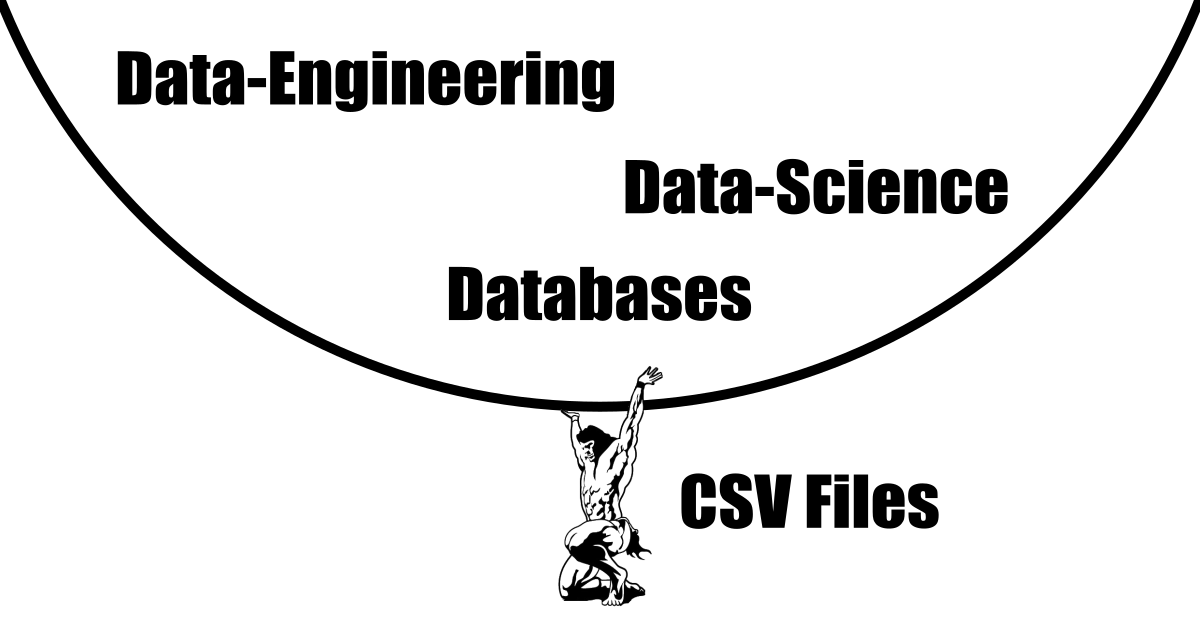
## Why do CSV files remain truly indispensable?
What makes the CSV file truly indispensable is its combination of simplicity, age-old reliability, and non-proprietary nature. There's beauty in its straightforwardness. You don't need fancy software to open, read and understand a CSV file—the most lightweight text editors will do (notyepad, fim, emacs...). You can even check their content from the system's command line: `cat ./path-to/filename.csv`. It's the only file format that is guaranteed to interface seamlessly with any existing data handling software, from legacy systems to cutting-edge platforms. Sure, XML and JSON formats have their moments in the spotlight, but when it comes to reliability that will stand the test of time, the CSV is unmatched.
> Simple
> Reliable
> Timeless
> Human-Readable
> Universal
## Common Problems Working with CSV Files
Working with CSVs isn't always smooth sailing. Here are some common gripes:
**Encoding Nightmares:** Non-ASCII characters (such as é and ü) can wreak havoc if encoding isn't detected properly. It is worth mentioning that the recommended default encoding for CSV files is *utf-8*.
**Comma Confusion:** What happens when your data values contain commas? (Spoiler: It can get messy if not handled with the right standard.)
**Standard misalignment:** Over time, people have tweaked the CSV standards to better fit their needs. An example of this is in european countries where the commas were already used for in decimal numbers (instead of dots) so they decided to use a semicolon as the column delimiter instead.
**Misuse of Excel:** Microsoft Excel is a great data analysis tool but poorly suited for CSV files. This holds especially true in the fields of ETL and data-engineering. It often misinterprets CSV standards or value data-types. This often ends up in data corruption and even more so when users have the *auto-save* mode activated. Furthermore, CSV files are often database extracts that are too large to be handled by Excel making it feel clunky or even crash upon opening a file. What holds for Excel is also true of other major spreadsheet editors such as Google Sheets, Libre Office Calc, or Mac's Numbers.
## Essential Yet Painful to work with – Why?
If CSV files are so important and universal then why does it always feels unnecessarily complicated to open them in a any spreadsheet editor?
Here is a hypothesis:
1. A spreadsheet editor needs a fancy feature to differentiate itself and be competitive.
2. Fancy features require complexity that CSV files can't handle.
3. Editors come up with a proprietary file format to enable this differenciation.
4. Editors leave out CSV file handling (more or less purposly) to push their user base towards their proprietary format.
5. Users can't find a descent CSV file editor.
## The solution: An alternative spreadsheet editor dedicated to CSV files
[Nanocell-csv](https://www.nanocell-csv.com/) is a free, cross platform, spreadsheet editor dedicated to CSV files. Its source code is available on [Github](https://github.com/CedricBonjour/nanocell-csv) to be community driven. [Nanocell-csv](https://www.nanocell-csv.com/), pledges to focus only on CSV files and their real-world use cases.
> The [Nanocell-csv](https://www.nanocell-csv.com/) file editor strives to embrace CSV core values:
> - Simple
> - Reliable
> - Universal
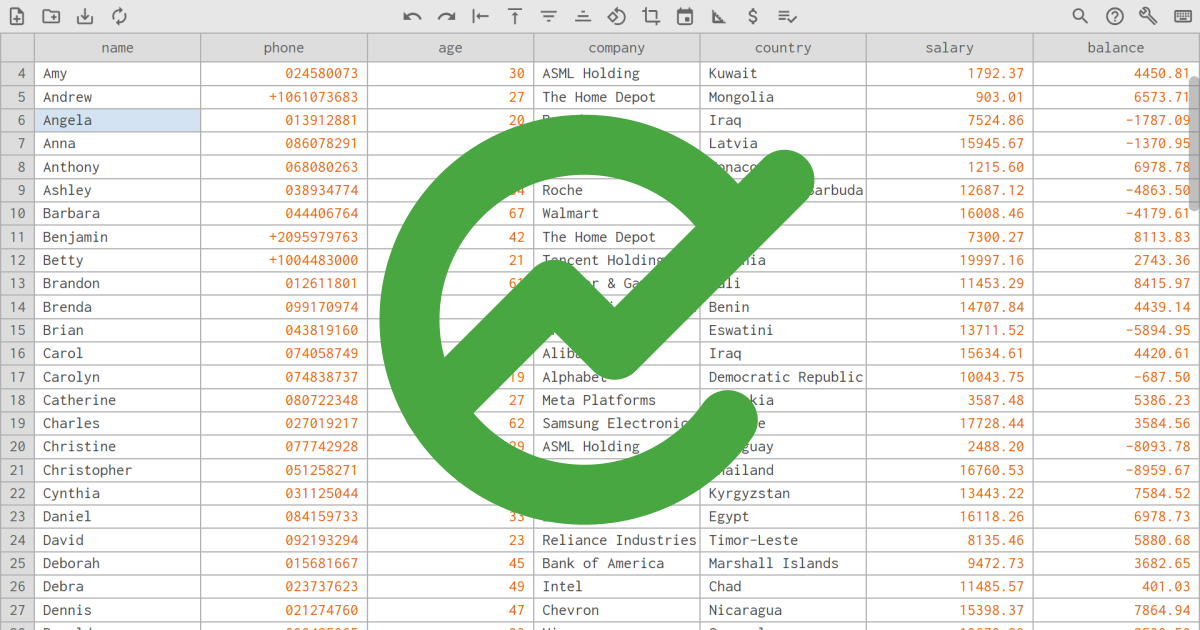
Find out more at [https://www.nanocell-csv.com/](https://www.nanocell-csv.com/)
================================================
FILE: article/how-to-open-a-csv-file.md
================================================
# How to open large CSV files with Nanocell-csv
> CSV files are a universal data table format, so why is it complicated to open them? Nanocell-csv gives a simple, fast, and elegant solution, especially to preview very large files.
CSV files are mostly used as a medium to transfer data from one database to another as it is the one format guaranteed to be handled by all systems. You also find them in code repositories as they are the best way to store rows of data in text files.
However universally used they may be, no tool seems to handle them quite right. CSV files tend to be opened by MS Excel by default. However Excel turns out to be slow, does not detect the columns correctly, and even corrupts data by dropping leading zeros and plus signs (typically in phone numbers or postal codes).
This is where [Nanocell-csv](https://www.nanocell-csv.com/) comes in.
## Installing Nanocell-csv
This can't get any simpler.
1. Go to [https://www.nanocell-csv.com/](https://www.nanocell-csv.com/) using a chrome based browser (chrome, edge, chromium, etc...)
2. Click on install in the top right corner
3. Confirm the install prompt.
4. You're done!
> No install `.exe` file that prompts for admin permission
> No download time
> No hassle.
## Opening a file for the first time
[Nanocell-csv](https://www.nanocell-csv.com/) should have been detected as the default application for CSV files.
Double clicking on any CSV file should thus open it in Nanocell-csv.
If that is not the case:
- right click on a csv file
- select : `Open with...`
- select : `Choose another app`
- select : `Nanocell-csv` and click on `Always`
## Setting your preference
Click on the following icon in the top right corner:

You can change the theme color palette in as the first option. You may also want to change the number of rows, columns or the text size to make [Nanocell-csv](https://www.nanocell-csv.com/) as comfortable as possible on your screen and needs.
## What if the file being opened is huge, let's say 20 GB ?!
[Nanocell-csv](https://www.nanocell-csv.com/) has no limit on file size. It will change to a better suited approach when opening large files. Your 20GB file will still open instantly but in read only mode to give you a quick overview of what the file may contain. This is achieved by sampling the header, the footer and a few rows at regular intervals without parsing the entire file. The goal here is for you to quickly understand what you are dealing with when first opening a file before loading it in more expert tools for transforming big data.
Nanocell-csv considers editing such large tables outside of database tools, and ETL pipelines as bad practice (Python pandas, R, SQL, Spark ...). Such tools often lack a quick preview feature.
For these reasons, [Nanocell-csv](https://www.nanocell-csv.com/) simply aims to be a fast preview tool.
> No file size limit !
> Instant preview !
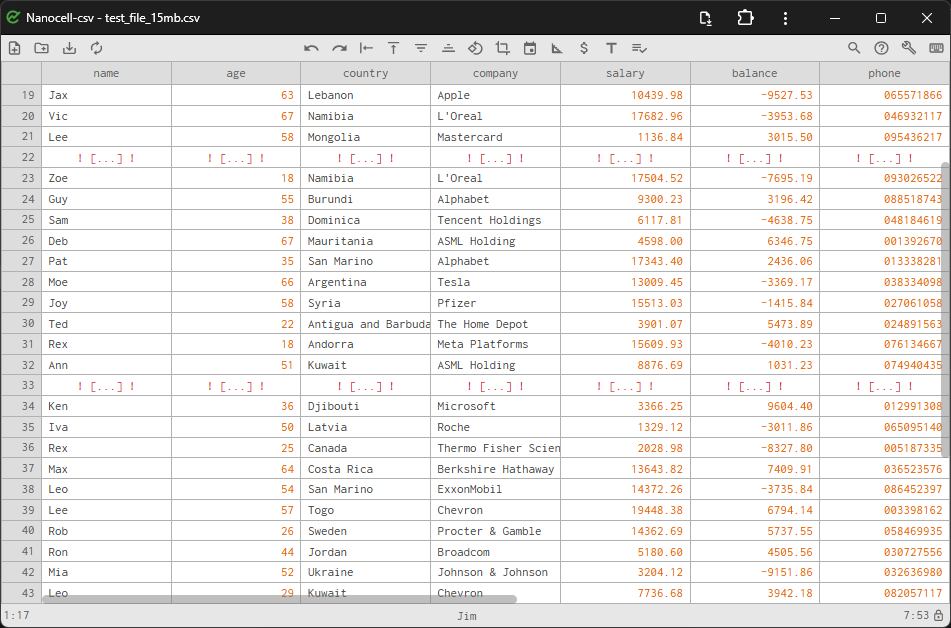
[Link to Nanocell-csv](https://www.nanocell-csv.com/)
================================================
FILE: article/lets-fix-csv-files.md
================================================
<!-- https://www.nanocell-csv.com/img/meme/csv-data-atlas-pillar.webp -->
# CSV files: A universal format, yet universally frustrating. Let’s fix that!
> CSV files are universal, yet frustrating. Nanocell-csv fixes this by offering a free, fast and simple tool for editing small tables and previewing large datasets. It prevents data corruption, helps you cleanup your data, and is fully crossplatform.
CSV files are the backbone of data exchange—simple, universal, and incredibly versatile. To this day, they are the best way to store tabular data in git repositories and probably the most universally used ETL file format (Extract Transform Load). Yet, for something so ubiquitous, they often come with a frustrating reality: no tool seems to handle them quite right. Open a small file in Excel, and you're met with sluggish loading times and a minefield of potential data corruption. Try to preview a massive file, and you’re left twiddling your thumbs. Other specialized apps all seem archaic, are freemium at best, and often single-platform. It is time for change!
This is where [Nanocell-csv](https://www.nanocell-csv.com/) comes in—a tool born out of necessity, frustration, and a relentless drive to simplify how we work with data.
Let me take you through the problem, the vision, and how I built a solution that’s fast, privacy-first, and available anywhere you need it.
## The Problem I Am Trying to Solve
Two use cases come to mind when working with CSV files:
1. **Small tables** : for which the data is input manually.
2. **Large tables** : 1+ million rows, which are usually database extracts.
In the small table case, I want an MS Excel alternative that opens instantly, figures out the separator correctly, and does not corrupt my data. CSV is text and should remain that way. `+01` should stay `+01`, not be interpreted as `1`. I don't care about the graphs, visuals, and endless menus—I want to keep things simple. And, of course, I want to have all editing functions accessible from the keyboard.
In the large table case, I want to see its content instantly, but I don't really want to edit it. Actually, I would consider editing such tables outside of database tools and ETL pipelines as bad practice. I just want to view a large sample of the data, header and footer included, to get an idea of the file's content before moving on to expert tools to do my job. I have worked many years as a data analyst (even though my background is software engineering), and one of the main problems I came across is corrupted files that people have opened with editors (typically MS Excel) and then overwrote with the editor's standards. How often did I wish the company-wide default CSV file editor was locked in view-only mode for large files?
In both cases, I want the tool to run locally as data privacy is essential, and I don't want my company to be at risk of a data leak.
Furthermore, I want the tool to be available anywhere. I work at a big BIG company, and my computer is subject to an admin lock for any `.exe` file I try to run. I don't want to go through the tedious bureaucratic process of asking for permission to install this one app.
## Adding in a Few Cool Features
As mentioned previously, one of my major pain points is data corrupted by MS Excel, mainly caused by people with regional settings that use a comma as the decimal separator. For example, `1.5` becoming `1,5`. This does not fit well in a Comma Separated Value file. So I've added a data validation feature that checks that all real numbers are written with a dot and not a comma.
I also have an issue with financial data that is not saved with two digits after the decimal point. `$1.50` becomes `$1.5`, so I added a feature to round the column to two decimals. And, of course, an equivalent function to round everything up to integers if needed.
Quotes and commas are, of course, tolerated in most CSV file standards but are considered bad practice. I've added text linting to highlight cell values that contain such unorthodox characters. Another feature also enables the user to replace all `,` with `-` and all `"` with `|`.
A major use case for [Nanocell-csv](https://www.nanocell-csv.com/) is to quickly identify and resolve any unconventional issues in your data, typically before running a database import pipeline. [Nanocell-csv](https://www.nanocell-csv.com/) makes sure that : headers are limited to alphanumeric characters, encoding is UTF-8, values do not contain line breaks, and much more.
## Roadmap and Future Plans
As a lightweight editor, I believe [Nanocell-csv](https://www.nanocell-csv.com/) is fairly mature. On the other hand, as a large database extract quick viewer, a lot more can be done. The major enhancements I will be working on in the foreseeable future will be to analyze those big files in the background as the quick view is displayed to offer in-depth analysis of the data. Typically, a correlation heatmap of each column or a histogram of value occurrences, etc.
Of course, these are just a few ideas. I want this project to be community-driven, so don't hesitate to tell me where to go from here. What started as a one-man engineering project is turning out to be a shared journey of innovation and collaboration with all. Join the ride!
[Link to Nanocell-csv](https://www.nanocell-csv.com/)
================================================
FILE: article/pwa-showcase.md
================================================
# Progressive Web Apps: Revolutionizing the Way We Experience the Web
> Progressive Web Apps (PWAs) combine the best of web and app experiences—offering speed, offline access, cross-platform compatibility, and seamless updates without downloads. They empower users and businesses with cost-effective, native-app-like functionality.
Imagine a world where websites behave like apps, offering lightning-fast speed, offline functionality, and seamless user experiences—all without the hassle of downloading from an app store. Enter Progressive Web Apps (PWAs), the future of web technology designed to bridge the gap between the web and native apps. A standout example of this innovation is [Nanocell-csv](https://www.nanocell-csv.com/), a PWA designed to handle CSV files with remarkable precision and ease.
## What Are Progressive Web Apps?
Progressive Web Apps are web applications that use modern web technologies to deliver app-like experiences. Built with standard web tech like HTML, CSS, and JavaScript, PWAs can be accessed through your browser but feel as polished and responsive as any native app.
## What’s in It for Users?
**Speed and Responsiveness** - PWAs load quickly, even on slower networks. This is thanks to advanced caching techniques powered by service workers, ensuring users experience minimal loading times.
**Offline Access** - Ever lost a connection while using a traditional website? PWAs have your back. They work offline or in areas with poor connectivity, keeping essential features functional.
**No Downloads Needed** - Forget app store clutter. PWAs are lightweight and can be installed directly from the browser, saving storage space and time.
**Cross-Platform Compatibility** - Whether you’re on Android, iOS, Mac, Linux or Windows, PWAs adapt seamlessly, offering a consistent experience across devices.
**Automatic Updates** - Say goodbye to those constant "update now" notifications. PWAs update in the background, ensuring users always have the latest version.
## Why Should Businesses Care?
For businesses, PWAs offer a golden opportunity to boost engagement and conversion rates. Their speed and reliability reduce bounce rates, while offline functionality ensures users stay connected with your brand. Moreover, PWAs are more cost-effective to develop and maintain compared to traditional apps, making them a win-win for businesses of all sizes.
## The Ultimate Goal: Democratizing the Web
At its core, the goal of PWA technology is simple yet profound: to make the web more accessible, reliable, and engaging for everyone. By eliminating the friction between web and app experiences, PWAs empower users and developers alike, creating a more unified digital ecosystem.
In a world where user expectations are at an all-time high, PWAs are a game-changer, proving that the web can be as dynamic and powerful as any app. Ready to join the revolution? Start exploring the world of Progressive Web Apps today with [Nanocell-csv](https://www.nanocell-csv.com/), a spreadsheet editor PWA!
================================================
FILE: build.py
================================================
import re
import os
import shutil
from pathlib import Path
import markdown
from datetime import datetime
import requests
def get_file_lines (fpath):
with open(fpath, 'r', encoding='utf8') as file:
lines = file.readlines()
return [line.strip() for line in lines]
def mk_dir(path):
dest_dir = os.path.dirname(path)
if not os.path.exists(dest_dir):
os.makedirs(dest_dir)
def ls_dir(directory):
file_paths = []
for root, _, files in os.walk(directory):
for file in files:
file_paths.append(os.path.join(root, file))
return file_paths
def fcp(src_path, dest_path):
dest_dir = os.path.dirname(dest_path)
os.makedirs(dest_dir, exist_ok=True)
shutil.copy2(src_path, dest_path)
def fcp_dir(src, src_rm , dst):
path_list = ls_dir(src)
for file_path in path_list:
path = Path(file_path)
new_path = Path( Path(dst) / path.relative_to(src_rm) )
fcp(file_path, new_path)
def frm(dir_path):
try:
shutil.rmtree(dir_path)
except Exception as e:
print(f"Error: {e}")
def clean_js_rows(input_file):
with open(input_file, 'r', encoding='utf-8') as file:
lines = file.readlines()
cleaned_lines = []
for line in lines:
line = line.strip()
if len(line) >0 and not (line[0]=="/" and line[1]=="/") :
cleaned_lines.append(line+"\n")
return cleaned_lines
def clean_js_file(input_file, output_file):
with open(output_file, 'w', encoding='utf-8') as file:
file.writelines(clean_js_rows(input_file))
def concat_js_files(dir, output_file):
path_list = ls_dir(dir)
clean_code = [clean_js_rows(path) for path in path_list]
clean_code = [line for sublist in clean_code for line in sublist]
with open(output_file, 'w', encoding='utf-8') as file:
file.writelines(clean_code)
def clean_html_file(input_file, output_file):
with open(input_file, 'r', encoding='utf-8') as file:
lines = file.readlines()
cleaned_lines = []
for line in lines:
line = re.sub(r'<!--.*?-->', '', line)
if line.strip():
cleaned_lines.append(line)
mk_dir(output_file)
with open(output_file, 'w', encoding='utf-8') as file:
file.writelines(cleaned_lines)
def copy_web_to_public():
path_list = ls_dir("web")
for file_path in path_list:
path = Path(file_path)
new_path = Path( Path("public") / path.relative_to("web") )
extension = path.suffix
print(new_path)
if(extension==".html"):
clean_html_file(file_path , new_path)
else:
fcp(file_path, new_path)
def update_sw_pwa_admin():
sw_path = "./public/app/sw_pwa_admin.js"
sw_text = get_file_lines(sw_path)
while(len(sw_text[2]) ==0 or sw_text[2][0] != ']') :
del sw_text[2]
files_to_cache = ls_dir("./public/app")
for fpath in files_to_cache :
sw_text.insert(2, f"\"{fpath[13:].replace('\\', '/')}\",")
with open(sw_path, 'w') as file:
file.write("\n".join(sw_text))
def add_seo_pages():
# todo
index_lines = get_file_lines("public/index.html")
seo_data = get_file_lines("misc/seo-pages.md")
index_content = "\n".join(index_lines)
index_content = re.sub(r'<p id="about_p">.*?</p>', '###', index_content, flags=re.DOTALL)
name_list = [( seo_data[i][2:], seo_data[i + 1]) for i in range(0, len(seo_data), 2)]
for name, desc in name_list :
content = index_content.replace("CSV file Viewer & Editor", name)
content = content.replace("<h1>CSV Viewer & Editor</h1>", f"<h1>{name}</h1>")
content = content.replace("###", f"<p>{desc}</p>")
fname = name.lower().replace(" ", "-")
print ("building : ", fname)
with open(f"public/{fname}.html", 'w') as file:
file.write(content)
def article_get_title(md_lines):
for line in md_lines:
if line.startswith("#"):
return line.replace("#", "").strip()
return None
def article_get_author(md_lines):
for line in md_lines:
if line.startswith("- author:"):
return line.replace("- author:", "").strip()
return None
def article_get_last_modified_date(file_path):
timestamp = os.path.getmtime(file_path)
modified_date = datetime.fromtimestamp(timestamp)
return modified_date.strftime('%Y-%m-%d')
def article_get_first_url(md_lines):
url_pattern = re.compile(r'https?://[^)\s ]+')
for line in md_lines:
match = url_pattern.search(line)
if match:
return match.group() .strip()
return None
def is_image_url(url):
image_extensions = ('.jpg', '.jpeg', '.png', '.gif', '.bmp', '.webp', '.tiff', '.svg')
return url.lower().endswith(image_extensions)
def article_get_og_img(url):
try:
response = requests.get(url)
response.raise_for_status()
html = response.text
og_img_pattern = re.compile(r'<meta\s+property="og:image"\s+content="([^"]*)"', re.IGNORECASE)
match = og_img_pattern.search(html)
if match:
return match.group(1) # Return the content of the og:image tag
else:
return None # Return None if og:image is not found
except requests.RequestException as e:
print(f"Error fetching the URL: {e}")
return None
except Exception as e:
print(f"An error occurred: {e}")
return None
def article_get_img_banner_tag(md_lines):
img_url = article_get_first_url(md_lines)
tag_img_og = ""
tag_img_banner = ""
if (img_url is not None and not is_image_url(img_url) ):
img_url = article_get_og_img(img_url)
if (img_url is not None):
tag_img_og = f'<meta property="og:image" content="{img_url}" />'
tag_img_banner = f'<img id="banner" src="{img_url}" alt="article banner image" />'
return (tag_img_banner, tag_img_og)
def article_get_first_paragraph(html):
match = re.search(r'<p>(.*?)</p>', html, re.DOTALL)
p = match.group(1).strip() if match else None
return p
def md_to_html(md_file_path, html_file_path):
pub_date = article_get_last_modified_date(md_file_path)
md_file_lines = get_file_lines(md_file_path)
title = article_get_title(md_file_lines)
tag_img_banner, tag_img_og = article_get_img_banner_tag(md_file_lines)
html_body = markdown.markdown( "\n\n".join(md_file_lines),extensions=["fenced_code"])
style = "\n".join(get_file_lines("./misc/article.css"))
style = f"<style>{style}</style>"
first_p = article_get_first_paragraph(html_body)
article_metadata = f'<div id="article_metadata"><date>{pub_date}</date> by Cedric Bonjour </div>'
print( len(first_p) , " >>> " , first_p, "\n")
if ("article" not in md_file_path):
tag_img_banner = ""
article_metadata =""
html_content = get_file_lines ("./misc/template.html")
html_content = "\n".join(html_content)
html_content = html_content.replace("{title}", title)
html_content = html_content.replace("{article_metadata}", article_metadata)
html_content = html_content.replace("{tag_img_og}", tag_img_og)
html_content = html_content.replace("{tag_img_banner}", tag_img_banner)
html_content = html_content.replace("{html_body}", html_body)
html_content = html_content.replace("{style}", style)
html_content = html_content.replace("{first_p}", first_p)
with open(html_file_path, 'w', encoding='utf-8') as html_file:
html_file.write(html_content)
def build_articles():
print("building articles")
mk_dir("./public/article/")
md_files = ls_dir("./article")
for file_path in md_files:
print(file_path)
basename = os.path.basename(file_path).split(".")[0]
md_to_html(file_path, f"./public/article/{basename}.html" )
def build_sitemap():
folder_path = "./public"
base_url = "https://www.nanocell-csv.com/"
file_paths = []
for root, _, files in os.walk(folder_path):
for file in files:
if file.endswith(".html"):
rel_path = os.path.relpath(os.path.join(root, file), folder_path)
file_paths.append(rel_path.replace("\\", "/")) # Replace backslashes for URLs
sitemap = '<?xml version="1.0" encoding="UTF-8"?>\n'
sitemap += '<urlset xmlns="http://www.sitemaps.org/schemas/sitemap/0.9">\n'
for file_path in file_paths:
url = base_url + file_path
priority = 0.7
if (file_path == "index.html" ) :
priority = 1.0
sitemap += f" <url>\n <loc>{url}</loc>\n <priority>{priority}</priority>\n </url>\n"
sitemap += '</urlset>'
with open(f"public/sitemap.xml", 'w') as file:
file.write(sitemap)
frm("public")
copy_web_to_public()
mk_dir("./public/app/")
md_to_html("TERMS_OF_USE.md", "./public/terms_of_use_and_license.html" )
concat_js_files("app/js", "public/app/nc_script.js")
fcp_dir("app/css","", "public" )
fcp_dir("app/icn","", "public" )
fcp_dir("app/logo","", "public" )
clean_html_file("app/home.html" , "./public/app/home.html")
clean_js_file("app/sw_read_write_csv.js" , "./public/app/sw_read_write_csv.js")
clean_js_file("app/sw_pwa_admin.js" , "./public/app/sw_pwa_admin.js")
update_sw_pwa_admin()
add_seo_pages()
build_articles()
build_sitemap()
================================================
FILE: misc/article.css
================================================
body {
font-family: Arial, sans-serif;
line-height: 1.5;
margin: 0;
display: flex;
justify-content: center;
flex-direction: column;
align-items: center;
}
p {
text-align: justify;
}
section {
margin: 0 1em;
margin-bottom: 25vh;
max-width: 40em;
}
#banner {
width: 100%;
max-width: 40em !important;
margin: 0;
}
img {
max-width: 100%;
display: block;
margin: 2em auto;
}
li p {
margin: 0;
}
h1 {
font-size: 2em;
margin: 1em 0;
}
h2 {
margin-top: 3em;
border-bottom: 1px solid black;
}
h3 {
font-size: inherit;
}
code,
em {
background-color: #eeeeee;
padding: 3px .4em;
border-radius: .2em;
margin: .2em;
}
code {
background: black;
color: #ffffff;
}
pre,
blockquote {
padding: .5em 1em;
}
blockquote {
background-color: #eeeeee;
margin: 0;
border-left: .5em solid green;
}
pre {
background: black;
color: #ffffff;
line-height: 1em;
}
pre code {
padding: 0;
background-color: unset;
}
#article_metadata {
font-style: italic;
font-size: .8em;
}
================================================
FILE: misc/automate.js
================================================
function sleep(ms) { return new Promise(resolve => setTimeout(resolve, ms)); }
function qid(id) { return document.querySelector(id).click(); }
var time_start = Date.now(); // Point A
csvHandle.reloadFile(true);
await sleep(200);
stg.theme = "light";
sheet.fixTop = false;
sheet.x = 0;
sheet.y = 0;
stg.rows = 15;
stg.cols = 10;
sheet.nViewCols = stg.cols;
sheet.nViewRows = stg.rows;
sheet.colWidthList = [];
sheet.reload();
sheet.slctRefresh();
await sleep(2000);
for (i = 0; i < 10; i++) { sheet.nViewRows++; sheet.reload(); await sleep(7); }
await sleep(260);
for (i = 0; i < 6; i++) { sheet.nViewRows++; sheet.reload(); await sleep(7); }
await sleep(260);
sheet.fixTop = true;
sheet.reload();
await sleep(440);
await sleep(440);
sheet.fitWidth();
await sleep(440);
for (i = 0; i < 20; i++) { sheet.baseY ++;sheet.slctRefresh(false); await sleep(7); }
await sleep(260);
for (i = 0; i < 30; i++) { sheet.baseY --;sheet.slctRefresh(false); await sleep(7); }
sheet.x = 0;
sheet.y = 0;
sheet.refresh();
await sleep(260);
sheet.insert(3); //left
await sleep(600);
sheet.x = 0;
sheet.y = 0;
sheet.slctRefresh();
await sleep(260);
sheet.input("i");
await sleep(200);
sheet.inputField.value += "d";
await sleep(200);
sheet.inputField.blur();
sheet.y++;
sheet.slctRefresh();
sheet.refresh();
await sleep(440);
sheet.slctRange = true;
sheet.y = sheet.df.height-1;
sheet.slctRange = false;
sheet.slctRefresh(true);
await sleep(440);
for (i = 0; i < 7; i++) { sheet.baseY ++;sheet.slctRefresh(false); await sleep(7); }
await sleep(260);
sheet.expand();
sheet.refresh();
await sleep(440);
sheet.y=0;
sheet.slctRefresh(true);
await sleep(440);
for (i = 0; i < 3; i++) { sheet.x++;sheet.slctRefresh(true); await sleep(40); }
await sleep(440);
sheet.sort(sheet.x, true);
await sleep(600);
for (i = 0; i < 3; i++) { sheet.x++;sheet.slctRefresh(true); await sleep(40); }
await sleep(440);
sheet.slctCol(sheet.x);
await sleep(440);
cmd.integer.run();
await sleep(440);
cmd.decimal.run();
await sleep(440);
for (i = 0; i < 10; i++) { sheet.baseY ++;sheet.slctRefresh(false); await sleep(3); }
await sleep(440);
qid('img[title="about"]');
await sleep(3000);
qid('#closeDialog');
var time_end = Date.now(); // Point B
console.log(`Time elapsed: ${time_end - time_start} ms`);
================================================
FILE: misc/csv_files/demo_color_types.csv
================================================
Numbers, Text,Not csv compliant, Date, Important ,
3.14159, null,not csv, compliant, 2024-11-29, !cheers! ,
1, true, 1,2 ,
+1, false, not \csv\ compliant ,
, 1e ,
0, e2 ,
+0, inf ,
-0, +inf ,
1e2, undefined ,
Infinity, NA ,
+Infinity, na ,
0x765A, NaN ,
, - ,
, -- ,
, - - ,
, =2 ,
================================================
FILE: misc/csv_files/demo_parser.csv
================================================
A1,B1,C1
A2, " B2 " ,C2
A3, " B3
B3
B3" ,C3
A""4, B"4,C4""
A5,B5,C5
A6,B6,C6
A7,B7,C7
A8,B8,C8
A9,B9,C9
================================================
FILE: misc/csv_files/demo_pipeline_config.csv
================================================
pipe_id,client_name,file_name_regex,n_cols,data_quality_rating,,comment
001,Bank of utopia,/.*utopia.*transaction.*/,6,0.34,,
,,,,,,
005,Bank of utopia,/.*utopia.*customer.*/,5,.5,,"customer data from ""bank of utopia"""
006,Bank of utopia,/.*utopia.*accounts.*/,5,1.000,,
003,The people'sbank,/.*pplb.*client.*/,10,"0,5",,"Info about client
(id, phone,age etc...)"
004,The people'sbank,/.*pplb.*accounts.*/,10,0.3,,
007,The people'sbank,/.*pplb.*transactions.*/,18,0.69,,transacttion data
008,,,,,,
,,,,,,
009,,,,,,
010,,,,,,
011,,,,,,
012,,,,,,
013,,,,,,
014,,,,,,
015,,,,,,
016,,,,,,
================================================
FILE: misc/csv_files/demo_r100.csv
================================================
name,phone,age,company,country,salary,balance,
Alexander,+33600584103,45,Roche,France,10286.06,-2366.48,
Amanda,085937069,57,Alphabet,Armenia,16536.09,3477.84,
Amy,024580073,30,ASML Holding,Kuwait,1792.37,4450.81,
Andrew,+1061073683,27,The Home Depot,Mongolia,903.01,6573.71,
Angela,013912881,20,Broadcom,Iraq,7524.86,-1787.09,
Anna,086078291,68,Shell,Latvia,15945.67,-1370.95,
Anthony,068080263,41,Nestle,Monaco,1215.60,6978.78,
Ashley,038934774,34,Roche,Antigua and Barbuda,12687.12,-4863.50,
Barbara,044406764,67,Walmart,Seychelles,16008.46,-4179.61,
Benjamin,+2095979763,42,The Home Depot,Belarus,7300.27,8113.83,
Betty,+1004483000,21,Tencent Holdings,Albania,19997.16,2743.36,
Brandon,012611801,61,Procter & Gamble,Mali,11453.29,8415.97,
Brenda,099170974,28,Thermo Fisher Scientific,Benin,14707.84,4439.14,
Brian,043819160,44,Broadcom,Eswatini,13711.52,-5894.95,
Carol,074058749,65,Alibaba Group,Iraq,15634.61,4420.61,
Carolyn,074838737,19,Alphabet,Democratic Republic of the Congo,10043.75,-687.50,
Catherine,080722348,27,Meta Platforms,Slovakia,3587.48,5386.23,
Charles,027019217,62,Samsung Electronics,Ukraine,17728.44,3584.56,
Christine,077742928,29,ASML Holding,Paraguay,2488.20,-8093.78,
Christopher,051258271,37,Visa,Thailand,16760.53,-8959.67,
Cynthia,031125044,38,Tencent Holdings,Kyrgyzstan,13443.22,7584.52,
Daniel,084159733,33,LVMH,Egypt,16118.26,6978.73,
David,092193294,23,Reliance Industries,Timor-Leste,8135.46,5880.68,
Deborah,015681667,45,Bank of America,Marshall Islands,9472.73,3682.65,
Debra,023737623,49,Intel,Chad,11485.57,401.03,
Dennis,021274760,47,Chevron,Nicaragua,15398.37,7864.94,
Donald,090425065,33,Visa,Senegal,10670.29,-2530.50,
Donna,016831094,68,TotalEnergies,Mozambique,8969.76,6912.52,
Dorothy,076072034,21,Coca-Cola,Lithuania,8706.08,-6471.84,
Edward,016963163,63,Eli Lilly and Co.,Eritrea,6670.05,3293.30,
Elizabeth,041277390,55,Apple,Libya,3124.08,1849.13,
Emily,080366191,46,Johnson & Johnson,Brunei,9099.62,-5660.31,
Emma,035073478,36,ICBC,Malta,2490.51,6763.29,
Eric,002381126,31,Taiwan Semiconductor Manufacturing Company,United Arab Emirates,18101.91,-8010.29,
Frank,053783338,60,Kweichow Moutai,Spain,14074.90,-3922.18,
Gary,093149052,41,Bank of America,Papua New Guinea,13253.97,-1695.55,
George,034118004,22,L'Oreal,Bangladesh,2166.59,-7850.78,
Gregory,016719453,37,Pfizer,Barbados,13642.40,6210.17,
Helen,020357496,26,Taiwan Semiconductor Manufacturing Company,Lithuania,19972.49,419.54,
Jack,010798833,56,Coca-Cola,Philippines,11413.65,5863.68,
Jacob,056835393,30,Microsoft,Korea,18016.38,8950.16,
James,078417863,69,Taiwan Semiconductor Manufacturing Company,Kenya,5575.92,-3772.14,
Janet,087754462,31,Berkshire Hathaway,Barbados,14497.98,1383.62,
Jason,026582219,60,Meta Platforms,Cyprus,13156.56,996.26,
Jeffrey,015288426,24,TotalEnergies,Peru,2835.42,-684.78,
Jennifer,087731541,30,ASML Holding,Trinidad and Tobago,11201.04,2284.18,
Jerry,042425186,51,Johnson & Johnson,Nigeria,2181.79,-4107.47,
Jessica,097184348,69,The Home Depot,Nauru,11770.63,7934.85,
John,076676554,26,Apple,Eswatini,15518.04,-31.87,
Jonathan,041468920,68,Thermo Fisher Scientific,Seychelles,17013.94,6797.04,
Joseph,093092696,64,Saudi Aramco,Mali,5678.25,-7280.02,
Joshua,096066756,19,AstraZeneca,Uruguay,4494.28,557.99,
Justin,025388710,22,BHP Group,Costa Rica,16128.52,1009.09,
Karen,065382699,54,Roche,Pakistan,18905.72,4307.46,
Katherine,011320279,32,Shell,Jamaica,8604.97,-8654.79,
Kathleen,097091539,56,PepsiCo,Central African Republic,18129.78,-4041.13,
Kenneth,056680546,29,Microsoft,Trinidad and Tobago,2816.52,-5787.97,
Kevin,036283826,58,Walmart,Serbia,3800.38,6476.20,
Kimberly,040058991,35,Shell,Micronesia,12444.52,4690.76,
Larry,055061443,68,L'Oreal,Gabon,1292.69,-1477.81,
Laura,004647147,66,Pfizer,Dominican Republic,18814.28,3921.39,
Linda,047244661,48,ICBC,Indonesia,15399.81,8815.00,
Lisa,009356538,18,Reliance Industries,Netherlands,8121.53,6002.95,
Margaret,061627718,22,TotalEnergies,Panama,2720.13,9891.61,
Mark,013185562,54,Taiwan Semiconductor Manufacturing Company,Panama,1709.05,6279.66,
Mary,017882186,67,Berkshire Hathaway,Panama,6443.92,4586.84,
Matthew,070209651,19,Chevron,Kosovo,3749.81,4421.09,
Melissa,074496434,28,The Home Depot,Brunei,13853.23,-135.86,
Michael,092295803,22,JPMorgan Chase,Burkina Faso,19812.48,-9914.61,
Michelle,065024212,25,Toyota Motor Corp,Saudi Arabia,18734.92,-3584.28,
Nancy,076543096,46,Broadcom,Mauritania,2840.41,660.46,
Nicholas,018057238,39,Mastercard,South Africa,4472.83,5573.89,
Nicole,076582346,51,Samsung Electronics,Mexico,14430.03,2592.15,
Pamela,054100687,50,ICBC,Republic of Korea,2648.02,-5237.95,
Patricia,088854852,66,ICBC,Burundi,11468.05,1813.34,
Patrick,054999858,61,SAP SE,Netherlands,17728.39,6049.95,
Paul,059601374,21,Toyota Motor Corp,Bulgaria,2674.14,-417.14,
Rachel,086184214,20,LVMH,Timor-Leste,19041.84,7372.49,
Raymond,042214409,43,Amazon,Bulgaria,7058.79,5089.08,
Rebecca,045737923,63,Apple,Denmark,11222.07,1077.72,
Richard,024916025,22,Meta Platforms,Vanuatu,10684.35,6325.42,
Robert,031212645,30,Merck & Co.,Jordan,12704.90,-6642.69,
Ronald,000922449,56,Nestle,Sri Lanka,13814.96,-7827.37,
Ruth,067132692,40,Novo Nordisk,Guinea,7649.62,-931.84,
Ryan,009668871,30,Roche,Chad,19398.39,3828.55,
Samantha,059948593,57,Tesla,India,4815.96,-6563.62,
Samuel,050542953,30,Procter & Gamble,Gambia,10651.84,8683.98,
Sandra,007427279,65,Mastercard,Croatia,12147.14,5470.88,
Sarah,067028599,35,TotalEnergies,Japan,17265.98,-9253.97,
Scott,077907959,39,SAP SE,Burma,18830.29,4208.24,
Sharon,055286217,54,Samsung Electronics,Jamaica,5888.97,2996.67,
Shirley,043971073,52,Toyota Motor Corp,Belize,5135.46,-2972.26,
Stephanie,025023315,19,Reliance Industries,Romania,16205.29,3976.65,
Stephen,016073322,29,Bank of America,Slovenia,7361.64,-3019.94,
Steven,051443596,53,Intel,Afghanistan,8085.42,-7125.94,
Susan,077034746,21,LVMH,Cote d’Ivoire,6116.17,9930.62,
Thomas,099796418,65,ASML Holding,South Sudan,8522.37,6242.32,
================================================
FILE: misc/seo-pages.md
================================================
# CSV file Data Import Tool
Nanocell-csv is your reliable CSV file data import tool, designed to seamlessly handle data integrity and accuracy when importing large or small datasets. With built-in data validation and offline functionality, it ensures your CSV data remains untouched, whether it's for quick inspection or preparation for database import. Experience hassle-free data management with Nanocell-csv’s commitment to clean and accurate CSV handling.
# CSV file Database Preview and Cleanup Tool
When preparing data for database import, Nanocell-csv acts as the ultimate CSV file database preview tool. Instantly visualize your data, identify inconsistencies, and validate headers and encoding to ensure smooth database integration. With no surprises, you can quickly clean up any issues and proceed with your data workflow without interruptions.
# CSV file Big Data Visualization Tool
Nanocell-csv isn't just about editing—it's also a powerful CSV file data visualization tool. Whether you're dealing with complex datasets or simple tables, this tool provides an instant overview without parsing the entire file. You can quickly identify patterns, detect errors, and prepare data for further analysis, all while ensuring accuracy and integrity.
# CSV file Data Exploration Tool
For data professionals looking to explore their CSV files before diving into heavier analysis tools, Nanocell-csv is the perfect data exploration tool. With its ability to instantly display file previews and sample data, it enables you to quickly assess large datasets, understand the structure, and get to work with confidence—all while maintaining complete data accuracy.
# CSV file Viewer and Editor for Windows
Nanocell-csv brings you a fast, lightweight CSV file viewer and editor designed for Windows users. With a user-friendly interface, you can instantly view and edit CSV files of any size without worrying about unwanted type conversions. Whether you’re cleaning up data or making quick edits, Nanocell-csv delivers a seamless experience on your Windows machine.
# Progressive Web Application CSV file Editor
Nanocell-csv is a Progressive Web Application (PWA) CSV file editor that works offline and across all platforms. Say goodbye to installing heavy software or worrying about data security—Nanocell-csv keeps your files safe and accurate, offering an intuitive editing experience from any device with just a browser.
# PWA CSV file Viewer and Editor
As a PWA CSV file viewer and editor, Nanocell-csv offers an incredibly fast and simple solution for CSV file management. No need for installations or system-specific software—access it through any modern browser and start viewing and editing your CSV files instantly, with the guarantee that your data remains accurate and private.
# Simple CSV file Viewer and Editor
Nanocell-csv is the simplest CSV file viewer and editor you’ll ever need. Whether you're dealing with a massive dataset or just making minor tweaks, this tool is designed for quick and efficient CSV file management. With no complex setup or unnecessary features, Nanocell-csv is all about getting the job done with speed and precision.
# Data Accurate CSV file Viewer and Editor
When data accuracy is crucial, Nanocell-csv is the go-to CSV file viewer and editor. With its focus on preserving data integrity, this tool ensures that all values, including leading zeros and special characters, remain intact. Whether you're editing contact details or zip codes, Nanocell-csv guarantees no unwanted data alterations.
# Open Large CSV files Fast with Nanocell-csv
Speed is key when working with large datasets, and Nanocell-csv is the fastest CSV file viewer and editor available. With instant file previews and quick data validation, you can efficiently explore, edit, and visualize CSV files without waiting for long load times. No matter the file size, Nanocell-csv handles it with ease.
# Open Big CSV files Fast with Nanocell-csv
Speed is key when working with big datasets, and Nanocell-csv is the fastest CSV file viewer and editor available. With instant file previews and quick data validation, you can efficiently explore, edit, and visualize CSV files without waiting for long load times. No matter the file size, Nanocell-csv handles it with ease.
# Open Huge CSV files Fast with Nanocell-csv
Speed is key when working with huge datasets, and Nanocell-csv is the fastest CSV file viewer and editor available. With instant file previews and quick data validation, you can efficiently explore, edit, and visualize CSV files without waiting for long load times. No matter the file size, Nanocell-csv handles it with ease.
# Lightweight CSV file Viewer and Editor
Nanocell-csv is a lightweight CSV file viewer and editor that doesn’t weigh down your system. With a minimalistic design and no installation required, you can view and edit your CSV files quickly and efficiently. Whether on Windows, Mac, or Linux, Nanocell-csv ensures that your CSV file management is always smooth and fast.
# Open source CSV file Viewer and Editor
Nanocell-csv is an open-source CSV file viewer and editor that gives you full control over your data management process. Built by and for data experts, it ensures complete transparency, and you can even contribute to its development. Enjoy the benefits of an open-source tool while ensuring data integrity and security with every use.
# Free CSV file Viewer and Editor
Nanocell-csv is a free CSV file viewer and editor that provides powerful features without the price tag. Whether you need to inspect, edit, or validate CSV data, this tool gives you everything you need without the hassle of paid subscriptions. Keep your data safe, accurate, and accessible with this free solution.
================================================
FILE: misc/template.html
================================================
<!DOCTYPE html>
<html lang="en">
<head>
<meta charset='utf-8'>
<meta name="viewport" content="width=device-width, initial-scale=1">
<title>{title}</title>
<meta property="og:title" content="{title}" />
<meta property="og:type" content="article" />
<meta property="og:description" content="{first_p}">
<meta name="description" content="{first_p}">
{tag_img_og}
</head>
<body>
{tag_img_banner}
<section>
{article_metadata}
{html_body}
</section>
{style}
</body>
</html>
================================================
FILE: requirements.txt
================================================
markdown
requests
================================================
FILE: update_version.py
================================================
import re
def get_file_lines (fpath):
with open(fpath, 'r') as file:
lines = file.readlines()
return [line.strip() for line in lines]
def increment_version(txt):
match = re.search(r"(\d+)\.(\d+)\.(\d+)", txt)
major, minor, patch = map(int, match.groups())
patch += 1
new_version = f"{major}.{minor}.{patch}"
updated_txt = re.sub(r"(\d+\.\d+\.\d+)", new_version, txt)
print( "updating to : ", updated_txt.split('=')[1])
return updated_txt
path = "app/sw_pwa_admin.js"
lines = get_file_lines (path)
lines[0] = increment_version(lines[0])
with open(path, 'w', encoding='utf-8') as file:
file.write("\n".join(lines))
================================================
FILE: vercel.json
================================================
{
"buildCommand": "python3 build.py",
"outputDirectory": "public"
}
================================================
FILE: web/index.html
================================================
<!DOCTYPE html>
<html lang="en">
<head>
<meta charset="utf-8">
<meta name="viewport" content="width=device-width, initial-scale=1">
<title>NanoCell - CSV file Viewer & Editor</title>
<link rel="stylesheet" type="text/css" href="theme.css">
<link rel="icon" type="image/png" href="/favicon-96x96.png" sizes="96x96" />
<link rel="icon" type="image/svg+xml" href="/favicon.svg" />
<link rel="shortcut icon" href="/favicon.ico" />
<link rel="manifest" href="manifest.JSON">
<meta property="og:title" content="NanoCell - CSV file Viewer & Editor" />
<meta property="og:type" content="website" />
<meta property="og:url" content="https://nanocell-csv.com" />
<meta property="og:image" content="https://nanocell-csv.com/img/screenshot/screenshot_light_logo.webp" />
<meta property="og:image:width" content="1200">
<meta property="og:image:height" content="630">
<meta property="og:image:alt" content="NC logo & screenshot">
<meta property="og:description"
content="Nanocell - CSV file Viewer & Editor : free, fast, simple, lightweight, offline, cross platform, and data accurate">
<meta name="description"
content="Nanocell - CSV file Viewer & Editor : free, fast, simple, lightweight, offline, cross platform, and data accurate">
<script defer src="/_vercel/insights/script.js"></script>
</head>
<body>
<nav>
<a class="nav_element " href="#"
onclick="document.getElementById('container').scrollTo({ top: 0, behavior: 'smooth' });">
<img id="navLogo" src="app/logo/nanocell.svg" alt="nc_logo" />
<span id="navTitle">NanoCell - csv editor</span>
</a>
<div class="grow"></div>
<a class="nav_element nav_link" href="#about">About</a>
<a class="nav_element nav_link" href="#contribute">Contribute</a>
<div class="nav_element" id="install"><button>Install<br>
<div id="version">Beta version</div>
</button> </div>
</nav>
<div id="container">
<header id="header">
<h1>CSV Viewer & Editor</h1>
<a href="https://github.com/CedricBonjour/nanocell-csv" target="_blank">
<img src="https://img.shields.io/github/stars/CedricBonjour/nanocell-csv?style=social" alt="GitHub stars">
</a>
<div id="screenshots" class="hide_phone">
<img id="lightShot" src="img/screenshot/screenshot_light.webp" alt="screenshot light" />
<img id="darkShot" src="img/screenshot/screenshot_dark.webp" alt="screenshot dark" />
</div>
<div id="keyWords">
<span>Free</span>
<span>Fast</span>
<span>Data Accurate</span>
<span>Cross Platform</span>
</div>
</header>
<section id="about">
<h2>Built for speed and simplicity</h2>
<p id="about_p">
Nanocell-csv lets you edit and visualize CSV files instantly, whether you're tackling massive datasets or
fine-tuning small configuration tables.
With a steadfast commitment to data integrity, it keeps your information safe and accurate—no unwanted type
conversions, no surprises.
Designed by and for data experts to simplify your workflow, Nanocell-csv embraces the file type's core values :
simple, reliable, and universal.
</p>
<p>Nanocell-csv aims to be the go-to CSV editing tool for software engineers and data experts worldwide.</p>
<a class="anchorButton" href="app/home.html" target="_blank">
Test Nanocell-csv in the browser now
</a>
</section>
<section id="features">
<h2>Key features</h2>
<p><b>Data privacy</b> - Nanocell-csv works 100% off-line, your data is never leaving your computer.
Nanocell-csv.com runs on a static server which, by design, only sends data on request but cannot register any
data. Don't take my word for it, checkout the source code <a
href="https://github.com/CedricBonjour/nanocell-csv">[here]</a>.</p>
<p><b>Data accuracy</b> - CSV data is text and Nanocell-csv makes sure values are being handled as such. Leading
zeros and '+' signs are
kept. No more data corruption of phone numbers, zipcodes, etc. Pasting data also finally works as
you would expect, no more paste reformatting or column split action to perform ! </p>
<p><b>Instant view large files</b> - O(1) 😉. This is achieved by sampling the header,
the footer and a few rows at regular intervals without parsing the entire file. The goal here is for data
experts to quickly understand what they are dealing with when first opening a file. That is before they start
using heavier Big-Data tools like pandas, pyspark, powerBI, R etc... </p>
<p><b>Install anywhere</b> - Nanocell-csv requires no .exe file for installation and is completely
cross-platform. You can use it anywhere, even at work, for those subject to an admin lock.</p>
<p><b>Data validation for database import</b> - quickly identify and resolve any unconventional issues in your
data. Make sure that : headers are limited to alphanumeric characters, encoding is UTF-8, values do not contain
line breaks, and much more. Nanocell-csv helps you streamline your workflow before database import. </p>
</section>
<!-- <section id="test">
<a href="app/home.html" target="_blank"><button>Test Nanocell-csv in the browser now</button></a>
<br>
<br>
<b> Download </b>
<a href="csv_files/demo_r100.csv" download="nanocell_csv_demo_r100.csv"> 100-rows-of-standard-user-data.csv </a>
<a href="csv_files/color_types.csv" download="nanocell_csv_color_showcase.csv">
Showcase-of-Nanocell-color-palette.csv</a>
</section> -->
<section id="contribute">
<h2>Contribute</h2>
<a href="https://github.com/CedricBonjour/nanocell-csv" target="_blank">
<img src="https://img.shields.io/github/stars/CedricBonjour/nanocell-csv?style=social" alt="GitHub stars">
</a>
<p><b>Grow the community</b> - Star the github repo and talk about Nanocell-csv to people around you! Link it on
relevant reddit posts or show how useful its been to you on social media!</p>
<p><b>Give feedback: missing features & bugs</b> - Nanocell-csv still has a bit to go before being stable and
mature. Help us get there faster by reporting on the github issue tracker <a
href="https://github.com/CedricBonjour/nanocell-csv/issues/new" target="_blank">[here].</a> </p>
</section>
<!-- <section id="support">
<h2>Contact</h2>
<code id="email">nanocell.csv@gmail.com</code>
<span id="copy_toast"> <img src="img/nav/cp.svg" alt="copy_icon"> copied to clipboard</span>
</section> -->
<section id="footer">
<div>
<strong>Links</strong>
<a href="./terms_of_use_and_license.html">Terms of use</a>
<a href="https://github.com/CedricBonjour/nanocell-csv/issues/new" target="_blank">Bug report </a>
<a href="https://github.com/CedricBonjour/nanocell-csv" target="_blank"> Github Repository</a>
</div>
<div>
<strong>Articles</strong>
<a href="/article/about-csv-files.html">Nanocell-csv: the why?</a>
<a href="/article/how-to-open-a-csv-file.html">Opening Large CSV files</a>
<a href="/article/lets-fix-csv-files.html">Let's fix csv files</a>
<a href="/article/pwa-showcase.html">About Progressive Web Apps</a>
</div>
<div>
<strong>Contact</strong>
<a href="https://CedricBonjour.github.io/" target="_blank">About the author</a>
<span>
<a id="email">nanocell.csv@gmail.com</a>
<code id="copy_toast"> <img src="img/nav/cp.svg" alt="copy_icon"> copied to clipboard</code >
</span>
</div>
</section>
</div>
<script type="text/javascript">
let installPrompt = null;
let installButton = document.getElementById('install').children[0];
window.addEventListener("beforeinstallprompt", (event) => { installPrompt = event });
document.getElementById('install').addEventListener("click", handleInstallPrompt);
if ('serviceWorker' in navigator) {
navigator.serviceWorker.register('app/sw_pwa_admin.js')
.then(registration => {
console.log('Service Worker is registered', registration);
})
.catch(err => {
console.error('Registration failed:', err);
if (navigator.userAgent.includes("Chrome")) installButton.innerHTML = "Download not available";
else installButton.innerHTML = "Download available on the Chrome Browser";
});
} else { alert("Service workers not suported by browser") }
async function handleInstallPrompt() {
if (!installPrompt) return;
const result = await installPrompt.prompt();
console.log(`Install prompt was: ${result.outcome}`);
if (result.outcome == "accepted") window.location.href = "app/home.html";
}
function isMobile() {
return /Android|iPhone|iPod|BlackBerry|IEMobile|Opera Mini/i.test(navigator.userAgent);
}
function isSafari() {
return /^((?!chrome|android).)*safari/i.test(navigator.userAgent);
}
function isFirefox() {
return /firefox/i.test(navigator.userAgent);
}
function buildSmoothAnchorScroll() {
document.querySelectorAll('a[href^="#"]').forEach(anchor => {
anchor.addEventListener('click', function (e) {
e.preventDefault();
if (this.getAttribute('href').length < 2) return;
const targetId = this.getAttribute('href').substring(1);
const targetElement = document.getElementById(targetId);
if (targetElement) targetElement.scrollIntoView({ behavior: 'smooth' });
});
});
}
document.getElementById("email").addEventListener("click", () => {
const toast = document.getElementById("copy_toast");
navigator.clipboard.writeText(document.getElementById("email").innerText);
toast.style.transition = "none";
toast.style.opacity = ".3";
void toast.offsetWidth;
toast.style.transition = null;
toast.style.opacity = "0";
});
buildSmoothAnchorScroll();
if (isMobile()) {
installButton.classList.add("isMobileDnld");
installButton.innerHTML = "Download available on Desktop only";
}
else if (isSafari()) installButton.innerHTML = "Download available on chrome based browsers";
else if (isFirefox()) installButton.innerHTML = "Download available on chrome based browsers";
</script>
</body>
</html>
<!-- do a release notes -->
<!-- do doc -->
<!-- do FAQ -->
================================================
FILE: web/manifest.JSON
================================================
{
"name": "Nanocell-csv",
"short_name": "Nanocell-csv",
"theme_color": "#e7e7e7",
"background_color": "#e7e7e7",
"orientation": "portrait",
"start_url": "/app/home.html",
"scope": "/app/",
"id": "/app/",
"prefer_related_applications": false,
"display": "standalone",
"description": "Nanocell - CSV file viewer & editor : free, fast, simple, lightweight, offline, cross platform, data accurate, PWA (Progressive Web App)",
"lang": "en",
"dir": "ltr",
"categories": [
"productivity",
"utilities",
"business"
],
"launch_handler": {
"client_mode": "auto"
},
"file_handlers": [
{
"action": "/app/home.html",
"accept": {
"text/csv": [
".csv",
".tsv"
]
}
}
],
"scope_extensions": [
{
"origin": "https://www.nanocell-csv.com/"
},
{
"origin": "https://nanocell-csv.com/"
},
{
"origin": "https://nanocell-csv.vercel.app/"
}
],
"icons": [
{
"src": "favicon.svg",
"sizes": "any",
"type": "image/svg+xml",
"purpose": "any"
},
{
"src": "favicon.svg",
"sizes": "512x512",
"type": "image/svg+xml"
},
{
"src": "favicon-96x96.png",
"sizes": "96x96",
"type": "image/png"
},
{
"src": "favicon-192x192.png",
"sizes": "192x192",
"type": "image/png"
},
{
"src": "favicon-512x512.png",
"sizes": "512x512",
"type": "image/png"
}
],
"screenshots": [
{
"src": "web/img/screenshot_light.png",
"sizes": "1080x1920",
"type": "image/png",
"label": "App spreadsheet in light mode"
},
{
"src": "web/img/screenshot_dark.png",
"sizes": "1080x1920",
"type": "image/png",
"label": "App spreadsheet in dark mode"
}
]
}
================================================
FILE: web/robots.txt
================================================
User-agent: *
Disallow: /app/
================================================
FILE: web/theme.css
================================================
:root {
--green: #48a741;
--grey: #f7f7f7;
}
.grow {
flex-grow: 2;
}
#install {
position: relative;
}
#install button {
min-width: 10em;
}
#version {
position: absolute;
bottom: -1.5em;
width: auto;
left: 0;
right: 0;
color: red;
font-size: .6em;
letter-spacing: 4px;
}
h1,
h2 {
font-size: 2em;
line-height: 1.3em;
margin: .8em;
}
h1 {
font-size: 3em;
}
a {
color: inherit;
text-decoration: none;
}
a:hover {
text-decoration: underline;
text-underline-offset: 5px;
text-decoration-color: var(--green);
text-decoration-thickness: 2px;
}
p {
width: 40em;
text-align: justify;
max-width: 90%;
}
body {
display: flex;
flex-direction: column;
overflow-x: hidden;
width: 100%;
height: 100vh;
font-family: sans-serif;
margin: 0;
text-align: center;
line-height: 1.5em;
}
#container {
overflow-y: scroll;
overflow-x: hidden;
}
section {
display: flex;
flex-direction: column;
align-items: center;
justify-content: center;
max-width: 100%;
padding: 10vh 0;
}
section:nth-child(even) {
background-color: var(--grey);
}
nav {
display: flex;
justify-content: space-evenly;
box-shadow: 0 1px 5px #fff;
z-index: 999;
letter-spacing: 2px;
flex-wrap: wrap;
cursor: pointer;
}
.nav_element {
min-width: 10em;
display: flex;
justify-content: center;
align-items: center;
margin: 1em 2em;
flex-wrap: wrap;
}
#navTitle {
font-size: inherit;
font-weight: inherit;
}
#navLogo {
display: inline-block;
height: 3em;
margin: 0 .5em;
}
button , .anchorButton{
position: relative;
cursor: pointer;
margin: 1em;
background-color: white;
color: var(--green);
border: 2px solid var(--green);
padding: 1em;
border-radius: .5em;
text-align: center;
font-weight: bold;
font-size: inherit;
font-family: inherit;
letter-spacing: inherit;
}
button:hover, .anchorButton:hover {
box-shadow: var(--green) inset 0 0 2px;
text-decoration: none !important;
}
header {
display: flex;
min-height: 90vh;
flex-direction: column;
align-items: center;
}
#screenshots {
margin: 6vh;
position: relative;
width: 60%;
flex-grow: 2;
height: auto;
}
#lightShot,
#darkShot {
position: absolute;
height: 80%;
box-shadow: 1px 1px 5px 3px #aaa;
}
#darkShot {
top: 0;
left: 0;
}
#lightShot {
z-index: 1;
top: 20%;
right: 0;
}
#keyWords {
flex-wrap: wrap;
margin: 1em;
display: inline-flex;
justify-content: space-evenly;
align-items: center;
min-height: 10vh;
width: 100%;
letter-spacing: 1px;
line-height: 4em;
}
#footer {
min-height: 20vh;
display: flex;
text-align: left;
justify-content: flex-start;
align-items: flex-start;
flex-wrap: wrap;
padding: 3em;
flex-direction: row;
align-content: flex-start;
}
#footer div{
/* min-height: 20vh; */
display: inline-flex
;
text-align: left;
flex-wrap: wrap;
flex-direction: column;
align-content: flex-start;
width: 20em;
align-items: flex-start;
justify-content: flex-start;
}
#footer a {
margin: 1em;
}
#footer img {
height: 2em;
}
#email {
cursor: pointer;
letter-spacing: .07em;
position: relative;
}
#copy_toast {
position: relative;
display: flex;
bottom: -2em;
color: #333;
opacity: 0;
cursor: default;
height: 0;
width: 100%;
transition: opacity cubic-bezier(0.5, -4, 0.7, 0.07) 2s;
align-items: center;
text-decoration: none!important;
font-size: .8em;
justify-content: center;
}
#copy_toast:hover{
text-decoration: none!important;
}
#copy_toast img {
margin: .2em;
}
@media (max-width: 1000px) {
.hide_phone,
.nav_link,
.grow {
display: none !important;
}
nav,
.nav_element,
#keyWords {
flex-direction: column;
margin-bottom: 0;
}
#navTitle {
margin-bottom: 0;
}
#header {
min-height: auto;
}
#install,
.isMobileDnld {
margin: 0;
border: none;
font-size: .8em;
color: gray;
}
}
gitextract_w5y2du19/
├── .gitignore
├── .vscode/
│ └── tasks.json
├── LICENSE.md
├── README.md
├── TERMS_OF_USE.md
├── app/
│ ├── css/
│ │ ├── Inputs.css
│ │ ├── palettes/
│ │ │ ├── dark.css
│ │ │ ├── light.css
│ │ │ └── night.css
│ │ ├── print.css
│ │ ├── sheet.css
│ │ ├── styles.css
│ │ └── themes/
│ │ ├── dark.css
│ │ ├── light.css
│ │ └── night.css
│ ├── home.html
│ ├── js/
│ │ ├── About.js
│ │ ├── CMenu.js
│ │ ├── CsvHandle.js
│ │ ├── Dataframe.js
│ │ ├── Finder.js
│ │ ├── Msg.js
│ │ ├── Setting.js
│ │ ├── Sheet.js
│ │ ├── Shortcuts.js
│ │ ├── cmd.js
│ │ ├── dom.js
│ │ ├── key.js
│ │ ├── main.js
│ │ ├── mouse.js
│ │ ├── ui/
│ │ │ └── input/
│ │ │ ├── BoolInput.js
│ │ │ ├── ListInput.js
│ │ │ ├── NumInput.js
│ │ │ ├── Scroller.js
│ │ │ ├── TCell.js
│ │ │ └── Table.js
│ │ └── utils/
│ │ ├── DateExt.js
│ │ └── misc.js
│ ├── sw_pwa_admin.js
│ └── sw_read_write_csv.js
├── article/
│ ├── about-csv-files.md
│ ├── how-to-open-a-csv-file.md
│ ├── lets-fix-csv-files.md
│ └── pwa-showcase.md
├── build.py
├── misc/
│ ├── article.css
│ ├── automate.js
│ ├── csv_files/
│ │ ├── demo_color_types.csv
│ │ ├── demo_parser.csv
│ │ ├── demo_pipeline_config.csv
│ │ └── demo_r100.csv
│ ├── seo-pages.md
│ └── template.html
├── requirements.txt
├── update_version.py
├── vercel.json
└── web/
├── index.html
├── manifest.JSON
├── robots.txt
└── theme.css
SYMBOL INDEX (226 symbols across 22 files)

FILE: app/js/About.js
  class About (line 1) | class About extends HTMLElement {
    method constructor (line 2) | constructor() {
    method getVersion (line 52) | getVersion(cb) { caches.keys().then(cache => { cb(cache.join('<br>')) ...

FILE: app/js/CMenu.js
  class CMenu (line 1) | class CMenu extends HTMLElement {
    method constructor (line 2) | constructor() {
    method showItems (line 31) | showItems(show_list) {
    method pop (line 38) | pop(e) {
    method buildMenu (line 66) | buildMenu() {
    method isValidTarget (line 82) | isValidTarget() {
    method reposition (line 91) | reposition() {

FILE: app/js/CsvHandle.js
  class CsvHandle (line 1) | class CsvHandle {
    method constructor (line 2) | constructor() {
    method launchFile (line 16) | async launchFile(handle) {
    method file_chunk_loaded (line 24) | file_chunk_loaded(d) {
    method readSuccess (line 30) | readSuccess() {
    method read (line 40) | read(file) {
    method pipe (line 54) | pipe(cmd, data) { this.sw.postMessage({ cmd: cmd, data: data }) }
    method open (line 56) | async open() {
    method reloadFile (line 72) | reloadFile(force = false) {
    method new (line 81) | new() { window.open('./home.html', "_blank", 'width=600,height=400') }
    method saveAs (line 83) | async saveAs() {
    method save (line 95) | async save() {
    method from2D (line 114) | static from2D(matrix) {

FILE: app/js/Dataframe.js
  class Dataframe (line 1) | class Dataframe {
    method constructor (line 2) | constructor(d = [[""]]) {
    method get (line 12) | get(x, y) { return (y >= this.height || x >= this.width || y < 0 || x ...
    method getAll (line 15) | getAll(cb) {
    method trimAll (line 19) | trimAll() {
    method order (line 33) | order(new_order) {
    method shiftCol (line 41) | shiftCol(n) {
    method shiftRow (line 48) | shiftRow(n) {
    method deleteRow (line 55) | deleteRow(n) {
    method deleteCol (line 63) | deleteCol(n) {
    method insertCol (line 70) | insertCol(n) {
    method insertRow (line 76) | insertRow(n) {
    method pushCol (line 82) | pushCol() {
    method pushRow (line 87) | pushRow() {
    method edit (line 92) | edit(x, y, n) {
    method create (line 113) | create(r, u) {
    method undo (line 121) | undo() {
    method redo (line 132) | redo() {
    method square (line 143) | square() {
    method width (line 150) | get width() { return (this.data.length > 0) ? this.data[0].length : 0 }
    method height (line 151) | get height() { return this.data.length }

FILE: app/js/Finder.js
  class Finder (line 1) | class Finder extends HTMLElement {
    method constructor (line 2) | constructor(sheet) {
    method showTable (line 94) | showTable() {
    method find (line 109) | find(force = false) {
    method findMenu (line 145) | findMenu(prefill = "", adv = false) {
    method replaceAll (line 156) | replaceAll() {

FILE: app/js/Msg.js
  class Msg (line 1) | class Msg extends HTMLElement {
    method constructor (line 2) | constructor(txt = "Empty message", opt = {}) {
    method quick (line 29) | static quick(txt) { new Msg(txt, { id: 0, t: 1000 }) }
    method long (line 30) | static long(txt) { new Msg(txt, { id: 1, t: 3000 }) }
    method confirm (line 31) | static confirm(txt) { new Msg(txt, { id: 2 }) }
    method choice (line 32) | static choice(txt, cbTrue, cbFalse) { new Msg(txt, { id: 3, cbt: cbTru...

FILE: app/js/Setting.js
  class Setting (line 4) | class Setting {
    method constructor (line 5) | constructor(s) {
    method init (line 26) | static init(cb) { for (var s of Setting.list) if (!s.title) new Settin...
    method build (line 29) | static build(setting) {
    method show (line 66) | static show() {
    method setTheme (line 85) | static setTheme() {
    method log (line 90) | static log() {
    method runAll (line 95) | static runAll() {
    method resetDefault (line 100) | static resetDefault() {

FILE: app/js/Sheet.js
  class Sheet (line 1) | class Sheet extends HTMLTableElement {
    method constructor (line 2) | constructor(df = new Dataframe()) {
    method x (line 45) | get x() { return this.xx }
    method y (line 46) | get y() { return this.yy }
    method width (line 47) | get width() { return this.rows[0] ? this.rows[0].cells.length - 1 : 0 }
    method height (line 48) | get height() { return this.rows.length - 1 }
    method baseX (line 49) | get baseX() { return this.bx }
    method baseY (line 50) | get baseY() { return this.by }
    method baseX (line 51) | set baseX(n) {
    method baseY (line 64) | set baseY(n) {
    method x (line 77) | set x(n) {
    method y (line 84) | set y(n) {
    method getSlctFirstValue (line 92) | getSlctFirstValue() {
    method deleteRows (line 97) | deleteRows() {
    method deleteCols (line 109) | deleteCols() {
    method sort (line 122) | sort(n, ascending) {
    method validate_headers (line 142) | validate_headers() {
    method go_to_next (line 155) | go_to_next() {
    method validate_data (line 174) | validate_data() {
    method rangeOrdered (line 196) | rangeOrdered() {
    method expand (line 206) | expand() {
    method slctAll (line 237) | slctAll() {
    method shift (line 241) | shift(direction) {
    method insert (line 265) | insert(direction) {
    method input (line 276) | input(txt) {
    method bestInputCell (line 287) | bestInputCell() {
    method cellInView (line 309) | cellInView(x, y) {
    method inputBlur (line 315) | inputBlur() {
    method footerUpdate (line 331) | footerUpdate() {
    method scrollbarRefresh (line 344) | scrollbarRefresh() {
    method slctCol (line 373) | slctCol(n, m = undefined) {
    method slctRow (line 382) | slctRow(n, m = undefined) {
    method rangeArray (line 391) | rangeArray() {
    method rangeEdit (line 402) | rangeEdit(value) {
    method allApply (line 409) | allApply(cb) {
    method rangeApply (line 415) | rangeApply(cb) {
    method rangeTranspose (line 421) | rangeTranspose() {
    method round (line 436) | round(integer = true) {
    method fitWidth (line 454) | fitWidth() {
    method paste (line 475) | paste(mat) {
    method scroll (line 482) | scroll(e) {
    method loadCell (line 507) | loadCell(c, x, y) {
    method loadTopHeader (line 523) | loadTopHeader(x) {
    method loadLeftHeader (line 533) | loadLeftHeader(y) {
    method viewRangeRender (line 538) | viewRangeRender() {
    method isInViewRange (line 553) | isInViewRange(x, y) { return !(x < 0 || y < 0 || x >= this.width || y ...
    method slctFocus (line 556) | slctFocus() {
    method slctClear (line 564) | slctClear() { var td; while (td = this.getElementsByClassName('slct')[...
    method slctRefresh (line 566) | slctRefresh(focus = true) {
    method refresh (line 582) | refresh() {
    method reload (line 597) | reload() {

FILE: app/js/Shortcuts.js
  class Shortcuts (line 1) | class Shortcuts extends HTMLElement {
    method constructor (line 2) | constructor() {
    method build (line 16) | build() {

FILE: app/js/cmd.js
  method run (line 2) | run(){new About()}
  method run (line 3) | run(){csvHandle.new()}
  method run (line 4) | run(){sheet.deleteRows()}
  method run (line 5) | run(){sheet.deleteCols()}
  method run (line 6) | run(){sheet.rangeEdit('');sheet.refresh() }
  method run (line 7) | run(){sheet.rangeEdit('');sheet.refresh() }
  method run (line 8) | run(){Setting.show()}
  method run (line 9) | run(){new Shortcuts()}
  method run (line 10) | run(){sheet.slctAll()}
  method run (line 11) | run(){sheet.rangeTranspose();sheet.refresh()}
  method run (line 12) | run(){sheet.df.trimAll();sheet.refresh()}
  method run (line 13) | run(){sheet.round(true);sheet.refresh()}
  method run (line 14) | run(){sheet.round(false);sheet.refresh()}
  method run (line 15) | run(){sheet.fixTop = !sheet.fixTop;sheet.refresh()}
  method run (line 16) | run(){sheet.fixLeft = !sheet.fixLeft;sheet.refresh()}
  method run (line 17) | run(){sheet.fitWidth();sheet.refresh()}
  method run (line 18) | run(){sheet.df.undo();sheet.refresh()}
  method run (line 19) | run(){sheet.df.redo();sheet.refresh()}
  method run (line 20) | run(){sheet.df.redo();sheet.refresh()}
  method run (line 21) | run(){sheet.rangeEdit( (new Date()).getFormated("yyyy-mm-dd") );sheet.re...
  method run (line 22) | run(){sheet.finder.findMenu(sheet.getSlctFirstValue(),false); sheet.scro...
  method run (line 23) | run(){sheet.finder.findMenu(sheet.getSlctFirstValue(),true)}
  method run (line 24) | run(){stg.actionBar = !stg.actionBar }
  method run (line 25) | run(){csvHandle.open()}
  method run (line 26) | run(){csvHandle.save()}
  method run (line 27) | run(){csvHandle.saveAs()}
  method run (line 28) | run(){csvHandle.reloadFile()}
  method run (line 29) | run(){sheet.expand()}
  method run (line 30) | run(){sheet.validate_data()}
  method run (line 31) | run(){sheet.validate_headers()}
  method run (line 32) | run(){sheet.go_to_next()}
  method run (line 33) | run(){sheet.sort(sheet.x, true)}
  method run (line 34) | run(){sheet.sort(sheet.x, false)}
  method run (line 37) | run(dir){sheet.shift(0)}
  method run (line 38) | run(dir){sheet.shift(2)}
  method run (line 39) | run(dir){sheet.shift(1)}
  method run (line 40) | run(dir){sheet.shift(3)}
  method run (line 43) | run(dir){sheet.insert(0)}
  method run (line 44) | run(dir){sheet.insert(2)}
  method run (line 45) | run(dir){sheet.insert(1)}
  method run (line 46) | run(dir){sheet.insert(3)}
  function buildCommands (line 56) | function buildCommands() {
  function buildMenu (line 65) | function buildMenu() {

FILE: app/js/mouse.js
  constant LBT (line 2) | let LBT = undefined;
  constant RBT (line 3) | let RBT = undefined;
  function check_for_outofbound_scroll (line 121) | function check_for_outofbound_scroll() {

FILE: app/js/ui/input/BoolInput.js
  class BoolInput (line 1) | class BoolInput extends HTMLElement {
    method constructor (line 2) | constructor(start = false) {
    method toggle (line 17) | toggle() { this.value = !this.value }
    method value (line 19) | get value() { return this.b }
    method value (line 20) | set value(b) {

FILE: app/js/ui/input/ListInput.js
  class ListInput (line 1) | class ListInput extends HTMLElement {
    method constructor (line 2) | constructor(list, hide = false) {
    method next (line 38) | next() { this.idx = (this.idx + 1) % this.list.length; this.value = th...
    method prev (line 39) | prev() { this.idx = (this.idx + this.list.length - 1) % this.list.leng...
    method value (line 41) | get value() { return this.center.children[this.idx].innerHTML }
    method value (line 42) | set value(txt) {

FILE: app/js/ui/input/NumInput.js
  class NumInput (line 1) | class NumInput extends HTMLElement {
    method constructor (line 2) | constructor(start = 0, min = 0, max = 999) {
    method value (line 30) | get value() { return this.n }
    method value (line 31) | set value(n) {

FILE: app/js/ui/input/Scroller.js
  class Scroller (line 1) | class Scroller extends HTMLElement {
    method constructor (line 2) | constructor(vertical = true) {

FILE: app/js/ui/input/TCell.js
  class TCell (line 1) | class TCell extends HTMLTableCellElement {
    method constructor (line 2) | constructor() {
    method setPosition (line 25) | setPosition(x, y) {

FILE: app/js/ui/input/Table.js
  class Table (line 1) | class Table extends HTMLTableElement {
    method constructor (line 2) | constructor() {
    method br (line 6) | br() {
    method push (line 11) | push(ele = "", eleClass = undefined) {
    method activeRow (line 21) | activeRow() {
    method pushRow (line 24) | pushRow(array) {
    method clear (line 28) | clear() { while (this.children.length > 0) this.children[0].remove(); }

FILE: app/js/utils/misc.js
  function signOf (line 2) | function signOf(value) { if (value >= 0) return 1; return -1; }
  function isAlphanumeric (line 4) | function isAlphanumeric(char) {
  function Timer (line 8) | function Timer(name) {
  function rndStr (line 28) | function rndStr(n = 2) {
  function isValidUrl (line 36) | function isValidUrl(txt) {

FILE: app/sw_read_write_csv.js
  constant CHUNK_SIZE (line 1) | const CHUNK_SIZE = 500 * 1000;

FILE: build.py
  function get_file_lines (line 10) | def get_file_lines (fpath):
  function mk_dir (line 15) | def mk_dir(path):
  function ls_dir (line 20) | def ls_dir(directory):
  function fcp (line 27) | def fcp(src_path, dest_path):
  function fcp_dir (line 32) | def fcp_dir(src, src_rm , dst):
  function frm (line 39) | def frm(dir_path):
  function clean_js_rows (line 45) | def clean_js_rows(input_file):
  function clean_js_file (line 55) | def clean_js_file(input_file, output_file):
  function concat_js_files (line 60) | def concat_js_files(dir, output_file):
  function clean_html_file (line 68) | def clean_html_file(input_file, output_file):
  function copy_web_to_public (line 81) | def copy_web_to_public():
  function update_sw_pwa_admin (line 93) | def update_sw_pwa_admin():
  function add_seo_pages (line 105) | def add_seo_pages():
  function article_get_title (line 123) | def article_get_title(md_lines):
  function article_get_author (line 129) | def article_get_author(md_lines):
  function article_get_last_modified_date (line 135) | def article_get_last_modified_date(file_path):
  function article_get_first_url (line 140) | def article_get_first_url(md_lines):
  function is_image_url (line 148) | def is_image_url(url):
  function article_get_og_img (line 152) | def article_get_og_img(url):
  function article_get_img_banner_tag (line 170) | def article_get_img_banner_tag(md_lines):
  function article_get_first_paragraph (line 181) | def article_get_first_paragraph(html):
  function md_to_html (line 186) | def md_to_html(md_file_path, html_file_path):
  function build_articles (line 218) | def build_articles():
  function build_sitemap (line 229) | def build_sitemap():

FILE: misc/automate.js
  function sleep (line 1) | function sleep(ms) { return new Promise(resolve => setTimeout(resolve, m...
  function qid (line 2) | function qid(id) { return document.querySelector(id).click(); }

FILE: update_version.py
  function get_file_lines (line 3) | def get_file_lines (fpath):
  function increment_version (line 8) | def increment_version(txt):
Condensed preview — 60 files, each showing path, character count, and a content snippet. Download the .json file or copy for the full structured content (193K chars).
[
  {
    "path": ".gitignore",
    "chars": 117,
    "preview": "app/test/\ntest/csv_files/\ntest/\npublic/\nprivate/\n\n*TODO.md\n\n# Ignore all .csv files except demo.csv\n*.csv\n!demo*.csv\n"
  },
  {
    "path": ".vscode/tasks.json",
    "chars": 1249,
    "preview": "{\n    \"version\": \"2.0.0\",\n    \"tasks\": [\n        {\n            \"label\": \"Start HTTP Server\",\n            \"type\": \"shell\""
  },
  {
    "path": "LICENSE.md",
    "chars": 16492,
    "preview": "Copyright (c) 2024 Cedric Bonjour\n\n\nCreative Commons Attribution-NonCommercial-NoDerivs 3.0 Unported\n-------------------"
  },
  {
    "path": "README.md",
    "chars": 2215,
    "preview": "\n# Nanocell - CSV\n\nA free csv file viewer and editor.\n\nApp download availabale on the website : [https://nanocell-csv.co"
  },
  {
    "path": "TERMS_OF_USE.md",
    "chars": 4776,
    "preview": "# Terms of Use\n\nWelcome to Nanocell-csv ! These Terms of Use (\"Terms\") govern your access to and use of our csv editor s"
  },
  {
    "path": "app/css/Inputs.css",
    "chars": 1322,
    "preview": "::selection {\n  background-color: #809ecb;\n  color: black;\n}\n\n:focus {\n  opacity: 1;\n  outline: 0;\n  color: var(--orange"
  },
  {
    "path": "app/css/palettes/dark.css",
    "chars": 179,
    "preview": ":root {\n  --blue: #8fbbf3;\n  --orange: #fd971f;\n  --green: #a6e22e;\n  --red: #f92672;\n  --purple: #ae81ff;\n  --yellow: #"
  },
  {
    "path": "app/css/palettes/light.css",
    "chars": 182,
    "preview": ":root {\n  --blue: #005cc5;\n  --orange: #e95f00;\n  --green: #28a745;\n  --red: #d73a49;\n  --purple: #6f42c1;\n  --yellow: #"
  },
  {
    "path": "app/css/palettes/night.css",
    "chars": 179,
    "preview": ":root {\n  --blue: #8fbbf3;\n  --orange: #fd971f;\n  --green: #a6e22e;\n  --red: #f92672;\n  --purple: #ae81ff;\n  --yellow: #"
  },
  {
    "path": "app/css/print.css",
    "chars": 589,
    "preview": "@media print {\n\n  html,\n  body,\n  #main,\n  #body,\n  table {\n    page-break-inside: auto;\n    display: block;\n    flex-fl"
  },
  {
    "path": "app/css/sheet.css",
    "chars": 2620,
    "preview": ".sheet {\n  position: relative;\n  width: 100%;\n  height: 100%;\n  background: var(--table-borders);\n  border-spacing: 1px;"
  },
  {
    "path": "app/css/styles.css",
    "chars": 1921,
    "preview": "@font-face {\n  font-family: \"inconsolata\";\n  src: url(\"Inconsolata-Regular.ttf\");\n}\n\nhr {\n  visibility: hidden\n}\n\nb {\n  "
  },
  {
    "path": "app/css/themes/dark.css",
    "chars": 367,
    "preview": ":root {\n  --th-bg: #0d0d0d;\n  --th-txt: #888888;\n  --txt: #ccc;\n  --body-bg: #272822;\n  --slct-bg: #3b3b3b;\n  --fh-bg: #"
  },
  {
    "path": "app/css/themes/light.css",
    "chars": 365,
    "preview": ":root {\n  --th-bg: #ddd;\n  --th-txt: #616161;\n  --txt: #444;\n  --body-bg: #fff;\n  --slct-bg: #d4e3f1;\n  --fh-bg: #e7e7e7"
  },
  {
    "path": "app/css/themes/night.css",
    "chars": 370,
    "preview": ":root {\n  --th-bg: #0d0d0d;\n  --th-txt: #888888;\n  --txt: #ccc;\n  --body-bg: #242424;\n  --slct-bg: #191c1e;\n  --fh-bg: #"
  },
  {
    "path": "app/home.html",
    "chars": 1466,
    "preview": "<!DOCTYPE html>\n<html>\n\n<head>\n  <meta charset=\"UTF-8\">\n  <meta name=\"viewport\" content=\"width=device-width, initial-sca"
  },
  {
    "path": "app/js/About.js",
    "chars": 2342,
    "preview": "class About extends HTMLElement {\n  constructor() {\n    super();\n    var title = document.createElement(\"h1\")\n    var ve"
  },
  {
    "path": "app/js/CMenu.js",
    "chars": 3134,
    "preview": "class CMenu extends HTMLElement {\n  constructor() {\n    super();\n    this.table = new Table();\n    this.style.display = "
  },
  {
    "path": "app/js/CsvHandle.js",
    "chars": 4429,
    "preview": "class CsvHandle {\n  constructor() {\n    this.handle = null;\n    this.file = null;\n    this.file_chunks = null;\n    this."
  },
  {
    "path": "app/js/Dataframe.js",
    "chars": 5198,
    "preview": "class Dataframe {\n  constructor(d = [[\"\"]]) {\n    this.lock = false;\n    this.isSaved = true;\n    this.data = d;\n    thi"
  },
  {
    "path": "app/js/Finder.js",
    "chars": 5157,
    "preview": "class Finder extends HTMLElement {\n  constructor(sheet) {\n    super();\n    this.sheet = sheet;\n    this.found = [];\n    "
  },
  {
    "path": "app/js/Msg.js",
    "chars": 1414,
    "preview": "class Msg extends HTMLElement {\n  constructor(txt = \"Empty message\", opt = {}) {\n    super();\n    this.content = documen"
  },
  {
    "path": "app/js/Setting.js",
    "chars": 5835,
    "preview": "var stg = {};\n\n\nclass Setting {\n  constructor(s) {\n    var stored_val = localStorage.getItem(s.key);\n    if (!(isNaN(sto"
  },
  {
    "path": "app/js/Sheet.js",
    "chars": 22092,
    "preview": "class Sheet extends HTMLTableElement {\n  constructor(df = new Dataframe()) {\n    super();\n    this.df = df;\n    this.fin"
  },
  {
    "path": "app/js/Shortcuts.js",
    "chars": 1050,
    "preview": "class Shortcuts extends HTMLElement {\n  constructor() {\n    super();\n    var title = document.createElement(\"h1\")\n    ti"
  },
  {
    "path": "app/js/cmd.js",
    "chars": 6103,
    "preview": "const  cmd = {\n    about           :{k:\"H\"    ,ctrl:true, run(){new About()}, description:\"About\"},\n    new             "
  },
  {
    "path": "app/js/dom.js",
    "chars": 1965,
    "preview": "var dom = undefined;\n\nbuild_dom = function () {\n  dom = {\n    palette: document.getElementById(\"palette\"),\n    theme: do"
  },
  {
    "path": "app/js/key.js",
    "chars": 3558,
    "preview": "\n\nlet buildKeys = function () {\n  let prevent_dflt_list = ['H', 'N', 'T', 'F', 'O'];// { H: history pop up, N: new windo"
  },
  {
    "path": "app/js/main.js",
    "chars": 1766,
    "preview": "window.addEventListener('beforeunload', function (e) { if (!sheet.df.isSaved) e.preventDefault() });\n\nlet sampleData = ["
  },
  {
    "path": "app/js/mouse.js",
    "chars": 4510,
    "preview": "\nlet LBT = undefined;\nlet RBT = undefined;\nlet mouseX = 0;\nlet mouseY = 0;\n\nlet mouseXstart = 0;\nlet mouseYstart = 0;\nle"
  },
  {
    "path": "app/js/ui/input/BoolInput.js",
    "chars": 861,
    "preview": "class BoolInput extends HTMLElement {\n  constructor(start = false) {\n    super();\n    this.b = true;\n    this.setAttribu"
  },
  {
    "path": "app/js/ui/input/ListInput.js",
    "chars": 2085,
    "preview": "class ListInput extends HTMLElement {\n  constructor(list, hide = false) {\n    super();\n    this.list = list;\n    this.id"
  },
  {
    "path": "app/js/ui/input/NumInput.js",
    "chars": 1550,
    "preview": "class NumInput extends HTMLElement {\n  constructor(start = 0, min = 0, max = 999) {\n    super();\n    this.n = start\n    "
  },
  {
    "path": "app/js/ui/input/Scroller.js",
    "chars": 655,
    "preview": "class Scroller extends HTMLElement {\n  constructor(vertical = true) {\n    super();\n    this.style.display = \"block\";\n   "
  },
  {
    "path": "app/js/ui/input/TCell.js",
    "chars": 1001,
    "preview": "class TCell extends HTMLTableCellElement {\n  constructor() {\n    super();\n    this.tx;\n    this.ty;\n    this.th;\n    thi"
  },
  {
    "path": "app/js/ui/input/Table.js",
    "chars": 832,
    "preview": "class Table extends HTMLTableElement {\n  constructor() {\n    super(); this.row = undefined;\n  }\n\n  br() {\n    this.row ="
  },
  {
    "path": "app/js/utils/DateExt.js",
    "chars": 3717,
    "preview": "Date.prototype.monthList = [\"January\", \"February\", \"March\", \"April\", \"May\", \"June\", \"July\", \"August\", \"September\", \"Octo"
  },
  {
    "path": "app/js/utils/misc.js",
    "chars": 1729,
    "preview": "\nfunction signOf(value) { if (value >= 0) return 1; return -1; }\n\nfunction isAlphanumeric(char) {\n  return /^[a-zA-Z0-9_"
  },
  {
    "path": "app/sw_pwa_admin.js",
    "chars": 1176,
    "preview": "const versionName = 'Beta_v0.0.22';\nconst filesToCache = [\n//  auto input\n];\n\n\nself.addEventListener('install', e => {\ne"
  },
  {
    "path": "app/sw_read_write_csv.js",
    "chars": 5155,
    "preview": "const CHUNK_SIZE = 500 * 1000; // = 500ko\nconst n_chars_for_separator_detection = 500;\n\n\nseparatorDetection = function ("
  },
  {
    "path": "article/about-csv-files.md",
    "chars": 5925,
    "preview": "<!-- https://www.nanocell-csv.com/img/meme/opening-a-large-csv-in-excel.webp -->\n\n<!-- https://www.nanocell-csv.com/img/"
  },
  {
    "path": "article/how-to-open-a-csv-file.md",
    "chars": 3157,
    "preview": "# How to open large CSV files with Nanocell-csv\n\n> CSV files are a universal data table format, so why is it complicated"
  },
  {
    "path": "article/lets-fix-csv-files.md",
    "chars": 5354,
    "preview": "<!-- https://www.nanocell-csv.com/img/meme/csv-data-atlas-pillar.webp -->\n\n# CSV files: A universal format, yet universa"
  },
  {
    "path": "article/pwa-showcase.md",
    "chars": 3039,
    "preview": "# Progressive Web Apps: Revolutionizing the Way We Experience the Web\n\n>  Progressive Web Apps (PWAs) combine the best o"
  },
  {
    "path": "build.py",
    "chars": 9187,
    "preview": "import re\nimport os\nimport shutil\nfrom pathlib import Path\nimport markdown\nfrom datetime import datetime\nimport requests"
  },
  {
    "path": "misc/article.css",
    "chars": 1036,
    "preview": "body {\n  font-family: Arial, sans-serif;\n  line-height: 1.5;\n  margin: 0;\n  display: flex;\n  justify-content: center;\n  "
  },
  {
    "path": "misc/automate.js",
    "chars": 2278,
    "preview": "function sleep(ms) { return new Promise(resolve => setTimeout(resolve, ms)); }\nfunction qid(id) { return document.queryS"
  },
  {
    "path": "misc/csv_files/demo_color_types.csv",
    "chars": 297,
    "preview": " Numbers, Text,Not csv compliant, Date, Important ,\n 3.14159, null,not csv, compliant, 2024-11-29, !cheers! ,\n 1, true, "
  },
  {
    "path": "misc/csv_files/demo_parser.csv",
    "chars": 107,
    "preview": "A1,B1,C1\nA2, \" B2 \" ,C2\nA3, \" B3 \nB3 \nB3\" ,C3\nA\"\"4, B\"4,C4\"\"\nA5,B5,C5\nA6,B6,C6\nA7,B7,C7\nA8,B8,C8\nA9,B9,C9\n\n"
  },
  {
    "path": "misc/csv_files/demo_pipeline_config.csv",
    "chars": 587,
    "preview": "pipe_id,client_name,file_name_regex,n_cols,data_quality_rating,,comment\n001,Bank of utopia,/.*utopia.*transaction.*/,6,0"
  },
  {
    "path": "misc/csv_files/demo_r100.csv",
    "chars": 5933,
    "preview": "name,phone,age,company,country,salary,balance,\nAlexander,+33600584103,45,Roche,France,10286.06,-2366.48,\nAmanda,08593706"
  },
  {
    "path": "misc/seo-pages.md",
    "chars": 5741,
    "preview": "# CSV file Data Import Tool\nNanocell-csv is your reliable CSV file data import tool, designed to seamlessly handle data "
  },
  {
    "path": "misc/template.html",
    "chars": 469,
    "preview": "<!DOCTYPE html>\n<html  lang=\"en\">\n<head>\n<meta charset='utf-8'>\n<meta name=\"viewport\" content=\"width=device-width, initi"
  },
  {
    "path": "requirements.txt",
    "chars": 17,
    "preview": "markdown\nrequests"
  },
  {
    "path": "update_version.py",
    "chars": 678,
    "preview": "import re\n\ndef get_file_lines (fpath):\n    with open(fpath, 'r') as file:\n        lines = file.readlines()\n    return  ["
  },
  {
    "path": "vercel.json",
    "chars": 75,
    "preview": "{\n    \"buildCommand\": \"python3 build.py\",\n    \"outputDirectory\": \"public\"\n}"
  },
  {
    "path": "web/index.html",
    "chars": 10638,
    "preview": "<!DOCTYPE html>\n<html lang=\"en\">\n\n<head>\n  <meta charset=\"utf-8\">\n  <meta name=\"viewport\" content=\"width=device-width, i"
  },
  {
    "path": "web/manifest.JSON",
    "chars": 1850,
    "preview": "{\n  \"name\": \"Nanocell-csv\",\n  \"short_name\": \"Nanocell-csv\",\n  \"theme_color\": \"#e7e7e7\",\n  \"background_color\": \"#e7e7e7\","
  },
  {
    "path": "web/robots.txt",
    "chars": 29,
    "preview": "User-agent: *\nDisallow: /app/"
  },
  {
    "path": "web/theme.css",
    "chars": 3986,
    "preview": ":root {\n  --green: #48a741;\n  --grey: #f7f7f7;\n}\n\n\n.grow {\n  flex-grow: 2;\n}\n\n#install {\n  position: relative;\n}\n\n#insta"
  }
]
About this extraction
This page contains the full source code of the CedricBonjour/nanocell-csv GitHub repository, extracted and formatted as plain text for AI agents and large language models (LLMs). The extraction includes 60 files (177.8 KB), approximately 51.3k tokens, and a symbol index with 226 extracted functions, classes, methods, constants, and types. Use this with OpenClaw, Claude, ChatGPT, Cursor, Windsurf, or any other AI tool that accepts text input. You can copy the full output to your clipboard or download it as a .txt file.
Extracted by GitExtract — free GitHub repo to text converter for AI. Built by Nikandr Surkov.