Showing preview only (765K chars total). Download the full file or copy to clipboard to get everything.
Repository: CopyTranslator/CopyTranslator
Branch: master
Commit: 5b73e4262625
Files: 197
Total size: 716.3 KB
Directory structure:
gitextract_i0n8dp5j/

├── .all-contributorsrc
├── .browserslistrc
├── .eslintignore
├── .eslintrc.js
├── .github/
│   ├── FUNDING.yml
│   ├── ISSUE_TEMPLATE/
│   │   ├── -------.md
│   │   └── ------.md
│   ├── issue-close-app.yml
│   └── no-response.yml
├── .gitignore
├── .prettierignore
├── .prettierrc
├── LICENSE
├── README.md
├── README_zh.md
├── babel.config.js
├── clean.js
├── dist_locales/
│   ├── en.json
│   ├── ru.json
│   ├── zh-CN.json
│   └── zh-TW.json
├── docs/
│   ├── .vuepress/
│   │   ├── components/
│   │   │   └── FromMD.vue
│   │   ├── config.js
│   │   └── public/
│   │       └── wiki/
│   │           ├── linux.md
│   │           ├── mac.md
│   │           └── windows.md
│   ├── README.md
│   ├── TRANSLATION_IMPLEMENTATION.md
│   ├── about/
│   │   ├── README.md
│   │   ├── acknowledge.md
│   │   ├── author.md
│   │   ├── lisence.md
│   │   ├── selection-translate.md
│   │   └── statement.md
│   ├── changelogs/
│   │   ├── README.md
│   │   ├── v10.md
│   │   ├── v11.md
│   │   ├── v12.md
│   │   ├── v6.md
│   │   ├── v7.md
│   │   ├── v8.md
│   │   └── v9.md
│   ├── download/
│   │   ├── README.md
│   │   ├── linux.md
│   │   ├── mac.md
│   │   └── windows.md
│   ├── guide/
│   │   ├── 10.0.0.md
│   │   ├── 10.2.4.md
│   │   ├── 11.0.0.md
│   │   ├── 12.0.0.md
│   │   ├── 12.1.0.md
│   │   ├── 8.3.0.md
│   │   ├── 8.4.0.md
│   │   ├── 9.0.0.md
│   │   ├── README.md
│   │   ├── download.md
│   │   ├── questions.md
│   │   └── tricks.md
│   ├── support/
│   │   ├── README.md
│   │   └── contributing.md
│   └── userland/
│       ├── README.md
│       ├── shortcut.md
│       └── style.md
├── external_resource/
│   ├── common.js
│   ├── ocr_thread.js
│   ├── prompt/
│   │   ├── dark-prompt.css
│   │   └── page/
│   │       ├── keybind.js
│   │       ├── prompt.css
│   │       ├── prompt.html
│   │       └── prompt.js
│   └── update/
│       ├── changelog.html
│       ├── changelog.js
│       ├── common.css
│       ├── common.js
│       ├── newer.html
│       └── newer.js
├── jest.config.js
├── linux-icon/
│   └── readme.txt
├── package.json
├── postbuild.js
├── postcss.config.js
├── public/
│   └── index.html
├── readable_license.txt
├── setup_mac.sh
├── src/
│   ├── App.vue
│   ├── background.ts
│   ├── common/
│   │   ├── action.ts
│   │   ├── configParser.ts
│   │   ├── configuration.ts
│   │   ├── constant.ts
│   │   ├── controller.ts
│   │   ├── dictionary/
│   │   │   ├── easy.ts
│   │   │   ├── engines.ts
│   │   │   ├── polymer.ts
│   │   │   └── types.ts
│   │   ├── env.ts
│   │   ├── event-bus.ts
│   │   ├── locales.ts
│   │   ├── logger.ts
│   │   ├── rule.ts
│   │   ├── shortcuts.ts
│   │   ├── translate/
│   │   │   ├── compound.ts
│   │   │   ├── custom-translators.ts
│   │   │   ├── detect-trad.ts
│   │   │   ├── google-wrapper.ts
│   │   │   ├── helper.ts
│   │   │   ├── index.ts
│   │   │   ├── keyan.ts
│   │   │   ├── lingva.ts
│   │   │   ├── locale.ts
│   │   │   ├── metadata.ts
│   │   │   ├── model-fetcher.ts
│   │   │   ├── openai.ts
│   │   │   ├── provider-templates.ts
│   │   │   ├── proxy.ts
│   │   │   ├── result-types.ts
│   │   │   ├── simply.ts
│   │   │   ├── stepfun.ts
│   │   │   ├── token.ts
│   │   │   ├── translator-name-resolver.ts
│   │   │   ├── translators.ts
│   │   │   └── types.ts
│   │   └── types.ts
│   ├── components/
│   │   ├── Action.vue
│   │   ├── ActionButton.vue
│   │   ├── ActionButtonConfig.vue
│   │   ├── Base.vue
│   │   ├── BaseView.vue
│   │   ├── CoTextArea.vue
│   │   ├── ContrastPanel.vue
│   │   ├── CustomTranslatorManager.vue
│   │   ├── DictResult.vue
│   │   ├── DiffTextArea.vue
│   │   ├── EngineButton.vue
│   │   ├── Focus.vue
│   │   ├── KeyConfig.vue
│   │   ├── MultiSelect.vue
│   │   ├── SimpleButton.vue
│   │   ├── Tips.vue
│   │   ├── TranslatorGroupConfig.vue
│   │   └── WindowController.vue
│   ├── controller.d.ts
│   ├── css/
│   │   └── shared-styles.css
│   ├── main/
│   │   ├── clipboard.ts
│   │   ├── controller.ts
│   │   ├── event-listener.ts
│   │   ├── file-related.ts
│   │   ├── focus-handler.ts
│   │   ├── l10n.ts
│   │   ├── menu-manager.ts
│   │   ├── ocr.ts
│   │   ├── pp-ocr.ts
│   │   ├── prompt.ts
│   │   ├── proxy-helper.ts
│   │   ├── shortcut.ts
│   │   ├── simulate.ts
│   │   ├── style.ts
│   │   ├── tracker.ts
│   │   ├── translate-controller.ts
│   │   └── views/
│   │       ├── create-protocol.ts
│   │       ├── dialog.ts
│   │       ├── manager.ts
│   │       ├── update.ts
│   │       └── utils.ts
│   ├── main.ts
│   ├── prebuild.ts
│   ├── proxy/
│   │   ├── helper.ts
│   │   ├── main.ts
│   │   └── renderer.ts
│   ├── proxy.d.ts
│   ├── renderer/
│   │   ├── comparator.ts
│   │   ├── controller.ts
│   │   ├── createApp.ts
│   │   └── index.ts
│   ├── router/
│   │   └── index.ts
│   ├── shims-tsx.d.ts
│   ├── shims-vue.d.ts
│   ├── store/
│   │   ├── index.ts
│   │   └── plugins/
│   │       ├── index.ts
│   │       ├── init-state.ts
│   │       ├── l10n.ts
│   │       ├── observe.ts
│   │       ├── types.ts
│   │       └── update-view.ts
│   └── views/
│       ├── About.vue
│       ├── BlackWhiteConfig.vue
│       ├── Config.vue
│       ├── Contrast.vue
│       ├── NetworkProxy.vue
│       ├── OcrConfig.vue
│       ├── Options.vue
│       ├── Settings.vue
│       ├── Switches.vue
│       └── TranslatorManager.vue
├── tests/
│   └── unit/
│       └── example.spec.ts
├── tsconfig.json
└── vue.config.js
================================================
FILE CONTENTS
================================================
================================================
FILE: .all-contributorsrc
================================================
{
"files": [
"README.md"
],
"imageSize": 100,
"commit": false,
"contributors": [
{
"login": "s8321414",
"name": "Jeff Huang",
"avatar_url": "https://avatars2.githubusercontent.com/u/9457283?v=4",
"profile": "https://about.me/s8321414",
"contributions": [
"translation"
]
},
{
"login": "mzemlickis",
"name": "Mārtiņš Zemlickis",
"avatar_url": "https://avatars0.githubusercontent.com/u/4556944?v=4",
"profile": "http://mzemlickis.lv",
"contributions": [
"design"
]
},
{
"login": "Sandural",
"name": "黎紫珊",
"avatar_url": "https://avatars3.githubusercontent.com/u/16163090?v=4",
"profile": "https://github.com/Sandural",
"contributions": [
"platform"
]
},
{
"login": "ziqiangxu",
"name": "Daryl.Xu",
"avatar_url": "https://avatars2.githubusercontent.com/u/18530271?v=4",
"profile": "https://ziqiangxu.github.io/blog/",
"contributions": [
"platform"
]
},
{
"login": "Andy-AO",
"name": "Andy AO",
"avatar_url": "https://avatars1.githubusercontent.com/u/38101170?v=4",
"profile": "https://segmentfault.com/u/xinruzhishui_zen",
"contributions": [
"code"
]
},
{
"login": "dEN5-tech",
"name": "dEN5",
"avatar_url": "https://avatars0.githubusercontent.com/u/54153548?v=4",
"profile": "https://github.com/dEN5-tech",
"contributions": [
"translation"
]
}
],
"contributorsPerLine": 7,
"projectName": "CopyTranslator",
"projectOwner": "CopyTranslator",
"repoType": "github",
"repoHost": "https://github.com",
"skipCi": true
}
================================================
FILE: .browserslistrc
================================================
> 1%
last 2 versions
================================================
FILE: .eslintignore
================================================
node_modules
================================================
FILE: .eslintrc.js
================================================
module.exports = {
root: true,
env: {
node: true
},
extends: ["plugin:vue/essential", "@vue/prettier", "@vue/typescript"],
rules: {
"no-console": "off",
"no-debugger": process.env.NODE_ENV === "production" ? "error" : "off"
},
parserOptions: {
parser: "@typescript-eslint/parser"
},
overrides: [
{
files: [
"**/__tests__/*.{j,t}s?(x)",
"**/tests/unit/**/*.spec.{j,t}s?(x)"
],
env: {
jest: true
}
}
]
};
================================================
FILE: .github/FUNDING.yml
================================================
# These are supported funding model platforms
github: # Replace with up to 4 GitHub Sponsors-enabled usernames e.g., [user1, user2]
patreon: # Replace with a single Patreon username
open_collective: # Replace with a single Open Collective username
ko_fi: # Replace with a single Ko-fi username
tidelift: # Replace with a single Tidelift platform-name/package-name e.g., npm/babel
custom: ["https://github.com/elliottzheng/elliottzheng/blob/master/SPONSOR.md", "https://copytranslator.github.io/support/","https://gitee.com/ylzheng/CopyTranslator#project-donate-overview","https://afdian.com/a/elliottzheng"]
================================================
FILE: .github/ISSUE_TEMPLATE/-------.md
================================================
---
name: 请求增加新特性
about: 不按照模板填写的issue,我们将不会处理,请务必使用该模板,节约大家时间
title: "[Features]"
labels: enhancement
assignees: elliottzheng
---
>重要:请不要删除模板自行填写,所有不按照模板填写的issue,我们将不会处理。
前言:
请务必详细阅读[使用指南](https://copytranslator.github.io/guide/)和项目的[project](https://github.com/CopyTranslator/CopyTranslator/projects)并在Issuse中查找您问题的关键词,**您想要的特性有很大的可能已经被实现/已经在计划中/由其他人提出了**,CopyTranslator经过多次迭代,功能越来越丰富(~~复杂~~),不阅读完整使用指南无法完全发挥其功能,如果您阅读完上述内容,确定该特性未被实现/未计划实现。非常欢迎您继续下面的工作提出增加新特性的请求。
**您的功能请求是否与问题有关?请描述一下.**
简明扼要地描述了问题所在。
**描述您想要的解决方案**
简明扼要地描述您想要发生的事情。
**描述您考虑过的替代方案**
对您考虑的任何替代解决方案或功能的简明扼要描述。
**附加背景**
在此处添加有关功能请求的任何其他上下文或屏幕截图。
================================================
FILE: .github/ISSUE_TEMPLATE/------.md
================================================
---
name: 反馈一个问题
about: 不按照模板填写的issue,我们将不会处理,请务必使用模板,节约大家的时间
title: ''
labels: ''
assignees: ''
---
>重要:请不要删除模板自行填写,所有不按照模板填写的issue,我们将不会处理。
#### 须知
1. 反馈前请先查看官网的使用指南,查看使用指南能够解决您90%的疑惑。
2. 请先在Issue中搜索是否有相关issue,重复的issue会直接被关闭。
3. 确保您使用的是最新的稳定版,如果您使用的是旧版本的软件,issue也会直接被关闭,请先尝试最新版。
4. 所有不按照模板填写的issue,我们将不会处理。
5. 请尝试关闭软件后删除[配置文件夹]([https://copytranslator.github.io/guide/questions.html#copytranslator%E7%9A%84%E9%85%8D%E7%BD%AE%E7%9B%AE%E5%BD%95%E5%9C%A8%E5%93%AA%E9%87%8C](https://copytranslator.github.io/guide/questions.html#copytranslator的配置目录在哪里))重启软件,看看问题是否仍存在。
## 描述问题
### 系统环境(请填写以下信息)
- CopyTranslator版本:如 v8.4.0
- 出现问题时的模式:对照模式或专注模式
- 操作系统:如win10 64位 专业版/win 7 32位
- 安装路径: 请确保安装路径中不含有中文或空格
- 额外配置:补充一些问题相关的配置如 双屏,4K屏,字体缩放尺寸等。
### 如何复现这个问题
详细描述问题的现象:
详细描述重现问题的步骤:
1.
2.
4.
### 请回答以下问题
问题出现时,当时的CopyTranslator的设置是怎么样的?**请将[配置文件夹]([https://copytranslator.github.io/guide/questions.html#copytranslator%E7%9A%84%E9%85%8D%E7%BD%AE%E7%9B%AE%E5%BD%95%E5%9C%A8%E5%93%AA%E9%87%8C](https://copytranslator.github.io/guide/questions.html#copytranslator的配置目录在哪里))打包为压缩包并上传到此处。**
已知软件可能在某些环境下与某些软件存在冲突,**请逐个退出其他非必要软件,测试问题是否仍然存在**。
**问题与特定阅读器有关吗?**还是在浏览器及其他的阅读器也不可以使用?**请多测试几个阅读器。**
问题与特定翻译引擎有关吗?**请务必测试其他翻译引擎是否有类似问题?**如果是不能翻译,是不是全部都不能用呢?
问题与特定文档有关么?如果是特定句子或文件相关,**请务必附上文档文件**,并说明出问题的段落。
之前的版本有出现这种问题吗?如果没有出现的话,请提供一个已知无该问题的版本号
================================================
FILE: .github/issue-close-app.yml
================================================
# Comment that will be sent if an issue is judged to be closed
comment: "This issue is closed because it does not meet our issue template. Please read it.此Issue已关闭,因为它不符合我们的Issue模板。请务必按照issue模板填写issue。"
issueConfigs:
# There can be several configs for different kind of issues.
- content:
- "重要:请不要删除模板自行填写,所有不按照模板填写的issue,我们将不会处理。"
# The issue is judged to be legal if it includes all keywords from any of these two configs.
# Or it will be closed by the app.
================================================
FILE: .github/no-response.yml
================================================
# Configuration for probot-no-response - https://github.com/probot/no-response
# Number of days of inactivity before an Issue is closed for lack of response
daysUntilClose: 3
# Label requiring a response
responseRequiredLabel: more-information-needed
# Comment to post when closing an Issue for lack of response. Set to `false` to disable
closeComment: >
This issue has been automatically closed because there has been no response
to our request for more information from the original author. With only the
information that is currently in the issue, we don't have enough information
to take action. Please reach out if you have or find the answers we need so
that we can investigate further.
================================================
FILE: .gitignore
================================================
.DS_Store
node_modules
/dist
# local env files
.env.local
.env.*.local
# Log files
npm-debug.log*
yarn-debug.log*
yarn-error.log*
# Editor directories and files
.idea
.vscode
*.suo
*.ntvs*
*.njsproj
*.sln
*.sw?
*.cmd
#Electron-builder output
/dist_electron
.token
docs/.vuepress/dist
docs/.vuepress/release
================================================
FILE: .prettierignore
================================================
node_modules
================================================
FILE: .prettierrc
================================================
{
"endOfLine": "auto"
}
================================================
FILE: LICENSE
================================================
GNU GENERAL PUBLIC LICENSE
Version 2, June 1991
Copyright (C) 1989, 1991 Free Software Foundation, Inc., [http://fsf.org/]
51 Franklin Street, Fifth Floor, Boston, MA 02110-1301 USA
Everyone is permitted to copy and distribute verbatim copies
of this license document, but changing it is not allowed.
Preamble
The licenses for most software are designed to take away your
freedom to share and change it. By contrast, the GNU General Public
License is intended to guarantee your freedom to share and change free
software--to make sure the software is free for all its users. This
General Public License applies to most of the Free Software
Foundation's software and to any other program whose authors commit to
using it. (Some other Free Software Foundation software is covered by
the GNU Lesser General Public License instead.) You can apply it to
your programs, too.
When we speak of free software, we are referring to freedom, not
price. Our General Public Licenses are designed to make sure that you
have the freedom to distribute copies of free software (and charge for
this service if you wish), that you receive source code or can get it
if you want it, that you can change the software or use pieces of it
in new free programs; and that you know you can do these things.
To protect your rights, we need to make restrictions that forbid
anyone to deny you these rights or to ask you to surrender the rights.
These restrictions translate to certain responsibilities for you if you
distribute copies of the software, or if you modify it.
For example, if you distribute copies of such a program, whether
gratis or for a fee, you must give the recipients all the rights that
you have. You must make sure that they, too, receive or can get the
source code. And you must show them these terms so they know their
rights.
We protect your rights with two steps: (1) copyright the software, and
(2) offer you this license which gives you legal permission to copy,
distribute and/or modify the software.
Also, for each author's protection and ours, we want to make certain
that everyone understands that there is no warranty for this free
software. If the software is modified by someone else and passed on, we
want its recipients to know that what they have is not the original, so
that any problems introduced by others will not reflect on the original
authors' reputations.
Finally, any free program is threatened constantly by software
patents. We wish to avoid the danger that redistributors of a free
program will individually obtain patent licenses, in effect making the
program proprietary. To prevent this, we have made it clear that any
patent must be licensed for everyone's free use or not licensed at all.
The precise terms and conditions for copying, distribution and
modification follow.
GNU GENERAL PUBLIC LICENSE
TERMS AND CONDITIONS FOR COPYING, DISTRIBUTION AND MODIFICATION
0. This License applies to any program or other work which contains
a notice placed by the copyright holder saying it may be distributed
under the terms of this General Public License. The "Program", below,
refers to any such program or work, and a "work based on the Program"
means either the Program or any derivative work under copyright law:
that is to say, a work containing the Program or a portion of it,
either verbatim or with modifications and/or translated into another
language. (Hereinafter, translation is included without limitation in
the term "modification".) Each licensee is addressed as "you".
Activities other than copying, distribution and modification are not
covered by this License; they are outside its scope. The act of
running the Program is not restricted, and the output from the Program
is covered only if its contents constitute a work based on the
Program (independent of having been made by running the Program).
Whether that is true depends on what the Program does.
1. You may copy and distribute verbatim copies of the Program's
source code as you receive it, in any medium, provided that you
conspicuously and appropriately publish on each copy an appropriate
copyright notice and disclaimer of warranty; keep intact all the
notices that refer to this License and to the absence of any warranty;
and give any other recipients of the Program a copy of this License
along with the Program.
You may charge a fee for the physical act of transferring a copy, and
you may at your option offer warranty protection in exchange for a fee.
2. You may modify your copy or copies of the Program or any portion
of it, thus forming a work based on the Program, and copy and
distribute such modifications or work under the terms of Section 1
above, provided that you also meet all of these conditions:
a) You must cause the modified files to carry prominent notices
stating that you changed the files and the date of any change.
b) You must cause any work that you distribute or publish, that in
whole or in part contains or is derived from the Program or any
part thereof, to be licensed as a whole at no charge to all third
parties under the terms of this License.
c) If the modified program normally reads commands interactively
when run, you must cause it, when started running for such
interactive use in the most ordinary way, to print or display an
announcement including an appropriate copyright notice and a
notice that there is no warranty (or else, saying that you provide
a warranty) and that users may redistribute the program under
these conditions, and telling the user how to view a copy of this
License. (Exception: if the Program itself is interactive but
does not normally print such an announcement, your work based on
the Program is not required to print an announcement.)
These requirements apply to the modified work as a whole. If
identifiable sections of that work are not derived from the Program,
and can be reasonably considered independent and separate works in
themselves, then this License, and its terms, do not apply to those
sections when you distribute them as separate works. But when you
distribute the same sections as part of a whole which is a work based
on the Program, the distribution of the whole must be on the terms of
this License, whose permissions for other licensees extend to the
entire whole, and thus to each and every part regardless of who wrote it.
Thus, it is not the intent of this section to claim rights or contest
your rights to work written entirely by you; rather, the intent is to
exercise the right to control the distribution of derivative or
collective works based on the Program.
In addition, mere aggregation of another work not based on the Program
with the Program (or with a work based on the Program) on a volume of
a storage or distribution medium does not bring the other work under
the scope of this License.
3. You may copy and distribute the Program (or a work based on it,
under Section 2) in object code or executable form under the terms of
Sections 1 and 2 above provided that you also do one of the following:
a) Accompany it with the complete corresponding machine-readable
source code, which must be distributed under the terms of Sections
1 and 2 above on a medium customarily used for software interchange; or,
b) Accompany it with a written offer, valid for at least three
years, to give any third party, for a charge no more than your
cost of physically performing source distribution, a complete
machine-readable copy of the corresponding source code, to be
distributed under the terms of Sections 1 and 2 above on a medium
customarily used for software interchange; or,
c) Accompany it with the information you received as to the offer
to distribute corresponding source code. (This alternative is
allowed only for noncommercial distribution and only if you
received the program in object code or executable form with such
an offer, in accord with Subsection b above.)
The source code for a work means the preferred form of the work for
making modifications to it. For an executable work, complete source
code means all the source code for all modules it contains, plus any
associated interface definition files, plus the scripts used to
control compilation and installation of the executable. However, as a
special exception, the source code distributed need not include
anything that is normally distributed (in either source or binary
form) with the major components (compiler, kernel, and so on) of the
operating system on which the executable runs, unless that component
itself accompanies the executable.
If distribution of executable or object code is made by offering
access to copy from a designated place, then offering equivalent
access to copy the source code from the same place counts as
distribution of the source code, even though third parties are not
compelled to copy the source along with the object code.
4. You may not copy, modify, sublicense, or distribute the Program
except as expressly provided under this License. Any attempt
otherwise to copy, modify, sublicense or distribute the Program is
void, and will automatically terminate your rights under this License.
However, parties who have received copies, or rights, from you under
this License will not have their licenses terminated so long as such
parties remain in full compliance.
5. You are not required to accept this License, since you have not
signed it. However, nothing else grants you permission to modify or
distribute the Program or its derivative works. These actions are
prohibited by law if you do not accept this License. Therefore, by
modifying or distributing the Program (or any work based on the
Program), you indicate your acceptance of this License to do so, and
all its terms and conditions for copying, distributing or modifying
the Program or works based on it.
6. Each time you redistribute the Program (or any work based on the
Program), the recipient automatically receives a license from the
original licensor to copy, distribute or modify the Program subject to
these terms and conditions. You may not impose any further
restrictions on the recipients' exercise of the rights granted herein.
You are not responsible for enforcing compliance by third parties to
this License.
7. If, as a consequence of a court judgment or allegation of patent
infringement or for any other reason (not limited to patent issues),
conditions are imposed on you (whether by court order, agreement or
otherwise) that contradict the conditions of this License, they do not
excuse you from the conditions of this License. If you cannot
distribute so as to satisfy simultaneously your obligations under this
License and any other pertinent obligations, then as a consequence you
may not distribute the Program at all. For example, if a patent
license would not permit royalty-free redistribution of the Program by
all those who receive copies directly or indirectly through you, then
the only way you could satisfy both it and this License would be to
refrain entirely from distribution of the Program.
If any portion of this section is held invalid or unenforceable under
any particular circumstance, the balance of the section is intended to
apply and the section as a whole is intended to apply in other
circumstances.
It is not the purpose of this section to induce you to infringe any
patents or other property right claims or to contest validity of any
such claims; this section has the sole purpose of protecting the
integrity of the free software distribution system, which is
implemented by public license practices. Many people have made
generous contributions to the wide range of software distributed
through that system in reliance on consistent application of that
system; it is up to the author/donor to decide if he or she is willing
to distribute software through any other system and a licensee cannot
impose that choice.
This section is intended to make thoroughly clear what is believed to
be a consequence of the rest of this License.
8. If the distribution and/or use of the Program is restricted in
certain countries either by patents or by copyrighted interfaces, the
original copyright holder who places the Program under this License
may add an explicit geographical distribution limitation excluding
those countries, so that distribution is permitted only in or among
countries not thus excluded. In such case, this License incorporates
the limitation as if written in the body of this License.
9. The Free Software Foundation may publish revised and/or new versions
of the General Public License from time to time. Such new versions will
be similar in spirit to the present version, but may differ in detail to
address new problems or concerns.
Each version is given a distinguishing version number. If the Program
specifies a version number of this License which applies to it and "any
later version", you have the option of following the terms and conditions
either of that version or of any later version published by the Free
Software Foundation. If the Program does not specify a version number of
this License, you may choose any version ever published by the Free Software
Foundation.
10. If you wish to incorporate parts of the Program into other free
programs whose distribution conditions are different, write to the author
to ask for permission. For software which is copyrighted by the Free
Software Foundation, write to the Free Software Foundation; we sometimes
make exceptions for this. Our decision will be guided by the two goals
of preserving the free status of all derivatives of our free software and
of promoting the sharing and reuse of software generally.
NO WARRANTY
11. BECAUSE THE PROGRAM IS LICENSED FREE OF CHARGE, THERE IS NO WARRANTY
FOR THE PROGRAM, TO THE EXTENT PERMITTED BY APPLICABLE LAW. EXCEPT WHEN
OTHERWISE STATED IN WRITING THE COPYRIGHT HOLDERS AND/OR OTHER PARTIES
PROVIDE THE PROGRAM "AS IS" WITHOUT WARRANTY OF ANY KIND, EITHER EXPRESSED
OR IMPLIED, INCLUDING, BUT NOT LIMITED TO, THE IMPLIED WARRANTIES OF
MERCHANTABILITY AND FITNESS FOR A PARTICULAR PURPOSE. THE ENTIRE RISK AS
TO THE QUALITY AND PERFORMANCE OF THE PROGRAM IS WITH YOU. SHOULD THE
PROGRAM PROVE DEFECTIVE, YOU ASSUME THE COST OF ALL NECESSARY SERVICING,
REPAIR OR CORRECTION.
12. IN NO EVENT UNLESS REQUIRED BY APPLICABLE LAW OR AGREED TO IN WRITING
WILL ANY COPYRIGHT HOLDER, OR ANY OTHER PARTY WHO MAY MODIFY AND/OR
REDISTRIBUTE THE PROGRAM AS PERMITTED ABOVE, BE LIABLE TO YOU FOR DAMAGES,
INCLUDING ANY GENERAL, SPECIAL, INCIDENTAL OR CONSEQUENTIAL DAMAGES ARISING
OUT OF THE USE OR INABILITY TO USE THE PROGRAM (INCLUDING BUT NOT LIMITED
TO LOSS OF DATA OR DATA BEING RENDERED INACCURATE OR LOSSES SUSTAINED BY
YOU OR THIRD PARTIES OR A FAILURE OF THE PROGRAM TO OPERATE WITH ANY OTHER
PROGRAMS), EVEN IF SUCH HOLDER OR OTHER PARTY HAS BEEN ADVISED OF THE
POSSIBILITY OF SUCH DAMAGES.
END OF TERMS AND CONDITIONS
How to Apply These Terms to Your New Programs
If you develop a new program, and you want it to be of the greatest
possible use to the public, the best way to achieve this is to make it
free software which everyone can redistribute and change under these terms.
To do so, attach the following notices to the program. It is safest
to attach them to the start of each source file to most effectively
convey the exclusion of warranty; and each file should have at least
the "copyright" line and a pointer to where the full notice is found.
{description}
Copyright (C) 2017 Elliott
This program is free software; you can redistribute it and/or modify
it under the terms of the GNU General Public License as published by
the Free Software Foundation; either version 2 of the License, or
(at your option) any later version.
This program is distributed in the hope that it will be useful,
but WITHOUT ANY WARRANTY; without even the implied warranty of
MERCHANTABILITY or FITNESS FOR A PARTICULAR PURPOSE. See the
GNU General Public License for more details.
You should have received a copy of the GNU General Public License along
with this program; if not, write to the Free Software Foundation, Inc.,
51 Franklin Street, Fifth Floor, Boston, MA 02110-1301 USA.
Also add information on how to contact you by electronic and paper mail.
If the program is interactive, make it output a short notice like this
when it starts in an interactive mode:
Gnomovision version 69, Copyright (C) year name of author
Gnomovision comes with ABSOLUTELY NO WARRANTY; for details type `show w'.
This is free software, and you are welcome to redistribute it
under certain conditions; type `show c' for details.
The hypothetical commands `show w' and `show c' should show the appropriate
parts of the General Public License. Of course, the commands you use may
be called something other than `show w' and `show c'; they could even be
mouse-clicks or menu items--whatever suits your program.
You should also get your employer (if you work as a programmer) or your
school, if any, to sign a "copyright disclaimer" for the program, if
necessary. Here is a sample; alter the names:
Yoyodyne, Inc., hereby disclaims all copyright interest in the program
`Gnomovision' (which makes passes at compilers) written by James Hacker.
{signature of Ty Coon}, 1 April 1989
Ty Coon, President of Vice
This General Public License does not permit incorporating your program into
proprietary programs. If your program is a subroutine library, you may
consider it more useful to permit linking proprietary applications with the
library. If this is what you want to do, use the GNU Lesser General
Public License instead of this License.
================================================
FILE: README.md
================================================

# CopyTranslator
[中文 Chinese](README_zh.md)
[](https://github.com/OpenTranslate)
[](https://github.com/copytranslator/copytranslator/stargazers)
[](https://github.com/copytranslator/copytranslator/releases)
[](https://gitter.im/CopyTranslator/Lobby?utm_source=share-link&utm_medium=link&utm_campaign=share-link)
[](https://github.com/copytranslator/copytranslator/wiki/Downloads-%E4%B8%8B%E8%BD%BD%E4%B8%8E%E5%AE%89%E8%A3%85)

[](./LICENSE)
## 🎉 What's New
### v12 Zhiwei - Large Language Model AI Translation Era
The v12 release introduces **Large Language Model AI Translation**! CopyTranslator can now integrate various translation services that comply with OpenAI API format, bringing smarter and more accurate translation experience.
**Key Highlights:**
- 🤖 **LLM AI Translation**: Support OpenAI, DeepSeek, Moonshot, Zhipu AI, Alibaba Cloud Bailian, Ollama, and more
- ⚡ **StepFun Free Translation**: Built-in StepFun translation engine with free [`step-3.5-flash`](https://static.stepfun.com/blog/step-3.5-flash/) model, ready to use out of the box
- 🔧 **Visual Vendor Management**: Easily manage AI translation vendors and models through settings interface
- 🎯 **Smart Model Selection**: Fetch available model list from API and freely choose which models to enable
> See the [v12 Release Notes](https://copytranslator.github.io/changelogs/v12.html) for detailed updates.
**Foreign language assisted reading and translation solution**
**Please update to latest version [](https://github.com/copytranslator/copytranslator/releases)as soon as possible. This is a new version that you have never experienced before. Trust me, you will fall in love with it within minutes.**
**If you found it helpful to you, no need to follow or fork, just give me a star and recommend it to your friends around you.**
(Online translation resources come from the Internet, copyright belongs to related websites, and this software is only for academic usage.)
**This software is free and open source. If you find someone selling this software , please report it in the Issue.**
## Introduction
### Preface
Researchers always have to read a lot of literature, and understanding the content of the literature has become the norm in scientific research life. However, when we copy the PDF content and paste it into the webpage translation, there may be extra line breaks that lead to garbled translation, and the translation does not match the Chinese reading habits. The translation results are very poor and you need to manually delete the line break, and `CopyTranslator` can help us solve this problem quickly and perfectly.
Just open the `CopyTranslator` and copy the PDF text to clipboard, `CopyTranslator` will watch the clipboard changes, then it will process the clipboard contents (such as removing extra line breaks, etc.) and display the translation results. The translation effect is greatly improved compared to the direct copy and paste to the web version of the translation, and the time required for translation is greatly reduced. With the powerful Google translation API, the translation quality is guaranteed. There are also a wealth of options you can set, such as automatically copy translation results to the clipboard, [Incremental Copy](#Incremental-Copy), [Smart Translation](#Smart-Translation), etc., it effectively improve people's reading and translation efficiency of foreign literature.
**After several iterations, `CopyTranslator` has became more and more powerful as well as user-friendly. It is recommended to read the full [User Manual](https://copytranslator.github.io/guide/) to make best use of it**.
### Core usage
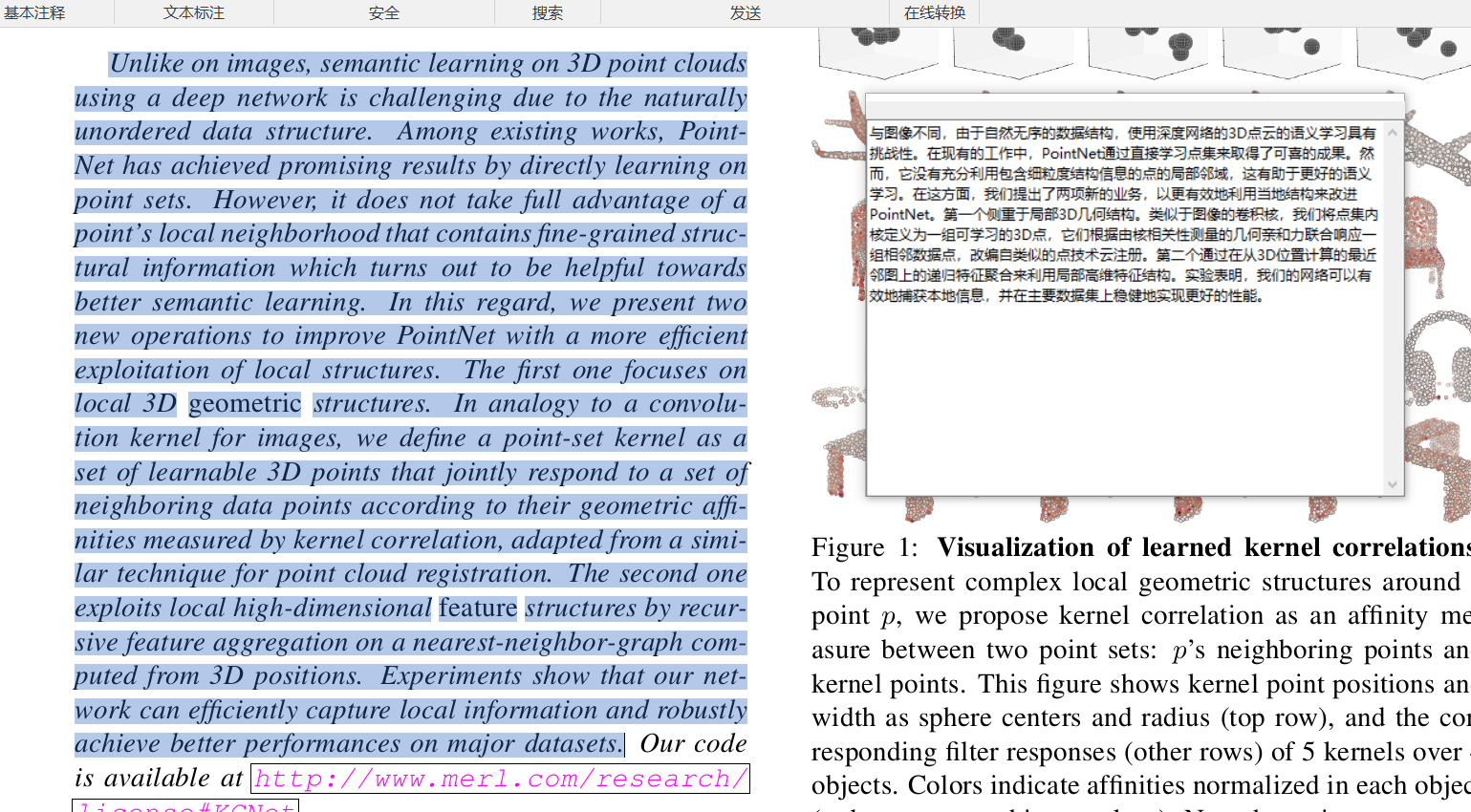
**Open a webpage/PDF, select the text to be translated, copy the text to the clipboard, `CopyTranslator` will listens to the clipboard change, and process the clipboard content (such as removing extra line breaks, etc.), translate it, and display**. Just copy the text,`CopyTranslator` will immediately give the translation result, effectively improving your work efficiency.**
## Features
### Copy=Translate
**Greatly simplify the steps required for translation**, just copy the text to the clipboard, and wait to view the translation results in the next second, enjoy the WYSIWYG pleasure, and we also have the [Tap to Copy](#tap-to-copyexperimental) mechanism , making it easier for you to copy text.
### Solve the problem of PDF copy translation
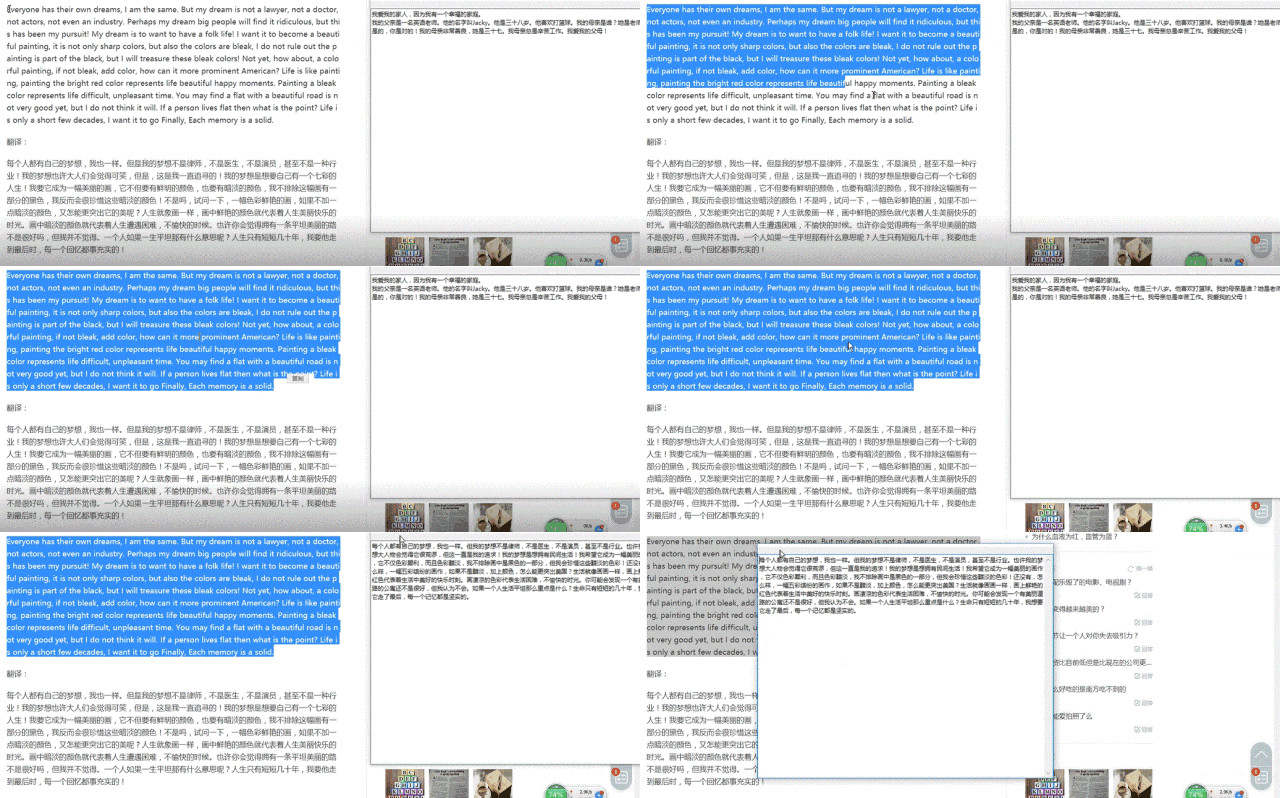
`CopyTranslator` is specifically optimized for English and Chinese pdf line breaks and sentence endings, basically solving the problem caused by extra sentence breaks and line breaks. The following figure shows the translation results using `CopyTranslator`. It's obvious that the translation effect is greatly improved compared to directly copy and paste to the online translator. At the same time, with the powerful google translation API, the translation quality is guaranteed, and the translation.google.cn used is also faster to connect, no need to worry about network problems.
### Multi segments Co-translation
More efficient, while keeping the original segment as much as possible.

### Powerful Focus Mode
Unparalleled powerful focus mode, while it's just a simple text box, it can meet the needs of 90% of daily translation!
- **The translation is displayed in the `Focus mode` and `Contrast Mode` at the same time**.
- **The result of [Smart Dictionary](#Smart-Dictionary) is only displayed in `Focus Mode`, colorful text helps you quickly distinguish between items**.
- **When the cursor is in the focus mode result box, `Ctrl+Enter` to translate the contents of the box, `Ctrl+B` to use Baidu to search the contents of the box, and `Ctrl+G` to use Google to search the contents of the box**.
- **The right-click menu of `Focus mode` can be used to set up almost all options as well as all the function**.
### Smart Translation
`CopyTranslator` will automatically recognize the copied text, **intelligently translate according to the set `source language` and `target language`**, for example, set `source language` to English,and the ` target language` to be Simplified Chinese. If you copy English, it will be translated into Chinese, and if you copy Chinese, it will be translated into English.
### Smart Dictionary
For phrase or word, you will see a more detailed explanations.

### Incremental Copy
Append the copied text to the source other than replace it, **especially useful when the paragraph is separated in different page.** Check the `Incremental Copy ` option to enable it.
### Dual Mode Free Switching to Cope with Different Scenes
- The `Contrast Mode` is in accordance with the user's previous usage habits, and the original text is displayed against the translation.
- `Focus mode` only provides a translation window for you to follow the translation. When using the focus mode, please check the `Stay on top` and `Listen Clipboard`. Check the `Auto copy` if necessary,
### Customization
- Interface style, font, background and other styles can be easily customized.
- Customizible Global Hotkey
- Vast interface language to choose from and you are able to create or download locale language files.
### Other features
- Support for rich languages, `CopyTranslator` support whatever Google translation supports.
- Many automated customization options are available, such as `Auto Copy`, `Config Memorization`, `Auto Hide`, `Auto Display`.
- There will be more new features in`CopyTranslator` , so stay tuned.
Please refer to the [Documentation](https://copytranslator.github.io) to learn more about `CopyTranslator`
## User Manual/Documentation/Homepage
Link: [User Manual](https://copytranslator.github.io/guide/)
## Download/Install
Link: [Install Guide](https://copytranslator.github.io/download/)
**After several iterations, `CopyTranslator` has became more and more powerful as well as user-friendly. It is recommended to read the full [User Manual](https://copytranslator.github.io/guide/) to make best use of it**.
## Reprint statement
This software is free open source software, the developer is [Elliott Zheng](https://github.com/elliottzheng), STAR and PR are welcomed. **Please attach the project address when forwarding, and the reprinting `CopyTranslator` without project homepage/software official website is infringement.**
## Related Links
- [Software official website](https://copytranslator.github.io/)
- [Project homepage on Github ](https://github.com/copytranslator/CopyTranslator)
- [Project homepage on Gitee](https://gitee.com/ylzheng/CopyTranslator)
- [Official Email](mailto:copytranslator@hypercube.top)
## Acknowledgements
`CopyTranslator`'s rebirth depends on the contributions of many devoted people. As the limited space, there is a detailed list here: [Acknowledgements](https://copytranslator.github.io/about/acknowledge.html).
## License
The code is licensed under GNU GENERAL PUBLIC LICENSE 2.0. For more details, read the [LICENSE](./LICENSE) file.
## Contributors
Thanks goes to these wonderful people ([emoji key](https://allcontributors.org/docs/en/emoji-key)):
<!-- ALL-CONTRIBUTORS-LIST:START - Do not remove or modify this section -->
<!-- prettier-ignore-start -->
<!-- markdownlint-disable -->
<table>
<tr>
<td align="center"><a href="https://about.me/s8321414"><img src="https://avatars2.githubusercontent.com/u/9457283?v=4" width="100px;" alt=""/><br /><sub><b>Jeff Huang</b></sub></a><br /><a href="#translation-s8321414" title="Translation">🌍</a></td>
<td align="center"><a href="http://mzemlickis.lv"><img src="https://avatars0.githubusercontent.com/u/4556944?v=4" width="100px;" alt=""/><br /><sub><b>Mārtiņš Zemlickis</b></sub></a><br /><a href="#design-mzemlickis" title="Design">🎨</a></td>
<td align="center"><a href="https://github.com/Sandural"><img src="https://avatars3.githubusercontent.com/u/16163090?v=4" width="100px;" alt=""/><br /><sub><b>黎紫珊</b></sub></a><br /><a href="#platform-Sandural" title="Packaging/porting to new platform">📦</a></td>
<td align="center"><a href="https://ziqiangxu.github.io/blog/"><img src="https://avatars2.githubusercontent.com/u/18530271?v=4" width="100px;" alt=""/><br /><sub><b>Daryl.Xu</b></sub></a><br /><a href="#platform-ziqiangxu" title="Packaging/porting to new platform">📦</a></td>
<td align="center"><a href="https://segmentfault.com/u/xinruzhishui_zen"><img src="https://avatars1.githubusercontent.com/u/38101170?v=4" width="100px;" alt=""/><br /><sub><b>Andy AO</b></sub></a><br /><a href="https://github.com/CopyTranslator/CopyTranslator/commits?author=Andy-AO" title="Code">💻</a></td>
<td align="center"><a href="https://github.com/dEN5-tech"><img src="https://avatars0.githubusercontent.com/u/54153548?v=4" width="100px;" alt=""/><br /><sub><b>dEN5</b></sub></a><br /><a href="#translation-dEN5-tech" title="Translation">🌍</a></td>
</tr>
</table>
<!-- markdownlint-enable -->
<!-- prettier-ignore-end -->
<!-- ALL-CONTRIBUTORS-LIST:END -->
This project follows the [all-contributors](https://github.com/all-contributors/all-contributors) specification. Contributions of any kind welcome!
================================================
FILE: README_zh.md
================================================

[英语/English](README.md)
[](https://github.com/OpenTranslate)
[](https://github.com/copytranslator/copytranslator/stargazers)
[](https://github.com/copytranslator/copytranslator/releases)
[](https://gitter.im/CopyTranslator/Lobby?utm_source=share-link&utm_medium=link&utm_campaign=share-link)
[](https://github.com/copytranslator/copytranslator/wiki/Downloads-%E4%B8%8B%E8%BD%BD%E4%B8%8E%E5%AE%89%E8%A3%85)

[](./LICENSE)
## 🎉 最新更新
### v12 知微 - 大模型 AI 翻译时代
v12 版本重磅推出**大模型 AI 翻译**功能!CopyTranslator 现在可以接入各种符合 OpenAI 格式 API 的翻译服务,带来更智能、更准确的翻译体验。
**核心亮点:**
- 🤖 **大模型 AI 翻译**:支持 OpenAI、DeepSeek、Moonshot、智谱 AI、阿里云百炼、Ollama 等多种 AI 翻译服务
- ⚡ **阶跃星辰免费翻译**:与 StepFun 合作,内置限时免费的 [`step-3.5-flash`](https://static.stepfun.com/blog/step-3.5-flash/) 模型,开箱即用
- 🔧 **可视化供应商管理**:通过设置界面轻松管理 AI 翻译供应商和模型
- 🎯 **智能模型选择**:支持从 API 获取可用模型列表,自由选择启用
> 详细更新内容请查看 [v12 版本更新日志](https://copytranslator.github.io/changelogs/v12.html)
**复制即翻译的外文辅助阅读翻译解决方案**
**请尽快更新到[](https://github.com/copytranslator/copytranslator/releases),这是你没有体验过的全新版本,只需3分钟,你就会跟我一样,爱上这个软件。**
**如果您觉得软件对您有所帮助,不用follow,不用fork,点一下右上角的star并推荐给周围的朋友就是对我极大的支持。**
(在线翻译资源来自互联网,版权属于相关网站,软件仅供交流使用,严禁商用)
**本软件免费开源,如果您发现有人在网上售卖此软件,请帮忙举报下**
<div align="center">:heart: 喜欢这个项目? 可以在<a href="https://afdian.com/a/elliottzheng/plan" target="_blank">爱发电</a>请作者喝杯咖啡</div>
## 简介
### 前言
科研人员总少不了阅读大量文献,理解文献内容就成了科研生活常态,而我们平时复制PDF内容黏贴到网页翻译的时候可能会出现多余换行而导致翻译乱码,译文与中文阅读习惯不符的情况,翻译结果很差,需要手动删除换行,而`CopyTranslator`可以帮我们快速且完美地解决这个问题。
只需打开`CopyTranslator`,直接复制PDF文本,`CopyTranslator`监听到剪贴板变化,会将剪贴板内容进行处理(如去除多余换行等),并显示翻译结果,翻译效果相比于直接复制黏贴到网页版翻译有了巨大的改善,同时翻译所需时间也大大减少,借助于强大的在线翻译API,翻译质量有保证。另外还有丰富的选项可以设置,如自动复制翻译结果到剪贴板,[增量复制](#增量复制),[智能互译](#智能互译)等等,有效提高人们阅读及翻译外文文献的效率。
`CopyTranslator`经过多次迭代,功能越来越丰富,越来越人性化,**建议阅读完整[使用指南](https://copytranslator.github.io/guide/),最大限度发挥其功能。**
### 核心用法
**打开网页/PDF,选中要翻译的段落文字,按Ctrl+C/右键复制文本,CopyTranslator监听到剪贴板变化,会将剪贴板内容进行处理(如去除多余换行等),翻译,并显示**。只要这边鼠标一复制,不用粘贴,`CopyTranslator`立刻给出翻译结果,有效提高工作效率。

## 特性
### 复制即翻译
**大大简化翻译所需步骤**,只需复制文本到剪贴板,下一秒即可查看翻译结果,让你享受所见即所得的快感,更有[点按复制](#点按复制)机制,让你复制文本更轻松。
### 解决PDF复制翻译换行问题
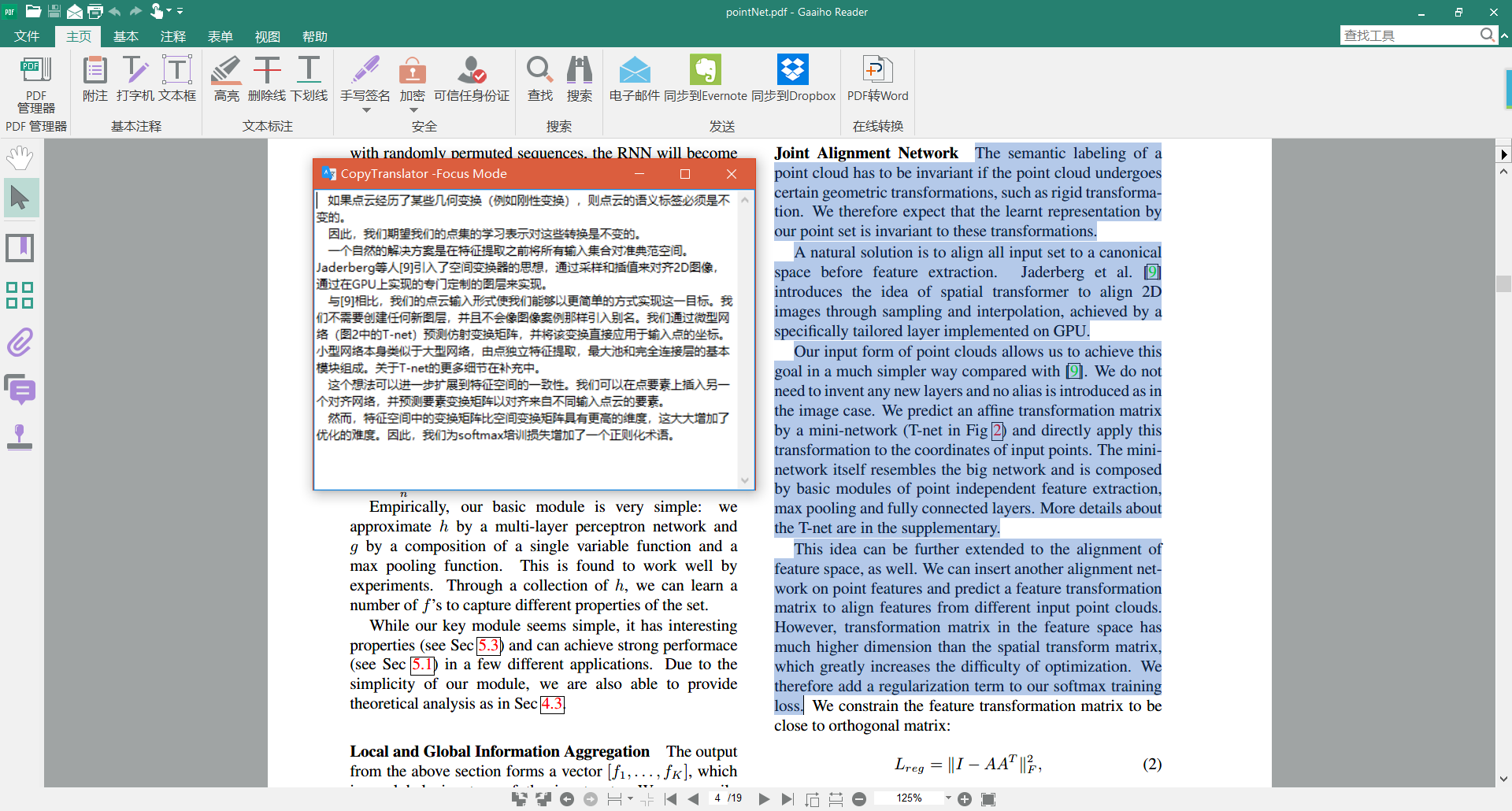
**`CopyTranslator`专门针对英文及中文pdf的换行和句尾做了优化,基本解决断句和换行的问题。** 以下为使用`CopyTranslator`直接复制翻译后的结果,可以看出翻译效果相比于直接复制黏贴到网页有了巨大的改善。同时,借助于常用的在线翻译API,翻译质量有保证,连接速度也较快,无需担心网络问题。

### 多段同时翻译
效率更高,同时尽可能保持原有分段。
### 强大的专注模式
无比强大的专注模式,一个简单的文本框,能够满足日常翻译90%的需求!
- **译文同步显示在`专注模式`和`对照模式`当中。**
- **当光标位于专注模式结果框中时,`Ctrl+Enter`可以翻译框内内容,`Ctrl+B`实现百度搜索框内内容,`Ctrl+G`实现Google搜索框内内容**。
### 智能互译
`CopyTranslator`会自动识别所复制的文字,**根据所设置的**`源语言`和`目标语言`**进行自动智能互译**,举个例子,设置`源语言`为英语,`目标语言`为简体中文,这时如果您复制的是英语,会翻译为中文,复制中文则会翻译为英文。
### 智能词典
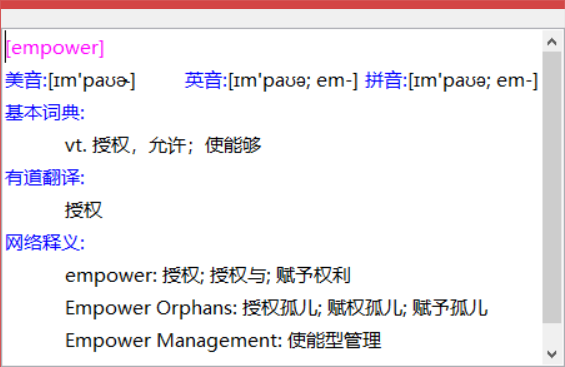
对于少于三个词的英语短语或单词,您将能够看到更详细的解释
### 增量复制
将复制的文本附加到原文而不是替换它,**当段落被页面中分隔时尤其有用**。勾选`增量复制`选项以启用它。
### 多种布局自由切换,应对不同场景
- `对照模式`符合用户以前的的使用习惯,原文与译文对照显示。
- `专注模式`只提供译文窗口,便于您关注译文。使用专注模式时注意勾选`始终置顶`及`监听剪贴板`,必要时应勾选`自动复制`。
### 可玩性超强的自定义
- 支持**自定义全局热键**及方便的快捷键操作
- 国际化,提供多种界面语言供选择,**并支持自行创建或下载区域语言文件。**
### 其他特性
- 支持语言丰富,多个翻译引擎供你选择。
- 跨平台,当前支持Mac及Window。
- 更多自动化的自定义选项可供选择,如`自动复制`,`设置记忆`,`贴边隐藏`,`自动显示`
- 配合外部脚本实现类似`OneNote`的停靠桌面功能
- `CopyTranslator`还将继续加入更多新特性,敬请期待。
请查阅[软件文档](https://copytranslator.github.io)了解更多
## 使用指南/文档/官网
传送门:[使用指南](https://copytranslator.github.io/guide/)
## 下载/安装
传送门:[安装指南](https://copytranslator.github.io/download/)
`CopyTranslator`经过多次迭代,功能越来越丰富,越来越人性化,请一定阅读完整[使用指南](https://copytranslator.github.io/guide/),才能最大限度发挥其功能。
## 转载声明
本软件为免费的开源软件,开发者为[Elliott Zheng](https://github.com/elliottzheng),欢迎STAR,PR。**转发时请一定附上项目地址,未附上项目地址/软件官网的转载行为均构成侵权**。
## 相关链接
- [软件官网](https://copytranslator.github.io/)
- [Github项目主页](https://github.com/copytranslator/CopyTranslator)
- [码云项目主页](https://gitee.com/ylzheng/CopyTranslator)
- [官方邮箱](mailto:copytranslator@hypercube.top)
## 致谢
`CopyTranslator`的重生离不开大家的无私贡献,感激不尽。篇幅所限,在这里详细列出 [致谢](https://copytranslator.github.io/about/acknowledge.html#%E7%95%8C%E9%9D%A2%E4%B8%8E%E4%BA%A4%E4%BA%92%E8%AE%BE%E8%AE%A1)。
## 支持CopyTranslator
### 分享
点下star,并分享给您的朋友,社交网络就是对CopyTranslator的极大支持。
### 赞助
CopyTranslator是采用 GPL v2 协议许可的开源项目,使用完全免费。
但是它的维护也是需要较大的精力的,这些工作目前主要由作者一人花费大量私人时间与精力完成😫。
如果你希望支持这个项目长久持续开发下去并不断加入新功能,可以选择打赏❤️让我买杯咖啡☕恢复元气,更好地投入到开发当中。
感谢所有支持CopyTranslator的小伙伴们。
<h4 style="text-align:center;">通过微信或支付宝扫码打赏</h4>
<div style="text-align:center;">
<div style="display:inline-block;">
<img width="300" src="images/wechat.jpg" alt="微信赞赏">
<p style="text-align:center;">微信赞赏</p>
</div>
<div style="display:inline-block;">
<img width="300" src="images/alipay.jpg" alt="支付宝">
<p style="text-align:center;">支付宝</p>
</div>
</div>
## 开源协议
代码采用GNU GENERAL PUBLIC LICENSE 2.0协议授权。请查阅[LICENSE](./LICENSE) 文件,获取更多信息。
================================================
FILE: babel.config.js
================================================
module.exports = {
presets: ["@vue/cli-plugin-babel/preset"],
};
================================================
FILE: clean.js
================================================
const path = require("path");
const fs = require("fs");
const ignores = [];
function walk(dir) {
var results = [];
var list = fs.readdirSync(dir);
list.forEach(function (file) {
file = path.join(dir, file);
var stat = fs.statSync(file);
if (stat && stat.isDirectory()) {
results = results.concat(walk(file));
} else {
// 过滤后缀名(可按你需求进行新增)
if (
path.extname(file) === ".js" &&
!ignores.includes(path.basename(file))
) {
results.push(path.resolve(__dirname, file));
}
}
});
return results;
}
walk(path.join(__dirname, "src")).forEach((file) => fs.unlinkSync(file));
================================================
FILE: dist_locales/en.json
================================================
{
"localeName": "English",
"stayTop": "Stay on top",
"listenClipboard": "Listen Clipboard",
"autoCopy": "Auto Copy",
"autoPaste": "Auto Paste",
"autoPurify": "Auto Purify",
"incrementalCopy": "Incremental Copy",
"smartDict": "Smart Dictionary",
"contrastDict": "Contrast Dict",
"translate": "Translate",
"copySource": "Copy Source",
"copyResult": "Copy Result",
"pasteResult": "Paste Result",
"source": "Source",
"result": "Result",
"sourceLanguage": "Source Language",
"targetLanguage": "Target Language",
"clear": "Clear",
"helpAndUpdate": "Help And Update",
"exit": "Exit",
"contrast": "Contrast Mode",
"focus": "Focus Mode",
"autoHide": "Auto Hide",
"autoFormat": "Auto Format",
"autoShow": "Auto Show",
"settings": "Settings",
"viewSource": "View Source",
"localeSetting": "Locale",
"return": "Return",
"retryTranslate": "Retry Translate",
"dragCopy": "Drag Copy",
"hideDirect": "Hide Direction",
"translatorType": "Translator Type",
"dictionaryType": "Dictionary Type",
"evaluate": "Evaluate",
"homepage": "Homepage",
"neverShow": "Never Show",
"neverShowTips": "Never Show Tips",
"userManual": "User Manual",
"checkUpdate": "Check Update",
"toDownload": "To Download",
"changelog": "Changelog",
"cancel": "Cancel",
"ok": "OK",
"restoreDefault": "Restore default settings",
"restoreMultiDefault": "Restore these settings to default",
"networkProxy": "Network Proxy",
"enableProxy": "Enable Proxy",
"enableNetworkProxy": "Enable Network Proxy",
"proxyHost": "Host",
"proxyPort": "Port",
"proxyProtocol": "Protocol",
"proxyUsername": "Username",
"proxyPassword": "Password",
"networkProxyPrompt": "Configure HTTP/SOCKS5 proxy",
"enumerateLayouts": "Enumerate Layouts",
"enableNotify": "Enable Notify",
"smartTranslate": "Smart Translate",
"capture": "Screenshot Translate",
"apiConfig": "API",
"undo": "undo",
"redo": "redo",
"cut": "cut",
"copy": "copy",
"paste": "paste",
"pasteAndMatchStyle": "pasteAndMatchStyle",
"selectAll": "selectAll",
"delete": "Delete",
"minimize": "minimize",
"close": "close",
"quit": "quit",
"reload": "reload",
"forceReload": "forcereload",
"toggleDevTools": "toggledevtools",
"togglefullscreen": "toggleFullScreen",
"resetZoom": "resetzoom",
"zoomIn": "zoomin",
"zoomOut": "zoomout",
"editMenu": "editMenu",
"windowMenu": "windowMenu",
"switches": "Switches",
"options": "Options",
"skipTaskbar": "Skip Taskbar",
"closeAsQuit": "Close As Quit",
"layoutType": "Layout",
"autoCheckUpdate": "Auto Check Update",
"contentPadding": "Content Padding",
"contentLineHeight": "Content Line Height",
"showConfigFolder": "Show Config Folder",
"editConfigFile": "Edit Config File",
"colorMode": "Color Mode",
"drawer": "Drawer",
"translatorConfig": "Translator",
"translatorManagement": "Translator Management",
"enableLabel": "Enable",
"translatorNameLabel": "Name",
"enableAll": "Enable All",
"disableAll": "Disable All",
"cacheAll": "Cache All",
"noCacheAll": "No Cache All",
"enabledCount": "Enabled",
"cachedCount": "Cached",
"cacheLabel": "Cache (faster switching)",
"cacheShortLabel": "Cache",
"baidu": "Baidu Translate",
"google": "Google Translate",
"caiyun": "Caiyun Translator",
"keyan": "Keyan Translate",
"baidu-domain": "Baidu Translate (Domain)",
"youdao": "Youdao Translate",
"sogou": "Sogou Translate",
"stepfun": "StepFun Translate",
"niu": "Niu Translate",
"aliyun": "Aliyun Translate",
"azure": "Azure Translate",
"deepl": "DeepL Translate",
"tencent": "Tencent Translate",
"yandex": "Yandex Translate",
"volc": "Volcengine Translate",
"bing": "Bing Dictionary",
"translatorManagerTips": "Tips:\n1) Configure keys first; unconfigured translators cannot be enabled.\n2) Enable All only enables configured translators.\n3) Cache prefetches and reuses results to speed up switching, but uses more resources.",
"selectTranslators": "Select translators to enable",
"selectCacheEngines": "Select engines for caching",
"selectCompareEngines": "Select engines for comparison",
"selectDoubleEngines": "Select engines for double-click",
"selectFallbackTranslator": "Select fallback translator",
"fallbackTranslatorTip": "Choose a stable, fully configured translator as fallback.",
"translatorUsage": "Translator Usage Scenarios",
"noEnabledTranslators": "Please enable translators first",
"configuration": "Configuration",
"saveConfig": "Save Config",
"configSaveSuccess": "Saved and validated",
"configSaveInvalid": "Validation failed, please check required fields",
"openAtLogin": "Open at login",
"doubleClickCopy": "Double Click Copy",
"toastTip": "Toast tip",
"multiSource": "Multi-source",
"enableDoubleCopyTranslate": "Double Ctrl+C Translate",
"pasteDelay": "Auto paste dalay",
"horizontal": "Horizontal",
"vertical": "Vertical",
"basic": "Basic",
"advance": "Advance",
"translateInput": "Translate",
"openReference": "Configuration Guide",
"aiTranslatorDescription": "These translators are based on artificial intelligence (Large Language Models) and can understand context to provide more natural translations. All providers added here require you to configure your own API key.",
"stepfunCustomNote": "Requires your own API key",
"stepfunConfigNote": "Stepfun requires no configuration; the flagship model step-3.5-flash is free for a limited time",
"baiduConfigNote": "Baidu can be enabled even with empty credentials",
"caiyunConfigNote": "Caiyun can be enabled even with empty credentials",
"keyanConfigNote": "Keyan works without configuration",
"googleMirror": "google Mirror URL",
"googleSource": "google translation provider",
"fallbackTranslator": "Fallback Translator",
"fallbackPrompt1": "engine does not support this language, this result is provided by the fallback engine",
"fallbackPrompt2": "(can be changed in settings)",
"about": "About",
"appearance": "Appearance",
"other": "Other",
"textAdjustPrompt": "In any mode, the font size can be adjusted by pressing Ctrl with the scroll wheel (or plus or minus sign). ",
"copyButton": "Click to copy translation and right-click to copy the original text",
"closeButton": "Click to minimize and right-click to exit the program",
"engineButton": "Click to select another engine, right-click to switch to the listening clipboard",
"layoutButton": "Click to switch to different interface layouts, right-click to copy incrementally",
"<tooltip>autoCopy": "Automatically copy the translation results to the clipboard after translation",
"<tooltip>listenClipboard": "Listen and translate clipboard content",
"<tooltip>doubleClickCopy": "Double-click to copy the selected content",
"<tooltip>incrementalCopy": "append the newly copied content to the previous original text",
"<tooltip>stayTop": "The interface is always kept at the top",
"<tooltip>contrastDict": "Display dictionary in non-focused mode",
"<tooltip>smartTranslate": "Smart Translate",
"<tooltip>autoPaste": "Simulate Ctrl+V paste after translation",
"<tooltip>autoHide": "Automatically hide when close to the edge of the screen",
"<tooltip>autoShow": "Automatic display after translation",
"<tooltip>autoFormat": "Remove the formatting problem of the clipboard text (will overwrite the clipboard content)",
"<tooltip>autoPurify": "Process the format of the clipboard when translating",
"<tooltip>skipTaskbar": "Hide status bar",
"<tooltip>neverShow": "Never show warning",
"<tooltip>closeAsQuit": "Close the window to exit completely instead of minimizing to the tray",
"<tooltip>autoCheckUpdate": "Automatically check for updates at startup",
"<tooltip>multiSource": "Display and compare the translation results of multiple engines at the same time",
"<tooltip>enableDoubleCopyTranslate": "Double-click Ctrl+C to trigger translation, which can be used when the clipboard is closed",
"<tooltip>fallbackTranslator": "fallback translation engine, enabled when the current engine does not support this language",
"<tooltip>colorMode": "Bright or dark mode, automatically follow the system",
"<tooltip>localeSetting": "The language displayed on the interface, the default is the automatic detection system language",
"<tooltip>contentLineHeight": "Set line height for source/result areas",
"<tooltip>contentPadding": "Set padding for source/result areas",
"<tooltip>translator-enabled": "All enabled engines, you can turn off some infrequently used engines to save resources",
"<tooltip>translator-cache": "All translation engines that will automatically query and cache results to speed up switching",
"<tooltip>translator-compare": "Engine used for multi-source comparison",
"<tooltip>translator-double": "The engine that needs to be called manually should be useless at present",
"<tooltip>enableAll": "Enable all configured translators",
"<tooltip>disableAll": "Disable all translators and clear cache",
"<tooltip>cacheAll": "Enable cache for all enabled translators",
"<tooltip>noCacheAll": "Clear all cache settings",
"<tooltip>restoreMultiDefault": "Restore translator-related settings to default",
"<tooltip>translatorConfigButton": "Open settings for this translator",
"<tooltip>googleMirror": "Google Translate API mirror URL, if left blank, it will restore to Google official API URL",
"<tooltip>googleSource": "Google should be the fastest, others may be slower, but if you can't use google, you can try other",
"<tooltip>baidu": "Baidu Translate",
"<tooltip>google": "Google Translate",
"<tooltip>simply": "SimplyTranslate - Free and open-source translation aggregator",
"<tooltip>keyan": "Keyan translation engine, CopyTranslator has a partnership with Keyan, no API key is required by default, you can customize it if you want",
"<tooltip>lingva": "Lingva Translate - Privacy-friendly alternative to Google Translate",
"<tooltip>youdao": "Youdao Translate",
"<tooltip>sogou": "Sogou Translate",
"<tooltip>caiyun": "Caiyun Translator",
"<tooltip>baidu-domain": "Baidu Translate (Domain-specific)",
"<tooltip>openai": "OpenAI GPT Translation",
"<tooltip>stepfun": "Stepfun translation engine, CopyTranslator has a partnership with Stepfun, no API key is required by default, you can customize it if you want",
"<tooltip>bing": "Bing Translate",
"<tooltip>deepl": "DeepL Translate",
"<tooltip>tencent": "Tencent Translate",
"<tooltip>tencentsmart": "Tencent Interactive Translate (Transmart)",
"<tooltip>aliyun": "Aliyun Translate",
"<tooltip>azure": "Azure Translate",
"<tooltip>yandex": "Yandex Translate",
"<tooltip>volc": "Volcengine Translate",
"keyanSlogan": "From Keyan Translation - Free One-click Full-text Translation>>>",
"stepfunSlogan": "Stepfun|Step-3.5-Flash Flagship Model Free Translation >>>",
"stepfunShortSlogan": "Flagship model free trial >>>",
"primaryColor": "Choose Primary Color",
"fontColor": "Choose Font Color",
"backgroundColor": "Choose Background Color",
"<tooltip>primaryColor": "You can choose any color at will. The software will update in real time, and you can see the effect directly",
"googlePrompt": "Google Source Configuration:\n1. lingva & simply: Ready to use, no extra config needed.\n2. google: Official source, requires network proxy (Settings -> Network Proxy) and empty Google Mirror.",
"contentFontFamily": "Content Font-Family",
"interfaceFontFamily": "Interface Font-Family",
"<tooltip>contentFontFamily": "You can set multiple fonts. Search font family to know how to set",
"<tooltip>interfaceFontFamily": "You can set multiple fonts. Search font family to know how to set",
"multiSourceButton": "Multi source comparison, you can set which to compare",
"<tooltip>welcome": "If you found it useful, please give me a star on GitHub or introduce to your friend.",
"actionButtons": "Action Button",
"addNewActionButton": "Add New ActionButton",
"chooseIconPrompt": "Click here to get the optional icon field",
"hideWindow": "Hide Window",
"closeWindow": "Close Window",
"showWindow": "Show Window",
"translateClipboard": "Translate Clipboard",
"incrementCounter": "Incremental Copy Once",
"penerate": "mouse penerate",
"transparency": "UI transparency",
"titlebarHeight": "Titlebar Height",
"<tooltip>penerate": "Allows you to operate other programs through windows",
"<tooltip>transparency": "transparency of the window",
"configSnapshot": "Switch Config Snapshot",
"newConfigSnapshot": "New ConfigSnapshot",
"delConfigSnapshot": "Delete ConfigSnapshot",
"<tooltip>translateInput": "You can translate by pressing Ctrl+Enter in the original text box. You don't need to click this",
"translator-compare": "Multi source comparison engines",
"translator-cache": "Cached engines",
"focusSource": "Focus Source",
"<tooltip>focusSource": "Show Source in Focus Mode",
"left_click": "Click to",
"right_click": "Right Click to",
"snapshotPrompt": "Please Input Snapshot Name",
"snapshotValidate": "Must not be empty or contain character '|'",
"gotoSetting": "Goto Setting",
"snapshotManage": "Snapshot Manage",
"<tip>snapshot": "Using the snapshot mechanism, you can quickly switch between different application scenarios. You only need to take a snapshot after setting it up, and switch to that snapshot next time. You can use the right-click menu to manage snapshots almost anywhere in the settings window, and the right-click menu in most places in the main window has related options",
"<tip>focusSource": "You can also choose to display the original text in the focus mode, but it is not a fixed ratio. You can turn on `focus mode original text` in Settings->Switch",
"<tip>splitRatio": "You can adjust the ratio of the original text to the target text in the comparison mode by dragging the dividing line.",
"<tip>engineRight": "Right click the engine button to mark the next copy as incremental copy",
"<tip>multiSourceEngines": "Multi-source comparison engines can be quickly set through the right-click menu of the result box",
"<tip>font": "(Settings->Appearance) interface font, and text font can be set",
"<tip>themeColor": "(Settings->Appearance) The color you set in the bright mode will only be applied in the bright mode, and the same is true for the night mode.",
"<tip>transparency": "(Settings->Appearance) you can adjust the transparency of the interface",
"<tip>penerate": "(Settings -> Appearance) mouse penetration: After selecting, there will be an additional button for dragging. Except for specific action buttons, copytranslator will no longer respond to mouse events, that is, you can operate through the interface of copytranslator to The following program. It is generally used in conjunction with transparency adjustment.",
"<tip>titlebarHeight": "(Settings -> Appearance) You can adjust the height of the title bar and make the title bar smaller when needed",
"<tip>engineCache": "The compound translation engine currently does not have accelerated caching by default, but you can set it yourself.",
"<tip>v12Stepfun": "Stepfun step-3.5-flash is free for a limited time and can be selected directly in the translator list.",
"<tip>v12AiProviders": "Add AI providers in Settings -> API (OpenAI/DeepSeek/OpenRouter/NVIDIA NIM, etc.).",
"<tip>v12TranslatorManager": "Translator management uses a table layout and supports grouping with drag-and-drop sorting.",
"<tip>v12ContentStyle": "Adjust content padding and line height in Settings -> Appearance.",
"<tip>v12Ocr": "Settings -> OCR provides an OCR toggle and configuration (Baidu OCR/PP-OCR).",
"<tip>v12Proxy": "Settings -> Network Proxy supports HTTP/SOCKS5.",
"<tip>v12Portable": "Use portable mode by placing a copytranslator folder next to the executable.",
"actionSortPrompt": "You can sort these buttons by dragging and dropping",
"listenClipboardGlobal": "Listen Clipboard Global",
"listenClipboardWhiteList": "Listen Clipboard White List",
"listenClipboardBlackList": "Listen Clipboard Black List",
"listenClipboardMode": "Listen Clipboard Mode",
"listenClipboardTip": "Only listen Clipboard in the following programs",
"listenClipboardPrompt": "You can set the listening mode of the clipboard in the settings",
"listenClipboardConfig": "Listen Clipboard",
"dragCopyConfig": "DragCopy",
"dragCopyMode": "DragCopy Mode",
"dragCopyGlobal": "Global DragCopy",
"dragCopyWhiteList": "DragCopy WhiteList",
"dragCopyBlackList": "DragCopy BlackList",
"dragCopyPrompt": "If the program you want is not listed here, please try dragging and dropping on that program and try again",
"<tooltip>dragCopy": "Drag and drop to copy the selected content",
"<tooltip>dragCopyMode": "It is recommended to use the whitelist mode, and only respond to drag and drop copying in specific applications",
"dragCopyWarning": "It is strongly recommended that you enable the white list mode of drag replication (Settings ->DragCopy), so that drag replication will be triggered in specific programs. Ctrl + C is simulated when the drag copy is triggered. In most scenes, this means safe text copying, but in some scenes it may cause some unexpected problems, such as clipboard data being overwritten. Triggering Ctrl + C in the shell will interrupt the running program and so on. When you enable it, please be aware that after you enable the drag and drop option, you will be responsible for any possible losses.",
"dragCopyTip": "After the drag copy option is turned on, just press and hold the mouse and drag the selected text to copy the text.\nIt is strongly recommended that you enable the white list mode of drag replication (Settings ->DragCopy), so that drag replication will be triggered in specific programs.",
"cacheGroup": "Cache Group",
"cacheGroupDesc": "Configure cached translators and their order",
"compareGroup": "Compare Group",
"compareGroupDesc": "Configure comparison translators and their order",
"doubleGroup": "Double-click Group",
"doubleGroupDesc": "Configure double-click translators and their order",
"customTranslators": "AI Translation Providers",
"addTranslator": "Add Translator",
"editTranslator": "Edit Translator",
"addAIProvider": "Add AI Provider",
"editAIProvider": "Edit AI Provider",
"translatorId": "Translator ID",
"translatorName": "Translator Name",
"apiBase": "API Base URL",
"apiKey": "API Key",
"model": "Model",
"advancedConfig": "Advanced Configuration",
"temperature": "Temperature",
"maxTokens": "Max Tokens",
"customPrompt": "Custom Prompt",
"promptPlaceholder": "Enter custom prompt, leave blank for default",
"testTranslator": "Test Translator",
"testText": "Test Text",
"testResult": "Test Result",
"confirmDelete": "Confirm Delete",
"selectProvider": "Quick Select Provider",
"providerOpenAI": "OpenAI",
"providerAzure": "Azure OpenAI",
"providerDeepSeek": "DeepSeek",
"providerMoonshot": "Moonshot",
"providerZhipu": "Zhipu AI",
"providerDashScope": "Alibaba DashScope",
"providerCustom": "Custom",
"idRequired": "Required",
"idExists": "ID already exists",
"temperatureDesc0": "Very deterministic (suitable for translation)",
"temperatureDesc1": "More deterministic (recommended)",
"temperatureDesc2": "Balanced",
"temperatureDesc3": "More creative",
"noCustomTranslators": "No AI providers yet",
"providers": "AI Translation Providers",
"addProvider": "Add AI Provider",
"editProvider": "Edit AI Provider",
"providerName": "Provider Name",
"selectProviderTemplate": "Select AI provider type",
"noProviders": "No AI providers yet",
"modelsEnabled": "models enabled",
"selectModels": "Select models to enable",
"refreshModels": "Refresh Models",
"noModelsHint": "Click refresh button to fetch available models",
"noModelsEnabled": "Please enable at least one model",
"apiConfigRequired": "Please configure API Base and API Key first",
"usingRecommendedModels": "API didn't return models, using recommended models",
"testProvider": "Test AI Provider",
"selectModel": "Select Model",
"required": "Required",
"edit": "Edit",
"test": "Test"
}
================================================
FILE: dist_locales/ru.json
================================================
{
"localeName": "Русский",
"aiTranslatorDescription": "Эти переводчики основаны на искусственном интеллекте (больших языковых моделях) и могут понимать контекст для提供更自然的翻译。Все поставщики, добавляемые здесь, требуют самостоятельной настройки API ключа.",
"stepfunCustomNote": "Требуется собственный API ключ",
"stepfunConfigNote": "Stepfun не требует настройки; флагманская модель step-3.5-flash бесплатна в течение ограниченного времени",
"stayTop": "Поверх окон",
"listenClipboard": "Прослушивать буфер обмена",
"autoCopy": "Копировать автоматически",
"autoPaste": "Вставлять автоматически",
"autoPurify": "Очищать автоматически",
"incrementalCopy": "Копировать пошагово",
"smartDict": "Толковый словарь",
"contrastDict": "Контрастный словарь",
"translate": "Перевод",
"copySource": "Копировать исходный",
"copyResult": "Копировать результат",
"pasteResult": "Вставить результат",
"source": "Исходный",
"result": "Результат",
"sourceLanguage": "Исходный язык",
"targetLanguage": "Язык перевода",
"clear": "Очистить",
"helpAndUpdate": "Помощь и обновление",
"exit": "Выход",
"contrast": "Контрастный режим",
"focus": "Режим фокусировки",
"autoHide": "Скрывать автоматически",
"autoFormat": "Автоматический формат",
"autoShow": "Показывать автоматически",
"settings": "Настройки",
"viewSource": "Посмотреть источник",
"localeSetting": "Язык программы",
"return": "Вернуться",
"retryTranslate": "Повторить перевод",
"dragCopy": "Перетащите копию",
"hideDirect": "Скрыть направление",
"translatorType": "Type",
"dictionaryType": "Тип словаря",
"evaluate": "Оценить",
"homepage": "Домашняя",
"neverShow": "Никогда не показывать",
"neverShowTips": "Больше не показывать советы",
"userManual": "Руководство пользователя",
"checkUpdate": "Проверить обновление",
"toDownload": "Скачать",
"changelog": "Список изменений",
"cancel": "Отмена",
"ok": "ОК",
"restoreDefault": "Восстановить настройки по умолчанию",
"enableNotify": "Включить уведомление",
"smartTranslate": "Умный перевод",
"capture": "Перевести скриншот",
"apiConfig": "Конфиг API",
"undo": "Отменить",
"redo": "Повторить",
"cut": "Вырезать",
"copy": "Копировать",
"paste": "Вставить",
"pasteAndMatchStyle": "Стиль вставки и сравнивания",
"selectAll": "Выбрать всё",
"delete": "Удалить",
"minimize": "Свернуть",
"close": "Закрыть",
"quit": "Выход",
"reload": "Перезагрузить",
"forceReload": "Перезагрузить принудительно",
"toggleDevTools": "Открыть инструменты разработчика",
"togglefullscreen": "Полноэкранный режим",
"resetZoom": "Сброс масштаба",
"zoomIn": "Увеличить",
"zoomOut": "Уменьшить",
"editMenu": "Меню редактирования",
"windowMenu": "Меню окна",
"switches": "Переключатели",
"options": "Параметры",
"skipTaskbar": "Скрыть из панели задач",
"closeAsQuit": "При закрытии завершать работу программы",
"layoutType": "Макет",
"autoCheckUpdate": "Проверять обновление автоматически",
"showConfigFolder": "Открыть папку конфигурации",
"editConfigFile": "Изменить файл конфигурации",
"colorMode": "Режим цвета",
"drawer": "Боковое меню",
"translatorConfig": "Конфигурация переводчика",
"openAtLogin": "Запускать программу вместе с системой",
"doubleClickCopy": "Двойной клик для копирования",
"toastTip": "Советы",
"multiSource": "Сравнение с несколькими источниками",
"enableDoubleCopyTranslate": "Двойной перевод Ctrl+C",
"pasteDelay": "Задержка автоматической вставки (сек.)",
"horizontal": "Горизонтальное расположение",
"vertical": "Вертикальное расположение",
"basic": "Основные",
"advance": "Расширенные",
"translateInput": "Перевод",
"openReference": "open reference link",
"googleMirror": "google Mirror URL",
"googleSource": "google translation provider",
"fallbackTranslator": "Fallback Translator",
"dragCopyConfig": "DragCopy Config",
"dragCopyMode": "DragCopy Mode",
"dragCopyGlobal": "Global DragCopy",
"dragCopyWhiteList": "DragCopy WhiteList",
"dragCopyBlackList": "DragCopy BlackList",
"dragCopyPrompt": "If the program you want is not listed here, please try dragging and dropping on the program and try again",
"fallbackPrompt1": "engine does not support this language, this result is provided by the fallback engine",
"fallbackPrompt2": "(can be changed in settings)",
"about": "About",
"appearance": "Appearance",
"other": "Other",
"textAdjustPrompt": "In any mode, you can adjust the font size by using Ctrl and plus or minus signs.",
"copyButton": "Click Copy Translation and right-click to copy the original text",
"closeButton": "Click to minimize and right-click to exit the program",
"engineButton": "Click to select another engine, right-click to switch to the listening clipboard",
"layoutButton": "Click to switch between different interface layouts",
"<tooltip>autoCopy": "Automatically copy the translation results to the clipboard after translation",
"<tooltip>listenClipboard": "Listen and translate clipboard content",
"<tooltip>dragCopy": "Drag and drop to copy the selected content",
"<tooltip>doubleClickCopy": "Double-click to copy the selected content",
"<tooltip>incrementalCopy": "append the newly copied content to the previous original text",
"<tooltip>stayTop": "The interface is always kept at the top",
"<tooltip>contrastDict": "Display dictionary in non-focused mode",
"<tooltip>smartTranslate": "Smart Translate",
"<tooltip>autoPaste": "Simulate Ctrl+V paste after translation",
"<tooltip>autoHide": "Automatically hide when close to the edge of the screen",
"<tooltip>autoShow": "Automatic display after translation",
"<tooltip>autoFormat": "Remove the formatting problem of the clipboard text (will overwrite the clipboard content)",
"<tooltip>autoPurify": "Process the format of the clipboard when translating",
"<tooltip>skipTaskbar": "Hide status bar",
"<tooltip>neverShow": "Never show warning",
"<tooltip>dragCopyMode": "It is recommended to use the whitelist mode, and only respond to drag and drop copying in specific applications",
"<tooltip>closeAsQuit": "Close the window to exit completely instead of minimizing to the tray",
"<tooltip>autoCheckUpdate": "Automatically check for updates at startup",
"<tooltip>multiSource": "Display and compare the translation results of multiple engines at the same time",
"<tooltip>enableDoubleCopyTranslate": "Double-click Ctrl+C to trigger translation, which can be used when the clipboard is closed",
"<tooltip>fallbackTranslator": "fallback translation engine, enabled when the current engine does not support this language",
"<tooltip>colorMode": "Bright or dark mode, automatically follow the system",
"<tooltip>localeSetting": "The language displayed on the interface, the default is the automatic detection system language",
"<tooltip>translator-enabled": "All enabled engines, you can turn off some infrequently used engines to save resources",
"<tooltip>translator-cache": "All translation engines that will automatically query and cache results to speed up switching",
"<tooltip>translator-compare": "Engine used for multi-source comparison",
"<tooltip>translator-double": "The engine that needs to be called manually should be useless at present",
"<tooltip>translatorConfigButton": "Open settings for this translator",
"<tooltip>googleMirror": "Google Translate API mirror URL, if left blank, it will restore to Google official API URL",
"<tooltip>googleSource": "Google should be the fastest, others may be slower, but if you can't use google, you can try other",
"<tooltip>baidu": "Baidu Translate",
"<tooltip>google": "Google Translate",
"<tooltip>simply": "SimplyTranslate - Бесплатный и открытый агрегатор переводов",
"<tooltip>keyan": "Keyan translation engine, CopyTranslator has a partnership with Keyan, no API key is required by default, you can customize it if you want",
"<tooltip>lingva": "Lingva Translate - Альтернатива Google Translate с защитой приватности",
"<tooltip>youdao": "Youdao Translate",
"<tooltip>sogou": "Sogou Translate",
"<tooltip>caiyun": "Caiyun Translator",
"<tooltip>baidu-domain": "Baidu Translate (Domain-specific)",
"<tooltip>openai": "OpenAI GPT Translation",
"<tooltip>stepfun": "Stepfun translation engine, CopyTranslator has a partnership with Stepfun, no API key is required by default, you can customize it if you want",
"<tooltip>bing": "Bing Translate",
"<tooltip>deepl": "DeepL Translate",
"<tooltip>tencent": "Tencent Translate",
"keyanSlogan": "От Keyan Translation - Бесплатный перевод всего текста>>>",
"stepfunSlogan": "阶跃星辰|Step-3.5-Flash 旗舰模型限免支持 >>>",
"primaryColor": "Primary Color",
"<tooltip>primaryColor": "You can choose any color at will. The software will update in real time, and you can see the effect directly",
"googlePrompt": "After v12, Google Translate uses the Lingva source by default. In theory, no additional settings are required. If there are still problems, you can try switching the Google translation source in translator settings",
"contentFontFamily": "Content Font-Family",
"interfaceFontFamily": "Interface Font-Family",
"<tooltip>contentFontFamily": "You can set multiple fonts. Search font family to know how to set",
"<tooltip>interfaceFontFamily": "You can set multiple fonts. Search font family to know how to set",
"multiSourceButton": "Multi source comparison, you can set which to compare",
"<tooltip>welcome": "If you found it useful, please give me a star on GitHub or introduce to your friend.",
"dragCopyWarning": "It is strongly recommended that you enable the white list mode of drag replication (Settings ->DragCopy), so that drag replication will be triggered in specific programs. Ctrl + C is simulated when the drag copy is triggered. In most scenes, this means safe text copying, but in some scenes it may cause some unexpected problems, such as clipboard data being overwritten. Triggering Ctrl + C in the shell will interrupt the running program and so on. When you enable it, please be aware that after you enable the drag and drop option, you will be responsible for any possible losses.",
"dragCopyTip": "After the drag copy option is turned on, just press and hold the mouse and drag the selected text to copy the text.\nIt is strongly recommended that you enable the white list mode of drag replication (Settings ->DragCopy), so that drag replication will be triggered in specific programs.",
"actionButtons": "Action Button",
"addNewActionButton": "Add New ActionButton",
"chooseIconPrompt": "Click here to get the optional icon field",
"enumerateLayouts": "Enumerate Layouts",
"hideWindow": "Hide Window",
"closeWindow": "Close Window",
"showWindow": "Show Window",
"translateClipboard": "Translate Clipboard",
"incrementCounter": "Incremental Copy Once",
"penerate": "click penerate",
"transparency": "transparency",
"titlebarHeight": "Titlebar Height",
"<tooltip>penerate": "Allows you to operate other programs through windows",
"<tooltip>transparency": "transparency of the window",
"configSnapshot": "Appearance Snapshot",
"newConfigSnapshot": "New ConfigSnapshot",
"fontColor": "Choose Font Color",
"backgroundColor": "Choose Background Color",
"delConfigSnapshot": "Delete ConfigSnapshot",
"<tooltip>translateInput": "You can translate by pressing Ctrl+Enter in the original text box. You don't need to click this",
"translator-compare": "Multi source comparison engines",
"focusSource": "Focus Source",
"<tooltip>focusSource": "Show Source in Focus Mode",
"left_click": "Click to",
"right_click": "Right Click to",
"snapshotPrompt": "Please Input Snapshot Name",
"snapshotValidate": "Must not be empty or contain character '|'",
"gotoSetting": "Goto Setting",
"translator-cache": "Cached engines",
"snapshotManage": "Snapshot Manage",
"<tip>snapshot": "Using the snapshot mechanism, you can quickly switch between different application scenarios. You only need to take a snapshot after setting it up, and switch to this snapshot next time.",
"<tip>focusSource": "You can also choose to display the original text in the focus mode, but it is not a fixed ratio. You can turn on `focus mode original text` in Settings->Switch",
"<tip>splitRatio": "You can adjust the ratio of the original text to the target text in the comparison mode by dragging the dividing line.",
"<tip>engineRight": "Right click the engine button to mark the next copy as incremental copy",
"<tip>multiSourceEngines": "Multi-source comparison engines can be quickly set through the right-click menu of the result box",
"<tip>font": "(Settings->Appearance) interface font, and text font can be set",
"<tip>themeColor": "(Settings->Appearance) The color you set in the bright mode will only be applied in the bright mode, and the same is true for the night mode.",
"<tip>transparency": "(Settings->Appearance) you can adjust the transparency of the interface",
"<tip>penerate": "(Settings -> Appearance) mouse penetration: After selecting, there will be an additional button for dragging. Except for specific action buttons, copytranslator will no longer respond to mouse events, that is, you can operate through the interface of copytranslator to The following program. It is generally used in conjunction with transparency adjustment.",
"<tip>titlebarHeight": "(Settings -> Appearance) You can adjust the height of the title bar and make the title bar smaller when needed",
"<tip>engineCache": "The compound translation engine currently does not have accelerated caching by default, but you can set it yourself.",
"<tip>v12Stepfun": "Stepfun step-3.5-flash is free for a limited time and can be selected directly in the translator list.",
"<tip>v12AiProviders": "Add AI providers in Settings -> API (OpenAI/DeepSeek/OpenRouter/NVIDIA NIM, etc.).",
"<tip>v12TranslatorManager": "Translator management uses a table layout and supports grouping with drag-and-drop sorting.",
"<tip>v12ContentStyle": "Adjust content padding and line height in Settings -> Appearance.",
"<tip>v12Ocr": "Settings -> OCR provides an OCR toggle and configuration (Baidu OCR/PP-OCR).",
"<tip>v12Proxy": "Settings -> Network Proxy supports HTTP/SOCKS5.",
"<tip>v12Portable": "Use portable mode by placing a copytranslator folder next to the executable.",
"actionSortPrompt": "You can sort these buttons by dragging and dropping",
"listenClipboardGlobal": "Listen Clipboard Global",
"listenClipboardWhiteList": "Listen Clipboard White List",
"listenClipboardBlackList": "Listen Clipboard Black List",
"listenClipboardMode": "Listen Clipboard Mode",
"listenClipboardTip": "Only listen Clipboard in the following programs",
"listenClipboardPrompt": "You can set the listening mode of the clipboard in the settings",
"listenClipboardConfig": "Listen Clipboard",
"customTranslators": "AI Translation Providers",
"addTranslator": "Add AI Provider",
"editTranslator": "Edit AI Provider",
"removeTranslator": "Remove Translator",
"testTranslator": "Test Translator",
"translatorId": "Translator ID",
"translatorName": "Display Name",
"selectProvider": "Select Provider",
"apiBase": "API Base URL",
"apiKey": "API Key",
"model": "Model",
"temperature": "Temperature",
"maxTokens": "Max Tokens",
"customPrompt": "Custom Prompt",
"advancedConfig": "Advanced Config",
"promptPlaceholder": "Leave blank to use default prompt. Available placeholders: {from}, {to}, {text}",
"testText": "Test Text",
"testResult": "Translation Result",
"testSuccess": "Test Success",
"testFailed": "Test Failed",
"confirmDelete": "Are you sure to delete translator",
"noCustomTranslators": "No AI providers yet",
"providerOpenAI": "OpenAI",
"providerAzure": "Azure OpenAI",
"providerDeepSeek": "DeepSeek",
"providerMoonshot": "Moonshot",
"providerZhipu": "Zhipu AI",
"providerDashScope": "Alibaba DashScope",
"providerCustom": "Custom",
"idRequired": "ID is required",
"idExists": "ID already exists",
"nameRequired": "Name is required",
"temperatureDesc0": "Very deterministic",
"temperatureDesc1": "More deterministic",
"temperatureDesc2": "More creative",
"temperatureDesc3": "Very creative",
"providers": "AI Translation Providers",
"addProvider": "Add AI Provider",
"editProvider": "Edit AI Provider",
"providerName": "Provider Name",
"selectProviderTemplate": "Выберите тип AI поставщика",
"noProviders": "No AI providers yet",
"modelsEnabled": "models enabled",
"selectModels": "Select models to enable",
"refreshModels": "Refresh Models",
"noModelsHint": "Click refresh button to fetch available models",
"noModelsEnabled": "Please enable at least one model",
"apiConfigRequired": "Please configure API Base and API Key first",
"usingRecommendedModels": "API didn't return models, using recommended models",
"testProvider": "Test AI Provider",
"selectModel": "Select Model",
"required": "Required",
"edit": "Edit",
"test": "Test",
"translatorManagement": "Translator Management",
"expand": "Expand",
"enabledCount": "Enabled",
"cachedCount": "Cached",
"cacheLabel": "Cache (faster switching)",
"translatorManagerTips": "Tips:\n1) Configure keys first; unconfigured translators cannot be enabled.\n2) Enable All only enables configured translators.\n3) Cache prefetches and reuses results to speed up switching, but uses more resources.",
"selectTranslators": "Select translators to enable",
"selectCacheEngines": "Select engines for caching",
"selectCompareEngines": "Select engines for comparison",
"selectDoubleEngines": "Select engines for double-click",
"selectFallbackTranslator": "Select fallback translator",
"fallbackTranslatorTip": "Choose a stable, fully configured translator as fallback.",
"translatorUsage": "Translator Usage Scenarios",
"noEnabledTranslators": "Please enable translators first",
"configuration": "Configuration",
"saveConfig": "Save Config",
"configSaveSuccess": "Saved and validated",
"configSaveInvalid": "Validation failed, please check required fields",
"configRequired": "Please configure the translator before enabling",
"baiduConfigNote": "Baidu can be enabled even with empty credentials",
"keyanConfigNote": "Keyan works without configuration",
"caiyunConfigNote": "Caiyun can be enabled even with empty credentials",
"enableLabel": "Enable",
"baidu": "Baidu Translate",
"google": "Google Translate",
"caiyun": "Caiyun Translator",
"keyan": "Keyan Translate",
"baidu-domain": "Baidu Translate (Domain)",
"youdao": "Youdao Translate",
"sogou": "Sogou Translate",
"stepfun": "StepFun Translate",
"niu": "Niu Translate",
"translatorNameLabel": "Name",
"cacheShortLabel": "Cache",
"restoreMultiDefault": "Restore these settings to default",
"enableAll": "Enable All",
"disableAll": "Disable All",
"cacheAll": "Cache All",
"noCacheAll": "No Cache All",
"<tooltip>enableAll": "Enable all configured translators",
"<tooltip>disableAll": "Disable all translators and clear cache",
"<tooltip>cacheAll": "Enable cache for all enabled translators",
"<tooltip>noCacheAll": "Clear all cache settings",
"<tooltip>restoreMultiDefault": "Restore translator-related settings to default",
"networkProxy": "Network Proxy",
"enableProxy": "Enable Proxy",
"proxyHost": "Host",
"proxyPort": "Port",
"proxyProtocol": "Protocol",
"proxyUsername": "Username",
"proxyPassword": "Password",
"networkProxyPrompt": "Configure HTTP/SOCKS5 proxy",
"enableNetworkProxy": "Enable Network Proxy",
"addAIProvider": "Add AI Provider",
"editAIProvider": "Edit AI Provider",
"cacheGroup": "Cache Group",
"cacheGroupDesc": "Configure cached translators and their order",
"compareGroup": "Compare Group",
"compareGroupDesc": "Configure comparison translators and their order",
"doubleGroup": "Double-click Group",
"doubleGroupDesc": "Configure double-click translators and their order",
"aliyun": "Aliyun Translate",
"azure": "Azure Translate",
"deepl": "DeepL Translate",
"tencent": "Tencent Translate",
"yandex": "Yandex Translate",
"volc": "Volcengine Translate",
"<tooltip>aliyun": "Aliyun Translate",
"<tooltip>azure": "Azure Translate",
"<tooltip>yandex": "Yandex Translate",
"<tooltip>volc": "Volcengine Translate",
"<tooltip>tencentsmart": "Tencent Interactive Translate (Transmart)",
"stepfunShortSlogan": "Flagship model free trial",
"bing": "Bing Dictionary",
"contentPadding": "Content Padding",
"<tooltip>contentPadding": "Set padding for source/result areas",
"contentLineHeight": "Content Line Height",
"<tooltip>contentLineHeight": "Set line height for source/result areas"
}
================================================
FILE: dist_locales/zh-CN.json
================================================
{
"localeName": "简体中文",
"stayTop": "总是置顶",
"listenClipboard": "监听剪贴板",
"autoCopy": "自动复制",
"autoPaste": "自动粘贴",
"autoPurify": "自动净化",
"incrementalCopy": "增量复制",
"smartDict": "智能词典",
"translate": "翻译",
"copySource": "复制原文",
"copyResult": "复制译文",
"source": "原文",
"result": "译文",
"sourceLanguage": "源语言",
"targetLanguage": "目标语言",
"clear": "清空",
"helpAndUpdate": "帮助与更新",
"exit": "退出",
"contrast": "对照模式",
"focus": "专注模式",
"autoHide": "自动隐藏",
"autoFormat": "自动格式化",
"autoShow": "自动显示",
"settings": "设置",
"viewSource": "查看原文",
"localeSetting": "界面语言",
"return": "返回",
"retryTranslate": "重试翻译",
"dragCopy": "拖拽复制",
"neverShowTips": "不再显示使用技巧",
"hideDirect": "隐藏方向",
"translatorType": "翻译引擎",
"dictionaryType": "查词引擎",
"neverShow": "不再显示",
"contrastDict": "对照词典",
"evaluate": "评估",
"homepage": "官网",
"userManual": "用户手册",
"checkUpdate": "检查更新",
"toDownload": "前往下载",
"changelog": "更新日志",
"cancel": "取消",
"ok": "确定",
"restoreDefault": "恢复默认设置",
"hideWindow": "隐藏窗口",
"closeWindow": "关闭窗口",
"showWindow": "显示窗口",
"translateClipboard": "翻译剪贴板",
"incrementCounter": "单次增量复制",
"enumerateLayouts": "切换布局",
"enableNotify": "启用通知",
"smartTranslate": "智能互译",
"capture": "截图翻译",
"apiConfig": "API",
"undo": "撤销",
"redo": "重做",
"cut": "剪切",
"copy": "复制",
"paste": "粘贴",
"pasteAndMatchStyle": "粘贴并匹配样式",
"selectAll": "全选",
"delete": "删除",
"minimize": "最小化",
"close": "关闭",
"quit": "退出",
"reload": "重载",
"forceReload": "强制重载",
"editMenu": "编辑菜单",
"windowMenu": "窗口菜单",
"switches": "开关",
"options": "选项",
"skipTaskbar": "隐藏任务栏",
"toggleDevTools": "开启开发者工具",
"togglefullscreen": "开启全屏",
"resetZoom": "重置缩放",
"zoomIn": "放大",
"zoomOut": "缩小",
"closeAsQuit": "关闭即退出",
"pasteResult": "粘贴译文",
"layoutType": "布局",
"autoCheckUpdate": "自动检查更新",
"contentPadding": "内容页边距",
"contentLineHeight": "内容行高",
"showConfigFolder": "打开配置文件夹",
"editConfigFile": "编辑配置文件",
"colorMode": "配色模式",
"drawer": "侧边抽屉",
"translatorConfig": "翻译器",
"translatorManagement": "翻译器管理",
"enableLabel": "启用",
"translatorNameLabel": "名称",
"expand": "展开",
"enabledCount": "已启用",
"cachedCount": "已缓存",
"cacheLabel": "缓存(加速切换)",
"cacheShortLabel": "缓存",
"baidu": "百度翻译",
"google": "谷歌翻译",
"caiyun": "彩云小译",
"keyan": "棵岩翻译",
"baidu-domain": "百度领域翻译",
"youdao": "有道翻译",
"sogou": "搜狗翻译",
"stepfun": "阶跃星辰Step-3.5-Flash",
"niu": "小牛翻译",
"aliyun": "阿里云翻译",
"azure": "微软翻译",
"deepl": "DeepL翻译",
"tencent": "腾讯云",
"yandex": "Yandex翻译",
"volc": "火山翻译",
"tencentsmart": "腾讯交互翻译",
"bing": "Bing词典",
"translatorManagerTips": "提示:\n1) 先在配置中填写密钥,未配置的翻译器无法启用。\n2) 缓存会预查询并复用结果以加速切换,但会占用更多资源。",
"selectTranslators": "选择要启用的翻译器",
"selectCacheEngines": "选择用于缓存的引擎",
"selectCompareEngines": "选择用于对比的引擎",
"selectDoubleEngines": "选择双击时使用的引擎",
"selectFallbackTranslator": "选择后备翻译器",
"fallbackTranslatorTip": "建议选择稳定且已配置完成的翻译器作为后备。",
"translatorUsage": "翻译器使用场景",
"noEnabledTranslators": "请先在上方启用翻译器",
"configuration": "配置",
"saveConfig": "保存配置",
"configSaveSuccess": "已保存并通过校验",
"configSaveInvalid": "配置未通过校验,请检查必填项",
"openAtLogin": "开机启动",
"doubleClickCopy": "双击复制",
"toastTip": "操作提示",
"multiSource": "多源对比",
"enableDoubleCopyTranslate": "双Ctrl+C翻译",
"pasteDelay": "自动粘贴延迟(秒)",
"horizontal": "水平布局",
"vertical": "垂直布局",
"basic": "基础",
"advance": "进阶",
"translateInput": "翻译",
"openReference": "配置指南",
"googleMirror": "谷歌镜像",
"googleSource": "Google翻译源",
"fallbackTranslator": "备用翻译引擎",
"dragCopyConfig": "拖拽复制",
"dragCopyMode": "拖拽复制模式",
"dragCopyGlobal": "全局拖拽复制",
"dragCopyWhiteList": "拖拽复制白名单",
"dragCopyBlackList": "拖拽复制黑名单",
"dragCopyPrompt": "如果这里没有列出你要的程序,请在该程序上尝试拖拽操作之后再试一次",
"fallbackPrompt1": "引擎不支持此语言,此结果由备用引擎",
"fallbackPrompt2": "提供(可在设置更改)",
"about": "关于",
"appearance": "外观",
"other": "其他",
"textAdjustPrompt": "任意文本框均可通过Ctrl配合滚轮(或者加号或减号)进行字体大小的缩放调节。",
"googlePrompt": "Google翻译源配置说明:\n1. lingva 和 simply:选择后即可直接使用,无需额外配置。\n2. google:官方源,需要配置网络代理(设置->网络代理),并将谷歌镜像(mirror)留空。",
"baiduConfigNote": "百度配置全置空也可以启用,优先使用内置通用方案",
"caiyunConfigNote": "彩云配置全置空也可以启用,优先使用内置通用方案",
"keyanConfigNote": "棵岩翻译无需配置即可使用",
"primaryColor": "选择主题颜色",
"fontColor": "选择字体颜色",
"backgroundColor": "选择背景颜色",
"<tooltip>primaryColor": "您可以随意选择任意颜色,软件会实时更新,你可以直接看到效果",
"copyButton": "点击复制译文,右键复制原文",
"closeButton": "点击最小化,右键退出程序",
"engineButton": "点击选择其他引擎,右键切换监听剪贴板",
"layoutButton": "点击切换不同界面布局,右键单次增量复制",
"<tooltip>autoCopy": "翻译后自动复制翻译结果到剪贴板",
"<tooltip>listenClipboard": "监听并翻译剪贴板内容",
"<tooltip>dragCopy": "拖拽后模拟复制选中内容",
"<tooltip>doubleClickCopy": "双击复制选中内容",
"<tooltip>incrementalCopy": "将新复制的内容附加到之前的原文后",
"<tooltip>stayTop": "界面始终保持在最上层",
"<tooltip>contrastDict": "在非专注模式显示词典",
"<tooltip>smartTranslate": "智能互译",
"<tooltip>autoPaste": "翻译后模拟Ctrl+V粘贴",
"<tooltip>autoHide": "贴近屏幕边缘时自动隐藏",
"<tooltip>autoShow": "翻译后自动显示",
"<tooltip>autoFormat": "去除剪贴板的文本的格式问题(会覆盖剪贴板内容)",
"<tooltip>autoPurify": "翻译时处理剪贴板的格式问题",
"<tooltip>skipTaskbar": "隐藏状态栏",
"<tooltip>neverShow": "不再显示警告",
"<tooltip>dragCopyMode": "推荐使用白名单模式,只在特定应用响应拖拽复制",
"<tooltip>closeAsQuit": "关闭窗口即完全退出,而非最小化到托盘",
"<tooltip>autoCheckUpdate": "启动时自动检查更新",
"<tooltip>multiSource": "同时显示并对比多个引擎的翻译结果",
"<tooltip>enableDoubleCopyTranslate": "双击Ctrl+C触发翻译,可以在关闭监听剪贴板时使用",
"<tooltip>fallbackTranslator": "后备翻译引擎,当前引擎不支持此语言时启用",
"<tooltip>colorMode": "明亮或者是暗黑模式,自动则跟随系统",
"<tooltip>localeSetting": "界面显示的语言,默认是自动检测系统语言",
"<tooltip>contentPadding": "设置原文/译文区域的内边距",
"<tooltip>contentLineHeight": "设置原文/译文区域的行高",
"<tooltip>translator-enabled": "所有启用的的引擎,可以关闭某些不常用引擎以节省资源",
"<tooltip>translator-cache": "所有会自动查询并缓存结果以加速切换的翻译引擎",
"<tooltip>translator-compare": "多源对比时用的引擎",
"<tooltip>translator-double": "需要手动调用的引擎,目前应该是没啥用",
"<tooltip>translatorConfigButton": "打开该翻译器的配置项",
"<tooltip>googleMirror": "谷歌翻译API镜像URL,置空则恢复到谷歌官方API的URL",
"<tooltip>googleSource": "google应该是最快的,其他的可能稍慢,但是如果google用不了可以试试别的",
"<tooltip>baidu": "百度翻译",
"<tooltip>google": "Google翻译",
"<tooltip>simply": "SimplyTranslate - 免费开源翻译聚合服务",
"<tooltip>keyan": "棵岩翻译",
"<tooltip>lingva": "Lingva Translate - Google翻译的隐私友好替代",
"<tooltip>youdao": "有道翻译",
"<tooltip>sogou": "搜狗翻译",
"<tooltip>caiyun": "彩云小译",
"<tooltip>baidu-domain": "百度翻译(领域版)",
"<tooltip>openai": "OpenAI翻译",
"<tooltip>stepfun": "阶跃星辰Step-3.5-Flash限免翻译",
"<tooltip>bing": "Bing翻译",
"<tooltip>deepl": "DeepL翻译",
"<tooltip>tencent": "腾讯翻译",
"<tooltip>tencentsmart": "腾讯交互翻译(Transmart)",
"keyanSlogan": "来⾃棵岩翻译 免费⼀键翻译全⽂>>>",
"stepfunSlogan": "阶跃星辰|Step-3.5-Flash旗舰模型限免支持 >>>",
"stepfunShortSlogan": "旗舰模型限免支持>>>",
"contentFontFamily": "内容字体设置",
"interfaceFontFamily": "界面字体设置",
"<tooltip>contentFontFamily": "可以设置多个字体,搜索font-family就知道怎么设置",
"<tooltip>interfaceFontFamily": "可以设置多个字体,搜索font-family就知道怎么设置",
"multiSourceButton": "多源对比,可设置要对比哪些",
"<tooltip>welcome": "本软件功能较为丰富,有一定上手难度,建议您先阅读用户手册,能够极大地帮助您提升使用软件的效率,解决您的疑问。\n如果您感觉本软件对您有所帮助,请在项目Github上给个star或是介绍给您的朋友,谢谢。\n本软件免费开源,如果您是以付费的方式获得本软件,那么你应该是被骗了。[○・`Д´・ ○]",
"dragCopyWarning": "强烈建议您启用拖拽复制的白名单模式(设置->拖拽复制),这样在特定程序才会触发拖拽复制。拖拽复制触发时会模拟Ctrl+C,大部分情况下,这都意味着安全的文本复制,但在某些场景中可能会引起一些意料之外的问题,如剪贴板数据被覆盖、在shell中触发Ctrl+C会使正在运行的程序中断等等。启用时请务必注意,当您启用拖拽复制选项后,任何可能由此导致的损失均由您自行负责。",
"dragCopyTip": "在打开拖拽复制选项后,只需按住鼠标并拖拽选中文字,即可复制文字。\n强烈建议您启用拖拽复制的白名单模式(设置->拖拽复制),这样在特定程序才会触发拖拽复制",
"actionButtons": "动作按钮",
"addNewActionButton": "添加新的动作按钮",
"chooseIconPrompt": "点这里获取可选图标字段",
"penerate": "鼠标穿透",
"transparency": "界面透明度",
"titlebarHeight": "标题栏高度",
"<tooltip>penerate": "使得你可以透过窗口操作其他程序",
"<tooltip>transparency": "窗口透明度",
"configSnapshot": "切换配置快照",
"newConfigSnapshot": "拍摄配置快照",
"delConfigSnapshot": "删除配置快照",
"<tooltip>translateInput": "在原文框Ctrl+Enter即可翻译,不需要点这个",
"translator-compare": "多源对比引擎",
"translator-cache": "快速缓存引擎",
"focusSource": "专注模式原文",
"<tooltip>focusSource": "在专注模式显示原文",
"left_click": "点击",
"right_click": "右键",
"snapshotPrompt": "请输入快照名",
"snapshotValidate": "快照名不能为空且不能包含'|'",
"gotoSetting": "前往设置",
"snapshotManage": "快照管理",
"<tip>snapshot": "利用快照机制,你可以快速地在不同应用场景间切换。你只需要设置好之后,拍摄一个快照,下次切换到该快照即可。你可以在设置窗口的几乎任何地方通过右键菜单来进行快照管理,此外主窗口的大部分位置的右键菜单都有相关选项",
"<tip>focusSource": "你可以选择在专注模式中也显示原文,但不是固定比例的,在设置->开关中打开`专注模式原文`即可",
"<tip>splitRatio": "你可以通过拖动分隔线来调节对比模式中原文与译文的比例。",
"<tip>engineRight": "右键引擎按钮可以标记下次复制为增量复制",
"<tip>multiSourceEngines": "多源对比引擎可以通过结果框的右键菜单来快速设置",
"<tip>font": "(设置->外观)界面的字体,以及正文的字体都可以设置",
"<tip>themeColor": "(设置->外观)你在明亮模式设置的颜色,只会作用在明亮模式,夜间模式同理。",
"<tip>transparency": "(设置->外观)你可以调节界面的透明度",
"<tip>penerate": "(设置->外观)鼠标穿透: 选中后,会多出一个用于拖动的按钮,除特定动作按钮外,copytranslator将不再响应鼠标事件,也就是你可以透过copytranslator的界面操作到后面的程序。一般配合透明度调节使用。",
"<tip>titlebarHeight": "(设置->外观)在需要时,你可以调节标题栏的高度,把标题栏变小",
"<tip>engineCache": "化合物翻译引擎目前默认是没有加速缓存的,但是你可以自行设置。",
"<tip>v12Stepfun": "阶跃星辰 step-3.5-flash 限时免费,在翻译引擎列表中直接选择即可使用。",
"<tip>v12AiProviders": "可在设置->API 设置添加 AI 翻译供应商(OpenAI/DeepSeek/OpenRouter/NVIDIA NIM 等)。",
"<tip>v12TranslatorManager": "翻译器管理已改为表格布局,支持分组与拖拽排序。",
"<tip>v12ContentStyle": "设置->外观可调整内容内边距与行高。",
"<tip>v12Ocr": "设置->OCR 提供 OCR 开关与配置(百度 OCR/PP-OCR)。",
"<tip>v12Proxy": "设置->网络代理支持 HTTP/SOCKS5,用于访问受限服务。",
"<tip>v12Portable": "可执行文件旁的 copytranslator 文件夹可启用便携模式。",
"actionSortPrompt": "你可以通过拖拽来对这些按钮进行排序",
"listenClipboardMode": "监听剪贴板模式",
"listenClipboardGlobal": "全局监听剪贴板",
"listenClipboardWhiteList": "监听剪贴板白名单",
"listenClipboardBlackList": "监听剪贴板黑名单",
"listenClipboardPrompt": "请选择程序",
"listenClipboardTip": "仅在特定程序时监听剪贴板",
"listenClipboardConfig": "监听剪贴板",
"enableOCR": "启用 OCR",
"ocrConfig": "OCR配置",
"aiTranslatorDescription": "这些翻译器基于人工智能(大语言模型/LLM),可以理解上下文并提供更自然的翻译。所有在此处添加的供应商都需要您自行配置API密钥。",
"stepfunCustomNote": "需自备API密钥",
"stepfunConfigNote": "Stepfun无需填写配置,旗舰大模型step-3.5-flash限时免费试用",
"cacheGroup": "缓存分组",
"cacheGroupDesc": "配置自动查询并缓存结果的翻译器及其顺序",
"compareGroup": "对比分组",
"compareGroupDesc": "配置多源对比模式下使用的翻译器及其顺序",
"doubleGroup": "双击分组",
"doubleGroupDesc": "配置双击复制/翻译时使用的翻译器及其顺序",
"customTranslators": "AI翻译供应商",
"addTranslator": "添加翻译器",
"editTranslator": "编辑翻译器",
"addAIProvider": "添加AI供应商",
"editAIProvider": "编辑AI供应商",
"translatorId": "翻译器ID",
"translatorName": "翻译器名称",
"apiBase": "API地址",
"apiKey": "API密钥",
"model": "模型",
"advancedConfig": "高级配置",
"temperature": "温度",
"maxTokens": "最大令牌数",
"customPrompt": "自定义提示词",
"promptPlaceholder": "输入自定义提示词,留空使用默认",
"testTranslator": "测试翻译器",
"testText": "测试文本",
"testResult": "测试结果",
"confirmDelete": "确认删除",
"selectProvider": "快速选择提供商",
"providerOpenAI": "OpenAI",
"providerAzure": "Azure OpenAI",
"providerDeepSeek": "DeepSeek",
"providerMoonshot": "Moonshot",
"providerZhipu": "智谱AI",
"providerDashScope": "阿里云灵积",
"providerCustom": "自定义",
"idRequired": "必填项",
"idExists": "ID已存在",
"temperatureDesc0": "非常确定性(适合翻译)",
"temperatureDesc1": "较为确定性(推荐)",
"temperatureDesc2": "平衡性",
"temperatureDesc3": "较为创造性",
"noCustomTranslators": "暂无AI供应商",
"providers": "AI翻译供应商",
"addProvider": "添加AI供应商",
"editProvider": "编辑AI供应商",
"providerName": "供应商名称",
"selectProviderTemplate": "选择AI供应商类型",
"noProviders": "暂无AI供应商",
"modelsEnabled": "个模型已启用",
"selectModels": "选择要启用的模型",
"refreshModels": "刷新模型列表",
"noModelsHint": "点击刷新按钮获取可用模型列表",
"noModelsEnabled": "请先启用至少一个模型",
"apiConfigRequired": "请先配置 API Base 和 API Key",
"usingRecommendedModels": "API 未返回模型列表,使用推荐模型",
"testProvider": "测试AI供应商",
"selectModel": "选择模型",
"required": "此项必填",
"edit": "编辑",
"test": "测试",
"restoreMultiDefault": "恢复这些默认设置",
"networkProxy": "网络代理",
"enableProxy": "启用代理",
"enableNetworkProxy": "启用网络代理",
"proxyHost": "主机",
"proxyPort": "端口",
"proxyProtocol": "协议",
"proxyUsername": "用户名",
"proxyPassword": "密码",
"networkProxyPrompt": "设置 HTTP/SOCKS5 代理"
}
================================================
FILE: dist_locales/zh-TW.json
================================================
{
"localeName": "繁體中文",
"aiTranslatorDescription": "這些翻譯器基於人工智能(大語言模型/LLM),可以理解上下文並提供更自然的翻譯。所有在此處添加的供應商都需要您自行配置API密鑰。",
"stepfunCustomNote": "需自備API密鑰",
"stepfunConfigNote": "Stepfun無需填寫配置,旗艦大模型step-3.5-flash限時免費試用",
"stayTop": "保持在最上層",
"listenClipboard": "監聽剪貼簿",
"autoCopy": "自動複製",
"autoPaste": "自動貼上",
"incrementalCopy": "增量複製",
"smartDict": "智慧字典",
"translate": "翻譯",
"copySource": "複製來源",
"copyResult": "複製結果",
"source": "來源",
"result": "結果",
"sourceLanguage": "原始語言",
"targetLanguage": "目標語言",
"detectLanguage": "偵測語言",
"languageDetected": "偵測到的語言",
"clear": "清除",
"helpAndUpdate": "協助與更新",
"exit": "結束",
"contrastMode": "對比模式",
"focusMode": "焦點模式",
"switchMode": "切換模式",
"autoHide": "自動隱藏",
"autoFormat": "自動格式化",
"autoShow": "自動顯示",
"settings": "設定",
"viewSource": "檢視來源",
"localeSetting": "語系",
"return": "返回",
"retryTranslate": "重試翻譯",
"dragCopy": "點選複製",
"hideDirect": "隱藏方向",
"autoPurify": "自動淨化",
"translatorType": "類型",
"evaluate": "評估",
"homepage": "首頁",
"userManual": "使用者手冊",
"checkUpdate": "檢查更新",
"toDownload": "下載",
"changelog": "變更紀錄",
"cancel": "取消",
"ok": "確定",
"resetDefault": "恢復預設設定",
"restoreDefault": "恢復預設設定",
"enableNotify": "啟用通知",
"smartTranslate": "智慧型翻譯",
"titleBar": "標題列",
"APP_ID": "APP_ID",
"API_KEY": "API_KEY",
"SECRET_KEY": "SECRET_KEY",
"capture": "截圖翻譯",
"apiConfig": "API設定",
"undo": "復原",
"redo": "重做",
"cut": "剪下",
"copy": "複製",
"paste": "貼上",
"pasteAndMatchStyle": "貼上與符合樣式",
"selectAll": "全選",
"delete": "刪除",
"minimize": "最小化",
"close": "關閉",
"quit": "結束",
"reload": "重新載入",
"forcereload": "強制重新載入",
"toggledevtools": "開發者工具開關",
"toggleFullScreen": "全螢幕開關",
"resetzoom": "重設縮放",
"zoomin": "放大",
"zoomout": "縮小",
"editMenu": "編輯選單",
"windowMenu": "視窗選單",
"switches": "開關",
"options": "選項",
"skipTaskbar": "略過工作列",
"contrast": "對比模式",
"focus": "焦點模式",
"forceReload": "強制重新整理",
"toggleDevTools": "開發者工具開關",
"togglefullscreen": "全螢幕開關",
"resetZoom": "重設縮放",
"zoomIn": "放大",
"zoomOut": "縮小",
"closeAsQuit": "關閉即退出",
"dictionaryType": "字典類型",
"neverShow": "從不顯示",
"neverShowTips": "不再顯示使用技巧",
"layoutType": "佈局",
"autoCheckUpdate": "自動檢查更新",
"showConfigFolder": "顯示設定資料夾",
"showConfigFile": "開啟設定檔",
"colorMode": "色彩模式",
"drawer": "抽屜",
"editConfigFile": "編輯設定檔",
"translatorConfig": "Translator設定",
"contrastDict": "對照字典",
"pasteResult": "貼上結果",
"openAtLogin": "登入時開啟",
"doubleClickCopy": "Double Click Copy",
"toastTip": "Toast tip",
"multiSource": "Multi-source",
"enableDoubleCopyTranslate": "Double Ctrl+C Translate",
"pasteDelay": "Auto paste dalay",
"horizontal": "Horizontal",
"vertical": "Vertical",
"basic": "Basic",
"advance": "Advance",
"translateInput": "translate",
"openReference": "open reference link",
"googleMirror": "google Mirror URL",
"googleSource": "google translation provider",
"fallbackTranslator": "Fallback Translator",
"dragCopyConfig": "DragCopy Config",
"dragCopyMode": "DragCopy Mode",
"dragCopyGlobal": "Global DragCopy",
"dragCopyWhiteList": "DragCopy WhiteList",
"dragCopyBlackList": "DragCopy BlackList",
"dragCopyPrompt": "If the program you want is not listed here, please try dragging and dropping on the program and try again",
"fallbackPrompt1": "engine does not support this language, this result is provided by the fallback engine",
"fallbackPrompt2": "(can be changed in settings)",
"about": "About",
"appearance": "Appearance",
"other": "Other",
"textAdjustPrompt": "In any mode, you can adjust the font size by using Ctrl and plus or minus signs.",
"copyButton": "Click Copy Translation and right-click to copy the original text",
"closeButton": "Click to minimize and right-click to exit the program",
"engineButton": "Click to select another engine, right-click to switch to the listening clipboard",
"layoutButton": "Click to switch between different interface layouts",
"<tooltip>autoCopy": "Automatically copy the translation results to the clipboard after translation",
"<tooltip>listenClipboard": "Listen and translate clipboard content",
"<tooltip>dragCopy": "Drag and drop to copy the selected content",
"<tooltip>doubleClickCopy": "Double-click to copy the selected content",
"<tooltip>incrementalCopy": "append the newly copied content to the previous original text",
"<tooltip>stayTop": "The interface is always kept at the top",
"<tooltip>contrastDict": "Display dictionary in non-focused mode",
"<tooltip>smartTranslate": "Smart Translate",
"<tooltip>autoPaste": "Simulate Ctrl+V paste after translation",
"<tooltip>autoHide": "Automatically hide when close to the edge of the screen",
"<tooltip>autoShow": "Automatic display after translation",
"<tooltip>autoFormat": "Remove the formatting problem of the clipboard text (will overwrite the clipboard content)",
"<tooltip>autoPurify": "Process the format of the clipboard when translating",
"<tooltip>skipTaskbar": "Hide status bar",
"<tooltip>neverShow": "Never show warning",
"<tooltip>dragCopyMode": "It is recommended to use the whitelist mode, and only respond to drag and drop copying in specific applications",
"<tooltip>closeAsQuit": "Close the window to exit completely instead of minimizing to the tray",
"<tooltip>autoCheckUpdate": "Automatically check for updates at startup",
"<tooltip>multiSource": "Display and compare the translation results of multiple engines at the same time",
"<tooltip>enableDoubleCopyTranslate": "Double-click Ctrl+C to trigger translation, which can be used when the clipboard is closed",
"<tooltip>fallbackTranslator": "fallback translation engine, enabled when the current engine does not support this language",
"<tooltip>colorMode": "Bright or dark mode, automatically follow the system",
"<tooltip>localeSetting": "The language displayed on the interface, the default is the automatic detection system language",
"<tooltip>translator-enabled": "All enabled engines, you can turn off some infrequently used engines to save resources",
"<tooltip>translator-cache": "All translation engines that will automatically query and cache results to speed up switching",
"<tooltip>translator-compare": "Engine used for multi-source comparison",
"<tooltip>translator-double": "The engine that needs to be called manually should be useless at present",
"<tooltip>translatorConfigButton": "Open settings for this translator",
"<tooltip>googleMirror": "Google Translate API mirror URL, if left blank, it will restore to Google official API URL",
"<tooltip>googleSource": "Google should be the fastest, others may be slower, but if you can't use google, you can try other",
"<tooltip>baidu": "百度翻譯",
"<tooltip>google": "Google翻譯",
"<tooltip>simply": "SimplyTranslate - 免費開源翻譯聚合服務",
"<tooltip>keyan": "Keyan translation engine, CopyTranslator has a partnership with Keyan, no API key is required by default, you can customize it if you want",
"<tooltip>lingva": "Lingva Translate - Google翻譯的隱私友好替代",
"<tooltip>youdao": "有道翻譯",
"<tooltip>sogou": "搜狗翻譯",
"<tooltip>caiyun": "彩雲小譯",
"<tooltip>baidu-domain": "百度翻譯(領域版)",
"<tooltip>openai": "OpenAI GPT翻譯",
"<tooltip>stepfun": "Stepfun translation engine, CopyTranslator has a partnership with Stepfun, no API key is required by default, you can customize it if you want",
"<tooltip>bing": "Bing翻譯",
"<tooltip>deepl": "DeepL翻譯",
"<tooltip>tencent": "騰訊翻譯",
"keyanSlogan": "來自棵岩翻譯 免費一鍵翻譯全文>>>",
"stepfunSlogan": "階躍星辰|Step-3.5-Flash 旗艦模型限免支持 >>>",
"primaryColor": "Primary Color",
"<tooltip>primaryColor": "You can choose any color at will. The software will update in real time, and you can see the effect directly",
"googlePrompt": "After v12, Google Translate uses the Lingva source by default. In theory, no additional settings are required. If there are still problems, you can try switching the Google translation source in translator settings",
"contentFontFamily": "Content Font-Family",
"interfaceFontFamily": "Interface Font-Family",
"<tooltip>contentFontFamily": "You can set multiple fonts. Search font family to know how to set",
"<tooltip>interfaceFontFamily": "You can set multiple fonts. Search font family to know how to set",
"multiSourceButton": "Multi source comparison, you can set which to compare",
"<tooltip>welcome": "If you found it useful, please give me a star on GitHub or introduce to your friend.",
"dragCopyWarning": "It is strongly recommended that you enable the white list mode of drag replication (Settings ->DragCopy), so that drag replication will be triggered in specific programs. Ctrl + C is simulated when the drag copy is triggered. In most scenes, this means safe text copying, but in some scenes it may cause some unexpected problems, such as clipboard data being overwritten. Triggering Ctrl + C in the shell will interrupt the running program and so on. When you enable it, please be aware that after you enable the drag and drop option, you will be responsible for any possible losses.",
"dragCopyTip": "After the drag copy option is turned on, just press and hold the mouse and drag the selected text to copy the text.\nIt is strongly recommended that you enable the white list mode of drag replication (Settings ->DragCopy), so that drag replication will be triggered in specific programs.",
"actionButtons": "Action Button",
"addNewActionButton": "Add New ActionButton",
"chooseIconPrompt": "Click here to get the optional icon field",
"enumerateLayouts": "Enumerate Layouts",
"hideWindow": "Hide Window",
"closeWindow": "Close Window",
"showWindow": "Show Window",
"translateClipboard": "Translate Clipboard",
"incrementCounter": "Incremental Copy Once",
"penerate": "click penerate",
"transparency": "transparency",
"titlebarHeight": "Titlebar Height",
"<tooltip>penerate": "Allows you to operate other programs through windows",
"<tooltip>transparency": "transparency of the window",
"configSnapshot": "Appearance Snapshot",
"newConfigSnapshot": "New ConfigSnapshot",
"fontColor": "Choose Font Color",
"backgroundColor": "Choose Background Color",
"delConfigSnapshot": "Delete ConfigSnapshot",
"<tooltip>translateInput": "You can translate by pressing Ctrl+Enter in the original text box. You don't need to click this",
"translator-compare": "Multi source comparison engines",
"focusSource": "Focus Source",
"<tooltip>focusSource": "Show Source in Focus Mode",
"left_click": "Click to",
"right_click": "Right Click to",
"snapshotPrompt": "Please Input Snapshot Name",
"snapshotValidate": "Must not be empty or contain character '|'",
"gotoSetting": "Goto Setting",
"translator-cache": "Cached engines",
"snapshotManage": "Snapshot Manage",
"<tip>snapshot": "Using the snapshot mechanism, you can quickly switch between different application scenarios. You only need to take a snapshot after setting it up, and switch to this snapshot next time.",
"<tip>focusSource": "You can also choose to display the original text in the focus mode, but it is not a fixed ratio. You can turn on `focus mode original text` in Settings->Switch",
"<tip>splitRatio": "You can adjust the ratio of the original text to the target text in the comparison mode by dragging the dividing line.",
"<tip>engineRight": "Right click the engine button to mark the next copy as incremental copy",
"<tip>multiSourceEngines": "Multi-source comparison engines can be quickly set through the right-click menu of the result box",
"<tip>font": "(Settings->Appearance) interface font, and text font can be set",
"<tip>themeColor": "(Settings->Appearance) The color you set in the bright mode will only be applied in the bright mode, and the same is true for the night mode.",
"<tip>transparency": "(Settings->Appearance) you can adjust the transparency of the interface",
"<tip>penerate": "(Settings -> Appearance) mouse penetration: After selecting, there will be an additional button for dragging. Except for specific action buttons, copytranslator will no longer respond to mouse events, that is, you can operate through the interface of copytranslator to The following program. It is generally used in conjunction with transparency adjustment.",
"<tip>titlebarHeight": "(Settings -> Appearance) You can adjust the height of the title bar and make the title bar smaller when needed",
"<tip>engineCache": "The compound translation engine currently does not have accelerated caching by default, but you can set it yourself.",
"<tip>v12Stepfun": "Stepfun step-3.5-flash is free for a limited time and can be selected directly in the translator list.",
"<tip>v12AiProviders": "Add AI providers in Settings -> API (OpenAI/DeepSeek/OpenRouter/NVIDIA NIM, etc.).",
"<tip>v12TranslatorManager": "Translator management uses a table layout and supports grouping with drag-and-drop sorting.",
"<tip>v12ContentStyle": "Adjust content padding and line height in Settings -> Appearance.",
"<tip>v12Ocr": "Settings -> OCR provides an OCR toggle and configuration (Baidu OCR/PP-OCR).",
"<tip>v12Proxy": "Settings -> Network Proxy supports HTTP/SOCKS5.",
"<tip>v12Portable": "Use portable mode by placing a copytranslator folder next to the executable.",
"actionSortPrompt": "You can sort these buttons by dragging and dropping",
"listenClipboardGlobal": "Listen Clipboard Global",
"listenClipboardWhiteList": "Listen Clipboard White List",
"listenClipboardBlackList": "Listen Clipboard Black List",
"listenClipboardMode": "Listen Clipboard Mode",
"listenClipboardTip": "Only listen Clipboard in the following programs",
"listenClipboardPrompt": "You can set the listening mode of the clipboard in the settings",
"listenClipboardConfig": "Listen Clipboard",
"customTranslators": "AI翻譯供應商",
"addTranslator": "新增AI供應商",
"editTranslator": "編輯AI供應商",
"removeTranslator": "刪除翻譯器",
"testTranslator": "測試翻譯器",
"translatorId": "翻譯器ID",
"translatorName": "顯示名稱",
"selectProvider": "選擇提供商",
"apiBase": "API基礎地址",
"apiKey": "API密鑰",
"model": "模型",
"temperature": "溫度參數",
"maxTokens": "最大Token數",
"customPrompt": "自定義提示詞",
"advancedConfig": "進階設定",
"promptPlaceholder": "留空使用預設提示詞。可用占位符: {from}, {to}, {text}",
"testText": "測試文本",
"testResult": "翻譯結果",
"testSuccess": "測試成功",
"testFailed": "測試失敗",
"confirmDelete": "確定要刪除翻譯器",
"noCustomTranslators": "暫無AI供應商",
"providerOpenAI": "OpenAI",
"providerAzure": "Azure OpenAI",
"providerDeepSeek": "DeepSeek",
"providerMoonshot": "Moonshot",
"providerZhipu": "智譜AI",
"providerDashScope": "阿里雲DashScope",
"providerCustom": "自定義",
"idRequired": "ID不能為空",
"idExists": "ID已存在",
"nameRequired": "名稱不能為空",
"temperatureDesc0": "非常確定性,適合翻譯等需要準確性的任務",
"temperatureDesc1": "較確定性,平衡準確性和多樣性",
"temperatureDesc2": "較有創造性,適合創意性任務",
"temperatureDesc3": "非常有創造性,結果多樣但可能不穩定",
"providers": "AI翻譯供應商",
"addProvider": "新增AI供應商",
"editProvider": "編輯AI供應商",
"providerName": "供應商名稱",
"selectProviderTemplate": "選擇AI供應商類型",
"noProviders": "暫無AI供應商",
"modelsEnabled": "個模型已啟用",
"selectModels": "選擇要啟用的模型",
"refreshModels": "刷新模型清單",
"noModelsHint": "點擊刷新按鈕獲取可用模型清單",
"noModelsEnabled": "請先啟用至少一個模型",
"apiConfigRequired": "請先配置 API Base 和 API Key",
"usingRecommendedModels": "API 未返回模型清單,使用推薦模型",
"testProvider": "測試AI供應商",
"selectModel": "選擇模型",
"required": "此項必填",
"edit": "編輯",
"test": "測試",
"translatorManagement": "Translator Management",
"expand": "Expand",
"enabledCount": "Enabled",
"cachedCount": "Cached",
"cacheLabel": "Cache (faster switching)",
"translatorManagerTips": "Tips:\n1) Configure keys first; unconfigured translators cannot be enabled.\n2) Enable All only enables configured translators.\n3) Cache prefetches and reuses results to speed up switching, but uses more resources.",
"selectTranslators": "Select translators to enable",
"selectCacheEngines": "Select engines for caching",
"selectCompareEngines": "Select engines for comparison",
"selectDoubleEngines": "Select engines for double-click",
"selectFallbackTranslator": "Select fallback translator",
"fallbackTranslatorTip": "Choose a stable, fully configured translator as fallback.",
"translatorUsage": "Translator Usage Scenarios",
"noEnabledTranslators": "Please enable translators first",
"configuration": "Configuration",
"saveConfig": "Save Config",
"configSaveSuccess": "Saved and validated",
"configSaveInvalid": "Validation failed, please check required fields",
"configRequired": "請先配置翻譯器後再啟用",
"baiduConfigNote": "Baidu can be enabled even with empty credentials",
"keyanConfigNote": "Keyan works without configuration",
"caiyunConfigNote": "Caiyun can be enabled even with empty credentials",
"enableLabel": "Enable",
"baidu": "Baidu Translate",
"google": "Google Translate",
"caiyun": "Caiyun Translator",
"keyan": "Keyan Translate",
"baidu-domain": "Baidu Translate (Domain)",
"youdao": "Youdao Translate",
"sogou": "Sogou Translate",
"stepfun": "StepFun Translate",
"niu": "Niu Translate",
"translatorNameLabel": "Name",
"cacheShortLabel": "Cache",
"restoreMultiDefault": "Restore these settings to default",
"enableAll": "Enable All",
"disableAll": "Disable All",
"cacheAll": "Cache All",
"noCacheAll": "No Cache All",
"<tooltip>enableAll": "Enable all configured translators",
"<tooltip>disableAll": "Disable all translators and clear cache",
"<tooltip>cacheAll": "Enable cache for all enabled translators",
"<tooltip>noCacheAll": "Clear all cache settings",
"<tooltip>restoreMultiDefault": "Restore translator-related settings to default",
"networkProxy": "Network Proxy",
"enableProxy": "Enable Proxy",
"proxyHost": "Host",
"proxyPort": "Port",
"proxyProtocol": "Protocol",
"proxyUsername": "Username",
"proxyPassword": "Password",
"networkProxyPrompt": "Configure HTTP/SOCKS5 proxy",
"enableNetworkProxy": "Enable Network Proxy",
"addAIProvider": "Add AI Provider",
"editAIProvider": "Edit AI Provider",
"cacheGroup": "Cache Group",
"cacheGroupDesc": "Configure cached translators and their order",
"compareGroup": "Compare Group",
"compareGroupDesc": "Configure comparison translators and their order",
"doubleGroup": "Double-click Group",
"doubleGroupDesc": "Configure double-click translators and their order",
"aliyun": "Aliyun Translate",
"azure": "Azure Translate",
"deepl": "DeepL Translate",
"tencent": "Tencent Translate",
"yandex": "Yandex Translate",
"volc": "Volcengine Translate",
"<tooltip>aliyun": "Aliyun Translate",
"<tooltip>azure": "Azure Translate",
"<tooltip>yandex": "Yandex Translate",
"<tooltip>volc": "Volcengine Translate",
"<tooltip>tencentsmart": "Tencent Interactive Translate (Transmart)",
"stepfunShortSlogan": "Flagship model free trial",
"bing": "Bing Dictionary",
"contentPadding": "Content Padding",
"<tooltip>contentPadding": "Set padding for source/result areas",
"contentLineHeight": "Content Line Height",
"<tooltip>contentLineHeight": "Set line height for source/result areas"
}
================================================
FILE: docs/.vuepress/components/FromMD.vue
================================================
<template>
<div id="content"> 此部分为即时渲染,如果您看到我,请尝试刷新 </div>
</template>
<script>
//引入这个模块是因为之前是直接把markdown渲染成html,这样谷歌会检索到下载的链接,
//然后不知道为啥就给我屏蔽了,说是有恶意软件下载,我是真的服气
//试一下从markdown即时渲染出来能不能不被谷歌击毙
export default {
props: ['source'],
mounted() {
fetch(this.source).then((response) => response.text().then((text)=>{
document.getElementById('content').innerHTML = marked.parse(text);
}))
}
};
</script>
================================================
FILE: docs/.vuepress/config.js
================================================
module.exports = {
title: 'CopyTranslator',
description: '复制即翻译的外文辅助阅读翻译解决方案',
head: [
['link', {
rel: 'icon',
href: `/icon.png`
}],
['script', {
src: '/marked.min.js',
}]
],
// base: '/docs/',
plugins: {
},
themeConfig: {
// 假如你的文档仓库和项目本身不在一个仓库:
docsRepo: 'copytranslator/copytranslator',
// 假如文档不是放在仓库的根目录下:
docsDir: 'docs',
// 假如文档放在一个特定的分支下:
docsBranch: 'master',
// 默认是 false, 设置为 true 来启用
editLinks: true,
// 默认为 "Edit this page"
editLinkText: '帮助我们改善此页面!',
lastUpdated: 'Last Updated', // string | boolean
nav: [{
text: '主页',
link: '/'
},
{
text: '下载安装',
link: '/download/'
},
{
text: '❤️支持项目',
link: '/support/'
},
{
text: '使用指南',
link: '/guide/'
},
{
text: '更新日志',
link: '/changelogs/'
},
{
text: '用户生态',
link: '/userland/'
},
{
text: '关于',
link: '/about/'
},
{
text: 'GitHub',
link: 'https://github.com/CopyTranslator/CopyTranslator'
},
],
sidebar: {
'/download/': [{
title: "下载安装",
collapsable: false,
children: [
'',
'windows',
'linux',
'mac',
]
}],
'/userland/': [{
title: "用户生态",
collapsable: false,
children: [
'',
'style',
'shortcut'
]
}],
'/guide/': [{
title: "指南",
collapsable: false,
children: [
'',
'10.0.0',
'9.0.0',
'8.4.0',
'8.3.0',
'tricks',
'questions',
]
}],
'/changelogs/': [{
title: "更新日志",
collapsable: false,
children: [
'v10',
'v9',
'v8',
'v7',
'v6'
]
}],
'/support/': [{
title: "支持",
collapsable: false,
children: [
'',
'contributing'
]
}],
'/about/': [{
title: "关于",
collapsable: false,
children: [
'',
'acknowledge',
'statement',
'lisence',
'author'
]
}]
}
}
}
================================================
FILE: docs/.vuepress/public/wiki/linux.md
================================================
### 注意事项
- 推荐使用AppImage安装,可获得后续自动更新。
- Deepin用户可以在商店中找到
- 如果无法启动,尝试在启动的时候添加参数`--no-sandbox`,如:`copytranslator --no-sandbox`,同时请保证`libpng`版本不低于`1.6`
- 如果出现问题,请在终端下执行 `/opt/copytranslator/copytranslator`,查看问题所在
- 启动应用时出现如图错误

属正常现象,在终端执行 `sudo usermod -a -G input $USER` 即可解决
## v9 寒渐
### [v9.1.0 常规修复](https://github.com/CopyTranslator/CopyTranslator/releases/tag/v9.1.0)
- [copytranslator-9.1.0.AppImage](https://github.com/CopyTranslator/CopyTranslator/releases/download/v9.1.0/copytranslator-9.1.0.AppImage)
- [copytranslator-9.1.0.x86_64.rpm](https://github.com/CopyTranslator/CopyTranslator/releases/download/v9.1.0/copytranslator-9.1.0.x86_64.rpm)
- [copytranslator_9.1.0_amd64.deb](https://github.com/CopyTranslator/CopyTranslator/releases/download/v9.1.0/copytranslator_9.1.0_amd64.deb)
### [v9.0.2 常规修复:稳定性,可用性的改进](https://github.com/CopyTranslator/CopyTranslator/releases/tag/v9.0.2)
- [copytranslator-9.0.2.AppImage](https://github.com/CopyTranslator/CopyTranslator/releases/download/v9.0.2/copytranslator-9.0.2.AppImage)
- [copytranslator_9.0.2_amd64.deb](https://github.com/CopyTranslator/CopyTranslator/releases/download/v9.0.2/copytranslator_9.0.2_amd64.deb)
================================================
FILE: docs/.vuepress/public/wiki/mac.md
================================================
### 注意事项
**初次打开后请手动允许copytranslator使用辅助功能,否则copytranslator将无法移动**


- mac 版本如果无法启动,请尝试下载dmg版本,安装完成后,打开安全性与隐私,通用,允许打开这个app
## Homebrew Cask
可以使用 [Homebrew Cask](https://github.com/Homebrew/homebrew-cask) 安装
```bash
brew cask install copytranslator
```
## v9 寒渐
### [v9.0.2 常规修复:稳定性,可用性的改进](https://github.com/CopyTranslator/CopyTranslator/releases/tag/v9.0.2)
- [copytranslator-9.0.2-mac.zip](https://github.com/CopyTranslator/CopyTranslator/releases/download/v9.0.2/copytranslator-9.0.2-mac.zip)
- [copytranslator-9.0.2.dmg](https://github.com/CopyTranslator/CopyTranslator/releases/download/v9.0.2/copytranslator-9.0.2.dmg)
## v8 驺吾
### [v8.4.0 界面初步改版,标题栏重设计](https://github.com/CopyTranslator/CopyTranslator/releases/tag/v8.4.0)
- [copytranslator-8.4.0.dmg](https://github.com/CopyTranslator/CopyTranslator/releases/download/v8.4.0/copytranslator-8.4.0.dmg)
### [v8.2.0 自动更新及翻译优化](https://github.com/CopyTranslator/CopyTranslator/releases/tag/v8.2.0)
- [copytranslator-8.2.0-mac.zip](https://github.com/CopyTranslator/CopyTranslator/releases/download/v8.2.0/copytranslator-8.2.0-mac.zip)
- [copytranslator-8.2.0.dmg](https://github.com/CopyTranslator/CopyTranslator/releases/download/v8.2.0/copytranslator-8.2.0.dmg)
### [v0.0.8-Zouwu-RC3 修复漂移,长时间无响应问题](https://github.com/CopyTranslator/CopyTranslator/releases/tag/v0.0.8-Zouwu-RC3)
- [copytranslator-0.0.8-Zouwu-RC1.dmg](https://github.com/CopyTranslator/CopyTranslator/releases/download/v0.0.8-Zouwu-RC3/copytranslator-0.0.8-Zouwu-RC1.dmg)
### [v0.0.8-Zouwu-RC1 released!](https://github.com/CopyTranslator/CopyTranslator/releases/tag/v0.0.8-Zouwu-RC1)
- [copytranslator-0.0.8-Zouwu-RC1.dmg](https://github.com/CopyTranslator/CopyTranslator/releases/download/v0.0.8-Zouwu-RC1/copytranslator-0.0.8-Zouwu-RC1.dmg)
================================================
FILE: docs/.vuepress/public/wiki/windows.md
================================================
### 注意事项
- 虽然我这里列出来一堆,但是实际上能用的可能只有最新版
- 如果您出现兼容性问题,可以下载`compatible`版本
- 点击版本标题可查看更新日志
## v10 破晓
### [v10.1.0](https://github.com/CopyTranslator/CopyTranslator/releases/tag/v10.1.0)
- [copytranslator.Setup.10.1.0.exe](https://github.com/CopyTranslator/CopyTranslator/releases/download/v10.1.0/copytranslator.Setup.10.1.0.exe)
- [copytranslator-10.1.0-win.zip](https://github.com/CopyTranslator/CopyTranslator/releases/download/v10.1.0/copytranslator-10.1.0-win.zip)
- [CopyTranslator-PaddleOCR-json.v1.2.1.7z](https://github.com/CopyTranslator/CopyTranslator/releases/download/v10.1.0/CopyTranslator-PaddleOCR-json.v1.2.1.7z): [可选]用来配合离线OCR,参见[此处说明](/changelogs/v10#v10.1.0)
## v9 寒渐
### [v9.1.0 常规修复](https://github.com/CopyTranslator/CopyTranslator/releases/tag/v9.1.0)
- [copytranslator-9.1.0-win.zip](https://github.com/CopyTranslator/CopyTranslator/releases/download/v9.1.0/copytranslator-9.1.0-win.zip)
- [copytranslator-9.1.1-win-compatible.zip](https://github.com/CopyTranslator/CopyTranslator/releases/download/v9.1.0/copytranslator-9.1.1-win-compatible.zip)
- [copytranslator-setup-9.1.0.exe](https://github.com/CopyTranslator/CopyTranslator/releases/download/v9.1.0/copytranslator-setup-9.1.0.exe)
- [copytranslator-setup-9.1.1-compatible.exe](https://github.com/CopyTranslator/CopyTranslator/releases/download/v9.1.0/copytranslator-setup-9.1.1-compatible.exe)
### [v9.0.3 #235 特别版](https://github.com/CopyTranslator/CopyTranslator/releases/tag/v9.0.3)
- [copytranslator-9.0.3-win.zip](https://github.com/CopyTranslator/CopyTranslator/releases/download/v9.0.3/copytranslator-9.0.3-win.zip)
- [copytranslator-setup-9.0.3.exe](https://github.com/CopyTranslator/CopyTranslator/releases/download/v9.0.3/copytranslator-setup-9.0.3.exe)
### [v9.0.2 常规修复:稳定性,可用性的改进](https://github.com/CopyTranslator/CopyTranslator/releases/tag/v9.0.2)
- [copytranslator-9.0.2-win.zip](https://github.com/CopyTranslator/CopyTranslator/releases/download/v9.0.2/copytranslator-9.0.2-win.zip)
- [copytranslator-setup-9.0.2.exe](https://github.com/CopyTranslator/CopyTranslator/releases/download/v9.0.2/copytranslator-setup-9.0.2.exe)
### [v9.0.1 修复全局快捷键及局部快捷键的自定义问题](https://github.com/CopyTranslator/CopyTranslator/releases/tag/v9.0.1)
- [copytranslator-9.0.1-win.zip](https://github.com/CopyTranslator/CopyTranslator/releases/download/v9.0.1/copytranslator-9.0.1-win.zip)
- [copytranslator-setup-9.0.1.exe](https://github.com/CopyTranslator/CopyTranslator/releases/download/v9.0.1/copytranslator-setup-9.0.1.exe)
### [v9.0.0 寒渐](https://github.com/CopyTranslator/CopyTranslator/releases/tag/v9.0.0)
- [copytranslator-9.0.0-win.zip](https://github.com/CopyTranslator/CopyTranslator/releases/download/v9.0.0/copytranslator-9.0.0-win.zip)
- [copytranslator-setup-9.0.0.exe](https://github.com/CopyTranslator/CopyTranslator/releases/download/v9.0.0/copytranslator-setup-9.0.0.exe)
## v8 驺吾
### [v8.4.0 界面初步改版,标题栏重设计](https://github.com/CopyTranslator/CopyTranslator/releases/tag/v8.4.0)
- [copytranslator-setup-8.4.0.exe](https://github.com/CopyTranslator/CopyTranslator/releases/download/v8.4.0/copytranslator-setup-8.4.0.exe)
### [v8.3.0 标题栏兼容优化](https://github.com/CopyTranslator/CopyTranslator/releases/tag/v8.3.0)
- [copytranslator-setup-8.3.0.exe](https://github.com/CopyTranslator/CopyTranslator/releases/download/v8.3.0/copytranslator-setup-8.3.0.exe)
### [v8.2.0 自动更新及翻译优化](https://github.com/CopyTranslator/CopyTranslator/releases/tag/v8.2.0)
- [copytranslator-setup-8.2.0.exe](https://github.com/CopyTranslator/CopyTranslator/releases/download/v8.2.0/copytranslator-setup-8.2.0.exe)
### [v0.0.8-Zouwu-RC5 ](https://github.com/CopyTranslator/CopyTranslator/releases/tag/v0.0.8-Zouwu-RC5)
- [copytranslator.Setup.v0.0.8-Zouwu-RC5.exe](https://github.com/CopyTranslator/CopyTranslator/releases/download/v0.0.8-Zouwu-RC5/copytranslator.Setup.v0.0.8-Zouwu-RC5.exe)
### [v0.0.8-Zouwu-RC3 修复漂移,长时间无响应问题](https://github.com/CopyTranslator/CopyTranslator/releases/tag/v0.0.8-Zouwu-RC3)
- [copytranslator.Setup.v0.0.8-Zouwu-RC3.exe](https://github.com/CopyTranslator/CopyTranslator/releases/download/v0.0.8-Zouwu-RC3/copytranslator.Setup.v0.0.8-Zouwu-RC3.exe)
### [v0.0.8-Zouwu-RC2 Windows build](https://github.com/CopyTranslator/CopyTranslator/releases/tag/v0.0.8-Zouwu-RC2)
- [copytranslator.Setup.0.0.8-Zouwu-RC2.exe](https://github.com/CopyTranslator/CopyTranslator/releases/download/v0.0.8-Zouwu-RC2/copytranslator.Setup.0.0.8-Zouwu-RC2.exe)
### [v0.0.8-Zouwu-RC1 released!](https://github.com/CopyTranslator/CopyTranslator/releases/tag/v0.0.8-Zouwu-RC1)
- [copytranslator.Setup.v0.0.8-Zouwu-RC1.exe](https://github.com/CopyTranslator/CopyTranslator/releases/download/v0.0.8-Zouwu-RC1/copytranslator.Setup.v0.0.8-Zouwu-RC1.exe)
## v7 麒麟
### [v7.2.0-Kylin-Ultimate v7.2.0-Kylin-Ultimate](https://github.com/CopyTranslator/CopyTranslator/releases/tag/v7.2.0-Kylin-Ultimate)
- [CopyTranslator_v7.2.0_Kylin_Ultimate.zip](https://github.com/CopyTranslator/CopyTranslator/releases/download/v7.2.0-Kylin-Ultimate/CopyTranslator_v7.2.0_Kylin_Ultimate.zip)
## 旧版本
### [v0.0.7-RC1 紧急修复,本版本之前的全部版本都已经失效,请立即更新](https://github.com/CopyTranslator/CopyTranslator/releases/tag/v0.0.7-RC1)
- [CopyTranslator_v0.0.7-Kylin-RC1.zip](https://github.com/CopyTranslator/CopyTranslator/releases/download/v0.0.7-RC1/CopyTranslator_v0.0.7-Kylin-RC1.zip)
### [v0.0.6.1 small fix and colorful status bar](https://github.com/CopyTranslator/CopyTranslator/releases/tag/v0.0.6.1)
- [CopyTranslator_v0.0.6.1_x64.zip](https://github.com/CopyTranslator/CopyTranslator/releases/download/v0.0.6.1/CopyTranslator_v0.0.6.1_x64.zip)
- [CopyTranslator_v0.0.6.1_x86.zip](https://github.com/CopyTranslator/CopyTranslator/releases/download/v0.0.6.1/CopyTranslator_v0.0.6.1_x86.zip)
### [v0.0.6.0 empower focus mode](https://github.com/CopyTranslator/CopyTranslator/releases/tag/v0.0.6.0)
- [CopyTranslator_v0.0.6.0.zip](https://github.com/CopyTranslator/CopyTranslator/releases/download/v0.0.6.0/CopyTranslator_v0.0.6.0.zip)
### [v0.0.5.3 Emergency fix](https://github.com/CopyTranslator/CopyTranslator/releases/tag/v0.0.5.3)
- [CopyTranslator_v0.0.5.3.zip](https://github.com/CopyTranslator/CopyTranslator/releases/download/v0.0.5.3/CopyTranslator_v0.0.5.3.zip)
### [v0.0.5.1 small fix of 0.0.5.1](https://github.com/CopyTranslator/CopyTranslator/releases/tag/v0.0.5.1)
- [CopyTranslator_0.0.5.1_portable.zip](https://github.com/CopyTranslator/CopyTranslator/releases/download/v0.0.5.1/CopyTranslator_0.0.5.1_portable.zip)
### [0.0.5 v released, more comfortable, more powerful](https://github.com/CopyTranslator/CopyTranslator/releases/tag/0.0.5)
- [CopyTranslator_0.0.5_portable.zip](https://github.com/CopyTranslator/CopyTranslator/releases/download/0.0.5/CopyTranslator_0.0.5_portable.zip)
### [0.0.4 v released](https://github.com/CopyTranslator/CopyTranslator/releases/tag/0.0.4)
- [CopyTranslator0.0.4.exe](https://github.com/CopyTranslator/CopyTranslator/releases/download/0.0.4/CopyTranslator0.0.4.exe)
### [0.0.3 v0.03 released](https://github.com/CopyTranslator/CopyTranslator/releases/tag/0.0.3)
- [CopyTranslator_0.0.3_installer.exe](https://github.com/CopyTranslator/CopyTranslator/releases/download/0.0.3/CopyTranslator_0.0.3_installer.exe)
================================================
FILE: docs/README.md
================================================
---
home: true
heroImage: /icon.png
actionText: 快速上手 →
actionLink: /guide/
features:
- title: 复制翻译
details: 只需复制文本到剪贴板,下一秒即可查看翻译结果,享受所见即所得的快感。
- title: 优化翻译
details: 解决多余的断句和换行带来的乱码问题,翻译结果更符合阅读习惯。
- title: 拖拽复制
details: 无限接近划译的系统级开源实现,拖拽选中即可复制翻译。
footer: GPL v2 Licensed | Copyright © 2019-present Elliott Zheng
---
================================================
FILE: docs/TRANSLATION_IMPLEMENTATION.md
================================================
# 翻译实现机制完整分析
本文档对 CopyTranslator 的翻译实现进行端到端分析,覆盖主进程与渲染进程的数据流、动作与配置驱动方式、翻译与词典执行机制、多引擎缓存与对比、界面数据绑定、以及本地化资源生成与加载。目标是帮助后续开发者准确定位关键入口与修改点。
## 1. 架构分层与数据流
**进程与控制器**
- 主进程负责翻译、剪贴板、OCR 与配置响应:初始化 `TranslateController` 并安装本地化模块:[controller.ts](src/main/controller.ts#L35-L192)
- 渲染进程负责界面渲染与交互:通过代理将设置写回主进程:[controller.ts](src/renderer/controller.ts#L24-L113)
**状态与事件通道**
- 全局状态保存在 Vuex:翻译结果、词典结果、语言列表、结果缓冲区与配置:[store/index.ts](src/store/index.ts#L13-L86)
- 配置变更通过 `observePlugin` 通知观察者(主进程控制器与翻译控制器):[observe.ts](src/store/plugins/observe.ts#L1-L31)
- 视图层的联动更新由 `updateViewPlugin` 触发,常见用于语言下拉菜单刷新:[update-view.ts](src/store/plugins/update-view.ts#L1-L41)
## 2. 动作与配置驱动链路
**动作分发**
- 动作从 UI 或快捷键触发,经 `ActionManager` 构造菜单/动作并通过事件总线分发:[action.ts](src/common/action.ts#L72-L456)
- 主进程 `Controller.handle` 负责路由动作,翻译相关操作转交给 `TranslateController.handle`:[controller.ts](src/main/controller.ts#L104-L177)、[translate-controller.ts](src/main/translate-controller.ts#L111-L178)
**配置与开关**
- 配置项规则由 `configuration.ts` 定义,包括翻译开关与引擎组设置:[configuration.ts](src/common/configuration.ts#L139-L236)
- 翻译相关配置变更最终由 `TranslateController.postSet` 触发实际行为切换:[translate-controller.ts](src/main/translate-controller.ts#L685-L738)
## 3. 翻译触发与输入处理
**触发来源**
- 显式动作:`translate`、`translateClipboard`、`doubleCopyTranslate` 等:[translate-controller.ts](src/main/translate-controller.ts#L111-L178)
- 剪贴板监听:开启后持续监听文本变更并触发翻译:[translate-controller.ts](src/main/translate-controller.ts#L635-L661)
- UI 触发:输入框 Ctrl+Enter 通过 `BaseView.translate` 发送动作:[BaseView.vue](src/components/BaseView.vue#L142-L152)、[ContrastPanel.vue](src/components/ContrastPanel.vue#L16-L79)
**文本预处理**
- `normalizeText` 负责净化文本与单词判定前处理:[translate-controller.ts](src/main/translate-controller.ts#L306-L312)
- 增量复制逻辑在 `setSrc` 中实现,针对中文与非中文拼接规则不同:[translate-controller.ts](src/main/translate-controller.ts#L196-L215)
- 长度与重复校验在 `checkLength`、`checkValid`、`matchAnyResults` 中控制:[translate-controller.ts](src/main/translate-controller.ts#L242-L274)
## 4. 语言决策与语言名称
**语言检测与智能互译**
- `decideLanguage` 结合用户配置、翻译器检测与繁简识别决定源/目标语言:[translate-controller.ts](src/main/translate-controller.ts#L386-L428)
- `smartTranslate` 当源/目标相同会尝试切换目标语言:[translate-controller.ts](src/main/translate-controller.ts#L418-L427)
**语言名称显示**
- 语言名称来自 `getLanguageLocales`,由 `@opentranslate2/languages` 的本地化字典提供:[locale.ts](src/common/translate/locale.ts#L1-L20)
- 翻译完成后 toast 显示语言名:[translate-controller.ts](src/main/translate-controller.ts#L493-L517)
## 5. 翻译执行与引擎调度
**翻译器注册**
- 内置翻译器集中注册在 `translatorMap`,用于统一实例化与配置更新:[translators.ts](src/common/translate/translators.ts#L18-L62)
- `translatorTypes` 与引擎组定义在类型模块中:[types.ts](src/common/types.ts#L85-L209)
**多引擎与后备策略**
- `Compound.translate` 根据支持语言过滤引擎,主引擎不支持则用 `fallbackTranslator`:[compound.ts](src/common/translate/compound.ts#L124-L209)
- 结果缓存由 `ResultBufferManager` 管理并同步到 Vuex:[compound.ts](src/common/translate/compound.ts#L17-L63)
**引擎组与多源模式**
- 翻译器组由 `translator-enabled`、`translator-cache`、`translator-compare` 等配置控制:[types.ts](src/common/types.ts#L204-L209)
- `TranslateController.translateSentence` 按当前模式选择引擎组:[translate-controller.ts](src/main/translate-controller.ts#L550-L570)
## 6. 词典系统与智能词典
**词典引擎聚合**
- `Polymer` 维护主词典引擎并并行查询其他引擎:[polymer.ts](src/common/dictionary/polymer.ts#L1-L40)
- 词典类型与结果结构定义于 `dictionary/types.ts`:[types.ts](src/common/dictionary/types.ts#L1-L56)
- 当前内置词典引擎由 `engines.ts` 注册:[engines.ts](src/common/dictionary/engines.ts#L1-L13)
**智能词典触发**
- `isWord` 判断是否进入词典模式,受 `smartDict` 与增量复制影响:[translate-controller.ts](src/main/translate-controller.ts#L519-L525)
- 词典查询与同步结果由 `queryDictionary` 完成:[translate-controller.ts](src/main/translate-controller.ts#L531-L548)
## 7. 结果同步、缓存与界面绑定
**结果同步**
- 翻译结果写入 Vuex 并触发通知,词典结果同步到 `dictResult`:[translate-controller.ts](src/main/translate-controller.ts#L489-L517)
- 多引擎缓存结果写入 `resultBuffer`:[compound.ts](src/common/translate/compound.ts#L17-L63)
**渲染层展示**
- `BaseView` 统一读取 `sharedResult`/`dictResult`/配置并定义模式切换逻辑:[BaseView.vue](src/components/BaseView.vue#L51-L171)
- 对照面板使用多布局展示源文本、译文、词典与对比视图:[ContrastPanel.vue](src/components/ContrastPanel.vue#L1-L257)
- 多源对比界面使用 `DiffTextArea` 读取 `resultBuffer` 并计算差异:[DiffTextArea.vue](src/components/DiffTextArea.vue#L87-L135)
- 词典界面由 `DictResult` 渲染:[DictResult.vue](src/components/DictResult.vue#L1-L46)
- 专注模式视图在 `Focus` 中处理译文与多源/词典展示:[Focus.vue](src/components/Focus.vue#L1-L138)
## 8. 本地化资源生成与加载
**资源定义与生成**
- 源码语言包在 `locales.ts` 中维护为 `Map`:[locales.ts](src/common/locales.ts#L1-L369)
- 使用技巧轮播内容来自 `locales.ts` 的 `<tip>` 与提示类键,并由 [Tips.vue](src/components/Tips.vue#L1-L71) 组装
- `prebuild.ts` 将语言包生成 `dist_locales`,并补齐缺失键:[prebuild.ts](src/prebuild.ts#L1-L44)
- 构建脚本在 `prebuild` 中执行:`tsc` + `node`:[package.json](package.json#L15-L22)
**运行时加载**
- `L10N` 在主进程加载系统与用户目录语言包并安装到 Vuex:[l10n.ts](src/main/l10n.ts#L23-L81)
- 语言包目录由运行环境决定:开发态 `dist_locales`,生产态 `resources/locales`,并包含用户目录:[env.ts](src/common/env.ts#L83-L116)
- Vuex 的 `l10n` 模块保存当前语言与语言列表:[l10n.ts](src/store/plugins/l10n.ts#L1-L55)
## 9. 扩展与修改建议
**新增翻译器**
- 内置翻译器:在 `translatorMap` 中注册实例:[translators.ts](src/common/translate/translators.ts#L18-L38)
- AI 供应商:通过 `translatorProviders` 配置扩展,使用 `CustomTranslatorManager` 自动展开模型:[custom-translators.ts](src/common/translate/custom-translators.ts#L41-L100)
**修改翻译触发机制**
- 入口动作集中在 `TranslateController.handle`:[translate-controller.ts](src/main/translate-controller.ts#L111-L178)
- 剪贴板监听在 `setWatch` 与 `checkClipboard`:[translate-controller.ts](src/main/translate-controller.ts#L276-L661)
**调整多引擎策略**
- 引擎组定义与设置入口在 `action.ts` 与 `types.ts`:[action.ts](src/common/action.ts#L322-L454)、[types.ts](src/common/types.ts#L204-L209)
- 翻译器切换与缓存命中处理在 `switchTranslator`:[translate-controller.ts](src/main/translate-controller.ts#L577-L613)
## 10. 关键文件索引
- 翻译控制器:[translate-controller.ts](src/main/translate-controller.ts)
- 翻译器调度与缓存:[compound.ts](src/common/translate/compound.ts)
- 翻译器注册与获取:[translators.ts](src/common/translate/translators.ts)
- 自定义翻译器(AI 供应商):[custom-translators.ts](src/common/translate/custom-translators.ts)
- 词典引擎聚合:[polymer.ts](src/common/dictionary/polymer.ts)
- 多源对比计算:[comparator.ts](src/renderer/comparator.ts)
- 主要 UI 绑定:[BaseView.vue](src/components/BaseView.vue)
- 界面本地化加载:[l10n.ts](src/main/l10n.ts)
================================================
FILE: docs/about/README.md
================================================
# 起源
## 痛点
由于论文通常以pdf的形式出现,而双栏的pdf(单栏的也可能出现类似现象)在复制的时候又会出现回车(换行)的现象,这使得我们的复制到各种翻译网页后翻译的效果很差,需要我们手动删除换行,才能得到正确的翻译结果。CopyTranslator诞生时主要是为了解决外文pdf的阅读翻译问题,但是现在他功能越来越强大,在网页翻译,以及其他形式的文本翻译中均表现出色。
以下为直接复制黏贴后的效果,可以看出效果很差,会出现翻译紊乱的情况。
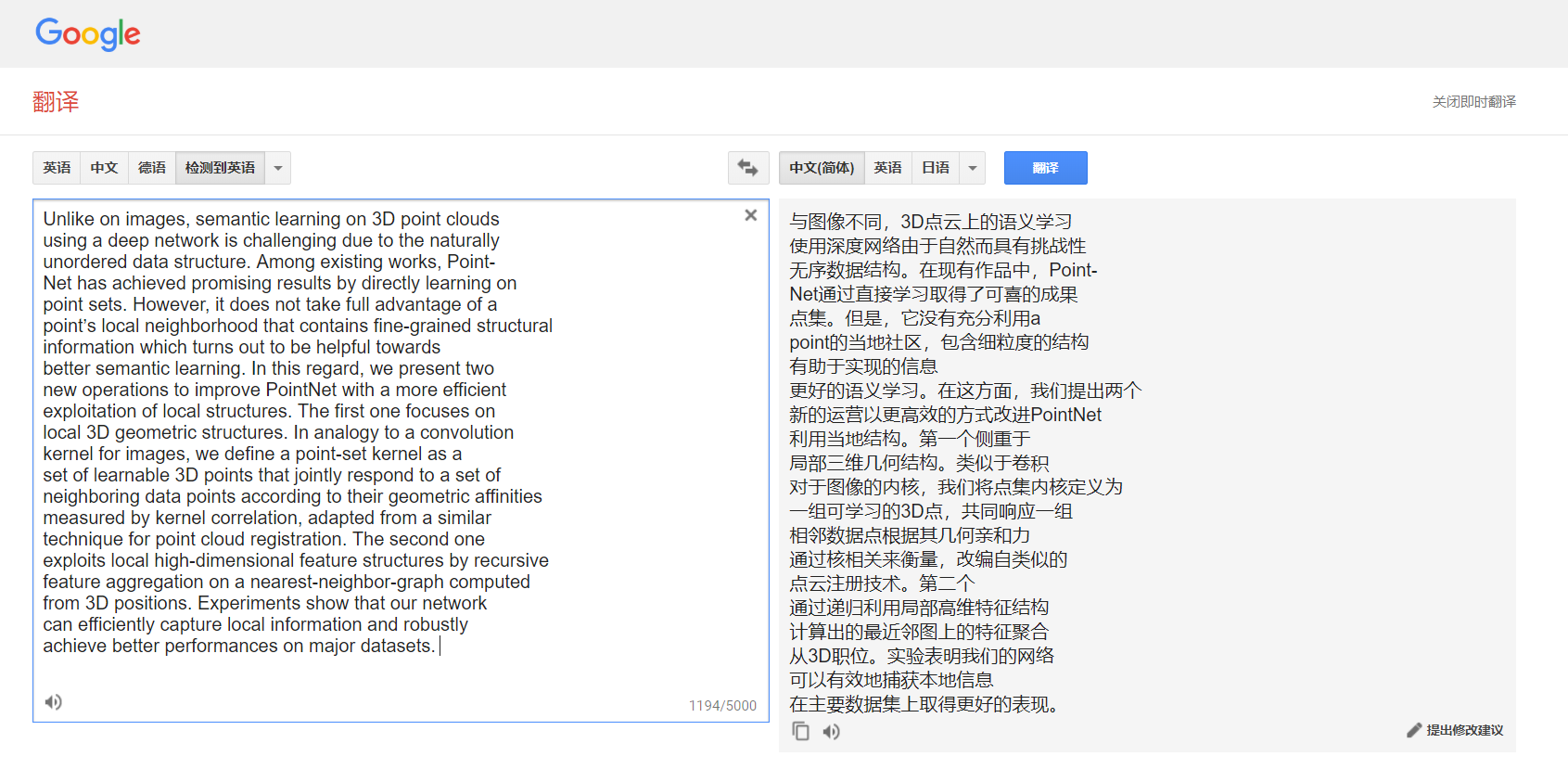
## 同类产品
虽然现有词霸,词典等工具对于pdf的翻译效果不错,但是在翻译整篇论文的时候,它们存在以下缺点
1. 翻译完后要复制翻译结果较为繁琐,一两句可能还行,但是当我们要翻译整篇文章时,重复性的移动鼠标点选复制也会令人疲倦。
2. 有些翻译软件在复制翻译结果时同时复制了原文,而我只需要译文,黏贴完后还需要手动删除原文部分,较为繁琐。
3. 翻译结果框出现的位置和大小,时间不固定,有时候会遮挡到原文或者其他的地方,给翻译校对带来不便,此外点选别的地方可能会导致结果框的消失。
4. 此类软件常有广告弹窗
那么CopyTranslator是如何解决这些问题呢
1. 当勾选`listen clipboard`后,**复译会自动翻译剪贴板的内容,并显示译文在结果框中。**
2. 只需同时勾选`listen clipboard`及`Auto copy`选项,每次复制翻译后,剪贴板会自动替换原文为译文,直接黏贴即可获得译文。
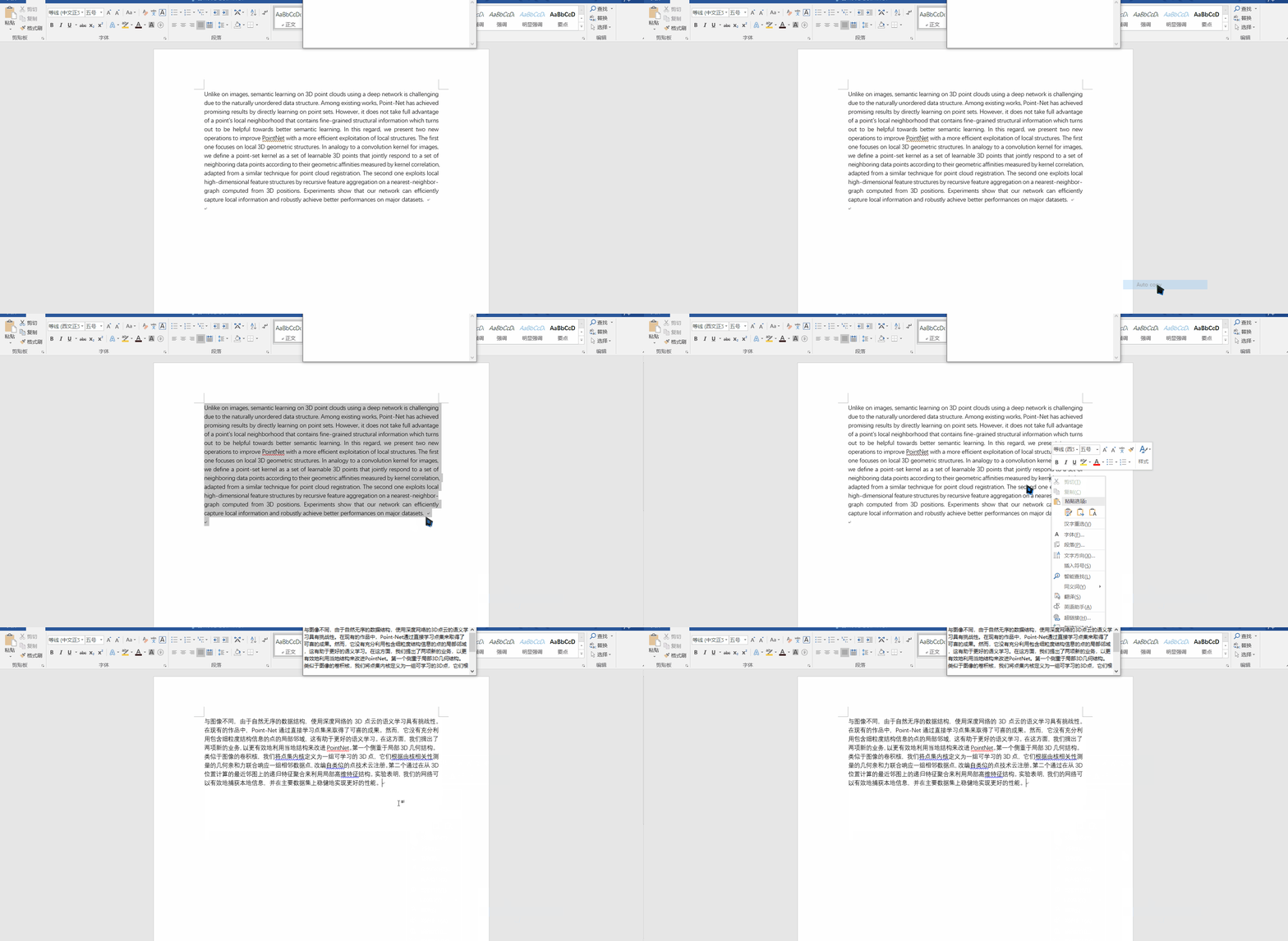
3. 翻译结果框(专注模式)大小可以自由缩放,并可根据需要选择始终保持在顶部。
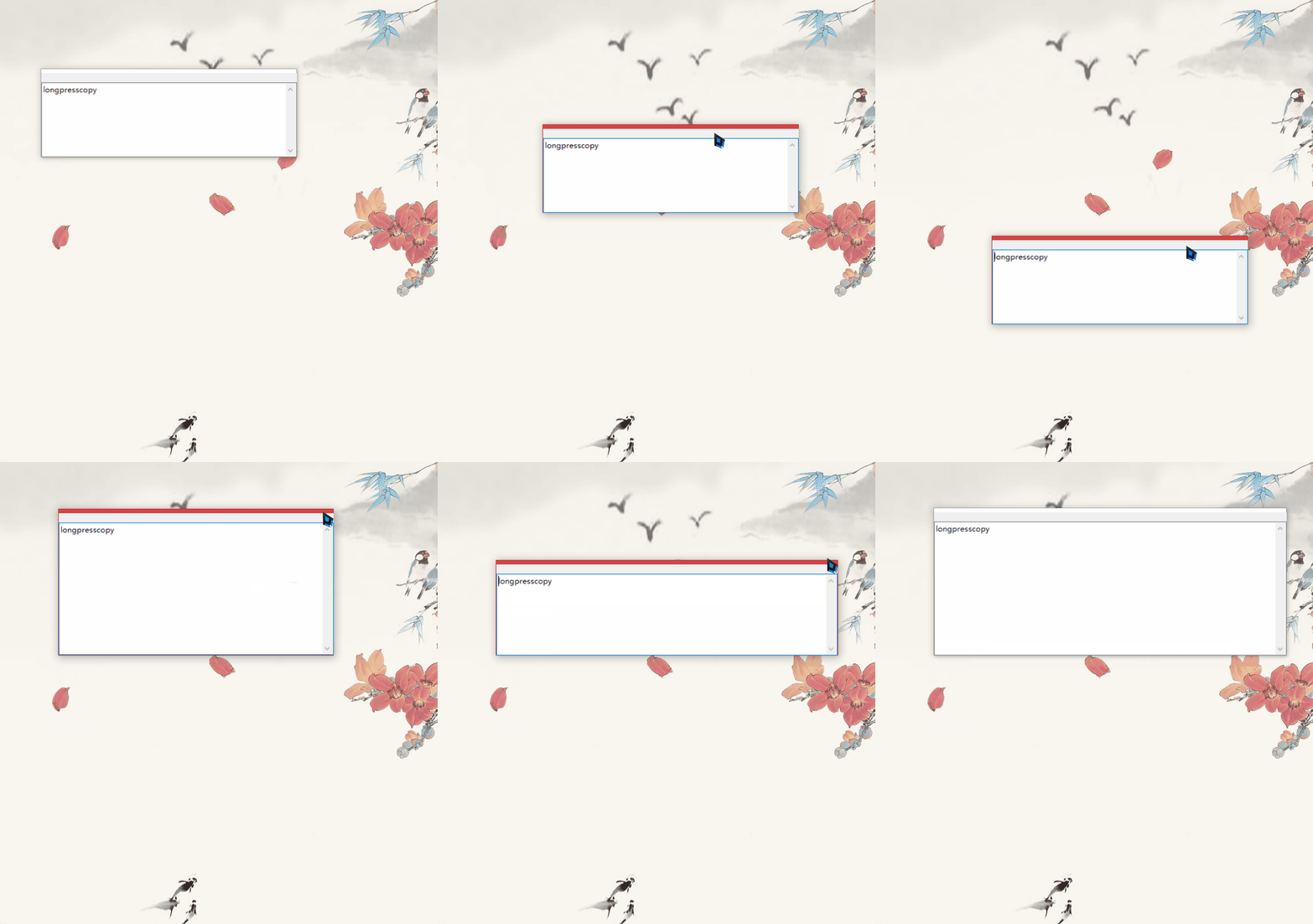
================================================
FILE: docs/about/acknowledge.md
================================================
# 致谢
`CopyTranslator`的重生离不开以下人员的贡献
## 界面与交互设计
图标设计师:[Mārtiņš Zemlickis](http://mzemlickis.lv/)
## 代码贡献者
- Mac 维护者 [黎紫珊](https://github.com/Sandural)
- Linux 维护者 [Daryl.Xu](https://github.com/ziqiangxu)
## 开源库
所基于的开源库太多,难以罗列,在这里仅列出主要的几项,同时也感谢其他默默无闻为开源事业做出贡献的人们:
- [Electron](https://electronjs.org):使用 JavaScript, HTML 和 CSS 构建跨平台的桌面应用
- [Vue](http://vuejs.org):渐进式 JavaScript 框架
- [Element](http://element-cn.eleme.io/#/zh-CN): 一套为开发者、设计师和产品经理准备的基于 Vue 2.0 的桌面端组件库
- [OpenTranslate](https://github.com/OpenTranslate/OpenTranslate): 开放翻译标准库-核心翻译引擎
- [iohook](https://github.com/wilix-team/iohook): 捕获全局鼠标和键盘事件
- [robotjs](https://github.com/octalmage/robotjs): Node.js Desktop Automation.
- [eazydict](https://github.com/keenwon/eazydict) 简单易用的命令行词典-核心查词引擎
- [node-mouse](https://github.com/irontec/node-mouse): Linux下捕获全局鼠标事件
## 界面语言维护
- 繁体中文: [Jeff Huang](https://github.com/s8321414)
- 俄罗斯文: [DEN5](https://www.facebook.com/profile.php?id=100028728105222)
## 友情软件
CopyTranslator从这些软件中学到了很多,以下均为非常优秀的软件,推荐大家尝试。
- [沙拉查词](https://github.com/crimx/ext-saladict):沙拉查词-聚合词典划词翻译
- [划词翻译](https://github.com/Selection-Translator/crx-selection-translate):让浏览任意语言的网站变得无比轻松的浏览器扩展程序。
- [达达查词](https://github.com/waynecz/dadda-translate-crx):比较好看的 Chrome 划词翻译(搜狗)插件,自带生词簿及吐司单词记忆,可与有道、扇贝单词同步
- [iciba-translate-userscript](https://github.com/Firefox-Pro-Coding/iciba-translate-userscript):iciba划词翻译 userscript
## 推广
感谢亲爱的朋友们,用户们的推荐和肯定
================================================
FILE: docs/about/author.md
================================================
# 关于作者

我是Elliott Zheng,我的研究兴趣在于计算机视觉和深度学习。具体地说,我对3D计算机视觉和图学习感兴趣,同时也是业余的前端开发者。
================================================
FILE: docs/about/lisence.md
================================================
# 协议
## 使用条款
本软件基于GPL v2协议开源,开发者为Elliott Zheng,软件无任何收费,同时禁止任何人出售本软件。
如果您觉得软件对您有所帮助,在Github给一个star就是对项目极大的支持,欢迎介绍给朋友使用。
Github项目地址:[https://github.com/copytranslator/CopyTranslator](https://github.com/copytranslator/CopyTranslator)
软件官网及文档地址:[https://copytranslator.github.io](https://copytranslator.github.io)
**软件不保证可用性,只能靠相互之间的信任,作者会尽量说明使用本软件可能产生的风险,而由于使用软件而产生的任何损失均由用户自行承担。**
在线翻译资源来自互联网,版权属于相关网站,软件仅供交流使用。
欢迎转载本软件,转载无需告知作者,但请一定附上项目地址,未附上项目地址的软件转载行为均未经过授权。
软件二次分发存在巨大风险,因此请尽量通过官方文档提供的下载方式下载。
## 开源协议
代码采用GNU GENERAL PUBLIC LICENSE 2.0协议授权。请查阅[LICENSE](https://github.com/copytranslator/copytranslator/blob/master/LICENSE) 文件,获取更多信息。
================================================
FILE: docs/about/selection-translate.md
================================================
# 关于划译
浏览器环境下,在这里特指chrome/firefox等现代浏览器,提供了丰富的事件,如鼠标位置事件,选中事件等,使得实现如划译,或者是在特定区域弹出对话框等功能变得非常容易。
而在系统场景下,操作系统尤其是Windows并未提供**选中文本**这个**系统事件**供开发者响应。这使得CopyTranslator这种系统级的非侵入性翻译工具要实现划译变得非常困难。
金山词霸和有道词典和也是原生非侵入翻译工具,但是他们在某种程度实现了划译这个功能,确实非常厉害,但是其背后的原理,一直未曾公开。据我了解,暂未有开源的实现,也可能是我孤陋寡闻,如果你知道有的话,可以跟我反映。
## 有道词典
以下使用四张图解释有道词典划译的实现原理
有道划词翻译-拖拽一定时长触发

有道划词翻译-按住不移动释放时不触发

有道划词翻译-按住移动释放时触发

有道划词翻译-双击时触发

可见有道词典的所谓划词并非真正意义上的划词,其触发条件为
1. 鼠标拖拽一定时长,一定距离。
2. 双击
================================================
FILE: docs/about/statement.md
================================================
# 转载声明
本软件为开源软件,开发者即为 [@elliottzheng](https://github.com/elliottzheng),软件无任何收费,欢迎STAR,PR。
**欢迎转发,转发无需告知作者,但请一定附上项目地址**。
::: warning
未附上项目地址的软件转载行为均无授权
项目地址为:[https://github.com/copytranslator/CopyTranslator](https://github.com/copytranslator/CopyTranslator)
:::
目前已授权
1. 吾爱破解网友`@zhengchengyy`发布软件更新消息。
2. 微信公众号:简单生活干货铺、哼哈未来,AI科技大本营
3. **附上项目地址的文章。**
::: danger
有一些公众号无授权转载(**未附上项目地址**)本软件以期获取关注,甚至**出售此软件**,我不想在这里点名批评,没啥意义,只是觉得本来就是免费的开源软件,只要加个项目地址,大家都开开心心的,他们的行为让人不齿而已,如果有看到这种情况,大家可以告知我,虽然我好像也不能怎么样。
:::
================================================
FILE: docs/changelogs/README.md
================================================
# 更新日志
您可以在这里看到CopyTranslator的发展历程
- [CopyTranslator v12 知微](/changelogs/v12)
- [CopyTranslator v11 扶摇](/changelogs/v11)
- [CopyTranslator v10 破晓](/changelogs/v10)
- [CopyTranslator v9 寒渐](/changelogs/v9)
- [CopyTranslator v8 驺吾](/changelogs/v8)
- [CopyTranslator v7 麒麟](/changelogs/v7)
- [CopyTranslator v6](/changelogs/v6)
================================================
FILE: docs/changelogs/v10.md
================================================
# v10 破晓
欢迎在[Github Issues](https://github.com/CopyTranslator/CopyTranslator/issues)反馈关于翻译格式,翻译效果不一致的问题。
## v10.2.4
1. 拖拽复制现支持程序白名单/黑名单模式,再也不用担心在某些不想要的程序触发了,可以在设置->拖拽复制页面进行设置。 [#475](https://github.com/CopyTranslator/CopyTranslator/issues/475)
3. 增加[Lingva](https://github.com/thedaviddelta/lingva-translate)作为除谷歌翻译镜像以及[Simply](https://simplytranslate.org/)之外的另一个Google翻译源
4. 增加翻译引擎Keyan,此引擎由[棵岩阅读](https://www.keyanyuedu.com/?channel=copytranslator)免费提供给CopyTranslator用户使用,暂时仅支持英译中。感谢[棵岩阅读](https://www.keyanyuedu.com/?channel=copytranslator)对CopyTranslator的支持。
2. 改进设置界面UI
5. 多源对比现在可以调节字体大小 [#496](https://github.com/CopyTranslator/CopyTranslator/issues/496)
6. 修复支持语言没有及时更新的问题
7. 增加备用引擎选项,以支持单向翻译器(如仅支持英译中而不支持中译英)的智能互译,可以在设置中更改备用引擎
8. 进一步改进配置文件在不同版本间的兼容性处理,对特定规则特定版本的兼容性处理
## v10.2.3
**谷歌停止了在大陆的翻译服务,10.2.3版本后默认使用[谷歌翻译国内镜像](https://www.haah.net/archives/7885.html)进行翻译,理论上不需要额外设置就可以访问,如果依然存在问题,可以尝试在设置->选项界面切换`Google翻译源`为`Simply`,更多信息请参考[此链接](https://copytranslator.github.io/guide/questions.html#谷歌翻译退出中国市场的解决方案)进行设置**
## [v10.1.0](https://github.com/CopyTranslator/CopyTranslator/releases/download/v10.1.0)
### 增加了离线OCR的功能 [#451](https://github.com/CopyTranslator/CopyTranslator/issues/451)
由于在线的ocr比如百度OCR收费比较贵,CopyTranslator现基于[PaddleOCR-json](https://github.com/hiroi-sora/PaddleOCR-json/)提供离线OCR功能,此功能目前还处于体验阶段,下面是使用指南
您需要另外下载本Release当中的 [CopyTranslator-PaddleOCR-json.v1.2.1.7z](https://github.com/CopyTranslator/CopyTranslator/releases/download/v10.1.0/CopyTranslator-PaddleOCR-json.v1.2.1.7z),并将其解压到一个最好没有中文的路径下,在此例子当中,我解压到`D:\CopyTranslator-PaddleOCR-json.v1.2.1`,请您确认存在文件`D:\CopyTranslator-PaddleOCR-json.v1.2.1\PaddleOCR_json.exe`
然后在copytranslator的设置->API设置界面,你可以看到(如下图),pp-ocr的选项卡下有两个字段需要设置一个是cwd,一个是config_name
- cwd就是你解压的路径,在我的例子中,即`D:\CopyTranslator-PaddleOCR-json.v1.2.1`
- config_name是配置文件名,不同语言的OCR需要不同的配置文件
- 英文: PaddleOCR_json_config_en.txt
- 中文: PaddleOCR_json_config_ch.txt
- 日文: PaddleOCR_json_config_jp.txt
- 韩语: PaddleOCR_json_config_korean.txt
然后就可以关闭设置,如果没有报错的话,就说明配置成功了。
只要你截图并将图片复制到剪贴板,copytranslator检测到图片,就会对图片进行ocr随后进行翻译。
#### 注意
- 如果同时配置了baidu-ocr和pp-ocr,软件只会使用pp-ocr
- pp-ocr暂不支持切换语言,你在API设置里填的就是你用的ocr

### 修复[#448](https://github.com/CopyTranslator/CopyTranslator/issues/448) 标题栏图标不显示的问题
## v10.0.3
1. fix [#473](https://github.com/CopyTranslator/CopyTranslator/issues/473)
- 由于谷歌停止了在大陆的翻译服务,CopyTranslator需要请求管理员权限来更改hosts以使得您可以继续使用谷歌翻译
- 目前自动修改hosts仅适用于windows
- 解决思路来自 https://github.com/hcfyapp/crx-selection-translate/issues/1493
2. fix [#476](https://github.com/CopyTranslator/CopyTranslator/issues/476)
## v10.0.0
### 更新内容
增强:
1. UI重设计
2. 使用Vuetify替换Element UI
3. 支持暗黑模式 [#164](https://github.com/CopyTranslator/CopyTranslator/issues/164)
4. 支持根据系统语言自动切换界面语言 [#195](https://github.com/CopyTranslator/CopyTranslator/issues/195)
5. 使用`ctrl+=`与`ctrl+-`进行字体大小的缩放 [#193](https://github.com/CopyTranslator/CopyTranslator/issues/193)
7. 优化查词时对句末逗号或句号的处理 [#225](https://github.com/CopyTranslator/CopyTranslator/issues/225)
8. 可选的`自动检查更新`
9. 增加局部快捷键ESC,可以隐藏窗口,修复windows上自动显示时无法自动获取焦点的问题。 [#181](https://github.com/CopyTranslator/CopyTranslator/issues/181)
10. 添加俄罗斯语言,感谢[@dEN5-tech](https://www.facebook.com/profile.php?id=100028728105222)
11. 全局单例检查:以前可以同时开多个,现在只能开一个 [#219](https://github.com/CopyTranslator/CopyTranslator/issues/219)
12. 优化对双屏的支持:[#188](https://github.com/CopyTranslator/CopyTranslator/issues/188)
13. 百度OCR支持检测语言和更多语言 [#249](https://github.com/CopyTranslator/CopyTranslator/issues/249)
14. 增加`开机启动`选项 [#263](https://github.com/CopyTranslator/CopyTranslator/issues/263)
15. 增加toast提示当前状态 [#275](https://github.com/CopyTranslator/CopyTranslator/issues/275), 增加关闭操作提示的按钮[#375](https://github.com/CopyTranslator/CopyTranslator/issues/373)
16. 命令模式: 可以直接在**原文框中**输入动作,并按`Ctrl+P`执行该动作。
17. 增量复制改进:#316,在拖拽复制打开时,拖拽时按住`ctrl`即可增量复制,中文不加空格
18. 改进重分段及显示:翻译质量提升
19. 鼠标双击复制:在打开拖拽复制时,可以使用
20. 对比模式(未完成):多个翻译引擎结果对比
21. win+\`以及win+shift+\`用于模拟复制和快速增量复制
22. 增加翻译文本框的action
修复:
1. 修复#250 注册百度OCR API后使用OCR翻译图片时报错(mac)
2. 修复windows桌面图标及托盘图标不清晰的问题。
3. 修复关闭监听剪贴板后拖拽复制仍生效的问题。
4. 修复直接关闭窗口后设置没有保存的问题。
5. 修复右键托盘图标,点击其他地方,菜单不消失 [#152](https://github.com/CopyTranslator/CopyTranslator/issues/152)
6. 修复Windows10中用ALT+TAB切换窗口后copytranslator的窗口位置会有微弱的偏移 [#176](https://github.com/CopyTranslator/CopyTranslator/issues/176)
7. 修复繁体中文检测成简体中文的问题 [#215](https://github.com/CopyTranslator/CopyTranslator/issues/215),[#245](https://github.com/CopyTranslator/CopyTranslator/issues/245)
8. 修复[#313](https://github.com/CopyTranslator/CopyTranslator/issues/313)
9. 修复API设置无效的问题
10. 更新配置文件兼容性逻辑
================================================
FILE: docs/changelogs/v11.md
================================================
# v11 扶摇
欢迎在[Github Issues](https://github.com/CopyTranslator/CopyTranslator/issues)反馈关于翻译格式,翻译效果不一致的问题。
## v11.0.0
这次的更新项目非常多,而且都是重量级的更新,那么同时其可能带来的BUG也很多,欢迎在[Github Issues](https://github.com/CopyTranslator/CopyTranslator/issues)反馈
[点击此处前往查看最新版使用指南](/guide/11.0.0.html)
### 特性摘要
- 全新的[配置快照机制](/guide/11.0.0.html#配置快照),让你快速在不同使用场景切换。
- [拖拽复制白名单模式](/guide/11.0.0.html#拖拽复制),选中即复制,不再误触发。
- [到处都有的悬浮提示](/guide/11.0.0.html#悬浮提示),让你不再对各项功能感到迷茫。
- [单次增量复制](/guide/11.0.0.html#单次增量复制),轻松快速复制跨页文本。
- [可定制的动作按钮](/guide/11.0.0.html#定制动作按钮): 你现在可以自定义布局按钮,复制按钮等,还可以添加自己的自定义按钮
- 更加完善,更加丰富的外观设置选项:[字体与颜色](/guide/11.0.0.html#字体与颜色),[标题栏高度](/guide/11.0.0.html#标题栏高度),[界面透明度](/guide/11.0.0.html#界面透明度),[鼠标穿透](/guide/11.0.0.html#鼠标穿透)
- [更加完善的多源对比模式](/guide/11.0.0.html#多源对比)
- [专注模式可显示原文](/guide/11.0.0.html#专注模式)
- [对比模式比例自由调节](/guide/11.0.0.html#对照模式-水平布局-垂直布局)
### 详细列表
#### 新特性
1. 鼠标悬停会出现提示,启动时有滚动小贴士,极大地改进了软件的易用性
18. 现在可以`拍摄配置快照`、`切换配置快照`、`删除配置快照`,你可以很容易地通过右键菜单进行快照管理。
17. 界面的透明度可调节。
12. 引擎按钮现在默认右键启用`单次增量复制`(即下一次复制会变为增量复制)
18. 标题栏动作按钮形状优化,减少默认标题栏高度,标题栏高度可调节
2. 可拖拽调节的界面:原文模块和译文模块所占比例可调节
3. 更完善的字体大小调节:原文,译文,词典,多源对比,其字体大小均可调节,**并且可以使用ctrl+滚轮进行调节**
8. 用户现在可以更改软件界面以及内容的字体(font-family)(设置->外观),实时生效
6. 主题颜色/字体颜色/背景颜色现在可以选择更换(设置->外观),实时生效
7. 黑暗模式和明亮模式的切换能够实时生效,不需要重新加载页面了
7. 用户现在可以自定义`动作按钮`(如布局按钮,复制按钮,退出按钮),在设置界面就可以自定义,实时生效
4. 界面的滚动逻辑优化,不再乱滚动,原文译文不再一起滚动
11. 添加youdao,sogou引擎
16. 改进界面resize时引擎菜单的响应式变化
18. 改进多源翻译的各引擎的响应式加载(不再是等待全部完成才出现结果),中文结果使用逐字符的DIFF算法
19. 在多源翻译页面允许用户复制译文
12. 在多源翻译页面右键可以选择要对比的引擎
9. 统一了设置界面的标题栏样式
16. 专注模式现在可以选择显示原文,**不是固定比例**,打开开关`专注模式原文`
21. 整顿了一下各个弹出菜单
22. 现在可以指定跳转到设置页面的特定选项卡
#### 无感修复
1. 修复白屏,溢出隐藏问题 #503
19. 优化翻译控制器逻辑
19. 修复直接退出时没有保存布局设置的问题
5. 防止启动太久,引擎启动超时则关闭引擎
10. 修复修改translator-group不起作用的bug
11. 标题栏全拖拽,不可选中
12. 修复某些引擎结果后处理时出错导致失败的问题
13. 修复翻译按钮不起作用的问题
18. 后处理问题:修复自动复制与粘贴
19. 修复languages更新问题
#### TODO
20. ~~默认为拖拽复制白名单,同时当白名单为空时进行提示?~~
#### 之后再说
17. 跟随模式(跟随特定程序出现与消失)=>进一步的,在特定程序长特定样子,不得了
11. 自定义组合引擎
================================================
FILE: docs/changelogs/v12.md
================================================
# v12 知微
欢迎在[Github Issues](https://github.com/CopyTranslator/CopyTranslator/issues)反馈问题。
## v12.1.0 更多引擎可用性与网络代理
### 主要更新(含使用方式)
#### 🚀 翻译能力增强
- 新增阿里云、Azure、DeepL、腾讯云、腾讯交互、Yandex、火山翻译引擎
- 新增彩云翻译与 Bing 词典引擎
- 支持 NVIDIA NIM 与 OpenRouter 自定义翻译器模板
- Google 翻译整合多后端(官方/Simply/Lingva),并优化 API 模式性能
- Lingva/Simply 增加响应校验与重试机制
- 更新谷歌翻译 API 镜像地址与超时时间
**如何使用:**
- 设置 → 翻译器管理:启用新增引擎或词典,必要时填写对应配置
- 设置 → API 设置:在“AI 翻译供应商/自定义翻译器”中添加 NVIDIA NIM、OpenRouter 模板并保存
- 引擎列表:选择新增引擎即可开始翻译
#### 🧩 翻译器管理与配置
- 翻译器管理界面重构为表格布局,交互更清晰
- 新增分组配置(缓存/对比/双击),支持拖拽排序
- 配置校验细化,显示可保存/可启用状态
- 配置字段支持元数据渲染与下拉选项
- 各翻译引擎增加配置指南链接
- 默认翻译器改为百度
**如何使用:**
- 设置 → 翻译器管理:进入分组配置页进行拖拽排序
- 看到配置状态提示时,先保存再启用对应引擎
- 点击“配置指南”快速跳转到对应官方文档
#### 🎨 界面与体验优化
- 新增内容区域内边距与行高配置
- 操作项支持布局分组与响应式样式
- 新增 OCR 开关与配置页面(百度 OCR/PP-OCR)
- 新增“**不再显示使用技巧**”选项
- 增加便携模式支持,可在可执行目录旁加载配置
**如何使用:**
- 设置 → 外观:调整内容内边距与行高
- 设置 → OCR:开启 OCR 并选择供应商
- 设置 → 开关:关闭“使用技巧”提示
- 将配置放在可执行文件同目录的 copytranslator 文件夹中启用便携模式
#### 🌐 网络与系统能力
- 新增网络代理配置页面,支持 HTTP/SOCKS5
- 增加离线语言检测,提升识别速度与稳定性
- 修复代理开关动作配置错误
**如何使用:**
- 设置 → 网络代理:填写代理类型与地址
- 代理使用谷歌翻译的配置步骤见[常见问题](/guide/questions.html#谷歌翻译退出中国市场的解决方案)
#### 📊 可观测性与文档
- 新增应用内事件匿名追踪,退出时保证统计数据刷新
- 更新翻译提示文案与图标资源
- 补充翻译实现机制技术文档与问题排查文档
## v12.0.0
v12 版本最大的亮点是**支持大模型 AI 翻译**!CopyTranslator 现在可以接入各种符合 OpenAI 格式 API 的翻译服务,带来更智能、更准确的翻译体验。
同时,我们与[阶跃星辰](https://www.stepfun.com/)(StepFun)合作,为各位用户提供**限时免费的 AI 翻译服务(基于最新旗舰模型[`step-3.5-flash`](https://static.stepfun.com/blog/step-3.5-flash/))**,无需任何配置即可直接使用。
### 主要更新
#### 🚀 大模型 AI 翻译
- **支持多种 AI 翻译服务**:可接入符合 OpenAI 格式 API 的各种大语言模型
- **阶跃星辰翻译引擎**:内置 StepFun 翻译引擎,提供免费的大模型翻译能力,开箱即用
- **预定义供应商模板**:内置 OpenAI、DeepSeek、Moonshot、智谱 AI、阿里云百炼、Ollama、Azure OpenAI 等常用服务商的快速配置
- **可视化供应商管理**:通过设置界面的"AI 翻译供应商"选项卡,可以方便地添加、编辑、删除和启用/禁用翻译服务
- **模型管理**:支持从 API 获取可用模型列表,自由选择要启用的模型
#### 🔧 其他改进
- 优化代码结构和数据流
- 迁移更新检查源至 GitHub
- 修复已知问题
### 如何使用 AI 翻译
#### 1. 阶跃星辰(限时免费)
阶跃星辰(step-3.5-flash)作为内置翻译引擎,已默认集成到软件中,**您无需任何配置即可直接使用**。在翻译引擎列表中选择"阶跃星辰"即可体验大模型翻译的强大能力。
#### 2. 其他 AI 翻译服务
软件提供了多个预定义的供应商模板,包括:
- OpenAI
- DeepSeek(深度求索)
- Moonshot AI(月之暗面/Kimi)
- 智谱 AI(GLM/清言)
- 阿里云百炼(通义千问)
- Ollama(本地部署)
- Azure OpenAI
- 自定义(支持任何 OpenAI 格式 API)
**设置方法:**
1. 打开设置 → API 设置
2. 找到"AI 翻译供应商"或"自定义翻译器"选项卡
3. 点击"添加 AI 供应商"按钮
4. 从下拉菜单中选择供应商类型(如 OpenAI、DeepSeek 等)
5. 填写 API Key 和必要的配置
6. 点击"刷新"获取可用模型列表
7. 选择要启用的模型
8. 保存后即可在翻译引擎列表中使用
详细使用指南请参考[使用文档](/guide/12.0.0.html)(待更新)。
---
**注意**:v12 版本进行了重大架构调整,如果您之前有自定义翻译器配置,建议在升级后重新检查配置。如遇到问题,请及时在 GitHub Issues 反馈。
================================================
FILE: docs/changelogs/v6.md
================================================
# v0.0.6
## v0.0.6.1
1. 修复了v0.0.6.0的无法手动翻译bug
2. 现在专注模式的结果框的状态栏颜色会指示其状态,根据你的设置会变换颜色。提示你当前是否监听剪贴板,或者现在正在请求服务器翻译等等。具体颜色自行体验。**暂时不能自己设置颜色**。
## v0.0.6.0
[点此下载](https://github.com/CopyTranslator/CopyTranslator/wiki/Downloads-%E4%B8%8B%E8%BD%BD%E4%B8%8E%E5%AE%89%E8%A3%85)
1. **智能互译**,`CopyTranslator`会自动识别所复制的文字,根据所设置的`source`和`target`进行自动智能互译,也就是说,如果您复制的是`source`,会翻译为`target`,复制`target`则会翻译为`source`。(不用担心,`Auto Copy`不会与此机制相互影响。**但是如果同时还打开了`Detect Language`智能互译不会生效,只会将您的原文翻译成target语言。**,**注意,刚发现问题,由于检测语言会自动将`source`设置为目标语言,所以可能在接触检测语言后,source会发生改变,这个问题在下一版本会得到修复**详细解释见Q&A)
2. **智能词典**(基于[Youdao](https://github.com/longcw/youdao)提供的API)
单词少于3的**外语句子**将被视为短语或单词,您将在专注模式上看到更详细的解释。勾选`Smart Dict`选项以启用它。**注:查词限于有Youdao支持的语言,但是您无需也无法手动选择语言。**

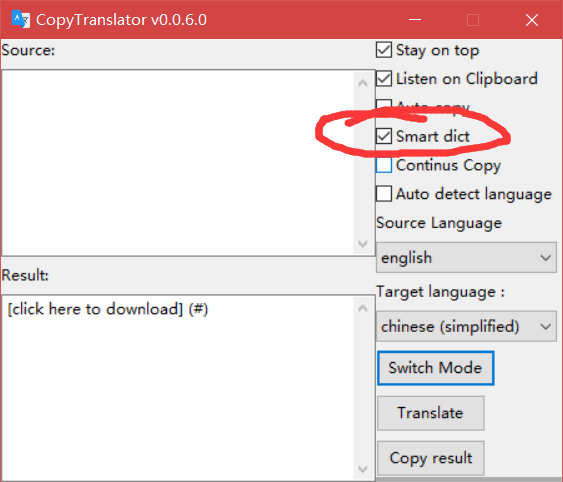
3. **快捷菜单**,通过专注模式结果框的右键菜单基本可以实现全部设置及快捷操作,无需返回主模式。注意这个clear会连剪贴板一起清空
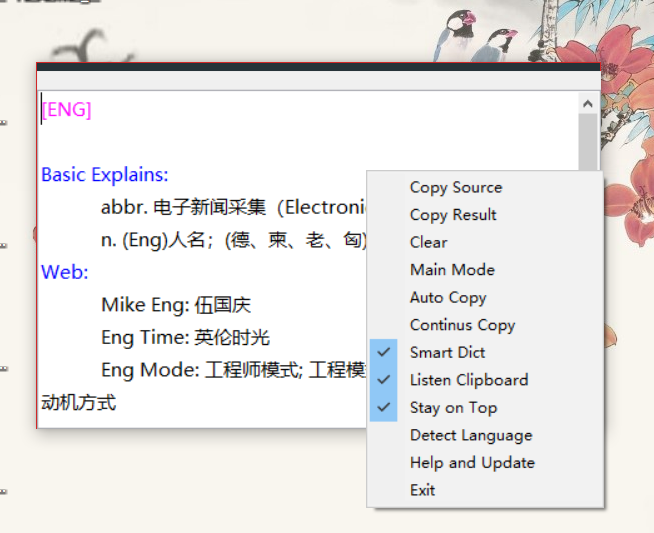
4. **字体可调整大小**,使用`shift + F3`和`shift + F4`缩小或增大专注模式的字体大小
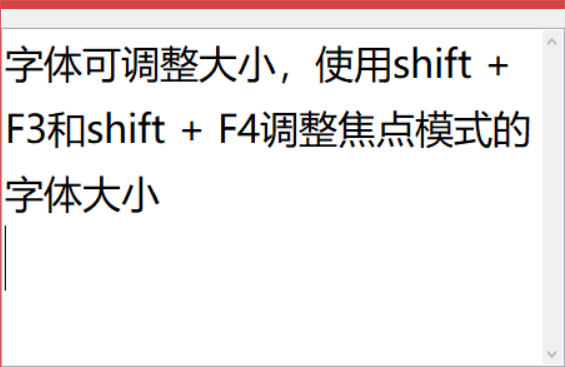
5. **设置记忆**,您的设置将自动保存在磁盘中,并在下次启动时自动重新加载。
6. **增量复制**, 将复制的文本附加到原文而不是替换它,**当段落在不同页面中分隔时尤其有用。用来解决一句话被页面断成两句,一次复制不全的场景**。勾选`Incremental Copy`选项以启用它。
7. **复制原文**,您可以通过任务栏图标的菜单点击`Copy Source`以在`Auto Copy`模式下暂时复制原文,而不是译文。
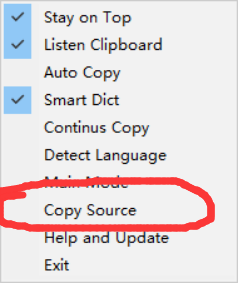
8. **降低灵敏度**,将点按复制的响应时间变为0.3秒。
9. **加入自动及检查更新的机制**,但仍需手动下载安装更新。
10. **现在主模式的关闭即为退出,不再像以前一样是最小化。**
================================================
FILE: docs/changelogs/v7.md
================================================
# v7 麒麟
## v7.2.0-Kylin-Ultimate
- 更新了图标
- 每次启动时不自动检查更新 #106
- 更新了各个网页的地址
此版本为仅windows可用,支持32位系统,是旧版本的,如无意外为python+wxpython实现的最后一次更新。
## v0.0.7 Kylin RC0
[下载地址](/guide/download)
1. **在任务栏图标右键菜单中**可以选择界面语言(English/简体中文),重启CopyTranslator生效
2. 当光标位于专注模式结果框中时`Ctrl+Enter`实现翻译框内文本(监听剪贴板时会复制框内文本,当不监听剪贴板时不复制框内的文本),`Ctrl+B`实现百度搜索框内内容,`Ctrl+G`实现Google搜索框内内容。
3. 专注模式贴上边(Y坐标小于0)失去焦点后会自动隐藏,可设置,另外可设置翻译后自动显示。
- 所谓失去焦点指的是,原本焦点在专注模式,而后鼠标/键盘点击其他软件,焦点转移这一事件。
- 当专注模式处于贴边收起时可以点击其下边缘,使其获得焦点专注模式展开。
4. `自动显示`:勾选此选项后,当专注模式处于收起状态,且监听到剪贴板变化,专注模式将自动展开。展开后想要收起结果框,请先点击一下结果框,后点击其他地方,如果`贴边隐藏`处于打开状态则结果框会收起。
5. 双击闪区会收起窗口到顶部,不论窗口在哪里,不管是否开启`贴边隐藏`。
6. 右击闪区可以快速开启和关闭`监听剪贴板`功能。
7. 拖拽文本到专注模式框,可以直接得到翻译结果(监听剪贴板时会复制拖拽的文本,当不监听剪贴板时不复制拖拽的文本)。注意,如果你是从编辑器拖拽文本过来,编辑器里的文本是会消失的,相当于剪切,`CopyTranslator`不背这锅。
8. 主模式改名为对照模式,并且可以调节大小了。
9. 配置文件版本间变动很大,又因为如果配置文件不兼容软件将直接无法使用,影响用户体验,但处理兼容性会占用较长的时间,因此决定**不向前兼容也不向后兼容,每次更新您的旧版本/新版本配置会消失**。
10. 版本号风格变更,取消第四位版本号,后续将以RCX标识小版本。
11. 仅提供32位版本。(64位系统是可以使用32位版本的,后续就不再区分了)
12. 记忆专注模式的窗口大小,位置。
13. 不知道为什么就修复了`监听剪贴板`选项下,剪贴板图片也被拿出来翻译的BUG,现在不会响应剪贴板的图片了
================================================
FILE: docs/changelogs/v8.md
================================================
# v8 驺吾
## v8.4.0
1. 拆出设置页面和更新页面
2. 重构代码
3. 修复切换枚举时可能出现的js错误
4. 修复启动时由于剪贴板内容过多导致的无响应
5. 更新translation.js 修复 有道引擎无法使用的问题
6. 拆分设置页面
7. 更换主题颜色
8. 去除状态栏
9. 上下文菜单重组织
10. 临时性地处理可能存在的菜单自定义不兼容问题
11. 分离各个版本的使用说明,不同版本因为差异较大,不再共享使用说明,详见官网
## v8.3.0 标题栏兼容优化
1. 提供了标题栏三种实现供用户选择,提高兼容性,**如果出现标题栏偏移问题,可以在设置界面中的标题栏选项切换三种实现。**
2. 自动更新页面优化(MAC 无法自动更新,因为没有加入Apple Developer Program,这玩意儿一年六百多吧)
3. #107,缩小界面后文字换行重叠问题
4. 去除了Ctrl+L切换剪贴板状态的默认快捷键
5. 修复有道翻译引擎无法使用的问题
## v8.2.0 自动更新及翻译优化
1. 修复清空后出现空通知的问题。现在应该不会出现了
2. **增加了Caiyun翻译引擎**
3. 修复sogou引擎检测语言偶尔失败问题
4. 修复除sogou引擎外其他引擎的多余换行问题
5. **增加了翻译时不清除换行的选项(反选`自动净化`即可)**
6. **优化各个引擎的换行处理**
7. #92,修复切换语言后重启重置问题
8. #96 ,提供了关闭智能互译的接口
9. **版本号风格遵循 语义版本号**
10. 现在自动更新会从Github的release拉取更新,并可以**自动下载安装**,如果连不上github仍可以从原渠道获取更新信息,但无法自动更新。(mac暂未测试)
11. 修复切换翻译器时之前未保存设置会消失的问题。
12. 使用了新的实现来处理标题栏,不知兼容性如何。
已知问题
1. Google 引擎换行稍微依然有问题
## v0.0.8 Zouwu RC5
1. 翻译器表面切换实际没有切换的问题。
2. 去除了自动隐藏和自动显示的*动画*。
3. 修复RC3,RC4出现的点按复制失效问题。
4. 修复sogou引擎没有检测语言,导致无法智能互译的问题。
## v0.0.8 Zouwu RC4
### 修复
1. 修复显示词典时无法搜索的问题
## v0.0.8 Zouwu RC3修复漂移,长时间无响应问题
### 修复
1. 试图修复部分电脑出现的闪烁问题,现在标题栏的可拖动区域只限三个拖拽按钮

2. 去除了hover即弹出窗口过于敏感的问题
3. 修复过长段落长时间无响应问题。
本更新只针对出现闪烁问题的windows用户,mac用户以及没有遇到窗口漂移闪烁问题的windows用户无需更新。
## v0.0.8 Zouwu RC1
### 新特性
1. 使用Electron+TypeScript+Vue完全重写,有了安装包,体积大了不少?
2. **支持Mac平台!**
9. 翻译来源切换:可以在Google,Baidu,Youdao,**Sogou**中选择,通过托盘菜单切换
7. 自动黏贴:**前提:选中自动复制**,自动复制之后模拟ctrl+v自动黏贴,替换选中文字。
8. 自动格式化:**注意:此功能与自动复制冲突,会自动反选`自动复制`**,将存在**错误空行的剪贴板内容**替换为正常的剪贴板
10. 因为在很多应用当中都无法使用,现在`点按复制`默认是关闭的,需要的话,请手动打开。
11. 新的交互方式,选择`启用通知`,可以在通知中看到翻译结果(过长的翻译结果无法显示完全)。

5. 字体缩放:两个模式均可通过Ctrl+wheel进行字体缩放。
6. 优化贴边隐藏:现在可以隐藏到两边,并可以设置双击隐藏的方向/最小化。
2. 支持自定义界面语言:用户可以自行创建和切换界面语言文件,CopyTranslator会自动检测新添加的语言文件
3. 通过动作系统统一了各种事件,包括界面布局,菜单,快捷键,设置等。[动作](/guide/#动作系统),包括切换各种开关,以及各种事件等等。
2. 支持自定义界面样式/风格: 可以通过CSS 更改`CopyTranslator`的部分外观,如结果框,设置框,状态栏的**字体,颜色,背景,边框**等等。
3. 自定义全局快捷键:几乎所有[动作](/guide/#动作系统),都可以绑定**全局快捷键**。
4. 自定义右键菜单/面板:不同模式的右键菜单不同,可以自行定义。几乎所有[动作](/guide/#动作系统)都可以用作菜单项。可用的快捷键,请查看[Electron Accelerator](https://electronjs.org/docs/api/accelerator)。
### 修复
1. 高分屏下字体模糊问题,应该吧
2. 长串文字翻译无响应问题,现在不会无响应,会直接失败,没想到吧!#50
3. 修复内存占用过小的bug?
4. 自动显示的问题 #35
5. 自动复制时乱加换行的问题
### 已知问题
1. 模式间切换卡顿严重
2. 代码中的vue文件未严格typescript化 [#52](https://github.com/CopyTranslator/CopyTranslator/issues/52)
3. 在超高分屏(4K)出现找不到窗口的问题
4. 不支持 windows 32位
================================================
FILE: docs/changelogs/v9.md
================================================
# v9 寒渐
## 9.1.0
1. 添加俄罗斯语言 感谢@dEN5-tech
2. 修复youdao翻译不完全问题,更多小修复见[opentranslate](https://github.com/OpenTranslate/OpenTranslate)
3. 修复#250 注册百度OCR API后使用OCR翻译图片时报错(mac)
4. 修复windows桌面图标不清晰的问题
5. 也可以使用ctrl+-来更改字体大小
6. 修复失效的下载链接
## v9.0.2
1. 修复 #185
2. 优化了设置重置的逻辑
3. 修复 #214 有道引擎的可用性
4. 优化了翻译引擎
5. `mac`版已发布,感谢[@Sandural](https://github.com/Sandural) 的努力,请注意,`拖拽复制`在mac较新版本可能无法正常使用。
6. 新增对 `Linux` 平台的支持(`AppImage` 和 `DEB`),感谢[@ziqiangxu](https://github.com/ziqiangxu) 的努力,`Linux`版支持真正意义上的划译
## v9.0.0
欢迎反馈关于翻译格式,翻译效果不一致的问题。
### 更新内容
增强:
1. 删除点按复制功能,增加了更易使用的拖拽复制功能,并对拖拽复制触发时可能导致的问题作了说明。(**拖拽复制使用说明详见[使用指南](/guide/9.0.0)**)
2. **全异步化remote操作使整体性能得到明显提升,页面加载/切换速度前所未有的快**
3. 在全局快捷键之外添加了一些局部快捷键(仅当焦点在copytranslator时才能使用),如ctrl+s 快速复制译文
4. 按需打包Element UI,安装包体积减小,加载速度加快
5. 添加悬浮提示,尚未完善 #126
6. Electron从3.0 升级到6.0安装包变大(这是我没有料到的)
7. 分离查词引擎与翻译引擎。
8. 增加引擎按钮以快速切换翻译引擎并指示当前主引擎
9. 整合不同引擎,聚合物查词引擎及化合物翻译引擎会**使用所有引擎查询,并缓存不同引擎的查询结果,让你在不同引擎切换时更快。**
10. 左键单击任务栏图标以强制显示窗口,如果你突然找不着窗口,可以试下。
11. 可选的**关闭即退出,关闭即退出**默认打开,如果关闭,则只能通过任务栏图标右键菜单退出程序。
12. 增加了**复制按钮**,左键单击复制译文,右键单击复制原文
13. 专注模式增加了**主页按钮**,左键单击切换回对照模式
14. 可自行选择安装路径
15. 明确了授权使用条款
16. 版本不同原有配置直接自动重置。
修复:
1. 修复mac 设置界面标题栏错位问题
2. 修复mac 无法使用快捷键复制黏贴的问题
3. 修复 #153 右键翻译器/隐藏方向时报错
4. 修复不同窗口的样式不一致性
5. 修复 #156 对照模式下开启增量复制后,点击翻译会重复当前内容
6. 修复设置页面没有及时响应设置的更新的问题
7. 修复`恢复默认设置`无法真正恢复默认设置的问题
8. 修复 #168 复制某些网址链接导致无法响应的问题
9. 取消默认全局快捷键
10. 修复beta2中较为经常性的复制无响应问题
11. 修复引擎失效后无响应问题
================================================
FILE: docs/download/README.md
================================================
---
sidebarDepth: 6
---
# 前言
如果您觉得软件对您有所帮助,在[Github](https://github.com/CopyTranslator/CopyTranslator)给我一个star就是对我极大的支持,欢迎介绍给朋友使用。本软件免费开源,严禁出售,欢迎转载,但请注明出处,否则构成侵权。
软件的维护需要较多精力,这些工作目前主要由作者一人花费大量私人时间与精力完成😫。如果你希望支持这个项目长久持续开发下去并不断加入新功能,可以选择[打赏❤️](/support/#打赏)我喝瓶冰阔落🥤恢复元气,更好地投入到开发当中。
## 下载
当前最新版本:[](https://github.com/copytranslator/copytranslator/releases)
:::warning
软件二次分发存在巨大风险,因此请尽量通过本文档提供的下载方式下载。
:::
请根据您的系统选择下载页面,不同操作系统的更新程度可能不同,这是由于[跨平台移植问题](/support/#平台维护者)
- [Windows](/download/windows)
- [Mac](/download/mac)
- [Linux](/download/linux)
如果您在下载时遇到困难,您还可以通过以下途径下载
- 从[](https://sourceforge.net/projects/copytranslator.mirror/files/)下载
## 在线交流与反馈
- 加入我们的[](https://gitter.im/CopyTranslator/Lobby?utm_source=share-link&utm_medium=link&utm_campaign=share-link)聊天室。
## 订阅更新
- 在[Github](https://github.com/CopyTranslator/CopyTranslator)上`watch`本项目
- CopyTranslator每次启动都会自动检查更新的。。。。
================================================
FILE: docs/download/linux.md
================================================
# Linux
::: tip 提示
无法下载?可以尝试这两个github release下载加速网站 [网站1](https://doget.nocsdn.com/#/),[网站2](https://d.serctl.com/)
:::
<FromMD source="/wiki/linux.md"/>
================================================
FILE: docs/download/mac.md
================================================
# Mac
::: tip 提示
- **下面的链接是到Github Release下载,如果你无法下载的话,可以尝试其他下载源**
**其他下载源**
1. Github Release下载加速:[网站1](https://doget.nocsdn.com/#/), [网站2](https://d.serctl.com/)
2. [码云 Gitee](https://gitee.com/ylzheng/CopyTranslator/releases)
3. [蓝奏云](https://elliottzheng.lanzouy.com/b0bhgluri): 密码:7m52
:::
## 下载前必读
- **初次打开后请手动允许copytranslator使用辅助功能以及屏幕录制([点击查看示意图](#设置示意图)),否则copytranslator将无法正常使用拖拽复制,自动粘贴等功能。[设置后仍有问题?点这里](#设置后仍有问题)**
- mac-zip 版本如果无法启动,请尝试下载dmg版本,安装完成后,打开安全性与隐私,通用,允许打开这个app
<FromMD source="/wiki/mac.md"/>
#### 设置示意图
[设置后仍有问题?点这里](#设置后仍有问题)


#### 设置后仍有问题?
应用程序需要申请安全与隐私里的辅助功能权限,在辅助功能里明明已经授权了,但是app总是获取不到权限。
尝试过重新授权、重启都无效。
解决办法是重置 Accessibility permissions:
`sudo tccutil reset Accessibility`
这条命令会将所有需要辅助功能权限的应用重新授权,原来授权无效的app也可以正常授权了。
[参考链接](https://blog.csdn.net/nicekwell/article/details/117768278)
================================================
FILE: docs/download/windows.md
================================================
# Windows
::: tip 提示
- `Setup.exe`与`zip`文件只要下载其中一个就可以了,两个的内容是一样的,不过是一个是安装包,一个是解压即用的便携版。
- 虽然我这里列出来一堆,但是实际上能用的可能只有最新版
- 点击版本标题可查看更新日志
- **下面的链接是到Github Release下载,如果你无法下载的话,可以尝试其他下载源**
**其他下载源**
1. Github Release下载加速:[网站1](https://doget.nocsdn.com/#/), [网站2](https://d.serctl.com/)
2. [码云 Gitee](https://gitee.com/ylzheng/CopyTranslator/releases)
3. SourceForge: [](https://sourceforge.net/projects/copytranslator.mirror/files/)
3. [蓝奏云](https://elliottzheng.lanzouy.com/b0bhgau3i) 密码:eo88
4. [通过包管理器(winget/scoop)](#通过包管理器安装)
:::
<FromMD source="/wiki/windows.md"/>
## 通过包管理器安装
这些源的更新一般会稍微延迟几个小时,因为不是我直接更新的
1. [winget](https://github.com/microsoft/winget-cli):执行命令 `winget install copytranslator`
2. [scoop](https://scoop.sh/):添加extra bucket(`scoop bucket add extras`)然后`scoop install copytranslator`即可,更新软件的话使用`scoop update copytranslator`
================================================
FILE: docs/guide/10.0.0.md
================================================
---
sidebarDepth: 6
---
# v10.1.0 破晓
<p style="font-family:宋体;font-color:grey;font-size:14px;text-align:center;">
<font color="red" style="font-size:22px;">破晓</font><font style="font-size:22px;">待明</font>
</br>
张伯礼院士
</br>
<font style="font-size:18px;">天欲破晓一抹清,曙光初现万彩红。</font>
</br>
<font style="font-size:18px;">鏖战疫魔须坚忍,凯旋班师踏清明。</font>
</p>
::: tip 提示
在反馈问题时,请确保您使用的是最新的版本[](https://github.com/copytranslator/copytranslator/releases)。
欢迎点击左下角的**帮助我们改善此页面**。
软件问题,请在Github提出[Issue](https://github.com/CopyTranslator/CopyTranslator/issues)进行反馈,**反馈问题前请确认该问题在指南当中没有提及**。
:::
## 界面示意图
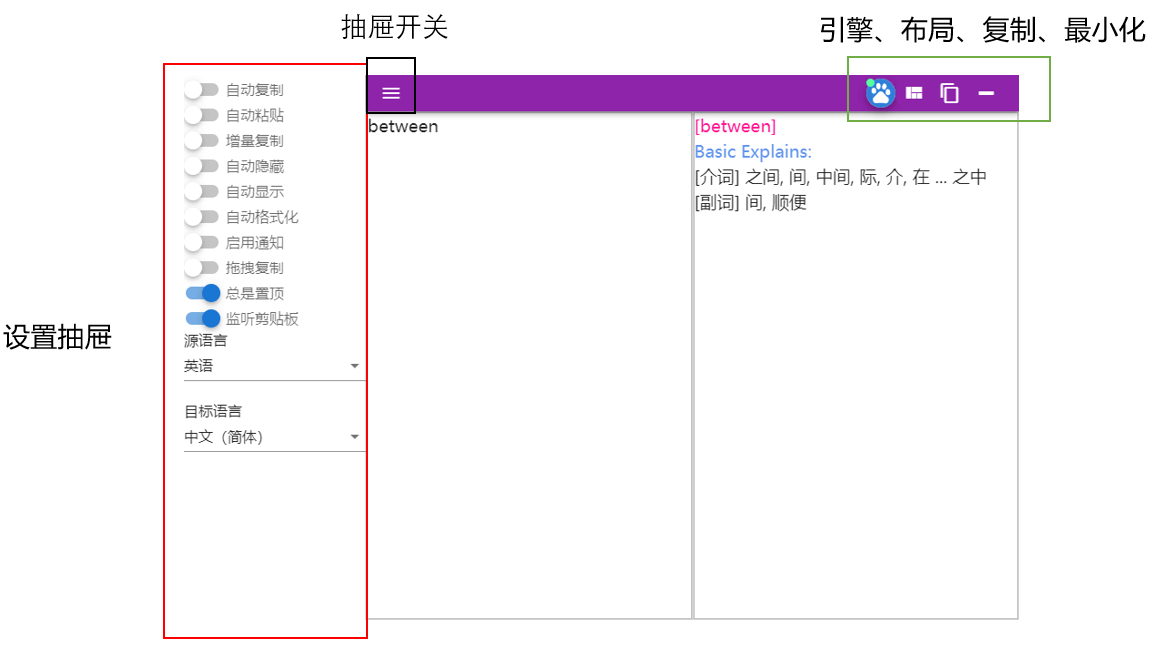
:::tip 说明
此界面为水平对照模式
- 引擎按钮:左键可以切换[翻译/查词引擎](#聚合引擎),右键点击关闭**监听剪贴板**,[角标颜色](#角标颜色说明)指示当前状态。
- 布局按钮:可以在三种[布局](#切换布局)中切换([水平对比模式,垂直对比模式](#对照模式-水平布局-垂直布局),[专注模式](#专注模式))。
- 复制按钮:左键复制**译文**,右键复制**原文**。
- 最小化按钮:左键**最小化**,右键**退出**。
- 抽屉按钮:打开和关闭**设置抽屉**。
:::
## 基础功能
### 复制翻译
CopyTranslator监听到剪贴板变化,会将剪贴板内容进行[净化](#自动净化)(如去除多余换行等),并显示翻译结果,翻译效果相比于直接复制粘贴到网页版翻译有了巨大的改善,同时翻译所需时间也大大减少,借助于强大的在线翻译API,翻译质量有保证。有效提高人们阅读及翻译外文文献的效率。

::: tip 提示
- 勾选**监听剪贴板**以启用。
- 当关闭**监听剪贴板**时,可以在设置页面打开**双击Ctrl+C**选项,通过**双击Ctrl+C**来触发**CopyTranslator**的翻译功能。
:::
### 拖拽复制
**默认关闭**。为减少多次按**Ctrl+C**或者是右键复制所带来的麻烦,CopyTranslator在v9.0.0引入一个鼠标拖拽后自动复制选中文字的机制。
在打开**拖拽复制**选项后,只需按住鼠标单击并拖拽选中文字,即可复制文字。
:::tip 说明
其机制为当鼠标拖动一定时间和距离后释放,会模拟一次Ctrl+C,**拖动后的释放很重要,不是按越久越好。**
**拖拽选中=>复制=>翻译**
:::

:::warning 警告
重要说明:拖拽复制触发时会模拟Ctrl+C,大部分情况下,这都意味着安全的文本复制,但在某些场景中可能会引起一些意料之外的问题,如卡顿,剪贴板数据被覆盖、在shell中触发Ctrl+C会使正在运行的程序中断等等,启用时请务必注意。
:::
::: tip 提示
- 在打开拖拽复制时,可以通过**鼠标双击**来复制。
- 拖拽时按住**Ctrl**则为[增量复制](#增量复制)。
:::
### 增量复制
将复制的文本附加到原文而不是替换它,**当段落在不同页面中分隔时尤其有用**。**用来解决一句话被页面断成两句,一次复制不全的场景**。勾选**增量复制**选项以启用它。

:::tip 提示
- 在**拖拽复制**打开时,拖拽时按住`Ctrl`即可增量复制。
- 可以使用快捷键 win+shift+\` 进行快速增量复制。
:::
### 智能互译
CopyTranslator会自动识别所复制的文本,根据所设置的**源语言**和**目标语言**进行智能互译。
如果您复制的是**源语言**,会翻译为**目标语言**,复制**目标语言**则会翻译为**源语言**。
如果复制的文字既非**源语言**也不是**目标语言**,则会翻译为**目标语言**。
**智能互译**可以在设置-开关界面关闭。不用担心,**自动复制**不会与此机制相互影响。
<!-- 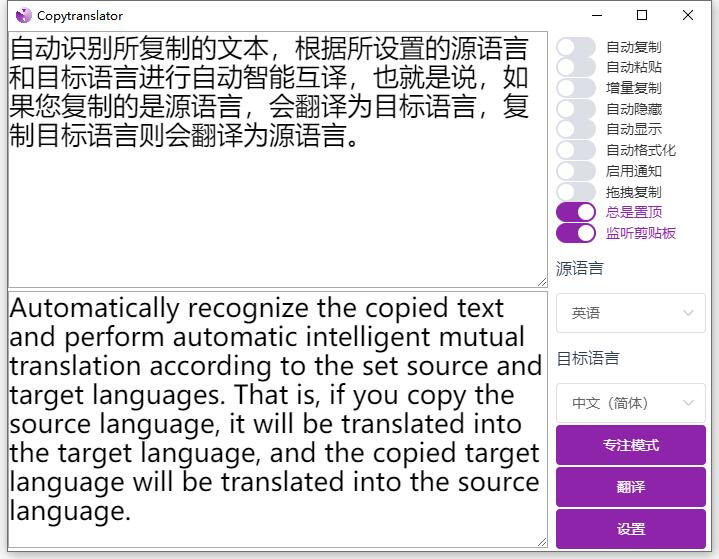 -->
### 智能词典
单词少于**3**的**英语句子**将被视为短语或单词,您将能够看到更加详细的解释。

## 自动化选项
### 自动复制
在翻译完成后自动复制译文到剪贴板。
<!--  -->
### 自动粘贴
**前提:选中自动复制**,自动复制之后模拟**ctrl+v**自动粘贴,替换选中文字。自动粘贴的延迟在设置中调节。

### 自动格式化
**注意:此功能与自动复制冲突,会自动反选[自动复制](#自动复制)**,将剪贴板中存在错误空行的原文进行[净化](#自动净化)并更新到剪贴板。
## 外观设置
### 始终置顶
让**CopyTranslator**窗口总是在其他窗口上方,就不会被其他窗口挡住了。
### 切换布局
**可以通过右上角的[布局按钮](#界面示意图)在不同布局间切换**
#### 对照模式(水平布局/垂直布局)
对照模式同时显示原文和译文以供对照
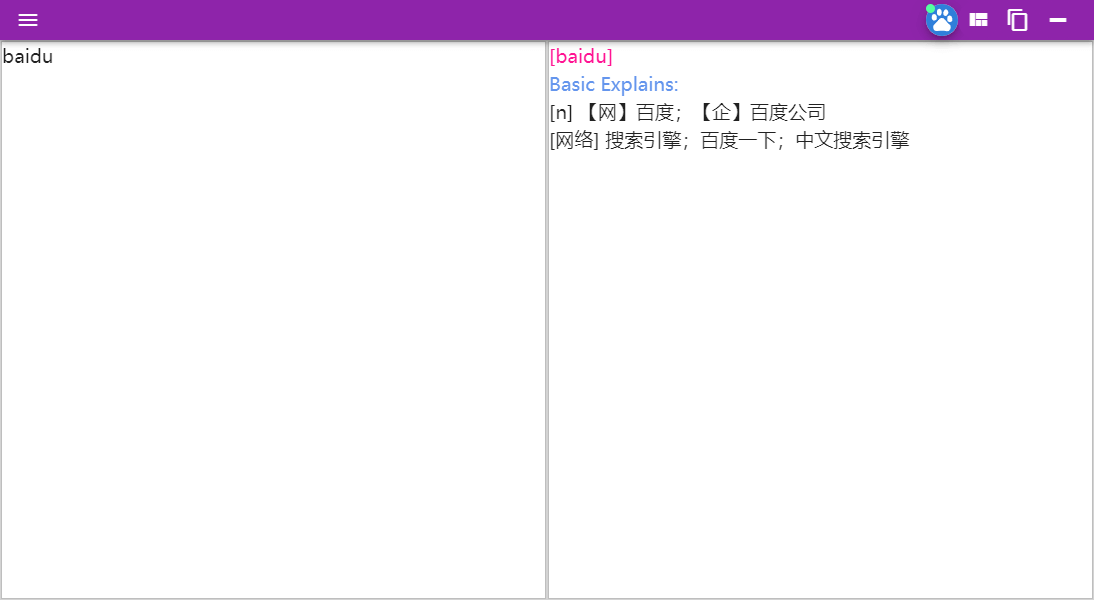
#### 专注模式
专注模式只提供一个结果窗口,让您更好地关注结果。通常需要配合**监听剪贴板**和[始终置顶](#始终置顶)选项使用
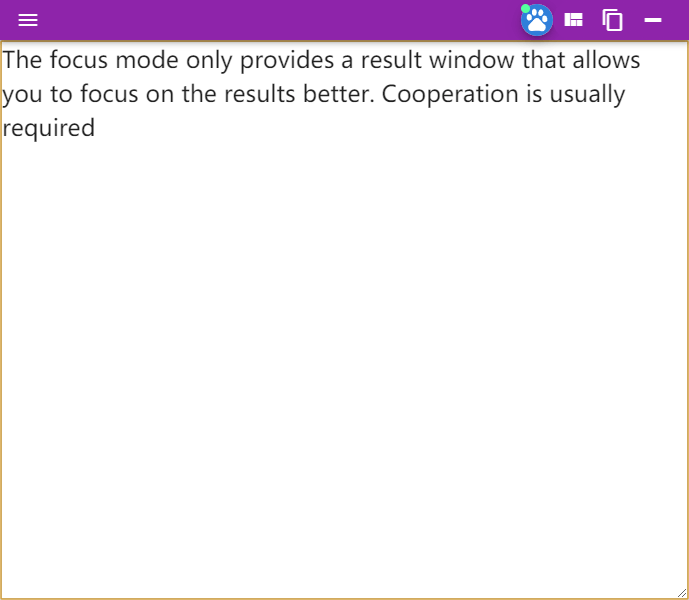
### 自动隐藏与显示
#### 自动隐藏
打开**自动隐藏**选项后
- 专注模式窗口贴上边(Y坐标小于0)|贴左边|贴右边 失去焦点后会自动隐藏,可设置,另外可设置翻译后自动显示。所谓失去焦点指的是,原本焦点在专注模式,而后鼠标/键盘点击其他软件,焦点转移这一事件。
- 当专注模式处于贴边收起时可以点击其下边缘,使其获得焦点,专注模式展开。

:::tip 提示
- 可以在设置中更改双击隐藏以及自动隐藏的方向。
- 可以选择向上,向左,向右,无,最小化
- 双屏用户务必选择**向上**
:::
#### 自动显示
勾选此选项后,当专注模式处于收起状态,且监听到剪贴板变化,专注模式将自动展开。**展开后想要收起结果框,请先点击一下结果框,后点击其他地方,如果贴边隐藏选项处于打开状态则结果框会收起。**。

### 字体大小/缩放
任意模式均可通过`Ctrl`配合加号或减号进行字体大小的缩放调节。
### 界面语言
在设置界面中可以**选择界面语言**(当前原生支持:English,简体中文,繁体中文),逐步生效,无需重启。
### 夜间模式
可以在设置界面中选择配色模式**dark**启动**夜间模式**。
如果设置为**auto**则会跟随系统的设置自动切换夜间模式,默认是跟随系统的设置。
## 其他
### 聚合引擎
聚合物查词引擎及化合物翻译引擎会**使用所有引擎查询,并缓存不同引擎的查询结果,让你在不同引擎切换时更快。**
::: tip 提示
**通过单击标题栏的引擎按钮可以选择其他引擎。**
- 翻译引擎: Google,Baidu,Caiyun
- 查词引擎: Google,Youdao,Bing
:::
### 快捷操作
以下操作**无法**通过[自定义局部快捷键](#自定义局部快捷键)修改
- 当光标位于专注模式结果框中时`Ctrl+Enter`实现翻译(监听剪贴板时会复制框内文本,当不监听剪贴板时复制框内文本)
- `Ctrl+B` 百度搜索框内内容。
- `Ctrl+G` Google搜索框内内容。
- `Ctrl+P`将原文框中文本当做动作执行,详见[动作系统](#动作系统)
以下操作**可以**通过[自定义局部快捷键](#自定义局部快捷键)修改
- `Ctrl+S`复制译文
- `Ctrl+D`复制原文
- `ESC` 当CopyTranslator有焦点时会隐藏CopyTranslator(如果你找不到Copytranslator,可以尝试点击任务栏图标)
### 角标颜色说明
- 红色表示翻译失败
- 绿色表示翻译成功或者处于监听剪贴板状态,紫色表示**增量复制**已启用
- 黄色表示正在翻译
- 灰色表示未启用监听剪贴板
### 自动净化
此功能默认打开(**一般用不着切换**),PDF翻译时去除多余换行,解决多余的断句和换行带来的乱码问题,翻译结果更符合阅读习惯,极大地提升了翻译效果。
但是对于非PDF的翻译结果可能会有一定的影响。
### 设置记忆
您的设置将自动保存在磁盘中,并在下次启动时自动加载。
配置文件在不同版本间变动可能很大,又因为如果配置文件不兼容软件将直接无法使用,影响用户体验,但处理兼容性会占用较长的时间,因此决定**不向前兼容也不向后兼容,每次更新您的旧版本的配置会消失**。
### 自动更新
每次启动,CopyTranslator会在后台检测更新,如果有新版本会提示,windows用户可以选择自动下载并更新,Mac用户可以点击链接前往下载dmg后自行更新。
### 停靠桌面
让翻译窗口永远停靠在桌面右侧,**其他窗口自动避让,翻译如行云流水般自然**。灵感来自`OneNote`的停靠桌面功能。此功能依赖外部插件,[点击了解更多](https://github.com/Andy-AO/CopytranslatorAppBar)。
### 启用通知
在托盘菜单或设置页面勾选,可以在通知中看到翻译结果(过长的翻译结果无法显示完全)

### 操作提示/调试
可以在开关中打开,之后的大部分操作都会有toast提示,可用于调试
## 进阶教程
CopyTranslator 提供了强大的自定义功能,但是需要用户有一定的动手能力。
### 自定义界面语言
由于我无法自己维护所有界面语言文件,因此最新版本的最新的界面语言文件可能不会和`CopyTranslator`一同发布(除了`en`和`zh-cn`)。现在,您可以下载本仓库目录[dist_locales](https://github.com/CopyTranslator/CopyTranslator/tree/master/dist_locales)下的语言文件 `{locale}.json`,并将其放在[配置目录](/guide/questions.html#copytranslator%E7%9A%84%E9%85%8D%E7%BD%AE%E7%9B%AE%E5%BD%95%E5%9C%A8%E5%93%AA%E9%87%8C)下的`locales`文件夹下面,`CopyTranslator`将在启动时检测它们,然后您可以在设置面板上选择它们。
### 自定义界面样式/风格
10.0 版本暂不支持自定义
### 动作系统
CopyTranslator的核心为动作系统,动作系统统一了界面设置,菜单设置,按钮,快捷键,翻译等等。
**换句话说我们可以将CopyTranslator视为交互式命令行程序,通过命令来执行特定操作。**
::: tip 提示
可以直接在**原文框中**输入动作,并按`Ctrl+P`执行该动作。
例:在原文框输入`exit`并按`Ctrl+P`即可退出程序。
:::
**注意,不同版本间同一个动作的标识符可能会变化。**
动作可分为两种
- 无参动作
- 带参动作
以下会列出所有可用动作的标识符,大部分都是字面意思,另外也可以查阅[中文翻译](https://github.com/CopyTranslator/CopyTranslator/blob/master/dist_locales/zh-CN.json)
#### 无参动作
一个`无参动作`由以下部分组成:
```
标识符
```
:::tip
实例:执行`copyResult`动作即可复制译文
:::
以下是目前所有无参动作的标识符。
```json
//以下是做一个特定的事的动作
export const normalActionTypes = [
"doubleCopyTranslate", //双击ctrl c 触发
"translate", //翻译
"selectionQuery", //翻译
"copySource", //复制原文
"copyResult", //复制译文
"pasteResult", //粘贴译文
"clear", //清空
"helpAndUpdate",
"exit",
"viewSource",
"return",
"retryTranslate",
"evaluate",
"homepage",
"userManual",
"checkUpdate",
"toDownload",
"changelog",
"cancel",
"ok",
"restoreDefault",
"capture",
"font+",
"font-",
"drawer",
"editConfigFile",
"showConfigFolder",
"hideWindow",
"closeWindow",
"showWindow",
"translateClipboard",
"notify",
"toast",
] as const;
//切换值的动作
export const switchActionTypes = [
"skipTaskbar",
"stayTop",
"listenClipboard",
"autoCopy",
"autoPaste",
"autoPurify",
"neverShow",
"smartDict",
"autoHide",
"autoFormat",
"autoShow",
"incrementalCopy",
"enableNotify",
"smartTranslate",
"smartDict",
"dragCopy",
"closeAsQuit",
"contrastDict",
"openAtLogin",
] as const;
//Electron 原生 角色
export const roles = [
"undo",
"redo",
"cut",
"copy",
"paste",
"pasteAndMatchStyle",
"selectAll",
"delete",
"minimize",
"close",
"quit",
"reload",
"forceReload",
"toggleDevTools",
"togglefullscreen",
"resetZoom",
"zoomIn",
"zoomOut",
"editMenu",
"windowMenu",
] as const;
```
#### 带参动作
一个`带参动作`由以下部分组成:
```
标识符|值
```
:::tip 提示
实例:执行`translatorType|google`动作会将翻译引擎设置为google
:::
下面为可用的带参动作的标识符
```json
//设置常量为某一个值
export const constantActionTypes = [
"source",
"result",
"localeName",
"sourceLanguage",
"targetLanguage",
"localeSetting",
"hideDirect",
"translatorType",
"dictionaryType",
"layoutType",
"frameMode",
"autoCheckUpdate",
"colorMode",
"version",
] as const;
```
### 自定义全局快捷键
对于大多数[动作](#动作系统),您可以通过修改[配置目录](/guide/questions.html#copytranslator%E7%9A%84%E9%85%8D%E7%BD%AE%E7%9B%AE%E5%BD%95%E5%9C%A8%E5%93%AA%E9%87%8C)的`shortcuts.json`来绑定全局快捷键。
::: warning 警告
当快捷键已被其他应用程序占用时,绑定将失败。
:::
每条记录的形式为:`action:accelerator`。
以下为一个例子
```json
{
"listenClipboard": "CommandOrControl+J",
"translatorType|google":"CommandOrControl+T"
}
```
它将切换监听剪贴板的动作绑定到快捷键`CommandOrControl+J`。并将切换为Google翻译器的操作绑定到快捷键`CommandOrControl+T`。
对于所有可用操作,请参看 [动作](#动作系统)。
所有可用的快捷键,请查看[Electron Accelerator](https://electronjs.org/docs/api/accelerator)。
### 自定义局部快捷键
与全局快捷键不同,局部快捷键不会与其他应用冲突,但是只能在焦点在copytranslator时使用
对于大多数[动作](#动作系统),您可以通过修改[配置目录](/guide/questions.html#copytranslator%E7%9A%84%E9%85%8D%E7%BD%AE%E7%9B%AE%E5%BD%95%E5%9C%A8%E5%93%AA%E9%87%8C)的`localShortcuts.json`来绑定全局快捷键。
每条记录的形式为:`action:accelerator`。
以下为默认局部快捷键
```json
{
"undo": "CmdOrCtrl+Z",
"redo": "Shift+CmdOrCtrl+Z",
"cut": "CmdOrCtrl+X",
"copy": "CmdOrCtrl+C",
"paste": "CmdOrCtrl+V",
"selectAll": "CmdOrCtrl+A",
"copyResult": "CmdOrCtrl+S",
"copySource": "CmdOrCtrl+D",
"quit": "Cmd+Q",
"font+":"CmdOrCtrl+=",
"font-":"CmdOrCtrl+-",
"hideWindow": "Escape"
}
```
以`"copyResult": "CmdOrCtrl+S"`为例,它将复制译文的动作绑定到快捷键`CmdOrCtrl+S`,也就是说如果你的焦点在copytranslator时,按下`ctrl+s`即可复制译文。
对于所有可用操作,请参看 [动作](#动作系统)。
所有可用的快捷键,请查看[Electron Accelerator](https://electronjs.org/docs/api/accelerator)。
================================================
FILE: docs/guide/10.2.4.md
================================================
---
sidebarDepth: 6
---
# v10.2.4 破晓
<p style="font-family:宋体;font-color:grey;font-size:14px;text-align:center;">
<font color="red" style="font-size:22px;">破晓</font><font style="font-size:22px;">待明</font>
</br>
张伯礼院士
</br>
<font style="font-size:18px;">天欲破晓一抹清,曙光初现万彩红。</font>
</br>
<font style="font-size:18px;">鏖战疫魔须坚忍,凯旋班师踏清明。</font>
</p>
::: tip 提示
在反馈问题时,请确保您使用的是最新的版本[](https://github.com/copytranslator/copytranslator/releases)。
欢迎点击左下角的**帮助我们改善此页面**。
软件问题,请在Github提出[Issue](https://github.com/CopyTranslator/CopyTranslator/issues)进行反馈,**反馈问题前请确认该问题在指南当中没有提及**。
:::
## 界面示意图

:::tip 说明
此界面为水平对照模式
- 引擎按钮:左键可以切换[翻译/查词引擎](#聚合引擎),右键点击关闭**监听剪贴板**,[角标颜色](#角标颜色说明)指示当前状态。
- 布局按钮:可以在三种[布局](#切换布局)中切换([水平对比模式,垂直对比模式](#对照模式-水平布局-垂直布局),[专注模式](#专注模式))。
- 复制按钮:左键复制**译文**,右键复制**原文**。
- 最小化按钮:左键**最小化**,右键**退出**。
- 抽屉按钮:打开和关闭**设置抽屉**。
:::
## 基础功能
### 复制翻译
CopyTranslator监听到剪贴板变化,会将剪贴板内容进行[净化](#自动净化)(如去除多余换行等),并显示翻译结果,翻译效果相比于直接复制粘贴到网页版翻译有了巨大的改善,同时翻译所需时间也大大减少,借助于强大的在线翻译API,翻译质量有保证。有效提高人们阅读及翻译外文文献的效率。

::: tip 提示
- 勾选**监听剪贴板**以启用。
- 当关闭**监听剪贴板**时,可以在设置页面打开**双击Ctrl+C**选项,通过**双击Ctrl+C**来触发**CopyTranslator**的翻译功能。
:::
### 拖拽复制
**默认关闭**。为减少多次按**Ctrl+C**或者是右键复制所带来的麻烦,CopyTranslator在v9.0.0引入一个鼠标拖拽后自动复制选中文字的机制。
在打开**拖拽复制**选项后,只需按住鼠标单击并拖拽选中文字,即可复制文字。
:::tip 说明
其机制为当鼠标拖动一定时间和距离后释放,会模拟一次Ctrl+C,**拖动后的释放很重要,不是按越久越好。**
**拖拽选中=>复制=>翻译**
v10.2.4后,强烈建议您启用拖拽复制的白名单/黑名单模式(设置->拖拽复制),避免触发不必要的拖拽复制。
:::

:::warning 警告
拖拽复制触发时会模拟Ctrl+C,大部分情况下,这都意味着安全的文本复制,但在某些场景中可能会引起一些意料之外的问题,如卡顿,剪贴板数据被覆盖、在shell中触发Ctrl+C会使正在运行的程序中断等等,启用时请务必注意。
:::
::: tip 提示
- 在打开拖拽复制时,可以通过**鼠标双击**来复制。
- 拖拽时按住**Ctrl**则为[增量复制](#增量复制)。
:::
### 增量复制
将复制的文本附加到原文而不是替换它,**当段落在不同页面中分隔时尤其有用**。**用来解决一句话被页面断成两句,一次复制不全的场景**。勾选**增量复制**选项以启用它。

:::tip 提示
- 在**拖拽复制**打开时,拖拽时按住`Ctrl`即可增量复制。
- 可以使用快捷键 win+shift+\` 进行快速增量复制。
:::
### 智能互译
CopyTranslator会自动识别所复制的文本,根据所设置的**源语言**和**目标语言**进行智能互译。
如果您复制的是**源语言**,会翻译为**目标语言**,复制**目标语言**则会翻译为**源语言**。
如果复制的文字既非**源语言**也不是**目标语言**,则会翻译为**目标语言**。
**智能互译**可以在设置-开关界面关闭。不用担心,**自动复制**不会与此机制相互影响。
### 智能词典
单词少于**3**的**英语句子**将被视为短语或单词,您将能够看到更加详细的解释。

## 自动化选项
### 自动复制
在翻译完成后自动复制译文到剪贴板。
### 自动粘贴
**前提:选中自动复制**,自动复制之后模拟**ctrl+v**自动粘贴,替换选中文字。自动粘贴的延迟在设置中调节。

### 自动格式化
**注意:此功能与自动复制冲突,会自动反选[自动复制](#自动复制)**,将剪贴板中存在错误空行的原文进行[净化](#自动净化)并更新到剪贴板。
## 外观设置
### 始终置顶
让**CopyTranslator**窗口总是在其他窗口上方,就不会被其他窗口挡住了。
### 切换布局
**可以通过右上角的[布局按钮](#界面示意图)在不同布局间切换**
#### 对照模式(水平布局/垂直布局)
对照模式同时显示原文和译文以供对照

#### 专注模式
专注模式只提供一个结果窗口,让您更好地关注结果。通常需要配合**监听剪贴板**和[始终置顶](#始终置顶)选项使用

### 多源对比
在设置->开关可以启用`多源对比`(或者是引擎按钮菜单中选择copytranslator图标),然后你就可以直观地看到不同翻译引擎的结果的对比视图,要对比的引擎可以在设置->翻译器设置当中的translator-compare设置。

### 自动隐藏与显示
#### 自动隐藏
打开**自动隐藏**选项后
- 专注模式窗口贴上边(Y坐标小于0)|贴左边|贴右边 失去焦点后会自动隐藏,可设置,另外可设置翻译后自动显示。所谓失去焦点指的是,原本焦点在专注模式,而后鼠标/键盘点击其他软件,焦点转移这一事件。
- 当专注模式处于贴边收起时可以点击其下边缘,使其获得焦点,专注模式展开。

:::tip 提示
- 可以在设置中更改双击隐藏以及自动隐藏的方向。
- 可以选择向上,向左,向右,无,最小化
- 双屏用户务必选择**向上**
:::
#### 自动显示
勾选此选项后,当专注模式处于收起状态,且监听到剪贴板变化,专注模式将自动展开。**展开后想要收起结果框,请先点击一下结果框,后点击其他地方,如果贴边隐藏选项处于打开状态则结果框会收起。**。

### 字体大小/缩放
任意模式均可通过`Ctrl`配合加号或减号进行字体大小的缩放调节。
### 界面语言
在设置界面中可以**选择界面语言**(当前原生支持:English,简体中文,繁体中文),逐步生效,无需重启。
### 夜间模式
可以在设置界面中选择配色模式**dark**启动**夜间模式**。
如果设置为**auto**则会跟随系统的设置自动切换夜间模式,默认是跟随系统的设置。
## 其他
### 聚合引擎
聚合物查词引擎及化合物翻译引擎会**使用所有引擎查询,并缓存不同引擎的查询结果,让你在不同引擎切换时更快。**
::: tip 提示
**通过单击标题栏的引擎按钮可以选择其他引擎。**
- 翻译引擎: Google,Baidu,Caiyun,Tencent,Keyan,Deepl,Bing
- 查词引擎: Google,Bing
:::
- **禁用并关闭引擎**:如果有些引擎,经常无法使用,或者是你不是很喜欢,平常用不着,可以到设置->翻译器设置当中的translator-enabled里面把它去掉,软件就会禁用并关闭该引擎,能减少一些资源占用。
- **禁用非主引擎缓存**:如果你平常只使用特定引擎,某些引擎只是偶尔使用,不需要频繁切换,可以到设置->翻译器设置当中的translator-cache中去掉你不需要加速切换的引擎,这样copytranslator就不会在后台请求非主引擎来加速你的切换。举个例子,设置google为主引擎时,其实其他引擎默认也会去获取结果,这样你切换就会很快,但是有时候其实你不需要频繁切换。坏处就是他会等到你切换的时候才会请求,你就要等待了,相对慢点。
### 快捷操作
以下操作**无法**通过[自定义局部快捷键](#自定义局部快捷键)修改
- 当光标位于专注模式结果框中时`Ctrl+Enter`实现翻译(监听剪贴板时会复制框内文本,当不监听剪贴板时复制框内文本)
- `Ctrl+B` 百度搜索框内内容。
- `Ctrl+G` Google搜索框内内容。
- `Ctrl+P`将原文框中文本当做动作执行,详见[动作系统](#动作系统)
以下操作**可以**通过[自定义局部快捷键](#自定义局部快捷键)修改
- `Ctrl+S`复制译文
- `Ctrl+D`复制原文
- `ESC` 当CopyTranslator有焦点时会隐藏CopyTranslator(如果你找不到Copytranslator,可以尝试点击任务栏图标)
### 角标颜色说明
- 红色表示翻译失败
- 绿色表示翻译成功或者处于监听剪贴板状态,紫色表示**增量复制**已启用
- 黄色表示正在翻译
- 灰色表示未启用监听剪贴板
### 自动净化
此功能默认打开(**一般用不着切换**),PDF翻译时去除多余换行,解决多余的断句和换行带来的乱码问题,翻译结果更符合阅读习惯,极大地提升了翻译效果。
但是对于非PDF的翻译结果可能会有一定的影响。
### 自动更新
每次启动,CopyTranslator会在后台检测更新,如果有新版本会提示,windows用户可以选择自动下载并更新,Mac用户可以点击链接前往下载dmg后自行更新。
### 停靠桌面
让翻译窗口永远停靠在桌面右侧,**其他窗口自动避让,翻译如行云流水般自然**。灵感来自`OneNote`的停靠桌面功能。此功能依赖外部插件,[点击了解更多](https://github.com/Andy-AO/CopytranslatorAppBar)。
### 启用通知
在托盘菜单或设置页面勾选,可以在通知中看到翻译结果(过长的翻译结果无法显示完全)

### 操作提示/调试
可以在开关中打开,之后的大部分操作都会有toast提示,可用于调试
## 进阶教程
CopyTranslator 提供了强大的自定义功能,但是需要用户有一定的动手能力。
### 自定义界面语言
由于我无法自己维护所有界面语言文件,因此最新版本的最新的界面语言文件可能不会和`CopyTranslator`一同发布(除了`en`和`zh-cn`)。现在,您可以下载本仓库目录[dist_locales](https://github.com/CopyTranslator/CopyTranslator/tree/master/dist_locales)下的语言文件 `{locale}.json`,并将其放在[配置目录](/guide/questions.html#copytranslator%E7%9A%84%E9%85%8D%E7%BD%AE%E7%9B%AE%E5%BD%95%E5%9C%A8%E5%93%AA%E9%87%8C)下的`locales`文件夹下面,`CopyTranslator`将在启动时检测它们,然后您可以在设置面板上选择它们。
### 自定义界面样式/风格
10.0 版本暂不支持自定义
### 动作系统
CopyTranslator的核心为动作系统,动作系统统一了界面设置,菜单设置,按钮,快捷键,翻译等等。
**换句话说我们可以将CopyTranslator视为交互式命令行程序,通过命令来执行特定操作。**
::: tip 提示
可以直接在**原文框中**输入动作,并按`Ctrl+P`执行该动作。
例:在原文框输入`exit`并按`Ctrl+P`即可退出程序。
:::
**注意,不同版本间同一个动作的标识符可能会变化。**
动作可分为两种
- 无参动作
- 带参动作
以下会列出所有可用动作的标识符,大部分都是字面意思,另外也可以查阅[中文翻译](https://github.com/CopyTranslator/CopyTranslator/blob/master/dist_locales/zh-CN.json)
#### 无参动作
一个`无参动作`由以下部分组成:
```
标识符
```
:::tip
实例:执行`copyResult`动作即可复制译文
:::
以下是目前所有无参动作的标识符。
```json
//以下是做一个特定的事的动作
export const normalActionTypes = [
"doubleCopyTranslate", //双击ctrl c 触发
"translate", //翻译
"selectionQuery", //翻译
"copySource", //复制原文
"copyResult", //复制译文
"pasteResult", //粘贴译文
"clear", //清空
"helpAndUpdate",
"exit",
"viewSource",
"return",
"retryTranslate",
"evaluate",
"homepage",
"userManual",
"checkUpdate",
"toDownload",
"changelog",
"cancel",
"ok",
"restoreDefault",
"capture",
"font+",
"font-",
"drawer",
"editConfigFile",
"showConfigFolder",
"hideWindow",
"closeWindow",
"showWindow",
"translateClipboard",
"notify",
"toast",
] as const;
//切换值的动作
export const switchActionTypes = [
"skipTaskbar",
"stayTop",
"listenClipboard",
"autoCopy",
"autoPaste",
"autoPurify",
"neverShow",
"smartDict",
"autoHide",
"autoFormat",
"autoShow",
"incrementalCopy",
"enableNotify",
"smartTranslate",
"smartDict",
"dragCopy",
"closeAsQuit",
"contrastDict",
"openAtLogin",
] as const;
//Electron 原生 角色
export const roles = [
"undo",
"redo",
"cut",
"copy",
"paste",
"pasteAndMatchStyle",
"selectAll",
"delete",
"minimize",
"close",
"quit",
"reload",
"forceReload",
"toggleDevTools",
"togglefullscreen",
"resetZoom",
"zoomIn",
"zoomOut",
"editMenu",
"windowMenu",
] as const;
```
#### 带参动作
一个`带参动作`由以下部分组成:
```
标识符|值
```
:::tip 提示
实例:执行`translatorType|google`动作会将翻译引擎设置为google
:::
下面为可用的带参动作的标识符
```json
//设置常量为某一个值
export const constantActionTypes = [
"source",
"result",
"localeName",
"sourceLanguage",
"targetLanguage",
"localeSetting",
"hideDirect",
"translatorType",
"dictionaryType",
"layoutType",
"frameMode",
"autoCheckUpdate",
"colorMode",
"version",
] as const;
```
### 自定义全局快捷键
对于大多数[动作](#动作系统),您可以通过修改[配置目录](/guide/questions.html#copytranslator%E7%9A%84%E9%85%8D%E7%BD%AE%E7%9B%AE%E5%BD%95%E5%9C%A8%E5%93%AA%E9%87%8C)的`shortcuts.json`来绑定全局快捷键。
::: warning 警告
当快捷键已被其他应用程序占用时,绑定将失败。
:::
每条记录的形式为:`action:accelerator`。
以下为一个例子
```json
{
"listenClipboard": "CommandOrControl+J",
"translatorType|google":"CommandOrControl+T"
}
```
它将切换监听剪贴板的动作绑定到快捷键`CommandOrControl+J`。并将切换为Google翻译器的操作绑定到快捷键`CommandOrControl+T`。
对于所有可用操作,请参看 [动作](#动作系统)。
所有可用的快捷键,请查看[Electron Accelerator](https://electronjs.org/docs/api/accelerator)。
### 自定义局部快捷键
与全局快捷键不同,局部快捷键不会与其他应用冲突,但是只能在焦点在copytranslator时使用
对于大多数[动作](#动作系统),您可以通过修改[配置目录](/guide/questions.html#copytranslator%E7%9A%84%E9%85%8D%E7%BD%AE%E7%9B%AE%E5%BD%95%E5%9C%A8%E5%93%AA%E9%87%8C)的`localShortcuts.json`来绑定全局快捷键。
每条记录的形式为:`action:accelerator`。
以下为默认局部快捷键
```json
{
"undo": "CmdOrCtrl+Z",
"redo": "Shift+CmdOrCtrl+Z",
"cut": "CmdOrCtrl+X",
"copy": "CmdOrCtrl+C",
"paste": "CmdOrCtrl+V",
"selectAll": "CmdOrCtrl+A",
"copyResult": "CmdOrCtrl+S",
"copySource": "CmdOrCtrl+D",
"quit": "Cmd+Q",
"font+":"CmdOrCtrl+=",
"font-":"CmdOrCtrl+-",
"hideWindow": "Escape"
}
```
以`"copyResult": "CmdOrCtrl+S"`为例,它将复制译文的动作绑定到快捷键`CmdOrCtrl+S`,也就是说如果你的焦点在copytranslator时,按下`ctrl+s`即可复制译文。
对于所有可用操作,请参看 [动作](#动作系统)。
所有可用的快捷键,请查看[Electron Accelerator](https://electronjs.org/docs/api/accelerator)。
================================================
FILE: docs/guide/11.0.0.md
================================================
---
sidebarDepth: 6
---
# v11.0.0 扶摇
<p style="font-family:宋体;font-size:20px;">鹏之徙于南冥也,水击三千里,抟<font color="red">扶摇</font>而上者九万里,去以六月息者也。</p>
<p style="font-family:宋体;font-size:20px;text-align:right;">--庄子《逍遥游》</p>
::: tip 提示
软件问题,请在Github提出[Issue](https://github.com/CopyTranslator/CopyTranslator/issues)进行反馈。
**反馈问题前请确认该问题在指南当中没有提及,且您使用的是最新版本[](https://github.com/copytranslator/copytranslator/releases)。
**。
:::
::: tip 新特性摘要
- 全新的[配置快照机制](#配置快照),让你快速在不同使用场景切换。
- [拖拽复制白名单模式](#拖拽复制),选中即复制,不再误触发。
- [到处都有的悬浮提示](#悬浮提示),让你不再对各项功能感到迷茫。
- [单次增量复制](#单次增量复制),轻松快速复制跨页文本。
- [可定制的动作按钮](#定制动作按钮): 你现在可以自定义布局按钮,复制按钮等,还可以添加自己的自定义按钮
- 更加完善,更加丰富的外观设置选项:[字体与颜色](#字体与颜色),[标题栏高度](#标题栏高度),[界面透明度](#界面透明度),[鼠标穿透](#鼠标穿透)
- [更加完善的多源对比模式](#多源对比)
- [专注模式可显示原文](#专注模式)
- [对比模式比例自由调节](#对照模式-水平布局-垂直布局)
:::
## 界面示意图

:::tip 说明
此界面为水平对照模式
- 抽屉按钮:左键打开和关闭**设置抽屉**。**v11后,右键打开设置。**
- 引擎按钮:左键可以切换[翻译/查词引擎](#聚合引擎),右键点击关闭**监听剪贴板**,[角标颜色](#角标颜色说明)指示当前状态。
- 你可以通过拖拽分割线来调节原文与译文所占比例
**动作按钮区(你可以定制这些按钮,参见[定制动作按钮](#定制动作按钮))**
- 布局按钮:可以在三种[布局](#切换布局)中切换([水平对比模式,垂直对比模式](#对照模式-水平布局-垂直布局),[专注模式](#专注模式))。**v11后,右键[单次增量复制](#单次增量复制)。**
- 复制按钮:左键复制**译文**,右键复制**原文**。
- 最小化按钮:左键**最小化**,右键**退出**。
:::
## 核心功能
### 复制翻译
CopyTranslator监听到剪贴板变化,会将剪贴板内容进行[净化](#自动净化)(如去除多余换行等),并显示翻译结果,翻译效果相比于直接复制粘贴到网页版翻译有了巨大的改善,同时翻译所需时间也大大减少,借助于强大的在线翻译API,翻译质量有保证。有效提高人们阅读及翻译外文文献的效率。

::: tip 提示
- 勾选**监听剪贴板**以启用。
- 当关闭**监听剪贴板**时,可以在设置页面打开**双击Ctrl+C**选项,通过**双击Ctrl+C**来触发**CopyTranslator**的翻译功能。
:::
### 拖拽复制
**默认关闭**。在打开**拖拽复制**选项后,只需按住鼠标单击并拖拽选中文字,即可复制文字。
:::tip 说明
其机制为当鼠标拖动一定时间和距离后释放,会模拟一次Ctrl+C,**拖动后的释放很重要,不是按越久越好。**
**拖拽选中=>复制=>翻译**
**v10.2.4后,强烈建议您启用拖拽复制的白名单/黑名单模式(设置->拖拽复制),仅在特定程序触发拖拽复制。**
:::

:::warning 警告
拖拽复制触发时会模拟Ctrl+C,大部分情况下,这都意味着安全的文本复制,但在某些场景中可能会引起一些意料之外的问题,如卡顿,剪贴板数据被覆盖、在shell中触发Ctrl+C会使正在运行的程序中断等等,启用时请务必注意。
:::
::: tip 提示
- 在打开拖拽复制时,可以通过**鼠标双击**来复制。
- 拖拽时按住**Ctrl**则该次复制为[增量复制](#增量复制)。
:::
### 单次增量复制
v11后,右键[布局按钮](#界面示意图)可以标记下一次复制为[增量复制](#增量复制),即**将下次复制的文本附加到原文而不是替换它**,下次复制结束即恢复原样。当段落在不同页面中分隔时尤其有用。用来解决一句话被页面断成两句,一次复制不全的场景。如下图所示

#### 增量复制
将新复制的文本附加到原文而不是替换它。
:::tip 提示
- 在**拖拽复制**打开时,拖拽时按住`Ctrl`即可增量复制。
- 可以使用快捷键 win+shift+\` 进行快速增量复制。
:::
### 智能互译
CopyTranslator会自动识别所复制的文本,根据所设置的**源语言**和**目标语言**进行智能互译。
如果您复制的是**源语言**,会翻译为**目标语言**,复制**目标语言**则会翻译为**源语言**。
如果复制的文字既非**源语言**也不是**目标语言**,则会翻译为**目标语言**。
**智能互译**可以在设置-开关界面关闭。不用担心,**自动复制**不会与此机制相互影响。
### 配置快照
v11引入一个配置快照机制,拍摄的快照会保存当前时刻的几乎所有配置信息,使得你可以快速在各个应用场景间切换。
举个例子,你在玩游戏时,可能希望copytranslator是透明的,鼠标穿透的,标题栏比较矮,然后可能是专注模式,字体颜色是白色的。
然而你在读论文时,可能需要对比模式,夜间模式,不透明,鼠标不穿透,拖拽复制启动的。
**如果你手动进行这样的切换,需要进行很多繁琐,重复性的设置,利用快照机制,你可以快速地在不同应用场景间切换。**
你只需要在调试好玩游戏时候的设置之后,拍摄一个快照,下次要玩游戏时,切换到该快照即可。
::: tip 提示
你可以在设置窗口的**几乎任何地方**通过右键菜单来进行快照管理,此外主窗口的大部分位置的右键菜单都有**拍摄配置快照**以及**切换配置快照**的选项。
:::

### 智能词典
单词少于**3**的**英语句子**将被视为短语或单词,您将能够看到更加详细的解释。

## 自动化选项
### 自动复制
在翻译完成后自动复制译文到剪贴板。
### 自动粘贴
**前提:选中自动复制**,自动复制之后模拟**ctrl+v**自动粘贴,替换选中文字。自动粘贴的延迟在设置中调节。

### 自动格式化
**注意:此功能与自动复制冲突,会自动反选[自动复制](#自动复制)**,将剪贴板中存在错误空行的原文进行[净化](#自动净化)并更新到剪贴板。
## 外观设置
### 始终置顶
让**CopyTranslator**窗口总是在其他窗口上方,就不会被其他窗口挡住了。
### 切换布局
**可以通过右上角的[布局按钮](#界面示意图)在不同布局间切换**
#### 对照模式(水平布局/垂直布局)
对照模式**以固定比例**同时显示原文和译文以供对照
**v11后,你可以通过拖动分隔线来调节原文与译文的比例。**

#### 专注模式
专注模式只提供一个结果窗口,让您更好地关注结果。通常需要配合**监听剪贴板**和[始终置顶](#始终置顶)选项使用。
**v11后,你可以选择在专注模式中也显示原文,但不是固定比例的,在设置->开关中打开`专注模式原文`即可**

### 多源对比
在设置->开关可以启用`多源对比`(或者是引擎按钮菜单中选择copytranslator图标),然后你就可以直观地看到不同翻译引擎的结果的对比视图。
**v11后,多源对比引擎可以通过结果框的右键菜单来快速设置。此外还可以通过复制按钮直接复制特定引擎的译文**

### 自动隐藏与显示
#### 自动隐藏
打开**自动隐藏**选项后
- 专注模式窗口贴上边(Y坐标小于0)|贴左边|贴右边 失去焦点后会自动隐藏,可设置,另外可设置翻译后自动显示。所谓失去焦点指的是,原本焦点在专注模式,而后鼠标/键盘点击其他软件,焦点转移这一事件。
- 当专注模式处于贴边收起时可以点击其下边缘,使其获得焦点,专注模式展开。

:::tip 提示
- 可以在设置中更改双击隐藏以及自动隐藏的方向。
- 可以选择向上,向左,向右,无,最小化
- 双屏用户务必选择**向上**
:::
#### 自动显示
勾选此选项后,当专注模式处于收起状态,且监听到剪贴板变化,专注模式将自动展开。**展开后想要收起结果框,请先点击一下结果框,后点击其他地方,如果贴边隐藏选项处于打开状态则结果框会收起。**。

### 字体与颜色
#### 字体大小/缩放
任意模式均可通过`Ctrl`配合加号或减号进行字体大小的缩放调节。
**V11后,字体大小调节更加完善:原文,译文,词典,多源对比,其字体大小均可调节,并且可以使用ctrl+滚轮进行调节**
#### 字体家族
**v11后,界面的字体,以及正文的字体都可以在`设置->外观`选项卡中设置**
#### 夜间模式
可以在设置界面中选择配色模式**dark**启动**夜间模式**。
如果设置为**auto**则会跟随系统的设置自动切换夜间模式,默认是跟随系统的设置。
#### 颜色设置
**v11后,背景颜色,字体颜色,界面主题颜色都可以在`设置->外观`选项卡中更换**
:::tip 提示
你在明亮模式设置的颜色,只会作用在明亮模式,夜间模式同理。
:::
#### 界面透明度
**v11后,你可以在`设置->外观`选项卡中调节界面的透明度**
#### 鼠标穿透
**v11后,在`设置->外观`选项卡,可以选中此项。选中后,会多出一个用于拖动的按钮,除特定动作按钮外,copytranslator将不再响应鼠标事件,也就是你可以透过copytranslator的界面操作到后面的程序。一般配合透明度调节使用。**
### 标题栏高度
**v11后,在需要时,你可以调节标题栏的高度,把标题栏变小**
### 界面语言
在设置界面中可以**选择界面语言**(当前原生支持:English,简体中文,繁体中文),逐步生效,无需重启。
## 其他
### 聚合引擎
聚合物查词引擎会**使用一些引擎查询,并缓存不同引擎的查询结果,让你在不同引擎切换时更快。**
**v11后,化合物翻译引擎目前默认是没有加速缓存的,但是你可以自行设置。**
::: tip 提示
**通过单击标题栏的引擎按钮可以选择其他引擎。**
- 翻译引擎: Google,Baidu,Caiyun,Tencent,Keyan,Deepl,Bing,Youdao, Sogou
- 查词引擎: Google,Bing
:::
- **禁用并关闭引擎**:如果有些引擎,经常无法使用,或者是你不是很喜欢,平常用不着,可以到设置->翻译器设置当中的translator-enabled里面把它去掉,软件就会禁用并关闭该引擎,能减少一些资源占用。
- **禁用非主引擎缓存**:如果你平常只使用特定引擎,某些引擎只是偶尔使用,不需要频繁切换,可以到设置->翻译器设置当中的translator-cache中去掉你不需要加速切换的引擎,这样copytranslator就不会在后台请求非主引擎来加速你的切换。举个例子,设置google为主引擎时,其实其他引擎默认也会去获取结果,这样你切换就会很快,但是有时候其实你不需要频繁切换。坏处就是他会等到你切换的时候才会请求,你就要等待了,相对慢点。
### 快捷操作
以下操作**无法**通过[自定义局部快捷键](#自定义局部快捷键)修改
- 当光标位于专注模式结果框中时`Ctrl+Enter`实现翻译(监听剪贴板时会复制框内文本,当不监听剪贴板时复制框内文本)
- `Ctrl+B` 百度搜索框内内容。
- `Ctrl+G` Google搜索框内内容。
- `Ctrl+P`将原文框中文本当做动作执行,详见[动作系统](#动作系统)
以下操作**可以**通过[自定义局部快捷键](#自定义局部快捷键)修改
- `Ctrl+S`复制译文
- `Ctrl+D`复制原文
- `ESC` 当CopyTranslator有焦点时会隐藏CopyTranslator(如果你找不到Copytranslator,可以尝试点击任务栏图标)
### 角标颜色说明
- 红色表示翻译失败
- 绿色表示翻译成功或者处于监听剪贴板状态,紫色表示**增量复制**已启用
- 黄色表示正在翻译
- 灰色表示未启用监听剪贴板
### 自动净化
此功能默认打开(**一般用不着切换**),PDF翻译时去除多余换行,解决多余的断句和换行带来的乱码问题,翻译结果更符合阅读习惯,极大地提升了翻译效果。
但是对于非PDF的翻译结果可能会有一定的影响。
### 自动更新
每次启动,CopyTranslator会在后台检测更新,如果有新版本会提示,windows用户可以选择自动下载并更新,Mac用户可以点击链接前往下载dmg后自行更新。
### 停靠桌面
让翻译窗口永远停靠在桌面右侧,**其他窗口自动避让,翻译如行云流水般自然**。灵感来自`OneNote`的停靠桌面功能。此功能依赖外部插件,[点击了解更多](https://github.com/Andy-AO/CopytranslatorAppBar)。
### 启用通知
在托盘菜单或设置页面勾选,可以在通知中看到翻译结果(过长的翻译结果无法显示完全)

### 操作提示/调试
可以在开关中打开,之后的大部分操作都会有toast提示,可用于调试
### 悬浮提示
**v11后,鼠标短暂悬浮在各类按钮,选项,文本框上,你就能看到关于该项的提示信息。**
### OCR配置(光学字符识别)
#### 在线OCR
只要你申请百度OCR API的API key然后将其填入设置->API设置中的baidu-ocr中,设置好后,只要你截图并将图片复制到剪贴板,copytranslator检测到图片,就会对图片进行ocr随后进行翻译
#### 离线OCR
由于在线的ocr比如百度OCR收费比较贵,CopyTranslator现基于[PaddleOCR-json](https://github.com/hiroi-sora/PaddleOCR-json/)提供离线OCR功能,此功能目前还处于体验阶段,下面是使用指南
您需要另外下载[CopyTranslator-PaddleOCR-json.v1.2.1.7z](https://github.com/CopyTranslator/CopyTranslator/releases/download/v10.1.0/CopyTranslator-PaddleOCR-json.v1.2.1.7z),并将其解压到一个最好没有中文的路径下,在此例子当中,我解压到`D:\CopyTranslator-PaddleOCR-json.v1.2.1`,请您确认存在文件`D:\CopyTranslator-PaddleOCR-json.v1.2.1\PaddleOCR_json.exe`
然后在copytranslator的设置->API设置界面,你可以看到(如下图),pp-ocr的选项卡下有两个字段需要设置一个是cwd,一个是config_name
- cwd就是你解压的路径,在我的例子中,即`D:\CopyTranslator-PaddleOCR-json.v1.2.1`
- config_name是配置文件名,不同语言的OCR需要不同的配置文件
- 英文: PaddleOCR_json_config_en.txt
- 中文: PaddleOCR_json_config_ch.txt
- 日文: PaddleOCR_json_config_jp.txt
- 韩语: PaddleOCR_json_config_korean.txt
然后就可以关闭设置,如果没有报错的话,就说明配置成功了。
只要你截图并将图片复制到剪贴板,copytranslator检测到图片,就会对图片进行ocr随后进行翻译。
::: tip 注意
- 如果同时配置了baidu-ocr和pp-ocr,软件只会使用pp-ocr
- pp-ocr暂不支持切换语言,你在API设置里填的就是你用的ocr
:::

## 进阶教程
CopyTranslator 提供了强大的自定义功能,但是需要用户有一定的动手能力。
### 自定义界面语言
由于我无法自己维护所有界面语言文件,因此最新版本的最新的界面语言文件可能不会和`CopyTranslator`一同发布(除了`en`和`zh-cn`)。现在,您可以下载本仓库目录[dist_locales](https://github.com/CopyTranslator/CopyTranslator/tree/master/dist_locales)下的语言文件 `{locale}.json`,并将其放在[配置目录](/guide/questions.html#copytranslator%E7%9A%84%E9%85%8D%E7%BD%AE%E7%9B%AE%E5%BD%95%E5%9C%A8%E5%93%AA%E9%87%8C)下的`locales`文件夹下面,`CopyTranslator`将在启动时检测它们,然后您可以在设置面板上选择它们。
### 动作系统
CopyTranslator的核心为动作系统,动作系统统一了界面设置,菜单设置,按钮,快捷键,翻译等等。
**换句话说我们可以将CopyTranslator视为交互式命令行程序,通过命令来执行特定操作。**
::: tip 提示
可以直接在**原文框中**输入动作,并按`Ctrl+P`执行该动作。
例:在原文框输入`exit`并按`Ctrl+P`即可退出程序。
:::
**注意,不同版本间同一个动作的标识符可能会变化。**
动作可分为两种
- 无参动作
- 带参动作
以下会列出所有可用动作的标识符,大部分都是字面意思,另外也可以查阅[中文翻译](https://github.com/CopyTranslator/CopyTranslator/blob/master/dist_locales/zh-CN.json)
#### 无参动作
一个`无参动作`由以下部分组成:
```
标识符
```
:::tip
实例:执行`copyResult`动作即可复制译文
:::
以下是目前所有无参动作的标识符。
```json
//以下是做一个特定的事的动作
export const normalActionTypes = [
"doubleCopyTranslate", //双击ctrl c 触发
"translate", //翻译
"selectionQuery", //翻译
"copySource", //复制原文
"copyResult", //复制译文
"pasteResult", //粘贴译文
"clear", //清空
"helpAndUpdate",
"exit",
"viewSource",
"return",
"retryTranslate",
"evaluate",
"homepage",
"userManual",
"checkUpdate",
"toDownload",
"changelog",
"cancel",
"ok",
"restoreDefault",
"capture",
"font+",
"font-",
"drawer",
"editConfigFile",
"showConfigFolder",
"hideWindow",
"closeWindow",
"showWindow",
"translateClipboard",
"notify",
"toast",
] as const;
//切换值的动作
export const switchActionTypes = [
"skipTaskbar",
"stayTop",
"listenClipboard",
"autoCopy",
"autoPaste",
"autoPurify",
"neverShow",
"smartDict",
"autoHide",
"autoFormat",
"autoShow",
"incrementalCopy",
"enableNotify",
"smartTranslate",
"smartDict",
"dragCopy",
"closeAsQuit",
"contrastDict",
"openAtLogin",
] as const;
//Electron 原生 角色
export const roles = [
"undo",
"redo",
"cut",
"copy",
"paste",
"pasteAndMatchStyle",
"selectAll",
"delete",
"minimize",
"close",
"quit",
"reload",
"forceReload",
"toggleDevTools",
"togglefullscreen",
"resetZoom",
"zoomIn",
"zoomOut",
"editMenu",
"windowMenu",
] as const;
```
#### 带参动作
一个`带参动作`由以下部分组成:
```
标识符|值
```
:::tip 提示
实例:执行`translatorType|google`动作会将翻译引擎设置为google
:::
下面为可用的带参动作的标识符
```json
//设置常量为某一个值
export const constantActionTypes = [
"source",
"result",
"localeName",
"sourceLanguage",
"targetLanguage",
"localeSetting",
"hideDirect",
"translatorType",
"dictionaryType",
"layoutType",
"frameMode",
"autoCheckUpdate",
"colorMode",
"version",
] as const;
```
### 定制动作按钮
你可以在设置->动作按钮界面自定义动作按钮
### 自定义全局快捷键
对于大多数[动作](#动作系统),您可以通过修改[配置目录](/guide/questions.html#copytranslator%E7%9A%84%E9%85%8D%E7%BD%AE%E7%9B%AE%E5%BD%95%E5%9C%A8%E5%93%AA%E9%87%8C)的`shortcuts.json`来绑定全局快捷键。
::: warning 警告
当快捷键已被其他应用程序占用时,绑定将失败。
:::
每条记录的形式为:`action:accelerator`。
以下为一个例子
```json
{
"listenClipboard": "CommandOrControl+J",
"translatorType|google":"CommandOrControl+T"
}
```
它将切换监听剪贴板的动作绑定到快捷键`CommandOrControl+J`。并将切换为Google翻译器的操作绑定到快捷键`CommandOrControl+T`。
对于所有可用操作,请参看 [动作](#动作系统)。
所有可用的快捷键,请查看[Electron Accelerator](https://electronjs.org/docs/api/accelerator)。
### 自定义局部快捷键
与全局快捷键不同,局部快捷键不会与其他应用冲突,但是只能在焦点在copytranslator时使用
对于大多数[动作](#动作系统),您可以通过修改[配置目录](/guide/questions.html#copytranslator%E7%9A%84%E9%85%8D%E7%BD%AE%E7%9B%AE%E5%BD%95%E5%9C%A8%E5%93%AA%E9%87%8C)的`localShortcuts.json`来绑定全局快捷键。
每条记录的形式为:`action:accelerator`。
以下为默认局部快捷键
```json
{
"undo": "CmdOrCtrl+Z",
"redo": "Shift+CmdOrCtrl+Z",
"cut": "CmdOrCtrl+X",
"copy": "CmdOrCtrl+C",
"paste": "CmdOrCtrl+V",
"selectAll": "CmdOrCtrl+A",
"copyResult": "CmdOrCtrl+S",
"copySource": "CmdOrCtrl+D",
"quit": "Cmd+Q",
"font+":"CmdOrCtrl+=",
"font-":"CmdOrCtrl+-",
"hideWindow": "Escape"
}
```
以`"copyResult": "CmdOrCtrl+S"`为例,它将复制译文的动作绑定到快捷键`CmdOrCtrl+S`,也就是说如果你的焦点在copytranslator时,按下`ctrl+s`即可复制译文。
对于所有可用操作,请参看 [动作](#动作系统)。
所有可用的快捷键,请查看[Electron Accelerator](https://electronjs.org/docs/api/accelerator)。
================================================
FILE: docs/guide/12.0.0.md
================================================
---
sidebarDepth: 6
---
# v12.0.0 知微
<p style="font-family:宋体;font-size:20px;">见隐与微,知著察细。</p>
<p style="font-family:宋体;font-size:20px;text-align:right;">--《礼记·中庸》</p>
::: tip 提示
软件问题,请在Github提出[Issue](https://github.com/CopyTranslator/CopyTranslator/issues)进行反馈。
**反馈问题前请确认该问题在指南当中没有提及,且您使用的是最新版本[](https://github.com/copytranslator/copytranslator/releases)。
**。
:::
::: tip 新特性摘要
- [大模型 AI 翻译](#大模型-ai-翻译):支持 OpenAI 格式 API 的各种大语言模型翻译服务
- [阶跃星辰翻译引擎](#阶跃星辰翻译引擎):内置 StepFun step-3.5-flash 模型,提供限时免费的大模型翻译
- [预定义供应商模板](#预定义供应商模板):快速配置 OpenAI、DeepSeek、Moonshot 等常用 AI 服务
- [可视化供应商管理](#ai-翻译供应商):通过设置界面管理所有翻译供应商
:::
## 大模型 AI 翻译
v12 版本最大的亮点是支持大模型 AI 翻译。CopyTranslator 现在可以接入各种符合 OpenAI 格式 API 的翻译服务,带来更智能、更准确的翻译体验。
### 阶跃星辰翻译引擎
[阶跃星辰](https://www.stepfun.com/)(StepFun)是国内领先的大模型服务商,我们已获得官方支持,为用户提供**限时免费的 [`step-3.5-flash`](https://static.stepfun.com/blog/step-3.5-flash/) 模型翻译支持**。
**特点:**
- 使用 StepFun 的 step-3.5-flash 大语言模型
- 完全免费,无需配置 API Key
- 开箱即用,选择即可翻译
**使用方法:**
1. 确保您使用的是 v12.0.0 或更高版本
2. 在翻译引擎列表中选择"阶跃星辰"
3. 直接使用,无需任何配置
阶跃星辰作为内置翻译引擎,已默认集成到软件中,**您无需任何配置即可直接使用**。
### 其他 AI 翻译服务
软件提供了多个预定义的供应商模板,支持各种符合 OpenAI 格式 API 的翻译服务:
- **OpenAI**:OpenAI 官方 API 服务
- **DeepSeek(深度求索)**:国产大模型
- **Moonshot AI(月之暗面/Kimi)**:长文本处理能力强
- **智谱 AI(GLM/清言)**:国产大模型
- **阿里云百炼(通义千问)**:阿里云大模型服务
- **Ollama(本地)**:本地部署的大模型
- **Azure OpenAI**:Microsoft Azure 的 OpenAI 服务
- **自定义**:支持任何 OpenAI 格式 API
### AI 翻译供应商设置
**添加 AI 翻译供应商:**
1. 打开设置 → API 设置
2. 找到"**AI 翻译供应商**"或"**自定义翻译器**"选项卡
3. 点击"**添加 AI 供应商**"按钮
4. 从下拉菜单中选择供应商类型(如 OpenAI、DeepSeek 等)
5. 填写必要的配置信息:
- **供应商名称**:自定义,如"OpenAI 官方账号"
- **API Base URL**:根据选择的供应商自动填充
- **API Key**:您的 API 密钥
- **高级配置**(可选):
- 温度(Temperature):控制创造性,范围 0-1
- 最大 Token 数
- 自定义提示词(留空使用默认)
6. 点击"**刷新**"按钮获取可用模型列表
7. 在模型列表中选择要启用的模型(可多选)
8. 点击"**确定**"保存
**管理供应商:**
在"AI 翻译供应商"界面中,您可以:
- **查看**:所有已添加的供应商及其启用的模型数量
- **编辑**:点击"编辑"按钮修改供应商配置
- **删除**:点击"删除"按钮移除不需要的供应商
- **测试**:点击"测试"按钮验证配置是否正确
- **刷新模型**:点击"刷新"重新从 API 获取模型列表
**使用 AI 翻译:**
1. 添加并配置好 AI 翻译供应商后,返回主界面
2. 点击引擎按钮,在下拉列表中找到您添加的供应商
3. 选择具体的模型(格式为"供应商名 - 模型名")
4. 正常复制文本即可使用 AI 翻译
### 供应商图标
每个预定义的供应商都有对应的图标显示,让您更直观地识别不同的翻译服务。
## 核心功能
### 复制翻译
CopyTranslator 监听到剪贴板变化,会将剪贴板内容进行[净化](#自动净化)(如去除多余换行等),并显示翻译结果,翻译效果相比于直接复制粘贴到网页版翻译有了巨大的改善,同时翻译所需时间也大大减少,借助于强大的在线翻译
gitextract_i0n8dp5j/ ├── .all-contributorsrc ├── .browserslistrc ├── .eslintignore ├── .eslintrc.js ├── .github/ │ ├── FUNDING.yml │ ├── ISSUE_TEMPLATE/ │ │ ├── -------.md │ │ └── ------.md │ ├── issue-close-app.yml │ └── no-response.yml ├── .gitignore ├── .prettierignore ├── .prettierrc ├── LICENSE ├── README.md ├── README_zh.md ├── babel.config.js ├── clean.js ├── dist_locales/ │ ├── en.json │ ├── ru.json │ ├── zh-CN.json │ └── zh-TW.json ├── docs/ │ ├── .vuepress/ │ │ ├── components/ │ │ │ └── FromMD.vue │ │ ├── config.js │ │ └── public/ │ │ └── wiki/ │ │ ├── linux.md │ │ ├── mac.md │ │ └── windows.md │ ├── README.md │ ├── TRANSLATION_IMPLEMENTATION.md │ ├── about/ │ │ ├── README.md │ │ ├── acknowledge.md │ │ ├── author.md │ │ ├── lisence.md │ │ ├── selection-translate.md │ │ └── statement.md │ ├── changelogs/ │ │ ├── README.md │ │ ├── v10.md │ │ ├── v11.md │ │ ├── v12.md │ │ ├── v6.md │ │ ├── v7.md │ │ ├── v8.md │ │ └── v9.md │ ├── download/ │ │ ├── README.md │ │ ├── linux.md │ │ ├── mac.md │ │ └── windows.md │ ├── guide/ │ │ ├── 10.0.0.md │ │ ├── 10.2.4.md │ │ ├── 11.0.0.md │ │ ├── 12.0.0.md │ │ ├── 12.1.0.md │ │ ├── 8.3.0.md │ │ ├── 8.4.0.md │ │ ├── 9.0.0.md │ │ ├── README.md │ │ ├── download.md │ │ ├── questions.md │ │ └── tricks.md │ ├── support/ │ │ ├── README.md │ │ └── contributing.md │ └── userland/ │ ├── README.md │ ├── shortcut.md │ └── style.md ├── external_resource/ │ ├── common.js │ ├── ocr_thread.js │ ├── prompt/ │ │ ├── dark-prompt.css │ │ └── page/ │ │ ├── keybind.js │ │ ├── prompt.css │ │ ├── prompt.html │ │ └── prompt.js │ └── update/ │ ├── changelog.html │ ├── changelog.js │ ├── common.css │ ├── common.js │ ├── newer.html │ └── newer.js ├── jest.config.js ├── linux-icon/ │ └── readme.txt ├── package.json ├── postbuild.js ├── postcss.config.js ├── public/ │ └── index.html ├── readable_license.txt ├── setup_mac.sh ├── src/ │ ├── App.vue │ ├── background.ts │ ├── common/ │ │ ├── action.ts │ │ ├── configParser.ts │ │ ├── configuration.ts │ │ ├── constant.ts │ │ ├── controller.ts │ │ ├── dictionary/ │ │ │ ├── easy.ts │ │ │ ├── engines.ts │ │ │ ├── polymer.ts │ │ │ └── types.ts │ │ ├── env.ts │ │ ├── event-bus.ts │ │ ├── locales.ts │ │ ├── logger.ts │ │ ├── rule.ts │ │ ├── shortcuts.ts │ │ ├── translate/ │ │ │ ├── compound.ts │ │ │ ├── custom-translators.ts │ │ │ ├── detect-trad.ts │ │ │ ├── google-wrapper.ts │ │ │ ├── helper.ts │ │ │ ├── index.ts │ │ │ ├── keyan.ts │ │ │ ├── lingva.ts │ │ │ ├── locale.ts │ │ │ ├── metadata.ts │ │ │ ├── model-fetcher.ts │ │ │ ├── openai.ts │ │ │ ├── provider-templates.ts │ │ │ ├── proxy.ts │ │ │ ├── result-types.ts │ │ │ ├── simply.ts │ │ │ ├── stepfun.ts │ │ │ ├── token.ts │ │ │ ├── translator-name-resolver.ts │ │ │ ├── translators.ts │ │ │ └── types.ts │ │ └── types.ts │ ├── components/ │ │ ├── Action.vue │ │ ├── ActionButton.vue │ │ ├── ActionButtonConfig.vue │ │ ├── Base.vue │ │ ├── BaseView.vue │ │ ├── CoTextArea.vue │ │ ├── ContrastPanel.vue │ │ ├── CustomTranslatorManager.vue │ │ ├── DictResult.vue │ │ ├── DiffTextArea.vue │ │ ├── EngineButton.vue │ │ ├── Focus.vue │ │ ├── KeyConfig.vue │ │ ├── MultiSelect.vue │ │ ├── SimpleButton.vue │ │ ├── Tips.vue │ │ ├── TranslatorGroupConfig.vue │ │ └── WindowController.vue │ ├── controller.d.ts │ ├── css/ │ │ └── shared-styles.css │ ├── main/ │ │ ├── clipboard.ts │ │ ├── controller.ts │ │ ├── event-listener.ts │ │ ├── file-related.ts │ │ ├── focus-handler.ts │ │ ├── l10n.ts │ │ ├── menu-manager.ts │ │ ├── ocr.ts │ │ ├── pp-ocr.ts │ │ ├── prompt.ts │ │ ├── proxy-helper.ts │ │ ├── shortcut.ts │ │ ├── simulate.ts │ │ ├── style.ts │ │ ├── tracker.ts │ │ ├── translate-controller.ts │ │ └── views/ │ │ ├── create-protocol.ts │ │ ├── dialog.ts │ │ ├── manager.ts │ │ ├── update.ts │ │ └── utils.ts │ ├── main.ts │ ├── prebuild.ts │ ├── proxy/ │ │ ├── helper.ts │ │ ├── main.ts │ │ └── renderer.ts │ ├── proxy.d.ts │ ├── renderer/ │ │ ├── comparator.ts │ │ ├── controller.ts │ │ ├── createApp.ts │ │ └── index.ts │ ├── router/ │ │ └── index.ts │ ├── shims-tsx.d.ts │ ├── shims-vue.d.ts │ ├── store/ │ │ ├── index.ts │ │ └── plugins/ │ │ ├── index.ts │ │ ├── init-state.ts │ │ ├── l10n.ts │ │ ├── observe.ts │ │ ├── types.ts │ │ └── update-view.ts │ └── views/ │ ├── About.vue │ ├── BlackWhiteConfig.vue │ ├── Config.vue │ ├── Contrast.vue │ ├── NetworkProxy.vue │ ├── OcrConfig.vue │ ├── Options.vue │ ├── Settings.vue │ ├── Switches.vue │ └── TranslatorManager.vue ├── tests/ │ └── unit/ │ └── example.spec.ts ├── tsconfig.json └── vue.config.js
SYMBOL INDEX (605 symbols across 76 files)

FILE: clean.js
  function walk (line 5) | function walk(dir) {

FILE: external_resource/prompt/page/keybind.js
  class KeybindGetter (line 10) | class KeybindGetter {
    method constructor (line 20) | constructor(options, parentElement) {
    method focus (line 51) | focus() {
    method output (line 55) | output() {
    method updateText (line 63) | updateText() {
    method setDefault (line 72) | setDefault(defaultValue) {
    method clear (line 85) | clear() {
    method setup (line 91) | setup(options) {
  class KeybindContainer (line 127) | class KeybindContainer {
    method constructor (line 130) | constructor(options, parentElement) {
    method focus (line 138) | focus() {
    method submit (line 144) | submit() {
  function parseAccelerator (line 149) | function parseAccelerator(a) {
  function isModifier (line 160) | function isModifier(key) {

FILE: external_resource/prompt/page/prompt.js
  function $ (line 7) | function $(selector) {
  function promptRegister (line 13) | function promptRegister() {
  function promptError (line 153) | function promptError(error) {
  function promptCancel (line 162) | function promptCancel() {
  function promptSubmit (line 167) | function promptSubmit() {
  function promptCreateInput (line 195) | function promptCreateInput(options) {
  function promptCreateMultiInput (line 231) | function promptCreateMultiInput(parentElement) {
  function promptCreateSelect (line 249) | function promptCreateSelect(options) {
  function promptCreateCounter (line 271) | function promptCreateCounter(parentElement) {
  function multiFire (line 318) | function multiFire(
  function createMinusButton (line 352) | function createMinusButton(dataElement) {
  function createPlusButton (line 376) | function createPlusButton(dataElement) {
  function validateCounterInput (line 401) | function validateCounterInput(input) {

FILE: external_resource/update/changelog.js
  function fetchPage (line 1) | function fetchPage(url) {

FILE: external_resource/update/common.js
  function b64_to_utf8 (line 1) | function b64_to_utf8(str) {
  function redirectLinks (line 5) | function redirectLinks() {

FILE: external_resource/update/newer.js
  function autoDownload (line 1) | function autoDownload() {

FILE: src/common/action.ts
  type Actions (line 35) | type Actions = Map<Identifier, ActionView>;
  type PostLocaleFunc (line 36) | type PostLocaleFunc = (x: string) => string;
  function subMenuGenerator (line 38) | function subMenuGenerator(
  class ActionManager (line 72) | class ActionManager {
    method constructor (line 75) | constructor(config: ConfigParser) {
    method dispatch (line 82) | dispatch(...args: any[]) {
    method getAction (line 100) | getAction(identifier: Identifier): ActionView {
    method append (line 112) | append(action: ActionInitOpt) {
    method init (line 122) | init() {
    method getKeys (line 608) | getKeys(optionType: MenuActionType | Category): Array<Identifier> {

FILE: src/common/configParser.ts
  type Rules (line 9) | type Rules = Map<Identifier, Rule>;
  class ConfigParser (line 14) | class ConfigParser {
    method constructor (line 20) | constructor() {}
    method config (line 22) | config(): Config {
    method keys (line 26) | keys() {
    method has (line 30) | has(key: Identifier) {
    method setRule (line 34) | setRule(key: Identifier, rule: Rule, needSave: boolean = true) {
    method getRule (line 51) | getRule(key: Identifier): Rule {
    method get (line 55) | get<T>(key: Identifier): T {
    method set (line 59) | set(
    method checkValid (line 92) | checkValid(key: Identifier, value: any): boolean {
    method checkStatus (line 99) | checkStatus(key: Identifier, value: any): CheckResult {
    method normalizeCheckResult (line 122) | private normalizeCheckResult(result: boolean | CheckResult): CheckResu...
    method load (line 132) | load(): boolean {
    method loadFromConfig (line 153) | loadFromConfig(values: Config) {
    method restoreDefault (line 205) | restoreDefault() {
    method reset (line 212) | reset(key: Identifier) {
    method getConfig2Save (line 221) | getConfig2Save() {
    method save (line 227) | save() {
    method updateSnapshots (line 235) | private updateSnapshots(snapshots: ConfigSnapshots) {
    method newSnapshot (line 241) | newSnapshot(name: string) {
    method delSnapshot (line 257) | delSnapshot(name: string) {
    method resumeSnapshot (line 268) | resumeSnapshot(name: string) {

FILE: src/common/configuration.ts
  function is_empty_string (line 45) | function is_empty_string(str: string): boolean {
  function getInvalidStringKeys (line 49) | function getInvalidStringKeys(value: KeyConfig): string[] {
  function getEmptyKeys (line 59) | function getEmptyKeys(value: KeyConfig): string[] {
  function googleCheck (line 69) | function googleCheck(value: KeyConfig): CheckResult {
  function emptyOrAllCheck (line 96) | function emptyOrAllCheck(value: KeyConfig): CheckResult {
  function generalCheck (line 124) | function generalCheck(value: KeyConfig): CheckResult {
  function initConfig (line 141) | function initConfig(

FILE: src/common/constant.ts
  function getChangelogURL (line 28) | function getChangelogURL(
  function version2int (line 41) | function version2int(version: string) {
  function compatible (line 50) | function compatible(configVersion: string): boolean {
  function isLower (line 72) | function isLower(

FILE: src/common/controller.ts
  type Handler1 (line 9) | type Handler1 = () => void;
  type Handler2 (line 10) | type Handler2 = (controller: MainController | RenController) => void;
  type Handler (line 12) | type Handler = Handler1 | Handler2;
  type Args (line 14) | type Args = {
  method constructor (line 28) | constructor() {
  method get (line 33) | get<T>(identifier: Identifier): T {
  method bindLinks (line 39) | bindLinks(handlers: Map<Identifier, Handler>) {
  method handleWithLinks (line 43) | handleWithLinks(identifier: Identifier, param: any): boolean {
  method bind (line 56) | bind() {

FILE: src/common/dictionary/easy.ts
  class EasyEngine (line 9) | class EasyEngine extends WordEngine {
    method constructor (line 12) | constructor(engine: DictionaryType) {
    method query (line 17) | async query(words: string): Promise<QueryDictResult> {
  class BingEngine (line 45) | class BingEngine extends EasyEngine {
    method constructor (line 46) | constructor() {
  class YoudaoEngine (line 52) | class YoudaoEngine extends EasyEngine {
    method constructor (line 53) | constructor() {

FILE: src/common/dictionary/engines.ts
  function getDictionary (line 11) | function getDictionary(dictType: DictionaryType): WordEngine {

FILE: src/common/dictionary/polymer.ts
  class Polymer (line 4) | class Polymer {
    method constructor (line 9) | constructor(engineType: DictionaryType = "youdao") {
    method query (line 13) | query(words: string): Promise<QueryDictResult> {
    method getBuffer (line 34) | getBuffer(engine: DictionaryType) {
    method setMainEngine (line 38) | setMainEngine(engineType: DictionaryType) {

FILE: src/common/dictionary/types.ts
  type Phonetic (line 1) | interface Phonetic {
  type Explain (line 6) | interface Explain {
  type Example (line 11) | interface Example {
  type Suggest (line 16) | interface Suggest {
  type DictionaryType (line 22) | type DictionaryType = typeof dictionaryTypes[number];
  type DictResult (line 23) | interface DictResult {
  type QueryDictResult (line 32) | type QueryDictResult = DictResult & {
  type SharedDictResult (line 41) | type SharedDictResult = DictResult & {
  function emptyDictResult (line 46) | function emptyDictResult(): SharedDictResult {

FILE: src/common/env.ts
  function mkdir (line 27) | function mkdir(path: string) {
  type SharedConfig (line 35) | interface SharedConfig {
  type DiffConfig (line 44) | interface DiffConfig {
  type EnvConfig (line 53) | type EnvConfig = DiffConfig & SharedConfig;
  function detectPortableMode (line 56) | function detectPortableMode(): boolean {

FILE: src/common/event-bus.ts
  type SimpleType (line 10) | type SimpleType = EventType | Identifier;
  type Event (line 15) | type Event = IpcMainEvent | IpcRendererEvent | null;
  function listenWrapper (line 18) | function listenWrapper(listener: Function) {
  function getListenerMap (line 24) | function getListenerMap(key: string) {
  type GBus (line 111) | interface GBus {

FILE: src/common/locales.ts
  type Locale (line 930) | type Locale = typeof en;

FILE: src/common/logger.ts
  function initLog (line 4) | function initLog() {

FILE: src/common/rule.ts
  function getColorRule (line 9) | function getColorRule(key: Identifier) {
  type CheckResult (line 12) | interface CheckResult {
  type CheckFuction (line 19) | type CheckFuction = (value: any) => boolean | CheckResult;
  type ModeConfig (line 21) | interface ModeConfig {
  type LayoutConfig (line 29) | type LayoutConfig = {
  type KeyConfig (line 41) | type KeyConfig = { [key: string]: string };
  type ColorConfig (line 43) | type ColorConfig = {
  type NetworkProxyConfig (line 48) | interface NetworkProxyConfig {
  type FieldMetadata (line 57) | interface FieldMetadata {
  type FieldMetadataMap (line 65) | type FieldMetadataMap = {
  type Rule (line 69) | interface Rule {
  class ColorRule (line 79) | class ColorRule implements Rule {
    method constructor (line 82) | constructor(predefined: ColorConfig) {
  class GroupRule (line 98) | class GroupRule<T> implements Rule {
    method constructor (line 102) | constructor(
  class FlexibleGroupRule (line 124) | class FlexibleGroupRule<T> implements Rule {
    method constructor (line 128) | constructor(
  class ConstantGroupRule (line 164) | class ConstantGroupRule<T> implements Rule {
    method constructor (line 167) | constructor(predefined: Array<T>, options: readonly T[]) {
  class UnionRule (line 184) | class UnionRule<T> implements Rule {
    method constructor (line 188) | constructor(predefined: T, options: readonly T[], minimalVersion?: str...
  class FlexibleUnionRule (line 200) | class FlexibleUnionRule<T> implements Rule {
    method constructor (line 204) | constructor(predefined: T, options: readonly T[], minimalVersion?: str...
  class TypeRule (line 214) | class TypeRule<T> implements Rule {
    method constructor (line 217) | constructor(predefined: T, check?: CheckFuction) {
  class StructRule (line 232) | class StructRule<T extends { [key: string]: any }> implements Rule {
    method constructor (line 238) | constructor(

FILE: src/common/shortcuts.ts
  type Shortcut (line 6) | interface Shortcut {
  type Shortcuts (line 11) | type Shortcuts = Map<string, Accelerator>;
  function resetFile (line 33) | function resetFile(file: string, config: Map<string, Accelerator>) {
  function resetGlobalShortcuts (line 38) | function resetGlobalShortcuts() {
  function resetLocalShortcuts (line 42) | function resetLocalShortcuts() {
  function loadFile (line 46) | function loadFile(
  function loadGlobalShortcuts (line 64) | function loadGlobalShortcuts(): Map<string, Accelerator> {
  function loadLocalShortcuts (line 68) | function loadLocalShortcuts(): Map<string, Accelerator> {

FILE: src/common/translate/compound.ts
  class ResultBufferManager (line 18) | class ResultBufferManager {
    method clear (line 23) | clear(engines: (TranslatorType | string)[]) {
    method sync (line 29) | sync() {
    method extend (line 41) | extend(engines: (TranslatorType | string)[]) {
    method get (line 50) | get(engine: TranslatorType | string) {
    method has (line 54) | has(engine: TranslatorType | string) {
    method set (line 58) | set(engine: TranslatorType | string, result: SharedResult) {
  class Compound (line 67) | class Compound {
    method constructor (line 79) | constructor(
    method initialize (line 90) | initialize() {
    method onExit (line 94) | onExit() {
    method postSetEngines (line 99) | postSetEngines() {
    method setEngines (line 103) | setEngines(engines: (TranslatorType | string)[]) {
    method getMainEngine (line 111) | getMainEngine() {
    method isSupport (line 115) | isSupport(engineName: TranslatorType | string, from: Language, to: Lan...
    method translate (line 125) | async translate(
    method translateWith (line 177) | async translateWith(
    method detect (line 213) | async detect(text: string) {
    method getBuffer (line 223) | getBuffer(engine: TranslatorType | string) {
    method setMainEngine (line 227) | setMainEngine(engineType: TranslatorType | string) {
    method getSupportLanguages (line 231) | getSupportLanguages(): Language[] {
    method getSupportSourceLanguages (line 235) | getSupportSourceLanguages(): Language[] {
    method getSupportTargetLanguages (line 244) | getSupportTargetLanguages(): Language[] {

FILE: src/common/translate/custom-translators.ts
  class CustomTranslatorManager (line 14) | class CustomTranslatorManager {
    method constructor (line 25) | private constructor() {
    method getInstance (line 38) | static getInstance(): CustomTranslatorManager {
    method isConfigReady (line 48) | private isConfigReady(): boolean {
    method tryInitialize (line 52) | private tryInitialize() {
    method initialize (line 64) | private initialize() {
    method loadFromConfig (line 81) | private loadFromConfig() {
    method expandProvidersToTranslators (line 105) | private expandProvidersToTranslators() {
    method getTranslatorConfig (line 138) | private getTranslatorConfig(provider: ProviderConfig, modelName: strin...
    method createTranslator (line 164) | private createTranslator(translatorConfig: CustomTranslatorConfig): Tr...
    method saveToConfig (line 179) | private saveToConfig() {
    method addProvider (line 193) | addProvider(cfg: ProviderConfig): boolean {
    method updateProvider (line 215) | updateProvider(id: string, updates: Partial<ProviderConfig>): boolean {
    method removeProvider (line 248) | removeProvider(id: string): boolean {
    method getProvider (line 269) | getProvider(id: string): ProviderConfig | undefined {
    method getAllProviders (line 276) | getAllProviders(): ProviderConfig[] {
    method generateUniqueProviderId (line 283) | generateUniqueProviderId(baseName: string): string {
    method enableModel (line 300) | enableModel(providerId: string, modelName: string): boolean {
    method disableModel (line 321) | disableModel(providerId: string, modelName: string): boolean {
    method toggleModel (line 343) | toggleModel(providerId: string, modelName: string): boolean {
    method getEnabledModels (line 357) | getEnabledModels(providerId: string): string[] {
    method setEnabledModels (line 365) | setEnabledModels(providerId: string, models: string[]): boolean {
    method getTranslatorIdForModel (line 384) | getTranslatorIdForModel(providerId: string, modelName: string): string {
    method getTranslator (line 391) | getTranslator(id: string): Translator | undefined {
    method getAllIds (line 402) | getAllIds(): string[] {
    method isCustomTranslator (line 412) | isCustomTranslator(id: string): boolean {
    method reload (line 419) | reload() {
    method getConfig (line 427) | getConfig(id: string): CustomTranslatorConfig | undefined {

FILE: src/common/translate/detect-trad.ts
  function isTrad (line 5) | function isTrad(str: string) {

FILE: src/common/translate/google-wrapper.ts
  type GoogleWrapperConfig (line 7) | interface GoogleWrapperConfig {
  class GoogleWrapper (line 13) | class GoogleWrapper implements Translator {
    method constructor (line 21) | constructor({ axios, config }: { axios: any; config: GoogleWrapperConf...
    method initTranslators (line 27) | private initTranslators() {
    method getGoogleTranslator (line 31) | private getGoogleTranslator(): Google {
    method getSimplyTranslator (line 52) | private getSimplyTranslator(): Simply {
    method getLingvaTranslator (line 62) | private getLingvaTranslator(): Lingva {
    method makeitGoogle (line 72) | makeitGoogle(result: TranslateResult): TranslateResult {
    method translator (line 80) | get translator(): Translator {
    method translate (line 93) | async translate(
    method detect (line 101) | async detect(text: string): Promise<Language> {
    method getSupportLanguages (line 105) | getSupportLanguages(): Language[] {

FILE: src/common/translate/helper.ts
  function notEnglish (line 15) | function notEnglish(destCode: string) {
  function splitEng (line 21) | function splitEng(text: string): string[] {
  function splitChn (line 26) | function splitChn(text: string): string[] {
  function countSentences (line 42) | function countSentences(str: string, splitFunc: (text: string) => string...
  function reSegmentGoogle (line 48) | function reSegmentGoogle(
  function reSegment (line 87) | function reSegment(
  function autoReSegment (line 140) | function autoReSegment(result: TranslateResult): CopyTranslateResult {
  function isChinese (line 166) | function isChinese(src: string) {
  function normalizeAppend (line 172) | function normalizeAppend(src: string, purify = true) {
  function checkIsWord (line 185) | function checkIsWord(text: string) {

FILE: src/common/translate/keyan.ts
  type KeyanConfig (line 10) | interface KeyanConfig {
  type KeyanResult (line 24) | interface KeyanResult {
  class Keyan (line 30) | class Keyan extends DirectionalTranslator<KeyanConfig> {
    method isSupport (line 38) | isSupport(from: Language, to: Language): boolean {
    method getSupportSourceLanguages (line 46) | getSupportSourceLanguages(): Language[] {
    method getSupportTargetLanguages (line 50) | getSupportTargetLanguages(): Language[] {
    method query (line 54) | protected async query(

FILE: src/common/translate/lingva.ts
  constant TIMEOUT (line 156) | const TIMEOUT = 1000 * 1;
  type LingvaDataResult (line 158) | interface LingvaDataResult {
  type LingvaConfig (line 162) | interface LingvaConfig {
  class Lingva (line 170) | class Lingva extends BaseTranslator<LingvaConfig> {
    method fetch (line 184) | private async fetch(
    method fetchWithMultipleURLs (line 210) | private fetchWithMultipleURLs(
    method query (line 232) | protected async query(
    method getSupportLanguages (line 272) | getSupportLanguages(): Language[] {
    method detect (line 276) | async detect(text: string): Promise<Language> {

FILE: src/common/translate/locale.ts
  function getLanguageLocales (line 14) | function getLanguageLocales(lang: Language): Locale {

FILE: src/common/translate/metadata.ts
  function isBuiltInTranslator (line 21) | function isBuiltInTranslator(id: string): boolean {

FILE: src/common/translate/model-fetcher.ts
  type ModelInfo (line 8) | interface ModelInfo {
  type ModelsResponse (line 15) | interface ModelsResponse {
  function fetchModels (line 26) | async function fetchModels(
  function getRecommendedModels (line 88) | function getRecommendedModels(provider: string): string[] {
  function validateAPIConfig (line 110) | async function validateAPIConfig(

FILE: src/common/translate/openai.ts
  constant DEFAULT_PROMPT (line 12) | const DEFAULT_PROMPT = `You are a professional translator. Translate the...
  type OpenAIChatMessage (line 125) | interface OpenAIChatMessage {
  type OpenAIChatRequest (line 130) | interface OpenAIChatRequest {
  type OpenAIChatResponse (line 138) | interface OpenAIChatResponse {
  class OpenAI (line 155) | class OpenAI extends BaseTranslator<OpenAIConfig> {
    method constructor (line 175) | constructor(options: { axios: any; config: any }) {
    method buildPrompt (line 208) | private buildPrompt(text: string, from: Language, to: Language): string {
    method callOpenAI (line 227) | private async callOpenAI(
    method query (line 286) | protected async query(
    method getSupportLanguages (line 344) | getSupportLanguages(): Language[] {
    method detect (line 351) | async detect(text: string): Promise<Language> {

FILE: src/common/translate/provider-templates.ts
  function getProviderTemplate (line 159) | function getProviderTemplate(
  function getAllProviderTypes (line 168) | function getAllProviderTypes(): string[] {
  function getRecommendedModels (line 175) | function getRecommendedModels(providerType: string): string[] {

FILE: src/common/translate/result-types.ts
  type SharedResult (line 4) | interface SharedResult {
  function emptySharedResult (line 16) | function emptySharedResult(overrides = {}): SharedResult {
  type DiffPart (line 31) | interface DiffPart {
  type DiffParts (line 36) | interface DiffParts {
  type ResultBuffer (line 41) | type ResultBuffer = {

FILE: src/common/translate/simply.ts
  constant TIMEOUT (line 9) | const TIMEOUT = 1000;
  type SimplyDataResult (line 140) | interface SimplyDataResult {
  type SimplyConfig (line 146) | interface SimplyConfig {
  class Simply (line 150) | class Simply extends BaseTranslator<SimplyConfig> {
    method fetch (line 166) | private async fetch(from: string, to: string, text: string, URL: strin...
    method fetchWithMultipleURLs (line 185) | private fetchWithMultipleURLs(
    method query (line 207) | protected async query(
    method getSupportLanguages (line 247) | getSupportLanguages(): Language[] {
    method detect (line 251) | async detect(text: string): Promise<Language> {

FILE: src/common/translate/stepfun.ts
  class Stepfun (line 8) | class Stepfun extends OpenAI {
    method constructor (line 11) | constructor(options: { axios: any; config: any }) {

FILE: src/common/translate/token.ts
  function examToken (line 115) | function examToken(config: KeyConfig): boolean {

FILE: src/common/translate/translator-name-resolver.ts
  class TranslatorNameResolver (line 9) | class TranslatorNameResolver {
    method getDisplayName (line 14) | static getDisplayName(translatorId: string, locale: Record<string, any...
    method getDisplayNames (line 47) | static getDisplayNames(
    method getAllTranslatorIds (line 61) | static getAllTranslatorIds(): string[] {
    method getBuiltInTranslatorIds (line 70) | static getBuiltInTranslatorIds(): string[] {
    method getCustomTranslatorIds (line 77) | static getCustomTranslatorIds(): string[] {
    method isCustomTranslator (line 84) | static isCustomTranslator(translatorId: string): boolean {
    method isBuiltInTranslator (line 91) | static isBuiltInTranslator(translatorId: string): boolean {
    method getCustomConfig (line 98) | static getCustomConfig(translatorId: string) {
    method getCustomProvider (line 105) | static getCustomProvider(translatorId: string) {
    method getEngineClass (line 113) | static getEngineClass(translatorId: string): string {

FILE: src/common/translate/translators.ts
  function getTranslator (line 48) | function getTranslator(transType: TranslatorType | string): Translator {
  function hasTranslator (line 97) | function hasTranslator(transType: string): boolean {
  function getAllTranslatorIds (line 106) | function getAllTranslatorIds(): string[] {
  function getCustomTranslatorIds (line 112) | function getCustomTranslatorIds(
  function getAvailableTranslatorIds (line 119) | function getAvailableTranslatorIds(
  function getEnabledWithCustomIds (line 126) | function getEnabledWithCustomIds(
  function filterExistingEngines (line 133) | function filterExistingEngines(
  function filterByActiveEngines (line 139) | function filterByActiveEngines(
  function getSupportLanguages (line 151) | function getSupportLanguages(type: TranslatorType | string): Language[] {

FILE: src/common/translate/types.ts
  type CopyTranslateResult (line 14) | type CopyTranslateResult = TranslateResult & {
  type Translator (line 18) | interface Translator {
  method getSupportLanguages (line 35) | getSupportLanguages(): Languages {
  type OpenAIConfig (line 59) | interface OpenAIConfig {
  type ProviderConfig (line 73) | interface ProviderConfig {
  type ProviderTemplate (line 93) | interface ProviderTemplate {
  type CustomTranslatorConfig (line 105) | type CustomTranslatorConfig = {

FILE: src/common/types.ts
  type NormalTranslatorType (line 110) | type NormalTranslatorType = typeof normalTranslatorTypes[number];
  type AbstractTranslatorType (line 111) | type AbstractTranslatorType = typeof abstractTranslatorTypes[number];
  type TranslatorType (line 112) | type TranslatorType =  NormalTranslatorType;
  type GeneralTranslatorType (line 113) | type GeneralTranslatorType =
  type RecognizerType (line 131) | type RecognizerType = typeof recognizerTypes[number];
  type Category (line 132) | type Category = typeof categories[number];
  type StructActionType (line 135) | type StructActionType = TranslatorType | RecognizerType;
  type Role (line 342) | type Role = typeof roles[number];
  type SwitchActionType (line 343) | type SwitchActionType = typeof switchActionTypes[number];
  type ConstantActionType (line 344) | type ConstantActionType = typeof constantActionTypes[number];
  type NormalActionType (line 345) | type NormalActionType = typeof normalActionTypes[number];
  type TranslatorGroup (line 346) | type TranslatorGroup = typeof translatorGroups[number];
  type MenuActionType (line 347) | type MenuActionType = typeof menuActionTypes[number];
  type RouteActionType (line 348) | type RouteActionType = typeof routeActionTypes[number];
  type LayoutType (line 349) | type LayoutType = typeof layoutTypes[number];
  type Domain (line 350) | type Domain = typeof domains[number];
  type DragCopyMode (line 351) | type DragCopyMode = typeof dragCopyModes[number];
  type ListenClipboardMode (line 352) | type ListenClipboardMode = typeof listenClipboardModes[number];
  type ColorMode (line 353) | type ColorMode = typeof colorModes[number];
  type EventType (line 354) | type EventType = typeof eventTypes[number];
  type DisplayText (line 355) | type DisplayText = typeof displayTexts[number];
  type GoogleSource (line 356) | type GoogleSource = typeof googleSourceOptions[number];
  type Identifier (line 358) | type Identifier =
  type ConfigItem (line 387) | type ConfigItem<T> = {
  function defineConfigs (line 391) | function defineConfigs<T extends string>(configs: Array<ConfigItem<T>>) {
  type TooltipType (line 403) | type TooltipType = typeof _configs[number]["name"];
  type LocaleKey (line 405) | type LocaleKey = Identifier | TooltipType;
  type MenuItemType (line 407) | type MenuItemType =
  type ActionType (line 414) | type ActionType =
  type SubMenuGenerator (line 422) | type SubMenuGenerator = (id: string) => SubActionView[];
  type ActionLayout (line 423) | type ActionLayout = {
  type AbstractAction (line 428) | interface AbstractAction {
  type SubActionView (line 439) | interface SubActionView extends AbstractAction {
  type ActionView (line 443) | interface ActionView extends AbstractAction {
  type ActionInitOpt (line 449) | interface ActionInitOpt extends AbstractAction {
  type HideDirection (line 461) | type HideDirection = typeof hideDirections[number];
  type ColorStatus (line 474) | type ColorStatus = typeof colorStatuses[number];
  function rgb (line 476) | function rgb(r: number, g: number, b: number) {
  function hexToRgb (line 483) | function hexToRgb(hex: string) {
  type Locale (line 503) | type Locale = { [key: string]: string };
  type ConfigSnapshot (line 504) | type ConfigSnapshot = { [key: string]: any };
  type ConfigSnapshots (line 505) | type ConfigSnapshots = { [key: string]: ConfigSnapshot };
  function compose (line 507) | function compose(actions: Array<string>) {
  function recoverType (line 511) | function recoverType(
  function decompose (line 531) | function decompose(...args: any[]) {
  function mapToObj (line 541) | function mapToObj<T>(strMap: Map<string, T>): { [key: string]: T } {
  function objToMap (line 549) | function objToMap<T>(obj: { [key: string]: T }): Map<LocaleKey, T> {
  type PredefinedActionButton (line 563) | type PredefinedActionButton = typeof predefinedActionButtons[number];
  type ActionButton (line 565) | interface ActionButton {
  function isValidActionButton (line 573) | function isValidActionButton(actionButton: ActionButton): boolean {
  function isValidSnapshotName (line 925) | function isValidSnapshotName(text: string): boolean {

FILE: src/controller.d.ts
  type Global (line 5) | interface Global {

FILE: src/main/clipboard.ts
  type Operation (line 1) | interface Operation {
  function delay (line 6) | function delay(
  class ClipboardWarpper (line 26) | class ClipboardWarpper {
    method init (line 29) | static init() {
    method on (line 41) | static on(...args: any[]) {}
    method writeText (line 44) | static writeText(text: string) {}
    method readText (line 50) | static readText(text?: string): any {}
    method startWatching (line 53) | static startWatching() {}
    method stopWatching (line 56) | static stopWatching() {}
    method readImage (line 59) | static readImage(): any {}

FILE: src/main/controller.ts
  class Controller (line 36) | class Controller extends MainController {
    method constructor (line 44) | constructor() {
    method set (line 55) | set(identifier: Identifier, value: any): boolean {
    method restoreMultiDefault (line 59) | restoreMultiDefault(optionType: MenuActionType | Category) {
    method enumerateLayouts (line 66) | enumerateLayouts(isLeft: boolean) {
    method promptForName (line 79) | promptForName() {
    method handle (line 108) | handle(identifier: Identifier, param: any = null): boolean {
    method createWindow (line 184) | async createWindow() {
    method onExit (line 199) | async onExit() {
    method postSet (line 207) | postSet(identifier: Identifier, value: any): boolean {
    method resotreDefaultSetting (line 261) | resotreDefaultSetting() {
    method restoreFromConfig (line 267) | restoreFromConfig() {

FILE: src/main/event-listener.ts
  class EventListener (line 9) | class EventListener {
    method bind (line 26) | bind() {
    method bindLinuxHooks (line 37) | bindLinuxHooks() {
    method simulateCopy (line 71) | simulateCopy() {
    method bindHooks (line 76) | bindHooks() {

FILE: src/main/file-related.ts
  function resetAllConfig (line 3) | function resetAllConfig() {

FILE: src/main/focus-handler.ts
  type BlackWhiteType (line 4) | type BlackWhiteType = "listenClipboard" | "dragCopy";
  function checkList (line 7) | function checkList(windowName: string, identifier: BlackWhiteType): bool...
  function isValidWindow (line 28) | async function isValidWindow(

FILE: src/main/l10n.ts
  type Resouces (line 9) | type Resouces = Map<Language, Locale>;
  function getDefaultLocale (line 11) | function getDefaultLocale(): Language {
  class L10N (line 23) | class L10N {
    method constructor (line 29) | constructor(localeDirs: string[]) {
    method getT (line 53) | getT(key: Language = "en"): Locale {
    method getDefaultLocale (line 61) | getDefaultLocale() {
    method install (line 68) | install(store: any, key: Language) {
    method updateLocale (line 75) | updateLocale(key: Language) {

FILE: src/main/menu-manager.ts
  type CallBack (line 19) | type CallBack = (
  type MenuAction (line 25) | interface MenuAction {
  class MenuManager (line 37) | class MenuManager {
    method constructor (line 42) | constructor(controller: CommonController) {
    method getCallback (line 50) | getCallback(...args: any[]): CallBack {
    method actionToMenuItem (line 60) | actionToMenuItem(action: ActionView): MenuAction {
    method getMenu (line 95) | getMenu(name: MenuActionType) {
    method openMenu (line 106) | openMenu(name: MenuActionType) {
    method init (line 110) | init() {

FILE: src/main/ocr.ts
  type LanguageType (line 7) | type LanguageType =
  class Recognizer (line 19) | class Recognizer {
    method constructor (line 23) | constructor() {
    method getShortcutCapture (line 27) | getShortcutCapture() {
    method enabled (line 38) | enabled(): boolean {
    method setUp (line 42) | setUp(config: { app_id: string; api_key: string; secret_key: string }) {
    method capture (line 53) | capture() {
    method getLanguage (line 57) | getLanguage(): LanguageType {
    method recognize (line 85) | recognize(image: string) {

FILE: src/main/pp-ocr.ts
  class Queue (line 12) | class Queue extends Array {
    method constructor (line 14) | constructor() {
    method shift (line 17) | shift() {
    method push (line 23) | push(cb: any): number {
  class PPOCRWorker (line 30) | class PPOCRWorker extends Worker {
    method constructor (line 32) | constructor(
    method length (line 52) | get length() {
    method postMessage (line 55) | postMessage(obj: any) {
    method flush (line 80) | flush(obj: any) {
  type PaddleResult (line 85) | interface PaddleResult {
  class PaddlePaddleRecognizer (line 91) | class PaddlePaddleRecognizer {
    method constructor (line 94) | constructor() {}
    method enabled (line 96) | enabled(): boolean {
    method setUp (line 100) | setUp(config: { cwd: string; config_name: string }) {
    method onExit (line 120) | onExit() {
    method recognize_clipboard (line 126) | recognize_clipboard() {

FILE: src/main/prompt.ts
  constant DEFAULT_WIDTH (line 7) | const DEFAULT_WIDTH = 370;
  constant DEFAULT_KEYBIND_WIDTH (line 8) | const DEFAULT_KEYBIND_WIDTH = 420;
  constant DEFAULT_COUNTER_WIDTH (line 9) | const DEFAULT_COUNTER_WIDTH = 300;
  constant DEFAULT_HEIGHT (line 10) | const DEFAULT_HEIGHT = 200;
  function electronPrompt (line 13) | function electronPrompt(options: any, parentWindow?: BrowserWindow) {

FILE: src/main/shortcut.ts
  type CallBack (line 19) | type CallBack = (
  function defaultCallback (line 26) | function defaultCallback(
  class ShortcutManager (line 35) | class ShortcutManager {
    method constructor (line 40) | constructor(callback: CallBack = defaultCallback) {
    method init (line 44) | init() {
    method register (line 51) | register() {
    method unregister (line 62) | unregister() {
    method getMenuItemOptions (line 68) | getMenuItemOptions(key: string, accelerator: Accelerator) {
    method registerLocalShortcuts (line 92) | registerLocalShortcuts() {

FILE: src/main/simulate.ts
  function simulateCopy (line 3) | async function simulateCopy() {
  function simulatePaste (line 10) | async function simulatePaste() {

FILE: src/main/style.ts
  function resetStyle (line 30) | function resetStyle() {
  function loadStyles (line 34) | function loadStyles(): string {

FILE: src/main/tracker.ts
  type AppEvent (line 5) | interface AppEvent {
  type TrackerConfig (line 13) | interface TrackerConfig {
  class UniversalTracker (line 20) | class UniversalTracker {
    method constructor (line 28) | constructor(config: TrackerConfig) {
    method init (line 38) | private init(): void {
    method track (line 51) | public track(type: string, key: string = 'default'): void {
    method flush (line 65) | public async flush(): Promise<void> {
    method sendRequest (line 85) | private sendRequest(payload: { events: AppEvent[] }): Promise<void> {
    method stop (line 99) | public stop(): void {

FILE: src/main/translate-controller.ts
  type TranslateOption (line 53) | type TranslateOption = {
  class TranslateController (line 61) | class TranslateController {
    method resultString (line 85) | get resultString() {
    method constructor (line 93) | constructor(controller: MainController) {
    method onExit (line 97) | async onExit() {
    method init (line 102) | async init() {
    method getResultBuffer (line 117) | getResultBuffer(engine: TranslatorType | "all") {
    method handle (line 127) | handle(identifier: Identifier, param: any): boolean {
    method syncSupportLanguages (line 221) | syncSupportLanguages() {
    method get (line 228) | get<T>(identifier: Identifier) {
    method isIncremental (line 232) | get isIncremental(): boolean {
    method setSrc (line 236) | setSrc(append: string) {
    method source (line 257) | get source() {
    method target (line 261) | get target() {
    method clear (line 265) | clear() {
    method clearResult (line 271) | clearResult() {
    method clearDict (line 277) | clearDict() {
    method checkLength (line 282) | checkLength(text: string) {
    method checkValid (line 291) | checkValid(text: string) {
    method matchAnyResults (line 304) | matchAnyResults(text: string) {
    method checkClipboard (line 316) | checkClipboard(
    method normalizeText (line 361) | normalizeText(text: string) {
    method postProcess (line 369) | postProcess(language: any, result: SharedResult) {
    method getOptions (line 385) | getOptions() {
    method setCurrentStatus (line 399) | setCurrentStatus(fail = false) {
    method setStatus (line 432) | setStatus(status: ColorStatus) {
    method getL (line 436) | getL(lang: Language) {
    method decideLanguage (line 441) | async decideLanguage(text: string) {
    method preTranslate (line 488) | async preTranslate(text: string) {
    method updateLanguage (line 493) | async updateLanguage() {
    method postTranslate (line 497) | postTranslate(
    method translateWithOption (line 509) | private async translateWithOption(options: TranslateOption = {}) {
    method realTranslate (line 531) | realTranslate(correct: boolean = false, dict: boolean = false) {
    method syncDict (line 549) | syncDict() {
    method sync (line 553) | sync(language?: { source: Language; target: Language }) {
    method isWord (line 579) | isWord(text: string) {
    method selectionQuary (line 587) | async selectionQuary(text: string) {
    method queryDictionary (line 591) | async queryDictionary() {
    method translateSentence (line 610) | async translateSentence(overrideEngines?: (TranslatorType | string)[]) {
    method doubleCopyTranslate (line 653) | async doubleCopyTranslate() {
    method switchTranslator (line 659) | async switchTranslator(value: TranslatorType | string) {
    method switchDictionary (line 697) | async switchDictionary(value: DictionaryType) {
    method setWatch (line 717) | setWatch(watch: boolean) {
    method updateTranslatorSetting (line 751) | updateTranslatorSetting(engine: TranslatorType) {
    method postSet (line 776) | postSet(identifier: Identifier, value: any): boolean {

FILE: src/main/views/dialog.ts
  function showDragCopyWarning (line 14) | function showDragCopyWarning(controller: MainController) {
  function showDragCopyEmptyWhitelistWarning (line 44) | function showDragCopyEmptyWhitelistWarning(controller: MainController) {
  function showHelpAndUpdate (line 64) | function showHelpAndUpdate(controller: MainController) {
  function showConfigFile (line 100) | function showConfigFile() {
  function showConfigFolder (line 103) | function showConfigFolder() {

FILE: src/main/views/manager.ts
  class IntervalSaver (line 20) | class IntervalSaver {
    method constructor (line 25) | constructor(func: Function, interval: number = 1000) {
    method call (line 30) | call() {
    method realCall (line 43) | realCall() {
  class WindowManager (line 52) | class WindowManager {
    method registerPostStart (line 63) | registerPostStart(func: Function) {
    method constructor (line 71) | constructor(controller: MainController) {
    method mainWindow (line 80) | get mainWindow() {
    method setIgnoreMouseEvents (line 84) | setIgnoreMouseEvents(value: boolean) {
    method hasMain (line 95) | get hasMain() {
    method saveBounds (line 99) | saveBounds() {
    method syncBounds (line 112) | syncBounds() {
    method get (line 121) | get(routeName: RouteActionType): BrowserWindow {
    method showSettings (line 129) | showSettings(tab: string | null) {
    method closeByName (line 140) | closeByName(routeName: RouteActionType) {
    method close (line 150) | close() {
    method edgeHide (line 156) | edgeHide(hideDirection: HideDirection) {
    method edgeShow (line 192) | edgeShow() {
    method onEdge (line 220) | onEdge(): HideDirection {
    method showWindow (line 241) | showWindow() {
    method setStayTop (line 260) | setStayTop(val: boolean) {
    method create (line 266) | create(routeName: RouteActionType): BrowserWindow {
    method createWindow (line 277) | createWindow(
    method createMain (line 320) | createMain() {
    method getDisplay (line 349) | getDisplay() {
    method createSetting (line 353) | createSetting(tab?: string | null) {

FILE: src/main/views/update.ts
  type UpdateInfo (line 13) | type UpdateInfo = {
  class UpdateChecker (line 21) | class UpdateChecker {
    method constructor (line 27) | constructor(controller: Controller) {
    method autoUpdater (line 31) | get autoUpdater() {
    method bindUpdateEvents (line 40) | bindUpdateEvents() {
    method check (line 86) | async check() {
    method get (line 93) | get(url: string) {
    method checkTheGithubPages (line 97) | checkTheGithubPages() {
    method showCurrentChangelog (line 128) | showCurrentChangelog(targetVersion?: string) {
    method getWindow (line 154) | getWindow(title: string, file: string) {
    method postUpdateInfo (line 182) | postUpdateInfo(updateInfo: any) {

FILE: src/main/views/utils.ts
  function insertStyles (line 7) | function insertStyles(window: BrowserWindow) {
  function loadRoute (line 13) | function loadRoute(
  type MinimalParam (line 36) | interface MinimalParam {

FILE: src/prebuild.ts
  function mkdir (line 14) | function mkdir(dir: string) {
  function generateLocales (line 20) | function generateLocales(resources: Map<Language, Locale>, localeDir: st...

FILE: src/proxy.d.ts
  type Vue (line 9) | interface Vue {

FILE: src/proxy/helper.ts
  function isPromise (line 1) | function isPromise(obj: any) {

FILE: src/proxy/main.ts
  function startService (line 4) | function startService<T>(proxy: T, key: string) {

FILE: src/proxy/renderer.ts
  type AnyFunction (line 3) | type AnyFunction<U extends any[], V> = (...args: U) => V;
  type Unpacked (line 5) | type Unpacked<T> = T extends Promise<infer U> ? U : T;
  type PromisifiedFunction (line 7) | type PromisifiedFunction<T> = T extends AnyFunction<infer U, infer V>
  type Promisified (line 11) | type Promisified<T> = {
  type IFunctionCollection (line 17) | interface IFunctionCollection {
  function createProxy (line 24) | function createProxy<T>(name: string): Promisified<T> {

FILE: src/renderer/comparator.ts
  type CompareResult (line 5) | type CompareResult = {
  function compareAll (line 9) | function compareAll(results: ResultBuffer): CompareResult {
  function compare (line 28) | function compare(anchorResult: SharedResult, targetResult: SharedResult) {

FILE: src/renderer/controller.ts
  class RendererController (line 23) | class RendererController extends RenController {
    method set (line 29) | set(identifier: Identifier, value: any): boolean {
    method getInstance (line 35) | public static getInstance(): RendererController {
    method constructor (line 42) | private constructor() {
    method initApp (line 52) | initApp() {
    method notify (line 56) | notify(text: string) {
    method toast (line 64) | toast(text: string, force: boolean = false) {
    method handle (line 70) | handle(identifier: Identifier, param: any) {
    method postSet (line 87) | postSet(identifier: Identifier, value: any): boolean {

FILE: src/renderer/createApp.ts
  function isDarkMode (line 12) | function isDarkMode() {

FILE: src/shims-tsx.d.ts
  type Element (line 6) | interface Element extends VNode {}
  type ElementClass (line 8) | interface ElementClass extends Vue {}
  type IntrinsicElements (line 9) | interface IntrinsicElements {

FILE: src/store/index.ts
  method setShared (line 32) | setShared(state, sharedResult) {
  method setDictResult (line 35) | setDictResult(state, dictResult) {
  method setStatus (line 38) | setStatus(state, status) {
  method setLanguages (line 41) | setLanguages(state, languages) {
  method setResultBuffer (line 44) | setResultBuffer(state, resultBuffer) {
  method setConfig (line 47) | setConfig(state, config) {
  method updateConfig (line 50) | updateConfig(state, config) {
  method setShared (line 57) | setShared(context, sharedResult) {
  method setDictResult (line 60) | setDictResult(context, dictResult) {
  method setStatus (line 63) | setStatus(context, status) {
  method setLanguages (line 66) | setLanguages(context, languages) {
  method setResultBuffer (line 69) | setResultBuffer(context, resultBuffer) {
  method setConfig (line 72) | setConfig(context, config) {
  method updateConfig (line 75) | updateConfig(context, config) {
  function getConfigByKey (line 90) | function getConfigByKey(key: Identifier) {

FILE: src/store/plugins/init-state.ts
  constant VUEX_INIT_EVENT_CONNECT (line 5) | const VUEX_INIT_EVENT_CONNECT = "vuex-init-connect";
  class InitState (line 7) | class InitState {
    method constructor (line 11) | constructor(store: any) {
    method loadInitialState (line 26) | private loadInitialState(state: any) {
  function initState (line 31) | function initState(store: any) {

FILE: src/store/plugins/l10n.ts
  type Locales (line 5) | type Locales = { lang: Language; localeName: string }[];
  function registerLocale (line 7) | function registerLocale(

FILE: src/store/plugins/observe.ts
  type Observer (line 3) | interface Observer {
  function restoreFromConfig (line 26) | function restoreFromConfig(observers: Observer[], config: Config) {

FILE: src/store/plugins/types.ts
  type Mutation (line 1) | interface Mutation {
  type Config (line 7) | type Config = { [key: string]: any };

FILE: src/store/plugins/update-view.ts
  type Response (line 5) | type Response = {
Condensed preview — 197 files, each showing path, character count, and a content snippet. Download the .json file or copy for the full structured content (792K chars).
[
{
"path": ".all-contributorsrc",
"chars": 1751,
"preview": "{\n \"files\": [\n \"README.md\"\n ],\n \"imageSize\": 100,\n \"commit\": false,\n \"contributors\": [\n {\n \"login\": \"s83"
},
{
"path": ".browserslistrc",
"chars": 21,
"preview": "> 1%\nlast 2 versions\n"
},
{
"path": ".eslintignore",
"chars": 12,
"preview": "node_modules"
},
{
"path": ".eslintrc.js",
"chars": 495,
"preview": "module.exports = {\n root: true,\n env: {\n node: true\n },\n extends: [\"plugin:vue/essential\", \"@vue/prettier\", \"@vue"
},
{
"path": ".github/FUNDING.yml",
"chars": 609,
"preview": "# These are supported funding model platforms\n\ngithub: # Replace with up to 4 GitHub Sponsors-enabled usernames e.g., [u"
},
{
"path": ".github/ISSUE_TEMPLATE/-------.md",
"chars": 619,
"preview": "---\nname: 请求增加新特性\nabout: 不按照模板填写的issue,我们将不会处理,请务必使用该模板,节约大家时间\ntitle: \"[Features]\"\nlabels: enhancement\nassignees: elliot"
},
{
"path": ".github/ISSUE_TEMPLATE/------.md",
"chars": 1359,
"preview": "---\nname: 反馈一个问题\nabout: 不按照模板填写的issue,我们将不会处理,请务必使用模板,节约大家的时间\ntitle: ''\nlabels: ''\nassignees: ''\n\n---\n\n>重要:请不要删除模板自行填写,所"
},
{
"path": ".github/issue-close-app.yml",
"chars": 463,
"preview": "# Comment that will be sent if an issue is judged to be closed\ncomment: \"This issue is closed because it does not meet o"
},
{
"path": ".github/no-response.yml",
"chars": 704,
"preview": "# Configuration for probot-no-response - https://github.com/probot/no-response\n\n# Number of days of inactivity before an"
},
{
"path": ".gitignore",
"chars": 311,
"preview": ".DS_Store\nnode_modules\n/dist\n\n# local env files\n.env.local\n.env.*.local\n\n# Log files\nnpm-debug.log*\nyarn-debug.log*\nyarn"
},
{
"path": ".prettierignore",
"chars": 12,
"preview": "node_modules"
},
{
"path": ".prettierrc",
"chars": 26,
"preview": "{\n \"endOfLine\": \"auto\"\n}\n"
},
{
"path": "LICENSE",
"chars": 18040,
"preview": " GNU GENERAL PUBLIC LICENSE\n Version 2, June 1991\n\n Copyright (C) 1989, 1991 Fr"
},
{
"path": "README.md",
"chars": 12013,
"preview": "\n\n# CopyTra"
},
{
"path": "README_zh.md",
"chars": 5493,
"preview": "\n\n[英语/Engli"
},
{
"path": "babel.config.js",
"chars": 67,
"preview": "module.exports = {\n presets: [\"@vue/cli-plugin-babel/preset\"],\n};\n"
},
{
"path": "clean.js",
"chars": 650,
"preview": "const path = require(\"path\");\nconst fs = require(\"fs\");\nconst ignores = [];\n\nfunction walk(dir) {\n var results = [];\n "
},
{
"path": "dist_locales/en.json",
"chars": 20985,
"preview": "{\n \"localeName\": \"English\",\n \"stayTop\": \"Stay on top\",\n \"listenClipboard\": \"Listen Clipboard\",\n \"autoCopy\": "
},
{
"path": "dist_locales/ru.json",
"chars": 21538,
"preview": "{\n \"localeName\": \"Русский\",\n \"aiTranslatorDescription\": \"Эти переводчики основаны на искусственном интеллекте (бол"
},
{
"path": "dist_locales/zh-CN.json",
"chars": 12625,
"preview": "{\n \"localeName\": \"简体中文\",\n \"stayTop\": \"总是置顶\",\n \"listenClipboard\": \"监听剪贴板\",\n \"autoCopy\": \"自动复制\",\n \"autoPast"
},
{
"path": "dist_locales/zh-TW.json",
"chars": 19963,
"preview": "{\n \"localeName\": \"繁體中文\",\n \"aiTranslatorDescription\": \"這些翻譯器基於人工智能(大語言模型/LLM),可以理解上下文並提供更自然的翻譯。所有在此處添加的供應商都需要您自行配置A"
},
{
"path": "docs/.vuepress/components/FromMD.vue",
"chars": 422,
"preview": "<template>\n <div id=\"content\"> 此部分为即时渲染,如果您看到我,请尝试刷新 </div>\n</template>\n\n<script>\n//引入这个模块是因为之前是直接把markdown渲染成html,这样谷歌"
},
{
"path": "docs/.vuepress/config.js",
"chars": 2348,
"preview": "module.exports = {\n title: 'CopyTranslator',\n description: '复制即翻译的外文辅助阅读翻译解决方案',\n head: [\n ['link', {\n rel: '"
},
{
"path": "docs/.vuepress/public/wiki/linux.md",
"chars": 1294,
"preview": "### 注意事项\n- 推荐使用AppImage安装,可获得后续自动更新。\n- Deepin用户可以在商店中找到\n- 如果无法启动,尝试在启动的时候添加参数`--no-sandbox`,如:`copytranslator --no-sand"
},
{
"path": "docs/.vuepress/public/wiki/mac.md",
"chars": 1873,
"preview": "### 注意事项\n\n**初次打开后请手动允许copytranslator使用辅助功能,否则copytranslator将无法移动**\n\n\n在复制的时候又会出现回车(换行)的现象,这使得我们的复制到各种翻译网页后翻译的效果很差,需要我们手动删除换行,才能得到正确的翻译结果。Copy"
},
{
"path": "docs/about/acknowledge.md",
"chars": 1433,
"preview": "# 致谢\n\n`CopyTranslator`的重生离不开以下人员的贡献\n\n## 界面与交互设计\n\n图标设计师:[Mārtiņš Zemlickis](http://mzemlickis.lv/)\n\n## 代码贡献者\n- Mac 维护者 [黎"
},
{
"path": "docs/about/author.md",
"chars": 127,
"preview": "# 关于作者\n\n\n\n我是Elliott Zheng,我的研究兴趣在于计算机视觉和深度学习。具体地说,我对3D计算机视觉和图学习感兴趣,同时也是业余的前"
},
{
"path": "docs/about/lisence.md",
"chars": 643,
"preview": "# 协议\n## 使用条款\n本软件基于GPL v2协议开源,开发者为Elliott Zheng,软件无任何收费,同时禁止任何人出售本软件。\n\n如果您觉得软件对您有所帮助,在Github给一个star就是对项目极大的支持,欢迎介绍给朋友使用。\n"
},
{
"path": "docs/about/selection-translate.md",
"chars": 682,
"preview": "# 关于划译\n\n浏览器环境下,在这里特指chrome/firefox等现代浏览器,提供了丰富的事件,如鼠标位置事件,选中事件等,使得实现如划译,或者是在特定区域弹出对话框等功能变得非常容易。\n\n而在系统场景下,操作系统尤其是Windows并"
},
{
"path": "docs/about/statement.md",
"chars": 512,
"preview": "# 转载声明\n本软件为开源软件,开发者即为 [@elliottzheng](https://github.com/elliottzheng),软件无任何收费,欢迎STAR,PR。\n\n**欢迎转发,转发无需告知作者,但请一定附上项目地址**。"
},
{
"path": "docs/changelogs/README.md",
"chars": 326,
"preview": "# 更新日志\n\n您可以在这里看到CopyTranslator的发展历程\n\n- [CopyTranslator v12 知微](/changelogs/v12)\n- [CopyTranslator v11 扶摇](/changelogs/v1"
},
{
"path": "docs/changelogs/v10.md",
"chars": 4674,
"preview": "# v10 破晓\n\n欢迎在[Github Issues](https://github.com/CopyTranslator/CopyTranslator/issues)反馈关于翻译格式,翻译效果不一致的问题。\n\n## v10.2.4\n\n1"
},
{
"path": "docs/changelogs/v11.md",
"chars": 1930,
"preview": "# v11 扶摇\n\n欢迎在[Github Issues](https://github.com/CopyTranslator/CopyTranslator/issues)反馈关于翻译格式,翻译效果不一致的问题。\n\n## v11.0.0\n\n这"
},
{
"path": "docs/changelogs/v12.md",
"chars": 2457,
"preview": "# v12 知微\n\n欢迎在[Github Issues](https://github.com/CopyTranslator/CopyTranslator/issues)反馈问题。\n\n## v12.1.0 更多引擎可用性与网络代理\n\n###"
},
{
"path": "docs/changelogs/v6.md",
"chars": 1496,
"preview": "# v0.0.6\n\n## v0.0.6.1 \n\n1. 修复了v0.0.6.0的无法手动翻译bug\n2. 现在专注模式的结果框的状态栏颜色会指示其状态,根据你的设置会变换颜色。提示你当前是否监听剪贴板,或者现在正在请求服务器翻译等等。具体颜色"
},
{
"path": "docs/changelogs/v7.md",
"chars": 1051,
"preview": "# v7 麒麟\n\n## v7.2.0-Kylin-Ultimate\n\n- 更新了图标\n- 每次启动时不自动检查更新 #106\n- 更新了各个网页的地址\n\n此版本为仅windows可用,支持32位系统,是旧版本的,如无意外为python+wx"
},
{
"path": "docs/changelogs/v8.md",
"chars": 2471,
"preview": "# v8 驺吾\n\n## v8.4.0 \n1. 拆出设置页面和更新页面\n2. 重构代码\n3. 修复切换枚举时可能出现的js错误\n4. 修复启动时由于剪贴板内容过多导致的无响应\n5. 更新translation.js 修复 有道引擎无法使用的问"
},
{
"path": "docs/changelogs/v9.md",
"chars": 1408,
"preview": "# v9 寒渐\n\n## 9.1.0\n1. 添加俄罗斯语言 感谢@dEN5-tech\n2. 修复youdao翻译不完全问题,更多小修复见[opentranslate](https://github.com/OpenTranslate/Open"
},
{
"path": "docs/download/README.md",
"chars": 1142,
"preview": "---\nsidebarDepth: 6\n---\n# 前言\n\n如果您觉得软件对您有所帮助,在[Github](https://github.com/CopyTranslator/CopyTranslator)给我一个star就是对我极大的支持"
},
{
"path": "docs/download/linux.md",
"chars": 154,
"preview": "# Linux\n::: tip 提示\n无法下载?可以尝试这两个github release下载加速网站 [网站1](https://doget.nocsdn.com/#/),[网站2](https://d.serctl.com/)\n::: "
},
{
"path": "docs/download/mac.md",
"chars": 918,
"preview": "# Mac\n::: tip 提示\n- **下面的链接是到Github Release下载,如果你无法下载的话,可以尝试其他下载源**\n\n**其他下载源**\n1. Github Release下载加速:[网站1](https://doget."
},
{
"path": "docs/download/windows.md",
"chars": 945,
"preview": "# Windows\n::: tip 提示\n- `Setup.exe`与`zip`文件只要下载其中一个就可以了,两个的内容是一样的,不过是一个是安装包,一个是解压即用的便携版。\n- 虽然我这里列出来一堆,但是实际上能用的可能只有最新版\n- 点"
},
{
"path": "docs/guide/10.0.0.md",
"chars": 9154,
"preview": "---\nsidebarDepth: 6\n---\n# v10.1.0 破晓\n\n\n<p style=\"font-family:宋体;font-color:grey;font-size:14px;text-align:center;\">\n<fon"
},
{
"path": "docs/guide/10.2.4.md",
"chars": 9446,
"preview": "---\nsidebarDepth: 6\n---\n# v10.2.4 破晓\n\n\n<p style=\"font-family:宋体;font-color:grey;font-size:14px;text-align:center;\">\n<fon"
},
{
"path": "docs/guide/11.0.0.md",
"chars": 11942,
"preview": "---\nsidebarDepth: 6\n---\n# v11.0.0 扶摇\n\n\n<p style=\"font-family:宋体;font-size:20px;\">鹏之徙于南冥也,水击三千里,抟<font color=\"red\">扶摇</fo"
},
{
"path": "docs/guide/12.0.0.md",
"chars": 13037,
"preview": "---\nsidebarDepth: 6\n---\n# v12.0.0 知微\n\n\n<p style=\"font-family:宋体;font-size:20px;\">见隐与微,知著察细。</p>\n<p style=\"font-family:宋体"
},
{
"path": "docs/guide/12.1.0.md",
"chars": 13879,
"preview": "---\nsidebarDepth: 6\n---\n# v12.1.0 知微\n\n\n<p style=\"font-family:宋体;font-size:20px;\">见隐与微,知著察细。</p>\n<p style=\"font-family:宋体"
},
{
"path": "docs/guide/8.3.0.md",
"chars": 6929,
"preview": "---\nsidebarDepth: 6\n---\n# v8.3.0 驺吾\n\n## 视频教程\n\n附上我朋友录制的介绍视频链接(v0.0.6) 2018-09-09 \n\n- [Copytranslator 复译 高容错率实时翻译软件](https"
},
{
"path": "docs/guide/8.4.0.md",
"chars": 7220,
"preview": "---\nsidebarDepth: 6\n---\n# v8.4.0 驺吾\n\n## 视频教程\n\n附上我朋友录制的介绍视频链接(v0.0.6) 2018-09-09 \n\n- [Copytranslator 复译 高容错率实时翻译软件](https"
},
{
"path": "docs/guide/9.0.0.md",
"chars": 7840,
"preview": "---\nsidebarDepth: 6\n---\n# v9.0.0 寒渐\n\n<p style=\"font-family:宋体;font-size:20px;\">於七月之中,有西流者,是火之星也,知是将<font color=\"red\">寒</"
},
{
"path": "docs/guide/README.md",
"chars": 653,
"preview": "# 使用指南\n\n随着CopyTranslator的更新,功能也不断丰富,不同版本之间的差异也逐渐显著,因此不同版本的使用指南是分开的,请根据您使用的版本来选择使用指南。\n\n- [CopyTranslator v12 知微](/guide/1"
},
{
"path": "docs/guide/download.md",
"chars": 936,
"preview": "---\nsidebarDepth: 6\n---\n# 前言\n\n如果您觉得软件对您有所帮助,在[Github](https://github.com/CopyTranslator/CopyTranslator)给我一个star就是对我极大的支持"
},
{
"path": "docs/guide/questions.md",
"chars": 2577,
"preview": "# Q&A\n\n## 谷歌翻译退出中国市场的解决方案\n\n解决方案推荐程度递减\n\n### 解决方案1-使用谷歌翻译API镜像\n\n**copytranslator在v10.2.3版本后将默认启用谷歌翻译API镜像进行翻译。因此你可能不需要任何配置"
},
{
"path": "docs/guide/tricks.md",
"chars": 2056,
"preview": "---\nsidebarDepth: 6\n---\n# 使用技巧\n这里是一些CopyTranslator的使用技巧\n\n## GalGame机翻技巧\n\n\n在我们游玩[文字冒险游戏](https://baike.baidu.com/item/%E6"
},
{
"path": "docs/support/README.md",
"chars": 1762,
"preview": "# 支持方式\n\n您可以通过很多种方式来支持 `CopyTranslator`的开发\n\n## 打赏\n\nCopyTranslator是采用 GPL v2 协议许可的开源项目,**使用完全免费**。\n\n但是它的维护工作量很大,这些工作目前主要由作"
},
{
"path": "docs/support/contributing.md",
"chars": 1325,
"preview": "---\nsidebarDepth: 6\n---\n\n# 参与贡献\n\n## 编译源码\n\n### 项目结构\n- dist_electron: 编译的输出\n- dist_locales: 翻译文件\n- docs: 本文档的源码\n\n### 编译环境要"
},
{
"path": "docs/userland/README.md",
"chars": 95,
"preview": "# 参与贡献\n欢迎大家分享自己的设置\n::: tip\n点击各个页面下方的 **帮助我们改善此页面**,参照默认格式添加自己的设置,然后发起一个PR,就可以和大家分享自己的设置啦。\n:::\n\n"
},
{
"path": "docs/userland/shortcut.md",
"chars": 608,
"preview": "---\nsidebarDepth: 6\n---\n# 全局快捷键\n## 使用方法\n对于大多数[动作](#动作系统),您可以通过修改[配置目录](/guide/questions.html#copytranslator%E7%9A%84%E9%"
},
{
"path": "docs/userland/style.md",
"chars": 966,
"preview": "---\nsidebarDepth: 6\n---\n# 样式\n## 使用方法\n您可以通过修改[配置目录](/guide/questions.html#copytranslator%E7%9A%84%E9%85%8D%E7%BD%AE%E7%9B"
},
{
"path": "external_resource/common.js",
"chars": 260,
"preview": "window.addEventListener(\"load\", (event) => {\n meta = document.createElement(\"meta\");\n meta.content = \"script-src 'nonc"
},
{
"path": "external_resource/ocr_thread.js",
"chars": 1093,
"preview": "const { parentPort, workerData } = require(\"worker_threads\");\nconst { spawn } = require(\"child_process\");\nnew Promise((r"
},
{
"path": "external_resource/prompt/dark-prompt.css",
"chars": 1263,
"preview": "body {\n\tbackground-color: rgba(0, 0, 0, 0.3);\n\tbackground-image: linear-gradient(315deg, #200000 0%, #13253a 74%);\n\tcolo"
},
{
"path": "external_resource/prompt/page/keybind.js",
"chars": 6014,
"preview": "/* HTML style of KeybindGetter\n\n <label class=\"keybindLabel\">Example</label>\n <input readonly type=\"text\" class=\"keybi"
},
{
"path": "external_resource/prompt/page/prompt.css",
"chars": 1797,
"preview": "body {\n\tfont-family: -apple-system, BlinkMacSystemFont, \"Segoe UI\", Roboto,\n\t\tOxygen-Sans, Ubuntu, Cantarell, \"Helvetica"
},
{
"path": "external_resource/prompt/page/prompt.html",
"chars": 489,
"preview": "<html>\n <head>\n <link href=\"prompt.css\" rel=\"stylesheet\" />\n </head>\n <body>\n <div id=\"container\">\n <form "
},
{
"path": "external_resource/prompt/page/prompt.js",
"chars": 10607,
"preview": "const fs = require(\"fs\");\nconst { ipcRenderer } = require(\"electron\");\nlet promptId = null;\nlet promptOptions = null;\nle"
},
{
"path": "external_resource/update/changelog.html",
"chars": 365,
"preview": "<html>\n\n<head>\n <meta charset=\"UTF-8\">\n <link rel=\"stylesheet\" href=\"github-markdown.min.css\" />\n <link rel=\"st"
},
{
"path": "external_resource/update/changelog.js",
"chars": 223,
"preview": "function fetchPage(url) {\n fetch(b64_to_utf8(url))\n .then((response) => response.text())\n .then((text) => {\n "
},
{
"path": "external_resource/update/common.css",
"chars": 892,
"preview": ".markdown-body {\n box-sizing: border-box;\n min-width: 200px;\n max-width: 980px;\n margin: 0 auto;\n padding"
},
{
"path": "external_resource/update/common.js",
"chars": 382,
"preview": "function b64_to_utf8(str) {\n return decodeURIComponent(escape(window.atob(str)));\n}\n\nfunction redirectLinks() {\n const"
},
{
"path": "external_resource/update/newer.html",
"chars": 363,
"preview": "<html>\n\n<head>\n <meta charset=\"UTF-8\">\n <link rel=\"stylesheet\" href=\"github-markdown.min.css\" />\n <link rel=\"st"
},
{
"path": "external_resource/update/newer.js",
"chars": 2500,
"preview": "function autoDownload() {\n const { ipcRenderer } = require(\"electron\");\n ipcRenderer.send(\"confirm-update\");\n}\n\nconst "
},
{
"path": "jest.config.js",
"chars": 90,
"preview": "module.exports = {\n preset: \"@vue/cli-plugin-unit-jest/presets/typescript-and-babel\",\n};\n"
},
{
"path": "linux-icon/readme.txt",
"chars": 38,
"preview": "此目录下的大部分png都是jpg文件直接改扩展名得到的(实际上是jpg文件)"
},
{
"path": "package.json",
"chars": 4840,
"preview": "{\n \"name\": \"copytranslator\",\n \"version\": \"12.1.0\",\n \"private\": true,\n \"scripts\": {\n \"serve\": \"vue-cli-service ser"
},
{
"path": "postbuild.js",
"chars": 598,
"preview": "const os = require(\"os\");\nif (os.platform() !== \"win32\") {\n return;\n}\n\nconst fs = require(\"fs\");\nconst path = require(\""
},
{
"path": "postcss.config.js",
"chars": 62,
"preview": "module.exports = {\n plugins: {\n autoprefixer: {},\n },\n};\n"
},
{
"path": "public/index.html",
"chars": 768,
"preview": "<!DOCTYPE html>\n<html lang=\"en\">\n <head>\n <meta charset=\"utf-8\">\n <meta http-equiv=\"X-UA-Compatible\" content=\"IE="
},
{
"path": "readable_license.txt",
"chars": 1240,
"preview": "GPL v2Э鿪ԴΪElliott Zhengκշ,ͬʱֹκ˳۱\nGithubһstarǶĿ֧֣ӭܸʹá\nGithubĿַhttps://github.com/copytranslator/CopyTranslator\nĵַhttps://"
},
{
"path": "setup_mac.sh",
"chars": 278,
"preview": "# 在package.json里iohook加上darwin\n# 安装xcode\n# 安装python2.7 \n# https://github.com/electron-userland/electron-builder/issues/6"
},
{
"path": "src/App.vue",
"chars": 358,
"preview": "<template>\n <div id=\"app\">\n <router-view></router-view>\n </div>\n</template>\n\n<script lang=\"ts\">\nimport Vue from \"vu"
},
{
"path": "src/background.ts",
"chars": 2364,
"preview": "\"use strict\";\nimport { app, protocol } from \"electron\";\nconst gotTheLock = app.requestSingleInstanceLock();\n\nconsole.tim"
},
{
"path": "src/common/action.ts",
"chars": 21672,
"preview": "import { ConfigParser } from \"./configParser\";\nimport {\n Identifier,\n MenuActionType,\n Role,\n roles,\n layoutTypes,\n"
},
{
"path": "src/common/configParser.ts",
"chars": 8481,
"preview": "import { Rule, CheckResult } from \"./rule\";\nimport { ConfigSnapshot, ConfigSnapshots, Identifier } from \"./types\";\nimpor"
},
{
"path": "src/common/configuration.ts",
"chars": 17578,
"preview": "import { ConfigParser } from \"./configParser\";\nimport {\n GroupRule,\n FlexibleGroupRule,\n ConstantGroupRule,\n StructR"
},
{
"path": "src/common/constant.ts",
"chars": 2858,
"preview": "import { osSpec } from \"./env\";\nlet constants: { [key: string]: string } = {\n appName: \"CopyTranslator\",\n nickName: \"知"
},
{
"path": "src/common/controller.ts",
"chars": 3377,
"preview": "import { Identifier, ActionInitOpt } from \"./types\";\nimport config, { ConfigParser } from \"./configuration\";\nimport { Pr"
},
{
"path": "src/common/dictionary/easy.ts",
"chars": 1362,
"preview": "import { WordEngine, QueryDictResult, DictionaryType } from \"./types\";\n\nconst engine_modules = {\n bing: \"eazydict-bing\""
},
{
"path": "src/common/dictionary/engines.ts",
"chars": 583,
"preview": "import { YoudaoEngine, BingEngine } from \"./easy\";\nimport { WordEngine, DictionaryType } from \"./types\";\n\nconst dictiona"
},
{
"path": "src/common/dictionary/polymer.ts",
"chars": 1226,
"preview": "import { WordEngine, QueryDictResult, DictionaryType } from \"./types\";\nimport { getDictionary, dictionaries } from \"./en"
},
{
"path": "src/common/dictionary/types.ts",
"chars": 1023,
"preview": "interface Phonetic {\n type: string;\n value: string;\n}\n\ninterface Explain {\n type: string;\n trans: string;\n}\n\ninterfa"
},
{
"path": "src/common/env.ts",
"chars": 3218,
"preview": "import { homedir, type as osTypeFunc } from \"os\";\nimport { join, dirname } from \"path\";\nimport { existsSync, mkdirSync }"
},
{
"path": "src/common/event-bus.ts",
"chars": 3440,
"preview": "import {\n ipcRenderer,\n IpcRendererEvent,\n ipcMain,\n IpcMainEvent,\n BrowserWindow,\n} from \"electron\";\nimport { Even"
},
{
"path": "src/common/locales.ts",
"chars": 34919,
"preview": "import { LocaleKey } from \"./types\";\n\nexport const zh_cn = new Map<LocaleKey, string>([\n [\"localeName\", \"简体中文\"],\n [\"st"
},
{
"path": "src/common/logger.ts",
"chars": 639,
"preview": "const logger = require(\"electron-log\");\nimport eventBus from \"./event-bus\";\n\nexport function initLog() {\n logger.toast "
},
{
"path": "src/common/rule.ts",
"chars": 6754,
"preview": "import { Identifier } from \"./types\";\n\nexport const colorRules = new Map<Identifier, number>([\n [\"autoCopy\", 1],\n [\"in"
},
{
"path": "src/common/shortcuts.ts",
"chars": 1919,
"preview": "import { Accelerator } from \"electron\";\nimport { env } from \"./env\";\nimport { mapToObj, objToMap } from \"./types\";\nimpor"
},
{
"path": "src/common/translate/compound.ts",
"chars": 6919,
"preview": "import { getTranslator, translators, Translator, Language, detectLang } from \"./translators\";\nimport {\n TranslateResult"
},
{
"path": "src/common/translate/custom-translators.ts",
"chars": 10943,
"preview": "import type { Translator, ProviderConfig, CustomTranslatorConfig } from \"./types\";\nimport config from \"../configuration\""
},
{
"path": "src/common/translate/detect-trad.ts",
"chars": 2798,
"preview": "const TS = new Set(\n \"萬與醜專業叢東絲丟兩嚴喪個爿豐臨為麗舉麼義烏樂喬習鄉書買亂爭於虧雲亙亞產畝親褻嚲億僅從侖倉儀們價眾優夥會傴傘偉傳傷倀倫傖偽佇體餘傭僉俠侶僥偵側僑儈儕儂俁儔儼倆儷儉債傾傯僂僨償儻儐儲儺兒兌兗黨蘭關"
},
{
"path": "src/common/translate/google-wrapper.ts",
"chars": 4007,
"preview": "import { Translator, Language, TranslateResult } from \"./types\";\nimport { Google } from \"@opentranslate/google\";\nimport "
},
{
"path": "src/common/translate/helper.ts",
"chars": 5374,
"preview": "import { TranslateResult } from \"./types\";\nimport compact from \"lodash.compact\";\nimport sum from \"lodash.sum\";\nimport tr"
},
{
"path": "src/common/translate/index.ts",
"chars": 190,
"preview": "// 导出翻译器相关功能\nexport * from \"./translators\";\nexport * from \"./types\";\nexport * from \"./custom-translators\";\n\n// 导出常用功能\nex"
},
{
"path": "src/common/translate/keyan.ts",
"chars": 2628,
"preview": "import { axios } from \"./proxy\";\nimport {\n Language,\n TranslateQueryResult,\n TranslateError,\n} from \"./types\";\nimport"
},
{
"path": "src/common/translate/lingva.ts",
"chars": 5963,
"preview": "import {\n Language,\n BaseTranslator,\n TranslateQueryResult,\n} from \"./types\";\nimport { promiseAny } from \"./types\";\n\n"
},
{
"path": "src/common/translate/locale.ts",
"chars": 689,
"preview": "import { Locale } from \"@opentranslate2/languages\";\nimport en from \"@opentranslate2/languages/locales/en.json\";\nimport z"
},
{
"path": "src/common/translate/metadata.ts",
"chars": 675,
"preview": "\nexport const builtInTranslatorMetadata: Record<string, { name: string }> = {\n baidu: { name: \"百度翻译\" },\n google: { nam"
},
{
"path": "src/common/translate/model-fetcher.ts",
"chars": 3031,
"preview": "/**\n * 模型列表获取工具\n * 用于从 OpenAI 兼容的 API 获取可用模型列表\n */\n\nimport { axios } from \"./proxy\";\n\nexport interface ModelInfo {\n id:"
},
{
"path": "src/common/translate/openai.ts",
"chars": 8681,
"preview": "import {\n Language,\n BaseTranslator,\n TranslateQueryResult,\n TranslateError,\n} from \"./types\";\nimport { OpenAIConfig"
},
{
"path": "src/common/translate/provider-templates.ts",
"chars": 4457,
"preview": "import { ProviderTemplate } from \"./types\";\n\n/**\n * 预定义的供应商模板\n * 提供常见 AI 服务商的默认配置\n */\nexport const providerTemplates: Pr"
},
{
"path": "src/common/translate/proxy.ts",
"chars": 3185,
"preview": "import axios_, { AxiosRequestConfig } from \"axios\";\nimport { net } from \"electron\";\nconst https = require(\"https\");\ncons"
},
{
"path": "src/common/translate/result-types.ts",
"chars": 801,
"preview": "import { ColorStatus } from \"../types\";\nimport { TranslatorType } from \"../types\";\n\nexport interface SharedResult {\n te"
},
{
"path": "src/common/translate/simply.ts",
"chars": 5502,
"preview": "import {\n Language,\n TranslateQueryResult,\n BaseTranslator\n} from \"./types\";\nimport qs from \"qs\";\nimport { promiseAny"
},
{
"path": "src/common/translate/stepfun.ts",
"chars": 539,
"preview": "import { OpenAI } from \"./openai\";\n\n/**\n * 阶跃星辰翻译器\n * 继承自 OpenAI,使用阶跃星辰的 API 端点\n * 注意:apiBase、apiKey、model 由系统固定,用户不可修改\n"
},
{
"path": "src/common/translate/token.ts",
"chars": 2622,
"preview": "import { TranslatorType } from \"@/common/types\";\nimport { KeyConfig } from \"@/common/rule\";\n\nexport const defaultTokens "
},
{
"path": "src/common/translate/translator-name-resolver.ts",
"chars": 3369,
"preview": "import { customTranslatorManager } from \"./custom-translators\";\nimport { builtInTranslatorMetadata, isBuiltInTranslator "
},
{
"path": "src/common/translate/translators.ts",
"chars": 5840,
"preview": "import { Translator, Language } from \"./types\";\nexport { Translator, Language };\nimport { TranslatorType } from \"@/commo"
},
{
"path": "src/common/translate/types.ts",
"chars": 2989,
"preview": "import {\n TranslateResult,\n Language,\n Translator as BaseTranslator,\n Languages,\n TranslateQueryResult,\n Translate"
},
{
"path": "src/common/types.ts",
"chars": 17725,
"preview": "export const authorizeKey: string = \"CopyTranslator\";\nimport flatten from \"lodash.flatten\";\n//以下是做一个特定的事的动作\nexport const"
},
{
"path": "src/components/Action.vue",
"chars": 7797,
"preview": "<template>\n <div :class=\"['action-item', actionLayoutClass]\">\n <v-tooltip v-if=\"action\" bottom open-delay=\"100\" :dis"
},
{
"path": "src/components/ActionButton.vue",
"chars": 2654,
"preview": "<template>\n <v-tooltip bottom open-delay=\"100\" :disabled=\"(!tooltipText||!onContrast)\">\n <template v-slot:activator="
},
{
"path": "src/components/ActionButtonConfig.vue",
"chars": 4916,
"preview": "<template>\n <div style=\"height: 100%;\">\n <Action identifier=\"actionSortPrompt\"></Action>\n <v-expansion-panels sty"
},
{
"path": "src/components/Base.vue",
"chars": 1007,
"preview": "<template>\n <div></div>\n</template>\n\n<script lang=\"ts\">\nimport { Component, Vue } from \"vue-property-decorator\";\nimport"
},
{
"path": "src/components/BaseView.vue",
"chars": 4084,
"preview": "<template>\n <div></div>\n</template>\n\n<script lang=\"ts\">\nimport { Component } from \"vue-property-decorator\";\nimport { sh"
},
{
"path": "src/components/CoTextArea.vue",
"chars": 2168,
"preview": "<template>\n <div\n class=\"co-textarea\"\n contenteditable=\"true\"\n @contextmenu=\"openMenu('contrastContext')\"\n >\n"
},
{
"path": "src/components/ContrastPanel.vue",
"chars": 10538,
"preview": "<template>\n <div :style=\"maxParent\">\n <Focus class=\"maxNoPad areaWarpper focusArea\" v-if=\"layoutType === 'focus'\"></"
},
{
"path": "src/components/CustomTranslatorManager.vue",
"chars": 20276,
"preview": "<template>\n <div class=\"custom-translator-manager\">\n <v-card flat>\n <v-card-title class=\"pb-2\">\n {{ tran"
},
{
"path": "src/components/DictResult.vue",
"chars": 1580,
"preview": "<template>\n <div\n contenteditable=\"true\"\n class=\"dict\"\n v-bind:style=\"dictStyle\"\n v-if=\"dictResult && dictR"
},
{
"path": "src/components/DiffTextArea.vue",
"chars": 4820,
"preview": "<template>\n <div\n class=\"diffTextArea\"\n contenteditable=\"true\"\n :style=\"colorStyle\"\n @contextmenu=\"openMenu"
},
{
"path": "src/components/EngineButton.vue",
"chars": 1797,
"preview": "<template>\n <v-tooltip bottom open-delay=\"100\" :disabled=\"!tooltipText\">\n <template v-slot:activator=\"{ on, attrs }\""
},
{
"path": "src/components/Focus.vue",
"chars": 4150,
"preview": "<template>\n <div\n :style=\"focusContainerStyle\"\n @wheel=\"wheelHandler($event, 'result')\"\n @keydown.ctrl.187=\"ke"
},
{
"path": "src/components/KeyConfig.vue",
"chars": 7714,
"preview": "<template>\n <div>\n <div class=\"d-flex justify-end mb-2\" v-if=\"topSave\">\n <v-btn\n small\n color=\"pr"
},
{
"path": "src/components/MultiSelect.vue",
"chars": 771,
"preview": "<template>\n <div style=\"text-align: left;\">\n <p>{{ identifier }}</p>\n <v-select\n v-model=\"value\"\n :item"
},
{
"path": "src/components/SimpleButton.vue",
"chars": 732,
"preview": "<template>\n <div style=\"text-align: center; width: 100%;\">\n <v-btn v-bind=\"{ ...$attrs }\" v-on=\"$listeners\" class=\"d"
},
{
"path": "src/components/Tips.vue",
"chars": 2401,
"preview": "<template>\n <v-card style=\"height: 100%; width: 100%;\">\n <v-carousel\n v-model=\"tipIndex\"\n height=\"300px\"\n "
},
{
"path": "src/components/TranslatorGroupConfig.vue",
"chars": 4783,
"preview": "<template>\n <v-card flat class=\"mb-4 transparent\">\n <v-card-title class=\"subtitle-2 py-2 px-0\">\n {{ title }}\n "
},
{
"path": "src/components/WindowController.vue",
"chars": 781,
"preview": "<template>\n <div></div>\n</template>\n\n<script lang=\"ts\">\nimport { RouteActionType } from \"../common/types\";\nimport Vue f"
},
{
"path": "src/controller.d.ts",
"chars": 152,
"preview": "import { Controller } from \"./main/controller\";\n\ndeclare global {\n namespace NodeJS {\n interface Global {\n cont"
},
{
"path": "src/css/shared-styles.css",
"chars": 2538,
"preview": ".v-toolbar__content {\n padding: 0px !important;\n}\n\n.baidu {\n background-image: url(\"../images/baidu.svg\");\n}\n\n.google "
},
{
"path": "src/main/clipboard.ts",
"chars": 1318,
"preview": "interface Operation {\n key: string;\n args: any[];\n}\n\nfunction delay(\n target: any,\n propertyKey: string,\n descripto"
},
{
"path": "src/main/controller.ts",
"chars": 7635,
"preview": "import { WindowManager } from \"./views/manager\";\nimport { eventListener } from \"./event-listener\";\nimport { MenuManager "
},
{
"path": "src/main/event-listener.ts",
"chars": 4178,
"preview": "import simulate from \"./simulate\";\nimport os from \"os\";\nimport { clipboard } from \"./clipboard\";\nimport eventBus from \"."
},
{
"path": "src/main/file-related.ts",
"chars": 223,
"preview": "import { resetStyle } from \"./style\";\nimport { resetGlobalShortcuts, resetLocalShortcuts } from \"../common/shortcuts\";\ne"
},
{
"path": "src/main/focus-handler.ts",
"chars": 1338,
"preview": "const activeWindow = require(\"active-win\");\nimport { Identifier } from \"@/store\";\nimport config from \"../common/configur"
},
{
"path": "src/main/l10n.ts",
"chars": 2371,
"preview": "import { readdirSync, readFileSync } from \"fs\";\nimport { join } from \"path\";\nimport { env } from \"../common/env\";\nimport"
},
{
"path": "src/main/menu-manager.ts",
"chars": 3212,
"preview": "import {\n Identifier,\n MenuActionType,\n Role,\n ActionView,\n MenuItemType,\n decompose,\n} from \"../common/types\";\nim"
},
{
"path": "src/main/ocr.ts",
"chars": 2587,
"preview": "import { examToken } from \"@/common/translate/token\";\nimport eventBus from \"@/common/event-bus\";\nimport conf from \"@/com"
},
{
"path": "src/main/pp-ocr.ts",
"chars": 3328,
"preview": "const { resolve: path_resolve } = require(\"path\");\nimport { env } from \"@/common/env\";\nimport logger from \"@/common/logg"
},
{
"path": "src/main/prompt.ts",
"chars": 5916,
"preview": "import { env } from \"@/common/env\";\nimport { BrowserWindow, ipcMain, remote } from \"electron\";\n\nconst url = require(\"url"
},
{
"path": "src/main/proxy-helper.ts",
"chars": 1705,
"preview": "import { NetworkProxyConfig } from \"../common/rule\";\nimport { axios } from \"../common/translate/proxy\";\nimport { session"
},
{
"path": "src/main/shortcut.ts",
"chars": 2292,
"preview": "import {\n Accelerator,\n BrowserWindow,\n globalShortcut,\n Menu,\n MenuItem,\n KeyboardEvent,\n MenuItemConstructorOpt"
},
{
"path": "src/main/simulate.ts",
"chars": 617,
"preview": "import { osType } from \"@/common/env\";\n\nasync function simulateCopy() {\n const { keyboard, Key } = require(\"@nut-tree/n"
},
{
"path": "src/main/style.ts",
"chars": 836,
"preview": "import { env } from \"../common/env\";\nimport fs from \"fs\";\n\nconst defaultStyles = `\n/* 自定义样式会在应用窗口加载后注入 */\n/* 全局字体可作用于 Vu"
},
{
"path": "src/main/tracker.ts",
"chars": 2766,
"preview": "import { constants, isDebug } from \"@/common/constant\";\nimport { axios } from \"@/common/translate/proxy\";\n\n// 1. 定义事件对象接"
},
{
"path": "src/main/translate-controller.ts",
"chars": 23051,
"preview": "import { Compound } from \"../common/translate/compound\";\nimport { Polymer } from \"../common/dictionary/polymer\";\nimport "
},
{
"path": "src/main/views/create-protocol.ts",
"chars": 1062,
"preview": "import { protocol } from \"electron\";\nimport * as path from \"path\";\nimport { readFile } from \"fs\";\nimport { URL } from \"u"
},
{
"path": "src/main/views/dialog.ts",
"chars": 4365,
"preview": "import { dialog, BrowserWindow, shell } from \"electron\";\nimport { env, icon } from \"../../common/env\";\nimport store from"
},
{
"path": "src/main/views/manager.ts",
"chars": 9429,
"preview": "import { loadStyles } from \"../style\";\nimport {\n RouteActionType,\n HideDirection,\n Identifier,\n LayoutType,\n} from \""
},
{
"path": "src/main/views/update.ts",
"chars": 5294,
"preview": "import { dialog, BrowserWindow, ipcMain } from \"electron\";\nimport { env, icon, osType } from \"@/common/env\";\nimport { Co"
},
{
"path": "src/main/views/utils.ts",
"chars": 1352,
"preview": "import { loadStyles } from \"../style\";\nimport { RouteActionType } from \"../../common/types\";\nimport createProtocol from "
},
{
"path": "src/main.ts",
"chars": 216,
"preview": "import Vue from \"vue\";\n\nimport { RendererController } from \"./renderer\";\nconst rendererController = RendererController.g"
},
{
"path": "src/prebuild.ts",
"chars": 1266,
"preview": "const fs = require(\"fs\");\nconst path = require(\"path\");\nimport { en, zh_cn, Locale } from \"./common/locales\";\nimport { m"
},
{
"path": "src/proxy/helper.ts",
"chars": 166,
"preview": "export function isPromise(obj: any) {\n return (\n !!obj &&\n (typeof obj === \"object\" || typeof obj === \"function\")"
},
{
"path": "src/proxy/main.ts",
"chars": 793,
"preview": "import { app as ElectronApp, BrowserWindow, ipcMain, session } from \"electron\";\nimport { isPromise } from \"./helper\";\n\ne"
},
{
"path": "src/proxy/renderer.ts",
"chars": 1420,
"preview": "import { ipcRenderer } from \"electron\";\n\ntype AnyFunction<U extends any[], V> = (...args: U) => V;\n\ntype Unpacked<T> = T"
},
{
"path": "src/proxy.d.ts",
"chars": 304,
"preview": "import { RenController } from \"./common/controller\";\n// 1. 确保在声明补充的类型之前导入 'vue'\nimport Vue from \"vue\";\n\n// 2. 定制一个文件,设置你"
},
{
"path": "src/renderer/comparator.ts",
"chars": 1436,
"preview": "import { ResultBuffer, SharedResult } from \"@/common/translate/types\";\nimport { getConfigByKey } from \"@/store\";\nconst D"
},
{
"path": "src/renderer/controller.ts",
"chars": 3021,
"preview": "import { Identifier, authorizeKey } from \"../common/types\";\nimport store, { observers, restoreFromConfig } from \"../stor"
},
{
"path": "src/renderer/createApp.ts",
"chars": 1161,
"preview": "import store from \"../store\";\nimport App from \"../App.vue\";\nimport router from \"../router\";\nimport Vue from \"vue\";\nimpor"
},
{
"path": "src/renderer/index.ts",
"chars": 51,
"preview": "export { RendererController } from \"./controller\";\n"
},
{
"path": "src/router/index.ts",
"chars": 537,
"preview": "import Vue from \"vue\";\nimport VueRouter from \"vue-router\";\n\nconst Contrast = () => import(\"@/views/Contrast.vue\");\nconst"
},
{
"path": "src/shims-tsx.d.ts",
"chars": 306,
"preview": "import Vue, { VNode } from \"vue\";\n\ndeclare global {\n namespace JSX {\n // tslint:disable no-empty-interface\n inter"
},
{
"path": "src/shims-vue.d.ts",
"chars": 74,
"preview": "declare module \"*.vue\" {\n import Vue from \"vue\";\n export default Vue;\n}\n"
},
{
"path": "src/store/index.ts",
"chars": 2430,
"preview": "import Vue from \"vue\";\nimport Vuex from \"vuex\";\nconst { createSharedMutations } = require(\"vuex-electron\");\nimport { Ide"
},
{
"path": "src/store/plugins/index.ts",
"chars": 190,
"preview": "export { observers, observePlugin, restoreFromConfig } from \"./observe\";\nexport { updateViewPlugin } from \"./update-view"
},
{
"path": "src/store/plugins/init-state.ts",
"chars": 979,
"preview": "import Vue from \"vue\";\nconst { VueMerge } = require(\"@wtfcode/vue-merge\");\nimport { ipcMain, ipcRenderer } from \"electro"
},
{
"path": "src/store/plugins/l10n.ts",
"chars": 1448,
"preview": "import { Locale } from \"../../common/types\";\nimport Vue from \"vue\";\nimport { Language } from \"@opentranslate2/languages\""
},
{
"path": "src/store/plugins/observe.ts",
"chars": 887,
"preview": "import { Identifier, Mutation, Config } from \"./types\";\n\ninterface Observer {\n postSet(key: Identifier, value: any): bo"
},
{
"path": "src/store/plugins/types.ts",
"chars": 162,
"preview": "export interface Mutation {\n type: string;\n payload: any;\n}\nexport type { Identifier } from \"../../common/types\";\n\nexp"
},
{
"path": "src/store/plugins/update-view.ts",
"chars": 980,
"preview": "import { Mutation } from \"./types\";\nimport bus from \"../../common/event-bus\";\nimport { Identifier } from \"@/common/types"
},
{
"path": "src/views/About.vue",
"chars": 1067,
"preview": "<template>\n <div>\n <div class=\"logo\"></div>\n <p style=\"text-align: center;\">CopyTranslator {{ version }}</p>\n "
},
{
"path": "src/views/BlackWhiteConfig.vue",
"chars": 1917,
"preview": "<template>\n <div>\n <Action :identifier=\"tipName\"></Action>\n <Action :identifier=\"optionName\"></Action>\n <br />"
},
{
"path": "src/views/Config.vue",
"chars": 847,
"preview": "<template>\n <v-expansion-panels>\n <v-expansion-panel v-for=\"translator in translators\" :key=\"translator\">\n <v-e"
},
{
"path": "src/views/Contrast.vue",
"chars": 12987,
"preview": "<template>\n <div class=\"window-container\" :style=\"borderRadiusStyle\">\n <v-app v-bind:style=\"[appStyle, transparency]"
},
{
"path": "src/views/NetworkProxy.vue",
"chars": 734,
"preview": "<template>\n <div style=\"text-align: left; overflow: auto; height: 100%; padding: 10px;\">\n <v-card flat>\n <v-car"
},
{
"path": "src/views/OcrConfig.vue",
"chars": 2135,
"preview": "<template>\n <div style=\"text-align: left; overflow: auto; height: 100%;\">\n <Action :identifier=\"'enableOCR'\"></Actio"
},
{
"path": "src/views/Options.vue",
"chars": 3054,
"preview": "<template>\n <div class=\"options-root\">\n <div\n v-for=\"group in groupedActions\"\n :key=\"group.key\"\n clas"
},
{
"path": "src/views/Settings.vue",
"chars": 5204,
"preview": "<template>\n <div style=\"height: 100vh;\">\n <v-app style=\"height: 100%;\" v-bind:style=\"appStyle\">\n <v-app-bar app"
},
{
"path": "src/views/Switches.vue",
"chars": 2465,
"preview": "<template>\n <div class=\"switch-root\">\n <div class=\"switch-groups\">\n <div v-for=\"(cate, index) in cates\" :key=\"c"
},
{
"path": "src/views/TranslatorManager.vue",
"chars": 13307,
"preview": "<template>\n <div style=\"height: 100%; display: flex; flex-direction: column;\">\n <v-tabs v-model=\"activeTab\" class=\"f"
},
{
"path": "tests/unit/example.spec.ts",
"chars": 0,
"preview": ""
},
{
"path": "tsconfig.json",
"chars": 745,
"preview": "{\n \"compilerOptions\": {\n \"target\": \"esnext\",\n \"module\": \"esnext\",\n \"strict\": true,\n \"jsx\": \"preserve\",\n "
},
{
"path": "vue.config.js",
"chars": 4711,
"preview": "const osType = require(\"os\").type();\nconst osSpec = {\n Windows_NT: { iconName: \"icon.ico\" },\n Darwin: { iconName: \"ico"
}
]
About this extraction
This page contains the full source code of the CopyTranslator/CopyTranslator GitHub repository, extracted and formatted as plain text for AI agents and large language models (LLMs). The extraction includes 197 files (716.3 KB), approximately 235.4k tokens, and a symbol index with 605 extracted functions, classes, methods, constants, and types. Use this with OpenClaw, Claude, ChatGPT, Cursor, Windsurf, or any other AI tool that accepts text input. You can copy the full output to your clipboard or download it as a .txt file.
Extracted by GitExtract — free GitHub repo to text converter for AI. Built by Nikandr Surkov.