Showing preview only (689K chars total). Download the full file or copy to clipboard to get everything.
Repository: DiscipleD/blog
Branch: master
Commit: 4bc4f88e55a9
Files: 183
Total size: 455.1 KB
Directory structure:
gitextract_wffnlui7/

├── .babelrc
├── .eslintignore
├── .eslintrc.json
├── .gitignore
├── .prettierrc
├── Dockerfile
├── LICENSE
├── README.md
├── config/
│   ├── nginx/
│   │   └── default.conf
│   └── webpack/
│       ├── base.js
│       ├── client.js
│       ├── dll.js
│       ├── server.js
│       └── setting.js
├── deploy.sh
├── docker-compose.yml
├── package.json
├── src/
│   ├── 404.html
│   ├── client/
│   │   ├── app.ts
│   │   ├── assets/
│   │   │   └── scss/
│   │   │       ├── animation.scss
│   │   │       ├── clean-blog.scss
│   │   │       └── variables.scss
│   │   ├── common/
│   │   │   ├── constant/
│   │   │   │   ├── server.ts
│   │   │   │   └── site.ts
│   │   │   ├── service/
│   │   │   │   ├── CommonService.ts
│   │   │   │   ├── FetchService.ts
│   │   │   │   ├── PostService.ts
│   │   │   │   ├── TagService.ts
│   │   │   │   ├── disqus/
│   │   │   │   │   └── DisqusService.ts
│   │   │   │   └── pwa/
│   │   │   │       ├── NotificationService.ts
│   │   │   │       ├── ServiceWorkerService.ts
│   │   │   │       ├── ShareService.ts
│   │   │   │       └── SubscriptionService.ts
│   │   │   └── util/
│   │   │       ├── dom.ts
│   │   │       ├── fetch.ts
│   │   │       └── url.ts
│   │   ├── components/
│   │   │   ├── about/
│   │   │   │   ├── index.ts
│   │   │   │   ├── style.scss
│   │   │   │   └── template.html
│   │   │   ├── footer/
│   │   │   │   ├── index.ts
│   │   │   │   ├── style.scss
│   │   │   │   └── template.html
│   │   │   ├── header/
│   │   │   │   ├── index.ts
│   │   │   │   ├── style.scss
│   │   │   │   └── template.html
│   │   │   ├── index.ts
│   │   │   ├── lazy-loading/
│   │   │   │   ├── index.ts
│   │   │   │   ├── style.scss
│   │   │   │   └── template.html
│   │   │   ├── loading/
│   │   │   │   ├── index.ts
│   │   │   │   ├── style.scss
│   │   │   │   └── template.html
│   │   │   ├── main-content/
│   │   │   │   ├── index.ts
│   │   │   │   └── template.html
│   │   │   ├── nav/
│   │   │   │   ├── index.ts
│   │   │   │   ├── style.scss
│   │   │   │   └── template.html
│   │   │   ├── pager/
│   │   │   │   ├── index.ts
│   │   │   │   ├── style.scss
│   │   │   │   └── template.html
│   │   │   ├── post/
│   │   │   │   ├── index.ts
│   │   │   │   ├── post-header/
│   │   │   │   │   ├── index.ts
│   │   │   │   │   ├── post-header.html
│   │   │   │   │   └── style.scss
│   │   │   │   ├── style.scss
│   │   │   │   └── template.html
│   │   │   ├── post-list/
│   │   │   │   ├── index.ts
│   │   │   │   ├── style.scss
│   │   │   │   └── template.html
│   │   │   └── tags/
│   │   │       ├── index.ts
│   │   │       ├── style.scss
│   │   │       └── template.html
│   │   ├── containers/
│   │   │   ├── about/
│   │   │   │   ├── about.html
│   │   │   │   └── index.ts
│   │   │   ├── blog/
│   │   │   │   ├── blog.html
│   │   │   │   └── index.ts
│   │   │   ├── home/
│   │   │   │   ├── home.html
│   │   │   │   └── index.ts
│   │   │   ├── post/
│   │   │   │   ├── index.ts
│   │   │   │   └── post.html
│   │   │   └── tags/
│   │   │       ├── index.ts
│   │   │       └── tags.html
│   │   ├── router.ts
│   │   └── vuex/
│   │       ├── common/
│   │       │   └── actionHelper.ts
│   │       ├── index.ts
│   │       └── module/
│   │           ├── about-me/
│   │           │   ├── actions.ts
│   │           │   ├── index.ts
│   │           │   ├── introductions.json
│   │           │   └── mutations.ts
│   │           ├── browser/
│   │           │   ├── actions.ts
│   │           │   ├── index.ts
│   │           │   └── mutations.ts
│   │           ├── home/
│   │           │   ├── actions.ts
│   │           │   ├── index.ts
│   │           │   └── mutations.ts
│   │           ├── index.ts
│   │           ├── post/
│   │           │   ├── actions.ts
│   │           │   ├── index.ts
│   │           │   └── mutations.ts
│   │           ├── site/
│   │           │   ├── actions.ts
│   │           │   ├── index.ts
│   │           │   ├── mutations.ts
│   │           │   └── setting.ts
│   │           └── tags/
│   │               ├── actions.ts
│   │               ├── index.ts
│   │               └── mutations.ts
│   ├── client-entry.ts
│   ├── index.html
│   ├── manifest.json
│   ├── server/
│   │   ├── common/
│   │   │   └── DataService.ts
│   │   ├── config.ts
│   │   ├── data/
│   │   │   ├── index.ts
│   │   │   ├── posts/
│   │   │   │   ├── angular-provide.md
│   │   │   │   ├── angular1.5-with-ES6-styleguide.md
│   │   │   │   ├── apologize-letter.md
│   │   │   │   ├── autoprefixer.md
│   │   │   │   ├── browsersync.md
│   │   │   │   ├── ci-solution.md
│   │   │   │   ├── css-flex.md
│   │   │   │   ├── decorator-design-pattern.md
│   │   │   │   ├── docker-compose.md
│   │   │   │   ├── does-curry-help.md
│   │   │   │   ├── es2015.md
│   │   │   │   ├── functional-mixins.md
│   │   │   │   ├── getting-started-with-redux.md
│   │   │   │   ├── graphql-core-concepts.md
│   │   │   │   ├── graphql-js-entry.md
│   │   │   │   ├── how-to-use-colors-in-ui.md
│   │   │   │   ├── index.ts
│   │   │   │   ├── js-doc.md
│   │   │   │   ├── material-loading.md
│   │   │   │   ├── notification-with-sw-push-events.md
│   │   │   │   ├── npm-package-locks.md
│   │   │   │   ├── ocLazyLoad.md
│   │   │   │   ├── private-npm-server.md
│   │   │   │   ├── pwa-installable-and-share.md
│   │   │   │   ├── redux-advanced.md
│   │   │   │   ├── remote-debugging-devices.md
│   │   │   │   ├── service-workers.md
│   │   │   │   ├── simple-chess-ai-step-by-step.md
│   │   │   │   ├── ssr.md
│   │   │   │   ├── structure-data.md
│   │   │   │   ├── translate-react-high-performance-tools.md
│   │   │   │   ├── trouble-with-babelrc.md
│   │   │   │   ├── troubleshooting-of-upgrading-vue.md
│   │   │   │   ├── upgrade-ssr-of-vue.md
│   │   │   │   ├── upgrade-to-webpack2.md
│   │   │   │   ├── vue-with-typescript.md
│   │   │   │   ├── vuex-core-of-vue-application.md
│   │   │   │   ├── webpack-alias-in-css.md
│   │   │   │   ├── webpack3-release.md
│   │   │   │   ├── wechat-minigame-try.md
│   │   │   │   ├── wechat-miniprogram-basic.md
│   │   │   │   ├── why-curry-helps.md
│   │   │   │   └── you-might-not-need-redux.md
│   │   │   └── tags/
│   │   │       └── index.ts
│   │   ├── graphql/
│   │   │   ├── index.ts
│   │   │   └── query/
│   │   │       ├── Pager.ts
│   │   │       ├── Post.ts
│   │   │       ├── Tag.ts
│   │   │       └── index.ts
│   │   ├── middleware/
│   │   │   ├── index.js
│   │   │   ├── server-render.js
│   │   │   └── webpack-middleware.js
│   │   ├── publish/
│   │   │   └── index.js
│   │   ├── queries/
│   │   │   ├── PostService.ts
│   │   │   └── TagService.ts
│   │   └── server.js
│   ├── server-entry.js
│   ├── service-worker.js
│   └── types/
│       ├── graphql-request.d.ts
│       ├── koa.d.ts
│       ├── nav.ts
│       ├── page.ts
│       ├── pager.ts
│       ├── post.ts
│       ├── pwa.d.ts
│       ├── support-loader.d.ts
│       ├── tag.ts
│       └── vue.d.ts
├── tsconfig-server.json
├── tsconfig.json
└── tslint.json
================================================
FILE CONTENTS
================================================
================================================
FILE: .babelrc
================================================
{
"presets": [
["es2015", { "modules": false }],
"stage-3"
],
"plugins": [
"transform-object-rest-spread",
"transform-decorators-legacy",
"transform-class-properties"
]
}
================================================
FILE: .eslintignore
================================================
**/assets/**
================================================
FILE: .eslintrc.json
================================================
{
"ecmaFeatures": {
"modules": true,
"experimentalObjectRestSpread": true,
"jsx": true
},
"env": {
"browser": true,
"es6": true,
"node": true
},
"plugins": [
"standard"
],
"globals": {
"document": true,
"window": true,
"DISQUS": true,
"DISQUSWIDGETS": true
},
"parser": "babel-eslint",
"rules": {
//在定义对象的时候,getter/setter需要同时出现
"accessor-pairs": 2,
//箭头函数中的箭头前后需要留空格
"arrow-spacing": [2, { "before": true, "after": true }],
// 箭头函数中,在需要的时候,在参数外使用小括号(只有一个参数时,可以不适用括号,其它情况下都需要使用括号)
"arrow-parens": [2, "as-needed"],
//如果代码块是单行的时候,代码块内部前后需要留一个空格
"block-spacing": [2, "always"],
//大括号语法采用『1tbs』,允许单行样式
"brace-style": [2, "1tbs", { "allowSingleLine": true }],
//在定义对象或数组时,最后一项不能加逗号
"comma-dangle": [2, "never"],
//在写逗号时,逗号前面不需要加空格,而逗号后面需要添加空格
"comma-spacing": [2, { "before": false, "after": true }],
//如果逗号可以放在行首或行尾时,那么请放在行尾
"comma-style": [2, "last"],
//在constructor函数中,如果classes是继承其他class,那么请使用super。否者不使用super
"constructor-super": 2,
//在if-else语句中,如果if或else语句后面是多行,那么必须加大括号。如果是单行就应该省略大括号。
"curly": [2, "multi-line"],
//该规则规定了.应该放置的位置,
"dot-location": [2, "property"],
//该规则要求代码最后面需要留一空行,(仅需要留一空行)
"eol-last": 2,
//使用=== !== 代替== != .
"eqeqeq": [2, "allow-null"],
//该规则规定了generator函数中星号两边的空白。
"generator-star-spacing": [2, { "before": true, "after": true }],
// 规定callback 如果有err参数,只能写出err 或者 error .
"handle-callback-err": [2, "^(err|error)$" ],
//这个就是关于用什么来缩进了,规定使用tab 来进行缩进,switch中case也需要一个tab .
"indent": [2, "tab", { "SwitchCase": 1 }],
//该规则规定了在对象字面量语法中,key和value之间的空白,冒号前不要空格,冒号后面需要一个空格
"key-spacing": [2, { "beforeColon": false, "afterColon": true }],
//构造函数首字母大写
"new-cap": [2, { "newIsCap": true, "capIsNew": false }],
//在使用构造函数时候,函数调用的圆括号不能够省略
"new-parens": 2,
//禁止使用Array构造函数
"no-array-constructor": 2,
//禁止使用arguments.caller和arguments.callee
"no-caller": 2,
//禁止覆盖class命名,也就是说变量名不要和class名重名
"no-class-assign": 2,
//在条件语句中不要使用赋值语句
"no-cond-assign": 2,
//const申明的变量禁止修改
"no-const-assign": 2,
//在正则表达式中禁止使用控制符(详见官网)
"no-control-regex": 2,
//禁止使用debugger语句
"no-debugger": 2,
//禁止使用delete删除var申明的变量
"no-delete-var": 2,
//函数参数禁止重名
"no-dupe-args": 2,
//class中的成员禁止重名
"no-dupe-class-members": 2,
//在对象字面量中,禁止使用重复的key
"no-dupe-keys": 2,
//在switch语句中禁止重复的case
"no-duplicate-case": 2,
//禁止使用不匹配任何字符串的正则表达式
"no-empty-character-class": 2,
//禁止使用eval函数
"no-eval": 2,
//禁止对catch语句中的参数进行赋值
"no-ex-assign": 2,
//禁止扩展原生对象
"no-extend-native": 2,
//禁止在不必要的时候使用bind函数
"no-extra-bind": 2,
//在一个本来就会自动转化为布尔值的上下文中就没必要再使用!! 进行强制转化了。
"no-extra-boolean-cast": 2,
//禁止使用多余的圆括号
"no-extra-parens": [2, "functions"],
//这条规则,简单来说就是在case语句中尽量加break,避免不必要的fallthrough错误,如果需要fall through,那么看官网。
"no-fallthrough": 2,
//简单来说不要写这样的数字.2 2.。应该写全,2.2 2.0 .
"no-floating-decimal": 2,
//禁止对函数名重新赋值
"no-func-assign": 2,
//禁止使用类eval的函数。
"no-implied-eval": 2,
//禁止在代码块中定义函数(下面的规则仅限制函数)
"no-inner-declarations": [2, "functions"],
//RegExp构造函数中禁止使用非法正则语句
"no-invalid-regexp": 2,
//禁止使用不规则的空白符
"no-irregular-whitespace": 2,
//禁止使用__iterator__属性
"no-iterator": 2,
//label和var申明的变量不能重名
"no-label-var": 2,
//禁止使用label语句
"no-labels": 2,
//禁止使用没有必要的嵌套代码块
"no-lone-blocks": 2,
//不要把空格和tab混用
"no-mixed-spaces-and-tabs": 2,
//顾名思义,该规则保证了在逻辑表达式、条件表达式、
//申明语句、数组元素、对象属性、sequences、函数参数中不使用超过一个的空白符。
"no-multi-spaces": 2,
//该规则保证了字符串不分两行书写。
"no-multi-str": 2,
//空行不能够超过2行
"no-multiple-empty-lines": [2, { "max": 2 }],
//该规则保证了不重写原生对象。
"no-native-reassign": 2,
//在in操作符左边的操作项不能用! 例如这样写不对的:if ( !a in b) { //dosomething }
"no-negated-in-lhs": 2,
//当我们使用new操作符去调用构造函数时,需要把调用结果赋值给一个变量。
"no-new": 2,
//该规则保证了不使用new Function(); 语句。
"no-new-func": 2,
//不要通过new Object(),来定义对象
"no-new-object": 2,
//禁止把require方法和new操作符一起使用。
"no-new-require": 2,
//当定义字符串、数字、布尔值就不要使用构造函数了,String、Number、Boolean
"no-new-wrappers": 2,
//禁止无意得把全局对象当函数调用了,比如下面写法错误的:Math(), JSON()
"no-obj-calls": 2,
//不要使用八进制的语法。
"no-octal": 2,
//用的少,见官网。http://eslint.org/docs/rules/
"no-octal-escape": 2,
//不要使用__proto__
"no-proto": 2,
//不要重复申明一个变量
"no-redeclare": 2,
//正则表达式中不要使用空格
"no-regex-spaces": 2,
//return语句中不要写赋值语句
"no-return-assign": 2,
//不要和自身作比较
"no-self-compare": 2,
//不要使用逗号操作符,详见官网
"no-sequences": 2,
//禁止对一些关键字或者保留字进行赋值操作,比如NaN、Infinity、undefined、eval、arguments等。
"no-shadow-restricted-names": 2,
//函数调用时,圆括号前面不能有空格
"no-spaced-func": 2,
//禁止使用稀疏数组
"no-sparse-arrays": 2,
//在调用super之前不能使用this对象
"no-this-before-super": 2,
//严格限制了抛出错误的类型,简单来说只能够抛出Error生成的错误。但是这条规则并不能够保证你只能够
//抛出Error错误。详细见官网
"no-throw-literal": 2,
//行末禁止加空格
"no-trailing-spaces": 2,
//禁止使用没有定义的变量,除非在/*global*/已经申明
"no-undef": 2,
//禁止把undefined赋值给一个变量
"no-undef-init": 2,
//禁止在不需要分行的时候使用了分行
"no-unexpected-multiline": 2,
//禁止使用没有必要的三元操作符,因为用些三元操作符可以使用其他语句替换
"no-unneeded-ternary": [2, { "defaultAssignment": false }],
//没有执行不到的代码
"no-unreachable": 2,
//没有定义了没有被使用到的变量
"no-unused-vars": 2,
//禁止在不需要使用call()或者apply()的时候使用了这两个方法
"no-useless-call": 2,
//不要使用with语句
"no-with": 2,
//在某些场景只能使用一个var来申明变量
"one-var": [2, { "initialized": "never" }],
//在进行断行时,操作符应该放在行首还是行尾。并且还可以对某些操作符进行重写。
"operator-linebreak": [2, "after", { "overrides": { "?": "before", ":": "before" } }],
//在使用parseInt() 方法时,需要传递第二个参数,来帮助解析,告诉方法解析成多少进制。
"radix": 2,
//这就是分号党和非分号党关心的了,我们还是选择加分号
"semi": [2, "always"],
//该规则规定了分号前后的空格,具体规定如下。
"semi-spacing": [2, { "before": false, "after": true }],
//关键词前后面需要加空格
"keyword-spacing": 2,
//代码块前面需要加空格
"space-before-blocks": [2, "always"],
//函数圆括号前面需要加空格
"space-before-function-paren": [2, "never"],
//圆括号内部不需要加空格
"space-in-parens": [2, "never"],
//操作符前后需要加空格
"space-infix-ops": 2,
//一元操作符前后是否需要加空格,单词类操作符需要加,而非单词类操作符不用加
"space-unary-ops": [2, { "words": true, "nonwords": false }],
//评论符号`/*` `//`,后面需要留一个空格
"spaced-comment": [2, "always", { "markers": ["global", "globals", "eslint", "eslint-disable", "*package", "!", ","] }],
//推荐使用isNaN方法,而不要直接和NaN作比较
"use-isnan": 2,
//在使用typeof操作符时,作比较的字符串必须是合法字符串eg:'string' 'object'
"valid-typeof": 2,
//立即执行函数需要用圆括号包围
"wrap-iife": [2, "any"],
//yoda条件语句就是字面量应该写在比较操作符的左边,而变量应该写在比较操作符的右边。
//而下面的规则要求,变量写在前面,字面量写在右边
"yoda": [2, "never"],
"standard/object-curly-even-spacing": [2, "either"],
"standard/array-bracket-even-spacing": [2, "either"],
"standard/computed-property-even-spacing": [2, "even"]
}
}
================================================
FILE: .gitignore
================================================
node_modules
# subscribe data
/data
# build source
build
# production log
log
# lets encrypt certification
letsencrypt
================================================
FILE: .prettierrc
================================================
printWidth: 120
singleQuote: true
trailingComma: es5
================================================
FILE: Dockerfile
================================================
# can use node version tag like :onbuild, :latest, but which is not stable version may cause update error
# detail on https://hub.docker.com/_/node/
FROM node:8
MAINTAINER Disciple.Ding <disciple.ding@gmail.com>
# Create app work directory
RUN mkdir -p /usr/app
WORKDIR /usr/app
# Use the cache as long as contents of package.json hasn't changed.
COPY package.json /usr/app/
RUN npm install
# Bundle app source
COPY . /usr/app
# Build Source
RUN npm run build
EXPOSE 8080
VOLUME /usr/app
CMD [ "npm", "run", "start:server" ]
================================================
FILE: LICENSE
================================================
The MIT License (MIT)
Copyright (c) 2016 Disciple Ding
Permission is hereby granted, free of charge, to any person obtaining a copy
of this software and associated documentation files (the "Software"), to deal
in the Software without restriction, including without limitation the rights
to use, copy, modify, merge, publish, distribute, sublicense, and/or sell
copies of the Software, and to permit persons to whom the Software is
furnished to do so, subject to the following conditions:
The above copyright notice and this permission notice shall be included in
all copies or substantial portions of the Software.
THE SOFTWARE IS PROVIDED "AS IS", WITHOUT WARRANTY OF ANY KIND, EXPRESS OR
IMPLIED, INCLUDING BUT NOT LIMITED TO THE WARRANTIES OF MERCHANTABILITY,
FITNESS FOR A PARTICULAR PURPOSE AND NONINFRINGEMENT. IN NO EVENT SHALL THE
AUTHORS OR COPYRIGHT HOLDERS BE LIABLE FOR ANY CLAIM, DAMAGES OR OTHER
LIABILITY, WHETHER IN AN ACTION OF CONTRACT, TORT OR OTHERWISE, ARISING FROM,
OUT OF OR IN CONNECTION WITH THE SOFTWARE OR THE USE OR OTHER DEALINGS IN
THE SOFTWARE.
================================================
FILE: README.md
================================================
Disciple.Ding blog
====
The source code for my blog, [discipled.me](https://discipled.me)
I'm constantly rewriting / refactoring this silly little blog using
the latest and buzziest tech, so that I can stay up to date on these
libraries and frameworks.
Current buzzwords:
* main tech
- Vue 2 & vue-router & vuex
- TypeScript
- ES2015
- Koa 2
- GraphQL
- SSR(Server side render)
- PWA(progressive web apps)
* style & template
- bootstrap v4
- [Start Bootstrap](http://startbootstrap.com/) - [Clean Blog](http://startbootstrap.com/template-overviews/clean-blog/)
- scss
- postcss (Autoprefixer)
* package
- Webpack 3
* publish
- docker
- docker-compose
### Branch State
As a result of rewriting / refactoring, there're several versions code using different framwork or strategy, and that will on different branches. If you have any interest on that, you can checkout it easily.(Except `master`, other branches will not be updated.)
* master: Vue + TypeScript + SSR
* vue-js-ssr: Vue + ES6+ + SSR
* vue-js-spa: Vue + ES6+ + SPA
### Dev env
Need node 8 above.
#### INSTALL
npm i
#### RUN
npm start
### Production env
#### INSTALL
npm i
#### BUILD
npm run build
#### Start server
npm run start:server
#### Stop server
npm run stop:server
================================================
FILE: config/nginx/default.conf
================================================
access_log /var/log/nginx/access.log main;
upstream node_server {
server node:8080 max_fails=2 fail_timeout=30s;
}
# redirect host www.domain to domain
server {
listen 80;
listen [::]:80;
listen 443 ssl;
listen [::]:443 ssl;
server_name www.discipled.me;
ssl_certificate /etc/letsencrypt/live/www.discipled.me/fullchain.pem;
ssl_certificate_key /etc/letsencrypt/live/www.discipled.me/privkey.pem;
# letsencrypt challenge file location
location /.well-known {
root /usr/share/nginx/html;
access_log /var/log/nginx/challenge-access.log main;
allow all;
}
return 301 $scheme://discipled.me$request_uri;
}
# redirect host http://domain to https://domain
server {
listen 80;
listen [::]:80;
server_name discipled.me;
# letsencrypt challenge file location
location /.well-known {
root /usr/share/nginx/html;
access_log /var/log/nginx/challenge-access.log main;
allow all;
}
location / {
return 301 https://discipled.me$request_uri;
}
}
# https://domain server
server {
listen 443 ssl http2;
listen [::]:443 ssl http2;
server_name discipled.me;
charset utf-8;
gzip on;
gzip_types text/plain application/javascript application/x-javascript text/javascript text/xml text/css;
root /usr/app/build/client/;
ssl_certificate /etc/letsencrypt/live/discipled.me/fullchain.pem;
ssl_certificate_key /etc/letsencrypt/live/discipled.me/privkey.pem;
ssl_session_cache shared:SSL:1m;
ssl_session_timeout 1h;
location / {
try_files $uri @node;
}
location @node {
proxy_pass http://node_server;
proxy_redirect off;
proxy_set_header Host $host;
proxy_set_header X-Real-IP $remote_addr;
proxy_set_header X-Forwarded-For $proxy_add_x_forwarded_for;
}
}
# David Blog Server
server {
listen 80;
listen [::]:80;
server_name alighters.com;
charset utf-8;
gzip on;
gzip_types text/plain application/javascript application/x-javascript text/javascript text/xml text/css;
location / {
root /var/www/blog;
}
}
================================================
FILE: config/webpack/base.js
================================================
/**
* Created by jack on 16-11-27.
*/
const webpack = require('webpack');
const autoprefixer = require('autoprefixer');
const ExtractTextPlugin = require('extract-text-webpack-plugin');
const PATH = require('./setting');
const webpackConfig = {
// http://mp.weixin.qq.com/s?__biz=MzI3NTE2NjYxNw==&mid=2650600472&idx=1&sn=d4bf85c1bb26a32aff144e81d652582f
devtool: 'source-map',
output: {
path: PATH.DIST_PATH + '/client',
publicPath: PATH.PUBLIC_PATH
},
resolve: {
alias: {
'vue': 'vue/dist/vue.js',
'@': PATH.SOURCE_PATH + '/client'
},
extensions: [".ts", ".js", ".json"]
},
plugins: [
// the plugin need be added in loader
new ExtractTextPlugin('style-[contenthash:8].css'),
new webpack.optimize.ModuleConcatenationPlugin(),
new webpack.NoEmitOnErrorsPlugin()
],
module: {
rules: [
{
test: /\.tsx?$/,
enforce: 'pre',
loader: 'tslint-loader'
},
{
test: /\.jsx?$/,
loader: 'eslint-loader',
enforce: 'pre',
exclude: /node_modules/,
options: {
emitWarning: true,
emitError: true,
formatter: require('eslint-friendly-formatter')
}
},
{
test: /\.tsx?$/,
loader: "awesome-typescript-loader"
},
{
test: /\.jsx?$/,
loader: 'babel-loader',
exclude: /node_modules/
},
{
test: /\.html$/,
loader: 'html-loader?interpolate',
exclude: /node_modules/
},
{
test: /\.(sc|c)ss$/,
// extract css file from js file, that will reduce the js file size and optimize page loading.
// but it will increase the package time, so it should be only used in build file.
use: ExtractTextPlugin.extract({
fallback: 'style-loader',
use: [
'css-loader?sourceMap',
{
loader: 'postcss-loader?sourceMap',
options: {
plugins: () => [autoprefixer({
browsers: ['last 2 versions']
})]
}
},
'sass-loader'
]
})
},
{
test: /\.(jpe?g|png|gif|svg)$/i,
use: [
'file-loader?hash=sha512&digest=hex&name=[path][name]-[hash:8].[ext]',
'image-webpack-loader?bypassOnDebug&optimizationLevel=7&interlaced=false'
]
},
{
test: /\.(woff|woff2)(\?v=\d+\.\d+\.\d+)?$/,
loader: 'url-loader?limit=10000&mimetype=application/font-woff&prefix=fonts'
},
{
test: /\.ttf(\?v=\d+\.\d+\.\d+)?$/,
loader: 'url-loader?limit=10000&mimetype=application/octet-stream&prefix=fonts'
},
{
test: /\.eot(\?v=\d+\.\d+\.\d+)?$/,
loader: 'url-loader?limit=10000&mimetype=application/vnd.ms-fontobject&prefix=fonts'
}
]
}
};
module.exports = webpackConfig;
================================================
FILE: config/webpack/client.js
================================================
/**
* Created by jack on 16-4-16.
*/
const webpack = require('webpack');
const HtmlWebpackPlugin = require('html-webpack-plugin');
const CleanPlugin = require('clean-webpack-plugin');
const CopyWebpackPlugin = require('copy-webpack-plugin');
const VueSSRClientPlugin = require('vue-server-renderer/client-plugin')
const PATH = require('./setting');
const baseWebpackConfig = require('./base');
const isProduction = process.env.NODE_ENV === 'production';
const webpackConfig = Object.assign({}, baseWebpackConfig, {
devtool: isProduction ? 'cheap-source-map' : 'module-source-map',
entry: {
common: ['vue', 'vue-router', 'vuex'],
app: [PATH.SOURCE_PATH + '/client-entry.ts']
},
output: Object.assign({}, baseWebpackConfig.output, {
filename: '[name].[hash:8].js',
// The JSONP function used by webpack for asnyc loading of chunks.
// Must Using different identifier, when having multiple webpack instances on a single page.
// If not, that will cause reference error.
jsonpFunction: 'blogJsonp'
}),
plugins: baseWebpackConfig.plugins.concat([
// Common Chunk Plugin should be used when project has several entries for common lib file.
new webpack.optimize.CommonsChunkPlugin({
name: 'common',
filename: 'common.[hash:8].js'
}),
/*
* DllReferencePlugin is used to package project library file, which will not be compile every time.
* That plugin will improve local build efficiency.
* But that cause another problem that file can't be automatically injected into index.html.
* That problem causes the plugin is useless.
new webpack.DllReferencePlugin({
context: path.join(__dirname),
manifest: require(PATH.DIST_PATH + '/VueStuff.manifest.json')
}),*/
new VueSSRClientPlugin(),
/* replace by VueSSRClientPlugin
new HtmlWebpackPlugin({
favicon: PATH.SOURCE_PATH + '/client/assets/img/favicon.ico',
filename: 'index.temp.html',
template: PATH.SOURCE_PATH + '/index.html'
}), */
new CopyWebpackPlugin([
{
from: PATH.SOURCE_PATH + '/client/assets/img/logo',
to: 'assets/img/logo'
}
]),
new CopyWebpackPlugin([
{ from: PATH.SOURCE_PATH + '/manifest.json' }
]),
new CopyWebpackPlugin([
{ from: PATH.SOURCE_PATH + '/service-worker.js' }
]),
// Define NODE_ENV
new webpack.DefinePlugin({
'process.env.NODE_ENV': JSON.stringify(process.env.NODE_ENV || 'development')
})
])
});
if (isProduction) {
webpackConfig.plugins.unshift(new CleanPlugin([`${PATH.DIST_PATH}/client`], { root: process.cwd() }));
webpackConfig.plugins.push(new webpack.DefinePlugin({
'process.env': {
NODE_ENV: '"production"'
}
}));
webpackConfig.plugins.push(new webpack.LoaderOptionsPlugin({
minimize: true
}));
webpackConfig.plugins.push(new webpack.optimize.UglifyJsPlugin({
sourceMap: true
}));
} else {
webpackConfig.entry['app'].unshift('webpack-hot-middleware/client?path=/__webpack_hmr&reload=true&timeout=20000');
webpackConfig.plugins.push(new webpack.HotModuleReplacementPlugin());
}
module.exports = webpackConfig;
================================================
FILE: config/webpack/dll.js
================================================
/**
* Created by jack on 16-8-3.
*/
const webpack = require('webpack');
const PATH = require('config/webpack/setting');
module.exports = {
entry: {
'VueStuff': [
'vue',
'vue-router',
'vuex'
]
},
output: {
filename: '[name].[hash:8].dll.js',
path: PATH.DIST_PATH,
library: '[name]_library'
},
plugins: [
new webpack.DllPlugin({
name: '[name]_library',
path: PATH.DIST_PATH + '/[name].manifest.json'
})
]
};
================================================
FILE: config/webpack/server.js
================================================
/**
* Created by jack on 16-11-27.
*/
const webpack = require('webpack');
const VueSSRServerPlugin = require('vue-server-renderer/server-plugin');
const PATH = require('./setting');
const baseWebpackConfig = require('./base');
const webpackConfig = Object.assign({}, baseWebpackConfig, {
target: 'node',
entry: PATH.SOURCE_PATH + '/server-entry.js',
output: Object.assign({}, baseWebpackConfig.output, {
filename: 'server.bundle.js',
libraryTarget: 'commonjs2'
}),
externals: Object.keys(require(PATH.ROOT + 'package.json').dependencies),
// VueSSRServerPlugin work fail with webpack-middleware
plugins: baseWebpackConfig.plugins.concat([
new VueSSRServerPlugin()
])
});
module.exports = webpackConfig;
================================================
FILE: config/webpack/setting.js
================================================
/**
* @author Disciple_D
* @homepage https://github.com/discipled/
* @since 13/05/2017
*/
const path = require('path');
const ROOT = path.join(__dirname, '../../');
const SOURCE_PATH = ROOT + 'src';
const DIST_PATH = ROOT + 'build';
const PUBLIC_PATH = '/';
const indexTemplatePath = path.join(SOURCE_PATH, '/index.html');
const clientManifestFileName = 'vue-ssr-client-manifest.json';
const serverBundleFileName = 'vue-ssr-server-bundle.json';
module.exports = {
ROOT,
SOURCE_PATH,
PUBLIC_PATH,
DIST_PATH,
indexTemplatePath,
clientManifestFileName,
serverBundleFileName
};
================================================
FILE: deploy.sh
================================================
# git operation
git reset HEAD --hard
git fetch
git pull
# TAG_NAME used to set docker image tag
export TAG_NAME=`git tag -l | sort -r | head -n 1`
# docker operation
docker-compose down --volumes
docker-compose up --build -d
================================================
FILE: docker-compose.yml
================================================
version: '2'
services:
node:
build: .
image: "blog:${TAG_NAME}"
container_name: node
# node service port export for test
ports:
- "8080:8080"
volumes:
- ./log/node:/var/log/node
- ./data:/usr/app/data
nginx:
image: nginx:alpine
container_name: nginx
depends_on:
- node
volumes:
- ./config/nginx:/etc/nginx/conf.d:ro
- ./letsencrypt/etc/letsencrypt:/etc/letsencrypt
- ./letsencrypt/lib/letsencrypt:/var/lib/letsencrypt
- ./letsencrypt/challenge:/usr/share/nginx/html
- ./log/nginx:/var/log/nginx
# David Blog
- /var/www/blog:/var/www/blog
volumes_from:
- node:ro
ports:
- "80:80"
- "443:443"
restart: always
letsencrypt:
image: deliverous/certbot
container_name: certbot
depends_on:
- nginx
volumes:
- ./letsencrypt/etc/letsencrypt:/etc/letsencrypt
- ./letsencrypt/lib/letsencrypt:/var/lib/letsencrypt
- ./letsencrypt/challenge:/usr/share/nginx/html
- ./log/letsencrypt:/var/log/letsencrypt
command: certonly --webroot --agree-tos --force-renewal -n -w /usr/share/nginx/html -d discipled.me -d www.discipled.me -m discipled.ding@gmail.com
================================================
FILE: package.json
================================================
{
"name": "disciple.ding-blog",
"title": "Disciple Ding Blog",
"version": "3.0.3",
"homepage": "https://github.com/DiscipleD/blog",
"author": "Discipe.Ding",
"license": "MIT",
"devDependencies": {
"prettier": "^1.12.1",
"memory-fs": "^0.3.0",
"stream": "0.0.2",
"webpack-dev-middleware": "^1.12.2",
"webpack-hot-middleware": "^2.21.0"
},
"dependencies": {
"@types/graphql": "^0.10.2",
"@types/koa": "^2.0.43",
"@types/koa-router": "^7.0.27",
"@types/koa-static": "^3.0.2",
"@types/lodash": "^4.14.95",
"@types/marked": "^0.3.0",
"@types/node": "^8.5.9",
"autoprefixer": "^6.7.7",
"awesome-typescript-loader": "^3.4.1",
"babel-cli": "^6.26.0",
"babel-core": "^6.26.0",
"babel-eslint": "^6.0.2",
"babel-loader": "^6.4.1",
"babel-plugin-transform-class-properties": "^6.24.1",
"babel-plugin-transform-decorators-legacy": "^1.3.4",
"babel-plugin-transform-object-rest-spread": "^6.26.0",
"babel-plugin-transform-runtime": "^6.23.0",
"babel-polyfill": "^6.26.0",
"babel-preset-es2015": "^6.24.1",
"babel-preset-stage-3": "^6.24.1",
"clean-webpack-plugin": "^0.1.17",
"co-body": "^5.1.1",
"copy-webpack-plugin": "^4.3.1",
"css-loader": "^0.23.1",
"es6-promise": "^4.2.4",
"eslint": "^2.8.0",
"eslint-friendly-formatter": "^2.0.7",
"eslint-loader": "^1.8.0",
"eslint-plugin-standard": "^1.3.2",
"extract-text-webpack-plugin": "^2.1.2",
"file-loader": "^0.8.5",
"graphql": "^0.6.2",
"html-loader": "^0.4.5",
"html-webpack-plugin": "^2.29.0",
"husky": "^0.14.3",
"image-webpack-loader": "^1.7.0",
"jsdom": "^9.12.0",
"koa": "^2.4.1",
"koa-compress": "^2.0.0",
"koa-convert": "^1.2.0",
"koa-graphql": "^0.5.6",
"koa-mount": "^2.0.0",
"koa-router": "^7.3.0",
"koa-static": "^2.1.0",
"lint-staged": "^7.0.4",
"lodash": "^4.17.4",
"lru-cache": "^4.1.1",
"marked": "^0.3.12",
"node-fetch": "^1.7.3",
"node-sass": "^4.7.2",
"nodemon": "^1.14.11",
"pm2": "^2.9.3",
"postcss-loader": "^1.3.3",
"sass-loader": "^6.0.6",
"serialize-javascript": "^1.3.0",
"source-map-loader": "^0.2.3",
"style-loader": "^0.13.2",
"tslint": "^5.9.1",
"tslint-loader": "^3.5.3",
"typescript": "~2.4.1",
"url-loader": "^0.5.9",
"vue": "~2.3.4",
"vue-class-component": "^5.0.2",
"vue-loader": "^9.9.5",
"vue-router": "^2.8.1",
"vue-server-renderer": "~2.3.4",
"vuex": "^2.5.0",
"vuex-router-sync": "^4.3.2",
"web-push": "^3.2.5",
"webpack": "^3.10.0",
"whatwg-fetch": "^1.1.0"
},
"repository": {
"type": "git",
"url": "https://github.com/DiscipleD/blog.git"
},
"scripts": {
"clean": "rm -rf build",
"createDir": "mkdir build && mkdir build/server && mkdir build/server/data && mkdir build/server/data/posts",
"copy": "npm run copy:posts && npm run copy:404",
"copy:posts": "cp src/server/data/posts/*.md build/server/data/posts/",
"copy:404": "cp src/404.html build/",
"ready": "npm run clean && npm run createDir && npm run copy",
"watch":
"tsc -w -p tsconfig-server.json & babel src/server -w -d build/server --no-babelrc --presets=es2015,stage-3",
"start": "npm run ready && npm run watch & nodemon --watch build/server --delay 2 build/server/server.js",
"build": "npm run ready && NODE_ENV=production npm run build:server && NODE_ENV=production npm run build:client",
"build:client":
"webpack --config config/webpack/client.js --display-optimization-bailout && webpack --config config/webpack/server.js",
"build:clientDll": "webpack --config config/webpack/dll.js",
"build:server":
"tsc -p tsconfig-server.json && babel src/server -d build/server --no-babelrc --presets=es2015,stage-3",
"start:server":
"NODE_ENV=production pm2 start build/server/server.js --name blog -i 2 --output /var/log/node/out.log --error /var/log/node/error.log --no-daemon",
"stop:server": "pm2 stop blog",
"precommit": "lint-staged",
"log": "pm2 logs"
},
"lint-staged": {
"*.{json,scss,css}": ["prettier --write", "git add"]
}
}
================================================
FILE: src/404.html
================================================
<!DOCTYPE HTML>
<html>
<head>
<meta charset="utf-8">
<meta http-equiv="X-UA-Compatible" content="IE=edge">
<meta name="viewport" content="width=device-width, initial-scale=1, shrink-to-fit=no">
<meta name="description" content="Disciple.Ding Blog">
<meta name="author" content="disciple ding">
<title>Forgotten Land</title>
<link href='//fonts.googleapis.com/css?family=Capriola' rel='stylesheet' type='text/css'>
<style type="text/css">
body{
font-family: 'Capriola', sans-serif;
font-size: 16px;
}
.wrap{
margin:0 auto;
width: 100%;
}
.logo h1{
font-size: 6rem;
color:#404040;
text-align:center;
margin-bottom: .125rem;
text-shadow: .25rem .25rem .1rem gray;
}
@media only screen and (min-width: 768px){
.logo h1{
font-size: 14rem;
}
}
.logo p{
color:gray;;
font-size: 1.5rem;
text-align:center;
}
.sub a{
font-size: 1rem;
color:#404040;
text-decoration:none;
padding: .5rem;
font-family: arial, serif;
font-weight:bold;
}
.sub a:hover{
color: #0085A1;
text-shadow:
0 0 5px #fff,
0 0 10px #fff,
0 0 25px #0085A1;
}
</style>
<script>
(function(i,s,o,g,r,a,m){i['GoogleAnalyticsObject']=r;i[r]=i[r]||function(){
(i[r].q=i[r].q||[]).push(arguments)},i[r].l=1*new Date();a=s.createElement(o),
m=s.getElementsByTagName(o)[0];a.async=1;a.src=g;m.parentNode.insertBefore(a,m)
})(window,document,'script','https://www.google-analytics.com/analytics.js','ga');
ga('create', 'UA-78065426-1', 'auto');
ga('send', 'pageview');
</script>
</head>
<body>
<div class="wrap">
<div class="logo">
<h1>404</h1>
<p> Sorry - Page not Found!</p>
<div class="sub">
<p><a href="/"> Back to Home</a></p>
</div>
</div>
</div>
</body>
================================================
FILE: src/client/app.ts
================================================
/**
* Created by jack on 16-4-16.
*/
import Vue from 'vue';
import { sync } from 'vuex-router-sync';
// Clean-blog less transform to Clean-blog cass
import '@/assets/scss/clean-blog.scss';
// Fetch service polyfill
import 'whatwg-fetch';
import 'core-js/modules/es6.promise';
import createStore from './vuex';
import createRouter from './router';
import '@/containers/blog';
import '@/components';
const createApp = () => {
const store = createStore();
const router = createRouter();
sync(store, router);
const app = new Vue({
store,
router,
render: (h) =>
h(
'div',
{
attrs: {
id: 'app',
},
},
[h('blog')],
),
});
return {app, router, store};
};
export default createApp;
================================================
FILE: src/client/assets/scss/animation.scss
================================================
@keyframes circle-dash {
0% {
stroke-dasharray: 1, 125;
stroke-dashoffset: 0;
}
50% {
stroke-dasharray: 100, 125;
stroke-dashoffset: -25px;
}
100% {
stroke-dasharray: 100, 125;
stroke-dashoffset: -125px;
}
}
@keyframes rotate {
from {
transform: rotate(0deg);
}
to {
transform: rotate(360deg);
}
}
================================================
FILE: src/client/assets/scss/clean-blog.scss
================================================
@import 'variables';
@import 'animation';
// Global Components
html,
body {
height: 100%;
}
body {
font-family: 'Lora', 'Times New Roman', serif;
font-size: 20px;
color: $gray-dark;
}
h1,
h2,
h3,
h4,
h5,
h6 {
// font-family: 'Open Sans', 'Helvetica Neue', Helvetica, Arial, sans-serif;
font-weight: 800;
}
a img {
&:hover,
&:focus {
cursor: zoom-in;
}
}
blockquote {
color: $gray;
font-style: italic;
}
hr.small {
max-width: 100px;
margin: 15px auto;
border-width: 4px;
border-color: white;
}
// Contact Form Styles
.floating-label-form-group {
font-size: 14px;
position: relative;
margin-bottom: 0;
padding-bottom: 0.5em;
border-bottom: 1px solid $gray-light;
input,
textarea {
z-index: 1;
position: relative;
padding-right: 0;
padding-left: 0;
border: none;
border-radius: 0;
font-size: 1.5em;
background: none;
box-shadow: none !important;
resize: none;
}
label {
display: block;
z-index: 0;
position: relative;
top: 2em;
margin: 0;
font-size: 0.85em;
line-height: 1.764705882em;
vertical-align: baseline;
opacity: 0;
transition: top 0.3s ease, opacity 0.3s ease;
}
&::not(:first-child) {
padding-left: 14px;
border-left: 1px solid $gray-light;
}
}
.floating-label-form-group-with-value {
label {
top: 0;
opacity: 1;
}
}
.floating-label-form-group-with-focus {
label {
color: $brand-primary;
}
}
form .row:first-child .floating-label-form-group {
border-top: 1px solid $gray-light;
}
// Button Styles
.btn {
font-family: 'Open Sans', 'Helvetica Neue', Helvetica, Arial, sans-serif;
text-transform: uppercase;
font-size: 14px;
font-weight: 800;
letter-spacing: 1px;
border-radius: 0;
padding: 15px 25px;
}
.btn-lg {
font-size: 16px;
padding: 25px 35px;
}
.btn-default {
&:hover,
&:focus {
background-color: $brand-primary;
border: 1px solid $brand-primary;
color: white;
}
}
// -- Highlight Color Customization
::selection {
color: white;
text-shadow: none;
background: $brand-primary;
}
img::selection {
color: white;
background: transparent;
}
body {
webkit-tap-highlight-color: $brand-primary;
}
================================================
FILE: src/client/assets/scss/variables.scss
================================================
// Variables
$brand-primary: #0085a1;
$gray-dark: lighten(black, 25%);
$gray: lighten(black, 50%);
$white-faded: rgba(255, 255, 255, 0.8);
$gray-light: #ddd;
================================================
FILE: src/client/common/constant/server.ts
================================================
/**
* Created by jack on 16-12-3.
*/
const SERVER = {
HOST: 'http://localhost:8080',
};
if (process.env.NODE_ENV === 'production') {
SERVER.HOST = 'https://discipled.me';
}
export default SERVER;
================================================
FILE: src/client/common/constant/site.ts
================================================
/**
* Created by jack on 16-12-17.
*/
export const BLOG_TITLE: string = 'D.D Blog';
export const IMAGE_SERVER_PREFIX: string = 'https://raw.githubusercontent.com/DiscipleD/image-storage/master/blog/';
================================================
FILE: src/client/common/service/CommonService.ts
================================================
/**
* Created by jack on 16-12-17.
*/
import {BLOG_TITLE} from '@/common/constant/site';
import {setPageTitle} from '@/common/util/dom';
export const getBlogTitle = (str: string) => {
if (!str || str === BLOG_TITLE) return BLOG_TITLE;
else return `${str} | ${BLOG_TITLE}`;
};
export const setBlogTitle = (str: string) => {
setPageTitle(getBlogTitle(str));
};
================================================
FILE: src/client/common/service/FetchService.ts
================================================
/**
* Created by jack on 16-8-24.
*/
import fetchUtil from '../util/fetch';
import SERVER from '../constant/server';
export const generatorUrl = (url: string = '', params: string | { [key: string]: string } = '') =>
params ? `${url}?${generatorQueryString(params)}` : url;
export const generatorQueryString = (params: string | { [key: string]: string }) =>
typeof params === 'object'
? Object.keys(params).map((key: string) => `${key}=${encodeURIComponent(params[key])}`).join('&')
: params;
// TODO
const httpFetch = (url: RequestInfo, options?: RequestInit) => {
url = SERVER.HOST + url;
return fetchUtil(url, options);
};
export default httpFetch;
================================================
FILE: src/client/common/service/PostService.ts
================================================
/**
* Created by jack on 16-4-27.
*/
import httpFetch, * as FetchService from './FetchService';
import { IPostPage } from 'types/post';
import { IPager } from 'types/pager';
export interface IQueryPostsResponse {
posts: IPostPage[];
}
export interface IQueryPostResponse {
post: IPostPage;
}
const GRAPHQL_URL_PREFIX = '/graphql';
export default class PostService {
constructor() {}
public getLatestPost(): Promise<GraphQLResponse<IQueryPostsResponse>> {
const GET_LATEST_POST_GRAPHQL =
`query={posts(pager:{number:0,size:1}){id,name,createdTime,title,subtitle,headerImgName,tags{name,label}}}`;
return httpFetch(FetchService.generatorUrl(GRAPHQL_URL_PREFIX, GET_LATEST_POST_GRAPHQL));
}
public queryPostList({ num = 0, size = 5 }: IPager): Promise<GraphQLResponse<IQueryPostsResponse>> {
const QUERY_POST_LIST_GRAPHQL =
`query={posts(pager:{number:${num},size:${size}}){id,name,createdTime,title,subtitle,tags{name,label}}}`;
return httpFetch(FetchService.generatorUrl(GRAPHQL_URL_PREFIX, QUERY_POST_LIST_GRAPHQL));
}
public getPostByName(postName: string): Promise<GraphQLResponse<IQueryPostResponse>> {
const GET_POST_BY_NAME_GRAPHQL = `query={post(name: "${postName}"){id,name,createdTime,title,subtitle,headerImgName,
content,prevPost{name,title},nextPost{name,title},tags{name,label}}}`;
return httpFetch(FetchService.generatorUrl(GRAPHQL_URL_PREFIX, GET_POST_BY_NAME_GRAPHQL));
}
}
================================================
FILE: src/client/common/service/TagService.ts
================================================
/**
* Created by jack on 16-8-27.
*/
import httpFetch, * as FetchService from './FetchService';
import { ITagPage } from 'types/tag';
export interface IQueryTagsResponse {
tags: ITagPage[];
}
const GRAPHQL_URL_PREFIX = '/graphql';
class TagService {
constructor() {}
public queryTagsList(tagName = ''): Promise<GraphQLResponse<IQueryTagsResponse>> {
const QUERY_POST_LIST_GRAPHQL = `query={tags(name: "${tagName}"){id,name,createdTime,label,posts{name,title}}}`;
return httpFetch(FetchService.generatorUrl(GRAPHQL_URL_PREFIX, QUERY_POST_LIST_GRAPHQL));
}
}
export default new TagService();
================================================
FILE: src/client/common/service/disqus/DisqusService.ts
================================================
/**
* Created by jack on 16-5-19.
*/
import Server from '../../constant/server';
declare const DISQUS: any;
declare const DISQUSWIDGETS: any;
class DisqusService {
/**
* load Disqus js file
*/
public static loadDisqusPlugin() {
if (typeof DISQUS === 'undefined') {
const d = document;
const s = d.createElement('script');
s.src = '//discipled.disqus.com/embed.js';
s.setAttribute('data-timestamp', `${+new Date()}`);
(d.head || d.body).appendChild(s);
}
}
constructor() { }
public resetDisqusCountPlugin() {
if (typeof DISQUSWIDGETS === 'undefined') {
setTimeout(() => {
this.resetDisqusCountPlugin();
}, 1000);
} else {
try {
DISQUSWIDGETS.getCount({ reset: true });
} catch (e) {
console.error(e);
}
}
}
public resetDisqusPlugin(identifier: string, title: string) {
if (typeof DISQUS === 'undefined') {
setTimeout(() => {
this.resetDisqusPlugin(identifier, title);
}, 1000);
} else {
try {
DISQUS.reset({
reload: true,
config() {
this.page.identifier = identifier;
this.page.title = title;
this.page.url = `${Server.HOST}${identifier}`;
},
});
} catch (e) {
console.error(e);
}
}
}
}
export default DisqusService;
================================================
FILE: src/client/common/service/pwa/NotificationService.ts
================================================
/**
* @author Disciple_D
* @homepage https://github.com/discipled/
* @since 13/02/2017
*/
const NOTIFICATION_API = 'Notification';
const PERMISSION_GRANTED = 'granted';
const NOTIFICATION_START_TIME = 23;
const NOTIFICATION_END_TIME = 6;
const DELAY_MINUTES = 5;
const NOTIFICATION = {
title: '夜深了',
delay: DELAY_MINUTES * 60 * 1000, // 5 minutes
options: {
body: '亲,工作之余,也要注意身体噢...',
icon: '/favicon.ico',
},
};
const isSupportNotification = () => NOTIFICATION_API in window;
const getPermission = () => Notification.prototype.permission;
const isPermissionGranted = (permission: NotificationPermission) => permission === PERMISSION_GRANTED;
const registerNotification = () => {
const now = new Date();
const nowHour = now.getHours();
// Time in the notification time block
if (nowHour <= NOTIFICATION_END_TIME || nowHour >= NOTIFICATION_START_TIME) {
// Show notification 5 minutes later
setTimeout(() => new Notification(NOTIFICATION.title, NOTIFICATION.options), NOTIFICATION.delay);
} else {
// Show notification at 11 o'clock.
const start = new Date(now.getFullYear(), now.getMonth(), now.getDate(), NOTIFICATION_START_TIME, DELAY_MINUTES);
setTimeout(() => new Notification(NOTIFICATION.title, NOTIFICATION.options), start.valueOf() - now.valueOf());
}
};
if (isSupportNotification()) {
if (isPermissionGranted(getPermission())) {
registerNotification();
} else {
Notification
.requestPermission()
.then(isPermissionGranted)
.then((granted: boolean) => granted && registerNotification());
}
} else {
console.info('Browser not support Notification.');
}
================================================
FILE: src/client/common/service/pwa/ServiceWorkerService.ts
================================================
/**
* @author Disciple_D
* @homepage https://github.com/discipled/
* @since 20/02/2017
*/
import SubscriptionService from './SubscriptionService';
const SERVICE_WORKER_API = 'serviceWorker';
const SERVICE_WORKER_FILE_PATH = '/service-worker.js';
const isSupportServiceWorker = () => SERVICE_WORKER_API in navigator;
const sendMessageToSW = (msg: string) => new Promise((resolve, reject) => {
const messageChannel = new MessageChannel();
messageChannel.port1.onmessage = (event: MessageEvent) => {
if (event.data.error) {
reject(event.data.error);
} else {
resolve(event.data);
}
};
navigator.serviceWorker.controller && navigator.serviceWorker.controller.postMessage(msg, [messageChannel.port2]);
});
if (isSupportServiceWorker()) {
const sw = navigator.serviceWorker;
sw.addEventListener('message', (e: ServiceWorkerMessageEvent) => console.log(e.data));
sw.register(SERVICE_WORKER_FILE_PATH)
.then((registration: ServiceWorkerRegistration) =>
registration
.pushManager
.getSubscription()
.then((subscription: PushSubscription) =>
subscription || registration.pushManager.subscribe({ userVisibleOnly: true })))
.then((subscription: PushSubscription) => SubscriptionService.subscript(subscription))
.catch((error: Error) => console.error('Subscribe Failure: ', error.message))
.then(() => sendMessageToSW('Hello, service worker.'))
.catch(() => console.error('Send message error.'));
} else {
console.info('Browser not support Service Worker.');
}
================================================
FILE: src/client/common/service/pwa/ShareService.ts
================================================
/**
* Created by d.d on 18/07/2017.
*/
export const isSupportShareAPI = () => !!navigator.share;
export const sharePage = () => {
navigator
.share({
title: document.title,
text: document.title,
url: window.location.href,
})
.then(() => console.info('Successful share.'))
.catch((error: Error) => console.log('Error sharing:', error));
};
================================================
FILE: src/client/common/service/pwa/SubscriptionService.ts
================================================
/**
* Created by d.d on 18/07/2017.
*/
import fetchRequest from '../../util/fetch';
import Server from '../../constant/server';
const SUBSCRIBE_API = '/publish/subscribe';
const encodeStr = (str: ArrayBuffer) => btoa(String.fromCharCode.apply(null, new Uint8Array(str)));
const getEncodeSubscriptionInfo = (subscription: PushSubscription, type: PushEncryptionKeyName) => {
const buffer = subscription.getKey(type);
return buffer ? encodeStr(buffer) : '';
};
class SubscriptionService {
public subscript(subscription: PushSubscription) {
const endpoint = subscription.endpoint;
const p256dh = getEncodeSubscriptionInfo(subscription, 'p256dh');
const auth = getEncodeSubscriptionInfo(subscription, 'auth');
const clientSubscription = { endpoint, keys: { p256dh, auth } };
const options = {
method: 'post',
headers: {
'Content-Type': 'application/json',
},
body: JSON.stringify(clientSubscription),
};
return fetchRequest(Server.HOST + SUBSCRIBE_API, options);
}
}
export default new SubscriptionService();
================================================
FILE: src/client/common/util/dom.ts
================================================
/**
* Created by jack on 16-11-17.
*/
export const getDocumentScrollTop = () => {
return window.pageYOffset || document.documentElement.scrollTop || document.body.scrollTop || 0;
};
export const setPageTitle = (title: string) => {
document.title = title;
};
================================================
FILE: src/client/common/util/fetch.ts
================================================
/**
* Created by jack on 16-12-3.
*/
export const status = (response: Response) => {
if (response.status >= 200 && response.status < 300) {
return Promise.resolve(response);
} else {
return Promise.reject(new Error(response.statusText));
}
};
export const json = (response: Response) => response.json();
export const error = (err: Error, url: RequestInfo, options?: RequestInit) => {
console.log('Fetch Error:');
console.log('Message: ', err);
console.log('Url: ', url);
console.log('Options: ', options);
};
const fetchRequest = (url: RequestInfo, options?: RequestInit) => fetch(url, options)
.then(status)
.then(json)
.catch((err: Error) => error(err, url, options));
export default fetchRequest;
================================================
FILE: src/client/common/util/url.ts
================================================
/**
* Created by d.d on 18/07/2017.
*/
export const queryUrlParams = (url: string = '') => {
const reg = /([^\/&=]+)(=([^\/&=]+)?)/g;
const params: { [key: string]: string } = {};
const searchIndex: number = url.indexOf('?');
if (searchIndex < 0) return params;
url.replace(reg, (s, k, e, v) => {
params[k] = decodeURIComponent(v);
return s;
});
return params;
};
export const setUrlParams = (url: string, params: { [key: string]: string } = {}) => {
const searchIndex: number = url.indexOf('?');
const path: string = searchIndex < 0 ? url : url.slice(0, searchIndex);
const newParams: { [key: string]: string } = {
...queryUrlParams(url),
...params,
};
return `${path}?` + Object.keys(newParams).reduce((str: string, key: string) => {
str += `&${key}=${encodeURI(newParams[key])}`;
return str;
}, '');
};
================================================
FILE: src/client/components/about/index.ts
================================================
/**
* Created by jack on 16-8-21.
*/
import Vue from 'vue';
import Component from 'vue-class-component';
import './style.scss';
import template from './template.html';
@Component({
props: ['introduction'],
template,
})
class AboutMe extends Vue {}
export default Vue.component('aboutMe', AboutMe);
================================================
FILE: src/client/components/about/style.scss
================================================
@import '~@/assets/scss/variables';
.about-me-block {
.about-me-ul {
list-style: none;
padding: 0;
}
.about-me-label {
font-size: 1rem;
font-weight: 800;
margin: 0;
color: $gray;
}
.about-me-p {
font-weight: 800;
font-size: 1.5rem;
color: $gray-dark;
}
.about-me-skill {
display: flex;
flex-flow: column wrap;
.about-me-skill__dl {
margin: 5px;
padding: 5px;
border: 2px solid $gray;
border-radius: 0.5rem;
}
.about-me-skill__dd {
margin: 0;
display: flex;
justify-content: space-between;
}
.skill-link {
margin: 0;
color: $gray;
overflow: hidden;
text-overflow: ellipsis;
white-space: nowrap;
}
.skill-score {
flex: none;
}
@media only screen and (min-width: 768px) {
max-height: 400px;
.about-me-skill__dl {
width: 180px;
}
.skill-score {
.skill-score__span {
margin: -2px;
font-size: 18px;
}
}
}
}
}
================================================
FILE: src/client/components/about/template.html
================================================
<div class="about-me-block">
<ul class="about-me-ul">
<li v-for="(item, key) of introduction" track-by="key">
<label class="about-me-label">{{item.label}}</label><br>
<p class="about-me-p" v-if="item.type !== 'list'">{{item.value}}</p>
<div class="about-me-skill" v-if="item.type === 'list'">
<dl class="about-me-skill__dl" v-for="(skillSet, skillSet_key) of item.value" track-by="skillSet_key">
<dt>{{skillSet.label}}</dt>
<dd class="about-me-skill__dd" v-for="(skill, skill_key) of skillSet.value" track-by="skill_key">
<a class="skill-link" target="_blank" rel="noopener noreferrer"
:title="skill.label" :href="skill.link">{{ skill.label }}</a>
<div class="skill-score">
<span class="skill-score__span" v-for="value in 5">
<i class="fa fa-star" v-if="skill.value >= value" aria-hidden="true"></i>
<i class="fa fa-star-half-o" v-if="skill.value < value && skill.value > value - 1" aria-hidden="true"></i>
<i class="fa fa-star-o" v-if="Math.ceil(skill.value) < value" aria-hidden="true"></i>
</span>
</div>
</dd>
</dl>
</div>
</li>
</ul>
</div>
================================================
FILE: src/client/components/footer/index.ts
================================================
/**
* Created by jack on 16-4-21.
*/
import Vue from 'vue';
import Component from 'vue-class-component';
import './style.scss';
import template from './template.html';
@Component({
props: ['socialLinkList'],
template,
})
class PageFooter extends Vue {}
export default Vue.component('pageFooter', PageFooter);
================================================
FILE: src/client/components/footer/style.scss
================================================
@import '~@/assets/scss/variables.scss';
.page-footer {
padding: 1rem 0;
.social-link-list {
display: flex;
flex-flow: row wrap;
justify-content: center;
}
.social-link-item {
padding: 0.225rem;
> a {
background-color: $gray-dark;
border-radius: 50%;
display: block;
width: 3rem;
height: 3rem;
padding: 0.75rem;
&:hover,
&:focus {
text-decoration: none;
background-color: $gray;
}
}
.social-svg-item {
display: block;
width: 1.5rem;
height: 1.5rem;
fill: #fff;
}
}
.copyright {
font-size: 14px;
text-align: center;
margin-bottom: 0;
}
}
================================================
FILE: src/client/components/footer/template.html
================================================
<footer class="page-footer">
<div class="container">
<div class="row">
<div class="col-lg-8 col-lg-offset-2 col-md-10 col-md-offset-1">
<ul class="list-inline social-link-list">
<li v-for="item of socialLinkList" class="social-link-item">
<a :href="item.link" target="_blank">
<!-- 我了个擦, vue的一个坑爹的坑 ———— xlink:href不能使用拼接的方式, 即="{{svgPath}}#github", 这会发生两次请求,
一次会请求'/%7B%7BsvgPath%7D%7D',即{{svgPath}}的uri转译, 这会导致请求不到 404 error, 第二次是正常并获得svg图.
全部使用变量则只发送一次正常的请求
-->
<svg class="social-svg-item"><use :xlink:href="item.svgPath"></use></svg>
</a>
</li>
</ul>
<p class="copyright text-muted"><a href="https://github.com/DiscipleD/blog" target="_blank">find source code here</a></p>
<p class="copyright text-muted">Copyright © Disciple Ding 2016</p>
</div>
</div>
</div>
</footer>
================================================
FILE: src/client/components/header/index.ts
================================================
/**
* Created by jack on 16-4-21.
*/
import Vue from 'vue';
import Component from 'vue-class-component';
import './style.scss';
import template from './template.html';
import _defaultImg from '@/assets/img/tags-bg.jpg';
@Component({
template,
props: {
boardImg: {
type: String,
default: _defaultImg,
},
title: {
type: String,
required: true,
},
subtitle: {
type: String,
},
},
})
class Header extends Vue {}
export default Vue.component('contentHeader', Header);
================================================
FILE: src/client/components/header/style.scss
================================================
@import '~@/assets/scss/variables';
.intro-header {
background-color: $gray;
background: no-repeat center center;
background-attachment: scroll;
background-size: cover;
margin-bottom: 2rem;
.page-heading {
padding: 100px 0 50px;
color: white;
@media only screen and (min-width: 768px) {
padding: 150px 0;
}
}
.page-heading {
text-align: center;
h1 {
margin-top: 0;
font-size: 50px;
}
.subheading {
font-size: 24px;
line-height: 1.1;
display: block;
font-family: 'Open Sans', 'Helvetica Neue', Helvetica, Arial, sans-serif;
font-weight: 300;
margin: 10px 0 0;
}
@media only screen and (min-width: 768px) {
h1 {
font-size: 80px;
}
}
}
}
================================================
FILE: src/client/components/header/template.html
================================================
<header class="intro-header" :style="{ backgroundImage: 'url(' + boardImg + ')' }">
<div class="container">
<div class="row">
<div class="col-lg-8 col-lg-offset-2 col-md-10 col-md-offset-1">
<div class="page-heading">
<h1>{{ title }}</h1>
<hr class="small">
<span class="subheading">{{ subtitle }}</span>
</div>
</div>
</div>
</div>
</header>
================================================
FILE: src/client/components/index.ts
================================================
/**
* Created by jack on 16-4-21.
*/
import Header from './header';
import Nav from './nav';
import MainContent from './main-content';
import Footer from './footer';
import AboutMe from './about';
import Post from './post';
import PostList from './post-list';
import Tags from './tags';
import Pager from './pager';
import Loading from './loading';
import LazyLoading from './lazy-loading';
const Components = {
Header,
Nav,
MainContent,
Footer,
AboutMe,
Post,
PostList,
Tags,
Pager,
Loading,
LazyLoading,
};
export default Components;
================================================
FILE: src/client/components/lazy-loading/index.ts
================================================
/**
* Created by jack on 16-9-11.
*/
import Vue from 'vue';
import Component from 'vue-class-component';
import throttle from 'lodash/throttle';
import * as DOMUtil from '@/common/util/dom';
import './style.scss';
import template from './template.html';
@Component({
props: {
loadFn: {
type: Function,
require: true,
},
isLoading: {
type: Boolean,
require: true,
},
isFinished: {
type: Boolean,
},
listenerTargetSelector: {
type: String,
},
finishedMessage: {
type: String,
default: '没有更多了...',
},
},
watch: {
isLoading(newValue) {
// when load finished, call scrollFn to test element is filled the target element
// if not call loadFn another time
if (newValue === false) {
// give vue time to render element.
setTimeout((this as LazyLoading).scrollFn, 0);
}
},
},
template,
})
class LazyLoading extends Vue {
public loadFn: () => void;
private listener: () => void;
private isLoading: boolean;
private isFinished: boolean;
private listenerElement: Element | Document;
private listenerTargetSelector: string;
/*
* lifesycle start
*/
protected mounted() {
this.listenerElement = this.listenerTargetSelector ?
document.querySelector(this.listenerTargetSelector) || document :
this.$el;
this.addListener(this.listenerElement);
this.scrollFn();
}
protected destroyed() {
this.removeListener(this.listenerElement);
}
/*
* lifesycle end
*/
/*
* methods start
*/
protected addListener(element: Element | Document) {
this.listener = throttle(this.scrollFn, 200);
element.addEventListener('scroll', this.listener);
}
protected removeListener(element: Element | Document) {
element.removeEventListener('scroll', this.listener);
}
protected isScrollBottom(element: HTMLElement | Document) {
let scrollTop: number;
if (element === document) {
element = document.body;
scrollTop = DOMUtil.getDocumentScrollTop();
} else {
scrollTop = (element as HTMLElement).scrollTop;
}
return scrollTop + (element as HTMLElement).offsetHeight >= (element as HTMLElement).scrollHeight - 50;
}
protected scrollFn() {
// when loading, don't call loadFn again
if (this.isLoading) return;
!this.isFinished && this.isScrollBottom(this.listenerElement as HTMLElement) && this.loadFn();
}
/*
* methods end
*/
}
export default Vue.component('lazyLoading', LazyLoading);
================================================
FILE: src/client/components/lazy-loading/style.scss
================================================
.lazy-loading-block {
overflow: auto;
.lazy-loading-container {
text-align: center;
}
}
================================================
FILE: src/client/components/lazy-loading/template.html
================================================
<section class="lazy-loading-block">
<slot></slot>
<div class="lazy-loading-container" v-if="isLoading">
<loading></loading>
</div>
<div class="lazy-loading-container" v-if="isFinished">{{finishedMessage}}</div>
</section>
================================================
FILE: src/client/components/loading/index.ts
================================================
/**
* Created by jack on 16-9-7.
*/
import Vue from 'vue';
import Component from 'vue-class-component';
import template from './template.html';
import './style.scss';
@Component({
template,
})
class Loading extends Vue {}
export default Vue.component('loading', Loading);
================================================
FILE: src/client/components/loading/style.scss
================================================
.loader {
width: 50px;
position: relative;
display: inline-block;
&:before {
content: '';
display: block;
padding-top: 100%;
}
.circular {
position: absolute;
top: 0;
left: 0;
animation: rotate 2s linear infinite;
}
circle {
animation: circle-dash 1.5s ease-in-out infinite;
}
}
================================================
FILE: src/client/components/loading/template.html
================================================
<div class="loader">
<svg class="circular" viewBox="0 0 50 50">
<circle cx="25" cy="25" r="20" fill="none" stroke="#106CFA" stroke-width="5%" stroke-linecap="round"/>
</svg>
</div>
================================================
FILE: src/client/components/main-content/index.ts
================================================
/**
* Created by jack on 16-8-21.
*/
import Vue from 'vue';
import Component from 'vue-class-component';
import template from './template.html';
@Component({
template,
})
class MainContent extends Vue {}
export default Vue.component('mainContent', MainContent);
================================================
FILE: src/client/components/main-content/template.html
================================================
<div class="container">
<div class="row">
<div class="col-lg-8 col-lg-offset-2 col-md-10 col-md-offset-1">
<!-- Content -->
<slot></slot>
</div>
</div>
</div>
================================================
FILE: src/client/components/nav/index.ts
================================================
/**
* Created by jack on 16-4-21.
*/
import Vue from 'vue';
import Component from 'vue-class-component';
import throttle from 'lodash/throttle';
import './style.scss';
import * as DOMUtil from '@/common/util/dom';
import template from './template.html';
const DESKTOP_MODE = 'desktop';
@Component({
props: ['navList', 'mode'],
template,
})
class Navigation extends Vue {
public mode: string;
public isShowList: boolean = false;
private isVisible: boolean = false;
private isFixed: boolean = false;
private navHeight: number = 0;
private prevScrollTop: number = 0;
private listener: () => void;
/*
* lifesycle start
*/
protected mounted() {
this.initNav(this.mode);
}
protected destroyed() {
this.mode === DESKTOP_MODE && document.removeEventListener('scroll', this.listener);
}
/*
* lifesycle start
*/
/*
* methods start
*/
private initNav(mode = DESKTOP_MODE) {
if (mode === DESKTOP_MODE) {
this.navHeight = this.$el.clientHeight;
this.listener = throttle(this.bodyScrollListener, 200);
document.addEventListener('scroll', this.listener);
}
}
private bodyScrollListener() {
const currScrollTop = DOMUtil.getDocumentScrollTop();
if (currScrollTop < this.prevScrollTop) {
// if scrolling up...
if (currScrollTop > 0 && this.isFixed) {
this.isVisible = true;
} else {
// scroll to the top
this.isVisible = false;
this.isFixed = false;
}
} else if (currScrollTop > this.prevScrollTop) {
// if scrolling down...
this.isVisible = false;
currScrollTop > this.navHeight && (this.isFixed = true);
}
this.prevScrollTop = currScrollTop;
}
private toggleNavShown() {
this.isShowList = !this.isShowList;
}
/*
* methods end
*/
}
export default Vue.component('navigation', Navigation);
================================================
FILE: src/client/components/nav/style.scss
================================================
$brand-primary: #8060ff;
$gray-dark: lighten(black, 25%);
$gray: lighten(black, 50%);
$white-faded: rgba(255, 255, 255, 0.7);
$black-faded: rgba(0, 0, 0, 0.8);
$gray-light: #eee;
.navbar-custom {
position: absolute;
top: 0;
left: 0;
width: 100%;
z-index: 3;
font-family: 'Open Sans', 'Helvetica Neue', Helvetica, Arial, sans-serif;
background-color: $white-faded;
border-color: #e7e7e7;
.navbar-brand {
font-weight: 800;
}
.navbar-toggler {
border-color: #bbb;
}
.navbar-nav {
clear: both;
.nav-item {
float: none;
}
.nav-item + .nav-item {
margin: 0;
}
}
/* .{name}-transition vue transition setting */
.navbar-nav.nav-expand-transition {
transition: all 0.3s ease;
overflow: hidden;
height: 6rem;
}
/* .{name}-enter 定义进入的开始状态 */
/* .{name}-leave 定义离开的结束状态 */
.navbar-nav.nav-expand-enter,
.navbar-nav.nav-expand-leave {
height: 0; // 展开效果
padding: 0 1rem; // 字插入效果
opacity: 0; // 渐入效果
}
.nav-link {
text-transform: uppercase;
font-size: 12px;
font-weight: 800;
letter-spacing: 1px;
}
.nav-link.router-link-active {
color: rgba(0, 0, 0, 0.6);
}
@media only screen and (min-width: 768px) {
background: transparent;
border-bottom: 1px solid transparent;
padding: 0.75rem 1rem;
.navbar-nav {
clear: initial;
display: flex !important;
margin-top: 0.425rem;
.nav-item + .nav-item {
margin-left: 1rem;
}
}
.navbar-nav.nav-expand-transition {
height: inherit;
}
.navbar-brand,
.navbar-nav .nav-link {
color: white;
&.router-link-active,
&:hover,
&:focus {
color: $white-faded;
}
}
.nav-item {
color: white;
&.router-link-active,
&:hover,
&:focus {
background: transparent;
color: $white-faded;
}
&::after {
content: '';
background-color: $white-faded;
display: block;
height: 2px;
width: 100%;
transform: scaleX(0);
transition: all 0.2s ease-in-out;
}
&:hover::after {
transform: scaleX(1);
}
}
.nav-link {
padding: 0.225rem 0;
}
transition: background-color 0.3s;
/* Force Hardware Acceleration in WebKit */
transform: translate3d(0, 0, 0);
backface-visibility: hidden;
&.is-fixed {
/* when the user scrolls down, we hide the header right above the viewport */
position: fixed;
top: -61px;
background-color: rgba(255, 255, 255, 0.9);
border-bottom: 1px solid darken(white, 5%);
transition: transform 0.3s;
.navbar-brand,
.nav-link {
color: $gray-dark;
&.router-link-active,
&:hover,
&:focus {
color: $brand-primary;
}
}
.nav-item::after {
background-color: $brand-primary;
}
}
&.is-visible {
/* if the user changes the scrolling direction, we show the header */
transform: translate3d(0, 100%, 0);
}
}
}
================================================
FILE: src/client/components/nav/template.html
================================================
<nav class="navbar navbar-light navbar-custom" :class="{ 'is-visible': isVisible, 'is-fixed': isFixed }">
<button class="navbar-toggler pull-xs-right hidden-md-up" type="button" @click="toggleNavShown()"> ☰ </button>
<div>
<router-link class="navbar-brand" to="/" property="url" exact>
<span property="alternateName">Disciple.Ding Blog</span><meta property="name" content="D.D Blog">
</router-link>
<ul class="nav navbar-nav pull-md-right" v-show="isShowList" transition="nav-expand">
<li class="nav-item" v-for="item of navList">
<router-link class="nav-link" v-if="item.path" :to="{ path: item.path}" exact>{{ item.title }}</router-link>
<span class="nav-link" v-else-if="typeof item.event === 'function'" @click="item.event">{{ item.title }}</span>
</li>
</ul>
</div>
</nav>
================================================
FILE: src/client/components/pager/index.ts
================================================
/**
* Created by jack on 16-9-4.
*/
import Vue from 'vue';
import Component from 'vue-class-component';
import template from './template.html';
import './style.scss';
@Component({
props: ['prev', 'next'],
template,
})
class Pager extends Vue {}
export default Vue.component('pager', Pager);
================================================
FILE: src/client/components/pager/style.scss
================================================
@import '~@/assets/scss/variables';
.pager {
.prev {
float: left;
}
.next {
float: right;
}
.prev,
.next {
> a,
> span {
font-family: 'Open Sans', 'Helvetica Neue', Helvetica, Arial, sans-serif;
text-transform: uppercase;
font-size: 14px;
font-weight: 800;
letter-spacing: 1px;
padding: 15px 25px;
background-color: $white-faded;
border: 1px solid $gray-light;
border-radius: 0;
color: $gray-dark;
}
> a:hover {
color: $white-faded;
background-color: $brand-primary;
border: 1px solid $brand-primary;
}
}
.disabled {
> a,
> a:hover,
> span {
color: $gray;
background-color: $gray-dark;
cursor: not-allowed;
}
}
}
================================================
FILE: src/client/components/pager/template.html
================================================
<div class="pager">
<span class="prev" v-if="prev">
<router-link class="nav-link" :to="{ path: prev.name}" :title="prev.title">← {{prev.text}}</router-link>
</span>
<span class="next" v-if="next">
<router-link class="nav-link" :to="{ path: next.name}" :title="next.title">{{next.text}} →</router-link>
</span>
</div>
================================================
FILE: src/client/components/post/index.ts
================================================
/**
* Created by jack on 16-4-25.
*/
import Vue from 'vue';
import Component from 'vue-class-component';
import { IPostPage } from 'types/post';
import './post-header';
import template from './template.html';
import './style.scss';
import { IMAGE_SERVER_PREFIX } from '@/common/constant/site';
import DisqusService from '@/common/service/disqus/DisqusService';
@Component({
props: ['post'],
template,
})
class Post extends Vue {
public post: IPostPage;
protected mounted() {
DisqusService.loadDisqusPlugin();
const disqueService = new DisqusService();
disqueService.resetDisqusPlugin(this.post.name, this.post.title);
}
/*
* computer start
*/
get headerUrl() {
return IMAGE_SERVER_PREFIX + this.post.name + '/' + this.post.headerImgName;
}
get prev() {
return this.post.prevPost
? { ...this.post.prevPost, text: 'prev post' }
: null;
}
get next() {
return this.post.nextPost
? { ...this.post.nextPost, text: 'next post' }
: null;
}
/*
* computer end
*/
}
export default Vue.component('post', Post);
================================================
FILE: src/client/components/post/post-header/index.ts
================================================
/**
* Created by jack on 16-4-27.
*/
import Vue from 'vue';
import Component from 'vue-class-component';
import './style.scss';
import template from './post-header.html';
import _defaultImg from '@/assets/img/tags-bg.jpg';
@Component({
props: {
boardImg: {
type: String,
default: _defaultImg,
},
title: {
type: String,
},
subtitle: {
type: String,
},
tags: {
type: Array,
},
createdTime: {
type: String,
},
},
template,
})
class PostHeader extends Vue {}
export default Vue.component('postHeader', PostHeader);
================================================
FILE: src/client/components/post/post-header/post-header.html
================================================
<header class="intro-header" :style="{ backgroundImage: 'url(' + boardImg + ')' }">
<div class="container">
<div class="row">
<div class="col-lg-8 col-lg-offset-2 col-md-10 col-md-offset-1">
<div class="post-heading">
<h1 property="headline">{{title}}</h1>
<h2 class="subheading" property="alternativeHeadline">{{subtitle}}</h2>
<span class="meta">
<span property="keywords">
<span v-for="(tag, index) of tags" track-by="index">
<span v-if="index > 0">, </span>
<router-link class="tag-link" :to="{ path: '/tags/' + tag.name }">{{tag.label}}</router-link>
</span>
</span><br>Posted on <span property="datePublished">{{createdTime}}</span></span>
</div>
</div>
</div>
</div>
</header>
================================================
FILE: src/client/components/post/post-header/style.scss
================================================
.intro-header {
.post-heading {
padding: 100px 0 50px;
color: white;
@media only screen and (min-width: 768px) {
padding: 150px 0;
}
}
.post-heading {
h1 {
font-size: 35px;
}
.subheading,
.meta {
line-height: 1.1;
display: block;
}
.subheading {
font-family: 'Open Sans', 'Helvetica Neue', Helvetica, Arial, sans-serif;
font-size: 24px;
margin: 10px 0 30px;
font-weight: 600;
}
.meta {
font-family: 'Lora', 'Times New Roman', serif;
font-style: italic;
font-weight: 300;
font-size: 20px;
a {
color: white;
}
}
@media only screen and (min-width: 768px) {
h1 {
font-size: 55px;
}
.subheading {
font-size: 30px;
}
}
}
}
================================================
FILE: src/client/components/post/style.scss
================================================
.post-content {
font-family: 'Lora', 'Times New Roman', serif, 'Microsoft YaHei';
font-size: 18px;
p {
line-height: 1.5;
margin: 1rem 0;
}
pre {
padding: 1rem;
background-color: #f5f5f5;
border: 1px solid #ccc;
border-radius: 4px;
font-size: 80%;
}
img {
max-width: 92.5%; // fix img too large bug
}
blockquote {
border-left: 5px solid #eee;
padding: 0.75rem 1.5rem;
margin: 0 0 1.5rem;
p {
margin: 0;
}
}
table {
width: 100%;
margin-bottom: 20px;
border: 1px solid #dddddd;
border-collapse: collapse;
border-left: none;
th,
td {
padding: 6px;
border-top: 1px solid #dddddd;
border-left: 1px solid #dddddd;
}
}
}
================================================
FILE: src/client/components/post/template.html
================================================
<article property="blogPost" typeof="BlogPosting">
<span typeof="ImageObject" property="image">
<meta :content="headerUrl" property="url">
<meta content="1366" property="width">
<meta content="768" property="height">
</span>
<span typeof="Person" property="author">
<meta content="Disciple.Ding" property="name">
</span>
<post-header :board-img="headerUrl" :title="post.title" :subtitle="post.subtitle"
:tags="post.tags" :created-time="post.createdTime"></post-header>
<div class="container">
<div class="row">
<div class="col-lg-8 col-lg-offset-2 col-md-10 col-md-offset-1 post-content" v-html="post.content" property="articleBody"></div>
</div>
<div class="row">
<div id="disqus_thread" class="col-lg-8 col-lg-offset-2 col-md-10 col-md-offset-1"></div>
</div>
<div class="row">
<pager class="col-lg-8 col-lg-offset-2 col-md-10 col-md-offset-1" :prev="prev" :next="next"></pager>
</div>
</div>
</article>
================================================
FILE: src/client/components/post-list/index.ts
================================================
/**
* Created by jack on 16-4-25.
*/
import Vue from 'vue';
import Component from 'vue-class-component';
import template from './template.html';
import './style.scss';
import DisqusService from '@/common/service/disqus/DisqusService';
@Component({
props: ['postList'],
template,
})
class PostList extends Vue {
protected mounted() {
new DisqusService().resetDisqusCountPlugin();
}
}
export default Vue.component('postList', PostList);
================================================
FILE: src/client/components/post-list/style.scss
================================================
@import '~@/assets/scss/variables.scss';
// Post Preview Pages
.post-list {
list-style: none;
padding: 0;
.post-preview {
.title-link {
color: $gray-dark;
&:hover,
&:focus {
text-decoration: none;
color: $brand-primary;
}
.post-title {
font-size: 30px;
margin-top: 30px;
margin-bottom: 10px;
}
.post-subtitle {
margin-bottom: 10px;
font-weight: 300;
}
}
.post-meta {
color: $gray;
display: inline-block;
font-size: 18px;
font-style: italic;
line-height: 1.25;
margin: 0;
.tag-link {
text-decoration: none;
color: $gray;
&:hover,
&:focus {
color: $brand-primary;
text-decoration: underline;
}
}
}
@media only screen and (min-width: 768px) {
.title-link {
.post-title {
font-size: 36px;
}
}
}
}
}
================================================
FILE: src/client/components/post-list/template.html
================================================
<ul class="post-list" typeof="ItemList">
<li v-for="(post, index) of postList" track-by="index">
<div class="post-preview" property="itemListElement" typeof="CreativeWork">
<router-link class="title-link" :to="{ path: '/posts/' + post.name }" property="url">
<h2 class="post-title" property="headline">{{ post.title }}</h2>
<h3 class="post-subtitle" property="alternativeHeadline">{{ post.subtitle }}</h3>
</router-link>
<p class="post-meta">
<span property="keywords">
<span v-for="(tag, index) of post.tags" track-by="index">
<span v-if="index > 0">, </span>
<router-link class="tag-link" :to="{ path: '/tags/' + tag.name }">{{tag.label}}</router-link>
</span>
</span><br>Posted on <span property="dateCreated">{{ post.createdTime }}</span><br>
<span class="disqus-comment-count" :data-disqus-identifier="post.name"></span>
<meta property="position" :content="index">
</p>
</div>
<hr>
</li>
</ul>
================================================
FILE: src/client/components/tags/index.ts
================================================
/**
* Created by jack on 16-8-27.
*/
import Vue from 'vue';
import Component from 'vue-class-component';
import template from './template.html';
import './style.scss';
@Component({
props: ['tagsList'],
template,
})
class Tags extends Vue {}
export default Vue.component('tags', Tags);
================================================
FILE: src/client/components/tags/style.scss
================================================
@import '~@/assets/scss/variables';
.tags-block {
.post-title__link {
color: $gray;
}
}
================================================
FILE: src/client/components/tags/template.html
================================================
<div class="tags-block">
<dl v-for="(tag, index) of tagsList" track-by="index">
<dt><h2>{{tag.label}}</h2></dt>
<dd v-for="(post, index) of tag.posts" track-by="index">
<router-link class="post-title__link" :to="{ path: '/posts/' + post.name }">{{post.title}}</router-link>
</dd>
<hr>
</dl>
</div>
================================================
FILE: src/client/containers/about/about.html
================================================
<section class="about-section">
<!-- Content Header -->
<content-header :board-img="header.image" :title="header.title" :subtitle="header.subtitle"></content-header>
<main-content>
<about-me :introduction="introduction"></about-me>
</main-content>
</section>
================================================
FILE: src/client/containers/about/index.ts
================================================
/**
* Created by jack on 16-4-21.
*/
import Vue, { ComponentOptions } from 'vue';
import Component from 'vue-class-component';
import { mapState, mapActions, Store } from 'vuex';
import { getActionContext } from '@/vuex/common/actionHelper';
import { IRootState } from '@/vuex/module/index';
import { AboutMeState } from '@/vuex/module/about-me';
import aboutActions from '@/vuex/module/about-me/actions';
import template from './about.html';
export interface IAboutContainer extends Vue {
initAboutPage: () => void;
}
@Component({
template,
computed: mapState({
header: (state: IRootState) => state.aboutMe.header,
introduction: (state: IRootState) => state.aboutMe.introduction,
}),
methods: mapActions(['initAboutPage']),
})
export default class AboutMeContainer extends Vue {
private initAboutPage: () => void;
public created() {
this.initAboutPage();
}
public preFetch(store: Store<IRootState>) {
const actionContext = getActionContext<AboutMeState, IRootState>('aboutMe', store);
return aboutActions.initAboutPage(actionContext);
}
}
================================================
FILE: src/client/containers/blog/blog.html
================================================
<main>
<navigation :nav-list="navList" :mode="isDesktop ? 'desktop' : 'mobile'"></navigation>
<router-view></router-view>
<hr>
<page-footer :social-link-list="socialLinkList"></page-footer>
</main>
================================================
FILE: src/client/containers/blog/index.ts
================================================
/**
* Created by jack on 16-8-14.
*/
import Vue from 'vue';
import Component from 'vue-class-component';
import { mapGetters, mapActions } from 'vuex';
import { setBlogTitle } from '@/common/service/CommonService';
import template from './blog.html';
@Component({
computed: mapGetters(['isDesktop', 'navList', 'socialLinkList', 'title']),
methods: mapActions(['loadBrowserSetting', 'loadNavList', 'loadSocialLink']),
template,
watch: {
title() {
setBlogTitle((this as BlogContainer).title);
},
},
})
class BlogContainer extends Vue {
public title: string;
public loadBrowserSetting: () => void;
public loadNavList: () => void;
public loadSocialLink: () => void;
public created() {
this.loadBrowserSetting();
this.loadNavList();
this.loadSocialLink();
}
}
export default Vue.component('blog', BlogContainer);
================================================
FILE: src/client/containers/home/home.html
================================================
<section>
<!-- Content Header -->
<content-header :board-img="header.image" :title="header.title" :subtitle="header.subtitle"></content-header>
<main-content>
<lazy-loading
:load-fn="loadPostList"
:is-loading="posts.isLoading"
:is-finished="posts.isFinished"
listener-target-selector="document">
<post-list :post-list="posts.list"></post-list>
</lazy-loading>
</main-content>
</section>
================================================
FILE: src/client/containers/home/index.ts
================================================
/**
* Created by jack on 16-4-21.
*/
import Vue, { ComponentOptions } from 'vue';
import Component from 'vue-class-component';
import { mapState, mapGetters, mapActions, Store } from 'vuex';
import { getActionContext } from '@/vuex/common/actionHelper';
import template from './home.html';
import { IRootState } from '@/vuex/module/index';
import { HomeState } from '@/vuex/module/home';
import homeActions from '@/vuex/module/home/actions';
@Component({
computed: {
...mapState({
header: (state: IRootState) => state.home.header,
}),
...mapGetters(['posts']),
},
methods: mapActions(['initHomePage', 'loadPostList']),
template,
preFetch(store: Store<IRootState>) {
const actionContext = getActionContext<HomeState, IRootState>('home', store);
return homeActions.loadPostList(actionContext);
},
})
export default class HomeContainer extends Vue {
public initHomePage: () => void;
public mounted() {
this.initHomePage();
}
}
================================================
FILE: src/client/containers/post/index.ts
================================================
/**
* Created by jack on 16-4-25.
*/
import Vue from 'vue';
import Component from 'vue-class-component';
import { mapActions, mapState, Store} from 'vuex';
import VueRouter from 'vue-router';
import Post from 'types/post';
import { getActionContext } from '@/vuex/common/actionHelper';
import template from './post.html';
import { IRootState } from '@/vuex/module/index';
import { PostState } from '@/vuex/module/post';
import postActions, { IPostQueryParam } from '@/vuex/module/post/actions';
@Component({
computed: mapState({
post: (state: IRootState) => state.post.post,
isLoading: (state: IRootState) => state.post.isLoading,
postName: (state: IRootState) => state.route.params.postName,
}),
methods: mapActions(['getPost']),
watch: {
postName() {
(this as PostContainer).getPost({
postName: (this as PostContainer).postName,
router: this.$router,
});
},
},
template,
preFetch(store: Store<IRootState>, router: VueRouter) {
const actionContext = getActionContext<PostState, IRootState>('post', store);
return postActions.getPost(actionContext, {
postName: store.state.route.params.postName,
enableLoading: false,
router,
});
},
})
export default class PostContainer extends Vue {
public post: Post;
public postName: string;
public getPost: (params: IPostQueryParam) => void;
public mounted() {
this.getPost({
postName: this.postName,
router: this.$router,
});
}
}
================================================
FILE: src/client/containers/post/post.html
================================================
<section>
<div style="text-align: center" v-if="isLoading">
<loading></loading>
</div>
<post v-if="!isLoading" :post="post"></post>
</section>
================================================
FILE: src/client/containers/tags/index.ts
================================================
/**
* Created by jack on 16-8-27.
*/
import Vue from 'vue';
import Component from 'vue-class-component';
import { mapState, mapActions, Store } from 'vuex';
import VueRouterstore from 'vue-router';
import template from './tags.html';
import { getActionContext } from '@/vuex/common/actionHelper';
import { IRootState } from '@/vuex/module/index';
import { TagsState } from '@/vuex/module/tags';
import tagsActions, { ITagQueryParam } from '@/vuex/module/tags/actions';
@Component({
computed: mapState({
header: (state: IRootState) => state.tags.header,
tagsList: (state: IRootState) => state.tags.list,
isLoading: (state: IRootState) => state.tags.isLoading,
tagName: (state: IRootState) => state.route.params.tagName,
}),
methods: mapActions(['initTagsPage', 'queryTagsList']),
template,
watch: {
tagName() {
(this as TagsContainer).queryTagsList({
tagName: (this as TagsContainer).tagName,
router: this.$router,
});
},
},
preFetch(store: Store<IRootState>, router: VueRouterstore) {
const actionContext = getActionContext<TagsState, IRootState>('tags', store);
return tagsActions.queryTagsList(actionContext, {
tagName: store.state.route.params.tagName,
enableLoading: false,
router,
});
},
})
export default class TagsContainer extends Vue {
public tagName: string;
public initTagsPage: () => void;
public queryTagsList: (params: ITagQueryParam) => void;
public mounted() {
this.initTagsPage();
this.queryTagsList({
tagName: this.tagName,
router: this.$router,
});
}
}
================================================
FILE: src/client/containers/tags/tags.html
================================================
<section class="about-section">
<!-- Content Header -->
<content-header :board-img="header.image" :title="header.title" :subtitle="header.subtitle"></content-header>
<main-content>
<div style="text-align: center" v-if="isLoading">
<loading></loading>
</div>
<tags v-else :tags-list="tagsList"></tags>
</main-content>
</section>
================================================
FILE: src/client/router.ts
================================================
/**
* Created by jack on 16-4-21.
*/
import Vue from 'vue';
import VueRouter, { Route, RouterOptions } from 'vue-router';
import Home from '@/containers/home';
import About from '@/containers/about';
import Post from '@/containers/post';
import Tags from '@/containers/tags';
// Inject vue plugin
Vue.use(VueRouter);
const ROUTER_SETTING: RouterOptions = {
mode: 'history', // default value 'hash'
routes: [
{path: '/', component: Home},
{path: '/about', component: About},
{path: '/posts/:postName', component: Post},
{path: '/tags', component: Tags},
{path: '/tags/:tagName', component: Tags},
// Using 404 page, when page not found.
// catch all redirect, not matched path will be redirected to the home path
// {path: '*', redirect: '/'}
],
};
const createRouter = () => {
const router = new VueRouter(ROUTER_SETTING);
// manually hook: page not scroll to top when router changes
// github issue: https://github.com/vuejs/vue-router/issues/173
router.beforeEach((route, redirect, next) => {
window.scrollTo(0, 0);
next();
});
router.afterEach((route: Route) => {
console.info(`${new Date()}: ${route.path}`);
});
return router;
};
export default createRouter;
================================================
FILE: src/client/vuex/common/actionHelper.ts
================================================
/**
* Created by jack on 16-8-16.
*/
import { Store, ActionContext } from 'vuex';
import { IRootState } from '../module';
export interface IMutation {
type: string;
payload: any;
}
const createAction = (typeName: string = '', data?: any): IMutation => ({ type: typeName, payload: data });
const getActionContext = <T, S>(module: string, store: any): ActionContext<T, S> => {
return {
dispatch: (key: string, payload: any) => store.dispatch(key, payload, module),
commit: (key: string, payload: any) => store.commit(key, payload, module),
state: store.state[module],
getters: store.getters,
rootState: store.state,
rootGetters: store.getters,
};
};
export { createAction, getActionContext };
================================================
FILE: src/client/vuex/index.ts
================================================
/**
* Created by jack on 16-8-9.
*/
import Vue from 'vue';
import Vuex from 'vuex';
// import createLogger from 'vuex/dist/logger';
import createModules from './module';
Vue.use(Vuex);
const createStore = () =>
new Vuex.Store({
// plugins: process.env.NODE_ENV !== 'production' ? [createLogger()] : [],
modules: createModules(),
strict: true,
});
export default createStore;
================================================
FILE: src/client/vuex/module/about-me/actions.ts
================================================
/**
* Created by jack on 16-8-16.
*/
import { ActionContext } from 'vuex';
import { createAction } from '../../common/actionHelper';
import { IRootState } from '../index';
import { AboutMeState } from './index';
import { SET_BLOG_TITLE } from '../site/actions';
import image from '@/assets/img/about-bg.jpg';
import introduction from './introductions.json';
export const INIT_ABOUT_ME_PAGE = 'INIT_ABOUT_ME_PAGE';
const initAboutPage = ({ commit }: ActionContext<AboutMeState, IRootState>) => {
commit(createAction(SET_BLOG_TITLE, 'About D.D'));
commit(createAction(INIT_ABOUT_ME_PAGE, {
header: {
image,
title: 'About D.D',
subtitle: 'Disciple.Ding',
},
introduction,
}));
};
export default { initAboutPage };
================================================
FILE: src/client/vuex/module/about-me/index.ts
================================================
/**
* Created by jack on 16-8-15.
*/
import { Module, ActionTree, MutationTree } from 'vuex';
import { IRootState } from '../index';
import mutations from './mutations';
import actions from './actions';
import { ITitle } from 'types/page';
export class AboutMeState {
public header: ITitle;
public introduction: any[];
}
export default class AboutMeModule implements Module<AboutMeState, IRootState> {
public state: AboutMeState;
public actions: ActionTree<AboutMeState, IRootState>;
public mutations: MutationTree<AboutMeState>;
constructor() {
this.state = new AboutMeState();
this.actions = actions;
this.mutations = mutations;
}
}
================================================
FILE: src/client/vuex/module/about-me/introductions.json
================================================
[
{
"name": "motto",
"label": "Motto",
"value": "Keep on moving forward to glimpse the end."
},
{
"name": "email",
"label": "Email",
"value": "disciple.ding@gmail.com"
},
{
"name": "hobby",
"label": "Hobby",
"value": "Ball games, Swimming, Travelling, Reading"
},
{
"name": "skill",
"label": "Technology stack",
"value": [
{
"name": "javascript",
"label": "JavaScript",
"value": [
{
"name": "es6",
"label": "ES 6+",
"value": 4,
"link": "https://babeljs.io/docs/learn-es2015/"
},
{
"name": "ts",
"label": "TypeScript",
"value": 2.5,
"link": "http://www.typescriptlang.org/docs/home.html"
},
{
"name": "angular1.x",
"label": "Angular 1.x",
"value": 3,
"link": "https://docs.angularjs.org/api"
},
{
"name": "react",
"label": "React",
"value": 3.5,
"link": "https://facebook.github.io/react/docs/getting-started.html"
},
{
"name": "vue",
"label": "Vue",
"value": 3,
"link": "https://vuejs.org/api/"
},
{
"name": "jquery",
"label": "jQuery",
"value": 2,
"link": "http://api.jquery.com/"
}
],
"type": "list"
},
{
"name": "state-management",
"label": "State management",
"value": [
{
"name": "redux",
"label": "Redux",
"value": 3.5,
"link": "http://redux.js.org/index.html"
},
{
"name": "vuex",
"label": "vuex",
"value": 3,
"link": "http://vuex.vuejs.org/en/intro.html"
}
],
"type": "list"
},
{
"name": "css",
"label": "CSS",
"value": [
{
"name": "sass",
"label": "Sass",
"value": 3,
"link": "http://sass-lang.com/guide"
},
{
"name": "postcss",
"label": "Postcss(Autoprefix only)",
"value": 1,
"link": "http://postcss.org/"
},
{
"name": "bootstrap",
"label": "Bootstrap",
"value": 2.5,
"link": "http://v4-alpha.getbootstrap.com/getting-started/introduction/"
},
{
"name": "angular-material",
"label": "Angular Material",
"value": 2.5,
"link": "https://material.angularjs.org/latest"
},
{
"name": "ionic",
"label": "Ionic",
"value": 1,
"link": "http://ionicframework.com/docs/overview/"
}
],
"type": "list"
},
{
"name": "package",
"label": "Package",
"value": [
{
"name": "gulp",
"label": "Gulp",
"value": 3,
"link": "https://github.com/gulpjs/gulp/blob/master/docs/API.md"
},
{
"name": "webpack",
"label": "webpack",
"value": 4,
"link": "http://webpack.github.io/docs/"
}
],
"type": "list"
},
{
"name": "node",
"label": "Node",
"value": [
{
"name": "express",
"label": "Express",
"value": 2,
"link": "http://expressjs.com/en/4x/api.html"
},
{
"name": "koa",
"label": "Koa",
"value": 2,
"link": "http://koajs.com/"
}
],
"type": "list"
},
{
"name": "api-design",
"label": "API Design",
"value": [
{
"name": "rest",
"label": "REST",
"value": 3,
"link": "https://zh.wikipedia.org/wiki/REST"
},
{
"name": "graphql",
"label": "GraphQL",
"value": 3.5,
"link": "https://github.com/graphql/graphql-js"
}
],
"type": "list"
},
{
"name": "release-tool",
"label": "Release tool",
"value": [
{
"name": "docker",
"label": "Docker",
"value": 3,
"link": "https://www.docker.com/"
}
],
"type": "list"
},
{
"name": "static-server",
"label": "Static server",
"value": [
{
"name": "nginx",
"label": "Nginx",
"value": 2,
"link": "https://nginx.org/en/docs/"
}
],
"type": "list"
}
],
"type": "list"
}
]
================================================
FILE: src/client/vuex/module/about-me/mutations.ts
================================================
/**
* Created by jack on 16-8-16.
*/
import { AboutMeState } from './index';
import { IMutation } from '../../common/actionHelper';
import { INIT_ABOUT_ME_PAGE } from './actions';
const mutations = {
[INIT_ABOUT_ME_PAGE](state: AboutMeState, mutation: IMutation) {
Object.assign(state, mutation.payload);
},
};
export default mutations;
================================================
FILE: src/client/vuex/module/browser/actions.ts
================================================
/**
* Created by jack on 16-8-20.
*/
import { ActionContext } from 'vuex';
import { createAction } from '../../common/actionHelper';
import { IRootState } from '../index';
import { BrowserState } from './index';
export const LOAD_BROWSER_SETTING = 'LOAD_BROWSER_SETTING';
const loadBrowserSetting = ({ commit }: ActionContext<BrowserState, IRootState>) => {
const browser = {
clientWidth: document.body.clientWidth,
};
commit(createAction(LOAD_BROWSER_SETTING, browser));
};
export default {loadBrowserSetting};
================================================
FILE: src/client/vuex/module/browser/index.ts
================================================
/**
* Created by jack on 16-8-20.
*/
import { Module, ActionTree, GetterTree, MutationTree } from 'vuex';
import { IRootState } from '../index';
import mutations from './mutations';
import actions from './actions';
export class BrowserState {
public clientWidth: number;
constructor() {
this.clientWidth = 0;
}
}
const MIN_SCREEN_WIDTH: number = 768;
export default class BrowserModule implements Module<BrowserState, IRootState> {
public state: BrowserState;
public actions: ActionTree<BrowserState, IRootState>;
public getters: GetterTree<BrowserState, IRootState>;
public mutations: MutationTree<BrowserState>;
constructor() {
this.state = new BrowserState();
this.actions = actions;
this.getters = {
isDesktop: (state: BrowserState) => state.clientWidth >= MIN_SCREEN_WIDTH,
};
this.mutations = mutations;
}
}
================================================
FILE: src/client/vuex/module/browser/mutations.ts
================================================
/**
* Created by jack on 16-8-20.
*/
import { BrowserState } from './index';
import { IMutation } from '../../common/actionHelper';
import { LOAD_BROWSER_SETTING } from './actions';
const mutations = {
[LOAD_BROWSER_SETTING](state: BrowserState, mutation: IMutation) {
state.clientWidth = mutation.payload.clientWidth;
},
};
export default mutations;
================================================
FILE: src/client/vuex/module/home/actions.ts
================================================
/**
* Created by jack on 16-8-16.
*/
import { ActionContext } from 'vuex';
import image from '@/assets/img/home-bg.jpg';
import PostService from '@/common/service/PostService';
import { createAction } from '../../common/actionHelper';
import { IRootState } from '../index';
import { HomeState } from './index';
import { SET_BLOG_TITLE } from '../site/actions';
export const INIT_HOME_PAGE = 'INIT_HOME_PAGE';
export const QUERY_POSTS_LIST = 'QUERY_POSTS_LIST';
export const RECEIVE_POSTS_LIST = 'RECEIVE_POSTS_LIST';
const initHomePage = ({ commit }: ActionContext<HomeState, IRootState>) => {
commit(createAction(SET_BLOG_TITLE));
commit(createAction(INIT_HOME_PAGE, {
header: {
image,
title: 'D.D Blog',
subtitle: 'Share More, Gain More.',
},
}));
};
const loadPostList = ({ state, commit }: ActionContext<HomeState, IRootState>) => {
commit(QUERY_POSTS_LIST);
const pager = {
...state.posts.pager,
num: state.posts.pager.num,
};
return new PostService().queryPostList(pager)
.then((result = {}) => {
commit(createAction(RECEIVE_POSTS_LIST, {
postsList: result.data ? result.data.posts : [],
}));
});
};
export default {initHomePage, loadPostList};
================================================
FILE: src/client/vuex/module/home/index.ts
================================================
/**
* Created by jack on 16-8-15.
*/
import { Module, ActionTree, GetterTree, MutationTree } from 'vuex';
import { IRootState } from '../index';
import { ITitle } from 'types/page';
import { IPager } from 'types/pager';
import Post from 'types/post';
import mutations from './mutations';
import actions from './actions';
export class HomeState {
public header: ITitle;
public posts: {
list: Post[],
pager: IPager,
isFinished: boolean,
isLoading: boolean,
};
constructor() {
this.header = {
image: '',
title: '',
};
this.posts = {
isFinished: false,
isLoading: false,
list: [],
pager: {
num: 0,
size: 5,
},
};
}
}
export default class HomeModule implements Module<HomeState, IRootState> {
public state: HomeState;
public actions: ActionTree<HomeState, IRootState>;
public getters: GetterTree<HomeState, IRootState>;
public mutations: MutationTree<HomeState>;
constructor() {
this.state = new HomeState();
this.actions = actions;
this.getters = {
posts: (state: HomeState) => state.posts,
};
this.mutations = mutations;
}
}
================================================
FILE: src/client/vuex/module/home/mutations.ts
================================================
/**
* Created by jack on 16-8-16.
*/
import { HomeState } from './index';
import { IMutation } from '../../common/actionHelper';
import { INIT_HOME_PAGE, QUERY_POSTS_LIST, RECEIVE_POSTS_LIST } from './actions';
const mutations = {
[INIT_HOME_PAGE](state: HomeState, mutation: IMutation) {
state.header = mutation.payload.header;
},
[QUERY_POSTS_LIST](state: HomeState) {
state.posts.isLoading = true;
},
[RECEIVE_POSTS_LIST](state: HomeState, mutation: IMutation) {
if (mutation.payload.postsList.length) {
state.posts.pager.num++;
} else {
state.posts.isFinished = true;
}
state.posts.list = state.posts.list.concat(mutation.payload.postsList);
state.posts.isLoading = false;
},
};
export default mutations;
================================================
FILE: src/client/vuex/module/index.ts
================================================
/**
* Created by jack on 16-8-27.
*/
import { Route } from 'vue-router';
import BrowserModule, { BrowserState } from './browser';
import HomeModule, { HomeState } from './home';
import AboutMeModule, { AboutMeState } from './about-me';
import PostModule, { PostState } from './post';
import SiteModule, { SiteState } from './site';
import TagsModule, { TagsState } from './tags';
export interface IRootState {
browser: BrowserState;
home: HomeState;
aboutMe: AboutMeState;
post: PostState;
site: SiteState;
tags: TagsState;
route: Route;
}
export default () => ({
browser: new BrowserModule(),
site: new SiteModule(),
aboutMe: new AboutMeModule(),
home: new HomeModule(),
post: new PostModule(),
tags: new TagsModule(),
});
================================================
FILE: src/client/vuex/module/post/actions.ts
================================================
/**
* Created by jack on 16-8-16.
*/
import { ActionContext, Store } from 'vuex';
import VueRouter from 'vue-router';
import PostService, { IQueryPostResponse } from '@/common/service/PostService';
import { createAction } from '../../common/actionHelper';
import { IRootState } from '../index';
import { PostState } from './index';
import { SET_BLOG_TITLE } from '../site/actions';
export const GET_POST = 'GET_POST';
export const RECEIVE_POST = 'RECEIVE_POST';
export interface IPostQueryParam {
postName: string;
router?: VueRouter;
enableLoading?: boolean;
}
const getPost =
({ commit }: ActionContext<PostState, IRootState>, { postName, enableLoading = true, router }: IPostQueryParam) => {
enableLoading && commit(GET_POST);
return new PostService().getPostByName(postName)
.then((result: GraphQLResponse<IQueryPostResponse>) => {
if (result.data && result.data.post) {
return result.data;
} else {
throw new Error('Post not found!');
}
})
.then((blog: IQueryPostResponse) => {
commit(createAction(RECEIVE_POST, blog));
commit(createAction(SET_BLOG_TITLE, blog.post.title));
})
.catch((err: Error) => {
commit(RECEIVE_POST);
console.error(err + ' Page will redirect to the Home page.');
router && router.replace('/');
});
};
export default { getPost };
================================================
FILE: src/client/vuex/module/post/index.ts
================================================
/**
* Created by jack on 16-8-15.
*/
import { Module, ActionTree, MutationTree } from 'vuex';
import { IRootState } from '../index';
import Post from '../../../../types/post'; // ts module bug, it should work well with 'types/post', but not
import mutations from './mutations';
import actions from './actions';
export class PostState {
public post: Post;
public isLoading: boolean;
constructor() {
this.isLoading = false;
this.post = new Post({
id: -1,
name: '',
title: '',
content: '',
createdTime: '',
tags: [],
});
}
}
export default class PostModule implements Module<PostState, IRootState> {
public state: PostState;
public actions: ActionTree<PostState, IRootState>;
public mutations: MutationTree<PostState>;
constructor() {
this.state = new PostState();
this.actions = actions;
this.mutations = mutations;
}
}
================================================
FILE: src/client/vuex/module/post/mutations.ts
================================================
/**
* Created by jack on 16-8-16.
*/
import { IMutation } from '../../common/actionHelper';
import { PostState } from './index';
import { GET_POST, RECEIVE_POST } from './actions';
const mutations = {
[GET_POST](state: PostState) {
state.isLoading = true;
},
[RECEIVE_POST](state: PostState, mutation: IMutation) {
state.isLoading = false;
mutation && (state.post = mutation.payload.post);
},
};
export default mutations;
================================================
FILE: src/client/vuex/module/site/actions.ts
================================================
/**
* Created by jack on 16-8-16.
*/
import { ActionContext } from 'vuex';
import PostService from '@/common/service/PostService';
import {createAction} from '../../common/actionHelper';
import { IRootState } from '../index';
import { SiteState } from './index';
import SocialLinkSetting from './setting';
export const LOAD_NAV_LIST = 'LOAD_NAV_LIST';
export const LOAD_SOCIAL_LINK = 'LOAD_SOCIAL_LINK';
export const SET_BLOG_TITLE = 'SET_BLOG_TITLE';
const setBlogTitle = ({ commit }: ActionContext<SiteState, IRootState>, title: string) =>
commit(createAction(SET_BLOG_TITLE, title));
const loadNavList = ({ commit }: ActionContext<SiteState, IRootState>) => {
return new PostService().getLatestPost()
.then((result = {}) => {
commit(createAction(LOAD_NAV_LIST, result.data ? result.data.posts[0] : {}));
});
};
const loadSocialLink = ({ commit }: ActionContext<SiteState, IRootState>) =>
commit(createAction(LOAD_SOCIAL_LINK, SocialLinkSetting));
export default {loadNavList, loadSocialLink, setBlogTitle};
================================================
FILE: src/client/vuex/module/site/index.ts
================================================
/**
* Created by jack on 16-8-15.
*/
import { Module, ActionTree, GetterTree, MutationTree } from 'vuex';
import { IRootState } from '../index';
import { BLOG_TITLE } from '@/common/constant/site';
import { Item } from 'types/nav';
import { ISocialLink } from './setting';
import mutations from './mutations';
import actions from './actions';
export class SiteState {
public title: string;
public navList: Item[];
public socialLinkList: ISocialLink[];
constructor(title: string) {
this.title = title;
}
}
export default class SiteModule implements Module<SiteState, IRootState> {
public state: SiteState;
public actions: ActionTree<SiteState, IRootState>;
public getters: GetterTree<SiteState, IRootState>;
public mutations: MutationTree<SiteState>;
constructor() {
this.state = new SiteState(BLOG_TITLE);
this.actions = actions;
this.getters = {
title: (state: SiteState) => state.title,
navList: (state: SiteState) => state.navList,
socialLinkList: (state: SiteState) => state.socialLinkList,
};
this.mutations = mutations;
}
}
================================================
FILE: src/client/vuex/module/site/mutations.ts
================================================
/**
* Created by jack on 16-8-16.
*/
import { Item } from '../../../../types/nav'; // ts module bug, it should work well with 'types/nav', but not
import svgPath from './social-link.svg';
import { IMutation } from '../../common/actionHelper';
import { SiteState } from './index';
import { ISocialLink } from './setting';
import { LOAD_NAV_LIST, LOAD_SOCIAL_LINK, SET_BLOG_TITLE } from './actions';
import { isSupportShareAPI, sharePage } from '@/common/service/pwa/ShareService';
const initNavList = () => {
const navList: Item[] = [];
navList.push(new Item('home', 'Home', '/'));
navList.push(new Item('aboutMe', 'About', '/about'));
navList.push(new Item('tags', 'Tags', '/tags'));
isSupportShareAPI() && navList.push(new Item('share', 'Share', '', sharePage));
return navList;
};
const mutations = {
[LOAD_NAV_LIST](state: SiteState, mutation: IMutation) {
const navList = initNavList();
navList.push(new Item('latestPost', 'Latest Post', `/posts/${mutation.payload.name}`));
state.navList = navList;
},
[LOAD_SOCIAL_LINK](state: SiteState, mutation: IMutation) {
state.socialLinkList = mutation.payload
.filter((item: ISocialLink) => !!item.link)
.map((item: ISocialLink) => ({
...item,
svgPath: svgPath + '#' + item.name,
}));
},
[SET_BLOG_TITLE](state: SiteState, mutation: IMutation) {
state.title = mutation.payload;
},
};
export default mutations;
================================================
FILE: src/client/vuex/module/site/setting.ts
================================================
/**
* Created by jack on 16-5-15.
*/
export interface ISocialLink {
name: string;
link: string;
}
const SocialLinkSetting: ISocialLink[] = [{
name: 'douban',
link: 'https://book.douban.com/mine?icn=index-nav',
}, {
name: 'facebook',
link: '',
}, {
name: 'github',
link: 'https://github.com/DiscipleD',
}, {
name: 'gmail',
link: '',
}, {
name: 'jianshu',
link: 'http://www.jianshu.com/users/6ed7563919d4/latest_articles',
}, {
name: 'linkedin',
link: '',
}, {
name: 'medium',
link: '',
}, {
name: 'sina',
link: '',
}, {
name: 'twitter',
link: '',
}, {
name: 'xitujuejin',
link: '',
}, {
name: 'youtube',
link: '',
}, {
name: 'zhihu',
link: 'https://www.zhihu.com/people/discipled',
}];
export default SocialLinkSetting;
================================================
FILE: src/client/vuex/module/tags/actions.ts
================================================
/**
* Created by jack on 16-8-27.
*/
import { ActionContext } from 'vuex';
import VueRouter from 'vue-router';
import TagService, { IQueryTagsResponse } from '@/common/service/TagService';
import image from '@/assets/img/tags-bg.jpg';
import { createAction } from '../../common/actionHelper';
import { IRootState } from '../index';
import { TagsState } from './index';
import { SET_BLOG_TITLE } from '../site/actions';
export interface ITagQueryParam {
tagName: string;
router: VueRouter;
enableLoading?: boolean;
}
export const INIT_TAGS_PAGE = 'INIT_TAGS_PAGE';
export const QUERY_TAGS = 'QUERY_TAGS';
export const RECEIVE_TAGS = 'RECEIVE_TAGS';
const initTagsPage = ({ commit }: ActionContext<TagsState, IRootState>) => {
commit(createAction(INIT_TAGS_PAGE, {
header: {
image,
title: 'Tags',
subtitle: '',
},
}));
};
const queryTagsList =
({ commit }: ActionContext<TagsState, IRootState>, { tagName, router, enableLoading = true }: ITagQueryParam) => {
enableLoading && commit(QUERY_TAGS);
return TagService.queryTagsList(tagName)
.then((result: GraphQLResponse<IQueryTagsResponse>) => {
if (result.data && result.data.tags && result.data.tags.length > 0) {
return result.data;
} else {
throw new Error('Tag not found!');
}
})
.then((data: IQueryTagsResponse) => {
commit(createAction(RECEIVE_TAGS, data));
commit(createAction(SET_BLOG_TITLE, data.tags.length === 1 ? data.tags[0].label : 'Tags'));
})
.catch((err: Error) => {
commit(createAction(RECEIVE_TAGS));
console.error(err + ' Page will redirect to the Home page.');
router.replace('/');
});
};
export default { initTagsPage, queryTagsList };
================================================
FILE: src/client/vuex/module/tags/index.ts
================================================
/**
* Created by jack on 16-8-15.
*/
import { Module, ActionTree, MutationTree } from 'vuex';
import { IRootState } from '../index';
import { ITagPage } from 'types/tag';
import { ITitle } from 'types/page';
import mutations from './mutations';
import actions from './actions';
export class TagsState {
public header: ITitle;
public list: ITagPage[];
public isLoading: boolean;
constructor() {
this.header = {
image: '',
title: '',
};
this.isLoading = false;
}
}
export default class TagsModule implements Module<TagsState, IRootState> {
public state: TagsState;
public actions: ActionTree<TagsState, IRootState>;
public mutations: MutationTree<TagsState>;
constructor() {
this.state = new TagsState();
this.actions = actions;
this.mutations = mutations;
}
}
================================================
FILE: src/client/vuex/module/tags/mutations.ts
================================================
/**
* Created by jack on 16-8-16.
*/
import { TagsState } from './index';
import { IMutation } from '../../common/actionHelper';
import { INIT_TAGS_PAGE, QUERY_TAGS, RECEIVE_TAGS } from './actions';
const mutations = {
[INIT_TAGS_PAGE](state: TagsState, mutation: IMutation) {
Object.assign(state, mutation.payload);
},
[QUERY_TAGS](state: TagsState) {
state.isLoading = true;
},
[RECEIVE_TAGS](state: TagsState, mutation: IMutation) {
state.isLoading = false;
mutation && (state.list = mutation.payload.tags);
},
};
export default mutations;
================================================
FILE: src/client-entry.ts
================================================
/**
* Created by jack on 16-11-27.
*/
import Vue, { ComponentOptions } from 'vue';
import createApp from '@/app';
import '@/common/service/pwa/ServiceWorkerService';
import '@/common/service/pwa/NotificationService';
const { app, router, store } = createApp();
store.replaceState(window.__INITIAL_STATE__);
router.onReady(() => {
// Add router hook for handling asyncData.
// Doing it after initial route is resolved so that we don't double-fetch
// the data that we already have. Using router.beforeResolve() so that all
// async components are resolved.
router.beforeResolve((to, from, next) => {
const matched = router.getMatchedComponents(to);
const prevMatched = router.getMatchedComponents(from);
// we only care about none-previously-rendered components,
// so we compare them until the two matched lists differ
let diffed = false;
const activated = matched.filter((c, i) => {
return diffed || (diffed = (prevMatched[i] !== c));
});
if (!activated.length) {
return next();
}
// this is where we should trigger a loading indicator if there is one
Promise.all(activated.map((component: ComponentOptions<Vue>) => {
if (component.preFetch) {
return component.preFetch(store);
}
})).then(() => {
next();
}).catch(next);
});
app.$mount('#app');
});
================================================
FILE: src/index.html
================================================
<!DOCTYPE html>
<html lang="en">
<head>
<meta charset="utf-8">
<meta http-equiv="X-UA-Compatible" content="IE=edge">
<!-- Origin Trial Token, feature = Web Share, origin = https://discipled.me, expires = 2017-04-17 -->
<meta http-equiv="origin-trial" data-feature="Web Share" data-expires="2017-04-17" content="ApDazutYjrfIItAUFfHZS60a8G7/vaNYyZXfKiQSYI0xXVFjo/P191rNCqc9Eeb6Fj7drfzDlhYJ1X3DiQNCdAYAAABOeyJvcmlnaW4iOiJodHRwczovL2Rpc2NpcGxlZC5tZTo0NDMiLCJmZWF0dXJlIjoiV2ViU2hhcmUiLCJleHBpcnkiOjE0OTI0NzM2MDB9">
<meta name="viewport" content="width=device-width, initial-scale=1, shrink-to-fit=no">
<meta name="description" content="Share More, Gain More. - D.D Blog">
<meta name="author" content="Disciple.Ding">
<title>{{title}}</title>
<link href="https://cdn.bootcss.com/bootstrap/4.0.0-alpha.2/css/bootstrap.min.css" rel="stylesheet">
<link href="https://cdn.bootcss.com/tether/1.3.2/css/tether.min.css" rel="stylesheet">
<link rel="manifest" href="/manifest.json">
<link rel="icon" href="assets/img/logo/size-32.png" sizes="32x32">
<link rel="icon" href="assets/img/logo/size-48.png" sizes="48x48">
<!-- Custom Fonts -->
<link href="https://cdn.bootcss.com/font-awesome/4.5.0/css/font-awesome.min.css" rel="stylesheet">
<!-- google analytics -->
<script>
(function(i,s,o,g,r,a,m){i['GoogleAnalyticsObject']=r;i[r]=i[r]||function(){
(i[r].q=i[r].q||[]).push(arguments)},i[r].l=1*new Date();a=s.createElement(o),
m=s.getElementsByTagName(o)[0];a.async=1;a.src=g;m.parentNode.insertBefore(a,m)
})(window,document,'script','https://www.google-analytics.com/analytics.js','ga');
ga('create', 'UA-78065426-2', 'auto');
ga('send', 'pageview');
</script>
</head>
<body vocab="http://schema.org/" typeof="Blog">
<!--vue-ssr-outlet-->
<!-- disqus count js lib -->
<script id="dsq-count-scr" src="//discipled.disqus.com/count.js" async></script>
<!-- Custom Theme JavaScript -->
</body>
</html>
================================================
FILE: src/manifest.json
================================================
{
"dir": "ltr",
"lang": "en",
"name": "D.D Blog",
"scope": "/",
"display": "standalone",
"start_url": "/",
"short_name": "D.D Blog",
"theme_color": "transparent",
"description": "Share More, Gain More. - D.D Blog",
"orientation": "any",
"background_color": "transparent",
"related_applications": [],
"prefer_related_applications": false,
"icons": [
{
"src": "assets/img/logo/size-32.png",
"sizes": "32x32",
"type": "image/png"
},
{
"src": "assets/img/logo/size-48.png",
"sizes": "48x48",
"type": "image/png"
},
{
"src": "assets/img/logo/size-72.png",
"sizes": "72x72",
"type": "image/png"
},
{
"src": "assets/img/logo/size-96.png",
"sizes": "96x96",
"type": "image/png"
},
{
"src": "assets/img/logo/size-144.png",
"sizes": "144x144",
"type": "image/png"
},
{
"src": "assets/img/logo/size-168.png",
"sizes": "168x168",
"type": "image/png"
},
{
"src": "assets/img/logo/size-192.png",
"sizes": "192x192",
"type": "image/png"
}
],
"gcm_sender_id": "445598565171",
"applicationServerKey":
"AAAAZ7--gzM:APA91bH2YhYvmlO-NVzzz2_Ya0a4Gc2WoGwykLvf0bZ72RrLUogJwW01d1NZLyftRpCjvguJcRRn_FBeFwiwJQt6gLxYxeNkpekTn9wXL1qWWMrWV8-L_KMG05FveDy0zZ86MuCUNwnD"
}
================================================
FILE: src/server/common/DataService.ts
================================================
/**
* Created by jack on 16-8-22.
*/
import fs = require('fs');
import { promisify } from 'util';
import marked = require('marked');
interface IFileOptions {
encoding?: string;
}
type TSortFunc = (params: any) => void;
type TSortKey = TSortFunc | string;
const readFilePromisify = promisify(fs.readFile);
const writeFilePromisify = promisify(fs.writeFile);
const readFile = (path: string, options?: IFileOptions) => readFilePromisify(path, options) as Promise<Buffer>;
const writeFile = (path: string, data: any, options?: IFileOptions) => writeFilePromisify(path, data, options);
const readMarkdownFile = (path: string, encoding: IFileOptions = { encoding: 'utf8' }) =>
readFile(path, encoding).then((data: Buffer) => marked(data.toString()));
const sortFn = (key: TSortKey, order: number = 1) => (curr: any, next: any) =>
(typeof key === 'function' ? key(curr) > key(next) : curr[key] > next[key]) ? +order : -order;
interface IObject {
id: string | number;
}
const normalize = <T extends IObject>(data: T[]): { [key: string]: T } => Array.isArray(data)
? data.reduce((prev, curr) => ({...prev, [curr.id]: curr}), {}) : data;
export { IFileOptions, readFile, writeFile, readMarkdownFile, sortFn, normalize };
================================================
FILE: src/server/config.ts
================================================
/**
* @author Disciple_D
* @homepage https://github.com/discipled/
* @since 10/03/2017
*/
/* tslint:disable */
export const gcmAPIKey = `AAAAZ7--gzM:APA91bH2YhYvmlO-NVzzz2_Ya0a4Gc2WoGwykLvf0bZ72RrLUogJwW01d1NZLyftRpCjvguJcRRn_FBeFwiwJQt6gLxYxeNkpekTn9wXL1qWWMrWV8-L_KMG05FveDy0zZ86MuCUNwnD`;
================================================
FILE: src/server/data/index.ts
================================================
/**
* Created by jack on 16-4-26.
*/
import path = require('path');
import * as DataService from '../common/DataService';
import Post, { IPostBase } from '../../types/post';
import Tag, { ITagBase } from '../../types/tag';
import POSTS from './posts';
import TAGS from './tags';
interface IData {
posts: {
[key: string]: Post,
};
tags: {
[key: string]: Tag,
};
}
const POST_DICTIONARY = path.join(__dirname, '/posts/');
const Data: IData = {
posts: {},
tags: DataService.normalize(TAGS.map((tag: ITagBase, index: number) => new Tag({ ...tag, id: index }))),
};
// read .md file
Promise.all(POSTS.map((post: IPostBase) => DataService.readMarkdownFile(POST_DICTIONARY + post.name + '.md')))
.then((postContentList: string[]) =>
POSTS.map((config, index) =>
new Post({
...config,
id: index,
content: postContentList[index],
})))
.then(DataService.normalize)
.then((posts) => Object.assign(Data.posts, posts))
.catch(console.error);
export default Data;
================================================
FILE: src/server/data/posts/angular-provide.md
================================================
使用 `Angular` 开发项目已经有了不短的时间,在最近搭建一个项目的前端时遇到了**问题**。
随着项目的增大,通过 `angular-ui` 处理的路由配置的不断增加,使得 module.config 的内容不断膨胀,这时通常的做法是将所有的 router 配置抽出到一个文件中去统一配置,而 module.config 中只需做一个简单的路由 mapping,这样既方便代码的维护,又增加了代码的易读性。每当想建这样一个跨 `scope` 的单例数据源或者一个服务时同城就会很直接想到建一个 `factory` 或 `service` 去处理,于是我也建立了一个这样的 factory 来作为单例数据源通过 angular 注入的方式注入到 module.config 中,然而问题出现了,页面直接出现如下错误。
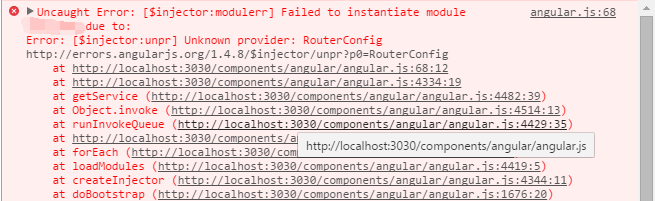
我再三仔细查看代码,发现语法上没有任何错误,最后从错误提示上的 Unknown provider 想起——**在 module.config 中只能注入 provider,而不能注入 service 或 factory**。
在重新查阅 API 文档和一些其他资料之后,我对 Angular $provide 有了全新的认识,纠正了我一些原有的错误想法。
首先,所有 Angular 的服务都是**单例**,这里的服务不单单指我前面提到的 `provider`, `service` 和 `factory`,还包括另外3个以前我并不知道的 `constant``, `value` 和 `decorator``。
然后再分别看看这6个方法的不同之处:
1. `provider`:`provider` 是一个构造器用来返回一个服务实例。需要注意的是,`provider` 的参数可以是一个构造函数也可以是对象,如果是一个对象,那这个对象必须提供 `$get` 属性,当 `provider` 被注入时调用 `$get` 属性返回所需要的实例;还有一点是,**在使用 `provider` 注入时,需在你定义的 `provider` 名后添加 Provider 后缀**,即 module.provider(**'listen'**, function(){}),在注入时就需要使用 xxService.$inject = [**'listenProvider'**];
2. `factory`: `factory` 就是通过 `provider` 第一个参数为对象的方法实现,`factory` 底层通过调用 $provide.provider(name, {$get: $getFn}),而 $getFn 就是自定义 `factory` 的参数,即 `factory` 所传的方法需返回一个对象,这个对象会绑定到 `provider` 的 `$get` 属性上。
3. `service`: `service` 也是对 `provider` 的一种封装,`service` 的第二个参数是一个构造函数,当service被注入时,会通过 `provider` 来返回一个服务实例。
4. `value` & `constant`:`value` 和 `constant` 两个方法的参数可以是任意的类型,当它被注入时返回一个包裹了这个值的服务。两者的不同之处在于,**`constant` 可以在 module.config 里被注入,而 `value` 不能,与此同时,`constant` 的值是常量不能修改也无法被 `decorator` 装饰**。
5. `decorator`:即装饰器,用于在 `service` 创建时对 `service` 进行重写或修改。
显然,使用 `constant` 服务来建立这个配置信息来解决之前提到的问题是最恰当的。
================================================
FILE: src/server/data/posts/angular1.5-with-ES6-styleguide.md
================================================
说到关于 Angular Styleguide,很多人可能会想到[这篇](https://github.com/johnpapa/angular-styleguide/tree/master/a1)经典的文章。的确,它是一篇非常棒的文章,甚至已经被翻译成许多种语言(包括[中文](https://github.com/johnpapa/angular-styleguide/blob/master/a1/i18n/zh-CN.md)),在 github 上更是拥有将近 1.9w 个 star。
然而,这次谈论的不是它。因为随着 ES6 的广泛应用,以及 Angular 1.5 的发布,它有那么一点点不够时髦(也谈不上过时哈~)。
本文的大部分观点都来自这篇[文章](https://github.com/toddmotto/angular-styleguide)(以下简称原文),但个人根据工作上积累的一些经验添并不是完全认同原文的所有想法,并想去除些繁冗的例子,于是就没有直接翻译原文。
言归正传,下面就来看看使用 ES6 来编写基于 Angular 1.5 的代码有哪些最佳实践。
### 模块架构
在 Angular 体系中,所有代码都是基于模块的,它来封装模块内部的逻辑、模板、路由和子模块。
#### 模块划分
原文将模块分为 3 大类,分别是:root, component 和 common,并创建相应的文件夹来储存。
* root:根模块组件,用来启动应用和相应模板
* component:包含所有可重用的模块,模块中可以包含 components, controllers, services, directives, filters and tests
* common:包含所有业务的模块(即不可重用,和 component 最大的区别),它可以是页面布局、导航和页脚等等。
[原文](https://github.com/toddmotto/angular-styleguide#root-module)中有详细的例子,但就如文章开头所说,在这里就不贴了。
但是,我并不完全认同原文观点。
因为,common 的翻译是公共的,在 common 中存放业务代码也和我们一直以来的做法相悖;其次是,在 Angular 的开发过程中,还是存在一些可以在业务逻辑中公用的代码,比如 service 和 filter。所以,我更倾向于将它分为 4 部分,分别是 root, app, component 和 common。
* root:和原文的作法一样,依旧是用来启动应用,并包含了应用的模板(并不一定要一个文件夹,可以是根目录下的一个 app.js 文件)
* app:类似于之前的 common 模块,包含所有的业务模块组件
* component:同原文的一样,包含所有可重用的模块组件
* common:公用代码模块,包含可公用的代码,如 service 和 filter
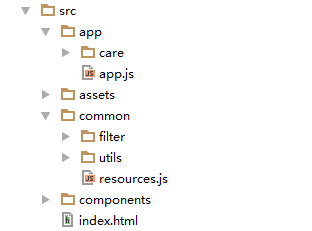
#### 模块导出
使用 ES6 肯定会使用强大的模块语法,在同 Angular 一同使用时,一定要注意导出的是模块的名字,而非是 Angular 的模块对象,这样才能再另一处被其他模块注入。
```Javascript
// 精简了原文的代码,去除了一些和这节无关的代码
import angular from 'angular';
import CalendarComponent from './calendar.component';
const calendar = angular
.module('calendar', [])
.component('calendar', CalendarComponent)
.name;
export default calendar;
```
#### 文件命名
首先,为每个模块添加 `index.js` 文件来定义整个模块,这样再别的模块中可以通过文件夹直接引入。
原文使用`模块名.文件内容.文件类型`的方式来命名一个文件,如 calendar.controller.js 等。
我完全同意第一个观点,但第二个中的模块名就没有添加的必要,因为文件夹名已经很好的体现了模块名这个含义。
### 组件(Component)
组件是 Angular 1.5 新提出的,是一种特殊的指令,Augular 的源码中也彰显了这一点。
它相比指令更多的是数据的单向绑定和生命周期钩子,尽管我认为所谓的生命周期钩子只是语法糖,甚至组件它本身就是个语法糖,但这不妨碍它成为 Angular 体系中重要的一部分。因为,它的推出明确的区分了指令和组件,解决了原先指令划分不清、承担过多工作的问题。
#### 组件属性
Property | Support
--- | ---
bindings | Yes, 只使用 `@`, `<`, `&`,避免使用 `=`
controller | Yes
controllerAs | Yes, 默认为 `$ctrl`
require | Yes
template | Yes
templateUrl |Yes
transclude | Yes
#### 控制器(controller)
控制器只应在组件中使用,如果你只想创建一个控制器,那你应创建一个无状态组件来管理它。
使用 `class` 关键字来创建控制器时要注意以下几点:
* 使用 `constructor` 处理依赖注入
* 之前提到过,导出模型名,而并不是直接导出模型
* 使用箭头函数
* 使用 `$onInit`, `$onChanges`, `$postLink` 和 `$onDestroy` 生命周期
(注意:`$onChanges` 会在 `$onInit`之前被调用)
* 使用默认的控制器 `$ctrl`,不使用 `controllerAs` 修改控制器的别名
#### 单向数据流
* 总是使用 `<` 单向数据绑定来代替 `=` 双向数据绑定
* 使用 `$onChanges` 来监听数据的变化
* 父组件的方法使用 `$event` 作为参数传递的名字
* 子组件调用时返回一个包含有 `$event` 属性的对象
这是不是看上去很像 [Redux](http://redux.js.org/)?没错,原文的作者也是推荐使用 [Angular Redux](https://github.com/angular-redux/ng-redux) 来管理状态。
#### 状态组件(Stateful components)和无状态组件(Stateless components)
状态组件和无状态组件其实分别对应了 [Redux](http://redux.js.org/docs/basics/UsageWithReact.html) 中的容器组件(Smart/Container Components)和展示组件(Dumb/Presentational Components),这部分原作者主要也是表达了在 Angular 中实现单向数据流的理念,但原作者提供的例子并不是完整的 Redux,它没有单一的 Store 和 Reducer。
### 指令(Directive)
相信指令大家都很熟悉了,但自从 Angular 1.5 提供了组件,指令的选择就应当慎重考虑,它应当只在装饰 DOM 时使用。
* 不使用 `template`, `templateUrl`, `scope`, `bindToController` 或 `controller` 等相关的属性,如果想用,考虑是不是它可以用 `component` 来实现
* 总是使用 `restrict: 'A'`
#### 指令属性
Property | 是否使用 | Why
--- | --- | ---
bindToController | No | 使用组件替代
compile | Yes | DOM 操作/事件的预处理
controller | No | 使用组件替代
controllerAs | No | 使用组件替代
link functions | Yes | DOM 操作/事件的处理
multiElement | Yes | [See docs](https://docs.angularjs.org/api/ng/service/$compile#-multielement-)
priority | Yes | [See docs](https://docs.angularjs.org/api/ng/service/$compile#-priority-)
require | No | 使用组件替代
restrict | Yes| 总是使用 `restrict: 'A'`
scope | No | 使用组件替代
template | No | 使用组件替代
templateNamespace | Yes (如果必须) | [See docs](https://docs.angularjs.org/api/ng/service/$compile#-templatenamespace-)
templateUrl | No | 使用组件替代
transclude | No | 使用组件替代
### 服务(Service)
服务主要用于封装一些不应在组件中处理的业务逻辑和请求。
Angular 提供 2 种创建服务的方式 `service` 和 `factory`。在 ES6 引入了 `class` 关键字后,它能非常友好地同 `service`一起工作,所以,无论何时都使用 `service` 来创建服务。
### 类 or 方法
原文的标题是[常量或类(Constants or Classes)](https://github.com/toddmotto/angular-styleguide#constants-or-classes),容许我自作主张的修改一下标题,因为我认为原文的实现的区别更主要的在于是使用**类或方法**去定义一个服务或控制器等。
当然这两种方法都可以,因为类它本身就是方法的一个语法糖。但是,Angular 2 是重度依赖 `class` 关键字的,所以,我认为还是全部统一使用 `class` 关键字来声明服务、控制器、过滤器、指令和组件的定义等。
值得注意的是,Angular 组件和指令定义的参数是一个对象,所以在使用 `class` 定义时,要手动实例化它。
### 工具
最后,原文作者还推荐了一些工具
* [Babel](https://babeljs.io/):编译工具,这就不多说了,必备神器
* [TypeScript](http://www.typescriptlang.org/):还是为了 A2
* [Webpack](https://webpack.github.io/):打包工具,用过都说好
* [ngAnnotate](https://github.com/olov/ng-annotate):自动依赖注入,和打包工具一起服用效果更好
* [Angular Redux](https://github.com/angular-redux/ng-redux):状态管理
以上为个人观点,欢迎交流。
================================================
FILE: src/server/data/posts/apologize-letter.md
================================================
#### 亲爱的读者,
今天下午,由于不明人士的请求,本站发出了大量无意义的推送,对此对各位的生活或工作等所带来的不便深表歉意。本人将立即下线推送功能,并在近期完成校验工作后再次上线,希望各位读者继续订阅本站。
同时,还是要感谢这位捣蛋的不明人士,他让我知道我的小站还是有读者的,提醒我要坚持写下去。从去年底开始,因为工作以及私人的一些关系已经有一段时间没有发布新文章了,今年本人将继续以一个月一篇以上的频率来更新,欢迎大家监督。
最后,还是想吐槽一下这位不明人士,代码都发 [Github](https://github.com/DiscipleD/blog) 了,相信你也研究了半天了(不然,也不会找到推送的地址),为啥不自己搭个服务器捣鼓着玩哪~
谢谢
================================================
FILE: src/server/data/posts/autoprefixer.md
================================================
众所周知为兼容所有浏览器,有的 CSS 属性需要对不同的浏览器加上前缀,然而有时添加一条属性,需要添加 3~4 条类似的属性只是为了满足浏览器的兼容,这不仅会增加许多的工作量,还会使得你的思路被打断。
如何解决这个问题?最近写项目时,就发现了一个处理 CSS 前缀问题的神器——**AutoPrefixer**。

### What is AutoPrefixer
Autoprefixer 是一个后处理程序,它可以同 Sass,Stylus 或 LESS 等预处理器共通使用。它适用于普通的 CSS,而你无需关心要为哪些浏览器加前缀,只需关注于使用 W3C 最新的规范。
### How to use AutoPrefixer
介绍了这么多,如果用起来很麻烦,那还不如直接手写,而 **AutoPrefixer** 的另一大特点就是使用简便,现在来说说怎么用。
**AutoPrefixer** 可以简单的通过下载 plugin 配置到 `Sublime`,`Brackets` 或 `Atom` 等 IDE 里,而在 `WebStorm` 中无法通过 plugin 直接安装和使用 AutoPrefixer,需要通过 External Tools 或 File Watchers 来实现,在 `WebStorm` 中详细的安装方法可以参考[这篇文章](http://www.css88.com/archives/5670)。
如果单单只能通过 IDE 才能使用这个功能,那它远称不上神器,真正让其拥有神器之名的原因是:它可以很简单、有效地同现有的打包工具(`gulp`, `webpack` 等)一同使用,来完成对项目中所有的 `css` 文件中的属性添加前缀。
下面,我们就分别来看在这两种打包工具下如何使用 **AutoPrefixer**。
* gulp
在 `gulp` 中,可以使用 [AutoPrefixer官网](https://github.com/postcss/autoprefixer) 推荐的 `postcss` + `autoprefixer` 两个插件的组合,也可以通过 `gulp-autoprefixer` 这一个插件。
```JavaScript
// Method 1: postcss + autoprefixer
gulp.task('autoprefixer', function () {
var postcss = require('gulp-postcss');
var sourcemaps = require('gulp-sourcemaps');
var autoprefixer = require('autoprefixer');
return gulp.src('./src/*.css')
.pipe(sourcemaps.init())
.pipe(postcss([ autoprefixer({ browsers: ['last 2 versions'] }) ]))
.pipe(sourcemaps.write('.'))
.pipe(gulp.dest('./dest'));
});
// Method 2: gulp-autoprefixer
gulp.task('autoprefixer', function () {
var autoprefixer = require('gulp-autoprefixer');
return gulp.src('./src/*.css')
.pipe([ autoprefixer({ browsers: ['last 2 versions'] }) ])
.pipe(gulp.dest('./dest'));
});
```
* Webpack
而在最近很火的 `webpack` 中使用 **AutoPrefixer** 更是轻而易举、如虎添翼。
使用 `webpack` 可以通过简单的配置将本文开头提到的 sass 这样的预处理器同 `autoprefixer` 这样的后处理程序结合在一起。
```javascript
var autoprefixer = require('autoprefixer');
module.exports = {
module: {
loaders: [
{ test: /\.css$/, loader: "style!css!postcss" },
{ test: /\.scss$/, loader: "style!css!postcss!sass" }
]
},
postcss: [ autoprefixer({ browsers: ['last 2 versions'] })
]}
```
注: 另外 `webpack` 还有一个 `autoprefixer-loader`,但 npm 官网已将其标为【deprecated】,推荐使用上面示例中通过 `postcss-loader` 的方式使用 `autoprefixer`。
================================================
FILE: src/server/data/posts/browsersync.md
================================================
随着前端技术的飞速发展,前端的工程化构建工具也随着这股浪潮不断更迭,从 grunt 到 gulp,而 ant 已经淹没在了潮流之中。然而,不单单是构建工具变化飞快,连构建工具的插件变化也是日新月异,最近项目使用 gulp 构建的过程中就尝试使用了 **Browsersync** 这个插件来替代 gulp-livereload。
### Why Browsersync?
首先,既然它能替代 gulp-livereload,那么它就能实现 gulp-livereload 的主要功能:实时刷新——当你在 IDE 编辑文件保存时,插件会自动应用你的修改并自动刷新浏览器页面,其中文件不单包括 html, js, css,还包括 sass, less 等类型的文件。
其次,如果 Browsersync 只是单单实现 gulp-livereload 的功能,那它不值一书。它当然还有其他优势,**Browsersync 可以同时在 PC、平板、手机 等设备下进项调试**,这就意味着任何一次改动都会实时地应用到这些设备中,这将大大提升多设备开发的效率。
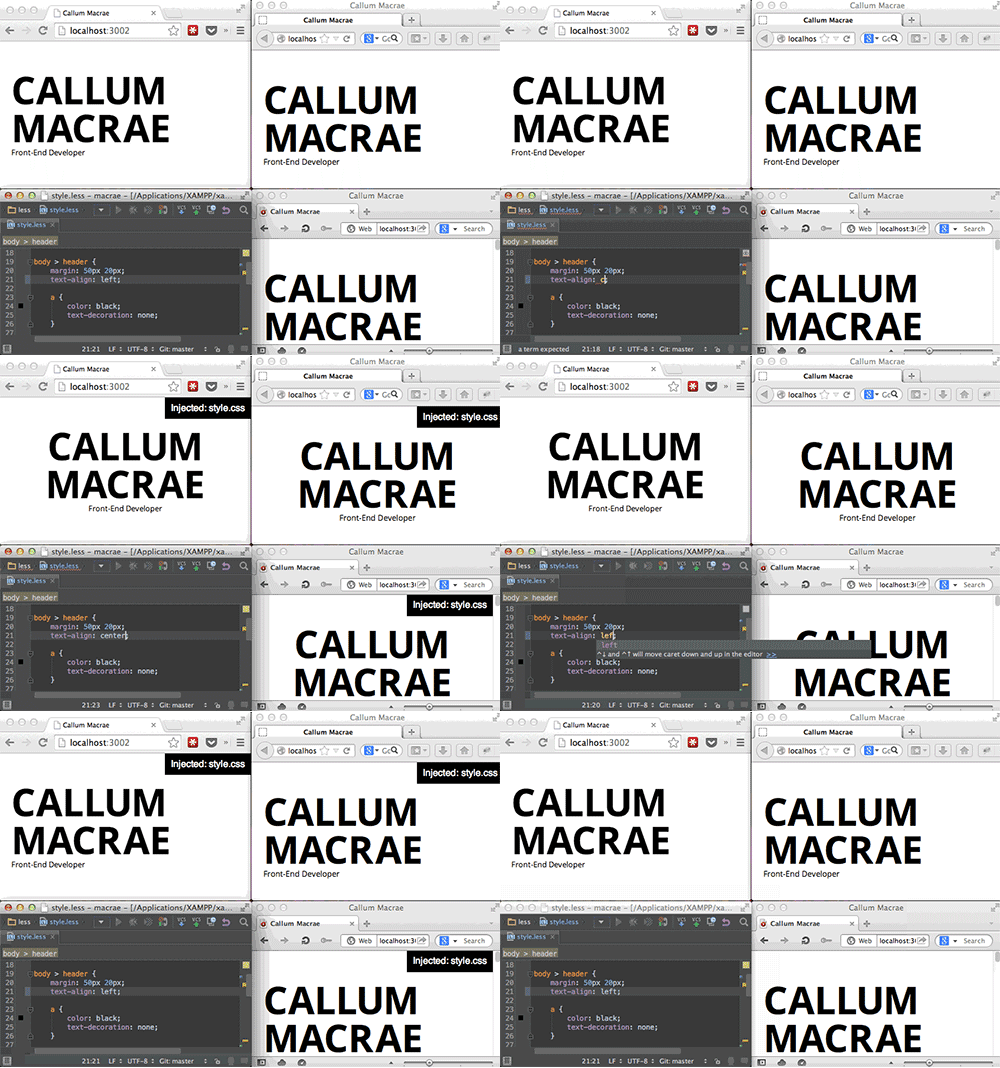
还不仅如此,它还能**在不同的浏览器不同的设备上同步所有页面上的操作**,这绝对是多浏览器兼容性测试的福音啊!
Amazing?
### How to use Browsersync?
想要实现这些神奇的效果配置起来相当便捷。
1. 安装 Node.js(https://nodejs.org/en/)
2. 项目中添加 Browsersync 依赖(package.json推荐)或安装 Browsersync
3. 在 gulpfile.js 中配置
```JavaScript
var gulp = require('gulp');
var browserSync = require('browser-sync').create();
// 静态服务器
gulp.task('browser-sync',function(){
browserSync.init({
server: {
baseDir:"./"
}
});
});
// 代理
gulp.task('browser-sync', function() {
browserSync.init({
proxy: "你的域名或IP"
});
});
// 静态服务器(server)和代理(proxy)模式不能同时使用
```
这样就简单地启动了服务器,而要实现同步刷新就要通过 gulp watch 来调用 Browsersync 的 reload 方法。
```JavaScript
// 打包js
gulp.task('js', function () {
return gulp.src('app/js/*.js')
.pipe(browserify())
.pipe(uglify())
.pipe(gulp.dest('dist/js'));
});
// 确保js文件打包完成后,再调用reload方法
gulp.task('js-watch', ['js'], browserSync.reload);
gulp.task('browser-sync',function(){
browserSync.init({
server: {
baseDir:"./"
}
});
// 当js目录下js文件发生变化时调用browserSync.reload
gulp.watch("app/js/*.js", ['js-watch']);
});
```
应用 js file 需要重新刷新页面,而应用 CSS 样式并不用重新加载页面。从示例图1就可以看到,当我们修改 CSS file 的时候页面及时响应了这些修改而并没有刷新页面,因为 Browsersync 可以通过配置将修改后的 CSS 文件直接注入到浏览器中。
```JavaScript
var sass = require('gulp-sass');
// scss编译后的css将注入到浏览器里实现更新
gulp.task('sass', function() {
return gulp.src("app/scss/*.scss")
.pipe(sass().on('error', sass.logError))
.pipe(gulp.dest("app/css"))
.pipe(browserSync.stream()); // stream method returns a transform stream
});
// 修改上面的browser-sync task
gulp.task('browser-sync',function(){
browserSync.init({
server: {
baseDir:"./"
}
});
// 当js目录下js文件发生变化时调用browserSync.reload
gulp.watch("app/js/*.js", ['js-watch']);
// 当scss目录下scss文件发生变化时调用sass task
gulp.watch("app/scss/*.scss", ['sass']);
});
```
项目中,开发时常前端和后端分离,而当各自接口开发完成后,进行联调测试时,前端会因为跨域问题无法请求到后台的数据,跨域当然可以通过现有的一些解决方案,如 CORS 等,但用 Browsersync 可以通过设置 proxy 的方式,简单的解决跨域问题而不需要修改业务代码。
```JavaScript
// 修改上面的browser-sync task
gulp.task('browser-sync', function () {
browserSync.init({
proxy: "http://172.18.2.30", //后端服务器地址
serveStatic: ['./'] // 本地文件目录,proxy同server不能同时配置,需改用serveStatic代替
});
// 当js目录下js文件发生变化时调用browserSync.reload
gulp.watch("app/js/*.js", ['js-watch']);
// 当scss目录下scss文件发生变化时调用sass task
gulp.watch("app/scss/*.scss", ['sass']);
});
```
================================================
FILE: src/server/data/posts/ci-solution.md
================================================
前段时间读到一篇优秀的文章[《前端开源项目持续集成三剑客》](http://efe.baidu.com/blog/front-end-continuous-integration-tools/),就想试着运用到自己的项目中去。(好吧,老实说,我只是个徽章收集爱好者。)
## 持续集成
持续集成,这个概念对后端来说应该并不陌生,甚至可以说是司空见惯吧。但是,这对曾经(除了那些大厂)单元测试都不一定要写的前端来说,或许是个陌生的词。
然而,随着前端飞速地发展,不断吸取后端长久以来积累的经验,以及前端对单元测试越来越重视,持续集成作为前端工程化中的一项也渐渐进入人们的视野。
那么,持续集成究竟是什么?
> 持续集成(英语:Continuous integration,缩写为 CI),一种软件工程流程,将所有工程师对于软件的工作复本,每天集成数次到共用主线(mainline)上。 —— [wikipedia](https://zh.wikipedia.org/wiki/%E6%8C%81%E7%BA%8C%E6%95%B4%E5%90%88)
简单来说,就是以一定的频率将代码整合到一起。
使用持续集成能使项目:
* 保持可测试和可发布的状态
* 易于追踪错误,当集成产生错误时,能将错误产生的缩小范围到上次成功集成之后的提交
* 版本回滚也变得轻而易举
## Travis-CI vs CircleCI
在[《前端开源项目持续集成三剑客》](http://efe.baidu.com/blog/front-end-continuous-integration-tools/)中,作者推荐了 2 个集成工具,分别是:[travis-ci](https://travis-ci.org/) 和 [circleci](https://circleci.com/)。
额...该选哪个哪?

分别粗略地了解了这两个产品,它俩的网站的都非常简洁,文档也很清晰,功能上也大致相同。虽然,circleci 比 travis-ci 多了 Bitbucket 源码库的支持,但是,有一大硬伤 circleci 只对**一个** container 免费,而且,若使用 OS X 需要**额外收费**。与之相反,travis-ci 只要是 Github 上的开源项目**全部免费**,且支持在 OS X 运行。

Travis-ci。
注册 travis 只需一步,点击 Sign In 按钮绑定 Github。登录后,执行 travis 只需以下 3 步:
1. 添加需要 travis 管理的项目
2. 为项目添加 .travis.yml 配置文件
3. 提交代码
与此同时,travis 的配置也极其简单。如果没有什么特别的需求,那么,只需配置运行语言类型及其版本就行。
```yml
// .travis.yml
language: node_js
node_js:
- "6"
```
这样,一个简单、可用的 travis 配置就完成了。
Travis 构建过程主要分为两步:
* install:安装依赖,在 node 环境下,默认运行 npm install
* stript:运行构建命令,在 node 环境下,默认运行 npm test
那么,上面的代码就等价于:
```yml
language: node_js
node_js:
- "6"
install: npm install
script: npm test
```
当然,travis 不止这两个生命周期,额外的配置需求都可以到官网[查看](https://docs.travis-ci.com/user/customizing-the-build/)。
OK。提交代码试试吧。
travis 的运行信息都可以在 Job log 中看到。
如果运行成功,你就可以通过 https://img.shields.io/travis/USER/REPO.svg 或 https://img.shields.io/travis/USER/REPO/BRANCH.svg 来给你的项目添加 badge 了,就像这样 [](https://travis-ci.org/DiscipleD/react-redux-antd-starter)。
Tips:其中的 USER, REPO, BRANCH 都要替换成个人信息。
## Codecov vs Coveralls
有了构建的徽章,接着再弄一个测试覆盖率的徽章。三剑客文章中用的是 coveralls,但进入它的[官网](https://coveralls.io)发现,它和当今网站那种简洁风格不同,画风有点 classic 啊~文档也不太详细,比较简单,就查了下有没有其他更好的?
于是,发现了 [codecov](https://codecov.io)。
> 干净、免费,我喜欢。
[文档](http://docs.codecov.io/docs)也相对于 [coveralls](https://coveralls.zendesk.com/hc/en-us) 更清晰、详细。在尝试之后,更是觉得我的选择是明智的。^_^
codecov 的使用相当简单,甚至不用看文档就可以轻易配置。
首先,登录[首页](https://codecov.io),根据自己源码的存储位置选择相应的登录按钮,这里我选择 Github,第一次登录会需要你的授权。
授权成功之后,就能看到类似下面的图,分别对应你的个人账户以及你所加入的组织。
第一次使用时,默认是没有 repository 的,需要通过点击 `+ Add my first repository` 来添加需要 codecov 管理的 repository。
选择相应的 repository 之后,你可以看到一个类似下面的页面。当然,数据什么肯定是没有的。
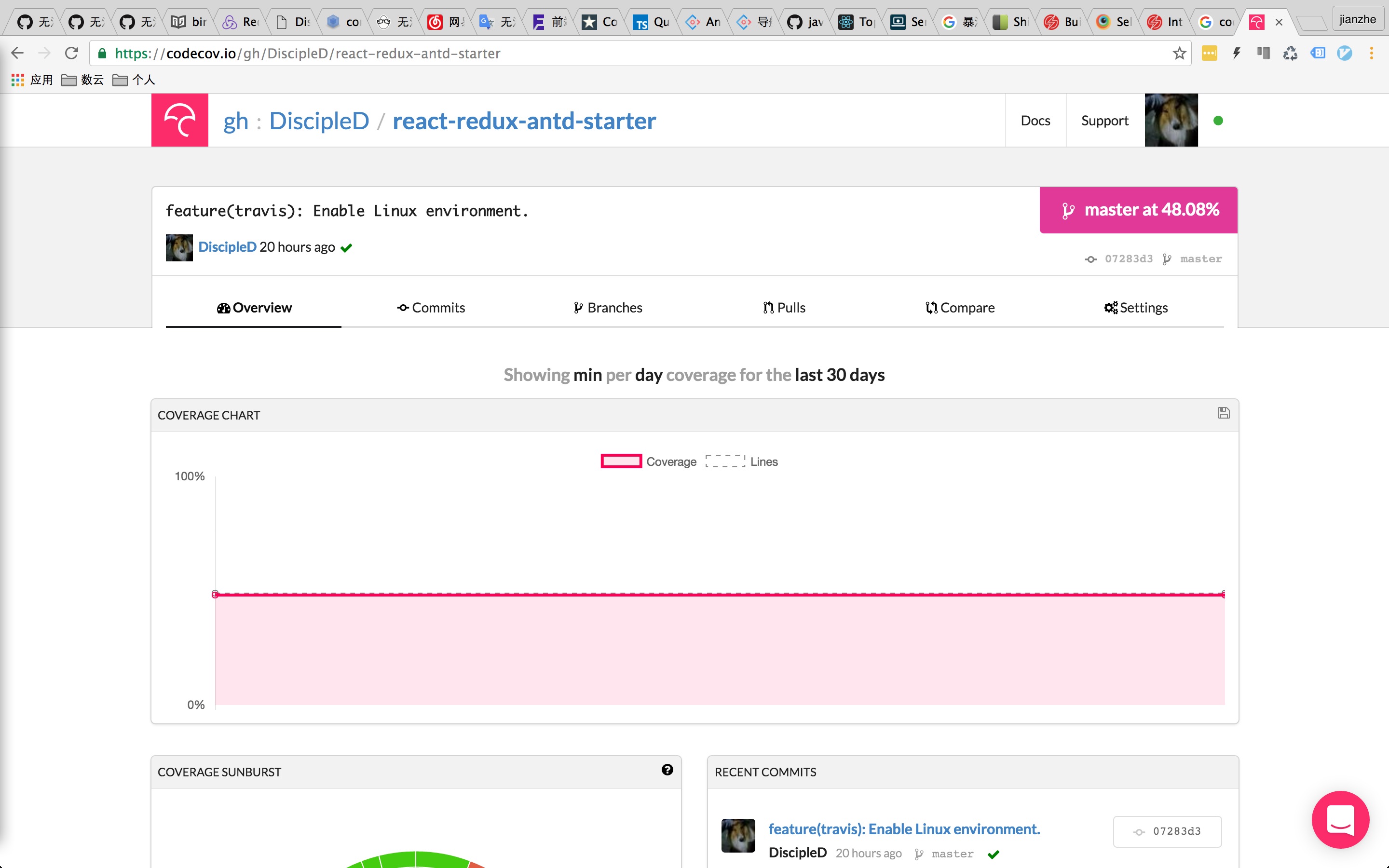
前几个 tab 是用来展示信息的,在配置完成并运行之前是没有信息的,配置的时候只需要看最后一个 setting tab。
切换左侧的菜单,就能分别看到 setting 和 badge 的信息,是不是超级赞?
无论 codecov 还是 coveralls,它自身都不会去运行测试用例来获得项目代码的覆盖率,而是通过收集覆盖率报告及其他关键信息来静态分析。
codecov 可以接收 lcov, gcov 以及正确的 json 数据格式作为输入信息。
于是,如果你使用 JEST 作为测试框架,并开启测试覆盖率(collectCoverage),由于,JEST 使用 istanbul 生成覆盖率报告,即 lcov。那么,上传报告就异常简单了。只需安装 codecov
```bash
npm install codecov --save-dev
```
然后,在 CI 执行之后,上传报告就行。比如,像这样
```yml
language: node_js
node_js:
- "6"
cache:
directories: node_modules
script:
- npm run test:coverage
# 这里我没有全局安装 codecov,所以要通过 npm 来运行 codecov
- npm run codecov
os:
- linux
- osx
```
这次的 badge 如何获取上面有写到,这里就不再展示了。
## SAUCELABS vs BrowserStack
跨浏览器测试同样有 2 个选择,这次我同三剑客的作者站在了同一战线,选择使用 [SAUCELABS](https://saucelabs.com/)。
> SAUCELABS 开源免费账号注册方式隐藏得比较好,找不到的可以点[这里](https://saucelabs.com/beta/signup/OSS/None)。
不过,由于 JEST 不支持 end-to-end 测试,所以,为了做跨浏览器测试我们不得不寻求其他的测试框架来帮助完成这一工作。这里我并不打算使用 [karma](https://karma-runner.github.io/1.0/index.html),即使是 karma 同 SAUCELABS 有现成的集成插件 [karma-sauce-launcher](https://github.com/karma-runner/karma-sauce-launcher) 可以使用。
不要问我为什么,就是这么任(jue)性(jiang)。

你真不问么?那我就说了吧。因为现有的测试框架 JEST 已经可以完成 karma 的大部分工作,单纯为 end-to-end 测试单独引入 karma 就没有必要了。
经过一番资料收集和比较之后,我选择 [Nightwatch](http://nightwatchjs.org/) 来解决跨浏览器测试的问题。
> What's Nightwatch?
>
> Nightwatch.js is an automated testing framework for web applications and websites, written in Node.js and using the W3C WebDriver API (formerly Selenium WebDriver).
>
> It is a complete browser (End-to-End) testing solution which aims to simplify the process of setting up Continuous Integration and writing automated tests.
可以从官网的介绍中看到,Nightwatch 对我们当前想解决的问题简直是正中下怀啊!(如果你的项目使用的是 Angular,那么,你也可以试试 [Protractor](http://www.protractortest.org/#/))
在查资料时,发现 nightwatch 的第一个 [issue](https://github.com/nightwatchjs/nightwatch/issues/1) 竟然是[尤大大](https://github.com/yyx990803)提的。
> 走得越远,越是发现一路都是大大们留下的足迹。
膜拜大大。
回到正题,使用 nightwatch 建立 e2e 测试也是相当容易的,这里就简要说一下流程。
首先,使用 npm 进行安装,这就不多说了。
然后,在根目录下添加配置文件,可以是 nightwatch.conf.js,也可以是 nightwatch.json。
接着,写对应的测试,API 参考[官网](http://nightwatchjs.org/api)。
最后,跑测试命令就好了。
主要是来看看,怎么将 nightwatch 的测试同 saucelabs 以及 travis-ci 整合到一起。先看看测试文件。
```JavaScript
// nightwatch.conf.js
module.exports = {
src_folders: ['tests/e2e'], // 测试文件目录
output_folder: 'tests/reports', // 测试报告地址
custom_commands_path: 'tests/saucelabs', // 自定义命令,这里用来更新测试信息到 saucelabs
custom_assertions_path: '',
page_objects_path: '',
globals_path: '',
test_workers: {
enabled: true,
workers: 'auto'
},
test_settings: {
default: {
launch_url: 'http://localhost:8080', // 目标地址,用于测试中读取
selenium_port: 4445, // selenium server 的端口(selenium server 由 saucelabs 提供)
selenium_host: 'localhost', // selenium server 的地址(selenium server 由 saucelabs 提供)
username: process.env.SAUCE_USERNAME,
access_key: process.env.SAUCE_ACCESS_KEY,
silent: true,
screenshots: {
enabled: false,
path: ''
},
globals: {
waitForConditionTimeout: 15000
},
// 以下重要!!!
desiredCapabilities: {
build: `build-${process.env.TRAVIS_JOB_NUMBER}`,
public: 'public',
'tunnel-identifier': process.env.TRAVIS_JOB_NUMBER
}
},
// 以下是不同环境的配置
chrome: {
desiredCapabilities: {
browserName: 'chrome'
}
},
firefox: {
desiredCapabilities: {
browserName: 'firefox'
}
},
internet_explorer_10: {
desiredCapabilities: {
browserName: 'internet explorer',
version: '10'
}
},
internet_explorer_11: {
desiredCapabilities: {
browserName: 'internet explorer',
version: '11'
}
},
edge: {
desiredCapabilities: {
browserName: 'MicrosoftEdge'
}
}
}
};
```
这里要注意以下几点:(重要!!!这些折磨了我近一周)
* 运行 localhost 测试,要开启 [sauce connect](https://wiki.saucelabs.com/display/DOCS/Sauce+Connect+Proxy)
* 开启 sauce connect 之后,设置运行环境 `selenium_port: 4445`, `selenium_host: 'localhost'`
以上几点是本地测试时需注意的,下面是连通 travis 时需注意的:
* 配置 `'tunnel-identifier': process.env.TRAVIS_JOB_NUMBER`,其中 `process.env.TRAVIS_JOB_NUMBER` 是 travis 运行时的全局变量
* 配置 `process.env.SAUCE_USERNAME` 和 `process.env.SAUCE_ACCESS_KEY`,后面细讲
* 配置 `build` 和 `public` 属性,分别用于标识测试和查看权限,这两点对最后生成 browser matrix badge 有用,这两点在[三剑客](http://efe.baidu.com/blog/front-end-continuous-integration-tools/)的文章中也有提到
配置好了 nightwatch 同 saucelabs,再修改下 travis 的配置,将 saucelabs 整合进去。
```yml
// .travis.yml
language: node_js
node_js:
- '6'
cache:
directories: node_modules
# 用于打包,并在 travis 上启动本地服务,用于 e2e test
before_script:
- npm run build
- node server.js &
script:
- npm run test:coverage
- npm run codecov
- npm run test:e2e
os:
- linux
- osx
env:
global:
- secure: v6CRj4CKMqxEQ9MSYKAkbmrBgIBZvoppICx6JyjQXhexPOVQKBvboCgdL0lOOZdGZ9rEqSMXvud97kBAFYd1sdP/kSwXdUct5BOMIT3a5GLtY5aQfOocBwR6IvmZpO2U+4VhrCwkzdaq2Ehq0fAXF1pkxDj9YkJZmwDNhTdfDGkib+AwDyr4TLQFC1QrD/4vmrULb3NZdW1KadFYjLzVF8FMa2tDSYMFFVymYu5nuCa/Z0dqSfFy8McYwBMzThDkDRHMT/sf4zKDPyxUwN7xGfC6T88xzCEaltN6K7MGMGKvl7Y0p7VjYW/+rO38936kj6xuPU6J7Vh2yKPJhhT2LtM7ucuo0XSpIxCxaKXWeEmYl2KkCMWNHgrWACE//WBFRNx/JQHimw+abr1Zt/3V9QmSEvnB3hHB0NQgJ2nVrVDjk51RSVaiP4sfQ8GVqEwr1+wJqe4wz7fV+jvRB9uUGgGsjsBbZi6ZycoMtOBoJ+miviRCjZvf9sOZKfIDjcuE5vETQcE37d/++yplCG0N83Kx+q67mbWXirfNj2CfXp7pwHTN+n21v1BSicXqQ6+jaNzD/pcN/GTHgZ5A+VkdcjSmEziuQTO035i1nnCB9TQdFeRdGdfo6DAiq8YOfyVkQ1lml6lWqbPqa4QWokRUD2yA/hAIzNWe5BeLF2JFQBc=
- secure: S0vWVM74eiAHhk+kqqvym9aIgqaaGyGz9H3rfmEZoG4iuvXjXRaHOOSHxIRVsh5RYXr0PWHAj24fpN5AyUOlu5NQiwACBqmpw9KZBgVekWFshA5uYmpNpCG9w5/UAQa9q2+EcndOCM4lAyuT2wVJ5WfsHRzIA5jUpK1YmUYtuVICTSkumRoEaxfPkwzcGLF7f6aP7mG1YRKeO1F9+RhBfaGN1kYordxIk/fniH8OFB0XiLZ5OIovaAIYFKic0P1wUFwa78jU2fovdObS8JySl2LP19eaLX0MgAFoPB7oLFPxFBN7FCID41TEodDdZtcNnKJT4uQ/iWRqww2BOwVQM9whyBTg8J4kJZALicR4CzGCuUbdyQd2kh/hNZ9d9SKb6YXdcZElFmh3FY6zgfgv5PAx+jDlkfzmgBh7OD5OM4GVrsCsjnaAlmTUNtRPx9B4ps0gbr25F1PxuNy+MXfwSYJdliL+N01BTpiGyts/EXAraWvEm5YkhWfTnbgc8osd3cX9vwB0QHksK+BpkaEs6XCwU6kGMxAJIlafRv6RslREdTPBpYaXB4sGqdYXWY+YFqNxsAwTB3KWIq/uhZmSkou1jZfZa2QonMuVot68U11U7afmPzX8KOVeO2IEcUjt6I4eCYQ+31xO/wSLIQ1uoRySQ2S9VCzr+yzDpu0KVps=
addons:
sauce_connect: true
```
你肯定会诧异 `global` 下面的那两串长🐜是什么东西。它们其实就是在 nightwatch.conf.js 中用到的 `process.env.SAUCE_USERNAME` 和 `process.env.SAUCE_ACCESS_KEY`。
那它们是怎么来的哪?
首先,安装 travis 工具 `gem install travis`;
然后,使用 github 账户登录 `travis login`;
登录后,就可以分别使用 `travis encrypt SAUCE_USERNAME=saucelabs用户名 --add`
和 `travis encrypt SAUCE_ACCESS_KEY=saucelabs的access_key --add`
将 username 和 access_key 加密,`--add` 参数会自动将结果追加到 .travis.yml 文件中。所以,已完全不用担心字符贴错或贴漏。
这样整个跨浏览器测试就同 CI 集成好了,配置信息比较多,有兴趣的可以结合项目一起看。([点这里](https://github.com/DiscipleD/react-redux-antd-starter/tree/real-world))
最后,不要忘(tian)了(jia)初(hui)衷(zhang)。这可以在 saucelabs 的 Dashboard -> Automated Builds 下看到。
总的来说,nigthwatch + saucelabs + travis 来做跨浏览器自动测试还是比较方便的,只是一开始不熟悉,相应的资料也比较少,saucelabs 的文档也不够友好,耗费了些时间。覆盖率测试时, JEST 占的那点小便宜全都还回来了。
## Automatically Publish
看到这里,你是不是以为 CI 只是帮你跑跑测试、显示覆盖率?那你就错了。
CI 并不是单单只能帮你跑测试,它还可以将构建成功的代码发布到服务器上。试想一下,当你将代码合并到主分支之后,CI 不但帮你运行测试,还将测试通过之后的代码发布到了你的服务器上,而不需要你人工进行额外的操作。这是不是很 cool!
这里就举一个通过 Travis-ci 将代码发布到 github.io 上的例子。
再修改一下上面 .travis.yml 文件。
```yml
language: node_js
node_js:
- '6'
cache:
directories: node_modules
before_script:
- npm run build
- node server.js &
script:
- npm run test:coverage
- npm run codecov
- npm run test:e2e
after_success:
- bash ./deploy.sh
os:
- linux
- osx
env:
global:
- USER_NAME: Disciple_D
- USER_EMAIL: disciple.ding@gmail.com
- GIT_DEPLOY_KEY: XXXXXXXX
- secure: v6CRj4CKMqxEQ9MSYKAkbmrBgIBZvoppICx6JyjQXhexPOVQKBvboCgdL0lOOZdGZ9rEqSMXvud97kBAFYd1sdP/kSwXdUct5BOMIT3a5GLtY5aQfOocBwR6IvmZpO2U+4VhrCwkzdaq2Ehq0fAXF1pkxDj9YkJZmwDNhTdfDGkib+AwDyr4TLQFC1QrD/4vmrULb3NZdW1KadFYjLzVF8FMa2tDSYMFFVymYu5nuCa/Z0dqSfFy8McYwBMzThDkDRHMT/sf4zKDPyxUwN7xGfC6T88xzCEaltN6K7MGMGKvl7Y0p7VjYW/+rO38936kj6xuPU6J7Vh2yKPJhhT2LtM7ucuo0XSpIxCxaKXWeEmYl2KkCMWNHgrWACE//WBFRNx/JQHimw+abr1Zt/3V9QmSEvnB3hHB0NQgJ2nVrVDjk51RSVaiP4sfQ8GVqEwr1+wJqe4wz7fV+jvRB9uUGgGsjsBbZi6ZycoMtOBoJ+miviRCjZvf9sOZKfIDjcuE5vETQcE37d/++yplCG0N83Kx+q67mbWXirfNj2CfXp7pwHTN+n21v1BSicXqQ6+jaNzD/pcN/GTHgZ5A+VkdcjSmEziuQTO035i1nnCB9TQdFeRdGdfo6DAiq8YOfyVkQ1lml6lWqbPqa4QWokRUD2yA/hAIzNWe5BeLF2JFQBc=
- secure: S0vWVM74eiAHhk+kqqvym9aIgqaaGyGz9H3rfmEZoG4iuvXjXRaHOOSHxIRVsh5RYXr0PWHAj24fpN5AyUOlu5NQiwACBqmpw9KZBgVekWFshA5uYmpNpCG9w5/UAQa9q2+EcndOCM4lAyuT2wVJ5WfsHRzIA5jUpK1YmUYtuVICTSkumRoEaxfPkwzcGLF7f6aP7mG1YRKeO1F9+RhBfaGN1kYordxIk/fniH8OFB0XiLZ5OIovaAIYFKic0P1wUFwa78jU2fovdObS8JySl2LP19eaLX0MgAFoPB7oLFPxFBN7FCID41TEodDdZtcNnKJT4uQ/iWRqww2BOwVQM9whyBTg8J4kJZALicR4CzGCuUbdyQd2kh/hNZ9d9SKb6YXdcZElFmh3FY6zgfgv5PAx+jDlkfzmgBh7OD5OM4GVrsCsjnaAlmTUNtRPx9B4ps0gbr25F1PxuNy+MXfwSYJdliL+N01BTpiGyts/EXAraWvEm5YkhWfTnbgc8osd3cX9vwB0QHksK+BpkaEs6XCwU6kGMxAJIlafRv6RslREdTPBpYaXB4sGqdYXWY+YFqNxsAwTB3KWIq/uhZmSkou1jZfZa2QonMuVot68U11U7afmPzX8KOVeO2IEcUjt6I4eCYQ+31xO/wSLIQ1uoRySQ2S9VCzr+yzDpu0KVps=
addons:
sauce_connect: true
```
可以看到,我又给它添加了一个 after_success 的配置,只有当之前的测试运行成功之后,才运行之后的命令。当然你也可以选用其他的配置,比如:`deploy`。
要将代码发布到 github.io 上,就势必要 push 代码至仓库的 gh-pages 分支。然而,如果要通过 travis-ci 向 github 提交代码,那么,就要首先建立 ssh 链接。因为,这里是发布特定的仓库代码,所以,我推荐大家通过给 repository 设置 deploy key 的方式来给 travis-ci 授权,而不是 access token。
那么,如何设置 deploy key?
1. 本地新建一个 ssh key(不清楚的点[这里](https://help.github.com/articles/generating-a-new-ssh-key-and-adding-it-to-the-ssh-agent/))
2. 进入 github 你要发布的仓库中,选择 settings -> Deploy keys -> Add deploy key,并将你刚刚生成的 key.pub 文件中的内容复制到输入框中,记得勾选 Allow write access,再点击 Add key。这样就设置好了 deploy key,但肯定不能将 key 直接放到 github 上,需要先加密。
3. 使用 travis 工具加密 deploy key `travis encrypt-file key`,这会生成一个 key.enc 文件,将这个文件加入到代码仓库中就行,不要向代码库提交生成的 key 和 key.pub 文件
4. 加密完成后,控制台会输出一串日志,其中有类似这样的一条 `openssl aes-256-cbc -K $encrypted_c7881d9cb8b5_key -iv $encrypted_c7881d9cb8b5_iv -in key.enc -out key -d`,这就是用来建立 ssh 链接的。将其中 `$encrypted_..._key` 之间的字符提取出来,作为系统运行变量,也就是之前 .travis.yml 中的 `GIT_DEPLOY_KEY: XXXXXXXX`,这样发布脚步中就能使用这个变量
OK。这样 deploy key 就准备好了,下面是发布脚本。
```Bash
#!/bin/bash
set -e # Exit with nonzero exit code if anything fails
# Git variables
TARGET_PATH="build/"
TARGET_BRANCH="gh-pages"
# Travis encrypt variables
ENCRYPTED_KEY="encrypted_${GIT_DEPLOY_KEY}_key"
ENCRYPTED_IV="encrypted_${GIT_DEPLOY_KEY}_iv"
# Save some useful information
REPO=`git config remote.origin.url`
SSH_REPO=${REPO/https:\/\/github.com\//git@github.com:}
SHA=`git rev-parse --verify HEAD`
# Build source
npm run build
# Set committer git info
git config user.name $USER_NAME
git config user.email $USER_EMAIL
# Force add build folder to git
git add -f $TARGET_PATH
# Commit the build code, that is a local commit for git subtree split
git commit -m "Deploy to GitHub Pages: ${SHA}"
# Split build file as a $TARGET_BRANCH of git
git subtree split -P $TARGET_PATH -b $TARGET_BRANCH
# Add ssh authorization
openssl aes-256-cbc -K ${!ENCRYPTED_KEY} -iv ${!ENCRYPTED_IV} -in deploy_key.enc -out deploy_key -d
# Change the deploy_key mod to fix ssh permissions too open error
chmod 600 deploy_key
eval `ssh-agent -s`
ssh-add deploy_key
# Push code to git
git push -f $SSH_REPO $TARGET_BRANCH
```
这个脚本只需简单的变量改动就能适应你的项目,当然,你也可以为自己的项目编写自己的发布脚本。
## Jenkins
以上说的都是源代码放在 Github 上的开源代码,但我相信大家接触得更多的应该是自己公司的私有代码,比如和 Jira 相关的 Stash。
首先,Stash 现已改名为之前提到过的 Bitbucket,那么,只要将 travis-ci 替换成 circleci 就可以了,其余两个插件都是支持 Bitbucket 的。
其次,如果项目仓库,既不是 Github, 也不是 Bitbucket 或 Gitlab,不要着急,这时候就需要祭出万金油 Jenkins 了。
Jenkins 那成千上万的 Plugin,相信总有一款适合你。比如,老版的 stash 就可以参照这篇[文章](https://blog.mikesir87.io/2013/04/continuous-integration-with-stash-and-jenkins/)来配置。
## 最后
最后,回顾一下整个 CI 流程。
当代码被提交到 github 分支上时,travis-ci 会被触发开始整套的测试及发布。
首先,安装项目依赖;
然后,运行测试,其中包括 UT 和 e2e test;
测试无误后,自动将打包后的代码发布到 gh-pages 分支;
于是,就可以通过 [https://用户名.github.io/项目名](https://discipled.github.io/react-redux-antd-starter) 访问项目了。
完成~
来看看成(hui)果(zhang)吧。查看源码点[这里](https://github.com/DiscipleD/react-redux-antd-starter/tree/real-world)。
### 关于徽章
所有的徽章信息都可以在 [shields.io](http://shields.io/) 中查看,甚至可以自定义徽章,就像这样 。哈哈哈~
少年们,想要集徽章么?快把测试补起来吧~

**参考文章:**
1. [前端开源项目持续集成三剑客](http://efe.baidu.com/blog/front-end-continuous-integration-tools/)
2. [一个靠谱的前端开源项目需要什么?](http://web.jobbole.com/86858/)
3. [Zero to Hero with End-to-End tests using Nightwatch, SauceLabs and Travis](https://medium.com/@mikaelberg/zero-to-hero-with-end-to-end-tests-using-nightwatch-saucelabs-and-travis-e932c8deb695#.7z40jm3ss)
4. [Auto-deploying built products to gh-pages with Travis](https://gist.github.com/domenic/ec8b0fc8ab45f39403dd)
5. [Continuous Integration with Stash and Jenkins](https://blog.mikesir87.io/2013/04/continuous-integration-with-stash-and-jenkins/)
================================================
FILE: src/server/data/posts/css-flex.md
================================================
#### What is Flex?
Flex 是 Flexible Box 的缩写,意为"弹性布局",用来为盒状模型提供最大的灵活性。
W3C 于 2009 年提出了这一方案,时至今日,常用的浏览器已经全部都提供了对它的支持(当然不包括 IE8)。
#### Why to use Flex?
简便的实现页面布局。
#### How to use Flex?
为一个元素简单地设置 display: flex; 就使得其成为 Flex 容器(flex container),其内部的所有子元素自动成为容器中的成员(flex item)。
容器默认存在两根轴:水平的主轴(`main axis`)和垂直的交叉轴(`cross axis`)。主轴的开始位置(与边框的交叉点)叫做(`main start`),结束位置叫做 `main end` ;交叉轴的开始位置叫做 `cross start`,结束位置叫做 `cross end`。
项目默认沿主轴水平排列。单个项目占据的主轴空间叫做 `main size`,占据的交叉轴空间叫做 `cross size`。
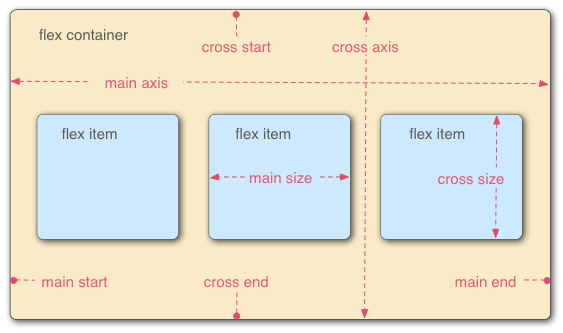
**注意:**当一个元素设置为 display: flex; 后,其子元素(即flex item)的 float,clear 和 vertical-align 属性将无效。
对于 Webkit 内核的浏览器需要加上 `-webkit` 前缀。
### Flex Container Attributes
----
1. `flex-direction`: row | row-reverse | column | column-reverse;
该属性决定 flex item 在容器中的排列方向,默认为 row,即水平从左 → 右排列;column为从 上 ↓ 下排列;加 -reverse 后缀,即和原先排列顺序相反。
2. `flex-wrap`: nowrap | wrap | wrap-reverse;
该属性决定 flex item 在容器中是否换行,换行的方式又是什么,默认为 nowrap,即不换行。wrap 为换行,当 `flex-direction` 为row时,内容从 上 ↓ 下按行排列;当 `flex-direction` 为 column 时,内容从 左 → 右按列排列;加 -reverse 后缀,即和原先排列顺序相反。
3. `flex-flow`: <flex-direction> || <flex-wrap>
该属性是 `flex-direction` 和 `flex-wrap` 的简写形式,默认值是原属性 `flex-direction` 和 `flex-wrap` 的默认值,即row nowrap。
4. `justify-content`: flex-start | flex-end | center | space-between | space-around;
该属性决定 flex item 在行内的水平对齐方式或列内的垂直对齐方式,默认值是 flex-start。
flex-start: 与轴的 start 对齐,即左对齐(flex-direction: row),上对齐(flex-direction: column)
flex-end:与轴的 end 对齐,即右对齐(flex-direction:row),下对齐(flex-direction:column)
center: 与轴的的中点对齐
space-between:与轴的两端对齐,flex-item 之间的间隔都相等,头尾的 flex item 紧贴轴的 start 位置
space-around:每个 flex item 两侧的间隔相等。所以,flex item 之间的间隔比 flex item 与轴的 start 之间的间隔大一倍
**注意:**
flex item 默认是没有间距的,间距是由 flex container 的宽度或高度与 flex item 的宽度或高度之间的差产生的,即如果 flex container 的宽度为1000px,flex item 的宽度为100px,container 下有 10 个 item,那无论 justify-content 设任何的值,展示都将是 10 个 item 紧贴地并列排列,item 与 item 之间没有任何间隙。
5. `align-items`: flex-start | flex-end | center | baseline | stretch;
该属性与 justify-content 相反,决定 flex item 在行内的垂直对齐方式或列内的水平对齐方式,默认值是 stretch。
flex-start:与轴的 start 对齐
flex-end:与轴的 end 对齐
center:与轴的的中点对齐
baseline: 与 flex item 的第一行文字的 baseline 对齐
stretch:如果 flex item 未设置宽度或高度或设为 auto,将占满这行的高度或这列的宽度
**注意:**
baseline 属性在 container 的 flex-direction 设置为 column 时无效。
当 align-items 属性值设置为 stretch 时,如一个 flex item 设置了宽度或高度,则这个 flex item 应用flex-start,且只对该 flex item 生效。
6. `align-content`: flex-start | flex-end | center | space-between | space-around | stretch;
该属性类似于 `justify-content` 属性,与之不同的是,该属性决定 flex item 每行或每列在 flex container 下的对齐方式,如果 flex item 只有一行或一列,则该属性无效,默认值为 stretch。
flex-start:与轴的 start 对齐
flex-end:与轴的 end 对齐
center:与轴的中点对齐
space-between:与轴的两端对齐,轴线之间的间隔都相等
space-around:每根轴线两侧的间隔都相等。所以,轴线之间的间隔比轴线与边框的间隔大一倍
stretch:轴线占满整个交叉轴
**注意:**
当 `align-content` 属性设定为 flex-start、flex-end 或 center时,轴与轴之间默认是没有间隔的。
### Flex Item Attributes
----
1. `order`: \<integer\>;
该属性定义 flex item 的排列顺序,数值越小,排列越靠前,默认值为0。
**注意:**数值可以为负数。
2. `flex-grow`: \<number\>;
该属性定义 flex item 的放大比例,默认值为 0,即使有空余空间也不放大该元素。
**注意:**数值可以为小数,但不能为负数。
3. `flex-shrink`: \<number\>;
该属性与 `flex-grow` 相反,定义 flex item 的缩小比例,默认值为1,即空间不足时,等比例缩小元素;flex-grow 为 0,则空间不足时也不缩小该元素。
**注意:**数值可以为小数,但不能为负数。
4. `flex-basis`: \<length\> | auto;
该属性定义在分配剩余空间之前,flex item 占所在轴的大小,默认值为 auto,即原有元素大小。
**注意:**该属性设定的大小为未分配剩余空间之前的大小,flex item 最终显示的大小会受 flex-grow 或 flex-shrink 的影响。
5. `flex`: auto | none | [ <`flex-grow`> <`flex-shrink`>? || <`flex-basis`> ];
该属性是 `flex-grow`、`flex-shrink` 和 `flex-basis` 的简写,默认值为各属性的默认值,0 1 auto。
该属性还有2个快捷值:auto(1 1 auto), 即 flex item 根据 container 的内容大小自动缩放;none(0 0 auto),即 flex item 保持自身元素大小,不进行缩放。
6. `align-self`: auto | flex-start | flex-end | center | baseline | stretch;
该属性用来设置只用于自身的对齐方式,将覆盖 container 的 `align-items` 属性,默认值为 auto,即继承父属性的 `align-items` 属性。
### TRY
----
俗话说的好,光说不练假把式,既然已经清楚了概念,我就尝试使用这些特性,看到阮老师的另一篇文章后,自己也尝试做了一遍,通过 flex 完成了骰子的6个面。

[点击查看源码](http://plnkr.co/edit/BthfuHwFAlZiOUxrU99v?p=preview)
如果理解了 flex 容器的特性,那么上面的列子尝试起来并不难,只有在第 5 点的时候遇到一些小障碍,如何画中间那个点,最后是通过给第 3 个点增加两边的margin,使元素的宽度增加来处理。如果你也对这个有兴趣可以参考[这里](https://davidwalsh.name/flexbox-dice),里面也有几种不同的实现,或许对你也有所启发,如果你有更好的想法,欢迎留言交流。
另外,在查资料时还发现 CSS3 box-flex,一看描述和内容,完全和 flex 是同一个东西啊。
* `display: box`:弹性模型第一版,不推荐使用(适用于老版本浏览器)。
* `display: flexbox`:box升级版,不推荐使用(适用于老版本浏览器)。
* `display: flex`:最新的弹性模型版本,推荐使用。
参考资料:
1. [阮一峰 Flex 布局教程:语法篇](http://www.ruanyifeng.com/blog/2015/07/flex-grammar.html?utm_source=tuicool)
2. [A Complete Guide to Flexbox](https://css-tricks.com/snippets/css/a-guide-to-flexbox/#flexbox-basics)
3. [阮一峰 Flex 布局教程:实例篇](http://www.ruanyifeng.com/blog/2015/07/flex-examples.html)
4. [Getting Dicey With Flexbox](https://davidwalsh.name/flexbox-dice)
================================================
FILE: src/server/data/posts/decorator-design-pattern.md
================================================
### 嗯?这都是怎么一回事哪?
最近我有机会研究使用不同的方法在JavaScript中实现[装饰者模式(又称为包装模式)](https://en.wikipedia.org/wiki/Decorator_pattern)。我觉得有必要分享我所学到的,关于使用这些技术来实现装饰者模式的利弊。
**"当然不是这种装饰者..."**

这5种不同的实现方式分别是:
1. 闭包
2. 猴子补丁
3. 原型继承
4. 代理(ES6)
5. 中间件
如果你想要知道本文 **a) 为什么使用ES6语法**,**b) 为什么不使用class**, **c) 源文件列表**,为了不打乱阅读顺序,我已经把这些都记在了附录中,你可以到这篇文章的最后查看。
### 首先,需要被装饰的组件
```JavaScript
'use strict'
function myComponentFactory() {
let suffix = ''
return {
setSuffix: suf => suffix = suf,
printValue: value => console.log(`value is ${value + suffix}`)
}
}
const component = myComponentFactory()
component.setSuffix('!')
component.printValue('My Value')
```
这是个简单的组件,含有一个 `printValue(val)` 方法,用来在值的最后添加尾缀并在控制台输出,尾缀可以通过 `setSuffix(val)` 方法设置。
我准备用一个验证输入的装饰器,以及一个将值转换为小写的验证器来展示装饰链的情景。创建 `setSuffix(val)` 方法是为了添加一些复杂性,用来满足组件拥有除装饰方法以外还有其他成员。
值得注意的是,除了最后一个以外的所有例子都是使用独立的函数对目标对象进行装饰,而不是添加对象的一个成员。
#### 如何装饰这个组件
下图显示我准备如何装饰这个组件,先将初始的 `printValue(val)` 方法先用 'lower case' 装饰器包装,然后再用 'validate' 装饰器包装。当一个被装饰过的组件调用 `printValue(val)` 方法时,首先它会验证它的值,然后会将值转为小写,最后打印它。
(注意:下图表明,我们可以在原始调用之后返回过程时,给我们的装饰器添加额外的行为,而本文并没有涉及这些。)
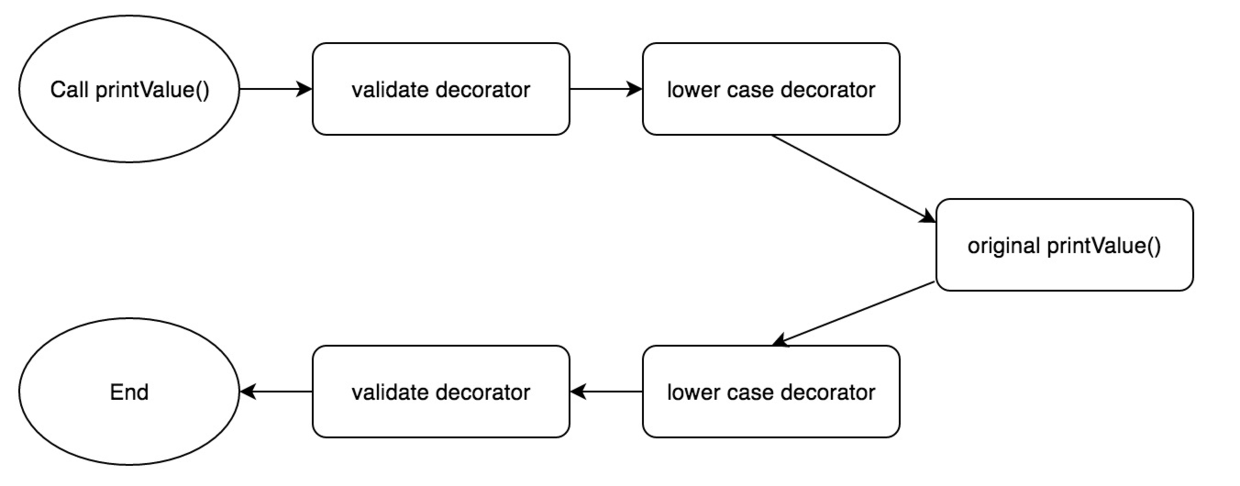
### 方法一: 闭包
我能想到最原生实现装饰者模式的方法就是用一个对象来包装需要被装饰的对象,并返回一个新对象,在这个新对象中执行一些处理后再调用原始的方法。

> “简单!”
**上代码!**
首先,我会展示这些代码作为一个整体,然后我会带你一步一步地分析它。
```JavaScript
function myComponentFactory() {
let suffix = ''
return {
setSuffix: suf => suffix = suf,
printValue: value => console.log(`value is ${value + suffix}`)
}
}
function toLowerDecorator(inner) {
return {
setSuffix: inner.setSuffix,
printValue: value => inner.printValue(value.toLowerCase())
}
}
function validatorDecorator(inner) {
return {
setSuffix: inner.setSuffix,
printValue: value => {
const isValid = ~value.indexOf('My')
setTimeout(() => {
if (isValid) inner.printValue(value)
else console.log('not valid man...')
}, 500)
}
}
}
const component = validatorDecorator(toLowerDecorator(myComponentFactory()))
component.setSuffix('!')
component.printValue('My Value')
component.printValue('Invalid Value')
```
这些都做了什么?
组件工厂还是和之前的一样。不过,我们通过用装饰工厂包裹它的创建来装饰它。
```JavaScript
const component = validatorDecorator(toLowerDecorator(myComponentFactory()))
```
原始对象将作为参数传入装饰工厂中,并返回一个经过包装的对象,它会将除了被装饰的方法以外的调用直接传递给初始对象。
装饰工厂接受原始对象作为参数,并返回一个经过包装后的对象,这个对象会将除了需要被装饰的方法以外的调用直接传递给原始对象。
```JavaScript
function toLowerDecorator(inner) {
return {
setSuffix: inner.setSuffix,
printValue: value => inner.printValue(value.toLowerCase())
}
}
```
装饰器会将值转换为小写,并把这个“装饰”(或“包装”)后的值传给了内部函数。
然后,我们可以继续在对象的创建上添加装饰工厂方法并等待调用,这就像是在打开一个俄罗斯套娃。

在完成了对象的创建和装饰之后,我们运行我们的测试代码:
```JavaScript
component.setSuffix('!')
component.printValue('My Value')
component.printValue('Invalid Value')
```
结果是:
```JavaScript
value is my value!
not valid man...
```
最外层的装饰器将会第一个被执行。在这个例子中是验证方法。第一次调用是合法的,所以结果会被传递给第二个方法,值将被转换为小写,然后再按顺序调用原始方法给经过小写处理后的值添加尾缀,并在控制台中输出结果。
第二次调用没有通过验证,所以值没有被修改,它展示了如何停止装饰链。
#### 验证装饰器为何要设置定时?

](https://raw.githubusercontent.com/DiscipleD/image-storage/master/blog/decorator-design-pattern/waiters.jpg)
我在包装方法中添加一些异步的代码,因为我们在 JavaScript 的世界里:一个单线程,无阻塞,异步为王的语言世界。如果你的代码无法处理异步,那么它就失去了大部分 JavaScript 语言设计的特点。
验证方法通过设置定时来模拟去数据库验证值的合法性,然后在回调函数中去调用内部函数的方法。这样我们能测试我们的实现方式在处理异步代码时是否依旧能正常工作。
#### 该如何使用闭包?
为了之后的调用,我们可以将内部对象存储到一个新对象上。但我们为什么不这样做?因为这会使得它成为公共的,那时,我该调用 `instance.setSuffix()`,还是 `instance._original.setSuffix()`?这会变得非常奇怪,会混淆对象的使用,使对象成为一个私有成员这会好得多。
>“然而JavaScript并没有私有成员,糟糕!”
但我们可以使用闭包来达到这个效果。
**官方:什么是闭包?**
> “即使函数在变量的作用域之外被调用,闭包允许函数访问闭包引用的变量。”(我稍微重新措辞从[维基百科](https://en.wikipedia.org/wiki/Closure_(computer_programming))的定义)
一个简单的例子:
```JavaScript
function wow() {
const val = 5
return () => console.log(val)
}
wow()()
```
这是一个我能想到用 JavaScript实现最简单的例子。“wow” 方法返回一个打印 “val” 的方法,然而,一旦 “wow” 返回,“val” 变量就不在作用域之中。
然而,它会正常显示,因为闭包在方法返回时就被创建了,它已经记录了作用域里的变量(在这个例子中是 “val”),即使离开了当前作用域,闭包依旧可以访问它内部的变量,
#### 回到我们的装饰器
再来看看之前的装饰器:
```JavaScript
function toLowerDecorator(inner) {
return {
setSuffix: inner.setSuffix,
printValue: value => inner.printValue(value.tolowercase())
}
}
```
它返回一个包含以下方法的对象:
```JavaScript
value => inner.printValue(value.tolowercase())
```
这个方法引用 “inner” 对象,当装饰方法被返回时,“inner” 对象就已经在作用域之外了。但因为,它在方法内部是一个被使用的变量,所以内部方法会记录这个变量,一旦这个方法被返回,那么闭包就形成了。
这意味着为了嵌套的方法能在之后正常调用,变量的生命周期被我们的内部方法给延长了。
因为闭包,我们的方法能使用“inner”对象,但它是私有变量,并不是公共的。
闭包是 JavaScript 最重要和实用的特性之一,所以确保你现在已经领悟它了。

#### 优缺点
在这介绍闭包,虽然它和上面的包装方法有一点关系,但事实上,本文所展示的技术都使用了闭包来隐藏私有变量。
除此之外,这是一个非常简单的实现,但有一个非常明显的缺点:我们必须包装内部对象的每个方法,而非装饰那一个目标方法。就像这样:
```JavaScript
return {
setSuffix: inner.setSuffix,
...
```
这既丑陋又痛苦。可不可以我们的装饰器只定义装饰行为而不去关心剩下的?幸运的是有不少技术能这样做。让我们看看猴子补丁是如何做的。
### 方法二:猴子补丁
**什么是猴子补丁?**
>“动态修改一个类或模型。” -[维基百科](https://en.wikipedia.org/wiki/Monkey_patch)
简单地在当前情景下解释一下:
>“我将要采用 JavaScript 的动态性并结合对象可变性的特点来用我的方法取代你的方法!” -(那时的我)
那该如何用猴子补丁来装饰?
>“我准备用我的方法替换你的,然后我会从我的方法内部包装并调用你的方法。” -(依旧是我)
**该怎么做!**
你问该怎么做?好,我会像你展示。首先,我会展示这些代码作为一个整体,然后我会带你一步一步地分析它:(译者注:这里是原作者的一处幽默,看原文更能体会。)
```JavaScript
function myComponentFactory() {
let suffix = ''
return {
setSuffix: suf => suffix = suf,
printValue: value => console.log(`value is ${value + suffix}`)
}
}
function decorateWithToLower(inner) {
const originalPrintValue = inner.printValue
inner.printValue = value => originalPrintValue(value.toLowerCase())
}
function decorateWithValidator(inner) {
const originalPrintValue = inner.printValue
inner.printValue = value => {
const isValid = ~value.indexOf('My')
setTimeout(() => {
if (isValid) originalPrintValue(value)
else console.log('not valid man...')
}, 500)
}
}
const component = myComponentFactory()
decorateWithToLower(component)
decorateWithValidator(component)
component.setSuffix('!')
component.printValue('My Value')
component.printValue('Invalid Value')
```
这都做了些什么?
组件还是那个组件,装饰器变了,并且调用方式也变了。我们通过在现有对象上进行处理的方式,来代替通过工厂方法传递对象的方式来实现我们的装饰方法:
```JavaScript
decorateWithToLower(component)
```
这个装饰方法通过保存初始 “printValue” 方法到一个本地变量的办法来实现猴子补丁:
```JavaScript
const originalPrintValue = inner.printValue
```
然后用一个方法覆盖原始方法,这个方法先将值转换为小写,再将值传递给之前储存的原始方法的副本去调用:
```JavaScript
inner.printValue = value => originalPrintValue(value.toLowerCase())
```
我们和之前一样创建我们的装饰器。我们先用一个转换小写装饰器包装 `printValue()`,再用一个验证装饰器来包装它:
```JavaScript
const component = myComponentFactory()
decorateWithToLower(component)
decorateWithValidator(component)
```
注意这里依旧使用了闭包来用于内部函数链的存储。与例一真正的区别在于我们只替换了现有对象中的一个方法,而不是返回一个全新包装后的对象。
**猴子补丁的优缺点**
人们讨厌猴子补丁通常有着好的理由。

额......
为什么所有人都讨厌?因为当我调用一个库函数时,我不希望功能因为我引入了一些其他完全无关的“巨坑”库而被修改了。
不幸的是,如果那个愚蠢的人类决定去猴子补丁一些原生方法或一些共享的依赖,那对我来说就没有惊喜,只剩惊吓了。
如果猴子补丁只是现在用于我自己的代码,它可能并不那么糟糕,但它依旧有点古怪,一些人依旧会对它说“不”。
尽管如此,它比我们之前的方法还是有一个优势。我们的装饰方法只需处理我们想要装饰的方法,组件其余的部分保持不变。这意味着我们的装饰方法只有一个职责:用新的行为包装去方法。
所以,如果你不介意猴子补丁,你的基础对象又拥有需要被额外维护的公共方法,而且你希望保持代码简洁,那么这项技术可能适合你。
好,那有关原型继承是怎样的?
### 方法三:原型继承
**什么是原型继承?**
大多数开发者习惯于 Java 或 C# 这种一个类基于另一个类的经典继承方式。简单来说,原型继承就都是用对象代替类:“一个对象从其他对象继承上属性。”
它的实现机制在 JavaScript 中也十分简单。所有对象都有同一个原型。事实上,所有原型链的终点都指向 “Object”,它也是所有原型链的基础。
**委托**

你可以通过设置对象的原型声明一个对象基于另一个对象。这就意味着:如果需要访问一个对象成员,对象首先会在自身之中查找,但如果没有找到,它会去它的原型上继续查找,并一直按照这个方式查找到原型链的终点。
我不喜欢使用 JavaScript 中的 `new` 关键字,我不在这深入说为什么,如果你感兴趣,可以到文章的最后查看。而在我看来,实现原型继承最好的方法是使用 `Object.create(prototype)`:
```JavaScript
const myBaseObject = { myProperty: 'oh hai' }
const myNewObject = Object.create(myBaseObject)
myNewObject.newMethod = () => { console.log(myBaseObject.myProperty) }
```
这里我们不仅设置 myBaseObject 作为 myNewObject 的原型来继承,还展示了如何访问基类的成员。这里没有受保护的或私有的作用域,也没有抽象成员需要我们考虑。如果你想只暴露新的对象而不显示基类对象,只需通过一个函数包裹,然后返回所有你想要的。函数总是能处理你在 JavaScript 中遇到的任何问题。
**看代码**
```JavaScript
function myComponentFactory() {
let suffix = ''
return {
setSuffix: suf => suffix = suf,
printValue: value => console.log(`value is ${value + suffix}`)
}
}
function toLowerDecorator(inner) {
const instance = Object.create(inner)
instance.printValue = value => inner.printValue(value.toLowerCase())
return instance
}
function validatorDecorator(inner) {
const instance = Object.create(inner)
instance.printValue = value => {
const isValid = ~value.indexOf('My')
setTimeout(() => {
if (isValid) inner.printValue(value)
else console.log('not valid man...')
}, 500)
}
return instance
}
const component = validatorDecorator(toLowerDecorator(myComponentFactory()))
component.setSuffix('!')
component.printValue('My Value')
component.printValue('Invalid Value')
```
这个例子里我构造了一个新的对象来访问内部的对象,这和第一个例子十分地相似。然而,第一个例子中有个缺陷就是为了确保初始对象的每个成员都可访问,需要将每个成员变量复制到新的包装对象上。在这个例子中,我们发挥对象继承的优势,新对象创建时使用初始对象作为它的原型,这样我们就不必在新对象上定义 “setSuffix” 方法,当这个方法被调用时,原型链会检查这个成员是否存在。
在 JavaScript 中使用继承来实现一个装饰器是一个显而易见并高效的方式。有趣的是,装饰者模式的最初设计目的之一就是解决传统继承的一些局限性。也就是说,采用传统的继承,无法将不同的行为联系起来,必须事先定义类的继承关系,这会导致它成为一个僵化的层次结构(译者并不赞同这个观点)。幸运的是,原型继承没有这个限制,从上面的例子就可以看到,我可以选择任何对象作为原型。
这使得用原型继承来实现装饰器是一个极好的选择。
### 方法四:代理
ES6中增加了代理模块,它看上去有希望去完成一些关于面向切片的编程技术。让我们来看看,它能不能帮我们创建一个装饰器。
**什么是代理?**
>“代理对象通常用来为基本操作定义自定义行为(例如:属性查找,赋值,枚举或函数调用等)。 -[MDN](https://developer.mozilla.org/en/docs/Web/JavaScript/Reference/Global_Objects/Proxy)
哇~我们可以在属性查找和函数调用时注入自定义行为?听起来很强大?没错,很强大。
**看代码**
```JavaScript
require('harmony-reflect')
function myComponentFactory() {
let suffix = ''
return {
setSuffix: suff => suffix = suff,
printValue: value => console.log(`value is ${value + suffix}`)
}
}
function toLowerDecorator(inner) {
return new Proxy(inner, {
get: (target, name) => {
return (name === 'printValue')
? value => target.printValue(value.toLowerCase())
: target[name]
}
})
}
function validatorDecorator(inner) {
return new Proxy(inner, {
get: (target, name) => {
return (name === 'printValue')
? value => {
const isValid = ~value.indexOf('my')
setTimeout(() => {
if (isValid) target.printValue(value)
else console.log('not valid man...')
}, 500)
}
: target[name]
}
})
}
const component = toLowerDecorator(validatorDecorator(myComponentFactory()))
component.setSuffix('!')
component.printValue('My Value')
component.printValue('Invalid Value')
```
首先,这是什么?
```JavaScript
require('harmony-reflect')
```
因为,我用 node.js 运行代码,然而 node.js 暂时还不支持代理模块。如果你想要在 node 中使用代理需要使用以下代码:
```JavaScript
node.exe --harmony-proxies
```
即使这样,在写这篇博客时,node 中的代理模块依旧不是ES6的标准模块。然而,如果你:
```JavaScript
npm install harmony-reflect
```
并向之前一样在代码中引入该模块,那么你会得到一个接近最新 ES6 标准的代理对象来使用,而你现在仍必须使用上面的方法。(我猜测 npm 模块的底层使用的仍是不符合ES6规范的代理对象。)
接下来你会发现组件依旧没有变化,而装饰方法变得不同了:
```JavaScript
function toLowerDecorator(inner) {
return new Proxy(inner, {
get: (target, name) => {
return (name === 'printValue')
? value => target.printValue(value.toLowerCase())
: target[name]
}
})
}
```
代理赋予你无比强大的力量,值得你阅读 [MDN](https://developer.mozilla.org/en/docs/Web/JavaScript/Reference/Global_Objects/Proxy) 上代理部分。

在这里,装饰器将内部对象作为参数输入,并返回它的代理。在代理中,我们只处理一件事:属性访问。我们通过为 “get” 处理程序添加自定义行为来做到这点。
我们测试一下看看属性是否是我们想装饰的属性,如果是则返回新的装饰器方法(在这个例子中,方法就是将值转换为小写并传递值给内部对象的 printValue 方法);如果属性名不符合就直接返会内部对象的成员。
细心的你一定会发现我们这里又使用到了闭包。
**代理模式的优劣势**
这里的关键点是,虽然为了创建我们的代理对象不得不做一些额外的工作,但无论装饰对象中有多少个成员,装饰器都不会变的更复杂。所以,代理模式有2个优点:
1. 它不是猴子补丁
2. 不必手动重新定义内部对象的每个成员
然而,这可能有点杀鸡用牛刀了,原型继承有着相同的优势。代理的实现是被用来处理面向切片风格的东西,而不是装饰器。
还有,就像我之前说的,支持还不够好。如果你在 node 环境中,那你可以用我之前的方法 polyfill。然而,如果你在浏览器环境中,现在所有的 IE 版本都不支持, Chrome 也只在 49 版本支持。不幸的是,从我的理解看来,可能在浏览器中 ployfill 这个特性将会很困难,很可能会[造成严重的性能问题](https://www.npmjs.com/package/babel-plugin-proxy)。
### 方法五:中间件
之前的那些例子都有一个非常棒的特性,那就是初始的对象不必知道它被装饰了。通过闭包,猴子补丁,继承或者代理来扩展初始对象的行为而不必修改它,这就是[面向对象设计](https://en.wikipedia.org/wiki/SOLID_(object-oriented_design))的[开闭原则](http://c2.com/cgi/wiki?OpenClosedPrinciple)。
假设基础对象一开始就知道自己的创建过程中会被一个特定的方法装饰,会怎么样?还有,假设想在基础功能和装饰器之间增加更多影响,会怎么样?假设通过把一些装饰器的逻辑放到基础对象中使装饰器的代码更为简单,会怎么样?
**看代码**
```JavaScript
function myComponentFactory() {
let suffix = ''
const instance = {
setSuffix: suff => suffix = suff,
printValue: value => console.log(`value is ${value + suffix}`),
addDecorators: decorators => {
let printValue = instance.printValue
decorators.slice().reverse().forEach(decorator => printValue = decorator(printValue))
instance.printValue = printValue
}
}
return instance
}
function toLowerDecorator(inner) {
return value => inner(value.toLowerCase())
}
function validatorDecorator(inner) {
return value => {
const isValid = ~value.indexOf('My')
setTimeout(() => {
if (isValid) inner(value)
else console.log('not valid man...')
}, 500)
}
}
const component = myComponentFactory()
component.addDecorators([toLowerDecorator, validatorDecorator])
component.setSuffix('!')
component.printValue('My Value')
component.printValue('Invalid Value')
```
注意到主要的区别了么?我们的初始对象知道它会被装饰,并提供了一个特别的方法来添加装饰器。这里组件设置自己的装饰链,你只需提供装饰方法的列表:
```JavaScript
component.addDecorators([toLowerDecorator, validatorDecorator])
```
“addDecorators” 方法会遍历传入到方法中的装饰器,然后将最后一个装饰器方法执行后的结果赋给公共成员变量。这就是基础对象给自身设置装饰链。值得注意的是,方法里翻转了装饰器调用的顺序,为了参数传递时更具可读性:
```JavaScript
addDecorators: decorators => {
let printValue = instance.printValue
decorators.slice().reverse().forEach(decorator => printValue = decorator(printValue))
instance.printValue = printValue
}
```
装饰器方法本身将便的十分简单,它所要做的全部就是更具需要装饰传入的方法并返回这个方法。
```JavaScript
function toLowerDecorator(inner) {
return value => inner(value.toLowerCase())
}
```
**中间件的优劣势**
通过基础对象自身来创建装饰链,能够获得装饰器更多的控制权。在这个例子中,它被用来通过 `reverse()` 方法来改变装饰器数组的顺序。
在创建装饰链时获得更多的控制权也导致了装饰方法便得极其简单。
因此,通过将对象设置为可以被装饰和完成建立装饰链的工作,我们达成了这些目标:
1. 简单的装饰方法
2. 建立装饰链时,更多的控制权
3. 简单地建立装饰列表,只需传递一个有顺序的装饰器数组的方法,而不必关心特殊装饰者模式实现的构造机制
4. 依旧符合开闭原则,基本实现允许在不修改原始对象的情况下完成装饰
5. 它不是猴子补丁,也不依赖于代理
这是最复杂的实现方式,如果你设置了一些重量级的装饰器,需要更多的管理而不是简单的包装,那么这个实现可能适合你。
我称呼它为“中间件”实现,是因为:
1. 我想不出比这个更好的(译者:- -||)
2. Dan Abramov 使用相同的方法在他的 [redux 中间件](http://redux.js.org/docs/advanced/Middleware.html)实现中
### 结论
我们着眼于用5个不同的技术来实现装饰者模式,在这过程中我们学到了不少。
1. 一个原始的做法,它需要手动地从内部对象复制每个成员到装饰对象上。但我们从中学到了通过闭包来遮盖变量,就好像它们是私有的。
2. 用猴子补丁的方法解决了“复制每个成员”的问题,但是它也有相当大的副作用。
3. 用原型继承的方式解决了“复制每个成员”的问题,似乎完美无缺。
4. 使用 ES6 代理对象又一次解决了之前的问题。然而,代理对象还没有被很好的支持,虽然它是无比强大的,但也强大到超出了这个使用场景。在当前场景下,它并不能比原型继承做得更多。
5. 在“中间件”实现中,基础对象设置了自身的装饰链,这使得它和简单的装饰方法一起成为一个强大并灵活的实现。
####从中我们能总结哪些结论?
**每个实现**方式都使用了**闭包**。这应该能让你明白它在 JavaScript 中有多重要。如果你仍不理解它,退回去再读一次,或者去阅读一些别人更好的描述。
哪个是明显的赢家?当我开始写这篇的时候,我期望每个技术都有它的优势和劣势,取决于使用场景。事实上,写到最后我认为只有2种实现方式值得被使用:
1. 原型继承
2. 中间件
只有当需要对装饰链进行更多控制的时候才使用中间件的方式,否则,原型继承似乎对我来说就是最终赢家。它具有所有的优点:
1. 不需要修改基础对象
2. 不需要复制每个成员到新的对象
3. 不是猴子补丁
4. 不支持差的代码
5. 相对简单的装饰方法
### 附录
#### ES6
我在本文中使用 ES6 语法出于以下多种原因的:
1. 我爱上了 ES6 中的许多事,尤其是箭头函数和 const 关键字
2. 最新的 node.js 中已经原生支持它的大部分功能,也可以通过一个简单的 babel 转换在浏览器中运行 ES6
3. 用它更容易写文章中的例子(缺点是,这对没有学过 ES6 的读者并不是这样)
4. 最近我花了些时间在读和写一些 React 的代码,它所有都是用 ES6 的,所以我们是时候都上这条船了(译者:歪果仁动不动就开船,果仁一言不合就开车)
5. 我开始学习 ES6 在 [babel 的官网](https://babeljs.io/docs/learn-es2015/),如果你也想开始学习 ES6 可以从这里开始
#### 类
为什么我使用 ES6 却不适用 `class` 关键字哪?有两个非常重要的原因:
1. 类在 ES6 中有很多问题,这有一整篇[文章](https://medium.com/javascript-scene/how-to-fix-the-es6-class-keyword-2d42bb3f4caf#.osnwj4xq5)关于它。(对我来说,真正的烦恼是缺乏私有变量和这样做的“意义是什么”,这个关键字比一个简单的工厂方法做得更少。)
2. 也许更重要的是为了这篇文章:我们谈论的是装饰器,然而装饰器很难和 ES6 class 语法一起工作。正因为此有项提议在 ES7 中应当解决装饰器的问题。然而,正如我希望你看到这篇文章,如果你继续使用函数语法,通过简单的 JavaScript 语法就能创建功能强大的装饰器。
3. 无论是 `new` 关键字还是 `class` 关键字在 ES6 中都让人迷惑。这看上去让 JavaScript 便得
把它们加进 JavaScript 中看上去会让从传统语言,像 Java,转过来的人感觉更舒适,但结果是笨重的,只会掩盖原型的真正能力和简单。这里是另一篇优秀的[文章](http://aaditmshah.github.io/why-prototypal-inheritance-matters/)关于刚刚所提到的。
#### 源文件
1. [闭包](http://nickmeldrum.com/scripts/decorator-wrapper.js)
2. [猴子补丁](http://nickmeldrum.com/scripts/decorator-monkeypatching.js)
3. [原型继承](http://nickmeldrum.com/scripts/decorator-inheritance.js)
4. [代理](http://nickmeldrum.com/scripts/decorator-proxy.js)
5. [中间件](http://nickmeldrum.com/scripts/decorator-middleware.js)
原文:[The decorator pattern in JavaScript using closures, monkey patching, prototypes, proxies and 'middleware'](http://nickmeldrum.com/blog/decorators-in-javascript-using-monkey-patching-closures-prototypes-proxies-and-middleware?utm_source=javascriptweekly&utm_medium=email)
------------ 华丽的分割线 ------------
最后译者推荐[飞狐系列](https://segmentfault.com/u/feihu/articles),对理解JS设计模式很有帮助。
PPS:翻译的好坏的确是由语文水平决定的,而非外语水平。
================================================
FILE: src/server/data/posts/docker-compose.md
================================================
首先,祝各位新年快乐,万事如意,鸡年大吉。
这次要来说说一个和前端并不太相关的东西——docker compose,一个整合发布应用的利器。
如果,你对 docker 有一些耳闻,那么,你可能知道它是什么。
不过,你不了解也没有关系,在作者眼中,docker 就类似于一个沙箱,而你的应用起在这个沙箱里,不受服务器系统环境的影响,同时也不污染服务器,配置完成之后往服务器部署或移除应用都相当方便。
而 compose 就如同它的字面意思组合,它就好像是一个大箱子,可以把几个不相关的沙箱给组合起来,变成一个整体,就如同小时候动画片中变形金刚的合体变身。

理论知识就没有什么比[官方文档](https://docs.docker.com/compose/overview/)更好的了,这里就不讲了,主要来看看如何应用。本文主要包含以下几个部分:
* [安装](#Install)
* [Hello world](#HelloWorld)
* [常用命令](#Command)
* [Real world](#RealWorld)
* [docker 到 docker-compose 的转换](#Transform)
* [引入 nginx](#Nginx)
* [Letsencrypt 镜像生成 SSL 证书](#Letsencrypt)
* [最后](#Conclusion)
如果,你只对前端技术感兴趣,那么,这篇文章可能不适合你。
> 常言道:一个不懂运维的设计,不是一个好前端。
<a name="Install"></a>
## 安装
Windows 和 Mac 装了 Docker 之后已经自带 docker-compose,其他环境根据 Docker [官网](https://docs.docker.com/compose/install/)介绍,简单几步也能完成安装。
这里要提一下,在亚马逊 aws 上安装 docker-compose,由于没有 root 权限会遇到官网上所提到的 `Permission denied` 错误,加了 sudo 也是无法直接下载到 /usr/local/bin 目录下的。
硬来不行,还可以曲线救国嘛~
先将文件下载到 aws 服务器上,再将文件移动到 `/usr/local/bin` 目录就可以了。
```Bash
curl -L https://github.com/docker/compose/releases/download/1.9.0/docker-compose-`uname -s`-`uname -m` > docker-compose
sudo chown root docker-compose
sudo mv docker-compose /usr/local/bin
sudo chmod +x /usr/local/bin/docker-compose
```
验证是否安装成功,试试 `docker-compose version`。如果有输出版本信息,就说明 docker-compose 已经安装好了。
docker-compose 虽然安装好了,但并不一定能用,因为 docker 和 docker-compose 是分开安装,即使它俩各自运行正常,在一起就不一定合拍了。
那怎么知道它俩合不合拍?答案很简单,hello world~
<a name="HelloWorld"></a>
## Hello world
在任意的目录下,创建一个 docker-compose.yml 文件,并添加下面的内容。
```yml
version: '2'
services:
helloworld:
image: 'hello-world'
```
然后,在当前目录下使用 `docker-compose up` 启动 docker-compose。
启动时,如遇到
> client and server don't have same version (client : 1.22, server: 1.18)
类似这样的错误,可以通过设置 docker-compose 的 api 版本来解决。
```Bash
COMPOSE_API_VERSION=auto
```
不要尝试通过一次次安装不同的 docker-compose 版本来解决,你会 😭 的。如果,还遇到
> docker.errors.InvalidVersion: inspect_network is not available for version < 1.21
这是 Ubuntu 14.04 LTS 默认的 docker 版本太低引起的,需要升级 docker。然而,在 aws 的服务器上升级 docker 版本时,需要先创建 `/etc/apt/sources.list.d/docker.list` 文件,并添加
```
deb https://packages.docker.com/1.12/apt/repo ubuntu-trusty main
```
再运行
```Bash
sudo apt-get update && sudo apt-get upgrade docker-engine
```
就能升级成功。看到👇这样的结果,就表示 docker 和 docker-compose 都安装成功,而且它俩很搭。
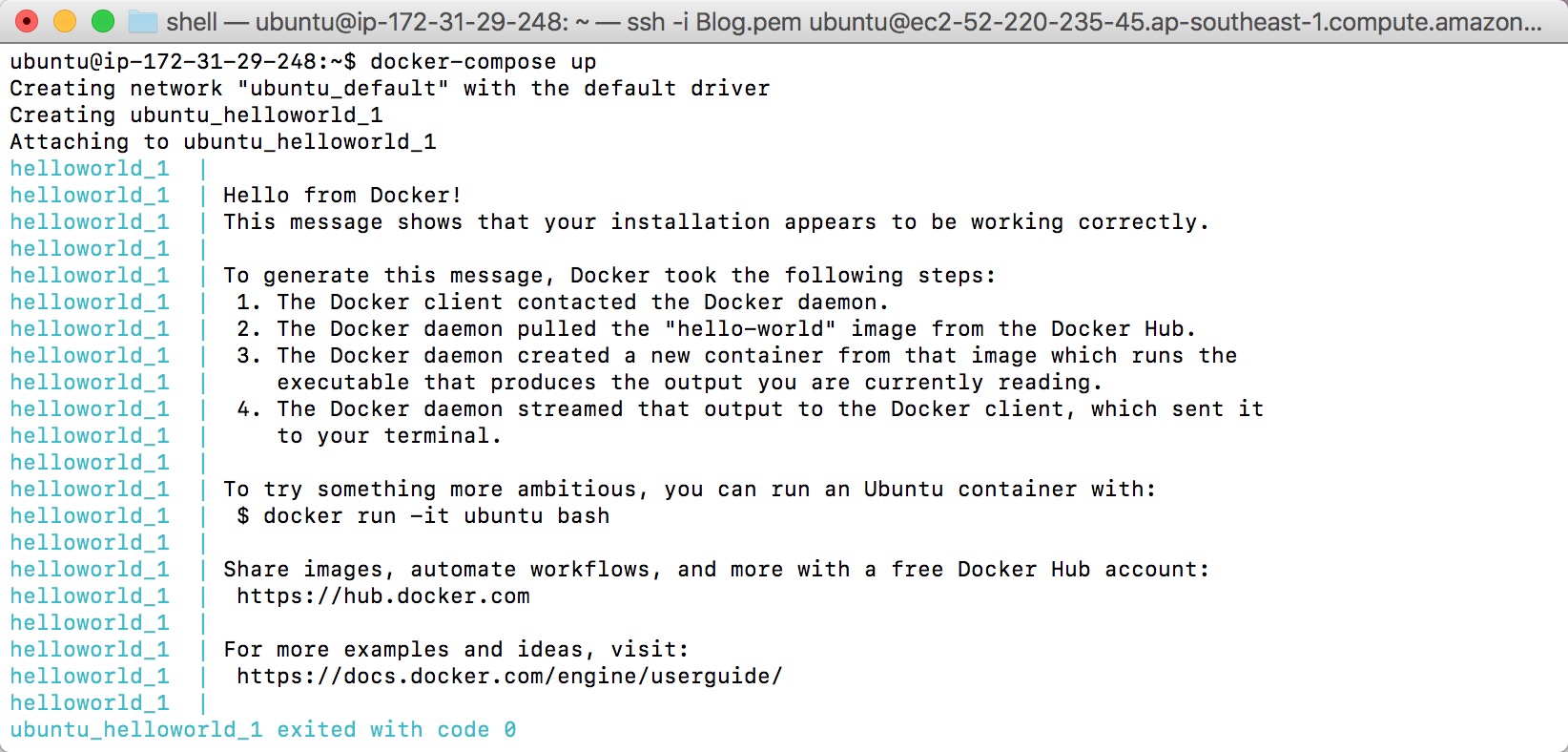
<a name="Command"></a>
## 常用命令
docker-compose 的命令很简单,它已经将一些 docker 常用关于 image, container & volume 的命令都整合在了一起,使发布变得极其简单。比如,之前刚刚提到的 `docker-compose up`,就类似于 docker build & run,用来创建并启动 container。
其他常用的命令有:
* `build`:构建或重新构建 services
* `config`:验证 docker-compose 配置文件
* `create`:创建 services
* `down`:与 `up` 相对,停止并删除 container, image, volumn 等
* `kill`:杀死某个 container
* `logs`:查看 container 日志
* `ps`:查看 container 信息
* `restart`:重启 services
* `rm`:删除已经停止的 container
* `start`:启动 services
* `stop`:停止 service
* `version`:显示 docker-compose 版本
是不是发现有几个命令和 docker 的命令一样?的确,但就如同之前的安装过程一样,docker-compose 是依赖于 docker 的,docker 命令更底层。比如 `docker-compose ps` 这个命令,它只会显示由 docker-compose 启动的容器信息,但不包含 docker 启动的容器信息,相反 `docker ps` 可以查看由 docker-compose 启动的容器信息。
还剩几个命令没有列出来,有兴趣的童鞋可以通过 `docker-compose help` 命令或上官网查看[更多信息](https://docs.docker.com/compose/reference/overview/)。
光说不练假把式。docker-compose 究竟好不好用,只有用了才知道。
<a name="RealWorld"></a>
## Real world
之前,个人博客的静态资源一直都是通过 node 提供服务。这的确可以,但这不是 node 的强项。
> 专业的事交给专业的人去做。 - by S(ome)B(ody)
这个专业的人就是 nginx。
除此之外,2017 年起水果和古哥都强推 https,升级 https 也是箭在弦上(虽然一直有这个打算,也拖到了现在彡(-_-;)彡)。
于是,程序不再是原先单一的 node 服务,而是,变成了一系列密切相关的服务。如果,通过基础的 docker 命令来一个个启动、停止服务的话,那么,就需要额外添加一个复杂的脚本来控制。
docker-compose 就是用来处理类似的问题。它可以做到通过一条命令来控制一个应用相关的一系列服务的启动、停止等,并且不依赖于机器环境,作到随时可以将应用迁移至其他的机器上发布。
知道了准备做什么,先看看最终设计的应用结构和之前的对比。

直接看这张图可能有点蒙圈,没事,一点点来看。
<a name="Transform"></a>
### docker 到 docker-compose 的转换
本文一开始就有提到,docker 可以看做是一个小箱子,而 docker-compose 是一个大箱子用来装这些小箱子。
那么,如何将小箱子放入这个大箱子里哪?
非常简单!只需告诉 docker-compose 如何启动你的应用就可以了,那就先看看原先的启动命令。
```Bash
docker run -d -p 80:8080 --name blog
```
启动命令中,主要配置了一个端口的映射 `-p`,以及命名了容器名,用于方便地启动、停止应用。清楚了这些,那么改成 docker-compose 的文件也就轻而易举了。
```yml
version: '2'
services:
node:
build: .
container_name: node
ports:
- "80:8080"
```
docker 到 docker-compose 的转换就这样完成了,这些更新都不需要修改任何的业务逻辑或者打包配置。
试着使用 `docker-compose up -d` 启动服务验证看看。
启动正常之后,还是一步步来,先引入 nginx。
<a name="Nginx"></a>
### 引入 Nginx
Nginx 是一个高性能的 Web 服务器,它具有配置简单、运行稳定和负载均衡等特点,常被作为静态资源服务器。(详细的 Nginx 信息,请自行查询资料,这方面本人也不是行家)
Nginx 在 docker hub 上有现成的[官方镜像](https://hub.docker.com/_/nginx/),直接拿来用就可以了。
```yml
version: '2'
services:
# ...
nginx:
image: nginx:stable
container_name: nginx
ports:
- "80:80"
restart: always
```
此时,启动服务会失败并报错,因为 nginx 和原有的 node 容器都绑定到了 80 端口。docker-comopse 各个容器之间是相互独立的,容器内部的接口相互之间不影响,但对外暴露的接口不能相同,不然就会引起冲突。
从之前的结构图可以看到,请求全部由 nginx 接受并转发到 node 服务,也就是说,node 不直接对外提供服务。那么,docker-compose 中也就可以移除 ports 部分(这里便于测试 node 服务依旧暴露 8080 端口)。
其次,静态文件是由 node 打包后生成的,也就是说需要将 node 服务中的数据共享给 nginx 服务,这就需要用到 [volume](https://docs.docker.com/engine/tutorials/dockervolumes/)(数据卷)。数据卷可以将数据在宿主机和容器之间、容器和容器之间共享,即使容器被删除了,数据卷依旧存在。
这里就需要将服务器上的 nginx 配置文件和 node 构建之后的静态文件共享给 nginx。
```yml
version: '2'
services:
node:
build: .
container_name: node
# node service port export for test
ports:
- "8080:8080"
volumes:
- ./log/node:/var/log/node
nginx:
image: nginx:stable
container_name: nginx
depends_on:
- node
volumes:
- ./config/nginx:/etc/nginx/conf.d:ro
- ./log/nginx:/var/log/nginx
volumes_from:
- node:ro
ports:
- "80:80"
restart: always
```
volume 是 docker 中相当重要及常用的一部分,理解它对使用 docker 解决问题有巨大的帮助。推荐一篇关于 docker volume 的[文章](http://dockone.io/article/128),有助于理解 volume。
#### 负载均衡
docker-compose 配置完了,再来看看 nginx 配置。本章一开始有提到 nginx 可以做负载均衡,那该如何配置哪?
在 nginx 中配置负载均衡相当简单,只需在 `upstream` 里配置一下目标服务器。
然而,这里就会遇到一个问题。由于,容器之间是相互独立的,于是,localhost 便无法在容器之间相互访问。不过,由同一 docker-compose 所起的容器之间可以通过**容器名**相互访问,这里就是
```
upstream node_server {
server node:8080 max_fails=2 fail_timeout=30s;
}
```
如果要额外再起一个服务,只需在 docker-compose 文件中再启动一个容器(可以依赖同一套代码),并将之前所配的 `upstream` 中额外多添加一条 server 信息,比如:
```
upstream node_server {
server node:8080 max_fails=2 fail_timeout=30s;
server node-backup:8080 max_fails=2 fail_timeout=30s;
}
```
这样即使一个服务挂了,只要另一个服务还运行正常,nginx 会将请求转发给运行正常的服务。一个最简单的复杂均衡就做好了,所有这些都不需要修改任何功能性的代码。
知道了 nginx 可以提供负载均衡,但也不要忘了老朋友 pm2。
pm2 通过命令行参数 -i,或配置文件通过起多个实例来做负载均衡(本人的小博客也是用的这个方式)。
引入 nginx 之后,将全站升级成 https 就轻而易举了,只需在配置文件中标明证书及秘钥文件的位置就可以了。接下去,就看看如何生成证书和秘钥。
<a name="Letsencrypt"></a>
### 使用 Letsencrypt 生成 SSL 证书
获取 ssl 证书的方式有许多种,有的买域名就送证书,这里介绍一下用 [letsencrypt](https://certbot.eff.org/)(现已更名为 `certbot`)获取免费 ssl 证书。
> 常言道:前人栽树,后人乘凉。
同样的,letsencrypt 在 docker hub 上也有现成的[镜像](https://hub.docker.com/r/deliverous/certbot/)。镜像有了,剩下的就只需根据不同的场景来生成证书。
`certbot` 支持 5 种生成证书的模式,分别是:`apache`, `nginx`, `webroot`, `standalone` 和 `manual`,分别用于[不同的场景](https://certbot.eff.org/docs/using.html#getting-certificates-and-choosing-plugins)。这里 nginx 和 certbot 使用的是不同的镜像,所以选用的模式是 `webroot`。
选定了镜像和模式,那么参照 certbot 的[文档](https://certbot.eff.org/docs/using.html#certbot-command-line-options)就能够简单地生成证书了。
```Bash
docker run -it --rm --name certbot \
-v /letsencrypt/etc/letsencrypt:/etc/letsencrypt \
-v /letsencrypt/lib/letsencrypt:/var/lib/letsencrypt \
-v /letsencrypt/challenge:/usr/share/nginx/html \
-v /var/log/letsencrypt:/var/log/letsencrypt \
deliverous/certbot \
certonly --webroot -w /usr/share/nginx/html
```
需要注意的是,在 `webroot` 模式下申请证书,需要向 certbot 证明服务器能被访问。certbot 验证程序会访问 web root 目录(这里是 /usr/share/nginx/html)来验证。这里又要用到之前提到的 volume 将目录共享给 nginx,让 nginx 能够访问到目录内部的文件。
```
server {
listen 80;
listen [::]:80;
server_name discipled.me;
# ...
# letsencrypt challenge file location
location /.well-known {
root /usr/share/nginx/html;
access_log /var/log/nginx/challenge-access.log main;
allow all;
}
...
}
```
修改 nginx 配置之后,别忘重启 nginx 服务。
```Bash
docker-compose restart nginx
```
重启 nginx 之后,然后再运行上面生成证书的命令就能生成证书了。

看到 `Congratulations!`,证书就生成成功了。
再一次修改 nginx 配置,添加 ssl 证书信息,并监听 443 端口。
```
# redirect host http://domain to https://domain
server {
listen 80;
listen [::]:80;
server_name discipled.me;
# letsencrypt challenge file location
location /.well-known {
root /usr/share/nginx/html;
access_log /var/log/nginx/challenge-access.log main;
allow all;
}
location / {
return 301 https://discipled.me$request_uri;
}
}
# https://domain server
server {
listen 443 ssl;
listen [::]:443 ssl;
server_name discipled.me;
charset utf-8;
gzip on;
gzip_types text/plain application/javascript application/x-javascript text/javascript text/xml text/css;
root /usr/app/build/client/;
ssl_certificate /etc/letsencrypt/live/discipled.me/fullchain.pem;
ssl_certificate_key /etc/letsencrypt/live/discipled.me/privkey.pem;
location / {
try_files $uri @node;
}
location @node {
proxy_pass http://node_server;
proxy_redirect off;
proxy_set_header Host $host;
proxy_set_header X-Real-IP $remote_addr;
proxy_set_header X-Forwarded-For $proxy_add_x_forwarded_for;
}
}
```
重启 nginx 服务后,访问网站就可以看到

小锁加上,大功告成。
> 七牛的图床用 https 还要实名认证,为了保护(pa)个(cha)人(shui)隐(biao)私,就暂时用 Github 来救一下急。(谁知道有啥好用的图床麻烦推荐一下,像七牛一样支持 qrsync 用脚本批量上传的就最好了~先谢过...)
#### 证书更新
letsencrypt 生成的证书有效期是 3 个月,所以,至少 3 个月内需要更新一次证书。
certbot 提供了 renew 命令可以方便地更新证书,使用 `--dry-run` 参数可以验证证书更新命令是否正确。
```Bash
docker run -it --rm --name certbot \
-v /letsencrypt/etc/letsencrypt:/etc/letsencrypt \
-v /letsencrypt/lib/letsencrypt:/var/lib/letsencrypt \
-v /letsencrypt/challenge:/usr/share/nginx/html \
-v /var/log/letsencrypt:/var/log/letsencrypt \
deliverous/certbot \
renew --dry-run
```
同样,看到 `Congratulations` 说明证书更新成功了。
由于,本人每月都会发布文章并重启服务,就可以把证书更新一起交由 docker-compose 管理。(这里偷了个懒,增加了证书同应用之间的耦合关系,还是建议大家证书是通过系统定时任务来更新,省得哪天忘更新证书,证书就过期了)。
<a name="Conclusion"></a>
### 最后
看一下最终的 docker-compose 配置文件和发布脚本。
```yml
# docker-compose.yml
version: '2'
services:
node:
build: .
image: "blog:${TAG_NAME}"
container_name: node
# node service port export for test
ports:
- "8080:8080"
volumes:
- ./log/node:/var/log/node
nginx:
image: nginx:stable
container_name: nginx
depends_on:
- node
- letsencrypt
volumes:
- ./config/nginx:/etc/nginx/conf.d:ro
- ./letsencrypt/etc/letsencrypt:/etc/letsencrypt
- ./letsencrypt/lib/letsencrypt:/var/lib/letsencrypt
- ./letsencrypt/challenge:/usr/share/nginx/html
- ./log/nginx:/var/log/nginx
volumes_from:
- node:ro
ports:
- "80:80"
- "443:443"
restart: always
letsencrypt:
image: deliverous/certbot
container_name: certbot
volumes:
- ./letsencrypt/etc/letsencrypt:/etc/letsencrypt
- ./letsencrypt/lib/letsencrypt:/var/lib/letsencrypt
- ./letsencrypt/challenge:/usr/share/nginx/html
- ./log/letsencrypt:/var/log/letsencrypt
command: renew
```
发布脚本主要用来更新代码,以及获取应用版本号。
```Bash
# deploy.sh
# git operation
git reset HEAD --hard
git fetch
git pull
# TAG_NAME used to set docker image tag
export TAG_NAME=`git tag -l | sort -r | head -n 1`
# docker operation
docker-compose down --volumes
docker-compose up --build -d
```
其他配置可以上 [github 查看](https://github.com/DiscipleD)。
一扯似乎又扯远了,欢迎提意见和建议,顺便再问一下有啥好的图床推荐。
================================================
FILE: src/server/data/posts/does-curry-help.md
================================================
自从我写[为什么使用柯里化?(译)](#!/posts/why-curry-helps)——一篇描述柯里化函数在 JavaScript 中强大能力的文章,已经有两年半的时间了。它是我阅读量最多的一篇文章,每月都为我带来数百个读者。
但随着时光流逝,世界变了,我也变了。通过柯里化来使你的代码更可读,依旧是个好主意么?
我不再那么肯定了。
### “这不是 [Haskell](https://www.haskell.org/)”
当我最初提出柯里化作为我们工作中一个额外的工具时,我的同事威廉(非真名)坚决坚持:
> 这不是 Haskell。
我同样固执的认为我们应使用好的技术。然而,我花了一段时间才意识到他是多么正确。
### 简单很重要,但易用也同样重要
在 Rich Hickey [简单成就易用](http://www.infoq.com/presentations/Simple-Made-Easy)的演讲中,他区分了简单和易用的概念。
他提出“简单”意味着逻辑清晰,而“易用”,则是接近于你当前的的理解。
但是,如果非常简单的代码会造成工作中突出的困难,而你的团队从中却获得很少。那此时,你就需要一个平衡,是编写简单的代码来避免 bug 和不断变化的需求;还是编写足够你的团队理解易读的代码。
这是 Haskell 和 JavaScript 第一个不同点。在 Haskell 中,柯里化是基本概念,每个 Haskell 开发者都理解它。
在 JavaScript 中,这个概念就像一个外星人。我谈论过的大多数 JavaScript 开发者发现它难以理解和阅读。虽然,你可能认为柯里化会使代码变的简单,但它并不能让身边所有的团队得益。
### 症状及原因
Haskell 有一个能够在编译时捕获许多 bugs 的类型系统。当我卡住了,我经常编译程序,并让编译器指引我下一步。
而 JavaScript 采用了相反的做法,编译时不作限制。这样做的好处是惊人的灵活性,不足之处就是错误很久才能被发现。
柯里化函数的参数太少是一个常犯的错误,而且它通常很晚才会被发现。
```JavaScript
var curry = require('curry');
var add = curry(function(a, b, c){ return a + b + c });
// 这里的 threeP 并不返回我们想要的 3 的 Promise,而是返回一个一元函数的 Promise。
// 调用 threeP 函数的代码可能不会预料到这个结果,而造成一个错误。
var threeP = Promise.resolve(1)
.then(add(2))
```
在大多数更复杂的应用场景中,它会导致你或你的同事浪费宝贵的时间来寻找出错的根源。
### 箭头函数
几个月前 [Josh Habdas](https://disqus.com/by/jhabdas/) 评论了之前那篇[文章]():
> 在示例中,使用 [ES2015] 箭头函数将显著简化数据的访问。
他是对的。
毫无疑问,[为什么使用柯里化?(译)](#!/posts/why-curry-helps)的压轴案列是很棒的。它展示了使用 Promise 和一些工具函数来提取用户文章标题的列表。
```JavaScript
fetchFromServer()
.then(JSON.parse)
.then(get('posts'))
.then(map(get('title')))
```
在之前的文章中,我尝试[多少种场景可以使用箭头函数替代?](https://hughfdjackson.com/javascript/arrow-function-syntax/),并应用这个新语言的特性来代替柯里化函数带来的大部分的好处:
```JavaScript
fetchFromServer()
.then(JSON.parse)
.then(data => data.posts)
.then(posts => posts.map(p => p.title))
```
### 我错了么?
我是不是翻脸比翻书快?是啊,快多了。
虽然[为什么使用柯里化?(译)](#!/posts/why-curry-helps)中并没有足够重视在实践中使用该技术,但我依旧认为文章中所述的柯里化所带来的好处依然存在。现在 ES2015 已经发布,在 JavaScript 中,箭头函数在大多数情况下是一个更自然的方式来优化代码。
现在,我很少在 JavaScript 中使用柯里化。
在过去 2 年半的时间里,虽然我仍试图使用柯里化,但我发现使用和团队成员水准相匹配的技术更为重要。
#### 原文链接:[does-curry-help](https://hughfdjackson.com/javascript/does-curry-help/)
================================================
FILE: src/server/data/posts/es2015.md
================================================
主要介绍 `ECMAScript 6` 新引入的语法特性以及一些个人认为比较重要,以后开发时会遇到的一些特性和实例,更多特性和实例请移步[原著](http://es6.ruanyifeng.com/#README)。
<a name="catalog"></a>
## 目录
1. [ECMAScript 简介](#Introduction)
* [**let & const**](#let)
* [**变量的解构赋值**](#Destructuring)
* [字符串的扩展](#String)
* [正则的扩展](#Regular)
* [数值的扩展](#Number)
* [数组的扩展](#Array)
* [**函数的扩展**](#Function)
* [**对象的扩展**](#Object)
* [Symbol](#Symbol)
* [**Proxy和Reflect**](#Proxy)
* [二进制数组](#BinaryArray)
* [Set和Map数据结构](#SetMap)
* [Iterator和for...of循环](#Iterator)
* [Generator函数](#Generator)
* [**Promise对象**](#Promise)
* [异步操作和Async函数](#Async)
* [**Class**](#Class)
* [Decorator](#Decorator)
* [**Module**](#Module)
* [**编程风格**](#Style)
<a name="Introduction"></a>
### [ECMAScript 简介](#catalog)
#### What is ECMAScript?
总结来说,JavaScript 是 ECMAScript 的一种实现,而 ECMAScript 是一种 `浏览器脚本语言` 的国际标准。
今天分享的 ECMAScript6,是由 2013 年 6 月草案冻结,当年 12 月草案发布,各方讨论,直到今年 6 月正式通过,成为国际标准。
[**How about the browse support now?**](http://kangax.github.io/compat-table/es6/)
从表中可以看到,尽管有很大一部分浏览器版本还没有实现 ES6,但各个浏览器的最新版已经支持大部分的 ES6 特性。相信随着时间的推移,浏览器 ES6 的支持度将会越来越好。
NodeJs 对 ES6 的支持最好,大家有兴趣的可以使用 Node 来体验更多的 ES6 特性。
#### Why to learn it?
既然浏览器还没实现对它特性的全部支持,为什么要学它?
首先,它已经成为公认的标准,那么浏览器提供商一定会渐渐提供 ES6 所有特性的支持;
其次,浏览器暂时的不支持是可以通过转码器来克服的。
现在的 JS 代码也能实现业务需求,为什么还要学它?
首先,也是最重要的一点,ES6 提供了模块化的支持,它使得大型项目的开发更得心应手;
其次,ES6 提供的新特性使得JS的编写更轻松,更规范。
PS:以上都是个人观点。
PPS:个人当时学 ES6 的原因一是理解最新的规范,二是为学习 React 做好准备(React 支持部分 ES6 特性)。
**转码器**
既然浏览器还不支持 ES6 那我们是不是现在就无法使用 ES6 的新特性哪?
答案是否定的。Babel 转码器和 Traceur 转码器会是一个很好的解决方案,让你在使用 ES6 特性的同时,又能转换为浏览器可以理解的 ES5 编码。
<a name="let"></a>
### [let & const](#catalog)
ES6 新增了 `let` 命令,用来声明变量。它的用法类似于 `var`,但是所声明的变量,只在 `let` 命令所在的代码块内有效,即 `let` 的作用域是块作用域。代码块也是 ES6 的新特性,类似于 java 的块。
到此为止,大家会觉得 `let` 和 `var` 没有什么区别嘛,那我们就来看看 let 的神奇之处
```JavaScript
var a = [];
for (var i = 0; i < 10; i++) {
a[i] = function () {
console.log(i);
};
}
a[6]();
let a = [];
for (let i = 0; i < 10; i++) {
a[i] = function () {
console.log(i);
};
}
a[6]();
```
大家来说说最后的输出分别是什么吧?
我们来看看上述 ES6 代码解析成 ES5 代码的样子。
```JavaScript
var a = [];
var $__0 = function(i) {
a[i] = function() {
console.log(i);
};
};
for (var i = 0; i < 10; i++) {
$__0(i);
}
a[6]();
```
说了 `let` 的好处,那再看看使用 `let` 还要注意什么!
1. 不存在变量提升
2. 暂时性死区
3. 不允许重复声明
**以上这些都可以通过事先声明来规避。所以,使用 `let`,`const` 一定要事先声明再使用!在函数开头声明所有变量也是 js 开发的最佳实践之一。**
前面也说到了,ES6 新增的特性块级作用域。我们再看看下面的例子:
```JavaScript
function f() { console.log('I am outside!'); }
(function () {
if(false) {
// 重复声明一次函数f
function f() { console.log('I am inside!'); }
}
f();
}());
```
上面代码在 ES5 语法下,会得到 “I am inside!”,但是在 ES6 语法下,会得到 “I am outside!”。这是因为 ES5 存在函数提升,不管会不会进入 if 代码块,函数声明都会提升到当前作用域的顶部,得到执行;而 ES6 支持块级作用域,不管会不会进入 if 代码块,其内部声明的函数皆不会影响到作用域的外部。
`const` 的用法基本和 `let` 相同,但它是用来声明的是常量。一旦声明,常量的值就不能改变。
`const` 的作用域与 `let` 命令相同:只在声明所在的块级作用域内有效。
**在 ES6 下,使用 `let`, `const` 替代 `var` 声明变量也是最佳实践。**
ES6 引入了块级作用域是完全可以替代立即执行函数。(个人认为,可讨论)
<a name="Destructuring"></a>
### [变量的解构赋值](#catalog)
ES6 允许按照一定模式,从数组和对象中提取值,对变量进行赋值,这被称为解构(Destructuring)。
##### 1. 数组的解构赋值
ES6 可以从数组中提取值,按照对应位置,对变量赋值。本质上,这种写法属于“模式匹配”,只要等号两边的模式相同,左边的变量就会被赋予对应的值。但如果等号的右边不是数组(或者严格地说,不是可遍历的结构,参见《Iterator》一章),那么将会报错。
```JavaScript
let [foo, [[bar], baz]] = [1, [[2], 3]];
foo // 1
bar // 2
baz // 3
let [head, ...tail] = [1, 2, 3, 4];
head // 1
tail // [2, 3, 4]
// 报错
let [foo] = 1;
let [foo] = false;
let [foo] = NaN;
let [foo] = undefined;
let [foo] = null;
```
##### 2. 对象的解构赋值
解构不仅可以用于数组,还可以用于对象。对象的解构与数组有一个重要的不同。数组的元素是按次序排列的,变量的取值由它的位置决定;而对象的属性没有次序,变量必须与属性同名,才能取到正确的值。
```JavaScript
var { bar, foo } = { foo: "aaa", bar: "bbb" };
foo // "aaa"
bar // "bbb"
var { baz } = { foo: "aaa", bar: "bbb" };
baz // undefined
```
如果变量名与属性名不一致,必须写成下面这样。其中 foo, first, last, loc & start 都是模式,没有具体值。
```JavaScript
var { foo: baz } = { foo: "aaa", bar: "bbb" };
baz // "aaa"
let obj = { first: 'hello', last: 'world' };
let { first: f, last: l } = obj;
f // 'hello'
l // 'world'
var node = {
loc: {
start: {
line: 1,
column: 5
}
}
};
var { loc: { start: { line }} } = node;
line // 1
loc // error: loc is undefined
start // error: start is undefined
```
##### 3. 字符串的解构赋值
字符串的解构赋值可以看成为数组解构赋值的一种。
```JavaScript
let {length : len} = 'hello';
len // 5
```
##### 4. 函数参数的解构赋值
函数的参数也可以使用解构,同样也可以使用默认值。
```JavaScript
function move({x = 0, y = 0} = {}) {
return [x, y];
}
move({x: 3, y: 8}); // [3, 8]
move({x: 3}); // [3, 0]
move({}); // [0, 0]
move(); // [0, 0]
```
```JavaScript
function move({x, y} = { x: 0, y: 0 }) {
return [x, y];
}
move({x: 3, y: 8}); // [3, 8]
move({x: 3}); // [3, undefined]
move({}); // [undefined, undefined]
move(); // [0, 0]
```
大家能说出上面两段代码执行不同的区别吗?
##### 5. 用途
用途也就是解构的亮点。
(1)交换变量的值
```JavaScript
[x, y] = [y, x];
```
(2)从函数返回多个值
```JavaScript
// 返回一个数组
function example() {
return [1, 2, 3];
}
var [a, b, c] = example();
// 返回一个对象
function example() {
return {
foo: 1,
bar: 2
};
}
var { foo, bar } = example();
```
(3)函数参数的定义
```JavaScript
// 参数是一组有次序的值
function f([x, y, z]) { ... }
f([1, 2, 3])
// 参数是一组无次序的值
function f({x, y, z}) { ... }
f({x:1, y:2, z:3})
```
(4)提取 JSON 数据
```JavaScript
var jsonData = {
id: 42,
status: "OK",
data: [867, 5309]
}
let { id, status, data: number } = jsonData;
console.log(id, status, number)
// 42, OK, [867, 5309]
```
(5)函数参数的默认值
```JavaScript
jQuery.ajax = function (url, {
async = true,
beforeSend = function () {},
cache = true,
complete = function () {},
crossDomain = false,
global = true,
// ... more config
}) {
// ... do stuff
};
```
(6)遍历 Map 结构
```JavaScript
// 获取键名
for (let [key] of map) {
// ...
}
// 获取键值
for (let [,value] of map) {
// ...
}
```
(7)输入模块的指定方法
```JavaScript
let { log, sin, cos } = Math;
const { SourceMapConsumer, SourceNode } = require("source-map");
```
<a name="String"></a>
### [字符串的扩展](#catalog)
字符串扩展这一章节主要阐述了 ES6 对 Unicode 的支持。
JavaScript 允许采用 `\uxxxx` 形式表示一个字符,其中 “xxxx” 表示字符的码点。这种表示法只限于 `\u0000` —— `\uFFFF` 之间的字符。超出这个范围的字符,必须用两个双字节的形式表达(即 \uD83D\uDE80,ES6 可以通过大括号显示超过 FFFF 的字符,\u{1F680})。
ES6 之前,字符串函数对字符码点超过 FFFF 字符无法返回正确结果,比如 charAt 等。此次对的扩展也就是主要扩展这一方面的内容:
根据字符在字符串的位置返回字符 charAt => at
根据字符的位置返回字符的码点 charCodeAt => codePointAt
根据字符的码点返回对应字符 fromCharCode => fromCodePoint
另外的一大部分是 ES6 给字符串对象又添加了一些新的方法。
- **includes()**:返回布尔值,表示是否找到了参数字符串。
- **startsWith()**:返回布尔值,表示参数字符串是否在源字符串的头部。
- **endsWith()**:返回布尔值,表示参数字符串是否在源字符串的尾部。
PS:这三个方法都支持第二个参数,表示开始搜索的位置。
```JavaScript
var s = 'Hello world!';
s.startsWith('Hello') // true
s.endsWith('!') // true
s.includes('o') // true
s.startsWith('world', 6) // true
s.endsWith('Hello', 5) // true
s.includes('Hello', 6) // false
```
- **repeat()**:方法返回一个新字符串,表示将原字符串重复 n 次。
另一大特色是**`模板字符串`**。
模板字符串(template string)是增强版的字符串,用反引号(**`**)标识。它可以当作普通字符串使用,也可以用来定义多行字符串,或者在字符串中嵌入变量。
```JavaScript
$("#result").append(
"There are <b>" + basket.count + "</b> " +
"items in your basket, " +
"<em>" + basket.onSale +
"</em> are on sale!"
);
//使用模板字符串
$("#result").append(`
There are <b>${basket.count}</b> items
in your basket, <em>${basket.onSale}</em>
are on sale!
`);
```
大括号内部可以放入任意的 JavaScript 表达式,可以进行运算,以及引用对象属性,当然包括运行函数。
模板字符串的功能,不仅仅是上面这些。它可以紧跟在一个函数名后面,该函数将被调用来处理这个模板字符串。这被称为“标签模板”功能(tagged template)。
```JavaScript
var a = 5;
var b = 10;
function tag(s, v1, v2) {
console.log(s[0]);
console.log(s[1]);
console.log(s[2]);
console.log(v1);
console.log(v2);
return "OK";
}
tag`Hello ${ a + b } world ${ a * b}`; //等于调用tag(['Hello ', ' world ', ''], 15, 50)
// "Hello "
// " world "
// ""
// 15
// 50
// "OK"
```
“标签模板”的一个重要应用,就是过滤HTML字符串,防止用户输入恶意内容。
```JavaScript
var message =
SaferHTML`<p>${sender} has sent you a message.</p>`;
function SaferHTML(templateData) {
var s = templateData[0];
for (var i = 1; i < arguments.length; i++) {
var arg = String(arguments[i]);
// Escape special characters in the substitution.
s += arg.replace(/&/g, "&")
.replace(/</g, "<")
.replace(/>/g, ">");
// Don't escape special characters in the template.
s += templateData[i];
}
return s;
}
```
上面代码中,经过 SaferHTML 函数处理,HTML 字符串的特殊字符都会被转义。
<a name="Regular"></a>
### [正则的扩展](#catalog)
在 ES5 中,RegExp 构造函数只能接受字符串作为参数。ES6 允许 RegExp 构造函数接受正则表达式作为参数,这时会返回一个原有正则表达式的拷贝。如果使用 RegExp 构造函数的第二个参数指定修饰符,则返回的正则表达式会忽略原有的正则表达式的修饰符,只使用新指定的修饰符。
```JavaScript
var regex = new RegExp("xyz", "i");
// 等价于
var regex = new RegExp(/xyz/i);
new RegExp(/abc/ig, 'i').flags
// "i"
```
ES6 为正则表达式新增了 flags 属性,会返回正则表达式的修饰符。
字符串对象共有 4 个方法,可以使用正则表达式:match()、replace()、search() 和 split()。
ES6 将这 4 个方法,在语言内部全部调用 RegExp 的实例方法,从而做到所有与正则相关的方法,全都定义在 RegExp 对象上(只是实现更好的`模块化`,对调用没有任何影响)。
ES6 新增 `u` 修饰符和 `y` 修饰符,`u` 修饰符用来解决 Unicode 大于 FFFF 时的匹配;`y`(“粘连”sticky)修饰符与 `g` 修饰符类似,也是全局匹配,不同之处在于,`g` 修饰符只要剩余位置中存在匹配就可,而 `y` 修饰符确保匹配必须从剩余的第一个位置开始,进一步说,`y` 修饰符号隐含了头部匹配的标志 `ˆ`。
**注:**如果同时使用 `g` 修饰符和 `y` 修饰符,则 `y` 修饰符覆盖 `g` 修饰符。
<a name="Number"></a>
### [数值的扩展](#catalog)
ES6 提供了二进制和八进制数值的新的写法,分别用前缀 0b(或0B)和 0o(或0O)表示。
如果要将 0b 和 0x 前缀的字符串数值转为十进制,要使用 Number 方法。
```JavaScript
Number('0b111') // 7
Number('0o10') // 8
```
ES6 在 Number 对象上,新提供了一些方法,首先是 `Number.isFinite()` 和 `Number.isNaN()` 这两个方法,用来检查 Infinite 和 NaN 这两个特殊值。这两个方法也是为了更好的`模块化`,将原先属于 global 下的 `isFinite()` 和 `isNaN` 放入了 Number 对象下,此时需注意,Number 下的这两个方法是首先将值转换为数值,如果不是数值直接返回 false。
```JavaScript
isFinite(25) // true
isFinite("25") // true
Number.isFinite(25) // true
Number.isFinite("25") // false
isNaN(NaN) // true
isNaN("NaN") // true
Number.isNaN(NaN) //
gitextract_wffnlui7/ ├── .babelrc ├── .eslintignore ├── .eslintrc.json ├── .gitignore ├── .prettierrc ├── Dockerfile ├── LICENSE ├── README.md ├── config/ │ ├── nginx/ │ │ └── default.conf │ └── webpack/ │ ├── base.js │ ├── client.js │ ├── dll.js │ ├── server.js │ └── setting.js ├── deploy.sh ├── docker-compose.yml ├── package.json ├── src/ │ ├── 404.html │ ├── client/ │ │ ├── app.ts │ │ ├── assets/ │ │ │ └── scss/ │ │ │ ├── animation.scss │ │ │ ├── clean-blog.scss │ │ │ └── variables.scss │ │ ├── common/ │ │ │ ├── constant/ │ │ │ │ ├── server.ts │ │ │ │ └── site.ts │ │ │ ├── service/ │ │ │ │ ├── CommonService.ts │ │ │ │ ├── FetchService.ts │ │ │ │ ├── PostService.ts │ │ │ │ ├── TagService.ts │ │ │ │ ├── disqus/ │ │ │ │ │ └── DisqusService.ts │ │ │ │ └── pwa/ │ │ │ │ ├── NotificationService.ts │ │ │ │ ├── ServiceWorkerService.ts │ │ │ │ ├── ShareService.ts │ │ │ │ └── SubscriptionService.ts │ │ │ └── util/ │ │ │ ├── dom.ts │ │ │ ├── fetch.ts │ │ │ └── url.ts │ │ ├── components/ │ │ │ ├── about/ │ │ │ │ ├── index.ts │ │ │ │ ├── style.scss │ │ │ │ └── template.html │ │ │ ├── footer/ │ │ │ │ ├── index.ts │ │ │ │ ├── style.scss │ │ │ │ └── template.html │ │ │ ├── header/ │ │ │ │ ├── index.ts │ │ │ │ ├── style.scss │ │ │ │ └── template.html │ │ │ ├── index.ts │ │ │ ├── lazy-loading/ │ │ │ │ ├── index.ts │ │ │ │ ├── style.scss │ │ │ │ └── template.html │ │ │ ├── loading/ │ │ │ │ ├── index.ts │ │ │ │ ├── style.scss │ │ │ │ └── template.html │ │ │ ├── main-content/ │ │ │ │ ├── index.ts │ │ │ │ └── template.html │ │ │ ├── nav/ │ │ │ │ ├── index.ts │ │ │ │ ├── style.scss │ │ │ │ └── template.html │ │ │ ├── pager/ │ │ │ │ ├── index.ts │ │ │ │ ├── style.scss │ │ │ │ └── template.html │ │ │ ├── post/ │ │ │ │ ├── index.ts │ │ │ │ ├── post-header/ │ │ │ │ │ ├── index.ts │ │ │ │ │ ├── post-header.html │ │ │ │ │ └── style.scss │ │ │ │ ├── style.scss │ │ │ │ └── template.html │ │ │ ├── post-list/ │ │ │ │ ├── index.ts │ │ │ │ ├── style.scss │ │ │ │ └── template.html │ │ │ └── tags/ │ │ │ ├── index.ts │ │ │ ├── style.scss │ │ │ └── template.html │ │ ├── containers/ │ │ │ ├── about/ │ │ │ │ ├── about.html │ │ │ │ └── index.ts │ │ │ ├── blog/ │ │ │ │ ├── blog.html │ │ │ │ └── index.ts │ │ │ ├── home/ │ │ │ │ ├── home.html │ │ │ │ └── index.ts │ │ │ ├── post/ │ │ │ │ ├── index.ts │ │ │ │ └── post.html │ │ │ └── tags/ │ │ │ ├── index.ts │ │ │ └── tags.html │ │ ├── router.ts │ │ └── vuex/ │ │ ├── common/ │ │ │ └── actionHelper.ts │ │ ├── index.ts │ │ └── module/ │ │ ├── about-me/ │ │ │ ├── actions.ts │ │ │ ├── index.ts │ │ │ ├── introductions.json │ │ │ └── mutations.ts │ │ ├── browser/ │ │ │ ├── actions.ts │ │ │ ├── index.ts │ │ │ └── mutations.ts │ │ ├── home/ │ │ │ ├── actions.ts │ │ │ ├── index.ts │ │ │ └── mutations.ts │ │ ├── index.ts │ │ ├── post/ │ │ │ ├── actions.ts │ │ │ ├── index.ts │ │ │ └── mutations.ts │ │ ├── site/ │ │ │ ├── actions.ts │ │ │ ├── index.ts │ │ │ ├── mutations.ts │ │ │ └── setting.ts │ │ └── tags/ │ │ ├── actions.ts │ │ ├── index.ts │ │ └── mutations.ts │ ├── client-entry.ts │ ├── index.html │ ├── manifest.json │ ├── server/ │ │ ├── common/ │ │ │ └── DataService.ts │ │ ├── config.ts │ │ ├── data/ │ │ │ ├── index.ts │ │ │ ├── posts/ │ │ │ │ ├── angular-provide.md │ │ │ │ ├── angular1.5-with-ES6-styleguide.md │ │ │ │ ├── apologize-letter.md │ │ │ │ ├── autoprefixer.md │ │ │ │ ├── browsersync.md │ │ │ │ ├── ci-solution.md │ │ │ │ ├── css-flex.md │ │ │ │ ├── decorator-design-pattern.md │ │ │ │ ├── docker-compose.md │ │ │ │ ├── does-curry-help.md │ │ │ │ ├── es2015.md │ │ │ │ ├── functional-mixins.md │ │ │ │ ├── getting-started-with-redux.md │ │ │ │ ├── graphql-core-concepts.md │ │ │ │ ├── graphql-js-entry.md │ │ │ │ ├── how-to-use-colors-in-ui.md │ │ │ │ ├── index.ts │ │ │ │ ├── js-doc.md │ │ │ │ ├── material-loading.md │ │ │ │ ├── notification-with-sw-push-events.md │ │ │ │ ├── npm-package-locks.md │ │ │ │ ├── ocLazyLoad.md │ │ │ │ ├── private-npm-server.md │ │ │ │ ├── pwa-installable-and-share.md │ │ │ │ ├── redux-advanced.md │ │ │ │ ├── remote-debugging-devices.md │ │ │ │ ├── service-workers.md │ │ │ │ ├── simple-chess-ai-step-by-step.md │ │ │ │ ├── ssr.md │ │ │ │ ├── structure-data.md │ │ │ │ ├── translate-react-high-performance-tools.md │ │ │ │ ├── trouble-with-babelrc.md │ │ │ │ ├── troubleshooting-of-upgrading-vue.md │ │ │ │ ├── upgrade-ssr-of-vue.md │ │ │ │ ├── upgrade-to-webpack2.md │ │ │ │ ├── vue-with-typescript.md │ │ │ │ ├── vuex-core-of-vue-application.md │ │ │ │ ├── webpack-alias-in-css.md │ │ │ │ ├── webpack3-release.md │ │ │ │ ├── wechat-minigame-try.md │ │ │ │ ├── wechat-miniprogram-basic.md │ │ │ │ ├── why-curry-helps.md │ │ │ │ └── you-might-not-need-redux.md │ │ │ └── tags/ │ │ │ └── index.ts │ │ ├── graphql/ │ │ │ ├── index.ts │ │ │ └── query/ │ │ │ ├── Pager.ts │ │ │ ├── Post.ts │ │ │ ├── Tag.ts │ │ │ └── index.ts │ │ ├── middleware/ │ │ │ ├── index.js │ │ │ ├── server-render.js │ │ │ └── webpack-middleware.js │ │ ├── publish/ │ │ │ └── index.js │ │ ├── queries/ │ │ │ ├── PostService.ts │ │ │ └── TagService.ts │ │ └── server.js │ ├── server-entry.js │ ├── service-worker.js │ └── types/ │ ├── graphql-request.d.ts │ ├── koa.d.ts │ ├── nav.ts │ ├── page.ts │ ├── pager.ts │ ├── post.ts │ ├── pwa.d.ts │ ├── support-loader.d.ts │ ├── tag.ts │ └── vue.d.ts ├── tsconfig-server.json ├── tsconfig.json └── tslint.json
SYMBOL INDEX (196 symbols across 69 files)

FILE: config/webpack/base.js
  constant PATH (line 9) | const PATH = require('./setting');

FILE: config/webpack/client.js
  constant PATH (line 10) | const PATH = require('./setting');

FILE: config/webpack/dll.js
  constant PATH (line 7) | const PATH = require('config/webpack/setting');

FILE: config/webpack/server.js
  constant PATH (line 7) | const PATH = require('./setting');

FILE: config/webpack/setting.js
  constant ROOT (line 9) | const ROOT = path.join(__dirname, '../../');
  constant SOURCE_PATH (line 10) | const SOURCE_PATH = ROOT + 'src';
  constant DIST_PATH (line 11) | const DIST_PATH = ROOT + 'build';
  constant PUBLIC_PATH (line 12) | const PUBLIC_PATH = '/';

FILE: src/client/common/constant/server.ts
  constant SERVER (line 4) | const SERVER = {

FILE: src/client/common/constant/site.ts
  constant BLOG_TITLE (line 5) | const BLOG_TITLE: string = 'D.D Blog';
  constant IMAGE_SERVER_PREFIX (line 7) | const IMAGE_SERVER_PREFIX: string = 'https://raw.githubusercontent.com/D...

FILE: src/client/common/service/PostService.ts
  type IQueryPostsResponse (line 9) | interface IQueryPostsResponse {
  type IQueryPostResponse (line 13) | interface IQueryPostResponse {
  constant GRAPHQL_URL_PREFIX (line 17) | const GRAPHQL_URL_PREFIX = '/graphql';
  class PostService (line 19) | class PostService {
    method constructor (line 20) | constructor() {}
    method getLatestPost (line 22) | public getLatestPost(): Promise<GraphQLResponse<IQueryPostsResponse>> {
    method queryPostList (line 28) | public queryPostList({ num = 0, size = 5 }: IPager): Promise<GraphQLRe...
    method getPostByName (line 34) | public getPostByName(postName: string): Promise<GraphQLResponse<IQuery...

FILE: src/client/common/service/TagService.ts
  type IQueryTagsResponse (line 9) | interface IQueryTagsResponse {
  constant GRAPHQL_URL_PREFIX (line 13) | const GRAPHQL_URL_PREFIX = '/graphql';
  class TagService (line 15) | class TagService {
    method constructor (line 16) | constructor() {}
    method queryTagsList (line 18) | public queryTagsList(tagName = ''): Promise<GraphQLResponse<IQueryTags...

FILE: src/client/common/service/disqus/DisqusService.ts
  class DisqusService (line 10) | class DisqusService {
    method loadDisqusPlugin (line 14) | public static loadDisqusPlugin() {
    method constructor (line 26) | constructor() { }
    method resetDisqusCountPlugin (line 28) | public resetDisqusCountPlugin() {
    method resetDisqusPlugin (line 42) | public resetDisqusPlugin(identifier: string, title: string) {

FILE: src/client/common/service/pwa/NotificationService.ts
  constant NOTIFICATION_API (line 7) | const NOTIFICATION_API = 'Notification';
  constant PERMISSION_GRANTED (line 8) | const PERMISSION_GRANTED = 'granted';
  constant NOTIFICATION_START_TIME (line 9) | const NOTIFICATION_START_TIME = 23;
  constant NOTIFICATION_END_TIME (line 10) | const NOTIFICATION_END_TIME = 6;
  constant DELAY_MINUTES (line 11) | const DELAY_MINUTES = 5;
  constant NOTIFICATION (line 12) | const NOTIFICATION = {

FILE: src/client/common/service/pwa/ServiceWorkerService.ts
  constant SERVICE_WORKER_API (line 9) | const SERVICE_WORKER_API = 'serviceWorker';
  constant SERVICE_WORKER_FILE_PATH (line 10) | const SERVICE_WORKER_FILE_PATH = '/service-worker.js';

FILE: src/client/common/service/pwa/SubscriptionService.ts
  constant SUBSCRIBE_API (line 8) | const SUBSCRIBE_API = '/publish/subscribe';
  class SubscriptionService (line 16) | class SubscriptionService {
    method subscript (line 17) | public subscript(subscription: PushSubscription) {

FILE: src/client/components/about/index.ts
  class AboutMe (line 11) | @Component({

FILE: src/client/components/footer/index.ts
  class PageFooter (line 11) | @Component({

FILE: src/client/components/header/index.ts
  class Header (line 12) | @Component({

FILE: src/client/components/lazy-loading/index.ts
  class LazyLoading (line 13) | @Component({
    method isLoading (line 35) | isLoading(newValue) {
    method mounted (line 57) | protected mounted() {
    method destroyed (line 64) | protected destroyed() {
    method addListener (line 74) | protected addListener(element: Element | Document) {
    method removeListener (line 78) | protected removeListener(element: Element | Document) {
    method isScrollBottom (line 81) | protected isScrollBottom(element: HTMLElement | Document) {
    method scrollFn (line 91) | protected scrollFn() {

FILE: src/client/components/loading/index.ts
  class Loading (line 11) | @Component({

FILE: src/client/components/main-content/index.ts
  class MainContent (line 10) | @Component({

FILE: src/client/components/nav/index.ts
  constant DESKTOP_MODE (line 13) | const DESKTOP_MODE = 'desktop';
  class Navigation (line 15) | @Component({
    method mounted (line 31) | protected mounted() {
    method destroyed (line 34) | protected destroyed() {
    method initNav (line 44) | private initNav(mode = DESKTOP_MODE) {
    method bodyScrollListener (line 52) | private bodyScrollListener() {
    method toggleNavShown (line 72) | private toggleNavShown() {

FILE: src/client/components/pager/index.ts
  class Pager (line 11) | @Component({

FILE: src/client/components/post-list/index.ts
  class PostList (line 12) | @Component({
    method mounted (line 17) | protected mounted() {

FILE: src/client/components/post/index.ts
  class Post (line 15) | @Component({
    method mounted (line 22) | protected mounted() {
    method headerUrl (line 31) | get headerUrl() {
    method prev (line 34) | get prev() {
    method next (line 39) | get next() {

FILE: src/client/components/post/post-header/index.ts
  class PostHeader (line 12) | @Component({

FILE: src/client/components/tags/index.ts
  class Tags (line 11) | @Component({

FILE: src/client/containers/about/index.ts
  type IAboutContainer (line 15) | interface IAboutContainer extends Vue {
  class AboutMeContainer (line 27) | class AboutMeContainer extends Vue {
    method created (line 30) | public created() {
    method preFetch (line 34) | public preFetch(store: Store<IRootState>) {

FILE: src/client/containers/blog/index.ts
  class BlogContainer (line 12) | @Component({
    method title (line 17) | title() {
    method created (line 28) | public created() {

FILE: src/client/containers/home/index.ts
  method preFetch (line 24) | preFetch(store: Store<IRootState>) {
  class HomeContainer (line 29) | class HomeContainer extends Vue {
    method mounted (line 32) | public mounted() {

FILE: src/client/containers/post/index.ts
  method postName (line 25) | postName() {
  method preFetch (line 33) | preFetch(store: Store<IRootState>, router: VueRouter) {
  class PostContainer (line 42) | class PostContainer extends Vue {
    method mounted (line 47) | public mounted() {

FILE: src/client/containers/tags/index.ts
  method tagName (line 26) | tagName() {
  method preFetch (line 33) | preFetch(store: Store<IRootState>, router: VueRouterstore) {
  class TagsContainer (line 42) | class TagsContainer extends Vue {
    method mounted (line 47) | public mounted() {

FILE: src/client/router.ts
  constant ROUTER_SETTING (line 16) | const ROUTER_SETTING: RouterOptions = {

FILE: src/client/vuex/common/actionHelper.ts
  type IMutation (line 9) | interface IMutation {

FILE: src/client/vuex/module/about-me/actions.ts
  constant INIT_ABOUT_ME_PAGE (line 14) | const INIT_ABOUT_ME_PAGE = 'INIT_ABOUT_ME_PAGE';

FILE: src/client/vuex/module/about-me/index.ts
  class AboutMeState (line 12) | class AboutMeState {
  class AboutMeModule (line 17) | class AboutMeModule implements Module<AboutMeState, IRootState> {
    method constructor (line 21) | constructor() {

FILE: src/client/vuex/module/about-me/mutations.ts
  method [INIT_ABOUT_ME_PAGE] (line 10) | [INIT_ABOUT_ME_PAGE](state: AboutMeState, mutation: IMutation) {

FILE: src/client/vuex/module/browser/actions.ts
  constant LOAD_BROWSER_SETTING (line 11) | const LOAD_BROWSER_SETTING = 'LOAD_BROWSER_SETTING';

FILE: src/client/vuex/module/browser/index.ts
  class BrowserState (line 11) | class BrowserState {
    method constructor (line 13) | constructor() {
  constant MIN_SCREEN_WIDTH (line 18) | const MIN_SCREEN_WIDTH: number = 768;
  class BrowserModule (line 20) | class BrowserModule implements Module<BrowserState, IRootState> {
    method constructor (line 25) | constructor() {

FILE: src/client/vuex/module/browser/mutations.ts
  method [LOAD_BROWSER_SETTING] (line 10) | [LOAD_BROWSER_SETTING](state: BrowserState, mutation: IMutation) {

FILE: src/client/vuex/module/home/actions.ts
  constant INIT_HOME_PAGE (line 14) | const INIT_HOME_PAGE = 'INIT_HOME_PAGE';
  constant QUERY_POSTS_LIST (line 15) | const QUERY_POSTS_LIST = 'QUERY_POSTS_LIST';
  constant RECEIVE_POSTS_LIST (line 16) | const RECEIVE_POSTS_LIST = 'RECEIVE_POSTS_LIST';

FILE: src/client/vuex/module/home/index.ts
  class HomeState (line 14) | class HomeState {
    method constructor (line 22) | constructor() {
  class HomeModule (line 39) | class HomeModule implements Module<HomeState, IRootState> {
    method constructor (line 44) | constructor() {

FILE: src/client/vuex/module/home/mutations.ts
  method [INIT_HOME_PAGE] (line 10) | [INIT_HOME_PAGE](state: HomeState, mutation: IMutation) {
  method [QUERY_POSTS_LIST] (line 14) | [QUERY_POSTS_LIST](state: HomeState) {
  method [RECEIVE_POSTS_LIST] (line 18) | [RECEIVE_POSTS_LIST](state: HomeState, mutation: IMutation) {

FILE: src/client/vuex/module/index.ts
  type IRootState (line 13) | interface IRootState {

FILE: src/client/vuex/module/post/actions.ts
  constant GET_POST (line 15) | const GET_POST = 'GET_POST';
  constant RECEIVE_POST (line 16) | const RECEIVE_POST = 'RECEIVE_POST';
  type IPostQueryParam (line 18) | interface IPostQueryParam {

FILE: src/client/vuex/module/post/index.ts
  class PostState (line 12) | class PostState {
    method constructor (line 15) | constructor() {
  class PostModule (line 28) | class PostModule implements Module<PostState, IRootState> {
    method constructor (line 32) | constructor() {

FILE: src/client/vuex/module/post/mutations.ts
  method [GET_POST] (line 10) | [GET_POST](state: PostState) {
  method [RECEIVE_POST] (line 14) | [RECEIVE_POST](state: PostState, mutation: IMutation) {

FILE: src/client/vuex/module/site/actions.ts
  constant LOAD_NAV_LIST (line 13) | const LOAD_NAV_LIST = 'LOAD_NAV_LIST';
  constant LOAD_SOCIAL_LINK (line 14) | const LOAD_SOCIAL_LINK = 'LOAD_SOCIAL_LINK';
  constant SET_BLOG_TITLE (line 15) | const SET_BLOG_TITLE = 'SET_BLOG_TITLE';

FILE: src/client/vuex/module/site/index.ts
  class SiteState (line 14) | class SiteState {
    method constructor (line 18) | constructor(title: string) {
  class SiteModule (line 23) | class SiteModule implements Module<SiteState, IRootState> {
    method constructor (line 28) | constructor() {

FILE: src/client/vuex/module/site/mutations.ts
  method [LOAD_NAV_LIST] (line 23) | [LOAD_NAV_LIST](state: SiteState, mutation: IMutation) {
  method [LOAD_SOCIAL_LINK] (line 29) | [LOAD_SOCIAL_LINK](state: SiteState, mutation: IMutation) {
  method [SET_BLOG_TITLE] (line 38) | [SET_BLOG_TITLE](state: SiteState, mutation: IMutation) {

FILE: src/client/vuex/module/site/setting.ts
  type ISocialLink (line 5) | interface ISocialLink {

FILE: src/client/vuex/module/tags/actions.ts
  type ITagQueryParam (line 14) | interface ITagQueryParam {
  constant INIT_TAGS_PAGE (line 20) | const INIT_TAGS_PAGE = 'INIT_TAGS_PAGE';
  constant QUERY_TAGS (line 21) | const QUERY_TAGS = 'QUERY_TAGS';
  constant RECEIVE_TAGS (line 22) | const RECEIVE_TAGS = 'RECEIVE_TAGS';

FILE: src/client/vuex/module/tags/index.ts
  class TagsState (line 13) | class TagsState {
    method constructor (line 17) | constructor() {
  class TagsModule (line 26) | class TagsModule implements Module<TagsState, IRootState> {
    method constructor (line 30) | constructor() {

FILE: src/client/vuex/module/tags/mutations.ts
  method [INIT_TAGS_PAGE] (line 10) | [INIT_TAGS_PAGE](state: TagsState, mutation: IMutation) {
  method [QUERY_TAGS] (line 14) | [QUERY_TAGS](state: TagsState) {
  method [RECEIVE_TAGS] (line 18) | [RECEIVE_TAGS](state: TagsState, mutation: IMutation) {

FILE: src/server/common/DataService.ts
  type IFileOptions (line 9) | interface IFileOptions {
  type TSortFunc (line 13) | type TSortFunc = (params: any) => void;
  type TSortKey (line 14) | type TSortKey = TSortFunc | string;
  type IObject (line 28) | interface IObject {

FILE: src/server/data/index.ts
  type IData (line 13) | interface IData {
  constant POST_DICTIONARY (line 22) | const POST_DICTIONARY = path.join(__dirname, '/posts/');

FILE: src/server/data/posts/index.ts
  constant POSTS_LIST (line 8) | const POSTS_LIST: IPostBase[] = [{

FILE: src/server/data/tags/index.ts
  constant TAGS_LIST (line 8) | const TAGS_LIST: ITagBase[] = [{

FILE: src/server/publish/index.js
  constant SUBSCRIPTION_FILE (line 19) | const SUBSCRIPTION_FILE = path.resolve(__dirname, '../../../data/subscri...
  constant TOKEN_FILE_PATH (line 20) | const TOKEN_FILE_PATH = path.resolve(__dirname, '../../../data/token.txt');

FILE: src/server/queries/PostService.ts
  class PostService (line 9) | class PostService {
    method constructor (line 11) | constructor() {
    method getPostById (line 15) | public getPostById(id: string) {
    method getPostByName (line 19) | public getPostByName(name: string) {
    method getPreviousPost (line 23) | public getPreviousPost(id: number) {
    method getNextPost (line 27) | public getNextPost(id: number) {
    method queryPostsList (line 31) | public queryPostsList({number: pageNumber = 0, size: pageSize = 5} = {...
    method queryPostsListByTagName (line 38) | public queryPostsListByTagName(tagName = '') {

FILE: src/server/queries/TagService.ts
  class TagService (line 10) | class TagService {
    method constructor (line 12) | constructor() {
    method getTagByName (line 16) | public getTagByName(name: string) {
    method queryTags (line 20) | public queryTags() {
    method queryTagsByPostId (line 26) | public queryTagsByPostId(postId = 1) {

FILE: src/server/server.js
  constant PORT (line 19) | const PORT = Number.parseInt(process.env.PORT || '8080', 10);
  constant PUBLIC_PATH (line 20) | const PUBLIC_PATH = path.resolve(__dirname, '../client');

FILE: src/service-worker.js
  constant HOST_NAME (line 8) | const HOST_NAME = location.host;
  constant VERSION_NAME (line 9) | const VERSION_NAME = 'CACHE-v3';
  constant CACHE_NAME (line 10) | const CACHE_NAME = HOST_NAME + '-' + VERSION_NAME;
  constant CACHE_HOST (line 11) | const CACHE_HOST = [HOST_NAME, 'cdn.bootcss.com'];
  constant SUBSCRIBE_API (line 12) | const SUBSCRIBE_API = '/publish/subscribe';

FILE: src/types/graphql-request.d.ts
  type GraphQLResponseError (line 1) | interface GraphQLResponseError {
  type GraphQLResponse (line 5) | interface GraphQLResponse<T> {

FILE: src/types/nav.ts
  class Item (line 6) | class Item {
    method constructor (line 12) | constructor(name = '', title = '', path = '/', event = noon) {

FILE: src/types/page.ts
  type ITitle (line 4) | interface ITitle {

FILE: src/types/pager.ts
  type IPager (line 1) | interface IPager {

FILE: src/types/post.ts
  type IPostBase (line 5) | interface IPostBase {
  type IPost (line 14) | interface IPost extends IPostBase {
  class Post (line 19) | class Post {
    method constructor (line 28) | constructor({
  type IPostShort (line 48) | interface IPostShort {
  type IPostPage (line 53) | interface IPostPage extends Post {

FILE: src/types/pwa.d.ts
  type ShareInfo (line 1) | interface ShareInfo {
  type Navigator (line 7) | interface Navigator {
  type SubscriptionRecord (line 11) | interface SubscriptionRecord {

FILE: src/types/tag.ts
  type ITagShort (line 3) | interface ITagShort {
  type ITagBase (line 8) | interface ITagBase {
  class Tag (line 14) | class Tag implements ITagBase {
    method constructor (line 19) | constructor({ id = -1, name = '', label = '', createdTime = '' } = {}) {
  type ITagPage (line 27) | interface ITagPage extends Tag {

FILE: src/types/vue.d.ts
  type Window (line 8) | interface Window {
  type ComponentOptions (line 14) | interface ComponentOptions<V extends Vue> {
Condensed preview — 183 files, each showing path, character count, and a content snippet. Download the .json file or copy for the full structured content (693K chars).
[
{
"path": ".babelrc",
"chars": 199,
"preview": "{\n \"presets\": [\n [\"es2015\", { \"modules\": false }],\n \"stage-3\"\n ],\n \"plugins\": [\n \"transform-object-rest-spre"
},
{
"path": ".eslintignore",
"chars": 12,
"preview": "**/assets/**"
},
{
"path": ".eslintrc.json",
"chars": 6289,
"preview": "{\n \"ecmaFeatures\": {\n\t\"modules\": true,\n\t\"experimentalObjectRestSpread\": true,\n\t\"jsx\": true\n },\n\n \"env\": {\n\t\"browser\":"
},
{
"path": ".gitignore",
"chars": 123,
"preview": "node_modules\n\n# subscribe data\n/data\n\n# build source\nbuild\n\n# production log\nlog\n\n# lets encrypt certification\nletsencry"
},
{
"path": ".prettierrc",
"chars": 52,
"preview": "printWidth: 120\nsingleQuote: true\ntrailingComma: es5"
},
{
"path": "Dockerfile",
"chars": 534,
"preview": "# can use node version tag like :onbuild, :latest, but which is not stable version may cause update error\n# detail on ht"
},
{
"path": "LICENSE",
"chars": 1079,
"preview": "The MIT License (MIT)\n\nCopyright (c) 2016 Disciple Ding\n\nPermission is hereby granted, free of charge, to any person obt"
},
{
"path": "README.md",
"chars": 1303,
"preview": "Disciple.Ding blog\n====\n\nThe source code for my blog, [discipled.me](https://discipled.me)\n\nI'm constantly rewriting / r"
},
{
"path": "config/nginx/default.conf",
"chars": 2196,
"preview": "access_log /var/log/nginx/access.log main;\n\nupstream node_server {\n server node:8080 max_fails=2 fail_timeout=30s;"
},
{
"path": "config/webpack/base.js",
"chars": 2612,
"preview": "/**\n * Created by jack on 16-11-27.\n */\n\nconst webpack = require('webpack');\nconst autoprefixer = require('autoprefixer'"
},
{
"path": "config/webpack/client.js",
"chars": 3030,
"preview": "/**\n * Created by jack on 16-4-16.\n */\nconst webpack = require('webpack');\nconst HtmlWebpackPlugin = require('html-webpa"
},
{
"path": "config/webpack/dll.js",
"chars": 447,
"preview": "/**\n * Created by jack on 16-8-3.\n */\n\nconst webpack = require('webpack');\n\nconst PATH = require('config/webpack/setting"
},
{
"path": "config/webpack/server.js",
"chars": 722,
"preview": "/**\n * Created by jack on 16-11-27.\n */\nconst webpack = require('webpack');\nconst VueSSRServerPlugin = require('vue-serv"
},
{
"path": "config/webpack/setting.js",
"chars": 589,
"preview": "/**\n * @author Disciple_D\n * @homepage https://github.com/discipled/\n * @since 13/05/2017\n */\n\nconst path = require('pat"
},
{
"path": "deploy.sh",
"chars": 229,
"preview": "# git operation\ngit reset HEAD --hard\ngit fetch\ngit pull\n\n# TAG_NAME used to set docker image tag\nexport TAG_NAME=`git t"
},
{
"path": "docker-compose.yml",
"chars": 1230,
"preview": "version: '2'\n\nservices:\n node:\n build: .\n image: \"blog:${TAG_NAME}\"\n container_name: node\n # node service p"
},
{
"path": "package.json",
"chars": 4206,
"preview": "{\n \"name\": \"disciple.ding-blog\",\n \"title\": \"Disciple Ding Blog\",\n \"version\": \"3.0.3\",\n \"homepage\": \"https://github.c"
},
{
"path": "src/404.html",
"chars": 1764,
"preview": "<!DOCTYPE HTML>\n<html>\n<head>\n\t<meta charset=\"utf-8\">\n\t<meta http-equiv=\"X-UA-Compatible\" content=\"IE=edge\">\n\t<meta name"
},
{
"path": "src/client/app.ts",
"chars": 734,
"preview": "/**\n * Created by jack on 16-4-16.\n */\n\nimport Vue from 'vue';\nimport { sync } from 'vuex-router-sync';\n\n// Clean-blog l"
},
{
"path": "src/client/assets/scss/animation.scss",
"chars": 351,
"preview": "@keyframes circle-dash {\n 0% {\n stroke-dasharray: 1, 125;\n stroke-dashoffset: 0;\n }\n 50% {\n stroke-dasharray"
},
{
"path": "src/client/assets/scss/clean-blog.scss",
"chars": 2237,
"preview": "@import 'variables';\n@import 'animation';\n\n// Global Components\n\nhtml,\nbody {\n height: 100%;\n}\n\nbody {\n font-family: '"
},
{
"path": "src/client/assets/scss/variables.scss",
"chars": 159,
"preview": "// Variables\n\n$brand-primary: #0085a1;\n$gray-dark: lighten(black, 25%);\n$gray: lighten(black, 50%);\n$white-faded: rgba(2"
},
{
"path": "src/client/common/constant/server.ts",
"chars": 202,
"preview": "/**\n * Created by jack on 16-12-3.\n */\nconst SERVER = {\n\tHOST: 'http://localhost:8080',\n};\n\nif (process.env.NODE_ENV ==="
},
{
"path": "src/client/common/constant/site.ts",
"chars": 205,
"preview": "/**\n * Created by jack on 16-12-17.\n */\n\nexport const BLOG_TITLE: string = 'D.D Blog';\n\nexport const IMAGE_SERVER_PREFIX"
},
{
"path": "src/client/common/service/CommonService.ts",
"chars": 367,
"preview": "/**\n * Created by jack on 16-12-17.\n */\n\nimport {BLOG_TITLE} from '@/common/constant/site';\nimport {setPageTitle} from '"
},
{
"path": "src/client/common/service/FetchService.ts",
"chars": 666,
"preview": "/**\n * Created by jack on 16-8-24.\n */\n\nimport fetchUtil from '../util/fetch';\nimport SERVER from '../constant/server';\n"
},
{
"path": "src/client/common/service/PostService.ts",
"chars": 1429,
"preview": "/**\n * Created by jack on 16-4-27.\n */\n\nimport httpFetch, * as FetchService from './FetchService';\nimport { IPostPage } "
},
{
"path": "src/client/common/service/TagService.ts",
"chars": 607,
"preview": "/**\n * Created by jack on 16-8-27.\n */\n\nimport httpFetch, * as FetchService from './FetchService';\n\nimport { ITagPage } "
},
{
"path": "src/client/common/service/disqus/DisqusService.ts",
"chars": 1261,
"preview": "/**\n * Created by jack on 16-5-19.\n */\n\nimport Server from '../../constant/server';\n\ndeclare const DISQUS: any;\ndeclare "
},
{
"path": "src/client/common/service/pwa/NotificationService.ts",
"chars": 1609,
"preview": "/**\n * @author Disciple_D\n * @homepage https://github.com/discipled/\n * @since 13/02/2017\n */\n\nconst NOTIFICATION_API = "
},
{
"path": "src/client/common/service/pwa/ServiceWorkerService.ts",
"chars": 1509,
"preview": "/**\n * @author Disciple_D\n * @homepage https://github.com/discipled/\n * @since 20/02/2017\n */\n\nimport SubscriptionServic"
},
{
"path": "src/client/common/service/pwa/ShareService.ts",
"chars": 360,
"preview": "/**\n * Created by d.d on 18/07/2017.\n */\n\nexport const isSupportShareAPI = () => !!navigator.share;\n\nexport const shareP"
},
{
"path": "src/client/common/service/pwa/SubscriptionService.ts",
"chars": 1048,
"preview": "/**\n * Created by d.d on 18/07/2017.\n */\n\nimport fetchRequest from '../../util/fetch';\nimport Server from '../../constan"
},
{
"path": "src/client/common/util/dom.ts",
"chars": 264,
"preview": "/**\n * Created by jack on 16-11-17.\n */\n\nexport const getDocumentScrollTop = () => {\n\treturn window.pageYOffset || docum"
},
{
"path": "src/client/common/util/fetch.ts",
"chars": 721,
"preview": "/**\n * Created by jack on 16-12-3.\n */\n\nexport const status = (response: Response) => {\n\tif (response.status >= 200 && r"
},
{
"path": "src/client/common/util/url.ts",
"chars": 835,
"preview": "/**\n * Created by d.d on 18/07/2017.\n */\n\nexport const queryUrlParams = (url: string = '') => {\n\tconst reg = /([^\\/&=]+)"
},
{
"path": "src/client/components/about/index.ts",
"chars": 306,
"preview": "/**\n * Created by jack on 16-8-21.\n */\n\nimport Vue from 'vue';\nimport Component from 'vue-class-component';\n\nimport './s"
},
{
"path": "src/client/components/about/style.scss",
"chars": 1066,
"preview": "@import '~@/assets/scss/variables';\n\n.about-me-block {\n .about-me-ul {\n list-style: none;\n padding: 0;\n }\n\n .ab"
},
{
"path": "src/client/components/about/template.html",
"chars": 1152,
"preview": "<div class=\"about-me-block\">\n\t<ul class=\"about-me-ul\">\n\t\t<li v-for=\"(item, key) of introduction\" track-by=\"key\">\n\t\t\t<lab"
},
{
"path": "src/client/components/footer/index.ts",
"chars": 317,
"preview": "/**\n * Created by jack on 16-4-21.\n */\n\nimport Vue from 'vue';\nimport Component from 'vue-class-component';\n\nimport './s"
},
{
"path": "src/client/components/footer/style.scss",
"chars": 696,
"preview": "@import '~@/assets/scss/variables.scss';\n\n.page-footer {\n padding: 1rem 0;\n\n .social-link-list {\n display: flex;\n "
},
{
"path": "src/client/components/footer/template.html",
"chars": 867,
"preview": "<footer class=\"page-footer\">\n\t<div class=\"container\">\n\t\t<div class=\"row\">\n\t\t\t<div class=\"col-lg-8 col-lg-offset-2 col-md"
},
{
"path": "src/client/components/header/index.ts",
"chars": 499,
"preview": "/**\n * Created by jack on 16-4-21.\n */\n\nimport Vue from 'vue';\nimport Component from 'vue-class-component';\n\nimport './s"
},
{
"path": "src/client/components/header/style.scss",
"chars": 774,
"preview": "@import '~@/assets/scss/variables';\n\n.intro-header {\n background-color: $gray;\n background: no-repeat center center;\n "
},
{
"path": "src/client/components/header/template.html",
"chars": 378,
"preview": "<header class=\"intro-header\" :style=\"{ backgroundImage: 'url(' + boardImg + ')' }\">\n\t<div class=\"container\">\n\t\t<div clas"
},
{
"path": "src/client/components/index.ts",
"chars": 552,
"preview": "/**\n * Created by jack on 16-4-21.\n */\n\nimport Header from './header';\nimport Nav from './nav';\nimport MainContent from "
},
{
"path": "src/client/components/lazy-loading/index.ts",
"chars": 2399,
"preview": "/**\n * Created by jack on 16-9-11.\n */\n\nimport Vue from 'vue';\nimport Component from 'vue-class-component';\nimport throt"
},
{
"path": "src/client/components/lazy-loading/style.scss",
"chars": 99,
"preview": ".lazy-loading-block {\n overflow: auto;\n\n .lazy-loading-container {\n text-align: center;\n }\n}\n"
},
{
"path": "src/client/components/lazy-loading/template.html",
"chars": 229,
"preview": "<section class=\"lazy-loading-block\">\n\t<slot></slot>\n\t<div class=\"lazy-loading-container\" v-if=\"isLoading\">\n\t\t<loading></"
},
{
"path": "src/client/components/loading/index.ts",
"chars": 279,
"preview": "/**\n * Created by jack on 16-9-7.\n */\n\nimport Vue from 'vue';\nimport Component from 'vue-class-component';\n\nimport templ"
},
{
"path": "src/client/components/loading/style.scss",
"chars": 332,
"preview": ".loader {\n width: 50px;\n position: relative;\n display: inline-block;\n\n &:before {\n content: '';\n display: bloc"
},
{
"path": "src/client/components/loading/template.html",
"chars": 185,
"preview": "<div class=\"loader\">\n\t<svg class=\"circular\" viewBox=\"0 0 50 50\">\n\t\t<circle cx=\"25\" cy=\"25\" r=\"20\" fill=\"none\" stroke=\"#1"
},
{
"path": "src/client/components/main-content/index.ts",
"chars": 269,
"preview": "/**\n * Created by jack on 16-8-21.\n */\n\nimport Vue from 'vue';\nimport Component from 'vue-class-component';\n\nimport temp"
},
{
"path": "src/client/components/main-content/template.html",
"chars": 170,
"preview": "<div class=\"container\">\n\t<div class=\"row\">\n\t\t<div class=\"col-lg-8 col-lg-offset-2 col-md-10 col-md-offset-1\">\n\t\t\t<!-- Co"
},
{
"path": "src/client/components/nav/index.ts",
"chars": 1789,
"preview": "/**\n * Created by jack on 16-4-21.\n */\n\nimport Vue from 'vue';\nimport Component from 'vue-class-component';\nimport throt"
},
{
"path": "src/client/components/nav/style.scss",
"chars": 3098,
"preview": "$brand-primary: #8060ff;\n$gray-dark: lighten(black, 25%);\n$gray: lighten(black, 50%);\n$white-faded: rgba(255, 255, 255, "
},
{
"path": "src/client/components/nav/template.html",
"chars": 812,
"preview": "<nav class=\"navbar navbar-light navbar-custom\" :class=\"{ 'is-visible': isVisible, 'is-fixed': isFixed }\">\n\t<button class"
},
{
"path": "src/client/components/pager/index.ts",
"chars": 299,
"preview": "/**\n * Created by jack on 16-9-4.\n */\n\nimport Vue from 'vue';\nimport Component from 'vue-class-component';\n\nimport templ"
},
{
"path": "src/client/components/pager/style.scss",
"chars": 776,
"preview": "@import '~@/assets/scss/variables';\n\n.pager {\n .prev {\n float: left;\n }\n\n .next {\n float: right;\n }\n\n .prev,\n"
},
{
"path": "src/client/components/pager/template.html",
"chars": 335,
"preview": "<div class=\"pager\">\n\t<span class=\"prev\" v-if=\"prev\">\n\t\t<router-link class=\"nav-link\" :to=\"{ path: prev.name}\" :title=\"pr"
},
{
"path": "src/client/components/post/index.ts",
"chars": 1052,
"preview": "/**\n * Created by jack on 16-4-25.\n */\n\nimport Vue from 'vue';\nimport Component from 'vue-class-component';\n\nimport { IP"
},
{
"path": "src/client/components/post/post-header/index.ts",
"chars": 558,
"preview": "/**\n * Created by jack on 16-4-27.\n */\n\nimport Vue from 'vue';\nimport Component from 'vue-class-component';\n\nimport './s"
},
{
"path": "src/client/components/post/post-header/post-header.html",
"chars": 760,
"preview": "<header class=\"intro-header\" :style=\"{ backgroundImage: 'url(' + boardImg + ')' }\">\n\t<div class=\"container\">\n\t\t<div clas"
},
{
"path": "src/client/components/post/post-header/style.scss",
"chars": 818,
"preview": ".intro-header {\n .post-heading {\n padding: 100px 0 50px;\n color: white;\n @media only screen and (min-width: 76"
},
{
"path": "src/client/components/post/style.scss",
"chars": 752,
"preview": ".post-content {\n font-family: 'Lora', 'Times New Roman', serif, 'Microsoft YaHei';\n font-size: 18px;\n\n p {\n line-h"
},
{
"path": "src/client/components/post/template.html",
"chars": 956,
"preview": "<article property=\"blogPost\" typeof=\"BlogPosting\">\n\t<span typeof=\"ImageObject\" property=\"image\">\n\t\t<meta :content=\"heade"
},
{
"path": "src/client/components/post-list/index.ts",
"chars": 447,
"preview": "/**\n * Created by jack on 16-4-25.\n */\n\nimport Vue from 'vue';\nimport Component from 'vue-class-component';\n\nimport temp"
},
{
"path": "src/client/components/post-list/style.scss",
"chars": 979,
"preview": "@import '~@/assets/scss/variables.scss';\n\n// Post Preview Pages\n.post-list {\n list-style: none;\n padding: 0;\n\n .post-"
},
{
"path": "src/client/components/post-list/template.html",
"chars": 964,
"preview": "<ul class=\"post-list\" typeof=\"ItemList\">\n\t<li v-for=\"(post, index) of postList\" track-by=\"index\">\n\t\t<div class=\"post-pre"
},
{
"path": "src/client/components/tags/index.ts",
"chars": 293,
"preview": "/**\n * Created by jack on 16-8-27.\n */\n\nimport Vue from 'vue';\nimport Component from 'vue-class-component';\n\nimport temp"
},
{
"path": "src/client/components/tags/style.scss",
"chars": 97,
"preview": "@import '~@/assets/scss/variables';\n\n.tags-block {\n .post-title__link {\n color: $gray;\n }\n}\n"
},
{
"path": "src/client/components/tags/template.html",
"chars": 311,
"preview": "<div class=\"tags-block\">\n\t<dl v-for=\"(tag, index) of tagsList\" track-by=\"index\">\n\t\t<dt><h2>{{tag.label}}</h2></dt>\n\t\t<dd"
},
{
"path": "src/client/containers/about/about.html",
"chars": 265,
"preview": "<section class=\"about-section\">\n\t<!-- Content Header -->\n\t<content-header :board-img=\"header.image\" :title=\"header.title"
},
{
"path": "src/client/containers/about/index.ts",
"chars": 1068,
"preview": "/**\n * Created by jack on 16-4-21.\n */\n\nimport Vue, { ComponentOptions } from 'vue';\nimport Component from 'vue-class-co"
},
{
"path": "src/client/containers/blog/blog.html",
"chars": 204,
"preview": "<main>\n\t<navigation :nav-list=\"navList\" :mode=\"isDesktop ? 'desktop' : 'mobile'\"></navigation>\n\n\t<router-view></router-v"
},
{
"path": "src/client/containers/blog/index.ts",
"chars": 839,
"preview": "/**\n * Created by jack on 16-8-14.\n */\n\nimport Vue from 'vue';\nimport Component from 'vue-class-component';\nimport { map"
},
{
"path": "src/client/containers/home/home.html",
"chars": 414,
"preview": "<section>\n\t<!-- Content Header -->\n\t<content-header :board-img=\"header.image\" :title=\"header.title\" :subtitle=\"header.su"
},
{
"path": "src/client/containers/home/index.ts",
"chars": 954,
"preview": "/**\n * Created by jack on 16-4-21.\n */\n\nimport Vue, { ComponentOptions } from 'vue';\nimport Component from 'vue-class-co"
},
{
"path": "src/client/containers/post/index.ts",
"chars": 1437,
"preview": "/**\n * Created by jack on 16-4-25.\n */\n\nimport Vue from 'vue';\nimport Component from 'vue-class-component';\nimport { map"
},
{
"path": "src/client/containers/post/post.html",
"chars": 147,
"preview": "<section>\n\t<div style=\"text-align: center\" v-if=\"isLoading\">\n\t\t<loading></loading>\n\t</div>\n\t<post v-if=\"!isLoading\" :pos"
},
{
"path": "src/client/containers/tags/index.ts",
"chars": 1544,
"preview": "/**\n * Created by jack on 16-8-27.\n */\n\nimport Vue from 'vue';\nimport Component from 'vue-class-component';\nimport { map"
},
{
"path": "src/client/containers/tags/tags.html",
"chars": 342,
"preview": "<section class=\"about-section\">\n\t<!-- Content Header -->\n\t<content-header :board-img=\"header.image\" :title=\"header.title"
},
{
"path": "src/client/router.ts",
"chars": 1208,
"preview": "/**\n * Created by jack on 16-4-21.\n */\n\nimport Vue from 'vue';\nimport VueRouter, { Route, RouterOptions } from 'vue-rout"
},
{
"path": "src/client/vuex/common/actionHelper.ts",
"chars": 715,
"preview": "/**\n * Created by jack on 16-8-16.\n */\n\nimport { Store, ActionContext } from 'vuex';\n\nimport { IRootState } from '../mod"
},
{
"path": "src/client/vuex/index.ts",
"chars": 390,
"preview": "/**\n * Created by jack on 16-8-9.\n */\n\nimport Vue from 'vue';\nimport Vuex from 'vuex';\n// import createLogger from 'vuex"
},
{
"path": "src/client/vuex/module/about-me/actions.ts",
"chars": 736,
"preview": "/**\n * Created by jack on 16-8-16.\n */\n\nimport { ActionContext } from 'vuex';\n\nimport { createAction } from '../../commo"
},
{
"path": "src/client/vuex/module/about-me/index.ts",
"chars": 654,
"preview": "/**\n * Created by jack on 16-8-15.\n */\n\nimport { Module, ActionTree, MutationTree } from 'vuex';\n\nimport { IRootState } "
},
{
"path": "src/client/vuex/module/about-me/introductions.json",
"chars": 6904,
"preview": "[\n {\n \"name\": \"motto\",\n \"label\": \"Motto\",\n \"value\": \"Keep on moving forward to glimpse the end.\""
},
{
"path": "src/client/vuex/module/about-me/mutations.ts",
"chars": 346,
"preview": "/**\n * Created by jack on 16-8-16.\n */\n\nimport { AboutMeState } from './index';\nimport { IMutation } from '../../common/"
},
{
"path": "src/client/vuex/module/browser/actions.ts",
"chars": 524,
"preview": "/**\n * Created by jack on 16-8-20.\n */\n\nimport { ActionContext } from 'vuex';\n\nimport { createAction } from '../../commo"
},
{
"path": "src/client/vuex/module/browser/index.ts",
"chars": 845,
"preview": "/**\n * Created by jack on 16-8-20.\n */\n\nimport { Module, ActionTree, GetterTree, MutationTree } from 'vuex';\n\nimport { I"
},
{
"path": "src/client/vuex/module/browser/mutations.ts",
"chars": 360,
"preview": "/**\n * Created by jack on 16-8-20.\n */\n\nimport { BrowserState } from './index';\nimport { IMutation } from '../../common/"
},
{
"path": "src/client/vuex/module/home/actions.ts",
"chars": 1197,
"preview": "/**\n * Created by jack on 16-8-16.\n */\n\nimport { ActionContext } from 'vuex';\n\nimport image from '@/assets/img/home-bg.j"
},
{
"path": "src/client/vuex/module/home/index.ts",
"chars": 1097,
"preview": "/**\n * Created by jack on 16-8-15.\n */\n\nimport { Module, ActionTree, GetterTree, MutationTree } from 'vuex';\n\nimport { I"
},
{
"path": "src/client/vuex/module/home/mutations.ts",
"chars": 742,
"preview": "/**\n * Created by jack on 16-8-16.\n */\n\nimport { HomeState } from './index';\nimport { IMutation } from '../../common/act"
},
{
"path": "src/client/vuex/module/index.ts",
"chars": 742,
"preview": "/**\n * Created by jack on 16-8-27.\n */\nimport { Route } from 'vue-router';\n\nimport BrowserModule, { BrowserState } from "
},
{
"path": "src/client/vuex/module/post/actions.ts",
"chars": 1336,
"preview": "/**\n * Created by jack on 16-8-16.\n */\n\nimport { ActionContext, Store } from 'vuex';\nimport VueRouter from 'vue-router';"
},
{
"path": "src/client/vuex/module/post/index.ts",
"chars": 863,
"preview": "/**\n * Created by jack on 16-8-15.\n */\n\nimport { Module, ActionTree, MutationTree } from 'vuex';\n\nimport { IRootState } "
},
{
"path": "src/client/vuex/module/post/mutations.ts",
"chars": 438,
"preview": "/**\n * Created by jack on 16-8-16.\n */\n\nimport { IMutation } from '../../common/actionHelper';\nimport { PostState } from"
},
{
"path": "src/client/vuex/module/site/actions.ts",
"chars": 1029,
"preview": "/**\n * Created by jack on 16-8-16.\n */\n\nimport { ActionContext } from 'vuex';\n\nimport PostService from '@/common/service"
},
{
"path": "src/client/vuex/module/site/index.ts",
"chars": 1068,
"preview": "/**\n * Created by jack on 16-8-15.\n */\n\nimport { Module, ActionTree, GetterTree, MutationTree } from 'vuex';\n\nimport { I"
},
{
"path": "src/client/vuex/module/site/mutations.ts",
"chars": 1404,
"preview": "/**\n * Created by jack on 16-8-16.\n */\n\nimport { Item } from '../../../../types/nav'; // ts module bug, it should work w"
},
{
"path": "src/client/vuex/module/site/setting.ts",
"chars": 750,
"preview": "/**\n * Created by jack on 16-5-15.\n */\n\nexport interface ISocialLink {\n\tname: string;\n\tlink: string;\n}\n\nconst SocialLink"
},
{
"path": "src/client/vuex/module/tags/actions.ts",
"chars": 1697,
"preview": "/**\n * Created by jack on 16-8-27.\n */\nimport { ActionContext } from 'vuex';\nimport VueRouter from 'vue-router';\n\nimport"
},
{
"path": "src/client/vuex/module/tags/index.ts",
"chars": 793,
"preview": "/**\n * Created by jack on 16-8-15.\n */\n\nimport { Module, ActionTree, MutationTree } from 'vuex';\n\nimport { IRootState } "
},
{
"path": "src/client/vuex/module/tags/mutations.ts",
"chars": 564,
"preview": "/**\n * Created by jack on 16-8-16.\n */\n\nimport { TagsState } from './index';\nimport { IMutation } from '../../common/act"
},
{
"path": "src/client-entry.ts",
"chars": 1313,
"preview": "/**\n * Created by jack on 16-11-27.\n */\n\nimport Vue, { ComponentOptions } from 'vue';\nimport createApp from '@/app';\nimp"
},
{
"path": "src/index.html",
"chars": 1932,
"preview": "<!DOCTYPE html>\n<html lang=\"en\">\n\n<head>\n\n\t<meta charset=\"utf-8\">\n\t<meta http-equiv=\"X-UA-Compatible\" content=\"IE=edge\">"
},
{
"path": "src/manifest.json",
"chars": 1361,
"preview": "{\n \"dir\": \"ltr\",\n \"lang\": \"en\",\n \"name\": \"D.D Blog\",\n \"scope\": \"/\",\n \"display\": \"standalone\",\n \"start_url\": \"/\",\n "
},
{
"path": "src/server/common/DataService.ts",
"chars": 1228,
"preview": "/**\n * Created by jack on 16-8-22.\n */\n\nimport fs = require('fs');\nimport { promisify } from 'util';\nimport marked = req"
},
{
"path": "src/server/config.ts",
"chars": 296,
"preview": "/**\n * @author Disciple_D\n * @homepage https://github.com/discipled/\n * @since 10/03/2017\n */\n/* tslint:disable */\nexpor"
},
{
"path": "src/server/data/index.ts",
"chars": 993,
"preview": "/**\n * Created by jack on 16-4-26.\n */\n\nimport path = require('path');\nimport * as DataService from '../common/DataServi"
},
{
"path": "src/server/data/posts/angular-provide.md",
"chars": 1714,
"preview": "使用 `Angular` 开发项目已经有了不短的时间,在最近搭建一个项目的前端时遇到了**问题**。\n\n随着项目的增大,通过 `angular-ui` 处理的路由配置的不断增加,使得 module.config 的内容不断膨胀,这时通常的做"
},
{
"path": "src/server/data/posts/angular1.5-with-ES6-styleguide.md",
"chars": 5060,
"preview": "说到关于 Angular Styleguide,很多人可能会想到[这篇](https://github.com/johnpapa/angular-styleguide/tree/master/a1)经典的文章。的确,它是一篇非常棒的文章,甚"
},
{
"path": "src/server/data/posts/apologize-letter.md",
"chars": 334,
"preview": "#### 亲爱的读者,\n\n今天下午,由于不明人士的请求,本站发出了大量无意义的推送,对此对各位的生活或工作等所带来的不便深表歉意。本人将立即下线推送功能,并在近期完成校验工作后再次上线,希望各位读者继续订阅本站。\n\n同时,还是要感谢这位捣蛋"
},
{
"path": "src/server/data/posts/autoprefixer.md",
"chars": 2337,
"preview": "众所周知为兼容所有浏览器,有的 CSS 属性需要对不同的浏览器加上前缀,然而有时添加一条属性,需要添加 3~4 条类似的属性只是为了满足浏览器的兼容,这不仅会增加许多的工作量,还会使得你的思路被打断。\n\n如何解决这个问题?最近写项目时,就发"
},
{
"path": "src/server/data/posts/browsersync.md",
"chars": 3164,
"preview": "随着前端技术的飞速发展,前端的工程化构建工具也随着这股浪潮不断更迭,从 grunt 到 gulp,而 ant 已经淹没在了潮流之中。然而,不单单是构建工具变化飞快,连构建工具的插件变化也是日新月异,最近项目使用 gulp 构建的过程中就尝试"
},
{
"path": "src/server/data/posts/ci-solution.md",
"chars": 16137,
"preview": "前段时间读到一篇优秀的文章[《前端开源项目持续集成三剑客》](http://efe.baidu.com/blog/front-end-continuous-integration-tools/),就想试着运用到自己的项目中去。(好吧,老实说"
},
{
"path": "src/server/data/posts/css-flex.md",
"chars": 4903,
"preview": "#### What is Flex?\nFlex 是 Flexible Box 的缩写,意为\"弹性布局\",用来为盒状模型提供最大的灵活性。\n\nW3C 于 2009 年提出了这一方案,时至今日,常用的浏览器已经全部都提供了对它的支持(当然不包括"
},
{
"path": "src/server/data/posts/decorator-design-pattern.md",
"chars": 17569,
"preview": "### 嗯?这都是怎么一回事哪?\n最近我有机会研究使用不同的方法在JavaScript中实现[装饰者模式(又称为包装模式)](https://en.wikipedia.org/wiki/Decorator_pattern)。我觉得有必要分享"
},
{
"path": "src/server/data/posts/docker-compose.md",
"chars": 11963,
"preview": "首先,祝各位新年快乐,万事如意,鸡年大吉。\n\n这次要来说说一个和前端并不太相关的东西——docker compose,一个整合发布应用的利器。\n\n如果,你对 docker 有一些耳闻,那么,你可能知道它是什么。\n\n不过,你不了解也没有关系,"
},
{
"path": "src/server/data/posts/does-curry-help.md",
"chars": 2111,
"preview": "自从我写[为什么使用柯里化?(译)](#!/posts/why-curry-helps)——一篇描述柯里化函数在 JavaScript 中强大能力的文章,已经有两年半的时间了。它是我阅读量最多的一篇文章,每月都为我带来数百个读者。\n\n但随着"
},
{
"path": "src/server/data/posts/es2015.md",
"chars": 59211,
"preview": "主要介绍 `ECMAScript 6` 新引入的语法特性以及一些个人认为比较重要,以后开发时会遇到的一些特性和实例,更多特性和实例请移步[原著](http://es6.ruanyifeng.com/#README)。\n\n<a name=\"c"
},
{
"path": "src/server/data/posts/functional-mixins.md",
"chars": 8892,
"preview": "> 原文链接:[Functional Mixins](https://medium.com/javascript-scene/functional-mixins-composing-software-ffb66d5e731c) \n> 译者"
},
{
"path": "src/server/data/posts/getting-started-with-redux.md",
"chars": 9719,
"preview": "> 系列文章:\n> 1. Redux 入门(本文)\n> 2. [Redux 进阶](http://discipled.me/posts/redux-advanced)\n> 3. [番外篇: Vuex — The core of Vue ap"
},
{
"path": "src/server/data/posts/graphql-core-concepts.md",
"chars": 9212,
"preview": "> 系列文章:\n>\n> 1. GraphQL 核心概念(本文)\n> 2. [graphql-js 浅尝](http://discipled.me/posts/graphql-js-entry)\n\n最近因为工作上新产品的需要,让我有机会了解和"
},
{
"path": "src/server/data/posts/graphql-js-entry.md",
"chars": 5805,
"preview": "> 系列文章:\n>\n> 1. [GraphQL 核心概念](http://discipled.me/posts/graphql-core-concepts)\n> 2. graphql-js 浅尝(本文)\n\n**常言道,实践是检验真理的唯一标"
},
{
"path": "src/server/data/posts/how-to-use-colors-in-ui.md",
"chars": 4075,
"preview": "> 原文链接:[How to use colors in UI Design](https://blog.prototypr.io/how-to-use-colors-in-ui-design-16406ec06753#.b50ipi6w7"
},
{
"path": "src/server/data/posts/index.ts",
"chars": 6841,
"preview": "/**\n * Created by jack on 16-8-23.\n */\n\nimport { IPostBase } from '../../../types/post';\nimport { sortFn } from '../../c"
},
{
"path": "src/server/data/posts/js-doc.md",
"chars": 6244,
"preview": "随着 ES2015 的定稿,模块化已经成为前端开发的规范被执行,清晰的模块化使得开发者与开发者之间的依赖便的更小,当项目还小时,可以通过查找一下模块源文件中的声明就能大致了解模块的功用。然而,随着项目的不断增长以及各项目之间的整合,开发者对"
},
{
"path": "src/server/data/posts/material-loading.md",
"chars": 6815,
"preview": "\n> 2. Notification with Service Worke"
},
{
"path": "src/server/data/posts/npm-package-locks.md",
"chars": 2319,
"preview": "上一篇文章中提到了几个前端界的版本大佬,这不,上个月 Node 又发布了 [8.0 版本](https://nodejs.org/en/blog/release/v8.0.0/)。\n\nNode 8 这次升级有哪些令人眼前一亮的新特性?\n\n*"
},
{
"path": "src/server/data/posts/ocLazyLoad.md",
"chars": 2844,
"preview": "> “又到了月底,不得不逼自己写一篇 blog 了,不然底线一旦破了,以后就没有底线了...”\n\n随着公司规模不断地扩大,公司的产品线也可能会随之增加,如果使用的是 AngularJS 的体系,那么产品线之间的整合势必就会遇到这样一个问题—"
},
{
"path": "src/server/data/posts/private-npm-server.md",
"chars": 6675,
"preview": "为何需要搭建企业私有 npm 服务器,主要有以下 2 点:\n\n1. 网络因素(下载速度不佳,企业内网等)\n2. 私有包的发布与管理\n\n本文主要致力于如何搭建和运用企业私有 npm 服务器,以下所有案例都将私有 npm 服务器搭建在 VMwa"
},
{
"path": "src/server/data/posts/pwa-installable-and-share.md",
"chars": 6674,
"preview": "> 系列文章:\n> \n> 1. [Service Workers 和离线缓存](https://discipled.me/posts/service-workers)\n> 2. [Notification with Service Work"
},
{
"path": "src/server/data/posts/redux-advanced.md",
"chars": 10699,
"preview": "> 系列文章:\n> 1. [Redux 入门](http://discipled.me/posts/getting-started-with-redux)\n> 2. Redux 进阶(本文)\n> 3. [番外篇: Vuex — The co"
},
{
"path": "src/server/data/posts/remote-debugging-devices.md",
"chars": 3323,
"preview": "做过移动端开发的童鞋相信一定遇到过,页面在自己电脑上模拟各种手机都跑的好好的,但当程序正真在真机上运行时,总会遇到一些问题。\n\n有了问题就得要解决啊,这时你肯定想手机上要是能打开控制台该有多好啊~\n\n办法当然是有滴。\n\n\n> 2. [Notification with Service Workers push events](https://discipled.me/pos"
},
{
"path": "src/server/data/posts/simple-chess-ai-step-by-step.md",
"chars": 6626,
"preview": "> 原文链接:[A step-by-step guide to building a simple chess AI](https://medium.freecodecamp.com/simple-chess-ai-step-by-step"
},
{
"path": "src/server/data/posts/ssr.md",
"chars": 3783,
"preview": "> 系列文章:\n> \n> 1. [Vue 2.0 升(cai)级(keng)之旅](http://discipled.me/posts/troubleshooting-of-upgrading-vue)\n> 2. [Vuex — The c"
},
{
"path": "src/server/data/posts/structure-data.md",
"chars": 3215,
"preview": "继[上一篇](http://discipled.me/posts/ssr)使用 SSR 来优化搜索引擎之后,为了进一步提高自己的网(zhi)站(ming)排(du)名,就打算进一步优化 SEO。之前有听[朋友](https://github"
},
{
"path": "src/server/data/posts/translate-react-high-performance-tools.md",
"chars": 4819,
"preview": "> 原文链接:[High Performance React: 3 New Tools to Speed Up Your Apps](https://medium.freecodecamp.org/make-react-fast-again"
},
{
"path": "src/server/data/posts/trouble-with-babelrc.md",
"chars": 1979,
"preview": "> TL;DR 一个工具包通过 npm 发布时,建议使用 `.npmignore` 忽略项目中的 `.babelrc` 相关设置文件。\n\n为什么要这样设置,且听我娓娓道来。故事的起因是这样的...\n\n公司的一个项目在打包发布时,遇到了 ba"
},
{
"path": "src/server/data/posts/troubleshooting-of-upgrading-vue.md",
"chars": 8739,
"preview": "> 系列文章:\n> 1. Vue 2.0 升(cai)级(keng)之旅 (本文)\n> 2. [Vuex — The core of Vue application](http://discipled.me/posts/vuex-core-"
},
{
"path": "src/server/data/posts/upgrade-ssr-of-vue.md",
"chars": 5244,
"preview": "不久前,vue 升级至了 2.3.0 版本,是一个 minor 的版本。[该版本](https://github.com/vuejs/vue/releases/tag/v2.3.0)除了一些组件功能的优化之外,主要是升级 vue 的 ssr"
},
{
"path": "src/server/data/posts/upgrade-to-webpack2.md",
"chars": 8009,
"preview": "> 本文主要讲述如何将 webpack 版本升级至 v2.2.x,如果你还不了解 webpack,那么推荐你先读一下这篇[文章](https://blog.madewithenvy.com/getting-started-with-webp"
},
{
"path": "src/server/data/posts/vue-with-typescript.md",
"chars": 14298,
"preview": "* [前言](#preface)\n* [安装 TypeScript](#install)\n* [tsconfig.json 配置](#tsconfig)\n* [Tslint](#tslint)\n* [Vue 中使用 typescript 需"
},
{
"path": "src/server/data/posts/vuex-core-of-vue-application.md",
"chars": 13977,
"preview": "> 系列文章:\n> \n> 1. [Vue 2.0 升(cai)级(keng)之旅](http://discipled.me/posts/troubleshooting-of-upgrading-vue)\n> 2. Vuex — The co"
},
{
"path": "src/server/data/posts/webpack-alias-in-css.md",
"chars": 1277,
"preview": "### 基本概念\nAlias 是 `resolve` 下的一个子属性,用于给引入文件的路径起别名,它主要有两个好处\n\n* 文件引入简单:避免引入文件时,相对路径太长、查找复杂\n* 配置归于一处:文件移动时,代码改动量小,无需再计算引入文件位"
},
{
"path": "src/server/data/posts/webpack3-release.md",
"chars": 1898,
"preview": "在之前的[文章](https://discipled.me/posts/upgrade-to-webpack2)里,就提到了因为年前版本回退的原因,我特意推迟了升级 webpack,就怕它又搞什么大新闻。\n\n然而,没想到还是中了圈套,web"
},
{
"path": "src/server/data/posts/wechat-minigame-try.md",
"chars": 3503,
"preview": "> 系列文章\n> \n> 1. [微信小程序基础](https://discipled.me/posts/wechat-miniprogram-basic)\n> 2. 微信小游戏初试(本文)\n\n如果,你有开发 h5 游戏的经验,那么相信你能够"
},
{
"path": "src/server/data/posts/wechat-miniprogram-basic.md",
"chars": 2925,
"preview": "> 系列文章\n> \n> 1. 微信小程序基础(本文)\n> 2. [微信小游戏初试](https://discipled.me/posts/wechat-minigame-try)\n\n2018 年过了不到一个月,时间虽短但有一样新东西在这短短"
},
{
"path": "src/server/data/posts/why-curry-helps.md",
"chars": 2688,
"preview": "编写的代码能被毫不费力地重复使用是程序员的一个白日梦。首先,它是有含义的,因为代码都是根据需求用某种方式所写的;并且,它是可重用的,因为你打算重用它。你还想要什么?\n\n[柯里化](https://npmjs.org/package/curr"
},
{
"path": "src/server/data/posts/you-might-not-need-redux.md",
"chars": 4078,
"preview": "> 原文链接:[You Might Not Need Redux](https://medium.com/@dan_abramov/you-might-not-need-redux-be46360cf367#.a98d3x6e7)\n\n人们常"
},
{
"path": "src/server/data/tags/index.ts",
"chars": 4747,
"preview": "/**\n * Created by jack on 16-8-22.\n */\n\nimport { ITagBase } from '../../../types/tag';\nimport { sortFn } from '../../com"
},
{
"path": "src/server/graphql/index.ts",
"chars": 182,
"preview": "/**\n * Created by jack on 16-7-30.\n */\nimport { GraphQLSchema } from 'graphql';\n\nimport query from './query';\n\nconst sch"
},
{
"path": "src/server/graphql/query/Pager.ts",
"chars": 412,
"preview": "/**\n * Created by jack on 16-9-11.\n */\n\nimport {\n\tGraphQLInputObjectType,\n\tGraphQLFloat,\n} from 'graphql';\n\n/**\n * type "
},
{
"path": "src/server/graphql/query/Post.ts",
"chars": 1348,
"preview": "/**\n * Created by jack on 16-7-30.\n */\n\nimport {\n\tGraphQLObjectType,\n\tGraphQLString,\n\tGraphQLID,\n\tGraphQLNonNull,\n\tGraph"
},
{
"path": "src/server/graphql/query/Tag.ts",
"chars": 912,
"preview": "/**\n * Created by jack on 16-7-30.\n */\n\nimport {\n\tGraphQLObjectType,\n\tGraphQLString,\n\tGraphQLID,\n\tGraphQLNonNull,\n\tGraph"
},
{
"path": "src/server/graphql/query/index.ts",
"chars": 1111,
"preview": "/**\n * Created by jack on 16-7-30.\n */\n\nimport {\n\tGraphQLObjectType,\n\tGraphQLString,\n\tGraphQLList,\n} from 'graphql';\n\nim"
},
{
"path": "src/server/middleware/index.js",
"chars": 1384,
"preview": "/**\n * Created by jack on 16-8-22.\n */\n\nimport path from 'path';\n\nimport { readFile } from '../common/DataService';\nimpo"
},
{
"path": "src/server/middleware/server-render.js",
"chars": 1397,
"preview": "/**\n * Created by jack on 16-11-27.\n */\n\nimport fs from 'fs';\nimport path from 'path';\nimport { createBundleRenderer } f"
},
{
"path": "src/server/middleware/webpack-middleware.js",
"chars": 2928,
"preview": "/**\n * Created by jack on 16-11-28.\n */\n\nimport path from 'path';\nimport webpack from 'webpack';\nimport webpackDevMiddle"
},
{
"path": "src/server/publish/index.js",
"chars": 3616,
"preview": "/**\n * @author Disciple_D\n * @homepage https://github.com/discipled/\n * @since 05/03/2017\n */\n\nimport path from 'path';\n"
},
{
"path": "src/server/queries/PostService.ts",
"chars": 1227,
"preview": "/**\n * Created by jack on 16-4-27.\n */\n\nimport Post from '../../types/post';\nimport Data from '../data';\nimport * as Dat"
},
{
"path": "src/server/queries/TagService.ts",
"chars": 771,
"preview": "/**\n * Created by jack on 16-8-22.\n */\n\nimport Tag from '../../types/tag';\nimport Data from '../data';\nimport * as DataS"
},
{
"path": "src/server/server.js",
"chars": 1328,
"preview": "/**\n * Created by jack on 16-4-16.\n */\nimport 'babel-polyfill';\n\nimport path from 'path';\nimport Koa from 'koa';\nimport "
},
{
"path": "src/server-entry.js",
"chars": 1755,
"preview": "/**\n * Created by jack on 16-11-27.\n */\n\nimport createApp from './client/app';\nimport { getBlogTitle } from '@/common/se"
},
{
"path": "src/service-worker.js",
"chars": 4597,
"preview": "/**\n * @author Disciple_D\n * @homepage https://github.com/discipled/\n * @since 20/02/2017\n */\n\nconst _self = this;\nconst"
},
{
"path": "src/types/graphql-request.d.ts",
"chars": 132,
"preview": "interface GraphQLResponseError {\n message: string\n}\n\ninterface GraphQLResponse<T> {\n data?: T,\n error?: GraphQLRespon"
},
{
"path": "src/types/koa.d.ts",
"chars": 138,
"preview": "declare module 'web-push' {\n export var sendNotification: (subscription: SubscriptionRecord, data: any, options?: any) "
},
{
"path": "src/types/nav.ts",
"chars": 335,
"preview": "/**\n * Created by d.d on 18/07/2017.\n */\n\nconst noon = () => { };\nexport class Item {\n\tpublic name: string;\n\tpublic titl"
},
{
"path": "src/types/page.ts",
"chars": 121,
"preview": "/**\n * Created by d.d on 25/07/2017.\n */\nexport interface ITitle {\n\timage: string;\n\ttitle: string;\n\tsubtitle?: string;\n}"
},
{
"path": "src/types/pager.ts",
"chars": 57,
"preview": "export interface IPager {\n\tnum: number;\n\tsize: number;\n}\n"
},
{
"path": "src/types/post.ts",
"chars": 1037,
"preview": "/**\n * Created by d.d on 18/07/2017.\n */\n\nexport interface IPostBase {\n\tname: string;\n\ttitle: string;\n\tsubtitle?: string"
},
{
"path": "src/types/pwa.d.ts",
"chars": 243,
"preview": "interface ShareInfo {\n\ttitle: string,\n\turl?: string,\n\ttext?: string\n}\n\ninterface Navigator {\n\treadonly share: (o: ShareI"
},
{
"path": "src/types/support-loader.d.ts",
"chars": 804,
"preview": "/**\n * Created by d.d on 18/07/2017.\n */\n\ndeclare module \"*.json\" {\n const value: any;\n export default value;\n}\n\nd"
},
{
"path": "src/types/tag.ts",
"chars": 562,
"preview": "import { IPostShort } from './post';\n\nexport interface ITagShort {\n\tname: string;\n\tlabel: string;\n}\n\nexport interface IT"
},
{
"path": "src/types/vue.d.ts",
"chars": 380,
"preview": "import Vue from 'vue';\nimport { Store } from 'vuex';\nimport VueRouter from 'vue-router';\n\nimport { IRootState } from '@/"
},
{
"path": "tsconfig-server.json",
"chars": 502,
"preview": "{\n \"compilerOptions\": {\n \"allowJs\": true,\n \"allowSyntheticDefaultImports\": true,\n \"baseUrl\": \"./src\",\n \"pat"
},
{
"path": "tsconfig.json",
"chars": 526,
"preview": "{\n \"compilerOptions\": {\n \"allowJs\": true,\n \"allowSyntheticDefaultImports\": true,\n \"baseUrl\": \"./src\",\n \"pat"
},
{
"path": "tslint.json",
"chars": 403,
"preview": "{\n \"extends\": \"tslint:recommended\",\n \"rules\": {\n \"curly\": [true, \"ignore-same-line\"],\n \"quotemark\": [true, \"sing"
}
]
About this extraction
This page contains the full source code of the DiscipleD/blog GitHub repository, extracted and formatted as plain text for AI agents and large language models (LLMs). The extraction includes 183 files (455.1 KB), approximately 177.7k tokens, and a symbol index with 196 extracted functions, classes, methods, constants, and types. Use this with OpenClaw, Claude, ChatGPT, Cursor, Windsurf, or any other AI tool that accepts text input. You can copy the full output to your clipboard or download it as a .txt file.
Extracted by GitExtract — free GitHub repo to text converter for AI. Built by Nikandr Surkov.