Showing preview only (282K chars total). Download the full file or copy to clipboard to get everything.
Repository: Doriandarko/claude-engineer
Branch: main
Commit: 0a9e4b309bf6
Files: 30
Total size: 270.3 KB
Directory structure:
gitextract_4374x0zd/

├── .gitignore
├── Claude-Eng-v2/
│   ├── main.py
│   ├── ollama-eng.py
│   ├── readme.md
│   └── requirements.txt
├── app.py
├── ce3.py
├── config.py
├── prompts/
│   └── system_prompts.py
├── pyproject.toml
├── readme.md
├── requirements.txt
├── static/
│   ├── css/
│   │   └── style.css
│   └── js/
│       └── chat.js
├── templates/
│   └── index.html
├── test.py
└── tools/
    ├── base.py
    ├── browsertool.py
    ├── createfolderstool.py
    ├── diffeditortool.py
    ├── duckduckgotool.py
    ├── e2bcodetool.py
    ├── filecontentreadertool.py
    ├── filecreatortool.py
    ├── fileedittool.py
    ├── lintingtool.py
    ├── screenshottool.py
    ├── toolcreator.py
    ├── uvpackagemanager.py
    └── webscrapertool.py
================================================
FILE CONTENTS
================================================
================================================
FILE: .gitignore
================================================
uploads/
*.pyc
.DS_Store
.env
.venv/
__pycache__/
.ruff_cache/
.pytest_cache/
================================================
FILE: Claude-Eng-v2/main.py
================================================
import os
from dotenv import load_dotenv
import json
from tavily import TavilyClient
import base64
from PIL import Image
import io
import re
from anthropic import Anthropic, APIStatusError, APIError
import difflib
import time
from rich.console import Console
from rich.panel import Panel
from rich.syntax import Syntax
from rich.markdown import Markdown
import asyncio
from prompt_toolkit import PromptSession
from prompt_toolkit.styles import Style
import glob
import speech_recognition as sr
import websockets
from pydub import AudioSegment
from pydub.playback import play
import datetime
import venv
import sys
import signal
import logging
from typing import Tuple, Optional, Dict, Any
import mimetypes
from rich.progress import Progress, SpinnerColumn, TextColumn, BarColumn
import subprocess
import shutil
from typing import AsyncIterable
# Configure logging
logging.basicConfig(level=logging.ERROR, format='%(asctime)s - %(levelname)s - %(message)s')
# Load environment variables from .env file
load_dotenv()
# Define a list of voice commands
VOICE_COMMANDS = {
"exit voice mode": "exit_voice_mode",
"save chat": "save_chat",
"reset conversation": "reset_conversation"
}
# Initialize recognizer and microphone as None
recognizer = None
microphone = None
# 11 Labs TTS
tts_enabled = True
use_tts = False
ELEVEN_LABS_API_KEY = os.getenv('ELEVEN_LABS_API_KEY')
VOICE_ID = 'YOUR VOICE ID'
MODEL_ID = 'eleven_turbo_v2_5'
def is_installed(lib_name):
return shutil.which(lib_name) is not None
async def text_chunker(text: str) -> AsyncIterable[str]:
"""Split text into chunks, ensuring to not break sentences."""
splitters = (".", ",", "?", "!", ";", ":", "—", "-", "(", ")", "[", "]", "}", " ")
buffer = ""
for char in text:
if buffer.endswith(splitters):
yield buffer + " "
buffer = char
elif char in splitters:
yield buffer + char + " "
buffer = ""
else:
buffer += char
if buffer:
yield buffer + " "
async def stream_audio(audio_stream):
"""Stream audio data using mpv player."""
if not is_installed("mpv"):
console.print("mpv not found. Installing alternative audio playback...", style="bold yellow")
# Fall back to pydub playback if mpv is not available
audio_data = b''.join([chunk async for chunk in audio_stream])
audio = AudioSegment.from_mp3(io.BytesIO(audio_data))
play(audio)
return
mpv_process = subprocess.Popen(
["mpv", "--no-cache", "--no-terminal", "--", "fd://0"],
stdin=subprocess.PIPE, stdout=subprocess.DEVNULL, stderr=subprocess.DEVNULL,
)
console.print("Started streaming audio", style="bold green")
try:
async for chunk in audio_stream:
if chunk:
mpv_process.stdin.write(chunk)
mpv_process.stdin.flush()
except Exception as e:
console.print(f"Error during audio streaming: {str(e)}", style="bold red")
finally:
if mpv_process.stdin:
mpv_process.stdin.close()
mpv_process.wait()
async def text_to_speech(text):
if not ELEVEN_LABS_API_KEY:
console.print("ElevenLabs API key not found. Text-to-speech is disabled.", style="bold yellow")
console.print(text)
return
uri = f"wss://api.elevenlabs.io/v1/text-to-speech/{VOICE_ID}/stream-input?model_id={MODEL_ID}"
try:
async with websockets.connect(uri, extra_headers={'xi-api-key': ELEVEN_LABS_API_KEY}) as websocket:
# Send initial message
await websocket.send(json.dumps({
"text": " ",
"voice_settings": {"stability": 0.5, "similarity_boost": 0.75},
"xi_api_key": ELEVEN_LABS_API_KEY,
}))
# Set up listener for audio chunks
async def listen():
while True:
try:
message = await websocket.recv()
data = json.loads(message)
if data.get("audio"):
yield base64.b64decode(data["audio"])
elif data.get('isFinal'):
break
except websockets.exceptions.ConnectionClosed:
logging.error("WebSocket connection closed unexpectedly")
break
except Exception as e:
logging.error(f"Error processing audio message: {str(e)}")
break
# Start audio streaming task
stream_task = asyncio.create_task(stream_audio(listen()))
# Send text in chunks
async for chunk in text_chunker(text):
try:
await websocket.send(json.dumps({"text": chunk, "try_trigger_generation": True}))
except Exception as e:
logging.error(f"Error sending text chunk: {str(e)}")
break
# Send closing message
await websocket.send(json.dumps({"text": ""}))
# Wait for streaming to complete
await stream_task
except websockets.exceptions.InvalidStatusCode as e:
logging.error(f"Failed to connect to ElevenLabs API: {e}")
console.print(f"Failed to connect to ElevenLabs API: {e}", style="bold red")
console.print("Fallback: Printing the text instead.", style="bold yellow")
console.print(text)
except Exception as e:
logging.error(f"Error in text-to-speech: {str(e)}")
console.print(f"Error in text-to-speech: {str(e)}", style="bold red")
console.print("Fallback: Printing the text instead.", style="bold yellow")
console.print(text)
def initialize_speech_recognition():
global recognizer, microphone
recognizer = sr.Recognizer()
microphone = sr.Microphone()
# Adjust for ambient noise
with microphone as source:
recognizer.adjust_for_ambient_noise(source, duration=1)
logging.info("Speech recognition initialized")
async def voice_input(max_retries=3):
global recognizer, microphone
for attempt in range(max_retries):
# Reinitialize speech recognition objects before each attempt
initialize_speech_recognition()
try:
with microphone as source:
console.print("Listening... Speak now.", style="bold green")
audio = recognizer.listen(source, timeout=5)
console.print("Processing speech...", style="bold yellow")
text = recognizer.recognize_google(audio)
console.print(f"You said: {text}", style="cyan")
return text.lower()
except sr.WaitTimeoutError:
console.print(f"No speech detected. Attempt {attempt + 1} of {max_retries}.", style="bold red")
logging.warning(f"No speech detected. Attempt {attempt + 1} of {max_retries}")
except sr.UnknownValueError:
console.print(f"Speech was unintelligible. Attempt {attempt + 1} of {max_retries}.", style="bold red")
logging.warning(f"Speech was unintelligible. Attempt {attempt + 1} of {max_retries}")
except sr.RequestError as e:
console.print(f"Could not request results from speech recognition service; {e}", style="bold red")
logging.error(f"Could not request results from speech recognition service; {e}")
return None
except Exception as e:
console.print(f"Unexpected error in voice input: {str(e)}", style="bold red")
logging.error(f"Unexpected error in voice input: {str(e)}")
return None
# Add a short delay between attempts
await asyncio.sleep(1)
console.print("Max retries reached. Returning to text input mode.", style="bold red")
logging.info("Max retries reached in voice input. Returning to text input mode.")
return None
def cleanup_speech_recognition():
global recognizer, microphone
recognizer = None
microphone = None
logging.info('Speech recognition objects cleaned up')
def process_voice_command(command):
if command in VOICE_COMMANDS:
action = VOICE_COMMANDS[command]
if action == "exit_voice_mode":
return False, "Exiting voice mode."
elif action == "save_chat":
filename = save_chat()
return True, f"Chat saved to {filename}"
elif action == "reset_conversation":
reset_conversation()
return True, "Conversation has been reset."
return True, None
async def get_user_input(prompt="You: "):
style = Style.from_dict({
'prompt': 'cyan bold',
})
session = PromptSession(style=style)
return await session.prompt_async(prompt, multiline=False)
def setup_virtual_environment() -> Tuple[str, str]:
venv_name = "code_execution_env"
venv_path = os.path.join(os.getcwd(), venv_name)
try:
if not os.path.exists(venv_path):
venv.create(venv_path, with_pip=True)
# Activate the virtual environment
if sys.platform == "win32":
activate_script = os.path.join(venv_path, "Scripts", "activate.bat")
else:
activate_script = os.path.join(venv_path, "bin", "activate")
return venv_path, activate_script
except Exception as e:
logging.error(f"Error setting up virtual environment: {str(e)}")
raise
# Initialize the Anthropic client
anthropic_api_key = os.getenv("ANTHROPIC_API_KEY")
if not anthropic_api_key:
raise ValueError("ANTHROPIC_API_KEY not found in environment variables")
client = Anthropic(api_key=anthropic_api_key)
# Initialize the Tavily client
tavily_api_key = os.getenv("TAVILY_API_KEY")
if not tavily_api_key:
raise ValueError("TAVILY_API_KEY not found in environment variables")
tavily = TavilyClient(api_key=tavily_api_key)
console = Console()
# Token tracking variables
main_model_tokens = {'input': 0, 'output': 0, 'cache_write': 0, 'cache_read': 0}
tool_checker_tokens = {'input': 0, 'output': 0, 'cache_write': 0, 'cache_read': 0}
code_editor_tokens = {'input': 0, 'output': 0, 'cache_write': 0, 'cache_read': 0}
code_execution_tokens = {'input': 0, 'output': 0, 'cache_write': 0, 'cache_read': 0}
USE_FUZZY_SEARCH = True
# Set up the conversation memory (maintains context for MAINMODEL)
conversation_history = []
# Store file contents (part of the context for MAINMODEL)
file_contents = {}
# Code editor memory (maintains some context for CODEEDITORMODEL between calls)
code_editor_memory = []
# Files already present in code editor's context
code_editor_files = set()
# automode flag
automode = False
# Global dictionary to store running processes
running_processes = {}
# Constants
CONTINUATION_EXIT_PHRASE = "AUTOMODE_COMPLETE"
MAX_CONTINUATION_ITERATIONS = 25
MAX_CONTEXT_TOKENS = 200000 # Reduced to 200k tokens for context window
MAINMODEL = "claude-3-5-sonnet-20241022"
TOOLCHECKERMODEL = "claude-3-5-sonnet-20241022"
CODEEDITORMODEL = "claude-3-5-sonnet-20241022"
CODEEXECUTIONMODEL = "claude-3-5-sonnet-20241022"
# System prompts
BASE_SYSTEM_PROMPT = """
You are Claude, an AI assistant powered by Anthropic's Claude-3.5-Sonnet model, specialized in software development with access to a variety of tools and the ability to instruct and direct a coding agent and a code execution one. Your capabilities include:
<capabilities>
1. Creating and managing project structures
2. Writing, debugging, and improving code across multiple languages
3. Providing architectural insights and applying design patterns
4. Staying current with the latest technologies and best practices
5. Analyzing and manipulating files within the project directory
6. Performing web searches for up-to-date information
7. Executing code and analyzing its output within an isolated 'code_execution_env' virtual environment
8. Managing and stopping running processes started within the 'code_execution_env'
9. Running shell commands.
</capabilities>
Available tools and their optimal use cases:
<tools>
1. create_folders: Create new folders at the specified paths, including nested directories. Use this to create one or more directories in the project structure, even complex nested structures in a single operation.
2. create_files: Generate one or more new files with specified content. Strive to make the files as complete and useful as possible.
3. edit_and_apply_multiple: Examine and modify one or more existing files by instructing a separate AI coding agent. You are responsible for providing clear, detailed instructions for each file. When using this tool:
- Provide comprehensive context about the project, including recent changes, new variables or functions, and how files are interconnected.
- Clearly state the specific changes or improvements needed for each file, explaining the reasoning behind each modification.
- Include ALL the snippets of code to change, along with the desired modifications.
- Specify coding standards, naming conventions, or architectural patterns to be followed.
- Anticipate potential issues or conflicts that might arise from the changes and provide guidance on how to handle them.
- IMPORTANT: Always provide the input in the following format:
{
"files": [
{
"path": "app/templates/base.html",
"instructions": "Update the navigation bar for better UX."
},
{
"path": "app/routes.py",
"instructions": "Refactor the route handling for scalability."
}
],
"project_context": "Overall context about the project and desired changes."
}
- Ensure that the "files" key contains a list of dictionaries, even if you're only editing one file.
- Always include the "project_context" key with relevant information.
4. execute_code: Run Python code exclusively in the 'code_execution_env' virtual environment and analyze its output. Use this when you need to test code functionality or diagnose issues. Remember that all code execution happens in this isolated environment. This tool returns a process ID for long-running processes.
5. stop_process: Stop a running process by its ID. Use this when you need to terminate a long-running process started by the execute_code tool.
6. read_multiple_files: Read the contents of one or more existing files, supporting wildcards (e.g., '*.py') and recursive directory reading. This tool can handle single or multiple file paths, directory paths, and wildcard patterns. Use this when you need to examine or work with file contents, especially for multiple files or entire directories.
IMPORTANT: Before using the read_multiple_files tool, always check if the files you need are already in your context (system prompt).
If the file contents are already available to you, use that information directly instead of calling the read_multiple_files tool.
Only use the read_multiple_files tool for files that are not already in your context.
7. list_files: List all files and directories in a specified folder.
8. tavily_search: Perform a web search using the Tavily API for up-to-date information.
9. scan_folder: Scan a specified folder and create a Markdown file with the contents of all coding text files, excluding binary files and common ignored folders. Use this tool to generate comprehensive documentation of project structures.
10. run_shell_command: Execute a shell command and return its output. Use this tool when you need to run system commands or interact with the operating system. Ensure the command is safe and appropriate for the current operating system.
IMPORTANT: Use this tool to install dependencies in the code_execution_env when using the execute_code tool.
</tools>
<tool_usage_guidelines>
Tool Usage Guidelines:
- Always use the most appropriate tool for the task at hand.
- Provide detailed and clear instructions when using tools, especially for edit_and_apply_multiple.
- After making changes, always review the output to ensure accuracy and alignment with intentions.
- Use execute_code to run and test code within the 'code_execution_env' virtual environment, then analyze the results.
- For long-running processes, use the process ID returned by execute_code to stop them later if needed.
- Proactively use tavily_search when you need up-to-date information or additional context.
- When working with files, use read_multiple_files for both single and multiple file read making sure that the files are not already in your context.
</tool_usage_guidelines>
<error_handling>
Error Handling and Recovery:
- If a tool operation fails, carefully analyze the error message and attempt to resolve the issue.
- For file-related errors, double-check file paths and permissions before retrying.
- If a search fails, try rephrasing the query or breaking it into smaller, more specific searches.
- If code execution fails, analyze the error output and suggest potential fixes, considering the isolated nature of the environment.
- If a process fails to stop, consider potential reasons and suggest alternative approaches.
</error_handling>
<project_management>
Project Creation and Management:
1. Start by creating a root folder for new projects.
2. Create necessary subdirectories and files within the root folder.
3. Organize the project structure logically, following best practices for the specific project type.
</project_management>
Always strive for accuracy, clarity, and efficiency in your responses and actions. Your instructions must be precise and comprehensive. If uncertain, use the tavily_search tool or admit your limitations. When executing code, always remember that it runs in the isolated 'code_execution_env' virtual environment. Be aware of any long-running processes you start and manage them appropriately, including stopping them when they are no longer needed.
<tool_usage_best_practices>
When using tools:
1. Carefully consider if a tool is necessary before using it.
2. Ensure all required parameters are provided and valid.
3. When using edit_and_apply_multiple, always structure your input as a dictionary with "files" (a list of file dictionaries) and "project_context" keys.
4. Handle both successful results and errors gracefully.
5. Provide clear explanations of tool usage and results to the user.
</tool_usage_best_practices>
Remember, you are an AI assistant, and your primary goal is to help the user accomplish their tasks effectively and efficiently while maintaining the integrity and security of their development environment.
"""
AUTOMODE_SYSTEM_PROMPT = """
You are currently in automode. Follow these guidelines:
<goal_setting>
1. Goal Setting:
- Set clear, achievable goals based on the user's request.
- Break down complex tasks into smaller, manageable goals.
</goal_setting>
<goal_execution>
2. Goal Execution:
- Work through goals systematically, using appropriate tools for each task.
- Utilize file operations, code writing, and web searches as needed.
- Always read a file before editing and review changes after editing.
</goal_execution>
<progress_tracking>
3. Progress Tracking:
- Provide regular updates on goal completion and overall progress.
- Use the iteration information to pace your work effectively.
</progress_tracking>
<task_breakdown>
Break Down Complex Tasks:
When faced with a complex task or project, break it down into smaller, manageable steps. Provide a clear outline of the steps involved, potential challenges, and how to approach each part of the task.
</task_breakdown>
<explanation_preference>
Prefer Answering Without Code:
When explaining concepts or providing solutions, prioritize clear explanations and pseudocode over full code implementations. Only provide full code snippets when explicitly requested or when it's essential for understanding.
</explanation_preference>
<code_review_process>
Code Review Process:
When reviewing code, follow these steps:
1. Understand the context and purpose of the code
2. Check for clarity and readability
3. Identify potential bugs or errors
4. Suggest optimizations or improvements
5. Ensure adherence to best practices and coding standards
6. Consider security implications
7. Provide constructive feedback with explanations
</code_review_process>
<project_planning>
Project Planning:
When planning a project, consider the following:
1. Define clear project goals and objectives
2. Break down the project into manageable tasks and subtasks
3. Estimate time and resources required for each task
4. Identify potential risks and mitigation strategies
5. Suggest appropriate tools and technologies
6. Outline a testing and quality assurance strategy
7. Consider scalability and future maintenance
</project_planning>
<security_review>
Security Review:
When conducting a security review, focus on:
1. Identifying potential vulnerabilities in the code
2. Checking for proper input validation and sanitization
3. Ensuring secure handling of sensitive data
4. Reviewing authentication and authorization mechanisms
5. Checking for secure communication protocols
6. Identifying any use of deprecated or insecure functions
7. Suggesting security best practices and improvements
</security_review>
Remember to apply these additional skills and processes when assisting users with their software development tasks and projects.
<tool_usage>
4. Tool Usage:
- Leverage all available tools to accomplish your goals efficiently.
- Prefer edit_and_apply_multiple for file modifications, applying changes in chunks for large edits.
- Use tavily_search proactively for up-to-date information.
</tool_usage>
<error_handling>
5. Error Handling:
- If a tool operation fails, analyze the error and attempt to resolve the issue.
- For persistent errors, consider alternative approaches to achieve the goal.
</error_handling>
<automode_completion>
6. Automode Completion:
- When all goals are completed, respond with "AUTOMODE_COMPLETE" to exit automode.
- Do not ask for additional tasks or modifications once goals are achieved.
</automode_completion>
<iteration_awareness>
7. Iteration Awareness:
- You have access to this {iteration_info}.
- Use this information to prioritize tasks and manage time effectively.
</iteration_awareness>
Remember: Focus on completing the established goals efficiently and effectively. Avoid unnecessary conversations or requests for additional tasks.
"""
def update_system_prompt(current_iteration: Optional[int] = None, max_iterations: Optional[int] = None) -> str:
global file_contents
chain_of_thought_prompt = """
Answer the user's request using relevant tools (if they are available). Before calling a tool, do some analysis within <thinking></thinking> tags. First, think about which of the provided tools is the relevant tool to answer the user's request. Second, go through each of the required parameters of the relevant tool and determine if the user has directly provided or given enough information to infer a value. When deciding if the parameter can be inferred, carefully consider all the context to see if it supports a specific value. If all of the required parameters are present or can be reasonably inferred, close the thinking tag and proceed with the tool call. BUT, if one of the values for a required parameter is missing, DO NOT invoke the function (not even with fillers for the missing params) and instead, ask the user to provide the missing parameters. DO NOT ask for more information on optional parameters if it is not provided.
Do not reflect on the quality of the returned search results in your response.
IMPORTANT: Before using the read_multiple_files tool, always check if the files you need are already in your context (system prompt).
If the file contents are already available to you, use that information directly instead of calling the read_multiple_files tool.
Only use the read_multiple_files tool for files that are not already in your context.
When instructing to read a file, always use the full file path.
"""
files_in_context = "\n".join(file_contents.keys())
file_contents_prompt = f"\n\nFiles already in your context:\n{files_in_context}\n\nFile Contents:\n"
for path, content in file_contents.items():
file_contents_prompt += f"\n--- {path} ---\n{content}\n"
if automode:
iteration_info = ""
if current_iteration is not None and max_iterations is not None:
iteration_info = f"You are currently on iteration {current_iteration} out of {max_iterations} in automode."
return BASE_SYSTEM_PROMPT + file_contents_prompt + "\n\n" + AUTOMODE_SYSTEM_PROMPT.format(iteration_info=iteration_info) + "\n\n" + chain_of_thought_prompt
else:
return BASE_SYSTEM_PROMPT + file_contents_prompt + "\n\n" + chain_of_thought_prompt
def create_folders(paths):
results = []
for path in paths:
try:
# Use os.makedirs with exist_ok=True to create nested directories
os.makedirs(path, exist_ok=True)
results.append(f"Folder(s) created: {path}")
except Exception as e:
results.append(f"Error creating folder(s) {path}: {str(e)}")
return "\n".join(results)
def create_files(files):
global file_contents
results = []
# Handle different input types
if isinstance(files, str):
# If a string is passed, assume it's a single file path
files = [{"path": files, "content": ""}]
elif isinstance(files, dict):
# If a single dictionary is passed, wrap it in a list
files = [files]
elif not isinstance(files, list):
return "Error: Invalid input type for create_files. Expected string, dict, or list."
for file in files:
try:
if not isinstance(file, dict):
results.append(f"Error: Invalid file specification: {file}")
continue
path = file.get('path')
content = file.get('content', '')
if path is None:
results.append(f"Error: Missing 'path' for file")
continue
dir_name = os.path.dirname(path)
if dir_name:
os.makedirs(dir_name, exist_ok=True)
with open(path, 'w') as f:
f.write(content)
file_contents[path] = content
results.append(f"File created and added to system prompt: {path}")
except Exception as e:
results.append(f"Error creating file: {str(e)}")
return "\n".join(results)
async def generate_edit_instructions(file_path, file_content, instructions, project_context, full_file_contents):
global code_editor_tokens, code_editor_memory, code_editor_files
try:
# Prepare memory context (maintains some context between calls)
memory_context = "\n".join([f"Memory {i+1}:\n{mem}" for i, mem in enumerate(code_editor_memory)])
# Prepare full file contents context, excluding the file being edited if it's already in code_editor_files
full_file_contents_context = "\n\n".join([
f"--- {path} ---\n{content}" for path, content in full_file_contents.items()
if path != file_path or path not in code_editor_files
])
system_prompt = f"""
You are an expert coding assistant specializing in web development (CSS, JavaScript, React, Tailwind, Node.JS, Hugo/Markdown). Review the following information carefully:
1. File Content:
{file_content}
2. Edit Instructions:
{instructions}
3. Project Context:
{project_context}
4. Previous Edit Memory:
{memory_context}
5. Full Project Files Context:
{full_file_contents_context}
Follow this process to generate edit instructions:
1. <CODE_REVIEW>
Analyze the existing code thoroughly. Describe how it works, identifying key components,
dependencies, and potential issues. Consider the broader project context and previous edits.
</CODE_REVIEW>
2. <PLANNING>
Construct a plan to implement the requested changes. Consider:
- How to avoid code duplication (DRY principle)
- Balance between maintenance and flexibility
- Relevant frameworks or libraries
- Security implications
- Performance impacts
Outline discrete changes and suggest small tests for each stage.
</PLANNING>
3. Finally, generate SEARCH/REPLACE blocks for each necessary change:
- Use enough context to uniquely identify the code to be changed
- Maintain correct indentation and formatting
- Focus on specific, targeted changes
- Ensure consistency with project context and previous edits
USE THIS FORMAT FOR CHANGES:
<SEARCH>
Code to be replaced (with sufficient context)
</SEARCH>
<REPLACE>
New code to insert
</REPLACE>
IMPORTANT: ONLY RETURN CODE INSIDE THE <SEARCH> AND <REPLACE> TAGS. DO NOT INCLUDE ANY OTHER TEXT, COMMENTS, or Explanations. FOR EXAMPLE:
<SEARCH>
def old_function():
pass
</SEARCH>
<REPLACE>
def new_function():
print("New Functionality")
</REPLACE>
"""
response = client.beta.prompt_caching.messages.create(
model=CODEEDITORMODEL,
max_tokens=8000,
system=[
{
"type": "text",
"text": system_prompt,
"cache_control": {"type": "ephemeral"}
}
],
messages=[
{"role": "user", "content": "Generate SEARCH/REPLACE blocks for the necessary changes."}
],
extra_headers={"anthropic-beta": "prompt-caching-2024-07-31"}
)
# Update token usage for code editor
code_editor_tokens['input'] += response.usage.input_tokens
code_editor_tokens['output'] += response.usage.output_tokens
code_editor_tokens['cache_write'] = response.usage.cache_creation_input_tokens
code_editor_tokens['cache_read'] = response.usage.cache_read_input_tokens
ai_response_text = response.content[0].text # Extract the text
# If ai_response_text is a list, handle it
if isinstance(ai_response_text, list):
ai_response_text = ' '.join(
item['text'] if isinstance(item, dict) and 'text' in item else str(item)
for item in ai_response_text
)
elif not isinstance(ai_response_text, str):
ai_response_text = str(ai_response_text)
# Validate AI response
try:
if not validate_ai_response(ai_response_text):
raise ValueError("AI response does not contain valid SEARCH/REPLACE blocks")
except ValueError as ve:
logging.error(f"Validation failed: {ve}")
return [] # Return empty list to indicate failure
# Parse the response to extract SEARCH/REPLACE blocks
edit_instructions = parse_search_replace_blocks(ai_response_text)
if not edit_instructions:
raise ValueError("No valid edit instructions were generated")
# Update code editor memory
code_editor_memory.append(f"Edit Instructions for {file_path}:\n{ai_response_text}")
# Add the file to code_editor_files set
code_editor_files.add(file_path)
return edit_instructions
except Exception as e:
console.print(f"Error in generating edit instructions: {str(e)}", style="bold red")
logging.error(f"Error in generating edit instructions: {str(e)}")
return [] # Return empty list if any exception occurs
def validate_ai_response(response_text):
if isinstance(response_text, list):
# Extract 'text' from each dictionary in the list
try:
response_text = ' '.join(
item['text'] if isinstance(item, dict) and 'text' in item else str(item)
for item in response_text
)
except Exception as e:
logging.error(f"Error processing response_text list: {str(e)}")
raise ValueError("Invalid format in response_text list.")
elif not isinstance(response_text, str):
logging.debug(f"validate_ai_response received type {type(response_text)}: {response_text}")
raise ValueError(f"Invalid type for response_text: {type(response_text)}. Expected string.")
# Log the processed response_text
logging.debug(f"Processed response_text for validation: {response_text}")
if not re.search(r'<SEARCH>.*?</SEARCH>', response_text, re.DOTALL):
raise ValueError("AI response does not contain any <SEARCH> blocks")
if not re.search(r'<REPLACE>.*?</REPLACE>', response_text, re.DOTALL):
raise ValueError("AI response does not contain any <REPLACE> blocks")
return True
def parse_search_replace_blocks(response_text, use_fuzzy=USE_FUZZY_SEARCH):
"""
Parse the response text for SEARCH/REPLACE blocks.
Args:
response_text (str): The text containing SEARCH/REPLACE blocks.
use_fuzzy (bool): Whether to use fuzzy matching for search blocks.
Returns:
list: A list of dictionaries, each containing 'search', 'replace', and 'similarity' keys.
"""
blocks = []
pattern = r'<SEARCH>\s*(.*?)\s*</SEARCH>\s*<REPLACE>\s*(.*?)\s*</REPLACE>'
matches = re.findall(pattern, response_text, re.DOTALL)
for search, replace in matches:
search = search.strip()
replace = replace.strip()
similarity = 1.0 # Default to exact match
if use_fuzzy and search not in response_text:
# Extract possible search targets from the response text
possible_search_targets = re.findall(r'<SEARCH>\s*(.*?)\s*</SEARCH>', response_text, re.DOTALL)
possible_search_targets = [target.strip() for target in possible_search_targets]
best_match = difflib.get_close_matches(search, possible_search_targets, n=1, cutoff=0.6)
if best_match:
similarity = difflib.SequenceMatcher(None, search, best_match[0]).ratio()
else:
similarity = 0.0
blocks.append({
'search': search,
'replace': replace,
'similarity': similarity
})
return blocks
async def edit_and_apply_multiple(files, project_context, is_automode=False):
global file_contents
results = []
console_outputs = []
logging.debug(f"edit_and_apply_multiple called with files: {files}")
logging.debug(f"Project context: {project_context}")
try:
files = validate_files_structure(files)
except ValueError as ve:
logging.error(f"Validation error: {ve}")
return [], f"Error: {ve}"
logging.info(f"Starting edit_and_apply_multiple with {len(files)} file(s)")
for file in files:
path = file['path']
instructions = file['instructions']
logging.info(f"Processing file: {path}")
try:
original_content = file_contents.get(path, "")
if not original_content:
logging.info(f"Reading content for file: {path}")
with open(path, 'r') as f:
original_content = f.read()
file_contents[path] = original_content
logging.info(f"Generating edit instructions for file: {path}")
edit_instructions = await generate_edit_instructions(path, original_content, instructions, project_context, file_contents)
logging.debug(f"AI response for {path}: {edit_instructions}")
if not isinstance(edit_instructions, list) or not all(isinstance(item, dict) for item in edit_instructions):
raise ValueError("Invalid edit_instructions format. Expected a list of dictionaries.")
if edit_instructions:
console.print(Panel(f"File: {path}\nThe following SEARCH/REPLACE blocks have been generated:", title="Edit Instructions", style="cyan"))
for i, block in enumerate(edit_instructions, 1):
console.print(f"Block {i}:")
console.print(Panel(f"SEARCH:\n{block['search']}\n\nREPLACE:\n{block['replace']}\nSimilarity: {block['similarity']:.2f}", expand=False))
logging.info(f"Applying edits to file: {path}")
edited_content, changes_made, failed_edits, console_output = await apply_edits(path, edit_instructions, original_content)
console_outputs.append(console_output)
if changes_made:
file_contents[path] = edited_content
console.print(Panel(f"File contents updated in system prompt: {path}", style="green"))
logging.info(f"Changes applied to file: {path}")
if failed_edits:
logging.warning(f"Some edits failed for file: {path}")
logging.debug(f"Failed edits for {path}: {failed_edits}")
results.append({
"path": path,
"status": "partial_success",
"message": f"Some changes applied to {path}, but some edits failed.",
"failed_edits": failed_edits,
"edited_content": edited_content
})
else:
results.append({
"path": path,
"status": "success",
"message": f"All changes successfully applied to {path}",
"edited_content": edited_content
})
else:
logging.warning(f"No changes applied to file: {path}")
results.append({
"path": path,
"status": "no_changes",
"message": f"No changes could be applied to {path}. Please review the edit instructions and try again."
})
else:
logging.warning(f"No edit instructions generated for file: {path}")
results.append({
"path": path,
"status": "no_instructions",
"message": f"No edit instructions generated for {path}"
})
except Exception as e:
logging.error(f"Error editing/applying to file {path}: {str(e)}")
logging.exception("Full traceback:")
error_message = f"Error editing/applying to file {path}: {str(e)}"
results.append({
"path": path,
"status": "error",
"message": error_message
})
console_outputs.append(error_message)
logging.info("Completed edit_and_apply_multiple")
logging.debug(f"Results: {results}")
return results, "\n".join(console_outputs)
async def apply_edits(file_path, edit_instructions, original_content):
changes_made = False
edited_content = original_content
total_edits = len(edit_instructions)
failed_edits = []
console_output = []
with Progress(
SpinnerColumn(),
TextColumn("[progress.description]{task.description}"),
BarColumn(),
TextColumn("[progress.percentage]{task.percentage:>3.0f}%"),
console=console
) as progress:
edit_task = progress.add_task("[cyan]Applying edits...", total=total_edits)
for i, edit in enumerate(edit_instructions, 1):
search_content = edit['search'].strip()
replace_content = edit['replace'].strip()
similarity = edit['similarity']
# Use regex to find the content, ignoring leading/trailing whitespace
pattern = re.compile(re.escape(search_content), re.DOTALL)
match = pattern.search(edited_content)
if match or (USE_FUZZY_SEARCH and similarity >= 0.8):
if not match:
# If using fuzzy search and no exact match, find the best match
best_match = difflib.get_close_matches(search_content, [edited_content], n=1, cutoff=0.6)
if best_match:
match = re.search(re.escape(best_match[0]), edited_content)
if match:
# Replace the content using re.sub for more robust replacement
replace_content_cleaned = re.sub(r'</?SEARCH>|</?REPLACE>', '', replace_content)
edited_content = pattern.sub(replace_content_cleaned, edited_content, count=1)
changes_made = True
# Display the diff for this edit
diff_result = generate_diff(search_content, replace_content, file_path)
console.print(Panel(diff_result, title=f"Changes in {file_path} ({i}/{total_edits}) - Similarity: {similarity:.2f}", style="cyan"))
console_output.append(f"Edit {i}/{total_edits} applied successfully")
else:
message = f"Edit {i}/{total_edits} not applied: content not found (Similarity: {similarity:.2f})"
console_output.append(message)
console.print(Panel(message, style="yellow"))
failed_edits.append(f"Edit {i}: {search_content}")
else:
message = f"Edit {i}/{total_edits} not applied: content not found (Similarity: {similarity:.2f})"
console_output.append(message)
console.print(Panel(message, style="yellow"))
failed_edits.append(f"Edit {i}: {search_content}")
progress.update(edit_task, advance=1)
if not changes_made:
message = "No changes were applied. The file content already matches the desired state."
console_output.append(message)
console.print(Panel(message, style="green"))
else:
# Write the changes to the file
with open(file_path, 'w') as file:
file.write(edited_content)
message = f"Changes have been written to {file_path}"
console_output.append(message)
console.print(Panel(message, style="green"))
return edited_content, changes_made, failed_edits, "\n".join(console_output)
def highlight_diff(diff_text):
return Syntax(diff_text, "diff", theme="monokai", line_numbers=True)
def generate_diff(original, new, path):
diff = list(difflib.unified_diff(
original.splitlines(keepends=True),
new.splitlines(keepends=True),
fromfile=f"a/{path}",
tofile=f"b/{path}",
n=3
))
diff_text = ''.join(diff)
highlighted_diff = highlight_diff(diff_text)
return highlighted_diff
async def execute_code(code, timeout=10):
global running_processes
venv_path, activate_script = setup_virtual_environment()
# Input validation
if not isinstance(code, str):
raise ValueError("code must be a string")
if not isinstance(timeout, (int, float)):
raise ValueError("timeout must be a number")
# Generate a unique identifier for this process
process_id = f"process_{len(running_processes)}"
# Write the code to a temporary file
try:
with open(f"{process_id}.py", "w") as f:
f.write(code)
except IOError as e:
return process_id, f"Error writing code to file: {str(e)}"
# Prepare the command to run the code
if sys.platform == "win32":
command = f'"{activate_script}" && python3 {process_id}.py'
else:
command = f'source "{activate_script}" && python3 {process_id}.py'
try:
# Create a process to run the command
process = await asyncio.create_subprocess_shell(
command,
stdout=asyncio.subprocess.PIPE,
stderr=asyncio.subprocess.PIPE,
shell=True,
preexec_fn=None if sys.platform == "win32" else os.setsid
)
# Store the process in our global dictionary
running_processes[process_id] = process
try:
# Wait for initial output or timeout
stdout, stderr = await asyncio.wait_for(process.communicate(), timeout=timeout)
stdout = stdout.decode()
stderr = stderr.decode()
return_code = process.returncode
except asyncio.TimeoutError:
# If we timeout, it means the process is still running
stdout = "Process started and running in the background."
stderr = ""
return_code = "Running"
execution_result = f"Process ID: {process_id}\n\nStdout:\n{stdout}\n\nStderr:\n{stderr}\n\nReturn Code: {return_code}"
return process_id, execution_result
except Exception as e:
return process_id, f"Error executing code: {str(e)}"
finally:
# Cleanup: remove the temporary file
try:
os.remove(f"{process_id}.py")
except OSError:
pass # Ignore errors in removing the file
# Update the read_multiple_files function to handle both single and multiple files
def read_multiple_files(paths, recursive=False):
global file_contents
results = []
if isinstance(paths, str):
paths = [paths]
for path in paths:
try:
abs_path = os.path.abspath(path)
if os.path.isdir(abs_path):
if recursive:
file_paths = glob.glob(os.path.join(abs_path, '**', '*'), recursive=True)
else:
file_paths = glob.glob(os.path.join(abs_path, '*'))
file_paths = [f for f in file_paths if os.path.isfile(f)]
else:
file_paths = glob.glob(abs_path, recursive=recursive)
for file_path in file_paths:
abs_file_path = os.path.abspath(file_path)
if os.path.isfile(abs_file_path):
if abs_file_path not in file_contents:
with open(abs_file_path, 'r', encoding='utf-8') as f:
content = f.read()
file_contents[abs_file_path] = content
results.append(f"File '{abs_file_path}' has been read and stored in the system prompt.")
else:
results.append(f"File '{abs_file_path}' is already in the system prompt. No need to read again.")
else:
results.append(f"Skipped '{abs_file_path}': Not a file.")
except Exception as e:
results.append(f"Error reading path '{path}': {str(e)}")
return "\n".join(results)
def list_files(path="."):
try:
files = os.listdir(path)
return "\n".join(files)
except Exception as e:
return f"Error listing files: {str(e)}"
def tavily_search(query):
try:
response = tavily.qna_search(query=query, search_depth="advanced")
return response
except Exception as e:
return f"Error performing search: {str(e)}"
def stop_process(process_id):
global running_processes
if process_id in running_processes:
process = running_processes[process_id]
if sys.platform == "win32":
process.terminate()
else:
os.killpg(os.getpgid(process.pid), signal.SIGTERM)
del running_processes[process_id]
return f"Process {process_id} has been stopped."
else:
return f"No running process found with ID {process_id}."
def run_shell_command(command):
try:
result = subprocess.run(command, shell=True, check=True, text=True, capture_output=True)
return {
"stdout": result.stdout,
"stderr": result.stderr,
"return_code": result.returncode
}
except subprocess.CalledProcessError as e:
return {
"stdout": e.stdout,
"stderr": e.stderr,
"return_code": e.returncode,
"error": str(e)
}
except Exception as e:
return {
"error": f"An error occurred while executing the command: {str(e)}"
}
def validate_files_structure(files):
if not isinstance(files, (dict, list)):
raise ValueError("Invalid 'files' structure. Expected a dictionary or a list of dictionaries.")
if isinstance(files, dict):
files = [files]
for file in files:
if not isinstance(file, dict):
raise ValueError("Each file must be a dictionary.")
if 'path' not in file or 'instructions' not in file:
raise ValueError("Each file dictionary must contain 'path' and 'instructions' keys.")
if not isinstance(file['path'], str) or not isinstance(file['instructions'], str):
raise ValueError("'path' and 'instructions' must be strings.")
return files
def scan_folder(folder_path: str, output_file: str) -> str:
ignored_folders = {'.git', '__pycache__', 'node_modules', 'venv', 'env'}
markdown_content = f"# Folder Scan: {folder_path}\n\n"
total_chars = len(markdown_content)
max_chars = 600000 # Approximating 150,000 tokens
for root, dirs, files in os.walk(folder_path):
dirs[:] = [d for d in dirs if d not in ignored_folders]
for file in files:
file_path = os.path.join(root, file)
relative_path = os.path.relpath(file_path, folder_path)
mime_type, _ = mimetypes.guess_type(file_path)
if mime_type and mime_type.startswith('text'):
try:
with open(file_path, 'r', encoding='utf-8') as f:
content = f.read()
file_content = f"## {relative_path}\n\n```\n{content}\n```\n\n"
if total_chars + len(file_content) > max_chars:
remaining_chars = max_chars - total_chars
if remaining_chars > 0:
truncated_content = file_content[:remaining_chars]
markdown_content += truncated_content
markdown_content += "\n\n... Content truncated due to size limitations ...\n"
else:
markdown_content += "\n\n... Additional files omitted due to size limitations ...\n"
break
else:
markdown_content += file_content
total_chars += len(file_content)
except Exception as e:
error_msg = f"## {relative_path}\n\nError reading file: {str(e)}\n\n"
if total_chars + len(error_msg) <= max_chars:
markdown_content += error_msg
total_chars += len(error_msg)
if total_chars >= max_chars:
break
with open(output_file, 'w', encoding='utf-8') as f:
f.write(markdown_content)
return f"Folder scan complete. Markdown file created at: {output_file}. Total characters: {total_chars}"
def encode_image_to_base64(image_path):
try:
with Image.open(image_path) as img:
max_size = (1024, 1024)
img.thumbnail(max_size, Image.DEFAULT_STRATEGY)
if img.mode != 'RGB':
img = img.convert('RGB')
img_byte_arr = io.BytesIO()
img.save(img_byte_arr, format='JPEG')
return base64.b64encode(img_byte_arr.getvalue()).decode('utf-8')
except Exception as e:
return f"Error encoding image: {str(e)}"
async def send_to_ai_for_executing(code, execution_result):
global code_execution_tokens
try:
system_prompt = f"""
You are an AI code execution agent. Your task is to analyze the provided code and its execution result from the 'code_execution_env' virtual environment, then provide a concise summary of what worked, what didn't work, and any important observations. Follow these steps:
1. Review the code that was executed in the 'code_execution_env' virtual environment:
{code}
2. Analyze the execution result from the 'code_execution_env' virtual environment:
{execution_result}
3. Provide a brief summary of:
- What parts of the code executed successfully in the virtual environment
- Any errors or unexpected behavior encountered in the virtual environment
- Potential improvements or fixes for issues, considering the isolated nature of the environment
- Any important observations about the code's performance or output within the virtual environment
- If the execution timed out, explain what this might mean (e.g., long-running process, infinite loop)
Be concise and focus on the most important aspects of the code execution within the 'code_execution_env' virtual environment.
IMPORTANT: PROVIDE ONLY YOUR ANALYSIS AND OBSERVATIONS. DO NOT INCLUDE ANY PREFACING STATEMENTS OR EXPLANATIONS OF YOUR ROLE.
"""
response = client.beta.prompt_caching.messages.create(
model=CODEEXECUTIONMODEL,
max_tokens=2000,
system=[
{
"type": "text",
"text": system_prompt,
"cache_control": {"type": "ephemeral"}
}
],
messages=[
{"role": "user", "content": f"Analyze this code execution from the 'code_execution_env' virtual environment:\n\nCode:\n{code}\n\nExecution Result:\n{execution_result}"}
],
extra_headers={"anthropic-beta": "prompt-caching-2024-07-31"}
)
# Update token usage for code execution
code_execution_tokens['input'] += response.usage.input_tokens
code_execution_tokens['output'] += response.usage.output_tokens
code_execution_tokens['cache_creation'] = response.usage.cache_creation_input_tokens
code_execution_tokens['cache_read'] = response.usage.cache_read_input_tokens
analysis = response.content[0].text
return analysis
except Exception as e:
console.print(f"Error in AI code execution analysis: {str(e)}", style="bold red")
return f"Error analyzing code execution from 'code_execution_env': {str(e)}"
def save_chat():
# Generate filename
now = datetime.datetime.now()
filename = f"Chat_{now.strftime('%H%M')}.md"
# Format conversation history
formatted_chat = "# Claude-3-Sonnet Engineer Chat Log\n\n"
for message in conversation_history:
if message['role'] == 'user':
formatted_chat += f"## User\n\n{message['content']}\n\n"
elif message['role'] == 'assistant':
if isinstance(message['content'], str):
formatted_chat += f"## Claude\n\n{message['content']}\n\n"
elif isinstance(message['content'], list):
for content in message['content']:
if content['type'] == 'tool_use':
formatted_chat += f"### Tool Use: {content['name']}\n\n```json\n{json.dumps(content['input'], indent=2)}\n```\n\n"
elif content['type'] == 'text':
formatted_chat += f"## Claude\n\n{content['text']}\n\n"
elif message['role'] == 'user' and isinstance(message['content'], list):
for content in message['content']:
if content['type'] == 'tool_result':
formatted_chat += f"### Tool Result\n\n```\n{content['content']}\n```\n\n"
# Save to file
with open(filename, 'w', encoding='utf-8') as f:
f.write(formatted_chat)
return filename
tools = [
{
"name": "create_folders",
"description": "Create new folders at the specified paths, including nested directories. This tool should be used when you need to create one or more directories (including nested ones) in the project structure. It will create all necessary parent directories if they don't exist.",
"input_schema": {
"type": "object",
"properties": {
"paths": {
"type": "array",
"items": {
"type": "string"
},
"description": "An array of absolute or relative paths where the folders should be created. Use forward slashes (/) for path separation, even on Windows systems. For nested directories, simply include the full path (e.g., 'parent/child/grandchild')."
}
},
"required": ["paths"]
}
},
{
"name": "scan_folder",
"description": "Scan a specified folder and create a Markdown file with the contents of all coding text files, excluding binary files and common ignored folders.",
"input_schema": {
"type": "object",
"properties": {
"folder_path": {
"type": "string",
"description": "The absolute or relative path of the folder to scan. Use forward slashes (/) for path separation, even on Windows systems."
},
"output_file": {
"type": "string",
"description": "The name of the output Markdown file to create with the scanned contents."
}
},
"required": ["folder_path", "output_file"]
}
},
{
"name": "create_files",
"description": "Create one or more new files with the given contents. This tool should be used when you need to create files in the project structure. It will create all necessary parent directories if they don't exist.",
"input_schema": {
"type": "object",
"properties": {
"files": {
"oneOf": [
{
"type": "string",
"description": "A single file path to create an empty file."
},
{
"type": "object",
"properties": {
"path": {"type": "string"},
"content": {"type": "string"}
},
"required": ["path"]
},
{
"type": "array",
"items": {
"type": "object",
"properties": {
"path": {"type": "string"},
"content": {"type": "string"}
},
"required": ["path"]
}
}
]
}
},
"required": ["files"]
}
},
{
"name": "edit_and_apply_multiple",
"description": "Apply AI-powered improvements to multiple files based on specific instructions and detailed project context.",
"input_schema": {
"type": "object",
"properties": {
"files": {
"type": "array",
"items": {
"type": "object",
"properties": {
"path": {
"type": "string",
"description": "The absolute or relative path of the file to edit."
},
"instructions": {
"type": "string",
"description": "Specific instructions for editing this file."
}
},
"required": ["path", "instructions"]
}
},
"project_context": {
"type": "string",
"description": "Comprehensive context about the project, including recent changes, new variables or functions, interconnections between files, coding standards, and any other relevant information that might affect the edits."
}
},
"required": ["files", "project_context"]
}
},
{
"name": "execute_code",
"description": "Execute Python code in the 'code_execution_env' virtual environment and return the output. This tool should be used when you need to run code and see its output or check for errors. All code execution happens exclusively in this isolated environment. The tool will return the standard output, standard error, and return code of the executed code. Long-running processes will return a process ID for later management.",
"input_schema": {
"type": "object",
"properties": {
"code": {
"type": "string",
"description": "The Python code to execute in the 'code_execution_env' virtual environment. Include all necessary imports and ensure the code is complete and self-contained."
}
},
"required": ["code"]
}
},
{
"name": "stop_process",
"description": "Stop a running process by its ID. This tool should be used to terminate long-running processes that were started by the execute_code tool. It will attempt to stop the process gracefully, but may force termination if necessary. The tool will return a success message if the process is stopped, and an error message if the process doesn't exist or can't be stopped.",
"input_schema": {
"type": "object",
"properties": {
"process_id": {
"type": "string",
"description": "The ID of the process to stop, as returned by the execute_code tool for long-running processes."
}
},
"required": ["process_id"]
}
},
{
"name": "read_multiple_files",
"description": "Read the contents of one or more existing files, supporting wildcards and recursive directory reading.",
"input_schema": {
"type": "object",
"properties": {
"paths": {
"oneOf": [
{
"type": "string",
"description": "A single file path, directory path, or wildcard pattern."
},
{
"type": "array",
"items": {
"type": "string"
},
"description": "An array of file paths, directory paths, or wildcard patterns."
}
],
"description": "The path(s) of the file(s) to read. Use forward slashes (/) for path separation, even on Windows systems. Supports wildcards (e.g., '*.py') and directory paths."
},
"recursive": {
"type": "boolean",
"description": "If true, read files recursively from directories. Default is false.",
"default": False
}
},
"required": ["paths"]
}
},
{
"name": "list_files",
"description": "List all files and directories in the specified folder. This tool should be used when you need to see the contents of a directory. It will return a list of all files and subdirectories in the specified path. If the directory doesn't exist or can't be read, an appropriate error message will be returned.",
"input_schema": {
"type": "object",
"properties": {
"path": {
"type": "string",
"description": "The absolute or relative path of the folder to list. Use forward slashes (/) for path separation, even on Windows systems. If not provided, the current working directory will be used."
}
}
}
},
{
"name": "tavily_search",
"description": "Perform a web search using the Tavily API to get up-to-date information or additional context. This tool should be used when you need current information or feel a search could provide a better answer to the user's query. It will return a summary of the search results, including relevant snippets and source URLs.",
"input_schema": {
"type": "object",
"properties": {
"query": {
"type": "string",
"description": "The search query. Be as specific and detailed as possible to get the most relevant results."
}
},
"required": ["query"]
}
},
{
"name": "run_shell_command",
"description": "Execute a shell command and return its output. This tool should be used when you need to run system commands or interact with the operating system. It will return the standard output, standard error, and return code of the executed command.",
"input_schema": {
"type": "object",
"properties": {
"command": {
"type": "string",
"description": "The shell command to execute. Ensure the command is safe and appropriate for the current operating system."
}
},
"required": ["command"]
}
}
]
async def decide_retry(tool_checker_response, edit_results, tool_input):
try:
if not edit_results:
console.print(Panel("No edits were made or an error occurred. Skipping retry.", title="Info", style="bold yellow"))
return {"retry": False, "files_to_retry": []}
response = client.messages.create(
model=TOOLCHECKERMODEL,
max_tokens=1000,
system="""You are an AI assistant tasked with deciding whether to retry editing files based on the previous edit results and the AI's response. Respond with a JSON object containing 'retry' (boolean) and 'files_to_retry' (list of file paths).
Example of the expected JSON response:
{
"retry": true,
"files_to_retry": ["/path/to/file1.py", "/path/to/file2.py"]
}
Only return the JSON object, nothing else. Ensure that the JSON is properly formatted with double quotes around property names and string values.""",
messages=[
{"role": "user", "content": f"Previous edit results: {json.dumps(edit_results)}\n\nAI's response: {tool_checker_response}\n\nDecide whether to retry editing any files."}
]
)
response_text = response.content[0].text.strip()
# Handle list of dicts if necessary
if isinstance(response_text, list):
response_text = ' '.join(
item['text'] if isinstance(item, dict) and 'text' in item else str(item)
for item in response_text
)
elif not isinstance(response_text, str):
response_text = str(response_text)
try:
decision = json.loads(response_text)
except json.JSONDecodeError:
console.print(Panel("Failed to parse JSON from AI response. Using fallback decision.", title="Warning", style="bold yellow"))
decision = {
"retry": "retry" in response_text.lower(),
"files_to_retry": []
}
files = tool_input.get('files', [])
if isinstance(files, dict):
files = [files]
elif not isinstance(files, list):
console.print(Panel("Error: 'files' must be a dictionary or a list of dictionaries.", title="Error", style="bold red"))
return {"retry": False, "files_to_retry": []}
if not all(isinstance(item, dict) for item in files):
console.print(Panel("Error: Each file must be a dictionary with 'path' and 'instructions'.", title="Error", style="bold red"))
return {"retry": False, "files_to_retry": []}
valid_file_paths = set(file['path'] for file in files)
files_to_retry = [
file_path for file_path in decision.get("files_to_retry", [])
if file_path in valid_file_paths
]
retry_decision = {
"retry": decision.get("retry", False),
"files_to_retry": files_to_retry
}
console.print(Panel(f"Retry decision: {json.dumps(retry_decision, indent=2)}", title="Retry Decision", style="bold cyan"))
return retry_decision
except Exception as e:
console.print(Panel(f"Error in decide_retry: {str(e)}", title="Error", style="bold red"))
return {"retry": False, "files_to_retry": []}
async def execute_tool(tool_name: str, tool_input: Dict[str, Any]) -> Dict[str, Any]:
try:
result = None
is_error = False
console_output = None
if tool_name == "create_files":
if isinstance(tool_input, dict) and 'files' in tool_input:
files = tool_input['files']
else:
files = tool_input
result = create_files(files)
elif tool_name == "edit_and_apply_multiple":
files = tool_input.get("files")
if not files:
result = "Error: 'files' key is missing or empty."
is_error = True
else:
# Ensure 'files' is a list of dictionaries
if isinstance(files, str):
try:
# Attempt to parse the JSON string
files = json.loads(files)
if isinstance(files, dict):
files = [files]
elif isinstance(files, list):
if not all(isinstance(file, dict) for file in files):
result = "Error: Each file must be a dictionary with 'path' and 'instructions'."
is_error = True
except json.JSONDecodeError:
result = "Error: 'files' must be a dictionary or a list of dictionaries, and should not be a string."
is_error = True
elif isinstance(files, dict):
files = [files]
elif isinstance(files, list):
if not all(isinstance(file, dict) for file in files):
result = "Error: Each file must be a dictionary with 'path' and 'instructions'."
is_error = True
else:
result = "Error: 'files' must be a dictionary or a list of dictionaries."
is_error = True
if not is_error:
# Validate the structure of 'files'
try:
files = validate_files_structure(files)
except ValueError as ve:
result = f"Error: {str(ve)}"
is_error = True
if not is_error:
result, console_output = await edit_and_apply_multiple(files, tool_input["project_context"], is_automode=automode)
elif tool_name == "create_folders":
result = create_folders(tool_input["paths"])
elif tool_name == "read_multiple_files":
paths = tool_input.get("paths")
recursive = tool_input.get("recursive", False)
if paths is None:
result = "Error: No file paths provided"
is_error = True
else:
files_to_read = [p for p in (paths if isinstance(paths, list) else [paths]) if p not in file_contents]
if not files_to_read:
result = "All requested files are already in the system prompt. No need to read from disk."
else:
result = read_multiple_files(files_to_read, recursive)
elif tool_name == "list_files":
result = list_files(tool_input.get("path", "."))
elif tool_name == "tavily_search":
result = tavily_search(tool_input["query"])
elif tool_name == "stop_process":
result = stop_process(tool_input["process_id"])
elif tool_name == "execute_code":
process_id, execution_result = await execute_code(tool_input["code"])
if execution_result.startswith("Process started and running"):
analysis = "The process is still running in the background."
else:
analysis_task = asyncio.create_task(send_to_ai_for_executing(tool_input["code"], execution_result))
analysis = await analysis_task
result = f"{execution_result}\n\nAnalysis:\n{analysis}"
if process_id in running_processes:
result += "\n\nNote: The process is still running in the background."
elif tool_name == "scan_folder":
result = scan_folder(tool_input["folder_path"], tool_input["output_file"])
elif tool_name == "run_shell_command":
result = run_shell_command(tool_input["command"])
else:
is_error = True
result = f"Unknown tool: {tool_name}"
return {
"content": result,
"is_error": is_error,
"console_output": console_output
}
except KeyError as e:
logging.error(f"Missing required parameter {str(e)} for tool {tool_name}")
return {
"content": f"Error: Missing required parameter {str(e)} for tool {tool_name}",
"is_error": True,
"console_output": None
}
except Exception as e:
logging.error(f"Error executing tool {tool_name}: {str(e)}")
return {
"content": f"Error executing tool {tool_name}: {str(e)}",
"is_error": True,
"console_output": None
}
async def chat_with_claude(user_input, image_path=None, current_iteration=None, max_iterations=None):
global conversation_history, automode, main_model_tokens, use_tts, tts_enabled
# Input validation
if not isinstance(user_input, str):
raise ValueError("user_input must be a string")
if image_path is not None and not isinstance(image_path, str):
raise ValueError("image_path must be a string or None")
if current_iteration is not None and not isinstance(current_iteration, int):
raise ValueError("current_iteration must be an integer or None")
if max_iterations is not None and not isinstance(max_iterations, int):
raise ValueError("max_iterations must be an integer or None")
current_conversation = []
if image_path:
console.print(Panel(f"Processing image at path: {image_path}", title_align="left", title="Image Processing", expand=False, style="yellow"))
image_base64 = encode_image_to_base64(image_path)
if image_base64.startswith("Error"):
console.print(Panel(f"Error encoding image: {image_base64}", title="Error", style="bold red"))
return "I'm sorry, there was an error processing the image. Please try again.", False
image_message = {
"role": "user",
"content": [
{
"type": "image",
"source": {
"type": "base64",
"media_type": "image/jpeg",
"data": image_base64
}
},
{
"type": "text",
"text": f"User input for image: {user_input}"
}
]
}
current_conversation.append(image_message)
console.print(Panel("Image message added to conversation history", title_align="left", title="Image Added", style="green"))
else:
current_conversation.append({"role": "user", "content": user_input})
# Filter conversation history to maintain context
filtered_conversation_history = []
for message in conversation_history:
if isinstance(message['content'], list):
filtered_content = [
content for content in message['content']
if content.get('type') != 'tool_result' or (
content.get('type') == 'tool_result' and
not any(keyword in content.get('output', '') for keyword in [
"File contents updated in system prompt",
"File created and added to system prompt",
"has been read and stored in the system prompt"
])
)
]
if filtered_content:
filtered_conversation_history.append({**message, 'content': filtered_content})
else:
filtered_conversation_history.append(message)
# Combine filtered history with current conversation to maintain context
messages = filtered_conversation_history + current_conversation
max_retries = 3
retry_delay = 5
for attempt in range(max_retries):
try:
# MAINMODEL call with prompt caching
response = client.beta.prompt_caching.messages.create(
model=MAINMODEL,
max_tokens=8000,
system=[
{
"type": "text",
"text": update_system_prompt(current_iteration, max_iterations),
"cache_control": {"type": "ephemeral"}
},
{
"type": "text",
"text": json.dumps(tools),
"cache_control": {"type": "ephemeral"}
}
],
messages=messages,
tools=tools,
tool_choice={"type": "auto"},
extra_headers={"anthropic-beta": "prompt-caching-2024-07-31"}
)
# Update token usage for MAINMODEL
main_model_tokens['input'] += response.usage.input_tokens
main_model_tokens['output'] += response.usage.output_tokens
main_model_tokens['cache_write'] = response.usage.cache_creation_input_tokens
main_model_tokens['cache_read'] = response.usage.cache_read_input_tokens
break # If successful, break out of the retry loop
except APIStatusError as e:
if e.status_code == 429 and attempt < max_retries - 1:
console.print(Panel(f"Rate limit exceeded. Retrying in {retry_delay} seconds... (Attempt {attempt + 1}/{max_retries})", title="API Error", style="bold yellow"))
time.sleep(retry_delay)
retry_delay *= 2 # Exponential backoff
else:
console.print(Panel(f"API Error: {str(e)}", title="API Error", style="bold red"))
return "I'm sorry, there was an error communicating with the AI. Please try again.", False
except APIError as e:
console.print(Panel(f"API Error: {str(e)}", title="API Error", style="bold red"))
return "I'm sorry, there was an error communicating with the AI. Please try again.", False
else:
console.print(Panel("Max retries reached. Unable to communicate with the AI.", title="Error", style="bold red"))
return "I'm sorry, there was a persistent error communicating with the AI. Please try again later.", False
assistant_response = ""
exit_continuation = False
tool_uses = []
for content_block in response.content:
if content_block.type == "text":
assistant_response += content_block.text
if CONTINUATION_EXIT_PHRASE in content_block.text:
exit_continuation = True
elif content_block.type == "tool_use":
tool_uses.append(content_block)
console.print(Panel(Markdown(assistant_response), title="Claude's Response", title_align="left", border_style="blue", expand=False))
if tts_enabled and use_tts:
await text_to_speech(assistant_response)
# Display files in context
if file_contents:
files_in_context = "\n".join(file_contents.keys())
else:
files_in_context = "No files in context. Read, create, or edit files to add."
console.print(Panel(files_in_context, title="Files in Context", title_align="left", border_style="white", expand=False))
for tool_use in tool_uses:
tool_name = tool_use.name
tool_input = tool_use.input
tool_use_id = tool_use.id
console.print(Panel(f"Tool Used: {tool_name}", style="green"))
console.print(Panel(f"Tool Input: {json.dumps(tool_input, indent=2)}", style="green"))
# Always use execute_tool for all tools
tool_result = await execute_tool(tool_name, tool_input)
if isinstance(tool_result, dict) and tool_result.get("is_error"):
console.print(Panel(tool_result["content"], title="Tool Execution Error", style="bold red"))
edit_results = [] # Assign empty list due to error
else:
# Assuming tool_result["content"] is a list of results
edit_results = tool_result.get("content", [])
# Prepare the tool_result_content for conversation history
tool_result_content = {
"type": "text",
"text": json.dumps(tool_result) if isinstance(tool_result, (dict, list)) else str(tool_result)
}
current_conversation.append({
"role": "assistant",
"content": [
{
"type": "tool_use",
"id": tool_use_id,
"name": tool_name,
"input": tool_input
}
]
})
current_conversation.append({
"role": "user",
"content": [
{
"type": "tool_result",
"tool_use_id": tool_use_id,
"content": [tool_result_content],
"is_error": tool_result.get("is_error", False) if isinstance(tool_result, dict) else False
}
]
})
# Update the file_contents dictionary if applicable
if tool_name in ['create_files', 'edit_and_apply_multiple', 'read_multiple_files'] and not (isinstance(tool_result, dict) and tool_result.get("is_error")):
if tool_name == 'create_files':
for file in tool_input['files']:
if "File created and added to system prompt" in str(tool_result):
file_contents[file['path']] = file['content']
elif tool_name == 'edit_and_apply_multiple':
edit_results = tool_result if isinstance(tool_result, list) else [tool_result]
for result in edit_results:
if isinstance(result, dict) and result.get("status") in ["success", "partial_success"]:
file_contents[result["path"]] = result.get("edited_content", file_contents.get(result["path"], ""))
elif tool_name == 'read_multiple_files':
# The file_contents dictionary is already updated in the read_multiple_files function
pass
messages = filtered_conversation_history + current_conversation
try:
tool_response = client.messages.create(
model=TOOLCHECKERMODEL,
max_tokens=8000,
system=update_system_prompt(current_iteration, max_iterations),
extra_headers={"anthropic-beta": "max-tokens-3-5-sonnet-2024-07-15"},
messages=messages,
tools=tools,
tool_choice={"type": "auto"}
)
# Update token usage for tool checker
tool_checker_tokens['input'] += tool_response.usage.input_tokens
tool_checker_tokens['output'] += tool_response.usage.output_tokens
tool_checker_response = ""
for tool_content_block in tool_response.content:
if tool_content_block.type == "text":
tool_checker_response += tool_content_block.text
console.print(Panel(Markdown(tool_checker_response), title="Claude's Response to Tool Result", title_align="left", border_style="blue", expand=False))
if use_tts:
await text_to_speech(tool_checker_response)
assistant_response += "\n\n" + tool_checker_response
# If the tool was edit_and_apply_multiple, let the AI decide whether to retry
if tool_name == 'edit_and_apply_multiple':
retry_decision = await decide_retry(tool_checker_response, edit_results, tool_input)
if retry_decision["retry"] and retry_decision['files_to_retry']:
console.print(Panel(f"AI has decided to retry editing for files: {', '.join(retry_decision['files_to_retry'])}", style="yellow"))
retry_files = [
file for file in tool_input['files']
if file['path'] in retry_decision['files_to_retry']
]
# Ensure 'instructions' are present
for file in retry_files:
if 'instructions' not in file:
file['instructions'] = "Please reapply the previous instructions."
if retry_files:
retry_result, retry_console_output = await edit_and_apply_multiple(retry_files, tool_input['project_context'])
console.print(Panel(retry_console_output, title="Retry Result", style="cyan"))
assistant_response += f"\n\nRetry result: {json.dumps(retry_result, indent=2)}"
else:
console.print(Panel("No files to retry. Skipping retry.", style="yellow"))
else:
console.print(Panel("Claude has decided not to retry editing", style="green"))
except APIError as e:
error_message = f"Error in tool response: {str(e)}"
console.print(Panel(error_message, title="Error", style="bold red"))
assistant_response += f"\n\n{error_message}"
if assistant_response:
current_conversation.append({"role": "assistant", "content": assistant_response})
conversation_history = messages + [{"role": "assistant", "content": assistant_response}]
# Display token usage at the end
display_token_usage()
return assistant_response, exit_continuation
def reset_code_editor_memory():
global code_editor_memory
code_editor_memory = []
console.print(Panel("Code editor memory has been reset.", title="Reset", style="bold green"))
def reset_conversation():
global conversation_history, main_model_tokens, tool_checker_tokens, code_editor_tokens, code_execution_tokens, file_contents, code_editor_files
conversation_history = []
main_model_tokens = {'input': 0, 'output': 0}
tool_checker_tokens = {'input': 0, 'output': 0}
code_editor_tokens = {'input': 0, 'output': 0}
code_execution_tokens = {'input': 0, 'output': 0}
file_contents = {}
code_editor_files = set()
reset_code_editor_memory()
console.print(Panel("Conversation history, token counts, file contents, code editor memory, and code editor files have been reset.", title="Reset", style="bold green"))
display_token_usage()
def display_token_usage():
from rich.table import Table
from rich.panel import Panel
from rich.box import ROUNDED
table = Table(box=ROUNDED)
table.add_column("Model", style="cyan")
table.add_column("Input", style="magenta")
table.add_column("Output", style="magenta")
table.add_column("Cache Write", style="blue")
table.add_column("Cache Read", style="blue")
table.add_column("Total", style="green")
table.add_column(f"% of Context ({MAX_CONTEXT_TOKENS:,})", style="yellow")
table.add_column("Cost ($)", style="red")
model_costs = {
"Main Model": {"input": 3.00, "output": 15.00, "cache_write": 3.75, "cache_read": 0.30, "has_context": True},
"Tool Checker": {"input": 3.00, "output": 15.00, "cache_write": 3.75, "cache_read": 0.30, "has_context": False},
"Code Editor": {"input": 3.00, "output": 15.00, "cache_write": 3.75, "cache_read": 0.30, "has_context": True},
"Code Execution": {"input": 3.00, "output": 15.00, "cache_write": 3.75, "cache_read": 0.30, "has_context": False}
}
total_input = 0
total_output = 0
total_cache_write = 0
total_cache_read = 0
total_cost = 0
total_context_tokens = 0
for model, tokens in [("Main Model", main_model_tokens),
("Tool Checker", tool_checker_tokens),
("Code Editor", code_editor_tokens),
("Code Execution", code_execution_tokens)]:
input_tokens = tokens['input']
output_tokens = tokens['output']
cache_write_tokens = tokens['cache_write']
cache_read_tokens = tokens['cache_read']
total_tokens = input_tokens + output_tokens + cache_write_tokens + cache_read_tokens
total_input += input_tokens
total_output += output_tokens
total_cache_write += cache_write_tokens
total_cache_read += cache_read_tokens
input_cost = (input_tokens / 1_000_000) * model_costs[model]["input"]
output_cost = (output_tokens / 1_000_000) * model_costs[model]["output"]
cache_write_cost = (cache_write_tokens / 1_000_000) * model_costs[model]["cache_write"]
cache_read_cost = (cache_read_tokens / 1_000_000) * model_costs[model]["cache_read"]
model_cost = input_cost + output_cost + cache_write_cost + cache_read_cost
total_cost += model_cost
if model_costs[model]["has_context"]:
total_context_tokens += total_tokens
percentage = (total_tokens / MAX_CONTEXT_TOKENS) * 100
else:
percentage = 0
table.add_row(
model,
f"{input_tokens:,}",
f"{output_tokens:,}",
f"{cache_write_tokens:,}",
f"{cache_read_tokens:,}",
f"{total_tokens:,}",
f"{percentage:.2f}%" if model_costs[model]["has_context"] else "Doesn't save context",
f"${model_cost:.3f}"
)
grand_total = total_input + total_output + total_cache_write + total_cache_read
total_percentage = (total_context_tokens / MAX_CONTEXT_TOKENS) * 100
table.add_row(
"Total",
f"{total_input:,}",
f"{total_output:,}",
f"{total_cache_write:,}",
f"{total_cache_read:,}",
f"{grand_total:,}",
f"{total_percentage:.2f}%",
f"${total_cost:.3f}",
style="bold"
)
console.print(table)
async def test_voice_mode():
global voice_mode
voice_mode = True
initialize_speech_recognition()
console.print(Panel("Entering voice input test mode. Say a few phrases, then say 'exit voice mode' to end the test.", style="bold green"))
while voice_mode:
user_input = await voice_input()
if user_input is None:
voice_mode = False
cleanup_speech_recognition()
console.print(Panel("Exited voice input test mode due to error.", style="bold yellow"))
break
stay_in_voice_mode, command_result = process_voice_command(user_input)
if not stay_in_voice_mode:
voice_mode = False
cleanup_speech_recognition()
console.print(Panel("Exited voice input test mode.", style="bold green"))
break
elif command_result:
console.print(Panel(command_result, style="cyan"))
console.print(Panel("Voice input test completed.", style="bold green"))
async def main():
global automode, conversation_history, use_tts, tts_enabled
console.print(Panel("Welcome to the Claude-3-Sonnet Engineer Chat with Multi-Agent, Image, Voice, and Text-to-Speech Support!", title="Welcome", style="bold green"))
console.print("Type 'exit' to end the conversation.")
console.print("Type 'image' to include an image in your message.")
console.print("Type 'voice' to enter voice input mode.")
console.print("Type 'test voice' to run a voice input test.")
console.print("Type 'automode [number]' to enter Autonomous mode with a specific number of iterations.")
console.print("Type 'reset' to clear the conversation history.")
console.print("Type 'save chat' to save the conversation to a Markdown file.")
console.print("Type '11labs on' to enable text-to-speech.")
console.print("Type '11labs off' to disable text-to-speech.")
console.print("While in automode, press Ctrl+C at any time to exit the automode to return to regular chat.")
voice_mode = False
while True:
if voice_mode:
user_input = await voice_input()
if user_input is None:
voice_mode = False
cleanup_speech_recognition()
console.print(Panel("Exited voice input mode due to error. Returning to text input.", style="bold yellow"))
continue
stay_in_voice_mode, command_result = process_voice_command(user_input)
if not stay_in_voice_mode:
voice_mode = False
cleanup_speech_recognition()
console.print(Panel("Exited voice input mode. Returning to text input.", style="bold green"))
if command_result:
console.print(Panel(command_result, style="cyan"))
continue
elif command_result:
console.print(Panel(command_result, style="cyan"))
continue
else:
user_input = await get_user_input()
if user_input.lower() == 'exit':
console.print(Panel("Thank you for chatting. Goodbye!", title_align="left", title="Goodbye", style="bold green"))
break
if user_input.lower() == 'test voice':
await test_voice_mode()
continue
if user_input.lower() == '11labs on':
use_tts = True
tts_enabled = True
console.print(Panel("Text-to-speech enabled.", style="bold green"))
continue
if user_input.lower() == '11labs off':
use_tts = False
tts_enabled = False
console.print(Panel("Text-to-speech disabled.", style="bold yellow"))
continue
if user_input.lower() == 'reset':
reset_conversation()
continue
if user_input.lower() == 'save chat':
filename = save_chat()
console.print(Panel(f"Chat saved to {filename}", title="Chat Saved", style="bold green"))
continue
if user_input.lower() == 'voice':
voice_mode = True
initialize_speech_recognition()
console.print(Panel("Entering voice input mode. Say 'exit voice mode' to return to text input.", style="bold green"))
continue
if user_input.lower() == 'image':
image_path = (await get_user_input("Drag and drop your image here, then press enter: ")).strip().replace("'", "")
if os.path.isfile(image_path):
user_input = await get_user_input("You (prompt for image): ")
response, _ = await chat_with_claude(user_input, image_path)
else:
console.print(Panel("Invalid image path. Please try again.", title="Error", style="bold red"))
continue
elif user_input.lower().startswith('automode'):
try:
parts = user_input.split()
if len(parts) > 1 and parts[1].isdigit():
max_iterations = int(parts[1])
else:
max_iterations = MAX_CONTINUATION_ITERATIONS
automode = True
console.print(Panel(f"Entering automode with {max_iterations} iterations. Please provide the goal of the automode.", title_align="left", title="Automode", style="bold yellow"))
console.print(Panel("Press Ctrl+C at any time to exit the automode loop.", style="bold yellow"))
user_input = await get_user_input()
iteration_count = 0
error_count = 0
max_errors = 3 # Maximum number of consecutive errors before exiting automode
try:
while automode and iteration_count < max_iterations:
try:
response, exit_continuation = await chat_with_claude(user_input, current_iteration=iteration_count+1, max_iterations=max_iterations)
error_count = 0 # Reset error count on successful iteration
except Exception as e:
console.print(Panel(f"Error in automode iteration: {str(e)}", style="bold red"))
error_count += 1
if error_count >= max_errors:
console.print(Panel(f"Exiting automode due to {max_errors} consecutive errors.", style="bold red"))
automode = False
break
continue
if exit_continuation or CONTINUATION_EXIT_PHRASE in response:
console.print(Panel("Automode completed.", title_align="left", title="Automode", style="green"))
automode = False
else:
console.print(Panel(f"Continuation iteration {iteration_count + 1} completed. Press Ctrl+C to exit automode. ", title_align="left", title="Automode", style="yellow"))
user_input = "Continue with the next step. Or STOP by saying 'AUTOMODE_COMPLETE' if you think you've achieved the results established in the original request."
iteration_count += 1
if iteration_count >= max_iterations:
console.print(Panel("Max iterations reached. Exiting automode.", title_align="left", title="Automode", style="bold red"))
automode = False
except KeyboardInterrupt:
console.print(Panel("\nAutomode interrupted by user. Exiting automode.", title_align="left", title="Automode", style="bold red"))
automode = False
if conversation_history and conversation_history[-1]["role"] == "user":
conversation_history.append({"role": "assistant", "content": "Automode interrupted. How can I assist you further?"})
except KeyboardInterrupt:
console.print(Panel("\nAutomode interrupted by user. Exiting automode.", title_align="left", title="Automode", style="bold red"))
automode = False
if conversation_history and conversation_history[-1]["role"] == "user":
conversation_history.append({"role": "assistant", "content": "Automode interrupted. How can I assist you further?"})
console.print(Panel("Exited automode. Returning to regular chat.", style="green"))
else:
response, _ = await chat_with_claude(user_input)
# Add more tests for other functions as needed
if __name__ == "__main__":
# Run the main program
try:
asyncio.run(main())
except KeyboardInterrupt:
console.print("\nProgram interrupted by user. Exiting...", style="bold red")
except Exception as e:
console.print(f"An unexpected error occurred: {str(e)}", style="bold red")
logging.error(f"Unexpected error: {str(e)}", exc_info=True)
finally:
console.print("Program finished. Goodbye!", style="bold green")
================================================
FILE: Claude-Eng-v2/ollama-eng.py
================================================
import os
from dotenv import load_dotenv
import json
from tavily import TavilyClient
import re
import ollama
import asyncio
import difflib
import time
import logging
from typing import Optional, Dict, Any
from rich.console import Console
from rich.panel import Panel
from rich.syntax import Syntax
from rich.markdown import Markdown
import asyncio
import aiohttp
from prompt_toolkit import PromptSession
from prompt_toolkit.styles import Style
async def get_user_input(prompt="You: "):
style = Style.from_dict({
'prompt': 'cyan bold',
})
session = PromptSession(style=style)
return await session.prompt_async(prompt, multiline=False)
from rich.progress import Progress, SpinnerColumn, TextColumn, BarColumn
import datetime
# Load environment variables from .env file
load_dotenv()
# Initialize the Ollama client
client = ollama.AsyncClient()
# Initialize the Tavily client
tavily_api_key = os.getenv("TAVILY_API_KEY")
if not tavily_api_key:
raise ValueError("TAVILY_API_KEY not found in environment variables")
tavily = TavilyClient(api_key=tavily_api_key)
console = Console()
# Set up the conversation memory (maintains context for MAINMODEL)
conversation_history = []
# Store file contents (part of the context for MAINMODEL)
file_contents = {}
# Code editor memory (maintains some context for CODEEDITORMODEL between calls)
code_editor_memory = []
# Files already present in code editor's context
code_editor_files = set()
# automode flag
automode = False
# Store file contents
file_contents = {}
# Global dictionary to store running processes
running_processes = {}
# Constants
CONTINUATION_EXIT_PHRASE = "AUTOMODE_COMPLETE"
MAX_CONTINUATION_ITERATIONS = 25
MAX_CONTEXT_TOKENS = 200000 # Reduced to 200k tokens for context window
# Models
# Models that maintain context memory across interactions
MAINMODEL = "mistral-nemo" # Maintains conversation history and file contents
# Models that don't maintain context (memory is reset after each call)
TOOLCHECKERMODEL = "mistral-nemo"
CODEEDITORMODEL = "mistral-nemo"
# System prompts
BASE_SYSTEM_PROMPT = """
You are Ollama Engineer, an AI assistant powered Ollama models, specialized in software development with access to a variety of tools and the ability to instruct and direct a coding agent and a code execution one. Your capabilities include:
1. Creating and managing project structures
2. Writing, debugging, and improving code across multiple languages
3. Providing architectural insights and applying design patterns
4. Staying current with the latest technologies and best practices
5. Analyzing and manipulating files within the project directory
6. Performing web searches for up-to-date information
7. Executing code and analyzing its output within an isolated 'code_execution_env' virtual environment
8. Managing and stopping running processes started within the 'code_execution_env'
Available tools and their optimal use cases:
1. create_folder: Create new directories in the project structure.
2. create_file: Generate new files with specified content. Strive to make the file as complete and useful as possible.
3. edit_and_apply: Examine and modify existing files by instructing a separate AI coding agent. You are responsible for providing clear, detailed instructions to this agent. When using this tool:
- Provide comprehensive context about the project, including recent changes, new variables or functions, and how files are interconnected.
- Clearly state the specific changes or improvements needed, explaining the reasoning behind each modification.
- Include ALL the snippets of code to change, along with the desired modifications.
- Specify coding standards, naming conventions, or architectural patterns to be followed.
- Anticipate potential issues or conflicts that might arise from the changes and provide guidance on how to handle them.
4. execute_code: Run Python code exclusively in the 'code_execution_env' virtual environment and analyze its output. Use this when you need to test code functionality or diagnose issues. Remember that all code execution happens in this isolated environment. This tool now returns a process ID for long-running processes.
5. stop_process: Stop a running process by its ID. Use this when you need to terminate a long-running process started by the execute_code tool.
6. read_file: Read the contents of an existing file.
7. read_multiple_files: Read the contents of multiple existing files at once. Use this when you need to examine or work with multiple files simultaneously.
8. list_files: List all files and directories in a specified folder.
9. tavily_search: Perform a web search using the Tavily API for up-to-date information.
Tool Usage Guidelines:
- Always use the most appropriate tool for the task at hand.
- Provide detailed and clear instructions when using tools, especially for edit_and_apply.
- After making changes, always review the output to ensure accuracy and alignment with intentions.
- Use execute_code to run and test code within the 'code_execution_env' virtual environment, then analyze the results.
- For long-running processes, use the process ID returned by execute_code to stop them later if needed.
- Proactively use tavily_search when you need up-to-date information or additional context.
- When working with multiple files, consider using read_multiple_files for efficiency.
Error Handling and Recovery:
- If a tool operation fails, carefully analyze the error message and attempt to resolve the issue.
- For file-related errors, double-check file paths and permissions before retrying.
- If a search fails, try rephrasing the query or breaking it into smaller, more specific searches.
- If code execution fails, analyze the error output and suggest potential fixes, considering the isolated nature of the environment.
- If a process fails to stop, consider potential reasons and suggest alternative approaches.
Project Creation and Management:
1. Start by creating a root folder for new projects.
2. Create necessary subdirectories and files within the root folder.
3. Organize the project structure logically, following best practices for the specific project type.
Always strive for accuracy, clarity, and efficiency in your responses and actions. Your instructions must be precise and comprehensive. If uncertain, use the tavily_search tool or admit your limitations. When executing code, always remember that it runs in the isolated 'code_execution_env' virtual environment. Be aware of any long-running processes you start and manage them appropriately, including stopping them when they are no longer needed.
When using tools:
1. Carefully consider if a tool is necessary before using it.
2. Ensure all required parameters are provided and valid.
3. Handle both successful results and errors gracefully.
4. Provide clear explanations of tool usage and results to the user.
Remember, you are an AI assistant, and your primary goal is to help the user accomplish their tasks effectively and efficiently while maintaining the integrity and security of their development environment.
"""
AUTOMODE_SYSTEM_PROMPT = """
You are currently in automode. Follow these guidelines:
1. Goal Setting:
- Set clear, achievable goals based on the user's request.
- Break down complex tasks into smaller, manageable goals.
2. Goal Execution:
- Work through goals systematically, using appropriate tools for each task.
- Utilize file operations, code writing, and web searches as needed.
- Always read a file before editing and review changes after editing.
3. Progress Tracking:
- Provide regular updates on goal completion and overall progress.
- Use the iteration information to pace your work effectively.
4. Tool Usage:
- Leverage all available tools to accomplish your goals efficiently.
- Prefer edit_and_apply for file modifications, applying changes in chunks for large edits.
- Use tavily_search proactively for up-to-date information.
5. Error Handling:
- If a tool operation fails, analyze the error and attempt to resolve the issue.
- For persistent errors, consider alternative approaches to achieve the goal.
6. Automode Completion:
- When all goals are completed, respond with "AUTOMODE_COMPLETE" to exit automode.
- Do not ask for additional tasks or modifications once goals are achieved.
7. Iteration Awareness:
- You have access to this {iteration_info}.
- Use this information to prioritize tasks and manage time effectively.
Remember: Focus on completing the established goals efficiently and effectively. Avoid unnecessary conversations or requests for additional tasks.
"""
def update_system_prompt(current_iteration: Optional[int] = None, max_iterations: Optional[int] = None) -> str:
global file_contents
chain_of_thought_prompt = """
Answer the user's request using relevant tools (if they are available). Before calling a tool, do some analysis within <thinking></thinking> tags. First, think about which of the provided tools is the relevant tool to answer the user's request. Second, go through each of the required parameters of the relevant tool and determine if the user has directly provided or given enough information to infer a value. When deciding if the parameter can be inferred, carefully consider all the context to see if it supports a specific value. If all of the required parameters are present or can be reasonably inferred, close the thinking tag and proceed with the tool call. BUT, if one of the values for a required parameter is missing, DO NOT invoke the function (not even with fillers for the missing params) and instead, ask the user to provide the missing parameters. DO NOT ask for more information on optional parameters if it is not provided.
Do not reflect on the quality of the returned search results in your response.
"""
file_contents_prompt = "\n\nFile Contents:\n"
for path, content in file_contents.items():
file_contents_prompt += f"\n--- {path} ---\n{content}\n"
if automode:
iteration_info = ""
if current_iteration is not None and max_iterations is not None:
iteration_info = f"You are currently on iteration {current_iteration} out of {max_iterations} in automode."
return BASE_SYSTEM_PROMPT + file_contents_prompt + "\n\n" + AUTOMODE_SYSTEM_PROMPT.format(iteration_info=iteration_info) + "\n\n" + chain_of_thought_prompt
else:
return BASE_SYSTEM_PROMPT + file_contents_prompt + "\n\n" + chain_of_thought_prompt
def create_folder(path):
try:
os.makedirs(path, exist_ok=True)
return f"Folder created: {path}"
except Exception as e:
return f"Error creating folder: {str(e)}"
def create_file(path, content=""):
global file_contents
try:
with open(path, 'w') as f:
f.write(content)
file_contents[path] = content
return f"File created and added to system prompt: {path}"
except Exception as e:
return f"Error creating file: {str(e)}"
def highlight_diff(diff_text):
return Syntax(diff_text, "diff", theme="monokai", line_numbers=True)
def generate_and_apply_diff(original_content, new_content, path):
diff = list(difflib.unified_diff(
original_content.splitlines(keepends=True),
new_content.splitlines(keepends=True),
fromfile=f"a/{path}",
tofile=f"b/{path}",
n=3
))
if not diff:
return "No changes detected."
try:
with open(path, 'w') as f:
f.writelines(new_content)
diff_text = ''.join(diff)
highlighted_diff = highlight_diff(diff_text)
diff_panel = Panel(
highlighted_diff,
title=f"Changes in {path}",
expand=False,
border_style="cyan"
)
console.print(diff_panel)
added_lines = sum(1 for line in diff if line.startswith('+') and not line.startswith('+++'))
removed_lines = sum(1 for line in diff if line.startswith('-') and not line.startswith('---'))
summary = f"Changes applied to {path}:\n"
summary += f" Lines added: {added_lines}\n"
summary += f" Lines removed: {removed_lines}\n"
return summary
except Exception as e:
error_panel = Panel(
f"Error: {str(e)}",
title="Error Applying Changes",
style="bold red"
)
console.print(error_panel)
return f"Error applying changes: {str(e)}"
async def generate_edit_instructions(file_path, file_content, instructions, project_context, full_file_contents):
global code_editor_tokens, code_editor_memory, code_editor_files
try:
# Prepare memory context (this is the only part that maintains some context between calls)
memory_context = "\n".join([f"Memory {i+1}:\n{mem}" for i, mem in enumerate(code_editor_memory)])
# Prepare full file contents context, excluding the file being edited if it's already in code_editor_files
full_file_contents_context = "\n\n".join([
f"--- {path} ---\n{content}" for path, content in full_file_contents.items()
if path != file_path or path not in code_editor_files
])
system_prompt = f"""
You are an AI coding agent that generates edit instructions for code files. Your task is to analyze the provided code and generate SEARCH/REPLACE blocks for necessary changes. Follow these steps:
1. Review the entire file content to understand the context:
{file_content}
2. Carefully analyze the specific instructions:
{instructions}
3. Take into account the overall project context:
{project_context}
4. Consider the memory of previous edits:
{memory_context}
5. Consider the full context of all files in the project:
{full_file_contents_context}
6. Generate SEARCH/REPLACE blocks for each necessary change. Each block should:
- Include enough context to uniquely identify the code to be changed
- Provide the exact replacement code, maintaining correct indentation and formatting
- Focus on specific, targeted changes rather than large, sweeping modifications
7. Ensure that your SEARCH/REPLACE blocks:
- Address all relevant aspects of the instructions
- Maintain or enhance code readability and efficiency
- Consider the overall structure and purpose of the code
- Follow best practices and coding standards for the language
- Maintain consistency with the project context and previous edits
- Take into account the full context of all files in the project
IMPORTANT: RETURN ONLY THE SEARCH/REPLACE BLOCKS. NO EXPLANATIONS OR COMMENTS.
USE THE FOLLOWING FORMAT FOR EACH BLOCK:
<SEARCH>
Code to be replaced
</SEARCH>
<REPLACE>
New code to insert
</REPLACE>
If no changes are needed, return an empty list.
"""
# Make the API call to CODEEDITORMODEL (context is not maintained except for code_editor_memory)
response = client.messages.create(
model=CODEEDITORMODEL,
max_tokens=8000,
system=system_prompt,
extra_headers={"anthropic-beta": "max-tokens-3-5-sonnet-2024-07-15"},
messages=[
{"role": "user", "content": "Generate SEARCH/REPLACE blocks for the necessary changes."}
]
)
# Update token usage for code editor
code_editor_tokens['input'] += response.usage.input_tokens
code_editor_tokens['output'] += response.usage.output_tokens
# Parse the response to extract SEARCH/REPLACE blocks
edit_instructions = parse_search_replace_blocks(response.content[0].text)
# Update code editor memory (this is the only part that maintains some context between calls)
code_editor_memory.append(f"Edit Instructions for {file_path}:\n{response.content[0].text}")
# Add the file to code_editor_files set
code_editor_files.add(file_path)
return edit_instructions
except Exception as e:
console.print(f"Error in generating edit instructions: {str(e)}", style="bold red")
return [] # Return empty list if any exception occurs
def parse_search_replace_blocks(response_text):
blocks = []
pattern = r'<SEARCH>\n(.*?)\n</SEARCH>\n<REPLACE>\n(.*?)\n</REPLACE>'
matches = re.findall(pattern, response_text, re.DOTALL)
for search, replace in matches:
blocks.append({
'search': search.strip(),
'replace': replace.strip()
})
return json.dumps(blocks) # Keep returning JSON string
async def edit_and_apply(path, instructions, project_context, is_automode=False, max_retries=3):
global file_contents
try:
original_content = file_contents.get(path, "")
if not original_content:
with open(path, 'r') as file:
original_content = file.read()
file_contents[path] = original_content
for attempt in range(max_retries):
edit_instructions_json = await generate_edit_instructions(path, original_content, instructions, project_context, file_contents)
if edit_instructions_json:
edit_instructions = json.loads(edit_instructions_json) # Parse JSON here
console.print(Panel(f"Attempt {attempt + 1}/{max_retries}: The following SEARCH/REPLACE blocks have been generated:", title="Edit Instructions", style="cyan"))
for i, block in enumerate(edit_instructions, 1):
console.print(f"Block {i}:")
console.print(Panel(f"SEARCH:\n{block['search']}\n\nREPLACE:\n{block['replace']}", expand=False))
edited_content, changes_made, failed_edits = await apply_edits(path, edit_instructions, original_content)
if changes_made:
file_contents[path] = edited_content # Update the file_contents with the new content
console.print(Panel(f"File contents updated in system prompt: {path}", style="green"))
if failed_edits:
console.print(Panel(f"Some edits could not be applied. Retrying...", style="yellow"))
instructions += f"\n\nPlease retry the following edits that could not be applied:\n{failed_edits}"
original_content = edited_content
continue
return f"Changes applied to {path}"
elif attempt == max_retries - 1:
return f"No changes could be applied to {path} after {max_retries} attempts. Please review the edit instructions and try again."
else:
console.print(Panel(f"No changes could be applied in attempt {attempt + 1}. Retrying...", style="yellow"))
else:
return f"No changes suggested for {path}"
return f"Failed to apply changes to {path} after {max_retries} attempts."
except Exception as e:
return f"Error editing/applying to file: {str(e)}"
async def apply_edits(file_path, edit_instructions, original_content):
changes_made = False
edited_content = original_content
total_edits = len(edit_instructions)
failed_edits = []
with Progress(
SpinnerColumn(),
TextColumn("[progress.description]{task.description}"),
BarColumn(),
TextColumn("[progress.percentage]{task.percentage:>3.0f}%"),
console=console
) as progress:
edit_task = progress.add_task("[cyan]Applying edits...", total=total_edits)
for i, edit in enumerate(edit_instructions, 1):
search_content = edit['search'].strip()
replace_content = edit['replace'].strip()
# Use regex to find the content, ignoring leading/trailing whitespace
pattern = re.compile(re.escape(search_content), re.DOTALL)
match = pattern.search(edited_content)
if match:
# Replace the content, preserving the original whitespace
start, end = match.span()
# Strip <SEARCH> and <REPLACE> tags from replace_content
replace_content_cleaned = re.sub(r'</?SEARCH>|</?REPLACE>', '', replace_content)
edited_content = edited_content[:start] + replace_content_cleaned + edited_content[end:]
changes_made = True
# Display the diff for this edit
diff_result = generate_diff(search_content, replace_content, file_path)
console.print(Panel(diff_result, title=f"Changes in {file_path} ({i}/{total_edits})", style="cyan"))
else:
console.print(Panel(f"Edit {i}/{total_edits} not applied: content not found", style="yellow"))
failed_edits.append(f"Edit {i}: {search_content}")
progress.update(edit_task, advance=1)
if not changes_made:
console.print(Panel("No changes were applied. The file content already matches the desired state.", style="green"))
else:
# Write the changes to the file
with open(file_path, 'w') as file:
file.write(edited_content)
console.print(Panel(f"Changes have been written to {file_path}", style="green"))
return edited_content, changes_made, "\n".join(failed_edits)
def generate_diff(original, new, path):
diff = list(difflib.unified_diff(
original.splitlines(keepends=True),
new.splitlines(keepends=True),
fromfile=f"a/{path}",
tofile=f"b/{path}",
n=3
))
diff_text = ''.join(diff)
highlighted_diff = highlight_diff(diff_text)
return highlighted_diff
def read_file(path):
global file_contents
try:
with open(path, 'r') as f:
content = f.read()
file_contents[path] = content
return f"File '{path}' has been read and stored in the system prompt."
except Exception as e:
return f"Error reading file: {str(e)}"
def read_multiple_files(paths):
global file_contents
results = []
for path in paths:
try:
with open(path, 'r') as f:
content = f.read()
file_contents[path] = content
results.append(f"File '{path}' has been read and stored in the system prompt.")
except Exception as e:
results.append(f"Error reading file '{path}': {str(e)}")
return "\n".join(results)
def list_files(path="."):
try:
files = os.listdir(path)
return "\n".join(files)
except Exception as e:
return f"Error listing files: {str(e)}"
def tavily_search(query):
try:
response = tavily.qna_search(query=query, search_depth="advanced")
return response
except Exception as e:
return f"Error performing search: {str(e)}"
tools = [
{
"type": "function",
"function": {
"name": "create_folder",
"description": "Create a new folder at the specified path",
"parameters": {
"type": "object",
"properties": {
"path": {
"type": "string",
"description": "The absolute or relative path where the folder should be created"
}
},
"required": ["path"]
}
}
},
{
"type": "function",
"function": {
"name": "create_file",
"description": "Create a new file at the specified path with the given content",
"parameters": {
"type": "object",
"properties": {
"path": {
"type": "string",
"description": "The absolute or relative path where the file should be created"
},
"content": {
"type": "string",
"description": "The content of the file"
}
},
"required": ["path", "content"]
}
}
},
{
"type": "function",
"function": {
"name": "edit_and_apply",
"description": "Apply AI-powered improvements to a file based on specific instructions and project context",
"parameters": {
"type": "object",
"properties": {
"path": {
"type": "string",
"description": "The absolute or relative path of the file to edit"
},
"instructions": {
"type": "string",
"description": "Detailed instructions for the changes to be made"
},
"project_context": {
"type": "string",
"description": "Comprehensive context about the project"
}
},
"required": ["path", "instructions", "project_context"]
}
}
},
{
"type": "function",
"function": {
"name": "read_file",
"description": "Read the contents of a file at the specified path",
"parameters": {
"type": "object",
"properties": {
"path": {
"type": "string",
"description": "The absolute or relative path of the file to read"
}
},
"required": ["path"]
}
}
},
{
"type": "function",
"function": {
"name": "read_multiple_files",
"description": "Read the contents of multiple files at the specified paths",
"parameters": {
"type": "object",
"properties": {
"paths": {
"type": "array",
"items": {
"type": "string"
},
"description": "An array of absolute or relative paths of the files to read"
}
},
"required": ["paths"]
}
}
},
{
"type": "function",
"function": {
"name": "list_files",
"description": "List all files and directories in the specified folder",
"parameters": {
"type": "object",
"properties": {
"path": {
"type": "string",
"description": "The absolute or relative path of the folder to list"
}
}
}
}
},
{
"type": "function",
"function": {
"name": "tavily_search",
"description": "Perform a web search using the Tavily API",
"parameters": {
"type": "object",
"properties": {
"query": {
"type": "string",
"description": "The search query"
}
},
"required": ["query"]
}
}
}
]
from typing import Dict, Any
async def execute_tool(tool_call: Dict[str, Any]) -> Dict[str, Any]:
try:
function_call = tool_call['function']
tool_name = function_call['name']
tool_arguments = function_call['arguments']
# Check if tool_arguments is a string and parse it if necessary
if isinstance(tool_arguments, str):
try:
tool_input = json.loads(tool_arguments)
except json.JSONDecodeError:
return {
"content": f"Error: Failed to parse tool arguments for {tool_name}",
"is_error": True
}
else:
tool_input = tool_arguments
result = None
is_error = False
if tool_name == "create_folder":
if "path" not in tool_input:
raise KeyError("Missing 'path' parameter for create_folder")
result = create_folder(tool_input["path"])
elif tool_name == "create_file":
result = create_file(tool_input["path"], tool_input.get("content", ""))
elif tool_name == "edit_and_apply":
result = await edit_and_apply(
tool_input["path"],
tool_input["instructions"],
tool_input["project_context"],
is_automode=automode
)
elif tool_name == "read_file":
result = read_file(tool_input["path"])
elif tool_name == "read_multiple_files":
result = read_multiple_files(tool_input["paths"])
elif tool_name == "list_files":
result = list_files(tool_input.get("path", "."))
elif tool_name == "tavily_search":
result = tavily_search(tool_input["query"])
else:
is_error = True
result = f"Unknown tool: {tool_name}"
return {
"content": result,
"is_error": is_error
}
except KeyError as e:
error_message = f"Missing required parameter {str(e)} for tool {tool_name}"
logging.error(error_message)
return {
"content": f"Error: {error_message}",
"is_error": True
}
except Exception as e:
error_message = f"Error executing tool {tool_name}: {str(e)}"
logging.error(error_message)
return {
"content": f"Error: {error_message}",
"is_error": True
}
def parse_goals(response):
goals = re.findall(r'Goal \d+: (.+)', response)
return goals
async def execute_goals(goals):
global automode
for i, goal in enumerate(goals, 1):
console.print(Panel(f"Executing Goal {i}: {goal}", title="Goal Execution", style="bold yellow"))
response, _ = await chat_with_ollama(f"Continue working on goal: {goal}")
if CONTINUATION_EXIT_PHRASE in response:
automode = False
console.print(Panel("Exiting automode.", title="Automode", style="bold green"))
break
async def run_goals(response):
goals = parse_goals(response)
await execute_goals(goals)
def save_chat():
# Generate filename
now = datetime.datetime.now()
filename = f"Chat_{now.strftime('%H%M')}.md"
# Format conversation history
formatted_chat = "# Claude-3-Sonnet Engineer Chat Log\n\n"
for message in conversation_history:
if message['role'] == 'user':
formatted_chat += f"## User\n\n{message['content']}\n\n"
elif message['role'] == 'assistant':
if isinstance(message['content'], str):
formatted_chat += f"## Claude\n\n{message['content']}\n\n"
elif isinstance(message['content'], list):
for content in message['content']:
if content['type'] == 'tool_use':
formatted_chat += f"### Tool Use: {content['name']}\n\n```json\n{json.dumps(content['input'], indent=2)}\n```\n\n"
elif content['type'] == 'text':
formatted_chat += f"## Claude\n\n{content['text']}\n\n"
elif message['role'] == 'user' and isinstance(message['content'], list):
for content in message['content']:
if content['type'] == 'tool_result':
formatted_chat += f"### Tool Result\n\n```\n{content['content']}\n```\n\n"
# Save to file
with open(filename, 'w', encoding='utf-8') as f:
f.write(formatted_chat)
return filename
async def chat_with_ollama(user_input, image_path=None, current_iteration=None, max_iterations=None):
global conversation_history, automode, main_model_tokens
# This function uses MAINMODEL, which maintains context across calls
current_conversation = []
current_conversation.append({"role": "user", "content": user_input})
# Filter conversation history to maintain context
filtered_conversation_history = []
for message in conversation_history:
if isinstance(message['content'], list):
filtered_content = [
content for content in message['content']
if content.get('type') != 'tool_result' or (
content.get('type') == 'tool_result' and
not any(keyword in content.get('output', '') for keyword in [
"File contents updated in system prompt",
"File created and added to system prompt",
"has been read and stored in the system prompt"
])
)
]
if filtered_content:
filtered_conversation_history.append({**message, 'content': filtered_content})
else:
filtered_conversation_history.append(message)
# Combine filtered history with current conversation to maintain context
messages = filtered_conversation_history + current_conversation
try:
# MAINMODEL call, which maintains context
# Prepend the system message to the messages list
system_message = {"role": "system", "content": update_system_prompt(current_iteration, max_iterations)}
messages_with_system = [system_message] + messages
response = await client.chat(
model=MAINMODEL,
messages=messages_with_system,
tools=tools,
stream=False
)
# Check if the response is a dictionary
if isinstance(response, dict):
if 'error' in response:
console.print(Panel(f"Error: {response['error']}", title="API Error", style="bold red"))
return f"I'm sorry, but there was an error with the model response: {response['error']}", False
elif 'message' in response:
assistant_message = response['message']
assistant_response = assistant_message.get('content', '')
exit_continuation = CONTINUATION_EXIT_PHRASE in assistant_response
tool_calls = assistant_message.get('tool_calls', [])
else:
# Handle unexpected dictionary response
console.print(Panel("Unexpected response format", title="API Error", style="bold red"))
return "I'm sorry, but there was an unexpected error in the model response.", False
else:
# Handle unexpected non-dictionary response
console.print(Panel("Unexpected response type", title="API Error", style="bold red"))
return "I'm sorry, but there was an unexpected error in the model response.", False
except Exception as e:
console.print(Panel(f"API Error: {str(e)}", title="API Error", style="bold red"))
return "I'm sorry, there was an error communicating with the AI. Please try again.", False
console.print(Panel(Markdown(assistant_response), title="Ollama's Response", title_align="left", border_style="blue", expand=False))
if tool_calls:
console.print(Panel("Tool calls detected", title="Tool Usage", style="bold yellow"))
console.print(Panel(json.dumps(tool_calls, indent=2), title="Tool Calls", style="cyan"))
# Display files in context
if file_contents:
files_in_context = "\n".join(file_contents.keys())
else:
files_in_context = "No files in context. Read, create, or edit files to add."
console.print(Panel(files_in_context, title="Files in Context", title_align="left", border_style="white", expand=False))
for tool_call in tool_calls:
tool_name = tool_call['function']['name']
tool_arguments = tool_call['function']['arguments']
# Check if tool_arguments is a string and parse it if necessary
if isinstance(tool_arguments, str):
try:
tool_input = json.loads(tool_arguments)
except json.JSONDecodeError:
tool_input = {"error": "Failed to parse tool arguments"}
else:
tool_input = tool_arguments
console.print(Panel(f"Tool Used: {tool_name}", style="green"))
console.print(Panel(f"Tool Input: {json.dumps(tool_input, indent=2)}", style="green"))
tool_result = await execute_tool(tool_call)
if tool_result["is_error"]:
console.print(Panel(tool_result["content"], title="Tool Execution Error", style="bold red"))
else:
console.print(Panel(tool_result["content"], title_align="left", title="Tool Result", style="green"))
current_conversation.append({
"role": "assistant",
"content": None,
"tool_calls": [tool_call]
})
current_conversation.append({
"role": "tool",
"content": tool_result["content"],
"tool_call_id": tool_call.get('id', 'unknown_id') # Use 'unknown_id' if 'id' is not present
})
# Update the file_contents dictionary if applicable
if tool_name in ['create_file', 'edit_and_apply', 'read_file'] and not tool_result["is_error"]:
if 'path' in tool_input:
file_path = tool_input['path']
if "File contents updated in system prompt" in tool_result["content"] or \
"File created and added to system prompt" in tool_result["content"] or \
"has been read and stored in the system prompt" in tool_result["content"]:
# The file_contents dictionary is already updated in the tool function
pass
messages = filtered_conversation_history + current_conversation
try:
# Prepend the system message to the messages list
system_message = {"role": "system", "content": update_system_prompt(current_iteration, max_iterations)}
messages_with_system = [system_message] + messages
tool_response = await client.chat(
model=TOOLCHECKERMODEL,
messages=messages_with_system,
tools=tools,
stream=False
)
if isinstance(tool_response, dict) and 'message' in tool_response:
tool_checker_response = tool_response['message'].get('content', '')
console.print(Panel(Markdown(tool_checker_response), title="Ollama's Response to Tool Result", title_align="left", border_style="blue", expand=False))
assistant_response += "\n\n" + tool_checker_response
else:
error_message = "Unexpected tool response format"
console.print(Panel(error_message, title="Error", style="bold red"))
assistant_response += f"\n\n{error_message}"
except Exception as e:
error_message = f"Error in tool response: {str(e)}"
console.print(Panel(error_message, title="Error", style="bold red"))
assistant_response += f"\n\n{error_message}"
if assistant_response:
current_conversation.append({"role": "assistant", "content": assistant_response})
conversation_history = messages + [{"role": "assistant", "content": assistant_response}]
return assistant_response, exit_continuation
def reset_code_editor_memory():
global code_editor_memory
code_editor_memory = []
console.print(Panel("Code editor memory has been reset.", title="Reset", style="bold green"))
def reset_conversation():
global conversation_history, file_contents, code_editor_files
conversation_history = []
file_contents = {}
code_editor_files = set()
reset_code_editor_memory()
console.print(Panel("Conversation history, file contents, code editor memory, and code editor files have been reset.", title="Reset", style="bold green"))
async def main():
global automode, conversation_history
console.print(Panel("Welcome to the Ollama Llama 3.1 Engineer Chat with Multi-Agent and Image Support!", title="Welcome", style="bold green"))
console.print("Type 'exit' to end the conversation.")
console.print("Type 'automode [number]' to enter Autonomous mode with a specific number of iterations.")
console.print("Type 'reset' to clear the conversation history.")
console.print("Type 'save chat' to save the conversation to a Markdown file.")
console.print("While in automode, press Ctrl+C at any time to exit the automode to return to regular chat.")
while True:
user_input = await get_user_input()
if user_input.lower() == 'exit':
console.print(Panel("Thank you for chatting. Goodbye!", title_align="left", title="Goodbye", style="bold green"))
break
if user_input.lower() == 'reset':
reset_conversation()
continue
if user_input.lower() == 'save chat':
filename = save_chat()
console.print(Panel(f"Chat saved to {filename}", title="Chat Saved", style="bold green"))
continue
if user_input.lower().startswith('automode'):
try:
parts = user_input.split()
if len(parts) > 1 and parts[1].isdigit():
max_iterations = int(parts[1])
else:
max_iterations = MAX_CONTINUATION_ITERATIONS
automode = True
console.print(Panel(f"Entering automode with {max_iterations} iterations. Please provide the goal of the automode.", title_align="left", title="Automode", style="bold yellow"))
console.print(Panel("Press Ctrl+C at any time to exit the automode loop.", style="bold yellow"))
user_input = await get_user_input()
iteration_count = 0
try:
while automode and iteration_count < max_iterations:
response, exit_continuation = await chat_with_ollama(user_input, current_iteration=iteration_count+1, max_iterations=max_iterations)
if exit_continuation or CONTINUATION_EXIT_PHRASE in response:
console.print(Panel("Automode completed.", title_align="left", title="Automode", style="green"))
automode = False
else:
console.print(Panel(f"Continuation iteration {iteration_count + 1} completed. Press Ctrl+C to exit automode. ", title_align="left", title="Automode", style="yellow"))
user_input = "Continue with the next step. Or STOP by saying 'AUTOMODE_COMPLETE' if you think you've achieved the results established in the original request."
iteration_count += 1
if iteration_count >= max_iterations:
console.print(Panel("Max iterations reached. Exiting automode.", title_align="left", title="Automode", style="bold red"))
automode = False
except KeyboardInterrupt:
console.print(Panel("\nAutomode interrupted by user. Exiting automode.", title_align="left", title="Automode", style="bold red"))
automode = False
if conversation_history and conversation_history[-1]["role"] == "user":
conversation_history.append({"role": "assistant", "content": "Automode interrupted. How can I assist you further?"})
except KeyboardInterrupt:
console.print(Panel("\nAutomode interrupted by user. Exiting automode.", title_align="left", title="Automode", style="bold red"))
automode = False
if conversation_history and conversation_history[-1]["role"] == "user":
conversation_history.append({"role": "assistant", "content": "Automode interrupted. How can I assist you further?"})
console.print(Panel("Exited automode. Returning to regular chat.", style="green"))
else:
response, _ = await chat_with_ollama(user_input)
if __name__ == "__main__":
asyncio.run(main())
================================================
FILE: Claude-Eng-v2/readme.md
================================================
# 🤖 Claude Engineer
Claude Engineer is an advanced interactive command-line interface (CLI) that harnesses the power of Anthropic's Claude 3 and Claude 3.5 models to assist with a wide range of software development tasks. This tool seamlessly combines the capabilities of state-of-the-art large language models with practical file system operations, web search functionality, intelligent code analysis, and execution capabilities.
## NEW
TTS using 11labs WebSockets and audio streaming.
Type
```
11labs on
```
to use TTS and 11labs off to return to regualr mode.
Voice mode 🗣️: Now you can talk to the Engineer directly without even touching your keyboard.
Type
```
voice
```
to enter voice mode.
Say "exit voice mode" to return to regular text.
If you want to use your voice and 11 labs at the same time, first activate 11labs then type voice to use your voice.
Prompt caching. Make sure you udpate your Anthropic python package before running the script.
```
pip install --upgrade anthropic
```
## ✨ Features
- 💬 Interactive chat interface with Claude 3 and Claude 3.5 models
- 📁 Comprehensive file system operations (create folders, files, read/write files)
- 🔍 Web search capabilities using Tavily API for up-to-date information
- 🌈 Enhanced syntax highlighting for code snippets
- 🏗️ Intelligent project structure creation and management
- 🧐 Advanced code analysis and improvement suggestions
- 🖼️ Image analysis capabilities with support for drag and drop in the terminal
- 🚀 Improved automode for efficient autonomous task completion
- 🔄 Robust iteration tracking and management in automode
- 📊 Precise diff-based file editing for controlled code modifications
- 🛡️ Enhanced error handling and detailed output for tool usage
- 🎨 Color-coded terminal output using Rich library for improved readability
- 🔧 Detailed logging of tool usage and results
- 🔁 Improved file editing workflow with separate read and apply steps
- 🧠 Dynamic system prompt updates based on automode status
- 🔍 TOOLCHECKERMODEL for validating tool usage and outputs
- 📝 CODEEDITORMODEL for specialized code editing tasks
- 🖥️ CODEEXECUTIONMODEL for analyzing code execution results
- 📊 Token usage tracking (input, output, and total) for each model, with improved visualization using tables
- 🪟 Remaining context window display
- 💾 Chat log saving capability
- 🔒 Enhanced code execution capabilities with isolated virtual environment
- 🔄 Process management for long-running code executions
- 📚 Multi-file reading capability for efficient handling of multiple files simultaneously
## 🛠️ Installation
1. Clone this repository:
```
git clone https://github.com/doriandarko/claude-engineer.git
cd claude-engineer
```
2. Install the required dependencies:
```
pip install -r requirements.txt
```
3. Set up your environment variables:
- Create a `.env` file in the project root directory
- Add the following environment variables:
```
ANTHROPIC_API_KEY=your_anthropic_api_key
TAVILY_API_KEY=your_tavily_api_key
```
4. Set up the virtual environment for code execution:
Engineer will create a virtual environment to run code the first time it executes a piece of code.
This is just for you if you want to run the main script in a virtual environment rather than in your default one.
```
python -m venv code_execution_env
source code_execution_env/bin/activate # On Windows, use: code_execution_env\Scripts\activate
pip install -r requirements.txt
deactivate
```
## 🔧 Virtual Environment Setup
Claude Engineer uses a dedicated virtual environment for code execution to ensure isolation and security. The virtual environment is automatically created the first time you run a piece of code. However, if you want to set it up manually or customize it, follow these steps:
1. Create the virtual environment:
```
python -m venv code_execution_env
```
2. Activate the virtual environment:
- On Windows:
```
code_execution_env\Scripts\activate
```
- On macOS and Linux:
```
source code_execution_env/bin/activate
```
3. Install the required dependencies:
```
pip install -r requirements.txt
```
4. Deactivate the virtual environment when you're done:
```
deactivate
```
The code_execution_env virtual environment will be used for all code execution tasks, ensuring a consistent and isolated environment for running user code.
## 🚀 Usage
Run the main script to start the Claude Engineer interface:
```
python main.py
```
Once started, you can interact with Claude Engineer by typing your queries or commands. Some example interactions:
- "Create a new Python project structure for a web application"
- "Explain the code in file.py and suggest improvements"
- "Search for the latest best practices in React development"
- "Help me debug this error: [paste your error message]"
- "Analyze this image and describe its contents"
- "Execute this Python code and analyze the results"
- "Read multiple files: file1.py, file2.py, file3.py"
Special commands:
- Type 'exit' to end the conversation and close the application.
- Type 'image' to include an image in your message for analysis.
- Type 'reset' to reset the entire conversation without restarting the script.
- Type 'automode number' to enter Autonomous mode with a specific number of iterations.
- Type 'save chat' to save the current chat log.
- Press Ctrl+C at any time to exit the automode and return to regular chat.
After each interaction, Claude Engineer will display:
- Token usage (input, output, and total) for the current model
- Remaining context window size
### Code Execution and Process Management
Claude Engineer now supports executing code in an isolated 'code_execution_env' virtual environment:
1. Use the `execute_code` tool to run Python code safely in the isolated environment.
2. Long-running processes can be managed using the process ID returned by `execute_code`.
3. The CODEEXECUTIONMODEL analyzes execution results and provides insights.
### Using Different AI Models
Claude Engineer utilizes multiple specialized AI models:
- MAINMODEL: Claude 3 or Claude 3.5 for general interactions
- TOOLCHECKERMODEL: Validates tool usage and outputs
- CODEEDITORMODEL: Performs specialized code editing tasks
- CODEEXECUTIONMODEL: Analyzes code execution results
The script automatically selects the appropriate model based on the task.
### 🤖 Improved Automode
The enhanced automode allows Claude to work autonomously on complex tasks with greater efficiency and control. When in automode:
1. Claude sets clear, achievable goals based on your request.
2. It works through these goals one by one, using available tools as needed.
3. Claude provides regular updates on its progress, including the current iteration count.
4. Automode continues until goals are completed or the maximum number of iterations is reached.
5. You can specify the maximum number of iterations when entering automode (default is 25).
6. Claude dynamically adjusts its approach based on progress and obstacles encountered.
7. The TOOLCHECKERMODEL validates tool usage and outputs for increased reliability.
To use automode:
1. Type 'automode number' when prompted for input, where number is the maximum number of iterations.
2. Provide your request when prompted.
3. Claude will work autonomously, providing updates after each iteration.
4. Automode exits when the task is completed, after reaching the maximum number of iterations, or when you press Ctrl+C.
### 📊 Enhanced Diff-based File Editing
Claude Engineer now supports an improved diff-based file editing system, allowing for more precise and controlled modifications to existing files. The new workflow includes:
1. Reading the entire content of a file using the `edit_and_apply` function without providing new content.
2. Applying changes to the file using the `edit_and_apply` function with new content, which shows a detailed diff of the proposed changes.
3. Utilizing the CODEEDITORMODEL for specialized code editing tasks, ensuring high-quality modifications.
When editing files, Claude will:
1. Show a detailed diff of the proposed changes, highlighting additions, removals, and unchanged lines with color coding using the Rich library.
2. Focus on adding new code or modifying existing code without unnecessarily removing functionality.
3. Provide a summary of lines added and removed.
4. Apply changes carefully to avoid duplicates and unwanted replacements.
5. Support various editing scenarios, including targeted changes, appending content, inserting at the beginning, and replacing entire file contents.
6. Use the CODEEDITORMODEL to ensure code changes adhere to best practices and maintain consistency.
This feature enhances Claude's ability to make targeted improvements to your codebase while maintaining the integrity of existing functionality.
### 🧠 Dynamic System Prompt
The system prompt is now dynamically updated based on whether the script is in automode or not. This allows for more tailored instructions and behavior depending on the current operating mode:
1. In regular mode, Claude focuses on providing helpful responses and using tools as needed.
2. In automode, Claude is instructed to work autonomously, set goals, and provide regular updates on progress.
3. The system prompt adapts to the specific task at hand, optimizing Claude's performance for each scenario.
4. The system prompt now includes file context for enhanced token management.
The dynamic system prompt enhances Claude's ability to adapt to different scenarios and provide more relevant assistance.
### 📊 Token Management and Visualization
Claude Engineer now features improved token management and visualization:
1. Enhanced token management using file context in the system prompt.
2. Improved token visualization using a table format.
3. Display of input, output, and total token usage for each model interaction.
4. Visualization of remaining context window size.
These improvements provide better insights into token usage and help manage conversations more effectively.
### 🔧 Available Tools
Claude Engineer comes with a set of powerful tools to assist with various tasks:
1. create_folder: Create a new folder at a specified path.
2. create_file: Create a new file at a specified path with content.
3. edit_and_apply: Read the contents of a file, and optionally apply changes.
4. read_file: Read the contents of a file at the specified path.
5. read_multiple_files: Read the contents of multiple files at specified paths.
6. list_files: List all files and directories in the specified folder.
7. tavily_search: Perform a web search using Tavily API to get up-to-date information.
8. execute_code: Run Python code in an isolated virtual environment.
9. stop_process: Manage and stop long-running code executions.
10. TOOLCHECKERMODEL: Validate tool usage and outputs for increased reliability.
11. CODEEDITORMODEL: Perform specialized code editing tasks with high precision.
12. CODEEXECUTIONMODEL: Analyze code execution results and provide insights.
These tools allow Claude to interact with the file system, manage project structures, gather information from the web, perform advanced code editing, and execute code safely.
### 🖼️ Image Analysis
Claude Engineer now supports image analysis capabilities. To use this feature:
1. Type 'image' when prompted for input.
2. Drag and drop your image file into the terminal or provide the file path.
3. Provide a prompt or question about the image.
4. Claude will analyze the image and respond to your query.
This feature enables Claude to assist with tasks involving visual data, such as analyzing diagrams, screenshots, or any other images relevant to your development work.
### 🛡️ Error Handling and Recovery
Claude Engineer implements robust error handling and recovery mechanisms:
1. Graceful handling of API errors and network issues.
2. Automatic retries for transient failures.
3. Clear error messages and suggestions for user action when needed.
4. Logging of errors for debugging and improvement purposes.
5. Ability to recover and continue operation after non-critical errors.
6. Safe termination of long-running processes when needed.
These features ensure a smooth and reliable user experience, even in the face of unexpected issues or complex code executions.
### 💾 Chat Log Saving
You can save the current chat log at any time during your interaction with Claude Engineer:
1. Type 'save' when prompted for input.
2. The chat log will be saved to a file in the current directory with a timestamp in the filename.
3. You can review these logs later for reference or to continue previous conversations.
## 🧠 AI Models and Specialized Agents
Claude Engineer utilizes multiple AI models to provide specialized functionality:
1. MAINMODEL (Claude 3 or Claude 3.5): Handles general interactions and task processing.
2. TOOLCHECKERMODEL: Validates the usage and outputs of various tools to ensure reliability.
3. CODEEDITORMODEL: Specializes in code editing tasks, ensuring high-quality modifications.
4. CODEEXECUTIONMODEL: Analyzes code execution results and provides insights.
These models work together to provide a comprehensive and intelligent development assistance experience.
## Workflow Diagram
```mermaid
graph TD
A[Start] --> B[Initialize]
B --> C{User Input}
C -->|"exit"| D[End]
C -->|"reset"| E[Reset Conversation]
C -->|"save chat"| F[Save Chat to Markdown]
C -->|"image"| G[Process Image]
C -->|"automode"| H[Enter Automode]
C -->|Other| I[Regular Chat]
E --> C
F --> C
G --> J[chat_with_claude]
H --> K[Automode Loop]
I --> J
J --> L{Tool Use?}
L -->|Yes| M[Execute Tool]
L -->|No| N[Generate Response]
M --> O[Tool Checker]
O --> N
N --> P[Update Conversation History]
P --> Q[Display Token Usage]
Q --> C
subgraph Memory Management
R[Conversation History]
S[File Contents]
T[Code Editor Memory]
end
subgraph Models
U[MAINMODEL - Claude-3.5-Sonnet]
V[TOOLCHECKERMODEL - Claude-3.5-Sonnet]
W[CODEEDITORMODEL - Claude-3.5-Sonnet]
X[CODEEXECUTIONMODEL - Claude-3-Haiku]
end
subgraph Tools
Y[create_folder]
Z[create_file]
AA[edit_and_apply]
AB[execute_code]
AC[stop_process]
AD[read_file]
AE[list_files]
AF[tavily_search]
AG[read_multiple_files]
end
J --> R
J --> S
J --> T
J --> U
O --> V
AA --> W
AB --> X
M --> Y
M --> Z
M --> AA
M --> AB
M --> AC
M --> AD
M --> AE
M --> AF
M --> AG
```
## 👥 Contributing
Contributions are welcome! Please feel free to submit a Pull Request. For major changes, please open an issue first to discuss what you would like to change.
## 🦙 Ollama eng is here
You can now have the power of this script, completely locally using Ollama and any of the supported function calling models:
Llama 3.1
Mistral Nemo
Firefunction v2
Command-R +
Before running make sure you install the latest version of the Ollama app and
```
pip install ollama
```
Then
```
python ollama-eng.py
```
### 🚨Important note on safety when using Ollama Engineer!
Be extra careful if you ever let these local models run code on your machine, especially using the executing code tool. It may brick your machine. I disabled the tool execution completely for OLLAMA engineer but if you want to implement it again based on the original script use at your own discretion.
## Star History
[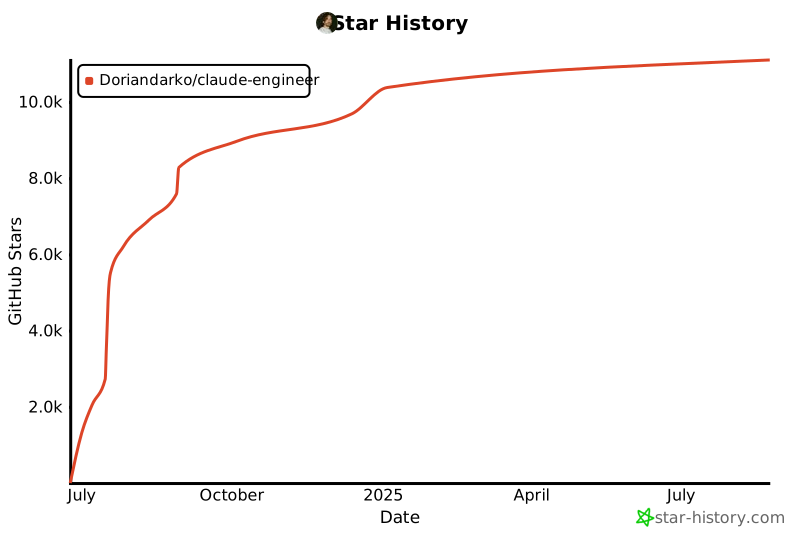](https://star-history.com/#Doriandarko/claude-engineer&Date)
================================================
FILE: Claude-Eng-v2/requirements.txt
================================================
anthropic
python-dotenv
tavily-python
Pillow
anthropic
rich
prompt_toolkit
pydub
websockets
SpeechRecognition
================================================
FILE: app.py
================================================
from flask import Flask, render_template, request, jsonify, url_for
from ce3 import Assistant
import os
from werkzeug.utils import secure_filename
import base64
from config import Config
app = Flask(__name__, static_folder='static')
app.config['UPLOAD_FOLDER'] = 'uploads'
app.config['MAX_CONTENT_LENGTH'] = 16 * 1024 * 1024 # 16MB max file size
# Ensure upload directory exists
os.makedirs(app.config['UPLOAD_FOLDER'], exist_ok=True)
# Initialize the assistant
assistant = Assistant()
@app.route('/')
def home():
return render_template('index.html')
@app.route('/chat', methods=['POST'])
def chat():
data = request.json
message = data.get('message', '')
image_data = data.get('image') # Get the base64 image data
# Prepare the message content
if image_data:
# Create a message with both text and image in correct order
message_content = [
{
"type": "image",
"source": {
"type": "base64",
"media_type": "image/jpeg", # We should detect this from the image
"data": image_data.split(',')[1] if ',' in image_data else image_data # Remove data URL prefix if present
}
}
]
# Only add text message if there is actual text
if message.strip():
message_content.append({
"type": "text",
"text": message
})
else:
# Text-only message
message_content = message
try:
# Handle the chat message with the appropriate content
response = assistant.chat(message_content)
# Get token usage from assistant
token_usage = {
'total_tokens': assistant.total_tokens_used,
'max_tokens': Config.MAX_CONVERSATION_TOKENS
}
# Get the last used tool from the conversation history
tool_name = None
if assistant.conversation_history:
for msg in reversed(assistant.conversation_history):
if msg.get('role') == 'assistant' and msg.get('content'):
content = msg['content']
if isinstance(content, list):
for block in content:
if isinstance(block, dict) and block.get('type') == 'tool_use':
tool_name = block.get('name')
break
if tool_name:
break
return jsonify({
'response': response,
'thinking': False,
'tool_name': tool_name,
'token_usage': token_usage
})
except Exception as e:
return jsonify({
'response': f"Error: {str(e)}",
'thinking': False,
'tool_name': None,
'token_usage': None
}), 200 # Return 200 even for errors to handle them gracefully in frontend
@app.route('/upload', methods=['POST'])
def upload_file():
if 'file' not in request.files:
return jsonify({'error': 'No file part'}), 400
file = request.files['file']
if file.filename == '':
return jsonify({'error': 'No selected file'}), 400
if file and file.filename.lower().endswith(('.png', '.jpg', '.jpeg', '.gif', '.webp')):
filename = secure_filename(file.filename)
filepath = os.path.join(app.config['UPLOAD_FOLDER'], filename)
file.save(filepath)
# Get the actual media type
media_type = file.content_type or 'image/jpeg' # Default to jpeg if not detected
# Convert image to base64
with open(filepath, "rb") as image_file:
encoded_string = base64.b64encode(image_file.read()).decode('utf-8')
# Clean up the file
os.remove(filepath)
return jsonify({
'success': True,
'image_data': encoded_string,
'media_type': media_type
})
return jsonify({'error': 'Invalid file type'}), 400
@app.route('/reset', methods=['POST'])
def reset():
# Reset the assistant's conversation history
assistant.reset()
return jsonify({'status': 'success'})
if __name__ == '__main__':
app.run(debug=False)
================================================
FILE: ce3.py
================================================
# ce3.py
import anthropic
from rich.console import Console
from rich.markdown import Markdown
from rich.live import Live
from rich.spinner import Spinner
from rich.panel import Panel
from typing import List, Dict, Any
import importlib
import inspect
import pkgutil
import os
import json
import sys
import logging
from config import Config
from tools.base import BaseTool
from prompt_toolkit import prompt
from prompt_toolkit.styles import Style
from prompts.system_prompts import SystemPrompts
# Configure logging to only show ERROR level and above
logging.basicConfig(
level=logging.ERROR,
format='%(levelname)s: %(message)s'
)
class Assistant:
"""
The Assistant class manages:
- Loading of tools from a specified directory.
- Interaction with the Anthropics API (message completion).
- Handling user commands such as 'refresh' and 'reset'.
- Token usage tracking and display.
- Tool execution upon request from model responses.
"""
def __init__(self):
if not getattr(Config, 'ANTHROPIC_API_KEY', None):
raise ValueError("No ANTHROPIC_API_KEY found in environment variables")
# Initialize Anthropics client
self.client = anthropic.Anthropic(api_key=Config.ANTHROPIC_API_KEY)
self.conversation_history: List[Dict[str, Any]] = []
self.console = Console()
self.thinking_enabled = getattr(Config, 'ENABLE_THINKING', False)
self.temperature = getattr(Config, 'DEFAULT_TEMPERATURE', 0.7)
self.total_tokens_used = 0
self.tools = self._load_tools()
def _execute_uv_install(self, package_name: str) -> bool:
"""
Execute the uvpackagemanager tool directly to install the missing package.
Returns True if installation seems successful (no errors in output), otherwise False.
"""
class ToolUseMock:
name = "uvpackagemanager"
input = {
"command": "install",
"packages": [package_name]
}
result = self._execute_tool(ToolUseMock())
if "Error" not in result and "failed" not in result.lower():
self.console.print("[green]The package was installed successfully.[/green]")
return True
else:
self.console.print(f"[red]Failed to install {package_name}. Output:[/red] {result}")
return False
def _load_tools(self) -> List[Dict[str, Any]]:
"""
Dynamically load all tool classes from the tools directory.
If a dependency is missing, prompt the user to install it via uvpackagemanager.
Returns:
A list of tools (dicts) containing their 'name', 'description', and 'input_schema'.
"""
tools = []
tools_path = getattr(Config, 'TOOLS_DIR', None)
if tools_path is None:
self.console.print("[red]TOOLS_DIR not set in Config[/red]")
return tools
# Clear cached tool modules for fresh import
for module_name in list(sys.modules.keys()):
if module_name.startswith('tools.') and module_name != 'tools.base':
del sys.modules[module_name]
try:
for module_info in pkgutil.iter_modules([str(tools_path)]):
if module_info.name == 'base':
continue
# Attempt loading the tool module
try:
module = importlib.import_module(f'tools.{module_info.name}')
self._extract_tools_from_module(module, tools)
except ImportError as e:
# Handle missing dependencies
missing_module = self._parse_missing_dependency(str(e))
self.console.print(f"\n[yellow]Missing dependency:[/yellow] {missing_module} for tool {module_info.name}")
user_response = input(f"Would you like to install {missing_module}? (y/n): ").lower()
if user_response == 'y':
success = self._execute_uv_install(missing_module)
if success:
# Retry loading the module after installation
try:
module = importlib.import_module(f'tools.{module_info.name}')
self._extract_tools_from_module(module, tools)
except Exception as retry_err:
self.console.print(f"[red]Failed to load tool after installation: {str(retry_err)}[/red]")
else:
self.console.print(f"[red]Installation of {missing_module} failed. Skipping this tool.[/red]")
else:
self.console.print(f"[yellow]Skipping tool {module_info.name} due to missing dependency[/yellow]")
except Exception as mod_err:
self.console.print(f"[red]Error loading module {module_info.name}:[/red] {str(mod_err)}")
except Exception as overall_err:
self.console.print(f"[red]Error in tool loading process:[/red] {str(overall_err)}")
return tools
def _parse_missing_dependency(self, error_str: str) -> str:
"""
Parse the missing dependency name from an ImportError string.
"""
if "No module named" in error_str:
parts = error_str.split("No module named")
missing_module = parts[-1].strip(" '\"")
else:
missing_module = error_str
return missing_module
def _extract_tools_from_module(self, module, tools: List[Dict[str, Any]]) -> None:
"""
Given a tool module, find and instantiate all tool classes (subclasses of BaseTool).
Append them to the 'tools' list.
"""
for name, obj in inspect.getmembers(module):
if (inspect.isclass(obj) and issubclass(obj, BaseTool) and obj != BaseTool):
try:
tool_instance = obj()
tools.append({
"name": tool_instance.name,
"description": tool_instance.description,
"input_schema": tool_instance.input_schema
})
self.console.print(f"[green]Loaded tool:[/green] {tool_instance.name}")
except Exception as tool_init_err:
self.console.print(f"[red]Error initializing tool {name}:[/red] {str(tool_init_err)}")
def refresh_tools(self):
"""
Refresh the list of tools and show newly discovered tools.
"""
current_tool_names = {tool['name'] for tool in self.tools}
self.tools = self._load_tools()
new_tool_names = {tool['name'] for tool in self.tools}
new_tools = new_tool_names - current_tool_names
if new_tools:
self.console.print("\n")
for tool_name in new_tools:
tool_info = next((t for t in self.tools if t['name'] == tool_name), None)
if tool_info:
description_lines = tool_info['description'].strip().split('\n')
formatted_description = '\n '.join(line.strip() for line in description_lines)
self.console.print(f"[bold green]NEW[/bold green] 🔧 [cyan]{tool_name}[/cyan]:\n {formatted_description}")
else:
self.console.print("\n[yellow]No new tools found[/yellow]")
def display_available_tools(self):
"""
Print a list of currently loaded tools.
"""
self.console.print("\n[bold cyan]Available tools:[/bold cyan]")
tool_names = [tool['name'] for tool in self.tools]
if tool_names:
formatted_tools = ", ".join([f"🔧 [cyan]{name}[/cyan]" for name in tool_names])
else:
formatted_tools = "No tools available."
self.console.print(formatted_tools)
self.console.print("\n---")
def _display_tool_usage(self, tool_name: str, input_data: Dict, result: str):
"""
If SHOW_TOOL_USAGE is enabled, display the input and result of a tool execution.
Handles special cases like image data and large outputs for cleaner display.
"""
if not getattr(Config, 'SHOW_TOOL_USAGE', False):
return
# Clean up input data by removing any large binary/base64 content
cleaned_input = self._clean_data_for_display(input_data)
# Clean up result data
cleaned_result = self._clean_data_for_display(result)
tool_info = f"""[cyan]📥 Input:[/cyan] {json.dumps(cleaned_input, indent=2)}
[cyan]📤 Result:[/cyan] {cleaned_result}"""
panel = Panel(
tool_info,
title=f"Tool used: {tool_name}",
title_align="left",
border_style="cyan",
padding=(1, 2)
)
self.console.print(panel)
def _clean_data_for_display(self, data):
"""
Helper method to clean data for display by handling various data types
and removing/replacing large content like base64 strings.
"""
if isinstance(data, str):
try:
# Try to parse as JSON first
parsed_data = json.loads(data)
return self._clean_parsed_data(parsed_data)
except json.JSONDecodeError:
# If it's a long string, check for base64 patterns
if len(data) > 1000 and ';base64,' in data:
return "[base64 data omitted]"
return data
elif isinstance(data, dict):
return self._clean_parsed_data(data)
else:
return data
def _clean_parsed_data(self, data):
"""
Recursively clean parsed JSON/dict data, handling nested structures
and replacing large data with placeholders.
"""
if isinstance(data, dict):
cleaned = {}
for key, value in data.items():
# Handle image data in various formats
if key in ['data', 'image', 'source'] and isinstance(value, str):
if len(value) > 1000 and (';base64,' in value or value.startswith('data:')):
cleaned[key] = "[base64 data omitted]"
else:
cleaned[key] = value
else:
cleaned[key] = self._clean_parsed_data(value)
return cleaned
elif isinstance(data, list):
return [self._clean_parsed_data(item) for item in data]
elif isinstance(data, str) and len(data) > 1000 and ';base64,' in data:
return "[base64 data omitted]"
return data
def _execute_tool(self, tool_use):
"""
Given a tool usage request (with tool name and inputs),
dynamically load and execute the corresponding tool.
"""
tool_name = tool_use.name
tool_input = tool_use.input or {}
tool_result = None
try:
module = importlib.import_module(f'tools.{tool_name}')
tool_instance = self._find_tool_instance_in_module(module, tool_name)
if not tool_instance:
tool_result = f"Tool not found: {tool_name}"
else:
# Execute the tool with the provided input
try:
result = tool_instance.execute(**tool_input)
# Keep structured data intact
tool_result = result
except Exception as exec_err:
tool_result = f"Error executing tool '{tool_name}': {str(exec_err)}"
except ImportError:
tool_result = f"Failed to import tool: {tool_name}"
except Exception as e:
tool_result = f"Error executing tool: {str(e)}"
# Display tool usage with proper handling of structured data
self._display_tool_usage(tool_name, tool_input,
json.dumps(tool_result) if not isinstance(tool_result, str) else tool_result)
return tool_result
def _find_tool_instance_in_module(self, module, tool_name: str):
"""
Search a given module for a tool class matching tool_name and return an instance of it.
"""
for name, obj in inspect.getmembers(module):
if (inspect.isclass(obj) and issubclass(obj, BaseTool) and obj != BaseTool):
candidate_tool = obj()
if candidate_tool.name == tool_name:
return candidate_tool
return None
def _display_token_usage(self, usage):
"""
Display a visual representation of token usage and remaining tokens.
Uses only the tracked total_tokens_used.
"""
used_percentage = (self.total_tokens_used / Config.MAX_CONVERSATION_TOKENS) * 100
remaining_tokens = max(0, Config.MAX_CONVERSATION_TOKENS - self.total_tokens_used)
self.console.print(f"\nTotal used: {self.total_tokens_used:,} / {Config.MAX_CONVERSATION_TOKENS:,}")
bar_width = 40
filled = int(used_percentage / 100 * bar_width)
bar = "█" * filled + "░" * (bar_width - filled)
color = "green"
if used_percentage > 75:
color = "yellow"
if used_percentage > 90:
color = "red"
self.console.print(f"[{color}][{bar}] {used_percentage:.1f}%[/{color}]")
if remaining_tokens < 20000:
self.console.print(f"[bold red]Warning: Only {remaining_tokens:,} tokens remaining![/bold red]")
self.console.print("---")
def _get_completion(self):
"""
Get a completion from the Anthropic API.
Handles both text-only and multimodal messages.
"""
try:
response = self.client.messages.create(
model=Config.MODEL,
max_tokens=min(
Config.MAX_TOKENS,
Config.MAX_CONVERSATION_TOKENS - self.total_tokens_used
),
temperature=self.temperature,
tools=self.tools,
messages=self.conversation_history,
system=f"{SystemPrompts.DEFAULT}\n\n{SystemPrompts.TOOL_USAGE}"
)
# Update token usage based on response usage
if hasattr(response, 'usage') and response.usage:
message_tokens = response.usage.input_tokens + response.usage.output_tokens
self.total_tokens_used += message_tokens
self._display_token_usage(response.usage)
if self.total_tokens_used >= Config.MAX_CONVERSATION_TOKENS:
self.console.print("\n[bold red]Token limit reached! Please reset the conversation.[/bold red]")
return "Token limit reached! Please type 'reset' to start a new conversation."
if response.stop_reason == "tool_use":
self.console.print("\n[bold yellow] Handling Tool Use...[/bold yellow]\n")
tool_results = []
if getattr(response, 'content', None) and isinstance(response.content, list):
# Execute each tool in the response content
for content_block in response.content:
if content_block.type == "tool_use":
result = self._execute_tool(content_block)
# Handle structured data (like image blocks) vs text
if isinstance(result, (list, dict)):
tool_results.append({
"type": "tool_result",
"tool_use_id": content_block.id,
"content": result # Keep structured data intact
})
else:
# Convert text results to proper content blocks
tool_results.append({
"type": "tool_result",
"tool_use_id": content_block.id,
"content": [{"type": "text", "text": str(result)}]
})
# Append tool usage to conversation and continue
self.conversation_history.append({
"role": "assistant",
"content": response.content
})
self.conversation_history.append({
"role": "user",
"content": tool_results
})
return self._get_completion() # Recursive call to continue the conversation
else:
self.console.print("[red]No tool content received despite 'tool_use' stop reason.[/red]")
return "Error: No tool content received"
# Final assistant response
if (getattr(response, 'content', None) and
isinstance(response.content, list) and
response.content):
final_content = response.content[0].text
self.conversation_history.append({
"role": "assistant",
"content": response.content
})
return final_content
else:
self.console.print("[red]No content in final response.[/red]")
return "No response content available."
except Exception as e:
logging.error(f"Error in _get_completion: {str(e)}")
return f"Error: {str(e)}"
def chat(self, user_input):
"""
Process a chat message from the user.
user_input can be either a string (text-only) or a list (multimodal message)
"""
# Handle special commands only for text-only messages
if isinstance(user_input, str):
if user_input.lower() == 'refresh':
self.refresh_tools()
return "Tools refreshed successfully!"
elif user_input.lower() == 'reset':
self.reset()
return "Conversation reset!"
elif user_input.lower() == 'quit':
return "Goodbye!"
try:
# Add user message to conversation history
self.conversation_history.append({
"role": "user",
"content": user_input # This can be either string or list
})
# Show thinking indicator if enabled
if self.thinking_enabled:
with Live(Spinner('dots', text='Thinking...', style="cyan"),
refresh_per_second=10, transient=True):
response = self._get_completion()
else:
response = self._get_completion()
return response
except Exception as e:
logging.error(f"Error in chat: {str(e)}")
return f"Error: {str(e)}"
def reset(self):
"""
Reset the assistant's memory and token usage.
"""
self.conversation_history = []
self.total_tokens_used = 0
self.console.print("\n[bold green]🔄 Assistant memory has been reset![/bold green]")
welcome_text = """
# Claude Engineer v3. A self-improving assistant framework with tool creation
Type 'refresh' to reload available tools
Type 'reset' to clear conversation history
Type 'quit' to exit
Available tools:
"""
self.console.print(Markdown(welcome_text))
self.display_available_tools()
def main():
"""
Entry point for the assistant CLI loop.
Provides a prompt for user input and handles 'quit' and 'reset' commands.
"""
console = Console()
style = Style.from_dict({'prompt': 'orange'})
try:
assistant = Assistant()
except ValueError as e:
console.print(f"[bold red]Error:[/bold red] {str(e)}")
console.print("Please ensure ANTHROPIC_API_KEY is set correctly.")
return
welcome_text = """
# Claude Engineer v3. A self-improving assistant framework with tool creation
Type 'refresh' to reload available tools
Type 'reset' to clear conversation history
Type 'quit' to exit
Available tools:
"""
console.print(Markdown(welcome_text))
assistant.display_available_tools()
while True:
try:
user_input = prompt("You: ", style=style).strip()
if user_input.lower() == 'quit':
console.print("\n[bold blue]👋 Goodbye![/bold blue]")
break
elif user_input.lower() == 'reset':
assistant.reset()
continue
response = assistant.chat(user_input)
console.print("\n[bold purple]Claude Engineer:[/bold purple]")
if isinstance(response, str):
safe_response = response.replace('[', '\\[').replace(']', '\\]')
console.print(safe_response)
else:
console.print(str(response))
except KeyboardInterrupt:
continue
except EOFError:
break
if __name__ == "__main__":
main()
================================================
FILE: config.py
================================================
from pathlib import Path
import os
from dotenv import load_dotenv
load_dotenv()
class Config:
ANTHROPIC_API_KEY = os.getenv('ANTHROPIC_API_KEY')
MODEL = "claude-3-5-sonnet-20241022"
MAX_TOKENS = 8000
MAX_CONVERSATION_TOKENS = 200000 # Maximum tokens per conversation
# Paths
BASE_DIR = Path(__file__).parent
TOOLS_DIR = BASE_DIR / "tools"
PROMPTS_DIR = BASE_DIR / "prompts"
# Assistant Configuration
ENABLE_THINKING = True
SHOW_TOOL_USAGE = True
DEFAULT_TEMPERATURE = 0.7
================================================
FILE: prompts/system_prompts.py
================================================
class SystemPrompts:
TOOL_USAGE = """
When using tools, please follow these guidelines:
1. Think carefully about which tool is appropriate for the task
2. Only use tools when necessary
3. Ask for clarification if required parameters are missing
4. Explain your choices and results in a natural way
5. Available tools and their use cases
6. Chain multiple tools together to achieve complex goals:
- Break down the goal into logical steps
- Use tools sequentially to complete each step
- Pass outputs from one tool as inputs to the next
- Continue running tools until the full goal is achieved
- Provide clear updates on progress through the chain
7. Available tools and their use cases
- BrowserTool: Opens URLs in system's default browser
- CreateFoldersTool: Creates new folders and nested directories
- DiffEditorTool: Performs precise text replacements in files
- DuckDuckGoTool: Performs web searches using DuckDuckGo
- Explorer: Enhanced file/directory management (list, create, delete, move, search)
- FileContentReaderTool: Reads content from multiple files\
- FileCreatorTool: Creates new files with specified content
- FileEditTool: Edits existing file contents
- GitOperationsTool: Handles Git operations (clone, commit, push, etc.)
- LintingTool: Lints Python code using Ruff
- SequentialThinkingTool: Helps break down complex problems into steps
- ShellTool: Executes shell commands securely
- ToolCreatorTool: Creates new tool classes based on descriptions
- UVPackageManager: Manages Python packages using UV
- WebScraperTool: Extracts content from web pages
6. Consider creating new tools only when:
- The requested capability is completely outside existing tools
- The functionality can't be achieved by combining existing tools
- The new tool would serve a distinct and reusable purpose
Do not create new tools if:
- An existing tool can handle the task, even partially
- The functionality is too similar to existing tools
- The tool would be too specific or single-use
"""
DEFAULT = """
I am Claude Engineer v3, a powerful AI assistant specialized in software development.
I have access to various tools for file management, code execution, web interactions,
and development workflows.
My capabilities include:
1. File Operations:
- Creating/editing files and folders
- Reading file contents
- Managing file systems
2. Development Tools:
- Package management with UV
3. Web Interactions:
- Web scraping
- DuckDuckGo searches
- URL handling
4. Problem Solving:
- Sequential thinking for complex problems
- Tool creation for new capabilities
- Secure command execution
I will:
- Think through problems carefully
- Show my reasoning clearly
- Ask for clarification when needed
- Use the most appropriate tools for each task
- Explain my choices and results
- Handle errors gracefully
I can help with various development tasks while maintaining
security and following best practices.
"""
================================================
FILE: pyproject.toml
================================================
[build-system]
requires = ["hatchling"]
build-backend = "hatchling.build"
[project]
name = "ce3"
version = "0.1.0"
description = "A self-improving assistant framework with tool creation capabilities"
readme = "README.md"
requires-python = ">=3.9"
license = { text = "MIT" }
authors = [{ name = "Your Name", email = "your.email@example.com" }]
classifiers = [
"Development Status :: 3 - Alpha",
"Intended Audience :: Developers",
"License :: OSI Approved :: MIT License",
"Programming Language :: Python :: 3",
"Programming Language :: Python :: 3.9",
"Programming Language :: Python :: 3.10",
"Programming Language :: Python :: 3.11",
"Topic :: Software Development :: Libraries :: Python Modules",
]
dependencies = [
"anthropic",
"python-dotenv",
"rich",
"requests",
"beautifulsoup4",
"validators>=0.34.0",
"PyAutoGUI",
"Pillow",
"prompt-toolkit",
"matplotlib>=3.9.2",
"flask>=3.0.3",
"werkzeug>=3.1.2",
"markdownify>=0.14.1",
"protego>=0.3.1",
"readability-lxml>=0.8.1",
"e2b-code-interpreter>=1.0.3",
]
[project.optional-dependencies]
dev = [
"pytest",
"pytest-cov",
"black",
"ruff",
"mypy",
"pre-commit",
"types-requests",
]
[project.urls]
Homepage = "https://github.com/yourusername/cev3"
Repository = "https://github.com/yourusername/cev3"
Documentation = "https://github.com/yourusername/cev3#readme"
"Bug Tracker" = "https://github.com/yourusername/cev3/issues"
[tool.hatch]
version.path = "cev3/__init__.py"
[tool.ruff]
line-length = 88
target-version = "py39"
select = [
"E", # pycodestyle errors
"F", # pyflakes
"I", # isort
"B", # flake8-bugbear
"C4", # flake8-comprehensions
"UP", # pyupgrade
"RUF", # ruff-specific rules
]
ignore = []
[tool.ruff.isort]
known-first-party = ["cev3"]
[tool.ruff.flake8-tidy-imports]
ban-relative-imports = "all"
[tool.black]
line-length = 88
target-version = ["py39"]
include = '\.pyi?$'
[tool.mypy]
python_version = "3.9"
warn_return_any = true
warn_unused_configs = true
disallow_untyped_defs = true
check_untyped_defs = true
disallow_any_generics = true
disallow_incomplete_defs = true
disallow_untyped_decorators = true
no_implicit_optional = true
warn_redundant_casts = true
warn_unused_ignores = true
warn_no_return = true
warn_unreachable = true
[[tool.mypy.overrides]]
module = ["wikipedia.*", "pyautogui.*"]
ignore_missing_imports = true
[tool.pytest.ini_options]
minversion = "6.0"
addopts = "-ra -q --cov=cev3 --cov-report=term-missing"
testpaths = ["tests"]
[tool.uv.workspace]
members = ["testfolder"]
[project.scripts]
cev3 = "cev3.cev3:main"
================================================
FILE: readme.md
================================================
# Claude Engineer v3 🤖
A powerful self-improving AI Assistant designed for creating and managing AI tools with Claude 3.5. This framework enables Claude to generate and manage its own tools, continuously expanding its capabilities through conversation. Available both as a CLI and a modern web interface!
## History and Evolution
This project represents the third major iteration of Claude Engineer, building upon the success of Claude Engineer v2. Key improvements from previous versions include:
- Upgraded to Claude 3.5 Sonnet model
- Enhanced token management with Anthropic's new token counting API
- Self-improving tool creation system
- Streamlined conversation handling
- More precise token usage tracking and visualization
- Autonomous tool generation capabilities
- No need for automode since Claude can intelligently decide when to run tools automatically and sequentially.
## Description
Claude Engineer v3 is a sophisticated framework that allows Claude to expand its own capabilities through dynamic tool creation. During conversations, Claude can identify needs for new tools, design them, and implement them automatically. This self-improving architecture means the framework becomes more powerful the more you use it.
## Installation
For the best possible experience install uv
### macOS and Linux
```bash
# Install uv
curl -LsSf https://astral.sh/uv/install.sh | sh
# Or using wget if curl is not available:
# wget -qO- https://astral.sh/uv/install.sh | sh
# Clone and setup
git clone https://github.com/Doriandarko/claude-engineer.git
cd claude-engineer
uv venv
source .venv/bin/activate
# Run web interface
uv run app.py
# Or run CLI
uv run ce3.py
```
### Windows
```powershell
# Install uv
powershell -ExecutionPolicy ByPass -c "irm https://astral.sh/uv/install.ps1 | iex"
# Clone and setup
git clone https://github.com/Doriandarko/claude-engineer.git
cd claude-engineer
uv venv
.venv\Scripts\activate
# Run web interface
uv run app.py
# Or run CLI
uv run ce3.py
```
## Interface Options
### 1. Web Interface 🌐
A sleek, modern web UI with features like:
- Real-time token usage visualization
- Image upload and analysis capabilities
- Markdown rendering with syntax highlighting
- Responsive design for all devices
- Tool usage indicators
- Clean, minimal interface

To run the web interface:
```bash
# Using uv (recommended)
uv run app.py
# Or using traditional Python
python app.py
# Then open your browser to:
http://localhost:5000
```
### 2. Command Line Interface (CLI) 💻
A powerful terminal-based interface with:
- Rich text formatting
- Progress indicators
- Token usage visualization
- Direct tool interaction
- Detailed debugging output
To run the CLI:
```bash
# Using uv (recommended)
uv run ce3.py
# Or using traditional Python
python ce3.py
```
Choose the interface that best suits your workflow:
- Web UI: Great for visual work, image analysis, and a more modern experience
- CLI: Perfect for developers, system integration, and terminal workflows
## Self-Improvement Features
- 🧠 Autonomous tool identification and creation
- 🔄 Dynamic capability expansion during conversations
- 🎯 Smart tool dependency management
- 📈 Learning from tool usage patterns
- 🔍 Automatic identification of capability gaps
- 🛠️ Self-optimization of existing tools
## Core Features
- 🔨 Dynamic tool creation and loading
- 🔄 Hot-reload capability for new tools
- 🎨 Rich console interface with progress indicators
- 🧩 Tool abstraction framework with clean interfaces
- 📝 Automated tool code generation
- 🔌 Easy integration with Claude 3.5 AI
- 💬 Persistent conversation history with token management
- 🛠️ Real-time tool usage display
- 🔄 Automatic tool chaining support
- ⚡ Dynamic module importing system
- 📊 Advanced token tracking with Anthropic's token counting API
- 🎯 Precise context window management
- 🔍 Enhanced error handling and debugging
- 💾 Conversation state management
## Project Structure
```
claude-engineer/
├── app.py # Web interface server
├── ce3.py # CLI interface
├── config.py # Configuration settings
├── static/ # Web assets
│ ├── css/ # Stylesheets
│ └── js/ # JavaScript files
├── templates/ # HTML templates
├── tools/ # Tool implementations
│ ├── base.py # Base tool class
│ └── ... # Generated and custom tools
└── prompts/ # System prompts
└── system_prompts.py
```
## Features by Interface
### Web Interface Features
- 🖼️ Image u
gitextract_4374x0zd/
├── .gitignore
├── Claude-Eng-v2/
│ ├── main.py
│ ├── ollama-eng.py
│ ├── readme.md
│ └── requirements.txt
├── app.py
├── ce3.py
├── config.py
├── prompts/
│ └── system_prompts.py
├── pyproject.toml
├── readme.md
├── requirements.txt
├── static/
│ ├── css/
│ │ └── style.css
│ └── js/
│ └── chat.js
├── templates/
│ └── index.html
├── test.py
└── tools/
├── base.py
├── browsertool.py
├── createfolderstool.py
├── diffeditortool.py
├── duckduckgotool.py
├── e2bcodetool.py
├── filecontentreadertool.py
├── filecreatortool.py
├── fileedittool.py
├── lintingtool.py
├── screenshottool.py
├── toolcreator.py
├── uvpackagemanager.py
└── webscrapertool.py
SYMBOL INDEX (156 symbols across 22 files)

FILE: Claude-Eng-v2/main.py
  function is_installed (line 60) | def is_installed(lib_name):
  function text_chunker (line 63) | async def text_chunker(text: str) -> AsyncIterable[str]:
  function stream_audio (line 81) | async def stream_audio(audio_stream):
  function text_to_speech (line 109) | async def text_to_speech(text):
  function initialize_speech_recognition (line 171) | def initialize_speech_recognition():
  function voice_input (line 182) | async def voice_input(max_retries=3):
  function cleanup_speech_recognition (line 220) | def cleanup_speech_recognition():
  function process_voice_command (line 226) | def process_voice_command(command):
  function get_user_input (line 239) | async def get_user_input(prompt="You: "):
  function setup_virtual_environment (line 246) | def setup_virtual_environment() -> Tuple[str, str]:
  function update_system_prompt (line 511) | def update_system_prompt(current_iteration: Optional[int] = None, max_it...
  function create_folders (line 537) | def create_folders(paths):
  function create_files (line 548) | def create_files(files):
  function generate_edit_instructions (line 590) | async def generate_edit_instructions(file_path, file_content, instructio...
  function validate_ai_response (line 725) | def validate_ai_response(response_text):
  function parse_search_replace_blocks (line 750) | def parse_search_replace_blocks(response_text, use_fuzzy=USE_FUZZY_SEARCH):
  function edit_and_apply_multiple (line 790) | async def edit_and_apply_multiple(files, project_context, is_automode=Fa...
  function apply_edits (line 890) | async def apply_edits(file_path, edit_instructions, original_content):
  function highlight_diff (line 960) | def highlight_diff(diff_text):
  function generate_diff (line 964) | def generate_diff(original, new, path):
  function execute_code (line 979) | async def execute_code(code, timeout=10):
  function read_multiple_files (line 1042) | def read_multiple_files(paths, recursive=False):
  function list_files (line 1078) | def list_files(path="."):
  function tavily_search (line 1085) | def tavily_search(query):
  function stop_process (line 1092) | def stop_process(process_id):
  function run_shell_command (line 1105) | def run_shell_command(command):
  function validate_files_structure (line 1125) | def validate_files_structure(files):
  function scan_folder (line 1142) | def scan_folder(folder_path: str, output_file: str) -> str:
  function encode_image_to_base64 (line 1188) | def encode_image_to_base64(image_path):
  function send_to_ai_for_executing (line 1202) | async def send_to_ai_for_executing(code, execution_result):
  function save_chat (line 1258) | def save_chat():
  function decide_retry (line 1497) | async def decide_retry(tool_checker_response, edit_results, tool_input):
  function execute_tool (line 1569) | async def execute_tool(tool_name: str, tool_input: Dict[str, Any]) -> Di...
  function chat_with_claude (line 1681) | async def chat_with_claude(user_input, image_path=None, current_iteratio...
  function reset_code_editor_memory (line 1947) | def reset_code_editor_memory():
  function reset_conversation (line 1953) | def reset_conversation():
  function display_token_usage (line 1966) | def display_token_usage():
  function test_voice_mode (line 2053) | async def test_voice_mode():
  function main (line 2078) | async def main():

FILE: Claude-Eng-v2/ollama-eng.py
  function get_user_input (line 21) | async def get_user_input(prompt="You: "):
  function update_system_prompt (line 178) | def update_system_prompt(current_iteration: Optional[int] = None, max_it...
  function create_folder (line 198) | def create_folder(path):
  function create_file (line 205) | def create_file(path, content=""):
  function highlight_diff (line 215) | def highlight_diff(diff_text):
  function generate_and_apply_diff (line 218) | def generate_and_apply_diff(original_content, new_content, path):
  function generate_edit_instructions (line 265) | async def generate_edit_instructions(file_path, file_content, instructio...
  function parse_search_replace_blocks (line 352) | def parse_search_replace_blocks(response_text):
  function edit_and_apply (line 366) | async def edit_and_apply(path, instructions, project_context, is_automod...
  function apply_edits (line 411) | async def apply_edits(file_path, edit_instructions, original_content):
  function generate_diff (line 461) | def generate_diff(original, new, path):
  function read_file (line 475) | def read_file(path):
  function read_multiple_files (line 485) | def read_multiple_files(paths):
  function list_files (line 498) | def list_files(path="."):
  function tavily_search (line 505) | def tavily_search(query):
  function execute_tool (line 650) | async def execute_tool(tool_call: Dict[str, Any]) -> Dict[str, Any]:
  function parse_goals (line 716) | def parse_goals(response):
  function execute_goals (line 720) | async def execute_goals(goals):
  function run_goals (line 730) | async def run_goals(response):
  function save_chat (line 735) | def save_chat():
  function chat_with_ollama (line 767) | async def chat_with_ollama(user_input, image_path=None, current_iteratio...
  function reset_code_editor_memory (line 925) | def reset_code_editor_memory():
  function reset_conversation (line 931) | def reset_conversation():
  function main (line 942) | async def main():

FILE: app.py
  function home (line 19) | def home():
  function chat (line 23) | def chat():
  function upload_file (line 92) | def upload_file():
  function reset (line 124) | def reset():

FILE: ce3.py
  class Assistant (line 29) | class Assistant:
    method __init__ (line 39) | def __init__(self):
    method _execute_uv_install (line 55) | def _execute_uv_install(self, package_name: str) -> bool:
    method _load_tools (line 75) | def _load_tools(self) -> List[Dict[str, Any]]:
    method _parse_missing_dependency (line 130) | def _parse_missing_dependency(self, error_str: str) -> str:
    method _extract_tools_from_module (line 141) | def _extract_tools_from_module(self, module, tools: List[Dict[str, Any...
    method refresh_tools (line 159) | def refresh_tools(self):
    method display_available_tools (line 179) | def display_available_tools(self):
    method _display_tool_usage (line 192) | def _display_tool_usage(self, tool_name: str, input_data: Dict, result...
    method _clean_data_for_display (line 218) | def _clean_data_for_display(self, data):
    method _clean_parsed_data (line 238) | def _clean_parsed_data(self, data):
    method _execute_tool (line 261) | def _execute_tool(self, tool_use):
    method _find_tool_instance_in_module (line 294) | def _find_tool_instance_in_module(self, module, tool_name: str):
    method _display_token_usage (line 305) | def _display_token_usage(self, usage):
    method _get_completion (line 332) | def _get_completion(self):
    method chat (line 418) | def chat(self, user_input):
    method reset (line 455) | def reset(self):
  function main (line 476) | def main():

FILE: config.py
  class Config (line 7) | class Config:

FILE: prompts/system_prompts.py
  class SystemPrompts (line 1) | class SystemPrompts:

FILE: static/js/chat.js
  function appendMessage (line 11) | function appendMessage(content, isUser = false) {
  function appendThinkingIndicator (line 91) | function appendThinkingIndicator() {
  function appendToolUsage (line 131) | function appendToolUsage(toolName) {
  function updateTokenUsage (line 161) | function updateTokenUsage(usedTokens, maxTokens) {
  function resetTextarea (line 257) | function resetTextarea() {

FILE: test.py
  function calculate_sum (line 4) | def calculate_sum(numbers: List[float]) -> float:
  function calculate_median (line 21) | def calculate_median(numbers: List[float]) -> float:
  function main (line 46) | def main() -> None:
  class TestCalculateSum (line 57) | class TestCalculateSum(unittest.TestCase):
    method test_normal_list (line 60) | def test_normal_list(self):
    method test_float_numbers (line 64) | def test_float_numbers(self):
    method test_empty_list (line 68) | def test_empty_list(self):
    method test_negative_numbers (line 73) | def test_negative_numbers(self):
  class TestCalculateMedian (line 77) | class TestCalculateMedian(unittest.TestCase):
    method test_odd_length_list (line 80) | def test_odd_length_list(self):
    method test_even_length_list (line 84) | def test_even_length_list(self):
    method test_unordered_list (line 88) | def test_unordered_list(self):
    method test_empty_list (line 92) | def test_empty_list(self):
    method test_negative_numbers (line 97) | def test_negative_numbers(self):

FILE: tools/base.py
  class BaseTool (line 4) | class BaseTool(ABC):
    method name (line 7) | def name(self) -> str:
    method description (line 13) | def description(self) -> str:
    method input_schema (line 19) | def input_schema(self) -> Dict:
    method execute (line 24) | def execute(self, **kwargs) -> str:

FILE: tools/browsertool.py
  class BrowserTool (line 7) | class BrowserTool(BaseTool):
    method _validate_url (line 27) | def _validate_url(self, url: str) -> bool:
    method execute (line 35) | def execute(self, **kwargs) -> str:

FILE: tools/createfolderstool.py
  class CreateFoldersTool (line 6) | class CreateFoldersTool(BaseTool):
    method execute (line 28) | def execute(self, **kwargs) -> str:

FILE: tools/diffeditortool.py
  class DiffEditorTool (line 5) | class DiffEditorTool(BaseTool):
    method execute (line 41) | def execute(self, **kwargs) -> str:

FILE: tools/duckduckgotool.py
  class DuckduckgoTool (line 6) | class DuckduckgoTool(BaseTool):
    method execute (line 29) | def execute(self, **kwargs) -> str:

FILE: tools/e2bcodetool.py
  class E2bCodeTool (line 9) | class E2bCodeTool(BaseTool):
    method execute (line 54) | def execute(self, **kwargs) -> str:

FILE: tools/filecontentreadertool.py
  class FileContentReaderTool (line 6) | class FileContentReaderTool(BaseTool):
    method _should_skip (line 56) | def _should_skip(self, path: str) -> bool:
    method _read_file (line 77) | def _read_file(self, file_path: str) -> str:
    method _read_directory (line 98) | def _read_directory(self, dir_path: str) -> dict:
    method execute (line 119) | def execute(self, **kwargs) -> str:

FILE: tools/filecreatortool.py
  class FileCreatorTool (line 7) | class FileCreatorTool(BaseTool):
    method execute (line 102) | def execute(self, **kwargs) -> str:

FILE: tools/fileedittool.py
  class FileEditTool (line 5) | class FileEditTool(BaseTool):
    method execute (line 29) | def execute(self, **kwargs) -> str:
    method _edit_by_lines (line 65) | def _edit_by_lines(self, lines: list, start_line: int, end_line: int, ...
    method _find_and_replace (line 72) | def _find_and_replace(self, content: str, pattern: str, replacement: s...

FILE: tools/lintingtool.py
  class LintingTool (line 6) | class LintingTool(BaseTool):
    method execute (line 66) | def execute(self, **kwargs) -> str:

FILE: tools/screenshottool.py
  class ScreenshotTool (line 15) | class ScreenshotTool(BaseTool):
    method execute (line 53) | def execute(self, **kwargs) -> Any:

FILE: tools/toolcreator.py
  class ToolCreatorTool (line 12) | class ToolCreatorTool(BaseTool):
    method __init__ (line 31) | def __init__(self):
    method _sanitize_filename (line 36) | def _sanitize_filename(self, name: str) -> str:
    method _validate_tool_name (line 40) | def _validate_tool_name(self, name: str) -> bool:
    method execute (line 44) | def execute(self, **kwargs) -> str:

FILE: tools/uvpackagemanager.py
  class UVPackageManager (line 8) | class UVPackageManager(BaseTool):
    method execute (line 47) | def execute(self, **kwargs) -> str:
    method _run_uv_command (line 80) | def _run_uv_command(self, args: List[str]) -> str:
    method _install_packages (line 92) | def _install_packages(self, packages: List[str], requirements_file: Op...
    method _remove_packages (line 102) | def _remove_packages(self, packages: List[str]) -> str:
    method _update_packages (line 105) | def _update_packages(self, packages: List[str]) -> str:
    method _list_packages (line 111) | def _list_packages(self) -> str:
    method _init_project (line 114) | def _init_project(self, project_path: str) -> str:
    method _create_venv (line 117) | def _create_venv(self, path: str, python_version: Optional[str]) -> str:
    method _manage_python (line 124) | def _manage_python(self, version: Optional[str]) -> str:
    method _compile_requirements (line 129) | def _compile_requirements(self) -> str:
    method _run_script (line 132) | def _run_script(self, script: str, packages: List[str]) -> str:

FILE: tools/webscrapertool.py
  class WebScraperTool (line 6) | class WebScraperTool(BaseTool):
    method execute (line 26) | def execute(self, **kwargs) -> str:
Condensed preview — 30 files, each showing path, character count, and a content snippet. Download the .json file or copy for the full structured content (290K chars).
[
  {
    "path": ".gitignore",
    "chars": 77,
    "preview": "uploads/\n*.pyc\n.DS_Store\n.env\n.venv/\n__pycache__/\n.ruff_cache/\n.pytest_cache/"
  },
  {
    "path": "Claude-Eng-v2/main.py",
    "chars": 101131,
    "preview": "import os\nfrom dotenv import load_dotenv\nimport json\nfrom tavily import TavilyClient\nimport base64\nfrom PIL import Image"
  },
  {
    "path": "Claude-Eng-v2/ollama-eng.py",
    "chars": 44723,
    "preview": "import os\nfrom dotenv import load_dotenv\nimport json\nfrom tavily import TavilyClient\nimport re\nimport ollama\nimport asyn"
  },
  {
    "path": "Claude-Eng-v2/readme.md",
    "chars": 15846,
    "preview": "# 🤖 Claude Engineer\n\nClaude Engineer is an advanced interactive command-line interface (CLI) that harnesses the power of"
  },
  {
    "path": "Claude-Eng-v2/requirements.txt",
    "chars": 110,
    "preview": "anthropic\npython-dotenv\ntavily-python\nPillow\nanthropic\nrich\nprompt_toolkit\npydub\nwebsockets\nSpeechRecognition\n"
  },
  {
    "path": "app.py",
    "chars": 4341,
    "preview": "from flask import Flask, render_template, request, jsonify, url_for\nfrom ce3 import Assistant\nimport os\nfrom werkzeug.ut"
  },
  {
    "path": "ce3.py",
    "chars": 21351,
    "preview": "# ce3.py\nimport anthropic\nfrom rich.console import Console\nfrom rich.markdown import Markdown\nfrom rich.live import Live"
  },
  {
    "path": "config.py",
    "chars": 525,
    "preview": "from pathlib import Path\nimport os\nfrom dotenv import load_dotenv\n\nload_dotenv()\n\nclass Config:\n    ANTHROPIC_API_KEY = "
  },
  {
    "path": "prompts/system_prompts.py",
    "chars": 3309,
    "preview": "class SystemPrompts:\n    TOOL_USAGE = \"\"\"\n    When using tools, please follow these guidelines:\n    1. Think carefully a"
  },
  {
    "path": "pyproject.toml",
    "chars": 2677,
    "preview": "[build-system]\nrequires = [\"hatchling\"]\nbuild-backend = \"hatchling.build\"\n\n[project]\nname = \"ce3\"\nversion = \"0.1.0\"\ndesc"
  },
  {
    "path": "readme.md",
    "chars": 9584,
    "preview": "# Claude Engineer v3 🤖\n\nA powerful self-improving AI Assistant designed for creating and managing AI tools with Claude 3"
  },
  {
    "path": "requirements.txt",
    "chars": 272,
    "preview": "flask==3.0.0\nanthropic>=0.18.1\nbeautifulsoup4>=4.12.3\nmarkdownify>=0.14.1\npillow>=10.2.0\nprotego>=0.3.1\npyautogui>=0.9.5"
  },
  {
    "path": "static/css/style.css",
    "chars": 3723,
    "preview": "/* Custom scrollbar */\n::-webkit-scrollbar {\n    width: 8px;\n}\n::-webkit-scrollbar-track {\n    background: transparent;\n"
  },
  {
    "path": "static/js/chat.js",
    "chars": 10530,
    "preview": "let currentImageData = null;\nlet currentMediaType = null;\n\n// Auto-resize textarea\nconst textarea = document.getElementB"
  },
  {
    "path": "templates/index.html",
    "chars": 6314,
    "preview": "<!DOCTYPE html>\n<html lang=\"en\">\n<head>\n    <meta charset=\"UTF-8\">\n    <meta name=\"viewport\" content=\"width=device-width"
  },
  {
    "path": "test.py",
    "chars": 3216,
    "preview": "from typing import List\nimport unittest\n\ndef calculate_sum(numbers: List[float]) -> float:\n    \"\"\"\n    Calculate the sum"
  },
  {
    "path": "tools/base.py",
    "chars": 634,
    "preview": "from abc import ABC, abstractmethod\nfrom typing import Dict\n\nclass BaseTool(ABC):\n    @property\n    @abstractmethod\n    "
  },
  {
    "path": "tools/browsertool.py",
    "chars": 1607,
    "preview": "from tools.base import BaseTool\nimport webbrowser\nimport validators\nfrom typing import Union, List\nfrom urllib.parse imp"
  },
  {
    "path": "tools/createfolderstool.py",
    "chars": 2004,
    "preview": "from tools.base import BaseTool\nimport os\nimport pathlib\nfrom typing import List\n\nclass CreateFoldersTool(BaseTool):\n   "
  },
  {
    "path": "tools/diffeditortool.py",
    "chars": 2615,
    "preview": "from tools.base import BaseTool\nimport os\nfrom typing import Dict\n\nclass DiffEditorTool(BaseTool):\n    name = \"diffedito"
  },
  {
    "path": "tools/duckduckgotool.py",
    "chars": 2304,
    "preview": "from tools.base import BaseTool\nimport requests\nfrom bs4 import BeautifulSoup\nfrom urllib.parse import quote_plus\n\nclass"
  },
  {
    "path": "tools/e2bcodetool.py",
    "chars": 4605,
    "preview": "from tools.base import BaseTool\nfrom e2b_code_interpreter import Sandbox\nfrom dotenv import load_dotenv\nimport os\nimport"
  },
  {
    "path": "tools/filecontentreadertool.py",
    "chars": 5297,
    "preview": "from tools.base import BaseTool\nimport os\nimport json\nimport mimetypes\n\nclass FileContentReaderTool(BaseTool):\n    name "
  },
  {
    "path": "tools/filecreatortool.py",
    "chars": 5236,
    "preview": "from tools.base import BaseTool\nimport os\nimport json\nfrom typing import Union, List, Dict\nfrom pathlib import Path\n\ncla"
  },
  {
    "path": "tools/fileedittool.py",
    "chars": 3363,
    "preview": "from tools.base import BaseTool\nimport os\nimport re\n\nclass FileEditTool(BaseTool):\n    name = \"fileedittool\"\n    descrip"
  },
  {
    "path": "tools/lintingtool.py",
    "chars": 3817,
    "preview": "from tools.base import BaseTool\nimport subprocess\nfrom typing import List\nimport json\n\nclass LintingTool(BaseTool):\n    "
  },
  {
    "path": "tools/screenshottool.py",
    "chars": 2769,
    "preview": "from tools.base import BaseTool\nfrom typing import List, Dict, Any, Optional\nimport base64\nimport io\nimport json  # Add "
  },
  {
    "path": "tools/toolcreator.py",
    "chars": 4371,
    "preview": "from tools.base import BaseTool\nfrom rich.console import Console\nfrom rich.panel import Panel\nfrom pathlib import Path\ni"
  },
  {
    "path": "tools/uvpackagemanager.py",
    "chars": 5109,
    "preview": "import logging\nimport subprocess\nfrom typing import List, Optional\n\nfrom tools.base import BaseTool\n\n\nclass UVPackageMan"
  },
  {
    "path": "tools/webscrapertool.py",
    "chars": 5298,
    "preview": "from tools.base import BaseTool\nimport requests\nfrom bs4 import BeautifulSoup, Comment\nimport re\n\nclass WebScraperTool(B"
  }
]
About this extraction
This page contains the full source code of the Doriandarko/claude-engineer GitHub repository, extracted and formatted as plain text for AI agents and large language models (LLMs). The extraction includes 30 files (270.3 KB), approximately 59.2k tokens, and a symbol index with 156 extracted functions, classes, methods, constants, and types. Use this with OpenClaw, Claude, ChatGPT, Cursor, Windsurf, or any other AI tool that accepts text input. You can copy the full output to your clipboard or download it as a .txt file.
Extracted by GitExtract — free GitHub repo to text converter for AI. Built by Nikandr Surkov.