Repository: Egrt/yolov7-obb
Branch: master
Commit: b602bf549be1
Files: 42
Total size: 336.9 KB
Directory structure:
gitextract__sd1byxa/
├── .gitignore
├── LICENSE
├── README.md
├── get_map.py
├── hrsc_annotation.py
├── kmeans_for_anchors.py
├── model_data/
│ ├── coco_classes.txt
│ ├── ssdd_classes.txt
│ ├── voc_classes.txt
│ └── yolo_anchors.txt
├── nets/
│ ├── __init__.py
│ ├── backbone.py
│ ├── yolo.py
│ └── yolo_training.py
├── predict.py
├── requirements.txt
├── summary.py
├── train.py
├── utils/
│ ├── __init__.py
│ ├── callbacks.py
│ ├── dataloader.py
│ ├── kld_loss.py
│ ├── nms_rotated/
│ │ ├── __init__.py
│ │ ├── nms_rotated_ext.cp38-win_amd64.pyd
│ │ ├── nms_rotated_wrapper.py
│ │ ├── setup.py
│ │ └── src/
│ │ ├── box_iou_rotated_utils.h
│ │ ├── nms_rotated_cpu.cpp
│ │ ├── nms_rotated_cuda.cu
│ │ ├── nms_rotated_ext.cpp
│ │ ├── poly_nms_cpu.cpp
│ │ └── poly_nms_cuda.cu
│ ├── utils.py
│ ├── utils_bbox.py
│ ├── utils_fit.py
│ ├── utils_map.py
│ └── utils_rbox.py
├── utils_coco/
│ ├── coco_annotation.py
│ └── get_map_coco.py
├── voc_annotation.py
├── yolo.py
└── 常见问题汇总.md
================================================
FILE CONTENTS
================================================
================================================
FILE: .gitignore
================================================
# ignore map, miou, datasets
map_out/
miou_out/
VOCdevkit/
datasets/
Medical_Datasets/
lfw/
logs/
.temp_map_out/
2007_train.txt
2007_val.txt
# Byte-compiled / optimized / DLL files
__pycache__/
*$py.class
# C extensions
*.so
# Distribution / packaging
.Python
build/
develop-eggs/
dist/
downloads/
eggs/
.eggs/
lib/
lib64/
parts/
sdist/
var/
wheels/
pip-wheel-metadata/
share/python-wheels/
*.egg-info/
.installed.cfg
*.egg
MANIFEST
# PyInstaller
# Usually these files are written by a python script from a template
# before PyInstaller builds the exe, so as to inject date/other infos into it.
*.manifest
*.spec
# Installer logs
pip-log.txt
pip-delete-this-directory.txt
# Unit test / coverage reports
htmlcov/
.tox/
.nox/
.coverage
.coverage.*
.cache
nosetests.xml
coverage.xml
*.cover
*.py,cover
.hypothesis/
.pytest_cache/
# Translations
*.mo
*.pot
# Django stuff:
*.log
local_settings.py
db.sqlite3
db.sqlite3-journal
# Flask stuff:
instance/
.webassets-cache
# Scrapy stuff:
.scrapy
# Sphinx documentation
docs/_build/
# PyBuilder
target/
# Jupyter Notebook
.ipynb_checkpoints
# IPython
profile_default/
ipython_config.py
# pyenv
.python-version
# pipenv
# According to pypa/pipenv#598, it is recommended to include Pipfile.lock in version control.
# However, in case of collaboration, if having platform-specific dependencies or dependencies
# having no cross-platform support, pipenv may install dependencies that don't work, or not
# install all needed dependencies.
#Pipfile.lock
# PEP 582; used by e.g. github.com/David-OConnor/pyflow
__pypackages__/
# Celery stuff
celerybeat-schedule
celerybeat.pid
# SageMath parsed files
*.sage.py
# Environments
.env
.venv
env/
venv/
ENV/
env.bak/
venv.bak/
# Spyder project settings
.spyderproject
.spyproject
# Rope project settings
.ropeproject
# mkdocs documentation
/site
# mypy
.mypy_cache/
.dmypy.json
dmypy.json
# Pyre type checker
.pyre/
2007_train.txt
================================================
FILE: LICENSE
================================================
GNU GENERAL PUBLIC LICENSE
Version 3, 29 June 2007
Copyright (C) 2007 Free Software Foundation, Inc.
Everyone is permitted to copy and distribute verbatim copies
of this license document, but changing it is not allowed.
Preamble
The GNU General Public License is a free, copyleft license for
software and other kinds of works.
The licenses for most software and other practical works are designed
to take away your freedom to share and change the works. By contrast,
the GNU General Public License is intended to guarantee your freedom to
share and change all versions of a program--to make sure it remains free
software for all its users. We, the Free Software Foundation, use the
GNU General Public License for most of our software; it applies also to
any other work released this way by its authors. You can apply it to
your programs, too.
When we speak of free software, we are referring to freedom, not
price. Our General Public Licenses are designed to make sure that you
have the freedom to distribute copies of free software (and charge for
them if you wish), that you receive source code or can get it if you
want it, that you can change the software or use pieces of it in new
free programs, and that you know you can do these things.
To protect your rights, we need to prevent others from denying you
these rights or asking you to surrender the rights. Therefore, you have
certain responsibilities if you distribute copies of the software, or if
you modify it: responsibilities to respect the freedom of others.
For example, if you distribute copies of such a program, whether
gratis or for a fee, you must pass on to the recipients the same
freedoms that you received. You must make sure that they, too, receive
or can get the source code. And you must show them these terms so they
know their rights.
Developers that use the GNU GPL protect your rights with two steps:
(1) assert copyright on the software, and (2) offer you this License
giving you legal permission to copy, distribute and/or modify it.
For the developers' and authors' protection, the GPL clearly explains
that there is no warranty for this free software. For both users' and
authors' sake, the GPL requires that modified versions be marked as
changed, so that their problems will not be attributed erroneously to
authors of previous versions.
Some devices are designed to deny users access to install or run
modified versions of the software inside them, although the manufacturer
can do so. This is fundamentally incompatible with the aim of
protecting users' freedom to change the software. The systematic
pattern of such abuse occurs in the area of products for individuals to
use, which is precisely where it is most unacceptable. Therefore, we
have designed this version of the GPL to prohibit the practice for those
products. If such problems arise substantially in other domains, we
stand ready to extend this provision to those domains in future versions
of the GPL, as needed to protect the freedom of users.
Finally, every program is threatened constantly by software patents.
States should not allow patents to restrict development and use of
software on general-purpose computers, but in those that do, we wish to
avoid the special danger that patents applied to a free program could
make it effectively proprietary. To prevent this, the GPL assures that
patents cannot be used to render the program non-free.
The precise terms and conditions for copying, distribution and
modification follow.
TERMS AND CONDITIONS
0. Definitions.
"This License" refers to version 3 of the GNU General Public License.
"Copyright" also means copyright-like laws that apply to other kinds of
works, such as semiconductor masks.
"The Program" refers to any copyrightable work licensed under this
License. Each licensee is addressed as "you". "Licensees" and
"recipients" may be individuals or organizations.
To "modify" a work means to copy from or adapt all or part of the work
in a fashion requiring copyright permission, other than the making of an
exact copy. The resulting work is called a "modified version" of the
earlier work or a work "based on" the earlier work.
A "covered work" means either the unmodified Program or a work based
on the Program.
To "propagate" a work means to do anything with it that, without
permission, would make you directly or secondarily liable for
infringement under applicable copyright law, except executing it on a
computer or modifying a private copy. Propagation includes copying,
distribution (with or without modification), making available to the
public, and in some countries other activities as well.
To "convey" a work means any kind of propagation that enables other
parties to make or receive copies. Mere interaction with a user through
a computer network, with no transfer of a copy, is not conveying.
An interactive user interface displays "Appropriate Legal Notices"
to the extent that it includes a convenient and prominently visible
feature that (1) displays an appropriate copyright notice, and (2)
tells the user that there is no warranty for the work (except to the
extent that warranties are provided), that licensees may convey the
work under this License, and how to view a copy of this License. If
the interface presents a list of user commands or options, such as a
menu, a prominent item in the list meets this criterion.
1. Source Code.
The "source code" for a work means the preferred form of the work
for making modifications to it. "Object code" means any non-source
form of a work.
A "Standard Interface" means an interface that either is an official
standard defined by a recognized standards body, or, in the case of
interfaces specified for a particular programming language, one that
is widely used among developers working in that language.
The "System Libraries" of an executable work include anything, other
than the work as a whole, that (a) is included in the normal form of
packaging a Major Component, but which is not part of that Major
Component, and (b) serves only to enable use of the work with that
Major Component, or to implement a Standard Interface for which an
implementation is available to the public in source code form. A
"Major Component", in this context, means a major essential component
(kernel, window system, and so on) of the specific operating system
(if any) on which the executable work runs, or a compiler used to
produce the work, or an object code interpreter used to run it.
The "Corresponding Source" for a work in object code form means all
the source code needed to generate, install, and (for an executable
work) run the object code and to modify the work, including scripts to
control those activities. However, it does not include the work's
System Libraries, or general-purpose tools or generally available free
programs which are used unmodified in performing those activities but
which are not part of the work. For example, Corresponding Source
includes interface definition files associated with source files for
the work, and the source code for shared libraries and dynamically
linked subprograms that the work is specifically designed to require,
such as by intimate data communication or control flow between those
subprograms and other parts of the work.
The Corresponding Source need not include anything that users
can regenerate automatically from other parts of the Corresponding
Source.
The Corresponding Source for a work in source code form is that
same work.
2. Basic Permissions.
All rights granted under this License are granted for the term of
copyright on the Program, and are irrevocable provided the stated
conditions are met. This License explicitly affirms your unlimited
permission to run the unmodified Program. The output from running a
covered work is covered by this License only if the output, given its
content, constitutes a covered work. This License acknowledges your
rights of fair use or other equivalent, as provided by copyright law.
You may make, run and propagate covered works that you do not
convey, without conditions so long as your license otherwise remains
in force. You may convey covered works to others for the sole purpose
of having them make modifications exclusively for you, or provide you
with facilities for running those works, provided that you comply with
the terms of this License in conveying all material for which you do
not control copyright. Those thus making or running the covered works
for you must do so exclusively on your behalf, under your direction
and control, on terms that prohibit them from making any copies of
your copyrighted material outside their relationship with you.
Conveying under any other circumstances is permitted solely under
the conditions stated below. Sublicensing is not allowed; section 10
makes it unnecessary.
3. Protecting Users' Legal Rights From Anti-Circumvention Law.
No covered work shall be deemed part of an effective technological
measure under any applicable law fulfilling obligations under article
11 of the WIPO copyright treaty adopted on 20 December 1996, or
similar laws prohibiting or restricting circumvention of such
measures.
When you convey a covered work, you waive any legal power to forbid
circumvention of technological measures to the extent such circumvention
is effected by exercising rights under this License with respect to
the covered work, and you disclaim any intention to limit operation or
modification of the work as a means of enforcing, against the work's
users, your or third parties' legal rights to forbid circumvention of
technological measures.
4. Conveying Verbatim Copies.
You may convey verbatim copies of the Program's source code as you
receive it, in any medium, provided that you conspicuously and
appropriately publish on each copy an appropriate copyright notice;
keep intact all notices stating that this License and any
non-permissive terms added in accord with section 7 apply to the code;
keep intact all notices of the absence of any warranty; and give all
recipients a copy of this License along with the Program.
You may charge any price or no price for each copy that you convey,
and you may offer support or warranty protection for a fee.
5. Conveying Modified Source Versions.
You may convey a work based on the Program, or the modifications to
produce it from the Program, in the form of source code under the
terms of section 4, provided that you also meet all of these conditions:
a) The work must carry prominent notices stating that you modified
it, and giving a relevant date.
b) The work must carry prominent notices stating that it is
released under this License and any conditions added under section
7. This requirement modifies the requirement in section 4 to
"keep intact all notices".
c) You must license the entire work, as a whole, under this
License to anyone who comes into possession of a copy. This
License will therefore apply, along with any applicable section 7
additional terms, to the whole of the work, and all its parts,
regardless of how they are packaged. This License gives no
permission to license the work in any other way, but it does not
invalidate such permission if you have separately received it.
d) If the work has interactive user interfaces, each must display
Appropriate Legal Notices; however, if the Program has interactive
interfaces that do not display Appropriate Legal Notices, your
work need not make them do so.
A compilation of a covered work with other separate and independent
works, which are not by their nature extensions of the covered work,
and which are not combined with it such as to form a larger program,
in or on a volume of a storage or distribution medium, is called an
"aggregate" if the compilation and its resulting copyright are not
used to limit the access or legal rights of the compilation's users
beyond what the individual works permit. Inclusion of a covered work
in an aggregate does not cause this License to apply to the other
parts of the aggregate.
6. Conveying Non-Source Forms.
You may convey a covered work in object code form under the terms
of sections 4 and 5, provided that you also convey the
machine-readable Corresponding Source under the terms of this License,
in one of these ways:
a) Convey the object code in, or embodied in, a physical product
(including a physical distribution medium), accompanied by the
Corresponding Source fixed on a durable physical medium
customarily used for software interchange.
b) Convey the object code in, or embodied in, a physical product
(including a physical distribution medium), accompanied by a
written offer, valid for at least three years and valid for as
long as you offer spare parts or customer support for that product
model, to give anyone who possesses the object code either (1) a
copy of the Corresponding Source for all the software in the
product that is covered by this License, on a durable physical
medium customarily used for software interchange, for a price no
more than your reasonable cost of physically performing this
conveying of source, or (2) access to copy the
Corresponding Source from a network server at no charge.
c) Convey individual copies of the object code with a copy of the
written offer to provide the Corresponding Source. This
alternative is allowed only occasionally and noncommercially, and
only if you received the object code with such an offer, in accord
with subsection 6b.
d) Convey the object code by offering access from a designated
place (gratis or for a charge), and offer equivalent access to the
Corresponding Source in the same way through the same place at no
further charge. You need not require recipients to copy the
Corresponding Source along with the object code. If the place to
copy the object code is a network server, the Corresponding Source
may be on a different server (operated by you or a third party)
that supports equivalent copying facilities, provided you maintain
clear directions next to the object code saying where to find the
Corresponding Source. Regardless of what server hosts the
Corresponding Source, you remain obligated to ensure that it is
available for as long as needed to satisfy these requirements.
e) Convey the object code using peer-to-peer transmission, provided
you inform other peers where the object code and Corresponding
Source of the work are being offered to the general public at no
charge under subsection 6d.
A separable portion of the object code, whose source code is excluded
from the Corresponding Source as a System Library, need not be
included in conveying the object code work.
A "User Product" is either (1) a "consumer product", which means any
tangible personal property which is normally used for personal, family,
or household purposes, or (2) anything designed or sold for incorporation
into a dwelling. In determining whether a product is a consumer product,
doubtful cases shall be resolved in favor of coverage. For a particular
product received by a particular user, "normally used" refers to a
typical or common use of that class of product, regardless of the status
of the particular user or of the way in which the particular user
actually uses, or expects or is expected to use, the product. A product
is a consumer product regardless of whether the product has substantial
commercial, industrial or non-consumer uses, unless such uses represent
the only significant mode of use of the product.
"Installation Information" for a User Product means any methods,
procedures, authorization keys, or other information required to install
and execute modified versions of a covered work in that User Product from
a modified version of its Corresponding Source. The information must
suffice to ensure that the continued functioning of the modified object
code is in no case prevented or interfered with solely because
modification has been made.
If you convey an object code work under this section in, or with, or
specifically for use in, a User Product, and the conveying occurs as
part of a transaction in which the right of possession and use of the
User Product is transferred to the recipient in perpetuity or for a
fixed term (regardless of how the transaction is characterized), the
Corresponding Source conveyed under this section must be accompanied
by the Installation Information. But this requirement does not apply
if neither you nor any third party retains the ability to install
modified object code on the User Product (for example, the work has
been installed in ROM).
The requirement to provide Installation Information does not include a
requirement to continue to provide support service, warranty, or updates
for a work that has been modified or installed by the recipient, or for
the User Product in which it has been modified or installed. Access to a
network may be denied when the modification itself materially and
adversely affects the operation of the network or violates the rules and
protocols for communication across the network.
Corresponding Source conveyed, and Installation Information provided,
in accord with this section must be in a format that is publicly
documented (and with an implementation available to the public in
source code form), and must require no special password or key for
unpacking, reading or copying.
7. Additional Terms.
"Additional permissions" are terms that supplement the terms of this
License by making exceptions from one or more of its conditions.
Additional permissions that are applicable to the entire Program shall
be treated as though they were included in this License, to the extent
that they are valid under applicable law. If additional permissions
apply only to part of the Program, that part may be used separately
under those permissions, but the entire Program remains governed by
this License without regard to the additional permissions.
When you convey a copy of a covered work, you may at your option
remove any additional permissions from that copy, or from any part of
it. (Additional permissions may be written to require their own
removal in certain cases when you modify the work.) You may place
additional permissions on material, added by you to a covered work,
for which you have or can give appropriate copyright permission.
Notwithstanding any other provision of this License, for material you
add to a covered work, you may (if authorized by the copyright holders of
that material) supplement the terms of this License with terms:
a) Disclaiming warranty or limiting liability differently from the
terms of sections 15 and 16 of this License; or
b) Requiring preservation of specified reasonable legal notices or
author attributions in that material or in the Appropriate Legal
Notices displayed by works containing it; or
c) Prohibiting misrepresentation of the origin of that material, or
requiring that modified versions of such material be marked in
reasonable ways as different from the original version; or
d) Limiting the use for publicity purposes of names of licensors or
authors of the material; or
e) Declining to grant rights under trademark law for use of some
trade names, trademarks, or service marks; or
f) Requiring indemnification of licensors and authors of that
material by anyone who conveys the material (or modified versions of
it) with contractual assumptions of liability to the recipient, for
any liability that these contractual assumptions directly impose on
those licensors and authors.
All other non-permissive additional terms are considered "further
restrictions" within the meaning of section 10. If the Program as you
received it, or any part of it, contains a notice stating that it is
governed by this License along with a term that is a further
restriction, you may remove that term. If a license document contains
a further restriction but permits relicensing or conveying under this
License, you may add to a covered work material governed by the terms
of that license document, provided that the further restriction does
not survive such relicensing or conveying.
If you add terms to a covered work in accord with this section, you
must place, in the relevant source files, a statement of the
additional terms that apply to those files, or a notice indicating
where to find the applicable terms.
Additional terms, permissive or non-permissive, may be stated in the
form of a separately written license, or stated as exceptions;
the above requirements apply either way.
8. Termination.
You may not propagate or modify a covered work except as expressly
provided under this License. Any attempt otherwise to propagate or
modify it is void, and will automatically terminate your rights under
this License (including any patent licenses granted under the third
paragraph of section 11).
However, if you cease all violation of this License, then your
license from a particular copyright holder is reinstated (a)
provisionally, unless and until the copyright holder explicitly and
finally terminates your license, and (b) permanently, if the copyright
holder fails to notify you of the violation by some reasonable means
prior to 60 days after the cessation.
Moreover, your license from a particular copyright holder is
reinstated permanently if the copyright holder notifies you of the
violation by some reasonable means, this is the first time you have
received notice of violation of this License (for any work) from that
copyright holder, and you cure the violation prior to 30 days after
your receipt of the notice.
Termination of your rights under this section does not terminate the
licenses of parties who have received copies or rights from you under
this License. If your rights have been terminated and not permanently
reinstated, you do not qualify to receive new licenses for the same
material under section 10.
9. Acceptance Not Required for Having Copies.
You are not required to accept this License in order to receive or
run a copy of the Program. Ancillary propagation of a covered work
occurring solely as a consequence of using peer-to-peer transmission
to receive a copy likewise does not require acceptance. However,
nothing other than this License grants you permission to propagate or
modify any covered work. These actions infringe copyright if you do
not accept this License. Therefore, by modifying or propagating a
covered work, you indicate your acceptance of this License to do so.
10. Automatic Licensing of Downstream Recipients.
Each time you convey a covered work, the recipient automatically
receives a license from the original licensors, to run, modify and
propagate that work, subject to this License. You are not responsible
for enforcing compliance by third parties with this License.
An "entity transaction" is a transaction transferring control of an
organization, or substantially all assets of one, or subdividing an
organization, or merging organizations. If propagation of a covered
work results from an entity transaction, each party to that
transaction who receives a copy of the work also receives whatever
licenses to the work the party's predecessor in interest had or could
give under the previous paragraph, plus a right to possession of the
Corresponding Source of the work from the predecessor in interest, if
the predecessor has it or can get it with reasonable efforts.
You may not impose any further restrictions on the exercise of the
rights granted or affirmed under this License. For example, you may
not impose a license fee, royalty, or other charge for exercise of
rights granted under this License, and you may not initiate litigation
(including a cross-claim or counterclaim in a lawsuit) alleging that
any patent claim is infringed by making, using, selling, offering for
sale, or importing the Program or any portion of it.
11. Patents.
A "contributor" is a copyright holder who authorizes use under this
License of the Program or a work on which the Program is based. The
work thus licensed is called the contributor's "contributor version".
A contributor's "essential patent claims" are all patent claims
owned or controlled by the contributor, whether already acquired or
hereafter acquired, that would be infringed by some manner, permitted
by this License, of making, using, or selling its contributor version,
but do not include claims that would be infringed only as a
consequence of further modification of the contributor version. For
purposes of this definition, "control" includes the right to grant
patent sublicenses in a manner consistent with the requirements of
this License.
Each contributor grants you a non-exclusive, worldwide, royalty-free
patent license under the contributor's essential patent claims, to
make, use, sell, offer for sale, import and otherwise run, modify and
propagate the contents of its contributor version.
In the following three paragraphs, a "patent license" is any express
agreement or commitment, however denominated, not to enforce a patent
(such as an express permission to practice a patent or covenant not to
sue for patent infringement). To "grant" such a patent license to a
party means to make such an agreement or commitment not to enforce a
patent against the party.
If you convey a covered work, knowingly relying on a patent license,
and the Corresponding Source of the work is not available for anyone
to copy, free of charge and under the terms of this License, through a
publicly available network server or other readily accessible means,
then you must either (1) cause the Corresponding Source to be so
available, or (2) arrange to deprive yourself of the benefit of the
patent license for this particular work, or (3) arrange, in a manner
consistent with the requirements of this License, to extend the patent
license to downstream recipients. "Knowingly relying" means you have
actual knowledge that, but for the patent license, your conveying the
covered work in a country, or your recipient's use of the covered work
in a country, would infringe one or more identifiable patents in that
country that you have reason to believe are valid.
If, pursuant to or in connection with a single transaction or
arrangement, you convey, or propagate by procuring conveyance of, a
covered work, and grant a patent license to some of the parties
receiving the covered work authorizing them to use, propagate, modify
or convey a specific copy of the covered work, then the patent license
you grant is automatically extended to all recipients of the covered
work and works based on it.
A patent license is "discriminatory" if it does not include within
the scope of its coverage, prohibits the exercise of, or is
conditioned on the non-exercise of one or more of the rights that are
specifically granted under this License. You may not convey a covered
work if you are a party to an arrangement with a third party that is
in the business of distributing software, under which you make payment
to the third party based on the extent of your activity of conveying
the work, and under which the third party grants, to any of the
parties who would receive the covered work from you, a discriminatory
patent license (a) in connection with copies of the covered work
conveyed by you (or copies made from those copies), or (b) primarily
for and in connection with specific products or compilations that
contain the covered work, unless you entered into that arrangement,
or that patent license was granted, prior to 28 March 2007.
Nothing in this License shall be construed as excluding or limiting
any implied license or other defenses to infringement that may
otherwise be available to you under applicable patent law.
12. No Surrender of Others' Freedom.
If conditions are imposed on you (whether by court order, agreement or
otherwise) that contradict the conditions of this License, they do not
excuse you from the conditions of this License. If you cannot convey a
covered work so as to satisfy simultaneously your obligations under this
License and any other pertinent obligations, then as a consequence you may
not convey it at all. For example, if you agree to terms that obligate you
to collect a royalty for further conveying from those to whom you convey
the Program, the only way you could satisfy both those terms and this
License would be to refrain entirely from conveying the Program.
13. Use with the GNU Affero General Public License.
Notwithstanding any other provision of this License, you have
permission to link or combine any covered work with a work licensed
under version 3 of the GNU Affero General Public License into a single
combined work, and to convey the resulting work. The terms of this
License will continue to apply to the part which is the covered work,
but the special requirements of the GNU Affero General Public License,
section 13, concerning interaction through a network will apply to the
combination as such.
14. Revised Versions of this License.
The Free Software Foundation may publish revised and/or new versions of
the GNU General Public License from time to time. Such new versions will
be similar in spirit to the present version, but may differ in detail to
address new problems or concerns.
Each version is given a distinguishing version number. If the
Program specifies that a certain numbered version of the GNU General
Public License "or any later version" applies to it, you have the
option of following the terms and conditions either of that numbered
version or of any later version published by the Free Software
Foundation. If the Program does not specify a version number of the
GNU General Public License, you may choose any version ever published
by the Free Software Foundation.
If the Program specifies that a proxy can decide which future
versions of the GNU General Public License can be used, that proxy's
public statement of acceptance of a version permanently authorizes you
to choose that version for the Program.
Later license versions may give you additional or different
permissions. However, no additional obligations are imposed on any
author or copyright holder as a result of your choosing to follow a
later version.
15. Disclaimer of Warranty.
THERE IS NO WARRANTY FOR THE PROGRAM, TO THE EXTENT PERMITTED BY
APPLICABLE LAW. EXCEPT WHEN OTHERWISE STATED IN WRITING THE COPYRIGHT
HOLDERS AND/OR OTHER PARTIES PROVIDE THE PROGRAM "AS IS" WITHOUT WARRANTY
OF ANY KIND, EITHER EXPRESSED OR IMPLIED, INCLUDING, BUT NOT LIMITED TO,
THE IMPLIED WARRANTIES OF MERCHANTABILITY AND FITNESS FOR A PARTICULAR
PURPOSE. THE ENTIRE RISK AS TO THE QUALITY AND PERFORMANCE OF THE PROGRAM
IS WITH YOU. SHOULD THE PROGRAM PROVE DEFECTIVE, YOU ASSUME THE COST OF
ALL NECESSARY SERVICING, REPAIR OR CORRECTION.
16. Limitation of Liability.
IN NO EVENT UNLESS REQUIRED BY APPLICABLE LAW OR AGREED TO IN WRITING
WILL ANY COPYRIGHT HOLDER, OR ANY OTHER PARTY WHO MODIFIES AND/OR CONVEYS
THE PROGRAM AS PERMITTED ABOVE, BE LIABLE TO YOU FOR DAMAGES, INCLUDING ANY
GENERAL, SPECIAL, INCIDENTAL OR CONSEQUENTIAL DAMAGES ARISING OUT OF THE
USE OR INABILITY TO USE THE PROGRAM (INCLUDING BUT NOT LIMITED TO LOSS OF
DATA OR DATA BEING RENDERED INACCURATE OR LOSSES SUSTAINED BY YOU OR THIRD
PARTIES OR A FAILURE OF THE PROGRAM TO OPERATE WITH ANY OTHER PROGRAMS),
EVEN IF SUCH HOLDER OR OTHER PARTY HAS BEEN ADVISED OF THE POSSIBILITY OF
SUCH DAMAGES.
17. Interpretation of Sections 15 and 16.
If the disclaimer of warranty and limitation of liability provided
above cannot be given local legal effect according to their terms,
reviewing courts shall apply local law that most closely approximates
an absolute waiver of all civil liability in connection with the
Program, unless a warranty or assumption of liability accompanies a
copy of the Program in return for a fee.
END OF TERMS AND CONDITIONS
How to Apply These Terms to Your New Programs
If you develop a new program, and you want it to be of the greatest
possible use to the public, the best way to achieve this is to make it
free software which everyone can redistribute and change under these terms.
To do so, attach the following notices to the program. It is safest
to attach them to the start of each source file to most effectively
state the exclusion of warranty; and each file should have at least
the "copyright" line and a pointer to where the full notice is found.
Copyright (C)
This program is free software: you can redistribute it and/or modify
it under the terms of the GNU General Public License as published by
the Free Software Foundation, either version 3 of the License, or
(at your option) any later version.
This program is distributed in the hope that it will be useful,
but WITHOUT ANY WARRANTY; without even the implied warranty of
MERCHANTABILITY or FITNESS FOR A PARTICULAR PURPOSE. See the
GNU General Public License for more details.
You should have received a copy of the GNU General Public License
along with this program. If not, see .
Also add information on how to contact you by electronic and paper mail.
If the program does terminal interaction, make it output a short
notice like this when it starts in an interactive mode:
Copyright (C)
This program comes with ABSOLUTELY NO WARRANTY; for details type `show w'.
This is free software, and you are welcome to redistribute it
under certain conditions; type `show c' for details.
The hypothetical commands `show w' and `show c' should show the appropriate
parts of the General Public License. Of course, your program's commands
might be different; for a GUI interface, you would use an "about box".
You should also get your employer (if you work as a programmer) or school,
if any, to sign a "copyright disclaimer" for the program, if necessary.
For more information on this, and how to apply and follow the GNU GPL, see
.
The GNU General Public License does not permit incorporating your program
into proprietary programs. If your program is a subroutine library, you
may consider it more useful to permit linking proprietary applications with
the library. If this is what you want to do, use the GNU Lesser General
Public License instead of this License. But first, please read
.
================================================
FILE: README.md
================================================
## YOLOV7-OBB:You Only Look Once OBB旋转目标检测模型在pytorch当中的实现
---
## 目录
1. [仓库更新 Top News](#仓库更新)
2. [相关仓库 Related code](#相关仓库)
3. [性能情况 Performance](#性能情况)
4. [所需环境 Environment](#所需环境)
5. [文件下载 Download](#文件下载)
6. [训练步骤 How2train](#训练步骤)
7. [预测步骤 How2predict](#预测步骤)
8. [评估步骤 How2eval](#评估步骤)
9. [参考资料 Reference](#Reference)
## Top News
**`2023-02`**:**仓库创建,支持step、cos学习率下降法、支持adam、sgd优化器选择、支持学习率根据batch_size自适应调整、新增图片裁剪、支持多GPU训练、支持各个种类目标数量计算、支持heatmap、支持EMA。**
## 相关仓库
| 目标检测模型 | 路径 |
| :----- | :----- |
YoloV7-OBB | https://github.com/Egrt/yolov7-obb
YoloV7-Tiny-OBB | https://github.com/Egrt/yolov7-tiny-obb
## 性能情况
| 训练数据集 | 权值文件名称 | 测试数据集 | 输入图片大小 | mAP 0.5 |
| :-----: | :------: | :------: | :------: | :------: |
| SSDD | [yolov7_obb_ssdd.pth](https://github.com/Egrt/yolov7-obb/releases/download/V1.0.0/yolov7_obb_ssdd.pth) | SSDD-Val | 640x640 | 95.22
### 预测结果展示

## 所需环境
torch==1.10.1
torchvision==0.11.2
为了使用amp混合精度,推荐使用torch1.7.1以上的版本。
## 文件下载
SSDD数据集下载地址如下,里面已经包括了训练集、测试集、验证集(与测试集一样),无需再次划分:
链接: https://pan.baidu.com/s/1Lpg28ZvMSgNXq00abHMZ5Q
提取码: 2021
## 训练步骤
### a、训练VOC07+12数据集
1. 数据集的准备
**本文使用VOC格式进行训练,训练前需要下载好VOC07+12的数据集,解压后放在根目录**
2. 数据集的处理
修改voc_annotation.py里面的annotation_mode=2,运行voc_annotation.py生成根目录下的2007_train.txt和2007_val.txt。
生成的数据集格式为image_path, x1, y1, x2, y2, x3, y3, x4, y4(polygon), class。
3. 开始网络训练
train.py的默认参数用于训练VOC数据集,直接运行train.py即可开始训练。
4. 训练结果预测
训练结果预测需要用到两个文件,分别是yolo.py和predict.py。我们首先需要去yolo.py里面修改model_path以及classes_path,这两个参数必须要修改。
**model_path指向训练好的权值文件,在logs文件夹里。
classes_path指向检测类别所对应的txt。**
完成修改后就可以运行predict.py进行检测了。运行后输入图片路径即可检测。
### b、训练自己的数据集
1. 数据集的准备
**本文使用VOC格式进行训练,训练前需要自己制作好数据集,**
训练前将标签文件放在VOCdevkit文件夹下的VOC2007文件夹下的Annotation中。
训练前将图片文件放在VOCdevkit文件夹下的VOC2007文件夹下的JPEGImages中。
2. 数据集的处理
在完成数据集的摆放之后,我们需要利用voc_annotation.py获得训练用的2007_train.txt和2007_val.txt。
修改voc_annotation.py里面的参数。第一次训练可以仅修改classes_path,classes_path用于指向检测类别所对应的txt。
训练自己的数据集时,可以自己建立一个cls_classes.txt,里面写自己所需要区分的类别。
model_data/cls_classes.txt文件内容为:
```python
cat
dog
...
```
修改voc_annotation.py中的classes_path,使其对应cls_classes.txt,并运行voc_annotation.py。
3. 开始网络训练
**训练的参数较多,均在train.py中,大家可以在下载库后仔细看注释,其中最重要的部分依然是train.py里的classes_path。**
**classes_path用于指向检测类别所对应的txt,这个txt和voc_annotation.py里面的txt一样!训练自己的数据集必须要修改!**
修改完classes_path后就可以运行train.py开始训练了,在训练多个epoch后,权值会生成在logs文件夹中。
4. 训练结果预测
训练结果预测需要用到两个文件,分别是yolo.py和predict.py。在yolo.py里面修改model_path以及classes_path。
**model_path指向训练好的权值文件,在logs文件夹里。
classes_path指向检测类别所对应的txt。**
完成修改后就可以运行predict.py进行检测了。运行后输入图片路径即可检测。
## 预测步骤
### a、使用预训练权重
1. 下载完库后解压,在百度网盘下载权值,放入model_data,运行predict.py,输入
```python
img/street.jpg
```
2. 在predict.py里面进行设置可以进行fps测试和video视频检测。
### b、使用自己训练的权重
1. 按照训练步骤训练。
2. 在yolo.py文件里面,在如下部分修改model_path和classes_path使其对应训练好的文件;**model_path对应logs文件夹下面的权值文件,classes_path是model_path对应分的类**。
```python
_defaults = {
#--------------------------------------------------------------------------#
# 使用自己训练好的模型进行预测一定要修改model_path和classes_path!
# model_path指向logs文件夹下的权值文件,classes_path指向model_data下的txt
#
# 训练好后logs文件夹下存在多个权值文件,选择验证集损失较低的即可。
# 验证集损失较低不代表mAP较高,仅代表该权值在验证集上泛化性能较好。
# 如果出现shape不匹配,同时要注意训练时的model_path和classes_path参数的修改
#--------------------------------------------------------------------------#
"model_path" : 'model_data/yolov7_weights.pth',
"classes_path" : 'model_data/coco_classes.txt',
#---------------------------------------------------------------------#
# anchors_path代表先验框对应的txt文件,一般不修改。
# anchors_mask用于帮助代码找到对应的先验框,一般不修改。
#---------------------------------------------------------------------#
"anchors_path" : 'model_data/yolo_anchors.txt',
"anchors_mask" : [[6, 7, 8], [3, 4, 5], [0, 1, 2]],
#---------------------------------------------------------------------#
# 输入图片的大小,必须为32的倍数。
#---------------------------------------------------------------------#
"input_shape" : [640, 640],
#------------------------------------------------------#
# 所使用到的yolov7的版本,本仓库一共提供两个:
# l : 对应yolov7
# x : 对应yolov7_x
#------------------------------------------------------#
"phi" : 'l',
#---------------------------------------------------------------------#
# 只有得分大于置信度的预测框会被保留下来
#---------------------------------------------------------------------#
"confidence" : 0.5,
#---------------------------------------------------------------------#
# 非极大抑制所用到的nms_iou大小
#---------------------------------------------------------------------#
"nms_iou" : 0.3,
#---------------------------------------------------------------------#
# 该变量用于控制是否使用letterbox_image对输入图像进行不失真的resize,
# 在多次测试后,发现关闭letterbox_image直接resize的效果更好
#---------------------------------------------------------------------#
"letterbox_image" : True,
#-------------------------------#
# 是否使用Cuda
# 没有GPU可以设置成False
#-------------------------------#
"cuda" : True,
}
```
3. 运行predict.py,输入
```python
img/street.jpg
```
4. 在predict.py里面进行设置可以进行fps测试和video视频检测。
## 评估步骤
### a、评估VOC07+12的测试集
1. 本文使用VOC格式进行评估。VOC07+12已经划分好了测试集,无需利用voc_annotation.py生成ImageSets文件夹下的txt。
2. 在yolo.py里面修改model_path以及classes_path。**model_path指向训练好的权值文件,在logs文件夹里。classes_path指向检测类别所对应的txt。**
3. 运行get_map.py即可获得评估结果,评估结果会保存在map_out文件夹中。
### b、评估自己的数据集
1. 本文使用VOC格式进行评估。
2. 如果在训练前已经运行过voc_annotation.py文件,代码会自动将数据集划分成训练集、验证集和测试集。如果想要修改测试集的比例,可以修改voc_annotation.py文件下的trainval_percent。trainval_percent用于指定(训练集+验证集)与测试集的比例,默认情况下 (训练集+验证集):测试集 = 9:1。train_percent用于指定(训练集+验证集)中训练集与验证集的比例,默认情况下 训练集:验证集 = 9:1。
3. 利用voc_annotation.py划分测试集后,前往get_map.py文件修改classes_path,classes_path用于指向检测类别所对应的txt,这个txt和训练时的txt一样。评估自己的数据集必须要修改。
4. 在yolo.py里面修改model_path以及classes_path。**model_path指向训练好的权值文件,在logs文件夹里。classes_path指向检测类别所对应的txt。**
5. 运行get_map.py即可获得评估结果,评估结果会保存在map_out文件夹中。
## Citation
如果该项目对你有所帮助,可以引用我们的论文:
```
@Article{app132011402,
AUTHOR = {Ye, Zixun and Zhang, Hongying and Gu, Jingliang and Li, Xue},
TITLE = {YOLOv7-3D: A Monocular 3D Traffic Object Detection Method from a Roadside Perspective},
JOURNAL = {Applied Sciences},
VOLUME = {13},
YEAR = {2023},
NUMBER = {20},
ARTICLE-NUMBER = {11402},
URL = {https://www.mdpi.com/2076-3417/13/20/11402},
ISSN = {2076-3417},
DOI = {10.3390/app132011402}
}
```
## Reference
https://github.com/WongKinYiu/yolov7
https://github.com/bubbliiiing/yolov7-pytorch
================================================
FILE: get_map.py
================================================
import os
import xml.etree.ElementTree as ET
import cv2
from PIL import Image
from tqdm import tqdm
import numpy as np
from utils.utils import get_classes
from utils.utils_map import get_coco_map, get_map
from yolo import YOLO
if __name__ == "__main__":
'''
Recall和Precision不像AP是一个面积的概念,因此在门限值(Confidence)不同时,网络的Recall和Precision值是不同的。
默认情况下,本代码计算的Recall和Precision代表的是当门限值(Confidence)为0.5时,所对应的Recall和Precision值。
受到mAP计算原理的限制,网络在计算mAP时需要获得近乎所有的预测框,这样才可以计算不同门限条件下的Recall和Precision值
因此,本代码获得的map_out/detection-results/里面的txt的框的数量一般会比直接predict多一些,目的是列出所有可能的预测框,
'''
#------------------------------------------------------------------------------------------------------------------#
# map_mode用于指定该文件运行时计算的内容
# map_mode为0代表整个map计算流程,包括获得预测结果、获得真实框、计算VOC_map。
# map_mode为1代表仅仅获得预测结果。
# map_mode为2代表仅仅获得真实框。
# map_mode为3代表仅仅计算VOC_map。
# map_mode为4代表利用COCO工具箱计算当前数据集的0.50:0.95map。需要获得预测结果、获得真实框后并安装pycocotools才行
#-------------------------------------------------------------------------------------------------------------------#
map_mode = 0
#--------------------------------------------------------------------------------------#
# 此处的classes_path用于指定需要测量VOC_map的类别
# 一般情况下与训练和预测所用的classes_path一致即可
#--------------------------------------------------------------------------------------#
classes_path = 'model_data/ssdd_classes.txt'
#--------------------------------------------------------------------------------------#
# MINOVERLAP用于指定想要获得的mAP0.x,mAP0.x的意义是什么请同学们百度一下。
# 比如计算mAP0.75,可以设定MINOVERLAP = 0.75。
#
# 当某一预测框与真实框重合度大于MINOVERLAP时,该预测框被认为是正样本,否则为负样本。
# 因此MINOVERLAP的值越大,预测框要预测的越准确才能被认为是正样本,此时算出来的mAP值越低,
#--------------------------------------------------------------------------------------#
MINOVERLAP = 0.5
#--------------------------------------------------------------------------------------#
# 受到mAP计算原理的限制,网络在计算mAP时需要获得近乎所有的预测框,这样才可以计算mAP
# 因此,confidence的值应当设置的尽量小进而获得全部可能的预测框。
#
# 该值一般不调整。因为计算mAP需要获得近乎所有的预测框,此处的confidence不能随便更改。
# 想要获得不同门限值下的Recall和Precision值,请修改下方的score_threhold。
#--------------------------------------------------------------------------------------#
confidence = 0.001
#--------------------------------------------------------------------------------------#
# 预测时使用到的非极大抑制值的大小,越大表示非极大抑制越不严格。
#
# 该值一般不调整。
#--------------------------------------------------------------------------------------#
nms_iou = 0.5
#---------------------------------------------------------------------------------------------------------------#
# Recall和Precision不像AP是一个面积的概念,因此在门限值不同时,网络的Recall和Precision值是不同的。
#
# 默认情况下,本代码计算的Recall和Precision代表的是当门限值为0.5(此处定义为score_threhold)时所对应的Recall和Precision值。
# 因为计算mAP需要获得近乎所有的预测框,上面定义的confidence不能随便更改。
# 这里专门定义一个score_threhold用于代表门限值,进而在计算mAP时找到门限值对应的Recall和Precision值。
#---------------------------------------------------------------------------------------------------------------#
score_threhold = 0.5
#-------------------------------------------------------#
# map_vis用于指定是否开启VOC_map计算的可视化
#-------------------------------------------------------#
map_vis = False
#-------------------------------------------------------#
# 指向VOC数据集所在的文件夹
# 默认指向根目录下的VOC数据集
#-------------------------------------------------------#
VOCdevkit_path = 'VOCdevkit'
#-------------------------------------------------------#
# 结果输出的文件夹,默认为map_out
#-------------------------------------------------------#
map_out_path = 'map_out'
image_ids = open(os.path.join(VOCdevkit_path, "VOC2007/ImageSets/Main/test.txt")).read().strip().split()
if not os.path.exists(map_out_path):
os.makedirs(map_out_path)
if not os.path.exists(os.path.join(map_out_path, 'ground-truth')):
os.makedirs(os.path.join(map_out_path, 'ground-truth'))
if not os.path.exists(os.path.join(map_out_path, 'detection-results')):
os.makedirs(os.path.join(map_out_path, 'detection-results'))
if not os.path.exists(os.path.join(map_out_path, 'images-optional')):
os.makedirs(os.path.join(map_out_path, 'images-optional'))
class_names, _ = get_classes(classes_path)
if map_mode == 0 or map_mode == 1:
print("Load model.")
yolo = YOLO(confidence = confidence, nms_iou = nms_iou)
print("Load model done.")
print("Get predict result.")
for image_id in tqdm(image_ids):
image_path = os.path.join(VOCdevkit_path, "VOC2007/JPEGImages/"+image_id+".jpg")
image = Image.open(image_path)
if map_vis:
image.save(os.path.join(map_out_path, "images-optional/" + image_id + ".jpg"))
yolo.get_map_txt(image_id, image, class_names, map_out_path)
print("Get predict result done.")
if map_mode == 0 or map_mode == 2:
print("Get ground truth result.")
for image_id in tqdm(image_ids):
with open(os.path.join(map_out_path, "ground-truth/"+image_id+".txt"), "w") as new_f:
root = ET.parse(os.path.join(VOCdevkit_path, "VOC2007/Annotations/"+image_id+".xml")).getroot()
for obj in root.findall('object'):
difficult_flag = False
if obj.find('difficult')!=None:
difficult = obj.find('difficult').text
if int(difficult)==1:
difficult_flag = True
obj_name = obj.find('name').text
if obj_name not in class_names:
continue
bndbox = obj.find('rotated_bndbox')
x1 = bndbox.find('x1').text
y1 = bndbox.find('y1').text
x2 = bndbox.find('x2').text
y2 = bndbox.find('y2').text
x3 = bndbox.find('x3').text
y3 = bndbox.find('y3').text
x4 = bndbox.find('x4').text
y4 = bndbox.find('y4').text
poly = np.array([[x1, y1, x2, y2, x3, y3, x4, y4]], dtype=np.int32)
poly = poly.reshape(4, 2)
(x, y), (w, h), angle = cv2.minAreaRect(poly) # θ ∈ [0, 90]
if difficult_flag:
new_f.write("%s %s %s %s %s %s difficult\n" % (obj_name, int(x), int(y), int(w), int(h),angle))
else:
new_f.write("%s %s %s %s %s %s\n" % (obj_name, int(x), int(y), int(w), int(h),angle))
print("Get ground truth result done.")
if map_mode == 0 or map_mode == 3:
print("Get map.")
get_map(MINOVERLAP, True, score_threhold = score_threhold, path = map_out_path)
print("Get map done.")
if map_mode == 4:
print("Get map.")
get_coco_map(class_names = class_names, path = map_out_path)
print("Get map done.")
================================================
FILE: hrsc_annotation.py
================================================
import os
import random
import xml.etree.ElementTree as ET
import numpy as np
from utils.utils_rbox import *
from utils.utils import get_classes
#--------------------------------------------------------------------------------------------------------------------------------#
# annotation_mode用于指定该文件运行时计算的内容
# annotation_mode为0代表整个标签处理过程,包括获得VOCdevkit/VOC2007/ImageSets里面的txt以及训练用的2007_train.txt、2007_val.txt
# annotation_mode为1代表获得VOCdevkit/VOC2007/ImageSets里面的txt
# annotation_mode为2代表获得训练用的2007_train.txt、2007_val.txt
#--------------------------------------------------------------------------------------------------------------------------------#
annotation_mode = 0
#-------------------------------------------------------------------#
# 必须要修改,用于生成2007_train.txt、2007_val.txt的目标信息
# 与训练和预测所用的classes_path一致即可
# 如果生成的2007_train.txt里面没有目标信息
# 那么就是因为classes没有设定正确
# 仅在annotation_mode为0和2的时候有效
#-------------------------------------------------------------------#
classes_path = 'model_data/hrsc_classes.txt'
#--------------------------------------------------------------------------------------------------------------------------------#
# trainval_percent用于指定(训练集+验证集)与测试集的比例,默认情况下 (训练集+验证集):测试集 = 9:1
# train_percent用于指定(训练集+验证集)中训练集与验证集的比例,默认情况下 训练集:验证集 = 9:1
# 仅在annotation_mode为0和1的时候有效
#--------------------------------------------------------------------------------------------------------------------------------#
trainval_percent = 0.9
train_percent = 0.9
#-------------------------------------------------------#
# 指向VOC数据集所在的文件夹
# 默认指向根目录下的VOC数据集
#-------------------------------------------------------#
VOCdevkit_path = 'VOCdevkit'
VOCdevkit_sets = [('2007_HRSC', 'train'), ('2007_HRSC', 'val')]
classes, _ = get_classes(classes_path)
#-------------------------------------------------------#
# 统计目标数量
#-------------------------------------------------------#
photo_nums = np.zeros(len(VOCdevkit_sets))
nums = np.zeros(len(classes))
def convert_annotation(year, image_id, list_file):
in_file = open(os.path.join(VOCdevkit_path, 'VOC%s/Annotations/%s.xml'%(year, image_id)), encoding='utf-8')
tree=ET.parse(in_file)
root = tree.getroot().find('HRSC_Objects')
for obj in root.iter('HRSC_Object'):
difficult = 0
if obj.find('difficult')!=None:
difficult = obj.find('difficult').text
cls = obj.find('name').text
if cls not in classes or int(difficult)==1:
continue
if obj.find('mbox_cx')==None:
continue
cls_id = classes.index(cls)
cx = float(obj.find('mbox_cx').text)
cy = float(obj.find('mbox_cy').text)
w = float(obj.find('mbox_w').text)
h = float(obj.find('mbox_h').text)
angle = float(obj.find('mbox_ang').text)
b = np.array([[cx, cy, w, h, angle]], dtype=np.float32)
b = rbox2poly(b)[0]
b = (b[0], b[1], b[2], b[3], b[4], b[5], b[6], b[7])
list_file.write(" " + ",".join([str(a) for a in b]) + ',' + str(cls_id))
nums[classes.index(cls)] = nums[classes.index(cls)] + 1
if __name__ == "__main__":
random.seed(0)
if " " in os.path.abspath(VOCdevkit_path):
raise ValueError("数据集存放的文件夹路径与图片名称中不可以存在空格,否则会影响正常的模型训练,请注意修改。")
if annotation_mode == 0 or annotation_mode == 1:
print("Generate txt in ImageSets.")
xmlfilepath = os.path.join(VOCdevkit_path, 'VOC2007_HRSC/Annotations')
saveBasePath = os.path.join(VOCdevkit_path, 'VOC2007_HRSC/ImageSets/Main')
temp_xml = os.listdir(xmlfilepath)
total_xml = []
for xml in temp_xml:
if xml.endswith(".xml"):
total_xml.append(xml)
num = len(total_xml)
list = range(num)
tv = int(num*trainval_percent)
tr = int(tv*train_percent)
trainval= random.sample(list,tv)
train = random.sample(trainval,tr)
print("train and val size",tv)
print("train size",tr)
ftrainval = open(os.path.join(saveBasePath,'trainval.txt'), 'w')
ftest = open(os.path.join(saveBasePath,'test.txt'), 'w')
ftrain = open(os.path.join(saveBasePath,'train.txt'), 'w')
fval = open(os.path.join(saveBasePath,'val.txt'), 'w')
for i in list:
name=total_xml[i][:-4]+'\n'
if i in trainval:
ftrainval.write(name)
if i in train:
ftrain.write(name)
else:
fval.write(name)
else:
ftest.write(name)
ftrainval.close()
ftrain.close()
fval.close()
ftest.close()
print("Generate txt in ImageSets done.")
if annotation_mode == 0 or annotation_mode == 2:
print("Generate 2007_train.txt and 2007_val.txt for train.")
type_index = 0
for year, image_set in VOCdevkit_sets:
image_ids = open(os.path.join(VOCdevkit_path, 'VOC%s/ImageSets/Main/%s.txt'%(year, image_set)), encoding='utf-8').read().strip().split()
list_file = open('%s_%s.txt'%(year, image_set), 'w', encoding='utf-8')
for image_id in image_ids:
list_file.write('%s/VOC%s/JPEGImages/%s.bmp'%(os.path.abspath(VOCdevkit_path), year, image_id))
convert_annotation(year, image_id, list_file)
list_file.write('\n')
photo_nums[type_index] = len(image_ids)
type_index += 1
list_file.close()
print("Generate 2007_train.txt and 2007_val.txt for train done.")
def printTable(List1, List2):
for i in range(len(List1[0])):
print("|", end=' ')
for j in range(len(List1)):
print(List1[j][i].rjust(int(List2[j])), end=' ')
print("|", end=' ')
print()
str_nums = [str(int(x)) for x in nums]
tableData = [
classes, str_nums
]
colWidths = [0]*len(tableData)
len1 = 0
for i in range(len(tableData)):
for j in range(len(tableData[i])):
if len(tableData[i][j]) > colWidths[i]:
colWidths[i] = len(tableData[i][j])
printTable(tableData, colWidths)
if photo_nums[0] <= 500:
print("训练集数量小于500,属于较小的数据量,请注意设置较大的训练世代(Epoch)以满足足够的梯度下降次数(Step)。")
if np.sum(nums) == 0:
print("在数据集中并未获得任何目标,请注意修改classes_path对应自己的数据集,并且保证标签名字正确,否则训练将会没有任何效果!")
print("在数据集中并未获得任何目标,请注意修改classes_path对应自己的数据集,并且保证标签名字正确,否则训练将会没有任何效果!")
print("在数据集中并未获得任何目标,请注意修改classes_path对应自己的数据集,并且保证标签名字正确,否则训练将会没有任何效果!")
print("(重要的事情说三遍)。")
================================================
FILE: kmeans_for_anchors.py
================================================
#-------------------------------------------------------------------------------------------------------#
# kmeans虽然会对数据集中的框进行聚类,但是很多数据集由于框的大小相近,聚类出来的9个框相差不大,
# 这样的框反而不利于模型的训练。因为不同的特征层适合不同大小的先验框,shape越小的特征层适合越大的先验框
# 原始网络的先验框已经按大中小比例分配好了,不进行聚类也会有非常好的效果。
#-------------------------------------------------------------------------------------------------------#
import glob
import xml.etree.ElementTree as ET
import matplotlib.pyplot as plt
import numpy as np
from tqdm import tqdm
def cas_ratio(box,cluster):
ratios_of_box_cluster = box / cluster
ratios_of_cluster_box = cluster / box
ratios = np.concatenate([ratios_of_box_cluster, ratios_of_cluster_box], axis = -1)
return np.max(ratios, -1)
def avg_ratio(box,cluster):
return np.mean([np.min(cas_ratio(box[i],cluster)) for i in range(box.shape[0])])
def kmeans(box,k):
#-------------------------------------------------------------#
# 取出一共有多少框
#-------------------------------------------------------------#
row = box.shape[0]
#-------------------------------------------------------------#
# 每个框各个点的位置
#-------------------------------------------------------------#
distance = np.empty((row,k))
#-------------------------------------------------------------#
# 最后的聚类位置
#-------------------------------------------------------------#
last_clu = np.zeros((row,))
np.random.seed()
#-------------------------------------------------------------#
# 随机选5个当聚类中心
#-------------------------------------------------------------#
cluster = box[np.random.choice(row,k,replace = False)]
iter = 0
while True:
#-------------------------------------------------------------#
# 计算当前框和先验框的宽高比例
#-------------------------------------------------------------#
for i in range(row):
distance[i] = cas_ratio(box[i],cluster)
#-------------------------------------------------------------#
# 取出最小点
#-------------------------------------------------------------#
near = np.argmin(distance,axis=1)
if (last_clu == near).all():
break
#-------------------------------------------------------------#
# 求每一个类的中位点
#-------------------------------------------------------------#
for j in range(k):
cluster[j] = np.median(
box[near == j],axis=0)
last_clu = near
if iter % 5 == 0:
print('iter: {:d}. avg_ratio:{:.2f}'.format(iter, avg_ratio(box,cluster)))
iter += 1
return cluster, near
def load_data(path):
data = []
#-------------------------------------------------------------#
# 对于每一个xml都寻找box
#-------------------------------------------------------------#
for xml_file in tqdm(glob.glob('{}/*xml'.format(path))):
tree = ET.parse(xml_file)
height = int(tree.findtext('./size/height'))
width = int(tree.findtext('./size/width'))
if height<=0 or width<=0:
continue
#-------------------------------------------------------------#
# 对于每一个目标都获得它的宽高
#-------------------------------------------------------------#
for obj in tree.iter('object'):
xmin = int(float(obj.findtext('bndbox/xmin'))) / width
ymin = int(float(obj.findtext('bndbox/ymin'))) / height
xmax = int(float(obj.findtext('bndbox/xmax'))) / width
ymax = int(float(obj.findtext('bndbox/ymax'))) / height
xmin = np.float64(xmin)
ymin = np.float64(ymin)
xmax = np.float64(xmax)
ymax = np.float64(ymax)
# 得到宽高
data.append([xmax-xmin,ymax-ymin])
return np.array(data)
if __name__ == '__main__':
np.random.seed(0)
#-------------------------------------------------------------#
# 运行该程序会计算'./VOCdevkit/VOC2007/Annotations'的xml
# 会生成yolo_anchors.txt
#-------------------------------------------------------------#
input_shape = [640, 640]
anchors_num = 9
#-------------------------------------------------------------#
# 载入数据集,可以使用VOC的xml
#-------------------------------------------------------------#
path = 'VOCdevkit/VOC2007/Annotations'
#-------------------------------------------------------------#
# 载入所有的xml
# 存储格式为转化为比例后的width,height
#-------------------------------------------------------------#
print('Load xmls.')
data = load_data(path)
print('Load xmls done.')
#-------------------------------------------------------------#
# 使用k聚类算法
#-------------------------------------------------------------#
print('K-means boxes.')
cluster, near = kmeans(data, anchors_num)
print('K-means boxes done.')
data = data * np.array([input_shape[1], input_shape[0]])
cluster = cluster * np.array([input_shape[1], input_shape[0]])
#-------------------------------------------------------------#
# 绘图
#-------------------------------------------------------------#
for j in range(anchors_num):
plt.scatter(data[near == j][:,0], data[near == j][:,1])
plt.scatter(cluster[j][0], cluster[j][1], marker='x', c='black')
plt.savefig("kmeans_for_anchors.jpg")
plt.show()
print('Save kmeans_for_anchors.jpg in root dir.')
cluster = cluster[np.argsort(cluster[:, 0] * cluster[:, 1])]
print('avg_ratio:{:.2f}'.format(avg_ratio(data, cluster)))
print(cluster)
f = open("yolo_anchors.txt", 'w')
row = np.shape(cluster)[0]
for i in range(row):
if i == 0:
x_y = "%d,%d" % (cluster[i][0], cluster[i][1])
else:
x_y = ", %d,%d" % (cluster[i][0], cluster[i][1])
f.write(x_y)
f.close()
================================================
FILE: model_data/coco_classes.txt
================================================
person
bicycle
car
motorbike
aeroplane
bus
train
truck
boat
traffic light
fire hydrant
stop sign
parking meter
bench
bird
cat
dog
horse
sheep
cow
elephant
bear
zebra
giraffe
backpack
umbrella
handbag
tie
suitcase
frisbee
skis
snowboard
sports ball
kite
baseball bat
baseball glove
skateboard
surfboard
tennis racket
bottle
wine glass
cup
fork
knife
spoon
bowl
banana
apple
sandwich
orange
broccoli
carrot
hot dog
pizza
donut
cake
chair
sofa
pottedplant
bed
diningtable
toilet
tvmonitor
laptop
mouse
remote
keyboard
cell phone
microwave
oven
toaster
sink
refrigerator
book
clock
vase
scissors
teddy bear
hair drier
toothbrush
================================================
FILE: model_data/ssdd_classes.txt
================================================
ship
================================================
FILE: model_data/voc_classes.txt
================================================
aeroplane
bicycle
bird
boat
bottle
bus
car
cat
chair
cow
diningtable
dog
horse
motorbike
person
pottedplant
sheep
sofa
train
tvmonitor
================================================
FILE: model_data/yolo_anchors.txt
================================================
12, 16, 19, 36, 40, 28, 36, 75, 76, 55, 72, 146, 142, 110, 192, 243, 459, 401
================================================
FILE: nets/__init__.py
================================================
#
================================================
FILE: nets/backbone.py
================================================
import torch
import torch.nn as nn
def autopad(k, p=None):
if p is None:
p = k // 2 if isinstance(k, int) else [x // 2 for x in k]
return p
class SiLU(nn.Module):
@staticmethod
def forward(x):
return x * torch.sigmoid(x)
class Conv(nn.Module):
def __init__(self, c1, c2, k=1, s=1, p=None, g=1, act=SiLU()): # ch_in, ch_out, kernel, stride, padding, groups
super(Conv, self).__init__()
self.conv = nn.Conv2d(c1, c2, k, s, autopad(k, p), groups=g, bias=False)
self.bn = nn.BatchNorm2d(c2, eps=0.001, momentum=0.03)
self.act = nn.LeakyReLU(0.1, inplace=True) if act is True else (act if isinstance(act, nn.Module) else nn.Identity())
def forward(self, x):
return self.act(self.bn(self.conv(x)))
def fuseforward(self, x):
return self.act(self.conv(x))
class Multi_Concat_Block(nn.Module):
def __init__(self, c1, c2, c3, n=4, e=1, ids=[0]):
super(Multi_Concat_Block, self).__init__()
c_ = int(c2 * e)
self.ids = ids
self.cv1 = Conv(c1, c_, 1, 1)
self.cv2 = Conv(c1, c_, 1, 1)
self.cv3 = nn.ModuleList(
[Conv(c_ if i ==0 else c2, c2, 3, 1) for i in range(n)]
)
self.cv4 = Conv(c_ * 2 + c2 * (len(ids) - 2), c3, 1, 1)
def forward(self, x):
x_1 = self.cv1(x)
x_2 = self.cv2(x)
x_all = [x_1, x_2]
# [-1, -3, -5, -6] => [5, 3, 1, 0]
for i in range(len(self.cv3)):
x_2 = self.cv3[i](x_2)
x_all.append(x_2)
out = self.cv4(torch.cat([x_all[id] for id in self.ids], 1))
return out
class MP(nn.Module):
def __init__(self, k=2):
super(MP, self).__init__()
self.m = nn.MaxPool2d(kernel_size=k, stride=k)
def forward(self, x):
return self.m(x)
class Transition_Block(nn.Module):
def __init__(self, c1, c2):
super(Transition_Block, self).__init__()
self.cv1 = Conv(c1, c2, 1, 1)
self.cv2 = Conv(c1, c2, 1, 1)
self.cv3 = Conv(c2, c2, 3, 2)
self.mp = MP()
def forward(self, x):
# 160, 160, 256 => 80, 80, 256 => 80, 80, 128
x_1 = self.mp(x)
x_1 = self.cv1(x_1)
# 160, 160, 256 => 160, 160, 128 => 80, 80, 128
x_2 = self.cv2(x)
x_2 = self.cv3(x_2)
# 80, 80, 128 cat 80, 80, 128 => 80, 80, 256
return torch.cat([x_2, x_1], 1)
class Backbone(nn.Module):
def __init__(self, transition_channels, block_channels, n, phi, pretrained=False):
super().__init__()
#-----------------------------------------------#
# 输入图片是640, 640, 3
#-----------------------------------------------#
ids = {
'l' : [-1, -3, -5, -6],
'x' : [-1, -3, -5, -7, -8],
}[phi]
# 640, 640, 3 => 640, 640, 32 => 320, 320, 64
self.stem = nn.Sequential(
Conv(3, transition_channels, 3, 1),
Conv(transition_channels, transition_channels * 2, 3, 2),
Conv(transition_channels * 2, transition_channels * 2, 3, 1),
)
# 320, 320, 64 => 160, 160, 128 => 160, 160, 256
self.dark2 = nn.Sequential(
Conv(transition_channels * 2, transition_channels * 4, 3, 2),
Multi_Concat_Block(transition_channels * 4, block_channels * 2, transition_channels * 8, n=n, ids=ids),
)
# 160, 160, 256 => 80, 80, 256 => 80, 80, 512
self.dark3 = nn.Sequential(
Transition_Block(transition_channels * 8, transition_channels * 4),
Multi_Concat_Block(transition_channels * 8, block_channels * 4, transition_channels * 16, n=n, ids=ids),
)
# 80, 80, 512 => 40, 40, 512 => 40, 40, 1024
self.dark4 = nn.Sequential(
Transition_Block(transition_channels * 16, transition_channels * 8),
Multi_Concat_Block(transition_channels * 16, block_channels * 8, transition_channels * 32, n=n, ids=ids),
)
# 40, 40, 1024 => 20, 20, 1024 => 20, 20, 1024
self.dark5 = nn.Sequential(
Transition_Block(transition_channels * 32, transition_channels * 16),
Multi_Concat_Block(transition_channels * 32, block_channels * 8, transition_channels * 32, n=n, ids=ids),
)
if pretrained:
url = {
"l" : 'https://github.com/bubbliiiing/yolov7-pytorch/releases/download/v1.0/yolov7_backbone_weights.pth',
"x" : 'https://github.com/bubbliiiing/yolov7-pytorch/releases/download/v1.0/yolov7_x_backbone_weights.pth',
}[phi]
checkpoint = torch.hub.load_state_dict_from_url(url=url, map_location="cpu", model_dir="./model_data")
self.load_state_dict(checkpoint, strict=False)
print("Load weights from " + url.split('/')[-1])
def forward(self, x):
x = self.stem(x)
x = self.dark2(x)
#-----------------------------------------------#
# dark3的输出为80, 80, 512,是一个有效特征层
#-----------------------------------------------#
x = self.dark3(x)
feat1 = x
#-----------------------------------------------#
# dark4的输出为40, 40, 1024,是一个有效特征层
#-----------------------------------------------#
x = self.dark4(x)
feat2 = x
#-----------------------------------------------#
# dark5的输出为20, 20, 1024,是一个有效特征层
#-----------------------------------------------#
x = self.dark5(x)
feat3 = x
return feat1, feat2, feat3
================================================
FILE: nets/yolo.py
================================================
import numpy as np
import torch
import torch.nn as nn
from nets.backbone import Backbone, Multi_Concat_Block, Conv, SiLU, Transition_Block, autopad
class SPPCSPC(nn.Module):
# CSP https://github.com/WongKinYiu/CrossStagePartialNetworks
def __init__(self, c1, c2, n=1, shortcut=False, g=1, e=0.5, k=(5, 9, 13)):
super(SPPCSPC, self).__init__()
c_ = int(2 * c2 * e) # hidden channels
self.cv1 = Conv(c1, c_, 1, 1)
self.cv2 = Conv(c1, c_, 1, 1)
self.cv3 = Conv(c_, c_, 3, 1)
self.cv4 = Conv(c_, c_, 1, 1)
self.m = nn.ModuleList([nn.MaxPool2d(kernel_size=x, stride=1, padding=x // 2) for x in k])
self.cv5 = Conv(4 * c_, c_, 1, 1)
self.cv6 = Conv(c_, c_, 3, 1)
# 输出通道数为c2
self.cv7 = Conv(2 * c_, c2, 1, 1)
def forward(self, x):
x1 = self.cv4(self.cv3(self.cv1(x)))
y1 = self.cv6(self.cv5(torch.cat([x1] + [m(x1) for m in self.m], 1)))
y2 = self.cv2(x)
return self.cv7(torch.cat((y1, y2), dim=1))
class RepConv(nn.Module):
# Represented convolution
# https://arxiv.org/abs/2101.03697
def __init__(self, c1, c2, k=3, s=1, p=None, g=1, act=SiLU(), deploy=False):
super(RepConv, self).__init__()
self.deploy = deploy
self.groups = g
self.in_channels = c1
self.out_channels = c2
assert k == 3
assert autopad(k, p) == 1
padding_11 = autopad(k, p) - k // 2
self.act = nn.LeakyReLU(0.1, inplace=True) if act is True else (act if isinstance(act, nn.Module) else nn.Identity())
if deploy:
self.rbr_reparam = nn.Conv2d(c1, c2, k, s, autopad(k, p), groups=g, bias=True)
else:
self.rbr_identity = (nn.BatchNorm2d(num_features=c1, eps=0.001, momentum=0.03) if c2 == c1 and s == 1 else None)
self.rbr_dense = nn.Sequential(
nn.Conv2d(c1, c2, k, s, autopad(k, p), groups=g, bias=False),
nn.BatchNorm2d(num_features=c2, eps=0.001, momentum=0.03),
)
self.rbr_1x1 = nn.Sequential(
nn.Conv2d( c1, c2, 1, s, padding_11, groups=g, bias=False),
nn.BatchNorm2d(num_features=c2, eps=0.001, momentum=0.03),
)
def forward(self, inputs):
if hasattr(self, "rbr_reparam"):
return self.act(self.rbr_reparam(inputs))
if self.rbr_identity is None:
id_out = 0
else:
id_out = self.rbr_identity(inputs)
return self.act(self.rbr_dense(inputs) + self.rbr_1x1(inputs) + id_out)
def get_equivalent_kernel_bias(self):
kernel3x3, bias3x3 = self._fuse_bn_tensor(self.rbr_dense)
kernel1x1, bias1x1 = self._fuse_bn_tensor(self.rbr_1x1)
kernelid, biasid = self._fuse_bn_tensor(self.rbr_identity)
return (
kernel3x3 + self._pad_1x1_to_3x3_tensor(kernel1x1) + kernelid,
bias3x3 + bias1x1 + biasid,
)
def _pad_1x1_to_3x3_tensor(self, kernel1x1):
if kernel1x1 is None:
return 0
else:
return nn.functional.pad(kernel1x1, [1, 1, 1, 1])
def _fuse_bn_tensor(self, branch):
if branch is None:
return 0, 0
if isinstance(branch, nn.Sequential):
kernel = branch[0].weight
running_mean = branch[1].running_mean
running_var = branch[1].running_var
gamma = branch[1].weight
beta = branch[1].bias
eps = branch[1].eps
else:
assert isinstance(branch, nn.BatchNorm2d)
if not hasattr(self, "id_tensor"):
input_dim = self.in_channels // self.groups
kernel_value = np.zeros(
(self.in_channels, input_dim, 3, 3), dtype=np.float32
)
for i in range(self.in_channels):
kernel_value[i, i % input_dim, 1, 1] = 1
self.id_tensor = torch.from_numpy(kernel_value).to(branch.weight.device)
kernel = self.id_tensor
running_mean = branch.running_mean
running_var = branch.running_var
gamma = branch.weight
beta = branch.bias
eps = branch.eps
std = (running_var + eps).sqrt()
t = (gamma / std).reshape(-1, 1, 1, 1)
return kernel * t, beta - running_mean * gamma / std
def repvgg_convert(self):
kernel, bias = self.get_equivalent_kernel_bias()
return (
kernel.detach().cpu().numpy(),
bias.detach().cpu().numpy(),
)
def fuse_conv_bn(self, conv, bn):
std = (bn.running_var + bn.eps).sqrt()
bias = bn.bias - bn.running_mean * bn.weight / std
t = (bn.weight / std).reshape(-1, 1, 1, 1)
weights = conv.weight * t
bn = nn.Identity()
conv = nn.Conv2d(in_channels = conv.in_channels,
out_channels = conv.out_channels,
kernel_size = conv.kernel_size,
stride=conv.stride,
padding = conv.padding,
dilation = conv.dilation,
groups = conv.groups,
bias = True,
padding_mode = conv.padding_mode)
conv.weight = torch.nn.Parameter(weights)
conv.bias = torch.nn.Parameter(bias)
return conv
def fuse_repvgg_block(self):
if self.deploy:
return
print(f"RepConv.fuse_repvgg_block")
self.rbr_dense = self.fuse_conv_bn(self.rbr_dense[0], self.rbr_dense[1])
self.rbr_1x1 = self.fuse_conv_bn(self.rbr_1x1[0], self.rbr_1x1[1])
rbr_1x1_bias = self.rbr_1x1.bias
weight_1x1_expanded = torch.nn.functional.pad(self.rbr_1x1.weight, [1, 1, 1, 1])
# Fuse self.rbr_identity
if (isinstance(self.rbr_identity, nn.BatchNorm2d) or isinstance(self.rbr_identity, nn.modules.batchnorm.SyncBatchNorm)):
identity_conv_1x1 = nn.Conv2d(
in_channels=self.in_channels,
out_channels=self.out_channels,
kernel_size=1,
stride=1,
padding=0,
groups=self.groups,
bias=False)
identity_conv_1x1.weight.data = identity_conv_1x1.weight.data.to(self.rbr_1x1.weight.data.device)
identity_conv_1x1.weight.data = identity_conv_1x1.weight.data.squeeze().squeeze()
identity_conv_1x1.weight.data.fill_(0.0)
identity_conv_1x1.weight.data.fill_diagonal_(1.0)
identity_conv_1x1.weight.data = identity_conv_1x1.weight.data.unsqueeze(2).unsqueeze(3)
identity_conv_1x1 = self.fuse_conv_bn(identity_conv_1x1, self.rbr_identity)
bias_identity_expanded = identity_conv_1x1.bias
weight_identity_expanded = torch.nn.functional.pad(identity_conv_1x1.weight, [1, 1, 1, 1])
else:
bias_identity_expanded = torch.nn.Parameter( torch.zeros_like(rbr_1x1_bias) )
weight_identity_expanded = torch.nn.Parameter( torch.zeros_like(weight_1x1_expanded) )
self.rbr_dense.weight = torch.nn.Parameter(self.rbr_dense.weight + weight_1x1_expanded + weight_identity_expanded)
self.rbr_dense.bias = torch.nn.Parameter(self.rbr_dense.bias + rbr_1x1_bias + bias_identity_expanded)
self.rbr_reparam = self.rbr_dense
self.deploy = True
if self.rbr_identity is not None:
del self.rbr_identity
self.rbr_identity = None
if self.rbr_1x1 is not None:
del self.rbr_1x1
self.rbr_1x1 = None
if self.rbr_dense is not None:
del self.rbr_dense
self.rbr_dense = None
def fuse_conv_and_bn(conv, bn):
fusedconv = nn.Conv2d(conv.in_channels,
conv.out_channels,
kernel_size=conv.kernel_size,
stride=conv.stride,
padding=conv.padding,
groups=conv.groups,
bias=True).requires_grad_(False).to(conv.weight.device)
w_conv = conv.weight.clone().view(conv.out_channels, -1)
w_bn = torch.diag(bn.weight.div(torch.sqrt(bn.eps + bn.running_var)))
# fusedconv.weight.copy_(torch.mm(w_bn, w_conv).view(fusedconv.weight.shape))
fusedconv.weight.copy_(torch.mm(w_bn, w_conv).view(fusedconv.weight.shape).detach())
b_conv = torch.zeros(conv.weight.size(0), device=conv.weight.device) if conv.bias is None else conv.bias
b_bn = bn.bias - bn.weight.mul(bn.running_mean).div(torch.sqrt(bn.running_var + bn.eps))
# fusedconv.bias.copy_(torch.mm(w_bn, b_conv.reshape(-1, 1)).reshape(-1) + b_bn)
fusedconv.bias.copy_((torch.mm(w_bn, b_conv.reshape(-1, 1)).reshape(-1) + b_bn).detach())
return fusedconv
#---------------------------------------------------#
# yolo_body
#---------------------------------------------------#
class YoloBody(nn.Module):
def __init__(self, anchors_mask, num_classes, phi, pretrained=False):
super(YoloBody, self).__init__()
#-----------------------------------------------#
# 定义了不同yolov7版本的参数
#-----------------------------------------------#
transition_channels = {'l' : 32, 'x' : 40}[phi]
block_channels = 32
panet_channels = {'l' : 32, 'x' : 64}[phi]
e = {'l' : 2, 'x' : 1}[phi]
n = {'l' : 4, 'x' : 6}[phi]
ids = {'l' : [-1, -2, -3, -4, -5, -6], 'x' : [-1, -3, -5, -7, -8]}[phi]
conv = {'l' : RepConv, 'x' : Conv}[phi]
#-----------------------------------------------#
# 输入图片是640, 640, 3
#-----------------------------------------------#
#---------------------------------------------------#
# 生成主干模型
# 获得三个有效特征层,他们的shape分别是:
# 80, 80, 512
# 40, 40, 1024
# 20, 20, 1024
#---------------------------------------------------#
self.backbone = Backbone(transition_channels, block_channels, n, phi, pretrained=pretrained)
#------------------------加强特征提取网络------------------------#
self.upsample = nn.Upsample(scale_factor=2, mode="nearest")
# 20, 20, 1024 => 20, 20, 512
self.sppcspc = SPPCSPC(transition_channels * 32, transition_channels * 16)
# 20, 20, 512 => 20, 20, 256 => 40, 40, 256
self.conv_for_P5 = Conv(transition_channels * 16, transition_channels * 8)
# 40, 40, 1024 => 40, 40, 256
self.conv_for_feat2 = Conv(transition_channels * 32, transition_channels * 8)
# 40, 40, 512 => 40, 40, 256
self.conv3_for_upsample1 = Multi_Concat_Block(transition_channels * 16, panet_channels * 4, transition_channels * 8, e=e, n=n, ids=ids)
# 40, 40, 256 => 40, 40, 128 => 80, 80, 128
self.conv_for_P4 = Conv(transition_channels * 8, transition_channels * 4)
# 80, 80, 512 => 80, 80, 128
self.conv_for_feat1 = Conv(transition_channels * 16, transition_channels * 4)
# 80, 80, 256 => 80, 80, 128
self.conv3_for_upsample2 = Multi_Concat_Block(transition_channels * 8, panet_channels * 2, transition_channels * 4, e=e, n=n, ids=ids)
# 80, 80, 128 => 40, 40, 256
self.down_sample1 = Transition_Block(transition_channels * 4, transition_channels * 4)
# 40, 40, 512 => 40, 40, 256
self.conv3_for_downsample1 = Multi_Concat_Block(transition_channels * 16, panet_channels * 4, transition_channels * 8, e=e, n=n, ids=ids)
# 40, 40, 256 => 20, 20, 512
self.down_sample2 = Transition_Block(transition_channels * 8, transition_channels * 8)
# 20, 20, 1024 => 20, 20, 512
self.conv3_for_downsample2 = Multi_Concat_Block(transition_channels * 32, panet_channels * 8, transition_channels * 16, e=e, n=n, ids=ids)
#------------------------加强特征提取网络------------------------#
# 80, 80, 128 => 80, 80, 256
self.rep_conv_1 = conv(transition_channels * 4, transition_channels * 8, 3, 1)
# 40, 40, 256 => 40, 40, 512
self.rep_conv_2 = conv(transition_channels * 8, transition_channels * 16, 3, 1)
# 20, 20, 512 => 20, 20, 1024
self.rep_conv_3 = conv(transition_channels * 16, transition_channels * 32, 3, 1)
# 4 + 1 + num_classes
# 80, 80, 256 => 80, 80, 3 * 25 (4 + 1 + 20) & 85 (4 + 1 + 80)
self.yolo_head_P3 = nn.Conv2d(transition_channels * 8, len(anchors_mask[2]) * (5 + 1 + num_classes), 1)
# 40, 40, 512 => 40, 40, 3 * 25 & 85
self.yolo_head_P4 = nn.Conv2d(transition_channels * 16, len(anchors_mask[1]) * (5 + 1 + num_classes), 1)
# 20, 20, 512 => 20, 20, 3 * 25 & 85
self.yolo_head_P5 = nn.Conv2d(transition_channels * 32, len(anchors_mask[0]) * (5 + 1 + num_classes), 1)
def fuse(self):
print('Fusing layers... ')
for m in self.modules():
if isinstance(m, RepConv):
m.fuse_repvgg_block()
elif type(m) is Conv and hasattr(m, 'bn'):
m.conv = fuse_conv_and_bn(m.conv, m.bn)
delattr(m, 'bn')
m.forward = m.fuseforward
return self
def forward(self, x):
# backbone
feat1, feat2, feat3 = self.backbone.forward(x)
#------------------------加强特征提取网络------------------------#
# 20, 20, 1024 => 20, 20, 512
P5 = self.sppcspc(feat3)
# 20, 20, 512 => 20, 20, 256
P5_conv = self.conv_for_P5(P5)
# 20, 20, 256 => 40, 40, 256
P5_upsample = self.upsample(P5_conv)
# 40, 40, 256 cat 40, 40, 256 => 40, 40, 512
P4 = torch.cat([self.conv_for_feat2(feat2), P5_upsample], 1)
# 40, 40, 512 => 40, 40, 256
P4 = self.conv3_for_upsample1(P4)
# 40, 40, 256 => 40, 40, 128
P4_conv = self.conv_for_P4(P4)
# 40, 40, 128 => 80, 80, 128
P4_upsample = self.upsample(P4_conv)
# 80, 80, 128 cat 80, 80, 128 => 80, 80, 256
P3 = torch.cat([self.conv_for_feat1(feat1), P4_upsample], 1)
# 80, 80, 256 => 80, 80, 128
P3 = self.conv3_for_upsample2(P3)
# 80, 80, 128 => 40, 40, 256
P3_downsample = self.down_sample1(P3)
# 40, 40, 256 cat 40, 40, 256 => 40, 40, 512
P4 = torch.cat([P3_downsample, P4], 1)
# 40, 40, 512 => 40, 40, 256
P4 = self.conv3_for_downsample1(P4)
# 40, 40, 256 => 20, 20, 512
P4_downsample = self.down_sample2(P4)
# 20, 20, 512 cat 20, 20, 512 => 20, 20, 1024
P5 = torch.cat([P4_downsample, P5], 1)
# 20, 20, 1024 => 20, 20, 512
P5 = self.conv3_for_downsample2(P5)
#------------------------加强特征提取网络------------------------#
# P3 80, 80, 128
# P4 40, 40, 256
# P5 20, 20, 512
P3 = self.rep_conv_1(P3)
P4 = self.rep_conv_2(P4)
P5 = self.rep_conv_3(P5)
#---------------------------------------------------#
# 第三个特征层
# y3=(batch_size, 75, 80, 80)
#---------------------------------------------------#
out2 = self.yolo_head_P3(P3)
#---------------------------------------------------#
# 第二个特征层
# y2=(batch_size, 75, 40, 40)
#---------------------------------------------------#
out1 = self.yolo_head_P4(P4)
#---------------------------------------------------#
# 第一个特征层
# y1=(batch_size, 75, 20, 20)
#---------------------------------------------------#
out0 = self.yolo_head_P5(P5)
return [out0, out1, out2]
================================================
FILE: nets/yolo_training.py
================================================
import math
from copy import deepcopy
from functools import partial
import numpy as np
import torch
import torch.nn as nn
import torch.nn.functional as F
from utils.kld_loss import compute_kld_loss, KLDloss
def smooth_BCE(eps=0.1): # https://github.com/ultralytics/yolov3/issues/238#issuecomment-598028441
# return positive, negative label smoothing BCE targets
return 1.0 - 0.5 * eps, 0.5 * eps
class YOLOLoss(nn.Module):
def __init__(self, anchors, num_classes, input_shape, anchors_mask = [[6,7,8], [3,4,5], [0,1,2]], label_smoothing = 0):
super(YOLOLoss, self).__init__()
#-----------------------------------------------------------#
# 13x13的特征层对应的anchor是[142, 110],[192, 243],[459, 401]
# 26x26的特征层对应的anchor是[36, 75],[76, 55],[72, 146]
# 52x52的特征层对应的anchor是[12, 16],[19, 36],[40, 28]
#-----------------------------------------------------------#
self.anchors = [anchors[mask] for mask in anchors_mask]
self.num_classes = num_classes
self.input_shape = input_shape
self.anchors_mask = anchors_mask
self.balance = [0.4, 1.0, 4]
self.stride = [32, 16, 8]
self.box_ratio = 0.05
self.obj_ratio = 1 * (input_shape[0] * input_shape[1]) / (640 ** 2)
self.cls_ratio = 0.5 * (num_classes / 80)
self.threshold = 4
self.cp, self.cn = smooth_BCE(eps=label_smoothing)
self.BCEcls, self.BCEobj, self.gr = nn.BCEWithLogitsLoss(), nn.BCEWithLogitsLoss(), 1
self.kldbbox = KLDloss(taf=1.0, fun='sqrt')
def bbox_iou(self, box1, box2, x1y1x2y2=True, GIoU=False, DIoU=False, CIoU=False, eps=1e-7):
box2 = box2.T
if x1y1x2y2:
b1_x1, b1_y1, b1_x2, b1_y2 = box1[0], box1[1], box1[2], box1[3]
b2_x1, b2_y1, b2_x2, b2_y2 = box2[0], box2[1], box2[2], box2[3]
else:
b1_x1, b1_x2 = box1[0] - box1[2] / 2, box1[0] + box1[2] / 2
b1_y1, b1_y2 = box1[1] - box1[3] / 2, box1[1] + box1[3] / 2
b2_x1, b2_x2 = box2[0] - box2[2] / 2, box2[0] + box2[2] / 2
b2_y1, b2_y2 = box2[1] - box2[3] / 2, box2[1] + box2[3] / 2
inter = (torch.min(b1_x2, b2_x2) - torch.max(b1_x1, b2_x1)).clamp(0) * \
(torch.min(b1_y2, b2_y2) - torch.max(b1_y1, b2_y1)).clamp(0)
w1, h1 = b1_x2 - b1_x1, b1_y2 - b1_y1 + eps
w2, h2 = b2_x2 - b2_x1, b2_y2 - b2_y1 + eps
union = w1 * h1 + w2 * h2 - inter + eps
iou = inter / union
if GIoU or DIoU or CIoU:
cw = torch.max(b1_x2, b2_x2) - torch.min(b1_x1, b2_x1) # convex (smallest enclosing box) width
ch = torch.max(b1_y2, b2_y2) - torch.min(b1_y1, b2_y1) # convex height
if CIoU or DIoU: # Distance or Complete IoU https://arxiv.org/abs/1911.08287v1
c2 = cw ** 2 + ch ** 2 + eps # convex diagonal squared
rho2 = ((b2_x1 + b2_x2 - b1_x1 - b1_x2) ** 2 +
(b2_y1 + b2_y2 - b1_y1 - b1_y2) ** 2) / 4 # center distance squared
if DIoU:
return iou - rho2 / c2 # DIoU
elif CIoU: # https://github.com/Zzh-tju/DIoU-SSD-pytorch/blob/master/utils/box/box_utils.py#L47
v = (4 / math.pi ** 2) * torch.pow(torch.atan(w2 / h2) - torch.atan(w1 / h1), 2)
with torch.no_grad():
alpha = v / (v - iou + (1 + eps))
return iou - (rho2 / c2 + v * alpha) # CIoU
else: # GIoU https://arxiv.org/pdf/1902.09630.pdf
c_area = cw * ch + eps # convex area
return iou - (c_area - union) / c_area # GIoU
else:
return iou # IoU
def __call__(self, predictions, targets, imgs):
#-------------------------------------------#
# 对输入进来的预测结果进行reshape
# bs, 255, 20, 20 => bs, 3, 20, 20, 85
# bs, 255, 40, 40 => bs, 3, 40, 40, 85
# bs, 255, 80, 80 => bs, 3, 80, 80, 85
#-------------------------------------------#
for i in range(len(predictions)):
bs, _, h, w = predictions[i].size()
predictions[i] = predictions[i].view(bs, len(self.anchors_mask[i]), -1, h, w).permute(0, 1, 3, 4, 2).contiguous()
#-------------------------------------------#
# 获得工作的设备
#-------------------------------------------#
device = targets.device
#-------------------------------------------#
# 初始化三个部分的损失
#-------------------------------------------#
cls_loss, box_loss, obj_loss = torch.zeros(1, device = device), torch.zeros(1, device = device), torch.zeros(1, device = device)
#-------------------------------------------#
# 进行正样本的匹配
#-------------------------------------------#
bs, as_, gjs, gis, targets, anchors = self.build_targets(predictions, targets, imgs)
#-------------------------------------------#
# 计算获得对应特征层的高宽
#-------------------------------------------#
feature_map_sizes = [torch.tensor(prediction.shape, device=device)[[3, 2, 3, 2]].type_as(prediction) for prediction in predictions]
#-------------------------------------------#
# 计算损失,对三个特征层各自进行处理
#-------------------------------------------#
for i, prediction in enumerate(predictions):
#-------------------------------------------#
# image, anchor, gridy, gridx
#-------------------------------------------#
b, a, gj, gi = bs[i], as_[i], gjs[i], gis[i]
tobj = torch.zeros_like(prediction[..., 0], device=device) # target obj
#-------------------------------------------#
# 获得目标数量,如果目标大于0
# 则开始计算种类损失和回归损失
#-------------------------------------------#
n = b.shape[0]
if n:
prediction_pos = prediction[b, a, gj, gi] # prediction subset corresponding to targets
# prediction_pos [xywh angle conf cls ]
#-------------------------------------------#
# 计算匹配上的正样本的回归损失
#-------------------------------------------#
#-------------------------------------------#
# grid 获得正样本的x、y轴坐标
#-------------------------------------------#
grid = torch.stack([gi, gj], dim=1)
#-------------------------------------------#
# 进行解码,获得预测结果
#-------------------------------------------#
xy = prediction_pos[:, :2].sigmoid() * 2. - 0.5
wh = (prediction_pos[:, 2:4].sigmoid() * 2) ** 2 * anchors[i]
angle = (prediction_pos[:, 4:5].sigmoid() - 0.5) * math.pi
box_theta = torch.cat((xy, wh, angle), 1)
#-------------------------------------------#
# 对真实框进行处理,映射到特征层上
#-------------------------------------------#
selected_tbox = targets[i][:, 2:6] * feature_map_sizes[i]
selected_tbox[:, :2] -= grid.type_as(prediction)
theta = targets[i][:, 6:7]
selected_tbox_theta = torch.cat((selected_tbox, theta),1)
#-------------------------------------------#
# 计算预测框和真实框的回归损失
#-------------------------------------------#
kldloss = self.kldbbox(box_theta, selected_tbox_theta)
box_loss += kldloss.mean()
#-------------------------------------------#
# 根据预测结果的iou获得置信度损失的gt
#-------------------------------------------#
tobj[b, a, gj, gi] = (1.0 - self.gr) + self.gr * (1 - kldloss).detach().clamp(0).type(tobj.dtype) # iou ratio
#-------------------------------------------#
# 计算匹配上的正样本的分类损失
#-------------------------------------------#
selected_tcls = targets[i][:, 1].long()
t = torch.full_like(prediction_pos[:, 6:], self.cn, device=device) # targets
t[range(n), selected_tcls] = self.cp
cls_loss += self.BCEcls(prediction_pos[:, 6:], t) # BCE
#-------------------------------------------#
# 计算目标是否存在的置信度损失
# 并且乘上每个特征层的比例
#-------------------------------------------#
obj_loss += self.BCEobj(prediction[..., 5], tobj) * self.balance[i] # obj loss
#-------------------------------------------#
# 将各个部分的损失乘上比例
# 全加起来后,乘上batch_size
#-------------------------------------------#
box_loss *= self.box_ratio
obj_loss *= self.obj_ratio
cls_loss *= self.cls_ratio
bs = tobj.shape[0]
loss = box_loss + obj_loss + cls_loss
return loss
def xywh2xyxy(self, x):
# Convert nx4 boxes from [x, y, w, h] to [x1, y1, x2, y2]
y = x.clone() if isinstance(x, torch.Tensor) else np.copy(x)
y[:, 0] = x[:, 0] - x[:, 2] / 2 # top left x
y[:, 1] = x[:, 1] - x[:, 3] / 2 # top left y
y[:, 2] = x[:, 0] + x[:, 2] / 2 # bottom right x
y[:, 3] = x[:, 1] + x[:, 3] / 2 # bottom right y
return y
def box_iou(self, box1, box2):
# https://github.com/pytorch/vision/blob/master/torchvision/ops/boxes.py
"""
Return intersection-over-union (Jaccard index) of boxes.
Both sets of boxes are expected to be in (x1, y1, x2, y2) format.
Arguments:
box1 (Tensor[N, 4])
box2 (Tensor[M, 4])
Returns:
iou (Tensor[N, M]): the NxM matrix containing the pairwise
IoU values for every element in boxes1 and boxes2
"""
def box_area(box):
# box = 4xn
return (box[2] - box[0]) * (box[3] - box[1])
area1 = box_area(box1.T)
area2 = box_area(box2.T)
# inter(N,M) = (rb(N,M,2) - lt(N,M,2)).clamp(0).prod(2)
inter = (torch.min(box1[:, None, 2:], box2[:, 2:]) - torch.max(box1[:, None, :2], box2[:, :2])).clamp(0).prod(2)
return inter / (area1[:, None] + area2 - inter) # iou = inter / (area1 + area2 - inter)
def build_targets(self, predictions, targets, imgs):
#-------------------------------------------#
# 匹配正样本
#-------------------------------------------#
indices, anch = self.find_3_positive(predictions, targets)
matching_bs = [[] for _ in predictions]
matching_as = [[] for _ in predictions]
matching_gjs = [[] for _ in predictions]
matching_gis = [[] for _ in predictions]
matching_targets = [[] for _ in predictions]
matching_anchs = [[] for _ in predictions]
#-------------------------------------------#
# 一共三层
#-------------------------------------------#
num_layer = len(predictions)
#-------------------------------------------#
# 对batch_size进行循环,进行OTA匹配
# 在batch_size循环中对layer进行循环
#-------------------------------------------#
for batch_idx in range(predictions[0].shape[0]):
#-------------------------------------------#
# 先判断匹配上的真实框哪些属于该图片
#-------------------------------------------#
b_idx = targets[:, 0]==batch_idx
this_target = targets[b_idx]
# targets (tensor): (n_gt_all_batch, [img_index clsid cx cy l s theta ])
#-------------------------------------------#
# 如果没有真实框属于该图片则continue
#-------------------------------------------#
if this_target.shape[0] == 0:
continue
#-------------------------------------------#
# 真实框的坐标进行缩放
#-------------------------------------------#
txywh = this_target[:, 2:6] * imgs[batch_idx].shape[1]
#-------------------------------------------#
# 从中心宽高到左上角右下角
#-------------------------------------------#
txyxy = torch.cat((txywh, this_target[:,6:]), dim=-1)
pxyxys = []
p_cls = []
p_obj = []
from_which_layer = []
all_b = []
all_a = []
all_gj = []
all_gi = []
all_anch = []
#-------------------------------------------#
# 对三个layer进行循环
#-------------------------------------------#
for i, prediction in enumerate(predictions):
#-------------------------------------------#
# b代表第几张图片 a代表第几个先验框
# gj代表y轴,gi代表x轴
#-------------------------------------------#
b, a, gj, gi = indices[i]
idx = (b == batch_idx)
b, a, gj, gi = b[idx], a[idx], gj[idx], gi[idx]
all_b.append(b)
all_a.append(a)
all_gj.append(gj)
all_gi.append(gi)
all_anch.append(anch[i][idx])
from_which_layer.append(torch.ones(size=(len(b),)) * i)
#-------------------------------------------#
# 取出这个真实框对应的预测结果
#-------------------------------------------#
fg_pred = prediction[b, a, gj, gi]
p_obj.append(fg_pred[:, 5:6]) # [4:5] = theta
p_cls.append(fg_pred[:, 6:])
#-------------------------------------------#
# 获得网格后,进行解码
#-------------------------------------------#
grid = torch.stack([gi, gj], dim=1).type_as(fg_pred)
pxy = (fg_pred[:, :2].sigmoid() * 2. - 0.5 + grid) * self.stride[i]
pwh = (fg_pred[:, 2:4].sigmoid() * 2) ** 2 * anch[i][idx] * self.stride[i]
pangle = (fg_pred[:, 4:5].sigmoid() - 0.5) * math.pi
pxywh = torch.cat([pxy, pwh, pangle], dim=-1)
pxyxys.append(pxywh)
#-------------------------------------------#
# 判断是否存在对应的预测框,不存在则跳过
#-------------------------------------------#
pxyxys = torch.cat(pxyxys, dim=0)
if pxyxys.shape[0] == 0:
continue
#-------------------------------------------#
# 进行堆叠
#-------------------------------------------#
p_obj = torch.cat(p_obj, dim=0)
p_cls = torch.cat(p_cls, dim=0)
from_which_layer = torch.cat(from_which_layer, dim=0)
all_b = torch.cat(all_b, dim=0)
all_a = torch.cat(all_a, dim=0)
all_gj = torch.cat(all_gj, dim=0)
all_gi = torch.cat(all_gi, dim=0)
all_anch = torch.cat(all_anch, dim=0)
#-------------------------------------------------------------#
# 计算当前图片中,真实框与预测框的重合程度
# iou的范围为0-1,取-log后为0~inf
# 重合程度越大,取-log后越小
# 因此,真实框与预测框重合度越大,pair_wise_iou_loss越小
#-------------------------------------------------------------#
pair_wise_iou_loss = compute_kld_loss(txyxy, pxyxys, taf=1.0, fun='sqrt')
pair_wise_iou = 1 - pair_wise_iou_loss
#-------------------------------------------#
# 最多二十个预测框与真实框的重合程度
# 然后求和,找到每个真实框对应几个预测框
#-------------------------------------------#
top_k, _ = torch.topk(pair_wise_iou, min(20, pair_wise_iou.shape[1]), dim=1)
dynamic_ks = torch.clamp(top_k.sum(1).int(), min=1)
#-------------------------------------------#
# gt_cls_per_image 种类的真实信息
#-------------------------------------------#
gt_cls_per_image = F.one_hot(this_target[:, 1].to(torch.int64), self.num_classes).float().unsqueeze(1).repeat(1, pxyxys.shape[0], 1)
#-------------------------------------------#
# cls_preds_ 种类置信度的预测信息
# cls_preds_越接近于1,y越接近于1
# y / (1 - y)越接近于无穷大
# 也就是种类置信度预测的越准
# pair_wise_cls_loss越小
#-------------------------------------------#
num_gt = this_target.shape[0]
cls_preds_ = p_cls.float().unsqueeze(0).repeat(num_gt, 1, 1).sigmoid_() * p_obj.unsqueeze(0).repeat(num_gt, 1, 1).sigmoid_()
y = cls_preds_.sqrt_()
pair_wise_cls_loss = F.binary_cross_entropy_with_logits(torch.log(y / (1 - y)), gt_cls_per_image, reduction="none").sum(-1)
del cls_preds_
#-------------------------------------------#
# 求cost的总和
#-------------------------------------------#
cost = (
pair_wise_cls_loss
+ 3.0 * pair_wise_iou_loss
)
#-------------------------------------------#
# 求cost最小的k个预测框
#-------------------------------------------#
matching_matrix = torch.zeros_like(cost)
for gt_idx in range(num_gt):
_, pos_idx = torch.topk(cost[gt_idx], k=dynamic_ks[gt_idx].item(), largest=False)
matching_matrix[gt_idx][pos_idx] = 1.0
del top_k, dynamic_ks
#-------------------------------------------#
# 如果一个预测框对应多个真实框
# 只使用这个预测框最对应的真实框
#-------------------------------------------#
anchor_matching_gt = matching_matrix.sum(0)
if (anchor_matching_gt > 1).sum() > 0:
_, cost_argmin = torch.min(cost[:, anchor_matching_gt > 1], dim=0)
matching_matrix[:, anchor_matching_gt > 1] *= 0.0
matching_matrix[cost_argmin, anchor_matching_gt > 1] = 1.0
fg_mask_inboxes = matching_matrix.sum(0) > 0.0
matched_gt_inds = matching_matrix[:, fg_mask_inboxes].argmax(0)
#-------------------------------------------#
# 取出符合条件的框
#-------------------------------------------#
from_which_layer = from_which_layer.to(fg_mask_inboxes.device)[fg_mask_inboxes]
all_b = all_b[fg_mask_inboxes]
all_a = all_a[fg_mask_inboxes]
all_gj = all_gj[fg_mask_inboxes]
all_gi = all_gi[fg_mask_inboxes]
all_anch = all_anch[fg_mask_inboxes]
this_target = this_target[matched_gt_inds]
for i in range(num_layer):
layer_idx = from_which_layer == i
matching_bs[i].append(all_b[layer_idx])
matching_as[i].append(all_a[layer_idx])
matching_gjs[i].append(all_gj[layer_idx])
matching_gis[i].append(all_gi[layer_idx])
matching_targets[i].append(this_target[layer_idx])
matching_anchs[i].append(all_anch[layer_idx])
for i in range(num_layer):
matching_bs[i] = torch.cat(matching_bs[i], dim=0) if len(matching_bs[i]) != 0 else torch.Tensor(matching_bs[i])
matching_as[i] = torch.cat(matching_as[i], dim=0) if len(matching_as[i]) != 0 else torch.Tensor(matching_as[i])
matching_gjs[i] = torch.cat(matching_gjs[i], dim=0) if len(matching_gjs[i]) != 0 else torch.Tensor(matching_gjs[i])
matching_gis[i] = torch.cat(matching_gis[i], dim=0) if len(matching_gis[i]) != 0 else torch.Tensor(matching_gis[i])
matching_targets[i] = torch.cat(matching_targets[i], dim=0) if len(matching_targets[i]) != 0 else torch.Tensor(matching_targets[i])
matching_anchs[i] = torch.cat(matching_anchs[i], dim=0) if len(matching_anchs[i]) != 0 else torch.Tensor(matching_anchs[i])
return matching_bs, matching_as, matching_gjs, matching_gis, matching_targets, matching_anchs
def find_3_positive(self, predictions, targets):
#------------------------------------#
# 获得每个特征层先验框的数量
# 与真实框的数量
#------------------------------------#
num_anchor, num_gt = len(self.anchors_mask[0]), targets.shape[0]
#------------------------------------#
# 创建空列表存放indices和anchors
#------------------------------------#
indices, anchors = [], []
#------------------------------------#
# 创建7个1
# 序号0,1为1
# 序号2:6为特征层的高宽
# 序号6为1
#------------------------------------#
gain = torch.ones(8, device=targets.device)
#------------------------------------#
# ai [num_anchor, num_gt]
# targets [num_gt, 6] => [num_anchor, num_gt, 8]
#------------------------------------#
ai = torch.arange(num_anchor, device=targets.device).float().view(num_anchor, 1).repeat(1, num_gt)
targets = torch.cat((targets.repeat(num_anchor, 1, 1), ai[:, :, None]), 2) # append anchor indices
# targets (tensor): (na, n_gt_all_batch, [img_index, clsid, cx, cy, l, s, theta, anchor_index]])
g = 0.5 # offsets
off = torch.tensor([
[0, 0],
[1, 0], [0, 1], [-1, 0], [0, -1], # j,k,l,m
# [1, 1], [1, -1], [-1, 1], [-1, -1], # jk,jm,lk,lm
], device=targets.device).float() * g
for i in range(len(predictions)):
#----------------------------------------------------#
# 将先验框除以stride,获得相对于特征层的先验框。
# anchors_i [num_anchor, 2]
#----------------------------------------------------#
anchors_i = torch.from_numpy(self.anchors[i] / self.stride[i]).type_as(predictions[i])
anchors_i, shape = torch.from_numpy(self.anchors[i] / self.stride[i]).type_as(predictions[i]), predictions[i].shape
#-------------------------------------------#
# 计算获得对应特征层的高宽
#-------------------------------------------#
gain[2:6] = torch.tensor(predictions[i].shape)[[3, 2, 3, 2]]
#-------------------------------------------#
# 将真实框乘上gain,
# 其实就是将真实框映射到特征层上
#-------------------------------------------#
t = targets * gain
if num_gt:
#-------------------------------------------#
# 计算真实框与先验框高宽的比值
# 然后根据比值大小进行判断,
# 判断结果用于取出,获得所有先验框对应的真实框
# r [num_anchor, num_gt, 2]
# t [num_anchor, num_gt, 7] => [num_matched_anchor, 7]
#-------------------------------------------#
r = t[:, :, 4:6] / anchors_i[:, None]
j = torch.max(r, 1. / r).max(2)[0] < self.threshold
t = t[j] # filter
#-------------------------------------------#
# gxy 获得所有先验框对应的真实框的x轴y轴坐标
# gxi 取相对于该特征层的右小角的坐标
#-------------------------------------------#
gxy = t[:, 2:4] # grid xy
gxi = gain[[2, 3]] - gxy # inverse
j, k = ((gxy % 1. < g) & (gxy > 1.)).T
l, m = ((gxi % 1. < g) & (gxi > 1.)).T
j = torch.stack((torch.ones_like(j), j, k, l, m))
#-------------------------------------------#
# t 重复5次,使用满足条件的j进行框的提取
# j 一共五行,代表当前特征点在五个
# [0, 0], [1, 0], [0, 1], [-1, 0], [0, -1]
# 方向是否存在
#-------------------------------------------#
t = t.repeat((5, 1, 1))[j]
offsets = (torch.zeros_like(gxy)[None] + off[:, None])[j]
else:
t = targets[0]
offsets = 0
#-------------------------------------------#
# b 代表属于第几个图片
# gxy 代表该真实框所处的x、y中心坐标
# gwh 代表该真实框的wh坐标
# gij 代表真实框所属的特征点坐标
#-------------------------------------------#
b, c = t[:, :2].long().T # image, class
gxy = t[:, 2:4] # grid xy
gwh = t[:, 4:6] # grid wh
gij = (gxy - offsets).long()
gi, gj = gij.T # grid xy indices
#-------------------------------------------#
# gj、gi不能超出特征层范围
# a代表属于该特征点的第几个先验框
#-------------------------------------------#
a = t[:, -1].long() # anchor indices
indices.append((b, a, gj.clamp_(0, shape[2] - 1), gi.clamp_(0, shape[3] - 1))) # image, anchor, grid indices
anchors.append(anchors_i[a]) # anchors
return indices, anchors
def is_parallel(model):
# Returns True if model is of type DP or DDP
return type(model) in (nn.parallel.DataParallel, nn.parallel.DistributedDataParallel)
def de_parallel(model):
# De-parallelize a model: returns single-GPU model if model is of type DP or DDP
return model.module if is_parallel(model) else model
def copy_attr(a, b, include=(), exclude=()):
# Copy attributes from b to a, options to only include [...] and to exclude [...]
for k, v in b.__dict__.items():
if (len(include) and k not in include) or k.startswith('_') or k in exclude:
continue
else:
setattr(a, k, v)
class ModelEMA:
""" Updated Exponential Moving Average (EMA) from https://github.com/rwightman/pytorch-image-models
Keeps a moving average of everything in the model state_dict (parameters and buffers)
For EMA details see https://www.tensorflow.org/api_docs/python/tf/train/ExponentialMovingAverage
"""
def __init__(self, model, decay=0.9999, tau=2000, updates=0):
# Create EMA
self.ema = deepcopy(de_parallel(model)).eval() # FP32 EMA
# if next(model.parameters()).device.type != 'cpu':
# self.ema.half() # FP16 EMA
self.updates = updates # number of EMA updates
self.decay = lambda x: decay * (1 - math.exp(-x / tau)) # decay exponential ramp (to help early epochs)
for p in self.ema.parameters():
p.requires_grad_(False)
def update(self, model):
# Update EMA parameters
with torch.no_grad():
self.updates += 1
d = self.decay(self.updates)
msd = de_parallel(model).state_dict() # model state_dict
for k, v in self.ema.state_dict().items():
if v.dtype.is_floating_point:
v *= d
v += (1 - d) * msd[k].detach()
def update_attr(self, model, include=(), exclude=('process_group', 'reducer')):
# Update EMA attributes
copy_attr(self.ema, model, include, exclude)
def weights_init(net, init_type='normal', init_gain = 0.02):
def init_func(m):
classname = m.__class__.__name__
if hasattr(m, 'weight') and classname.find('Conv') != -1:
if init_type == 'normal':
torch.nn.init.normal_(m.weight.data, 0.0, init_gain)
elif init_type == 'xavier':
torch.nn.init.xavier_normal_(m.weight.data, gain=init_gain)
elif init_type == 'kaiming':
torch.nn.init.kaiming_normal_(m.weight.data, a=0, mode='fan_in')
elif init_type == 'orthogonal':
torch.nn.init.orthogonal_(m.weight.data, gain=init_gain)
else:
raise NotImplementedError('initialization method [%s] is not implemented' % init_type)
elif classname.find('BatchNorm2d') != -1:
torch.nn.init.normal_(m.weight.data, 1.0, 0.02)
torch.nn.init.constant_(m.bias.data, 0.0)
print('initialize network with %s type' % init_type)
net.apply(init_func)
def get_lr_scheduler(lr_decay_type, lr, min_lr, total_iters, warmup_iters_ratio = 0.05, warmup_lr_ratio = 0.1, no_aug_iter_ratio = 0.05, step_num = 10):
def yolox_warm_cos_lr(lr, min_lr, total_iters, warmup_total_iters, warmup_lr_start, no_aug_iter, iters):
if iters <= warmup_total_iters:
# lr = (lr - warmup_lr_start) * iters / float(warmup_total_iters) + warmup_lr_start
lr = (lr - warmup_lr_start) * pow(iters / float(warmup_total_iters), 2
) + warmup_lr_start
elif iters >= total_iters - no_aug_iter:
lr = min_lr
else:
lr = min_lr + 0.5 * (lr - min_lr) * (
1.0
+ math.cos(
math.pi
* (iters - warmup_total_iters)
/ (total_iters - warmup_total_iters - no_aug_iter)
)
)
return lr
def step_lr(lr, decay_rate, step_size, iters):
if step_size < 1:
raise ValueError("step_size must above 1.")
n = iters // step_size
out_lr = lr * decay_rate ** n
return out_lr
if lr_decay_type == "cos":
warmup_total_iters = min(max(warmup_iters_ratio * total_iters, 1), 3)
warmup_lr_start = max(warmup_lr_ratio * lr, 1e-6)
no_aug_iter = min(max(no_aug_iter_ratio * total_iters, 1), 15)
func = partial(yolox_warm_cos_lr ,lr, min_lr, total_iters, warmup_total_iters, warmup_lr_start, no_aug_iter)
else:
decay_rate = (min_lr / lr) ** (1 / (step_num - 1))
step_size = total_iters / step_num
func = partial(step_lr, lr, decay_rate, step_size)
return func
def set_optimizer_lr(optimizer, lr_scheduler_func, epoch):
lr = lr_scheduler_func(epoch)
for param_group in optimizer.param_groups:
param_group['lr'] = lr
================================================
FILE: predict.py
================================================
#-----------------------------------------------------------------------#
# predict.py将单张图片预测、摄像头检测、FPS测试和目录遍历检测等功能
# 整合到了一个py文件中,通过指定mode进行模式的修改。
#-----------------------------------------------------------------------#
import time
import cv2
import numpy as np
from PIL import Image
from yolo import YOLO
if __name__ == "__main__":
yolo = YOLO()
#----------------------------------------------------------------------------------------------------------#
# mode用于指定测试的模式:
# 'predict' 表示单张图片预测,如果想对预测过程进行修改,如保存图片,截取对象等,可以先看下方详细的注释
# 'video' 表示视频检测,可调用摄像头或者视频进行检测,详情查看下方注释。
# 'fps' 表示测试fps,使用的图片是img里面的street.jpg,详情查看下方注释。
# 'dir_predict' 表示遍历文件夹进行检测并保存。默认遍历img文件夹,保存img_out文件夹,详情查看下方注释。
# 'heatmap' 表示进行预测结果的热力图可视化,详情查看下方注释。
# 'export_onnx' 表示将模型导出为onnx,需要pytorch1.7.1以上。
#----------------------------------------------------------------------------------------------------------#
mode = "predict"
#-------------------------------------------------------------------------#
# crop 指定了是否在单张图片预测后对目标进行截取
# count 指定了是否进行目标的计数
# crop、count仅在mode='predict'时有效
#-------------------------------------------------------------------------#
crop = False
count = False
#----------------------------------------------------------------------------------------------------------#
# video_path 用于指定视频的路径,当video_path=0时表示检测摄像头
# 想要检测视频,则设置如video_path = "xxx.mp4"即可,代表读取出根目录下的xxx.mp4文件。
# video_save_path 表示视频保存的路径,当video_save_path=""时表示不保存
# 想要保存视频,则设置如video_save_path = "yyy.mp4"即可,代表保存为根目录下的yyy.mp4文件。
# video_fps 用于保存的视频的fps
#
# video_path、video_save_path和video_fps仅在mode='video'时有效
# 保存视频时需要ctrl+c退出或者运行到最后一帧才会完成完整的保存步骤。
#----------------------------------------------------------------------------------------------------------#
video_path = 0
video_save_path = ""
video_fps = 25.0
#----------------------------------------------------------------------------------------------------------#
# test_interval 用于指定测量fps的时候,图片检测的次数。理论上test_interval越大,fps越准确。
# fps_image_path 用于指定测试的fps图片
#
# test_interval和fps_image_path仅在mode='fps'有效
#----------------------------------------------------------------------------------------------------------#
test_interval = 100
fps_image_path = "img/street.jpg"
#-------------------------------------------------------------------------#
# dir_origin_path 指定了用于检测的图片的文件夹路径
# dir_save_path 指定了检测完图片的保存路径
#
# dir_origin_path和dir_save_path仅在mode='dir_predict'时有效
#-------------------------------------------------------------------------#
dir_origin_path = "img/"
dir_save_path = "img_out/"
#-------------------------------------------------------------------------#
# heatmap_save_path 热力图的保存路径,默认保存在model_data下
#
# heatmap_save_path仅在mode='heatmap'有效
#-------------------------------------------------------------------------#
heatmap_save_path = "model_data/heatmap_vision.png"
#-------------------------------------------------------------------------#
# simplify 使用Simplify onnx
# onnx_save_path 指定了onnx的保存路径
#-------------------------------------------------------------------------#
simplify = True
onnx_save_path = "model_data/models.onnx"
if mode == "predict":
'''
1、如果想要进行检测完的图片的保存,利用r_image.save("img.jpg")即可保存,直接在predict.py里进行修改即可。
2、如果想要获得预测框的坐标,可以进入yolo.detect_image函数,在绘图部分读取top,left,bottom,right这四个值。
3、如果想要利用预测框截取下目标,可以进入yolo.detect_image函数,在绘图部分利用获取到的top,left,bottom,right这四个值
在原图上利用矩阵的方式进行截取。
4、如果想要在预测图上写额外的字,比如检测到的特定目标的数量,可以进入yolo.detect_image函数,在绘图部分对predicted_class进行判断,
比如判断if predicted_class == 'car': 即可判断当前目标是否为车,然后记录数量即可。利用draw.text即可写字。
'''
while True:
img = input('Input image filename:')
try:
image = Image.open(img)
except:
print('Open Error! Try again!')
continue
else:
r_image = yolo.detect_image(image, crop = crop, count=count)
r_image.show()
elif mode == "video":
capture = cv2.VideoCapture(video_path)
if video_save_path!="":
fourcc = cv2.VideoWriter_fourcc(*'XVID')
size = (int(capture.get(cv2.CAP_PROP_FRAME_WIDTH)), int(capture.get(cv2.CAP_PROP_FRAME_HEIGHT)))
out = cv2.VideoWriter(video_save_path, fourcc, video_fps, size)
ref, frame = capture.read()
if not ref:
raise ValueError("未能正确读取摄像头(视频),请注意是否正确安装摄像头(是否正确填写视频路径)。")
fps = 0.0
while(True):
t1 = time.time()
# 读取某一帧
ref, frame = capture.read()
if not ref:
break
# 格式转变,BGRtoRGB
frame = cv2.cvtColor(frame,cv2.COLOR_BGR2RGB)
# 转变成Image
frame = Image.fromarray(np.uint8(frame))
# 进行检测
frame = np.array(yolo.detect_image(frame))
# RGBtoBGR满足opencv显示格式
frame = cv2.cvtColor(frame,cv2.COLOR_RGB2BGR)
fps = ( fps + (1./(time.time()-t1)) ) / 2
print("fps= %.2f"%(fps))
frame = cv2.putText(frame, "fps= %.2f"%(fps), (0, 40), cv2.FONT_HERSHEY_SIMPLEX, 1, (0, 255, 0), 2)
cv2.imshow("video",frame)
c= cv2.waitKey(1) & 0xff
if video_save_path!="":
out.write(frame)
if c==27:
capture.release()
break
print("Video Detection Done!")
capture.release()
if video_save_path!="":
print("Save processed video to the path :" + video_save_path)
out.release()
cv2.destroyAllWindows()
elif mode == "fps":
img = Image.open(fps_image_path)
tact_time = yolo.get_FPS(img, test_interval)
print(str(tact_time) + ' seconds, ' + str(1/tact_time) + 'FPS, @batch_size 1')
elif mode == "dir_predict":
import os
from tqdm import tqdm
img_names = os.listdir(dir_origin_path)
for img_name in tqdm(img_names):
if img_name.lower().endswith(('.bmp', '.dib', '.png', '.jpg', '.jpeg', '.pbm', '.pgm', '.ppm', '.tif', '.tiff')):
image_path = os.path.join(dir_origin_path, img_name)
image = Image.open(image_path)
r_image = yolo.detect_image(image)
if not os.path.exists(dir_save_path):
os.makedirs(dir_save_path)
r_image.save(os.path.join(dir_save_path, img_name.replace(".jpg", ".png")), quality=95, subsampling=0)
elif mode == "heatmap":
while True:
img = input('Input image filename:')
try:
image = Image.open(img)
except:
print('Open Error! Try again!')
continue
else:
yolo.detect_heatmap(image, heatmap_save_path)
elif mode == "export_onnx":
yolo.convert_to_onnx(simplify, onnx_save_path)
else:
raise AssertionError("Please specify the correct mode: 'predict', 'video', 'fps', 'heatmap', 'export_onnx', 'dir_predict'.")
================================================
FILE: requirements.txt
================================================
scipy==1.9.1
numpy==1.23.1
matplotlib==3.4.3
opencv_python==4.7.0
torch==1.10.1
torchvision==0.11.2
tqdm==4.62.2
Pillow==9.3.0
h5py==2.10.0
================================================
FILE: summary.py
================================================
#--------------------------------------------#
# 该部分代码用于看网络结构
#--------------------------------------------#
import torch
from thop import clever_format, profile
from nets.yolo import YoloBody
if __name__ == "__main__":
input_shape = [640, 640]
anchors_mask = [[6, 7, 8], [3, 4, 5], [0, 1, 2]]
num_classes = 80
phi = 'l'
device = torch.device("cuda" if torch.cuda.is_available() else "cpu")
m = YoloBody(anchors_mask, num_classes, phi, False).to(device)
for i in m.children():
print(i)
print('==============================')
dummy_input = torch.randn(1, 3, input_shape[0], input_shape[1]).to(device)
flops, params = profile(m.to(device), (dummy_input, ), verbose=False)
#--------------------------------------------------------#
# flops * 2是因为profile没有将卷积作为两个operations
# 有些论文将卷积算乘法、加法两个operations。此时乘2
# 有些论文只考虑乘法的运算次数,忽略加法。此时不乘2
# 本代码选择乘2,参考YOLOX。
#--------------------------------------------------------#
flops = flops * 2
flops, params = clever_format([flops, params], "%.3f")
print('Total GFLOPS: %s' % (flops))
print('Total params: %s' % (params))
================================================
FILE: train.py
================================================
#-------------------------------------#
# 对数据集进行训练
#-------------------------------------#
import datetime
import os
import numpy as np
import torch
import torch.backends.cudnn as cudnn
import torch.distributed as dist
import torch.nn as nn
import torch.optim as optim
from torch.utils.data import DataLoader
from nets.yolo import YoloBody
from nets.yolo_training import (ModelEMA, YOLOLoss, get_lr_scheduler,
set_optimizer_lr, weights_init)
from utils.callbacks import EvalCallback, LossHistory
from utils.dataloader import YoloDataset, yolo_dataset_collate
from utils.utils import download_weights, get_anchors, get_classes, show_config
from utils.utils_fit import fit_one_epoch
'''
训练自己的目标检测模型一定需要注意以下几点:
1、训练前仔细检查自己的格式是否满足要求,该库要求数据集格式为VOC格式,需要准备好的内容有输入图片和标签
输入图片为.jpg图片,无需固定大小,传入训练前会自动进行resize。
灰度图会自动转成RGB图片进行训练,无需自己修改。
输入图片如果后缀非jpg,需要自己批量转成jpg后再开始训练。
标签为.xml格式,文件中会有需要检测的目标信息,标签文件和输入图片文件相对应。
2、损失值的大小用于判断是否收敛,比较重要的是有收敛的趋势,即验证集损失不断下降,如果验证集损失基本上不改变的话,模型基本上就收敛了。
损失值的具体大小并没有什么意义,大和小只在于损失的计算方式,并不是接近于0才好。如果想要让损失好看点,可以直接到对应的损失函数里面除上10000。
训练过程中的损失值会保存在logs文件夹下的loss_%Y_%m_%d_%H_%M_%S文件夹中
3、训练好的权值文件保存在logs文件夹中,每个训练世代(Epoch)包含若干训练步长(Step),每个训练步长(Step)进行一次梯度下降。
如果只是训练了几个Step是不会保存的,Epoch和Step的概念要捋清楚一下。
'''
if __name__ == "__main__":
#---------------------------------#
# Cuda 是否使用Cuda
# 没有GPU可以设置成False
#---------------------------------#
Cuda = False
#---------------------------------------------------------------------#
# distributed 用于指定是否使用单机多卡分布式运行
# 终端指令仅支持Ubuntu。CUDA_VISIBLE_DEVICES用于在Ubuntu下指定显卡。
# Windows系统下默认使用DP模式调用所有显卡,不支持DDP。
# DP模式:
# 设置 distributed = False
# 在终端中输入 CUDA_VISIBLE_DEVICES=0,1 python train.py
# DDP模式:
# 设置 distributed = True
# 在终端中输入 CUDA_VISIBLE_DEVICES=0,1 python -m torch.distributed.launch --nproc_per_node=2 train.py
#---------------------------------------------------------------------#
distributed = False
#---------------------------------------------------------------------#
# sync_bn 是否使用sync_bn,DDP模式多卡可用
#---------------------------------------------------------------------#
sync_bn = False
#---------------------------------------------------------------------#
# fp16 是否使用混合精度训练
# 可减少约一半的显存、需要pytorch1.7.1以上
#---------------------------------------------------------------------#
fp16 = False
#---------------------------------------------------------------------#
# classes_path 指向model_data下的txt,与自己训练的数据集相关
# 训练前一定要修改classes_path,使其对应自己的数据集
#---------------------------------------------------------------------#
classes_path = 'model_data/ssdd_classes.txt'
#---------------------------------------------------------------------#
# anchors_path 代表先验框对应的txt文件,一般不修改。
# anchors_mask 用于帮助代码找到对应的先验框,一般不修改。
#---------------------------------------------------------------------#
anchors_path = 'model_data/yolo_anchors.txt'
anchors_mask = [[6, 7, 8], [3, 4, 5], [0, 1, 2]]
#----------------------------------------------------------------------------------------------------------------------------#
# 权值文件的下载请看README,可以通过网盘下载。模型的 预训练权重 对不同数据集是通用的,因为特征是通用的。
# 模型的 预训练权重 比较重要的部分是 主干特征提取网络的权值部分,用于进行特征提取。
# 预训练权重对于99%的情况都必须要用,不用的话主干部分的权值太过随机,特征提取效果不明显,网络训练的结果也不会好
#
# 如果训练过程中存在中断训练的操作,可以将model_path设置成logs文件夹下的权值文件,将已经训练了一部分的权值再次载入。
# 同时修改下方的 冻结阶段 或者 解冻阶段 的参数,来保证模型epoch的连续性。
#
# 当model_path = ''的时候不加载整个模型的权值。
#
# 此处使用的是整个模型的权重,因此是在train.py进行加载的。
# 如果想要让模型从0开始训练,则设置model_path = '',下面的Freeze_Train = Fasle,此时从0开始训练,且没有冻结主干的过程。
#
# 一般来讲,网络从0开始的训练效果会很差,因为权值太过随机,特征提取效果不明显,因此非常、非常、非常不建议大家从0开始训练!
# 从0开始训练有两个方案:
# 1、得益于Mosaic数据增强方法强大的数据增强能力,将UnFreeze_Epoch设置的较大(300及以上)、batch较大(16及以上)、数据较多(万以上)的情况下,
# 可以设置mosaic=True,直接随机初始化参数开始训练,但得到的效果仍然不如有预训练的情况。(像COCO这样的大数据集可以这样做)
# 2、了解imagenet数据集,首先训练分类模型,获得网络的主干部分权值,分类模型的 主干部分 和该模型通用,基于此进行训练。
#----------------------------------------------------------------------------------------------------------------------------#
model_path = ''
#------------------------------------------------------#
# input_shape 输入的shape大小,一定要是32的倍数
#------------------------------------------------------#
input_shape = [640, 640]
#------------------------------------------------------#
# phi 所使用到的yolov7的版本,本仓库一共提供两个:
# l : 对应yolov7
# x : 对应yolov7_x
#------------------------------------------------------#
phi = 'l'
#----------------------------------------------------------------------------------------------------------------------------#
# pretrained 是否使用主干网络的预训练权重,此处使用的是主干的权重,因此是在模型构建的时候进行加载的。
# 如果设置了model_path,则主干的权值无需加载,pretrained的值无意义。
# 如果不设置model_path,pretrained = True,此时仅加载主干开始训练。
# 如果不设置model_path,pretrained = False,Freeze_Train = Fasle,此时从0开始训练,且没有冻结主干的过程。
#----------------------------------------------------------------------------------------------------------------------------#
pretrained = True
#------------------------------------------------------------------#
# mosaic 马赛克数据增强。
# mosaic_prob 每个step有多少概率使用mosaic数据增强,默认50%。
#
# mixup 是否使用mixup数据增强,仅在mosaic=True时有效。
# 只会对mosaic增强后的图片进行mixup的处理。
# mixup_prob 有多少概率在mosaic后使用mixup数据增强,默认50%。
# 总的mixup概率为mosaic_prob * mixup_prob。
#
# special_aug_ratio 参考YoloX,由于Mosaic生成的训练图片,远远脱离自然图片的真实分布。
# 当mosaic=True时,本代码会在special_aug_ratio范围内开启mosaic。
# 默认为前70%个epoch,100个世代会开启70个世代。
#------------------------------------------------------------------#
mosaic = True
mosaic_prob = 0.5
mixup = False
mixup_prob = 0.5
special_aug_ratio = 0.7
#------------------------------------------------------------------#
# label_smoothing 标签平滑。一般0.01以下。如0.01、0.005。
#------------------------------------------------------------------#
label_smoothing = 0
#----------------------------------------------------------------------------------------------------------------------------#
# 训练分为两个阶段,分别是冻结阶段和解冻阶段。设置冻结阶段是为了满足机器性能不足的同学的训练需求。
# 冻结训练需要的显存较小,显卡非常差的情况下,可设置Freeze_Epoch等于UnFreeze_Epoch,Freeze_Train = True,此时仅仅进行冻结训练。
#
# 在此提供若干参数设置建议,各位训练者根据自己的需求进行灵活调整:
# (一)从整个模型的预训练权重开始训练:
# Adam:
# Init_Epoch = 0,Freeze_Epoch = 50,UnFreeze_Epoch = 100,Freeze_Train = True,optimizer_type = 'adam',Init_lr = 1e-3,weight_decay = 0。(冻结)
# Init_Epoch = 0,UnFreeze_Epoch = 100,Freeze_Train = False,optimizer_type = 'adam',Init_lr = 1e-3,weight_decay = 0。(不冻结)
# SGD:
# Init_Epoch = 0,Freeze_Epoch = 50,UnFreeze_Epoch = 300,Freeze_Train = True,optimizer_type = 'sgd',Init_lr = 1e-2,weight_decay = 5e-4。(冻结)
# Init_Epoch = 0,UnFreeze_Epoch = 300,Freeze_Train = False,optimizer_type = 'sgd',Init_lr = 1e-2,weight_decay = 5e-4。(不冻结)
# 其中:UnFreeze_Epoch可以在100-300之间调整。
# (二)从0开始训练:
# Init_Epoch = 0,UnFreeze_Epoch >= 300,Unfreeze_batch_size >= 16,Freeze_Train = False(不冻结训练)
# 其中:UnFreeze_Epoch尽量不小于300。optimizer_type = 'sgd',Init_lr = 1e-2,mosaic = True。
# (三)batch_size的设置:
# 在显卡能够接受的范围内,以大为好。显存不足与数据集大小无关,提示显存不足(OOM或者CUDA out of memory)请调小batch_size。
# 受到BatchNorm层影响,batch_size最小为2,不能为1。
# 正常情况下Freeze_batch_size建议为Unfreeze_batch_size的1-2倍。不建议设置的差距过大,因为关系到学习率的自动调整。
#----------------------------------------------------------------------------------------------------------------------------#
#------------------------------------------------------------------#
# 冻结阶段训练参数
# 此时模型的主干被冻结了,特征提取网络不发生改变
# 占用的显存较小,仅对网络进行微调
# Init_Epoch 模型当前开始的训练世代,其值可以大于Freeze_Epoch,如设置:
# Init_Epoch = 60、Freeze_Epoch = 50、UnFreeze_Epoch = 100
# 会跳过冻结阶段,直接从60代开始,并调整对应的学习率。
# (断点续练时使用)
# Freeze_Epoch 模型冻结训练的Freeze_Epoch
# (当Freeze_Train=False时失效)
# Freeze_batch_size 模型冻结训练的batch_size
# (当Freeze_Train=False时失效)
#------------------------------------------------------------------#
Init_Epoch = 0
Freeze_Epoch = 50
Freeze_batch_size = 8
#------------------------------------------------------------------#
# 解冻阶段训练参数
# 此时模型的主干不被冻结了,特征提取网络会发生改变
# 占用的显存较大,网络所有的参数都会发生改变
# UnFreeze_Epoch 模型总共训练的epoch
# SGD需要更长的时间收敛,因此设置较大的UnFreeze_Epoch
# Adam可以使用相对较小的UnFreeze_Epoch
# Unfreeze_batch_size 模型在解冻后的batch_size
#------------------------------------------------------------------#
UnFreeze_Epoch = 100
Unfreeze_batch_size = 4
#------------------------------------------------------------------#
# Freeze_Train 是否进行冻结训练
# 默认先冻结主干训练后解冻训练。
#------------------------------------------------------------------#
Freeze_Train = True
#------------------------------------------------------------------#
# 其它训练参数:学习率、优化器、学习率下降有关
#------------------------------------------------------------------#
#------------------------------------------------------------------#
# Init_lr 模型的最大学习率
# Min_lr 模型的最小学习率,默认为最大学习率的0.01
#------------------------------------------------------------------#
Init_lr = 1e-3
Min_lr = Init_lr * 0.01
#------------------------------------------------------------------#
# optimizer_type 使用到的优化器种类,可选的有adam、sgd
# 当使用Adam优化器时建议设置 Init_lr=1e-3
# 当使用SGD优化器时建议设置 Init_lr=1e-2
# momentum 优化器内部使用到的momentum参数
# weight_decay 权值衰减,可防止过拟合
# adam会导致weight_decay错误,使用adam时建议设置为0。
#------------------------------------------------------------------#
optimizer_type = "adam"
momentum = 0.937
weight_decay = 0
#------------------------------------------------------------------#
# lr_decay_type 使用到的学习率下降方式,可选的有step、cos
#------------------------------------------------------------------#
lr_decay_type = "step"
#------------------------------------------------------------------#
# save_period 多少个epoch保存一次权值
#------------------------------------------------------------------#
save_period = 10
#------------------------------------------------------------------#
# save_dir 权值与日志文件保存的文件夹
#------------------------------------------------------------------#
save_dir = 'logs'
#------------------------------------------------------------------#
# eval_flag 是否在训练时进行评估,评估对象为验证集
# 安装pycocotools库后,评估体验更佳。
# eval_period 代表多少个epoch评估一次,不建议频繁的评估
# 评估需要消耗较多的时间,频繁评估会导致训练非常慢
# 此处获得的mAP会与get_map.py获得的会有所不同,原因有二:
# (一)此处获得的mAP为验证集的mAP。
# (二)此处设置评估参数较为保守,目的是加快评估速度。
#------------------------------------------------------------------#
eval_flag = True
eval_period = 10
#------------------------------------------------------------------#
# num_workers 用于设置是否使用多线程读取数据
# 开启后会加快数据读取速度,但是会占用更多内存
# 内存较小的电脑可以设置为2或者0
#------------------------------------------------------------------#
num_workers = 4
#------------------------------------------------------#
# train_annotation_path 训练图片路径和标签
# val_annotation_path 验证图片路径和标签
#------------------------------------------------------#
train_annotation_path = '2007_train.txt'
val_annotation_path = '2007_val.txt'
#------------------------------------------------------#
# 设置用到的显卡
#------------------------------------------------------#
ngpus_per_node = torch.cuda.device_count()
if distributed:
dist.init_process_group(backend="nccl")
local_rank = int(os.environ["LOCAL_RANK"])
rank = int(os.environ["RANK"])
device = torch.device("cuda", local_rank)
if local_rank == 0:
print(f"[{os.getpid()}] (rank = {rank}, local_rank = {local_rank}) training...")
print("Gpu Device Count : ", ngpus_per_node)
else:
device = torch.device('cuda' if torch.cuda.is_available() else 'cpu')
local_rank = 0
rank = 0
#------------------------------------------------------#
# 获取classes和anchor
#------------------------------------------------------#
class_names, num_classes = get_classes(classes_path)
anchors, num_anchors = get_anchors(anchors_path)
#----------------------------------------------------#
# 下载预训练权重
#----------------------------------------------------#
if pretrained:
if distributed:
if local_rank == 0:
download_weights(phi)
dist.barrier()
else:
download_weights(phi)
#------------------------------------------------------#
# 创建yolo模型
#------------------------------------------------------#
model = YoloBody(anchors_mask, num_classes, phi, pretrained=pretrained)
if not pretrained:
weights_init(model)
if model_path != '':
#------------------------------------------------------#
# 权值文件请看README,百度网盘下载
#------------------------------------------------------#
if local_rank == 0:
print('Load weights {}.'.format(model_path))
#------------------------------------------------------#
# 根据预训练权重的Key和模型的Key进行加载
#------------------------------------------------------#
model_dict = model.state_dict()
pretrained_dict = torch.load(model_path, map_location = device)
load_key, no_load_key, temp_dict = [], [], {}
for k, v in pretrained_dict.items():
if k in model_dict.keys() and np.shape(model_dict[k]) == np.shape(v):
temp_dict[k] = v
load_key.append(k)
else:
no_load_key.append(k)
model_dict.update(temp_dict)
model.load_state_dict(model_dict)
#------------------------------------------------------#
# 显示没有匹配上的Key
#------------------------------------------------------#
if local_rank == 0:
print("\nSuccessful Load Key:", str(load_key)[:500], "……\nSuccessful Load Key Num:", len(load_key))
print("\nFail To Load Key:", str(no_load_key)[:500], "……\nFail To Load Key num:", len(no_load_key))
print("\n\033[1;33;44m温馨提示,head部分没有载入是正常现象,Backbone部分没有载入是错误的。\033[0m")
#----------------------#
# 获得损失函数
#----------------------#
yolo_loss = YOLOLoss(anchors, num_classes, input_shape, anchors_mask, label_smoothing)
#----------------------#
# 记录Loss
#----------------------#
if local_rank == 0:
time_str = datetime.datetime.strftime(datetime.datetime.now(),'%Y_%m_%d_%H_%M_%S')
log_dir = os.path.join(save_dir, "loss_" + str(time_str))
loss_history = LossHistory(log_dir, model, input_shape=input_shape)
else:
loss_history = None
#------------------------------------------------------------------#
# torch 1.2不支持amp,建议使用torch 1.7.1及以上正确使用fp16
# 因此torch1.2这里显示"could not be resolve"
#------------------------------------------------------------------#
if fp16:
from torch.cuda.amp import GradScaler as GradScaler
scaler = GradScaler()
else:
scaler = None
model_train = model.train()
#----------------------------#
# 多卡同步Bn
#----------------------------#
if sync_bn and ngpus_per_node > 1 and distributed:
model_train = torch.nn.SyncBatchNorm.convert_sync_batchnorm(model_train)
elif sync_bn:
print("Sync_bn is not support in one gpu or not distributed.")
if Cuda:
if distributed:
#----------------------------#
# 多卡平行运行
#----------------------------#
model_train = model_train.cuda(local_rank)
model_train = torch.nn.parallel.DistributedDataParallel(model_train, device_ids=[local_rank], find_unused_parameters=True)
else:
model_train = torch.nn.DataParallel(model)
cudnn.benchmark = True
model_train = model_train.cuda()
#----------------------------#
# 权值平滑
#----------------------------#
ema = ModelEMA(model_train)
#---------------------------#
# 读取数据集对应的txt
#---------------------------#
with open(train_annotation_path, encoding='utf-8') as f:
train_lines = f.readlines()
with open(val_annotation_path, encoding='utf-8') as f:
val_lines = f.readlines()
num_train = len(train_lines)
num_val = len(val_lines)
if local_rank == 0:
show_config(
classes_path = classes_path, anchors_path = anchors_path, anchors_mask = anchors_mask, model_path = model_path, input_shape = input_shape, \
Init_Epoch = Init_Epoch, Freeze_Epoch = Freeze_Epoch, UnFreeze_Epoch = UnFreeze_Epoch, Freeze_batch_size = Freeze_batch_size, Unfreeze_batch_size = Unfreeze_batch_size, Freeze_Train = Freeze_Train, \
Init_lr = Init_lr, Min_lr = Min_lr, optimizer_type = optimizer_type, momentum = momentum, lr_decay_type = lr_decay_type, \
save_period = save_period, save_dir = save_dir, num_workers = num_workers, num_train = num_train, num_val = num_val
)
#---------------------------------------------------------#
# 总训练世代指的是遍历全部数据的总次数
# 总训练步长指的是梯度下降的总次数
# 每个训练世代包含若干训练步长,每个训练步长进行一次梯度下降。
# 此处仅建议最低训练世代,上不封顶,计算时只考虑了解冻部分
#----------------------------------------------------------#
wanted_step = 5e4 if optimizer_type == "sgd" else 1.5e4
total_step = num_train // Unfreeze_batch_size * UnFreeze_Epoch
if total_step <= wanted_step:
if num_train // Unfreeze_batch_size == 0:
raise ValueError('数据集过小,无法进行训练,请扩充数据集。')
wanted_epoch = wanted_step // (num_train // Unfreeze_batch_size) + 1
print("\n\033[1;33;44m[Warning] 使用%s优化器时,建议将训练总步长设置到%d以上。\033[0m"%(optimizer_type, wanted_step))
print("\033[1;33;44m[Warning] 本次运行的总训练数据量为%d,Unfreeze_batch_size为%d,共训练%d个Epoch,计算出总训练步长为%d。\033[0m"%(num_train, Unfreeze_batch_size, UnFreeze_Epoch, total_step))
print("\033[1;33;44m[Warning] 由于总训练步长为%d,小于建议总步长%d,建议设置总世代为%d。\033[0m"%(total_step, wanted_step, wanted_epoch))
#------------------------------------------------------#
# 主干特征提取网络特征通用,冻结训练可以加快训练速度
# 也可以在训练初期防止权值被破坏。
# Init_Epoch为起始世代
# Freeze_Epoch为冻结训练的世代
# UnFreeze_Epoch总训练世代
# 提示OOM或者显存不足请调小Batch_size
#------------------------------------------------------#
if True:
UnFreeze_flag = False
#------------------------------------#
# 冻结一定部分训练
#------------------------------------#
if Freeze_Train:
for param in model.backbone.parameters():
param.requires_grad = False
#-------------------------------------------------------------------#
# 如果不冻结训练的话,直接设置batch_size为Unfreeze_batch_size
#-------------------------------------------------------------------#
batch_size = Freeze_batch_size if Freeze_Train else Unfreeze_batch_size
#-------------------------------------------------------------------#
# 判断当前batch_size,自适应调整学习率
#-------------------------------------------------------------------#
nbs = 64
lr_limit_max = 1e-3 if optimizer_type == 'adam' else 5e-2
lr_limit_min = 3e-4 if optimizer_type == 'adam' else 5e-4
Init_lr_fit = min(max(batch_size / nbs * Init_lr, lr_limit_min), lr_limit_max)
Min_lr_fit = min(max(batch_size / nbs * Min_lr, lr_limit_min * 1e-2), lr_limit_max * 1e-2)
#---------------------------------------#
# 根据optimizer_type选择优化器
#---------------------------------------#
pg0, pg1, pg2 = [], [], []
for k, v in model.named_modules():
if hasattr(v, "bias") and isinstance(v.bias, nn.Parameter):
pg2.append(v.bias)
if isinstance(v, nn.BatchNorm2d) or "bn" in k:
pg0.append(v.weight)
elif hasattr(v, "weight") and isinstance(v.weight, nn.Parameter):
pg1.append(v.weight)
optimizer = {
'adam' : optim.Adam(pg0, Init_lr_fit, betas = (momentum, 0.999)),
'sgd' : optim.SGD(pg0, Init_lr_fit, momentum = momentum, nesterov=True)
}[optimizer_type]
optimizer.add_param_group({"params": pg1, "weight_decay": weight_decay})
optimizer.add_param_group({"params": pg2})
#---------------------------------------#
# 获得学习率下降的公式
#---------------------------------------#
lr_scheduler_func = get_lr_scheduler(lr_decay_type, Init_lr_fit, Min_lr_fit, UnFreeze_Epoch)
#---------------------------------------#
# 判断每一个世代的长度
#---------------------------------------#
epoch_step = num_train // batch_size
epoch_step_val = num_val // batch_size
if epoch_step == 0 or epoch_step_val == 0:
raise ValueError("数据集过小,无法继续进行训练,请扩充数据集。")
if ema:
ema.updates = epoch_step * Init_Epoch
#---------------------------------------#
# 构建数据集加载器。
#---------------------------------------#
train_dataset = YoloDataset(train_lines, input_shape, num_classes, anchors, anchors_mask, epoch_length=UnFreeze_Epoch, \
mosaic=mosaic, mixup=mixup, mosaic_prob=mosaic_prob, mixup_prob=mixup_prob, train=True, special_aug_ratio=special_aug_ratio)
val_dataset = YoloDataset(val_lines, input_shape, num_classes, anchors, anchors_mask, epoch_length=UnFreeze_Epoch, \
mosaic=False, mixup=False, mosaic_prob=0, mixup_prob=0, train=False, special_aug_ratio=0)
if distributed:
train_sampler = torch.utils.data.distributed.DistributedSampler(train_dataset, shuffle=True,)
val_sampler = torch.utils.data.distributed.DistributedSampler(val_dataset, shuffle=False,)
batch_size = batch_size // ngpus_per_node
shuffle = False
else:
train_sampler = None
val_sampler = None
shuffle = True
gen = DataLoader(train_dataset, shuffle = shuffle, batch_size = batch_size, num_workers = num_workers, pin_memory=True,
drop_last=True, collate_fn=yolo_dataset_collate, sampler=train_sampler)
gen_val = DataLoader(val_dataset , shuffle = shuffle, batch_size = batch_size, num_workers = num_workers, pin_memory=True,
drop_last=True, collate_fn=yolo_dataset_collate, sampler=val_sampler)
#----------------------#
# 记录eval的map曲线
#----------------------#
if local_rank == 0:
eval_callback = EvalCallback(model, input_shape, anchors, anchors_mask, class_names, num_classes, val_lines, log_dir, Cuda, \
eval_flag=eval_flag, period=eval_period)
else:
eval_callback = None
#---------------------------------------#
# 开始模型训练
#---------------------------------------#
for epoch in range(Init_Epoch, UnFreeze_Epoch):
#---------------------------------------#
# 如果模型有冻结学习部分
# 则解冻,并设置参数
#---------------------------------------#
if epoch >= Freeze_Epoch and not UnFreeze_flag and Freeze_Train:
batch_size = Unfreeze_batch_size
#-------------------------------------------------------------------#
# 判断当前batch_size,自适应调整学习率
#-------------------------------------------------------------------#
nbs = 64
lr_limit_max = 1e-3 if optimizer_type == 'adam' else 5e-2
lr_limit_min = 3e-4 if optimizer_type == 'adam' else 5e-4
Init_lr_fit = min(max(batch_size / nbs * Init_lr, lr_limit_min), lr_limit_max)
Min_lr_fit = min(max(batch_size / nbs * Min_lr, lr_limit_min * 1e-2), lr_limit_max * 1e-2)
#---------------------------------------#
# 获得学习率下降的公式
#---------------------------------------#
lr_scheduler_func = get_lr_scheduler(lr_decay_type, Init_lr_fit, Min_lr_fit, UnFreeze_Epoch)
for param in model.backbone.parameters():
param.requires_grad = True
epoch_step = num_train // batch_size
epoch_step_val = num_val // batch_size
if epoch_step == 0 or epoch_step_val == 0:
raise ValueError("数据集过小,无法继续进行训练,请扩充数据集。")
if ema:
ema.updates = epoch_step * epoch
if distributed:
batch_size = batch_size // ngpus_per_node
gen = DataLoader(train_dataset, shuffle = shuffle, batch_size = batch_size, num_workers = num_workers, pin_memory=True,
drop_last=True, collate_fn=yolo_dataset_collate, sampler=train_sampler)
gen_val = DataLoader(val_dataset , shuffle = shuffle, batch_size = batch_size, num_workers = num_workers, pin_memory=True,
drop_last=True, collate_fn=yolo_dataset_collate, sampler=val_sampler)
UnFreeze_flag = True
gen.dataset.epoch_now = epoch
gen_val.dataset.epoch_now = epoch
if distributed:
train_sampler.set_epoch(epoch)
set_optimizer_lr(optimizer, lr_scheduler_func, epoch)
fit_one_epoch(model_train, model, ema, yolo_loss, loss_history, eval_callback, optimizer, epoch, epoch_step, epoch_step_val, gen, gen_val, UnFreeze_Epoch, Cuda, fp16, scaler, save_period, save_dir, local_rank)
if distributed:
dist.barrier()
if local_rank == 0:
loss_history.writer.close()
================================================
FILE: utils/__init__.py
================================================
#
================================================
FILE: utils/callbacks.py
================================================
import datetime
import os
import torch
import matplotlib
matplotlib.use('Agg')
import scipy.signal
from matplotlib import pyplot as plt
from torch.utils.tensorboard import SummaryWriter
from utils.utils_rbox import rbox2poly, poly2hbb
import shutil
import numpy as np
from PIL import Image
from tqdm import tqdm
from .utils import cvtColor, preprocess_input, resize_image
from .utils_bbox import DecodeBox
from .utils_map import get_coco_map, get_map
class LossHistory():
def __init__(self, log_dir, model, input_shape):
self.log_dir = log_dir
self.losses = []
self.val_loss = []
os.makedirs(self.log_dir)
self.writer = SummaryWriter(self.log_dir)
try:
dummy_input = torch.randn(2, 3, input_shape[0], input_shape[1])
self.writer.add_graph(model, dummy_input)
except:
pass
def append_loss(self, epoch, loss, val_loss):
if not os.path.exists(self.log_dir):
os.makedirs(self.log_dir)
self.losses.append(loss)
self.val_loss.append(val_loss)
with open(os.path.join(self.log_dir, "epoch_loss.txt"), 'a') as f:
f.write(str(loss))
f.write("\n")
with open(os.path.join(self.log_dir, "epoch_val_loss.txt"), 'a') as f:
f.write(str(val_loss))
f.write("\n")
self.writer.add_scalar('loss', loss, epoch)
self.writer.add_scalar('val_loss', val_loss, epoch)
self.loss_plot()
def loss_plot(self):
iters = range(len(self.losses))
plt.figure()
plt.plot(iters, self.losses, 'red', linewidth = 2, label='train loss')
plt.plot(iters, self.val_loss, 'coral', linewidth = 2, label='val loss')
try:
if len(self.losses) < 25:
num = 5
else:
num = 15
plt.plot(iters, scipy.signal.savgol_filter(self.losses, num, 3), 'green', linestyle = '--', linewidth = 2, label='smooth train loss')
plt.plot(iters, scipy.signal.savgol_filter(self.val_loss, num, 3), '#8B4513', linestyle = '--', linewidth = 2, label='smooth val loss')
except:
pass
plt.grid(True)
plt.xlabel('Epoch')
plt.ylabel('Loss')
plt.legend(loc="upper right")
plt.savefig(os.path.join(self.log_dir, "epoch_loss.png"))
plt.cla()
plt.close("all")
class EvalCallback():
def __init__(self, net, input_shape, anchors, anchors_mask, class_names, num_classes, val_lines, log_dir, cuda, \
map_out_path=".temp_map_out", max_boxes=100, confidence=0.05, nms_iou=0.5, letterbox_image=False, MINOVERLAP=0.5, eval_flag=True, period=1):
super(EvalCallback, self).__init__()
self.net = net
self.input_shape = input_shape
self.anchors = anchors
self.anchors_mask = anchors_mask
self.class_names = class_names
self.num_classes = num_classes
self.val_lines = val_lines
self.log_dir = log_dir
self.cuda = cuda
self.map_out_path = map_out_path
self.max_boxes = max_boxes
self.confidence = confidence
self.nms_iou = nms_iou
self.letterbox_image = letterbox_image
self.MINOVERLAP = MINOVERLAP
self.eval_flag = eval_flag
self.period = period
self.bbox_util = DecodeBox(self.anchors, self.num_classes, (self.input_shape[0], self.input_shape[1]), self.anchors_mask)
self.maps = [0]
self.epoches = [0]
if self.eval_flag:
with open(os.path.join(self.log_dir, "epoch_map.txt"), 'a') as f:
f.write(str(0))
f.write("\n")
def get_map_txt(self, image_id, image, class_names, map_out_path):
f = open(os.path.join(map_out_path, "detection-results/"+image_id+".txt"), "w", encoding='utf-8')
image_shape = np.array(np.shape(image)[0:2])
#---------------------------------------------------------#
# 在这里将图像转换成RGB图像,防止灰度图在预测时报错。
# 代码仅仅支持RGB图像的预测,所有其它类型的图像都会转化成RGB
#---------------------------------------------------------#
image = cvtColor(image)
#---------------------------------------------------------#
# 给图像增加灰条,实现不失真的resize
# 也可以直接resize进行识别
#---------------------------------------------------------#
image_data = resize_image(image, (self.input_shape[1], self.input_shape[0]), self.letterbox_image)
#---------------------------------------------------------#
# 添加上batch_size维度
#---------------------------------------------------------#
image_data = np.expand_dims(np.transpose(preprocess_input(np.array(image_data, dtype='float32')), (2, 0, 1)), 0)
with torch.no_grad():
images = torch.from_numpy(image_data)
if self.cuda:
images = images.cuda()
#---------------------------------------------------------#
# 将图像输入网络当中进行预测!
#---------------------------------------------------------#
outputs = self.net(images)
outputs = self.bbox_util.decode_box(outputs)
#---------------------------------------------------------#
# 将预测框进行堆叠,然后进行非极大抑制
#---------------------------------------------------------#
results = self.bbox_util.non_max_suppression(torch.cat(outputs, 1), self.num_classes, self.input_shape,
image_shape, self.letterbox_image, conf_thres = self.confidence, nms_thres = self.nms_iou)
if results[0] is None:
return
top_label = np.array(results[0][:, 7], dtype = 'int32')
top_conf = results[0][:, 5] * results[0][:, 6]
top_rboxes = results[0][:, :5]
top_polys = rbox2poly(top_rboxes)
top_hbbs = poly2hbb(top_polys)
top_100 = np.argsort(top_conf)[::-1][:self.max_boxes]
top_hbbs = top_hbbs[top_100]
top_conf = top_conf[top_100]
top_label = top_label[top_100]
for i, c in list(enumerate(top_label)):
predicted_class = self.class_names[int(c)]
hbb = top_hbbs[i]
score = str(top_conf[i])
xc, yc, w, h = hbb
left = xc - w/2
top = yc - h/2
right = xc + w/2
bottom = yc + h/2
if predicted_class not in class_names:
continue
f.write("%s %s %s %s %s %s\n" % (predicted_class, score[:6], str(int(left)), str(int(top)), str(int(right)),str(int(bottom))))
f.close()
return
def on_epoch_end(self, epoch, model_eval):
if epoch % self.period == 0 and self.eval_flag:
self.net = model_eval
if not os.path.exists(self.map_out_path):
os.makedirs(self.map_out_path)
if not os.path.exists(os.path.join(self.map_out_path, "ground-truth")):
os.makedirs(os.path.join(self.map_out_path, "ground-truth"))
if not os.path.exists(os.path.join(self.map_out_path, "detection-results")):
os.makedirs(os.path.join(self.map_out_path, "detection-results"))
print("Get map.")
for annotation_line in tqdm(self.val_lines):
line = annotation_line.split()
image_id = os.path.basename(line[0]).split('.')[0]
#------------------------------#
# 读取图像并转换成RGB图像
#------------------------------#
image = Image.open(line[0])
#------------------------------#
# 获得预测框
#------------------------------#
gt_boxes = np.array([np.array(list(map(float,box.split(',')))) for box in line[1:]])
#------------------------------#
# 将polygon转换为hbb
#------------------------------#
hbbs = np.zeros((gt_boxes.shape[0], 5))
hbbs[..., :4] = poly2hbb(gt_boxes[..., :8])
hbbs[..., 4] = gt_boxes[..., 8]
#------------------------------#
# 获得预测txt
#------------------------------#
self.get_map_txt(image_id, image, self.class_names, self.map_out_path)
#------------------------------#
# 获得真实框txt
#------------------------------#
with open(os.path.join(self.map_out_path, "ground-truth/"+image_id+".txt"), "w") as new_f:
for hbb in hbbs:
xc, yc, w, h, obj = hbb
left = xc - w/2
top = yc - h/2
right = xc + w/2
bottom = yc + h/2
obj_name = self.class_names[int(obj)]
new_f.write("%s %s %s %s %s\n" % (obj_name, left, top, right, bottom))
print("Calculate Map.")
try:
temp_map = get_coco_map(class_names = self.class_names, path = self.map_out_path)[1]
except:
temp_map = get_map(self.MINOVERLAP, False, path = self.map_out_path)
self.maps.append(temp_map)
self.epoches.append(epoch)
with open(os.path.join(self.log_dir, "epoch_map.txt"), 'a') as f:
f.write(str(temp_map))
f.write("\n")
plt.figure()
plt.plot(self.epoches, self.maps, 'red', linewidth = 2, label='train map')
plt.grid(True)
plt.xlabel('Epoch')
plt.ylabel('Map %s'%str(self.MINOVERLAP))
plt.title('A Map Curve')
plt.legend(loc="upper right")
plt.savefig(os.path.join(self.log_dir, "epoch_map.png"))
plt.cla()
plt.close("all")
print("Get map done.")
shutil.rmtree(self.map_out_path)
================================================
FILE: utils/dataloader.py
================================================
from random import sample, shuffle
import cv2
import numpy as np
import torch
from PIL import Image, ImageDraw
from torch.utils.data.dataset import Dataset
from utils.utils import cvtColor, preprocess_input
from utils.utils_rbox import poly2rbox, rbox2poly
class YoloDataset(Dataset):
def __init__(self, annotation_lines, input_shape, num_classes, anchors, anchors_mask, epoch_length, \
mosaic, mixup, mosaic_prob, mixup_prob, train, special_aug_ratio = 0.7):
super(YoloDataset, self).__init__()
self.annotation_lines = annotation_lines
self.input_shape = input_shape
self.num_classes = num_classes
self.anchors = anchors
self.anchors_mask = anchors_mask
self.epoch_length = epoch_length
self.mosaic = mosaic
self.mosaic_prob = mosaic_prob
self.mixup = mixup
self.mixup_prob = mixup_prob
self.train = train
self.special_aug_ratio = special_aug_ratio
self.epoch_now = -1
self.length = len(self.annotation_lines)
self.bbox_attrs = 5 + 1 + num_classes
def __len__(self):
return self.length
def __getitem__(self, index):
index = index % self.length
#---------------------------------------------------#
# 训练时进行数据的随机增强
# 验证时不进行数据的随机增强
#---------------------------------------------------#
if self.mosaic and self.rand() < self.mosaic_prob and self.epoch_now < self.epoch_length * self.special_aug_ratio:
lines = sample(self.annotation_lines, 3)
lines.append(self.annotation_lines[index])
shuffle(lines)
image, rbox = self.get_random_data_with_Mosaic(lines, self.input_shape)
if self.mixup and self.rand() < self.mixup_prob:
lines = sample(self.annotation_lines, 1)
image_2, rbox_2 = self.get_random_data(lines[0], self.input_shape, random = self.train)
image, rbox = self.get_random_data_with_MixUp(image, rbox, image_2, rbox_2)
else:
image, rbox = self.get_random_data(self.annotation_lines[index], self.input_shape, random = self.train)
image = np.transpose(preprocess_input(np.array(image, dtype=np.float32)), (2, 0, 1))
rbox = np.array(rbox, dtype=np.float32)
#---------------------------------------------------#
# 对真实框进行预处理
#---------------------------------------------------#
nL = len(rbox)
labels_out = np.zeros((nL, 7))
if nL:
#---------------------------------------------------#
# 对真实框进行归一化,调整到0-1之间
#---------------------------------------------------#
rbox[:, [0, 2]] = rbox[:, [0, 2]] / self.input_shape[1]
rbox[:, [1, 3]] = rbox[:, [1, 3]] / self.input_shape[0]
#---------------------------------------------------#
#---------------------------------------------------#
# 调整顺序,符合训练的格式
# labels_out中序号为0的部分在collect时处理
#---------------------------------------------------#
labels_out[:, 1] = rbox[:, -1]
labels_out[:, 2:] = rbox[:, :5]
return image, labels_out
def rand(self, a=0, b=1):
return np.random.rand()*(b-a) + a
def get_random_data(self, annotation_line, input_shape, jitter=.3, hue=.1, sat=0.7, val=0.4, random=True, show=False):
line = annotation_line.split()
#------------------------------#
# 读取图像并转换成RGB图像
#------------------------------#
image = Image.open(line[0])
image = cvtColor(image)
#------------------------------#
# 获得图像的高宽与目标高宽
#------------------------------#
iw, ih = image.size
h, w = input_shape
#------------------------------#
# 获得预测框
#------------------------------#
box = np.array([np.array(list(map(float,box.split(',')))) for box in line[1:]])
if not random:
scale = min(w/iw, h/ih)
nw = int(iw*scale)
nh = int(ih*scale)
dx = (w-nw)//2
dy = (h-nh)//2
#---------------------------------#
# 将图像多余的部分加上灰条
#---------------------------------#
image = image.resize((nw,nh), Image.BICUBIC)
new_image = Image.new('RGB', (w,h), (128,128,128))
new_image.paste(image, (dx, dy))
image_data = np.array(new_image, np.float32)
#---------------------------------#
# 对真实框进行调整
#---------------------------------#
if len(box)>0:
np.random.shuffle(box)
box[:, [0,2,4,6]] = box[:, [0,2,4,6]]*nw/iw + dx
box[:, [1,3,5,7]] = box[:, [1,3,5,7]]*nh/ih + dy
#------------------------------#
# 将polygon转换为rbox
#------------------------------#
rbox = np.zeros((box.shape[0], 6))
rbox[..., :5] = poly2rbox(box[..., :8])
rbox[..., 5] = box[..., 8]
keep = (rbox[:, 0] >= 0) & (rbox[:, 0] < w) \
& (rbox[:, 1] >= 0) & (rbox[:, 0] < h) \
& (rbox[:, 2] > 5) | (rbox[:, 3] > 5)
rbox = rbox[keep]
return image_data, rbox
#------------------------------------------#
# 对图像进行缩放并且进行长和宽的扭曲
#------------------------------------------#
new_ar = iw/ih * self.rand(1-jitter,1+jitter) / self.rand(1-jitter,1+jitter)
scale = self.rand(.25, 2)
if new_ar < 1:
nh = int(scale*h)
nw = int(nh*new_ar)
else:
nw = int(scale*w)
nh = int(nw/new_ar)
image = image.resize((nw,nh), Image.BICUBIC)
#------------------------------------------#
# 将图像多余的部分加上灰条
#------------------------------------------#
dx = int(self.rand(0, w-nw))
dy = int(self.rand(0, h-nh))
new_image = Image.new('RGB', (w,h), (128,128,128))
new_image.paste(image, (dx, dy))
image = new_image
#------------------------------------------#
# 翻转图像
#------------------------------------------#
flip = self.rand()<.5
if flip: image = image.transpose(Image.FLIP_LEFT_RIGHT)
image_data = np.array(image, np.uint8)
#---------------------------------#
# 对图像进行色域变换
# 计算色域变换的参数
#---------------------------------#
r = np.random.uniform(-1, 1, 3) * [hue, sat, val] + 1
#---------------------------------#
# 将图像转到HSV上
#---------------------------------#
hue, sat, val = cv2.split(cv2.cvtColor(image_data, cv2.COLOR_RGB2HSV))
dtype = image_data.dtype
#---------------------------------#
# 应用变换
#---------------------------------#
x = np.arange(0, 256, dtype=r.dtype)
lut_hue = ((x * r[0]) % 180).astype(dtype)
lut_sat = np.clip(x * r[1], 0, 255).astype(dtype)
lut_val = np.clip(x * r[2], 0, 255).astype(dtype)
image_data = cv2.merge((cv2.LUT(hue, lut_hue), cv2.LUT(sat, lut_sat), cv2.LUT(val, lut_val)))
image_data = cv2.cvtColor(image_data, cv2.COLOR_HSV2RGB)
#---------------------------------#
# 对真实框进行调整
#---------------------------------#
if len(box)>0:
np.random.shuffle(box)
box[:, [0,2,4,6]] = box[:, [0,2,4,6]]*nw/iw + dx
box[:, [1,3,5,7]] = box[:, [1,3,5,7]]*nh/ih + dy
if flip: box[:, [0,2,4,6]] = w - box[:, [0,2,4,6]]
#------------------------------#
# 将polygon转换为rbox
#------------------------------#
rbox = np.zeros((box.shape[0], 6))
rbox[..., :5] = poly2rbox(box[..., :8])
rbox[..., 5] = box[..., 8]
keep = (rbox[:, 0] >= 0) & (rbox[:, 0] < w) \
& (rbox[:, 1] >= 0) & (rbox[:, 0] < h) \
& (rbox[:, 2] > 5) | (rbox[:, 3] > 5)
rbox = rbox[keep]
#------------------------------#
# 检查旋转框
#------------------------------#
if show:
draw = ImageDraw.Draw(image)
polys = rbox2poly(rbox[..., :5])
for poly in polys:
draw.polygon(xy=list(poly))
image.show()
return image_data, rbox
def merge_rboxes(self, rboxes, cutx, cuty):
merge_rbox = []
for i in range(len(rboxes)):
for rbox in rboxes[i]:
tmp_rbox = []
xc, yc, w, h = rbox[0], rbox[1], rbox[2], rbox[3]
tmp_rbox.append(xc)
tmp_rbox.append(yc)
tmp_rbox.append(h)
tmp_rbox.append(w)
tmp_rbox.append(rbox[-1])
merge_rbox.append(rbox)
merge_rbox = np.array(merge_rbox)
return merge_rbox
def get_random_data_with_Mosaic(self, annotation_line, input_shape, jitter=0.3, hue=.1, sat=0.7, val=0.4, show=False):
h, w = input_shape
min_offset_x = self.rand(0.3, 0.7)
min_offset_y = self.rand(0.3, 0.7)
image_datas = []
rbox_datas = []
index = 0
for line in annotation_line:
#---------------------------------#
# 每一行进行分割
#---------------------------------#
line_content = line.split()
#---------------------------------#
# 打开图片
#---------------------------------#
image = Image.open(line_content[0])
image = cvtColor(image)
#---------------------------------#
# 图片的大小
#---------------------------------#
iw, ih = image.size
#---------------------------------#
# 保存框的位置
#---------------------------------#
box = np.array([np.array(list(map(float,box.split(',')))) for box in line_content[1:]])
#---------------------------------#
# 是否翻转图片
#---------------------------------#
flip = self.rand()<.5
if flip and len(box)>0:
image = image.transpose(Image.FLIP_LEFT_RIGHT)
box[:, [0,2,4,6]] = iw - box[:, [0,2,4,6]]
#------------------------------------------#
# 对图像进行缩放并且进行长和宽的扭曲
#------------------------------------------#
new_ar = iw/ih * self.rand(1-jitter,1+jitter) / self.rand(1-jitter,1+jitter)
scale = self.rand(.4, 1)
if new_ar < 1:
nh = int(scale*h)
nw = int(nh*new_ar)
else:
nw = int(scale*w)
nh = int(nw/new_ar)
image = image.resize((nw, nh), Image.BICUBIC)
#-----------------------------------------------#
# 将图片进行放置,分别对应四张分割图片的位置
#-----------------------------------------------#
if index == 0:
dx = int(w*min_offset_x) - nw
dy = int(h*min_offset_y) - nh
elif index == 1:
dx = int(w*min_offset_x) - nw
dy = int(h*min_offset_y)
elif index == 2:
dx = int(w*min_offset_x)
dy = int(h*min_offset_y)
elif index == 3:
dx = int(w*min_offset_x)
dy = int(h*min_offset_y) - nh
new_image = Image.new('RGB', (w,h), (128,128,128))
new_image.paste(image, (dx, dy))
image_data = np.array(new_image)
index = index + 1
rbox_data = []
#---------------------------------#
# 对rbox进行重新处理
#---------------------------------#
if len(box)>0:
np.random.shuffle(box)
box[:, [0,2,4,6]] = box[:, [0,2,4,6]]*nw/iw + dx
box[:, [1,3,5,7]] = box[:, [1,3,5,7]]*nh/ih + dy
#------------------------------#
# 将polygon转换为rbox
#------------------------------#
rbox = np.zeros((box.shape[0], 6))
rbox[..., :5] = poly2rbox(box[..., :8])
rbox[..., 5] = box[..., 8]
keep = (rbox[:, 0] >= 0) & (rbox[:, 0] < w) \
& (rbox[:, 1] >= 0) & (rbox[:, 0] < h) \
& (rbox[:, 2] > 5) | (rbox[:, 3] > 5)
rbox = rbox[keep]
rbox_data = np.zeros((len(rbox),6))
rbox_data[:len(rbox)] = rbox
image_datas.append(image_data)
rbox_datas.append(rbox_data)
#---------------------------------#
# 将图片分割,放在一起
#---------------------------------#
cutx = int(w * min_offset_x)
cuty = int(h * min_offset_y)
new_image = np.zeros([h, w, 3])
new_image[:cuty, :cutx, :] = image_datas[0][:cuty, :cutx, :]
new_image[cuty:, :cutx, :] = image_datas[1][cuty:, :cutx, :]
new_image[cuty:, cutx:, :] = image_datas[2][cuty:, cutx:, :]
new_image[:cuty, cutx:, :] = image_datas[3][:cuty, cutx:, :]
new_image = np.array(new_image, np.uint8)
#---------------------------------#
# 对图像进行色域变换
# 计算色域变换的参数
#---------------------------------#
r = np.random.uniform(-1, 1, 3) * [hue, sat, val] + 1
#---------------------------------#
# 将图像转到HSV上
#---------------------------------#
hue, sat, val = cv2.split(cv2.cvtColor(new_image, cv2.COLOR_RGB2HSV))
dtype = new_image.dtype
#---------------------------------#
# 应用变换
#---------------------------------#
x = np.arange(0, 256, dtype=r.dtype)
lut_hue = ((x * r[0]) % 180).astype(dtype)
lut_sat = np.clip(x * r[1], 0, 255).astype(dtype)
lut_val = np.clip(x * r[2], 0, 255).astype(dtype)
new_image = cv2.merge((cv2.LUT(hue, lut_hue), cv2.LUT(sat, lut_sat), cv2.LUT(val, lut_val)))
new_image = cv2.cvtColor(new_image, cv2.COLOR_HSV2RGB)
#---------------------------------#
# 对框进行进一步的处理
#---------------------------------#
new_rboxes = self.merge_rboxes(rbox_datas, cutx, cuty)
#---------------------------------#
# 检查旋转框
#---------------------------------#
if show:
new_img = Image.fromarray(new_image)
draw = ImageDraw.Draw(new_img)
polys = rbox2poly(new_rboxes[..., :5])
for poly in polys:
draw.polygon(xy=list(poly))
new_img.show()
return new_image, new_rboxes
def get_random_data_with_MixUp(self, image_1, rbox_1, image_2, rbox_2):
new_image = np.array(image_1, np.float32) * 0.5 + np.array(image_2, np.float32) * 0.5
if len(rbox_1) == 0:
new_rboxes = rbox_2
elif len(rbox_2) == 0:
new_rboxes = rbox_1
else:
new_rboxes = np.concatenate([rbox_1, rbox_2], axis=0)
return new_image, new_rboxes
# DataLoader中collate_fn使用
def yolo_dataset_collate(batch):
images = []
bboxes = []
for i, (img, box) in enumerate(batch):
images.append(img)
box[:, 0] = i
bboxes.append(box)
images = torch.from_numpy(np.array(images)).type(torch.FloatTensor)
bboxes = torch.from_numpy(np.concatenate(bboxes, 0)).type(torch.FloatTensor)
return images, bboxes
================================================
FILE: utils/kld_loss.py
================================================
'''
Author: [egrt]
Date: 2023-01-30 18:47:24
LastEditors: Egrt
LastEditTime: 2023-05-26 15:00:14
Description:
'''
import torch
import torch.nn as nn
class KLDloss(nn.Module):
def __init__(self, taf=1.0, fun="sqrt"):
super(KLDloss, self).__init__()
self.fun = fun
self.taf = taf
self.eps = 1e-8
def forward(self, pred, target): # pred [[x,y,w,h,angle], ...]
#assert pred.shape[0] == target.shape[0]
pred = pred.view(-1, 5)
target = target.view(-1, 5)
delta_x = pred[:, 0] - target[:, 0]
delta_y = pred[:, 1] - target[:, 1]
pre_angle_radian = pred[:, 4]
targrt_angle_radian = target[:, 4]
delta_angle_radian = pre_angle_radian - targrt_angle_radian
kld = 0.5 * (
4 * torch.pow( ( delta_x.mul(torch.cos(targrt_angle_radian)) + delta_y.mul(torch.sin(targrt_angle_radian)) ), 2) / torch.pow(target[:, 2], 2)
+ 4 * torch.pow( ( delta_y.mul(torch.cos(targrt_angle_radian)) - delta_x.mul(torch.sin(targrt_angle_radian)) ), 2) / torch.pow(target[:, 3], 2)
)\
+ 0.5 * (
torch.pow(pred[:, 3], 2) / torch.pow(target[:, 2], 2) * torch.pow(torch.sin(delta_angle_radian), 2)
+ torch.pow(pred[:, 2], 2) / torch.pow(target[:, 3], 2) * torch.pow(torch.sin(delta_angle_radian), 2)
+ torch.pow(pred[:, 3], 2) / torch.pow(target[:, 3], 2) * torch.pow(torch.cos(delta_angle_radian), 2)
+ torch.pow(pred[:, 2], 2) / torch.pow(target[:, 2], 2) * torch.pow(torch.cos(delta_angle_radian), 2)
)\
+ 0.5 * (
torch.log(torch.pow(target[:, 3], 2) / torch.pow(pred[:, 3], 2))
+ torch.log(torch.pow(target[:, 2], 2) / torch.pow(pred[:, 2], 2))
)\
- 1.0
if self.fun == "sqrt":
kld = kld.clamp(1e-7).sqrt()
elif self.fun == "log1p":
kld = torch.log1p(kld.clamp(1e-7))
else:
pass
kld_loss = 1 - 1 / (self.taf + self.eps + kld)
return kld_loss
def compute_kld_loss(targets, preds,taf=1.0,fun='sqrt'):
with torch.no_grad():
kld_loss_ts_ps = torch.zeros(0, preds.shape[0], device=targets.device)
for target in targets:
target = target.unsqueeze(0).repeat(preds.shape[0], 1)
kld_loss_t_p = kld_loss(preds, target,taf=taf, fun=fun)
kld_loss_ts_ps = torch.cat((kld_loss_ts_ps, kld_loss_t_p.unsqueeze(0)), dim=0)
return kld_loss_ts_ps
def kld_loss(pred, target, taf=1.0, fun='sqrt'): # pred [[x,y,w,h,angle], ...]
#assert pred.shape[0] == target.shape[0]
pred = pred.view(-1, 5)
target = target.view(-1, 5)
delta_x = pred[:, 0] - target[:, 0]
delta_y = pred[:, 1] - target[:, 1]
pre_angle_radian = pred[:, 4] #3.141592653589793 * pred[:, 4] / 180.0
targrt_angle_radian = target[:, 4] #3.141592653589793 * target[:, 4] / 180.0
delta_angle_radian = pre_angle_radian - targrt_angle_radian
kld = 0.5 * (
4 * torch.pow((delta_x.mul(torch.cos(targrt_angle_radian)) + delta_y.mul(torch.sin(targrt_angle_radian))),
2) / torch.pow(target[:, 2], 2)
+ 4 * torch.pow((delta_y.mul(torch.cos(targrt_angle_radian)) - delta_x.mul(torch.sin(targrt_angle_radian))),
2) / torch.pow(target[:, 3], 2)
) \
+ 0.5 * (
torch.pow(pred[:, 3], 2) / torch.pow(target[:, 2], 2) * torch.pow(torch.sin(delta_angle_radian), 2)
+ torch.pow(pred[:, 2], 2) / torch.pow(target[:, 3], 2) * torch.pow(torch.sin(delta_angle_radian), 2)
+ torch.pow(pred[:, 3], 2) / torch.pow(target[:, 3], 2) * torch.pow(torch.cos(delta_angle_radian), 2)
+ torch.pow(pred[:, 2], 2) / torch.pow(target[:, 2], 2) * torch.pow(torch.cos(delta_angle_radian), 2)
) \
+ 0.5 * (
torch.log(torch.pow(target[:, 3], 2) / torch.pow(pred[:, 3], 2))
+ torch.log(torch.pow(target[:, 2], 2) / torch.pow(pred[:, 2], 2))
) \
- 1.0
if fun == "sqrt":
kld = kld.clamp(1e-7).sqrt()
elif fun == "log1p":
kld = torch.log1p(kld.clamp(1e-7))
else:
pass
kld_loss = 1 - 1 / (taf + kld)
return kld_loss
if __name__ == '__main__':
'''
测试损失函数
'''
kld_loss_n = KLDloss(alpha=1,fun='log1p')
pred = torch.tensor([[5, 5, 5, 23, 0.15],[6,6,5,28,0]]).type(torch.float32)
target = torch.tensor([[5, 5, 5, 24, 0],[6,6,5,28,0]]).type(torch.float32)
kld = kld_loss_n(target,pred)
================================================
FILE: utils/nms_rotated/__init__.py
================================================
from .nms_rotated_wrapper import obb_nms, poly_nms
__all__ = ['obb_nms', 'poly_nms']
================================================
FILE: utils/nms_rotated/nms_rotated_wrapper.py
================================================
import numpy as np
import torch
from . import nms_rotated_ext
def obb_nms(dets, scores, iou_thr, device_id=None):
"""
RIoU NMS - iou_thr.
Args:
dets (tensor/array): (num, [cx cy w h θ]) θ∈[-pi/2, pi/2)
scores (tensor/array): (num)
iou_thr (float): (1)
Returns:
dets (tensor): (n_nms, [cx cy w h θ])
inds (tensor): (n_nms), nms index of dets
"""
if isinstance(dets, torch.Tensor):
is_numpy = False
dets_th = dets
elif isinstance(dets, np.ndarray):
is_numpy = True
device = 'cpu' if device_id is None else f'cuda:{device_id}'
dets_th = torch.from_numpy(dets).to(device)
else:
raise TypeError('dets must be eithr a Tensor or numpy array, '
f'but got {type(dets)}')
if dets_th.numel() == 0: # len(dets)
inds = dets_th.new_zeros(0, dtype=torch.int64)
else:
# same bug will happen when bboxes is too small
too_small = dets_th[:, [2, 3]].min(1)[0] < 0.001 # [n]
if too_small.all(): # all the bboxes is too small
inds = dets_th.new_zeros(0, dtype=torch.int64)
else:
ori_inds = torch.arange(dets_th.size(0)) # 0 ~ n-1
ori_inds = ori_inds[~too_small]
dets_th = dets_th[~too_small] # (n_filter, 5)
scores = scores[~too_small]
inds = nms_rotated_ext.nms_rotated(dets_th, scores, iou_thr)
inds = ori_inds[inds]
if is_numpy:
inds = inds.cpu().numpy()
return dets[inds, :], inds
def poly_nms(dets, iou_thr, device_id=None):
if isinstance(dets, torch.Tensor):
is_numpy = False
dets_th = dets
elif isinstance(dets, np.ndarray):
is_numpy = True
device = 'cpu' if device_id is None else f'cuda:{device_id}'
dets_th = torch.from_numpy(dets).to(device)
else:
raise TypeError('dets must be eithr a Tensor or numpy array, '
f'but got {type(dets)}')
if dets_th.device == torch.device('cpu'):
raise NotImplementedError
inds = nms_rotated_ext.nms_poly(dets_th.float(), iou_thr)
if is_numpy:
inds = inds.cpu().numpy()
return dets[inds, :], inds
if __name__ == '__main__':
rboxes_opencv = torch.tensor(([136.6, 111.6, 200, 100, -60],
[136.6, 111.6, 100, 200, -30],
[100, 100, 141.4, 141.4, -45],
[100, 100, 141.4, 141.4, -45]))
rboxes_longedge = torch.tensor(([136.6, 111.6, 200, 100, -60],
[136.6, 111.6, 200, 100, 120],
[100, 100, 141.4, 141.4, 45],
[100, 100, 141.4, 141.4, 135]))
================================================
FILE: utils/nms_rotated/setup.py
================================================
#!/usr/bin/env python
import os
import subprocess
import time
from setuptools import find_packages, setup
import torch
from torch.utils.cpp_extension import (BuildExtension, CppExtension,
CUDAExtension)
def make_cuda_ext(name, module, sources, sources_cuda=[]):
define_macros = []
extra_compile_args = {'cxx': []}
if torch.cuda.is_available() or os.getenv('FORCE_CUDA', '0') == '1':
define_macros += [('WITH_CUDA', None)]
extension = CUDAExtension
extra_compile_args['nvcc'] = [
'-D__CUDA_NO_HALF_OPERATORS__',
'-D__CUDA_NO_HALF_CONVERSIONS__',
'-D__CUDA_NO_HALF2_OPERATORS__',
]
sources += sources_cuda
else:
print(f'Compiling {name} without CUDA')
extension = CppExtension
# raise EnvironmentError('CUDA is required to compile MMDetection!')
return extension(
name=f'{module}.{name}',
sources=[os.path.join(*module.split('.'), p) for p in sources],
define_macros=define_macros,
extra_compile_args=extra_compile_args)
# python setup.py develop
if __name__ == '__main__':
#write_version_py()
setup(
name='nms_rotated',
ext_modules=[
make_cuda_ext(
name='nms_rotated_ext',
module='',
sources=[
'src/nms_rotated_cpu.cpp',
'src/nms_rotated_ext.cpp'
],
sources_cuda=[
'src/nms_rotated_cuda.cu',
'src/poly_nms_cuda.cu',
]),
],
cmdclass={'build_ext': BuildExtension},
zip_safe=False)
================================================
FILE: utils/nms_rotated/src/box_iou_rotated_utils.h
================================================
// Mortified from
// https://github.com/facebookresearch/detectron2/tree/master/detectron2/layers/csrc/box_iou_rotated
// Copyright (c) Facebook, Inc. and its affiliates. All Rights Reserved
#pragma once
#include
#include
#if defined(__CUDACC__) || __HCC__ == 1 || __HIP__ == 1
// Designates functions callable from the host (CPU) and the device (GPU)
#define HOST_DEVICE __host__ __device__
#define HOST_DEVICE_INLINE HOST_DEVICE __forceinline__
#else
#include
#define HOST_DEVICE
#define HOST_DEVICE_INLINE HOST_DEVICE inline
#endif
template
struct RotatedBox {
T x_ctr, y_ctr, w, h, a;
};
template
struct Point {
T x, y;
HOST_DEVICE_INLINE Point(const T& px = 0, const T& py = 0) : x(px), y(py) {}
HOST_DEVICE_INLINE Point operator+(const Point& p) const {
return Point(x + p.x, y + p.y);
}
HOST_DEVICE_INLINE Point& operator+=(const Point& p) {
x += p.x;
y += p.y;
return *this;
}
HOST_DEVICE_INLINE Point operator-(const Point& p) const {
return Point(x - p.x, y - p.y);
}
HOST_DEVICE_INLINE Point operator*(const T coeff) const {
return Point(x * coeff, y * coeff);
}
};
template
HOST_DEVICE_INLINE T dot_2d(const Point& A, const Point& B) {
return A.x * B.x + A.y * B.y;
}
// R: result type. can be different from input type
template
HOST_DEVICE_INLINE R cross_2d(const Point& A, const Point& B) {
return static_cast(A.x) * static_cast(B.y) -
static_cast(B.x) * static_cast(A.y);
}
template
HOST_DEVICE_INLINE void get_rotated_vertices(
const RotatedBox& box,
Point (&pts)[4]) {
// M_PI / 180. == 0.01745329251
//double theta = box.a * 0.01745329251; ++++++++++++++++++++++++++++++++++++++++++++++++++++++++
double theta = box.a;
T cosTheta2 = (T)cos(theta) * 0.5f;
T sinTheta2 = (T)sin(theta) * 0.5f;
// y: top --> down; x: left --> right
pts[0].x = box.x_ctr + sinTheta2 * box.h + cosTheta2 * box.w;
pts[0].y = box.y_ctr + cosTheta2 * box.h - sinTheta2 * box.w;
pts[1].x = box.x_ctr - sinTheta2 * box.h + cosTheta2 * box.w;
pts[1].y = box.y_ctr - cosTheta2 * box.h - sinTheta2 * box.w;
pts[2].x = 2 * box.x_ctr - pts[0].x;
pts[2].y = 2 * box.y_ctr - pts[0].y;
pts[3].x = 2 * box.x_ctr - pts[1].x;
pts[3].y = 2 * box.y_ctr - pts[1].y;
}
template
HOST_DEVICE_INLINE int get_intersection_points(
const Point (&pts1)[4],
const Point (&pts2)[4],
Point (&intersections)[24]) {
// Line vector
// A line from p1 to p2 is: p1 + (p2-p1)*t, t=[0,1]
Point vec1[4], vec2[4];
for (int i = 0; i < 4; i++) {
vec1[i] = pts1[(i + 1) % 4] - pts1[i];
vec2[i] = pts2[(i + 1) % 4] - pts2[i];
}
// Line test - test all line combos for intersection
int num = 0; // number of intersections
for (int i = 0; i < 4; i++) {
for (int j = 0; j < 4; j++) {
// Solve for 2x2 Ax=b
T det = cross_2d(vec2[j], vec1[i]);
// This takes care of parallel lines
if (fabs(det) <= 1e-14) {
continue;
}
auto vec12 = pts2[j] - pts1[i];
T t1 = cross_2d(vec2[j], vec12) / det;
T t2 = cross_2d(vec1[i], vec12) / det;
if (t1 >= 0.0f && t1 <= 1.0f && t2 >= 0.0f && t2 <= 1.0f) {
intersections[num++] = pts1[i] + vec1[i] * t1;
}
}
}
// Check for vertices of rect1 inside rect2
{
const auto& AB = vec2[0];
const auto& DA = vec2[3];
auto ABdotAB = dot_2d(AB, AB);
auto ADdotAD = dot_2d(DA, DA);
for (int i = 0; i < 4; i++) {
// assume ABCD is the rectangle, and P is the point to be judged
// P is inside ABCD iff. P's projection on AB lies within AB
// and P's projection on AD lies within AD
auto AP = pts1[i] - pts2[0];
auto APdotAB = dot_2d(AP, AB);
auto APdotAD = -dot_2d(AP, DA);
if ((APdotAB >= 0) && (APdotAD >= 0) && (APdotAB <= ABdotAB) &&
(APdotAD <= ADdotAD)) {
intersections[num++] = pts1[i];
}
}
}
// Reverse the check - check for vertices of rect2 inside rect1
{
const auto& AB = vec1[0];
const auto& DA = vec1[3];
auto ABdotAB = dot_2d(AB, AB);
auto ADdotAD = dot_2d(DA, DA);
for (int i = 0; i < 4; i++) {
auto AP = pts2[i] - pts1[0];
auto APdotAB = dot_2d(AP, AB);
auto APdotAD = -dot_2d(AP, DA);
if ((APdotAB >= 0) && (APdotAD >= 0) && (APdotAB <= ABdotAB) &&
(APdotAD <= ADdotAD)) {
intersections[num++] = pts2[i];
}
}
}
return num;
}
template
HOST_DEVICE_INLINE int convex_hull_graham(
const Point (&p)[24],
const int& num_in,
Point (&q)[24],
bool shift_to_zero = false) {
assert(num_in >= 2);
// Step 1:
// Find point with minimum y
// if more than 1 points have the same minimum y,
// pick the one with the minimum x.
int t = 0;
for (int i = 1; i < num_in; i++) {
if (p[i].y < p[t].y || (p[i].y == p[t].y && p[i].x < p[t].x)) {
t = i;
}
}
auto& start = p[t]; // starting point
// Step 2:
// Subtract starting point from every points (for sorting in the next step)
for (int i = 0; i < num_in; i++) {
q[i] = p[i] - start;
}
// Swap the starting point to position 0
auto tmp = q[0];
q[0] = q[t];
q[t] = tmp;
// Step 3:
// Sort point 1 ~ num_in according to their relative cross-product values
// (essentially sorting according to angles)
// If the angles are the same, sort according to their distance to origin
T dist[24];
#if defined(__CUDACC__) || __HCC__ == 1 || __HIP__ == 1
// compute distance to origin before sort, and sort them together with the
// points
for (int i = 0; i < num_in; i++) {
dist[i] = dot_2d(q[i], q[i]);
}
// CUDA version
// In the future, we can potentially use thrust
// for sorting here to improve speed (though not guaranteed)
for (int i = 1; i < num_in - 1; i++) {
for (int j = i + 1; j < num_in; j++) {
T crossProduct = cross_2d(q[i], q[j]);
if ((crossProduct < -1e-6) ||
(fabs(crossProduct) < 1e-6 && dist[i] > dist[j])) {
auto q_tmp = q[i];
q[i] = q[j];
q[j] = q_tmp;
auto dist_tmp = dist[i];
dist[i] = dist[j];
dist[j] = dist_tmp;
}
}
}
#else
// CPU version
std::sort(
q + 1, q + num_in, [](const Point& A, const Point& B) -> bool {
T temp = cross_2d(A, B);
if (fabs(temp) < 1e-6) {
return dot_2d(A, A) < dot_2d(B, B);
} else {
return temp > 0;
}
});
// compute distance to origin after sort, since the points are now different.
for (int i = 0; i < num_in; i++) {
dist[i] = dot_2d(q[i], q[i]);
}
#endif
// Step 4:
// Make sure there are at least 2 points (that don't overlap with each other)
// in the stack
int k; // index of the non-overlapped second point
for (k = 1; k < num_in; k++) {
if (dist[k] > 1e-8) {
break;
}
}
if (k == num_in) {
// We reach the end, which means the convex hull is just one point
q[0] = p[t];
return 1;
}
q[1] = q[k];
int m = 2; // 2 points in the stack
// Step 5:
// Finally we can start the scanning process.
// When a non-convex relationship between the 3 points is found
// (either concave shape or duplicated points),
// we pop the previous point from the stack
// until the 3-point relationship is convex again, or
// until the stack only contains two points
for (int i = k + 1; i < num_in; i++) {
while (m > 1) {
auto q1 = q[i] - q[m - 2], q2 = q[m - 1] - q[m - 2];
// cross_2d() uses FMA and therefore computes round(round(q1.x*q2.y) -
// q2.x*q1.y) So it may not return 0 even when q1==q2. Therefore we
// compare round(q1.x*q2.y) and round(q2.x*q1.y) directly. (round means
// round to nearest floating point).
if (q1.x * q2.y >= q2.x * q1.y)
m--;
else
break;
}
// Using double also helps, but float can solve the issue for now.
// while (m > 1 && cross_2d(q[i] - q[m - 2], q[m - 1] - q[m - 2])
// >= 0) {
// m--;
// }
q[m++] = q[i];
}
// Step 6 (Optional):
// In general sense we need the original coordinates, so we
// need to shift the points back (reverting Step 2)
// But if we're only interested in getting the area/perimeter of the shape
// We can simply return.
if (!shift_to_zero) {
for (int i = 0; i < m; i++) {
q[i] += start;
}
}
return m;
}
template
HOST_DEVICE_INLINE T polygon_area(const Point (&q)[24], const int& m) {
if (m <= 2) {
return 0;
}
T area = 0;
for (int i = 1; i < m - 1; i++) {
area += fabs(cross_2d(q[i] - q[0], q[i + 1] - q[0]));
}
return area / 2.0;
}
template
HOST_DEVICE_INLINE T rotated_boxes_intersection(
const RotatedBox& box1,
const RotatedBox& box2) {
// There are up to 4 x 4 + 4 + 4 = 24 intersections (including dups) returned
// from rotated_rect_intersection_pts
Point intersectPts[24], orderedPts[24];
Point pts1[4];
Point pts2[4];
get_rotated_vertices(box1, pts1);
get_rotated_vertices(box2, pts2);
int num = get_intersection_points(pts1, pts2, intersectPts);
if (num <= 2) {
return 0.0;
}
// Convex Hull to order the intersection points in clockwise order and find
// the contour area.
int num_convex = convex_hull_graham(intersectPts, num, orderedPts, true);
return polygon_area(orderedPts, num_convex);
}
template
HOST_DEVICE_INLINE T
single_box_iou_rotated(T const* const box1_raw, T const* const box2_raw) {
// shift center to the middle point to achieve higher precision in result
RotatedBox box1, box2;
auto center_shift_x = (box1_raw[0] + box2_raw[0]) / 2.0;
auto center_shift_y = (box1_raw[1] + box2_raw[1]) / 2.0;
box1.x_ctr = box1_raw[0] - center_shift_x;
box1.y_ctr = box1_raw[1] - center_shift_y;
box1.w = box1_raw[2];
box1.h = box1_raw[3];
box1.a = box1_raw[4];
box2.x_ctr = box2_raw[0] - center_shift_x;
box2.y_ctr = box2_raw[1] - center_shift_y;
box2.w = box2_raw[2];
box2.h = box2_raw[3];
box2.a = box2_raw[4];
T area1 = box1.w * box1.h;
T area2 = box2.w * box2.h;
if (area1 < 1e-14 || area2 < 1e-14) {
return 0.f;
}
T intersection = rotated_boxes_intersection(box1, box2);
T iou = intersection / (area1 + area2 - intersection);
return iou;
}
================================================
FILE: utils/nms_rotated/src/nms_rotated_cpu.cpp
================================================
// Modified from
// https://github.com/facebookresearch/detectron2/tree/master/detectron2/layers/csrc/nms_rotated
// Copyright (c) Facebook, Inc. and its affiliates. All Rights Reserved
#include
#include "box_iou_rotated_utils.h"
template
at::Tensor nms_rotated_cpu_kernel(
const at::Tensor& dets,
const at::Tensor& scores,
const float iou_threshold) {
// nms_rotated_cpu_kernel is modified from torchvision's nms_cpu_kernel,
// however, the code in this function is much shorter because
// we delegate the IoU computation for rotated boxes to
// the single_box_iou_rotated function in box_iou_rotated_utils.h
AT_ASSERTM(dets.device().is_cpu(), "dets must be a CPU tensor");
AT_ASSERTM(scores.device().is_cpu(), "scores must be a CPU tensor");
AT_ASSERTM(
dets.scalar_type() == scores.scalar_type(),
"dets should have the same type as scores");
if (dets.numel() == 0) {
return at::empty({0}, dets.options().dtype(at::kLong));
}
auto order_t = std::get<1>(scores.sort(0, /* descending=*/true));
auto ndets = dets.size(0);
at::Tensor suppressed_t = at::zeros({ndets}, dets.options().dtype(at::kByte));
at::Tensor keep_t = at::zeros({ndets}, dets.options().dtype(at::kLong));
auto suppressed = suppressed_t.data_ptr();
auto keep = keep_t.data_ptr();
auto order = order_t.data_ptr();
int64_t num_to_keep = 0;
for (int64_t _i = 0; _i < ndets; _i++) {
auto i = order[_i];
if (suppressed[i] == 1) {
continue;
}
keep[num_to_keep++] = i;
for (int64_t _j = _i + 1; _j < ndets; _j++) {
auto j = order[_j];
if (suppressed[j] == 1) {
continue;
}
auto ovr = single_box_iou_rotated(
dets[i].data_ptr(), dets[j].data_ptr());
if (ovr >= iou_threshold) {
suppressed[j] = 1;
}
}
}
return keep_t.narrow(/*dim=*/0, /*start=*/0, /*length=*/num_to_keep);
}
at::Tensor nms_rotated_cpu(
// input must be contiguous
const at::Tensor& dets,
const at::Tensor& scores,
const float iou_threshold) {
auto result = at::empty({0}, dets.options());
AT_DISPATCH_FLOATING_TYPES(dets.scalar_type(), "nms_rotated", [&] {
result = nms_rotated_cpu_kernel(dets, scores, iou_threshold);
});
return result;
}
================================================
FILE: utils/nms_rotated/src/nms_rotated_cuda.cu
================================================
// Modified from
// https://github.com/facebookresearch/detectron2/tree/master/detectron2/layers/csrc/nms_rotated
// Copyright (c) Facebook, Inc. and its affiliates. All Rights Reserved
#include
#include
#include
#include
#include "box_iou_rotated_utils.h"
int const threadsPerBlock = sizeof(unsigned long long) * 8;
template
__global__ void nms_rotated_cuda_kernel(
const int n_boxes,
const float iou_threshold,
const T* dev_boxes,
unsigned long long* dev_mask) {
// nms_rotated_cuda_kernel is modified from torchvision's nms_cuda_kernel
const int row_start = blockIdx.y;
const int col_start = blockIdx.x;
// if (row_start > col_start) return;
const int row_size =
min(n_boxes - row_start * threadsPerBlock, threadsPerBlock);
const int col_size =
min(n_boxes - col_start * threadsPerBlock, threadsPerBlock);
// Compared to nms_cuda_kernel, where each box is represented with 4 values
// (x1, y1, x2, y2), each rotated box is represented with 5 values
// (x_center, y_center, width, height, angle_degrees) here.
__shared__ T block_boxes[threadsPerBlock * 5];
if (threadIdx.x < col_size) {
block_boxes[threadIdx.x * 5 + 0] =
dev_boxes[(threadsPerBlock * col_start + threadIdx.x) * 5 + 0];
block_boxes[threadIdx.x * 5 + 1] =
dev_boxes[(threadsPerBlock * col_start + threadIdx.x) * 5 + 1];
block_boxes[threadIdx.x * 5 + 2] =
dev_boxes[(threadsPerBlock * col_start + threadIdx.x) * 5 + 2];
block_boxes[threadIdx.x * 5 + 3] =
dev_boxes[(threadsPerBlock * col_start + threadIdx.x) * 5 + 3];
block_boxes[threadIdx.x * 5 + 4] =
dev_boxes[(threadsPerBlock * col_start + threadIdx.x) * 5 + 4];
}
__syncthreads();
if (threadIdx.x < row_size) {
const int cur_box_idx = threadsPerBlock * row_start + threadIdx.x;
const T* cur_box = dev_boxes + cur_box_idx * 5;
int i = 0;
unsigned long long t = 0;
int start = 0;
if (row_start == col_start) {
start = threadIdx.x + 1;
}
for (i = start; i < col_size; i++) {
// Instead of devIoU used by original horizontal nms, here
// we use the single_box_iou_rotated function from box_iou_rotated_utils.h
if (single_box_iou_rotated(cur_box, block_boxes + i * 5) >
iou_threshold) {
t |= 1ULL << i;
}
}
const int col_blocks = at::cuda::ATenCeilDiv(n_boxes, threadsPerBlock);
dev_mask[cur_box_idx * col_blocks + col_start] = t;
}
}
at::Tensor nms_rotated_cuda(
// input must be contiguous
const at::Tensor& dets,
const at::Tensor& scores,
float iou_threshold) {
// using scalar_t = float;
AT_ASSERTM(dets.is_cuda(), "dets must be a CUDA tensor");
AT_ASSERTM(scores.is_cuda(), "scores must be a CUDA tensor");
at::cuda::CUDAGuard device_guard(dets.device());
auto order_t = std::get<1>(scores.sort(0, /* descending=*/true));
auto dets_sorted = dets.index_select(0, order_t);
auto dets_num = dets.size(0);
const int col_blocks =
at::cuda::ATenCeilDiv(static_cast(dets_num), threadsPerBlock);
at::Tensor mask =
at::empty({dets_num * col_blocks}, dets.options().dtype(at::kLong));
dim3 blocks(col_blocks, col_blocks);
dim3 threads(threadsPerBlock);
cudaStream_t stream = at::cuda::getCurrentCUDAStream();
AT_DISPATCH_FLOATING_TYPES(
dets_sorted.scalar_type(), "nms_rotated_kernel_cuda", [&] {
nms_rotated_cuda_kernel<<>>(
dets_num,
iou_threshold,
dets_sorted.data_ptr(),
(unsigned long long*)mask.data_ptr());
});
at::Tensor mask_cpu = mask.to(at::kCPU);
unsigned long long* mask_host =
(unsigned long long*)mask_cpu.data_ptr();
std::vector remv(col_blocks);
memset(&remv[0], 0, sizeof(unsigned long long) * col_blocks);
at::Tensor keep =
at::empty({dets_num}, dets.options().dtype(at::kLong).device(at::kCPU));
int64_t* keep_out = keep.data_ptr();
int num_to_keep = 0;
for (int i = 0; i < dets_num; i++) {
int nblock = i / threadsPerBlock;
int inblock = i % threadsPerBlock;
if (!(remv[nblock] & (1ULL << inblock))) {
keep_out[num_to_keep++] = i;
unsigned long long* p = mask_host + i * col_blocks;
for (int j = nblock; j < col_blocks; j++) {
remv[j] |= p[j];
}
}
}
AT_CUDA_CHECK(cudaGetLastError());
return order_t.index(
{keep.narrow(/*dim=*/0, /*start=*/0, /*length=*/num_to_keep)
.to(order_t.device(), keep.scalar_type())});
}
================================================
FILE: utils/nms_rotated/src/nms_rotated_ext.cpp
================================================
// Modified from
// https://github.com/facebookresearch/detectron2/tree/master/detectron2/layers/csrc/nms_rotated
// Copyright (c) Facebook, Inc. and its affiliates. All Rights Reserved
#include
#include
#ifdef WITH_CUDA
at::Tensor nms_rotated_cuda(
const at::Tensor& dets,
const at::Tensor& scores,
const float iou_threshold);
at::Tensor poly_nms_cuda(
const at::Tensor boxes,
float nms_overlap_thresh);
#endif
at::Tensor nms_rotated_cpu(
const at::Tensor& dets,
const at::Tensor& scores,
const float iou_threshold);
inline at::Tensor nms_rotated(
const at::Tensor& dets,
const at::Tensor& scores,
const float iou_threshold) {
assert(dets.device().is_cuda() == scores.device().is_cuda());
if (dets.device().is_cuda()) {
#ifdef WITH_CUDA
return nms_rotated_cuda(
dets.contiguous(), scores.contiguous(), iou_threshold);
#else
AT_ERROR("Not compiled with GPU support");
#endif
}
return nms_rotated_cpu(dets.contiguous(), scores.contiguous(), iou_threshold);
}
inline at::Tensor nms_poly(
const at::Tensor& dets,
const float iou_threshold) {
if (dets.device().is_cuda()) {
#ifdef WITH_CUDA
if (dets.numel() == 0)
return at::empty({0}, dets.options().dtype(at::kLong).device(at::kCPU));
return poly_nms_cuda(dets, iou_threshold);
#else
AT_ERROR("POLY_NMS is not compiled with GPU support");
#endif
}
AT_ERROR("POLY_NMS is not implemented on CPU");
}
PYBIND11_MODULE(TORCH_EXTENSION_NAME, m) {
m.def("nms_rotated", &nms_rotated, "nms for rotated bboxes");
m.def("nms_poly", &nms_poly, "nms for poly bboxes");
}
================================================
FILE: utils/nms_rotated/src/poly_nms_cpu.cpp
================================================
#include
template
at::Tensor poly_nms_cpu_kernel(const at::Tensor& dets, const float threshold) {
================================================
FILE: utils/nms_rotated/src/poly_nms_cuda.cu
================================================
#include
#include
#include
#include
#include
#include
#define CUDA_CHECK(condition) \
/* Code block avoids redefinition of cudaError_t error */ \
do { \
cudaError_t error = condition; \
if (error != cudaSuccess) { \
std::cout << cudaGetErrorString(error) << std::endl; \
} \
} while (0)
#define DIVUP(m,n) ((m) / (n) + ((m) % (n) > 0))
int const threadsPerBlock = sizeof(unsigned long long) * 8;
#define maxn 10
const double eps=1E-8;
__device__ inline int sig(float d){
return(d>1E-8)-(d<-1E-8);
}
__device__ inline int point_eq(const float2 a, const float2 b) {
return sig(a.x - b.x) == 0 && sig(a.y - b.y)==0;
}
__device__ inline void point_swap(float2 *a, float2 *b) {
float2 temp = *a;
*a = *b;
*b = temp;
}
__device__ inline void point_reverse(float2 *first, float2* last)
{
while ((first!=last)&&(first!=--last)) {
point_swap (first,last);
++first;
}
}
__device__ inline float cross(float2 o,float2 a,float2 b){ //叉积
return(a.x-o.x)*(b.y-o.y)-(b.x-o.x)*(a.y-o.y);
}
__device__ inline float area(float2* ps,int n){
ps[n]=ps[0];
float res=0;
for(int i=0;i0) pp[m++]=p[i];
if(sig(cross(a,b,p[i]))!=sig(cross(a,b,p[i+1])))
lineCross(a,b,p[i],p[i+1],pp[m++]);
}
n=0;
for(int i=0;i1&&p[n-1]==p[0])n--;
while(n>1&&point_eq(p[n-1], p[0]))n--;
}
//---------------华丽的分隔线-----------------//
//返回三角形oab和三角形ocd的有向交面积,o是原点//
__device__ inline float intersectArea(float2 a,float2 b,float2 c,float2 d){
float2 o = make_float2(0,0);
int s1=sig(cross(o,a,b));
int s2=sig(cross(o,c,d));
if(s1==0||s2==0)return 0.0;//退化,面积为0
// if(s1==-1) swap(a,b);
// if(s2==-1) swap(c,d);
if (s1 == -1) point_swap(&a, &b);
if (s2 == -1) point_swap(&c, &d);
float2 p[10]={o,a,b};
int n=3;
float2 pp[maxn];
polygon_cut(p,n,o,c,pp);
polygon_cut(p,n,c,d,pp);
polygon_cut(p,n,d,o,pp);
float res=fabs(area(p,n));
if(s1*s2==-1) res=-res;return res;
}
//求两多边形的交面积
__device__ inline float intersectArea(float2*ps1,int n1,float2*ps2,int n2){
if(area(ps1,n1)<0) point_reverse(ps1,ps1+n1);
if(area(ps2,n2)<0) point_reverse(ps2,ps2+n2);
ps1[n1]=ps1[0];
ps2[n2]=ps2[0];
float res=0;
for(int i=0;i nms_overlap_thresh) {
t |= 1ULL << i;
}
}
const int col_blocks = THCCeilDiv(n_polys, threadsPerBlock);
dev_mask[cur_box_idx * col_blocks + col_start] = t;
}
}
// boxes is a N x 9 tensor
at::Tensor poly_nms_cuda(const at::Tensor boxes, float nms_overlap_thresh) {
at::DeviceGuard guard(boxes.device());
using scalar_t = float;
AT_ASSERTM(boxes.device().is_cuda(), "boxes must be a CUDA tensor");
auto scores = boxes.select(1, 8);
auto order_t = std::get<1>(scores.sort(0, /*descending=*/true));
auto boxes_sorted = boxes.index_select(0, order_t);
int boxes_num = boxes.size(0);
const int col_blocks = THCCeilDiv(boxes_num, threadsPerBlock);
scalar_t* boxes_dev = boxes_sorted.data_ptr();
THCState *state = at::globalContext().lazyInitCUDA();
unsigned long long* mask_dev = NULL;
mask_dev = (unsigned long long*) THCudaMalloc(state, boxes_num * col_blocks * sizeof(unsigned long long));
dim3 blocks(THCCeilDiv(boxes_num, threadsPerBlock),
THCCeilDiv(boxes_num, threadsPerBlock));
dim3 threads(threadsPerBlock);
poly_nms_kernel<<>>(boxes_num,
nms_overlap_thresh,
boxes_dev,
mask_dev);
std::vector mask_host(boxes_num * col_blocks);
THCudaCheck(cudaMemcpyAsync(
&mask_host[0],
mask_dev,
sizeof(unsigned long long) * boxes_num * col_blocks,
cudaMemcpyDeviceToHost,
at::cuda::getCurrentCUDAStream()
));
std::vector remv(col_blocks);
memset(&remv[0], 0, sizeof(unsigned long long) * col_blocks);
at::Tensor keep = at::empty({boxes_num}, boxes.options().dtype(at::kLong).device(at::kCPU));
int64_t* keep_out = keep.data_ptr();
int num_to_keep = 0;
for (int i = 0; i < boxes_num; i++) {
int nblock = i / threadsPerBlock;
int inblock = i % threadsPerBlock;
if (!(remv[nblock] & (1ULL << inblock))) {
keep_out[num_to_keep++] = i;
unsigned long long *p = &mask_host[0] + i * col_blocks;
for (int j = nblock; j < col_blocks; j++) {
remv[j] |= p[j];
}
}
}
THCudaFree(state, mask_dev);
return order_t.index({
keep.narrow(/*dim=*/0, /*start=*/0, /*length=*/num_to_keep).to(
order_t.device(), keep.scalar_type())});
}
================================================
FILE: utils/utils.py
================================================
import numpy as np
from PIL import Image
#---------------------------------------------------------#
# 将图像转换成RGB图像,防止灰度图在预测时报错。
# 代码仅仅支持RGB图像的预测,所有其它类型的图像都会转化成RGB
#---------------------------------------------------------#
def cvtColor(image):
if len(np.shape(image)) == 3 and np.shape(image)[2] == 3:
return image
else:
image = image.convert('RGB')
return image
#---------------------------------------------------#
# 对输入图像进行resize
#---------------------------------------------------#
def resize_image(image, size, letterbox_image):
iw, ih = image.size
w, h = size
if letterbox_image:
scale = min(w/iw, h/ih)
nw = int(iw*scale)
nh = int(ih*scale)
image = image.resize((nw,nh), Image.BICUBIC)
new_image = Image.new('RGB', size, (128,128,128))
new_image.paste(image, ((w-nw)//2, (h-nh)//2))
else:
new_image = image.resize((w, h), Image.BICUBIC)
return new_image
#---------------------------------------------------#
# 获得类
#---------------------------------------------------#
def get_classes(classes_path):
with open(classes_path, encoding='utf-8') as f:
class_names = f.readlines()
class_names = [c.strip() for c in class_names]
return class_names, len(class_names)
#---------------------------------------------------#
# 获得先验框
#---------------------------------------------------#
def get_anchors(anchors_path):
'''loads the anchors from a file'''
with open(anchors_path, encoding='utf-8') as f:
anchors = f.readline()
anchors = [float(x) for x in anchors.split(',')]
anchors = np.array(anchors).reshape(-1, 2)
return anchors, len(anchors)
#---------------------------------------------------#
# 获得学习率
#---------------------------------------------------#
def get_lr(optimizer):
for param_group in optimizer.param_groups:
return param_group['lr']
def preprocess_input(image):
image /= 255.0
return image
def show_config(**kwargs):
print('Configurations:')
print('-' * 70)
print('|%25s | %40s|' % ('keys', 'values'))
print('-' * 70)
for key, value in kwargs.items():
print('|%25s | %40s|' % (str(key), str(value)))
print('-' * 70)
def download_weights(phi, model_dir="./model_data"):
import os
from torch.hub import load_state_dict_from_url
download_urls = {
"l" : 'https://github.com/bubbliiiing/yolov7-pytorch/releases/download/v1.0/yolov7_backbone_weights.pth',
"x" : 'https://github.com/bubbliiiing/yolov7-pytorch/releases/download/v1.0/yolov7_x_backbone_weights.pth',
}
url = download_urls[phi]
if not os.path.exists(model_dir):
os.makedirs(model_dir)
load_state_dict_from_url(url, model_dir)
================================================
FILE: utils/utils_bbox.py
================================================
import numpy as np
import torch
import math
from utils.utils_rbox import *
from utils.nms_rotated import obb_nms
class DecodeBox():
def __init__(self, anchors, num_classes, input_shape, anchors_mask = [[6,7,8], [3,4,5], [0,1,2]]):
super(DecodeBox, self).__init__()
self.anchors = anchors
self.num_classes = num_classes
self.bbox_attrs = 6 + num_classes
self.input_shape = input_shape
#-----------------------------------------------------------#
# 13x13的特征层对应的anchor是[142, 110],[192, 243],[459, 401]
# 26x26的特征层对应的anchor是[36, 75],[76, 55],[72, 146]
# 52x52的特征层对应的anchor是[12, 16],[19, 36],[40, 28]
#-----------------------------------------------------------#
self.anchors_mask = anchors_mask
def decode_box(self, inputs):
outputs = []
for i, input in enumerate(inputs):
#-----------------------------------------------#
# 输入的input一共有三个,他们的shape分别是
# batch_size = 1
# batch_size, 3 * (5 + 1 + 80), 20, 20
# batch_size, 255, 40, 40
# batch_size, 255, 80, 80
#-----------------------------------------------#
batch_size = input.size(0)
input_height = input.size(2)
input_width = input.size(3)
#-----------------------------------------------#
# 输入为640x640时
# stride_h = stride_w = 32、16、8
#-----------------------------------------------#
stride_h = self.input_shape[0] / input_height
stride_w = self.input_shape[1] / input_width
#-------------------------------------------------#
# 此时获得的scaled_anchors大小是相对于特征层的
#-------------------------------------------------#
scaled_anchors = [(anchor_width / stride_w, anchor_height / stride_h) for anchor_width, anchor_height in self.anchors[self.anchors_mask[i]]]
#-----------------------------------------------#
# 输入的input一共有三个,他们的shape分别是
# batch_size, 3, 20, 20, 85
# batch_size, 3, 40, 40, 85
# batch_size, 3, 80, 80, 85
#-----------------------------------------------#
prediction = input.view(batch_size, len(self.anchors_mask[i]),
self.bbox_attrs, input_height, input_width).permute(0, 1, 3, 4, 2).contiguous()
#-----------------------------------------------#
# 先验框的中心位置的调整参数
#-----------------------------------------------#
x = torch.sigmoid(prediction[..., 0])
y = torch.sigmoid(prediction[..., 1])
#-----------------------------------------------#
# 先验框的宽高调整参数
#-----------------------------------------------#
w = torch.sigmoid(prediction[..., 2])
h = torch.sigmoid(prediction[..., 3])
#-----------------------------------------------#
# 获取旋转角度
#-----------------------------------------------#
angle = torch.sigmoid(prediction[..., 4])
#-----------------------------------------------#
# 获得置信度,是否有物体
#-----------------------------------------------#
conf = torch.sigmoid(prediction[..., 5])
#-----------------------------------------------#
# 种类置信度
#-----------------------------------------------#
pred_cls = torch.sigmoid(prediction[..., 6:])
FloatTensor = torch.cuda.FloatTensor if x.is_cuda else torch.FloatTensor
LongTensor = torch.cuda.LongTensor if x.is_cuda else torch.LongTensor
#----------------------------------------------------------#
# 生成网格,先验框中心,网格左上角
# batch_size,3,20,20
#----------------------------------------------------------#
grid_x = torch.linspace(0, input_width - 1, input_width).repeat(input_height, 1).repeat(
batch_size * len(self.anchors_mask[i]), 1, 1).view(x.shape).type(FloatTensor)
grid_y = torch.linspace(0, input_height - 1, input_height).repeat(input_width, 1).t().repeat(
batch_size * len(self.anchors_mask[i]), 1, 1).view(y.shape).type(FloatTensor)
#----------------------------------------------------------#
# 按照网格格式生成先验框的宽高
# batch_size,3,20,20
#----------------------------------------------------------#
anchor_w = FloatTensor(scaled_anchors).index_select(1, LongTensor([0]))
anchor_h = FloatTensor(scaled_anchors).index_select(1, LongTensor([1]))
anchor_w = anchor_w.repeat(batch_size, 1).repeat(1, 1, input_height * input_width).view(w.shape)
anchor_h = anchor_h.repeat(batch_size, 1).repeat(1, 1, input_height * input_width).view(h.shape)
#----------------------------------------------------------#
# 利用预测结果对先验框进行调整
# 首先调整先验框的中心,从先验框中心向右下角偏移
# 再调整先验框的宽高。
# x 0 ~ 1 => 0 ~ 2 => -0.5, 1.5 => 负责一定范围的目标的预测
# y 0 ~ 1 => 0 ~ 2 => -0.5, 1.5 => 负责一定范围的目标的预测
# w 0 ~ 1 => 0 ~ 2 => 0 ~ 4 => 先验框的宽高调节范围为0~4倍
# h 0 ~ 1 => 0 ~ 2 => 0 ~ 4 => 先验框的宽高调节范围为0~4倍
#----------------------------------------------------------#
pred_boxes = FloatTensor(prediction[..., :4].shape)
pred_boxes[..., 0] = x.data * 2. - 0.5 + grid_x
pred_boxes[..., 1] = y.data * 2. - 0.5 + grid_y
pred_boxes[..., 2] = (w.data * 2) ** 2 * anchor_w
pred_boxes[..., 3] = (h.data * 2) ** 2 * anchor_h
pred_theta = (angle.data - 0.5) * math.pi
#----------------------------------------------------------#
# 将输出结果归一化成小数的形式
#----------------------------------------------------------#
_scale = torch.Tensor([input_width, input_height, input_width, input_height]).type(FloatTensor)
output = torch.cat((pred_boxes.view(batch_size, -1, 4) / _scale, pred_theta.view(batch_size, -1, 1),
conf.view(batch_size, -1, 1), pred_cls.view(batch_size, -1, self.num_classes)), -1)
outputs.append(output.data)
return outputs
def non_max_suppression(self, prediction, num_classes, input_shape, image_shape, letterbox_image, conf_thres=0.5, nms_thres=0.4):
#----------------------------------------------------------#
# prediction [batch_size, num_anchors, 85]
#----------------------------------------------------------#
output = [None for _ in range(len(prediction))]
for i, image_pred in enumerate(prediction):
#----------------------------------------------------------#
# 对种类预测部分取max。
# class_conf [num_anchors, 1] 种类置信度
# class_pred [num_anchors, 1] 种类
#----------------------------------------------------------#
class_conf, class_pred = torch.max(image_pred[:, 6:6 + num_classes], 1, keepdim=True)
#----------------------------------------------------------#
# 利用置信度进行第一轮筛选
#----------------------------------------------------------#
conf_mask = (image_pred[:, 5] * class_conf[:, 0] >= conf_thres).squeeze()
#----------------------------------------------------------#
# 根据置信度进行预测结果的筛选
#----------------------------------------------------------#
image_pred = image_pred[conf_mask]
class_conf = class_conf[conf_mask]
class_pred = class_pred[conf_mask]
if not image_pred.size(0):
continue
#-------------------------------------------------------------------------#
# detections [num_anchors, 8]
# 8的内容为:x, y, w, h, angle, obj_conf, class_conf, class_pred
#-------------------------------------------------------------------------#
detections = torch.cat((image_pred[:, :6], class_conf.float(), class_pred.float()), 1)
#------------------------------------------#
# 获得预测结果中包含的所有种类
#------------------------------------------#
unique_labels = detections[:, -1].cpu().unique()
if prediction.is_cuda:
unique_labels = unique_labels.cuda()
detections = detections.cuda()
for c in unique_labels:
#------------------------------------------#
# 获得某一类得分筛选后全部的预测结果
#------------------------------------------#
detections_class = detections[detections[:, -1] == c]
#------------------------------------------#
# 使用官方自带的非极大抑制会速度更快一些!
# 筛选出一定区域内,属于同一种类得分最大的框
#------------------------------------------#
_, keep = obb_nms(
detections_class[:, :5],
detections_class[:, 5] * detections_class[:, 6],
nms_thres
)
max_detections = detections_class[keep]
# Add max detections to outputs
output[i] = max_detections if output[i] is None else torch.cat((output[i], max_detections))
if output[i] is not None:
output[i] = output[i].cpu().numpy()
output[i][:, :5] = self.yolo_correct_boxes(output[i], input_shape, image_shape, letterbox_image)
return output
def yolo_correct_boxes(self, output, input_shape, image_shape, letterbox_image):
#-----------------------------------------------------------------#
# 把y轴放前面是因为方便预测框和图像的宽高进行相乘
#-----------------------------------------------------------------#
box_xy = output[..., 0:2]
box_wh = output[..., 2:4]
angle = output[..., 4:5]
box_yx = box_xy[..., ::-1]
box_hw = box_wh[..., ::-1]
input_shape = np.array(input_shape)
image_shape = np.array(image_shape)
if letterbox_image:
#-----------------------------------------------------------------#
# 这里求出来的offset是图像有效区域相对于图像左上角的偏移情况
# new_shape指的是宽高缩放情况
#-----------------------------------------------------------------#
new_shape = np.round(image_shape * np.min(input_shape/image_shape))
offset = (input_shape - new_shape)/2./input_shape
scale = input_shape/new_shape
box_yx = (box_yx - offset) * scale
box_hw *= scale
box_xy = box_yx[:, ::-1]
box_hw = box_wh[:, ::-1]
rboxes = np.concatenate([box_xy, box_wh, angle], axis=-1)
rboxes[:, [0, 2]] *= image_shape[1]
rboxes[:, [1, 3]] *= image_shape[0]
return rboxes
if __name__ == "__main__":
import matplotlib.pyplot as plt
import numpy as np
#---------------------------------------------------#
# 将预测值的每个特征层调成真实值
#---------------------------------------------------#
def get_anchors_and_decode(input, input_shape, anchors, anchors_mask, num_classes):
#-----------------------------------------------#
# input batch_size, 3 * (5 + 1 + num_classes), 20, 20
#-----------------------------------------------#
batch_size = input.size(0)
input_height = input.size(2)
input_width = input.size(3)
#-----------------------------------------------#
# 输入为640x640时 input_shape = [640, 640] input_height = 20, input_width = 20
# 640 / 20 = 32
# stride_h = stride_w = 32
#-----------------------------------------------#
stride_h = input_shape[0] / input_height
stride_w = input_shape[1] / input_width
#-------------------------------------------------#
# 此时获得的scaled_anchors大小是相对于特征层的
# anchor_width, anchor_height / stride_h, stride_w
#-------------------------------------------------#
scaled_anchors = [(anchor_width / stride_w, anchor_height / stride_h) for anchor_width, anchor_height in anchors[anchors_mask[2]]]
#-----------------------------------------------#
# batch_size, 3 * (4 + 1 + num_classes), 20, 20 =>
# batch_size, 3, 5 + num_classes, 20, 20 =>
# batch_size, 3, 20, 20, 4 + 1 + num_classes
#-----------------------------------------------#
prediction = input.view(batch_size, len(anchors_mask[2]),
num_classes + 6, input_height, input_width).permute(0, 1, 3, 4, 2).contiguous()
#-----------------------------------------------#
# 先验框的中心位置的调整参数
#-----------------------------------------------#
x = torch.sigmoid(prediction[..., 0])
y = torch.sigmoid(prediction[..., 1])
#-----------------------------------------------#
# 先验框的宽高调整参数
#-----------------------------------------------#
w = torch.sigmoid(prediction[..., 2])
h = torch.sigmoid(prediction[..., 3])
#-----------------------------------------------#
# 获得置信度,是否有物体 0 - 1
#-----------------------------------------------#
conf = torch.sigmoid(prediction[..., 5])
#-----------------------------------------------#
# 种类置信度 0 - 1
#-----------------------------------------------#
pred_cls = torch.sigmoid(prediction[..., 6:])
FloatTensor = torch.cuda.FloatTensor if x.is_cuda else torch.FloatTensor
LongTensor = torch.cuda.LongTensor if x.is_cuda else torch.LongTensor
#----------------------------------------------------------#
# 生成网格,先验框中心,网格左上角
# batch_size,3,20,20
# range(20)
# [
# [0, 1, 2, 3 ……, 19],
# [0, 1, 2, 3 ……, 19],
# …… (20次)
# [0, 1, 2, 3 ……, 19]
# ] * (batch_size * 3)
# [batch_size, 3, 20, 20]
#
# [
# [0, 1, 2, 3 ……, 19],
# [0, 1, 2, 3 ……, 19],
# …… (20次)
# [0, 1, 2, 3 ……, 19]
# ].T * (batch_size * 3)
# [batch_size, 3, 20, 20]
#----------------------------------------------------------#
grid_x = torch.linspace(0, input_width - 1, input_width).repeat(input_height, 1).repeat(
batch_size * len(anchors_mask[2]), 1, 1).view(x.shape).type(FloatTensor)
grid_y = torch.linspace(0, input_height - 1, input_height).repeat(input_width, 1).t().repeat(
batch_size * len(anchors_mask[2]), 1, 1).view(y.shape).type(FloatTensor)
#----------------------------------------------------------#
# 按照网格格式生成先验框的宽高
# batch_size, 3, 20 * 20 => batch_size, 3, 20, 20
# batch_size, 3, 20 * 20 => batch_size, 3, 20, 20
#----------------------------------------------------------#
anchor_w = FloatTensor(scaled_anchors).index_select(1, LongTensor([0]))
anchor_h = FloatTensor(scaled_anchors).index_select(1, LongTensor([1]))
anchor_w = anchor_w.repeat(batch_size, 1).repeat(1, 1, input_height * input_width).view(w.shape)
anchor_h = anchor_h.repeat(batch_size, 1).repeat(1, 1, input_height * input_width).view(h.shape)
#----------------------------------------------------------#
# 利用预测结果对先验框进行调整
# 首先调整先验框的中心,从先验框中心向右下角偏移
# 再调整先验框的宽高。
# x 0 ~ 1 => 0 ~ 2 => -0.5 ~ 1.5 + grid_x
# y 0 ~ 1 => 0 ~ 2 => -0.5 ~ 1.5 + grid_y
# w 0 ~ 1 => 0 ~ 2 => 0 ~ 4 * anchor_w
# h 0 ~ 1 => 0 ~ 2 => 0 ~ 4 * anchor_h
#----------------------------------------------------------#
pred_boxes = FloatTensor(prediction[..., :4].shape)
pred_boxes[..., 0] = x.data * 2. - 0.5 + grid_x
pred_boxes[..., 1] = y.data * 2. - 0.5 + grid_y
pred_boxes[..., 2] = (w.data * 2) ** 2 * anchor_w
pred_boxes[..., 3] = (h.data * 2) ** 2 * anchor_h
point_h = 5
point_w = 5
box_xy = pred_boxes[..., 0:2].cpu().numpy() * 32
box_wh = pred_boxes[..., 2:4].cpu().numpy() * 32
grid_x = grid_x.cpu().numpy() * 32
grid_y = grid_y.cpu().numpy() * 32
anchor_w = anchor_w.cpu().numpy() * 32
anchor_h = anchor_h.cpu().numpy() * 32
fig = plt.figure()
ax = fig.add_subplot(121)
from PIL import Image
img = Image.open("img/street.jpg").resize([640, 640])
plt.imshow(img, alpha=0.5)
plt.ylim(-30, 650)
plt.xlim(-30, 650)
plt.scatter(grid_x, grid_y)
plt.scatter(point_h * 32, point_w * 32, c='black')
plt.gca().invert_yaxis()
anchor_left = grid_x - anchor_w / 2
anchor_top = grid_y - anchor_h / 2
rect1 = plt.Rectangle([anchor_left[0, 0, point_h, point_w],anchor_top[0, 0, point_h, point_w]], \
anchor_w[0, 0, point_h, point_w],anchor_h[0, 0, point_h, point_w],color="r",fill=False)
rect2 = plt.Rectangle([anchor_left[0, 1, point_h, point_w],anchor_top[0, 1, point_h, point_w]], \
anchor_w[0, 1, point_h, point_w],anchor_h[0, 1, point_h, point_w],color="r",fill=False)
rect3 = plt.Rectangle([anchor_left[0, 2, point_h, point_w],anchor_top[0, 2, point_h, point_w]], \
anchor_w[0, 2, point_h, point_w],anchor_h[0, 2, point_h, point_w],color="r",fill=False)
ax.add_patch(rect1)
ax.add_patch(rect2)
ax.add_patch(rect3)
ax = fig.add_subplot(122)
plt.imshow(img, alpha=0.5)
plt.ylim(-30, 650)
plt.xlim(-30, 650)
plt.scatter(grid_x, grid_y)
plt.scatter(point_h * 32, point_w * 32, c='black')
plt.scatter(box_xy[0, :, point_h, point_w, 0], box_xy[0, :, point_h, point_w, 1], c='r')
plt.gca().invert_yaxis()
pre_left = box_xy[...,0] - box_wh[...,0] / 2
pre_top = box_xy[...,1] - box_wh[...,1] / 2
rect1 = plt.Rectangle([pre_left[0, 0, point_h, point_w], pre_top[0, 0, point_h, point_w]],\
box_wh[0, 0, point_h, point_w,0], box_wh[0, 0, point_h, point_w,1],color="r",fill=False)
rect2 = plt.Rectangle([pre_left[0, 1, point_h, point_w], pre_top[0, 1, point_h, point_w]],\
box_wh[0, 1, point_h, point_w,0], box_wh[0, 1, point_h, point_w,1],color="r",fill=False)
rect3 = plt.Rectangle([pre_left[0, 2, point_h, point_w], pre_top[0, 2, point_h, point_w]],\
box_wh[0, 2, point_h, point_w,0], box_wh[0, 2, point_h, point_w,1],color="r",fill=False)
ax.add_patch(rect1)
ax.add_patch(rect2)
ax.add_patch(rect3)
plt.show()
#
feat = torch.from_numpy(np.random.normal(0.2, 0.5, [4, 258, 20, 20])).float()
anchors = np.array([[116, 90], [156, 198], [373, 326], [30,61], [62,45], [59,119], [10,13], [16,30], [33,23]])
anchors_mask = [[6, 7, 8], [3, 4, 5], [0, 1, 2]]
get_anchors_and_decode(feat, [640, 640], anchors, anchors_mask, 80)
================================================
FILE: utils/utils_fit.py
================================================
import os
import torch
from tqdm import tqdm
from utils.utils import get_lr
def fit_one_epoch(model_train, model, ema, yolo_loss, loss_history, eval_callback, optimizer, epoch, epoch_step, epoch_step_val, gen, gen_val, Epoch, cuda, fp16, scaler, save_period, save_dir, local_rank=0):
loss = 0
val_loss = 0
if local_rank == 0:
print('Start Train')
pbar = tqdm(total=epoch_step,desc=f'Epoch {epoch + 1}/{Epoch}',postfix=dict,mininterval=0.3)
model_train.train()
for iteration, batch in enumerate(gen):
if iteration >= epoch_step:
break
images, targets = batch[0], batch[1]
with torch.no_grad():
if cuda:
images = images.cuda(local_rank)
targets = targets.cuda(local_rank)
#----------------------#
# 清零梯度
#----------------------#
optimizer.zero_grad()
if not fp16:
#----------------------#
# 前向传播
#----------------------#
outputs = model_train(images)
loss_value = yolo_loss(outputs, targets, images)
#----------------------#
# 反向传播
#----------------------#
loss_value.backward()
optimizer.step()
else:
from torch.cuda.amp import autocast
with autocast():
#----------------------#
# 前向传播
#----------------------#
outputs = model_train(images)
loss_value = yolo_loss(outputs, targets, images)
#----------------------#
# 反向传播
#----------------------#
scaler.scale(loss_value).backward()
scaler.step(optimizer)
scaler.update()
if ema:
ema.update(model_train)
loss += loss_value.item()
if local_rank == 0:
pbar.set_postfix(**{'loss' : loss / (iteration + 1),
'lr' : get_lr(optimizer)})
pbar.update(1)
if local_rank == 0:
pbar.close()
print('Finish Train')
print('Start Validation')
pbar = tqdm(total=epoch_step_val, desc=f'Epoch {epoch + 1}/{Epoch}',postfix=dict,mininterval=0.3)
if ema:
model_train_eval = ema.ema
else:
model_train_eval = model_train.eval()
for iteration, batch in enumerate(gen_val):
if iteration >= epoch_step_val:
break
images, targets = batch[0], batch[1]
with torch.no_grad():
if cuda:
images = images.cuda(local_rank)
targets = targets.cuda(local_rank)
#----------------------#
# 清零梯度
#----------------------#
optimizer.zero_grad()
#----------------------#
# 前向传播
#----------------------#
outputs = model_train_eval(images)
loss_value = yolo_loss(outputs, targets, images)
val_loss += loss_value.item()
if local_rank == 0:
pbar.set_postfix(**{'val_loss': val_loss / (iteration + 1)})
pbar.update(1)
if local_rank == 0:
pbar.close()
print('Finish Validation')
loss_history.append_loss(epoch + 1, loss / epoch_step, val_loss / epoch_step_val)
eval_callback.on_epoch_end(epoch + 1, model_train_eval)
print('Epoch:'+ str(epoch + 1) + '/' + str(Epoch))
print('Total Loss: %.3f || Val Loss: %.3f ' % (loss / epoch_step, val_loss / epoch_step_val))
#-----------------------------------------------#
# 保存权值
#-----------------------------------------------#
if ema:
save_state_dict = ema.ema.state_dict()
else:
save_state_dict = model.state_dict()
if (epoch + 1) % save_period == 0 or epoch + 1 == Epoch:
torch.save(save_state_dict, os.path.join(save_dir, "ep%03d-loss%.3f-val_loss%.3f.pth" % (epoch + 1, loss / epoch_step, val_loss / epoch_step_val)))
if len(loss_history.val_loss) <= 1 or (val_loss / epoch_step_val) <= min(loss_history.val_loss):
print('Save best model to best_epoch_weights.pth')
torch.save(save_state_dict, os.path.join(save_dir, "best_epoch_weights.pth"))
torch.save(save_state_dict, os.path.join(save_dir, "last_epoch_weights.pth"))
================================================
FILE: utils/utils_map.py
================================================
import glob
import json
import math
import operator
import os
import shutil
import sys
try:
from pycocotools.coco import COCO
from pycocotools.cocoeval import COCOeval
except:
pass
import cv2
import matplotlib
matplotlib.use('Agg')
from matplotlib import pyplot as plt
import numpy as np
'''
0,0 ------> x (width)
|
| (Left,Top)
| *_________
| | |
| |
y |_________|
(height) *
(Right,Bottom)
'''
def iou_rotate_calculate(boxes1, boxes2):
"""
计算旋转面积
boxes1,boxes2格式为x,y,w,h,theta
"""
area1 = boxes1[2] * boxes1[3]
area2 = boxes2[2] * boxes2[3]
r1 = ((boxes1[0], boxes1[1]), (boxes1[2], boxes1[3]), boxes1[4])
r2 = ((boxes2[0], boxes2[1]), (boxes2[2], boxes2[3]), boxes2[4])
int_pts = cv2.rotatedRectangleIntersection(r1, r2)[1]
if int_pts is not None:
order_pts = cv2.convexHull(int_pts, returnPoints=True)
int_area = cv2.contourArea(order_pts)
ious = int_area * 1.0 / (area1 + area2 - int_area)
else:
ious = 0
return ious
def log_average_miss_rate(precision, fp_cumsum, num_images):
"""
log-average miss rate:
Calculated by averaging miss rates at 9 evenly spaced FPPI points
between 10e-2 and 10e0, in log-space.
output:
lamr | log-average miss rate
mr | miss rate
fppi | false positives per image
references:
[1] Dollar, Piotr, et al. "Pedestrian Detection: An Evaluation of the
State of the Art." Pattern Analysis and Machine Intelligence, IEEE
Transactions on 34.4 (2012): 743 - 761.
"""
if precision.size == 0:
lamr = 0
mr = 1
fppi = 0
return lamr, mr, fppi
fppi = fp_cumsum / float(num_images)
mr = (1 - precision)
fppi_tmp = np.insert(fppi, 0, -1.0)
mr_tmp = np.insert(mr, 0, 1.0)
ref = np.logspace(-2.0, 0.0, num = 9)
for i, ref_i in enumerate(ref):
j = np.where(fppi_tmp <= ref_i)[-1][-1]
ref[i] = mr_tmp[j]
lamr = math.exp(np.mean(np.log(np.maximum(1e-10, ref))))
return lamr, mr, fppi
"""
throw error and exit
"""
def error(msg):
print(msg)
sys.exit(0)
"""
check if the number is a float between 0.0 and 1.0
"""
def is_float_between_0_and_1(value):
try:
val = float(value)
if val > 0.0 and val < 1.0:
return True
else:
return False
except ValueError:
return False
"""
Calculate the AP given the recall and precision array
1st) We compute a version of the measured precision/recall curve with
precision monotonically decreasing
2nd) We compute the AP as the area under this curve by numerical integration.
"""
def voc_ap(rec, prec):
"""
--- Official matlab code VOC2012---
mrec=[0 ; rec ; 1];
mpre=[0 ; prec ; 0];
for i=numel(mpre)-1:-1:1
mpre(i)=max(mpre(i),mpre(i+1));
end
i=find(mrec(2:end)~=mrec(1:end-1))+1;
ap=sum((mrec(i)-mrec(i-1)).*mpre(i));
"""
rec.insert(0, 0.0) # insert 0.0 at begining of list
rec.append(1.0) # insert 1.0 at end of list
mrec = rec[:]
prec.insert(0, 0.0) # insert 0.0 at begining of list
prec.append(0.0) # insert 0.0 at end of list
mpre = prec[:]
"""
This part makes the precision monotonically decreasing
(goes from the end to the beginning)
matlab: for i=numel(mpre)-1:-1:1
mpre(i)=max(mpre(i),mpre(i+1));
"""
for i in range(len(mpre)-2, -1, -1):
mpre[i] = max(mpre[i], mpre[i+1])
"""
This part creates a list of indexes where the recall changes
matlab: i=find(mrec(2:end)~=mrec(1:end-1))+1;
"""
i_list = []
for i in range(1, len(mrec)):
if mrec[i] != mrec[i-1]:
i_list.append(i) # if it was matlab would be i + 1
"""
The Average Precision (AP) is the area under the curve
(numerical integration)
matlab: ap=sum((mrec(i)-mrec(i-1)).*mpre(i));
"""
ap = 0.0
for i in i_list:
ap += ((mrec[i]-mrec[i-1])*mpre[i])
return ap, mrec, mpre
"""
Convert the lines of a file to a list
"""
def file_lines_to_list(path):
# open txt file lines to a list
with open(path) as f:
content = f.readlines()
# remove whitespace characters like `\n` at the end of each line
content = [x.strip() for x in content]
return content
"""
Draws text in image
"""
def draw_text_in_image(img, text, pos, color, line_width):
font = cv2.FONT_HERSHEY_PLAIN
fontScale = 1
lineType = 1
bottomLeftCornerOfText = pos
cv2.putText(img, text,
bottomLeftCornerOfText,
font,
fontScale,
color,
lineType)
text_width, _ = cv2.getTextSize(text, font, fontScale, lineType)[0]
return img, (line_width + text_width)
"""
Plot - adjust axes
"""
def adjust_axes(r, t, fig, axes):
# get text width for re-scaling
bb = t.get_window_extent(renderer=r)
text_width_inches = bb.width / fig.dpi
# get axis width in inches
current_fig_width = fig.get_figwidth()
new_fig_width = current_fig_width + text_width_inches
propotion = new_fig_width / current_fig_width
# get axis limit
x_lim = axes.get_xlim()
axes.set_xlim([x_lim[0], x_lim[1]*propotion])
"""
Draw plot using Matplotlib
"""
def draw_plot_func(dictionary, n_classes, window_title, plot_title, x_label, output_path, to_show, plot_color, true_p_bar):
# sort the dictionary by decreasing value, into a list of tuples
sorted_dic_by_value = sorted(dictionary.items(), key=operator.itemgetter(1))
# unpacking the list of tuples into two lists
sorted_keys, sorted_values = zip(*sorted_dic_by_value)
#
if true_p_bar != "":
"""
Special case to draw in:
- green -> TP: True Positives (object detected and matches ground-truth)
- red -> FP: False Positives (object detected but does not match ground-truth)
- orange -> FN: False Negatives (object not detected but present in the ground-truth)
"""
fp_sorted = []
tp_sorted = []
for key in sorted_keys:
fp_sorted.append(dictionary[key] - true_p_bar[key])
tp_sorted.append(true_p_bar[key])
plt.barh(range(n_classes), fp_sorted, align='center', color='crimson', label='False Positive')
plt.barh(range(n_classes), tp_sorted, align='center', color='forestgreen', label='True Positive', left=fp_sorted)
# add legend
plt.legend(loc='lower right')
"""
Write number on side of bar
"""
fig = plt.gcf() # gcf - get current figure
axes = plt.gca()
r = fig.canvas.manager.get_renderer()
for i, val in enumerate(sorted_values):
fp_val = fp_sorted[i]
tp_val = tp_sorted[i]
fp_str_val = " " + str(fp_val)
tp_str_val = fp_str_val + " " + str(tp_val)
# trick to paint multicolor with offset:
# first paint everything and then repaint the first number
t = plt.text(val, i, tp_str_val, color='forestgreen', va='center', fontweight='bold')
plt.text(val, i, fp_str_val, color='crimson', va='center', fontweight='bold')
if i == (len(sorted_values)-1): # largest bar
adjust_axes(r, t, fig, axes)
else:
plt.barh(range(n_classes), sorted_values, color=plot_color)
"""
Write number on side of bar
"""
fig = plt.gcf() # gcf - get current figure
axes = plt.gca()
r = fig.canvas.get_renderer()
for i, val in enumerate(sorted_values):
str_val = " " + str(val) # add a space before
if val < 1.0:
str_val = " {0:.2f}".format(val)
t = plt.text(val, i, str_val, color=plot_color, va='center', fontweight='bold')
# re-set axes to show number inside the figure
if i == (len(sorted_values)-1): # largest bar
adjust_axes(r, t, fig, axes)
# set window title
fig.canvas.manager.set_window_title(window_title)
# write classes in y axis
tick_font_size = 12
plt.yticks(range(n_classes), sorted_keys, fontsize=tick_font_size)
"""
Re-scale height accordingly
"""
init_height = fig.get_figheight()
# comput the matrix height in points and inches
dpi = fig.dpi
height_pt = n_classes * (tick_font_size * 1.4) # 1.4 (some spacing)
height_in = height_pt / dpi
# compute the required figure height
top_margin = 0.15 # in percentage of the figure height
bottom_margin = 0.05 # in percentage of the figure height
figure_height = height_in / (1 - top_margin - bottom_margin)
# set new height
if figure_height > init_height:
fig.set_figheight(figure_height)
# set plot title
plt.title(plot_title, fontsize=14)
# set axis titles
# plt.xlabel('classes')
plt.xlabel(x_label, fontsize='large')
# adjust size of window
fig.tight_layout()
# save the plot
fig.savefig(output_path)
# show image
if to_show:
plt.show()
# close the plot
plt.close()
def get_map(MINOVERLAP, draw_plot, score_threhold=0.5, path = './map_out'):
GT_PATH = os.path.join(path, 'ground-truth')
DR_PATH = os.path.join(path, 'detection-results')
IMG_PATH = os.path.join(path, 'images-optional')
TEMP_FILES_PATH = os.path.join(path, '.temp_files')
RESULTS_FILES_PATH = os.path.join(path, 'results')
show_animation = True
if os.path.exists(IMG_PATH):
for dirpath, dirnames, files in os.walk(IMG_PATH):
if not files:
show_animation = False
else:
show_animation = False
if not os.path.exists(TEMP_FILES_PATH):
os.makedirs(TEMP_FILES_PATH)
if os.path.exists(RESULTS_FILES_PATH):
shutil.rmtree(RESULTS_FILES_PATH)
else:
os.makedirs(RESULTS_FILES_PATH)
if draw_plot:
try:
matplotlib.use('TkAgg')
except:
pass
os.makedirs(os.path.join(RESULTS_FILES_PATH, "AP"))
os.makedirs(os.path.join(RESULTS_FILES_PATH, "F1"))
os.makedirs(os.path.join(RESULTS_FILES_PATH, "Recall"))
os.makedirs(os.path.join(RESULTS_FILES_PATH, "Precision"))
if show_animation:
os.makedirs(os.path.join(RESULTS_FILES_PATH, "images", "detections_one_by_one"))
ground_truth_files_list = glob.glob(GT_PATH + '/*.txt')
if len(ground_truth_files_list) == 0:
error("Error: No ground-truth files found!")
ground_truth_files_list.sort()
gt_counter_per_class = {}
counter_images_per_class = {}
for txt_file in ground_truth_files_list:
file_id = txt_file.split(".txt", 1)[0]
file_id = os.path.basename(os.path.normpath(file_id))
temp_path = os.path.join(DR_PATH, (file_id + ".txt"))
if not os.path.exists(temp_path):
error_msg = "Error. File not found: {}\n".format(temp_path)
error(error_msg)
lines_list = file_lines_to_list(txt_file)
bounding_boxes = []
is_difficult = False
already_seen_classes = []
for line in lines_list:
try:
if "difficult" in line:
class_name, x, y, w, h,angle, _difficult = line.split()
is_difficult = True
else:
class_name, x, y, w, h,angle = line.split()
except:
if "difficult" in line:
line_split = line.split()
_difficult = line_split[-1]
angle = line_split[-2]
h = line_split[-3]
w = line_split[-4]
y = line_split[-5]
x = line_split[-6]
class_name = ""
for name in line_split[:-6]:
class_name += name + " "
class_name = class_name[:-1]
is_difficult = True
else:
line_split = line.split()
angle = line_split[-1]
h = line_split[-2]
w = line_split[-3]
y = line_split[-4]
x = line_split[-5]
class_name = ""
for name in line_split[:-5]:
class_name += name + " "
class_name = class_name[:-1]
bbox = x + " " + y + " " + w + " " + h + " " + angle
if is_difficult:
bounding_boxes.append({"class_name":class_name, "bbox":bbox, "used":False, "difficult":True})
is_difficult = False
else:
bounding_boxes.append({"class_name":class_name, "bbox":bbox, "used":False})
if class_name in gt_counter_per_class:
gt_counter_per_class[class_name] += 1
else:
gt_counter_per_class[class_name] = 1
if class_name not in already_seen_classes:
if class_name in counter_images_per_class:
counter_images_per_class[class_name] += 1
else:
counter_images_per_class[class_name] = 1
already_seen_classes.append(class_name)
with open(TEMP_FILES_PATH + "/" + file_id + "_ground_truth.json", 'w') as outfile:
json.dump(bounding_boxes, outfile)
gt_classes = list(gt_counter_per_class.keys())
gt_classes = sorted(gt_classes)
n_classes = len(gt_classes)
dr_files_list = glob.glob(DR_PATH + '/*.txt')
dr_files_list.sort()
for class_index, class_name in enumerate(gt_classes):
bounding_boxes = []
for txt_file in dr_files_list:
file_id = txt_file.split(".txt",1)[0]
file_id = os.path.basename(os.path.normpath(file_id))
temp_path = os.path.join(GT_PATH, (file_id + ".txt"))
if class_index == 0:
if not os.path.exists(temp_path):
error_msg = "Error. File not found: {}\n".format(temp_path)
error(error_msg)
lines = file_lines_to_list(txt_file)
for line in lines:
try:
tmp_class_name, confidence, x, y, w, h,angle = line.split()
except:
line_split = line.split()
angle = line_split[-1]
h = line_split[-2]
w = line_split[-3]
y = line_split[-4]
x = line_split[-5]
confidence = line_split[-6]
tmp_class_name = ""
for name in line_split[:-6]:
tmp_class_name += name + " "
tmp_class_name = tmp_class_name[:-1]
if tmp_class_name == class_name:
bbox = x + " " + y + " " + w + " " + h + " " + angle
bounding_boxes.append({"confidence":confidence, "file_id":file_id, "bbox":bbox})
bounding_boxes.sort(key=lambda x:float(x['confidence']), reverse=True)
with open(TEMP_FILES_PATH + "/" + class_name + "_dr.json", 'w') as outfile:
json.dump(bounding_boxes, outfile)
sum_AP = 0.0
ap_dictionary = {}
lamr_dictionary = {}
with open(RESULTS_FILES_PATH + "/results.txt", 'w') as results_file:
results_file.write("# AP and precision/recall per class\n")
count_true_positives = {}
for class_index, class_name in enumerate(gt_classes):
count_true_positives[class_name] = 0
dr_file = TEMP_FILES_PATH + "/" + class_name + "_dr.json"
dr_data = json.load(open(dr_file))
nd = len(dr_data)
tp = [0] * nd
fp = [0] * nd
score = [0] * nd
score_threhold_idx = 0
for idx, detection in enumerate(dr_data):
file_id = detection["file_id"]
score[idx] = float(detection["confidence"])
if score[idx] >= score_threhold:
score_threhold_idx = idx
if show_animation:
ground_truth_img = glob.glob1(IMG_PATH, file_id + ".*")
if len(ground_truth_img) == 0:
error("Error. Image not found with id: " + file_id)
elif len(ground_truth_img) > 1:
error("Error. Multiple image with id: " + file_id)
else:
img = cv2.imread(IMG_PATH + "/" + ground_truth_img[0])
img_cumulative_path = RESULTS_FILES_PATH + "/images/" + ground_truth_img[0]
if os.path.isfile(img_cumulative_path):
img_cumulative = cv2.imread(img_cumulative_path)
else:
img_cumulative = img.copy()
bottom_border = 60
BLACK = [0, 0, 0]
img = cv2.copyMakeBorder(img, 0, bottom_border, 0, 0, cv2.BORDER_CONSTANT, value=BLACK)
gt_file = TEMP_FILES_PATH + "/" + file_id + "_ground_truth.json"
ground_truth_data = json.load(open(gt_file))
ovmax = -1
gt_match = -1
bb = [float(x) for x in detection["bbox"].split()]
for obj in ground_truth_data:
if obj["class_name"] == class_name:
bbgt = [float(x) for x in obj["bbox"].split() ]
box1 = np.array([bb[0], bb[1], bb[2], bb[3], bb[4]], np.float32)
box2 = np.array([bbgt[0], bbgt[1], bbgt[2], bbgt[3], bbgt[4]], np.float32)
ov = iou_rotate_calculate(box1, box2)
if ov > ovmax:
ovmax = ov
gt_match = obj
if show_animation:
status = "NO MATCH FOUND!"
min_overlap = MINOVERLAP
if ovmax >= min_overlap:
if "difficult" not in gt_match:
if not bool(gt_match["used"]):
tp[idx] = 1
gt_match["used"] = True
count_true_positives[class_name] += 1
with open(gt_file, 'w') as f:
f.write(json.dumps(ground_truth_data))
if show_animation:
status = "MATCH!"
else:
fp[idx] = 1
if show_animation:
status = "REPEATED MATCH!"
else:
fp[idx] = 1
if ovmax > 0:
status = "INSUFFICIENT OVERLAP"
"""
Draw image to show animation
"""
if show_animation:
height, widht = img.shape[:2]
white = (255,255,255)
light_blue = (255,200,100)
green = (0,255,0)
light_red = (30,30,255)
margin = 10
# 1nd line
v_pos = int(height - margin - (bottom_border / 2.0))
text = "Image: " + ground_truth_img[0] + " "
img, line_width = draw_text_in_image(img, text, (margin, v_pos), white, 0)
text = "Class [" + str(class_index) + "/" + str(n_classes) + "]: " + class_name + " "
img, line_width = draw_text_in_image(img, text, (margin + line_width, v_pos), light_blue, line_width)
if ovmax != -1:
color = light_red
if status == "INSUFFICIENT OVERLAP":
text = "IoU: {0:.2f}% ".format(ovmax*100) + "< {0:.2f}% ".format(min_overlap*100)
else:
text = "IoU: {0:.2f}% ".format(ovmax*100) + ">= {0:.2f}% ".format(min_overlap*100)
color = green
img, _ = draw_text_in_image(img, text, (margin + line_width, v_pos), color, line_width)
# 2nd line
v_pos += int(bottom_border / 2.0)
rank_pos = str(idx+1)
text = "Detection #rank: " + rank_pos + " confidence: {0:.2f}% ".format(float(detection["confidence"])*100)
img, line_width = draw_text_in_image(img, text, (margin, v_pos), white, 0)
color = light_red
if status == "MATCH!":
color = green
text = "Result: " + status + " "
img, line_width = draw_text_in_image(img, text, (margin + line_width, v_pos), color, line_width)
font = cv2.FONT_HERSHEY_SIMPLEX
if ovmax > 0:
bbgt = [ int(round(float(x))) for x in gt_match["bbox"].split() ]
cv2.rectangle(img,(bbgt[0],bbgt[1]),(bbgt[2],bbgt[3]),light_blue,2)
cv2.rectangle(img_cumulative,(bbgt[0],bbgt[1]),(bbgt[2],bbgt[3]),light_blue,2)
cv2.putText(img_cumulative, class_name, (bbgt[0],bbgt[1] - 5), font, 0.6, light_blue, 1, cv2.LINE_AA)
bb = [int(i) for i in bb]
cv2.rectangle(img,(bb[0],bb[1]),(bb[2],bb[3]),color,2)
cv2.rectangle(img_cumulative,(bb[0],bb[1]),(bb[2],bb[3]),color,2)
cv2.putText(img_cumulative, class_name, (bb[0],bb[1] - 5), font, 0.6, color, 1, cv2.LINE_AA)
cv2.imshow("Animation", img)
cv2.waitKey(20)
output_img_path = RESULTS_FILES_PATH + "/images/detections_one_by_one/" + class_name + "_detection" + str(idx) + ".jpg"
cv2.imwrite(output_img_path, img)
cv2.imwrite(img_cumulative_path, img_cumulative)
cumsum = 0
for idx, val in enumerate(fp):
fp[idx] += cumsum
cumsum += val
cumsum = 0
for idx, val in enumerate(tp):
tp[idx] += cumsum
cumsum += val
rec = tp[:]
for idx, val in enumerate(tp):
rec[idx] = float(tp[idx]) / np.maximum(gt_counter_per_class[class_name], 1)
prec = tp[:]
for idx, val in enumerate(tp):
prec[idx] = float(tp[idx]) / np.maximum((fp[idx] + tp[idx]), 1)
ap, mrec, mprec = voc_ap(rec[:], prec[:])
F1 = np.array(rec)*np.array(prec)*2 / np.where((np.array(prec)+np.array(rec))==0, 1, (np.array(prec)+np.array(rec)))
sum_AP += ap
text = "{0:.2f}%".format(ap*100) + " = " + class_name + " AP " #class_name + " AP = {0:.2f}%".format(ap*100)
if len(prec)>0:
F1_text = "{0:.2f}".format(F1[score_threhold_idx]) + " = " + class_name + " F1 "
Recall_text = "{0:.2f}%".format(rec[score_threhold_idx]*100) + " = " + class_name + " Recall "
Precision_text = "{0:.2f}%".format(prec[score_threhold_idx]*100) + " = " + class_name + " Precision "
else:
F1_text = "0.00" + " = " + class_name + " F1 "
Recall_text = "0.00%" + " = " + class_name + " Recall "
Precision_text = "0.00%" + " = " + class_name + " Precision "
rounded_prec = [ '%.2f' % elem for elem in prec ]
rounded_rec = [ '%.2f' % elem for elem in rec ]
results_file.write(text + "\n Precision: " + str(rounded_prec) + "\n Recall :" + str(rounded_rec) + "\n\n")
if len(prec)>0:
print(text + "\t||\tscore_threhold=" + str(score_threhold) + " : " + "F1=" + "{0:.2f}".format(F1[score_threhold_idx])\
+ " ; Recall=" + "{0:.2f}%".format(rec[score_threhold_idx]*100) + " ; Precision=" + "{0:.2f}%".format(prec[score_threhold_idx]*100))
else:
print(text + "\t||\tscore_threhold=" + str(score_threhold) + " : " + "F1=0.00% ; Recall=0.00% ; Precision=0.00%")
ap_dictionary[class_name] = ap
n_images = counter_images_per_class[class_name]
lamr, mr, fppi = log_average_miss_rate(np.array(rec), np.array(fp), n_images)
lamr_dictionary[class_name] = lamr
if draw_plot:
plt.plot(rec, prec, '-o')
area_under_curve_x = mrec[:-1] + [mrec[-2]] + [mrec[-1]]
area_under_curve_y = mprec[:-1] + [0.0] + [mprec[-1]]
plt.fill_between(area_under_curve_x, 0, area_under_curve_y, alpha=0.2, edgecolor='r')
fig = plt.gcf()
fig.canvas.manager.set_window_title('AP ' + class_name)
plt.title('class: ' + text)
plt.xlabel('Recall')
plt.ylabel('Precision')
axes = plt.gca()
axes.set_xlim([0.0,1.0])
axes.set_ylim([0.0,1.05])
fig.savefig(RESULTS_FILES_PATH + "/AP/" + class_name + ".png")
plt.cla()
plt.plot(score, F1, "-", color='orangered')
plt.title('class: ' + F1_text + "\nscore_threhold=" + str(score_threhold))
plt.xlabel('Score_Threhold')
plt.ylabel('F1')
axes = plt.gca()
axes.set_xlim([0.0,1.0])
axes.set_ylim([0.0,1.05])
fig.savefig(RESULTS_FILES_PATH + "/F1/" + class_name + ".png")
plt.cla()
plt.plot(score, rec, "-H", color='gold')
plt.title('class: ' + Recall_text + "\nscore_threhold=" + str(score_threhold))
plt.xlabel('Score_Threhold')
plt.ylabel('Recall')
axes = plt.gca()
axes.set_xlim([0.0,1.0])
axes.set_ylim([0.0,1.05])
fig.savefig(RESULTS_FILES_PATH + "/Recall/" + class_name + ".png")
plt.cla()
plt.plot(score, prec, "-s", color='palevioletred')
plt.title('class: ' + Precision_text + "\nscore_threhold=" + str(score_threhold))
plt.xlabel('Score_Threhold')
plt.ylabel('Precision')
axes = plt.gca()
axes.set_xlim([0.0,1.0])
axes.set_ylim([0.0,1.05])
fig.savefig(RESULTS_FILES_PATH + "/Precision/" + class_name + ".png")
plt.cla()
if show_animation:
cv2.destroyAllWindows()
if n_classes == 0:
print("未检测到任何种类,请检查标签信息与get_map.py中的classes_path是否修改。")
return 0
results_file.write("\n# mAP of all classes\n")
mAP = sum_AP / n_classes
text = "mAP = {0:.2f}%".format(mAP*100)
results_file.write(text + "\n")
print(text)
shutil.rmtree(TEMP_FILES_PATH)
"""
Count total of detection-results
"""
det_counter_per_class = {}
for txt_file in dr_files_list:
lines_list = file_lines_to_list(txt_file)
for line in lines_list:
class_name = line.split()[0]
if class_name in det_counter_per_class:
det_counter_per_class[class_name] += 1
else:
det_counter_per_class[class_name] = 1
dr_classes = list(det_counter_per_class.keys())
"""
Write number of ground-truth objects per class to results.txt
"""
with open(RESULTS_FILES_PATH + "/results.txt", 'a') as results_file:
results_file.write("\n# Number of ground-truth objects per class\n")
for class_name in sorted(gt_counter_per_class):
results_file.write(class_name + ": " + str(gt_counter_per_class[class_name]) + "\n")
"""
Finish counting true positives
"""
for class_name in dr_classes:
if class_name not in gt_classes:
count_true_positives[class_name] = 0
"""
Write number of detected objects per class to results.txt
"""
with open(RESULTS_FILES_PATH + "/results.txt", 'a') as results_file:
results_file.write("\n# Number of detected objects per class\n")
for class_name in sorted(dr_classes):
n_det = det_counter_per_class[class_name]
text = class_name + ": " + str(n_det)
text += " (tp:" + str(count_true_positives[class_name]) + ""
text += ", fp:" + str(n_det - count_true_positives[class_name]) + ")\n"
results_file.write(text)
"""
Plot the total number of occurences of each class in the ground-truth
"""
if draw_plot:
window_title = "ground-truth-info"
plot_title = "ground-truth\n"
plot_title += "(" + str(len(ground_truth_files_list)) + " files and " + str(n_classes) + " classes)"
x_label = "Number of objects per class"
output_path = RESULTS_FILES_PATH + "/ground-truth-info.png"
to_show = False
plot_color = 'forestgreen'
draw_plot_func(
gt_counter_per_class,
n_classes,
window_title,
plot_title,
x_label,
output_path,
to_show,
plot_color,
'',
)
# """
# Plot the total number of occurences of each class in the "detection-results" folder
# """
# if draw_plot:
# window_title = "detection-results-info"
# # Plot title
# plot_title = "detection-results\n"
# plot_title += "(" + str(len(dr_files_list)) + " files and "
# count_non_zero_values_in_dictionary = sum(int(x) > 0 for x in list(det_counter_per_class.values()))
# plot_title += str(count_non_zero_values_in_dictionary) + " detected classes)"
# # end Plot title
# x_label = "Number of objects per class"
# output_path = RESULTS_FILES_PATH + "/detection-results-info.png"
# to_show = False
# plot_color = 'forestgreen'
# true_p_bar = count_true_positives
# draw_plot_func(
# det_counter_per_class,
# len(det_counter_per_class),
# window_title,
# plot_title,
# x_label,
# output_path,
# to_show,
# plot_color,
# true_p_bar
# )
"""
Draw log-average miss rate plot (Show lamr of all classes in decreasing order)
"""
if draw_plot:
window_title = "lamr"
plot_title = "log-average miss rate"
x_label = "log-average miss rate"
output_path = RESULTS_FILES_PATH + "/lamr.png"
to_show = False
plot_color = 'royalblue'
draw_plot_func(
lamr_dictionary,
n_classes,
window_title,
plot_title,
x_label,
output_path,
to_show,
plot_color,
""
)
"""
Draw mAP plot (Show AP's of all classes in decreasing order)
"""
if draw_plot:
window_title = "mAP"
plot_title = "mAP = {0:.2f}%".format(mAP*100)
x_label = "Average Precision"
output_path = RESULTS_FILES_PATH + "/mAP.png"
to_show = False
plot_color = 'royalblue'
draw_plot_func(
ap_dictionary,
n_classes,
window_title,
plot_title,
x_label,
output_path,
to_show,
plot_color,
""
)
return mAP
def preprocess_gt(gt_path, class_names):
image_ids = os.listdir(gt_path)
results = {}
images = []
bboxes = []
for i, image_id in enumerate(image_ids):
lines_list = file_lines_to_list(os.path.join(gt_path, image_id))
boxes_per_image = []
image = {}
image_id = os.path.splitext(image_id)[0]
image['file_name'] = image_id + '.jpg'
image['width'] = 1
image['height'] = 1
#-----------------------------------------------------------------#
# 感谢 多学学英语吧 的提醒
# 解决了'Results do not correspond to current coco set'问题
#-----------------------------------------------------------------#
image['id'] = str(image_id)
for line in lines_list:
difficult = 0
if "difficult" in line:
line_split = line.split()
left, top, right, bottom, _difficult = line_split[-5:]
class_name = ""
for name in line_split[:-5]:
class_name += name + " "
class_name = class_name[:-1]
difficult = 1
else:
line_split = line.split()
left, top, right, bottom = line_split[-4:]
class_name = ""
for name in line_split[:-4]:
class_name += name + " "
class_name = class_name[:-1]
left, top, right, bottom = float(left), float(top), float(right), float(bottom)
if class_name not in class_names:
continue
cls_id = class_names.index(class_name) + 1
bbox = [left, top, right - left, bottom - top, difficult, str(image_id), cls_id, (right - left) * (bottom - top) - 10.0]
boxes_per_image.append(bbox)
images.append(image)
bboxes.extend(boxes_per_image)
results['images'] = images
categories = []
for i, cls in enumerate(class_names):
category = {}
category['supercategory'] = cls
category['name'] = cls
category['id'] = i + 1
categories.append(category)
results['categories'] = categories
annotations = []
for i, box in enumerate(bboxes):
annotation = {}
annotation['area'] = box[-1]
annotation['category_id'] = box[-2]
annotation['image_id'] = box[-3]
annotation['iscrowd'] = box[-4]
annotation['bbox'] = box[:4]
annotation['id'] = i
annotations.append(annotation)
results['annotations'] = annotations
return results
def preprocess_dr(dr_path, class_names):
image_ids = os.listdir(dr_path)
results = []
for image_id in image_ids:
lines_list = file_lines_to_list(os.path.join(dr_path, image_id))
image_id = os.path.splitext(image_id)[0]
for line in lines_list:
line_split = line.split()
confidence, left, top, right, bottom = line_split[-5:]
class_name = ""
for name in line_split[:-5]:
class_name += name + " "
class_name = class_name[:-1]
left, top, right, bottom = float(left), float(top), float(right), float(bottom)
result = {}
result["image_id"] = str(image_id)
if class_name not in class_names:
continue
result["category_id"] = class_names.index(class_name) + 1
result["bbox"] = [left, top, right - left, bottom - top]
result["score"] = float(confidence)
results.append(result)
return results
def get_coco_map(class_names, path):
GT_PATH = os.path.join(path, 'ground-truth')
DR_PATH = os.path.join(path, 'detection-results')
COCO_PATH = os.path.join(path, 'coco_eval')
if not os.path.exists(COCO_PATH):
os.makedirs(COCO_PATH)
GT_JSON_PATH = os.path.join(COCO_PATH, 'instances_gt.json')
DR_JSON_PATH = os.path.join(COCO_PATH, 'instances_dr.json')
with open(GT_JSON_PATH, "w") as f:
results_gt = preprocess_gt(GT_PATH, class_names)
json.dump(results_gt, f, indent=4)
with open(DR_JSON_PATH, "w") as f:
results_dr = preprocess_dr(DR_PATH, class_names)
json.dump(results_dr, f, indent=4)
if len(results_dr) == 0:
print("未检测到任何目标。")
return [0, 0, 0, 0, 0, 0, 0, 0, 0, 0, 0, 0]
cocoGt = COCO(GT_JSON_PATH)
cocoDt = cocoGt.loadRes(DR_JSON_PATH)
cocoEval = COCOeval(cocoGt, cocoDt, 'bbox')
cocoEval.evaluate()
cocoEval.accumulate()
cocoEval.summarize()
return cocoEval.stats
================================================
FILE: utils/utils_rbox.py
================================================
'''
Author: [egrt]
Date: 2023-01-30 19:00:28
LastEditors: Egrt
LastEditTime: 2023-03-13 16:22:48
Description: Oriented Bounding Boxes utils
'''
import numpy as np
import math
pi = np.pi
import cv2
import torch
def poly2rbox(polys):
"""
Trans poly format to rbox format.
Args:
polys (array): (num_gts, [x1 y1 x2 y2 x3 y3 x4 y4])
Returns:
rboxes (array): (num_gts, [cx cy l s θ])
"""
assert polys.shape[-1] == 8
rboxes = []
for poly in polys:
poly = np.float32(poly.reshape(4, 2))
(x, y), (w, h), angle = cv2.minAreaRect(poly) # θ ∈ [0, 90]
theta = angle / 180 * pi # 转为pi制
# trans opencv format to longedge format θ ∈ [-pi/2, pi/2]
if w < h:
w, h = h, w
theta += np.pi / 2
while not np.pi / 2 > theta >= -np.pi / 2:
if theta >= np.pi / 2:
theta -= np.pi
else:
theta += np.pi
assert np.pi / 2 > theta >= -np.pi / 2
rboxes.append([x, y, w, h, theta])
return np.array(rboxes)
def poly2obb_np_le90(poly):
"""Convert polygons to oriented bounding boxes.
Args:
polys (ndarray): [x0,y0,x1,y1,x2,y2,x3,y3]
Returns:
obbs (ndarray): [x_ctr,y_ctr,w,h,angle]
"""
bboxps = np.array(poly).reshape((4, 2))
rbbox = cv2.minAreaRect(bboxps)
x, y, w, h, a = rbbox[0][0], rbbox[0][1], rbbox[1][0], rbbox[1][1], rbbox[2]
if w < 2 or h < 2:
return
a = a / 180 * np.pi
if w < h:
w, h = h, w
a += np.pi / 2
while not np.pi / 2 > a >= -np.pi / 2:
if a >= np.pi / 2:
a -= np.pi
else:
a += np.pi
assert np.pi / 2 > a >= -np.pi / 2
return x, y, w, h, a
def poly2hbb(polys):
"""
Trans poly format to hbb format
Args:
rboxes (array/tensor): (num_gts, poly)
Returns:
hbboxes (array/tensor): (num_gts, [xc yc w h])
"""
assert polys.shape[-1] == 8
if isinstance(polys, torch.Tensor):
x = polys[:, 0::2] # (num, 4)
y = polys[:, 1::2]
x_max = torch.amax(x, dim=1) # (num)
x_min = torch.amin(x, dim=1)
y_max = torch.amax(y, dim=1)
y_min = torch.amin(y, dim=1)
x_ctr, y_ctr = (x_max + x_min) / 2.0, (y_max + y_min) / 2.0 # (num)
h = y_max - y_min # (num)
w = x_max - x_min
x_ctr, y_ctr, w, h = x_ctr.reshape(-1, 1), y_ctr.reshape(-1, 1), w.reshape(-1, 1), h.reshape(-1, 1) # (num, 1)
hbboxes = torch.cat((x_ctr, y_ctr, w, h), dim=1)
else:
x = polys[:, 0::2] # (num, 4)
y = polys[:, 1::2]
x_max = np.amax(x, axis=1) # (num)
x_min = np.amin(x, axis=1)
y_max = np.amax(y, axis=1)
y_min = np.amin(y, axis=1)
x_ctr, y_ctr = (x_max + x_min) / 2.0, (y_max + y_min) / 2.0 # (num)
h = y_max - y_min # (num)
w = x_max - x_min
x_ctr, y_ctr, w, h = x_ctr.reshape(-1, 1), y_ctr.reshape(-1, 1), w.reshape(-1, 1), h.reshape(-1, 1) # (num, 1)
hbboxes = np.concatenate((x_ctr, y_ctr, w, h), axis=1)
return hbboxes
def rbox2poly(obboxes):
"""Convert oriented bounding boxes to polygons.
Args:
obbs (ndarray): [x_ctr,y_ctr,w,h,angle]
Returns:
polys (ndarray): [x0,y0,x1,y1,x2,y2,x3,y3]
"""
try:
center, w, h, theta = np.split(obboxes, (2, 3, 4), axis=-1)
except:
results = np.stack([0., 0., 0., 0., 0., 0., 0., 0.], axis=-1)
return results.reshape(1, -1)
Cos, Sin = np.cos(theta), np.sin(theta)
vector1 = np.concatenate([w / 2 * Cos, w / 2 * Sin], axis=-1)
vector2 = np.concatenate([-h / 2 * Sin, h / 2 * Cos], axis=-1)
point1 = center - vector1 - vector2
point2 = center + vector1 - vector2
point3 = center + vector1 + vector2
point4 = center - vector1 + vector2
polys = np.concatenate([point1, point2, point3, point4], axis=-1)
polys = get_best_begin_point(polys)
return polys
def cal_line_length(point1, point2):
"""Calculate the length of line.
Args:
point1 (List): [x,y]
point2 (List): [x,y]
Returns:
length (float)
"""
return math.sqrt(
math.pow(point1[0] - point2[0], 2) +
math.pow(point1[1] - point2[1], 2))
def get_best_begin_point_single(coordinate):
"""Get the best begin point of the single polygon.
Args:
coordinate (List): [x1, y1, x2, y2, x3, y3, x4, y4, score]
Returns:
reorder coordinate (List): [x1, y1, x2, y2, x3, y3, x4, y4, score]
"""
x1, y1, x2, y2, x3, y3, x4, y4 = coordinate
xmin = min(x1, x2, x3, x4)
ymin = min(y1, y2, y3, y4)
xmax = max(x1, x2, x3, x4)
ymax = max(y1, y2, y3, y4)
combine = [[[x1, y1], [x2, y2], [x3, y3], [x4, y4]],
[[x2, y2], [x3, y3], [x4, y4], [x1, y1]],
[[x3, y3], [x4, y4], [x1, y1], [x2, y2]],
[[x4, y4], [x1, y1], [x2, y2], [x3, y3]]]
dst_coordinate = [[xmin, ymin], [xmax, ymin], [xmax, ymax], [xmin, ymax]]
force = 100000000.0
force_flag = 0
for i in range(4):
temp_force = cal_line_length(combine[i][0], dst_coordinate[0]) \
+ cal_line_length(combine[i][1], dst_coordinate[1]) \
+ cal_line_length(combine[i][2], dst_coordinate[2]) \
+ cal_line_length(combine[i][3], dst_coordinate[3])
if temp_force < force:
force = temp_force
force_flag = i
if force_flag != 0:
pass
return np.hstack(
(np.array(combine[force_flag]).reshape(8)))
def get_best_begin_point(coordinates):
"""Get the best begin points of polygons.
Args:
coordinate (ndarray): shape(n, 8).
Returns:
reorder coordinate (ndarray): shape(n, 8).
"""
coordinates = list(map(get_best_begin_point_single, coordinates.tolist()))
coordinates = np.array(coordinates)
return coordinates
def correct_rboxes(rboxes, image_shape):
"""将polys按比例进行缩放
Args:
coordinate (ndarray): shape(n, 8).
Returns:
reorder coordinate (ndarray): shape(n, 8).
"""
polys = rbox2poly(rboxes)
nh, nw = image_shape
polys[:, [0, 2, 4, 6]] *= nw
polys[:, [1, 3, 5, 7]] *= nh
return polys
================================================
FILE: utils_coco/coco_annotation.py
================================================
#-------------------------------------------------------#
# 用于处理COCO数据集,根据json文件生成txt文件用于训练
#-------------------------------------------------------#
import json
import os
from collections import defaultdict
#-------------------------------------------------------#
# 指向了COCO训练集与验证集图片的路径
#-------------------------------------------------------#
train_datasets_path = "coco_dataset/train2017"
val_datasets_path = "coco_dataset/val2017"
#-------------------------------------------------------#
# 指向了COCO训练集与验证集标签的路径
#-------------------------------------------------------#
train_annotation_path = "coco_dataset/annotations/instances_train2017.json"
val_annotation_path = "coco_dataset/annotations/instances_val2017.json"
#-------------------------------------------------------#
# 生成的txt文件路径
#-------------------------------------------------------#
train_output_path = "coco_train.txt"
val_output_path = "coco_val.txt"
if __name__ == "__main__":
name_box_id = defaultdict(list)
id_name = dict()
f = open(train_annotation_path, encoding='utf-8')
data = json.load(f)
annotations = data['annotations']
for ant in annotations:
id = ant['image_id']
name = os.path.join(train_datasets_path, '%012d.jpg' % id)
cat = ant['category_id']
if cat >= 1 and cat <= 11:
cat = cat - 1
elif cat >= 13 and cat <= 25:
cat = cat - 2
elif cat >= 27 and cat <= 28:
cat = cat - 3
elif cat >= 31 and cat <= 44:
cat = cat - 5
elif cat >= 46 and cat <= 65:
cat = cat - 6
elif cat == 67:
cat = cat - 7
elif cat == 70:
cat = cat - 9
elif cat >= 72 and cat <= 82:
cat = cat - 10
elif cat >= 84 and cat <= 90:
cat = cat - 11
name_box_id[name].append([ant['bbox'], cat])
f = open(train_output_path, 'w')
for key in name_box_id.keys():
f.write(key)
box_infos = name_box_id[key]
for info in box_infos:
x_min = int(info[0][0])
y_min = int(info[0][1])
x_max = x_min + int(info[0][2])
y_max = y_min + int(info[0][3])
box_info = " %d,%d,%d,%d,%d" % (
x_min, y_min, x_max, y_max, int(info[1]))
f.write(box_info)
f.write('\n')
f.close()
name_box_id = defaultdict(list)
id_name = dict()
f = open(val_annotation_path, encoding='utf-8')
data = json.load(f)
annotations = data['annotations']
for ant in annotations:
id = ant['image_id']
name = os.path.join(val_datasets_path, '%012d.jpg' % id)
cat = ant['category_id']
if cat >= 1 and cat <= 11:
cat = cat - 1
elif cat >= 13 and cat <= 25:
cat = cat - 2
elif cat >= 27 and cat <= 28:
cat = cat - 3
elif cat >= 31 and cat <= 44:
cat = cat - 5
elif cat >= 46 and cat <= 65:
cat = cat - 6
elif cat == 67:
cat = cat - 7
elif cat == 70:
cat = cat - 9
elif cat >= 72 and cat <= 82:
cat = cat - 10
elif cat >= 84 and cat <= 90:
cat = cat - 11
name_box_id[name].append([ant['bbox'], cat])
f = open(val_output_path, 'w')
for key in name_box_id.keys():
f.write(key)
box_infos = name_box_id[key]
for info in box_infos:
x_min = int(info[0][0])
y_min = int(info[0][1])
x_max = x_min + int(info[0][2])
y_max = y_min + int(info[0][3])
box_info = " %d,%d,%d,%d,%d" % (
x_min, y_min, x_max, y_max, int(info[1]))
f.write(box_info)
f.write('\n')
f.close()
================================================
FILE: utils_coco/get_map_coco.py
================================================
import json
import os
import numpy as np
import torch
from PIL import Image
from pycocotools.coco import COCO
from pycocotools.cocoeval import COCOeval
from tqdm import tqdm
from utils.utils import cvtColor, preprocess_input, resize_image
from yolo import YOLO
#---------------------------------------------------------------------------#
# map_mode用于指定该文件运行时计算的内容
# map_mode为0代表整个map计算流程,包括获得预测结果、计算map。
# map_mode为1代表仅仅获得预测结果。
# map_mode为2代表仅仅获得计算map。
#---------------------------------------------------------------------------#
map_mode = 0
#-------------------------------------------------------#
# 指向了验证集标签与图片路径
#-------------------------------------------------------#
cocoGt_path = 'coco_dataset/annotations/instances_val2017.json'
dataset_img_path = 'coco_dataset/val2017'
#-------------------------------------------------------#
# 结果输出的文件夹,默认为map_out
#-------------------------------------------------------#
temp_save_path = 'map_out/coco_eval'
class mAP_YOLO(YOLO):
#---------------------------------------------------#
# 检测图片
#---------------------------------------------------#
def detect_image(self, image_id, image, results, clsid2catid):
#---------------------------------------------------#
# 计算输入图片的高和宽
#---------------------------------------------------#
image_shape = np.array(np.shape(image)[0:2])
#---------------------------------------------------------#
# 在这里将图像转换成RGB图像,防止灰度图在预测时报错。
# 代码仅仅支持RGB图像的预测,所有其它类型的图像都会转化成RGB
#---------------------------------------------------------#
image = cvtColor(image)
#---------------------------------------------------------#
# 给图像增加灰条,实现不失真的resize
# 也可以直接resize进行识别
#---------------------------------------------------------#
image_data = resize_image(image, (self.input_shape[1],self.input_shape[0]), self.letterbox_image)
#---------------------------------------------------------#
# 添加上batch_size维度
#---------------------------------------------------------#
image_data = np.expand_dims(np.transpose(preprocess_input(np.array(image_data, dtype='float32')), (2, 0, 1)), 0)
with torch.no_grad():
images = torch.from_numpy(image_data)
if self.cuda:
images = images.cuda()
#---------------------------------------------------------#
# 将图像输入网络当中进行预测!
#---------------------------------------------------------#
outputs = self.net(images)
outputs = self.bbox_util.decode_box(outputs)
#---------------------------------------------------------#
# 将预测框进行堆叠,然后进行非极大抑制
#---------------------------------------------------------#
outputs = self.bbox_util.non_max_suppression(torch.cat(outputs, 1), self.num_classes, self.input_shape,
image_shape, self.letterbox_image, conf_thres = self.confidence, nms_thres = self.nms_iou)
if outputs[0] is None:
return results
top_label = np.array(outputs[0][:, 6], dtype = 'int32')
top_conf = outputs[0][:, 4] * outputs[0][:, 5]
top_boxes = outputs[0][:, :4]
for i, c in enumerate(top_label):
result = {}
top, left, bottom, right = top_boxes[i]
result["image_id"] = int(image_id)
result["category_id"] = clsid2catid[c]
result["bbox"] = [float(left),float(top),float(right-left),float(bottom-top)]
result["score"] = float(top_conf[i])
results.append(result)
return results
if __name__ == "__main__":
if not os.path.exists(temp_save_path):
os.makedirs(temp_save_path)
cocoGt = COCO(cocoGt_path)
ids = list(cocoGt.imgToAnns.keys())
clsid2catid = cocoGt.getCatIds()
if map_mode == 0 or map_mode == 1:
yolo = mAP_YOLO(confidence = 0.001, nms_iou = 0.65)
with open(os.path.join(temp_save_path, 'eval_results.json'),"w") as f:
results = []
for image_id in tqdm(ids):
image_path = os.path.join(dataset_img_path, cocoGt.loadImgs(image_id)[0]['file_name'])
image = Image.open(image_path)
results = yolo.detect_image(image_id, image, results, clsid2catid)
json.dump(results, f)
if map_mode == 0 or map_mode == 2:
cocoDt = cocoGt.loadRes(os.path.join(temp_save_path, 'eval_results.json'))
cocoEval = COCOeval(cocoGt, cocoDt, 'bbox')
cocoEval.evaluate()
cocoEval.accumulate()
cocoEval.summarize()
print("Get map done.")
================================================
FILE: voc_annotation.py
================================================
import os
import random
import xml.etree.ElementTree as ET
import numpy as np
from utils.utils import get_classes
#--------------------------------------------------------------------------------------------------------------------------------#
# annotation_mode用于指定该文件运行时计算的内容
# annotation_mode为0代表整个标签处理过程,包括获得VOCdevkit/VOC2007/ImageSets里面的txt以及训练用的2007_train.txt、2007_val.txt
# annotation_mode为1代表获得VOCdevkit/VOC2007/ImageSets里面的txt
# annotation_mode为2代表获得训练用的2007_train.txt、2007_val.txt
#--------------------------------------------------------------------------------------------------------------------------------#
annotation_mode = 0
#-------------------------------------------------------------------#
# 必须要修改,用于生成2007_train.txt、2007_val.txt的目标信息
# 与训练和预测所用的classes_path一致即可
# 如果生成的2007_train.txt里面没有目标信息
# 那么就是因为classes没有设定正确
# 仅在annotation_mode为0和2的时候有效
#-------------------------------------------------------------------#
classes_path = 'model_data/ssdd_classes.txt'
#--------------------------------------------------------------------------------------------------------------------------------#
# trainval_percent用于指定(训练集+验证集)与测试集的比例,默认情况下 (训练集+验证集):测试集 = 9:1
# train_percent用于指定(训练集+验证集)中训练集与验证集的比例,默认情况下 训练集:验证集 = 9:1
# 仅在annotation_mode为0和1的时候有效
#--------------------------------------------------------------------------------------------------------------------------------#
trainval_percent = 0.9
train_percent = 0.9
#-------------------------------------------------------#
# 指向VOC数据集所在的文件夹
# 默认指向根目录下的VOC数据集
#-------------------------------------------------------#
VOCdevkit_path = 'VOCdevkit'
VOCdevkit_sets = [('2007', 'train'), ('2007', 'val')]
classes, _ = get_classes(classes_path)
#-------------------------------------------------------#
# 统计目标数量
#-------------------------------------------------------#
photo_nums = np.zeros(len(VOCdevkit_sets))
nums = np.zeros(len(classes))
def convert_annotation(year, image_id, list_file):
in_file = open(os.path.join(VOCdevkit_path, 'VOC%s/Annotations/%s.xml'%(year, image_id)), encoding='utf-8')
tree=ET.parse(in_file)
root = tree.getroot()
for obj in root.iter('object'):
difficult = 0
if obj.find('difficult')!=None:
difficult = obj.find('difficult').text
cls = obj.find('name').text
if cls not in classes or int(difficult)==1:
continue
cls_id = classes.index(cls)
xmlbox = obj.find('rotated_bndbox')
b = (int(float(xmlbox.find('x1').text)), int(float(xmlbox.find('y1').text)), \
int(float(xmlbox.find('x2').text)), int(float(xmlbox.find('y2').text)), \
int(float(xmlbox.find('x3').text)), int(float(xmlbox.find('y3').text)), \
int(float(xmlbox.find('x4').text)), int(float(xmlbox.find('y4').text)))
list_file.write(" " + ",".join([str(a) for a in b]) + ',' + str(cls_id))
nums[classes.index(cls)] = nums[classes.index(cls)] + 1
if __name__ == "__main__":
random.seed(0)
if " " in os.path.abspath(VOCdevkit_path):
raise ValueError("数据集存放的文件夹路径与图片名称中不可以存在空格,否则会影响正常的模型训练,请注意修改。")
if annotation_mode == 0 or annotation_mode == 1:
print("Generate txt in ImageSets.")
xmlfilepath = os.path.join(VOCdevkit_path, 'VOC2007/Annotations')
saveBasePath = os.path.join(VOCdevkit_path, 'VOC2007/ImageSets/Main')
temp_xml = os.listdir(xmlfilepath)
total_xml = []
for xml in temp_xml:
if xml.endswith(".xml"):
total_xml.append(xml)
num = len(total_xml)
list = range(num)
tv = int(num*trainval_percent)
tr = int(tv*train_percent)
trainval= random.sample(list,tv)
train = random.sample(trainval,tr)
print("train and val size",tv)
print("train size",tr)
ftrainval = open(os.path.join(saveBasePath,'trainval.txt'), 'w')
ftest = open(os.path.join(saveBasePath,'test.txt'), 'w')
ftrain = open(os.path.join(saveBasePath,'train.txt'), 'w')
fval = open(os.path.join(saveBasePath,'val.txt'), 'w')
for i in list:
name=total_xml[i][:-4]+'\n'
if i in trainval:
ftrainval.write(name)
if i in train:
ftrain.write(name)
else:
fval.write(name)
else:
ftest.write(name)
ftrainval.close()
ftrain.close()
fval.close()
ftest.close()
print("Generate txt in ImageSets done.")
if annotation_mode == 0 or annotation_mode == 2:
print("Generate 2007_train.txt and 2007_val.txt for train.")
type_index = 0
for year, image_set in VOCdevkit_sets:
image_ids = open(os.path.join(VOCdevkit_path, 'VOC%s/ImageSets/Main/%s.txt'%(year, image_set)), encoding='utf-8').read().strip().split()
list_file = open('%s_%s.txt'%(year, image_set), 'w', encoding='utf-8')
for image_id in image_ids:
list_file.write('%s/VOC%s/JPEGImages/%s.jpg'%(os.path.abspath(VOCdevkit_path), year, image_id))
convert_annotation(year, image_id, list_file)
list_file.write('\n')
photo_nums[type_index] = len(image_ids)
type_index += 1
list_file.close()
print("Generate 2007_train.txt and 2007_val.txt for train done.")
def printTable(List1, List2):
for i in range(len(List1[0])):
print("|", end=' ')
for j in range(len(List1)):
print(List1[j][i].rjust(int(List2[j])), end=' ')
print("|", end=' ')
print()
str_nums = [str(int(x)) for x in nums]
tableData = [
classes, str_nums
]
colWidths = [0]*len(tableData)
len1 = 0
for i in range(len(tableData)):
for j in range(len(tableData[i])):
if len(tableData[i][j]) > colWidths[i]:
colWidths[i] = len(tableData[i][j])
printTable(tableData, colWidths)
if photo_nums[0] <= 500:
print("训练集数量小于500,属于较小的数据量,请注意设置较大的训练世代(Epoch)以满足足够的梯度下降次数(Step)。")
if np.sum(nums) == 0:
print("在数据集中并未获得任何目标,请注意修改classes_path对应自己的数据集,并且保证标签名字正确,否则训练将会没有任何效果!")
print("在数据集中并未获得任何目标,请注意修改classes_path对应自己的数据集,并且保证标签名字正确,否则训练将会没有任何效果!")
print("在数据集中并未获得任何目标,请注意修改classes_path对应自己的数据集,并且保证标签名字正确,否则训练将会没有任何效果!")
print("(重要的事情说三遍)。")
================================================
FILE: yolo.py
================================================
import colorsys
import os
import time
import numpy as np
import torch
import torch.nn as nn
from PIL import ImageDraw, ImageFont
from nets.yolo import YoloBody
from utils.utils import (cvtColor, get_anchors, get_classes, preprocess_input,
resize_image, show_config)
from utils.utils_bbox import DecodeBox
from utils.utils_rbox import *
'''
训练自己的数据集必看注释!
'''
class YOLO(object):
_defaults = {
#--------------------------------------------------------------------------#
# 使用自己训练好的模型进行预测一定要修改model_path和classes_path!
# model_path指向logs文件夹下的权值文件,classes_path指向model_data下的txt
#
# 训练好后logs文件夹下存在多个权值文件,选择验证集损失较低的即可。
# 验证集损失较低不代表mAP较高,仅代表该权值在验证集上泛化性能较好。
# 如果出现shape不匹配,同时要注意训练时的model_path和classes_path参数的修改
#--------------------------------------------------------------------------#
"model_path" : 'model_data/yolov7_obb_ssdd.pth',
"classes_path" : 'model_data/ssdd_classes.txt',
#---------------------------------------------------------------------#
# anchors_path代表先验框对应的txt文件,一般不修改。
# anchors_mask用于帮助代码找到对应的先验框,一般不修改。
#---------------------------------------------------------------------#
"anchors_path" : 'model_data/yolo_anchors.txt',
"anchors_mask" : [[6, 7, 8], [3, 4, 5], [0, 1, 2]],
#---------------------------------------------------------------------#
# 输入图片的大小,必须为32的倍数。
#---------------------------------------------------------------------#
"input_shape" : [640, 640],
#------------------------------------------------------#
# 所使用到的yolov7的版本,本仓库一共提供两个:
# l : 对应yolov7
# x : 对应yolov7_x
#------------------------------------------------------#
"phi" : 'l',
#---------------------------------------------------------------------#
# 只有得分大于置信度的预测框会被保留下来
#---------------------------------------------------------------------#
"confidence" : 0.5,
#---------------------------------------------------------------------#
# 非极大抑制所用到的nms_iou大小
#---------------------------------------------------------------------#
"nms_iou" : 0.3,
#---------------------------------------------------------------------#
# 该变量用于控制是否使用letterbox_image对输入图像进行不失真的resize,
# 在多次测试后,发现关闭letterbox_image直接resize的效果更好
#---------------------------------------------------------------------#
"letterbox_image" : True,
#-------------------------------#
# 是否使用Cuda
# 没有GPU可以设置成False
#-------------------------------#
"cuda" : False,
}
@classmethod
def get_defaults(cls, n):
if n in cls._defaults:
return cls._defaults[n]
else:
return "Unrecognized attribute name '" + n + "'"
#---------------------------------------------------#
# 初始化YOLO
#---------------------------------------------------#
def __init__(self, **kwargs):
self.__dict__.update(self._defaults)
for name, value in kwargs.items():
setattr(self, name, value)
self._defaults[name] = value
#---------------------------------------------------#
# 获得种类和先验框的数量
#---------------------------------------------------#
self.class_names, self.num_classes = get_classes(self.classes_path)
self.anchors, self.num_anchors = get_anchors(self.anchors_path)
self.bbox_util = DecodeBox(self.anchors, self.num_classes, (self.input_shape[0], self.input_shape[1]), self.anchors_mask)
#---------------------------------------------------#
# 画框设置不同的颜色
#---------------------------------------------------#
hsv_tuples = [(x / self.num_classes, 1., 1.) for x in range(self.num_classes)]
self.colors = list(map(lambda x: colorsys.hsv_to_rgb(*x), hsv_tuples))
self.colors = list(map(lambda x: (int(x[0] * 255), int(x[1] * 255), int(x[2] * 255)), self.colors))
self.generate()
show_config(**self._defaults)
#---------------------------------------------------#
# 生成模型
#---------------------------------------------------#
def generate(self, onnx=False):
#---------------------------------------------------#
# 建立yolo模型,载入yolo模型的权重
#---------------------------------------------------#
self.net = YoloBody(self.anchors_mask, self.num_classes, self.phi)
device = torch.device('cuda' if torch.cuda.is_available() else 'cpu')
self.net.load_state_dict(torch.load(self.model_path, map_location=device))
self.net = self.net.fuse().eval()
print('{} model, and classes loaded.'.format(self.model_path))
if not onnx:
if self.cuda:
self.net = nn.DataParallel(self.net)
self.net = self.net.cuda()
#---------------------------------------------------#
# 检测图片
#---------------------------------------------------#
def detect_image(self, image, crop = False, count = False):
#---------------------------------------------------#
# 计算输入图片的高和宽
#---------------------------------------------------#
image_shape = np.array(np.shape(image)[0:2])
#---------------------------------------------------------#
# 在这里将图像转换成RGB图像,防止灰度图在预测时报错。
# 代码仅仅支持RGB图像的预测,所有其它类型的图像都会转化成RGB
#---------------------------------------------------------#
image = cvtColor(image)
#---------------------------------------------------------#
# 给图像增加灰条,实现不失真的resize
# 也可以直接resize进行识别
#---------------------------------------------------------#
image_data = resize_image(image, (self.input_shape[1], self.input_shape[0]), self.letterbox_image)
#---------------------------------------------------------#
# 添加上batch_size维度
# h, w, 3 => 3, h, w => 1, 3, h, w
#---------------------------------------------------------#
image_data = np.expand_dims(np.transpose(preprocess_input(np.array(image_data, dtype='float32')), (2, 0, 1)), 0)
with torch.no_grad():
images = torch.from_numpy(image_data)
if self.cuda:
images = images.cuda()
#---------------------------------------------------------#
# 将图像输入网络当中进行预测!
#---------------------------------------------------------#
outputs = self.net(images)
outputs = self.bbox_util.decode_box(outputs)
#---------------------------------------------------------#
# 将预测框进行堆叠,然后进行非极大抑制
#---------------------------------------------------------#
results = self.bbox_util.non_max_suppression(torch.cat(outputs, 1), self.num_classes, self.input_shape,
image_shape, self.letterbox_image, conf_thres = self.confidence, nms_thres = self.nms_iou)
if results[0] is None:
return image
top_label = np.array(results[0][:, 7], dtype = 'int32')
top_conf = results[0][:, 5] * results[0][:, 6]
top_rboxes = results[0][:, :5]
top_polys = rbox2poly(top_rboxes)
#---------------------------------------------------------#
# 设置字体与边框厚度
#---------------------------------------------------------#
font = ImageFont.truetype(font='model_data/simhei.ttf', size=np.floor(3e-2 * image.size[1] + 0.5).astype('int32'))
thickness = int(max((image.size[0] + image.size[1]) // np.mean(self.input_shape), 1))
#---------------------------------------------------------#
# 计数
#---------------------------------------------------------#
if count:
print("top_label:", top_label)
classes_nums = np.zeros([self.num_classes])
for i in range(self.num_classes):
num = np.sum(top_label == i)
if num > 0:
print(self.class_names[i], " : ", num)
classes_nums[i] = num
print("classes_nums:", classes_nums)
#---------------------------------------------------------#
# 图像绘制
#---------------------------------------------------------#
for i, c in list(enumerate(top_label)):
predicted_class = self.class_names[int(c)]
poly = top_polys[i].astype(np.int32)
score = top_conf[i]
polygon_list = list(poly)
label = '{} {:.2f}'.format(predicted_class, score)
draw = ImageDraw.Draw(image)
label_size = draw.textsize(label, font)
label = label.encode('utf-8')
print(label, polygon_list)
text_origin = np.array([poly[0], poly[1]], np.int32)
draw.polygon(xy=polygon_list, outline=self.colors[c])
draw.text(text_origin, str(label,'UTF-8'), fill=self.colors[c], font=font)
del draw
return image
def get_FPS(self, image, test_interval):
image_shape = np.array(np.shape(image)[0:2])
#---------------------------------------------------------#
# 在这里将图像转换成RGB图像,防止灰度图在预测时报错。
# 代码仅仅支持RGB图像的预测,所有其它类型的图像都会转化成RGB
#---------------------------------------------------------#
image = cvtColor(image)
#---------------------------------------------------------#
# 给图像增加灰条,实现不失真的resize
# 也可以直接resize进行识别
#---------------------------------------------------------#
image_data = resize_image(image, (self.input_shape[1], self.input_shape[0]), self.letterbox_image)
#---------------------------------------------------------#
# 添加上batch_size维度
#---------------------------------------------------------#
image_data = np.expand_dims(np.transpose(preprocess_input(np.array(image_data, dtype='float32')), (2, 0, 1)), 0)
with torch.no_grad():
images = torch.from_numpy(image_data)
if self.cuda:
images = images.cuda()
#---------------------------------------------------------#
# 将图像输入网络当中进行预测!
#---------------------------------------------------------#
outputs = self.net(images)
outputs = self.bbox_util.decode_box(outputs)
#---------------------------------------------------------#
# 将预测框进行堆叠,然后进行非极大抑制
#---------------------------------------------------------#
results = self.bbox_util.non_max_suppression(torch.cat(outputs, 1), self.num_classes, self.input_shape,
image_shape, self.letterbox_image, conf_thres=self.confidence, nms_thres=self.nms_iou)
t1 = time.time()
for _ in range(test_interval):
with torch.no_grad():
#---------------------------------------------------------#
# 将图像输入网络当中进行预测!
#---------------------------------------------------------#
outputs = self.net(images)
outputs = self.bbox_util.decode_box(outputs)
#---------------------------------------------------------#
# 将预测框进行堆叠,然后进行非极大抑制
#---------------------------------------------------------#
results = self.bbox_util.non_max_suppression(torch.cat(outputs, 1), self.num_classes, self.input_shape,
image_shape, self.letterbox_image, conf_thres=self.confidence, nms_thres=self.nms_iou)
t2 = time.time()
tact_time = (t2 - t1) / test_interval
return tact_time
def detect_heatmap(self, image, heatmap_save_path):
import cv2
import matplotlib.pyplot as plt
def sigmoid(x):
y = 1.0 / (1.0 + np.exp(-x))
return y
#---------------------------------------------------------#
# 在这里将图像转换成RGB图像,防止灰度图在预测时报错。
# 代码仅仅支持RGB图像的预测,所有其它类型的图像都会转化成RGB
#---------------------------------------------------------#
image = cvtColor(image)
#---------------------------------------------------------#
# 给图像增加灰条,实现不失真的resize
# 也可以直接resize进行识别
#---------------------------------------------------------#
image_data = resize_image(image, (self.input_shape[1],self.input_shape[0]), self.letterbox_image)
#---------------------------------------------------------#
# 添加上batch_size维度
#---------------------------------------------------------#
image_data = np.expand_dims(np.transpose(preprocess_input(np.array(image_data, dtype='float32')), (2, 0, 1)), 0)
with torch.no_grad():
images = torch.from_numpy(image_data)
if self.cuda:
images = images.cuda()
#---------------------------------------------------------#
# 将图像输入网络当中进行预测!
#---------------------------------------------------------#
outputs = self.net(images)
plt.imshow(image, alpha=1)
plt.axis('off')
mask = np.zeros((image.size[1], image.size[0]))
for sub_output in outputs:
sub_output = sub_output.cpu().numpy()
b, c, h, w = np.shape(sub_output)
sub_output = np.transpose(np.reshape(sub_output, [b, 3, -1, h, w]), [0, 3, 4, 1, 2])[0]
score = np.max(sigmoid(sub_output[..., 4]), -1)
score = cv2.resize(score, (image.size[0], image.size[1]))
normed_score = (score * 255).astype('uint8')
mask = np.maximum(mask, normed_score)
plt.imshow(mask, alpha=0.5, interpolation='nearest', cmap="jet")
plt.axis('off')
plt.subplots_adjust(top=1, bottom=0, right=1, left=0, hspace=0, wspace=0)
plt.margins(0, 0)
plt.savefig(heatmap_save_path, dpi=200, bbox_inches='tight', pad_inches = -0.1)
print("Save to the " + heatmap_save_path)
plt.show()
def convert_to_onnx(self, simplify, model_path):
import onnx
self.generate(onnx=True)
im = torch.zeros(1, 3, *self.input_shape).to('cpu') # image size(1, 3, 512, 512) BCHW
input_layer_names = ["images"]
output_layer_names = ["output"]
# Export the model
print(f'Starting export with onnx {onnx.__version__}.')
torch.onnx.export(self.net,
im,
f = model_path,
verbose = False,
opset_version = 12,
training = torch.onnx.TrainingMode.EVAL,
do_constant_folding = True,
input_names = input_layer_names,
output_names = output_layer_names,
dynamic_axes = None)
# Checks
model_onnx = onnx.load(model_path) # load onnx model
onnx.checker.check_model(model_onnx) # check onnx model
# Simplify onnx
if simplify:
import onnxsim
print(f'Simplifying with onnx-simplifier {onnxsim.__version__}.')
model_onnx, check = onnxsim.simplify(
model_onnx,
dynamic_input_shape=False,
input_shapes=None)
assert check, 'assert check failed'
onnx.save(model_onnx, model_path)
print('Onnx model save as {}'.format(model_path))
def get_map_txt(self, image_id, image, class_names, map_out_path):
f = open(os.path.join(map_out_path, "detection-results/"+image_id+".txt"), "w", encoding='utf-8')
image_shape = np.array(np.shape(image)[0:2])
#---------------------------------------------------------#
# 在这里将图像转换成RGB图像,防止灰度图在预测时报错。
# 代码仅仅支持RGB图像的预测,所有其它类型的图像都会转化成RGB
#---------------------------------------------------------#
image = cvtColor(image)
#---------------------------------------------------------#
# 给图像增加灰条,实现不失真的resize
# 也可以直接resize进行识别
#---------------------------------------------------------#
image_data = resize_image(image, (self.input_shape[1], self.input_shape[0]), self.letterbox_image)
#---------------------------------------------------------#
# 添加上batch_size维度
#---------------------------------------------------------#
image_data = np.expand_dims(np.transpose(preprocess_input(np.array(image_data, dtype='float32')), (2, 0, 1)), 0)
with torch.no_grad():
images = torch.from_numpy(image_data)
if self.cuda:
images = images.cuda()
#---------------------------------------------------------#
# 将图像输入网络当中进行预测!
#---------------------------------------------------------#
outputs = self.net(images)
outputs = self.bbox_util.decode_box(outputs)
#---------------------------------------------------------#
# 将预测框进行堆叠,然后进行非极大抑制
#---------------------------------------------------------#
results = self.bbox_util.non_max_suppression(torch.cat(outputs, 1), self.num_classes, self.input_shape,
image_shape, self.letterbox_image, conf_thres = self.confidence, nms_thres = self.nms_iou)
if results[0] is None:
return
top_label = np.array(results[0][:, 7], dtype = 'int32')
top_conf = results[0][:, 5] * results[0][:, 6]
top_rboxes = results[0][:, :5]
for i, c in list(enumerate(top_label)):
predicted_class = self.class_names[int(c)]
obb = top_rboxes[i]
score = str(top_conf[i])
xc, yc, w, h, angle = obb
if predicted_class not in class_names:
continue
f.write("%s %s %s %s %s %s %s\n" % (predicted_class, score[:6], str(int(xc)), str(int(yc)), str(int(w)), str(int(h)), str(math.degrees(angle))))
f.close()
return
================================================
FILE: 常见问题汇总.md
================================================
问题汇总的博客地址为[https://blog.csdn.net/weixin_44791964/article/details/107517428](https://blog.csdn.net/weixin_44791964/article/details/107517428)。
# 问题汇总
## 1、下载问题
### a、代码下载
**问:up主,可以给我发一份代码吗,代码在哪里下载啊?
答:Github上的地址就在视频简介里。复制一下就能进去下载了。**
**问:up主,为什么我下载的代码提示压缩包损坏?
答:重新去Github下载。**
**问:up主,为什么我下载的代码和你在视频以及博客上的代码不一样?
答:我常常会对代码进行更新,最终以实际的代码为准。**
### b、 权值下载
**问:up主,为什么我下载的代码里面,model_data下面没有.pth或者.h5文件?
答:我一般会把权值上传到Github和百度网盘,在GITHUB的README里面就能找到。**
### c、 数据集下载
**问:up主,XXXX数据集在哪里下载啊?
答:一般数据集的下载地址我会放在README里面,基本上都有,没有的话请及时联系我添加,直接发github的issue即可**。
## 2、环境配置问题
### a、20系列及以下显卡环境配置
**pytorch代码对应的pytorch版本为1.2,博客地址对应**[https://blog.csdn.net/weixin_44791964/article/details/106037141](https://blog.csdn.net/weixin_44791964/article/details/106037141)。
**keras代码对应的tensorflow版本为1.13.2,keras版本是2.1.5,博客地址对应**[https://blog.csdn.net/weixin_44791964/article/details/104702142](https://blog.csdn.net/weixin_44791964/article/details/104702142)。
**tf2代码对应的tensorflow版本为2.2.0,无需安装keras,博客地址对应**[https://blog.csdn.net/weixin_44791964/article/details/109161493](https://blog.csdn.net/weixin_44791964/article/details/109161493)。
**问:你的代码某某某版本的tensorflow和pytorch能用嘛?
答:最好按照我推荐的配置,配置教程也有!其它版本的我没有试过!可能出现问题但是一般问题不大。仅需要改少量代码即可。**
### b、30系列显卡环境配置
30系显卡由于框架更新不可使用上述环境配置教程。
当前我已经测试的可以用的30显卡配置如下:
**pytorch代码对应的pytorch版本为1.7.0,cuda为11.0,cudnn为8.0.5,博客地址对应**[https://blog.csdn.net/weixin_44791964/article/details/120668551](https://blog.csdn.net/weixin_44791964/article/details/120668551)。
**keras代码无法在win10下配置cuda11,在ubuntu下可以百度查询一下,配置tensorflow版本为1.15.4,keras版本是2.1.5或者2.3.1(少量函数接口不同,代码可能还需要少量调整。)**
**tf2代码对应的tensorflow版本为2.4.0,cuda为11.0,cudnn为8.0.5,博客地址对应为**[https://blog.csdn.net/weixin_44791964/article/details/120657664](https://blog.csdn.net/weixin_44791964/article/details/120657664)。
### c、CPU环境配置
**pytorch代码对应的pytorch-cpu版本为1.2,博客地址对应**[https://blog.csdn.net/weixin_44791964/article/details/120655098](https://blog.csdn.net/weixin_44791964/article/details/120655098)
**keras代码对应的tensorflow-cpu版本为1.13.2,keras版本是2.1.5,博客地址对应**[https://blog.csdn.net/weixin_44791964/article/details/120653717](https://blog.csdn.net/weixin_44791964/article/details/120653717)。
**tf2代码对应的tensorflow-cpu版本为2.2.0,无需安装keras,博客地址对应**[https://blog.csdn.net/weixin_44791964/article/details/120656291](https://blog.csdn.net/weixin_44791964/article/details/120656291)。
### d、GPU利用问题与环境使用问题
**问:为什么我安装了tensorflow-gpu但是却没用利用GPU进行训练呢?
答:确认tensorflow-gpu已经装好,利用pip list查看tensorflow版本,然后查看任务管理器或者利用nvidia命令看看是否使用了gpu进行训练,任务管理器的话要看显存使用情况。**
**问:up主,我好像没有在用gpu进行训练啊,怎么看是不是用了GPU进行训练?
答:查看是否使用GPU进行训练一般使用NVIDIA在命令行的查看命令。在windows电脑中打开cmd然后利用nvidia-smi指令查看GPU利用情况**
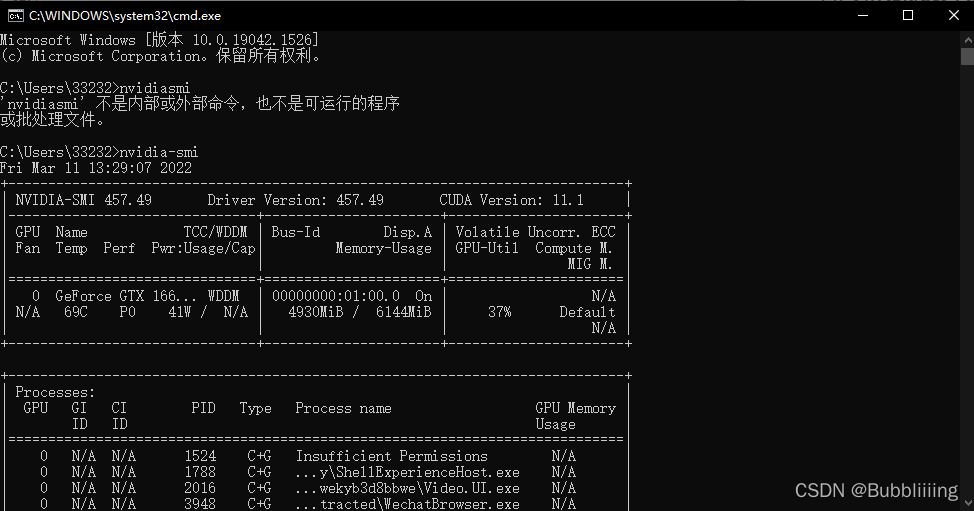
**如果要一定看任务管理器的话,请看性能部分GPU的显存是否利用,或者查看任务管理器的Cuda,而非Copy。**
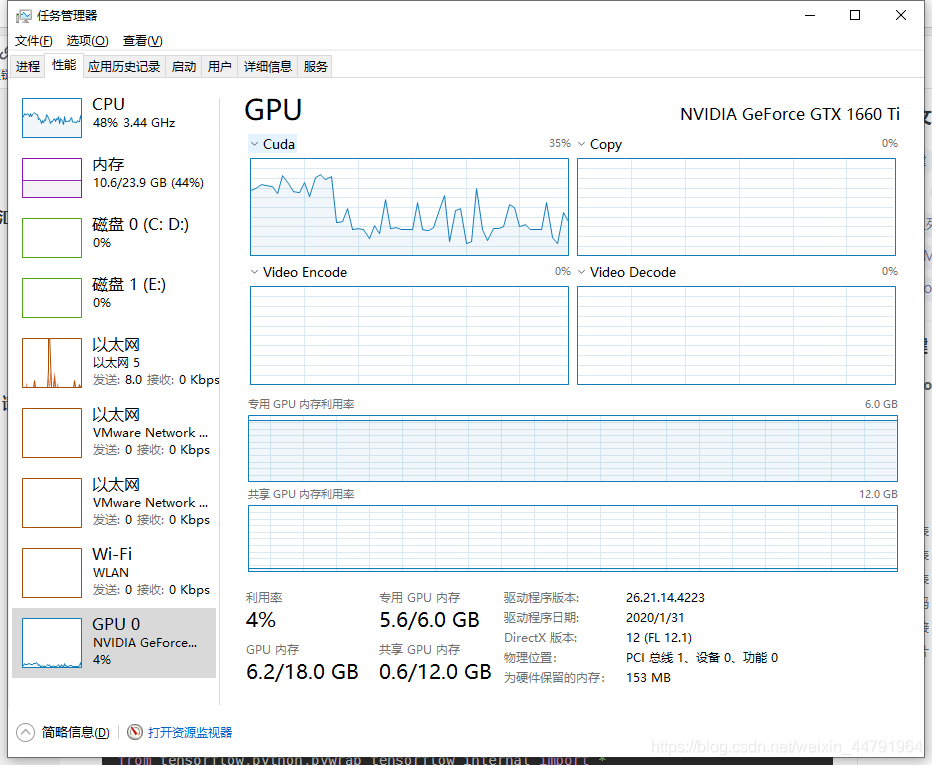
### e、DLL load failed: 找不到指定的模块
**问:出现如下错误**
```python
Traceback (most recent call last):
File "C:\Users\focus\Anaconda3\ana\envs\tensorflow-gpu\lib\site-packages\tensorflow\python\pywrap_tensorflow.py", line 58, in
from tensorflow.python.pywrap_tensorflow_internal import *
File "C:\Users\focus\Anaconda3\ana\envs\tensorflow-gpu\lib\site-packages\tensorflow\python\pywrap_tensorflow_internal.py", line 28, in
pywrap_tensorflow_internal = swig_import_helper()
File "C:\Users\focus\Anaconda3\ana\envs\tensorflow-gpu\lib\site-packages\tensorflow\python\pywrap_tensorflow_internal.py", line 24, in swig_import_helper
_mod = imp.load_module('_pywrap_tensorflow_internal', fp, pathname, description)
File "C:\Users\focus\Anaconda3\ana\envs\tensorflow-gpu\lib\imp.py", line 243, in load_modulereturn load_dynamic(name, filename, file)
File "C:\Users\focus\Anaconda3\ana\envs\tensorflow-gpu\lib\imp.py", line 343, in load_dynamic
return _load(spec)
ImportError: DLL load failed: 找不到指定的模块。
```
**答:如果没重启过就重启一下,否则重新按照步骤安装,还无法解决则把你的GPU、CUDA、CUDNN、TF版本以及PYTORCH版本私聊告诉我。**
### f、no module问题(no module name utils.utils、no module named 'matplotlib' )
**问:为什么提示说no module name utils.utils(no module name nets.yolo、no module name nets.ssd等一系列问题)啊?
答:utils并不需要用pip装,它就在我上传的仓库的根目录,出现这个问题的原因是根目录不对,查查相对目录和根目录的概念。查了基本上就明白了。**
**问:为什么提示说no module name matplotlib(no module name PIL,no module name cv2等等)?
答:这个库没安装打开命令行安装就好。pip install matplotlib**
**问:为什么我已经用pip装了opencv(pillow、matplotlib等),还是提示no module name cv2?
答:没有激活环境装,要激活对应的conda环境进行安装才可以正常使用**
**问:为什么提示说No module named 'torch' ?
答:其实我也真的很想知道为什么会有这个问题……这个pytorch没装是什么情况?一般就俩情况,一个是真的没装,还有一个是装到其它环境了,当前激活的环境不是自己装的环境。**
**问:为什么提示说No module named 'tensorflow' ?
答:同上。**
### g、cuda安装失败问题
一般cuda安装前需要安装Visual Studio,装个2017版本即可。
### h、Ubuntu系统问题
**所有代码在Ubuntu下可以使用,我两个系统都试过。**
### i、VSCODE提示错误的问题
**问:为什么在VSCODE里面提示一大堆的错误啊?
答:我也提示一大堆的错误,但是不影响,是VSCODE的问题,如果不想看错误的话就装Pycharm。
最好将设置里面的Python:Language Server,调整为Pylance。**
### j、使用cpu进行训练与预测的问题
**对于keras和tf2的代码而言,如果想用cpu进行训练和预测,直接装cpu版本的tensorflow就可以了。**
**对于pytorch的代码而言,如果想用cpu进行训练和预测,需要将cuda=True修改成cuda=False。**
### k、tqdm没有pos参数问题
**问:运行代码提示'tqdm' object has no attribute 'pos'。
答:重装tqdm,换个版本就可以了。**
### l、提示decode(“utf-8”)的问题
**由于h5py库的更新,安装过程中会自动安装h5py=3.0.0以上的版本,会导致decode("utf-8")的错误!
各位一定要在安装完tensorflow后利用命令装h5py=2.10.0!**
```
pip install h5py==2.10.0
```
### m、提示TypeError: __array__() takes 1 positional argument but 2 were given错误
可以修改pillow版本解决。
```
pip install pillow==8.2.0
```
### n、如何查看当前cuda和cudnn
**window下cuda版本查看方式如下:
1、打开cmd窗口。
2、输入nvcc -V。
3、Cuda compilation tools, release XXXXXXXX中的XXXXXXXX即cuda版本。**
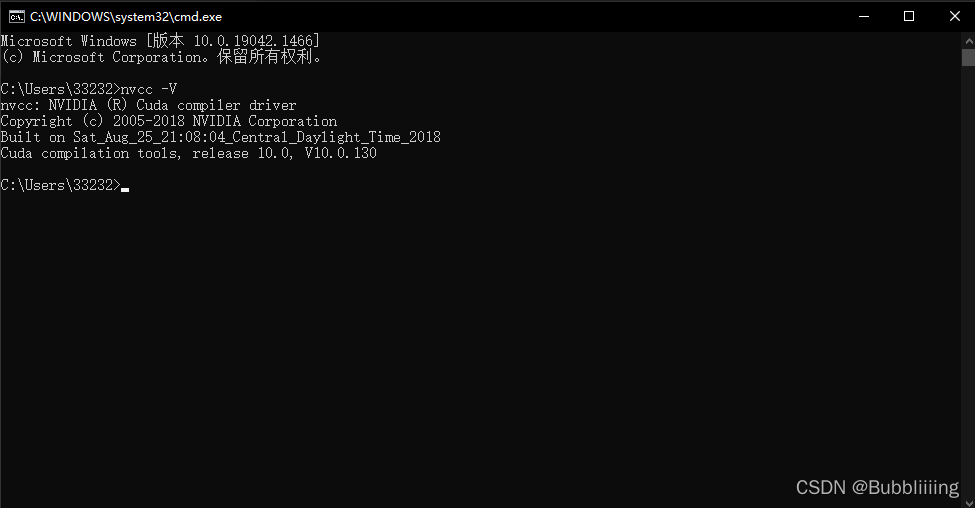
window下cudnn版本查看方式如下:
1、进入cuda安装目录,进入incude文件夹。
2、找到cudnn.h文件。
3、右键文本打开,下拉,看到#define处可获得cudnn版本。
```python
#define CUDNN_MAJOR 7
#define CUDNN_MINOR 4
#define CUDNN_PATCHLEVEL 1
```
代表cudnn为7.4.1。
### o、为什么按照你的环境配置后还是不能使用
**问:up主,为什么我按照你的环境配置后还是不能使用?
答:请把你的GPU、CUDA、CUDNN、TF版本以及PYTORCH版本B站私聊告诉我。**
### p、其它问题
**问:为什么提示TypeError: cat() got an unexpected keyword argument 'axis',Traceback (most recent call last),AttributeError: 'Tensor' object has no attribute 'bool'?
答:这是版本问题,建议使用torch1.2以上版本**
**其它有很多稀奇古怪的问题,很多是版本问题,建议按照我的视频教程安装Keras和tensorflow。比如装的是tensorflow2,就不用问我说为什么我没法运行Keras-yolo啥的。那是必然不行的。**
## 3、目标检测库问题汇总(人脸检测和分类库也可参考)
### a、shape不匹配问题。
#### 1)、训练时shape不匹配问题。
**问:up主,为什么运行train.py会提示shape不匹配啊?
答:在keras环境中,因为你训练的种类和原始的种类不同,网络结构会变化,所以最尾部的shape会有少量不匹配。**
#### 2)、预测时shape不匹配问题。
**问:为什么我运行predict.py会提示我说shape不匹配呀。**
##### i、copying a param with shape torch.Size([75, 704, 1, 1]) from checkpoint
在Pytorch里面是这样的:

##### ii、Shapes are [1,1,1024,75] and [255,1024,1,1]. for 'Assign_360' (op: 'Assign') with input shapes: [1,1,1024,75], [255,1024,1,1].
在Keras里面是这样的:
**答:原因主要有仨:
1、训练的classes_path没改,就开始训练了。
2、训练的model_path没改。
3、训练的classes_path没改。
请检查清楚了!确定自己所用的model_path和classes_path是对应的!训练的时候用到的num_classes或者classes_path也需要检查!**
### b、显存不足问题(OOM、RuntimeError: CUDA out of memory)。
**问:为什么我运行train.py下面的命令行闪的贼快,还提示OOM啥的?
答:这是在keras中出现的,爆显存了,可以改小batch_size,SSD的显存占用率是最小的,建议用SSD;
2G显存:SSD、YOLOV4-TINY
4G显存:YOLOV3
6G显存:YOLOV4、Retinanet、M2det、Efficientdet、Faster RCNN等
8G+显存:随便选吧。**
**需要注意的是,受到BatchNorm2d影响,batch_size不可为1,至少为2。**
**问:为什么提示 RuntimeError: CUDA out of memory. Tried to allocate 52.00 MiB (GPU 0; 15.90 GiB total capacity; 14.85 GiB already allocated; 51.88 MiB free; 15.07 GiB reserved in total by PyTorch)?
答:这是pytorch中出现的,爆显存了,同上。**
**问:为什么我显存都没利用,就直接爆显存了?
答:都爆显存了,自然就不利用了,模型没有开始训练。**
### c、为什么要进行冻结训练与解冻训练,不进行行吗?
**问:为什么要冻结训练和解冻训练呀?
答:可以不进行,本质上是为了保证性能不足的同学的训练,如果电脑性能完全不够,可以将Freeze_Epoch和UnFreeze_Epoch设置成一样,只进行冻结训练。**
**同时这也是迁移学习的思想,因为神经网络主干特征提取部分所提取到的特征是通用的,我们冻结起来训练可以加快训练效率,也可以防止权值被破坏。**
在冻结阶段,模型的主干被冻结了,特征提取网络不发生改变。占用的显存较小,仅对网络进行微调。
在解冻阶段,模型的主干不被冻结了,特征提取网络会发生改变。占用的显存较大,网络所有的参数都会发生改变。
### d、我的LOSS好大啊,有问题吗?(我的LOSS好小啊,有问题吗?)
**问:为什么我的网络不收敛啊,LOSS是XXXX。
答:不同网络的LOSS不同,LOSS只是一个参考指标,用于查看网络是否收敛,而非评价网络好坏,我的yolo代码都没有归一化,所以LOSS值看起来比较高,LOSS的值不重要,重要的是是否在变小,预测是否有效果。**
### e、为什么我训练出来的模型没有预测结果?
**问:为什么我的训练效果不好?预测了没有框(框不准)。
答:**
考虑几个问题:
1、目标信息问题,查看2007_train.txt文件是否有目标信息,没有的话请修改voc_annotation.py。
2、数据集问题,小于500的自行考虑增加数据集,同时测试不同的模型,确认数据集是好的。
3、是否解冻训练,如果数据集分布与常规画面差距过大需要进一步解冻训练,调整主干,加强特征提取能力。
4、网络问题,比如SSD不适合小目标,因为先验框固定了。
5、训练时长问题,有些同学只训练了几代表示没有效果,按默认参数训练完。
6、确认自己是否按照步骤去做了,如果比如voc_annotation.py里面的classes是否修改了等。
7、不同网络的LOSS不同,LOSS只是一个参考指标,用于查看网络是否收敛,而非评价网络好坏,LOSS的值不重要,重要的是是否收敛。
8、是否修改了网络的主干,如果修改了没有预训练权重,网络不容易收敛,自然效果不好。
### f、为什么我计算出来的map是0?
**问:为什么我的训练效果不好?没有map?
答:**
首先尝试利用predict.py预测一下,如果有效果的话应该是get_map.py里面的classes_path设置错误。如果没有预测结果的话,解决方法同e问题,对下面几点进行检查:
1、目标信息问题,查看2007_train.txt文件是否有目标信息,没有的话请修改voc_annotation.py。
2、数据集问题,小于500的自行考虑增加数据集,同时测试不同的模型,确认数据集是好的。
3、是否解冻训练,如果数据集分布与常规画面差距过大需要进一步解冻训练,调整主干,加强特征提取能力。
4、网络问题,比如SSD不适合小目标,因为先验框固定了。
5、训练时长问题,有些同学只训练了几代表示没有效果,按默认参数训练完。
6、确认自己是否按照步骤去做了,如果比如voc_annotation.py里面的classes是否修改了等。
7、不同网络的LOSS不同,LOSS只是一个参考指标,用于查看网络是否收敛,而非评价网络好坏,LOSS的值不重要,重要的是是否收敛。
8、是否修改了网络的主干,如果修改了没有预训练权重,网络不容易收敛,自然效果不好。
### g、gbk编码错误('gbk' codec can't decode byte)。
**问:我怎么出现了gbk什么的编码错误啊:**
```python
UnicodeDecodeError: 'gbk' codec can't decode byte 0xa6 in position 446: illegal multibyte sequence
```
**答:标签和路径不要使用中文,如果一定要使用中文,请注意处理的时候编码的问题,改成打开文件的encoding方式改为utf-8。**
### h、我的图片是xxx*xxx的分辨率的,可以用吗?
**问:我的图片是xxx*xxx的分辨率的,可以用吗!**
**答:可以用,代码里面会自动进行resize与数据增强。**
### i、我想进行数据增强!怎么增强?
**问:我想要进行数据增强!怎么做呢?**
**答:可以用,代码里面会自动进行resize与数据增强。**
### j、多GPU训练。
**问:怎么进行多GPU训练?
答:pytorch的大多数代码可以直接使用gpu训练,keras的话直接百度就好了,实现并不复杂,我没有多卡没法详细测试,还需要各位同学自己努力了。**
### k、能不能训练灰度图?
**问:能不能训练灰度图(预测灰度图)啊?
答:我的大多数库会将灰度图转化成RGB进行训练和预测,如果遇到代码不能训练或者预测灰度图的情况,可以尝试一下在get_random_data里面将Image.open后的结果转换成RGB,预测的时候也这样试试。(仅供参考)**
### l、断点续练问题。
**问:我已经训练过几个世代了,能不能从这个基础上继续开始训练
答:可以,你在训练前,和载入预训练权重一样载入训练过的权重就行了。一般训练好的权重会保存在logs文件夹里面,将model_path修改成你要开始的权值的路径即可。**
### m、我要训练其它的数据集,预训练权重能不能用?
**问:如果我要训练其它的数据集,预训练权重要怎么办啊?**
**答:数据的预训练权重对不同数据集是通用的,因为特征是通用的,预训练权重对于99%的情况都必须要用,不用的话权值太过随机,特征提取效果不明显,网络训练的结果也不会好。**
### n、网络如何从0开始训练?
**问:我要怎么不使用预训练权重啊?
答:看一看注释、大多数代码是model_path = '',Freeze_Train = Fasle**,如果设置model_path无用,**那么把载入预训练权重的代码注释了就行。**
### o、为什么从0开始训练效果这么差(修改了网络主干,效果不好怎么办)?
**问:为什么我不使用预训练权重效果这么差啊?
答:因为随机初始化的权值不好,提取的特征不好,也就导致了模型训练的效果不好,voc07+12、coco+voc07+12效果都不一样,预训练权重还是非常重要的。**
**问:up,我修改了网络,预训练权重还能用吗?
答:修改了主干的话,如果不是用的现有的网络,基本上预训练权重是不能用的,要么就自己判断权值里卷积核的shape然后自己匹配,要么只能自己预训练去了;修改了后半部分的话,前半部分的主干部分的预训练权重还是可以用的,如果是pytorch代码的话,需要自己修改一下载入权值的方式,判断shape后载入,如果是keras代码,直接by_name=True,skip_mismatch=True即可。**
权值匹配的方式可以参考如下:
```python
# 加快模型训练的效率
print('Loading weights into state dict...')
device = torch.device('cuda' if torch.cuda.is_available() else 'cpu')
model_dict = model.state_dict()
pretrained_dict = torch.load(model_path, map_location=device)
a = {}
for k, v in pretrained_dict.items():
try:
if np.shape(model_dict[k]) == np.shape(v):
a[k]=v
except:
pass
model_dict.update(a)
model.load_state_dict(model_dict)
print('Finished!')
```
**问:为什么从0开始训练效果这么差(我修改了网络主干,效果不好怎么办)?
答:一般来讲,网络从0开始的训练效果会很差,因为权值太过随机,特征提取效果不明显,因此非常、非常、非常不建议大家从0开始训练!如果一定要从0开始,可以了解imagenet数据集,首先训练分类模型,获得网络的主干部分权值,分类模型的 主干部分 和该模型通用,基于此进行训练。
网络修改了主干之后也是同样的问题,随机的权值效果很差。**
**问:怎么在模型上从0开始训练?
答:在算力不足与调参能力不足的情况下从0开始训练毫无意义。模型特征提取能力在随机初始化参数的情况下非常差。没有好的参数调节能力和算力,无法使得网络正常收敛。**
如果一定要从0开始,那么训练的时候请注意几点:
- 不载入预训练权重。
- 不要进行冻结训练,注释冻结模型的代码。
**问:为什么我不使用预训练权重效果这么差啊?
答:因为随机初始化的权值不好,提取的特征不好,也就导致了模型训练的效果不好,voc07+12、coco+voc07+12效果都不一样,预训练权重还是非常重要的。**
### p、你的权值都是哪里来的?
**问:如果网络不能从0开始训练的话你的权值哪里来的?
答:有些权值是官方转换过来的,有些权值是自己训练出来的,我用到的主干的imagenet的权值都是官方的。**
### q、视频检测与摄像头检测
**问:怎么用摄像头检测呀?
答:predict.py修改参数可以进行摄像头检测,也有视频详细解释了摄像头检测的思路。**
**问:怎么用视频检测呀?
答:同上**
### r、如何保存检测出的图片
**问:检测完的图片怎么保存?
答:一般目标检测用的是Image,所以查询一下PIL库的Image如何进行保存。详细看看predict.py文件的注释。**
**问:怎么用视频保存呀?
答:详细看看predict.py文件的注释。**
### s、遍历问题
**问:如何对一个文件夹的图片进行遍历?
答:一般使用os.listdir先找出文件夹里面的所有图片,然后根据predict.py文件里面的执行思路检测图片就行了,详细看看predict.py文件的注释。**
**问:如何对一个文件夹的图片进行遍历?并且保存。
答:遍历的话一般使用os.listdir先找出文件夹里面的所有图片,然后根据predict.py文件里面的执行思路检测图片就行了。保存的话一般目标检测用的是Image,所以查询一下PIL库的Image如何进行保存。如果有些库用的是cv2,那就是查一下cv2怎么保存图片。详细看看predict.py文件的注释。**
### t、路径问题(No such file or directory、StopIteration: [Errno 13] Permission denied: 'XXXXXX')
**问:我怎么出现了这样的错误呀:**
```python
FileNotFoundError: 【Errno 2】 No such file or directory
StopIteration: [Errno 13] Permission denied: 'D:\\Study\\Collection\\Dataset\\VOC07+12+test\\VOCdevkit/VOC2007'
……………………………………
……………………………………
```
**答:去检查一下文件夹路径,查看是否有对应文件;并且检查一下2007_train.txt,其中文件路径是否有错。**
关于路径有几个重要的点:
**文件夹名称中一定不要有空格。
注意相对路径和绝对路径。
多百度路径相关的知识。**
**所有的路径问题基本上都是根目录问题,好好查一下相对目录的概念!**
### u、和原版比较问题,你怎么和原版不一样啊?
**问:原版的代码是XXX,为什么你的代码是XXX?
答:是啊……这要不怎么说我不是原版呢……**
**问:你这个代码和原版比怎么样,可以达到原版的效果么?
答:基本上可以达到,我都用voc数据测过,我没有好显卡,没有能力在coco上测试与训练。**
**问:你有没有实现yolov4所有的tricks,和原版差距多少?
答:并没有实现全部的改进部分,由于YOLOV4使用的改进实在太多了,很难完全实现与列出来,这里只列出来了一些我比较感兴趣,而且非常有效的改进。论文中提到的SAM(注意力机制模块),作者自己的源码也没有使用。还有其它很多的tricks,不是所有的tricks都有提升,我也没法实现全部的tricks。至于和原版的比较,我没有能力训练coco数据集,根据使用过的同学反应差距不大。**
### v、我的检测速度是xxx正常吗?我的检测速度还能增快吗?
**问:你这个FPS可以到达多少,可以到 XX FPS么?
答:FPS和机子的配置有关,配置高就快,配置低就慢。**
**问:我的检测速度是xxx正常吗?我的检测速度还能增快吗?
答:看配置,配置好速度就快,如果想要配置不变的情况下加快速度,就要修改网络了。**
**问:为什么我用服务器去测试yolov4(or others)的FPS只有十几?
答:检查是否正确安装了tensorflow-gpu或者pytorch的gpu版本,如果已经正确安装,可以去利用time.time()的方法查看detect_image里面,哪一段代码耗时更长(不仅只有网络耗时长,其它处理部分也会耗时,如绘图等)。**
**问:为什么论文中说速度可以达到XX,但是这里却没有?
答:检查是否正确安装了tensorflow-gpu或者pytorch的gpu版本,如果已经正确安装,可以去利用time.time()的方法查看detect_image里面,哪一段代码耗时更长(不仅只有网络耗时长,其它处理部分也会耗时,如绘图等)。有些论文还会使用多batch进行预测,我并没有去实现这个部分。**
### w、预测图片不显示问题
**问:为什么你的代码在预测完成后不显示图片?只是在命令行告诉我有什么目标。
答:给系统安装一个图片查看器就行了。**
### x、算法评价问题(目标检测的map、PR曲线、Recall、Precision等)
**问:怎么计算map?
答:看map视频,都一个流程。**
**问:计算map的时候,get_map.py里面有一个MINOVERLAP是什么用的,是iou吗?
答:是iou,它的作用是判断预测框和真实框的重合成度,如果重合程度大于MINOVERLAP,则预测正确。**
**问:为什么get_map.py里面的self.confidence(self.score)要设置的那么小?
答:看一下map的视频的原理部分,要知道所有的结果然后再进行pr曲线的绘制。**
**问:能不能说说怎么绘制PR曲线啥的呀。
答:可以看mAP视频,结果里面有PR曲线。**
**问:怎么计算Recall、Precision指标。
答:这俩指标应该是相对于特定的置信度的,计算map的时候也会获得。**
### y、coco数据集训练问题
**问:目标检测怎么训练COCO数据集啊?。
答:coco数据训练所需要的txt文件可以参考qqwweee的yolo3的库,格式都是一样的。**
### z、UP,怎么优化模型啊?我想提升效果
**问:up,怎么修改模型啊,我想发个小论文!
答:建议看看yolov3和yolov4的区别,然后看看yolov4的论文,作为一个大型调参现场非常有参考意义,使用了很多tricks。我能给的建议就是多看一些经典模型,然后拆解里面的亮点结构并使用。**
### aa、UP,有Focal LOSS的代码吗?怎么改啊?
**问:up,YOLO系列使用Focal LOSS的代码你有吗,有提升吗?
答:很多人试过,提升效果也不大(甚至变的更Low),它自己有自己的正负样本的平衡方式**。改代码的事情,还是自己好好看看代码吧。
### ab、部署问题(ONNX、TensorRT等)
我没有具体部署到手机等设备上过,所以很多部署问题我并不了解……
## 4、语义分割库问题汇总
### a、shape不匹配问题
#### 1)、训练时shape不匹配问题
**问:up主,为什么运行train.py会提示shape不匹配啊?
答:在keras环境中,因为你训练的种类和原始的种类不同,网络结构会变化,所以最尾部的shape会有少量不匹配。**
#### 2)、预测时shape不匹配问题
**问:为什么我运行predict.py会提示我说shape不匹配呀。**
##### i、copying a param with shape torch.Size([75, 704, 1, 1]) from checkpoint
在Pytorch里面是这样的:

##### ii、Shapes are [1,1,1024,75] and [255,1024,1,1]. for 'Assign_360' (op: 'Assign') with input shapes: [1,1,1024,75], [255,1024,1,1].
在Keras里面是这样的:

**答:原因主要有二:
1、train.py里面的num_classes没改。
2、预测时num_classes没改。
3、预测时model_path没改。
请检查清楚!训练和预测的时候用到的num_classes都需要检查!**
### b、显存不足问题(OOM、RuntimeError: CUDA out of memory)。
**问:为什么我运行train.py下面的命令行闪的贼快,还提示OOM啥的?
答:这是在keras中出现的,爆显存了,可以改小batch_size。**
**需要注意的是,受到BatchNorm2d影响,batch_size不可为1,至少为2。**
**问:为什么提示 RuntimeError: CUDA out of memory. Tried to allocate 52.00 MiB (GPU 0; 15.90 GiB total capacity; 14.85 GiB already allocated; 51.88 MiB free; 15.07 GiB reserved in total by PyTorch)?
答:这是pytorch中出现的,爆显存了,同上。**
**问:为什么我显存都没利用,就直接爆显存了?
答:都爆显存了,自然就不利用了,模型没有开始训练。**
### c、为什么要进行冻结训练与解冻训练,不进行行吗?
**问:为什么要冻结训练和解冻训练呀?
答:可以不进行,本质上是为了保证性能不足的同学的训练,如果电脑性能完全不够,可以将Freeze_Epoch和UnFreeze_Epoch设置成一样,只进行冻结训练。**
**同时这也是迁移学习的思想,因为神经网络主干特征提取部分所提取到的特征是通用的,我们冻结起来训练可以加快训练效率,也可以防止权值被破坏。**
在冻结阶段,模型的主干被冻结了,特征提取网络不发生改变。占用的显存较小,仅对网络进行微调。
在解冻阶段,模型的主干不被冻结了,特征提取网络会发生改变。占用的显存较大,网络所有的参数都会发生改变。
### d、我的LOSS好大啊,有问题吗?(我的LOSS好小啊,有问题吗?)
**问:为什么我的网络不收敛啊,LOSS是XXXX。
答:不同网络的LOSS不同,LOSS只是一个参考指标,用于查看网络是否收敛,而非评价网络好坏,我的yolo代码都没有归一化,所以LOSS值看起来比较高,LOSS的值不重要,重要的是是否在变小,预测是否有效果。**
### e、为什么我训练出来的模型没有预测结果?
**问:为什么我的训练效果不好?预测了没有框(框不准)。
答:**
**考虑几个问题:
1、数据集问题,这是最重要的问题。小于500的自行考虑增加数据集;一定要检查数据集的标签,视频中详细解析了VOC数据集的格式,但并不是有输入图片有输出标签即可,还需要确认标签的每一个像素值是否为它对应的种类。很多同学的标签格式不对,最常见的错误格式就是标签的背景为黑,目标为白,此时目标的像素点值为255,无法正常训练,目标需要为1才行。
2、是否解冻训练,如果数据集分布与常规画面差距过大需要进一步解冻训练,调整主干,加强特征提取能力。
3、网络问题,可以尝试不同的网络。
4、训练时长问题,有些同学只训练了几代表示没有效果,按默认参数训练完。
5、确认自己是否按照步骤去做了。
6、不同网络的LOSS不同,LOSS只是一个参考指标,用于查看网络是否收敛,而非评价网络好坏,LOSS的值不重要,重要的是是否收敛。**
**问:为什么我的训练效果不好?对小目标预测不准确。
答:对于deeplab和pspnet而言,可以修改一下downsample_factor,当downsample_factor为16的时候下采样倍数过多,效果不太好,可以修改为8。**
### f、为什么我计算出来的miou是0?
**问:为什么我的训练效果不好?计算出来的miou是0?。**
答:
与e类似,**考虑几个问题:
1、数据集问题,这是最重要的问题。小于500的自行考虑增加数据集;一定要检查数据集的标签,视频中详细解析了VOC数据集的格式,但并不是有输入图片有输出标签即可,还需要确认标签的每一个像素值是否为它对应的种类。很多同学的标签格式不对,最常见的错误格式就是标签的背景为黑,目标为白,此时目标的像素点值为255,无法正常训练,目标需要为1才行。
2、是否解冻训练,如果数据集分布与常规画面差距过大需要进一步解冻训练,调整主干,加强特征提取能力。
3、网络问题,可以尝试不同的网络。
4、训练时长问题,有些同学只训练了几代表示没有效果,按默认参数训练完。
5、确认自己是否按照步骤去做了。
6、不同网络的LOSS不同,LOSS只是一个参考指标,用于查看网络是否收敛,而非评价网络好坏,LOSS的值不重要,重要的是是否收敛。**
### g、gbk编码错误('gbk' codec can't decode byte)。
**问:我怎么出现了gbk什么的编码错误啊:**
```python
UnicodeDecodeError: 'gbk' codec can't decode byte 0xa6 in position 446: illegal multibyte sequence
```
**答:标签和路径不要使用中文,如果一定要使用中文,请注意处理的时候编码的问题,改成打开文件的encoding方式改为utf-8。**
### h、我的图片是xxx*xxx的分辨率的,可以用吗?
**问:我的图片是xxx*xxx的分辨率的,可以用吗!**
**答:可以用,代码里面会自动进行resize与数据增强。**
### i、我想进行数据增强!怎么增强?
**问:我想要进行数据增强!怎么做呢?**
**答:可以用,代码里面会自动进行resize与数据增强。**
### j、多GPU训练。
**问:怎么进行多GPU训练?
答:pytorch的大多数代码可以直接使用gpu训练,keras的话直接百度就好了,实现并不复杂,我没有多卡没法详细测试,还需要各位同学自己努力了。**
### k、能不能训练灰度图?
**问:能不能训练灰度图(预测灰度图)啊?
答:我的大多数库会将灰度图转化成RGB进行训练和预测,如果遇到代码不能训练或者预测灰度图的情况,可以尝试一下在get_random_data里面将Image.open后的结果转换成RGB,预测的时候也这样试试。(仅供参考)**
### l、断点续练问题。
**问:我已经训练过几个世代了,能不能从这个基础上继续开始训练
答:可以,你在训练前,和载入预训练权重一样载入训练过的权重就行了。一般训练好的权重会保存在logs文件夹里面,将model_path修改成你要开始的权值的路径即可。**
### m、我要训练其它的数据集,预训练权重能不能用?
**问:如果我要训练其它的数据集,预训练权重要怎么办啊?**
**答:数据的预训练权重对不同数据集是通用的,因为特征是通用的,预训练权重对于99%的情况都必须要用,不用的话权值太过随机,特征提取效果不明显,网络训练的结果也不会好。**
### n、网络如何从0开始训练?
**问:我要怎么不使用预训练权重啊?
答:看一看注释、大多数代码是model_path = '',Freeze_Train = Fasle**,如果设置model_path无用,**那么把载入预训练权重的代码注释了就行。**
### o、为什么从0开始训练效果这么差(修改了网络主干,效果不好怎么办)?
**问:为什么我不使用预训练权重效果这么差啊?
答:因为随机初始化的权值不好,提取的特征不好,也就导致了模型训练的效果不好,预训练权重还是非常重要的。**
**问:up,我修改了网络,预训练权重还能用吗?
答:修改了主干的话,如果不是用的现有的网络,基本上预训练权重是不能用的,要么就自己判断权值里卷积核的shape然后自己匹配,要么只能自己预训练去了;修改了后半部分的话,前半部分的主干部分的预训练权重还是可以用的,如果是pytorch代码的话,需要自己修改一下载入权值的方式,判断shape后载入,如果是keras代码,直接by_name=True,skip_mismatch=True即可。**
权值匹配的方式可以参考如下:
```python
# 加快模型训练的效率
print('Loading weights into state dict...')
device = torch.device('cuda' if torch.cuda.is_available() else 'cpu')
model_dict = model.state_dict()
pretrained_dict = torch.load(model_path, map_location=device)
a = {}
for k, v in pretrained_dict.items():
try:
if np.shape(model_dict[k]) == np.shape(v):
a[k]=v
except:
pass
model_dict.update(a)
model.load_state_dict(model_dict)
print('Finished!')
```
**问:为什么从0开始训练效果这么差(我修改了网络主干,效果不好怎么办)?
答:一般来讲,网络从0开始的训练效果会很差,因为权值太过随机,特征提取效果不明显,因此非常、非常、非常不建议大家从0开始训练!如果一定要从0开始,可以了解imagenet数据集,首先训练分类模型,获得网络的主干部分权值,分类模型的 主干部分 和该模型通用,基于此进行训练。
网络修改了主干之后也是同样的问题,随机的权值效果很差。**
**问:怎么在模型上从0开始训练?
答:在算力不足与调参能力不足的情况下从0开始训练毫无意义。模型特征提取能力在随机初始化参数的情况下非常差。没有好的参数调节能力和算力,无法使得网络正常收敛。**
如果一定要从0开始,那么训练的时候请注意几点:
- 不载入预训练权重。
- 不要进行冻结训练,注释冻结模型的代码。
**问:为什么我不使用预训练权重效果这么差啊?
答:因为随机初始化的权值不好,提取的特征不好,也就导致了模型训练的效果不好,voc07+12、coco+voc07+12效果都不一样,预训练权重还是非常重要的。**
### p、你的权值都是哪里来的?
**问:如果网络不能从0开始训练的话你的权值哪里来的?
答:有些权值是官方转换过来的,有些权值是自己训练出来的,我用到的主干的imagenet的权值都是官方的。**
### q、视频检测与摄像头检测
**问:怎么用摄像头检测呀?
答:predict.py修改参数可以进行摄像头检测,也有视频详细解释了摄像头检测的思路。**
**问:怎么用视频检测呀?
答:同上**
### r、如何保存检测出的图片
**问:检测完的图片怎么保存?
答:一般目标检测用的是Image,所以查询一下PIL库的Image如何进行保存。详细看看predict.py文件的注释。**
**问:怎么用视频保存呀?
答:详细看看predict.py文件的注释。**
### s、遍历问题
**问:如何对一个文件夹的图片进行遍历?
答:一般使用os.listdir先找出文件夹里面的所有图片,然后根据predict.py文件里面的执行思路检测图片就行了,详细看看predict.py文件的注释。**
**问:如何对一个文件夹的图片进行遍历?并且保存。
答:遍历的话一般使用os.listdir先找出文件夹里面的所有图片,然后根据predict.py文件里面的执行思路检测图片就行了。保存的话一般目标检测用的是Image,所以查询一下PIL库的Image如何进行保存。如果有些库用的是cv2,那就是查一下cv2怎么保存图片。详细看看predict.py文件的注释。**
### t、路径问题(No such file or directory、StopIteration: [Errno 13] Permission denied: 'XXXXXX')
**问:我怎么出现了这样的错误呀:**
```python
FileNotFoundError: 【Errno 2】 No such file or directory
StopIteration: [Errno 13] Permission denied: 'D:\\Study\\Collection\\Dataset\\VOC07+12+test\\VOCdevkit/VOC2007'
……………………………………
……………………………………
```
**答:去检查一下文件夹路径,查看是否有对应文件;并且检查一下2007_train.txt,其中文件路径是否有错。**
关于路径有几个重要的点:
**文件夹名称中一定不要有空格。
注意相对路径和绝对路径。
多百度路径相关的知识。**
**所有的路径问题基本上都是根目录问题,好好查一下相对目录的概念!**
### u、和原版比较问题,你怎么和原版不一样啊?
**问:原版的代码是XXX,为什么你的代码是XXX?
答:是啊……这要不怎么说我不是原版呢……**
**问:你这个代码和原版比怎么样,可以达到原版的效果么?
答:基本上可以达到,我都用voc数据测过,我没有好显卡,没有能力在coco上测试与训练。**
### v、我的检测速度是xxx正常吗?我的检测速度还能增快吗?
**问:你这个FPS可以到达多少,可以到 XX FPS么?
答:FPS和机子的配置有关,配置高就快,配置低就慢。**
**问:我的检测速度是xxx正常吗?我的检测速度还能增快吗?
答:看配置,配置好速度就快,如果想要配置不变的情况下加快速度,就要修改网络了。**
**问:为什么论文中说速度可以达到XX,但是这里却没有?
答:检查是否正确安装了tensorflow-gpu或者pytorch的gpu版本,如果已经正确安装,可以去利用time.time()的方法查看detect_image里面,哪一段代码耗时更长(不仅只有网络耗时长,其它处理部分也会耗时,如绘图等)。有些论文还会使用多batch进行预测,我并没有去实现这个部分。**
### w、预测图片不显示问题
**问:为什么你的代码在预测完成后不显示图片?只是在命令行告诉我有什么目标。
答:给系统安装一个图片查看器就行了。**
### x、算法评价问题(miou)
**问:怎么计算miou?
答:参考视频里的miou测量部分。**
**问:怎么计算Recall、Precision指标。
答:现有的代码还无法获得,需要各位同学理解一下混淆矩阵的概念,然后自行计算一下。**
### y、UP,怎么优化模型啊?我想提升效果
**问:up,怎么修改模型啊,我想发个小论文!
答:建议目标检测中的yolov4论文,作为一个大型调参现场非常有参考意义,使用了很多tricks。我能给的建议就是多看一些经典模型,然后拆解里面的亮点结构并使用。**
### z、部署问题(ONNX、TensorRT等)
我没有具体部署到手机等设备上过,所以很多部署问题我并不了解……
## 5、交流群问题
**问:up,有没有QQ群啥的呢?
答:没有没有,我没有时间管理QQ群……**
## 6、怎么学习的问题
**问:up,你的学习路线怎么样的?我是个小白我要怎么学?
答:这里有几点需要注意哈
1、我不是高手,很多东西我也不会,我的学习路线也不一定适用所有人。
2、我实验室不做深度学习,所以我很多东西都是自学,自己摸索,正确与否我也不知道。
3、我个人觉得学习更靠自学**
学习路线的话,我是先学习了莫烦的python教程,从tensorflow、keras、pytorch入门,入门完之后学的SSD,YOLO,然后了解了很多经典的卷积网,后面就开始学很多不同的代码了,我的学习方法就是一行一行的看,了解整个代码的执行流程,特征层的shape变化等,花了很多时间也没有什么捷径,就是要花时间吧。