Showing preview only (3,076K chars total). Download the full file or copy to clipboard to get everything.
Repository: Fechin/reference
Branch: main
Commit: 21e17efe52cf
Files: 310
Total size: 2.9 MB
Directory structure:
gitextract_fq7cognz/

├── .commitlintrc.js
├── .dockerignore
├── .github/
│   ├── FUNDING.yml
│   └── ISSUE_TEMPLATE/
│       └── cheatsheet-request.md
├── .gitignore
├── .gitmessage
├── .husky/
│   ├── commit-msg
│   └── pre-commit
├── .lintstagedrc.js
├── .prettierrc.js
├── .stylelintrc.js
├── Dockerfile
├── LICENSE
├── README.md
├── _config.yml
├── eslint.config.js
├── gulpfile.js
├── nginx.conf
├── package.json
├── postcss.config.js
├── source/
│   ├── _posts/
│   │   ├── 1password.md
│   │   ├── adobe-lightroom.md
│   │   ├── adobe-photoshop.md
│   │   ├── adobe-xd.md
│   │   ├── affinity-designer.md
│   │   ├── affinity-photo.md
│   │   ├── ai.md
│   │   ├── airtable.md
│   │   ├── alan-ai.md
│   │   ├── alpine-linux.md
│   │   ├── android-studio.md
│   │   ├── apex-legends.md
│   │   ├── apple-music.md
│   │   ├── arduino-programming.md
│   │   ├── arduino.md
│   │   ├── asana.md
│   │   ├── ascii-code.md
│   │   ├── aspect-ratio.md
│   │   ├── audacity.md
│   │   ├── awk.md
│   │   ├── bash.md
│   │   ├── bear-notes.md
│   │   ├── bitbucket.md
│   │   ├── blender.md
│   │   ├── brave.md
│   │   ├── c.md
│   │   ├── canvas.md
│   │   ├── chatgpt.md
│   │   ├── chmod.md
│   │   ├── chrome-devtools.md
│   │   ├── code-editor-ios.md
│   │   ├── color-picker.md
│   │   ├── colorscreen.md
│   │   ├── conventional-commits.md
│   │   ├── cpp.md
│   │   ├── cron.md
│   │   ├── cs.md
│   │   ├── css3.md
│   │   ├── curl.md
│   │   ├── dart.md
│   │   ├── django.md
│   │   ├── docker.md
│   │   ├── ejs.md
│   │   ├── emacs.md
│   │   ├── emmet.md
│   │   ├── emoji.md
│   │   ├── es6.md
│   │   ├── express.md
│   │   ├── fastapi.md
│   │   ├── feedly.md
│   │   ├── figma.md
│   │   ├── filezilla.md
│   │   ├── find.md
│   │   ├── finder.md
│   │   ├── firefox.md
│   │   ├── flask.md
│   │   ├── fortnite.md
│   │   ├── framer-x.md
│   │   ├── gimp.md
│   │   ├── git.md
│   │   ├── github-actions.md
│   │   ├── github-cli.md
│   │   ├── github.md
│   │   ├── gitlab.md
│   │   ├── gmail.md
│   │   ├── gnome-desktop.md
│   │   ├── gnupg.md
│   │   ├── go.md
│   │   ├── google-chrome.md
│   │   ├── google-drive.md
│   │   ├── google-search.md
│   │   ├── gospinwheel.md
│   │   ├── graphql.md
│   │   ├── grep.md
│   │   ├── guitar-pro.md
│   │   ├── homebrew.md
│   │   ├── hook.md
│   │   ├── html-char.md
│   │   ├── html.md
│   │   ├── htmx.md
│   │   ├── http-status-code.md
│   │   ├── idea.md
│   │   ├── ini.md
│   │   ├── iso-639-1.md
│   │   ├── java.md
│   │   ├── javascript.md
│   │   ├── jest.md
│   │   ├── jira.md
│   │   ├── jquery.md
│   │   ├── json.md
│   │   ├── kanbanmail.md
│   │   ├── kotlin.md
│   │   ├── kubernetes.md
│   │   ├── laravel.md
│   │   ├── latex.md
│   │   ├── lsof.md
│   │   ├── lua.md
│   │   ├── markdown.md
│   │   ├── matlab.md
│   │   ├── matplotlib.md
│   │   ├── microsoft-teams.md
│   │   ├── mime.md
│   │   ├── minecraft-bedrock.md
│   │   ├── minecraft-java.md
│   │   ├── missive.md
│   │   ├── mitmproxy.md
│   │   ├── monday.md
│   │   ├── mongodb.md
│   │   ├── mysql.md
│   │   ├── nc.md
│   │   ├── neo4j.md
│   │   ├── netstat.md
│   │   ├── networkports.md
│   │   ├── nginx.md
│   │   ├── nim.md
│   │   ├── nix.md
│   │   ├── nmap.md
│   │   ├── notion.md
│   │   ├── npm.md
│   │   ├── numpy.md
│   │   ├── obsidian.md
│   │   ├── ocaml.md
│   │   ├── openssl.md
│   │   ├── origami.md
│   │   ├── outlook.md
│   │   ├── pandas.md
│   │   ├── pandoc.md
│   │   ├── perl.md
│   │   ├── php.md
│   │   ├── phpstorm.md
│   │   ├── pm2.md
│   │   ├── pocket.md
│   │   ├── postgres.md
│   │   ├── postman.md
│   │   ├── powershell.md
│   │   ├── principle.md
│   │   ├── proto-io.md
│   │   ├── putty.md
│   │   ├── python.md
│   │   ├── pytorch.md
│   │   ├── quickref.md
│   │   ├── quip.md
│   │   ├── react-test-library.md
│   │   ├── react.md
│   │   ├── reddit.md
│   │   ├── redis.md
│   │   ├── regex.md
│   │   ├── resolutions.md
│   │   ├── roam.md
│   │   ├── ruby.md
│   │   ├── rust.md
│   │   ├── sass.md
│   │   ├── screen.md
│   │   ├── sdkman.md
│   │   ├── sed.md
│   │   ├── selenium.md
│   │   ├── sequel-pro.md
│   │   ├── shopify.md
│   │   ├── sketch.md
│   │   ├── sketchup.md
│   │   ├── skype.md
│   │   ├── slack.md
│   │   ├── socket-io.md
│   │   ├── soundcloud.md
│   │   ├── spotify.md
│   │   ├── ssh.md
│   │   ├── sublime-text.md
│   │   ├── superhuman.md
│   │   ├── svelte.md
│   │   ├── swift.md
│   │   ├── symfony.md
│   │   ├── systemd.md
│   │   ├── table-plus.md
│   │   ├── taskset.md
│   │   ├── telegram.md
│   │   ├── telnet.md
│   │   ├── tensorflow.md
│   │   ├── terraform.md
│   │   ├── ticktick.md
│   │   ├── tmux.md
│   │   ├── todoist.md
│   │   ├── toml.md
│   │   ├── transmit.md
│   │   ├── trello.md
│   │   ├── twitter.md
│   │   ├── typescript.md
│   │   ├── unity-3d.md
│   │   ├── unity-shader-graph.md
│   │   ├── unreal-engine.md
│   │   ├── vhdl.md
│   │   ├── vim.md
│   │   ├── vivaldi.md
│   │   ├── vlc.md
│   │   ├── vscode.md
│   │   ├── vue.md
│   │   ├── webflow.md
│   │   ├── webstorm.md
│   │   ├── windows-cmd.md
│   │   ├── windows-shortcuts.md
│   │   ├── wordpress.md
│   │   ├── xpath.md
│   │   ├── yaml.md
│   │   ├── youtube.md
│   │   ├── zed.md
│   │   └── zoom.md
│   ├── about/
│   │   └── index.md
│   ├── assets/
│   │   └── page/
│   │       └── oops.htm
│   ├── ga_analytics_tops.json
│   ├── manifest.json
│   ├── notes/
│   │   └── index.md
│   ├── privacy/
│   │   └── index.md
│   ├── robots.txt
│   ├── sponsor/
│   │   └── index.md
│   ├── support/
│   │   └── index.md
│   ├── sw.js
│   └── widget/
│       ├── chmod.html
│       ├── color-palette-tailwind.html
│       ├── cron.html
│       └── gradient-maker.html
├── tailwind.config.js
└── themes/
    └── coo/
        ├── _config.yml
        ├── languages/
        │   └── default.yml
        ├── layout/
        │   ├── _partial/
        │   │   ├── buttons/
        │   │   │   ├── buy-coffee.ejs
        │   │   │   ├── follow-x.ejs
        │   │   │   ├── github-contribute.ejs
        │   │   │   └── github-star.ejs
        │   │   ├── comment.ejs
        │   │   ├── footer.ejs
        │   │   ├── head.ejs
        │   │   ├── header.ejs
        │   │   ├── index/
        │   │   │   ├── card.ejs
        │   │   │   ├── hero-content.ejs
        │   │   │   ├── hero.ejs
        │   │   │   ├── logo.ejs
        │   │   │   ├── recommend.ejs
        │   │   │   └── request.ejs
        │   │   ├── note/
        │   │   │   ├── header.ejs
        │   │   │   ├── tags.ejs
        │   │   │   └── title.ejs
        │   │   ├── pagination.ejs
        │   │   ├── post/
        │   │   │   ├── category.ejs
        │   │   │   ├── editbar.ejs
        │   │   │   ├── popular.ejs
        │   │   │   ├── popular_card.ejs
        │   │   │   ├── prevnext.ejs
        │   │   │   ├── recent.ejs
        │   │   │   ├── tag.ejs
        │   │   │   └── title.ejs
        │   │   ├── scripts.ejs
        │   │   ├── search.ejs
        │   │   ├── seo.ejs
        │   │   ├── share.ejs
        │   │   ├── sidebar.ejs
        │   │   ├── social-buttons.ejs
        │   │   ├── structured-data.ejs
        │   │   └── toc.ejs
        │   ├── archive.ejs
        │   ├── index.ejs
        │   ├── layout.ejs
        │   ├── note.ejs
        │   ├── notes.ejs
        │   ├── page.ejs
        │   └── post.ejs
        ├── scripts/
        │   ├── add_field.js
        │   ├── donation.js
        │   ├── github.js
        │   ├── global.js
        │   ├── markdown_plugin.js
        │   ├── merge_configs.js
        │   ├── pagination_generator.js
        │   ├── seo-enhanced.js
        │   ├── seo.js
        │   ├── share.js
        │   └── top_generator.js
        └── source/
            ├── css/
            │   ├── components/
            │   │   ├── code.css
            │   │   ├── common.css
            │   │   ├── custom_tag.css
            │   │   ├── layer.css
            │   │   ├── layout_list.css
            │   │   ├── layout_note.css
            │   │   ├── layout_paragraph.css
            │   │   ├── layout_table.css
            │   │   ├── navbar.css
            │   │   ├── pagination.css
            │   │   ├── search.css
            │   │   ├── social-buttons.css
            │   │   └── toc.css
            │   └── style.tailwindcss
            └── js/
                ├── fuse_7.1.0.js
                └── main.js
================================================
FILE CONTENTS
================================================
================================================
FILE: .commitlintrc.js
================================================
module.exports = {
extends: ['@commitlint/config-conventional'],
rules: {
'type-enum': [
2,
'always',
[
'feat', // new feature
'fix', // bug fix
'docs', // documentation update
'style', // code formatting, no logic changes
'refactor', // code refactoring
'perf', // performance optimization
'test', // add tests
'chore', // build process or auxiliary tool changes
'ci', // CI/CD related changes
'build', // build system or external dependency changes
'revert' // revert commit
]
],
'scope-enum': [
2,
'always',
[
'search', // search functionality
'theme', // theme related
'css', // style files
'js', // JavaScript files
'content', // content files
'build', // build related
'deps', // dependency updates
'config', // configuration files
'docs', // documentation
'layout', // layout templates
'widget', // components
'gulp', // Gulp tasks
'hexo', // Hexo related
'markdown', // Markdown processing
'seo', // SEO optimization
'a11y', // accessibility
'perf' // performance related
]
],
'subject-case': [2, 'never', ['start-case', 'pascal-case', 'upper-case']],
'subject-empty': [2, 'never'],
'subject-full-stop': [2, 'never', '.'],
'type-case': [2, 'always', 'lower-case'],
'type-empty': [2, 'never']
}
};
================================================
FILE: .dockerignore
================================================
node_modules/
test
*.log
Dockerfile*
README.md
LICENSE
style.tailwindcss
.idea/
.github/
.travis.yml
.eslintignore
================================================
FILE: .github/FUNDING.yml
================================================
# These are supported funding model platforms
github: Fechin # Replace with up to 4 GitHub Sponsors-enabled usernames e.g., [user1, user2]
patreon: # Replace with a single Patreon username
open_collective: # Replace with a single Open Collective username
ko_fi: # Replace with a single Ko-fi username
tidelift: # Replace with a single Tidelift platform-name/package-name e.g., npm/babel
community_bridge: # Replace with a single Community Bridge project-name e.g., cloud-foundry
liberapay: # Replace with a single Liberapay username
issuehunt: # Replace with a single IssueHunt username
otechie: # Replace with a single Otechie username
custom: ["https://coff.ee/cheatsheets.zip"]
================================================
FILE: .github/ISSUE_TEMPLATE/cheatsheet-request.md
================================================
---
name: Cheatsheet request
about: For request cheatsheet and reference.
title: 'Cheatsheet request: '
labels: request
assignees: Fechin
---
================================================
FILE: .gitignore
================================================
# OS generated files #
######################
.DS_Store
.DS_Store?
._*
.Spotlight-V100
.Trashes
ehthumbs.db
Thumbs.db
nohup.out
*.tmp
*.temp
# Environment files #
######################
.env
.env.local
.env.development.local
.env.test.local
.env.production.local
.python-version
.venv
.ipynb_checkpoints
# Logs #
######################
*.log
logs/
npm-debug.log*
yarn-debug.log*
yarn-error.log*
lerna-debug.log*
.pnpm-debug.log*
# Editor files #
######################
.idea/
.vscode/
*.swp
*.swo
*~
.vim/
.emacs.d/
.sublime-*
# Node.js #
######################
node_modules/
dist/
build/
coverage/
.nyc_output/
.cache/
.parcel-cache/
.next/
.nuxt/
.vuepress/dist/
.serverless/
.fusebox/
.dynamodb/
.tern-port
package-lock.json
# Testing #
######################
.jest/
.coverage/
junit.xml
test-results/
# Build artifacts #
######################
themes/coo/source/css/style.css
public/
db.json
*.tgz
*.tar.gz
# Security #
######################
.npmrc
.yarnrc
.pnpm-store/
# Misc #
######################
.eslintcache
.stylelintcache
.prettierignore
================================================
FILE: .gitmessage
================================================
# <type>[optional scope]: <description>
#
# [optional body]
#
# [optional footer(s)]
#
# Commit Types:
# feat: New feature
# fix: Bug fix
# docs: Documentation update
# style: Code formatting, no logic changes
# refactor: Code refactoring, neither new feature nor bug fix
# perf: Performance optimization
# test: Add tests
# chore: Build process or auxiliary tool changes
# ci: CI/CD related changes
# build: Build system or external dependency changes
# revert: Revert commit
#
# Scope Examples:
# search, theme, css, js, content, build, deps, config, docs
# layout, widget, gulp, hexo, markdown, seo, a11y, perf
#
# Examples:
# feat(search): add fuzzy search with highlighting
# fix(css): resolve mobile layout overflow issue
# docs(readme): update installation instructions
# chore(deps): upgrade tailwindcss to v3.4.0
# perf(js): optimize search performance with debouncing
# style(css): format tailwind classes according to prettier
#
# Guidelines:
# - Use imperative mood: "add" not "added" or "adds"
# - Start with lowercase
# - No period at the end
# - Keep description concise, under 50 characters
================================================
FILE: .husky/commit-msg
================================================
npx commitlint --edit $1
================================================
FILE: .husky/pre-commit
================================================
npx lint-staged
================================================
FILE: .lintstagedrc.js
================================================
module.exports = {
// JavaScript files
'*.{js,mjs}': ['eslint --fix', 'prettier --write'],
// CSS files
'*.css': ['stylelint --fix', 'prettier --write'],
// All other files that Prettier supports
'*.{md,json,yml,yaml}': ['prettier --write']
};
================================================
FILE: .prettierrc.js
================================================
module.exports = {
// Basic configuration
semi: true,
trailingComma: 'none',
singleQuote: true,
printWidth: 100,
tabWidth: 2,
useTabs: false,
endOfLine: 'lf',
// Plugin configuration
plugins: ['prettier-plugin-tailwindcss'],
// File-specific configuration
overrides: [
{
files: '*.md',
options: {
proseWrap: 'preserve',
printWidth: 80
}
},
{
files: '*.yml',
options: {
singleQuote: false
}
},
{
files: '*.json',
options: {
trailingComma: 'none'
}
},
{
files: ['themes/coo/source/css/*.css'],
options: {
printWidth: 120
}
}
]
};
================================================
FILE: .stylelintrc.js
================================================
module.exports = {
extends: ['stylelint-config-standard'],
rules: {
// Tailwind CSS compatibility
'at-rule-no-unknown': [
true,
{
ignoreAtRules: ['tailwind', 'apply', 'variants', 'responsive', 'screen', 'layer']
}
],
// Disable @apply deprecation warning, as this is a Tailwind CSS feature
'at-rule-no-deprecated': null,
// Allow duplicate selectors, as this is common in generated CSS
'no-descending-specificity': null,
'no-duplicate-selectors': null,
// Allow camelCase class names
'selector-class-pattern': null,
// Allow camelCase ID selectors
'selector-id-pattern': null,
// Allow unknown properties (Tailwind generated CSS variables)
'property-no-unknown': null,
// Allow unknown type selectors (custom elements)
'selector-type-no-unknown': null,
// Allow unknown declaration values
'declaration-property-value-no-unknown': null,
// Allow duplicate custom properties
'declaration-block-no-duplicate-custom-properties': null,
// Allow multiple declarations on single line
'declaration-block-single-line-max-declarations': null,
// Allow decimal precision
'number-max-precision': null,
// Allow unknown media feature values
'media-feature-name-value-no-unknown': null,
// Allow non-kebab-case keyframe names
'keyframes-name-pattern': null,
// Allow empty source files
'no-empty-source': null
},
ignoreFiles: [
'node_modules/**/*',
'public/**/*',
'themes/coo/source/css/highlightjs/**/*',
'**/*.min.css'
]
};
================================================
FILE: Dockerfile
================================================
# Stage 1: build the application
FROM node:19 AS build-app
WORKDIR /app
COPY . .
RUN npm install -g pnpm
RUN pnpm install
RUN pnpm run build
# Stage 2: Build nginx
FROM nginx:alpine AS build-nginx
WORKDIR /usr/share/nginx/html/
COPY --from=build-app /app/public /usr/share/nginx/html/
RUN rm -rf /etc/nginx/conf.d/*
COPY nginx.conf /etc/nginx/
EXPOSE 80
# Stage 3: final image
FROM alpine:latest
RUN apk add --no-cache nginx && mkdir -p /run/nginx
COPY --from=build-nginx /usr/share/nginx/html/ /usr/share/nginx/html/
COPY --from=build-nginx /etc/nginx/nginx.conf /etc/nginx/nginx.conf
EXPOSE 80
HEALTHCHECK --interval=1s --timeout=3s CMD wget -q -O - http://localhost:80 || exit 1
CMD ["nginx", "-g", "daemon off;"]
================================================
FILE: LICENSE
================================================
GNU GENERAL PUBLIC LICENSE
Version 3, 29 June 2007
Copyright (C) 2007 Free Software Foundation, Inc. <https://fsf.org/>
Everyone is permitted to copy and distribute verbatim copies
of this license document, but changing it is not allowed.
Preamble
The GNU General Public License is a free, copyleft license for
software and other kinds of works.
The licenses for most software and other practical works are designed
to take away your freedom to share and change the works. By contrast,
the GNU General Public License is intended to guarantee your freedom to
share and change all versions of a program--to make sure it remains free
software for all its users. We, the Free Software Foundation, use the
GNU General Public License for most of our software; it applies also to
any other work released this way by its authors. You can apply it to
your programs, too.
When we speak of free software, we are referring to freedom, not
price. Our General Public Licenses are designed to make sure that you
have the freedom to distribute copies of free software (and charge for
them if you wish), that you receive source code or can get it if you
want it, that you can change the software or use pieces of it in new
free programs, and that you know you can do these things.
To protect your rights, we need to prevent others from denying you
these rights or asking you to surrender the rights. Therefore, you have
certain responsibilities if you distribute copies of the software, or if
you modify it: responsibilities to respect the freedom of others.
For example, if you distribute copies of such a program, whether
gratis or for a fee, you must pass on to the recipients the same
freedoms that you received. You must make sure that they, too, receive
or can get the source code. And you must show them these terms so they
know their rights.
Developers that use the GNU GPL protect your rights with two steps:
(1) assert copyright on the software, and (2) offer you this License
giving you legal permission to copy, distribute and/or modify it.
For the developers' and authors' protection, the GPL clearly explains
that there is no warranty for this free software. For both users' and
authors' sake, the GPL requires that modified versions be marked as
changed, so that their problems will not be attributed erroneously to
authors of previous versions.
Some devices are designed to deny users access to install or run
modified versions of the software inside them, although the manufacturer
can do so. This is fundamentally incompatible with the aim of
protecting users' freedom to change the software. The systematic
pattern of such abuse occurs in the area of products for individuals to
use, which is precisely where it is most unacceptable. Therefore, we
have designed this version of the GPL to prohibit the practice for those
products. If such problems arise substantially in other domains, we
stand ready to extend this provision to those domains in future versions
of the GPL, as needed to protect the freedom of users.
Finally, every program is threatened constantly by software patents.
States should not allow patents to restrict development and use of
software on general-purpose computers, but in those that do, we wish to
avoid the special danger that patents applied to a free program could
make it effectively proprietary. To prevent this, the GPL assures that
patents cannot be used to render the program non-free.
The precise terms and conditions for copying, distribution and
modification follow.
TERMS AND CONDITIONS
0. Definitions.
"This License" refers to version 3 of the GNU General Public License.
"Copyright" also means copyright-like laws that apply to other kinds of
works, such as semiconductor masks.
"The Program" refers to any copyrightable work licensed under this
License. Each licensee is addressed as "you". "Licensees" and
"recipients" may be individuals or organizations.
To "modify" a work means to copy from or adapt all or part of the work
in a fashion requiring copyright permission, other than the making of an
exact copy. The resulting work is called a "modified version" of the
earlier work or a work "based on" the earlier work.
A "covered work" means either the unmodified Program or a work based
on the Program.
To "propagate" a work means to do anything with it that, without
permission, would make you directly or secondarily liable for
infringement under applicable copyright law, except executing it on a
computer or modifying a private copy. Propagation includes copying,
distribution (with or without modification), making available to the
public, and in some countries other activities as well.
To "convey" a work means any kind of propagation that enables other
parties to make or receive copies. Mere interaction with a user through
a computer network, with no transfer of a copy, is not conveying.
An interactive user interface displays "Appropriate Legal Notices"
to the extent that it includes a convenient and prominently visible
feature that (1) displays an appropriate copyright notice, and (2)
tells the user that there is no warranty for the work (except to the
extent that warranties are provided), that licensees may convey the
work under this License, and how to view a copy of this License. If
the interface presents a list of user commands or options, such as a
menu, a prominent item in the list meets this criterion.
1. Source Code.
The "source code" for a work means the preferred form of the work
for making modifications to it. "Object code" means any non-source
form of a work.
A "Standard Interface" means an interface that either is an official
standard defined by a recognized standards body, or, in the case of
interfaces specified for a particular programming language, one that
is widely used among developers working in that language.
The "System Libraries" of an executable work include anything, other
than the work as a whole, that (a) is included in the normal form of
packaging a Major Component, but which is not part of that Major
Component, and (b) serves only to enable use of the work with that
Major Component, or to implement a Standard Interface for which an
implementation is available to the public in source code form. A
"Major Component", in this context, means a major essential component
(kernel, window system, and so on) of the specific operating system
(if any) on which the executable work runs, or a compiler used to
produce the work, or an object code interpreter used to run it.
The "Corresponding Source" for a work in object code form means all
the source code needed to generate, install, and (for an executable
work) run the object code and to modify the work, including scripts to
control those activities. However, it does not include the work's
System Libraries, or general-purpose tools or generally available free
programs which are used unmodified in performing those activities but
which are not part of the work. For example, Corresponding Source
includes interface definition files associated with source files for
the work, and the source code for shared libraries and dynamically
linked subprograms that the work is specifically designed to require,
such as by intimate data communication or control flow between those
subprograms and other parts of the work.
The Corresponding Source need not include anything that users
can regenerate automatically from other parts of the Corresponding
Source.
The Corresponding Source for a work in source code form is that
same work.
2. Basic Permissions.
All rights granted under this License are granted for the term of
copyright on the Program, and are irrevocable provided the stated
conditions are met. This License explicitly affirms your unlimited
permission to run the unmodified Program. The output from running a
covered work is covered by this License only if the output, given its
content, constitutes a covered work. This License acknowledges your
rights of fair use or other equivalent, as provided by copyright law.
You may make, run and propagate covered works that you do not
convey, without conditions so long as your license otherwise remains
in force. You may convey covered works to others for the sole purpose
of having them make modifications exclusively for you, or provide you
with facilities for running those works, provided that you comply with
the terms of this License in conveying all material for which you do
not control copyright. Those thus making or running the covered works
for you must do so exclusively on your behalf, under your direction
and control, on terms that prohibit them from making any copies of
your copyrighted material outside their relationship with you.
Conveying under any other circumstances is permitted solely under
the conditions stated below. Sublicensing is not allowed; section 10
makes it unnecessary.
3. Protecting Users' Legal Rights From Anti-Circumvention Law.
No covered work shall be deemed part of an effective technological
measure under any applicable law fulfilling obligations under article
11 of the WIPO copyright treaty adopted on 20 December 1996, or
similar laws prohibiting or restricting circumvention of such
measures.
When you convey a covered work, you waive any legal power to forbid
circumvention of technological measures to the extent such circumvention
is effected by exercising rights under this License with respect to
the covered work, and you disclaim any intention to limit operation or
modification of the work as a means of enforcing, against the work's
users, your or third parties' legal rights to forbid circumvention of
technological measures.
4. Conveying Verbatim Copies.
You may convey verbatim copies of the Program's source code as you
receive it, in any medium, provided that you conspicuously and
appropriately publish on each copy an appropriate copyright notice;
keep intact all notices stating that this License and any
non-permissive terms added in accord with section 7 apply to the code;
keep intact all notices of the absence of any warranty; and give all
recipients a copy of this License along with the Program.
You may charge any price or no price for each copy that you convey,
and you may offer support or warranty protection for a fee.
5. Conveying Modified Source Versions.
You may convey a work based on the Program, or the modifications to
produce it from the Program, in the form of source code under the
terms of section 4, provided that you also meet all of these conditions:
a) The work must carry prominent notices stating that you modified
it, and giving a relevant date.
b) The work must carry prominent notices stating that it is
released under this License and any conditions added under section
7. This requirement modifies the requirement in section 4 to
"keep intact all notices".
c) You must license the entire work, as a whole, under this
License to anyone who comes into possession of a copy. This
License will therefore apply, along with any applicable section 7
additional terms, to the whole of the work, and all its parts,
regardless of how they are packaged. This License gives no
permission to license the work in any other way, but it does not
invalidate such permission if you have separately received it.
d) If the work has interactive user interfaces, each must display
Appropriate Legal Notices; however, if the Program has interactive
interfaces that do not display Appropriate Legal Notices, your
work need not make them do so.
A compilation of a covered work with other separate and independent
works, which are not by their nature extensions of the covered work,
and which are not combined with it such as to form a larger program,
in or on a volume of a storage or distribution medium, is called an
"aggregate" if the compilation and its resulting copyright are not
used to limit the access or legal rights of the compilation's users
beyond what the individual works permit. Inclusion of a covered work
in an aggregate does not cause this License to apply to the other
parts of the aggregate.
6. Conveying Non-Source Forms.
You may convey a covered work in object code form under the terms
of sections 4 and 5, provided that you also convey the
machine-readable Corresponding Source under the terms of this License,
in one of these ways:
a) Convey the object code in, or embodied in, a physical product
(including a physical distribution medium), accompanied by the
Corresponding Source fixed on a durable physical medium
customarily used for software interchange.
b) Convey the object code in, or embodied in, a physical product
(including a physical distribution medium), accompanied by a
written offer, valid for at least three years and valid for as
long as you offer spare parts or customer support for that product
model, to give anyone who possesses the object code either (1) a
copy of the Corresponding Source for all the software in the
product that is covered by this License, on a durable physical
medium customarily used for software interchange, for a price no
more than your reasonable cost of physically performing this
conveying of source, or (2) access to copy the
Corresponding Source from a network server at no charge.
c) Convey individual copies of the object code with a copy of the
written offer to provide the Corresponding Source. This
alternative is allowed only occasionally and noncommercially, and
only if you received the object code with such an offer, in accord
with subsection 6b.
d) Convey the object code by offering access from a designated
place (gratis or for a charge), and offer equivalent access to the
Corresponding Source in the same way through the same place at no
further charge. You need not require recipients to copy the
Corresponding Source along with the object code. If the place to
copy the object code is a network server, the Corresponding Source
may be on a different server (operated by you or a third party)
that supports equivalent copying facilities, provided you maintain
clear directions next to the object code saying where to find the
Corresponding Source. Regardless of what server hosts the
Corresponding Source, you remain obligated to ensure that it is
available for as long as needed to satisfy these requirements.
e) Convey the object code using peer-to-peer transmission, provided
you inform other peers where the object code and Corresponding
Source of the work are being offered to the general public at no
charge under subsection 6d.
A separable portion of the object code, whose source code is excluded
from the Corresponding Source as a System Library, need not be
included in conveying the object code work.
A "User Product" is either (1) a "consumer product", which means any
tangible personal property which is normally used for personal, family,
or household purposes, or (2) anything designed or sold for incorporation
into a dwelling. In determining whether a product is a consumer product,
doubtful cases shall be resolved in favor of coverage. For a particular
product received by a particular user, "normally used" refers to a
typical or common use of that class of product, regardless of the status
of the particular user or of the way in which the particular user
actually uses, or expects or is expected to use, the product. A product
is a consumer product regardless of whether the product has substantial
commercial, industrial or non-consumer uses, unless such uses represent
the only significant mode of use of the product.
"Installation Information" for a User Product means any methods,
procedures, authorization keys, or other information required to install
and execute modified versions of a covered work in that User Product from
a modified version of its Corresponding Source. The information must
suffice to ensure that the continued functioning of the modified object
code is in no case prevented or interfered with solely because
modification has been made.
If you convey an object code work under this section in, or with, or
specifically for use in, a User Product, and the conveying occurs as
part of a transaction in which the right of possession and use of the
User Product is transferred to the recipient in perpetuity or for a
fixed term (regardless of how the transaction is characterized), the
Corresponding Source conveyed under this section must be accompanied
by the Installation Information. But this requirement does not apply
if neither you nor any third party retains the ability to install
modified object code on the User Product (for example, the work has
been installed in ROM).
The requirement to provide Installation Information does not include a
requirement to continue to provide support service, warranty, or updates
for a work that has been modified or installed by the recipient, or for
the User Product in which it has been modified or installed. Access to a
network may be denied when the modification itself materially and
adversely affects the operation of the network or violates the rules and
protocols for communication across the network.
Corresponding Source conveyed, and Installation Information provided,
in accord with this section must be in a format that is publicly
documented (and with an implementation available to the public in
source code form), and must require no special password or key for
unpacking, reading or copying.
7. Additional Terms.
"Additional permissions" are terms that supplement the terms of this
License by making exceptions from one or more of its conditions.
Additional permissions that are applicable to the entire Program shall
be treated as though they were included in this License, to the extent
that they are valid under applicable law. If additional permissions
apply only to part of the Program, that part may be used separately
under those permissions, but the entire Program remains governed by
this License without regard to the additional permissions.
When you convey a copy of a covered work, you may at your option
remove any additional permissions from that copy, or from any part of
it. (Additional permissions may be written to require their own
removal in certain cases when you modify the work.) You may place
additional permissions on material, added by you to a covered work,
for which you have or can give appropriate copyright permission.
Notwithstanding any other provision of this License, for material you
add to a covered work, you may (if authorized by the copyright holders of
that material) supplement the terms of this License with terms:
a) Disclaiming warranty or limiting liability differently from the
terms of sections 15 and 16 of this License; or
b) Requiring preservation of specified reasonable legal notices or
author attributions in that material or in the Appropriate Legal
Notices displayed by works containing it; or
c) Prohibiting misrepresentation of the origin of that material, or
requiring that modified versions of such material be marked in
reasonable ways as different from the original version; or
d) Limiting the use for publicity purposes of names of licensors or
authors of the material; or
e) Declining to grant rights under trademark law for use of some
trade names, trademarks, or service marks; or
f) Requiring indemnification of licensors and authors of that
material by anyone who conveys the material (or modified versions of
it) with contractual assumptions of liability to the recipient, for
any liability that these contractual assumptions directly impose on
those licensors and authors.
All other non-permissive additional terms are considered "further
restrictions" within the meaning of section 10. If the Program as you
received it, or any part of it, contains a notice stating that it is
governed by this License along with a term that is a further
restriction, you may remove that term. If a license document contains
a further restriction but permits relicensing or conveying under this
License, you may add to a covered work material governed by the terms
of that license document, provided that the further restriction does
not survive such relicensing or conveying.
If you add terms to a covered work in accord with this section, you
must place, in the relevant source files, a statement of the
additional terms that apply to those files, or a notice indicating
where to find the applicable terms.
Additional terms, permissive or non-permissive, may be stated in the
form of a separately written license, or stated as exceptions;
the above requirements apply either way.
8. Termination.
You may not propagate or modify a covered work except as expressly
provided under this License. Any attempt otherwise to propagate or
modify it is void, and will automatically terminate your rights under
this License (including any patent licenses granted under the third
paragraph of section 11).
However, if you cease all violation of this License, then your
license from a particular copyright holder is reinstated (a)
provisionally, unless and until the copyright holder explicitly and
finally terminates your license, and (b) permanently, if the copyright
holder fails to notify you of the violation by some reasonable means
prior to 60 days after the cessation.
Moreover, your license from a particular copyright holder is
reinstated permanently if the copyright holder notifies you of the
violation by some reasonable means, this is the first time you have
received notice of violation of this License (for any work) from that
copyright holder, and you cure the violation prior to 30 days after
your receipt of the notice.
Termination of your rights under this section does not terminate the
licenses of parties who have received copies or rights from you under
this License. If your rights have been terminated and not permanently
reinstated, you do not qualify to receive new licenses for the same
material under section 10.
9. Acceptance Not Required for Having Copies.
You are not required to accept this License in order to receive or
run a copy of the Program. Ancillary propagation of a covered work
occurring solely as a consequence of using peer-to-peer transmission
to receive a copy likewise does not require acceptance. However,
nothing other than this License grants you permission to propagate or
modify any covered work. These actions infringe copyright if you do
not accept this License. Therefore, by modifying or propagating a
covered work, you indicate your acceptance of this License to do so.
10. Automatic Licensing of Downstream Recipients.
Each time you convey a covered work, the recipient automatically
receives a license from the original licensors, to run, modify and
propagate that work, subject to this License. You are not responsible
for enforcing compliance by third parties with this License.
An "entity transaction" is a transaction transferring control of an
organization, or substantially all assets of one, or subdividing an
organization, or merging organizations. If propagation of a covered
work results from an entity transaction, each party to that
transaction who receives a copy of the work also receives whatever
licenses to the work the party's predecessor in interest had or could
give under the previous paragraph, plus a right to possession of the
Corresponding Source of the work from the predecessor in interest, if
the predecessor has it or can get it with reasonable efforts.
You may not impose any further restrictions on the exercise of the
rights granted or affirmed under this License. For example, you may
not impose a license fee, royalty, or other charge for exercise of
rights granted under this License, and you may not initiate litigation
(including a cross-claim or counterclaim in a lawsuit) alleging that
any patent claim is infringed by making, using, selling, offering for
sale, or importing the Program or any portion of it.
11. Patents.
A "contributor" is a copyright holder who authorizes use under this
License of the Program or a work on which the Program is based. The
work thus licensed is called the contributor's "contributor version".
A contributor's "essential patent claims" are all patent claims
owned or controlled by the contributor, whether already acquired or
hereafter acquired, that would be infringed by some manner, permitted
by this License, of making, using, or selling its contributor version,
but do not include claims that would be infringed only as a
consequence of further modification of the contributor version. For
purposes of this definition, "control" includes the right to grant
patent sublicenses in a manner consistent with the requirements of
this License.
Each contributor grants you a non-exclusive, worldwide, royalty-free
patent license under the contributor's essential patent claims, to
make, use, sell, offer for sale, import and otherwise run, modify and
propagate the contents of its contributor version.
In the following three paragraphs, a "patent license" is any express
agreement or commitment, however denominated, not to enforce a patent
(such as an express permission to practice a patent or covenant not to
sue for patent infringement). To "grant" such a patent license to a
party means to make such an agreement or commitment not to enforce a
patent against the party.
If you convey a covered work, knowingly relying on a patent license,
and the Corresponding Source of the work is not available for anyone
to copy, free of charge and under the terms of this License, through a
publicly available network server or other readily accessible means,
then you must either (1) cause the Corresponding Source to be so
available, or (2) arrange to deprive yourself of the benefit of the
patent license for this particular work, or (3) arrange, in a manner
consistent with the requirements of this License, to extend the patent
license to downstream recipients. "Knowingly relying" means you have
actual knowledge that, but for the patent license, your conveying the
covered work in a country, or your recipient's use of the covered work
in a country, would infringe one or more identifiable patents in that
country that you have reason to believe are valid.
If, pursuant to or in connection with a single transaction or
arrangement, you convey, or propagate by procuring conveyance of, a
covered work, and grant a patent license to some of the parties
receiving the covered work authorizing them to use, propagate, modify
or convey a specific copy of the covered work, then the patent license
you grant is automatically extended to all recipients of the covered
work and works based on it.
A patent license is "discriminatory" if it does not include within
the scope of its coverage, prohibits the exercise of, or is
conditioned on the non-exercise of one or more of the rights that are
specifically granted under this License. You may not convey a covered
work if you are a party to an arrangement with a third party that is
in the business of distributing software, under which you make payment
to the third party based on the extent of your activity of conveying
the work, and under which the third party grants, to any of the
parties who would receive the covered work from you, a discriminatory
patent license (a) in connection with copies of the covered work
conveyed by you (or copies made from those copies), or (b) primarily
for and in connection with specific products or compilations that
contain the covered work, unless you entered into that arrangement,
or that patent license was granted, prior to 28 March 2007.
Nothing in this License shall be construed as excluding or limiting
any implied license or other defenses to infringement that may
otherwise be available to you under applicable patent law.
12. No Surrender of Others' Freedom.
If conditions are imposed on you (whether by court order, agreement or
otherwise) that contradict the conditions of this License, they do not
excuse you from the conditions of this License. If you cannot convey a
covered work so as to satisfy simultaneously your obligations under this
License and any other pertinent obligations, then as a consequence you may
not convey it at all. For example, if you agree to terms that obligate you
to collect a royalty for further conveying from those to whom you convey
the Program, the only way you could satisfy both those terms and this
License would be to refrain entirely from conveying the Program.
13. Use with the GNU Affero General Public License.
Notwithstanding any other provision of this License, you have
permission to link or combine any covered work with a work licensed
under version 3 of the GNU Affero General Public License into a single
combined work, and to convey the resulting work. The terms of this
License will continue to apply to the part which is the covered work,
but the special requirements of the GNU Affero General Public License,
section 13, concerning interaction through a network will apply to the
combination as such.
14. Revised Versions of this License.
The Free Software Foundation may publish revised and/or new versions of
the GNU General Public License from time to time. Such new versions will
be similar in spirit to the present version, but may differ in detail to
address new problems or concerns.
Each version is given a distinguishing version number. If the
Program specifies that a certain numbered version of the GNU General
Public License "or any later version" applies to it, you have the
option of following the terms and conditions either of that numbered
version or of any later version published by the Free Software
Foundation. If the Program does not specify a version number of the
GNU General Public License, you may choose any version ever published
by the Free Software Foundation.
If the Program specifies that a proxy can decide which future
versions of the GNU General Public License can be used, that proxy's
public statement of acceptance of a version permanently authorizes you
to choose that version for the Program.
Later license versions may give you additional or different
permissions. However, no additional obligations are imposed on any
author or copyright holder as a result of your choosing to follow a
later version.
15. Disclaimer of Warranty.
THERE IS NO WARRANTY FOR THE PROGRAM, TO THE EXTENT PERMITTED BY
APPLICABLE LAW. EXCEPT WHEN OTHERWISE STATED IN WRITING THE COPYRIGHT
HOLDERS AND/OR OTHER PARTIES PROVIDE THE PROGRAM "AS IS" WITHOUT WARRANTY
OF ANY KIND, EITHER EXPRESSED OR IMPLIED, INCLUDING, BUT NOT LIMITED TO,
THE IMPLIED WARRANTIES OF MERCHANTABILITY AND FITNESS FOR A PARTICULAR
PURPOSE. THE ENTIRE RISK AS TO THE QUALITY AND PERFORMANCE OF THE PROGRAM
IS WITH YOU. SHOULD THE PROGRAM PROVE DEFECTIVE, YOU ASSUME THE COST OF
ALL NECESSARY SERVICING, REPAIR OR CORRECTION.
16. Limitation of Liability.
IN NO EVENT UNLESS REQUIRED BY APPLICABLE LAW OR AGREED TO IN WRITING
WILL ANY COPYRIGHT HOLDER, OR ANY OTHER PARTY WHO MODIFIES AND/OR CONVEYS
THE PROGRAM AS PERMITTED ABOVE, BE LIABLE TO YOU FOR DAMAGES, INCLUDING ANY
GENERAL, SPECIAL, INCIDENTAL OR CONSEQUENTIAL DAMAGES ARISING OUT OF THE
USE OR INABILITY TO USE THE PROGRAM (INCLUDING BUT NOT LIMITED TO LOSS OF
DATA OR DATA BEING RENDERED INACCURATE OR LOSSES SUSTAINED BY YOU OR THIRD
PARTIES OR A FAILURE OF THE PROGRAM TO OPERATE WITH ANY OTHER PROGRAMS),
EVEN IF SUCH HOLDER OR OTHER PARTY HAS BEEN ADVISED OF THE POSSIBILITY OF
SUCH DAMAGES.
17. Interpretation of Sections 15 and 16.
If the disclaimer of warranty and limitation of liability provided
above cannot be given local legal effect according to their terms,
reviewing courts shall apply local law that most closely approximates
an absolute waiver of all civil liability in connection with the
Program, unless a warranty or assumption of liability accompanies a
copy of the Program in return for a fee.
END OF TERMS AND CONDITIONS
How to Apply These Terms to Your New Programs
If you develop a new program, and you want it to be of the greatest
possible use to the public, the best way to achieve this is to make it
free software which everyone can redistribute and change under these terms.
To do so, attach the following notices to the program. It is safest
to attach them to the start of each source file to most effectively
state the exclusion of warranty; and each file should have at least
the "copyright" line and a pointer to where the full notice is found.
<one line to give the program's name and a brief idea of what it does.>
Copyright (C) <year> <name of author>
This program is free software: you can redistribute it and/or modify
it under the terms of the GNU General Public License as published by
the Free Software Foundation, either version 3 of the License, or
(at your option) any later version.
This program is distributed in the hope that it will be useful,
but WITHOUT ANY WARRANTY; without even the implied warranty of
MERCHANTABILITY or FITNESS FOR A PARTICULAR PURPOSE. See the
GNU General Public License for more details.
You should have received a copy of the GNU General Public License
along with this program. If not, see <https://www.gnu.org/licenses/>.
Also add information on how to contact you by electronic and paper mail.
If the program does terminal interaction, make it output a short
notice like this when it starts in an interactive mode:
<program> Copyright (C) <year> <name of author>
This program comes with ABSOLUTELY NO WARRANTY; for details type `show w'.
This is free software, and you are welcome to redistribute it
under certain conditions; type `show c' for details.
The hypothetical commands `show w' and `show c' should show the appropriate
parts of the General Public License. Of course, your program's commands
might be different; for a GUI interface, you would use an "about box".
You should also get your employer (if you work as a programmer) or school,
if any, to sign a "copyright disclaimer" for the program, if necessary.
For more information on this, and how to apply and follow the GNU GPL, see
<https://www.gnu.org/licenses/>.
The GNU General Public License does not permit incorporating your program
into proprietary programs. If your program is a subroutine library, you
may consider it more useful to permit linking proprietary applications with
the library. If this is what you want to do, use the GNU Lesser General
Public License instead of this License. But first, please read
<https://www.gnu.org/licenses/why-not-lgpl.html>.
================================================
FILE: README.md
================================================
# 📖 Reference - Cheat Sheets for Developers
[](#)
[](https://github.com/Fechin/reference/blob/main/LICENSE)
[](https://twitter.com/FechinLi)
Reference is a collection of cheat sheets contributed by open source angels. It shares a quick reference cheat sheet for
developers in a nice layout. \[ [中文版](https://github.com/jaywcjlove/reference) | ... \]
We encourage you to share your own cheat sheets with the community and make Reference even better. If you notice a cheat
sheet that could be improved, feel free to submit a [pull request](#-contributing).
## 👀 Live Demonstration
Note: The original domain for this project was quickref.me, which was acquired by a US-based company. Since then,
cheatsheets.zip is the primary and maintained domain (All within the bounds of the agreements).
You can view the most up-to-date cheat sheets live at [https://cheatsheets.zip](https://cheatsheets.zip/).
[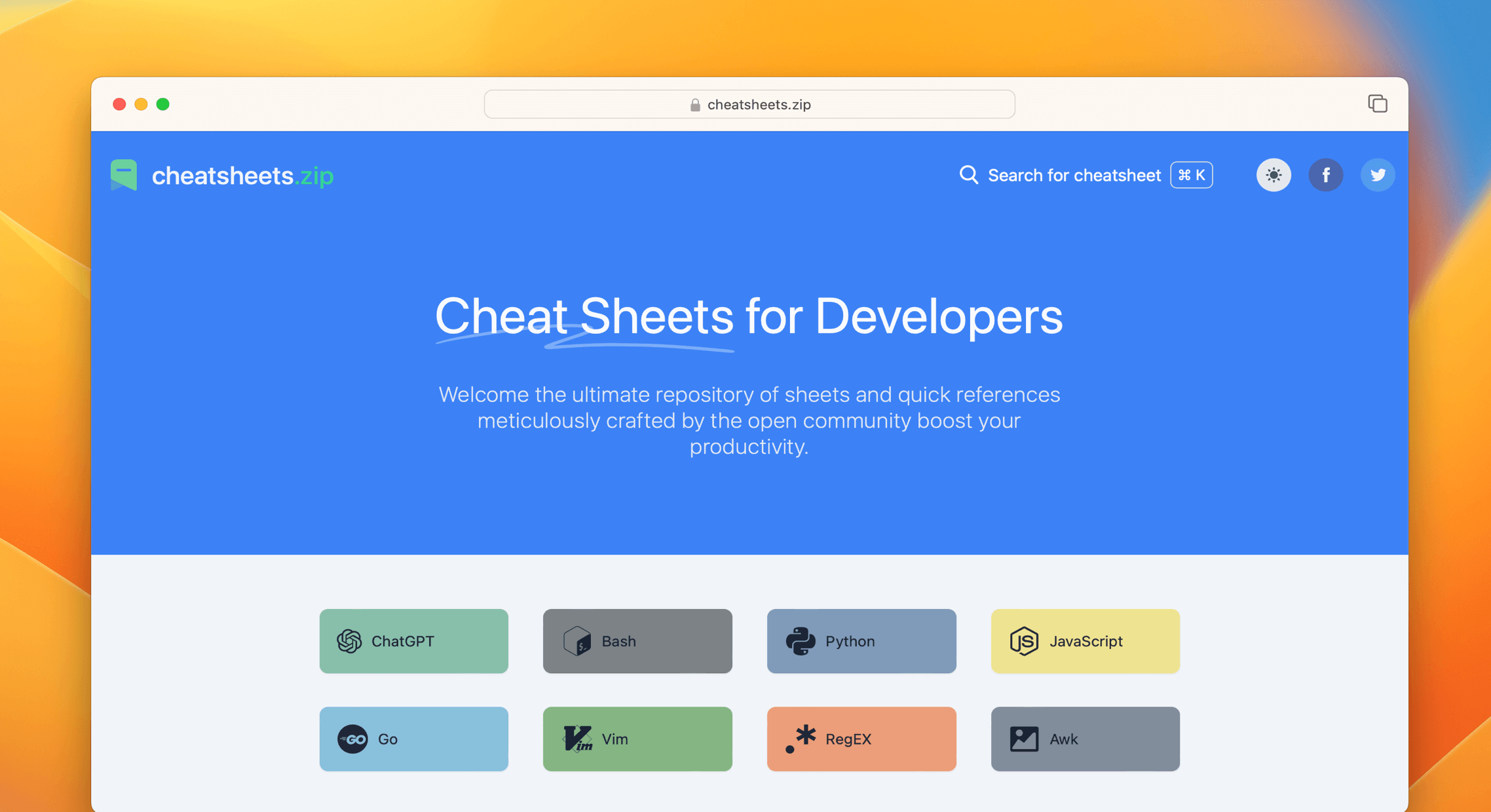](https://cheatsheets.zip)
## 📚 Cheat Sheets List
Reference provides cheat sheets for the following:
<details>
<summary>Programming</summary>
- [Bash](https://cheatsheets.zip/bash.html): This is a quick reference cheat sheet to getting started with Linux bash
shell scripting.
- [C](https://cheatsheets.zip/c.html): C quick reference cheat sheet that provides basic syntax and methods.
- [C++](https://cheatsheets.zip/cpp.html): C++ quick reference cheat sheet that provides basic syntax and methods.
- [C#](https://cheatsheets.zip/cs.html): C# quick reference cheat sheet that provides basic syntax and methods.
- [CSS 3](https://cheatsheets.zip/css.html): This is a quick reference cheat sheet for CSS goodness, listing selector
syntax, properties, units and other useful bits of information.
- [Dart](https://cheatsheets.zip/dart.html): A Dart cheat sheet with the most important concepts, functions, methods,
and more. A complete quick reference for beginners.
- [Docker](https://cheatsheets.zip/docker.html): This is a quick reference cheat sheet for
[Docker](https://docs.docker.com/get-started/). And you can find the most common Docker commands here.
- [ES6](https://cheatsheets.zip/es6.html): A quick reference cheat sheet of what’s new in JavaScript for ES2015, ES2016,
ES2017, ES2018 and beyond
- [Go](https://cheatsheets.zip/go.html): This cheat sheet provided basic syntax and methods to help you using
[Go](https://go.dev/).
- [GraphQL](https://cheatsheets.zip/graphql.html): This quick reference cheat sheet provides a brief overview of
GraphQL.
- [Hook](https://cheatsheets.zip/hook.html): The [Hook](https://github.com/hook-lang/hook/) cheat sheet is a one-page
reference sheet for the Hook programming language.
- [HTML](https://cheatsheets.zip/html.html): This HTML quick reference cheat sheet lists the common HTML and HTML5 tags
in readable layout.
- [INI](https://cheatsheets.zip/ini.html): This is a quick reference cheat sheet for understanding and writing
INI-format configuration files.
- [Java](https://cheatsheets.zip/java.html): This cheat sheet is a crash course for Java beginners and help review the
basic syntax of the Java language.
- [JavaScript](https://cheatsheets.zip/javascript.html): A JavaScript cheat sheet with the most important concepts,
functions, methods, and more. A complete quick reference for beginners.
- [jQuery](https://cheatsheets.zip/jquery.html): This [jQuery](https://jquery.com/) cheat sheet is a great reference for
both beginners and experienced developers.
- [Kubernetes](https://cheatsheets.zip/kubernetes.html): This page contains a list of commonly used kubectl commands and
flags.
- [LaTeX](https://cheatsheets.zip/latex.html): This cheat sheet summarizes a reference list of
[LaTeX](https://www.latex-project.org/) commonly used display math notation and some application examples of
[KaTeX](https://katex.org/).
- [Laravel](https://cheatsheets.zip/laravel.html): [Laravel](https://laravel.com/docs/8.x/) is an expressive and
progressive web application framework for PHP. This cheat sheet provides a reference for common commands and features
for Laravel 8.
- [MATLAB](https://cheatsheets.zip/matlab.html): This quick reference cheat sheet provides an example introduction to
using the [MATLAB](https://mathworks.cn/) scientific computing language to get started quickly
- [Markdown](https://cheatsheets.zip/markdown.html): This is a quick reference cheat sheet to the Markdown syntax.
- [PHP](https://cheatsheets.zip/php.html): This [PHP](https://www.php.net/manual/en/) cheat sheet provides a reference
for quickly looking up the correct syntax for the code you use most frequently.
- [Python](https://cheatsheets.zip/python.html): The [Python](https://www.python.org/) cheat sheet is a one-page
reference sheet for the Python 3 programming language.
- [Rust](https://cheatsheets.zip/rust.html): The Rust quick reference cheat sheet that aims at providing help on writing
basic syntax and methods.
- [Sass](https://cheatsheets.zip/sass.html): This is a quick reference cheat sheet that lists the most useful features
of [SASS](https://sass-lang.com).
- [TOML](https://cheatsheets.zip/toml.html): This is a quick reference cheat sheet to the TOML format configuration file
syntax.
- [VHDL](https://cheatsheets.zip/vhdl.html): VHDL (VHSIC Hardware Description Language) cheat sheet - A comprehensive reference for digital hardware design and simulation.
- [YAML](https://cheatsheets.zip/yaml.html): This is a quick reference cheat sheet for understanding and writing YAML
format configuration files.
</details>
<details>
<summary>Toolkit</summary>
- [ChatGPT](https://cheatsheets.zip/chatgpt.html): This cheat sheet lists out prompts and tips from all over the world
on how to use ChatGPT effectively
- [VSCode](https://cheatsheets.zip/vscode.html): This VSCode (Visual Studio Code) quick reference cheat sheet shows its
keyboard shortcuts and commands.
- [Mitmproxy](https://cheatsheets.zip/mitmproxy.html): [Mitmproxy](https://mitmproxy.org/) is a free and open source
interactive HTTPS proxy. This is a quick reference cheat sheet to the Mitmproxy.
- [XPath](https://cheatsheets.zip/xpath.html): This is an [XPath](https://en.wikipedia.org/wiki/XPath) selectors cheat
sheet, which lists commonly used XPath positioning methods and CSS selectors
- [Emacs](https://cheatsheets.zip/emacs.html): [Emacs](https://www.gnu.org/software/emacs) is the extensible,
customizable, self-documenting real time display text editor. This reference was made for Emacs 27.
- [Emmet](https://cheatsheets.zip/emmet.html): [Emmet](https://emmet.io/) is a web-developer’s toolkit for boosting HTML
& CSS code writing, which allows you to write large HTML code blocks at speed of light using well-known CSS selectors.
- [RegEX](https://cheatsheets.zip/regex.html): A quick reference for regular expressions (regex), including symbols,
ranges, grouping, assertions and some sample patterns to get you started.
- [Vim](https://cheatsheets.zip/vim.html): A useful collection of [Vim](http://www.vim.org/) 8.2 quick reference cheat
sheets to help you learn vim editor faster.
</details>
<details>
<summary>Linux Command</summary>
- [Curl](https://cheatsheets.zip/curl.html): This [Curl](https://github.com/curl/curl) cheat sheet contains commands and
examples of some common Curl tricks.
- [PM2](https://cheatsheets.zip/pm2.html): [PM2] is a daemon process manager that will help you manage and keep your
application online. Getting started with PM2 is straightforward, it is offered as a simple and intuitive CLI.
- [Chmod](https://cheatsheets.zip/chmod.html): This quick reference cheat sheet provides a brief overview of file
permissions, and the operation of the chmod command
- [Tmux](https://cheatsheets.zip/tmux.html): The tmux cheat sheet quick reference of most commonly used shortcuts and
commands
- [Lsof](https://cheatsheets.zip/lsof.html): This quick reference cheat sheet provides various for using lsof command.
- [SSH](https://cheatsheets.zip/ssh.html): This quick reference cheat sheet provides various for using SSH.
- [Netstat](https://cheatsheets.zip/netstat.html): This quick reference cheat sheet provides various for using netstat
command.
- [Screen](https://cheatsheets.zip/screen.html): This is a quick reference guide cheat sheet for the screen command.
- [Awk](https://cheatsheets.zip/awk.html): This is a one page quick reference cheat sheet to the
[GNU awk](https://www.gnu.org/software/gawk/manual/gawk.html), which covers commonly used awk expressions and
commands.
- [Find](https://cheatsheets.zip/find.html): This is a quick reference list of cheat sheet for Linux find command,
contains common options and examples.
- [Sed](https://cheatsheets.zip/sed.html): [Sed](https://www.gnu.org/software/sed/manual/sed.html) is a stream editor,
this sed cheat sheet contains sed commands and some common sed tricks.
- [Cron](https://cheatsheets.zip/cron.html): [Cron](https://en.wikipedia.org/wiki/Cron) is most suitable for scheduling
repetitive tasks. Scheduling one-time tasks can be accomplished using the associated at utility.
- [Git](https://cheatsheets.zip/git.html): This cheat sheet summarizes commonly used Git command line instructions for
quick reference.
- [Grep](https://cheatsheets.zip/grep.html): This cheat sheet is intended to be a quick reminder for the main concepts
involved in using the command line program grep and assumes you already understand its usage.
- [Netcat](https://cheatsheets.zip/nc.html): This cheat sheet provides various for using netcat on both Linux and Unix.
- [Taskset](https://cheatsheets.zip/taskset): This quick reference cheat sheet for tasket command.
- [GnuPG](https://cheatsheets.zip/gnupg): A cheatsheet for GnuPG, the encryption and signing software.
</details>
<details>
<summary>Python</summary>
- [NumPy](https://cheatsheets.zip/numpy.html): [NumPy](https://numpy.org/) is the fundamental package for scientific
computing with Python. This cheat sheet is a quick reference for NumPy beginners.
- [Pandas](https://cheatsheets.zip/pandas.html): [Pandas](https://pandas.pydata.org/) is a powerful data analysis and
manipulation library for Python. This quick reference cheat sheet provides an overview of essential Pandas functions,
methods, and DataFrame operations.
</details>
<details>
<summary>Database</summary>
- [MySQL](https://cheatsheets.zip/mysql.html): The SQL cheat sheet provides you with the most commonly used SQL
statements for your reference.
- [Neo4j](https://cheatsheets.zip/neo4j.html): A Neo4j cheat sheet with getting started resources and information on how
to query the database with Cypher.
- [PostgreSQL](https://cheatsheets.zip/postgres.html): The [PostgreSQL](https://www.postgresql.org/docs/current/) cheat
sheet provides you with the common PostgreSQL commands and statements.
- [Redis](https://cheatsheets.zip/redis.html): This is a [Redis](https://redis.io/) quick reference cheat sheet that
lists examples of redis commands
</details>
<details>
<summary>Keyboard Shortcuts</summary>
- [Adobe Photoshop](https://cheatsheets.zip/adobe-photoshop.html): A visual cheat-sheet for the 283 keyboard shortcuts
found in Adobe Photoshop
- [Apex Legends](https://cheatsheets.zip/apex-legends.html): A visual cheat-sheet for the 27 default keyboard shortcuts
found in Apex Legends
- [Figma](https://cheatsheets.zip/figma.html): A visual cheat-sheet for the 119 keyboard shortcuts found in Figma
- [Microsoft Teams](https://cheatsheets.zip/microsoft-teams.html): A visual cheat-sheet for the 38 keyboard shortcuts
found in Microsoft Teams
- [TablePlus](https://cheatsheets.zip/table-plus.html): A visual cheat-sheet for the 34 keyboard shortcuts found in
TablePlus
- [Bear](https://cheatsheets.zip/bear-notes.html): A visual cheat-sheet for the 66 keyboard shortcuts found in Bear.
This application is MacOS-only.
- [Feedly](https://cheatsheets.zip/feedly.html): A visual cheat-sheet for the 25 keyboard shortcuts found on the Feedly
app
- [FileZilla](https://cheatsheets.zip/filezilla.html): A visual cheat-sheet for the 30 keyboard shortcuts found on the
FileZilla program
- [Reddit](https://cheatsheets.zip/reddit.html): A visual cheat-sheet for the 17 keyboard shortcuts found on Reddit.com
- [Slack](https://cheatsheets.zip/slack.html): A visual cheat-sheet for the 62 keyboard shortcuts found in Slack
- [SoundCloud](https://cheatsheets.zip/soundcloud.html): A visual cheat-sheet for the 22 keyboard shortcuts found on
SoundCloud
- [Twitter](https://cheatsheets.zip/twitter.html): A visual cheat-sheet for the 26 keyboard shortcuts found on Twitter
- [Android Studio](https://cheatsheets.zip/android-studio.html): A visual cheat-sheet for the 130 keyboard shortcuts
found in the Android Studio software
- [Github](https://cheatsheets.zip/github.html): A visual cheat-sheet for the 80 keyboard shortcuts found on Github.com
- [Shopify](https://cheatsheets.zip/shopify.html): A visual cheat-sheet for the 50 keyboard shortcuts found on the
Shopify website
- [Zoom](https://cheatsheets.zip/zoom.html): A visual cheat-sheet for the 32 keyboard shortcuts found in Zoom. These
shortcuts are for MacOS, for Windows visit /zoom-windows.
- [Adobe XD](https://cheatsheets.zip/adobe-xd.html): A visual cheat-sheet for the 97 keyboard shortcuts found in Adobe
XD
- [Firefox](https://cheatsheets.zip/firefox.html): A visual cheat-sheet for the 116 keyboard shortcuts found in Firefox
- [PhpStorm](https://cheatsheets.zip/phpstorm.html): A visual cheat-sheet for the 96 keyboard shortcuts found in
JetBrains PhpStorm
- [Postman](https://cheatsheets.zip/postman.html): A visual cheat-sheet for the 23 keyboard shortcuts found in Postman
- [Webflow](https://cheatsheets.zip/webflow.html): A visual cheat-sheet for the 41 keyboard shortcuts found in Webflow
- [Adobe Lightroom CC](https://cheatsheets.zip/adobe-lightroom.html): A visual cheat-sheet for the 251 keyboard
shortcuts found in Adobe Lightroom CC
- [1Password](https://cheatsheets.zip/1password.html): A cheat sheet for 1password's keyboard shortcuts in Mac, Windows,
iOS, Linux.
- [Affinity Designer](https://cheatsheets.zip/affinity-designer.html): A visual cheat-sheet for the 108 keyboard
shortcuts found in Affinity Designer
- [Pocket](https://cheatsheets.zip/pocket.html): A visual cheat-sheet for the 36 keyboard shortcuts found on Pocket for
Web
- [Trello](https://cheatsheets.zip/trello.html): A visual cheat-sheet for the 29 keyboard shortcuts found on Trello
- [Audacity](https://cheatsheets.zip/audacity.html): A visual cheat-sheet for the 135 default keyboard shortcuts found
in Audacity
- [Framer X](https://cheatsheets.zip/framer-x.html): A visual cheat-sheet for the 45 keyboard shortcuts found in Framer
X. This application is MacOS-only.
- [Google Drive](https://cheatsheets.zip/google-drive.html): A visual cheat-sheet for the 54 keyboard shortcuts found in
Google Drive on the web
- [PuTTy](https://cheatsheets.zip/putty.html): A visual cheat-sheet for the 32 keyboard shortcuts found on the PuTTy app
- [Sequel Pro](https://cheatsheets.zip/sequel-pro.html): A visual cheat-sheet for the 71 keyboard shortcuts found in
Sequel Pro. This application is MacOS-only.
- [Apple Music](https://cheatsheets.zip/apple-music.html): A visual cheat-sheet for the 62 keyboard shortcuts found in
the Apple Music app. This application is MacOS-only.
- [Blender](https://cheatsheets.zip/blender.html): A visual cheat-sheet for the 187 keyboard shortcuts found in Blender
- [Obsidian](https://cheatsheets.zip/obsidian.html): A visual cheat-sheet for the 17 keyboard shortcuts found in the
Obsidian knowledge base app.
- [Telegram Desktop](https://cheatsheets.zip/telegram.html): A visual cheat-sheet for the 37 keyboard shortcuts found on
the Telegram Desktop app
- [YouTube](https://cheatsheets.zip/youtube.html): A visual cheat-sheet for the 18 keyboard shortcuts found on
YouTube.com
- [Airtable](https://cheatsheets.zip/airtable.html): A visual cheat-sheet for the 36 keyboard shortcuts found in
Airtable
- [Bitbucket](https://cheatsheets.zip/bitbucket.html): A visual cheat-sheet for the 35 keyboard shortcuts found on
Bitbucket
- [Fortnite](https://cheatsheets.zip/fortnite.html): A visual cheat-sheet for the 26 default keyboard shortcuts found in
Fortnite
- [Gmail](https://cheatsheets.zip/gmail.html): A visual cheat-sheet for the 90 keyboard shortcuts found on Gmail
- [Sketch](https://cheatsheets.zip/sketch.html): A visual cheat-sheet for the 149 keyboard shortcuts found in Sketch.
This application is MacOS-only.
- [Spotify](https://cheatsheets.zip/spotify.html): A visual cheat-sheet for the 23 keyboard shortcuts found in Spotify
- [Brave Browser](https://cheatsheets.zip/brave.html): A visual cheat-sheet for the 64 keyboard shortcuts found in the
Brave browser
- [KanbanMail](https://cheatsheets.zip/kanbanmail.html): A visual cheat-sheet for the 29 keyboard shortcuts found in
KanbanMail
- [Microsoft Outlook](https://cheatsheets.zip/outlook.html): A visual cheat-sheet for the 210 keyboard shortcuts found
in Microsoft Outlook
- [Principle](https://cheatsheets.zip/principle.html): A visual cheat-sheet for the 30 keyboard shortcuts found in
Principle. This application is MacOS-only.
- [Skype](https://cheatsheets.zip/skype.html): A visual cheat-sheet for the 31 keyboard shortcuts found in Skype
- [Arduino IDE](https://cheatsheets.zip/arduino.html): A visual cheat-sheet for the 12 keyboard shortcuts found in the
Arduino IDE
- [Asana](https://cheatsheets.zip/asana.html): A visual cheat-sheet for the 40 keyboard shortcuts found in Asana
- [Code Editor for iOS](https://cheatsheets.zip/code-editor-ios.html): A visual cheat-sheet for the 43 keyboard
shortcuts found in the Code Editor for iOS app. This application is MacOS-only.
- [Jira](https://cheatsheets.zip/jira.html): A visual cheat-sheet for the 44 keyboard shortcuts found in Jira
- [Quip.com](https://cheatsheets.zip/quip.html): A visual cheat-sheet for the 52 keyboard shortcuts found in Quip
- [WordPress](https://cheatsheets.zip/wordpress.html): A visual cheat-sheet for the 34 keyboard shortcuts found in the
WordPress visual editor
- [Chrome Developer Tools](https://cheatsheets.zip/chrome-devtools.html): A visual cheat-sheet for the 56 keyboard
shortcuts found in Chrome's Developer Tools
- [GIMP](https://cheatsheets.zip/gimp.html): A visual cheat-sheet for the 97 keyboard shortcuts found in GIMP
- [Google Chrome](https://cheatsheets.zip/google-chrome.html): A visual cheat-sheet for the 65 keyboard shortcuts found
in Google Chrome
- [Todoist](https://cheatsheets.zip/todoist.html): A visual cheat-sheet for the 37 keyboard shortcuts found in Todoist
- [TickTick](https://cheatsheets.zip/ticktick.html): A visual cheat-sheet for the 25 keyboard shortcuts found in the
TickTick desktop app
- [VLC Player](https://cheatsheets.zip/vlc.html): A visual cheat-sheet for the 82 keyboard shortcuts found in VLC Player
- [Missive](https://cheatsheets.zip/missive.html): A visual cheat-sheet for the 83 keyboard shortcuts found in Missive
- [Origami Studio](https://cheatsheets.zip/origami.html): A visual cheat-sheet for the 71 keyboard shortcuts found in
Origami Studio. This application is MacOS-only.
- [Sublime Text](https://cheatsheets.zip/sublime-text.html): A visual cheat-sheet for the 49 keyboard shortcuts found in
Sublime Text
- [Transmit](https://cheatsheets.zip/transmit.html): A visual cheat-sheet for the 62 keyboard shortcuts found in
Transmit. This application is MacOS-only.
- [Affinity Photo](https://cheatsheets.zip/affinity-photo.html): A visual cheat-sheet for the 177 keyboard shortcuts
found in Affinity Photo
- [Monday.com](https://cheatsheets.zip/monday.html): A visual cheat-sheet for the 24 keyboard shortcuts found on
Monday.com
- [Proto.io](https://cheatsheets.zip/proto-io.html): A visual cheat-sheet for the 48 keyboard shortcuts found in
Proto.io
- [Superhuman](https://cheatsheets.zip/superhuman.html): A visual cheat-sheet for the 105 keyboard shortcuts found in
Superhuman. This application is MacOS-only.
- [Vivaldi Browser](https://cheatsheets.zip/vivaldi.html): A visual cheat-sheet for the 69 default keyboard shortcuts
found in the Vivaldi browser
- [Finder](https://cheatsheets.zip/finder.html): A visual cheat-sheet for the 55 keyboard shortcuts found in Finder.
This application is part of MacOS.
- [GitLab](https://cheatsheets.zip/gitlab.html): A visual cheat-sheet for the 58 keyboard shortcuts found in GitLab
- [Guitar Pro](https://cheatsheets.zip/guitar-pro.html): A visual cheat-sheet for the 129 keyboard shortcuts found in
Guitar Pro
- [Roam Research](https://cheatsheets.zip/roam.html): A visual cheat-sheet for the 45 keyboard shortcuts found on Roam
Research
- [SketchUp Pro](https://cheatsheets.zip/sketchup.html): A visual cheat-sheet for the 135 default keyboard shortcuts
found in SketchUp Pro
- [Unity 3D](https://cheatsheets.zip/unity-3d.html): A visual cheat-sheet for the 50 keyboard shortcuts found in Unity
3D
- [IntelliJ IDEA](https://cheatsheets.zip/idea.html): IntelliJ IDEA is a very good Java IDE, most of its commands have
shortcuts to keep your hands from leaving the keyboard
- [WebStorm](https://cheatsheets.zip/webstorm.html): This quick reference cheat sheet lists the default keyboard
shortcuts for WebStorm running on Windows/Linux or Mac
</details>
<details>
<summary>Shaders</summary>
- [Unity Shader Graph](https://cheatsheets.zip/unity-shader-graph.html): This is a visual cheat-sheet for the Unity
Shader Graph. This tool is used to create custom shaders material in Unity, a popular game engine.
</details>
<details>
<summary>Game</summary>
- [Minecraft Java](https://cheatsheets.zip/minecraft-java.html): A comprehensive reference for Minecraft Java Edition (1.20.x) commands.
- [Minecraft Bedrock](https://cheatsheets.zip/minecraft-bedrock.html): A comprehensive reference for Minecraft Bedrock Edition (1.20.x) commands.
</details>
<details>
<summary>Other</summary>
- [ASCII Code](https://cheatsheets.zip/ascii-code.html): This cheat sheet is a complete list of ASCII Code Table with
their numbers and names.
- [Aspect Ratio](https://cheatsheets.zip/aspect-ratio.html): This cheat sheet lists some common aspect ratios and their
pixel resolutions. Always confirm your final delivery ratio when shooting.
- [CheatSheets](https://cheatsheets.zip/quickref.html): This is the magic syntax variant manual that you can use on
CheatSheets.zip, It’s a good practice for contributors.
- [Emoji](https://cheatsheets.zip/emoji.html): Some of the emoji codes are not super easy to remember, so here is a
little cheat sheet.
- [Google Search](https://cheatsheets.zip/google-search.html): This quick reference cheat sheet lists of Google advanced
search operators.
- [HTML Characters Entities](https://cheatsheets.zip/html-char.html): This cheat sheet is a complete list of HTML
entities with their numbers and names. Also included is a full list of ASCII characters that can be represented in
HTML.
- [ISO 639-1 Language Code](https://cheatsheets.zip/iso-639-1.html): This is a list of the ISO language codes that
conform to the ISO 639-1 standard, it provide reference for multi-language website.
- [HTTP Status Code](https://cheatsheets.zip/http-status-code.html): The http status codes cheat sheet. A quick
reference to every HTTP status code.
- [MIME types](https://cheatsheets.zip/mime.html): This cheat sheet lists some common MIME types for the Web. You can
look in the [IANA/MIME Media Types registry](http://www.iana.org/assignments/media-types/index.html) which contains
all registered MIME types.
- [Resolutions](https://cheatsheets.zip/resolutions.html): This cheat sheet lists screen sizes, viewport size and CSS
media queries for popular Phones, Tablets, Laptops and Watches
</details>
## 🗂️ Directory structure
```
.
├── source
│ ├── _posts # Cheat sheet source files
│ │ ├── awk.md
│ │ ├── vim.md # => https://cheatsheets.zip/vim
│ │ ├── php.md
│ │ ├── css.md # => https://cheatsheets.zip/css
│ │ ├── ...
│ └── widget # Widget files
│ └── chmod.html
├── public # Distribution files
├── _config.yml
├── gulpfile.js
├── package.json
├── postcss.config.js
├── tailwind.config.js
└── themes
└── coo # Theme files
```
## 🤝 Contributing
We would like to extend our gratitude to you for considering a contribution to Reference. Your support is what makes
this project a truly resource. Please note that the primary domain for accessing the most up-to-date content is
[cheatsheets.zip](https://cheatsheets.zip). Feel free to
[submit issues](https://github.com/Fechin/reference/issues/new?assignee=Fechin) and enhancement requests.
For consistency, we encourage you to refer to the [https://cheatsheets.zip/quickref](https://cheatsheets.zip/quickref)
when creating or editing cheat sheets. To get started with development, follow these steps:
1. Clone Github repo `git clone https://github.com/Fechin/reference.git`
2. Install `npm` package manager (Read
[installation guide](https://docs.npmjs.com/downloading-and-installing-node-js-and-npm))
3. Run `npm install` in the root folder to install dependencies.
4. Run `npm run dev` to start a dev server. This serves the project and live reloads when any files are changed, then
visit http://127.0.0.1:4000 preview.
5. Submit a pull request and wait for it to be reviewed and merged.
To create or edit a cheat sheet, you'll need to create or edit a markdown file in `source/_posts/{filename}.md`. The
file should include a front matter section with the following format:
```markdown
---
title: CheatSheets
date: 2020-11-25 18:28:43
icon: icon-style
background: bg-indigo-600
tags:
categories:
- Other
intro: This is a reference of styles that you can use on quickref cheat sheets!
---
```
Only the `title` and `intro` fields are required, and the other options can be left blank.
<a href="https://github.com/Fechin/reference/graphs/contributors">
<img src="https://contrib.rocks/image?repo=Fechin/reference" />
</a>
## 🐦 Follow us on Twitter
[](https://twitter.com/FechinLi)
Stay up-to-date with our project by following us on Twitter! Get all the latest news and updates right in your feed.
It's the perfect way to stay in the loop.
<a href="https://buymeacoffee.com/cheatsheets.zip"><img src="https://img.buymeacoffee.com/button-api/?text=Buy%20me%20a%20coffee&emoji=&slug=cheatsheets.zip&button_colour=40DCA5&font_colour=ffffff&font_family=Cookie&outline_colour=000000&coffee_colour=FFDD00" /></a>
## 📃 License
The project is licensed under the [GPL-3.0](https://github.com/Fechin/reference/blob/main/LICENSE) License and is
maintained by [Fechin](https://github.com/Fechin).
================================================
FILE: _config.yml
================================================
# Hexo Configuration
## Docs: https://hexo.io/docs/configuration.html
## Source: https://github.com/hexojs/hexo/
# Site
title: CheatSheets.zip
subtitle: "Ultimate Cheat for Developers"
description: "Share quick reference and cheat sheet for developers"
keywords: cheat,sheet,cheatsheets,reference,programming,code table,snippets,linux,command,shortcuts,developers
author: Fechin
language: en
timezone: "UTC"
# URL
## If your site is put in a subdirectory, set url as 'http://yoursite.com/child' and root as '/child/'
url: https://cheatsheets.zip
root: /
permalink: :name.html
permalink_defaults:
pretty_urls:
trailing_index: false # Set to false to remove trailing 'index.html' from permalinks
trailing_html: true # Set to false to remove trailing '.html' from permalinks
# Directory
source_dir: source
public_dir: public
#tag_dir: tag
archive_dir: archives
#category_dir: node
#code_dir: downloads/code
i18n_dir: :lang
skip_render:
- "assets/**/*"
# Writing
new_post_name: :title.md # File name of new posts
default_layout: post
titlecase: false # Transform title into titlecase
external_link:
enable: true # Open external links in new tab
field: site # Apply to the whole site
exclude: ""
filename_case: 1
render_drafts: false
post_asset_folder: false
relative_link: false
future: true
syntax_highlighter: # empty to disable built-in syntax highlighting
highlight:
enable: false
# Home page setting
# path: Root path for your blogs index page. (default = '')
# per_page: Posts displayed per page. (0 = disable pagination)
# order_by: Posts order. (Order by date descending by default)
index_generator:
path: ""
per_page: 0
order_by: -date
# Category & Tag
default_category: uncategorized
category_map: {}
tag_map: {}
# Metadata elements
## https://developer.mozilla.org/en-US/docs/Web/HTML/Element/meta
meta_generator: false
# SEO configuration
seo:
# Default image for social sharing
default_image: "/assets/image/preview.png"
# Author information
author_name: "Fechin"
author_url: "https://cheatsheets.zip"
# Social media configuration
social:
twitter: "Fechin"
github: "Fechin/reference"
# Site type
site_type: "Educational Technology Platform"
# Target audience
target_audience: "Developers, Programmers, System Administrators"
# Date / Time format
## Hexo uses Moment.js to parse and display date
## You can customize the date format as defined in
## http://momentjs.com/docs/#/displaying/format/
date_format: YYYY-MM-DD
time_format: HH:mm:ss
## Use post's date for updated date unless set in front-matter
updated_option: "date"
# Pagination
## Set per_page to 0 to disable pagination
per_page: 10
pagination_dir: page
# Include / Exclude file(s)
## include:/exclude: options only apply to the 'source/' folder
include: []
exclude:
- ".github"
ignore: []
# Extensions
## Plugins: https://hexo.io/plugins/
## Themes: https://hexo.io/themes/
theme: coo
nofollow:
enable: true
field: site
exclude:
- "tableconvert.com"
- "dorefer.com"
- "fionaai.com"
- "github.com"
- "gospinwheel.com"
- "colorscreen.co"
- "sshkeygenerator.com"
- "x.com"
excerpt:
depth: 2
excerpt_excludes: []
more_excludes: []
hideWholePostExcerpts: true
# Deployment
## Docs: https://hexo.io/docs/deployment.html
deploy:
- type: cjh_bing_url_submitter
- type: cjh_baidu_url_submitter
# hexo-server configuration
server:
# Solve the problem that occasional real-time refresh is invalid and long articles are truncated
compress: true
# https://github.com/hexojs/hexo-generator-sitemap#options
sitemap:
path: sitemap.xml
tags: false
categories: false
# Markdown-it configuration
## Docs: https://github.com/celsomiranda/hexo-renderer-markdown-it/wiki
markdown:
render:
html: true
xhtmlOut: false
breaks: false
linkify: false
typographer: false
quotes: "“”‘’"
langPrefix: "hljs language-"
anchors:
level: 2
collisionSuffix: ""
permalink: true
permalinkClass: h-anchor
permalinkSymbol: "#"
case: 1
separator: "-"
# Browsersync configuration
browsersync:
ui: false # disable ui
notify: false # disable notification
logLevel: silent # set log level to silent
================================================
FILE: eslint.config.js
================================================
const js = require('@eslint/js');
const globals = require('globals');
module.exports = [
js.configs.recommended,
{
languageOptions: {
ecmaVersion: 2022,
sourceType: 'module',
globals: {
...globals.browser,
...globals.node
}
},
rules: {
'no-unused-vars': 'warn',
'no-console': 'off'
}
},
{
files: ['**/*.js'],
languageOptions: {
sourceType: 'script',
globals: {
...globals.node,
...globals.browser
}
}
},
{
files: ['source/sw.js'],
languageOptions: {
globals: {
...globals.serviceworker
}
}
},
{
files: ['themes/coo/scripts/**/*.js'],
languageOptions: {
globals: {
...globals.node,
hexo: 'readonly'
}
}
},
{
files: ['themes/coo/source/js/main.js'],
languageOptions: {
globals: {
...globals.browser,
Fuse: 'readonly'
}
}
},
{
ignores: [
'node_modules/**',
'public/**',
'db.json',
'.deploy_git/**',
'themes/coo/source/js/fuse_*.js'
]
}
];
================================================
FILE: gulpfile.js
================================================
const gulp = require('gulp');
const htmlmin = require('gulp-htmlmin');
const htmlclean = require('gulp-htmlclean');
const version = require('gulp-version-number');
const terser = require('gulp-terser');
// Compress js files
gulp.task('js', function () {
return gulp
.src(['./public/js/main.js'])
.pipe(
terser({
compress: true
})
)
.pipe(gulp.dest('./public/js'));
});
// Build html files
gulp.task('html', function () {
return gulp
.src('./public/**/*.html')
.pipe(htmlclean())
.pipe(
htmlmin({
removeComments: true,
minifyJS: true,
minifyCSS: true,
minifyURLs: true
})
)
.pipe(
version({
append: {
key: '_v',
cover: 1,
to: ['css', 'js', 'png', 'jpg', 'woff2']
}
})
)
.pipe(gulp.dest('./public'));
});
gulp.task('default', gulp.parallel('js', 'html'));
================================================
FILE: nginx.conf
================================================
user nginx;
worker_processes auto;
error_log /var/log/nginx/error.log notice;
pid /var/run/nginx.pid;
events {
worker_connections 1024;
}
http {
include /etc/nginx/mime.types;
default_type application/octet-stream;
access_log /var/log/nginx/access.log ;
error_log /var/log/nginx/error.log;
sendfile on;
#tcp_nopush on;
keepalive_timeout 65;
server {
listen 80;
listen [::]:80;
server_name localhost;
root /usr/share/nginx/html;
index index.html;
# error_page
error_page 404 403 500 502 503 504 /assets/page/oops.htm;
# Rename cheatsheet
rewrite ^/golang$ /go permanent;
rewrite ^/css$ /css3 permanent;
location / {
try_files $uri $uri/ @html;
}
location @html {
# remove .html extension
rewrite ^(.*)\.html$ $1 permanent;
try_files $uri.html $uri/ =404;
}
}
}
================================================
FILE: package.json
================================================
{
"name": "CheatSheets.zip",
"version": "1.0.0",
"private": true,
"scripts": {
"dev": "run-p dev:*",
"dev:hexo": "npx hexo clean && npx hexo server",
"dev:css": "npx postcss themes/coo/source/css/style.tailwindcss -o themes/coo/source/css/style.css --watch",
"build": "run-s build:*",
"build:clean": "npx hexo clean",
"build:rm-db.json": "rm db.json || exit 0",
"build:css": "npx postcss themes/coo/source/css/style.tailwindcss -o themes/coo/source/css/style.css",
"build:generate": "npx hexo generate",
"build:gulp": "npx gulp --max-old-space-size=4096",
"format": "prettier --write .",
"format:check": "prettier --check .",
"lint": "eslint themes/coo/source/js/**/*.js --fix",
"lint:check": "eslint themes/coo/source/js/**/*.js",
"lint:css": "stylelint **/*.css --fix",
"test": "run-s lint:check format:check",
"audit": "pnpm audit --audit-level moderate",
"audit:fix": "pnpm audit --fix",
"security:check": "pnpm audit && pnpm outdated",
"deps:check": "npx npm-check-updates",
"deps:update": "npx npm-check-updates -u && pnpm install",
"prepare": "husky",
"commit": "cz"
},
"hexo": {
"version": "7.3.0"
},
"dependencies": {
"gulp": "^5.0.1",
"gulp-cli": "^3.1.0",
"gulp-ext-replace": "^0.3.0",
"gulp-htmlclean": "^2.7.22",
"gulp-htmlmin": "^5.0.1",
"gulp-minify-css": "^1.2.4",
"gulp-postcss": "^10.0.0",
"gulp-uglify-es": "^3.0.0",
"gulp-version-number": "^0.2.4",
"hexo": "^7.3.0",
"hexo-browsersync": "^0.3.0",
"hexo-excerpt": "^1.3.1",
"hexo-filter-nofollow": "^2.0.2",
"hexo-fs": "^5.0.0",
"hexo-generator-index": "^4.0.0",
"hexo-generator-sitemap": "^3.0.1",
"hexo-log": "^4.1.0",
"hexo-pagination": "^4.0.0",
"hexo-related-popular-posts": "^5.0.1",
"hexo-renderer-ejs": "^2.0.0",
"hexo-renderer-markdown-it": "^5.0.0",
"hexo-renderer-stylus": "^3.0.1",
"hexo-server": "^3.0.0",
"hexo-util": "^3.3.0",
"highlight.js": "^11.11.1",
"markdown-it-abbr": "^2.0.0",
"markdown-it-anchor": "^9.2.0",
"markdown-it-attrs": "^4.3.1",
"markdown-it-checkbox": "^1.1.0",
"markdown-it-emoji": "^3.0.0",
"markdown-it-footnote": "^4.0.0",
"markdown-it-highlight-lines": "^1.0.2",
"markdown-it-highlightjs": "^4.2.0",
"markdown-it-ins": "^4.0.0",
"markdown-it-shortcode-tag": "^1.1.0",
"markdown-it-sub": "^2.0.0",
"markdown-it-sup": "^2.0.0",
"markdown-it-task-lists": "^2.1.1"
},
"devDependencies": {
"@commitlint/cli": "^19.8.1",
"@commitlint/config-conventional": "^19.8.1",
"autoprefixer": "^10.4.21",
"commitizen": "^4.3.1",
"cssnano": "^7.0.7",
"cz-conventional-changelog": "^3.3.0",
"eslint": "^9.29.0",
"eslint-config-prettier": "^10.1.5",
"gulp-clean-css": "^4.3.0",
"gulp-filesize": "^0.0.6",
"gulp-javascript-obfuscator": "^1.1.6",
"gulp-replace": "^1.1.4",
"gulp-rev": "^11.0.0",
"gulp-terser": "^2.1.0",
"husky": "^9.1.7",
"lint-staged": "^16.1.2",
"npm-run-all2": "^8.0.4",
"postcss": "^8.5.6",
"postcss-cli": "^11.0.1",
"postcss-import": "^16.1.1",
"prettier": "^3.5.3",
"prettier-plugin-tailwindcss": "^0.6.12",
"stylelint": "^16.20.0",
"stylelint-config-standard": "^38.0.0",
"tailwindcss": "^3.4.14",
"tailwindcss-animate": "^1.0.7"
},
"config": {
"commitizen": {
"path": "./node_modules/cz-conventional-changelog"
}
}
}
================================================
FILE: postcss.config.js
================================================
module.exports = {
plugins: {
'postcss-import': { path: 'themes/coo/source/css' },
tailwindcss: { config: './tailwind.config.js' },
autoprefixer: {},
...(process.env.NODE_ENV === 'production' ? { cssnano: {} } : {})
}
};
================================================
FILE: source/_posts/1password.md
================================================
---
title: 1Password
date: 2022-11-23 16:23:31.702312
background: bg-[#397fe4]
label:
tags:
- tools
-
categories:
- Keyboard Shortcuts
intro: |
A cheat sheet for 1password's keyboard shortcuts in Mac, Windows, iOS, Linux.
---
## 1Password Keyboard Shortcuts for Mac
### Global keyboard shortcuts
| `Shortcut` | Action |
| ------------------------ | ------------------ |
| Enter your own shortcut. | Show 1Password. |
| `Shift` `cmd` `Space` | Show Quick Access. |
| `Shift` `cmd` `L` | Lock 1Password. |
| `cmd` `\` | Autofill. |
{.shortcuts}
### 1Password app {.row-span-2}
| `Shortcut` | Action |
| ------------------ | -------------------------------------------------------------------------------------------- |
| `cmd` `/` | View keyboard shortcuts. |
| `cmd` `,` | Open preferences. |
| `cmd` `F` | Search for items. |
| `Option` `cmd` `F` | Find items in the current list. |
| `Esc` | Clear the search field. |
| `cmd` `1` | Switch to All Accounts. |
| `cmd` `2...9` | Switch accounts and collections. |
| `cmd` `[` | Go back. |
| `cmd` `]` | Go forward. |
| `Down Arrow` | Focus next row. |
| `Up Arrow` | Focus previous row. |
| `Right Arrow` | Focus right section. |
| `Left Arrow` | Focus left section. |
| `Return or Space` | Activate focused element. |
| `cmd` `C` | Copy the username or primary field of the selected. |
| `Shift` `cmd` `C` | Copy the password of the selected. |
| `Option` `cmd` `C` | Copy the one-time password of the selected. |
| `Shift` `cmd` `F` | Open the website for the selected login in your browser and fill your username and password. |
| `cmd` `O` | Open the selected in a new window. |
| `cmd` `N` | Create a new item. |
| `cmd` `E` | Edit the selected. |
| `cmd` `S` | Save changes to an item. |
| `Esc` | Cancel an edit. |
| `cmd` `R` | Reveal or conceal secure fields in the selected. |
| `Option` | Temporarily reveal all secure fields in the selected.\* |
| `Delete` | Move the selected(s) to the Archive. |
| `cmd` `Delete` | Delete the selected(s). |
| `Shift` `cmd` `D` | Collapse or expand the sidebar. |
| `cmd` `+` | Zoom in. |
| `cmd` `-` | Zoom out. |
| `cmd` `0` | Revert to actual size. |
| `cmd` `M` | Minimize the app to the Dock. |
| `cmd` `W` | Close the current window. |
{.shortcuts}
### 1Password in the browser {.row-span-2}
| `Shortcut` | Action |
| --------------------------- | ----------------------------------------------------------------------------------------- |
| `Shift` `cmd` `X` | Open or close the 1Password pop-up in Chrome, Edge, Brave, or Safari. |
| `cmd` `.` | Open or close the 1Password pop-up in Firefox. |
| `cmd` `F` | Search for items. |
| `Esc` | Clear the search field. |
| `cmd` `D` | Show the list of vaults. |
| `cmd` `Down Arrow` | Open or close the category menu. |
| `Down Arrow` | Select the next category, item, or field. |
| `Up Arrow` | Select the previous category, item, or field. |
| `Right Arrow` | Select the item details. |
| `Left Arrow` | Select the item list. |
| `Space` | Expand item overview banners. |
| `Return` | Copy the selected detail.Perform the default action for the selected. |
| `cmd` `C` | Copy the username of the selected. |
| `Shift` `cmd` `C` | Copy the password of the selected. |
| `Control` `Shift` `cmd` `C` | Copy the one-time password of the selected. |
| `cmd` `Return` | Open the website for the selected login in a new tab and fill your username and password. |
| `cmd` `O` | Open the selected in a separate window. |
| `cmd` `I` | Create a new item. |
| `cmd` `E` | Edit the selected. |
| `Control` `Option` | Temporarily reveal all secure fields in the selected. |
| `cmd` `G` | Show the password generator. |
| `cmd` `C` | Copy a password from the password generator. |
| `Shift` `cmd` `L` | Lock 1Password. |
| `Esc` | Close the 1Password pop-up. |
{.shortcuts}
### Quick Access
| `Shortcut` | Action |
| --------------------- | ----------------------------------------------------------------------------------- |
| `Shift` `cmd` `Space` | Open or close Quick Access. |
| `Esc` | Clear the search field. |
| `cmd` `1...9` | Switch accounts or collections. |
| `Right Arrow` | View all available actions. |
| `cmd` `C` | Copy username or primary field. |
| `Shift` `cmd` `C` | Copy password. |
| `Option` `cmd` `C` | Copy one-time password. |
| `cmd` `O` | Open item details in new window. |
| `Option` `Return` | Open the website for the login in your browser and fill your username and password. |
| `Shift` `Return` | Fill the item in the currently focused app. |
| `Shift` `cmd` `O` | Open the item in the app. |
{.shortcuts}
## 1Password Keyboard Shortcuts for iOS
### 1Password app (I)
| `Shortcut` | Action |
| ------------- | -------------------------------- |
| `cmd` `,` | Open settings. |
| `cmd` `F` | Search for items. |
| `cmd` `.` | Clear the search field. |
| `cmd` `1` | Switch to All Accounts. |
| `cmd` `2...9` | Switch accounts and collections. |
| `cmd` `[` | Go back. |
| `cmd` `]` | Go forward. |
| `Down Arrow` | Focus next item. |
{.shortcuts}
### 1Password app (II)
| `Shortcut` | Action |
| ------------------ | --------------------------------------------------- |
| `Up Arrow` | Focus previous item. |
| `Space` | Activate focused item. |
| `cmd` `C` | Copy the username or primary field of the selected. |
| `Shift` `cmd` `C` | Copy the password of the selected. |
| `Option` `cmd` `C` | Copy the one-time password of the selected. |
| `cmd` `O` | Open the selected in a separate window. |
| `cmd` `E` | Edit the selected. |
{.shortcuts}
### 1Password app (III)
| `Shortcut` | Action |
| ----------------- | ------------------------------------ |
| `cmd` `S` | Save changes to an item. |
| `cmd` `.` | Cancel an edit. |
| `cmd` `D` | Add the selected to your favorites. |
| `Delete` | Move the selected(s) to the Archive. |
| `cmd` `Delete` | Delete the selected(s). |
| `Shift` `cmd` `D` | Collapse or expand the sidebar. |
| `Shift` `cmd` `L` | Lock 1Password. |
{.shortcuts}
## 1Password Keyboard Shortcuts for Windows
### Global keyboard shortcuts
| `Shortcut` | Action |
| -------------------------- | ------------------ |
| `Enter your own shortcut.` | Show 1Password. |
| `Ctrl` `Shift` `Space` | Show Quick Access. |
| `Ctrl` `Shift` `L` | Lock 1Password. |
| `Ctrl` `\` | Fill in Browser. |
{.shortcuts}
### 1Password app {.row-span-2}
| `Shortcut` | Action |
| ------------------- | -------------------------------------------------------------------------------------------- |
| `Ctrl` `Shift` `/` | View keyboard shortcuts. |
| `Ctrl` `,` | Open settings. |
| `Ctrl` `F` | Search for items. |
| `Ctrl` `Alt` `F` | Find items in the current list. |
| `Esc` | Clear the search field. |
| `Ctrl` `1` | Switch to All Accounts. |
| `Ctrl` `2...9` | Switch accounts and collections. |
| `Alt` `Left Arrow` | Go back. |
| `Alt` `Right Arrow` | Go forward. |
| `Down Arrow` | Focus next row. |
| `Up Arrow` | Focus previous row. |
| `Right Arrow` | Focus right section. |
| `Left Arrow` | Focus left section. |
| `Space` | Activate focused element. |
| `Ctrl` `C` | Copy the username or primary field of the selected. |
| `Ctrl` `Shift` `C` | Copy the password of the selected. |
| `Ctrl` `Alt` `C` | Copy the one-time password of the selected. |
| `Ctrl` `Shift` `F` | Open the website for the selected login in your browser and fill your username and password. |
| `Ctrl` `O` | Open the selected in a new window. |
| `Ctrl` `N` | Create a new item. |
| `Ctrl` `E` | Edit the selected. |
| `Ctrl` `S` | Save changes to an item. |
| `Esc` | Cancel an edit. |
| `Ctrl` `R` | Reveal or conceal secure fields in the selected. |
| `Ctrl` `Alt` | Temporarily reveal all secure fields in the selected.\* |
| `Delete` | Move the selected(s) to the Archive. |
| `Ctrl` `Delete` | Delete the selected(s). |
| `Ctrl` `Shift` `D` | Collapse or expand the sidebar. |
| `Ctrl` `+` | Zoom in. |
| `Ctrl` `-` | Zoom out. |
| `Ctrl` `0` | Revert to actual size. |
{.shortcuts}
### 1Password in the browser {.row-span-2}
| `Shortcut` | Action |
| ------------------------ | ----------------------------------------------------------------------------------------- |
| `Ctrl` `Shift` `X` | Open or close the 1Password pop-up in Chrome, Edge, or Brave. |
| `Ctrl` `.` | Open or close the 1Password pop-up in Firefox. |
| `Ctrl` `F` | Search for items. |
| `Esc` | Clear the search field. |
| `Ctrl` `D` | Show the list of vaults. |
| `Ctrl` `Down Arrow` | Open or close the category menu. |
| `Down Arrow` | Select the next category, item, or field. |
| `Up Arrow` | Select the previous category, item, or field. |
| `Right Arrow` | Select the item details. |
| `Left Arrow` | Select the item list. |
| `Space` | Expand item overview banners. |
| `Enter` | Copy the selected detail.Perform the default action for the selected. |
| `Ctrl` `C` | Copy the username of the selected. |
| `Ctrl` `Shift` `C` | Copy the password of the selected. |
| `Ctrl` `Shift` `Win` `C` | Copy the one-time password of the selected. |
| `Ctrl` `Enter` | Open the website for the selected login in a new tab and fill your username and password. |
| `Ctrl` `O` | Open the selected in a separate window. |
| `Ctrl` `I` | Create new item. |
| `Ctrl` `E` | Edit the selected. |
| `Ctrl` `Alt` | Temporarily reveal all secure fields in the selected. |
| `Ctrl` `G` | Show the password generator. |
| `Ctrl` `C` | Copy a password from the password generator. |
| `Ctrl` `Shift` `L` | Lock 1Password. |
| `Esc` | Close the 1Password pop-up. |
{.shortcuts}
### Quick Access
| `Shortcut` | Action |
| ---------------------- | ----------------------------------------------------------------------------------- |
| `Ctrl` `Shift` `Space` | Open or close Quick Access. |
| `Esc` | Clear the search field. |
| `Ctrl` `1...9` | Switch accounts or collections. |
| `Right Arrow` | View all available actions. |
| `Ctrl` `C` | Copy username or primary field. |
| `Ctrl` `Shift` `C` | Copy password. |
| `Ctrl` `Alt` `C` | Copy one-time password. |
| `Ctrl` `O` | Open item details in new window. |
| `Alt` `Enter` | Open the website for the login in your browser and fill your username and password. |
| `Ctrl` `Shift` `O` | Open the item in the app. |
{.shortcuts}
## 1Password Keyboard Shortcuts for Linux
### X11
| `Shortcut` | Action |
| ----------------------- | ------------------ |
| Enter your own shortcut | Show 1Password. |
| `Ctrl` `Shift` `Space` | Show Quick Access. |
| `Ctrl` `Shift` `L` | Lock 1Password. |
| `Ctrl` `\` | Fill in Browser. |
{.shortcuts}
### 1Password app {.row-span-4}
| `Shortcut` | Action |
| ------------------- | -------------------------------------------------------------------------------------------- |
| `Ctrl` `Shift` `/` | View keyboard shortcuts. |
| `Alt` | Show or hide the app menu in the title bar. |
| `Ctrl` `,` | Open settings. |
| `Ctrl` `F` | Search for items. |
| `Ctrl` `Alt` `F` | Find items in the current list. |
| `Esc` | Clear the search field. |
| `Ctrl` `1` | Switch to All Accounts. |
| `Ctrl` `2...9` | Switch accounts and collections. |
| `Alt` `Left Arrow` | Go back. |
| `Alt` `Right Arrow` | Go forward. |
| `Down Arrow` | Focus next row. |
| `Up Arrow` | Focus previous row. |
| `Right Arrow` | Focus right section. |
| `Left Arrow` | Focus left section. |
| `Space` | Activate focused element. |
| `Ctrl` `C` | Copy the username or primary field of the selected. |
| `Ctrl` `Shift` `C` | Copy the password of the selected. |
| `Ctrl` `Alt` `C` | Copy the one-time password of the selected. |
| `Ctrl` `Shift` `F` | Open the website for the selected login in your browser and fill your username and password. |
| `Ctrl` `O` | Open the selected in a new window. |
| `Ctrl` `N` | Create a new item. |
| `Ctrl` `E` | Edit the selected. |
| `Ctrl` `S` | Save changes to an item. |
| `Esc` | Cancel an edit. |
| `Ctrl` `R` | Reveal or conceal secure fields in the selected. |
| `Ctrl` `Alt` | Temporarily reveal all secure fields in the selected. |
| `Delete` | Move the selected(s) to the Archive. |
| `Ctrl` `Delete` | Delete the selected(s). |
| `Ctrl` `Shift` `D` | Collapse or expand the sidebar. |
| `Ctrl` `+` | Zoom in. |
| `Ctrl` `-` | Zoom out. |
| `Ctrl` `0` | Revert to actual size. |
{.shortcuts}
### 1Password in the browser {.row-span-4}
| `Shortcut` | Action |
| ------------------------------ | ----------------------------------------------------------------------------------------- |
| `Ctrl` `Shift` `X` | Open or close the 1Password pop-up in Chrome, Edge, or Brave. |
| `Ctrl` `.` | Open or close the 1Password pop-up in Firefox. |
| `Ctrl` `F` | Search for items. |
| `Esc` | Clear the search field. |
| `Ctrl` `D` | Show the list of vaults. |
| `Ctrl` `Down Arrow` | Open or close the category menu. |
| `Down Arrow` | Select the next category, item, or field. |
| `Up Arrow` | Select the previous category, item, or field. |
| `Right Arrow` | Select the item details. |
| `Left Arrow` | Select the item list. |
| `Space` | Expand item overview banners. |
| `Enter` | Copy the selected detail.Perform the default action for the selected. |
| `Ctrl` `C` | Copy the username of the selected. |
| `Ctrl` `Shift` `C` | Copy the password of the selected. |
| `Ctrl` `Shift` `Super key` `C` | Copy the one-time password of the selected. |
| `Ctrl` `Enter` | Open the website for the selected login in a new tab and fill your username and password. |
| `Ctrl` `O` | Open the selected in a separate window. |
| `Ctrl` `I` | Create new item. |
| `Ctrl` `E` | Edit the selected. |
| `Ctrl` `Alt` | Temporarily reveal all secure fields in the selected. |
| `Ctrl` `G` | Show the password generator. |
| `Ctrl` `C` | Copy a password from the password generator. |
| `Ctrl` `Shift` `L` | Lock 1Password. |
| `Esc` | Close the 1Password pop-up. |
{.shortcuts}
### GNOME
| Shortcut | Action |
| ---------------------- | ------------------------ |
| `Ctrl` `P` | 1password --show |
| `Ctrl` `Shift` `Space` | 1password --quick-access |
| `Ctrl` `Shift` `L` | 1password --lock |
| `Ctrl` `\` | 1password --fill |
{.shortcuts}
### KDE Plasma
| `Trigger` | Action |
| ---------------------- | ------------------------ |
| `Ctrl` `P` | 1password --show |
| `Ctrl` `Shift` `Space` | 1password --quick-access |
| `Ctrl` `Shift` `L` | 1password --lock |
| `Ctrl` `\` | 1password --fill |
{.shortcuts}
### Quick Access
| `Shortcut` | Action |
| ---------------------- | ----------------------------------------------------------------------------------- |
| `Ctrl` `Shift` `Space` | Open or close Quick Access. |
| `Esc` | Clear the search field. |
| `Ctrl` `1...9` | Switch accounts or collections. |
| `Right Arrow` | View all available actions. |
| `Ctrl` `C` | Copy username or primary field. |
| `Ctrl` `Shift` `C` | Copy password. |
| `Ctrl` `Alt` `C` | Copy one-time password. |
| `Ctrl` `O` | Open item details in new window. |
| `Alt` `Enter` | Open the website for the login in your browser and fill your username and password. |
| `Ctrl` `Shift` `O` | Open the item in the app. |
{.shortcuts}
## Also see
- [Keyboard shortcuts for 1Password](https://support.1password.com/keyboard-shortcuts/) _(support.1password.com)_
================================================
FILE: source/_posts/adobe-lightroom.md
================================================
---
title: Adobe Lightroom CC
date: 2022-11-23 16:23:31.702312
background: bg-[#081c32]
label:
tags:
-
-
categories:
- Keyboard Shortcuts
intro: |
A visual cheat-sheet for the 251 keyboard shortcuts found in Adobe Lightroom CC
---
## Keyboard Shortcuts
### Working with panels {.row-span-2}
| Shortcut | Action |
| ------------------------- | ------------------------------------------------------------------------- |
| `Tab` | Show/hide side panels |
| `Shift` `Tab` | Show/hide all panels |
| `T` | Show/hide toolbar |
| `F5` | Show/hide Module Picker |
| `F6` | Show/hide Filmstrip |
| `F7` | Show/hide left panels |
| `F8` | Show/hide right panels |
| `Alt` `(click a panel)` | Toggle solo mode |
| `Shift` `(click a panel)` | Open a new panel without closing soloed panel |
| `Ctrl` `(click a panel)` | Open/close all panels |
| `Ctrl` `Shift` `0-5` | Open/close left panels, top to bottom |
| `Ctrl` `0-9` | Open/close right panels, Library and Develop modules, top to bottom |
| `Ctrl` `1-7` | Open/close right panels, Slideshow, Print, and Web modules, top to bottom |
{.shortcuts}
### Navigating modules
| Shortcut | Action |
| ------------------------- | -------------------------- |
| `Ctrl` `Alt` `1` | Go to Library module |
| `Ctrl` `Alt` `2` | Go to Develop module |
| `Ctrl` `Alt` `3` | Go to Slideshow module |
| `Ctrl` `Alt` `4` | Go to Print module |
| `Ctrl` `Alt` `5` | Go to Web module |
| `Ctrl` `Alt` `Left/Right` | Go back/go forward |
| `Ctrl` `Alt` `Up` | Go back to previous module |
{.shortcuts}
### Using a secondary window
| Shortcut | Action |
| ---------------------------- | ------------------------------------------------ |
| `F11` | Open secondary window |
| `Shift` `G` | Enter Grid view |
| `Shift` `E` | Enter normal Loupe view |
| `Ctrl` `Shift` `Enter` | Enter locked Loupe view |
| `Shift` `C` | Enter Compare view |
| `Shift` `N` | Enter Survey view |
| `Ctrl` `Alt` `Shift` `Enter` | Enter Slideshow view |
| `Shift` `F11` | Enter full-screen mode (requires second monitor) |
| `Shift` `\` | Show/hide Filter bar |
| `Ctrl` `Shift` `+/-` | Zoom in/out |
{.shortcuts}
### Working in the Develop module {.row-span-3}
| Shortcut | Action |
| ---------------------------- | ------------------------------------------------------------------------------------- |
| `V` | Convert to grayscale |
| `Ctrl` `U` | Auto tone |
| `Ctrl` `Shift` `U` | Auto white balance |
| `Ctrl` `E` | Edit in Photoshop |
| `Ctrl` `Shift` `C/V` | Copy/paste Develop settings |
| `Ctrl` `Alt` `V` | Paste settings from previous photo |
| `Ctrl` `Alt` `Shift` `Left` | Copy After settings to Before |
| `Ctrl` `Alt` `Shift` `Right` | Copy Before settings to After |
| `Ctrl` `Alt` `Shift` `Up` | Swap Before and After settings |
| `Up/Down` | Increase/decrease selected slider in small increments |
| `Shift` `Up/Down` | Increase/decrease selected slider in larger increments |
| `./,` | Cycle through Basic panel settings (forward/backward) |
| `(double-click slider name)` | Reset a slider |
| `Alt` `(click group name)` | Reset a group of sliders |
| `Ctrl` `Shift` `R` | Reset all settings |
| `Ctrl` `Shift` `S` | Sync settings |
| `Ctrl` `Alt` `S` | Sync settings bypassing Synchronize Settings dialog box |
| `Ctrl` `(click Sync button)` | Toggle Auto Sync |
| `Ctrl` `Alt` `Shift` `A` | Enable Auto Sync |
| `Ctrl` `Alt` `Shift` `M` | Match total exposures |
| `W` | Select White Balance tool (from any module) |
| `R` | Select the Crop tool (from any module) |
| `A` | Constrain aspect ratio when Crop tool is selected |
| `Shift` `A` | Crop to same aspect ratio as previous crop |
| `Alt` `(drag)` | Crop from center of photo |
| `O` | Cycle Crop grid overlay |
| `Shift` `O` | Cycle Crop grid overlay orientation |
| `X` | Switch crop between portrait and landscape orientation |
| `Ctrl` `Alt` `R` | Reset crop |
| `Shift` `T` | Select the Guided Upright tool |
| `Q` | Select the Spot Removal tool |
| `Shift` `T` | Toggle Brush between Clone and Heal modes when Spot Removal tool is selected |
| `K` | Select the Adjustment Brush tool (from any module) |
| `M` | Select the Graduated Filter tool |
| `Shift` `T` | Toggle Mask between Edit and Brush modes when the Graduated/Radial Filter is selected |
| `]/[` | Increase/decrease brush size |
| `Shift` `]/[` | Increase/decrease brush feathering |
| `/` | Switch between local adjustment brush A and B |
| `Alt` `(drag)` | Temporarily switch from brush A or B to Eraser |
| `Shift` `(drag)` | Paint a horizontal or vertical line |
| `H` | Show/hide local adjustment pin |
| `O` | Show/hide local adjustment mask overlay |
| `Shift` `O` | Cycle local adjustment mask overlay colors |
| `Ctrl` `Alt` `Shift` `T` | Select Targeted Adjustment tool to apply a Tone Curve adjustment |
| `Ctrl` `Alt` `Shift` `H` | Select Targeted Adjustment tool to apply a Hue adjustment |
| `Ctrl` `Alt` `Shift` `S` | Select Targeted Adjustment tool to apply a Saturation adjustment |
| `Ctrl` `Alt` `Shift` `L` | Select Targeted Adjustment tool to apply a Luminance adjustment |
| `Ctrl` `Alt` `Shift` `G` | Select Targeted Adjustment tool to apply a Grayscale Mix adjustment |
| `Ctrl` `Alt` `Shift` `N` | Deselect Targeted Adjustment tool |
| `J` | Show clipping |
| `Ctrl` `]` | Rotate photo right (clockwise) |
| `Ctrl` `[` | Rotate photo left (counterclockwise) |
| `Space/Z` | Toggle between Loupe and 1:1 Zoom preview |
| `Ctrl` `+/-` | Zoom in/out |
| `Ctrl` `Enter` | Play impromptu slide show |
| `Y` | View Before and After left/right |
| `Alt` `Y` | View Before and After top/bottom |
| `Shift` `Y` | View Before and After in a split screen |
| `\` | View Before only |
| `Ctrl` `N` | Create a new snapshot |
| `Ctrl` `Shift` `N` | Create a new preset |
| `Ctrl` `Alt` `N` | Create a new preset folder |
| `Ctrl` `J` | Open Develop view options |
{.shortcuts}
### Changing view and screen modes
| Shortcut | Action |
| ------------------ | -------------------------------------------------- |
| `E` | Enter Library Loupe view |
| `G` | Enter Library Grid view |
| `C` | Enter Library Compare view |
| `N` | Enter Library Survey view |
| `D` | Open selected photo in the Develop module |
| `L` | Cycle forward through Lights Out modes |
| `Shift` `L` | Cycle backward through Lights Out modes |
| `Ctrl` `Shift` `L` | Toggle Lights Dim mode |
| `F` | Cycle screen modes |
| `Ctrl` `Shift` `F` | Switch between Normal and full-screen, hide panels |
| `Ctrl` `Alt` `F` | Go to Normal screen mode |
| `I` | Cycle info overlay |
| `Ctrl` `I` | Show/hide info overlay |
{.shortcuts}
### Managing photos and catalogs
| Shortcut | Action |
| -------------------------------- | -------------------------------------------------------------------------------------- |
| `Ctrl` `Shift` `I` | Import photos from disk |
| `Ctrl` `O` | Open catalog |
| `Ctrl` `,` | Open Preferences |
| `Ctrl` `Alt` `,` | Open Catalog Settings |
| `Ctrl` `Shift` `T` | Create new subfolder (segmented tethered capture) |
| `Ctrl` `T` | Hide/show tether capture bar |
| `Ctrl` `Shift` `N` | Create a new folder in the Library module |
| `Ctrl` `'` | Create virtual copy (Library and Develop module only) |
| `Ctrl` `R` | Show in Explorer/Finder (Library and Develop module only) |
| `Right/Left` | Go to next/previous photo in the Filmstrip |
| `Shift/Ctrl` `Click` | Select multiple folders or collections (in Library, Slideshow, Print, and Web modules) |
| `F2` | Rename photo (in Library module) |
| `Delete` | Delete selected photo(s) |
| `Alt` `Backspace` | Remove selected photo(s) from catalog |
| `Ctrl` `Alt` `Shift` `Backspace` | Delete selected photo(s) and move to Trash |
| `Ctrl` `Backspace` | Delete rejected photo(s) |
| `Ctrl` `E` | Edit in Photoshop |
| `Ctrl` `Alt` `E` | Open in other editor |
| `Ctrl` `Shift` `E` | Export selected photo(s) |
| `Ctrl` `Alt` `Shift` `E` | Export with previous settings |
| `Ctrl` `Alt` `Shift` `,` | Open plug-in manager |
| `Ctrl` `P` | Print selected photo |
| `Ctrl` `Shift` `P` | Open Page Setup dialog box |
{.shortcuts}
### Comparing photos in the Library module
| Shortcut | Action |
| ------------------------ | ----------------------------------------------------- |
| `E/Enter` | Switch to Loupe view |
| `G/Esc` | Switch to Grid view |
| `C` | Switch to Compare view |
| `N` | Switch to Survey view |
| `Space/E` | Switch from Grid to Loupe view |
| `Down` | Swap select and candidate photos in Compare view |
| `Up` | Make next photos select and candidate in Compare view |
| `Z` | Toggle Zoom view |
| `Ctrl` `+/-` | Zoom in/out in Loupe view |
| `PgUp/PgDown` | Scroll up/down zoomed photo in Loupe view |
| `Home/End` | Go to beginning/end of Grid view |
| `Ctrl` `Enter` | Play impromptu slide show |
| `Ctrl` `]` | Rotate photo right (clockwise) |
| `Ctrl` `[` | Rotate photo left (counterclockwise) |
| `=/-` | Increase/decrease Grid thumbnail size |
| `PgUp/PgDown` | Scroll up/down Grid thumbnails |
| `Ctrl` `Shift` `H` | Toggle cell extras |
| `Ctrl` `Alt` `Shift` `H` | Show/hide badges |
| `J` | Cycle Grid views |
| `Ctrl` `J` | Open Library view options |
| `Ctrl` `(click)` | Select multiple discrete photos |
| `Shift` `(click)` | Select multiple contiguous photos |
| `Ctrl` `A` | Select all photos |
| `Ctrl` `D` | Deselect all photos |
| `Ctrl` `Shift` `D` | Select only active photo |
| `/` | Deselect active photo |
| `Shift` `Left/Right` | Add previous/next photo to selection |
| `Ctrl` `Alt` `A` | Select flagged photos |
| `Ctrl` `Alt` `Shift` `D` | Deselect unflagged photos |
| `Ctrl` `G` | Group into stack |
| `Ctrl` `Shift` `G` | Unstack |
| `S` | Toggle stack |
| `Shift` `S` | Move to top of stack |
| `Shift` `[` | Move up in stack |
| `Shift` `]` | Move down in stack |
{.shortcuts}
### Rating and filtering photos
| Shortcut | Action |
| ------------------------------- | ------------------------------------------- |
| `1-5` | Set star rating |
| `Shift` `1-5` | Set star rating and go to next photo |
| `0` | Remove star rating |
| `Shift` `0` | Remove star rating and go to next photo |
| `]/[` | Increase/decrease rating by one star |
| `6` | Assign a red label |
| `7` | Assign a yellow label |
| `8` | Assign a green label |
| `9` | Assign a blue label |
| `Shift` `6-9` | Assign a color label and go to next photo |
| `P` | Flag photo as a pick |
| `Shift` `P` | Flag photo as a pick and go to next photo |
| `X` | Flag photo as a reject |
| `Shift` `X` | Flag photo as a reject and go to next photo |
| `U` | Unflag photo |
| `Shift` `U` | Unflag photo and go to next photo |
| `Ctrl` `Up/Down` | Increase/decrease flag status |
| <code>\`</code> | Cycle flag settings |
| `Ctrl` `Alt` `R` | Refine photos |
| `\` | Show/hide Library Filter bar |
| `Shift` `(click filter labels)` | Open multiple filters in the Filter bar |
| `Shift` `L` | Toggle filters on/off |
| `Ctrl` `F` | Find photo in the Library module |
{.shortcuts}
### Working with collections
| Shortcut | Action |
| ------------------------ | --------------------------------------------- |
| `Ctrl` `N` | Create a new collection in the Library module |
| `B` | Add to Quick Collection |
| `Shift` `B` | Add to Quick Collection and go to next photo |
| `Ctrl` `B` | Show Quick Collection |
| `Ctrl` `Alt` `B` | Save Quick Collection |
| `Ctrl` `Shift` `B` | Clear Quick Collection |
| `Ctrl` `Alt` `Shift` `B` | Set as target collection |
{.shortcuts}
### Working with metadata and keywords in the Library module
| Shortcut | Action |
| -------------------------- | -------------------------------------------------- |
| `Ctrl` `K` | Add keywords |
| `Ctrl` `Shift` `K` | Edit keywords |
| `Ctrl` `Alt` `Shift` `K` | Set a keyword shortcut |
| `Shift` `K` | Add/remove keyword shortcut from selected photo |
| `Ctrl` `Alt` `K` | Enable painting |
| `Alt` `1-9` | Add a keyword from a keyword set to selected photo |
| `Alt` `0` | Cycle forward through keyword sets |
| `Alt` `Shift` `0` | Cycle backward through keyword sets |
| `Ctrl` `Alt` `Shift` `C/V` | Copy/paste metadata |
| `Ctrl` `S` | Save metadata to file |
{.shortcuts}
### Working in the Slideshow module
| Shortcut | Action |
| ------------------ | --------------------------------------- |
| `Enter` | Play slide show |
| `Ctrl` `Enter` | Play impromptu slide show |
| `Space` | Pause slide show |
| `Alt` `Enter` | Preview slide show |
| `Esc` | End slide show |
| `Right` | Go to next slide |
| `Left` | Go to previous slide |
| `Ctrl` `]` | Rotate photo right (clockwise) |
| `Ctrl` `[` | Rotate photo left (counterclockwise) |
| `Ctrl` `Shift` `H` | Show/hide guides |
| `Ctrl` `J` | Export PDF slide show |
| `Ctrl` `Shift` `J` | Export JPEG slide show |
| `Ctrl` `Alt` `J` | Export video slide show |
| `Ctrl` `N` | Create a new slide show template |
| `Ctrl` `Shift` `N` | Create a new slide show template folder |
| `Ctrl` `S` | Save slide show settings |
{.shortcuts}
### Working in the Print module
| Shortcut | Action |
| ------------------------ | ------------------------------------ |
| `Ctrl` `P` | Print |
| `Ctrl` `Alt` `P` | Print one copy |
| `Ctrl` `Shift` `P` | Open Page Setup dialog box |
| `Ctrl` `Alt` `Shift` `P` | Open Print Settings dialog box |
| `Ctrl` `Shift` `Left` | Go to first page |
| `Ctrl` `Shift` `Right` | Go to last page |
| `Ctrl` `Left` | Go to previous page |
| `Ctrl` `Right` | Go to next page |
| `Ctrl` `Shift` `H` | Show/hide guides |
| `Ctrl` `R` | Show/hide rulers |
| `Ctrl` `Shift` `J` | Show/hide page bleed |
| `Ctrl` `Shift` `M` | Show/hide margins and gutters |
| `Ctrl` `Shift` `K` | Show/hide image cells |
| `Ctrl` `Shift` `U` | Show/hide dimensions |
| `Ctrl` `Enter` | Play impromptu slide show |
| `Ctrl` `]` | Rotate photo right (clockwise) |
| `Ctrl` `[` | Rotate photo left (counterclockwise) |
| `Ctrl` `N` | Create a new print template |
| `Ctrl` `Shift` `N` | Create a new print template folder |
| `Ctrl` `S` | Save print settings |
{.shortcuts}
### Working in the Web module
| Shortcut | Action |
| ------------------ | ---------------------------------------- |
| `Ctrl` `R` | Reload web gallery |
| `Ctrl` `Alt` `P` | Preview in browser |
| `Ctrl` `Enter` | Play impromptu slide show |
| `Ctrl` `J` | Export web gallery |
| `Ctrl` `N` | Create a new web gallery template |
| `Ctrl` `Shift` `N` | Create a new web gallery template folder |
| `Ctrl` `S` | Save web gallery settings |
{.shortcuts}
### Using help
| Shortcut | Action |
| ---------------- | -------------------------------- |
| `Ctrl` `/` | Display current module shortcuts |
| `(click)` | Hide current module shortcuts |
| `Ctrl` `Alt` `/` | Go to current module Help |
| `F1` | Open Community Help |
{.shortcuts}
## Also see
- [Keyboard shortcuts for Adobe Lightroom CC](https://helpx.adobe.com/lightroom/help/keyboard-shortcuts.html)
_(helpx.adobe.com)_
================================================
FILE: source/_posts/adobe-photoshop.md
================================================
---
title: Adobe Photoshop
date: 2022-11-23 16:23:31.706034
background: bg-[#071c25]
label:
tags:
-
-
categories:
- Keyboard Shortcuts
intro: |
A visual cheat-sheet for the 283 keyboard shortcuts found in Adobe Photoshop
---
## Keyboard Shortcuts
### Popular shortcuts
| Shortcut | Action |
| ------------------ | -------------------------------------------------------------- |
| `Ctrl` `T` | Free transform |
| `[` | Decrease brush size |
| `]` | Increase brush size |
| `Shift` `[` | Decrease brush hardness |
| `Shift` `]` | Increase brush hardness |
| `D` | Default foreground/background colors |
| `X` | Switch foreground/background colors |
| `Ctrl` `J` | New layer via copy |
| `Ctrl` `Shift` `J` | New layer via cut |
| `Esc` | Cancel any modal dialog window (including the Start Workspace) |
| `Enter` | Select the first edit field of the tool bar |
| `Tab` | Navigate between fields |
| `Shift` `Tab` | Navigate between fields in the opposite direction |
| `Alt` | Change cancel to reset |
| `Ctrl` `F` | Invoke the search experience |
{.shortcuts}
### Use function keys
| Shortcut | Action |
| ------------ | ----------------------- |
| `F1` | Start help |
| `F2` | Cut |
| `F3` | Copy |
| `F4` | Paste |
| `F5` | Show/hide brush panel |
| `F6` | Show/hide color panel |
| `F7` | Show/hide layers panel |
| `F8` | Show/hide info panel |
| `F9` | Show/hide actions panel |
| `F12` | Revert |
| `Shift` `F5` | Fill |
| `Shift` `F6` | Feather selection |
| `Shift` `F7` | Inverse selection |
{.shortcuts}
### Select tools {.row-span-2}
| Shortcut | Action |
| ----------- | ----------------------------------------------------------------------------------------------- |
| `V` | Move tool |
| `M` | Rectangular marquee tool |
| `L` | Lasso tool |
| `W` | Magic wand tool > quick selection tool |
| `C` | Crop tool > slice tool > slice select tool |
| `I` | Eyedropper tool > ruler tool > note tool |
| `J` | Spot healing brush tool > healing brush tool > patch tool > red eye tool |
| `B` | Brush tool > pencil tool > color replacement tool > mixer brush tool |
| `S` | Clone stamp tool > pattern stamp tool |
| `Y` | History brush tool > Art history brush tool |
| `E` | Eraser tool > background eraser tool > magic eraser tool |
| `G` | Gradient tool > paint bucket tool |
| `O` | Dodge tool > burn tool > sponge tool |
| `P` | Pen tool > freeform pen tool |
| `T` | Horizontal type tool > vertical type tool > horizontal type mask tool > vertical type mask tool |
| `A` | Path selection tool > direct selection tool |
| `U` | Rectangle tool > rounded rectangle tool > ellipse tool > polygon tool > line tool |
| `H` | Hand tool |
| `R` | Rotate view tool |
| `Z` | Zoom tool |
| `D` | Default foreground/background colors |
| `X` | Switch foreground/background colors |
| `Q` | Toggle standard/quick mask modes |
| `J` | Content-aware move tool |
| `C` | Perspective crop tool |
| `V` | Artboard tool |
| `R` | Rotate view tool |
| `/` | Toggle preserve transparency |
| `,` | Previous brush |
| `.` | Next brush |
| `Shift` `,` | First brush |
| `Shift` `.` | Last brush |
{.shortcuts}
### View images {.row-span-2}
| Shortcut | Action |
| -------------------- | ---------------------------------------------------------------------------------------- |
| `Ctrl` `Tab` | Cycle through open documents |
| `Ctrl` `Shift` `Tab` | Switch to previous document |
| `Ctrl` `Shift` `W` | Close a file in Photoshop and open Bridge |
| `F` | Toggle forward between Standard screen > Full screen with menu bar > Full screen modes |
| `Shift` `F` | Toggle backwards between Standard screen > Full screen with menu bar > Full screen modes |
| `Space` `F` | Toggle forward canvas color |
| `Shift` `Space` `F` | Toggle backwards canvas color |
| `Space` | Switch to hand tool (when not in text-edit mode) |
| `Ctrl` `Space` | Switch to zoom in tool |
| `Alt` `Space` | Switch to zoom out tool |
| `Shift` `Enter` | Apply zoom percentage, and keep zoom percentage box active |
| `PgUp/PgDn` | Scroll up or down 1 screen |
| `Shift` `PgUp/PgDn` | Scroll up or down 10 units |
| `Home` | Move view to upper-left corner |
| `End` | Move view to lower-right corner |
| `\` | Toggle layer mask on/off as rubylith (layer mask must be selected) |
{.shortcuts}
### Use Puppet Warp
| Shortcut | Action |
| ---------- | ------------------------ |
| `Esc` | Cancel completely |
| `Ctrl` `Z` | Undo last pin adjustment |
| `Ctrl` `A` | Select all pins |
| `Ctrl` `D` | Deselect all pins |
| `H` | Temporarily hide pins |
{.shortcuts}
### Use Refine Edge
| Shortcut | Action |
| ---------------- | ------------------------------------------------------- |
| `Ctrl` `Alt` `R` | Open the Refine Edge dialog box |
| `F` | Cycle forward through preview modes |
| `Shift` `F` | Cycle backwards through preview modes |
| `X` | Toggle between original image and selection preview |
| `P` | Toggle between original selection and refined version |
| `J` | Toggle radius preview on and off |
| `Shift` `E` | Toggle between Refine Radius and Erase Refinement tools |
{.shortcuts}
### Use the Filter Gallery
| Shortcut | Action |
| ------------------ | ------------------------------- |
| `Ctrl` `Alt` `F` | Reapply last-used filter |
| `Ctrl` | Change Cancel button to Default |
| `Alt` | Change Cancel button to Reset |
| `Ctrl` `Z` | Undo/Redo |
| `Ctrl` `Shift` `Z` | Step forward |
| `Ctrl` `Alt` `Z` | Step backward |
{.shortcuts}
### Use the Liquify filter
| Shortcut | Action |
| -------------- | ---------------------------------------------------------------- |
| `W` | Forward warp tool |
| `R` | Reconstruct tool |
| `C` | Twirl clockwise tool |
| `S` | Pucker tool |
| `B` | Bloat tool |
| `O` | Push left tool |
| `M` | Mirror tool |
| `T` | Turbulence tool |
| `F` | Freeze mask tool |
| `D` | Thaw mask tool |
| `Alt` `(tool)` | Reverse direction for Bloat, Pucker, Push Left, and Mirror tools |
| `Tab` | Cycle through controls on right from top |
| `Shift` `Tab` | Cycle through controls on right from bottom |
| `Alt` | Change cancel to reset |
{.shortcuts}
### Use Vanishing Point
| Shortcut | Action |
| ------------------ | ---------------------------------------------------- |
| `X` | Zoom 2x (temporary) |
| `Ctrl` `+` | Zoom in |
| `Ctrl` `-` | Zoom out |
| `Ctrl` `0` | Fit in view |
| `Ctrl` `Z` | Undo last action |
| `Ctrl` `Shift` `Z` | Redo last action |
| `Ctrl` `D` | Deselect all |
| `Ctrl` `H` | Hide selection and panes |
| `Arrows` | Move selection 1 pixel |
| `Shift` `Arrows` | Move selection 10 pixels |
| `Ctrl` `C` | Copy |
| `Ctrl` `V` | Paste |
| `Ctrl` `Shift` `T` | Repeat last duplicate and move |
| `Ctrl` `Alt` `T` | Create floating selection from the current selection |
| `Alt` `Shift` | Constrain selection to a 15 degree rotation |
| `Backspace` | Delete last node while creating plane |
{.shortcuts}
### Use the Camera Raw dialog box {.row-span-4}
| Shortcut | Action |
| ------------------------ | -------------------------------------------------------------------------------------------------- |
| `Z` | Zoom tool |
| `H` | Hand tool |
| `I` | White balance tool |
| `S` | Color sampler tool |
| `C` | Crop tool |
| `A` | Straighten tool |
| `B` | Spot removal tool |
| `E` | Red eye removal tool |
| `Ctrl` `Alt` `1` | Basic panel |
| `Ctrl` `Alt` `2` | Tone curve panel |
| `Ctrl` `Alt` `3` | Detail panel |
| `Ctrl` `Alt` `4` | HSL/Greyscale panel |
| `Ctrl` `Alt` `5` | Split toning panel |
| `Ctrl` `Alt` `6` | Lens corrections panel |
| `Ctrl` `Alt` `7` | Camera calibration panel |
| `Ctrl` `Alt` `8` | Presets panel |
| `Ctrl` `Alt` `9` | Open snapshots panel |
| `Ctrl` `Alt` `Shift` `T` | Parametric curve targeted adjustment tool |
| `Ctrl` `Alt` `Shift` `H` | Hue targeted adjustment tool |
| `Ctrl` `Alt` `Shift` `S` | Saturation targeted adjustment tool |
| `Ctrl` `Alt` `Shift` `L` | Luminance targeted adjustment tool |
| `Ctrl` `Alt` `Shift` `G` | Grayscale mix targeted adjustment tool |
| `T` | Last-used targeted adjustment tool |
| `K` | Adjustment brush tool |
| `G` | Graduated filter tool |
| `Alt` | Temporarily switch from Add to Erase mode for the Adjustment brush tool, or from Erase to Add mode |
| `Alt` `]/[` | Increase/decrease temporary adjustment brush tool size |
| `Alt` `Shift` `]/[` | Increase/decrease temporary adjustment brush tool feather |
| `Alt` `=/-` | Increase/decrease temporary adjustment brush tool size flow in increments of 10 |
| `N` | Switch to New mode from Add or Erase mode of the Adjustment Brush tool or Graduated filter |
| `M` | Toggle Auto Mask for Adjustment Brush tool |
| `Y` | Toggle Show Mask for Adjustment Brush tool |
| `V` | Toggle pins for Adjustment Brush tool |
| `L` | Rotate image left |
| `R` | Rotate image right |
| `Ctrl` | Temporarily switch to zoom in tool |
| `Alt` | Temporarily switch to zoom out tool and change the image open button to open copy |
| `P` | Toggle preview |
| `F` | Full screen mode |
| `Shift` | Temporarily activate the White Balance tool and change the open image button to open object |
| `Arrows` | Move selected point in curves panel 1 pixel |
| `Shift` `Arrows` | Move selected point in curves panel 10 pixels |
| `Ctrl` `R` | Open selected images in Camera Raw dialog box from Bridge |
| `O` | Highlight clipping warning |
| `U` | Shadows clipping warning |
| `Ctrl` `1-5` | Add 1-5 star rating (filmstrip mode) |
| `Ctrl` `./,` | Increase/decrease rating (filmstrip mode) |
| `Ctrl` `6` | Add red label (filmstrip mode) |
| `Ctrl` `7` | Add yellow label (filmstrip mode) |
| `Ctrl` `8` | Add green label (filmstrip mode) |
| `Ctrl` `9` | Add blue label (filmstrip mode) |
| `Ctrl` `Shift` `0` | Add purple label (filmstrip mode) |
| `Ctrl` `K` | Camera Raw preferences |
| `Ctrl` `Alt` | Delete Adobe Camera Raw preferences (on open) |
{.shortcuts}
### Use the Black-and-White dialog box
| Shortcut | Action |
| ------------------------ | --------------------------------------- |
| `Ctrl` `Shift` `Alt` `B` | Open the Black-and-White dialog box |
| `Up/Down` | Increase/decrease selected value by 1% |
| `Shift` `Up/Down` | Increase/decrease selected value by 10% |
{.shortcuts}
### Use Curves
| Shortcut | Action |
| ---------------- | -------------------------------------- |
| `Ctrl` `M` | Open the Curves dialog box |
| `+` | Select next point on the curve |
| `-` | Select the previous point on the curve |
| `Ctrl` `D` | Deselect a point |
| `Del` | Delete a point on the curve |
| `Arrows` | Move the selected point 1 pixel |
| `Shift` `Arrows` | Move the selected point 10 pixels |
{.shortcuts}
### Transform selections, selection borders, and paths
| Shortcut | Action |
| ------------------------ | ----------------------------------- |
| `Alt` | Transform from center or reflect |
| `Shift` | Constrain |
| `Ctrl` | Distort |
| `Enter` | Apply |
| `Ctrl` `.` | Cancel |
| `Ctrl` `Alt` `T` | Free transform with duplicate data |
| `Ctrl` `Shift` `Alt` `T` | Transform again with duplicate data |
{.shortcuts}
### Edit paths
| Shortcut | Action |
| -------- | ----------------------------------------------------------------------------------------------------------------------- |
| `Ctrl` | Switch from path selection, pen, add anchor point, delete anchor point, or convert point tools to direct selection tool |
| `Alt` | Switch from pen tool to freeform pen tool to convert point tool when pointer is over anchor or direction point |
{.shortcuts}
### Use for painting
| Shortcut | Action |
| ------------------------ | ---------------------------------------------------- |
| `Alt` `Shift` `0-9` | Mixer brush changes mix setting |
| `0-9` | Mixer brush changes wet setting |
| `00` | Mixer brush changes wet and mix to zero |
| `Shift` `+/-` | Cycle through blending modes |
| `Backspace` | Open fill dialog box on background or standard layer |
| `Alt` `Backspace` | Fill with foreground color |
| `Ctrl` `Backspace` | Fill with background color |
| `Ctrl` `Alt` `Backspace` | Fill from history |
| `Shift` `Backspace` | Displays fill dialog box |
| `/` | Lock transparent pixels on/off |
{.shortcuts}
### Use for blending modes {.row-span-2}
| Shortcut | Action |
| ----------------- | ----------------------------------------------------------------------------- |
| `Ctrl` `-/+` | Cycle through blending modes |
| `Shift` `Alt` `N` | Normal |
| `Shift` `Alt` `I` | Dissolve |
| `Shift` `Alt` `Q` | Behind (brush tool only) |
| `Shift` `Alt` `R` | Clear (brush tool only) |
| `Shift` `Alt` `K` | Darken |
| `Shift` `Alt` `M` | Multiply |
| `Shift` `Alt` `B` | Color burn |
| `Shift` `Alt` `A` | Linear burn |
| `Shift` `Alt` `G` | Lighten |
| `Shift` `Alt` `S` | Screen |
| `Shift` `Alt` `D` | Color dodge |
| `Shift` `Alt` `W` | Linear dodge |
| `Shift` `Alt` `O` | Overlay |
| `Shift` `Alt` `F` | Soft light |
| `Shift` `Alt` `H` | Hard light |
| `Shift` `Alt` `V` | Vivid light |
| `Shift` `Alt` `J` | Linear light |
| `Shift` `Alt` `Z` | Pin light |
| `Shift` `Alt` `L` | Hard mix |
| `Shift` `Alt` `E` | Difference |
| `Shift` `Alt` `X` | Exclusion |
| `Shift` `Alt` `U` | Hue |
| `Shift` `Alt` `T` | Saturation |
| `Shift` `Alt` `C` | Color |
| `Shift` `Alt` `Y` | Luminosity |
| `Shift` `Alt` `N` | Set blending mode to Threshold for bitmap images, Normal for all other images |
{.shortcuts}
### Format type
| Shortcut | Action |
| ------------------------ | ------------------------------------------------------------------ |
| `Ctrl` `Shift` `L/C/R` | Align left, center, or right |
| `Ctrl` `Shift` `X` | Choose 100% horizontal scale |
| `Ctrl` `Shift` `Alt` `X` | Choose 100% vertical scale |
| `Ctrl` `Shift` `Alt` `A` | Choose auto leading |
| `Ctrl` `Shift` `Q` | Choose 0 for tracking |
| `Ctrl` `Shift` `J` | Justify paragraph, left aligns last line |
| `Ctrl` `Shift` `F` | Justify paragraph, justifies all |
| `Ctrl` `Shift` `Alt` `H` | Toggle paragraph hyphenation on/off |
| `Ctrl` `Shift` `Alt` `T` | Toggle single/every-line composer on/off |
| `Ctrl` `Shift` `</>` | Decrease or increase type size of selected text 2 points or pixels |
| `Alt` `Up/Down` | Decrease or increase leading 2 points or pixels |
| `Shift` `Alt` `Up/Down` | Decrease or increase baseline shift 2 points or pixels |
| `Alt` `Left/Right` | Decrease or increase kerning/tracking 20/1000 ems |
{.shortcuts}
### Use panels
| Shortcut | Action |
| ----------------- | ------------------------------------------------------- |
| `Shift` `Enter` | Apply value and keep text box active |
| `Tab` | Show/Hide all panels |
| `Shift` `Tab` | Show/Hide all panels except the toolbox and options bar |
| `Enter` | Highlight options bar (select tool first) |
| `Shift` `Up/Down` | Increase/decrease selected values by 10 |
{.shortcuts}
### Use adjustment layers
| Shortcut | Action |
| ----------- | --------------------------------------- |
| `Alt` `3` | Choose red channel for adjustment |
| `Alt` `4` | Choose green channel for adjustment |
| `Alt` `5` | Choose blue channel for adjustment |
| `Alt` `2` | Choose composite channel for adjustment |
| `Backspace` | Delete adjustment layer |
{.shortcuts}
### Use the Brush panel
| Shortcut | Action |
| ----------------- | -------------------------------------- |
| `,/.` | Select previous/next brush size |
| `Shift` `,/.` | Select first/last brush |
| `Caps Lock` | Display precise cross hair for brushes |
| `Shift` `Alt` `P` | Toggle airbrush option |
{.shortcuts}
### Use the Clone Source panel
| Shortcut | Action |
| ------------------------ | -------------------------------------------- |
| `Alt` `Shift` | Show Clone Source (overlays iamge) |
| `Alt` `Shift` `(arrows)` | Nudge Clone Source |
| `Alt` `Shift` `</>` | Rotate Clone Source |
| `Alt` `Shift` `[/]` | Scale (increase or reduce size) Clone Source |
{.shortcuts}
### Use the Layers panel
| Shortcut | Action |
| ------------------------ | --------------------------------------------------------------- |
| `Ctrl` `Shift` `N` | New layer |
| `Ctrl` `J` | New layer via copy |
| `Ctrl` `Shift` `J` | New layer via cut |
| `Ctrl` `G` | Group layers |
| `Ctrl` `Shift` `G` | Ungroup layers |
| `Ctrl` `Alt` `G` | Create/release clipping mask |
| `Ctrl` `Alt` `A` | Select all layers |
| `Ctrl` `Shift` `E` | Merge visible layers |
| `Alt` `.` | Select top layer |
| `Alt` `.` | Select bottom layer |
| `Shift` `Alt` `[/]` | Add to layer selection in Layers panel |
| `Alt` `[/]` | Select next layer down/up |
| `Ctrl` `[/]` | Move target layer down/up |
| `Ctrl` `Shift` `Alt` `E` | Merge a copy of all visible layers into target layer |
| `Ctrl` `E` | Merge layers (while layers are highlighted) |
| `Ctrl` `Shift` `[/]` | Move layer to bottom or top |
| `/` | Toggle lock transparency for target layer, or last applied lock |
| `\` | Toggle rubylith mode for layer mask on/off |
{.shortcuts}
## Also see
- [Keyboard shortcuts for Adobe Photoshop](https://helpx.adobe.com/photoshop/using/default-keyboard-shortcuts.html)
_(helpx.adobe.com)_
================================================
FILE: source/_posts/adobe-xd.md
================================================
---
title: Adobe XD
date: 2022-11-23 16:23:31.703379
background: bg-[#400835]
label:
tags:
-
-
categories:
- Keyboard Shortcuts
intro: |
A visual cheat-sheet for the 97 keyboard shortcuts found in Adobe XD
---
## Keyboard Shortcuts
### Keys for Edit menu
| Shortcut | Action |
| ------------------ | -------------------------------------------------------------------- |
| `Ctrl` `Z` | Undo |
| `Ctrl` `Shift` `Z` | Redo |
| `Ctrl` `X` | Cut |
| `Ctrl` `C` | Copy |
| `Ctrl` `V` | Paste |
| `Ctrl` `Alt` `V` | Paste Appearance (Design mode) or Paste Interaction (Prototype mode) |
| `Ctrl` `D` | Duplicate |
| `Del` | Delete |
| `Ctrl` `A` | Select All |
| `Ctrl` `Shift` `A` | Deselect All |
{.shortcuts}
### Keys for File menu
| Shortcut | Action |
| ------------------ | --------------- |
| `Ctrl` `N` | New |
| `Ctrl` `Shift` `O` | Open... |
| `Alt` `F4` | Close |
| `Ctrl` `S` | Save... |
| `Ctrl` `Shift` `S` | Save As... |
| `Ctrl` `Shift` `E` | Export Batch |
| `Ctrl` `E` | Export Selected |
| `Ctrl` `Shift` `I` | Import |
{.shortcuts}
### Keys for Pen/Path
| Shortcut | Action |
| ---------------- | ------------------------ |
| `P` | Switch to Pen tool |
| `Alt` | Asymmetric control point |
| `Shift` | Snap control point angle |
| `Shift` | Snap anchor point angle |
| `Ctrl` `Alt` `U` | Add |
| `Ctrl` `Alt` `S` | Subtract |
| `Ctrl` `Alt` `I` | Intersect |
| `Ctrl` `Alt` `X` | Exclude overlap |
| `Ctrl` `8` | Convert to path |
{.shortcuts}
### Keys for Layers (Objects), Groups, and Artboards {.row-span-2}
| Shortcut | Action |
| ------------------ | ------------------------- |
| `Ctrl` `G` | Group layers |
| `Ctrl` `Shift` `G` | Ungroup layers |
| `Ctrl` `K` | Make component |
| `Ctrl` `L` | Lock/Unlock layer |
| `Ctrl` `,` | Hide/Show layer |
| `Ctrl` `Shift` `M` | Mask with shape |
| `Ctrl` `R` | Make repeat grid |
| `1-9` | Change layer opacity |
| `Ctrl` `;` | Show/Hide artboard guides |
| `Ctrl` `Shift` `;` | Lock artboard guides |
{.shortcuts}
### Keys for Align
| Shortcut | Action |
| ---------------------- | --------------------- |
| `Ctrl` `Shift` `Left` | Left |
| `Shift` `C` | Center (horizontally) |
| `Ctrl` `Shift` `Right` | Right |
| `Ctrl` `Shift` `Up` | Top |
| `Shift` `M` | Middle (vertically) |
| `Ctrl` `Shift` `Down` | Bottom |
{.shortcuts}
### Keys for Arrange
| Shortcut | Action |
| ------------------ | -------------- |
| `Ctrl` `Shift` `]` | Bring to front |
| `Ctrl` `]` | Bring forward |
| `Ctrl` `[` | Send backward |
| `Ctrl` `Shift` `[` | Send to back |
{.shortcuts}
### Keys for Distribute
| Shortcut | Action |
| ------------------ | ---------- |
| `Ctrl` `Shift` `H` | Horizontal |
| `Ctrl` `Shift` `V` | Vertical |
{.shortcuts}
### Keys for Text
| Shortcut | Action |
| ------------------ | ------------------ |
| `Ctrl` `B` | Bold |
| `Ctrl` `I` | Italic |
| `Ctrl` `Shift` `.` | Increase font size |
| `Ctrl` `Shift` `,` | Decrease font size |
{.shortcuts}
### Keys for Operations menu
| Shortcut | Action |
| ------------- | ---------------------------------------- |
| `Alt` | From center |
| `Shift` | Constrain |
| `Enter` | Edit text |
| `Shift` | Constrain rotate (15 deg) |
| `Shift` | Line constrain rotate (45 deg) |
| `Shift` `Alt` | Constrain from center |
| `Ctrl` | Direct select |
| `Ctrl` `Tab` | Switch between Design and Prototype mode |
{.shortcuts}
### Keys for Tools menu
| Shortcut | Action |
| ---------- | ----------------- |
| `V` | Select |
| `R` | Rectangle |
| `E` | Ellipse |
| `Y` | Polygon |
| `L` | Line |
| `P` | Pen |
| `T` | Text |
| `A` | Artboard |
| `Z` | Zoom |
| `Ctrl` `3` | Zoom to selection |
| `I` | Eyedropper |
{.shortcuts}
### Keys for Interface and Viewing Options
| Shortcut | Action |
| ------------------ | --------------------------------------------- |
| `Ctrl` `+` | Zoom in |
| `Ctrl` `-` | Zoom out |
| `Ctrl` `0` | Zoom to fit |
| `Ctrl` `1` | Zoom to 100% |
| `Ctrl` `2` | Zoom to 200% |
| `Space` | Pan |
| `Ctrl` `Shift` `Y` | Assets |
| `Ctrl` `Y` | Layers |
| `Ctrl` `Shift` `'` | Show layout grid |
| `Ctrl` `'` | Show square grid |
| `Ctrl` `Tab` | Switch between Design and Prototype mode |
| `Up/Down` | Increase or decrease a value in a field by 1 |
| `Shift` `Up/Down` | Increase or decrease a value in a field by 10 |
{.shortcuts}
### Keys for Design Specs
| Shortcut | Action |
| ------------------ | ------------------------------------------ |
| `Ctrl` `+/-` | Zoom |
| `Ctrl` `0` | Reset zoom |
| `(arrows)` | Pan |
| `Shift` `(arrows)` | Faster pan |
| `Esc` | Go from Spec view to UX flow view |
| `Esc` | Remove focus from artboard in UX flow view |
{.shortcuts}
### Keys for Vector Editing
| Shortcut | Action |
| -------- | ------------------------------------ |
| `Enter` | Start editing selected vector object |
| `Esc` | Stop editing selected vector object |
{.shortcuts}
### Keys for Prototyping
| Shortcut | Action |
| ------------------ | ------------------------------------------------- |
| `Ctrl` `A` | See all connections in prototype mode |
| `Ctrl` `Enter` | Preview |
| `Ctrl` `Shift` `E` | Share prototype online |
| `Left/Right` | Navigate artboards in preview or shared prototype |
{.shortcuts}
## Also see
- [Keyboard shortcuts for Adobe XD](https://helpx.adobe.com/xd/help/keyboard-shortcuts.html) _(helpx.adobe.com)_
================================================
FILE: source/_posts/affinity-designer.md
================================================
---
title: Affinity Designer
date: 2022-11-23 16:23:31.702748
background: bg-[#79cdf1]
label:
tags:
-
-
categories:
- Keyboard Shortcuts
intro: |
A visual cheat-sheet for the 108 keyboard shortcuts found in Affinity Designer
---
## Keyboard Shortcuts
### Designer Persona {.row-span-2}
| Shortcut | Action |
| -------------- | -------------------------- |
| `Esc` | Cancel operation |
| `F1` | Help |
| `0-9` | Change opacity |
| `Tab` | Toggle UI |
| `T` | Cycle text tools |
| `Y` | Transparency tool |
| `I` | Color picker tool |
| `P` | Pen tool |
| `[` | Decrease brush size |
| `]` | Increase brush size |
| `A` | Node tool |
| `F` | Point transform tool |
| `G` | Fill tool |
| `H` | View tool |
| `;` | Toggle snapping |
| `\` | Clip to canvas |
| `Z` | Zoom tool |
| `X` | Toggle active selector |
| `C` | Corner tool |
| `V` | Move tool |
| `B` | Vector brush tool |
| `N` | Pencil tool |
| `M` | Cycle shape tool |
| `,` | Cycle split view |
| `.` | Reset selection box |
| `/` | Set fill or stroke to none |
| `Ctrl` `1` | Zoom to 100% |
| `Ctrl` `2` | Zoom to 200% |
| `Ctrl` `3` | Zoom to 400% |
| `Ctrl` `4` | Zoom to 800% |
| `Ctrl` `8` | Zoom to actual size |
| `Ctrl` `9` | Zoom to pixel size |
| `Ctrl` `0` | Zoom to fit |
| `Ctrl` `-` | Zoom out |
| `Ctrl` `=` | Zoom in |
| `Ctrl` `Tab` | Switch view |
| `Ctrl` `W` | Close |
| `Ctrl` `R` | Rulers |
| `Ctrl` `T` | Character |
| `Ctrl` `Y` | Redo |
| `Ctrl` `O` | Open |
| `Ctrl` `P` | Print |
| `Ctrl` `[` | Back one |
| `Ctrl` `]` | Forward one |
| `Ctrl` `Enter` | Convert to curves |
| `Ctrl` `A` | Select all |
| `Ctrl` `S` | Save |
| `Ctrl` `G` | Group |
| `Ctrl` `J` | Duplicate |
| `Ctrl` `L` | Lock |
| `Ctrl` `;` | Show guides |
| `Ctrl` `'` | Show grid |
| `Ctrl` `Z` | Undo |
| `Ctrl` `X` | Cut |
| `Ctrl` `C` | Copy |
| `Ctrl` `V` | Paste |
| `Ctrl` `N` | New |
| `Ctrl` `M` | Curves |
| `Ctrl` `,` | Preferences |
| `Space` | Hold for view tool |
{.shortcuts}
### Pixel Persona
| Shortcut | Action |
| -------- | --------------------------- |
| `W` | Selection brush |
| `E` | Erase brush |
| `I` | Color picker tool |
| `O` | Cycle dodge or burn brushes |
| `[` | Decrease brush size |
| `]` | Increase brush size |
| `G` | Flood fill tool |
| `L` | Freehand selection tool |
| `X` | Toggle active selector |
| `V` | Move tool |
| `B` | Cycle brush or pixel tools |
| `M` | Cycle marquees |
| `,` | Cycle split view |
| `.` | Reset selection box |
{.shortcuts}
### Modifiers and Layer Control {.row-span-2}
| Shortcut | Action |
| -------- | ---------------------------------------------------------------------- |
| `Alt` | Drawing and painting - temporarily switches to the color picker tool |
| `Shift` | Freehand selection tools - connects clicked points with straight lines |
| `Shift` | Reverses aspect ratio constraint on scaling |
| `Ctrl` | Scales from the center of selection |
| `Alt` | Ignores snapping during an operation |
| `Ctrl` | Geometric shapes - moves red handles symmetrically |
| `Shift` | Path text - maintains distance between red handles |
| `Ctrl` | Path text - moves red handles symmetrically |
| `Shift` | Pixel brush painting - draws straight line connecting two strokes |
| `Shift` | Pixel selections - constrains marquee to square or circle |
| `Ctrl` | Pixel selection - moves underlying layer rather than selection |
| `Alt` | Pixel selection - removes from selection |
| `Ctrl` | Pixel tool - erases from current layer or projects |
| `Shift` | Rotating - constrains rotations to 15 degree intervals |
| `Shift` | Selecting - scales multiple objects and layers |
| `Alt` | Selecting - selects object or layer behind current selection |
| `Ctrl` | Shearing - mirrors shear around center of object |
| `Shift` | Vector drawing tools - constrains handle angles to 15 degrees |
| `Alt` | Vector drawing tools - sets node to sharp for creating cusps |
| `Ctrl` | Vector drawing tools - temporarily switches to node editing from pen |
{.shortcuts}
### Advanced Text
| Shortcut | Action |
| --------------------------- | ------------------------ |
| `Ctrl` `T` | Character panel |
| `Ctrl` `Shift` `T` | Typography dialog |
| `Ctrl` `B` | Bold |
| `Ctrl` `I` | Italic |
| `Ctrl` `U` | Underline |
| `Ctrl` `Alt` `L` | Align left |
| `Ctrl` `Alt` `C` | Align center |
| `Ctrl` `Alt` `R` | Align right |
| `Alt` `Shift` `Left` | Tighten spacing more |
| `Alt` `Shift` `Right` | Loosen spacing more |
| `Ctrl` `Alt` `Shift` `Up` | Precise raise baseline |
| `Ctrl` `Alt` `Shift` `Down` | Precise lower baseline |
| `Ctrl` `Alt` `Down` | Precise increase leading |
| `Ctrl` `Alt` `Up` | Precise decrease leading |
{.shortcuts}
## Also see
- [Keyboard shortcuts for Affinity Designer](https://affinityspotlight.com/article/downloadable-affinity-keyboard-shortcut-cheat-sheets/)
_(affinityspotlight.com)_
================================================
FILE: source/_posts/affinity-photo.md
================================================
---
title: Affinity Photo
date: 2022-11-23 16:23:31.694998
background: bg-[#d578f0]
label:
tags:
-
-
categories:
- Keyboard Shortcuts
intro: |
A visual cheat-sheet for the 177 keyboard shortcuts found in Affinity Photo
---
## Keyboard Shortcuts
### Editing {.row-span-2}
| Shortcut | Action |
| ------------------ | ---------------------------------------------- |
| `Ctrl` `Alt` `I` | Resize document |
| `Ctrl` `Alt` `C` | Resize canvas |
| `.` | Reset selection box |
| `;` | Toggle snapping |
| `Ctrl` | Erase with pixel tool on current layer |
| `X` | Switch between Stroke/Fill color selectors |
| `Shift` `X` | Swap Stroke/Fill colour selectors |
| `/` | Set no fill on Stroke/Fill color selectors |
| `O` | Toggle between crop tool overlays |
| `Shift` `O` | Flip golden spiral overlay (crop tool enabled) |
| `Esc` | Cancel a sizing, moving, or creating operation |
| `(arrows)` | Move item |
| `Shift` `(arrows)` | Move item in 10x measurement units |
{.shortcuts}
### Tools (Tone Mapping Persona)
| Shortcut | Action |
| -------- | --------------------- |
| `H` | View tool |
| `Z` | Zoom tool |
| `B` | Overlay paint tool |
| `E` | Overlay erase tool |
| `G` | Overlay gradient tool |
{.shortcuts}
### Files
| Shortcut | Action |
| ------------------------ | ------------------------------------------------------- |
| `Ctrl` `N` | New document |
| `Ctrl` `Shift` `Alt` `N` | New from clipboard |
| `Ctrl` `O` | Open document |
| `Ctrl` `W` | Close document, or close app when no documents are open |
| `Ctrl` `Tab` | Switch document/view |
| `Ctrl` `S` | Save |
| `Ctrl` `Shift` `S` | Save as |
| `Ctrl` `Shift` `Alt` `S` | Export |
| `Ctrl` `P` | Print |
{.shortcuts}
### Vector Graphics
| Shortcut | Action |
| -------------- | ----------------------------------------------------- |
| `Ctrl` | Edit curves as you draw using node editing (from pen) |
| `Ctrl` `Enter` | Convert to curves |
{.shortcuts}
### Tools (Export Persona)
| Shortcut | Action |
| -------- | ----------------- |
| `S` | Slice tool |
| `L` | Layer select tool |
{.shortcuts}
### Tools (Develop Persona)
| Shortcut | Action |
| -------- | --------------------- |
| `S` | Sampler tool |
| `W` | White balance tool |
| `R` | Red eye removal tool |
| `L` | Blemish removal tool |
| `B` | Overlay paint tool |
| `E` | Overlay erase tool |
| `G` | Overlay gradient tool |
| `C` | Crop tool |
| `Z` | Zoom tool |
| `H` | View tool |
{.shortcuts}
### Tools
| Shortcut | Action |
| -------- | ---------------------------------------- |
| `G` | Flood fill tool/gradient cycle |
| `H` | View tool |
| `V` | Move tool |
| `C` | Crop tool |
| `W` | Selection tools cycle |
| `P` | Pen and node tool cycle |
| `Z` | Zoom tool |
| `S` | Clone tool |
| `U` | Shape tools cycle |
| `T` | Text tools cycle |
| `O` | Dodge, burn, and sponge brush tool cycle |
| `J` | Retouch tools cycle |
| `B` | Painting tools cycle |
| `E` | Erase tools cycle |
| `M` | Marquee selection tools cycle |
| `L` | Free hand selection tool |
{.shortcuts}
### Tools (Liquify Persona)
| Shortcut | Action |
| -------- | ------------------------- |
| `P` | Liquify push forward tool |
| `L` | Liquify push left tool |
| `T` | Liquify twirl tool |
| `U` | Liquify pinch tool |
| `B` | Liquify turbulence tool |
| `C` | Liquify mesh clone tool |
| `R` | Liquify reconstruct tool |
| `F` | Liquify freeze tool |
| `W` | Liquify thaw tool |
| `Z` | Liquify zoom tool |
| `H` | Liquify view tool |
{.shortcuts}
### Text {.row-span-3}
| Shortcut | Action |
| --------------------------- | ---------------------------------- |
| `Ctrl` `>` | Bigger text |
| `Ctrl` `<` | Smaller text |
| `Ctrl` `Alt` `>` | Precise bigger text |
| `Ctrl` `Alt` `<` | Precise smaller text |
| `Alt` `Left` | Tighten |
| `Alt` `Right` | Loosen |
| `Alt` `Shift` `Left` | Tighten more |
| `Alt` `Shift` `Right` | Loosen more |
| `Ctrl` `B` | Bold |
| `Ctrl` `I` | Italic |
| `Ctrl` `U` | Underline |
| `Ctrl` `T` | Show character |
| `Ctrl` `Shift` `T` | Show typography |
| `Ctrl` `Alt` `+` | Superscript |
| `Ctrl` `Alt` `-` | Subscript |
| `Ctrl` `Alt` `L` | Align left |
| `Ctrl` `Alt` `R` | Align right |
| `Ctrl` `Alt` `C` | Align center |
| `Ctrl` `Alt` `Shift` `\` | Justify left |
| `Alt` `Down` | Increase paragraph leading |
| `Alt` `Up` | Decrease paragraph leading |
| `Ctrl` `Shift` `Up` | Precise paragraph increase leading |
| `Ctrl` `Shift` `Down` | Precise paragraph decrease leading |
| `Alt` `Shift` `Up` | Raise baseline |
| `Alt` `Shift` `Down` | Lower baseline |
| `Ctrl` `Alt` `Shift` `Up` | Precise raise baseline |
| `Ctrl` `Alt` `Shift` `Down` | Precise lower baseline |
| `Ctrl` `Alt` `Space` | Special characters |
| `Ctrl` `Enter` | Line break |
| `Alt` `Space` | Non-breaking space |
| `Alt` `-` | En dash |
| `Alt` `Shift` `-` | Em dash |
| `Ctrl` `Shift` `;` | Spelling options |
{.shortcuts}
### Tools (Panorama Persona)
| Shortcut | Action |
| -------- | --------------------------------- |
| `A` | Transform source image tool |
| `L` | Add to source image mask tool |
| `U` | Erase from source image mask tool |
{.shortcuts}
### Edit
| Shortcut | Action |
| ------------------------ | -------------------- |
| `Ctrl` `Z` | Undo |
| `Ctrl` `Shift` `Z` | Redo |
| `Ctrl` `Shift` `C` | Copy merged |
| `Ctrl` `Shift` `V` | Paste style |
| `Ctrl` `Alt` `V` | Paste FX |
| `Ctrl` `Shift` `Alt` `V` | Paste without format |
| `Ctrl` `Alt` `V` | Paste inside |
| `Shift` `F5` | Fill |
| `Alt` `Tab` | Inpaint |
{.shortcuts}
### Layer Operations
| Shortcut | Action |
| ------------------------ | ------------------------------------------ |
| `Ctrl` `Alt` `A` | Select all layers |
| `Ctrl` `G` | Group |
| `Ctrl` `Shift` `G` | Ungroup |
| `Ctrl` `J` | Duplicate |
| `Ctrl` `I` | Invert |
| `Ctrl` `Shift` `]` | Move to front |
| `Ctrl` `]` | Move forward one |
| `Ctrl` `Shift` `[` | Move to back |
| `Ctrl` `[` | Move back one |
| `Ctrl` `Shift` `N` | New layer |
| `Ctrl` `E` | Merge down |
| `Ctrl` `Shift` `E` | Merge selected |
| `Ctrl` `Shift` `Alt` `E` | Merge visible |
| `F` | Toggle between frequency separation layers |
| `Ctrl` `Alt` `P` | Edit live projection |
{.shortcuts}
### Brush
| Shortcut | Action |
| -------- | -------------------------------------------------- |
| `0-9` | Change selected layer content/brush tool's opacity |
| `[/]` | Increase/decrease brush width |
{.shortcuts}
### View
| Shortcut | Action |
| -------------- | -------------------- |
| `Ctrl` `+` | Zoom in |
| `Ctrl` `-` | Zoom out |
| `Ctrl` `0` | Zoom to fit |
| `Ctrl` `1` | Zoom to 100% |
| `Ctrl` `2` | Zoom to 200% |
| `Ctrl` `3` | Zoom to 400% |
| `Ctrl` `4` | Zoom to 800% |
| `Ctrl` `8` | Zoom to actual size |
| `Ctrl` `9` | Zoom to
gitextract_fq7cognz/
├── .commitlintrc.js
├── .dockerignore
├── .github/
│ ├── FUNDING.yml
│ └── ISSUE_TEMPLATE/
│ └── cheatsheet-request.md
├── .gitignore
├── .gitmessage
├── .husky/
│ ├── commit-msg
│ └── pre-commit
├── .lintstagedrc.js
├── .prettierrc.js
├── .stylelintrc.js
├── Dockerfile
├── LICENSE
├── README.md
├── _config.yml
├── eslint.config.js
├── gulpfile.js
├── nginx.conf
├── package.json
├── postcss.config.js
├── source/
│ ├── _posts/
│ │ ├── 1password.md
│ │ ├── adobe-lightroom.md
│ │ ├── adobe-photoshop.md
│ │ ├── adobe-xd.md
│ │ ├── affinity-designer.md
│ │ ├── affinity-photo.md
│ │ ├── ai.md
│ │ ├── airtable.md
│ │ ├── alan-ai.md
│ │ ├── alpine-linux.md
│ │ ├── android-studio.md
│ │ ├── apex-legends.md
│ │ ├── apple-music.md
│ │ ├── arduino-programming.md
│ │ ├── arduino.md
│ │ ├── asana.md
│ │ ├── ascii-code.md
│ │ ├── aspect-ratio.md
│ │ ├── audacity.md
│ │ ├── awk.md
│ │ ├── bash.md
│ │ ├── bear-notes.md
│ │ ├── bitbucket.md
│ │ ├── blender.md
│ │ ├── brave.md
│ │ ├── c.md
│ │ ├── canvas.md
│ │ ├── chatgpt.md
│ │ ├── chmod.md
│ │ ├── chrome-devtools.md
│ │ ├── code-editor-ios.md
│ │ ├── color-picker.md
│ │ ├── colorscreen.md
│ │ ├── conventional-commits.md
│ │ ├── cpp.md
│ │ ├── cron.md
│ │ ├── cs.md
│ │ ├── css3.md
│ │ ├── curl.md
│ │ ├── dart.md
│ │ ├── django.md
│ │ ├── docker.md
│ │ ├── ejs.md
│ │ ├── emacs.md
│ │ ├── emmet.md
│ │ ├── emoji.md
│ │ ├── es6.md
│ │ ├── express.md
│ │ ├── fastapi.md
│ │ ├── feedly.md
│ │ ├── figma.md
│ │ ├── filezilla.md
│ │ ├── find.md
│ │ ├── finder.md
│ │ ├── firefox.md
│ │ ├── flask.md
│ │ ├── fortnite.md
│ │ ├── framer-x.md
│ │ ├── gimp.md
│ │ ├── git.md
│ │ ├── github-actions.md
│ │ ├── github-cli.md
│ │ ├── github.md
│ │ ├── gitlab.md
│ │ ├── gmail.md
│ │ ├── gnome-desktop.md
│ │ ├── gnupg.md
│ │ ├── go.md
│ │ ├── google-chrome.md
│ │ ├── google-drive.md
│ │ ├── google-search.md
│ │ ├── gospinwheel.md
│ │ ├── graphql.md
│ │ ├── grep.md
│ │ ├── guitar-pro.md
│ │ ├── homebrew.md
│ │ ├── hook.md
│ │ ├── html-char.md
│ │ ├── html.md
│ │ ├── htmx.md
│ │ ├── http-status-code.md
│ │ ├── idea.md
│ │ ├── ini.md
│ │ ├── iso-639-1.md
│ │ ├── java.md
│ │ ├── javascript.md
│ │ ├── jest.md
│ │ ├── jira.md
│ │ ├── jquery.md
│ │ ├── json.md
│ │ ├── kanbanmail.md
│ │ ├── kotlin.md
│ │ ├── kubernetes.md
│ │ ├── laravel.md
│ │ ├── latex.md
│ │ ├── lsof.md
│ │ ├── lua.md
│ │ ├── markdown.md
│ │ ├── matlab.md
│ │ ├── matplotlib.md
│ │ ├── microsoft-teams.md
│ │ ├── mime.md
│ │ ├── minecraft-bedrock.md
│ │ ├── minecraft-java.md
│ │ ├── missive.md
│ │ ├── mitmproxy.md
│ │ ├── monday.md
│ │ ├── mongodb.md
│ │ ├── mysql.md
│ │ ├── nc.md
│ │ ├── neo4j.md
│ │ ├── netstat.md
│ │ ├── networkports.md
│ │ ├── nginx.md
│ │ ├── nim.md
│ │ ├── nix.md
│ │ ├── nmap.md
│ │ ├── notion.md
│ │ ├── npm.md
│ │ ├── numpy.md
│ │ ├── obsidian.md
│ │ ├── ocaml.md
│ │ ├── openssl.md
│ │ ├── origami.md
│ │ ├── outlook.md
│ │ ├── pandas.md
│ │ ├── pandoc.md
│ │ ├── perl.md
│ │ ├── php.md
│ │ ├── phpstorm.md
│ │ ├── pm2.md
│ │ ├── pocket.md
│ │ ├── postgres.md
│ │ ├── postman.md
│ │ ├── powershell.md
│ │ ├── principle.md
│ │ ├── proto-io.md
│ │ ├── putty.md
│ │ ├── python.md
│ │ ├── pytorch.md
│ │ ├── quickref.md
│ │ ├── quip.md
│ │ ├── react-test-library.md
│ │ ├── react.md
│ │ ├── reddit.md
│ │ ├── redis.md
│ │ ├── regex.md
│ │ ├── resolutions.md
│ │ ├── roam.md
│ │ ├── ruby.md
│ │ ├── rust.md
│ │ ├── sass.md
│ │ ├── screen.md
│ │ ├── sdkman.md
│ │ ├── sed.md
│ │ ├── selenium.md
│ │ ├── sequel-pro.md
│ │ ├── shopify.md
│ │ ├── sketch.md
│ │ ├── sketchup.md
│ │ ├── skype.md
│ │ ├── slack.md
│ │ ├── socket-io.md
│ │ ├── soundcloud.md
│ │ ├── spotify.md
│ │ ├── ssh.md
│ │ ├── sublime-text.md
│ │ ├── superhuman.md
│ │ ├── svelte.md
│ │ ├── swift.md
│ │ ├── symfony.md
│ │ ├── systemd.md
│ │ ├── table-plus.md
│ │ ├── taskset.md
│ │ ├── telegram.md
│ │ ├── telnet.md
│ │ ├── tensorflow.md
│ │ ├── terraform.md
│ │ ├── ticktick.md
│ │ ├── tmux.md
│ │ ├── todoist.md
│ │ ├── toml.md
│ │ ├── transmit.md
│ │ ├── trello.md
│ │ ├── twitter.md
│ │ ├── typescript.md
│ │ ├── unity-3d.md
│ │ ├── unity-shader-graph.md
│ │ ├── unreal-engine.md
│ │ ├── vhdl.md
│ │ ├── vim.md
│ │ ├── vivaldi.md
│ │ ├── vlc.md
│ │ ├── vscode.md
│ │ ├── vue.md
│ │ ├── webflow.md
│ │ ├── webstorm.md
│ │ ├── windows-cmd.md
│ │ ├── windows-shortcuts.md
│ │ ├── wordpress.md
│ │ ├── xpath.md
│ │ ├── yaml.md
│ │ ├── youtube.md
│ │ ├── zed.md
│ │ └── zoom.md
│ ├── about/
│ │ └── index.md
│ ├── assets/
│ │ └── page/
│ │ └── oops.htm
│ ├── ga_analytics_tops.json
│ ├── manifest.json
│ ├── notes/
│ │ └── index.md
│ ├── privacy/
│ │ └── index.md
│ ├── robots.txt
│ ├── sponsor/
│ │ └── index.md
│ ├── support/
│ │ └── index.md
│ ├── sw.js
│ └── widget/
│ ├── chmod.html
│ ├── color-palette-tailwind.html
│ ├── cron.html
│ └── gradient-maker.html
├── tailwind.config.js
└── themes/
└── coo/
├── _config.yml
├── languages/
│ └── default.yml
├── layout/
│ ├── _partial/
│ │ ├── buttons/
│ │ │ ├── buy-coffee.ejs
│ │ │ ├── follow-x.ejs
│ │ │ ├── github-contribute.ejs
│ │ │ └── github-star.ejs
│ │ ├── comment.ejs
│ │ ├── footer.ejs
│ │ ├── head.ejs
│ │ ├── header.ejs
│ │ ├── index/
│ │ │ ├── card.ejs
│ │ │ ├── hero-content.ejs
│ │ │ ├── hero.ejs
│ │ │ ├── logo.ejs
│ │ │ ├── recommend.ejs
│ │ │ └── request.ejs
│ │ ├── note/
│ │ │ ├── header.ejs
│ │ │ ├── tags.ejs
│ │ │ └── title.ejs
│ │ ├── pagination.ejs
│ │ ├── post/
│ │ │ ├── category.ejs
│ │ │ ├── editbar.ejs
│ │ │ ├── popular.ejs
│ │ │ ├── popular_card.ejs
│ │ │ ├── prevnext.ejs
│ │ │ ├── recent.ejs
│ │ │ ├── tag.ejs
│ │ │ └── title.ejs
│ │ ├── scripts.ejs
│ │ ├── search.ejs
│ │ ├── seo.ejs
│ │ ├── share.ejs
│ │ ├── sidebar.ejs
│ │ ├── social-buttons.ejs
│ │ ├── structured-data.ejs
│ │ └── toc.ejs
│ ├── archive.ejs
│ ├── index.ejs
│ ├── layout.ejs
│ ├── note.ejs
│ ├── notes.ejs
│ ├── page.ejs
│ └── post.ejs
├── scripts/
│ ├── add_field.js
│ ├── donation.js
│ ├── github.js
│ ├── global.js
│ ├── markdown_plugin.js
│ ├── merge_configs.js
│ ├── pagination_generator.js
│ ├── seo-enhanced.js
│ ├── seo.js
│ ├── share.js
│ └── top_generator.js
└── source/
├── css/
│ ├── components/
│ │ ├── code.css
│ │ ├── common.css
│ │ ├── custom_tag.css
│ │ ├── layer.css
│ │ ├── layout_list.css
│ │ ├── layout_note.css
│ │ ├── layout_paragraph.css
│ │ ├── layout_table.css
│ │ ├── navbar.css
│ │ ├── pagination.css
│ │ ├── search.css
│ │ ├── social-buttons.css
│ │ └── toc.css
│ └── style.tailwindcss
└── js/
├── fuse_7.1.0.js
└── main.js
SYMBOL INDEX (95 symbols across 5 files)

FILE: source/sw.js
  constant STATIC_CACHE (line 2) | const STATIC_CACHE = 'cheatsheets-static-v1';
  constant DYNAMIC_CACHE (line 3) | const DYNAMIC_CACHE = 'cheatsheets-dynamic-v1';
  constant STATIC_ASSETS (line 6) | const STATIC_ASSETS = [
  constant CACHE_PATTERNS (line 16) | const CACHE_PATTERNS = [
  function handleCacheRequest (line 90) | async function handleCacheRequest(request) {
  function isStaticAsset (line 134) | function isStaticAsset(pathname) {
  function createOfflineResponse (line 139) | function createOfflineResponse(pathname) {
  function doBackgroundSync (line 236) | async function doBackgroundSync() {

FILE: themes/coo/scripts/global.js
  function svgIcon (line 91) | function svgIcon(name) {

FILE: themes/coo/scripts/markdown_plugin.js
  function safeRequire (line 6) | function safeRequire(moduleName) {
  method render (line 101) | render(attrs) {
  function headerSections (line 127) | function headerSections(md, options) {

FILE: themes/coo/source/js/fuse_7.1.0.js
  function e (line 9) | function e(e,t){var n=Object.keys(e);if(Object.getOwnPropertySymbols){va...
  function t (line 9) | function t(t){for(var n=1;n<arguments.length;n++){var r=null!=arguments[...
  function n (line 9) | function n(e){return n="function"==typeof Symbol&&"symbol"==typeof Symbo...
  function r (line 9) | function r(e,t){if(!(e instanceof t))throw new TypeError("Cannot call a ...
  function i (line 9) | function i(e,t){for(var n=0;n<t.length;n++){var r=t[n];r.enumerable=r.en...
  function u (line 9) | function u(e,t,n){return t&&i(e.prototype,t),n&&i(e,n),Object.defineProp...
  function o (line 9) | function o(e,t,n){return(t=v(t))in e?Object.defineProperty(e,t,{value:n,...
  function c (line 9) | function c(e,t){if("function"!=typeof t&&null!==t)throw new TypeError("S...
  function a (line 9) | function a(e){return a=Object.setPrototypeOf?Object.getPrototypeOf.bind(...
  function s (line 9) | function s(e,t){return s=Object.setPrototypeOf?Object.setPrototypeOf.bin...
  function h (line 9) | function h(e,t){if(t&&("object"==typeof t||"function"==typeof t))return ...
  function l (line 9) | function l(e){var t=function(){if("undefined"==typeof Reflect||!Reflect....
  function f (line 9) | function f(e){return function(e){if(Array.isArray(e))return d(e)}(e)||fu...
  function d (line 9) | function d(e,t){(null==t||t>e.length)&&(t=e.length);for(var n=0,r=new Ar...
  function v (line 9) | function v(e){var t=function(e,t){if("object"!=typeof e||null===e)return...
  function g (line 9) | function g(e){return Array.isArray?Array.isArray(e):"[object Array]"===M...
  function p (line 9) | function p(e){return null==e?"":function(e){if("string"==typeof e)return...
  function A (line 9) | function A(e){return"string"==typeof e}
  function m (line 9) | function m(e){return"number"==typeof e}
  function C (line 9) | function C(e){return!0===e||!1===e||function(e){return k(e)&&null!==e}(e...
  function k (line 9) | function k(e){return"object"===n(e)}
  function E (line 9) | function E(e){return null!=e}
  function F (line 9) | function F(e){return!e.trim().length}
  function M (line 9) | function M(e){return null==e?void 0===e?"[object Undefined]":"[object Nu...
  function e (line 9) | function e(t){var n=this;r(this,e),this._keys=[],this._keyMap={};var i=0...
  function w (line 9) | function w(e){var t=null,n=null,r=null,i=1,u=null;if(A(e)||g(e))r=e,t=S(...
  function S (line 9) | function S(e){return g(e)?e:e.split(".")}
  function L (line 9) | function L(e){return g(e)?e.join("."):e}
  function e (line 9) | function e(){var t=arguments.length>0&&void 0!==arguments[0]?arguments[0...
  function $ (line 9) | function $(e,t){var n=arguments.length>2&&void 0!==arguments[2]?argument...
  function R (line 9) | function R(e){var t=arguments.length>1&&void 0!==arguments[1]?arguments[...
  function P (line 9) | function P(e,t,n){var r=arguments.length>3&&void 0!==arguments[3]?argume...
  function W (line 9) | function W(e){for(var t={},n=0,r=e.length;n<r;n+=1){var i=e.charAt(n);t[...
  function e (line 9) | function e(t){var n=this,i=arguments.length>1&&void 0!==arguments[1]?arg...
  function e (line 9) | function e(t){r(this,e),this.pattern=t}
  function q (line 9) | function q(e,t){var n=e.match(t);return n?n[1]:null}
  function n (line 9) | function n(e){return r(this,n),t.call(this,e)}
  function n (line 9) | function n(e){return r(this,n),t.call(this,e)}
  function n (line 9) | function n(e){return r(this,n),t.call(this,e)}
  function n (line 9) | function n(e){return r(this,n),t.call(this,e)}
  function n (line 9) | function n(e){return r(this,n),t.call(this,e)}
  function n (line 9) | function n(e){return r(this,n),t.call(this,e)}
  function n (line 9) | function n(e){var i,u=arguments.length>1&&void 0!==arguments[1]?argument...
  function n (line 9) | function n(e){return r(this,n),t.call(this,e)}
  function e (line 9) | function e(t){var n=arguments.length>1&&void 0!==arguments[1]?arguments[...
  function ue (line 9) | function ue(e,t){for(var n=0,r=ie.length;n<r;n+=1){var i=ie[n];if(i.cond...
  function fe (line 9) | function fe(e,t){var n=(arguments.length>2&&void 0!==arguments[2]?argume...
  function de (line 9) | function de(e,t){var n=e.matches;t.matches=[],E(n)&&n.forEach((function(...
  function ve (line 9) | function ve(e,t){t.score=e.score}
  function e (line 9) | function e(n){var i=arguments.length>1&&void 0!==arguments[1]?arguments[...

FILE: themes/coo/source/js/main.js
  method loadScripts (line 10) | loadScripts(urls, callback, attr = {}, container = document.head) {
  method externalLibrary (line 42) | externalLibrary(library) {
  function initTOC (line 63) | function initTOC() {
  function initShareDropdown (line 241) | function initShareDropdown() {
  function shareOnX (line 337) | function shareOnX() {
  function shareOnFacebook (line 343) | function shareOnFacebook() {
  function shareOnReddit (line 348) | function shareOnReddit() {
  function shareOnPinterest (line 354) | function shareOnPinterest() {
  function shareOnLinkedIn (line 363) | function shareOnLinkedIn() {
  function shareOnLine (line 369) | function shareOnLine() {
  function shareViaEmail (line 374) | function shareViaEmail() {
  function copyToClipboard (line 381) | function copyToClipboard() {
  function fallbackCopyToClipboard (line 398) | function fallbackCopyToClipboard(text) {
  function showCopyNotification (line 418) | function showCopyNotification(message) {
  function fetchGitHubStars (line 442) | async function fetchGitHubStars() {
  function formatStarCount (line 492) | function formatStarCount(count) {
  function blinkSection (line 540) | function blinkSection() {
  function SearchEngine (line 559) | function SearchEngine(options) {
  method start (line 577) | start() {
  method moveItem (line 658) | moveItem(up) {
  method detectModal (line 669) | detectModal() {
  method isOpened (line 678) | isOpened() {
  method toggleModal (line 681) | toggleModal() {
  method openModal (line 688) | openModal(reset) {
  method closeModal (line 698) | closeModal(reset) {
  method changeUrl (line 707) | changeUrl(params) {
  method fetchData (line 715) | async fetchData() {
  method doSearch (line 755) | async doSearch(value, history) {
  method addEventToResult (line 773) | addEventToResult() {
  method mark (line 789) | mark(text, matches) {
  method highlightMatches (line 806) | highlightMatches(result) {
  method renderResult (line 844) | renderResult(results) {
  method renderPreview (line 887) | renderPreview() {
Condensed preview — 310 files, each showing path, character count, and a content snippet. Download the .json file or copy for the full structured content (3,161K chars).
[
{
"path": ".commitlintrc.js",
"chars": 1519,
"preview": "module.exports = {\n extends: ['@commitlint/config-conventional'],\n rules: {\n 'type-enum': [\n 2,\n 'always'"
},
{
"path": ".dockerignore",
"chars": 116,
"preview": "node_modules/\ntest\n*.log\nDockerfile*\nREADME.md\nLICENSE\nstyle.tailwindcss\n\n.idea/\n.github/\n.travis.yml\n.eslintignore\n"
},
{
"path": ".github/FUNDING.yml",
"chars": 682,
"preview": "# These are supported funding model platforms\n\ngithub: Fechin # Replace with up to 4 GitHub Sponsors-enabled usernames e"
},
{
"path": ".github/ISSUE_TEMPLATE/cheatsheet-request.md",
"chars": 142,
"preview": "---\nname: Cheatsheet request\nabout: For request cheatsheet and reference.\ntitle: 'Cheatsheet request: '\nlabels: request\n"
},
{
"path": ".gitignore",
"chars": 1060,
"preview": "# OS generated files #\n######################\n.DS_Store\n.DS_Store?\n._*\n.Spotlight-V100\n.Trashes\nehthumbs.db\nThumbs.db\nno"
},
{
"path": ".gitmessage",
"chars": 1144,
"preview": "# <type>[optional scope]: <description>\n#\n# [optional body]\n#\n# [optional footer(s)]\n#\n# Commit Types:\n# feat: New f"
},
{
"path": ".husky/commit-msg",
"chars": 25,
"preview": "npx commitlint --edit $1\n"
},
{
"path": ".husky/pre-commit",
"chars": 16,
"preview": "npx lint-staged\n"
},
{
"path": ".lintstagedrc.js",
"chars": 258,
"preview": "module.exports = {\n // JavaScript files\n '*.{js,mjs}': ['eslint --fix', 'prettier --write'],\n\n // CSS files\n '*.css'"
},
{
"path": ".prettierrc.js",
"chars": 700,
"preview": "module.exports = {\n // Basic configuration\n semi: true,\n trailingComma: 'none',\n singleQuote: true,\n printWidth: 10"
},
{
"path": ".stylelintrc.js",
"chars": 1584,
"preview": "module.exports = {\n extends: ['stylelint-config-standard'],\n rules: {\n // Tailwind CSS compatibility\n 'at-rule-n"
},
{
"path": "Dockerfile",
"chars": 719,
"preview": "# Stage 1: build the application\nFROM node:19 AS build-app\nWORKDIR /app\nCOPY . .\nRUN npm install -g pnpm\nRUN pnpm instal"
},
{
"path": "LICENSE",
"chars": 35149,
"preview": " GNU GENERAL PUBLIC LICENSE\n Version 3, 29 June 2007\n\n Copyright (C) 2007 Free "
},
{
"path": "README.md",
"chars": 27210,
"preview": "# 📖 Reference - Cheat Sheets for Developers\n\n[](#)\n[;\nconst globals = require('globals');\n\nmodule.exports = [\n js.configs.recommended,\n {\n"
},
{
"path": "gulpfile.js",
"chars": 927,
"preview": "const gulp = require('gulp');\nconst htmlmin = require('gulp-htmlmin');\nconst htmlclean = require('gulp-htmlclean');\ncons"
},
{
"path": "nginx.conf",
"chars": 977,
"preview": "user nginx;\nworker_processes auto;\n\nerror_log /var/log/nginx/error.log notice;\npid /var/run/nginx.pid;\n\n\nevents {\n wo"
},
{
"path": "package.json",
"chars": 3519,
"preview": "{\n \"name\": \"CheatSheets.zip\",\n \"version\": \"1.0.0\",\n \"private\": true,\n \"scripts\": {\n \"dev\": \"run-p dev:*\",\n \"de"
},
{
"path": "postcss.config.js",
"chars": 241,
"preview": "module.exports = {\n plugins: {\n 'postcss-import': { path: 'themes/coo/source/css' },\n tailwindcss: { config: './t"
},
{
"path": "source/_posts/1password.md",
"chars": 30511,
"preview": "---\ntitle: 1Password\ndate: 2022-11-23 16:23:31.702312\nbackground: bg-[#397fe4]\nlabel:\ntags:\n - tools\n -\ncategories:\n "
},
{
"path": "source/_posts/adobe-lightroom.md",
"chars": 26892,
"preview": "---\ntitle: Adobe Lightroom CC\ndate: 2022-11-23 16:23:31.702312\nbackground: bg-[#081c32]\nlabel:\ntags:\n -\n -\ncategories:"
},
{
"path": "source/_posts/adobe-photoshop.md",
"chars": 32172,
"preview": "---\ntitle: Adobe Photoshop\ndate: 2022-11-23 16:23:31.706034\nbackground: bg-[#071c25]\nlabel:\ntags:\n -\n -\ncategories:\n "
},
{
"path": "source/_posts/adobe-xd.md",
"chars": 8050,
"preview": "---\ntitle: Adobe XD\ndate: 2022-11-23 16:23:31.703379\nbackground: bg-[#400835]\nlabel:\ntags:\n -\n -\ncategories:\n - Keybo"
},
{
"path": "source/_posts/affinity-designer.md",
"chars": 7121,
"preview": "---\ntitle: Affinity Designer\ndate: 2022-11-23 16:23:31.702748\nbackground: bg-[#79cdf1]\nlabel:\ntags:\n -\n -\ncategories:\n"
},
{
"path": "source/_posts/affinity-photo.md",
"chars": 13862,
"preview": "---\ntitle: Affinity Photo\ndate: 2022-11-23 16:23:31.694998\nbackground: bg-[#d578f0]\nlabel:\ntags:\n -\n -\ncategories:\n -"
},
{
"path": "source/_posts/ai.md",
"chars": 57120,
"preview": "---\ntitle: AI Directory\ndate: 2023-03-02 11:28:43\nbackground: bg-purple-600\ntags:\n - AI\n - List\n - Tools\n - Resource"
},
{
"path": "source/_posts/airtable.md",
"chars": 5588,
"preview": "---\ntitle: Airtable\ndate: 2022-11-23 16:23:31.699659\nbackground: bg-[#f1b73f]\nlabel:\ntags:\n -\n -\ncategories:\n - Keybo"
},
{
"path": "source/_posts/alan-ai.md",
"chars": 8719,
"preview": "---\ntitle: Alan AI\ndate: 2023-03-03 6:00:00\nbackground: bg-[#4aa181]\ntags:\n - AI\n - AlanAI\n - Prompts\n - Tips\ncatego"
},
{
"path": "source/_posts/alpine-linux.md",
"chars": 4564,
"preview": "---\ntitle: Alpine Linux\ndate: 2024-03-20 12:00:00\nicon: icon-alpine\nbackground: bg-blue-600\ntags:\n - linux\n - server\n "
},
{
"path": "source/_posts/android-studio.md",
"chars": 12205,
"preview": "---\ntitle: Android Studio\ndate: 2022-11-23 16:23:31.704217\nbackground: bg-[#6bd488]\nlabel:\ntags:\n -\n -\ncategories:\n -"
},
{
"path": "source/_posts/apex-legends.md",
"chars": 1815,
"preview": "---\ntitle: Apex Legends\ndate: 2022-11-23 16:23:31.706352\nbackground: bg-[#a74145]\nlabel:\ntags:\n -\n -\ncategories:\n - K"
},
{
"path": "source/_posts/apple-music.md",
"chars": 6657,
"preview": "---\ntitle: Apple Music\ndate: 2022-11-23 16:23:31.700157\nbackground: bg-[#e05564]\nlabel: Mac\ntags:\n -\n - mac\ncategories"
},
{
"path": "source/_posts/arduino-programming.md",
"chars": 9169,
"preview": "---\ntitle: Arduino Programming\ndate: 2024-05-29 8:58:31\nbackground: bg-[#387f83]\nlabel:\ntags: -cpp -I/O\ncategories:\n - "
},
{
"path": "source/_posts/arduino.md",
"chars": 1251,
"preview": "---\ntitle: Arduino IDE\ndate: 2022-11-23 16:23:31.697581\nbackground: bg-[#409096]\nlabel:\ntags:\n -\n -\ncategories:\n - Ke"
},
{
"path": "source/_posts/asana.md",
"chars": 3519,
"preview": "---\ntitle: Asana\ndate: 2022-11-23 16:23:31.697445\nbackground: bg-[#e0726e]\nlabel:\ntags:\n -\n -\ncategories:\n - Keyboard"
},
{
"path": "source/_posts/ascii-code.md",
"chars": 17816,
"preview": "---\ntitle: ASCII Code\ndate: 2023-01-05 12:44:21\ntags:\n - ASCII\n - code\n - Table\ncategories:\n - Other\nintro: |\n This"
},
{
"path": "source/_posts/aspect-ratio.md",
"chars": 9236,
"preview": "---\ntitle: Aspect Ratio\ndate: 2022-09-21 10:28:43\nbackground: bg-indigo-600\ntags:\n - photo\n - image\n - aspect\n - rat"
},
{
"path": "source/_posts/audacity.md",
"chars": 9531,
"preview": "---\ntitle: Audacity\ndate: 2022-11-23 16:23:31.701833\nbackground: bg-[#0000e1]\nlabel:\ntags:\n -\n -\ncategories:\n - Keybo"
},
{
"path": "source/_posts/awk.md",
"chars": 15557,
"preview": "---\ntitle: Awk\ndate: 2020-12-31 15:18:34\nbackground: bg-slate-600\ntags:\n - bash\n - text\n - script\ncategories:\n - Lin"
},
{
"path": "source/_posts/bash.md",
"chars": 19471,
"preview": "---\ntitle: Bash\ndate: 2020-11-25 18:28:43\nbackground: bg-[#3e4548]\ntags:\n - shell\n - sh\n - echo\n - script\n - linux\n"
},
{
"path": "source/_posts/bear-notes.md",
"chars": 6233,
"preview": "---\ntitle: Bear\ndate: 2022-11-23 16:23:31.705436\nbackground: bg-[#cd5654]\nlabel: Mac\ntags:\n -\n - mac\ncategories:\n - K"
},
{
"path": "source/_posts/bitbucket.md",
"chars": 3097,
"preview": "---\ntitle: Bitbucket\ndate: 2022-11-23 16:23:31.699805\nbackground: bg-[#4382f7]\nlabel:\ntags:\n -\n -\ncategories:\n - Keyb"
},
{
"path": "source/_posts/blender.md",
"chars": 30113,
"preview": "---\ntitle: Blender\ndate: 2022-11-23 16:23:31.700590\nbackground: bg-[#e48040]\nlabel:\ntags:\n -\n -\ncategories:\n - Keyboa"
},
{
"path": "source/_posts/brave.md",
"chars": 7111,
"preview": "---\ntitle: Brave Browser\ndate: 2022-11-23 16:23:31.698868\nbackground: bg-[#da6b37]\nlabel:\ntags:\n -\n -\ncategories:\n - "
},
{
"path": "source/_posts/c.md",
"chars": 30430,
"preview": "---\ntitle: C\ndate: 2022-12-30 09:51:44\nbackground: bg-[#2a338a]\ntags:\ncategories:\n - Programming\nintro: |\n C quick ref"
},
{
"path": "source/_posts/canvas.md",
"chars": 4455,
"preview": "---\ntitle: HTML Canvas\ndate: 2024-05-28 22:16:42\nbackground: bg-[#cc5534]\ntags:\n - web\ncategories:\n - Programming\nintr"
},
{
"path": "source/_posts/chatgpt.md",
"chars": 20319,
"preview": "---\ntitle: ChatGPT\ndate: 2023-02-09 10:28:43\nbackground: bg-[#4aa181]\ntags:\n - AI\n - OpenAI\n - Prompts\n - Tips\ncateg"
},
{
"path": "source/_posts/chmod.md",
"chars": 5875,
"preview": "---\ntitle: Chmod\ndate: 2021-07-01 10:51:44\nbackground: bg-indigo-600\ntags:\n - permission\ncategories:\n - Linux Command\n"
},
{
"path": "source/_posts/chrome-devtools.md",
"chars": 6067,
"preview": "---\ntitle: Chrome Developer Tools\ndate: 2022-11-23 16:23:31.696017\nbackground: bg-[#c64d3e]\nlabel:\ntags:\n -\n -\ncategor"
},
{
"path": "source/_posts/code-editor-ios.md",
"chars": 4396,
"preview": "---\ntitle: Code Editor for iOS\ndate: 2022-11-23 16:23:31.697110\nbackground: bg-[#4880c2]\nlabel: Mac\ntags:\n -\n - mac\nca"
},
{
"path": "source/_posts/color-picker.md",
"chars": 5400,
"preview": "---\r\ntitle: Color Picker\r\ndate: 2025-07-01 18:28:43\r\nbackground: bg-[#2a6387]\r\ntags:\r\n - html\r\n - color\r\ncategories:\r\n"
},
{
"path": "source/_posts/colorscreen.md",
"chars": 4522,
"preview": "---\ntitle: ColorScreen\ndate: 2026-01-04 12:00:00\nbackground: bg-gradient-to-br from-slate-800 via-slate-900 to-black\ntag"
},
{
"path": "source/_posts/conventional-commits.md",
"chars": 6151,
"preview": "---\ntitle: Conventional Commits\ndate: 2024-03-11 09:51:44\nbackground: bg-[#e86d7a]\ntags:\n - permission\ncategories:\n - "
},
{
"path": "source/_posts/cpp.md",
"chars": 22270,
"preview": "---\ntitle: C++\ndate: 2021-06-01 11:51:44\nbackground: bg-[#6d94c7]\ntags:\ncategories:\n - Programming\nintro: |\n C++ quick"
},
{
"path": "source/_posts/cron.md",
"chars": 5583,
"preview": "---\ntitle: Cron\ndate: 2020-12-16 18:28:43\nbackground: bg-red-500\ntags:\n - schedule\n - crontab\n - time\ncategories:\n -"
},
{
"path": "source/_posts/cs.md",
"chars": 6422,
"preview": "---\ntitle: C#\ndate: 2021-12-14 12:22:00\nbackground: bg-[#8c4c8a]\ntags:\n - object-oriented\n - class\ncategories:\n - Pro"
},
{
"path": "source/_posts/css3.md",
"chars": 27926,
"preview": "---\ntitle: CSS 3\ndate: 2020-12-25 20:22:47\nbackground: bg-[#3473b5]\ntags:\n - web\n - css\n - style\ncategories:\n - Prog"
},
{
"path": "source/_posts/curl.md",
"chars": 7488,
"preview": "---\ntitle: Curl\ndate: 2023-01-03 15:18:34\nbackground: bg-slate-600\ntags:\n - url\n - request\ncategories:\n - Linux Comma"
},
{
"path": "source/_posts/dart.md",
"chars": 14054,
"preview": "---\ntitle: Dart\ndate: 2021-11-04 10:12:25\nbackground: bg-[#58aee9]\ntags:\n - dart\n - flutter\ncategories:\n - Programmin"
},
{
"path": "source/_posts/django.md",
"chars": 62239,
"preview": "---\ntitle: Django\ndate: 2024-05-15 10:12:25\nbackground: bg-[#214a35]\nlabel: Python\ntags:\n - python\n - web\ncategories:\n"
},
{
"path": "source/_posts/docker.md",
"chars": 9307,
"preview": "---\ntitle: Docker\ndate: 2020-12-30 10:55:24\nbackground: bg-[#488fdf]\ntags:\n - container\n - virtual\ncategories:\n - Pro"
},
{
"path": "source/_posts/ejs.md",
"chars": 12794,
"preview": "---\ntitle: EJS\ndate: 2023-04-07\nbackground: bg-[#b4ca65]\ntags:\n - EJS\n - Frontend\n - Framework\ncategories:\n - Progra"
},
{
"path": "source/_posts/emacs.md",
"chars": 19675,
"preview": "---\ntitle: Emacs\ndate: 2020-12-17 16:21:49\nbackground: bg-[#7752a9]\ntags:\n - editor\n - text\n - shortcut\ncategories:\n "
},
{
"path": "source/_posts/emmet.md",
"chars": 3699,
"preview": "---\ntitle: Emmet\ndate: 2020-12-14 18:28:43\nbackground: bg-[#95c844]\ntags:\n - snippets\n - coding\n - html\n - css\n - a"
},
{
"path": "source/_posts/emoji.md",
"chars": 61483,
"preview": "---\ntitle: Emoji\ndate: 2020-12-15 18:28:43\nbackground: bg-[#ebbe46]\ntags:\ncategories:\n - Other\nintro: Some of the emoji"
},
{
"path": "source/_posts/es6.md",
"chars": 13667,
"preview": "---\ntitle: ES6\ndate: 2023-01-08 18:26:55\nbackground: bg-[#edc545]\ntags:\n - config\n - format\ncategories:\n - Programmin"
},
{
"path": "source/_posts/express.md",
"chars": 15473,
"preview": "---\ntitle: Express\ndate: 2023-02-26 15:23:31\nbackground: bg-[#edc545]\ntags:\n - config\n - format\ncategories:\n - Progra"
},
{
"path": "source/_posts/fastapi.md",
"chars": 3451,
"preview": "---\ntitle: FastAPI\ndate: 2025-06-07 18:40:00\nbackground: bg-[#3730a3]\ntags:\n - web\n - python\n - backend\ncategories:\n "
},
{
"path": "source/_posts/feedly.md",
"chars": 2235,
"preview": "---\ntitle: Feedly\ndate: 2022-11-23 16:23:31.705686\nbackground: bg-[#55a955]\nlabel:\ntags:\n -\n -\ncategories:\n - Keyboar"
},
{
"path": "source/_posts/figma.md",
"chars": 8486,
"preview": "---\ntitle: Figma\ndate: 2022-11-23 16:23:31.706507\nbackground: bg-[#935aee]\nlabel:\ntags:\n -\n -\ncategories:\n - Keyboard"
},
{
"path": "source/_posts/filezilla.md",
"chars": 4140,
"preview": "---\ntitle: FileZilla\ndate: 2022-11-23 16:23:31.705296\nbackground: bg-[#a42115]\nlabel:\ntags:\n -\n -\ncategories:\n - Keyb"
},
{
"path": "source/_posts/find.md",
"chars": 9253,
"preview": "---\ntitle: Find\ndate: 2020-12-28 16:52:20\ntags:\n - search\n - file\n - directory\ncategories:\n - Linux Command\nintro: |"
},
{
"path": "source/_posts/finder.md",
"chars": 7299,
"preview": "---\ntitle: Finder\ndate: 2022-11-23 16:23:31.693285\nbackground: bg-[#4b9be8]\nlabel: Mac\ntags:\n -\n - mac\ncategories:\n -"
},
{
"path": "source/_posts/firefox.md",
"chars": 8945,
"preview": "---\ntitle: Firefox\ndate: 2022-11-23 16:23:31.703957\nbackground: bg-[#e34e4b]\nlabel:\ntags:\n -\n -\ncategories:\n - Keyboa"
},
{
"path": "source/_posts/flask.md",
"chars": 3436,
"preview": "---\ntitle: Flask\ndate: 2025-06-07 19:05:00\nbackground: bg-[#3598db]\ntags:\n - web\n - python\n - backend\ncategories:\n -"
},
{
"path": "source/_posts/fortnite.md",
"chars": 2370,
"preview": "---\ntitle: Fortnite\ndate: 2022-11-23 16:23:31.699229\nbackground: bg-[#8d2fc9]\nlabel:\ntags:\n -\n -\ncategories:\n - Keybo"
},
{
"path": "source/_posts/framer-x.md",
"chars": 2971,
"preview": "---\ntitle: Framer X\ndate: 2022-11-23 16:23:31.701096\nbackground: bg-[#2151ed]\nlabel: Mac\ntags:\n -\n - mac\ncategories:\n "
},
{
"path": "source/_posts/gimp.md",
"chars": 5909,
"preview": "---\ntitle: GIMP\ndate: 2022-11-23 16:23:31.696743\nbackground: bg-[#554f42]\nlabel:\ntags:\n -\n -\ncategories:\n - Keyboard "
},
{
"path": "source/_posts/git.md",
"chars": 10018,
"preview": "---\ntitle: Git\ndate: 2020-11-25 18:28:43\nbackground: bg-[#d7593e]\ntags:\n - github\n - gitlab\n - version\n - VCS\ncatego"
},
{
"path": "source/_posts/github-actions.md",
"chars": 12612,
"preview": "---\ntitle: Github Actions\ndate: 2023-11-28\nicon:\nbackground: bg-[#808080]\ntags:\n - Github\n - CICD\ncategories:\n - Tool"
},
{
"path": "source/_posts/github-cli.md",
"chars": 9898,
"preview": "---\ntitle: Github CLI\ndate: 2023-11-29\nicon:\nbackground: bg-[#808080]\ntags:\n - Github\n - CICD\n - CLI\ncategories:\n - "
},
{
"path": "source/_posts/github.md",
"chars": 7958,
"preview": "---\ntitle: Github\ndate: 2022-11-23 16:23:31.704787\nbackground: bg-[#17191e]\nlabel:\ntags:\n -\n -\ncategories:\n - Keyboar"
},
{
"path": "source/_posts/gitlab.md",
"chars": 6129,
"preview": "---\ntitle: GitLab\ndate: 2022-11-23 16:23:31.693478\nbackground: bg-[#e47030]\nlabel:\ntags:\n -\n -\ncategories:\n - Keyboar"
},
{
"path": "source/_posts/gmail.md",
"chars": 6985,
"preview": "---\ntitle: Gmail\ndate: 2022-11-23 16:23:31.699967\nbackground: bg-[#d8503f]\nlabel:\ntags:\n -\n -\ncategories:\n - Keyboard"
},
{
"path": "source/_posts/gnome-desktop.md",
"chars": 4117,
"preview": "---\ntitle: Gnome Desktop\ndate: 2024-06-05 16:23:31.705009\nbackground: bg-[#5885c9]\nlabel:\ntags:\n -\n -\ncategories:\n - "
},
{
"path": "source/_posts/gnupg.md",
"chars": 4105,
"preview": "---\ntitle: GnuPG\ncategories:\n - Linux Command\nintro: A cheatsheet for GnuPG, the encryption and signing software.\n---\n\n"
},
{
"path": "source/_posts/go.md",
"chars": 19981,
"preview": "---\ntitle: Go\ndate: 2020-12-17 21:51:44\nbackground: bg-[#4ba4cc]\ntags:\n - Go\ncategories:\n - Programming\nintro: |\n Thi"
},
{
"path": "source/_posts/google-chrome.md",
"chars": 7047,
"preview": "---\ntitle: Google Chrome\ndate: 2022-11-23 16:23:31.696190\nbackground: bg-[#ca4732]\nlabel:\ntags:\n -\n -\ncategories:\n - "
},
{
"path": "source/_posts/google-drive.md",
"chars": 4225,
"preview": "---\ntitle: Google Drive\ndate: 2022-11-23 16:23:31.701360\nbackground: bg-[#479b61]\nlabel:\ntags:\n -\n -\ncategories:\n - K"
},
{
"path": "source/_posts/google-search.md",
"chars": 18859,
"preview": "---\ntitle: Google Search\ndate: 2023-01-10 09:51:44\nbackground: bg-[#d3594a]\ntags:\ncategories:\n - Other\nintro: |\n This "
},
{
"path": "source/_posts/gospinwheel.md",
"chars": 4918,
"preview": "---\ntitle: GoSpinWheel\ndate: 2025-12-16 17:20:00\nbackground: bg-gradient-to-br from-indigo-500 via-purple-500 to-pink-50"
},
{
"path": "source/_posts/graphql.md",
"chars": 3879,
"preview": "---\ntitle: GraphQL\ndate: 2021-07-15 20:51:44\nbackground: bg-[#cc44a2]\ntags:\n - query\n - API\ncategories:\n - Programmin"
},
{
"path": "source/_posts/grep.md",
"chars": 4434,
"preview": "---\ntitle: Grep\ndate: 2020-11-25 18:28:43\nbackground: bg-indigo-400\ntags:\n - egrep\n - search\n - pattern\n - text\ncate"
},
{
"path": "source/_posts/guitar-pro.md",
"chars": 8588,
"preview": "---\ntitle: Guitar Pro\ndate: 2022-11-23 16:23:31.693917\nbackground: bg-[#659af0]\nlabel:\ntags:\n -\n -\ncategories:\n - Key"
},
{
"path": "source/_posts/homebrew.md",
"chars": 3359,
"preview": "---\ntitle: Homebrew\ndate: 2023-04-12\nbackground: bg-[#fbb041]\ntags:\n - packages manager\n - macos\ncategories:\n - Toolk"
},
{
"path": "source/_posts/hook.md",
"chars": 14172,
"preview": "---\ntitle: Hook\ndate: 2024-03-13 18:20:00\nicon: icon-style\nbackground: bg-[#1131e2]\ntags:\n - script\n - interpret\ncateg"
},
{
"path": "source/_posts/html-char.md",
"chars": 49961,
"preview": "---\ntitle: HTML Characters Entities\ndate: 2022-01-13 11:44:21\ntags:\n - html\n - code\n - characters\ncategories:\n - Oth"
},
{
"path": "source/_posts/html.md",
"chars": 32222,
"preview": "---\ntitle: HTML\ndate: 2021-07-20 19:16:42\nbackground: bg-[#cc5534]\ntags:\n - web\ncategories:\n - Programming\nintro: |\n "
},
{
"path": "source/_posts/htmx.md",
"chars": 2742,
"preview": "---\ntitle: HTMX\ndate: 2025-06-07 19:30:00\nbackground: bg-[#ff5f4d]\ntags:\n - frontend\n - javascript\n - htmx\ncategories"
},
{
"path": "source/_posts/http-status-code.md",
"chars": 11190,
"preview": "---\ntitle: HTTP Status Code\nbackground: bg-[#3b7dc0]\ndate: 2020-12-26 16:09:09\ntags:\n - response\n - server\ncategories:"
},
{
"path": "source/_posts/idea.md",
"chars": 11024,
"preview": "---\ntitle: IntelliJ IDEA\ndate: 2020-12-17 21:51:44\nbackground: bg-gradient-to-r from-pink-500 via-violet-400 to-blue-400"
},
{
"path": "source/_posts/ini.md",
"chars": 4753,
"preview": "---\ntitle: INI\ndate: 2022-12-30 09:51:44\nbackground: bg-[#6d94c7]\ntags:\ncategories:\n - Programming\nintro: |\n This is a"
},
{
"path": "source/_posts/iso-639-1.md",
"chars": 14619,
"preview": "---\ntitle: ISO 639-1 Language Code\ndate: 2022-01-11 17:21:54\ntags:\n - code\n - i18n\n - language\ncategories:\n - Other\n"
},
{
"path": "source/_posts/java.md",
"chars": 18063,
"preview": "---\ntitle: Java\ndate: 2021-03-10 19:50:01\nbackground: bg-[#d33731]\ntags:\n - object-oriented\n - class\ncategories:\n - P"
},
{
"path": "source/_posts/javascript.md",
"chars": 27352,
"preview": "---\ntitle: JavaScript\ndate: 2020-12-24 17:12:25\nbackground: bg-[#ebd94e]\ntags:\n - js\n - web\ncategories:\n - Programmin"
},
{
"path": "source/_posts/jest.md",
"chars": 6294,
"preview": "---\ntitle: Jest Cheat Sheet\ndate: 2022-09-09 00:00:00\nbackground: bg-blue-500\ndescription: A complete cheat sheet on Je"
},
{
"path": "source/_posts/jira.md",
"chars": 3044,
"preview": "---\ntitle: Jira\ndate: 2022-11-23 16:23:31.697708\nbackground: bg-[#417eef]\nlabel:\ntags:\n -\n -\ncategories:\n - Keyboard "
},
{
"path": "source/_posts/jquery.md",
"chars": 53753,
"preview": "---\ntitle: jQuery\ndate: 2020-12-24 21:08:21\nbackground: bg-[#2c63a2]\ntags:\n - web\n - js\n - javascript\n - library\ncat"
},
{
"path": "source/_posts/json.md",
"chars": 6058,
"preview": "---\ntitle: JSON\ndate: 2021-09-14 18:26:55\nbackground: bg-[#646464]\ntags:\n - config\n - format\ncategories:\n - Programmi"
},
{
"path": "source/_posts/kanbanmail.md",
"chars": 2489,
"preview": "---\ntitle: KanbanMail\ndate: 2022-11-23 16:23:31.698423\nbackground: bg-[#4d74e6]\nlabel:\ntags:\n -\n -\ncategories:\n - Key"
},
{
"path": "source/_posts/kotlin.md",
"chars": 14041,
"preview": "---\ntitle: Kotlin\ndate: 2023-02-26 16:24:31\nbackground: bg-[#7954f6]\ntags:\n - Cross-platform\n - Android\ncategories:\n "
},
{
"path": "source/_posts/kubernetes.md",
"chars": 6293,
"preview": "---\ntitle: Kubernetes\ndate: 2023-01-09 10:26:55\nbackground: bg-[#416cde]\ntags:\n - config\n - format\ncategories:\n - Pro"
},
{
"path": "source/_posts/laravel.md",
"chars": 32640,
"preview": "---\ntitle: Laravel\ndate: 2021-11-09 18:26:55\nbackground: bg-[#e44230]\nlabel: PHP\ntags:\n - web\n - framework\n - php\ncat"
},
{
"path": "source/_posts/latex.md",
"chars": 80697,
"preview": "---\ntitle: LaTeX\ndate: 2022-12-30 09:51:44\nbackground: bg-[#2a338a]\ntags:\ncategories:\n - Programming\nintro: |\n This ch"
},
{
"path": "source/_posts/lsof.md",
"chars": 1291,
"preview": "---\ntitle: Lsof\ndate: 2021-02-05 16:12:47\nbackground: bg-blue-400\ntags:\n - port\n - processes\n - utility\ncategories:\n "
},
{
"path": "source/_posts/lua.md",
"chars": 13041,
"preview": "---\ntitle: Lua\ndate: 2025-09-01 10:07:20\nbackground: bg-[##00007f]\ntags:\n - script\n - interpret\ncategories:\n - Progra"
},
{
"path": "source/_posts/markdown.md",
"chars": 3775,
"preview": "---\ntitle: Markdown\ndate: 2020-12-14 18:28:43\nbackground: bg-[#6319bf]\ntags:\n - md\n - Markup\n - text\n - format\ncateg"
},
{
"path": "source/_posts/matlab.md",
"chars": 131911,
"preview": "---\ntitle: MATLAB\ndate: 2023-01-03 09:51:44\nbackground: bg-[#692316]\ntags:\ncategories:\n - Programming\nintro: |\n This q"
},
{
"path": "source/_posts/matplotlib.md",
"chars": 7823,
"preview": "---\ntitle: 'Matplotlib'\ndate: 06-06-2025\nbackground: bg-[#1a073e]\ntags:\n - 'data visualization'\n - 'matplotlib'\n - 'p"
},
{
"path": "source/_posts/microsoft-teams.md",
"chars": 2924,
"preview": "---\ntitle: Microsoft Teams\ndate: 2022-11-23 16:23:31.706764\nbackground: bg-[#4aa4ea]\nlabel:\ntags:\n -\n -\ncategories:\n "
},
{
"path": "source/_posts/mime.md",
"chars": 18593,
"preview": "---\ntitle: MIME types\ndate: 2020-04-03 17:28:43\ntags:\n - media type\ncategories:\n - Other\nintro: |\n This cheat sheet l"
},
{
"path": "source/_posts/minecraft-bedrock.md",
"chars": 4710,
"preview": "---\ntitle: Minecraft Bedrock Edition\ndate: 2023-12-28 12:00:00\nicon: minecraft\nbackground: bg-[#3C3C3C]\ntags:\n - minecr"
},
{
"path": "source/_posts/minecraft-java.md",
"chars": 4784,
"preview": "---\ntitle: Minecraft Java Edition\ndate: 2023-12-28 12:00:00\nicon: minecraft\nbackground: bg-[#5B8C5A]\ntags:\n - minecraft"
},
{
"path": "source/_posts/missive.md",
"chars": 5494,
"preview": "---\ntitle: Missive\ndate: 2022-11-23 16:23:31.695283\nbackground: bg-[#3665e5]\nlabel:\ntags:\n -\n -\ncategories:\n - Keyboa"
},
{
"path": "source/_posts/mitmproxy.md",
"chars": 10105,
"preview": "---\ntitle: Mitmproxy\ndate: 2020-12-22 20:10:08\nbackground: bg-[#d86138]\ntags:\n - capture\n - traffic\n - network\n - ut"
},
{
"path": "source/_posts/monday.md",
"chars": 2030,
"preview": "---\ntitle: Monday.com\ndate: 2022-11-23 16:23:31.694181\nbackground: bg-[#f7ce46]\nlabel:\ntags:\n -\n -\ncategories:\n - Key"
},
{
"path": "source/_posts/mongodb.md",
"chars": 11492,
"preview": "---\ntitle: MongoDB\ndate: 2023-04-05\nbackground: bg-gradient-to-r from-green-900 via-green-600 to-green-400 hover:from-gr"
},
{
"path": "source/_posts/mysql.md",
"chars": 54028,
"preview": "---\ntitle: MySQL\ndate: 2020-12-16 18:28:43\nbackground: bg-[#2a6387]\ntags:\n - RDBMS\n - DB\ncategories:\n - Database\nintr"
},
{
"path": "source/_posts/nc.md",
"chars": 4333,
"preview": "---\ntitle: Netcat\ndate: 2020-11-25 18:28:43\nbackground: bg-blue-600\ntags:\n - ncat\n - nc\n - utility\n - network\n - tr"
},
{
"path": "source/_posts/neo4j.md",
"chars": 45933,
"preview": "---\ntitle: Neo4j\ndate: 2021-08-23 12:34:56\nbackground: bg-[#3b85ef]\ntags:\n - DB\n - GraphDB\ncategories:\n - Database\nin"
},
{
"path": "source/_posts/netstat.md",
"chars": 1643,
"preview": "---\ntitle: Netstat\ndate: 2021-01-27 11:44:21\nbackground: bg-slate-700\ntags:\n - network\n - utility\n - port\ncategories:"
},
{
"path": "source/_posts/networkports.md",
"chars": 10600,
"preview": "---\r\ntitle: NetworkPorts\r\ndate: 2025-06-19 15:00:00\r\nbackground: bg-[#71d1f9]\r\ntags:\r\n - Network\r\ncategories:\r\n - Othe"
},
{
"path": "source/_posts/nginx.md",
"chars": 11692,
"preview": "---\ntitle: Nginx\ndate: 2025-09-15 21:17:50\nbackground: bg-slate-600\ntags:\ncategories:\n - Linux Command\nintro: nginx qui"
},
{
"path": "source/_posts/nim.md",
"chars": 19711,
"preview": "---\ntitle: Nim\ndate: 2025-11-23 1:04:20\nbackground: bg-[#eed547]\ntags:\ncategories:\n - Programming\nintro: |\n The Nim qu"
},
{
"path": "source/_posts/nix.md",
"chars": 3140,
"preview": "---\ntitle: Nix\ndate: 2025-08-24 23:33:40\nbackground: bg-[#304673]\ntags:\ncategories:\n - Programming\nintro: |\n The Nix q"
},
{
"path": "source/_posts/nmap.md",
"chars": 6208,
"preview": "---\r\ntitle: Nmap\r\ndate: 2025-06-17 08:30:00\r\nbackground: bg-[#2a0d45]\r\ntags:\r\n - network\r\n - scan\r\n - port\r\ncategorie"
},
{
"path": "source/_posts/notion.md",
"chars": 9103,
"preview": "---\ntitle: Notion Shortcuts\ndate: 2025-04-24 12:51:00 # You might want to adjust this date\nbackground: bg-gradient-to-l "
},
{
"path": "source/_posts/npm.md",
"chars": 4961,
"preview": "---\ntitle: npm\ndate: 2020-12-24 17:12:25\nbackground: bg-[#ebd94e]\ntags:\n - js\n - web\n - node\n - npm\ncategories:\n - "
},
{
"path": "source/_posts/numpy.md",
"chars": 9017,
"preview": "---\ntitle: Numpy\ndate: 2020-12-14 18:28:43\nbackground: bg-[#4f6fc3]\ntags:\n - scientific\n - computing\ncategories:\n - P"
},
{
"path": "source/_posts/obsidian.md",
"chars": 1595,
"preview": "---\ntitle: Obsidian\ndate: 2022-11-23 16:23:31.700412\nbackground: bg-[#463793]\nlabel:\ntags:\n -\n -\ncategories:\n - Keybo"
},
{
"path": "source/_posts/ocaml.md",
"chars": 8468,
"preview": "---\ntitle: OCaml\ndate: 2024-08-14 21:12:00\nbackground: bg-[#ec670f]\ntags:\n - scientific\n - functional\ncategories:\n - "
},
{
"path": "source/_posts/openssl.md",
"chars": 8472,
"preview": "---\ntitle: OpenSSL\ndate: 2020-11-25 18:28:43\nicon: icon-style\nbackground: bg-indigo-600\ntags:\ncategories:\n - Linux Comm"
},
{
"path": "source/_posts/origami.md",
"chars": 4747,
"preview": "---\ntitle: Origami Studio\ndate: 2022-11-23 16:23:31.695481\nbackground: bg-[#4a8eee]\nlabel: Mac\ntags:\n -\n - mac\ncategor"
},
{
"path": "source/_posts/outlook.md",
"chars": 18291,
"preview": "---\ntitle: Microsoft Outlook\ndate: 2022-11-23 16:23:31.698084\nbackground: bg-[#3a7cd1]\nlabel:\ntags:\n -\n -\ncategories:\n"
},
{
"path": "source/_posts/pandas.md",
"chars": 6856,
"preview": "---\ntitle: Pandas\ndate: 2024-07-04\nbackground: bg-[#110750]\ntags:\n - data analysis\n - data manipulation\ncategories:\n "
},
{
"path": "source/_posts/pandoc.md",
"chars": 1212,
"preview": "---\ntitle: Pandoc\ndate: 2023-03-21 13:26:00\nbackground: bg-red-400\ntags:\n - convert\n - document\n - utility\ncategories"
},
{
"path": "source/_posts/perl.md",
"chars": 24257,
"preview": "---\ntitle: Perl\ndate: 2024-05-22 9:03:44\nbackground: bg-[#31719d]\ntags:\ncategories:\n - Programming\nintro: |\n The perl "
},
{
"path": "source/_posts/php.md",
"chars": 20320,
"preview": "---\ntitle: PHP\ndate: 2021-01-04 15:23:28\nbackground: bg-[#7477a9]\ntags:\n - web\ncategories:\n - Programming\nintro: |\n T"
},
{
"path": "source/_posts/phpstorm.md",
"chars": 8944,
"preview": "---\ntitle: PhpStorm\ndate: 2022-11-23 16:23:31.703719\nbackground: bg-gradient-to-r from-[#be4fe9] to-[#715bef] hover:from"
},
{
"path": "source/_posts/pm2.md",
"chars": 6517,
"preview": "---\ntitle: PM2\ndate: 2022-11-25 18:10:00\nbackground: bg-[#230769]\ntags:\n - process\ncategories:\n - Linux Command\nintro:"
},
{
"path": "source/_posts/pocket.md",
"chars": 2374,
"preview": "---\ntitle: Pocket\ndate: 2022-11-23 16:23:31.702053\nbackground: bg-[#d54d57]\nlabel:\ntags:\n -\n -\ncategories:\n - Keyboar"
},
{
"path": "source/_posts/postgres.md",
"chars": 16493,
"preview": "---\ntitle: PostgreSQL\nbackground: bg-[#3d6488]\ntags:\n - DB\n - RDBMS\ncategories:\n - Database\ndate: 2021-01-11 14:19:24"
},
{
"path": "source/_posts/postman.md",
"chars": 1860,
"preview": "---\ntitle: Postman\ndate: 2022-11-23 16:23:31.703572\nbackground: bg-[#cf5e3c]\nlabel:\ntags:\n -\n -\ncategories:\n - Keyboa"
},
{
"path": "source/_posts/powershell.md",
"chars": 9300,
"preview": "---\ntitle: PowerShell\ndate: 2020-11-25 18:28:43\nbackground: bg-[#397fe4]\ntags:\n - script\n - windows\ncategories:\n - Pr"
},
{
"path": "source/_posts/principle.md",
"chars": 2433,
"preview": "---\ntitle: Principle\ndate: 2022-11-23 16:23:31.698567\nbackground: bg-[#b245c6]\nlabel: Mac\ntags:\n -\n - mac\ncategories:\n"
},
{
"path": "source/_posts/proto-io.md",
"chars": 4421,
"preview": "---\ntitle: Proto.io\ndate: 2022-11-23 16:23:31.694775\nbackground: bg-[#5697a9]\nlabel:\ntags:\n -\n -\ncategories:\n - Keybo"
},
{
"path": "source/_posts/putty.md",
"chars": 3194,
"preview": "---\ntitle: PuTTy\ndate: 2022-11-23 16:23:31.701654\nbackground: bg-[#0403ed]\nlabel:\ntags:\n -\n -\ncategories:\n - Keyboard"
},
{
"path": "source/_posts/python.md",
"chars": 30762,
"preview": "---\ntitle: Python\ndate: 2020-12-23 18:41:20\nbackground: bg-[#436b97]\ntags:\n - script\n - interpret\ncategories:\n - Prog"
},
{
"path": "source/_posts/pytorch.md",
"chars": 9006,
"preview": "---\ntitle: PyTorch\ndate: 2023-04-12\nbackground: bg-[#ee4c2c]\ntags:\n - AI\n - Python\ncategories:\n - Other\nintro: This i"
},
{
"path": "source/_posts/quickref.md",
"chars": 15459,
"preview": "---\ntitle: CheatSheets\ndate: 2020-11-25 18:28:43\nbackground: bg-gradient-to-l from-green-400 to-blue-500 hover:from-pink"
},
{
"path": "source/_posts/quip.md",
"chars": 5105,
"preview": "---\ntitle: Quip.com\ndate: 2022-11-23 16:23:31.697261\nbackground: bg-[#e4795b]\nlabel:\ntags:\n -\n -\ncategories:\n - Keybo"
},
{
"path": "source/_posts/react-test-library.md",
"chars": 7707,
"preview": "---\ntitle: 'React Testing Library Cheat Sheet'\ndate: 2022-09-09 00:00:00\nbackground: bg-blue-500\ntags:\n - react\n - tes"
},
{
"path": "source/_posts/react.md",
"chars": 13770,
"preview": "---\ntitle: React\ndate: 2023-11-17 10:12:25\nbackground: bg-[#1289D8]\ntags:\n - react\n - web\ncategories:\n - Programming\n"
},
{
"path": "source/_posts/reddit.md",
"chars": 1364,
"preview": "---\ntitle: Reddit\ndate: 2022-11-23 16:23:31.705575\nbackground: bg-[#eb5528]\nlabel:\ntags:\n -\n -\ncategories:\n - Keyboar"
},
{
"path": "source/_posts/redis.md",
"chars": 75386,
"preview": "---\ntitle: Redis\nbackground: bg-[#c13b2c]\ntags:\n - cache\ncategories:\n - Database\ndate: 2020-12-26 19:33:15\nintro: |\n "
},
{
"path": "source/_posts/regex.md",
"chars": 34224,
"preview": "---\ntitle: RegEX\ndate: 2020-11-25 18:28:43\nbackground: bg-[#e56d2d]\ntags:\n - regular expression\n - regexp\n - pattern\n"
},
{
"path": "source/_posts/resolutions.md",
"chars": 38256,
"preview": "---\ntitle: Resolutions\ndate: 2020-12-27 17:21:54\ntags:\n - design\n - screen\n - size\ncategories:\n - Other\nintro: |\n T"
},
{
"path": "source/_posts/roam.md",
"chars": 4534,
"preview": "---\ntitle: Roam Research\ndate: 2022-11-23 16:23:31.693680\nbackground: bg-[#090a0a]\nlabel:\ntags:\n -\n -\ncategories:\n - "
},
{
"path": "source/_posts/ruby.md",
"chars": 55438,
"preview": "---\ntitle: Ruby\ndate: 2024-04-25 09:50:25\nbackground: bg-red-500\ntags:\n - script\n - interpret\ncategories:\n - Programm"
},
{
"path": "source/_posts/rust.md",
"chars": 14615,
"preview": "---\ntitle: Rust\ndate: 2022-01-01 11:51:44\nbackground: bg-black\ntags:\ncategories:\n - Programming\nintro: |\n The Rust qui"
},
{
"path": "source/_posts/sass.md",
"chars": 5797,
"preview": "---\ntitle: Sass\ndate: 2020-12-20 22:15:43\nbackground: bg-[#ba6993]\nlabel: CSS\ntags:\n - css\ncategories:\n - Programming\n"
},
{
"path": "source/_posts/screen.md",
"chars": 4854,
"preview": "---\ntitle: Screen\ndate: 2021-01-02 20:03:55\nbackground: bg-indigo-500\ntags:\n - terminal\n - session\n - utility\ncategor"
},
{
"path": "source/_posts/sdkman.md",
"chars": 1427,
"preview": "---\ntitle: SDKMAN!\ndate: 2023-12-18 20:25:30\nbackground: bg-[#cf5e3c]\nlabel:\ntags:\n - command\n - software development "
},
{
"path": "source/_posts/sed.md",
"chars": 8219,
"preview": "---\ntitle: Sed\ndate: 2020-12-27 18:34:08\nbackground: bg-red-400\ntags:\n - editor\n - replace\n - text\n - utility\ncatego"
},
{
"path": "source/_posts/selenium.md",
"chars": 4849,
"preview": "---\ntitle: Selenium\ndate: 2024-05-04 19:50:01\nbackground: bg-[#62ae41]\ntags:\n - automation\n - testing\ncategories:\n - "
},
{
"path": "source/_posts/sequel-pro.md",
"chars": 6150,
"preview": "---\ntitle: Sequel Pro\ndate: 2022-11-23 16:23:31.701510\nbackground: bg-[#ca9c3d]\nlabel: Mac\ntags:\n -\n - mac\ncategories:"
},
{
"path": "source/_posts/shopify.md",
"chars": 3254,
"preview": "---\ntitle: Shopify\ndate: 2022-11-23 16:23:31.704478\nbackground: bg-[#8bbb55]\nlabel:\ntags:\n -\n -\ncategories:\n - Keyboa"
},
{
"path": "source/_posts/sketch.md",
"chars": 11528,
"preview": "---\ntitle: Sketch\ndate: 2022-11-23 16:23:31.699427\nbackground: bg-[#d36f2b]\nlabel: Mac\ntags:\n -\n - mac\ncategories:\n -"
},
{
"path": "source/_posts/sketchup.md",
"chars": 5799,
"preview": "---\ntitle: SketchUp Pro\ndate: 2022-11-23 16:23:31.693091\nbackground: bg-[#265a94]\nlabel:\ntags:\n -\n -\ncategories:\n - K"
},
{
"path": "source/_posts/skype.md",
"chars": 2824,
"preview": "---\ntitle: Skype\ndate: 2022-11-23 16:23:31.698711\nbackground: bg-[#52ace2]\nlabel:\ntags:\n -\n -\ncategories:\n - Keyboard"
},
{
"path": "source/_posts/slack.md",
"chars": 6095,
"preview": "---\ntitle: Slack\ndate: 2022-11-23 16:23:31.705147\nbackground: bg-[#4d1a51]\nlabel:\ntags:\n -\n -\ncategories:\n - Keyboard"
},
{
"path": "source/_posts/socket-io.md",
"chars": 10438,
"preview": "---\ntitle: Socket io\ndate: 27-06-2025\nicon: icon-style\nbackground: bg-[#1289D8]\ntags:\n - socket io\n - web\ncategories:\n"
},
{
"path": "source/_posts/soundcloud.md",
"chars": 1591,
"preview": "---\ntitle: SoundCloud\ndate: 2022-11-23 16:23:31.705804\nbackground: bg-[#ec622b]\nlabel:\ntags:\n -\n -\ncategories:\n - Key"
},
{
"path": "source/_posts/spotify.md",
"chars": 1918,
"preview": "---\ntitle: Spotify\ndate: 2022-11-23 16:23:31.699093\nbackground: bg-[#65d46e]\nlabel:\ntags:\n -\n -\ncategories:\n - Keyboa"
},
{
"path": "source/_posts/ssh.md",
"chars": 6344,
"preview": "---\ntitle: SSH\ndate: 2021-01-27 11:48:05\nbackground: bg-blue-400\ntags:\n - protocol\n - remote\n - network\n - 22\ncatego"
},
{
"path": "source/_posts/sublime-text.md",
"chars": 5354,
"preview": "---\ntitle: Sublime Text\ndate: 2022-11-23 16:23:31.695666\nbackground: bg-[#e8973e]\nlabel:\ntags:\n -\n -\ncategories:\n - K"
},
{
"path": "source/_posts/superhuman.md",
"chars": 6508,
"preview": "---\ntitle: Superhuman\ndate: 2022-11-23 16:23:31.694365\nbackground: bg-[#6bafe2]\nlabel: Mac\ntags:\n -\n - mac\ncategories:"
},
{
"path": "source/_posts/svelte.md",
"chars": 7562,
"preview": "---\ntitle: Svelte\ndate: 2025-08-16 10:30:00\nbackground: bg-[#FF3E00]\ntags:\n - svelte\n - web\ncategories:\n - Programmin"
},
{
"path": "source/_posts/swift.md",
"chars": 33924,
"preview": "---\ntitle: Swift\ndate: 2023-02-28 14:50:01\nbackground: bg-[#eb4e38]\ntags:\n - Apple\n - iOS\n - iPadOS\ncategories:\n - P"
},
{
"path": "source/_posts/symfony.md",
"chars": 26735,
"preview": "---\r\ntitle: Symfony\r\ndate: 2025-07-23 18:28:43\r\nbackground: bg-[#67526d]\r\nlabel: php\r\ntags:\r\n - php\r\n - web\r\ncategorie"
},
{
"path": "source/_posts/systemd.md",
"chars": 11661,
"preview": "---\ntitle: Systemd\ndate: 02-07-2025\nicon: icon-systemd\nbackground: bg-[#00ADEF]\ntags:\n - systemd\n - linux\ncategories:\n"
},
{
"path": "source/_posts/table-plus.md",
"chars": 2774,
"preview": "---\ntitle: TablePlus\ndate: 2022-11-23 16:23:31.706905\nbackground: bg-[#ecc550]\nlabel:\ntags:\n -\n -\ncategories:\n - Keyb"
},
{
"path": "source/_posts/taskset.md",
"chars": 3653,
"preview": "---\ntitle: Taskset\ndate: 2023-04-07 14:25:44\nbackground: bg-[#8bbb55]\ntags:\n - process\n - process manager\ncategories:\n"
},
{
"path": "source/_posts/telegram.md",
"chars": 3297,
"preview": "---\ntitle: Telegram Desktop\ndate: 2022-11-23 16:23:31.700963\nbackground: bg-[#50a1dc]\nlabel:\ntags:\n -\n -\ncategories:\n "
},
{
"path": "source/_posts/telnet.md",
"chars": 1465,
"preview": "---\ntitle: Telnet\ndate: 2025-08-10 18:28:43\nbackground: bg-indigo-400\ntags:\n - network\n - scan\n - port\ncategories:\n "
},
{
"path": "source/_posts/tensorflow.md",
"chars": 6914,
"preview": "---\ntitle: Tensorflow\ndate: 2025-11-04\nbackground: bg-[#ffa800]\ntags:\n - AI\n - Python\ncategories:\n - Other\nintro: Thi"
},
{
"path": "source/_posts/terraform.md",
"chars": 11620,
"preview": "---\ntitle: Terraform\ndate: 2024-4-18\nbackground: bg-[#7345b6]\ntags:\n - container\n - virtual\ncategories:\n - Programmin"
},
{
"path": "source/_posts/ticktick.md",
"chars": 5285,
"preview": "---\ntitle: TickTick\ndate: 2022-11-23 16:23:31.696573\nbackground: bg-[#526ac9]\nlabel:\ntags:\n -\n -\ncategories:\n - Keybo"
},
{
"path": "source/_posts/tmux.md",
"chars": 5238,
"preview": "---\ntitle: Tmux\ndate: 2021-02-20 14:31:24\nbackground: bg-indigo-600\ntags:\n - utility\n - terminal\n - session\ncategorie"
}
]
// ... and 110 more files (download for full content)
About this extraction
This page contains the full source code of the Fechin/reference GitHub repository, extracted and formatted as plain text for AI agents and large language models (LLMs). The extraction includes 310 files (2.9 MB), approximately 770.4k tokens, and a symbol index with 95 extracted functions, classes, methods, constants, and types. Use this with OpenClaw, Claude, ChatGPT, Cursor, Windsurf, or any other AI tool that accepts text input. You can copy the full output to your clipboard or download it as a .txt file.
Extracted by GitExtract — free GitHub repo to text converter for AI. Built by Nikandr Surkov.