




FindAll is a dedicated emergency response tool designed for network security blue teams to help team members respond to and analyze network security threats effectively. It integrates advanced information gathering and automated analysis capabilities to improve the efficiency and accuracy of security incident response. FindAll adopts a client-server (CS) architecture that is particularly suitable for scenarios where users cannot directly log in to remote hosts for security checks. In such cases, operators with appropriate permissions only need to run FindAll's Agent component on the target hosts to collect necessary data. The data is then downloaded locally for in-depth analysis by security experts through FindAll's intuitive graphical user interface (GUI). FindAll's interface is clean and straightforward, allowing users without extensive knowledge of complex command lines to get started easily, greatly lowering the barrier to entry. This enables even beginners in the network security field to easily get started and effectively perform data analysis and security incident investigation. In addition, by reducing reliance on jump servers or other potential risk access points, FindAll also enhances the overall security and efficiency of the security inspection process, providing one-click analysis and preview of anomalies to quickly identify corresponding risks.
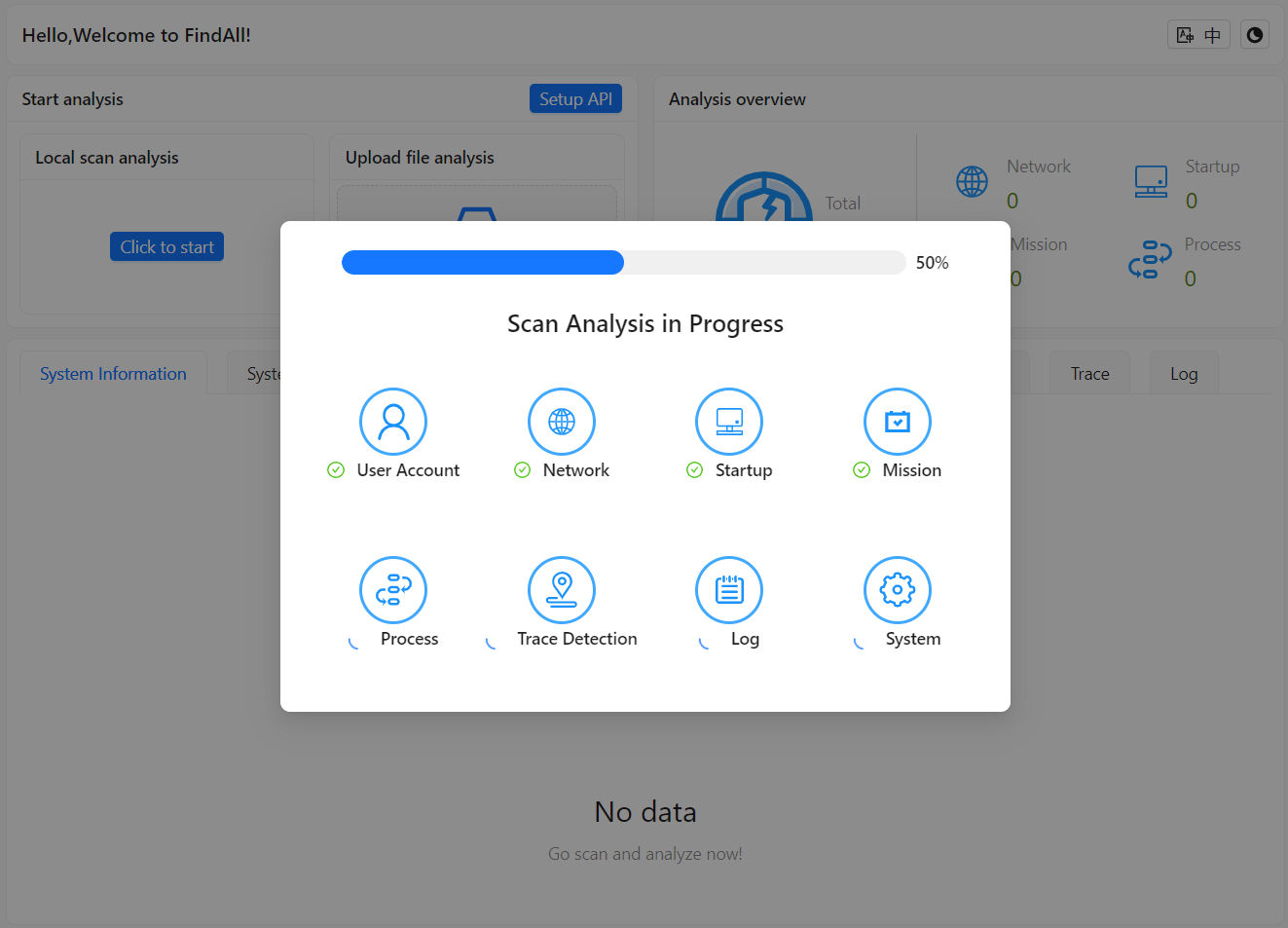
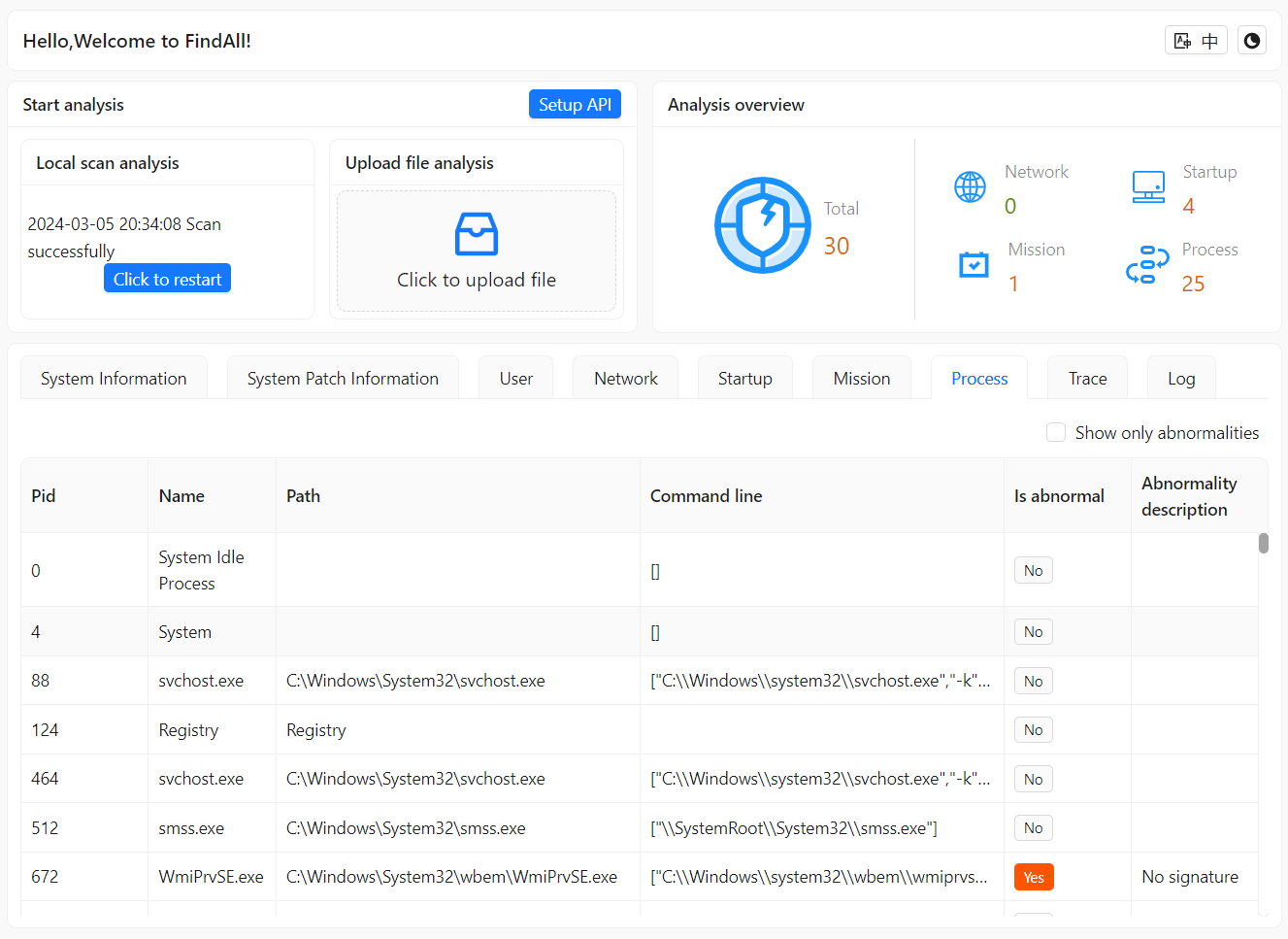
## 🌟 Key Features ### 📊 Comprehensive Information Gathering - **System basics**: Outputs detailed system info and checks config and patches to identify vulnerabilities. - **Network info**: Analyzes current network connections. With Threatbook API, easily identifies abnormal networks, locates corresponding processes for analysis. - **Startup items**: Examines auto-start programs. - **Scheduled tasks**: Detects potentially malicious scheduled tasks. - **Process investigation**: Identifies and analyzes suspicious processes to quickly locate backdoors. - **Sensitive directory checks**: Checks abnormal changes in critical files and directories. - **Log analysis**: Deep log analysis of system and apps to find traces of security events, aggregated for easy analysis. - **Account detection**: Identifies hidden and cloned accounts in various scenarios. ### 🤖 Automated Threat Analysis (with Threatbook API) - Auto-identifies abnormal IP, processes and files to improve analysis efficiency. - Highlights anomalies for focused investigation. - Threatbook:https://www.threatbook.cn/next/en/index ### ⚡ Rapid Anomaly Detection & Response - Provides real-time detection and response suggestions to enable swift response. ### 🖥️ User-Friendly Interface - Clean and intuitive interface suitable for all skill levels. - Concise and clear, suitable for beginners. - One-click previews of anomalies to quickly identify risks. ## ⚙️ Installation & Usage ### 🏗 Architecture Adopts client-server architecture for one-click local scans or remote scanning via Agent, suitable when direct remote login is not possible. ### 🛠 Installation Steps 1. **Download and install with one click**:https://github.com/FindAllTeam/FindAll/releases 2. **Tips** - Local scan: Simply click to scan (recommended for Windows), local scanning is not supported on macOS. - Remote scan: An Agent client is provided separately. Run the Agent client independently, and the results will be located at `C:\\Findall\\result.hb`. Then, upload the result file to the FindAll GUI client for analysis. ### 💻 System Support - GUI Client supports supports Windows 10 and above, as well as macOS. - Serve Agent supports Windows Server 2008 and above - Other systems need to be tested for compatibility ## 📖 Official Documentation https://findallteam.github.io ## 📷 Screenshot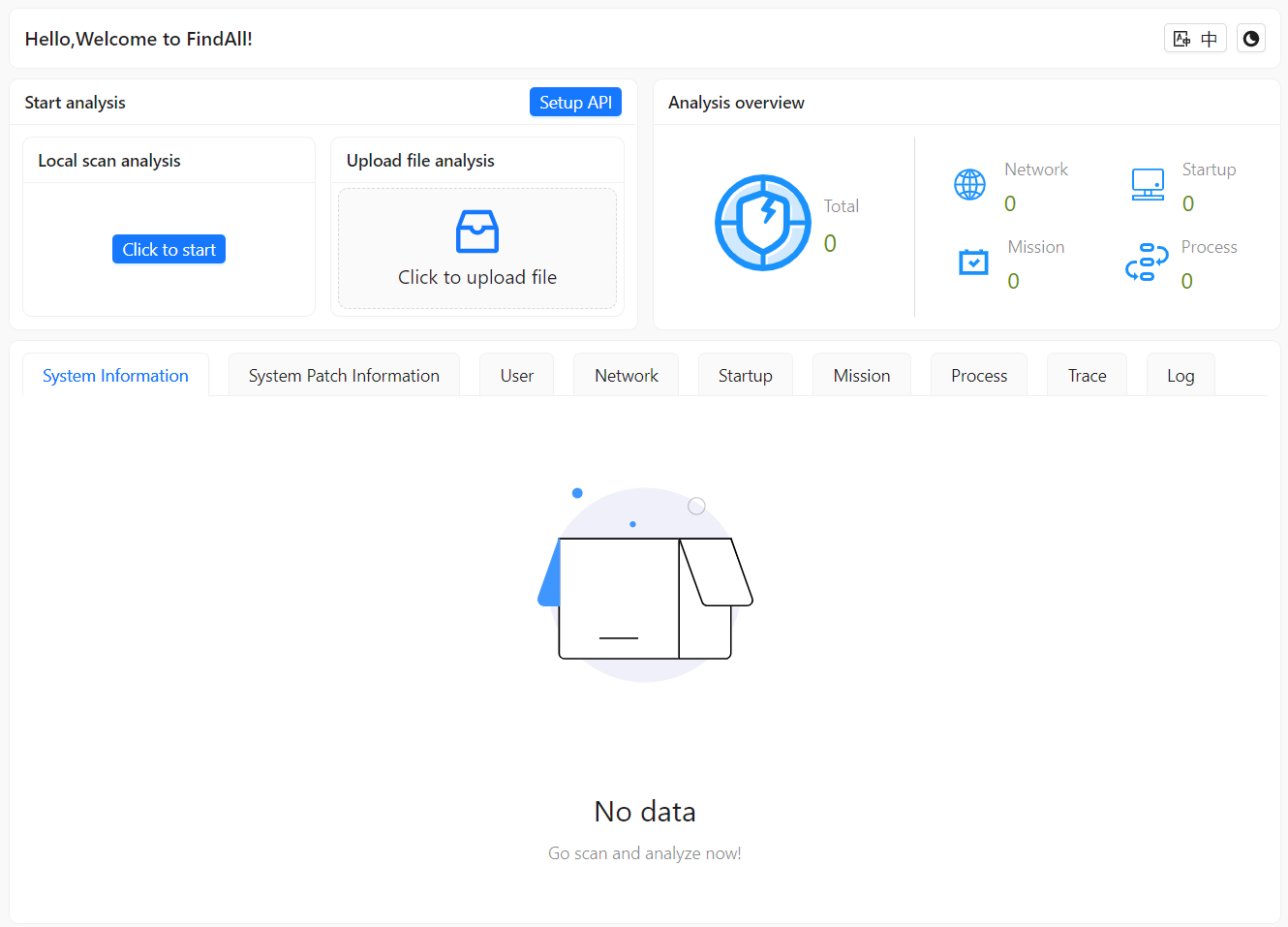
 ## 👥 Contributor
The launch of this tool will greatly enhance the capabilities of blue teams in responding to network security incidents. It will not only help improve response efficiency but also reduce work complexity. By providing comprehensive information gathering and efficient threat analysis, we can empower blue team members to maintain an advantage in complex network environments. However, incident response is an extremely complicated task, and this tool can only help blue team members collect some information. If any anomalies are discovered, in-depth analysis directly on the client's computer is still required. The tool cannot be compared to commercial forensic analysis software available on the market. Since this product is still in trial use, bugs may exist. If you encounter situations where the tool cannot run properly, please go to the issues page or join our WeChat group for discussions. The road ahead is long; we shall seek tirelessly (a Chinese idiom meaning perseverance is key to any endeavor).
## 📱 QQ group QR code QQ download address:https://im.qq.com/index/
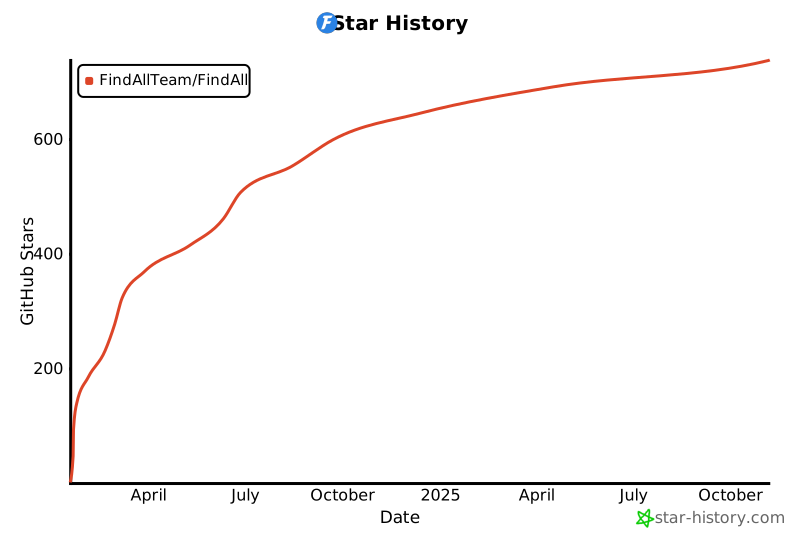
## Star History
[](https://star-history.com/#FindAllTeam/FindAll&Date)
================================================
FILE: README_ZH.md
================================================
QQ download address:https://im.qq.com/index/
## Star History
[](https://star-history.com/#FindAllTeam/FindAll&Date)
================================================
FILE: README_ZH.md
================================================
本工具是专为网络安全蓝队设计的应急响应工具,旨在帮助团队成员有效地应对和分析网络安全威胁。工具集成了先进的信息搜集和自动化分析功能,以提高安全事件应对的效率和准确性。 FindAll采用客户端-服务器(CS)架构,特别适用于那些无法直接登录远程主机进行安全检查的场景。在这种情况下,拥有相应权限的运维人员只需在目标主机上运行FindAll的Agent组件来收集必要的数据。 随后,将数据下载到本地,供安全专家通过FindAll的直观图形用户界面(GUI)进行深入分析。 FindAll的界面设计简洁明了,用户无需深入了解复杂的命令行操作,大大降低了使用门槛。 这使得即使是网络安全领域的新手也能够轻松上手,有效地进行数据分析和安全事件排查。此外,通过减少对跳板机或其他潜在风险接入点的依赖,FindAll还提升了整个安全检查过程的安全性和效率,一键分析预览异常情况,快速定位相应的风险项。
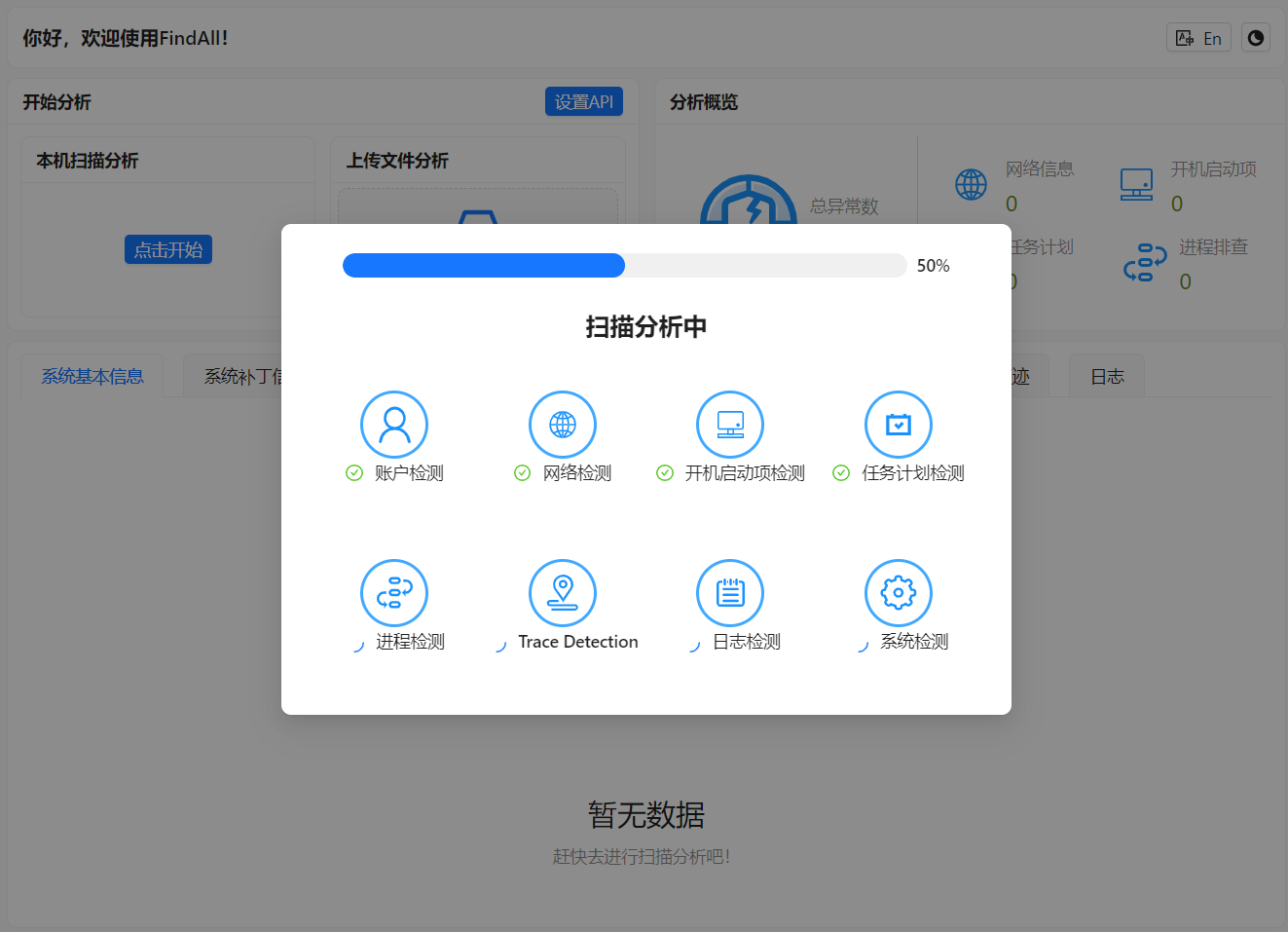
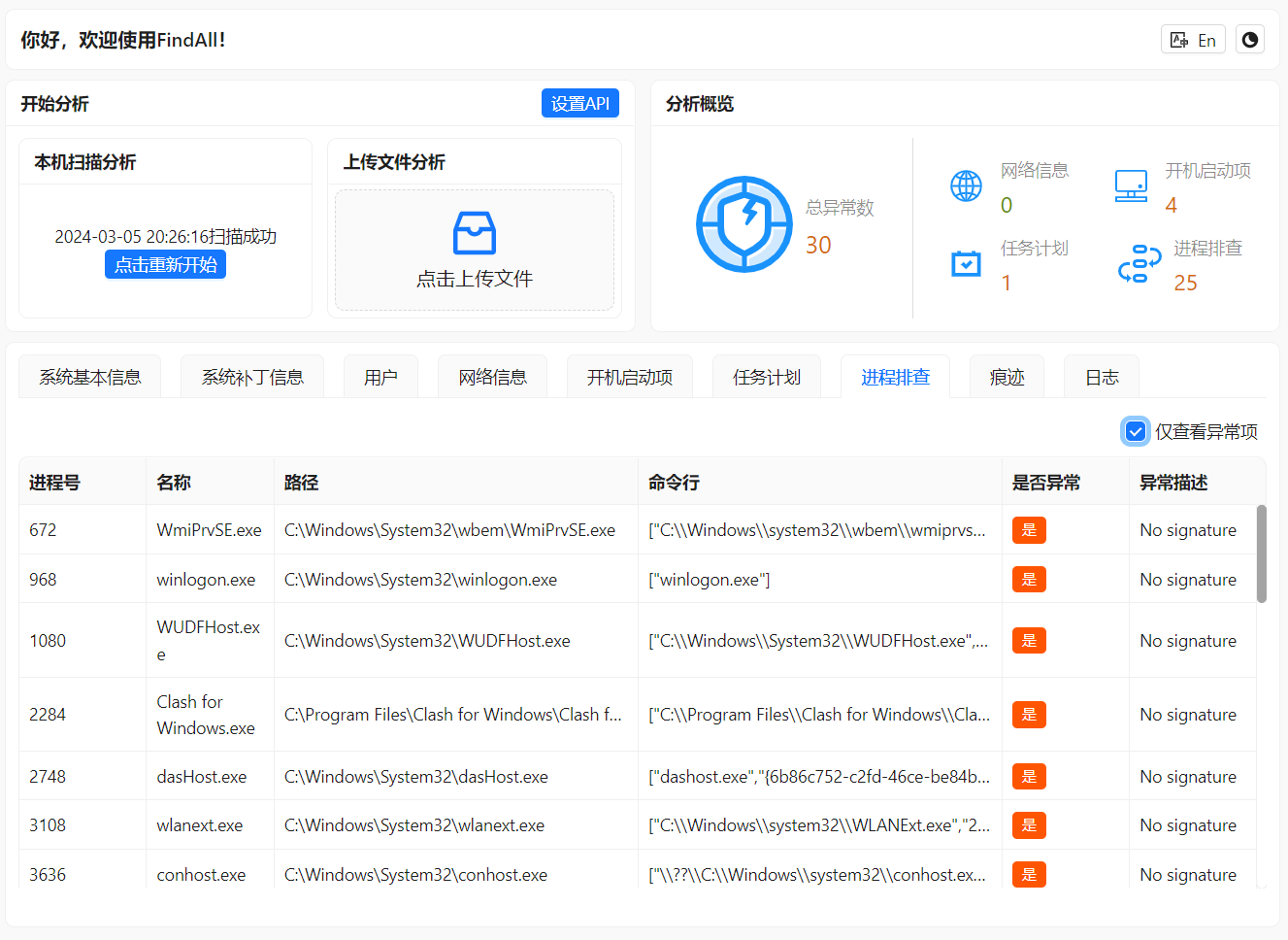
## 🌟 核心特点 ### 📊 综合信息搜集 - **系统基本信息**: 除了输出系统详细信息以外,还会检查系统配置和补丁,识别可利用的漏洞。 - **网络信息**: 分析当前网络连接,如果填写了微步 API 即可轻松识别异常网络,本产品会根据异常网络情况找到对应的进程然后进行分析和识别。 - **开机启动项**: 审查启动时自动执行的程序。 - **计划任务**: 检测可能隐藏的恶意计划任务。 - **进程排查**: 识别和分析运行中的可疑或异常进程,快速定位后门文件。 - **敏感目录排查**: 检查关键文件和目录的异常变更。 - **日志排查**: 深入分析系统和应用日志,寻找安全事件的痕迹,会根据日志进行汇总方便人员进行分析。 - **账户检测**: 识别各个场景下创建的隐藏账户、克隆账户。 ### 🤖 自动化威胁分析(填写微步 API 后) - 自动识别异常 IP、进程和文件,显著提高分析效率。 - 突出显示异常情况,使得团队成员能够集中关注重点进程。 ### ⚡ 快速异常识别与响应 - 提供即时的异常检测和响应建议,帮助蓝队迅速应对威胁。 ### 🖥️ 用户友好界面 - 界面设计简洁直观,适合各水平的蓝队成员。 - 简洁明了,适合各水平用户,包括网络安全领域新手。 - 支持一键分析预览异常情况,快速定位风险项。 ## ⚙️ 安装与使用 ### 🏗 架构 FindAll 采用客户端-服务器(CS)架构,可以在本地进行一键扫描,也可以使用 Agent 进行扫描然后录入扫描结果,适用于无法直接登录远程主机进行安全检查的场景。 ### 🛠 安装步骤 1. **下载安装包一键安装即可**:https://github.com/FindAllTeam/FindAll/releases 2. **tips** - 本地扫描:一键扫描即可(Windows推荐此方式),macOS不支持本地扫描。 - 远程扫描:Agent客户端已单独提供,单独运行Agent,结果位于`C:\\Findall\\result.hb`,然后再将结果文件上传到FindAll GUI客户端进行分析。 ### 💻 系统支持 - GUI 客户端支持 Windows 10 及以上版本,还有 macOS 系统。 - 服务器 Agent 支持 Windows Server 2008 及以上版本。 - 其他系统需自行测试兼容性。 ## 📖 官方文档 https://findallteam.github.io ## 📷 截图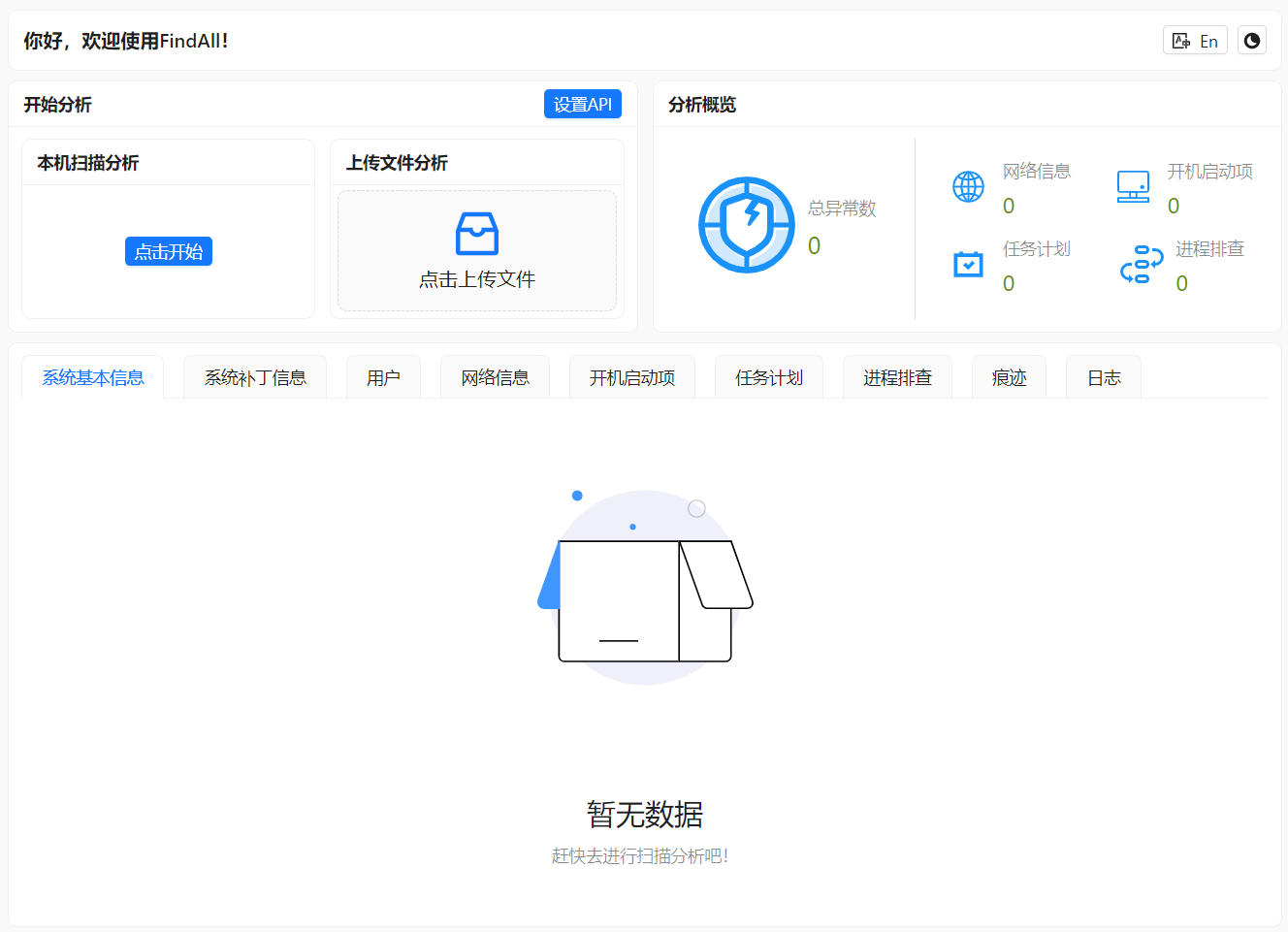
 ## 👥 贡献者
这款工具的推出将极大地提升蓝队应对网络安全事件的能力,不仅有助于提高响应效率,还能够降低工作复杂性。通过提供全面的信息搜集和高效的威胁分析,我们可以帮助蓝队成员在复杂的网络环境中保持优势,但应急响应是一个十分复杂的工作此工具只能帮助蓝队人员收集部分信息,如有异常发现还是需要进入客户电脑进行仔细分析,无法与市面上商业的取证分析软件相比。本产品处于试用期可能会存在BUG,如有遇到无法正常运行的情况请前往issues或加入微信群进行讨论(路漫漫其修远兮,吾将上下而求索)
## 📱 QQ群二维码
## Star History
[](https://star-history.com/#FindAllTeam/FindAll&Date)