Showing preview only (1,178K chars total). Download the full file or copy to clipboard to get everything.
Repository: Huxpro/huxpro.github.io
Branch: master
Commit: a2ab0900be50
Files: 145
Total size: 1.1 MB
Directory structure:
gitextract_blccy3x8/

├── .gitignore
├── 404.html
├── CNAME
├── Gemfile
├── Gruntfile.js
├── LICENSE
├── README.md
├── Rakefile
├── _config.yml
├── _doc/
│   ├── Manual.md
│   └── README.zh.md
├── _includes/
│   ├── about/
│   │   ├── en.md
│   │   └── zh.md
│   ├── ads.html
│   ├── featured-tags.html
│   ├── footer.html
│   ├── friends.html
│   ├── head.html
│   ├── intro-header.html
│   ├── mathjax_support.html
│   ├── multilingual-sel.html
│   ├── nav.html
│   ├── posts/
│   │   └── 2017-07-12-upgrading-eleme-to-pwa/
│   │       ├── en.md
│   │       └── zh.md
│   ├── search.html
│   ├── short-about.html
│   └── sns-links.html
├── _layouts/
│   ├── default.html
│   ├── keynote.html
│   ├── page.html
│   └── post.html
├── _posts/
│   ├── 2014-01-29-hello-2015.markdown
│   ├── 2014-08-16-miui6.markdown
│   ├── 2014-09-04-is-pure-android-better.markdown
│   ├── 2014-10-01-why-alibaba-ux-sucks.markdown
│   ├── 2014-11-20-responsive-web-design.markdown
│   ├── 2014-12-13-wechat-block-kuaidi.markdown
│   ├── 2015-03-10-apple-event-2015.markdown
│   ├── 2015-03-25-digital-native.markdown
│   ├── 2015-03-31-e2e_user_scenarios.markdown
│   ├── 2015-04-14-unix-linux-note.markdown
│   ├── 2015-04-15-os-metro.markdown
│   ├── 2015-05-11-see-u-ali.markdown
│   ├── 2015-05-25-js-module-loader.markdown
│   ├── 2015-06-15-alitrip-strategy.markdown
│   ├── 2015-07-09-js-module-7day.markdown
│   ├── 2015-09-22-js-version.markdown
│   ├── 2015-10-28-how-designer-learn-fe.markdown
│   ├── 2015-12-15-ios9-safari-web.markdown
│   ├── 2015-12-28-css-sucks-2015.markdown
│   ├── 2016-02-01-React-vs-Angular2.markdown
│   ├── 2016-06-05-pwa-in-my-pov.markdown
│   ├── 2016-09-22-the-open-web.md
│   ├── 2016-10-20-pwa-qcon2016.markdown
│   ├── 2016-11-20-sw-101-gdgdf.markdown
│   ├── 2017-01-09-wechat-miniapp-ux.md
│   ├── 2017-02-09-nextgen-web-pwa.markdown
│   ├── 2017-04-06-html-document.md
│   ├── 2017-05-28-sw-precache.md
│   ├── 2017-06-25-you-are-slaves.markdown
│   ├── 2017-07-12-upgrading-eleme-to-pwa.markdown
│   ├── 2017-07-26-farewell-flash.md
│   ├── 2017-10-06-css-complaints.md
│   ├── 2017-12-12-halting-problem.md
│   ├── 2017-12-12-uncomputable-funcs.md
│   ├── 2018-05-11-pwa-zh-preface.md
│   ├── 2018-06-30-dreamer.md
│   ├── 2018-09-27-avoiding-success-at-all-cost.md
│   ├── 2018-10-06-vim-cn-im.md
│   ├── 2019-09-03-vim-from-finder.md
│   ├── 2019-09-08-spacemacs-workflow.md
│   ├── 2019-11-19-is-pwa-dead-in-2019.md
│   ├── 2020-04-03-react-hooks-vue-composition.md
│   ├── 2020-07-05-reflection-2020.md
│   ├── 2021-01-19-the-systematic-failure-of-higher-education-in-china.md
│   ├── 2021-04-10-js-20yrs-preface.md
│   ├── cs_idols/
│   │   └── 2019-09-13-peter-john-landin.md
│   ├── data_rep/
│   │   ├── 2020-06-19-data-rep-int.md
│   │   ├── 2020-06-21-data-rep-float.md
│   │   └── 2020-06-21-data-rep-todo.md
│   ├── hidden/
│   │   └── 2020-05-05-pl-chart.md
│   ├── read_sf_lf/
│   │   ├── 2019-01-01-sf-lf-01-basics.md
│   │   ├── 2019-01-02-sf-lf-02-induction.md
│   │   ├── 2019-01-03-sf-lf-03-list.md
│   │   ├── 2019-01-04-sf-lf-04-poly.md
│   │   ├── 2019-01-05-sf-lf-05-tactics.md
│   │   ├── 2019-01-06-sf-lf-06-logic.md
│   │   ├── 2019-01-07-sf-lf-07-indprop.md
│   │   ├── 2019-01-08-sf-lf-08-map.md
│   │   ├── 2019-01-09-sf-lf-09-proof-object.md
│   │   ├── 2019-01-10-sf-lf-10-ind-principle.md
│   │   ├── 2019-01-11-sf-lf-11-rel.md
│   │   ├── 2019-01-12-sf-lf-12-imp.md
│   │   ├── 2019-01-13-sf-lf-13-imp-parser.md
│   │   ├── 2019-01-14-sf-lf-14-imp-ceval.md
│   │   ├── 2019-01-15-sf-lf-15-extraction.md
│   │   └── 2019-01-16-sf-lf-16-auto.md
│   ├── read_sf_plf/
│   │   ├── 2019-03-01-sf-plf-01-equiv.md
│   │   ├── 2019-03-02-sf-plf-02-hoare-1.md
│   │   ├── 2019-03-03-sf-plf-03-hoare-2.md
│   │   ├── 2019-03-04-sf-plf-04-hoare-logic.md
│   │   ├── 2019-03-05-sf-plf-05-smallstep.md
│   │   ├── 2019-03-06-sf-plf-06-types.md
│   │   ├── 2019-03-07-sf-plf-07-STLC.md
│   │   ├── 2019-03-08-sf-plf-08-STLC-prop.md
│   │   ├── 2019-03-09-sf-plf-09-more-STLC.md
│   │   ├── 2019-03-10-sf-plf-10-subtyping.md
│   │   ├── 2019-03-11-sf-plf-11-typechecking.md
│   │   ├── 2019-03-12-sf-plf-12-records.md
│   │   ├── 2019-03-13-sf-plf-13-references.md
│   │   ├── 2019-03-14-sf-plf-14-record-sub.md
│   │   ├── 2019-03-15-sf-plf-15-norm-STLC.md
│   │   ├── 2019-03-16-sf-plf-16-lib-tactics.md
│   │   ├── 2019-03-17-sf-plf-17-use-tactics.md
│   │   ├── 2019-03-18-sf-plf-18-use-auto.md
│   │   └── 2019-03-19-sf-plf-19-partial-eval.md
│   └── read_sf_qc/
│       └── 2019-09-02-sf-qc-02-typeclasses.md
├── about.html
├── ads.txt
├── archive.html
├── css/
│   ├── bootstrap.css
│   └── hux-blog.css
├── feed.xml
├── index.html
├── js/
│   ├── archive.js
│   ├── bootstrap.js
│   ├── hux-blog.js
│   ├── jquery.js
│   ├── jquery.nav.js
│   ├── jquery.tagcloud.js
│   ├── snackbar.js
│   └── sw-registration.js
├── less/
│   ├── highlight.less
│   ├── hux-blog.less
│   ├── mixins.less
│   ├── search.less
│   ├── side-catalog.less
│   ├── sidebar.less
│   ├── snackbar.less
│   └── variables.less
├── offline.html
├── package.json
├── pwa/
│   └── manifest.json
├── search.json
└── sw.js
================================================
FILE CONTENTS
================================================
================================================
FILE: .gitignore
================================================
_site
_posts/_draft
_posts/_archive
_archive
node_modules
.vscode
*.log
*.lock
*.sh
.DS_Store
.jekyll-cache
*/.DS_Store
*/*/.DS_Store
================================================
FILE: 404.html
================================================
---
layout: default
title: 404
hide-in-nav: true
description: "你来到了没有知识的荒原 :("
header-img: "img/404-bg.jpg"
permalink: /404.html
---
<!-- Page Header -->
{% include intro-header.html type="page" short='true' %}
<script>
document.body.classList.add('page-fullscreen');
</script>
================================================
FILE: CNAME
================================================
huangxuan.me
================================================
FILE: Gemfile
================================================
source 'https://rubygems.org'
gem 'jekyll-paginate'
gem "jekyll", "~> 4.0"
gem "rake"
gem "webrick", "~> 1.7"
================================================
FILE: Gruntfile.js
================================================
module.exports = function(grunt) {
// Project configuration.
grunt.initConfig({
pkg: grunt.file.readJSON('package.json'),
uglify: {
main: {
src: 'js/<%= pkg.name %>.js',
dest: 'js/<%= pkg.name %>.min.js'
}
},
less: {
expanded: {
options: {
paths: ["css"]
},
files: {
"css/<%= pkg.name %>.css": "less/<%= pkg.name %>.less"
}
},
minified: {
options: {
paths: ["css"],
cleancss: true
},
files: {
"css/<%= pkg.name %>.min.css": "less/<%= pkg.name %>.less"
}
}
},
banner: '/*!\n' +
' * <%= pkg.title %> v<%= pkg.version %> (<%= pkg.homepage %>)\n' +
' * Copyright <%= grunt.template.today("yyyy") %> <%= pkg.author %>\n' +
' */\n',
usebanner: {
dist: {
options: {
position: 'top',
banner: '<%= banner %>'
},
files: {
src: ['css/<%= pkg.name %>.css', 'css/<%= pkg.name %>.min.css', 'js/<%= pkg.name %>.min.js']
}
}
},
watch: {
scripts: {
files: ['js/<%= pkg.name %>.js'],
tasks: ['uglify'],
options: {
spawn: false,
},
},
less: {
files: ['less/*.less'],
tasks: ['less'],
options: {
spawn: false,
}
},
},
});
// Load the plugins.
grunt.loadNpmTasks('grunt-contrib-uglify');
grunt.loadNpmTasks('grunt-contrib-less');
grunt.loadNpmTasks('grunt-banner');
grunt.loadNpmTasks('grunt-contrib-watch');
// Default task(s).
grunt.registerTask('default', ['uglify', 'less', 'usebanner']);
};
================================================
FILE: LICENSE
================================================
Apache License
Version 2.0, January 2004
http://www.apache.org/licenses/
TERMS AND CONDITIONS FOR USE, REPRODUCTION, AND DISTRIBUTION
1. Definitions.
"License" shall mean the terms and conditions for use, reproduction,
and distribution as defined by Sections 1 through 9 of this document.
"Licensor" shall mean the copyright owner or entity authorized by
the copyright owner that is granting the License.
"Legal Entity" shall mean the union of the acting entity and all
other entities that control, are controlled by, or are under common
control with that entity. For the purposes of this definition,
"control" means (i) the power, direct or indirect, to cause the
direction or management of such entity, whether by contract or
otherwise, or (ii) ownership of fifty percent (50%) or more of the
outstanding shares, or (iii) beneficial ownership of such entity.
"You" (or "Your") shall mean an individual or Legal Entity
exercising permissions granted by this License.
"Source" form shall mean the preferred form for making modifications,
including but not limited to software source code, documentation
source, and configuration files.
"Object" form shall mean any form resulting from mechanical
transformation or translation of a Source form, including but
not limited to compiled object code, generated documentation,
and conversions to other media types.
"Work" shall mean the work of authorship, whether in Source or
Object form, made available under the License, as indicated by a
copyright notice that is included in or attached to the work
(an example is provided in the Appendix below).
"Derivative Works" shall mean any work, whether in Source or Object
form, that is based on (or derived from) the Work and for which the
editorial revisions, annotations, elaborations, or other modifications
represent, as a whole, an original work of authorship. For the purposes
of this License, Derivative Works shall not include works that remain
separable from, or merely link (or bind by name) to the interfaces of,
the Work and Derivative Works thereof.
"Contribution" shall mean any work of authorship, including
the original version of the Work and any modifications or additions
to that Work or Derivative Works thereof, that is intentionally
submitted to Licensor for inclusion in the Work by the copyright owner
or by an individual or Legal Entity authorized to submit on behalf of
the copyright owner. For the purposes of this definition, "submitted"
means any form of electronic, verbal, or written communication sent
to the Licensor or its representatives, including but not limited to
communication on electronic mailing lists, source code control systems,
and issue tracking systems that are managed by, or on behalf of, the
Licensor for the purpose of discussing and improving the Work, but
excluding communication that is conspicuously marked or otherwise
designated in writing by the copyright owner as "Not a Contribution."
"Contributor" shall mean Licensor and any individual or Legal Entity
on behalf of whom a Contribution has been received by Licensor and
subsequently incorporated within the Work.
2. Grant of Copyright License. Subject to the terms and conditions of
this License, each Contributor hereby grants to You a perpetual,
worldwide, non-exclusive, no-charge, royalty-free, irrevocable
copyright license to reproduce, prepare Derivative Works of,
publicly display, publicly perform, sublicense, and distribute the
Work and such Derivative Works in Source or Object form.
3. Grant of Patent License. Subject to the terms and conditions of
this License, each Contributor hereby grants to You a perpetual,
worldwide, non-exclusive, no-charge, royalty-free, irrevocable
(except as stated in this section) patent license to make, have made,
use, offer to sell, sell, import, and otherwise transfer the Work,
where such license applies only to those patent claims licensable
by such Contributor that are necessarily infringed by their
Contribution(s) alone or by combination of their Contribution(s)
with the Work to which such Contribution(s) was submitted. If You
institute patent litigation against any entity (including a
cross-claim or counterclaim in a lawsuit) alleging that the Work
or a Contribution incorporated within the Work constitutes direct
or contributory patent infringement, then any patent licenses
granted to You under this License for that Work shall terminate
as of the date such litigation is filed.
4. Redistribution. You may reproduce and distribute copies of the
Work or Derivative Works thereof in any medium, with or without
modifications, and in Source or Object form, provided that You
meet the following conditions:
(a) You must give any other recipients of the Work or
Derivative Works a copy of this License; and
(b) You must cause any modified files to carry prominent notices
stating that You changed the files; and
(c) You must retain, in the Source form of any Derivative Works
that You distribute, all copyright, patent, trademark, and
attribution notices from the Source form of the Work,
excluding those notices that do not pertain to any part of
the Derivative Works; and
(d) If the Work includes a "NOTICE" text file as part of its
distribution, then any Derivative Works that You distribute must
include a readable copy of the attribution notices contained
within such NOTICE file, excluding those notices that do not
pertain to any part of the Derivative Works, in at least one
of the following places: within a NOTICE text file distributed
as part of the Derivative Works; within the Source form or
documentation, if provided along with the Derivative Works; or,
within a display generated by the Derivative Works, if and
wherever such third-party notices normally appear. The contents
of the NOTICE file are for informational purposes only and
do not modify the License. You may add Your own attribution
notices within Derivative Works that You distribute, alongside
or as an addendum to the NOTICE text from the Work, provided
that such additional attribution notices cannot be construed
as modifying the License.
You may add Your own copyright statement to Your modifications and
may provide additional or different license terms and conditions
for use, reproduction, or distribution of Your modifications, or
for any such Derivative Works as a whole, provided Your use,
reproduction, and distribution of the Work otherwise complies with
the conditions stated in this License.
5. Submission of Contributions. Unless You explicitly state otherwise,
any Contribution intentionally submitted for inclusion in the Work
by You to the Licensor shall be under the terms and conditions of
this License, without any additional terms or conditions.
Notwithstanding the above, nothing herein shall supersede or modify
the terms of any separate license agreement you may have executed
with Licensor regarding such Contributions.
6. Trademarks. This License does not grant permission to use the trade
names, trademarks, service marks, or product names of the Licensor,
except as required for reasonable and customary use in describing the
origin of the Work and reproducing the content of the NOTICE file.
7. Disclaimer of Warranty. Unless required by applicable law or
agreed to in writing, Licensor provides the Work (and each
Contributor provides its Contributions) on an "AS IS" BASIS,
WITHOUT WARRANTIES OR CONDITIONS OF ANY KIND, either express or
implied, including, without limitation, any warranties or conditions
of TITLE, NON-INFRINGEMENT, MERCHANTABILITY, or FITNESS FOR A
PARTICULAR PURPOSE. You are solely responsible for determining the
appropriateness of using or redistributing the Work and assume any
risks associated with Your exercise of permissions under this License.
8. Limitation of Liability. In no event and under no legal theory,
whether in tort (including negligence), contract, or otherwise,
unless required by applicable law (such as deliberate and grossly
negligent acts) or agreed to in writing, shall any Contributor be
liable to You for damages, including any direct, indirect, special,
incidental, or consequential damages of any character arising as a
result of this License or out of the use or inability to use the
Work (including but not limited to damages for loss of goodwill,
work stoppage, computer failure or malfunction, or any and all
other commercial damages or losses), even if such Contributor
has been advised of the possibility of such damages.
9. Accepting Warranty or Additional Liability. While redistributing
the Work or Derivative Works thereof, You may choose to offer,
and charge a fee for, acceptance of support, warranty, indemnity,
or other liability obligations and/or rights consistent with this
License. However, in accepting such obligations, You may act only
on Your own behalf and on Your sole responsibility, not on behalf
of any other Contributor, and only if You agree to indemnify,
defend, and hold each Contributor harmless for any liability
incurred by, or claims asserted against, such Contributor by reason
of your accepting any such warranty or additional liability.
END OF TERMS AND CONDITIONS
APPENDIX: How to apply the Apache License to your work.
To apply the Apache License to your work, attach the following
boilerplate notice, with the fields enclosed by brackets "{}"
replaced with your own identifying information. (Don't include
the brackets!) The text should be enclosed in the appropriate
comment syntax for the file format. We also recommend that a
file or class name and description of purpose be included on the
same "printed page" as the copyright notice for easier
identification within third-party archives.
Copyright 2015-2016 Huxpro
https://github.com/Huxpro/
Licensed under the Apache License, Version 2.0 (the "License");
you may not use this file except in compliance with the License.
You may obtain a copy of the License at
http://www.apache.org/licenses/LICENSE-2.0
Unless required by applicable law or agreed to in writing, software
distributed under the License is distributed on an "AS IS" BASIS,
WITHOUT WARRANTIES OR CONDITIONS OF ANY KIND, either express or implied.
See the License for the specific language governing permissions and
limitations under the License.
=======================================================================
Hux Blog Subcomponents:
The Hux Blog project contains subcomponents with separate copyright
notices and license terms. Your use of the source code for the these
subcomponents is subject to the terms and conditions of the following
licenses.
(MIT License) Clean Blog Jekyll Theme: https://github.com/BlackrockDigital/startbootstrap-clean-blog-jekyll/
https://github.com/BlackrockDigital/startbootstrap-clean-blog-jekyll/blob/master/LICENSE
Copyright (c) 2013-2016 Blackrock Digital LLC.
================================================
FILE: README.md
================================================
[Hux Blog](https://huangxuan.me)
================================
> I never expected this to become popular.
[User Manual 👉](_doc/Manual.md)
--------------------------------------------------
### Getting Started
1. You will need [Ruby](https://www.ruby-lang.org/en/) and [Bundler](https://bundler.io/) to use [Jekyll](https://jekyllrb.com/). Following [Using Jekyll with Bundler](https://jekyllrb.com/tutorials/using-jekyll-with-bundler/) to fullfill the enviromental requirement.
2. Installed dependencies in the `Gemfile`:
```sh
$ bundle install
```
3. Serve the website (`localhost:4000` by default):
```sh
$ bundle exec jekyll serve # alternatively, npm start
```
### Development (Build From Source)
To modify the theme, you will need [Grunt](https://gruntjs.com/). There are numbers of tasks you can find in the `Gruntfile.js`, includes minifing JavaScript, compiling `.less` to `.css`, adding banners to keep the Apache 2.0 license intact, watching for changes, etc.
Yes, they were inherited and are extremely old-fashioned. There is no modularization and transpilation, etc.
Critical Jekyll-related code are located in `_include/` and `_layouts/`. Most of them are [Liquid](https://github.com/Shopify/liquid/wiki) templates.
This theme uses the default code syntax highlighter of jekyll, [Rouge](http://rouge.jneen.net/), which is compatible with Pygments theme so just pick any pygments theme css (e.g. from [here](http://jwarby.github.io/jekyll-pygments-themes/languages/javascript.html) and replace the content of `highlight.less`.
### Interesting to know more? Checkout the [full user manual](_doc/Manual.md)!
Other Resources
---------------
Ports
- [**Hexo**](https://github.com/Kaijun/hexo-theme-huxblog) by @kaijun
- [**React-SSR**](https://github.com/LucasIcarus/huxpro.github.io/tree/ssr) by @LucasIcarus
[Starter/Boilerplate](https://github.com/huxpro/huxblog-boilerplate)
- Out of date. Helps wanted for updating it on par with the main repo
Translation
- [🇨🇳 中文文档(有点过时)](https://github.com/Huxpro/huxpro.github.io/blob/master/_doc/README.zh.md)
License
-------
Apache License 2.0.
Copyright (c) 2015-present Huxpro
Hux Blog is derived from [Clean Blog Jekyll Theme (MIT License)](https://github.com/BlackrockDigital/startbootstrap-clean-blog-jekyll/)
Copyright (c) 2013-2016 Blackrock Digital LLC.
================================================
FILE: Rakefile
================================================
require "rubygems"
require 'rake'
require 'yaml'
require 'time'
SOURCE = "."
CONFIG = {
'version' => "12.3.2",
'themes' => File.join(SOURCE, "_includes", "themes"),
'layouts' => File.join(SOURCE, "_layouts"),
'posts' => File.join(SOURCE, "_posts"),
'post_ext' => "md",
'theme_package_version' => "0.1.0"
}
# Usage: rake post title="A Title" subtitle="A sub title"
desc "Begin a new post in #{CONFIG['posts']}"
task :post do
abort("rake aborted: '#{CONFIG['posts']}' directory not found.") unless FileTest.directory?(CONFIG['posts'])
title = ENV["title"] || "new-post"
subtitle = ENV["subtitle"] || "This is a subtitle"
slug = title.downcase.strip.gsub(' ', '-').gsub(/[^\w-]/, '')
begin
date = (ENV['date'] ? Time.parse(ENV['date']) : Time.now).strftime('%Y-%m-%d')
rescue Exception => e
puts "Error - date format must be YYYY-MM-DD, please check you typed it correctly!"
exit -1
end
filename = File.join(CONFIG['posts'], "#{date}-#{slug}.#{CONFIG['post_ext']}")
if File.exist?(filename)
abort("rake aborted!") if ask("#{filename} already exists. Do you want to overwrite?", ['y', 'n']) == 'n'
end
puts "Creating new post: #{filename}"
open(filename, 'w') do |post|
post.puts "---"
post.puts "layout: post"
post.puts "title: \"#{title.gsub(/-/,' ')}\""
post.puts "subtitle: \"#{subtitle.gsub(/-/,' ')}\""
post.puts "date: #{date}"
post.puts "author: \"Hux\""
post.puts "header-img: \"img/post-bg-2015.jpg\""
post.puts "tags: []"
post.puts "---"
end
end # task :post
desc "Launch preview environment"
task :preview do
system "jekyll --auto --server"
end # task :preview
#Load custom rake scripts
Dir['_rake/*.rake'].each { |r| load r }
================================================
FILE: _config.yml
================================================
# Site settings
title: Hux Blog
SEOTitle: 黄玄的博客 | Hux Blog
header-img: img/home-bg.jpg
email: huxpro@gmail.com
description: "这里是 @Hux黄玄 的个人博客,与你一起发现更大的世界 | 要做一个有 swag 的程序员"
keyword: "黄玄, Hux黄玄, Hux, 鬼栈, huxpro, @huxpro, 黄玄的博客, Hux Blog, 博客, 个人网站, 互联网, Web, JavaScript, React, React Native, 前端, 设计"
url: "https://huangxuan.me" # your host, for absolute URL
baseurl: "" # for example, '/blog' if your blog hosted on 'host/blog'
# Publish posts or collection documents with a future date.
future: true
# SNS settings
RSS: false
weibo_username: huxpro
zhihu_username: huxpro
github_username: huxpro
twitter_username: huxpro
#facebook_username: huxpro
#linkedin_username: firstname-lastname-idxxxx
# Build settings
# from 2016, 'pygments' is unsupported on GitHub Pages. Use 'rouge' for highlighting instead.
highlighter: rouge
permalink: pretty
paginate: 10
exclude:
[
"less",
"node_modules",
"Gruntfile.js",
"package.json",
"README.md",
"README.zh.md",
]
anchorjs: true # if you want to customize anchor. check out line:181 of `post.html`
# If you have timezone issue (e.g. #68) in China, uncomment to use this:
#timezone: CN
# Gems
# from PR#40, to support local preview for Jekyll 3.0
# make sure you have this gem installed
# `$ gem install jekyll-paginate`
plugins: [jekyll-paginate]
# Markdown settings
# replace redcarpet to kramdown,
# although redcarpet can auto highlight code, the lack of header-id make the catalog impossible, so I switch to kramdown
# document: http://jekyllrb.com/docs/configuration/#kramdown
markdown: kramdown
kramdown:
input: GFM # use Github Flavored Markdown !important
syntax_highlighter_opts:
span:
line_numbers: false
block:
line_numbers: true
start_line: 1
# Disqus settings
disqus_username: hux
# Netease settings
netease_comment: false
# Analytics settings
# Baidu Analytics
# ba_track_id: [your track id]
# Google Analytics
ga_track_id: "UA-49627206-1" # Format: UA-xxxxxx-xx
ga_domain: huangxuan.me
# Sidebar settings
sidebar: true # whether or not using Sidebar.
sidebar-about-description: "要做一个有 swag 的程序员 <br> React Team @ Meta"
sidebar-avatar: https://github.com/Huxpro.png # use absolute URL, seeing it's used in both `/` and `/about/`
# Featured Tags
featured-tags: true # whether or not using Feature-Tags
featured-condition-size: 1 # A tag will be featured if the size of it is more than this condition value
# Progressive Web Apps
chrome-tab-theme-color: "#000000"
service-worker: true
# MathJax rendering for layout:page (e.g. post preview)
page-mathjax: false
# Friends
friends:
[
{ title: "乱序(Midare)", href: "http://mida.re/" },
{ title: "Ebn Zhang", href: "https://ebnbin.dev/" },
{ title: "Kun Qian", href: "http://kunq.me" },
{ title: "Sherry Woo", href: "https://sherrywoo.me/" },
{ title: "SmdCn", href: "http://blog.smdcn.net" },
{ title: "JiyinYiyong", href: "http://tiye.me/" },
{ title: "DHong Say", href: "http://dhong.co" },
{ title: "尹峰以为", href: "http://ingf.github.io/" },
]
================================================
FILE: _doc/Manual.md
================================================
Hux Blog User Manual
====================
* Basics
* [Getting Started](#getting-started)
* [Development](#development)
* [Config](#configs)
* [Posts](#posts)
* Components
* [SideBar](#sidebar)
* [Mini About Me](#mini-about-me)
* [Featured Tags](#featured-tags)
* [Friends](#friends)
* [Keynote Layout](#keynote-layout)
* Misc
* [Comment](#comment)
* [Analytics](#analytics)
* [SEO Title](#seo-title)
* [FAQ](#faq)
* [Releases](#releases)
### Getting Started
1. You will need [Ruby](https://www.ruby-lang.org/en/) and [Bundler](https://bundler.io/) to use [Jekyll](https://jekyllrb.com/). Following [Using Jekyll with Bundler](https://jekyllrb.com/tutorials/using-jekyll-with-bundler/) to fullfill the enviromental requirement.
2. Installed dependencies in the `Gemfile`:
```sh
$ bundle install
```
3. Serve the website (`localhost:4000` by default):
```sh
$ bundle exec jekyll serve # alternatively, npm start
```
### Development
To modify the theme, you will need [Grunt](https://gruntjs.com/). There are numbers of tasks you can find in the `Gruntfile.js`, includes minifing JavaScript, compiling `.less` to `.css`, adding banners to keep the Apache 2.0 license intact, watching for changes, etc.
Yes, they were inherited and are extremely old-fashioned. There is no modularization and transpilation, etc.
Critical Jekyll-related code are located in `_include/` and `_layouts/`. Most of them are [Liquid](https://github.com/Shopify/liquid/wiki) templates.
This theme uses the default code syntax highlighter of jekyll, [Rouge](http://rouge.jneen.net/), which is compatible with Pygments theme so just pick any pygments theme css (e.g. from [here](http://jwarby.github.io/jekyll-pygments-themes/languages/javascript.html) and replace the content of `highlight.less`.
### Configs
You can easily customize the blog by modifying `_config.yml`:
```yml
# Site settings
title: Hux Blog # title of your website
SEOTitle: Hux Blog # check out docs for more detail
description: "Cool Blog" # ...
# SNS settings
github_username: huxpro # modify this account to yours
weibo_username: huxpro # the footer woule be auto-updated.
# Build settings
paginate: 10 # nums of posts in one page
```
For more options, please check out [Jekyll - Official Site](http://jekyllrb.com/).
Most of them are very descriptive so feel brave to dive into code directly as well.
### Posts
Posts are simply just Markdown files in the `_posts/`.
Metadata of posts are listed in a YAML style _front-matter_.
For instance, [Hello 2015])(https://huangxuan.me/2015/01/29/hello-2015/) has the front-matter of this:
```yml
---
layout: post
title: "Hello 2015"
subtitle: " \"Hello World, Hello Blog\""
date: 2015-01-29 12:00:00
author: "Hux"
header-img: "img/post-bg-2015.jpg"
catalog: true
tags:
- Life
- Meta
---
```
> Note: `tags` section can also be written as `tags: [Life, Meta]`.
After [Rake](https://github.com/ruby/rake) is introduced, we can use the command below to simplify the post creation:
```
rake post title="Hello 2015" subtitle="Hello World, Hello Blog"
```
This command will automatially generate a sample post similar as above under the `_posts/` folder.
There are a bunch of _advanced_ configs:
1. a _text style_ header like [this](https://huangxuan.me/2019/09/08/spacemacs-workflow/) with
```yml
header-style: text
```
2. Turning on Latex support:
```yml
mathjax: true
```
3. Adding a mask to the header picture:
```yml
header-mask: 0.3
```
Etc.
### SideBar

**SideBar** provides possible modules to show off more personal information.
```yml
# Sidebar settings
sidebar: true # default true
sidebar-about-description: "your description here"
sidebar-avatar: /img/avatar-hux.jpg # use absolute URL.
```
Modules *[Featured Tags](#featured-tags)*, *[Mini About Me](#mini-about-me)* and *[Friends](#friends)* are turned on by default and you can add your own. The sidebar is naturally responsive, i.e. be pushed to bottom in a smaller screen (`<= 992px`, according to [Bootstarp Grid System](http://getbootstrap.com/css/#grid))
### Mini About Me
**Mini-About-Me** displays your avatar, description and all SNS buttons if `sidebar-avatar` and `sidebar-about-description` variables are set.
It would be hidden in a smaller screen when the entire sidebar are pushed to bottom. Since there is already SNS portion there in the footer.
### Featured Tags
**Featured-Tags** is similar to any cool tag features in website like [Medium](http://medium.com).
Started from V1.4, this module can be used even when sidebar is off and displayed always in the bottom.
```yml
# Featured Tags
featured-tags: true
featured-condition-size: 1 # A tag will be featured if the size of it is more than this condition value
```
The only thing need to be paid attention to is `featured-condition-size`, which indicate a criteria that tags need to have to be able to "featured". Internally, a condition `{% if tag[1].size > {{site.featured-condition-size}} %}` are made.
### Friends
Friends is a common feature of any blog. It helps with SEO if you have a bi-directional hyperlinks with your friends sites.
This module can live when sidebar is off as well.
Friends information is configured as a JSON string in `_config.yml`
```yml
# Friends
friends: [
{
title: "Foo Blog",
href: "http://foo.github.io/"
},
{
title: "Bar Blog",
href: "http://bar.github.io"
}
]
```
### Keynote Layout

There is a increased trend to use Open Web technology for keynotes and presentations via Reveal.js, Impress.js, Slides, Prezi etc. I consider a modern blog should have first-class support to embed these HTML based presentation so **Keynote layout** are made.
To use, in the **front-matter**:
```yml
---
layout: keynote
iframe: "http://huangxuan.me/js-module-7day/"
---
```
The `iframe` element will be automatically resized to adapt different form factors and device orientation.
Because most of the keynote framework prevent the browser default scroll behavior. A bottom-padding is set to help user and imply user that more content could be presented below.
### Comment
> Help Wanted: Moving to a Github-based solution.
Currently, [Disqus](http://disqus.com) <del> and [Duoshuo](http://duoshuo.com)</del> are supported as third party discussion system.
First of all, you need to sign up and get your own account. **Repeat, DO NOT use mine!** (I have set Trusted Domains) It is deathly simple to sign up and you will get the full power of management system. Please give it a try!
Second, from V1.5, you can easily complete your comment configuration by just adding your **short name** into `_config.yml`:
```yml
duoshuo_username: _your_duoshuo_short_name_
# OR
disqus_username: _your_disqus_short_name_
```
**To the old version user**, it's better that you pull the new version, otherwise you have to replace code in `post.html`, `keynote.html` and `about.html` on your own.
<del>Furthermore, Duoshuo support Sharing. if you only wanna use Duoshuo comment without sharing, you can set `duoshuo_share: false`. </del>
### Analytics
From V1.5, Google Analytics and Baidu Tongji are supported with a simple config away:
```yml
# Baidu Analytics
ba_track_id: 4cc1f2d8f3067386cc5cdb626a202900
# Google Analytics
ga_track_id: 'UA-49627206-1' # Format: UA-xxxxxx-xx
ga_domain: huangxuan.me
```
Just checkout the code offered by Google/Baidu, and copy paste here, all the rest is already done for you.
(Google might ask for meta tag `google-site-verification`)
### SEO Title
Before V1.4, site setting `title` is not only used for displayed in Home Page and Navbar, but also used to generate the `<title>` in HTML.
It's possible that you want the two things different. For me, my site-title is **“Hux Blog”** but I want the title shows in search engine is **“黄玄的博客 | Hux Blog”** which is multi-language.
So, the SEO Title is introduced to solve this problem, you can set `SEOTitle` different from `title`, and it would be only used to generate HTML `<title>` and setting DuoShuo Sharing.
FAQ
---
#### cannot load such file -- jekyll-paginate
This blog started in Jekyll 2 time when `jekyll-paginate` is standard. With Jekyll 3, it's a plugin we included in `_config.yml`.
Make sure you installed it via plain `gem` CLI or Bundler.
Releases
--------
#### V1.8.2
- Merged #333, #336 from @JinsYin.
- Add `Gemfile` due to increasing Bundler using.
- TODO: `multilingual` could be more automative via configurations and convention.
- Drop the entire `portfolio` page until a big rewrite of a better `project` page.
#### V1.8.1
- Improve multi-lingual implementation, see `about.html` or `_posts/2017-07-12-upgrading-eleme-to-pwa.markdown` for a example of uses.
#### V1.8
- Brand new [Archive](https://huangxuan.me/archive/) page! It combines previous Archive and Tag page and it's backward-cmpatible.
Shout out to [@kitian616/jekyll-TeXt-theme](https://github.com/kitian616/jekyll-TeXt-theme) of bringing this idea.
- Improve engineering by extracting duplicated liquid templates into reuseable includes. This was proposed in #74 by @Kaijun but postponed for entirely 2.5 years! I wasn't able to merge his PR directly because of long-time divegence but the credit is belonging to @Kaijun.
- Improved code block. Long-wanted line number are supported out of the box (thanks for @SmilingParadise's help from Sina Weibo), the default theme is updated to Atom One Dark as well (checkout FQA for how to change to your farovite theme)
- MathJax support by @Voleking in #80. I choose to use the SVG renderer though. See [Mathjax, kramdown and Octopress](https://www.lucypark.kr/blog/2013/02/25/mathjax-kramdown-and-octopress/) for writing and escaping details.
- Open Graph Protocol support by @Android-KitKat in #253
- `header-img-credit` and `header-img-credit-href`
- `nav-style: invert` and `header-style: text`
#### V1.7
- PWA / Service Worker support.
#### v1.6
- Change cdn to cdnjs for better HTTPS support
#### V1.5.2
- Feeling annoyed to delete my blog post after clone or pull? Try **Boilerplate (Beta)** to help you get started quickly and easily merge update.
- `-apple-system` is added in font rule, which display beautiful new font **San Francisco** in iOS 9 by default.
- Fixed [issue#15](https://github.com/Huxpro/huxpro.github.io/issues/15) about code wrap.
#### V1.5.1
- **[Comment](#comment)** support [**Disqus**](http://disqus.com) officially, thanks to @rpsh.
#### V1.5
- **[Comment](#comment)** and **[Analytics](#analytics)** is configurable now! We also add **Google Analytics support** and drop tencents. Both documents is updated.
#### V1.4
- **[Featured Tags](#featured-tags)** is now independent of [SideBar](#sidebar). Both documents is updated.
- New **[SEO Title](#seo-title)** for SEO usage which is differ from the site title
#### V1.3.1
- Support **PingFang (苹方)**, the new Chinese font presented by [OS X El Capitan](http://www.apple.com/cn/osx/whats-new/)
#### V1.3
- Big Improvement to the **Navigation Menu** *(especially in Android)*: Dropping the old, stuttering, low-performance [Bootstrap collapse.js](http://getbootstrap.com/javascript/#collapse), replaced with an own wrote, [jank free](http://jankfree.org/) navbar menu in a pretty high-performance implementation of [Google Material Design](https://www.google.com/design/spec/material-design/introduction.html).
<img src="http://huangxuan.me/img/blog-md-navbar.gif" width="320" />
#### V1.2
- Brand new **[Keynote Layout](#keynote-layout)** is provided for easily posting beautiful HTML presentations you have created with this blog
#### V1.1
- We now support a clean and gorgeous **[SideBar](#sidebar)** for displaying more info
- **[Friends](#friends)** is also added as a common feature of blog help you do SEO
#### V1.0
- Full-feature **Tag** support
- **Mobile first** user experience optimization
- **Typographic optimization** for Chinese Fonts
- **Network optimizaition** for China, dropping Google webfont, using local CDN
- Using [Github Flavored Markdown](https://help.github.com/articles/github-flavored-markdown/)
- Using Baidu, Tencent/QQ analytics
- Using [DuoShuo](http://duoshuo.com/) as the Disqus-like third party discussion system
================================================
FILE: _doc/README.zh.md
================================================
# Hux blog 模板
### [我的博客在这里 →](http://huxpro.github.io)
### 关于收到"Page Build Warning"的email
由于jekyll升级到3.0.x,对原来的pygments代码高亮不再支持,现只支持一种-rouge,所以你需要在 `_config.yml`文件中修改`highlighter: rouge`.另外还需要在`_config.yml`文件中加上`gems: [jekyll-paginate]`.
同时,你需要更新你的本地jekyll环境.
使用`jekyll server`的同学需要这样:
1. `gem update jekyll` # 更新jekyll
2. `gem update github-pages` #更新依赖的包
使用`bundle exec jekyll server`的同学在更新jekyll后,需要输入`bundle update`来更新依赖的包.
参考文档:[using jekyll with pages](https://help.github.com/articles/using-jekyll-with-pages/) & [Upgrading from 2.x to 3.x](http://jekyllrb.com/docs/upgrading/2-to-3/)
## 关于模板(beta)
我的博客仓库——`huxpro.github.io`,是经常修改的,而且还会有人乱提交代码,因此给大家做了一个稳定版的模板。大家可以直接fork模板——`huxblog-boilerplate`,要改的地方我都说明了。或者可以直接下载zip到本地自己去修改。
```
$ git clone git@github.com:Huxpro/huxblog-boilerplate.git
```
**[在这里预览模板 →](http://huangxuan.me/huxblog-boilerplate/)**
## 各版本特性
##### New Feature (V1.5.2)
* 当你fork了我的仓库之后,还要删掉里面的关于我的文档是不是感到略烦躁呢?**Boilerplate** 模板将帮助你快速开始,方便合并与更新。
* `-apple-system`被添加到了字体规则里面了,这套字体格式能将iOS9默认的新字体**San Francisco**表现的非常漂亮。
* 解决了代码过长自动换行的bug,替换为横向滚动条。详情请见[issue#15](https://github.com/Huxpro/huxpro.github.io/issues/15)
###### 其他历史版本个人觉得没有必要了解,看看英文就行了。
## 支持
* 你可以自由的fork。如果你能将主题作者和 github 的地址保留在你的页面底部,我将非常感谢你。
* 如果你喜欢我的这个博客模板,请在`huxpro.github.io`这个repository点个赞——右上角**star**一下。
## 说明文档
* 开始
* [环境要求](#environment)
* [开始](#get-started)
* [写一篇博文](#write-posts)
* 组件
* [侧边栏](#sidebar)
* [迷你关于我](#mini-about-me)
* [推荐标签](#featured-tags)
* [好友链接](#friends)
* [HTML5 演示文档布局](#keynote-layout)
* 评论与 Google/Baidu Analytics
* [评论](#comment)
* [网站分析](#analytics)
* 高级部分
* [自定义](#customization)
* [标题底图](#header-image)
* [搜索展示标题-头文件](#seo-title)
#### Environment
如果你安装了jekyll,那你只需要在命令行输入`jekyll serve`就能在本地浏览器预览主题。你还可以输入`jekyll serve --watch`,这样可以边修改边自动运行修改后的文件。
经 [@BrucZhaoR](https://github.com/BruceZhaoR)的测试,好像两个命令都是可以的自动运行修改后的文件的,刷新后可以实时预览。官方文件是建议安装bundler,这样你在本地的效果就跟在github上面是一样的。详情请见这里:https://help.github.com/articles/using-jekyll-with-pages/#installing-jekyll
#### Get Started
你可以通用修改 `_config.yml`文件来轻松的开始搭建自己的博客:
```
# Site settings
title: Hux Blog # 你的博客网站标题
SEOTitle: Hux Blog # 在后面会详细谈到
description: "Cool Blog" # 随便说点,描述一下
# SNS settings
github_username: huxpro # 你的github账号
weibo_username: huxpro # 你的微博账号,底部链接会自动更新的。
# Build settings
# paginate: 10 # 一页你准备放几篇文章
```
Jekyll官方网站还有很多的参数可以调,比如设置文章的链接形式...网址在这里:[Jekyll - Official Site](http://jekyllrb.com/) 中文版的在这里:[Jekyll中文](http://jekyllcn.com/).
#### write-posts
要发表的文章一般以markdown的格式放在这里`_posts/`,你只要看看这篇模板里的文章你就立刻明白该如何设置。
yaml 头文件长这样:
```
---
layout: post
title: "Hello 2015"
subtitle: "Hello World, Hello Blog"
date: 2015-01-29 12:00:00
author: "Hux"
header-img: "img/post-bg-2015.jpg"
tags:
- Life
---
```
在引入[Rake](https://github.com/ruby/rake)工具之后,我们可以使用命令:
```
rake post title="Hello 2015" subtitle="Hello World, Hello Blog"
```
来自动生成上面的文章模板。
#### SideBar
看右边:

设置是在 `_config.yml`文件里面的`Sidebar settings`那块。
```
# Sidebar settings
sidebar: true #添加侧边栏
sidebar-about-description: "简单的描述一下你自己"
sidebar-avatar: /img/avatar-hux.jpg #你的大头贴,请使用绝对地址.
```
侧边栏是响应式布局的,当屏幕尺寸小于992px的时候,侧边栏就会移动到底部。具体请见bootstrap栅格系统 <http://v3.bootcss.com/css/>
#### Mini About Me
Mini-About-Me 这个模块将在你的头像下面,展示你所有的社交账号。这个也是响应式布局,当屏幕变小时候,会将其移动到页面底部,只不过会稍微有点小变化,具体请看代码。
#### Featured Tags
看到这个网站 [Medium](http://medium.com) 的推荐标签非常的炫酷,所以我将他加了进来。
这个模块现在是独立的,可以呈现在所有页面,包括主页和发表的每一篇文章标题的头上。
```
# Featured Tags
featured-tags: true
featured-condition-size: 1 # A tag will be featured if the size of it is more than this condition value
```
唯一需要注意的是`featured-condition-size`: 如果一个标签的 SIZE,也就是使用该标签的文章数大于上面设定的条件值,这个标签就会在首页上被推荐。
内部有一个条件模板 `{% if tag[1].size > {{site.featured-condition-size}} %}` 是用来做筛选过滤的.
#### Friends
好友链接部分。这会在全部页面显示。
设置是在 `_config.yml`文件里面的`Friends`那块,自己加吧。
```
# Friends
friends: [
{
title: "Foo Blog",
href: "http://foo.github.io/"
},
{
title: "Bar Blog",
href: "http://bar.github.io"
}
]
```
#### Keynote Layout
HTML5幻灯片的排版:

这部分是用于占用html格式的幻灯片的,一般用到的是 Reveal.js, Impress.js, Slides, Prezi 等等.我认为一个现代化的博客怎么能少了放html幻灯的功能呢~
其主要原理是添加一个 `iframe`,在里面加入外部链接。你可以直接写到头文件里面去,详情请见下面的yaml头文件的写法。
```
---
layout: keynote
iframe: "http://huangxuan.me/js-module-7day/"
---
```
iframe在不同的设备中,将会自动的调整大小。保留内边距是为了让手机用户可以向下滑动,以及添加更多的内容。
#### Comment
博客不仅支持多说[Duoshuo](http://duoshuo.com)评论系统,也支持[Disqus](http://disqus.com)评论系统。
`Disqus`优点是:国际比较流行,界面也很大气、简介,如果有人评论,还能实时通知,直接回复通知的邮件就行了;缺点是:评论必须要去注册一个disqus账号,分享一般只有Facebook和Twitter,另外在墙内加载速度略慢了一点。想要知道长啥样,可以看以前的版本点[这里](http://brucezhaor.github.io/about.html) 最下面就可以看到。
`多说` 优点是:支持国内各主流社交软件(微博,微信,豆瓣,QQ空间 ...)一键分享按钮功能,另外登陆比较方便,管理界面也是纯中文的,相对于disqus全英文的要容易操作一些;缺点是:就是界面丑了一点。
当然你是可以自定义界面的css的,详情请看多说开发者文档 http://dev.duoshuo.com/docs/5003ecd94cab3e7250000008 。
**首先**,你需要去注册一个账号,不管是disqus还是多说的。**不要直接使用我的啊!**
**其次**,你只需要在下面的yaml头文件中设置一下就可以了。
```
duoshuo_username: _你的用户名_
# 或者
disqus_username: _你的用户名_
```
**最后**多说是支持分享的,如果你不想分享,请这样设置:`duoshuo_share: false`。你可以同时使用两个评论系统,不过个人感觉怪怪的。
#### Analytics
网站分析,现在支持百度统计和Google Analytics。需要去官方网站注册一下,然后将返回的code贴在下面:
```
# Baidu Analytics
ba_track_id: 4cc1f2d8f3067386cc5cdb626a202900
# Google Analytics
ga_track_id: 'UA-49627206-1' # 你用Google账号去注册一个就会给你一个这样的id
ga_domain: huangxuan.me # 默认的是 auto, 这里我是自定义了的域名,你如果没有自己的域名,需要改成auto。
```
#### Customization
如果你喜欢折腾,你可以去自定义我的这个模板的 code,[Grunt](gruntjs.com)已经为你准备好了。(感谢 Clean Blog)
JavaScript 的压缩混淆、Less 的编译、Apache 2.0 许可通告的添加与 watch 代码改动,这些任务都揽括其中。简单的在命令行中输入 `grunt` 就可以执行默认任务来帮你构建文件了。如果你想搞一搞 JavaScript 或 Less 的话,`grunt watch` 会帮助到你的。
**如果你可以理解 `_include/` 和 `_layouts/`文件夹下的代码(这里是整个界面布局的地方),你就可以使用 Jekyll 使用的模版引擎 [Liquid](https://github.com/Shopify/liquid/wiki)的语法直接修改/添加代码,来进行更有创意的自定义界面啦!**
#### Header Image
标题底图是可以自己选的,看看几篇示例post你就知道如何设置了。在
[issue #6 ](https://github.com/Huxpro/huxpro.github.io/issues/6) 中我被问到:怎么样才能让标题底图好看呢?
标题底图的选取完全是看个人的审美了,我也帮不了你。每一篇文章可以有不同的底图,你想放什么就放什么,最后宽度要够,大小不要太大,否则加载慢啊。
但是需要注意的是本模板的标题是**白色**的,所以背景色要设置为**灰色**或者**黑色**,总之深色系就对了。当然你还可以自定义修改字体颜色,总之,用github pages就是可以完全的个性定制自己的博客。
#### SEO Title
我的博客标题是 **“Hux Blog”** 但是我想要在搜索的时候显示 **“黄玄的博客 | Hux Blog”** ,这个就需要SEO Title来定义了。
其实这个SEO Title就是定义了<head><title>标题</title></head>这个里面的东西和多说分享的标题,你可以自行修改的。
## 致谢
1. 这个模板是从这里[IronSummitMedia/startbootstrap-clean-blog-jekyll](https://github.com/IronSummitMedia/startbootstrap-clean-blog-jekyll) fork 的。 感谢这个作者
2. 感谢[@BrucZhaoR](https://github.com/BruceZhaoR)的中文翻译
3. 感谢 Jekyll、Github Pages 和 Bootstrap!
================================================
FILE: _includes/about/en.md
================================================
Hey, I am Huang, Xuan (a.k.a. _@huxpro_). I worked on the [React Team](https://beta.reactjs.org/community/meet-the-team#react-core) at <del>Facebook</del>Meta.
I considered myself as a hybrid between a software engineer specifically into the programming languages theories and implementations domain (i.e. compiler, type system, type-based formal verification, virtual machine, runtime systems, garbage collection), and a creative technologiest deeply caring about many humanistic aspects (e.g. visual, sound, interaction) in UI and HCI in general.
I also worked on the [Hermes JavaScript Engine](https://hermesengine.dev/), some other projects under the [Reality Labs (Research)](https://tech.fb.com/ar-vr/), and [ReasonML](https://reasonml.github.io/) (now [ReScript](https://rescript-lang.org/)) efforts at Meta (Facebook).
In the past, I worked on [Alitrip (Fliggy)](https://www.alitrip.com/) mobile and web apps under the [Alibaba Group](https://en.wikipedia.org/wiki/Alibaba_Group), found and lead front-end infrastructure team at an unicorn startup company [Beijing Weiying (a.k.a. WePiao, now acquired by Maoyan)](https://www.crunchbase.com/organization/beijing-weiying-technology), and helped [Ele.me (now acquired by Alibaba)](https://en.wikipedia.org/wiki/Ele.me) to upgrade their mobile web site into [the first influential PWA (progressive web app) in China](https://medium.com/elemefe/upgrading-ele-me-to-progressive-web-app-2a446832e509).
I studied BA, Digital Media Art at [Communication University of China](https://en.wikipedia.org/wiki/Communication_University_of_China) and MS, Computer Science (with a focus on programming languages, mainly supervised by [Prof. Matthew Fluet](https://www.cs.rit.edu/~mtf/)) at [Rochester Institute of Technology](https://en.wikipedia.org/wiki/Rochester_Institute_of_Technology).
##### Appearence
- [React Labs: What We've Been Working On – June 2022][12] · React Blog · 2022
- [React Without Memo][11] · [React Conf 2021](https://conf.reactjs.org/)
- [Toward Hermes being the Default][11] · React Native Blog · 2021
- React Native 0.64 with Hermes for iOS · [The RN Show Podcast Ep #5](https://www.callstack.com/podcast-react-native-show) · 2021
- [Upgrading to Progressive Web Apps][9] · [JSConf China Shanghai 2017](http://2017.jsconf.cn/)
- Building Progressive Web Apps · [CSDI Guangzhou 2017](http://www.csdisummit.com/)
- The State of Progressive Web App · GDG IO Redux Beijing 2017
- PWA Rehashing · Baidu HQ Beijing 2017
- [Service Worker 101][5] · GDG DevFest Beijing 2016
- [Progressive Web Apps][4] · QCon Shanghai 2016
- Progressive Web App in my POV · GDG IO Redux Beijing 2016
- [CSS Still Sucks 2015][2] · 2015
- [JavaScript Modularization Journey][1] · 2015
[1]: //huangxuan.me/2015/07/09/js-module-7day/
[2]: //huangxuan.me/2015/12/28/css-sucks-2015/
[3]: //huangxuan.me/2016/06/05/pwa-in-my-pov/
[4]: //huangxuan.me/2016/10/20/pwa-qcon2016/
[5]: //huangxuan.me/2016/11/20/sw-101-gdgdf/
[6]: https://yanshuo.io/assets/player/?deck=58ac8598b123db0067292f92 "PWA Rehashing"
[7]: https://yanshuo.io/assets/player/?deck=593ad6fbfe88c2006a0a0d6d "The State of PWA"
[8]: https://yanshuo.io/assets/player/?deck=594d673d570c357d0698a950 "Building PWA"
[9]: //huangxuan.me/jsconfcn2017/
[10]: https://reactnative.dev/blog/2021/10/26/toward-hermes-being-the-default
[11]: https://youtu.be/lGEMwh32soc
[12]: https://reactjs.org/blog/2022/06/15/react-labs-what-we-have-been-working-on-june-2022.html
================================================
FILE: _includes/about/zh.md
================================================
Hey,我是黄玄(a.k.a. Hux, _@huxpro_),一个略懂计算机科学与艺术的斜杆不动青年,自诩是一个[广院](https://baike.baidu.com/item/%E4%B8%AD%E5%9B%BD%E4%BC%A0%E5%AA%92%E5%A4%A7%E5%AD%A6)数字媒体艺术系与 RIT 计算机科学系(师从 [Prof. Matthew Fluet](https://www.cs.rit.edu/~mtf/) 专攻编程语言)杂交出来的[黑客与画家](https://book.douban.com/subject/6021440/)。
现为 <del>Facebook</del> Meta 签约软件工程师,就职于开源技术<del>网红</del>团队 [React](https://beta.reactjs.org/community/meet-the-team#react-core),曾参与 [Hermes JavaScript 引擎](https://hermesengine.dev/),[ReasonML](https://reasonml.github.io/) (现 [ReScript](https://rescript-lang.org/)),以及 [Reality Labs](https://tech.fb.com/ar-vr/) 某保密项目等。在国内期间,曾被招募为阿里巴巴 · [阿里旅行(飞猪)](http://alitrip.com)· 前端工程师、微影时代 · 微票儿 · 前端基础设施工程团队负责人、[饿了么](https://ele.me/) · 大前端团队 · [PWA 顾问](https://medium.com/elemefe/upgrading-ele-me-to-progressive-web-app-2a446832e509) 等。
目前的物理活动范围主要在美帝纽约与硅谷,也想当个数字游<del>民</del>侠。虚拟分身日常出没于[微博](https://weibo.com/huxpro)、[知乎](https://www.zhihu.com/people/huxpro/pins/posts)、[B站](https://space.bilibili.com/43271611)、[Instagram](https://www.instagram.com/huxpro/)、[推特](https://twitter.com/Huxpro/)、[Github](https://github.com/huxpro) 等。
##### 技术演讲
- [我的大前端世界观][20] · [FEDAY](https://fequan.com/2023/) · 2023
- [前端已死,前端永生][21] · [掘金年度技术演讲](https://juejin.cn/meetings/talk2023) · 2023
- [React 国情咨文 2022][13] · 第七届中国开源年会 · 2023
- [React Labs: What We've Been Working On – June 2022][12] · React Blog
- [React Without Memo][11] · [React Conf 2021](https://conf.reactjs.org/)
- [Toward Hermes being the Default][11] · React Native Blog · 2021
- React Native 0.64 with Hermes for iOS · [The RN Show Podcast Ep #5](https://www.callstack.com/podcast-react-native-show) · 2021
- [Upgrading to Progressive Web Apps][9] · [Youtube](https://www.youtube.com/watch?v=RWzMF-1fjJ8&t=1s) · [JSConf CN 上海 2017](http://2017.jsconf.cn/)
- Building Progressive Web Apps · [CSDI 广州 2017](http://www.csdisummit.com/)
- The State of Progressive Web App · GDG IO Redux 北京 2017
- 炒冷饭 · PWA 到底是个什么玩意?· Baidu HQ 北京 2017
- [Service Worker 101][5] · GDG DevFest 北京 2016
- [Progressive Web App,复兴序章][4] · [QCon 上海 2016](http://2016.qconshanghai.com/presentation/3111)
- Progressive Web App 之我见 · GDG IO Redux 北京 2016
- [CSS Still Sucks 2015][2] · 2015
- [JavaScript 模块化七日谈][1] · 2015
##### 媒体关注
- [Hux 黄玄:从全局视角看 React 生态][14] · 直播 · 图灵 8 点半 · 2023
- [2022 中国开源先锋 33 人][18] · SegmentFault · 2023
- [React 黄玄:不懂艺术的 B-Boy 不是 Swag 的程序员][16] · Gitee 封面人物 · 2022
- [在硅谷当程序员是怎样的体验?][17] · 知乎[《我所向往的职业啊》](https://movie.douban.com/subject/36015036/) · 2022
<!--
- [掘金 AMA:我是前端娱乐圈的老人 & Facebook 实习生 -- 黄玄][19] · 2018
-->
[1]: //huangxuan.me/2015/07/09/js-module-7day/
[2]: //huangxuan.me/2015/12/28/css-sucks-2015/
[3]: //huangxuan.me/2016/06/05/pwa-in-my-pov/
[4]: //huangxuan.me/2016/10/20/pwa-qcon2016/
[5]: //huangxuan.me/2016/11/20/sw-101-gdgdf/
[6]: https://yanshuo.io/assets/player/?deck=58ac8598b123db0067292f92 "PWA Rehashing"
[7]: https://yanshuo.io/assets/player/?deck=593ad6fbfe88c2006a0a0d6d "The State of PWA"
[8]: https://yanshuo.io/assets/player/?deck=594d673d570c357d0698a950 "Building PWA"
[9]: //huangxuan.me/jsconfcn2017/
[10]: https://reactnative.dev/blog/2021/10/26/toward-hermes-being-the-default
[11]: https://youtu.be/lGEMwh32soc
[12]: https://reactjs.org/blog/2022/06/15/react-labs-what-we-have-been-working-on-june-2022.html
[13]: https://www.bilibili.com/video/BV1LY411Q7hC/?spm_id_from=333.999.0.0
[14]: https://appycyfaqcq1951.pc.xiaoe-tech.com/p/t_pc/course_pc_detail/video/v_64477dbfe4b0cf39e6c11d2a
[15]: https://segmentfault.com/a/1190000043208486
[16]: https://gitee.com/gitee-stars/30
[17]: https://www.zhihu.com/zvideo/1542577108190068737?page=ogv
[18]: https://segmentfault.com/a/1190000043208486
[19]: https://juejin.cn/post/6844903750155419655
[20]: https://www.bilibili.com/video/BV1SC4y1c7ju/
[21]: https://www.bilibili.com/video/BV1uz421d7Ch/
================================================
FILE: _includes/ads.html
================================================
<script async src="https://pagead2.googlesyndication.com/pagead/js/adsbygoogle.js"></script>
<!-- first shot -->
<ins class="adsbygoogle" style="display:block" data-ad-client="ca-pub-6487568398225121" data-ad-slot="4814308751"
data-ad-format="auto" data-full-width-responsive="true"></ins>
<script>
(adsbygoogle = window.adsbygoogle || []).push({});
</script>
================================================
FILE: _includes/featured-tags.html
================================================
{% comment %}
@param {boolean} bottom - bottom will render <hr>
{% endcomment %}
{% if site.featured-tags %}
<section>
{% if include.bottom %}
<hr class="hidden-sm hidden-xs">
{% endif %}
<h5><a href="{{'/archive/' | prepend: site.baseurl }}">FEATURED TAGS</a></h5>
<div class="tags">
{% capture tags %}
{% comment %}
there must be no space between for and if otherwise this tricky sort won't work.
url_encode/decode is for escaping otherwise extra <a> will get generated
but it will break sort...
{% endcomment %}
{% for tag in site.tags %}{% if tag[1].size > site.featured-condition-size %}
<a data-sort="{{ site.posts.size | minus: tag[1].size | prepend: '0000' | slice: -4, 4 }}"
href="{{ site.baseurl }}/archive/?tag={{ tag[0] | url_encode }}"
title="{{ tag[0] }}"
rel="{{ tag[1].size }}">{{ tag[0] }}</a>__SEPARATOR__
{% endif %}{% endfor %}
{% endcapture %}
{{ tags | split:'__SEPARATOR__' | sort }}
</div>
</section>
{% endif %}
================================================
FILE: _includes/footer.html
================================================
<!-- Footer -->
<footer>
<div class="container">
<div class="row">
<div class="col-lg-8 col-lg-offset-2 col-md-10 col-md-offset-1">
<!-- SNS Link -->
{% include sns-links.html center=true %}
<p class="copyright text-muted">
Copyright © {{ site.title }} {{ site.time | date: '%Y' }}
<br>
Powered by <a href="http://huangxuan.me">Hux Blog</a> |
<iframe style="margin-left: 2px; margin-bottom:-5px;" frameborder="0" scrolling="0" width="100px"
height="20px"
src="https://ghbtns.com/github-btn.html?user=huxpro&repo=huxpro.github.io&type=star&count=true">
</iframe>
</p>
</div>
</div>
</div>
</footer>
<!-- jQuery -->
<script src="{{ "/js/jquery.min.js " | prepend: site.baseurl }}"></script>
<!-- Bootstrap Core JavaScript -->
<!-- Currently, only navbar scroll-down effect at desktop still depends on this -->
<script src="{{ "/js/bootstrap.min.js " | prepend: site.baseurl }}"></script>
<!-- Custom Theme JavaScript -->
<script src="{{ "/js/hux-blog.min.js " | prepend: site.baseurl }}"></script>
<!-- Simple Jekyll Search -->
<script src="{{ "/js/simple-jekyll-search.min.js" | prepend: site.baseurl }}"></script>
<!-- Service Worker -->
{% if site.service-worker %}
<script src="{{ "/js/snackbar.js " | prepend: site.baseurl }}"></script>
<script src="{{ "/js/sw-registration.js " | prepend: site.baseurl }}"></script>
{% endif %}
<!-- async load function -->
<script>
function async(u, c) {
var d = document, t = 'script',
o = d.createElement(t),
s = d.getElementsByTagName(t)[0];
o.src = u;
if (c) { o.addEventListener('load', function (e) { c(null, e); }, false); }
s.parentNode.insertBefore(o, s);
}
</script>
<!--
Because of the native support for backtick-style fenced code blocks
right within the Markdown is landed in Github Pages,
From V1.6, There is no need for Highlight.js,
so Huxblog drops it officially.
- https://github.com/blog/2100-github-pages-now-faster-and-simpler-with-jekyll-3-0
- https://help.github.com/articles/creating-and-highlighting-code-blocks/
- https://github.com/jneen/rouge/wiki/list-of-supported-languages-and-lexers
-->
<!--
<script>
async("http://cdn.bootcss.com/highlight.js/8.6/highlight.min.js", function(){
hljs.initHighlightingOnLoad();
})
</script>
<link href="http://cdn.bootcss.com/highlight.js/8.6/styles/github.min.css" rel="stylesheet">
-->
{% if page.plchart %}
<!-- jquery.tagcloud.js -->
<script>
// https://stackoverflow.com/questions/9975810/make-iframe-automatically-adjust-height-according-to-the-contents-without-using
function resizeIframe(obj) {
obj.style.height = obj.contentWindow.document.body.scrollHeight + 'px';
}
$(document).ready(function () {
var $chart = document.querySelector("#chart");
$chart.onload = function () {
resizeIframe($chart)
}
window.addEventListener("resize", () => {
resizeIframe($chart)
});
})
</script>
{% endif %}
{% if page.title == 'Archive' %}
<!-- jquery.tagcloud.js -->
<script>
async('{{ "/js/jquery.tagcloud.js" | prepend: site.baseurl }}', function () {
$.fn.tagcloud.defaults = {
//size: {start: 1, end: 1, unit: 'em'},
color: { start: '#bbbbee', end: '#2f93b4' },
};
$('#tag_cloud a').tagcloud();
})
</script>
<script src='{{ "/js/archive.js " | prepend: site.baseurl }}'></script>
{% endif %}
<!--fastClick.js -->
<script>
async("//cdnjs.cloudflare.com/ajax/libs/fastclick/1.0.6/fastclick.min.js", function () {
var $nav = document.querySelector("nav");
if ($nav) FastClick.attach($nav);
})
</script>
<!-- Google Analytics -->
{% if site.ga_track_id %}
<script>
// dynamic User by Hux
var _gaId = '{{ site.ga_track_id }}';
var _gaDomain = '{{ site.ga_domain }}';
// Originial
(function (i, s, o, g, r, a, m) {
i['GoogleAnalyticsObject'] = r; i[r] = i[r] || function () {
(i[r].q = i[r].q || []).push(arguments)
}, i[r].l = 1 * new Date(); a = s.createElement(o),
m = s.getElementsByTagName(o)[0]; a.async = 1; a.src = g; m.parentNode.insertBefore(a, m)
})(window, document, 'script', '//www.google-analytics.com/analytics.js', 'ga');
ga('create', _gaId, _gaDomain);
ga('send', 'pageview');
</script>
{% endif %}
<!-- Baidu Tongji -->
{% if site.ba_track_id %}
<script>
// dynamic User by Hux
var _baId = '{{ site.ba_track_id }}';
// Originial
var _hmt = _hmt || [];
(function () {
var hm = document.createElement("script");
hm.src = "//hm.baidu.com/hm.js?" + _baId;
var s = document.getElementsByTagName("script")[0];
s.parentNode.insertBefore(hm, s);
})();
</script>
{% endif %}
<!-- Side Catalog -->
{% unless page.no-catalog %}
<script type="text/javascript">
function generateCatalog(selector) {
// interop with multilangual
if ('{{ page.multilingual }}' == 'true') {
_containerSelector = 'div.post-container.active'
} else {
_containerSelector = 'div.post-container'
}
// init
var P = $(_containerSelector), a, n, t, l, i, c;
a = P.find('h1,h2,h3,h4,h5,h6');
// clean
$(selector).html('')
// appending
a.each(function () {
n = $(this).prop('tagName').toLowerCase();
i = "#" + $(this).prop('id');
t = $(this).text();
c = $('<a href="' + i + '" rel="nofollow">' + t + '</a>');
l = $('<li class="' + n + '_nav"></li>').append(c);
$(selector).append(l);
});
return true;
}
generateCatalog(".catalog-body");
// toggle side catalog
$(".catalog-toggle").click((function (e) {
e.preventDefault();
$('.side-catalog').toggleClass("fold")
}))
/*
* Doc: https://github.com/davist11/jQuery-One-Page-Nav
* Fork by Hux to support padding
*/
async("{{ '/js/jquery.nav.js' | prepend: site.baseurl }}", function () {
$('.catalog-body').onePageNav({
currentClass: "active",
changeHash: !1,
easing: "swing",
filter: "",
scrollSpeed: 700,
scrollOffset: 0,
scrollThreshold: .2,
begin: null,
end: null,
scrollChange: null,
padding: 80
});
});
</script>
{% endunless %}
<!-- Multi-Lingual -->
{% if page.multilingual %}
<!-- Handle Language Change -->
<script type="text/javascript">
// get nodes
var $zh = document.querySelector(".zh");
var $en = document.querySelector(".en");
var $select = document.querySelector("select");
// Changes at v1.8.1: include lang flag as a url query. This interop well with catalog hash anchors.
function getLang() { return new URLSearchParams(document.location.search).get("lang") }
function setLang(newLang) {
var params = new URLSearchParams(document.location.search)
params.set("lang", newLang)
document.location.search = params.toString() // refresh.
}
// handle render
function _render() {
var lang = getLang()
// en
if (lang == "en") {
$select.selectedIndex = 1;
$en.style.display = "block";
$en.classList.add("active");
$zh.style.display = "none";
$zh.classList.remove("active");
// default to zh-cn
} else {
$select.selectedIndex = 0;
$zh.style.display = "block";
$zh.classList.add("active");
$en.style.display = "none";
$en.classList.remove("active");
}
// interop with catalog
generateCatalog(".catalog-body");
}
// handle select change
function onLanChange(index) {
if (index == 0) {
lang = "zh"
} else {
lang = "en"
}
setLang(lang)
}
// init
_render();
</script>
{% endif %}
<!-- Simple Jekyll Search -->
<script>
// https://stackoverflow.com/questions/1912501/unescape-html-entities-in-javascript
function htmlDecode(input) {
var e = document.createElement('textarea');
e.innerHTML = input;
// handle case of empty input
return e.childNodes.length === 0 ? "" : e.childNodes[0].nodeValue;
}
SimpleJekyllSearch({
searchInput: document.getElementById('search-input'),
resultsContainer: document.getElementById('search-results'),
json: '/search.json',
searchResultTemplate: '<div class="post-preview item"><a href="{url}"><h2 class="post-title">{title}</h2><h3 class="post-subtitle">{subtitle}</h3><hr></a></div>',
noResultsText: 'No results',
limit: 50,
fuzzy: false,
// a hack to get escaped subtitle unescaped. for some reason,
// post.subtitle w/o escape filter nuke entire search.
templateMiddleware: function (prop, value, template) {
if (prop === 'subtitle' || prop === 'title') {
if (value.indexOf("code")) {
return htmlDecode(value);
} else {
return value;
}
}
}
});
$(document).ready(function () {
var $searchPage = $('.search-page');
var $searchOpen = $('.search-icon');
var $searchClose = $('.search-icon-close');
var $searchInput = $('#search-input');
var $body = $('body');
$searchOpen.on('click', function (e) {
e.preventDefault();
$searchPage.toggleClass('search-active');
var prevClasses = $body.attr('class') || '';
setTimeout(function () {
$body.addClass('no-scroll');
}, 400)
if ($searchPage.hasClass('search-active')) {
$searchClose.on('click', function (e) {
e.preventDefault();
$searchPage.removeClass('search-active');
$body.attr('class', prevClasses); // from closure
});
$searchInput.focus();
}
});
});
</script>
================================================
FILE: _includes/friends.html
================================================
{% if site.friends %}
<hr>
<h5>FRIENDS</h5>
<ul class="list-inline">
{% for friend in site.friends %}
<li><a href="{{friend.href}}">{{friend.title}}</a></li>
{% endfor %}
</ul>
{% endif %}
================================================
FILE: _includes/head.html
================================================
<head>
<meta charset="utf-8">
<meta http-equiv="X-UA-Compatible" content="IE=edge">
<meta name="google-site-verification" content="xBT4GhYoi5qRD5tr338pgPM5OWHHIDR6mNg1a3euekI" />
<meta name="viewport" content="width=device-width, initial-scale=1, viewport-fit=cover">
<meta name="description" content="{{ site.description }}">
<meta name="keywords" content="{{ site.keyword }}">
<meta name="theme-color" content="{{ site.chrome-tab-theme-color }}">
<!-- Open Graph -->
<meta property="og:title"
content="{% if page.title %}{{ page.title }} - {{ site.SEOTitle }}{% else %}{{ site.SEOTitle }}{% endif %}">
{% case page.layout %}
{% when 'post' %}
<meta property="og:type" content="article">
<meta property="og:description" content="{{ page.excerpt | strip_html | truncate:200 }}">
{% if page.date %}
<meta property="article:published_time" content="{{ page.date | date: " %Y-%m-%dT%H:%M:%SZ" }}">
{% endif %}
{% if page.author %}
<meta property="article:author" content="{{ page.author }}">
{% endif %}
{% for tag in page.tags %}
<meta property="article:tag" content="{{ tag }}">
{% endfor %}
{% else %}
<meta property="og:type" content="website">
<meta property="og:description"
content="{% if page.description %}{{ page.description }}{% else %}{{ site.description }}{% endif %}">
{% endcase %}
<meta property="og:image" content="{{ site.url }}{{ site.sidebar-avatar }}">
<meta property="og:url" content="{{ site.url }}{{ page.url }}">
<meta property="og:site_name" content="{{ site.SEOTitle }}">
<title>{% if page.title %}{{ page.title }} - {{ site.SEOTitle }}{% else %}{{ site.SEOTitle }}{% endif %}</title>
<!-- Web App Manifest -->
<link rel="manifest" href="{{ site.baseurl }}/pwa/manifest.json">
<!-- Favicon -->
<link rel="shortcut icon" href="{{ site.baseurl }}/img/favicon.ico">
<!-- Canonical URL -->
<link rel="canonical" href="{{ page.url | replace:'index.html','' | prepend: site.baseurl | prepend: site.url }}">
<!-- Bootstrap Core CSS -->
<link rel="stylesheet" href="{{ " /css/bootstrap.min.css" | prepend: site.baseurl }}">
<!-- Custom CSS -->
<link rel="stylesheet" href="{{ " /css/hux-blog.min.css" | prepend: site.baseurl }}">
<!-- Custom Fonts -->
<!-- <link href="http://maxcdn.bootstrapcdn.com/font-awesome/4.3.0/css/font-awesome.min.css" rel="stylesheet" type="text/css"> -->
<!-- Hux change font-awesome CDN to qiniu -->
<link href="//cdnjs.cloudflare.com/ajax/libs/font-awesome/4.6.3/css/font-awesome.min.css" rel="stylesheet"
type="text/css">
<!-- HTML5 Shim and Respond.js IE8 support of HTML5 elements and media queries -->
<!-- WARNING: Respond.js doesn't work if you view the page via file:// -->
<!--[if lt IE 9]>
<script src="https://oss.maxcdn.com/libs/html5shiv/3.7.0/html5shiv.js"></script>
<script src="https://oss.maxcdn.com/libs/respond.js/1.4.2/respond.min.js"></script>
<![endif]-->
<!-- ga & ba script hoook -->
<script></script>
<!-- Google AdSense -->
<script data-ad-client="ca-pub-6487568398225121" async
src="https://pagead2.googlesyndication.com/pagead/js/adsbygoogle.js"></script>
</head>
================================================
FILE: _includes/intro-header.html
================================================
{% comment %}
@param {string} type - 'page' | 'post' | 'keynote'
@param {boolean} short
{% endcomment %}
{% if include.type == 'post' or include.type == 'page' %}
<style type="text/css">
header.intro-header{
position: relative;
background-image: url('{{ site.baseurl }}/{% if page.header-img %}{{ page.header-img }}{% else %}{{ site.header-img }}{% endif %}');
background: {{ page.header-bg-css }};
}
{% if page.header-mask %}
header.intro-header .header-mask{
width: 100%;
height: 100%;
position: absolute;
background: rgba(0,0,0, {{ page.header-mask }});
}
{% endif %}
</style>
{% endif %}
{% if include.type == 'post' %}
{% if page.header-style == 'text' %}
<header class="intro-header style-text" >
{% else %}
<header class="intro-header" >
{% endif %}
<div class="header-mask"></div>
{% if page.header-img-credit %}
<div class="header-img-credit">
Image by <a href="//{{page.header-img-credit-href}}">{{page.header-img-credit}}</a>
</div>
{% endif %}
<div class="container">
<div class="row">
<div class="col-lg-8 col-lg-offset-2 col-md-10 col-md-offset-1">
<div class="post-heading">
<div class="tags">
{% for tag in page.tags %}
<a class="tag" href="{{ site.baseurl }}/archive/?tag={{ tag | url_encode }}" title="{{ tag }}">{{ tag }}</a>
{% endfor %}
</div>
<h1>{{ page.title }}</h1>
{% comment %} always create a h2 for keeping the margin {% endcomment %}
<h2 class="subheading">{{ page.subtitle }}</h2>
<span class="meta">Posted by {% if page.author %}{{ page.author }}{% else %}{{ site.title }}{% endif %} on {{ page.date | date: "%B %-d, %Y" }}</span>
</div>
</div>
</div>
</div>
</header>
{% endif %}
{% if include.type == 'keynote' %}
<style type="text/css">
header.intro-header{
height: 500px;
overflow: hidden;
}
header.intro-header .container{
visibility: hidden;
}
header iframe{
width: 100%;
height: 100%;
border: 0;
}
</style>
<header class="intro-header" >
<iframe src="{{page.iframe}}"></iframe>
<!-- keep for SEO -->
<div class="container">
<div class="row">
<div class="col-lg-8 col-lg-offset-2 col-md-10 col-md-offset-1">
<div class="post-heading">
<div class="tags">
{% for tag in page.tags %}
<a class="tag" href="{{ site.baseurl }}/archive/?tag={{ tag | url_encode }}" title="{{ tag }}">{{ tag }}</a>
{% endfor %}
</div>
<h1>{{ page.title }}</h1>
{% comment %} always create a h2 for keeping the margin {% endcomment %}
<h2 class="subheading">{{ page.subtitle }}</h2>
<span class="meta">Posted by {% if page.author %}{{ page.author }}{% else %}{{ site.title }}{% endif %}
on {{ page.date | date: "%B %-d, %Y" }}</span>
</div>
</div>
</div>
</div>
</header>
{% endif %}
{% if include.type == 'page' %}
<header class="intro-header" style="background-image: url('{{ site.baseurl }}/{% if page.header-img %}{{ page.header-img }}{% else %}{{ site.header-img }}{% endif %}')">
<div class="header-mask"></div>
<div class="container">
<div class="row">
<div class="col-lg-8 col-lg-offset-2 col-md-10 col-md-offset-1">
{% if include.short %}
<div class="site-heading" id="tag-heading">
{% else %}
<div class="site-heading">
{% endif %}
<h1>{% if page.title %}{{ page.title }}{% else %}{{ site.title }}{% endif %}</h1>
<span class="subheading">{{ page.description }}</span>
</div>
</div>
</div>
</div>
</header>
{% endif %}
================================================
FILE: _includes/mathjax_support.html
================================================
<script type="text/x-mathjax-config">
MathJax.Hub.Config({
TeX: {
equationNumbers: {
autoNumber: "AMS"
}
},
SVG: {
scale: 90
},
tex2jax: {
inlineMath: [ ['$','$'] ],
displayMath: [ ['$$','$$'] ],
processEscapes: true,
}
});
</script>
<script type="text/javascript"
src="https://cdnjs.cloudflare.com/ajax/libs/mathjax/2.7.5/MathJax.js?config=TeX-AMS-MML_SVG">
</script>
================================================
FILE: _includes/multilingual-sel.html
================================================
<!-- Language Selector -->
<select class="sel-lang" onchange= "onLanChange(this.options[this.options.selectedIndex].value)">
<option value="0" selected> 中文 | Chinese </option>
<option value="1"> 英文 | English </option>
</select>
================================================
FILE: _includes/nav.html
================================================
<!-- Navigation -->
{% if page.nav-style == "invert" or page.header-style == "text" %}
<nav class="navbar navbar-default navbar-custom navbar-fixed-top invert">
{% else %}
<nav class="navbar navbar-default navbar-custom navbar-fixed-top">
{% endif %}
<div class="container-fluid">
<!-- Brand and toggle get grouped for better mobile display -->
<div class="navbar-header page-scroll">
<button type="button" class="navbar-toggle">
<span class="sr-only">Toggle navigation</span>
<span class="icon-bar"></span>
<span class="icon-bar"></span>
<span class="icon-bar"></span>
</button>
<a class="navbar-brand" href="{{ site.baseurl }}/">{{ site.title }}</a>
</div>
<!-- Collect the nav links, forms, and other content for toggling -->
<div id="huxblog_navbar">
<div class="navbar-collapse">
<ul class="nav navbar-nav navbar-right">
<li>
<a href="{{ site.baseurl }}/">Home</a>
</li>
{% for page in site.pages %}
{% if page.title and page.hide-in-nav != true %}
<li>
<a href="{{ page.url | prepend: site.baseurl }}">{{ page.title }}</a>
</li>
{% endif %}
{% endfor %}
<li class="search-icon">
<a href="javascript:void(0)">
<i class="fa fa-search"></i>
</a>
</li>
</ul>
</div>
</div>
<!-- /.navbar-collapse -->
</div>
<!-- /.container -->
</nav>
<script>
// Drop Bootstarp low-performance Navbar
// Use customize navbar with high-quality material design animation
// in high-perf jank-free CSS3 implementation
var $body = document.body;
var $toggle = document.querySelector('.navbar-toggle');
var $navbar = document.querySelector('#huxblog_navbar');
var $collapse = document.querySelector('.navbar-collapse');
var __HuxNav__ = {
close: function () {
$navbar.className = " ";
// wait until animation end.
setTimeout(function () {
// prevent frequently toggle
if ($navbar.className.indexOf('in') < 0) {
$collapse.style.height = "0px"
}
}, 400)
},
open: function () {
$collapse.style.height = "auto"
$navbar.className += " in";
}
}
// Bind Event
$toggle.addEventListener('click', function (e) {
if ($navbar.className.indexOf('in') > 0) {
__HuxNav__.close()
} else {
__HuxNav__.open()
}
})
/**
* Since Fastclick is used to delegate 'touchstart' globally
* to hack 300ms delay in iOS by performing a fake 'click',
* Using 'e.stopPropagation' to stop 'touchstart' event from
* $toggle/$collapse will break global delegation.
*
* Instead, we use a 'e.target' filter to prevent handler
* added to document close HuxNav.
*
* Also, we use 'click' instead of 'touchstart' as compromise
*/
document.addEventListener('click', function (e) {
if (e.target == $toggle) return;
if (e.target.className == 'icon-bar') return;
__HuxNav__.close();
})
</script>
================================================
FILE: _includes/posts/2017-07-12-upgrading-eleme-to-pwa/en.md
================================================
> Read at medium.com: [Upgrading Ele.me to Progressive Web Apps](https://medium.com/elemefe/upgrading-ele-me-to-progressive-web-app-2a446832e509)
Since the very first experiments that [@Vue.js tweeted][1], we at Ele.me (the biggest food ordering and delivering company in China) have been working on upgrading our mobile website to a [Progressive Web App][2]. We’re proud to ship the world-first PWA exclusively for the Chinese market, but even prouder to collaborate with Google, UC and Tencent to push the boundary of web experience and browser supports in China.
## Multi-page, Vue, PWA?
There is a prevailing opinion that only structuring a web app as a Single Page App can we build PWAs that deliver app-like user experience. Popular reference examples including [Twitter Lite][3], [Flipkart Lite][4], [Housing Go][5] and [Polymer Shop][6] are all using the SPA model.
However at Ele.me, we’ve come to appreciate many advantages of a Multi-Page App model, and decided to refactor the mobile site from an Angular 1 SPA to a Multi-Paged app more than a year ago. The most important advantage we see is the isolation and decoupling between pages, which allows us to built different parts of the mobile site as “micro-services”. These services can then be independently iterated, embedded into 3rd-party apps, and even maintained by different teams.
Meanwhile, we still leverage [Vue.js](http://vuejs.org/) to boost our productivity. You may have heard of Vue as a rival of React or Angular, but Vue's lightweight and performance make it also a perfect replacement of traditional "jQuery/Zepto + template engine" stack when engineering a Multi-page app. We built every component as [Single File Components](http://vuejs.org/v2/guide/single-file-components.html) so they can be easily shareable between pages. The declarative-ness plus reactivity Vue offered help us manage both code and data flow. Oh, did I mention that [Vue is progressive](https://www.youtube.com/watch?v=pBBSp_iIiVM)? So things like Vuex or Vue-Router can be incrementally adopted if our site's complexity scales up, like...migrating to SPA again? (Who knows...)
In 2017, PWA seems to be all the rage, so we embark on exploring how far can our Vue-based Multi-page PWAs actually go.
## Implementing "PRPL" with MPA
I love [PRPL pattern][7] because it gives you a high-level abstraction of how to structure and design your own PWA systems. Since we are not rebuild everything from scratch, we decided taking implementing PRPL as our migration goal:
### 1. PUSH critical resources for initial URL route.
The key of pushing/preloading is to prioritize resources hidden in deep dependency graph and make browser's network stack busy ASAP. Let's say you have a SPA with code splitting by route, you can push/preload chunks for the current route before the "entry chunks" (e.g. webpack manifest, router) finish downloading and evaluating. So when the actual fetches happen, they might already be in caches.
Routes in MPAs naturally fetch code for that route only, and tend to have a flattening dependency graph. Most scripts depended by Ele.me are just `<script>` elements, so they can be found and fetched by [good old browser preloader][8] in early parsing phase without explicit `<link rel="preload">`.

To take benefits from HTTP2 Multiplexing, we currently serve all critical resources under a single domain (no more domain sharding), and we are also experimenting on Server Push.
### 2. RENDER initial route & get it interactive ASAP
This one is essentially free (ridiculously obvious) in MPA since there's only one route at one time.
A straightforward rendering is critical for metrics such as First-Meaningful-Paint and Time-To-Interactive. MPAs gain it for free due to the simplicity of traditional HTML navigation they used.
### 3. **PRE-CACHE** remaining routes using Service Worker
This's the part [Service Worker][9] come to join the show. Service Worker is known as a client-side proxy enabling developers to intercept requests and serve responses from cache, but it can also perform initiative fetch to prefetch then precache future resources.

We already used [Webpack][10] in the build process to do `.vue` compilation and asset versioning, so we create a webpack plugin to help us collecting dependencies into a "precache manifest" and generating a new Service Worker file after each build. This is pretty much like [how SW-Precache works][11].
**In fact, we only collect dependencies of routes we flagged as "Critical Route".** You can think of them as ["App Shell"][12] or the "Installation Package" of our app. Once they are cached/installed successfully, our web app can boot up directly from cache and available offline. Routes that "not critical" would be incrementally cached at runtime during the first visit. Thanks to the LRU cache policies and TTL invalidation mechanisms provided by [SW-Toolbox][13], we have no worries of hitting the quota in a long run.
### 4. LAZY-load & instantiate remaining routes on demand
Lazy-loading and lazily instantiating remaining parts of the app is relatively challenging for SPA to achieve. It requires both code splitting and async importing. Fortunately, this is also a built-in feature of MPA model, in which routes are naturally separated.
Noticed that the lazy-loading can be done instantly if the requested route is already pre-cached in Service Worker cache, no matter whether SPA or MPA is used. #ServiceWorkerAwesomeness
---
Surprisingly, we found Multi-page PWA is kinda naturally "PRPL"! MPA has already provided built-in support for "PRL", and the second "P" involving Service Worker can be easily fulfilled in any PWA.
So what about the end result?

**In [Lighthouse](https://developers.google.com/web/tools/lighthouse/) simulation (3G & 5x Slower CPU), we made Time-To-Interactive around 2 seconds,** and this was benchmarked on our HTTP1 test server.
The first visit is fast. The repeat visit with Service Worker is even faster. You can check out this video to see the huge difference between with or without Service Worker:
<iframe width="560" height="315" src="https://www.youtube.com/embed/mbi_WnunJa8" frameborder="0" allowfullscreen></iframe>
Did you see that? No, I mean the annoying blank screen. Even in the Service Worker one, the blank screen is still conspicuous during navigating. How can that be?
## Multi-page Pitfall: Redo Everything!
Unlike SPA, changing routes in MPA means actual browser navigation happens: The previous page is discarded completely and the browser need to redo everything for next route: re-download resources, re-parse HTML, re-evaluate JavaScript, re-decode image data, re-layout the page and re-paint the screen, even many of them could be shared across routes. All of these works combined requires significant computing and time.
So here is the profile (2x slower CPU simulated) of our entry page (most heavy one). Even we can make Time-To-Interactive around 1s in repeat visit, our users can still feel too slow for just "switching a tab".

### Huge JavaScript Re-Startup Cost
According to the profile, most of the time (900ms) before hitting the first paint is spent on evaluating JavaScript. Half is on dependencies including Vue Runtime, components, libraries etc., another half is on actual Vue starting-up and mounting. Because all UI rendering is depended on JavaScript/Vue, all of the critical scripts remain guiltily parser-blocking. I'm by no means blaming JavaScript or Vue's overheads here, It's just a tradeoff when we need this layer of abstraction in engineering.
**In SPA, JavaScript Start-up Cost is amortized during the whole lifecycle.** Parsing/Compiling for each script is only once, many heavy executing can be only once. The big JavaScript objects like Vue's ViewModels and Virtual DOM can be kept in memory and reused as much as you want. **This is not the case in MPA however.**
### Could Browser Caches Help?
Yes or no.
V8 introduced [code caching](http://v8project.blogspot.com/2015/07/code-caching.html), a way to store a local copy of compiled code so fetching, parsing and compilation could all be skipped next time. As @addyosmani mentioned in [JavaScript Start-up Performance](https://medium.com/reloading/javascript-start-up-performance-69200f43b201), scripts stored in Cache Storage via Service Worker could trigger code caching in just the first execution.
Another browser cache you might hear of is "Back-Forward Cache", or bfcache. The name varies, like Opera's "Fast History Navigation" or [WebKit's "Page Cache"](https://webkit.org/blog/427/webkit-page-cache-i-the-basics/). **The idea is that browsers can keep the previous page live in memory, i.e. DOM/JS states, instead of destroying everything.** In fact, this idea works very well for MPA. You can try every traditional Multi-page websites in iOS Safari and observe an instantaneously loading when back/forward. (With browser UI/Gesture or with hyperlink can have a slight difference though.)
Unfortunately, Chrome has no this kind of in-memory bfcache currently concerning to memory consumption and its multi-process architecture. It just leverages HTTP disk cache to simplify the loading pipeline, almost everything still needs to be redone. More details and discussions can be seen [here](https://docs.google.com/document/d/1o8KImLPrJQcMNqvd_a-1V8fEVgtVeEJww453ZQ1hGuo/edit#).
## Striving for Perceived Performance
Although the reality is dark, we don't want to give up so easily. One optimization we try to do is to render DOM nodes/create Virtual DOM nodes as less as possible to improve the Time-To-Interactive. While another opportunity we see is to play tricks on perceived performance.
@owencm have written a great post ["Reactive Web Design: The secret to building web apps that feel amazing"](https://medium.com/@owencm/reactive-web-design-the-secret-to-building-web-apps-that-feel-amazing-b5cbfe9b7c50) covering both "Instant loads with skeleton screens" and "Stable loads via predefined sizes on elements" to improve perceived performance and user experience. Yes, we actually used both.
What about we showing the end result after these optimizations first before entering technical nitty gritty? There you go!
<iframe width="560" height="315" src="https://www.youtube.com/embed/K5JBGnMYO1s" frameborder="0" allowfullscreen></iframe>
Too fast and can not see the pulsing Skeleton Screen clearly? Here is a version showing how it looks like under 10 times slower CPU.
<iframe width="560" height="315" src="https://www.youtube.com/embed/w1ZbNsHmRjs" frameborder="0" allowfullscreen></iframe>
This is a much better UX, right? Even we have slow navigation in slow devices, at least the UI is stable, consistent and always responding. So how we get there?
### Rendering Skeleton Screen with Vue at Build-Time
As you might have guessed, the Skeleton Screen that consists of markups, styles, and images is inlined into `*.html` of each route. So they can be cached by Service Worker, be loaded instantly, and be rendered independently with any JavaScript.
We don't want to manually craft each Skeleton Screen for each routes. It's a tedious job and we have to manually sync every change between Skeleton Screens and the actual UI components (Yes we treat every route as just a Vue component). But think about it, [Skeleton Screen is just a blank version of a page into which information is gradually loaded](https://www.lukew.com/ff/entry.asp?1797). What if we bake the Skeleton Screen into the actual UI component as just a loading state so we can render Skeleton Screen out directly from it without the issue of syncing?
Thanks to the versatility of Vue, we can actually realize it with [Vue.js Server-Side Rendering](https://ssr.vuejs.org/en/). Instead of using it on a real server, we use it at build time to render Vue components to strings and injected them into HTML templates.
### Fast Skeleton Painting...
Having markups in `*.html` doesn't mean that they will be painted fast, you have to make sure the [Critical Rendering Path](https://developers.google.com/web/fundamentals/performance/critical-rendering-path/) is optimized for that. Many developers believed that putting script tags in the end of the body is sufficient for getting content painted before executing scripts. This might be true for browsers supporting rendering an incomplete DOM tree (e.g. streaming render), But browsers might not do that in mobile concerning slower hardwares, battery, and heats. **And even we are told that script tags with `async` or `defer` is not parser-blocking, it also doesn't mean we can get content painted before executing scripts in reality.**
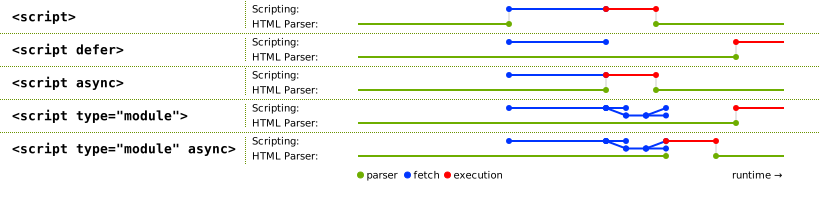
First I want to clarify it a little bit. According to the [Scripting section of HTML](https://www.w3.org/TR/html51/semantics-scripting.html#elementdef-script) (WHATWG living standard, the W3C's same here), `async` scripts would be evaluated as soon as it is available thus could potentially blocking parsing. Only `defer` (and not inlined) is specified to be never block parsing. That's why [Steve Souders](http://stevesouders.com/) ever posted ["Prefer DEFER Over ASYNC"](https://calendar.perfplanet.com/2016/prefer-defer-over-async/). (`defer` has its own issue and we will cover it later.)
**Then I want to say: A script not blocking parser could still block painting nonetheless.** So here is a reduced test I wrote named **"Minimal Multi-page PWA"**, or MMPWA, which basically render 1000 list items within an `async` (and truly not parser-blocking) script to see if we can get Skeleton Screen painted before scripts get executed. The profile below (over USB debugging on my real Nexus 5) shows my ignorance:

Yes, keep your mouth open. The first paint is blocked. I was also surprised here. The reason I guess is that **if we touch DOM so quickly that the browser has still NOT finished previous painting job, our dear browser has to abort every pixel it has drawn, and has to wait until current DOM manipulation task finished and redo the rendering pipeline again.** And this more often happens with a mobile device with a slower CPU/GPU.
### Fast Skeleton Painting with setTimeout Hack
We indeed encountered this problem when testing our new beautiful Skeleton Screen. Perhaps Vue finishes its job and start to mount nodes too fast ;). But anyway we have to make it slower, or rather lazier. So we try to put DOM manipulation things inside `setTimeout(callback, 0)`, and it works like a charm!

I think you may curious about how this change performs in the wild, so I have refined MMPWA by rendering 5000 list items rather 1000 to make the differences more obvious, and by designing it in an A/B testing manner. The code is on [Github](https://github.com/Huxpro/mmpwa) and the demo is live on [huangxuan.me/mmpwa/](https://huangxuan.me/mmpwa). Here is also a video for loungers.
<iframe width="560" height="315" src="https://www.youtube.com/embed/3Ws7XBHrPD8" frameborder="0" allowfullscreen></iframe>
This famous `setTimeout` hack (a.k.a. Zero Delays) looks quite magic, but it is science™. If you are familiar with **event loop**, it just prevents these code from executing in the current loop by putting everything to the **task queues** with the Timer Callback, so the browser could breath (update the rendering) in the main thread.
So we applied what we learned from MMPWA by putting `new Vue()` inside `setTimeout` and BOOM! We have Skeleton Screen painted consistently after every navigating! Here is the profile after all these optimizations.

Huge improvements right? This time we hit First Paint (Skeleton Screen Paint) at 400ms and TTI at 600ms. You should really go back to have a before-after comparison in details.
### One more thing that I deferred
But wait, why is there still a bunch of guiltily parser-blocking scripts? Are them all `async`? OK, ok. For historical reasons, we do keep some parser-blocking scripts, like [lib-flexible](https://github.com/amfe/lib-flexible), we couldn't get rid of it without a huge refactoring. But most of these blocking scripts are in fact `defer`. We expected that they can be executed after parsing and in order, however the profile kinda slap on my face. :(
Remember I said I would talk about one issue of `defer` previously? Yes, that's it. I have had a [conversation](https://twitter.com/Huxpro/status/859842124849827841) with [Jake Archibald](https://twitter.com/jaffathecake) and it turns out it might be a bug of Chrome when the deferred scripts are fully cached. [Vote it at crbug](https://bugs.chromium.org/p/chromium/issues/detail?id=717979)!
Similar improvements can be seen from Lighthouse (Under same server and network environment). A Pro Tip is you should always use lighthouse in a variable controlling approach.

### Performance In the Real World
[Alex Russell](https://medium.com/@slightlylate) has given [a very insightful talk on mobile web performance](https://youtu.be/4bZvq3nodf4?list=PLNYkxOF6rcIBTs2KPy1E6tIYaWoFcG3uj) at Chrome Dev Summit 2016, talking about how hard can we build performant web applications on mobile devices. Highly recommended.
Chinese users tend to have a pretty powerful phone. MI4 is shipped with snapdragon 801 (slightly out-performs Nexus 5) but only costs 100$. It’s affordable by at least 80% of our users so we take it as a baseline.
Here is a video screen-recorded on my Nexus 5 showing switching between 4 tabs. The performance varies between tabs due to their variant scale. The heaviest one, entry page, take around 1s to hit real Time-To-Interactive on my Nexus 5.
FYI. This is surprisingly comparable to what I get from Chrome Simulation with 2x CPU throttling. With 5x throttling, this can spend 2–3s to get TTI, horribly. (To be honest, I found even under same throttling, the results can vary drastically depended on my Macbook’s “mood”.)
<iframe width="700" height="525" src="https://www.youtube.com/embed/ZLc8jysMqaw?ecver=1" frameborder="0" allowfullscreen></iframe>
## Final Thoughts
This article is much longer than I could imagine. I am really appreciated if you could get here. So what can we learn from it?
### MPA still has some way to go
[Jake Archibald](https://twitter.com/jaffathecake) ever said that "PWA !== SPA" at [Chrome Dev Summit 2016](https://youtu.be/J2dOTKBoTL4?list=PLNYkxOF6rcIBTs2KPy1E6tIYaWoFcG3uj). But the sad truth is that even we have taken advantages of bleeding edge technologies such as "PRPL" pattern, Service Worker, App-Shell, Skeleton Screen, there is still a distance between us and many Single Page PWA just because we are Multi-page structured.
The web is extremely versatile. Static blogs, e-business sites, desktop-level software, all of them should be the first-class citizens of the web family. MPA might have things like "bfcache API", navigation transitions to catch up the SPA in the future, but it is not today certainly.
### PWA is Awesome No Matter What
Hey, I am not overblowing it. Even we as a Multi-page PWA couldn't be as stunning and app-like as many Single Page PWAs are. The idea and technologies behind PWA still help us deliver a much better experience to our users on the web that hasn’t been possible before.
What PWA is trying to solve are some fundamental problems of current web application model such as its hard dependencies to network and browser UIs. That' why PWA can be always beneficial no matter what architecture or what framework you actually used. [Addy Osmani](https://medium.com/@addyosmani) would give a talk [Production Progressive Web Apps With JavaScript Frameworks](https://events.google.com/io/schedule/?section=may-19&sid=e8436b55-ea89-4243-a644-5ecb319d9ef0) at this year's I/O (and [I/O 16](https://youtu.be/srdKq0DckXQ?list=PLNYkxOF6rcIDz1TzmmMRBC-kd8zPRTQIP)). You won’t want to miss it!
---
Finally, I’d love to thank:
- my colleagues [YiSi Wang](https://github.com/YiSiWang), [GuangHui Ren](https://github.com/rguanghui), [JiyinYiyong](https://medium.com/@jiyinyiyong) from Eleme
- collaborator [Michael Yeung](https://medium.com/@micyeung), [Liam Spradlin](https://medium.com/@LiamSpradlin) and other collaborators from Google
- collaborators from UC/Tencent
And special thanks to
- invited reviewer, [Evan You](https://medium.com/@youyuxi).
- Chrome “StackOverflow”, [Jake Archibald](https://twitter.com/jaffathecake).
Thank you all!
---
## Appendix. Architecture Diagram

[1]: https://twitter.com/vuejs/status/834087199008239619
[2]: https://developers.google.com/web/progressive-web-apps/
[3]: https://blog.twitter.com/2017/how-we-built-twitter-lite
[4]: https://medium.com/progressive-web-apps/building-flipkart-lite-a-progressive-web-app-2c211e641883
[5]: https://medium.com/engineering-housing/progressing-mobile-web-fac3efb8b454
[6]: https://shop.polymer-project.org/
[7]: https://developers.google.com/web/fundamentals/performance/prpl-pattern/
[8]: https://calendar.perfplanet.com/2013/big-bad-preloader/
[9]: https://w3c.github.io/ServiceWorker/v1/
[10]: https://webpack.github.io/
[11]: https://medium.com/@Huxpro/how-does-sw-precache-works-2d99c3d3c725
[12]: https://developers.google.com/web/updates/2015/11/app-shell
[13]: https://googlechrome.github.io/sw-toolbox/
================================================
FILE: _includes/posts/2017-07-12-upgrading-eleme-to-pwa/zh.md
================================================
> 很荣幸在今年 2 月到 5 月的时间里,以顾问的身份加入饿了么,参与 PWA 的相关工作。这篇文章其实最初是在以英文写作发表在 medium 上的:[Upgrading Ele.me to Progressive Web Apps](https://medium.com/elemefe/upgrading-ele-me-to-progressive-web-app-2a446832e509),获得了一定的关注。所以也决定改写为中文版本再次分享出来,希望能对你有所帮助 ;) <br><br>
> 本文首发于 [CSDN](http://geek.csdn.net/news/detail/210535) 与《程序员》2017 年 7 月刊,同步发布于 [饿了么前端 - 知乎专栏](https://zhuanlan.zhihu.com/ElemeFE)、[Hux Blog](https://huangxuan.me),转载请保留链接。
自 Vue.js 官方推特第一次[公开][1]到现在,我们就一直在进行着将[饿了么移动端网站](https://h5.ele.me/msite/#pwa=true)升级为 [Progressive Web App][2] 的工作。直到近日在 Google I/O 2017 上[登台亮相](https://m.weibo.cn/status/4109332495285652),才终于算告一段落。我们非常荣幸能够发布全世界第一个专门面向国内用户的 PWA,但更荣幸的是能与 Google、UC 以及腾讯合作,一起推动国内 web 与浏览器生态的发展。
## 多页应用、Vue、PWA?
对于构建一个希望达到原生应用级别体验的 PWA,目前社区里的主流做法都是采用 SPA,即单页面应用模型(Single-page App)来组织整个 web 应用,业内最有名的几个 PWA 案例 [Twitter Lite][3]、 [Flipkart Lite][4]、[Housing Go][5] 与 [Polymer Shop][6] 无一例外。
然而饿了么,与很多国内的电商网站一样,青睐多页面应用模型(MPA,Multi-page App)所能带来的一些好处,也因此在一年多将移动站从基于 Angular.js 的单页应用重构为目前的多页应用模型。团队最看重的优点莫过于页面与页面之间的隔离与解耦,这使得我们可以将每个页面当做一个独立的“微服务”来看待,这些服务可以被独立迭代,独立提供给各种第三方的入口嵌入,甚至被不同的团队独立维护。而整个网站则只是各种服务的集合而非一个巨大的整体。
与此同时,我们仍然依赖 [Vue.js](http://vuejs.org/) 作为 JavaScript 框架。Vue 除了是 React/Angular 这种“重型武器”的竞争对手外,其轻量与高性能的优点使得它同样可以作为传统多页应用开发中流行的 “jQuery/Zepto/Kissy + 模板引擎” 技术栈的完美替代。Vue 提供的组件系统、声明式与响应式编程更是提升了代码组织、共享、数据流控制、渲染等各个环节的开发效率。[Vue 还是一个渐进式框架]((https://www.youtube.com/watch?v=pBBSp_iIiVM)),如果网站的复杂度继续提升,我们可以按需、增量地引入 Vuex 或 Vue-Router 这些模块。万一哪天又要改回单页呢?(谁知道呢……)
2017 年,PWA 已经成为 web 应用新的风潮。我们决定试试,以我们现有的“Vue + 多页”的架构,能在升级 PWA 的道路上走多远,达到怎样的效果。
## 实现 “PRPL” 模式
[“PRPL”][7](读作 “purple”)是 Google 的工程师提出的一种 web 应用架构模式,它旨在利用现代 web 平台的新技术以大幅优化移动 web 的性能与体验,对如何组织与设计高性能的 PWA 系统提供了一种高层次的抽象。我们并不准备从头重构我们的 web 应用,不过我们可以把实现 “PRPL” 模式作为我们的迁移目标。“PRPL”实际上是 Push/Preload、Render、Precache、Lazy-Load 的缩写,我们会在下文中展开它们的具体含义。
### 1. PUSH/PRELOAD,推送/预加载初始 URL 路由所需的关键资源。
无论是 HTTP2 Server Push 还是 `<link rel="preload">`,其关键都在于,我们希望提前请求一些隐藏在应用依赖关系(Dependency Graph)较深处的资源,以节省 HTTP 往返、浏览器解析文档、或脚本执行的时间。比如说,对于一个基于路由进行 code splitting 的 SPA,如果我们可以在 webpack 清单、路由等入口代码(entry chunks)被下载与运行之前就把初始 URL,即用户访问的入口 URL 路由所依赖的代码用 Server Push 推送或 `<link rel="preload">` 进行提前加载。那么当这些资源被真正请求时,它们可能已经下载好并存在在缓存中了,这样就加快了初始路由所有依赖的就绪。
在多页应用中,每一个路由本来就只会请求这个路由所需要的资源,并且通常依赖也都比较扁平。饿了么移动站的大部分脚本依赖都是普通的 `<script>` 元素,因此他们可以在文档解析早期就被浏览器的 preloader 扫描出来并且开始请求,其效果其实与显式的 `<link rel="preload">` 是一致的。

我们还将所有关键的静态资源都伺服在同一域名下(不再做域名散列),以更好的利用 HTTP2 带来的多路复用(Multiplexing)。同时,我们也在进行着对 API 进行 Server Push 的[实验](https://zhuanlan.zhihu.com/p/26757514)。
### 2. RENDER,渲染初始路由,尽快让应用可被交互
既然所有初始路由的依赖都已经就绪,我们就可以尽快开始初始路由的渲染,这有助于提升应用诸如首次渲染时间、可交互时间等指标。多页应用并不使用基于 JavaScript 的路由,而是传统的 HTML 跳转机制,所以对于这一部分,多页应用其实不用额外做什么。
### 3. PRE-CACHE,用 Service Worker 预缓存剩下的路由
这一部分就需要 [Service Worker][9] 的参与了,Service Worker 是一个位于浏览器与网络之间的客户端代理,它以可拦截、处理、响应流经的 HTTP 请求,使得开发者得以从缓存中向 web 应用提供资源而闻名。不过,Service Worker 其实也可以主动发起 HTTP 请求,在“后台” 预请求与预缓存我们未来所需要的资源。

我们已经使用 [Webpack][10] 在构建过程中进行 `.vue` 编译、文件名哈希等工作,于是我们编写了一个 webpack 插件来帮助我们收集需要缓存的依赖到一个“预缓存清单”中,并使用这个清单在每次构建时生成新的 Service Worker 文件。在新的 Service Worker 被激活时,清单里的资源就会被请求与缓存,这其实与 [SW-Precache 这个库的运行机制][11]非常接近。
**实际上,我们只对我们标记为“关键路由”的路由进行依赖收集。**你可以将这些“关键路由”的依赖理解为我们整个应用的 ["App Shell"][12] 或者说“安装包”。一旦它们都被缓存,或者说成功安装,无论用户是在线离线,我们的 web 应用都可以从缓存中直接启动。对于那些并不那么重要的路由,我们则采取在运行时增量缓存的方式。我们使用的 [SW-Toolbox][13] 提供了 LRU 替换策略与 TTL 失效机制,可以保证我们的应用不会超过浏览器的缓存配额。
### 4. LAZY-LOAD 按需懒加载、懒实例化剩下的路由
懒加载与懒实例化剩下的路由对于 SPA 是一件相对麻烦点儿的事情,你需要实现基于路由的 code splitting 与异步加载。幸运的是,这又是一件不需要多页应用担心的事情,多页应用中的各个路由天生就是分离的。
值得说明的是,无论单页还是多页应用,如果在上一步中,我们已经将这些路由的资源都预先下载与缓存好了,那么懒加载就几乎是瞬时完成的了,这时候我们就只需要付出实例化的代价。
---
这四句话即是 PRPL 的全部了。有趣的是,我们发现多页应用在实现 PRPL 这件事甚至比单页还要容易一些。那么结果如何呢?

根据 Google 推出的 Web 性能分析工具 Lighthouse(v1.6),在模拟的 3G 网络下,用户的初次访问(无任何缓存)大约在 2 秒左右达到“可交互”,可以说非常不错。而对于再次访问,由于所有资源都直接来自于 Service Worker 缓存,页面可以在 1 秒左右就达到可交互的状态了。
但是,故事并不是这么简单得就结束了。在实际的体验中我们发现,**应用在页与页的切换时,仍然存在着非常明显的白屏空隙**,由于 PWA 是全屏运行的,白屏对用户体验所带来的负面影响甚至比以往在浏览器内更大。我们不是已经用 Service Worker 缓存了所有资源了吗,怎么还会这样呢?

*从首页点击到发现页,跳转过程中的白屏*
## 多页应用的陷阱:重启开销
与 SPA 不同,在多页应用中,路由的切换是原生的浏览器文档跳转(Navigating across documents),这意味着之前的页面会被完全丢弃而浏览器需要为下一个路由的页面重新执行所有的启动步骤:重新下载资源、重新解析 HTML、重新运行 JavaScript、重新解码图片、重新布局页面、重新绘制……即使其中的很多步骤本是可以在多个路由之间复用的。这些工作无疑将产生巨大的计算开销,也因此需要付出相当的时间成本。
图中为我们的入口页(同时也是最重的页面)在 2 倍 CPU 节流模拟下的 profile 数据。即使我们可以将“可交互时间”控制在 1 秒左右,我们的用户仍然会觉得这对于“仅仅切换个标签”来说实在是太慢了。

### 巨大的 JavaScript 重启开销
根据 Profile,我们发现在首次渲染(First Paint)发生之前,大量的时间(900 毫秒)都消耗在了 JavaScript 的运行上(Evaluate Script)。几乎所有脚本都是阻塞的(Parser-blocking),不过因为所有的 UI 都是由 JavaScript/Vue 驱动的,倒也不会有性能影响。这 900ms 中,约一半是消耗在包括 Vue 运行时、组件、库等依赖的运行上,而另一半则花在了业务组件实例化时 Vue 的启动与渲染上。从软件工程角度来说,我们需要这些抽象,所以这里并不是想责怪 JavaScript 或是 Vue 所带来的开销。
**但是,在 SPA 中,JavaScript 的启动成本是均摊到整个生命周期的:** 每个脚本都只需要被解析与编译一次,诸如生成 Virtual DOM 等较重的任务可以只执行一次,像 Vue 的 ViewModel 或是 Virtual DOM 这样的大对象也可以被留在内存里复用。**可惜在多页应用里就不是这样了,我们每次切换页面都为 JavaScript 付出了巨大的重启代价。**
### 浏览器的缓存啊,能不能帮帮忙?
能,也不能。
V8 提供了[代码缓存(code caching)](http://v8project.blogspot.com/2015/07/code-caching.html),可以将编译后的机器码在本地拷贝一份,这样我们就可以在下次请求同一个脚本时一次省略掉请求、解析、编译的所有工作。而且,对于缓存在 Service Worker 配套的 Cache Storage 中的脚本,会在第一次执行后就触发 V8 的代码缓存,这对于我们的多页切换能提供不少帮助。
另外一个你或许听过的浏览器缓存叫做“进退缓存”,Back-Forward Cache,简称 bfcache。浏览器厂商对其的命名各异,Opera 称之为 Fast History Navigation,Webkit 称其为 Page Cache。但是思路都一样,**就是我们可以让浏览器在跳转时把前一页留存在内存中,保留 JavaScript 与 DOM 的状态,而不是全都销毁掉。**你可以随便找个传统的多页网站在 iOS Safari 上试试,无论是通过浏览器的前进后退按钮、手势,还是通过超链接(会有一些不同),基本都可以看到瞬间加载的效果。
Bfcache 其实非常适合多页应用。但不幸的是,Chrome 由于内存开销与其多进程架构等原因目前并不支持。Chrome 现阶段仅仅只是用了传统的 HTTP 磁盘缓存,来稍稍简化了一下加载过程而已。对于 Chromium 内核霸占的 Android 生态来说,我们没法指望了。
## 为“感知体验”奋斗
尽管多页应用面临着现实中的不少性能问题,我们并不想这么快就妥协。一方面,我们尝试尽可能减少在页面达到可交互时间前的代码执行量,比如减少/推迟一些依赖脚本的执行,还有减少初次渲染的 DOM 节点数以节省 Virtual DOM 的初始化开销。另一方面,我们也意识到应用在感知体验上还有更多的优化空间。
Chrome 产品经理 Owen 写过一篇 [Reactive Web Design: The secret to building web apps that feel amazing](https://medium.com/@owencm/reactive-web-design-the-secret-to-building-web-apps-that-feel-amazing-b5cbfe9b7c50),谈到两种改进感知体验的手段:一是使用骨架屏(Skeleton Screen)来实现瞬间加载;二是预先定义好元素的尺寸来保证加载的稳定。跟我们的做法可以说不谋而合。
为了消除白屏时间,我们同样引入了尺寸稳定的骨架屏来帮助我们实现瞬间的加载与占位。即使是在硬件很弱的设备上,我们也可以在点击切换标签后立刻渲染出目标路由的骨架屏,以保证 UI 是稳定、连续、有响应的。我录了[两个](https://youtu.be/K5JBGnMYO1s)[视频](https://youtu.be/w1ZbNsHmRjs)放在 Youtube 上,不过如果你是国内读者,你可以直接访问饿了么移动网站来体验实地的效果 ;) 最终效果如下图所示。

*在添加骨架屏后,从发现页点回首页的效果*
这效果本该很轻松的就能实现,不过实际上我们还费了点功夫。
### 在构建时使用 Vue 预渲染骨架屏
你可能已经想到了,为了让骨架屏可以被 Service Worker 缓存,瞬间加载并独立于 JavaScript 渲染,我们需要把组成骨架屏的 HTML 标签、CSS 样式与图片资源一并内联至各个路由的静态 `*.html` 文件中。
不过,我们并不准备手动编写这些骨架屏。你想啊,如果每次真实组件有迭代(每一个路由对我们来说都是一个 Vue 组件)我们都需要手动去同步每一个变化到骨架屏的话,那实在是太繁琐且难以维护了。好在,[骨架屏不过是当数据还未加载进来前,页面的一个空白版本而已](https://www.lukew.com/ff/entry.asp?1797)。如果我们能将骨架屏实现为真实组件的一个特殊状态 —— “空状态”的话,我们理论上就可以从真实组件中直接渲染出骨架屏来。
而 Vue 的多才多艺就在这时体现出来了,我们真的可以用 [Vue.js 的服务端渲染模块](https://ssr.vuejs.org/en/) 来实现这个想法,不过不是用在真正的服务器上,而是在构建时用它把组件的空状态预先渲染成字符串并注入到 HTML 模板中。你需要调整你的 Vue 组件代码使得它可以在 Node 上执行,有些页面对 DOM/BOM 的依赖一时无法轻易去除得,我们目前只好额外编写一个 `*.shell.vue` 来暂时绕过这个问题。
### 关于浏览器的绘制(Painting)
HTML 文件中有标签并不意味着这些标签就能立刻被绘制到屏幕上,你必须保证页面的[关键渲染路径](https://developers.google.com/web/fundamentals/performance/critical-rendering-path/)是为此优化的。很多开发者相信将 script 标签放在 body 的底部就足以保证内容能在脚本执行之前被绘制,这对于能渲染不完整 DOM 树的浏览器(比如桌面浏览器常见的流式渲染)来说可能是成立的。但移动端的浏览器很可能因为考虑到较慢的硬件、电量消耗等因素并不这么做。**不仅如此,即使你曾被告知设为 `async` 或 `defer` 的脚本就不会阻塞 HTML 解析了,但这可不意味着浏览器就一定会在执行它们之前进行渲染。**

首先我想澄清的是,根据 [HTML 规范 Scripting 章节](https://html.spec.whatwg.org/multipage/scripting.html),`async` 脚本是在其请求完成后立刻运行的,因此它本来就可能阻塞到解析。只有 `defer`(且非内联)与最新的 `type=module` 被指定为“一定不会阻塞解析”。(不过 `defer` 目前也有点小问题……我们稍后会再提到)
**而更重要的是,一个不阻塞 HTML 解析的脚本仍然可能阻塞到绘制。**我做了一个简化的**“最小多页 PWA”**(Minimal Multi-page PWA,或 MMPWA)来测试这个问题,:我们在一个 `async`(且确实不阻塞 HTML 解析)脚本中,生成并渲染 1000 个列表项,然后测试骨架屏能否在脚本执行之前渲染出来。下面是通过 USB Debugging 在我的 Nexus 5 真机上录制的 profile:

是的,出乎意料吗?首次渲染确实被阻塞到脚本执行结束后才发生。究其原因,**如果我们在浏览器还未完成上一次绘制工作之前就过快得进行了 DOM 操作,我们亲爱的浏览器就只好抛弃所有它已经完成的像素,且一直要等待到 DOM 操作引起的所有工作结束之后才能重新进行下一次渲染。**而这种情况更容易在拥有较慢 CPU/GPU 的移动设备上出现。
### 黑魔法:利用 setTimeout() 让绘制提前
不难发现,骨架屏的绘制与脚本执行实际是一个竞态。大概是 Vue 太快了,我们的骨架屏还是有非常大的概率绘制不出来。于是我们想着如何能让脚本执行慢点,或者说,“懒”点。于是我们想到了一个经典的 Hack: `setTimeout(callback, 0)`。我们试着把 MMPWA 中的 DOM 操作(渲染 1000 个列表)放进 `setTimeout(callback, 0)` 里……

当当!首次渲染瞬间就被提前了。如果你熟悉浏览器的**事件循环模型(event loop)**的话,这招 Hack 其实是通过 setTimeout 的回调把 DOM 操作放到了事件循环的任务队列中以避免它在当前循环执行,这样浏览器就得以在主线程空闲时喘息一下(更新一下渲染)了。如果你想亲手试试 MMPWA 的话,你可以访问 [github.com/Huxpro/mmpwa](https://github.com/Huxpro/mmpwa) 或 [huangxuan.me/mmpwa/](https://huangxuan.me/mmpwa) 访问代码与 Demo。我把 UI 设计为了 A/B Test 的形式并改为渲染 5000 个列表项来让效果更夸张一些。
回到饿了么 PWA 上,我们同样试着把 `new Vue()` 放到了 `setTimeout` 中。果然,黑魔法再次显灵,骨架屏在每次跳转后都能立刻被渲染。这时的 Profile 看起来是这样的:

现在,我们在 400ms 时触发首次渲染(骨架屏),在 600ms 时完成真实 UI 的渲染并达到页面的可交互。你可以拉上去详细对比下优化前后 profile 的区别。
### 被我 “defer” 的有关 `defer` 的 Bug
不知道你发现没有,在上图的 Profile 中,我们仍然有不少脚本是阻塞了 HTML 解析的。好吧让我解释一下,由于历史原因,我们确实保留了一部分的阻塞脚本,比如侵入性很强的 [lib-flexible](https://github.com/amfe/lib-flexible),我们没法轻易去除它。不过,profile 里的大部分阻塞脚本实际上都设置了 `defer`,我们本以为他们应该在 HTML 解析完成之后才被执行,结果被 profile 打了一脸。
我和 [Jake Archibald](https://twitter.com/jaffathecake) [聊了一下](https://twitter.com/Huxpro/status/859842124849827841),果然这是 Chrome 的 Bug:`defer` 的脚本被完全缓存时,并没有遵守规范等待解析结束,反而阻塞了解析与渲染。Jake 已经提交在 [crbug](https://bugs.chromium.org/p/chromium/issues/detail?id=717979) 上了,一起给它投票吧~
最后,是优化后的 Lighthouse 跑分结果,同样可以看到明显的性能提升。需要说明的是,能影响 Lighthouse 跑分的因素有很多,所以我建议你以控制变量(跑分用的设备、跑分时的网络环境等)的方式来进行对照实验。

最后附上一张图,这张图当时是做给 Addy Osmani 的 I/O 演讲用的,描述了饿了么 PWA 是如何结合 Vue 来实现多页应用的 PRPL 模式,可以作为一个架构的参考与示意图。

## 一些感想
### 多页应用仍然有很长的路要走
Web 是一个极其多样化的平台。从静态的博客,到电商网站,再到桌面级的生产力软件,它们全都是 Web 这个大家庭的第一公民。而我们组织 web 应用的方式,也同样只会更多而不会更少:多页、单页、Universal JavaScript 应用、WebGL、以及可以预见的 Web Assembly。不同的技术之间没有贵贱,但是适用场景的差距确是客观存在的。
[Jake](https://twitter.com/jaffathecake) 曾在 [Chrome Dev Summit 2016](https://youtu.be/J2dOTKBoTL4?list=PLNYkxOF6rcIBTs2KPy1E6tIYaWoFcG3uj) 上说过 "PWA !== SPA"。可是尽管我们已经用上了一系列最新的技术(PRPL、Service Worker、App Shell……),我们仍然因为多页应用模型本身的缺陷有着难以逾越的一些障碍。多页应用在未来可能会有“bfcache API”、Navigation Transition 等新的规范以缩小跟 SPA 的距离,不过我们也必须承认,时至今日,多页应用的局限性也是非常明显的。
### 而 PWA 终将带领 web 应用进入新的时代
即使我们的多页应用在升级 PWA 的路上不如单页的那些来得那么闪亮,但是 PWA 背后的想法与技术却实实在在的帮助我们在 web 平台上提供了更好的用户体验。
PWA 作为[下一代 Web 应用模型](https://zhuanlan.zhihu.com/p/25167289),其尝试解决的是 web 平台本身的根本性问题:对网络与浏览器 UI 的硬依赖。因此,任何 web 应用都可以从中获益,这与你是多页还是单页、面向桌面还是移动端、是用 React 还是 Vue 无关。或许,它还终将改变用户对移动 web 的期待。现如今,谁还觉得桌面端的 web 只是个看文档的地方呢?
还是那句老话:让我们的用户,也像我们这般热爱 web 吧。
---
最后,感谢饿了么的王亦斯、任光辉、题叶,Google 的 Michael Yeung、DevRel 团队, UC 浏览器团队,腾讯 X5 浏览器团队在这次项目中的合作。感谢尤雨溪、陈蒙迪和 Jake Archibald 在写作过程中给予我的帮助。
[1]: https://twitter.com/vuejs/status/834087199008239619
[2]: https://developers.google.com/web/progressive-web-apps/
[3]: https://blog.twitter.com/2017/how-we-built-twitter-lite
[4]: https://medium.com/progressive-web-apps/building-flipkart-lite-a-progressive-web-app-2c211e641883
[5]: https://medium.com/engineering-housing/progressing-mobile-web-fac3efb8b454
[6]: https://shop.polymer-project.org/
[7]: https://developers.google.com/web/fundamentals/performance/prpl-pattern/
[8]: https://calendar.perfplanet.com/2013/big-bad-preloader/
[9]: https://w3c.github.io/ServiceWorker/v1/
[10]: https://webpack.github.io/
[11]: https://medium.com/@Huxpro/how-does-sw-precache-works-2d99c3d3c725
[12]: https://developers.google.com/web/updates/2015/11/app-shell
[13]: https://googlechrome.github.io/sw-toolbox/
================================================
FILE: _includes/search.html
================================================
<!-- Search -->
<div class="search-page">
<div class="search-icon-close-container">
<span class="search-icon-close">
<i class="fa fa-chevron-down"></i>
</span>
</div>
<div class="search-main container">
<div class="row">
<div class="col-lg-8 col-lg-offset-2 col-md-10 col-md-offset-1">
<form></form>
<input type="text" id="search-input" placeholder="$ grep...">
</form>
<div id="search-results" class="mini-post-list"></div>
</div>
</div>
</div>
</div>
================================================
FILE: _includes/short-about.html
================================================
<section class="visible-md visible-lg">
<hr>
<h5><a href="{{'/about/' | prepend: site.baseurl }}">ABOUT ME</a></h5>
<div class="short-about">
{% if site.sidebar-avatar %}
<img src="{{site.sidebar-avatar}}" />
{% endif %}
{% if site.sidebar-about-description %}
<p>{{site.sidebar-about-description}}</p>
{% endif %}
<!-- SNS Link -->
{% include sns-links.html %}
</div>
</section>
================================================
FILE: _includes/sns-links.html
================================================
{% comment %}
@param {Boolean} center
{% endcomment %}
{% if include.center %}
<ul class="list-inline text-center">
{% else %}
<ul class="list-inline">
{% endif %}
{% if site.RSS %}
<li>
<a href="{{ "/feed.xml" | prepend: site.baseurl }}">
<span class="fa-stack fa-lg">
<i class="fa fa-circle fa-stack-2x"></i>
<i class="fa fa-rss fa-stack-1x fa-inverse"></i>
</span>
</a>
</li>
{% endif %}
{% if site.twitter_username %}
<li>
<a href="https://twitter.com/{{ site.twitter_username }}">
<span class="fa-stack fa-lg">
<i class="fa fa-circle fa-stack-2x"></i>
<i class="fa fa-twitter fa-stack-1x fa-inverse"></i>
</span>
</a>
</li>
{% endif %}
{% if site.zhihu_username %}
<li>
<a target="_blank" href="https://www.zhihu.com/people/{{ site.zhihu_username }}">
<span class="fa-stack fa-lg">
<i class="fa fa-circle fa-stack-2x"></i>
<i class="fa fa-stack-1x fa-inverse">知</i>
</span>
</a>
</li>
{% endif %}
{% if site.weibo_username %}
<li>
<a target="_blank" href="http://weibo.com/{{ site.weibo_username }}">
<span class="fa-stack fa-lg">
<i class="fa fa-circle fa-stack-2x"></i>
<i class="fa fa-weibo fa-stack-1x fa-inverse"></i>
</span>
</a>
</li>
{% endif %}
{% if site.facebook_username %}
<li>
<a target="_blank" href="https://www.facebook.com/{{ site.facebook_username }}">
<span class="fa-stack fa-lg">
<i class="fa fa-circle fa-stack-2x"></i>
<i class="fa fa-facebook fa-stack-1x fa-inverse"></i>
</span>
</a>
</li>
{% endif %}
{% if site.github_username %}
<li>
<a target="_blank" href="https://github.com/{{ site.github_username }}">
<span class="fa-stack fa-lg">
<i class="fa fa-circle fa-stack-2x"></i>
<i class="fa fa-github fa-stack-1x fa-inverse"></i>
</span>
</a>
</li>
{% endif %}
{% if site.linkedin_username %}
<li>
<a target="_blank" href="https://www.linkedin.com/in/{{ site.linkedin_username }}">
<span class="fa-stack fa-lg">
<i class="fa fa-circle fa-stack-2x"></i>
<i class="fa fa-linkedin fa-stack-1x fa-inverse"></i>
</span>
</a>
</li>
{% endif %}
</ul>
================================================
FILE: _layouts/default.html
================================================
<!DOCTYPE html>
<html lang="en">
{% include head.html %}
<!-- hack iOS CSS :active style -->
<body ontouchstart="">
{% include nav.html %}
{% include search.html %}
{{ content }}
{% include footer.html %}
<!-- Image to hack wechat -->
<img src="/img/icon_wechat.png" width="0" height="0" />
<!-- Migrate from head to bottom, no longer block render and still work -->
</body>
</html>
================================================
FILE: _layouts/keynote.html
================================================
---
layout: default
---
<!-- Image to hack wechat -->
<!-- <img src="/img/icon_wechat.png" width="0" height="0"> -->
<!-- <img src="{{ site.baseurl }}/{% if page.header-img %}{{ page.header-img }}{% else %}{{ site.header-img }}{% endif %}" width="0" height="0"> -->
<!-- Post Header -->
{% include intro-header.html type='keynote' %}
<!-- Post Content -->
<article>
<div class="container">
<div class="row">
<!-- Post Container -->
<div class="post-container
col-lg-8 col-lg-offset-2
col-md-10 col-md-offset-1 ">
{{ content }}
<hr style="visibility: hidden;">
<ul class="pager">
{% if page.previous.url %}
<li class="previous">
<a href="{{ page.previous.url | prepend: site.baseurl | replace: '//', '/' }}" data-toggle="tooltip" data-placement="top" title="{{page.previous.title}}">
Previous<br>
<span>{{page.previous.title}}</span>
</a>
</li>
{% endif %}
{% if page.next.url %}
<li class="next">
<a href="{{ page.next.url | prepend: site.baseurl | replace: '//', '/' }}" data-toggle="tooltip" data-placement="top" title="{{page.next.title}}">
Next<br>
<span>{{page.next.title}}</span>
</a>
</li>
{% endif %}
</ul>
<hr style="visibility: hidden;">
{% if site.disqus_username %}
<!-- disqus 评论框 start -->
<div class="comment">
<div id="disqus_thread" class="disqus-thread">
</div>
</div>
<!-- disqus 评论框 end -->
{% endif %}
</div>
<!-- Sidebar Container -->
<div class="sidebar-container
col-lg-8 col-lg-offset-2
col-md-10 col-md-offset-1 ">
<!-- Featured Tags -->
{% include featured-tags.html %}
<!-- Friends Blog -->
{% include friends.html %}
</div>
</div>
</div>
</article>
<!-- resize header to fullscreen keynotes -->
<script>
var $header = document.getElementsByTagName("header")[0];
function resize(){
/*
* leave 85px to both
* - told/imply users that there has more content below
* - let user can scroll in mobile device, seeing the keynote-view is unscrollable
*/
$header.style.height = (window.innerHeight-85) + 'px';
}
document.addEventListener('DOMContentLoaded', function(){
resize();
})
window.addEventListener('load', function(){
resize();
})
window.addEventListener('resize', function(){
resize();
})
resize();
</script>
{% if site.disqus_username %}
<!-- disqus 公共JS代码 start (一个网页只需插入一次) -->
<script type="text/javascript">
/* * * CONFIGURATION VARIABLES * * */
var disqus_shortname = "{{site.disqus_username}}";
var disqus_identifier = "{{page.id}}";
var disqus_url = "{{site.url}}{{page.url}}";
(function() {
var dsq = document.createElement('script'); dsq.type = 'text/javascript'; dsq.async = true;
dsq.src = '//' + disqus_shortname + '.disqus.com/embed.js';
(document.getElementsByTagName('head')[0] || document.getElementsByTagName('body')[0]).appendChild(dsq);
})();
</script>
<!-- disqus 公共JS代码 end -->
{% endif %}
{% if site.anchorjs %}
<!-- async load function -->
<script>
function async(u, c) {
var d = document, t = 'script',
o = d.createElement(t),
s = d.getElementsByTagName(t)[0];
o.src = u;
if (c) { o.addEventListener('load', function (e) { c(null, e); }, false); }
s.parentNode.insertBefore(o, s);
}
</script>
<!-- anchor-js, Doc:http://bryanbraun.github.io/anchorjs/ -->
<script>
async("//cdnjs.cloudflare.com/ajax/libs/anchor-js/1.1.1/anchor.min.js",function(){
anchors.options = {
visible: 'always',
placement: 'right',
icon: '#'
};
anchors.add().remove('.intro-header h1').remove('.subheading').remove('.sidebar-container h5');
})
</script>
<style>
/* place left on bigger screen */
@media all and (min-width: 800px) {
.anchorjs-link{
position: absolute;
left: -0.75em;
font-size: 1.1em;
margin-top : -0.1em;
}
}
</style>
{% endif %}
================================================
FILE: _layouts/page.html
================================================
---
layout: default
---
<!-- Page Header -->
{% include intro-header.html type='page' %}
<!-- Main Content -->
<div class="container">
<div class="row">
{% if site.sidebar == false %}
<!-- NO SIDEBAR -->
<!-- PostList Container -->
<div class="col-lg-8 col-lg-offset-2 col-md-10 col-md-offset-1
postlist-container">
{{ content }}
</div>
<!-- Sidebar Container -->
<div class="col-lg-8 col-lg-offset-2 col-md-10 col-md-offset-1
sidebar-container">
<!-- Featured Tags -->
{% include featured-tags.html %}
<!-- Friends Blog -->
{% include friends.html %}
</div>
{% else %}
<!-- USE SIDEBAR -->
<!-- PostList Container -->
<div class="col-lg-8 col-lg-offset-1 col-md-8 col-md-offset-1 col-sm-12
col-xs-12 postlist-container">
{{ content }}
</div>
<!-- Sidebar Container -->
<div class="col-lg-3 col-lg-offset-0 col-md-3 col-md-offset-0 col-sm-12
col-xs-12 sidebar-container">
<!-- Featured Tags -->
{% include featured-tags.html %}
<!-- Short About -->
{% include short-about.html %}
<!-- Friends Blog -->
{% include friends.html %}
<!-- Ads -->
{% include ads.html %}
</div>
{% endif %}
</div>
</div>
{% if site.page-mathjax %}
<!-- Add support for Mathjax by Voleking-->
<!-- If you want to see formulars well in post preview, Maybe you should add this.-->
<!-- However, most of the time formulars may not appear in the post preview, you can delete it.-->
<script type="text/x-mathjax-config">
MathJax.Hub.Config({
TeX: {
equationNumbers: {
autoNumber: "AMS"
}
},
tex2jax: {
inlineMath: [ ['$','$'] ],
displayMath: [ ['$$','$$'] ],
processEscapes: true,
}
});
</script>
<script type="text/javascript"
src="https://cdnjs.cloudflare.com/ajax/libs/mathjax/2.7.5/MathJax.js?config=TeX-AMS-MML_HTMLorMML"></script>
{% endif %}
================================================
FILE: _layouts/post.html
================================================
---
layout: default
---
<!-- Image to hack wechat -->
<!-- <img src="/img/icon_wechat.png" width="0" height="0"> -->
<!-- <img src="{{ site.baseurl }}/{% if page.header-img %}{{ page.header-img }}{% else %}{{ site.header-img }}{% endif %}" width="0" height="0"> -->
<!-- Post Header -->
{% include intro-header.html type='post' %}
<!-- Post Content -->
<article>
<div class="container">
<div class="row">
<!-- Post Container -->
<div class="
col-lg-8 col-lg-offset-2
col-md-10 col-md-offset-1
post-container">
<!-- Multi-Lingual -->
{% if page.multilingual %}
{% include multilingual-sel.html %}
{% endif %}
{{ content }}
<hr style="visibility: hidden;">
<ul class="pager">
{% if page.previous.url %}
<li class="previous">
<a href="{{ page.previous.url | prepend: site.baseurl | replace: '//', '/' }}" data-toggle="tooltip" data-placement="top" title="{{page.previous.title}}">
Previous<br>
<span>{{page.previous.title}}</span>
</a>
</li>
{% endif %}
{% if page.next.url %}
<li class="next">
<a href="{{ page.next.url | prepend: site.baseurl | replace: '//', '/' }}" data-toggle="tooltip" data-placement="top" title="{{page.next.title}}">
Next<br>
<span>{{page.next.title}}</span>
</a>
</li>
{% endif %}
</ul>
<hr style="visibility: hidden;">
{% if site.disqus_username %}
<!-- disqus 评论框 start -->
<div class="comment">
<div id="disqus_thread" class="disqus-thread"></div>
</div>
<!-- disqus 评论框 end -->
{% endif %}
{% if site.netease_comment %}
<!-- 网易云跟帖 评论框 start -->
<div id="cloud-tie-wrapper" class="cloud-tie-wrapper"></div>
<!-- 网易云跟帖 评论框 end -->
{% endif %}
</div>
<!-- Side Catalog Container -->
{% unless page.no-catalog %}
<div class="
col-lg-2 col-lg-offset-0
visible-lg-block
sidebar-container
catalog-container">
<div class="side-catalog">
<hr class="hidden-sm hidden-xs">
<h5>
<a class="catalog-toggle" href="#">CATALOG</a>
</h5>
<ul class="catalog-body"></ul>
</div>
</div>
{% endunless %}
<!-- Sidebar Container -->
<div class="
col-lg-8 col-lg-offset-2
col-md-10 col-md-offset-1
sidebar-container">
<!-- Featured Tags -->
{% include featured-tags.html bottom=true %}
<!-- Friends Blog -->
{% include friends.html %}
</div>
</div>
</div>
</article>
<!-- add support for mathjax by voleking-->
{% if page.mathjax %}
{% include mathjax_support.html %}
{% endif %}
{% if site.netease_comment %}
<!-- 网易云跟帖JS代码 start -->
<script src="https://img1.cache.netease.com/f2e/tie/yun/sdk/loader.js"></script>
<script>
var cloudTieConfig = {
url: document.location.href,
sourceId: "",
productKey: "de25fc98a6fe48b3bc8a7ae765da99a0",
target: "cloud-tie-wrapper"
};
var yunManualLoad = true;
Tie.loader("aHR0cHM6Ly9hcGkuZ2VudGllLjE2My5jb20vcGMvbGl2ZXNjcmlwdC5odG1s", true);
</script>
<!-- 网易云跟帖JS代码 end -->
{% endif %}
{% if site.disqus_username %}
<!-- disqus 公共JS代码 start (一个网页只需插入一次) -->
<script type="text/javascript">
/* * * CONFIGURATION VARIABLES * * */
var disqus_shortname = "{{site.disqus_username}}";
var disqus_identifier = "{{page.id}}";
var disqus_url = "{{site.url}}{{page.url}}";
(function() {
var dsq = document.createElement('script'); dsq.type = 'text/javascript'; dsq.async = true;
dsq.src = '//' + disqus_shortname + '.disqus.com/embed.js';
(document.getElementsByTagName('head')[0] || document.getElementsByTagName('body')[0]).appendChild(dsq);
})();
</script>
<!-- disqus 公共JS代码 end -->
{% endif %}
{% if site.anchorjs %}
<!-- async load function -->
<script>
function async(u, c) {
var d = document, t = 'script',
o = d.createElement(t),
s = d.getElementsByTagName(t)[0];
o.src = u;
if (c) { o.addEventListener('load', function (e) { c(null, e); }, false); }
s.parentNode.insertBefore(o, s);
}
</script>
<!-- anchor-js, Doc:http://bryanbraun.github.io/anchorjs/ -->
<script>
async("//cdnjs.cloudflare.com/ajax/libs/anchor-js/1.1.1/anchor.min.js",function(){
anchors.options = {
visible: 'hover',
placement: 'right',
// icon: '#'
};
anchors.add().remove('.intro-header h1').remove('.subheading').remove('.sidebar-container h5');
})
</script>
<style>
/* place left on bigger screen */
@media all and (min-width: 800px) {
.anchorjs-link{
position: absolute;
left: -0.75em;
font-size: 1.1em;
margin-top : -0.1em;
}
}
</style>
{% endif %}
================================================
FILE: _posts/2014-01-29-hello-2015.markdown
================================================
---
layout: post
title: "Hello 2015"
subtitle: " \"Hello World, Hello Blog\""
date: 2015-01-29 12:00:00
author: "Hux"
header-img: "img/post-bg-2015.jpg"
catalog: true
tags:
- Meta
---
> “Yeah It's on. ”
Hux 的 Blog 就这么开通了。
[跳过废话,直接看技术实现 ](#build)
2015 年,Hux 总算有个地方可以好好写点东西了。
作为一个程序员, Blog 这种轮子要是挂在大众博客程序上就太没意思了。一是觉得大部分 Blog 服务都太丑,二是觉得不能随便定制不好玩。之前因为太懒没有折腾,结果就一直连个写 Blog 的地儿都没有。
在玩了一段时间知乎之后,答题的快感又激起了我开博客的冲动。之前的[个人网站](http://huangxuan.me/portfolio)是作品集形式的(现在集成进来了),并不适合用来写博文,一不做二不休,花一天搞一个吧!
<p id = "build"></p>
## 正文
接下来说说搭建这个博客的技术细节。
正好之前就有关注过 [GitHub Pages](https://pages.github.com/) + [Jekyll](http://jekyllrb.com/) 快速 Building Blog 的技术方案,非常轻松时尚。
其优点非常明显:
* **Markdown** 带来的优雅写作体验
* 非常熟悉的 Git workflow ,**Git Commit 即 Blog Post**
* 利用 GitHub Pages 的域名和免费无限空间,不用自己折腾主机
* 如果需要自定义域名,也只需要简单改改 DNS 加个 CNAME 就好了
* Jekyll 的自定制非常容易,基本就是个模版引擎
本来觉得最大的缺点可能是 GitHub 在国内访问起来太慢,所以第二天一起床就到 GitCafe(Chinese GitHub Copy,现在被 Coding 收购了) 迁移了一个[镜像](http://huxpro.coding.me)出来,结果还是巨慢。
哥哥可是个前端好嘛! 果断开 Chrome DevTool 查了下网络请求,原来是 **pending 在了 Google Fonts** 上,页面渲染一直被阻塞到请求超时为止,难怪这么慢。
忍痛割爱,只好把 Web Fonts 去了(反正超时看到的也只能是 fallback ),果然一下就正常了,而且 GitHub 和 GitCafe 对比并没有感受到明显的速度差异,虽然 github 的 ping 值明显要高一些,达到了 300ms,于是用 DNSPOD 优化了一下速度。
---
配置的过程中也没遇到什么坑,基本就是 Git 的流程,相当顺手
大的 Jekyll 主题上直接 fork 了 Clean Blog(这个主题也相当有名,就不多赘述了。唯一的缺点大概就是没有标签支持,于是我给它补上了。)
本地调试环境需要 `gem install jekyll`,结果 rubygem 的源居然被墙了……后来手动改成了我大淘宝的镜像源才成功
Theme 的 CSS 是基于 Bootstrap 定制的,看得不爽的地方直接在 Less 里改就好了(平时更习惯 SCSS 些),**不过其实我一直觉得 Bootstrap 在移动端的体验做得相当一般,比我在淘宝参与的团队 CSS 框架差多了……**所以为了体验,也补了不少 CSS 进去
最后就进入了耗时反而最长的**做图、写字**阶段,也算是进入了**写博客**的正轨,因为是类似 Hack Day 的方式去搭这个站的,所以折腾折腾着大半夜就过去了。
第二天考虑中文字体的渲染,fork 了 [Type is Beautiful](http://www.typeisbeautiful.com/) 的 `font` CSS,调整了字号,适配了 Win 的渣渲染,中英文混排效果好多了。
## 后记
回顾这个博客的诞生,纯粹是出于个人兴趣。在知乎相关问题上回答并获得一定的 star 后,我决定把这个博客主题当作一个小小的开源项目来维护。
在经历 v1.0 - v1.5 的蜕变后,这个博客主题愈发完整,不但增加了诸多 UI 层的优化(opinionated);在代码层面,更加丰富的配置项也使得这个主题拥有了更好的灵活性与可拓展性。而作为一个开源项目,我也积极的为其完善文档与解决 issue。
如果你恰好逛到了这里,希望你也能喜欢这个博客主题。
—— Hux 后记于 2015.10
================================================
FILE: _posts/2014-08-16-miui6.markdown
================================================
---
layout: post
title: "如何评价 MIUI 6?"
date: 2014-08-16 12:00:00
author: "Hux"
header-img: "img/post-bg-miui6.jpg"
tags:
- 知乎
- 产品
- UX/UI
---
> 这篇文章转载自[我在知乎上的回答](http://www.zhihu.com/question/24783844/answer/29286896)
<div>
<blockquote>MIUI 6,充满了“借鉴”,iOS 7 版的 Android……
<br>米 4,碉堡了,不服跑个分,简直就是 iPhone 4……</blockquote>你们说得这些我一点都不反对。
<br>
<br><b>可是,你们对小米的要求太高了</b>。
<br>
<br>其实小米说到底也不过是一个才初创4年的公司而已,
<br><b>你是指望小米能引领一套新的设计风格?</b>
<br><b>还是指望它能在国际上体现一下我国的自主创新能力?</b>
<br>
<br>你想太多了。
<br>
<br>更何况,<b>MIUI也不是没有设计</b>,它比很多国内,国际大厂的ROM好看好用太多了。
<br>它只是没有多少新设计而已, iOS 7 的视觉,混着大部分 Android + WP 的交互。也不知道是因为确实欣赏 Android 的一些交互,还是因为毕竟是基于 Android 懒得改了。
<br>
<br><b>因为没有一个背后的设计思想在支撑,于是它就把所有自己觉得好,觉得会被认可的东西抄过来了而已。</b>
<br>
<br><b>这思路一点问题都没有,</b><b>大部分用户一定会觉得更好看了</b>,国际范儿又有设计感。最多是少数圈内人士(包括我),那群也不真正买它手机用的人,在那愤愤不平而已。
<br>
<br><b>自立门派风险太大了。</b>
<br><b>MI 4 的配置 + MIUI 6,在这个价位几乎是无敌的,这就够了。</b>
<br>
<br>至于官方说的什么“糖果式”设计,那简直就是笑话。跟 Ive 的 iOS 7 或是 Material Design,Metro 所设计之设计,完全不在一个高度上。
<br>
<br>
<br>其实有的时候觉得小米很像腾讯(尤其是更早些年的腾讯)。
<br><b>其实本来也就不是什么创新者的角色,那就做借鉴和整合呗。</b>
<br>
<br>用户喜欢什么,
<br>公司需要什么,
<br>大众流行什么,
<br>那我们就做呗。
<br>
<br><b>拿下市场才是第一位的,不出错才是第一位的</b>。
<br><b>先做大了才有可能去做更大的事啊</b>。
<br>
<br>老罗再有情怀,锤子要是死了,那也就这么死了。
<br>
<br>你指责小米没有多少创新,或是腾讯老是山寨 start up ,我同意,我陪你愤愤不平,可是又有什么意思呢。
<br>
<br>它们这么做,对现有公司发展来说,
<br><b>简直是一点错都没有。</b>
<br>
<br>
</div>
================================================
FILE: _posts/2014-09-04-is-pure-android-better.markdown
================================================
---
layout: post
title: "对中国用户而言,Pure Android 是否比 MIUI 或 Flyme 体验更好?"
subtitle: ""
date: 2014-09-04 12:00:00
author: "Hux"
header-img: "img/post-bg-android.jpg"
tags:
- 知乎
- 产品
- UX/UI
---
> 这篇文章转载自[我在知乎上的回答](http://www.zhihu.com/question/25104721/answer/30108886)
<p>哎呀~不要站队嘛。其实这是一个很有意思的题目,让我们一点点来看
<br>
<br>哦对,谢妖~。本人是Nexus 5用户,系统当然是Pure Android KitKat啦(臭谷粉!点Down!喂喂喂我还没给结论呢)
<br><b>毕竟是回答问题嘛,先给一个明确的答案</b>:
<br>
<br><b>否。(</b><b>对中国用户而言,Pure Android 并不比 MIUI 或 Flyme 体验更好。</b><b>)</b>
<p>从下面「 居然比关注数还多」的回答中,就可以看出大家都是急于站队的样子:</p>
<ul>
<li>Google Service!翻墙很轻松好吗!Geek站过来,有品味绝逼原生阿。</li>
<li>没用过Pure,国内Google能用!?本地化多重要,易用果断MIUI/Flyme 啊!(咦 米粉和魅粉居然在一致对外上达成了共识)</li>
</ul>
<br>从答案我们也可以看出,中国用户的确是一个过于复杂的群体,那这个问题怎么办?
<br>
<br><b>数学老师教过哒,分类讨论啊!</b>
<br>(来,开始认真了。注意,我只分两类,数量非常小的Geek用户,和其余都算在内的非Geek用户)
<br>
<br>
<p>先说好理解的:</p>
<ul>
<li><b>为什么 Geek 用户 都爱使用Pure Android?:</b>
</li>
</ul>在国内,使用Pure Android其实是有很多障碍的:众所周知Google基本被墙死,去年还能上上的G+,Gmail 最近基本报废,回国后Google Now不开VPN永远都是Sign error或者No internet connection……那干嘛还用?
<br>
<br><b>因为这群人是Geek呀!</b>这群谷粉、安卓粉、IT科技粉、设计师、工程师们,这群充满技术情节的人儿们,为了我们的品味(逼格),挂着VPN,连着美版的Play Store,用着Android/Material Design 的 GMS,Chrome Beta,FB,Twitter,WhatsApp……就这么一路高歌的走下去了。
<br>
<br>你看!Action Bar + Navigation Drawer 多好用!
<br>你看!Fixed Tabs 可以滑的好吗!
<br>你看!流畅不!ART开起来妥妥的流畅度爆iOS!
<br>你看!原生Android 哪里会越用用卡!?你升4.4.4了吗 ?
<br>
<br><b>哪里要担心这群人啊。</b>国内买不到的Nexus,用不了GMS,这都不叫事。
<br>
<br>
<p>那么,</p>
<ul>
<li><b>为什么 非Geek 用户 不适合使用Pure Android?:</b>
</li>
</ul>GMS的问题就不多说了,妥妥是用不了,在VPN之间切换也是麻烦。
<br>也不说Pure Android不那么好刷到的问题(当然你可以刷CM),
<br>我们就直接来看最核心的问题:
<br>
<br><b>「 Pure Android 的交互设计真的比 MIUI / Flyme 好吗?」<br></b>
<br><b>不见得。</b>
<br><b>所谓设计,第一个要考虑的就是目标用户。</b>
<br>
<br>为什么Pure Android的交互设计让Geek觉得用户体验好?
<br>
<ul>
<li>国外规范的 Android Design 生态环境打造统一的 Pure Android 体验</li>
<li>更高级的手势/App运用带来了很多便利(典型的例子SwipePad)</li>
<li>有着工程师思想的他们可以轻易理解Android的复杂逻辑</li>
<li>有着工程师思想的他们总能自己轻松躲开一些设计问题</li>
</ul>
<br>而 Pure Android 之于 普通用户 呢?
<br><b>「 这些优势基本荡然无存」</b>,反而,混乱的国内生态环境带来大部分中国用户对Android Design的陌生,相比iOS复杂许多的Android逻辑带来较高的学习成本……
<br>
<br>而MIUI/Flyme在设计方面上的本地化,主要就是出来解决这个问题的。
<br>我们可以看到,其实MIUI/Flyme做得大部分工作,除了视觉外,就是<b>简化信息层级,降低交互学习成本,遮住Android系统过于复杂的部分,在易用性上向iOS靠拢</b>。
<br>
<br>如果说在这里MIUI/Flyme还只能和Pure Android 打个平手的话……
<br>
<br><b>MIUI 和 Flyme 的本地化还远没有完:</b>
<br>
<br>你在国内总要用国内的互联网服务吧?
<br><b>集成,</b>我全给你全整合进来,打造一条龙服务
<br>
<ul>
<li>应用商店
<br>
</li>
<li>云存储/云服务(自己提供或合作)
<br>
</li>
<li>数字娱乐消费(音乐/游戏/阅读/视频/主题/壁纸/铃声……)
<br>
</li>
<li>安全(小白最爱用的系统清理,陌生号码拦截……)
<br>
</li>
<li>生活服务(支付,地图,快递,订餐,打车,旅游……)
<br>
</li>
<li>社交(美图,快速分享……)
<br>
</li>
<li>太多了。总之就是你想要什么有什么,自己没有就跟大家合作呗。
<br>
</li>
</ul><b>不够酷?</b>对大部分用户来说够酷了
<br>
<ul>
<li>小米,平板,盒子,电视,路由……MIUI的多屏体验</li>
<li>魅族,联合智能硬件,手表飞机插座……Connect to Meizu</li>
</ul><b>渠道成本低(不是指价格)</b>。这个其实也相当重要
<br>
<ul>
<li>容易刷到,适配机子广,稳定。</li>
<li>国内买得到,线下甚至有体验店,可以教你用呀什么的。</li>
</ul>
<br>更何况,对于大部分非Geek用户,手机虽不再只是当年的通讯工具那么简单,但充其量也就是一个智能电子设备而已。<b>能方便快速的享受到国内主流的互联网应用与服务,完成日常的需求就足以</b>。
<br>
<br><b>MIUI/Flyme 在这方面上的成绩,是Pure Android远不能比的。</b>
<br>
<br>所以我的结论是:
<br>
<br><b>对中国用户而言,Pure Android 并不比 MIUI 或 Flyme 体验更好。</b>
<br><b>对大部分中国用户而言,MIUI 或 Flyme 比 </b><b>Pure Android 的</b><b>体验更好。</b>
<br>
<br>
<br>
<br>
<br>没啥利益相关,我又不是云OS的
</p>
================================================
FILE: _posts/2014-10-01-why-alibaba-ux-sucks.markdown
================================================
---
layout: post
title: "为什么阿里系软件体验都不好?"
subtitle: "或许这就是所谓的企业 DNA "
date: 2014-10-1 12:00:00
author: "Hux"
header-img: "img/post-bg-alibaba.jpg"
tags:
- 知乎
- 产品
- 阿里
---
> 这篇文章转载自[我在知乎上的回答](http://www.zhihu.com/question/25657351/answer/31278511)
<div >
<br>
<br><b>一言以蔽之,优先级。</b>
<br>这个优先级并不是由谁或者哪个Boss定的,而是<b>长期的市场竞争和业务需求下的结果</b>
<br>
<br>
<ul>
<li><b>为什么企鹅家的App用户体验较好?</b>
</li>
</ul>
企鹅家的主力产品,QQ、微信、QQ音乐、QQ空间 等,多是IM(即时通讯)、SNS(社交网络)、数字娱乐 等形态的产品。
<br>
<br><b>这类产品往往必须「直接依靠优秀的产品服务与用户体验」来赢得用户。</b>
<br>
<br>如果这点做不好,产品就无法在竞争中脱颖而出。这也使得在企鹅内部,<b>围绕这部分的要求,需求,反馈 </b><b>都一定最多,使得企鹅不得不把这部分做好</b>。
<br>
<br>
<ul>
<li><b>那为什么阿里系的App用户体验较差?</b>
</li>
</ul>
阿里系的主力产品,从1688、淘宝、再到支付宝、天猫、淘宝旅行、淘点点、一淘、旺旺,要么是电商类产品,要么就是电商类的延伸产品。
<br>
<br>而这类产品的核心竞争力(或者说要做好的难处),往往在<b>「如何与实体经济,甚至政府 打交道」、</b><b>「如何做好运营」,</b>而非优秀的用户体验。
<br>
<br>应该说,阿里从来都不是不重视用户体验,这两年更是愈发重视。但是因为身处这样的市场环境,<b>阿里必须先完成这些优先级更高的需求(海量的业务,运营需求)以抢占市场,</b>
<br>这才导致阿里内部无法有太多精力focus到客户端体验上。
<br>
<br>
<br>
<br>上面就算基本回答了题主的问题,
<br>不过,知乎惯例,多说几句:
<br>
<br><b>其实,上面的答案,也可以说这都是说辞。</b>
<br>
<br>在我刚刚加入阿里的时候,我也一度纳闷甚至郁闷这个事。直到我开始接触更多的项目,我才能逐渐理解「为什么会这样」。
<br>
<br><b>但是,这并不足以成为借口。</b>
<br><b>该不该改? 当然该改。</b>
<br>
<br>我相信几乎所有阿里人,尤其UED,肯定都不希望这样。
<br>只能说,这需要阿里投入更多的人、更多的时间、更多的努力来做好
<br>
<br>
<br>
<br>以上。
<br>
<br>利益相关:
<br>阿里员工
<br>
<br>
</div>
================================================
FILE: _posts/2014-11-20-responsive-web-design.markdown
================================================
---
layout: post
title: "你们觉得响应式好呢,还是手机和PC端分开来写?"
date: 2014-11-20 12:00:00
author: "Hux"
header-img: "img/post-bg-rwd.jpg"
tags:
- 知乎
- Web
---
> 这篇文章转载自[我在知乎上的回答](http://www.zhihu.com/question/25836425/answer/31564174)
<div>
<p>
<b>根据你的产品特点,进行两种不同的设计,</b>
<br><b>根据你的设计需求,选择合适的技术方案</b>。
</p>
<br><b>A与B不是硬币的正反面,它们为了解决同一个问题而生,它们是同一种思想的延伸。</b>
<br>
<br>
<blockquote>移动和桌面设计的差别远不止是布局问题。只要有足够的编程量,这些差别是可以通过响应式设计来解决的。事实上,你可以认为如果一种设计不能兼顾两种平台的主要差别,就不能算是合格的响应式设计。但是,如果确实想要处理好平台间的所有差异,我们就回到了原点:进行两种不同的设计。
<br>
<br>——《Mobile Usability》(《贴心设计 打造高可用性的移动产品》)</blockquote>
<br>
<br>其实无论是什么解决方案,我们先来看看我们想要解决的问题:
<br>
<br><b>“屏幕尺寸越来越多,不同设备的交互特质也有着巨大的差别,我们希望我们的网站能够在移动手机、平板、桌面电脑,在键鼠、触摸、无障碍设备上都有优秀的用户体验。所以,我们需要网站的用户界面在不同的平台上有所不同。”</b>
<br>
<br>
<br>那怎么做呢,一个解决方案应运而生:
<br>
<br>
<ul>
<li><b>响应式设计 (Responsive Web design)</b>
</li>
</ul><b>狭义上</b>,我们把<b>主要依靠前端 CSS</b> (包括 Media Query 媒体查询,百分比流式布局,网格与Typography系统……)来对各种屏幕尺寸进行响应的做法,称之为响应式布局,又称作自适应网页设计,或者弹性设计。
<br>
<br>这种主要依靠CSS的方案有很多优点,比如:
<br>
<ul>
<ul>
<li>设计元素很容易被复用,设计成本低</li>
<li>前端只需要维护一套CSS代码,<b>维护成本</b>低</li>
<li>桌面端与移动端的设计十分接近,令用户感到“熟悉”</li>
<li>不需要任何服务器端的支持</li>
<li>与业务耦合程度低,复用程度高( 以至于 Bootstrap、Foundation 等一干框架都跟进了这个解决方案 )</li>
</ul>
</ul>但问题也很明显,比如:
<br>
<ul>
<ul>
<li>设计需求复杂时,前端的<b>开发成本</b>没有任何减轻</li>
<li>无论是针对桌面还是移动的CSS代码(甚至图片资源文件)都会被同等的下载到客户端(<b>没有考虑移动端的网络优化</b>)</li>
<li>如果JS不写两套,桌面端的交互和移动端的交互很难针对平台作出差异</li>
</ul>
</ul>
<br>
<br>如果<b>你的</b><b>移动用户对网站所有的功能和内容有着与桌面用户同等的需求</b>,比如 新闻、报纸(媒体类)网站,或者活动、专题页等 <b>偏重信息传达而轻交互 </b>的网站,那么这个解决方案其实恰到好处:
<br><b>触摸屏优化(胖手指)、减少次要信息…… 这些通过 CSS 解决就够了。</b>
<br>
<br>
<br><b>但是,如果我想要做更多的 「移动化设计」,比如 减少信息层级、增强手势操作、让网页更接近一个Native App ?</b>
<br>
<br>好吧,为了更复杂的需求,为了我们的网站能更牛逼的 <b>「响应」</b> 各个平台,
<br>又有了这些解决方案:
<br>
<br>
<br>
<ul>
<li><b>服务器端(后端):</b>
<br>
</li>
<ul>
<li>RESS (Responsive Web Design with Server Side Components)通过服务器端组件的响应式网页设计</li>
</ul>
</ul>提倡 RESS 的人认为:基于前端 CSS 的响应式方案只是一种妥协:
<br><b>“ UI 只是在很被动的进行「调整」,而不能真正达到各个平台的最优。好的设计应该达到「这个设备该有的体验」(Device Experiences)。 ”</b>
<br>
<blockquote><b>Device Experiences :</b>A device experience is defined by how a device is most commonly used and the technical capabilities or limitations it possesses.</blockquote>RESS 的本质还是服务器端动态的生成,返回 HTML、JS、CSS、图像等资源文件,但是只使用同一个 URL 就可以提供给移动端定制化更强的网页,同时还大大节省了网络资源。
<br>
<br>
<br>
<ul>
<li><b>前端</b>(主要是JS),比如:
<br>
</li>
<ul>
<li>在 JavaScript 中实现两套逻辑,分别兼容键鼠、触摸设备</li>
<li>通过 UA、特性检测 在前端做设备判断,对资源进行异步加载,渲染不同模版</li>
<li>通过 特性检测 在前端做设备判断,使用不同的业务逻辑</li>
<li>前端的模块化也可以帮助解决这个问题,比如针对不同的平台加载不同的模块</li>
<li>……</li>
</ul>
</ul>
<br>
<br>这下,我们的网站可以更牛逼的 <b>“响应”</b> 各个平台了。
<br>(对,我还是称之为响应:这的确还是在<b>“响应”</b>啊 ,不是吗?)
<br>
<br>
<br><b>但是等下……</b>
<br>后端开发成本上去了,前端开发成本也上去了,配合着估计产品、设计资源也都上去了,<b>那我们为什么不干脆把 移动设备网站 和 桌面设备网站 分开呢!?</b>
<br>
<br>
<br>是啊,如果你的需求真的都到这一步了,你的移动网站也应该可以被称作 WebApp 了。<b>这种时候,把移动设备网站彻底分开或许真的是更好的选择。</b>
<br>
<br>开发资源如此充足,你还可以让专门的团队来维护移动端的网站。
<br>(嗯,BAT 就是这么干的)
<br>
<br>于是又一个概念来了:
<br>
<br>
<ul>
<li><b>独立的移动版网站</b> (按题主的话来说:手机和PC端分开来写)</li>
</ul>不过,它有那么独立么?
<br>我们知道,我们访问网站是通过 URL 来访问的。
<br>将移动网站 和 桌面网站 分开,如果不使用 RESS 技术,往往也就意味着要维护两个URL(不同的二级域名)
<br>难道我们要让所有桌面用户自觉访问 <a href="http://taobao.com" class=" external" target="_blank" rel="nofollow noreferrer"><span class="invisible">http://</span><span class="visible">taobao.com</span><span class="invisible"></span><i class="icon-external"></i></a> ,所有 移动用户 都自觉访问 <a href="http://m.taobao.com" class=" external" target="_blank" rel="nofollow noreferrer"><span class="invisible">http://</span><span class="visible">m.taobao.com</span><span class="invisible"></span><i class="icon-external"></i></a> ?
<br>
<br>不可能吧 = =。
<br>
<br>于是,我们还是得依靠前端或服务器端的一次 <b>“响应”</b>(设备检测),做 URL 重定向,才能将不同设备的用户带到那个为他们准备的网站。
<br>
<br>
<br>
<br><b>所以其实在我看来,手机和PC端分开来写,只是 狭义响应式设计 的一种发展和延伸罢了。他们的界限没有,也并不需要那么清晰。</b>
<br>
<br>就如开题所引用的:
<br>
<blockquote><b>事实上,你可以认为如果一种设计不能兼顾两种平台的主要差别,就不能算是合格的响应式设计。</b>
</blockquote><b>“而无论是用什么解决方案。” —— 这句是我补的。</b>
<br>
<br>
<br>
<br>
<br>故我的结论是:
<br>
<br><b>这不是一个二选一的问题,而是选择一个合适的度</b>(你的桌面版本代码与移动版本代码分离、耦合的程度)
<br>
<br>而这个度,则是由你的设计需求决定的。
<br>而我们的需求原点其实也很简单:
<br>
<br> “<b>根据你的产品特点,进行两种不同的设计</b>”。
<br>
<br>
<br>以上。
<br>
<br>
</div>
================================================
FILE: _posts/2014-12-13-wechat-block-kuaidi.markdown
================================================
---
layout: post
title: "如何看待微信屏蔽快的打车事件?"
subtitle: "恰有小感。"
date: 2014-12-13
author: "Hux"
header-img: "img/post-bg-kuaidi.jpg"
tags:
- 知乎
- 产品
---
> 这篇文章转载自[我在知乎上的回答](http://www.zhihu.com/question/26774049/answer/35041458)
<div>
唉。今天恰巧有感,过来小聊几句。
<br>还是要先声明下:<b>所有言论出自个人,与阿里和我所在的团队无关。</b>
<br>
<br>
<br>正文。
<br>
<br>应该很多互联网公司都有这项 “福利” ——<b> 加班到X点以后,报销打车费</b>。
<br>阿里大约是晚上9点。
<br>
<br>初进阿里时还不习惯,想着6点下班后,吃个免费晚饭,赶快坐地铁回家。
<br>后来一是发现高峰期的地铁简直要命,二是确实有太多需求做不完, 平常经常会说: “这个我们晚上再谈…”
<br>
<br>所以晚上加班就成了公司里很多人的常态 ,就算今天 8 点多就已经工作得差不多了,也会习惯性得等到 9 点左右,<b>叫个车回家</b>。
<br>
<br>于是,每天 9 ~ 12 点间,公司里的叫车声、电话约车声、络绎不绝。我们团队私下里也有个微信群,用以和工作的旺旺群区分。<b>在打车软件玩起红包返现后,大家就都会在群里分享叫车红包,52个人的群,有时一分钟内不抢,红包就没了。</b>
<br>
<br>
<br>众所周知的,阿里和快的打车的关系。
<br>
<br>所以群里好像约定俗成般的,从来就没有出现过滴滴的红包。<b>而由于红包返现利滚利带来的超强用户粘性,大家连叫车也都开始只用快的了。</b>
<br>
<img class="shadow" src="/img/in-post/post-kuaidi-1.jpg" width="260">
结果好景不长,微信突然就玩了这么一手,直接把快的打车屏蔽了。
<br>当天大家就发现了,还讨论了下对策……<b>比如什么「先分享到微博,然后把链接复制出来,再发到旺旺群」……</b>
<br>
<br>嗯。我 TM 也觉得挺拼的。。
<br>于是大约微信群就沉寂了一天…
<br>
<br><b>然后才第二天……第一个滴滴红包就在群里出现了!</b>那时的文案还是什么:“<i>4个小伙伴,3个用滴滴!红包召唤新伙伴归队啦!</i>”
<br><b>我我我我当时就不由自主的纠结了一会儿 “价值观” ,放下手机 debug 去了……</b>
<br><b>等我再想起来,点开链接一看:特么的……「红包已抢完」。</b>
<br>
<br>。。。
<br><b>再后来。</b><b>就根本收不住了,滴滴红包那个飘。</b>
<br>
<br>
<br>唉其实我就是想说:<b>这也就一天……用户习惯就被彻底干翻过来了。 就算是盟友…也没救。</b>
<br>
<img class="shadow" src="/img/in-post/post-kuaidi-2.jpg" width="260">
所以我今天还是打着滴滴回来的……分享红包的一瞬间,心里突然一阵小惆怅。就回来写下了这段答案。
<br>
<br>说了半天,好像也没说到什么干货…权当故事听吧。
<br>其实你要问我这有没有违反互联网平等开放法则什么的。我觉得上面 <a data-hash="8f7d284bb1a97deaa4533a6190206ecb" href="http://www.zhihu.com/people/8f7d284bb1a97deaa4533a6190206ecb" class="member_mention" data-editable="true" data-title="@覃浩tommy" data-tip="p$b$8f7d284bb1a97deaa4533a6190206ecb">@覃浩tommy</a><a data-hash="43d639a3d763d3dad948e0bc4c645eec" href="http://www.zhihu.com/people/43d639a3d763d3dad948e0bc4c645eec" class="member_mention" data-editable="true" data-title="@赛门" data-tip="p$b$43d639a3d763d3dad948e0bc4c645eec">@赛门</a> 都说得挺好的,两种思路而已,大家可以自行选择。
<br>
<br>但是关于怎么看待,其实这次我以普通用户的身份来说……真心觉得:<b>「小良心小正义感在强需求面前真特么太弱了」</b><b>。</b><b>更何况这个强需求被干掉的同时还双手奉上了替代品。</b>
<br>
<br><b><u>所以大厂们你们就使劲撕逼吧,需要打到用户脸时,多给糖多给枣就好了。</u></b>
<br>
<br>
<br>哦对了,今天微信宣布朋友圈内限制分享未备案网页了。
<br><b>枣呢 !?!?</b>
<br>
<br>
</div>
================================================
FILE: _posts/2015-03-10-apple-event-2015.markdown
================================================
---
layout: post
title: "如何评价 2015 年 3 月 9 日 Apple 春季发布会?"
subtitle: "聊聊科技与新式奢侈品"
date: 2015-03-10 12:00:00
author: "Hux"
hidden: true
header-img: "img/post-bg-apple-event-2015.jpg"
tags:
- 知乎
- 产品
---
> 这篇文章转载自[我在知乎上的回答](http://www.zhihu.com/question/28617408/answer/41626694)
<div>
<blockquote>一个 gay,一个 gay-like ,带着 Apple 向着<b>新式奢侈品</b>的方向飞去了。</blockquote>
<br>无论是 Apple Watch ,还是 new MacBook,这次发布会都象征着 Apple 更明显的转型。
<br>
<br>不应该再把 Apple 跟 Microsoft 简单粗暴的对比,它们的受众产生了愈大的差异。两家公司对数字时代有着完全不同的战略,它们改变世界的思路,跟盖茨-乔布斯时代比有着更巨大的分歧。
<br>
<br>MS 还是 MS,就像纳德拉 7 月的全员信,微软的战略还是回到了<b>“生产力”。</b>其实微软对“极致”,对“未来”的追求是一种很直观的,我们最初理解的科技,比如手势交互、虚拟现实、机器化自动化、高效办公什么的。微软的受众更多的也还是面向生产力、工作群体(工程师、办公人员)。所以软狗们在知乎永远可以说微软 blah blah,因为对于这部分场景,微软确实有着不可替代的牛逼。
<br>
<br><b>而 Apple 则逐渐转变成为数字时代的 LV。</b>这并不是说它放弃了科技,而是“科技追求极致”的另一种可能性 —— 科技与人文的交汇,甚至是科技与时尚的跨界融合。
<br>
<br>让我们来稍稍想象一下未来:
<br>
<br>科技与生活的融合一定是越来越紧密的。更多的“物件”将与科技结合,而这些智能设备也将越来越普及,它们面向的人群,会越来越宽,直到覆盖所有人。
<br>可以说现在的科技还是很生硬的,我们很容易把科技和 Geek、Nerd 联系在一起。当一个东西和科技沾边时,我们往往会很清楚的意识到:“哦,这是一个科技产品”,于是我们忽略了其他东西,更多的去关注它的科技性(功能性),但是未来不一样。
<br>未来的科技将会很平常,未来的科技将会更加隐形,就像现在的眼镜、家具、衣服、箱包……普通人谁还会在乎它们背后复杂的材料科学与工艺?我们只会觉得它们是生活必需品,然后去在乎它们的外观、舒适性,挑选自己喜欢的产品。
<br>
<br><b>科技也一样,当科技无处不在时,我们对“科技产品”本身的功能性要求,就不再是唯一的考量。</b>
<br>
<br>
<br>LV 的包之所以成为奢侈品,不止是因为“当它作为一个包时,它的功能性(选材、做工)非常优秀,结实耐用”,还因为它的艺术性,观赏性,精致感,幸福感,社会价值等等,带来的种种溢价。
<br>
<br>而 Apple Watch、new MacBook,很明显在做相同的事情。
<br>
<br>说到奢侈,“奢侈”这两个字,在我国基本上是贬义的,词典里的翻译是<b>“挥霍浪费钱财,过分追求享受”</b>,但 Luxury 在英文中其实要中性许多。
<br>
<br>与旧式奢侈相比,新奢侈主义在这一代中产消费者中则被广泛接受。所谓新奢侈主义指的是在同类产品中服务质量更高,品位更高的产品,让消费者心驰神往。它们价格不菲,但是还不至于昂贵到可望不可即。
<br>
<blockquote>德国的实业家拉茨勒在《奢侈带来富足》(2001)一书中对旧式奢侈和新式奢侈做过有趣的论述。他以手机为例说明了两种方式的不同:如果一部手机是因为其先进的技术和为客户提供超值的功能而使价格出众,那么生产和消费这样的手机就是需要倡导的新式奢侈;相反,如果一部手机不是因为卓越的技术性能,而是因为手机套上了嵌有钻石的黄金外壳而使得价格昂贵,那么生产和消费这样的手机就是令人憎恶的旧式奢侈。
<br>
</blockquote>补充一下:<b>这句话出自 2001 年,放在现在来看其实并不是完全适用的。</b>
<br>
<br>手机对当今社会的意义早已不是简单的通讯设备。真正的区别还是在那句话:“Design is about how it works”,<b>新式奢侈的内涵在于产品的某个设计是真的有意义,还是单纯的为了贵而贵。</b>
<br>对于当今数码产品,工业设计、艺术设计是其作为消费品非常重要的部分,如果你是为了给用户提供更多的外观选择而使用黄金,或是为了硬度使用钻石。而不是单纯的堆砌它们来增加价格,那么这些设计都是符合“新式奢侈”的内涵的。
<br>
<br>所以当我们回过头看看 new MacBook,私以为是<b>数字产品界新式奢侈品</b>的典型。
<br>
<br>当我们吐槽 Apple 为了极致的轻薄牺牲了主频、风扇、接口,当我们吐槽买它就是买电池,当我们拿它与 MBA、MBP、Surface 对比吐槽它的 “参数/价钱比” ……
<br>
<br>其实人家的受众是那些有消费能力追求生活质量的 Sir or Lady,它们并不需要天天对着电脑做开发、重型办公或者打游戏,对于只需要便携安静(轻薄+续航+无风扇)、看看电影(Retina Display)、又希望无时不刻彰显自己的品味与身份(外观优雅+极致设计)的他们来说,new Macbook 简直是最适合“佩戴”的轻奢品。
<br>
<br>
<br>有人说 Apple Watch 简直是 Jony Ive 这个一心向往做奢侈品设计的天才将 Apple 引入了歧途里,而我却觉得<b>科技与时尚的结合为何就不是一件美丽的事情?</b>
</div>
================================================
FILE: _posts/2015-03-25-digital-native.markdown
================================================
---
layout: post
title: "hUX 随想录(一):Digital native 数字原住民"
subtitle: " 两岁的侄女天天叫着手机手机 "
date: 2015-03-25
author: "Hux"
header-img: "img/post-bg-digital-native.jpg"
catalog: true
tags:
- hUX 随想录
- UX/UI
---
> 那是一种与生俱来的天赋,就好像矮人天生擅长舞锤,而精灵则拥有魔法庇护。那些数字时代的原住民们,天生具备着一种操纵数字世界的领悟。
## 前言
从 2010 年 iPhone 4 横空出世席卷中国,到时隔不到半月的 Apple 2015 发布会。短短几年里,身边就几乎再也看不到“非智能手机”的身影了。
想想发布那时(2010.6.8),博主应该还是一个高一小屁孩,等着暑假快点到来。虽然父上大人用着 iPhone 3GS ,不过那时我对 Apple 可没啥感觉,还用着后来被 Apple 干翻的 Nokia (5320),抱着算是被 Apple 干翻的 IBM ,偶尔玩玩后来被 Apple 干翻的 Adobe Flash……
虽然不是含着着金 iPhone 出生的一代,但好歹也算是摸着电脑长大的一代人,估摸着也算是 **Digital native** 了。你说这词是什么意思?别急,我们慢慢说。
## 正文
今年暑假回了两个老家,也看望了不少长辈。
长辈们的手机果然都进行了可以想见的升级,除了爷爷奶奶辈外,清一色的 iPhone 或者 Android 4.2+ ,呃,没有 WP。
智能手机啊智能手机,Smart Phone —— 聪明又能干的手机。可是每每我看到年龄稍微大点的长辈们顶着一附花镜,瞪大了眼睛,一只手托着,另一只手则伸出一根手指小心翼翼得戳着硕大的屏幕时,我就瞬间觉得这哪里是 Smart ,分明是 Stupid Phone 。于是我就看着父辈们不厌其烦得教着老人家如何解锁,如何打电话,回短信。却又常常要像子女们请教微信里的图片存到了哪(这基本都是 Android 的毛病),朋友圈的文章如何分享转发,视频和小视频为什么不一样,视频通话怎么玩这一类“高级问题”。
这现象既尴尬又有趣,至少我 10+ 岁时还觉得自己什么都得请教父母。可是这一代孩子,居然能天天被父母请教手机问题然后理直气壮得回一句:“你怎么连这都不会?”
<br>
**最让我惊讶的还是我两岁的小侄女阿布。**
两岁的小孩子,刚刚能跑能跳,学会说话也不久,甚是可爱。
第一次感受阿布的神奇,是跟阿布和阿布爸(姐夫)在车的后座上坐着,阿布突然就向姐夫喊起了“手机,要手机…”。“就玩一会儿哦” 于是姐夫从口袋里掏出了 iPhone ,放到了比手机小好几号的小手上。我第一反应只是觉得好玩,大概小孩子觉得这个黑漆漆但是又能被点亮的“玩具”很好玩吧,姐夫和姐姐又无时不在教小孩子认东西,小孩子记得这个“玩具”叫作手机也很正常。
**紧接着阿布就用她的行为狠狠得打了我的脸:Home 键 → 滑动解锁 → 照片 App → 点开一张照片然后开始左翻右看;一串 Combo 动作娴熟一气呵成。**
大家脑补一下柯南那个“脑海中‘唰’的一道亮光”!对对我当时就是这样,**然后就犯了职业病,连续几天都开始观察阿布是如何玩手机的。**(小孩子玩手机不好,是要控制时间的)
#### I. 超强的学习能力
小孩子的大脑思维简单却又有着惊人的学习能力,他们十分擅长模仿,而且能非常高效的对信息进行记忆和处理。
**我确信阿布已经在无数次学习中完美得理解了 Home 键的含义。**阿布知道主屏上的每一个长得一样的东西(App Icon)都可以点击,点击之后就会进入一个新的东西,如果阿布不喜欢,她知道按 Home 键返回主屏。
阿布不完全具备分辨众多 icon 的能力,但唯独最喜欢“照片”这个应用,她总是可以在几次划屏之后找到并打开它。
**可以说理解下图 “主屏幕与应用” 这样的一级逻辑是相对比较轻松的,而且 Home 键作为物理按键,认知成本也比屏幕中的虚拟按钮要低得多。**
<pre>
Icon
主屏幕 ⇌ 应用
Home
</pre>
可是接下来阿布在照片应用内的表现就足以说明问题:阿布不但能够对“照片方块”进行归类学习,知道**“既然一张照片可以点开,那么每张都是可以的”**。阿布居然还学会了 **Back 按键**的使用!
要知道阿布是一定不认识 Back 箭头右边的文字的。我猜测阿布可能是通过空间位置记忆(屏幕左上角),也有可能是通过图形记忆的(要知道人对图形的认知能力要远高于文字)。总之无论如何,阿布学会了 Back ,并可以进行下图这样“如此复杂的操作”了:
<pre>
照片Icon One One
主屏幕 ⇌ 相簿列表 ⇌ 相簿 ⇌ 单张照片
Home Back Back
</pre>
而且其实在“单张照片”这个环节是有个“坑”的:**如果点一下照片,所有导航会消失(切换到照片全屏观看模式),要再点一下照片导航才会回来。** 我不能清楚的知道阿布是否了解了这个规律,但是一旦阿布看到 Back 键回来时就会懂得依靠按它来返回。
#### II. 完美理解隐喻
小孩子的思维是直白的。它们不会试图掩盖什么想法,它们想到什么就会去做什么。
我们都知道如果一个东西在你的右边,那么你需要把这个“世界”向左拉,做一个相对运动,你才能重新看到这个东西。小孩子不用知道什么相对运动,但是自然而然的就能懂 —— **阿布知道在屏幕上左右划能让手机里的这个小世界跟着移动起来,阿布知道被划走的东西相反划就可以划回来。**
这就是我们常说的**物理隐喻**,小孩子不知道物理也不知道什么隐喻,But it works.
不过让我惊讶的不是这个,我 2 岁的时候要是有 iPhone ,我应该也是能那么瞎扒拉一两下的吧……
真正让我觉得非写此文不可的是:有一次,我给阿布玩我的 iPhone ,阿布照常打开了相册开始翻,**说时迟那时快,来了一条微信通知!**
对对对,就是那个从上往下滑下来 ↓↓↓↓ 的 Push Notification.
<pre>
微信
Kant 给你发了一个红包
</pre>
**接着高潮就来了,阿布非常淡定的伸出小手,把推送给我顶 ↑↑↑↑ 回去了!!**
卧槽你们一定不能体会我当时有多惊讶。
**隐喻啊!从上面掉下来的东西,不 想 要 的 话 就可以划回去好吗。** 小孩子对数字世界交互隐喻的理解,真是完爆了不知道多少 Digital immigrant (下文会解释) 。
#### III. 世界观的树立
这是为什么?为什么小孩子可以具备对数字世界如此的领悟能力?
我的答案不难理解:**数字世界已经完美地融入了阿布的世界体系里。阿布从小就在感受数字世界的“定律”,这种学习,对于阿布来说,与她对现实世界的学习完全无异。**
**这种感觉就好像我们从小其实就在感受这个世界的物理规律**:我们不知道万有引力,但是我们知道东西从手中放开就会掉下去;我们不知道热交换,但是我们知道冷水和热水可以对成温水;我们不知道杠杆原理,但是我们知道在门把手附近推门会更省力……
有个很好玩的案例可以证明阿布脑中体系的建立过程:我的相册中有不少 UI 截屏,**截屏对于阿布来说是个更有难度的认知(就好像大多数动物都无法认知镜子一样)** 。当 Back 按钮成为阿布脑海中对虚拟世界“返回”的定义,就算是截屏中的 Back ,阿布也会毫不犹豫的点上去,可是居然没有效果 —— **这违背了阿布的认知,于是她会感到疑惑和不安**,直到下一次 Back 奏效……
世界观是一个需要长时间建立起来的东西,**当我们跟小孩子一样对世界最为无知时,我们也对世界最为好奇,于是眼前的一切都一股进脑。然后大脑进行着快速的记忆和学习,逐渐形成了你对这个世界的认知。**
所以世界观也是一个很顽固的东西,已经建立起来的部分很难摧毁,新的东西也就没有太多立足之处 —— 这也算是解释了为什么小孩子学习数字设备如此之快,而越是大龄就相对越难接受(当然这其实与不同年龄大脑的生命活动有关系,这里只是比喻的说法)
说到这里,我们终于可以回归最初的问题:
什么是 Digital native ?还有与之对应的 Digital immigrant ?
> **Digital native,数字原住民**: 指代从出生开始就习惯有互联网、无线技术的一代人 (logically there's a whole generation of individuals for whom concepts such as the Internet and wireless technology are just humdrum, because they've never lived in a world where they didn't exist. These are the so-called digital natives)
>
> **Digital immigrant,数字移民**:指代更早的一代人,已经情愿或者不情愿地适应了这个数字世界,并且将各类数字工具运用到生活当中。(Digital immigrants are their antithesis, being the folks born earlier who, either reluctantly or enthusiastically, have adapted to the digital world and incorporated its tools into their lives.)
定义如此,但其实边界模糊。而真正重要的是:**或许在这个飞速发展的世界里,只有保持小孩般的好奇与初心,才能不被时代轻易的抛弃。**
## 结语
我一度欣喜阿布是不是将来要成为计算机或者交互领域的大师,可是转念一想**我更愿意相信这一代小孩子都将具备如此神力**。就好像世界如果重新建立了秩序,那么最先适应秩序的一定是在新秩序下诞生的孩子们。因为他们对世界的认知里没有任何过去,也就没有任何 boundary 。
我经常想象假如我出世在一个以魔法为秩序的纪元里,那个世界里的小孩子一定生来就具备对魔法的领悟与操纵能力。**我想那种能力或许不是血脉或者种族里自带的天赋吧,而是从你呱呱坠地,开始认知、学习这个世界的那一天起,魔法就习以为常地印在了你的世界观里。**你从小就知道母亲空手就可以变个小太阳温暖你,而父亲则可以挥挥手放出一片星空来逗你开心。
**于是你坚定不移,当你第一次有力气挥动你的小胳膊时,一道流星划过天际。**
================================================
FILE: _posts/2015-03-31-e2e_user_scenarios.markdown
================================================
---
layout: post
title: "Definition of End to End User Scenarios"
date: 2015-03-31
author: "Hux"
header-img: "img/post-bg-e2e-ux.jpg"
published: false
lang: en
tags:
- UX/UI
- En
---
### End to end?
To explain what is "End to End User Scenarios", we should first explain what is "End to End", which we can called E2E for short.
There is not a very clear definition of E2E in wiki.<sup>[[1]](#ref1)</sup> In dictionary, it can both refer to "throughout" or "the end of one object connect to the end of another object".<sup>[[2]](#ref2)</sup>
E2E is usually used in Logistics, Computer Networking and Software Testing. For example, End-to-end testing is a methodology used to test whether the flow of an application is performing as designed from start to finish. The entire application is tested in a real-world scenario.
So in my view, the most essential part of E2E is that **we must focus on the entire process, including every parts in a use case.**
### User Scenarios!
User scenarios is a common term in UX Design,<sup>[[3]](#ref3)</sup><sup>[[4]](#ref4)</sup> which expands upon our persona and user stories by including details. It told us about users' motivation, goals and actions on our products.
To make it better, there comes **"End to End User Scenarios", not just tell a fragment of users' activities, but pay attention to the entire process the user undergoes.**
That means we should consider the whole things from the start point that user want to use our products to the ended up point that user get results and leave our products.
Only when we know **who** does **what** on our products, **how** and **why** they do it, can we define design requirements concrete enough to actually meet them. So it really helps us to improve our UX of our products.
### Let's go deeper...
We just put the two terms together and give it a explanation, but it can be farther. When we truly design an experience, End to End User Scenarios can helps more:
* **Extend the scope**
There is a interesting instance <sup>[[5]](#ref5)</sup> told that sometimes we are already satisfy of our designed UX, but if we look beyond the both ends of the designed experience by extending the scope of the timeline before and after… we may sadly realize that it’s a complete car crash outside the scope of the designed experience...
Try to extend the scope and consider more, so can we design a much broader experience for our user.
* **Shorten the path**
UX Designers always dive into a User Flow and try to shorten the user paths. The idea of End to End User Scenarios can do the same things.
For example, in the past, if I want to know the weather today. I should typically visit a search engine website, input and search "weather", click the first link that search result page shows, then jump into a kind of weather website like "The Weather Channel", and finally, I got today's weather information!
But wait! **Just consider it using "End to End User Scenarios"**, I just want to know about weather so I use search engine right? why should I took a so long user path to get there? Smart Search Engine should told me the weather directly.
That is what all search engine have doing nowadays.
### In sum
There is many design tools like "End to End User Scenarios" were used by designers, they are really awesome. But the most essential things in my opinion is, still, always thinking about user. All this tools are powerful only based on a truly user-centric mind.
From my perspective, the "End to End User Scenarios" can be generally defined as **"Entire Process Considered, User Requirement Centric, Anticipated Experince Design".**
That's all, thank you.
### References
1.<a id="ref1">[End-to-end - Wikipedia, the free encyclopedia](http://en.wikipedia.org/wiki/End-to-end)</a>
2.<a id="ref2">[end-to-end - definition of end-to-end by The Free Dictionary](http://www.thefreedictionary.com/end-to-end)</a>
3.<a id="ref3">[How User Scenarios Help To Improve Your UX - The Usabilla Blog](http://blog.usabilla.com/how-user-scenarios-help-to-improve-your-ux/)</a>
4.<a id="ref4">[How to Create User Stories, Scenarios, and Cases](https://www.newfangled.com/how-to-tell-the-users-story/)</a>
5.<a id="ref5">[Designing end-to-end user experiences. | 90 Percent Of Everything](http://www.90percentofeverything.com/2008/11/11/designing-end-to-end-user-experiences/)</a>
================================================
FILE: _posts/2015-04-14-unix-linux-note.markdown
================================================
---
layout: post
title: "Unix/Linux 扫盲笔记"
subtitle: "不适合人类阅读,非常水的自我笔记"
date: 2015-04-14
author: "Hux"
header-img: "img/post-bg-unix-linux.jpg"
catalog: true
tags:
- 笔记
---
> This document is not completed and will be updated anytime.
## Unix
> Unix is a **family** of multitasking, multiuser computer OS.
Derive from the original **AT&T Unix**, Developed in the 1970s at **Bell Labs** (贝尔实验室), initially intended for use inside the **Bell System**.
- #### Bell Labs
Bell 和 AT&A 在那时已经是一家了,可以看到那时的通信公司真是一线 IT 公司呢。
**C 语言也是 Bell Labs 的产物**,从一开始就是为了用于 Unix 而设计出来的。所以 Unix (在 73 年用 C 重写)在高校流行后,C 语言也获得了广泛支持。
AT&T licensed Unix to outside parties(第三方) from the late 1970s, leading to a variety of both **academic** (最有有名的 BSD ) and **commercial** (Microsoft Xenix, IBM AIX, SunOS Solaris)
- #### Xenix
微软 1979 年从 AT&A 授权来的 Unix OS,配合着 x86 成为当时最受欢迎的 Unix 发行版。后来 M$ 和 IBM 合作开发 OS/2 操作系统后放弃,后来最终转向 **Windows NT**。
- #### BSD
**Barkeley Software Distribution**, also called Berkeley Unix. Today the term "BSD" is used to refer to any of the BSD descendants(后代) which together form a branch of the family of Unix-like OS.(共同组成了一个分支)
- **BSD 最大的贡献是在 BSD 中率先增加了虚拟存储器和 Internet 协议**,其 TCP/IP(IPv4 only) 代码仍然在现代 OS 上使用( Microsoft Windows and most of the foundation of Apple's OS X and iOS )
- BSD 后来发展出了众多开源后代,包括 FreeBSD, OpenBSD, NetBSD 等等……很多闭源的 vendor Unix 也都从 BSD 衍生而来。
- #### FreeBSD & Apple
FreeBSD 不但是 Open Source BSD 中占有率最高的,还直接影响了 Apple Inc : NeXT Computer 的团队在 FreeBSD 上衍生出了 NeXTSTEP 操作系统,这货后来在 Apple 时期演化成了 **Darwin** ,这个“达尔文”居然还是个开源系统,而且是 the Core of **Mac OS X** and **iOS**.
- #### NeXTSTEP
An **object-oriented**, multitasking OS. Low-level C but High-level OC language and runtime the first time, combined with an **OO aplication layer** and including several "kits".
大家都知道 NeXT 是 Steve Jobs 被 forced out of Apple 后和 a few of his coworkers 创办的,所以 **NeXTSTEP 绝对是证明 Jobs 实力的作品。**
- #### Darwin
[Darwin](https://en.wikipedia.org/wiki/Darwin_(operating_system)), the core set of components upon which Mac OS X and iOS based, mostly POSIX compatible, but has never, by itself, been certified as being compatible with any version of **POSIX**. (OS X, since Leopard, has been certified as compatible with the Single UNIX Specification version 3)
**所以说 Mac OS X 算是很正统 Unix 的了**
- #### POSIX
可移植操作系统接口, Portable Operating System Interface, is a family of standards specified by the IEEE from maintaining compatibility between OS, defines the API along with Command Line Shells and utility interfaces, for software comaptibility with variants of Unix and other OS.
- Fully POSIX compliant:
- OS X
- QNX OS (BlackBerry)
- Mostly complicant:
- Linux
- OpenBSD/FreeBSD
- Darwin (Core of **iOS** & OS X)
- **Android**
- Complicant via compatibility feature (通过兼容功能实现兼容)
- Windows NT Kernel
- Windows Server 2000, 2003, 2008, 2008 R2, 2012
- Symbian OS (with PIPS)
- Symbian was a closed-source OS.
## Unix-like
> A Unix-like (sometimes referred to as UN*X or *nix) operating system is one that behaves in a manner similar to a Unix system, while not necessarily conforming to or being certified to any version of the **Single UNIX Specification**.
There is no standard for defining the term.
其实 Unix-like 是个相对模糊的概念:
* 最狭义的 Unix 单指 Bell Labs's Unix
* 稍广义的 Unix 指代所有 Licensed Unix, 即通过了 SUS 的 Unix-like ,比如 OS X
* 最广义的 Unix 即所有 Unix-like 系统,无论它是否通过过任何 SUS,包括 Linux,BSD Family 等
#### Single UNIX Specification
The Single UNIX Specification (SUS) is the collective name of a family of standards for computer OS, compliance with which is required to **qualify for the name "Unix"**, like **POSIX**.
#### Apple iOS
iOS is a **Unix-like OS based on Darwin(BSD)** and OS X, which share some frameworks including Core Foundation, Founadtion and the Darwin foundation with OS X, but, Unix-like shell access is not avaliable for users and restricted for apps, **making iOS not fully Unix-compatible either.**
The iOS kernal is **XNU**, the kernal of Darwin.
#### XNU Kernel
XNU, the acronym(首字母缩写) for ***X is Not Unix***, which is the **Computer OS Kernel** developed at Apple Inc since Dec 1996 for use in the Mac OS X and released as free open source software as part of Darwin.
## Linux
> Linux is a Unix-like and mostly POSIX-compliant computer OS.
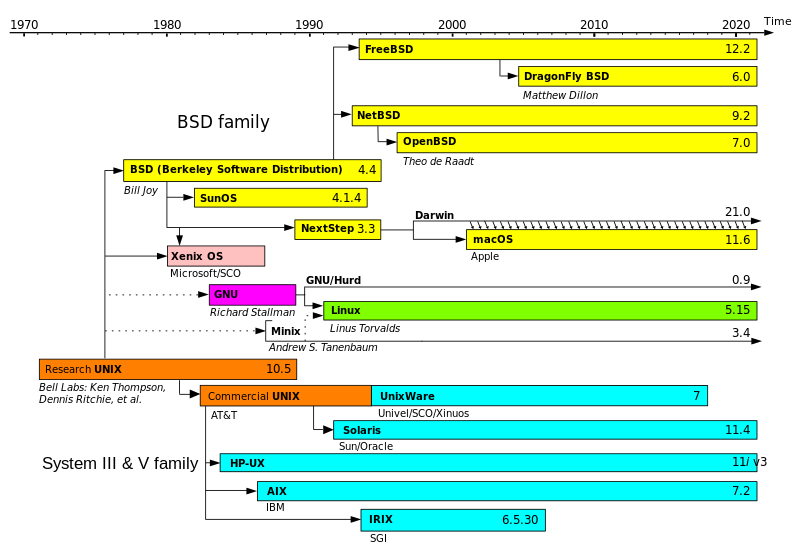
#### Linux Kernel
严格来讲,术语 Linux 只表示 [Linux Kernel](http://en.wikipedia.org/wiki/Linux_kernel) 操作系统内核本身,比如说 Android is Based on Linux (Kernel). Linus 编写的也只是这一部分,一个免费的 Unix-like Kernel,并不属于 GNU Project 的一部分。
但通常把 Linux 作为 Linux Kernel 与大量配合使用的 GNU Project Software Kit (包括 Bash, Lib, Compiler, 以及后期的 GUI etc) 所组合成的 OS 的统称。(包括各类 Distribution 发行版)
这类操作系统也被称为 **GNU/Linux**
#### GNU Project
The GNU Project is a **free software, mass collaboration** project, which based on the following freedom rights:
* Users are free to run the software, share (copy, distribute), study and modify it.
* GNU software guarantees these freedom-rights legally (via its license).
* So it is not only FREE but, more important, FREEDOM.
In order to ensure that the *entire* software of a computer grants its users all freedom rights (use, share, study, modify), even the most fundamental and important part, **the operating system**, needed to be written.
This OS is decided to called **GNU (a recursive acronym meaning "GNU is not Unix")**. By 1992, the GNU Project had completed all of the major OS components except for their kernel, *GNU Hurd*.
With the release of the third-party **Linux Kernel**, started independently by *Linus Torvalds* in 1991 and released under the GPLv0.12 in 1992, for the first time it was possible to run an OS **composed completely of free software**.
Though the Linux kernel is not part of the GNU project, it was developed using GCC and other GNU programming tools and was released as free software under the GPL.
Anyway, there eventually comes to the **GNU/Linux**
* **GPL**: GNU General Public License
* **GCC**: GNU Compiler Collection
其他与 GPL 相关的自由/开源软件公共许可证:
* [Mozilla Public License](http://en.wikipedia.org/wiki/Mozilla_Public_License)
* [MIT License](http://en.wikipedia.org/wiki/MIT_License)
* [BSD Public License](http://en.wikipedia.org/wiki/BSD_licenses)
* GPL 强制后续版本必须是自由软件,而 BSD 的后续可以选择继续开源或者封闭
* [Apache License](http://en.wikipedia.org/wiki/Apache_License)

#### Android
Android is a mobile OS based on **Linux Kernel**, so it's definitely **Unix-like**.
**Linux is under GPL so Android has to be open source**.
Android's source code is released by Google under open source licenses, although most Android devices ultimately ship with a combination of open source and proprietary software, including proprietary software developed and licensed by Google *(GMS are all proprietary)*
#### Android Kernel
Android's kernel is based on one of the Linux kernel's long-term support (LTS) branches.
**Android's variant of the Linux kernel** has further architectural changes that are implemented by Google outside the typical Linux kernel development cycle, and, certain features that Google contributed back to the Linux kernel. Google maintains a public code repo that contains their experimental work to re-base Android off the latest stable Linux versions.
Android Kernel 大概是 Linux Kernel 最得意的分支了,Android 也是 Linux 最流行的发行版。不过,也有一些 Google 工程师认为 Android is not Linux in the traditional Unix-like Linux distribution sense. 总之这类东西就算有各种协议也还是很难说清楚,在我理解里 Android Kernel 大概就是 fork Linux Kernel 之后改动和定制比较深的例子。
#### Android ROM
既然提到 Android 就不得不提提 Android ROM
ROM 的本义实际上是只读内存:
**Read-only memory** (ROM) is a class of storage medium used in computers and other electronic devices. Data stored in ROM can only be modified slowly, with difficulty, or not at all, so it is **mainly used to distribute firmware (固件)** (software that is very closely tied to specific hardware, and unlikely to need frequent updates).
ROM 在发展的过程中不断进化,从只读演变成了可编程可擦除,并最终演化成了 Flash
* PROM (Programmable read-only memory)
* EPROM (Erasable programmable read-only memory)
* EEPROM (Electrically erasable programmable read-only memory)
* Flash memory (闪存)
Flash 的出现是历史性的,它不但可以作为 ROM 使用,又因其极高的读写速度和稳定性,先后发展成为U盘(USB flash drives)、移动设备主要内置存储,和虐机械硬盘几条街的固态硬盘(SSD),可以说这货基本统一了高端存储市场的技术规格。
所以我们平时习惯说的 ROM 其实还是来源于老单片机时代,那时的 ROM 真的是写了就很难(需要上电复位)、甚至无法修改,所以那时往 ROM 里烧下去的程序就被称作 firmware ,固件。久而久之,虽然技术发展了,固件仍然指代那些不常需要更新的软件,而 ROM 这个词也就这么沿用下来了。
所以在 wiki 里是没有 Android ROM 这个词条的,只有 [List of custom Android firmwares](http://en.wikipedia.org/wiki/List_of_custom_Android_firmwares)
> A custom firmware, also known as a custom ROM, ROM, or custom OS, is an aftermarket distribution of the Android operating system. They are based on the Android Open Source Project (AOSP), hence most are open-sourced releases, unlike proprietary modifications by device manufacturers.
各类 Android ROM 在 Android 词类下也都是属于 **Forks and distributions** 一类的。
所以我说,其实各类 Android ROM 也好,fork Android 之流的 YunOS、FireOS 也好,改了多少东西,碰到多深的 codebase ……**其实 ROM 和 Distribution OS 的界限是很模糊的**,为什么 Android 就不可以是移动时代的 Linux ,为什么 Devlik/ART 就不能是移动时代的 GCC 呢?
#### Chrome OS
Chrome OS is an operating system based on the **Linux kernel** and designed by Google to work with web applications and installed applications.
虽然目前只是个 Web Thin Client OS ,但是 RoadMap 非常酷……
* **Chrome Packaged Application** (Support working offline and installed)
* **Android App Runtime** (run Android applications natively...fxxking awesome)
平复一下激动的心情,还是回到正题来:
#### Chromium OS
Chrome OS is based on Chromium OS, which is the open-source development version of Chrome OS, which is a **Linux distribution** designed by Google.
For Detail, Chromium OS based on [Gentoo Linux](http://en.wikipedia.org/wiki/Gentoo_Linux), emm...
================================================
FILE: _posts/2015-04-15-os-metro.markdown
================================================
---
layout: post
title: "hUX 随想录(二):操作系统的浪漫主义 —— Metro 篇"
subtitle: "信息、载体、抽象、UI 设计乱谈"
date: 2015-04-15
author: "Hux"
header-img: "img/post-bg-os-metro.jpg"
catalog: true
tags:
- hUX 随想录
- UX/UI
---
> 操作系统的背后不只是冷冰冰的 0 和 1 ,数字时代的设计师们,如初神般刻画着新世界的秩序。信息、量子、宇宙,他们取世间万物为灵感来表达自己,那是它们对数字时代最浪漫的隐喻。
## 前言
操作系统,数字时代当之无愧的地基。当大部分从业人员都更关注它的技术与功能时,操作系统的 UI 设计师们却赋予了它无限的艺术气息:他们用充满着浪漫主义幻想色彩的设计语言,配合着物理定律般严谨的交互体系,描绘着自己心目中的数字世界,那些界面 的背后是他们对数字世界的思考、理解、期待、抽象与隐喻,**这些艺术思想支撑着浮在表面的设计**。他们用一切你熟悉或不熟悉的方式,告诉世人:
*“看呐,那个虚拟又真实的世界”*
## Metro
我们第一个要聊的,就是 [Metro](http://en.wikipedia.org/wiki/Metro_(design_language\)) 。虽然它已经改名为 Modern UI ,虽然它作为 Windows Phone 、Windows 8 甚至 Windows 10 的 UI 风格算不上成功,但是作为一个设计语言,它却是声名显赫。以它而非 Windows 来命名这一章节,就是出于对它的敬意。

众所周知 Metro 借鉴了交通标示语言、包豪斯现代风格与瑞士国际主义平面设计,其核心思想在于剔除多余信息,专注于内容传达(Content, not chrome),所以 Metro 采用了以 Typography、Color 为主要元素的视觉语言,另外它也非常重视动效设计(Motion Design),这是同期 UI 设计的共识,Motion provides meaning,动效对于表达隐喻有着巨大得作用。
我们暂且不去讨论 Metro 在实际运用中的情况,而是尝试去猜想一下 Metro 的设计师们对数字世界的思考,以及那些隐藏在 Metro 背后的奇思妙想:
#### 思考 —— 极致抽象信息
数字时代是基于信息的。这也是为什么我们称这个产业为 IT (Information Technology) ,我们每天使用 PC、Mobile 等数字设备、其实本质是主动或被动的接收、筛选、消化与产生信息。
语言与文字的发明是人类信息革命的第一个里程碑,掌握同种语言或文字的人类从此可以高效得进行信息的交换与传播。而现在我们正在走进人机交互与万物互联的时代:人类不但要和人类通信,还要和智能设备建立连接。历史总是上演着重复因此值得借鉴,为什么不把已经发明的东西在数字世界重新发明一次呢?**于是 Cortana 承担了微软在数字时代复刻语音的使命,而 Metro 则继承了老祖宗文字的魔力。**
无论 Typography-based 还是 Content, not chrome ,**Metro 试图对一切数字时代的信息进行一种非常极致的抽象 —— 我们的 UI 不需要来自真实世界的隐喻,我们只需要足够直接的信息。** 既然文字就是信息、图片就是信息、音视频就是信息,所以它们理所当然应该直接呈现;而所有的样式也都必须直接传达信息,于是网格和灰度表示层级,颜色的存在也更多代表着符号化的视觉传达:比如用于 VI 的品牌色,或者是刻板印象心情。
这种对信息简单粗暴的抽象使得 Metro 的首秀极具冲击,却也成为其日后发展最大的绊脚石。
#### 载体 —— 信息平面
信息总归需要载体,而设计师们的目的就是寻找,或者创造一种介质来承载、传递、可视化这些信息,然后呈现给用户, 最后才得以成为 UI
我们都看着屏幕越来越趋于一种扁平的状态,所有设计师们理所当然的想到这种介质可能是一种类似平面的东西,比如说 WebOS 具有抽象意义的“卡片纸” ,或是 iOS/OS X 改变风格前使用的“亚麻桌布”,他们尝试告诉你藏在屏幕后面的数字世界,可能是由某种类似真实世界的平面状物体来承载信息的。
而 Metro 则做得更加彻底,在它看来这种拟物是强加给数字世界的不必要信息,于是它抛开了所有自然界存在的元素,又一次将信息抽象做到了极致 :其实那就是一个单纯放置信息的平面而已,或者说,**其实是信息组成了这个平面,数字世界的信息根本无需额外的载体——文字与图像,一方面可以看作是狭义信息的载体,另一方面也可以被看作是广义信息的一种表现形态。**
**所以我们可以看到 Metro UI 的背景经常是一个空旷的黑色,其实那个黑色代表着 Nothing ,意味着这个平面的下方没有任何东西。**而如果你在下方使用了图像作为背景,你就会发现这其实是两个平面 —— 上层是一个背景透明、漂浮在图像层上的信息平面。而下层则是另一个完全由图像信息组成的信息平面,当我们去划动上层时,产生的视差移动也在告诉我们:这是两个层级。

在所有的 Metro 组件里,我印象最深刻的叫 Panorama Panel(上图) ,Panorama 在我看来是 Metro 对信息最直接的隐喻:**不同的信息体,聚合成了一个完整的信息平面**。当我们在手机屏幕上左右滑动 Panorama 时就好像在操作一个摄像机平移镜头。这种“数字报纸”区别于报纸的最大感受就好像它可以随着信息的量级在 X 轴和 Y 轴 上无限延伸下去,变成一个信息的海洋,在你的面前流动。
对啊,那不就是信息流吗。
#### 世界 —— 卡片飞舞的世界
我之所以不愿称 Metro 的信息平面为纸片,是因为它不能卷曲也不能折叠;
而之所以不愿称 Metro 的信息平面为卡片,是因为它并非实体,而且尺寸无限;
**可 Metro 的世界却又让我觉得是卡片飞舞的。**
一张卡片的秩序是动态磁贴(Live Tiles),它很硬,只能翻转。却又具备魔力,好像在每一次的翻转中,信息都可以得到重组和再现。
二张卡片的秩序是视差原理(Parallax),当你移动镜头时,任意两张卡片在你眼中的位移,都必须由它们距离屏幕 (Z=0) 的深度决定
三张卡片的秩序就像飞来咒,原有的平面撤离,被呼唤的卡片俏皮的翻滚着从侧后方飞进视野,Metro UI 的动画设计隐喻着一切。
Status Bar 和 Application Bar 就像是紧贴在屏幕上的卡片,所以不受视差影响。而 Pivot Control 则更有魔幻色彩一点,你操纵它就如操作交通枢纽,指挥一个个小的信息片,来来去去在你的面前。
所有这些零厚度的卡片,或近,或远,最终组成了整个 Metro 世界。**在我的想象里,那个次元就好像,所有的信息都以片状飞在空中,而你只能看见你所需要的那些,它们有条不紊的在纵横间穿梭,就好像到处都是信息流的交通轨道,你仿佛置身于,那个数据包飞来飞去、路由器控制地址的 —— 网路世界。**

## 结语
Metro 对信息极致的抽象与压平,与同期的 iOS 6- 风格形成鲜明对比,引发大家对于数字世界与用户界面的新一轮思考,里程碑式的推动了 Flat Design 在新一代数字设计中的普及。不过我们也知道 Metro UI 在微软的实际运用中却其实不成功,这又是为什么呢?
笔者抛砖引玉一些自己的观点:
当年 Metro 第一次运用在 Zune 身上时是非常惊艳的,风格超前、细节精致、动画细腻。再看现在的 Xbox (图一),Pivot 配合磁贴组、简单大气,几乎成为电视 UI 设计的模版。可偏偏在 PC 和 Mobile 两个场景,Metro 却饱受非议。
在我看来 PC 和 Mobile 其实代表着两个信息密度最高的场景、PC 是传统互联网的计算中心,而 Mobile 则是移动互联网和可以预见的未来内的个人计算中心。
**在如此复杂的场景下,其实 Metro 作为设计语言的尺度是不够的。**为什么这么说呢,虽然 Metro 对信息的抽象方式不无道理,但其实还是过分理想和纯粹了。有太多的屏幕像素因此被浪费,有太多其他维度的信息表达方式因此被舍弃掉了。
也就是说:Metro 这个设计语言本身是没有问题的,但是拿目前的它作为 PC/Mobile 这种操作系统级别的设计语言却是存在问题的。**一个操作系统的设计语言与交互体系,一定不能太小,必须是一套包容性足够强又可被拓展和延伸的体系。**其实我们能看到 Windows Phone 的 UI 设计容纳度是非常低的,这或许就可以说明问题。
**这也是为什么 Win 10 for PC 和 Win 10 for Mobile 都开始削弱最初的那个纯粹的 Metro 体系,转而采用一种 Metro 的视觉语言混搭非 Metro 交互逻辑的方式来设计。**
期待 new Metro (Metro 2.0) 能在 Win 10 上逐步走向成熟,让我们一同见证。
---
本文是“操作系统的浪漫主义”系列的第一篇文章,如果您喜欢,请继续关注我的博客 ;)
尽请期待:
* **Android 篇**
* 思考 —— 从卡片的层叠说起
* 载体 —— 量子纸
* 世界 —— 魔法材质统一世界
* **iOS 篇**
- 思考 —— 盒子里的蒸汽朋克
- 载体 —— 景深的无穷近与无穷远
- 世界 —— 小宇宙里的小宇宙
================================================
FILE: _posts/2015-05-11-see-u-ali.markdown
================================================
---
layout: post
title: "See you, Alibaba "
subtitle: "再见,阿里。"
date: 2015-05-11
author: "Hux"
header-img: "img/post-bg-see-u-ali.jpg"
tags:
- Meta
- 阿里
---
> 世界那么大,我想去看看
Hi all
这里是鬼栈的离职信。

## Review
去年 5 月,大二的我拿到阿里的交互实习生 Offer,成为阿里的实习员工,刚好过去一个年头。
8 月,感谢 [@拔赤](http://weibo.com/jayli) 的提携,同意了我转岗到航旅前端团队的申请,分在了老大亲自带队的 **航旅事业群-无线业务部-无线技术-前端团队-前端三组**,从此开始了一名**前端程序猿**的职业生涯。
我的第一个 mentor 是大家的"小师妹" @晴舞 姐,不过很可惜的是她居然早于我离职,回北邮任教了。我跟着她在 H5 酒店 的业务线上学习、厮杀,从一个连 git 都用不熟的小小鬼,变成了一个可以独立战斗的小鬼。
在 Acting H5 酒店/团购 业务线时,也非常感谢 @骏隆 的指导和信任,算是我的大半个 mentor 了。
我的第二个 mentor 是人超 nice 的 @智峰 师傅,前手机腾讯网主管,负责团队 CSS 框架,很有生活哲学的一个人。我们一起拿下了 h5 红包等工作,不过很可惜的是没机会从师傅身上学更多的 CSS 了。
有幸来阿里工作一遭,加入航旅前端团队,经历 [离线包/Hybrid容器共建](https://www.zhihu.com/question/31316032/answer/75236718) 这样的牛逼项目,负责过酒店详情、团购详情重构、个人中心红包等工作,为象声汇做过第一版 Logo、海报、颁奖证书,进行过一次团队分享[《聊聊产品与旅行》](http://huxpro.coding.me/2015/06/15/alitrip-strategy/),更有幸认识大家。
---
在航旅的 270 天里,我还经历了不少**大事件**:
* 一次 阿里 IPO (千载难逢的大事,可惜我没有股票,战利品是一件纪念 T 恤)
* 一次 新品牌发布 (*阿里旅行·去啊* 的发布,BU 的大事,战利品还是一件 T 恤)
* 一次 年会 (北京 office 第一次大规模年会,马云老陆 Lucy 悉数到场)
* 一次 双十一 (双十一购物狂欢节,有幸从内部参与一次)
* 一次 Outing (每年才一次的公派娱乐,滑雪+温泉记忆深刻)
* 一次 Team Building(晴舞姐的 lastday ,难得的团建)
* 一次 中秋节 (战利品是包装特别用心的“马云牌”月饼)
真的运气非常好,不但该经历的都经历了,连 IPO 这么难得的也撞上了。

## To Mates
感谢大家这么多天的照顾!
无线组的小伙伴们:
* @拔赤:感谢老大!当年慕名而来,非常感谢“收留”
* @虎牙:超牛的虎牙!非常佩服,人也超 nice ,一直学习的对象
* @兰梦:大姐大!每次问问题都超级热心的解答,非常非常感谢
* @孝瓘:大哥大!技术超牛不说了,对我超级超级好,帮我解答问题送我回家什么的,特别感动。
* @豹子:双子座美女姐姐哈哈,前两天生日快乐哦,队花 BU 花!
* @弘树:简直学霸 & 学神!超年轻超钻,感觉以后会是阿里前端顶梁柱人物哟
* @若狸:猫爷!京腔儿~虽然总是在朋友圈骂 PD 不过其实特别靠谱活儿特别好哈哈哈
* @圣耀:首页守护神!加班时你总是在,然后一起分吃,的再去苦逼干活 OTZ
* @智峰:叶师傅!虽然总是不让我叫师兄互相学习云云,不过真的跟我说了很多人生哲理,超受用
* @擎黄:麦霸!特别聊得来,缘分大概最早来自于坐我旁边,你和舒博搬走时我超舍不得的 T T 你还记得你拿我机箱垫脚吗!
* @舒博:同上都是 90 后,聊得来!经常一起吃饭,Outing 的时候睡一屋,晚上打鼾完早上还会问我然后道歉特别萌哈哈哈
* @骏隆:分不清你是哪组!不过一起共事一起玩经常一起吃饭,特别 nice,非常非常感谢,一起做酒店时非常开心!
* @夕剑:虽然已经离职了看不到不过必须补上,机票的代名词!超 nice 超靠谱,又帅又有趣
* @晴舞:虽然已经离职了看不到不过必须补上,特别感谢的师姐,最难的开头都是你带我走过去的
* @已过:虽然已经转岗了看不到不过必须补上,一度觉得很像大反派!印象最深的就是刚进来 git 写错了看我 log 帮我回滚 OTZ,当时觉得特别凶
* @清锁:实习生小伙伴!你居然先我离职了喂。不过我知道你都签三方啦
其他组的我就捡比较熟悉的说啦:
* @银翘:校友师姐!特别萌,负责象声汇特别尽心尽力
* @皓勋:充满战斗力的小伙伴!超级青春洋溢,看好你哟~!
* @懂象:Hey Flasher!Flasher 果然都爱动画爱交互,很聊得来~
* @龙芒:好像一起打过球?哈哈哈其实没有原因就是觉得特别可爱!
* @伯元:咦是离职了吗?一起打过好久的球!
当然,还有很多前端、UED 、测试、后端、行政 的小伙伴们,就没法一一照顾到啦。
**希望所有人都能工作顺利(少加班)、生活开心(多旅游)、身体健康哈。**
## Future
距离毕业还有一年多的光景,前路未卜,还是想到处逛逛,多看看再做选择。
在陆续看了几家公司后,我决定前往**微信电影票**开始我的下一段旅程。特别巧的是,带队的饼饼居然也曾是我们团队的“老人”,花名 @痴灵
世界这么大,更要 Keep Contact.
* 微博:@Hux黄玄
* 知乎:@黄玄
* 博客:<http://huangxuan.me>
**Hey,这里是编号 79717**

================================================
FILE: _posts/2015-05-25-js-module-loader.markdown
================================================
---
layout: post
title: "JavaScript Module Loader"
subtitle: "CommonJS,RequireJS,SeaJS 归纳笔记"
date: 2015-05-25
author: "Hux"
header-img: "img/post-bg-js-module.jpg"
catalog: true
published: false
tags:
- 笔记
- Web
- JavaScript
---
## Foreword
> Here comes Module!
随着网站逐渐变成「互联网应用程序」,嵌入网页的 JavaScript 代码越来越庞大,越来越复杂。网页越来越像桌面程序,需要一个团队分工协作、进度管理、单元测试……我们不得不使用软件工程的方法,来管理网页的业务逻辑。
于是,JavaScript 的模块化成为迫切需求。在 ES6 Module 来临之前,JavaScript 社区提供了强大支持,尝试在现有的运行环境下,实现模块的效果。
## CommonJS & Node
> Javascript: not just for browsers any more! —— CommonJS Slogen
前端模块化的事实标准之一,2009 年 8 月,[CommonJS](http://wiki.commonjs.org/wiki/CommonJS) 诞生。
CommonJS 本质上只是一套规范(API 定义),而 Node.js 采用并实现了部分规范,CommonJS Module 的写法也因此广泛流行。
让我们看看 Node 中的实现:
```js
// 由于 Node 原生支持模块的作用域,并不需要额外的 wrapper
// "as though the module was wrapped in a function"
var a = require('./a') // 加载模块(同步加载)
a.doSomething() // 等上一句执行完才会执行
exports.b = function(){ // 暴露 b 函数接口
// do something
}
```
`exports`是一个内置对象,就像`require`是一个内置加载函数一样。如果你希望直接赋值一个完整的对象或者构造函数,覆写`module.exports`就可以了。
CommonJS 前身叫 ServerJS ,**后来希望能更加 COMMON,成为通吃各种环境的模块规范,改名为 CommonJS** 。CommonJS 最初只专注于 Server-side 而非浏览器环境,因此它采用了同步加载的机制,这对服务器环境(硬盘 I/O 速度)不是问题,而对浏览器环境(网速)来说并不合适。
因此,各种适用于浏览器环境的模块框架与标准逐个诞生,他们的共同点是:
* 采用异步加载(预先加载所有依赖的模块后回调执行,符合浏览器的网络环境)
* 虽然代码风格不同,但其实都可以看作 CommonJS Modules 语法的变体。
* 都在向着 **COMMON** 的方向进化:**兼容不同风格,兼容浏览器和服务器两种环境**
本文接下来要讨论的典例是:
* RequireJS & AMD(异步加载,预执行,依赖前置。默认推荐 AMD 写法)
* SeaJS & CMD(异步加载,懒执行,依赖就近,默认推荐 CommonJS 写法)
## History
<!--<h2 id="history"> History </h2>-->
> 此段落参考自玉伯的 [前端模块化开发那点历史](https://github.com/seajs/seajs/issues/588)
09-10 年间,CommonJS(那时还叫 ServerJS) 社区推出 [Modules/1.0](http://wiki.commonjs.org/wiki/Modules) 规范,并且在 Node.js 等环境下取得了很不错的实践。
09年下半年这帮充满干劲的小伙子们想把 ServerJS 的成功经验进一步推广到浏览器端,于是将社区改名叫 CommonJS,同时激烈争论 Modules 的下一版规范。分歧和冲突由此诞生,逐步形成了三大流派:
1. **Modules/1.x** 流派。这个观点觉得 1.x 规范已经够用,只要移植到浏览器端就好。要做的是新增 [Modules/Transport](http://wiki.commonjs.org/wiki/Modules/Transport) 规范,即在浏览器上运行前,先通过转换工具将模块转换为符合 Transport 规范的代码。主流代表是服务端的开发人员。现在值得关注的有两个实现:越来越火的 component 和走在前沿的 es6 module transpiler。
2. **Modules/Async** 流派。这个观点觉得浏览器有自身的特征,不应该直接用 Modules/1.x 规范。这个观点下的典型代表是 [AMD](http://wiki.commonjs.org/wiki/Modules/AsynchronousDefinition) 规范及其实现 [RequireJS](http://requirejs.org/)。这个稍后再细说。
3. **Modules/2.0** 流派。这个观点觉得浏览器有自身的特征,不应该直接用 Modules/1.x 规范,但应该尽可能与 Modules/1.x 规范保持一致。这个观点下的典型代表是 BravoJS 和 FlyScript 的作者。BravoJS 作者对 CommonJS 的社区的贡献很大,这份 Modules/2.0-draft 规范花了很多心思。FlyScript 的作者提出了 Modules/Wrappings 规范,这规范是 CMD 规范的前身。可惜的是 BravoJS 太学院派,FlyScript 后来做了自我阉割,将整个网站(flyscript.org)下线了。这个观点在本文中的典型代表就是 SeaJS 和 CMD 了
补一嘴:阿里 KISSY 的 KMD 其实跟 AMD 非常类似,只是用 `add`和`use` 两个源自于 YUI Modules 的函数名替换了 `define` 和 `require` ,但其原理更接近 RequireJS ,与 YUI Modules 的 `Y` 沙箱 Attach 机制并不相同
## RequireJS & AMD
[AMD (Async Module Definition)](http://wiki.commonjs.org/wiki/Modules/AsynchronousDefinition) 是 RequireJS 在推广过程中对模块定义的规范化产出。
> RequireJS is a JavaScript file and module loader. It is optimized for in-browser use, but it can be used in other JavaScript environments
RequireJS 主要解决的还是 CommonJS 同步加载脚本不适合浏览器 这个问题:
```js
//CommonJS
var Employee = require("types/Employee");
function Programmer (){
//do something
}
Programmer.prototype = new Employee();
//如果 require call 是异步的,那么肯定 error
//因为在执行这句前 Employee 模块肯定来不及加载进来
```
> As the comment indicates above, if require() is async, this code will not work. However, loading scripts synchronously in the browser kills performance. So, what to do?
所以我们需要 **Function Wrapping** 来获取依赖并且提前通过 script tag 提前加载进来
```js
//AMD Wrapper
define(
[types/Employee], //依赖
function(Employee){ //这个回调会在所有依赖都被加载后才执行
function Programmer(){
//do something
};
Programmer.prototype = new Employee();
return Programmer; //return Constructor
}
)
```
当依赖模块非常多时,这种**依赖前置**的写法会显得有点奇怪,所以 AMD 给了一个语法糖, **simplified CommonJS wrapping**,借鉴了 CommonJS 的 require 就近风格,也更方便对 CommonJS 模块的兼容:
```js
define(function (require) {
var dependency1 = require('dependency1'),
dependency2 = require('dependency2');
return function () {};
});
```
The AMD loader will parse out the `require('')` calls by using `Function.prototype.toString()`, then internally convert the above define call into this:
```js
define(['require', 'dependency1', 'dependency2'], function (require) {
var dependency1 = require('dependency1'),
dependency2 = require('dependency2');
return function () {};
});
```
出于`Function.prototype.toString()`兼容性和性能的考虑,最好的做法还是做一次 **optimized build**
AMD 和 CommonJS 的核心争议如下:
### 1. **执行时机**
Modules/1.0:
```js
var a = require("./a") // 执行到此时,a.js 才同步下载并执行
```
AMD: (使用 require 的语法糖时)
```js
define(["require"],function(require)){
// 在这里,a.js 已经下载并且执行好了
// 使用 require() 并不是 AMD 的推荐写法
var a = require("./a") // 此处仅仅是取模块 a 的 exports
})
```
AMD 里提前下载 a.js 是出于对浏览器环境的考虑,只能采取异步下载,这个社区都认可(Sea.js 也是这么做的)
但是 AMD 的执行是 Early Executing,而 Modules/1.0 是第一次 require 时才执行。这个差异很多人不能接受,包括持 Modules/2.0 观点的人也不能接受。
### 2. **书写风格**
AMD 推荐的风格并不使用`require`,而是通过参数传入,破坏了**依赖就近**:
```js
define(["a", "b", "c"],function(a, b, c){
// 提前申明了并初始化了所有模块
true || b.foo(); //即便根本没用到模块 b,但 b 还是提前执行了。
})
```
不过,在笔者看来,风格喜好因人而异,主要还是**预执行**和**懒执行**的差异。
另外,require 2.0 也开始思考异步处理**软依赖**(区别于一定需要的**硬依赖**)的问题,提出了这样的方案:
```js
// 函数体内:
if(status){
async(['a'],function(a){
a.doSomething()
})
}
```
## SeaJS & CMD
CMD (Common Module Definition) 是 [SeaJS](http://seajs.org/docs/) 在推广过程中对模块定义的规范化产出,是 Modules/2.0 流派的支持者,因此 SeaJS 的模块写法尽可能与 Modules/1.x 规范保持一致。
不过目前国外的该流派都死得差不多了,RequireJS 目前成为浏览器端模块的事实标准,国内最有名气的就是玉伯的 Sea.js ,不过对国际的推广力度不够。
* CMD Specification
* [English (CMDJS-repo)](https://github.com/cmdjs/specification/blob/master/draft/module.md)
* [Chinese (SeaJS-repo)](https://github.com/seajs/seajs/issues/242)
CMD 主要有 define, factory, require, export 这么几个东西
* define `define(id?, deps?, factory)`
* factory `factory(require, exports, module)`
* require `require(id)`
* exports `Object`
CMD 推荐的 Code Style 是使用 CommonJS 风格的 `require`:
* 这个 require 实际上是一个全局函数,用于加载模块,这里实际就是传入而已
```js
define(function(require, exports) {
// 获取模块 a 的接口
var a = require('./a');
// 调用模块 a 的方法
a.doSomething();
// 对外提供 foo 属性
exports.foo = 'bar';
// 对外提供 doSomething 方法
exports.doSomething = function() {};
});
```
但是你也可以使用 AMD 风格,或者使用 return 来进行模块暴露
```js
define('hello', ['jquery'], function(require, exports, module) {
// 模块代码...
// 直接通过 return 暴露接口
return {
foo: 'bar',
doSomething: function() {}
};
});
```
Sea.js 借鉴了 RequireJS 的不少东西,比如将 FlyScript 中的 module.declare 改名为 define 等。Sea.js 更多地来自 Modules/2.0 的观点,但尽可能去掉了学院派的东西,加入了不少实战派的理念。
## AMD vs CMD
**虽然两者目前都兼容各种风格,但其底层原理并不相同,从其分别推荐的写法就可以看出两者背后原理的不同:**
1. 对于依赖的模块,AMD 是**提前执行**,CMD 是**懒执行**。(都是先加载)
* CMD 推崇**依赖就近**,AMD 推崇**依赖前置**。
看代码:
```js
// AMD 默认推荐
define(['./a', './b'], function(a, b) { // 依赖前置,提前执行
a.doSomething()
b.doSomething()
})
```
```js
// CMD
define(function(require, exports, module) {
var a = require('./a')
a.doSomething()
var b = require('./b') // 依赖就近,延迟执行
b.doSomething()
})
```
## WebPack
> working...
================================================
FILE: _posts/2015-06-15-alitrip-strategy.markdown
================================================
---
layout: post
title: "聊聊「阿里旅行 · 去啊」"
subtitle: "聊聊在线旅行行业与老东家的产品思路"
date: 2015-06-15
author: "Hux"
header-img: "img/post-bg-alitrip.jpg"
catalog: true
tags:
- 产品
- 阿里
---
## 前言
近几年,互联网产品从线上斗到了线下,互联网行业和传统行业的跨界融合屡见不鲜,“渗透传统行业”几乎成为了全行业下一轮创新的标配,新词“互联网+”也应运而生:
> 将互联网行业的生产要素,深度融入经济、社会等各个领域,尝试改变一些传统的实体经济行业,创造出新的产品形态、商业模式和生态
O2O 领域已经有了非常多成功的案例:从最早的千团大战,到前年打车大战,再到餐饮 O2O……传统行业被撬动的同时,无数新的市场也在被发掘:
* 金融: 蚂蚁金服、芝麻信用、京东白条
* 通信: 微信电话本,阿里通信
* 交通: 打车、租车、专车
* 地产: 二手房、租房
* 医疗、家电、教育、票务……
当然,还有我们的在线旅游行业,BAT 纷纷入局,盛况空前。
## 正文
历史总是现在与未来的明鉴,**垂直领域互联网产品**更是与行业的历史紧密相连。想要用互联网产品解决传统行业的问题,就得先了解这个行业的发展规律,看看这个行业都经历过怎样的变革。
### 传统老大:旅行社
旅行社,一个耳熟能详的名字。在互联网的变革到来之前,旅游行业几乎就是旅行社的天下。
在行业术语里,旅行社被称为 **TA:Travel Agency —— 旅游代理**。
旅行社为你提供旅游信息,代理你办航班,定酒店,买门票,办签证,找导游。通过代理你的旅游消费行为,TA 从中获利。

### 第一轮革命:兴起的电商与 OTA
1995 年,中国互联网沸腾元年,北京上海接入 Internet 节点。
1998 年,中国互联网电商元年,第一笔在线交易产生。
1999 年,马云的阿里巴巴创办。同年,旅游行业未来的两大巨头,**携程**、**艺龙** 双双出世。
携程、艺龙利用互联网的体验优势,迅速占领了 TA 的市场,它们被称作 **OTA:Online Travel Agency**

在他们诞生之初,其实都叫 XX旅行网。那为什么不说他们是做网站的,而说他们是做 TA 的呢?
这叫要引出本文涉及的第一个常见商业模式:
#### Agency 模式
Agency,即**代理模式**。通过代理用户的消费行为,代理商就可以靠佣金的方式从中获利。
举个例子:假设携程旅行网今天给某某酒店拉来了 100 个日间,那么这个酒店就要以 30元/日间 的方式给携程旅行网反多少的红利。
**佣金,说白了,就是中介费。**

了解了 Agency 模式,我们再回过来看携程、艺龙:
虽然渠道改成了互联网,但其商业模式还是 TA 的那套玩法,它们其实是在和传统 TA 分同一块蛋糕。
还是咨询、酒店、机票、旅游团、旅游套餐,只是**你们在线下玩,我去线上玩了**,我有渠道优势。
### 第二轮革命:比价搜索与去哪儿
时光飞驰到 2005 年,单纯做线下已经满足不了很多传统 TA 们了,大家纷纷向携程、艺龙学习,进攻线上,转型 OTA 。
就在这样的格局下,**去哪儿** 横空出世,一下占据了半壁江山:

去哪儿做了一件什么事呢,它把这些 OTA 的数据全都爬过来,做了一个**比价平台**。这样,用户就可以在去哪儿的网站上看看哪家 OTA 更便宜,然后用户就去消费哪家的服务。
所谓“比价平台”,本质上说,就是 **Search Engine —— 搜索引擎**。

这个这个玩法一下就厉害了:
**去哪儿挡在了用户和所有 OTA 之间,OTA 还是做原来的事情,而去哪儿则拿下了用户找 OTA 的过程**。同是搜索引擎的百度也是如此:百度自己并不生产内容,而是拿下了用户找内容的过程。
That's why search engine awesome:因为用户在互联网的信息海洋上找信息太难了,所以用户必须要靠搜索引擎来解决这个痛点,而搜索引擎自己也就成为了渠道:
#### Channel 模式
Channel,即**渠道模式**。通过优化用户的体验路径,在用户和 B 方之前挡了一道,主要对 B 盈利。
最常见的对 B 盈利方式就是广告:**Pay For Performance**

简单看一眼携程和去哪儿的收入占比就可以发现:
* 携程主要靠来自酒店、机票的佣金盈利
* 去哪儿则主要靠 PFP 广告盈利

通过去哪儿的比价平台,小 OTA 开始有机会通过价格战和大 OTA 周旋。去哪儿在给予了小 OTA 机会的同时也造就了自己,这和 2003 年淘宝 C2C 的崛起,颇有异曲同工之意。
### 第 2.5 轮革命:尴尬的淘宝旅行
为什么说淘宝旅行是 2.5 次革命呢,因为它想革,但没革上。
为什么没有革上呢?
**首先是切入时机太晚**
阿里其实 2010 年就开始做淘宝旅行了,一直划分在淘宝网下,由那时的淘宝北研(淘宝 UED 北京研发)团队负责,这个团队吸纳了大批雅虎中国的精英,技术水平相当高。
可是 2010 年才切入这个市场实在是太晚了,携程、去哪儿的口碑和用户习惯早都养成好几年了,没人会去你淘宝上搜航班酒店,你有大入口也没有用。
**二是资源倾斜不足**
2010 年还没有什么 **互联网+** 的概念,结合传统行业也还没有现在这么热,淘宝做旅游这事用了多大力气推很难说,反正我是没听过。
阿里同年的发展重心还是在其电商体系的完善上:**淘宝商城** 启用独立域名,其 B2C 的模式刚好弥补了淘宝 C2C 的问题,这货就是后来的**天猫**,我们可以比较一下两者在资源倾斜上的差异:
BU | 2008 | 2010 | 2011 | 2012 | 2013 | 2014 | 2015
---- | ------------- | ------------
天猫 | 淘宝商城 | 独立域名 | 分拆 | 更名天猫<br>天猫事业部(1/7)|
去啊 | | 淘宝旅行 | | | 航旅事业部(1/25)| 分拆<br>更名去啊 | 独立域名
**三是思路问题**
淘宝旅行想怎么玩呢,它实际上就是想用淘宝/天猫的思路去做在线旅行,其实背后还是淘宝卖家和天猫卖家,只不过这次的商户换成 OTA 入驻了,然后大家开开心心像卖衣服一样去卖旅行产品。

听上去很美,不但利用了阿里系的大量资源,还直接复刻了淘宝/天猫的牛逼模式 —— 平台模式
#### Platform 模式
Platform,即**平台模式**,可以说是当今最叼的商业模式了,它相当于构建了一个完整的生态、市场环境,在这里整合买卖双方的资源。通过维护市场秩序、制定市场规则,让市场活跃,从而**赚取场子费**。

想想看,每一笔交易都在你的地盘上发生,只要市场一直活跃,你就可以在其中**双边、多边盈利**。什么竞价排名、广告平台、VIP 特权,盈利模式太丰富了
美梦做完了,回到淘宝旅行来。做平台是每个产品的梦想,肯定是对的。那么问题出在哪呢?
**太不垂直了!** 旅游行业,极度要求信誉:去哪儿对接的都是 B 类商家(OTA,品牌连锁酒店,直销等),从根本上就保证了产品体验。淘宝旅行的产品则充斥着大量的小旅行社、个人之类的小卖家,严重影响购买体验。你能想象预定一间酒店发现下面十几二十页的卖家,选完卖家又要跟人在旺旺上扯半个小时么?价格便宜作为唯一的优势,是以严重牺牲产品购买体验为代价的,极为得不偿失。更何况,旅游产品的受众大部分还是消费能力较强的人群,更是看重商家/产品质量而不是价格了。
### 第三轮革命:Now
OK,经过这么一番折腾,第三次变革就来了。
BAT 纷纷介入,行业进入了传说中的 BATX 格局:

阿里最近动作频频,力推去啊不说,更是收购线下酒店软件石基,配合蚂蚁金服期下芝麻信用开展“酒店信用住”等业务
百度早早投资去哪儿,两个搜索引擎起家的公司风格一脉相承。同时,百度也悄悄发布了百度旅行这样的试水产品
腾讯入股艺龙,同程网等,也在尝试 QQ 旅游等产品
Update:不过,就在 2015.5 左右,携程宣布收购艺龙,非常戏剧性的局面啊……
为什么都要介入呢?
一是互联网结合传统行业的大潮到来,大家都发现旅游行业是一个金矿,市场其实特别大……
二是这个领域确实还有很多可以突破的商业模式存在,很多细分领域都开始有创业公司起来,整个行业的生态也越来越丰富:

这种时候,BAT 这样的土豪公司就想进来收网了 —— 砸钱也得砸出个平台来!
所以,这一轮游戏一定能看到一次大洗牌(艺龙第一个就阵亡了)
那么,这轮革命怎么演变呢?
**一是模式融合**,以前做 OTA 的做 OTA,做渠道的做渠道,尝试做平台的做平台。现在,大家都知道平台模式可能是更好的形态,纷纷开始进化了。
* 都做 OTA,拿下各种牛逼直营,最典型的就是航班
* 都做平台,尤其是质量相对比较高的 B2C 平台。然后尝试可能的 C2C 产品形态 (去啊的客栈是一个很好的尝试)

**二是思路进化**
* 从单一的购买/渠道业务转向服务平台。融合周边服务,拉上细分领域,外围行业一起玩
* 强调用户体验与用户留存,强调**一站式服务**、**个性化服务** 等更极致的产品形态

而这些演变,正是 **阿里旅行 · 去啊** 致力去做到的。从大版本 5.0 开始,淘宝旅行将 **洗心革面**,去追求一个更极致,更垂直,体验更优秀的产品形态。
让我们一起见证去啊的成长,与在线旅游行业的变革吧!
---
*本篇完。*
> 本文作者系前「阿里旅行 · 去啊」前端实习生,本文系业余时间学习之作。
> 如有任何知识产权、版权问题或理论错误,还请指正。
> 转载请注明原作者及以上信息。
================================================
FILE: _posts/2015-07-09-js-module-7day.markdown
================================================
---
layout: keynote
title: "JavaScript 模块化七日谈"
subtitle: "🎞 Slides:JavaScript Modularization Journey"
iframe: "//huangxuan.me/js-module-7day/"
date: 2015-07-09
author: "Hux"
tags:
- Slides
- Web
- JavaScript
---
> 下滑这里查看更多内容
7月9日,我在公司内部进行了名为「JavaScript 模块化七日谈」分享,并将该 Slides 分享到了微博上。出乎意料地,这篇微博先后被 @JS小组 @尤小右 @寸志 等近 200 人转发,阅读达到 10w,获得了还不错的评价。
于是,我决定将它重新发到我的博客上,并为它专门制作了适用于 Keynote 展示文稿的新布局。它能自动根据屏幕大小/旋转以一定比例填充屏幕,你也可以直接点击下方链接在新页面打开,来获得更好的、沉浸式的全屏体验
### [Watch Fullscreen →](https://huangxuan.me/js-module-7day/)
<div class="visible-md visible-lg">
<img src="//huangxuan.me/js-module-7day/attach/qrcode.png" width="350"/>
<small class="img-hint">你也可以通过扫描二维码在手机上观看</small>
</div>
这个 Web Slides 开源在[我的 Github 上](https://github.com/Huxpro/js-module-7day),欢迎你帮助我完善这个展示文稿,你可以给我提 issue,可以 fork & pull request。如果它能帮助到你了,希望你还能不吝啬 star 一下这个项目
### Catalog
- 第一日 上古时期 ***Module?*** 从设计模式说起
- 第二日 石器时代 ***Script Loader*** 只有封装性可不够,我们还需要加载
- 第三日 蒸汽朋克 ***Module Loader*** 模块化架构的工业革命
- 第四日 号角吹响 ***CommonJS*** 征服世界的第一步是跳出浏览器
- 第五日 双塔奇兵 ***AMD/CMD*** 浏览器环境模块化方案
- 第六日 精灵宝钻 ***Browserify/Webpack*** 大势所趋,去掉这层包裹!
- 第七日 王者归来 ***ES6 Module*** 最后的战役
### Thanks
[Reveal.js](http://lab.hakim.se/reveal-js)
================================================
FILE: _posts/2015-09-22-js-version.markdown
================================================
---
layout: post
title: "「译」ES5, ES6, ES2016, ES.Next: JavaScript 的版本是怎么回事?"
subtitle: "ES5, ES6, ES2016, ES.Next: What's going on with JavaScript versioning?"
date: 2015-09-22
author: "Hux"
header-img: "img/post-bg-js-version.jpg"
tags:
- Web
- JavaScript
- 译
---
JavaScript 有着很奇怪的命名史。
1995 年,它作为网景浏览器(Netscape Navigator)的一部分首次发布,网景给这个新语言命名为 LiveScript。一年后,为了搭上当时媒体热炒 Java 的顺风车,临时改名为了 JavaScript *(当然,Java 和 JavaScript 的关系,就和雷锋和雷锋塔一样 —— 并没有什么关系)*

<small class="img-hint">歪果仁的笑话怎么一点都不好笑</small>
> 译者注:[wikipedia 的 JavaScript 词条](https://en.wikipedia.org/wiki/JavaScript#History) 更详细的叙述了这段历史
1996 年,网景将 JavaScript 提交给 [ECMA International(欧洲计算机制造商协会)](http://www.ecma-international.org/) 进行标准化,并最终确定出新的语言标准,它就是 ECMAScript。自此,ECMAScript 成为所有 JavaScript 实现的基础,不过,由于 JavaScript 名字的历史原因和市场原因(很显然 ECMAScript 这个名字并不令人喜欢……),现实中我们只用 ECMAScript 称呼标准,平时都还是使用 JavaScript 来称呼这个语言。
> 术语(译者注):
>
> * *标准(Standard)*: 用于定义与其他事物区别的一套规则
> * *实现(Implementation)*: 某个标准的具体实施/真实实践
不过,JavaScript 开发者们并不怎么在乎这些,因为在诞生之后的 15 年里,ECMAScript 并没有多少变化,而且现实中的很多实现都已经和标准大相径庭。其实在第一版的 ECMAScript 发布后,很快又跟进发布了两个版本,但是自从 1999 年 ECMAScript 3 发布后,十年内都没有任何改动被成功添加到官方规范里。取而代之的,是各大浏览器厂商们争先进行自己的语言拓展,web 开发者们别无选择只能去尝试并且支持这些 API。即使是在 2009 年 ECMAScript 5 发布之后,仍然用了数年这些新规范才得到了浏览器的广泛支持,可是大部分开发者还是写着 ECMAScript 3 风格的代码,并不觉得有必要去了解这些规范。
> 译者注:[ECMAScript 第四版草案](https://en.wikipedia.org/wiki/ECMAScript#4th_Edition_.28abandoned.29)由于太过激进而被抛弃,Adobe 的 [ActionScript 3.0](https://en.wikipedia.org/wiki/ActionScript) 是 ECMAScript edition 4 的唯一实现( Flash 差点就统一 Web 了)
到了 2012 年,事情突然开始有了转变。大家开始推动停止对旧版本 IE 浏览器的支持,用 ECMAScript 5 (ES5) 风格来编写代码也变得更加可行。与此同时,一个新的 ECMAScript 规范也开始启动。到了这时,大家开始逐渐习惯以对 ECMAScript 规范的版本支持程度来形容各种 JavaScript 实现。在正式被指名为 ECMAScript 第 6 版 (ES6) 之前,这个新的标准原本被称为 ES.Harmony(和谐)。2015 年,负责制定 ECMAScript 规范草案的委员会 TC39 决定将定义新标准的制度改为一年一次,这意味着每个新特性一旦被批准就可以添加,而不像以往一样,规范只有在整个草案完成,所有特性都没问题后才能被定稿。因此,ECMAScript 第 6 版在六月份公布之前,又被重命名为了 ECMAScript 2015(ES2015)
目前,仍然有很多新的 JavaScript 特性或语法正在提议中,包括 [decorators(装饰者)](https://github.com/wycats/javascript-decorators),[async-await(async-await 异步编程模型)](https://github.com/lukehoban/ecmascript-asyncawait) 和 [static class properties(静态类属性)](https://github.com/jeffmo/es-class-properties)。它们通常被称为 ES7,ES2016 或者 ES.Next 的特性,不过实际上它们只能被称作提案或者说可能性,毕竟 ES2016 的规范还没有完成,有可能全部都会引入,也有可能一个都没有。TC39 把一个提案分为 4 个阶段,你可以在 [Babel 的官网](https://babeljs.io/docs/usage/experimental/) 上查看各个提案目前都在哪个阶段了。
所以,我们该如何使用这一大堆术语呢?下面的列表或许能帮助到你:
* **ECMAScript**:一个由 ECMA International 进行标准化,TC39 委员会进行监督的语言。通常用于指代标准本身。
* **JavaScript**:ECMAScript 标准的各种实现的最常用称呼。这个术语并不局限于某个特定版本的 ECMAScript 规范,并且可能被用于任何不同程度的任意版本的 ECMAScript 的实现。
* **ECMAScript 5 (ES5)**:ECMAScript 的第五版修订,于 2009 年完成标准化。这个规范在所有现代浏览器中都相当完全的实现了。
* **ECMAScript 6 (ES6) / ECMAScript 2015 (ES2015)**:ECMAScript 的第六版修订,于 2015 年完成标准化。这个标准被部分实现于大部分现代浏览器。可以查阅[这张兼容性表](http://kangax.github.io/compat-table/es6/)来查看不同浏览器和工具的实现情况。
* **ECMAScript 2016**:预计的第七版 ECMAScript 修订,计划于明年夏季发布。这份规范具体将包含哪些特性还没有最终确定
* **ECMAScript Proposals**:被考虑加入未来版本 ECMAScript 标准的特性与语法提案,他们需要经历五个阶段:Strawman(稻草人),Proposal(提议),Draft(草案),Candidate(候选)以及 Finished (完成)。
在这整个 Blog 中,我将把目前的 ECMAScript 版本称作 ES6(因为这是大部分开发者最习以为常的),把明年的规范称作 ES2016(因为,与 ES6/ES2015 不同,这个名字将在整个标准化过程中沿用)并且将那些还没有成为 ECMAScript 定稿或草案的未来语言概念称为 ECMAScript 提案或者 JavaScript 提案。我将尽我所能在任何可能引起困惑的场合沿用这篇文章。
#### 一些资源
* TC39 的 [Github 仓库](https://github.com/tc39/ecma262)上可以看到所有目前公开的提案
* 如果你还不熟悉 ES6,Babel 有一个[很不错的特性概览](https://babeljs.io/docs/learn-es2015/)
* 如果你希望深入 ES6,这里有两本很不错的书: Axel Rauschmayer 的 [Exploring ES6](http://exploringjs.com/)和 Nicholas Zakas 的 [Understanding ECMAScript 6](https://leanpub.com/understandinges6)。Axel 的博客 [2ality](http://www.2ality.com/) 也是很不错的 ES6 资源
<img class="shadow" width="320" src="/img/in-post/post-js-version/keep-calm-and-learn-javascript.png" />
<small class="img-hint">来学 JavaScript 吧!</small>
#### 著作权声明
本文译自 [ES5, ES6, ES2016, ES.Next: What's going on with JavaScript versioning?](http://benmccormick.org/2015/09/14/es5-es6-es2016-es-next-whats-going-on-with-javascript-versioning/)
译者 [黄玄](http://weibo.com/huxpro),首次发布于 [Hux Blog](http://huangxuan.me),转载请保留以上链接
================================================
FILE: _posts/2015-10-28-how-designer-learn-fe.markdown
================================================
---
layout: post
title: "设计师如何学习前端?"
subtitle: "How designers learn front-end development?"
date: 2015-10-28 12:00:00
author: "Hux"
header-img: "img/home-bg-o.jpg"
tags:
- 知乎
- Web
- UX/UI
---
> 这篇文章转载自[我在知乎上的回答](https://www.zhihu.com/question/21921588/answer/69680480),也被刊登于[优秀网页设计](http://www.uisdc.com/head-first-front-end)等多个网站上 ;)
笔者的经历在知乎就可以看到,大学专业是数字媒体艺术,大一实习过动效设计师,大二拿到了人生第一个大公司 offer 是阿里的交互设计,后来转岗到淘宝旅行的前端团队,现在在微信电影票做前端研发。
<br>
<br>也是走过了不少野路子,不过还好有小右哥 <a data-hash="cfdec6226ece879d2571fbc274372e9f" href="//www.zhihu.com/people/cfdec6226ece879d2571fbc274372e9f" class="member_mention" data-editable="true" data-title="@尤雨溪" data-tip="p$b$cfdec6226ece879d2571fbc274372e9f">@尤雨溪</a> 这样艺术/设计转前端的大神在前面做典范,也证明这条路是玩的通的 ;)
<br>
<br>接下来就说说自己的学习建议吧,一个小教程,也是自己走过的流程,仅供参考哈
<br>
<br>------------
<br>
<br><b>背景篇</b>
<br>
<br>在这个时代学习新东西,一定要善于使用 Bing/Google 等搜索引擎…网络上的资源非常丰富,自学能力也尤为重要,尤其是对于学习技术!
<br>
<br>
<br>
<br><b>入门篇(HTML/CSS)</b>
<br>
<br>说起设计师希望学前端的初衷,大概还是因为各种华丽的网页特效/交互太过吸引人,这种感觉大概就是:“Hey,我的设计可以做成网页访问了呢!”
<br>好在,“展示”对于前端技术来说反而是最简单的部分。所以,放下你对“编程”两个字的恐惧,<b>从“称不上是编程语言”的 HTML/CSS 开始,先做点有成就感的东西出来吧!</b>
<br>
<br>对于设计师来说,最有成就感的一定是“可以看到的东西”,而 HTML/CSS 正是用来干这个的,HTML 就是一堆非常简单的标签,而 CSS 无非就是把你画画的流程用<b>英语</b>按一定的格式写出来而已:
<br>
```html
<p> p is paragraph! </p>
<style>
p { color: red;}
</style>
```
是不是非常容易,就跟读英语一样!
<br>接下来,你就需要开始自学啦,比如常用 HTML 标签的意思,各种 CSS 的属性,还有 CSS 的盒模型、优先级、选择器……放心,它们都很容易;能玩得转 PS/AI/Flash/Axure/AE/Sketch 的设计师们,学这个洒洒水啦
<br>
<br>推荐几个资源:
<br>
<ul>
<li><a href="//link.zhihu.com/?target=http%3A//www.w3school.com.cn/" class=" wrap external" target="_blank" rel="nofollow noreferrer">w3school 在线教程<i class="icon-external"></i></a> (中文,一个很 Low 但是又很好的入门学习网站)
<br>
</li>
<li><a href="//link.zhihu.com/?target=http%3A//www.codecademy.com/" class=" wrap external" target="_blank" rel="nofollow noreferrer">Learn to code<i class="icon-external"></i></a> (Codecademy,如果你英文 OK,<b>强烈建议</b>你使用它进行交互式的学习!里面从 HTML/CSS 到搭建网站的课程都有,免费,生动直观)
<br>
</li>
</ul>
<br><b>这个阶段的练习主要是“临摹”:用代码画出你想画的网站,越多越好。</b>
<br>
<br>对于书,我<b>非常不推荐</b>上来就去看各种厚厚的入门/指南书,没必要!这一个阶段应该快速上手,培养兴趣,培养成就感。先做出可以看的东西再说,掌握常用的 HTML/CSS 就够用了
<br>
<br>如果完成的好,这个阶段过后你大概就可以写出一些简单又好看的“静态网页”了,比如这个作品集/简历:<a href="//link.zhihu.com/?target=http%3A//huangxuan.me/portfolio/" class=" wrap external" target="_blank" rel="nofollow noreferrer">Portfolio - 黄玄的博客<i class="icon-external"></i></a> (好久没更新了…丢人现眼)
<br>
<br>
<br>
<br><b>入门篇(JavaScript/jQuery)</b>
<br>
<br>想要在网页上实现一些交互效果,比如轮播图、点击按钮后播放动画?那你就必须要开始学习 JavaScript 了!JavaScript 是一门完整、强大并且非常热门的编程语言,你在浏览器里看到的所有交互或者高级功能都是由它在背后支撑的!
<br>
<br>举个小栗子:
<br>
```js
alert("Hello World!")
```
就这一行,就可以在浏览器里弹出 Hello World 啦!
<br>
<br>在了解一些基础的 JavaScript 概念(变量、函数、基本类型)后,我们可以直接去学习 jQuery,你不用知道它具体是什么(它是一个 JavaScript 代码库),你只要知道它可以显著地降低你编写交互的难度就好了:
<br>
```js
$('.className').click(function(){
alert("Hello jQuery")
})
```
通过 jQuery,我们可以继续使用在 CSS 中学到的“选择器”
<br>
<br>对于没有编程基础的人来说,想要完全掌握它们两并不容易。作为设计师,很多时候我们可以先不必深究它们的原理,而是尝试直接应用它!这样成就感会来得很快,并且你可以通过实际应用更加理解 JavaScript 是用来做什么的。
<br>
<br>我仍然推荐你使用 <a href="http://www.w3school.com.cn/" target="_blank" rel="nofollow noreferrer">w3school 在线教程</a> 与 <a href="//www.codecademy.com/" target="_blank" >http://www.codecademy.com/</a> 进行学习。另外,你可以看一看诸如《<a href="//link.zhihu.com/?target=http%3A//book.douban.com/subject/10792216/" class=" wrap external" target="_blank" rel="nofollow noreferrer">锋利的jQuery (豆瓣)<i class="icon-external"></i></a>》 这一类非常实用的书籍,可以让你很快上手做出一些简单的效果来!
<br>
<br>如果学习得顺利,你还可以尝试使用各种丰富的 jQuery 插件,你会发现写出支持用户交互的网站也没有那么困难~很多看上去很复杂的功能(比如轮播图、灯箱、下拉菜单),搜一搜然后看看文档(教程)、改改示例代码就好了。
<br>
<br>比如说,配合 <a href="//link.zhihu.com/?target=https%3A//github.com/Huxpro/jquery.HSlider" class=" wrap external" target="_blank" rel="nofollow noreferrer">Huxpro/jquery.HSlider · GitHub<i class="icon-external"></i></a> 这样的轮播图插件,你可以很轻松的写出 <a href="//link.zhihu.com/?target=http%3A//huangxuan.me/jquery.HSlider/" class=" wrap external" target="_blank" rel="nofollow noreferrer">HSlider | Demo<i class="icon-external"></i></a> 这样的网页相册或者 <a href="//link.zhihu.com/?target=http%3A//huangxuan.me/jquery.HSlider/demo-weather-app/" class=" wrap external" target="_blank" rel="nofollow noreferrer">HSlider | Weather<i class="icon-external"></i></a> 这样的手机端 App 原型~
<br>
<br>最后,我想推荐下 <a href="//link.zhihu.com/?target=http%3A//getbootstrap.com/" class=" wrap external" target="_blank" rel="nofollow noreferrer">Bootstrap · The world's most popular mobile-first and respons<i class="icon-external"></i></a> ,这是世界上最知名的前端 UI 框架之一,提供了大量 CSS 样式与 jQuery 插件。它非常容易学习并且中英文教程都非常健全,你并不需要理解它背后的工作原理就能很好的使用它,让你快速达到“可以建站的水平”。有余力的话,你不但可以学习如何使用它,还可以学习它背后的设计思想。
<br>
<br>
<br>
<br><b>转职方向一:前端重构 (Web Rebuild)</b>
<br>
<br>业内通常把专精 HTML/CSS 的前端从业人员称为重构,而对于注重视觉效果的设计师来说,在掌握基本的 HTML/CSS 后,就可以朝着这个方向发展了。
<br>
<br><b>到了这个阶段,你不但要知道怎么写页面,还要知道它们都是为什么,并且知道怎么做更好。这对你理解 Web 世界非常有帮助,并且能帮助你做出更“系统化”的设计。</b>
<br>
<br>CSS 的学问很多,你需要开始理解文档流、浮动流等各种定位的方式与原理,理解 CSS 的继承复用思想、理解浏览器的差异、兼容、优雅降级……这里强烈推荐一本书:《<a href="//link.zhihu.com/?target=http%3A//book.douban.com/subject/4736167/" class=" wrap external" target="_blank" rel="nofollow noreferrer">精通CSS(第2版) (豆瓣)<i class="icon-external"></i></a>》,虽然前端技术突飞猛进,但这本书的思想永远不会过时。
<br>
<br>HTML 方面,要开始注重语义化、可访问性与结构的合理,你要开始学习“结构与样式的分离”,这里有一本神书将这种分离做到了极致:《<a href="//link.zhihu.com/?target=http%3A//book.douban.com/subject/2052176/" class=" wrap external" target="_blank" rel="nofollow noreferrer">CSS禅意花园 (豆瓣)<i class="icon-external"></i></a>》
<br>
<br>另外,各种炫酷屌的 CSS 3 属性你一定会喜欢:你可以用媒体查询做响应式网页设计,你可以用 transiton 和 animation 做补间动画与关键帧动画,用 transform 做缩放、旋转、3D变换,还有圆角、渐变、阴影、弹性盒!样样都是设计师的神器!
<br>
<br>如果你还掌握了 <b>入门篇(JavaScript/jQuery)</b>的知识,那么<b>恭喜你!你已经可以做出很多有趣的网页了!</b>很多 minisite 或者微信上的“H5” 小广告,这个程度的你已经可以轻松完成了!
<br>
<br>配合上你的设计功力,你可以开始尝试创作一些好玩的东西,比如这种富含交互和动画的网站 <a href="//link.zhihu.com/?target=http%3A//huangxuan.me/senova/" class=" wrap external" target="_blank" rel="nofollow noreferrer">绅宝 SENOVA<i class="icon-external"></i></a> ,它仍然是基于 <a href="//link.zhihu.com/?target=https%3A//github.com/Huxpro/jquery.HSlider" class=" wrap external" target="_blank" rel="nofollow noreferrer">Huxpro/jquery.HSlider · GitHub<i class="icon-external"></i></a> 实现的!或者给自己做个小小的个人网站试试
<br>
<br>
<br>
<br><b>转职方向二:前端工程师(Front-end Engineer)</b>
<br>
<br>如果你觉得上述的这些都还满足不了你,你渴望做出更多了不起的交互,甚至你已经喜欢上了编程,想要转行做工程师,或者成为一名全栈设计师,那么你可以朝着这个方向继续发展!
<br>
<br>这个阶段的最大难度,是你必须<b>学会像一名软件工程师一样思考</b>。你需要踏踏实实学习编程语言,深入理解作用域、对象、类、封装、继承、面向对象编程、事件侦听、事件冒泡等一大堆编程概念,你还需要了解浏览器,学习 DOM、BOM、CSSOM 的 API,你甚至还需要学习一些网络原理,包括域名、URL、DNS、HTTP 请求都是什么…
<br>
<br>你可能会被这一大堆名词吓到。确实,想要搞定他们并不容易。但是,你要相信只要你肯花功夫它们也没有那么难,而更重要的是,如果你能拿下他们,你所收获的并不只是这些而已,而是真正跨过了一道大坎 —— <b>你的世界将因此打开, 你看待世界的方式将因此改变</b>
<br>
<br>对于这个阶段,你可以继续在 <a href="//www.codecademy.com/" target="_blank" >http://www.codecademy.com/</a> 上学习,但是 w3school 已经不够用了,遇到不会的语法,我推荐你查阅 <a href="//link.zhihu.com/?target=https%3A//developer.mozilla.org/zh-CN/" class=" wrap external" target="_blank" rel="nofollow noreferrer">Mozilla 开发者网络<i class="icon-external"></i></a>,这是少数中英文都有的非常专业且友好的网站。
<br>
<br>同时,你可能需要看一些书本来帮助你学习 JavaScript :
<br>
<ul>
<li> 《<a href="//link.zhihu.com/?target=http%3A//book.douban.com/subject/10546125/" class=" wrap external" target="_blank" rel="nofollow noreferrer">JavaScript高级程序设计(第3版) (豆瓣)<i class="icon-external"></i></a> 》或 《<a href="//link.zhihu.com/?target=http%3A//book.douban.com/subject/2228378/" class=" wrap external" target="_blank" rel="nofollow noreferrer">JavaScript权威指南 (豆瓣)<i class="icon-external"></i></a>》,大而全的书只需要一本就够了</li>
<li>如果上面这本你觉得太难,你可以先看 《<a href="//link.zhihu.com/?target=http%3A//book.douban.com/subject/6038371/" class=" wrap external" target="_blank" rel="nofollow noreferrer">JavaScript DOM编程艺术 (第2版) (豆瓣)<i class="icon-external"></i></a>》来过渡一下,这本书比较容易,它会教给你 “优雅降级、渐进增强”的优秀思想</li>
</ul>
<br>如果你能顺利得渡过了这个阶段,我想你已经能做出很多令你自豪的网站了!试着向身边的工程师朋友询问如何购买域名、配置简单的静态服务器,或者搜搜“Github Pages”,然后把你的作品挂在网络上让大家欣赏吧!
<br>
<br>你还可以试着用 JavaScript 写写小游戏,这不但能锻炼你的编程水平还非常有趣~比如这是我刚学 JS 不久后 hack 一晚的产物 —— 用 DOM 实现的打飞机:<a href="//link.zhihu.com/?target=http%3A//huangxuan.me/aircraft" class=" wrap external" target="_blank" rel="nofollow noreferrer">Hux - Aircraft<i class="icon-external"></i></a> (不支持手机)
<br>
<br>
<br>
<br><b>入行篇</b>
<br>
<br>如果你能完成上述所有的学习,你已经是一名非常出色的前端学徒了!对于只是想要丰富技能的设计师或者产品经理来说,接下来的内容可能会让你感到不适 ;(
<br>但如果你铁了心想要真正入行进入大公司从事专职前端开发的工作,那么你可以接着往下看:
<br>
<br>近几年的前端技术发展迅猛,前端工程师早已不是切切图写写页面做点特效就完事的职位,你需要具备相当完善的工程师素质与计算机知识,成为一名真正的工程师。
<br>
<br><b>你需要非常了解 JavaScript 这门语言</b>,包括 闭包、IIFE、this、prototype 及一些底层实现(ES、VO、AO)、熟悉常用的设计模式与 JavaScript 范式(比如实现类与私有属性)。另外,新的 ES6 已经问世,包括 class, module, arrow function 等等
<br>
<br><b>你需要非常了解前端常用的网络及后端知识</b>,包括 Ajax、JSON、HTTP 请求、GET/POST 差异、RESTful、URL hash/query、webSocket、常用的跨域方式(JSONP/CORS、HTTP 强缓存/协商缓存,以及如何利用 CDN 、静态网站/动态网站区别、服务器端渲染/前端渲染区别等等
<br>
<br><b>你需要学习使用进阶的 CSS</b>,包括熟悉 CSS 3,使用 Scss/Less 等编译到 CSS 的语言,使用 autoprefixer 等 PostCSS 工具,了解 CSS 在 Scope/Namespace 上的缺陷,你还可以学习 CSS Modules、CSS in JS 这些有趣的新玩意
<br>
<br><b>你需要非常了解前端的模块化规范</b>,可能在你学习到这里的时候,Require.js/AMD 已经再见了,但是 CommonJS 与 ES6 Modules 你必须要了解。(你可以观看我的分享《<a href="//link.zhihu.com/?target=http%3A//huangxuan.me/js-module-7day/%23/" class=" wrap
gitextract_blccy3x8/ ├── .gitignore ├── 404.html ├── CNAME ├── Gemfile ├── Gruntfile.js ├── LICENSE ├── README.md ├── Rakefile ├── _config.yml ├── _doc/ │ ├── Manual.md │ └── README.zh.md ├── _includes/ │ ├── about/ │ │ ├── en.md │ │ └── zh.md │ ├── ads.html │ ├── featured-tags.html │ ├── footer.html │ ├── friends.html │ ├── head.html │ ├── intro-header.html │ ├── mathjax_support.html │ ├── multilingual-sel.html │ ├── nav.html │ ├── posts/ │ │ └── 2017-07-12-upgrading-eleme-to-pwa/ │ │ ├── en.md │ │ └── zh.md │ ├── search.html │ ├── short-about.html │ └── sns-links.html ├── _layouts/ │ ├── default.html │ ├── keynote.html │ ├── page.html │ └── post.html ├── _posts/ │ ├── 2014-01-29-hello-2015.markdown │ ├── 2014-08-16-miui6.markdown │ ├── 2014-09-04-is-pure-android-better.markdown │ ├── 2014-10-01-why-alibaba-ux-sucks.markdown │ ├── 2014-11-20-responsive-web-design.markdown │ ├── 2014-12-13-wechat-block-kuaidi.markdown │ ├── 2015-03-10-apple-event-2015.markdown │ ├── 2015-03-25-digital-native.markdown │ ├── 2015-03-31-e2e_user_scenarios.markdown │ ├── 2015-04-14-unix-linux-note.markdown │ ├── 2015-04-15-os-metro.markdown │ ├── 2015-05-11-see-u-ali.markdown │ ├── 2015-05-25-js-module-loader.markdown │ ├── 2015-06-15-alitrip-strategy.markdown │ ├── 2015-07-09-js-module-7day.markdown │ ├── 2015-09-22-js-version.markdown │ ├── 2015-10-28-how-designer-learn-fe.markdown │ ├── 2015-12-15-ios9-safari-web.markdown │ ├── 2015-12-28-css-sucks-2015.markdown │ ├── 2016-02-01-React-vs-Angular2.markdown │ ├── 2016-06-05-pwa-in-my-pov.markdown │ ├── 2016-09-22-the-open-web.md │ ├── 2016-10-20-pwa-qcon2016.markdown │ ├── 2016-11-20-sw-101-gdgdf.markdown │ ├── 2017-01-09-wechat-miniapp-ux.md │ ├── 2017-02-09-nextgen-web-pwa.markdown │ ├── 2017-04-06-html-document.md │ ├── 2017-05-28-sw-precache.md │ ├── 2017-06-25-you-are-slaves.markdown │ ├── 2017-07-12-upgrading-eleme-to-pwa.markdown │ ├── 2017-07-26-farewell-flash.md │ ├── 2017-10-06-css-complaints.md │ ├── 2017-12-12-halting-problem.md │ ├── 2017-12-12-uncomputable-funcs.md │ ├── 2018-05-11-pwa-zh-preface.md │ ├── 2018-06-30-dreamer.md │ ├── 2018-09-27-avoiding-success-at-all-cost.md │ ├── 2018-10-06-vim-cn-im.md │ ├── 2019-09-03-vim-from-finder.md │ ├── 2019-09-08-spacemacs-workflow.md │ ├── 2019-11-19-is-pwa-dead-in-2019.md │ ├── 2020-04-03-react-hooks-vue-composition.md │ ├── 2020-07-05-reflection-2020.md │ ├── 2021-01-19-the-systematic-failure-of-higher-education-in-china.md │ ├── 2021-04-10-js-20yrs-preface.md │ ├── cs_idols/ │ │ └── 2019-09-13-peter-john-landin.md │ ├── data_rep/ │ │ ├── 2020-06-19-data-rep-int.md │ │ ├── 2020-06-21-data-rep-float.md │ │ └── 2020-06-21-data-rep-todo.md │ ├── hidden/ │ │ └── 2020-05-05-pl-chart.md │ ├── read_sf_lf/ │ │ ├── 2019-01-01-sf-lf-01-basics.md │ │ ├── 2019-01-02-sf-lf-02-induction.md │ │ ├── 2019-01-03-sf-lf-03-list.md │ │ ├── 2019-01-04-sf-lf-04-poly.md │ │ ├── 2019-01-05-sf-lf-05-tactics.md │ │ ├── 2019-01-06-sf-lf-06-logic.md │ │ ├── 2019-01-07-sf-lf-07-indprop.md │ │ ├── 2019-01-08-sf-lf-08-map.md │ │ ├── 2019-01-09-sf-lf-09-proof-object.md │ │ ├── 2019-01-10-sf-lf-10-ind-principle.md │ │ ├── 2019-01-11-sf-lf-11-rel.md │ │ ├── 2019-01-12-sf-lf-12-imp.md │ │ ├── 2019-01-13-sf-lf-13-imp-parser.md │ │ ├── 2019-01-14-sf-lf-14-imp-ceval.md │ │ ├── 2019-01-15-sf-lf-15-extraction.md │ │ └── 2019-01-16-sf-lf-16-auto.md │ ├── read_sf_plf/ │ │ ├── 2019-03-01-sf-plf-01-equiv.md │ │ ├── 2019-03-02-sf-plf-02-hoare-1.md │ │ ├── 2019-03-03-sf-plf-03-hoare-2.md │ │ ├── 2019-03-04-sf-plf-04-hoare-logic.md │ │ ├── 2019-03-05-sf-plf-05-smallstep.md │ │ ├── 2019-03-06-sf-plf-06-types.md │ │ ├── 2019-03-07-sf-plf-07-STLC.md │ │ ├── 2019-03-08-sf-plf-08-STLC-prop.md │ │ ├── 2019-03-09-sf-plf-09-more-STLC.md │ │ ├── 2019-03-10-sf-plf-10-subtyping.md │ │ ├── 2019-03-11-sf-plf-11-typechecking.md │ │ ├── 2019-03-12-sf-plf-12-records.md │ │ ├── 2019-03-13-sf-plf-13-references.md │ │ ├── 2019-03-14-sf-plf-14-record-sub.md │ │ ├── 2019-03-15-sf-plf-15-norm-STLC.md │ │ ├── 2019-03-16-sf-plf-16-lib-tactics.md │ │ ├── 2019-03-17-sf-plf-17-use-tactics.md │ │ ├── 2019-03-18-sf-plf-18-use-auto.md │ │ └── 2019-03-19-sf-plf-19-partial-eval.md │ └── read_sf_qc/ │ └── 2019-09-02-sf-qc-02-typeclasses.md ├── about.html ├── ads.txt ├── archive.html ├── css/ │ ├── bootstrap.css │ └── hux-blog.css ├── feed.xml ├── index.html ├── js/ │ ├── archive.js │ ├── bootstrap.js │ ├── hux-blog.js │ ├── jquery.js │ ├── jquery.nav.js │ ├── jquery.tagcloud.js │ ├── snackbar.js │ └── sw-registration.js ├── less/ │ ├── highlight.less │ ├── hux-blog.less │ ├── mixins.less │ ├── search.less │ ├── side-catalog.less │ ├── sidebar.less │ ├── snackbar.less │ └── variables.less ├── offline.html ├── package.json ├── pwa/ │ └── manifest.json ├── search.json └── sw.js
SYMBOL INDEX (99 symbols across 6 files)

FILE: js/archive.js
  function queryString (line 6) | function queryString() {
  function init (line 54) | function init() {
  function searchButtonsByTag (line 63) | function searchButtonsByTag(_tag/*raw tag*/) {
  function buttonFocus (line 74) | function buttonFocus(target) {
  function tagSelect (line 82) | function tagSelect (tag/*raw tag*/, target) {

FILE: js/bootstrap.js
  function transitionEnd (line 34) | function transitionEnd() {
  function removeElement (line 126) | function removeElement() {
  function Plugin (line 142) | function Plugin(option) {
  function Plugin (line 247) | function Plugin(option) {
  function Plugin (line 466) | function Plugin(option) {
  function getTargetFromTrigger (line 685) | function getTargetFromTrigger($trigger) {
  function Plugin (line 697) | function Plugin(option) {
  function clearMenus (line 829) | function clearMenus(e) {
  function getParent (line 848) | function getParent($this) {
  function Plugin (line 865) | function Plugin(option) {
  function Plugin (line 1179) | function Plugin(option, _relatedTarget) {
  function complete (line 1521) | function complete() {
  function Plugin (line 1673) | function Plugin(option) {
  function Plugin (line 1787) | function Plugin(option) {
  function ScrollSpy (line 1830) | function ScrollSpy(element, options) {
  function Plugin (line 1953) | function Plugin(option) {
  function next (line 2060) | function next() {
  function Plugin (line 2106) | function Plugin(option) {
  function Plugin (line 2263) | function Plugin(option) {

FILE: js/jquery.js
  function isArraylike (line 533) | function isArraylike( obj ) {
  function Sizzle (line 745) | function Sizzle( selector, context, results, seed ) {
  function createCache (line 859) | function createCache() {
  function markFunction (line 877) | function markFunction( fn ) {
  function assert (line 886) | function assert( fn ) {
  function addHandle (line 908) | function addHandle( attrs, handler ) {
  function siblingCheck (line 923) | function siblingCheck( a, b ) {
  function createInputPseudo (line 950) | function createInputPseudo( type ) {
  function createButtonPseudo (line 961) | function createButtonPseudo( type ) {
  function createPositionalPseudo (line 972) | function createPositionalPseudo( fn ) {
  function testContext (line 995) | function testContext( context ) {
  function setFilters (line 2004) | function setFilters() {}
  function toSelector (line 2075) | function toSelector( tokens ) {
  function addCombinator (line 2085) | function addCombinator( matcher, combinator, base ) {
  function elementMatcher (line 2138) | function elementMatcher( matchers ) {
  function multipleContexts (line 2152) | function multipleContexts( selector, contexts, results ) {
  function condense (line 2161) | function condense( unmatched, map, filter, context, xml ) {
  function setMatcher (line 2182) | function setMatcher( preFilter, selector, matcher, postFilter, postFinde...
  function matcherFromTokens (line 2275) | function matcherFromTokens( tokens ) {
  function matcherFromGroupMatchers (line 2333) | function matcherFromGroupMatchers( elementMatchers, setMatchers ) {
  function winnow (line 2629) | function winnow( elements, qualifier, not ) {
  function sibling (line 2953) | function sibling( cur, dir ) {
  function createOptions (line 3031) | function createOptions( options ) {
  function completed (line 3425) | function completed() {
  function Data (line 3530) | function Data() {
  function dataAttr (line 3721) | function dataAttr( elem, key, data ) {
  function returnTrue (line 4061) | function returnTrue() {
  function returnFalse (line 4065) | function returnFalse() {
  function safeActiveElement (line 4069) | function safeActiveElement() {
  function manipulationTarget (line 4941) | function manipulationTarget( elem, content ) {
  function disableScript (line 4951) | function disableScript( elem ) {
  function restoreScript (line 4955) | function restoreScript( elem ) {
  function setGlobalEval (line 4968) | function setGlobalEval( elems, refElements ) {
  function cloneCopyEvent (line 4979) | function cloneCopyEvent( src, dest ) {
  function getAll (line 5013) | function getAll( context, tag ) {
  function fixInput (line 5024) | function fixInput( src, dest ) {
  function actualDisplay (line 5479) | function actualDisplay( name, doc ) {
  function defaultDisplay (line 5501) | function defaultDisplay( nodeName ) {
  function curCSS (line 5548) | function curCSS( elem, name, computed ) {
  function addGetHookIf (line 5596) | function addGetHookIf( conditionFn, hookFn ) {
  function computePixelPositionAndBoxSizingReliable (line 5636) | function computePixelPositionAndBoxSizingReliable() {
  function vendorPropName (line 5741) | function vendorPropName( style, name ) {
  function setPositiveNumber (line 5763) | function setPositiveNumber( elem, value, subtract ) {
  function augmentWidthOrHeight (line 5771) | function augmentWidthOrHeight( elem, name, extra, isBorderBox, styles ) {
  function getWidthOrHeight (line 5810) | function getWidthOrHeight( elem, name, extra ) {
  function showHide (line 5854) | function showHide( elements, show ) {
  function Tween (line 6152) | function Tween( elem, options, prop, end, easing ) {
  function createFxNow (line 6321) | function createFxNow() {
  function genFx (line 6329) | function genFx( type, includeWidth ) {
  function createTween (line 6349) | function createTween( value, prop, animation ) {
  function defaultPrefilter (line 6363) | function defaultPrefilter( elem, props, opts ) {
  function propFilter (line 6496) | function propFilter( props, specialEasing ) {
  function Animation (line 6533) | function Animation( elem, properties, options ) {
  function addToPrefiltersOrTransports (line 7581) | function addToPrefiltersOrTransports( structure ) {
  function inspectPrefiltersOrTransports (line 7613) | function inspectPrefiltersOrTransports( structure, options, originalOpti...
  function ajaxExtend (line 7640) | function ajaxExtend( target, src ) {
  function ajaxHandleResponses (line 7660) | function ajaxHandleResponses( s, jqXHR, responses ) {
  function ajaxConvert (line 7716) | function ajaxConvert( s, response, jqXHR, isSuccess ) {
  function done (line 8174) | function done( status, nativeStatusText, responses, headers ) {
  function buildParams (line 8418) | function buildParams( prefix, obj, traditional, add ) {
  function getWindow (line 8912) | function getWindow( elem ) {

FILE: js/jquery.tagcloud.js
  function toRGB (line 38) | function toRGB (code) {
  function toHex (line 47) | function toHex (ary) {
  function colorIncrement (line 55) | function colorIncrement (color, range) {
  function tagColor (line 61) | function tagColor (color, increment, weighting) {
  function compareWeights (line 76) | function compareWeights(a, b)

FILE: js/sw-registration.js
  function handleRegistration (line 11) | function handleRegistration(registration){

FILE: sw.js
  constant CACHE_NAMESPACE (line 12) | const CACHE_NAMESPACE = 'main-'
  constant CACHE (line 14) | const CACHE = CACHE_NAMESPACE + 'precache-then-runtime';
  constant PRECACHE_LIST (line 15) | const PRECACHE_LIST = [
  constant HOSTNAME_WHITELIST (line 32) | const HOSTNAME_WHITELIST = [
  constant DEPRECATED_CACHES (line 38) | const DEPRECATED_CACHES = ['precache-v1', 'runtime', 'main-precache-v1',...
  function sendMessageToAllClients (line 224) | function sendMessageToAllClients(msg) {
  function sendMessageToClientsAsync (line 236) | function sendMessageToClientsAsync(msg) {
  function revalidateContent (line 253) | function revalidateContent(cachedResp, fetchedResp) {
Condensed preview — 145 files, each showing path, character count, and a content snippet. Download the .json file or copy for the full structured content (1,231K chars).
[
{
"path": ".gitignore",
"chars": 134,
"preview": "_site\n_posts/_draft\n_posts/_archive\n_archive\nnode_modules\n.vscode\n*.log\n*.lock\n*.sh\n.DS_Store\n.jekyll-cache\n*/.DS_Store\n"
},
{
"path": "404.html",
"chars": 282,
"preview": "---\nlayout: default\ntitle: 404\nhide-in-nav: true\ndescription: \"你来到了没有知识的荒原 :(\"\nheader-img: \"img/404-bg.jpg\"\npermalink: /"
},
{
"path": "CNAME",
"chars": 13,
"preview": "huangxuan.me\n"
},
{
"path": "Gemfile",
"chars": 112,
"preview": "source 'https://rubygems.org'\ngem 'jekyll-paginate'\n\ngem \"jekyll\", \"~> 4.0\"\ngem \"rake\"\n\ngem \"webrick\", \"~> 1.7\"\n"
},
{
"path": "Gruntfile.js",
"chars": 2131,
"preview": "module.exports = function(grunt) {\n\n // Project configuration.\n grunt.initConfig({\n pkg: grunt.file.readJSO"
},
{
"path": "LICENSE",
"chars": 11937,
"preview": " Apache License\n Version 2.0, January 2004\n "
},
{
"path": "README.md",
"chars": 2393,
"preview": "[Hux Blog](https://huangxuan.me)\n================================\n\n> I never expected this to become popular.\n\n\n\t* [Development](#development"
},
{
"path": "_doc/README.zh.md",
"chars": 6674,
"preview": "# Hux blog 模板\n\n### [我的博客在这里 →](http://huxpro.github.io)\n\n\n### 关于收到\"Page Build Warning\"的email\n\n由于jekyll升级到3.0.x,对原来的"
},
{
"path": "_includes/about/en.md",
"chars": 3467,
"preview": "Hey, I am Huang, Xuan (a.k.a. _@huxpro_). I worked on the [React Team](https://beta.reactjs.org/community/meet-the-team#"
},
{
"path": "_includes/about/zh.md",
"chars": 3828,
"preview": "Hey,我是黄玄(a.k.a. Hux, _@huxpro_),一个略懂计算机科学与艺术的斜杆不动青年,自诩是一个[广院](https://baike.baidu.com/item/%E4%B8%AD%E5%9B%BD%E4%BC%A0%E"
},
{
"path": "_includes/ads.html",
"chars": 370,
"preview": "<script async src=\"https://pagead2.googlesyndication.com/pagead/js/adsbygoogle.js\"></script>\n<!-- first shot -->\n<ins cl"
},
{
"path": "_includes/featured-tags.html",
"chars": 1140,
"preview": "{% comment %}\n @param {boolean} bottom - bottom will render <hr> \n{% endcomment %}\n\n{% if site.featured-tags %}\n<sect"
},
{
"path": "_includes/footer.html",
"chars": 10585,
"preview": "<!-- Footer -->\n<footer>\n <div class=\"container\">\n <div class=\"row\">\n <div class=\"col-lg-8 col-lg-o"
},
{
"path": "_includes/friends.html",
"chars": 194,
"preview": "{% if site.friends %}\n<hr>\n<h5>FRIENDS</h5>\n<ul class=\"list-inline\">\n {% for friend in site.friends %}\n <li><a href=\"{"
},
{
"path": "_includes/head.html",
"chars": 3305,
"preview": "<head>\n <meta charset=\"utf-8\">\n <meta http-equiv=\"X-UA-Compatible\" content=\"IE=edge\">\n <meta name=\"google-site-"
},
{
"path": "_includes/intro-header.html",
"chars": 4104,
"preview": "{% comment %}\n @param {string} type - 'page' | 'post' | 'keynote'\n @param {boolean} short\n{% endcomment %}\n\n{% if "
},
{
"path": "_includes/mathjax_support.html",
"chars": 448,
"preview": "<script type=\"text/x-mathjax-config\">\n MathJax.Hub.Config({\n TeX: {\n equationNumbers: {\n autoNumber: \"AM"
},
{
"path": "_includes/multilingual-sel.html",
"chars": 317,
"preview": " <!-- Language Selector -->\n <select class=\"sel-lang\" onchange= \"onLanChange(this.options["
},
{
"path": "_includes/nav.html",
"chars": 3901,
"preview": "<!-- Navigation -->\n{% if page.nav-style == \"invert\" or page.header-style == \"text\" %}\n<nav class=\"navbar navbar-default"
},
{
"path": "_includes/posts/2017-07-12-upgrading-eleme-to-pwa/en.md",
"chars": 21820,
"preview": "> Read at medium.com: [Upgrading Ele.me to Progressive Web Apps](https://medium.com/elemefe/upgrading-ele-me-to-progress"
},
{
"path": "_includes/posts/2017-07-12-upgrading-eleme-to-pwa/zh.md",
"chars": 11804,
"preview": "\n\n> 很荣幸在今年 2 月到 5 月的时间里,以顾问的身份加入饿了么,参与 PWA 的相关工作。这篇文章其实最初是在以英文写作发表在 medium 上的:[Upgrading Ele.me to Progressive Web Apps]"
},
{
"path": "_includes/search.html",
"chars": 526,
"preview": "<!-- Search -->\n<div class=\"search-page\">\n <div class=\"search-icon-close-container\">\n <span class=\"search-icon-close"
},
{
"path": "_includes/short-about.html",
"chars": 419,
"preview": "<section class=\"visible-md visible-lg\">\n <hr>\n <h5><a href=\"{{'/about/' | prepend: site.baseurl }}\">ABOUT ME</a></h5>\n"
},
{
"path": "_includes/sns-links.html",
"chars": 2293,
"preview": "{% comment %}\n @param {Boolean} center \n{% endcomment %}\n\n{% if include.center %}\n<ul class=\"list-inline text-center\""
},
{
"path": "_layouts/default.html",
"chars": 408,
"preview": "<!DOCTYPE html>\n<html lang=\"en\">\n\n{% include head.html %}\n\n<!-- hack iOS CSS :active style -->\n<body ontouchstart=\"\">\n\n "
},
{
"path": "_layouts/keynote.html",
"chars": 4729,
"preview": "---\nlayout: default\n---\n\n<!-- Image to hack wechat -->\n<!-- <img src=\"/img/icon_wechat.png\" width=\"0\" height=\"0\"> -->\n<!"
},
{
"path": "_layouts/page.html",
"chars": 1968,
"preview": "---\nlayout: default\n---\n\n<!-- Page Header -->\n{% include intro-header.html type='page' %}\n\n<!-- Main Content -->\n<div cl"
},
{
"path": "_layouts/post.html",
"chars": 5618,
"preview": "---\nlayout: default\n---\n\n<!-- Image to hack wechat -->\n<!-- <img src=\"/img/icon_wechat.png\" width=\"0\" height=\"0\"> -->\n<!"
},
{
"path": "_posts/2014-01-29-hello-2015.markdown",
"chars": 2050,
"preview": "---\nlayout: post\ntitle: \"Hello 2015\"\nsubtitle: \" \\\"Hello World, Hello Blog\\\"\"\ndate: 2015-01-29 12:00:00"
},
{
"path": "_posts/2014-08-16-miui6.markdown",
"chars": 1532,
"preview": "---\nlayout: post\ntitle: \"如何评价 MIUI 6?\"\ndate: 2014-08-16 12:00:00\nauthor: \"Hux\"\nheader-img: \"img/post-"
},
{
"path": "_posts/2014-09-04-is-pure-android-better.markdown",
"chars": 3800,
"preview": "---\nlayout: post\ntitle: \"对中国用户而言,Pure Android 是否比 MIUI 或 Flyme 体验更好?\"\nsubtitle: \"\"\ndate: 2014-09-04 12:"
},
{
"path": "_posts/2014-10-01-why-alibaba-ux-sucks.markdown",
"chars": 1521,
"preview": "---\nlayout: post\ntitle: \"为什么阿里系软件体验都不好?\"\nsubtitle: \"或许这就是所谓的企业 DNA \"\ndate: 2014-10-1 12:00:00\nauthor: "
},
{
"path": "_posts/2014-11-20-responsive-web-design.markdown",
"chars": 4817,
"preview": "---\nlayout: post\ntitle: \"你们觉得响应式好呢,还是手机和PC端分开来写?\"\ndate: 2014-11-20 12:00:00\nauthor: \"Hux\"\nheader-img:"
},
{
"path": "_posts/2014-12-13-wechat-block-kuaidi.markdown",
"chars": 2464,
"preview": "---\nlayout: post\ntitle: \"如何看待微信屏蔽快的打车事件?\"\nsubtitle: \"恰有小感。\"\ndate: 2014-12-13\nauthor: \"Hux\"\nheader-i"
},
{
"path": "_posts/2015-03-10-apple-event-2015.markdown",
"chars": 2688,
"preview": "---\nlayout: post\ntitle: \"如何评价 2015 年 3 月 9 日 Apple 春季发布会?\"\nsubtitle: \"聊聊科技与新式奢侈品\"\ndate: 2015-03-10 12:0"
},
{
"path": "_posts/2015-03-25-digital-native.markdown",
"chars": 4590,
"preview": "---\nlayout: post\ntitle: \"hUX 随想录(一):Digital native 数字原住民\"\nsubtitle: \" 两岁的侄女天天叫着手机手机 \"\ndate: 2015-03-25 "
},
{
"path": "_posts/2015-03-31-e2e_user_scenarios.markdown",
"chars": 4408,
"preview": "---\nlayout: post\ntitle: \"Definition of End to End User Scenarios\"\ndate: 2015-03-31\nauthor: \"Hux\"\nhead"
},
{
"path": "_posts/2015-04-14-unix-linux-note.markdown",
"chars": 9899,
"preview": "---\nlayout: post\ntitle: \"Unix/Linux 扫盲笔记\"\nsubtitle: \"不适合人类阅读,非常水的自我笔记\"\ndate: 2015-04-14 \nauthor: \"H"
},
{
"path": "_posts/2015-04-15-os-metro.markdown",
"chars": 4198,
"preview": "---\nlayout: post\ntitle: \"hUX 随想录(二):操作系统的浪漫主义 —— Metro 篇\"\nsubtitle: \"信息、载体、抽象、UI 设计乱谈\"\ndate: 2015-04-15"
},
{
"path": "_posts/2015-05-11-see-u-ali.markdown",
"chars": 2629,
"preview": "---\nlayout: post\ntitle: \"See you, Alibaba \"\nsubtitle: \"再见,阿里。\"\ndate: 2015-05-11\nauthor: \"Hux\"\nheade"
},
{
"path": "_posts/2015-05-25-js-module-loader.markdown",
"chars": 7264,
"preview": "---\nlayout: post\ntitle: \"JavaScript Module Loader\"\nsubtitle: \"CommonJS,RequireJS,SeaJS 归纳笔记\"\ndate: 2015"
},
{
"path": "_posts/2015-06-15-alitrip-strategy.markdown",
"chars": 5006,
"preview": "---\nlayout: post\ntitle: \"聊聊「阿里旅行 · 去啊」\"\nsubtitle: \"聊聊在线旅行行业与老东家的产品思路\"\ndate: 2015-06-15\nauthor: \"Hux"
},
{
"path": "_posts/2015-07-09-js-module-7day.markdown",
"chars": 1232,
"preview": "---\nlayout: keynote\ntitle: \"JavaScript 模块化七日谈\"\nsubtitle: \"🎞 Slides:JavaScript Modularization Journey\"\niframe"
},
{
"path": "_posts/2015-09-22-js-version.markdown",
"chars": 4191,
"preview": "---\nlayout: post\ntitle: \"「译」ES5, ES6, ES2016, ES.Next: JavaScript 的版本是怎么回事?\"\nsubtitle: \"ES5, ES6, ES2016, ES."
},
{
"path": "_posts/2015-10-28-how-designer-learn-fe.markdown",
"chars": 13464,
"preview": "---\nlayout: post\ntitle: \"设计师如何学习前端?\"\nsubtitle: \"How designers learn front-end development?\"\ndate: 2015-"
},
{
"path": "_posts/2015-12-15-ios9-safari-web.markdown",
"chars": 16048,
"preview": "---\nlayout: post\ntitle: \"「译」iOS 9,为前端世界都带来了些什么?\"\nsubtitle: \"iOS 9, Safari and the Web: 3D Touch, new Responsi"
},
{
"path": "_posts/2015-12-28-css-sucks-2015.markdown",
"chars": 2616,
"preview": "---\nlayout: keynote\ntitle: \"都 2015 年了,CSS 怎么还是这么糟糕\"\nsubtitle: \"🎞 Slides:CSS Still Sucks 2015\"\niframe: \"/"
},
{
"path": "_posts/2016-02-01-React-vs-Angular2.markdown",
"chars": 9825,
"preview": "---\nlayout: post\ntitle: \"「译」React vs Angular 2:冰与火之歌\"\nsubtitle: \"React versus Angular 2: There Will Be Blood\""
},
{
"path": "_posts/2016-06-05-pwa-in-my-pov.markdown",
"chars": 799,
"preview": "---\nlayout: keynote\ntitle: \"Progressive Web App 之我见\"\nsubtitle: \"🎞 Slides:Progressive Web App, in my points o"
},
{
"path": "_posts/2016-09-22-the-open-web.md",
"chars": 3305,
"preview": "---\nlayout: post\ntitle: \"Web 在继续离我们远去\"\nsubtitle: \"After the release of Wechat Mini-Program\"\nauthor: \"Hux\"\nheader-img: \"i"
},
{
"path": "_posts/2016-10-20-pwa-qcon2016.markdown",
"chars": 1745,
"preview": "---\nlayout: keynote\ntitle: \"Progressive Web Apps,复兴序章「QCon 上海 2016」\"\nsubtitle: \"🎞 Slides:Progressive Web App"
},
{
"path": "_posts/2016-11-20-sw-101-gdgdf.markdown",
"chars": 1490,
"preview": "---\nlayout: keynote\ntitle: \"Service Worker 101「GDG DevFest 2016 北京」\"\nsubtitle: \"🎞 Slides:Service Worker 101,"
},
{
"path": "_posts/2017-01-09-wechat-miniapp-ux.md",
"chars": 4758,
"preview": "---\nlayout: post\ntitle: \"如何客观地评价「小程序」的体验?\"\nsubtitle: \"Wechat Mini-Program vs. the Web, a UX comparison\"\nauthor: \"Hux\"\nhe"
},
{
"path": "_posts/2017-02-09-nextgen-web-pwa.markdown",
"chars": 23488,
"preview": "---\nlayout: post\ntitle: \"下一代 Web 应用模型 —— Progressive Web App\"\nsubtitle: \"The Next Generation Application Mode"
},
{
"path": "_posts/2017-04-06-html-document.md",
"chars": 1750,
"preview": "---\nlayout: post\ntitle: 如何理解 <code>document</code> 对象是 <code>HTMLDocument</code> 的实例?\nsubtitle: Why is <code>document</c"
},
{
"path": "_posts/2017-05-28-sw-precache.md",
"chars": 12407,
"preview": "---\nlayout: post\ntitle: How does SW-Precache works?\nauthor: \"Hux\"\nheader-style: text\nlang: en\ntags:\n - Web\n - PWA\n - "
},
{
"path": "_posts/2017-06-25-you-are-slaves.markdown",
"chars": 1834,
"preview": "---\nlayout: post\ntitle: \"他是狗,你们便是苟奴隶\"\ndate: 2017-06-24 12:00:00\nauthor: \"Hux\"\nheader-style: text\ncata"
},
{
"path": "_posts/2017-07-12-upgrading-eleme-to-pwa.markdown",
"chars": 708,
"preview": "---\nlayout: post\ntitle: \"饿了么的 PWA 升级实践\"\nsubtitle: \"Upgrading Ele.me to Progressive Web App\"\ndate: "
},
{
"path": "_posts/2017-07-26-farewell-flash.md",
"chars": 4019,
"preview": "---\nlayout: post\ntitle: \"Farewell, Flash. 感谢你,但这一次是真正的永别。\"\nsubtitle: \"So long, and thanks for all the Flash\"\nauthor: \"Hu"
},
{
"path": "_posts/2017-10-06-css-complaints.md",
"chars": 1869,
"preview": "---\nlayout: post\ntitle: \"为什么 CSS 这么难学?\"\nsubtitle: \"Why I dislike CSS as a programming language\"\nauthor: \"Hux\"\nheader-img"
},
{
"path": "_posts/2017-12-12-halting-problem.md",
"chars": 3979,
"preview": "---\nlayout: post\ntitle: \"如何通俗地解释停机问题?\"\nsubtitle: \"How to explain the Halting Problem?\"\nauthor: \"Hux\"\nheader-img: \"img/po"
},
{
"path": "_posts/2017-12-12-uncomputable-funcs.md",
"chars": 2313,
"preview": "---\nlayout: post\ntitle: \"如何证明不可计算的函数比可计算的函数多?\"\nsubtitle: \"Why is there more uncomputable functions?\"\nauthor: \"Hux\"\nheade"
},
{
"path": "_posts/2018-05-11-pwa-zh-preface.md",
"chars": 1636,
"preview": "---\nlayout: post\ntitle: \"《PWA 实战》推荐序\"\ndate: 2018-05-11 12:00:00\nauthor: \"Hux\"\nheader-style: t"
},
{
"path": "_posts/2018-06-30-dreamer.md",
"chars": 1424,
"preview": "---\nlayout: post\ntitle: \"程序员中的梦想家\"\nsubtitle: \"Dreamers among programmers\"\nauthor: \"Hux\"\nheader-img: \"img/post-bg-dreamer"
},
{
"path": "_posts/2018-09-27-avoiding-success-at-all-cost.md",
"chars": 6866,
"preview": "---\nlayout: post\ntitle: \"Avoiding success at all cost\"\nsubtitle: 'Watching \"Escape from the Ivory Tower: The Haskell Jou"
},
{
"path": "_posts/2018-10-06-vim-cn-im.md",
"chars": 1266,
"preview": "---\nlayout: post\ntitle: \"Vim 与中文输入法\"\nsubtitle: 'Using Vim with non-english input method'\nauthor: \"Hux\"\nheader-style: tex"
},
{
"path": "_posts/2019-09-03-vim-from-finder.md",
"chars": 1629,
"preview": "---\nlayout: post\ntitle: \"把「终端下的 Vim」作为 macOS Finder 的打开方式\"\nsubtitle: 'Open file with terminal Vim from the macOS Finder'"
},
{
"path": "_posts/2019-09-08-spacemacs-workflow.md",
"chars": 2344,
"preview": "---\nlayout: post\ntitle: \"My Spacemacs Workflow\"\nsubtitle: 'From Vim to Spacemacs'\nauthor: \"Hux\"\nheader-style: text\npubli"
},
{
"path": "_posts/2019-11-19-is-pwa-dead-in-2019.md",
"chars": 4706,
"preview": "---\nlayout: post\ntitle: \"2019 年 PWA(Progressive Web App) 凉了吗?\"\nsubtitle: \"Is PWA effectively dead in 2019?\"\nauthor: \"Hux"
},
{
"path": "_posts/2020-04-03-react-hooks-vue-composition.md",
"chars": 11227,
"preview": "---\nlayout: post\ntitle: \"React Hooks 是否可以改为用类似 Vue 3 Composition API 的方式实现?\"\nsubtitle: \"Thinking in React vs. Thinking i"
},
{
"path": "_posts/2020-07-05-reflection-2020.md",
"chars": 3417,
"preview": "---\nlayout: post\ntitle: \"作为一个前端,看不懂@黄玄 的几乎每一个回答,只有我自己吗?\"\nsubtitle: \"Taking this chance to reflect on myself\"\nauthor: \"Hu"
},
{
"path": "_posts/2021-01-19-the-systematic-failure-of-higher-education-in-china.md",
"chars": 1687,
"preview": "---\nlayout: post\ntitle: \"中国高等教育的系统性失败\"\nsubtitle: \"The Systematic Failure of Higher Education in China\"\ndate: "
},
{
"path": "_posts/2021-04-10-js-20yrs-preface.md",
"chars": 448,
"preview": "---\nlayout: post\ntitle: \"《JavaScript 二十年》推荐语\"\nauthor: \"Hux\"\nheader-style: text\ncatalog: true\ntag"
},
{
"path": "_posts/cs_idols/2019-09-13-peter-john-landin.md",
"chars": 1993,
"preview": "---\ntitle: \"Peter John Landin\"\nsubtitle: \"「计算机科学偶像」- 彼得·约翰·兰丁\"\nlayout: post\nauthor: \"Hux\"\npublished: false\nheader-style:"
},
{
"path": "_posts/data_rep/2020-06-19-data-rep-int.md",
"chars": 8980,
"preview": "---\ntitle: \"Data Representation - Integer\"\nsubtitle: \"「数据表示」整数\"\nlayout: post\nauthor: \"Hux\"\nheader-style: text\nhidden: tr"
},
{
"path": "_posts/data_rep/2020-06-21-data-rep-float.md",
"chars": 10896,
"preview": "---\ntitle: \"Data Representation - Floating Point Numbers\"\nsubtitle: \"「数据表示」浮点数\"\nlayout: post\nauthor: \"Hux\"\nheader-style:"
},
{
"path": "_posts/data_rep/2020-06-21-data-rep-todo.md",
"chars": 328,
"preview": "---\ntitle: \"Data Representation - TODO\"\nsubtitle: \"「数据表示」待写\"\nlayout: post\nauthor: \"Hux\"\nheader-style: text\npublished: fa"
},
{
"path": "_posts/hidden/2020-05-05-pl-chart.md",
"chars": 283,
"preview": "---\ntitle: \"My Programming Languages Spectrum\"\nsubtitle: \"我的编程语言光谱\"\nlayout: post\nauthor: \"Hux\"\nheader-style: text\nhidden"
},
{
"path": "_posts/read_sf_lf/2019-01-01-sf-lf-01-basics.md",
"chars": 5150,
"preview": "---\ntitle: \"「SF-LC」1 Basics\"\nsubtitle: \"Logical Foundations - Functional Programming in Coq\"\nlayout: post\nauthor: \"Hux\"\n"
},
{
"path": "_posts/read_sf_lf/2019-01-02-sf-lf-02-induction.md",
"chars": 2966,
"preview": "---\ntitle: \"「SF-LC」2 Induction\"\nsubtitle: \"Logical Foundations - Proof by Induction\"\nlayout: post\nauthor: \"Hux\"\nheader-s"
},
{
"path": "_posts/read_sf_lf/2019-01-03-sf-lf-03-list.md",
"chars": 4304,
"preview": "---\ntitle: \"「SF-LC」3 List\"\nsubtitle: \"Logical Foundations - Working with Structured Data\"\nlayout: post\nauthor: \"Hux\"\nhea"
},
{
"path": "_posts/read_sf_lf/2019-01-04-sf-lf-04-poly.md",
"chars": 13306,
"preview": "---\ntitle: \"「SF-LC」4 Poly\"\nsubtitle: \"Logical Foundations - Polymorphism and Higher-Order Functions\"\nlayout: post\nauthor"
},
{
"path": "_posts/read_sf_lf/2019-01-05-sf-lf-05-tactics.md",
"chars": 10602,
"preview": "---\ntitle: \"「SF-LC」5 Tactics\"\nsubtitle: \"Logical Foundations - More Basic Tactics\"\nlayout: post\nauthor: \"Hux\"\nheader-sty"
},
{
"path": "_posts/read_sf_lf/2019-01-06-sf-lf-06-logic.md",
"chars": 15569,
"preview": "---\ntitle: \"「SF-LC」6 Logic\"\nsubtitle: \"Logical Foundations - Logic in Coq\"\nlayout: post\nauthor: \"Hux\"\nheader-style: text"
},
{
"path": "_posts/read_sf_lf/2019-01-07-sf-lf-07-indprop.md",
"chars": 21155,
"preview": "---\ntitle: \"「SF-LC」7 Ind Prop\"\nsubtitle: \"Logical Foundations - Inductively Defined Propositions (归纳定义命题)\"\nlayout: post\n"
},
{
"path": "_posts/read_sf_lf/2019-01-08-sf-lf-08-map.md",
"chars": 5709,
"preview": "---\ntitle: \"「SF-LC」8 Maps\"\nsubtitle: \"Logical Foundations - Total and Partial Maps\"\nlayout: post\nauthor: \"Hux\"\nheader-st"
},
{
"path": "_posts/read_sf_lf/2019-01-09-sf-lf-09-proof-object.md",
"chars": 13475,
"preview": "---\ntitle: \"「SF-LC」9 ProofObjects\"\nsubtitle: \"Logical Foundations - The Curry-Howard Correspondence \"\nlayout: post\nautho"
},
{
"path": "_posts/read_sf_lf/2019-01-10-sf-lf-10-ind-principle.md",
"chars": 8059,
"preview": "---\ntitle: \"「SF-LC」10 IndPrinciples\"\nsubtitle: \"Logical Foundations - Induction Principles\"\nlayout: post\nauthor: \"Hux\"\nh"
},
{
"path": "_posts/read_sf_lf/2019-01-11-sf-lf-11-rel.md",
"chars": 7772,
"preview": "---\ntitle: \"「SF-LC」11 Rel\"\nsubtitle: \"Logical Foundations - Properties of Relations\"\nlayout: post\nauthor: \"Hux\"\nheader-s"
},
{
"path": "_posts/read_sf_lf/2019-01-12-sf-lf-12-imp.md",
"chars": 17303,
"preview": "---\ntitle: \"「SF-LC」12 Imp\"\nsubtitle: \"Logical Foundations - Simple Imperative Programs\"\nlayout: post\nauthor: \"Hux\"\nheade"
},
{
"path": "_posts/read_sf_lf/2019-01-13-sf-lf-13-imp-parser.md",
"chars": 3039,
"preview": "---\ntitle: \"「SF-LC」13 ImpParser\"\nsubtitle: \"Logical Foundations - Lexing And Parsing In Coq\"\nlayout: post\nauthor: \"Hux\"\n"
},
{
"path": "_posts/read_sf_lf/2019-01-14-sf-lf-14-imp-ceval.md",
"chars": 2400,
"preview": "---\ntitle: \"「SF-LC」14 ImpCEvalFun\"\nsubtitle: \"Logical Foundations - An Evaluation Function For Imp\"\nlayout: post\nauthor:"
},
{
"path": "_posts/read_sf_lf/2019-01-15-sf-lf-15-extraction.md",
"chars": 3541,
"preview": "---\ntitle: \"「SF-LC」15 Extraction\"\nsubtitle: \"Logical Foundations - Extracting ML From Coq\"\nlayout: post\nauthor: \"Hux\"\nhe"
},
{
"path": "_posts/read_sf_lf/2019-01-16-sf-lf-16-auto.md",
"chars": 3831,
"preview": "---\ntitle: \"「SF-LC」16 Auto\"\nsubtitle: \"Logical Foundations - More Automation\"\nlayout: post\nauthor: \"Hux\"\nheader-style: t"
},
{
"path": "_posts/read_sf_plf/2019-03-01-sf-plf-01-equiv.md",
"chars": 11173,
"preview": "---\ntitle: \"「SF-PLF」1 Equiv\"\nsubtitle: \"Programming Language Foundations - Program Equivalence (程序的等价关系)\"\nlayout: post\na"
},
{
"path": "_posts/read_sf_plf/2019-03-02-sf-plf-02-hoare-1.md",
"chars": 217,
"preview": "---\ntitle: \"「SF-PLF」2 Hoare\"\nsubtitle: \"Programming Language Foundations - Hoare Logic, Part I \"\nlayout: post\nauthor: \"H"
},
{
"path": "_posts/read_sf_plf/2019-03-03-sf-plf-03-hoare-2.md",
"chars": 219,
"preview": "---\ntitle: \"「SF-PLF」3 Hoare2\"\nsubtitle: \"Programming Language Foundations - Hoare Logic, Part II\"\nlayout: post\nauthor: \""
},
{
"path": "_posts/read_sf_plf/2019-03-04-sf-plf-04-hoare-logic.md",
"chars": 226,
"preview": "---\ntitle: \"「SF-PLF」4 HoareAsLogic\"\nsubtitle: \"Programming Language Foundations - Hoare Logic as a Logic\"\nlayout: post\na"
},
{
"path": "_posts/read_sf_plf/2019-03-05-sf-plf-05-smallstep.md",
"chars": 13533,
"preview": "---\ntitle: \"「SF-PLF」5 Smallstep\"\nsubtitle: \"Programming Language Foundations - Small-Step Operational Semantics\"\nlayout:"
},
{
"path": "_posts/read_sf_plf/2019-03-06-sf-plf-06-types.md",
"chars": 6151,
"preview": "---\ntitle: \"「SF-PLF」6 Types\"\nsubtitle: \"Programming Language Foundations - Type Systems\"\nlayout: post\nauthor: \"Hux\"\nhead"
},
{
"path": "_posts/read_sf_plf/2019-03-07-sf-plf-07-STLC.md",
"chars": 7300,
"preview": "---\ntitle: \"「SF-PLF」7 Stlc\"\nsubtitle: \"Programming Language Foundations - The Simply Typed Lambda-Calculus\"\nlayout: post"
},
{
"path": "_posts/read_sf_plf/2019-03-08-sf-plf-08-STLC-prop.md",
"chars": 5473,
"preview": "---\ntitle: \"「SF-PLF」8 StlcProp\"\nsubtitle: \"Programming Language Foundations - Properties of STLC\"\nlayout: post\nauthor: \""
},
{
"path": "_posts/read_sf_plf/2019-03-09-sf-plf-09-more-STLC.md",
"chars": 13227,
"preview": "---\ntitle: \"「SF-PLF」9 MoreStlc\"\nsubtitle: \"Programming Language Foundations - More on The Simply Typed Lambda-Calculus\"\n"
},
{
"path": "_posts/read_sf_plf/2019-03-10-sf-plf-10-subtyping.md",
"chars": 2335,
"preview": "---\ntitle: \"「SF-PLF」10 Sub\"\nsubtitle: \"Programming Language Foundations - Subtyping (子类型化)\"\nlayout: post\nauthor: \"Hux\"\nh"
},
{
"path": "_posts/read_sf_plf/2019-03-11-sf-plf-11-typechecking.md",
"chars": 6103,
"preview": "---\ntitle: \"「SF-PLF」11. TypeChecking\"\nsubtitle: \"Programming Language Foundations - A Typechecker for STLC\"\nlayout: post"
},
{
"path": "_posts/read_sf_plf/2019-03-12-sf-plf-12-records.md",
"chars": 606,
"preview": "---\ntitle: \"「SF-PLF」12 Records\"\nsubtitle: \"Programming Language Foundations - Adding Records To STLC\"\nlayout: post\nautho"
},
{
"path": "_posts/read_sf_plf/2019-03-13-sf-plf-13-references.md",
"chars": 6627,
"preview": "---\ntitle: \"「SF-PLF」13 References\"\nsubtitle: \"Programming Language Foundations - Typing Mutable References\"\nlayout: post"
},
{
"path": "_posts/read_sf_plf/2019-03-14-sf-plf-14-record-sub.md",
"chars": 585,
"preview": "---\ntitle: \"「SF-PLF」14 RecordSub\"\nsubtitle: \"Programming Language Foundations - Subtyping with Records\"\nlayout: post\naut"
},
{
"path": "_posts/read_sf_plf/2019-03-15-sf-plf-15-norm-STLC.md",
"chars": 218,
"preview": "---\ntitle: \"「SF-PLF」15 Norm\"\nsubtitle: \"Programming Language Foundations - Normalization of STLC\"\nlayout: post\nauthor: \""
},
{
"path": "_posts/read_sf_plf/2019-03-16-sf-plf-16-lib-tactics.md",
"chars": 248,
"preview": "---\ntitle: \"「SF-PLF」16 LibTactics\"\nsubtitle: \"Programming Language Foundations - A Collection of Handy General-Purpose T"
},
{
"path": "_posts/read_sf_plf/2019-03-17-sf-plf-17-use-tactics.md",
"chars": 2167,
"preview": "---\ntitle: \"「SF-PLF」17 UseTactics\"\nsubtitle: \"Programming Language Foundations - Tactic Library For Coq\"\nlayout: post\nau"
},
{
"path": "_posts/read_sf_plf/2019-03-18-sf-plf-18-use-auto.md",
"chars": 658,
"preview": "---\ntitle: \"「SF-PLF」18 UseAuto\"\nsubtitle: \"Programming Language Foundations - Theory And Practice Of Automation In Coq P"
},
{
"path": "_posts/read_sf_plf/2019-03-19-sf-plf-19-partial-eval.md",
"chars": 213,
"preview": "---\ntitle: \"「SF-PLF」19 PE\"\nsubtitle: \"Programming Language Foundations - Partial Evaluation\"\nlayout: post\nauthor: \"Hux\"\n"
},
{
"path": "_posts/read_sf_qc/2019-09-02-sf-qc-02-typeclasses.md",
"chars": 21384,
"preview": "---\ntitle: \"「SF-QC」2 TypeClasses\"\nsubtitle: \"Quickcheck - A Tutorial on Typeclasses in Coq\"\nlayout: post\nauthor: \"Hux\"\nh"
},
{
"path": "about.html",
"chars": 1329,
"preview": "---\nlayout: page\ntitle: \"About\"\ndescription: \"「他单纯只想把日子过得不浪费」\"\nheader-img: \"img/bg-me-2022.jpg\"\nheader-mask: 0.3\nmultili"
},
{
"path": "ads.txt",
"chars": 58,
"preview": "google.com, pub-6487568398225121, DIRECT, f08c47fec0942fa0"
},
{
"path": "archive.html",
"chars": 2535,
"preview": "---\ntitle: Archive\nlayout: default\ndescription: \"「我干了什么 究竟拿了时间换了什么」\"\nheader-img: \"img/bg-little-universe.jpg\"\n---\n\n<!--\n"
},
{
"path": "css/bootstrap.css",
"chars": 141414,
"preview": "/*!\n * Bootstrap v3.3.2 (http://getbootstrap.com)\n * Copyright 2011-2015 Twitter, Inc.\n * Licensed under MIT (https://gi"
},
{
"path": "css/hux-blog.css",
"chars": 37172,
"preview": "@media (min-width: 1200px) {\n .post-container,\n .sidebar-container {\n padding-right: 5%;\n }\n}\n@media (min-width: 7"
},
{
"path": "feed.xml",
"chars": 1292,
"preview": "---\nlayout: null\n---\n<?xml version=\"1.0\" encoding=\"UTF-8\"?>\n<rss version=\"2.0\" xmlns:atom=\"http://www.w3.org/2005/Atom\">"
},
{
"path": "index.html",
"chars": 1343,
"preview": "---\nlayout: page\ndescription: \"「离开世界之前 一切都是过程」\"\n---\n\n{% for post in paginator.posts %}\n<div class=\"post-preview\">\n <a"
},
{
"path": "js/archive.js",
"chars": 4197,
"preview": "/*\nCredits: this script is shamelessly borrowed from\nhttps://github.com/kitian616/jekyll-TeXt-theme\n*/\n(function() {\n f"
},
{
"path": "js/bootstrap.js",
"chars": 66732,
"preview": "/*!\n * Bootstrap v3.3.2 (http://getbootstrap.com)\n * Copyright 2011-2015 Twitter, Inc.\n * Licensed under MIT (https://gi"
},
{
"path": "js/hux-blog.js",
"chars": 2937,
"preview": "/*!\n * Clean Blog v1.0.0 (http://startbootstrap.com)\n * Copyright 2015 Start Bootstrap\n * Licensed under Apache 2.0 (htt"
},
{
"path": "js/jquery.js",
"chars": 247387,
"preview": "/*!\n * jQuery JavaScript Library v2.1.3\n * http://jquery.com/\n *\n * Includes Sizzle.js\n * http://sizzlejs.com/\n *\n * Cop"
},
{
"path": "js/jquery.nav.js",
"chars": 5175,
"preview": "/*\n * jQuery One Page Nav Plugin\n * http://github.com/davist11/jQuery-One-Page-Nav\n *\n * Copyright (c) 2010 Trevor Davis"
},
{
"path": "js/jquery.tagcloud.js",
"chars": 2145,
"preview": "(function($) {\n\n $.fn.tagcloud = function(options) {\n var opts = $.extend({}, $.fn.tagcloud.defaults, options);\n "
},
{
"path": "js/snackbar.js",
"chars": 1980,
"preview": "/**\n * SnackBar.js\n * \n * This small component is borrowed from \n * https://codepen.io/wibblymat/pen/avAjq\n */\n\n\nvar cre"
},
{
"path": "js/sw-registration.js",
"chars": 1962,
"preview": "/* ===========================================================\n * sw-registration.js\n * ================================"
},
{
"path": "less/highlight.less",
"chars": 4018,
"preview": "// Atom's One Dark theme for Jekyll\n// Credits: https://github.com/mgyongyosi/OneDarkJekyll/\n\n.highlight,\npre.highlight "
},
{
"path": "less/hux-blog.less",
"chars": 20669,
"preview": "@import \"variables.less\";\n@import \"mixins.less\";\n@import \"sidebar.less\";\n@import \"side-catalog.less\";\n@import \"snackbar."
},
{
"path": "less/mixins.less",
"chars": 1825,
"preview": "// Mixins\n\n.transition-all() {\n -webkit-transition: all 0.5s;\n -moz-transition: all 0.5s;\n transition: all 0.5s"
},
{
"path": "less/search.less",
"chars": 1754,
"preview": ".search-page {\n position: fixed;\n top: 0;\n right: 0;\n bottom: 0;\n left: 0;\n z-index: 100;\n background: #fff;\n -w"
},
{
"path": "less/side-catalog.less",
"chars": 1632,
"preview": "// Directory Section\n\n.catalog-container {\n padding: 0px;\n}\n\n.side-catalog {\n &.fixed {\n position: fixed;\n top: "
},
{
"path": "less/sidebar.less",
"chars": 993,
"preview": "@import \"variables.less\";\n\n// Sidebar Components\n\n// Large Screen\n@media (min-width: 1200px) {\n .post-container,\n .sid"
},
{
"path": "less/snackbar.less",
"chars": 4737,
"preview": "/*\n Please note this CSS is currently in prototype form. We'll implement a cleaned up version in Web Starter Kit.\n*/\n"
},
{
"path": "less/variables.less",
"chars": 162,
"preview": "// Variables\n\n@brand-primary: #0085a1;\n@brand-gray: #a3a3a3;\n\n@gray-dark: lighten(black, 25%);\n@gray-light: lighten(blac"
},
{
"path": "offline.html",
"chars": 281,
"preview": "---\nlayout: default\ntitle: Offline\nhide-in-nav: true\ndescription: \"阅读过的页面可以在离线时访问哦 ;)\"\nheader-img: \"img/404-bg.jpg\"\nperm"
},
{
"path": "package.json",
"chars": 771,
"preview": "{\n \"name\": \"hux-blog\",\n \"title\": \"Hux Blog\",\n \"author\": \"Hux <huxpro@gmail.com>\",\n \"version\": \"1.8.2\",\n \""
},
{
"path": "pwa/manifest.json",
"chars": 427,
"preview": "{\n \"name\": \"Hux Blog\",\n \"short_name\": \"Hux Blog\",\n \"description\": \"About an engineer & designer who loves web.\",\n \"i"
},
{
"path": "search.json",
"chars": 366,
"preview": "---\nlayout: null\n---\n[\n {% for post in site.posts %}\n {\n \"title\" : \"{{ post.title | escape }}\",\n \"subti"
},
{
"path": "sw.js",
"chars": 9780,
"preview": "/* ===========================================================\n * sw.js\n * ============================================="
}
]
About this extraction
This page contains the full source code of the Huxpro/huxpro.github.io GitHub repository, extracted and formatted as plain text for AI agents and large language models (LLMs). The extraction includes 145 files (1.1 MB), approximately 373.0k tokens, and a symbol index with 99 extracted functions, classes, methods, constants, and types. Use this with OpenClaw, Claude, ChatGPT, Cursor, Windsurf, or any other AI tool that accepts text input. You can copy the full output to your clipboard or download it as a .txt file.
Extracted by GitExtract — free GitHub repo to text converter for AI. Built by Nikandr Surkov.