Showing preview only (455K chars total). Download the full file or copy to clipboard to get everything.
Repository: IBM/innovate-digital-bank
Branch: master
Commit: a92ee010e94f
Files: 196
Total size: 410.2 KB
Directory structure:
gitextract_gbz4ssqw/

├── .bluemix/
│   ├── deploy.json
│   ├── locales.yml
│   ├── nls/
│   │   └── messages.yml
│   ├── pipeline.yml
│   └── toolchain.yml
├── .gitignore
├── .ibm-project
├── .travis.yml
├── CONTRIBUTING.md
├── DOCS.md
├── Dockerfile
├── Dockerfile-tools
├── LICENSE.md
├── MAINTAINERS.md
├── README.md
├── accounts/
│   ├── .cfignore
│   ├── .dockerignore
│   ├── .gitignore
│   ├── .ibm-project
│   ├── Dockerfile
│   ├── Dockerfile-tools
│   ├── app.js
│   ├── chart/
│   │   └── innovate-accounts/
│   │       ├── Chart.yaml
│   │       ├── templates/
│   │       │   ├── deployment.yaml
│   │       │   ├── hpa.yaml
│   │       │   └── service.yaml
│   │       └── values.yaml
│   ├── cli-config.yml
│   ├── idt.js
│   ├── manifest.yml
│   ├── mongoose/
│   │   └── account.js
│   ├── package.json
│   └── server.js
├── authentication/
│   ├── .cfignore
│   ├── .dockerignore
│   ├── .gitignore
│   ├── .ibm-project
│   ├── Dockerfile
│   ├── Dockerfile-tools
│   ├── app.js
│   ├── chart/
│   │   └── innovate-authentication/
│   │       ├── Chart.yaml
│   │       ├── templates/
│   │       │   ├── deployment.yaml
│   │       │   ├── hpa.yaml
│   │       │   └── service.yaml
│   │       └── values.yaml
│   ├── cli-config.yml
│   ├── idt.js
│   ├── manifest.yml
│   ├── mongoose/
│   │   └── user.js
│   ├── package.json
│   └── server.js
├── bills/
│   ├── .cfignore
│   ├── .dockerignore
│   ├── .gitignore
│   ├── .ibm-project
│   ├── Dockerfile
│   ├── Dockerfile-tools
│   ├── app.js
│   ├── chart/
│   │   └── innovate-bills/
│   │       ├── Chart.yaml
│   │       ├── templates/
│   │       │   ├── deployment.yaml
│   │       │   ├── hpa.yaml
│   │       │   └── service.yaml
│   │       └── values.yaml
│   ├── cli-config.yml
│   ├── idt.js
│   ├── manifest.yml
│   ├── mongoose/
│   │   └── bill.js
│   ├── package.json
│   └── server.js
├── chart/
│   └── innovate-bank/
│       ├── Chart.yaml
│       ├── charts/
│       │   └── mongodb/
│       │       ├── .helmignore
│       │       ├── Chart.yaml
│       │       ├── templates/
│       │       │   ├── _helpers.tpl
│       │       │   ├── deployment.yaml
│       │       │   ├── pv.yaml
│       │       │   ├── pvc.yaml
│       │       │   ├── secrets.yaml
│       │       │   └── service.yaml
│       │       └── values.yaml
│       ├── templates/
│       │   ├── _helpers.tpl
│       │   ├── configmap.yaml
│       │   ├── deployment.yaml
│       │   ├── hpa.yaml
│       │   ├── ingress.yaml
│       │   └── service.yaml
│       └── values.yaml
├── cli-config.yml
├── creating-pv.md
├── creating-pvc.md
├── idt.js
├── mongo-db.md
├── package.json
├── portal/
│   ├── .cfignore
│   ├── .dockerignore
│   ├── .gitignore
│   ├── .ibm-project
│   ├── Dockerfile
│   ├── Dockerfile-tools
│   ├── chart/
│   │   └── innovate-portal/
│   │       ├── Chart.yaml
│   │       ├── templates/
│   │       │   ├── deployment.yaml
│   │       │   ├── hpa.yaml
│   │       │   └── service.yaml
│   │       └── values.yaml
│   ├── cli-config.yml
│   ├── config.js
│   ├── idt.js
│   ├── manifest.yml
│   ├── package.json
│   ├── public/
│   │   ├── accounts.html
│   │   ├── bills.html
│   │   ├── chat.html
│   │   ├── index.html
│   │   ├── login.html
│   │   ├── overview.html
│   │   ├── res/
│   │   │   ├── css/
│   │   │   │   ├── chat.css
│   │   │   │   ├── queries.css
│   │   │   │   └── styles.css
│   │   │   └── js/
│   │   │       ├── accounts.js
│   │   │       ├── api.js
│   │   │       ├── bills.js
│   │   │       ├── common.js
│   │   │       ├── conversation.js
│   │   │       ├── global.js
│   │   │       ├── navbar.js
│   │   │       ├── payload.js
│   │   │       ├── spending.js
│   │   │       └── transactions.js
│   │   ├── signup.html
│   │   ├── transactions.html
│   │   └── vendors/
│   │       └── css/
│   │           ├── animate.css
│   │           ├── grid.css
│   │           └── normalize.css
│   ├── routes/
│   │   ├── accounts.js
│   │   ├── auth.js
│   │   ├── bills.js
│   │   ├── support.js
│   │   ├── transactions.js
│   │   └── user.js
│   └── server.js
├── scripts/
│   └── install_bx.sh
├── support/
│   ├── .cfignore
│   ├── .dockerignore
│   ├── .gitignore
│   ├── .ibm-project
│   ├── Dockerfile
│   ├── Dockerfile-tools
│   ├── app.js
│   ├── chart/
│   │   └── innovate-support/
│   │       ├── Chart.yaml
│   │       ├── templates/
│   │       │   ├── deployment.yaml
│   │       │   ├── hpa.yaml
│   │       │   └── service.yaml
│   │       └── values.yaml
│   ├── cli-config.yml
│   ├── conversation-workspace.json
│   ├── idt.js
│   ├── lib/
│   │   └── watson-conversation-setup.js
│   ├── manifest.yml
│   ├── package.json
│   └── server.js
├── transactions/
│   ├── .cfignore
│   ├── .dockerignore
│   ├── .gitignore
│   ├── .ibm-project
│   ├── Dockerfile
│   ├── Dockerfile-tools
│   ├── app.js
│   ├── chart/
│   │   └── innovate-transactions/
│   │       ├── Chart.yaml
│   │       ├── templates/
│   │       │   ├── deployment.yaml
│   │       │   ├── hpa.yaml
│   │       │   └── service.yaml
│   │       └── values.yaml
│   ├── cli-config.yml
│   ├── idt.js
│   ├── manifest.yml
│   ├── mongoose/
│   │   └── transaction.js
│   ├── package.json
│   └── server.js
└── userbase/
    ├── .cfignore
    ├── .dockerignore
    ├── .gitignore
    ├── .ibm-project
    ├── Dockerfile
    ├── Dockerfile-tools
    ├── app.js
    ├── chart/
    │   └── innovate-userbase/
    │       ├── Chart.yaml
    │       ├── templates/
    │       │   ├── deployment.yaml
    │       │   ├── hpa.yaml
    │       │   └── service.yaml
    │       └── values.yaml
    ├── cli-config.yml
    ├── config.js
    ├── idt.js
    ├── manifest.yml
    ├── package.json
    ├── populate.js
    └── server.js
================================================
FILE CONTENTS
================================================
================================================
FILE: .bluemix/deploy.json
================================================
{
"$schema": "http://json-schema.org/draft-04/schema#",
"messages": {
"$i18n": "locales.yml"
},
"title": {
"$ref": "#/messages/deploy.title"
},
"description": {
"$ref": "#/messages/deploy.description"
},
"longDescription": {
"$ref": "#/messages/deploy.longDescription"
},
"type": "object",
"properties": {
"api-key": {
"description": "The IBM Cloud API key is used to access the IBM Container Service API and interact with the cluster. You can obtain your API key with 'bx iam api-key-create' or via the console at https://console.ng.bluemix.net/iam/#/apikeys by clicking **Create API key** (Each API key only can be viewed once).",
"type": "string",
"pattern": "\\S"
},
"registry-region": {
"description": "The IBM Cloud region for image registry",
"type": "string",
"disabled": false
},
"registry-namespace": {
"description": "The namespace in the container image registry. You can set it up with {bx cr namespace-add]. Learn more at https://console.bluemix.net/docs/services/Registry/index.html .",
"type": "string",
"pattern": "^[a-z0-9][a-z0-9_]{3,29}$"
},
"prod-region": {
"description": "The IBM Cloud region for prod deployment",
"type": "string",
"disabled": false
},
"prod-cluster-name": {
"description": "The name of prod cluster. Retrieve it with [bx cs clusters] or via the console at https://console.ng.bluemix.net/containers-kubernetes/home/clusters .",
"type": "string",
"pattern": "\\S"
},
"prod-cluster-namespace": {
"description": "Prod namespace",
"type": "string",
"pattern": "\\S"
},
"app-name": {
"description": {
"$ref": "#/messages/deploy.appDescription"
},
"type": "string",
"pattern": "\\S"
}
},
"required": ["app-name", "api-key", "registry-region", "registry-namespace", "prod-region", "prod-cluster-name", "prod-cluster-namespace"],
"form": [
{
"type": "validator",
"url": "/devops/setup/bm-helper/custom_helper.html"
},{
"type": "text",
"readonly": false,
"title": {
"$ref": "#/messages/deploy.appName"
},
"key": "app-name"
},{
"type": "password",
"readonly": false,
"title": "IBM Cloud API key",
"key": "api-key"
},
{
"type": "table",
"columnCount": 3,
"widths": ["50%", "3%", "47%"],
"items": [
{
"type": "label",
"title": "Container registry region"
},{
"type": "label",
"title": ""
},{
"type": "label",
"title": "Container registry namespace"
},{
"type": "select",
"title": "Container image registry region",
"key": "registry-region"
},{
"type": "label",
"title": ""
},{
"type": "select",
"readonly": false,
"title": "Container image registry namespace",
"key": "registry-namespace"
}
]
},{
"type": "table",
"columnCount": 5,
"widths": ["32%","2%","32%", "2%", "32%"],
"items": [
{
"type": "label",
"title": {
"$ref": "#/messages/region"
}
},{
"type": "label",
"title": ""
},
{
"type": "label",
"title": "Cluster name"
},{
"type": "label",
"title": ""
},
{
"type": "label",
"title": "Cluster namespace"
},{
"type": "select",
"key": "prod-region"
},{
"type": "label",
"title": ""
},
{
"type": "select",
"key": "prod-cluster-name",
"readonly": false
},{
"type": "label",
"title": ""
},
{
"type": "text",
"key": "prod-cluster-namespace",
"readonly": false
}
]
},{
"type": "table",
"columnCount": 1,
"widths": ["100%"],
"items": [
{
"type": "label",
"title": "Retrieve the Kubernetes cluster name with the CLI command 'bx cs clusters' or via the [console](https://console.bluemix.net/containers-kubernetes/home/clusters)."
}
]
},{
"type": "table",
"columnCount": 1,
"widths": ["100%"],
"items": [
{
"type": "label",
"title": "If the cluster namespace doesn't exist already, it will be automatically created and configured."
}
]
}
]
}
================================================
FILE: .bluemix/locales.yml
================================================
---
root:
$ref: ./nls/messages.yml
# de:
# $ref: ./nls/messages_de.yml
# en-AA:
# $ref: ./nls/messages_en_AA.yml
# en-RR:
# $ref: ./nls/messages_en_RR.yml
# en-ZZ:
# $ref: ./nls/messages_en_ZZ.yml
# es:
# $ref: ./nls/messages_es.yml
# fr:
# $ref: ./nls/messages_fr.yml
# it:
# $ref: ./nls/messages_it.yml
# ja:
# $ref: ./nls/messages_ja.yml
# ko:
# $ref: ./nls/messages_ko.yml
# pt-BR:
# $ref: ./nls/messages_pt_BR.yml
# zh:
# $ref: ./nls/messages_zh.yml
# zh-HK:
# $ref: ./nls/messages_zh_HK.yml
# zh-TW:
# $ref: ./nls/messages_zh_TW.yml
================================================
FILE: .bluemix/nls/messages.yml
================================================
---
#The format for creating a link with a URL and text is [link text](link url) with no spaces or characters between the two sets of brackets- []()
template.name: "Develop a Kubernetes app with Helm"
template.description: "With this toolchain, you can develop a Docker application and its Helm chart together in source control and have it built and deployed automatically to a Kubernetes cluster. The toolchain performs sanity checks prior to building or deploying and ensures privacy by using a private container registry and namespaces for the container registry and the Kubernetes cluster. This toolchain is also leveraging [Vulnerability Advisor](https://www.ibm.com/blogs/bluemix/2016/06/docker-container-security-with-vulnerability-advisor/), to ensure only secure images get deployed.\n\nBy default, the toolchain uses a sample Node.js \"Hello World\" app, but you can link to your own Git repository instead as long as it has a Dockerfile and a Helm chart.\n\n You can manage your IBM Cloud Container clusters in the [console](https://console.ng.bluemix.net/docs/containers/cs_cluster.html#cs_cluster).\n\n This toolchain uses tools that are part of the Continuous Delivery service. If an instance of that service isn't already in your organization, when you click **Create**, it is automatically added at no cost to you. For more information and terms, see the [IBM Cloud catalog](/catalog/services/continuous-delivery/).\n\nTo get started, click **Create**.\n\nFor step-by-step instructions, follow the [tutorial](https://www.ibm.com/cloud/garage/tutorials/tc-simple-kube-helm)."
template.gettingStarted: " **Your toolchain is ready!**\n**Quick start:** Commit a change to the Git repo to trigger a new Docker image build, which will be scanned for vulnerabilites and deployed with Helm to your Kubernetes cluster. For step-by-step instructions, see the [tutorial](https://www.ibm.com/cloud/garage/tutorials/tc-simple-kube-helm?task=2) for this toolchain."
deploy.title: "Innovate Deploy Stage"
deploy.description: "Innovate simple toolchain"
deploy.longDescription: "The Delivery Pipeline automates continuous build, test and deploy of the Docker application."
deploy.appDescription: "The name of your app"
deploy.appName: "App name"
region: "Cluster region"
organization: "Organization"
space: "Space"
prodStage: "Production environment"
================================================
FILE: .bluemix/pipeline.yml
================================================
---
stages:
- name: BUILD
inputs:
- type: git
branch: master
service: ${GIT_REPO}
triggers:
- type: commit
jobs:
- name: Pre-build check
type: builder
build_type: cr
artifact_dir: ''
target:
region_id: ${REGISTRY_REGION_ID}
api_key: ${API_KEY}
namespace: ${REGISTRY_NAMESPACE}
image_name: ${CF_APP_NAME}
script: |-
#********************************************
#!/bin/bash
# uncomment to debug the script
#set -x
# copy the script below into your app code repo (e.g. ./scripts/check_prebuild.sh) and 'source' it from your pipeline job
# source ./scripts/check_prebuild.sh
# alternatively, you can source it from online script:
# source <(curl -sSL "https://raw.githubusercontent.com/open-toolchain/commons/master/scripts/check_prebuild.sh")
# ------------------
# source: https://raw.githubusercontent.com/open-toolchain/commons/master/scripts/check_prebuild.sh
export TOOLCHAIN_FLAG=active
echo "Build environment variables:"
echo "REGISTRY_URL=${REGISTRY_URL}"
echo "TOOLCHAIN_FLAG=${TOOLCHAIN_FLAG}"
echo "REGISTRY_NAMESPACE=${REGISTRY_NAMESPACE}"
echo "IMAGE_NAME=${IMAGE_NAME}"
echo "BUILD_NUMBER=${BUILD_NUMBER}"
echo "ARCHIVE_DIR=${ARCHIVE_DIR}"
# also run 'env' command to find all available env variables
# or learn more about the available environment variables at:
# https://console.bluemix.net/docs/services/ContinuousDelivery/pipeline_deploy_var.html#deliverypipeline_environment
echo "=========================================================="
echo "CHECKING DOCKERFILE"
echo "Checking Dockerfile at the repository root"
if [ -f Dockerfile ]; then
echo "Dockerfile found"
else
echo "Dockerfile not found"
exit 1
fi
echo "Linting Dockerfile"
npm install -g dockerlint
dockerlint -f Dockerfile
echo "=========================================================="
echo "CHECKING HELM CHART"
echo "Looking for chart under /chart/<CHART_NAME>"
if [ -d ./chart ]; then
CHART_NAME=$(find chart/. -maxdepth 2 -type d -name '[^.]?*' -printf %f -quit)
fi
if [ -z "${CHART_NAME}" ]; then
echo -e "No Helm chart found for Kubernetes deployment under /chart/<CHART_NAME>."
exit 1
else
echo -e "Helm chart found for Kubernetes deployment : /chart/${CHART_NAME}"
fi
echo "Linting Helm Chart"
helm lint ./chart/${CHART_NAME}
echo "=========================================================="
echo "CHECKING REGISTRY current plan and quota"
ibmcloud cr plan
ibmcloud cr quota
echo "If needed, discard older images using: ibmcloud cr image-rm"
echo "Current content of image registry"
ibmcloud cr images
echo "Checking registry namespace: ${REGISTRY_NAMESPACE}"
NS=$( ibmcloud cr namespaces | grep ${REGISTRY_NAMESPACE} ||: )
if [ -z "${NS}" ]; then
echo "Registry namespace ${REGISTRY_NAMESPACE} not found, creating it."
ibmcloud cr namespace-add ${REGISTRY_NAMESPACE}
echo "Registry namespace ${REGISTRY_NAMESPACE} created."
else
echo "Registry namespace ${REGISTRY_NAMESPACE} found."
fi
- name: Build Docker image
type: builder
build_type: cr
artifact_dir: output
target:
region_id: ${REGISTRY_REGION_ID}
api_key: ${API_KEY}
namespace: ${REGISTRY_NAMESPACE}
image_name: ${CF_APP_NAME}
script: |
#!/bin/bash
# uncomment to debug the script
#set -x
# copy the script below into your app code repo (e.g. ./scripts/build_image.sh) and 'source' it from your pipeline job
# source ./scripts/build_image.sh
# alternatively, you can source it from online script:
# source <(curl -sSL "https://raw.githubusercontent.com/open-toolchain/commons/master/scripts/build_image.sh")
# ------------------
# source: https://raw.githubusercontent.com/open-toolchain/commons/master/scripts/build_image.sh
echo "Build environment variables:"
export TOOLCHAIN_FLAG=active
echo "TOOLCHAIN_FLAG=${TOOLCHAIN_FLAG}"
echo "REGISTRY_URL=${REGISTRY_URL}"
echo "REGISTRY_NAMESPACE=${REGISTRY_NAMESPACE}"
echo "IMAGE_NAME=${IMAGE_NAME}"
echo "BUILD_NUMBER=${BUILD_NUMBER}"
echo "ARCHIVE_DIR=${ARCHIVE_DIR}"
# also run 'env' command to find all available env variables
# or learn more about the available environment variables at:
# https://console.bluemix.net/docs/services/ContinuousDelivery/pipeline_deploy_var.html#deliverypipeline_environment
# To review or change build options use:
# ibmcloud cr build --help
echo -e "Existing images in registry"
ibmcloud cr images
echo "=========================================================="
echo -e "BUILDING CONTAINER IMAGE: ${IMAGE_NAME}:${BUILD_NUMBER}"
set -x
ibmcloud cr build -t ${REGISTRY_URL}/${REGISTRY_NAMESPACE}/${IMAGE_NAME}:${BUILD_NUMBER} .
set +x
ibmcloud cr image-inspect ${REGISTRY_URL}/${REGISTRY_NAMESPACE}/${IMAGE_NAME}:${BUILD_NUMBER}
# When 'ibmcloud' commands are in the pipeline job config directly, the image URL will automatically be passed
# along with the build result as env variable PIPELINE_IMAGE_URL to any subsequent job consuming this build result.
# When the job is sourc'ing an external shell script, or to pass a different image URL than the one inferred by the pipeline,
# please uncomment and modify the environment variable the following line.
export PIPELINE_IMAGE_URL="$REGISTRY_URL/$REGISTRY_NAMESPACE/$IMAGE_NAME:$BUILD_NUMBER"
echo "TODO - remove once no longer needed to unlock VA job ^^^^"
ibmcloud cr images
echo "=========================================================="
echo "COPYING ARTIFACTS needed for deployment and testing (in particular build.properties)"
echo "Checking archive dir presence"
mkdir -p $ARCHIVE_DIR
# Persist env variables into a properties file (build.properties) so that all pipeline stages consuming this
# build as input and configured with an environment properties file valued 'build.properties'
# will be able to reuse the env variables in their job shell scripts.
# CHART information from build.properties is used in Helm Chart deployment to set the release name
CHART_NAME=$(find chart/. -maxdepth 2 -type d -name '[^.]?*' -printf %f -quit)
echo "CHART_NAME=${CHART_NAME}" >> $ARCHIVE_DIR/build.properties
# IMAGE information from build.properties is used in Helm Chart deployment to set the release name
echo "IMAGE_NAME=${IMAGE_NAME}" >> $ARCHIVE_DIR/build.properties
echo "BUILD_NUMBER=${BUILD_NUMBER}" >> $ARCHIVE_DIR/build.properties
# REGISTRY information from build.properties is used in Helm Chart deployment to generate cluster secret
echo "REGISTRY_URL=${REGISTRY_URL}" >> $ARCHIVE_DIR/build.properties
echo "REGISTRY_NAMESPACE=${REGISTRY_NAMESPACE}" >> $ARCHIVE_DIR/build.properties
echo "File 'build.properties' created for passing env variables to subsequent pipeline jobs:"
cat $ARCHIVE_DIR/build.properties
echo "Copy pipeline scripts along with the build"
# Copy scripts (incl. deploy scripts)
if [ -d ./scripts/ ]; then
if [ ! -d $ARCHIVE_DIR/scripts/ ]; then # no need to copy if working in ./ already
cp -r ./scripts/ $ARCHIVE_DIR/
fi
fi
echo "Copy Helm chart along with the build"
if [ ! -d $ARCHIVE_DIR/chart/ ]; then # no need to copy if working in ./ already
cp -r ./chart/ $ARCHIVE_DIR/
fi
- name: VALIDATE
inputs:
- type: job
stage: BUILD
job: Build Docker image
triggers:
- type: stage
properties:
- name: buildprops
value: build.properties
type: file
jobs:
- name: Vulnerability Advisor
type: tester
test_type: vulnerabilityadvisor
use_image_from_build_input: true
fail_stage: false
target:
region_id: ${REGISTRY_REGION_ID}
api_key: ${API_KEY}
script: |
#!/bin/bash
# uncomment to debug the script
# set -x
# copy the script below into your app code repo (e.g. ./scripts/check_vulnerabilities.sh) and 'source' it from your pipeline job
# source ./scripts/check_vulnerabilities.sh
# alternatively, you can source it from online script:
# source <(curl -sSL "https://raw.githubusercontent.com/open-toolchain/commons/master/scripts/check_vulnerabilities.sh")
# ------------------
# source: https://raw.githubusercontent.com/open-toolchain/commons/master/scripts/check_vulnerabilities.sh
# Input env variables (can be received via a pipeline environment properties.file.
echo "CHART_NAME=${CHART_NAME}"
echo "IMAGE_NAME=${IMAGE_NAME}"
echo "BUILD_NUMBER=${BUILD_NUMBER}"
echo "REGISTRY_URL=${REGISTRY_URL}"
echo "REGISTRY_NAMESPACE=${REGISTRY_NAMESPACE}"
#View build properties
# cat build.properties
# also run 'env' command to find all available env variables
# or learn more about the available environment variables at:
# https://console.bluemix.net/docs/services/ContinuousDelivery/pipeline_deploy_var.html#deliverypipeline_environment
ibmcloud cr images
PIPELINE_IMAGE_URL=$REGISTRY_URL/$REGISTRY_NAMESPACE/$IMAGE_NAME:$BUILD_NUMBER
echo -e "Checking vulnerabilities in image: ${PIPELINE_IMAGE_URL}"
for ITER in {1..30}
do
set +e
STATUS=$( ibmcloud cr va -e -o json ${PIPELINE_IMAGE_URL} | jq '.[0].status' )
set -e
if [[ ${STATUS} == *OK* ]]; then
break
fi
echo -e "${ITER} STATUS ${STATUS} : A vulnerability report was not found for the specified image."
echo "Either the image doesn't exist or the scan hasn't completed yet. "
echo "Waiting for scan to complete.."
sleep 10
done
set +e
ibmcloud cr va ${PIPELINE_IMAGE_URL}
set -e
[[ $(ibmcloud cr va -e -o json ${PIPELINE_IMAGE_URL} | jq '.[0].status') == *OK* ]] || { echo "ERROR: The vulnerability scan was not successful, check the OUTPUT of the command and try again."; exit 1; }
- name: PROD
inputs:
- type: job
stage: BUILD
job: Build Docker image
triggers:
- type: stage
properties:
- name: buildprops
value: build.properties
type: file
- name: CLUSTER_NAMESPACE
value: ${PROD_CLUSTER_NAMESPACE}
type: text
jobs:
- name: Pre-deploy check
type: deployer
target:
region_id: ${PROD_REGION_ID}
api_key: ${API_KEY}
kubernetes_cluster: ${PROD_CLUSTER_NAME}
script: |
#!/bin/bash
# uncomment to debug the script
#set -x
# copy the script below into your app code repo (e.g. ./scripts/check_predeploy.sh) and 'source' it from your pipeline job
# source ./scripts/check_predeploy.sh
# alternatively, you can source it from online script:
# source <(curl -sSL "https://raw.githubusercontent.com/open-toolchain/commons/master/scripts/check_predeploy.sh")
# ------------------
# source: https://raw.githubusercontent.com/open-toolchain/commons/master/scripts/check_predeploy.sh
# Input env variables (can be received via a pipeline environment properties.file.
echo "CHART_NAME=${CHART_NAME}"
echo "IMAGE_NAME=${IMAGE_NAME}"
echo "BUILD_NUMBER=${BUILD_NUMBER}"
echo "REGISTRY_URL=${REGISTRY_URL}"
echo "REGISTRY_NAMESPACE=${REGISTRY_NAMESPACE}"
#View build properties
# cat build.properties
# also run 'env' command to find all available env variables
# or learn more about the available environment variables at:
# https://console.bluemix.net/docs/services/ContinuousDelivery/pipeline_deploy_var.html#deliverypipeline_environment
# Input env variables from pipeline job
echo "PIPELINE_KUBERNETES_CLUSTER_NAME=${PIPELINE_KUBERNETES_CLUSTER_NAME}"
echo "CLUSTER_NAMESPACE=${CLUSTER_NAMESPACE}"
#Check cluster availability
echo "=========================================================="
echo "CHECKING CLUSTER readiness and namespace existence"
IP_ADDR=$(ibmcloud cs workers ${PIPELINE_KUBERNETES_CLUSTER_NAME} | grep normal | awk '{ print $2 }')
if [ -z "${IP_ADDR}" ]; then
echo -e "${PIPELINE_KUBERNETES_CLUSTER_NAME} not created or workers not ready"
exit 1
fi
echo "Configuring cluster namespace"
if kubectl get namespace ${CLUSTER_NAMESPACE}; then
echo -e "Namespace ${CLUSTER_NAMESPACE} found."
else
kubectl create namespace ${CLUSTER_NAMESPACE}
echo -e "Namespace ${CLUSTER_NAMESPACE} created."
fi
echo "=========================================================="
echo "Checking if conversation service exists"
echo "1" | echo "\n" | echo "1" | ibmcloud target --cf
export CONV_SERVICE_CHECK=$(ibmcloud service show innovate-conversation-service | grep "FAILED")
echo "Check: $CONV_SERVICE_CHECK"
if [ ${CONV_SERVICE_CHECK} == "FAILED" ]; then
echo "Conversation service does not exist, creating"
ibmcloud service create conversation free innovate-conversation-service
fi
# Grant access to private image registry from namespace $CLUSTER_NAMESPACE
# reference https://console.bluemix.net/docs/containers/cs_cluster.html#ibmcloud_registry_other
echo "=========================================================="
echo -e "CONFIGURING ACCESS to private image registry from namespace ${CLUSTER_NAMESPACE}"
IMAGE_PULL_SECRET_NAME="ibmcloud-toolchain-${PIPELINE_TOOLCHAIN_ID}-${REGISTRY_URL}"
echo -e "Checking for presence of ${IMAGE_PULL_SECRET_NAME} imagePullSecret for this toolchain"
if ! kubectl get secret ${IMAGE_PULL_SECRET_NAME} --namespace ${CLUSTER_NAMESPACE}; then
echo -e "${IMAGE_PULL_SECRET_NAME} not found in ${CLUSTER_NAMESPACE}, creating it"
# for Container Registry, docker username is 'token' and email does not matter
kubectl --namespace ${CLUSTER_NAMESPACE} create secret docker-registry ${IMAGE_PULL_SECRET_NAME} --docker-server=${REGISTRY_URL} --docker-password=${PIPELINE_BLUEMIX_API_KEY} --docker-username=iamapikey --docker-email=a@b.com
else
echo -e "Namespace ${CLUSTER_NAMESPACE} already has an imagePullSecret for this toolchain."
fi
echo "Checking ability to pass pull secret via Helm chart"
CHART_PULL_SECRET=$( grep 'pullSecret' ./chart/${CHART_NAME}/values.yaml || : )
if [ -z "$CHART_PULL_SECRET" ]; then
echo "WARNING: Chart is not expecting an explicit private registry imagePullSecret. Will patch the cluster default serviceAccount to pass it implicitly for now."
echo "Going forward, you should edit the chart to add in:"
echo -e "[./chart/${CHART_NAME}/templates/deployment.yaml] (under kind:Deployment)"
echo " ..."
echo " spec:"
echo " imagePullSecrets: #<<<<<<<<<<<<<<<<<<<<<<<<"
echo " - name: {{ .Values.image.pullSecret }} #<<<<<<<<<<<<<<<<<<<<<<<<"
echo " containers:"
echo " - name: {{ .Chart.Name }}"
echo " image: "{{ .Values.image.repository }}:{{ .Values.image.tag }}"
echo " ..."
echo -e "[./chart/${CHART_NAME}/values.yaml]"
echo "or check out this chart example: https://github.com/open-toolchain/hello-helm/tree/master/chart/hello"
echo "or refer to: https://kubernetes.io/docs/tasks/configure-pod-container/pull-image-private-registry/#create-a-pod-that-uses-your-secret"
echo " ..."
echo " image:"
echo "repository: webapp"
echo " tag: 1"
echo " pullSecret: regsecret #<<<<<<<<<<<<<<<<<<<<<<<<""
echo " pullPolicy: IfNotPresent"
echo " ..."
echo "Enabling default serviceaccount to use the pull secret"
kubectl patch -n ${CLUSTER_NAMESPACE} serviceaccount/default -p '{"imagePullSecrets":[{"name":"'"${IMAGE_PULL_SECRET_NAME}"'"}]}'
echo "default serviceAccount:"
kubectl get serviceAccount default -o yaml
echo -e "Namespace ${CLUSTER_NAMESPACE} authorizing with private image registry using patched default serviceAccount"
else
echo -e "Namespace ${CLUSTER_NAMESPACE} authorizing with private image registry using Helm chart imagePullSecret"
fi
echo "=========================================================="
echo "CONFIGURING TILLER enabled (Helm server-side component)"
helm init --upgrade
kubectl rollout status -w deployment/tiller-deploy --namespace=kube-system
helm version
echo "=========================================================="
echo -e "CHECKING HELM releases in this namespace: ${CLUSTER_NAMESPACE}"
helm list --namespace ${CLUSTER_NAMESPACE}
- name: Deploy Helm chart
type: deployer
target:
region_id: ${PROD_REGION_ID}
api_key: ${API_KEY}
kubernetes_cluster: ${PROD_CLUSTER_NAME}
script: |
#!/bin/bash
# uncomment to debug the script
#set -x
# copy the script below into your app code repo (e.g. ./scripts/deploy_helm.sh) and 'source' it from your pipeline job
# source ./scripts/deploy_helm.sh
# alternatively, you can source it from online script:
# source <(curl -sSL "https://raw.githubusercontent.com/open-toolchain/commons/master/scripts/deploy_helm.sh")
# ------------------
# source: https://raw.githubusercontent.com/open-toolchain/commons/master/scripts/deploy_helm.sh
# Input env variables (can be received via a pipeline environment properties.file.
echo "CHART_NAME=${CHART_NAME}"
echo "IMAGE_NAME=${IMAGE_NAME}"
echo "BUILD_NUMBER=${BUILD_NUMBER}"
echo "REGISTRY_URL=${REGISTRY_URL}"
echo "REGISTRY_NAMESPACE=${REGISTRY_NAMESPACE}"
#View build properties
# cat build.properties
# also run 'env' command to find all available env variables
# or learn more about the available environment variables at:
# https://console.bluemix.net/docs/services/ContinuousDelivery/pipeline_deploy_var.html#deliverypipeline_environment
# Input env variables from pipeline job
echo "PIPELINE_KUBERNETES_CLUSTER_NAME=${PIPELINE_KUBERNETES_CLUSTER_NAME}"
echo "CLUSTER_NAMESPACE=${CLUSTER_NAMESPACE}"
echo "=========================================================="
echo "DEFINE RELEASE by prefixing image (app) name with namespace if not 'default' as Helm needs unique release names across namespaces"
if [[ "${CLUSTER_NAMESPACE}" != "default" ]]; then
RELEASE_NAME="${CLUSTER_NAMESPACE}-${IMAGE_NAME}"
else
RELEASE_NAME=${IMAGE_NAME}
fi
echo -e "Release name: ${RELEASE_NAME}"
echo "=========================================================="
echo "Binding conversation service to cluster"
export CONV_BINDING_CHECK=$(ibmcloud cs cluster-services ${PIPELINE_KUBERNETES_CLUSTER_NAME} --namespace ${CLUSTER_NAMESPACE} | grep "innovate-conversation-service")
echo "Check: $CONV_BINDING_CHECK"
if [[ $CONV_BINDING_CHECK == *"innovate-conversation-service"* ]]; then
echo "Binding already exists, moving on"
else
echo "Binding does not exist, binding"
ibmcloud cs cluster-service-bind ${PIPELINE_KUBERNETES_CLUSTER_NAME} ${CLUSTER_NAMESPACE} innovate-conversation-service
fi
echo "=========================================================="
echo "DEPLOYING HELM chart"
IP_ADDR=$(ibmcloud cs workers ${PIPELINE_KUBERNETES_CLUSTER_NAME} | grep normal | awk '{ print $2 }')
IMAGE_REPOSITORY=${REGISTRY_URL}/${REGISTRY_NAMESPACE}/${IMAGE_NAME}
IMAGE_PULL_SECRET_NAME="ibmcloud-toolchain-${PIPELINE_TOOLCHAIN_ID}-${REGISTRY_URL}"
# Using 'upgrade --install" for rolling updates. Note that subsequent updates will occur in the same namespace the release is currently deployed in, ignoring the explicit--namespace argument".
echo -e "Dry run into: ${PIPELINE_KUBERNETES_CLUSTER_NAME}/${CLUSTER_NAMESPACE}."
helm upgrade --install --debug --dry-run ${RELEASE_NAME} ./chart/${CHART_NAME} --set image.repository=${IMAGE_REPOSITORY},image.tag=${BUILD_NUMBER},image.pullSecret=${IMAGE_PULL_SECRET_NAME},config.mongoUrl=mongodb://mongo:***REMOVED***@${IP_ADDR}:30443/***REMOVED***,config.basePath=${IP_ADDR} --namespace ${CLUSTER_NAMESPACE}
echo -e "Deploying into: ${PIPELINE_KUBERNETES_CLUSTER_NAME}/${CLUSTER_NAMESPACE}."
helm upgrade --install ${RELEASE_NAME} ./chart/${CHART_NAME} --set image.repository=${IMAGE_REPOSITORY},image.tag=${BUILD_NUMBER},image.pullSecret=${IMAGE_PULL_SECRET_NAME},config.mongoUrl=mongodb://mongo:***REMOVED***@${IP_ADDR}:30443/***REMOVED***,config.basePath=${IP_ADDR} --namespace ${CLUSTER_NAMESPACE}
echo "=========================================================="
echo -e "CHECKING deployment status of release ${RELEASE_NAME} with image tag: ${BUILD_NUMBER}"
echo ""
for ITERATION in {1..30}
do
DATA=$( kubectl get pods --namespace ${CLUSTER_NAMESPACE} -a -l release=${RELEASE_NAME} -o json )
NOT_READY=$( echo $DATA | jq '.items[].status.containerStatuses[] | select(.image=="'"${IMAGE_REPOSITORY}:${BUILD_NUMBER}"'") | select(.ready==false) ' )
if [[ -z "$NOT_READY" ]]; then
echo -e "All pods are ready:"
echo $DATA | jq '.items[].status.containerStatuses[] | select(.image=="'"${IMAGE_REPOSITORY}:${BUILD_NUMBER}"'") | select(.ready==true) '
break # deployment succeeded
fi
REASON=$(echo $DATA | jq '.items[].status.containerStatuses[] | select(.image=="'"${IMAGE_REPOSITORY}:${BUILD_NUMBER}"'") | .state.waiting.reason')
echo -e "${ITERATION} : Deployment still pending..."
echo -e "NOT_READY:${NOT_READY}"
echo -e "REASON: ${REASON}"
if [[ ${REASON} == *ErrImagePull* ]] || [[ ${REASON} == *ImagePullBackOff* ]]; then
echo "Detected ErrImagePull or ImagePullBackOff failure. "
echo "Please check proper authenticating to from cluster to image registry (e.g. image pull secret)"
break; # no need to wait longer, error is fatal
elif [[ ${REASON} == *CrashLoopBackOff* ]]; then
echo "Detected CrashLoopBackOff failure. "
echo "Application is unable to start, check the application startup logs"
break; # no need to wait longer, error is fatal
fi
sleep 5
done
if [[ ! -z "$NOT_READY" ]]; then
echo ""
echo "=========================================================="
echo "DEPLOYMENT FAILED"
echo "Deployed Services:"
kubectl describe services ${RELEASE_NAME}-${CHART_NAME} --namespace ${CLUSTER_NAMESPACE}
echo ""
echo "Deployed Pods:"
kubectl describe pods --selector app=${CHART_NAME} --namespace ${CLUSTER_NAMESPACE}
echo ""
echo "Application Logs"
kubectl logs --selector app=${CHART_NAME} --namespace ${CLUSTER_NAMESPACE}
echo "=========================================================="
PREVIOUS_RELEASE=$( helm history ${RELEASE_NAME} | grep SUPERSEDED | sort -r -n | awk '{print $1}' | head -n 1 )
echo -e "Could rollback to previous release: ${PREVIOUS_RELEASE} using command:"
echo -e "helm rollback ${RELEASE_NAME} ${PREVIOUS_RELEASE}"
# helm rollback ${RELEASE_NAME} ${PREVIOUS_RELEASE}
# echo -e "History for release:${RELEASE_NAME}"
# helm history ${RELEASE_NAME}
# echo "Deployed Services:"
# kubectl describe services ${RELEASE_NAME}-${CHART_NAME} --namespace ${CLUSTER_NAMESPACE}
# echo ""
# echo "Deployed Pods:"
# kubectl describe pods --selector app=${CHART_NAME} --namespace ${CLUSTER_NAMESPACE}
exit 1
fi
echo ""
echo "=========================================================="
echo "DEPLOYMENT SUCCEEDED"
echo ""
echo -e "Status for release:${RELEASE_NAME}"
helm status ${RELEASE_NAME}
echo ""
echo -e "History for release:${RELEASE_NAME}"
helm history ${RELEASE_NAME}
# echo ""
# echo "Deployed Services:"
# kubectl describe services ${RELEASE_NAME}-${CHART_NAME} --namespace ${CLUSTER_NAMESPACE}
# echo ""
# echo "Deployed Pods:"
# kubectl describe pods --selector app=${CHART_NAME} --namespace ${CLUSTER_NAMESPACE}
echo "=========================================================="
IP_ADDR=$(ibmcloud cs workers ${PIPELINE_KUBERNETES_CLUSTER_NAME} | grep normal | head -n 1 | awk '{ print $2 }')
PORT=30200
export MONGO_URL=mongodb://mongo:***REMOVED***@${IP_ADDR}:30443/***REMOVED***
echo "Mongo connection string: ${MONGO_URL}"
echo -e "View the application at: http://${IP_ADDR}:${PORT}"
================================================
FILE: .bluemix/toolchain.yml
================================================
version: '2'
messages:
$i18n: locales.yml
template:
name:
$ref: "#/messages/template.name"
description:
$ref: "#/messages/template.description"
header: ''
icon: secure-lock-helm.svg
required:
- build
- repo
info:
git url: >-
[https://github.com/open-toolchain/simple-helm-toolchain](https://github.com/open-toolchain/simple-helm-toolchain)
git branch: >-
[master](https://github.com/open-toolchain/simple-helm-toolchain/tree/master)
toolchain:
name: 'innovate-toolchain'
template:
getting_started:
$ref: "#/messages/template.gettingStarted"
services:
repo:
service_id: hostedgit
parameters:
repo_name: 'innovate-bank'
repo_url: 'https://github.com/IBM/innovate-digital-bank'
type: clone
has_issues: true
enable_traceability: true
build:
service_id: pipeline
parameters:
services:
- repo
name: 'innovate-bank'
ui-pipeline: true
configuration:
content:
$text: pipeline.yml
env:
GIT_REPO: repo
CF_APP_NAME: '{{form.pipeline.parameters.app-name}}'
REGISTRY_REGION_ID: '{{form.pipeline.parameters.registry-region}}'
REGISTRY_NAMESPACE: '{{form.pipeline.parameters.registry-namespace}}'
API_KEY: '{{form.pipeline.parameters.api-key}}'
PROD_REGION_ID: '{{form.pipeline.parameters.prod-region}}'
PROD_CLUSTER_NAME: '{{form.pipeline.parameters.prod-cluster-name}}'
PROD_CLUSTER_NAMESPACE: '{{form.pipeline.parameters.prod-cluster-namespace}}'
execute: true
webide:
service_id: orion
form:
pipeline:
parameters:
app-name: '{{services.repo.parameters.repo_name}}'
prod-cluster-namespace: prod
schema:
$ref: deploy.json
================================================
FILE: .gitignore
================================================
# Logs
logs
*.log
npm-debug.log*
yarn-debug.log*
yarn-error.log*
# Runtime data
pids
*.pid
*.seed
*.pid.lock
# Directory for instrumented libs generated by jscoverage/JSCover
lib-cov
# Coverage directory used by tools like istanbul
coverage
# nyc test coverage
.nyc_output
# Grunt intermediate storage (http://gruntjs.com/creating-plugins#storing-task-files)
.grunt
# Bower dependency directory (https://bower.io/)
bower_components
# node-waf configuration
.lock-wscript
# Compiled binary addons (http://nodejs.org/api/addons.html)
build/Release
# Dependency directories
node_modules/
node_modules_linux/
jspm_packages/
# Typescript v1 declaration files
typings/
# Optional npm cache directory
.npm
# Optional eslint cache
.eslintcache
# Optional REPL history
.node_repl_history
# Output of 'npm pack'
*.tgz
# Yarn Integrity file
.yarn-integrity
# dotenv environment variables file
.env
# other
.DS_Store
license_accepted
buildContext.tar
package-lock.json
================================================
FILE: .ibm-project
================================================
{"build-release-ready":false,"build-debug-ready":true,"deploy-image":"","chart-path":"","ibm-cluster":"tokyo-k8s"}
================================================
FILE: .travis.yml
================================================
language: node_js
node_js: 8
sudo: required
group: stable
dist: trusty
os: linux
services:
- docker
addons:
apt:
sources:
- debian-sid
install:
- "npm -g install npm"
- "./scripts/install_bx.sh"
before-script:
- "sudo apt-get install cabal-install"
- "cabal update"
- "cabal install shellcheck"
script: "npm test"
================================================
FILE: CONTRIBUTING.md
================================================
# Contributing
This is an open source project, and we appreciate your help!
We use the GitHub issue tracker to discuss new features and non-trivial bugs.
In addition to the issue tracker, [#journeys on
Slack](https://dwopen.slack.com) is the best way to get into contact with the
project's maintainers.
To contribute code, documentation, or tests, please submit a pull request to
the GitHub repository. Generally, we expect two maintainers to review your pull
request before it is approved for merging. For more details, see the
[MAINTAINERS](MAINTAINERS.md) page.
================================================
FILE: DOCS.md
================================================
# Docs
## Microservices
### Portal [3100:30200]
Loads the UI and takes care of user sessions. Communicates with all other microservices.
### Authentication [3200:30100]
Handles user profile creation, as well as login & logout.
#### Endpoints:
##### /api/user/create
Description: Creates a new user account
Method: POST
Example input:
```
{
uuid: String,
name: String,
email: String,
phone: String,
gender: String,
dob: String,
eid: String,
password: String
}
```
##### /api/user/authenticate
Description: Authenticates a user
Method: POST
Example input:
```
{
email: String,
password: String
}
```
##### /api/user/get
Description: Returns a list of all users
Method: GET
### Accounts [3400:30120]
Handles creation, management, and retrieval of a user's banking accounts.
#### Endpoints:
##### /api/accounts/create
Description: Creates a new user account
Method: POST
Example input:
```
{
uuid: String,
type: String,
currency: String,
}
```
Notes:
The parameter uuid links the account to a user's unique identifier. Type has to be one of the following: current, savings, credit, prepaid
##### /api/accounts/get
Description: Retrieves a user's accounts
Method: POST
Example input:
```
{
uuid: String
}
```
##### /api/accounts/deposit
Description: Deposits an amount to a user's account
Method: POST
Example input:
```
{
number: String,
amount: Number
}
```
Notes:
The parameter number references an account
##### /api/accounts/withdraw
Description: Withdraws an amount from a user's account
Method: POST
Example input:
```
{
number: String,
amount: Number
}
```
##### /api/accounts/drop
Description: Drops the accounts collection
Method: GET
### Transactions [3600:30140]
Handles creation and retrieval of transactions
#### Endpoints:
##### /api/transactions/create
Description: Creates a new transaction
Method: POST
Example input:
```
{
uuid: String,
amount: String,
currency: String,
description: String,
date: String,
category: String
}
```
> Category has to be one of the following:
> - groceries
> - eating_out
> - transport
> - bills
> - expenses
> - cash
> - holidays
##### /api/transactions/get
Description: Retrieves a user's transactions
Method: POST
Example input:
```
{
uuid: String
}
```
##### /api/transactions/drop
Description: Drops the transactions collection
Method: GET
### Bills [3800:30160]
Handles creation, payment, and retrieval of bills
#### Endpoints:
##### /api/bills/create
Description: Creates a new bill
Method: POST
Example input:
```
{
uuid: String,
category: String,
entity: String,
account_no: String,
amount: String,
date: String
}
```
> Category has to be one of the following:
> - utilities
> - home_entertainment
> - mobile_phone
> - credit_card
##### /api/bills/get
Description: Retrieves a user's bills
Method: POST
Example input:
```
{
uuid: String
}
```
##### /api/bills/drop
Description: Drops the bills collection
Method: GET
### Support [4000:30180]
Handles communication with Watson Assistant on IBM Cloud to enable a dummy support chat feature.
### Userbase [4100:30050]
Simulates a fake userbase for the app. Periodically loops through all user accounts and adds randomized bills and transactions for them.
================================================
FILE: Dockerfile
================================================
FROM ibmcom/ibmnode:latest
LABEL maintainer="***REMOVED***"
# Upgrade npm to latest version
RUN npm install -g yarnpkg
RUN yarn global add npm
RUN npm -v
RUN npm config set unsafe-perm=true
# Copy app & set working directory
WORKDIR /app
COPY . /app
RUN npm install; npm prune --production
ENV NODE_ENV production
ENV SESSION_SECRET ***REMOVED***
ENV MONGO_USERNAME mongo
ENV MONGO_PASSWORD ***REMOVED***
ENV MONGO_DB ***REMOVED***
EXPOSE 3100 3200 3400 3600 3800 4000 4100
CMD [ "npm","start" ]
================================================
FILE: Dockerfile-tools
================================================
FROM ibmcom/ibmnode
ENV PORT 3000
WORKDIR "/app"
# Bundle app source
COPY . /app
EXPOSE 3000
CMD ["/bin/bash"]
ARG bx_dev_user=root
ARG bx_dev_userid=1000
RUN BX_DEV_USER=$bx_dev_user
RUN BX_DEV_USERID=$bx_dev_userid
RUN if [ $bx_dev_user != "root" ]; then useradd -ms /bin/bash -u $bx_dev_userid $bx_dev_user; fi
================================================
FILE: LICENSE.md
================================================
Apache License
Version 2.0, January 2004
http://www.apache.org/licenses/
TERMS AND CONDITIONS FOR USE, REPRODUCTION, AND DISTRIBUTION
1. Definitions.
"License" shall mean the terms and conditions for use, reproduction,
and distribution as defined by Sections 1 through 9 of this document.
"Licensor" shall mean the copyright owner or entity authorized by
the copyright owner that is granting the License.
"Legal Entity" shall mean the union of the acting entity and all
other entities that control, are controlled by, or are under common
control with that entity. For the purposes of this definition,
"control" means (i) the power, direct or indirect, to cause the
direction or management of such entity, whether by contract or
otherwise, or (ii) ownership of fifty percent (50%) or more of the
outstanding shares, or (iii) beneficial ownership of such entity.
"You" (or "Your") shall mean an individual or Legal Entity
exercising permissions granted by this License.
"Source" form shall mean the preferred form for making modifications,
including but not limited to software source code, documentation
source, and configuration files.
"Object" form shall mean any form resulting from mechanical
transformation or translation of a Source form, including but
not limited to compiled object code, generated documentation,
and conversions to other media types.
"Work" shall mean the work of authorship, whether in Source or
Object form, made available under the License, as indicated by a
copyright notice that is included in or attached to the work
(an example is provided in the Appendix below).
"Derivative Works" shall mean any work, whether in Source or Object
form, that is based on (or derived from) the Work and for which the
editorial revisions, annotations, elaborations, or other modifications
represent, as a whole, an original work of authorship. For the purposes
of this License, Derivative Works shall not include works that remain
separable from, or merely link (or bind by name) to the interfaces of,
the Work and Derivative Works thereof.
"Contribution" shall mean any work of authorship, including
the original version of the Work and any modifications or additions
to that Work or Derivative Works thereof, that is intentionally
submitted to Licensor for inclusion in the Work by the copyright owner
or by an individual or Legal Entity authorized to submit on behalf of
the copyright owner. For the purposes of this definition, "submitted"
means any form of electronic, verbal, or written communication sent
to the Licensor or its representatives, including but not limited to
communication on electronic mailing lists, source code control systems,
and issue tracking systems that are managed by, or on behalf of, the
Licensor for the purpose of discussing and improving the Work, but
excluding communication that is conspicuously marked or otherwise
designated in writing by the copyright owner as "Not a Contribution."
"Contributor" shall mean Licensor and any individual or Legal Entity
on behalf of whom a Contribution has been received by Licensor and
subsequently incorporated within the Work.
2. Grant of Copyright License. Subject to the terms and conditions of
this License, each Contributor hereby grants to You a perpetual,
worldwide, non-exclusive, no-charge, royalty-free, irrevocable
copyright license to reproduce, prepare Derivative Works of,
publicly display, publicly perform, sublicense, and distribute the
Work and such Derivative Works in Source or Object form.
3. Grant of Patent License. Subject to the terms and conditions of
this License, each Contributor hereby grants to You a perpetual,
worldwide, non-exclusive, no-charge, royalty-free, irrevocable
(except as stated in this section) patent license to make, have made,
use, offer to sell, sell, import, and otherwise transfer the Work,
where such license applies only to those patent claims licensable
by such Contributor that are necessarily infringed by their
Contribution(s) alone or by combination of their Contribution(s)
with the Work to which such Contribution(s) was submitted. If You
institute patent litigation against any entity (including a
cross-claim or counterclaim in a lawsuit) alleging that the Work
or a Contribution incorporated within the Work constitutes direct
or contributory patent infringement, then any patent licenses
granted to You under this License for that Work shall terminate
as of the date such litigation is filed.
4. Redistribution. You may reproduce and distribute copies of the
Work or Derivative Works thereof in any medium, with or without
modifications, and in Source or Object form, provided that You
meet the following conditions:
(a) You must give any other recipients of the Work or
Derivative Works a copy of this License; and
(b) You must cause any modified files to carry prominent notices
stating that You changed the files; and
(c) You must retain, in the Source form of any Derivative Works
that You distribute, all copyright, patent, trademark, and
attribution notices from the Source form of the Work,
excluding those notices that do not pertain to any part of
the Derivative Works; and
(d) If the Work includes a "NOTICE" text file as part of its
distribution, then any Derivative Works that You distribute must
include a readable copy of the attribution notices contained
within such NOTICE file, excluding those notices that do not
pertain to any part of the Derivative Works, in at least one
of the following places: within a NOTICE text file distributed
as part of the Derivative Works; within the Source form or
documentation, if provided along with the Derivative Works; or,
within a display generated by the Derivative Works, if and
wherever such third-party notices normally appear. The contents
of the NOTICE file are for informational purposes only and
do not modify the License. You may add Your own attribution
notices within Derivative Works that You distribute, alongside
or as an addendum to the NOTICE text from the Work, provided
that such additional attribution notices cannot be construed
as modifying the License.
You may add Your own copyright statement to Your modifications and
may provide additional or different license terms and conditions
for use, reproduction, or distribution of Your modifications, or
for any such Derivative Works as a whole, provided Your use,
reproduction, and distribution of the Work otherwise complies with
the conditions stated in this License.
5. Submission of Contributions. Unless You explicitly state otherwise,
any Contribution intentionally submitted for inclusion in the Work
by You to the Licensor shall be under the terms and conditions of
this License, without any additional terms or conditions.
Notwithstanding the above, nothing herein shall supersede or modify
the terms of any separate license agreement you may have executed
with Licensor regarding such Contributions.
6. Trademarks. This License does not grant permission to use the trade
names, trademarks, service marks, or product names of the Licensor,
except as required for reasonable and customary use in describing the
origin of the Work and reproducing the content of the NOTICE file.
7. Disclaimer of Warranty. Unless required by applicable law or
agreed to in writing, Licensor provides the Work (and each
Contributor provides its Contributions) on an "AS IS" BASIS,
WITHOUT WARRANTIES OR CONDITIONS OF ANY KIND, either express or
implied, including, without limitation, any warranties or conditions
of TITLE, NON-INFRINGEMENT, MERCHANTABILITY, or FITNESS FOR A
PARTICULAR PURPOSE. You are solely responsible for determining the
appropriateness of using or redistributing the Work and assume any
risks associated with Your exercise of permissions under this License.
8. Limitation of Liability. In no event and under no legal theory,
whether in tort (including negligence), contract, or otherwise,
unless required by applicable law (such as deliberate and grossly
negligent acts) or agreed to in writing, shall any Contributor be
liable to You for damages, including any direct, indirect, special,
incidental, or consequential damages of any character arising as a
result of this License or out of the use or inability to use the
Work (including but not limited to damages for loss of goodwill,
work stoppage, computer failure or malfunction, or any and all
other commercial damages or losses), even if such Contributor
has been advised of the possibility of such damages.
9. Accepting Warranty or Additional Liability. While redistributing
the Work or Derivative Works thereof, You may choose to offer,
and charge a fee for, acceptance of support, warranty, indemnity,
or other liability obligations and/or rights consistent with this
License. However, in accepting such obligations, You may act only
on Your own behalf and on Your sole responsibility, not on behalf
of any other Contributor, and only if You agree to indemnify,
defend, and hold each Contributor harmless for any liability
incurred by, or claims asserted against, such Contributor by reason
of your accepting any such warranty or additional liability.
END OF TERMS AND CONDITIONS
APPENDIX: How to apply the Apache License to your work.
To apply the Apache License to your work, attach the following
boilerplate notice, with the fields enclosed by brackets "[]"
replaced with your own identifying information. (Don't include
the brackets!) The text should be enclosed in the appropriate
comment syntax for the file format. We also recommend that a
file or class name and description of purpose be included on the
same "printed page" as the copyright notice for easier
identification within third-party archives.
Copyright [2018] [Amal Amine]
Licensed under the Apache License, Version 2.0 (the "License");
you may not use this file except in compliance with the License.
You may obtain a copy of the License at
http://www.apache.org/licenses/LICENSE-2.0
Unless required by applicable law or agreed to in writing, software
distributed under the License is distributed on an "AS IS" BASIS,
WITHOUT WARRANTIES OR CONDITIONS OF ANY KIND, either express or implied.
See the License for the specific language governing permissions and
limitations under the License.
================================================
FILE: MAINTAINERS.md
================================================
# Maintainers Guide
This guide is intended for maintainers - anybody with commit access to one or
more Code Pattern repositories.
## Methodology
This repository does not have a traditional release management cycle, but
should instead be maintained as a useful, working, and polished reference at
all times. While all work can therefore be focused on the master branch, the
quality of this branch should never be compromised.
The remainder of this document details how to merge pull requests to the
repositories.
## Merge approval
The project maintainers use LGTM (Looks Good To Me) in comments on the pull
request to indicate acceptance prior to merging. A change requires LGTMs from
two project maintainers. If the code is written by a maintainer, the change
only requires one additional LGTM.
## Reviewing Pull Requests
We recommend reviewing pull requests directly within GitHub. This allows a
public commentary on changes, providing transparency for all users. When
providing feedback be civil, courteous, and kind. Disagreement is fine, so long
as the discourse is carried out politely. If we see a record of uncivil or
abusive comments, we will revoke your commit privileges and invite you to leave
the project.
During your review, consider the following points:
### Does the change have positive impact?
Some proposed changes may not represent a positive impact to the project. Ask
whether or not the change will make understanding the code easier, or if it
could simply be a personal preference on the part of the author (see
[bikeshedding](https://en.wiktionary.org/wiki/bikeshedding)).
Pull requests that do not have a clear positive impact should be closed without
merging.
### Do the changes make sense?
If you do not understand what the changes are or what they accomplish, ask the
author for clarification. Ask the author to add comments and/or clarify test
case names to make the intentions clear.
At times, such clarification will reveal that the author may not be using the
code correctly, or is unaware of features that accommodate their needs. If you
feel this is the case, work up a code sample that would address the pull
request for them, and feel free to close the pull request once they confirm.
### Does the change introduce a new feature?
For any given pull request, ask yourself "is this a new feature?" If so, does
the pull request (or associated issue) contain narrative indicating the need
for the feature? If not, ask them to provide that information.
Are new unit tests in place that test all new behaviors introduced? If not, do
not merge the feature until they are! Is documentation in place for the new
feature? (See the documentation guidelines). If not do not merge the feature
until it is! Is the feature necessary for general use cases? Try and keep the
scope of any given component narrow. If a proposed feature does not fit that
scope, recommend to the user that they maintain the feature on their own, and
close the request. You may also recommend that they see if the feature gains
traction among other users, and suggest they re-submit when they can show such
support.
================================================
FILE: README.md
================================================
[](https://travis-ci.org/IBM/innovate-digital-bank)
# Building a Digital Bank with Node.js, Express, MongoDB, & Kubernetes
In this code pattern, we will build a dummy digital bank composed of a set of microservices that communicate with each other. We'll be using Node.js, Express, MongoDB, and the IBM Cloud Container Service.
Development of [cloud native apps](https://www.cncf.io/blog/2017/05/15/developing-cloud-native-applications/) that are broken down into a set of [microservices](http://microservices.io/) has been praised and commended as best-practice in software development methodologies. Software stacks like [Kubernetes](https://kubernetes.io/), which enable cloud native computing, have therefore picked up quite a bit of popularity.
It’s a little _(a lot)_ more fun, however, to build a so-called cloud native app, than to talk about one.
So here's our attempt:
We’ll take a use-case that has a bit of real-world familiarity to it — A digital bank. Naturally inspired by [Monzo](http://monzo.com/). Let’s call it Innovate.
[A live version deployed on a Kubernetes cluster in IBM Cloud is available for you to try here](http://ibm.biz/digibank).
To test it out, sign up for an account. A process runs periodically to dump randomized transactions and bills for user accounts, so give it a couple of minutes and refresh to see your populated profile.


## Learning objectives
When you've completed this Code Pattern, you will understand how to:
* Break an application down to a set of microservices
* Create and manage a Kubernetes cluster on IBM Cloud
* Deploy to a Kubernetes cluster on IBM Cloud
* Deploy to IBM Cloud Private
## Flow
When thinking of business capabilities, our imaginary bank will need the following set of microservices:
1. *Portal:* Loads the UI and takes care of user sessions and relies on all other microservices for core functionality.
2. *Authentication:* Handles user profile creation, as well as login & logout.
3. *Accounts:* Handles creation, management, and retrieval of a user’s banking accounts.
4. *Transactions:* Handles creation and retrieval of transactions made against users' bank accounts.
5. *Bills:* Handles creation, payment, and retrieval of bills.
6. *Support:* Handles communication with Watson Assistant to enable a support chat feature.

## Included components
* [IBM Cloud Kubernetes Service](https://console.bluemix.net/docs/containers/): IBM Cloud Kubernetes Service manages highly available apps inside Docker containers and Kubernetes clusters on the IBM Cloud.
* [Microservice Builder](https://www.ibm.com/us-en/marketplace/microclimate): Learn, build, run, and manage applications in a microservices framework.
* [Watson Assistant](https://www.ibm.com/cloud/watson-assistant/): Create a chatbot with a program that conducts a conversation via auditory or textual methods.
## Featured technologies
* [Microservices](https://developer.ibm.com/technologies/microservices/): Collection of fine-grained, loosely coupled services using a lightweight protocol to provide building blocks in modern application composition in the cloud.
* [Node.js](https://nodejs.org/): An open-source JavaScript run-time environment for executing server-side JavaScript code.
* [Containers](https://developer.ibm.com/technologies/containers/): Virtual software objects that include all the elements that an app needs to run.
* [Databases](https://developer.ibm.com/technologies/databases/): Repository for storing and managing collections of data.
* [Hybrid Cloud](https://developer.ibm.com/depmodels/hybrid/): Enabling customers to draw on the capabilities of public cloud service providers while using private cloud deployment for sensitive applications and data.
## Watch the Video
[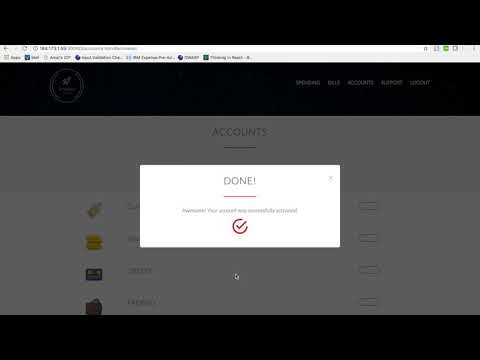](https://www.youtube.com/watch?v=1F1EnnMrsZ8)
## Setup
You have multiple options to setup your own instance:
* [Run it locally](#run-locally)
* [Deploy to IBM Cloud the hard way (manual, multi-stage)](#deploy-to-ibm-cloud-the-hard-way)
* [Deploy to IBM Cloud Private](#deploy-to-ibm-cloud-private)
## Run Locally
### 1. Clone the repo
Clone the `innovate-digital-bank` repository locally. In a terminal, run:
```bash
$ git clone https://github.com/IBM/innovate-digital-bank.git
```
### 2. Create an Instance of MongoDB
This code pattern depends on MongoDB as a session and data store. From the [IBM Cloud catalog](https://cloud.ibm.com/catalog), find **Compose for MongoDB** and click create. Give it a name, choose a region, pick the standard pricing plan and click create.
**Get your mongo connection string. Almost all your microservices need it; keep it safe!**

### 3. Configure your environment variables
Each of the 7 microservices must have a _**.env**_ file that stores all credentials.
An example is already provided within each folder. From the directory of each microservice, copy the example file, rename it to _**.env**_, and fill it with the appropriate values.
For example, from within the **/innovate** folder, navigate into the accounts folder
```bash
$ cd accounts
```
Next, copy and rename the _**.env.example**_ folder
```bash
$ cp .env.example .env
```
Finally, edit your **.env** folder and add your Mongodb connection string
***Repeat these steps for all microservices. In addition to your mongo URL, most will need the public IP address of your Kubernetes cluster, _You can find that under the overview of your cluster on IBM Cloud_.***
### 4. Configure your environment mode
When running the app locally without Kubernetes, the microservices do not run on the NodePorts specified in our helm chart, so we need to point our portal and userbase microservices to the correct ports.
If you're running on macOS or any linux-based system, run the following in a terminal from the git repo's directory
```bash
$ export NODE_ENV=development
```
if you're running on Windows, edit the NODE_ENV attribute in your .env file from within the **/portal** folder and the **/userbase** folder to the following:
```bash
NODE_ENV=development
```
### 5. Run
Finally, navigate to each microservice folder, and start it. Make sure you run the 7 microservice in 7 separate terminals.
```bash
$ npm start
```
You can now visit `localhost:3100` to access the portal
## Deploy to IBM Cloud the Hard Way
> NOTE: This guide requires a paid/upgraded account on IBM Cloud. You **cannot** complete the steps with a free or lite account.
1. [Get the tools](#1-get-the-tools)
2. [Clone the repo](#2-clone-the-repo)
3. [Login to IBM Cloud](#3-login-to-ibm-cloud)
4. [Create a cluster](#4-create-a-cluster-)
5. [Create an instance of MongoDB](#5-create-an-instance-of-mongodb)
6. [Configure your deploy target](#6-configure-your-deploy-target)
7. [Configure your environment variables](#7-configure-your-environment-variables)
8. [Configure kubectl](#8-configure-kubectl)
9. [Initialize helm](#9-initialize-helm)
10. [Deploy](#10-deploy)
### 1. Get the tools
You'll need each of the following pre-requisites:
* The [Kubernetes CLI](https://kubernetes.io/docs/tasks/tools/install-kubectl/)
* The [IBM Cloud Developer Tools CLI](https://cloud.ibm.com/docs/cli/index.html#overview)
* Thee IBM Cloud plugins: `container-service`, `container-registry`, and `dev`
```bash
$ ibmcloud plugin install container-service
$ ibmcloud plugin install container-registry
$ ibmcloud plugin install dev
```
### 2. Clone the repo
Clone the `innovate-digital-bank` repository locally. In a terminal, run:
```bash
$ git clone https://github.com/IBM/innovate-digital-bank.git
```
### 3. Log into IBM Cloud
We'll need to log into IBM Cloud through both the [console](https://cloud.ibm.com/) and the terminal.
> NOTE: If you need to specify the region you want to deploy in, you can do so by adding the `-a` flag followed by the region URL.
```bash
$ ibmcloud login
```
### 4. Create a cluster
From the catalog, find **Containers in Kubernetes Clusters** and click create. Choose a region and a cluster type, and create your cluster. Allow it some time to deploy.

### 5. Create an instance of MongoDB
This demo depends on MongoDB as a session and data store. From the [catalog](https://cloud.ibm.com/catalog/), find **Compose for MongoDB** and click create. Give it a name, choose a region, pick the standard pricing plan and click create.
**Get your mongo connection string. Almost all your microservices need it; keep it safe!**

### 6. Configure your deploy target
Each of the 7 docker images needs to be pushed to your docker image registry on IBM Cloud. You need to set the correct _**deploy target**_. Depending on the region you've created your cluster in, your URL will be in the following format
```
registry.<REGION_ABBREVIATION>.bluemix.net/<YOUR_NAMESPACE>/<YOUR_IMAGE_NAME>
```
For example, to deploy the accounts microservice to my docker image registry in the US-South region, my **deploy_target** will be:
```
registry.ng.bluemix.net/amalamine/innovate-accounts
```
If you need to get your namespace, run:
```bash
$ ibmcloud cr namespace-list
```
You can also add a new namespace by running:
```bash
$ ibmcloud cr namespace-add <NAME>
```
From the directory of each microservice, replace the deploy target in ***cli-config.yml*** and in ***/chart/innovate-<MICROSERVICE_NAME>/values.yaml*** with the correct one
For example, from within the **/innovate** folder, navigate into the accounts folder
```bash
$ cd accounts
```
Next, edit line 58 of [cli-config.yaml](https://github.com/IBM/innovate-digital-bank/blob/master/accounts/cli-config.yml) file. Replace the ***deploy-image-target*** with the correct value.
```
deploy-image-target: "registry.ng.bluemix.net/amalamine/innovate-accounts"
```

Edit line 6 of the [values.yaml](https://github.com/IBM/innovate-digital-bank/blob/master/accounts/chart/innovate-accounts/values.yaml) file. Replace the ***repository*** with the correct value.
```
repository: registry.ng.bluemix.net/amalamine/innovate-accounts
```

**Repeat these steps for all 7 microservices.**
### 7. Configure your environment variables
Each of the 7 microservices must have a _**.env**_ file that stores all credentials. An example is already provided within each folder. From the directory of each microservice, copy the example file, rename it to _**.env**_, and fill it with the appropriate values.
For example, from within the **/innovate** folder, navigate into the accounts folder
```bash
$ cd accounts
```
Next, copy and rename the _**.env.example**_ folder
```bash
$ cp .env.example .env
```
Finally, edit your .env folder and add your Mongodb connection string
***Repeat these steps for all microservices. In addition to your mongo URL, most will need the public IP address of your Kubernetes cluster, _You can find that under the overview of your cluster on IBM Cloud_.***
### 8. Configure kubectl
Run the following command:
```bash
$ ibmcloud cs cluster-config <YOUR_CLUSTER_NAME>
```
Then copy the output and paste it in your terminal
### 9. Initialize helm
If you dont have helm installed, see the [Helm Documentation](https://docs.helm.sh/using_helm/#install-helm).
```bash
$ helm init
```
### 10. Deploy
Finally, navigate to each microservice folder, and run the following command
```bash
$ ibmcloud dev deploy
```
Once done, you'll be able to access the portal on port _30060_ of your cluster's _public IP address_, which you can find under the overview of your cluster on IBM Cloud.
Or if you are logged in `ibmcloud` cli, you can find your public ip of your worker node by
```bash
$ ibmcloud cs workers <name-of-cluster>
```
# Deploy to IBM Cloud Private
If you have an instance of IBM Cloud Private running, you can follow the steps below to deploy the app. If you'd like to deploy your own instance of ICP, [you can follow this great writeup](https://github.com/IBM/deploy-ibm-cloud-private).
1. [Create a persistent volume](#1-create-a-persistent-volume)
2. [Create a persistent volume claim](#2-create-a-persistent-volume-claim)
3. [Create an instance of MongoDB](#3-create-an-instance-of-mongodb)
4. [Configure your environment variables](#4-configure-your-environment-variables)
5. [Add your ICP's address to your hosts file](#5-add-your-icps-address-to-your-hosts-file)
6. [Login to docker](#6-login-to-docker)
7. [Configure kubectl](#7-configure-kubectl)
8. [Configure cloudctl](#8-configure-cloudctl)
9. [Install Helm](#9-install-helm)
10. [Deploy](#10-deploy)
### 1. Create a persistent volume
This code pattern depends on MongoDB as a session and data store. From ICP's menu, click on Storage > Create persistent volume. Give it a name and a capacity, choose storage type _**Hostpath**_, and add a _**path parameter**_
[More details here](./creating-pv.md)
### 2. Create a persistent volume claim
From ICP's menu, click on **_Storage_** > **_Create Persistent Volume Claim_**. Give it a name and a storage request value.
[More details here](./creating-pvc.md)
### 3. Create an instance of MongoDB
From the catalog, choose MongoDB. Give it a **_Name_**, specify the **_Existing Volume Claim Name_**, and give it a **_password_**.
[More details here](./mongo-db.md)
***Get your mongo connection string; Almost all your microservices need it; keep it safe!***
Your connection string will be in the following format:
```
mongodb://<USERNAME>:<PASSWORD>@<HOST>:<PORT>/<DATABASE_NAME>
```
### 4. Configure your environment variables
Each of the 7 microservices must have a _**.env**_ file. An example is already provided within each folder. From the directory of each microservice, copy the example file, rename it to _**.env**_, and fill it with the appropriate values.
For example, from within the **/innovate** folder, navigate into the accounts folder
```bash
$ cd accounts
```
Next, copy and rename the _**.env.example**_ folder
```bash
$ cp .env.example .env
```
Finally, edit your **.env** folder and add your Mongodb connection string
***Repeat those steps for all microservices. In addition to your mongo url, you may the IP address of your ICP.***
### 5. Add your ICP's address to your hosts file
Add an entry to your /etc/hosts file as follows
```ini
<YOUR_ICP_IP_ADDRESS> mycluster.icp
```
### 6. Login to docker
For Mac users, if you are running ICP locally in VM you would also have to add the cluster info to the insecure registry. To do so, go to the Docker icon in the system tray, select **_Preferences_** > **_Daemon_**, and choose to enable experimental features and add cluster to insecure registries list.
 
```bash
$ docker login mycluster.icp:8500
```
### 7. Configure `kubectl`
From your ICP's dashboard, copy the `kubectl` commands under `***REMOVED***` > `configure client`

### 8. Configure `cloudctl`
IBM Cloud Private provides a custom CLI, similar to `kubectl`, called `cloudctl`. To find the CLI for your ICP version, navigate to **_Menu_** > **_Command Line Tools_** > **_Cloud Private CLI_** and follow instruction to get `cloudctl` installed.


Once you have `cloudctl` cli installed, log into **ICP**
```bash
$ cloudctl login -a https://mycluster.icp:8443 -u ***REMOVED*** --skip-ssl-validation
```
> NOTE: The default password for the local ICP VM is _***REMOVED***_.
### 9. Install Helm
If you dont have helm installed, see the [Helm Documentation](https://docs.helm.sh/using_helm/#install-helm).
```bash
$ helm init
```
### 10. Deploy
Finally, navigate to each microservice, and run the following command
```bash
$ ibmcloud dev deploy
```
Once the deployment is successfully completed, you can access the portal on port _30060_ of your _ICP's IP address_.
## (Optional) Adding Support with Watson Assistant
The *Support* microservice connects to an instance of Watson Assistant on IBM Cloud to simulate a chat with a virtual support agent. *This is an optional step.* You only need to continue if you'd like to enable the *Support* feature in the app.
1. [Create an instance of Watson Assistant](#1-create-an-instance-of-watson-assistant)
2. [Get your credentials](#2-get-your-credentials)
3. [Configure your environment variables](#3-configure-your-environment-variables)
4. [Deploy](#4-deploy)
### 1. Create an instance of Watson Assistant
From the [IBM Cloud Catalog](https://cloud.ibm.com/login), choose Watson Assistant, and click *Create*.
### 2. Get your credentials
Navigate to the *Credentials* tab and copy your credentials.

### 3. Configure your environment variables
From within the support folder, edit your `.env` to include your newly acquired credentials.
### 4. Deploy
Re-deploy the *Support* microservice, the support feature should now be accessible through the portal.
```bash
$ ibmcloud dev deploy
```
## Troubleshooting
1. Trouble with IBM Cloud CLI? See their [Troubleshooting Documentation](https://console.bluemix.net/docs/cli/ts_createapps.html#troubleshoot).
2. Trouble with IBM Cloud Private? See their [Troubleshooting Documentation](https://www.ibm.com/support/knowledgecenter/en/SS8G7U_18.2.0/com.ibm.app.mgmt.doc/content/trouble_common_deployment_errors.htm)
3. IBM Cloud Private on local VM not working? Check the ICP version, Vagrant version and VirtualBox version carefully. Update them if necessary. If all else fails, `vagrant destroy` and `vagrant up` again to reset the cluster.
## Learn more
* **Containers Code Patterns**: Enjoyed this Code Pattern? Check out our other [Container Code Patterns](https://developer.ibm.com/technologies/containers/).
* **IBM Cloud Private Code Patterns**: Enjoyed this Code Pattern? Check out our other [IBM Cloud Private Code Patterns](https://developer.ibm.com/components/cloud-private/)
* **Kubernetes on IBM Cloud**: Deliver your apps with the combined the power of [Kubernetes and Docker on IBM Cloud](https://www.ibm.com/cloud/container-service)
## Docs
Additional documentation of all the backend endpoints is available in [DOCS.md](DOCS.md).
## License
This code pattern is licensed under the Apache Software License, Version 2. Separate third party code objects invoked within this code pattern are licensed by their respective providers pursuant to their own separate licenses. Contributions are subject to the [Developer Certificate of Origin, Version 1.1 (DCO)](https://developercertificate.org/) and the [Apache Software License, Version 2](http://www.apache.org/licenses/LICENSE-2.0.txt).
[Apache Software License (ASL) FAQ](http://www.apache.org/foundation/license-faq.html#WhatDoesItMEAN)
================================================
FILE: accounts/.cfignore
================================================
.git/
node_modules/
test/
vcap-local.js
================================================
FILE: accounts/.dockerignore
================================================
node_modules/
test/
.bluemix/
================================================
FILE: accounts/.gitignore
================================================
# Logs
logs
*.log
npm-debug.log*
yarn-debug.log*
yarn-error.log*
# Runtime data
pids
*.pid
*.seed
*.pid.lock
# Directory for instrumented libs generated by jscoverage/JSCover
lib-cov
# Coverage directory used by tools like istanbul
coverage
# nyc test coverage
.nyc_output
# Grunt intermediate storage (http://gruntjs.com/creating-plugins#storing-task-files)
.grunt
# Bower dependency directory (https://bower.io/)
bower_components
# node-waf configuration
.lock-wscript
# Compiled binary addons (http://nodejs.org/api/addons.html)
build/Release
# Dependency directories
node_modules/
jspm_packages/
# Typescript v1 declaration files
typings/
# Optional npm cache directory
.npm
# Optional eslint cache
.eslintcache
# Optional REPL history
.node_repl_history
# Output of 'npm pack'
*.tgz
# Yarn Integrity file
.yarn-integrity
# dotenv environment variables file
.env
# other
.DS_Store
license_accepted
================================================
FILE: accounts/.ibm-project
================================================
{"build-release-ready":true,"build-debug-ready":false,"deploy-image":"","chart-path":"","ibm-cluster":""}
================================================
FILE: accounts/Dockerfile
================================================
FROM ibmcom/ibmnode:latest
LABEL maintainer="***REMOVED***"
#RUN apt-get install -y nodejs npm
WORKDIR /app
# Install app dependencies
COPY . /app
RUN cd /app; npm install; npm prune --production
ENV NODE_ENV production
ENV PORT 3400
EXPOSE 3400
CMD [ "npm","start" ]
================================================
FILE: accounts/Dockerfile-tools
================================================
FROM ibmcom/ibmnode
ENV PORT 3400
WORKDIR "/app"
# Bundle app source
COPY . /app
EXPOSE 3400
CMD ["/bin/bash"]
ARG bx_dev_user=root
ARG bx_dev_userid=1000
RUN BX_DEV_USER=$bx_dev_user
RUN BX_DEV_USERID=$bx_dev_userid
RUN if [ $bx_dev_user != "root" ]; then useradd -ms /bin/bash -u $bx_dev_userid $bx_dev_user; fi
================================================
FILE: accounts/app.js
================================================
'use strict';
const express = require('express');
const bodyParser = require('body-parser');
const accounts = require('./mongoose/account');
var app = express();
app.use(bodyParser.json());
app.all('*', function (req, res, next) {
res.header("Access-Control-Allow-Origin", "*");
res.header("Access-Control-Allow-Headers", "*");
next();
});
app.post('/api/accounts/create', function (req, res) {
let number = Math.floor(Math.random() * 900000);
let balance = 0;
if (req.body.type === 'current') {
balance = 5000;
}
if (req.body.type === 'credit') {
balance = 40000;
}
var newAccount = {
uuid: req.body.uuid,
type: req.body.type,
currency: req.body.currency,
balance: balance,
number: number
};
accounts.create(newAccount, function (err) {
if (err) {
console.log(err);
res.status(500).send(err);
return;
}
console.log("Account created");
res.status(200).send({'message': 'Done!'});
});
});
app.post('/api/accounts/get', function (req, res) {
accounts.find({'uuid': req.body.uuid}, function (err, results) {
if (err) {
console.log(err);
res.status(500).send({'err': err});
return;
}
res.status(200).send(results);
});
});
app.post('/api/accounts/deposit', function (req, res) {
accounts.find({'number': req.body.number}, function (err, results) {
if (err) {
console.log(err);
res.status(500).send({'err': err});
return;
}
if (results.length === 0) {
console.log('account not found');
res.status(500).send({'err': 'account not found'});
return;
}
let amount = Number(results[0].balance) + Number(req.body.amount);
accounts.findOneAndUpdate({'number': req.body.number}, {'balance': amount}, function (err, results) {
if (err) {
console.log(err);
res.status(500).send({'err': err});
return;
}
res.status(200).send(results);
});
});
});
app.post('/api/accounts/withdraw', function (req, res) {
accounts.find({'number': req.body.number}, function (err, results) {
if (err) {
console.log(err);
res.status(500).send({'err': err});
return;
}
if (results.length === 0) {
console.log('account not found');
res.status(500).send({'err': 'account not found'});
return;
}
let amount = Number(results[0].balance) - Number(req.body.amount);
accounts.findOneAndUpdate({'number': req.body.number}, {'balance': amount}, function (err, results) {
if (err) {
console.log(err);
res.status(500).send({'err': err});
return;
}
res.status(200).send(results);
});
});
});
app.get('/api/accounts/drop', function (req, res) {
accounts.collection.drop();
res.status(200).send({'message': 'Done!'});
});
module.exports = app;
================================================
FILE: accounts/chart/innovate-accounts/Chart.yaml
================================================
apiVersion: v1
description: A Helm chart for innovate bank portal
name: innovate-accounts
version: 1.0.0
================================================
FILE: accounts/chart/innovate-accounts/templates/deployment.yaml
================================================
apiVersion: extensions/v1beta1
kind: Deployment
metadata:
name: "{{ .Chart.Name }}-deployment"
labels:
chart: '{{ .Chart.Name }}-{{ .Chart.Version | replace "+" "_" }}'
spec:
replicas: {{ .Values.replicaCount }}
strategy:
type: RollingUpdate
rollingUpdate:
maxUnavailable: 0
maxSurge: 1
revisionHistoryLimit: {{ .Values.revisionHistoryLimit }}
template:
metadata:
labels:
app: "{{ .Chart.Name }}-selector"
spec:
containers:
- name: "{{ .Chart.Name }}"
image: "{{ .Values.image.repository }}:{{ .Values.image.tag }}"
imagePullPolicy: {{ .Values.image.pullPolicy }}
livenessProbe:
httpGet:
path: /health
port: {{ .Values.service.servicePort }}
initialDelaySeconds: {{ .Values.livenessProbe.initialDelaySeconds}}
periodSeconds: {{ .Values.livenessProbe.periodSeconds}}
resources:
requests:
cpu: "{{ .Values.image.resources.requests.cpu }}"
memory: "{{ .Values.image.resources.requests.memory }}"
env:
- name: PORT
value : "{{ .Values.service.servicePort }}"
================================================
FILE: accounts/chart/innovate-accounts/templates/hpa.yaml
================================================
{{ if .Values.hpa.enabled }}
apiVersion: autoscaling/v2alpha1
kind: HorizontalPodAutoscaler
metadata:
name: "{{ .Chart.Name }}-hpa-policy"
namespace:
spec:
scaleTargetRef:
apiVersion: apps/v2alpha1
kind: Deployment
name: "{{ .Chart.Name }}-deployment"
minReplicas: {{ .Values.hpa.minReplicas }}
maxReplicas: {{ .Values.hpa.maxReplicas }}
metrics:
- type: Resource
resource:
name: cpu
targetAverageUtilization: {{ .Values.hpa.metrics.cpu.targetAverageUtilization }}
- type: Resource
resource:
name: memory
targetAverageUtilization: {{ .Values.hpa.metrics.memory.targetAverageUtilization }}
{{ end }}
================================================
FILE: accounts/chart/innovate-accounts/templates/service.yaml
================================================
apiVersion: v1
kind: Service
metadata:
annotations:
prometheus.io/scrape: 'true'
name: "{{ .Chart.Name }}"
labels:
chart: "{{ .Chart.Name }}-{{ .Chart.Version | replace "+" "_" }}"
spec:
type: {{ .Values.service.type }}
ports:
- port: {{ .Values.service.servicePort }}
nodePort: {{ .Values.service.serviceNodePort }}
selector:
app: "{{ .Chart.Name }}-selector"
================================================
FILE: accounts/chart/innovate-accounts/values.yaml
================================================
# This is a YAML-formatted file.
# Declare variables to be passed into your templates.
replicaCount: 1
revisionHistoryLimit: 3
image:
repository: mycluster.icp:8500/default/innovate-accounts
tag: v1.0.0
pullPolicy: Always
resources:
requests:
cpu: 500m
memory: 512Mi
livenessProbe:
initialDelaySeconds: 3000
periodSeconds: 1000
service:
name: Node
type: NodePort
servicePort: 3400
serviceNodePort: 30120
hpa:
enabled: false
minReplicas: 2
maxReplicas: 3
metrics:
cpu:
targetAverageUtilization: 80
memory:
targetAverageUtilization: 80
services:
================================================
FILE: accounts/cli-config.yml
================================================
# The IBM version of this configuration
version : 0.0.3
# The container name used for the run container
container-name-run : "innovate-accounts-run"
# The container name used for the tools container
container-name-tools : "innovate-accounts-tools"
# The project root on the host for the run container to mount to container-path-run
host-path-run : .
# The project root on the host for the tools container to mount to container-path-tools
host-path-tools : .
# The project root in the run container to mount to host-path-run
container-path-run : "/app"
# The project root in the tools container that will be mounted to host-path-tools
container-path-tools : "/app"
# The list of additional mounts between the host and the run container in the form [host_path:container_path]
container-mounts-run:
- "./node_modules_linux": "/app/node_modules"
# The list of additional mounts between the host and the tools container in the form [host_path:container_path]
container-mounts-tools:
- "./node_modules_linux": "/app/node_modules"
# The port mappings between the host and the container in the form [host:container]
container-port-map : "3400:3400"
# The port mappings between the host and the container for the debug port in the form [host:container]
container-port-map-debug : "5862:5862"
# The name for the dockerfile for the run container
dockerfile-run : "Dockerfile"
# The name for the dockerfile for the tools container
dockerfile-tools : "Dockerfile-tools"
# The name of image to create from dockerfile-run
image-name-run : "innovate-accounts-run"
# The name of image to create from dockerfile-tools
image-name-tools : "innovate-accounts-tools"
# The command to build the code and docker image for RUN
build-cmd-run : "npm install"
# The command to execute tests for the code in the tools container
test-cmd : "npm run test"
# The command to build the code and docker image for DEBUG
build-cmd-debug : "npm install"
# The command to run the code in the run container
run-cmd : ""
# The command to execute debug of the code in the tools container
debug-cmd : "npm run debug"
# The command to stop the code
stop-cmd : "npm stop"
# The relative path to the helm chart used for Kubernetes deployment
chart-path: "chart/innovate-accounts"
deploy-target: "container"
deploy-image-target: "mycluster.icp:8500/default/innovate-accounts"
================================================
FILE: accounts/idt.js
================================================
'use strict'
/*
* Wrapper for the idt (IBM Developer Tools) command.
* Run with the same arguments as `idt`, e.g.
* `node idt.js build` -> `idt build`.
* If `idt` isn't installed, this will prompt you to install. Or you can run
* `node idt.js install` to automatically install idt and any other
* required dependencies (e.g. docker, git, kubernetes, helm).
*
*/
const fs = require('fs');
const process = require('process');
const cp = require('child_process');
const request = require('request');
const path = require('path');
const chalk = require('chalk');
const node = process.execPath;
// Array of args passed to idt.js.
const args = process.argv.slice(2);
let win = (process.platform === 'win32');
// Either install idt or run idt + args.
if (args.includes('install')) {
downloadInstaller();
} else {
// TODO(gib): Check for idt once this works in scripts:
// const checkCmd = win ? 'where idt' : 'which idt';
const checkCmd = 'bx plugin show dev';
let hasIDT = false;
try {
console.log(chalk.blue('Checking for idt'));
cp.execSync(checkCmd); // Don't inherit stdio, we don't want to print the output.
hasIDT = true; // If we didn't have idt, the previous command would have thrown.
} catch (e) {
const prompt = require('prompt-confirm');
new prompt({ name: 'install',
message: 'IDT not found, do you want to install it? y/N',
default: false
}).ask((answer) => {
if (answer) {
downloadInstaller(() => runIDT(args));
} else {
console.error(chalk.red(`Not installing idt, so not running: idt ${args.join(' ')}`));
}
});
}
if (hasIDT) runIDT(args);
}
// Run IDT with whatever args we were given.
function runIDT(args) {
const cmd = 'bx dev ' + args.join(' ');
console.log(chalk.blue('Running:'), cmd);
cp.execSync(cmd, {stdio: 'inherit'});
}
// Download the IDT installer script and trigger runInstaller().
function downloadInstaller(cb) {
const url = win ?
'https://ibm.biz/yeoman-idt-win-install' :
'http://ibm.biz/yeoman-idt-install';
const fileName = url.split('/').pop()
console.log(chalk.blue('Downloading installer from:'), url);
const file = fs.createWriteStream(fileName);
request
.get({url, followAllRedirects: true})
.on('error', (err) => { console.error(err); })
.pipe(file)
.on('finish', () => runInstaller(fileName, cb));
}
// Run the installer script and trigger optional callback (cb).
function runInstaller(fileName, cb) {
const shell = win ? 'powershell.exe' : 'bash';
const filePath = path.resolve(__dirname, fileName);
console.log(`Now running: ${shell} ${filePath}`);
cp.spawnSync(shell, [filePath], {stdio: 'inherit'});
typeof cb === 'function' && cb();
}
================================================
FILE: accounts/manifest.yml
================================================
---
applications:
- instances: 1
timeout: 180
name: innovate-accounts
buildpack: sdk-for-nodejs
command: npm start
memory: 512M
================================================
FILE: accounts/mongoose/account.js
================================================
const mongoose = require('mongoose');
var Schema = mongoose.Schema;
var Account = new Schema({
uuid: String,
type: String,
currency: String,
balance: Number,
number: Number
});
module.exports = mongoose.model('Account', Account, "accounts");
================================================
FILE: accounts/package.json
================================================
{
"name": "innovate-accounts",
"version": "1.0.0",
"description": "Innovate: Digital Bank",
"private": true,
"engines": {
"node": "^6.9.0"
},
"scripts": {
"start": "node server.js",
"start:cluster": "sl-run server/server.js",
"debug": "node --debug server/server.js",
"build": "npm run build:idt",
"idt:build": "node idt.js build",
"idt:test": "node idt.js test",
"idt:debug": "node idt.js debug",
"idt:run": "node idt.js run",
"idt:deploy": "node idt.js deploy",
"idt:install": "node idt.js install"
},
"dependencies": {
"body-parser": "^1.17.2",
"dotenv": "^2.0.0",
"express": "^4.15.3",
"jslint": "^0.12.0",
"mongoose": "^5.0.0-rc1",
"request": "^2.83.0",
"strong-supervisor": "^6.2.0",
"uuid": "^3.1.0",
"watson-developer-cloud": "^2.40.0"
},
"devDependencies": {
"chai": "^4.0.0",
"chalk": "^1.1.3",
"mocha": "^3.4.2",
"nyc": "^10.3.2",
"prompt-confirm": "^1.2.0",
"proxyquire": "^1.8.0"
}
}
================================================
FILE: accounts/server.js
================================================
'use strict';
const mongoose = require('mongoose');
require('dotenv').config({silent: true, path: `${__dirname}/.env`});
var server = require('./app');
var port = 3400;
console.log(`Running on ${process.env.BASE_PATH}:${port}, connecting to ${process.env.MONGO_URL}`)
mongoose.connect(process.env.MONGO_URL, function (ignore, connection) {
connection.onOpen();
server.listen(port, function () {
console.log('Server running on port: %d', port);
});
});
================================================
FILE: authentication/.cfignore
================================================
.git/
node_modules/
test/
vcap-local.js
================================================
FILE: authentication/.dockerignore
================================================
node_modules/
test/
.bluemix/
================================================
FILE: authentication/.gitignore
================================================
# Logs
logs
*.log
npm-debug.log*
yarn-debug.log*
yarn-error.log*
# Runtime data
pids
*.pid
*.seed
*.pid.lock
# Directory for instrumented libs generated by jscoverage/JSCover
lib-cov
# Coverage directory used by tools like istanbul
coverage
# nyc test coverage
.nyc_output
# Grunt intermediate storage (http://gruntjs.com/creating-plugins#storing-task-files)
.grunt
# Bower dependency directory (https://bower.io/)
bower_components
# node-waf configuration
.lock-wscript
# Compiled binary addons (http://nodejs.org/api/addons.html)
build/Release
# Dependency directories
node_modules/
jspm_packages/
# Typescript v1 declaration files
typings/
# Optional npm cache directory
.npm
# Optional eslint cache
.eslintcache
# Optional REPL history
.node_repl_history
# Output of 'npm pack'
*.tgz
# Yarn Integrity file
.yarn-integrity
# dotenv environment variables file
.env
# other
.DS_Store
license_accepted
================================================
FILE: authentication/.ibm-project
================================================
{"build-release-ready":true,"build-debug-ready":false,"deploy-image":"","chart-path":"","ibm-cluster":""}
================================================
FILE: authentication/Dockerfile
================================================
FROM ibmcom/ibmnode:latest
LABEL maintainer="***REMOVED***"
#RUN apt-get install -y nodejs npm
WORKDIR /app
# Install app dependencies
COPY . /app
RUN cd /app; npm install; npm prune --production
ENV NODE_ENV production
ENV PORT 3200
EXPOSE 3200
CMD [ "npm","start" ]
================================================
FILE: authentication/Dockerfile-tools
================================================
FROM ibmcom/ibmnode
ENV PORT 3200
WORKDIR "/app"
# Bundle app source
COPY . /app
EXPOSE 3200
CMD ["/bin/bash"]
ARG bx_dev_user=root
ARG bx_dev_userid=1000
RUN BX_DEV_USER=$bx_dev_user
RUN BX_DEV_USERID=$bx_dev_userid
RUN if [ $bx_dev_user != "root" ]; then useradd -ms /bin/bash -u $bx_dev_userid $bx_dev_user; fi
================================================
FILE: authentication/app.js
================================================
'use strict';
const express = require('express');
const bodyParser = require('body-parser');
const users = require('./mongoose/user');
const uuidv4 = require('uuid/v4');
var app = express();
app.use(bodyParser.json());
app.all('/', function (req, res, next) {
res.header("Access-Control-Allow-Origin", "*");
res.header("Access-Control-Allow-Headers", "*");
next();
});
app.post('/api/user/create', function (req, res) {
findUser({'email': req.body.email}, function (err, user) {
if (err) {
console.log(err);
res.status(500).send('Something went wrong. Try again in a few seconds, or contact support.');
return;
}
if (user) {
res.status(500).send({'err': 'Seems like you already have an account with us. Please log in instead, or contact support to recover regain to your account.'});
return;
}
var uuid = uuidv4();
var newUser = {
uuid: uuid,
name: req.body.name,
email: req.body.email,
phone: req.body.phone,
gender: req.body.gender,
dob: req.body.dob,
eid: req.body.eid,
password: req.body.password
};
users.create(newUser, function (err) {
if (err) {
console.log(err);
res.status(500).send('Something went wrong. Try again in a few seconds, or contact support.');
return;
}
console.log("User created");
res.status(200).send(newUser);
});
});
});
app.post('/api/user/authenticate', function (req, res) {
findUser({'email': req.body.email, 'password': req.body.password}, function (err, user) {
if (err) {
console.log(err);
res.status(500).send({'err': 'Something went wrong. Try again in a few seconds, or contact support.'});
return;
}
if (!user) {
res.status(500).send({'err': `Your username & password are incorrect. Try again, or contact support to recover lost login details. `});
return;
}
res.status(200).send(user);
});
});
app.get('/api/user/get', function(req, res) {
findUser({}, function (err, users) {
if (err) {
console.log(err);
res.status(500).send({'err': 'Something went wrong. Try again in a few seconds, or contact support.'});
return;
}
if (!users) {
res.status(500).send({'err': 'No Users Found'});
return;
}
res.status(200).send(users);
});
});
function findUser (criteria, callback){
users.find(criteria, function (err, results) {
if (err) {
console.log(err);
callback(err);
}
if (Object.keys(criteria).length > 0) {
results = results[0];
}
callback(null, results);
});
};
module.exports = app;
================================================
FILE: authentication/chart/innovate-authentication/Chart.yaml
================================================
apiVersion: v1
description: A Helm chart for innovate bank portal
name: innovate-authentication
version: 1.0.0
================================================
FILE: authentication/chart/innovate-authentication/templates/deployment.yaml
================================================
apiVersion: extensions/v1beta1
kind: Deployment
metadata:
name: "{{ .Chart.Name }}-deployment"
labels:
chart: '{{ .Chart.Name }}-{{ .Chart.Version | replace "+" "_" }}'
spec:
replicas: {{ .Values.replicaCount }}
strategy:
type: RollingUpdate
rollingUpdate:
maxUnavailable: 0
maxSurge: 1
revisionHistoryLimit: {{ .Values.revisionHistoryLimit }}
template:
metadata:
labels:
app: "{{ .Chart.Name }}-selector"
spec:
containers:
- name: "{{ .Chart.Name }}"
image: "{{ .Values.image.repository }}:{{ .Values.image.tag }}"
imagePullPolicy: {{ .Values.image.pullPolicy }}
livenessProbe:
httpGet:
path: /health
port: {{ .Values.service.servicePort }}
initialDelaySeconds: {{ .Values.livenessProbe.initialDelaySeconds}}
periodSeconds: {{ .Values.livenessProbe.periodSeconds}}
resources:
requests:
cpu: "{{ .Values.image.resources.requests.cpu }}"
memory: "{{ .Values.image.resources.requests.memory }}"
env:
- name: PORT
value : "{{ .Values.service.servicePort }}"
================================================
FILE: authentication/chart/innovate-authentication/templates/hpa.yaml
================================================
{{ if .Values.hpa.enabled }}
apiVersion: autoscaling/v2alpha1
kind: HorizontalPodAutoscaler
metadata:
name: "{{ .Chart.Name }}-hpa-policy"
namespace:
spec:
scaleTargetRef:
apiVersion: apps/v2alpha1
kind: Deployment
name: "{{ .Chart.Name }}-deployment"
minReplicas: {{ .Values.hpa.minReplicas }}
maxReplicas: {{ .Values.hpa.maxReplicas }}
metrics:
- type: Resource
resource:
name: cpu
targetAverageUtilization: {{ .Values.hpa.metrics.cpu.targetAverageUtilization }}
- type: Resource
resource:
name: memory
targetAverageUtilization: {{ .Values.hpa.metrics.memory.targetAverageUtilization }}
{{ end }}
================================================
FILE: authentication/chart/innovate-authentication/templates/service.yaml
================================================
apiVersion: v1
kind: Service
metadata:
annotations:
prometheus.io/scrape: 'true'
name: "{{ .Chart.Name }}"
labels:
chart: "{{ .Chart.Name }}-{{ .Chart.Version | replace "+" "_" }}"
spec:
type: {{ .Values.service.type }}
ports:
- port: {{ .Values.service.servicePort }}
nodePort: {{ .Values.service.serviceNodePort }}
selector:
app: "{{ .Chart.Name }}-selector"
================================================
FILE: authentication/chart/innovate-authentication/values.yaml
================================================
# This is a YAML-formatted file.
# Declare variables to be passed into your templates.
replicaCount: 1
revisionHistoryLimit: 3
image:
repository: mycluster.icp:8500/default/innovate-authentication
tag: v1.0.0
pullPolicy: Always
resources:
requests:
cpu: 500m
memory: 512Mi
livenessProbe:
initialDelaySeconds: 3000
periodSeconds: 1000
service:
name: Node
type: NodePort
servicePort: 3200
serviceNodePort: 30100
hpa:
enabled: false
minReplicas: 2
maxReplicas: 3
metrics:
cpu:
targetAverageUtilization: 80
memory:
targetAverageUtilization: 80
services:
================================================
FILE: authentication/cli-config.yml
================================================
# The IBM version of this configuration
version : 0.0.3
# The container name used for the run container
container-name-run : "innovate-authentication-run"
# The container name used for the tools container
container-name-tools : "innovate-authentication-tools"
# The project root on the host for the run container to mount to container-path-run
host-path-run : .
# The project root on the host for the tools container to mount to container-path-tools
host-path-tools : .
# The project root in the run container to mount to host-path-run
container-path-run : "/app"
# The project root in the tools container that will be mounted to host-path-tools
container-path-tools : "/app"
# The list of additional mounts between the host and the run container in the form [host_path:container_path]
container-mounts-run:
- "./node_modules_linux": "/app/node_modules"
# The list of additional mounts between the host and the tools container in the form [host_path:container_path]
container-mounts-tools:
- "./node_modules_linux": "/app/node_modules"
# The port mappings between the host and the container in the form [host:container]
container-port-map : "3200:3200"
# The port mappings between the host and the container for the debug port in the form [host:container]
container-port-map-debug : "5860:5860"
# The name for the dockerfile for the run container
dockerfile-run : "Dockerfile"
# The name for the dockerfile for the tools container
dockerfile-tools : "Dockerfile-tools"
# The name of image to create from dockerfile-run
image-name-run : "innovate-authentication-run"
# The name of image to create from dockerfile-tools
image-name-tools : "innovate-authentication-tools"
# The command to build the code and docker image for RUN
build-cmd-run : "npm install"
# The command to execute tests for the code in the tools container
test-cmd : "npm run test"
# The command to build the code and docker image for DEBUG
build-cmd-debug : "npm install"
# The command to run the code in the run container
run-cmd : ""
# The command to execute debug of the code in the tools container
debug-cmd : "npm run debug"
# The command to stop the code
stop-cmd : "npm stop"
# The relative path to the helm chart used for Kubernetes deployment
chart-path: "chart/innovate-authentication"
deploy-target: "container"
deploy-image-target: "mycluster.icp:8500/default/innovate-authentication"
================================================
FILE: authentication/idt.js
================================================
'use strict'
/*
* Wrapper for the idt (IBM Developer Tools) command.
* Run with the same arguments as `idt`, e.g.
* `node idt.js build` -> `idt build`.
* If `idt` isn't installed, this will prompt you to install. Or you can run
* `node idt.js install` to automatically install idt and any other
* required dependencies (e.g. docker, git, kubernetes, helm).
*
*/
const fs = require('fs');
const process = require('process');
const cp = require('child_process');
const request = require('request');
const path = require('path');
const chalk = require('chalk');
const node = process.execPath;
// Array of args passed to idt.js.
const args = process.argv.slice(2);
let win = (process.platform === 'win32');
// Either install idt or run idt + args.
if (args.includes('install')) {
downloadInstaller();
} else {
// TODO(gib): Check for idt once this works in scripts:
// const checkCmd = win ? 'where idt' : 'which idt';
const checkCmd = 'bx plugin show dev';
let hasIDT = false;
try {
console.log(chalk.blue('Checking for idt'));
cp.execSync(checkCmd); // Don't inherit stdio, we don't want to print the output.
hasIDT = true; // If we didn't have idt, the previous command would have thrown.
} catch (e) {
const prompt = require('prompt-confirm');
new prompt({ name: 'install',
message: 'IDT not found, do you want to install it? y/N',
default: false
}).ask((answer) => {
if (answer) {
downloadInstaller(() => runIDT(args));
} else {
console.error(chalk.red(`Not installing idt, so not running: idt ${args.join(' ')}`));
}
});
}
if (hasIDT) runIDT(args);
}
// Run IDT with whatever args we were given.
function runIDT(args) {
const cmd = 'bx dev ' + args.join(' ');
console.log(chalk.blue('Running:'), cmd);
cp.execSync(cmd, {stdio: 'inherit'});
}
// Download the IDT installer script and trigger runInstaller().
function downloadInstaller(cb) {
const url = win ?
'https://ibm.biz/yeoman-idt-win-install' :
'http://ibm.biz/yeoman-idt-install';
const fileName = url.split('/').pop()
console.log(chalk.blue('Downloading installer from:'), url);
const file = fs.createWriteStream(fileName);
request
.get({url, followAllRedirects: true})
.on('error', (err) => { console.error(err); })
.pipe(file)
.on('finish', () => runInstaller(fileName, cb));
}
// Run the installer script and trigger optional callback (cb).
function runInstaller(fileName, cb) {
const shell = win ? 'powershell.exe' : 'bash';
const filePath = path.resolve(__dirname, fileName);
console.log(`Now running: ${shell} ${filePath}`);
cp.spawnSync(shell, [filePath], {stdio: 'inherit'});
typeof cb === 'function' && cb();
}
================================================
FILE: authentication/manifest.yml
================================================
---
applications:
- instances: 1
timeout: 180
name: innovate-authentication
buildpack: sdk-for-nodejs
command: npm start
memory: 512M
================================================
FILE: authentication/mongoose/user.js
================================================
const mongoose = require('mongoose');
var Schema = mongoose.Schema;
var User = new Schema({
uuid: String,
name: String,
email: String,
phone: String,
gender: String,
dob: String,
eid: String,
password: String
});
module.exports = mongoose.model('User', User, "users");
================================================
FILE: authentication/package.json
================================================
{
"name": "innovate-authentication",
"version": "1.0.0",
"description": "Innovate: Digital Bank",
"private": true,
"engines": {
"node": "^6.9.0"
},
"scripts": {
"start": "node server.js",
"start:cluster": "sl-run server/server.js",
"debug": "node --debug server/server.js",
"build": "npm run build:idt",
"idt:build": "node idt.js build",
"idt:test": "node idt.js test",
"idt:debug": "node idt.js debug",
"idt:run": "node idt.js run",
"idt:deploy": "node idt.js deploy",
"idt:install": "node idt.js install"
},
"dependencies": {
"body-parser": "^1.17.2",
"dotenv": "^2.0.0",
"express": "^4.15.3",
"mongoose": "^5.0.0-rc1",
"request": "^2.83.0",
"strong-supervisor": "^6.2.0",
"uuid": "^3.1.0",
"watson-developer-cloud": "^2.40.0"
},
"devDependencies": {
"chai": "^4.0.0",
"chalk": "^1.1.3",
"mocha": "^3.4.2",
"nyc": "^10.3.2",
"prompt-confirm": "^1.2.0",
"proxyquire": "^1.8.0"
}
}
================================================
FILE: authentication/server.js
================================================
'use strict';
const mongoose = require('mongoose');
require('dotenv').config({silent: true, path: `${__dirname}/.env`});
var server = require('./app');
var port = 3200;
console.log(`Running on ${process.env.BASE_PATH}:${port}, connecting to ${process.env.MONGO_URL}`)
mongoose.connect(process.env.MONGO_URL, function (ignore, connection) {
connection.onOpen();
server.listen(port, function () {
console.log('Server running on port: %d', port);
});
});
================================================
FILE: bills/.cfignore
================================================
.git/
node_modules/
test/
vcap-local.js
================================================
FILE: bills/.dockerignore
================================================
node_modules/
test/
.bluemix/
================================================
FILE: bills/.gitignore
================================================
# Logs
logs
*.log
npm-debug.log*
yarn-debug.log*
yarn-error.log*
# Runtime data
pids
*.pid
*.seed
*.pid.lock
# Directory for instrumented libs generated by jscoverage/JSCover
lib-cov
# Coverage directory used by tools like istanbul
coverage
# nyc test coverage
.nyc_output
# Grunt intermediate storage (http://gruntjs.com/creating-plugins#storing-task-files)
.grunt
# Bower dependency directory (https://bower.io/)
bower_components
# node-waf configuration
.lock-wscript
# Compiled binary addons (http://nodejs.org/api/addons.html)
build/Release
# Dependency directories
node_modules/
jspm_packages/
# Typescript v1 declaration files
typings/
# Optional npm cache directory
.npm
# Optional eslint cache
.eslintcache
# Optional REPL history
.node_repl_history
# Output of 'npm pack'
*.tgz
# Yarn Integrity file
.yarn-integrity
# dotenv environment variables file
.env
# other
.DS_Store
license_accepted
================================================
FILE: bills/.ibm-project
================================================
{"build-release-ready":true,"build-debug-ready":false,"deploy-image":"","chart-path":"","ibm-cluster":""}
================================================
FILE: bills/Dockerfile
================================================
FROM ibmcom/ibmnode:latest
LABEL maintainer="***REMOVED***"
#RUN apt-get install -y nodejs npm
WORKDIR /app
# Install app dependencies
COPY . /app
RUN cd /app; npm install; npm prune --production
ENV NODE_ENV production
ENV PORT 3800
EXPOSE 3800
CMD [ "npm","start" ]
================================================
FILE: bills/Dockerfile-tools
================================================
FROM ibmcom/ibmnode
ENV PORT 3800
WORKDIR "/app"
# Bundle app source
COPY . /app
EXPOSE 3800
CMD ["/bin/bash"]
ARG bx_dev_user=root
ARG bx_dev_userid=1000
RUN BX_DEV_USER=$bx_dev_user
RUN BX_DEV_USERID=$bx_dev_userid
RUN if [ $bx_dev_user != "root" ]; then useradd -ms /bin/bash -u $bx_dev_userid $bx_dev_user; fi
================================================
FILE: bills/app.js
================================================
'use strict';
const express = require('express');
const bodyParser = require('body-parser');
const bills = require('./mongoose/bill');
var app = express();
app.use(bodyParser.json());
app.all('*', function (req, res, next) {
res.header("Access-Control-Allow-Origin", "*");
res.header("Access-Control-Allow-Headers", "*");
next();
});
app.post('/api/bills/create', function (req, res) {
var newBill = {
uuid: req.body.uuid,
category: req.body.category,
entity: req.body.entity,
account_no: req.body.account_no,
amount: req.body.amount,
date: req.body.date
};
bills.update({'category': req.body.category}, newBill, {upsert: true}, function (err) {
if (err) {
console.log(err);
res.status(500).send(err);
return;
}
console.log("Bill created");
res.status(200).send({'message': 'Done!'});
});
});
app.post('/api/bills/get', function (req, res) {
bills.find({'uuid': req.body.uuid}, function (err, results) {
if (err) {
console.log(err);
res.status(500).send({'err': err});
return;
}
res.status(200).send(results);
});
});
app.get('/api/bills/drop', function (req, res) {
bills.collection.drop();
res.status(200).send({'message': 'Done!'});
});
module.exports = app;
================================================
FILE: bills/chart/innovate-bills/Chart.yaml
================================================
apiVersion: v1
description: A Helm chart for innovate bank portal
name: innovate-bills
version: 1.0.0
================================================
FILE: bills/chart/innovate-bills/templates/deployment.yaml
================================================
apiVersion: extensions/v1beta1
kind: Deployment
metadata:
name: "{{ .Chart.Name }}-deployment"
labels:
chart: '{{ .Chart.Name }}-{{ .Chart.Version | replace "+" "_" }}'
spec:
replicas: {{ .Values.replicaCount }}
strategy:
type: RollingUpdate
rollingUpdate:
maxUnavailable: 0
maxSurge: 1
revisionHistoryLimit: {{ .Values.revisionHistoryLimit }}
template:
metadata:
labels:
app: "{{ .Chart.Name }}-selector"
spec:
containers:
- name: "{{ .Chart.Name }}"
image: "{{ .Values.image.repository }}:{{ .Values.image.tag }}"
imagePullPolicy: {{ .Values.image.pullPolicy }}
livenessProbe:
httpGet:
path: /health
port: {{ .Values.service.servicePort }}
initialDelaySeconds: {{ .Values.livenessProbe.initialDelaySeconds}}
periodSeconds: {{ .Values.livenessProbe.periodSeconds}}
resources:
requests:
cpu: "{{ .Values.image.resources.requests.cpu }}"
memory: "{{ .Values.image.resources.requests.memory }}"
env:
- name: PORT
value : "{{ .Values.service.servicePort }}"
================================================
FILE: bills/chart/innovate-bills/templates/hpa.yaml
================================================
{{ if .Values.hpa.enabled }}
apiVersion: autoscaling/v2alpha1
kind: HorizontalPodAutoscaler
metadata:
name: "{{ .Chart.Name }}-hpa-policy"
namespace:
spec:
scaleTargetRef:
apiVersion: apps/v2alpha1
kind: Deployment
name: "{{ .Chart.Name }}-deployment"
minReplicas: {{ .Values.hpa.minReplicas }}
maxReplicas: {{ .Values.hpa.maxReplicas }}
metrics:
- type: Resource
resource:
name: cpu
targetAverageUtilization: {{ .Values.hpa.metrics.cpu.targetAverageUtilization }}
- type: Resource
resource:
name: memory
targetAverageUtilization: {{ .Values.hpa.metrics.memory.targetAverageUtilization }}
{{ end }}
================================================
FILE: bills/chart/innovate-bills/templates/service.yaml
================================================
apiVersion: v1
kind: Service
metadata:
annotations:
prometheus.io/scrape: 'true'
name: "{{ .Chart.Name }}"
labels:
chart: "{{ .Chart.Name }}-{{ .Chart.Version | replace "+" "_" }}"
spec:
type: {{ .Values.service.type }}
ports:
- port: {{ .Values.service.servicePort }}
nodePort: {{ .Values.service.serviceNodePort }}
selector:
app: "{{ .Chart.Name }}-selector"
================================================
FILE: bills/chart/innovate-bills/values.yaml
================================================
# This is a YAML-formatted file.
# Declare variables to be passed into your templates.
replicaCount: 1
revisionHistoryLimit: 3
image:
repository: mycluster.icp:8500/default/innovate-bills
tag: v1.0.0
pullPolicy: Always
resources:
requests:
cpu: 500m
memory: 512Mi
livenessProbe:
initialDelaySeconds: 3000
periodSeconds: 1000
service:
name: Node
type: NodePort
servicePort: 3800
serviceNodePort: 30160
hpa:
enabled: false
minReplicas: 2
maxReplicas: 3
metrics:
cpu:
targetAverageUtilization: 80
memory:
targetAverageUtilization: 80
services:
================================================
FILE: bills/cli-config.yml
================================================
# The IBM version of this configuration
version : 0.0.3
# The container name used for the run container
container-name-run : "innovate-bills-run"
# The container name used for the tools container
container-name-tools : "innovate-bills-tools"
# The project root on the host for the run container to mount to container-path-run
host-path-run : .
# The project root on the host for the tools container to mount to container-path-tools
host-path-tools : .
# The project root in the run container to mount to host-path-run
container-path-run : "/app"
# The project root in the tools container that will be mounted to host-path-tools
container-path-tools : "/app"
# The list of additional mounts between the host and the run container in the form [host_path:container_path]
container-mounts-run:
- "./node_modules_linux": "/app/node_modules"
# The list of additional mounts between the host and the tools container in the form [host_path:container_path]
container-mounts-tools:
- "./node_modules_linux": "/app/node_modules"
# The port mappings between the host and the container in the form [host:container]
container-port-map : "3800:3800"
# The port mappings between the host and the container for the debug port in the form [host:container]
container-port-map-debug : "5866:5866"
# The name for the dockerfile for the run container
dockerfile-run : "Dockerfile"
# The name for the dockerfile for the tools container
dockerfile-tools : "Dockerfile-tools"
# The name of image to create from dockerfile-run
image-name-run : "innovate-bills-run"
# The name of image to create from dockerfile-tools
image-name-tools : "innovate-bills-tools"
# The command to build the code and docker image for RUN
build-cmd-run : "npm install"
# The command to execute tests for the code in the tools container
test-cmd : "npm run test"
# The command to build the code and docker image for DEBUG
build-cmd-debug : "npm install"
# The command to run the code in the run container
run-cmd : ""
# The command to execute debug of the code in the tools container
debug-cmd : "npm run debug"
# The command to stop the code
stop-cmd : "npm stop"
# The relative path to the helm chart used for Kubernetes deployment
chart-path: "chart/innovate-bills"
deploy-target: "container"
deploy-image-target: "mycluster.icp:8500/default/innovate-bills"
================================================
FILE: bills/idt.js
================================================
'use strict'
/*
* Wrapper for the idt (IBM Developer Tools) command.
* Run with the same arguments as `idt`, e.g.
* `node idt.js build` -> `idt build`.
* If `idt` isn't installed, this will prompt you to install. Or you can run
* `node idt.js install` to automatically install idt and any other
* required dependencies (e.g. docker, git, kubernetes, helm).
*
*/
const fs = require('fs');
const process = require('process');
const cp = require('child_process');
const request = require('request');
const path = require('path');
const chalk = require('chalk');
const node = process.execPath;
// Array of args passed to idt.js.
const args = process.argv.slice(2);
let win = (process.platform === 'win32');
// Either install idt or run idt + args.
if (args.includes('install')) {
downloadInstaller();
} else {
// TODO(gib): Check for idt once this works in scripts:
// const checkCmd = win ? 'where idt' : 'which idt';
const checkCmd = 'bx plugin show dev';
let hasIDT = false;
try {
console.log(chalk.blue('Checking for idt'));
cp.execSync(checkCmd); // Don't inherit stdio, we don't want to print the output.
hasIDT = true; // If we didn't have idt, the previous command would have thrown.
} catch (e) {
const prompt = require('prompt-confirm');
new prompt({ name: 'install',
message: 'IDT not found, do you want to install it? y/N',
default: false
}).ask((answer) => {
if (answer) {
downloadInstaller(() => runIDT(args));
} else {
console.error(chalk.red(`Not installing idt, so not running: idt ${args.join(' ')}`));
}
});
}
if (hasIDT) runIDT(args);
}
// Run IDT with whatever args we were given.
function runIDT(args) {
const cmd = 'bx dev ' + args.join(' ');
console.log(chalk.blue('Running:'), cmd);
cp.execSync(cmd, {stdio: 'inherit'});
}
// Download the IDT installer script and trigger runInstaller().
function downloadInstaller(cb) {
const url = win ?
'https://ibm.biz/yeoman-idt-win-install' :
'http://ibm.biz/yeoman-idt-install';
const fileName = url.split('/').pop()
console.log(chalk.blue('Downloading installer from:'), url);
const file = fs.createWriteStream(fileName);
request
.get({url, followAllRedirects: true})
.on('error', (err) => { console.error(err); })
.pipe(file)
.on('finish', () => runInstaller(fileName, cb));
}
// Run the installer script and trigger optional callback (cb).
function runInstaller(fileName, cb) {
const shell = win ? 'powershell.exe' : 'bash';
const filePath = path.resolve(__dirname, fileName);
console.log(`Now running: ${shell} ${filePath}`);
cp.spawnSync(shell, [filePath], {stdio: 'inherit'});
typeof cb === 'function' && cb();
}
================================================
FILE: bills/manifest.yml
================================================
---
applications:
- instances: 1
timeout: 180
name: innovate-bills
buildpack: sdk-for-nodejs
command: npm start
memory: 512M
================================================
FILE: bills/mongoose/bill.js
================================================
const mongoose = require('mongoose');
var Schema = mongoose.Schema;
var Bill = new Schema({
uuid: String,
category: String,
entity: String,
account_no: String,
amount: Number,
currency: String,
date: String
});
module.exports = mongoose.model('Bill', Bill, "bills");
================================================
FILE: bills/package.json
================================================
{
"name": "innovate-bills",
"version": "1.0.0",
"description": "Innovate: Digital Bank",
"private": true,
"engines": {
"node": "^6.9.0"
},
"scripts": {
"start": "node server.js",
"start:cluster": "sl-run server/server.js",
"debug": "node --debug server/server.js",
"build": "npm run build:idt",
"idt:build": "node idt.js build",
"idt:test": "node idt.js test",
"idt:debug": "node idt.js debug",
"idt:run": "node idt.js run",
"idt:deploy": "node idt.js deploy",
"idt:install": "node idt.js install"
},
"dependencies": {
"body-parser": "^1.17.2",
"dotenv": "^2.0.0",
"express": "^4.15.3",
"mongoose": "^5.0.0-rc1",
"request": "^2.83.0",
"strong-supervisor": "^6.2.0",
"uuid": "^3.1.0",
"watson-developer-cloud": "^2.40.0"
},
"devDependencies": {
"chai": "^4.0.0",
"chalk": "^1.1.3",
"mocha": "^3.4.2",
"nyc": "^10.3.2",
"prompt-confirm": "^1.2.0",
"proxyquire": "^1.8.0"
}
}
================================================
FILE: bills/server.js
================================================
'use strict';
const mongoose = require('mongoose');
require('dotenv').config({silent: true, path: `${__dirname}/.env`});
var server = require('./app');
var port = 3800;
console.log(`Running on ${process.env.BASE_PATH}:${port}, connecting to ${process.env.MONGO_URL}`)
mongoose.connect(process.env.MONGO_URL, function (ignore, connection) {
connection.onOpen();
server.listen(port, function () {
console.log('Server running on port: %d', port);
});
});
================================================
FILE: chart/innovate-bank/Chart.yaml
================================================
apiVersion: v1
description: A Helm chart for innovate bank
name: innovate-bank
version: 2.0.0
================================================
FILE: chart/innovate-bank/charts/mongodb/.helmignore
================================================
# Patterns to ignore when building packages.
# This supports shell glob matching, relative path matching, and
# negation (prefixed with !). Only one pattern per line.
.DS_Store
# Common VCS dirs
.git/
.gitignore
.bzr/
.bzrignore
.hg/
.hgignore
.svn/
# Common backup files
*.swp
*.bak
*.tmp
*~
# Various IDEs
.project
.idea/
*.tmproj
================================================
FILE: chart/innovate-bank/charts/mongodb/Chart.yaml
================================================
name: mongodb
version: 1.0.0
appVersion: 3.7.3
description: NoSQL document-oriented database that stores JSON-like documents with dynamic schemas, simplifying the integration of data in content-driven applications.
keywords:
- mongodb
- database
- nosql
home: https://mongodb.org
icon: https://bitnami.com/assets/stacks/mongodb/img/mongodb-stack-220x234.png
sources:
- https://github.com/bitnami/bitnami-docker-mongodb
maintainers:
- name: Bitnami
email: containers@bitnami.com
engine: gotpl
================================================
FILE: chart/innovate-bank/charts/mongodb/templates/_helpers.tpl
================================================
{{/* vim: set filetype=mustache: */}}
{{/*
Expand the name of the chart.
*/}}
{{- define "mongodb.name" -}}
{{- default .Chart.Name .Values.nameOverride | trunc 63 | trimSuffix "-" -}}
{{- end -}}
{{/*
Create a default fully qualified app name.
We truncate at 63 chars because some Kubernetes name fields are limited to this (by the DNS naming spec).
*/}}
{{- define "mongodb.fullname" -}}
{{- $name := default .Chart.Name .Values.nameOverride -}}
{{- printf "%s-%s" .Release.Name $name | trunc 63 | trimSuffix "-" -}}
{{- end -}}
================================================
FILE: chart/innovate-bank/charts/mongodb/templates/deployment.yaml
================================================
apiVersion: extensions/v1beta1
kind: Deployment
metadata:
name: {{ template "mongodb.fullname" . }}
labels:
app: {{ template "mongodb.fullname" . }}
chart: "{{ .Chart.Name }}-{{ .Chart.Version }}"
release: "{{ .Release.Name }}"
heritage: "{{ .Release.Service }}"
spec:
template:
metadata:
labels:
app: {{ template "mongodb.fullname" . }}
spec:
containers:
- name: {{ template "mongodb.fullname" . }}
image: "{{ .Values.image.repository }}:{{ .Values.image.tag }}"
imagePullPolicy: {{ .Values.image.pullPolicy }}
env:
- name: MONGODB_ROOT_PASSWORD
valueFrom:
secretKeyRef:
name: {{ template "mongodb.fullname" . }}
key: mongodb-root-password
- name: MONGODB_USERNAME
value: {{ default "" .Values.mongodbUsername | quote }}
- name: MONGODB_PASSWORD
valueFrom:
secretKeyRef:
name: {{ template "mongodb.fullname" . }}
key: mongodb-password
- name: MONGODB_DATABASE
value: {{ default "" .Values.mongodbDatabase | quote }}
ports:
- name: mongodb
containerPort: 27017
livenessProbe:
exec:
command:
- mongo
- --eval
- "db.***REMOVED***Command('ping')"
initialDelaySeconds: 30
timeoutSeconds: 5
readinessProbe:
exec:
command:
- mongo
- --eval
- "db.***REMOVED***Command('ping')"
initialDelaySeconds: 5
timeoutSeconds: 1
volumeMounts:
- name: data
mountPath: /data/mongo
resources:
{{ toYaml .Values.resources | indent 10 }}
volumes:
- name: data
{{- if .Values.persistence.enabled }}
persistentVolumeClaim:
claimName: {{ template "mongodb.fullname" . }}
{{- else }}
emptyDir: {}
{{- end -}}
================================================
FILE: chart/innovate-bank/charts/mongodb/templates/pv.yaml
================================================
apiVersion: v1
kind: PersistentVolume
metadata:
name: {{ template "mongodb.fullname" . }}
spec:
capacity:
storage: {{ .Values.persistence.size }}
accessModes:
- {{ .Values.persistence.accessMode }}
hostPath:
path: {{ .Values.persistence.path }}
================================================
FILE: chart/innovate-bank/charts/mongodb/templates/pvc.yaml
================================================
kind: PersistentVolumeClaim
apiVersion: v1
metadata:
name: {{ template "mongodb.fullname" . }}
labels:
billingType: {{ .Values.persistence.billingType }}
spec:
accessModes:
- {{ .Values.persistence.accessMode }}
resources:
requests:
storage: {{ .Values.persistence.claimSize }}
================================================
FILE: chart/innovate-bank/charts/mongodb/templates/secrets.yaml
================================================
apiVersion: v1
kind: Secret
metadata:
name: {{ template "mongodb.fullname" . }}
labels:
app: {{ template "mongodb.fullname" . }}
chart: "{{ .Chart.Name }}-{{ .Chart.Version }}"
release: "{{ .Release.Name }}"
heritage: "{{ .Release.Service }}"
type: Opaque
data:
{{ if .Values.mongodbRootPassword }}
mongodb-root-password: {{ .Values.mongodbRootPassword | b64enc | quote }}
{{ else }}
mongodb-root-password: {{ randAlphaNum 10 | b64enc | quote }}
{{ end }}
{{ if .Values.mongodbPassword }}
mongodb-password: {{ .Values.mongodbPassword | b64enc | quote }}
{{ else }}
mongodb-password: {{ randAlphaNum 10 | b64enc | quote }}
{{ end }}
================================================
FILE: chart/innovate-bank/charts/mongodb/templates/service.yaml
================================================
apiVersion: v1
kind: Service
metadata:
name: {{ template "mongodb.fullname" . }}
labels:
app: {{ template "mongodb.fullname" . }}
chart: "{{ .Chart.Name }}-{{ .Chart.Version }}"
release: "{{ .Release.Name }}"
heritage: "{{ .Release.Service }}"
spec:
type: {{ .Values.serviceType }}
ports:
- name: mongodb
port: 27017
targetPort: mongodb
nodePort: 30443
selector:
app: {{ template "mongodb.fullname" . }}
================================================
FILE: chart/innovate-bank/charts/mongodb/values.yaml
================================================
image:
registry: docker.io
repository: bitnami/mongodb
tag: 3.7.3
pullPolicy: IfNotPresent
mongodbRootPassword: mongo
mongodbUsername: mongo
mongodbPassword: ***REMOVED***
mongodbDatabase: ***REMOVED***
serviceType: NodePort
persistence:
enabled: true
accessMode: ReadWriteMany
size: 5Gi
claimSize: 1Gi
storageClass: ibmc-file-bronze
billingType: hourly
path: /innovate
resources:
requests:
memory: 512Mi
cpu: 200m
================================================
FILE: chart/innovate-bank/templates/_helpers.tpl
================================================
{{/* vim: set filetype=mustache: */}}
{{/*
Expand the name of the chart.
*/}}
{{- define "name" -}}
{{- default .Chart.Name .Values.nameOverride | trunc 63 | trimSuffix "-" -}}
{{- end -}}
{{/*
Create a default fully qualified app name.
We truncate at 63 chars because some Kubernetes name fields are limited to this (by the DNS naming spec).
*/}}
{{- define "fullname" -}}
{{- $name := default .Chart.Name .Values.nameOverride -}}
{{- printf "%s-%s" .Release.Name $name | trunc 63 | trimSuffix "-" -}}
{{- end -}}
================================================
FILE: chart/innovate-bank/templates/configmap.yaml
================================================
apiVersion: v1
kind: ConfigMap
metadata:
name: "{{ .Chart.Name }}-configmap"
labels:
chart: '{{ .Chart.Name }}-{{ .Chart.Version | replace "+" "_" }}'
data:
mongoUrl: "{{ .Values.config.mongoUrl }}"
basePath: "{{ .Values.config.basePath }}"
sessionSecret: "{{ .Values.config.sessionSecret }}"
nodeEnv: "{{ .Values.config.nodeEnv }}"
signupEndpoint: "/api/user/create"
loginEndpoint: "/api/user/authenticate"
getUsersEndpoint: "/api/user/get"
getBillsEndpoint: "/api/bills/get"
upsertBillEndpoint: "/api/bills/create"
dropBillsEndpoint: "/api/bills/drop"
createAccountEndpoint: "/api/accounts/create"
getAccountsEndpoint: "/api/accounts/get"
accountWithdrawEndpoint: "/api/accounts/withdraw"
accountDepositEndpoint: "/api/accounts/deposit"
dropAccountsEndpoint: "/api/accounts/drop"
createTransactionEndpoint: "/api/transactions/create"
getTransactionsEndpoint: "/api/transactions/get"
dropTransactionsEndpoint: "/api/transactions/drop"
chatEndpoint: "/api/message"
================================================
FILE: chart/innovate-bank/templates/deployment.yaml
================================================
apiVersion: extensions/v1beta1
kind: Deployment
metadata:
name: "{{ .Chart.Name }}-deployment"
labels:
chart: '{{ .Chart.Name }}-{{ .Chart.Version | replace "+" "_" }}'
spec:
replicas: {{ .Values.replicaCount }}
strategy:
type: RollingUpdate
rollingUpdate:
maxUnavailable: 0
maxSurge: 1
revisionHistoryLimit: {{ .Values.revisionHistoryLimit }}
template:
metadata:
labels:
app: "{{ .Chart.Name }}-selector"
spec:
imagePullSecrets:
- name: {{ .Values.image.pullSecret }}
containers:
- name: "{{ .Chart.Name }}"
image: "{{ .Values.image.repository }}:{{ .Values.image.tag }}"
imagePullPolicy: {{ .Values.image.pullPolicy }}
livenessProbe:
httpGet:
path: /health
port: {{ .Values.service.servicePort }}
initialDelaySeconds: {{ .Values.livenessProbe.initialDelaySeconds}}
periodSeconds: {{ .Values.livenessProbe.periodSeconds}}
resources:
requests:
cpu: "{{ .Values.image.resources.requests.cpu }}"
memory: "{{ .Values.image.resources.requests.memory }}"
env:
- name: MONGO_URL
valueFrom:
configMapKeyRef:
name: "{{ .Chart.Name }}-configmap"
key: mongoUrl
- name: BASE_PATH
valueFrom:
configMapKeyRef:
name: "{{ .Chart.Name }}-configmap"
key: basePath
- name: PORT
value : "{{ .Values.service.servicePort }}"
- name: SESSION_SECRET
valueFrom:
configMapKeyRef:
name: "{{ .Chart.Name }}-configmap"
key: sessionSecret
- name: NODE_ENV
valueFrom:
configMapKeyRef:
name: "{{ .Chart.Name }}-configmap"
key: nodeEnv
- name: SIGNUP_ENDPOINT
valueFrom:
configMapKeyRef:
name: "{{ .Chart.Name }}-configmap"
key: signupEndpoint
- name: LOGIN_ENDPOINT
valueFrom:
configMapKeyRef:
name: "{{ .Chart.Name }}-configmap"
key: loginEndpoint
- name: GET_USERS_ENDPOINT
valueFrom:
configMapKeyRef:
name: "{{ .Chart.Name }}-configmap"
key: getUsersEndpoint
- name: GET_BILLS_ENDPOINT
valueFrom:
configMapKeyRef:
name: "{{ .Chart.Name }}-configmap"
key: getBillsEndpoint
- name: UPSERT_BILL_ENDPOINT
valueFrom:
configMapKeyRef:
name: "{{ .Chart.Name }}-configmap"
key: upsertBillEndpoint
- name: DROP_BILLS_ENDPOINT
valueFrom:
configMapKeyRef:
name: "{{ .Chart.Name }}-configmap"
key: dropBillsEndpoint
- name: CREATE_ACCOUNT_ENDPOINT
valueFrom:
configMapKeyRef:
name: "{{ .Chart.Name }}-configmap"
key: createAccountEndpoint
- name: GET_ACCOUNTS_ENDPOINT
valueFrom:
configMapKeyRef:
name: "{{ .Chart.Name }}-configmap"
key: getAccountsEndpoint
- name: ACCOUNT_WITHDRAW_ENDPOINT
valueFrom:
configMapKeyRef:
name: "{{ .Chart.Name }}-configmap"
key: accountWithdrawEndpoint
- name: ACCOUNT_DEPOSIT_ENDPOINT
valueFrom:
configMapKeyRef:
name: "{{ .Chart.Name }}-configmap"
key: accountDepositEndpoint
- name: DROP_ACCOUNTS_ENDPOINT
valueFrom:
configMapKeyRef:
name: "{{ .Chart.Name }}-configmap"
key: dropAccountsEndpoint
- name: CREATE_TRANSACTION_ENDPOINT
valueFrom:
configMapKeyRef:
name: "{{ .Chart.Name }}-configmap"
key: createTransactionEndpoint
- name: GET_TRANSACTIONS_ENDPOINT
valueFrom:
configMapKeyRef:
name: "{{ .Chart.Name }}-configmap"
key: getTransactionsEndpoint
- name: DROP_TRANSACTIONS_ENDPOINT
valueFrom:
configMapKeyRef:
name: "{{ .Chart.Name }}-configmap"
key: dropTransactionsEndpoint
- name: CHAT_ENDPOINT
valueFrom:
configMapKeyRef:
name: "{{ .Chart.Name }}-configmap"
key: chatEndpoint
- name: CONVERSATION_BINDING
valueFrom:
secretKeyRef:
name: "binding-innovate-conversation-service"
key: binding
================================================
FILE: chart/innovate-bank/templates/hpa.yaml
================================================
{{ if .Values.hpa.enabled }}
apiVersion: autoscaling/v2alpha1
kind: HorizontalPodAutoscaler
metadata:
name: "{{ .Chart.Name }}-hpa-policy"
namespace:
spec:
scaleTargetRef:
apiVersion: apps/v2alpha1
kind: Deployment
name: "{{ .Chart.Name }}-deployment"
minReplicas: {{ .Values.hpa.minReplicas }}
maxReplicas: {{ .Values.hpa.maxReplicas }}
metrics:
- type: Resource
resource:
name: cpu
targetAverageUtilization: {{ .Values.hpa.metrics.cpu.targetAverageUtilization }}
- type: Resource
resource:
name: memory
targetAverageUtilization: {{ .Values.hpa.metrics.memory.targetAverageUtilization }}
{{ end }}
================================================
FILE: chart/innovate-bank/templates/ingress.yaml
================================================
{{- if .Values.ingress.enabled -}}
{{- $serviceName := include "fullname" . -}}
{{- $servicePort := .Values.service.externalPort -}}
apiVersion: extensions/v1beta1
kind: Ingress
metadata:
name: {{ template "fullname" . }}
labels:
app: {{ template "name" . }}
chart: {{ .Chart.Name }}-{{ .Chart.Version | replace "+" "_" }}
release: {{ .Release.Name }}
heritage: {{ .Release.Service }}
annotations:
{{- range $key, $value := .Values.ingress.annotations }}
{{ $key }}: {{ $value | quote }}
{{- end }}
spec:
rules:
{{- range $host := .Values.ingress.hosts }}
- host: {{ $host }}
http:
paths:
- path: /
backend:
serviceName: {{ $serviceName }}
servicePort: {{ $servicePort }}
{{- end -}}
{{- if .Values.ingress.tls }}
tls:
{{ toYaml .Values.ingress.tls | indent 4 }}
{{- end -}}
{{- end -}}
================================================
FILE: chart/innovate-bank/templates/service.yaml
================================================
apiVersion: v1
kind: Service
metadata:
annotations:
prometheus.io/scrape: 'true'
name: "{{ .Chart.Name }}"
labels:
chart: "{{ .Chart.Name }}-{{ .Chart.Version | replace "+" "_" }}"
spec:
type: {{ .Values.service.type }}
ports:
- name: portal
port: {{ .Values.service.servicePort }}
nodePort: {{ .Values.service.serviceNodePort }}
- name: authentication
port: {{ .Values.authentication.servicePort }}
nodePort: {{ .Values.authentication.serviceNodePort }}
- name: accounts
port: {{ .Values.accounts.servicePort }}
nodePort: {{ .Values.accounts.serviceNodePort }}
- name: transactions
port: {{ .Values.transactions.servicePort }}
nodePort: {{ .Values.transactions.serviceNodePort }}
- name: bills
port: {{ .Values.bills.servicePort }}
nodePort: {{ .Values.bills.serviceNodePort }}
- name: support
port: {{ .Values.support.servicePort }}
nodePort: {{ .Values.support.serviceNodePort }}
- name: userbase
port: {{ .Values.userbase.servicePort }}
nodePort: {{ .Values.userbase.serviceNodePort }}
selector:
app: "{{ .Chart.Name }}-selector"
================================================
FILE: chart/innovate-bank/values.yaml
================================================
# This is a YAML-formatted file.
# Declare variables to be passed into your templates.
replicaCount: 1
revisionHistoryLimit: 3
image:
repository: innovate-bank
tag: 1
pullSecret: regsecret
pullPolicy: IfNotPresent
resources:
requests:
cpu: 300m
memory: 512Mi
livenessProbe:
initialDelaySeconds: 3000
periodSeconds: 1000
service:
name: Node
type: NodePort
servicePort: 3100
serviceNodePort: 30200
authentication:
servicePort: 3200
serviceNodePort: 30100
accounts:
servicePort: 3400
serviceNodePort: 30120
transactions:
servicePort: 3600
serviceNodePort: 30140
bills:
servicePort: 3800
serviceNodePort: 30160
support:
servicePort: 4000
serviceNodePort: 30180
userbase:
servicePort: 4100
serviceNodePort: 30050
ingress:
enabled: false
# Used to create an Ingress record.
hosts:
- chart-example.local
annotations:
# kubernetes.io/ingress.class: nginx
# kubernetes.io/tls-acme: "true"
tls:
# Secrets must be manually created in the namespace.
# - secretName: chart-example-tls
# hosts:
# - chart-example.local
hpa:
enabled: false
minReplicas: 2
maxReplicas: 3
metrics:
cpu:
targetAverageUtilization: 80
memory:
targetAverageUtilization: 80
config:
mongoUrl: placeholder
basePath: placeholder
sessionSecret: "***REMOVED***"
nodeEnv: production
services:
================================================
FILE: cli-config.yml
================================================
# The IBM version of this configuration
version : 0.0.3
# The container name used for the run container
container-name-run : "innovate-bank-run"
# The container name used for the tools container
container-name-tools : "innovate-bank-tools"
# The project root on the host for the run container to mount to container-path-run
host-path-run : .
# The project root on the host for the tools container to mount to container-path-tools
host-path-tools : .
# The project root in the run container to mount to host-path-run
container-path-run : "/app"
# The project root in the tools container that will be mounted to host-path-tools
container-path-tools : "/app"
# The list of additional mounts between the host and the run container in the form [host_path:container_path]
container-mounts-run:
- "./node_modules_linux": "/app/node_modules"
# The list of additional mounts between the host and the tools container in the form [host_path:container_path]
container-mounts-tools:
- "./node_modules_linux": "/app/node_modules"
# The port mappings between the host and the container in the form [host:container]
container-port-map: "3100:3100,3200:3200"
# The port mappings between the host and the container for the debug port in the form [host:container]
container-port-map-debug: "5858:5858,5860:5860"
# The name for the dockerfile for the run container
dockerfile-run : "Dockerfile"
# The name for the dockerfile for the tools container
dockerfile-tools : "Dockerfile-tools"
# The name of image to create from dockerfile-run
image-name-run : "innovate-bank-run"
# The name of image to create from dockerfile-tools
image-name-tools : "innovate-bank-tools"
# The command to build the code and docker image for RUN
build-cmd-run : "npm install"
# The command to execute tests for the code in the tools container
test-cmd : "npm run test"
# The command to build the code and docker image for DEBUG
build-cmd-debug : "npm install"
# The command to run the code in the run container
run-cmd : ""
# The command to execute debug of the code in the tools container
debug-cmd : "npm run debug"
# The command to stop the code
stop-cmd : "npm stop"
# The relative path to the helm chart used for Kubernetes deployment
chart-path: "chart/innovate-bank"
deploy-target: "container"
deploy-image-target: "registry.eu-de.bluemix.net/amalamine/innovate-bank"
================================================
FILE: creating-pv.md
================================================
# Creating Persistent Volume in ICP
We will be using a persisten volume to deploy mongo db for our application.
To create a Persisten Volume
1. Navigate to Menu > Platform > Storage


2. Select `Create Persistent Volume`

3. In General set name, capacity, access type, storage type.
For our use case we will create a persisten volume with name `mongo-pv`, `5 gb` capacity with `Read write many` access mode and storage type `Host Path`


4. In Parameter set `key` to `/renovate`

5. Click create.
================================================
FILE: creating-pvc.md
================================================
# Create Persistent Volume Claim in ICP
To create persistent volume claim in IBM Cloud Private
1. After you have created a persistent volume, click on the `Persistent Volume Claim` tab.

2. Click on `Create PersistentVolumeClaim` button

3. Select a name, storage request and access mode.
For our case we are going with `mongo-pvc`, `1 Gb` and `Read write many`


4. Click Create.
================================================
FILE: idt.js
================================================
'use strict'
/*
* Wrapper for the idt (IBM Developer Tools) command.
* Run with the same arguments as `idt`, e.g.
* `node idt.js build` -> `idt build`.
* If `idt` isn't installed, this will prompt you to install. Or you can run
* `node idt.js install` to automatically install idt and any other
* required dependencies (e.g. docker, git, kubernetes, helm).
*
*/
const fs = require('fs');
const process = require('process');
const cp = require('child_process');
const request = require('request');
const path = require('path');
const chalk = require('chalk');
const node = process.execPath;
// Array of args passed to idt.js.
const args = process.argv.slice(2);
let win = (process.platform === 'win32');
// Either install idt or run idt + args.
if (args.includes('install')) {
downloadInstaller();
} else {
// TODO(gib): Check for idt once this works in scripts:
// const checkCmd = win ? 'where idt' : 'which idt';
const checkCmd = 'bx plugin show dev';
let hasIDT = false;
try {
console.log(chalk.blue('Checking for idt'));
cp.execSync(checkCmd); // Don't inherit stdio, we don't want to print the output.
hasIDT = true; // If we didn't have idt, the previous command would have thrown.
} catch (e) {
const prompt = require('prompt-confirm');
new prompt({ name: 'install',
message: 'IDT not found, do you want to install it? y/N',
default: false
}).ask((answer) => {
if (answer) {
downloadInstaller(() => runIDT(args));
} else {
console.error(chalk.red(`Not installing idt, so not running: idt ${args.join(' ')}`));
}
});
}
if (hasIDT) runIDT(args);
}
// Run IDT with whatever args we were given.
function runIDT(args) {
const cmd = 'bx dev ' + args.join(' ');
console.log(chalk.blue('Running:'), cmd);
cp.execSync(cmd, {stdio: 'inherit'});
}
// Download the IDT installer script and trigger runInstaller().
function downloadInstaller(cb) {
const url = win ?
'https://ibm.biz/yeoman-idt-win-install' :
'http://ibm.biz/yeoman-idt-install';
const fileName = url.split('/').pop()
console.log(chalk.blue('Downloading installer from:'), url);
const file = fs.createWriteStream(fileName);
request
.get({url, followAllRedirects: true})
.on('error', (err) => { console.error(err); })
.pipe(file)
.on('finish', () => runInstaller(fileName, cb));
}
// Run the installer script and trigger optional callback (cb).
function runInstaller(fileName, cb) {
const shell = win ? 'powershell.exe' : 'bash';
const filePath = path.resolve(__dirname, fileName);
console.log(`Now running: ${shell} ${filePath}`);
cp.spawnSync(shell, [filePath], {stdio: 'inherit'});
typeof cb === 'function' && cb();
}
================================================
FILE: mongo-db.md
================================================
# Create Mongo-DB deployment in ICP
To create a mongo db deployment in Ibm Cloud Private
1. Navigate to catalog in the top right corner.
2. Search for `mongo` in the catalog. Select mongodb

3. Move to configuration tab and give the release a name.

4. Expand `All Parameters`
5. Check `Enable Persistance for this deployment`. In **Data Volume Configuration** put the name of the **Persistent Volume Claim** created in the last section. In our case its called `mongo-pvc`. Set the size of the claim to `5 Gb`

6. In **MongoDB Configuration** set a username, password, database name and mongo connect command.

7. Click Install.
================================================
FILE: package.json
================================================
{
"name": "innovate",
"version": "1.0.0",
"description": "Innovate: Digital Bank",
"private": true,
"engines": {
"node": "^6.9.0"
},
"scripts": {
"start": "node support/server.js & node accounts/server.js & node authentication/server.js & node bills/server.js & node transactions/server.js & node userbase/server.js & node portal/server.js",
"start:cluster": "sl-run server/server.js",
"debug": "node --debug server/server.js",
"build": "sudo ibmcloud dev build --debug",
"test": "sudo ibmcloud dev build --debug",
"idt:build": "node idt.js build",
"idt:test": "node idt.js test",
"idt:debug": "node idt.js debug",
"idt:run": "node idt.js run",
"idt:deploy": "node idt.js deploy",
"idt:install": "node idt.js install"
},
"dependencies": {
"body-parser": "^1.17.2",
"connect-mongo": "^2.0.1",
"cookie-parser": "^1.4.3",
"date_format": "^0.1.1",
"dateformat": "^3.0.2",
"dotenv": "^2.0.0",
"express": "^4.15.3",
"express-session": "^1.15.6",
"ip": "^1.1.5",
"mongoose": "^5.0.0-rc1",
"request": "^2.83.0",
"request-promise": "^4.2.2",
"strong-supervisor": "^6.2.0",
"uuid": "^3.1.0",
"watson-developer-cloud": "^2.40.0"
},
"devDependencies": {
"chai": "^4.0.0",
"chalk": "^1.1.3",
"mocha": "^3.4.2",
"nyc": "^10.3.2",
"prompt-confirm": "^1.2.0",
"proxyquire": "^1.8.0"
}
}
================================================
FILE: portal/.cfignore
================================================
.git/
node_modules/
test/
vcap-local.js
================================================
FILE: portal/.dockerignore
================================================
node_modules/
test/
.bluemix/
================================================
FILE: portal/.gitignore
================================================
# Logs
logs
*.log
npm-debug.log*
yarn-debug.log*
yarn-error.log*
# Runtime data
pids
*.pid
*.seed
*.pid.lock
# Directory for instrumented libs generated by jscoverage/JSCover
lib-cov
# Coverage directory used by tools like istanbul
coverage
# nyc test coverage
.nyc_output
# Grunt intermediate storage (http://gruntjs.com/creating-plugins#storing-task-files)
.grunt
# Bower dependency directory (https://bower.io/)
bower_components
# node-waf configuration
.lock-wscript
# Compiled binary addons (http://nodejs.org/api/addons.html)
build/Release
# Dependency directories
node_modules/
node_modules_linux/
jspm_packages/
# Typescript v1 declaration files
typings/
# Optional npm cache directory
.npm
# Optional eslint cache
.eslintcache
# Optional REPL history
.node_repl_history
# Output of 'npm pack'
*.tgz
# Yarn Integrity file
.yarn-integrity
# dotenv environment variables file
.env
# other
.DS_Store
license_accepted
buildContext.tar
================================================
FILE: portal/.ibm-project
================================================
{"build-release-ready":false,"build-debug-ready":true,"deploy-image":"","chart-path":"","ibm-cluster":""}
================================================
FILE: portal/Dockerfile
================================================
FROM ibmcom/ibmnode:latest
LABEL maintainer="***REMOVED***"
#RUN apt-get install -y nodejs npm
WORKDIR /app
# Install app dependencies
COPY . /app
RUN cd /app; npm install; npm prune --production
ENV NODE_ENV production
ENV PORT 3000
EXPOSE 3000
CMD [ "npm","start" ]
================================================
FILE: portal/Dockerfile-tools
================================================
FROM ibmcom/ibmnode
ENV PORT 3000
WORKDIR "/app"
# Bundle app source
COPY . /app
EXPOSE 3000
CMD ["/bin/bash"]
ARG bx_dev_user=root
ARG bx_dev_userid=1000
RUN BX_DEV_USER=$bx_dev_user
RUN BX_DEV_USERID=$bx_dev_userid
RUN if [ $bx_dev_user != "root" ]; then useradd -ms /bin/bash -u $bx_dev_userid $bx_dev_user; fi
================================================
FILE: portal/chart/innovate-portal/Chart.yaml
================================================
apiVersion: v1
description: A Helm chart for innovate bank portal
name: innovate-portal
version: 1.0.0
================================================
FILE: portal/chart/innovate-portal/templates/deployment.yaml
================================================
apiVersion: extensions/v1beta1
kind: Deployment
metadata:
name: "{{ .Chart.Name }}-deployment"
labels:
chart: '{{ .Chart.Name }}-{{ .Chart.Version | replace "+" "_" }}'
spec:
replicas: {{ .Values.replicaCount }}
strategy:
type: RollingUpdate
rollingUpdate:
maxUnavailable: 0
maxSurge: 1
revisionHistoryLimit: {{ .Values.revisionHistoryLimit }}
template:
metadata:
labels:
app: "{{ .Chart.Name }}-selector"
spec:
containers:
- name: "{{ .Chart.Name }}"
image: "{{ .Values.image.repository }}:{{ .Values.image.tag }}"
imagePullPolicy: {{ .Values.image.pullPolicy }}
livenessProbe:
httpGet:
path: /health
port: {{ .Values.service.servicePort }}
initialDelaySeconds: {{ .Values.livenessProbe.initialDelaySeconds}}
periodSeconds: {{ .Values.livenessProbe.periodSeconds}}
resources:
requests:
cpu: "{{ .Values.image.resources.requests.cpu }}"
memory: "{{ .Values.image.resources.requests.memory }}"
env:
- name: PORT
value : "{{ .Values.service.servicePort }}"
================================================
FILE: portal/chart/innovate-portal/templates/hpa.yaml
================================================
{{ if .Values.hpa.enabled }}
apiVersion: autoscaling/v2alpha1
kind: HorizontalPodAutoscaler
metadata:
name: "{{ .Chart.Name }}-hpa-policy"
namespace:
spec:
scaleTargetRef:
apiVersion: apps/v2alpha1
kind: Deployment
name: "{{ .Chart.Name }}-deployment"
minReplicas: {{ .Values.hpa.minReplicas }}
maxReplicas: {{ .Values.hpa.maxReplicas }}
metrics:
- type: Resource
resource:
name: cpu
targetAverageUtilization: {{ .Values.hpa.metrics.cpu.targetAverageUtilization }}
- type: Resource
resource:
name: memory
targetAverageUtilization: {{ .Values.hpa.metrics.memory.targetAverageUtilization }}
{{ end }}
================================================
FILE: portal/chart/innovate-portal/templates/service.yaml
================================================
apiVersion: v1
kind: Service
metadata:
annotations:
prometheus.io/scrape: 'true'
name: "{{ .Chart.Name }}"
labels:
chart: "{{ .Chart.Name }}-{{ .Chart.Version | replace "+" "_" }}"
spec:
type: {{ .Values.service.type }}
ports:
- port: {{ .Values.service.servicePort }}
nodePort: {{ .Values.service.serviceNodePort }}
selector:
app: "{{ .Chart.Name }}-selector"
================================================
FILE: portal/chart/innovate-portal/values.yaml
================================================
# This is a YAML-formatted file.
# Declare variables to be passed into your templates.
replicaCount: 1
revisionHistoryLimit: 3
image:
repository: mycluster.icp:8500/default/innovate-portal
tag: v1.0.0
pullPolicy: Always
resources:
requests:
cpu: 500m
memory: 512Mi
livenessProbe:
initialDelaySeconds: 3000
periodSeconds: 1000
service:
name: Node
type: NodePort
servicePort: 3100
serviceNodePort: 30060
hpa:
enabled: false
minReplicas: 2
maxReplicas: 3
metrics:
cpu:
targetAverageUtilization: 80
memory:
targetAverageUtilization: 80
services:
================================================
FILE: portal/cli-config.yml
================================================
# The IBM version of this configuration
version : 0.0.3
# The container name used for the run container
container-name-run : "innovate-portal-run"
# The container name used for the tools container
container-name-tools : "innovate-portal-tools"
# The project root on the host for the run container to mount to container-path-run
host-path-run : .
# The project root on the host for the tools container to mount to container-path-tools
host-path-tools : .
# The project root in the run container to mount to host-path-run
container-path-run : "/app"
# The project root in the tools container that will be mounted to host-path-tools
container-path-tools : "/app"
# The list of additional mounts between the host and the run container in the form [host_path:container_path]
container-mounts-run:
- "./node_modules_linux": "/app/node_modules"
# The list of additional mounts between the host and the tools container in the form [host_path:container_path]
container-mounts-tools:
- "./node_modules_linux": "/app/node_modules"
# The port mappings between the host and the container in the form [host:container]
container-port-map : "3000:3000"
# The port mappings between the host and the container for the debug port in the form [host:container]
container-port-map-debug : "5858:5858"
# The name for the dockerfile for the run container
dockerfile-run : "Dockerfile"
# The name for the dockerfile for the tools container
dockerfile-tools : "Dockerfile-tools"
# The name of image to create from dockerfile-run
image-name-run : "innovate-portal-run"
# The name of image to create from dockerfile-tools
image-name-tools : "innovate-portal-tools"
# The command to build the code and docker image for RUN
build-cmd-run : "npm install"
# The command to execute tests for the code in the tools container
test-cmd : "npm run test"
# The command to build the code and docker image for DEBUG
build-cmd-debug : "npm install"
# The command to run the code in the run container
run-cmd : ""
# The command to execute debug of the code in the tools container
debug-cmd : "npm run debug"
# The command to stop the code
stop-cmd : "npm stop"
# The relative path to the helm chart used for Kubernetes deployment
chart-path: "chart/innovate-portal"
deploy-target: "container"
deploy-image-target: "mycluster.icp:8500/default/innovate-portal"
================================================
FILE: portal/config.js
================================================
module.exports = {
development: {
ports: {
portal: 3100,
authentication: 3200,
accounts: 3400,
transactions: 3600,
bills: 3800,
support: 4000,
userbase: 4100
}
},
production: {
ports: {
portal: 30200,
authentication: 30100,
accounts: 30120,
transactions: 30140,
bills: 30160,
support: 30180,
userbase: 30050
}
}
};
================================================
FILE: portal/idt.js
================================================
'use strict'
/*
* Wrapper for the idt (IBM Developer Tools) command.
* Run with the same arguments as `idt`, e.g.
* `node idt.js build` -> `idt build`.
* If `idt` isn't installed, this will prompt you to install. Or you can run
* `node idt.js install` to automatically install idt and any other
* required dependencies (e.g. docker, git, kubernetes, helm).
*
*/
const fs = require('fs');
const process = require('process');
const cp = require('child_process');
const request = require('request');
const path = require('path');
const chalk = require('chalk');
const node = process.execPath;
// Array of args passed to idt.js.
const args = process.argv.slice(2);
let win = (process.platform === 'win32');
// Either install idt or run idt + args.
if (args.includes('install')) {
downloadInstaller();
} else {
// TODO(gib): Check for idt once this works in scripts:
// const checkCmd = win ? 'where idt' : 'which idt';
const checkCmd = 'bx plugin show dev';
let hasIDT = false;
try {
console.log(chalk.blue('Checking for idt'));
cp.execSync(checkCmd); // Don't inherit stdio, we don't want to print the output.
hasIDT = true; // If we didn't have idt, the previous command would have thrown.
} catch (e) {
const prompt = require('prompt-confirm');
new prompt({ name: 'install',
message: 'IDT not found, do you want to install it? y/N',
default: false
}).ask((answer) => {
if (answer) {
downloadInstaller(() => runIDT(args));
} else {
console.error(chalk.red(`Not installing idt, so not running: idt ${args.join(' ')}`));
}
});
}
if (hasIDT) runIDT(args);
}
// Run IDT with whatever args we were given.
function runIDT(args) {
const cmd = 'bx dev ' + args.join(' ');
console.log(chalk.blue('Running:'), cmd);
cp.execSync(cmd, {stdio: 'inherit'});
}
// Download the IDT installer script and trigger runInstaller().
function downloadInstaller(cb) {
const url = win ?
'https://ibm.biz/yeoman-idt-win-install' :
'http://ibm.biz/yeoman-idt-install';
const fileName = url.split('/').pop()
console.log(chalk.blue('Downloading installer from:'), url);
const file = fs.createWriteStream(fileName);
request
.get({url, followAllRedirects: true})
.on('error', (err) => { console.error(err); })
.pipe(file)
.on('finish', () => runInstaller(fileName, cb));
}
// Run the installer script and trigger optional callback (cb).
function runInstaller(fileName, cb) {
const shell = win ? 'powershell.exe' : 'bash';
const filePath = path.resolve(__dirname, fileName);
console.log(`Now running: ${shell} ${filePath}`);
cp.spawnSync(shell, [filePath], {stdio: 'inherit'});
typeof cb === 'function' && cb();
}
================================================
FILE: portal/manifest.yml
================================================
---
applications:
- instances: 1
timeout: 180
name: innovate-portal
buildpack: sdk-for-nodejs
command: npm start
memory: 512M
================================================
FILE: portal/package.json
================================================
{
"name": "innovate",
"version": "1.0.0",
"description": "Innovate: Digital Bank",
"private": true,
"engines": {
"node": "^6.9.0"
},
"scripts": {
"start": "node server.js",
"start:cluster": "sl-run server/server.js",
"debug": "node --debug server/server.js",
"build": "npm run build:idt",
"test": "npm run test:idt",
"idt:build": "node idt.js build",
"idt:test": "node idt.js test",
"idt:debug": "node idt.js debug",
"idt:run": "node idt.js run",
"idt:deploy": "node idt.js deploy",
"idt:install": "node idt.js install"
},
"dependencies": {
"body-parser": "^1.17.2",
"connect-mongo": "^2.0.1",
"cookie-parser": "^1.4.3",
"date_format": "^0.1.1",
"dateformat": "^3.0.2",
"dotenv": "^2.0.0",
"express": "^4.15.3",
"express-session": "^1.15.6",
"mongoose": "^5.0.0-rc1",
"request": "^2.83.0",
"request-promise": "^4.2.2",
"strong-supervisor": "^6.2.0"
},
"devDependencies": {
"chai": "^4.0.0",
"chalk": "^1.1.3",
"mocha": "^3.4.2",
"nyc": "^10.3.2",
"prompt-confirm": "^1.2.0",
"proxyquire": "^1.8.0"
}
}
================================================
FILE: portal/public/accounts.html
================================================
<!DOCTYPE html>
<html lang="en">
<head>
<meta name="viewport" content="width=device-width, initial-scale=1.0">
<link rel="stylesheet" href="vendors/css/normalize.css">
<link rel="stylesheet" href="vendors/css/grid.css">
<link rel="stylesheet" href="res/css/styles.css">
<link rel="stylesheet" href="res/css/queries.css">
<link rel="stylesheet" href="vendors/css/ionicons.min.css">
<link href="https://fonts.googleapis.com/css?family=Lato:100,300,300i,400" rel="stylesheet">
<title>Innovate: Digital Bank</title>
</head>
<body>
<header class="bar">
<nav>
<div class="row">
<img src="res/img/logo-outline.png" alt="Innovate logo" class="logo">
<img src="res/img/logo.png" alt="Innovatee logo" class="logo-black">
<ul class="main-nav">
<li><a href="overview.html">Spending</a></li>
<li><a href="bills.html">Bills</a></li>
<li><a href="accounts.html">Accounts</a></li>
<li><a href="chat.html">Support</a></li>
<li><a href="/endpoints/logout">Logout</a></li>
</ul>
<a class="mobile-nav-icon"><i class="js-mobile-nav-icon ion-navicon-round"></i></a>
</div>
</nav>
</header>
<section class="section-spending">
<div class="row">
<h2>Accounts</h2>
</div>
<div class="row">
<h3><span class="small">AED </span><span id='js-balance'></span></h3>
<p>Total balance</p>
</div>
</section>
<section class="section-bill-list">
<div class="row bill">
<div class="col span-1-of-5">
<img src="res/img/account-types/current.png" alt="logo" class="service-provider-logo">
</div>
<div class="col span-2-of-5">
<h3>Current</h3>
<p><span id="current_label"></span><span id="current_number"></span></p>
</div>
<div class="col span-1-of-5">
<h3><span id="current_balance"></span></h3>
</div>
<div class="col span-1-of-5">
<a id="current_button" class="btn btn-ghost" href=""></a>
</div>
</div>
<div class="row bill">
<div class="col span-1-of-5">
<img src="res/img/account-types/savings.png" alt="logo" class="service-provider-logo">
</div>
<div class="col span-2-of-5">
<h3>Savings</h3>
<p><span id="savings_label"></span><span id="savings_number"></span></p>
</div>
<div class="col span-1-of-5">
<h3><span id="savings_balance"></span></h3>
</div>
<div class="col span-1-of-5">
<a id="savings_button" class="btn btn-ghost" href=""></a>
</div>
</div>
<div class="row bill">
<div class="col span-1-of-5">
<img src="res/img/account-types/credit.png" alt="Innovatee logo" class="service-provider-logo">
</div>
<div class="col span-2-of-5">
<h3>Credit</h3>
<p><span id="credit_label"></span><span id="credit_number"></span></p>
</div>
<div class="col span-1-of-5">
<h3><span id="credit_balance"></span></h3>
</div>
<div class="col span-1-of-5">
<a id="credit_button" class="btn btn-ghost" href=""></a>
</div>
</div>
<div class="row bill">
<div class="col span-1-of-5">
<img src="res/img/account-types/prepaid.png" alt="Innovatee logo" class="service-provider-logo">
</div>
<div class="col span-2-of-5">
<h3>Prepaid</h3>
<p><span id="prepaid_label"></span><span id="prepaid_number"></span></p>
</div>
<div class="col span-1-of-5">
<h3><span id="prepaid_balance"></span></h3>
</div>
<div class="col span-1-of-5">
<a id="prepaid_button" class="btn btn-ghost" href=""></a>
</div>
</div>
</section>
<!---
Activation Popups
--->
<div id="confirm-popup-current" class="overlay">
<div class="popup">
<h2>Proceed?</h2>
<a class="close" href="#">×</a>
<div class="content">
You're about to activate your current account. This account is free to activate and maintain. No minimum balance required.
</div>
<a id="current_confirm_button" class="btn btn-full" href="/endpoints/accounts/activate?type=current">Go ahead</a>
</div>
</div>
<div id="confirm-popup-current" class="overlay">
<div class="popup">
<h2>Proceed?</h2>
<a class="close" href="#">×</a>
<div class="content">
You're about to activate your current account. This account is free to activate and maintain. No minimum balance required.
</div>
<a id="current_confirm_button" class="btn btn-full" href="">Go ahead</a>
</div>
</div>
<div id="confirm-popup-savings" class="overlay">
<div class="popup">
<h2>Proceed?</h2>
<a class="close" href="#">×</a>
<div class="content">
You're about to activate your savings account. This account is free to activate and maintain. A minimum balance of 3000 AED is required.
</div>
<a id="savings_confirm_button" class="btn btn-full" href="/endpoints/accounts/activate?type=savings">Go ahead</a>
</div>
</div>
<div id="confirm-popup-credit" class="overlay">
<div class="popup">
<h2>Proceed?</h2>
<a class="close" href="#">×</a>
<div class="content">
You're about to activate a credit card. This credit card is free of charge. An interest rate of 3.45% applies.
</div>
<a id="credit_confirm_button" class="btn btn-full" href="/endpoints/accounts/activate?type=credit">Go ahead</a>
</div>
</div>
<div id="confirm-popup-prepaid" class="overlay">
<div class="popup">
<h2>Proceed?</h2>
<a class="close" href="#">×</a>
<div class="content">
You're about to activate a prepaid card. This card is free to activate and maintain. No minimum balance required. Withdrawal and deposit charges apply.
</div>
<a id="prepaid_confirm_button" class="btn btn-full" href="/endpoints/accounts/activate?type=prepaid">Go ahead</a>
</div>
</div>
<!---
Payment Popups
--->
<div id="confirm-popup-transfer" class="overlay">
<div class="popup">
<h2>Proceed with transfer?</h2>
<a class="close" href="#">×</a>
<form method="post" action="endpoints/accounts/transfer" class="sign-up-form">
<div class="content">
<div class="row left-align">
<div class="col span-1-of-3">
<label for="amount">I'm about to transfer</label>
</div>
<div class="col span-2-of-3">
<input type="number" name="amount" id="amount" placeholder="Amount" required>
</div>
</div>
<div class="row left-align">
<div class="col span-1-of-3">
<label>From my account no.</label>
</div>
<div class="col span-2-of-3">
<select name="from" id="from">
</select>
</div>
</div>
<div class="row left-align">
<div class="col span-1-of-3">
<label>To my account no.</label>
</div>
<div class="col span-2-of-3">
<select name="to" id="to">
</select>
</div>
</div>
<input type="submit" value="Go ahead">
</div>
</form>
</div>
</div>
<!---
Confirmation popups
--->
<div id="activated" class="overlay">
<div class="popup">
<h2>Done!</h2>
<a class="close" href="#">×</a>
<div class="content">
Awesome! Your account was successfully activated.
</div>
<i class="ion-android-checkmark-circle icon-big"></i>
</div>
</div>
<div id="success" class="overlay">
<div class="popup">
<h2>Done!</h2>
<a class="close" href="#">×</a>
<div class="content">
Transfer, done. Your transaction was successfully completed.
</div>
<i class="ion-android-checkmark-circle icon-big"></i>
</div>
</div>
<div id="failure" class="overlay">
<div class="popup">
<h2>Something went wrong</h2>
<a class="close" href="#">×</a>
<div class="content">
Your transaction could not be completed. Please try again or contact support.
</div>
<i class="ion-ios-close icon-big"></i>
</div>
</div>
<footer>
<div class="row">
<div class="col span-1-of-2">
<ul class="footer-nav">
<li><a href"#">About us</a></li>
<li><a href"#">Blog</a></li>
<li><a href"#">Press</a></li>
<li><a href"#">iOS App</a></li>
<li><a href"#">Android App</a></li>
</ul>
</div>
<div class="col span-1-of-2">
<ul class="social-links">
<li><a href="#"><i class="ion-social-facebook"></i></a></li>
<li><a href="#"><i class="ion-social-twitter"></i></a></li>
<li><a href="#"><i class="ion-social-googleplus"></i></a></li>
<li><a href="#"><i class="ion-social-instagram"></i></a></li>
</ul>
</div>
</div>
<div class="row">
<p>
Innovate is a dummy digital bank created for demo purposes.
</p>
</div>
</footer>
<script src="https://ajax.googleapis.com/ajax/libs/jquery/1.11.2/jquery.min.js"></script>
<script src="//cdn.jsdelivr.net/respond/1.4.2/respond.min.js"></script>
<script src="//cdn.jsdelivr.net/html5shiv/3.7.2/html5shiv.min.js"></script>
<script src="//cdn.jsdelivr.net/selectivizr/1.0.3b/selectivizr.min.js"></script>
<script src="vendors/js/noframework.waypoints.min.js"></script>
<script src="res/js/navbar.js"></script>
<script src="res/js/accounts.js"></script>
</body>
</html>
================================================
FILE: portal/public/bills.html
================================================
<!DOCTYPE html>
<html lang="en">
<head>
<meta name="viewport" content="width=device-width, initial-scale=1.0">
<link rel="stylesheet" href="vendors/css/normalize.css">
<link rel="stylesheet" href="vendors/css/grid.css">
<link rel="stylesheet" href="res/css/styles.css">
<link rel="stylesheet" href="res/css/queries.css">
<link rel="stylesheet" href="vendors/css/ionicons.min.css">
<link href="https://fonts.googleapis.com/css?family=Lato:100,300,300i,400" rel="stylesheet">
<title>Innovate: Digital Bank</title>
</head>
<body>
<header class="bar">
<nav>
<div class="row">
<img src="res/img/logo-outline.png" alt="Innovate logo" class="logo">
<img src="res/img/logo.png" alt="Innovatee logo" class="logo-black">
<ul class="main-nav">
<li><a href="overview.html">Spending</a></li>
<li><a href="bills.html">Bills</a></li>
<li><a href="accounts.html">Accounts</a></li>
<li><a href="chat.html">Support</a></li>
<li><a href="/endpoints/logout">Logout</a></li>
</ul>
<a class="mobile-nav-icon"><i class="js-mobile-nav-icon ion-navicon-round"></i></a>
</div>
</nav>
</header>
<section class="section-spending">
<div class="row">
<h2>Bills</h2>
</div>
<div class="row">
<h3><span id="js-total"></span></h3>
<p>Due this month</p>
</div>
</section>
<section class="section-bill-list">
<div class="row bill">
<div class="col span-1-of-5">
<img src="res/img/sp/dewa.png" alt="logo" class="service-provider-logo">
</div>
<div class="col span-2-of-5">
<h3>Water and Electricity</h3>
<p><span id="utilities_entity"></span><span id="utilities_account"></span></p>
</div>
<div class="col span-1-of-5">
<h3><span id="utilities_amount"></span></h3>
</div>
<div class="col span-1-of-5">
<a id="utilities_pay_button" class="btn btn-ghost" href="#confirm-popup-utiltities">Pay</a>
</div>
</div>
<div class="row bill">
<div class="col span-1-of-5">
<img src="res/img/sp/etisalat.png" alt="logo" class="service-provider-logo">
</div>
<div class="col span-2-of-5">
<h3>Home Entertainment</h3>
<p><span id="home_entertainment_entity"></span><span id="home_entertainment_account"></span></p>
</div>
<div class="col span-1-of-5">
<h3><span id="home_entertainment_amount"></span></h3>
</div>
<div class="col span-1-of-5">
<a id="home_entertainment_pay_button" class="btn btn-ghost" href="#confirm-popup-home-entertainment">Pay</a>
</div>
</div>
<div class="row bill">
<div class="col span-1-of-5">
<img src="res/img/sp/du.png" alt="Innovatee logo" class="service-provider-logo">
</div>
<div class="col span-2-of-5">
<h3>Mobile Phone</h3>
<p><span id="mobile_phone_entity"></span><span id="mobile_phone_account"></span></p>
</div>
<div class="col span-1-of-5">
<h3><span id="mobile_phone_amount"></span></h3>
</div>
<div class="col span-1-of-5">
<a id="mobile_phone_pay_button" class="btn btn-ghost" href="#confirm-popup-mobile-phone">Pay</a>
</div>
</div>
<div class="row bill">
<div class="col span-1-of-5">
<img src="res/img/sp/innovate.png" alt="Innovatee logo" class="service-provider-logo">
</div>
<div class="col span-2-of-5">
<h3>Credit Card</h3>
<p><span id="credit_card_entity"></span><span id="credit_card_account"></span></p>
</div>
<div class="col span-1-of-5">
<h3><span id="credit_card_amount"></span></h3>
</div>
<div class="col span-1-of-5">
<a id="credit_card_pay_button" class="btn btn-ghost" href="#confirm-popup-credit-card">Pay</a>
</div>
</div>
</section>
<!---
Confirmation popups
--->
<div id="confirm-popup-utiltities" class="overlay">
<div class="popup">
<h2>Proceed with payment?</h2>
<a class="close" href="#">×</a>
<div class="content">
You're about to pay <span id="utilities_bill_amount"></span> towards your <span id="utilities_bill_entity"></span><span id="utilities_bill_account"></span>.
</div>
<a id="utilities_confirm_button" class="btn btn-full" href="">Go ahead</a>
</div>
</div>
<div id="confirm-popup-home-entertainment" class="overlay">
<div class="popup">
<h2>Proceed with payment?</h2>
<a class="close" href="#">×</a>
<div class="content">
You're about to pay <span id="home_entertainment_bill_amount"></span> towards your <span id="home_entertainment_bill_entity"></span><span id="home_entertainment_bill_account"></span>.
</div>
<a id="home_entertainment_confirm_button" class="btn btn-full" href="t">Go ahead</a>
</div>
</div>
<div id="confirm-popup-mobile-phone" class="overlay">
<div class="popup">
<h2>Proceed with payment?</h2>
<a class="close" href="#">×</a>
<div class="content">
You're about to pay <span id="mobile_phone_bill_amount"></span> towards your <span id="mobile_phone_bill_entity"></span><span id="mobile_phone_bill_account"></span>.
</div>
<a id="mobile_phone_confirm_button" class="btn btn-full" href="/endpoints/bills/pay?category=mobile_phone">Go ahead</a>
</div>
</div>
<div id="confirm-popup-credit-card" class="overlay">
<div class="popup">
<h2>Proceed with payment?</h2>
<a class="close" href="#">×</a>
<div class="content">
You're about to pay <span id="credit_card_bill_amount"></span> towards your <span id="credit_crd_bill_entity"></span><span id="credit_card_bill_account"></span>.
</div>
<a id="credit_card_confirm_button" class="btn btn-full" href="">Go ahead</a>
</div>
</div>
<!---
Payment popups
--->
<div id="success" class="overlay">
<div class="popup">
<h2>Done!</h2>
<a class="close" href="#">×</a>
<div class="content">
Bill, down. Your payment was successfully completed.
</div>
<i class="ion-android-checkmark-circle icon-big"></i>
</div>
</div>
<div id="failure" class="overlay">
<div class="popup">
<h2>Something went wrong</h2>
<a class="close" href="#">×</a>
<div class="content">
Your payment could not be completed. Please try again or contact support.
</div>
<i class="ion-ios-close icon-big"></i>
</div>
</div>
<footer>
<div class="row">
<div class="col span-1-of-2">
<ul class="footer-nav">
<li><a href"#">About us</a></li>
<li><a href"#">Blog</a></li>
<li><a href"#">Press</a></li>
<li><a href"#">iOS App</a></li>
<li><a href"#">Android App</a></li>
</ul>
</div>
<div class="col span-1-of-2">
<ul class="social-links">
<li><a href="#"><i class="ion-social-facebook"></i></a></li>
<li><a href="#"><i class="ion-social-twitter"></i></a></li>
<li><a href="#"><i class="ion-social-googleplus"></i></a></li>
<li><a href="#"><i class="ion-social-instagram"></i></a></li>
</ul>
</div>
</div>
<div class="row">
<p>
Innovate is a dummy digital bank created for demo purposes.
</p>
</div>
</footer>
<script src="https://ajax.googleapis.com/ajax/libs/jquery/1.11.2/jquery.min.js"></script>
<script src="//cdn.jsdelivr.net/respond/1.4.2/respond.min.js"></script>
<script src="//cdn.jsdelivr.net/html5shiv/3.7.2/html5shiv.min.js"></script>
<script src="//cdn.jsdelivr.net/selectivizr/1.0.3b/selectivizr.min.js"></script>
<script src="vendors/js/noframework.waypoints.min.js"></script>
<script src="res/js/navbar.js"></script>
<script src="res/js/bills.js"></script>
</body>
</html>
================================================
FILE: portal/public/chat.html
================================================
<!DOCTYPE html>
<html lang="en">
<head>
<meta name="viewport" content="width=device-width, initial-scale=1.0">
<link rel="stylesheet" href="vendors/css/normalize.css">
<link rel="stylesheet" href="vendors/css/grid.css">
<link rel="stylesheet" href="res/css/styles.css">
<link rel="stylesheet" href="res/css/chat.css">
<link rel="stylesheet" href="res/css/queries.css">
<link rel="stylesheet" href="vendors/css/ionicons.min.css">
<link href="https://fonts.googleapis.com/css?family=Lato:100,300,300i,400" rel="stylesheet">
<title>Innovate: Digital Bank</title>
</head>
<body>
<header class="bar">
<nav>
<div class="row">
<img src="res/img/logo-outline.png" alt="Innovate logo" class="logo">
<img src="res/img/logo.png" alt="Innovatee logo" class="logo-black">
<ul class="main-nav">
<li><a href="overview.html">Spending</a></li>
<li><a href="bills.html">Bills</a></li>
<li><a href="accounts.html">Accounts</a></li>
<li><a href="chat.html">Support</a></li>
<li><a href="/endpoints/logout">Logout</a></li>
</ul>
<a class="mobile-nav-icon"><i class="js-mobile-nav-icon ion-navicon-round"></i></a>
</div>
</nav>
</header>
<div id="contentParent" class="responsive-columns-wrapper">
<div id="chat-column-holder" class="responsive-column content-column">
<div class="chat-column">
<div id="scrollingChat"></div>
<label for="textInput" class="inputOutline">
<input id="textInput" class="input responsive-column"
placeholder="Type something" type="text"
onkeydown="ConversationPanel.inputKeyDown(event, this)">
</label>
</div>
</div>
<div id="payload-column" class="fixed-column content-column">
<div id="payload-initial-message">
Type something to see the output
</div>
<div id="payload-request" class="payload"></div>
<div id="payload-response" class="payload"></div>
</div>
</div>
<footer>
<div class="row">
<div class="col span-1-of-2">
<ul class="footer-nav">
<li><a href"#">About us</a></li>
<li><a href"#">Blog</a></li>
<li><a href"#">Press</a></li>
<li><a href"#">iOS App</a></li>
<li><a href"#">Android App</a></li>
</ul>
</div>
<div class="col span-1-of-2">
<ul class="social-links">
<li><a href="#"><i class="ion-social-facebook"></i></a></li>
<li><a href="#"><i class="ion-social-twitter"></i></a></li>
<li><a href="#"><i class="ion-social-googleplus"></i></a></li>
<li><a href="#"><i class="ion-social-instagram"></i></a></li>
</ul>
</div>
</div>
<div class="row">
<p>
Innovate is a dummy digital bank created for demo purposes.
</p>
</div>
</footer>
<script src="res/js/common.js"></script>
<script src="res/js/api.js"></script>
<script src="res/js/conversation.js"></script>
<script src="res/js/payload.js"></script>
<script src="res/js/global.js"></script>
<script src="https://ajax.googleapis.com/ajax/libs/jquery/1.11.2/jquery.min.js"></script>
<script src="//cdn.jsdelivr.net/respond/1.4.2/respond.min.js"></script>
<script src="//cdn.jsdelivr.net/html5shiv/3.7.2/html5shiv.min.js"></script>
<script src="//cdn.jsdelivr.net/selectivizr/1.0.3b/selectivizr.min.js"></script>
<script src="res/js/navbar.js"></script>
<script src="vendors/js/noframework.waypoints.min.js"></script>
</body>
</html>
================================================
FILE: portal/public/index.html
================================================
<!DOCTYPE html>
<html lang="en">
<head>
<meta name="viewport" content="width=device-width, initial-scale=1.0">
<link rel="stylesheet" href="vendors/css/normalize.css">
<link rel="stylesheet" href="vendors/css/grid.css">
<link rel="stylesheet" href="res/css/styles.css">
<link rel="stylesheet" href="res/css/queries.css">
<link rel="stylesheet" href="vendors/css/ionicons.min.css">
<link href="https://fonts.googleapis.com/css?family=Lato:100,300,300i,400" rel="stylesheet">
<title>Innovate: Digital Bank</title>
</head>
<body>
<header>
<nav>
<div class="row">
<img src="res/img/logo-outline.png" alt="Innovate logo" class="logo">
<img src="res/img/logo.png" alt="Innovatee logo" class="logo-black">
<ul class="main-nav">
<li><a href="#">Home</a></li>
<li><a href="#js-section-features">Features</a></li>
<li><a href="login.html">Log In</a></li>
</ul>
<a class="mobile-nav-icon"><i class="js-mobile-nav-icon ion-navicon-round"></i></a>
</div>
</nav>
<div class="hero-text-box">
<h1>This is banking like never before. We’re building the best digital bank on the planet and we want you on board.</h1>
<a class="btn btn-full" href="signup.html">Start banking</a>
<a class="btn btn-ghost" href="#js-section-features">Show me more</a>
</div>
</header>
<section id="js-section-features" class="section-features">
<div class="row">
<h2>The bank of the future</h2>
<p class="long-copy">
Built for your smartphone, this is banking like never before. One that updates your balance instantly, sends intelligent notifications, and is actually easy to use.
</p>
</div>
<div class="row">
<div class="col span-1-of-4 box">
<i class="ion-paper-airplane icon-big"></i>
<h3>Instant notifications</h3>
<p>
Innovate sends you a notification whenever you make a payment.
</p>
</div>
<div class="col span-1-of-4 box">
<i class="ion-android-time icon-big"></i>
<h3>Fast, friendly support</h3>
<p>
Innovate provides world-class support through in-app chat, with an average response time of under ten minutes.
</p>
</div>
<div class="col span-1-of-4 box">
<i class="ion-cash icon-big"></i>
<h3>Budget breakdowns</h3>
<p>
We automatically categorise your transactions to help you keep track of your spending.
</p>
</div>
<div class="col span-1-of-4 box">
<i class="ion-earth icon-big"></i>
<h3>Fee-free travel abroad</h3>
<p>
Purchases with your Innovate card are free, both in country and abroad.
</p>
</div>
</div>
</section>
<section class="section-form">
<div class="row">
<h2>Help us build the kind of bank you want to use</h2>
</div>
<div class="row">
<form method="post" action="#" class="contact-form">
<div class="row">
<div class="col span-1-of-3">
<label for="name">Name</label>
</div>
<div class="col span-2-of-3">
<input type="text" name="name" id="name" placeholder="Your name" required>
</div>
</div>
<div class="row">
<div class="col span-1-of-3">
<label for="email">Email</label>
</div>
<div class="col span-2-of-3">
<input type="email" name="email" id="email" placeholder="Your email" required>
</div>
</div>
<div class="row">
<div class="col span-1-of-3">
<label>How did you find us?</label>
</div>
<div class="col span-2-of-3">
<select name="find-us" id="find-us">
<option value="friends" selected>Friends</option>
<option value="search">Search engine</option>
<option value="ad">Advertisement</option>
<option value="other">Other</option>
</select>
</div>
</div>
<div class="row">
<div class="col span-1-of-3">
<label>Drop us a line</label>
</div>
<div class="col span-2-of-3">
<textarea name="message" placeholder="Your message"></textarea>
</div>
</div>
<div class="row">
<div class="col span-1-of-3">
<label> </label>
</div>
<div class="col span-2-of-3">
<input type="submit" value="Send it!">
</div>
</div>
</form>
</div>
</section>
<footer>
<div class="row">
<div class="col span-1-of-2">
<ul class="footer-nav">
<li><a href"#">About us</a></li>
<li><a href"#">Blog</a></li>
<li><a href"#">Press</a></li>
<li><a href"#">iOS App</a></li>
<li><a href"#">Android App</a></li>
</ul>
</div>
<div class="col span-1-of-2">
<ul class="social-links">
<li><a href="#"><i class="ion-social-facebook"></i></a></li>
<li><a href="#"><i class="ion-social-twitter"></i></a></li>
<li><a href="#"><i class="ion-social-googleplus"></i></a></li>
<li><a href="#"><i class="ion-social-instagram"></i></a></li>
</ul>
</div>
</div>
<div class="row">
<p>
Innovate is a dummy digital bank created for demo purposes.
</p>
</div>
</footer>
<script src="https://ajax.googleapis.com/ajax/libs/jquery/1.11.2/jquery.min.js"></script>
<script src="//cdn.jsdelivr.net/respond/1.4.2/respond.min.js"></script>
<script src="//cdn.jsdelivr.net/html5shiv/3.7.2/html5shiv.min.js"></script>
<script src="//cdn.jsdelivr.net/selectivizr/1.0.3b/selectivizr.min.js"></script>
<script src="res/js/navbar.js"></script>
<script src="vendors/js/noframework.waypoints.min.js"></script>
</body>
</html>
================================================
FILE: portal/public/login.html
================================================
<!DOCTYPE html>
<html lang="en">
<head>
<meta name="viewport" content="width=device-width, initial-scale=1.0">
<link rel="stylesheet" href="vendors/css/normalize.css">
<link rel="stylesheet" href="vendors/css/grid.css">
<link rel="stylesheet" href="res/css/styles.css">
<link rel="stylesheet" href="res/css/queries.css">
<link rel="stylesheet" href="vendors/css/ionicons.min.css">
<link href="https://fonts.googleapis.com/css?family=Lato:100,300,300i,400" rel="stylesheet">
<title>Innovate: Digital Bank</title>
</head>
<body>
<header>
<div class="col span-1-of-3 cutout">
<img src="res/img/logo-outline.png" alt="Innovate logo" class="logo">
</div>
<div class="col span-2-of-3 sign-up-box">
<section>
<div class="row">
<h2>Sign in to Innovate</h2>
</div>
<div class="row">
<form method="post" action="endpoints/login" class="sign-up-form">
<div class="row">
<div class="col span-1-of-3">
<label for="email">Email Address</label>
</div>
<div class="col span-2-of-3">
<input type="email" name="email" id="email" placeholder="Your email" required>
</div>
</div>
<div class="row">
<div class="col span-1-of-3">
<label for="password">Password</label>
</div>
<div class="col span-2-of-3">
<input type="password" name="password" id="password" placeholder="Your password" required>
</div>
</div>
<div class="row">
<div class="col span-3-of-3">
<input type="submit" value="Log In">
</div>
</div>
<div class="row center">
<div class="col span-3-of-3">
<a href="#">Forgot your password?</a>
</div>
</div>
</form>
</div>
</section>
</div>
</header>
<div id="unauthorized" class="overlay">
<div class="popup">
<h2>Something went wrong</h2>
<a class="close" href="#">×</a>
<div class="content">
Your username & password are incorrect. Try again, or contact support to recover lost login details.
</div>
<i class="ion-ios-close icon-big"></i>
</div>
</div>
<footer>
<div class="row">
<div class="col span-1-of-2">
<ul class="footer-nav">
<li><a href"#">About us</a></li>
<li><a href"#">Blog</a></li>
<li><a href"#">Press</a></li>
<li><a href"#">iOS App</a></li>
<li><a href"#">Android App</a></li>
</ul>
</div>
<div class="col span-1-of-2">
<ul class="social-links">
<li><a href="#"><i class="ion-social-facebook"></i></a></li>
<li><a href="#"><i class="ion-social-twitter"></i></a></li>
<li><a href="#"><i class="ion-social-googleplus"></i></a></li>
<li><a href="#"><i class="ion-social-instagram"></i></a></li>
</ul>
</div>
</div>
<div class="row">
<p>
Innovate is a dummy digital bank created for demo purposes.
</p>
</div>
</footer>
<script src="https://ajax.googleapis.com/ajax/libs/jquery/1.11.2/jquery.min.js"></script>
<script src="//cdn.jsdelivr.net/respond/1.4.2/respond.min.js"></script>
<script src="//cdn.jsdelivr.net/html5shiv/3.7.2/html5shiv.min.js"></script>
<script src="//cdn.jsdelivr.net/selectivizr/1.0.3b/selectivizr.min.js"></script>
<script src="vendors/js/noframework.waypoints.min.js"></script>
<!-- <script src="res/js/login.js"></script> -->
</body>
</html>
================================================
FILE: portal/public/overview.html
================================================
<!DOCTYPE html>
<html lang="en">
<head>
<meta name="viewport" content="width=device-width, initial-scale=1.0">
<link rel="stylesheet" href="vendors/css/normalize.css">
<link rel="stylesheet" href="vendors/css/grid.css">
<link rel="stylesheet" href="res/css/styles.css">
<link rel="stylesheet" href="res/css/queries.css">
<link rel="stylesheet" href="vendors/css/ionicons.min.css">
<link href="https://fonts.googleapis.com/css?family=Lato:100,300,300i,400" rel="stylesheet">
<title>Innovate: Digital Bank</title>
</head>
<body>
<header class="bar">
<nav>
<div class="row">
<img src="res/img/logo-outline.png" alt="Innovate logo" class="logo">
<img src="res/img/logo.png" alt="Innovatee logo" class="logo-black">
<ul class="main-nav">
<l
gitextract_gbz4ssqw/
├── .bluemix/
│ ├── deploy.json
│ ├── locales.yml
│ ├── nls/
│ │ └── messages.yml
│ ├── pipeline.yml
│ └── toolchain.yml
├── .gitignore
├── .ibm-project
├── .travis.yml
├── CONTRIBUTING.md
├── DOCS.md
├── Dockerfile
├── Dockerfile-tools
├── LICENSE.md
├── MAINTAINERS.md
├── README.md
├── accounts/
│ ├── .cfignore
│ ├── .dockerignore
│ ├── .gitignore
│ ├── .ibm-project
│ ├── Dockerfile
│ ├── Dockerfile-tools
│ ├── app.js
│ ├── chart/
│ │ └── innovate-accounts/
│ │ ├── Chart.yaml
│ │ ├── templates/
│ │ │ ├── deployment.yaml
│ │ │ ├── hpa.yaml
│ │ │ └── service.yaml
│ │ └── values.yaml
│ ├── cli-config.yml
│ ├── idt.js
│ ├── manifest.yml
│ ├── mongoose/
│ │ └── account.js
│ ├── package.json
│ └── server.js
├── authentication/
│ ├── .cfignore
│ ├── .dockerignore
│ ├── .gitignore
│ ├── .ibm-project
│ ├── Dockerfile
│ ├── Dockerfile-tools
│ ├── app.js
│ ├── chart/
│ │ └── innovate-authentication/
│ │ ├── Chart.yaml
│ │ ├── templates/
│ │ │ ├── deployment.yaml
│ │ │ ├── hpa.yaml
│ │ │ └── service.yaml
│ │ └── values.yaml
│ ├── cli-config.yml
│ ├── idt.js
│ ├── manifest.yml
│ ├── mongoose/
│ │ └── user.js
│ ├── package.json
│ └── server.js
├── bills/
│ ├── .cfignore
│ ├── .dockerignore
│ ├── .gitignore
│ ├── .ibm-project
│ ├── Dockerfile
│ ├── Dockerfile-tools
│ ├── app.js
│ ├── chart/
│ │ └── innovate-bills/
│ │ ├── Chart.yaml
│ │ ├── templates/
│ │ │ ├── deployment.yaml
│ │ │ ├── hpa.yaml
│ │ │ └── service.yaml
│ │ └── values.yaml
│ ├── cli-config.yml
│ ├── idt.js
│ ├── manifest.yml
│ ├── mongoose/
│ │ └── bill.js
│ ├── package.json
│ └── server.js
├── chart/
│ └── innovate-bank/
│ ├── Chart.yaml
│ ├── charts/
│ │ └── mongodb/
│ │ ├── .helmignore
│ │ ├── Chart.yaml
│ │ ├── templates/
│ │ │ ├── _helpers.tpl
│ │ │ ├── deployment.yaml
│ │ │ ├── pv.yaml
│ │ │ ├── pvc.yaml
│ │ │ ├── secrets.yaml
│ │ │ └── service.yaml
│ │ └── values.yaml
│ ├── templates/
│ │ ├── _helpers.tpl
│ │ ├── configmap.yaml
│ │ ├── deployment.yaml
│ │ ├── hpa.yaml
│ │ ├── ingress.yaml
│ │ └── service.yaml
│ └── values.yaml
├── cli-config.yml
├── creating-pv.md
├── creating-pvc.md
├── idt.js
├── mongo-db.md
├── package.json
├── portal/
│ ├── .cfignore
│ ├── .dockerignore
│ ├── .gitignore
│ ├── .ibm-project
│ ├── Dockerfile
│ ├── Dockerfile-tools
│ ├── chart/
│ │ └── innovate-portal/
│ │ ├── Chart.yaml
│ │ ├── templates/
│ │ │ ├── deployment.yaml
│ │ │ ├── hpa.yaml
│ │ │ └── service.yaml
│ │ └── values.yaml
│ ├── cli-config.yml
│ ├── config.js
│ ├── idt.js
│ ├── manifest.yml
│ ├── package.json
│ ├── public/
│ │ ├── accounts.html
│ │ ├── bills.html
│ │ ├── chat.html
│ │ ├── index.html
│ │ ├── login.html
│ │ ├── overview.html
│ │ ├── res/
│ │ │ ├── css/
│ │ │ │ ├── chat.css
│ │ │ │ ├── queries.css
│ │ │ │ └── styles.css
│ │ │ └── js/
│ │ │ ├── accounts.js
│ │ │ ├── api.js
│ │ │ ├── bills.js
│ │ │ ├── common.js
│ │ │ ├── conversation.js
│ │ │ ├── global.js
│ │ │ ├── navbar.js
│ │ │ ├── payload.js
│ │ │ ├── spending.js
│ │ │ └── transactions.js
│ │ ├── signup.html
│ │ ├── transactions.html
│ │ └── vendors/
│ │ └── css/
│ │ ├── animate.css
│ │ ├── grid.css
│ │ └── normalize.css
│ ├── routes/
│ │ ├── accounts.js
│ │ ├── auth.js
│ │ ├── bills.js
│ │ ├── support.js
│ │ ├── transactions.js
│ │ └── user.js
│ └── server.js
├── scripts/
│ └── install_bx.sh
├── support/
│ ├── .cfignore
│ ├── .dockerignore
│ ├── .gitignore
│ ├── .ibm-project
│ ├── Dockerfile
│ ├── Dockerfile-tools
│ ├── app.js
│ ├── chart/
│ │ └── innovate-support/
│ │ ├── Chart.yaml
│ │ ├── templates/
│ │ │ ├── deployment.yaml
│ │ │ ├── hpa.yaml
│ │ │ └── service.yaml
│ │ └── values.yaml
│ ├── cli-config.yml
│ ├── conversation-workspace.json
│ ├── idt.js
│ ├── lib/
│ │ └── watson-conversation-setup.js
│ ├── manifest.yml
│ ├── package.json
│ └── server.js
├── transactions/
│ ├── .cfignore
│ ├── .dockerignore
│ ├── .gitignore
│ ├── .ibm-project
│ ├── Dockerfile
│ ├── Dockerfile-tools
│ ├── app.js
│ ├── chart/
│ │ └── innovate-transactions/
│ │ ├── Chart.yaml
│ │ ├── templates/
│ │ │ ├── deployment.yaml
│ │ │ ├── hpa.yaml
│ │ │ └── service.yaml
│ │ └── values.yaml
│ ├── cli-config.yml
│ ├── idt.js
│ ├── manifest.yml
│ ├── mongoose/
│ │ └── transaction.js
│ ├── package.json
│ └── server.js
└── userbase/
├── .cfignore
├── .dockerignore
├── .gitignore
├── .ibm-project
├── Dockerfile
├── Dockerfile-tools
├── app.js
├── chart/
│ └── innovate-userbase/
│ ├── Chart.yaml
│ ├── templates/
│ │ ├── deployment.yaml
│ │ ├── hpa.yaml
│ │ └── service.yaml
│ └── values.yaml
├── cli-config.yml
├── config.js
├── idt.js
├── manifest.yml
├── package.json
├── populate.js
└── server.js
SYMBOL INDEX (55 symbols across 16 files)

FILE: accounts/idt.js
  function runIDT (line 55) | function runIDT(args) {
  function downloadInstaller (line 62) | function downloadInstaller(cb) {
  function runInstaller (line 81) | function runInstaller(fileName, cb) {

FILE: authentication/app.js
  function findUser (line 82) | function findUser (criteria, callback){

FILE: authentication/idt.js
  function runIDT (line 55) | function runIDT(args) {
  function downloadInstaller (line 62) | function downloadInstaller(cb) {
  function runInstaller (line 81) | function runInstaller(fileName, cb) {

FILE: bills/idt.js
  function runIDT (line 55) | function runIDT(args) {
  function downloadInstaller (line 62) | function downloadInstaller(cb) {
  function runInstaller (line 81) | function runInstaller(fileName, cb) {

FILE: idt.js
  function runIDT (line 55) | function runIDT(args) {
  function downloadInstaller (line 62) | function downloadInstaller(cb) {
  function runInstaller (line 81) | function runInstaller(fileName, cb) {

FILE: portal/idt.js
  function runIDT (line 55) | function runIDT(args) {
  function downloadInstaller (line 62) | function downloadInstaller(cb) {
  function runInstaller (line 81) | function runInstaller(fileName, cb) {

FILE: portal/public/res/js/api.js
  function sendRequest (line 32) | function sendRequest(text, context) {

FILE: portal/public/res/js/common.js
  function buildDomElementFromJson (line 26) | function buildDomElementFromJson(domJson) {
  function fireEvent (line 61) | function fireEvent(element, event) {
  function listForEach (line 75) | function listForEach(list, callback) {

FILE: portal/public/res/js/conversation.js
  function init (line 27) | function init() {
  function chatUpdateSetup (line 34) | function chatUpdateSetup() {
  function setupInputBox (line 52) | function setupInputBox() {
  function displayMessage (line 116) | function displayMessage(newPayload, typeValue) {
  function isUserMessage (line 147) | function isUserMessage(typeValue) {
  function buildMessageDomElements (line 157) | function buildMessageDomElements(newPayload, isUser) {
  function scrollToChatBottom (line 198) | function scrollToChatBottom() {
  function inputKeyDown (line 210) | function inputKeyDown(event, inputBox) {

FILE: portal/public/res/js/payload.js
  function init (line 27) | function init() {
  function togglePanel (line 35) | function togglePanel(event, element) {
  function payloadUpdateSetup (line 48) | function payloadUpdateSetup() {
  function displayPayload (line 63) | function displayPayload(typeValue) {
  function checkRequestType (line 88) | function checkRequestType(typeValue) {
  function buildPayloadDomElement (line 98) | function buildPayloadDomElement(isRequest) {
  function jsonPrettyPrint (line 131) | function jsonPrettyPrint(json) {
  function createLineNumberString (line 162) | function createLineNumberString(numberOfLines) {

FILE: support/app.js
  function updateMessage (line 86) | function updateMessage(input, response) {

FILE: support/idt.js
  function runIDT (line 55) | function runIDT(args) {
  function downloadInstaller (line 62) | function downloadInstaller(cb) {
  function runInstaller (line 81) | function runInstaller(fileName, cb) {

FILE: support/lib/watson-conversation-setup.js
  function WatsonConversationSetup (line 29) | function WatsonConversationSetup(conversationClient) {

FILE: transactions/idt.js
  function runIDT (line 55) | function runIDT(args) {
  function downloadInstaller (line 62) | function downloadInstaller(cb) {
  function runInstaller (line 81) | function runInstaller(fileName, cb) {

FILE: userbase/idt.js
  function runIDT (line 55) | function runIDT(args) {
  function downloadInstaller (line 62) | function downloadInstaller(cb) {
  function runInstaller (line 81) | function runInstaller(fileName, cb) {

FILE: userbase/populate.js
  function createTransaction (line 87) | function createTransaction(uuid) {
  function createBill (line 113) | function createBill(uuid) {
  function dropBills (line 139) | function dropBills() {
  function dropTransactions (line 150) | function dropTransactions() {
  function dropAccounts (line 161) | function dropAccounts() {
  function populate (line 172) | function populate() {
  function reset (line 201) | function reset() {
  function init (line 209) | function init() {
Condensed preview — 196 files, each showing path, character count, and a content snippet. Download the .json file or copy for the full structured content (460K chars).
[
{
"path": ".bluemix/deploy.json",
"chars": 5639,
"preview": "{\n \"$schema\": \"http://json-schema.org/draft-04/schema#\",\n \"messages\": {\n \"$i18n\": \"locales.yml\"\n },\n "
},
{
"path": ".bluemix/locales.yml",
"chars": 596,
"preview": "---\r\nroot:\r\n $ref: ./nls/messages.yml\r\n# de:\r\n# $ref: ./nls/messages_de.yml\r\n# en-AA:\r\n# $ref: ./nls/messages_en_AA"
},
{
"path": ".bluemix/nls/messages.yml",
"chars": 2365,
"preview": "---\r\n#The format for creating a link with a URL and text is [link text](link url) with no spaces or characters between t"
},
{
"path": ".bluemix/pipeline.yml",
"chars": 25354,
"preview": "---\nstages:\n- name: BUILD\n inputs:\n - type: git\n branch: master\n service: ${GIT_REPO}\n triggers:\n - type: comm"
},
{
"path": ".bluemix/toolchain.yml",
"chars": 1829,
"preview": "version: '2'\nmessages:\n $i18n: locales.yml\ntemplate:\n name:\n $ref: \"#/messages/template.name\"\n description:\n $r"
},
{
"path": ".gitignore",
"chars": 974,
"preview": "# Logs\nlogs\n*.log\nnpm-debug.log*\nyarn-debug.log*\nyarn-error.log*\n\n# Runtime data\npids\n*.pid\n*.seed\n*.pid.lock\n\n# Directo"
},
{
"path": ".ibm-project",
"chars": 114,
"preview": "{\"build-release-ready\":false,\"build-debug-ready\":true,\"deploy-image\":\"\",\"chart-path\":\"\",\"ibm-cluster\":\"tokyo-k8s\"}"
},
{
"path": ".travis.yml",
"chars": 343,
"preview": "language: node_js\nnode_js: 8\nsudo: required\ngroup: stable\ndist: trusty\nos: linux\n\nservices:\n - docker\n\naddons:\n apt:\n "
},
{
"path": "CONTRIBUTING.md",
"chars": 569,
"preview": "# Contributing\n\nThis is an open source project, and we appreciate your help!\n\nWe use the GitHub issue tracker to discuss"
},
{
"path": "DOCS.md",
"chars": 3307,
"preview": "# Docs\n\n## Microservices\n\n### Portal [3100:30200]\n\nLoads the UI and takes care of user sessions. Communicates with all o"
},
{
"path": "Dockerfile",
"chars": 502,
"preview": "FROM ibmcom/ibmnode:latest\nLABEL maintainer=\"***REMOVED***\"\n\n# Upgrade npm to latest version\n\nRUN npm install -g yarnpkg"
},
{
"path": "Dockerfile-tools",
"chars": 320,
"preview": "FROM ibmcom/ibmnode\n\nENV PORT 3000\n\nWORKDIR \"/app\"\n\n# Bundle app source\nCOPY . /app\n\nEXPOSE 3000\n\nCMD [\"/bin/bash\"]\n\nARG"
},
{
"path": "LICENSE.md",
"chars": 11345,
"preview": "\n Apache License\n Version 2.0, January 2004\n "
},
{
"path": "MAINTAINERS.md",
"chars": 3131,
"preview": "# Maintainers Guide\n\nThis guide is intended for maintainers - anybody with commit access to one or\nmore Code Pattern rep"
},
{
"path": "README.md",
"chars": 19226,
"preview": "[](https://travis-ci.org/IBM/innovate-"
},
{
"path": "accounts/.cfignore",
"chars": 40,
"preview": ".git/\nnode_modules/\ntest/\nvcap-local.js\n"
},
{
"path": "accounts/.dockerignore",
"chars": 30,
"preview": "node_modules/\ntest/\n.bluemix/\n"
},
{
"path": "accounts/.gitignore",
"chars": 919,
"preview": "# Logs\nlogs\n*.log\nnpm-debug.log*\nyarn-debug.log*\nyarn-error.log*\n\n# Runtime data\npids\n*.pid\n*.seed\n*.pid.lock\n\n# Directo"
},
{
"path": "accounts/.ibm-project",
"chars": 105,
"preview": "{\"build-release-ready\":true,\"build-debug-ready\":false,\"deploy-image\":\"\",\"chart-path\":\"\",\"ibm-cluster\":\"\"}"
},
{
"path": "accounts/Dockerfile",
"chars": 271,
"preview": "FROM ibmcom/ibmnode:latest\nLABEL maintainer=\"***REMOVED***\"\n\n#RUN apt-get install -y nodejs npm\n\nWORKDIR /app\n# Install "
},
{
"path": "accounts/Dockerfile-tools",
"chars": 320,
"preview": "FROM ibmcom/ibmnode\n\nENV PORT 3400\n\nWORKDIR \"/app\"\n\n# Bundle app source\nCOPY . /app\n\nEXPOSE 3400\n\nCMD [\"/bin/bash\"]\n\nARG"
},
{
"path": "accounts/app.js",
"chars": 3302,
"preview": "'use strict';\r\n\r\nconst express = require('express');\r\nconst bodyParser = require('body-parser');\r\nconst accounts = requi"
},
{
"path": "accounts/chart/innovate-accounts/Chart.yaml",
"chars": 105,
"preview": "apiVersion: v1\ndescription: A Helm chart for innovate bank portal\nname: innovate-accounts\nversion: 1.0.0\n"
},
{
"path": "accounts/chart/innovate-accounts/templates/deployment.yaml",
"chars": 1179,
"preview": "apiVersion: extensions/v1beta1\nkind: Deployment\nmetadata:\n name: \"{{ .Chart.Name }}-deployment\"\n labels:\n chart: '"
},
{
"path": "accounts/chart/innovate-accounts/templates/hpa.yaml",
"chars": 659,
"preview": "{{ if .Values.hpa.enabled }}\napiVersion: autoscaling/v2alpha1\nkind: HorizontalPodAutoscaler\nmetadata:\n name: \"{{ .Chart"
},
{
"path": "accounts/chart/innovate-accounts/templates/service.yaml",
"chars": 393,
"preview": "apiVersion: v1\nkind: Service\nmetadata:\n annotations:\n prometheus.io/scrape: 'true'\n name: \"{{ .Chart.Name }}\"\n la"
},
{
"path": "accounts/chart/innovate-accounts/values.yaml",
"chars": 608,
"preview": "# This is a YAML-formatted file.\n# Declare variables to be passed into your templates.\nreplicaCount: 1\nrevisionHistoryLi"
},
{
"path": "accounts/cli-config.yml",
"chars": 2345,
"preview": "# The IBM version of this configuration\nversion : 0.0.3\n\n# The container name used for the run container\ncontainer-name-"
},
{
"path": "accounts/idt.js",
"chars": 2752,
"preview": "'use strict'\n\n/*\n * Wrapper for the idt (IBM Developer Tools) command.\n * Run with the same arguments as `idt`, e.g.\n "
},
{
"path": "accounts/manifest.yml",
"chars": 138,
"preview": "---\napplications:\n- instances: 1\n timeout: 180\n name: innovate-accounts\n buildpack: sdk-for-nodejs\n command: npm sta"
},
{
"path": "accounts/mongoose/account.js",
"chars": 264,
"preview": "const mongoose = require('mongoose');\n\nvar Schema = mongoose.Schema;\nvar Account = new Schema({\n uuid: String,\n ty"
},
{
"path": "accounts/package.json",
"chars": 1025,
"preview": "{\n \"name\": \"innovate-accounts\",\n \"version\": \"1.0.0\",\n \"description\": \"Innovate: Digital Bank\",\n \"private\": true,\n \""
},
{
"path": "accounts/server.js",
"chars": 476,
"preview": "'use strict';\n\nconst mongoose = require('mongoose');\nrequire('dotenv').config({silent: true, path: `${__dirname}/.env`})"
},
{
"path": "authentication/.cfignore",
"chars": 40,
"preview": ".git/\nnode_modules/\ntest/\nvcap-local.js\n"
},
{
"path": "authentication/.dockerignore",
"chars": 30,
"preview": "node_modules/\ntest/\n.bluemix/\n"
},
{
"path": "authentication/.gitignore",
"chars": 919,
"preview": "# Logs\nlogs\n*.log\nnpm-debug.log*\nyarn-debug.log*\nyarn-error.log*\n\n# Runtime data\npids\n*.pid\n*.seed\n*.pid.lock\n\n# Directo"
},
{
"path": "authentication/.ibm-project",
"chars": 105,
"preview": "{\"build-release-ready\":true,\"build-debug-ready\":false,\"deploy-image\":\"\",\"chart-path\":\"\",\"ibm-cluster\":\"\"}"
},
{
"path": "authentication/Dockerfile",
"chars": 271,
"preview": "FROM ibmcom/ibmnode:latest\nLABEL maintainer=\"***REMOVED***\"\n\n#RUN apt-get install -y nodejs npm\n\nWORKDIR /app\n# Install "
},
{
"path": "authentication/Dockerfile-tools",
"chars": 320,
"preview": "FROM ibmcom/ibmnode\n\nENV PORT 3200\n\nWORKDIR \"/app\"\n\n# Bundle app source\nCOPY . /app\n\nEXPOSE 3200\n\nCMD [\"/bin/bash\"]\n\nARG"
},
{
"path": "authentication/app.js",
"chars": 3057,
"preview": "'use strict';\r\n\r\nconst express = require('express');\r\nconst bodyParser = require('body-parser');\r\nconst users = require("
},
{
"path": "authentication/chart/innovate-authentication/Chart.yaml",
"chars": 111,
"preview": "apiVersion: v1\ndescription: A Helm chart for innovate bank portal\nname: innovate-authentication\nversion: 1.0.0\n"
},
{
"path": "authentication/chart/innovate-authentication/templates/deployment.yaml",
"chars": 1179,
"preview": "apiVersion: extensions/v1beta1\nkind: Deployment\nmetadata:\n name: \"{{ .Chart.Name }}-deployment\"\n labels:\n chart: '"
},
{
"path": "authentication/chart/innovate-authentication/templates/hpa.yaml",
"chars": 659,
"preview": "{{ if .Values.hpa.enabled }}\napiVersion: autoscaling/v2alpha1\nkind: HorizontalPodAutoscaler\nmetadata:\n name: \"{{ .Chart"
},
{
"path": "authentication/chart/innovate-authentication/templates/service.yaml",
"chars": 393,
"preview": "apiVersion: v1\nkind: Service\nmetadata:\n annotations:\n prometheus.io/scrape: 'true'\n name: \"{{ .Chart.Name }}\"\n la"
},
{
"path": "authentication/chart/innovate-authentication/values.yaml",
"chars": 614,
"preview": "# This is a YAML-formatted file.\n# Declare variables to be passed into your templates.\nreplicaCount: 1\nrevisionHistoryLi"
},
{
"path": "authentication/cli-config.yml",
"chars": 2381,
"preview": "# The IBM version of this configuration\nversion : 0.0.3\n\n# The container name used for the run container\ncontainer-name-"
},
{
"path": "authentication/idt.js",
"chars": 2752,
"preview": "'use strict'\n\n/*\n * Wrapper for the idt (IBM Developer Tools) command.\n * Run with the same arguments as `idt`, e.g.\n "
},
{
"path": "authentication/manifest.yml",
"chars": 144,
"preview": "---\napplications:\n- instances: 1\n timeout: 180\n name: innovate-authentication\n buildpack: sdk-for-nodejs\n command: n"
},
{
"path": "authentication/mongoose/user.js",
"chars": 303,
"preview": "const mongoose = require('mongoose');\n\nvar Schema = mongoose.Schema;\nvar User = new Schema({\n uuid: String,\n name:"
},
{
"path": "authentication/package.json",
"chars": 1006,
"preview": "{\n \"name\": \"innovate-authentication\",\n \"version\": \"1.0.0\",\n \"description\": \"Innovate: Digital Bank\",\n \"private\": tru"
},
{
"path": "authentication/server.js",
"chars": 476,
"preview": "'use strict';\n\nconst mongoose = require('mongoose');\nrequire('dotenv').config({silent: true, path: `${__dirname}/.env`})"
},
{
"path": "bills/.cfignore",
"chars": 40,
"preview": ".git/\nnode_modules/\ntest/\nvcap-local.js\n"
},
{
"path": "bills/.dockerignore",
"chars": 30,
"preview": "node_modules/\ntest/\n.bluemix/\n"
},
{
"path": "bills/.gitignore",
"chars": 919,
"preview": "# Logs\nlogs\n*.log\nnpm-debug.log*\nyarn-debug.log*\nyarn-error.log*\n\n# Runtime data\npids\n*.pid\n*.seed\n*.pid.lock\n\n# Directo"
},
{
"path": "bills/.ibm-project",
"chars": 105,
"preview": "{\"build-release-ready\":true,\"build-debug-ready\":false,\"deploy-image\":\"\",\"chart-path\":\"\",\"ibm-cluster\":\"\"}"
},
{
"path": "bills/Dockerfile",
"chars": 271,
"preview": "FROM ibmcom/ibmnode:latest\nLABEL maintainer=\"***REMOVED***\"\n\n#RUN apt-get install -y nodejs npm\n\nWORKDIR /app\n# Install "
},
{
"path": "bills/Dockerfile-tools",
"chars": 320,
"preview": "FROM ibmcom/ibmnode\n\nENV PORT 3800\n\nWORKDIR \"/app\"\n\n# Bundle app source\nCOPY . /app\n\nEXPOSE 3800\n\nCMD [\"/bin/bash\"]\n\nARG"
},
{
"path": "bills/app.js",
"chars": 1443,
"preview": "'use strict';\r\n\r\nconst express = require('express');\r\nconst bodyParser = require('body-parser');\r\nconst bills = require("
},
{
"path": "bills/chart/innovate-bills/Chart.yaml",
"chars": 102,
"preview": "apiVersion: v1\ndescription: A Helm chart for innovate bank portal\nname: innovate-bills\nversion: 1.0.0\n"
},
{
"path": "bills/chart/innovate-bills/templates/deployment.yaml",
"chars": 1179,
"preview": "apiVersion: extensions/v1beta1\nkind: Deployment\nmetadata:\n name: \"{{ .Chart.Name }}-deployment\"\n labels:\n chart: '"
},
{
"path": "bills/chart/innovate-bills/templates/hpa.yaml",
"chars": 659,
"preview": "{{ if .Values.hpa.enabled }}\napiVersion: autoscaling/v2alpha1\nkind: HorizontalPodAutoscaler\nmetadata:\n name: \"{{ .Chart"
},
{
"path": "bills/chart/innovate-bills/templates/service.yaml",
"chars": 393,
"preview": "apiVersion: v1\nkind: Service\nmetadata:\n annotations:\n prometheus.io/scrape: 'true'\n name: \"{{ .Chart.Name }}\"\n la"
},
{
"path": "bills/chart/innovate-bills/values.yaml",
"chars": 605,
"preview": "# This is a YAML-formatted file.\n# Declare variables to be passed into your templates.\nreplicaCount: 1\nrevisionHistoryLi"
},
{
"path": "bills/cli-config.yml",
"chars": 2327,
"preview": "# The IBM version of this configuration\nversion : 0.0.3\n\n# The container name used for the run container\ncontainer-name-"
},
{
"path": "bills/idt.js",
"chars": 2752,
"preview": "'use strict'\n\n/*\n * Wrapper for the idt (IBM Developer Tools) command.\n * Run with the same arguments as `idt`, e.g.\n "
},
{
"path": "bills/manifest.yml",
"chars": 135,
"preview": "---\napplications:\n- instances: 1\n timeout: 180\n name: innovate-bills\n buildpack: sdk-for-nodejs\n command: npm start\n"
},
{
"path": "bills/mongoose/bill.js",
"chars": 297,
"preview": "const mongoose = require('mongoose');\n\nvar Schema = mongoose.Schema;\nvar Bill = new Schema({\n uuid: String,\n categ"
},
{
"path": "bills/package.json",
"chars": 997,
"preview": "{\n \"name\": \"innovate-bills\",\n \"version\": \"1.0.0\",\n \"description\": \"Innovate: Digital Bank\",\n \"private\": true,\n \"eng"
},
{
"path": "bills/server.js",
"chars": 476,
"preview": "'use strict';\n\nconst mongoose = require('mongoose');\nrequire('dotenv').config({silent: true, path: `${__dirname}/.env`})"
},
{
"path": "chart/innovate-bank/Chart.yaml",
"chars": 94,
"preview": "apiVersion: v1\ndescription: A Helm chart for innovate bank\nname: innovate-bank\nversion: 2.0.0\n"
},
{
"path": "chart/innovate-bank/charts/mongodb/.helmignore",
"chars": 333,
"preview": "# Patterns to ignore when building packages.\n# This supports shell glob matching, relative path matching, and\n# negation"
},
{
"path": "chart/innovate-bank/charts/mongodb/Chart.yaml",
"chars": 494,
"preview": "name: mongodb\nversion: 1.0.0\nappVersion: 3.7.3\ndescription: NoSQL document-oriented database that stores JSON-like docum"
},
{
"path": "chart/innovate-bank/charts/mongodb/templates/_helpers.tpl",
"chars": 532,
"preview": "{{/* vim: set filetype=mustache: */}}\n{{/*\nExpand the name of the chart.\n*/}}\n{{- define \"mongodb.name\" -}}\n{{- default "
},
{
"path": "chart/innovate-bank/charts/mongodb/templates/deployment.yaml",
"chars": 2002,
"preview": "apiVersion: extensions/v1beta1\nkind: Deployment\nmetadata:\n name: {{ template \"mongodb.fullname\" . }}\n labels:\n app:"
},
{
"path": "chart/innovate-bank/charts/mongodb/templates/pv.yaml",
"chars": 263,
"preview": "apiVersion: v1\nkind: PersistentVolume\nmetadata:\n name: {{ template \"mongodb.fullname\" . }}\nspec:\n capacity:\n storag"
},
{
"path": "chart/innovate-bank/charts/mongodb/templates/pvc.yaml",
"chars": 304,
"preview": "kind: PersistentVolumeClaim\napiVersion: v1\nmetadata:\n name: {{ template \"mongodb.fullname\" . }}\n labels:\n billingTy"
},
{
"path": "chart/innovate-bank/charts/mongodb/templates/secrets.yaml",
"chars": 673,
"preview": "apiVersion: v1\nkind: Secret\nmetadata:\n name: {{ template \"mongodb.fullname\" . }}\n labels:\n app: {{ template \"mongod"
},
{
"path": "chart/innovate-bank/charts/mongodb/templates/service.yaml",
"chars": 448,
"preview": "apiVersion: v1\nkind: Service\nmetadata:\n name: {{ template \"mongodb.fullname\" . }}\n labels:\n app: {{ template \"mongo"
},
{
"path": "chart/innovate-bank/charts/mongodb/values.yaml",
"chars": 447,
"preview": "image:\n registry: docker.io\n repository: bitnami/mongodb\n tag: 3.7.3\n pullPolicy: IfNotPresent\nmongodbRootPassword: "
},
{
"path": "chart/innovate-bank/templates/_helpers.tpl",
"chars": 516,
"preview": "{{/* vim: set filetype=mustache: */}}\n{{/*\nExpand the name of the chart.\n*/}}\n{{- define \"name\" -}}\n{{- default .Chart.N"
},
{
"path": "chart/innovate-bank/templates/configmap.yaml",
"chars": 1012,
"preview": "apiVersion: v1\nkind: ConfigMap\nmetadata:\n name: \"{{ .Chart.Name }}-configmap\"\n labels:\n chart: '{{ .Chart.Name }}-"
},
{
"path": "chart/innovate-bank/templates/deployment.yaml",
"chars": 4912,
"preview": "apiVersion: extensions/v1beta1\nkind: Deployment\nmetadata:\n name: \"{{ .Chart.Name }}-deployment\"\n labels:\n chart: '"
},
{
"path": "chart/innovate-bank/templates/hpa.yaml",
"chars": 659,
"preview": "{{ if .Values.hpa.enabled }}\napiVersion: autoscaling/v2alpha1\nkind: HorizontalPodAutoscaler\nmetadata:\n name: \"{{ .Chart"
},
{
"path": "chart/innovate-bank/templates/ingress.yaml",
"chars": 907,
"preview": "{{- if .Values.ingress.enabled -}}\n{{- $serviceName := include \"fullname\" . -}}\n{{- $servicePort := .Values.service.exte"
},
{
"path": "chart/innovate-bank/templates/service.yaml",
"chars": 1130,
"preview": "apiVersion: v1\nkind: Service\nmetadata:\n annotations:\n prometheus.io/scrape: 'true'\n name: \"{{ .Chart.Name }}\"\n la"
},
{
"path": "chart/innovate-bank/values.yaml",
"chars": 1390,
"preview": "# This is a YAML-formatted file.\n# Declare variables to be passed into your templates.\nreplicaCount: 1\nrevisionHistoryLi"
},
{
"path": "cli-config.yml",
"chars": 2351,
"preview": "# The IBM version of this configuration\nversion : 0.0.3\n\n# The container name used for the run container\ncontainer-name-"
},
{
"path": "creating-pv.md",
"chars": 740,
"preview": "# Creating Persistent Volume in ICP\n\nWe will be using a persisten volume to deploy mongo db for our application.\n\nTo cre"
},
{
"path": "creating-pvc.md",
"chars": 536,
"preview": "# Create Persistent Volume Claim in ICP\n\nTo create persistent volume claim in IBM Cloud Private\n\n1. After you have creat"
},
{
"path": "idt.js",
"chars": 2752,
"preview": "'use strict'\n\n/*\n * Wrapper for the idt (IBM Developer Tools) command.\n * Run with the same arguments as `idt`, e.g.\n "
},
{
"path": "mongo-db.md",
"chars": 790,
"preview": "# Create Mongo-DB deployment in ICP\n\nTo create a mongo db deployment in Ibm Cloud Private \n1. Navigate to catalog in the"
},
{
"path": "package.json",
"chars": 1427,
"preview": "{\n \"name\": \"innovate\",\n \"version\": \"1.0.0\",\n \"description\": \"Innovate: Digital Bank\",\n \"private\": true,\n \"engines\":"
},
{
"path": "portal/.cfignore",
"chars": 39,
"preview": ".git/\nnode_modules/\ntest/\nvcap-local.js"
},
{
"path": "portal/.dockerignore",
"chars": 30,
"preview": "node_modules/\ntest/\n.bluemix/\n"
},
{
"path": "portal/.gitignore",
"chars": 956,
"preview": "# Logs\nlogs\n*.log\nnpm-debug.log*\nyarn-debug.log*\nyarn-error.log*\n\n# Runtime data\npids\n*.pid\n*.seed\n*.pid.lock\n\n# Directo"
},
{
"path": "portal/.ibm-project",
"chars": 105,
"preview": "{\"build-release-ready\":false,\"build-debug-ready\":true,\"deploy-image\":\"\",\"chart-path\":\"\",\"ibm-cluster\":\"\"}"
},
{
"path": "portal/Dockerfile",
"chars": 271,
"preview": "FROM ibmcom/ibmnode:latest\nLABEL maintainer=\"***REMOVED***\"\n\n#RUN apt-get install -y nodejs npm\n\nWORKDIR /app\n# Install "
},
{
"path": "portal/Dockerfile-tools",
"chars": 320,
"preview": "FROM ibmcom/ibmnode\n\nENV PORT 3000\n\nWORKDIR \"/app\"\n\n# Bundle app source\nCOPY . /app\n\nEXPOSE 3000\n\nCMD [\"/bin/bash\"]\n\nARG"
},
{
"path": "portal/chart/innovate-portal/Chart.yaml",
"chars": 103,
"preview": "apiVersion: v1\ndescription: A Helm chart for innovate bank portal\nname: innovate-portal\nversion: 1.0.0\n"
},
{
"path": "portal/chart/innovate-portal/templates/deployment.yaml",
"chars": 1179,
"preview": "apiVersion: extensions/v1beta1\nkind: Deployment\nmetadata:\n name: \"{{ .Chart.Name }}-deployment\"\n labels:\n chart: '"
},
{
"path": "portal/chart/innovate-portal/templates/hpa.yaml",
"chars": 659,
"preview": "{{ if .Values.hpa.enabled }}\napiVersion: autoscaling/v2alpha1\nkind: HorizontalPodAutoscaler\nmetadata:\n name: \"{{ .Chart"
},
{
"path": "portal/chart/innovate-portal/templates/service.yaml",
"chars": 393,
"preview": "apiVersion: v1\nkind: Service\nmetadata:\n annotations:\n prometheus.io/scrape: 'true'\n name: \"{{ .Chart.Name }}\"\n la"
},
{
"path": "portal/chart/innovate-portal/values.yaml",
"chars": 606,
"preview": "# This is a YAML-formatted file.\n# Declare variables to be passed into your templates.\nreplicaCount: 1\nrevisionHistoryLi"
},
{
"path": "portal/cli-config.yml",
"chars": 2333,
"preview": "# The IBM version of this configuration\nversion : 0.0.3\n\n# The container name used for the run container\ncontainer-name-"
},
{
"path": "portal/config.js",
"chars": 423,
"preview": "module.exports = {\n development: {\n ports: {\n portal: 3100,\n authentication: 3200,\n accounts: 3400,\n "
},
{
"path": "portal/idt.js",
"chars": 2752,
"preview": "'use strict'\n\n/*\n * Wrapper for the idt (IBM Developer Tools) command.\n * Run with the same arguments as `idt`, e.g.\n "
},
{
"path": "portal/manifest.yml",
"chars": 136,
"preview": "---\napplications:\n- instances: 1\n timeout: 180\n name: innovate-portal\n buildpack: sdk-for-nodejs\n command: npm start"
},
{
"path": "portal/package.json",
"chars": 1146,
"preview": "{\n \"name\": \"innovate\",\n \"version\": \"1.0.0\",\n \"description\": \"Innovate: Digital Bank\",\n \"private\": true,\n \"engines\":"
},
{
"path": "portal/public/accounts.html",
"chars": 9184,
"preview": "<!DOCTYPE html>\n\n<html lang=\"en\">\n\n\t<head>\n\t\t<meta name=\"viewport\" content=\"width=device-width, initial-scale=1.0\">\n\t\t<l"
},
{
"path": "portal/public/bills.html",
"chars": 7626,
"preview": "<!DOCTYPE html>\n\n<html lang=\"en\">\n\n\t<head>\n\t\t<meta name=\"viewport\" content=\"width=device-width, initial-scale=1.0\">\n\t\t<l"
},
{
"path": "portal/public/chat.html",
"chars": 3464,
"preview": "<!DOCTYPE html>\n\n<html lang=\"en\">\n\n\t<head>\n\t\t<meta name=\"viewport\" content=\"width=device-width, initial-scale=1.0\">\n\t\t<l"
},
{
"path": "portal/public/index.html",
"chars": 5572,
"preview": "<!DOCTYPE html>\n\n<html lang=\"en\">\n\n\t<head>\n\t\t<meta name=\"viewport\" content=\"width=device-width, initial-scale=1.0\">\n\t\t<l"
},
{
"path": "portal/public/login.html",
"chars": 3379,
"preview": "<!DOCTYPE html>\n\n<html lang=\"en\">\n\n\t<head>\n\t\t<meta name=\"viewport\" content=\"width=device-width, initial-scale=1.0\">\n\t\t<l"
},
{
"path": "portal/public/overview.html",
"chars": 5673,
"preview": "<!DOCTYPE html>\n\n<html lang=\"en\">\n\n\t<head>\n\t\t<meta name=\"viewport\" content=\"width=device-width, initial-scale=1.0\">\n\t\t<l"
},
{
"path": "portal/public/res/css/chat.css",
"chars": 4755,
"preview": "\n/* ----------------------------------------------------- */\n/* CHAT */\n/* ---------------------------------------------"
},
{
"path": "portal/public/res/css/queries.css",
"chars": 3245,
"preview": "/* LARGE TABLETS TO DESKTOP BROWSERS */\n\n@media only screen and (max-width: 1200px) {\n\t.hero-text-box { width: 100%; pad"
},
{
"path": "portal/public/res/css/styles.css",
"chars": 11570,
"preview": "/* ----------------------------------------------------- */\n/* BASIC SETUP */\n/* ---------------------------------------"
},
{
"path": "portal/public/res/js/accounts.js",
"chars": 2996,
"preview": "$(document).ready(function() {\n var http = new XMLHttpRequest();\n var getUrl = window.location;\n var baseUrl = getUrl"
},
{
"path": "portal/public/res/js/api.js",
"chars": 1949,
"preview": "// The Api module is designed to handle all interactions with the server\n\nvar Api = (function() {\n var requestPayload;\n"
},
{
"path": "portal/public/res/js/bills.js",
"chars": 3946,
"preview": "$(document).ready(function() {\n\n var http = new XMLHttpRequest();\n var getUrl = window.location;\n var baseUrl = getUr"
},
{
"path": "portal/public/res/js/common.js",
"chars": 2594,
"preview": "// The Common module is designed as an auxiliary module\n// to hold functions that are used in multiple other modules\n/* "
},
{
"path": "portal/public/res/js/conversation.js",
"chars": 8243,
"preview": "// The ConversationPanel module is designed to handle\n// all display and behaviors of the conversation column of the app"
},
{
"path": "portal/public/res/js/global.js",
"chars": 276,
"preview": "\n/* global ConversationPanel: true, PayloadPanel: true*/\n/* eslint no-unused-vars: \"off\" */\n\n// Other JS files required "
},
{
"path": "portal/public/res/js/navbar.js",
"chars": 776,
"preview": "$(document).ready(function() {\n\t\n\t//Sticky navigation\n\tif (document.getElementById('js-section-features'))\n\t\t{\n\t\t\tvar wa"
},
{
"path": "portal/public/res/js/payload.js",
"chars": 5847,
"preview": "// The PayloadPanel module is designed to handle\n// all display and behaviors of the conversation column of the app.\n/* "
},
{
"path": "portal/public/res/js/spending.js",
"chars": 3524,
"preview": "$(document).ready(function() {\n\n var http = new XMLHttpRequest();\n var getUrl = window.location;\n var baseUrl = getUr"
},
{
"path": "portal/public/res/js/transactions.js",
"chars": 2780,
"preview": "$(document).ready(function() {\n\n var http = new XMLHttpRequest();\n var getUrl = window.location;\n var baseUrl = getUr"
},
{
"path": "portal/public/signup.html",
"chars": 4920,
"preview": "<!DOCTYPE html>\n\n<html lang=\"en\">\n\n\t<head>\n\t\t<meta name=\"viewport\" content=\"width=device-width, initial-scale=1.0\">\n\t\t<l"
},
{
"path": "portal/public/transactions.html",
"chars": 2664,
"preview": "<!DOCTYPE html>\n\n<html lang=\"en\">\n\n\t<head>\n\t\t<meta name=\"viewport\" content=\"width=device-width, initial-scale=1.0\">\n\t\t<l"
},
{
"path": "portal/public/vendors/css/animate.css",
"chars": 68348,
"preview": "@charset \"UTF-8\";\n\n/*!\nAnimate.css - http://daneden.me/animate\nLicensed under the MIT license - http://opensource.org/li"
},
{
"path": "portal/public/vendors/css/grid.css",
"chars": 8390,
"preview": "\n/* SECTIONS ============================================================================= */\n\n.section {\n\tclear: both"
},
{
"path": "portal/public/vendors/css/normalize.css",
"chars": 7798,
"preview": "/*! normalize.css v3.0.2 | MIT License | git.io/normalize */\n\n/**\n * 1. Set default font family to sans-serif.\n * 2. Pre"
},
{
"path": "portal/routes/accounts.js",
"chars": 3455,
"preview": "const dateFormat = require('dateformat');\nmodule.exports = function (app, request, ports) {\n app.post('/endpoints/acc"
},
{
"path": "portal/routes/auth.js",
"chars": 271,
"preview": "module.exports = function (app) {\n app.get('/endpoints/auth', function (req, res) {\n if (req.session.user) {\n "
},
{
"path": "portal/routes/bills.js",
"chars": 2186,
"preview": "const dateFormat = require('dateformat');\nmodule.exports = function (app, request, ports) {\n app.get('/endpoints/bill"
},
{
"path": "portal/routes/support.js",
"chars": 504,
"preview": "module.exports = function (app, request, ports) {\n app.post('/endpoints/support/chat', function (req, res) {\n "
},
{
"path": "portal/routes/transactions.js",
"chars": 530,
"preview": "module.exports = function (app, request, ports) {\n app.post('/endpoints/transactions/get', function (req, res) {\n "
},
{
"path": "portal/routes/user.js",
"chars": 1605,
"preview": "module.exports = function (app, request, ports) {\n app.post('/endpoints/login', function (req, res) {\n var opt"
},
{
"path": "portal/server.js",
"chars": 1660,
"preview": "'use strict';\r\nrequire('dotenv').config({silent: true, path: `${__dirname}/.env`});\r\nconst express = require('express');"
},
{
"path": "scripts/install_bx.sh",
"chars": 634,
"preview": "#!/bin/bash -e\n\nif [[ \"$TRAVIS_PULL_REQUEST\" != \"false\" ]]; then\n echo -e \"\\033[0;33mPull Request detected; not insta"
},
{
"path": "support/.cfignore",
"chars": 40,
"preview": ".git/\nnode_modules/\ntest/\nvcap-local.js\n"
},
{
"path": "support/.dockerignore",
"chars": 30,
"preview": "node_modules/\ntest/\n.bluemix/\n"
},
{
"path": "support/.gitignore",
"chars": 919,
"preview": "# Logs\nlogs\n*.log\nnpm-debug.log*\nyarn-debug.log*\nyarn-error.log*\n\n# Runtime data\npids\n*.pid\n*.seed\n*.pid.lock\n\n# Directo"
},
{
"path": "support/.ibm-project",
"chars": 105,
"preview": "{\"build-release-ready\":true,\"build-debug-ready\":false,\"deploy-image\":\"\",\"chart-path\":\"\",\"ibm-cluster\":\"\"}"
},
{
"path": "support/Dockerfile",
"chars": 271,
"preview": "FROM ibmcom/ibmnode:latest\nLABEL maintainer=\"***REMOVED***\"\n\n#RUN apt-get install -y nodejs npm\n\nWORKDIR /app\n# Install "
},
{
"path": "support/Dockerfile-tools",
"chars": 320,
"preview": "FROM ibmcom/ibmnode\n\nENV PORT 4000\n\nWORKDIR \"/app\"\n\n# Bundle app source\nCOPY . /app\n\nEXPOSE 4000\n\nCMD [\"/bin/bash\"]\n\nARG"
},
{
"path": "support/app.js",
"chars": 4037,
"preview": "'use strict';\r\n\r\nconst express = require('express');\r\nconst bodyParser = require('body-parser');\r\nconst fs = require('fs"
},
{
"path": "support/chart/innovate-support/Chart.yaml",
"chars": 104,
"preview": "apiVersion: v1\ndescription: A Helm chart for innovate bank portal\nname: innovate-support\nversion: 1.0.0\n"
},
{
"path": "support/chart/innovate-support/templates/deployment.yaml",
"chars": 1179,
"preview": "apiVersion: extensions/v1beta1\nkind: Deployment\nmetadata:\n name: \"{{ .Chart.Name }}-deployment\"\n labels:\n chart: '"
},
{
"path": "support/chart/innovate-support/templates/hpa.yaml",
"chars": 659,
"preview": "{{ if .Values.hpa.enabled }}\napiVersion: autoscaling/v2alpha1\nkind: HorizontalPodAutoscaler\nmetadata:\n name: \"{{ .Chart"
},
{
"path": "support/chart/innovate-support/templates/service.yaml",
"chars": 393,
"preview": "apiVersion: v1\nkind: Service\nmetadata:\n annotations:\n prometheus.io/scrape: 'true'\n name: \"{{ .Chart.Name }}\"\n la"
},
{
"path": "support/chart/innovate-support/values.yaml",
"chars": 607,
"preview": "# This is a YAML-formatted file.\n# Declare variables to be passed into your templates.\nreplicaCount: 1\nrevisionHistoryLi"
},
{
"path": "support/cli-config.yml",
"chars": 2339,
"preview": "# The IBM version of this configuration\nversion : 0.0.3\n\n# The container name used for the run container\ncontainer-name-"
},
{
"path": "support/conversation-workspace.json",
"chars": 23454,
"preview": "{\"name\":\"Innovate Support\",\"intents\":[{\"intent\":\"positive_reaction\",\"examples\":[{\"text\":\"Alright. Thanks!\"},{\"text\":\"exc"
},
{
"path": "support/idt.js",
"chars": 2752,
"preview": "'use strict'\n\n/*\n * Wrapper for the idt (IBM Developer Tools) command.\n * Run with the same arguments as `idt`, e.g.\n "
},
{
"path": "support/lib/watson-conversation-setup.js",
"chars": 4322,
"preview": "/**\n * Copyright 2017 IBM Corp. All Rights Reserved.\n *\n * Licensed under the Apache License, Version 2.0 (the 'License'"
},
{
"path": "support/manifest.yml",
"chars": 137,
"preview": "---\napplications:\n- instances: 1\n timeout: 180\n name: innovate-support\n buildpack: sdk-for-nodejs\n command: npm star"
},
{
"path": "support/package.json",
"chars": 939,
"preview": "{\n \"name\": \"innovate\",\n \"version\": \"1.0.0\",\n \"description\": \"Innovate: Digital Bank\",\n \"private\": true,\n \"engines\":"
},
{
"path": "support/server.js",
"chars": 285,
"preview": "'use strict';\n\nrequire('dotenv').config({silent: true, path: `${__dirname}/.env`});\n\nvar server = require('./app');\nvar "
},
{
"path": "transactions/.cfignore",
"chars": 40,
"preview": ".git/\nnode_modules/\ntest/\nvcap-local.js\n"
},
{
"path": "transactions/.dockerignore",
"chars": 30,
"preview": "node_modules/\ntest/\n.bluemix/\n"
},
{
"path": "transactions/.gitignore",
"chars": 919,
"preview": "# Logs\nlogs\n*.log\nnpm-debug.log*\nyarn-debug.log*\nyarn-error.log*\n\n# Runtime data\npids\n*.pid\n*.seed\n*.pid.lock\n\n# Directo"
},
{
"path": "transactions/.ibm-project",
"chars": 105,
"preview": "{\"build-release-ready\":true,\"build-debug-ready\":false,\"deploy-image\":\"\",\"chart-path\":\"\",\"ibm-cluster\":\"\"}"
},
{
"path": "transactions/Dockerfile",
"chars": 271,
"preview": "FROM ibmcom/ibmnode:latest\nLABEL maintainer=\"***REMOVED***\"\n\n#RUN apt-get install -y nodejs npm\n\nWORKDIR /app\n# Install "
},
{
"path": "transactions/Dockerfile-tools",
"chars": 320,
"preview": "FROM ibmcom/ibmnode\n\nENV PORT 3600\n\nWORKDIR \"/app\"\n\n# Bundle app source\nCOPY . /app\n\nEXPOSE 3600\n\nCMD [\"/bin/bash\"]\n\nARG"
},
{
"path": "transactions/app.js",
"chars": 1520,
"preview": "'use strict';\r\n\r\nconst express = require('express');\r\nconst bodyParser = require('body-parser');\r\nconst transactions = r"
},
{
"path": "transactions/chart/innovate-transactions/Chart.yaml",
"chars": 109,
"preview": "apiVersion: v1\ndescription: A Helm chart for innovate bank portal\nname: innovate-transactions\nversion: 1.0.0\n"
},
{
"path": "transactions/chart/innovate-transactions/templates/deployment.yaml",
"chars": 1179,
"preview": "apiVersion: extensions/v1beta1\nkind: Deployment\nmetadata:\n name: \"{{ .Chart.Name }}-deployment\"\n labels:\n chart: '"
},
{
"path": "transactions/chart/innovate-transactions/templates/hpa.yaml",
"chars": 659,
"preview": "{{ if .Values.hpa.enabled }}\napiVersion: autoscaling/v2alpha1\nkind: HorizontalPodAutoscaler\nmetadata:\n name: \"{{ .Chart"
},
{
"path": "transactions/chart/innovate-transactions/templates/service.yaml",
"chars": 393,
"preview": "apiVersion: v1\nkind: Service\nmetadata:\n annotations:\n prometheus.io/scrape: 'true'\n name: \"{{ .Chart.Name }}\"\n la"
},
{
"path": "transactions/chart/innovate-transactions/values.yaml",
"chars": 608,
"preview": "# This is a YAML-formatted file.\n# Declare variables to be passed into your templates.\nreplicaCount: 1\nrevisionHistoryLi"
},
{
"path": "transactions/cli-config.yml",
"chars": 2369,
"preview": "# The IBM version of this configuration\nversion : 0.0.3\n\n# The container name used for the run container\ncontainer-name-"
},
{
"path": "transactions/idt.js",
"chars": 2752,
"preview": "'use strict'\n\n/*\n * Wrapper for the idt (IBM Developer Tools) command.\n * Run with the same arguments as `idt`, e.g.\n "
},
{
"path": "transactions/manifest.yml",
"chars": 142,
"preview": "---\napplications:\n- instances: 1\n timeout: 180\n name: innovate-transactions\n buildpack: sdk-for-nodejs\n command: npm"
},
{
"path": "transactions/mongoose/transaction.js",
"chars": 306,
"preview": "const mongoose = require('mongoose');\n\nvar Schema = mongoose.Schema;\nvar Transaction = new Schema({\n uuid: String,\n "
},
{
"path": "transactions/package.json",
"chars": 1004,
"preview": "{\n \"name\": \"innovate-transactions\",\n \"version\": \"1.0.0\",\n \"description\": \"Innovate: Digital Bank\",\n \"private\": true,"
},
{
"path": "transactions/server.js",
"chars": 476,
"preview": "'use strict';\n\nconst mongoose = require('mongoose');\nrequire('dotenv').config({silent: true, path: `${__dirname}/.env`})"
},
{
"path": "userbase/.cfignore",
"chars": 40,
"preview": ".git/\nnode_modules/\ntest/\nvcap-local.js\n"
},
{
"path": "userbase/.dockerignore",
"chars": 30,
"preview": "node_modules/\ntest/\n.bluemix/\n"
},
{
"path": "userbase/.gitignore",
"chars": 919,
"preview": "# Logs\nlogs\n*.log\nnpm-debug.log*\nyarn-debug.log*\nyarn-error.log*\n\n# Runtime data\npids\n*.pid\n*.seed\n*.pid.lock\n\n# Directo"
},
{
"path": "userbase/.ibm-project",
"chars": 105,
"preview": "{\"build-release-ready\":true,\"build-debug-ready\":false,\"deploy-image\":\"\",\"chart-path\":\"\",\"ibm-cluster\":\"\"}"
},
{
"path": "userbase/Dockerfile",
"chars": 271,
"preview": "FROM ibmcom/ibmnode:latest\nLABEL maintainer=\"***REMOVED***\"\n\n#RUN apt-get install -y nodejs npm\n\nWORKDIR /app\n# Install "
},
{
"path": "userbase/Dockerfile-tools",
"chars": 320,
"preview": "FROM ibmcom/ibmnode\n\nENV PORT 4200\n\nWORKDIR \"/app\"\n\n# Bundle app source\nCOPY . /app\n\nEXPOSE 4200\n\nCMD [\"/bin/bash\"]\n\nARG"
},
{
"path": "userbase/app.js",
"chars": 752,
"preview": "'use strict';\r\n\r\nconst express = require('express');\r\nconst bodyParser = require('body-parser');\r\nconst dateFormat = req"
},
{
"path": "userbase/chart/innovate-userbase/Chart.yaml",
"chars": 105,
"preview": "apiVersion: v1\ndescription: A Helm chart for innovate bank portal\nname: innovate-userbase\nversion: 1.0.0\n"
},
{
"path": "userbase/chart/innovate-userbase/templates/deployment.yaml",
"chars": 1179,
"preview": "apiVersion: extensions/v1beta1\nkind: Deployment\nmetadata:\n name: \"{{ .Chart.Name }}-deployment\"\n labels:\n chart: '"
},
{
"path": "userbase/chart/innovate-userbase/templates/hpa.yaml",
"chars": 659,
"preview": "{{ if .Values.hpa.enabled }}\napiVersion: autoscaling/v2alpha1\nkind: HorizontalPodAutoscaler\nmetadata:\n name: \"{{ .Chart"
},
{
"path": "userbase/chart/innovate-userbase/templates/service.yaml",
"chars": 393,
"preview": "apiVersion: v1\nkind: Service\nmetadata:\n annotations:\n prometheus.io/scrape: 'true'\n name: \"{{ .Chart.Name }}\"\n la"
},
{
"path": "userbase/chart/innovate-userbase/values.yaml",
"chars": 608,
"preview": "# This is a YAML-formatted file.\n# Declare variables to be passed into your templates.\nreplicaCount: 1\nrevisionHistoryLi"
},
{
"path": "userbase/cli-config.yml",
"chars": 2345,
"preview": "# The IBM version of this configuration\nversion : 0.0.3\n\n# The container name used for the run container\ncontainer-name-"
},
{
"path": "userbase/config.js",
"chars": 423,
"preview": "module.exports = {\n development: {\n ports: {\n portal: 3100,\n authentication: 3200,\n accounts: 3400,\n "
},
{
"path": "userbase/idt.js",
"chars": 2752,
"preview": "'use strict'\n\n/*\n * Wrapper for the idt (IBM Developer Tools) command.\n * Run with the same arguments as `idt`, e.g.\n "
},
{
"path": "userbase/manifest.yml",
"chars": 138,
"preview": "---\napplications:\n- instances: 1\n timeout: 180\n name: innovate-userbase\n buildpack: sdk-for-nodejs\n command: npm sta"
},
{
"path": "userbase/package.json",
"chars": 1048,
"preview": "{\n \"name\": \"innovate-userbase\",\n \"version\": \"1.0.0\",\n \"description\": \"Innovate: Digital Bank\",\n \"private\": true,\n \""
},
{
"path": "userbase/populate.js",
"chars": 6533,
"preview": "module.exports = function (request, basePath, ports, dateFormat) {\n var randomEntries = {\n bills: [\n "
},
{
"path": "userbase/server.js",
"chars": 476,
"preview": "'use strict';\n\nconst mongoose = require('mongoose');\nrequire('dotenv').config({silent: true, path: `${__dirname}/.env`})"
}
]
About this extraction
This page contains the full source code of the IBM/innovate-digital-bank GitHub repository, extracted and formatted as plain text for AI agents and large language models (LLMs). The extraction includes 196 files (410.2 KB), approximately 120.4k tokens, and a symbol index with 55 extracted functions, classes, methods, constants, and types. Use this with OpenClaw, Claude, ChatGPT, Cursor, Windsurf, or any other AI tool that accepts text input. You can copy the full output to your clipboard or download it as a .txt file.
Extracted by GitExtract — free GitHub repo to text converter for AI. Built by Nikandr Surkov.