Repository: Layer-Edge/verification-layer-tester
Branch: main
Commit: 584fbf8e133c
Files: 8
Total size: 9.6 KB
Directory structure:
gitextract_k24zpw4k/

├── README.md
├── build.sh
├── go.mod
├── go.sum
├── run.sh
├── sample
├── sample.go
└── verification-layer-tester
================================================
FILE CONTENTS
================================================
================================================
FILE: README.md
================================================
# README
## Sample Application for Testing the Verification Layer
**🚀 Quick Start with Our Demo Video!**
[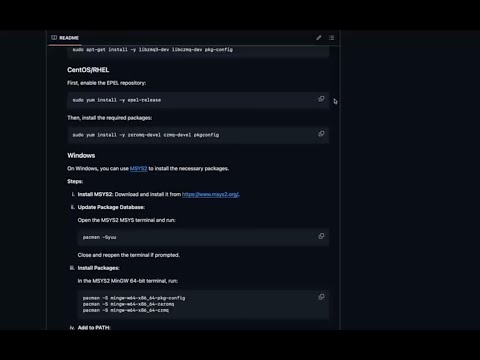](https://www.youtube.com/watch?v=jawnA9mwhck)
*Click on the image above to watch our step-by-step demo video.*
---
This repository contains a Go program that sends data over a ZeroMQ socket to test a verification layer. The program (`sample.go`) is designed to send Zero-Knowledge (ZK) proofs or any data you specify to a specified endpoint. Shell scripts are included to streamline the building and running processes.
---
## Table of Contents
- [Demo Video](#demo-video)
- [Overview](#overview)
- [Prerequisites](#prerequisites)
- [Installation](#installation)
- [Clone the Repository](#clone-the-repository)
- [Install Dependencies](#install-dependencies)
- [Usage](#usage)
- [Building the Program](#building-the-program)
- [Running the Program](#running-the-program)
- [Using a Proof File](#using-a-proof-file)
- [Manual Input](#manual-input)
- [Using the Default Proof](#using-the-default-proof)
- [Troubleshooting](#troubleshooting)
- [Contributing](#contributing)
- [License](#license)
---
## Demo Video
For a quick and comprehensive walkthrough, watch our **YouTube demo video**:
[](https://www.youtube.com/watch?v=jawnA9mwhck)
*Click on the image above or [this link](https://youtu.be/k5L0-gZzzkc?si=jawnA9mwhck) to view the demo.*
---
## Overview
The purpose of this project is to:
- Send data (e.g., ZK proofs) over a ZeroMQ socket.
- Test the verification layer by sending sample or actual proof data.
- Provide a simple and customizable framework for sending data using Go and ZeroMQ.
---
## Prerequisites
Before you begin, ensure you have met the following requirements:
- **Go Programming Language**: Install Go (version 1.16 or later recommended). [Download Go](https://golang.org/dl/).
- **ZeroMQ and CZMQ Libraries**: Install ZeroMQ, CZMQ, and `pkg-config` on your system.
### macOS (Using Homebrew)
#### Install Homebrew
Homebrew is a package manager for macOS that simplifies the installation of software. If you don't have Homebrew installed, follow these steps:
1. **Open Terminal**: You can find Terminal in **Applications > Utilities**.
2. **Install Homebrew**: Run the following command in Terminal:
```bash
/bin/bash -c "$(curl -fsSL https://raw.githubusercontent.com/Homebrew/install/HEAD/install.sh)"
```
- **Note**: This command downloads and runs the Homebrew installation script from the official repository.
- **Follow Prompts**: You may be prompted to enter your password and confirm the installation. Follow the on-screen instructions.
3. **Verify Installation**:
```bash
brew --version
```
This should display the version of Homebrew installed.
#### Install Dependencies
With Homebrew installed, proceed to install `pkg-config`, ZeroMQ, and CZMQ:
```bash
brew update
brew install pkg-config
brew install zeromq
brew install czmq
```
### Ubuntu/Debian
Update your package list and install the required packages:
```bash
sudo apt-get update
sudo apt-get install -y libzmq3-dev libczmq-dev pkg-config
```
### CentOS/RHEL
First, enable the EPEL repository:
```bash
sudo yum install -y epel-release
```
Then, install the required packages:
```bash
sudo yum install -y zeromq-devel czmq-devel pkgconfig
```
### Windows
On Windows, you can use [MSYS2](https://www.msys2.org/) to install the necessary packages.
**Steps**:
1. **Install MSYS2**: Download and install it from [https://www.msys2.org/](https://www.msys2.org/).
2. **Update Package Database**:
Open the MSYS2 MSYS terminal and run:
```bash
pacman -Syuu
```
Close and reopen the terminal if prompted.
3. **Install Packages**:
In the MSYS2 MinGW 64-bit terminal, run:
```bash
pacman -S mingw-w64-x86_64-pkg-config
pacman -S mingw-w64-x86_64-zeromq
pacman -S mingw-w64-x86_64-czmq
```
4. **Add to PATH**:
Ensure that the MinGW binaries are in your system's `PATH`. You can add the following to your environment variables:
```
C:\msys64\mingw64\bin
```
Adjust the path if you installed MSYS2 in a different location.
- **Git**: Ensure Git is installed to clone the repository.
---
## Installation
### Clone the Repository
Clone this repository to your local machine:
```bash
git clone https://github.com/layer-edge/verification-layer-tester.git
cd verification-layer-tester
```
### Install Dependencies
Install the Go package for ZeroMQ:
```bash
go get gopkg.in/zeromq/goczmq.v4
```
**Note**: If you encounter errors related to `pkg-config`, ensure it's installed and properly configured in your system's `PATH` (see [Troubleshooting](#troubleshooting)).
---
## Usage
### Building the Program
Use the provided `build.sh` script to build the `sample` executable:
```bash
./build.sh
```
This script compiles `sample.go` and produces an executable named `sample`.
### Running the Program
Use the `run.sh` script to run the program.
#### Using a Proof File
If you have a proof file (e.g., `proof.json`), you can provide it as an argument:
```bash
./run.sh proof.json
```
#### Manual Input
If you want to input the proof data manually:
```bash
./run.sh
```
When prompted, paste your proof data and press Enter.
#### Using the Default Proof
If you run `./run.sh` and press Enter without typing anything when prompted, the program will use a default proof value defined in `sample.go`.
---
## Troubleshooting
### Common Issues
#### Error: `pkg-config`: executable file not found in $PATH
**Cause**: `pkg-config` is not installed or not in your system's `PATH`.
**Solution**:
- **macOS**:
```bash
brew install pkg-config
```
- **Ubuntu/Debian**:
```bash
sudo apt-get install -y pkg-config
```
- **CentOS/RHEL**:
```bash
sudo yum install -y pkgconfig
```
- **Windows**:
- Install MSYS2 and use `pacman` to install `pkg-config`.
```bash
pacman -S mingw-w64-x86_64-pkg-config
```
- Ensure `C:\msys64\mingw64\bin` is added to your system's `PATH`.
#### Cannot Connect to Endpoint
- **Solution**:
- Verify that the endpoint in `sample.go` is correct and accessible.
- Replace `tcp://34.71.52.251:40000` with your own endpoint if necessary.
#### Missing Dependencies
- **Solution**:
- Ensure all Go packages and system libraries are installed.
```bash
go get gopkg.in/zeromq/goczmq.v4
```
#### Permission Denied
- **Solution**:
- Ensure the scripts are executable:
```bash
chmod +x build.sh run.sh
```
#### ZeroMQ Issues
- **Solution**:
- Ensure that ZeroMQ and CZMQ are properly installed on your system.
- Verify installation:
```bash
pkg-config --modversion libzmq
pkg-config --modversion libczmq
```
### Need Help?
If you're still experiencing issues, please provide:
- Error messages or logs.
- Details about your operating system and environment.
- Steps you've already tried.
Feel free to open an issue on the repository or contact the maintainers.
---
## Contributing
Contributions are welcome! Please follow these steps:
1. **Fork the Repository**: Click on the 'Fork' button on GitHub.
2. **Clone Your Fork**:
```bash
git clone https://github.com/layer-edge/verification-layer-tester.git
```
3. **Create a Feature Branch**:
```bash
git checkout -b feature/your-feature-name
```
4. **Commit Your Changes**:
```bash
git commit -am 'Add some feature'
```
5. **Push to the Branch**:
```bash
git push origin feature/your-feature-name
```
6. **Create a Pull Request**: Open a pull request on GitHub.
---
## License
This project is licensed under the MIT License.
================================================
FILE: build.sh
================================================
#!/bin/bash
echo "Building the sample program..."
go build -o sample sample.go
if [ $? -eq 0 ]; then
echo "Build successful."
else
echo "Build failed."
exit 1
fi
================================================
FILE: go.mod
================================================
module github.com/layer-edge/verification-layer-tester
go 1.23
require gopkg.in/zeromq/goczmq.v4 v4.1.0 // indirect
================================================
FILE: go.sum
================================================
gopkg.in/zeromq/goczmq.v4 v4.1.0 h1:CE+FE81mGVs2aSlnbfLuS1oAwdcVywyMM2AC1g33imI=
gopkg.in/zeromq/goczmq.v4 v4.1.0/go.mod h1:h4IlfePEYMpFdywGr5gAwKhBBj+hiBl/nF4VoSE4k+0=
================================================
FILE: run.sh
================================================
#!/bin/bash
if [ -f sample ]; then
echo "Running the sample program..."
if [ $# -eq 1 ]; then
./sample "$1"
else
./sample
fi
else
echo "Executable not found. Please run ./build.sh first."
exit 1
fi
================================================
FILE: sample.go
================================================
package main
import (
"bufio"
"fmt"
"gopkg.in/zeromq/goczmq.v4"
"log"
"os"
"strings"
"time"
)
func main() {
ep := "tcp://34.71.52.251:40000"
sample := goczmq.NewReqChanneler(ep)
if sample == nil {
log.Fatal("Failed to subscribe to endpoint: ", ep)
}
defer sample.Destroy()
// Prompt the user for input
reader := bufio.NewReader(os.Stdin)
fmt.Print("Enter proof data (or press Enter to use default): ")
input, _ := reader.ReadString('\n')
input = strings.TrimSpace(input)
// Let the socket connect
time.Sleep(5 * time.Second)
// Prepare the proof data
var proof [][]byte
if input == "" {
// Use default value if no input is provided
proof = [][]byte{[]byte("proofblock"), []byte("timestamp :" + time.Now().String()), []byte("0x0000000000000000000")}
} else {
// Use user-provided input
proof = [][]byte{[]byte("proofblock"), []byte(input), []byte("!!!!!")}
}
// Send the proof
sample.SendChan <- proof
fmt.Printf("Proof sent: %s\n", proof)
// Receive the response
resp := <-sample.RecvChan
fmt.Printf("Response received: %s\n", resp)
}
gitextract_k24zpw4k/ ├── README.md ├── build.sh ├── go.mod ├── go.sum ├── run.sh ├── sample ├── sample.go └── verification-layer-tester
SYMBOL INDEX (1 symbols across 1 files)

FILE: sample.go
  function main (line 13) | func main() {
Condensed preview — 8 files, each showing path, character count, and a content snippet. Download the .json file or copy for the full structured content (11K chars).
[
  {
    "path": "README.md",
    "chars": 7939,
    "preview": "# README\n\n## Sample Application for Testing the Verification Layer\n\n**🚀 Quick Start with Our Demo Video!**\n\n[![Demo Vide"
  },
  {
    "path": "build.sh",
    "chars": 176,
    "preview": "#!/bin/bash\n\necho \"Building the sample program...\"\ngo build -o sample sample.go\n\nif [ $? -eq 0 ]; then\n    echo \"Build s"
  },
  {
    "path": "go.mod",
    "chars": 118,
    "preview": "module github.com/layer-edge/verification-layer-tester\n\ngo 1.23\n\nrequire gopkg.in/zeromq/goczmq.v4 v4.1.0 // indirect\n"
  },
  {
    "path": "go.sum",
    "chars": 169,
    "preview": "gopkg.in/zeromq/goczmq.v4 v4.1.0 h1:CE+FE81mGVs2aSlnbfLuS1oAwdcVywyMM2AC1g33imI=\ngopkg.in/zeromq/goczmq.v4 v4.1.0/go.mod"
  },
  {
    "path": "run.sh",
    "chars": 239,
    "preview": "#!/bin/bash\n\nif [ -f sample ]; then\n    echo \"Running the sample program...\"\n    if [ $# -eq 1 ]; then\n        ./sample "
  },
  {
    "path": "sample.go",
    "chars": 1202,
    "preview": "package main\n\nimport (\n    \"bufio\"\n    \"fmt\"\n    \"gopkg.in/zeromq/goczmq.v4\"\n    \"log\"\n    \"os\"\n    \"strings\"\n    \"time\""
  }
]

// ... and 2 more files (download for full content)
About this extraction
This page contains the full source code of the Layer-Edge/verification-layer-tester GitHub repository, extracted and formatted as plain text for AI agents and large language models (LLMs). The extraction includes 8 files (9.6 KB), approximately 2.8k tokens, and a symbol index with 1 extracted functions, classes, methods, constants, and types. Use this with OpenClaw, Claude, ChatGPT, Cursor, Windsurf, or any other AI tool that accepts text input. You can copy the full output to your clipboard or download it as a .txt file.
Extracted by GitExtract — free GitHub repo to text converter for AI. Built by Nikandr Surkov.