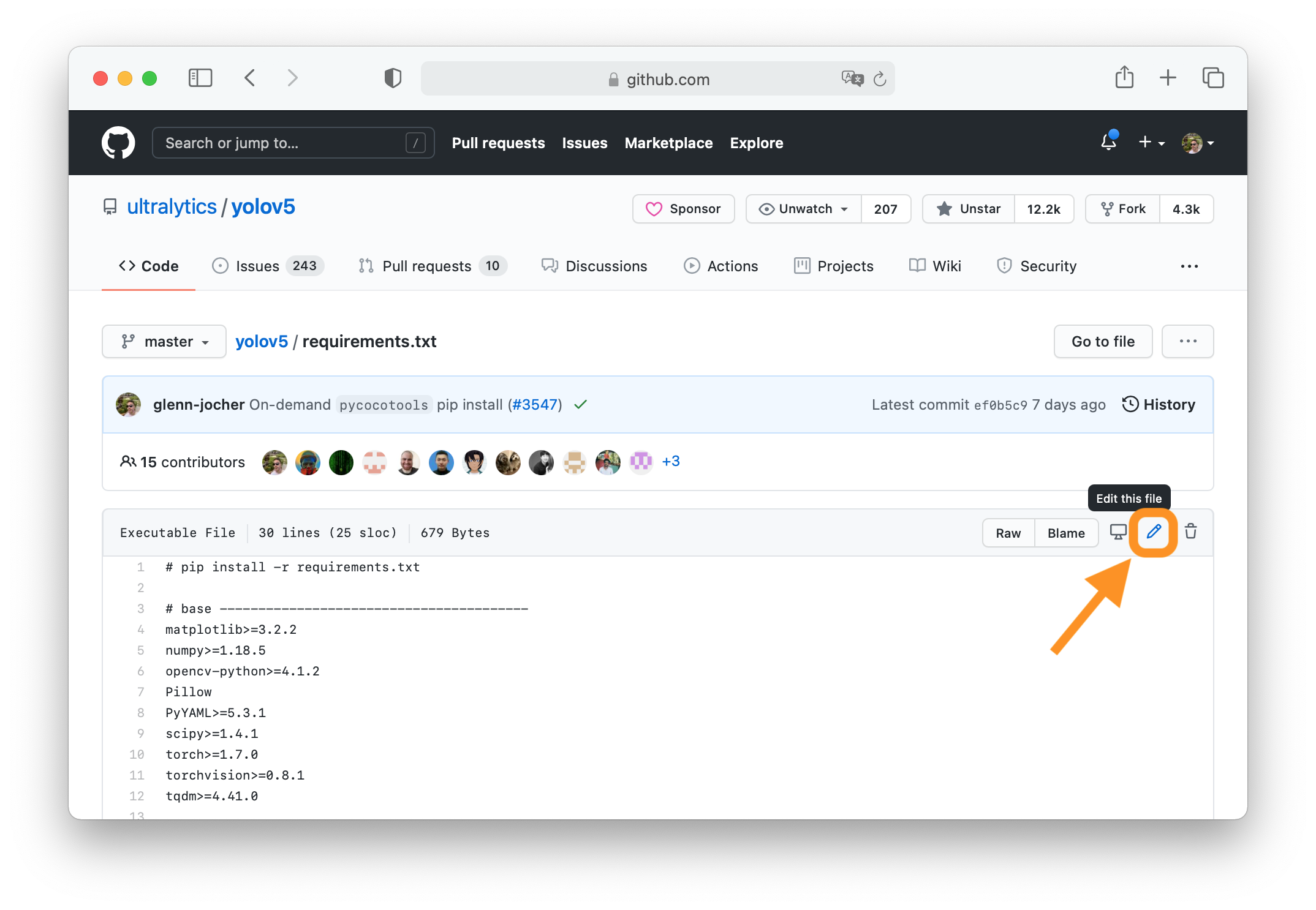
Repository: Mrpachimari0704/MidState-Yolo Branch: main Commit: c1dc00cbfef9 Files: 527 Total size: 4.6 MB Directory structure: gitextract_f3tebiv1/ ├── .gitignore ├── .pre-commit-config.yaml ├── CONTRIBUTING.md ├── LICENSE ├── README.md ├── app.py ├── docker/ │ ├── Dockerfile │ ├── Dockerfile-arm64 │ ├── Dockerfile-conda │ ├── Dockerfile-cpu │ ├── Dockerfile-jetson │ ├── Dockerfile-python │ └── Dockerfile-runner ├── docs/ │ ├── README.md │ ├── build_docs.py │ ├── build_reference.py │ ├── coming_soon_template.md │ ├── en/ │ │ ├── CNAME │ │ ├── guides/ │ │ │ ├── azureml-quickstart.md │ │ │ ├── conda-quickstart.md │ │ │ ├── coral-edge-tpu-on-raspberry-pi.md │ │ │ ├── distance-calculation.md │ │ │ ├── docker-quickstart.md │ │ │ ├── heatmaps.md │ │ │ ├── hyperparameter-tuning.md │ │ │ ├── index.md │ │ │ ├── instance-segmentation-and-tracking.md │ │ │ ├── isolating-segmentation-objects.md │ │ │ ├── kfold-cross-validation.md │ │ │ ├── model-deployment-options.md │ │ │ ├── object-blurring.md │ │ │ ├── object-counting.md │ │ │ ├── object-cropping.md │ │ │ ├── optimizing-openvino-latency-vs-throughput-modes.md │ │ │ ├── raspberry-pi.md │ │ │ ├── region-counting.md │ │ │ ├── sahi-tiled-inference.md │ │ │ ├── security-alarm-system.md │ │ │ ├── speed-estimation.md │ │ │ ├── triton-inference-server.md │ │ │ ├── view-results-in-terminal.md │ │ │ ├── vision-eye.md │ │ │ ├── workouts-monitoring.md │ │ │ ├── yolo-common-issues.md │ │ │ ├── yolo-performance-metrics.md │ │ │ └── yolo-thread-safe-inference.md │ │ ├── help/ │ │ │ ├── CI.md │ │ │ ├── CLA.md │ │ │ ├── FAQ.md │ │ │ ├── code_of_conduct.md │ │ │ ├── contributing.md │ │ │ ├── environmental-health-safety.md │ │ │ ├── index.md │ │ │ ├── minimum_reproducible_example.md │ │ │ ├── privacy.md │ │ │ └── security.md │ │ ├── hub/ │ │ │ ├── api/ │ │ │ │ └── index.md │ │ │ ├── app/ │ │ │ │ ├── android.md │ │ │ │ ├── index.md │ │ │ │ └── ios.md │ │ │ ├── cloud-training.md │ │ │ ├── datasets.md │ │ │ ├── index.md │ │ │ ├── inference-api.md │ │ │ ├── integrations.md │ │ │ ├── models.md │ │ │ ├── on-premise/ │ │ │ │ └── index.md │ │ │ ├── projects.md │ │ │ └── quickstart.md │ │ ├── index.md │ │ ├── integrations/ │ │ │ ├── amazon-sagemaker.md │ │ │ ├── clearml.md │ │ │ ├── comet.md │ │ │ ├── coreml.md │ │ │ ├── dvc.md │ │ │ ├── edge-tpu.md │ │ │ ├── gradio.md │ │ │ ├── index.md │ │ │ ├── mlflow.md │ │ │ ├── ncnn.md │ │ │ ├── neural-magic.md │ │ │ ├── onnx.md │ │ │ ├── openvino.md │ │ │ ├── paddlepaddle.md │ │ │ ├── ray-tune.md │ │ │ ├── roboflow.md │ │ │ ├── tensorboard.md │ │ │ ├── tensorrt.md │ │ │ ├── tf-graphdef.md │ │ │ ├── tf-savedmodel.md │ │ │ ├── tflite.md │ │ │ ├── torchscript.md │ │ │ └── weights-biases.md │ │ ├── models/ │ │ │ ├── fast-sam.md │ │ │ ├── index.md │ │ │ ├── mobile-sam.md │ │ │ ├── rtdetr.md │ │ │ ├── sam.md │ │ │ ├── yolo-nas.md │ │ │ ├── yolo-world.md │ │ │ ├── yolov3.md │ │ │ ├── yolov4.md │ │ │ ├── yolov5.md │ │ │ ├── yolov6.md │ │ │ ├── yolov7.md │ │ │ ├── yolov8.md │ │ │ └── yolov9.md │ │ ├── modes/ │ │ │ ├── benchmark.md │ │ │ ├── export.md │ │ │ ├── index.md │ │ │ ├── predict.md │ │ │ ├── track.md │ │ │ ├── train.md │ │ │ └── val.md │ │ ├── quickstart.md │ │ ├── reference/ │ │ │ ├── cfg/ │ │ │ │ └── __init__.md │ │ │ ├── data/ │ │ │ │ ├── annotator.md │ │ │ │ ├── augment.md │ │ │ │ ├── base.md │ │ │ │ ├── build.md │ │ │ │ ├── converter.md │ │ │ │ ├── dataset.md │ │ │ │ ├── explorer/ │ │ │ │ │ ├── explorer.md │ │ │ │ │ ├── gui/ │ │ │ │ │ │ └── dash.md │ │ │ │ │ └── utils.md │ │ │ │ ├── loaders.md │ │ │ │ ├── split_dota.md │ │ │ │ └── utils.md │ │ │ ├── engine/ │ │ │ │ ├── exporter.md │ │ │ │ ├── model.md │ │ │ │ ├── predictor.md │ │ │ │ ├── results.md │ │ │ │ ├── trainer.md │ │ │ │ ├── tuner.md │ │ │ │ └── validator.md │ │ │ ├── hub/ │ │ │ │ ├── __init__.md │ │ │ │ ├── auth.md │ │ │ │ ├── session.md │ │ │ │ └── utils.md │ │ │ ├── models/ │ │ │ │ ├── fastsam/ │ │ │ │ │ ├── model.md │ │ │ │ │ ├── predict.md │ │ │ │ │ ├── prompt.md │ │ │ │ │ ├── utils.md │ │ │ │ │ └── val.md │ │ │ │ ├── nas/ │ │ │ │ │ ├── model.md │ │ │ │ │ ├── predict.md │ │ │ │ │ └── val.md │ │ │ │ ├── rtdetr/ │ │ │ │ │ ├── model.md │ │ │ │ │ ├── predict.md │ │ │ │ │ ├── train.md │ │ │ │ │ └── val.md │ │ │ │ ├── sam/ │ │ │ │ │ ├── amg.md │ │ │ │ │ ├── build.md │ │ │ │ │ ├── model.md │ │ │ │ │ ├── modules/ │ │ │ │ │ │ ├── decoders.md │ │ │ │ │ │ ├── encoders.md │ │ │ │ │ │ ├── sam.md │ │ │ │ │ │ ├── tiny_encoder.md │ │ │ │ │ │ └── transformer.md │ │ │ │ │ └── predict.md │ │ │ │ ├── utils/ │ │ │ │ │ ├── loss.md │ │ │ │ │ └── ops.md │ │ │ │ └── yolo/ │ │ │ │ ├── classify/ │ │ │ │ │ ├── predict.md │ │ │ │ │ ├── train.md │ │ │ │ │ └── val.md │ │ │ │ ├── detect/ │ │ │ │ │ ├── predict.md │ │ │ │ │ ├── train.md │ │ │ │ │ └── val.md │ │ │ │ ├── model.md │ │ │ │ ├── obb/ │ │ │ │ │ ├── predict.md │ │ │ │ │ ├── train.md │ │ │ │ │ └── val.md │ │ │ │ ├── pose/ │ │ │ │ │ ├── predict.md │ │ │ │ │ ├── train.md │ │ │ │ │ └── val.md │ │ │ │ └── segment/ │ │ │ │ ├── predict.md │ │ │ │ ├── train.md │ │ │ │ └── val.md │ │ │ ├── nn/ │ │ │ │ ├── autobackend.md │ │ │ │ ├── modules/ │ │ │ │ │ ├── block.md │ │ │ │ │ ├── conv.md │ │ │ │ │ ├── head.md │ │ │ │ │ ├── transformer.md │ │ │ │ │ └── utils.md │ │ │ │ └── tasks.md │ │ │ ├── solutions/ │ │ │ │ ├── ai_gym.md │ │ │ │ ├── distance_calculation.md │ │ │ │ ├── heatmap.md │ │ │ │ ├── object_counter.md │ │ │ │ └── speed_estimation.md │ │ │ ├── trackers/ │ │ │ │ ├── basetrack.md │ │ │ │ ├── bot_sort.md │ │ │ │ ├── byte_tracker.md │ │ │ │ ├── track.md │ │ │ │ └── utils/ │ │ │ │ ├── gmc.md │ │ │ │ ├── kalman_filter.md │ │ │ │ └── matching.md │ │ │ └── utils/ │ │ │ ├── __init__.md │ │ │ ├── autobatch.md │ │ │ ├── benchmarks.md │ │ │ ├── callbacks/ │ │ │ │ ├── base.md │ │ │ │ ├── clearml.md │ │ │ │ ├── comet.md │ │ │ │ ├── dvc.md │ │ │ │ ├── hub.md │ │ │ │ ├── mlflow.md │ │ │ │ ├── neptune.md │ │ │ │ ├── raytune.md │ │ │ │ ├── tensorboard.md │ │ │ │ └── wb.md │ │ │ ├── checks.md │ │ │ ├── dist.md │ │ │ ├── downloads.md │ │ │ ├── errors.md │ │ │ ├── files.md │ │ │ ├── instance.md │ │ │ ├── loss.md │ │ │ ├── metrics.md │ │ │ ├── ops.md │ │ │ ├── patches.md │ │ │ ├── plotting.md │ │ │ ├── tal.md │ │ │ ├── torch_utils.md │ │ │ ├── triton.md │ │ │ └── tuner.md │ │ ├── robots.txt │ │ ├── tasks/ │ │ │ ├── classify.md │ │ │ ├── detect.md │ │ │ ├── index.md │ │ │ ├── obb.md │ │ │ ├── pose.md │ │ │ └── segment.md │ │ ├── usage/ │ │ │ ├── callbacks.md │ │ │ ├── cfg.md │ │ │ ├── cli.md │ │ │ ├── engine.md │ │ │ ├── python.md │ │ │ └── simple-utilities.md │ │ └── yolov5/ │ │ ├── environments/ │ │ │ ├── aws_quickstart_tutorial.md │ │ │ ├── azureml_quickstart_tutorial.md │ │ │ ├── docker_image_quickstart_tutorial.md │ │ │ └── google_cloud_quickstart_tutorial.md │ │ ├── index.md │ │ ├── quickstart_tutorial.md │ │ └── tutorials/ │ │ ├── architecture_description.md │ │ ├── clearml_logging_integration.md │ │ ├── comet_logging_integration.md │ │ ├── hyperparameter_evolution.md │ │ ├── model_ensembling.md │ │ ├── model_export.md │ │ ├── model_pruning_and_sparsity.md │ │ ├── multi_gpu_training.md │ │ ├── neural_magic_pruning_quantization.md │ │ ├── pytorch_hub_model_loading.md │ │ ├── roboflow_datasets_integration.md │ │ ├── running_on_jetson_nano.md │ │ ├── test_time_augmentation.md │ │ ├── tips_for_best_training_results.md │ │ ├── train_custom_data.md │ │ └── transfer_learning_with_frozen_layers.md │ └── overrides/ │ ├── javascript/ │ │ └── extra.js │ ├── main.html │ ├── partials/ │ │ ├── comments.html │ │ └── source-file.html │ └── stylesheets/ │ └── style.css ├── examples/ │ ├── README.md │ ├── YOLOv8-CPP-Inference/ │ │ ├── CMakeLists.txt │ │ ├── README.md │ │ ├── inference.cpp │ │ ├── inference.h │ │ └── main.cpp │ ├── YOLOv8-LibTorch-CPP-Inference/ │ │ ├── CMakeLists.txt │ │ ├── README.md │ │ └── main.cc │ ├── YOLOv8-ONNXRuntime/ │ │ ├── README.md │ │ └── main.py │ ├── YOLOv8-ONNXRuntime-CPP/ │ │ ├── CMakeLists.txt │ │ ├── README.md │ │ ├── inference.cpp │ │ ├── inference.h │ │ └── main.cpp │ ├── YOLOv8-ONNXRuntime-Rust/ │ │ ├── Cargo.toml │ │ ├── README.md │ │ └── src/ │ │ ├── cli.rs │ │ ├── lib.rs │ │ ├── main.rs │ │ ├── model.rs │ │ ├── ort_backend.rs │ │ └── yolo_result.rs │ ├── YOLOv8-OpenCV-ONNX-Python/ │ │ ├── README.md │ │ └── main.py │ ├── YOLOv8-OpenCV-int8-tflite-Python/ │ │ ├── README.md │ │ └── main.py │ ├── YOLOv8-Region-Counter/ │ │ ├── readme.md │ │ └── yolov8_region_counter.py │ ├── YOLOv8-SAHI-Inference-Video/ │ │ ├── readme.md │ │ └── yolov8_sahi.py │ ├── YOLOv8-Segmentation-ONNXRuntime-Python/ │ │ ├── README.md │ │ └── main.py │ ├── heatmaps.ipynb │ ├── hub.ipynb │ ├── object_counting.ipynb │ ├── object_tracking.ipynb │ └── tutorial.ipynb ├── flops.py ├── logs/ │ ├── yolov10b.csv │ ├── yolov10l.csv │ ├── yolov10m.csv │ ├── yolov10n.csv │ ├── yolov10s.csv │ └── yolov10x.csv ├── mkdocs.yml ├── pyproject.toml ├── requirements.txt └── ultralytics/ ├── 1.txt ├── __init__.py ├── cfg/ │ ├── __init__.py │ ├── default.yaml │ ├── models/ │ │ ├── README.md │ │ ├── rt-detr/ │ │ │ ├── rtdetr-l.yaml │ │ │ ├── rtdetr-resnet101.yaml │ │ │ ├── rtdetr-resnet50.yaml │ │ │ └── rtdetr-x.yaml │ │ ├── v10/ │ │ │ ├── yolov10b.yaml │ │ │ ├── yolov10l.yaml │ │ │ ├── yolov10m.yaml │ │ │ ├── yolov10n+C2f-DualConv.yaml │ │ │ ├── yolov10n+EMA.yaml │ │ │ ├── yolov10n-EMO-delete_PSA.yaml │ │ │ ├── yolov10n-EMO.yaml │ │ │ ├── yolov10n-FasterBlock-1.yaml │ │ │ ├── yolov10n-FasterBlock.yaml │ │ │ ├── yolov10n-MobileNet.yaml │ │ │ ├── yolov10n-sartnet-delete_PSA.yaml │ │ │ ├── yolov10n-sartnet.yaml │ │ │ ├── yolov10n-tov8+EMA+DualConv.yaml │ │ │ ├── yolov10n-tov8+EMA-2.yaml │ │ │ ├── yolov10n-tov8+EMA.yaml │ │ │ ├── yolov10n-tov8-2+C2f-DualConv+EMA.yaml │ │ │ ├── yolov10n-tov8-2+DualConv.yaml │ │ │ ├── yolov10n-tov8-2+EMA+DualConv.yaml │ │ │ ├── yolov10n-tov8-2+EMA+FasterBlock-1.yaml │ │ │ ├── yolov10n-tov8-2+EMA+FasterBlock.yaml │ │ │ ├── yolov10n-tov8-2+EMA.yaml │ │ │ ├── yolov10n-tov8-2.yaml │ │ │ ├── yolov10n-tov8-3.yaml │ │ │ ├── yolov10n-tov8.yaml │ │ │ ├── yolov10n.yaml │ │ │ ├── yolov10s.yaml │ │ │ └── yolov10x.yaml │ │ ├── v3/ │ │ │ ├── yolov3-spp.yaml │ │ │ ├── yolov3-tiny.yaml │ │ │ └── yolov3.yaml │ │ ├── v5/ │ │ │ ├── yolov5-p6.yaml │ │ │ └── yolov5.yaml │ │ ├── v6/ │ │ │ └── yolov6.yaml │ │ ├── v8/ │ │ │ ├── yolov8-cls-resnet101.yaml │ │ │ ├── yolov8-cls-resnet50.yaml │ │ │ ├── yolov8-cls.yaml │ │ │ ├── yolov8-ghost-p2.yaml │ │ │ ├── yolov8-ghost-p6.yaml │ │ │ ├── yolov8-ghost.yaml │ │ │ ├── yolov8-obb.yaml │ │ │ ├── yolov8-p2.yaml │ │ │ ├── yolov8-p6.yaml │ │ │ ├── yolov8-pose-p6.yaml │ │ │ ├── yolov8-pose.yaml │ │ │ ├── yolov8-rtdetr.yaml │ │ │ ├── yolov8-seg-p6.yaml │ │ │ ├── yolov8-seg.yaml │ │ │ ├── yolov8-world.yaml │ │ │ ├── yolov8-worldv2.yaml │ │ │ └── yolov8.yaml │ │ └── v9/ │ │ ├── yolov9c.yaml │ │ └── yolov9e.yaml │ └── trackers/ │ ├── botsort.yaml │ └── bytetrack.yaml ├── data/ │ ├── __init__.py │ ├── annotator.py │ ├── augment.py │ ├── base.py │ ├── build.py │ ├── converter.py │ ├── dataset.py │ ├── explorer/ │ │ ├── __init__.py │ │ ├── explorer.py │ │ ├── gui/ │ │ │ ├── __init__.py │ │ │ └── dash.py │ │ └── utils.py │ ├── loaders.py │ ├── scripts/ │ │ ├── download_weights.sh │ │ ├── get_coco.sh │ │ ├── get_coco128.sh │ │ └── get_imagenet.sh │ ├── split_dota.py │ └── utils.py ├── engine/ │ ├── __init__.py │ ├── exporter.py │ ├── model.py │ ├── predictor.py │ ├── results.py │ ├── trainer.py │ ├── tuner.py │ └── validator.py ├── hub/ │ ├── __init__.py │ ├── auth.py │ ├── session.py │ └── utils.py ├── models/ │ ├── __init__.py │ ├── fastsam/ │ │ ├── __init__.py │ │ ├── model.py │ │ ├── predict.py │ │ ├── prompt.py │ │ ├── utils.py │ │ └── val.py │ ├── nas/ │ │ ├── __init__.py │ │ ├── model.py │ │ ├── predict.py │ │ └── val.py │ ├── rtdetr/ │ │ ├── __init__.py │ │ ├── model.py │ │ ├── predict.py │ │ ├── train.py │ │ └── val.py │ ├── sam/ │ │ ├── __init__.py │ │ ├── amg.py │ │ ├── build.py │ │ ├── model.py │ │ ├── modules/ │ │ │ ├── __init__.py │ │ │ ├── decoders.py │ │ │ ├── encoders.py │ │ │ ├── sam.py │ │ │ ├── tiny_encoder.py │ │ │ └── transformer.py │ │ └── predict.py │ ├── utils/ │ │ ├── __init__.py │ │ ├── loss.py │ │ └── ops.py │ ├── yolo/ │ │ ├── __init__.py │ │ ├── classify/ │ │ │ ├── __init__.py │ │ │ ├── predict.py │ │ │ ├── train.py │ │ │ └── val.py │ │ ├── detect/ │ │ │ ├── __init__.py │ │ │ ├── predict.py │ │ │ ├── train.py │ │ │ └── val.py │ │ ├── model.py │ │ ├── obb/ │ │ │ ├── __init__.py │ │ │ ├── predict.py │ │ │ ├── train.py │ │ │ └── val.py │ │ ├── pose/ │ │ │ ├── __init__.py │ │ │ ├── predict.py │ │ │ ├── train.py │ │ │ └── val.py │ │ └── segment/ │ │ ├── __init__.py │ │ ├── predict.py │ │ ├── train.py │ │ └── val.py │ └── yolov10/ │ ├── __init__.py │ ├── card.py │ ├── model.py │ ├── predict.py │ ├── train.py │ └── val.py ├── nn/ │ ├── Addmodules/ │ │ ├── DualConv.py │ │ ├── EMAttention.py │ │ ├── __init__.py │ │ ├── mobilenetv4.py │ │ └── starnet.py │ ├── __init__.py │ ├── autobackend.py │ ├── modules/ │ │ ├── __init__.py │ │ ├── block.py │ │ ├── conv.py │ │ ├── head.py │ │ ├── transformer.py │ │ └── utils.py │ └── tasks.py ├── print_model.py ├── solutions/ │ ├── __init__.py │ ├── ai_gym.py │ ├── distance_calculation.py │ ├── heatmap.py │ ├── object_counter.py │ └── speed_estimation.py ├── trackers/ │ ├── README.md │ ├── __init__.py │ ├── basetrack.py │ ├── bot_sort.py │ ├── byte_tracker.py │ ├── track.py │ └── utils/ │ ├── __init__.py │ ├── gmc.py │ ├── kalman_filter.py │ └── matching.py ├── utils/ │ ├── __init__.py │ ├── autobatch.py │ ├── benchmarks.py │ ├── callbacks/ │ │ ├── __init__.py │ │ ├── base.py │ │ ├── clearml.py │ │ ├── comet.py │ │ ├── dvc.py │ │ ├── hub.py │ │ ├── mlflow.py │ │ ├── neptune.py │ │ ├── raytune.py │ │ ├── tensorboard.py │ │ └── wb.py │ ├── checks.py │ ├── dist.py │ ├── downloads.py │ ├── errors.py │ ├── files.py │ ├── instance.py │ ├── loss.py │ ├── metrics.py │ ├── ops.py │ ├── patches.py │ ├── plotting.py │ ├── tal.py │ ├── torch_utils.py │ ├── triton.py │ └── tuner.py └── yolov10_train.py ================================================ FILE CONTENTS ================================================ ================================================ FILE: .gitignore ================================================ # Byte-compiled / optimized / DLL files __pycache__/ *.py[cod] *$py.class # C extensions *.so # Distribution / packaging .Python build/ develop-eggs/ dist/ downloads/ eggs/ .eggs/ lib/ lib64/ parts/ sdist/ var/ wheels/ pip-wheel-metadata/ share/python-wheels/ *.egg-info/ .installed.cfg *.egg MANIFEST # PyInstaller # Usually these files are written by a python script from a template # before PyInstaller builds the exe, so as to inject date/other info into it. *.manifest *.spec # Installer logs pip-log.txt pip-delete-this-directory.txt # Unit test / coverage reports htmlcov/ .tox/ .nox/ .coverage .coverage.* .cache nosetests.xml coverage.xml *.cover *.py,cover .hypothesis/ .pytest_cache/ mlruns/ # Translations *.mo *.pot # Django stuff: *.log local_settings.py db.sqlite3 db.sqlite3-journal # Flask stuff: instance/ .webassets-cache # Scrapy stuff: .scrapy # Sphinx documentation docs/_build/ # PyBuilder target/ # Jupyter Notebook .ipynb_checkpoints # IPython profile_default/ ipython_config.py # Profiling *.pclprof # pyenv .python-version # pipenv # According to pypa/pipenv#598, it is recommended to include Pipfile.lock in version control. # However, in case of collaboration, if having platform-specific dependencies or dependencies # having no cross-platform support, pipenv may install dependencies that don't work, or not # install all needed dependencies. #Pipfile.lock # PEP 582; used by e.g. github.com/David-OConnor/pyflow __pypackages__/ # Celery stuff celerybeat-schedule celerybeat.pid # SageMath parsed files *.sage.py # Environments .env .venv .idea env/ venv/ ENV/ env.bak/ venv.bak/ # Spyder project settings .spyderproject .spyproject # VSCode project settings .vscode/ # Rope project settings .ropeproject # mkdocs documentation /site mkdocs_github_authors.yaml # mypy .mypy_cache/ .dmypy.json dmypy.json # Pyre type checker .pyre/ # datasets and projects datasets/ runs/ wandb/ tests/ .DS_Store # Neural Network weights ----------------------------------------------------------------------------------------------- weights/ *.weights *.pt *.pb *.onnx *.engine *.mlmodel *.mlpackage *.torchscript *.tflite *.h5 *_saved_model/ *_web_model/ *_openvino_model/ *_paddle_model/ pnnx* # Autogenerated files for tests /ultralytics/assets/ ================================================ FILE: .pre-commit-config.yaml ================================================ # Ultralytics YOLO 🚀, AGPL-3.0 license # Pre-commit hooks. For more information see https://github.com/pre-commit/pre-commit-hooks/blob/main/README.md # Optionally remove from local hooks with 'rm .git/hooks/pre-commit' # Define bot property if installed via https://github.com/marketplace/pre-commit-ci ci: autofix_prs: true autoupdate_commit_msg: "[pre-commit.ci] pre-commit suggestions" autoupdate_schedule: monthly submodules: true # Exclude directories (optional) # exclude: 'docs/' # Define repos to run repos: - repo: https://github.com/pre-commit/pre-commit-hooks rev: v4.5.0 hooks: - id: end-of-file-fixer - id: trailing-whitespace - id: check-case-conflict # - id: check-yaml - id: check-docstring-first - id: detect-private-key - repo: https://github.com/asottile/pyupgrade rev: v3.15.0 hooks: - id: pyupgrade name: Upgrade code - repo: https://github.com/astral-sh/ruff-pre-commit rev: v0.1.11 hooks: - id: ruff args: [--fix] - repo: https://github.com/executablebooks/mdformat rev: 0.7.17 hooks: - id: mdformat name: MD formatting additional_dependencies: - mdformat-gfm - mdformat-frontmatter - mdformat-mkdocs args: - --wrap=no - --number exclude: 'docs/.*\.md' # exclude: "README.md|README.zh-CN.md|CONTRIBUTING.md" - repo: https://github.com/codespell-project/codespell rev: v2.2.6 hooks: - id: codespell exclude: "docs/de|docs/fr|docs/pt|docs/es|docs/mkdocs_de.yml" args: - --ignore-words-list=crate,nd,ned,strack,dota,ane,segway,fo,gool,winn,commend,bloc,nam,afterall - repo: https://github.com/hadialqattan/pycln rev: v2.4.0 hooks: - id: pycln args: [--all] # # - repo: https://github.com/PyCQA/docformatter # rev: v1.7.5 # hooks: # - id: docformatter # - repo: https://github.com/asottile/yesqa # rev: v1.4.0 # hooks: # - id: yesqa # - repo: https://github.com/asottile/dead # rev: v1.5.0 # hooks: # - id: dead # - repo: https://github.com/ultralytics/pre-commit # rev: bd60a414f80a53fb8f593d3bfed4701fc47e4b23 # hooks: # - id: capitalize-comments ================================================ FILE: CONTRIBUTING.md ================================================ # Contributing to YOLOv8 🚀 We love your input! We want to make contributing to YOLOv8 as easy and transparent as possible, whether it's: - Reporting a bug - Discussing the current state of the code - Submitting a fix - Proposing a new feature - Becoming a maintainer YOLOv8 works so well due to our combined community effort, and for every small improvement you contribute you will be helping push the frontiers of what's possible in AI 😃! ## Submitting a Pull Request (PR) 🛠️ Submitting a PR is easy! This example shows how to submit a PR for updating `requirements.txt` in 4 steps: ### 1. Select File to Update Select `requirements.txt` to update by clicking on it in GitHub.

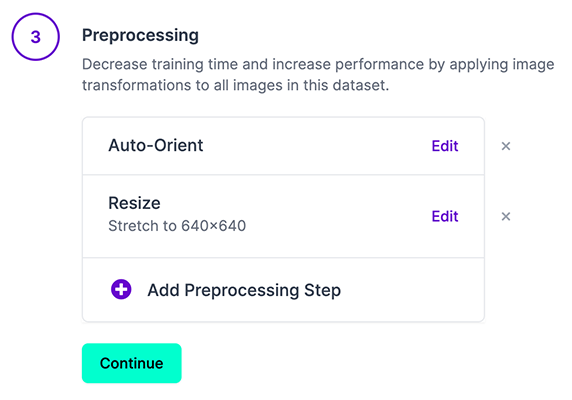
PR_step1

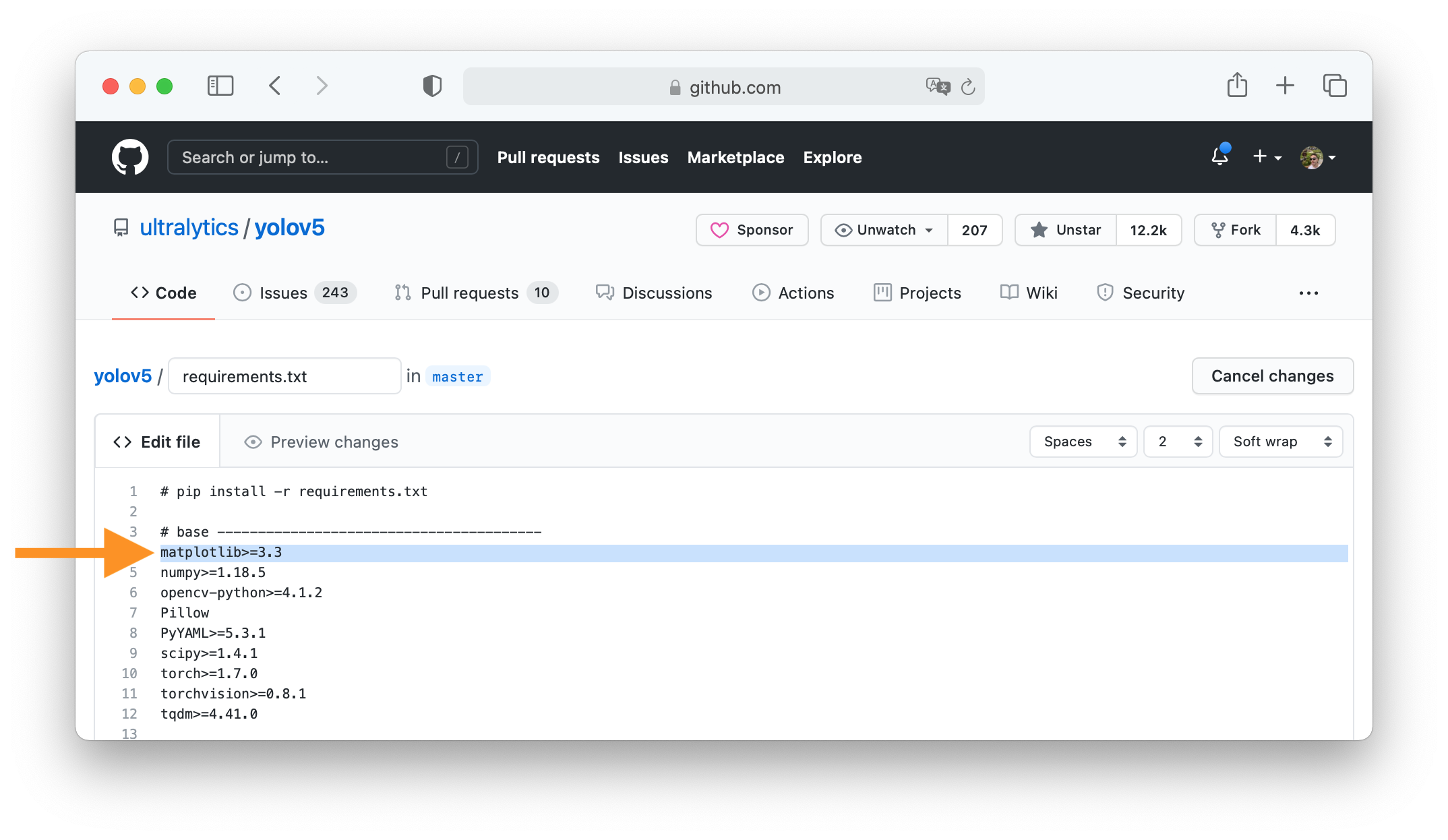
### 2. Click 'Edit this file' Button is in top-right corner.

PR_step2

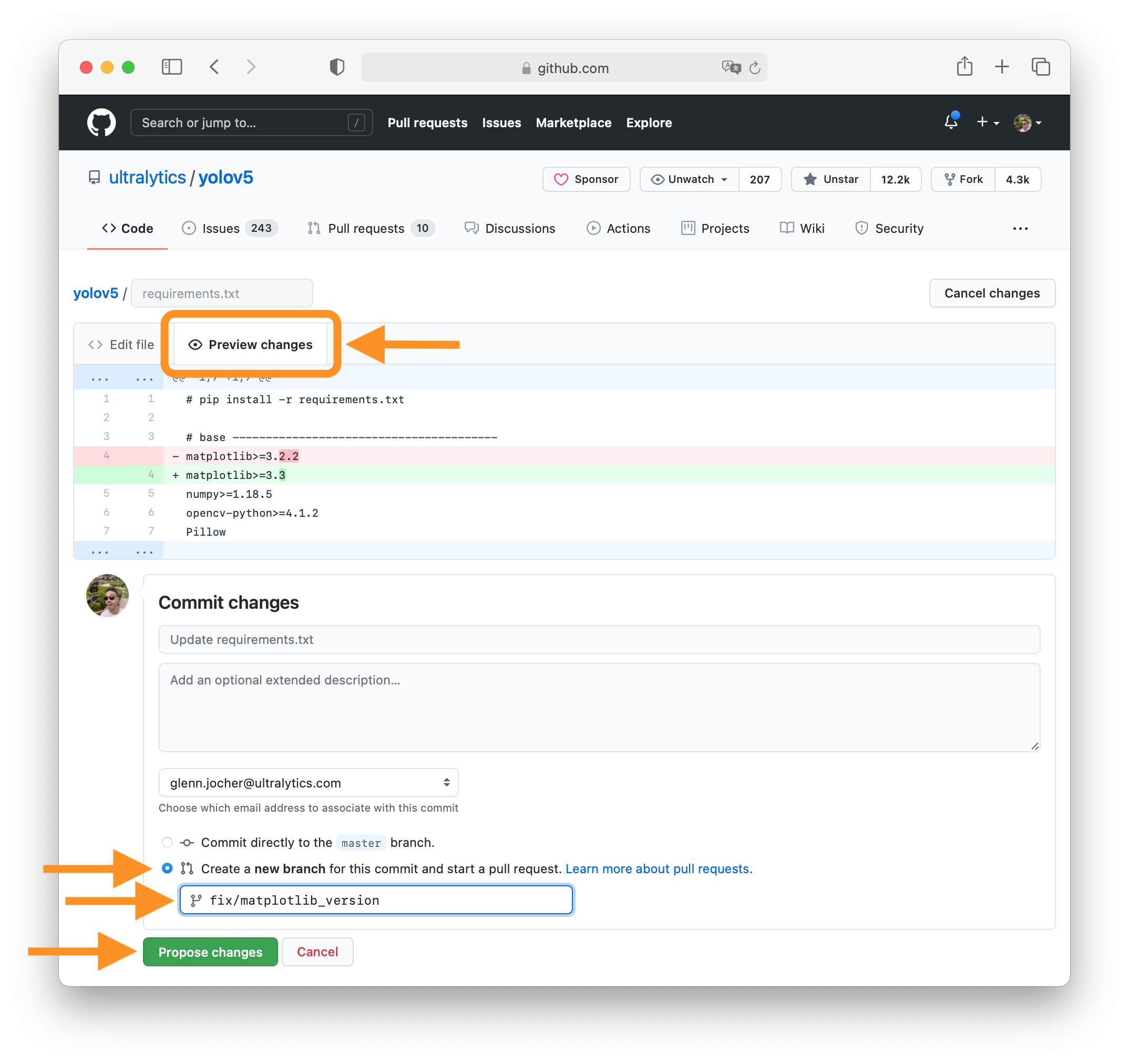
### 3. Make Changes Change `matplotlib` version from `3.2.2` to `3.3`.

PR_step3

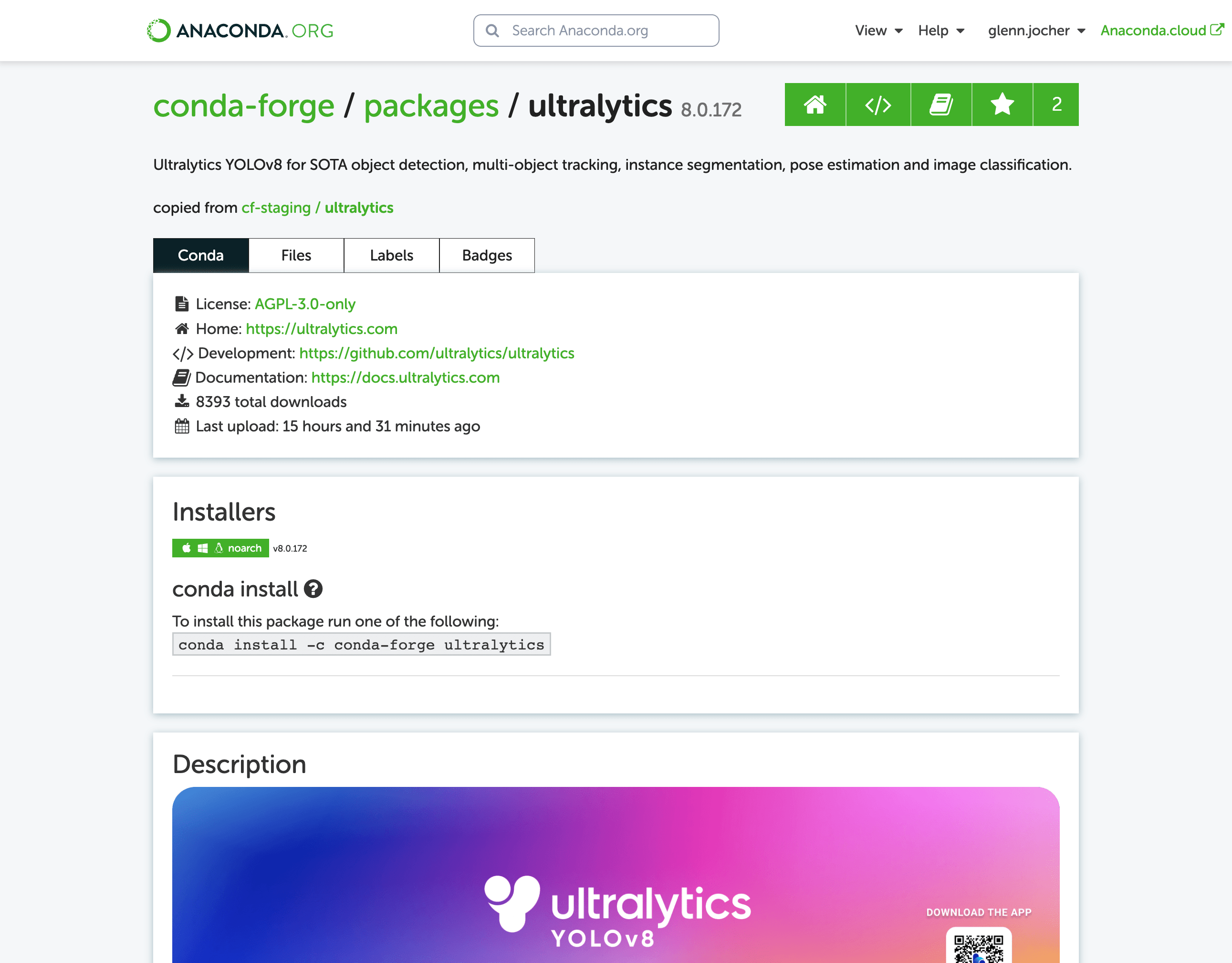
### 4. Preview Changes and Submit PR Click on the **Preview changes** tab to verify your updates. At the bottom of the screen select 'Create a **new branch** for this commit', assign your branch a descriptive name such as `fix/matplotlib_version` and click the green **Propose changes** button. All done, your PR is now submitted to YOLOv8 for review and approval 😃!

PR_step4

### PR recommendations To allow your work to be integrated as seamlessly as possible, we advise you to: - ✅ Verify your PR is **up-to-date** with `ultralytics/ultralytics` `main` branch. If your PR is behind you can update your code by clicking the 'Update branch' button or by running `git pull` and `git merge main` locally.

PR recommendation 1

- ✅ Verify all YOLOv8 Continuous Integration (CI) **checks are passing**.

PR recommendation 2

- ✅ Reduce changes to the absolute **minimum** required for your bug fix or feature addition. _"It is not daily increase but daily decrease, hack away the unessential. The closer to the source, the less wastage there is."_ — Bruce Lee ### Docstrings Not all functions or classes require docstrings but when they do, we follow [google-style docstrings format](https://google.github.io/styleguide/pyguide.html#38-comments-and-docstrings). Here is an example: ```python """ What the function does. Performs NMS on given detection predictions. Args: arg1: The description of the 1st argument arg2: The description of the 2nd argument Returns: What the function returns. Empty if nothing is returned. Raises: Exception Class: When and why this exception can be raised by the function. """ ``` ## Submitting a Bug Report 🐛 If you spot a problem with YOLOv8 please submit a Bug Report! For us to start investigating a possible problem we need to be able to reproduce it ourselves first. We've created a few short guidelines below to help users provide what we need in order to get started. When asking a question, people will be better able to provide help if you provide **code** that they can easily understand and use to **reproduce** the problem. This is referred to by community members as creating a [minimum reproducible example](https://docs.ultralytics.com/help/minimum_reproducible_example/). Your code that reproduces the problem should be: - ✅ **Minimal** – Use as little code as possible that still produces the same problem - ✅ **Complete** – Provide **all** parts someone else needs to reproduce your problem in the question itself - ✅ **Reproducible** – Test the code you're about to provide to make sure it reproduces the problem In addition to the above requirements, for [Ultralytics](https://ultralytics.com/) to provide assistance your code should be: - ✅ **Current** – Verify that your code is up-to-date with current GitHub [main](https://github.com/ultralytics/ultralytics/tree/main) branch, and if necessary `git pull` or `git clone` a new copy to ensure your problem has not already been resolved by previous commits. - ✅ **Unmodified** – Your problem must be reproducible without any modifications to the codebase in this repository. [Ultralytics](https://ultralytics.com/) does not provide support for custom code ⚠️. If you believe your problem meets all of the above criteria, please close this issue and raise a new one using the 🐛 **Bug Report** [template](https://github.com/ultralytics/ultralytics/issues/new/choose) and providing a [minimum reproducible example](https://docs.ultralytics.com/help/minimum_reproducible_example/) to help us better understand and diagnose your problem. ## License By contributing, you agree that your contributions will be licensed under the [AGPL-3.0 license](https://choosealicense.com/licenses/agpl-3.0/) ================================================ FILE: LICENSE ================================================ GNU AFFERO GENERAL PUBLIC LICENSE Version 3, 19 November 2007 Copyright (C) 2007 Free Software Foundation, Inc. Everyone is permitted to copy and distribute verbatim copies of this license document, but changing it is not allowed. Preamble The GNU Affero General Public License is a free, copyleft license for software and other kinds of works, specifically designed to ensure cooperation with the community in the case of network server software. The licenses for most software and other practical works are designed to take away your freedom to share and change the works. By contrast, our General Public Licenses are intended to guarantee your freedom to share and change all versions of a program--to make sure it remains free software for all its users. When we speak of free software, we are referring to freedom, not price. Our General Public Licenses are designed to make sure that you have the freedom to distribute copies of free software (and charge for them if you wish), that you receive source code or can get it if you want it, that you can change the software or use pieces of it in new free programs, and that you know you can do these things. Developers that use our General Public Licenses protect your rights with two steps: (1) assert copyright on the software, and (2) offer you this License which gives you legal permission to copy, distribute and/or modify the software. A secondary benefit of defending all users' freedom is that improvements made in alternate versions of the program, if they receive widespread use, become available for other developers to incorporate. Many developers of free software are heartened and encouraged by the resulting cooperation. However, in the case of software used on network servers, this result may fail to come about. The GNU General Public License permits making a modified version and letting the public access it on a server without ever releasing its source code to the public. The GNU Affero General Public License is designed specifically to ensure that, in such cases, the modified source code becomes available to the community. It requires the operator of a network server to provide the source code of the modified version running there to the users of that server. Therefore, public use of a modified version, on a publicly accessible server, gives the public access to the source code of the modified version. An older license, called the Affero General Public License and published by Affero, was designed to accomplish similar goals. This is a different license, not a version of the Affero GPL, but Affero has released a new version of the Affero GPL which permits relicensing under this license. The precise terms and conditions for copying, distribution and modification follow. TERMS AND CONDITIONS 0. Definitions. "This License" refers to version 3 of the GNU Affero General Public License. "Copyright" also means copyright-like laws that apply to other kinds of works, such as semiconductor masks. "The Program" refers to any copyrightable work licensed under this License. Each licensee is addressed as "you". "Licensees" and "recipients" may be individuals or organizations. To "modify" a work means to copy from or adapt all or part of the work in a fashion requiring copyright permission, other than the making of an exact copy. The resulting work is called a "modified version" of the earlier work or a work "based on" the earlier work. A "covered work" means either the unmodified Program or a work based on the Program. To "propagate" a work means to do anything with it that, without permission, would make you directly or secondarily liable for infringement under applicable copyright law, except executing it on a computer or modifying a private copy. Propagation includes copying, distribution (with or without modification), making available to the public, and in some countries other activities as well. To "convey" a work means any kind of propagation that enables other parties to make or receive copies. Mere interaction with a user through a computer network, with no transfer of a copy, is not conveying. An interactive user interface displays "Appropriate Legal Notices" to the extent that it includes a convenient and prominently visible feature that (1) displays an appropriate copyright notice, and (2) tells the user that there is no warranty for the work (except to the extent that warranties are provided), that licensees may convey the work under this License, and how to view a copy of this License. If the interface presents a list of user commands or options, such as a menu, a prominent item in the list meets this criterion. 1. Source Code. The "source code" for a work means the preferred form of the work for making modifications to it. "Object code" means any non-source form of a work. A "Standard Interface" means an interface that either is an official standard defined by a recognized standards body, or, in the case of interfaces specified for a particular programming language, one that is widely used among developers working in that language. The "System Libraries" of an executable work include anything, other than the work as a whole, that (a) is included in the normal form of packaging a Major Component, but which is not part of that Major Component, and (b) serves only to enable use of the work with that Major Component, or to implement a Standard Interface for which an implementation is available to the public in source code form. A "Major Component", in this context, means a major essential component (kernel, window system, and so on) of the specific operating system (if any) on which the executable work runs, or a compiler used to produce the work, or an object code interpreter used to run it. The "Corresponding Source" for a work in object code form means all the source code needed to generate, install, and (for an executable work) run the object code and to modify the work, including scripts to control those activities. However, it does not include the work's System Libraries, or general-purpose tools or generally available free programs which are used unmodified in performing those activities but which are not part of the work. For example, Corresponding Source includes interface definition files associated with source files for the work, and the source code for shared libraries and dynamically linked subprograms that the work is specifically designed to require, such as by intimate data communication or control flow between those subprograms and other parts of the work. The Corresponding Source need not include anything that users can regenerate automatically from other parts of the Corresponding Source. The Corresponding Source for a work in source code form is that same work. 2. Basic Permissions. All rights granted under this License are granted for the term of copyright on the Program, and are irrevocable provided the stated conditions are met. This License explicitly affirms your unlimited permission to run the unmodified Program. The output from running a covered work is covered by this License only if the output, given its content, constitutes a covered work. This License acknowledges your rights of fair use or other equivalent, as provided by copyright law. You may make, run and propagate covered works that you do not convey, without conditions so long as your license otherwise remains in force. You may convey covered works to others for the sole purpose of having them make modifications exclusively for you, or provide you with facilities for running those works, provided that you comply with the terms of this License in conveying all material for which you do not control copyright. Those thus making or running the covered works for you must do so exclusively on your behalf, under your direction and control, on terms that prohibit them from making any copies of your copyrighted material outside their relationship with you. Conveying under any other circumstances is permitted solely under the conditions stated below. Sublicensing is not allowed; section 10 makes it unnecessary. 3. Protecting Users' Legal Rights From Anti-Circumvention Law. No covered work shall be deemed part of an effective technological measure under any applicable law fulfilling obligations under article 11 of the WIPO copyright treaty adopted on 20 December 1996, or similar laws prohibiting or restricting circumvention of such measures. When you convey a covered work, you waive any legal power to forbid circumvention of technological measures to the extent such circumvention is effected by exercising rights under this License with respect to the covered work, and you disclaim any intention to limit operation or modification of the work as a means of enforcing, against the work's users, your or third parties' legal rights to forbid circumvention of technological measures. 4. Conveying Verbatim Copies. You may convey verbatim copies of the Program's source code as you receive it, in any medium, provided that you conspicuously and appropriately publish on each copy an appropriate copyright notice; keep intact all notices stating that this License and any non-permissive terms added in accord with section 7 apply to the code; keep intact all notices of the absence of any warranty; and give all recipients a copy of this License along with the Program. You may charge any price or no price for each copy that you convey, and you may offer support or warranty protection for a fee. 5. Conveying Modified Source Versions. You may convey a work based on the Program, or the modifications to produce it from the Program, in the form of source code under the terms of section 4, provided that you also meet all of these conditions: a) The work must carry prominent notices stating that you modified it, and giving a relevant date. b) The work must carry prominent notices stating that it is released under this License and any conditions added under section 7. This requirement modifies the requirement in section 4 to "keep intact all notices". c) You must license the entire work, as a whole, under this License to anyone who comes into possession of a copy. This License will therefore apply, along with any applicable section 7 additional terms, to the whole of the work, and all its parts, regardless of how they are packaged. This License gives no permission to license the work in any other way, but it does not invalidate such permission if you have separately received it. d) If the work has interactive user interfaces, each must display Appropriate Legal Notices; however, if the Program has interactive interfaces that do not display Appropriate Legal Notices, your work need not make them do so. A compilation of a covered work with other separate and independent works, which are not by their nature extensions of the covered work, and which are not combined with it such as to form a larger program, in or on a volume of a storage or distribution medium, is called an "aggregate" if the compilation and its resulting copyright are not used to limit the access or legal rights of the compilation's users beyond what the individual works permit. Inclusion of a covered work in an aggregate does not cause this License to apply to the other parts of the aggregate. 6. Conveying Non-Source Forms. You may convey a covered work in object code form under the terms of sections 4 and 5, provided that you also convey the machine-readable Corresponding Source under the terms of this License, in one of these ways: a) Convey the object code in, or embodied in, a physical product (including a physical distribution medium), accompanied by the Corresponding Source fixed on a durable physical medium customarily used for software interchange. b) Convey the object code in, or embodied in, a physical product (including a physical distribution medium), accompanied by a written offer, valid for at least three years and valid for as long as you offer spare parts or customer support for that product model, to give anyone who possesses the object code either (1) a copy of the Corresponding Source for all the software in the product that is covered by this License, on a durable physical medium customarily used for software interchange, for a price no more than your reasonable cost of physically performing this conveying of source, or (2) access to copy the Corresponding Source from a network server at no charge. c) Convey individual copies of the object code with a copy of the written offer to provide the Corresponding Source. This alternative is allowed only occasionally and noncommercially, and only if you received the object code with such an offer, in accord with subsection 6b. d) Convey the object code by offering access from a designated place (gratis or for a charge), and offer equivalent access to the Corresponding Source in the same way through the same place at no further charge. You need not require recipients to copy the Corresponding Source along with the object code. If the place to copy the object code is a network server, the Corresponding Source may be on a different server (operated by you or a third party) that supports equivalent copying facilities, provided you maintain clear directions next to the object code saying where to find the Corresponding Source. Regardless of what server hosts the Corresponding Source, you remain obligated to ensure that it is available for as long as needed to satisfy these requirements. e) Convey the object code using peer-to-peer transmission, provided you inform other peers where the object code and Corresponding Source of the work are being offered to the general public at no charge under subsection 6d. A separable portion of the object code, whose source code is excluded from the Corresponding Source as a System Library, need not be included in conveying the object code work. A "User Product" is either (1) a "consumer product", which means any tangible personal property which is normally used for personal, family, or household purposes, or (2) anything designed or sold for incorporation into a dwelling. In determining whether a product is a consumer product, doubtful cases shall be resolved in favor of coverage. For a particular product received by a particular user, "normally used" refers to a typical or common use of that class of product, regardless of the status of the particular user or of the way in which the particular user actually uses, or expects or is expected to use, the product. A product is a consumer product regardless of whether the product has substantial commercial, industrial or non-consumer uses, unless such uses represent the only significant mode of use of the product. "Installation Information" for a User Product means any methods, procedures, authorization keys, or other information required to install and execute modified versions of a covered work in that User Product from a modified version of its Corresponding Source. The information must suffice to ensure that the continued functioning of the modified object code is in no case prevented or interfered with solely because modification has been made. If you convey an object code work under this section in, or with, or specifically for use in, a User Product, and the conveying occurs as part of a transaction in which the right of possession and use of the User Product is transferred to the recipient in perpetuity or for a fixed term (regardless of how the transaction is characterized), the Corresponding Source conveyed under this section must be accompanied by the Installation Information. But this requirement does not apply if neither you nor any third party retains the ability to install modified object code on the User Product (for example, the work has been installed in ROM). The requirement to provide Installation Information does not include a requirement to continue to provide support service, warranty, or updates for a work that has been modified or installed by the recipient, or for the User Product in which it has been modified or installed. Access to a network may be denied when the modification itself materially and adversely affects the operation of the network or violates the rules and protocols for communication across the network. Corresponding Source conveyed, and Installation Information provided, in accord with this section must be in a format that is publicly documented (and with an implementation available to the public in source code form), and must require no special password or key for unpacking, reading or copying. 7. Additional Terms. "Additional permissions" are terms that supplement the terms of this License by making exceptions from one or more of its conditions. Additional permissions that are applicable to the entire Program shall be treated as though they were included in this License, to the extent that they are valid under applicable law. If additional permissions apply only to part of the Program, that part may be used separately under those permissions, but the entire Program remains governed by this License without regard to the additional permissions. When you convey a copy of a covered work, you may at your option remove any additional permissions from that copy, or from any part of it. (Additional permissions may be written to require their own removal in certain cases when you modify the work.) You may place additional permissions on material, added by you to a covered work, for which you have or can give appropriate copyright permission. Notwithstanding any other provision of this License, for material you add to a covered work, you may (if authorized by the copyright holders of that material) supplement the terms of this License with terms: a) Disclaiming warranty or limiting liability differently from the terms of sections 15 and 16 of this License; or b) Requiring preservation of specified reasonable legal notices or author attributions in that material or in the Appropriate Legal Notices displayed by works containing it; or c) Prohibiting misrepresentation of the origin of that material, or requiring that modified versions of such material be marked in reasonable ways as different from the original version; or d) Limiting the use for publicity purposes of names of licensors or authors of the material; or e) Declining to grant rights under trademark law for use of some trade names, trademarks, or service marks; or f) Requiring indemnification of licensors and authors of that material by anyone who conveys the material (or modified versions of it) with contractual assumptions of liability to the recipient, for any liability that these contractual assumptions directly impose on those licensors and authors. All other non-permissive additional terms are considered "further restrictions" within the meaning of section 10. If the Program as you received it, or any part of it, contains a notice stating that it is governed by this License along with a term that is a further restriction, you may remove that term. If a license document contains a further restriction but permits relicensing or conveying under this License, you may add to a covered work material governed by the terms of that license document, provided that the further restriction does not survive such relicensing or conveying. If you add terms to a covered work in accord with this section, you must place, in the relevant source files, a statement of the additional terms that apply to those files, or a notice indicating where to find the applicable terms. Additional terms, permissive or non-permissive, may be stated in the form of a separately written license, or stated as exceptions; the above requirements apply either way. 8. Termination. You may not propagate or modify a covered work except as expressly provided under this License. Any attempt otherwise to propagate or modify it is void, and will automatically terminate your rights under this License (including any patent licenses granted under the third paragraph of section 11). However, if you cease all violation of this License, then your license from a particular copyright holder is reinstated (a) provisionally, unless and until the copyright holder explicitly and finally terminates your license, and (b) permanently, if the copyright holder fails to notify you of the violation by some reasonable means prior to 60 days after the cessation. Moreover, your license from a particular copyright holder is reinstated permanently if the copyright holder notifies you of the violation by some reasonable means, this is the first time you have received notice of violation of this License (for any work) from that copyright holder, and you cure the violation prior to 30 days after your receipt of the notice. Termination of your rights under this section does not terminate the licenses of parties who have received copies or rights from you under this License. If your rights have been terminated and not permanently reinstated, you do not qualify to receive new licenses for the same material under section 10. 9. Acceptance Not Required for Having Copies. You are not required to accept this License in order to receive or run a copy of the Program. Ancillary propagation of a covered work occurring solely as a consequence of using peer-to-peer transmission to receive a copy likewise does not require acceptance. However, nothing other than this License grants you permission to propagate or modify any covered work. These actions infringe copyright if you do not accept this License. Therefore, by modifying or propagating a covered work, you indicate your acceptance of this License to do so. 10. Automatic Licensing of Downstream Recipients. Each time you convey a covered work, the recipient automatically receives a license from the original licensors, to run, modify and propagate that work, subject to this License. You are not responsible for enforcing compliance by third parties with this License. An "entity transaction" is a transaction transferring control of an organization, or substantially all assets of one, or subdividing an organization, or merging organizations. If propagation of a covered work results from an entity transaction, each party to that transaction who receives a copy of the work also receives whatever licenses to the work the party's predecessor in interest had or could give under the previous paragraph, plus a right to possession of the Corresponding Source of the work from the predecessor in interest, if the predecessor has it or can get it with reasonable efforts. You may not impose any further restrictions on the exercise of the rights granted or affirmed under this License. For example, you may not impose a license fee, royalty, or other charge for exercise of rights granted under this License, and you may not initiate litigation (including a cross-claim or counterclaim in a lawsuit) alleging that any patent claim is infringed by making, using, selling, offering for sale, or importing the Program or any portion of it. 11. Patents. A "contributor" is a copyright holder who authorizes use under this License of the Program or a work on which the Program is based. The work thus licensed is called the contributor's "contributor version". A contributor's "essential patent claims" are all patent claims owned or controlled by the contributor, whether already acquired or hereafter acquired, that would be infringed by some manner, permitted by this License, of making, using, or selling its contributor version, but do not include claims that would be infringed only as a consequence of further modification of the contributor version. For purposes of this definition, "control" includes the right to grant patent sublicenses in a manner consistent with the requirements of this License. Each contributor grants you a non-exclusive, worldwide, royalty-free patent license under the contributor's essential patent claims, to make, use, sell, offer for sale, import and otherwise run, modify and propagate the contents of its contributor version. In the following three paragraphs, a "patent license" is any express agreement or commitment, however denominated, not to enforce a patent (such as an express permission to practice a patent or covenant not to sue for patent infringement). To "grant" such a patent license to a party means to make such an agreement or commitment not to enforce a patent against the party. If you convey a covered work, knowingly relying on a patent license, and the Corresponding Source of the work is not available for anyone to copy, free of charge and under the terms of this License, through a publicly available network server or other readily accessible means, then you must either (1) cause the Corresponding Source to be so available, or (2) arrange to deprive yourself of the benefit of the patent license for this particular work, or (3) arrange, in a manner consistent with the requirements of this License, to extend the patent license to downstream recipients. "Knowingly relying" means you have actual knowledge that, but for the patent license, your conveying the covered work in a country, or your recipient's use of the covered work in a country, would infringe one or more identifiable patents in that country that you have reason to believe are valid. If, pursuant to or in connection with a single transaction or arrangement, you convey, or propagate by procuring conveyance of, a covered work, and grant a patent license to some of the parties receiving the covered work authorizing them to use, propagate, modify or convey a specific copy of the covered work, then the patent license you grant is automatically extended to all recipients of the covered work and works based on it. A patent license is "discriminatory" if it does not include within the scope of its coverage, prohibits the exercise of, or is conditioned on the non-exercise of one or more of the rights that are specifically granted under this License. You may not convey a covered work if you are a party to an arrangement with a third party that is in the business of distributing software, under which you make payment to the third party based on the extent of your activity of conveying the work, and under which the third party grants, to any of the parties who would receive the covered work from you, a discriminatory patent license (a) in connection with copies of the covered work conveyed by you (or copies made from those copies), or (b) primarily for and in connection with specific products or compilations that contain the covered work, unless you entered into that arrangement, or that patent license was granted, prior to 28 March 2007. Nothing in this License shall be construed as excluding or limiting any implied license or other defenses to infringement that may otherwise be available to you under applicable patent law. 12. No Surrender of Others' Freedom. If conditions are imposed on you (whether by court order, agreement or otherwise) that contradict the conditions of this License, they do not excuse you from the conditions of this License. If you cannot convey a covered work so as to satisfy simultaneously your obligations under this License and any other pertinent obligations, then as a consequence you may not convey it at all. For example, if you agree to terms that obligate you to collect a royalty for further conveying from those to whom you convey the Program, the only way you could satisfy both those terms and this License would be to refrain entirely from conveying the Program. 13. Remote Network Interaction; Use with the GNU General Public License. Notwithstanding any other provision of this License, if you modify the Program, your modified version must prominently offer all users interacting with it remotely through a computer network (if your version supports such interaction) an opportunity to receive the Corresponding Source of your version by providing access to the Corresponding Source from a network server at no charge, through some standard or customary means of facilitating copying of software. This Corresponding Source shall include the Corresponding Source for any work covered by version 3 of the GNU General Public License that is incorporated pursuant to the following paragraph. Notwithstanding any other provision of this License, you have permission to link or combine any covered work with a work licensed under version 3 of the GNU General Public License into a single combined work, and to convey the resulting work. The terms of this License will continue to apply to the part which is the covered work, but the work with which it is combined will remain governed by version 3 of the GNU General Public License. 14. Revised Versions of this License. The Free Software Foundation may publish revised and/or new versions of the GNU Affero General Public License from time to time. Such new versions will be similar in spirit to the present version, but may differ in detail to address new problems or concerns. Each version is given a distinguishing version number. If the Program specifies that a certain numbered version of the GNU Affero General Public License "or any later version" applies to it, you have the option of following the terms and conditions either of that numbered version or of any later version published by the Free Software Foundation. If the Program does not specify a version number of the GNU Affero General Public License, you may choose any version ever published by the Free Software Foundation. If the Program specifies that a proxy can decide which future versions of the GNU Affero General Public License can be used, that proxy's public statement of acceptance of a version permanently authorizes you to choose that version for the Program. Later license versions may give you additional or different permissions. However, no additional obligations are imposed on any author or copyright holder as a result of your choosing to follow a later version. 15. Disclaimer of Warranty. THERE IS NO WARRANTY FOR THE PROGRAM, TO THE EXTENT PERMITTED BY APPLICABLE LAW. EXCEPT WHEN OTHERWISE STATED IN WRITING THE COPYRIGHT HOLDERS AND/OR OTHER PARTIES PROVIDE THE PROGRAM "AS IS" WITHOUT WARRANTY OF ANY KIND, EITHER EXPRESSED OR IMPLIED, INCLUDING, BUT NOT LIMITED TO, THE IMPLIED WARRANTIES OF MERCHANTABILITY AND FITNESS FOR A PARTICULAR PURPOSE. THE ENTIRE RISK AS TO THE QUALITY AND PERFORMANCE OF THE PROGRAM IS WITH YOU. SHOULD THE PROGRAM PROVE DEFECTIVE, YOU ASSUME THE COST OF ALL NECESSARY SERVICING, REPAIR OR CORRECTION. 16. Limitation of Liability. IN NO EVENT UNLESS REQUIRED BY APPLICABLE LAW OR AGREED TO IN WRITING WILL ANY COPYRIGHT HOLDER, OR ANY OTHER PARTY WHO MODIFIES AND/OR CONVEYS THE PROGRAM AS PERMITTED ABOVE, BE LIABLE TO YOU FOR DAMAGES, INCLUDING ANY GENERAL, SPECIAL, INCIDENTAL OR CONSEQUENTIAL DAMAGES ARISING OUT OF THE USE OR INABILITY TO USE THE PROGRAM (INCLUDING BUT NOT LIMITED TO LOSS OF DATA OR DATA BEING RENDERED INACCURATE OR LOSSES SUSTAINED BY YOU OR THIRD PARTIES OR A FAILURE OF THE PROGRAM TO OPERATE WITH ANY OTHER PROGRAMS), EVEN IF SUCH HOLDER OR OTHER PARTY HAS BEEN ADVISED OF THE POSSIBILITY OF SUCH DAMAGES. 17. Interpretation of Sections 15 and 16. If the disclaimer of warranty and limitation of liability provided above cannot be given local legal effect according to their terms, reviewing courts shall apply local law that most closely approximates an absolute waiver of all civil liability in connection with the Program, unless a warranty or assumption of liability accompanies a copy of the Program in return for a fee. END OF TERMS AND CONDITIONS How to Apply These Terms to Your New Programs If you develop a new program, and you want it to be of the greatest possible use to the public, the best way to achieve this is to make it free software which everyone can redistribute and change under these terms. To do so, attach the following notices to the program. It is safest to attach them to the start of each source file to most effectively state the exclusion of warranty; and each file should have at least the "copyright" line and a pointer to where the full notice is found. Copyright (C) This program is free software: you can redistribute it and/or modify it under the terms of the GNU Affero General Public License as published by the Free Software Foundation, either version 3 of the License, or (at your option) any later version. This program is distributed in the hope that it will be useful, but WITHOUT ANY WARRANTY; without even the implied warranty of MERCHANTABILITY or FITNESS FOR A PARTICULAR PURPOSE. See the GNU Affero General Public License for more details. You should have received a copy of the GNU Affero General Public License along with this program. If not, see . Also add information on how to contact you by electronic and paper mail. If your software can interact with users remotely through a computer network, you should also make sure that it provides a way for users to get its source. For example, if your program is a web application, its interface could display a "Source" link that leads users to an archive of the code. There are many ways you could offer source, and different solutions will be better for different programs; see section 13 for the specific requirements. You should also get your employer (if you work as a programmer) or school, if any, to sign a "copyright disclaimer" for the program, if necessary. For more information on this, and how to apply and follow the GNU AGPL, see . ================================================ FILE: README.md ================================================ # Enhanced Self-Checkout System for Retail Based on Improved YOLOv10 Official PyTorch implementation of **MidState-YOLO-ED**. ## Paper [Enhanced Self-Checkout System for Retail Based on Improved YOLOv10](https://doi.org/10.3390/jimaging10100248) **Authors**: Lianghao Tan, Shubing Liu, Jing Gao, Xiaoyi Liu, Linyue Chu, Huangqi Jiang **Published in**: *Journal of Imaging* 2024, 10, 248 **DOI**: https://doi.org/10.3390/jimaging10100248 ## Abstract This paper presents a novel self-checkout system for retail based on an improved YOLOv10 network, aimed at enhancing checkout efficiency and reducing labor costs. We propose targeted optimizations for the YOLOv10 model, incorporating the detection head structure from YOLOv8, which significantly improves product recognition accuracy. Additionally, we develop a post-processing algorithm tailored for self-checkout scenarios, to further enhance the application of the system. ## Key Improvements - **Hybrid Architecture**: Combines YOLOv8 detection head with YOLOv10 backbone - **EMA Attention**: Efficient multi-scale attention mechanism for better feature extraction - **C2f-Dual Convolution**: Lightweight dual convolution design reducing parameters while improving accuracy - **23.2% mAP improvement** over original YOLOv10-n - **Optimized for retail environments**: Specifically designed for multi-product checkout scenarios ## Performance | Model | mAP@0.5 | mAP@0.5:0.95 | Params | GFLOPs | FPS | |:------|:-------:|:------------:|:------:|:------:|:---:| | YOLOv10-n | 61.0% | 48.1% | 2.89M | 9.2 | 112.36 | | **MidState-YOLO-ED** | **99.4%** | **87.5%** | **3.29M** | **9.6** | **109.89** | ## Citation If you use this work in your research, please cite: ```bibtex @article{tan2024enhanced, title={Enhanced self-checkout system for retail based on improved YOLOv10}, author={Tan, Lianghao and Liu, Shubing and Gao, Jing and Liu, Xiaoyi and Chu, Linyue and Jiang, Huangqi}, journal={Journal of Imaging}, volume={10}, number={10}, pages={248}, year={2024}, publisher={MDPI} } ``` ================================================ FILE: app.py ================================================ import gradio as gr import cv2 import tempfile from ultralytics import YOLOv10 def yolov10_inference(image, video, model_id, image_size, conf_threshold): model = YOLOv10.from_pretrained(f'jameslahm/{model_id}') if image: results = model.predict(source=image, imgsz=image_size, conf=conf_threshold) annotated_image = results[0].plot() return annotated_image[:, :, ::-1], None else: video_path = tempfile.mktemp(suffix=".webm") with open(video_path, "wb") as f: with open(video, "rb") as g: f.write(g.read()) cap = cv2.VideoCapture(video_path) fps = cap.get(cv2.CAP_PROP_FPS) frame_width = int(cap.get(cv2.CAP_PROP_FRAME_WIDTH)) frame_height = int(cap.get(cv2.CAP_PROP_FRAME_HEIGHT)) output_video_path = tempfile.mktemp(suffix=".webm") out = cv2.VideoWriter(output_video_path, cv2.VideoWriter_fourcc(*'vp80'), fps, (frame_width, frame_height)) while cap.isOpened(): ret, frame = cap.read() if not ret: break results = model.predict(source=frame, imgsz=image_size, conf=conf_threshold) annotated_frame = results[0].plot() out.write(annotated_frame) cap.release() out.release() return None, output_video_path def yolov10_inference_for_examples(image, model_path, image_size, conf_threshold): annotated_image, _ = yolov10_inference(image, None, model_path, image_size, conf_threshold) return annotated_image def app(): with gr.Blocks(): with gr.Row(): with gr.Column(): image = gr.Image(type="pil", label="Image", visible=True) video = gr.Video(label="Video", visible=False) input_type = gr.Radio( choices=["Image", "Video"], value="Image", label="Input Type", ) model_id = gr.Dropdown( label="Model", choices=[ "yolov10n", "yolov10s", "yolov10m", "yolov10b", "yolov10l", "yolov10x", ], value="yolov10m", ) image_size = gr.Slider( label="Image Size", minimum=320, maximum=1280, step=32, value=640, ) conf_threshold = gr.Slider( label="Confidence Threshold", minimum=0.0, maximum=1.0, step=0.05, value=0.25, ) yolov10_infer = gr.Button(value="Detect Objects") with gr.Column(): output_image = gr.Image(type="numpy", label="Annotated Image", visible=True) output_video = gr.Video(label="Annotated Video", visible=False) def update_visibility(input_type): image = gr.update(visible=True) if input_type == "Image" else gr.update(visible=False) video = gr.update(visible=False) if input_type == "Image" else gr.update(visible=True) output_image = gr.update(visible=True) if input_type == "Image" else gr.update(visible=False) output_video = gr.update(visible=False) if input_type == "Image" else gr.update(visible=True) return image, video, output_image, output_video input_type.change( fn=update_visibility, inputs=[input_type], outputs=[image, video, output_image, output_video], ) def run_inference(image, video, model_id, image_size, conf_threshold, input_type): if input_type == "Image": return yolov10_inference(image, None, model_id, image_size, conf_threshold) else: return yolov10_inference(None, video, model_id, image_size, conf_threshold) yolov10_infer.click( fn=run_inference, inputs=[image, video, model_id, image_size, conf_threshold, input_type], outputs=[output_image, output_video], ) gr.Examples( examples=[ [ "ultralytics/assets/bus.jpg", "yolov10s", 640, 0.25, ], [ "ultralytics/assets/zidane.jpg", "yolov10s", 640, 0.25, ], ], fn=yolov10_inference_for_examples, inputs=[ image, model_id, image_size, conf_threshold, ], outputs=[output_image], cache_examples='lazy', ) gradio_app = gr.Blocks() with gradio_app: gr.HTML( """

YOLOv10: Real-Time End-to-End Object Detection

""") gr.HTML( """

arXiv | github

""") with gr.Row(): with gr.Column(): app() if __name__ == '__main__': gradio_app.launch() ================================================ FILE: docker/Dockerfile ================================================ # Ultralytics YOLO 🚀, AGPL-3.0 license # Builds ultralytics/ultralytics:latest image on DockerHub https://hub.docker.com/r/ultralytics/ultralytics # Image is CUDA-optimized for YOLOv8 single/multi-GPU training and inference # Start FROM PyTorch image https://hub.docker.com/r/pytorch/pytorch or nvcr.io/nvidia/pytorch:23.03-py3 FROM pytorch/pytorch:2.2.0-cuda12.1-cudnn8-runtime RUN pip install --no-cache nvidia-tensorrt --index-url https://pypi.ngc.nvidia.com # Downloads to user config dir ADD https://github.com/ultralytics/assets/releases/download/v0.0.0/Arial.ttf \ https://github.com/ultralytics/assets/releases/download/v0.0.0/Arial.Unicode.ttf \ /root/.config/Ultralytics/ # Install linux packages # g++ required to build 'tflite_support' and 'lap' packages, libusb-1.0-0 required for 'tflite_support' package RUN apt update \ && apt install --no-install-recommends -y gcc git zip curl htop libgl1 libglib2.0-0 libpython3-dev gnupg g++ libusb-1.0-0 # Security updates # https://security.snyk.io/vuln/SNYK-UBUNTU1804-OPENSSL-3314796 RUN apt upgrade --no-install-recommends -y openssl tar # Create working directory WORKDIR /usr/src/ultralytics # Copy contents # COPY . /usr/src/ultralytics # git permission issues inside container RUN git clone https://github.com/ultralytics/ultralytics -b main /usr/src/ultralytics ADD https://github.com/ultralytics/assets/releases/download/v8.1.0/yolov8n.pt /usr/src/ultralytics/ # Install pip packages RUN python3 -m pip install --upgrade pip wheel RUN pip install --no-cache -e ".[export]" albumentations comet pycocotools # Run exports to AutoInstall packages # Edge TPU export fails the first time so is run twice here RUN yolo export model=tmp/yolov8n.pt format=edgetpu imgsz=32 || yolo export model=tmp/yolov8n.pt format=edgetpu imgsz=32 RUN yolo export model=tmp/yolov8n.pt format=ncnn imgsz=32 # Requires <= Python 3.10, bug with paddlepaddle==2.5.0 https://github.com/PaddlePaddle/X2Paddle/issues/991 RUN pip install --no-cache paddlepaddle>=2.6.0 x2paddle # Fix error: `np.bool` was a deprecated alias for the builtin `bool` segmentation error in Tests RUN pip install --no-cache numpy==1.23.5 # Remove exported models RUN rm -rf tmp # Set environment variables ENV OMP_NUM_THREADS=1 # Avoid DDP error "MKL_THREADING_LAYER=INTEL is incompatible with libgomp.so.1 library" https://github.com/pytorch/pytorch/issues/37377 ENV MKL_THREADING_LAYER=GNU # Usage Examples ------------------------------------------------------------------------------------------------------- # Build and Push # t=ultralytics/ultralytics:latest && sudo docker build -f docker/Dockerfile -t $t . && sudo docker push $t # Pull and Run with access to all GPUs # t=ultralytics/ultralytics:latest && sudo docker pull $t && sudo docker run -it --ipc=host --gpus all $t # Pull and Run with access to GPUs 2 and 3 (inside container CUDA devices will appear as 0 and 1) # t=ultralytics/ultralytics:latest && sudo docker pull $t && sudo docker run -it --ipc=host --gpus '"device=2,3"' $t # Pull and Run with local directory access # t=ultralytics/ultralytics:latest && sudo docker pull $t && sudo docker run -it --ipc=host --gpus all -v "$(pwd)"/datasets:/usr/src/datasets $t # Kill all # sudo docker kill $(sudo docker ps -q) # Kill all image-based # sudo docker kill $(sudo docker ps -qa --filter ancestor=ultralytics/ultralytics:latest) # DockerHub tag update # t=ultralytics/ultralytics:latest tnew=ultralytics/ultralytics:v6.2 && sudo docker pull $t && sudo docker tag $t $tnew && sudo docker push $tnew # Clean up # sudo docker system prune -a --volumes # Update Ubuntu drivers # https://www.maketecheasier.com/install-nvidia-drivers-ubuntu/ # DDP test # python -m torch.distributed.run --nproc_per_node 2 --master_port 1 train.py --epochs 3 # GCP VM from Image # docker.io/ultralytics/ultralytics:latest ================================================ FILE: docker/Dockerfile-arm64 ================================================ # Ultralytics YOLO 🚀, AGPL-3.0 license # Builds ultralytics/ultralytics:latest-arm64 image on DockerHub https://hub.docker.com/r/ultralytics/ultralytics # Image is aarch64-compatible for Apple M1, M2, M3, Raspberry Pi and other ARM architectures # Start FROM Ubuntu image https://hub.docker.com/_/ubuntu with "FROM arm64v8/ubuntu:22.04" (deprecated) # Start FROM Debian image for arm64v8 https://hub.docker.com/r/arm64v8/debian (new) FROM arm64v8/debian:bookworm-slim # Downloads to user config dir ADD https://github.com/ultralytics/assets/releases/download/v0.0.0/Arial.ttf \ https://github.com/ultralytics/assets/releases/download/v0.0.0/Arial.Unicode.ttf \ /root/.config/Ultralytics/ # Install linux packages # g++ required to build 'tflite_support' and 'lap' packages, libusb-1.0-0 required for 'tflite_support' package # cmake and build-essential is needed to build onnxsim when exporting to tflite RUN apt update \ && apt install --no-install-recommends -y python3-pip git zip curl htop gcc libgl1 libglib2.0-0 libpython3-dev gnupg g++ libusb-1.0-0 build-essential # Create working directory WORKDIR /usr/src/ultralytics # Copy contents # COPY . /usr/src/ultralytics # git permission issues inside container RUN git clone https://github.com/ultralytics/ultralytics -b main /usr/src/ultralytics ADD https://github.com/ultralytics/assets/releases/download/v8.1.0/yolov8n.pt /usr/src/ultralytics/ # Remove python3.11/EXTERNALLY-MANAGED to avoid 'externally-managed-environment' issue, Debian 12 Bookworm error RUN rm -rf /usr/lib/python3.11/EXTERNALLY-MANAGED # Install pip packages RUN python3 -m pip install --upgrade pip wheel RUN pip install --no-cache -e ".[export]" # Creates a symbolic link to make 'python' point to 'python3' RUN ln -sf /usr/bin/python3 /usr/bin/python # Usage Examples ------------------------------------------------------------------------------------------------------- # Build and Push # t=ultralytics/ultralytics:latest-arm64 && sudo docker build --platform linux/arm64 -f docker/Dockerfile-arm64 -t $t . && sudo docker push $t # Run # t=ultralytics/ultralytics:latest-arm64 && sudo docker run -it --ipc=host $t # Pull and Run # t=ultralytics/ultralytics:latest-arm64 && sudo docker pull $t && sudo docker run -it --ipc=host $t # Pull and Run with local volume mounted # t=ultralytics/ultralytics:latest-arm64 && sudo docker pull $t && sudo docker run -it --ipc=host -v "$(pwd)"/datasets:/usr/src/datasets $t ================================================ FILE: docker/Dockerfile-conda ================================================ # Ultralytics YOLO 🚀, AGPL-3.0 license # Builds ultralytics/ultralytics:latest-conda image on DockerHub https://hub.docker.com/r/ultralytics/ultralytics # Image is optimized for Ultralytics Anaconda (https://anaconda.org/conda-forge/ultralytics) installation and usage # Start FROM miniconda3 image https://hub.docker.com/r/continuumio/miniconda3 FROM continuumio/miniconda3:latest # Downloads to user config dir ADD https://github.com/ultralytics/assets/releases/download/v0.0.0/Arial.ttf \ https://github.com/ultralytics/assets/releases/download/v0.0.0/Arial.Unicode.ttf \ /root/.config/Ultralytics/ # Install linux packages RUN apt update \ && apt install --no-install-recommends -y libgl1 # Copy contents ADD https://github.com/ultralytics/assets/releases/download/v8.1.0/yolov8n.pt . # Install conda packages # mkl required to fix 'OSError: libmkl_intel_lp64.so.2: cannot open shared object file: No such file or directory' RUN conda config --set solver libmamba && \ conda install pytorch torchvision pytorch-cuda=11.8 -c pytorch -c nvidia && \ conda install -c conda-forge ultralytics mkl # conda install -c pytorch -c nvidia -c conda-forge pytorch torchvision pytorch-cuda=11.8 ultralytics mkl # Usage Examples ------------------------------------------------------------------------------------------------------- # Build and Push # t=ultralytics/ultralytics:latest-conda && sudo docker build -f docker/Dockerfile-cpu -t $t . && sudo docker push $t # Run # t=ultralytics/ultralytics:latest-conda && sudo docker run -it --ipc=host $t # Pull and Run # t=ultralytics/ultralytics:latest-conda && sudo docker pull $t && sudo docker run -it --ipc=host $t # Pull and Run with local volume mounted # t=ultralytics/ultralytics:latest-conda && sudo docker pull $t && sudo docker run -it --ipc=host -v "$(pwd)"/datasets:/usr/src/datasets $t ================================================ FILE: docker/Dockerfile-cpu ================================================ # Ultralytics YOLO 🚀, AGPL-3.0 license # Builds ultralytics/ultralytics:latest-cpu image on DockerHub https://hub.docker.com/r/ultralytics/ultralytics # Image is CPU-optimized for ONNX, OpenVINO and PyTorch YOLOv8 deployments # Start FROM Ubuntu image https://hub.docker.com/_/ubuntu FROM ubuntu:23.10 # Downloads to user config dir ADD https://github.com/ultralytics/assets/releases/download/v0.0.0/Arial.ttf \ https://github.com/ultralytics/assets/releases/download/v0.0.0/Arial.Unicode.ttf \ /root/.config/Ultralytics/ # Install linux packages # g++ required to build 'tflite_support' and 'lap' packages, libusb-1.0-0 required for 'tflite_support' package RUN apt update \ && apt install --no-install-recommends -y python3-pip git zip curl htop libgl1 libglib2.0-0 libpython3-dev gnupg g++ libusb-1.0-0 # Create working directory WORKDIR /usr/src/ultralytics # Copy contents # COPY . /usr/src/ultralytics # git permission issues inside container RUN git clone https://github.com/ultralytics/ultralytics -b main /usr/src/ultralytics ADD https://github.com/ultralytics/assets/releases/download/v8.1.0/yolov8n.pt /usr/src/ultralytics/ # Remove python3.11/EXTERNALLY-MANAGED or use 'pip install --break-system-packages' avoid 'externally-managed-environment' Ubuntu nightly error RUN rm -rf /usr/lib/python3.11/EXTERNALLY-MANAGED # Install pip packages RUN python3 -m pip install --upgrade pip wheel RUN pip install --no-cache -e ".[export]" --extra-index-url https://download.pytorch.org/whl/cpu # Run exports to AutoInstall packages RUN yolo export model=tmp/yolov8n.pt format=edgetpu imgsz=32 RUN yolo export model=tmp/yolov8n.pt format=ncnn imgsz=32 # Requires <= Python 3.10, bug with paddlepaddle==2.5.0 https://github.com/PaddlePaddle/X2Paddle/issues/991 # RUN pip install --no-cache paddlepaddle>=2.6.0 x2paddle # Remove exported models RUN rm -rf tmp # Creates a symbolic link to make 'python' point to 'python3' RUN ln -sf /usr/bin/python3 /usr/bin/python # Usage Examples ------------------------------------------------------------------------------------------------------- # Build and Push # t=ultralytics/ultralytics:latest-cpu && sudo docker build -f docker/Dockerfile-cpu -t $t . && sudo docker push $t # Run # t=ultralytics/ultralytics:latest-cpu && sudo docker run -it --ipc=host --name NAME $t # Pull and Run # t=ultralytics/ultralytics:latest-cpu && sudo docker pull $t && sudo docker run -it --ipc=host --name NAME $t # Pull and Run with local volume mounted # t=ultralytics/ultralytics:latest-cpu && sudo docker pull $t && sudo docker run -it --ipc=host -v "$(pwd)"/datasets:/usr/src/datasets $t ================================================ FILE: docker/Dockerfile-jetson ================================================ # Ultralytics YOLO 🚀, AGPL-3.0 license # Builds ultralytics/ultralytics:jetson image on DockerHub https://hub.docker.com/r/ultralytics/ultralytics # Supports JetPack for YOLOv8 on Jetson Nano, TX1/TX2, Xavier NX, AGX Xavier, AGX Orin, and Orin NX # Start FROM https://catalog.ngc.nvidia.com/orgs/nvidia/containers/l4t-pytorch FROM nvcr.io/nvidia/l4t-pytorch:r35.2.1-pth2.0-py3 # Downloads to user config dir ADD https://github.com/ultralytics/assets/releases/download/v0.0.0/Arial.ttf \ https://github.com/ultralytics/assets/releases/download/v0.0.0/Arial.Unicode.ttf \ /root/.config/Ultralytics/ # Install linux packages # g++ required to build 'tflite_support' and 'lap' packages, libusb-1.0-0 required for 'tflite_support' package RUN apt update \ && apt install --no-install-recommends -y gcc git zip curl htop libgl1 libglib2.0-0 libpython3-dev gnupg g++ libusb-1.0-0 # Create working directory WORKDIR /usr/src/ultralytics # Copy contents # COPY . /usr/src/ultralytics # git permission issues inside container RUN git clone https://github.com/ultralytics/ultralytics -b main /usr/src/ultralytics ADD https://github.com/ultralytics/assets/releases/download/v8.1.0/yolov8n.pt /usr/src/ultralytics/ # Remove opencv-python from Ultralytics dependencies as it conflicts with opencv-python installed in base image RUN grep -v "opencv-python" pyproject.toml > temp.toml && mv temp.toml pyproject.toml # Install pip packages manually for TensorRT compatibility https://github.com/NVIDIA/TensorRT/issues/2567 RUN python3 -m pip install --upgrade pip wheel RUN pip install --no-cache tqdm matplotlib pyyaml psutil pandas onnx "numpy==1.23" RUN pip install --no-cache -e . # Set environment variables ENV OMP_NUM_THREADS=1 # Usage Examples ------------------------------------------------------------------------------------------------------- # Build and Push # t=ultralytics/ultralytics:latest-jetson && sudo docker build --platform linux/arm64 -f docker/Dockerfile-jetson -t $t . && sudo docker push $t # Run # t=ultralytics/ultralytics:latest-jetson && sudo docker run -it --ipc=host $t # Pull and Run # t=ultralytics/ultralytics:latest-jetson && sudo docker pull $t && sudo docker run -it --ipc=host $t # Pull and Run with NVIDIA runtime # t=ultralytics/ultralytics:latest-jetson && sudo docker pull $t && sudo docker run -it --ipc=host --runtime=nvidia $t ================================================ FILE: docker/Dockerfile-python ================================================ # Ultralytics YOLO 🚀, AGPL-3.0 license # Builds ultralytics/ultralytics:latest-cpu image on DockerHub https://hub.docker.com/r/ultralytics/ultralytics # Image is CPU-optimized for ONNX, OpenVINO and PyTorch YOLOv8 deployments # Use the official Python 3.10 slim-bookworm as base image FROM python:3.10-slim-bookworm # Downloads to user config dir ADD https://github.com/ultralytics/assets/releases/download/v0.0.0/Arial.ttf \ https://github.com/ultralytics/assets/releases/download/v0.0.0/Arial.Unicode.ttf \ /root/.config/Ultralytics/ # Install linux packages # g++ required to build 'tflite_support' and 'lap' packages, libusb-1.0-0 required for 'tflite_support' package RUN apt update \ && apt install --no-install-recommends -y python3-pip git zip curl htop libgl1 libglib2.0-0 libpython3-dev gnupg g++ libusb-1.0-0 # Create working directory WORKDIR /usr/src/ultralytics # Copy contents # COPY . /usr/src/ultralytics # git permission issues inside container RUN git clone https://github.com/ultralytics/ultralytics -b main /usr/src/ultralytics ADD https://github.com/ultralytics/assets/releases/download/v8.1.0/yolov8n.pt /usr/src/ultralytics/ # Remove python3.11/EXTERNALLY-MANAGED or use 'pip install --break-system-packages' avoid 'externally-managed-environment' Ubuntu nightly error # RUN rm -rf /usr/lib/python3.11/EXTERNALLY-MANAGED # Install pip packages RUN python3 -m pip install --upgrade pip wheel RUN pip install --no-cache -e ".[export]" --extra-index-url https://download.pytorch.org/whl/cpu # Run exports to AutoInstall packages RUN yolo export model=tmp/yolov8n.pt format=edgetpu imgsz=32 RUN yolo export model=tmp/yolov8n.pt format=ncnn imgsz=32 # Requires <= Python 3.10, bug with paddlepaddle==2.5.0 https://github.com/PaddlePaddle/X2Paddle/issues/991 RUN pip install --no-cache paddlepaddle>=2.6.0 x2paddle # Remove exported models RUN rm -rf tmp # Usage Examples ------------------------------------------------------------------------------------------------------- # Build and Push # t=ultralytics/ultralytics:latest-python && sudo docker build -f docker/Dockerfile-python -t $t . && sudo docker push $t # Run # t=ultralytics/ultralytics:latest-python && sudo docker run -it --ipc=host $t # Pull and Run # t=ultralytics/ultralytics:latest-python && sudo docker pull $t && sudo docker run -it --ipc=host $t # Pull and Run with local volume mounted # t=ultralytics/ultralytics:latest-python && sudo docker pull $t && sudo docker run -it --ipc=host -v "$(pwd)"/datasets:/usr/src/datasets $t ================================================ FILE: docker/Dockerfile-runner ================================================ # Ultralytics YOLO 🚀, AGPL-3.0 license # Builds GitHub actions CI runner image for deployment to DockerHub https://hub.docker.com/r/ultralytics/ultralytics # Image is CUDA-optimized for YOLOv8 single/multi-GPU training and inference tests # Start FROM Ultralytics GPU image FROM ultralytics/ultralytics:latest # Set the working directory WORKDIR /actions-runner # Download and unpack the latest runner from https://github.com/actions/runner RUN FILENAME=actions-runner-linux-x64-2.309.0.tar.gz && \ curl -o $FILENAME -L https://github.com/actions/runner/releases/download/v2.309.0/$FILENAME && \ tar xzf $FILENAME && \ rm $FILENAME # Install runner dependencies ENV RUNNER_ALLOW_RUNASROOT=1 ENV DEBIAN_FRONTEND=noninteractive RUN ./bin/installdependencies.sh && \ apt-get -y install libicu-dev # Inline ENTRYPOINT command to configure and start runner with default TOKEN and NAME ENTRYPOINT sh -c './config.sh --url https://github.com/ultralytics/ultralytics \ --token ${GITHUB_RUNNER_TOKEN:-TOKEN} \ --name ${GITHUB_RUNNER_NAME:-NAME} \ --labels gpu-latest \ --replace && \ ./run.sh' # Usage Examples ------------------------------------------------------------------------------------------------------- # Build and Push # t=ultralytics/ultralytics:latest-runner && sudo docker build -f docker/Dockerfile-runner -t $t . && sudo docker push $t # Pull and Run in detached mode with access to GPUs 0 and 1 # t=ultralytics/ultralytics:latest-runner && sudo docker run -d -e GITHUB_RUNNER_TOKEN=TOKEN -e GITHUB_RUNNER_NAME=NAME --ipc=host --gpus '"device=0,1"' $t ================================================ FILE: docs/README.md ================================================
# 📚 Ultralytics Docs Ultralytics Docs are the gateway to understanding and utilizing our cutting-edge machine learning tools. These documents are deployed to [https://docs.ultralytics.com](https://docs.ultralytics.com) for your convenience. [![pages-build-deployment](https://github.com/ultralytics/docs/actions/workflows/pages/pages-build-deployment/badge.svg)](https://github.com/ultralytics/docs/actions/workflows/pages/pages-build-deployment) [![Check Broken links](https://github.com/ultralytics/docs/actions/workflows/links.yml/badge.svg)](https://github.com/ultralytics/docs/actions/workflows/links.yml) [![Check Domains](https://github.com/ultralytics/docs/actions/workflows/check_domains.yml/badge.svg)](https://github.com/ultralytics/docs/actions/workflows/check_domains.yml) [![Ultralytics Actions](https://github.com/ultralytics/docs/actions/workflows/format.yml/badge.svg)](https://github.com/ultralytics/docs/actions/workflows/format.yml) Discord ## 🛠️ Installation [![PyPI version](https://badge.fury.io/py/ultralytics.svg)](https://badge.fury.io/py/ultralytics) [![Downloads](https://static.pepy.tech/badge/ultralytics)](https://pepy.tech/project/ultralytics) To install the ultralytics package in developer mode, ensure you have Git and Python 3 installed on your system. Then, follow these steps: 1. Clone the ultralytics repository to your local machine using Git: ```bash git clone https://github.com/ultralytics/ultralytics.git ``` 2. Navigate to the cloned repository's root directory: ```bash cd ultralytics ``` 3. Install the package in developer mode using pip (or pip3 for Python 3): ```bash pip install -e '.[dev]' ``` - This command installs the ultralytics package along with all development dependencies, allowing you to modify the package code and have the changes immediately reflected in your Python environment. ## 🚀 Building and Serving Locally The `mkdocs serve` command builds and serves a local version of your MkDocs documentation, ideal for development and testing: ```bash mkdocs serve ``` - #### Command Breakdown: - `mkdocs` is the main MkDocs command-line interface. - `serve` is the subcommand to build and locally serve your documentation. - 🧐 Note: - Grasp changes to the docs in real-time as `mkdocs serve` supports live reloading. - To stop the local server, press `CTRL+C`. ## 🌍 Building and Serving Multi-Language Supporting multi-language documentation? Follow these steps: 1. Stage all new language \*.md files with Git: ```bash git add docs/**/*.md -f ``` 2. Build all languages to the `/site` folder, ensuring relevant root-level files are present: ```bash # Clear existing /site directory rm -rf site # Loop through each language config file and build mkdocs build -f docs/mkdocs.yml for file in docs/mkdocs_*.yml; do echo "Building MkDocs site with $file" mkdocs build -f "$file" done ``` 3. To preview your site, initiate a simple HTTP server: ```bash cd site python -m http.server # Open in your preferred browser ``` - 🖥️ Access the live site at `http://localhost:8000`. ## 📤 Deploying Your Documentation Site Choose a hosting provider and deployment method for your MkDocs documentation: - Configure `mkdocs.yml` with deployment settings. - Use `mkdocs deploy` to build and deploy your site. * ### GitHub Pages Deployment Example: ```bash mkdocs gh-deploy ``` - Update the "Custom domain" in your repository's settings for a personalized URL. ![196814117-fc16e711-d2be-4722-9536-b7c6d78fd167](https://user-images.githubusercontent.com/26833433/210150206-9e86dcd7-10af-43e4-9eb2-9518b3799eac.png) - For detailed deployment guidance, consult the [MkDocs documentation](https://www.mkdocs.org/user-guide/deploying-your-docs/). ## 💡 Contribute We cherish the community's input as it drives Ultralytics open-source initiatives. Dive into the [Contributing Guide](https://docs.ultralytics.com/help/contributing) and share your thoughts via our [Survey](https://ultralytics.com/survey?utm_source=github&utm_medium=social&utm_campaign=Survey). A heartfelt thank you 🙏 to each contributor! ![Ultralytics open-source contributors](https://github.com/ultralytics/assets/raw/main/im/image-contributors.png) ## 📜 License Ultralytics presents two licensing options: - **AGPL-3.0 License**: Perfect for academia and open collaboration. Details are in the [LICENSE](https://github.com/ultralytics/ultralytics/blob/main/LICENSE) file. - **Enterprise License**: Tailored for commercial usage, offering a seamless blend of Ultralytics technology in your products. Learn more at [Ultralytics Licensing](https://ultralytics.com/license). ## ✉️ Contact For bug reports and feature requests, navigate to [GitHub Issues](https://github.com/ultralytics/docs/issues). Engage with peers and the Ultralytics team on [Discord](https://ultralytics.com/discord) for enriching conversations!





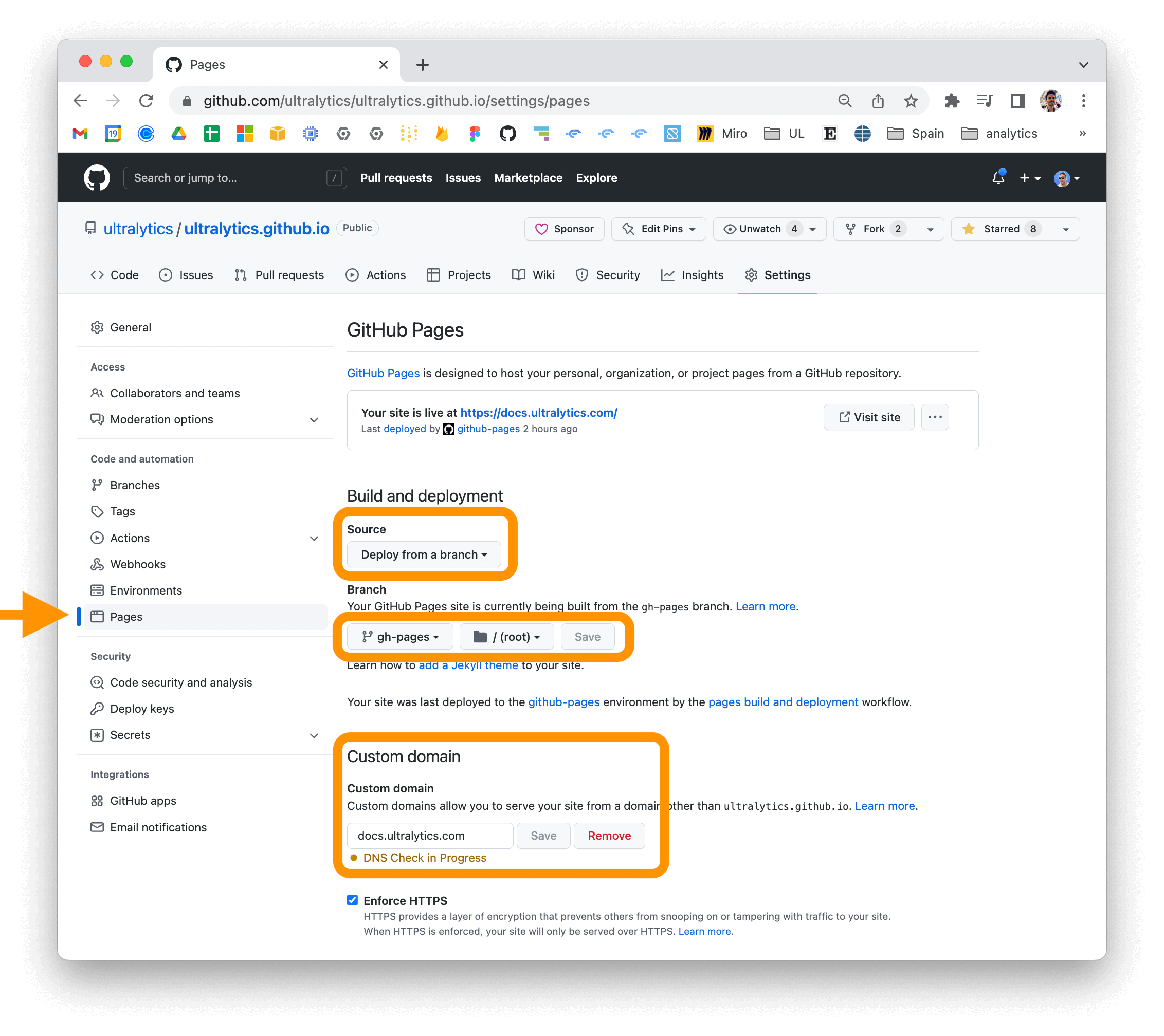
Ultralytics GitHub space Ultralytics LinkedIn space Ultralytics Twitter space Ultralytics YouTube space Ultralytics TikTok space Ultralytics Instagram space Ultralytics Discord
================================================ FILE: docs/build_docs.py ================================================ # Ultralytics YOLO 🚀, AGPL-3.0 license """ This Python script is designed to automate the building and post-processing of MkDocs documentation, particularly for projects with multilingual content. It streamlines the workflow for generating localized versions of the documentation and updating HTML links to ensure they are correctly formatted. Key Features: - Automated building of MkDocs documentation: The script compiles both the main documentation and any localized versions specified in separate MkDocs configuration files. - Post-processing of generated HTML files: After the documentation is built, the script updates all HTML files to remove the '.md' extension from internal links. This ensures that links in the built HTML documentation correctly point to other HTML pages rather than Markdown files, which is crucial for proper navigation within the web-based documentation. Usage: - Run the script from the root directory of your MkDocs project. - Ensure that MkDocs is installed and that all MkDocs configuration files (main and localized versions) are present in the project directory. - The script first builds the documentation using MkDocs, then scans the generated HTML files in the 'site' directory to update the internal links. - It's ideal for projects where the documentation is written in Markdown and needs to be served as a static website. Note: - This script is built to be run in an environment where Python and MkDocs are installed and properly configured. """ import os import re import shutil import subprocess from pathlib import Path from tqdm import tqdm DOCS = Path(__file__).parent.resolve() SITE = DOCS.parent / "site" def build_docs(clone_repos=True): """Build docs using mkdocs.""" if SITE.exists(): print(f"Removing existing {SITE}") shutil.rmtree(SITE) # Get hub-sdk repo if clone_repos: repo = "https://github.com/ultralytics/hub-sdk" local_dir = DOCS.parent / Path(repo).name if not local_dir.exists(): os.system(f"git clone {repo} {local_dir}") os.system(f"git -C {local_dir} pull") # update repo shutil.rmtree(DOCS / "en/hub/sdk", ignore_errors=True) # delete if exists shutil.copytree(local_dir / "docs", DOCS / "en/hub/sdk") # for docs shutil.rmtree(DOCS.parent / "hub_sdk", ignore_errors=True) # delete if exists shutil.copytree(local_dir / "hub_sdk", DOCS.parent / "hub_sdk") # for mkdocstrings print(f"Cloned/Updated {repo} in {local_dir}") # Build the main documentation print(f"Building docs from {DOCS}") subprocess.run(f"mkdocs build -f {DOCS.parent}/mkdocs.yml", check=True, shell=True) print(f"Site built at {SITE}") def update_page_title(file_path: Path, new_title: str): """Update the title of an HTML file.""" # Read the content of the file with open(file_path, encoding="utf-8") as file: content = file.read() # Replace the existing title with the new title updated_content = re.sub(r".*?", f"{new_title}", content) # Write the updated content back to the file with open(file_path, "w", encoding="utf-8") as file: file.write(updated_content) def update_html_head(script=""): """Update the HTML head section of each file.""" html_files = Path(SITE).rglob("*.html") for html_file in tqdm(html_files, desc="Processing HTML files"): with html_file.open("r", encoding="utf-8") as file: html_content = file.read() if script in html_content: # script already in HTML file return head_end_index = html_content.lower().rfind("") if head_end_index != -1: # Add the specified JavaScript to the HTML file just before the end of the head tag. new_html_content = html_content[:head_end_index] + script + html_content[head_end_index:] with html_file.open("w", encoding="utf-8") as file: file.write(new_html_content) def update_subdir_edit_links(subdir="", docs_url=""): """Update the HTML head section of each file.""" from bs4 import BeautifulSoup if str(subdir[0]) == "/": subdir = str(subdir[0])[1:] html_files = (SITE / subdir).rglob("*.html") for html_file in tqdm(html_files, desc="Processing subdir files"): with html_file.open("r", encoding="utf-8") as file: soup = BeautifulSoup(file, "html.parser") # Find the anchor tag and update its href attribute a_tag = soup.find("a", {"class": "md-content__button md-icon"}) if a_tag and a_tag["title"] == "Edit this page": a_tag["href"] = f"{docs_url}{a_tag['href'].split(subdir)[-1]}" # Write the updated HTML back to the file with open(html_file, "w", encoding="utf-8") as file: file.write(str(soup)) def main(): """Builds docs, updates titles and edit links, and prints local server command.""" build_docs() # Update titles update_page_title(SITE / "404.html", new_title="Ultralytics Docs - Not Found") # Update edit links update_subdir_edit_links( subdir="hub/sdk/", # do not use leading slash docs_url="https://github.com/ultralytics/hub-sdk/tree/develop/docs/", ) # Update HTML file head section script = "" if any(script): update_html_head(script) # Show command to serve built website print('Serve site at http://localhost:8000 with "python -m http.server --directory site"') if __name__ == "__main__": main() ================================================ FILE: docs/build_reference.py ================================================ # Ultralytics YOLO 🚀, AGPL-3.0 license """ Helper file to build Ultralytics Docs reference section. Recursively walks through ultralytics dir and builds an MkDocs reference section of *.md files composed of classes and functions, and also creates a nav menu for use in mkdocs.yaml. Note: Must be run from repository root directory. Do not run from docs directory. """ import re from collections import defaultdict from pathlib import Path # Get package root i.e. /Users/glennjocher/PycharmProjects/ultralytics/ultralytics from ultralytics.utils import ROOT as PACKAGE_DIR # Constants REFERENCE_DIR = PACKAGE_DIR.parent / "docs/en/reference" GITHUB_REPO = "ultralytics/ultralytics" def extract_classes_and_functions(filepath: Path) -> tuple: """Extracts class and function names from a given Python file.""" content = filepath.read_text() class_pattern = r"(?:^|\n)class\s(\w+)(?:\(|:)" func_pattern = r"(?:^|\n)def\s(\w+)\(" classes = re.findall(class_pattern, content) functions = re.findall(func_pattern, content) return classes, functions def create_markdown(py_filepath: Path, module_path: str, classes: list, functions: list): """Creates a Markdown file containing the API reference for the given Python module.""" md_filepath = py_filepath.with_suffix(".md") # Read existing content and keep header content between first two --- header_content = "" if md_filepath.exists(): existing_content = md_filepath.read_text() header_parts = existing_content.split("---") for part in header_parts: if "description:" in part or "comments:" in part: header_content += f"---{part}---\n\n" module_name = module_path.replace(".__init__", "") module_path = module_path.replace(".", "/") url = f"https://github.com/{GITHUB_REPO}/blob/main/{module_path}.py" edit = f"https://github.com/{GITHUB_REPO}/edit/main/{module_path}.py" title_content = ( f"# Reference for `{module_path}.py`\n\n" f"!!! Note\n\n" f" This file is available at [{url}]({url}). If you spot a problem please help fix it by [contributing](https://docs.ultralytics.com/help/contributing/) a [Pull Request]({edit}) 🛠️. Thank you 🙏!\n\n" ) md_content = ["

\n"] + [f"## ::: {module_name}.{class_name}\n\n

\n" for class_name in classes] md_content.extend(f"## ::: {module_name}.{func_name}\n\n

\n" for func_name in functions) md_content = header_content + title_content + "\n".join(md_content) if not md_content.endswith("\n"): md_content += "\n" md_filepath.parent.mkdir(parents=True, exist_ok=True) md_filepath.write_text(md_content) return md_filepath.relative_to(PACKAGE_DIR.parent) def nested_dict() -> defaultdict: """Creates and returns a nested defaultdict.""" return defaultdict(nested_dict) def sort_nested_dict(d: dict) -> dict: """Sorts a nested dictionary recursively.""" return {key: sort_nested_dict(value) if isinstance(value, dict) else value for key, value in sorted(d.items())} def create_nav_menu_yaml(nav_items: list, save: bool = False): """Creates a YAML file for the navigation menu based on the provided list of items.""" nav_tree = nested_dict() for item_str in nav_items: item = Path(item_str) parts = item.parts current_level = nav_tree["reference"] for part in parts[2:-1]: # skip the first two parts (docs and reference) and the last part (filename) current_level = current_level[part] md_file_name = parts[-1].replace(".md", "") current_level[md_file_name] = item nav_tree_sorted = sort_nested_dict(nav_tree) def _dict_to_yaml(d, level=0): """Converts a nested dictionary to a YAML-formatted string with indentation.""" yaml_str = "" indent = " " * level for k, v in d.items(): if isinstance(v, dict): yaml_str += f"{indent}- {k}:\n{_dict_to_yaml(v, level + 1)}" else: yaml_str += f"{indent}- {k}: {str(v).replace('docs/en/', '')}\n" return yaml_str # Print updated YAML reference section print("Scan complete, new mkdocs.yaml reference section is:\n\n", _dict_to_yaml(nav_tree_sorted)) # Save new YAML reference section if save: (PACKAGE_DIR.parent / "nav_menu_updated.yml").write_text(_dict_to_yaml(nav_tree_sorted)) def main(): """Main function to extract class and function names, create Markdown files, and generate a YAML navigation menu.""" nav_items = [] for py_filepath in PACKAGE_DIR.rglob("*.py"): classes, functions = extract_classes_and_functions(py_filepath) if classes or functions: py_filepath_rel = py_filepath.relative_to(PACKAGE_DIR) md_filepath = REFERENCE_DIR / py_filepath_rel module_path = f"{PACKAGE_DIR.name}.{py_filepath_rel.with_suffix('').as_posix().replace('/', '.')}" md_rel_filepath = create_markdown(md_filepath, module_path, classes, functions) nav_items.append(str(md_rel_filepath)) create_nav_menu_yaml(nav_items) if __name__ == "__main__": main() ================================================ FILE: docs/coming_soon_template.md ================================================ --- description: Discover what's next for Ultralytics with our under-construction page, previewing new, groundbreaking AI and ML features coming soon. keywords: Ultralytics, coming soon, under construction, new features, AI updates, ML advancements, YOLO, technology preview --- # Under Construction 🏗️🌟 Welcome to the Ultralytics "Under Construction" page! Here, we're hard at work developing the next generation of AI and ML innovations. This page serves as a teaser for the exciting updates and new features we're eager to share with you! ## Exciting New Features on the Way 🎉 - **Innovative Breakthroughs:** Get ready for advanced features and services that will transform your AI and ML experience. - **New Horizons:** Anticipate novel products that redefine AI and ML capabilities. - **Enhanced Services:** We're upgrading our services for greater efficiency and user-friendliness. ## Stay Updated 🚧 This placeholder page is your first stop for upcoming developments. Keep an eye out for: - **Newsletter:** Subscribe [here](https://ultralytics.com/#newsletter) for the latest news. - **Social Media:** Follow us [here](https://www.linkedin.com/company/ultralytics) for updates and teasers. - **Blog:** Visit our [blog](https://ultralytics.com/blog) for detailed insights. ## We Value Your Input 🗣️ Your feedback shapes our future releases. Share your thoughts and suggestions [here](https://ultralytics.com/contact). ## Thank You, Community! 🌍 Your [contributions](https://docs.ultralytics.com/help/contributing) inspire our continuous [innovation](https://github.com/ultralytics/ultralytics). Stay tuned for the big reveal of what's next in AI and ML at Ultralytics! --- Excited for what's coming? Bookmark this page and get ready for a transformative AI and ML journey with Ultralytics! 🛠️🤖 ================================================ FILE: docs/en/CNAME ================================================ docs.ultralytics.com ================================================ FILE: docs/en/guides/azureml-quickstart.md ================================================ --- comments: true description: Step-by-step Quickstart Guide to Running YOLOv8 Object Detection Models on AzureML for Fast Prototyping and Testing keywords: Ultralytics, YOLOv8, Object Detection, Azure Machine Learning, Quickstart Guide, Prototype, Compute Instance, Terminal, Notebook, IPython Kernel, CLI, Python SDK --- # YOLOv8 🚀 on AzureML ## What is Azure? [Azure](https://azure.microsoft.com/) is Microsoft's cloud computing platform, designed to help organizations move their workloads to the cloud from on-premises data centers. With the full spectrum of cloud services including those for computing, databases, analytics, machine learning, and networking, users can pick and choose from these services to develop and scale new applications, or run existing applications, in the public cloud. ## What is Azure Machine Learning (AzureML)? Azure Machine Learning, commonly referred to as AzureML, is a fully managed cloud service that enables data scientists and developers to efficiently embed predictive analytics into their applications, helping organizations use massive data sets and bring all the benefits of the cloud to machine learning. AzureML offers a variety of services and capabilities aimed at making machine learning accessible, easy to use, and scalable. It provides capabilities like automated machine learning, drag-and-drop model training, as well as a robust Python SDK so that developers can make the most out of their machine learning models. ## How Does AzureML Benefit YOLO Users? For users of YOLO (You Only Look Once), AzureML provides a robust, scalable, and efficient platform to both train and deploy machine learning models. Whether you are looking to run quick prototypes or scale up to handle more extensive data, AzureML's flexible and user-friendly environment offers various tools and services to fit your needs. You can leverage AzureML to: - Easily manage large datasets and computational resources for training. - Utilize built-in tools for data preprocessing, feature selection, and model training. - Collaborate more efficiently with capabilities for MLOps (Machine Learning Operations), including but not limited to monitoring, auditing, and versioning of models and data. In the subsequent sections, you will find a quickstart guide detailing how to run YOLOv8 object detection models using AzureML, either from a compute terminal or a notebook. ## Prerequisites Before you can get started, make sure you have access to an AzureML workspace. If you don't have one, you can create a new [AzureML workspace](https://learn.microsoft.com/azure/machine-learning/concept-workspace?view=azureml-api-2) by following Azure's official documentation. This workspace acts as a centralized place to manage all AzureML resources. ## Create a compute instance From your AzureML workspace, select Compute > Compute instances > New, select the instance with the resources you need.

Create Azure Compute Instance

## Quickstart from Terminal Start your compute and open a Terminal:

Open Terminal

### Create virtualenv Create your conda virtualenv and install pip in it: ```bash conda create --name yolov8env -y conda activate yolov8env conda install pip -y ``` Install the required dependencies: ```bash cd ultralytics pip install -r requirements.txt pip install ultralytics pip install onnx>=1.12.0 ``` ### Perform YOLOv8 tasks Predict: ```bash yolo predict model=yolov8n.pt source='https://ultralytics.com/images/bus.jpg' ``` Train a detection model for 10 epochs with an initial learning_rate of 0.01: ```bash yolo train data=coco128.yaml model=yolov8n.pt epochs=10 lr0=0.01 ``` You can find more [instructions to use the Ultralytics CLI here](../quickstart.md#use-ultralytics-with-cli). ## Quickstart from a Notebook ### Create a new IPython kernel Open the compute Terminal.

Open Terminal

From your compute terminal, you need to create a new ipykernel that will be used by your notebook to manage your dependencies: ```bash conda create --name yolov8env -y conda activate yolov8env conda install pip -y conda install ipykernel -y python -m ipykernel install --user --name yolov8env --display-name "yolov8env" ``` Close your terminal and create a new notebook. From your Notebook, you can select the new kernel. Then you can open a Notebook cell and install the required dependencies: ```bash %%bash source activate yolov8env cd ultralytics pip install -r requirements.txt pip install ultralytics pip install onnx>=1.12.0 ``` Note that we need to use the `source activate yolov8env` for all the %%bash cells, to make sure that the %%bash cell uses environment we want. Run some predictions using the [Ultralytics CLI](../quickstart.md#use-ultralytics-with-cli): ```bash %%bash source activate yolov8env yolo predict model=yolov8n.pt source='https://ultralytics.com/images/bus.jpg' ``` Or with the [Ultralytics Python interface](../quickstart.md#use-ultralytics-with-python), for example to train the model: ```python from ultralytics import YOLO # Load a model model = YOLO("yolov8n.pt") # load an official YOLOv8n model # Use the model model.train(data="coco128.yaml", epochs=3) # train the model metrics = model.val() # evaluate model performance on the validation set results = model("https://ultralytics.com/images/bus.jpg") # predict on an image path = model.export(format="onnx") # export the model to ONNX format ``` You can use either the Ultralytics CLI or Python interface for running YOLOv8 tasks, as described in the terminal section above. By following these steps, you should be able to get YOLOv8 running quickly on AzureML for quick trials. For more advanced uses, you may refer to the full AzureML documentation linked at the beginning of this guide. ## Explore More with AzureML This guide serves as an introduction to get you up and running with YOLOv8 on AzureML. However, it only scratches the surface of what AzureML can offer. To delve deeper and unlock the full potential of AzureML for your machine learning projects, consider exploring the following resources: - [Create a Data Asset](https://learn.microsoft.com/azure/machine-learning/how-to-create-data-assets): Learn how to set up and manage your data assets effectively within the AzureML environment. - [Initiate an AzureML Job](https://learn.microsoft.com/azure/machine-learning/how-to-train-model): Get a comprehensive understanding of how to kickstart your machine learning training jobs on AzureML. - [Register a Model](https://learn.microsoft.com/azure/machine-learning/how-to-manage-models): Familiarize yourself with model management practices including registration, versioning, and deployment. - [Train YOLOv8 with AzureML Python SDK](https://medium.com/@ouphi/how-to-train-the-yolov8-model-with-azure-machine-learning-python-sdk-8268696be8ba): Explore a step-by-step guide on using the AzureML Python SDK to train your YOLOv8 models. - [Train YOLOv8 with AzureML CLI](https://medium.com/@ouphi/how-to-train-the-yolov8-model-with-azureml-and-the-az-cli-73d3c870ba8e): Discover how to utilize the command-line interface for streamlined training and management of YOLOv8 models on AzureML. ================================================ FILE: docs/en/guides/conda-quickstart.md ================================================ --- comments: true description: Comprehensive guide to setting up and using Ultralytics YOLO models in a Conda environment. Learn how to install the package, manage dependencies, and get started with object detection projects. keywords: Ultralytics, YOLO, Conda, environment setup, object detection, package installation, deep learning, machine learning, guide --- # Conda Quickstart Guide for Ultralytics

Ultralytics Conda Package Visual

This guide provides a comprehensive introduction to setting up a Conda environment for your Ultralytics projects. Conda is an open-source package and environment management system that offers an excellent alternative to pip for installing packages and dependencies. Its isolated environments make it particularly well-suited for data science and machine learning endeavors. For more details, visit the Ultralytics Conda package on [Anaconda](https://anaconda.org/conda-forge/ultralytics) and check out the Ultralytics feedstock repository for package updates on [GitHub](https://github.com/conda-forge/ultralytics-feedstock/). [![Conda Recipe](https://img.shields.io/badge/recipe-ultralytics-green.svg)](https://anaconda.org/conda-forge/ultralytics) [![Conda Downloads](https://img.shields.io/conda/dn/conda-forge/ultralytics.svg)](https://anaconda.org/conda-forge/ultralytics) [![Conda Version](https://img.shields.io/conda/vn/conda-forge/ultralytics.svg)](https://anaconda.org/conda-forge/ultralytics) [![Conda Platforms](https://img.shields.io/conda/pn/conda-forge/ultralytics.svg)](https://anaconda.org/conda-forge/ultralytics) ## What You Will Learn - Setting up a Conda environment - Installing Ultralytics via Conda - Initializing Ultralytics in your environment - Using Ultralytics Docker images with Conda --- ## Prerequisites - You should have Anaconda or Miniconda installed on your system. If not, download and install it from [Anaconda](https://www.anaconda.com/) or [Miniconda](https://docs.conda.io/projects/miniconda/en/latest/). --- ## Setting up a Conda Environment First, let's create a new Conda environment. Open your terminal and run the following command: ```bash conda create --name ultralytics-env python=3.8 -y ``` Activate the new environment: ```bash conda activate ultralytics-env ``` --- ## Installing Ultralytics You can install the Ultralytics package from the conda-forge channel. Execute the following command: ```bash conda install -c conda-forge ultralytics ``` ### Note on CUDA Environment If you're working in a CUDA-enabled environment, it's a good practice to install `ultralytics`, `pytorch`, and `pytorch-cuda` together to resolve any conflicts: ```bash conda install -c pytorch -c nvidia -c conda-forge pytorch torchvision pytorch-cuda=11.8 ultralytics ``` --- ## Using Ultralytics With Ultralytics installed, you can now start using its robust features for object detection, instance segmentation, and more. For example, to predict an image, you can run: ```python from ultralytics import YOLO model = YOLO('yolov8n.pt') # initialize model results = model('path/to/image.jpg') # perform inference results[0].show() # display results for the first image ``` --- ## Ultralytics Conda Docker Image If you prefer using Docker, Ultralytics offers Docker images with a Conda environment included. You can pull these images from [DockerHub](https://hub.docker.com/r/ultralytics/ultralytics). Pull the latest Ultralytics image: ```bash # Set image name as a variable t=ultralytics/ultralytics:latest-conda # Pull the latest Ultralytics image from Docker Hub sudo docker pull $t ``` Run the image: ```bash # Run the Ultralytics image in a container with GPU support sudo docker run -it --ipc=host --gpus all $t # all GPUs sudo docker run -it --ipc=host --gpus '"device=2,3"' $t # specify GPUs ``` --- Certainly, you can include the following section in your Conda guide to inform users about speeding up installation using `libmamba`: --- ## Speeding Up Installation with Libmamba If you're looking to [speed up the package installation](https://www.anaconda.com/blog/a-faster-conda-for-a-growing-community) process in Conda, you can opt to use `libmamba`, a fast, cross-platform, and dependency-aware package manager that serves as an alternative solver to Conda's default. ### How to Enable Libmamba To enable `libmamba` as the solver for Conda, you can perform the following steps: 1. First, install the `conda-libmamba-solver` package. This can be skipped if your Conda version is 4.11 or above, as `libmamba` is included by default. ```bash conda install conda-libmamba-solver ``` 2. Next, configure Conda to use `libmamba` as the solver: ```bash conda config --set solver libmamba ``` And that's it! Your Conda installation will now use `libmamba` as the solver, which should result in a faster package installation process. --- Congratulations! You have successfully set up a Conda environment, installed the Ultralytics package, and are now ready to explore its rich functionalities. Feel free to dive deeper into the [Ultralytics documentation](../index.md) for more advanced tutorials and examples. ================================================ FILE: docs/en/guides/coral-edge-tpu-on-raspberry-pi.md ================================================ --- comments: true description: Guide on how to use Ultralytics with a Coral Edge TPU on a Raspberry Pi for increased inference performance. keywords: Ultralytics, YOLOv8, Object Detection, Coral, Edge TPU, Raspberry Pi, embedded, edge compute, sbc, accelerator, mobile --- # Coral Edge TPU on a Raspberry Pi with Ultralytics YOLOv8 🚀




Raspberry Pi single board computer with USB Edge TPU accelerator

## What is a Coral Edge TPU? The Coral Edge TPU is a compact device that adds an Edge TPU coprocessor to your system. It enables low-power, high-performance ML inference for TensorFlow Lite models. Read more at the [Coral Edge TPU home page](https://coral.ai/products/accelerator). ## Boost Raspberry Pi Model Performance with Coral Edge TPU Many people want to run their models on an embedded or mobile device such as a Raspberry Pi, since they are very power efficient and can be used in many different applications. However, the inference performance on these devices is usually poor even when using formats like [onnx](../integrations/onnx.md) or [openvino](../integrations/openvino.md). The Coral Edge TPU is a great solution to this problem, since it can be used with a Raspberry Pi and accelerate inference performance greatly. ## Edge TPU on Raspberry Pi with TensorFlow Lite (New)⭐ The [existing guide](https://coral.ai/docs/accelerator/get-started/) by Coral on how to use the Edge TPU with a Raspberry Pi is outdated, and the current Coral Edge TPU runtime builds do not work with the current TensorFlow Lite runtime versions anymore. In addition to that, Google seems to have completely abandoned the Coral project, and there have not been any updates between 2021 and 2024. This guide will show you how to get the Edge TPU working with the latest versions of the TensorFlow Lite runtime and an updated Coral Edge TPU runtime on a Raspberry Pi single board computer (SBC). ## Prerequisites - [Raspberry Pi 4B](https://www.raspberrypi.com/products/raspberry-pi-4-model-b/) (2GB or more recommended) or [Raspberry Pi 5](https://www.raspberrypi.com/products/raspberry-pi-5/) (Recommended) - [Raspberry Pi OS](https://www.raspberrypi.com/software/) Bullseye/Bookworm (64-bit) with desktop (Recommended) - [Coral USB Accelerator](https://coral.ai/products/accelerator/) - A non-ARM based platform for exporting an Ultralytics PyTorch model ## Installation Walkthrough This guide assumes that you already have a working Raspberry Pi OS install and have installed `ultralytics` and all dependencies. To get `ultralytics` installed, visit the [quickstart guide](../quickstart.md) to get setup before continuing here. ### Installing the Edge TPU runtime First, we need to install the Edge TPU runtime. There are many different versions available, so you need to choose the right version for your operating system. | Raspberry Pi OS | High frequency mode | Version to download | |-----------------|:-------------------:|--------------------------------------------| | Bullseye 32bit | No | `libedgetpu1-std_ ... .bullseye_armhf.deb` | | Bullseye 64bit | No | `libedgetpu1-std_ ... .bullseye_arm64.deb` | | Bullseye 32bit | Yes | `libedgetpu1-max_ ... .bullseye_armhf.deb` | | Bullseye 64bit | Yes | `libedgetpu1-max_ ... .bullseye_arm64.deb` | | Bookworm 32bit | No | `libedgetpu1-std_ ... .bookworm_armhf.deb` | | Bookworm 64bit | No | `libedgetpu1-std_ ... .bookworm_arm64.deb` | | Bookworm 32bit | Yes | `libedgetpu1-max_ ... .bookworm_armhf.deb` | | Bookworm 64bit | Yes | `libedgetpu1-max_ ... .bookworm_arm64.deb` | [Download the latest version from here](https://github.com/feranick/libedgetpu/releases). After downloading the file, you can install it with the following command: ```bash sudo dpkg -i path/to/package.deb ``` After installing the runtime, you need to plug in your Coral Edge TPU into a USB 3.0 port on your Raspberry Pi. This is because, according to the official guide, a new `udev` rule needs to take effect after installation. ???+ warning "Important" If you already have the Coral Edge TPU runtime installed, uninstall it using the following command. ```bash # If you installed the standard version sudo apt remove libedgetpu1-std # If you installed the high frequency version sudo apt remove libedgetpu1-max ``` ## Export your model to a Edge TPU compatible model To use the Edge TPU, you need to convert your model into a compatible format. It is recommended that you run export on Google Colab, x86_64 Linux machine, using the official [Ultralytics Docker container](docker-quickstart.md), or using [Ultralytics HUB](../hub/quickstart.md), since the Edge TPU compiler is not available on ARM. See the [Export Mode](../modes/export.md) for the available arguments. !!! Exporting the model === "Python" ```python from ultralytics import YOLO # Load a model model = YOLO('path/to/model.pt') # Load a official model or custom model # Export the model model.export(format='edgetpu') ``` === "CLI" ```bash yolo export model=path/to/model.pt format=edgetpu # Export a official model or custom model ``` The exported model will be saved in the `_saved_model/` folder with the name `_full_integer_quant_edgetpu.tflite`. ## Running the model After exporting your model, you can run inference with it using the following code: !!! Running the model === "Python" ```python from ultralytics import YOLO # Load a model model = YOLO('path/to/edgetpu_model.tflite') # Load a official model or custom model # Run Prediction model.predict("path/to/source.png") ``` === "CLI" ```bash yolo predict model=path/to/edgetpu_model.tflite source=path/to/source.png # Load a official model or custom model ``` Find comprehensive information on the [Predict](../modes/predict.md) page for full prediction mode details. ???+ warning "Important" You should run the model using `tflite-runtime` and not `tensorflow`. If `tensorflow` is installed, uninstall tensorflow with the following command: ```bash pip uninstall tensorflow tensorflow-aarch64 ``` Then install/update `tflite-runtime`: ``` pip install -U tflite-runtime ``` If you want a `tflite-runtime` wheel for `tensorflow` 2.15.0 download it from [here](https://github.com/feranick/TFlite-builds/releases) and install it using `pip` or your package manager of choice. ================================================ FILE: docs/en/guides/distance-calculation.md ================================================ --- comments: true description: Distance Calculation Using Ultralytics YOLOv8 keywords: Ultralytics, YOLOv8, Object Detection, Distance Calculation, Object Tracking, Notebook, IPython Kernel, CLI, Python SDK --- # Distance Calculation using Ultralytics YOLOv8 🚀 ## What is Distance Calculation? Measuring the gap between two objects is known as distance calculation within a specified space. In the case of [Ultralytics YOLOv8](https://github.com/ultralytics/ultralytics), the bounding box centroid is employed to calculate the distance for bounding boxes highlighted by the user.


Watch: Distance Calculation using Ultralytics YOLOv8

## Visuals | Distance Calculation using Ultralytics YOLOv8 | |:-----------------------------------------------------------------------------------------------------------------------------------------------:| | ![Ultralytics YOLOv8 Distance Calculation](https://github.com/RizwanMunawar/RizwanMunawar/assets/62513924/6b6b735d-3c49-4b84-a022-2bf6e3c72f8b) | ## Advantages of Distance Calculation? - **Localization Precision:** Enhances accurate spatial positioning in computer vision tasks. - **Size Estimation:** Allows estimation of physical sizes for better contextual understanding. - **Scene Understanding:** Contributes to a 3D understanding of the environment for improved decision-making. ???+ tip "Distance Calculation" - Click on any two bounding boxes with Left Mouse click for distance calculation !!! Example "Distance Calculation using YOLOv8 Example" === "Video Stream" ```python from ultralytics import YOLO from ultralytics.solutions import distance_calculation import cv2 model = YOLO("yolov8n.pt") names = model.model.names cap = cv2.VideoCapture("path/to/video/file.mp4") assert cap.isOpened(), "Error reading video file" w, h, fps = (int(cap.get(x)) for x in (cv2.CAP_PROP_FRAME_WIDTH, cv2.CAP_PROP_FRAME_HEIGHT, cv2.CAP_PROP_FPS)) # Video writer video_writer = cv2.VideoWriter("distance_calculation.avi", cv2.VideoWriter_fourcc(*'mp4v'), fps, (w, h)) # Init distance-calculation obj dist_obj = distance_calculation.DistanceCalculation() dist_obj.set_args(names=names, view_img=True) while cap.isOpened(): success, im0 = cap.read() if not success: print("Video frame is empty or video processing has been successfully completed.") break tracks = model.track(im0, persist=True, show=False) im0 = dist_obj.start_process(im0, tracks) video_writer.write(im0) cap.release() video_writer.release() cv2.destroyAllWindows() ``` ???+ tip "Note" - Mouse Right Click will delete all drawn points - Mouse Left Click can be used to draw points ### Optional Arguments `set_args` | Name | Type | Default | Description | |------------------|--------|-----------------|--------------------------------------------------------| | `names` | `dict` | `None` | Classes names | | `view_img` | `bool` | `False` | Display frames with counts | | `line_thickness` | `int` | `2` | Increase bounding boxes thickness | | `line_color` | `RGB` | `(255, 255, 0)` | Line Color for centroids mapping on two bounding boxes | | `centroid_color` | `RGB` | `(255, 0, 255)` | Centroid color for each bounding box | ### Arguments `model.track` | Name | Type | Default | Description | |-----------|---------|----------------|-------------------------------------------------------------| | `source` | `im0` | `None` | source directory for images or videos | | `persist` | `bool` | `False` | persisting tracks between frames | | `tracker` | `str` | `botsort.yaml` | Tracking method 'bytetrack' or 'botsort' | | `conf` | `float` | `0.3` | Confidence Threshold | | `iou` | `float` | `0.5` | IOU Threshold | | `classes` | `list` | `None` | filter results by class, i.e. classes=0, or classes=[0,2,3] | | `verbose` | `bool` | `True` | Display the object tracking results | ================================================ FILE: docs/en/guides/docker-quickstart.md ================================================ --- comments: true description: Complete guide to setting up and using Ultralytics YOLO models with Docker. Learn how to install Docker, manage GPU support, and run YOLO models in isolated containers. keywords: Ultralytics, YOLO, Docker, GPU, containerization, object detection, package installation, deep learning, machine learning, guide --- # Docker Quickstart Guide for Ultralytics
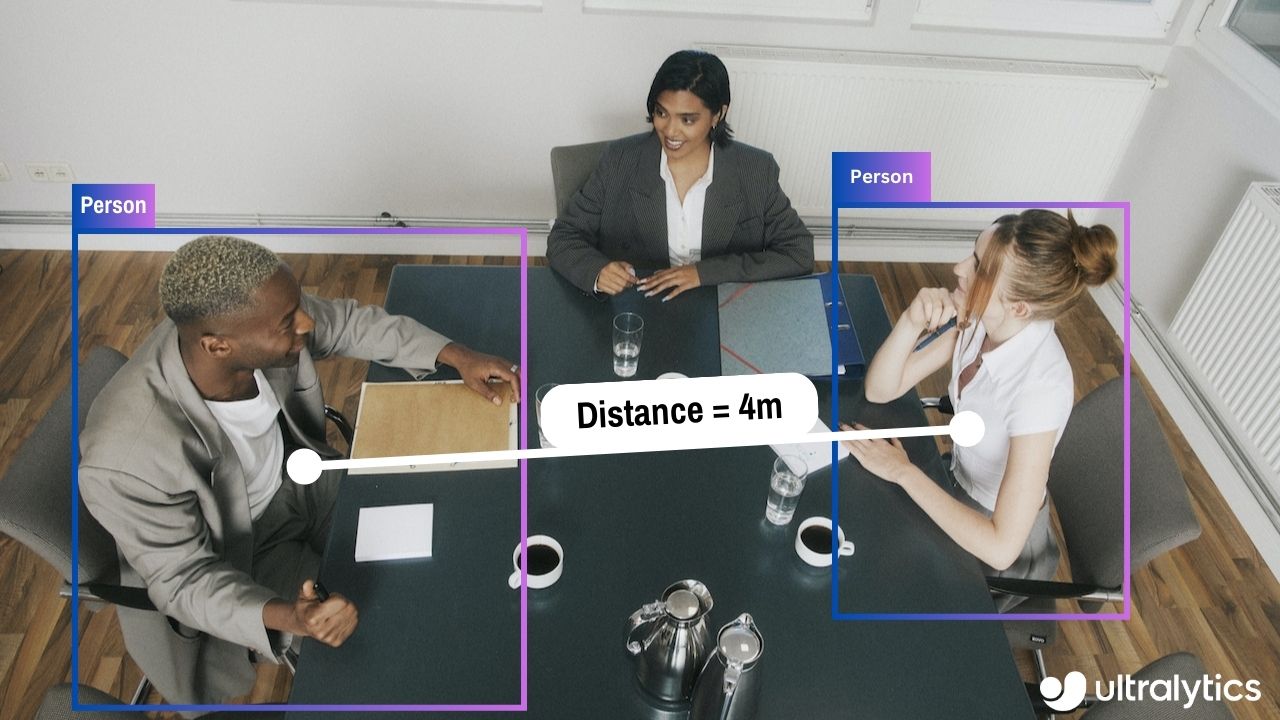
Ultralytics Docker Package Visual

This guide serves as a comprehensive introduction to setting up a Docker environment for your Ultralytics projects. [Docker](https://docker.com/) is a platform for developing, shipping, and running applications in containers. It is particularly beneficial for ensuring that the software will always run the same, regardless of where it's deployed. For more details, visit the Ultralytics Docker repository on [Docker Hub](https://hub.docker.com/r/ultralytics/ultralytics). [![Docker Pulls](https://img.shields.io/docker/pulls/ultralytics/ultralytics?logo=docker)](https://hub.docker.com/r/ultralytics/ultralytics) ## What You Will Learn - Setting up Docker with NVIDIA support - Installing Ultralytics Docker images - Running Ultralytics in a Docker container - Mounting local directories into the container --- ## Prerequisites - Make sure Docker is installed on your system. If not, you can download and install it from [Docker's website](https://www.docker.com/products/docker-desktop). - Ensure that your system has an NVIDIA GPU and NVIDIA drivers are installed. --- ## Setting up Docker with NVIDIA Support First, verify that the NVIDIA drivers are properly installed by running: ```bash nvidia-smi ``` ### Installing NVIDIA Docker Runtime Now, let's install the NVIDIA Docker runtime to enable GPU support in Docker containers: ```bash # Add NVIDIA package repositories curl -s -L https://nvidia.github.io/nvidia-docker/gpgkey | sudo apt-key add - distribution=$(lsb_release -cs) curl -s -L https://nvidia.github.io/nvidia-docker/$distribution/nvidia-docker.list | sudo tee /etc/apt/sources.list.d/nvidia-docker.list # Install NVIDIA Docker runtime sudo apt-get update sudo apt-get install -y nvidia-docker2 # Restart Docker service to apply changes sudo systemctl restart docker ``` ### Verify NVIDIA Runtime with Docker Run `docker info | grep -i runtime` to ensure that `nvidia` appears in the list of runtimes: ```bash docker info | grep -i runtime ``` --- ## Installing Ultralytics Docker Images Ultralytics offers several Docker images optimized for various platforms and use-cases: - **Dockerfile:** GPU image, ideal for training. - **Dockerfile-arm64:** For ARM64 architecture, suitable for devices like [Raspberry Pi](raspberry-pi.md). - **Dockerfile-cpu:** CPU-only version for inference and non-GPU environments. - **Dockerfile-jetson:** Optimized for NVIDIA Jetson devices. - **Dockerfile-python:** Minimal Python environment for lightweight applications. - **Dockerfile-conda:** Includes [Miniconda3](https://docs.conda.io/projects/miniconda/en/latest/) and Ultralytics package installed via Conda. To pull the latest image: ```bash # Set image name as a variable t=ultralytics/ultralytics:latest # Pull the latest Ultralytics image from Docker Hub sudo docker pull $t ``` --- ## Running Ultralytics in Docker Container Here's how to execute the Ultralytics Docker container: ```bash # Run with all GPUs sudo docker run -it --ipc=host --gpus all $t # Run specifying which GPUs to use sudo docker run -it --ipc=host --gpus '"device=2,3"' $t ``` The `-it` flag assigns a pseudo-TTY and keeps stdin open, allowing you to interact with the container. The `--ipc=host` flag enables sharing of host's IPC namespace, essential for sharing memory between processes. The `--gpus` flag allows the container to access the host's GPUs. ### Note on File Accessibility To work with files on your local machine within the container, you can use Docker volumes: ```bash # Mount a local directory into the container sudo docker run -it --ipc=host --gpus all -v /path/on/host:/path/in/container $t ``` Replace `/path/on/host` with the directory path on your local machine and `/path/in/container` with the desired path inside the Docker container. --- Congratulations! You're now set up to use Ultralytics with Docker and ready to take advantage of its powerful capabilities. For alternate installation methods, feel free to explore the [Ultralytics quickstart documentation](../quickstart.md). ================================================ FILE: docs/en/guides/heatmaps.md ================================================ --- comments: true description: Advanced Data Visualization with Ultralytics YOLOv8 Heatmaps keywords: Ultralytics, YOLOv8, Advanced Data Visualization, Heatmap Technology, Object Detection and Tracking, Jupyter Notebook, Python SDK, Command Line Interface --- # Advanced Data Visualization: Heatmaps using Ultralytics YOLOv8 🚀 ## Introduction to Heatmaps A heatmap generated with [Ultralytics YOLOv8](https://github.com/ultralytics/ultralytics/) transforms complex data into a vibrant, color-coded matrix. This visual tool employs a spectrum of colors to represent varying data values, where warmer hues indicate higher intensities and cooler tones signify lower values. Heatmaps excel in visualizing intricate data patterns, correlations, and anomalies, offering an accessible and engaging approach to data interpretation across diverse domains.



Watch: Heatmaps using Ultralytics YOLOv8

## Why Choose Heatmaps for Data Analysis? - **Intuitive Data Distribution Visualization:** Heatmaps simplify the comprehension of data concentration and distribution, converting complex datasets into easy-to-understand visual formats. - **Efficient Pattern Detection:** By visualizing data in heatmap format, it becomes easier to spot trends, clusters, and outliers, facilitating quicker analysis and insights. - **Enhanced Spatial Analysis and Decision-Making:** Heatmaps are instrumental in illustrating spatial relationships, aiding in decision-making processes in sectors such as business intelligence, environmental studies, and urban planning. ## Real World Applications | Transportation | Retail | |:-----------------------------------------------------------------------------------------------------------------------------------------------:|:---------------------------------------------------------------------------------------------------------------------------------------:| | ![Ultralytics YOLOv8 Transportation Heatmap](https://github.com/RizwanMunawar/ultralytics/assets/62513924/288d7053-622b-4452-b4e4-1f41aeb764aa) | ![Ultralytics YOLOv8 Retail Heatmap](https://github.com/RizwanMunawar/ultralytics/assets/62513924/edef75ad-50a7-4c0a-be4a-a66cdfc12802) | | Ultralytics YOLOv8 Transportation Heatmap | Ultralytics YOLOv8 Retail Heatmap | !!! tip "Heatmap Configuration" - `heatmap_alpha`: Ensure this value is within the range (0.0 - 1.0). - `decay_factor`: Used for removing heatmap after an object is no longer in the frame, its value should also be in the range (0.0 - 1.0). !!! Example "Heatmaps using Ultralytics YOLOv8 Example" === "Heatmap" ```python from ultralytics import YOLO from ultralytics.solutions import heatmap import cv2 model = YOLO("yolov8n.pt") cap = cv2.VideoCapture("path/to/video/file.mp4") assert cap.isOpened(), "Error reading video file" w, h, fps = (int(cap.get(x)) for x in (cv2.CAP_PROP_FRAME_WIDTH, cv2.CAP_PROP_FRAME_HEIGHT, cv2.CAP_PROP_FPS)) # Video writer video_writer = cv2.VideoWriter("heatmap_output.avi", cv2.VideoWriter_fourcc(*'mp4v'), fps, (w, h)) # Init heatmap heatmap_obj = heatmap.Heatmap() heatmap_obj.set_args(colormap=cv2.COLORMAP_PARULA, imw=w, imh=h, view_img=True, shape="circle") while cap.isOpened(): success, im0 = cap.read() if not success: print("Video frame is empty or video processing has been successfully completed.") break tracks = model.track(im0, persist=True, show=False) im0 = heatmap_obj.generate_heatmap(im0, tracks) video_writer.write(im0) cap.release() video_writer.release() cv2.destroyAllWindows() ``` === "Line Counting" ```python from ultralytics import YOLO from ultralytics.solutions import heatmap import cv2 model = YOLO("yolov8n.pt") cap = cv2.VideoCapture("path/to/video/file.mp4") assert cap.isOpened(), "Error reading video file" w, h, fps = (int(cap.get(x)) for x in (cv2.CAP_PROP_FRAME_WIDTH, cv2.CAP_PROP_FRAME_HEIGHT, cv2.CAP_PROP_FPS)) # Video writer video_writer = cv2.VideoWriter("heatmap_output.avi", cv2.VideoWriter_fourcc(*'mp4v'), fps, (w, h)) line_points = [(20, 400), (1080, 404)] # line for object counting # Init heatmap heatmap_obj = heatmap.Heatmap() heatmap_obj.set_args(colormap=cv2.COLORMAP_PARULA, imw=w, imh=h, view_img=True, shape="circle", count_reg_pts=line_points) while cap.isOpened(): success, im0 = cap.read() if not success: print("Video frame is empty or video processing has been successfully completed.") break tracks = model.track(im0, persist=True, show=False) im0 = heatmap_obj.generate_heatmap(im0, tracks) video_writer.write(im0) cap.release() video_writer.release() cv2.destroyAllWindows() ``` === "Region Counting" ```python from ultralytics import YOLO from ultralytics.solutions import heatmap import cv2 model = YOLO("yolov8n.pt") cap = cv2.VideoCapture("path/to/video/file.mp4") assert cap.isOpened(), "Error reading video file" w, h, fps = (int(cap.get(x)) for x in (cv2.CAP_PROP_FRAME_WIDTH, cv2.CAP_PROP_FRAME_HEIGHT, cv2.CAP_PROP_FPS)) # Video writer video_writer = cv2.VideoWriter("heatmap_output.avi", cv2.VideoWriter_fourcc(*'mp4v'), fps, (w, h)) # Define region points region_points = [(20, 400), (1080, 404), (1080, 360), (20, 360)] # Init heatmap heatmap_obj = heatmap.Heatmap() heatmap_obj.set_args(colormap=cv2.COLORMAP_PARULA, imw=w, imh=h, view_img=True, shape="circle", count_reg_pts=region_points) while cap.isOpened(): success, im0 = cap.read() if not success: print("Video frame is empty or video processing has been successfully completed.") break tracks = model.track(im0, persist=True, show=False) im0 = heatmap_obj.generate_heatmap(im0, tracks) video_writer.write(im0) cap.release() video_writer.release() cv2.destroyAllWindows() ``` === "Im0" ```python from ultralytics import YOLO from ultralytics.solutions import heatmap import cv2 model = YOLO("yolov8s.pt") # YOLOv8 custom/pretrained model im0 = cv2.imread("path/to/image.png") # path to image file h, w = im0.shape[:2] # image height and width # Heatmap Init heatmap_obj = heatmap.Heatmap() heatmap_obj.set_args(colormap=cv2.COLORMAP_PARULA, imw=w, imh=h, view_img=True, shape="circle") results = model.track(im0, persist=True) im0 = heatmap_obj.generate_heatmap(im0, tracks=results) cv2.imwrite("ultralytics_output.png", im0) ``` === "Specific Classes" ```python from ultralytics import YOLO from ultralytics.solutions import heatmap import cv2 model = YOLO("yolov8n.pt") cap = cv2.VideoCapture("path/to/video/file.mp4") assert cap.isOpened(), "Error reading video file" w, h, fps = (int(cap.get(x)) for x in (cv2.CAP_PROP_FRAME_WIDTH, cv2.CAP_PROP_FRAME_HEIGHT, cv2.CAP_PROP_FPS)) # Video writer video_writer = cv2.VideoWriter("heatmap_output.avi", cv2.VideoWriter_fourcc(*'mp4v'), fps, (w, h)) classes_for_heatmap = [0, 2] # classes for heatmap # Init heatmap heatmap_obj = heatmap.Heatmap() heatmap_obj.set_args(colormap=cv2.COLORMAP_PARULA, imw=w, imh=h, view_img=True, shape="circle") while cap.isOpened(): success, im0 = cap.read() if not success: print("Video frame is empty or video processing has been successfully completed.") break tracks = model.track(im0, persist=True, show=False, classes=classes_for_heatmap) im0 = heatmap_obj.generate_heatmap(im0, tracks) video_writer.write(im0) cap.release() video_writer.release() cv2.destroyAllWindows() ``` ### Arguments `set_args` | Name | Type | Default | Description | |-----------------------|----------------|-------------------|-----------------------------------------------------------| | `view_img` | `bool` | `False` | Display the frame with heatmap | | `colormap` | `cv2.COLORMAP` | `None` | cv2.COLORMAP for heatmap | | `imw` | `int` | `None` | Width of Heatmap | | `imh` | `int` | `None` | Height of Heatmap | | `heatmap_alpha` | `float` | `0.5` | Heatmap alpha value | | `count_reg_pts` | `list` | `None` | Object counting region points | | `count_txt_thickness` | `int` | `2` | Count values text size | | `count_txt_color` | `RGB Color` | `(0, 0, 0)` | Foreground color for Object counts text | | `count_color` | `RGB Color` | `(255, 255, 255)` | Background color for Object counts text | | `count_reg_color` | `RGB Color` | `(255, 0, 255)` | Counting region color | | `region_thickness` | `int` | `5` | Counting region thickness value | | `decay_factor` | `float` | `0.99` | Decay factor for heatmap area removal after specific time | | `shape` | `str` | `circle` | Heatmap shape for display "rect" or "circle" supported | | `line_dist_thresh` | `int` | `15` | Euclidean Distance threshold for line counter | ### Arguments `model.track` | Name | Type | Default | Description | |-----------|---------|----------------|-------------------------------------------------------------| | `source` | `im0` | `None` | source directory for images or videos | | `persist` | `bool` | `False` | persisting tracks between frames | | `tracker` | `str` | `botsort.yaml` | Tracking method 'bytetrack' or 'botsort' | | `conf` | `float` | `0.3` | Confidence Threshold | | `iou` | `float` | `0.5` | IOU Threshold | | `classes` | `list` | `None` | filter results by class, i.e. classes=0, or classes=[0,2,3] | ### Heatmap COLORMAPs | Colormap Name | Description | |---------------------------------|----------------------------------------| | `cv::COLORMAP_AUTUMN` | Autumn color map | | `cv::COLORMAP_BONE` | Bone color map | | `cv::COLORMAP_JET` | Jet color map | | `cv::COLORMAP_WINTER` | Winter color map | | `cv::COLORMAP_RAINBOW` | Rainbow color map | | `cv::COLORMAP_OCEAN` | Ocean color map | | `cv::COLORMAP_SUMMER` | Summer color map | | `cv::COLORMAP_SPRING` | Spring color map | | `cv::COLORMAP_COOL` | Cool color map | | `cv::COLORMAP_HSV` | HSV (Hue, Saturation, Value) color map | | `cv::COLORMAP_PINK` | Pink color map | | `cv::COLORMAP_HOT` | Hot color map | | `cv::COLORMAP_PARULA` | Parula color map | | `cv::COLORMAP_MAGMA` | Magma color map | | `cv::COLORMAP_INFERNO` | Inferno color map | | `cv::COLORMAP_PLASMA` | Plasma color map | | `cv::COLORMAP_VIRIDIS` | Viridis color map | | `cv::COLORMAP_CIVIDIS` | Cividis color map | | `cv::COLORMAP_TWILIGHT` | Twilight color map | | `cv::COLORMAP_TWILIGHT_SHIFTED` | Shifted Twilight color map | | `cv::COLORMAP_TURBO` | Turbo color map | | `cv::COLORMAP_DEEPGREEN` | Deep Green color map | These colormaps are commonly used for visualizing data with different color representations. ================================================ FILE: docs/en/guides/hyperparameter-tuning.md ================================================ --- comments: true description: Dive into hyperparameter tuning in Ultralytics YOLO models. Learn how to optimize performance using the Tuner class and genetic evolution. keywords: Ultralytics, YOLO, Hyperparameter Tuning, Tuner Class, Genetic Evolution, Optimization --- # Ultralytics YOLO Hyperparameter Tuning Guide ## Introduction Hyperparameter tuning is not just a one-time set-up but an iterative process aimed at optimizing the machine learning model's performance metrics, such as accuracy, precision, and recall. In the context of Ultralytics YOLO, these hyperparameters could range from learning rate to architectural details, such as the number of layers or types of activation functions used. ### What are Hyperparameters? Hyperparameters are high-level, structural settings for the algorithm. They are set prior to the training phase and remain constant during it. Here are some commonly tuned hyperparameters in Ultralytics YOLO: - **Learning Rate** `lr0`: Determines the step size at each iteration while moving towards a minimum in the loss function. - **Batch Size** `batch`: Number of images processed simultaneously in a forward pass. - **Number of Epochs** `epochs`: An epoch is one complete forward and backward pass of all the training examples. - **Architecture Specifics**: Such as channel counts, number of layers, types of activation functions, etc.

Hyperparameter Tuning Visual

For a full list of augmentation hyperparameters used in YOLOv8 please refer to the [configurations page](../usage/cfg.md#augmentation-settings). ### Genetic Evolution and Mutation Ultralytics YOLO uses genetic algorithms to optimize hyperparameters. Genetic algorithms are inspired by the mechanism of natural selection and genetics. - **Mutation**: In the context of Ultralytics YOLO, mutation helps in locally searching the hyperparameter space by applying small, random changes to existing hyperparameters, producing new candidates for evaluation. - **Crossover**: Although crossover is a popular genetic algorithm technique, it is not currently used in Ultralytics YOLO for hyperparameter tuning. The focus is mainly on mutation for generating new hyperparameter sets. ## Preparing for Hyperparameter Tuning Before you begin the tuning process, it's important to: 1. **Identify the Metrics**: Determine the metrics you will use to evaluate the model's performance. This could be AP50, F1-score, or others. 2. **Set the Tuning Budget**: Define how much computational resources you're willing to allocate. Hyperparameter tuning can be computationally intensive. ## Steps Involved ### Initialize Hyperparameters Start with a reasonable set of initial hyperparameters. This could either be the default hyperparameters set by Ultralytics YOLO or something based on your domain knowledge or previous experiments. ### Mutate Hyperparameters Use the `_mutate` method to produce a new set of hyperparameters based on the existing set. ### Train Model Training is performed using the mutated set of hyperparameters. The training performance is then assessed. ### Evaluate Model Use metrics like AP50, F1-score, or custom metrics to evaluate the model's performance. ### Log Results It's crucial to log both the performance metrics and the corresponding hyperparameters for future reference. ### Repeat The process is repeated until either the set number of iterations is reached or the performance metric is satisfactory. ## Usage Example Here's how to use the `model.tune()` method to utilize the `Tuner` class for hyperparameter tuning of YOLOv8n on COCO8 for 30 epochs with an AdamW optimizer and skipping plotting, checkpointing and validation other than on final epoch for faster Tuning. !!! Example === "Python" ```python from ultralytics import YOLO # Initialize the YOLO model model = YOLO('yolov8n.pt') # Tune hyperparameters on COCO8 for 30 epochs model.tune(data='coco8.yaml', epochs=30, iterations=300, optimizer='AdamW', plots=False, save=False, val=False) ``` ## Results After you've successfully completed the hyperparameter tuning process, you will obtain several files and directories that encapsulate the results of the tuning. The following describes each: ### File Structure Here's what the directory structure of the results will look like. Training directories like `train1/` contain individual tuning iterations, i.e. one model trained with one set of hyperparameters. The `tune/` directory contains tuning results from all the individual model trainings: ```plaintext runs/ └── detect/ ├── train1/ ├── train2/ ├── ... └── tune/ ├── best_hyperparameters.yaml ├── best_fitness.png ├── tune_results.csv ├── tune_scatter_plots.png └── weights/ ├── last.pt └── best.pt ``` ### File Descriptions #### best_hyperparameters.yaml This YAML file contains the best-performing hyperparameters found during the tuning process. You can use this file to initialize future trainings with these optimized settings. - **Format**: YAML - **Usage**: Hyperparameter results - **Example**: ```yaml # 558/900 iterations complete ✅ (45536.81s) # Results saved to /usr/src/ultralytics/runs/detect/tune # Best fitness=0.64297 observed at iteration 498 # Best fitness metrics are {'metrics/precision(B)': 0.87247, 'metrics/recall(B)': 0.71387, 'metrics/mAP50(B)': 0.79106, 'metrics/mAP50-95(B)': 0.62651, 'val/box_loss': 2.79884, 'val/cls_loss': 2.72386, 'val/dfl_loss': 0.68503, 'fitness': 0.64297} # Best fitness model is /usr/src/ultralytics/runs/detect/train498 # Best fitness hyperparameters are printed below. lr0: 0.00269 lrf: 0.00288 momentum: 0.73375 weight_decay: 0.00015 warmup_epochs: 1.22935 warmup_momentum: 0.1525 box: 18.27875 cls: 1.32899 dfl: 0.56016 hsv_h: 0.01148 hsv_s: 0.53554 hsv_v: 0.13636 degrees: 0.0 translate: 0.12431 scale: 0.07643 shear: 0.0 perspective: 0.0 flipud: 0.0 fliplr: 0.08631 mosaic: 0.42551 mixup: 0.0 copy_paste: 0.0 ``` #### best_fitness.png This is a plot displaying fitness (typically a performance metric like AP50) against the number of iterations. It helps you visualize how well the genetic algorithm performed over time. - **Format**: PNG - **Usage**: Performance visualization

Hyperparameter Tuning Fitness vs Iteration

#### tune_results.csv A CSV file containing detailed results of each iteration during the tuning. Each row in the file represents one iteration, and it includes metrics like fitness score, precision, recall, as well as the hyperparameters used. - **Format**: CSV - **Usage**: Per-iteration results tracking. - **Example**: ```csv fitness,lr0,lrf,momentum,weight_decay,warmup_epochs,warmup_momentum,box,cls,dfl,hsv_h,hsv_s,hsv_v,degrees,translate,scale,shear,perspective,flipud,fliplr,mosaic,mixup,copy_paste 0.05021,0.01,0.01,0.937,0.0005,3.0,0.8,7.5,0.5,1.5,0.015,0.7,0.4,0.0,0.1,0.5,0.0,0.0,0.0,0.5,1.0,0.0,0.0 0.07217,0.01003,0.00967,0.93897,0.00049,2.79757,0.81075,7.5,0.50746,1.44826,0.01503,0.72948,0.40658,0.0,0.0987,0.4922,0.0,0.0,0.0,0.49729,1.0,0.0,0.0 0.06584,0.01003,0.00855,0.91009,0.00073,3.42176,0.95,8.64301,0.54594,1.72261,0.01503,0.59179,0.40658,0.0,0.0987,0.46955,0.0,0.0,0.0,0.49729,0.80187,0.0,0.0 ``` #### tune_scatter_plots.png This file contains scatter plots generated from `tune_results.csv`, helping you visualize relationships between different hyperparameters and performance metrics. Note that hyperparameters initialized to 0 will not be tuned, such as `degrees` and `shear` below. - **Format**: PNG - **Usage**: Exploratory data analysis

Hyperparameter Tuning Scatter Plots

#### weights/ This directory contains the saved PyTorch models for the last and the best iterations during the hyperparameter tuning process. - **`last.pt`**: The last.pt are the weights from the last epoch of training. - **`best.pt`**: The best.pt weights for the iteration that achieved the best fitness score. Using these results, you can make more informed decisions for your future model trainings and analyses. Feel free to consult these artifacts to understand how well your model performed and how you might improve it further. ## Conclusion The hyperparameter tuning process in Ultralytics YOLO is simplified yet powerful, thanks to its genetic algorithm-based approach focused on mutation. Following the steps outlined in this guide will assist you in systematically tuning your model to achieve better performance. ### Further Reading 1. [Hyperparameter Optimization in Wikipedia](https://en.wikipedia.org/wiki/Hyperparameter_optimization) 2. [YOLOv5 Hyperparameter Evolution Guide](../yolov5/tutorials/hyperparameter_evolution.md) 3. [Efficient Hyperparameter Tuning with Ray Tune and YOLOv8](../integrations/ray-tune.md) For deeper insights, you can explore the `Tuner` class source code and accompanying documentation. Should you have any questions, feature requests, or need further assistance, feel free to reach out to us on [GitHub](https://github.com/ultralytics/ultralytics/issues/new/choose) or [Discord](https://ultralytics.com/discord). ================================================ FILE: docs/en/guides/index.md ================================================ --- comments: true description: In-depth exploration of Ultralytics' YOLO. Learn about the YOLO object detection model, how to train it on custom data, multi-GPU training, exporting, predicting, deploying, and more. keywords: Ultralytics, YOLO, Deep Learning, Object detection, PyTorch, Tutorial, Multi-GPU training, Custom data training, SAHI, Tiled Inference --- # Comprehensive Tutorials to Ultralytics YOLO Welcome to the Ultralytics' YOLO 🚀 Guides! Our comprehensive tutorials cover various aspects of the YOLO object detection model, ranging from training and prediction to deployment. Built on PyTorch, YOLO stands out for its exceptional speed and accuracy in real-time object detection tasks. Whether you're a beginner or an expert in deep learning, our tutorials offer valuable insights into the implementation and optimization of YOLO for your computer vision projects. Let's dive in!


Watch: Ultralytics YOLOv8 Guides Overview

## Guides Here's a compilation of in-depth guides to help you master different aspects of Ultralytics YOLO. - [YOLO Common Issues](yolo-common-issues.md) ⭐ RECOMMENDED: Practical solutions and troubleshooting tips to the most frequently encountered issues when working with Ultralytics YOLO models. - [YOLO Performance Metrics](yolo-performance-metrics.md) ⭐ ESSENTIAL: Understand the key metrics like mAP, IoU, and F1 score used to evaluate the performance of your YOLO models. Includes practical examples and tips on how to improve detection accuracy and speed. - [Model Deployment Options](model-deployment-options.md): Overview of YOLO model deployment formats like ONNX, OpenVINO, and TensorRT, with pros and cons for each to inform your deployment strategy. - [K-Fold Cross Validation](kfold-cross-validation.md) 🚀 NEW: Learn how to improve model generalization using K-Fold cross-validation technique. - [Hyperparameter Tuning](hyperparameter-tuning.md) 🚀 NEW: Discover how to optimize your YOLO models by fine-tuning hyperparameters using the Tuner class and genetic evolution algorithms. - [SAHI Tiled Inference](sahi-tiled-inference.md) 🚀 NEW: Comprehensive guide on leveraging SAHI's sliced inference capabilities with YOLOv8 for object detection in high-resolution images. - [AzureML Quickstart](azureml-quickstart.md) 🚀 NEW: Get up and running with Ultralytics YOLO models on Microsoft's Azure Machine Learning platform. Learn how to train, deploy, and scale your object detection projects in the cloud. - [Conda Quickstart](conda-quickstart.md) 🚀 NEW: Step-by-step guide to setting up a [Conda](https://anaconda.org/conda-forge/ultralytics) environment for Ultralytics. Learn how to install and start using the Ultralytics package efficiently with Conda. - [Docker Quickstart](docker-quickstart.md) 🚀 NEW: Complete guide to setting up and using Ultralytics YOLO models with [Docker](https://hub.docker.com/r/ultralytics/ultralytics). Learn how to install Docker, manage GPU support, and run YOLO models in isolated containers for consistent development and deployment. - [Raspberry Pi](raspberry-pi.md) 🚀 NEW: Quickstart tutorial to run YOLO models to the latest Raspberry Pi hardware. - [Triton Inference Server Integration](triton-inference-server.md) 🚀 NEW: Dive into the integration of Ultralytics YOLOv8 with NVIDIA's Triton Inference Server for scalable and efficient deep learning inference deployments. - [YOLO Thread-Safe Inference](yolo-thread-safe-inference.md) 🚀 NEW: Guidelines for performing inference with YOLO models in a thread-safe manner. Learn the importance of thread safety and best practices to prevent race conditions and ensure consistent predictions. - [Isolating Segmentation Objects](isolating-segmentation-objects.md) 🚀 NEW: Step-by-step recipe and explanation on how to extract and/or isolate objects from images using Ultralytics Segmentation. - [Edge TPU on Raspberry Pi](coral-edge-tpu-on-raspberry-pi.md): [Google Edge TPU](https://coral.ai/products/accelerator) accelerates YOLO inference on [Raspberry Pi](https://www.raspberrypi.com/). - [View Inference Images in a Terminal](view-results-in-terminal.md): Use VSCode's integrated terminal to view inference results when using Remote Tunnel or SSH sessions. - [OpenVINO Latency vs Throughput Modes](optimizing-openvino-latency-vs-throughput-modes.md) - Learn latency and throughput optimization techniques for peak YOLO inference performance. ## Real-World Projects - [Object Counting](object-counting.md) 🚀 NEW: Explore the process of real-time object counting with Ultralytics YOLOv8 and acquire the knowledge to effectively count objects in a live video stream. - [Object Cropping](object-cropping.md) 🚀 NEW: Explore object cropping using YOLOv8 for precise extraction of objects from images and videos. - [Object Blurring](object-blurring.md) 🚀 NEW: Apply object blurring with YOLOv8 for privacy protection in image and video processing. - [Workouts Monitoring](workouts-monitoring.md) 🚀 NEW: Discover the comprehensive approach to monitoring workouts with Ultralytics YOLOv8. Acquire the skills and insights necessary to effectively use YOLOv8 for tracking and analyzing various aspects of fitness routines in real time. - [Objects Counting in Regions](region-counting.md) 🚀 NEW: Explore counting objects in specific regions with Ultralytics YOLOv8 for precise and efficient object detection in varied areas. - [Security Alarm System](security-alarm-system.md) 🚀 NEW: Discover the process of creating a security alarm system with Ultralytics YOLOv8. This system triggers alerts upon detecting new objects in the frame. Subsequently, you can customize the code to align with your specific use case. - [Heatmaps](heatmaps.md) 🚀 NEW: Elevate your understanding of data with our Detection Heatmaps! These intuitive visual tools use vibrant color gradients to vividly illustrate the intensity of data values across a matrix. Essential in computer vision, heatmaps are skillfully designed to highlight areas of interest, providing an immediate, impactful way to interpret spatial information. - [Instance Segmentation with Object Tracking](instance-segmentation-and-tracking.md) 🚀 NEW: Explore our feature on [Object Segmentation](https://docs.ultralytics.com/tasks/segment/) in Bounding Boxes Shape, providing a visual representation of precise object boundaries for enhanced understanding and analysis. - [VisionEye View Objects Mapping](vision-eye.md) 🚀 NEW: This feature aim computers to discern and focus on specific objects, much like the way the human eye observes details from a particular viewpoint. - [Speed Estimation](speed-estimation.md) 🚀 NEW: Speed estimation in computer vision relies on analyzing object motion through techniques like [object tracking](https://docs.ultralytics.com/modes/track/), crucial for applications like autonomous vehicles and traffic monitoring. - [Distance Calculation](distance-calculation.md) 🚀 NEW: Distance calculation, which involves measuring the separation between two objects within a defined space, is a crucial aspect. In the context of Ultralytics YOLOv8, the method employed for this involves using the bounding box centroid to determine the distance associated with user-highlighted bounding boxes. ## Contribute to Our Guides We welcome contributions from the community! If you've mastered a particular aspect of Ultralytics YOLO that's not yet covered in our guides, we encourage you to share your expertise. Writing a guide is a great way to give back to the community and help us make our documentation more comprehensive and user-friendly. To get started, please read our [Contributing Guide](../help/contributing.md) for guidelines on how to open up a Pull Request (PR) 🛠️. We look forward to your contributions! Let's work together to make the Ultralytics YOLO ecosystem more robust and versatile 🙏! ================================================ FILE: docs/en/guides/instance-segmentation-and-tracking.md ================================================ --- comments: true description: Instance Segmentation with Object Tracking using Ultralytics YOLOv8 keywords: Ultralytics, YOLOv8, Instance Segmentation, Object Detection, Object Tracking, Bounding Box, Computer Vision, Notebook, IPython Kernel, CLI, Python SDK --- # Instance Segmentation and Tracking using Ultralytics YOLOv8 🚀 ## What is Instance Segmentation? [Ultralytics YOLOv8](https://github.com/ultralytics/ultralytics/) instance segmentation involves identifying and outlining individual objects in an image, providing a detailed understanding of spatial distribution. Unlike semantic segmentation, it uniquely labels and precisely delineates each object, crucial for tasks like object detection and medical imaging. There are two types of instance segmentation tracking available in the Ultralytics package: - **Instance Segmentation with Class Objects:** Each class object is assigned a unique color for clear visual separation. - **Instance Segmentation with Object Tracks:** Every track is represented by a distinct color, facilitating easy identification and tracking.


Watch: Instance Segmentation with Object Tracking using Ultralytics YOLOv8

## Samples | Instance Segmentation | Instance Segmentation + Object Tracking | |:---------------------------------------------------------------------------------------------------------------------------------------:|:------------------------------------------------------------------------------------------------------------------------------------------------------------:| | ![Ultralytics Instance Segmentation](https://github.com/RizwanMunawar/ultralytics/assets/62513924/d4ad3499-1f33-4871-8fbc-1be0b2643aa2) | ![Ultralytics Instance Segmentation with Object Tracking](https://github.com/RizwanMunawar/ultralytics/assets/62513924/2e5c38cc-fd5c-4145-9682-fa94ae2010a0) | | Ultralytics Instance Segmentation 😍 | Ultralytics Instance Segmentation with Object Tracking 🔥 | !!! Example "Instance Segmentation and Tracking" === "Instance Segmentation" ```python import cv2 from ultralytics import YOLO from ultralytics.utils.plotting import Annotator, colors model = YOLO("yolov8n-seg.pt") # segmentation model names = model.model.names cap = cv2.VideoCapture("path/to/video/file.mp4") w, h, fps = (int(cap.get(x)) for x in (cv2.CAP_PROP_FRAME_WIDTH, cv2.CAP_PROP_FRAME_HEIGHT, cv2.CAP_PROP_FPS)) out = cv2.VideoWriter('instance-segmentation.avi', cv2.VideoWriter_fourcc(*'MJPG'), fps, (w, h)) while True: ret, im0 = cap.read() if not ret: print("Video frame is empty or video processing has been successfully completed.") break results = model.predict(im0) annotator = Annotator(im0, line_width=2) if results[0].masks is not None: clss = results[0].boxes.cls.cpu().tolist() masks = results[0].masks.xy for mask, cls in zip(masks, clss): annotator.seg_bbox(mask=mask, mask_color=colors(int(cls), True), det_label=names[int(cls)]) out.write(im0) cv2.imshow("instance-segmentation", im0) if cv2.waitKey(1) & 0xFF == ord('q'): break out.release() cap.release() cv2.destroyAllWindows() ``` === "Instance Segmentation with Object Tracking" ```python import cv2 from ultralytics import YOLO from ultralytics.utils.plotting import Annotator, colors from collections import defaultdict track_history = defaultdict(lambda: []) model = YOLO("yolov8n-seg.pt") # segmentation model cap = cv2.VideoCapture("path/to/video/file.mp4") w, h, fps = (int(cap.get(x)) for x in (cv2.CAP_PROP_FRAME_WIDTH, cv2.CAP_PROP_FRAME_HEIGHT, cv2.CAP_PROP_FPS)) out = cv2.VideoWriter('instance-segmentation-object-tracking.avi', cv2.VideoWriter_fourcc(*'MJPG'), fps, (w, h)) while True: ret, im0 = cap.read() if not ret: print("Video frame is empty or video processing has been successfully completed.") break annotator = Annotator(im0, line_width=2) results = model.track(im0, persist=True) if results[0].boxes.id is not None and results[0].masks is not None: masks = results[0].masks.xy track_ids = results[0].boxes.id.int().cpu().tolist() for mask, track_id in zip(masks, track_ids): annotator.seg_bbox(mask=mask, mask_color=colors(track_id, True), track_label=str(track_id)) out.write(im0) cv2.imshow("instance-segmentation-object-tracking", im0) if cv2.waitKey(1) & 0xFF == ord('q'): break out.release() cap.release() cv2.destroyAllWindows() ``` ### `seg_bbox` Arguments | Name | Type | Default | Description | |---------------|---------|-----------------|----------------------------------------| | `mask` | `array` | `None` | Segmentation mask coordinates | | `mask_color` | `tuple` | `(255, 0, 255)` | Mask color for every segmented box | | `det_label` | `str` | `None` | Label for segmented object | | `track_label` | `str` | `None` | Label for segmented and tracked object | ## Note For any inquiries, feel free to post your questions in the [Ultralytics Issue Section](https://github.com/ultralytics/ultralytics/issues/new/choose) or the discussion section mentioned below. ================================================ FILE: docs/en/guides/isolating-segmentation-objects.md ================================================ --- comments: true description: A concise guide on isolating segmented objects using Ultralytics. keywords: Ultralytics, YOLO, segmentation, Python, object detection, inference, dataset, prediction, instance segmentation, contours, binary mask, object mask, image processing --- # Isolating Segmentation Objects After performing the [Segment Task](../tasks/segment.md), it's sometimes desirable to extract the isolated objects from the inference results. This guide provides a generic recipe on how to accomplish this using the Ultralytics [Predict Mode](../modes/predict.md).
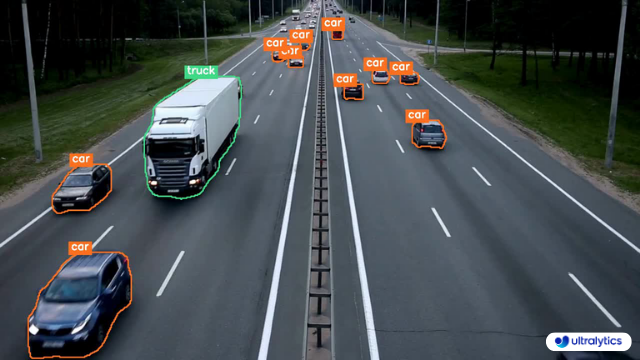
Example Isolated Object Segmentation

## Recipe Walk Through 1. Begin with the necessary imports ```python from pathlib import Path import cv2 import numpy as np from ultralytics import YOLO ``` ???+ tip "Ultralytics Install" See the Ultralytics [Quickstart](../quickstart.md/#install-ultralytics) Installation section for a quick walkthrough on installing the required libraries. *** 2. Load a model and run `predict()` method on a source. ```python from ultralytics import YOLO # Load a model model = YOLO('yolov8n-seg.pt') # Run inference results = model.predict() ``` !!! question "No Prediction Arguments?" Without specifying a source, the example images from the library will be used: ``` 'ultralytics/assets/bus.jpg' 'ultralytics/assets/zidane.jpg' ``` This is helpful for rapid testing with the `predict()` method. For additional information about Segmentation Models, visit the [Segment Task](../tasks/segment.md#models) page. To learn more about `predict()` method, see [Predict Mode](../modes/predict.md) section of the Documentation. *** 3. Now iterate over the results and the contours. For workflows that want to save an image to file, the source image `base-name` and the detection `class-label` are retrieved for later use (optional). ```{ .py .annotate } # (2) Iterate detection results (helpful for multiple images) for r in res: img = np.copy(r.orig_img) img_name = Path(r.path).stem # source image base-name # Iterate each object contour (multiple detections) for ci,c in enumerate(r): # (1) Get detection class name label = c.names[c.boxes.cls.tolist().pop()] ``` 1. To learn more about working with detection results, see [Boxes Section for Predict Mode](../modes/predict.md#boxes). 2. To learn more about `predict()` results see [Working with Results for Predict Mode](../modes/predict.md#working-with-results) ??? info "For-Loop" A single image will only iterate the first loop once. A single image with only a single detection will iterate each loop _only_ once. *** 4. Start with generating a binary mask from the source image and then draw a filled contour onto the mask. This will allow the object to be isolated from the other parts of the image. An example from `bus.jpg` for one of the detected `person` class objects is shown on the right. ![Binary Mask Image](https://github.com/ultralytics/ultralytics/assets/62214284/59bce684-fdda-4b17-8104-0b4b51149aca){ width="240", align="right" } ```{ .py .annotate } # Create binary mask b_mask = np.zeros(img.shape[:2], np.uint8) # (1) Extract contour result contour = c.masks.xy.pop() # (2) Changing the type contour = contour.astype(np.int32) # (3) Reshaping contour = contour.reshape(-1, 1, 2) # Draw contour onto mask _ = cv2.drawContours(b_mask, [contour], -1, (255, 255, 255), cv2.FILLED) ``` 1. For more info on `c.masks.xy` see [Masks Section from Predict Mode](../modes/predict.md#masks). 2. Here, the values are cast into `np.int32` for compatibility with `drawContours()` function from OpenCV. 3. The OpenCV `drawContours()` function expects contours to have a shape of `[N, 1, 2]` expand section below for more details.
Expand to understand what is happening when defining the contour variable.

- `c.masks.xy` :: Provides the coordinates of the mask contour points in the format `(x, y)`. For more details, refer to the [Masks Section from Predict Mode](../modes/predict.md#masks). - `.pop()` :: As `masks.xy` is a list containing a single element, this element is extracted using the `pop()` method. - `.astype(np.int32)` :: Using `masks.xy` will return with a data type of `float32`, but this won't be compatible with the OpenCV `drawContours()` function, so this will change the data type to `int32` for compatibility. - `.reshape(-1, 1, 2)` :: Reformats the data into the required shape of `[N, 1, 2]` where `N` is the number of contour points, with each point represented by a single entry `1`, and the entry is composed of `2` values. The `-1` denotes that the number of values along this dimension is flexible.

Expand for an explanation of the drawContours() configuration.

- Encapsulating the `contour` variable within square brackets, `[contour]`, was found to effectively generate the desired contour mask during testing. - The value `-1` specified for the `drawContours()` parameter instructs the function to draw all contours present in the image. - The `tuple` `(255, 255, 255)` represents the color white, which is the desired color for drawing the contour in this binary mask. - The addition of `cv2.FILLED` will color all pixels enclosed by the contour boundary the same, in this case, all enclosed pixels will be white. - See [OpenCV Documentation on `drawContours()`](https://docs.opencv.org/4.8.0/d6/d6e/group__imgproc__draw.html#ga746c0625f1781f1ffc9056259103edbc) for more information.

*** 5. Next the there are 2 options for how to move forward with the image from this point and a subsequent option for each. ### Object Isolation Options !!! example "" === "Black Background Pixels" ```py # Create 3-channel mask mask3ch = cv2.cvtColor(b_mask, cv2.COLOR_GRAY2BGR) # Isolate object with binary mask isolated = cv2.bitwise_and(mask3ch, img) ``` ??? question "How does this work?" - First, the binary mask is first converted from a single-channel image to a three-channel image. This conversion is necessary for the subsequent step where the mask and the original image are combined. Both images must have the same number of channels to be compatible with the blending operation. - The original image and the three-channel binary mask are merged using the OpenCV function `bitwise_and()`. This operation retains only pixel values that are greater than zero `(> 0)` from both images. Since the mask pixels are greater than zero `(> 0)` only within the contour region, the pixels remaining from the original image are those that overlap with the contour. ### Isolate with Black Pixels: Sub-options ??? info "Full-size Image" There are no additional steps required if keeping full size image.
![Example Full size Isolated Object Image Black Background](https://github.com/ultralytics/ultralytics/assets/62214284/845c00d0-52a6-4b1e-8010-4ba73e011b99){ width=240 }
Example full-size output
??? info "Cropped object Image" Additional steps required to crop image to only include object region. ![Example Crop Isolated Object Image Black Background](https://github.com/ultralytics/ultralytics/assets/62214284/103dbf90-c169-4f77-b791-76cdf09c6f22){ align="right" } ``` { .py .annotate } # (1) Bounding box coordinates x1, y1, x2, y2 = c.boxes.xyxy.cpu().numpy().squeeze().astype(np.int32) # Crop image to object region iso_crop = isolated[y1:y2, x1:x2] ``` 1. For more information on bounding box results, see [Boxes Section from Predict Mode](../modes/predict.md/#boxes) ??? question "What does this code do?" - The `c.boxes.xyxy.cpu().numpy()` call retrieves the bounding boxes as a NumPy array in the `xyxy` format, where `xmin`, `ymin`, `xmax`, and `ymax` represent the coordinates of the bounding box rectangle. See [Boxes Section from Predict Mode](../modes/predict.md/#boxes) for more details. - The `squeeze()` operation removes any unnecessary dimensions from the NumPy array, ensuring it has the expected shape. - Converting the coordinate values using `.astype(np.int32)` changes the box coordinates data type from `float32` to `int32`, making them compatible for image cropping using index slices. - Finally, the bounding box region is cropped from the image using index slicing. The bounds are defined by the `[ymin:ymax, xmin:xmax]` coordinates of the detection bounding box. === "Transparent Background Pixels" ```py # Isolate object with transparent background (when saved as PNG) isolated = np.dstack([img, b_mask]) ``` ??? question "How does this work?" - Using the NumPy `dstack()` function (array stacking along depth-axis) in conjunction with the binary mask generated, will create an image with four channels. This allows for all pixels outside of the object contour to be transparent when saving as a `PNG` file. ### Isolate with Transparent Pixels: Sub-options ??? info "Full-size Image" There are no additional steps required if keeping full size image.

![Example Full size Isolated Object Image No Background](https://github.com/ultralytics/ultralytics/assets/62214284/b1043ee0-369a-4019-941a-9447a9771042){ width=240 }
Example full-size output + transparent background
??? info "Cropped object Image" Additional steps required to crop image to only include object region. ![Example Crop Isolated Object Image No Background](https://github.com/ultralytics/ultralytics/assets/62214284/5910244f-d1e1-44af-af7f-6dea4c688da8){ align="right" } ``` { .py .annotate } # (1) Bounding box coordinates x1, y1, x2, y2 = c.boxes.xyxy.cpu().numpy().squeeze().astype(np.int32) # Crop image to object region iso_crop = isolated[y1:y2, x1:x2] ``` 1. For more information on bounding box results, see [Boxes Section from Predict Mode](../modes/predict.md/#boxes) ??? question "What does this code do?" - When using `c.boxes.xyxy.cpu().numpy()`, the bounding boxes are returned as a NumPy array, using the `xyxy` box coordinates format, which correspond to the points `xmin, ymin, xmax, ymax` for the bounding box (rectangle), see [Boxes Section from Predict Mode](../modes/predict.md/#boxes) for more information. - Adding `squeeze()` ensures that any extraneous dimensions are removed from the NumPy array. - Converting the coordinate values using `.astype(np.int32)` changes the box coordinates data type from `float32` to `int32` which will be compatible when cropping the image using index slices. - Finally the image region for the bounding box is cropped using index slicing, where the bounds are set using the `[ymin:ymax, xmin:xmax]` coordinates of the detection bounding box. ??? question "What if I want the cropped object **including** the background?" This is a built in feature for the Ultralytics library. See the `save_crop` argument for [Predict Mode Inference Arguments](../modes/predict.md/#inference-arguments) for details. *** 6. What to do next is entirely left to you as the developer. A basic example of one possible next step (saving the image to file for future use) is shown. - **NOTE:** this step is optional and can be skipped if not required for your specific use case. ??? example "Example Final Step" ```py # Save isolated object to file _ = cv2.imwrite(f'{img_name}_{label}-{ci}.png', iso_crop) ``` - In this example, the `img_name` is the base-name of the source image file, `label` is the detected class-name, and `ci` is the index of the object detection (in case of multiple instances with the same class name). ## Full Example code Here, all steps from the previous section are combined into a single block of code. For repeated use, it would be optimal to define a function to do some or all commands contained in the `for`-loops, but that is an exercise left to the reader. ```{ .py .annotate } from pathlib import Path import cv2 import numpy as np from ultralytics import YOLO m = YOLO('yolov8n-seg.pt')#(4)! res = m.predict()#(3)! # iterate detection results (5) for r in res: img = np.copy(r.orig_img) img_name = Path(r.path).stem # iterate each object contour (6) for ci,c in enumerate(r): label = c.names[c.boxes.cls.tolist().pop()] b_mask = np.zeros(img.shape[:2], np.uint8) # Create contour mask (1) contour = c.masks.xy.pop().astype(np.int32).reshape(-1, 1, 2) _ = cv2.drawContours(b_mask, [contour], -1, (255, 255, 255), cv2.FILLED) # Choose one: # OPTION-1: Isolate object with black background mask3ch = cv2.cvtColor(b_mask, cv2.COLOR_GRAY2BGR) isolated = cv2.bitwise_and(mask3ch, img) # OPTION-2: Isolate object with transparent background (when saved as PNG) isolated = np.dstack([img, b_mask]) # OPTIONAL: detection crop (from either OPT1 or OPT2) x1, y1, x2, y2 = c.boxes.xyxy.cpu().numpy().squeeze().astype(np.int32) iso_crop = isolated[y1:y2, x1:x2] # TODO your actions go here (2) ``` 1. The line populating `contour` is combined into a single line here, where it was split to multiple above. 2. {==What goes here is up to you!==} 3. See [Predict Mode](../modes/predict.md) for additional information. 4. See [Segment Task](../tasks/segment.md#models) for more information. 5. Learn more about [Working with Results](../modes/predict.md#working-with-results) 6. Learn more about [Segmentation Mask Results](../modes/predict.md#masks) ================================================ FILE: docs/en/guides/kfold-cross-validation.md ================================================ --- comments: true description: An in-depth guide demonstrating the implementation of K-Fold Cross Validation with the Ultralytics ecosystem for object detection datasets, leveraging Python, YOLO, and sklearn. keywords: K-Fold cross validation, Ultralytics, YOLO detection format, Python, sklearn, object detection --- # K-Fold Cross Validation with Ultralytics ## Introduction This comprehensive guide illustrates the implementation of K-Fold Cross Validation for object detection datasets within the Ultralytics ecosystem. We'll leverage the YOLO detection format and key Python libraries such as sklearn, pandas, and PyYaml to guide you through the necessary setup, the process of generating feature vectors, and the execution of a K-Fold dataset split.

K-Fold Cross Validation Overview

Whether your project involves the Fruit Detection dataset or a custom data source, this tutorial aims to help you comprehend and apply K-Fold Cross Validation to bolster the reliability and robustness of your machine learning models. While we're applying `k=5` folds for this tutorial, keep in mind that the optimal number of folds can vary depending on your dataset and the specifics of your project. Without further ado, let's dive in! ## Setup - Your annotations should be in the [YOLO detection format](../datasets/detect/index.md). - This guide assumes that annotation files are locally available. - For our demonstration, we use the [Fruit Detection](https://www.kaggle.com/datasets/lakshaytyagi01/fruit-detection/code) dataset. - This dataset contains a total of 8479 images. - It includes 6 class labels, each with its total instance counts listed below. | Class Label | Instance Count | |:------------|:--------------:| | Apple | 7049 | | Grapes | 7202 | | Pineapple | 1613 | | Orange | 15549 | | Banana | 3536 | | Watermelon | 1976 | - Necessary Python packages include: - `ultralytics` - `sklearn` - `pandas` - `pyyaml` - This tutorial operates with `k=5` folds. However, you should determine the best number of folds for your specific dataset. 1. Initiate a new Python virtual environment (`venv`) for your project and activate it. Use `pip` (or your preferred package manager) to install: - The Ultralytics library: `pip install -U ultralytics`. Alternatively, you can clone the official [repo](https://github.com/ultralytics/ultralytics). - Scikit-learn, pandas, and PyYAML: `pip install -U scikit-learn pandas pyyaml`. 2. Verify that your annotations are in the [YOLO detection format](../datasets/detect/index.md). - For this tutorial, all annotation files are found in the `Fruit-Detection/labels` directory. ## Generating Feature Vectors for Object Detection Dataset 1. Start by creating a new Python file and import the required libraries. ```python import datetime import shutil from pathlib import Path from collections import Counter import yaml import numpy as np import pandas as pd from ultralytics import YOLO from sklearn.model_selection import KFold ``` 2. Proceed to retrieve all label files for your dataset. ```python dataset_path = Path('./Fruit-detection') # replace with 'path/to/dataset' for your custom data labels = sorted(dataset_path.rglob("*labels/*.txt")) # all data in 'labels' ``` 3. Now, read the contents of the dataset YAML file and extract the indices of the class labels. ```python yaml_file = 'path/to/data.yaml' # your data YAML with data directories and names dictionary with open(yaml_file, 'r', encoding="utf8") as y: classes = yaml.safe_load(y)['names'] cls_idx = sorted(classes.keys()) ``` 4. Initialize an empty `pandas` DataFrame. ```python indx = [l.stem for l in labels] # uses base filename as ID (no extension) labels_df = pd.DataFrame([], columns=cls_idx, index=indx) ``` 5. Count the instances of each class-label present in the annotation files. ```python for label in labels: lbl_counter = Counter() with open(label,'r') as lf: lines = lf.readlines() for l in lines: # classes for YOLO label uses integer at first position of each line lbl_counter[int(l.split(' ')[0])] += 1 labels_df.loc[label.stem] = lbl_counter labels_df = labels_df.fillna(0.0) # replace `nan` values with `0.0` ``` 6. The following is a sample view of the populated DataFrame: ```pandas 0 1 2 3 4 5 '0000a16e4b057580_jpg.rf.00ab48988370f64f5ca8ea4...' 0.0 0.0 0.0 0.0 0.0 7.0 '0000a16e4b057580_jpg.rf.7e6dce029fb67f01eb19aa7...' 0.0 0.0 0.0 0.0 0.0 7.0 '0000a16e4b057580_jpg.rf.bc4d31cdcbe229dd022957a...' 0.0 0.0 0.0 0.0 0.0 7.0 '00020ebf74c4881c_jpg.rf.508192a0a97aa6c4a3b6882...' 0.0 0.0 0.0 1.0 0.0 0.0 '00020ebf74c4881c_jpg.rf.5af192a2254c8ecc4188a25...' 0.0 0.0 0.0 1.0 0.0 0.0 ... ... ... ... ... ... ... 'ff4cd45896de38be_jpg.rf.c4b5e967ca10c7ced3b9e97...' 0.0 0.0 0.0 0.0 0.0 2.0 'ff4cd45896de38be_jpg.rf.ea4c1d37d2884b3e3cbce08...' 0.0 0.0 0.0 0.0 0.0 2.0 'ff5fd9c3c624b7dc_jpg.rf.bb519feaa36fc4bf630a033...' 1.0 0.0 0.0 0.0 0.0 0.0 'ff5fd9c3c624b7dc_jpg.rf.f0751c9c3aa4519ea3c9d6a...' 1.0 0.0 0.0 0.0 0.0 0.0 'fffe28b31f2a70d4_jpg.rf.7ea16bd637ba0711c53b540...' 0.0 6.0 0.0 0.0 0.0 0.0 ``` The rows index the label files, each corresponding to an image in your dataset, and the columns correspond to your class-label indices. Each row represents a pseudo feature-vector, with the count of each class-label present in your dataset. This data structure enables the application of K-Fold Cross Validation to an object detection dataset. ## K-Fold Dataset Split 1. Now we will use the `KFold` class from `sklearn.model_selection` to generate `k` splits of the dataset. - Important: - Setting `shuffle=True` ensures a randomized distribution of classes in your splits. - By setting `random_state=M` where `M` is a chosen integer, you can obtain repeatable results. ```python ksplit = 5 kf = KFold(n_splits=ksplit, shuffle=True, random_state=20) # setting random_state for repeatable results kfolds = list(kf.split(labels_df)) ``` 2. The dataset has now been split into `k` folds, each having a list of `train` and `val` indices. We will construct a DataFrame to display these results more clearly. ```python folds = [f'split_{n}' for n in range(1, ksplit + 1)] folds_df = pd.DataFrame(index=indx, columns=folds) for idx, (train, val) in enumerate(kfolds, start=1): folds_df[f'split_{idx}'].loc[labels_df.iloc[train].index] = 'train' folds_df[f'split_{idx}'].loc[labels_df.iloc[val].index] = 'val' ``` 3. Now we will calculate the distribution of class labels for each fold as a ratio of the classes present in `val` to those present in `train`. ```python fold_lbl_distrb = pd.DataFrame(index=folds, columns=cls_idx) for n, (train_indices, val_indices) in enumerate(kfolds, start=1): train_totals = labels_df.iloc[train_indices].sum() val_totals = labels_df.iloc[val_indices].sum() # To avoid division by zero, we add a small value (1E-7) to the denominator ratio = val_totals / (train_totals + 1E-7) fold_lbl_distrb.loc[f'split_{n}'] = ratio ``` The ideal scenario is for all class ratios to be reasonably similar for each split and across classes. This, however, will be subject to the specifics of your dataset. 4. Next, we create the directories and dataset YAML files for each split. ```python supported_extensions = ['.jpg', '.jpeg', '.png'] # Initialize an empty list to store image file paths images = [] # Loop through supported extensions and gather image files for ext in supported_extensions: images.extend(sorted((dataset_path / 'images').rglob(f"*{ext}"))) # Create the necessary directories and dataset YAML files (unchanged) save_path = Path(dataset_path / f'{datetime.date.today().isoformat()}_{ksplit}-Fold_Cross-val') save_path.mkdir(parents=True, exist_ok=True) ds_yamls = [] for split in folds_df.columns: # Create directories split_dir = save_path / split split_dir.mkdir(parents=True, exist_ok=True) (split_dir / 'train' / 'images').mkdir(parents=True, exist_ok=True) (split_dir / 'train' / 'labels').mkdir(parents=True, exist_ok=True) (split_dir / 'val' / 'images').mkdir(parents=True, exist_ok=True) (split_dir / 'val' / 'labels').mkdir(parents=True, exist_ok=True) # Create dataset YAML files dataset_yaml = split_dir / f'{split}_dataset.yaml' ds_yamls.append(dataset_yaml) with open(dataset_yaml, 'w') as ds_y: yaml.safe_dump({ 'path': split_dir.as_posix(), 'train': 'train', 'val': 'val', 'names': classes }, ds_y) ``` 5. Lastly, copy images and labels into the respective directory ('train' or 'val') for each split. - __NOTE:__ The time required for this portion of the code will vary based on the size of your dataset and your system hardware. ```python for image, label in zip(images, labels): for split, k_split in folds_df.loc[image.stem].items(): # Destination directory img_to_path = save_path / split / k_split / 'images' lbl_to_path = save_path / split / k_split / 'labels' # Copy image and label files to new directory (SamefileError if file already exists) shutil.copy(image, img_to_path / image.name) shutil.copy(label, lbl_to_path / label.name) ``` ## Save Records (Optional) Optionally, you can save the records of the K-Fold split and label distribution DataFrames as CSV files for future reference. ```python folds_df.to_csv(save_path / "kfold_datasplit.csv") fold_lbl_distrb.to_csv(save_path / "kfold_label_distribution.csv") ``` ## Train YOLO using K-Fold Data Splits 1. First, load the YOLO model. ```python weights_path = 'path/to/weights.pt' model = YOLO(weights_path, task='detect') ``` 2. Next, iterate over the dataset YAML files to run training. The results will be saved to a directory specified by the `project` and `name` arguments. By default, this directory is 'exp/runs#' where # is an integer index. ```python results = {} # Define your additional arguments here batch = 16 project = 'kfold_demo' epochs = 100 for k in range(ksplit): dataset_yaml = ds_yamls[k] model.train(data=dataset_yaml,epochs=epochs, batch=batch, project=project) # include any train arguments results[k] = model.metrics # save output metrics for further analysis ``` ## Conclusion In this guide, we have explored the process of using K-Fold cross-validation for training the YOLO object detection model. We learned how to split our dataset into K partitions, ensuring a balanced class distribution across the different folds. We also explored the procedure for creating report DataFrames to visualize the data splits and label distributions across these splits, providing us a clear insight into the structure of our training and validation sets. Optionally, we saved our records for future reference, which could be particularly useful in large-scale projects or when troubleshooting model performance. Finally, we implemented the actual model training using each split in a loop, saving our training results for further analysis and comparison. This technique of K-Fold cross-validation is a robust way of making the most out of your available data, and it helps to ensure that your model performance is reliable and consistent across different data subsets. This results in a more generalizable and reliable model that is less likely to overfit to specific data patterns. Remember that although we used YOLO in this guide, these steps are mostly transferable to other machine learning models. Understanding these steps allows you to apply cross-validation effectively in your own machine learning projects. Happy coding! ================================================ FILE: docs/en/guides/model-deployment-options.md ================================================ --- comments: true description: A guide to help determine which deployment option to choose for your YOLOv8 model, including essential considerations. keywords: YOLOv8, Deployment, PyTorch, TorchScript, ONNX, OpenVINO, TensorRT, CoreML, TensorFlow, Export --- # Understanding YOLOv8’s Deployment Options ## Introduction You've come a long way on your journey with YOLOv8. You've diligently collected data, meticulously annotated it, and put in the hours to train and rigorously evaluate your custom YOLOv8 model. Now, it’s time to put your model to work for your specific application, use case, or project. But there's a critical decision that stands before you: how to export and deploy your model effectively. This guide walks you through YOLOv8’s deployment options and the essential factors to consider to choose the right option for your project. ## How to Select the Right Deployment Option for Your YOLOv8 Model When it's time to deploy your YOLOv8 model, selecting a suitable export format is very important. As outlined in the [Ultralytics YOLOv8 Modes documentation](../modes/export.md#usage-examples), the model.export() function allows for converting your trained model into a variety of formats tailored to diverse environments and performance requirements. The ideal format depends on your model's intended operational context, balancing speed, hardware constraints, and ease of integration. In the following section, we'll take a closer look at each export option, understanding when to choose each one. ### YOLOv8’s Deployment Options Let’s walk through the different YOLOv8 deployment options. For a detailed walkthrough of the export process, visit the [Ultralytics documentation page on exporting](../modes/export.md). #### PyTorch PyTorch is an open-source machine learning library widely used for applications in deep learning and artificial intelligence. It provides a high level of flexibility and speed, which has made it a favorite among researchers and developers. - **Performance Benchmarks**: PyTorch is known for its ease of use and flexibility, which may result in a slight trade-off in raw performance when compared to other frameworks that are more specialized and optimized. - **Compatibility and Integration**: Offers excellent compatibility with various data science and machine learning libraries in Python. - **Community Support and Ecosystem**: One of the most vibrant communities, with extensive resources for learning and troubleshooting. - **Case Studies**: Commonly used in research prototypes, many academic papers reference models deployed in PyTorch. - **Maintenance and Updates**: Regular updates with active development and support for new features. - **Security Considerations**: Regular patches for security issues, but security is largely dependent on the overall environment it’s deployed in. - **Hardware Acceleration**: Supports CUDA for GPU acceleration, essential for speeding up model training and inference. #### TorchScript TorchScript extends PyTorch’s capabilities by allowing the exportation of models to be run in a C++ runtime environment. This makes it suitable for production environments where Python is unavailable. - **Performance Benchmarks**: Can offer improved performance over native PyTorch, especially in production environments. - **Compatibility and Integration**: Designed for seamless transition from PyTorch to C++ production environments, though some advanced features might not translate perfectly. - **Community Support and Ecosystem**: Benefits from PyTorch’s large community but has a narrower scope of specialized developers. - **Case Studies**: Widely used in industry settings where Python’s performance overhead is a bottleneck. - **Maintenance and Updates**: Maintained alongside PyTorch with consistent updates. - **Security Considerations**: Offers improved security by enabling the running of models in environments without full Python installations. - **Hardware Acceleration**: Inherits PyTorch’s CUDA support, ensuring efficient GPU utilization. #### ONNX The Open Neural Network Exchange (ONNX) is a format that allows for model interoperability across different frameworks, which can be critical when deploying to various platforms. - **Performance Benchmarks**: ONNX models may experience a variable performance depending on the specific runtime they are deployed on. - **Compatibility and Integration**: High interoperability across multiple platforms and hardware due to its framework-agnostic nature. - **Community Support and Ecosystem**: Supported by many organizations, leading to a broad ecosystem and a variety of tools for optimization. - **Case Studies**: Frequently used to move models between different machine learning frameworks, demonstrating its flexibility. - **Maintenance and Updates**: As an open standard, ONNX is regularly updated to support new operations and models. - **Security Considerations**: As with any cross-platform tool, it's essential to ensure secure practices in the conversion and deployment pipeline. - **Hardware Acceleration**: With ONNX Runtime, models can leverage various hardware optimizations. #### OpenVINO OpenVINO is an Intel toolkit designed to facilitate the deployment of deep learning models across Intel hardware, enhancing performance and speed. - **Performance Benchmarks**: Specifically optimized for Intel CPUs, GPUs, and VPUs, offering significant performance boosts on compatible hardware. - **Compatibility and Integration**: Works best within the Intel ecosystem but also supports a range of other platforms. - **Community Support and Ecosystem**: Backed by Intel, with a solid user base especially in the computer vision domain. - **Case Studies**: Often utilized in IoT and edge computing scenarios where Intel hardware is prevalent. - **Maintenance and Updates**: Intel regularly updates OpenVINO to support the latest deep learning models and Intel hardware. - **Security Considerations**: Provides robust security features suitable for deployment in sensitive applications. - **Hardware Acceleration**: Tailored for acceleration on Intel hardware, leveraging dedicated instruction sets and hardware features. For more details on deployment using OpenVINO, refer to the Ultralytics Integration documentation: [Intel OpenVINO Export](../integrations/openvino.md). #### TensorRT TensorRT is a high-performance deep learning inference optimizer and runtime from NVIDIA, ideal for applications needing speed and efficiency. - **Performance Benchmarks**: Delivers top-tier performance on NVIDIA GPUs with support for high-speed inference. - **Compatibility and Integration**: Best suited for NVIDIA hardware, with limited support outside this environment. - **Community Support and Ecosystem**: Strong support network through NVIDIA’s developer forums and documentation. - **Case Studies**: Widely adopted in industries requiring real-time inference on video and image data. - **Maintenance and Updates**: NVIDIA maintains TensorRT with frequent updates to enhance performance and support new GPU architectures. - **Security Considerations**: Like many NVIDIA products, it has a strong emphasis on security, but specifics depend on the deployment environment. - **Hardware Acceleration**: Exclusively designed for NVIDIA GPUs, providing deep optimization and acceleration. #### CoreML CoreML is Apple’s machine learning framework, optimized for on-device performance in the Apple ecosystem, including iOS, macOS, watchOS, and tvOS. - **Performance Benchmarks**: Optimized for on-device performance on Apple hardware with minimal battery usage. - **Compatibility and Integration**: Exclusively for Apple's ecosystem, providing a streamlined workflow for iOS and macOS applications. - **Community Support and Ecosystem**: Strong support from Apple and a dedicated developer community, with extensive documentation and tools. - **Case Studies**: Commonly used in applications that require on-device machine learning capabilities on Apple products. - **Maintenance and Updates**: Regularly updated by Apple to support the latest machine learning advancements and Apple hardware. - **Security Considerations**: Benefits from Apple's focus on user privacy and data security. - **Hardware Acceleration**: Takes full advantage of Apple's neural engine and GPU for accelerated machine learning tasks. #### TF SavedModel TF SavedModel is TensorFlow’s format for saving and serving machine learning models, particularly suited for scalable server environments. - **Performance Benchmarks**: Offers scalable performance in server environments, especially when used with TensorFlow Serving. - **Compatibility and Integration**: Wide compatibility across TensorFlow's ecosystem, including cloud and enterprise server deployments. - **Community Support and Ecosystem**: Large community support due to TensorFlow's popularity, with a vast array of tools for deployment and optimization. - **Case Studies**: Extensively used in production environments for serving deep learning models at scale. - **Maintenance and Updates**: Supported by Google and the TensorFlow community, ensuring regular updates and new features. - **Security Considerations**: Deployment using TensorFlow Serving includes robust security features for enterprise-grade applications. - **Hardware Acceleration**: Supports various hardware accelerations through TensorFlow's backends. #### TF GraphDef TF GraphDef is a TensorFlow format that represents the model as a graph, which is beneficial for environments where a static computation graph is required. - **Performance Benchmarks**: Provides stable performance for static computation graphs, with a focus on consistency and reliability. - **Compatibility and Integration**: Easily integrates within TensorFlow's infrastructure but less flexible compared to SavedModel. - **Community Support and Ecosystem**: Good support from TensorFlow's ecosystem, with many resources available for optimizing static graphs. - **Case Studies**: Useful in scenarios where a static graph is necessary, such as in certain embedded systems. - **Maintenance and Updates**: Regular updates alongside TensorFlow's core updates. - **Security Considerations**: Ensures safe deployment with TensorFlow's established security practices. - **Hardware Acceleration**: Can utilize TensorFlow's hardware acceleration options, though not as flexible as SavedModel. #### TF Lite TF Lite is TensorFlow’s solution for mobile and embedded device machine learning, providing a lightweight library for on-device inference. - **Performance Benchmarks**: Designed for speed and efficiency on mobile and embedded devices. - **Compatibility and Integration**: Can be used on a wide range of devices due to its lightweight nature. - **Community Support and Ecosystem**: Backed by Google, it has a robust community and a growing number of resources for developers. - **Case Studies**: Popular in mobile applications that require on-device inference with minimal footprint. - **Maintenance and Updates**: Regularly updated to include the latest features and optimizations for mobile devices. - **Security Considerations**: Provides a secure environment for running models on end-user devices. - **Hardware Acceleration**: Supports a variety of hardware acceleration options, including GPU and DSP. #### TF Edge TPU TF Edge TPU is designed for high-speed, efficient computing on Google's Edge TPU hardware, perfect for IoT devices requiring real-time processing. - **Performance Benchmarks**: Specifically optimized for high-speed, efficient computing on Google's Edge TPU hardware. - **Compatibility and Integration**: Works exclusively with TensorFlow Lite models on Edge TPU devices. - **Community Support and Ecosystem**: Growing support with resources provided by Google and third-party developers. - **Case Studies**: Used in IoT devices and applications that require real-time processing with low latency. - **Maintenance and Updates**: Continually improved upon to leverage the capabilities of new Edge TPU hardware releases. - **Security Considerations**: Integrates with Google's robust security for IoT and edge devices. - **Hardware Acceleration**: Custom-designed to take full advantage of Google Coral devices. #### TF.js TensorFlow.js (TF.js) is a library that brings machine learning capabilities directly to the browser, offering a new realm of possibilities for web developers and users alike. It allows for the integration of machine learning models in web applications without the need for back-end infrastructure. - **Performance Benchmarks**: Enables machine learning directly in the browser with reasonable performance, depending on the client device. - **Compatibility and Integration**: High compatibility with web technologies, allowing for easy integration into web applications. - **Community Support and Ecosystem**: Support from a community of web and Node.js developers, with a variety of tools for deploying ML models in browsers. - **Case Studies**: Ideal for interactive web applications that benefit from client-side machine learning without the need for server-side processing. - **Maintenance and Updates**: Maintained by the TensorFlow team with contributions from the open-source community. - **Security Considerations**: Runs within the browser's secure context, utilizing the security model of the web platform. - **Hardware Acceleration**: Performance can be enhanced with web-based APIs that access hardware acceleration like WebGL. #### PaddlePaddle PaddlePaddle is an open-source deep learning framework developed by Baidu. It is designed to be both efficient for researchers and easy to use for developers. It's particularly popular in China and offers specialized support for Chinese language processing. - **Performance Benchmarks**: Offers competitive performance with a focus on ease of use and scalability. - **Compatibility and Integration**: Well-integrated within Baidu's ecosystem and supports a wide range of applications. - **Community Support and Ecosystem**: While the community is smaller globally, it's rapidly growing, especially in China. - **Case Studies**: Commonly used in Chinese markets and by developers looking for alternatives to other major frameworks. - **Maintenance and Updates**: Regularly updated with a focus on serving Chinese language AI applications and services. - **Security Considerations**: Emphasizes data privacy and security, catering to Chinese data governance standards. - **Hardware Acceleration**: Supports various hardware accelerations, including Baidu's own Kunlun chips. #### NCNN NCNN is a high-performance neural network inference framework optimized for the mobile platform. It stands out for its lightweight nature and efficiency, making it particularly well-suited for mobile and embedded devices where resources are limited. - **Performance Benchmarks**: Highly optimized for mobile platforms, offering efficient inference on ARM-based devices. - **Compatibility and Integration**: Suitable for applications on mobile phones and embedded systems with ARM architecture. - **Community Support and Ecosystem**: Supported by a niche but active community focused on mobile and embedded ML applications. - **Case Studies**: Favoured for mobile applications where efficiency and speed are critical on Android and other ARM-based systems. - **Maintenance and Updates**: Continuously improved to maintain high performance on a range of ARM devices. - **Security Considerations**: Focuses on running locally on the device, leveraging the inherent security of on-device processing. - **Hardware Acceleration**: Tailored for ARM CPUs and GPUs, with specific optimizations for these architectures. ## Comparative Analysis of YOLOv8 Deployment Options The following table provides a snapshot of the various deployment options available for YOLOv8 models, helping you to assess which may best fit your project needs based on several critical criteria. For an in-depth look at each deployment option's format, please see the [Ultralytics documentation page on export formats](../modes/export.md#export-formats). | Deployment Option | Performance Benchmarks | Compatibility and Integration | Community Support and Ecosystem | Case Studies | Maintenance and Updates | Security Considerations | Hardware Acceleration | |-------------------|-------------------------------------------------|------------------------------------------------|-----------------------------------------------|--------------------------------------------|---------------------------------------------|---------------------------------------------------|------------------------------------| | PyTorch | Good flexibility; may trade off raw performance | Excellent with Python libraries | Extensive resources and community | Research and prototypes | Regular, active development | Dependent on deployment environment | CUDA support for GPU acceleration | | TorchScript | Better for production than PyTorch | Smooth transition from PyTorch to C++ | Specialized but narrower than PyTorch | Industry where Python is a bottleneck | Consistent updates with PyTorch | Improved security without full Python | Inherits CUDA support from PyTorch | | ONNX | Variable depending on runtime | High across different frameworks | Broad ecosystem, supported by many orgs | Flexibility across ML frameworks | Regular updates for new operations | Ensure secure conversion and deployment practices | Various hardware optimizations | | OpenVINO | Optimized for Intel hardware | Best within Intel ecosystem | Solid in computer vision domain | IoT and edge with Intel hardware | Regular updates for Intel hardware | Robust features for sensitive applications | Tailored for Intel hardware | | TensorRT | Top-tier on NVIDIA GPUs | Best for NVIDIA hardware | Strong network through NVIDIA | Real-time video and image inference | Frequent updates for new GPUs | Emphasis on security | Designed for NVIDIA GPUs | | CoreML | Optimized for on-device Apple hardware | Exclusive to Apple ecosystem | Strong Apple and developer support | On-device ML on Apple products | Regular Apple updates | Focus on privacy and security | Apple neural engine and GPU | | TF SavedModel | Scalable in server environments | Wide compatibility in TensorFlow ecosystem | Large support due to TensorFlow popularity | Serving models at scale | Regular updates by Google and community | Robust features for enterprise | Various hardware accelerations | | TF GraphDef | Stable for static computation graphs | Integrates well with TensorFlow infrastructure | Resources for optimizing static graphs | Scenarios requiring static graphs | Updates alongside TensorFlow core | Established TensorFlow security practices | TensorFlow acceleration options | | TF Lite | Speed and efficiency on mobile/embedded | Wide range of device support | Robust community, Google backed | Mobile applications with minimal footprint | Latest features for mobile | Secure environment on end-user devices | GPU and DSP among others | | TF Edge TPU | Optimized for Google's Edge TPU hardware | Exclusive to Edge TPU devices | Growing with Google and third-party resources | IoT devices requiring real-time processing | Improvements for new Edge TPU hardware | Google's robust IoT security | Custom-designed for Google Coral | | TF.js | Reasonable in-browser performance | High with web technologies | Web and Node.js developers support | Interactive web applications | TensorFlow team and community contributions | Web platform security model | Enhanced with WebGL and other APIs | | PaddlePaddle | Competitive, easy to use and scalable | Baidu ecosystem, wide application support | Rapidly growing, especially in China | Chinese market and language processing | Focus on Chinese AI applications | Emphasizes data privacy and security | Including Baidu's Kunlun chips | | NCNN | Optimized for mobile ARM-based devices | Mobile and embedded ARM systems | Niche but active mobile/embedded ML community | Android and ARM systems efficiency | High performance maintenance on ARM | On-device security advantages | ARM CPUs and GPUs optimizations | This comparative analysis gives you a high-level overview. For deployment, it's essential to consider the specific requirements and constraints of your project, and consult the detailed documentation and resources available for each option. ## Community and Support When you're getting started with YOLOv8, having a helpful community and support can make a significant impact. Here's how to connect with others who share your interests and get the assistance you need. ### Engage with the Broader Community - **GitHub Discussions:** The YOLOv8 repository on GitHub has a "Discussions" section where you can ask questions, report issues, and suggest improvements. - **Ultralytics Discord Server:** Ultralytics has a [Discord server](https://ultralytics.com/discord/) where you can interact with other users and developers. ### Official Documentation and Resources - **Ultralytics YOLOv8 Docs:** The [official documentation](../index.md) provides a comprehensive overview of YOLOv8, along with guides on installation, usage, and troubleshooting. These resources will help you tackle challenges and stay updated on the latest trends and best practices in the YOLOv8 community. ## Conclusion In this guide, we've explored the different deployment options for YOLOv8. We've also discussed the important factors to consider when making your choice. These options allow you to customize your model for various environments and performance requirements, making it suitable for real-world applications. Don't forget that the YOLOv8 and Ultralytics community is a valuable source of help. Connect with other developers and experts to learn unique tips and solutions you might not find in regular documentation. Keep seeking knowledge, exploring new ideas, and sharing your experiences. Happy deploying! ================================================ FILE: docs/en/guides/object-blurring.md ================================================ --- comments: true description: Learn to blur objects using Ultralytics YOLOv8 for privacy in images and videos. keywords: Ultralytics, YOLOv8, Object Detection, Object Blurring, Privacy Protection, Image Processing, Video Analysis, AI, Machine Learning --- # Object Blurring using Ultralytics YOLOv8 🚀 ## What is Object Blurring? Object blurring with [Ultralytics YOLOv8](https://github.com/ultralytics/ultralytics/) involves applying a blurring effect to specific detected objects in an image or video. This can be achieved using the YOLOv8 model capabilities to identify and manipulate objects within a given scene. ## Advantages of Object Blurring? - **Privacy Protection**: Object blurring is an effective tool for safeguarding privacy by concealing sensitive or personally identifiable information in images or videos. - **Selective Focus**: YOLOv8 allows for selective blurring, enabling users to target specific objects, ensuring a balance between privacy and retaining relevant visual information. - **Real-time Processing**: YOLOv8's efficiency enables object blurring in real-time, making it suitable for applications requiring on-the-fly privacy enhancements in dynamic environments. !!! Example "Object Blurring using YOLOv8 Example" === "Object Blurring" ```python from ultralytics import YOLO from ultralytics.utils.plotting import Annotator, colors import cv2 model = YOLO("yolov8n.pt") names = model.names cap = cv2.VideoCapture("path/to/video/file.mp4") assert cap.isOpened(), "Error reading video file" w, h, fps = (int(cap.get(x)) for x in (cv2.CAP_PROP_FRAME_WIDTH, cv2.CAP_PROP_FRAME_HEIGHT, cv2.CAP_PROP_FPS)) # Blur ratio blur_ratio = 50 # Video writer video_writer = cv2.VideoWriter("object_blurring_output.avi", cv2.VideoWriter_fourcc(*'mp4v'), fps, (w, h)) while cap.isOpened(): success, im0 = cap.read() if not success: print("Video frame is empty or video processing has been successfully completed.") break results = model.predict(im0, show=False) boxes = results[0].boxes.xyxy.cpu().tolist() clss = results[0].boxes.cls.cpu().tolist() annotator = Annotator(im0, line_width=2, example=names) if boxes is not None: for box, cls in zip(boxes, clss): annotator.box_label(box, color=colors(int(cls), True), label=names[int(cls)]) obj = im0[int(box[1]):int(box[3]), int(box[0]):int(box[2])] blur_obj = cv2.blur(obj, (blur_ratio, blur_ratio)) im0[int(box[1]):int(box[3]), int(box[0]):int(box[2])] = blur_obj cv2.imshow("ultralytics", im0) video_writer.write(im0) if cv2.waitKey(1) & 0xFF == ord('q'): break cap.release() video_writer.release() cv2.destroyAllWindows() ``` ### Arguments `model.predict` | Name | Type | Default | Description | |-----------------|----------------|------------------------|----------------------------------------------------------------------------| | `source` | `str` | `'ultralytics/assets'` | source directory for images or videos | | `conf` | `float` | `0.25` | object confidence threshold for detection | | `iou` | `float` | `0.7` | intersection over union (IoU) threshold for NMS | | `imgsz` | `int or tuple` | `640` | image size as scalar or (h, w) list, i.e. (640, 480) | | `half` | `bool` | `False` | use half precision (FP16) | | `device` | `None or str` | `None` | device to run on, i.e. cuda device=0/1/2/3 or device=cpu | | `max_det` | `int` | `300` | maximum number of detections per image | | `vid_stride` | `bool` | `False` | video frame-rate stride | | `stream_buffer` | `bool` | `False` | buffer all streaming frames (True) or return the most recent frame (False) | | `visualize` | `bool` | `False` | visualize model features | | `augment` | `bool` | `False` | apply image augmentation to prediction sources | | `agnostic_nms` | `bool` | `False` | class-agnostic NMS | | `classes` | `list[int]` | `None` | filter results by class, i.e. classes=0, or classes=[0,2,3] | | `retina_masks` | `bool` | `False` | use high-resolution segmentation masks | | `embed` | `list[int]` | `None` | return feature vectors/embeddings from given layers | ================================================ FILE: docs/en/guides/object-counting.md ================================================ --- comments: true description: Object Counting Using Ultralytics YOLOv8 keywords: Ultralytics, YOLOv8, Object Detection, Object Counting, Object Tracking, Notebook, IPython Kernel, CLI, Python SDK --- # Object Counting using Ultralytics YOLOv8 🚀 ## What is Object Counting? Object counting with [Ultralytics YOLOv8](https://github.com/ultralytics/ultralytics/) involves accurate identification and counting of specific objects in videos and camera streams. YOLOv8 excels in real-time applications, providing efficient and precise object counting for various scenarios like crowd analysis and surveillance, thanks to its state-of-the-art algorithms and deep learning capabilities.


Watch: Object Counting using Ultralytics YOLOv8

## Advantages of Object Counting? - **Resource Optimization:** Object counting facilitates efficient resource management by providing accurate counts, and optimizing resource allocation in applications like inventory management. - **Enhanced Security:** Object counting enhances security and surveillance by accurately tracking and counting entities, aiding in proactive threat detection. - **Informed Decision-Making:** Object counting offers valuable insights for decision-making, optimizing processes in retail, traffic management, and various other domains. ## Real World Applications | Logistics | Aquaculture | |:-------------------------------------------------------------------------------------------------------------------------------------------------------------:|:---------------------------------------------------------------------------------------------------------------------------------------------------:| | ![Conveyor Belt Packets Counting Using Ultralytics YOLOv8](https://github.com/RizwanMunawar/ultralytics/assets/62513924/70e2d106-510c-4c6c-a57a-d34a765aa757) | ![Fish Counting in Sea using Ultralytics YOLOv8](https://github.com/RizwanMunawar/ultralytics/assets/62513924/c60d047b-3837-435f-8d29-bb9fc95d2191) | | Conveyor Belt Packets Counting Using Ultralytics YOLOv8 | Fish Counting in Sea using Ultralytics YOLOv8 | !!! Example "Object Counting using YOLOv8 Example" === "Count in Region" ```python from ultralytics import YOLO from ultralytics.solutions import object_counter import cv2 model = YOLO("yolov8n.pt") cap = cv2.VideoCapture("path/to/video/file.mp4") assert cap.isOpened(), "Error reading video file" w, h, fps = (int(cap.get(x)) for x in (cv2.CAP_PROP_FRAME_WIDTH, cv2.CAP_PROP_FRAME_HEIGHT, cv2.CAP_PROP_FPS)) # Define region points region_points = [(20, 400), (1080, 404), (1080, 360), (20, 360)] # Video writer video_writer = cv2.VideoWriter("object_counting_output.avi", cv2.VideoWriter_fourcc(*'mp4v'), fps, (w, h)) # Init Object Counter counter = object_counter.ObjectCounter() counter.set_args(view_img=True, reg_pts=region_points, classes_names=model.names, draw_tracks=True) while cap.isOpened(): success, im0 = cap.read() if not success: print("Video frame is empty or video processing has been successfully completed.") break tracks = model.track(im0, persist=True, show=False) im0 = counter.start_counting(im0, tracks) video_writer.write(im0) cap.release() video_writer.release() cv2.destroyAllWindows() ``` === "Count in Polygon" ```python from ultralytics import YOLO from ultralytics.solutions import object_counter import cv2 model = YOLO("yolov8n.pt") cap = cv2.VideoCapture("path/to/video/file.mp4") assert cap.isOpened(), "Error reading video file" w, h, fps = (int(cap.get(x)) for x in (cv2.CAP_PROP_FRAME_WIDTH, cv2.CAP_PROP_FRAME_HEIGHT, cv2.CAP_PROP_FPS)) # Define region points as a polygon with 5 points region_points = [(20, 400), (1080, 404), (1080, 360), (20, 360), (20, 400)] # Video writer video_writer = cv2.VideoWriter("object_counting_output.avi", cv2.VideoWriter_fourcc(*'mp4v'), fps, (w, h)) # Init Object Counter counter = object_counter.ObjectCounter() counter.set_args(view_img=True, reg_pts=region_points, classes_names=model.names, draw_tracks=True) while cap.isOpened(): success, im0 = cap.read() if not success: print("Video frame is empty or video processing has been successfully completed.") break tracks = model.track(im0, persist=True, show=False) im0 = counter.start_counting(im0, tracks) video_writer.write(im0) cap.release() video_writer.release() cv2.destroyAllWindows() ``` === "Count in Line" ```python from ultralytics import YOLO from ultralytics.solutions import object_counter import cv2 model = YOLO("yolov8n.pt") cap = cv2.VideoCapture("path/to/video/file.mp4") assert cap.isOpened(), "Error reading video file" w, h, fps = (int(cap.get(x)) for x in (cv2.CAP_PROP_FRAME_WIDTH, cv2.CAP_PROP_FRAME_HEIGHT, cv2.CAP_PROP_FPS)) # Define line points line_points = [(20, 400), (1080, 400)] # Video writer video_writer = cv2.VideoWriter("object_counting_output.avi", cv2.VideoWriter_fourcc(*'mp4v'), fps, (w, h)) # Init Object Counter counter = object_counter.ObjectCounter() counter.set_args(view_img=True, reg_pts=line_points, classes_names=model.names, draw_tracks=True) while cap.isOpened(): success, im0 = cap.read() if not success: print("Video frame is empty or video processing has been successfully completed.") break tracks = model.track(im0, persist=True, show=False) im0 = counter.start_counting(im0, tracks) video_writer.write(im0) cap.release() video_writer.release() cv2.destroyAllWindows() ``` === "Specific Classes" ```python from ultralytics import YOLO from ultralytics.solutions import object_counter import cv2 model = YOLO("yolov8n.pt") cap = cv2.VideoCapture("path/to/video/file.mp4") assert cap.isOpened(), "Error reading video file" w, h, fps = (int(cap.get(x)) for x in (cv2.CAP_PROP_FRAME_WIDTH, cv2.CAP_PROP_FRAME_HEIGHT, cv2.CAP_PROP_FPS)) line_points = [(20, 400), (1080, 400)] # line or region points classes_to_count = [0, 2] # person and car classes for count # Video writer video_writer = cv2.VideoWriter("object_counting_output.avi", cv2.VideoWriter_fourcc(*'mp4v'), fps, (w, h)) # Init Object Counter counter = object_counter.ObjectCounter() counter.set_args(view_img=True, reg_pts=line_points, classes_names=model.names, draw_tracks=True) while cap.isOpened(): success, im0 = cap.read() if not success: print("Video frame is empty or video processing has been successfully completed.") break tracks = model.track(im0, persist=True, show=False, classes=classes_to_count) im0 = counter.start_counting(im0, tracks) video_writer.write(im0) cap.release() video_writer.release() cv2.destroyAllWindows() ``` ???+ tip "Region is Movable" You can move the region anywhere in the frame by clicking on its edges ### Optional Arguments `set_args` | Name | Type | Default | Description | |-----------------------|-------------|----------------------------|-----------------------------------------------| | `view_img` | `bool` | `False` | Display frames with counts | | `view_in_counts` | `bool` | `True` | Display in-counts only on video frame | | `view_out_counts` | `bool` | `True` | Display out-counts only on video frame | | `line_thickness` | `int` | `2` | Increase bounding boxes thickness | | `reg_pts` | `list` | `[(20, 400), (1260, 400)]` | Points defining the Region Area | | `classes_names` | `dict` | `model.model.names` | Dictionary of Class Names | | `region_color` | `RGB Color` | `(255, 0, 255)` | Color of the Object counting Region or Line | | `track_thickness` | `int` | `2` | Thickness of Tracking Lines | | `draw_tracks` | `bool` | `False` | Enable drawing Track lines | | `track_color` | `RGB Color` | `(0, 255, 0)` | Color for each track line | | `line_dist_thresh` | `int` | `15` | Euclidean Distance threshold for line counter | | `count_txt_thickness` | `int` | `2` | Thickness of Object counts text | | `count_txt_color` | `RGB Color` | `(0, 0, 0)` | Foreground color for Object counts text | | `count_color` | `RGB Color` | `(255, 255, 255)` | Background color for Object counts text | | `region_thickness` | `int` | `5` | Thickness for object counter region or line | ### Arguments `model.track` | Name | Type | Default | Description | |-----------|---------|----------------|-------------------------------------------------------------| | `source` | `im0` | `None` | source directory for images or videos | | `persist` | `bool` | `False` | persisting tracks between frames | | `tracker` | `str` | `botsort.yaml` | Tracking method 'bytetrack' or 'botsort' | | `conf` | `float` | `0.3` | Confidence Threshold | | `iou` | `float` | `0.5` | IOU Threshold | | `classes` | `list` | `None` | filter results by class, i.e. classes=0, or classes=[0,2,3] | | `verbose` | `bool` | `True` | Display the object tracking results | ================================================ FILE: docs/en/guides/object-cropping.md ================================================ --- comments: true description: Learn how to isolate and extract specific objects from images and videos using YOLOv8 object cropping. keywords: Ultralytics, YOLOv8, Object Detection, Object Cropping, Image Analysis, Video Processing, Data Extraction, Python --- # Object Cropping using Ultralytics YOLOv8 🚀 ## What is Object Cropping? Object cropping with [Ultralytics YOLOv8](https://github.com/ultralytics/ultralytics/) involves isolating and extracting specific detected objects from an image or video. The YOLOv8 model capabilities are utilized to accurately identify and delineate objects, enabling precise cropping for further analysis or manipulation. ## Advantages of Object Cropping? - **Focused Analysis**: YOLOv8 facilitates targeted object cropping, allowing for in-depth examination or processing of individual items within a scene. - **Reduced Data Volume**: By extracting only relevant objects, object cropping helps in minimizing data size, making it efficient for storage, transmission, or subsequent computational tasks. - **Enhanced Precision**: YOLOv8's object detection accuracy ensures that the cropped objects maintain their spatial relationships, preserving the integrity of the visual information for detailed analysis. ## Visuals | Airport Luggage | |:----------------------------------------------------------------------------------------------------------------------------------------------------------------------------:| | ![Conveyor Belt at Airport Suitcases Cropping using Ultralytics YOLOv8](https://github.com/RizwanMunawar/RizwanMunawar/assets/62513924/648f46be-f233-4307-a8e5-046eea38d2e4) | | Suitcases Cropping at airport conveyor belt using Ultralytics YOLOv8 | !!! Example "Object Cropping using YOLOv8 Example" === "Object Cropping" ```python from ultralytics import YOLO from ultralytics.utils.plotting import Annotator, colors import cv2 import os model = YOLO("yolov8n.pt") names = model.names cap = cv2.VideoCapture("path/to/video/file.mp4") assert cap.isOpened(), "Error reading video file" w, h, fps = (int(cap.get(x)) for x in (cv2.CAP_PROP_FRAME_WIDTH, cv2.CAP_PROP_FRAME_HEIGHT, cv2.CAP_PROP_FPS)) crop_dir_name = "ultralytics_crop" if not os.path.exists(crop_dir_name): os.mkdir(crop_dir_name) # Video writer video_writer = cv2.VideoWriter("object_cropping_output.avi", cv2.VideoWriter_fourcc(*'mp4v'), fps, (w, h)) idx = 0 while cap.isOpened(): success, im0 = cap.read() if not success: print("Video frame is empty or video processing has been successfully completed.") break results = model.predict(im0, show=False) boxes = results[0].boxes.xyxy.cpu().tolist() clss = results[0].boxes.cls.cpu().tolist() annotator = Annotator(im0, line_width=2, example=names) if boxes is not None: for box, cls in zip(boxes, clss): idx += 1 annotator.box_label(box, color=colors(int(cls), True), label=names[int(cls)]) crop_obj = im0[int(box[1]):int(box[3]), int(box[0]):int(box[2])] cv2.imwrite(os.path.join(crop_dir_name, str(idx)+".png"), crop_obj) cv2.imshow("ultralytics", im0) video_writer.write(im0) if cv2.waitKey(1) & 0xFF == ord('q'): break cap.release() video_writer.release() cv2.destroyAllWindows() ``` ### Arguments `model.predict` | Name | Type | Default | Description | |-----------------|----------------|------------------------|----------------------------------------------------------------------------| | `source` | `str` | `'ultralytics/assets'` | source directory for images or videos | | `conf` | `float` | `0.25` | object confidence threshold for detection | | `iou` | `float` | `0.7` | intersection over union (IoU) threshold for NMS | | `imgsz` | `int or tuple` | `640` | image size as scalar or (h, w) list, i.e. (640, 480) | | `half` | `bool` | `False` | use half precision (FP16) | | `device` | `None or str` | `None` | device to run on, i.e. cuda device=0/1/2/3 or device=cpu | | `max_det` | `int` | `300` | maximum number of detections per image | | `vid_stride` | `bool` | `False` | video frame-rate stride | | `stream_buffer` | `bool` | `False` | buffer all streaming frames (True) or return the most recent frame (False) | | `visualize` | `bool` | `False` | visualize model features | | `augment` | `bool` | `False` | apply image augmentation to prediction sources | | `agnostic_nms` | `bool` | `False` | class-agnostic NMS | | `classes` | `list[int]` | `None` | filter results by class, i.e. classes=0, or classes=[0,2,3] | | `retina_masks` | `bool` | `False` | use high-resolution segmentation masks | | `embed` | `list[int]` | `None` | return feature vectors/embeddings from given layers | ================================================ FILE: docs/en/guides/optimizing-openvino-latency-vs-throughput-modes.md ================================================ --- comments: true description: Learn how to optimize Ultralytics YOLOv8 models with Intel OpenVINO for maximum performance. Discover expert techniques to minimize latency and maximize throughput for real-time object detection applications. keywords: Ultralytics, YOLOv8, OpenVINO, optimization, latency, throughput, inference, object detection, deep learning, machine learning, guide, Intel --- # Optimizing OpenVINO Inference for Ultralytics YOLO Models: A Comprehensive Guide OpenVINO Ecosystem ## Introduction When deploying deep learning models, particularly those for object detection such as Ultralytics YOLO models, achieving optimal performance is crucial. This guide delves into leveraging Intel's OpenVINO toolkit to optimize inference, focusing on latency and throughput. Whether you're working on consumer-grade applications or large-scale deployments, understanding and applying these optimization strategies will ensure your models run efficiently on various devices. ## Optimizing for Latency Latency optimization is vital for applications requiring immediate response from a single model given a single input, typical in consumer scenarios. The goal is to minimize the delay between input and inference result. However, achieving low latency involves careful consideration, especially when running concurrent inferences or managing multiple models. ### Key Strategies for Latency Optimization: - **Single Inference per Device:** The simplest way to achieve low latency is by limiting to one inference at a time per device. Additional concurrency often leads to increased latency. - **Leveraging Sub-Devices:** Devices like multi-socket CPUs or multi-tile GPUs can execute multiple requests with minimal latency increase by utilizing their internal sub-devices. - **OpenVINO Performance Hints:** Utilizing OpenVINO's `ov::hint::PerformanceMode::LATENCY` for the `ov::hint::performance_mode` property during model compilation simplifies performance tuning, offering a device-agnostic and future-proof approach. ### Managing First-Inference Latency: - **Model Caching:** To mitigate model load and compile times impacting latency, use model caching where possible. For scenarios where caching isn't viable, CPUs generally offer the fastest model load times. - **Model Mapping vs. Reading:** To reduce load times, OpenVINO replaced model reading with mapping. However, if the model is on a removable or network drive, consider using `ov::enable_mmap(false)` to switch back to reading. - **AUTO Device Selection:** This mode begins inference on the CPU, shifting to an accelerator once ready, seamlessly reducing first-inference latency. ## Optimizing for Throughput Throughput optimization is crucial for scenarios serving numerous inference requests simultaneously, maximizing resource utilization without significantly sacrificing individual request performance. ### Approaches to Throughput Optimization: 1. **OpenVINO Performance Hints:** A high-level, future-proof method to enhance throughput across devices using performance hints. ```python import openvino.properties as props import openvino.properties.hint as hints config = {hints.performance_mode: hints.PerformanceMode.THROUGHPUT} compiled_model = core.compile_model(model, "GPU", config) ``` 2. **Explicit Batching and Streams:** A more granular approach involving explicit batching and the use of streams for advanced performance tuning. ### Designing Throughput-Oriented Applications: To maximize throughput, applications should: - Process inputs in parallel, making full use of the device's capabilities. - Decompose data flow into concurrent inference requests, scheduled for parallel execution. - Utilize the Async API with callbacks to maintain efficiency and avoid device starvation. ### Multi-Device Execution: OpenVINO's multi-device mode simplifies scaling throughput by automatically balancing inference requests across devices without requiring application-level device management. ## Conclusion Optimizing Ultralytics YOLO models for latency and throughput with OpenVINO can significantly enhance your application's performance. By carefully applying the strategies outlined in this guide, developers can ensure their models run efficiently, meeting the demands of various deployment scenarios. Remember, the choice between optimizing for latency or throughput depends on your specific application needs and the characteristics of the deployment environment. For more detailed technical information and the latest updates, refer to the [OpenVINO documentation](https://docs.openvino.ai/latest/index.html) and [Ultralytics YOLO repository](https://github.com/ultralytics/ultralytics). These resources provide in-depth guides, tutorials, and community support to help you get the most out of your deep learning models. --- Ensuring your models achieve optimal performance is not just about tweaking configurations; it's about understanding your application's needs and making informed decisions. Whether you're optimizing for real-time responses or maximizing throughput for large-scale processing, the combination of Ultralytics YOLO models and OpenVINO offers a powerful toolkit for developers to deploy high-performance AI solutions. ================================================ FILE: docs/en/guides/raspberry-pi.md ================================================ --- comments: true description: Quick start guide to setting up YOLO on a Raspberry Pi with a Pi Camera using the libcamera stack. Detailed comparison between Raspberry Pi 3, 4 and 5 models. keywords: Ultralytics, YOLO, Raspberry Pi, Pi Camera, libcamera, quick start guide, Raspberry Pi 4 vs Raspberry Pi 5, YOLO on Raspberry Pi, hardware setup, machine learning, AI --- # Quick Start Guide: Raspberry Pi and Pi Camera with YOLOv5 and YOLOv8 This comprehensive guide aims to expedite your journey with YOLO object detection models on a [Raspberry Pi](https://www.raspberrypi.com/) using a [Pi Camera](https://www.raspberrypi.com/products/camera-module-v2/). Whether you're a student, hobbyist, or a professional, this guide is designed to get you up and running in less than 30 minutes. The instructions here are rigorously tested to minimize setup issues, allowing you to focus on utilizing YOLO for your specific projects.


Watch: Raspberry Pi 5 updates and improvements.

## Prerequisites - Raspberry Pi 3, 4 or 5 - Pi Camera - 64-bit Raspberry Pi Operating System Connect the Pi Camera to your Raspberry Pi via a CSI cable and install the 64-bit Raspberry Pi Operating System. Verify your camera with the following command: ```bash libcamera-hello ``` You should see a video feed from your camera. ## Choose Your YOLO Version: YOLOv5 or YOLOv8 This guide offers you the flexibility to start with either [YOLOv5](https://github.com/ultralytics/yolov5) or [YOLOv8](https://github.com/ultralytics/ultralytics). Both versions have their unique advantages and use-cases. The choice is yours, but remember, the guide's aim is not just quick setup but also a robust foundation for your future work in object detection. ## Hardware Specifics: At a Glance To assist you in making an informed hardware decision, we've summarized the key hardware specifics of Raspberry Pi 3, 4, and 5 in the table below: | Feature | Raspberry Pi 3 | Raspberry Pi 4 | Raspberry Pi 5 | |----------------------------|------------------------------------------------------------------------------------------|------------------------------------------------------------------------------------------|----------------------------------------------------------------------| | **CPU** | 1.2GHz Quad-Core ARM Cortex-A53 | 1.5GHz Quad-core 64-bit ARM Cortex-A72 | 2.4GHz Quad-core 64-bit Arm Cortex-A76 | | **RAM** | 1GB LPDDR2 | 2GB, 4GB or 8GB LPDDR4 | *Details not yet available* | | **USB Ports** | 4 x USB 2.0 | 2 x USB 2.0, 2 x USB 3.0 | 2 x USB 3.0, 2 x USB 2.0 | | **Network** | Ethernet & Wi-Fi 802.11n | Gigabit Ethernet & Wi-Fi 802.11ac | Gigabit Ethernet with PoE+ support, Dual-band 802.11ac Wi-Fi® | | **Performance** | Slower, may require lighter YOLO models | Faster, can run complex YOLO models | *Details not yet available* | | **Power Requirement** | 2.5A power supply | 3.0A USB-C power supply | *Details not yet available* | | **Official Documentation** | [Link](https://www.raspberrypi.org/documentation/hardware/raspberrypi/bcm2837/README.md) | [Link](https://www.raspberrypi.org/documentation/hardware/raspberrypi/bcm2711/README.md) | [Link](https://www.raspberrypi.com/news/introducing-raspberry-pi-5/) | Please make sure to follow the instructions specific to your Raspberry Pi model to ensure a smooth setup process. ## Quick Start with YOLOv5 This section outlines how to set up YOLOv5 on a Raspberry Pi with a Pi Camera. These steps are designed to be compatible with the libcamera camera stack introduced in Raspberry Pi OS Bullseye. ### Install Necessary Packages 1. Update the Raspberry Pi: ```bash sudo apt-get update sudo apt-get upgrade -y sudo apt-get autoremove -y ``` 2. Clone the YOLOv5 repository: ```bash cd ~ git clone https://github.com/Ultralytics/yolov5.git ``` 3. Install the required dependencies: ```bash cd ~/yolov5 pip3 install -r requirements.txt ``` 4. For Raspberry Pi 3, install compatible versions of PyTorch and Torchvision (skip for Raspberry Pi 4): ```bash pip3 uninstall torch torchvision pip3 install torch==1.11.0 torchvision==0.12.0 ``` ### Modify `detect.py` To enable TCP streams via SSH or the CLI, minor modifications are needed in `detect.py`. 1. Open `detect.py`: ```bash sudo nano ~/yolov5/detect.py ``` 2. Find and modify the `is_url` line to accept TCP streams: ```python is_url = source.lower().startswith(('rtsp://', 'rtmp://', 'http://', 'https://', 'tcp://')) ``` 3. Comment out the `view_img` line: ```python # view_img = check_imshow(warn=True) ``` 4. Save and exit: ```bash CTRL + O -> ENTER -> CTRL + X ``` ### Initiate TCP Stream with Libcamera 1. Start the TCP stream: ```bash libcamera-vid -n -t 0 --width 1280 --height 960 --framerate 1 --inline --listen -o tcp://127.0.0.1:8888 ``` Keep this terminal session running for the next steps. ### Perform YOLOv5 Inference 1. Run the YOLOv5 detection: ```bash cd ~/yolov5 python3 detect.py --source=tcp://127.0.0.1:8888 ``` ## Quick Start with YOLOv8 Follow this section if you are interested in setting up YOLOv8 instead. The steps are quite similar but are tailored for YOLOv8's specific needs. ### Install Necessary Packages 1. Update the Raspberry Pi: ```bash sudo apt-get update sudo apt-get upgrade -y sudo apt-get autoremove -y ``` 2. Install the `ultralytics` Python package: ```bash pip3 install ultralytics ``` 3. Reboot: ```bash sudo reboot ``` ### Initiate TCP Stream with Libcamera 1. Start the TCP stream: ```bash libcamera-vid -n -t 0 --width 1280 --height 960 --framerate 1 --inline --listen -o tcp://127.0.0.1:8888 ``` ### Perform YOLOv8 Inference To perform inference with YOLOv8, you can use the following Python code snippet: ```python from ultralytics import YOLO model = YOLO('yolov8n.pt') results = model('tcp://127.0.0.1:8888', stream=True) while True: for result in results: boxes = result.boxes probs = result.probs ``` ## Next Steps Congratulations on successfully setting up YOLO on your Raspberry Pi! For further learning and support, visit [Ultralytics](https://ultralytics.com/) and [Kashmir World Foundation](https://www.kashmirworldfoundation.org/). ## Acknowledgements and Citations This guide was initially created by Daan Eeltink for Kashmir World Foundation, an organization dedicated to the use of YOLO for the conservation of endangered species. We acknowledge their pioneering work and educational focus in the realm of object detection technologies. For more information about Kashmir World Foundation's activities, you can visit their [website](https://www.kashmirworldfoundation.org/). ================================================ FILE: docs/en/guides/region-counting.md ================================================ --- comments: true description: Object Counting in Different Region using Ultralytics YOLOv8 keywords: Ultralytics, YOLOv8, Object Detection, Object Counting, Object Tracking, Notebook, IPython Kernel, CLI, Python SDK --- # Object Counting in Different Regions using Ultralytics YOLOv8 🚀 ## What is Object Counting in Regions? [Object counting](https://docs.ultralytics.com/guides/object-counting/) in regions with [Ultralytics YOLOv8](https://github.com/ultralytics/ultralytics/) involves precisely determining the number of objects within specified areas using advanced computer vision. This approach is valuable for optimizing processes, enhancing security, and improving efficiency in various applications.


Watch: Ultralytics YOLOv8 Object Counting in Multiple & Movable Regions

## Advantages of Object Counting in Regions? - **Precision and Accuracy:** Object counting in regions with advanced computer vision ensures precise and accurate counts, minimizing errors often associated with manual counting. - **Efficiency Improvement:** Automated object counting enhances operational efficiency, providing real-time results and streamlining processes across different applications. - **Versatility and Application:** The versatility of object counting in regions makes it applicable across various domains, from manufacturing and surveillance to traffic monitoring, contributing to its widespread utility and effectiveness. ## Real World Applications | Retail | Market Streets | |:------------------------------------------------------------------------------------------------------------------------------------------------------------------:|:-----------------------------------------------------------------------------------------------------------------------------------------------------------------:| | ![People Counting in Different Region using Ultralytics YOLOv8](https://github.com/RizwanMunawar/ultralytics/assets/62513924/5ab3bbd7-fd12-4849-928e-5f294d6c3fcf) | ![Crowd Counting in Different Region using Ultralytics YOLOv8](https://github.com/RizwanMunawar/ultralytics/assets/62513924/e7c1aea7-474d-4d78-8d48-b50854ffe1ca) | | People Counting in Different Region using Ultralytics YOLOv8 | Crowd Counting in Different Region using Ultralytics YOLOv8 | ## Steps to Run ### Step 1: Install Required Libraries Begin by cloning the Ultralytics repository, installing dependencies, and navigating to the local directory using the provided commands in Step 2. ```bash # Clone Ultralytics repo git clone https://github.com/ultralytics/ultralytics # Navigate to the local directory cd ultralytics/examples/YOLOv8-Region-Counter ``` ### Step 2: Run Region Counting Using Ultralytics YOLOv8 Execute the following basic commands for inference. ???+ tip "Region is Movable" During video playback, you can interactively move the region within the video by clicking and dragging using the left mouse button. ```bash # Save results python yolov8_region_counter.py --source "path/to/video.mp4" --save-img # Run model on CPU python yolov8_region_counter.py --source "path/to/video.mp4" --device cpu # Change model file python yolov8_region_counter.py --source "path/to/video.mp4" --weights "path/to/model.pt" # Detect specific classes (e.g., first and third classes) python yolov8_region_counter.py --source "path/to/video.mp4" --classes 0 2 # View results without saving python yolov8_region_counter.py --source "path/to/video.mp4" --view-img ``` ### Optional Arguments | Name | Type | Default | Description | |----------------------|--------|--------------|--------------------------------------------| | `--source` | `str` | `None` | Path to video file, for webcam 0 | | `--line_thickness` | `int` | `2` | Bounding Box thickness | | `--save-img` | `bool` | `False` | Save the predicted video/image | | `--weights` | `str` | `yolov8n.pt` | Weights file path | | `--classes` | `list` | `None` | Detect specific classes i.e. --classes 0 2 | | `--region-thickness` | `int` | `2` | Region Box thickness | | `--track-thickness` | `int` | `2` | Tracking line thickness | ================================================ FILE: docs/en/guides/sahi-tiled-inference.md ================================================ --- comments: true description: A comprehensive guide on how to use YOLOv8 with SAHI for standard and sliced inference in object detection tasks. keywords: YOLOv8, SAHI, Sliced Inference, Object Detection, Ultralytics, Large Scale Image Analysis, High-Resolution Imagery --- # Ultralytics Docs: Using YOLOv8 with SAHI for Sliced Inference Welcome to the Ultralytics documentation on how to use YOLOv8 with [SAHI](https://github.com/obss/sahi) (Slicing Aided Hyper Inference). This comprehensive guide aims to furnish you with all the essential knowledge you'll need to implement SAHI alongside YOLOv8. We'll deep-dive into what SAHI is, why sliced inference is critical for large-scale applications, and how to integrate these functionalities with YOLOv8 for enhanced object detection performance.
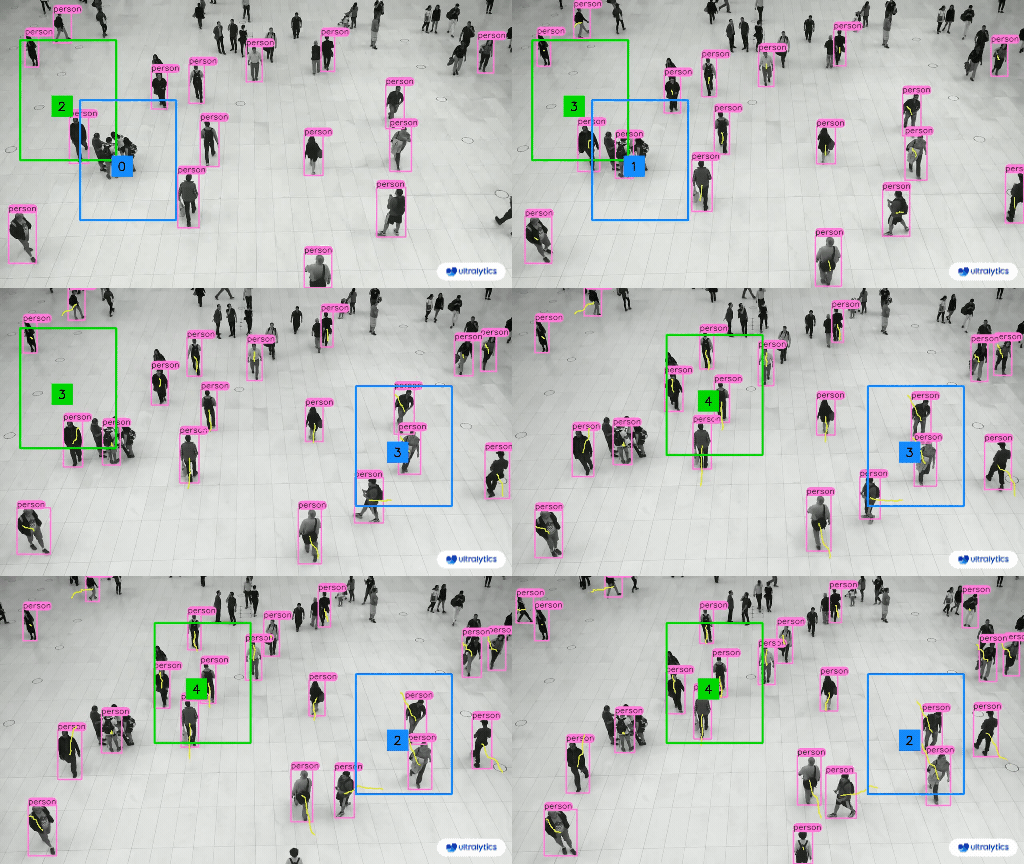
SAHI Sliced Inference Overview

## Introduction to SAHI SAHI (Slicing Aided Hyper Inference) is an innovative library designed to optimize object detection algorithms for large-scale and high-resolution imagery. Its core functionality lies in partitioning images into manageable slices, running object detection on each slice, and then stitching the results back together. SAHI is compatible with a range of object detection models, including the YOLO series, thereby offering flexibility while ensuring optimized use of computational resources. ### Key Features of SAHI - **Seamless Integration**: SAHI integrates effortlessly with YOLO models, meaning you can start slicing and detecting without a lot of code modification. - **Resource Efficiency**: By breaking down large images into smaller parts, SAHI optimizes the memory usage, allowing you to run high-quality detection on hardware with limited resources. - **High Accuracy**: SAHI maintains the detection accuracy by employing smart algorithms to merge overlapping detection boxes during the stitching process. ## What is Sliced Inference? Sliced Inference refers to the practice of subdividing a large or high-resolution image into smaller segments (slices), conducting object detection on these slices, and then recompiling the slices to reconstruct the object locations on the original image. This technique is invaluable in scenarios where computational resources are limited or when working with extremely high-resolution images that could otherwise lead to memory issues. ### Benefits of Sliced Inference - **Reduced Computational Burden**: Smaller image slices are faster to process, and they consume less memory, enabling smoother operation on lower-end hardware. - **Preserved Detection Quality**: Since each slice is treated independently, there is no reduction in the quality of object detection, provided the slices are large enough to capture the objects of interest. - **Enhanced Scalability**: The technique allows for object detection to be more easily scaled across different sizes and resolutions of images, making it ideal for a wide range of applications from satellite imagery to medical diagnostics.
YOLOv8 without SAHI YOLOv8 with SAHI
## Installation and Preparation ### Installation To get started, install the latest versions of SAHI and Ultralytics: ```bash pip install -U ultralytics sahi ``` ### Import Modules and Download Resources Here's how to import the necessary modules and download a YOLOv8 model and some test images: ```python from sahi.utils.yolov8 import download_yolov8s_model from sahi import AutoDetectionModel from sahi.utils.cv import read_image from sahi.utils.file import download_from_url from sahi.predict import get_prediction, get_sliced_prediction, predict from pathlib import Path from IPython.display import Image # Download YOLOv8 model yolov8_model_path = "models/yolov8s.pt" download_yolov8s_model(yolov8_model_path) # Download test images download_from_url('https://raw.githubusercontent.com/obss/sahi/main/demo/demo_data/small-vehicles1.jpeg', 'demo_data/small-vehicles1.jpeg') download_from_url('https://raw.githubusercontent.com/obss/sahi/main/demo/demo_data/terrain2.png', 'demo_data/terrain2.png') ``` ## Standard Inference with YOLOv8 ### Instantiate the Model You can instantiate a YOLOv8 model for object detection like this: ```python detection_model = AutoDetectionModel.from_pretrained( model_type='yolov8', model_path=yolov8_model_path, confidence_threshold=0.3, device="cpu", # or 'cuda:0' ) ``` ### Perform Standard Prediction Perform standard inference using an image path or a numpy image. ```python # With an image path result = get_prediction("demo_data/small-vehicles1.jpeg", detection_model) # With a numpy image result = get_prediction(read_image("demo_data/small-vehicles1.jpeg"), detection_model) ``` ### Visualize Results Export and visualize the predicted bounding boxes and masks: ```python result.export_visuals(export_dir="demo_data/") Image("demo_data/prediction_visual.png") ``` ## Sliced Inference with YOLOv8 Perform sliced inference by specifying the slice dimensions and overlap ratios: ```python result = get_sliced_prediction( "demo_data/small-vehicles1.jpeg", detection_model, slice_height=256, slice_width=256, overlap_height_ratio=0.2, overlap_width_ratio=0.2 ) ``` ## Handling Prediction Results SAHI provides a `PredictionResult` object, which can be converted into various annotation formats: ```python # Access the object prediction list object_prediction_list = result.object_prediction_list # Convert to COCO annotation, COCO prediction, imantics, and fiftyone formats result.to_coco_annotations()[:3] result.to_coco_predictions(image_id=1)[:3] result.to_imantics_annotations()[:3] result.to_fiftyone_detections()[:3] ``` ## Batch Prediction For batch prediction on a directory of images: ```python predict( model_type="yolov8", model_path="path/to/yolov8n.pt", model_device="cpu", # or 'cuda:0' model_confidence_threshold=0.4, source="path/to/dir", slice_height=256, slice_width=256, overlap_height_ratio=0.2, overlap_width_ratio=0.2, ) ``` That's it! Now you're equipped to use YOLOv8 with SAHI for both standard and sliced inference. ## Citations and Acknowledgments If you use SAHI in your research or development work, please cite the original SAHI paper and acknowledge the authors: !!! Quote "" === "BibTeX" ```bibtex @article{akyon2022sahi, title={Slicing Aided Hyper Inference and Fine-tuning for Small Object Detection}, author={Akyon, Fatih Cagatay and Altinuc, Sinan Onur and Temizel, Alptekin}, journal={2022 IEEE International Conference on Image Processing (ICIP)}, doi={10.1109/ICIP46576.2022.9897990}, pages={966-970}, year={2022} } ``` We extend our thanks to the SAHI research group for creating and maintaining this invaluable resource for the computer vision community. For more information about SAHI and its creators, visit the [SAHI GitHub repository](https://github.com/obss/sahi). ================================================ FILE: docs/en/guides/security-alarm-system.md ================================================ --- comments: true description: Security Alarm System Project Using Ultralytics YOLOv8. Learn How to implement a Security Alarm System Using ultralytics YOLOv8 keywords: Object Detection, Security Alarm, Object Tracking, YOLOv8, Computer Vision Projects --- # Security Alarm System Project Using Ultralytics YOLOv8 Security Alarm System The Security Alarm System Project utilizing Ultralytics YOLOv8 integrates advanced computer vision capabilities to enhance security measures. YOLOv8, developed by Ultralytics, provides real-time object detection, allowing the system to identify and respond to potential security threats promptly. This project offers several advantages: - **Real-time Detection:** YOLOv8's efficiency enables the Security Alarm System to detect and respond to security incidents in real-time, minimizing response time. - **Accuracy:** YOLOv8 is known for its accuracy in object detection, reducing false positives and enhancing the reliability of the security alarm system. - **Integration Capabilities:** The project can be seamlessly integrated with existing security infrastructure, providing an upgraded layer of intelligent surveillance.


Watch: Security Alarm System Project with Ultralytics YOLOv8 Object Detection

### Code #### Import Libraries ```python import torch import numpy as np import cv2 from time import time from ultralytics import YOLO from ultralytics.utils.plotting import Annotator, colors import smtplib from email.mime.multipart import MIMEMultipart from email.mime.text import MIMEText ``` #### Set up the parameters of the message ???+ tip "Note" App Password Generation is necessary - Navigate to [App Password Generator](https://myaccount.google.com/apppasswords), designate an app name such as "security project," and obtain a 16-digit password. Copy this password and paste it into the designated password field as instructed. ```python password = "" from_email = "" # must match the email used to generate the password to_email = "" # receiver email ``` #### Server creation and authentication ```python server = smtplib.SMTP('smtp.gmail.com: 587') server.starttls() server.login(from_email, password) ``` #### Email Send Function ```python def send_email(to_email, from_email, object_detected=1): message = MIMEMultipart() message['From'] = from_email message['To'] = to_email message['Subject'] = "Security Alert" # Add in the message body message_body = f'ALERT - {object_detected} objects has been detected!!' message.attach(MIMEText(message_body, 'plain')) server.sendmail(from_email, to_email, message.as_string()) ``` #### Object Detection and Alert Sender ```python class ObjectDetection: def __init__(self, capture_index): # default parameters self.capture_index = capture_index self.email_sent = False # model information self.model = YOLO("yolov8n.pt") # visual information self.annotator = None self.start_time = 0 self.end_time = 0 # device information self.device = 'cuda' if torch.cuda.is_available() else 'cpu' def predict(self, im0): results = self.model(im0) return results def display_fps(self, im0): self.end_time = time() fps = 1 / np.round(self.end_time - self.start_time, 2) text = f'FPS: {int(fps)}' text_size = cv2.getTextSize(text, cv2.FONT_HERSHEY_SIMPLEX, 1.0, 2)[0] gap = 10 cv2.rectangle(im0, (20 - gap, 70 - text_size[1] - gap), (20 + text_size[0] + gap, 70 + gap), (255, 255, 255), -1) cv2.putText(im0, text, (20, 70), cv2.FONT_HERSHEY_SIMPLEX, 1.0, (0, 0, 0), 2) def plot_bboxes(self, results, im0): class_ids = [] self.annotator = Annotator(im0, 3, results[0].names) boxes = results[0].boxes.xyxy.cpu() clss = results[0].boxes.cls.cpu().tolist() names = results[0].names for box, cls in zip(boxes, clss): class_ids.append(cls) self.annotator.box_label(box, label=names[int(cls)], color=colors(int(cls), True)) return im0, class_ids def __call__(self): cap = cv2.VideoCapture(self.capture_index) assert cap.isOpened() cap.set(cv2.CAP_PROP_FRAME_WIDTH, 640) cap.set(cv2.CAP_PROP_FRAME_HEIGHT, 480) frame_count = 0 while True: self.start_time = time() ret, im0 = cap.read() assert ret results = self.predict(im0) im0, class_ids = self.plot_bboxes(results, im0) if len(class_ids) > 0: # Only send email If not sent before if not self.email_sent: send_email(to_email, from_email, len(class_ids)) self.email_sent = True else: self.email_sent = False self.display_fps(im0) cv2.imshow('YOLOv8 Detection', im0) frame_count += 1 if cv2.waitKey(5) & 0xFF == 27: break cap.release() cv2.destroyAllWindows() server.quit() ``` #### Call the Object Detection class and Run the Inference ```python detector = ObjectDetection(capture_index=0) detector() ``` That's it! When you execute the code, you'll receive a single notification on your email if any object is detected. The notification is sent immediately, not repeatedly. However, feel free to customize the code to suit your project requirements. #### Email Received Sample Email Received Sample ================================================ FILE: docs/en/guides/speed-estimation.md ================================================ --- comments: true description: Speed Estimation Using Ultralytics YOLOv8 keywords: Ultralytics, YOLOv8, Object Detection, Speed Estimation, Object Tracking, Notebook, IPython Kernel, CLI, Python SDK --- # Speed Estimation using Ultralytics YOLOv8 🚀 ## What is Speed Estimation? Speed estimation is the process of calculating the rate of movement of an object within a given context, often employed in computer vision applications. Using [Ultralytics YOLOv8](https://github.com/ultralytics/ultralytics/) you can now calculate the speed of object using [object tracking](https://docs.ultralytics.com/modes/track/) alongside distance and time data, crucial for tasks like traffic and surveillance. The accuracy of speed estimation directly influences the efficiency and reliability of various applications, making it a key component in the advancement of intelligent systems and real-time decision-making processes.


Watch: Speed Estimation using Ultralytics YOLOv8

## Advantages of Speed Estimation? - **Efficient Traffic Control:** Accurate speed estimation aids in managing traffic flow, enhancing safety, and reducing congestion on roadways. - **Precise Autonomous Navigation:** In autonomous systems like self-driving cars, reliable speed estimation ensures safe and accurate vehicle navigation. - **Enhanced Surveillance Security:** Speed estimation in surveillance analytics helps identify unusual behaviors or potential threats, improving the effectiveness of security measures. ## Real World Applications | Transportation | Transportation | |:-------------------------------------------------------------------------------------------------------------------------------------------------------:|:---------------------------------------------------------------------------------------------------------------------------------------------------------:| | ![Speed Estimation on Road using Ultralytics YOLOv8](https://github.com/RizwanMunawar/ultralytics/assets/62513924/c8a0fd4a-d394-436d-8de3-d5b754755fc7) | ![Speed Estimation on Bridge using Ultralytics YOLOv8](https://github.com/RizwanMunawar/ultralytics/assets/62513924/cee10e02-b268-4304-b73a-5b9cb42da669) | | Speed Estimation on Road using Ultralytics YOLOv8 | Speed Estimation on Bridge using Ultralytics YOLOv8 | !!! Example "Speed Estimation using YOLOv8 Example" === "Speed Estimation" ```python from ultralytics import YOLO from ultralytics.solutions import speed_estimation import cv2 model = YOLO("yolov8n.pt") names = model.model.names cap = cv2.VideoCapture("path/to/video/file.mp4") assert cap.isOpened(), "Error reading video file" w, h, fps = (int(cap.get(x)) for x in (cv2.CAP_PROP_FRAME_WIDTH, cv2.CAP_PROP_FRAME_HEIGHT, cv2.CAP_PROP_FPS)) # Video writer video_writer = cv2.VideoWriter("speed_estimation.avi", cv2.VideoWriter_fourcc(*'mp4v'), fps, (w, h)) line_pts = [(0, 360), (1280, 360)] # Init speed-estimation obj speed_obj = speed_estimation.SpeedEstimator() speed_obj.set_args(reg_pts=line_pts, names=names, view_img=True) while cap.isOpened(): success, im0 = cap.read() if not success: print("Video frame is empty or video processing has been successfully completed.") break tracks = model.track(im0, persist=True, show=False) im0 = speed_obj.estimate_speed(im0, tracks) video_writer.write(im0) cap.release() video_writer.release() cv2.destroyAllWindows() ``` ???+ warning "Speed is Estimate" Speed will be an estimate and may not be completely accurate. Additionally, the estimation can vary depending on GPU speed. ### Optional Arguments `set_args` | Name | Type | Default | Description | |--------------------|--------|----------------------------|---------------------------------------------------| | `reg_pts` | `list` | `[(20, 400), (1260, 400)]` | Points defining the Region Area | | `names` | `dict` | `None` | Classes names | | `view_img` | `bool` | `False` | Display frames with counts | | `line_thickness` | `int` | `2` | Increase bounding boxes thickness | | `region_thickness` | `int` | `5` | Thickness for object counter region or line | | `spdl_dist_thresh` | `int` | `10` | Euclidean Distance threshold for speed check line | ### Arguments `model.track` | Name | Type | Default | Description | |-----------|---------|----------------|-------------------------------------------------------------| | `source` | `im0` | `None` | source directory for images or videos | | `persist` | `bool` | `False` | persisting tracks between frames | | `tracker` | `str` | `botsort.yaml` | Tracking method 'bytetrack' or 'botsort' | | `conf` | `float` | `0.3` | Confidence Threshold | | `iou` | `float` | `0.5` | IOU Threshold | | `classes` | `list` | `None` | filter results by class, i.e. classes=0, or classes=[0,2,3] | | `verbose` | `bool` | `True` | Display the object tracking results | ================================================ FILE: docs/en/guides/triton-inference-server.md ================================================ --- comments: true description: A step-by-step guide on integrating Ultralytics YOLOv8 with Triton Inference Server for scalable and high-performance deep learning inference deployments. keywords: YOLOv8, Triton Inference Server, ONNX, Deep Learning Deployment, Scalable Inference, Ultralytics, NVIDIA, Object Detection, Cloud Inference --- # Triton Inference Server with Ultralytics YOLOv8 The [Triton Inference Server](https://developer.nvidia.com/nvidia-triton-inference-server) (formerly known as TensorRT Inference Server) is an open-source software solution developed by NVIDIA. It provides a cloud inference solution optimized for NVIDIA GPUs. Triton simplifies the deployment of AI models at scale in production. Integrating Ultralytics YOLOv8 with Triton Inference Server allows you to deploy scalable, high-performance deep learning inference workloads. This guide provides steps to set up and test the integration.


Watch: Getting Started with NVIDIA Triton Inference Server.

## What is Triton Inference Server? Triton Inference Server is designed to deploy a variety of AI models in production. It supports a wide range of deep learning and machine learning frameworks, including TensorFlow, PyTorch, ONNX Runtime, and many others. Its primary use cases are: - Serving multiple models from a single server instance. - Dynamic model loading and unloading without server restart. - Ensemble inference, allowing multiple models to be used together to achieve results. - Model versioning for A/B testing and rolling updates. ## Prerequisites Ensure you have the following prerequisites before proceeding: - Docker installed on your machine. - Install `tritonclient`: ```bash pip install tritonclient[all] ``` ## Exporting YOLOv8 to ONNX Format Before deploying the model on Triton, it must be exported to the ONNX format. ONNX (Open Neural Network Exchange) is a format that allows models to be transferred between different deep learning frameworks. Use the `export` function from the `YOLO` class: ```python from ultralytics import YOLO # Load a model model = YOLO('yolov8n.pt') # load an official model # Export the model onnx_file = model.export(format='onnx', dynamic=True) ``` ## Setting Up Triton Model Repository The Triton Model Repository is a storage location where Triton can access and load models. 1. Create the necessary directory structure: ```python from pathlib import Path # Define paths triton_repo_path = Path('tmp') / 'triton_repo' triton_model_path = triton_repo_path / 'yolo' # Create directories (triton_model_path / '1').mkdir(parents=True, exist_ok=True) ``` 2. Move the exported ONNX model to the Triton repository: ```python from pathlib import Path # Move ONNX model to Triton Model path Path(onnx_file).rename(triton_model_path / '1' / 'model.onnx') # Create config file (triton_model_path / 'config.pbtxt').touch() ``` ## Running Triton Inference Server Run the Triton Inference Server using Docker: ```python import subprocess import time from tritonclient.http import InferenceServerClient # Define image https://catalog.ngc.nvidia.com/orgs/nvidia/containers/tritonserver tag = 'nvcr.io/nvidia/tritonserver:23.09-py3' # 6.4 GB # Pull the image subprocess.call(f'docker pull {tag}', shell=True) # Run the Triton server and capture the container ID container_id = subprocess.check_output( f'docker run -d --rm -v {triton_repo_path}:/models -p 8000:8000 {tag} tritonserver --model-repository=/models', shell=True).decode('utf-8').strip() # Wait for the Triton server to start triton_client = InferenceServerClient(url='localhost:8000', verbose=False, ssl=False) # Wait until model is ready for _ in range(10): with contextlib.suppress(Exception): assert triton_client.is_model_ready(model_name) break time.sleep(1) ``` Then run inference using the Triton Server model: ```python from ultralytics import YOLO # Load the Triton Server model model = YOLO(f'http://localhost:8000/yolo', task='detect') # Run inference on the server results = model('path/to/image.jpg') ``` Cleanup the container: ```python # Kill and remove the container at the end of the test subprocess.call(f'docker kill {container_id}', shell=True) ``` --- By following the above steps, you can deploy and run Ultralytics YOLOv8 models efficiently on Triton Inference Server, providing a scalable and high-performance solution for deep learning inference tasks. If you face any issues or have further queries, refer to the [official Triton documentation](https://docs.nvidia.com/deeplearning/triton-inference-server/user-guide/docs/index.html) or reach out to the Ultralytics community for support. ================================================ FILE: docs/en/guides/view-results-in-terminal.md ================================================ --- comments: true description: Learn how to view image results inside a compatible VSCode terminal. keywords: YOLOv8, VSCode, Terminal, Remote Development, Ultralytics, SSH, Object Detection, Inference, Results, Remote Tunnel, Images, Helpful, Productivity Hack --- # Viewing Inference Results in a Terminal

Sixel example of image in Terminal

Image from the [libsixel](https://saitoha.github.io/libsixel/) website. ## Motivation When connecting to a remote machine, normally visualizing image results is not possible or requires moving data to a local device with a GUI. The VSCode integrated terminal allows for directly rendering images. This is a short demonstration on how to use this in conjunction with `ultralytics` with [prediction results](../modes/predict.md). !!! warning Only compatible with Linux and MacOS. Check the VSCode [repository](https://github.com/microsoft/vscode), check [Issue status](https://github.com/microsoft/vscode/issues/198622), or [documentation](https://code.visualstudio.com/docs) for updates about Windows support to view images in terminal with `sixel`. The VSCode compatible protocols for viewing images using the integrated terminal are [`sixel`](https://en.wikipedia.org/wiki/Sixel) and [`iTerm`](https://iterm2.com/documentation-images.html). This guide will demonstrate use of the `sixel` protocol. ## Process 1. First, you must enable settings `terminal.integrated.enableImages` and `terminal.integrated.gpuAcceleration` in VSCode. ```yaml "terminal.integrated.gpuAcceleration": "auto" # "auto" is default, can also use "on" "terminal.integrated.enableImages": false ```

VSCode enable terminal images setting

1. Install the `python-sixel` library in your virtual environment. This is a [fork](https://github.com/lubosz/python-sixel?tab=readme-ov-file) of the `PySixel` library, which is no longer maintained. ```bash pip install sixel ``` 1. Import the relevant libraries ```py import io import cv2 as cv from ultralytics import YOLO from sixel import SixelWriter ``` 1. Load a model and execute inference, then plot the results and store in a variable. See more about inference arguments and working with results on the [predict mode](../modes/predict.md) page. ```{ .py .annotate } from ultralytics import YOLO # Load a model model = YOLO("yolov8n.pt") # Run inference on an image results = model.predict(source="ultralytics/assets/bus.jpg") # Plot inference results plot = results[0].plot() #(1)! ``` 1. See [plot method parameters](../modes/predict.md#plot-method-parameters) to see possible arguments to use. 1. Now, use OpenCV to convert the `numpy.ndarray` to `bytes` data. Then use `io.BytesIO` to make a "file-like" object. ```{ .py .annotate } # Results image as bytes im_bytes = cv.imencode( ".png", #(1)! plot, )[1].tobytes() #(2)! # Image bytes as a file-like object mem_file = io.BytesIO(im_bytes) ``` 1. It's possible to use other image extensions as well. 2. Only the object at index `1` that is returned is needed. 1. Create a `SixelWriter` instance, and then use the `.draw()` method to draw the image in the terminal. ```py # Create sixel writer object w = SixelWriter() # Draw the sixel image in the terminal w.draw(mem_file) ``` ## Example Inference Results

View Image in Terminal

!!! danger Using this example with videos or animated GIF frames has **not** been tested. Attempt at your own risk. ## Full Code Example ```{ .py .annotate } import io import cv2 as cv from ultralytics import YOLO from sixel import SixelWriter # Load a model model = YOLO("yolov8n.pt") # Run inference on an image results = model.predict(source="ultralytics/assets/bus.jpg") # Plot inference results plot = results[0].plot() #(3)! # Results image as bytes im_bytes = cv.imencode( ".png", #(1)! plot, )[1].tobytes() #(2)! mem_file = io.BytesIO(im_bytes) w = SixelWriter() w.draw(mem_file) ``` 1. It's possible to use other image extensions as well. 2. Only the object at index `1` that is returned is needed. 3. See [plot method parameters](../modes/predict.md#plot-method-parameters) to see possible arguments to use. --- !!! tip You may need to use `clear` to "erase" the view of the image in the terminal. ================================================ FILE: docs/en/guides/vision-eye.md ================================================ --- comments: true description: VisionEye View Object Mapping using Ultralytics YOLOv8 keywords: Ultralytics, YOLOv8, Object Detection, Object Tracking, IDetection, VisionEye, Computer Vision, Notebook, IPython Kernel, CLI, Python SDK --- # VisionEye View Object Mapping using Ultralytics YOLOv8 🚀 ## What is VisionEye Object Mapping? [Ultralytics YOLOv8](https://github.com/ultralytics/ultralytics/) VisionEye offers the capability for computers to identify and pinpoint objects, simulating the observational precision of the human eye. This functionality enables computers to discern and focus on specific objects, much like the way the human eye observes details from a particular viewpoint. ## Samples | VisionEye View | VisionEye View With Object Tracking | VisionEye View With Distance Calculation | |:------------------------------------------------------------------------------------------------------------------------------------------------------------:|:---------------------------------------------------------------------------------------------------------------------------------------------------------------------------------:|:-------------------------------------------------------------------------------------------------------------------------------------------------------------------------:| | ![VisionEye View Object Mapping using Ultralytics YOLOv8](https://github.com/RizwanMunawar/ultralytics/assets/62513924/7d593acc-2e37-41b0-ad0e-92b4ffae6647) | ![VisionEye View Object Mapping with Object Tracking using Ultralytics YOLOv8](https://github.com/RizwanMunawar/ultralytics/assets/62513924/fcd85952-390f-451e-8fb0-b82e943af89c) | ![VisionEye View with Distance Calculation using Ultralytics YOLOv8](https://github.com/RizwanMunawar/RizwanMunawar/assets/62513924/18c4dafe-a22e-4fa9-a7d4-2bb293562a95) | | VisionEye View Object Mapping using Ultralytics YOLOv8 | VisionEye View Object Mapping with Object Tracking using Ultralytics YOLOv8 | VisionEye View with Distance Calculation using Ultralytics YOLOv8 | !!! Example "VisionEye Object Mapping using YOLOv8" === "VisionEye Object Mapping" ```python import cv2 from ultralytics import YOLO from ultralytics.utils.plotting import colors, Annotator model = YOLO("yolov8n.pt") names = model.model.names cap = cv2.VideoCapture("path/to/video/file.mp4") w, h, fps = (int(cap.get(x)) for x in (cv2.CAP_PROP_FRAME_WIDTH, cv2.CAP_PROP_FRAME_HEIGHT, cv2.CAP_PROP_FPS)) out = cv2.VideoWriter('visioneye-pinpoint.avi', cv2.VideoWriter_fourcc(*'MJPG'), fps, (w, h)) center_point = (-10, h) while True: ret, im0 = cap.read() if not ret: print("Video frame is empty or video processing has been successfully completed.") break results = model.predict(im0) boxes = results[0].boxes.xyxy.cpu() clss = results[0].boxes.cls.cpu().tolist() annotator = Annotator(im0, line_width=2) for box, cls in zip(boxes, clss): annotator.box_label(box, label=names[int(cls)], color=colors(int(cls))) annotator.visioneye(box, center_point) out.write(im0) cv2.imshow("visioneye-pinpoint", im0) if cv2.waitKey(1) & 0xFF == ord('q'): break out.release() cap.release() cv2.destroyAllWindows() ``` === "VisionEye Object Mapping with Object Tracking" ```python import cv2 from ultralytics import YOLO from ultralytics.utils.plotting import colors, Annotator model = YOLO("yolov8n.pt") cap = cv2.VideoCapture("path/to/video/file.mp4") w, h, fps = (int(cap.get(x)) for x in (cv2.CAP_PROP_FRAME_WIDTH, cv2.CAP_PROP_FRAME_HEIGHT, cv2.CAP_PROP_FPS)) out = cv2.VideoWriter('visioneye-pinpoint.avi', cv2.VideoWriter_fourcc(*'MJPG'), fps, (w, h)) center_point = (-10, h) while True: ret, im0 = cap.read() if not ret: print("Video frame is empty or video processing has been successfully completed.") break annotator = Annotator(im0, line_width=2) results = model.track(im0, persist=True) boxes = results[0].boxes.xyxy.cpu() if results[0].boxes.id is not None: track_ids = results[0].boxes.id.int().cpu().tolist() for box, track_id in zip(boxes, track_ids): annotator.box_label(box, label=str(track_id), color=colors(int(track_id))) annotator.visioneye(box, center_point) out.write(im0) cv2.imshow("visioneye-pinpoint", im0) if cv2.waitKey(1) & 0xFF == ord('q'): break out.release() cap.release() cv2.destroyAllWindows() ``` === "VisionEye with Distance Calculation" ```python import cv2 import math from ultralytics import YOLO from ultralytics.utils.plotting import Annotator, colors model = YOLO("yolov8s.pt") cap = cv2.VideoCapture("Path/to/video/file.mp4") w, h, fps = (int(cap.get(x)) for x in (cv2.CAP_PROP_FRAME_WIDTH, cv2.CAP_PROP_FRAME_HEIGHT, cv2.CAP_PROP_FPS)) out = cv2.VideoWriter('visioneye-distance-calculation.avi', cv2.VideoWriter_fourcc(*'MJPG'), fps, (w, h)) center_point = (0, h) pixel_per_meter = 10 txt_color, txt_background, bbox_clr = ((0, 0, 0), (255, 255, 255), (255, 0, 255)) while True: ret, im0 = cap.read() if not ret: print("Video frame is empty or video processing has been successfully completed.") break annotator = Annotator(im0, line_width=2) results = model.track(im0, persist=True) boxes = results[0].boxes.xyxy.cpu() if results[0].boxes.id is not None: track_ids = results[0].boxes.id.int().cpu().tolist() for box, track_id in zip(boxes, track_ids): annotator.box_label(box, label=str(track_id), color=bbox_clr) annotator.visioneye(box, center_point) x1, y1 = int((box[0] + box[2]) // 2), int((box[1] + box[3]) // 2) # Bounding box centroid distance = (math.sqrt((x1 - center_point[0]) ** 2 + (y1 - center_point[1]) ** 2))/pixel_per_meter text_size, _ = cv2.getTextSize(f"Distance: {distance:.2f} m", cv2.FONT_HERSHEY_SIMPLEX,1.2, 3) cv2.rectangle(im0, (x1, y1 - text_size[1] - 10),(x1 + text_size[0] + 10, y1), txt_background, -1) cv2.putText(im0, f"Distance: {distance:.2f} m",(x1, y1 - 5), cv2.FONT_HERSHEY_SIMPLEX, 1.2,txt_color, 3) out.write(im0) cv2.imshow("visioneye-distance-calculation", im0) if cv2.waitKey(1) & 0xFF == ord('q'): break out.release() cap.release() cv2.destroyAllWindows() ``` ### `visioneye` Arguments | Name | Type | Default | Description | |---------------|---------|------------------|--------------------------------------------------| | `color` | `tuple` | `(235, 219, 11)` | Line and object centroid color | | `pin_color` | `tuple` | `(255, 0, 255)` | VisionEye pinpoint color | | `thickness` | `int` | `2` | pinpoint to object line thickness | | `pins_radius` | `int` | `10` | Pinpoint and object centroid point circle radius | ## Note For any inquiries, feel free to post your questions in the [Ultralytics Issue Section](https://github.com/ultralytics/ultralytics/issues/new/choose) or the discussion section mentioned below. ================================================ FILE: docs/en/guides/workouts-monitoring.md ================================================ --- comments: true description: Workouts Monitoring Using Ultralytics YOLOv8 keywords: Ultralytics, YOLOv8, Object Detection, Pose Estimation, PushUps, PullUps, Ab workouts, Notebook, IPython Kernel, CLI, Python SDK --- # Workouts Monitoring using Ultralytics YOLOv8 🚀 Monitoring workouts through pose estimation with [Ultralytics YOLOv8](https://github.com/ultralytics/ultralytics/) enhances exercise assessment by accurately tracking key body landmarks and joints in real-time. This technology provides instant feedback on exercise form, tracks workout routines, and measures performance metrics, optimizing training sessions for users and trainers alike. ## Advantages of Workouts Monitoring? - **Optimized Performance:** Tailoring workouts based on monitoring data for better results. - **Goal Achievement:** Track and adjust fitness goals for measurable progress. - **Personalization:** Customized workout plans based on individual data for effectiveness. - **Health Awareness:** Early detection of patterns indicating health issues or over-training. - **Informed Decisions:** Data-driven decisions for adjusting routines and setting realistic goals. ## Real World Applications | Workouts Monitoring | Workouts Monitoring | |:----------------------------------------------------------------------------------------------------------------------:|:----------------------------------------------------------------------------------------------------------------------:| | ![PushUps Counting](https://github.com/RizwanMunawar/ultralytics/assets/62513924/cf016a41-589f-420f-8a8c-2cc8174a16de) | ![PullUps Counting](https://github.com/RizwanMunawar/ultralytics/assets/62513924/cb20f316-fac2-4330-8445-dcf5ffebe329) | | PushUps Counting | PullUps Counting | !!! Example "Workouts Monitoring Example" === "Workouts Monitoring" ```python from ultralytics import YOLO from ultralytics.solutions import ai_gym import cv2 model = YOLO("yolov8n-pose.pt") cap = cv2.VideoCapture("path/to/video/file.mp4") assert cap.isOpened(), "Error reading video file" w, h, fps = (int(cap.get(x)) for x in (cv2.CAP_PROP_FRAME_WIDTH, cv2.CAP_PROP_FRAME_HEIGHT, cv2.CAP_PROP_FPS)) gym_object = ai_gym.AIGym() # init AI GYM module gym_object.set_args(line_thickness=2, view_img=True, pose_type="pushup", kpts_to_check=[6, 8, 10]) frame_count = 0 while cap.isOpened(): success, im0 = cap.read() if not success: print("Video frame is empty or video processing has been successfully completed.") break frame_count += 1 results = model.track(im0, verbose=False) # Tracking recommended #results = model.predict(im0) # Prediction also supported im0 = gym_object.start_counting(im0, results, frame_count) cv2.destroyAllWindows() ``` === "Workouts Monitoring with Save Output" ```python from ultralytics import YOLO from ultralytics.solutions import ai_gym import cv2 model = YOLO("yolov8n-pose.pt") cap = cv2.VideoCapture("path/to/video/file.mp4") assert cap.isOpened(), "Error reading video file" w, h, fps = (int(cap.get(x)) for x in (cv2.CAP_PROP_FRAME_WIDTH, cv2.CAP_PROP_FRAME_HEIGHT, cv2.CAP_PROP_FPS)) video_writer = cv2.VideoWriter("workouts.avi", cv2.VideoWriter_fourcc(*'mp4v'), fps, (w, h)) gym_object = ai_gym.AIGym() # init AI GYM module gym_object.set_args(line_thickness=2, view_img=True, pose_type="pushup", kpts_to_check=[6, 8, 10]) frame_count = 0 while cap.isOpened(): success, im0 = cap.read() if not success: print("Video frame is empty or video processing has been successfully completed.") break frame_count += 1 results = model.track(im0, verbose=False) # Tracking recommended #results = model.predict(im0) # Prediction also supported im0 = gym_object.start_counting(im0, results, frame_count) video_writer.write(im0) cv2.destroyAllWindows() video_writer.release() ``` ???+ tip "Support" "pushup", "pullup" and "abworkout" supported ### KeyPoints Map ![keyPoints Order Ultralytics YOLOv8 Pose](https://github.com/ultralytics/ultralytics/assets/62513924/f45d8315-b59f-47b7-b9c8-c61af1ce865b) ### Arguments `set_args` | Name | Type | Default | Description | |-------------------|--------|----------|----------------------------------------------------------------------------------------| | `kpts_to_check` | `list` | `None` | List of three keypoints index, for counting specific workout, followed by keypoint Map | | `view_img` | `bool` | `False` | Display the frame with counts | | `line_thickness` | `int` | `2` | Increase the thickness of count value | | `pose_type` | `str` | `pushup` | Pose that need to be monitored, `pullup` and `abworkout` also supported | | `pose_up_angle` | `int` | `145` | Pose Up Angle value | | `pose_down_angle` | `int` | `90` | Pose Down Angle value | ### Arguments `model.predict` | Name | Type | Default | Description | |-----------------|----------------|------------------------|----------------------------------------------------------------------------| | `source` | `str` | `'ultralytics/assets'` | source directory for images or videos | | `conf` | `float` | `0.25` | object confidence threshold for detection | | `iou` | `float` | `0.7` | intersection over union (IoU) threshold for NMS | | `imgsz` | `int or tuple` | `640` | image size as scalar or (h, w) list, i.e. (640, 480) | | `half` | `bool` | `False` | use half precision (FP16) | | `device` | `None or str` | `None` | device to run on, i.e. cuda device=0/1/2/3 or device=cpu | | `max_det` | `int` | `300` | maximum number of detections per image | | `vid_stride` | `bool` | `False` | video frame-rate stride | | `stream_buffer` | `bool` | `False` | buffer all streaming frames (True) or return the most recent frame (False) | | `visualize` | `bool` | `False` | visualize model features | | `augment` | `bool` | `False` | apply image augmentation to prediction sources | | `agnostic_nms` | `bool` | `False` | class-agnostic NMS | | `classes` | `list[int]` | `None` | filter results by class, i.e. classes=0, or classes=[0,2,3] | | `retina_masks` | `bool` | `False` | use high-resolution segmentation masks | | `embed` | `list[int]` | `None` | return feature vectors/embeddings from given layers | ### Arguments `model.track` | Name | Type | Default | Description | |-----------|---------|----------------|-------------------------------------------------------------| | `source` | `im0` | `None` | source directory for images or videos | | `persist` | `bool` | `False` | persisting tracks between frames | | `tracker` | `str` | `botsort.yaml` | Tracking method 'bytetrack' or 'botsort' | | `conf` | `float` | `0.3` | Confidence Threshold | | `iou` | `float` | `0.5` | IOU Threshold | | `classes` | `list` | `None` | filter results by class, i.e. classes=0, or classes=[0,2,3] | | `verbose` | `bool` | `True` | Display the object tracking results | ================================================ FILE: docs/en/guides/yolo-common-issues.md ================================================ --- comments: true description: A comprehensive guide to troubleshooting common issues encountered while working with YOLOv8 in the Ultralytics ecosystem. keywords: Troubleshooting, Ultralytics, YOLOv8, Installation Errors, Training Data, Model Performance, Hyperparameter Tuning, Deployment --- # Troubleshooting Common YOLO Issues
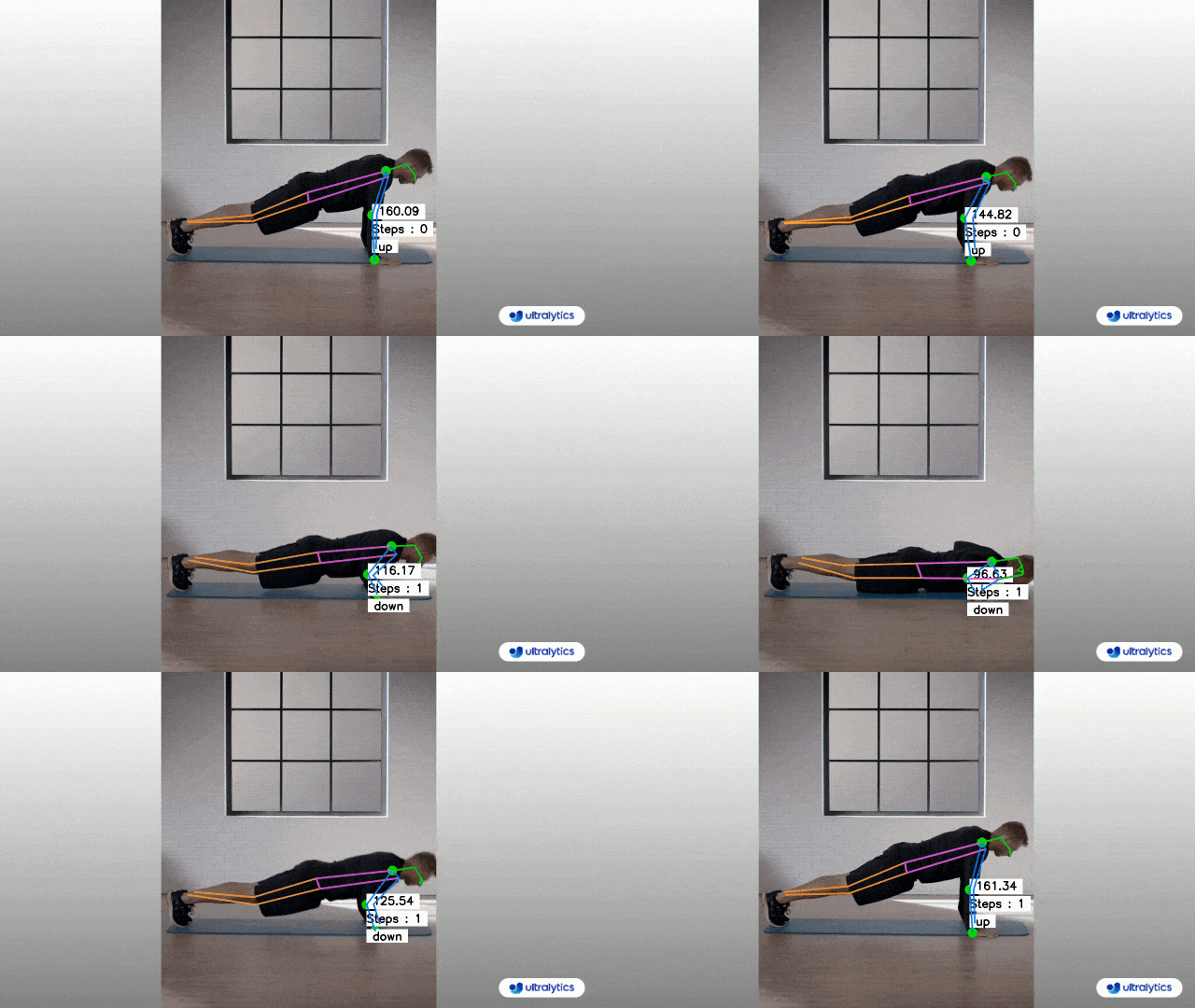
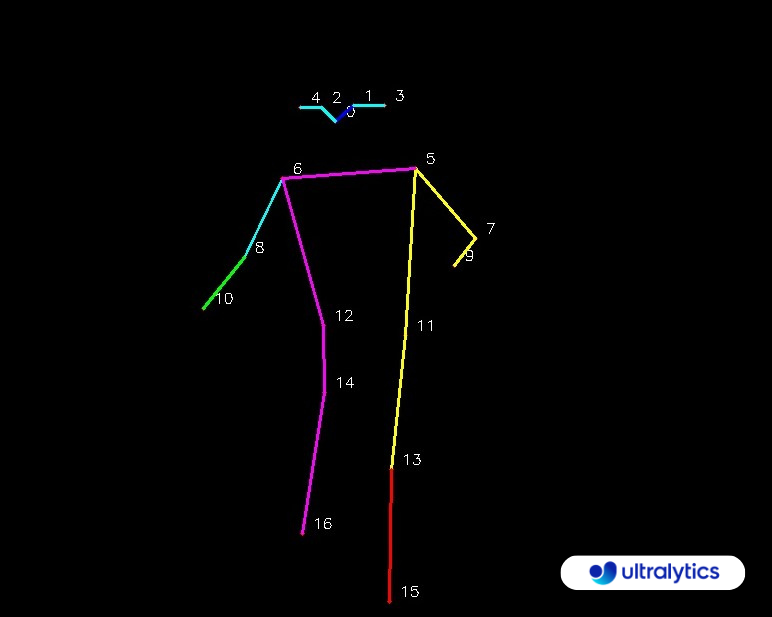
YOLO Common Issues Image

## Introduction This guide serves as a comprehensive aid for troubleshooting common issues encountered while working with YOLOv8 on your Ultralytics projects. Navigating through these issues can be a breeze with the right guidance, ensuring your projects remain on track without unnecessary delays. ## Common Issues ### Installation Errors Installation errors can arise due to various reasons, such as incompatible versions, missing dependencies, or incorrect environment setups. First, check to make sure you are doing the following: - You're using Python 3.8 or later as recommended. - Ensure that you have the correct version of PyTorch (1.8 or later) installed. - Consider using virtual environments to avoid conflicts. - Follow the [official installation guide](../quickstart.md) step by step. Additionally, here are some common installation issues users have encountered, along with their respective solutions: - Import Errors or Dependency Issues - If you're getting errors during the import of YOLOv8, or you're having issues related to dependencies, consider the following troubleshooting steps: - **Fresh Installation**: Sometimes, starting with a fresh installation can resolve unexpected issues. Especially with libraries like Ultralytics, where updates might introduce changes to the file tree structure or functionalities. - **Update Regularly**: Ensure you're using the latest version of the library. Older versions might not be compatible with recent updates, leading to potential conflicts or issues. - **Check Dependencies**: Verify that all required dependencies are correctly installed and are of the compatible versions. - **Review Changes**: If you initially cloned or installed an older version, be aware that significant updates might affect the library's structure or functionalities. Always refer to the official documentation or changelogs to understand any major changes. - Remember, keeping your libraries and dependencies up-to-date is crucial for a smooth and error-free experience. - Running YOLOv8 on GPU - If you're having trouble running YOLOv8 on GPU, consider the following troubleshooting steps: - **Verify CUDA Compatibility and Installation**: Ensure your GPU is CUDA compatible and that CUDA is correctly installed. Use the `nvidia-smi` command to check the status of your NVIDIA GPU and CUDA version. - **Check PyTorch and CUDA Integration**: Ensure PyTorch can utilize CUDA by running `import torch; print(torch.cuda.is_available())` in a Python terminal. If it returns 'True', PyTorch is set up to use CUDA. - **Environment Activation**: Ensure you're in the correct environment where all necessary packages are installed. - **Update Your Packages**: Outdated packages might not be compatible with your GPU. Keep them updated. - **Program Configuration**: Check if the program or code specifies GPU usage. In YOLOv8, this might be in the settings or configuration. ### Model Training Issues This section will address common issues faced while training and their respective explanations and solutions. #### Verification of Configuration Settings **Issue**: You are unsure whether the configuration settings in the `.yaml` file are being applied correctly during model training. **Solution**: The configuration settings in the `.yaml` file should be applied when using the `model.train()` function. To ensure that these settings are correctly applied, follow these steps: - Confirm that the path to your `.yaml` configuration file is correct. - Make sure you pass the path to your `.yaml` file as the `data` argument when calling `model.train()`, as shown below: ```python model.train(data='/path/to/your/data.yaml', batch=4) ``` #### Accelerating Training with Multiple GPUs **Issue**: Training is slow on a single GPU, and you want to speed up the process using multiple GPUs. **Solution**: Increasing the batch size can accelerate training, but it's essential to consider GPU memory capacity. To speed up training with multiple GPUs, follow these steps: - Ensure that you have multiple GPUs available. - Modify your .yaml configuration file to specify the number of GPUs to use, e.g., gpus: 4. - Increase the batch size accordingly to fully utilize the multiple GPUs without exceeding memory limits. - Modify your training command to utilize multiple GPUs: ```python # Adjust the batch size and other settings as needed to optimize training speed model.train(data='/path/to/your/data.yaml', batch=32, multi_scale=True) ``` #### Continuous Monitoring Parameters **Issue**: You want to know which parameters should be continuously monitored during training, apart from loss. **Solution**: While loss is a crucial metric to monitor, it's also essential to track other metrics for model performance optimization. Some key metrics to monitor during training include: - Precision - Recall - Mean Average Precision (mAP) You can access these metrics from the training logs or by using tools like TensorBoard or wandb for visualization. Implementing early stopping based on these metrics can help you achieve better results. #### Tools for Tracking Training Progress **Issue**: You are looking for recommendations on tools to track training progress. **Solution**: To track and visualize training progress, you can consider using the following tools: - [TensorBoard](https://www.tensorflow.org/tensorboard): TensorBoard is a popular choice for visualizing training metrics, including loss, accuracy, and more. You can integrate it with your YOLOv8 training process. - [Comet](https://bit.ly/yolov8-readme-comet): Comet provides an extensive toolkit for experiment tracking and comparison. It allows you to track metrics, hyperparameters, and even model weights. Integration with YOLO models is also straightforward, providing you with a complete overview of your experiment cycle. - [Ultralytics HUB](https://hub.ultralytics.com): Ultralytics HUB offers a specialized environment for tracking YOLO models, giving you a one-stop platform to manage metrics, datasets, and even collaborate with your team. Given its tailored focus on YOLO, it offers more customized tracking options. Each of these tools offers its own set of advantages, so you may want to consider the specific needs of your project when making a choice. #### How to Check if Training is Happening on the GPU **Issue**: The 'device' value in the training logs is 'null,' and you're unsure if training is happening on the GPU. **Solution**: The 'device' value being 'null' typically means that the training process is set to automatically use an available GPU, which is the default behavior. To ensure training occurs on a specific GPU, you can manually set the 'device' value to the GPU index (e.g., '0' for the first GPU) in your .yaml configuration file: ```yaml device: 0 ``` This will explicitly assign the training process to the specified GPU. If you wish to train on the CPU, set 'device' to 'cpu'. Keep an eye on the 'runs' folder for logs and metrics to monitor training progress effectively. #### Key Considerations for Effective Model Training Here are some things to keep in mind, if you are facing issues related to model training. **Dataset Format and Labels** - Importance: The foundation of any machine learning model lies in the quality and format of the data it is trained on. - Recommendation: Ensure that your custom dataset and its associated labels adhere to the expected format. It's crucial to verify that annotations are accurate and of high quality. Incorrect or subpar annotations can derail the model's learning process, leading to unpredictable outcomes. **Model Convergence** - Importance: Achieving model convergence ensures that the model has sufficiently learned from the training data. - Recommendation: When training a model 'from scratch', it's vital to ensure that the model reaches a satisfactory level of convergence. This might necessitate a longer training duration, with more epochs, compared to when you're fine-tuning an existing model. **Learning Rate and Batch Size** - Importance: These hyperparameters play a pivotal role in determining how the model updates its weights during training. - Recommendation: Regularly evaluate if the chosen learning rate and batch size are optimal for your specific dataset. Parameters that are not in harmony with the dataset's characteristics can hinder the model's performance. **Class Distribution** - Importance: The distribution of classes in your dataset can influence the model's prediction tendencies. - Recommendation: Regularly assess the distribution of classes within your dataset. If there's a class imbalance, there's a risk that the model will develop a bias towards the more prevalent class. This bias can be evident in the confusion matrix, where the model might predominantly predict the majority class. **Cross-Check with Pretrained Weights** - Importance: Leveraging pretrained weights can provide a solid starting point for model training, especially when data is limited. - Recommendation: As a diagnostic step, consider training your model using the same data but initializing it with pretrained weights. If this approach yields a well-formed confusion matrix, it could suggest that the 'from scratch' model might require further training or adjustments. ### Issues Related to Model Predictions This section will address common issues faced during model prediction. #### Getting Bounding Box Predictions With Your YOLOv8 Custom Model **Issue**: When running predictions with a custom YOLOv8 model, there are challenges with the format and visualization of the bounding box coordinates. **Solution**: - Coordinate Format: YOLOv8 provides bounding box coordinates in absolute pixel values. To convert these to relative coordinates (ranging from 0 to 1), you need to divide by the image dimensions. For example, let’s say your image size is 640x640. Then you would do the following: ```python # Convert absolute coordinates to relative coordinates x1 = x1 / 640 # Divide x-coordinates by image width x2 = x2 / 640 y1 = y1 / 640 # Divide y-coordinates by image height y2 = y2 / 640 ``` - File Name: To obtain the file name of the image you're predicting on, access the image file path directly from the result object within your prediction loop. #### Filtering Objects in YOLOv8 Predictions **Issue**: Facing issues with how to filter and display only specific objects in the prediction results when running YOLOv8 using the Ultralytics library. **Solution**: To detect specific classes use the classes argument to specify the classes you want to include in the output. For instance, to detect only cars (assuming 'cars' have class index 2): ```shell yolo task=detect mode=segment model=yolov8n-seg.pt source='path/to/car.mp4' show=True classes=2 ``` #### Understanding Precision Metrics in YOLOv8 **Issue**: Confusion regarding the difference between box precision, mask precision, and confusion matrix precision in YOLOv8. **Solution**: Box precision measures the accuracy of predicted bounding boxes compared to the actual ground truth boxes using IoU (Intersection over Union) as the metric. Mask precision assesses the agreement between predicted segmentation masks and ground truth masks in pixel-wise object classification. Confusion matrix precision, on the other hand, focuses on overall classification accuracy across all classes and does not consider the geometric accuracy of predictions. It's important to note that a bounding box can be geometrically accurate (true positive) even if the class prediction is wrong, leading to differences between box precision and confusion matrix precision. These metrics evaluate distinct aspects of a model's performance, reflecting the need for different evaluation metrics in various tasks. #### Extracting Object Dimensions in YOLOv8 **Issue**: Difficulty in retrieving the length and height of detected objects in YOLOv8, especially when multiple objects are detected in an image. **Solution**: To retrieve the bounding box dimensions, first use the Ultralytics YOLOv8 model to predict objects in an image. Then, extract the width and height information of bounding boxes from the prediction results. ```python from ultralytics import YOLO # Load a pre-trained YOLOv8 model model = YOLO('yolov8n.pt') # Specify the source image source = 'https://ultralytics.com/images/bus.jpg' # Make predictions results = model.predict(source, save=True, imgsz=320, conf=0.5) # Extract bounding box dimensions boxes = results[0].boxes.xywh.cpu() for box in boxes: x, y, w, h = box print(f"Width of Box: {w}, Height of Box: {h}") ``` ### Deployment Challenges #### GPU Deployment Issues **Issue:** Deploying models in a multi-GPU environment can sometimes lead to unexpected behaviors like unexpected memory usage, inconsistent results across GPUs, etc. **Solution:** Check for default GPU initialization. Some frameworks, like PyTorch, might initialize CUDA operations on a default GPU before transitioning to the designated GPUs. To bypass unexpected default initializations, specify the GPU directly during deployment and prediction. Then, use tools to monitor GPU utilization and memory usage to identify any anomalies in real-time. Also, ensure you're using the latest version of the framework or library. #### Model Conversion/Exporting Issues **Issue:** During the process of converting or exporting machine learning models to different formats or platforms, users might encounter errors or unexpected behaviors. **Solution:** - Compatibility Check: Ensure that you are using versions of libraries and frameworks that are compatible with each other. Mismatched versions can lead to unexpected errors during conversion. - Environment Reset: If you're using an interactive environment like Jupyter or Colab, consider restarting your environment after making significant changes or installations. A fresh start can sometimes resolve underlying issues. - Official Documentation: Always refer to the official documentation of the tool or library you are using for conversion. It often contains specific guidelines and best practices for model exporting. - Community Support: Check the library or framework's official repository for similar issues reported by other users. The maintainers or community might have provided solutions or workarounds in discussion threads. - Update Regularly: Ensure that you are using the latest version of the tool or library. Developers frequently release updates that fix known bugs or improve functionality. - Test Incrementally: Before performing a full conversion, test the process with a smaller model or dataset to identify potential issues early on. ## Community and Support Engaging with a community of like-minded individuals can significantly enhance your experience and success in working with YOLOv8. Below are some channels and resources you may find helpful. ### Forums and Channels for Getting Help **GitHub Issues:** The YOLOv8 repository on GitHub has an [Issues tab](https://github.com/ultralytics/ultralytics/issues) where you can ask questions, report bugs, and suggest new features. The community and maintainers are active here, and it’s a great place to get help with specific problems. **Ultralytics Discord Server:** Ultralytics has a [Discord server](https://ultralytics.com/discord/) where you can interact with other users and the developers. ### Official Documentation and Resources **Ultralytics YOLOv8 Docs**: The [official documentation](../index.md) provides a comprehensive overview of YOLOv8, along with guides on installation, usage, and troubleshooting. These resources should provide a solid foundation for troubleshooting and improving your YOLOv8 projects, as well as connecting with others in the YOLOv8 community. ## Conclusion Troubleshooting is an integral part of any development process, and being equipped with the right knowledge can significantly reduce the time and effort spent in resolving issues. This guide aimed to address the most common challenges faced by users of the YOLOv8 model within the Ultralytics ecosystem. By understanding and addressing these common issues, you can ensure smoother project progress and achieve better results with your computer vision tasks. Remember, the Ultralytics community is a valuable resource. Engaging with fellow developers and experts can provide additional insights and solutions that might not be covered in standard documentation. Always keep learning, experimenting, and sharing your experiences to contribute to the collective knowledge of the community. Happy troubleshooting! ================================================ FILE: docs/en/guides/yolo-performance-metrics.md ================================================ --- comments: true description: A comprehensive guide on various performance metrics related to YOLOv8, their significance, and how to interpret them. keywords: YOLOv8, Performance metrics, Object detection, Intersection over Union (IoU), Average Precision (AP), Mean Average Precision (mAP), Precision, Recall, Validation mode, Ultralytics --- # Performance Metrics Deep Dive ## Introduction Performance metrics are key tools to evaluate the accuracy and efficiency of object detection models. They shed light on how effectively a model can identify and localize objects within images. Additionally, they help in understanding the model's handling of false positives and false negatives. These insights are crucial for evaluating and enhancing the model's performance. In this guide, we will explore various performance metrics associated with YOLOv8, their significance, and how to interpret them.


Watch: Ultralytics YOLOv8 Performance Metrics | MAP, F1 Score, Precision, IoU & Accuracy

## Object Detection Metrics Let’s start by discussing some metrics that are not only important to YOLOv8 but are broadly applicable across different object detection models. - **Intersection over Union (IoU):** IoU is a measure that quantifies the overlap between a predicted bounding box and a ground truth bounding box. It plays a fundamental role in evaluating the accuracy of object localization. - **Average Precision (AP):** AP computes the area under the precision-recall curve, providing a single value that encapsulates the model's precision and recall performance. - **Mean Average Precision (mAP):** mAP extends the concept of AP by calculating the average AP values across multiple object classes. This is useful in multi-class object detection scenarios to provide a comprehensive evaluation of the model's performance. - **Precision and Recall:** Precision quantifies the proportion of true positives among all positive predictions, assessing the model's capability to avoid false positives. On the other hand, Recall calculates the proportion of true positives among all actual positives, measuring the model's ability to detect all instances of a class. - **F1 Score:** The F1 Score is the harmonic mean of precision and recall, providing a balanced assessment of a model's performance while considering both false positives and false negatives. ## How to Calculate Metrics for YOLOv8 Model Now, we can explore [YOLOv8's Validation mode](../modes/val.md) that can be used to compute the above discussed evaluation metrics. Using the validation mode is simple. Once you have a trained model, you can invoke the model.val() function. This function will then process the validation dataset and return a variety of performance metrics. But what do these metrics mean? And how should you interpret them? ### Interpreting the Output Let's break down the output of the model.val() function and understand each segment of the output. #### Class-wise Metrics One of the sections of the output is the class-wise breakdown of performance metrics. This granular information is useful when you are trying to understand how well the model is doing for each specific class, especially in datasets with a diverse range of object categories. For each class in the dataset the following is provided: - **Class**: This denotes the name of the object class, such as "person", "car", or "dog". - **Images**: This metric tells you the number of images in the validation set that contain the object class. - **Instances**: This provides the count of how many times the class appears across all images in the validation set. - **Box(P, R, mAP50, mAP50-95)**: This metric provides insights into the model's performance in detecting objects: - **P (Precision)**: The accuracy of the detected objects, indicating how many detections were correct. - **R (Recall)**: The ability of the model to identify all instances of objects in the images. - **mAP50**: Mean average precision calculated at an intersection over union (IoU) threshold of 0.50. It's a measure of the model's accuracy considering only the "easy" detections. - **mAP50-95**: The average of the mean average precision calculated at varying IoU thresholds, ranging from 0.50 to 0.95. It gives a comprehensive view of the model's performance across different levels of detection difficulty. #### Speed Metrics The speed of inference can be as critical as accuracy, especially in real-time object detection scenarios. This section breaks down the time taken for various stages of the validation process, from preprocessing to post-processing. #### COCO Metrics Evaluation For users validating on the COCO dataset, additional metrics are calculated using the COCO evaluation script. These metrics give insights into precision and recall at different IoU thresholds and for objects of different sizes. #### Visual Outputs The model.val() function, apart from producing numeric metrics, also yields visual outputs that can provide a more intuitive understanding of the model's performance. Here's a breakdown of the visual outputs you can expect: - **F1 Score Curve (`F1_curve.png`)**: This curve represents the F1 score across various thresholds. Interpreting this curve can offer insights into the model's balance between false positives and false negatives over different thresholds. - **Precision-Recall Curve (`PR_curve.png`)**: An integral visualization for any classification problem, this curve showcases the trade-offs between precision and recall at varied thresholds. It becomes especially significant when dealing with imbalanced classes. - **Precision Curve (`P_curve.png`)**: A graphical representation of precision values at different thresholds. This curve helps in understanding how precision varies as the threshold changes. - **Recall Curve (`R_curve.png`)**: Correspondingly, this graph illustrates how the recall values change across different thresholds. - **Confusion Matrix (`confusion_matrix.png`)**: The confusion matrix provides a detailed view of the outcomes, showcasing the counts of true positives, true negatives, false positives, and false negatives for each class. - **Normalized Confusion Matrix (`confusion_matrix_normalized.png`)**: This visualization is a normalized version of the confusion matrix. It represents the data in proportions rather than raw counts. This format makes it simpler to compare the performance across classes. - **Validation Batch Labels (`val_batchX_labels.jpg`)**: These images depict the ground truth labels for distinct batches from the validation dataset. They provide a clear picture of what the objects are and their respective locations as per the dataset. - **Validation Batch Predictions (`val_batchX_pred.jpg`)**: Contrasting the label images, these visuals display the predictions made by the YOLOv8 model for the respective batches. By comparing these to the label images, you can easily assess how well the model detects and classifies objects visually. #### Results Storage For future reference, the results are saved to a directory, typically named runs/detect/val. ## Choosing the Right Metrics Choosing the right metrics to evaluate often depends on the specific application. - **mAP:** Suitable for a broad assessment of model performance. - **IoU:** Essential when precise object location is crucial. - **Precision:** Important when minimizing false detections is a priority. - **Recall:** Vital when it's important to detect every instance of an object. - **F1 Score:** Useful when a balance between precision and recall is needed. For real-time applications, speed metrics like FPS (Frames Per Second) and latency are crucial to ensure timely results. ## Interpretation of Results It’s important to understand the metrics. Here's what some of the commonly observed lower scores might suggest: - **Low mAP:** Indicates the model may need general refinements. - **Low IoU:** The model might be struggling to pinpoint objects accurately. Different bounding box methods could help. - **Low Precision:** The model may be detecting too many non-existent objects. Adjusting confidence thresholds might reduce this. - **Low Recall:** The model could be missing real objects. Improving feature extraction or using more data might help. - **Imbalanced F1 Score:** There's a disparity between precision and recall. - **Class-specific AP:** Low scores here can highlight classes the model struggles with. ## Case Studies Real-world examples can help clarify how these metrics work in practice. ### Case 1 - **Situation:** mAP and F1 Score are suboptimal, but while Recall is good, Precision isn't. - **Interpretation & Action:** There might be too many incorrect detections. Tightening confidence thresholds could reduce these, though it might also slightly decrease recall. ### Case 2 - **Situation:** mAP and Recall are acceptable, but IoU is lacking. - **Interpretation & Action:** The model detects objects well but might not be localizing them precisely. Refining bounding box predictions might help. ### Case 3 - **Situation:** Some classes have a much lower AP than others, even with a decent overall mAP. - **Interpretation & Action:** These classes might be more challenging for the model. Using more data for these classes or adjusting class weights during training could be beneficial. ## Connect and Collaborate Tapping into a community of enthusiasts and experts can amplify your journey with YOLOv8. Here are some avenues that can facilitate learning, troubleshooting, and networking. ### Engage with the Broader Community - **GitHub Issues:** The YOLOv8 repository on GitHub has an [Issues tab](https://github.com/ultralytics/ultralytics/issues) where you can ask questions, report bugs, and suggest new features. The community and maintainers are active here, and it’s a great place to get help with specific problems. - **Ultralytics Discord Server:** Ultralytics has a [Discord server](https://ultralytics.com/discord/) where you can interact with other users and the developers. ### Official Documentation and Resources: - **Ultralytics YOLOv8 Docs:** The [official documentation](../index.md) provides a comprehensive overview of YOLOv8, along with guides on installation, usage, and troubleshooting. Using these resources will not only guide you through any challenges but also keep you updated with the latest trends and best practices in the YOLOv8 community. ## Conclusion In this guide, we've taken a close look at the essential performance metrics for YOLOv8. These metrics are key to understanding how well a model is performing and are vital for anyone aiming to fine-tune their models. They offer the necessary insights for improvements and to make sure the model works effectively in real-life situations. Remember, the YOLOv8 and Ultralytics community is an invaluable asset. Engaging with fellow developers and experts can open doors to insights and solutions not found in standard documentation. As you journey through object detection, keep the spirit of learning alive, experiment with new strategies, and share your findings. By doing so, you contribute to the community's collective wisdom and ensure its growth. Happy object detecting! ================================================ FILE: docs/en/guides/yolo-thread-safe-inference.md ================================================ --- comments: true description: This guide provides best practices for performing thread-safe inference with YOLO models, ensuring reliable and concurrent predictions in multi-threaded applications. keywords: thread-safe, YOLO inference, multi-threading, concurrent predictions, YOLO models, Ultralytics, Python threading, safe YOLO usage, AI concurrency --- # Thread-Safe Inference with YOLO Models Running YOLO models in a multi-threaded environment requires careful consideration to ensure thread safety. Python's `threading` module allows you to run several threads concurrently, but when it comes to using YOLO models across these threads, there are important safety issues to be aware of. This page will guide you through creating thread-safe YOLO model inference. ## Understanding Python Threading Python threads are a form of parallelism that allow your program to run multiple operations at once. However, Python's Global Interpreter Lock (GIL) means that only one thread can execute Python bytecode at a time.

Single vs Multi-Thread Examples

While this sounds like a limitation, threads can still provide concurrency, especially for I/O-bound operations or when using operations that release the GIL, like those performed by YOLO's underlying C libraries. ## The Danger of Shared Model Instances Instantiating a YOLO model outside your threads and sharing this instance across multiple threads can lead to race conditions, where the internal state of the model is inconsistently modified due to concurrent accesses. This is particularly problematic when the model or its components hold state that is not designed to be thread-safe. ### Non-Thread-Safe Example: Single Model Instance When using threads in Python, it's important to recognize patterns that can lead to concurrency issues. Here is what you should avoid: sharing a single YOLO model instance across multiple threads. ```python # Unsafe: Sharing a single model instance across threads from ultralytics import YOLO from threading import Thread # Instantiate the model outside the thread shared_model = YOLO("yolov8n.pt") def predict(image_path): results = shared_model.predict(image_path) # Process results # Starting threads that share the same model instance Thread(target=predict, args=("image1.jpg",)).start() Thread(target=predict, args=("image2.jpg",)).start() ``` In the example above, the `shared_model` is used by multiple threads, which can lead to unpredictable results because `predict` could be executed simultaneously by multiple threads. ### Non-Thread-Safe Example: Multiple Model Instances Similarly, here is an unsafe pattern with multiple YOLO model instances: ```python # Unsafe: Sharing multiple model instances across threads can still lead to issues from ultralytics import YOLO from threading import Thread # Instantiate multiple models outside the thread shared_model_1 = YOLO("yolov8n_1.pt") shared_model_2 = YOLO("yolov8n_2.pt") def predict(model, image_path): results = model.predict(image_path) # Process results # Starting threads with individual model instances Thread(target=predict, args=(shared_model_1, "image1.jpg")).start() Thread(target=predict, args=(shared_model_2, "image2.jpg")).start() ``` Even though there are two separate model instances, the risk of concurrency issues still exists. If the internal implementation of `YOLO` is not thread-safe, using separate instances might not prevent race conditions, especially if these instances share any underlying resources or states that are not thread-local. ## Thread-Safe Inference To perform thread-safe inference, you should instantiate a separate YOLO model within each thread. This ensures that each thread has its own isolated model instance, eliminating the risk of race conditions. ### Thread-Safe Example Here's how to instantiate a YOLO model inside each thread for safe parallel inference: ```python # Safe: Instantiating a single model inside each thread from ultralytics import YOLO from threading import Thread def thread_safe_predict(image_path): # Instantiate a new model inside the thread local_model = YOLO("yolov8n.pt") results = local_model.predict(image_path) # Process results # Starting threads that each have their own model instance Thread(target=thread_safe_predict, args=("image1.jpg",)).start() Thread(target=thread_safe_predict, args=("image2.jpg",)).start() ``` In this example, each thread creates its own `YOLO` instance. This prevents any thread from interfering with the model state of another, thus ensuring that each thread performs inference safely and without unexpected interactions with the other threads. ## Conclusion When using YOLO models with Python's `threading`, always instantiate your models within the thread that will use them to ensure thread safety. This practice avoids race conditions and makes sure that your inference tasks run reliably. For more advanced scenarios and to further optimize your multi-threaded inference performance, consider using process-based parallelism with `multiprocessing` or leveraging a task queue with dedicated worker processes. ================================================ FILE: docs/en/help/CI.md ================================================ --- comments: true description: Learn how Ultralytics leverages Continuous Integration (CI) for maintaining high-quality code. Explore our CI tests and the status of these tests for our repositories. keywords: continuous integration, software development, CI tests, Ultralytics repositories, high-quality code, Docker Deployment, Broken Links, CodeQL, PyPi Publishing --- # Continuous Integration (CI) Continuous Integration (CI) is an essential aspect of software development which involves integrating changes and testing them automatically. CI allows us to maintain high-quality code by catching issues early and often in the development process. At Ultralytics, we use various CI tests to ensure the quality and integrity of our codebase. ## CI Actions Here's a brief description of our CI actions: - **[CI](https://github.com/ultralytics/ultralytics/actions/workflows/ci.yaml):** This is our primary CI test that involves running unit tests, linting checks, and sometimes more comprehensive tests depending on the repository. - **[Docker Deployment](https://github.com/ultralytics/ultralytics/actions/workflows/docker.yaml):** This test checks the deployment of the project using Docker to ensure the Dockerfile and related scripts are working correctly. - **[Broken Links](https://github.com/ultralytics/ultralytics/actions/workflows/links.yml):** This test scans the codebase for any broken or dead links in our markdown or HTML files. - **[CodeQL](https://github.com/ultralytics/ultralytics/actions/workflows/codeql.yaml):** CodeQL is a tool from GitHub that performs semantic analysis on our code, helping to find potential security vulnerabilities and maintain high-quality code. - **[PyPi Publishing](https://github.com/ultralytics/ultralytics/actions/workflows/publish.yml):** This test checks if the project can be packaged and published to PyPi without any errors. ### CI Results Below is the table showing the status of these CI tests for our main repositories: | Repository | CI | Docker Deployment | Broken Links | CodeQL | PyPi and Docs Publishing | |-----------------------------------------------------------|---------------------------------------------------------------------------------------------------------------------------------------------------------------------------|------------------------------------------------------------------------------------------------------------------------------------------------------------------------------------------|-----------------------------------------------------------------------------------------------------------------------------------------------------------------------------------|---------------------------------------------------------------------------------------------------------------------------------------------------------------------------------|---------------------------------------------------------------------------------------------------------------------------------------------------------------------------------------------------------------| | [yolov3](https://github.com/ultralytics/yolov3) | [![YOLOv3 CI](https://github.com/ultralytics/yolov3/actions/workflows/ci-testing.yml/badge.svg)](https://github.com/ultralytics/yolov3/actions/workflows/ci-testing.yml) | [![Publish Docker Images](https://github.com/ultralytics/yolov3/actions/workflows/docker.yml/badge.svg)](https://github.com/ultralytics/yolov3/actions/workflows/docker.yml) | [![Check Broken links](https://github.com/ultralytics/yolov3/actions/workflows/links.yml/badge.svg)](https://github.com/ultralytics/yolov3/actions/workflows/links.yml) | [![CodeQL](https://github.com/ultralytics/yolov3/actions/workflows/codeql-analysis.yml/badge.svg)](https://github.com/ultralytics/yolov3/actions/workflows/codeql-analysis.yml) | | | [yolov5](https://github.com/ultralytics/yolov5) | [![YOLOv5 CI](https://github.com/ultralytics/yolov5/actions/workflows/ci-testing.yml/badge.svg)](https://github.com/ultralytics/yolov5/actions/workflows/ci-testing.yml) | [![Publish Docker Images](https://github.com/ultralytics/yolov5/actions/workflows/docker.yml/badge.svg)](https://github.com/ultralytics/yolov5/actions/workflows/docker.yml) | [![Check Broken links](https://github.com/ultralytics/yolov5/actions/workflows/links.yml/badge.svg)](https://github.com/ultralytics/yolov5/actions/workflows/links.yml) | [![CodeQL](https://github.com/ultralytics/yolov5/actions/workflows/codeql-analysis.yml/badge.svg)](https://github.com/ultralytics/yolov5/actions/workflows/codeql-analysis.yml) | | | [ultralytics](https://github.com/ultralytics/ultralytics) | [![ultralytics CI](https://github.com/ultralytics/ultralytics/actions/workflows/ci.yaml/badge.svg)](https://github.com/ultralytics/ultralytics/actions/workflows/ci.yaml) | [![Publish Docker Images](https://github.com/ultralytics/ultralytics/actions/workflows/docker.yaml/badge.svg)](https://github.com/ultralytics/ultralytics/actions/workflows/docker.yaml) | [![Check Broken links](https://github.com/ultralytics/ultralytics/actions/workflows/links.yml/badge.svg)](https://github.com/ultralytics/ultralytics/actions/workflows/links.yml) | [![CodeQL](https://github.com/ultralytics/ultralytics/actions/workflows/codeql.yaml/badge.svg)](https://github.com/ultralytics/ultralytics/actions/workflows/codeql.yaml) | [![Publish to PyPI and Deploy Docs](https://github.com/ultralytics/ultralytics/actions/workflows/publish.yml/badge.svg)](https://github.com/ultralytics/ultralytics/actions/workflows/publish.yml) | | [hub](https://github.com/ultralytics/hub) | [![HUB CI](https://github.com/ultralytics/hub/actions/workflows/ci.yaml/badge.svg)](https://github.com/ultralytics/hub/actions/workflows/ci.yaml) | | [![Check Broken links](https://github.com/ultralytics/hub/actions/workflows/links.yml/badge.svg)](https://github.com/ultralytics/hub/actions/workflows/links.yml) | | | | [docs](https://github.com/ultralytics/docs) | | | [![Check Broken links](https://github.com/ultralytics/docs/actions/workflows/links.yml/badge.svg)](https://github.com/ultralytics/docs/actions/workflows/links.yml)[![Check Domains](https://github.com/ultralytics/docs/actions/workflows/check_domains.yml/badge.svg)](https://github.com/ultralytics/docs/actions/workflows/check_domains.yml) | | [![pages-build-deployment](https://github.com/ultralytics/docs/actions/workflows/pages/pages-build-deployment/badge.svg)](https://github.com/ultralytics/docs/actions/workflows/pages/pages-build-deployment) | Each badge shows the status of the last run of the corresponding CI test on the `main` branch of the respective repository. If a test fails, the badge will display a "failing" status, and if it passes, it will display a "passing" status. If you notice a test failing, it would be a great help if you could report it through a GitHub issue in the respective repository. Remember, a successful CI test does not mean that everything is perfect. It is always recommended to manually review the code before deployment or merging changes. ## Code Coverage Code coverage is a metric that represents the percentage of your codebase that is executed when your tests run. It provides insight into how well your tests exercise your code and can be crucial in identifying untested parts of your application. A high code coverage percentage is often associated with a lower likelihood of bugs. However, it's essential to understand that code coverage does not guarantee the absence of defects. It merely indicates which parts of the code have been executed by the tests. ### Integration with [codecov.io](https://codecov.io/) At Ultralytics, we have integrated our repositories with [codecov.io](https://codecov.io/), a popular online platform for measuring and visualizing code coverage. Codecov provides detailed insights, coverage comparisons between commits, and visual overlays directly on your code, indicating which lines were covered. By integrating with Codecov, we aim to maintain and improve the quality of our code by focusing on areas that might be prone to errors or need further testing. ### Coverage Results To quickly get a glimpse of the code coverage status of the `ultralytics` python package, we have included a badge and sunburst visual of the `ultralytics` coverage results. These images show the percentage of code covered by our tests, offering an at-a-glance metric of our testing efforts. For full details please see https://codecov.io/github/ultralytics/ultralytics. | Repository | Code Coverage | |-----------------------------------------------------------|---------------------------------------------------------------------------------------------------------------------------------------------------------| | [ultralytics](https://github.com/ultralytics/ultralytics) | [![codecov](https://codecov.io/gh/ultralytics/ultralytics/branch/main/graph/badge.svg?token=HHW7IIVFVY)](https://codecov.io/gh/ultralytics/ultralytics) | In the sunburst graphic below, the innermost circle is the entire project, moving away from the center are folders then, finally, a single file. The size and color of each slice is representing the number of statements and the coverage, respectively. Ultralytics Codecov Image ================================================ FILE: docs/en/help/CLA.md ================================================ --- description: Understand terms governing contributions to Ultralytics projects including source code, bug fixes, documentation and more. Read our Contributor License Agreement. keywords: Ultralytics, Contributor License Agreement, Open Source Software, Contributions, Copyright License, Patent License, Moral Rights --- # Ultralytics Individual Contributor License Agreement Thank you for your interest in contributing to open source software projects (“Projects”) made available by Ultralytics Inc. (“Ultralytics”). This Individual Contributor License Agreement (“Agreement”) sets out the terms governing any source code, object code, bug fixes, configuration changes, tools, specifications, documentation, data, materials, feedback, information or other works of authorship that you submit or have submitted, in any form and in any manner, to Ultralytics in respect of any Projects (collectively “Contributions”). If you have any questions respecting this Agreement, please contact hello@ultralytics.com. You agree that the following terms apply to all of your past, present and future Contributions. Except for the licenses granted in this Agreement, you retain all of your right, title and interest in and to your Contributions. **Copyright License.** You hereby grant, and agree to grant, to Ultralytics a non-exclusive, perpetual, irrevocable, worldwide, fully-paid, royalty-free, transferable copyright license to reproduce, prepare derivative works of, publicly display, publicly perform, and distribute your Contributions and such derivative works, with the right to sublicense the foregoing rights through multiple tiers of sublicensees. **Patent License.** You hereby grant, and agree to grant, to Ultralytics a non-exclusive, perpetual, irrevocable, worldwide, fully-paid, royalty-free, transferable patent license to make, have made, use, offer to sell, sell, import, and otherwise transfer your Contributions, where such license applies only to those patent claims licensable by you that are necessarily infringed by your Contributions alone or by combination of your Contributions with the Project to which such Contributions were submitted, with the right to sublicense the foregoing rights through multiple tiers of sublicensees. **Moral Rights.** To the fullest extent permitted under applicable law, you hereby waive, and agree not to assert, all of your “moral rights” in or relating to your Contributions for the benefit of Ultralytics, its assigns, and their respective direct and indirect sublicensees. **Third Party Content/Rights.** If your Contribution includes or is based on any source code, object code, bug fixes, configuration changes, tools, specifications, documentation, data, materials, feedback, information or other works of authorship that were not authored by you (“Third Party Content”) or if you are aware of any third party intellectual property or proprietary rights associated with your Contribution (“Third Party Rights”), then you agree to include with the submission of your Contribution full details respecting such Third Party Content and Third Party Rights, including, without limitation, identification of which aspects of your Contribution contain Third Party Content or are associated with Third Party Rights, the owner/author of the Third Party Content and Third Party Rights, where you obtained the Third Party Content, and any applicable third party license terms or restrictions respecting the Third Party Content and Third Party Rights. For greater certainty, the foregoing obligations respecting the identification of Third Party Content and Third Party Rights do not apply to any portion of a Project that is incorporated into your Contribution to that same Project. **Representations.** You represent that, other than the Third Party Content and Third Party Rights identified by you in accordance with this Agreement, you are the sole author of your Contributions and are legally entitled to grant the foregoing licenses and waivers in respect of your Contributions. If your Contributions were created in the course of your employment with your past or present employer(s), you represent that such employer(s) has authorized you to make your Contributions on behalf of such employer(s) or such employer(s) has waived all of their right, title or interest in or to your Contributions. **Disclaimer.** To the fullest extent permitted under applicable law, your Contributions are provided on an "asis" basis, without any warranties or conditions, express or implied, including, without limitation, any implied warranties or conditions of non-infringement, merchantability or fitness for a particular purpose. You are not required to provide support for your Contributions, except to the extent you desire to provide support. **No Obligation.** You acknowledge that Ultralytics is under no obligation to use or incorporate your Contributions into any of the Projects. The decision to use or incorporate your Contributions into any of the Projects will be made at the sole discretion of Ultralytics or its authorized delegates. **Disputes.** This Agreement shall be governed by and construed in accordance with the laws of the State of New York, United States of America, without giving effect to its principles or rules regarding conflicts of laws, other than such principles directing application of New York law. The parties hereby submit to venue in, and jurisdiction of the courts located in New York, New York for purposes relating to this Agreement. In the event that any of the provisions of this Agreement shall be held by a court or other tribunal of competent jurisdiction to be unenforceable, the remaining portions hereof shall remain in full force and effect. **Assignment.** You agree that Ultralytics may assign this Agreement, and all of its rights, obligations and licenses hereunder. ================================================ FILE: docs/en/help/FAQ.md ================================================ --- comments: true description: Find solutions to your common Ultralytics YOLO related queries. Learn about hardware requirements, fine-tuning YOLO models, conversion to ONNX/TensorFlow, and more. keywords: Ultralytics, YOLO, FAQ, hardware requirements, ONNX, TensorFlow, real-time detection, YOLO accuracy --- # Ultralytics YOLO Frequently Asked Questions (FAQ) This FAQ section addresses some common questions and issues users might encounter while working with Ultralytics YOLO repositories. ## 1. What are the hardware requirements for running Ultralytics YOLO? Ultralytics YOLO can be run on a variety of hardware configurations, including CPUs, GPUs, and even some edge devices. However, for optimal performance and faster training and inference, we recommend using a GPU with a minimum of 8GB of memory. NVIDIA GPUs with CUDA support are ideal for this purpose. ## 2. How do I fine-tune a pre-trained YOLO model on my custom dataset? To fine-tune a pre-trained YOLO model on your custom dataset, you'll need to create a dataset configuration file (YAML) that defines the dataset's properties, such as the path to the images, the number of classes, and class names. Next, you'll need to modify the model configuration file to match the number of classes in your dataset. Finally, use the `train.py` script to start the training process with your custom dataset and the pre-trained model. You can find a detailed guide on fine-tuning YOLO in the Ultralytics documentation. ## 3. How do I convert a YOLO model to ONNX or TensorFlow format? Ultralytics provides built-in support for converting YOLO models to ONNX format. You can use the `export.py` script to convert a saved model to ONNX format. If you need to convert the model to TensorFlow format, you can use the ONNX model as an intermediary and then use the ONNX-TensorFlow converter to convert the ONNX model to TensorFlow format. ## 4. Can I use Ultralytics YOLO for real-time object detection? Yes, Ultralytics YOLO is designed to be efficient and fast, making it suitable for real-time object detection tasks. The actual performance will depend on your hardware configuration and the complexity of the model. Using a GPU and optimizing the model for your specific use case can help achieve real-time performance. ## 5. How can I improve the accuracy of my YOLO model? Improving the accuracy of a YOLO model may involve several strategies, such as: - Fine-tuning the model on more annotated data - Data augmentation to increase the variety of training samples - Using a larger or more complex model architecture - Adjusting the learning rate, batch size, and other hyperparameters - Using techniques like transfer learning or knowledge distillation Remember that there's often a trade-off between accuracy and inference speed, so finding the right balance is crucial for your specific application. If you have any more questions or need assistance, don't hesitate to consult the Ultralytics documentation or reach out to the community through GitHub Issues or the official discussion forum. ================================================ FILE: docs/en/help/code_of_conduct.md ================================================ --- comments: true description: Explore Ultralytics community’s Code of Conduct, ensuring a supportive, inclusive environment for contributors & members at all levels. Find our guidelines on acceptable behavior & enforcement. keywords: Ultralytics, code of conduct, community, contribution, behavior guidelines, enforcement, open source contributions --- # Ultralytics Contributor Covenant Code of Conduct ## Our Pledge We as members, contributors, and leaders pledge to make participation in our community a harassment-free experience for everyone, regardless of age, body size, visible or invisible disability, ethnicity, sex characteristics, gender identity and expression, level of experience, education, socioeconomic status, nationality, personal appearance, race, religion, or sexual identity and orientation. We pledge to act and interact in ways that contribute to an open, welcoming, diverse, inclusive, and healthy community. ## Our Standards Examples of behavior that contributes to a positive environment for our community include: - Demonstrating empathy and kindness toward other people - Being respectful of differing opinions, viewpoints, and experiences - Giving and gracefully accepting constructive feedback - Accepting responsibility and apologizing to those affected by our mistakes, and learning from the experience - Focusing on what is best not just for us as individuals, but for the overall community Examples of unacceptable behavior include: - The use of sexualized language or imagery, and sexual attention or advances of any kind - Trolling, insulting or derogatory comments, and personal or political attacks - Public or private harassment - Publishing others' private information, such as a physical or email address, without their explicit permission - Other conduct which could reasonably be considered inappropriate in a professional setting ## Enforcement Responsibilities Community leaders are responsible for clarifying and enforcing our standards of acceptable behavior and will take appropriate and fair corrective action in response to any behavior that they deem inappropriate, threatening, offensive, or harmful. Community leaders have the right and responsibility to remove, edit, or reject comments, commits, code, wiki edits, issues, and other contributions that are not aligned to this Code of Conduct, and will communicate reasons for moderation decisions when appropriate. ## Scope This Code of Conduct applies within all community spaces, and also applies when an individual is officially representing the community in public spaces. Examples of representing our community include using an official e-mail address, posting via an official social media account, or acting as an appointed representative at an online or offline event. ## Enforcement Instances of abusive, harassing, or otherwise unacceptable behavior may be reported to the community leaders responsible for enforcement at hello@ultralytics.com. All complaints will be reviewed and investigated promptly and fairly. All community leaders are obligated to respect the privacy and security of the reporter of any incident. ## Enforcement Guidelines Community leaders will follow these Community Impact Guidelines in determining the consequences for any action they deem in violation of this Code of Conduct: ### 1. Correction **Community Impact**: Use of inappropriate language or other behavior deemed unprofessional or unwelcome in the community. **Consequence**: A private, written warning from community leaders, providing clarity around the nature of the violation and an explanation of why the behavior was inappropriate. A public apology may be requested. ### 2. Warning **Community Impact**: A violation through a single incident or series of actions. **Consequence**: A warning with consequences for continued behavior. No interaction with the people involved, including unsolicited interaction with those enforcing the Code of Conduct, for a specified period of time. This includes avoiding interactions in community spaces as well as external channels like social media. Violating these terms may lead to a temporary or permanent ban. ### 3. Temporary Ban **Community Impact**: A serious violation of community standards, including sustained inappropriate behavior. **Consequence**: A temporary ban from any sort of interaction or public communication with the community for a specified period of time. No public or private interaction with the people involved, including unsolicited interaction with those enforcing the Code of Conduct, is allowed during this period. Violating these terms may lead to a permanent ban. ### 4. Permanent Ban **Community Impact**: Demonstrating a pattern of violation of community standards, including sustained inappropriate behavior, harassment of an individual, or aggression toward or disparagement of classes of individuals. **Consequence**: A permanent ban from any sort of public interaction within the community. ## Attribution This Code of Conduct is adapted from the [Contributor Covenant][homepage], version 2.0, available at https://www.contributor-covenant.org/version/2/0/code_of_conduct.html. Community Impact Guidelines were inspired by [Mozilla's code of conduct enforcement ladder](https://github.com/mozilla/diversity). For answers to common questions about this code of conduct, see the FAQ at https://www.contributor-covenant.org/faq. Translations are available at https://www.contributor-covenant.org/translations. [homepage]: https://www.contributor-covenant.org ================================================ FILE: docs/en/help/contributing.md ================================================ --- comments: true description: Learn how to contribute to Ultralytics YOLO projects – guidelines for pull requests, reporting bugs, code conduct and CLA signing. keywords: Ultralytics, YOLO, open-source, contribute, pull request, bug report, coding guidelines, CLA, code of conduct, GitHub --- # Contributing to Ultralytics Open-Source YOLO Repositories First of all, thank you for your interest in contributing to Ultralytics open-source YOLO repositories! Your contributions will help improve the project and benefit the community. This document provides guidelines and best practices to get you started. ## Table of Contents 1. [Code of Conduct](#code-of-conduct) 2. [Contributing via Pull Requests](#contributing-via-pull-requests) - [CLA Signing](#cla-signing) - [Google-Style Docstrings](#google-style-docstrings) - [GitHub Actions CI Tests](#github-actions-ci-tests) 3. [Reporting Bugs](#reporting-bugs) 4. [License](#license) 5. [Conclusion](#conclusion) ## Code of Conduct All contributors are expected to adhere to the [Code of Conduct](code_of_conduct.md) to ensure a welcoming and inclusive environment for everyone. ## Contributing via Pull Requests We welcome contributions in the form of pull requests. To make the review process smoother, please follow these guidelines: 1. **[Fork the repository](https://docs.github.com/en/pull-requests/collaborating-with-pull-requests/working-with-forks/fork-a-repo)**: Fork the Ultralytics YOLO repository to your own GitHub account. 2. **[Create a branch](https://docs.github.com/en/desktop/making-changes-in-a-branch/managing-branches-in-github-desktop)**: Create a new branch in your forked repository with a descriptive name for your changes. 3. **Make your changes**: Make the changes you want to contribute. Ensure that your changes follow the coding style of the project and do not introduce new errors or warnings. 4. **[Test your changes](https://github.com/ultralytics/ultralytics/tree/main/tests)**: Test your changes locally to ensure that they work as expected and do not introduce new issues. 5. **[Commit your changes](https://docs.github.com/en/desktop/making-changes-in-a-branch/committing-and-reviewing-changes-to-your-project-in-github-desktop)**: Commit your changes with a descriptive commit message. Make sure to include any relevant issue numbers in your commit message. 6. **[Create a pull request](https://docs.github.com/en/pull-requests/collaborating-with-pull-requests/proposing-changes-to-your-work-with-pull-requests/creating-a-pull-request)**: Create a pull request from your forked repository to the main Ultralytics YOLO repository. In the pull request description, provide a clear explanation of your changes and how they improve the project. ### CLA Signing Before we can accept your pull request, you need to sign a [Contributor License Agreement (CLA)](CLA.md). This is a legal document stating that you agree to the terms of contributing to the Ultralytics YOLO repositories. The CLA ensures that your contributions are properly licensed and that the project can continue to be distributed under the AGPL-3.0 license. To sign the CLA, follow the instructions provided by the CLA bot after you submit your PR and add a comment in your PR saying: ``` I have read the CLA Document and I sign the CLA ``` ### Google-Style Docstrings When adding new functions or classes, please include a [Google-style docstring](https://google.github.io/styleguide/pyguide.html) to provide clear and concise documentation for other developers. This will help ensure that your contributions are easy to understand and maintain. !!! Example "Example Docstrings" === "Google-style" This example shows both Google-style docstrings. Note that both input and output `types` must always be enclosed by parentheses, i.e. `(bool)`. ```python def example_function(arg1, arg2=4): """ Example function that demonstrates Google-style docstrings. Args: arg1 (int): The first argument. arg2 (int): The second argument. Default value is 4. Returns: (bool): True if successful, False otherwise. Examples: >>> result = example_function(1, 2) # returns False """ if arg1 == arg2: return True return False ``` === "Google-style with type hints" This example shows both Google-style docstrings and argument and return type hints, though both are not required, one can be used without the other. ```python def example_function(arg1: int, arg2: int = 4) -> bool: """ Example function that demonstrates Google-style docstrings. Args: arg1: The first argument. arg2: The second argument. Default value is 4. Returns: True if successful, False otherwise. Examples: >>> result = example_function(1, 2) # returns False """ if arg1 == arg2: return True return False ``` === "Single-line" Smaller or simpler functions can utilize a single-line docstring. Note the docstring must use 3 double-quotes, and be a complete sentence starting with a capital letter and ending with a period. ```python def example_small_function(arg1: int, arg2: int = 4) -> bool: """Example function that demonstrates a single-line docstring.""" return arg1 == arg2 ``` ### GitHub Actions CI Tests Before your pull request can be merged, all GitHub Actions [Continuous Integration](CI.md) (CI) tests must pass. These tests include linting, unit tests, and other checks to ensure that your changes meet the quality standards of the project. Make sure to review the output of the GitHub Actions and fix any issues ## Reporting Bugs We appreciate bug reports as they play a crucial role in maintaining the project's quality. When reporting bugs it is important to provide a [Minimum Reproducible Example](minimum_reproducible_example.md): a clear, concise code example that replicates the issue. This helps in quick identification and resolution of the bug. ## License Ultralytics embraces the [GNU Affero General Public License v3.0 (AGPL-3.0)](https://github.com/ultralytics/ultralytics/blob/main/LICENSE) for its repositories, promoting openness, transparency, and collaborative enhancement in software development. This strong copyleft license ensures that all users and developers retain the freedom to use, modify, and share the software. It fosters community collaboration, ensuring that any improvements remain accessible to all. Users and developers are encouraged to familiarize themselves with the terms of AGPL-3.0 to contribute effectively and ethically to the Ultralytics open-source community. ## Conclusion Thank you for your interest in contributing to [Ultralytics open-source](https://github.com/ultralytics) YOLO projects. Your participation is crucial in shaping the future of our software and fostering a community of innovation and collaboration. Whether you're improving code, reporting bugs, or suggesting features, your contributions make a significant impact. We're eager to see your ideas in action and appreciate your commitment to advancing object detection technology. Let's continue to grow and innovate together in this exciting open-source journey. Happy coding! 🚀🌟 ================================================ FILE: docs/en/help/environmental-health-safety.md ================================================ --- comments: false description: Discover Ultralytics’ EHS policy principles and implementation measures. Committed to safety, environment, and continuous improvement for a sustainable future. keywords: Ultralytics policy, EHS, environment, health and safety, compliance, prevention, continuous improvement, risk management, emergency preparedness, resource allocation, communication --- # Ultralytics Environmental, Health and Safety (EHS) Policy At Ultralytics, we recognize that the long-term success of our company relies not only on the products and services we offer, but also the manner in which we conduct our business. We are committed to ensuring the safety and well-being of our employees, stakeholders, and the environment, and we will continuously strive to mitigate our impact on the environment while promoting health and safety. ## Policy Principles 1. **Compliance**: We will comply with all applicable laws, regulations, and standards related to EHS, and we will strive to exceed these standards where possible. 2. **Prevention**: We will work to prevent accidents, injuries, and environmental harm by implementing risk management measures and ensuring all our operations and procedures are safe. 3. **Continuous Improvement**: We will continuously improve our EHS performance by setting measurable objectives, monitoring our performance, auditing our operations, and revising our policies and procedures as needed. 4. **Communication**: We will communicate openly about our EHS performance and will engage with stakeholders to understand and address their concerns and expectations. 5. **Education and Training**: We will educate and train our employees and contractors in appropriate EHS procedures and practices. ## Implementation Measures 1. **Responsibility and Accountability**: Every employee and contractor working at or with Ultralytics is responsible for adhering to this policy. Managers and supervisors are accountable for ensuring this policy is implemented within their areas of control. 2. **Risk Management**: We will identify, assess, and manage EHS risks associated with our operations and activities to prevent accidents, injuries, and environmental harm. 3. **Resource Allocation**: We will allocate the necessary resources to ensure the effective implementation of our EHS policy, including the necessary equipment, personnel, and training. 4. **Emergency Preparedness and Response**: We will develop, maintain, and test emergency preparedness and response plans to ensure we can respond effectively to EHS incidents. 5. **Monitoring and Review**: We will monitor and review our EHS performance regularly to identify opportunities for improvement and ensure we are meeting our objectives. This policy reflects our commitment to minimizing our environmental footprint, ensuring the safety and well-being of our employees, and continuously improving our performance. Please remember that the implementation of an effective EHS policy requires the involvement and commitment of everyone working at or with Ultralytics. We encourage you to take personal responsibility for your safety and the safety of others, and to take care of the environment in which we live and work. ================================================ FILE: docs/en/help/index.md ================================================ --- comments: true description: Find comprehensive guides and documents on Ultralytics YOLO tasks. Includes FAQs, contributing guides, CI guide, CLA, MRE guide, code of conduct & more. keywords: Ultralytics, YOLO, guides, documents, FAQ, contributing, CI guide, CLA, MRE guide, code of conduct, EHS policy, security policy, privacy policy --- Welcome to the Ultralytics Help page! We are dedicated to providing you with detailed resources to enhance your experience with the Ultralytics YOLO models and repositories. This page serves as your portal to guides and documentation designed to assist you with various tasks and answer questions you may encounter while engaging with our repositories. - [Frequently Asked Questions (FAQ)](FAQ.md): Find answers to common questions and issues encountered by the community of Ultralytics YOLO users and contributors. - [Contributing Guide](contributing.md): Discover the protocols for making contributions, including how to submit pull requests, report bugs, and more. - [Continuous Integration (CI) Guide](CI.md): Gain insights into the CI processes we employ, complete with status reports for each Ultralytics repository. - [Contributor License Agreement (CLA)](CLA.md): Review the CLA to understand the rights and responsibilities associated with contributing to Ultralytics projects. - [Minimum Reproducible Example (MRE) Guide](minimum_reproducible_example.md): Learn the process for creating an MRE, which is crucial for the timely and effective resolution of bug reports. - [Code of Conduct](code_of_conduct.md): Our community guidelines support a respectful and open atmosphere for all collaborators. - [Environmental, Health and Safety (EHS) Policy](environmental-health-safety.md): Delve into our commitment to sustainability and the well-being of all our stakeholders. - [Security Policy](security.md): Familiarize yourself with our security protocols and the procedure for reporting vulnerabilities. - [Privacy Policy](privacy.md): Read our privacy policy to understand how we protect your data and respect your privacy in all our services and operations. We encourage you to review these resources for a seamless and productive experience. Our aim is to foster a helpful and friendly environment for everyone in the Ultralytics community. Should you require additional support, please feel free to reach out via GitHub Issues or our official discussion forums. Happy coding! ================================================ FILE: docs/en/help/minimum_reproducible_example.md ================================================ --- comments: true description: Learn how to create minimum reproducible examples (MRE) for efficient bug reporting in Ultralytics YOLO repositories with this step-by-step guide. keywords: Ultralytics, YOLO, minimum reproducible example, MRE, bug reports, guide, dependencies, code, troubleshooting --- # Creating a Minimum Reproducible Example for Bug Reports in Ultralytics YOLO Repositories When submitting a bug report for Ultralytics YOLO repositories, it's essential to provide a [minimum reproducible example](https://docs.ultralytics.com/help/minimum_reproducible_example/) (MRE). An MRE is a small, self-contained piece of code that demonstrates the problem you're experiencing. Providing an MRE helps maintainers and contributors understand the issue and work on a fix more efficiently. This guide explains how to create an MRE when submitting bug reports to Ultralytics YOLO repositories. ## 1. Isolate the Problem The first step in creating an MRE is to isolate the problem. This means removing any unnecessary code or dependencies that are not directly related to the issue. Focus on the specific part of the code that is causing the problem and remove any irrelevant code. ## 2. Use Public Models and Datasets When creating an MRE, use publicly available models and datasets to reproduce the issue. For example, use the 'yolov8n.pt' model and the 'coco8.yaml' dataset. This ensures that the maintainers and contributors can easily run your example and investigate the problem without needing access to proprietary data or custom models. ## 3. Include All Necessary Dependencies Make sure to include all the necessary dependencies in your MRE. If your code relies on external libraries, specify the required packages and their versions. Ideally, provide a `requirements.txt` file or list the dependencies in your bug report. ## 4. Write a Clear Description of the Issue Provide a clear and concise description of the issue you're experiencing. Explain the expected behavior and the actual behavior you're encountering. If applicable, include any relevant error messages or logs. ## 5. Format Your Code Properly When submitting an MRE, format your code properly using code blocks in the issue description. This makes it easier for others to read and understand your code. In GitHub, you can create a code block by wrapping your code with triple backticks (\```) and specifying the language:



















```python
# Your Python code goes here
```
## 6. Test Your MRE Before submitting your MRE, test it to ensure that it accurately reproduces the issue. Make sure that others can run your example without any issues or modifications. ## Example of an MRE Here's an example of an MRE for a hypothetical bug report: **Bug description:** When running the `detect.py` script on the sample image from the 'coco8.yaml' dataset, I get an error related to the dimensions of the input tensor. **MRE:** ```python import torch from ultralytics import YOLO # Load the model model = YOLO("yolov8n.pt") # Load a 0-channel image image = torch.rand(1, 0, 640, 640) # Run the model results = model(image) ``` **Error message:** ``` RuntimeError: Expected input[1, 0, 640, 640] to have 3 channels, but got 0 channels instead ``` **Dependencies:** - torch==2.0.0 - ultralytics==8.0.90 In this example, the MRE demonstrates the issue with a minimal amount of code, uses a public model ('yolov8n.pt'), includes all necessary dependencies, and provides a clear description of the problem along with the error message. By following these guidelines, you'll help the maintainers and contributors of Ultralytics YOLO repositories to understand and resolve your issue more efficiently. ================================================ FILE: docs/en/help/privacy.md ================================================ --- description: Learn about how Ultralytics collects and uses data to improve user experience, ensure software stability, and address privacy concerns, with options to opt-out. keywords: Ultralytics, Data Collection, User Privacy, Google Analytics, Sentry, Crash Reporting, Anonymized Data, Privacy Settings, Opt-Out --- # Data Collection for Ultralytics Python Package ## Overview [Ultralytics](https://ultralytics.com) is dedicated to the continuous enhancement of the user experience and the capabilities of our Python package, including the advanced YOLO models we develop. Our approach involves the gathering of anonymized usage statistics and crash reports, helping us identify opportunities for improvement and ensuring the reliability of our software. This transparency document outlines what data we collect, its purpose, and the choice you have regarding this data collection. ## Anonymized Google Analytics [Google Analytics](https://developers.google.com/analytics) is a web analytics service offered by Google that tracks and reports website traffic. It allows us to collect data about how our Python package is used, which is crucial for making informed decisions about design and functionality. ### What We Collect - **Usage Metrics**: These metrics help us understand how frequently and in what ways the package is utilized, what features are favored, and the typical command-line arguments that are used. - **System Information**: We collect general non-identifiable information about your computing environment to ensure our package performs well across various systems. - **Performance Data**: Understanding the performance of our models during training, validation, and inference helps us in identifying optimization opportunities. For more information about Google Analytics and data privacy, visit [Google Analytics Privacy](https://support.google.com/analytics/answer/6004245). ### How We Use This Data - **Feature Improvement**: Insights from usage metrics guide us in enhancing user satisfaction and interface design. - **Optimization**: Performance data assist us in fine-tuning our models for better efficiency and speed across diverse hardware and software configurations. - **Trend Analysis**: By studying usage trends, we can predict and respond to the evolving needs of our community. ### Privacy Considerations We take several measures to ensure the privacy and security of the data you entrust to us: - **Anonymization**: We configure Google Analytics to anonymize the data collected, which means no personally identifiable information (PII) is gathered. You can use our services with the assurance that your personal details remain private. - **Aggregation**: Data is analyzed only in aggregate form. This practice ensures that patterns can be observed without revealing any individual user's activity. - **No Image Data Collection**: Ultralytics does not collect, process, or view any training or inference images. ## Sentry Crash Reporting [Sentry](https://sentry.io/) is a developer-centric error tracking software that aids in identifying, diagnosing, and resolving issues in real-time, ensuring the robustness and reliability of applications. Within our package, it plays a crucial role by providing insights through crash reporting, significantly contributing to the stability and ongoing refinement of our software. !!! Note Crash reporting via Sentry is activated only if the `sentry-sdk` Python package is pre-installed on your system. This package isn't included in the `ultralytics` prerequisites and won't be installed automatically by Ultralytics. ### What We Collect If the `sentry-sdk` Python package is pre-installed on your system a crash event may send the following information: - **Crash Logs**: Detailed reports on the application's condition at the time of a crash, which are vital for our debugging efforts. - **Error Messages**: We record error messages generated during the operation of our package to understand and resolve potential issues quickly. To learn more about how Sentry handles data, please visit [Sentry's Privacy Policy](https://sentry.io/privacy/). ### How We Use This Data - **Debugging**: Analyzing crash logs and error messages enables us to swiftly identify and correct software bugs. - **Stability Metrics**: By constantly monitoring for crashes, we aim to improve the stability and reliability of our package. ### Privacy Considerations - **Sensitive Information**: We ensure that crash logs are scrubbed of any personally identifiable or sensitive user data, safeguarding the confidentiality of your information. - **Controlled Collection**: Our crash reporting mechanism is meticulously calibrated to gather only what is essential for troubleshooting while respecting user privacy. By detailing the tools used for data collection and offering additional background information with URLs to their respective privacy pages, users are provided with a comprehensive view of our practices, emphasizing transparency and respect for user privacy. ## Disabling Data Collection We believe in providing our users with full control over their data. By default, our package is configured to collect analytics and crash reports to help improve the experience for all users. However, we respect that some users may prefer to opt out of this data collection. To opt out of sending analytics and crash reports, you can simply set `sync=False` in your YOLO settings. This ensures that no data is transmitted from your machine to our analytics tools. ### Inspecting Settings To gain insight into the current configuration of your settings, you can view them directly: !!! Example "View settings" === "Python" You can use Python to view your settings. Start by importing the `settings` object from the `ultralytics` module. Print and return settings using the following commands: ```python from ultralytics import settings # View all settings print(settings) # Return analytics and crash reporting setting value = settings['sync'] ``` === "CLI" Alternatively, the command-line interface allows you to check your settings with a simple command: ```bash yolo settings ``` ### Modifying Settings Ultralytics allows users to easily modify their settings. Changes can be performed in the following ways: !!! Example "Update settings" === "Python" Within the Python environment, call the `update` method on the `settings` object to change your settings: ```python from ultralytics import settings # Disable analytics and crash reporting settings.update({'sync': False}) # Reset settings to default values settings.reset() ``` === "CLI" If you prefer using the command-line interface, the following commands will allow you to modify your settings: ```bash # Disable analytics and crash reporting yolo settings sync=False # Reset settings to default values yolo settings reset ``` The `sync=False` setting will prevent any data from being sent to Google Analytics or Sentry. Your settings will be respected across all sessions using the Ultralytics package and saved to disk for future sessions. ## Commitment to Privacy Ultralytics takes user privacy seriously. We design our data collection practices with the following principles: - **Transparency**: We are open about the data we collect and how it is used. - **Control**: We give users full control over their data. - **Security**: We employ industry-standard security measures to protect the data we collect. ## Questions or Concerns If you have any questions or concerns about our data collection practices, please reach out to us via our [contact form](https://ultralytics.com/contact) or via [support@ultralytics.com](mailto:support@ultralytics.com). We are dedicated to ensuring our users feel informed and confident in their privacy when using our package. ================================================ FILE: docs/en/help/security.md ================================================ --- description: Explore Ultralytics' comprehensive security strategies safeguarding user data and systems. Learn about our diverse security tools, including Snyk, GitHub CodeQL, and Dependabot Alerts. keywords: Ultralytics, Comprehensive Security, user data protection, Snyk, GitHub CodeQL, Dependabot, vulnerability management, coding security practices --- # Ultralytics Security Policy At [Ultralytics](https://ultralytics.com), the security of our users' data and systems is of utmost importance. To ensure the safety and security of our [open-source projects](https://github.com/ultralytics), we have implemented several measures to detect and prevent security vulnerabilities. ## Snyk Scanning We utilize [Snyk](https://snyk.io/advisor/python/ultralytics) to conduct comprehensive security scans on Ultralytics repositories. Snyk's robust scanning capabilities extend beyond dependency checks; it also examines our code and Dockerfiles for various vulnerabilities. By identifying and addressing these issues proactively, we ensure a higher level of security and reliability for our users. [![ultralytics](https://snyk.io/advisor/python/ultralytics/badge.svg)](https://snyk.io/advisor/python/ultralytics) ## GitHub CodeQL Scanning Our security strategy includes GitHub's [CodeQL](https://docs.github.com/en/code-security/code-scanning/automatically-scanning-your-code-for-vulnerabilities-and-errors/about-code-scanning-with-codeql) scanning. CodeQL delves deep into our codebase, identifying complex vulnerabilities like SQL injection and XSS by analyzing the code's semantic structure. This advanced level of analysis ensures early detection and resolution of potential security risks. [![CodeQL](https://github.com/ultralytics/ultralytics/actions/workflows/codeql.yaml/badge.svg)](https://github.com/ultralytics/ultralytics/actions/workflows/codeql.yaml) ## GitHub Dependabot Alerts [Dependabot](https://docs.github.com/en/code-security/dependabot) is integrated into our workflow to monitor dependencies for known vulnerabilities. When a vulnerability is identified in one of our dependencies, Dependabot alerts us, allowing for swift and informed remediation actions. ## GitHub Secret Scanning Alerts We employ GitHub [secret scanning](https://docs.github.com/en/code-security/secret-scanning/managing-alerts-from-secret-scanning) alerts to detect sensitive data, such as credentials and private keys, accidentally pushed to our repositories. This early detection mechanism helps prevent potential security breaches and data exposures. ## Private Vulnerability Reporting We enable private vulnerability reporting, allowing users to discreetly report potential security issues. This approach facilitates responsible disclosure, ensuring vulnerabilities are handled securely and efficiently. If you suspect or discover a security vulnerability in any of our repositories, please let us know immediately. You can reach out to us directly via our [contact form](https://ultralytics.com/contact) or via [security@ultralytics.com](mailto:security@ultralytics.com). Our security team will investigate and respond as soon as possible. We appreciate your help in keeping all Ultralytics open-source projects secure and safe for everyone 🙏. ================================================ FILE: docs/en/hub/api/index.md ================================================ --- description: Discover what's next for Ultralytics with our under-construction page, previewing new, groundbreaking AI and ML features coming soon. keywords: Ultralytics, coming soon, under construction, new features, AI updates, ML advancements, YOLO, technology preview --- # Under Construction 🏗️🌟 Welcome to the Ultralytics "Under Construction" page! Here, we're hard at work developing the next generation of AI and ML innovations. This page serves as a teaser for the exciting updates and new features we're eager to share with you! ## Exciting New Features on the Way 🎉 - **Innovative Breakthroughs:** Get ready for advanced features and services that will transform your AI and ML experience. - **New Horizons:** Anticipate novel products that redefine AI and ML capabilities. - **Enhanced Services:** We're upgrading our services for greater efficiency and user-friendliness. ## Stay Updated 🚧 This placeholder page is your first stop for upcoming developments. Keep an eye out for: - **Newsletter:** Subscribe [here](https://ultralytics.com/#newsletter) for the latest news. - **Social Media:** Follow us [here](https://www.linkedin.com/company/ultralytics) for updates and teasers. - **Blog:** Visit our [blog](https://ultralytics.com/blog) for detailed insights. ## We Value Your Input 🗣️ Your feedback shapes our future releases. Share your thoughts and suggestions [here](https://ultralytics.com/contact). ## Thank You, Community! 🌍 Your [contributions](https://docs.ultralytics.com/help/contributing) inspire our continuous [innovation](https://github.com/ultralytics/ultralytics). Stay tuned for the big reveal of what's next in AI and ML at Ultralytics! --- Excited for what's coming? Bookmark this page and get ready for a transformative AI and ML journey with Ultralytics! 🛠️🤖 ================================================ FILE: docs/en/hub/app/android.md ================================================ --- comments: true description: Learn about the Ultralytics Android App, enabling real-time object detection using YOLO models. Discover in-app features, quantization methods, and delegate options for optimal performance. keywords: Ultralytics, Android App, real-time object detection, YOLO models, TensorFlow Lite, FP16 quantization, INT8 quantization, CPU, GPU, Hexagon, NNAPI --- # Ultralytics Android App: Real-time Object Detection with YOLO Models Ultralytics HUB preview image


Ultralytics GitHub space Ultralytics LinkedIn space Ultralytics Twitter space Ultralytics YouTube space Ultralytics TikTok space Ultralytics Instagram space Ultralytics Discord

Google Play store 
The Ultralytics Android App is a powerful tool that allows you to run YOLO models directly on your Android device for real-time object detection. This app utilizes TensorFlow Lite for model optimization and various hardware delegates for acceleration, enabling fast and efficient object detection.


Watch: Getting Started with the Ultralytics HUB App (IOS & Android)

## Quantization and Acceleration To achieve real-time performance on your Android device, YOLO models are quantized to either FP16 or INT8 precision. Quantization is a process that reduces the numerical precision of the model's weights and biases, thus reducing the model's size and the amount of computation required. This results in faster inference times without significantly affecting the model's accuracy. ### FP16 Quantization FP16 (or half-precision) quantization converts the model's 32-bit floating-point numbers to 16-bit floating-point numbers. This reduces the model's size by half and speeds up the inference process, while maintaining a good balance between accuracy and performance. ### INT8 Quantization INT8 (or 8-bit integer) quantization further reduces the model's size and computation requirements by converting its 32-bit floating-point numbers to 8-bit integers. This quantization method can result in a significant speedup, but it may lead to a slight reduction in mean average precision (mAP) due to the lower numerical precision. !!! Tip "mAP Reduction in INT8 Models" The reduced numerical precision in INT8 models can lead to some loss of information during the quantization process, which may result in a slight decrease in mAP. However, this trade-off is often acceptable considering the substantial performance gains offered by INT8 quantization. ## Delegates and Performance Variability Different delegates are available on Android devices to accelerate model inference. These delegates include CPU, [GPU](https://www.tensorflow.org/lite/android/delegates/gpu), [Hexagon](https://www.tensorflow.org/lite/android/delegates/hexagon) and [NNAPI](https://www.tensorflow.org/lite/android/delegates/nnapi). The performance of these delegates varies depending on the device's hardware vendor, product line, and specific chipsets used in the device. 1. **CPU**: The default option, with reasonable performance on most devices. 2. **GPU**: Utilizes the device's GPU for faster inference. It can provide a significant performance boost on devices with powerful GPUs. 3. **Hexagon**: Leverages Qualcomm's Hexagon DSP for faster and more efficient processing. This option is available on devices with Qualcomm Snapdragon processors. 4. **NNAPI**: The Android Neural Networks API (NNAPI) serves as an abstraction layer for running ML models on Android devices. NNAPI can utilize various hardware accelerators, such as CPU, GPU, and dedicated AI chips (e.g., Google's Edge TPU, or the Pixel Neural Core). Here's a table showing the primary vendors, their product lines, popular devices, and supported delegates: | Vendor | Product Lines | Popular Devices | Delegates Supported | |-----------------------------------------|--------------------------------------------------------------------------------------|--------------------------------------------------------------------------------------------------------------------------------------------------------------------------------|--------------------------| | [Qualcomm](https://www.qualcomm.com/) | [Snapdragon (e.g., 800 series)](https://www.qualcomm.com/snapdragon) | [Samsung Galaxy S21](https://www.samsung.com/global/galaxy/galaxy-s21-5g/), [OnePlus 9](https://www.oneplus.com/9), [Google Pixel 6](https://store.google.com/product/pixel_6) | CPU, GPU, Hexagon, NNAPI | | [Samsung](https://www.samsung.com/) | [Exynos (e.g., Exynos 2100)](https://www.samsung.com/semiconductor/minisite/exynos/) | [Samsung Galaxy S21 (Global version)](https://www.samsung.com/global/galaxy/galaxy-s21-5g/) | CPU, GPU, NNAPI | | [MediaTek](https://i.mediatek.com/) | [Dimensity (e.g., Dimensity 1200)](https://i.mediatek.com/dimensity-1200) | [Realme GT](https://www.realme.com/global/realme-gt), [Xiaomi Redmi Note](https://www.mi.com/en/phone/redmi/note-list) | CPU, GPU, NNAPI | | [HiSilicon](https://www.hisilicon.com/) | [Kirin (e.g., Kirin 990)](https://www.hisilicon.com/en/products/Kirin) | [Huawei P40 Pro](https://consumer.huawei.com/en/phones/p40-pro/), [Huawei Mate 30 Pro](https://consumer.huawei.com/en/phones/mate30-pro/) | CPU, GPU, NNAPI | | [NVIDIA](https://www.nvidia.com/) | [Tegra (e.g., Tegra X1)](https://developer.nvidia.com/content/tegra-x1) | [NVIDIA Shield TV](https://www.nvidia.com/en-us/shield/shield-tv/), [Nintendo Switch](https://www.nintendo.com/switch/) | CPU, GPU, NNAPI | Please note that the list of devices mentioned is not exhaustive and may vary depending on the specific chipsets and device models. Always test your models on your target devices to ensure compatibility and optimal performance. Keep in mind that the choice of delegate can affect performance and model compatibility. For example, some models may not work with certain delegates, or a delegate may not be available on a specific device. As such, it's essential to test your model and the chosen delegate on your target devices for the best results. ## Getting Started with the Ultralytics Android App To get started with the Ultralytics Android App, follow these steps: 1. Download the Ultralytics App from the [Google Play Store](https://play.google.com/store/apps/details?id=com.ultralytics.ultralytics_app). 2. Launch the app on your Android device and sign in with your Ultralytics account. If you don't have an account yet, create one [here](https://hub.ultralytics.com/). 3. Once signed in, you will see a list of your trained YOLO models. Select a model to use for object detection. 4. Grant the app permission to access your device's camera. 5. Point your device's camera at objects you want to detect. The app will display bounding boxes and class labels in real-time as it detects objects. 6. Explore the app's settings to adjust the detection threshold, enable or disable specific object classes, and more. With the Ultralytics Android App, you now have the power of real-time object detection using YOLO models right at your fingertips. Enjoy exploring the app's features and optimizing its settings to suit your specific use cases. ================================================ FILE: docs/en/hub/app/index.md ================================================ --- comments: true description: Explore the Ultralytics HUB App, offering the ability to run YOLOv5 and YOLOv8 models on your iOS and Android devices with optimized performance. keywords: Ultralytics, HUB App, YOLOv5, YOLOv8, mobile AI, real-time object detection, image recognition, mobile device, hardware acceleration, Apple Neural Engine, Android GPU, NNAPI, custom model training --- # Ultralytics HUB App Ultralytics HUB preview image
Ultralytics GitHub space Ultralytics LinkedIn space Ultralytics Twitter space Ultralytics YouTube space Ultralytics TikTok space Ultralytics Instagram space Ultralytics Discord

Apple App store Google Play store 
Welcome to the Ultralytics HUB App! We are excited to introduce this powerful mobile app that allows you to run YOLOv5 and YOLOv8 models directly on your [iOS](https://apps.apple.com/xk/app/ultralytics/id1583935240) and [Android](https://play.google.com/store/apps/details?id=com.ultralytics.ultralytics_app) devices. With the HUB App, you can utilize hardware acceleration features like Apple's Neural Engine (ANE) or Android GPU and Neural Network API (NNAPI) delegates to achieve impressive performance on your mobile device. ## Features - **Run YOLOv5 and YOLOv8 models**: Experience the power of YOLO models on your mobile device for real-time object detection and image recognition tasks. - **Hardware Acceleration**: Benefit from Apple ANE on iOS devices or Android GPU and NNAPI delegates for optimized performance. - **Custom Model Training**: Train custom models with the Ultralytics HUB platform and preview them live using the HUB App. - **Mobile Compatibility**: The HUB App supports both iOS and Android devices, bringing the power of YOLO models to a wide range of users. ## App Documentation - [**iOS**](ios.md): Learn about YOLO CoreML models accelerated on Apple's Neural Engine for iPhones and iPads. - [**Android**](android.md): Explore TFLite acceleration on Android mobile devices. Get started today by downloading the Ultralytics HUB App on your mobile device and unlock the potential of YOLOv5 and YOLOv8 models on-the-go. Don't forget to check out our comprehensive [HUB Docs](../index.md) for more information on training, deploying, and using your custom models with the Ultralytics HUB platform. ================================================ FILE: docs/en/hub/app/ios.md ================================================ --- comments: true description: Execute object detection in real-time on your iOS devices utilizing YOLO models. Leverage the power of the Apple Neural Engine and Core ML for fast and efficient object detection. keywords: Ultralytics, iOS app, object detection, YOLO models, real time, Apple Neural Engine, Core ML, FP16, INT8, quantization --- # Ultralytics iOS App: Real-time Object Detection with YOLO Models Ultralytics HUB preview image
The Ultralytics iOS App is a powerful tool that allows you to run YOLO models directly on your iPhone or iPad for real-time object detection. This app utilizes the Apple Neural Engine and Core ML for model optimization and acceleration, enabling fast and efficient object detection.


Watch: Getting Started with the Ultralytics HUB App (IOS & Android)

## Quantization and Acceleration To achieve real-time performance on your iOS device, YOLO models are quantized to either FP16 or INT8 precision. Quantization is a process that reduces the numerical precision of the model's weights and biases, thus reducing the model's size and the amount of computation required. This results in faster inference times without significantly affecting the model's accuracy. ### FP16 Quantization FP16 (or half-precision) quantization converts the model's 32-bit floating-point numbers to 16-bit floating-point numbers. This reduces the model's size by half and speeds up the inference process, while maintaining a good balance between accuracy and performance. ### INT8 Quantization INT8 (or 8-bit integer) quantization further reduces the model's size and computation requirements by converting its 32-bit floating-point numbers to 8-bit integers. This quantization method can result in a significant speedup, but it may lead to a slight reduction in accuracy. ## Apple Neural Engine The Apple Neural Engine (ANE) is a dedicated hardware component integrated into Apple's A-series and M-series chips. It's designed to accelerate machine learning tasks, particularly for neural networks, allowing for faster and more efficient execution of your YOLO models. By combining quantized YOLO models with the Apple Neural Engine, the Ultralytics iOS App achieves real-time object detection on your iOS device without compromising on accuracy or performance. | Release Year | iPhone Name | Chipset Name | Node Size | ANE TOPs | |--------------|------------------------------------------------------|-------------------------------------------------------|-----------|----------| | 2017 | [iPhone X](https://en.wikipedia.org/wiki/IPhone_X) | [A11 Bionic](https://en.wikipedia.org/wiki/Apple_A11) | 10 nm | 0.6 | | 2018 | [iPhone XS](https://en.wikipedia.org/wiki/IPhone_XS) | [A12 Bionic](https://en.wikipedia.org/wiki/Apple_A12) | 7 nm | 5 | | 2019 | [iPhone 11](https://en.wikipedia.org/wiki/IPhone_11) | [A13 Bionic](https://en.wikipedia.org/wiki/Apple_A13) | 7 nm | 6 | | 2020 | [iPhone 12](https://en.wikipedia.org/wiki/IPhone_12) | [A14 Bionic](https://en.wikipedia.org/wiki/Apple_A14) | 5 nm | 11 | | 2021 | [iPhone 13](https://en.wikipedia.org/wiki/IPhone_13) | [A15 Bionic](https://en.wikipedia.org/wiki/Apple_A15) | 5 nm | 15.8 | | 2022 | [iPhone 14](https://en.wikipedia.org/wiki/IPhone_14) | [A16 Bionic](https://en.wikipedia.org/wiki/Apple_A16) | 4 nm | 17.0 | Please note that this list only includes iPhone models from 2017 onwards, and the ANE TOPs values are approximate. ## Getting Started with the Ultralytics iOS App To get started with the Ultralytics iOS App, follow these steps: 1. Download the Ultralytics App from the [App Store](https://apps.apple.com/xk/app/ultralytics/id1583935240). 2. Launch the app on your iOS device and sign in with your Ultralytics account. If you don't have an account yet, create one [here](https://hub.ultralytics.com/). 3. Once signed in, you will see a list of your trained YOLO models. Select a model to use for object detection. 4. Grant the app permission to access your device's camera. 5. Point your device's camera at objects you want to detect. The app will display bounding boxes and class labels in real-time as it detects objects. 6. Explore the app's settings to adjust the detection threshold, enable or disable specific object classes, and more. With the Ultralytics iOS App, you can now leverage the power of YOLO models for real-time object detection on your iPhone or iPad, powered by the Apple Neural Engine and optimized with FP16 or INT8 quantization. ================================================ FILE: docs/en/hub/cloud-training.md ================================================ --- comments: true description: Learn how to use Ultralytics HUB for efficient and user-friendly AI model training in the cloud. Follow our detailed guide for easy model creation, training, evaluation, and deployment. keywords: Ultralytics, HUB Models, AI model training, model creation, model training, model evaluation, model deployment --- # Cloud Training [Ultralytics HUB](https://hub.ultralytics.com/) provides a powerful and user-friendly cloud platform to train custom object detection models. Easily select your dataset and the desired training method, then kick off the process with just a few clicks. Ultralytics HUB offers pre-built options and various model architectures to streamline your workflow. ![cloud training cover](https://github.com/ultralytics/ultralytics/assets/19519529/cbfdb3b8-ad35-44a6-afe6-61ec0b8e8b8d) Read more about creating and other details of a Model at our [HUB Models page](models.md)
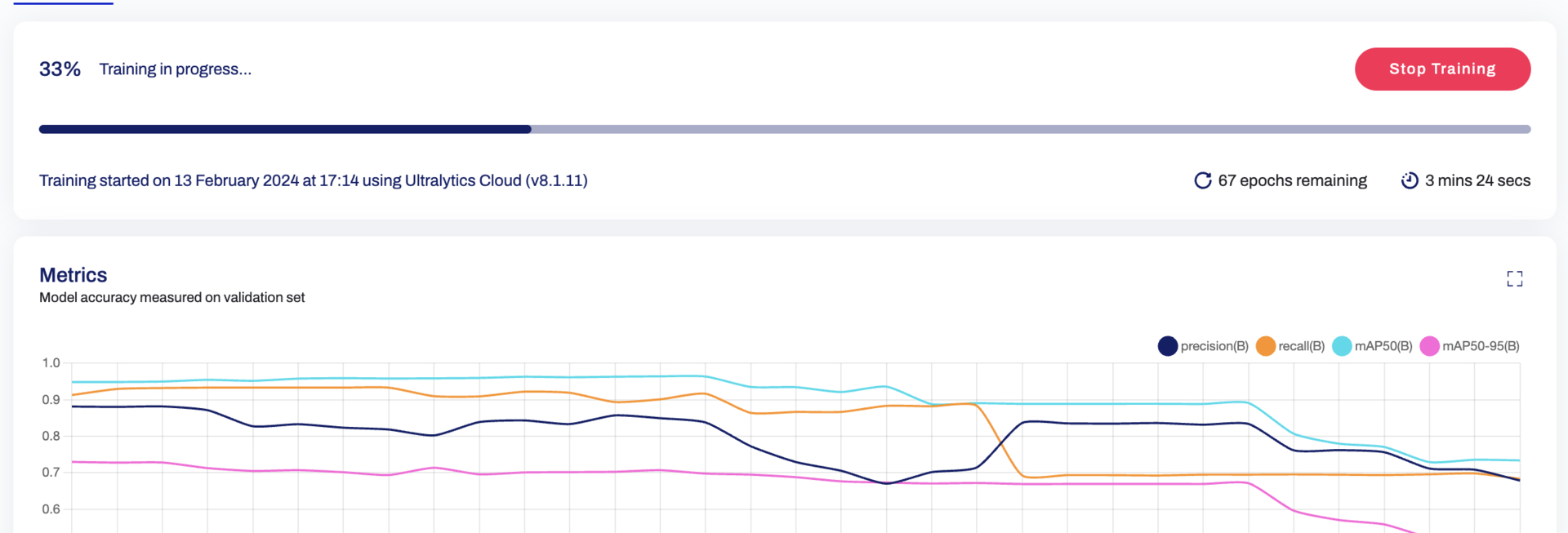


Watch: New Feature 🌟 Introducing Ultralytics HUB Cloud Training

## Selecting an Instance For details on picking a model and instances for it, please read our [Instances guide Page](models.md) ## Steps to Train the Model Once the instance has been selected, training a model using Ultralytics HUB is a three-step process, as below: 1. Picking a Dataset - Read more about datasets, steps to add/remove datasets from the [Dataset page](datasets.md) 2. Picking a Model - Read more about models, steps to create/share and handle a model on the [HUB Models page](models.md) 3. Training the Model on the Chosen Dataset Ultralytics HUB offers three training options: - **Ultralytics Cloud** - Explained in this page. - **Google Colab** - Train on Google's popular Colab notebooks. - **Bring your own agent** - Train models locally on your own hardware or on-premise GPU servers. In order to start training your model, follow the instructions presented in these steps. ## Training via Ultralytics Cloud To start training your model using Ultralytics Cloud, simply select the Training Duration, Available Instances, and Payment options. **Training Duration** - Ultralytics offers two kinds of training durations: 1. Training based on `Epochs`: This option allows you to train your model based on the number of times your dataset needs to go through the cycle of train, label, and test. The exact pricing based on the number of epochs is hard to determine. Hence, if the credit gets exhausted before the intended number of epochs, the training pauses, and you get a prompt to top-up and resume training. 2. Timed Training: The timed training feature allows you to fix the time duration of the entire training process and also determines the estimated amount before the start of training. ![Ultralytics cloud screenshot of training duration options](https://github.com/ultralytics/ultralytics/assets/19519529/47b96f3f-a9ea-441a-b065-cba97edc333f) When the training starts, you can click **Done** and monitor the training progress on the Model page. ## Monitor Your Training Once the model and mode of training have been selected, you can monitor the training procedure on the `Train` section with the link provided in the terminal (on your agent/Google Colab) or a button from Ultralytics Cloud. ![Monitor your Training](https://github.com/ultralytics/ultralytics/assets/19519529/316f8301-0d60-465e-8c99-aa3daf66433c) ## Stopping and Resuming Your Training Once the training has started, you can `Stop` the training, which will also correspondingly pause the credit usage. You can then `Resume` the training from the point where it stopped. ![Pausing and Resuming Training](https://github.com/ultralytics/ultralytics/assets/19519529/b2707a93-fa5c-4ee2-8443-6be9e1c2857d) ## Payments and Billing Options Ultralytics HUB offers `Pay Now` as upfront and/or using `Ultralytics HUB Account` as a wallet to top up and fulfill the billing. You can choose from two types of accounts: `Free` and `Pro` user. To access your profile, click on the profile picture in the bottom left corner. ![Clicking profile picture](https://github.com/ultralytics/ultralytics/assets/19519529/53e5410e-06f5-4b40-b29d-ef00b5779163) Click on the Billing tab to view your current plan and options to upgrade it. ![Clicking Upgrade button](https://github.com/ultralytics/ultralytics/assets/19519529/361b43c7-a9d4-4d05-b80b-dc1fa8bce829) You will be prompted with different available plans, and you can pick from the available plans as shown below. ![Picking a plan](https://github.com/ultralytics/ultralytics/assets/19519529/4326b01c-0d7d-4850-ac4f-ced2de3339ee) Navigate to the Payment page, fill in the details, and complete the payment. ![Payment Page](https://github.com/ultralytics/ultralytics/assets/19519529/5deebabe-1d8a-485a-b290-e038729c849f) ================================================ FILE: docs/en/hub/datasets.md ================================================ --- comments: true description: Learn how Ultralytics HUB datasets streamline your ML workflow. Upload, format, validate, access, share, edit or delete datasets for Ultralytics YOLO model training. keywords: Ultralytics, HUB datasets, YOLO model training, upload datasets, dataset validation, ML workflow, share datasets --- # HUB Datasets [Ultralytics HUB](https://hub.ultralytics.com/) datasets are a practical solution for managing and leveraging your custom datasets. Once uploaded, datasets can be immediately utilized for model training. This integrated approach facilitates a seamless transition from dataset management to model training, significantly simplifying the entire process.
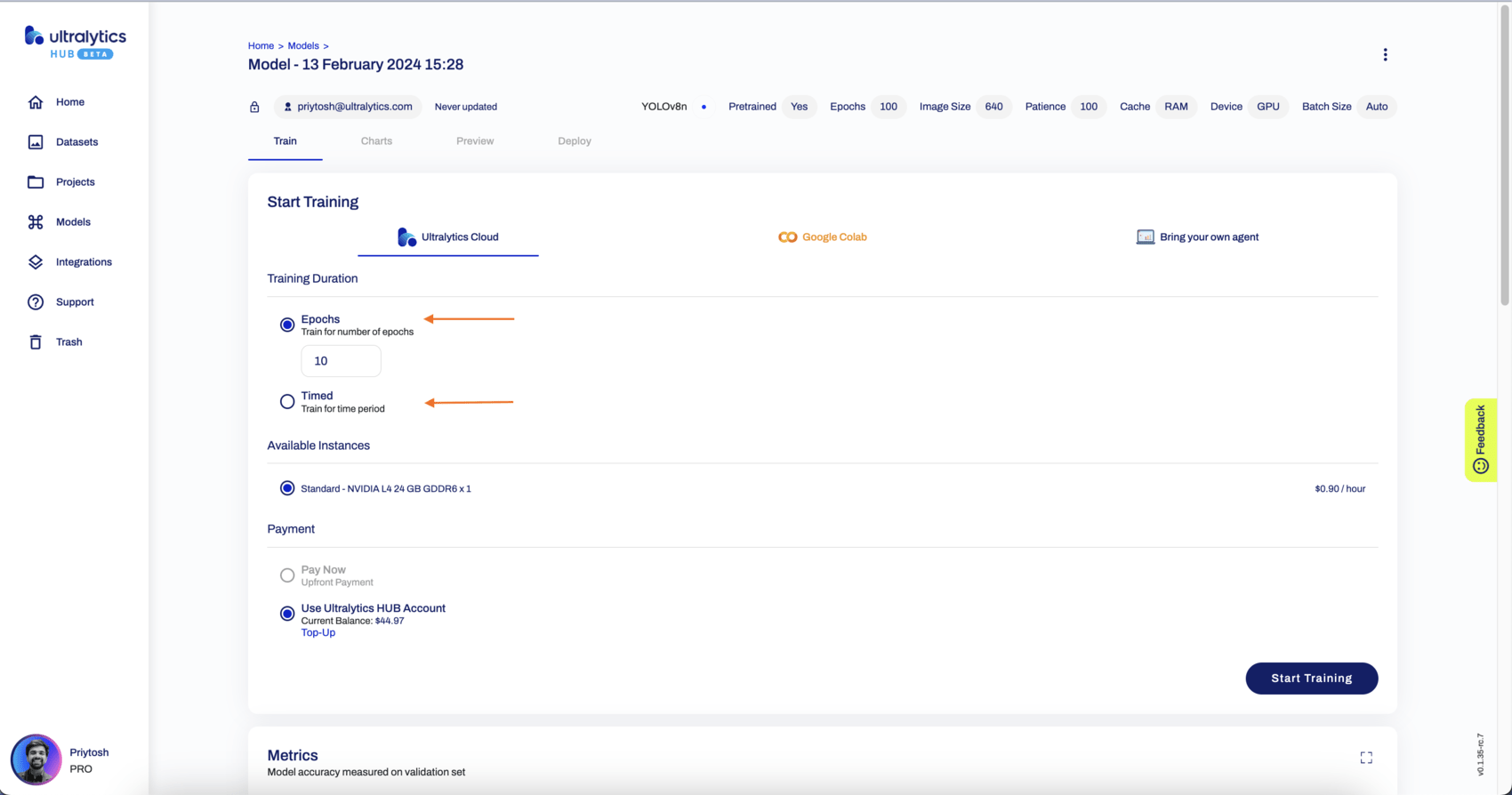
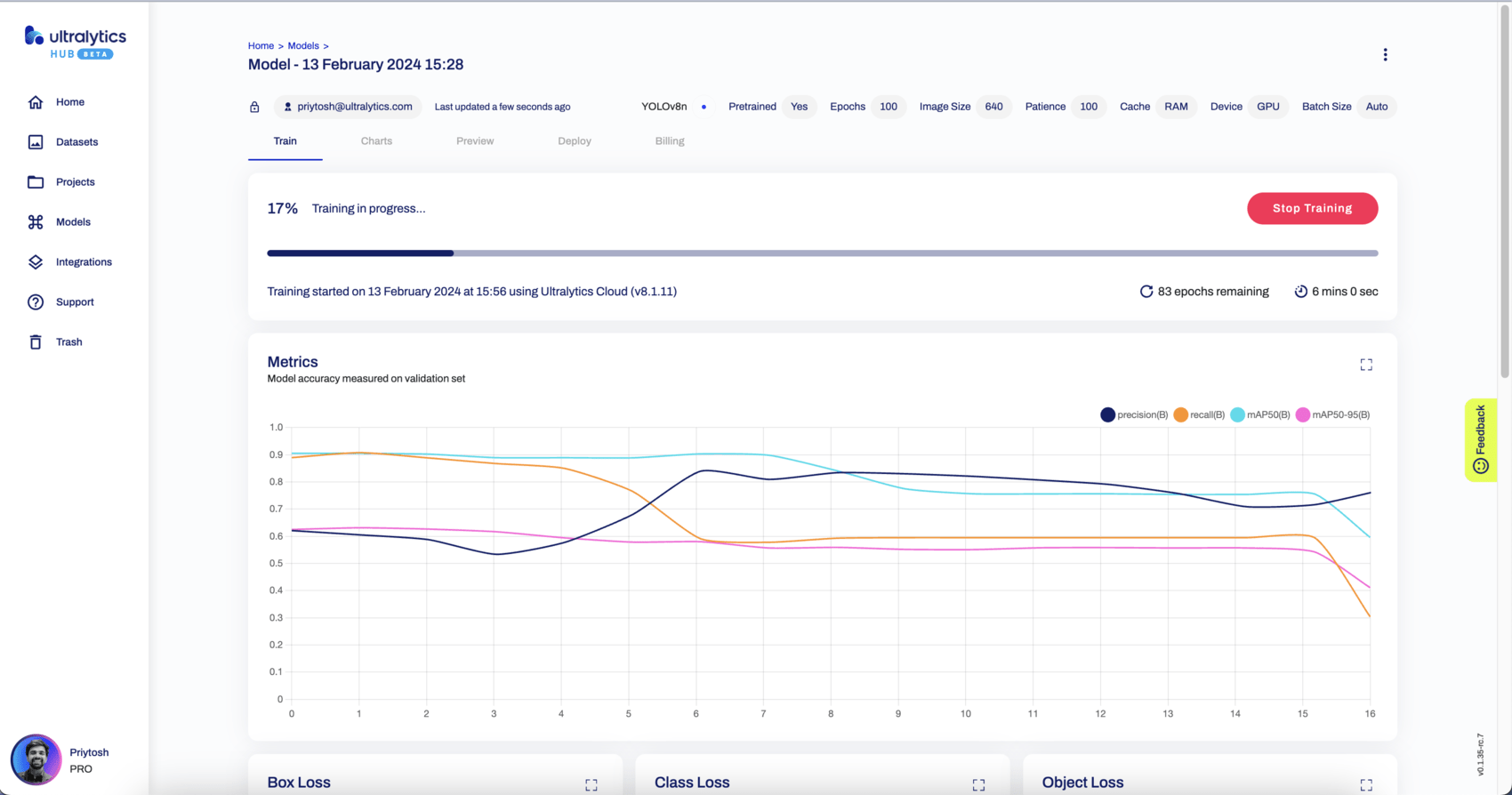
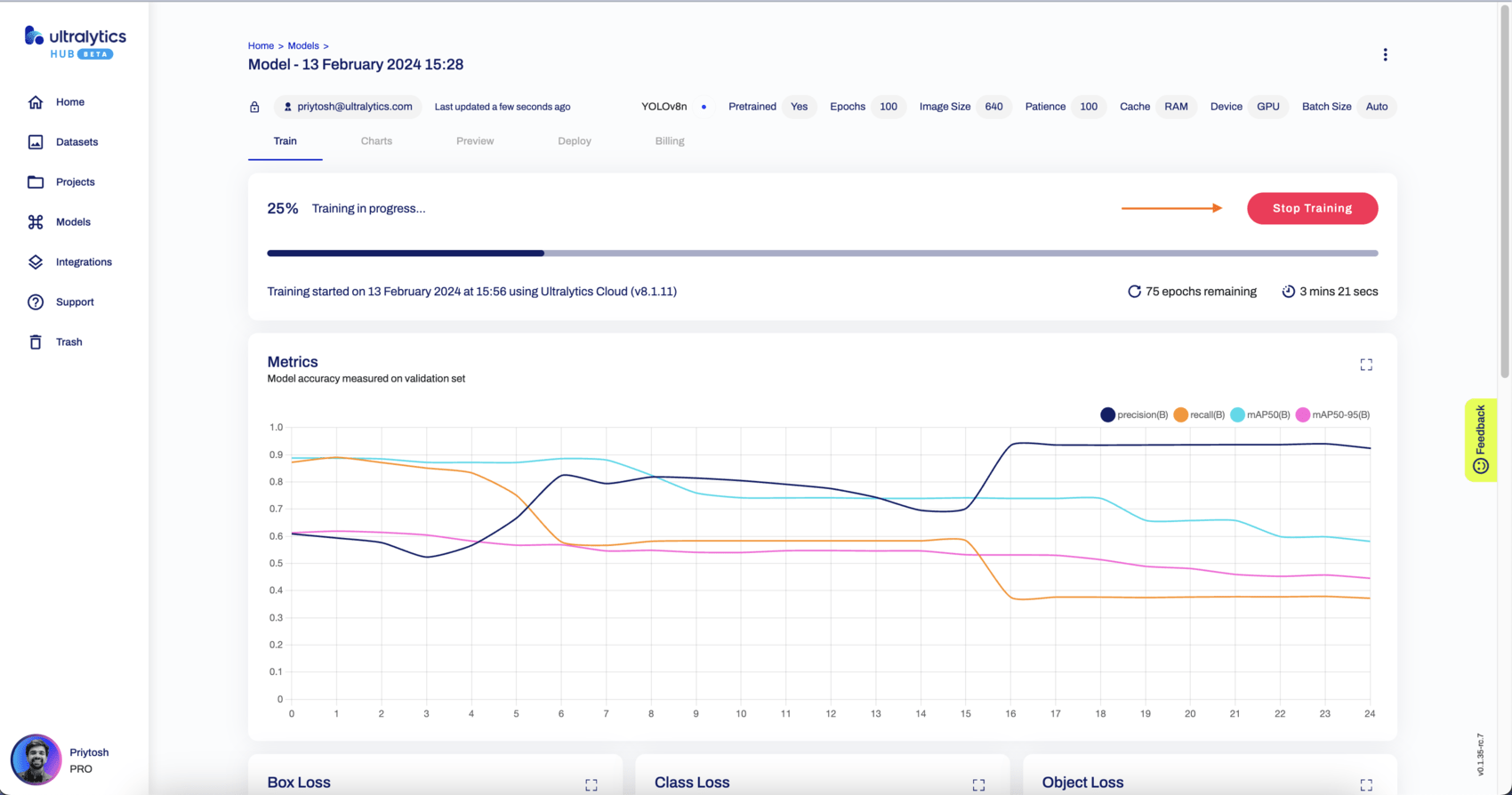

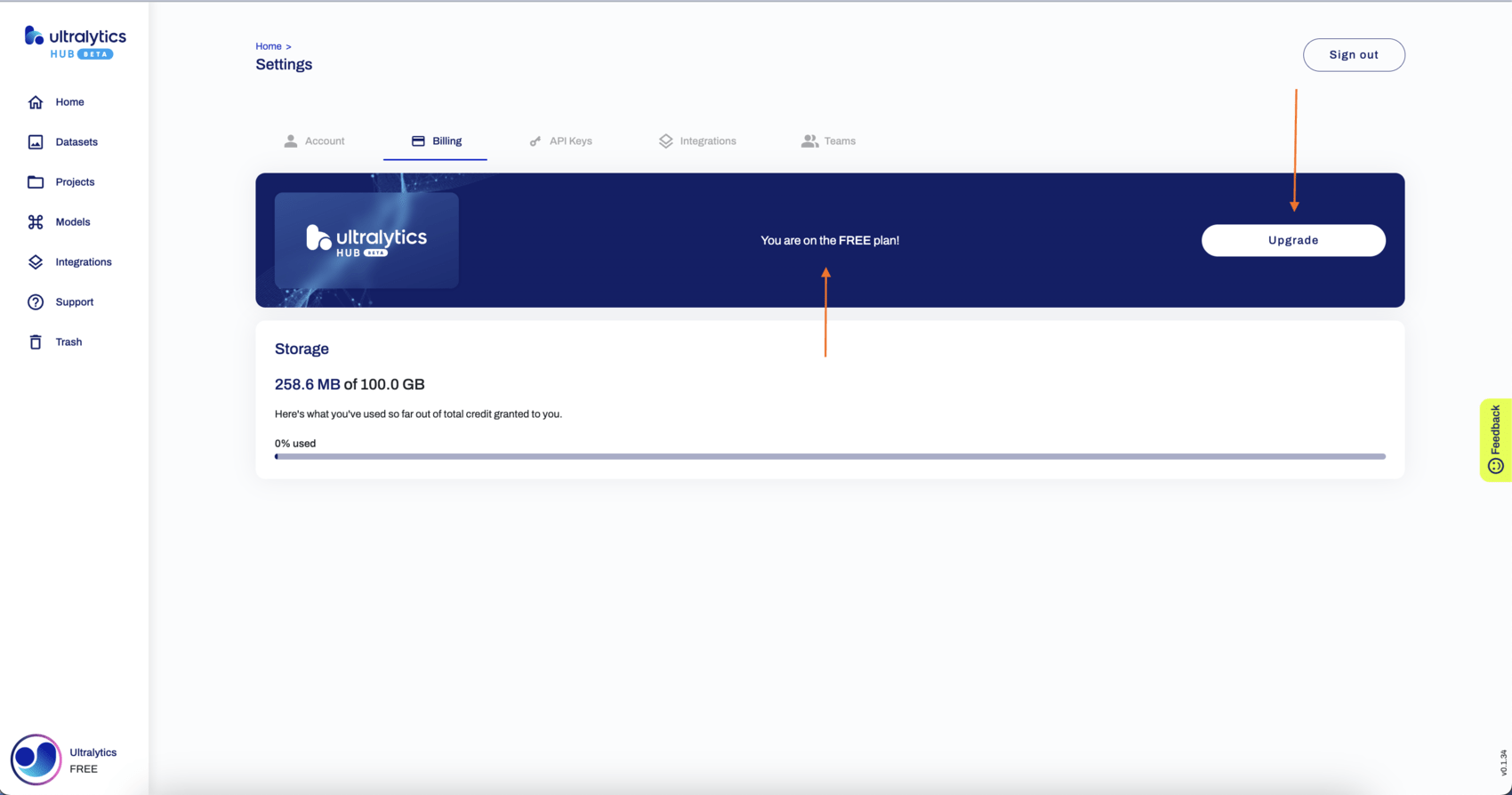
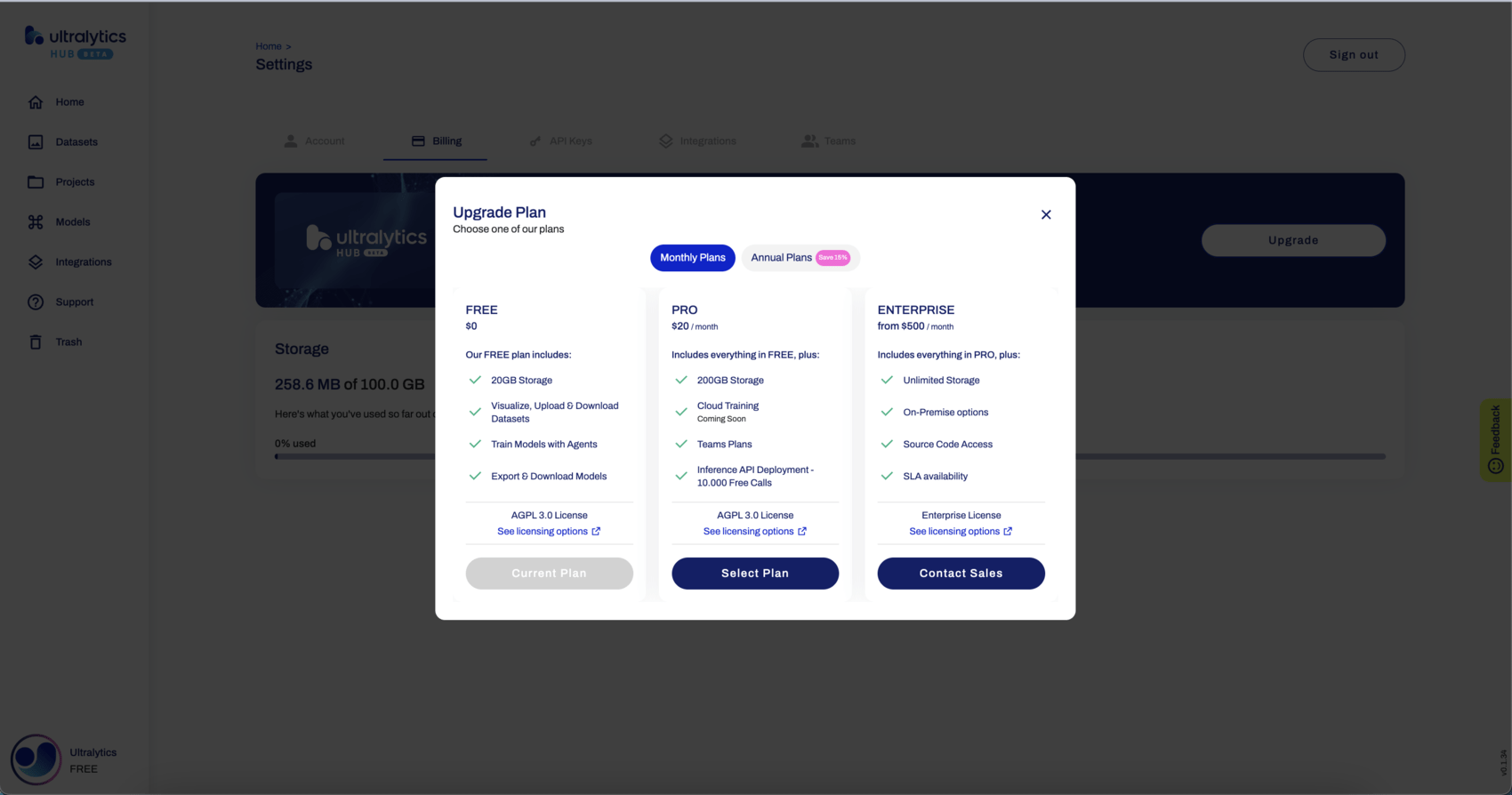
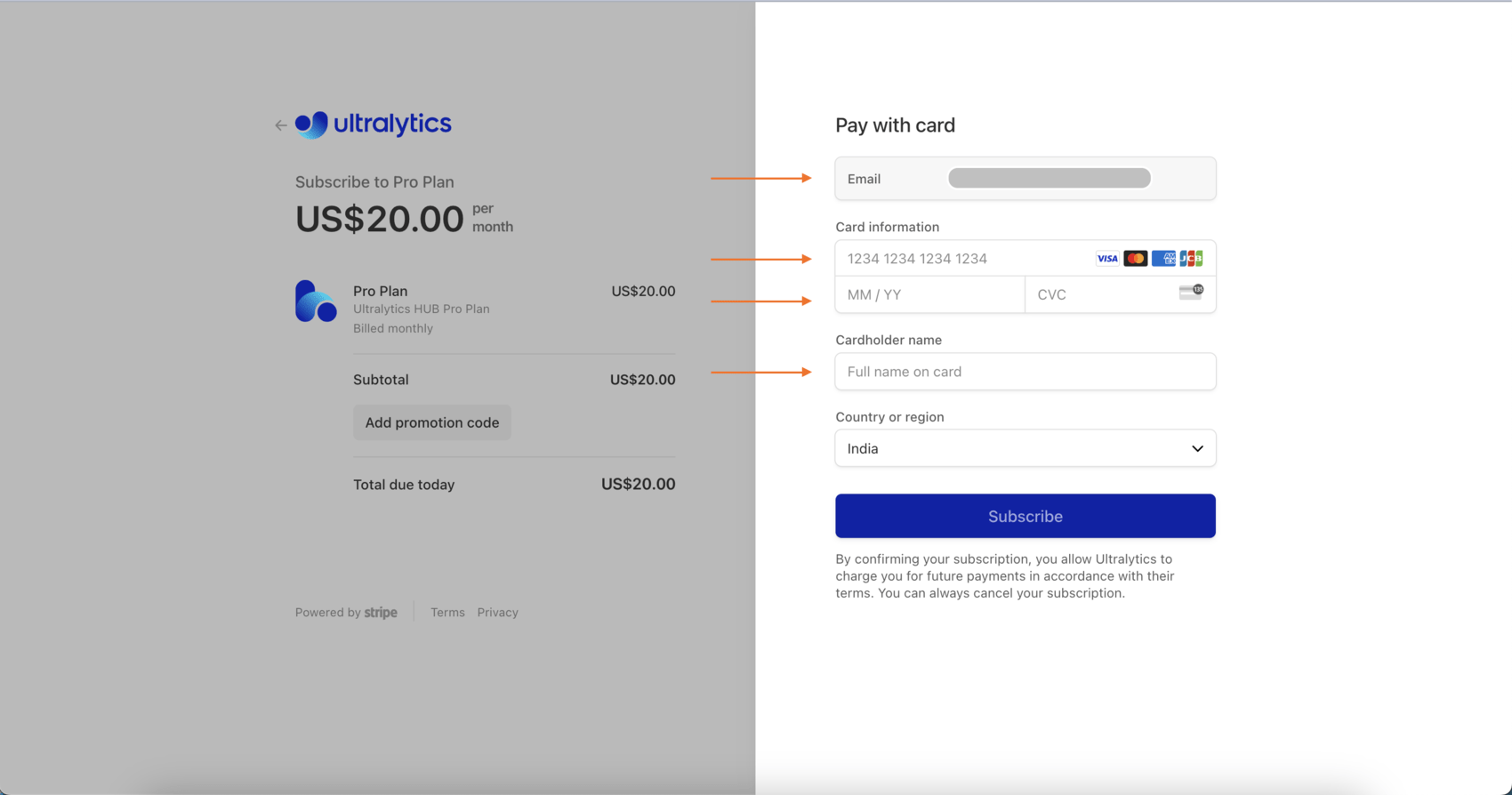


Watch: Watch: Upload Datasets to Ultralytics HUB | Complete Walkthrough of Dataset Upload Feature

## Upload Dataset Ultralytics HUB datasets are just like YOLOv5 and YOLOv8 🚀 datasets. They use the same structure and the same label formats to keep everything simple. Before you upload a dataset to Ultralytics HUB, make sure to **place your dataset YAML file inside the dataset root directory** and that **your dataset YAML, directory and ZIP have the same name**, as shown in the example below, and then zip the dataset directory. For example, if your dataset is called "coco8", as our [COCO8](https://docs.ultralytics.com/datasets/detect/coco8) example dataset, then you should have a `coco8.yaml` inside your `coco8/` directory, which will create a `coco8.zip` when zipped: ```bash zip -r coco8.zip coco8 ``` You can download our [COCO8](https://github.com/ultralytics/hub/blob/main/example_datasets/coco8.zip) example dataset and unzip it to see exactly how to structure your dataset.

COCO8 Dataset Structure

The dataset YAML is the same standard YOLOv5 and YOLOv8 YAML format. !!! Example "coco8.yaml" ```yaml --8<-- "ultralytics/cfg/datasets/coco8.yaml" ``` After zipping your dataset, you should validate it before uploading it to Ultralytics HUB. Ultralytics HUB conducts the dataset validation check post-upload, so by ensuring your dataset is correctly formatted and error-free ahead of time, you can forestall any setbacks due to dataset rejection. ```py from ultralytics.hub import check_dataset check_dataset('path/to/coco8.zip') ``` Once your dataset ZIP is ready, navigate to the [Datasets](https://hub.ultralytics.com/datasets) page by clicking on the **Datasets** button in the sidebar. ![Ultralytics HUB screenshot of the Home page with an arrow pointing to the Datasets button in the sidebar](https://github.com/ultralytics/ultralytics/assets/19519529/2d9f774c-100d-4ff4-a82b-2a38ced33c21) Click on the **Upload Dataset** button on the top right of the page. This action will trigger the **Upload Dataset** dialog. ![Ultralytics HUB screenshot of the Dataset page with an arrow pointing to the Upload Dataset button](https://github.com/ultralytics/ultralytics/assets/19519529/52ac10f5-ce42-483a-ac02-1d37d2cba3de) Upload your dataset in the _Dataset .zip file_ field. You have the additional option to set a custom name and description for your Ultralytics HUB dataset. When you're happy with your dataset configuration, click **Upload**. ![Ultralytics HUB screenshot of the Upload Dataset dialog with an arrow pointing to the Upload button](https://github.com/ultralytics/ultralytics/assets/19519529/7d210ff6-bdb2-4535-a661-0470274bd7d6) After your dataset is uploaded and processed, you will be able to access it from the Datasets page. ![Ultralytics HUB screenshot of the Datasets page with an arrow pointing to one of the datasets](https://github.com/ultralytics/ultralytics/assets/19519529/a05d9b66-f8ba-4474-b8ac-ebe0dd143831) You can view the images in your dataset grouped by splits (Train, Validation, Test). ![Ultralytics HUB screenshot of the Dataset page with an arrow pointing to the Images tab](https://github.com/ultralytics/ultralytics/assets/19519529/e07468e3-6284-4334-9783-84bfb11130f8) !!! tip "Tip" Each image can be enlarged for better visualization. ![Ultralytics HUB screenshot of the Images tab inside the Dataset page with an arrow pointing to the expand icon](https://github.com/ultralytics/ultralytics/assets/19519529/26f411a0-5153-4805-a8c1-cbd379708e28) ![Ultralytics HUB screenshot of the Images tab inside the Dataset page with one of the images expanded](https://github.com/ultralytics/ultralytics/assets/19519529/7d5e0d50-85e5-4014-9f5b-464284e5b291) Also, you can analyze your dataset by click on the **Overview** tab. ![Ultralytics HUB screenshot of the Dataset page with an arrow pointing to the Overview tab](https://github.com/ultralytics/ultralytics/assets/19519529/5eaacd5d-fedf-4332-9091-1418c9f333cb) Next, [train a model](https://docs.ultralytics.com/hub/models/#train-model) on your dataset. ![Ultralytics HUB screenshot of the Dataset page with an arrow pointing to the Train Model button](https://github.com/ultralytics/ultralytics/assets/19519529/cb709e5f-a10b-478f-a81d-a48f61c193fe) ## Share Dataset !!! Info "Info" Ultralytics HUB's sharing functionality provides a convenient way to share datasets with others. This feature is designed to accommodate both existing Ultralytics HUB users and those who have yet to create an account. !!! note "Note" You have control over the general access of your datasets. You can choose to set the general access to "Private", in which case, only you will have access to it. Alternatively, you can set the general access to "Unlisted" which grants viewing access to anyone who has the direct link to the dataset, regardless of whether they have an Ultralytics HUB account or not. Navigate to the Dataset page of the dataset you want to share, open the dataset actions dropdown and click on the **Share** option. This action will trigger the **Share Dataset** dialog. ![Ultralytics HUB screenshot of the Dataset page with an arrow pointing to the Share option](https://github.com/ultralytics/ultralytics/assets/19519529/9a0e61e7-2838-42b3-8abe-a22980e6c680) !!! tip "Tip" You can also share a dataset directly from the [Datasets](https://hub.ultralytics.com/datasets) page. ![Ultralytics HUB screenshot of the Datasets page with an arrow pointing to the Share option of one of the datasets](https://raw.githubusercontent.com/ultralytics/assets/main/docs/hub/datasets/hub_share_dataset_2.jpg) Set the general access to "Unlisted" and click **Save**. ![Ultralytics HUB screenshot of the Share Dataset dialog with an arrow pointing to the dropdown and one to the Save button](https://github.com/ultralytics/ultralytics/assets/19519529/5818b928-19a3-48a8-892d-27ac1dc684dd) Now, anyone who has the direct link to your dataset can view it. !!! tip "Tip" You can easily click on the dataset's link shown in the **Share Dataset** dialog to copy it. ![Ultralytics HUB screenshot of the Share Dataset dialog with an arrow pointing to the dataset's link](https://github.com/ultralytics/ultralytics/assets/19519529/8ede7d20-2a68-411d-9de5-3175b5ba7038) ## Edit / Delete Dataset Navigate to the Dataset page of the dataset you want to edit, open the dataset actions dropdown and click on the **Edit** option. This action will trigger the **Update Dataset** dialog. ![Ultralytics HUB screenshot of the Dataset page with an arrow pointing to the Edit and Delete option](https://github.com/ultralytics/ultralytics/assets/19519529/6c248c8c-29cd-4bd5-b33d-43e90aa1d000) Apply the desired modifications to your dataset and then confirm the changes by clicking **Save**. Navigate to the Dataset page of the dataset you want to delete, open the dataset actions dropdown and click on the **Delete** option. This action will delete the dataset. !!! note "Note" If you change your mind, you can restore the dataset from the [Trash](https://hub.ultralytics.com/trash) page. ![Ultralytics HUB screenshot of the Trash page with an arrow pointing to the Restore option of one of the datasets](https://github.com/ultralytics/ultralytics/assets/19519529/56a9460c-0e06-4659-989d-715211b9d7ce) ================================================ FILE: docs/en/hub/index.md ================================================ --- comments: true description: Gain insights into training and deploying your YOLOv5 and YOLOv8 models with Ultralytics HUB. Explore pre-trained models, templates and various integrations. keywords: Ultralytics HUB, YOLOv5, YOLOv8, model training, model deployment, pretrained models, model integrations --- # Ultralytics HUB Ultralytics HUB preview image
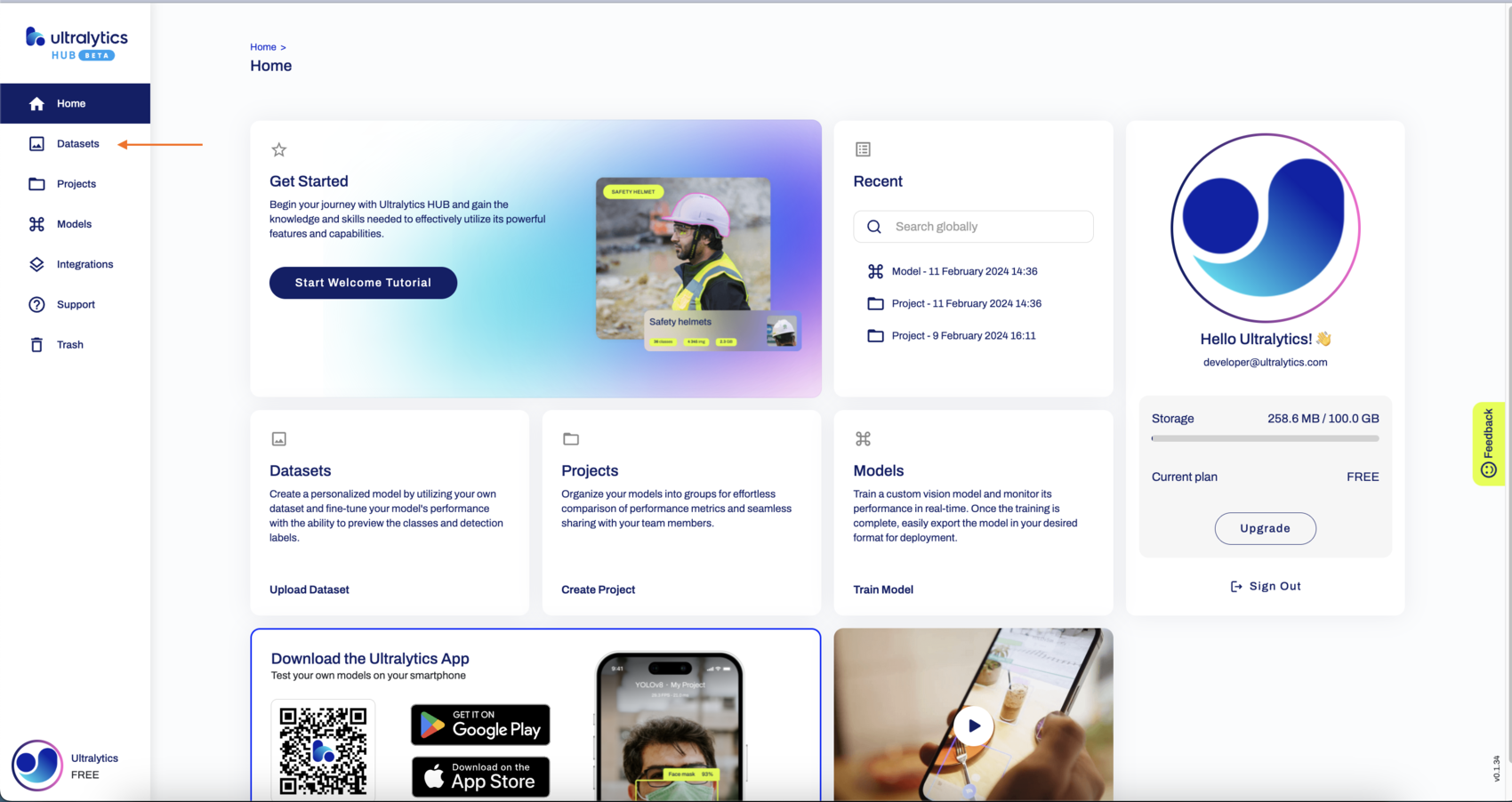
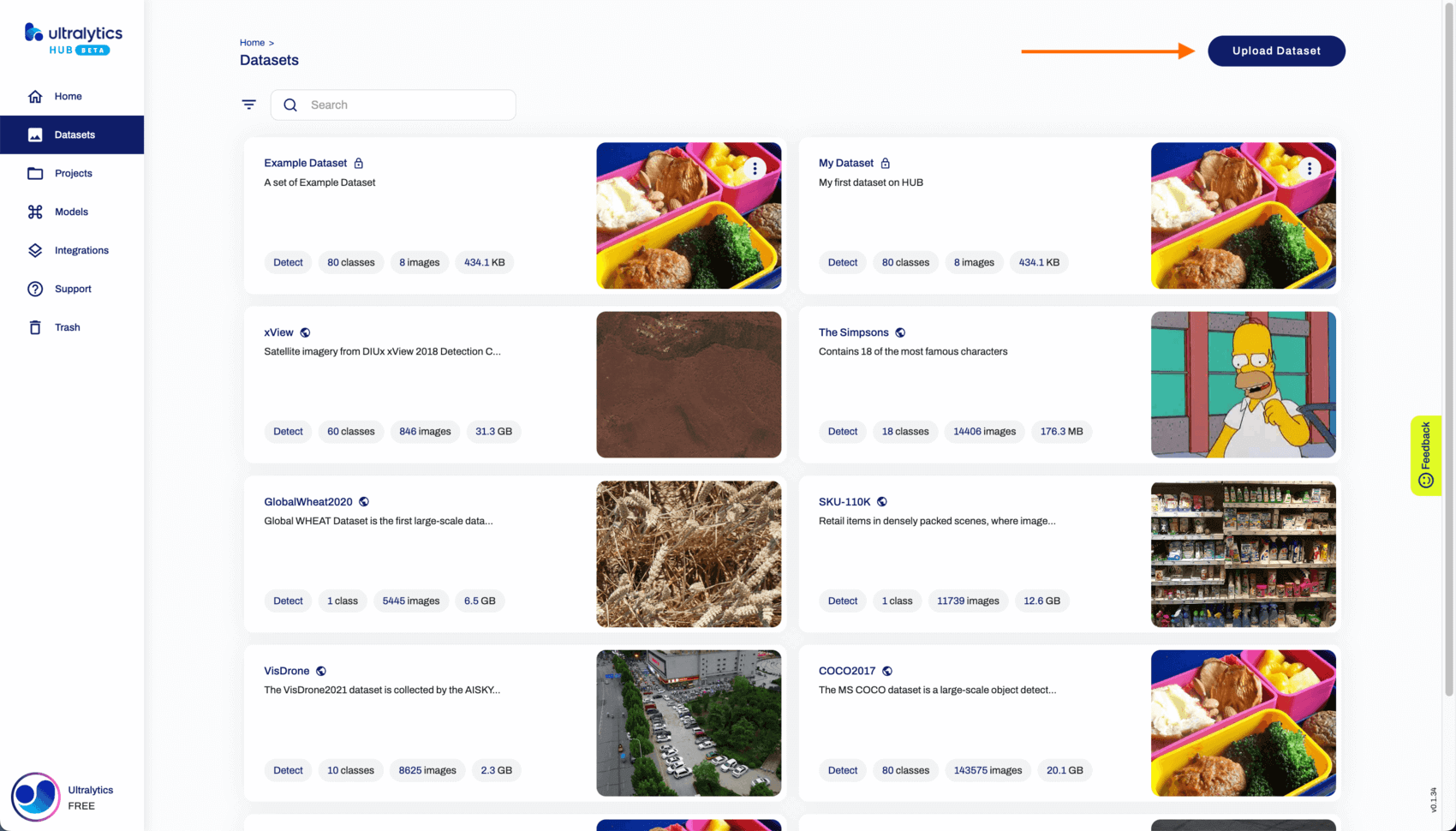
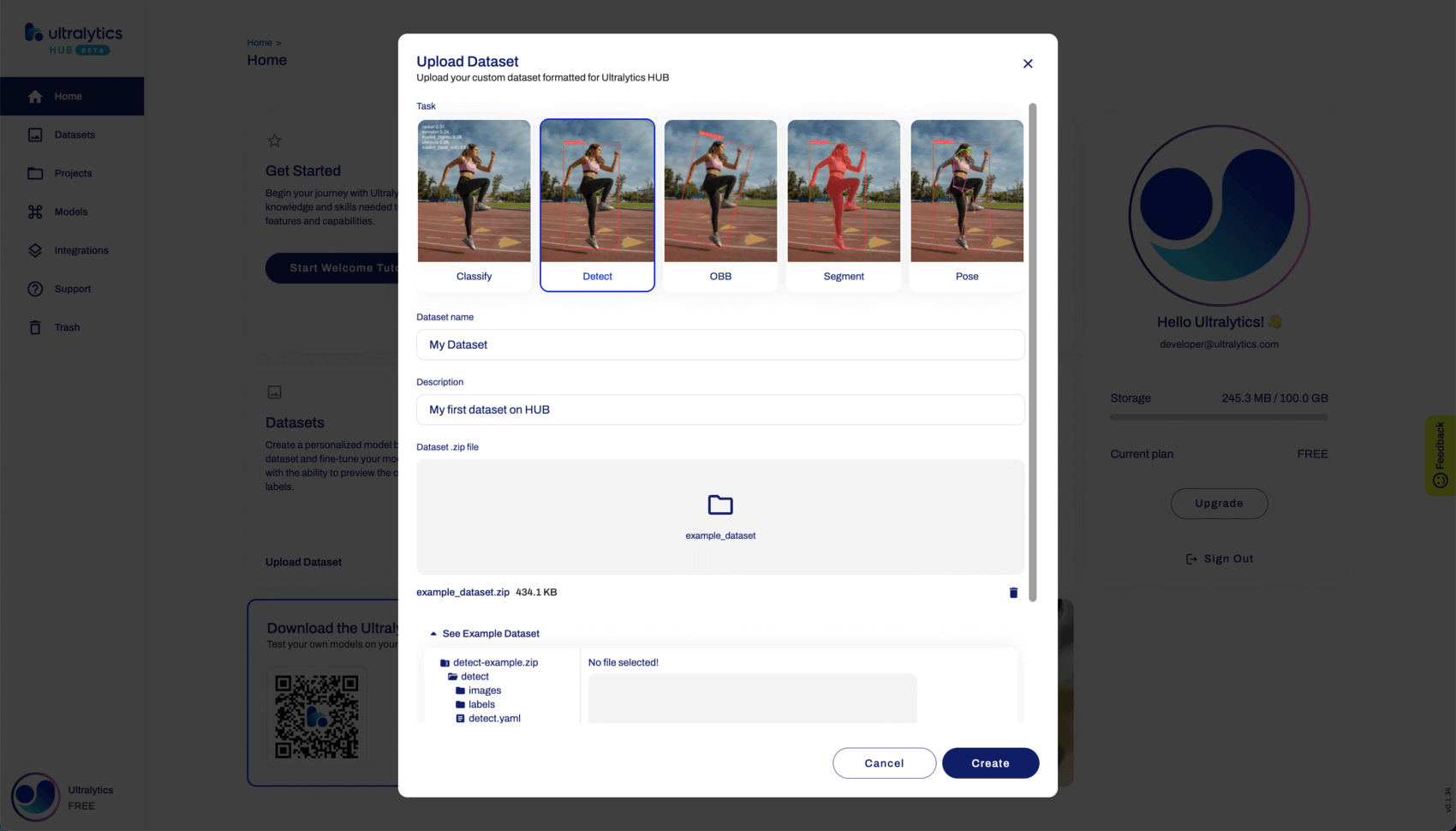
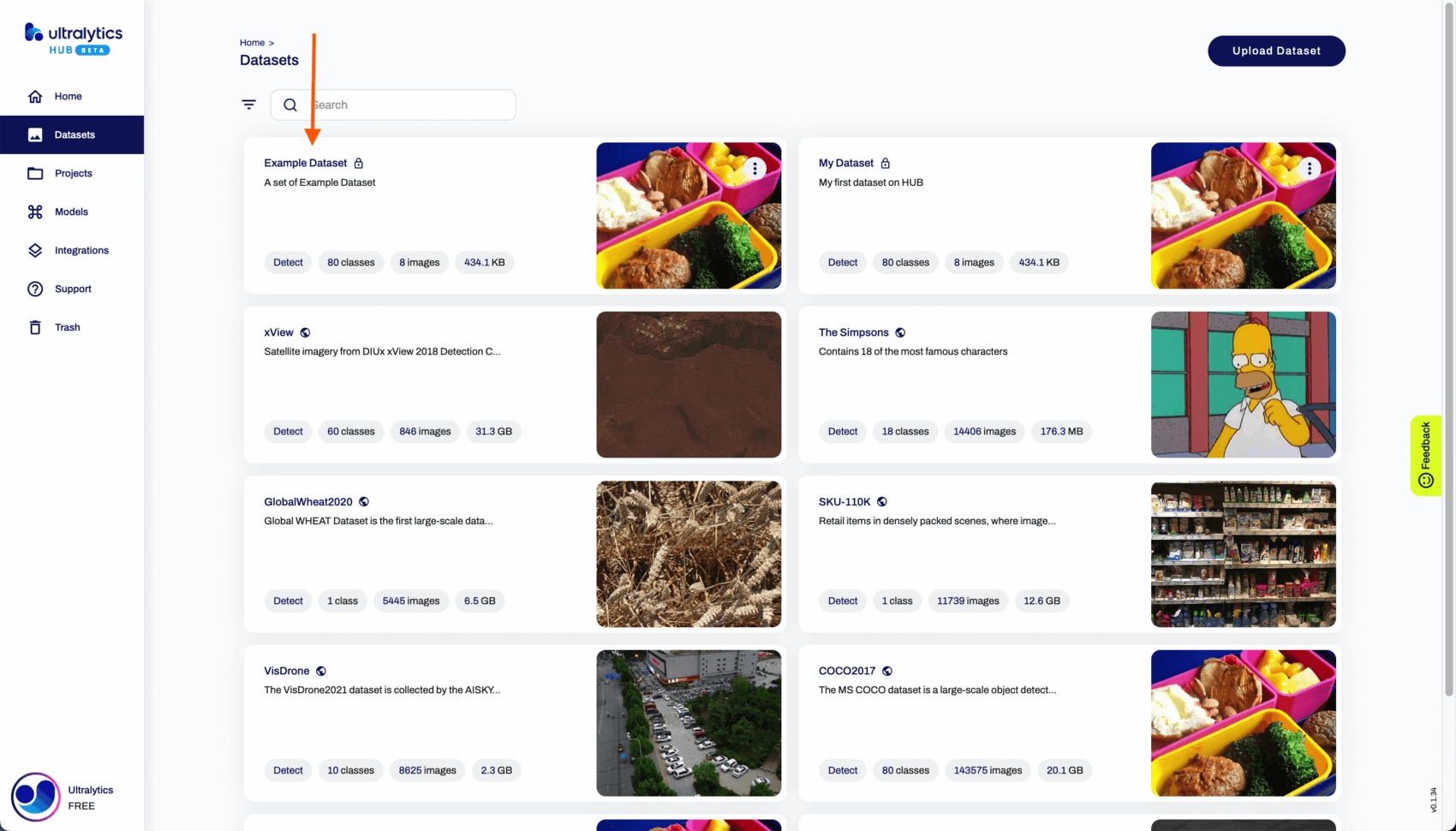
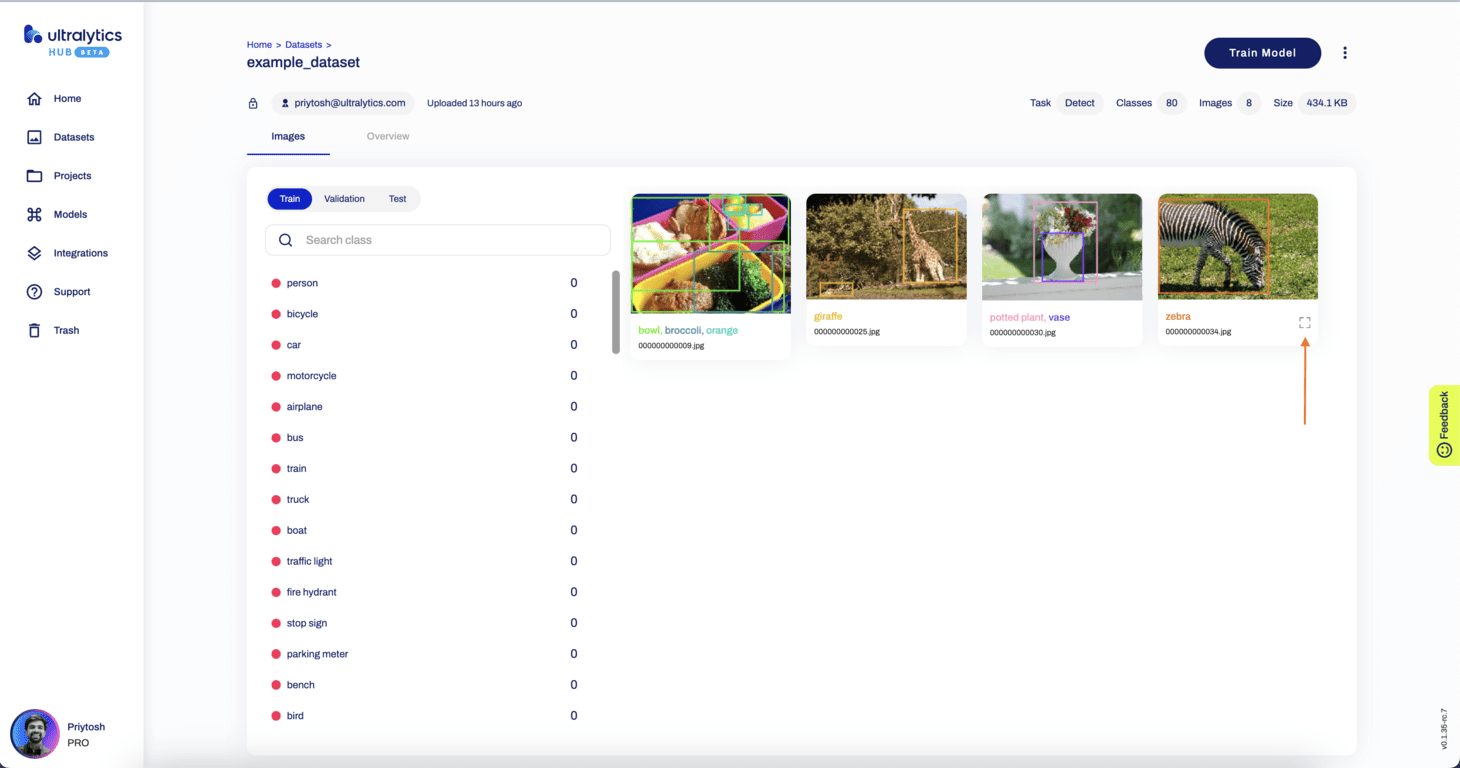
👋 Hello from the [Ultralytics](https://ultralytics.com/) Team! We've been working hard these last few months to launch [Ultralytics HUB](https://bit.ly/ultralytics_hub), a new web tool for training and deploying all your YOLOv5 and YOLOv8 🚀 models from one spot! ## Introduction HUB is designed to be user-friendly and intuitive, with a drag-and-drop interface that allows users to easily upload their data and train new models quickly. It offers a range of pre-trained models and templates to choose from, making it easy for users to get started with training their own models. Once a model is trained, it can be easily deployed and used for real-time object detection, instance segmentation and classification tasks.


Watch: Train Your Custom YOLO Models In A Few Clicks with Ultralytics HUB.

We hope that the resources here will help you get the most out of HUB. Please browse the HUB Docs for details, raise an issue on GitHub for support, and join our Discord community for questions and discussions! - [**Quickstart**](quickstart.md). Start training and deploying YOLO models with HUB in seconds. - [**Datasets: Preparing and Uploading**](datasets.md). Learn how to prepare and upload your datasets to HUB in YOLO format. - [**Projects: Creating and Managing**](projects.md). Group your models into projects for improved organization. - [**Models: Training and Exporting**](models.md). Train YOLOv5 and YOLOv8 models on your custom datasets and export them to various formats for deployment. - [**Integrations: Options**](integrations.md). Explore different integration options for your trained models, such as TensorFlow, ONNX, OpenVINO, CoreML, and PaddlePaddle. - [**Ultralytics HUB App**](app/index.md). Learn about the Ultralytics App for iOS and Android, which allows you to run models directly on your mobile device. - [**iOS**](app/ios.md). Learn about YOLO CoreML models accelerated on Apple's Neural Engine on iPhones and iPads. - [**Android**](app/android.md). Explore TFLite acceleration on mobile devices. - [**Inference API**](inference-api.md). Understand how to use the Inference API for running your trained models in the cloud to generate predictions. ================================================ FILE: docs/en/hub/inference-api.md ================================================ --- comments: true description: Access object detection capabilities of YOLOv8 via our RESTful API. Learn how to use the YOLO Inference API with Python or cURL for swift object detection. keywords: Ultralytics, YOLOv8, Inference API, object detection, RESTful API, Python, cURL, Quickstart --- # YOLO Inference API The YOLO Inference API allows you to access the YOLOv8 object detection capabilities via a RESTful API. This enables you to run object detection on images without the need to install and set up the YOLOv8 environment locally. ![Inference API Screenshot](https://github.com/ultralytics/ultralytics/assets/19519529/a8c00e55-1590-403b-bdee-ed456c60af4d) Screenshot of the Inference API section in the trained model Preview tab.


Watch: Ultralytics HUB Inference API Walkthrough

## API URL The API URL is the address used to access the YOLO Inference API. In this case, the base URL is: ``` https://api.ultralytics.com/v1/predict ``` ## Example Usage in Python To access the YOLO Inference API with the specified model and API key using Python, you can use the following code: ```python import requests # API URL, use actual MODEL_ID url = f"https://api.ultralytics.com/v1/predict/MODEL_ID" # Headers, use actual API_KEY headers = {"x-api-key": "API_KEY"} # Inference arguments (optional) data = {"size": 640, "confidence": 0.25, "iou": 0.45} # Load image and send request with open("path/to/image.jpg", "rb") as image_file: files = {"image": image_file} response = requests.post(url, headers=headers, files=files, data=data) print(response.json()) ``` In this example, replace `API_KEY` with your actual API key, `MODEL_ID` with the desired model ID, and `path/to/image.jpg` with the path to the image you want to analyze. ## Example Usage with cURL You can use the YOLO Inference API with client URL (cURL) by utilizing the `curl` command. Replace `API_KEY` with your actual API key, `MODEL_ID` with the desired model ID, and `image.jpg` with the path to the image you want to analyze: ```bash curl -X POST "https://api.ultralytics.com/v1/predict/MODEL_ID" \ -H "x-api-key: API_KEY" \ -F "image=@/path/to/image.jpg" \ -F "size=640" \ -F "confidence=0.25" \ -F "iou=0.45" ``` ## Passing Arguments This command sends a POST request to the YOLO Inference API with the specified `MODEL_ID` in the URL and the `API_KEY` in the request `headers`, along with the image file specified by `@path/to/image.jpg`. Here's an example of passing the `size`, `confidence`, and `iou` arguments via the API URL using the `requests` library in Python: ```python import requests # API URL, use actual MODEL_ID url = f"https://api.ultralytics.com/v1/predict/MODEL_ID" # Headers, use actual API_KEY headers = {"x-api-key": "API_KEY"} # Inference arguments (optional) data = {"size": 640, "confidence": 0.25, "iou": 0.45} # Load image and send request with open("path/to/image.jpg", "rb") as image_file: files = {"image": image_file} response = requests.post(url, headers=headers, files=files, data=data) print(response.json()) ``` In this example, the `data` dictionary contains the query arguments `size`, `confidence`, and `iou`, which tells the API to run inference at image size 640 with confidence and IoU thresholds of 0.25 and 0.45. This will send the query parameters along with the file in the POST request. See the table below for a full list of available inference arguments. | Inference Argument | Default | Type | Notes | |--------------------|---------|---------|------------------------------------------------| | `size` | `640` | `int` | valid range is `32` - `1280` pixels | | `confidence` | `0.25` | `float` | valid range is `0.01` - `1.0` | | `iou` | `0.45` | `float` | valid range is `0.0` - `0.95` | | `url` | `''` | `str` | optional image URL if not image file is passed | | `normalize` | `False` | `bool` | | ## Return JSON format The YOLO Inference API returns a JSON list with the detection results. The format of the JSON list will be the same as the one produced locally by the `results[0].tojson()` command. The JSON list contains information about the detected objects, their coordinates, classes, and confidence scores. ### Detect Model Format YOLO detection models, such as `yolov8n.pt`, can return JSON responses from local inference, cURL inference, and Python inference. All of these methods produce the same JSON response format. !!! Example "Detect Model JSON Response" === "`ultralytics`" ```python from ultralytics import YOLO # Load model model = YOLO('yolov8n.pt') # Run inference results = model('image.jpg') # Print image.jpg results in JSON format print(results[0].tojson()) ``` === "cURL" ```bash curl -X POST "https://api.ultralytics.com/v1/predict/MODEL_ID" \ -H "x-api-key: API_KEY" \ -F "image=@/path/to/image.jpg" \ -F "size=640" \ -F "confidence=0.25" \ -F "iou=0.45" ``` === "Python" ```python import requests # API URL, use actual MODEL_ID url = f"https://api.ultralytics.com/v1/predict/MODEL_ID" # Headers, use actual API_KEY headers = {"x-api-key": "API_KEY"} # Inference arguments (optional) data = {"size": 640, "confidence": 0.25, "iou": 0.45} # Load image and send request with open("path/to/image.jpg", "rb") as image_file: files = {"image": image_file} response = requests.post(url, headers=headers, files=files, data=data) print(response.json()) ``` === "JSON Response" ```json { "success": True, "message": "Inference complete.", "data": [ { "name": "person", "class": 0, "confidence": 0.8359682559967041, "box": { "x1": 0.08974208831787109, "y1": 0.27418340047200523, "x2": 0.8706787109375, "y2": 0.9887352837456598 } }, { "name": "person", "class": 0, "confidence": 0.8189555406570435, "box": { "x1": 0.5847355842590332, "y1": 0.05813225640190972, "x2": 0.8930277824401855, "y2": 0.9903111775716146 } }, { "name": "tie", "class": 27, "confidence": 0.2909725308418274, "box": { "x1": 0.3433395862579346, "y1": 0.6070465511745877, "x2": 0.40964522361755373, "y2": 0.9849439832899306 } } ] } ``` ### Segment Model Format YOLO segmentation models, such as `yolov8n-seg.pt`, can return JSON responses from local inference, cURL inference, and Python inference. All of these methods produce the same JSON response format. !!! Example "Segment Model JSON Response" === "`ultralytics`" ```python from ultralytics import YOLO # Load model model = YOLO('yolov8n-seg.pt') # Run inference results = model('image.jpg') # Print image.jpg results in JSON format print(results[0].tojson()) ``` === "cURL" ```bash curl -X POST "https://api.ultralytics.com/v1/predict/MODEL_ID" \ -H "x-api-key: API_KEY" \ -F "image=@/path/to/image.jpg" \ -F "size=640" \ -F "confidence=0.25" \ -F "iou=0.45" ``` === "Python" ```python import requests # API URL, use actual MODEL_ID url = f"https://api.ultralytics.com/v1/predict/MODEL_ID" # Headers, use actual API_KEY headers = {"x-api-key": "API_KEY"} # Inference arguments (optional) data = {"size": 640, "confidence": 0.25, "iou": 0.45} # Load image and send request with open("path/to/image.jpg", "rb") as image_file: files = {"image": image_file} response = requests.post(url, headers=headers, files=files, data=data) print(response.json()) ``` === "JSON Response" Note `segments` `x` and `y` lengths may vary from one object to another. Larger or more complex objects may have more segment points. ```json { "success": True, "message": "Inference complete.", "data": [ { "name": "person", "class": 0, "confidence": 0.856913149356842, "box": { "x1": 0.1064866065979004, "y1": 0.2798851860894097, "x2": 0.8738358497619629, "y2": 0.9894873725043403 }, "segments": { "x": [ 0.421875, 0.4203124940395355, 0.41718751192092896 ... ], "y": [ 0.2888889014720917, 0.2916666567325592, 0.2916666567325592 ... ] } }, { "name": "person", "class": 0, "confidence": 0.8512625694274902, "box": { "x1": 0.5757311820983887, "y1": 0.053943040635850696, "x2": 0.8960096359252929, "y2": 0.985154045952691 }, "segments": { "x": [ 0.7515624761581421, 0.75, 0.7437499761581421 ... ], "y": [ 0.0555555559694767, 0.05833333358168602, 0.05833333358168602 ... ] } }, { "name": "tie", "class": 27, "confidence": 0.6485961675643921, "box": { "x1": 0.33911995887756347, "y1": 0.6057066175672743, "x2": 0.4081430912017822, "y2": 0.9916408962673611 }, "segments": { "x": [ 0.37187498807907104, 0.37031251192092896, 0.3687500059604645 ... ], "y": [ 0.6111111044883728, 0.6138888597488403, 0.6138888597488403 ... ] } } ] } ``` ### Pose Model Format YOLO pose models, such as `yolov8n-pose.pt`, can return JSON responses from local inference, cURL inference, and Python inference. All of these methods produce the same JSON response format. !!! Example "Pose Model JSON Response" === "`ultralytics`" ```python from ultralytics import YOLO # Load model model = YOLO('yolov8n-seg.pt') # Run inference results = model('image.jpg') # Print image.jpg results in JSON format print(results[0].tojson()) ``` === "cURL" ```bash curl -X POST "https://api.ultralytics.com/v1/predict/MODEL_ID" \ -H "x-api-key: API_KEY" \ -F "image=@/path/to/image.jpg" \ -F "size=640" \ -F "confidence=0.25" \ -F "iou=0.45" ``` === "Python" ```python import requests # API URL, use actual MODEL_ID url = f"https://api.ultralytics.com/v1/predict/MODEL_ID" # Headers, use actual API_KEY headers = {"x-api-key": "API_KEY"} # Inference arguments (optional) data = {"size": 640, "confidence": 0.25, "iou": 0.45} # Load image and send request with open("path/to/image.jpg", "rb") as image_file: files = {"image": image_file} response = requests.post(url, headers=headers, files=files, data=data) print(response.json()) ``` === "JSON Response" Note COCO-keypoints pretrained models will have 17 human keypoints. The `visible` part of the keypoints indicates whether a keypoint is visible or obscured. Obscured keypoints may be outside the image or may not be visible, i.e. a person's eyes facing away from the camera. ```json { "success": True, "message": "Inference complete.", "data": [ { "name": "person", "class": 0, "confidence": 0.8439509868621826, "box": { "x1": 0.1125, "y1": 0.28194444444444444, "x2": 0.7953125, "y2": 0.9902777777777778 }, "keypoints": { "x": [ 0.5058594942092896, 0.5103894472122192, 0.4920862317085266 ... ], "y": [ 0.48964157700538635, 0.4643048942089081, 0.4465252459049225 ... ], "visible": [ 0.8726999163627625, 0.653947651386261, 0.9130823612213135 ... ] } }, { "name": "person", "class": 0, "confidence": 0.7474289536476135, "box": { "x1": 0.58125, "y1": 0.0625, "x2": 0.8859375, "y2": 0.9888888888888889 }, "keypoints": { "x": [ 0.778544008731842, 0.7976160049438477, 0.7530890107154846 ... ], "y": [ 0.27595141530036926, 0.2378823608160019, 0.23644638061523438 ... ], "visible": [ 0.8900790810585022, 0.789978563785553, 0.8974530100822449 ... ] } } ] } ``` ================================================ FILE: docs/en/hub/integrations.md ================================================ --- comments: true description: Explore integration options for Ultralytics HUB. Currently featuring Roboflow for dataset integration and multiple export formats for your trained models. keywords: Ultralytics HUB, Integrations, Roboflow, Dataset, Export, YOLOv5, YOLOv8, ONNX, CoreML, TensorRT, TensorFlow --- # HUB Integrations 🚧 **Under Construction** 🚧 Welcome to the Integrations guide for [Ultralytics HUB](https://hub.ultralytics.com/)! We are in the process of expanding this section to provide you with comprehensive guidance on integrating your YOLOv5 and YOLOv8 models with various platforms and formats. Currently, Roboflow is our available dataset integration, with a wide range of export integrations for your trained models.


Watch: Train Your Custom YOLO Models In A Few Clicks with Ultralytics HUB.

## Available Integrations ### Dataset Integrations - **Roboflow**: Seamlessly import your datasets for training. ### Export Integrations | Format | `format` Argument | Model | Metadata | Arguments | |--------------------------------------------------------------------|-------------------|---------------------------|----------|-----------------------------------------------------| | [PyTorch](https://pytorch.org/) | - | `yolov8n.pt` | ✅ | - | | [TorchScript](https://pytorch.org/docs/stable/jit.html) | `torchscript` | `yolov8n.torchscript` | ✅ | `imgsz`, `optimize` | | [ONNX](https://onnx.ai/) | `onnx` | `yolov8n.onnx` | ✅ | `imgsz`, `half`, `dynamic`, `simplify`, `opset` | | [OpenVINO](../integrations/openvino.md) | `openvino` | `yolov8n_openvino_model/` | ✅ | `imgsz`, `half`, `int8` | | [TensorRT](https://developer.nvidia.com/tensorrt) | `engine` | `yolov8n.engine` | ✅ | `imgsz`, `half`, `dynamic`, `simplify`, `workspace` | | [CoreML](https://github.com/apple/coremltools) | `coreml` | `yolov8n.mlpackage` | ✅ | `imgsz`, `half`, `int8`, `nms` | | [TF SavedModel](https://www.tensorflow.org/guide/saved_model) | `saved_model` | `yolov8n_saved_model/` | ✅ | `imgsz`, `keras`, `int8` | | [TF GraphDef](https://www.tensorflow.org/api_docs/python/tf/Graph) | `pb` | `yolov8n.pb` | ❌ | `imgsz` | | [TF Lite](https://www.tensorflow.org/lite) | `tflite` | `yolov8n.tflite` | ✅ | `imgsz`, `half`, `int8` | | [TF Edge TPU](https://coral.ai/docs/edgetpu/models-intro/) | `edgetpu` | `yolov8n_edgetpu.tflite` | ✅ | `imgsz` | | [TF.js](https://www.tensorflow.org/js) | `tfjs` | `yolov8n_web_model/` | ✅ | `imgsz`, `half`, `int8` | | [PaddlePaddle](https://github.com/PaddlePaddle) | `paddle` | `yolov8n_paddle_model/` | ✅ | `imgsz` | | [NCNN](https://github.com/Tencent/ncnn) | `ncnn` | `yolov8n_ncnn_model/` | ✅ | `imgsz`, `half` | ## Coming Soon - Additional Dataset Integrations - Detailed Export Integration Guides - Step-by-Step Tutorials for Each Integration ## Need Immediate Assistance? While we're in the process of creating detailed guides: - Browse through other [HUB Docs](https://docs.ultralytics.com/hub/) for detailed guides and tutorials. - Raise an issue on our [GitHub](https://github.com/ultralytics/hub/) for technical support. - Join our [Discord Community](https://ultralytics.com/discord/) for live discussions and community support. We appreciate your patience as we work to make this section comprehensive and user-friendly. Stay tuned for updates! ================================================ FILE: docs/en/hub/models.md ================================================ --- comments: true description: Learn how to efficiently train AI models using Ultralytics HUB, a streamlined solution for model creation, training, evaluation, and deployment. keywords: Ultralytics, HUB Models, AI model training, model creation, model training, model evaluation, model deployment --- # Ultralytics HUB Models [Ultralytics HUB](https://hub.ultralytics.com/) models provide a streamlined solution for training vision AI models on custom datasets. The process is user-friendly and efficient, involving a simple three-step creation and accelerated training powered by Ultralytics YOLOv8. Real-time updates on model metrics are available during training, allowing users to monitor progress at each step. Once training is completed, models can be previewed and easily deployed to real-world applications. Therefore, Ultralytics HUB offers a comprehensive yet straightforward system for model creation, training, evaluation, and deployment. The entire process of training a model is detailed on our [Cloud Training Page](cloud-training.md). ![Preview of the Models](https://github.com/ultralytics/ultralytics/assets/19519529/a02e1441-f5f6-4935-ad75-ec18e425d8bd) ## Train Model Navigate to the [Models](https://hub.ultralytics.com/models) page by clicking on the **Models** button in the sidebar. Training a model using HUB is a 4-step process: - **Execute the pre-requisites script**: Run the provided scripts to prepare the virtual environment. - **Provide the API and start Training**: Once the model is prepared, provide the API key as instructed and execute the code block. - **Check the results and Metrics**: Upon successful execution, a link is provided to the Metrics Page. This page offers comprehensive details on the trained model, including specifications, loss metrics, dataset information, and image distributions. Additionally, the 'Deploy' tab provides access to the trained model's documentation and license details. - **Test your model**: Ultralytics HUB offers testing using custom images, device cameras, or links to test on `iPhone` or `Android` devices. ![Ultralytics HUB screenshot of the Home page](https://github.com/ultralytics/ultralytics/assets/19519529/61428720-aa93-4689-b209-ead7f06fa488) !!! tip "Tip" You can also train a model directly from the [Home](https://hub.ultralytics.com/home) page. ![Ultralytics HUB screenshot of the Home page with an arrow pointing to the Train Model card](https://github.com/ultralytics/ultralytics/assets/19519529/6f9f06f7-e663-4fa7-800c-98675bf1405b) Click on the **Train Model** button on the top right of the page to trigger the **Train Model** dialog. The **Train Model** dialog has three simple steps: ### 1. Dataset Select the dataset for training and click **Continue**. ![Ultralytics HUB screenshot of the Train Model dialog with an arrow pointing to a dataset and one to the Continue button](https://github.com/ultralytics/ultralytics/assets/19519529/7ff90f2a-c61e-472f-a573-f725a5bddc1c) ### 2. Model Choose the project, model name, and architecture. Read more about available architectures in our [YOLOv8](https://docs.ultralytics.com/models/yolov8) (and [YOLOv5](https://docs.ultralytics.com/models/yolov5)) documentation. Click **Continue** when satisfied with the configuration. ![Ultralytics HUB screenshot of the Train Model dialog with an arrow pointing to a model architecture and one to the Continue button](https://github.com/ultralytics/ultralytics/assets/19519529/a7a412b3-3e87-48de-b117-c506338f36fb) !!! note "Note" By default, your model will use a pre-trained model (trained on the [COCO](https://docs.ultralytics.com/datasets/detect/coco) dataset) to reduce training time. Advanced options are available to modify this behavior. ## Preview Model Ultralytics HUB offers various ways to preview trained models. You can upload an image in the **Test** card under the **Preview** tab to preview your model. ![Ultralytics HUB screenshot of the Preview tab (Test card) inside the Model page](https://github.com/ultralytics/ultralytics/assets/19519529/a732d13a-8da9-40a8-9f5e-c766bec3fbe9) Use our Ultralytics Cloud API to effortlessly [run inference](inference-api.md) with your custom model. ![Ultralytics HUB screenshot of the Preview tab (Ultralytics Cloud API card) inside the Model page](https://github.com/ultralytics/ultralytics/assets/19519529/77ae0f6c-d89e-433c-b404-77f71c06def5) Preview your model in real-time on your [iOS](https://apps.apple.com/xk/app/ultralytics/id1583935240) or [Android](https://play.google.com/store/apps/details?id=com.ultralytics.ultralytics_app) device by [downloading](https://ultralytics.com/app_install) our [Ultralytics HUB Mobile Application](app/index.md). ![Ultralytics HUB screenshot of the Deploy tab inside the Model page with an arrow pointing to the Real-Time Preview card](https://github.com/ultralytics/ultralytics/assets/19519529/8d711052-5ab1-43bc-bc25-a8802a24b301) ## Train the model Ultralytics HUB offers three training options: - **Ultralytics Cloud** - Learn more about training via the Ultralytics [Cloud Training Page](cloud-training.md) - **Google Colab** - **Bring your own agent** ## Training the Model on Google Colab To start training using Google Colab, follow the instructions on the Google Colab notebook. Open In Colab ![Google Colab Screenshot](https://github.com/ultralytics/ultralytics/assets/19519529/f19d2e04-d33c-446b-91f9-80396e02b68f) ## Bring your own Agent Create an API endpoint through Ultralytics HUB to train the Model locally. Follow the provided steps, and access training details via the link generated on the Agent terminal. ![Bring your own agent screenshot](https://github.com/ultralytics/ultralytics/assets/19519529/7d8dcd7a-19ec-4ada-87bf-1a1ba1d01ceb) ## Deploy Model Export your model to 13 different formats, including ONNX, OpenVINO, CoreML, TensorFlow, Paddle, and more. ![Ultralytics HUB screenshot of the Deploy tab inside the Model page with all formats exported](https://github.com/ultralytics/ultralytics/assets/19519529/083a929d-2bbd-45f8-9dec-2767949caaba) ## Share Model Ultralytics HUB's sharing functionality provides a convenient way to share models. Control the general access of your models, setting them to "Private" or "Unlisted". Navigate to the Model page, open the model actions dropdown, and click on the **Share** option. ![Ultralytics HUB screenshot of the Model page with an arrow pointing to the Share option](https://github.com/ultralytics/ultralytics/assets/19519529/ac98724e-9267-4557-a792-33073c47bbff) Set the general access and click **Save**. ![Ultralytics HUB screenshot of the Share Model dialog with an arrow pointing to the dropdown and one to the Save button](https://github.com/ultralytics/ultralytics/assets/19519529/65afcd99-1f9e-4be8-b287-096a7c74fc0e) Now, anyone with the direct link can view your model. !!! tip "Tip" Easily copy the model's link shown in the **Share Model** dialog by clicking on it. ![Ultralytics HUB screenshot of the Share Model dialog with an arrow pointing to the model's link](https://raw.githubusercontent.com/ultralytics/assets/main/docs/hub/models/hub_share_model_4.jpg) ## Edit and Delete Model Navigate to the Model page, open the model actions dropdown, and click on the **Edit** option to update the model. To delete the model, select the **Delete** option. ![Ultralytics HUB screenshot of the Model page with an arrow pointing to the Edit option](https://github.com/ultralytics/ultralytics/assets/19519529/5c2db731-45dc-4f04-ac0f-9ad600c140a1) ================================================ FILE: docs/en/hub/on-premise/index.md ================================================ --- description: Discover what's next for Ultralytics with our under-construction page, previewing new, groundbreaking AI and ML features coming soon. keywords: Ultralytics, coming soon, under construction, new features, AI updates, ML advancements, YOLO, technology preview --- # Under Construction 🏗️🌟 Welcome to the Ultralytics "Under Construction" page! Here, we're hard at work developing the next generation of AI and ML innovations. This page serves as a teaser for the exciting updates and new features we're eager to share with you! ## Exciting New Features on the Way 🎉 - **Innovative Breakthroughs:** Get ready for advanced features and services that will transform your AI and ML experience. - **New Horizons:** Anticipate novel products that redefine AI and ML capabilities. - **Enhanced Services:** We're upgrading our services for greater efficiency and user-friendliness. ## Stay Updated 🚧 This placeholder page is your first stop for upcoming developments. Keep an eye out for: - **Newsletter:** Subscribe [here](https://ultralytics.com/#newsletter) for the latest news. - **Social Media:** Follow us [here](https://www.linkedin.com/company/ultralytics) for updates and teasers. - **Blog:** Visit our [blog](https://ultralytics.com/blog) for detailed insights. ## We Value Your Input 🗣️ Your feedback shapes our future releases. Share your thoughts and suggestions [here](https://ultralytics.com/contact). ## Thank You, Community! 🌍 Your [contributions](https://docs.ultralytics.com/help/contributing) inspire our continuous [innovation](https://github.com/ultralytics/ultralytics). Stay tuned for the big reveal of what's next in AI and ML at Ultralytics! --- Excited for what's coming? Bookmark this page and get ready for a transformative AI and ML journey with Ultralytics! 🛠️🤖 ================================================ FILE: docs/en/hub/projects.md ================================================ --- comments: true description: Learn how to manage Ultralytics HUB projects. Understand effective strategies to create, share, edit, delete, and compare models in an organized workspace. keywords: Ultralytics, HUB projects, Create project, Edit project, Share project, Delete project, Compare Models, Model Management --- # Ultralytics HUB Projects [Ultralytics HUB](https://hub.ultralytics.com/) projects provide an effective solution for consolidating and managing your models. If you are working with several models that perform similar tasks or have related purposes, Ultralytics HUB projects allow you to group these models together. This creates a unified and organized workspace that facilitates easier model management, comparison and development. Having similar models or various iterations together can facilitate rapid benchmarking, as you can compare their effectiveness. This can lead to faster, more insightful iterative development and refinement of your models.


Watch: Train YOLOv8 Pose Model on Tiger-Pose Dataset Using Ultralytics HUB

## Create Project Navigate to the [Projects](https://hub.ultralytics.com/projects) page by clicking on the **Projects** button in the sidebar. ![Ultralytics HUB screenshot of the Home page with an arrow pointing to the Projects button in the sidebar](https://raw.githubusercontent.com/ultralytics/assets/main/docs/hub/projects/hub_create_project_1.jpg) ??? tip "Tip" You can also create a project directly from the [Home](https://hub.ultralytics.com/home) page. ![Ultralytics HUB screenshot of the Home page with an arrow pointing to the Create Project card](https://raw.githubusercontent.com/ultralytics/assets/main/docs/hub/projects/hub_create_project_2.jpg) Click on the **Create Project** button on the top right of the page. This action will trigger the **Create Project** dialog, opening up a suite of options for tailoring your project to your needs. ![Ultralytics HUB screenshot of the Projects page with an arrow pointing to the Create Project button](https://raw.githubusercontent.com/ultralytics/assets/main/docs/hub/projects/hub_create_project_3.jpg) Type the name of your project in the _Project name_ field or keep the default name and finalize the project creation with a single click. You have the additional option to enrich your project with a description and a unique image, enhancing its recognizability on the Projects page. When you're happy with your project configuration, click **Create**. ![Ultralytics HUB screenshot of the Create Project dialog with an arrow pointing to the Create button](https://raw.githubusercontent.com/ultralytics/assets/main/docs/hub/projects/hub_create_project_4.jpg) After your project is created, you will be able to access it from the Projects page. ![Ultralytics HUB screenshot of the Projects page with an arrow pointing to one of the projects](https://raw.githubusercontent.com/ultralytics/assets/main/docs/hub/projects/hub_create_project_5.jpg) Next, [train a model](https://docs.ultralytics.com/hub/models/#train-model) inside your project. ![Ultralytics HUB screenshot of the Project page with an arrow pointing to the Train Model button](https://raw.githubusercontent.com/ultralytics/assets/main/docs/hub/projects/hub_create_project_6.jpg) ## Share Project !!! Info "Info" Ultralytics HUB's sharing functionality provides a convenient way to share projects with others. This feature is designed to accommodate both existing Ultralytics HUB users and those who have yet to create an account. ??? note "Note" You have control over the general access of your projects. You can choose to set the general access to "Private", in which case, only you will have access to it. Alternatively, you can set the general access to "Unlisted" which grants viewing access to anyone who has the direct link to the project, regardless of whether they have an Ultralytics HUB account or not. Navigate to the Project page of the project you want to share, open the project actions dropdown and click on the **Share** option. This action will trigger the **Share Project** dialog. ![Ultralytics HUB screenshot of the Project page with an arrow pointing to the Share option](https://raw.githubusercontent.com/ultralytics/assets/main/docs/hub/projects/hub_share_project_1.jpg) ??? tip "Tip" You can also share a project directly from the [Projects](https://hub.ultralytics.com/projects) page. ![Ultralytics HUB screenshot of the Projects page with an arrow pointing to the Share option of one of the projects](https://raw.githubusercontent.com/ultralytics/assets/main/docs/hub/projects/hub_share_project_2.jpg) Set the general access to "Unlisted" and click **Save**. ![Ultralytics HUB screenshot of the Share Project dialog with an arrow pointing to the dropdown and one to the Save button](https://raw.githubusercontent.com/ultralytics/assets/main/docs/hub/projects/hub_share_project_3.jpg) !!! Warning "Warning" When changing the general access of a project, the general access of the models inside the project will be changed as well. Now, anyone who has the direct link to your project can view it. ??? tip "Tip" You can easily click on the project's link shown in the **Share Project** dialog to copy it. ![Ultralytics HUB screenshot of the Share Project dialog with an arrow pointing to the project's link](https://raw.githubusercontent.com/ultralytics/assets/main/docs/hub/projects/hub_share_project_4.jpg) ## Edit Project Navigate to the Project page of the project you want to edit, open the project actions dropdown and click on the **Edit** option. This action will trigger the **Update Project** dialog. ![Ultralytics HUB screenshot of the Project page with an arrow pointing to the Edit option](https://raw.githubusercontent.com/ultralytics/assets/main/docs/hub/projects/hub_edit_project_1.jpg) ??? tip "Tip" You can also edit a project directly from the [Projects](https://hub.ultralytics.com/projects) page. ![Ultralytics HUB screenshot of the Projects page with an arrow pointing to the Edit option of one of the projects](https://raw.githubusercontent.com/ultralytics/assets/main/docs/hub/projects/hub_edit_project_2.jpg) Apply the desired modifications to your project and then confirm the changes by clicking **Save**. ![Ultralytics HUB screenshot of the Update Project dialog with an arrow pointing to the Save button](https://raw.githubusercontent.com/ultralytics/assets/main/docs/hub/projects/hub_edit_project_3.jpg) ## Delete Project Navigate to the Project page of the project you want to delete, open the project actions dropdown and click on the **Delete** option. This action will delete the project. ![Ultralytics HUB screenshot of the Project page with an arrow pointing to the Delete option](https://raw.githubusercontent.com/ultralytics/assets/main/docs/hub/projects/hub_delete_project_1.jpg) ??? tip "Tip" You can also delete a project directly from the [Projects](https://hub.ultralytics.com/projects) page. ![Ultralytics HUB screenshot of the Projects page with an arrow pointing to the Delete option of one of the projects](https://raw.githubusercontent.com/ultralytics/assets/main/docs/hub/projects/hub_delete_project_2.jpg) !!! Warning "Warning" When deleting a project, the models inside the project will be deleted as well. ??? note "Note" If you change your mind, you can restore the project from the [Trash](https://hub.ultralytics.com/trash) page. ![Ultralytics HUB screenshot of the Trash page with an arrow pointing to the Restore option of one of the projects](https://raw.githubusercontent.com/ultralytics/assets/main/docs/hub/projects/hub_delete_project_3.jpg) ## Compare Models Navigate to the Project page of the project where the models you want to compare are located. To use the model comparison feature, click on the **Charts** tab. ![Ultralytics HUB screenshot of the Project page with an arrow pointing to the Charts tab](https://raw.githubusercontent.com/ultralytics/assets/main/docs/hub/projects/hub_compare_models_1.jpg) This will display all the relevant charts. Each chart corresponds to a different metric and contains the performance of each model for that metric. The models are represented by different colors, and you can hover over each data point to get more information. ![Ultralytics HUB screenshot of the Charts tab inside the Project page](https://raw.githubusercontent.com/ultralytics/assets/main/docs/hub/projects/hub_compare_models_2.jpg) ??? tip "Tip" Each chart can be enlarged for better visualization. ![Ultralytics HUB screenshot of the Charts tab inside the Project page with an arrow pointing to the expand icon](https://raw.githubusercontent.com/ultralytics/assets/main/docs/hub/projects/hub_compare_models_3.jpg) ![Ultralytics HUB screenshot of the Charts tab inside the Project page with one of the charts expanded](https://raw.githubusercontent.com/ultralytics/assets/main/docs/hub/projects/hub_compare_models_4.jpg) ??? tip "Tip" You have the flexibility to customize your view by selectively hiding certain models. This feature allows you to concentrate on the models of interest. ![Ultralytics HUB screenshot of the Charts tab inside the Project page with an arrow pointing to the hide/unhide icon of one of the model](https://raw.githubusercontent.com/ultralytics/assets/main/docs/hub/projects/hub_compare_models_5.jpg) ## Reorder Models ??? note "Note" Ultralytics HUB's reordering functionality works only inside projects you own. Navigate to the Project page of the project where the models you want to reorder are located. Click on the designated reorder icon of the model you want to move and drag it to the desired location. ![Ultralytics HUB screenshot of the Project page with an arrow pointing to the reorder icon](https://raw.githubusercontent.com/ultralytics/assets/main/docs/hub/projects/hub_reorder_models_1.jpg) ## Transfer Models Navigate to the Project page of the project where the model you want to mode is located, open the project actions dropdown and click on the **Transfer** option. This action will trigger the **Transfer Model** dialog. ![Ultralytics HUB screenshot of the Project page with an arrow pointing to the Transfer option of one of the models](https://raw.githubusercontent.com/ultralytics/assets/main/docs/hub/projects/hub_transfer_models_1.jpg) ??? tip "Tip" You can also transfer a model directly from the [Models](https://hub.ultralytics.com/models) page. ![Ultralytics HUB screenshot of the Models page with an arrow pointing to the Transfer option of one of the models](https://raw.githubusercontent.com/ultralytics/assets/main/docs/hub/projects/hub_transfer_models_2.jpg) Select the project you want to transfer the model to and click **Save**. ![Ultralytics HUB screenshot of the Transfer Model dialog with an arrow pointing to the dropdown and one to the Save button](https://raw.githubusercontent.com/ultralytics/assets/main/docs/hub/projects/hub_transfer_models_3.jpg) ================================================ FILE: docs/en/hub/quickstart.md ================================================ --- comments: true description: Kickstart your journey with Ultralytics HUB. Learn how to train and deploy YOLOv5 and YOLOv8 models in seconds with our Quickstart guide. keywords: Ultralytics HUB, Quickstart, YOLOv5, YOLOv8, model training, quick deployment, drag-and-drop interface, real-time object detection --- # Quickstart Guide for Ultralytics HUB HUB is designed to be user-friendly and intuitive, with a drag-and-drop interface that allows users to easily upload their data and train new models quickly. It offers a range of pre-trained models and templates to choose from, making it easy for users to get started with training their own models. Once a model is trained, it can be easily deployed and used for real-time object detection, instance segmentation and classification tasks.


Watch: Train Your Custom YOLO Models In A Few Clicks with Ultralytics HUB.

## Creating an Account [Ultralytics HUB](https://hub.ultralytics.com/) offers multiple easy account creation options. Users can register and sign in using Google, Apple, GitHub accounts, or a work email address. ![Creating an Account](https://github.com/ultralytics/ultralytics/assets/19519529/1dcf454a-68ab-4821-9779-ee33a6e300cf) ## The Dashboard Upon logging in, users are directed to the HUB dashboard, providing a comprehensive overview. The left pane conveniently offers links for tasks such as Uploading Datasets, Creating Projects, Training Models, Integrating Third-party Applications, Accessing Support, and Managing Trash. ![HUB Dashboard](https://github.com/ultralytics/ultralytics/assets/19519529/108de60e-1b21-4f07-8d46-ed51d8439f67) ## Selecting the Model Choose a Dataset and train the model by selecting the Project name, Model name, and Architecture. Ultralytics offers a range of YOLOv8, YOLOv5, and YOLOv5u6 Architectures, including pre-trained and custom options. Read more about Models on the [HUB Models page](models.md). ## Training the Model There are three ways to train your model: using Google Colab, training locally, or through Ultralytics Cloud. Learn more about training options on the [Cloud Training Page](cloud-training.md). ## Integrating the Model Integrate your trained model with third-party applications or connect HUB from an external agent. Ultralytics HUB currently supports simple one-click API Integration with Roboflow. Read more about integration on the [Integration Page](integrations.md). ## Need Help? If you encounter any issues or have questions, we're here to assist you. You can report a bug, request a feature, or ask a question. ![Support Page](https://github.com/ultralytics/ultralytics/assets/19519529/c29bf5c5-72d8-4be4-9f3f-b504968d0bef) ## Data Management Manage your datasets efficiently with options to restore or permanently delete them from the Trash section in the left column. ![Trash Page](https://github.com/ultralytics/ultralytics/assets/19519529/c3d46107-aa58-4b05-a7a8-44db1ad61bb2) ================================================ FILE: docs/en/index.md ================================================ --- comments: true description: Explore a complete guide to Ultralytics YOLOv8, a high-speed, high-accuracy object detection & image segmentation model. Installation, prediction, training tutorials and more. keywords: Ultralytics, YOLOv8, object detection, image segmentation, machine learning, deep learning, computer vision, YOLOv8 installation, YOLOv8 prediction, YOLOv8 training, YOLO history, YOLO licenses --- Introducing [Ultralytics](https://ultralytics.com) [YOLOv8](https://github.com/ultralytics/ultralytics), the latest version of the acclaimed real-time object detection and image segmentation model. YOLOv8 is built on cutting-edge advancements in deep learning and computer vision, offering unparalleled performance in terms of speed and accuracy. Its streamlined design makes it suitable for various applications and easily adaptable to different hardware platforms, from edge devices to cloud APIs. Explore the YOLOv8 Docs, a comprehensive resource designed to help you understand and utilize its features and capabilities. Whether you are a seasoned machine learning practitioner or new to the field, this hub aims to maximize YOLOv8's potential in your projects ## Where to Start - **Install** `ultralytics` with pip and get up and running in minutes   [:material-clock-fast: Get Started](quickstart.md){ .md-button } - **Predict** new images and videos with YOLOv8   [:octicons-image-16: Predict on Images](modes/predict.md){ .md-button } - **Train** a new YOLOv8 model on your own custom dataset   [:fontawesome-solid-brain: Train a Model](modes/train.md){ .md-button } - **Tasks** YOLOv8 tasks like segment, classify, pose and track   [:material-magnify-expand: Explore Tasks](tasks/index.md){ .md-button } - **NEW 🚀 Explore** datasets with advanced semantic and SQL search   [:material-magnify-expand: Explore a Dataset](datasets/explorer/index.md){ .md-button }


Watch: How to Train a YOLOv8 model on Your Custom Dataset in Google Colab.

## YOLO: A Brief History [YOLO](https://arxiv.org/abs/1506.02640) (You Only Look Once), a popular object detection and image segmentation model, was developed by Joseph Redmon and Ali Farhadi at the University of Washington. Launched in 2015, YOLO quickly gained popularity for its high speed and accuracy. - [YOLOv2](https://arxiv.org/abs/1612.08242), released in 2016, improved the original model by incorporating batch normalization, anchor boxes, and dimension clusters. - [YOLOv3](https://pjreddie.com/media/files/papers/YOLOv3.pdf), launched in 2018, further enhanced the model's performance using a more efficient backbone network, multiple anchors and spatial pyramid pooling. - [YOLOv4](https://arxiv.org/abs/2004.10934) was released in 2020, introducing innovations like Mosaic data augmentation, a new anchor-free detection head, and a new loss function. - [YOLOv5](https://github.com/ultralytics/yolov5) further improved the model's performance and added new features such as hyperparameter optimization, integrated experiment tracking and automatic export to popular export formats. - [YOLOv6](https://github.com/meituan/YOLOv6) was open-sourced by [Meituan](https://about.meituan.com/) in 2022 and is in use in many of the company's autonomous delivery robots. - [YOLOv7](https://github.com/WongKinYiu/yolov7) added additional tasks such as pose estimation on the COCO keypoints dataset. - [YOLOv8](https://github.com/ultralytics/ultralytics) is the latest version of YOLO by Ultralytics. As a cutting-edge, state-of-the-art (SOTA) model, YOLOv8 builds on the success of previous versions, introducing new features and improvements for enhanced performance, flexibility, and efficiency. YOLOv8 supports a full range of vision AI tasks, including [detection](tasks/detect.md), [segmentation](tasks/segment.md), [pose estimation](tasks/pose.md), [tracking](modes/track.md), and [classification](tasks/classify.md). This versatility allows users to leverage YOLOv8's capabilities across diverse applications and domains. - [YOLOv9](models/yolov9.md) Introduces innovative methods like Programmable Gradient Information (PGI) and the Generalized Efficient Layer Aggregation Network (GELAN). ## YOLO Licenses: How is Ultralytics YOLO licensed? Ultralytics offers two licensing options to accommodate diverse use cases: - **AGPL-3.0 License**: This [OSI-approved](https://opensource.org/licenses/) open-source license is ideal for students and enthusiasts, promoting open collaboration and knowledge sharing. See the [LICENSE](https://github.com/ultralytics/ultralytics/blob/main/LICENSE) file for more details. - **Enterprise License**: Designed for commercial use, this license permits seamless integration of Ultralytics software and AI models into commercial goods and services, bypassing the open-source requirements of AGPL-3.0. If your scenario involves embedding our solutions into a commercial offering, reach out through [Ultralytics Licensing](https://ultralytics.com/license). Our licensing strategy is designed to ensure that any improvements to our open-source projects are returned to the community. We hold the principles of open source close to our hearts ❤️, and our mission is to guarantee that our contributions can be utilized and expanded upon in ways that are beneficial to all. ================================================ FILE: docs/en/integrations/amazon-sagemaker.md ================================================ --- comments: true Description: Learn how to deploy YOLOv8 models on Amazon SageMaker Endpoints. This guide covers the essentials of AWS environment setup, model preparation, and deployment using AWS CloudFormation and the AWS Cloud Development Kit (CDK). keywords: YOLOv8, Ultralytics, Amazon SageMaker, AWS, CloudFormation, AWS CDK, PyTorch, Model Deployment, Machine Learning, Computer Vision --- # A Guide to Deploying YOLOv8 on Amazon SageMaker Endpoints Deploying advanced computer vision models like [Ultralytics’ YOLOv8](https://github.com/ultralytics/ultralytics) on Amazon SageMaker Endpoints opens up a wide range of possibilities for various machine learning applications. The key to effectively using these models lies in understanding their setup, configuration, and deployment processes. YOLOv8 becomes even more powerful when integrated seamlessly with Amazon SageMaker, a robust and scalable machine learning service by AWS. This guide will take you through the process of deploying YOLOv8 PyTorch models on Amazon SageMaker Endpoints step by step. You'll learn the essentials of preparing your AWS environment, configuring the model appropriately, and using tools like AWS CloudFormation and the AWS Cloud Development Kit (CDK) for deployment. ## Amazon SageMaker

Amazon SageMaker Overview

[Amazon SageMaker](https://aws.amazon.com/sagemaker/) is a machine learning service from Amazon Web Services (AWS) that simplifies the process of building, training, and deploying machine learning models. It provides a broad range of tools for handling various aspects of machine learning workflows. This includes automated features for tuning models, options for training models at scale, and straightforward methods for deploying models into production. SageMaker supports popular machine learning frameworks, offering the flexibility needed for diverse projects. Its features also cover data labeling, workflow management, and performance analysis. ## Deploying YOLOv8 on Amazon SageMaker Endpoints Deploying YOLOv8 on Amazon SageMaker lets you use its managed environment for real-time inference and take advantage of features like autoscaling. Take a look at the AWS architecture below.

AWS Architecture

### Step 1: Setup Your AWS Environment First, ensure you have the following prerequisites in place: - An AWS Account: If you don't already have one, sign up for an AWS account. - Configured IAM Roles: You’ll need an IAM role with the necessary permissions for Amazon SageMaker, AWS CloudFormation, and Amazon S3. This role should have policies that allow it to access these services. - AWS CLI: If not already installed, download and install the AWS Command Line Interface (CLI) and configure it with your account details. Follow [the AWS CLI instructions](https://docs.aws.amazon.com/cli/latest/userguide/getting-started-install.html) for installation. - AWS CDK: If not already installed, install the AWS Cloud Development Kit (CDK), which will be used for scripting the deployment. Follow [the AWS CDK instructions](https://docs.aws.amazon.com/cdk/v2/guide/getting_started.html#getting_started_install) for installation. - Adequate Service Quota: Confirm that you have sufficient quotas for two separate resources in Amazon SageMaker: one for `ml.m5.4xlarge` for endpoint usage and another for `ml.m5.4xlarge` for notebook instance usage. Each of these requires a minimum of one quota value. If your current quotas are below this requirement, it's important to request an increase for each. You can request a quota increase by following the detailed instructions in the [AWS Service Quotas documentation](https://docs.aws.amazon.com/servicequotas/latest/userguide/request-quota-increase.html#quota-console-increase). ### Step 2: Clone the YOLOv8 SageMaker Repository The next step is to clone the specific AWS repository that contains the resources for deploying YOLOv8 on SageMaker. This repository, hosted on GitHub, includes the necessary CDK scripts and configuration files. - Clone the GitHub Repository: Execute the following command in your terminal to clone the host-yolov8-on-sagemaker-endpoint repository: ```bash git clone https://github.com/aws-samples/host-yolov8-on-sagemaker-endpoint.git ``` - Navigate to the Cloned Directory: Change your directory to the cloned repository: ```bash cd host-yolov8-on-sagemaker-endpoint/yolov8-pytorch-cdk ``` ### Step 3: Set Up the CDK Environment Now that you have the necessary code, set up your environment for deploying with AWS CDK. - Create a Python Virtual Environment: This isolates your Python environment and dependencies. Run: ```bash python3 -m venv .venv ``` - Activate the Virtual Environment: ```bash source .venv/bin/activate ``` - Install Dependencies: Install the required Python dependencies for the project: ```bash pip3 install -r requirements.txt ``` - Upgrade AWS CDK Library: Ensure you have the latest version of the AWS CDK library: ```bash pip install --upgrade aws-cdk-lib ``` ### Step 4: Create the AWS CloudFormation Stack - Synthesize the CDK Application: Generate the AWS CloudFormation template from your CDK code: ```bash cdk synth ``` - Bootstrap the CDK Application: Prepare your AWS environment for CDK deployment: ```bash cdk bootstrap ``` - Deploy the Stack: This will create the necessary AWS resources and deploy your model: ```bash cdk deploy ``` ### Step 5: Deploy the YOLOv8 Model Before diving into the deployment instructions, be sure to check out the range of [YOLOv8 models offered by Ultralytics](../models/index.md). This will help you choose the most appropriate model for your project requirements. After creating the AWS CloudFormation Stack, the next step is to deploy YOLOv8. - Open the Notebook Instance: Go to the AWS Console and navigate to the Amazon SageMaker service. Select "Notebook Instances" from the dashboard, then locate the notebook instance that was created by your CDK deployment script. Open the notebook instance to access the Jupyter environment. - Access and Modify inference.py: After opening the SageMaker notebook instance in Jupyter, locate the inference.py file. Edit the output_fn function in inference.py as shown below and save your changes to the script, ensuring that there are no syntax errors. ```python import json def output_fn(prediction_output, content_type): print("Executing output_fn from inference.py ...") infer = {} for result in prediction_output: if result.boxes is not None: infer['boxes'] = result.boxes.numpy().data.tolist() if result.masks is not None: infer['masks'] = result.masks.numpy().data.tolist() if result.keypoints is not None: infer['keypoints'] = result.keypoints.numpy().data.tolist() if result.obb is not None: infer['obb'] = result.obb.numpy().data.tolist() if result.probs is not None: infer['probs'] = result.probs.numpy().data.tolist() return json.dumps(infer) ``` - Deploy the Endpoint Using 1_DeployEndpoint.ipynb: In the Jupyter environment, open the 1_DeployEndpoint.ipynb notebook located in the sm-notebook directory. Follow the instructions in the notebook and run the cells to download the YOLOv8 model, package it with the updated inference code, and upload it to an Amazon S3 bucket. The notebook will guide you through creating and deploying a SageMaker endpoint for the YOLOv8 model. ### Step 6: Testing Your Deployment Now that your YOLOv8 model is deployed, it's important to test its performance and functionality. - Open the Test Notebook: In the same Jupyter environment, locate and open the 2_TestEndpoint.ipynb notebook, also in the sm-notebook directory. - Run the Test Notebook: Follow the instructions within the notebook to test the deployed SageMaker endpoint. This includes sending an image to the endpoint and running inferences. Then, you’ll plot the output to visualize the model’s performance and accuracy, as shown below.

Testing Results YOLOv8

- Clean-Up Resources: The test notebook will also guide you through the process of cleaning up the endpoint and the hosted model. This is an important step to manage costs and resources effectively, especially if you do not plan to use the deployed model immediately. ### Step 7: Monitoring and Management After testing, continuous monitoring and management of your deployed model are essential. - Monitor with Amazon CloudWatch: Regularly check the performance and health of your SageMaker endpoint using [Amazon CloudWatch](https://aws.amazon.com/cloudwatch/). - Manage the Endpoint: Use the SageMaker console for ongoing management of the endpoint. This includes scaling, updating, or redeploying the model as required. By completing these steps, you will have successfully deployed and tested a YOLOv8 model on Amazon SageMaker Endpoints. This process not only equips you with practical experience in using AWS services for machine learning deployment but also lays the foundation for deploying other advanced models in the future. ## Summary This guide took you step by step through deploying YOLOv8 on Amazon SageMaker Endpoints using AWS CloudFormation and the AWS Cloud Development Kit (CDK). The process includes cloning the necessary GitHub repository, setting up the CDK environment, deploying the model using AWS services, and testing its performance on SageMaker. For more technical details, refer to [this article](https://aws.amazon.com/blogs/machine-learning/hosting-yolov8-pytorch-model-on-amazon-sagemaker-endpoints/) on the AWS Machine Learning Blog. You can also check out the official [Amazon SageMaker Documentation](https://docs.aws.amazon.com/sagemaker/latest/dg/realtime-endpoints.html) for more insights into various features and functionalities. Are you interested in learning more about different YOLOv8 integrations? Visit the [Ultralytics integrations guide page](../integrations/index.md) to discover additional tools and capabilities that can enhance your machine-learning projects. ================================================ FILE: docs/en/integrations/clearml.md ================================================ --- comments: true description: Learn how to streamline and optimize your YOLOv8 model training with ClearML. This guide provides insights into integrating ClearML's MLOps tools for efficient model training, from initial setup to advanced experiment tracking and model management. keywords: Ultralytics, YOLOv8, Object Detection, ClearML, Model Training, MLOps, Experiment Tracking, Workflow Optimization --- # Training YOLOv8 with ClearML: Streamlining Your MLOps Workflow MLOps bridges the gap between creating and deploying machine learning models in real-world settings. It focuses on efficient deployment, scalability, and ongoing management to ensure models perform well in practical applications. [Ultralytics YOLOv8](https://ultralytics.com) effortlessly integrates with ClearML, streamlining and enhancing your object detection model's training and management. This guide will walk you through the integration process, detailing how to set up ClearML, manage experiments, automate model management, and collaborate effectively. ## ClearML

ClearML Overview

[ClearML](https://clear.ml/) is an innovative open-source MLOps platform that is skillfully designed to automate, monitor, and orchestrate machine learning workflows. Its key features include automated logging of all training and inference data for full experiment reproducibility, an intuitive web UI for easy data visualization and analysis, advanced hyperparameter optimization algorithms, and robust model management for efficient deployment across various platforms. ## YOLOv8 Training with ClearML You can bring automation and efficiency to your machine learning workflow by improving your training process by integrating YOLOv8 with ClearML. ## Installation To install the required packages, run: !!! Tip "Installation" === "CLI" ```bash # Install the required packages for YOLOv8 and ClearML pip install ultralytics clearml ``` For detailed instructions and best practices related to the installation process, be sure to check our [YOLOv8 Installation guide](../quickstart.md). While installing the required packages for YOLOv8, if you encounter any difficulties, consult our [Common Issues guide](../guides/yolo-common-issues.md) for solutions and tips. ## Configuring ClearML Once you have installed the necessary packages, the next step is to initialize and configure your ClearML SDK. This involves setting up your ClearML account and obtaining the necessary credentials for a seamless connection between your development environment and the ClearML server. Begin by initializing the ClearML SDK in your environment. The ‘clearml-init’ command starts the setup process and prompts you for the necessary credentials. !!! Tip "Initial SDK Setup" === "CLI" ```bash # Initialize your ClearML SDK setup process clearml-init ``` After executing this command, visit the [ClearML Settings page](https://app.clear.ml/settings/workspace-configuration). Navigate to the top right corner and select "Settings." Go to the "Workspace" section and click on "Create new credentials." Use the credentials provided in the "Create Credentials" pop-up to complete the setup as instructed, depending on whether you are configuring ClearML in a Jupyter Notebook or a local Python environment. ## Usage Before diving into the usage instructions, be sure to check out the range of [YOLOv8 models offered by Ultralytics](../models/index.md). This will help you choose the most appropriate model for your project requirements. !!! Example "Usage" === "Python" ```python from clearml import Task from ultralytics import YOLO # Step 1: Creating a ClearML Task task = Task.init( project_name="my_project", task_name="my_yolov8_task" ) # Step 2: Selecting the YOLOv8 Model model_variant = "yolov8n" task.set_parameter("model_variant", model_variant) # Step 3: Loading the YOLOv8 Model model = YOLO(f'{model_variant}.pt') # Step 4: Setting Up Training Arguments args = dict(data="coco128.yaml", epochs=16) task.connect(args) # Step 5: Initiating Model Training results = model.train(**args) ``` ### Understanding the Code Let’s understand the steps showcased in the usage code snippet above. **Step 1: Creating a ClearML Task**: A new task is initialized in ClearML, specifying your project and task names. This task will track and manage your model's training. **Step 2: Selecting the YOLOv8 Model**: The `model_variant` variable is set to 'yolov8n', one of the YOLOv8 models. This variant is then logged in ClearML for tracking. **Step 3: Loading the YOLOv8 Model**: The selected YOLOv8 model is loaded using Ultralytics' YOLO class, preparing it for training. **Step 4: Setting Up Training Arguments**: Key training arguments like the dataset (`coco128.yaml`) and the number of epochs (`16`) are organized in a dictionary and connected to the ClearML task. This allows for tracking and potential modification via the ClearML UI. For a detailed understanding of the model training process and best practices, refer to our [YOLOv8 Model Training guide](../modes/train.md). **Step 5: Initiating Model Training**: The model training is started with the specified arguments. The results of the training process are captured in the `results` variable. ### Understanding the Output Upon running the usage code snippet above, you can expect the following output: - A confirmation message indicating the creation of a new ClearML task, along with its unique ID. - An informational message about the script code being stored, indicating that the code execution is being tracked by ClearML. - A URL link to the ClearML results page where you can monitor the training progress and view detailed logs. - Download progress for the YOLOv8 model and the specified dataset, followed by a summary of the model architecture and training configuration. - Initialization messages for various training components like TensorBoard, Automatic Mixed Precision (AMP), and dataset preparation. - Finally, the training process starts, with progress updates as the model trains on the specified dataset. For an in-depth understanding of the performance metrics used during training, read [our guide on performance metrics](../guides/yolo-performance-metrics.md). ### Viewing the ClearML Results Page By clicking on the URL link to the ClearML results page in the output of the usage code snippet, you can access a comprehensive view of your model's training process. #### Key Features of the ClearML Results Page - **Real-Time Metrics Tracking** - Track critical metrics like loss, accuracy, and validation scores as they occur. - Provides immediate feedback for timely model performance adjustments. - **Experiment Comparison** - Compare different training runs side-by-side. - Essential for hyperparameter tuning and identifying the most effective models. - **Detailed Logs and Outputs** - Access comprehensive logs, graphical representations of metrics, and console outputs. - Gain a deeper understanding of model behavior and issue resolution. - **Resource Utilization Monitoring** - Monitor the utilization of computational resources, including CPU, GPU, and memory. - Key to optimizing training efficiency and costs. - **Model Artifacts Management** - View, download, and share model artifacts like trained models and checkpoints. - Enhances collaboration and streamlines model deployment and sharing. For a visual walkthrough of what the ClearML Results Page looks like, watch the video below:


Watch: YOLOv8 MLOps Integration using ClearML

### Advanced Features in ClearML ClearML offers several advanced features to enhance your MLOps experience. #### Remote Execution ClearML's remote execution feature facilitates the reproduction and manipulation of experiments on different machines. It logs essential details like installed packages and uncommitted changes. When a task is enqueued, the ClearML Agent pulls it, recreates the environment, and runs the experiment, reporting back with detailed results. Deploying a ClearML Agent is straightforward and can be done on various machines using the following command: ```bash clearml-agent daemon --queue [--docker] ``` This setup is applicable to cloud VMs, local GPUs, or laptops. ClearML Autoscalers help manage cloud workloads on platforms like AWS, GCP, and Azure, automating the deployment of agents and adjusting resources based on your resource budget. ### Cloning, Editing, and Enqueuing ClearML's user-friendly interface allows easy cloning, editing, and enqueuing of tasks. Users can clone an existing experiment, adjust parameters or other details through the UI, and enqueue the task for execution. This streamlined process ensures that the ClearML Agent executing the task uses updated configurations, making it ideal for iterative experimentation and model fine-tuning.


Cloning, Editing, and Enqueuing with ClearML

## Summary This guide has led you through the process of integrating ClearML with Ultralytics' YOLOv8. Covering everything from initial setup to advanced model management, you've discovered how to leverage ClearML for efficient training, experiment tracking, and workflow optimization in your machine learning projects. For further details on usage, visit [ClearML's official documentation](https://clear.ml/docs/latest/docs/integrations/yolov8/). Additionally, explore more integrations and capabilities of Ultralytics by visiting the [Ultralytics integration guide page](../integrations/index.md), which is a treasure trove of resources and insights. ================================================ FILE: docs/en/integrations/comet.md ================================================ --- comments: true description: Discover how to track and enhance YOLOv8 model training with Comet ML's logging tools, from setup to monitoring key metrics and managing experiments for in-depth analysis. keywords: Ultralytics, YOLOv8, Object Detection, Comet ML, Model Training, Model Metrics Logging, Experiment Tracking, Offline Experiment Management --- # Elevating YOLOv8 Training: Simplify Your Logging Process with Comet ML Logging key training details such as parameters, metrics, image predictions, and model checkpoints is essential in machine learning—it keeps your project transparent, your progress measurable, and your results repeatable. [Ultralytics YOLOv8](https://ultralytics.com) seamlessly integrates with Comet ML, efficiently capturing and optimizing every aspect of your YOLOv8 object detection model's training process. In this guide, we'll cover the installation process, Comet ML setup, real-time insights, custom logging, and offline usage, ensuring that your YOLOv8 training is thoroughly documented and fine-tuned for outstanding results. ## Comet ML

Comet ML Overview

[Comet ML](https://www.comet.ml/) is a platform for tracking, comparing, explaining, and optimizing machine learning models and experiments. It allows you to log metrics, parameters, media, and more during your model training and monitor your experiments through an aesthetically pleasing web interface. Comet ML helps data scientists iterate more rapidly, enhances transparency and reproducibility, and aids in the development of production models. ## Harnessing the Power of YOLOv8 and Comet ML By combining Ultralytics YOLOv8 with Comet ML, you unlock a range of benefits. These include simplified experiment management, real-time insights for quick adjustments, flexible and tailored logging options, and the ability to log experiments offline when internet access is limited. This integration empowers you to make data-driven decisions, analyze performance metrics, and achieve exceptional results. ## Installation To install the required packages, run: !!! Tip "Installation" === "CLI" ```bash # Install the required packages for YOLOv8 and Comet ML pip install ultralytics comet_ml torch torchvision ``` ## Configuring Comet ML After installing the required packages, you’ll need to sign up, get a [Comet API Key](https://www.comet.com/signup), and configure it. !!! Tip "Configuring Comet ML" === "CLI" ```bash # Set your Comet Api Key export COMET_API_KEY= ``` Then, you can initialize your Comet project. Comet will automatically detect the API key and proceed with the setup. ```python import comet_ml comet_ml.init(project_name="comet-example-yolov8-coco128") ``` If you are using a Google Colab notebook, the code above will prompt you to enter your API key for initialization. ## Usage Before diving into the usage instructions, be sure to check out the range of [YOLOv8 models offered by Ultralytics](../models/index.md). This will help you choose the most appropriate model for your project requirements. !!! Example "Usage" === "Python" ```python from ultralytics import YOLO # Load a model model = YOLO("yolov8n.pt") # train the model results = model.train( data="coco128.yaml", project="comet-example-yolov8-coco128", batch=32, save_period=1, save_json=True, epochs=3 ) ``` After running the training code, Comet ML will create an experiment in your Comet workspace to track the run automatically. You will then be provided with a link to view the detailed logging of your [YOLOv8 model's training](../modes/train.md) process. Comet automatically logs the following data with no additional configuration: metrics such as mAP and loss, hyperparameters, model checkpoints, interactive confusion matrix, and image bounding box predictions. ## Understanding Your Model's Performance with Comet ML Visualizations Let's dive into what you'll see on the Comet ML dashboard once your YOLOv8 model begins training. The dashboard is where all the action happens, presenting a range of automatically logged information through visuals and statistics. Here’s a quick tour: **Experiment Panels** The experiment panels section of the Comet ML dashboard organize and present the different runs and their metrics, such as segment mask loss, class loss, precision, and mean average precision.

Comet ML Overview

**Metrics** In the metrics section, you have the option to examine the metrics in a tabular format as well, which is displayed in a dedicated pane as illustrated here.

Comet ML Overview

**Interactive Confusion Matrix** The confusion matrix, found in the Confusion Matrix tab, provides an interactive way to assess the model's classification accuracy. It details the correct and incorrect predictions, allowing you to understand the model's strengths and weaknesses.

Comet ML Overview

**System Metrics** Comet ML logs system metrics to help identify any bottlenecks in the training process. It includes metrics such as GPU utilization, GPU memory usage, CPU utilization, and RAM usage. These are essential for monitoring the efficiency of resource usage during model training.

Comet ML Overview

## Customizing Comet ML Logging Comet ML offers the flexibility to customize its logging behavior by setting environment variables. These configurations allow you to tailor Comet ML to your specific needs and preferences. Here are some helpful customization options: ### Logging Image Predictions You can control the number of image predictions that Comet ML logs during your experiments. By default, Comet ML logs 100 image predictions from the validation set. However, you can change this number to better suit your requirements. For example, to log 200 image predictions, use the following code: ```python import os os.environ["COMET_MAX_IMAGE_PREDICTIONS"] = "200" ``` ### Batch Logging Interval Comet ML allows you to specify how often batches of image predictions are logged. The `COMET_EVAL_BATCH_LOGGING_INTERVAL` environment variable controls this frequency. The default setting is 1, which logs predictions from every validation batch. You can adjust this value to log predictions at a different interval. For instance, setting it to 4 will log predictions from every fourth batch. ```python import os os.environ['COMET_EVAL_BATCH_LOGGING_INTERVAL'] = "4" ``` ### Disabling Confusion Matrix Logging In some cases, you may not want to log the confusion matrix from your validation set after every epoch. You can disable this feature by setting the `COMET_EVAL_LOG_CONFUSION_MATRIX` environment variable to "false." The confusion matrix will only be logged once, after the training is completed. ```python import os os.environ["COMET_EVAL_LOG_CONFUSION_MATRIX"] = "false" ``` ### Offline Logging If you find yourself in a situation where internet access is limited, Comet ML provides an offline logging option. You can set the `COMET_MODE` environment variable to "offline" to enable this feature. Your experiment data will be saved locally in a directory that you can later upload to Comet ML when internet connectivity is available. ```python import os os.environ["COMET_MODE"] = "offline" ``` ## Summary This guide has walked you through integrating Comet ML with Ultralytics' YOLOv8. From installation to customization, you've learned to streamline experiment management, gain real-time insights, and adapt logging to your project's needs. Explore [Comet ML's official documentation](https://www.comet.com/docs/v2/integrations/third-party-tools/yolov8/) for more insights on integrating with YOLOv8. Furthermore, if you're looking to dive deeper into the practical applications of YOLOv8, specifically for image segmentation tasks, this detailed guide on [fine-tuning YOLOv8 with Comet ML](https://www.comet.com/site/blog/fine-tuning-yolov8-for-image-segmentation-with-comet/) offers valuable insights and step-by-step instructions to enhance your model's performance. Additionally, to explore other exciting integrations with Ultralytics, check out the [integration guide page](../integrations/index.md), which offers a wealth of resources and information. ================================================ FILE: docs/en/integrations/coreml.md ================================================ --- comments: true description: Explore the process of exporting Ultralytics YOLOv8 models to CoreML format, enabling efficient object detection capabilities for iOS and macOS applications on Apple devices. keywords: Ultralytics, YOLOv8, CoreML Export, Model Deployment, Apple Devices, Object Detection, Machine Learning --- # CoreML Export for YOLOv8 Models Deploying computer vision models on Apple devices like iPhones and Macs requires a format that ensures seamless performance. The CoreML export format allows you to optimize your [Ultralytics YOLOv8](https://github.com/ultralytics/ultralytics) models for efficient object detection in iOS and macOS applications. In this guide, we'll walk you through the steps for converting your models to the CoreML format, making it easier for your models to perform well on Apple devices. ## CoreML

CoreML Overview

[CoreML](https://developer.apple.com/documentation/coreml) is Apple's foundational machine learning framework that builds upon Accelerate, BNNS, and Metal Performance Shaders. It provides a machine-learning model format that seamlessly integrates into iOS applications and supports tasks such as image analysis, natural language processing, audio-to-text conversion, and sound analysis. Applications can take advantage of Core ML without the need to have a network connection or API calls because the Core ML framework works using on-device computing. This means model inference can be performed locally on the user's device. ## Key Features of CoreML Models Apple's CoreML framework offers robust features for on-device machine learning. Here are the key features that make CoreML a powerful tool for developers: - **Comprehensive Model Support**: Converts and runs models from popular frameworks like TensorFlow, PyTorch, scikit-learn, XGBoost, and LibSVM.

CoreML Supported Models

- **On-device Machine Learning**: Ensures data privacy and swift processing by executing models directly on the user's device, eliminating the need for network connectivity. - **Performance and Optimization**: Uses the device's CPU, GPU, and Neural Engine for optimal performance with minimal power and memory usage. Offers tools for model compression and optimization while maintaining accuracy. - **Ease of Integration**: Provides a unified format for various model types and a user-friendly API for seamless integration into apps. Supports domain-specific tasks through frameworks like Vision and Natural Language. - **Advanced Features**: Includes on-device training capabilities for personalized experiences, asynchronous predictions for interactive ML experiences, and model inspection and validation tools. ## CoreML Deployment Options Before we look at the code for exporting YOLOv8 models to the CoreML format, let’s understand where CoreML models are usually used. CoreML offers various deployment options for machine learning models, including: - **On-Device Deployment**: This method directly integrates CoreML models into your iOS app. It's particularly advantageous for ensuring low latency, enhanced privacy (since data remains on the device), and offline functionality. This approach, however, may be limited by the device's hardware capabilities, especially for larger and more complex models. On-device deployment can be executed in the following two ways. - **Embedded Models**: These models are included in the app bundle and are immediately accessible. They are ideal for small models that do not require frequent updates. - **Downloaded Models**: These models are fetched from a server as needed. This approach is suitable for larger models or those needing regular updates. It helps keep the app bundle size smaller. - **Cloud-Based Deployment**: CoreML models are hosted on servers and accessed by the iOS app through API requests. This scalable and flexible option enables easy model updates without app revisions. It’s ideal for complex models or large-scale apps requiring regular updates. However, it does require an internet connection and may pose latency and security issues​. ## Exporting YOLOv8 Models to CoreML Exporting YOLOv8 to CoreML enables optimized, on-device machine learning performance within Apple's ecosystem, offering benefits in terms of efficiency, security, and seamless integration with iOS, macOS, watchOS, and tvOS platforms. ### Installation To install the required package, run: !!! Tip "Installation" === "CLI" ```bash # Install the required package for YOLOv8 pip install ultralytics ``` For detailed instructions and best practices related to the installation process, check our [YOLOv8 Installation guide](../quickstart.md). While installing the required packages for YOLOv8, if you encounter any difficulties, consult our [Common Issues guide](../guides/yolo-common-issues.md) for solutions and tips. ### Usage Before diving into the usage instructions, be sure to check out the range of [YOLOv8 models offered by Ultralytics](../models/index.md). This will help you choose the most appropriate model for your project requirements. !!! Example "Usage" === "Python" ```python from ultralytics import YOLO # Load the YOLOv8 model model = YOLO('yolov8n.pt') # Export the model to CoreML format model.export(format='coreml') # creates 'yolov8n.mlpackage' # Load the exported CoreML model coreml_model = YOLO('yolov8n.mlpackage') # Run inference results = coreml_model('https://ultralytics.com/images/bus.jpg') ``` === "CLI" ```bash # Export a YOLOv8n PyTorch model to CoreML format yolo export model=yolov8n.pt format=coreml # creates 'yolov8n.mlpackage'' # Run inference with the exported model yolo predict model=yolov8n.mlpackage source='https://ultralytics.com/images/bus.jpg' ``` For more details about the export process, visit the [Ultralytics documentation page on exporting](../modes/export.md). ## Deploying Exported YOLOv8 CoreML Models Having successfully exported your Ultralytics YOLOv8 models to CoreML, the next critical phase is deploying these models effectively. For detailed guidance on deploying CoreML models in various environments, check out these resources: - **[CoreML Tools](https://apple.github.io/coremltools/docs-guides/)**: This guide includes instructions and examples to convert models from TensorFlow, PyTorch, and other libraries to Core ML. - **[ML and Vision](https://developer.apple.com/videos/ml-vision)**: A collection of comprehensive videos that cover various aspects of using and implementing CoreML models. - **[Integrating a Core ML Model into Your App](https://developer.apple.com/documentation/coreml/integrating_a_core_ml_model_into_your_app)**: A comprehensive guide on integrating a CoreML model into an iOS application, detailing steps from preparing the model to implementing it in the app for various functionalities. ## Summary In this guide, we went over how to export Ultralytics YOLOv8 models to CoreML format. By following the steps outlined in this guide, you can ensure maximum compatibility and performance when exporting YOLOv8 models to CoreML. For further details on usage, visit the [CoreML official documentation](https://developer.apple.com/documentation/coreml). Also, if you’d like to know more about other Ultralytics YOLOv8 integrations, visit our [integration guide page](../integrations/index.md). You'll find plenty of valuable resources and insights there. ================================================ FILE: docs/en/integrations/dvc.md ================================================ --- comments: true description: This guide provides a step-by-step approach to integrating DVCLive with Ultralytics YOLOv8 for advanced experiment tracking. Learn how to set up your environment, run experiments with varied configurations, and analyze results using DVCLive's powerful tracking and visualization tools. keywords: DVCLive, Ultralytics, YOLOv8, Machine Learning, Experiment Tracking, Data Version Control, ML Workflows, Model Training, Hyperparameter Tuning --- # Advanced YOLOv8 Experiment Tracking with DVCLive Experiment tracking in machine learning is critical to model development and evaluation. It involves recording and analyzing various parameters, metrics, and outcomes from numerous training runs. This process is essential for understanding model performance and making data-driven decisions to refine and optimize models. Integrating DVCLive with [Ultralytics YOLOv8](https://ultralytics.com) transforms the way experiments are tracked and managed. This integration offers a seamless solution for automatically logging key experiment details, comparing results across different runs, and visualizing data for in-depth analysis. In this guide, we'll understand how DVCLive can be used to streamline the process. ## DVCLive

DVCLive Overview

[DVCLive](https://dvc.org/doc/dvclive), developed by DVC, is an innovative open-source tool for experiment tracking in machine learning. Integrating seamlessly with Git and DVC, it automates the logging of crucial experiment data like model parameters and training metrics. Designed for simplicity, DVCLive enables effortless comparison and analysis of multiple runs, enhancing the efficiency of machine learning projects with intuitive data visualization and analysis tools. ## YOLOv8 Training with DVCLive YOLOv8 training sessions can be effectively monitored with DVCLive. Additionally, DVC provides integral features for visualizing these experiments, including the generation of a report that enables the comparison of metric plots across all tracked experiments, offering a comprehensive view of the training process. ## Installation To install the required packages, run: !!! Tip "Installation" === "CLI" ```bash # Install the required packages for YOLOv8 and DVCLive pip install ultralytics dvclive ``` For detailed instructions and best practices related to the installation process, be sure to check our [YOLOv8 Installation guide](../quickstart.md). While installing the required packages for YOLOv8, if you encounter any difficulties, consult our [Common Issues guide](../guides/yolo-common-issues.md) for solutions and tips. ## Configuring DVCLive Once you have installed the necessary packages, the next step is to set up and configure your environment with the necessary credentials. This setup ensures a smooth integration of DVCLive into your existing workflow. Begin by initializing a Git repository, as Git plays a crucial role in version control for both your code and DVCLive configurations. !!! Tip "Initial Environment Setup" === "CLI" ```bash # Initialize a Git repository git init -q # Configure Git with your details git config --local user.email "you@example.com" git config --local user.name "Your Name" # Initialize DVCLive in your project dvc init -q # Commit the DVCLive setup to your Git repository git commit -m "DVC init" ``` In these commands, ensure to replace "you@example.com" with the email address associated with your Git account, and "Your Name" with your Git account username. ## Usage Before diving into the usage instructions, be sure to check out the range of [YOLOv8 models offered by Ultralytics](../models/index.md). This will help you choose the most appropriate model for your project requirements. ### Training YOLOv8 Models with DVCLive Start by running your YOLOv8 training sessions. You can use different model configurations and training parameters to suit your project needs. For instance: ```bash # Example training commands for YOLOv8 with varying configurations yolo train model=yolov8n.pt data=coco8.yaml epochs=5 imgsz=512 yolo train model=yolov8n.pt data=coco8.yaml epochs=5 imgsz=640 ``` Adjust the model, data, epochs, and imgsz parameters according to your specific requirements. For a detailed understanding of the model training process and best practices, refer to our [YOLOv8 Model Training guide](../modes/train.md). ### Monitoring Experiments with DVCLive DVCLive enhances the training process by enabling the tracking and visualization of key metrics. When installed, Ultralytics YOLOv8 automatically integrates with DVCLive for experiment tracking, which you can later analyze for performance insights. For a comprehensive understanding of the specific performance metrics used during training, be sure to explore [our detailed guide on performance metrics](../guides/yolo-performance-metrics.md). ### Analyzing Results After your YOLOv8 training sessions are complete, you can leverage DVCLive's powerful visualization tools for in-depth analysis of the results. DVCLive's integration ensures that all training metrics are systematically logged, facilitating a comprehensive evaluation of your model's performance. To start the analysis, you can extract the experiment data using DVC's API and process it with Pandas for easier handling and visualization: ```python import dvc.api import pandas as pd # Define the columns of interest columns = ["Experiment", "epochs", "imgsz", "model", "metrics.mAP50-95(B)"] # Retrieve experiment data df = pd.DataFrame(dvc.api.exp_show(), columns=columns) # Clean the data df.dropna(inplace=True) df.reset_index(drop=True, inplace=True) # Display the DataFrame print(df) ``` The output of the code snippet above provides a clear tabular view of the different experiments conducted with YOLOv8 models. Each row represents a different training run, detailing the experiment's name, the number of epochs, image size (imgsz), the specific model used, and the mAP50-95(B) metric. This metric is crucial for evaluating the model's accuracy, with higher values indicating better performance. #### Visualizing Results with Plotly For a more interactive and visual analysis of your experiment results, you can use Plotly's parallel coordinates plot. This type of plot is particularly useful for understanding the relationships and trade-offs between different parameters and metrics. ```python from plotly.express import parallel_coordinates # Create a parallel coordinates plot fig = parallel_coordinates(df, columns, color="metrics.mAP50-95(B)") # Display the plot fig.show() ``` The output of the code snippet above generates a plot that will visually represent the relationships between epochs, image size, model type, and their corresponding mAP50-95(B) scores, enabling you to spot trends and patterns in your experiment data. #### Generating Comparative Visualizations with DVC DVC provides a useful command to generate comparative plots for your experiments. This can be especially helpful to compare the performance of different models over various training runs. ```bash # Generate DVC comparative plots dvc plots diff $(dvc exp list --names-only) ``` After executing this command, DVC generates plots comparing the metrics across different experiments, which are saved as HTML files. Below is an example image illustrating typical plots generated by this process. The image showcases various graphs, including those representing mAP, recall, precision, loss values, and more, providing a visual overview of key performance metrics:

DVCLive Plots

### Displaying DVC Plots If you are using a Jupyter Notebook and you want to display the generated DVC plots, you can use the IPython display functionality. ```python from IPython.display import HTML # Display the DVC plots as HTML HTML(filename='./dvc_plots/index.html') ``` This code will render the HTML file containing the DVC plots directly in your Jupyter Notebook, providing an easy and convenient way to analyze the visualized experiment data. ### Making Data-Driven Decisions Use the insights gained from these visualizations to make informed decisions about model optimizations, hyperparameter tuning, and other modifications to enhance your model's performance. ### Iterating on Experiments Based on your analysis, iterate on your experiments. Adjust model configurations, training parameters, or even the data inputs, and repeat the training and analysis process. This iterative approach is key to refining your model for the best possible performance. ## Summary This guide has led you through the process of integrating DVCLive with Ultralytics' YOLOv8. You have learned how to harness the power of DVCLive for detailed experiment monitoring, effective visualization, and insightful analysis in your machine learning endeavors. For further details on usage, visit [DVCLive’s official documentation](https://dvc.org/doc/dvclive/ml-frameworks/yolo). Additionally, explore more integrations and capabilities of Ultralytics by visiting the [Ultralytics integration guide page](../integrations/index.md), which is a collection of great resources and insights. ================================================ FILE: docs/en/integrations/edge-tpu.md ================================================ --- comments: true description: Discover how to uplift your Ultralytics YOLOv8 model's overall performance with the TFLite Edge TPU export format, which is perfect for mobile and embedded devices. keywords: Ultralytics, YOLOv8, TFLite edge TPU format, Export YOLOv8, Model Deployment, Flexible Deployment --- # Learn to Export to TFLite Edge TPU Format From YOLOv8 Model Deploying computer vision models on devices with limited computational power, such as mobile or embedded systems, can be tricky. Using a model format that is optimized for faster performance simplifies the process. The [TensorFlow Lite](https://www.tensorflow.org/lite) [Edge TPU](https://coral.ai/docs/edgetpu/models-intro/) or TFLite Edge TPU model format is designed to use minimal power while delivering fast performance for neural networks. The export to TFLite Edge TPU format feature allows you to optimize your [Ultralytics YOLOv8](https://github.com/ultralytics/ultralytics) models for high-speed and low-power inferencing. In this guide, we'll walk you through converting your models to the TFLite Edge TPU format, making it easier for your models to perform well on various mobile and embedded devices. ## Why Should You Export to TFLite Edge TPU? Exporting models to TensorFlow Edge TPU makes machine learning tasks fast and efficient. This technology suits applications with limited power, computing resources, and connectivity. The Edge TPU is a hardware accelerator by Google. It speeds up TensorFlow Lite models on edge devices. The image below shows an example of the process involved.

TFLite Edge TPU

The Edge TPU works with quantized models. Quantization makes models smaller and faster without losing much accuracy. It is ideal for the limited resources of edge computing, allowing applications to respond quickly by reducing latency and allowing for quick data processing locally, without cloud dependency. Local processing also keeps user data private and secure since it's not sent to a remote server​​​​. ## Key Features of TFLite Edge TPU Here are the key features that make TFLite Edge TPU a great model format choice for developers: - **Optimized Performance on Edge Devices**: The TFLite Edge TPU achieves high-speed neural networking performance through quantization, model optimization, hardware acceleration, and compiler optimization. Its minimalistic architecture contributes to its smaller size and cost-efficiency. - **High Computational Throughput**: TFLite Edge TPU combines specialized hardware acceleration and efficient runtime execution to achieve high computational throughput. It is well-suited for deploying machine learning models with stringent performance requirements on edge devices. - **Efficient Matrix Computations**: The TensorFlow Edge TPU is optimized for matrix operations, which are crucial for neural network computations. This efficiency is key in machine learning models, particularly those requiring numerous and complex matrix multiplications and transformations. ## Deployment Options with TFLite Edge TPU Before we jump into how to export YOLOv8 models to the TFLite Edge TPU format, let’s understand where TFLite Edge TPU models are usually used. TFLite Edge TPU offers various deployment options for machine learning models, including: - **On-Device Deployment**: TensorFlow Edge TPU models can be directly deployed on mobile and embedded devices. On-device deployment allows the models to execute directly on the hardware, eliminating the need for cloud connectivity. - **Edge Computing with Cloud TensorFlow TPUs**: In scenarios where edge devices have limited processing capabilities, TensorFlow Edge TPUs can offload inference tasks to cloud servers equipped with TPUs. - **Hybrid Deployment**: A hybrid approach combines on-device and cloud deployment and offers a versatile and scalable solution for deploying machine learning models. Advantages include on-device processing for quick responses and cloud computing for more complex computations. ## Exporting YOLOv8 Models to TFLite Edge TPU You can expand model compatibility and deployment flexibility by converting YOLOv8 models to TensorFlow Edge TPU. ### Installation To install the required package, run: !!! Tip "Installation" === "CLI" ```bash # Install the required package for YOLOv8 pip install ultralytics ``` For detailed instructions and best practices related to the installation process, check our [Ultralytics Installation guide](../quickstart.md). While installing the required packages for YOLOv8, if you encounter any difficulties, consult our [Common Issues guide](../guides/yolo-common-issues.md) for solutions and tips. ### Usage Before diving into the usage instructions, it's important to note that while all [Ultralytics YOLOv8 models](../models/index.md) are available for exporting, you can ensure that the model you select supports export functionality [here](../modes/export.md). !!! Example "Usage" === "Python" ```python from ultralytics import YOLO # Load the YOLOv8 model model = YOLO('yolov8n.pt') # Export the model to TFLite Edge TPU format model.export(format='edgetpu') # creates 'yolov8n_full_integer_quant_edgetpu.tflite’ # Load the exported TFLite Edge TPU model edgetpu_model = YOLO('yolov8n_full_integer_quant_edgetpu.tflite') # Run inference results = edgetpu_model('https://ultralytics.com/images/bus.jpg') ``` === "CLI" ```bash # Export a YOLOv8n PyTorch model to TFLite Edge TPU format yolo export model=yolov8n.pt format=edgetpu # creates 'yolov8n_full_integer_quant_edgetpu.tflite' # Run inference with the exported model yolo predict model=yolov8n_full_integer_quant_edgetpu.tflite source='https://ultralytics.com/images/bus.jpg' ``` For more details about supported export options, visit the [Ultralytics documentation page on deployment options](../guides/model-deployment-options.md). ## Deploying Exported YOLOv8 TFLite Edge TPU Models After successfully exporting your Ultralytics YOLOv8 models to TFLite Edge TPU format, you can now deploy them. The primary and recommended first step for running a TFLite Edge TPU model is to use the YOLO("model_edgetpu.tflite") method, as outlined in the previous usage code snippet. However, for in-depth instructions on deploying your TFLite Edge TPU models, take a look at the following resources: - **[Coral Edge TPU on a Raspberry Pi with Ultralytics YOLOv8](../guides/coral-edge-tpu-on-raspberry-pi.md)**: Discover how to integrate Coral Edge TPUs with Raspberry Pi for enhanced machine learning capabilities. - **[Code Examples](https://coral.ai/docs/edgetpu/compiler/)**: Access practical TensorFlow Edge TPU deployment examples to kickstart your projects. - **[Run Inference on the Edge TPU with Python](https://coral.ai/docs/edgetpu/tflite-python/#overview)**: Explore how to use the TensorFlow Lite Python API for Edge TPU applications, including setup and usage guidelines. ## Summary In this guide, we’ve learned how to export Ultralytics YOLOv8 models to TFLite Edge TPU format. By following the steps mentioned above, you can increase the speed and power of your computer vision applications. For further details on usage, visit the [Edge TPU official website](https://cloud.google.com/edge-tpu). Also, for more information on other Ultralytics YOLOv8 integrations, please visit our [integration guide page](index.md). There, you'll discover valuable resources and insights. ================================================ FILE: docs/en/integrations/gradio.md ================================================ --- comments: true description: Learn to use Gradio and Ultralytics YOLOv8 for interactive object detection. Upload images and adjust detection parameters in real-time. keywords: Gradio, Ultralytics YOLOv8, object detection, interactive AI, Python --- # Interactive Object Detection: Gradio & Ultralytics YOLOv8 🚀 ## Introduction to Interactive Object Detection This Gradio interface provides an easy and interactive way to perform object detection using the [Ultralytics YOLOv8](https://github.com/ultralytics/ultralytics/) model. Users can upload images and adjust parameters like confidence threshold and intersection-over-union (IoU) threshold to get real-time detection results. ## Why Use Gradio for Object Detection? * **User-Friendly Interface:** Gradio offers a straightforward platform for users to upload images and visualize detection results without any coding requirement. * **Real-Time Adjustments:** Parameters such as confidence and IoU thresholds can be adjusted on the fly, allowing for immediate feedback and optimization of detection results. * **Broad Accessibility:** The Gradio web interface can be accessed by anyone, making it an excellent tool for demonstrations, educational purposes, and quick experiments.

Gradio example screenshot

## How to Install the Gradio ```bash pip install gradio ``` ## How to Use the Interface 1. **Upload Image:** Click on 'Upload Image' to choose an image file for object detection. 2. **Adjust Parameters:** * **Confidence Threshold:** Slider to set the minimum confidence level for detecting objects. * **IoU Threshold:** Slider to set the IoU threshold for distinguishing different objects. 3. **View Results:** The processed image with detected objects and their labels will be displayed. ## Example Use Cases * **Sample Image 1:** Bus detection with default thresholds. * **Sample Image 2:** Detection on a sports image with default thresholds. ## Usage Example This section provides the Python code used to create the Gradio interface with the Ultralytics YOLOv8 model. Supports classification tasks, detection tasks, segmentation tasks, and key point tasks. ```python import PIL.Image as Image import gradio as gr from ultralytics import ASSETS, YOLO model = YOLO("yolov8n.pt") def predict_image(img, conf_threshold, iou_threshold): results = model.predict( source=img, conf=conf_threshold, iou=iou_threshold, show_labels=True, show_conf=True, imgsz=640, ) for r in results: im_array = r.plot() im = Image.fromarray(im_array[..., ::-1]) return im iface = gr.Interface( fn=predict_image, inputs=[ gr.Image(type="pil", label="Upload Image"), gr.Slider(minimum=0, maximum=1, value=0.25, label="Confidence threshold"), gr.Slider(minimum=0, maximum=1, value=0.45, label="IoU threshold") ], outputs=gr.Image(type="pil", label="Result"), title="Ultralytics Gradio", description="Upload images for inference. The Ultralytics YOLOv8n model is used by default.", examples=[ [ASSETS / "bus.jpg", 0.25, 0.45], [ASSETS / "zidane.jpg", 0.25, 0.45], ] ) if __name__ == '__main__': iface.launch() ``` ## Parameters Explanation | Parameter Name | Type | Description | |------------------|---------|----------------------------------------------------------| | `img` | `Image` | The image on which object detection will be performed. | | `conf_threshold` | `float` | Confidence threshold for detecting objects. | | `iou_threshold` | `float` | Intersection-over-union threshold for object separation. | ### Gradio Interface Components | Component | Description | |--------------|------------------------------------------| | Image Input | To upload the image for detection. | | Sliders | To adjust confidence and IoU thresholds. | | Image Output | To display the detection results. | ================================================ FILE: docs/en/integrations/index.md ================================================ --- comments: true description: Explore Ultralytics integrations with tools for dataset management, model optimization, ML workflows automation, experiment tracking, version control, and more. Learn about our support for various model export formats for deployment. keywords: Ultralytics integrations, Roboflow, Neural Magic, ClearML, Comet ML, DVC, Ultralytics HUB, MLFlow, Neptune, Ray Tune, TensorBoard, W&B, model export formats, PyTorch, TorchScript, ONNX, OpenVINO, TensorRT, CoreML, TF SavedModel, TF GraphDef, TF Lite, TF Edge TPU, TF.js, PaddlePaddle, NCNN --- # Ultralytics Integrations Welcome to the Ultralytics Integrations page! This page provides an overview of our partnerships with various tools and platforms, designed to streamline your machine learning workflows, enhance dataset management, simplify model training, and facilitate efficient deployment. Ultralytics YOLO ecosystem and integrations


Watch: Ultralytics YOLOv8 Deployment and Integrations

## Datasets Integrations - [Roboflow](roboflow.md): Facilitate seamless dataset management for Ultralytics models, offering robust annotation, preprocessing, and augmentation capabilities. ## Training Integrations - [ClearML](clearml.md): Automate your Ultralytics ML workflows, monitor experiments, and foster team collaboration. - [Comet ML](comet.md): Enhance your model development with Ultralytics by tracking, comparing, and optimizing your machine learning experiments. - [DVC](dvc.md): Implement version control for your Ultralytics machine learning projects, synchronizing data, code, and models effectively. - [MLFlow](mlflow.md): Streamline the entire ML lifecycle of Ultralytics models, from experimentation and reproducibility to deployment. - [Ultralytics HUB](https://hub.ultralytics.com): Access and contribute to a community of pre-trained Ultralytics models. - [Neptune](https://neptune.ai/): Maintain a comprehensive log of your ML experiments with Ultralytics in this metadata store designed for MLOps. - [Ray Tune](ray-tune.md): Optimize the hyperparameters of your Ultralytics models at any scale. - [TensorBoard](tensorboard.md): Visualize your Ultralytics ML workflows, monitor model metrics, and foster team collaboration. - [Weights & Biases (W&B)](weights-biases.md): Monitor experiments, visualize metrics, and foster reproducibility and collaboration on Ultralytics projects. - [Amazon SageMaker](amazon-sagemaker.md): Leverage Amazon SageMaker to efficiently build, train, and deploy Ultralytics models, providing an all-in-one platform for the ML lifecycle. ## Deployment Integrations - [Neural Magic](neural-magic.md): Leverage Quantization Aware Training (QAT) and pruning techniques to optimize Ultralytics models for superior performance and leaner size. - [Gradio](gradio.md) 🚀 NEW: Deploy Ultralytics models with Gradio for real-time, interactive object detection demos. - [TorchScript](torchscript.md): Developed as part of the [PyTorch](https://pytorch.org/) framework, TorchScript enables efficient execution and deployment of machine learning models in various production environments without the need for Python dependencies. - [ONNX](onnx.md): An open-source format created by [Microsoft](https://www.microsoft.com) for facilitating the transfer of AI models between various frameworks, enhancing the versatility and deployment flexibility of Ultralytics models. - [OpenVINO](openvino.md): Intel's toolkit for optimizing and deploying computer vision models efficiently across various Intel CPU and GPU platforms. - [TensorRT](tensorrt.md): Developed by [NVIDIA](https://www.nvidia.com/), this high-performance deep learning inference framework and model format optimizes AI models for accelerated speed and efficiency on NVIDIA GPUs, ensuring streamlined deployment. - [CoreML](coreml.md): CoreML, developed by [Apple](https://www.apple.com/), is a framework designed for efficiently integrating machine learning models into applications across iOS, macOS, watchOS, and tvOS, using Apple's hardware for effective and secure model deployment. - [TF SavedModel](tf-savedmodel.md): Developed by [Google](https://www.google.com), TF SavedModel is a universal serialization format for TensorFlow models, enabling easy sharing and deployment across a wide range of platforms, from servers to edge devices. - [TF GraphDef](tf-graphdef.md): Developed by [Google](https://www.google.com), GraphDef is TensorFlow's format for representing computation graphs, enabling optimized execution of machine learning models across diverse hardware. - [TFLite](tflite.md): Developed by [Google](https://www.google.com), TFLite is a lightweight framework for deploying machine learning models on mobile and edge devices, ensuring fast, efficient inference with minimal memory footprint. - [TFLite Edge TPU](edge-tpu.md): Developed by [Google](https://www.google.com) for optimizing TensorFlow Lite models on Edge TPUs, this model format ensures high-speed, efficient edge computing. - [PaddlePaddle](paddlepaddle.md): An open-source deep learning platform by [Baidu](https://www.baidu.com/), PaddlePaddle enables the efficient deployment of AI models and focuses on the scalability of industrial applications. - [NCNN](ncnn.md): Developed by [Tencent](http://www.tencent.com/), NCNN is an efficient neural network inference framework tailored for mobile devices. It enables direct deployment of AI models into apps, optimizing performance across various mobile platforms. ### Export Formats We also support a variety of model export formats for deployment in different environments. Here are the available formats: | Format | `format` Argument | Model | Metadata | Arguments | |--------------------------------------------------------------------|-------------------|---------------------------|----------|-----------------------------------------------------| | [PyTorch](https://pytorch.org/) | - | `yolov8n.pt` | ✅ | - | | [TorchScript](https://pytorch.org/docs/stable/jit.html) | `torchscript` | `yolov8n.torchscript` | ✅ | `imgsz`, `optimize` | | [ONNX](onnx.md) | `onnx` | `yolov8n.onnx` | ✅ | `imgsz`, `half`, `dynamic`, `simplify`, `opset` | | [OpenVINO](openvino.md) | `openvino` | `yolov8n_openvino_model/` | ✅ | `imgsz`, `half`, `int8` | | [TensorRT](https://developer.nvidia.com/tensorrt) | `engine` | `yolov8n.engine` | ✅ | `imgsz`, `half`, `dynamic`, `simplify`, `workspace` | | [CoreML](https://github.com/apple/coremltools) | `coreml` | `yolov8n.mlpackage` | ✅ | `imgsz`, `half`, `int8`, `nms` | | [TF SavedModel](https://www.tensorflow.org/guide/saved_model) | `saved_model` | `yolov8n_saved_model/` | ✅ | `imgsz`, `keras`, `int8` | | [TF GraphDef](https://www.tensorflow.org/api_docs/python/tf/Graph) | `pb` | `yolov8n.pb` | ❌ | `imgsz` | | [TF Lite](https://www.tensorflow.org/lite) | `tflite` | `yolov8n.tflite` | ✅ | `imgsz`, `half`, `int8` | | [TF Edge TPU](https://coral.ai/docs/edgetpu/models-intro/) | `edgetpu` | `yolov8n_edgetpu.tflite` | ✅ | `imgsz` | | [TF.js](https://www.tensorflow.org/js) | `tfjs` | `yolov8n_web_model/` | ✅ | `imgsz`, `half`, `int8` | | [PaddlePaddle](https://github.com/PaddlePaddle) | `paddle` | `yolov8n_paddle_model/` | ✅ | `imgsz` | | [NCNN](https://github.com/Tencent/ncnn) | `ncnn` | `yolov8n_ncnn_model/` | ✅ | `imgsz`, `half` | Explore the links to learn more about each integration and how to get the most out of them with Ultralytics. ## Contribute to Our Integrations We're always excited to see how the community integrates Ultralytics YOLO with other technologies, tools, and platforms! If you have successfully integrated YOLO with a new system or have valuable insights to share, consider contributing to our Integrations Docs. By writing a guide or tutorial, you can help expand our documentation and provide real-world examples that benefit the community. It's an excellent way to contribute to the growing ecosystem around Ultralytics YOLO. To contribute, please check out our [Contributing Guide](https://docs.ultralytics.com/help/contributing) for instructions on how to submit a Pull Request (PR) 🛠️. We eagerly await your contributions! Let's collaborate to make the Ultralytics YOLO ecosystem more expansive and feature-rich 🙏! ================================================ FILE: docs/en/integrations/mlflow.md ================================================ --- comments: true description: Uncover the utility of MLflow for effective experiment logging in your Ultralytics YOLO projects. keywords: ultralytics docs, YOLO, MLflow, experiment logging, metrics tracking, parameter logging, artifact logging --- # MLflow Integration for Ultralytics YOLO MLflow ecosystem ## Introduction Experiment logging is a crucial aspect of machine learning workflows that enables tracking of various metrics, parameters, and artifacts. It helps to enhance model reproducibility, debug issues, and improve model performance. [Ultralytics](https://ultralytics.com) YOLO, known for its real-time object detection capabilities, now offers integration with [MLflow](https://mlflow.org/), an open-source platform for complete machine learning lifecycle management. This documentation page is a comprehensive guide to setting up and utilizing the MLflow logging capabilities for your Ultralytics YOLO project. ## What is MLflow? [MLflow](https://mlflow.org/) is an open-source platform developed by [Databricks](https://www.databricks.com/) for managing the end-to-end machine learning lifecycle. It includes tools for tracking experiments, packaging code into reproducible runs, and sharing and deploying models. MLflow is designed to work with any machine learning library and programming language. ## Features - **Metrics Logging**: Logs metrics at the end of each epoch and at the end of the training. - **Parameter Logging**: Logs all the parameters used in the training. - **Artifacts Logging**: Logs model artifacts, including weights and configuration files, at the end of the training. ## Setup and Prerequisites Ensure MLflow is installed. If not, install it using pip: ```bash pip install mlflow ``` Make sure that MLflow logging is enabled in Ultralytics settings. Usually, this is controlled by the settings `mflow` key. See the [settings](https://docs.ultralytics.com/quickstart/#ultralytics-settings) page for more info. !!! Example "Update Ultralytics MLflow Settings" === "Python" Within the Python environment, call the `update` method on the `settings` object to change your settings: ```python from ultralytics import settings # Update a setting settings.update({'mlflow': True}) # Reset settings to default values settings.reset() ``` === "CLI" If you prefer using the command-line interface, the following commands will allow you to modify your settings: ```bash # Update a setting yolo settings runs_dir='/path/to/runs' # Reset settings to default values yolo settings reset ``` ## How to Use ### Commands 1. **Set a Project Name**: You can set the project name via an environment variable: ```bash export MLFLOW_EXPERIMENT_NAME= ``` Or use the `project=` argument when training a YOLO model, i.e. `yolo train project=my_project`. 2. **Set a Run Name**: Similar to setting a project name, you can set the run name via an environment variable: ```bash export MLFLOW_RUN= ``` Or use the `name=` argument when training a YOLO model, i.e. `yolo train project=my_project name=my_name`. 3. **Start Local MLflow Server**: To start tracking, use: ```bash mlflow server --backend-store-uri runs/mlflow' ``` This will start a local server at http://127.0.0.1:5000 by default and save all mlflow logs to the 'runs/mlflow' directory. To specify a different URI, set the `MLFLOW_TRACKING_URI` environment variable. 4. **Kill MLflow Server Instances**: To stop all running MLflow instances, run: ```bash ps aux | grep 'mlflow' | grep -v 'grep' | awk '{print $2}' | xargs kill -9 ``` ### Logging The logging is taken care of by the `on_pretrain_routine_end`, `on_fit_epoch_end`, and `on_train_end` callback functions. These functions are automatically called during the respective stages of the training process, and they handle the logging of parameters, metrics, and artifacts. ## Examples 1. **Logging Custom Metrics**: You can add custom metrics to be logged by modifying the `trainer.metrics` dictionary before `on_fit_epoch_end` is called. 2. **View Experiment**: To view your logs, navigate to your MLflow server (usually http://127.0.0.1:5000) and select your experiment and run. YOLO MLflow Experiment 3. **View Run**: Runs are individual models inside an experiment. Click on a Run and see the Run details, including uploaded artifacts and model weights. YOLO MLflow Run ## Disabling MLflow To turn off MLflow logging: ```bash yolo settings mlflow=False ``` ## Conclusion MLflow logging integration with Ultralytics YOLO offers a streamlined way to keep track of your machine learning experiments. It empowers you to monitor performance metrics and manage artifacts effectively, thus aiding in robust model development and deployment. For further details please visit the MLflow [official documentation](https://mlflow.org/docs/latest/index.html). ================================================ FILE: docs/en/integrations/ncnn.md ================================================ --- comments: true description: Uncover how to improve your Ultralytics YOLOv8 model's performance using the NCNN export format that is suitable for devices with limited computation resources. keywords: Ultralytics, YOLOv8, NCNN Export, Export YOLOv8, Model Deployment --- # How to Export to NCNN from YOLOv8 for Smooth Deployment Deploying computer vision models on devices with limited computational power, such as mobile or embedded systems, can be tricky. You need to make sure you use a format optimized for optimal performance. This makes sure that even devices with limited processing power can handle advanced computer vision tasks well. The export to NCNN format feature allows you to optimize your [Ultralytics YOLOv8](https://github.com/ultralytics/ultralytics) models for lightweight device-based applications. In this guide, we'll walk you through how to convert your models to the NCNN format, making it easier for your models to perform well on various mobile and embedded devices. ## Why should you export to NCNN?

NCNN overview

The [NCNN](https://github.com/Tencent/ncnn) framework, developed by Tencent, is a high-performance neural network inference computing framework optimized specifically for mobile platforms, including mobile phones, embedded devices, and IoT devices. NCNN is compatible with a wide range of platforms, including Linux, Android, iOS, and macOS. NCNN is known for its fast processing speed on mobile CPUs and enables rapid deployment of deep learning models to mobile platforms. This makes it easier to build smart apps, putting the power of AI right at your fingertips. ## Key Features of NCNN Models NCNN models offer a wide range of key features that enable on-device machine learning by helping developers run their models on mobile, embedded, and edge devices: - **Efficient and High-Performance**: NCNN models are made to be efficient and lightweight, optimized for running on mobile and embedded devices like Raspberry Pi with limited resources. They can also achieve high performance with high accuracy on various computer vision-based tasks. - **Quantization**: NCNN models often support quantization which is a technique that reduces the precision of the model's weights and activations. This leads to further improvements in performance and reduces memory footprint. - **Compatibility**: NCNN models are compatible with popular deep learning frameworks like [TensorFlow](https://www.tensorflow.org/), [Caffe](https://caffe.berkeleyvision.org/), and [ONNX](https://onnx.ai/). This compatibility allows developers to use existing models and workflows easily. - **Easy to Use**: NCNN models are designed for easy integration into various applications, thanks to their compatibility with popular deep learning frameworks. Additionally, NCNN offers user-friendly tools for converting models between different formats, ensuring smooth interoperability across the development landscape. ## Deployment Options with NCNN Before we look at the code for exporting YOLOv8 models to the NCNN format, let’s understand how NCNN models are normally used. NCNN models, designed for efficiency and performance, are compatible with a variety of deployment platforms: - **Mobile Deployment**: Specifically optimized for Android and iOS, allowing for seamless integration into mobile applications for efficient on-device inference. - **Embedded Systems and IoT Devices**: If you find that running inference on a Raspberry Pi with the [Ultralytics Guide](../guides/raspberry-pi.md) isn't fast enough, switching to an NCNN exported model could help speed things up. NCNN is great for devices like Raspberry Pi and NVIDIA Jetson, especially in situations where you need quick processing right on the device. - **Desktop and Server Deployment**: Capable of being deployed in desktop and server environments across Linux, Windows, and macOS, supporting development, training, and evaluation with higher computational capacities. ## Export to NCNN: Converting Your YOLOv8 Model You can expand model compatibility and deployment flexibility by converting YOLOv8 models to NCNN format. ### Installation To install the required packages, run: !!! Tip "Installation" === "CLI" ```bash # Install the required package for YOLOv8 pip install ultralytics ``` For detailed instructions and best practices related to the installation process, check our [Ultralytics Installation guide](../quickstart.md). While installing the required packages for YOLOv8, if you encounter any difficulties, consult our [Common Issues guide](../guides/yolo-common-issues.md) for solutions and tips. ### Usage Before diving into the usage instructions, it's important to note that while all [Ultralytics YOLOv8 models](../models/index.md) are available for exporting, you can ensure that the model you select supports export functionality [here](../modes/export.md). !!! Example "Usage" === "Python" ```python from ultralytics import YOLO # Load the YOLOv8 model model = YOLO('yolov8n.pt') # Export the model to NCNN format model.export(format='ncnn') # creates '/yolov8n_ncnn_model' # Load the exported NCNN model ncnn_model = YOLO('./yolov8n_ncnn_model') # Run inference results = ncnn_model('https://ultralytics.com/images/bus.jpg') ``` === "CLI" ```bash # Export a YOLOv8n PyTorch model to NCNN format yolo export model=yolov8n.pt format=ncnn # creates '/yolov8n_ncnn_model' # Run inference with the exported model yolo predict model='./yolov8n_ncnn_model' source='https://ultralytics.com/images/bus.jpg' ``` For more details about supported export options, visit the [Ultralytics documentation page on deployment options](../guides/model-deployment-options.md). ## Deploying Exported YOLOv8 NCNN Models After successfully exporting your Ultralytics YOLOv8 models to NCNN format, you can now deploy them. The primary and recommended first step for running a NCNN model is to utilize the YOLO("./model_ncnn_model") method, as outlined in the previous usage code snippet. However, for in-depth instructions on deploying your NCNN models in various other settings, take a look at the following resources: - **[Android](https://github.com/Tencent/ncnn/wiki/how-to-build#build-for-android)**: This blog explains how to use NCNN models for performing tasks like object detection through Android applications. - **[macOS](https://github.com/Tencent/ncnn/wiki/how-to-build#build-for-macos)**: Understand how to use NCNN models for performing tasks through macOS. - **[Linux](https://github.com/Tencent/ncnn/wiki/how-to-build#build-for-linux)**: Explore this page to learn how to deploy NCNN models on limited resource devices like Raspberry Pi and other similar devices. - **[Windows x64 using VS2017](https://github.com/Tencent/ncnn/wiki/how-to-build#build-for-windows-x64-using-visual-studio-community-2017)**: Explore this blog to learn how to deploy NCNN models on windows x64 using Visual Studio Community 2017. ## Summary In this guide, we've gone over exporting Ultralytics YOLOv8 models to the NCNN format. This conversion step is crucial for improving the efficiency and speed of YOLOv8 models, making them more effective and suitable for limited-resource computing environments. For detailed instructions on usage, please refer to the [official NCNN documentation](https://ncnn.readthedocs.io/en/latest/index.html). Also, if you're interested in exploring other integration options for Ultralytics YOLOv8, be sure to visit our [integration guide page](index.md) for further insights and information. ================================================ FILE: docs/en/integrations/neural-magic.md ================================================ --- comments: true description: Learn how to deploy your YOLOv8 models rapidly using Neural Magic’s DeepSparse. This guide focuses on integrating Ultralytics YOLOv8 with the DeepSparse Engine for high-speed, CPU-based inference, leveraging advanced neural network sparsity techniques. keywords: YOLOv8, DeepSparse Engine, Ultralytics, CPU Inference, Neural Network Sparsity, Object Detection, Model Optimization --- # Optimizing YOLOv8 Inferences with Neural Magic’s DeepSparse Engine When deploying object detection models like [Ultralytics YOLOv8](https://ultralytics.com) on various hardware, you can bump into unique issues like optimization. This is where YOLOv8’s integration with Neural Magic’s DeepSparse Engine steps in. It transforms the way YOLOv8 models are executed and enables GPU-level performance directly on CPUs. This guide shows you how to deploy YOLOv8 using Neural Magic's DeepSparse, how to run inferences, and also how to benchmark performance to ensure it is optimized. ## Neural Magic’s DeepSparse

Neural Magic’s DeepSparse Overview

[Neural Magic’s DeepSparse](https://neuralmagic.com/deepsparse/) is an inference run-time designed to optimize the execution of neural networks on CPUs. It applies advanced techniques like sparsity, pruning, and quantization to dramatically reduce computational demands while maintaining accuracy. DeepSparse offers an agile solution for efficient and scalable neural network execution across various devices. ## Benefits of Integrating Neural Magic’s DeepSparse with YOLOv8 Before diving into how to deploy YOLOV8 using DeepSparse, let’s understand the benefits of using DeepSparse. Some key advantages include: - **Enhanced Inference Speed**: Achieves up to 525 FPS (on YOLOv8n), significantly speeding up YOLOv8's inference capabilities compared to traditional methods.

Enhanced Inference Speed

- **Optimized Model Efficiency**: Uses pruning and quantization to enhance YOLOv8's efficiency, reducing model size and computational requirements while maintaining accuracy.

Optimized Model Efficiency

- **High Performance on Standard CPUs**: Delivers GPU-like performance on CPUs, providing a more accessible and cost-effective option for various applications. - **Streamlined Integration and Deployment**: Offers user-friendly tools for easy integration of YOLOv8 into applications, including image and video annotation features. - **Support for Various Model Types**: Compatible with both standard and sparsity-optimized YOLOv8 models, adding deployment flexibility. - **Cost-Effective and Scalable Solution**: Reduces operational expenses and offers scalable deployment of advanced object detection models. ## How Does Neural Magic's DeepSparse Technology Works? Neural Magic’s Deep Sparse technology is inspired by the human brain’s efficiency in neural network computation. It adopts two key principles from the brain as follows: - **Sparsity**: The process of sparsification involves pruning redundant information from deep learning networks, leading to smaller and faster models without compromising accuracy. This technique reduces the network's size and computational needs significantly. - **Locality of Reference**: DeepSparse uses a unique execution method, breaking the network into Tensor Columns. These columns are executed depth-wise, fitting entirely within the CPU's cache. This approach mimics the brain's efficiency, minimizing data movement and maximizing the CPU's cache use.

How Neural Magic's DeepSparse Technology Works

For more details on how Neural Magic's DeepSparse technology work, check out [their blog post](https://neuralmagic.com/blog/how-neural-magics-deep-sparse-technology-works/). ## Creating A Sparse Version of YOLOv8 Trained on a Custom Dataset SparseZoo, an open-source model repository by Neural Magic, offers [a collection of pre-sparsified YOLOv8 model checkpoints](https://sparsezoo.neuralmagic.com/?modelSet=computer_vision&searchModels=yolo). With SparseML, seamlessly integrated with Ultralytics, users can effortlessly fine-tune these sparse checkpoints on their specific datasets using a straightforward command-line interface. Checkout [Neural Magic's SparseML YOLOv8 documentation](https://github.com/neuralmagic/sparseml/tree/main/integrations/ultralytics-yolov8) for more details. ## Usage: Deploying YOLOV8 using DeepSparse Deploying YOLOv8 with Neural Magic's DeepSparse involves a few straightforward steps. Before diving into the usage instructions, be sure to check out the range of [YOLOv8 models offered by Ultralytics](../models/index.md). This will help you choose the most appropriate model for your project requirements. Here's how you can get started. ### Step 1: Installation To install the required packages, run: !!! Tip "Installation" === "CLI" ```bash # Install the required packages pip install deepsparse[yolov8] ``` ### Step 2: Exporting YOLOv8 to ONNX Format DeepSparse Engine requires YOLOv8 models in ONNX format. Exporting your model to this format is essential for compatibility with DeepSparse. Use the following command to export YOLOv8 models: !!! Tip "Model Export" === "CLI" ```bash # Export YOLOv8 model to ONNX format yolo task=detect mode=export model=yolov8n.pt format=onnx opset=13 ``` This command will save the `yolov8n.onnx` model to your disk. ### Step 3: Deploying and Running Inferences With your YOLOv8 model in ONNX format, you can deploy and run inferences using DeepSparse. This can be done easily with their intuitive Python API: !!! Tip "Deploying and Running Inferences" === "Python" ```python from deepsparse import Pipeline # Specify the path to your YOLOv8 ONNX model model_path = "path/to/yolov8n.onnx" # Set up the DeepSparse Pipeline yolo_pipeline = Pipeline.create( task="yolov8", model_path=model_path ) # Run the model on your images images = ["path/to/image.jpg"] pipeline_outputs = yolo_pipeline(images=images) ``` ### Step 4: Benchmarking Performance It's important to check that your YOLOv8 model is performing optimally on DeepSparse. You can benchmark your model's performance to analyze throughput and latency: !!! Tip "Benchmarking" === "CLI" ```bash # Benchmark performance deepsparse.benchmark model_path="path/to/yolov8n.onnx" --scenario=sync --input_shapes="[1,3,640,640]" ``` ### Step 5: Additional Features DeepSparse provides additional features for practical integration of YOLOv8 in applications, such as image annotation and dataset evaluation. !!! Tip "Additional Features" === "CLI" ```bash # For image annotation deepsparse.yolov8.annotate --source "path/to/image.jpg" --model_filepath "path/to/yolov8n.onnx" # For evaluating model performance on a dataset deepsparse.yolov8.eval --model_path "path/to/yolov8n.onnx" ``` Running the annotate command processes your specified image, detecting objects, and saving the annotated image with bounding boxes and classifications. The annotated image will be stored in an annotation-results folder. This helps provide a visual representation of the model's detection capabilities.

Image Annotation Feature

After running the eval command, you will receive detailed output metrics such as precision, recall, and mAP (mean Average Precision). This provides a comprehensive view of your model's performance on the dataset. This functionality is particularly useful for fine-tuning and optimizing your YOLOv8 models for specific use cases, ensuring high accuracy and efficiency. ## Summary This guide explored integrating Ultralytics’ YOLOv8 with Neural Magic's DeepSparse Engine. It highlighted how this integration enhances YOLOv8's performance on CPU platforms, offering GPU-level efficiency and advanced neural network sparsity techniques. For more detailed information and advanced usage, visit [Neural Magic’s DeepSparse documentation](https://docs.neuralmagic.com/products/deepsparse/). Also, check out Neural Magic’s documentation on the integration with YOLOv8 [here](https://github.com/neuralmagic/deepsparse/tree/main/src/deepsparse/yolov8#yolov8-inference-pipelines) and watch a great session on it [here](https://www.youtube.com/watch?v=qtJ7bdt52x8). Additionally, for a broader understanding of various YOLOv8 integrations, visit the [Ultralytics integration guide page](../integrations/index.md), where you can discover a range of other exciting integration possibilities. ================================================ FILE: docs/en/integrations/onnx.md ================================================ --- comments: true description: Explore how to improve your Ultralytics YOLOv8 model's performance and interoperability using the ONNX (Open Neural Network Exchange) export format that is suitable for diverse hardware and software environments. keywords: Ultralytics, YOLOv8, ONNX Format, Export YOLOv8, CUDA Support, Model Deployment --- # ONNX Export for YOLOv8 Models Often, when deploying computer vision models, you’ll need a model format that's both flexible and compatible with multiple platforms. Exporting [Ultralytics YOLOv8](https://github.com/ultralytics/ultralytics) models to ONNX format streamlines deployment and ensures optimal performance across various environments. This guide will show you how to easily convert your YOLOv8 models to ONNX and enhance their scalability and effectiveness in real-world applications. ## ONNX and ONNX Runtime [ONNX](https://onnx.ai/), which stands for Open Neural Network Exchange, is a community project that Facebook and Microsoft initially developed. The ongoing development of ONNX is a collaborative effort supported by various organizations like IBM, Amazon (through AWS), and Google. The project aims to create an open file format designed to represent machine learning models in a way that allows them to be used across different AI frameworks and hardware. ONNX models can be used to transition between different frameworks seamlessly. For instance, a deep learning model trained in PyTorch can be exported to ONNX format and then easily imported into TensorFlow.

ONNX

Alternatively, ONNX models can be used with ONNX Runtime. [ONNX Runtime](https://onnxruntime.ai/) is a versatile cross-platform accelerator for machine learning models that is compatible with frameworks like PyTorch, TensorFlow, TFLite, scikit-learn, etc. ONNX Runtime optimizes the execution of ONNX models by leveraging hardware-specific capabilities. This optimization allows the models to run efficiently and with high performance on various hardware platforms, including CPUs, GPUs, and specialized accelerators.

ONNX with ONNX Runtime

Whether used independently or in tandem with ONNX Runtime, ONNX provides a flexible solution for machine learning model deployment and compatibility. ## Key Features of ONNX Models The ability of ONNX to handle various formats can be attributed to the following key features: - **Common Model Representation**: ONNX defines a common set of operators (like convolutions, layers, etc.) and a standard data format. When a model is converted to ONNX format, its architecture and weights are translated into this common representation. This uniformity ensures that the model can be understood by any framework that supports ONNX. - **Versioning and Backward Compatibility**: ONNX maintains a versioning system for its operators. This ensures that even as the standard evolves, models created in older versions remain usable. Backward compatibility is a crucial feature that prevents models from becoming obsolete quickly. - **Graph-based Model Representation**: ONNX represents models as computational graphs. This graph-based structure is a universal way of representing machine learning models, where nodes represent operations or computations, and edges represent the tensors flowing between them. This format is easily adaptable to various frameworks which also represent models as graphs. - **Tools and Ecosystem**: There is a rich ecosystem of tools around ONNX that assist in model conversion, visualization, and optimization. These tools make it easier for developers to work with ONNX models and to convert models between different frameworks seamlessly. ## Common Usage of ONNX Before we jump into how to export YOLOv8 models to the ONNX format, let’s take a look at where ONNX models are usually used. ### CPU Deployment ONNX models are often deployed on CPUs due to their compatibility with ONNX Runtime. This runtime is optimized for CPU execution. It significantly improves inference speed and makes real-time CPU deployments feasible. ### Supported Deployment Options While ONNX models are commonly used on CPUs, they can also be deployed on the following platforms: - **GPU Acceleration**: ONNX fully supports GPU acceleration, particularly NVIDIA CUDA. This enables efficient execution on NVIDIA GPUs for tasks that demand high computational power. - **Edge and Mobile Devices**: ONNX extends to edge and mobile devices, perfect for on-device and real-time inference scenarios. It's lightweight and compatible with edge hardware. - **Web Browsers**: ONNX can run directly in web browsers, powering interactive and dynamic web-based AI applications. ## Exporting YOLOv8 Models to ONNX You can expand model compatibility and deployment flexibility by converting YOLOv8 models to ONNX format. ### Installation To install the required package, run: !!! Tip "Installation" === "CLI" ```bash # Install the required package for YOLOv8 pip install ultralytics ``` For detailed instructions and best practices related to the installation process, check our [YOLOv8 Installation guide](../quickstart.md). While installing the required packages for YOLOv8, if you encounter any difficulties, consult our [Common Issues guide](../guides/yolo-common-issues.md) for solutions and tips. ### Usage Before diving into the usage instructions, be sure to check out the range of [YOLOv8 models offered by Ultralytics](../models/index.md). This will help you choose the most appropriate model for your project requirements. !!! Example "Usage" === "Python" ```python from ultralytics import YOLO # Load the YOLOv8 model model = YOLO('yolov8n.pt') # Export the model to ONNX format model.export(format='onnx') # creates 'yolov8n.onnx' # Load the exported ONNX model onnx_model = YOLO('yolov8n.onnx') # Run inference results = onnx_model('https://ultralytics.com/images/bus.jpg') ``` === "CLI" ```bash # Export a YOLOv8n PyTorch model to ONNX format yolo export model=yolov8n.pt format=onnx # creates 'yolov8n.onnx' # Run inference with the exported model yolo predict model=yolov8n.onnx source='https://ultralytics.com/images/bus.jpg' ``` For more details about the export process, visit the [Ultralytics documentation page on exporting](../modes/export.md). ## Deploying Exported YOLOv8 ONNX Models Once you've successfully exported your Ultralytics YOLOv8 models to ONNX format, the next step is deploying these models in various environments. For detailed instructions on deploying your ONNX models, take a look at the following resources: - **[ONNX Runtime Python API Documentation](https://onnxruntime.ai/docs/api/python/api_summary.html)**: This guide provides essential information for loading and running ONNX models using ONNX Runtime. - **[Deploying on Edge Devices](https://onnxruntime.ai/docs/tutorials/iot-edge/)**: Check out this docs page for different examples of deploying ONNX models on edge. - **[ONNX Tutorials on GitHub](https://github.com/onnx/tutorials)**: A collection of comprehensive tutorials that cover various aspects of using and implementing ONNX models in different scenarios. ## Summary In this guide, you've learned how to export Ultralytics YOLOv8 models to ONNX format to increase their interoperability and performance across various platforms. You were also introduced to the ONNX Runtime and ONNX deployment options. For further details on usage, visit the [ONNX official documentation](https://onnx.ai/onnx/intro/). Also, if you’d like to know more about other Ultralytics YOLOv8 integrations, visit our [integration guide page](../integrations/index.md). You'll find plenty of useful resources and insights there. ================================================ FILE: docs/en/integrations/openvino.md ================================================ --- comments: true description: Discover the power of deploying your Ultralytics YOLOv8 model using OpenVINO format for up to 10x speedup vs PyTorch. keywords: ultralytics docs, YOLOv8, export YOLOv8, YOLOv8 model deployment, exporting YOLOv8, OpenVINO, OpenVINO format --- # Intel OpenVINO Export OpenVINO Ecosystem In this guide, we cover exporting YOLOv8 models to the [OpenVINO](https://docs.openvino.ai/) format, which can provide up to 3x [CPU](https://docs.openvino.ai/2024/openvino-workflow/running-inference/inference-devices-and-modes/cpu-device.html) speedup, as well as accelerating YOLO inference on Intel [GPU](https://docs.openvino.ai/2024/openvino-workflow/running-inference/inference-devices-and-modes/gpu-device.html) and [NPU](https://docs.openvino.ai/2024/openvino-workflow/running-inference/inference-devices-and-modes/npu-device.html) hardware. OpenVINO, short for Open Visual Inference & Neural Network Optimization toolkit, is a comprehensive toolkit for optimizing and deploying AI inference models. Even though the name contains Visual, OpenVINO also supports various additional tasks including language, audio, time series, etc.


Watch: How To Export and Optimize an Ultralytics YOLOv8 Model for Inference with OpenVINO.

## Usage Examples Export a YOLOv8n model to OpenVINO format and run inference with the exported model. !!! Example === "Python" ```python from ultralytics import YOLO # Load a YOLOv8n PyTorch model model = YOLO('yolov8n.pt') # Export the model model.export(format='openvino') # creates 'yolov8n_openvino_model/' # Load the exported OpenVINO model ov_model = YOLO('yolov8n_openvino_model/') # Run inference results = ov_model('https://ultralytics.com/images/bus.jpg') ``` === "CLI" ```bash # Export a YOLOv8n PyTorch model to OpenVINO format yolo export model=yolov8n.pt format=openvino # creates 'yolov8n_openvino_model/' # Run inference with the exported model yolo predict model=yolov8n_openvino_model source='https://ultralytics.com/images/bus.jpg' ``` ## Arguments | Key | Value | Description | |----------|--------------|------------------------------------------------------| | `format` | `'openvino'` | format to export to | | `imgsz` | `640` | image size as scalar or (h, w) list, i.e. (640, 480) | | `half` | `False` | FP16 quantization | ## Benefits of OpenVINO 1. **Performance**: OpenVINO delivers high-performance inference by utilizing the power of Intel CPUs, integrated and discrete GPUs, and FPGAs. 2. **Support for Heterogeneous Execution**: OpenVINO provides an API to write once and deploy on any supported Intel hardware (CPU, GPU, FPGA, VPU, etc.). 3. **Model Optimizer**: OpenVINO provides a Model Optimizer that imports, converts, and optimizes models from popular deep learning frameworks such as PyTorch, TensorFlow, TensorFlow Lite, Keras, ONNX, PaddlePaddle, and Caffe. 4. **Ease of Use**: The toolkit comes with more than [80 tutorial notebooks](https://github.com/openvinotoolkit/openvino_notebooks) (including [YOLOv8 optimization](https://github.com/openvinotoolkit/openvino_notebooks/tree/main/notebooks/230-yolov8-optimization)) teaching different aspects of the toolkit. ## OpenVINO Export Structure When you export a model to OpenVINO format, it results in a directory containing the following: 1. **XML file**: Describes the network topology. 2. **BIN file**: Contains the weights and biases binary data. 3. **Mapping file**: Holds mapping of original model output tensors to OpenVINO tensor names. You can use these files to run inference with the OpenVINO Inference Engine. ## Using OpenVINO Export in Deployment Once you have the OpenVINO files, you can use the OpenVINO Runtime to run the model. The Runtime provides a unified API to inference across all supported Intel hardware. It also provides advanced capabilities like load balancing across Intel hardware and asynchronous execution. For more information on running the inference, refer to the [Inference with OpenVINO Runtime Guide](https://docs.openvino.ai/2024/openvino-workflow/running-inference.html). Remember, you'll need the XML and BIN files as well as any application-specific settings like input size, scale factor for normalization, etc., to correctly set up and use the model with the Runtime. In your deployment application, you would typically do the following steps: 1. Initialize OpenVINO by creating `core = Core()`. 2. Load the model using the `core.read_model()` method. 3. Compile the model using the `core.compile_model()` function. 4. Prepare the input (image, text, audio, etc.). 5. Run inference using `compiled_model(input_data)`. For more detailed steps and code snippets, refer to the [OpenVINO documentation](https://docs.openvino.ai/) or [API tutorial](https://github.com/openvinotoolkit/openvino_notebooks/blob/main/notebooks/002-openvino-api/002-openvino-api.ipynb). ## OpenVINO YOLOv8 Benchmarks YOLOv8 benchmarks below were run by the Ultralytics team on 4 different model formats measuring speed and accuracy: PyTorch, TorchScript, ONNX and OpenVINO. Benchmarks were run on Intel Flex and Arc GPUs, and on Intel Xeon CPUs at FP32 precision (with the `half=False` argument). !!! Note The benchmarking results below are for reference and might vary based on the exact hardware and software configuration of a system, as well as the current workload of the system at the time the benchmarks are run. All benchmarks run with `openvino` Python package version [2023.0.1](https://pypi.org/project/openvino/2023.0.1/). ### Intel Flex GPU The Intel® Data Center GPU Flex Series is a versatile and robust solution designed for the intelligent visual cloud. This GPU supports a wide array of workloads including media streaming, cloud gaming, AI visual inference, and virtual desktop Infrastructure workloads. It stands out for its open architecture and built-in support for the AV1 encode, providing a standards-based software stack for high-performance, cross-architecture applications. The Flex Series GPU is optimized for density and quality, offering high reliability, availability, and scalability. Benchmarks below run on Intel® Data Center GPU Flex 170 at FP32 precision.
Flex GPU benchmarks
| Model | Format | Status | Size (MB) | mAP50-95(B) | Inference time (ms/im) | |---------|-------------|--------|-----------|-------------|------------------------| | YOLOv8n | PyTorch | ✅ | 6.2 | 0.3709 | 21.79 | | YOLOv8n | TorchScript | ✅ | 12.4 | 0.3704 | 23.24 | | YOLOv8n | ONNX | ✅ | 12.2 | 0.3704 | 37.22 | | YOLOv8n | OpenVINO | ✅ | 12.3 | 0.3703 | 3.29 | | YOLOv8s | PyTorch | ✅ | 21.5 | 0.4471 | 31.89 | | YOLOv8s | TorchScript | ✅ | 42.9 | 0.4472 | 32.71 | | YOLOv8s | ONNX | ✅ | 42.8 | 0.4472 | 43.42 | | YOLOv8s | OpenVINO | ✅ | 42.9 | 0.4470 | 3.92 | | YOLOv8m | PyTorch | ✅ | 49.7 | 0.5013 | 50.75 | | YOLOv8m | TorchScript | ✅ | 99.2 | 0.4999 | 47.90 | | YOLOv8m | ONNX | ✅ | 99.0 | 0.4999 | 63.16 | | YOLOv8m | OpenVINO | ✅ | 49.8 | 0.4997 | 7.11 | | YOLOv8l | PyTorch | ✅ | 83.7 | 0.5293 | 77.45 | | YOLOv8l | TorchScript | ✅ | 167.2 | 0.5268 | 85.71 | | YOLOv8l | ONNX | ✅ | 166.8 | 0.5268 | 88.94 | | YOLOv8l | OpenVINO | ✅ | 167.0 | 0.5264 | 9.37 | | YOLOv8x | PyTorch | ✅ | 130.5 | 0.5404 | 100.09 | | YOLOv8x | TorchScript | ✅ | 260.7 | 0.5371 | 114.64 | | YOLOv8x | ONNX | ✅ | 260.4 | 0.5371 | 110.32 | | YOLOv8x | OpenVINO | ✅ | 260.6 | 0.5367 | 15.02 | This table represents the benchmark results for five different models (YOLOv8n, YOLOv8s, YOLOv8m, YOLOv8l, YOLOv8x) across four different formats (PyTorch, TorchScript, ONNX, OpenVINO), giving us the status, size, mAP50-95(B) metric, and inference time for each combination. ### Intel Arc GPU Intel® Arc™ represents Intel's foray into the dedicated GPU market. The Arc™ series, designed to compete with leading GPU manufacturers like AMD and Nvidia, caters to both the laptop and desktop markets. The series includes mobile versions for compact devices like laptops, and larger, more powerful versions for desktop computers. The Arc™ series is divided into three categories: Arc™ 3, Arc™ 5, and Arc™ 7, with each number indicating the performance level. Each category includes several models, and the 'M' in the GPU model name signifies a mobile, integrated variant. Early reviews have praised the Arc™ series, particularly the integrated A770M GPU, for its impressive graphics performance. The availability of the Arc™ series varies by region, and additional models are expected to be released soon. Intel® Arc™ GPUs offer high-performance solutions for a range of computing needs, from gaming to content creation. Benchmarks below run on Intel® Arc 770 GPU at FP32 precision.
Arc GPU benchmarks
| Model | Format | Status | Size (MB) | metrics/mAP50-95(B) | Inference time (ms/im) | |---------|-------------|--------|-----------|---------------------|------------------------| | YOLOv8n | PyTorch | ✅ | 6.2 | 0.3709 | 88.79 | | YOLOv8n | TorchScript | ✅ | 12.4 | 0.3704 | 102.66 | | YOLOv8n | ONNX | ✅ | 12.2 | 0.3704 | 57.98 | | YOLOv8n | OpenVINO | ✅ | 12.3 | 0.3703 | 8.52 | | YOLOv8s | PyTorch | ✅ | 21.5 | 0.4471 | 189.83 | | YOLOv8s | TorchScript | ✅ | 42.9 | 0.4472 | 227.58 | | YOLOv8s | ONNX | ✅ | 42.7 | 0.4472 | 142.03 | | YOLOv8s | OpenVINO | ✅ | 42.9 | 0.4469 | 9.19 | | YOLOv8m | PyTorch | ✅ | 49.7 | 0.5013 | 411.64 | | YOLOv8m | TorchScript | ✅ | 99.2 | 0.4999 | 517.12 | | YOLOv8m | ONNX | ✅ | 98.9 | 0.4999 | 298.68 | | YOLOv8m | OpenVINO | ✅ | 99.1 | 0.4996 | 12.55 | | YOLOv8l | PyTorch | ✅ | 83.7 | 0.5293 | 725.73 | | YOLOv8l | TorchScript | ✅ | 167.1 | 0.5268 | 892.83 | | YOLOv8l | ONNX | ✅ | 166.8 | 0.5268 | 576.11 | | YOLOv8l | OpenVINO | ✅ | 167.0 | 0.5262 | 17.62 | | YOLOv8x | PyTorch | ✅ | 130.5 | 0.5404 | 988.92 | | YOLOv8x | TorchScript | ✅ | 260.7 | 0.5371 | 1186.42 | | YOLOv8x | ONNX | ✅ | 260.4 | 0.5371 | 768.90 | | YOLOv8x | OpenVINO | ✅ | 260.6 | 0.5367 | 19 | ### Intel Xeon CPU The Intel® Xeon® CPU is a high-performance, server-grade processor designed for complex and demanding workloads. From high-end cloud computing and virtualization to artificial intelligence and machine learning applications, Xeon® CPUs provide the power, reliability, and flexibility required for today's data centers. Notably, Xeon® CPUs deliver high compute density and scalability, making them ideal for both small businesses and large enterprises. By choosing Intel® Xeon® CPUs, organizations can confidently handle their most demanding computing tasks and foster innovation while maintaining cost-effectiveness and operational efficiency. Benchmarks below run on 4th Gen Intel® Xeon® Scalable CPU at FP32 precision.
Xeon CPU benchmarks
| Model | Format | Status | Size (MB) | metrics/mAP50-95(B) | Inference time (ms/im) | |---------|-------------|--------|-----------|---------------------|------------------------| | YOLOv8n | PyTorch | ✅ | 6.2 | 0.3709 | 24.36 | | YOLOv8n | TorchScript | ✅ | 12.4 | 0.3704 | 23.93 | | YOLOv8n | ONNX | ✅ | 12.2 | 0.3704 | 39.86 | | YOLOv8n | OpenVINO | ✅ | 12.3 | 0.3704 | 11.34 | | YOLOv8s | PyTorch | ✅ | 21.5 | 0.4471 | 33.77 | | YOLOv8s | TorchScript | ✅ | 42.9 | 0.4472 | 34.84 | | YOLOv8s | ONNX | ✅ | 42.8 | 0.4472 | 43.23 | | YOLOv8s | OpenVINO | ✅ | 42.9 | 0.4471 | 13.86 | | YOLOv8m | PyTorch | ✅ | 49.7 | 0.5013 | 53.91 | | YOLOv8m | TorchScript | ✅ | 99.2 | 0.4999 | 53.51 | | YOLOv8m | ONNX | ✅ | 99.0 | 0.4999 | 64.16 | | YOLOv8m | OpenVINO | ✅ | 99.1 | 0.4996 | 28.79 | | YOLOv8l | PyTorch | ✅ | 83.7 | 0.5293 | 75.78 | | YOLOv8l | TorchScript | ✅ | 167.2 | 0.5268 | 79.13 | | YOLOv8l | ONNX | ✅ | 166.8 | 0.5268 | 88.45 | | YOLOv8l | OpenVINO | ✅ | 167.0 | 0.5263 | 56.23 | | YOLOv8x | PyTorch | ✅ | 130.5 | 0.5404 | 96.60 | | YOLOv8x | TorchScript | ✅ | 260.7 | 0.5371 | 114.28 | | YOLOv8x | ONNX | ✅ | 260.4 | 0.5371 | 111.02 | | YOLOv8x | OpenVINO | ✅ | 260.6 | 0.5371 | 83.28 | ### Intel Core CPU The Intel® Core® series is a range of high-performance processors by Intel. The lineup includes Core i3 (entry-level), Core i5 (mid-range), Core i7 (high-end), and Core i9 (extreme performance). Each series caters to different computing needs and budgets, from everyday tasks to demanding professional workloads. With each new generation, improvements are made to performance, energy efficiency, and features. Benchmarks below run on 13th Gen Intel® Core® i7-13700H CPU at FP32 precision.
Core CPU benchmarks
| Model | Format | Status | Size (MB) | metrics/mAP50-95(B) | Inference time (ms/im) | |---------|-------------|--------|-----------|---------------------|------------------------| | YOLOv8n | PyTorch | ✅ | 6.2 | 0.4478 | 104.61 | | YOLOv8n | TorchScript | ✅ | 12.4 | 0.4525 | 112.39 | | YOLOv8n | ONNX | ✅ | 12.2 | 0.4525 | 28.02 | | YOLOv8n | OpenVINO | ✅ | 12.3 | 0.4504 | 23.53 | | YOLOv8s | PyTorch | ✅ | 21.5 | 0.5885 | 194.83 | | YOLOv8s | TorchScript | ✅ | 43.0 | 0.5962 | 202.01 | | YOLOv8s | ONNX | ✅ | 42.8 | 0.5962 | 65.74 | | YOLOv8s | OpenVINO | ✅ | 42.9 | 0.5966 | 38.66 | | YOLOv8m | PyTorch | ✅ | 49.7 | 0.6101 | 355.23 | | YOLOv8m | TorchScript | ✅ | 99.2 | 0.6120 | 424.78 | | YOLOv8m | ONNX | ✅ | 99.0 | 0.6120 | 173.39 | | YOLOv8m | OpenVINO | ✅ | 99.1 | 0.6091 | 69.80 | | YOLOv8l | PyTorch | ✅ | 83.7 | 0.6591 | 593.00 | | YOLOv8l | TorchScript | ✅ | 167.2 | 0.6580 | 697.54 | | YOLOv8l | ONNX | ✅ | 166.8 | 0.6580 | 342.15 | | YOLOv8l | OpenVINO | ✅ | 167.0 | 0.0708 | 117.69 | | YOLOv8x | PyTorch | ✅ | 130.5 | 0.6651 | 804.65 | | YOLOv8x | TorchScript | ✅ | 260.8 | 0.6650 | 921.46 | | YOLOv8x | ONNX | ✅ | 260.4 | 0.6650 | 526.66 | | YOLOv8x | OpenVINO | ✅ | 260.6 | 0.6619 | 158.73 | ## Reproduce Our Results To reproduce the Ultralytics benchmarks above on all export [formats](../modes/export.md) run this code: !!! Example === "Python" ```python from ultralytics import YOLO # Load a YOLOv8n PyTorch model model = YOLO('yolov8n.pt') # Benchmark YOLOv8n speed and accuracy on the COCO128 dataset for all all export formats results= model.benchmarks(data='coco128.yaml') ``` === "CLI" ```bash # Benchmark YOLOv8n speed and accuracy on the COCO128 dataset for all all export formats yolo benchmark model=yolov8n.pt data=coco128.yaml ``` Note that benchmarking results might vary based on the exact hardware and software configuration of a system, as well as the current workload of the system at the time the benchmarks are run. For the most reliable results use a dataset with a large number of images, i.e. `data='coco128.yaml' (128 val images), or `data='coco.yaml'` (5000 val images). ## Conclusion The benchmarking results clearly demonstrate the benefits of exporting the YOLOv8 model to the OpenVINO format. Across different models and hardware platforms, the OpenVINO format consistently outperforms other formats in terms of inference speed while maintaining comparable accuracy. For the Intel® Data Center GPU Flex Series, the OpenVINO format was able to deliver inference speeds almost 10 times faster than the original PyTorch format. On the Xeon CPU, the OpenVINO format was twice as fast as the PyTorch format. The accuracy of the models remained nearly identical across the different formats. The benchmarks underline the effectiveness of OpenVINO as a tool for deploying deep learning models. By converting models to the OpenVINO format, developers can achieve significant performance improvements, making it easier to deploy these models in real-world applications. For more detailed information and instructions on using OpenVINO, refer to the [official OpenVINO documentation](https://docs.openvino.ai/). ================================================ FILE: docs/en/integrations/paddlepaddle.md ================================================ --- comments: true description: This guide explains how to export Ultralytics YOLOv8 models to the PaddlePaddle format for wide device support and harnessing the power of Baidu's ML framework. keywords: Ultralytics, YOLOv8, PaddlePaddle Export, Model Deployment, Flexible Deployment, Industrial-Grade Deep Learning, Baidu, Cross-Platform Compatibility --- # How to Export to PaddlePaddle Format from YOLOv8 Models Bridging the gap between developing and deploying computer vision models in real-world scenarios with varying conditions can be difficult. PaddlePaddle makes this process easier with its focus on flexibility, performance, and its capability for parallel processing in distributed environments. This means you can use your YOLOv8 computer vision models on a wide variety of devices and platforms, from smartphones to cloud-based servers. The ability to export to PaddlePaddle model format allows you to optimize your [Ultralytics YOLOv8](https://github.com/ultralytics/ultralytics) models for use within the PaddlePaddle framework. PaddlePaddle is known for facilitating industrial deployments and is a good choice for deploying computer vision applications in real-world settings across various domains. ## Why should you export to PaddlePaddle?

PaddlePaddle Logo

Developed by Baidu, [PaddlePaddle](https://www.paddlepaddle.org.cn/en) (**PA**rallel **D**istributed **D**eep **LE**arning) is China's first open-source deep learning platform. Unlike some frameworks built mainly for research, PaddlePaddle prioritizes ease of use and smooth integration across industries. It offers tools and resources similar to popular frameworks like TensorFlow and PyTorch, making it accessible for developers of all experience levels. From farming and factories to service businesses, PaddlePaddle's large developer community of over 4.77 million is helping create and deploy AI applications. By exporting your Ultralytics YOLOv8 models to PaddlePaddle format, you can tap into PaddlePaddle’s strengths in performance optimization. PaddlePaddle prioritizes efficient model execution and reduced memory usage. As a result, your YOLOv8 models can potentially achieve even better performance, delivering top-notch results in practical scenarios. ## Key Features of PaddlePaddle Models PaddlePaddle models offer a range of key features that contribute to their flexibility, performance, and scalability across diverse deployment scenarios: - **Dynamic-to-Static Graph**: PaddlePaddle supports [dynamic-to-static compilation](https://www.paddlepaddle.org.cn/documentation/docs/en/guides/jit/index_en.html), where models can be translated into a static computational graph. This enables optimizations that reduce runtime overhead and boost inference performance. - **Operator Fusion**: PaddlePaddle, like TensorRT, uses [operator fusion](https://developer.nvidia.com/gtc/2020/video/s21436-vid) to streamline computation and reduce overhead. The framework minimizes memory transfers and computational steps by merging compatible operations, resulting in faster inference. - **Quantization**: PaddlePaddle supports [quantization techniques](https://www.paddlepaddle.org.cn/documentation/docs/en/api/paddle/quantization/PTQ_en.html), including post-training quantization and quantization-aware training. These techniques allow for the use of lower-precision data representations, effectively boosting performance and reducing model size. ## Deployment Options in PaddlePaddle Before diving into the code for exporting YOLOv8 models to PaddlePaddle, let's take a look at the different deployment scenarios in which PaddlePaddle models excel. PaddlePaddle provides a range of options, each offering a distinct balance of ease of use, flexibility, and performance: - **Paddle Serving**: This framework simplifies the deployment of PaddlePaddle models as high-performance RESTful APIs. Paddle Serving is ideal for production environments, providing features like model versioning, online A/B testing, and scalability for handling large volumes of requests. - **Paddle Inference API**: The Paddle Inference API gives you low-level control over model execution. This option is well-suited for scenarios where you need to integrate the model tightly within a custom application or optimize performance for specific hardware. - **Paddle Lite**: Paddle Lite is designed for deployment on mobile and embedded devices where resources are limited. It optimizes models for smaller sizes and faster inference on ARM CPUs, GPUs, and other specialized hardware. - **Paddle.js**: Paddle.js enables you to deploy PaddlePaddle models directly within web browsers. Paddle.js can either load a pre-trained model or transform a model from [paddle-hub](https://github.com/PaddlePaddle/PaddleHub) with model transforming tools provided by Paddle.js. It can run in browsers that support WebGL/WebGPU/WebAssembly. ## Export to PaddlePaddle: Converting Your YOLOv8 Model Converting YOLOv8 models to the PaddlePaddle format can improve execution flexibility and optimize performance for various deployment scenarios. ### Installation To install the required package, run: !!! Tip "Installation" === "CLI" ```bash # Install the required package for YOLOv8 pip install ultralytics ``` For detailed instructions and best practices related to the installation process, check our [Ultralytics Installation guide](../quickstart.md). While installing the required packages for YOLOv8, if you encounter any difficulties, consult our [Common Issues guide](../guides/yolo-common-issues.md) for solutions and tips. ### Usage Before diving into the usage instructions, it's important to note that while all [Ultralytics YOLOv8 models](../models/index.md) are available for exporting, you can ensure that the model you select supports export functionality [here](../modes/export.md). !!! Example "Usage" === "Python" ```python from ultralytics import YOLO # Load the YOLOv8 model model = YOLO('yolov8n.pt') # Export the model to PaddlePaddle format model.export(format='paddle') # creates '/yolov8n_paddle_model' # Load the exported PaddlePaddle model paddle_model = YOLO('./yolov8n_paddle_model') # Run inference results = paddle_model('https://ultralytics.com/images/bus.jpg') ``` === "CLI" ```bash # Export a YOLOv8n PyTorch model to PaddlePaddle format yolo export model=yolov8n.pt format=paddle # creates '/yolov8n_paddle_model' # Run inference with the exported model yolo predict model='./yolov8n_paddle_model' source='https://ultralytics.com/images/bus.jpg' ``` For more details about supported export options, visit the [Ultralytics documentation page on deployment options](../guides/model-deployment-options.md). ## Deploying Exported YOLOv8 PaddlePaddle Models After successfully exporting your Ultralytics YOLOv8 models to PaddlePaddle format, you can now deploy them. The primary and recommended first step for running a PaddlePaddle model is to use the YOLO("./model_paddle_model") method, as outlined in the previous usage code snippet. However, for in-depth instructions on deploying your PaddlePaddle models in various other settings, take a look at the following resources: - **[Paddle Serving](https://github.com/PaddlePaddle/Serving/blob/v0.9.0/README_CN.md)**: Learn how to deploy your PaddlePaddle models as performant services using Paddle Serving. - **[Paddle Lite](https://github.com/PaddlePaddle/Paddle-Lite/blob/develop/README_en.md)**: Explore how to optimize and deploy models on mobile and embedded devices using Paddle Lite. - **[Paddle.js](https://github.com/PaddlePaddle/Paddle.js)**: Discover how to run PaddlePaddle models in web browsers for client-side AI using Paddle.js. ## Summary In this guide, we explored the process of exporting Ultralytics YOLOv8 models to the PaddlePaddle format. By following these steps, you can leverage PaddlePaddle's strengths in diverse deployment scenarios, optimizing your models for different hardware and software environments. For further details on usage, visit the [PaddlePaddle official documentation](https://www.paddlepaddle.org.cn/documentation/docs/en/guides/index_en.html) Want to explore more ways to integrate your Ultralytics YOLOv8 models? Our [integration guide page](index.md) explores various options, equipping you with valuable resources and insights. ================================================ FILE: docs/en/integrations/ray-tune.md ================================================ --- comments: true description: Discover how to streamline hyperparameter tuning for YOLOv8 models with Ray Tune. Learn to accelerate tuning, integrate with Weights & Biases, and analyze results. keywords: Ultralytics, YOLOv8, Ray Tune, hyperparameter tuning, machine learning optimization, Weights & Biases integration, result analysis --- # Efficient Hyperparameter Tuning with Ray Tune and YOLOv8 Hyperparameter tuning is vital in achieving peak model performance by discovering the optimal set of hyperparameters. This involves running trials with different hyperparameters and evaluating each trial’s performance. ## Accelerate Tuning with Ultralytics YOLOv8 and Ray Tune [Ultralytics YOLOv8](https://ultralytics.com) incorporates Ray Tune for hyperparameter tuning, streamlining the optimization of YOLOv8 model hyperparameters. With Ray Tune, you can utilize advanced search strategies, parallelism, and early stopping to expedite the tuning process. ### Ray Tune

Ray Tune Overview

[Ray Tune](https://docs.ray.io/en/latest/tune/index.html) is a hyperparameter tuning library designed for efficiency and flexibility. It supports various search strategies, parallelism, and early stopping strategies, and seamlessly integrates with popular machine learning frameworks, including Ultralytics YOLOv8. ### Integration with Weights & Biases YOLOv8 also allows optional integration with [Weights & Biases](https://wandb.ai/site) for monitoring the tuning process. ## Installation To install the required packages, run: !!! Tip "Installation" === "CLI" ```bash # Install and update Ultralytics and Ray Tune packages pip install -U ultralytics "ray[tune]<=2.9.3" # Optionally install W&B for logging pip install wandb ``` ## Usage !!! Example "Usage" === "Python" ```python from ultralytics import YOLO # Load a YOLOv8n model model = YOLO('yolov8n.pt') # Start tuning hyperparameters for YOLOv8n training on the COCO8 dataset result_grid = model.tune(data='coco8.yaml', use_ray=True) ``` ## `tune()` Method Parameters The `tune()` method in YOLOv8 provides an easy-to-use interface for hyperparameter tuning with Ray Tune. It accepts several arguments that allow you to customize the tuning process. Below is a detailed explanation of each parameter: | Parameter | Type | Description | Default Value | |-----------------|------------------|------------------------------------------------------------------------------------------------------------------------------------------------------------------------------------------------------------------------------------------------------------------------------------------------|---------------| | `data` | `str` | The dataset configuration file (in YAML format) to run the tuner on. This file should specify the training and validation data paths, as well as other dataset-specific settings. | | | `space` | `dict, optional` | A dictionary defining the hyperparameter search space for Ray Tune. Each key corresponds to a hyperparameter name, and the value specifies the range of values to explore during tuning. If not provided, YOLOv8 uses a default search space with various hyperparameters. | | | `grace_period` | `int, optional` | The grace period in epochs for the [ASHA scheduler](https://docs.ray.io/en/latest/tune/api/schedulers.html) in Ray Tune. The scheduler will not terminate any trial before this number of epochs, allowing the model to have some minimum training before making a decision on early stopping. | 10 | | `gpu_per_trial` | `int, optional` | The number of GPUs to allocate per trial during tuning. This helps manage GPU usage, particularly in multi-GPU environments. If not provided, the tuner will use all available GPUs. | None | | `iterations` | `int, optional` | The maximum number of trials to run during tuning. This parameter helps control the total number of hyperparameter combinations tested, ensuring the tuning process does not run indefinitely. | 10 | | `**train_args` | `dict, optional` | Additional arguments to pass to the `train()` method during tuning. These arguments can include settings like the number of training epochs, batch size, and other training-specific configurations. | {} | By customizing these parameters, you can fine-tune the hyperparameter optimization process to suit your specific needs and available computational resources. ## Default Search Space Description The following table lists the default search space parameters for hyperparameter tuning in YOLOv8 with Ray Tune. Each parameter has a specific value range defined by `tune.uniform()`. | Parameter | Value Range | Description | |-------------------|----------------------------|------------------------------------------| | `lr0` | `tune.uniform(1e-5, 1e-1)` | Initial learning rate | | `lrf` | `tune.uniform(0.01, 1.0)` | Final learning rate factor | | `momentum` | `tune.uniform(0.6, 0.98)` | Momentum | | `weight_decay` | `tune.uniform(0.0, 0.001)` | Weight decay | | `warmup_epochs` | `tune.uniform(0.0, 5.0)` | Warmup epochs | | `warmup_momentum` | `tune.uniform(0.0, 0.95)` | Warmup momentum | | `box` | `tune.uniform(0.02, 0.2)` | Box loss weight | | `cls` | `tune.uniform(0.2, 4.0)` | Class loss weight | | `hsv_h` | `tune.uniform(0.0, 0.1)` | Hue augmentation range | | `hsv_s` | `tune.uniform(0.0, 0.9)` | Saturation augmentation range | | `hsv_v` | `tune.uniform(0.0, 0.9)` | Value (brightness) augmentation range | | `degrees` | `tune.uniform(0.0, 45.0)` | Rotation augmentation range (degrees) | | `translate` | `tune.uniform(0.0, 0.9)` | Translation augmentation range | | `scale` | `tune.uniform(0.0, 0.9)` | Scaling augmentation range | | `shear` | `tune.uniform(0.0, 10.0)` | Shear augmentation range (degrees) | | `perspective` | `tune.uniform(0.0, 0.001)` | Perspective augmentation range | | `flipud` | `tune.uniform(0.0, 1.0)` | Vertical flip augmentation probability | | `fliplr` | `tune.uniform(0.0, 1.0)` | Horizontal flip augmentation probability | | `mosaic` | `tune.uniform(0.0, 1.0)` | Mosaic augmentation probability | | `mixup` | `tune.uniform(0.0, 1.0)` | Mixup augmentation probability | | `copy_paste` | `tune.uniform(0.0, 1.0)` | Copy-paste augmentation probability | ## Custom Search Space Example In this example, we demonstrate how to use a custom search space for hyperparameter tuning with Ray Tune and YOLOv8. By providing a custom search space, you can focus the tuning process on specific hyperparameters of interest. !!! Example "Usage" ```python from ultralytics import YOLO # Define a YOLO model model = YOLO("yolov8n.pt") # Run Ray Tune on the model result_grid = model.tune(data="coco128.yaml", space={"lr0": tune.uniform(1e-5, 1e-1)}, epochs=50, use_ray=True) ``` In the code snippet above, we create a YOLO model with the "yolov8n.pt" pretrained weights. Then, we call the `tune()` method, specifying the dataset configuration with "coco128.yaml". We provide a custom search space for the initial learning rate `lr0` using a dictionary with the key "lr0" and the value `tune.uniform(1e-5, 1e-1)`. Finally, we pass additional training arguments, such as the number of epochs directly to the tune method as `epochs=50`. ## Processing Ray Tune Results After running a hyperparameter tuning experiment with Ray Tune, you might want to perform various analyses on the obtained results. This guide will take you through common workflows for processing and analyzing these results. ### Loading Tune Experiment Results from a Directory After running the tuning experiment with `tuner.fit()`, you can load the results from a directory. This is useful, especially if you're performing the analysis after the initial training script has exited. ```python experiment_path = f"{storage_path}/{exp_name}" print(f"Loading results from {experiment_path}...") restored_tuner = tune.Tuner.restore(experiment_path, trainable=train_mnist) result_grid = restored_tuner.get_results() ``` ### Basic Experiment-Level Analysis Get an overview of how trials performed. You can quickly check if there were any errors during the trials. ```python if result_grid.errors: print("One or more trials failed!") else: print("No errors!") ``` ### Basic Trial-Level Analysis Access individual trial hyperparameter configurations and the last reported metrics. ```python for i, result in enumerate(result_grid): print(f"Trial #{i}: Configuration: {result.config}, Last Reported Metrics: {result.metrics}") ``` ### Plotting the Entire History of Reported Metrics for a Trial You can plot the history of reported metrics for each trial to see how the metrics evolved over time. ```python import matplotlib.pyplot as plt for result in result_grid: plt.plot(result.metrics_dataframe["training_iteration"], result.metrics_dataframe["mean_accuracy"], label=f"Trial {i}") plt.xlabel('Training Iterations') plt.ylabel('Mean Accuracy') plt.legend() plt.show() ``` ## Summary In this documentation, we covered common workflows to analyze the results of experiments run with Ray Tune using Ultralytics. The key steps include loading the experiment results from a directory, performing basic experiment-level and trial-level analysis and plotting metrics. Explore further by looking into Ray Tune’s [Analyze Results](https://docs.ray.io/en/latest/tune/examples/tune_analyze_results.html) docs page to get the most out of your hyperparameter tuning experiments. ================================================ FILE: docs/en/integrations/roboflow.md ================================================ --- comments: true description: Learn how to use Roboflow with Ultralytics for labeling and managing images for use in training, and for evaluating model performance. keywords: Ultralytics, YOLOv8, Roboflow, vector analysis, confusion matrix, data management, image labeling --- # Roboflow [Roboflow](https://roboflow.com/?ref=ultralytics) has everything you need to build and deploy computer vision models. Connect Roboflow at any step in your pipeline with APIs and SDKs, or use the end-to-end interface to automate the entire process from image to inference. Whether you’re in need of [data labeling](https://roboflow.com/annotate?ref=ultralytics), [model training](https://roboflow.com/train?ref=ultralytics), or [model deployment](https://roboflow.com/deploy?ref=ultralytics), Roboflow gives you building blocks to bring custom computer vision solutions to your project. !!! Question "Licensing" Ultralytics offers two licensing options: - The [AGPL-3.0 License](https://github.com/ultralytics/ultralytics/blob/main/LICENSE), an [OSI-approved](https://opensource.org/licenses/) open-source license ideal for students and enthusiasts. - The [Enterprise License](https://ultralytics.com/license) for businesses seeking to incorporate our AI models into their products and services. For more details see [Ultralytics Licensing](https://ultralytics.com/license). In this guide, we are going to showcase how to find, label, and organize data for use in training a custom Ultralytics YOLOv8 model. Use the table of contents below to jump directly to a specific section: - Gather data for training a custom YOLOv8 model - Upload, convert and label data for YOLOv8 format - Pre-process and augment data for model robustness - Dataset management for [YOLOv8](https://docs.ultralytics.com/models/yolov8/) - Export data in 40+ formats for model training - Upload custom YOLOv8 model weights for testing and deployment - Gather Data for Training a Custom YOLOv8 Model Roboflow provides two services that can help you collect data for YOLOv8 models: [Universe](https://universe.roboflow.com/?ref=ultralytics) and [Collect](https://roboflow.com/collect?ref=ultralytics). Universe is an online repository with over 250,000 vision datasets totalling over 100 million images.

Roboflow Universe

With a [free Roboflow account](https://app.roboflow.com/?ref=ultralytics), you can export any dataset available on Universe. To export a dataset, click the "Download this Dataset" button on any dataset.

Roboflow Universe dataset export

For YOLOv8, select "YOLOv8" as the export format:

Roboflow Universe dataset export

Universe also has a page that aggregates all [public fine-tuned YOLOv8 models uploaded to Roboflow](https://universe.roboflow.com/search?q=model:yolov8). You can use this page to explore pre-trained models you can use for testing or [for automated data labeling](https://docs.roboflow.com/annotate/use-roboflow-annotate/model-assisted-labeling) or to prototype with [Roboflow inference](https://roboflow.com/inference?ref=ultralytics). If you want to gather images yourself, try [Collect](https://github.com/roboflow/roboflow-collect), an open source project that allows you to automatically gather images using a webcam on the edge. You can use text or image prompts with Collect to instruct what data should be collected, allowing you to capture only the useful data you need to build your vision model. ## Upload, Convert and Label Data for YOLOv8 Format [Roboflow Annotate](https://docs.roboflow.com/annotate/use-roboflow-annotate) is an online annotation tool for use in labeling images for object detection, classification, and segmentation. To label data for a YOLOv8 object detection, instance segmentation, or classification model, first create a project in Roboflow.

Create a Roboflow project

Next, upload your images, and any pre-existing annotations you have from other tools ([using one of the 40+ supported import formats](https://roboflow.com/formats?ref=ultralytics)), into Roboflow.

Upload images to Roboflow

Select the batch of images you have uploaded on the Annotate page to which you are taken after uploading images. Then, click "Start Annotating" to label images. To label with bounding boxes, press the `B` key on your keyboard or click the box icon in the sidebar. Click on a point where you want to start your bounding box, then drag to create the box:

Annotating an image in Roboflow

A pop-up will appear asking you to select a class for your annotation once you have created an annotation. To label with polygons, press the `P` key on your keyboard, or the polygon icon in the sidebar. With the polygon annotation tool enabled, click on individual points in the image to draw a polygon. Roboflow offers a SAM-based label assistant with which you can label images faster than ever. SAM (Segment Anything Model) is a state-of-the-art computer vision model that can precisely label images. With SAM, you can significantly speed up the image labeling process. Annotating images with polygons becomes as simple as a few clicks, rather than the tedious process of precisely clicking points around an object. To use the label assistant, click the cursor icon in the sidebar, SAM will be loaded for use in your project.

Annotating an image in Roboflow with SAM-powered label assist

Hover over any object in the image and SAM will recommend an annotation. You can hover to find the right place to annotate, then click to create your annotation. To amend your annotation to be more or less specific, you can click inside or outside the annotation SAM has created on the document. You can also add tags to images from the Tags panel in the sidebar. You can apply tags to data from a particular area, taken from a specific camera, and more. You can then use these tags to search through data for images matching a tag and generate versions of a dataset with images that contain a particular tag or set of tags.

Adding tags to an image in Roboflow

Models hosted on Roboflow can be used with Label Assist, an automated annotation tool that uses your YOLOv8 model to recommend annotations. To use Label Assist, first upload a YOLOv8 model to Roboflow (see instructions later in the guide). Then, click the magic wand icon in the left sidebar and select your model for use in Label Assist. Choose a model, then click "Continue" to enable Label Assist:

Enabling Label Assist

When you open new images for annotation, Label Assist will trigger and recommend annotations.

ALabel Assist recommending an annotation

## Dataset Management for YOLOv8 Roboflow provides a suite of tools for understanding computer vision datasets. First, you can use dataset search to find images that meet a semantic text description (i.e. find all images that contain people), or that meet a specified label (i.e. the image is associated with a specific tag). To use dataset search, click "Dataset" in the sidebar. Then, input a search query using the search bar and associated filters at the top of the page. For example, the following text query finds images that contain people in a dataset:

Searching for an image

You can narrow your search to images with a particular tag using the "Tags" selector:

Filter images by tag

Before you start training a model with your dataset, we recommend using Roboflow [Health Check](https://docs.roboflow.com/datasets/dataset-health-check), a web tool that provides an insight into your dataset and how you can improve the dataset prior to training a vision model. To use Health Check, click the "Health Check" sidebar link. A list of statistics will appear that show the average size of images in your dataset, class balance, a heatmap of where annotations are in your images, and more.

Roboflow Health Check analysis

Health Check may recommend changes to help enhance dataset performance. For example, the class balance feature may show that there is an imbalance in labels that, if solved, may boost performance or your model. ## Export Data in 40+ Formats for Model Training To export your data, you will need a dataset version. A version is a state of your dataset frozen-in-time. To create a version, first click "Versions" in the sidebar. Then, click the "Create New Version" button. On this page, you will be able to choose augmentations and preprocessing steps to apply to your dataset:

Creating a dataset version on Roboflow

For each augmentation you select, a pop-up will appear allowing you to tune the augmentation to your needs. Here is an example of tuning a brightness augmentation within specified parameters:

Applying augmentations to a dataset

When your dataset version has been generated, you can export your data into a range of formats. Click the "Export Dataset" button on your dataset version page to export your data:

Exporting a dataset

You are now ready to train YOLOv8 on a custom dataset. Follow this [written guide](https://blog.roboflow.com/how-to-train-yolov8-on-a-custom-dataset/) and [YouTube video](https://www.youtube.com/watch?v=wuZtUMEiKWY) for step-by-step instructions or refer to the [Ultralytics documentation](https://docs.ultralytics.com/modes/train/). ## Upload Custom YOLOv8 Model Weights for Testing and Deployment Roboflow offers an infinitely scalable API for deployed models and SDKs for use with NVIDIA Jetsons, Luxonis OAKs, Raspberry Pis, GPU-based devices, and more. You can deploy YOLOv8 models by uploading YOLOv8 weights to Roboflow. You can do this in a few lines of Python code. Create a new Python file and add the following code: ```python import roboflow # install with 'pip install roboflow' roboflow.login() rf = roboflow.Roboflow() project = rf.workspace(WORKSPACE_ID).project("football-players-detection-3zvbc") dataset = project.version(VERSION).download("yolov8") project.version(dataset.version).deploy(model_type="yolov8", model_path=f"{HOME}/runs/detect/train/") ``` In this code, replace the project ID and version ID with the values for your account and project. [Learn how to retrieve your Roboflow API key](https://docs.roboflow.com/api-reference/authentication#retrieve-an-api-key). When you run the code above, you will be asked to authenticate. Then, your model will be uploaded and an API will be created for your project. This process can take up to 30 minutes to complete. To test your model and find deployment instructions for supported SDKs, go to the "Deploy" tab in the Roboflow sidebar. At the top of this page, a widget will appear with which you can test your model. You can use your webcam for live testing or upload images or videos.

Running inference on an example image

You can also use your uploaded model as a [labeling assistant](https://docs.roboflow.com/annotate/use-roboflow-annotate/model-assisted-labeling). This feature uses your trained model to recommend annotations on images uploaded to Roboflow. ## How to Evaluate YOLOv8 Models Roboflow provides a range of features for use in evaluating models. Once you have uploaded a model to Roboflow, you can access our model evaluation tool, which provides a confusion matrix showing the performance of your model as well as an interactive vector analysis plot. These features can help you find opportunities to improve your model. To access a confusion matrix, go to your model page on the Roboflow dashboard, then click "View Detailed Evaluation":

Start a Roboflow model evaluation

A pop-up will appear showing a confusion matrix:

A confusion matrix

Hover over a box on the confusion matrix to see the value associated with the box. Click on a box to see images in the respective category. Click on an image to view the model predictions and ground truth data associated with that image. For more insights, click Vector Analysis. This will show a scatter plot of the images in your dataset, calculated using CLIP. The closer images are in the plot, the more similar they are, semantically. Each image is represented as a dot with a color between white and red. The more red the dot, the worse the model performed.

A vector analysis plot

You can use Vector Analysis to: - Find clusters of images; - Identify clusters where the model performs poorly, and; - Visualize commonalities between images on which the model performs poorly. ## Learning Resources Want to learn more about using Roboflow for creating YOLOv8 models? The following resources may be helpful in your work. - [Train YOLOv8 on a Custom Dataset](https://github.com/roboflow/notebooks/blob/main/notebooks/train-yolov8-object-detection-on-custom-dataset.ipynb): Follow our interactive notebook that shows you how to train a YOLOv8 model on a custom dataset. - [Autodistill](https://autodistill.github.io/autodistill/): Use large foundation vision models to label data for specific models. You can label images for use in training YOLOv8 classification, detection, and segmentation models with Autodistill. - [Supervision](https://roboflow.github.io/supervision/): A Python package with helpful utilities for use in working with computer vision models. You can use supervision to filter detections, compute confusion matrices, and more, all in a few lines of Python code. - [Roboflow Blog](https://blog.roboflow.com/): The Roboflow Blog features over 500 articles on computer vision, covering topics from how to train a YOLOv8 model to annotation best practices. - [Roboflow YouTube channel](https://www.youtube.com/@Roboflow): Browse dozens of in-depth computer vision guides on our YouTube channel, covering topics from training YOLOv8 models to automated image labeling. ## Project Showcase Below are a few of the many pieces of feedback we have received for using YOLOv8 and Roboflow together to create computer vision models.

Showcase image Showcase image Showcase image

================================================ FILE: docs/en/integrations/tensorboard.md ================================================ --- comments: true description: Walk through the integration of YOLOv8 with TensorBoard to be able to use TensorFlow's visualization toolkit for enhanced model training analysis, offering capabilities like metric tracking, model graph visualization, and more. keywords: TensorBoard, YOLOv8, Visualization, TensorFlow, Training Analysis, Metric Tracking, Model Graphs, Experimentation, Ultralytics --- # Gain Visual Insights with YOLOv8’s Integration with TensorBoard Understanding and fine-tuning computer vision models like [Ultralytics’ YOLOv8](https://ultralytics.com) becomes more straightforward when you take a closer look at their training processes. Model training visualization helps with getting insights into the model's learning patterns, performance metrics, and overall behavior. YOLOv8's integration with TensorBoard makes this process of visualization and analysis easier and enables more efficient and informed adjustments to the model. This guide covers how to use TensorBoard with YOLOv8. You'll learn about various visualizations, from tracking metrics to analyzing model graphs. These tools will help you understand your YOLOv8 model's performance better. ## TensorBoard

Tensorboard Overview

[TensorBoard](https://www.tensorflow.org/tensorboard), TensorFlow's visualization toolkit, is essential for machine learning experimentation. TensorBoard features a range of visualization tools, crucial for monitoring machine learning models. These tools include tracking key metrics like loss and accuracy, visualizing model graphs, and viewing histograms of weights and biases over time. It also provides capabilities for projecting embeddings to lower-dimensional spaces and displaying multimedia data. ## YOLOv8 Training with TensorBoard Using TensorBoard while training YOLOv8 models is straightforward and offers significant benefits. ## Installation To install the required package, run: !!! Tip "Installation" === "CLI" ```bash # Install the required package for YOLOv8 and Tensorboard pip install ultralytics ``` TensorBoard is conveniently pre-installed with YOLOv8, eliminating the need for additional setup for visualization purposes. For detailed instructions and best practices related to the installation process, be sure to check our [YOLOv8 Installation guide](../quickstart.md). While installing the required packages for YOLOv8, if you encounter any difficulties, consult our [Common Issues guide](../guides/yolo-common-issues.md) for solutions and tips. ## Configuring TensorBoard for Google Collab When using Google Colab, it's important to set up TensorBoard before starting your training code: !!! Example "Configure TensorBoard for Google Collab" === "Python" ```python %load_ext tensorboard %tensorboard --logdir path/to/runs ``` ## Usage Before diving into the usage instructions, be sure to check out the range of [YOLOv8 models offered by Ultralytics](../models/index.md). This will help you choose the most appropriate model for your project requirements. !!! Example "Usage" === "Python" ```python from ultralytics import YOLO # Load a pre-trained model model = YOLO('yolov8n.pt') # Train the model results = model.train(data='coco128.yaml', epochs=100, imgsz=640) ``` Upon running the usage code snippet above, you can expect the following output: ```plaintext TensorBoard: Start with 'tensorboard --logdir path_to_your_tensorboard_logs', view at http://localhost:6006/ ``` This output indicates that TensorBoard is now actively monitoring your YOLOv8 training session. You can access the TensorBoard dashboard by visiting the provided URL (http://localhost:6006/) to view real-time training metrics and model performance. For users working in Google Colab, the TensorBoard will be displayed in the same cell where you executed the TensorBoard configuration commands. For more information related to the model training process, be sure to check our [YOLOv8 Model Training guide](../modes/train.md). If you are interested in learning more about logging, checkpoints, plotting, and file management, read our [usage guide on configuration](../usage/cfg.md). ## Understanding Your TensorBoard for YOLOv8 Training Now, let’s focus on understanding the various features and components of TensorBoard in the context of YOLOv8 training. The three key sections of the TensorBoard are Time Series, Scalars, and Graphs. ### Time Series The Time Series feature in the TensorBoard offers a dynamic and detailed perspective of various training metrics over time for YOLOv8 models. It focuses on the progression and trends of metrics across training epochs. Here's an example of what you can expect to see. ![image](https://github.com/ultralytics/ultralytics/assets/25847604/20b3e038-0356-465e-a37e-1ea232c68354) #### Key Features of Time Series in TensorBoard - **Filter Tags and Pinned Cards**: This functionality allows users to filter specific metrics and pin cards for quick comparison and access. It's particularly useful for focusing on specific aspects of the training process. - **Detailed Metric Cards**: Time Series divides metrics into different categories like learning rate (lr), training (train), and validation (val) metrics, each represented by individual cards. - **Graphical Display**: Each card in the Time Series section shows a detailed graph of a specific metric over the course of training. This visual representation aids in identifying trends, patterns, or anomalies in the training process. - **In-Depth Analysis**: Time Series provides an in-depth analysis of each metric. For instance, different learning rate segments are shown, offering insights into how adjustments in learning rate impact the model's learning curve. #### Importance of Time Series in YOLOv8 Training The Time Series section is essential for a thorough analysis of the YOLOv8 model's training progress. It lets you track the metrics in real time to promptly identify and solve issues. It also offers a detailed view of each metric's progression, which is crucial for fine-tuning the model and enhancing its performance. ### Scalars Scalars in the TensorBoard are crucial for plotting and analyzing simple metrics like loss and accuracy during the training of YOLOv8 models. They offer a clear and concise view of how these metrics evolve with each training epoch, providing insights into the model's learning effectiveness and stability. Here's an example of what you can expect to see. ![image](https://github.com/ultralytics/ultralytics/assets/25847604/f9228193-13e9-4768-9edf-8fa15ecd24fa) #### Key Features of Scalars in TensorBoard - **Learning Rate (lr) Tags**: These tags show the variations in the learning rate across different segments (e.g., `pg0`, `pg1`, `pg2`). This helps us understand the impact of learning rate adjustments on the training process. - **Metrics Tags**: Scalars include performance indicators such as: - `mAP50 (B)`: Mean Average Precision at 50% Intersection over Union (IoU), crucial for assessing object detection accuracy. - `mAP50-95 (B)`: Mean Average Precision calculated over a range of IoU thresholds, offering a more comprehensive evaluation of accuracy. - `Precision (B)`: Indicates the ratio of correctly predicted positive observations, key to understanding prediction accuracy. - `Recall (B)`: Important for models where missing a detection is significant, this metric measures the ability to detect all relevant instances. - To learn more about the different metrics, read our guide on [performance metrics](../guides/yolo-performance-metrics.md). - **Training and Validation Tags (`train`, `val`)**: These tags display metrics specifically for the training and validation datasets, allowing for a comparative analysis of model performance across different data sets. #### Importance of Monitoring Scalars Observing scalar metrics is crucial for fine-tuning the YOLOv8 model. Variations in these metrics, such as spikes or irregular patterns in loss graphs, can highlight potential issues such as overfitting, underfitting, or inappropriate learning rate settings. By closely monitoring these scalars, you can make informed decisions to optimize the training process, ensuring that the model learns effectively and achieves the desired performance. ### Difference Between Scalars and Time Series While both Scalars and Time Series in TensorBoard are used for tracking metrics, they serve slightly different purposes. Scalars focus on plotting simple metrics such as loss and accuracy as scalar values. They provide a high-level overview of how these metrics change with each training epoch. While, the time-series section of the TensorBoard offers a more detailed timeline view of various metrics. It is particularly useful for monitoring the progression and trends of metrics over time, providing a deeper dive into the specifics of the training process. ### Graphs The Graphs section of the TensorBoard visualizes the computational graph of the YOLOv8 model, showing how operations and data flow within the model. It's a powerful tool for understanding the model's structure, ensuring that all layers are connected correctly, and for identifying any potential bottlenecks in data flow. Here's an example of what you can expect to see. ![image](https://github.com/ultralytics/ultralytics/assets/25847604/039028e0-4ab3-4170-bfa8-f93ce483f615) Graphs are particularly useful for debugging the model, especially in complex architectures typical in deep learning models like YOLOv8. They help in verifying layer connections and the overall design of the model. ## Summary This guide aims to help you use TensorBoard with YOLOv8 for visualization and analysis of machine learning model training. It focuses on explaining how key TensorBoard features can provide insights into training metrics and model performance during YOLOv8 training sessions. For a more detailed exploration of these features and effective utilization strategies, you can refer to TensorFlow’s official [TensorBoard documentation](https://www.tensorflow.org/tensorboard/get_started) and their [GitHub repository](https://github.com/tensorflow/tensorboard). Want to learn more about the various integrations of Ultralytics? Check out the [Ultralytics integrations guide page](../integrations/index.md) to see what other exciting capabilities are waiting to be discovered! ================================================ FILE: docs/en/integrations/tensorrt.md ================================================ --- comments: true description: Discover the power and flexibility of exporting Ultralytics YOLOv8 models to TensorRT format for enhanced performance and efficiency on NVIDIA GPUs. keywords: Ultralytics, YOLOv8, TensorRT Export, Model Deployment, GPU Acceleration, NVIDIA Support, CUDA Deployment --- # TensorRT Export for YOLOv8 Models Deploying computer vision models in high-performance environments can require a format that maximizes speed and efficiency. This is especially true when you are deploying your model on NVIDIA GPUs. By using the TensorRT export format, you can enhance your [Ultralytics YOLOv8](https://github.com/ultralytics/ultralytics) models for swift and efficient inference on NVIDIA hardware. This guide will give you easy-to-follow steps for the conversion process and help you make the most of NVIDIA's advanced technology in your deep learning projects. ## TensorRT
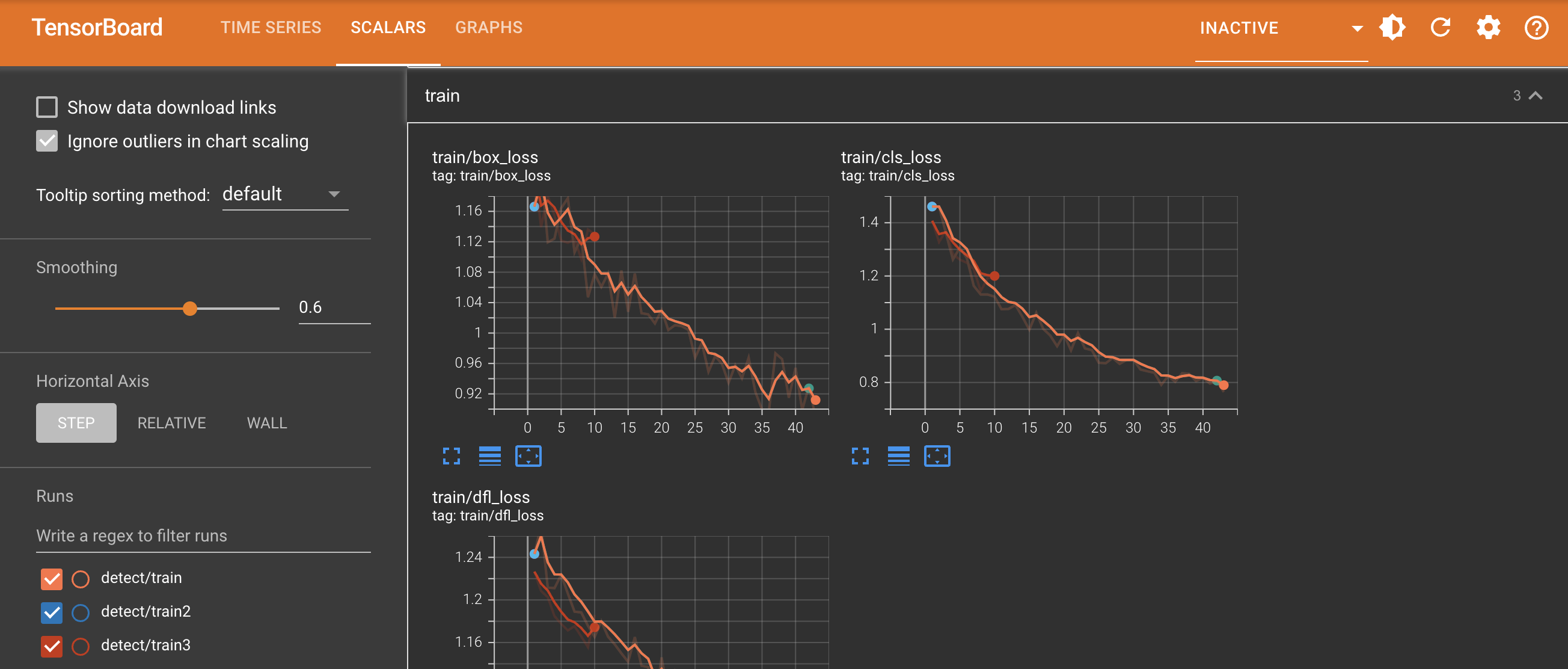
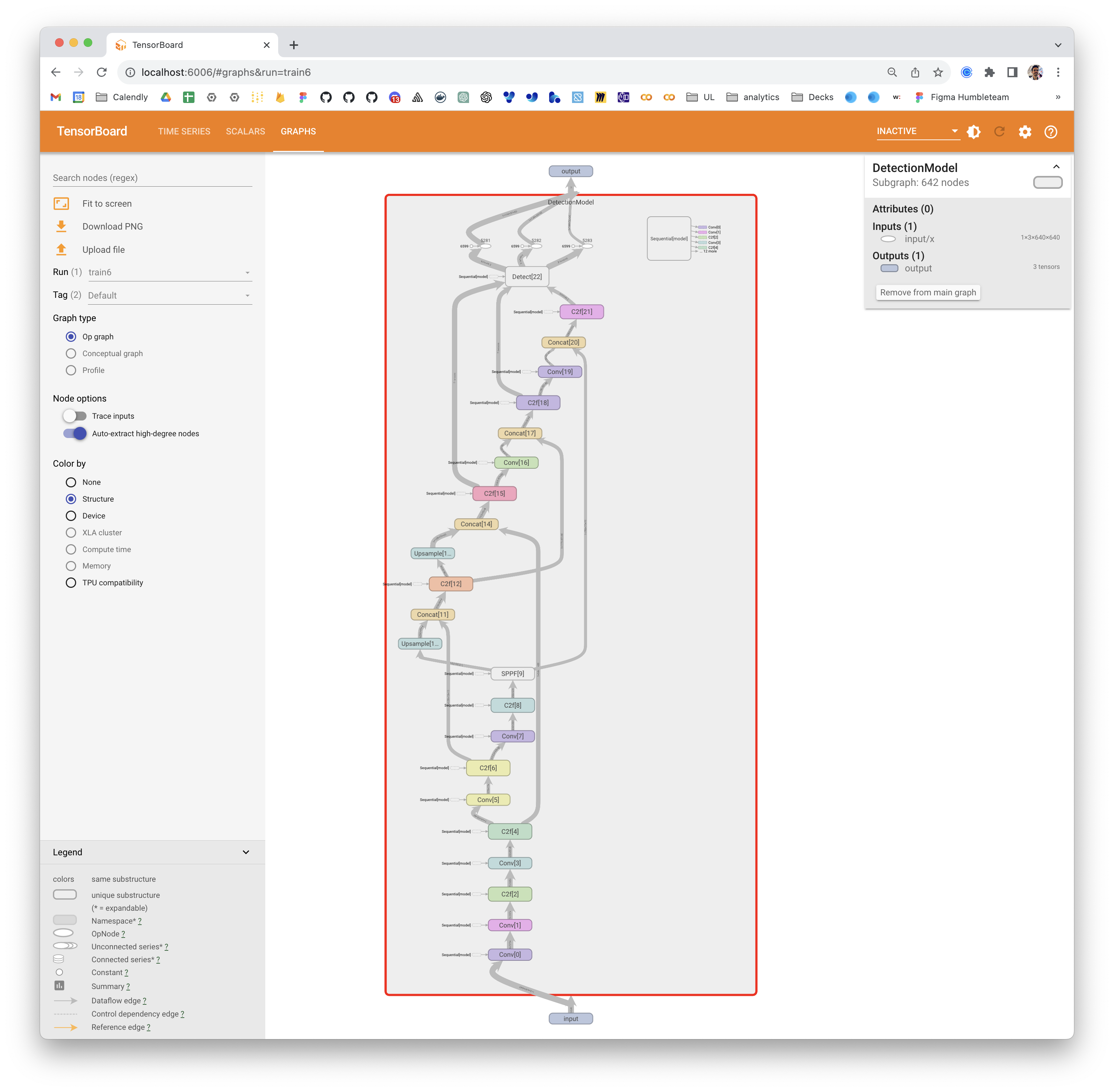
TensorRT Overview

[TensorRT](https://developer.nvidia.com/tensorrt), developed by NVIDIA, is an advanced software development kit (SDK) designed for high-speed deep learning inference. It’s well-suited for real-time applications like object detection. This toolkit optimizes deep learning models for NVIDIA GPUs and results in faster and more efficient operations. TensorRT models undergo TensorRT optimization, which includes techniques like layer fusion, precision calibration (INT8 and FP16), dynamic tensor memory management, and kernel auto-tuning. Converting deep learning models into the TensorRT format allows developers to realize the potential of NVIDIA GPUs fully. TensorRT is known for its compatibility with various model formats, including TensorFlow, PyTorch, and ONNX, providing developers with a flexible solution for integrating and optimizing models from different frameworks. This versatility enables efficient model deployment across diverse hardware and software environments. ## Key Features of TensorRT Models TensorRT models offer a range of key features that contribute to their efficiency and effectiveness in high-speed deep learning inference: - **Precision Calibration**: TensorRT supports precision calibration, allowing models to be fine-tuned for specific accuracy requirements. This includes support for reduced precision formats like INT8 and FP16, which can further boost inference speed while maintaining acceptable accuracy levels. - **Layer Fusion**: The TensorRT optimization process includes layer fusion, where multiple layers of a neural network are combined into a single operation. This reduces computational overhead and improves inference speed by minimizing memory access and computation.

TensorRT Layer Fusion

- **Dynamic Tensor Memory Management**: TensorRT efficiently manages tensor memory usage during inference, reducing memory overhead and optimizing memory allocation. This results in more efficient GPU memory utilization. - **Automatic Kernel Tuning**: TensorRT applies automatic kernel tuning to select the most optimized GPU kernel for each layer of the model. This adaptive approach ensures that the model takes full advantage of the GPU's computational power. ## Deployment Options in TensorRT Before we look at the code for exporting YOLOv8 models to the TensorRT format, let’s understand where TensorRT models are normally used. TensorRT offers several deployment options, and each option balances ease of integration, performance optimization, and flexibility differently: - **Deploying within TensorFlow**: This method integrates TensorRT into TensorFlow, allowing optimized models to run in a familiar TensorFlow environment. It's useful for models with a mix of supported and unsupported layers, as TF-TRT can handle these efficiently.

TensorRT Overview

- **Standalone TensorRT Runtime API**: Offers granular control, ideal for performance-critical applications. It's more complex but allows for custom implementation of unsupported operators. - **NVIDIA Triton Inference Server**: An option that supports models from various frameworks. Particularly suited for cloud or edge inference, it provides features like concurrent model execution and model analysis. ## Exporting YOLOv8 Models to TensorRT You can improve execution efficiency and optimize performance by converting YOLOv8 models to TensorRT format. ### Installation To install the required package, run: !!! Tip "Installation" === "CLI" ```bash # Install the required package for YOLOv8 pip install ultralytics ``` For detailed instructions and best practices related to the installation process, check our [YOLOv8 Installation guide](../quickstart.md). While installing the required packages for YOLOv8, if you encounter any difficulties, consult our [Common Issues guide](../guides/yolo-common-issues.md) for solutions and tips. ### Usage Before diving into the usage instructions, be sure to check out the range of [YOLOv8 models offered by Ultralytics](../models/index.md). This will help you choose the most appropriate model for your project requirements. !!! Example "Usage" === "Python" ```python from ultralytics import YOLO # Load the YOLOv8 model model = YOLO('yolov8n.pt') # Export the model to TensorRT format model.export(format='engine') # creates 'yolov8n.engine' # Load the exported TensorRT model tensorrt_model = YOLO('yolov8n.engine') # Run inference results = tensorrt_model('https://ultralytics.com/images/bus.jpg') ``` === "CLI" ```bash # Export a YOLOv8n PyTorch model to TensorRT format yolo export model=yolov8n.pt format=engine # creates 'yolov8n.engine'' # Run inference with the exported model yolo predict model=yolov8n.engine source='https://ultralytics.com/images/bus.jpg' ``` For more details about the export process, visit the [Ultralytics documentation page on exporting](../modes/export.md). ## Deploying Exported YOLOv8 TensorRT Models Having successfully exported your Ultralytics YOLOv8 models to TensorRT format, you're now ready to deploy them. For in-depth instructions on deploying your TensorRT models in various settings, take a look at the following resources: - **[Deploying Deep Neural Networks with NVIDIA TensorRT](https://developer.nvidia.com/blog/deploying-deep-learning-nvidia-tensorrt/)**: This article explains how to use NVIDIA TensorRT to deploy deep neural networks on GPU-based deployment platforms efficiently. - **[End-to-End AI for NVIDIA-Based PCs: NVIDIA TensorRT Deployment](https://developer.nvidia.com/blog/end-to-end-ai-for-nvidia-based-pcs-nvidia-tensorrt-deployment/)**: This blog post explains the use of NVIDIA TensorRT for optimizing and deploying AI models on NVIDIA-based PCs. - **[GitHub Repository for NVIDIA TensorRT:](https://github.com/NVIDIA/TensorRT)**: This is the official GitHub repository that contains the source code and documentation for NVIDIA TensorRT. ## Summary In this guide, we focused on converting Ultralytics YOLOv8 models to NVIDIA's TensorRT model format. This conversion step is crucial for improving the efficiency and speed of YOLOv8 models, making them more effective and suitable for diverse deployment environments. For more information on usage details, take a look at the [TensorRT official documentation](https://docs.nvidia.com/deeplearning/tensorrt/). If you're curious about additional Ultralytics YOLOv8 integrations, our [integration guide page](../integrations/index.md) provides an extensive selection of informative resources and insights. ================================================ FILE: docs/en/integrations/tf-graphdef.md ================================================ --- comments: true description: A guide that walks you step-by-step through how to export Ultralytics YOLOv8 models to TF GraphDef format for smooth deployment and efficient model performance. keywords: Ultralytics, YOLOv8, TF GraphDef Export, Model Deployment, TensorFlow Ecosystem, Cross-Platform Compatibility, Performance Optimization --- # How to Export to TF GraphDef from YOLOv8 for Deployment When you are deploying cutting-edge computer vision models, like YOLOv8, in different environments, you might run into compatibility issues. Google's TensorFlow GraphDef, or TF GraphDef, offers a solution by providing a serialized, platform-independent representation of your model. Using the TF GraphDef model format, you can deploy your YOLOv8 model in environments where the complete TensorFlow ecosystem may not be available, such as mobile devices or specialized hardware. In this guide, we'll walk you step by step through how to export your [Ultralytics YOLOv8](https://github.com/ultralytics/ultralytics) models to the TF GraphDef model format. By converting your model, you can streamline deployment and use YOLOv8's computer vision capabilities in a broader range of applications and platforms. ## Why Should You Export to TF GraphDef? TF GraphDef is a powerful component of the TensorFlow ecosystem that was developed by Google. It can be used to optimize and deploy models like YOLOv8. Exporting to TF GraphDef lets us move models from research to real-world applications. It allows models to run in environments without the full TensorFlow framework. The GraphDef format represents the model as a serialized computation graph. This enables various optimization techniques like constant folding, quantization, and graph transformations. These optimizations ensure efficient execution, reduced memory usage, and faster inference speeds. GraphDef models can use hardware accelerators such as GPUs, TPUs, and AI chips, unlocking significant performance gains for the YOLOv8 inference pipeline. The TF GraphDef format creates a self-contained package with the model and its dependencies, simplifying deployment and integration into diverse systems. ## Key Features of TF GraphDef Models TF GraphDef offers distinct features for streamlining model deployment and optimization. Here's a look at its key characteristics: - **Model Serialization**: TF GraphDef provides a way to serialize and store TensorFlow models in a platform-independent format. This serialized representation allows you to load and execute your models without the original Python codebase, making deployment easier. - **Graph Optimization**: TF GraphDef enables the optimization of computational graphs. These optimizations can boost performance by streamlining execution flow, reducing redundancies, and tailoring operations to suit specific hardware. - **Deployment Flexibility**: Models exported to the GraphDef format can be used in various environments, including resource-constrained devices, web browsers, and systems with specialized hardware. This opens up possibilities for wider deployment of your TensorFlow models. - **Production Focus**: GraphDef is designed for production deployment. It supports efficient execution, serialization features, and optimizations that align with real-world use cases. ## Deployment Options with TF GraphDef Before we dive into the process of exporting YOLOv8 models to TF GraphDef, let's take a look at some typical deployment situations where this format is used. Here's how you can deploy with TF GraphDef efficiently across various platforms. - **TensorFlow Serving:** This framework is designed to deploy TensorFlow models in production environments. TensorFlow Serving offers model management, versioning, and the infrastructure for efficient model serving at scale. It's a seamless way to integrate your GraphDef-based models into production web services or APIs. - **Mobile and Embedded Devices:** With tools like TensorFlow Lite, you can convert TF GraphDef models into formats optimized for smartphones, tablets, and various embedded devices. Your models can then be used for on-device inference, where execution is done locally, often providing performance gains and offline capabilities. - **Web Browsers:** TensorFlow.js enables the deployment of TF GraphDef models directly within web browsers. It paves the way for real-time object detection applications running on the client side, using the capabilities of YOLOv8 through JavaScript. - **Specialized Hardware:** TF GraphDef's platform-agnostic nature allows it to target custom hardware, such as accelerators and TPUs (Tensor Processing Units). These devices can provide performance advantages for computationally intensive models. ## Exporting YOLOv8 Models to TF GraphDef You can convert your YOLOv8 object detection model to the TF GraphDef format, which is compatible with various systems, to improve its performance across platforms. ### Installation To install the required package, run: !!! Tip "Installation" === "CLI" ```bash # Install the required package for YOLOv8 pip install ultralytics ``` For detailed instructions and best practices related to the installation process, check our [Ultralytics Installation guide](../quickstart.md). While installing the required packages for YOLOv8, if you encounter any difficulties, consult our [Common Issues guide](../guides/yolo-common-issues.md) for solutions and tips. ### Usage Before diving into the usage instructions, it's important to note that while all [Ultralytics YOLOv8 models](../models/index.md) are available for exporting, you can ensure that the model you select supports export functionality [here](../modes/export.md). !!! Example "Usage" === "Python" ```python from ultralytics import YOLO # Load the YOLOv8 model model = YOLO('yolov8n.pt') # Export the model to TF GraphDef format model.export(format='pb') # creates 'yolov8n.pb' # Load the exported TF GraphDef model tf_graphdef_model = YOLO('yolov8n.pb') # Run inference results = tf_graphdef_model('https://ultralytics.com/images/bus.jpg') ``` === "CLI" ```bash # Export a YOLOv8n PyTorch model to TF GraphDef format yolo export model=yolov8n.pt format=pb # creates 'yolov8n.pb' # Run inference with the exported model yolo predict model='yolov8n.pb' source='https://ultralytics.com/images/bus.jpg' ``` For more details about supported export options, visit the [Ultralytics documentation page on deployment options](../guides/model-deployment-options.md). ## Deploying Exported YOLOv8 TF GraphDef Models Once you’ve exported your YOLOv8 model to the TF GraphDef format, the next step is deployment. The primary and recommended first step for running a TF GraphDef model is to use the YOLO("model.pb") method, as previously shown in the usage code snippet. However, for more information on deploying your TF GraphDef models, take a look at the following resources: - **[TensorFlow Serving](https://www.tensorflow.org/tfx/guide/serving)**: A guide on TensorFlow Serving that teaches how to deploy and serve machine learning models efficiently in production environments. - **[TensorFlow Lite](https://www.tensorflow.org/api_docs/python/tf/lite/TFLiteConverter)**: This page describes how to convert machine learning models into a format optimized for on-device inference with TensorFlow Lite. - **[TensorFlow.js](https://www.tensorflow.org/js/guide/conversion)**: A guide on model conversion that teaches how to convert TensorFlow or Keras models into TensorFlow.js format for use in web applications. ## Summary In this guide, we explored how to export Ultralytics YOLOv8 models to the TF GraphDef format. By doing this, you can flexibly deploy your optimized YOLOv8 models in different environments. For further details on usage, visit the [TF GraphDef official documentation](https://www.tensorflow.org/api_docs/python/tf/Graph). For more information on integrating Ultralytics YOLOv8 with other platforms and frameworks, don't forget to check out our [integration guide page](index.md). It has great resources and insights to help you make the most of YOLOv8 in your projects. ================================================ FILE: docs/en/integrations/tf-savedmodel.md ================================================ --- comments: true description: A guide that goes through exporting from Ultralytics YOLOv8 models to TensorFlow SavedModel format for streamlined deployments and optimized model performance. keywords: Ultralytics YOLOv8, TensorFlow SavedModel, Model Deployment, TensorFlow Serving, TensorFlow Lite, Model Optimization, Computer Vision, Performance Optimization --- # Understand How to Export to TF SavedModel Format From YOLOv8 Deploying machine learning models can be challenging. However, using an efficient and flexible model format can make your job easier. TF SavedModel is an open-source machine-learning framework used by TensorFlow to load machine-learning models in a consistent way. It is like a suitcase for TensorFlow models, making them easy to carry and use on different devices and systems. Learning how to export to TF SavedModel from [Ultralytics YOLOv8](https://github.com/ultralytics/ultralytics) models can help you deploy models easily across different platforms and environments. In this guide, we'll walk through how to convert your models to the TF SavedModel format, simplifying the process of running inferences with your models on different devices. ## Why Should You Export to TF SavedModel? The TensorFlow SavedModel format is a part of the TensorFlow ecosystem developed by Google as shown below. It is designed to save and serialize TensorFlow models seamlessly. It encapsulates the complete details of models like the architecture, weights, and even compilation information. This makes it straightforward to share, deploy, and continue training across different environments.

TF SavedModel

The TF SavedModel has a key advantage: its compatibility. It works well with TensorFlow Serving, TensorFlow Lite, and TensorFlow.js. This compatibility makes it easier to share and deploy models across various platforms, including web and mobile applications. The TF SavedModel format is useful both for research and production. It provides a unified way to manage your models, ensuring they are ready for any application. ## Key Features of TF SavedModels Here are the key features that make TF SavedModel a great option for AI developers: - **Portability**: TF SavedModel provides a language-neutral, recoverable, hermetic serialization format. They enable higher-level systems and tools to produce, consume, and transform TensorFlow models. SavedModels can be easily shared and deployed across different platforms and environments. - **Ease of Deployment**: TF SavedModel bundles the computational graph, trained parameters, and necessary metadata into a single package. They can be easily loaded and used for inference without requiring the original code that built the model. This makes the deployment of TensorFlow models straightforward and efficient in various production environments. - **Asset Management**: TF SavedModel supports the inclusion of external assets such as vocabularies, embeddings, or lookup tables. These assets are stored alongside the graph definition and variables, ensuring they are available when the model is loaded. This feature simplifies the management and distribution of models that rely on external resources. ## Deployment Options with TF SavedModel Before we dive into the process of exporting YOLOv8 models to the TF SavedModel format, let's explore some typical deployment scenarios where this format is used. TF SavedModel provides a range of options to deploy your machine learning models: - **TensorFlow Serving:** TensorFlow Serving is a flexible, high-performance serving system designed for production environments. It natively supports TF SavedModels, making it easy to deploy and serve your models on cloud platforms, on-premises servers, or edge devices. - **Cloud Platforms:** Major cloud providers like Google Cloud Platform (GCP), Amazon Web Services (AWS), and Microsoft Azure offer services for deploying and running TensorFlow models, including TF SavedModels. These services provide scalable and managed infrastructure, allowing you to deploy and scale your models easily. - **Mobile and Embedded Devices:** TensorFlow Lite, a lightweight solution for running machine learning models on mobile, embedded, and IoT devices, supports converting TF SavedModels to the TensorFlow Lite format. This allows you to deploy your models on a wide range of devices, from smartphones and tablets to microcontrollers and edge devices. - **TensorFlow Runtime:** TensorFlow Runtime (tfrt) is a high-performance runtime for executing TensorFlow graphs. It provides lower-level APIs for loading and running TF SavedModels in C++ environments. TensorFlow Runtime offers better performance compared to the standard TensorFlow runtime. It is suitable for deployment scenarios that require low-latency inference and tight integration with existing C++ codebases. ## Exporting YOLOv8 Models to TF SavedModel By exporting YOLOv8 models to the TF SavedModel format, you enhance their adaptability and ease of deployment across various platforms. ### Installation To install the required package, run: !!! Tip "Installation" === "CLI" ```bash # Install the required package for YOLOv8 pip install ultralytics ``` For detailed instructions and best practices related to the installation process, check our [Ultralytics Installation guide](../quickstart.md). While installing the required packages for YOLOv8, if you encounter any difficulties, consult our [Common Issues guide](../guides/yolo-common-issues.md) for solutions and tips. ### Usage Before diving into the usage instructions, it's important to note that while all [Ultralytics YOLOv8 models](../models/index.md) are available for exporting, you can ensure that the model you select supports export functionality [here](../modes/export.md). !!! Example "Usage" === "Python" ```python from ultralytics import YOLO # Load the YOLOv8 model model = YOLO('yolov8n.pt') # Export the model to TF SavedModel format model.export(format='saved_model') # creates '/yolov8n_saved_model' # Load the exported TF SavedModel model tf_savedmodel_model = YOLO('./yolov8n_saved_model') # Run inference results = tf_savedmodel_model('https://ultralytics.com/images/bus.jpg') ``` === "CLI" ```bash # Export a YOLOv8n PyTorch model to TF SavedModel format yolo export model=yolov8n.pt format=saved_model # creates '/yolov8n_saved_model' # Run inference with the exported model yolo predict model='./yolov8n_saved_model' source='https://ultralytics.com/images/bus.jpg' ``` For more details about supported export options, visit the [Ultralytics documentation page on deployment options](../guides/model-deployment-options.md). ## Deploying Exported YOLOv8 TF SavedModel Models Now that you have exported your YOLOv8 model to the TF SavedModel format, the next step is to deploy it. The primary and recommended first step for running a TF GraphDef model is to use the YOLO("./yolov8n_saved_model") method, as previously shown in the usage code snippet. However, for in-depth instructions on deploying your TF SavedModel models, take a look at the following resources: - **[TensorFlow Serving](https://www.tensorflow.org/tfx/guide/serving)**: Here’s the developer documentation for how to deploy your TF SavedModel models using TensorFlow Serving. - **[Run a TensorFlow SavedModel in Node.js](https://blog.tensorflow.org/2020/01/run-tensorflow-savedmodel-in-nodejs-directly-without-conversion.html)**: A TensorFlow blog post on running a TensorFlow SavedModel in Node.js directly without conversion. - **[Deploying on Cloud](https://blog.tensorflow.org/2020/04/how-to-deploy-tensorflow-2-models-on-cloud-ai-platform.html)**: A TensorFlow blog post on deploying a TensorFlow SavedModel model on the Cloud AI Platform. ## Summary In this guide, we explored how to export Ultralytics YOLOv8 models to the TF SavedModel format. By exporting to TF SavedModel, you gain the flexibility to optimize, deploy, and scale your YOLOv8 models on a wide range of platforms. For further details on usage, visit the [TF SavedModel official documentation](https://www.tensorflow.org/guide/saved_model). For more information on integrating Ultralytics YOLOv8 with other platforms and frameworks, don't forget to check out our [integration guide page](index.md). It's packed with great resources to help you make the most of YOLOv8 in your projects. ================================================ FILE: docs/en/integrations/tflite.md ================================================ --- comments: true description: Explore how to improve your Ultralytics YOLOv8 model's performance and interoperability using the TFLite export format suitable for edge computing environments. keywords: Ultralytics, YOLOv8, TFLite Export, Export YOLOv8, Model Deployment --- # A Guide on YOLOv8 Model Export to TFLite for Deployment

TFLite Logo

Deploying computer vision models on edge devices or embedded devices requires a format that can ensure seamless performance. The TensorFlow Lite or TFLite export format allows you to optimize your [Ultralytics YOLOv8](https://github.com/ultralytics/ultralytics) models for tasks like object detection and image classification in edge device-based applications. In this guide, we'll walk through the steps for converting your models to the TFLite format, making it easier for your models to perform well on various edge devices. ## Why should you export to TFLite? Introduced by Google in May 2017 as part of their TensorFlow framework, [TensorFlow Lite](https://www.tensorflow.org/lite/guide), or TFLite for short, is an open-source deep learning framework designed for on-device inference, also known as edge computing. It gives developers the necessary tools to execute their trained models on mobile, embedded, and IoT devices, as well as traditional computers. TensorFlow Lite is compatible with a wide range of platforms, including embedded Linux, Android, iOS, and MCU. Exporting your model to TFLite makes your applications faster, more reliable, and capable of running offline. ## Key Features of TFLite Models TFLite models offer a wide range of key features that enable on-device machine learning by helping developers run their models on mobile, embedded, and edge devices: - **On-device Optimization**: TFLite optimizes for on-device ML, reducing latency by processing data locally, enhancing privacy by not transmitting personal data, and minimizing model size to save space. - **Multiple Platform Support**: TFLite offers extensive platform compatibility, supporting Android, iOS, embedded Linux, and microcontrollers. - **Diverse Language Support**: TFLite is compatible with various programming languages, including Java, Swift, Objective-C, C++, and Python. - **High Performance**: Achieves superior performance through hardware acceleration and model optimization. ## Deployment Options in TFLite Before we look at the code for exporting YOLOv8 models to the TFLite format, let’s understand how TFLite models are normally used. TFLite offers various on-device deployment options for machine learning models, including: - **Deploying with Android and iOS**: Both Android and iOS applications with TFLite can analyze edge-based camera feeds and sensors to detect and identify objects. TFLite also offers native iOS libraries written in [Swift](https://github.com/tensorflow/tensorflow/tree/master/tensorflow/lite/swift) and [Objective-C](https://github.com/tensorflow/tensorflow/tree/master/tensorflow/lite/objc). The architecture diagram below shows the process of deploying a trained model onto Android and iOS platforms using TensorFlow Lite.

Architecture

- **Implementing with Embedded Linux**: If running inferences on a [Raspberry Pi](https://www.raspberrypi.org/) using the [Ultralytics Guide](../guides/raspberry-pi.md) does not meet the speed requirements for your use case, you can use an exported TFLite model to accelerate inference times. Additionally, it's possible to further improve performance by utilizing a [Coral Edge TPU device](https://coral.withgoogle.com/). - **Deploying with Microcontrollers**: TFLite models can also be deployed on microcontrollers and other devices with only a few kilobytes of memory. The core runtime just fits in 16 KB on an Arm Cortex M3 and can run many basic models. It doesn't require operating system support, any standard C or C++ libraries, or dynamic memory allocation. ## Export to TFLite: Converting Your YOLOv8 Model You can improve on-device model execution efficiency and optimize performance by converting them to TFLite format. ### Installation To install the required packages, run: !!! Tip "Installation" === "CLI" ```bash # Install the required package for YOLOv8 pip install ultralytics ``` For detailed instructions and best practices related to the installation process, check our [Ultralytics Installation guide](../quickstart.md). While installing the required packages for YOLOv8, if you encounter any difficulties, consult our [Common Issues guide](../guides/yolo-common-issues.md) for solutions and tips. ### Usage Before diving into the usage instructions, it's important to note that while all [Ultralytics YOLOv8 models](../models/index.md) are available for exporting, you can ensure that the model you select supports export functionality [here](../modes/export.md). !!! Example "Usage" === "Python" ```python from ultralytics import YOLO # Load the YOLOv8 model model = YOLO('yolov8n.pt') # Export the model to TFLite format model.export(format='tflite') # creates 'yolov8n_float32.tflite' # Load the exported TFLite model tflite_model = YOLO('yolov8n_float32.tflite') # Run inference results = tflite_model('https://ultralytics.com/images/bus.jpg') ``` === "CLI" ```bash # Export a YOLOv8n PyTorch model to TFLite format yolo export model=yolov8n.pt format=tflite # creates 'yolov8n_float32.tflite' # Run inference with the exported model yolo predict model='yolov8n_float32.tflite' source='https://ultralytics.com/images/bus.jpg' ``` For more details about the export process, visit the [Ultralytics documentation page on exporting](../modes/export.md). ## Deploying Exported YOLOv8 TFLite Models After successfully exporting your Ultralytics YOLOv8 models to TFLite format, you can now deploy them. The primary and recommended first step for running a TFLite model is to utilize the YOLO("model.tflite") method, as outlined in the previous usage code snippet. However, for in-depth instructions on deploying your TFLite models in various other settings, take a look at the following resources: - **[Android](https://www.tensorflow.org/lite/android/quickstart)**: A quick start guide for integrating TensorFlow Lite into Android applications, providing easy-to-follow steps for setting up and running machine learning models. - **[iOS](https://www.tensorflow.org/lite/guide/ios)**: Check out this detailed guide for developers on integrating and deploying TensorFlow Lite models in iOS applications, offering step-by-step instructions and resources. - **[End-To-End Examples](https://www.tensorflow.org/lite/examples)**: This page provides an overview of various TensorFlow Lite examples, showcasing practical applications and tutorials designed to help developers implement TensorFlow Lite in their machine learning projects on mobile and edge devices. ## Summary In this guide, we focused on how to export to TFLite format. By converting your Ultralytics YOLOv8 models to TFLite model format, you can improve the efficiency and speed of YOLOv8 models, making them more effective and suitable for edge computing environments. For further details on usage, visit [TFLite’s official documentation](https://www.tensorflow.org/lite/guide). Also, if you're curious about other Ultralytics YOLOv8 integrations, make sure to check out our [integration guide page](../integrations/index.md). You'll find tons of helpful info and insights waiting for you there. ================================================ FILE: docs/en/integrations/torchscript.md ================================================ --- comments: true description: Learn to export your Ultralytics YOLOv8 models to TorchScript format for deployment through platforms like embedded systems, web browsers, and C++ applications. keywords: Ultralytics, YOLOv8, Export to Torchscript, Model Optimization, Deployment, PyTorch, C++, Faster Inference --- # YOLOv8 Model Export to TorchScript for Quick Deployment Deploying computer vision models across different environments, including embedded systems, web browsers, or platforms with limited Python support, requires a flexible and portable solution. TorchScript focuses on portability and the ability to run models in environments where the entire Python framework is unavailable. This makes it ideal for scenarios where you need to deploy your computer vision capabilities across various devices or platforms. Export to Torchscript to serialize your [Ultralytics YOLOv8](https://github.com/ultralytics/ultralytics) models for cross-platform compatibility and streamlined deployment. In this guide, we'll show you how to export your YOLOv8 models to the TorchScript format, making it easier for you to use them across a wider range of applications. ## Why should you export to TorchScript? ![Torchscript Overview](https://github.com/ultralytics/ultralytics/assets/26833433/6873349d-c2f6-4620-b3cc-7b26b0698d0b) Developed by the creators of PyTorch, TorchScript is a powerful tool for optimizing and deploying PyTorch models across a variety of platforms. Exporting YOLOv8 models to [TorchScript](https://pytorch.org/docs/stable/jit.html) is crucial for moving from research to real-world applications. TorchScript, part of the PyTorch framework, helps make this transition smoother by allowing PyTorch models to be used in environments that don't support Python. The process involves two techniques: tracing and scripting. Tracing records operations during model execution, while scripting allows for the definition of models using a subset of Python. These techniques ensure that models like YOLOv8 can still work their magic even outside their usual Python environment. ![TorchScript Script and Trace](https://github.com/ultralytics/ultralytics/assets/26833433/ea9ea24f-a3a9-44bb-aca7-9c358d7490d7) TorchScript models can also be optimized through techniques such as operator fusion and refinements in memory usage, ensuring efficient execution. Another advantage of exporting to TorchScript is its potential to accelerate model execution across various hardware platforms. It creates a standalone, production-ready representation of your PyTorch model that can be integrated into C++ environments, embedded systems, or deployed in web or mobile applications. ## Key Features of TorchScript Models TorchScript, a key part of the PyTorch ecosystem, provides powerful features for optimizing and deploying deep learning models. ![TorchScript Features](https://github.com/ultralytics/ultralytics/assets/26833433/44c7c5e3-1146-42db-952a-9060f070fead) Here are the key features that make TorchScript a valuable tool for developers: - **Static Graph Execution**: TorchScript uses a static graph representation of the model’s computation, which is different from PyTorch’s dynamic graph execution. In static graph execution, the computational graph is defined and compiled once before the actual execution, resulting in improved performance during inference. - **Model Serialization**: TorchScript allows you to serialize PyTorch models into a platform-independent format. Serialized models can be loaded without requiring the original Python code, enabling deployment in different runtime environments. - **JIT Compilation**: TorchScript uses Just-In-Time (JIT) compilation to convert PyTorch models into an optimized intermediate representation. JIT compiles the model’s computational graph, enabling efficient execution on target devices. - **Cross-Language Integration**: With TorchScript, you can export PyTorch models to other languages such as C++, Java, and JavaScript. This makes it easier to integrate PyTorch models into existing software systems written in different languages. - **Gradual Conversion**: TorchScript provides a gradual conversion approach, allowing you to incrementally convert parts of your PyTorch model into TorchScript. This flexibility is particularly useful when dealing with complex models or when you want to optimize specific portions of the code. ## Deployment Options in TorchScript Before we look at the code for exporting YOLOv8 models to the TorchScript format, let’s understand where TorchScript models are normally used. TorchScript offers various deployment options for machine learning models, such as: - **C++ API**: The most common use case for TorchScript is its C++ API, which allows you to load and execute optimized TorchScript models directly within C++ applications. This is ideal for production environments where Python may not be suitable or available. The C++ API offers low-overhead and efficient execution of TorchScript models, maximizing performance potential. - **Mobile Deployment**: TorchScript offers tools for converting models into formats readily deployable on mobile devices. PyTorch Mobile provides a runtime for executing these models within iOS and Android apps. This enables low-latency, offline inference capabilities, enhancing user experience and data privacy. - **Cloud Deployment**: TorchScript models can be deployed to cloud-based servers using solutions like TorchServe. It provides features like model versioning, batching, and metrics monitoring for scalable deployment in production environments. Cloud deployment with TorchScript can make your models accessible via APIs or other web services. ## Export to TorchScript: Converting Your YOLOv8 Model Exporting YOLOv8 models to TorchScript makes it easier to use them in different places and helps them run faster and more efficiently. This is great for anyone looking to use deep learning models more effectively in real-world applications. ### Installation To install the required package, run: !!! Tip "Installation" === "CLI" ```bash # Install the required package for YOLOv8 pip install ultralytics ``` For detailed instructions and best practices related to the installation process, check our [Ultralytics Installation guide](../quickstart.md). While installing the required packages for YOLOv8, if you encounter any difficulties, consult our [Common Issues guide](../guides/yolo-common-issues.md) for solutions and tips. ### Usage Before diving into the usage instructions, it's important to note that while all [Ultralytics YOLOv8 models](../models/index.md) are available for exporting, you can ensure that the model you select supports export functionality [here](../modes/export.md). !!! Example "Usage" === "Python" ```python from ultralytics import YOLO # Load the YOLOv8 model model = YOLO('yolov8n.pt') # Export the model to TorchScript format model.export(format='torchscript') # creates 'yolov8n.torchscript' # Load the exported TorchScript model torchscript_model = YOLO('yolov8n.torchscript') # Run inference results = torchscript_model('https://ultralytics.com/images/bus.jpg') ``` === "CLI" ```bash # Export a YOLOv8n PyTorch model to TorchScript format yolo export model=yolov8n.pt format=torchscript # creates 'yolov8n.torchscript' # Run inference with the exported model yolo predict model=yolov8n.torchscript source='https://ultralytics.com/images/bus.jpg' ``` For more details about the export process, visit the [Ultralytics documentation page on exporting](../modes/export.md). ## Deploying Exported YOLOv8 TorchScript Models After successfully exporting your Ultralytics YOLOv8 models to TorchScript format, you can now deploy them. The primary and recommended first step for running a TorchScript model is to utilize the YOLO("model.torchscript") method, as outlined in the previous usage code snippet. However, for in-depth instructions on deploying your TorchScript models in various other settings, take a look at the following resources: - **[Explore Mobile Deployment](https://pytorch.org/mobile/home/)**: The PyTorch Mobile Documentation provides comprehensive guidelines for deploying models on mobile devices, ensuring your applications are efficient and responsive. - **[Master Server-Side Deployment](https://pytorch.org/serve/getting_started.html)**: Learn how to deploy models server-side with TorchServe, offering a step-by-step tutorial for scalable, efficient model serving. - **[Implement C++ Deployment](https://pytorch.org/tutorials/advanced/cpp_export.html)**: Dive into the Tutorial on Loading a TorchScript Model in C++, facilitating the integration of your TorchScript models into C++ applications for enhanced performance and versatility. ## Summary In this guide, we explored the process of exporting Ultralytics YOLOv8 models to the TorchScript format. By following the provided instructions, you can optimize YOLOv8 models for performance and gain the flexibility to deploy them across various platforms and environments. For further details on usage, visit [TorchScript’s official documentation](https://pytorch.org/docs/stable/jit.html). Also, if you’d like to know more about other Ultralytics YOLOv8 integrations, visit our [integration guide page](../integrations/index.md). You'll find plenty of useful resources and insights there. ================================================ FILE: docs/en/integrations/weights-biases.md ================================================ --- comments: true description: Discover how to train your YOLOv8 models efficiently with Weights & Biases. This guide walks through integrating Weights & Biases with YOLOv8 to enable seamless experiment tracking, result visualization, and model explainability. keywords: Ultralytics, YOLOv8, Object Detection, Weights & Biases, Model Training, Experiment Tracking, Visualizing Results --- # Enhancing YOLOv8 Experiment Tracking and Visualization with Weights & Biases Object detection models like [Ultralytics YOLOv8](https://github.com/ultralytics/ultralytics) have become integral to many computer vision applications. However, training, evaluating, and deploying these complex models introduces several challenges. Tracking key training metrics, comparing model variants, analyzing model behavior, and detecting issues require substantial instrumentation and experiment management. This guide showcases Ultralytics YOLOv8 integration with Weights & Biases’ for enhanced experiment tracking, model-checkpointing, and visualization of model performance. It also includes instructions for setting up the integration, training, fine-tuning, and visualizing results using Weights & Biases’ interactive features. ## Weights & Biases
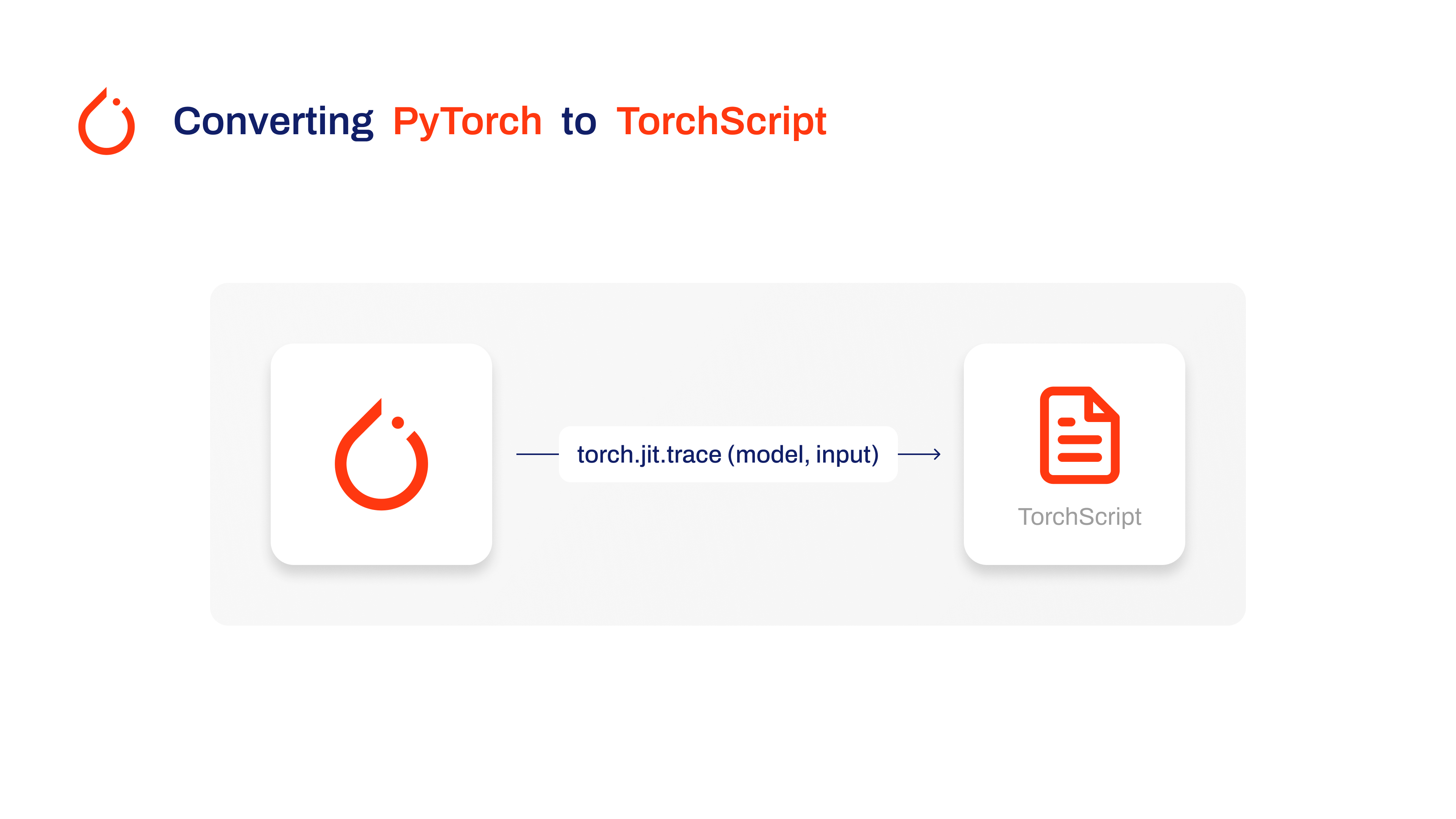
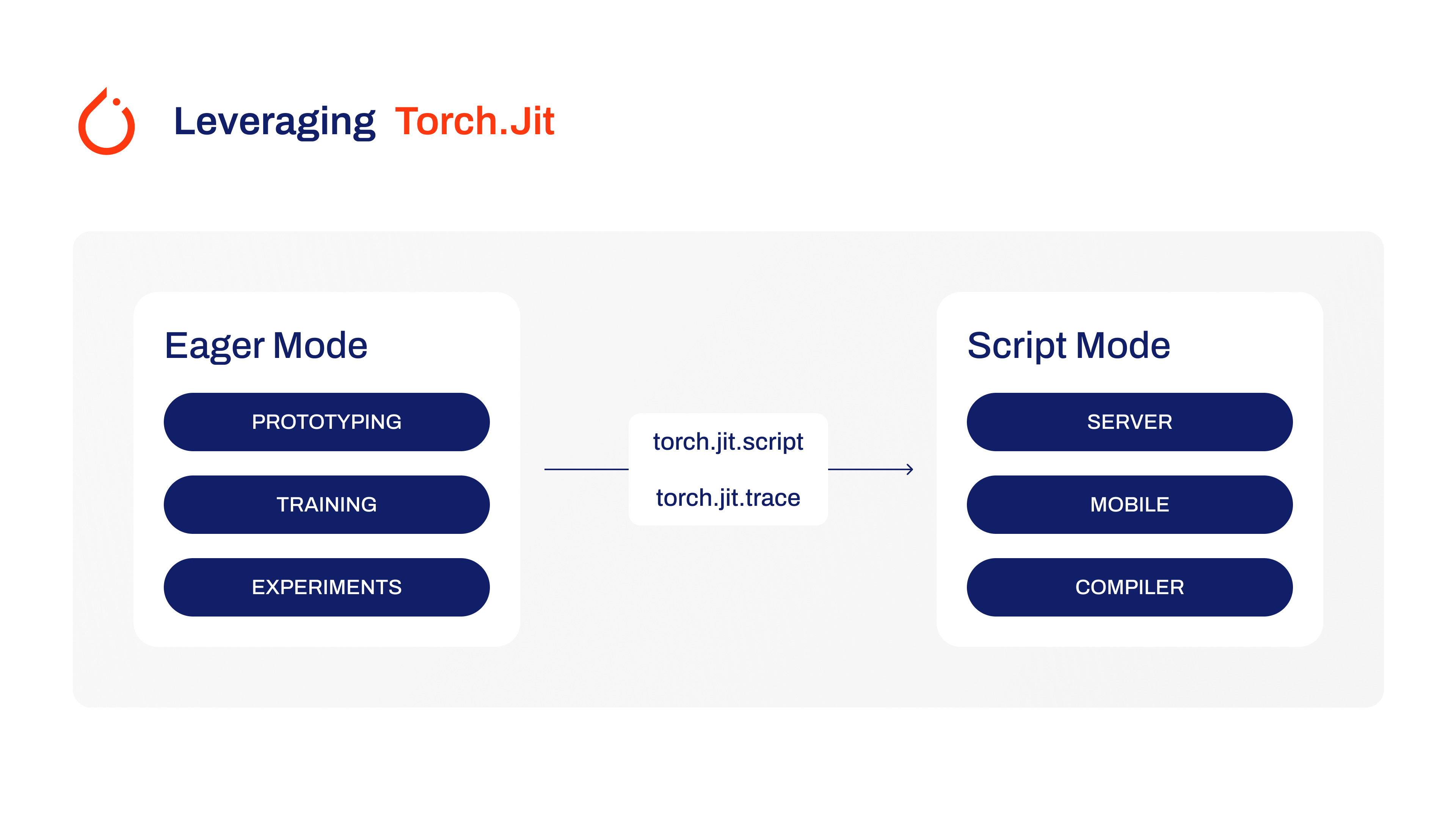
Weights & Biases Overview

[Weights & Biases](https://wandb.ai/site) is a cutting-edge MLOps platform designed for tracking, visualizing, and managing machine learning experiments. It features automatic logging of training metrics for full experiment reproducibility, an interactive UI for streamlined data analysis, and efficient model management tools for deploying across various environments. ## YOLOv8 Training with Weights & Biases You can use Weights & Biases to bring efficiency and automation to your YOLOv8 training process. ## Installation To install the required packages, run: !!! Tip "Installation" === "CLI" ```bash # Install the required packages for YOLOv8 and Weights & Biases pip install --upgrade ultralytics==8.0.186 wandb ``` For detailed instructions and best practices related to the installation process, be sure to check our [YOLOv8 Installation guide](../quickstart.md). While installing the required packages for YOLOv8, if you encounter any difficulties, consult our [Common Issues guide](../guides/yolo-common-issues.md) for solutions and tips. ## Configuring Weights & Biases After installing the necessary packages, the next step is to set up your Weights & Biases environment. This includes creating a Weights & Biases account and obtaining the necessary API key for a smooth connection between your development environment and the W&B platform. Start by initializing the Weights & Biases environment in your workspace. You can do this by running the following command and following the prompted instructions. !!! Tip "Initial SDK Setup" === "CLI" ```bash # Initialize your Weights & Biases environment import wandb wandb.login() ``` Navigate to the Weights & Biases authorization page to create and retrieve your API key. Use this key to authenticate your environment with W&B. ## Usage: Training YOLOv8 with Weights & Biases Before diving into the usage instructions for YOLOv8 model training with Weights & Biases, be sure to check out the range of [YOLOv8 models offered by Ultralytics](../models/index.md). This will help you choose the most appropriate model for your project requirements. !!! Example "Usage: Training YOLOv8 with Weights & Biases" === "Python" ```python from ultralytics import YOLO from wandb.integration.ultralytics import add_wandb_callback import wandb # Step 1: Initialize a Weights & Biases run wandb.init(project="ultralytics", job_type="training") # Step 2: Define the YOLOv8 Model and Dataset model_name = "yolov8n" dataset_name = "coco128.yaml" model = YOLO(f"{model_name}.pt") # Step 3: Add W&B Callback for Ultralytics add_wandb_callback(model, enable_model_checkpointing=True) # Step 4: Train and Fine-Tune the Model model.train(project="ultralytics", data=dataset_name, epochs=5, imgsz=640) # Step 5: Validate the Model model.val() # Step 6: Perform Inference and Log Results model(["path/to/image1", "path/to/image2"]) # Step 7: Finalize the W&B Run wandb.finish() ``` ### Understanding the Code Let’s understand the steps showcased in the usage code snippet above. - **Step 1: Initialize a Weights & Biases Run**: Start by initializing a Weights & Biases run, specifying the project name and the job type. This run will track and manage the training and validation processes of your model. - **Step 2: Define the YOLOv8 Model and Dataset**: Specify the model variant and the dataset you wish to use. The YOLO model is then initialized with the specified model file. - **Step 3: Add Weights & Biases Callback for Ultralytics**: This step is crucial as it enables the automatic logging of training metrics and validation results to Weights & Biases, providing a detailed view of the model's performance. - **Step 4: Train and Fine-Tune the Model**: Begin training the model with the specified dataset, number of epochs, and image size. The training process includes logging of metrics and predictions at the end of each epoch, offering a comprehensive view of the model's learning progress. - **Step 5: Validate the Model**: After training, the model is validated. This step is crucial for assessing the model's performance on unseen data and ensuring its generalizability. - **Step 6: Perform Inference and Log Results**: The model performs predictions on specified images. These predictions, along with visual overlays and insights, are automatically logged in a W&B Table for interactive exploration. - **Step 7: Finalize the W&B Run**: This step marks the end of data logging and saves the final state of your model's training and validation process in the W&B dashboard. ### Understanding the Output Upon running the usage code snippet above, you can expect the following key outputs: - The setup of a new run with its unique ID, indicating the start of the training process. - A concise summary of the model’s structure, including the number of layers and parameters. - Regular updates on important metrics such as box loss, cls loss, dfl loss, precision, recall, and mAP scores during each training epoch. - At the end of training, detailed metrics including the model's inference speed, and overall accuracy metrics are displayed. - Links to the Weights & Biases dashboard for in-depth analysis and visualization of the training process, along with information on local log file locations. ### Viewing the Weights & Biases Dashboard After running the usage code snippet, you can access the Weights & Biases (W&B) dashboard through the provided link in the output. This dashboard offers a comprehensive view of your model's training process with YOLOv8. ## Key Features of the Weights & Biases Dashboard - **Real-Time Metrics Tracking**: Observe metrics like loss, accuracy, and validation scores as they evolve during the training, offering immediate insights for model tuning. - **Hyperparameter Optimization**: Weights & Biases aids in fine-tuning critical parameters such as learning rate, batch size, and more, enhancing the performance of YOLOv8. - **Comparative Analysis**: The platform allows side-by-side comparisons of different training runs, essential for assessing the impact of various model configurations. - **Visualization of Training Progress**: Graphical representations of key metrics provide an intuitive understanding of the model's performance across epochs. - **Resource Monitoring**: Keep track of CPU, GPU, and memory usage to optimize the efficiency of the training process. - **Model Artifacts Management**: Access and share model checkpoints, facilitating easy deployment and collaboration. - **Viewing Inference Results with Image Overlay**: Visualize the prediction results on images using interactive overlays in Weights & Biases, providing a clear and detailed view of model performance on real-world data. For more detailed information on Weights & Biases’ image overlay capabilities, check out this [link](https://docs.wandb.ai/guides/track/log/media#image-overlays). By using these features, you can effectively track, analyze, and optimize your YOLOv8 model's training, ensuring the best possible performance and efficiency. ## Summary This guide helped you explore Ultralytics’ YOLOv8 integration with Weights & Biases. It illustrates the ability of this integration to efficiently track and visualize model training and prediction results. For further details on usage, visit [Weights & Biases' official documentation](https://docs.wandb.ai/guides/integrations/ultralytics). Also, be sure to check out the [Ultralytics integration guide page](../integrations/index.md), to learn more about different exciting integrations. ================================================ FILE: docs/en/models/fast-sam.md ================================================ --- comments: true description: Explore FastSAM, a CNN-based solution for real-time object segmentation in images. Enhanced user interaction, computational efficiency and adaptable across vision tasks. keywords: FastSAM, machine learning, CNN-based solution, object segmentation, real-time solution, Ultralytics, vision tasks, image processing, industrial applications, user interaction --- # Fast Segment Anything Model (FastSAM) The Fast Segment Anything Model (FastSAM) is a novel, real-time CNN-based solution for the Segment Anything task. This task is designed to segment any object within an image based on various possible user interaction prompts. FastSAM significantly reduces computational demands while maintaining competitive performance, making it a practical choice for a variety of vision tasks. ![Fast Segment Anything Model (FastSAM) architecture overview](https://user-images.githubusercontent.com/26833433/248551984-d98f0f6d-7535-45d0-b380-2e1440b52ad7.jpg) ## Overview FastSAM is designed to address the limitations of the [Segment Anything Model (SAM)](sam.md), a heavy Transformer model with substantial computational resource requirements. The FastSAM decouples the segment anything task into two sequential stages: all-instance segmentation and prompt-guided selection. The first stage uses [YOLOv8-seg](../tasks/segment.md) to produce the segmentation masks of all instances in the image. In the second stage, it outputs the region-of-interest corresponding to the prompt. ## Key Features 1. **Real-time Solution:** By leveraging the computational efficiency of CNNs, FastSAM provides a real-time solution for the segment anything task, making it valuable for industrial applications that require quick results. 2. **Efficiency and Performance:** FastSAM offers a significant reduction in computational and resource demands without compromising on performance quality. It achieves comparable performance to SAM but with drastically reduced computational resources, enabling real-time application. 3. **Prompt-guided Segmentation:** FastSAM can segment any object within an image guided by various possible user interaction prompts, providing flexibility and adaptability in different scenarios. 4. **Based on YOLOv8-seg:** FastSAM is based on [YOLOv8-seg](../tasks/segment.md), an object detector equipped with an instance segmentation branch. This allows it to effectively produce the segmentation masks of all instances in an image. 5. **Competitive Results on Benchmarks:** On the object proposal task on MS COCO, FastSAM achieves high scores at a significantly faster speed than [SAM](sam.md) on a single NVIDIA RTX 3090, demonstrating its efficiency and capability. 6. **Practical Applications:** The proposed approach provides a new, practical solution for a large number of vision tasks at a really high speed, tens or hundreds of times faster than current methods. 7. **Model Compression Feasibility:** FastSAM demonstrates the feasibility of a path that can significantly reduce the computational effort by introducing an artificial prior to the structure, thus opening new possibilities for large model architecture for general vision tasks. ## Available Models, Supported Tasks, and Operating Modes This table presents the available models with their specific pre-trained weights, the tasks they support, and their compatibility with different operating modes like [Inference](../modes/predict.md), [Validation](../modes/val.md), [Training](../modes/train.md), and [Export](../modes/export.md), indicated by ✅ emojis for supported modes and ❌ emojis for unsupported modes. | Model Type | Pre-trained Weights | Tasks Supported | Inference | Validation | Training | Export | |------------|---------------------------------------------------------------------------------------------|----------------------------------------------|-----------|------------|----------|--------| | FastSAM-s | [FastSAM-s.pt](https://github.com/ultralytics/assets/releases/download/v8.1.0/FastSAM-s.pt) | [Instance Segmentation](../tasks/segment.md) | ✅ | ❌ | ❌ | ✅ | | FastSAM-x | [FastSAM-x.pt](https://github.com/ultralytics/assets/releases/download/v8.1.0/FastSAM-x.pt) | [Instance Segmentation](../tasks/segment.md) | ✅ | ❌ | ❌ | ✅ | ## Usage Examples The FastSAM models are easy to integrate into your Python applications. Ultralytics provides user-friendly Python API and CLI commands to streamline development. ### Predict Usage To perform object detection on an image, use the `predict` method as shown below: !!! Example === "Python" ```python from ultralytics import FastSAM from ultralytics.models.fastsam import FastSAMPrompt # Define an inference source source = 'path/to/bus.jpg' # Create a FastSAM model model = FastSAM('FastSAM-s.pt') # or FastSAM-x.pt # Run inference on an image everything_results = model(source, device='cpu', retina_masks=True, imgsz=1024, conf=0.4, iou=0.9) # Prepare a Prompt Process object prompt_process = FastSAMPrompt(source, everything_results, device='cpu') # Everything prompt ann = prompt_process.everything_prompt() # Bbox default shape [0,0,0,0] -> [x1,y1,x2,y2] ann = prompt_process.box_prompt(bbox=[200, 200, 300, 300]) # Text prompt ann = prompt_process.text_prompt(text='a photo of a dog') # Point prompt # points default [[0,0]] [[x1,y1],[x2,y2]] # point_label default [0] [1,0] 0:background, 1:foreground ann = prompt_process.point_prompt(points=[[200, 200]], pointlabel=[1]) prompt_process.plot(annotations=ann, output='./') ``` === "CLI" ```bash # Load a FastSAM model and segment everything with it yolo segment predict model=FastSAM-s.pt source=path/to/bus.jpg imgsz=640 ``` This snippet demonstrates the simplicity of loading a pre-trained model and running a prediction on an image. ### Val Usage Validation of the model on a dataset can be done as follows: !!! Example === "Python" ```python from ultralytics import FastSAM # Create a FastSAM model model = FastSAM('FastSAM-s.pt') # or FastSAM-x.pt # Validate the model results = model.val(data='coco8-seg.yaml') ``` === "CLI" ```bash # Load a FastSAM model and validate it on the COCO8 example dataset at image size 640 yolo segment val model=FastSAM-s.pt data=coco8.yaml imgsz=640 ``` Please note that FastSAM only supports detection and segmentation of a single class of object. This means it will recognize and segment all objects as the same class. Therefore, when preparing the dataset, you need to convert all object category IDs to 0. ## FastSAM official Usage FastSAM is also available directly from the [https://github.com/CASIA-IVA-Lab/FastSAM](https://github.com/CASIA-IVA-Lab/FastSAM) repository. Here is a brief overview of the typical steps you might take to use FastSAM: ### Installation 1. Clone the FastSAM repository: ```shell git clone https://github.com/CASIA-IVA-Lab/FastSAM.git ``` 2. Create and activate a Conda environment with Python 3.9: ```shell conda create -n FastSAM python=3.9 conda activate FastSAM ``` 3. Navigate to the cloned repository and install the required packages: ```shell cd FastSAM pip install -r requirements.txt ``` 4. Install the CLIP model: ```shell pip install git+https://github.com/openai/CLIP.git ``` ### Example Usage 1. Download a [model checkpoint](https://drive.google.com/file/d/1m1sjY4ihXBU1fZXdQ-Xdj-mDltW-2Rqv/view?usp=sharing). 2. Use FastSAM for inference. Example commands: - Segment everything in an image: ```shell python Inference.py --model_path ./weights/FastSAM.pt --img_path ./images/dogs.jpg ``` - Segment specific objects using text prompt: ```shell python Inference.py --model_path ./weights/FastSAM.pt --img_path ./images/dogs.jpg --text_prompt "the yellow dog" ``` - Segment objects within a bounding box (provide box coordinates in xywh format): ```shell python Inference.py --model_path ./weights/FastSAM.pt --img_path ./images/dogs.jpg --box_prompt "[570,200,230,400]" ``` - Segment objects near specific points: ```shell python Inference.py --model_path ./weights/FastSAM.pt --img_path ./images/dogs.jpg --point_prompt "[[520,360],[620,300]]" --point_label "[1,0]" ``` Additionally, you can try FastSAM through a [Colab demo](https://colab.research.google.com/drive/1oX14f6IneGGw612WgVlAiy91UHwFAvr9?usp=sharing) or on the [HuggingFace web demo](https://huggingface.co/spaces/An-619/FastSAM) for a visual experience. ## Citations and Acknowledgements We would like to acknowledge the FastSAM authors for their significant contributions in the field of real-time instance segmentation: !!! Quote "" === "BibTeX" ```bibtex @misc{zhao2023fast, title={Fast Segment Anything}, author={Xu Zhao and Wenchao Ding and Yongqi An and Yinglong Du and Tao Yu and Min Li and Ming Tang and Jinqiao Wang}, year={2023}, eprint={2306.12156}, archivePrefix={arXiv}, primaryClass={cs.CV} } ``` The original FastSAM paper can be found on [arXiv](https://arxiv.org/abs/2306.12156). The authors have made their work publicly available, and the codebase can be accessed on [GitHub](https://github.com/CASIA-IVA-Lab/FastSAM). We appreciate their efforts in advancing the field and making their work accessible to the broader community. ================================================ FILE: docs/en/models/index.md ================================================ --- comments: true description: Explore the diverse range of YOLO family, SAM, MobileSAM, FastSAM, YOLO-NAS, YOLO-World and RT-DETR models supported by Ultralytics. Get started with examples for both CLI and Python usage. keywords: Ultralytics, documentation, YOLO, SAM, MobileSAM, FastSAM, YOLO-NAS, RT-DETR, YOLO-World, models, architectures, Python, CLI --- # Models Supported by Ultralytics Welcome to Ultralytics' model documentation! We offer support for a wide range of models, each tailored to specific tasks like [object detection](../tasks/detect.md), [instance segmentation](../tasks/segment.md), [image classification](../tasks/classify.md), [pose estimation](../tasks/pose.md), and [multi-object tracking](../modes/track.md). If you're interested in contributing your model architecture to Ultralytics, check out our [Contributing Guide](../help/contributing.md). ## Featured Models Here are some of the key models supported: 1. **[YOLOv3](yolov3.md)**: The third iteration of the YOLO model family, originally by Joseph Redmon, known for its efficient real-time object detection capabilities. 2. **[YOLOv4](yolov4.md)**: A darknet-native update to YOLOv3, released by Alexey Bochkovskiy in 2020. 3. **[YOLOv5](yolov5.md)**: An improved version of the YOLO architecture by Ultralytics, offering better performance and speed trade-offs compared to previous versions. 4. **[YOLOv6](yolov6.md)**: Released by [Meituan](https://about.meituan.com/) in 2022, and in use in many of the company's autonomous delivery robots. 5. **[YOLOv7](yolov7.md)**: Updated YOLO models released in 2022 by the authors of YOLOv4. 6. **[YOLOv8](yolov8.md) NEW 🚀**: The latest version of the YOLO family, featuring enhanced capabilities such as instance segmentation, pose/keypoints estimation, and classification. 7. **[YOLOv9](yolov9.md)**: An experimental model trained on the Ultralytics [YOLOv5](yolov5.md) codebase implementing Programmable Gradient Information (PGI). 8. **[Segment Anything Model (SAM)](sam.md)**: Meta's Segment Anything Model (SAM). 9. **[Mobile Segment Anything Model (MobileSAM)](mobile-sam.md)**: MobileSAM for mobile applications, by Kyung Hee University. 10. **[Fast Segment Anything Model (FastSAM)](fast-sam.md)**: FastSAM by Image & Video Analysis Group, Institute of Automation, Chinese Academy of Sciences. 11. **[YOLO-NAS](yolo-nas.md)**: YOLO Neural Architecture Search (NAS) Models. 12. **[Realtime Detection Transformers (RT-DETR)](rtdetr.md)**: Baidu's PaddlePaddle Realtime Detection Transformer (RT-DETR) models. 13. **[YOLO-World](yolo-world.md)**: Real-time Open Vocabulary Object Detection models from Tencent AI Lab.
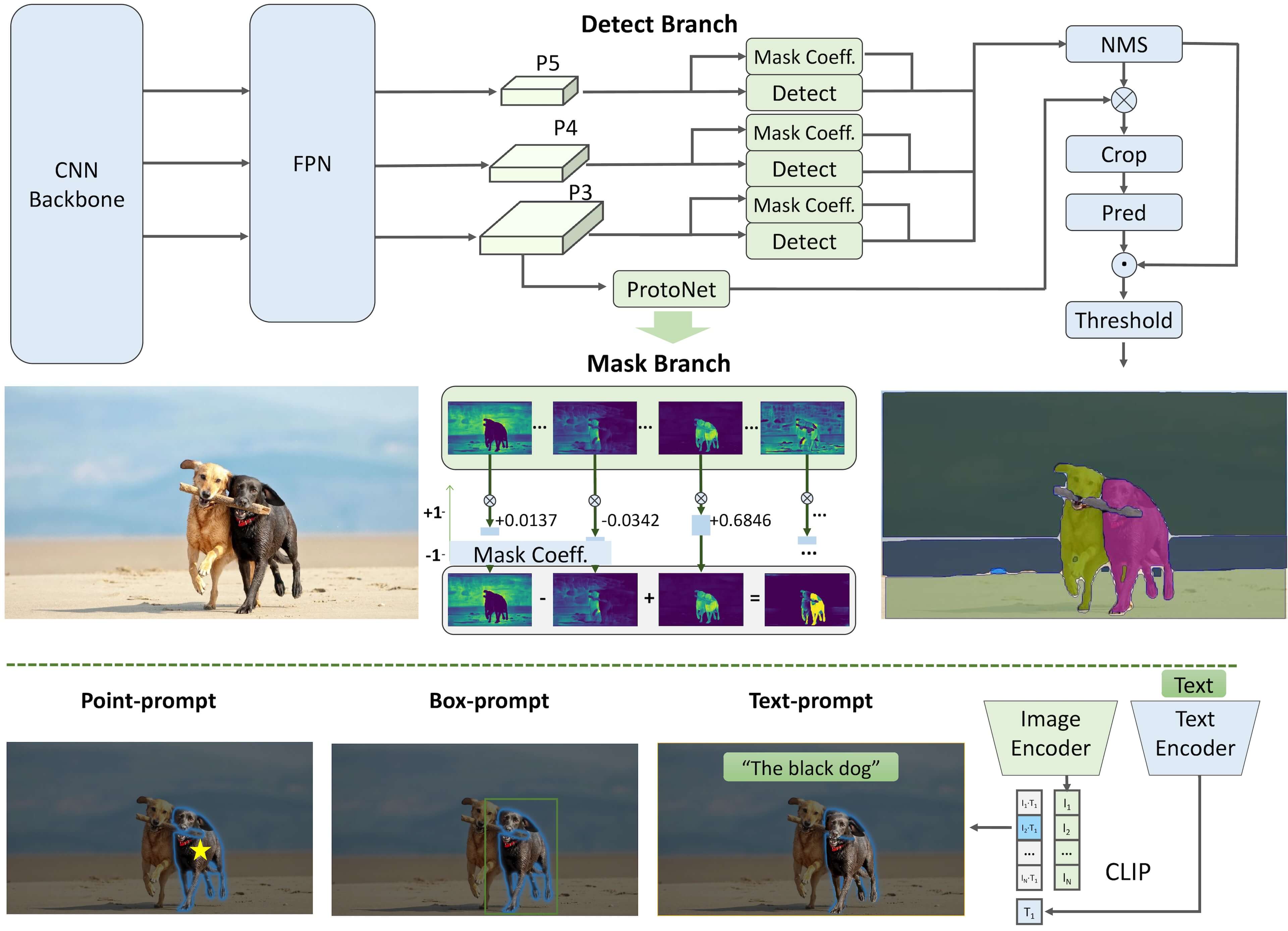


Watch: Run Ultralytics YOLO models in just a few lines of code.

## Getting Started: Usage Examples This example provides simple YOLO training and inference examples. For full documentation on these and other [modes](../modes/index.md) see the [Predict](../modes/predict.md), [Train](../modes/train.md), [Val](../modes/val.md) and [Export](../modes/export.md) docs pages. Note the below example is for YOLOv8 [Detect](../tasks/detect.md) models for object detection. For additional supported tasks see the [Segment](../tasks/segment.md), [Classify](../tasks/classify.md) and [Pose](../tasks/pose.md) docs. !!! Example === "Python" PyTorch pretrained `*.pt` models as well as configuration `*.yaml` files can be passed to the `YOLO()`, `SAM()`, `NAS()` and `RTDETR()` classes to create a model instance in Python: ```python from ultralytics import YOLO # Load a COCO-pretrained YOLOv8n model model = YOLO('yolov8n.pt') # Display model information (optional) model.info() # Train the model on the COCO8 example dataset for 100 epochs results = model.train(data='coco8.yaml', epochs=100, imgsz=640) # Run inference with the YOLOv8n model on the 'bus.jpg' image results = model('path/to/bus.jpg') ``` === "CLI" CLI commands are available to directly run the models: ```bash # Load a COCO-pretrained YOLOv8n model and train it on the COCO8 example dataset for 100 epochs yolo train model=yolov8n.pt data=coco8.yaml epochs=100 imgsz=640 # Load a COCO-pretrained YOLOv8n model and run inference on the 'bus.jpg' image yolo predict model=yolov8n.pt source=path/to/bus.jpg ``` ## Contributing New Models Interested in contributing your model to Ultralytics? Great! We're always open to expanding our model portfolio. 1. **Fork the Repository**: Start by forking the [Ultralytics GitHub repository](https://github.com/ultralytics/ultralytics). 2. **Clone Your Fork**: Clone your fork to your local machine and create a new branch to work on. 3. **Implement Your Model**: Add your model following the coding standards and guidelines provided in our [Contributing Guide](../help/contributing.md). 4. **Test Thoroughly**: Make sure to test your model rigorously, both in isolation and as part of the pipeline. 5. **Create a Pull Request**: Once you're satisfied with your model, create a pull request to the main repository for review. 6. **Code Review & Merging**: After review, if your model meets our criteria, it will be merged into the main repository. For detailed steps, consult our [Contributing Guide](../help/contributing.md). ================================================ FILE: docs/en/models/mobile-sam.md ================================================ --- comments: true description: Learn more about MobileSAM, its implementation, comparison with the original SAM, and how to download and test it in the Ultralytics framework. Improve your mobile applications today. keywords: MobileSAM, Ultralytics, SAM, mobile applications, Arxiv, GPU, API, image encoder, mask decoder, model download, testing method --- ![MobileSAM Logo](https://github.com/ChaoningZhang/MobileSAM/blob/master/assets/logo2.png?raw=true) # Mobile Segment Anything (MobileSAM) The MobileSAM paper is now available on [arXiv](https://arxiv.org/pdf/2306.14289.pdf). A demonstration of MobileSAM running on a CPU can be accessed at this [demo link](https://huggingface.co/spaces/dhkim2810/MobileSAM). The performance on a Mac i5 CPU takes approximately 3 seconds. On the Hugging Face demo, the interface and lower-performance CPUs contribute to a slower response, but it continues to function effectively. MobileSAM is implemented in various projects including [Grounding-SAM](https://github.com/IDEA-Research/Grounded-Segment-Anything), [AnyLabeling](https://github.com/vietanhdev/anylabeling), and [Segment Anything in 3D](https://github.com/Jumpat/SegmentAnythingin3D). MobileSAM is trained on a single GPU with a 100k dataset (1% of the original images) in less than a day. The code for this training will be made available in the future. ## Available Models, Supported Tasks, and Operating Modes This table presents the available models with their specific pre-trained weights, the tasks they support, and their compatibility with different operating modes like [Inference](../modes/predict.md), [Validation](../modes/val.md), [Training](../modes/train.md), and [Export](../modes/export.md), indicated by ✅ emojis for supported modes and ❌ emojis for unsupported modes. | Model Type | Pre-trained Weights | Tasks Supported | Inference | Validation | Training | Export | |------------|-----------------------------------------------------------------------------------------------|----------------------------------------------|-----------|------------|----------|--------| | MobileSAM | [mobile_sam.pt](https://github.com/ultralytics/assets/releases/download/v8.1.0/mobile_sam.pt) | [Instance Segmentation](../tasks/segment.md) | ✅ | ❌ | ❌ | ❌ | ## Adapting from SAM to MobileSAM Since MobileSAM retains the same pipeline as the original SAM, we have incorporated the original's pre-processing, post-processing, and all other interfaces. Consequently, those currently using the original SAM can transition to MobileSAM with minimal effort. MobileSAM performs comparably to the original SAM and retains the same pipeline except for a change in the image encoder. Specifically, we replace the original heavyweight ViT-H encoder (632M) with a smaller Tiny-ViT (5M). On a single GPU, MobileSAM operates at about 12ms per image: 8ms on the image encoder and 4ms on the mask decoder. The following table provides a comparison of ViT-based image encoders: | Image Encoder | Original SAM | MobileSAM | |---------------|--------------|-----------| | Parameters | 611M | 5M | | Speed | 452ms | 8ms | Both the original SAM and MobileSAM utilize the same prompt-guided mask decoder: | Mask Decoder | Original SAM | MobileSAM | |--------------|--------------|-----------| | Parameters | 3.876M | 3.876M | | Speed | 4ms | 4ms | Here is the comparison of the whole pipeline: | Whole Pipeline (Enc+Dec) | Original SAM | MobileSAM | |--------------------------|--------------|-----------| | Parameters | 615M | 9.66M | | Speed | 456ms | 12ms | The performance of MobileSAM and the original SAM are demonstrated using both a point and a box as prompts. ![Image with Point as Prompt](https://raw.githubusercontent.com/ChaoningZhang/MobileSAM/master/assets/mask_box.jpg?raw=true) ![Image with Box as Prompt](https://raw.githubusercontent.com/ChaoningZhang/MobileSAM/master/assets/mask_box.jpg?raw=true) With its superior performance, MobileSAM is approximately 5 times smaller and 7 times faster than the current FastSAM. More details are available at the [MobileSAM project page](https://github.com/ChaoningZhang/MobileSAM). ## Testing MobileSAM in Ultralytics Just like the original SAM, we offer a straightforward testing method in Ultralytics, including modes for both Point and Box prompts. ### Model Download You can download the model [here](https://github.com/ChaoningZhang/MobileSAM/blob/master/weights/mobile_sam.pt). ### Point Prompt !!! Example === "Python" ```python from ultralytics import SAM # Load the model model = SAM('mobile_sam.pt') # Predict a segment based on a point prompt model.predict('ultralytics/assets/zidane.jpg', points=[900, 370], labels=[1]) ``` ### Box Prompt !!! Example === "Python" ```python from ultralytics import SAM # Load the model model = SAM('mobile_sam.pt') # Predict a segment based on a box prompt model.predict('ultralytics/assets/zidane.jpg', bboxes=[439, 437, 524, 709]) ``` We have implemented `MobileSAM` and `SAM` using the same API. For more usage information, please see the [SAM page](sam.md). ## Citations and Acknowledgements If you find MobileSAM useful in your research or development work, please consider citing our paper: !!! Quote "" === "BibTeX" ```bibtex @article{mobile_sam, title={Faster Segment Anything: Towards Lightweight SAM for Mobile Applications}, author={Zhang, Chaoning and Han, Dongshen and Qiao, Yu and Kim, Jung Uk and Bae, Sung Ho and Lee, Seungkyu and Hong, Choong Seon}, journal={arXiv preprint arXiv:2306.14289}, year={2023} } ``` ================================================ FILE: docs/en/models/rtdetr.md ================================================ --- comments: true description: Discover the features and benefits of RT-DETR, Baidu’s efficient and adaptable real-time object detector powered by Vision Transformers, including pre-trained models. keywords: RT-DETR, Baidu, Vision Transformers, object detection, real-time performance, CUDA, TensorRT, IoU-aware query selection, Ultralytics, Python API, PaddlePaddle --- # Baidu's RT-DETR: A Vision Transformer-Based Real-Time Object Detector ## Overview Real-Time Detection Transformer (RT-DETR), developed by Baidu, is a cutting-edge end-to-end object detector that provides real-time performance while maintaining high accuracy. It leverages the power of Vision Transformers (ViT) to efficiently process multiscale features by decoupling intra-scale interaction and cross-scale fusion. RT-DETR is highly adaptable, supporting flexible adjustment of inference speed using different decoder layers without retraining. The model excels on accelerated backends like CUDA with TensorRT, outperforming many other real-time object detectors. ![Model example image](https://user-images.githubusercontent.com/26833433/238963168-90e8483f-90aa-4eb6-a5e1-0d408b23dd33.png) **Overview of Baidu's RT-DETR.** The RT-DETR model architecture diagram shows the last three stages of the backbone {S3, S4, S5} as the input to the encoder. The efficient hybrid encoder transforms multiscale features into a sequence of image features through intrascale feature interaction (AIFI) and cross-scale feature-fusion module (CCFM). The IoU-aware query selection is employed to select a fixed number of image features to serve as initial object queries for the decoder. Finally, the decoder with auxiliary prediction heads iteratively optimizes object queries to generate boxes and confidence scores ([source](https://arxiv.org/pdf/2304.08069.pdf)). ### Key Features - **Efficient Hybrid Encoder:** Baidu's RT-DETR uses an efficient hybrid encoder that processes multiscale features by decoupling intra-scale interaction and cross-scale fusion. This unique Vision Transformers-based design reduces computational costs and allows for real-time object detection. - **IoU-aware Query Selection:** Baidu's RT-DETR improves object query initialization by utilizing IoU-aware query selection. This allows the model to focus on the most relevant objects in the scene, enhancing the detection accuracy. - **Adaptable Inference Speed:** Baidu's RT-DETR supports flexible adjustments of inference speed by using different decoder layers without the need for retraining. This adaptability facilitates practical application in various real-time object detection scenarios. ## Pre-trained Models The Ultralytics Python API provides pre-trained PaddlePaddle RT-DETR models with different scales: - RT-DETR-L: 53.0% AP on COCO val2017, 114 FPS on T4 GPU - RT-DETR-X: 54.8% AP on COCO val2017, 74 FPS on T4 GPU ## Usage Examples This example provides simple RT-DETR training and inference examples. For full documentation on these and other [modes](../modes/index.md) see the [Predict](../modes/predict.md), [Train](../modes/train.md), [Val](../modes/val.md) and [Export](../modes/export.md) docs pages. !!! Example === "Python" ```python from ultralytics import RTDETR # Load a COCO-pretrained RT-DETR-l model model = RTDETR('rtdetr-l.pt') # Display model information (optional) model.info() # Train the model on the COCO8 example dataset for 100 epochs results = model.train(data='coco8.yaml', epochs=100, imgsz=640) # Run inference with the RT-DETR-l model on the 'bus.jpg' image results = model('path/to/bus.jpg') ``` === "CLI" ```bash # Load a COCO-pretrained RT-DETR-l model and train it on the COCO8 example dataset for 100 epochs yolo train model=rtdetr-l.pt data=coco8.yaml epochs=100 imgsz=640 # Load a COCO-pretrained RT-DETR-l model and run inference on the 'bus.jpg' image yolo predict model=rtdetr-l.pt source=path/to/bus.jpg ``` ## Supported Tasks and Modes This table presents the model types, the specific pre-trained weights, the tasks supported by each model, and the various modes ([Train](../modes/train.md) , [Val](../modes/val.md), [Predict](../modes/predict.md), [Export](../modes/export.md)) that are supported, indicated by ✅ emojis. | Model Type | Pre-trained Weights | Tasks Supported | Inference | Validation | Training | Export | |---------------------|-------------------------------------------------------------------------------------------|----------------------------------------|-----------|------------|----------|--------| | RT-DETR Large | [rtdetr-l.pt](https://github.com/ultralytics/assets/releases/download/v8.1.0/rtdetr-l.pt) | [Object Detection](../tasks/detect.md) | ✅ | ✅ | ✅ | ✅ | | RT-DETR Extra-Large | [rtdetr-x.pt](https://github.com/ultralytics/assets/releases/download/v8.1.0/rtdetr-x.pt) | [Object Detection](../tasks/detect.md) | ✅ | ✅ | ✅ | ✅ | ## Citations and Acknowledgements If you use Baidu's RT-DETR in your research or development work, please cite the [original paper](https://arxiv.org/abs/2304.08069): !!! Quote "" === "BibTeX" ```bibtex @misc{lv2023detrs, title={DETRs Beat YOLOs on Real-time Object Detection}, author={Wenyu Lv and Shangliang Xu and Yian Zhao and Guanzhong Wang and Jinman Wei and Cheng Cui and Yuning Du and Qingqing Dang and Yi Liu}, year={2023}, eprint={2304.08069}, archivePrefix={arXiv}, primaryClass={cs.CV} } ``` We would like to acknowledge Baidu and the [PaddlePaddle](https://github.com/PaddlePaddle/PaddleDetection) team for creating and maintaining this valuable resource for the computer vision community. Their contribution to the field with the development of the Vision Transformers-based real-time object detector, RT-DETR, is greatly appreciated. _Keywords: RT-DETR, Transformer, ViT, Vision Transformers, Baidu RT-DETR, PaddlePaddle, Paddle Paddle RT-DETR, real-time object detection, Vision Transformers-based object detection, pre-trained PaddlePaddle RT-DETR models, Baidu's RT-DETR usage, Ultralytics Python API_ ================================================ FILE: docs/en/models/sam.md ================================================ --- comments: true description: Explore the cutting-edge Segment Anything Model (SAM) from Ultralytics that allows real-time image segmentation. Learn about its promptable segmentation, zero-shot performance, and how to use it. keywords: Ultralytics, image segmentation, Segment Anything Model, SAM, SA-1B dataset, real-time performance, zero-shot transfer, object detection, image analysis, machine learning --- # Segment Anything Model (SAM) Welcome to the frontier of image segmentation with the Segment Anything Model, or SAM. This revolutionary model has changed the game by introducing promptable image segmentation with real-time performance, setting new standards in the field. ## Introduction to SAM: The Segment Anything Model The Segment Anything Model, or SAM, is a cutting-edge image segmentation model that allows for promptable segmentation, providing unparalleled versatility in image analysis tasks. SAM forms the heart of the Segment Anything initiative, a groundbreaking project that introduces a novel model, task, and dataset for image segmentation. SAM's advanced design allows it to adapt to new image distributions and tasks without prior knowledge, a feature known as zero-shot transfer. Trained on the expansive [SA-1B dataset](https://ai.facebook.com/datasets/segment-anything/), which contains more than 1 billion masks spread over 11 million carefully curated images, SAM has displayed impressive zero-shot performance, surpassing previous fully supervised results in many cases. ![Dataset sample image](https://user-images.githubusercontent.com/26833433/238056229-0e8ffbeb-f81a-477e-a490-aff3d82fd8ce.jpg) **SA-1B Example images.** Dataset images overlaid masks from the newly introduced SA-1B dataset. SA-1B contains 11M diverse, high-resolution, licensed, and privacy protecting images and 1.1B high-quality segmentation masks. These masks were annotated fully automatically by SAM, and as verified by human ratings and numerous experiments, are of high quality and diversity. Images are grouped by number of masks per image for visualization (there are ∼100 masks per image on average). ## Key Features of the Segment Anything Model (SAM) - **Promptable Segmentation Task:** SAM was designed with a promptable segmentation task in mind, allowing it to generate valid segmentation masks from any given prompt, such as spatial or text clues identifying an object. - **Advanced Architecture:** The Segment Anything Model employs a powerful image encoder, a prompt encoder, and a lightweight mask decoder. This unique architecture enables flexible prompting, real-time mask computation, and ambiguity awareness in segmentation tasks. - **The SA-1B Dataset:** Introduced by the Segment Anything project, the SA-1B dataset features over 1 billion masks on 11 million images. As the largest segmentation dataset to date, it provides SAM with a diverse and large-scale training data source. - **Zero-Shot Performance:** SAM displays outstanding zero-shot performance across various segmentation tasks, making it a ready-to-use tool for diverse applications with minimal need for prompt engineering. For an in-depth look at the Segment Anything Model and the SA-1B dataset, please visit the [Segment Anything website](https://segment-anything.com) and check out the research paper [Segment Anything](https://arxiv.org/abs/2304.02643). ## Available Models, Supported Tasks, and Operating Modes This table presents the available models with their specific pre-trained weights, the tasks they support, and their compatibility with different operating modes like [Inference](../modes/predict.md), [Validation](../modes/val.md), [Training](../modes/train.md), and [Export](../modes/export.md), indicated by ✅ emojis for supported modes and ❌ emojis for unsupported modes. | Model Type | Pre-trained Weights | Tasks Supported | Inference | Validation | Training | Export | |------------|-------------------------------------------------------------------------------------|----------------------------------------------|-----------|------------|----------|--------| | SAM base | [sam_b.pt](https://github.com/ultralytics/assets/releases/download/v8.1.0/sam_b.pt) | [Instance Segmentation](../tasks/segment.md) | ✅ | ❌ | ❌ | ❌ | | SAM large | [sam_l.pt](https://github.com/ultralytics/assets/releases/download/v8.1.0/sam_l.pt) | [Instance Segmentation](../tasks/segment.md) | ✅ | ❌ | ❌ | ❌ | ## How to Use SAM: Versatility and Power in Image Segmentation The Segment Anything Model can be employed for a multitude of downstream tasks that go beyond its training data. This includes edge detection, object proposal generation, instance segmentation, and preliminary text-to-mask prediction. With prompt engineering, SAM can swiftly adapt to new tasks and data distributions in a zero-shot manner, establishing it as a versatile and potent tool for all your image segmentation needs. ### SAM prediction example !!! Example "Segment with prompts" Segment image with given prompts. === "Python" ```python from ultralytics import SAM # Load a model model = SAM('sam_b.pt') # Display model information (optional) model.info() # Run inference with bboxes prompt model('ultralytics/assets/zidane.jpg', bboxes=[439, 437, 524, 709]) # Run inference with points prompt model('ultralytics/assets/zidane.jpg', points=[900, 370], labels=[1]) ``` !!! Example "Segment everything" Segment the whole image. === "Python" ```python from ultralytics import SAM # Load a model model = SAM('sam_b.pt') # Display model information (optional) model.info() # Run inference model('path/to/image.jpg') ``` === "CLI" ```bash # Run inference with a SAM model yolo predict model=sam_b.pt source=path/to/image.jpg ``` - The logic here is to segment the whole image if you don't pass any prompts(bboxes/points/masks). !!! Example "SAMPredictor example" This way you can set image once and run prompts inference multiple times without running image encoder multiple times. === "Prompt inference" ```python from ultralytics.models.sam import Predictor as SAMPredictor # Create SAMPredictor overrides = dict(conf=0.25, task='segment', mode='predict', imgsz=1024, model="mobile_sam.pt") predictor = SAMPredictor(overrides=overrides) # Set image predictor.set_image("ultralytics/assets/zidane.jpg") # set with image file predictor.set_image(cv2.imread("ultralytics/assets/zidane.jpg")) # set with np.ndarray results = predictor(bboxes=[439, 437, 524, 709]) results = predictor(points=[900, 370], labels=[1]) # Reset image predictor.reset_image() ``` Segment everything with additional args. === "Segment everything" ```python from ultralytics.models.sam import Predictor as SAMPredictor # Create SAMPredictor overrides = dict(conf=0.25, task='segment', mode='predict', imgsz=1024, model="mobile_sam.pt") predictor = SAMPredictor(overrides=overrides) # Segment with additional args results = predictor(source="ultralytics/assets/zidane.jpg", crop_n_layers=1, points_stride=64) ``` - More additional args for `Segment everything` see [`Predictor/generate` Reference](../reference/models/sam/predict.md). ## SAM comparison vs YOLOv8 Here we compare Meta's smallest SAM model, SAM-b, with Ultralytics smallest segmentation model, [YOLOv8n-seg](../tasks/segment.md): | Model | Size | Parameters | Speed (CPU) | |------------------------------------------------|----------------------------|------------------------|----------------------------| | Meta's SAM-b | 358 MB | 94.7 M | 51096 ms/im | | [MobileSAM](mobile-sam.md) | 40.7 MB | 10.1 M | 46122 ms/im | | [FastSAM-s](fast-sam.md) with YOLOv8 backbone | 23.7 MB | 11.8 M | 115 ms/im | | Ultralytics [YOLOv8n-seg](../tasks/segment.md) | **6.7 MB** (53.4x smaller) | **3.4 M** (27.9x less) | **59 ms/im** (866x faster) | This comparison shows the order-of-magnitude differences in the model sizes and speeds between models. Whereas SAM presents unique capabilities for automatic segmenting, it is not a direct competitor to YOLOv8 segment models, which are smaller, faster and more efficient. Tests run on a 2023 Apple M2 Macbook with 16GB of RAM. To reproduce this test: !!! Example === "Python" ```python from ultralytics import FastSAM, SAM, YOLO # Profile SAM-b model = SAM('sam_b.pt') model.info() model('ultralytics/assets') # Profile MobileSAM model = SAM('mobile_sam.pt') model.info() model('ultralytics/assets') # Profile FastSAM-s model = FastSAM('FastSAM-s.pt') model.info() model('ultralytics/assets') # Profile YOLOv8n-seg model = YOLO('yolov8n-seg.pt') model.info() model('ultralytics/assets') ``` ## Auto-Annotation: A Quick Path to Segmentation Datasets Auto-annotation is a key feature of SAM, allowing users to generate a [segmentation dataset](https://docs.ultralytics.com/datasets/segment) using a pre-trained detection model. This feature enables rapid and accurate annotation of a large number of images, bypassing the need for time-consuming manual labeling. ### Generate Your Segmentation Dataset Using a Detection Model To auto-annotate your dataset with the Ultralytics framework, use the `auto_annotate` function as shown below: !!! Example === "Python" ```python from ultralytics.data.annotator import auto_annotate auto_annotate(data="path/to/images", det_model="yolov8x.pt", sam_model='sam_b.pt') ``` | Argument | Type | Description | Default | |------------|---------------------|---------------------------------------------------------------------------------------------------------|--------------| | data | str | Path to a folder containing images to be annotated. | | | det_model | str, optional | Pre-trained YOLO detection model. Defaults to 'yolov8x.pt'. | 'yolov8x.pt' | | sam_model | str, optional | Pre-trained SAM segmentation model. Defaults to 'sam_b.pt'. | 'sam_b.pt' | | device | str, optional | Device to run the models on. Defaults to an empty string (CPU or GPU, if available). | | | output_dir | str, None, optional | Directory to save the annotated results. Defaults to a 'labels' folder in the same directory as 'data'. | None | The `auto_annotate` function takes the path to your images, with optional arguments for specifying the pre-trained detection and SAM segmentation models, the device to run the models on, and the output directory for saving the annotated results. Auto-annotation with pre-trained models can dramatically cut down the time and effort required for creating high-quality segmentation datasets. This feature is especially beneficial for researchers and developers dealing with large image collections, as it allows them to focus on model development and evaluation rather than manual annotation. ## Citations and Acknowledgements If you find SAM useful in your research or development work, please consider citing our paper: !!! Quote "" === "BibTeX" ```bibtex @misc{kirillov2023segment, title={Segment Anything}, author={Alexander Kirillov and Eric Mintun and Nikhila Ravi and Hanzi Mao and Chloe Rolland and Laura Gustafson and Tete Xiao and Spencer Whitehead and Alexander C. Berg and Wan-Yen Lo and Piotr Dollár and Ross Girshick}, year={2023}, eprint={2304.02643}, archivePrefix={arXiv}, primaryClass={cs.CV} } ``` We would like to express our gratitude to Meta AI for creating and maintaining this valuable resource for the computer vision community. _keywords: Segment Anything, Segment Anything Model, SAM, Meta SAM, image segmentation, promptable segmentation, zero-shot performance, SA-1B dataset, advanced architecture, auto-annotation, Ultralytics, pre-trained models, SAM base, SAM large, instance segmentation, computer vision, AI, artificial intelligence, machine learning, data annotation, segmentation masks, detection model, YOLO detection model, bibtex, Meta AI._ ================================================ FILE: docs/en/models/yolo-nas.md ================================================ --- comments: true description: Explore detailed documentation of YOLO-NAS, a superior object detection model. Learn about its features, pre-trained models, usage with Ultralytics Python API, and more. keywords: YOLO-NAS, Deci AI, object detection, deep learning, neural architecture search, Ultralytics Python API, YOLO model, pre-trained models, quantization, optimization, COCO, Objects365, Roboflow 100 --- # YOLO-NAS ## Overview Developed by Deci AI, YOLO-NAS is a groundbreaking object detection foundational model. It is the product of advanced Neural Architecture Search technology, meticulously designed to address the limitations of previous YOLO models. With significant improvements in quantization support and accuracy-latency trade-offs, YOLO-NAS represents a major leap in object detection. ![Model example image](https://learnopencv.com/wp-content/uploads/2023/05/yolo-nas_COCO_map_metrics.png) **Overview of YOLO-NAS.** YOLO-NAS employs quantization-aware blocks and selective quantization for optimal performance. The model, when converted to its INT8 quantized version, experiences a minimal precision drop, a significant improvement over other models. These advancements culminate in a superior architecture with unprecedented object detection capabilities and outstanding performance. ### Key Features - **Quantization-Friendly Basic Block:** YOLO-NAS introduces a new basic block that is friendly to quantization, addressing one of the significant limitations of previous YOLO models. - **Sophisticated Training and Quantization:** YOLO-NAS leverages advanced training schemes and post-training quantization to enhance performance. - **AutoNAC Optimization and Pre-training:** YOLO-NAS utilizes AutoNAC optimization and is pre-trained on prominent datasets such as COCO, Objects365, and Roboflow 100. This pre-training makes it extremely suitable for downstream object detection tasks in production environments. ## Pre-trained Models Experience the power of next-generation object detection with the pre-trained YOLO-NAS models provided by Ultralytics. These models are designed to deliver top-notch performance in terms of both speed and accuracy. Choose from a variety of options tailored to your specific needs: | Model | mAP | Latency (ms) | |------------------|-------|--------------| | YOLO-NAS S | 47.5 | 3.21 | | YOLO-NAS M | 51.55 | 5.85 | | YOLO-NAS L | 52.22 | 7.87 | | YOLO-NAS S INT-8 | 47.03 | 2.36 | | YOLO-NAS M INT-8 | 51.0 | 3.78 | | YOLO-NAS L INT-8 | 52.1 | 4.78 | Each model variant is designed to offer a balance between Mean Average Precision (mAP) and latency, helping you optimize your object detection tasks for both performance and speed. ## Usage Examples Ultralytics has made YOLO-NAS models easy to integrate into your Python applications via our `ultralytics` python package. The package provides a user-friendly Python API to streamline the process. The following examples show how to use YOLO-NAS models with the `ultralytics` package for inference and validation: ### Inference and Validation Examples In this example we validate YOLO-NAS-s on the COCO8 dataset. !!! Example This example provides simple inference and validation code for YOLO-NAS. For handling inference results see [Predict](../modes/predict.md) mode. For using YOLO-NAS with additional modes see [Val](../modes/val.md) and [Export](../modes/export.md). YOLO-NAS on the `ultralytics` package does not support training. === "Python" PyTorch pretrained `*.pt` models files can be passed to the `NAS()` class to create a model instance in python: ```python from ultralytics import NAS # Load a COCO-pretrained YOLO-NAS-s model model = NAS('yolo_nas_s.pt') # Display model information (optional) model.info() # Validate the model on the COCO8 example dataset results = model.val(data='coco8.yaml') # Run inference with the YOLO-NAS-s model on the 'bus.jpg' image results = model('path/to/bus.jpg') ``` === "CLI" CLI commands are available to directly run the models: ```bash # Load a COCO-pretrained YOLO-NAS-s model and validate it's performance on the COCO8 example dataset yolo val model=yolo_nas_s.pt data=coco8.yaml # Load a COCO-pretrained YOLO-NAS-s model and run inference on the 'bus.jpg' image yolo predict model=yolo_nas_s.pt source=path/to/bus.jpg ``` ## Supported Tasks and Modes We offer three variants of the YOLO-NAS models: Small (s), Medium (m), and Large (l). Each variant is designed to cater to different computational and performance needs: - **YOLO-NAS-s**: Optimized for environments where computational resources are limited but efficiency is key. - **YOLO-NAS-m**: Offers a balanced approach, suitable for general-purpose object detection with higher accuracy. - **YOLO-NAS-l**: Tailored for scenarios requiring the highest accuracy, where computational resources are less of a constraint. Below is a detailed overview of each model, including links to their pre-trained weights, the tasks they support, and their compatibility with different operating modes. | Model Type | Pre-trained Weights | Tasks Supported | Inference | Validation | Training | Export | |------------|-----------------------------------------------------------------------------------------------|----------------------------------------|-----------|------------|----------|--------| | YOLO-NAS-s | [yolo_nas_s.pt](https://github.com/ultralytics/assets/releases/download/v8.1.0/yolo_nas_s.pt) | [Object Detection](../tasks/detect.md) | ✅ | ✅ | ❌ | ✅ | | YOLO-NAS-m | [yolo_nas_m.pt](https://github.com/ultralytics/assets/releases/download/v8.1.0/yolo_nas_m.pt) | [Object Detection](../tasks/detect.md) | ✅ | ✅ | ❌ | ✅ | | YOLO-NAS-l | [yolo_nas_l.pt](https://github.com/ultralytics/assets/releases/download/v8.1.0/yolo_nas_l.pt) | [Object Detection](../tasks/detect.md) | ✅ | ✅ | ❌ | ✅ | ## Citations and Acknowledgements If you employ YOLO-NAS in your research or development work, please cite SuperGradients: !!! Quote "" === "BibTeX" ```bibtex @misc{supergradients, doi = {10.5281/ZENODO.7789328}, url = {https://zenodo.org/record/7789328}, author = {Aharon, Shay and {Louis-Dupont} and {Ofri Masad} and Yurkova, Kate and {Lotem Fridman} and {Lkdci} and Khvedchenya, Eugene and Rubin, Ran and Bagrov, Natan and Tymchenko, Borys and Keren, Tomer and Zhilko, Alexander and {Eran-Deci}}, title = {Super-Gradients}, publisher = {GitHub}, journal = {GitHub repository}, year = {2021}, } ``` We express our gratitude to Deci AI's [SuperGradients](https://github.com/Deci-AI/super-gradients/) team for their efforts in creating and maintaining this valuable resource for the computer vision community. We believe YOLO-NAS, with its innovative architecture and superior object detection capabilities, will become a critical tool for developers and researchers alike. _Keywords: YOLO-NAS, Deci AI, object detection, deep learning, neural architecture search, Ultralytics Python API, YOLO model, SuperGradients, pre-trained models, quantization-friendly basic block, advanced training schemes, post-training quantization, AutoNAC optimization, COCO, Objects365, Roboflow 100_ ================================================ FILE: docs/en/models/yolo-world.md ================================================ --- comments: true description: Discover YOLO-World, a YOLOv8-based framework for real-time open-vocabulary object detection in images. It enhances user interaction, boosts computational efficiency, and adapts across various vision tasks. keywords: YOLO-World, YOLOv8, machine learning, CNN-based framework, object detection, real-time detection, Ultralytics, vision tasks, image processing, industrial applications, user interaction --- # YOLO-World Model The YOLO-World Model introduces an advanced, real-time [Ultralytics](https://ultralytics.com) [YOLOv8](yolov8.md)-based approach for Open-Vocabulary Detection tasks. This innovation enables the detection of any object within an image based on descriptive texts. By significantly lowering computational demands while preserving competitive performance, YOLO-World emerges as a versatile tool for numerous vision-based applications. ![YOLO-World Model architecture overview](https://github.com/ultralytics/ultralytics/assets/26833433/31105058-78c1-43ef-9573-4f41b06df531) ## Overview YOLO-World tackles the challenges faced by traditional Open-Vocabulary detection models, which often rely on cumbersome Transformer models requiring extensive computational resources. These models' dependence on pre-defined object categories also restricts their utility in dynamic scenarios. YOLO-World revitalizes the YOLOv8 framework with open-vocabulary detection capabilities, employing vision-language modeling and pre-training on expansive datasets to excel at identifying a broad array of objects in zero-shot scenarios with unmatched efficiency. ## Key Features 1. **Real-time Solution:** Harnessing the computational speed of CNNs, YOLO-World delivers a swift open-vocabulary detection solution, catering to industries in need of immediate results. 2. **Efficiency and Performance:** YOLO-World slashes computational and resource requirements without sacrificing performance, offering a robust alternative to models like SAM but at a fraction of the computational cost, enabling real-time applications. 3. **Inference with Offline Vocabulary:** YOLO-World introduces a "prompt-then-detect" strategy, employing an offline vocabulary to enhance efficiency further. This approach enables the use of custom prompts computed apriori, including captions or categories, to be encoded and stored as offline vocabulary embeddings, streamlining the detection process. 4. **Powered by YOLOv8:** Built upon [Ultralytics YOLOv8](yolov8.md), YOLO-World leverages the latest advancements in real-time object detection to facilitate open-vocabulary detection with unparalleled accuracy and speed. 5. **Benchmark Excellence:** YOLO-World outperforms existing open-vocabulary detectors, including MDETR and GLIP series, in terms of speed and efficiency on standard benchmarks, showcasing YOLOv8's superior capability on a single NVIDIA V100 GPU. 6. **Versatile Applications:** YOLO-World's innovative approach unlocks new possibilities for a multitude of vision tasks, delivering speed improvements by orders of magnitude over existing methods. ## Available Models, Supported Tasks, and Operating Modes This section details the models available with their specific pre-trained weights, the tasks they support, and their compatibility with various operating modes such as [Inference](../modes/predict.md), [Validation](../modes/val.md), [Training](../modes/train.md), and [Export](../modes/export.md), denoted by ✅ for supported modes and ❌ for unsupported modes. !!! Note All the YOLOv8-World weights have been directly migrated from the official [YOLO-World](https://github.com/AILab-CVC/YOLO-World) repository, highlighting their excellent contributions. | Model Type | Pre-trained Weights | Tasks Supported | Inference | Validation | Training | Export | |-----------------|-------------------------------------------------------------------------------------------------------|----------------------------------------|-----------|------------|----------|--------| | YOLOv8s-world | [yolov8s-world.pt](https://github.com/ultralytics/assets/releases/download/v8.1.0/yolov8s-world.pt) | [Object Detection](../tasks/detect.md) | ✅ | ✅ | ❌ | ❌ | | YOLOv8s-worldv2 | [yolov8s-worldv2.pt](https://github.com/ultralytics/assets/releases/download/v8.1.0/yolov8s-worldv2.pt) | [Object Detection](../tasks/detect.md) | ✅ | ✅ | ❌ | ✅ | | YOLOv8m-world | [yolov8m-world.pt](https://github.com/ultralytics/assets/releases/download/v8.1.0/yolov8m-world.pt) | [Object Detection](../tasks/detect.md) | ✅ | ✅ | ❌ | ❌ | | YOLOv8m-worldv2 | [yolov8m-worldv2.pt](https://github.com/ultralytics/assets/releases/download/v8.1.0/yolov8m-worldv2.pt) | [Object Detection](../tasks/detect.md) | ✅ | ✅ | ❌ | ✅ | | YOLOv8l-world | [yolov8l-world.pt](https://github.com/ultralytics/assets/releases/download/v8.1.0/yolov8l-world.pt) | [Object Detection](../tasks/detect.md) | ✅ | ✅ | ❌ | ❌ | | YOLOv8l-worldv2 | [yolov8l-worldv2.pt](https://github.com/ultralytics/assets/releases/download/v8.1.0/yolov8l-worldv2.pt) | [Object Detection](../tasks/detect.md) | ✅ | ✅ | ❌ | ✅ | | YOLOv8x-world | [yolov8x-world.pt](https://github.com/ultralytics/assets/releases/download/v8.1.0/yolov8x-world.pt) | [Object Detection](../tasks/detect.md) | ✅ | ✅ | ❌ | ❌ | | YOLOv8x-worldv2 | [yolov8x-worldv2.pt](https://github.com/ultralytics/assets/releases/download/v8.1.0/yolov8x-worldv2.pt) | [Object Detection](../tasks/detect.md) | ✅ | ✅ | ❌ | ✅ | ## Zero-shot Transfer on COCO Dataset | Model Type | mAP | mAP50 | mAP75 | |-----------------|------|-------|-------| | yolov8s-world | 37.4 | 52.0 | 40.6 | | yolov8s-worldv2 | 37.7 | 52.2 | 41.0 | | yolov8m-world | 42.0 | 57.0 | 45.6 | | yolov8m-worldv2 | 43.0 | 58.4 | 46.8 | | yolov8l-world | 45.7 | 61.3 | 49.8 | | yolov8l-worldv2 | 45.8 | 61.3 | 49.8 | | yolov8x-world | 47.0 | 63.0 | 51.2 | | yolov8x-worldv2 | 47.1 | 62.8 | 51.4 | ## Usage Examples The YOLO-World models are easy to integrate into your Python applications. Ultralytics provides user-friendly Python API and CLI commands to streamline development. ### Predict Usage Object detection is straightforward with the `predict` method, as illustrated below: !!! Example === "Python" ```python from ultralytics import YOLOWorld # Initialize a YOLO-World model model = YOLOWorld('yolov8s-world.pt') # or select yolov8m/l-world.pt for different sizes # Execute inference with the YOLOv8s-world model on the specified image results = model.predict('path/to/image.jpg') # Show results results[0].show() ``` === "CLI" ```bash # Perform object detection using a YOLO-World model yolo predict model=yolov8s-world.pt source=path/to/image.jpg imgsz=640 ``` This snippet demonstrates the simplicity of loading a pre-trained model and running a prediction on an image. ### Val Usage Model validation on a dataset is streamlined as follows: !!! Example === "Python" ```python from ultralytics import YOLO # Create a YOLO-World model model = YOLO('yolov8s-world.pt') # or select yolov8m/l-world.pt for different sizes # Conduct model validation on the COCO8 example dataset metrics = model.val(data='coco8.yaml') ``` === "CLI" ```bash # Validate a YOLO-World model on the COCO8 dataset with a specified image size yolo val model=yolov8s-world.pt data=coco8.yaml imgsz=640 ``` !!! Note The YOLO-World models provided by Ultralytics come pre-configured with [COCO dataset](../datasets/detect/coco.md) categories as part of their offline vocabulary, enhancing efficiency for immediate application. This integration allows the YOLOv8-World models to directly recognize and predict the 80 standard categories defined in the COCO dataset without requiring additional setup or customization. ### Set prompts ![YOLO-World prompt class names overview](https://github.com/ultralytics/ultralytics/assets/26833433/4f609ec0-ae6d-4a85-a034-c1c1c30968ff) The YOLO-World framework allows for the dynamic specification of classes through custom prompts, empowering users to tailor the model to their specific needs **without retraining**. This feature is particularly useful for adapting the model to new domains or specific tasks that were not originally part of the training data. By setting custom prompts, users can essentially guide the model's focus towards objects of interest, enhancing the relevance and accuracy of the detection results. For instance, if your application only requires detecting 'person' and 'bus' objects, you can specify these classes directly: !!! Example === "Custom Inference Prompts" ```python from ultralytics import YOLO # Initialize a YOLO-World model model = YOLO('yolov8s-world.pt') # or choose yolov8m/l-world.pt # Define custom classes model.set_classes(["person", "bus"]) # Execute prediction for specified categories on an image results = model.predict('path/to/image.jpg') # Show results results[0].show() ``` You can also save a model after setting custom classes. By doing this you create a version of the YOLO-World model that is specialized for your specific use case. This process embeds your custom class definitions directly into the model file, making the model ready to use with your specified classes without further adjustments. Follow these steps to save and load your custom YOLOv8 model: !!! Example === "Persisting Models with Custom Vocabulary" First load a YOLO-World model, set custom classes for it and save it: ```python from ultralytics import YOLO # Initialize a YOLO-World model model = YOLO('yolov8s-world.pt') # or select yolov8m/l-world.pt # Define custom classes model.set_classes(["person", "bus"]) # Save the model with the defined offline vocabulary model.save("custom_yolov8s.pt") ``` After saving, the custom_yolov8s.pt model behaves like any other pre-trained YOLOv8 model but with a key difference: it is now optimized to detect only the classes you have defined. This customization can significantly improve detection performance and efficiency for your specific application scenarios. ```python from ultralytics import YOLO # Load your custom model model = YOLO('custom_yolov8s.pt') # Run inference to detect your custom classes results = model.predict('path/to/image.jpg') # Show results results[0].show() ``` ### Benefits of Saving with Custom Vocabulary - **Efficiency**: Streamlines the detection process by focusing on relevant objects, reducing computational overhead and speeding up inference. - **Flexibility**: Allows for easy adaptation of the model to new or niche detection tasks without the need for extensive retraining or data collection. - **Simplicity**: Simplifies deployment by eliminating the need to repeatedly specify custom classes at runtime, making the model directly usable with its embedded vocabulary. - **Performance**: Enhances detection accuracy for specified classes by focusing the model's attention and resources on recognizing the defined objects. This approach provides a powerful means of customizing state-of-the-art object detection models for specific tasks, making advanced AI more accessible and applicable to a broader range of practical applications. ## Citations and Acknowledgements We extend our gratitude to the [Tencent AILab Computer Vision Center](https://ai.tencent.com/) for their pioneering work in real-time open-vocabulary object detection with YOLO-World: !!! Quote "" === "BibTeX" ```bibtex @article{cheng2024yolow, title={YOLO-World: Real-Time Open-Vocabulary Object Detection}, author={Cheng, Tianheng and Song, Lin and Ge, Yixiao and Liu, Wenyu and Wang, Xinggang and Shan, Ying}, journal={arXiv preprint arXiv:2401.17270}, year={2024} } ``` For further reading, the original YOLO-World paper is available on [arXiv](https://arxiv.org/pdf/2401.17270v2.pdf). The project's source code and additional resources can be accessed via their [GitHub repository](https://github.com/AILab-CVC/YOLO-World). We appreciate their commitment to advancing the field and sharing their valuable insights with the community. ================================================ FILE: docs/en/models/yolov3.md ================================================ --- comments: true description: Get an overview of YOLOv3, YOLOv3-Ultralytics and YOLOv3u. Learn about their key features, usage, and supported tasks for object detection. keywords: YOLOv3, YOLOv3-Ultralytics, YOLOv3u, Object Detection, Inference, Training, Ultralytics --- # YOLOv3, YOLOv3-Ultralytics, and YOLOv3u ## Overview This document presents an overview of three closely related object detection models, namely [YOLOv3](https://pjreddie.com/darknet/yolo/), [YOLOv3-Ultralytics](https://github.com/ultralytics/yolov3), and [YOLOv3u](https://github.com/ultralytics/ultralytics). 1. **YOLOv3:** This is the third version of the You Only Look Once (YOLO) object detection algorithm. Originally developed by Joseph Redmon, YOLOv3 improved on its predecessors by introducing features such as multiscale predictions and three different sizes of detection kernels. 2. **YOLOv3-Ultralytics:** This is Ultralytics' implementation of the YOLOv3 model. It reproduces the original YOLOv3 architecture and offers additional functionalities, such as support for more pre-trained models and easier customization options. 3. **YOLOv3u:** This is an updated version of YOLOv3-Ultralytics that incorporates the anchor-free, objectness-free split head used in YOLOv8 models. YOLOv3u maintains the same backbone and neck architecture as YOLOv3 but with the updated detection head from YOLOv8. ![Ultralytics YOLOv3](https://raw.githubusercontent.com/ultralytics/assets/main/yolov3/banner-yolov3.png) ## Key Features - **YOLOv3:** Introduced the use of three different scales for detection, leveraging three different sizes of detection kernels: 13x13, 26x26, and 52x52. This significantly improved detection accuracy for objects of different sizes. Additionally, YOLOv3 added features such as multi-label predictions for each bounding box and a better feature extractor network. - **YOLOv3-Ultralytics:** Ultralytics' implementation of YOLOv3 provides the same performance as the original model but comes with added support for more pre-trained models, additional training methods, and easier customization options. This makes it more versatile and user-friendly for practical applications. - **YOLOv3u:** This updated model incorporates the anchor-free, objectness-free split head from YOLOv8. By eliminating the need for pre-defined anchor boxes and objectness scores, this detection head design can improve the model's ability to detect objects of varying sizes and shapes. This makes YOLOv3u more robust and accurate for object detection tasks. ## Supported Tasks and Modes The YOLOv3 series, including YOLOv3, YOLOv3-Ultralytics, and YOLOv3u, are designed specifically for object detection tasks. These models are renowned for their effectiveness in various real-world scenarios, balancing accuracy and speed. Each variant offers unique features and optimizations, making them suitable for a range of applications. All three models support a comprehensive set of modes, ensuring versatility in various stages of model deployment and development. These modes include [Inference](../modes/predict.md), [Validation](../modes/val.md), [Training](../modes/train.md), and [Export](../modes/export.md), providing users with a complete toolkit for effective object detection. | Model Type | Tasks Supported | Inference | Validation | Training | Export | |--------------------|----------------------------------------|-----------|------------|----------|--------| | YOLOv3 | [Object Detection](../tasks/detect.md) | ✅ | ✅ | ✅ | ✅ | | YOLOv3-Ultralytics | [Object Detection](../tasks/detect.md) | ✅ | ✅ | ✅ | ✅ | | YOLOv3u | [Object Detection](../tasks/detect.md) | ✅ | ✅ | ✅ | ✅ | This table provides an at-a-glance view of the capabilities of each YOLOv3 variant, highlighting their versatility and suitability for various tasks and operational modes in object detection workflows. ## Usage Examples This example provides simple YOLOv3 training and inference examples. For full documentation on these and other [modes](../modes/index.md) see the [Predict](../modes/predict.md), [Train](../modes/train.md), [Val](../modes/val.md) and [Export](../modes/export.md) docs pages. !!! Example === "Python" PyTorch pretrained `*.pt` models as well as configuration `*.yaml` files can be passed to the `YOLO()` class to create a model instance in python: ```python from ultralytics import YOLO # Load a COCO-pretrained YOLOv3n model model = YOLO('yolov3n.pt') # Display model information (optional) model.info() # Train the model on the COCO8 example dataset for 100 epochs results = model.train(data='coco8.yaml', epochs=100, imgsz=640) # Run inference with the YOLOv3n model on the 'bus.jpg' image results = model('path/to/bus.jpg') ``` === "CLI" CLI commands are available to directly run the models: ```bash # Load a COCO-pretrained YOLOv3n model and train it on the COCO8 example dataset for 100 epochs yolo train model=yolov3n.pt data=coco8.yaml epochs=100 imgsz=640 # Load a COCO-pretrained YOLOv3n model and run inference on the 'bus.jpg' image yolo predict model=yolov3n.pt source=path/to/bus.jpg ``` ## Citations and Acknowledgements If you use YOLOv3 in your research, please cite the original YOLO papers and the Ultralytics YOLOv3 repository: !!! Quote "" === "BibTeX" ```bibtex @article{redmon2018yolov3, title={YOLOv3: An Incremental Improvement}, author={Redmon, Joseph and Farhadi, Ali}, journal={arXiv preprint arXiv:1804.02767}, year={2018} } ``` Thank you to Joseph Redmon and Ali Farhadi for developing the original YOLOv3. ================================================ FILE: docs/en/models/yolov4.md ================================================ --- comments: true description: Explore our detailed guide on YOLOv4, a state-of-the-art real-time object detector. Understand its architectural highlights, innovative features, and application examples. keywords: ultralytics, YOLOv4, object detection, neural network, real-time detection, object detector, machine learning --- # YOLOv4: High-Speed and Precise Object Detection Welcome to the Ultralytics documentation page for YOLOv4, a state-of-the-art, real-time object detector launched in 2020 by Alexey Bochkovskiy at [https://github.com/AlexeyAB/darknet](https://github.com/AlexeyAB/darknet). YOLOv4 is designed to provide the optimal balance between speed and accuracy, making it an excellent choice for many applications. ![YOLOv4 architecture diagram](https://user-images.githubusercontent.com/26833433/246185689-530b7fe8-737b-4bb0-b5dd-de10ef5aface.png) **YOLOv4 architecture diagram**. Showcasing the intricate network design of YOLOv4, including the backbone, neck, and head components, and their interconnected layers for optimal real-time object detection. ## Introduction YOLOv4 stands for You Only Look Once version 4. It is a real-time object detection model developed to address the limitations of previous YOLO versions like [YOLOv3](yolov3.md) and other object detection models. Unlike other convolutional neural network (CNN) based object detectors, YOLOv4 is not only applicable for recommendation systems but also for standalone process management and human input reduction. Its operation on conventional graphics processing units (GPUs) allows for mass usage at an affordable price, and it is designed to work in real-time on a conventional GPU while requiring only one such GPU for training. ## Architecture YOLOv4 makes use of several innovative features that work together to optimize its performance. These include Weighted-Residual-Connections (WRC), Cross-Stage-Partial-connections (CSP), Cross mini-Batch Normalization (CmBN), Self-adversarial-training (SAT), Mish-activation, Mosaic data augmentation, DropBlock regularization, and CIoU loss. These features are combined to achieve state-of-the-art results. A typical object detector is composed of several parts including the input, the backbone, the neck, and the head. The backbone of YOLOv4 is pre-trained on ImageNet and is used to predict classes and bounding boxes of objects. The backbone could be from several models including VGG, ResNet, ResNeXt, or DenseNet. The neck part of the detector is used to collect feature maps from different stages and usually includes several bottom-up paths and several top-down paths. The head part is what is used to make the final object detections and classifications. ## Bag of Freebies YOLOv4 also makes use of methods known as "bag of freebies," which are techniques that improve the accuracy of the model during training without increasing the cost of inference. Data augmentation is a common bag of freebies technique used in object detection, which increases the variability of the input images to improve the robustness of the model. Some examples of data augmentation include photometric distortions (adjusting the brightness, contrast, hue, saturation, and noise of an image) and geometric distortions (adding random scaling, cropping, flipping, and rotating). These techniques help the model to generalize better to different types of images. ## Features and Performance YOLOv4 is designed for optimal speed and accuracy in object detection. The architecture of YOLOv4 includes CSPDarknet53 as the backbone, PANet as the neck, and YOLOv3 as the detection head. This design allows YOLOv4 to perform object detection at an impressive speed, making it suitable for real-time applications. YOLOv4 also excels in accuracy, achieving state-of-the-art results in object detection benchmarks. ## Usage Examples As of the time of writing, Ultralytics does not currently support YOLOv4 models. Therefore, any users interested in using YOLOv4 will need to refer directly to the YOLOv4 GitHub repository for installation and usage instructions. Here is a brief overview of the typical steps you might take to use YOLOv4: 1. Visit the YOLOv4 GitHub repository: [https://github.com/AlexeyAB/darknet](https://github.com/AlexeyAB/darknet). 2. Follow the instructions provided in the README file for installation. This typically involves cloning the repository, installing necessary dependencies, and setting up any necessary environment variables. 3. Once installation is complete, you can train and use the model as per the usage instructions provided in the repository. This usually involves preparing your dataset, configuring the model parameters, training the model, and then using the trained model to perform object detection. Please note that the specific steps may vary depending on your specific use case and the current state of the YOLOv4 repository. Therefore, it is strongly recommended to refer directly to the instructions provided in the YOLOv4 GitHub repository. We regret any inconvenience this may cause and will strive to update this document with usage examples for Ultralytics once support for YOLOv4 is implemented. ## Conclusion YOLOv4 is a powerful and efficient object detection model that strikes a balance between speed and accuracy. Its use of unique features and bag of freebies techniques during training allows it to perform excellently in real-time object detection tasks. YOLOv4 can be trained and used by anyone with a conventional GPU, making it accessible and practical for a wide range of applications. ## Citations and Acknowledgements We would like to acknowledge the YOLOv4 authors for their significant contributions in the field of real-time object detection: !!! Quote "" === "BibTeX" ```bibtex @misc{bochkovskiy2020yolov4, title={YOLOv4: Optimal Speed and Accuracy of Object Detection}, author={Alexey Bochkovskiy and Chien-Yao Wang and Hong-Yuan Mark Liao}, year={2020}, eprint={2004.10934}, archivePrefix={arXiv}, primaryClass={cs.CV} } ``` The original YOLOv4 paper can be found on [arXiv](https://arxiv.org/abs/2004.10934). The authors have made their work publicly available, and the codebase can be accessed on [GitHub](https://github.com/AlexeyAB/darknet). We appreciate their efforts in advancing the field and making their work accessible to the broader community. ================================================ FILE: docs/en/models/yolov5.md ================================================ --- comments: true description: Discover YOLOv5u, a boosted version of the YOLOv5 model featuring an improved accuracy-speed tradeoff and numerous pre-trained models for various object detection tasks. keywords: YOLOv5u, object detection, pre-trained models, Ultralytics, Inference, Validation, YOLOv5, YOLOv8, anchor-free, objectness-free, real-time applications, machine learning --- # YOLOv5 ## Overview YOLOv5u represents an advancement in object detection methodologies. Originating from the foundational architecture of the [YOLOv5](https://github.com/ultralytics/yolov5) model developed by Ultralytics, YOLOv5u integrates the anchor-free, objectness-free split head, a feature previously introduced in the [YOLOv8](yolov8.md) models. This adaptation refines the model's architecture, leading to an improved accuracy-speed tradeoff in object detection tasks. Given the empirical results and its derived features, YOLOv5u provides an efficient alternative for those seeking robust solutions in both research and practical applications. ![Ultralytics YOLOv5](https://raw.githubusercontent.com/ultralytics/assets/main/yolov5/v70/splash.png) ## Key Features - **Anchor-free Split Ultralytics Head:** Traditional object detection models rely on predefined anchor boxes to predict object locations. However, YOLOv5u modernizes this approach. By adopting an anchor-free split Ultralytics head, it ensures a more flexible and adaptive detection mechanism, consequently enhancing the performance in diverse scenarios. - **Optimized Accuracy-Speed Tradeoff:** Speed and accuracy often pull in opposite directions. But YOLOv5u challenges this tradeoff. It offers a calibrated balance, ensuring real-time detections without compromising on accuracy. This feature is particularly invaluable for applications that demand swift responses, such as autonomous vehicles, robotics, and real-time video analytics. - **Variety of Pre-trained Models:** Understanding that different tasks require different toolsets, YOLOv5u provides a plethora of pre-trained models. Whether you're focusing on Inference, Validation, or Training, there's a tailor-made model awaiting you. This variety ensures you're not just using a one-size-fits-all solution, but a model specifically fine-tuned for your unique challenge. ## Supported Tasks and Modes The YOLOv5u models, with various pre-trained weights, excel in [Object Detection](../tasks/detect.md) tasks. They support a comprehensive range of modes, making them suitable for diverse applications, from development to deployment. | Model Type | Pre-trained Weights | Task | Inference | Validation | Training | Export | |------------|-----------------------------------------------------------------------------------------------------------------------------|----------------------------------------|-----------|------------|----------|--------| | YOLOv5u | `yolov5nu`, `yolov5su`, `yolov5mu`, `yolov5lu`, `yolov5xu`, `yolov5n6u`, `yolov5s6u`, `yolov5m6u`, `yolov5l6u`, `yolov5x6u` | [Object Detection](../tasks/detect.md) | ✅ | ✅ | ✅ | ✅ | This table provides a detailed overview of the YOLOv5u model variants, highlighting their applicability in object detection tasks and support for various operational modes such as [Inference](../modes/predict.md), [Validation](../modes/val.md), [Training](../modes/train.md), and [Export](../modes/export.md). This comprehensive support ensures that users can fully leverage the capabilities of YOLOv5u models in a wide range of object detection scenarios. ## Performance Metrics !!! Performance === "Detection" See [Detection Docs](https://docs.ultralytics.com/tasks/detect/) for usage examples with these models trained on [COCO](https://docs.ultralytics.com/datasets/detect/coco/), which include 80 pre-trained classes. | Model | YAML | size

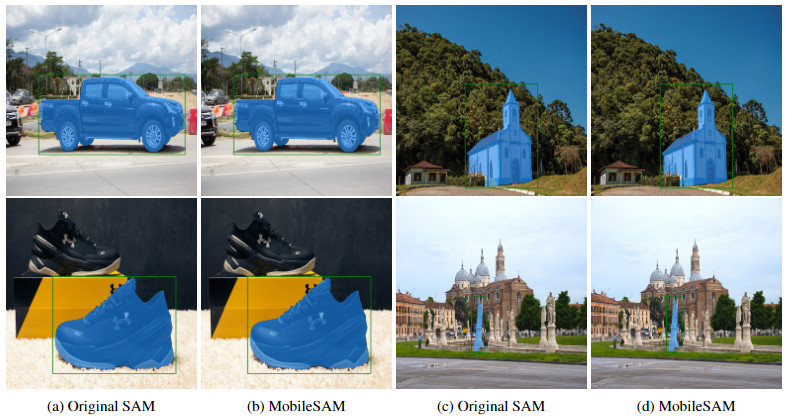
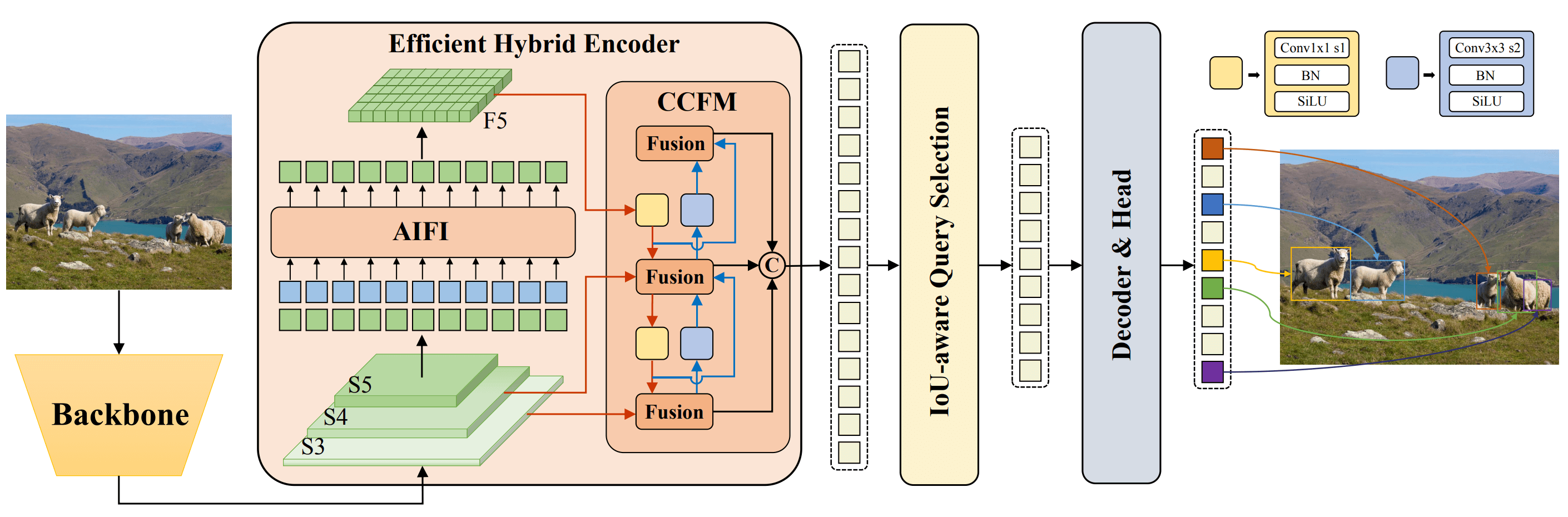
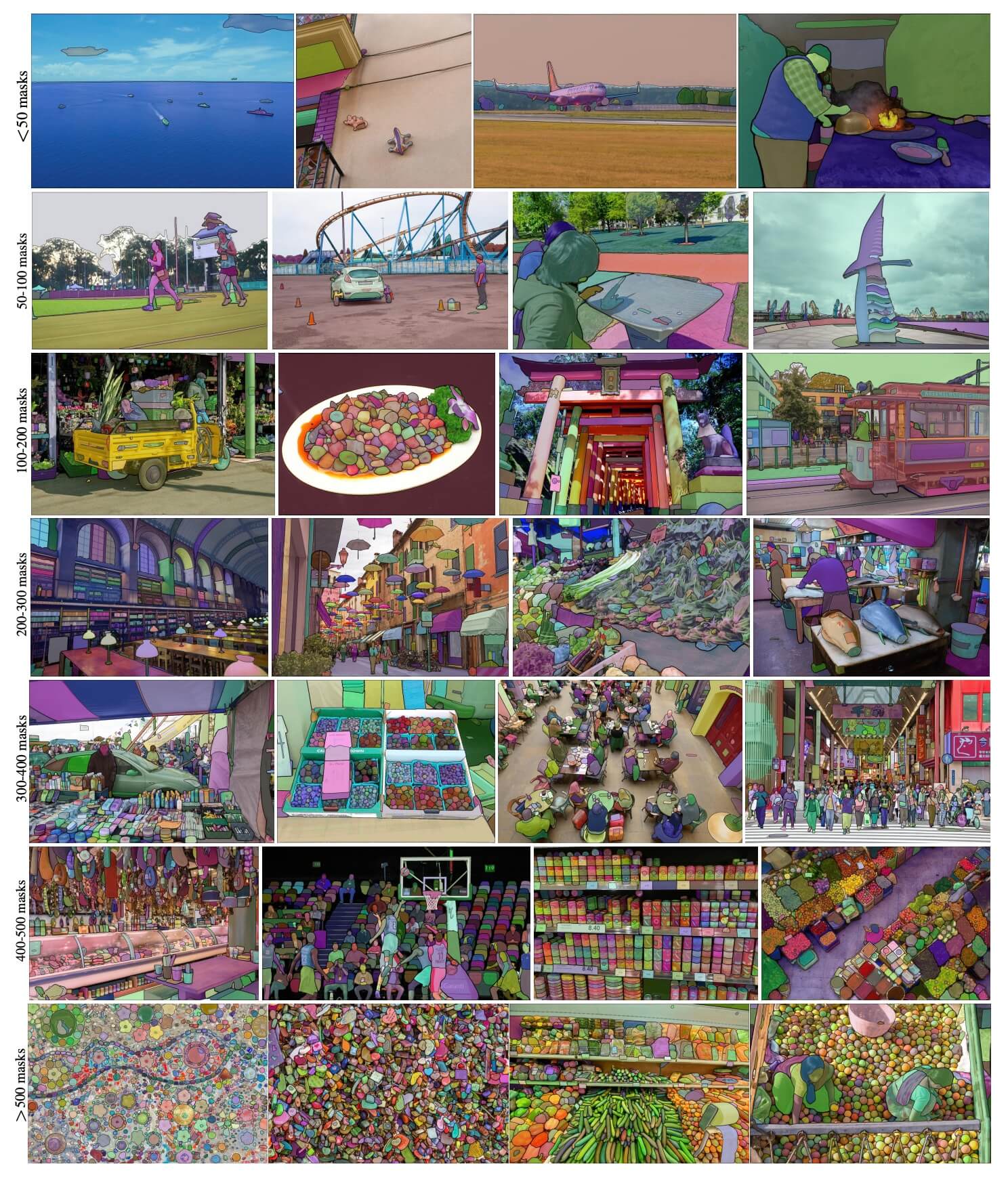
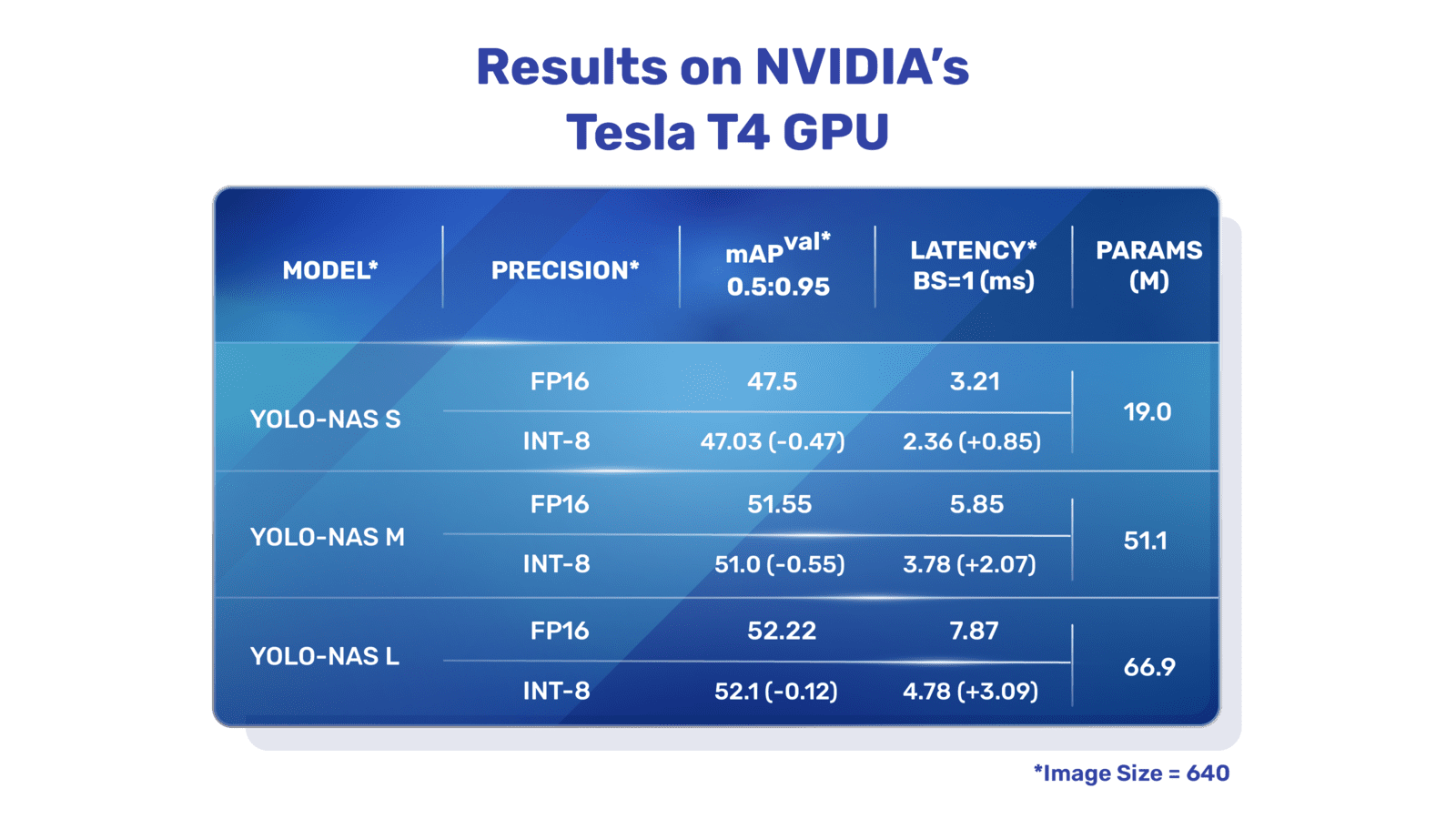
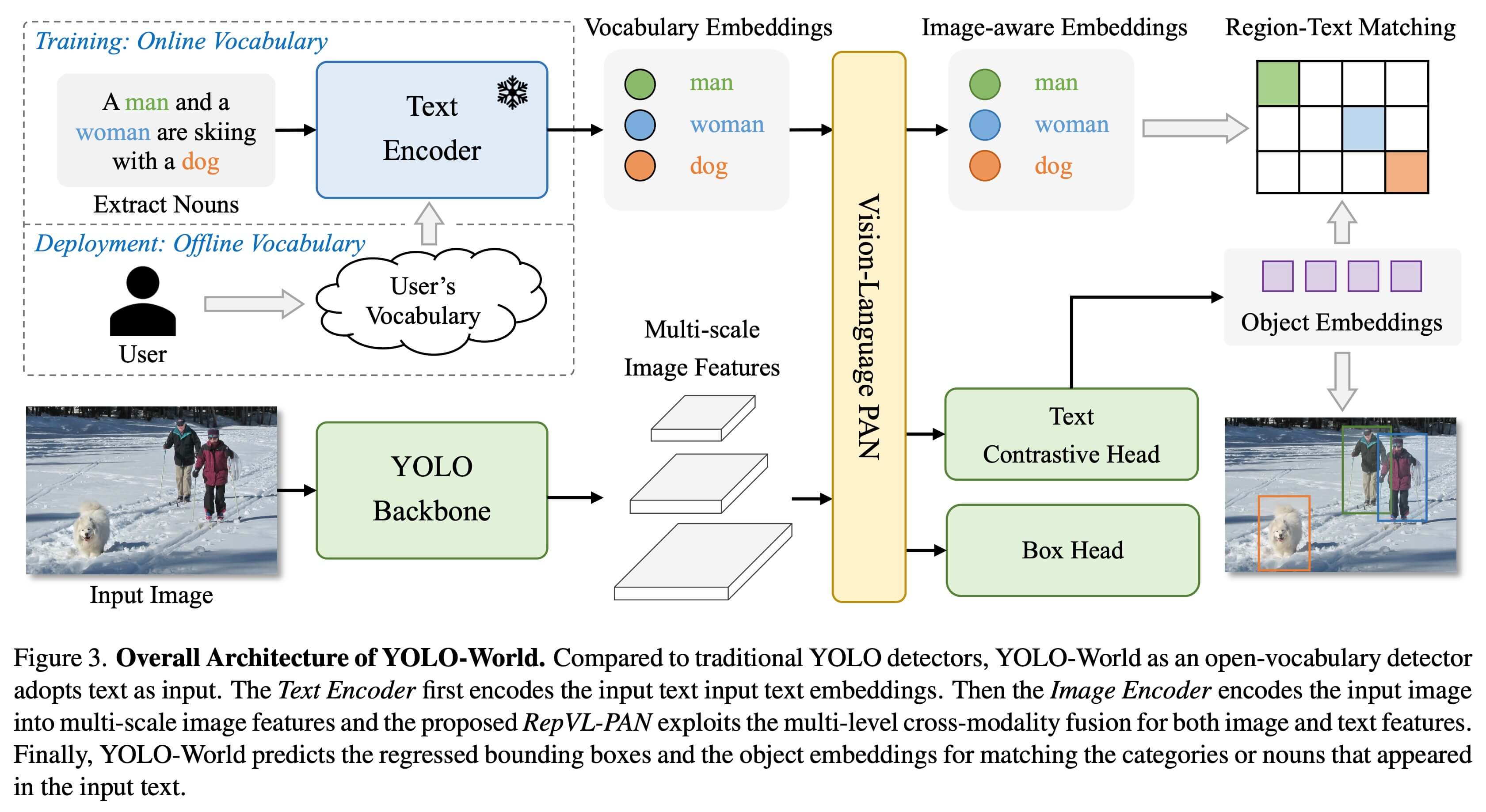
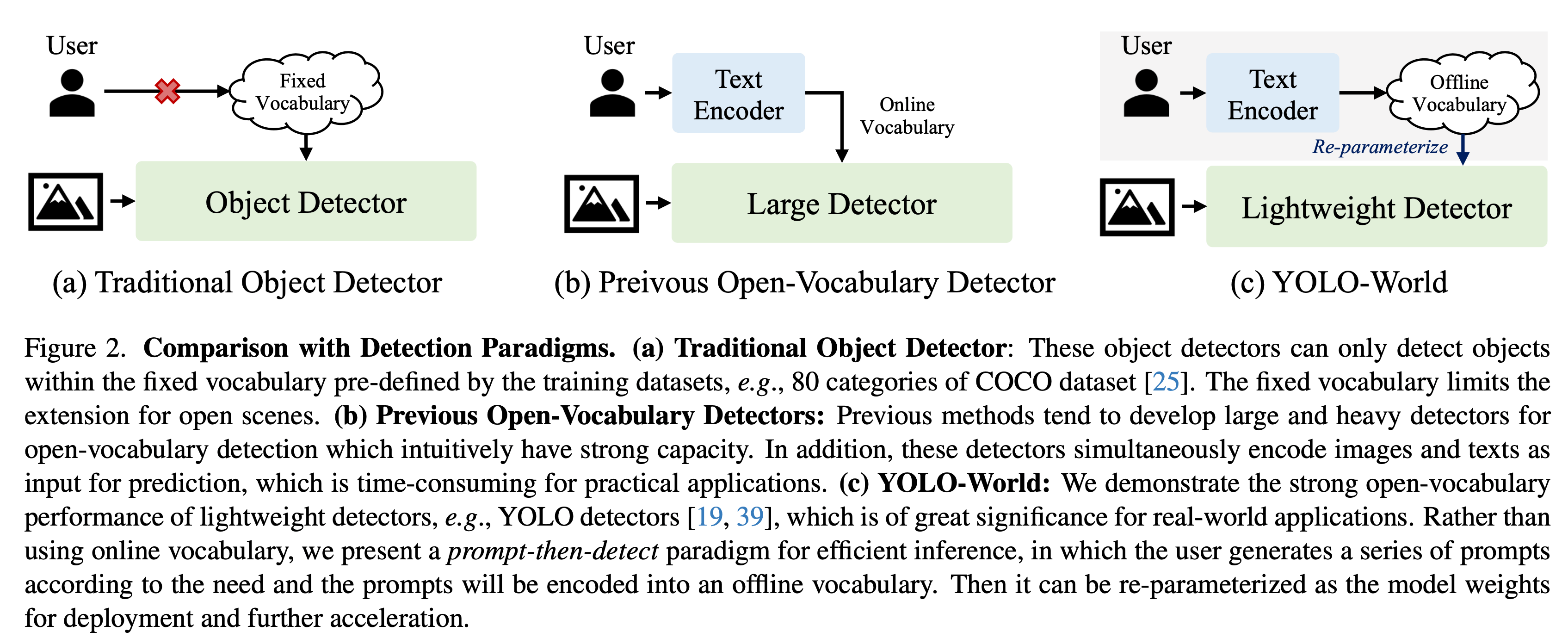
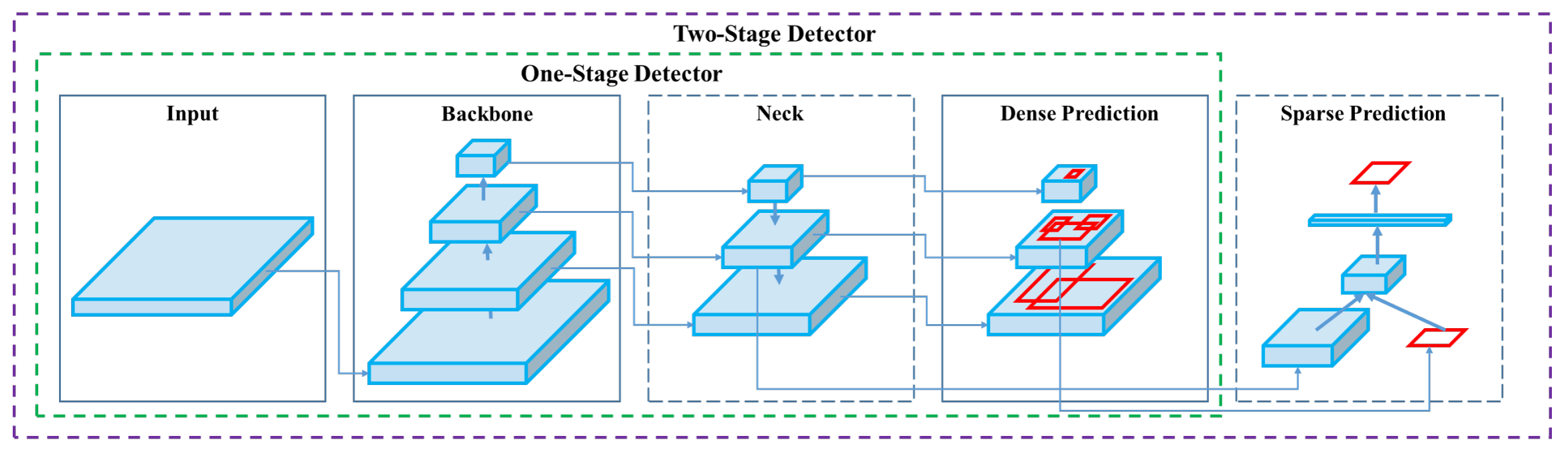

(pixels) | mAPval
50-95 | Speed
CPU ONNX
(ms) | Speed
A100 TensorRT
(ms) | params
(M) | FLOPs
(B) | |---------------------------------------------------------------------------------------------|----------------------------------------------------------------------------------------------------------------|-----------------------|----------------------|--------------------------------|-------------------------------------|--------------------|-------------------| | [yolov5nu.pt](https://github.com/ultralytics/assets/releases/download/v8.1.0/yolov5nu.pt) | [yolov5n.yaml](https://github.com/ultralytics/ultralytics/blob/main/ultralytics/cfg/models/v5/yolov5.yaml) | 640 | 34.3 | 73.6 | 1.06 | 2.6 | 7.7 | | [yolov5su.pt](https://github.com/ultralytics/assets/releases/download/v8.1.0/yolov5su.pt) | [yolov5s.yaml](https://github.com/ultralytics/ultralytics/blob/main/ultralytics/cfg/models/v5/yolov5.yaml) | 640 | 43.0 | 120.7 | 1.27 | 9.1 | 24.0 | | [yolov5mu.pt](https://github.com/ultralytics/assets/releases/download/v8.1.0/yolov5mu.pt) | [yolov5m.yaml](https://github.com/ultralytics/ultralytics/blob/main/ultralytics/cfg/models/v5/yolov5.yaml) | 640 | 49.0 | 233.9 | 1.86 | 25.1 | 64.2 | | [yolov5lu.pt](https://github.com/ultralytics/assets/releases/download/v8.1.0/yolov5lu.pt) | [yolov5l.yaml](https://github.com/ultralytics/ultralytics/blob/main/ultralytics/cfg/models/v5/yolov5.yaml) | 640 | 52.2 | 408.4 | 2.50 | 53.2 | 135.0 | | [yolov5xu.pt](https://github.com/ultralytics/assets/releases/download/v8.1.0/yolov5xu.pt) | [yolov5x.yaml](https://github.com/ultralytics/ultralytics/blob/main/ultralytics/cfg/models/v5/yolov5.yaml) | 640 | 53.2 | 763.2 | 3.81 | 97.2 | 246.4 | | | | | | | | | | | [yolov5n6u.pt](https://github.com/ultralytics/assets/releases/download/v8.1.0/yolov5n6u.pt) | [yolov5n6.yaml](https://github.com/ultralytics/ultralytics/blob/main/ultralytics/cfg/models/v5/yolov5-p6.yaml) | 1280 | 42.1 | 211.0 | 1.83 | 4.3 | 7.8 | | [yolov5s6u.pt](https://github.com/ultralytics/assets/releases/download/v8.1.0/yolov5s6u.pt) | [yolov5s6.yaml](https://github.com/ultralytics/ultralytics/blob/main/ultralytics/cfg/models/v5/yolov5-p6.yaml) | 1280 | 48.6 | 422.6 | 2.34 | 15.3 | 24.6 | | [yolov5m6u.pt](https://github.com/ultralytics/assets/releases/download/v8.1.0/yolov5m6u.pt) | [yolov5m6.yaml](https://github.com/ultralytics/ultralytics/blob/main/ultralytics/cfg/models/v5/yolov5-p6.yaml) | 1280 | 53.6 | 810.9 | 4.36 | 41.2 | 65.7 | | [yolov5l6u.pt](https://github.com/ultralytics/assets/releases/download/v8.1.0/yolov5l6u.pt) | [yolov5l6.yaml](https://github.com/ultralytics/ultralytics/blob/main/ultralytics/cfg/models/v5/yolov5-p6.yaml) | 1280 | 55.7 | 1470.9 | 5.47 | 86.1 | 137.4 | | [yolov5x6u.pt](https://github.com/ultralytics/assets/releases/download/v8.1.0/yolov5x6u.pt) | [yolov5x6.yaml](https://github.com/ultralytics/ultralytics/blob/main/ultralytics/cfg/models/v5/yolov5-p6.yaml) | 1280 | 56.8 | 2436.5 | 8.98 | 155.4 | 250.7 | ## Usage Examples This example provides simple YOLOv5 training and inference examples. For full documentation on these and other [modes](../modes/index.md) see the [Predict](../modes/predict.md), [Train](../modes/train.md), [Val](../modes/val.md) and [Export](../modes/export.md) docs pages. !!! Example === "Python" PyTorch pretrained `*.pt` models as well as configuration `*.yaml` files can be passed to the `YOLO()` class to create a model instance in python: ```python from ultralytics import YOLO # Load a COCO-pretrained YOLOv5n model model = YOLO('yolov5n.pt') # Display model information (optional) model.info() # Train the model on the COCO8 example dataset for 100 epochs results = model.train(data='coco8.yaml', epochs=100, imgsz=640) # Run inference with the YOLOv5n model on the 'bus.jpg' image results = model('path/to/bus.jpg') ``` === "CLI" CLI commands are available to directly run the models: ```bash # Load a COCO-pretrained YOLOv5n model and train it on the COCO8 example dataset for 100 epochs yolo train model=yolov5n.pt data=coco8.yaml epochs=100 imgsz=640 # Load a COCO-pretrained YOLOv5n model and run inference on the 'bus.jpg' image yolo predict model=yolov5n.pt source=path/to/bus.jpg ``` ## Citations and Acknowledgements If you use YOLOv5 or YOLOv5u in your research, please cite the Ultralytics YOLOv5 repository as follows: !!! Quote "" === "BibTeX" ```bibtex @software{yolov5, title = {Ultralytics YOLOv5}, author = {Glenn Jocher}, year = {2020}, version = {7.0}, license = {AGPL-3.0}, url = {https://github.com/ultralytics/yolov5}, doi = {10.5281/zenodo.3908559}, orcid = {0000-0001-5950-6979} } ``` Please note that YOLOv5 models are provided under [AGPL-3.0](https://github.com/ultralytics/ultralytics/blob/main/LICENSE) and [Enterprise](https://ultralytics.com/license) licenses. ================================================ FILE: docs/en/models/yolov6.md ================================================ --- comments: true description: Explore Meituan YOLOv6, a state-of-the-art object detection model striking a balance between speed and accuracy. Dive into features, pre-trained models, and Python usage. keywords: Meituan YOLOv6, object detection, Ultralytics, YOLOv6 docs, Bi-directional Concatenation, Anchor-Aided Training, pretrained models, real-time applications --- # Meituan YOLOv6 ## Overview [Meituan](https://about.meituan.com/) YOLOv6 is a cutting-edge object detector that offers remarkable balance between speed and accuracy, making it a popular choice for real-time applications. This model introduces several notable enhancements on its architecture and training scheme, including the implementation of a Bi-directional Concatenation (BiC) module, an anchor-aided training (AAT) strategy, and an improved backbone and neck design for state-of-the-art accuracy on the COCO dataset. ![Meituan YOLOv6](https://user-images.githubusercontent.com/26833433/240750495-4da954ce-8b3b-41c4-8afd-ddb74361d3c2.png) ![Model example image](https://user-images.githubusercontent.com/26833433/240750557-3e9ec4f0-0598-49a8-83ea-f33c91eb6d68.png) **Overview of YOLOv6.** Model architecture diagram showing the redesigned network components and training strategies that have led to significant performance improvements. (a) The neck of YOLOv6 (N and S are shown). Note for M/L, RepBlocks is replaced with CSPStackRep. (b) The structure of a BiC module. (c) A SimCSPSPPF block. ([source](https://arxiv.org/pdf/2301.05586.pdf)). ### Key Features - **Bidirectional Concatenation (BiC) Module:** YOLOv6 introduces a BiC module in the neck of the detector, enhancing localization signals and delivering performance gains with negligible speed degradation. - **Anchor-Aided Training (AAT) Strategy:** This model proposes AAT to enjoy the benefits of both anchor-based and anchor-free paradigms without compromising inference efficiency. - **Enhanced Backbone and Neck Design:** By deepening YOLOv6 to include another stage in the backbone and neck, this model achieves state-of-the-art performance on the COCO dataset at high-resolution input. - **Self-Distillation Strategy:** A new self-distillation strategy is implemented to boost the performance of smaller models of YOLOv6, enhancing the auxiliary regression branch during training and removing it at inference to avoid a marked speed decline. ## Performance Metrics YOLOv6 provides various pre-trained models with different scales: - YOLOv6-N: 37.5% AP on COCO val2017 at 1187 FPS with NVIDIA Tesla T4 GPU. - YOLOv6-S: 45.0% AP at 484 FPS. - YOLOv6-M: 50.0% AP at 226 FPS. - YOLOv6-L: 52.8% AP at 116 FPS. - YOLOv6-L6: State-of-the-art accuracy in real-time. YOLOv6 also provides quantized models for different precisions and models optimized for mobile platforms. ## Usage Examples This example provides simple YOLOv6 training and inference examples. For full documentation on these and other [modes](../modes/index.md) see the [Predict](../modes/predict.md), [Train](../modes/train.md), [Val](../modes/val.md) and [Export](../modes/export.md) docs pages. !!! Example === "Python" PyTorch pretrained `*.pt` models as well as configuration `*.yaml` files can be passed to the `YOLO()` class to create a model instance in python: ```python from ultralytics import YOLO # Build a YOLOv6n model from scratch model = YOLO('yolov6n.yaml') # Display model information (optional) model.info() # Train the model on the COCO8 example dataset for 100 epochs results = model.train(data='coco8.yaml', epochs=100, imgsz=640) # Run inference with the YOLOv6n model on the 'bus.jpg' image results = model('path/to/bus.jpg') ``` === "CLI" CLI commands are available to directly run the models: ```bash # Build a YOLOv6n model from scratch and train it on the COCO8 example dataset for 100 epochs yolo train model=yolov6n.yaml data=coco8.yaml epochs=100 imgsz=640 # Build a YOLOv6n model from scratch and run inference on the 'bus.jpg' image yolo predict model=yolov6n.yaml source=path/to/bus.jpg ``` ## Supported Tasks and Modes The YOLOv6 series offers a range of models, each optimized for high-performance [Object Detection](../tasks/detect.md). These models cater to varying computational needs and accuracy requirements, making them versatile for a wide array of applications. | Model Type | Pre-trained Weights | Tasks Supported | Inference | Validation | Training | Export | |------------|---------------------|----------------------------------------|-----------|------------|----------|--------| | YOLOv6-N | `yolov6-n.pt` | [Object Detection](../tasks/detect.md) | ✅ | ✅ | ✅ | ✅ | | YOLOv6-S | `yolov6-s.pt` | [Object Detection](../tasks/detect.md) | ✅ | ✅ | ✅ | ✅ | | YOLOv6-M | `yolov6-m.pt` | [Object Detection](../tasks/detect.md) | ✅ | ✅ | ✅ | ✅ | | YOLOv6-L | `yolov6-l.pt` | [Object Detection](../tasks/detect.md) | ✅ | ✅ | ✅ | ✅ | | YOLOv6-L6 | `yolov6-l6.pt` | [Object Detection](../tasks/detect.md) | ✅ | ✅ | ✅ | ✅ | This table provides a detailed overview of the YOLOv6 model variants, highlighting their capabilities in object detection tasks and their compatibility with various operational modes such as [Inference](../modes/predict.md), [Validation](../modes/val.md), [Training](../modes/train.md), and [Export](../modes/export.md). This comprehensive support ensures that users can fully leverage the capabilities of YOLOv6 models in a broad range of object detection scenarios. ## Citations and Acknowledgements We would like to acknowledge the authors for their significant contributions in the field of real-time object detection: !!! Quote "" === "BibTeX" ```bibtex @misc{li2023yolov6, title={YOLOv6 v3.0: A Full-Scale Reloading}, author={Chuyi Li and Lulu Li and Yifei Geng and Hongliang Jiang and Meng Cheng and Bo Zhang and Zaidan Ke and Xiaoming Xu and Xiangxiang Chu}, year={2023}, eprint={2301.05586}, archivePrefix={arXiv}, primaryClass={cs.CV} } ``` The original YOLOv6 paper can be found on [arXiv](https://arxiv.org/abs/2301.05586). The authors have made their work publicly available, and the codebase can be accessed on [GitHub](https://github.com/meituan/YOLOv6). We appreciate their efforts in advancing the field and making their work accessible to the broader community. ================================================ FILE: docs/en/models/yolov7.md ================================================ --- comments: true description: Explore the YOLOv7, a real-time object detector. Understand its superior speed, impressive accuracy, and unique trainable bag-of-freebies optimization focus. keywords: YOLOv7, real-time object detector, state-of-the-art, Ultralytics, MS COCO dataset, model re-parameterization, dynamic label assignment, extended scaling, compound scaling --- # YOLOv7: Trainable Bag-of-Freebies YOLOv7 is a state-of-the-art real-time object detector that surpasses all known object detectors in both speed and accuracy in the range from 5 FPS to 160 FPS. It has the highest accuracy (56.8% AP) among all known real-time object detectors with 30 FPS or higher on GPU V100. Moreover, YOLOv7 outperforms other object detectors such as YOLOR, YOLOX, Scaled-YOLOv4, YOLOv5, and many others in speed and accuracy. The model is trained on the MS COCO dataset from scratch without using any other datasets or pre-trained weights. Source code for YOLOv7 is available on GitHub. ![YOLOv7 comparison with SOTA object detectors](https://github.com/ultralytics/ultralytics/assets/26833433/5e1e0420-8122-4c79-b8d0-2860aa79af92) **Comparison of state-of-the-art object detectors.** From the results in Table 2 we know that the proposed method has the best speed-accuracy trade-off comprehensively. If we compare YOLOv7-tiny-SiLU with YOLOv5-N (r6.1), our method is 127 fps faster and 10.7% more accurate on AP. In addition, YOLOv7 has 51.4% AP at frame rate of 161 fps, while PPYOLOE-L with the same AP has only 78 fps frame rate. In terms of parameter usage, YOLOv7 is 41% less than PPYOLOE-L. If we compare YOLOv7-X with 114 fps inference speed to YOLOv5-L (r6.1) with 99 fps inference speed, YOLOv7-X can improve AP by 3.9%. If YOLOv7-X is compared with YOLOv5-X (r6.1) of similar scale, the inference speed of YOLOv7-X is 31 fps faster. In addition, in terms the amount of parameters and computation, YOLOv7-X reduces 22% of parameters and 8% of computation compared to YOLOv5-X (r6.1), but improves AP by 2.2% ([Source](https://arxiv.org/pdf/2207.02696.pdf)). ## Overview Real-time object detection is an important component in many computer vision systems, including multi-object tracking, autonomous driving, robotics, and medical image analysis. In recent years, real-time object detection development has focused on designing efficient architectures and improving the inference speed of various CPUs, GPUs, and neural processing units (NPUs). YOLOv7 supports both mobile GPU and GPU devices, from the edge to the cloud. Unlike traditional real-time object detectors that focus on architecture optimization, YOLOv7 introduces a focus on the optimization of the training process. This includes modules and optimization methods designed to improve the accuracy of object detection without increasing the inference cost, a concept known as the "trainable bag-of-freebies". ## Key Features YOLOv7 introduces several key features: 1. **Model Re-parameterization**: YOLOv7 proposes a planned re-parameterized model, which is a strategy applicable to layers in different networks with the concept of gradient propagation path. 2. **Dynamic Label Assignment**: The training of the model with multiple output layers presents a new issue: "How to assign dynamic targets for the outputs of different branches?" To solve this problem, YOLOv7 introduces a new label assignment method called coarse-to-fine lead guided label assignment. 3. **Extended and Compound Scaling**: YOLOv7 proposes "extend" and "compound scaling" methods for the real-time object detector that can effectively utilize parameters and computation. 4. **Efficiency**: The method proposed by YOLOv7 can effectively reduce about 40% parameters and 50% computation of state-of-the-art real-time object detector, and has faster inference speed and higher detection accuracy. ## Usage Examples As of the time of writing, Ultralytics does not currently support YOLOv7 models. Therefore, any users interested in using YOLOv7 will need to refer directly to the YOLOv7 GitHub repository for installation and usage instructions. Here is a brief overview of the typical steps you might take to use YOLOv7: 1. Visit the YOLOv7 GitHub repository: [https://github.com/WongKinYiu/yolov7](https://github.com/WongKinYiu/yolov7). 2. Follow the instructions provided in the README file for installation. This typically involves cloning the repository, installing necessary dependencies, and setting up any necessary environment variables. 3. Once installation is complete, you can train and use the model as per the usage instructions provided in the repository. This usually involves preparing your dataset, configuring the model parameters, training the model, and then using the trained model to perform object detection. Please note that the specific steps may vary depending on your specific use case and the current state of the YOLOv7 repository. Therefore, it is strongly recommended to refer directly to the instructions provided in the YOLOv7 GitHub repository. We regret any inconvenience this may cause and will strive to update this document with usage examples for Ultralytics once support for YOLOv7 is implemented. ## Citations and Acknowledgements We would like to acknowledge the YOLOv7 authors for their significant contributions in the field of real-time object detection: !!! Quote "" === "BibTeX" ```bibtex @article{wang2022yolov7, title={{YOLOv7}: Trainable bag-of-freebies sets new state-of-the-art for real-time object detectors}, author={Wang, Chien-Yao and Bochkovskiy, Alexey and Liao, Hong-Yuan Mark}, journal={arXiv preprint arXiv:2207.02696}, year={2022} } ``` The original YOLOv7 paper can be found on [arXiv](https://arxiv.org/pdf/2207.02696.pdf). The authors have made their work publicly available, and the codebase can be accessed on [GitHub](https://github.com/WongKinYiu/yolov7). We appreciate their efforts in advancing the field and making their work accessible to the broader community. ================================================ FILE: docs/en/models/yolov8.md ================================================ --- comments: true description: Explore the thrilling features of YOLOv8, the latest version of our real-time object detector! Learn how advanced architectures, pre-trained models and optimal balance between accuracy & speed make YOLOv8 the perfect choice for your object detection tasks. keywords: YOLOv8, Ultralytics, real-time object detector, pre-trained models, documentation, object detection, YOLO series, advanced architectures, accuracy, speed --- # YOLOv8 ## Overview YOLOv8 is the latest iteration in the YOLO series of real-time object detectors, offering cutting-edge performance in terms of accuracy and speed. Building upon the advancements of previous YOLO versions, YOLOv8 introduces new features and optimizations that make it an ideal choice for various object detection tasks in a wide range of applications. ![Ultralytics YOLOv8](https://raw.githubusercontent.com/ultralytics/assets/main/yolov8/yolo-comparison-plots.png)
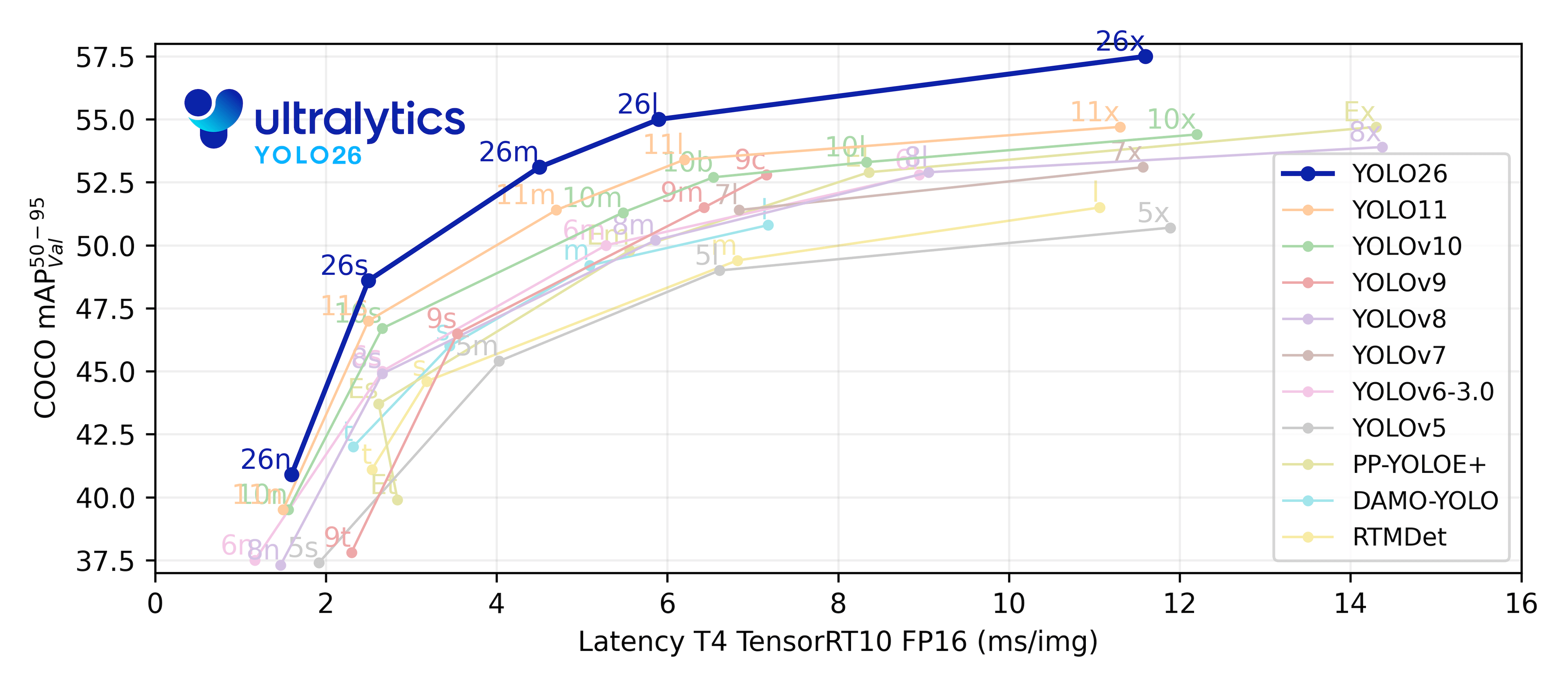


Watch: Ultralytics YOLOv8 Model Overview

## Key Features - **Advanced Backbone and Neck Architectures:** YOLOv8 employs state-of-the-art backbone and neck architectures, resulting in improved feature extraction and object detection performance. - **Anchor-free Split Ultralytics Head:** YOLOv8 adopts an anchor-free split Ultralytics head, which contributes to better accuracy and a more efficient detection process compared to anchor-based approaches. - **Optimized Accuracy-Speed Tradeoff:** With a focus on maintaining an optimal balance between accuracy and speed, YOLOv8 is suitable for real-time object detection tasks in diverse application areas. - **Variety of Pre-trained Models:** YOLOv8 offers a range of pre-trained models to cater to various tasks and performance requirements, making it easier to find the right model for your specific use case. ## Supported Tasks and Modes The YOLOv8 series offers a diverse range of models, each specialized for specific tasks in computer vision. These models are designed to cater to various requirements, from object detection to more complex tasks like instance segmentation, pose/keypoints detection, oriented object detection, and classification. Each variant of the YOLOv8 series is optimized for its respective task, ensuring high performance and accuracy. Additionally, these models are compatible with various operational modes including [Inference](../modes/predict.md), [Validation](../modes/val.md), [Training](../modes/train.md), and [Export](../modes/export.md), facilitating their use in different stages of deployment and development. | Model | Filenames | Task | Inference | Validation | Training | Export | |-------------|----------------------------------------------------------------------------------------------------------------|----------------------------------------------|-----------|------------|----------|--------| | YOLOv8 | `yolov8n.pt` `yolov8s.pt` `yolov8m.pt` `yolov8l.pt` `yolov8x.pt` | [Detection](../tasks/detect.md) | ✅ | ✅ | ✅ | ✅ | | YOLOv8-seg | `yolov8n-seg.pt` `yolov8s-seg.pt` `yolov8m-seg.pt` `yolov8l-seg.pt` `yolov8x-seg.pt` | [Instance Segmentation](../tasks/segment.md) | ✅ | ✅ | ✅ | ✅ | | YOLOv8-pose | `yolov8n-pose.pt` `yolov8s-pose.pt` `yolov8m-pose.pt` `yolov8l-pose.pt` `yolov8x-pose.pt` `yolov8x-pose-p6.pt` | [Pose/Keypoints](../tasks/pose.md) | ✅ | ✅ | ✅ | ✅ | | YOLOv8-obb | `yolov8n-obb.pt` `yolov8s-obb.pt` `yolov8m-obb.pt` `yolov8l-obb.pt` `yolov8x-obb.pt` | [Oriented Detection](../tasks/obb.md) | ✅ | ✅ | ✅ | ✅ | | YOLOv8-cls | `yolov8n-cls.pt` `yolov8s-cls.pt` `yolov8m-cls.pt` `yolov8l-cls.pt` `yolov8x-cls.pt` | [Classification](../tasks/classify.md) | ✅ | ✅ | ✅ | ✅ | This table provides an overview of the YOLOv8 model variants, highlighting their applicability in specific tasks and their compatibility with various operational modes such as Inference, Validation, Training, and Export. It showcases the versatility and robustness of the YOLOv8 series, making them suitable for a variety of applications in computer vision. ## Performance Metrics !!! Performance === "Detection (COCO)" See [Detection Docs](https://docs.ultralytics.com/tasks/detect/) for usage examples with these models trained on [COCO](https://docs.ultralytics.com/datasets/detect/coco/), which include 80 pre-trained classes. | Model | size
(pixels) | mAPval
50-95 | Speed
CPU ONNX
(ms) | Speed
A100 TensorRT
(ms) | params
(M) | FLOPs
(B) | | ------------------------------------------------------------------------------------ | --------------------- | -------------------- | ------------------------------ | ----------------------------------- | ------------------ | ----------------- | | [YOLOv8n](https://github.com/ultralytics/assets/releases/download/v8.1.0/yolov8n.pt) | 640 | 37.3 | 80.4 | 0.99 | 3.2 | 8.7 | | [YOLOv8s](https://github.com/ultralytics/assets/releases/download/v8.1.0/yolov8s.pt) | 640 | 44.9 | 128.4 | 1.20 | 11.2 | 28.6 | | [YOLOv8m](https://github.com/ultralytics/assets/releases/download/v8.1.0/yolov8m.pt) | 640 | 50.2 | 234.7 | 1.83 | 25.9 | 78.9 | | [YOLOv8l](https://github.com/ultralytics/assets/releases/download/v8.1.0/yolov8l.pt) | 640 | 52.9 | 375.2 | 2.39 | 43.7 | 165.2 | | [YOLOv8x](https://github.com/ultralytics/assets/releases/download/v8.1.0/yolov8x.pt) | 640 | 53.9 | 479.1 | 3.53 | 68.2 | 257.8 | === "Detection (Open Images V7)" See [Detection Docs](https://docs.ultralytics.com/tasks/detect/) for usage examples with these models trained on [Open Image V7](https://docs.ultralytics.com/datasets/detect/open-images-v7/), which include 600 pre-trained classes. | Model | size
(pixels) | mAPval
50-95 | Speed
CPU ONNX
(ms) | Speed
A100 TensorRT
(ms) | params
(M) | FLOPs
(B) | | ----------------------------------------------------------------------------------------- | --------------------- | -------------------- | ------------------------------ | ----------------------------------- | ------------------ | ----------------- | | [YOLOv8n](https://github.com/ultralytics/assets/releases/download/v8.1.0/yolov8n-oiv7.pt) | 640 | 18.4 | 142.4 | 1.21 | 3.5 | 10.5 | | [YOLOv8s](https://github.com/ultralytics/assets/releases/download/v8.1.0/yolov8s-oiv7.pt) | 640 | 27.7 | 183.1 | 1.40 | 11.4 | 29.7 | | [YOLOv8m](https://github.com/ultralytics/assets/releases/download/v8.1.0/yolov8m-oiv7.pt) | 640 | 33.6 | 408.5 | 2.26 | 26.2 | 80.6 | | [YOLOv8l](https://github.com/ultralytics/assets/releases/download/v8.1.0/yolov8l-oiv7.pt) | 640 | 34.9 | 596.9 | 2.43 | 44.1 | 167.4 | | [YOLOv8x](https://github.com/ultralytics/assets/releases/download/v8.1.0/yolov8x-oiv7.pt) | 640 | 36.3 | 860.6 | 3.56 | 68.7 | 260.6 | === "Segmentation (COCO)" See [Segmentation Docs](https://docs.ultralytics.com/tasks/segment/) for usage examples with these models trained on [COCO](https://docs.ultralytics.com/datasets/segment/coco/), which include 80 pre-trained classes. | Model | size
(pixels) | mAPbox
50-95 | mAPmask
50-95 | Speed
CPU ONNX
(ms) | Speed
A100 TensorRT
(ms) | params
(M) | FLOPs
(B) | | -------------------------------------------------------------------------------------------- | --------------------- | -------------------- | --------------------- | ------------------------------ | ----------------------------------- | ------------------ | ----------------- | | [YOLOv8n-seg](https://github.com/ultralytics/assets/releases/download/v8.1.0/yolov8n-seg.pt) | 640 | 36.7 | 30.5 | 96.1 | 1.21 | 3.4 | 12.6 | | [YOLOv8s-seg](https://github.com/ultralytics/assets/releases/download/v8.1.0/yolov8s-seg.pt) | 640 | 44.6 | 36.8 | 155.7 | 1.47 | 11.8 | 42.6 | | [YOLOv8m-seg](https://github.com/ultralytics/assets/releases/download/v8.1.0/yolov8m-seg.pt) | 640 | 49.9 | 40.8 | 317.0 | 2.18 | 27.3 | 110.2 | | [YOLOv8l-seg](https://github.com/ultralytics/assets/releases/download/v8.1.0/yolov8l-seg.pt) | 640 | 52.3 | 42.6 | 572.4 | 2.79 | 46.0 | 220.5 | | [YOLOv8x-seg](https://github.com/ultralytics/assets/releases/download/v8.1.0/yolov8x-seg.pt) | 640 | 53.4 | 43.4 | 712.1 | 4.02 | 71.8 | 344.1 | === "Classification (ImageNet)" See [Classification Docs](https://docs.ultralytics.com/tasks/classify/) for usage examples with these models trained on [ImageNet](https://docs.ultralytics.com/datasets/classify/imagenet/), which include 1000 pre-trained classes. | Model | size
(pixels) | acc
top1 | acc
top5 | Speed
CPU ONNX
(ms) | Speed
A100 TensorRT
(ms) | params
(M) | FLOPs
(B) at 640 | | -------------------------------------------------------------------------------------------- | --------------------- | ---------------- | ---------------- | ------------------------------ | ----------------------------------- | ------------------ | ------------------------ | | [YOLOv8n-cls](https://github.com/ultralytics/assets/releases/download/v8.1.0/yolov8n-cls.pt) | 224 | 69.0 | 88.3 | 12.9 | 0.31 | 2.7 | 4.3 | | [YOLOv8s-cls](https://github.com/ultralytics/assets/releases/download/v8.1.0/yolov8s-cls.pt) | 224 | 73.8 | 91.7 | 23.4 | 0.35 | 6.4 | 13.5 | | [YOLOv8m-cls](https://github.com/ultralytics/assets/releases/download/v8.1.0/yolov8m-cls.pt) | 224 | 76.8 | 93.5 | 85.4 | 0.62 | 17.0 | 42.7 | | [YOLOv8l-cls](https://github.com/ultralytics/assets/releases/download/v8.1.0/yolov8l-cls.pt) | 224 | 76.8 | 93.5 | 163.0 | 0.87 | 37.5 | 99.7 | | [YOLOv8x-cls](https://github.com/ultralytics/assets/releases/download/v8.1.0/yolov8x-cls.pt) | 224 | 79.0 | 94.6 | 232.0 | 1.01 | 57.4 | 154.8 | === "Pose (COCO)" See [Pose Estimation Docs](https://docs.ultralytics.com/tasks/pose/) for usage examples with these models trained on [COCO](https://docs.ultralytics.com/datasets/pose/coco/), which include 1 pre-trained class, 'person'. | Model | size
(pixels) | mAPpose
50-95 | mAPpose
50 | Speed
CPU ONNX
(ms) | Speed
A100 TensorRT
(ms) | params
(M) | FLOPs
(B) | | ---------------------------------------------------------------------------------------------------- | --------------------- | --------------------- | ------------------ | ------------------------------ | ----------------------------------- | ------------------ | ----------------- | | [YOLOv8n-pose](https://github.com/ultralytics/assets/releases/download/v8.1.0/yolov8n-pose.pt) | 640 | 50.4 | 80.1 | 131.8 | 1.18 | 3.3 | 9.2 | | [YOLOv8s-pose](https://github.com/ultralytics/assets/releases/download/v8.1.0/yolov8s-pose.pt) | 640 | 60.0 | 86.2 | 233.2 | 1.42 | 11.6 | 30.2 | | [YOLOv8m-pose](https://github.com/ultralytics/assets/releases/download/v8.1.0/yolov8m-pose.pt) | 640 | 65.0 | 88.8 | 456.3 | 2.00 | 26.4 | 81.0 | | [YOLOv8l-pose](https://github.com/ultralytics/assets/releases/download/v8.1.0/yolov8l-pose.pt) | 640 | 67.6 | 90.0 | 784.5 | 2.59 | 44.4 | 168.6 | | [YOLOv8x-pose](https://github.com/ultralytics/assets/releases/download/v8.1.0/yolov8x-pose.pt) | 640 | 69.2 | 90.2 | 1607.1 | 3.73 | 69.4 | 263.2 | | [YOLOv8x-pose-p6](https://github.com/ultralytics/assets/releases/download/v8.1.0/yolov8x-pose-p6.pt) | 1280 | 71.6 | 91.2 | 4088.7 | 10.04 | 99.1 | 1066.4 | === "OBB (DOTAv1)" See [Oriented Detection Docs](https://docs.ultralytics.com/tasks/obb/) for usage examples with these models trained on [DOTAv1](https://docs.ultralytics.com/datasets/obb/dota-v2/#dota-v10/), which include 15 pre-trained classes. | Model | size
(pixels) | mAPtest
50 | Speed
CPU ONNX
(ms) | Speed
A100 TensorRT
(ms) | params
(M) | FLOPs
(B) | |----------------------------------------------------------------------------------------------|-----------------------| -------------------- | -------------------------------- | ------------------------------------- | -------------------- | ----------------- | | [YOLOv8n-obb](https://github.com/ultralytics/assets/releases/download/v8.1.0/yolov8n-obb.pt) | 1024 | 78.0 | 204.77 | 3.57 | 3.1 | 23.3 | | [YOLOv8s-obb](https://github.com/ultralytics/assets/releases/download/v8.1.0/yolov8s-obb.pt) | 1024 | 79.5 | 424.88 | 4.07 | 11.4 | 76.3 | | [YOLOv8m-obb](https://github.com/ultralytics/assets/releases/download/v8.1.0/yolov8m-obb.pt) | 1024 | 80.5 | 763.48 | 7.61 | 26.4 | 208.6 | | [YOLOv8l-obb](https://github.com/ultralytics/assets/releases/download/v8.1.0/yolov8l-obb.pt) | 1024 | 80.7 | 1278.42 | 11.83 | 44.5 | 433.8 | | [YOLOv8x-obb](https://github.com/ultralytics/assets/releases/download/v8.1.0/yolov8x-obb.pt) | 1024 | 81.36 | 1759.10 | 13.23 | 69.5 | 676.7 | ## Usage Examples This example provides simple YOLOv8 training and inference examples. For full documentation on these and other [modes](../modes/index.md) see the [Predict](../modes/predict.md), [Train](../modes/train.md), [Val](../modes/val.md) and [Export](../modes/export.md) docs pages. Note the below example is for YOLOv8 [Detect](../tasks/detect.md) models for object detection. For additional supported tasks see the [Segment](../tasks/segment.md), [Classify](../tasks/classify.md), [OBB](../tasks/obb.md) docs and [Pose](../tasks/pose.md) docs. !!! Example === "Python" PyTorch pretrained `*.pt` models as well as configuration `*.yaml` files can be passed to the `YOLO()` class to create a model instance in python: ```python from ultralytics import YOLO # Load a COCO-pretrained YOLOv8n model model = YOLO('yolov8n.pt') # Display model information (optional) model.info() # Train the model on the COCO8 example dataset for 100 epochs results = model.train(data='coco8.yaml', epochs=100, imgsz=640) # Run inference with the YOLOv8n model on the 'bus.jpg' image results = model('path/to/bus.jpg') ``` === "CLI" CLI commands are available to directly run the models: ```bash # Load a COCO-pretrained YOLOv8n model and train it on the COCO8 example dataset for 100 epochs yolo train model=yolov8n.pt data=coco8.yaml epochs=100 imgsz=640 # Load a COCO-pretrained YOLOv8n model and run inference on the 'bus.jpg' image yolo predict model=yolov8n.pt source=path/to/bus.jpg ``` ## Citations and Acknowledgements If you use the YOLOv8 model or any other software from this repository in your work, please cite it using the following format: !!! Quote "" === "BibTeX" ```bibtex @software{yolov8_ultralytics, author = {Glenn Jocher and Ayush Chaurasia and Jing Qiu}, title = {Ultralytics YOLOv8}, version = {8.0.0}, year = {2023}, url = {https://github.com/ultralytics/ultralytics}, orcid = {0000-0001-5950-6979, 0000-0002-7603-6750, 0000-0003-3783-7069}, license = {AGPL-3.0} } ``` Please note that the DOI is pending and will be added to the citation once it is available. YOLOv8 models are provided under [AGPL-3.0](https://github.com/ultralytics/ultralytics/blob/main/LICENSE) and [Enterprise](https://ultralytics.com/license) licenses. ================================================ FILE: docs/en/models/yolov9.md ================================================ --- comments: true description: Discover YOLOv9, the latest addition to the real-time object detection arsenal, leveraging Programmable Gradient Information and GELAN architecture for unparalleled performance. keywords: YOLOv9, real-time object detection, Programmable Gradient Information, GELAN architecture, Ultralytics, MS COCO dataset, open-source, lightweight model, computer vision, AI --- # YOLOv9: A Leap Forward in Object Detection Technology YOLOv9 marks a significant advancement in real-time object detection, introducing groundbreaking techniques such as Programmable Gradient Information (PGI) and the Generalized Efficient Layer Aggregation Network (GELAN). This model demonstrates remarkable improvements in efficiency, accuracy, and adaptability, setting new benchmarks on the MS COCO dataset. The YOLOv9 project, while developed by a separate open-source team, builds upon the robust codebase provided by [Ultralytics](https://ultralytics.com) [YOLOv5](yolov5.md), showcasing the collaborative spirit of the AI research community. ![YOLOv9 performance comparison](https://github.com/ultralytics/ultralytics/assets/26833433/9f41ef7b-6008-43eb-8ba1-0a9b89600100) ## Introduction to YOLOv9 In the quest for optimal real-time object detection, YOLOv9 stands out with its innovative approach to overcoming information loss challenges inherent in deep neural networks. By integrating PGI and the versatile GELAN architecture, YOLOv9 not only enhances the model's learning capacity but also ensures the retention of crucial information throughout the detection process, thereby achieving exceptional accuracy and performance. ## Core Innovations of YOLOv9 YOLOv9's advancements are deeply rooted in addressing the challenges posed by information loss in deep neural networks. The Information Bottleneck Principle and the innovative use of Reversible Functions are central to its design, ensuring YOLOv9 maintains high efficiency and accuracy. ### Information Bottleneck Principle The Information Bottleneck Principle reveals a fundamental challenge in deep learning: as data passes through successive layers of a network, the potential for information loss increases. This phenomenon is mathematically represented as: ```python I(X, X) >= I(X, f_theta(X)) >= I(X, g_phi(f_theta(X))) ``` where `I` denotes mutual information, and `f` and `g` represent transformation functions with parameters `theta` and `phi`, respectively. YOLOv9 counters this challenge by implementing Programmable Gradient Information (PGI), which aids in preserving essential data across the network's depth, ensuring more reliable gradient generation and, consequently, better model convergence and performance. ### Reversible Functions The concept of Reversible Functions is another cornerstone of YOLOv9's design. A function is deemed reversible if it can be inverted without any loss of information, as expressed by: ```python X = v_zeta(r_psi(X)) ``` with `psi` and `zeta` as parameters for the reversible and its inverse function, respectively. This property is crucial for deep learning architectures, as it allows the network to retain a complete information flow, thereby enabling more accurate updates to the model's parameters. YOLOv9 incorporates reversible functions within its architecture to mitigate the risk of information degradation, especially in deeper layers, ensuring the preservation of critical data for object detection tasks. ### Impact on Lightweight Models Addressing information loss is particularly vital for lightweight models, which are often under-parameterized and prone to losing significant information during the feedforward process. YOLOv9's architecture, through the use of PGI and reversible functions, ensures that even with a streamlined model, the essential information required for accurate object detection is retained and effectively utilized. ### Programmable Gradient Information (PGI) PGI is a novel concept introduced in YOLOv9 to combat the information bottleneck problem, ensuring the preservation of essential data across deep network layers. This allows for the generation of reliable gradients, facilitating accurate model updates and improving the overall detection performance. ### Generalized Efficient Layer Aggregation Network (GELAN) GELAN represents a strategic architectural advancement, enabling YOLOv9 to achieve superior parameter utilization and computational efficiency. Its design allows for flexible integration of various computational blocks, making YOLOv9 adaptable to a wide range of applications without sacrificing speed or accuracy. ![YOLOv9 architecture comparison](https://github.com/ultralytics/ultralytics/assets/26833433/286a3971-677b-45e6-a90b-4b6bd565a7af) ## Performance on MS COCO Dataset The performance of YOLOv9 on the [COCO dataset](../datasets/detect/coco.md) exemplifies its significant advancements in real-time object detection, setting new benchmarks across various model sizes. Table 1 presents a comprehensive comparison of state-of-the-art real-time object detectors, illustrating YOLOv9's superior efficiency and accuracy. **Table 1. Comparison of State-of-the-Art Real-Time Object Detectors** | Model | size
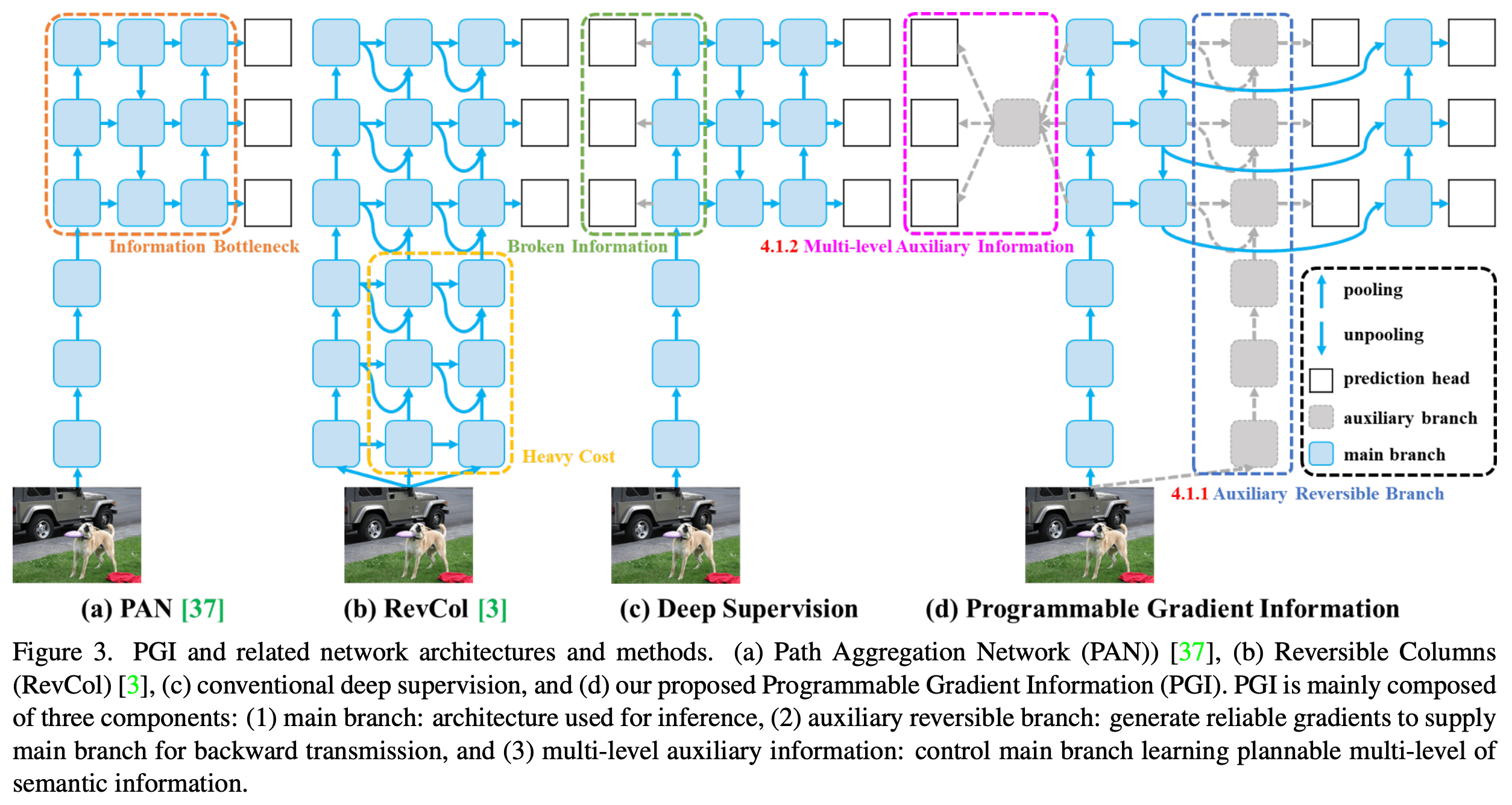
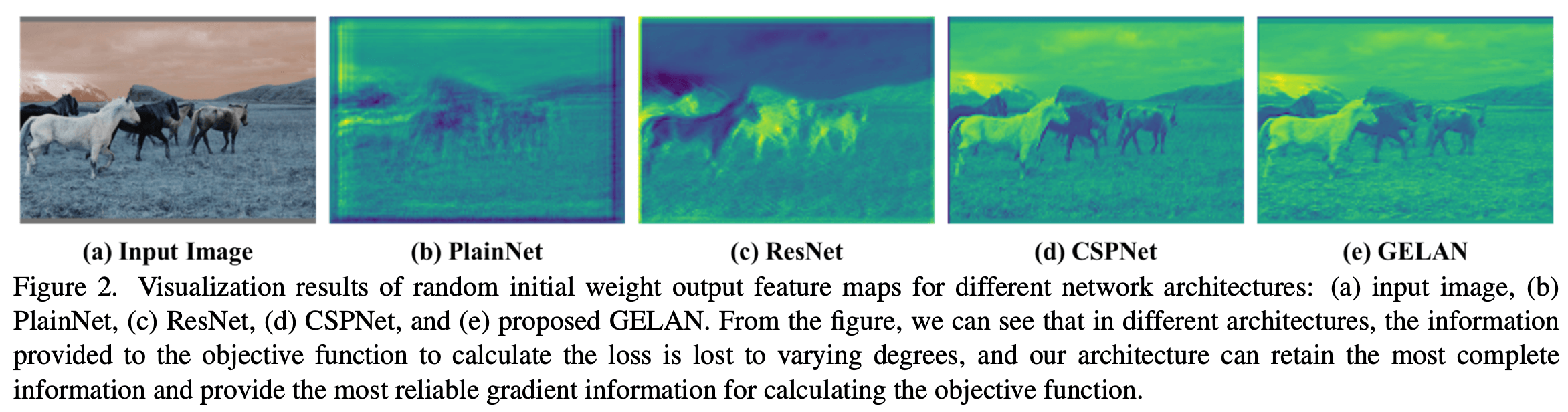
(pixels) | APval
50-95 | APval
50 | APval
75 | params
(M) | FLOPs
(B) | |---------------------------------------------------------------------------------------|-----------------------|---------------------|------------------|------------------|--------------------|-------------------| | YOLOv9-S | 640 | 46.8 | 63.4 | 50.7 | 7.2 | 26.7 | | YOLOv9-M | 640 | 51.4 | 68.1 | 56.1 | 20.1 | 76.8 | | [YOLOv9-C](https://github.com/ultralytics/assets/releases/download/v8.1.0/yolov9c.pt) | 640 | 53.0 | 70.2 | 57.8 | 25.5 | 102.8 | | [YOLOv9-E](https://github.com/ultralytics/assets/releases/download/v8.1.0/yolov9e.pt) | 640 | 55.6 | 72.8 | 60.6 | 58.1 | 192.5 | YOLOv9's iterations, ranging from the smaller S variant to the extensive E model, demonstrate improvements not only in accuracy (AP metrics) but also in efficiency with a reduced number of parameters and computational needs (FLOPs). This table underscores YOLOv9's ability to deliver high precision while maintaining or reducing the computational overhead compared to prior versions and competing models. Comparatively, YOLOv9 exhibits remarkable gains: - **Lightweight Models**: YOLOv9-S surpasses the YOLO MS-S in parameter efficiency and computational load while achieving an improvement of 0.4∼0.6% in AP. - **Medium to Large Models**: YOLOv9-M and YOLOv9-E show notable advancements in balancing the trade-off between model complexity and detection performance, offering significant reductions in parameters and computations against the backdrop of improved accuracy. The YOLOv9-C model, in particular, highlights the effectiveness of the architecture's optimizations. It operates with 42% fewer parameters and 21% less computational demand than YOLOv7 AF, yet it achieves comparable accuracy, demonstrating YOLOv9's significant efficiency improvements. Furthermore, the YOLOv9-E model sets a new standard for large models, with 15% fewer parameters and 25% less computational need than [YOLOv8x](yolov8.md), alongside a substantial 1.7% improvement in AP. These results showcase YOLOv9's strategic advancements in model design, emphasizing its enhanced efficiency without compromising on the precision essential for real-time object detection tasks. The model not only pushes the boundaries of performance metrics but also emphasizes the importance of computational efficiency, making it a pivotal development in the field of computer vision. ## Conclusion YOLOv9 represents a pivotal development in real-time object detection, offering significant improvements in terms of efficiency, accuracy, and adaptability. By addressing critical challenges through innovative solutions like PGI and GELAN, YOLOv9 sets a new precedent for future research and application in the field. As the AI community continues to evolve, YOLOv9 stands as a testament to the power of collaboration and innovation in driving technological progress. ## Usage Examples This example provides simple YOLOv9 training and inference examples. For full documentation on these and other [modes](../modes/index.md) see the [Predict](../modes/predict.md), [Train](../modes/train.md), [Val](../modes/val.md) and [Export](../modes/export.md) docs pages. !!! Example === "Python" PyTorch pretrained `*.pt` models as well as configuration `*.yaml` files can be passed to the `YOLO()` class to create a model instance in python: ```python from ultralytics import YOLO # Build a YOLOv9c model from scratch model = YOLO('yolov9c.yaml') # Build a YOLOv9c model from pretrained weight model = YOLO('yolov9c.pt') # Display model information (optional) model.info() # Train the model on the COCO8 example dataset for 100 epochs results = model.train(data='coco8.yaml', epochs=100, imgsz=640) # Run inference with the YOLOv9c model on the 'bus.jpg' image results = model('path/to/bus.jpg') ``` === "CLI" CLI commands are available to directly run the models: ```bash # Build a YOLOv9c model from scratch and train it on the COCO8 example dataset for 100 epochs yolo train model=yolov9c.yaml data=coco8.yaml epochs=100 imgsz=640 # Build a YOLOv9c model from scratch and run inference on the 'bus.jpg' image yolo predict model=yolov9c.yaml source=path/to/bus.jpg ``` ## Supported Tasks and Modes The YOLOv9 series offers a range of models, each optimized for high-performance [Object Detection](../tasks/detect.md). These models cater to varying computational needs and accuracy requirements, making them versatile for a wide array of applications. | Model Type | Pre-trained Weights | Tasks Supported | Inference | Validation | Training | Export | |------------|-----------------------------------------------------------------------------------------|----------------------------------------|-----------|------------|----------|--------| | YOLOv9-C | [yolov9c.pt](https://github.com/ultralytics/assets/releases/download/v8.1.0/yolov9c.pt) | [Object Detection](../tasks/detect.md) | ✅ | ✅ | ✅ | ✅ | | YOLOv9-E | [yolov9e.pt](https://github.com/ultralytics/assets/releases/download/v8.1.0/yolov9e.pt) | [Object Detection](../tasks/detect.md) | ✅ | ✅ | ✅ | ✅ | This table provides a detailed overview of the YOLOv9 model variants, highlighting their capabilities in object detection tasks and their compatibility with various operational modes such as [Inference](../modes/predict.md), [Validation](../modes/val.md), [Training](../modes/train.md), and [Export](../modes/export.md). This comprehensive support ensures that users can fully leverage the capabilities of YOLOv9 models in a broad range of object detection scenarios. ## Citations and Acknowledgements We would like to acknowledge the YOLOv9 authors for their significant contributions in the field of real-time object detection: !!! Quote "" === "BibTeX" ```bibtex @article{wang2024yolov9, title={{YOLOv9}: Learning What You Want to Learn Using Programmable Gradient Information}, author={Wang, Chien-Yao and Liao, Hong-Yuan Mark}, booktitle={arXiv preprint arXiv:2402.13616}, year={2024} } ``` The original YOLOv9 paper can be found on [arXiv](https://arxiv.org/pdf/2402.13616.pdf). The authors have made their work publicly available, and the codebase can be accessed on [GitHub](https://github.com/WongKinYiu/yolov9). We appreciate their efforts in advancing the field and making their work accessible to the broader community. ================================================ FILE: docs/en/modes/benchmark.md ================================================ --- comments: true description: Learn how to profile speed and accuracy of YOLOv8 across various export formats; get insights on mAP50-95, accuracy_top5 metrics, and more. keywords: Ultralytics, YOLOv8, benchmarking, speed profiling, accuracy profiling, mAP50-95, accuracy_top5, ONNX, OpenVINO, TensorRT, YOLO export formats --- # Model Benchmarking with Ultralytics YOLO Ultralytics YOLO ecosystem and integrations ## Introduction Once your model is trained and validated, the next logical step is to evaluate its performance in various real-world scenarios. Benchmark mode in Ultralytics YOLOv8 serves this purpose by providing a robust framework for assessing the speed and accuracy of your model across a range of export formats.


Watch: Ultralytics Modes Tutorial: Benchmark

## Why Is Benchmarking Crucial? - **Informed Decisions:** Gain insights into the trade-offs between speed and accuracy. - **Resource Allocation:** Understand how different export formats perform on different hardware. - **Optimization:** Learn which export format offers the best performance for your specific use case. - **Cost Efficiency:** Make more efficient use of hardware resources based on benchmark results. ### Key Metrics in Benchmark Mode - **mAP50-95:** For object detection, segmentation, and pose estimation. - **accuracy_top5:** For image classification. - **Inference Time:** Time taken for each image in milliseconds. ### Supported Export Formats - **ONNX:** For optimal CPU performance - **TensorRT:** For maximal GPU efficiency - **OpenVINO:** For Intel hardware optimization - **CoreML, TensorFlow SavedModel, and More:** For diverse deployment needs. !!! Tip "Tip" * Export to ONNX or OpenVINO for up to 3x CPU speedup. * Export to TensorRT for up to 5x GPU speedup. ## Usage Examples Run YOLOv8n benchmarks on all supported export formats including ONNX, TensorRT etc. See Arguments section below for a full list of export arguments. !!! Example === "Python" ```python from ultralytics.utils.benchmarks import benchmark # Benchmark on GPU benchmark(model='yolov8n.pt', data='coco8.yaml', imgsz=640, half=False, device=0) ``` === "CLI" ```bash yolo benchmark model=yolov8n.pt data='coco8.yaml' imgsz=640 half=False device=0 ``` ## Arguments Arguments such as `model`, `data`, `imgsz`, `half`, `device`, and `verbose` provide users with the flexibility to fine-tune the benchmarks to their specific needs and compare the performance of different export formats with ease. | Key | Default Value | Description | |-----------|---------------|---------------------------------------------------------------------------------------------------------------------------------------------------| | `model` | `None` | Specifies the path to the model file. Accepts both `.pt` and `.yaml` formats, e.g., `"yolov8n.pt"` for pre-trained models or configuration files. | | `data` | `None` | Path to a YAML file defining the dataset for benchmarking, typically including paths and settings for validation data. Example: `"coco128.yaml"`. | | `imgsz` | `640` | The input image size for the model. Can be a single integer for square images or a tuple `(width, height)` for non-square, e.g., `(640, 480)`. | | `half` | `False` | Enables FP16 (half-precision) inference, reducing memory usage and possibly increasing speed on compatible hardware. Use `half=True` to enable. | | `int8` | `False` | Activates INT8 quantization for further optimized performance on supported devices, especially useful for edge devices. Set `int8=True` to use. | | `device` | `None` | Defines the computation device(s) for benchmarking, such as `"cpu"`, `"cuda:0"`, or a list of devices like `"cuda:0,1"` for multi-GPU setups. | | `verbose` | `False` | Controls the level of detail in logging output. A boolean value; set `verbose=True` for detailed logs or a float for thresholding errors. | ## Export Formats Benchmarks will attempt to run automatically on all possible export formats below. | Format | `format` Argument | Model | Metadata | Arguments | |--------------------------------------------------------------------|-------------------|---------------------------|----------|-----------------------------------------------------| | [PyTorch](https://pytorch.org/) | - | `yolov8n.pt` | ✅ | - | | [TorchScript](https://pytorch.org/docs/stable/jit.html) | `torchscript` | `yolov8n.torchscript` | ✅ | `imgsz`, `optimize` | | [ONNX](https://onnx.ai/) | `onnx` | `yolov8n.onnx` | ✅ | `imgsz`, `half`, `dynamic`, `simplify`, `opset` | | [OpenVINO](../integrations/openvino.md) | `openvino` | `yolov8n_openvino_model/` | ✅ | `imgsz`, `half`, `int8` | | [TensorRT](https://developer.nvidia.com/tensorrt) | `engine` | `yolov8n.engine` | ✅ | `imgsz`, `half`, `dynamic`, `simplify`, `workspace` | | [CoreML](https://github.com/apple/coremltools) | `coreml` | `yolov8n.mlpackage` | ✅ | `imgsz`, `half`, `int8`, `nms` | | [TF SavedModel](https://www.tensorflow.org/guide/saved_model) | `saved_model` | `yolov8n_saved_model/` | ✅ | `imgsz`, `keras`, `int8` | | [TF GraphDef](https://www.tensorflow.org/api_docs/python/tf/Graph) | `pb` | `yolov8n.pb` | ❌ | `imgsz` | | [TF Lite](https://www.tensorflow.org/lite) | `tflite` | `yolov8n.tflite` | ✅ | `imgsz`, `half`, `int8` | | [TF Edge TPU](https://coral.ai/docs/edgetpu/models-intro/) | `edgetpu` | `yolov8n_edgetpu.tflite` | ✅ | `imgsz` | | [TF.js](https://www.tensorflow.org/js) | `tfjs` | `yolov8n_web_model/` | ✅ | `imgsz`, `half`, `int8` | | [PaddlePaddle](https://github.com/PaddlePaddle) | `paddle` | `yolov8n_paddle_model/` | ✅ | `imgsz` | | [NCNN](https://github.com/Tencent/ncnn) | `ncnn` | `yolov8n_ncnn_model/` | ✅ | `imgsz`, `half` | See full `export` details in the [Export](https://docs.ultralytics.com/modes/export/) page. ================================================ FILE: docs/en/modes/export.md ================================================ --- comments: true description: Step-by-step guide on exporting your YOLOv8 models to various format like ONNX, TensorRT, CoreML and more for deployment. Explore now!. keywords: YOLO, YOLOv8, Ultralytics, Model export, ONNX, TensorRT, CoreML, TensorFlow SavedModel, OpenVINO, PyTorch, export model --- # Model Export with Ultralytics YOLO Ultralytics YOLO ecosystem and integrations ## Introduction The ultimate goal of training a model is to deploy it for real-world applications. Export mode in Ultralytics YOLOv8 offers a versatile range of options for exporting your trained model to different formats, making it deployable across various platforms and devices. This comprehensive guide aims to walk you through the nuances of model exporting, showcasing how to achieve maximum compatibility and performance.


Watch: How To Export Custom Trained Ultralytics YOLOv8 Model and Run Live Inference on Webcam.

## Why Choose YOLOv8's Export Mode? - **Versatility:** Export to multiple formats including ONNX, TensorRT, CoreML, and more. - **Performance:** Gain up to 5x GPU speedup with TensorRT and 3x CPU speedup with ONNX or OpenVINO. - **Compatibility:** Make your model universally deployable across numerous hardware and software environments. - **Ease of Use:** Simple CLI and Python API for quick and straightforward model exporting. ### Key Features of Export Mode Here are some of the standout functionalities: - **One-Click Export:** Simple commands for exporting to different formats. - **Batch Export:** Export batched-inference capable models. - **Optimized Inference:** Exported models are optimized for quicker inference times. - **Tutorial Videos:** In-depth guides and tutorials for a smooth exporting experience. !!! Tip "Tip" * Export to ONNX or OpenVINO for up to 3x CPU speedup. * Export to TensorRT for up to 5x GPU speedup. ## Usage Examples Export a YOLOv8n model to a different format like ONNX or TensorRT. See Arguments section below for a full list of export arguments. !!! Example === "Python" ```python from ultralytics import YOLO # Load a model model = YOLO('yolov8n.pt') # load an official model model = YOLO('path/to/best.pt') # load a custom trained model # Export the model model.export(format='onnx') ``` === "CLI" ```bash yolo export model=yolov8n.pt format=onnx # export official model yolo export model=path/to/best.pt format=onnx # export custom trained model ``` ## Arguments This table details the configurations and options available for exporting YOLO models to different formats. These settings are critical for optimizing the exported model's performance, size, and compatibility across various platforms and environments. Proper configuration ensures that the model is ready for deployment in the intended application with optimal efficiency. | Argument | Type | Default | Description | |-------------|------------------|-----------------|------------------------------------------------------------------------------------------------------------------------------------------------------------------| | `format` | `str` | `'torchscript'` | Target format for the exported model, such as `'onnx'`, `'torchscript'`, `'tensorflow'`, or others, defining compatibility with various deployment environments. | | `imgsz` | `int` or `tuple` | `640` | Desired image size for the model input. Can be an integer for square images or a tuple `(height, width)` for specific dimensions. | | `keras` | `bool` | `False` | Enables export to Keras format for TensorFlow SavedModel, providing compatibility with TensorFlow serving and APIs. | | `optimize` | `bool` | `False` | Applies optimization for mobile devices when exporting to TorchScript, potentially reducing model size and improving performance. | | `half` | `bool` | `False` | Enables FP16 (half-precision) quantization, reducing model size and potentially speeding up inference on supported hardware. | | `int8` | `bool` | `False` | Activates INT8 quantization, further compressing the model and speeding up inference with minimal accuracy loss, primarily for edge devices. | | `dynamic` | `bool` | `False` | Allows dynamic input sizes for ONNX and TensorRT exports, enhancing flexibility in handling varying image dimensions. | | `simplify` | `bool` | `False` | Simplifies the model graph for ONNX exports, potentially improving performance and compatibility. | | `opset` | `int` | `None` | Specifies the ONNX opset version for compatibility with different ONNX parsers and runtimes. If not set, uses the latest supported version. | | `workspace` | `float` | `4.0` | Sets the maximum workspace size in GB for TensorRT optimizations, balancing memory usage and performance. | | `nms` | `bool` | `False` | Adds Non-Maximum Suppression (NMS) to the CoreML export, essential for accurate and efficient detection post-processing. | Adjusting these parameters allows for customization of the export process to fit specific requirements, such as deployment environment, hardware constraints, and performance targets. Selecting the appropriate format and settings is essential for achieving the best balance between model size, speed, and accuracy. ## Export Formats Available YOLOv8 export formats are in the table below. You can export to any format using the `format` argument, i.e. `format='onnx'` or `format='engine'`. | Format | `format` Argument | Model | Metadata | Arguments | |--------------------------------------------------------------------|-------------------|---------------------------|----------|-----------------------------------------------------| | [PyTorch](https://pytorch.org/) | - | `yolov8n.pt` | ✅ | - | | [TorchScript](https://pytorch.org/docs/stable/jit.html) | `torchscript` | `yolov8n.torchscript` | ✅ | `imgsz`, `optimize` | | [ONNX](https://onnx.ai/) | `onnx` | `yolov8n.onnx` | ✅ | `imgsz`, `half`, `dynamic`, `simplify`, `opset` | | [OpenVINO](../integrations/openvino.md) | `openvino` | `yolov8n_openvino_model/` | ✅ | `imgsz`, `half`, `int8` | | [TensorRT](https://developer.nvidia.com/tensorrt) | `engine` | `yolov8n.engine` | ✅ | `imgsz`, `half`, `dynamic`, `simplify`, `workspace` | | [CoreML](https://github.com/apple/coremltools) | `coreml` | `yolov8n.mlpackage` | ✅ | `imgsz`, `half`, `int8`, `nms` | | [TF SavedModel](https://www.tensorflow.org/guide/saved_model) | `saved_model` | `yolov8n_saved_model/` | ✅ | `imgsz`, `keras`, `int8` | | [TF GraphDef](https://www.tensorflow.org/api_docs/python/tf/Graph) | `pb` | `yolov8n.pb` | ❌ | `imgsz` | | [TF Lite](https://www.tensorflow.org/lite) | `tflite` | `yolov8n.tflite` | ✅ | `imgsz`, `half`, `int8` | | [TF Edge TPU](https://coral.ai/docs/edgetpu/models-intro/) | `edgetpu` | `yolov8n_edgetpu.tflite` | ✅ | `imgsz` | | [TF.js](https://www.tensorflow.org/js) | `tfjs` | `yolov8n_web_model/` | ✅ | `imgsz`, `half`, `int8` | | [PaddlePaddle](https://github.com/PaddlePaddle) | `paddle` | `yolov8n_paddle_model/` | ✅ | `imgsz` | | [NCNN](https://github.com/Tencent/ncnn) | `ncnn` | `yolov8n_ncnn_model/` | ✅ | `imgsz`, `half` | ================================================ FILE: docs/en/modes/index.md ================================================ --- comments: true description: From training to tracking, make the most of YOLOv8 with Ultralytics. Get insights and examples for each supported mode including validation, export, and benchmarking. keywords: Ultralytics, YOLOv8, Machine Learning, Object Detection, Training, Validation, Prediction, Export, Tracking, Benchmarking --- # Ultralytics YOLOv8 Modes Ultralytics YOLO ecosystem and integrations ## Introduction Ultralytics YOLOv8 is not just another object detection model; it's a versatile framework designed to cover the entire lifecycle of machine learning models—from data ingestion and model training to validation, deployment, and real-world tracking. Each mode serves a specific purpose and is engineered to offer you the flexibility and efficiency required for different tasks and use-cases.


Watch: Ultralytics Modes Tutorial: Train, Validate, Predict, Export & Benchmark.

### Modes at a Glance Understanding the different **modes** that Ultralytics YOLOv8 supports is critical to getting the most out of your models: - **Train** mode: Fine-tune your model on custom or preloaded datasets. - **Val** mode: A post-training checkpoint to validate model performance. - **Predict** mode: Unleash the predictive power of your model on real-world data. - **Export** mode: Make your model deployment-ready in various formats. - **Track** mode: Extend your object detection model into real-time tracking applications. - **Benchmark** mode: Analyze the speed and accuracy of your model in diverse deployment environments. This comprehensive guide aims to give you an overview and practical insights into each mode, helping you harness the full potential of YOLOv8. ## [Train](train.md) Train mode is used for training a YOLOv8 model on a custom dataset. In this mode, the model is trained using the specified dataset and hyperparameters. The training process involves optimizing the model's parameters so that it can accurately predict the classes and locations of objects in an image. [Train Examples](train.md){ .md-button } ## [Val](val.md) Val mode is used for validating a YOLOv8 model after it has been trained. In this mode, the model is evaluated on a validation set to measure its accuracy and generalization performance. This mode can be used to tune the hyperparameters of the model to improve its performance. [Val Examples](val.md){ .md-button } ## [Predict](predict.md) Predict mode is used for making predictions using a trained YOLOv8 model on new images or videos. In this mode, the model is loaded from a checkpoint file, and the user can provide images or videos to perform inference. The model predicts the classes and locations of objects in the input images or videos. [Predict Examples](predict.md){ .md-button } ## [Export](export.md) Export mode is used for exporting a YOLOv8 model to a format that can be used for deployment. In this mode, the model is converted to a format that can be used by other software applications or hardware devices. This mode is useful when deploying the model to production environments. [Export Examples](export.md){ .md-button } ## [Track](track.md) Track mode is used for tracking objects in real-time using a YOLOv8 model. In this mode, the model is loaded from a checkpoint file, and the user can provide a live video stream to perform real-time object tracking. This mode is useful for applications such as surveillance systems or self-driving cars. [Track Examples](track.md){ .md-button } ## [Benchmark](benchmark.md) Benchmark mode is used to profile the speed and accuracy of various export formats for YOLOv8. The benchmarks provide information on the size of the exported format, its `mAP50-95` metrics (for object detection, segmentation and pose) or `accuracy_top5` metrics (for classification), and the inference time in milliseconds per image across various export formats like ONNX, OpenVINO, TensorRT and others. This information can help users choose the optimal export format for their specific use case based on their requirements for speed and accuracy. [Benchmark Examples](benchmark.md){ .md-button } ================================================ FILE: docs/en/modes/predict.md ================================================ --- comments: true description: Discover how to use YOLOv8 predict mode for various tasks. Learn about different inference sources like images, videos, and data formats. keywords: Ultralytics, YOLOv8, predict mode, inference sources, prediction tasks, streaming mode, image processing, video processing, machine learning, AI --- # Model Prediction with Ultralytics YOLO Ultralytics YOLO ecosystem and integrations ## Introduction In the world of machine learning and computer vision, the process of making sense out of visual data is called 'inference' or 'prediction'. Ultralytics YOLOv8 offers a powerful feature known as **predict mode** that is tailored for high-performance, real-time inference on a wide range of data sources.


Watch: How to Extract the Outputs from Ultralytics YOLOv8 Model for Custom Projects.

## Real-world Applications | Manufacturing | Sports | Safety | |:-------------------------------------------------:|:----------------------------------------------------:|:-------------------------------------------:| | ![Vehicle Spare Parts Detection][car spare parts] | ![Football Player Detection][football player detect] | ![People Fall Detection][human fall detect] | | Vehicle Spare Parts Detection | Football Player Detection | People Fall Detection | ## Why Use Ultralytics YOLO for Inference? Here's why you should consider YOLOv8's predict mode for your various inference needs: - **Versatility:** Capable of making inferences on images, videos, and even live streams. - **Performance:** Engineered for real-time, high-speed processing without sacrificing accuracy. - **Ease of Use:** Intuitive Python and CLI interfaces for rapid deployment and testing. - **Highly Customizable:** Various settings and parameters to tune the model's inference behavior according to your specific requirements. ### Key Features of Predict Mode YOLOv8's predict mode is designed to be robust and versatile, featuring: - **Multiple Data Source Compatibility:** Whether your data is in the form of individual images, a collection of images, video files, or real-time video streams, predict mode has you covered. - **Streaming Mode:** Use the streaming feature to generate a memory-efficient generator of `Results` objects. Enable this by setting `stream=True` in the predictor's call method. - **Batch Processing:** The ability to process multiple images or video frames in a single batch, further speeding up inference time. - **Integration Friendly:** Easily integrate with existing data pipelines and other software components, thanks to its flexible API. Ultralytics YOLO models return either a Python list of `Results` objects, or a memory-efficient Python generator of `Results` objects when `stream=True` is passed to the model during inference: !!! Example "Predict" === "Return a list with `stream=False`" ```python from ultralytics import YOLO # Load a model model = YOLO('yolov8n.pt') # pretrained YOLOv8n model # Run batched inference on a list of images results = model(['im1.jpg', 'im2.jpg']) # return a list of Results objects # Process results list for result in results: boxes = result.boxes # Boxes object for bounding box outputs masks = result.masks # Masks object for segmentation masks outputs keypoints = result.keypoints # Keypoints object for pose outputs probs = result.probs # Probs object for classification outputs result.show() # display to screen result.save(filename='result.jpg') # save to disk ``` === "Return a generator with `stream=True`" ```python from ultralytics import YOLO # Load a model model = YOLO('yolov8n.pt') # pretrained YOLOv8n model # Run batched inference on a list of images results = model(['im1.jpg', 'im2.jpg'], stream=True) # return a generator of Results objects # Process results generator for result in results: boxes = result.boxes # Boxes object for bounding box outputs masks = result.masks # Masks object for segmentation masks outputs keypoints = result.keypoints # Keypoints object for pose outputs probs = result.probs # Probs object for classification outputs result.show() # display to screen result.save(filename='result.jpg') # save to disk ``` ## Inference Sources YOLOv8 can process different types of input sources for inference, as shown in the table below. The sources include static images, video streams, and various data formats. The table also indicates whether each source can be used in streaming mode with the argument `stream=True` ✅. Streaming mode is beneficial for processing videos or live streams as it creates a generator of results instead of loading all frames into memory. !!! Tip "Tip" Use `stream=True` for processing long videos or large datasets to efficiently manage memory. When `stream=False`, the results for all frames or data points are stored in memory, which can quickly add up and cause out-of-memory errors for large inputs. In contrast, `stream=True` utilizes a generator, which only keeps the results of the current frame or data point in memory, significantly reducing memory consumption and preventing out-of-memory issues. | Source | Argument | Type | Notes | |----------------|--------------------------------------------|-----------------|---------------------------------------------------------------------------------------------| | image | `'image.jpg'` | `str` or `Path` | Single image file. | | URL | `'https://ultralytics.com/images/bus.jpg'` | `str` | URL to an image. | | screenshot | `'screen'` | `str` | Capture a screenshot. | | PIL | `Image.open('im.jpg')` | `PIL.Image` | HWC format with RGB channels. | | OpenCV | `cv2.imread('im.jpg')` | `np.ndarray` | HWC format with BGR channels `uint8 (0-255)`. | | numpy | `np.zeros((640,1280,3))` | `np.ndarray` | HWC format with BGR channels `uint8 (0-255)`. | | torch | `torch.zeros(16,3,320,640)` | `torch.Tensor` | BCHW format with RGB channels `float32 (0.0-1.0)`. | | CSV | `'sources.csv'` | `str` or `Path` | CSV file containing paths to images, videos, or directories. | | video ✅ | `'video.mp4'` | `str` or `Path` | Video file in formats like MP4, AVI, etc. | | directory ✅ | `'path/'` | `str` or `Path` | Path to a directory containing images or videos. | | glob ✅ | `'path/*.jpg'` | `str` | Glob pattern to match multiple files. Use the `*` character as a wildcard. | | YouTube ✅ | `'https://youtu.be/LNwODJXcvt4'` | `str` | URL to a YouTube video. | | stream ✅ | `'rtsp://example.com/media.mp4'` | `str` | URL for streaming protocols such as RTSP, RTMP, TCP, or an IP address. | | multi-stream ✅ | `'list.streams'` | `str` or `Path` | `*.streams` text file with one stream URL per row, i.e. 8 streams will run at batch-size 8. | Below are code examples for using each source type: !!! Example "Prediction sources" === "image" Run inference on an image file. ```python from ultralytics import YOLO # Load a pretrained YOLOv8n model model = YOLO('yolov8n.pt') # Define path to the image file source = 'path/to/image.jpg' # Run inference on the source results = model(source) # list of Results objects ``` === "screenshot" Run inference on the current screen content as a screenshot. ```python from ultralytics import YOLO # Load a pretrained YOLOv8n model model = YOLO('yolov8n.pt') # Define current screenshot as source source = 'screen' # Run inference on the source results = model(source) # list of Results objects ``` === "URL" Run inference on an image or video hosted remotely via URL. ```python from ultralytics import YOLO # Load a pretrained YOLOv8n model model = YOLO('yolov8n.pt') # Define remote image or video URL source = 'https://ultralytics.com/images/bus.jpg' # Run inference on the source results = model(source) # list of Results objects ``` === "PIL" Run inference on an image opened with Python Imaging Library (PIL). ```python from PIL import Image from ultralytics import YOLO # Load a pretrained YOLOv8n model model = YOLO('yolov8n.pt') # Open an image using PIL source = Image.open('path/to/image.jpg') # Run inference on the source results = model(source) # list of Results objects ``` === "OpenCV" Run inference on an image read with OpenCV. ```python import cv2 from ultralytics import YOLO # Load a pretrained YOLOv8n model model = YOLO('yolov8n.pt') # Read an image using OpenCV source = cv2.imread('path/to/image.jpg') # Run inference on the source results = model(source) # list of Results objects ``` === "numpy" Run inference on an image represented as a numpy array. ```python import numpy as np from ultralytics import YOLO # Load a pretrained YOLOv8n model model = YOLO('yolov8n.pt') # Create a random numpy array of HWC shape (640, 640, 3) with values in range [0, 255] and type uint8 source = np.random.randint(low=0, high=255, size=(640, 640, 3), dtype='uint8') # Run inference on the source results = model(source) # list of Results objects ``` === "torch" Run inference on an image represented as a PyTorch tensor. ```python import torch from ultralytics import YOLO # Load a pretrained YOLOv8n model model = YOLO('yolov8n.pt') # Create a random torch tensor of BCHW shape (1, 3, 640, 640) with values in range [0, 1] and type float32 source = torch.rand(1, 3, 640, 640, dtype=torch.float32) # Run inference on the source results = model(source) # list of Results objects ``` === "CSV" Run inference on a collection of images, URLs, videos and directories listed in a CSV file. ```python import torch from ultralytics import YOLO # Load a pretrained YOLOv8n model model = YOLO('yolov8n.pt') # Define a path to a CSV file with images, URLs, videos and directories source = 'path/to/file.csv' # Run inference on the source results = model(source) # list of Results objects ``` === "video" Run inference on a video file. By using `stream=True`, you can create a generator of Results objects to reduce memory usage. ```python from ultralytics import YOLO # Load a pretrained YOLOv8n model model = YOLO('yolov8n.pt') # Define path to video file source = 'path/to/video.mp4' # Run inference on the source results = model(source, stream=True) # generator of Results objects ``` === "directory" Run inference on all images and videos in a directory. To also capture images and videos in subdirectories use a glob pattern, i.e. `path/to/dir/**/*`. ```python from ultralytics import YOLO # Load a pretrained YOLOv8n model model = YOLO('yolov8n.pt') # Define path to directory containing images and videos for inference source = 'path/to/dir' # Run inference on the source results = model(source, stream=True) # generator of Results objects ``` === "glob" Run inference on all images and videos that match a glob expression with `*` characters. ```python from ultralytics import YOLO # Load a pretrained YOLOv8n model model = YOLO('yolov8n.pt') # Define a glob search for all JPG files in a directory source = 'path/to/dir/*.jpg' # OR define a recursive glob search for all JPG files including subdirectories source = 'path/to/dir/**/*.jpg' # Run inference on the source results = model(source, stream=True) # generator of Results objects ``` === "YouTube" Run inference on a YouTube video. By using `stream=True`, you can create a generator of Results objects to reduce memory usage for long videos. ```python from ultralytics import YOLO # Load a pretrained YOLOv8n model model = YOLO('yolov8n.pt') # Define source as YouTube video URL source = 'https://youtu.be/LNwODJXcvt4' # Run inference on the source results = model(source, stream=True) # generator of Results objects ``` === "Streams" Run inference on remote streaming sources using RTSP, RTMP, TCP and IP address protocols. If multiple streams are provided in a `*.streams` text file then batched inference will run, i.e. 8 streams will run at batch-size 8, otherwise single streams will run at batch-size 1. ```python from ultralytics import YOLO # Load a pretrained YOLOv8n model model = YOLO('yolov8n.pt') # Single stream with batch-size 1 inference source = 'rtsp://example.com/media.mp4' # RTSP, RTMP, TCP or IP streaming address # Multiple streams with batched inference (i.e. batch-size 8 for 8 streams) source = 'path/to/list.streams' # *.streams text file with one streaming address per row # Run inference on the source results = model(source, stream=True) # generator of Results objects ``` ## Inference Arguments `model.predict()` accepts multiple arguments that can be passed at inference time to override defaults: !!! Example ```python from ultralytics import YOLO # Load a pretrained YOLOv8n model model = YOLO('yolov8n.pt') # Run inference on 'bus.jpg' with arguments model.predict('bus.jpg', save=True, imgsz=320, conf=0.5) ``` Inference arguments: | Argument | Type | Default | Description | |-----------------|----------------|------------------------|--------------------------------------------------------------------------------------------------------------------------------------------------------------------------------------------------------------------------------------| | `source` | `str` | `'ultralytics/assets'` | Specifies the data source for inference. Can be an image path, video file, directory, URL, or device ID for live feeds. Supports a wide range of formats and sources, enabling flexible application across different types of input. | | `conf` | `float` | `0.25` | Sets the minimum confidence threshold for detections. Objects detected with confidence below this threshold will be disregarded. Adjusting this value can help reduce false positives. | | `iou` | `float` | `0.7` | Intersection Over Union (IoU) threshold for Non-Maximum Suppression (NMS). Lower values result in fewer detections by eliminating overlapping boxes, useful for reducing duplicates. | | `imgsz` | `int or tuple` | `640` | Defines the image size for inference. Can be a single integer `640` for square resizing or a (height, width) tuple. Proper sizing can improve detection accuracy and processing speed. | | `half` | `bool` | `False` | Enables half-precision (FP16) inference, which can speed up model inference on supported GPUs with minimal impact on accuracy. | | `device` | `str` | `None` | Specifies the device for inference (e.g., `cpu`, `cuda:0` or `0`). Allows users to select between CPU, a specific GPU, or other compute devices for model execution. | | `max_det` | `int` | `300` | Maximum number of detections allowed per image. Limits the total number of objects the model can detect in a single inference, preventing excessive outputs in dense scenes. | | `vid_stride` | `int` | `1` | Frame stride for video inputs. Allows skipping frames in videos to speed up processing at the cost of temporal resolution. A value of 1 processes every frame, higher values skip frames. | | `stream_buffer` | `bool` | `False` | Determines if all frames should be buffered when processing video streams (`True`), or if the model should return the most recent frame (`False`). Useful for real-time applications. | | `visualize` | `bool` | `False` | Activates visualization of model features during inference, providing insights into what the model is "seeing". Useful for debugging and model interpretation. | | `augment` | `bool` | `False` | Enables test-time augmentation (TTA) for predictions, potentially improving detection robustness at the cost of inference speed. | | `agnostic_nms` | `bool` | `False` | Enables class-agnostic Non-Maximum Suppression (NMS), which merges overlapping boxes of different classes. Useful in multi-class detection scenarios where class overlap is common. | | `classes` | `list[int]` | `None` | Filters predictions to a set of class IDs. Only detections belonging to the specified classes will be returned. Useful for focusing on relevant objects in multi-class detection tasks. | | `retina_masks` | `bool` | `False` | Uses high-resolution segmentation masks if available in the model. This can enhance mask quality for segmentation tasks, providing finer detail. | | `embed` | `list[int]` | `None` | Specifies the layers from which to extract feature vectors or embeddings. Useful for downstream tasks like clustering or similarity search. | Visualization arguments: | Argument | Type | Default | Description | |---------------|---------------|---------|-------------------------------------------------------------------------------------------------------------------------------------------------------------------------------| | `show` | `bool` | `False` | If `True`, displays the annotated images or videos in a window. Useful for immediate visual feedback during development or testing. | | `save` | `bool` | `False` | Enables saving of the annotated images or videos to file. Useful for documentation, further analysis, or sharing results. | | `save_frames` | `bool` | `False` | When processing videos, saves individual frames as images. Useful for extracting specific frames or for detailed frame-by-frame analysis. | | `save_txt` | `bool` | `False` | Saves detection results in a text file, following the format `[class] [x_center] [y_center] [width] [height] [confidence]`. Useful for integration with other analysis tools. | | `save_conf` | `bool` | `False` | Includes confidence scores in the saved text files. Enhances the detail available for post-processing and analysis. | | `save_crop` | `bool` | `False` | Saves cropped images of detections. Useful for dataset augmentation, analysis, or creating focused datasets for specific objects. | | `show_labels` | `bool` | `True` | Displays labels for each detection in the visual output. Provides immediate understanding of detected objects. | | `show_conf` | `bool` | `True` | Displays the confidence score for each detection alongside the label. Gives insight into the model's certainty for each detection. | | `show_boxes` | `bool` | `True` | Draws bounding boxes around detected objects. Essential for visual identification and location of objects in images or video frames. | | `line_width` | `None or int` | `None` | Specifies the line width of bounding boxes. If `None`, the line width is automatically adjusted based on the image size. Provides visual customization for clarity. | ## Image and Video Formats YOLOv8 supports various image and video formats, as specified in [ultralytics/data/utils.py](https://github.com/ultralytics/ultralytics/blob/main/ultralytics/data/utils.py). See the tables below for the valid suffixes and example predict commands. ### Images The below table contains valid Ultralytics image formats. | Image Suffixes | Example Predict Command | Reference | |----------------|----------------------------------|-------------------------------------------------------------------------------| | `.bmp` | `yolo predict source=image.bmp` | [Microsoft BMP File Format](https://en.wikipedia.org/wiki/BMP_file_format) | | `.dng` | `yolo predict source=image.dng` | [Adobe DNG](https://www.adobe.com/products/photoshop/extend.displayTab2.html) | | `.jpeg` | `yolo predict source=image.jpeg` | [JPEG](https://en.wikipedia.org/wiki/JPEG) | | `.jpg` | `yolo predict source=image.jpg` | [JPEG](https://en.wikipedia.org/wiki/JPEG) | | `.mpo` | `yolo predict source=image.mpo` | [Multi Picture Object](https://fileinfo.com/extension/mpo) | | `.png` | `yolo predict source=image.png` | [Portable Network Graphics](https://en.wikipedia.org/wiki/PNG) | | `.tif` | `yolo predict source=image.tif` | [Tag Image File Format](https://en.wikipedia.org/wiki/TIFF) | | `.tiff` | `yolo predict source=image.tiff` | [Tag Image File Format](https://en.wikipedia.org/wiki/TIFF) | | `.webp` | `yolo predict source=image.webp` | [WebP](https://en.wikipedia.org/wiki/WebP) | | `.pfm` | `yolo predict source=image.pfm` | [Portable FloatMap](https://en.wikipedia.org/wiki/Netpbm#File_formats) | ### Videos The below table contains valid Ultralytics video formats. | Video Suffixes | Example Predict Command | Reference | |----------------|----------------------------------|----------------------------------------------------------------------------------| | `.asf` | `yolo predict source=video.asf` | [Advanced Systems Format](https://en.wikipedia.org/wiki/Advanced_Systems_Format) | | `.avi` | `yolo predict source=video.avi` | [Audio Video Interleave](https://en.wikipedia.org/wiki/Audio_Video_Interleave) | | `.gif` | `yolo predict source=video.gif` | [Graphics Interchange Format](https://en.wikipedia.org/wiki/GIF) | | `.m4v` | `yolo predict source=video.m4v` | [MPEG-4 Part 14](https://en.wikipedia.org/wiki/M4V) | | `.mkv` | `yolo predict source=video.mkv` | [Matroska](https://en.wikipedia.org/wiki/Matroska) | | `.mov` | `yolo predict source=video.mov` | [QuickTime File Format](https://en.wikipedia.org/wiki/QuickTime_File_Format) | | `.mp4` | `yolo predict source=video.mp4` | [MPEG-4 Part 14 - Wikipedia](https://en.wikipedia.org/wiki/MPEG-4_Part_14) | | `.mpeg` | `yolo predict source=video.mpeg` | [MPEG-1 Part 2](https://en.wikipedia.org/wiki/MPEG-1) | | `.mpg` | `yolo predict source=video.mpg` | [MPEG-1 Part 2](https://en.wikipedia.org/wiki/MPEG-1) | | `.ts` | `yolo predict source=video.ts` | [MPEG Transport Stream](https://en.wikipedia.org/wiki/MPEG_transport_stream) | | `.wmv` | `yolo predict source=video.wmv` | [Windows Media Video](https://en.wikipedia.org/wiki/Windows_Media_Video) | | `.webm` | `yolo predict source=video.webm` | [WebM Project](https://en.wikipedia.org/wiki/WebM) | ## Working with Results All Ultralytics `predict()` calls will return a list of `Results` objects: !!! Example "Results" ```python from ultralytics import YOLO # Load a pretrained YOLOv8n model model = YOLO('yolov8n.pt') # Run inference on an image results = model('bus.jpg') # list of 1 Results object results = model(['bus.jpg', 'zidane.jpg']) # list of 2 Results objects ``` `Results` objects have the following attributes: | Attribute | Type | Description | |--------------|-----------------------|------------------------------------------------------------------------------------------| | `orig_img` | `numpy.ndarray` | The original image as a numpy array. | | `orig_shape` | `tuple` | The original image shape in (height, width) format. | | `boxes` | `Boxes, optional` | A Boxes object containing the detection bounding boxes. | | `masks` | `Masks, optional` | A Masks object containing the detection masks. | | `probs` | `Probs, optional` | A Probs object containing probabilities of each class for classification task. | | `keypoints` | `Keypoints, optional` | A Keypoints object containing detected keypoints for each object. | | `obb` | `OBB, optional` | An OBB object containing oriented bounding boxes. | | `speed` | `dict` | A dictionary of preprocess, inference, and postprocess speeds in milliseconds per image. | | `names` | `dict` | A dictionary of class names. | | `path` | `str` | The path to the image file. | `Results` objects have the following methods: | Method | Return Type | Description | |---------------|-----------------|-------------------------------------------------------------------------------------| | `update()` | `None` | Update the boxes, masks, and probs attributes of the Results object. | | `cpu()` | `Results` | Return a copy of the Results object with all tensors on CPU memory. | | `numpy()` | `Results` | Return a copy of the Results object with all tensors as numpy arrays. | | `cuda()` | `Results` | Return a copy of the Results object with all tensors on GPU memory. | | `to()` | `Results` | Return a copy of the Results object with tensors on the specified device and dtype. | | `new()` | `Results` | Return a new Results object with the same image, path, and names. | | `plot()` | `numpy.ndarray` | Plots the detection results. Returns a numpy array of the annotated image. | | `show()` | `None` | Show annotated results to screen. | | `save()` | `None` | Save annotated results to file. | | `verbose()` | `str` | Return log string for each task. | | `save_txt()` | `None` | Save predictions into a txt file. | | `save_crop()` | `None` | Save cropped predictions to `save_dir/cls/file_name.jpg`. | | `tojson()` | `str` | Convert the object to JSON format. | For more details see the [`Results` class documentation](../reference/engine/results.md). ### Boxes `Boxes` object can be used to index, manipulate, and convert bounding boxes to different formats. !!! Example "Boxes" ```python from ultralytics import YOLO # Load a pretrained YOLOv8n model model = YOLO('yolov8n.pt') # Run inference on an image results = model('bus.jpg') # results list # View results for r in results: print(r.boxes) # print the Boxes object containing the detection bounding boxes ``` Here is a table for the `Boxes` class methods and properties, including their name, type, and description: | Name | Type | Description | |-----------|---------------------------|--------------------------------------------------------------------| | `cpu()` | Method | Move the object to CPU memory. | | `numpy()` | Method | Convert the object to a numpy array. | | `cuda()` | Method | Move the object to CUDA memory. | | `to()` | Method | Move the object to the specified device. | | `xyxy` | Property (`torch.Tensor`) | Return the boxes in xyxy format. | | `conf` | Property (`torch.Tensor`) | Return the confidence values of the boxes. | | `cls` | Property (`torch.Tensor`) | Return the class values of the boxes. | | `id` | Property (`torch.Tensor`) | Return the track IDs of the boxes (if available). | | `xywh` | Property (`torch.Tensor`) | Return the boxes in xywh format. | | `xyxyn` | Property (`torch.Tensor`) | Return the boxes in xyxy format normalized by original image size. | | `xywhn` | Property (`torch.Tensor`) | Return the boxes in xywh format normalized by original image size. | For more details see the [`Boxes` class documentation](../reference/engine/results.md#ultralytics.engine.results.Boxes). ### Masks `Masks` object can be used index, manipulate and convert masks to segments. !!! Example "Masks" ```python from ultralytics import YOLO # Load a pretrained YOLOv8n-seg Segment model model = YOLO('yolov8n-seg.pt') # Run inference on an image results = model('bus.jpg') # results list # View results for r in results: print(r.masks) # print the Masks object containing the detected instance masks ``` Here is a table for the `Masks` class methods and properties, including their name, type, and description: | Name | Type | Description | |-----------|---------------------------|-----------------------------------------------------------------| | `cpu()` | Method | Returns the masks tensor on CPU memory. | | `numpy()` | Method | Returns the masks tensor as a numpy array. | | `cuda()` | Method | Returns the masks tensor on GPU memory. | | `to()` | Method | Returns the masks tensor with the specified device and dtype. | | `xyn` | Property (`torch.Tensor`) | A list of normalized segments represented as tensors. | | `xy` | Property (`torch.Tensor`) | A list of segments in pixel coordinates represented as tensors. | For more details see the [`Masks` class documentation](../reference/engine/results.md#ultralytics.engine.results.Masks). ### Keypoints `Keypoints` object can be used index, manipulate and normalize coordinates. !!! Example "Keypoints" ```python from ultralytics import YOLO # Load a pretrained YOLOv8n-pose Pose model model = YOLO('yolov8n-pose.pt') # Run inference on an image results = model('bus.jpg') # results list # View results for r in results: print(r.keypoints) # print the Keypoints object containing the detected keypoints ``` Here is a table for the `Keypoints` class methods and properties, including their name, type, and description: | Name | Type | Description | |-----------|---------------------------|-------------------------------------------------------------------| | `cpu()` | Method | Returns the keypoints tensor on CPU memory. | | `numpy()` | Method | Returns the keypoints tensor as a numpy array. | | `cuda()` | Method | Returns the keypoints tensor on GPU memory. | | `to()` | Method | Returns the keypoints tensor with the specified device and dtype. | | `xyn` | Property (`torch.Tensor`) | A list of normalized keypoints represented as tensors. | | `xy` | Property (`torch.Tensor`) | A list of keypoints in pixel coordinates represented as tensors. | | `conf` | Property (`torch.Tensor`) | Returns confidence values of keypoints if available, else None. | For more details see the [`Keypoints` class documentation](../reference/engine/results.md#ultralytics.engine.results.Keypoints). ### Probs `Probs` object can be used index, get `top1` and `top5` indices and scores of classification. !!! Example "Probs" ```python from ultralytics import YOLO # Load a pretrained YOLOv8n-cls Classify model model = YOLO('yolov8n-cls.pt') # Run inference on an image results = model('bus.jpg') # results list # View results for r in results: print(r.probs) # print the Probs object containing the detected class probabilities ``` Here's a table summarizing the methods and properties for the `Probs` class: | Name | Type | Description | |------------|---------------------------|-------------------------------------------------------------------------| | `cpu()` | Method | Returns a copy of the probs tensor on CPU memory. | | `numpy()` | Method | Returns a copy of the probs tensor as a numpy array. | | `cuda()` | Method | Returns a copy of the probs tensor on GPU memory. | | `to()` | Method | Returns a copy of the probs tensor with the specified device and dtype. | | `top1` | Property (`int`) | Index of the top 1 class. | | `top5` | Property (`list[int]`) | Indices of the top 5 classes. | | `top1conf` | Property (`torch.Tensor`) | Confidence of the top 1 class. | | `top5conf` | Property (`torch.Tensor`) | Confidences of the top 5 classes. | For more details see the [`Probs` class documentation](../reference/engine/results.md#ultralytics.engine.results.Probs). ### OBB `OBB` object can be used to index, manipulate, and convert oriented bounding boxes to different formats. !!! Example "OBB" ```python from ultralytics import YOLO # Load a pretrained YOLOv8n model model = YOLO('yolov8n-obb.pt') # Run inference on an image results = model('bus.jpg') # results list # View results for r in results: print(r.obb) # print the OBB object containing the oriented detection bounding boxes ``` Here is a table for the `OBB` class methods and properties, including their name, type, and description: | Name | Type | Description | |-------------|---------------------------|-----------------------------------------------------------------------| | `cpu()` | Method | Move the object to CPU memory. | | `numpy()` | Method | Convert the object to a numpy array. | | `cuda()` | Method | Move the object to CUDA memory. | | `to()` | Method | Move the object to the specified device. | | `conf` | Property (`torch.Tensor`) | Return the confidence values of the boxes. | | `cls` | Property (`torch.Tensor`) | Return the class values of the boxes. | | `id` | Property (`torch.Tensor`) | Return the track IDs of the boxes (if available). | | `xyxy` | Property (`torch.Tensor`) | Return the horizontal boxes in xyxy format. | | `xywhr` | Property (`torch.Tensor`) | Return the rotated boxes in xywhr format. | | `xyxyxyxy` | Property (`torch.Tensor`) | Return the rotated boxes in xyxyxyxy format. | | `xyxyxyxyn` | Property (`torch.Tensor`) | Return the rotated boxes in xyxyxyxy format normalized by image size. | For more details see the [`OBB` class documentation](../reference/engine/results.md#ultralytics.engine.results.OBB). ## Plotting Results The `plot()` method in `Results` objects facilitates visualization of predictions by overlaying detected objects (such as bounding boxes, masks, keypoints, and probabilities) onto the original image. This method returns the annotated image as a NumPy array, allowing for easy display or saving. !!! Example "Plotting" ```python from PIL import Image from ultralytics import YOLO # Load a pretrained YOLOv8n model model = YOLO('yolov8n.pt') # Run inference on 'bus.jpg' results = model(['bus.jpg', 'zidane.jpg']) # results list # Visualize the results for i, r in enumerate(results): # Plot results image im_bgr = r.plot() # BGR-order numpy array im_rgb = Image.fromarray(im_bgr[..., ::-1]) # RGB-order PIL image # Show results to screen (in supported environments) r.show() # Save results to disk r.save(filename=f'results{i}.jpg') ``` ### `plot()` Method Parameters The `plot()` method supports various arguments to customize the output: | Argument | Type | Description | Default | |--------------|-----------------|----------------------------------------------------------------------------|---------------| | `conf` | `bool` | Include detection confidence scores. | `True` | | `line_width` | `float` | Line width of bounding boxes. Scales with image size if `None`. | `None` | | `font_size` | `float` | Text font size. Scales with image size if `None`. | `None` | | `font` | `str` | Font name for text annotations. | `'Arial.ttf'` | | `pil` | `bool` | Return image as a PIL Image object. | `False` | | `img` | `numpy.ndarray` | Alternative image for plotting. Uses the original image if `None`. | `None` | | `im_gpu` | `torch.Tensor` | GPU-accelerated image for faster mask plotting. Shape: (1, 3, 640, 640). | `None` | | `kpt_radius` | `int` | Radius for drawn keypoints. | `5` | | `kpt_line` | `bool` | Connect keypoints with lines. | `True` | | `labels` | `bool` | Include class labels in annotations. | `True` | | `boxes` | `bool` | Overlay bounding boxes on the image. | `True` | | `masks` | `bool` | Overlay masks on the image. | `True` | | `probs` | `bool` | Include classification probabilities. | `True` | | `show` | `bool` | Display the annotated image directly using the default image viewer. | `False` | | `save` | `bool` | Save the annotated image to a file specified by `filename`. | `False` | | `filename` | `str` | Path and name of the file to save the annotated image if `save` is `True`. | `None` | ## Thread-Safe Inference Ensuring thread safety during inference is crucial when you are running multiple YOLO models in parallel across different threads. Thread-safe inference guarantees that each thread's predictions are isolated and do not interfere with one another, avoiding race conditions and ensuring consistent and reliable outputs. When using YOLO models in a multi-threaded application, it's important to instantiate separate model objects for each thread or employ thread-local storage to prevent conflicts: !!! Example "Thread-Safe Inference" Instantiate a single model inside each thread for thread-safe inference: ```python from ultralytics import YOLO from threading import Thread def thread_safe_predict(image_path): # Instantiate a new model inside the thread local_model = YOLO("yolov8n.pt") results = local_model.predict(image_path) # Process results # Starting threads that each have their own model instance Thread(target=thread_safe_predict, args=("image1.jpg",)).start() Thread(target=thread_safe_predict, args=("image2.jpg",)).start() ``` For an in-depth look at thread-safe inference with YOLO models and step-by-step instructions, please refer to our [YOLO Thread-Safe Inference Guide](../guides/yolo-thread-safe-inference.md). This guide will provide you with all the necessary information to avoid common pitfalls and ensure that your multi-threaded inference runs smoothly. ## Streaming Source `for`-loop Here's a Python script using OpenCV (`cv2`) and YOLOv8 to run inference on video frames. This script assumes you have already installed the necessary packages (`opencv-python` and `ultralytics`). !!! Example "Streaming for-loop" ```python import cv2 from ultralytics import YOLO # Load the YOLOv8 model model = YOLO('yolov8n.pt') # Open the video file video_path = "path/to/your/video/file.mp4" cap = cv2.VideoCapture(video_path) # Loop through the video frames while cap.isOpened(): # Read a frame from the video success, frame = cap.read() if success: # Run YOLOv8 inference on the frame results = model(frame) # Visualize the results on the frame annotated_frame = results[0].plot() # Display the annotated frame cv2.imshow("YOLOv8 Inference", annotated_frame) # Break the loop if 'q' is pressed if cv2.waitKey(1) & 0xFF == ord("q"): break else: # Break the loop if the end of the video is reached break # Release the video capture object and close the display window cap.release() cv2.destroyAllWindows() ``` This script will run predictions on each frame of the video, visualize the results, and display them in a window. The loop can be exited by pressing 'q'. [car spare parts]: https://github.com/RizwanMunawar/ultralytics/assets/62513924/a0f802a8-0776-44cf-8f17-93974a4a28a1 [football player detect]: https://github.com/RizwanMunawar/ultralytics/assets/62513924/7d320e1f-fc57-4d7f-a691-78ee579c3442 [human fall detect]: https://github.com/RizwanMunawar/ultralytics/assets/62513924/86437c4a-3227-4eee-90ef-9efb697bdb43 ================================================ FILE: docs/en/modes/track.md ================================================ --- comments: true description: Learn how to use Ultralytics YOLO for object tracking in video streams. Guides to use different trackers and customise tracker configurations. keywords: Ultralytics, YOLO, object tracking, video streams, BoT-SORT, ByteTrack, Python guide, CLI guide --- # Multi-Object Tracking with Ultralytics YOLO Multi-object tracking examples Object tracking in the realm of video analytics is a critical task that not only identifies the location and class of objects within the frame but also maintains a unique ID for each detected object as the video progresses. The applications are limitless—ranging from surveillance and security to real-time sports analytics. ## Why Choose Ultralytics YOLO for Object Tracking? The output from Ultralytics trackers is consistent with standard object detection but has the added value of object IDs. This makes it easy to track objects in video streams and perform subsequent analytics. Here's why you should consider using Ultralytics YOLO for your object tracking needs: - **Efficiency:** Process video streams in real-time without compromising accuracy. - **Flexibility:** Supports multiple tracking algorithms and configurations. - **Ease of Use:** Simple Python API and CLI options for quick integration and deployment. - **Customizability:** Easy to use with custom trained YOLO models, allowing integration into domain-specific applications.


Watch: Object Detection and Tracking with Ultralytics YOLOv8.

## Real-world Applications | Transportation | Retail | Aquaculture | |:----------------------------------:|:--------------------------------:|:----------------------------:| | ![Vehicle Tracking][vehicle track] | ![People Tracking][people track] | ![Fish Tracking][fish track] | | Vehicle Tracking | People Tracking | Fish Tracking | ## Features at a Glance Ultralytics YOLO extends its object detection features to provide robust and versatile object tracking: - **Real-Time Tracking:** Seamlessly track objects in high-frame-rate videos. - **Multiple Tracker Support:** Choose from a variety of established tracking algorithms. - **Customizable Tracker Configurations:** Tailor the tracking algorithm to meet specific requirements by adjusting various parameters. ## Available Trackers Ultralytics YOLO supports the following tracking algorithms. They can be enabled by passing the relevant YAML configuration file such as `tracker=tracker_type.yaml`: - [BoT-SORT](https://github.com/NirAharon/BoT-SORT) - Use `botsort.yaml` to enable this tracker. - [ByteTrack](https://github.com/ifzhang/ByteTrack) - Use `bytetrack.yaml` to enable this tracker. The default tracker is BoT-SORT. ## Tracking To run the tracker on video streams, use a trained Detect, Segment or Pose model such as YOLOv8n, YOLOv8n-seg and YOLOv8n-pose. !!! Example === "Python" ```python from ultralytics import YOLO # Load an official or custom model model = YOLO('yolov8n.pt') # Load an official Detect model model = YOLO('yolov8n-seg.pt') # Load an official Segment model model = YOLO('yolov8n-pose.pt') # Load an official Pose model model = YOLO('path/to/best.pt') # Load a custom trained model # Perform tracking with the model results = model.track(source="https://youtu.be/LNwODJXcvt4", show=True) # Tracking with default tracker results = model.track(source="https://youtu.be/LNwODJXcvt4", show=True, tracker="bytetrack.yaml") # Tracking with ByteTrack tracker ``` === "CLI" ```bash # Perform tracking with various models using the command line interface yolo track model=yolov8n.pt source="https://youtu.be/LNwODJXcvt4" # Official Detect model yolo track model=yolov8n-seg.pt source="https://youtu.be/LNwODJXcvt4" # Official Segment model yolo track model=yolov8n-pose.pt source="https://youtu.be/LNwODJXcvt4" # Official Pose model yolo track model=path/to/best.pt source="https://youtu.be/LNwODJXcvt4" # Custom trained model # Track using ByteTrack tracker yolo track model=path/to/best.pt tracker="bytetrack.yaml" ``` As can be seen in the above usage, tracking is available for all Detect, Segment and Pose models run on videos or streaming sources. ## Configuration ### Tracking Arguments Tracking configuration shares properties with Predict mode, such as `conf`, `iou`, and `show`. For further configurations, refer to the [Predict](../modes/predict.md#inference-arguments) model page. !!! Example === "Python" ```python from ultralytics import YOLO # Configure the tracking parameters and run the tracker model = YOLO('yolov8n.pt') results = model.track(source="https://youtu.be/LNwODJXcvt4", conf=0.3, iou=0.5, show=True) ``` === "CLI" ```bash # Configure tracking parameters and run the tracker using the command line interface yolo track model=yolov8n.pt source="https://youtu.be/LNwODJXcvt4" conf=0.3, iou=0.5 show ``` ### Tracker Selection Ultralytics also allows you to use a modified tracker configuration file. To do this, simply make a copy of a tracker config file (for example, `custom_tracker.yaml`) from [ultralytics/cfg/trackers](https://github.com/ultralytics/ultralytics/tree/main/ultralytics/cfg/trackers) and modify any configurations (except the `tracker_type`) as per your needs. !!! Example === "Python" ```python from ultralytics import YOLO # Load the model and run the tracker with a custom configuration file model = YOLO('yolov8n.pt') results = model.track(source="https://youtu.be/LNwODJXcvt4", tracker='custom_tracker.yaml') ``` === "CLI" ```bash # Load the model and run the tracker with a custom configuration file using the command line interface yolo track model=yolov8n.pt source="https://youtu.be/LNwODJXcvt4" tracker='custom_tracker.yaml' ``` For a comprehensive list of tracking arguments, refer to the [ultralytics/cfg/trackers](https://github.com/ultralytics/ultralytics/tree/main/ultralytics/cfg/trackers) page. ## Python Examples ### Persisting Tracks Loop Here is a Python script using OpenCV (`cv2`) and YOLOv8 to run object tracking on video frames. This script still assumes you have already installed the necessary packages (`opencv-python` and `ultralytics`). The `persist=True` argument tells the tracker that the current image or frame is the next in a sequence and to expect tracks from the previous image in the current image. !!! Example "Streaming for-loop with tracking" ```python import cv2 from ultralytics import YOLO # Load the YOLOv8 model model = YOLO('yolov8n.pt') # Open the video file video_path = "path/to/video.mp4" cap = cv2.VideoCapture(video_path) # Loop through the video frames while cap.isOpened(): # Read a frame from the video success, frame = cap.read() if success: # Run YOLOv8 tracking on the frame, persisting tracks between frames results = model.track(frame, persist=True) # Visualize the results on the frame annotated_frame = results[0].plot() # Display the annotated frame cv2.imshow("YOLOv8 Tracking", annotated_frame) # Break the loop if 'q' is pressed if cv2.waitKey(1) & 0xFF == ord("q"): break else: # Break the loop if the end of the video is reached break # Release the video capture object and close the display window cap.release() cv2.destroyAllWindows() ``` Please note the change from `model(frame)` to `model.track(frame)`, which enables object tracking instead of simple detection. This modified script will run the tracker on each frame of the video, visualize the results, and display them in a window. The loop can be exited by pressing 'q'. ### Plotting Tracks Over Time Visualizing object tracks over consecutive frames can provide valuable insights into the movement patterns and behavior of detected objects within a video. With Ultralytics YOLOv8, plotting these tracks is a seamless and efficient process. In the following example, we demonstrate how to utilize YOLOv8's tracking capabilities to plot the movement of detected objects across multiple video frames. This script involves opening a video file, reading it frame by frame, and utilizing the YOLO model to identify and track various objects. By retaining the center points of the detected bounding boxes and connecting them, we can draw lines that represent the paths followed by the tracked objects. !!! Example "Plotting tracks over multiple video frames" ```python from collections import defaultdict import cv2 import numpy as np from ultralytics import YOLO # Load the YOLOv8 model model = YOLO('yolov8n.pt') # Open the video file video_path = "path/to/video.mp4" cap = cv2.VideoCapture(video_path) # Store the track history track_history = defaultdict(lambda: []) # Loop through the video frames while cap.isOpened(): # Read a frame from the video success, frame = cap.read() if success: # Run YOLOv8 tracking on the frame, persisting tracks between frames results = model.track(frame, persist=True) # Get the boxes and track IDs boxes = results[0].boxes.xywh.cpu() track_ids = results[0].boxes.id.int().cpu().tolist() # Visualize the results on the frame annotated_frame = results[0].plot() # Plot the tracks for box, track_id in zip(boxes, track_ids): x, y, w, h = box track = track_history[track_id] track.append((float(x), float(y))) # x, y center point if len(track) > 30: # retain 90 tracks for 90 frames track.pop(0) # Draw the tracking lines points = np.hstack(track).astype(np.int32).reshape((-1, 1, 2)) cv2.polylines(annotated_frame, [points], isClosed=False, color=(230, 230, 230), thickness=10) # Display the annotated frame cv2.imshow("YOLOv8 Tracking", annotated_frame) # Break the loop if 'q' is pressed if cv2.waitKey(1) & 0xFF == ord("q"): break else: # Break the loop if the end of the video is reached break # Release the video capture object and close the display window cap.release() cv2.destroyAllWindows() ``` ### Multithreaded Tracking Multithreaded tracking provides the capability to run object tracking on multiple video streams simultaneously. This is particularly useful when handling multiple video inputs, such as from multiple surveillance cameras, where concurrent processing can greatly enhance efficiency and performance. In the provided Python script, we make use of Python's `threading` module to run multiple instances of the tracker concurrently. Each thread is responsible for running the tracker on one video file, and all the threads run simultaneously in the background. To ensure that each thread receives the correct parameters (the video file, the model to use and the file index), we define a function `run_tracker_in_thread` that accepts these parameters and contains the main tracking loop. This function reads the video frame by frame, runs the tracker, and displays the results. Two different models are used in this example: `yolov8n.pt` and `yolov8n-seg.pt`, each tracking objects in a different video file. The video files are specified in `video_file1` and `video_file2`. The `daemon=True` parameter in `threading.Thread` means that these threads will be closed as soon as the main program finishes. We then start the threads with `start()` and use `join()` to make the main thread wait until both tracker threads have finished. Finally, after all threads have completed their task, the windows displaying the results are closed using `cv2.destroyAllWindows()`. !!! Example "Streaming for-loop with tracking" ```python import threading import cv2 from ultralytics import YOLO def run_tracker_in_thread(filename, model, file_index): """ Runs a video file or webcam stream concurrently with the YOLOv8 model using threading. This function captures video frames from a given file or camera source and utilizes the YOLOv8 model for object tracking. The function runs in its own thread for concurrent processing. Args: filename (str): The path to the video file or the identifier for the webcam/external camera source. model (obj): The YOLOv8 model object. file_index (int): An index to uniquely identify the file being processed, used for display purposes. Note: Press 'q' to quit the video display window. """ video = cv2.VideoCapture(filename) # Read the video file while True: ret, frame = video.read() # Read the video frames # Exit the loop if no more frames in either video if not ret: break # Track objects in frames if available results = model.track(frame, persist=True) res_plotted = results[0].plot() cv2.imshow(f"Tracking_Stream_{file_index}", res_plotted) key = cv2.waitKey(1) if key == ord('q'): break # Release video sources video.release() # Load the models model1 = YOLO('yolov8n.pt') model2 = YOLO('yolov8n-seg.pt') # Define the video files for the trackers video_file1 = "path/to/video1.mp4" # Path to video file, 0 for webcam video_file2 = 0 # Path to video file, 0 for webcam, 1 for external camera # Create the tracker threads tracker_thread1 = threading.Thread(target=run_tracker_in_thread, args=(video_file1, model1, 1), daemon=True) tracker_thread2 = threading.Thread(target=run_tracker_in_thread, args=(video_file2, model2, 2), daemon=True) # Start the tracker threads tracker_thread1.start() tracker_thread2.start() # Wait for the tracker threads to finish tracker_thread1.join() tracker_thread2.join() # Clean up and close windows cv2.destroyAllWindows() ``` This example can easily be extended to handle more video files and models by creating more threads and applying the same methodology. ## Contribute New Trackers Are you proficient in multi-object tracking and have successfully implemented or adapted a tracking algorithm with Ultralytics YOLO? We invite you to contribute to our Trackers section in [ultralytics/cfg/trackers](https://github.com/ultralytics/ultralytics/tree/main/ultralytics/cfg/trackers)! Your real-world applications and solutions could be invaluable for users working on tracking tasks. By contributing to this section, you help expand the scope of tracking solutions available within the Ultralytics YOLO framework, adding another layer of functionality and utility for the community. To initiate your contribution, please refer to our [Contributing Guide](https://docs.ultralytics.com/help/contributing) for comprehensive instructions on submitting a Pull Request (PR) 🛠️. We are excited to see what you bring to the table! Together, let's enhance the tracking capabilities of the Ultralytics YOLO ecosystem 🙏! [fish track]: https://github.com/RizwanMunawar/ultralytics/assets/62513924/a5146d0f-bfa8-4e0a-b7df-3c1446cd8142 [people track]: https://github.com/RizwanMunawar/ultralytics/assets/62513924/93bb4ee2-77a0-4e4e-8eb6-eb8f527f0527 [vehicle track]: https://github.com/RizwanMunawar/ultralytics/assets/62513924/ee6e6038-383b-4f21-ac29-b2a1c7d386ab ================================================ FILE: docs/en/modes/train.md ================================================ --- comments: true description: Step-by-step guide to train YOLOv8 models with Ultralytics YOLO including examples of single-GPU and multi-GPU training keywords: Ultralytics, YOLOv8, YOLO, object detection, train mode, custom dataset, GPU training, multi-GPU, hyperparameters, CLI examples, Python examples --- # Model Training with Ultralytics YOLO Ultralytics YOLO ecosystem and integrations ## Introduction Training a deep learning model involves feeding it data and adjusting its parameters so that it can make accurate predictions. Train mode in Ultralytics YOLOv8 is engineered for effective and efficient training of object detection models, fully utilizing modern hardware capabilities. This guide aims to cover all the details you need to get started with training your own models using YOLOv8's robust set of features.


Watch: How to Train a YOLOv8 model on Your Custom Dataset in Google Colab.

## Why Choose Ultralytics YOLO for Training? Here are some compelling reasons to opt for YOLOv8's Train mode: - **Efficiency:** Make the most out of your hardware, whether you're on a single-GPU setup or scaling across multiple GPUs. - **Versatility:** Train on custom datasets in addition to readily available ones like COCO, VOC, and ImageNet. - **User-Friendly:** Simple yet powerful CLI and Python interfaces for a straightforward training experience. - **Hyperparameter Flexibility:** A broad range of customizable hyperparameters to fine-tune model performance. ### Key Features of Train Mode The following are some notable features of YOLOv8's Train mode: - **Automatic Dataset Download:** Standard datasets like COCO, VOC, and ImageNet are downloaded automatically on first use. - **Multi-GPU Support:** Scale your training efforts seamlessly across multiple GPUs to expedite the process. - **Hyperparameter Configuration:** The option to modify hyperparameters through YAML configuration files or CLI arguments. - **Visualization and Monitoring:** Real-time tracking of training metrics and visualization of the learning process for better insights. !!! Tip "Tip" * YOLOv8 datasets like COCO, VOC, ImageNet and many others automatically download on first use, i.e. `yolo train data=coco.yaml` ## Usage Examples Train YOLOv8n on the COCO128 dataset for 100 epochs at image size 640. The training device can be specified using the `device` argument. If no argument is passed GPU `device=0` will be used if available, otherwise `device=cpu` will be used. See Arguments section below for a full list of training arguments. !!! Example "Single-GPU and CPU Training Example" Device is determined automatically. If a GPU is available then it will be used, otherwise training will start on CPU. === "Python" ```python from ultralytics import YOLO # Load a model model = YOLO('yolov8n.yaml') # build a new model from YAML model = YOLO('yolov8n.pt') # load a pretrained model (recommended for training) model = YOLO('yolov8n.yaml').load('yolov8n.pt') # build from YAML and transfer weights # Train the model results = model.train(data='coco128.yaml', epochs=100, imgsz=640) ``` === "CLI" ```bash # Build a new model from YAML and start training from scratch yolo detect train data=coco128.yaml model=yolov8n.yaml epochs=100 imgsz=640 # Start training from a pretrained *.pt model yolo detect train data=coco128.yaml model=yolov8n.pt epochs=100 imgsz=640 # Build a new model from YAML, transfer pretrained weights to it and start training yolo detect train data=coco128.yaml model=yolov8n.yaml pretrained=yolov8n.pt epochs=100 imgsz=640 ``` ### Multi-GPU Training Multi-GPU training allows for more efficient utilization of available hardware resources by distributing the training load across multiple GPUs. This feature is available through both the Python API and the command-line interface. To enable multi-GPU training, specify the GPU device IDs you wish to use. !!! Example "Multi-GPU Training Example" To train with 2 GPUs, CUDA devices 0 and 1 use the following commands. Expand to additional GPUs as required. === "Python" ```python from ultralytics import YOLO # Load a model model = YOLO('yolov8n.pt') # load a pretrained model (recommended for training) # Train the model with 2 GPUs results = model.train(data='coco128.yaml', epochs=100, imgsz=640, device=[0, 1]) ``` === "CLI" ```bash # Start training from a pretrained *.pt model using GPUs 0 and 1 yolo detect train data=coco128.yaml model=yolov8n.pt epochs=100 imgsz=640 device=0,1 ``` ### Apple M1 and M2 MPS Training With the support for Apple M1 and M2 chips integrated in the Ultralytics YOLO models, it's now possible to train your models on devices utilizing the powerful Metal Performance Shaders (MPS) framework. The MPS offers a high-performance way of executing computation and image processing tasks on Apple's custom silicon. To enable training on Apple M1 and M2 chips, you should specify 'mps' as your device when initiating the training process. Below is an example of how you could do this in Python and via the command line: !!! Example "MPS Training Example" === "Python" ```python from ultralytics import YOLO # Load a model model = YOLO('yolov8n.pt') # load a pretrained model (recommended for training) # Train the model with 2 GPUs results = model.train(data='coco128.yaml', epochs=100, imgsz=640, device='mps') ``` === "CLI" ```bash # Start training from a pretrained *.pt model using GPUs 0 and 1 yolo detect train data=coco128.yaml model=yolov8n.pt epochs=100 imgsz=640 device=mps ``` While leveraging the computational power of the M1/M2 chips, this enables more efficient processing of the training tasks. For more detailed guidance and advanced configuration options, please refer to the [PyTorch MPS documentation](https://pytorch.org/docs/stable/notes/mps.html). ### Resuming Interrupted Trainings Resuming training from a previously saved state is a crucial feature when working with deep learning models. This can come in handy in various scenarios, like when the training process has been unexpectedly interrupted, or when you wish to continue training a model with new data or for more epochs. When training is resumed, Ultralytics YOLO loads the weights from the last saved model and also restores the optimizer state, learning rate scheduler, and the epoch number. This allows you to continue the training process seamlessly from where it was left off. You can easily resume training in Ultralytics YOLO by setting the `resume` argument to `True` when calling the `train` method, and specifying the path to the `.pt` file containing the partially trained model weights. Below is an example of how to resume an interrupted training using Python and via the command line: !!! Example "Resume Training Example" === "Python" ```python from ultralytics import YOLO # Load a model model = YOLO('path/to/last.pt') # load a partially trained model # Resume training results = model.train(resume=True) ``` === "CLI" ```bash # Resume an interrupted training yolo train resume model=path/to/last.pt ``` By setting `resume=True`, the `train` function will continue training from where it left off, using the state stored in the 'path/to/last.pt' file. If the `resume` argument is omitted or set to `False`, the `train` function will start a new training session. Remember that checkpoints are saved at the end of every epoch by default, or at fixed interval using the `save_period` argument, so you must complete at least 1 epoch to resume a training run. ## Train Settings The training settings for YOLO models encompass various hyperparameters and configurations used during the training process. These settings influence the model's performance, speed, and accuracy. Key training settings include batch size, learning rate, momentum, and weight decay. Additionally, the choice of optimizer, loss function, and training dataset composition can impact the training process. Careful tuning and experimentation with these settings are crucial for optimizing performance. | Argument | Default | Description | |-------------------|----------|----------------------------------------------------------------------------------------------------------------------------------------------------------------------------------------------------------------------| | `model` | `None` | Specifies the model file for training. Accepts a path to either a `.pt` pretrained model or a `.yaml` configuration file. Essential for defining the model structure or initializing weights. | | `data` | `None` | Path to the dataset configuration file (e.g., `coco128.yaml`). This file contains dataset-specific parameters, including paths to training and validation data, class names, and number of classes. | | `epochs` | `100` | Total number of training epochs. Each epoch represents a full pass over the entire dataset. Adjusting this value can affect training duration and model performance. | | `time` | `None` | Maximum training time in hours. If set, this overrides the `epochs` argument, allowing training to automatically stop after the specified duration. Useful for time-constrained training scenarios. | | `patience` | `100` | Number of epochs to wait without improvement in validation metrics before early stopping the training. Helps prevent overfitting by stopping training when performance plateaus. | | `batch` | `16` | Batch size for training, indicating how many images are processed before the model's internal parameters are updated. AutoBatch (`batch=-1`) dynamically adjusts the batch size based on GPU memory availability. | | `imgsz` | `640` | Target image size for training. All images are resized to this dimension before being fed into the model. Affects model accuracy and computational complexity. | | `save` | `True` | Enables saving of training checkpoints and final model weights. Useful for resuming training or model deployment. | | `save_period` | `-1` | Frequency of saving model checkpoints, specified in epochs. A value of -1 disables this feature. Useful for saving interim models during long training sessions. | | `cache` | `False` | Enables caching of dataset images in memory (`True`/`ram`), on disk (`disk`), or disables it (`False`). Improves training speed by reducing disk I/O at the cost of increased memory usage. | | `device` | `None` | Specifies the computational device(s) for training: a single GPU (`device=0`), multiple GPUs (`device=0,1`), CPU (`device=cpu`), or MPS for Apple silicon (`device=mps`). | | `workers` | `8` | Number of worker threads for data loading (per `RANK` if Multi-GPU training). Influences the speed of data preprocessing and feeding into the model, especially useful in multi-GPU setups. | | `project` | `None` | Name of the project directory where training outputs are saved. Allows for organized storage of different experiments. | | `name` | `None` | Name of the training run. Used for creating a subdirectory within the project folder, where training logs and outputs are stored. | | `exist_ok` | `False` | If True, allows overwriting of an existing project/name directory. Useful for iterative experimentation without needing to manually clear previous outputs. | | `pretrained` | `True` | Determines whether to start training from a pretrained model. Can be a boolean value or a string path to a specific model from which to load weights. Enhances training efficiency and model performance. | | `optimizer` | `'auto'` | Choice of optimizer for training. Options include `SGD`, `Adam`, `AdamW`, `NAdam`, `RAdam`, `RMSProp` etc., or `auto` for automatic selection based on model configuration. Affects convergence speed and stability. | | `verbose` | `False` | Enables verbose output during training, providing detailed logs and progress updates. Useful for debugging and closely monitoring the training process. | | `seed` | `0` | Sets the random seed for training, ensuring reproducibility of results across runs with the same configurations. | | `deterministic` | `True` | Forces deterministic algorithm use, ensuring reproducibility but may affect performance and speed due to the restriction on non-deterministic algorithms. | | `single_cls` | `False` | Treats all classes in multi-class datasets as a single class during training. Useful for binary classification tasks or when focusing on object presence rather than classification. | | `rect` | `False` | Enables rectangular training, optimizing batch composition for minimal padding. Can improve efficiency and speed but may affect model accuracy. | | `cos_lr` | `False` | Utilizes a cosine learning rate scheduler, adjusting the learning rate following a cosine curve over epochs. Helps in managing learning rate for better convergence. | | `close_mosaic` | `10` | Disables mosaic data augmentation in the last N epochs to stabilize training before completion. Setting to 0 disables this feature. | | `resume` | `False` | Resumes training from the last saved checkpoint. Automatically loads model weights, optimizer state, and epoch count, continuing training seamlessly. | | `amp` | `True` | Enables Automatic Mixed Precision (AMP) training, reducing memory usage and possibly speeding up training with minimal impact on accuracy. | | `fraction` | `1.0` | Specifies the fraction of the dataset to use for training. Allows for training on a subset of the full dataset, useful for experiments or when resources are limited. | | `profile` | `False` | Enables profiling of ONNX and TensorRT speeds during training, useful for optimizing model deployment. | | `freeze` | `None` | Freezes the first N layers of the model or specified layers by index, reducing the number of trainable parameters. Useful for fine-tuning or transfer learning. | | `lr0` | `0.01` | Initial learning rate (i.e. `SGD=1E-2`, `Adam=1E-3`) . Adjusting this value is crucial for the optimization process, influencing how rapidly model weights are updated. | | `lrf` | `0.01` | Final learning rate as a fraction of the initial rate = (`lr0 * lrf`), used in conjunction with schedulers to adjust the learning rate over time. | | `momentum` | `0.937` | Momentum factor for SGD or beta1 for Adam optimizers, influencing the incorporation of past gradients in the current update. | | `weight_decay` | `0.0005` | L2 regularization term, penalizing large weights to prevent overfitting. | | `warmup_epochs` | `3.0` | Number of epochs for learning rate warmup, gradually increasing the learning rate from a low value to the initial learning rate to stabilize training early on. | | `warmup_momentum` | `0.8` | Initial momentum for warmup phase, gradually adjusting to the set momentum over the warmup period. | | `warmup_bias_lr` | `0.1` | Learning rate for bias parameters during the warmup phase, helping stabilize model training in the initial epochs. | | `box` | `7.5` | Weight of the box loss component in the loss function, influencing how much emphasis is placed on accurately predicting bounding box coordinates. | | `cls` | `0.5` | Weight of the classification loss in the total loss function, affecting the importance of correct class prediction relative to other components. | | `dfl` | `1.5` | Weight of the distribution focal loss, used in certain YOLO versions for fine-grained classification. | | `pose` | `12.0` | Weight of the pose loss in models trained for pose estimation, influencing the emphasis on accurately predicting pose keypoints. | | `kobj` | `2.0` | Weight of the keypoint objectness loss in pose estimation models, balancing detection confidence with pose accuracy. | | `label_smoothing` | `0.0` | Applies label smoothing, softening hard labels to a mix of the target label and a uniform distribution over labels, can improve generalization. | | `nbs` | `64` | Nominal batch size for normalization of loss. | | `overlap_mask` | `True` | Determines whether segmentation masks should overlap during training, applicable in instance segmentation tasks. | | `mask_ratio` | `4` | Downsample ratio for segmentation masks, affecting the resolution of masks used during training. | | `dropout` | `0.0` | Dropout rate for regularization in classification tasks, preventing overfitting by randomly omitting units during training. | | `val` | `True` | Enables validation during training, allowing for periodic evaluation of model performance on a separate dataset. | | `plots` | `False` | Generates and saves plots of training and validation metrics, as well as prediction examples, providing visual insights into model performance and learning progression. | ## Augmentation Settings and Hyperparameters Augmentation techniques are essential for improving the robustness and performance of YOLO models by introducing variability into the training data, helping the model generalize better to unseen data. The following table outlines the purpose and effect of each augmentation argument: | Argument | Type | Default | Range | Description | |----------------|---------|---------------|---------------|---------------------------------------------------------------------------------------------------------------------------------------------------------------------------| | `hsv_h` | `float` | `0.015` | `0.0 - 1.0` | Adjusts the hue of the image by a fraction of the color wheel, introducing color variability. Helps the model generalize across different lighting conditions. | | `hsv_s` | `float` | `0.7` | `0.0 - 1.0` | Alters the saturation of the image by a fraction, affecting the intensity of colors. Useful for simulating different environmental conditions. | | `hsv_v` | `float` | `0.4` | `0.0 - 1.0` | Modifies the value (brightness) of the image by a fraction, helping the model to perform well under various lighting conditions. | | `degrees` | `float` | `0.0` | `-180 - +180` | Rotates the image randomly within the specified degree range, improving the model's ability to recognize objects at various orientations. | | `translate` | `float` | `0.1` | `0.0 - 1.0` | Translates the image horizontally and vertically by a fraction of the image size, aiding in learning to detect partially visible objects. | | `scale` | `float` | `0.5` | `>=0.0` | Scales the image by a gain factor, simulating objects at different distances from the camera. | | `shear` | `float` | `0.0` | `-180 - +180` | Shears the image by a specified degree, mimicking the effect of objects being viewed from different angles. | | `perspective` | `float` | `0.0` | `0.0 - 0.001` | Applies a random perspective transformation to the image, enhancing the model's ability to understand objects in 3D space. | | `flipud` | `float` | `0.0` | `0.0 - 1.0` | Flips the image upside down with the specified probability, increasing the data variability without affecting the object's characteristics. | | `fliplr` | `float` | `0.5` | `0.0 - 1.0` | Flips the image left to right with the specified probability, useful for learning symmetrical objects and increasing dataset diversity. | | `bgr` | `float` | `0.0` | `0.0 - 1.0` | Flips the image channels from RGB to BGR with the specified probability, useful for increasing robustness to incorrect channel ordering. | | `mosaic` | `float` | `1.0` | `0.0 - 1.0` | Combines four training images into one, simulating different scene compositions and object interactions. Highly effective for complex scene understanding. | | `mixup` | `float` | `0.0` | `0.0 - 1.0` | Blends two images and their labels, creating a composite image. Enhances the model's ability to generalize by introducing label noise and visual variability. | | `copy_paste` | `float` | `0.0` | `0.0 - 1.0` | Copies objects from one image and pastes them onto another, useful for increasing object instances and learning object occlusion. | | `auto_augment` | `str` | `randaugment` | - | Automatically applies a predefined augmentation policy (`randaugment`, `autoaugment`, `augmix`), optimizing for classification tasks by diversifying the visual features. | | `erasing` | `float` | `0.4` | `0.0 - 1.0` | Randomly erases a portion of the image during classification training, encouraging the model to focus on less obvious features for recognition. | These settings can be adjusted to meet the specific requirements of the dataset and task at hand. Experimenting with different values can help find the optimal augmentation strategy that leads to the best model performance. !!! info For more information about training augmentation operations, see the [reference section](../reference/data/augment.md). ## Logging In training a YOLOv8 model, you might find it valuable to keep track of the model's performance over time. This is where logging comes into play. Ultralytics' YOLO provides support for three types of loggers - Comet, ClearML, and TensorBoard. To use a logger, select it from the dropdown menu in the code snippet above and run it. The chosen logger will be installed and initialized. ### Comet [Comet](../integrations/comet.md) is a platform that allows data scientists and developers to track, compare, explain and optimize experiments and models. It provides functionalities such as real-time metrics, code diffs, and hyperparameters tracking. To use Comet: !!! Example === "Python" ```python # pip install comet_ml import comet_ml comet_ml.init() ``` Remember to sign in to your Comet account on their website and get your API key. You will need to add this to your environment variables or your script to log your experiments. ### ClearML [ClearML](https://www.clear.ml/) is an open-source platform that automates tracking of experiments and helps with efficient sharing of resources. It is designed to help teams manage, execute, and reproduce their ML work more efficiently. To use ClearML: !!! Example === "Python" ```python # pip install clearml import clearml clearml.browser_login() ``` After running this script, you will need to sign in to your ClearML account on the browser and authenticate your session. ### TensorBoard [TensorBoard](https://www.tensorflow.org/tensorboard) is a visualization toolkit for TensorFlow. It allows you to visualize your TensorFlow graph, plot quantitative metrics about the execution of your graph, and show additional data like images that pass through it. To use TensorBoard in [Google Colab](https://colab.research.google.com/github/ultralytics/ultralytics/blob/main/examples/tutorial.ipynb): !!! Example === "CLI" ```bash load_ext tensorboard tensorboard --logdir ultralytics/runs # replace with 'runs' directory ``` To use TensorBoard locally run the below command and view results at http://localhost:6006/. !!! Example === "CLI" ```bash tensorboard --logdir ultralytics/runs # replace with 'runs' directory ``` This will load TensorBoard and direct it to the directory where your training logs are saved. After setting up your logger, you can then proceed with your model training. All training metrics will be automatically logged in your chosen platform, and you can access these logs to monitor your model's performance over time, compare different models, and identify areas for improvement. ================================================ FILE: docs/en/modes/val.md ================================================ --- comments: true description: Guide for Validating YOLOv8 Models. Learn how to evaluate the performance of your YOLO models using validation settings and metrics with Python and CLI examples. keywords: Ultralytics, YOLO Docs, YOLOv8, validation, model evaluation, hyperparameters, accuracy, metrics, Python, CLI --- # Model Validation with Ultralytics YOLO Ultralytics YOLO ecosystem and integrations ## Introduction Validation is a critical step in the machine learning pipeline, allowing you to assess the quality of your trained models. Val mode in Ultralytics YOLOv8 provides a robust suite of tools and metrics for evaluating the performance of your object detection models. This guide serves as a complete resource for understanding how to effectively use the Val mode to ensure that your models are both accurate and reliable.


Watch: Ultralytics Modes Tutorial: Validation

## Why Validate with Ultralytics YOLO? Here's why using YOLOv8's Val mode is advantageous: - **Precision:** Get accurate metrics like mAP50, mAP75, and mAP50-95 to comprehensively evaluate your model. - **Convenience:** Utilize built-in features that remember training settings, simplifying the validation process. - **Flexibility:** Validate your model with the same or different datasets and image sizes. - **Hyperparameter Tuning:** Use validation metrics to fine-tune your model for better performance. ### Key Features of Val Mode These are the notable functionalities offered by YOLOv8's Val mode: - **Automated Settings:** Models remember their training configurations for straightforward validation. - **Multi-Metric Support:** Evaluate your model based on a range of accuracy metrics. - **CLI and Python API:** Choose from command-line interface or Python API based on your preference for validation. - **Data Compatibility:** Works seamlessly with datasets used during the training phase as well as custom datasets. !!! Tip "Tip" * YOLOv8 models automatically remember their training settings, so you can validate a model at the same image size and on the original dataset easily with just `yolo val model=yolov8n.pt` or `model('yolov8n.pt').val()` ## Usage Examples Validate trained YOLOv8n model accuracy on the COCO128 dataset. No argument need to passed as the `model` retains it's training `data` and arguments as model attributes. See Arguments section below for a full list of export arguments. !!! Example === "Python" ```python from ultralytics import YOLO # Load a model model = YOLO('yolov8n.pt') # load an official model model = YOLO('path/to/best.pt') # load a custom model # Validate the model metrics = model.val() # no arguments needed, dataset and settings remembered metrics.box.map # map50-95 metrics.box.map50 # map50 metrics.box.map75 # map75 metrics.box.maps # a list contains map50-95 of each category ``` === "CLI" ```bash yolo detect val model=yolov8n.pt # val official model yolo detect val model=path/to/best.pt # val custom model ``` ## Arguments for YOLO Model Validation When validating YOLO models, several arguments can be fine-tuned to optimize the evaluation process. These arguments control aspects such as input image size, batch processing, and performance thresholds. Below is a detailed breakdown of each argument to help you customize your validation settings effectively. | Argument | Type | Default | Description | |---------------|---------|---------|---------------------------------------------------------------------------------------------------------------------------------------------------------------| | `data` | `str` | `None` | Specifies the path to the dataset configuration file (e.g., `coco128.yaml`). This file includes paths to validation data, class names, and number of classes. | | `imgsz` | `int` | `640` | Defines the size of input images. All images are resized to this dimension before processing. | | `batch` | `int` | `16` | Sets the number of images per batch. Use `-1` for AutoBatch, which automatically adjusts based on GPU memory availability. | | `save_json` | `bool` | `False` | If `True`, saves the results to a JSON file for further analysis or integration with other tools. | | `save_hybrid` | `bool` | `False` | If `True`, saves a hybrid version of labels that combines original annotations with additional model predictions. | | `conf` | `float` | `0.001` | Sets the minimum confidence threshold for detections. Detections with confidence below this threshold are discarded. | | `iou` | `float` | `0.6` | Sets the Intersection Over Union (IoU) threshold for Non-Maximum Suppression (NMS). Helps in reducing duplicate detections. | | `max_det` | `int` | `300` | Limits the maximum number of detections per image. Useful in dense scenes to prevent excessive detections. | | `half` | `bool` | `True` | Enables half-precision (FP16) computation, reducing memory usage and potentially increasing speed with minimal impact on accuracy. | | `device` | `str` | `None` | Specifies the device for validation (`cpu`, `cuda:0`, etc.). Allows flexibility in utilizing CPU or GPU resources. | | `dnn` | `bool` | `False` | If `True`, uses the OpenCV DNN module for ONNX model inference, offering an alternative to PyTorch inference methods. | | `plots` | `bool` | `False` | When set to `True`, generates and saves plots of predictions versus ground truth for visual evaluation of the model's performance. | | `rect` | `bool` | `False` | If `True`, uses rectangular inference for batching, reducing padding and potentially increasing speed and efficiency. | | `split` | `str` | `val` | Determines the dataset split to use for validation (`val`, `test`, or `train`). Allows flexibility in choosing the data segment for performance evaluation. | Each of these settings plays a vital role in the validation process, allowing for a customizable and efficient evaluation of YOLO models. Adjusting these parameters according to your specific needs and resources can help achieve the best balance between accuracy and performance. ### Example Validation with Arguments The below examples showcase YOLO model validation with custom arguments in Python and CLI. !!! Example === "Python" ```python from ultralytics import YOLO # Load a model model = YOLO('yolov8n.pt') # Customize validation settings validation_results = model.val(data='coco8.yaml', imgsz=640, batch=16, conf=0.25, iou=0.6, device='0') ``` === "CLI" ```bash yolo val model=yolov8n.pt data=coco8.yaml imgsz=640 batch=16 conf=0.25 iou=0.6 device=0 ``` ================================================ FILE: docs/en/quickstart.md ================================================ --- comments: true description: Explore various methods to install Ultralytics using pip, conda, git and Docker. Learn how to use Ultralytics with command line interface or within your Python projects. keywords: Ultralytics installation, pip install Ultralytics, Docker install Ultralytics, Ultralytics command line interface, Ultralytics Python interface --- ## Install Ultralytics Ultralytics provides various installation methods including pip, conda, and Docker. Install YOLOv8 via the `ultralytics` pip package for the latest stable release or by cloning the [Ultralytics GitHub repository](https://github.com/ultralytics/ultralytics) for the most up-to-date version. Docker can be used to execute the package in an isolated container, avoiding local installation.


Watch: Ultralytics YOLO Quick Start Guide

!!! Example "Install" === "Pip install (recommended)" Install the `ultralytics` package using pip, or update an existing installation by running `pip install -U ultralytics`. Visit the Python Package Index (PyPI) for more details on the `ultralytics` package: [https://pypi.org/project/ultralytics/](https://pypi.org/project/ultralytics/). [![PyPI version](https://badge.fury.io/py/ultralytics.svg)](https://badge.fury.io/py/ultralytics) [![Downloads](https://static.pepy.tech/badge/ultralytics)](https://pepy.tech/project/ultralytics) ```bash # Install the ultralytics package from PyPI pip install ultralytics ``` You can also install the `ultralytics` package directly from the GitHub [repository](https://github.com/ultralytics/ultralytics). This might be useful if you want the latest development version. Make sure to have the Git command-line tool installed on your system. The `@main` command installs the `main` branch and may be modified to another branch, i.e. `@my-branch`, or removed entirely to default to `main` branch. ```bash # Install the ultralytics package from GitHub pip install git+https://github.com/ultralytics/ultralytics.git@main ``` === "Conda install" Conda is an alternative package manager to pip which may also be used for installation. Visit Anaconda for more details at [https://anaconda.org/conda-forge/ultralytics](https://anaconda.org/conda-forge/ultralytics). Ultralytics feedstock repository for updating the conda package is at [https://github.com/conda-forge/ultralytics-feedstock/](https://github.com/conda-forge/ultralytics-feedstock/). [![Conda Recipe](https://img.shields.io/badge/recipe-ultralytics-green.svg)](https://anaconda.org/conda-forge/ultralytics) [![Conda Downloads](https://img.shields.io/conda/dn/conda-forge/ultralytics.svg)](https://anaconda.org/conda-forge/ultralytics) [![Conda Version](https://img.shields.io/conda/vn/conda-forge/ultralytics.svg)](https://anaconda.org/conda-forge/ultralytics) [![Conda Platforms](https://img.shields.io/conda/pn/conda-forge/ultralytics.svg)](https://anaconda.org/conda-forge/ultralytics) ```bash # Install the ultralytics package using conda conda install -c conda-forge ultralytics ``` !!! Note If you are installing in a CUDA environment best practice is to install `ultralytics`, `pytorch` and `pytorch-cuda` in the same command to allow the conda package manager to resolve any conflicts, or else to install `pytorch-cuda` last to allow it override the CPU-specific `pytorch` package if necessary. ```bash # Install all packages together using conda conda install -c pytorch -c nvidia -c conda-forge pytorch torchvision pytorch-cuda=11.8 ultralytics ``` ### Conda Docker Image Ultralytics Conda Docker images are also available from [DockerHub](https://hub.docker.com/r/ultralytics/ultralytics). These images are based on [Miniconda3](https://docs.conda.io/projects/miniconda/en/latest/) and are an simple way to start using `ultralytics` in a Conda environment. ```bash # Set image name as a variable t=ultralytics/ultralytics:latest-conda # Pull the latest ultralytics image from Docker Hub sudo docker pull $t # Run the ultralytics image in a container with GPU support sudo docker run -it --ipc=host --gpus all $t # all GPUs sudo docker run -it --ipc=host --gpus '"device=2,3"' $t # specify GPUs ``` === "Git clone" Clone the `ultralytics` repository if you are interested in contributing to the development or wish to experiment with the latest source code. After cloning, navigate into the directory and install the package in editable mode `-e` using pip. ```bash # Clone the ultralytics repository git clone https://github.com/ultralytics/ultralytics # Navigate to the cloned directory cd ultralytics # Install the package in editable mode for development pip install -e . ``` === "Docker" Utilize Docker to effortlessly execute the `ultralytics` package in an isolated container, ensuring consistent and smooth performance across various environments. By choosing one of the official `ultralytics` images from [Docker Hub](https://hub.docker.com/r/ultralytics/ultralytics), you not only avoid the complexity of local installation but also benefit from access to a verified working environment. Ultralytics offers 5 main supported Docker images, each designed to provide high compatibility and efficiency for different platforms and use cases: Docker Pulls - **Dockerfile:** GPU image recommended for training. - **Dockerfile-arm64:** Optimized for ARM64 architecture, allowing deployment on devices like Raspberry Pi and other ARM64-based platforms. - **Dockerfile-cpu:** Ubuntu-based CPU-only version suitable for inference and environments without GPUs. - **Dockerfile-jetson:** Tailored for NVIDIA Jetson devices, integrating GPU support optimized for these platforms. - **Dockerfile-python:** Minimal image with just Python and necessary dependencies, ideal for lightweight applications and development. - **Dockerfile-conda:** Based on Miniconda3 with conda installation of ultralytics package. Below are the commands to get the latest image and execute it: ```bash # Set image name as a variable t=ultralytics/ultralytics:latest # Pull the latest ultralytics image from Docker Hub sudo docker pull $t # Run the ultralytics image in a container with GPU support sudo docker run -it --ipc=host --gpus all $t # all GPUs sudo docker run -it --ipc=host --gpus '"device=2,3"' $t # specify GPUs ``` The above command initializes a Docker container with the latest `ultralytics` image. The `-it` flag assigns a pseudo-TTY and maintains stdin open, enabling you to interact with the container. The `--ipc=host` flag sets the IPC (Inter-Process Communication) namespace to the host, which is essential for sharing memory between processes. The `--gpus all` flag enables access to all available GPUs inside the container, which is crucial for tasks that require GPU computation. Note: To work with files on your local machine within the container, use Docker volumes for mounting a local directory into the container: ```bash # Mount local directory to a directory inside the container sudo docker run -it --ipc=host --gpus all -v /path/on/host:/path/in/container $t ``` Alter `/path/on/host` with the directory path on your local machine, and `/path/in/container` with the desired path inside the Docker container for accessibility. For advanced Docker usage, feel free to explore the [Ultralytics Docker Guide](https://docs.ultralytics.com/guides/docker-quickstart/). See the `ultralytics` [requirements.txt](https://github.com/ultralytics/ultralytics/blob/main/pyproject.toml) file for a list of dependencies. Note that all examples above install all required dependencies. !!! Tip "Tip" PyTorch requirements vary by operating system and CUDA requirements, so it's recommended to install PyTorch first following instructions at [https://pytorch.org/get-started/locally](https://pytorch.org/get-started/locally). PyTorch Installation Instructions ## Use Ultralytics with CLI The Ultralytics command line interface (CLI) allows for simple single-line commands without the need for a Python environment. CLI requires no customization or Python code. You can simply run all tasks from the terminal with the `yolo` command. Check out the [CLI Guide](usage/cli.md) to learn more about using YOLOv8 from the command line. !!! Example === "Syntax" Ultralytics `yolo` commands use the following syntax: ```bash yolo TASK MODE ARGS ``` - `TASK` (optional) is one of ([detect](tasks/detect.md), [segment](tasks/segment.md), [classify](tasks/classify.md), [pose](tasks/pose.md)) - `MODE` (required) is one of ([train](modes/train.md), [val](modes/val.md), [predict](modes/predict.md), [export](modes/export.md), [track](modes/track.md)) - `ARGS` (optional) are `arg=value` pairs like `imgsz=640` that override defaults. See all `ARGS` in the full [Configuration Guide](usage/cfg.md) or with the `yolo cfg` CLI command. === "Train" Train a detection model for 10 epochs with an initial learning_rate of 0.01 ```bash yolo train data=coco128.yaml model=yolov8n.pt epochs=10 lr0=0.01 ``` === "Predict" Predict a YouTube video using a pretrained segmentation model at image size 320: ```bash yolo predict model=yolov8n-seg.pt source='https://youtu.be/LNwODJXcvt4' imgsz=320 ``` === "Val" Val a pretrained detection model at batch-size 1 and image size 640: ```bash yolo val model=yolov8n.pt data=coco128.yaml batch=1 imgsz=640 ``` === "Export" Export a YOLOv8n classification model to ONNX format at image size 224 by 128 (no TASK required) ```bash yolo export model=yolov8n-cls.pt format=onnx imgsz=224,128 ``` === "Special" Run special commands to see version, view settings, run checks and more: ```bash yolo help yolo checks yolo version yolo settings yolo copy-cfg yolo cfg ``` !!! Warning "Warning" Arguments must be passed as `arg=val` pairs, split by an equals `=` sign and delimited by spaces between pairs. Do not use `--` argument prefixes or commas `,` between arguments. - `yolo predict model=yolov8n.pt imgsz=640 conf=0.25` ✅ - `yolo predict model yolov8n.pt imgsz 640 conf 0.25` ❌ (missing `=`) - `yolo predict model=yolov8n.pt, imgsz=640, conf=0.25` ❌ (do not use `,`) - `yolo predict --model yolov8n.pt --imgsz 640 --conf 0.25` ❌ (do not use `--`) [CLI Guide](usage/cli.md){ .md-button } ## Use Ultralytics with Python YOLOv8's Python interface allows for seamless integration into your Python projects, making it easy to load, run, and process the model's output. Designed with simplicity and ease of use in mind, the Python interface enables users to quickly implement object detection, segmentation, and classification in their projects. This makes YOLOv8's Python interface an invaluable tool for anyone looking to incorporate these functionalities into their Python projects. For example, users can load a model, train it, evaluate its performance on a validation set, and even export it to ONNX format with just a few lines of code. Check out the [Python Guide](usage/python.md) to learn more about using YOLOv8 within your Python projects. !!! Example ```python from ultralytics import YOLO # Create a new YOLO model from scratch model = YOLO('yolov8n.yaml') # Load a pretrained YOLO model (recommended for training) model = YOLO('yolov8n.pt') # Train the model using the 'coco128.yaml' dataset for 3 epochs results = model.train(data='coco128.yaml', epochs=3) # Evaluate the model's performance on the validation set results = model.val() # Perform object detection on an image using the model results = model('https://ultralytics.com/images/bus.jpg') # Export the model to ONNX format success = model.export(format='onnx') ``` [Python Guide](usage/python.md){.md-button .md-button--primary} ## Ultralytics Settings The Ultralytics library provides a powerful settings management system to enable fine-grained control over your experiments. By making use of the `SettingsManager` housed within the `ultralytics.utils` module, users can readily access and alter their settings. These are stored in a YAML file and can be viewed or modified either directly within the Python environment or via the Command-Line Interface (CLI). ### Inspecting Settings To gain insight into the current configuration of your settings, you can view them directly: !!! Example "View settings" === "Python" You can use Python to view your settings. Start by importing the `settings` object from the `ultralytics` module. Print and return settings using the following commands: ```python from ultralytics import settings # View all settings print(settings) # Return a specific setting value = settings['runs_dir'] ``` === "CLI" Alternatively, the command-line interface allows you to check your settings with a simple command: ```bash yolo settings ``` ### Modifying Settings Ultralytics allows users to easily modify their settings. Changes can be performed in the following ways: !!! Example "Update settings" === "Python" Within the Python environment, call the `update` method on the `settings` object to change your settings: ```python from ultralytics import settings # Update a setting settings.update({'runs_dir': '/path/to/runs'}) # Update multiple settings settings.update({'runs_dir': '/path/to/runs', 'tensorboard': False}) # Reset settings to default values settings.reset() ``` === "CLI" If you prefer using the command-line interface, the following commands will allow you to modify your settings: ```bash # Update a setting yolo settings runs_dir='/path/to/runs' # Update multiple settings yolo settings runs_dir='/path/to/runs' tensorboard=False # Reset settings to default values yolo settings reset ``` ### Understanding Settings The table below provides an overview of the settings available for adjustment within Ultralytics. Each setting is outlined along with an example value, the data type, and a brief description. | Name | Example Value | Data Type | Description | |--------------------|-----------------------|-----------|------------------------------------------------------------------------------------------------------------------| | `settings_version` | `'0.0.4'` | `str` | Ultralytics _settings_ version (different from Ultralytics [pip](https://pypi.org/project/ultralytics/) version) | | `datasets_dir` | `'/path/to/datasets'` | `str` | The directory where the datasets are stored | | `weights_dir` | `'/path/to/weights'` | `str` | The directory where the model weights are stored | | `runs_dir` | `'/path/to/runs'` | `str` | The directory where the experiment runs are stored | | `uuid` | `'a1b2c3d4'` | `str` | The unique identifier for the current settings | | `sync` | `True` | `bool` | Whether to sync analytics and crashes to HUB | | `api_key` | `''` | `str` | Ultralytics HUB [API Key](https://hub.ultralytics.com/settings?tab=api+keys) | | `clearml` | `True` | `bool` | Whether to use ClearML logging | | `comet` | `True` | `bool` | Whether to use [Comet ML](https://bit.ly/yolov8-readme-comet) for experiment tracking and visualization | | `dvc` | `True` | `bool` | Whether to use [DVC for experiment tracking](https://dvc.org/doc/dvclive/ml-frameworks/yolo) and version control | | `hub` | `True` | `bool` | Whether to use [Ultralytics HUB](https://hub.ultralytics.com) integration | | `mlflow` | `True` | `bool` | Whether to use MLFlow for experiment tracking | | `neptune` | `True` | `bool` | Whether to use Neptune for experiment tracking | | `raytune` | `True` | `bool` | Whether to use Ray Tune for hyperparameter tuning | | `tensorboard` | `True` | `bool` | Whether to use TensorBoard for visualization | | `wandb` | `True` | `bool` | Whether to use Weights & Biases logging | As you navigate through your projects or experiments, be sure to revisit these settings to ensure that they are optimally configured for your needs. ================================================ FILE: docs/en/reference/cfg/__init__.md ================================================ --- description: Explore Ultralytics cfg functions like cfg2dict, handle_deprecation, merge_equal_args & more to handle YOLO settings and configurations efficiently. keywords: Ultralytics, YOLO, Configuration, cfg2dict, handle_deprecation, merge_equals_args, handle_yolo_settings, copy_default_cfg, Image Detection --- # Reference for `ultralytics/cfg/__init__.py` !!! Note This file is available at [https://github.com/ultralytics/ultralytics/blob/main/ultralytics/cfg/__init__.py](https://github.com/ultralytics/ultralytics/blob/main/ultralytics/cfg/__init__.py). If you spot a problem please help fix it by [contributing](https://docs.ultralytics.com/help/contributing/) a [Pull Request](https://github.com/ultralytics/ultralytics/edit/main/ultralytics/cfg/__init__.py) 🛠️. Thank you 🙏!





## ::: ultralytics.cfg.cfg2dict

## ::: ultralytics.cfg.get_cfg

## ::: ultralytics.cfg.check_cfg

## ::: ultralytics.cfg.get_save_dir

## ::: ultralytics.cfg._handle_deprecation

## ::: ultralytics.cfg.check_dict_alignment

## ::: ultralytics.cfg.merge_equals_args

## ::: ultralytics.cfg.handle_yolo_hub

## ::: ultralytics.cfg.handle_yolo_settings

## ::: ultralytics.cfg.handle_explorer

## ::: ultralytics.cfg.parse_key_value_pair

## ::: ultralytics.cfg.smart_value

## ::: ultralytics.cfg.entrypoint

## ::: ultralytics.cfg.copy_default_cfg

================================================ FILE: docs/en/reference/data/annotator.md ================================================ --- description: Enhance your machine learning model with Ultralytics’ auto_annotate function. Simplify data annotation for improved model training. keywords: Ultralytics, Auto-Annotate, Machine Learning, AI, Annotation, Data Processing, Model Training --- # Reference for `ultralytics/data/annotator.py` !!! Note This file is available at [https://github.com/ultralytics/ultralytics/blob/main/ultralytics/data/annotator.py](https://github.com/ultralytics/ultralytics/blob/main/ultralytics/data/annotator.py). If you spot a problem please help fix it by [contributing](https://docs.ultralytics.com/help/contributing/) a [Pull Request](https://github.com/ultralytics/ultralytics/edit/main/ultralytics/data/annotator.py) 🛠️. Thank you 🙏!

## ::: ultralytics.data.annotator.auto_annotate

================================================ FILE: docs/en/reference/data/augment.md ================================================ --- description: Detailed exploration into Ultralytics data augmentation methods including BaseTransform, MixUp, LetterBox, ToTensor, and more for enhancing model performance. keywords: Ultralytics, Data Augmentation, BaseTransform, MixUp, RandomHSV, LetterBox, Albumentations, classify_transforms, classify_albumentations --- # Reference for `ultralytics/data/augment.py` !!! Note This file is available at [https://github.com/ultralytics/ultralytics/blob/main/ultralytics/data/augment.py](https://github.com/ultralytics/ultralytics/blob/main/ultralytics/data/augment.py). If you spot a problem please help fix it by [contributing](https://docs.ultralytics.com/help/contributing/) a [Pull Request](https://github.com/ultralytics/ultralytics/edit/main/ultralytics/data/augment.py) 🛠️. Thank you 🙏!

## ::: ultralytics.data.augment.BaseTransform

## ::: ultralytics.data.augment.Compose

## ::: ultralytics.data.augment.BaseMixTransform

## ::: ultralytics.data.augment.Mosaic

## ::: ultralytics.data.augment.MixUp

## ::: ultralytics.data.augment.RandomPerspective

## ::: ultralytics.data.augment.RandomHSV

## ::: ultralytics.data.augment.RandomFlip

## ::: ultralytics.data.augment.LetterBox

## ::: ultralytics.data.augment.CopyPaste

## ::: ultralytics.data.augment.Albumentations

## ::: ultralytics.data.augment.Format

## ::: ultralytics.data.augment.ClassifyLetterBox

## ::: ultralytics.data.augment.CenterCrop

## ::: ultralytics.data.augment.ToTensor

## ::: ultralytics.data.augment.v8_transforms

## ::: ultralytics.data.augment.classify_transforms

## ::: ultralytics.data.augment.classify_augmentations

================================================ FILE: docs/en/reference/data/base.md ================================================ --- description: Explore BaseDataset in Ultralytics docs. Learn how this implementation simplifies dataset creation and manipulation. keywords: Ultralytics, docs, BaseDataset, data manipulation, dataset creation --- # Reference for `ultralytics/data/base.py` !!! Note This file is available at [https://github.com/ultralytics/ultralytics/blob/main/ultralytics/data/base.py](https://github.com/ultralytics/ultralytics/blob/main/ultralytics/data/base.py). If you spot a problem please help fix it by [contributing](https://docs.ultralytics.com/help/contributing/) a [Pull Request](https://github.com/ultralytics/ultralytics/edit/main/ultralytics/data/base.py) 🛠️. Thank you 🙏!

## ::: ultralytics.data.base.BaseDataset

================================================ FILE: docs/en/reference/data/build.md ================================================ --- description: Explore the Ultralytics YOLO v3 data build procedures, including the InfiniteDataLoader, seed_worker, build_dataloader, and load_inference_source. keywords: Ultralytics, YOLO v3, Data build, DataLoader, InfiniteDataLoader, seed_worker, build_dataloader, load_inference_source --- # Reference for `ultralytics/data/build.py` !!! Note This file is available at [https://github.com/ultralytics/ultralytics/blob/main/ultralytics/data/build.py](https://github.com/ultralytics/ultralytics/blob/main/ultralytics/data/build.py). If you spot a problem please help fix it by [contributing](https://docs.ultralytics.com/help/contributing/) a [Pull Request](https://github.com/ultralytics/ultralytics/edit/main/ultralytics/data/build.py) 🛠️. Thank you 🙏!

## ::: ultralytics.data.build.InfiniteDataLoader

## ::: ultralytics.data.build._RepeatSampler

## ::: ultralytics.data.build.seed_worker

## ::: ultralytics.data.build.build_yolo_dataset

## ::: ultralytics.data.build.build_dataloader

## ::: ultralytics.data.build.check_source

## ::: ultralytics.data.build.load_inference_source

================================================ FILE: docs/en/reference/data/converter.md ================================================ --- description: Explore Ultralytics data converter functions like coco91_to_coco80_class, merge_multi_segment, rle2polygon for efficient data handling. keywords: Ultralytics, Data Converter, coco91_to_coco80_class, merge_multi_segment, rle2polygon --- # Reference for `ultralytics/data/converter.py` !!! Note This file is available at [https://github.com/ultralytics/ultralytics/blob/main/ultralytics/data/converter.py](https://github.com/ultralytics/ultralytics/blob/main/ultralytics/data/converter.py). If you spot a problem please help fix it by [contributing](https://docs.ultralytics.com/help/contributing/) a [Pull Request](https://github.com/ultralytics/ultralytics/edit/main/ultralytics/data/converter.py) 🛠️. Thank you 🙏!

## ::: ultralytics.data.converter.coco91_to_coco80_class

## ::: ultralytics.data.converter.coco80_to_coco91_class

## ::: ultralytics.data.converter.convert_coco

## ::: ultralytics.data.converter.convert_dota_to_yolo_obb

## ::: ultralytics.data.converter.min_index

## ::: ultralytics.data.converter.merge_multi_segment

## ::: ultralytics.data.converter.yolo_bbox2segment

================================================ FILE: docs/en/reference/data/dataset.md ================================================ --- description: Explore the YOLODataset and SemanticDataset classes in YOLO data. Learn how to efficiently handle and manipulate your data with Ultralytics. keywords: Ultralytics, YOLO, YOLODataset, SemanticDataset, data handling, data manipulation --- # Reference for `ultralytics/data/dataset.py` !!! Note This file is available at [https://github.com/ultralytics/ultralytics/blob/main/ultralytics/data/dataset.py](https://github.com/ultralytics/ultralytics/blob/main/ultralytics/data/dataset.py). If you spot a problem please help fix it by [contributing](https://docs.ultralytics.com/help/contributing/) a [Pull Request](https://github.com/ultralytics/ultralytics/edit/main/ultralytics/data/dataset.py) 🛠️. Thank you 🙏!

## ::: ultralytics.data.dataset.YOLODataset

## ::: ultralytics.data.dataset.ClassificationDataset

## ::: ultralytics.data.dataset.SemanticDataset

## ::: ultralytics.data.dataset.load_dataset_cache_file

## ::: ultralytics.data.dataset.save_dataset_cache_file

================================================ FILE: docs/en/reference/data/explorer/explorer.md ================================================ --- comments: true description: Comprehensive reference for the Explorer API. Get a brief description of all the main classes utilised for creating and handling the data in the Ultralytics data explorer project. keywords: Ultralytics, explorer.py, data explorer, Semantic search, vector similarity search, class reference, documentation, ExplorerDataset, Explorer, data handling --- # Reference for `ultralytics/data/explorer/explorer.py` !!! Note This file is available at [https://github.com/ultralytics/ultralytics/blob/main/ultralytics/data/explorer/explorer.py](https://github.com/ultralytics/ultralytics/blob/main/ultralytics/data/explorer/explorer.py). If you spot a problem please help fix it by [contributing](https://docs.ultralytics.com/help/contributing/) a [Pull Request](https://github.com/ultralytics/ultralytics/edit/main/ultralytics/data/explorer/explorer.py) 🛠️. Thank you 🙏!

## ::: ultralytics.data.explorer.explorer.ExplorerDataset

## ::: ultralytics.data.explorer.explorer.Explorer

================================================ FILE: docs/en/reference/data/explorer/gui/dash.md ================================================ --- comments: true description: Detailed reference for the Explorer GUI. Includes brief descriptions for all the major functions used in the dashboard demo of Explorer API. keywords: Ultralytics, data explorer, gui, function reference, documentation, AI queries, image similarity, SQL queries, streamlit, semantic search --- # Reference for `ultralytics/data/explorer/gui/dash.py` !!! Note This file is available at [https://github.com/ultralytics/ultralytics/blob/main/ultralytics/data/explorer/gui/dash.py](https://github.com/ultralytics/ultralytics/blob/main/ultralytics/data/explorer/gui/dash.py). If you spot a problem please help fix it by [contributing](https://docs.ultralytics.com/help/contributing/) a [Pull Request](https://github.com/ultralytics/ultralytics/edit/main/ultralytics/data/explorer/gui/dash.py) 🛠️. Thank you 🙏!

## ::: ultralytics.data.explorer.gui.dash._get_explorer

## ::: ultralytics.data.explorer.gui.dash.init_explorer_form

## ::: ultralytics.data.explorer.gui.dash.query_form

## ::: ultralytics.data.explorer.gui.dash.ai_query_form

## ::: ultralytics.data.explorer.gui.dash.find_similar_imgs

## ::: ultralytics.data.explorer.gui.dash.similarity_form

## ::: ultralytics.data.explorer.gui.dash.run_sql_query

## ::: ultralytics.data.explorer.gui.dash.run_ai_query

## ::: ultralytics.data.explorer.gui.dash.reset_explorer

## ::: ultralytics.data.explorer.gui.dash.utralytics_explorer_docs_callback

## ::: ultralytics.data.explorer.gui.dash.layout

================================================ FILE: docs/en/reference/data/explorer/utils.md ================================================ --- comments: true description: Detailed reference for the Explorer utils. Provides descriptions and details on important utility functions for managing and interacting with data in the Ultralytics explorer project. keywords: Ultralytics, data explorer, function reference, documentation, get table schema, get sim index schema, sanitize batch, plot query result, prompt SQL query --- # Reference for `ultralytics/data/explorer/utils.py` !!! Note This file is available at [https://github.com/ultralytics/ultralytics/blob/main/ultralytics/data/explorer/utils.py](https://github.com/ultralytics/ultralytics/blob/main/ultralytics/data/explorer/utils.py). If you spot a problem please help fix it by [contributing](https://docs.ultralytics.com/help/contributing/) a [Pull Request](https://github.com/ultralytics/ultralytics/edit/main/ultralytics/data/explorer/utils.py) 🛠️. Thank you 🙏!

## ::: ultralytics.data.explorer.utils.get_table_schema

## ::: ultralytics.data.explorer.utils.get_sim_index_schema

## ::: ultralytics.data.explorer.utils.sanitize_batch

## ::: ultralytics.data.explorer.utils.plot_query_result

## ::: ultralytics.data.explorer.utils.prompt_sql_query

================================================ FILE: docs/en/reference/data/loaders.md ================================================ --- description: Find detailed guides on Ultralytics YOLO data loaders, including LoadStreams, LoadImages and LoadTensor. Learn how to get the best YouTube URLs. keywords: Ultralytics, data loaders, LoadStreams, LoadImages, LoadTensor, YOLO, YouTube URLs --- # Reference for `ultralytics/data/loaders.py` !!! Note This file is available at [https://github.com/ultralytics/ultralytics/blob/main/ultralytics/data/loaders.py](https://github.com/ultralytics/ultralytics/blob/main/ultralytics/data/loaders.py). If you spot a problem please help fix it by [contributing](https://docs.ultralytics.com/help/contributing/) a [Pull Request](https://github.com/ultralytics/ultralytics/edit/main/ultralytics/data/loaders.py) 🛠️. Thank you 🙏!

## ::: ultralytics.data.loaders.SourceTypes

## ::: ultralytics.data.loaders.LoadStreams

## ::: ultralytics.data.loaders.LoadScreenshots

## ::: ultralytics.data.loaders.LoadImagesAndVideos

## ::: ultralytics.data.loaders.LoadPilAndNumpy

## ::: ultralytics.data.loaders.LoadTensor

## ::: ultralytics.data.loaders.autocast_list

## ::: ultralytics.data.loaders.get_best_youtube_url

================================================ FILE: docs/en/reference/data/split_dota.md ================================================ --- description: Detailed guide on using YOLO with DOTA dataset for object detection, including dataset preparation, image splitting, and label handling. keywords: Ultralytics, YOLO, DOTA dataset, object detection, image processing, python, dataset preparation, image splitting, label handling, YOLO with DOTA, computer vision, AI, machine learning --- # Reference for `ultralytics/data/split_dota.py` !!! Note This file is available at [https://github.com/ultralytics/ultralytics/blob/main/ultralytics/data/split_dota.py](https://github.com/ultralytics/ultralytics/blob/main/ultralytics/data/split_dota.py). If you spot a problem please help fix it by [contributing](https://docs.ultralytics.com/help/contributing/) a [Pull Request](https://github.com/ultralytics/ultralytics/edit/main/ultralytics/data/split_dota.py) 🛠️. Thank you 🙏!

## ::: ultralytics.data.split_dota.bbox_iof

## ::: ultralytics.data.split_dota.load_yolo_dota

## ::: ultralytics.data.split_dota.get_windows

## ::: ultralytics.data.split_dota.get_window_obj

## ::: ultralytics.data.split_dota.crop_and_save

## ::: ultralytics.data.split_dota.split_images_and_labels

## ::: ultralytics.data.split_dota.split_trainval

## ::: ultralytics.data.split_dota.split_test

================================================ FILE: docs/en/reference/data/utils.md ================================================ --- description: Uncover a detailed guide to Ultralytics data utilities. Learn functions from img2label_paths to autosplit, all boosting your YOLO model’s efficiency. keywords: Ultralytics, data utils, YOLO, img2label_paths, exif_size, polygon2mask, polygons2masks_overlap, check_cls_dataset, delete_dsstore, autosplit --- # Reference for `ultralytics/data/utils.py` !!! Note This file is available at [https://github.com/ultralytics/ultralytics/blob/main/ultralytics/data/utils.py](https://github.com/ultralytics/ultralytics/blob/main/ultralytics/data/utils.py). If you spot a problem please help fix it by [contributing](https://docs.ultralytics.com/help/contributing/) a [Pull Request](https://github.com/ultralytics/ultralytics/edit/main/ultralytics/data/utils.py) 🛠️. Thank you 🙏!

## ::: ultralytics.data.utils.HUBDatasetStats

## ::: ultralytics.data.utils.img2label_paths

## ::: ultralytics.data.utils.get_hash

## ::: ultralytics.data.utils.exif_size

## ::: ultralytics.data.utils.verify_image

## ::: ultralytics.data.utils.verify_image_label

## ::: ultralytics.data.utils.polygon2mask

## ::: ultralytics.data.utils.polygons2masks

## ::: ultralytics.data.utils.polygons2masks_overlap

## ::: ultralytics.data.utils.find_dataset_yaml

## ::: ultralytics.data.utils.check_det_dataset

## ::: ultralytics.data.utils.check_cls_dataset

## ::: ultralytics.data.utils.compress_one_image

## ::: ultralytics.data.utils.autosplit

================================================ FILE: docs/en/reference/engine/exporter.md ================================================ --- description: Explore the exporter functionality of Ultralytics. Learn about exporting formats, IOSDetectModel, and try exporting with examples. keywords: Ultralytics, Exporter, IOSDetectModel, Export Formats, Try export --- # Reference for `ultralytics/engine/exporter.py` !!! Note This file is available at [https://github.com/ultralytics/ultralytics/blob/main/ultralytics/engine/exporter.py](https://github.com/ultralytics/ultralytics/blob/main/ultralytics/engine/exporter.py). If you spot a problem please help fix it by [contributing](https://docs.ultralytics.com/help/contributing/) a [Pull Request](https://github.com/ultralytics/ultralytics/edit/main/ultralytics/engine/exporter.py) 🛠️. Thank you 🙏!

## ::: ultralytics.engine.exporter.Exporter

## ::: ultralytics.engine.exporter.IOSDetectModel

## ::: ultralytics.engine.exporter.export_formats

## ::: ultralytics.engine.exporter.gd_outputs

## ::: ultralytics.engine.exporter.try_export

================================================ FILE: docs/en/reference/engine/model.md ================================================ --- description: Explore the detailed guide on using the Ultralytics YOLO Engine Model. Learn better ways to implement, train and evaluate YOLO models. keywords: Ultralytics, YOLO, engine model, documentation, guide, implementation, training, evaluation --- # Reference for `ultralytics/engine/model.py` !!! Note This file is available at [https://github.com/ultralytics/ultralytics/blob/main/ultralytics/engine/model.py](https://github.com/ultralytics/ultralytics/blob/main/ultralytics/engine/model.py). If you spot a problem please help fix it by [contributing](https://docs.ultralytics.com/help/contributing/) a [Pull Request](https://github.com/ultralytics/ultralytics/edit/main/ultralytics/engine/model.py) 🛠️. Thank you 🙏!

## ::: ultralytics.engine.model.Model

================================================ FILE: docs/en/reference/engine/predictor.md ================================================ --- description: Learn about Ultralytics BasePredictor, an essential component of our engine that serves as the foundation for all prediction operations. keywords: Ultralytics, BasePredictor, YOLO, prediction, engine --- # Reference for `ultralytics/engine/predictor.py` !!! Note This file is available at [https://github.com/ultralytics/ultralytics/blob/main/ultralytics/engine/predictor.py](https://github.com/ultralytics/ultralytics/blob/main/ultralytics/engine/predictor.py). If you spot a problem please help fix it by [contributing](https://docs.ultralytics.com/help/contributing/) a [Pull Request](https://github.com/ultralytics/ultralytics/edit/main/ultralytics/engine/predictor.py) 🛠️. Thank you 🙏!

## ::: ultralytics.engine.predictor.BasePredictor

================================================ FILE: docs/en/reference/engine/results.md ================================================ --- description: Master Ultralytics engine results including base tensors, boxes, and keypoints with our thorough documentation. keywords: Ultralytics, engine, results, base tensor, boxes, keypoints --- # Reference for `ultralytics/engine/results.py` !!! Note This file is available at [https://github.com/ultralytics/ultralytics/blob/main/ultralytics/engine/results.py](https://github.com/ultralytics/ultralytics/blob/main/ultralytics/engine/results.py). If you spot a problem please help fix it by [contributing](https://docs.ultralytics.com/help/contributing/) a [Pull Request](https://github.com/ultralytics/ultralytics/edit/main/ultralytics/engine/results.py) 🛠️. Thank you 🙏!

## ::: ultralytics.engine.results.BaseTensor

## ::: ultralytics.engine.results.Results

## ::: ultralytics.engine.results.Boxes

## ::: ultralytics.engine.results.Masks

## ::: ultralytics.engine.results.Keypoints

## ::: ultralytics.engine.results.Probs

## ::: ultralytics.engine.results.OBB

================================================ FILE: docs/en/reference/engine/trainer.md ================================================ --- description: Learn about the BaseTrainer class in the Ultralytics library. From training control, customization to advanced usage. keywords: Ultralytics, BaseTrainer, Machine Learning, Training Control, Python library --- # Reference for `ultralytics/engine/trainer.py` !!! Note This file is available at [https://github.com/ultralytics/ultralytics/blob/main/ultralytics/engine/trainer.py](https://github.com/ultralytics/ultralytics/blob/main/ultralytics/engine/trainer.py). If you spot a problem please help fix it by [contributing](https://docs.ultralytics.com/help/contributing/) a [Pull Request](https://github.com/ultralytics/ultralytics/edit/main/ultralytics/engine/trainer.py) 🛠️. Thank you 🙏!

## ::: ultralytics.engine.trainer.BaseTrainer

================================================ FILE: docs/en/reference/engine/tuner.md ================================================ --- description: Explore the Ultralytics Tuner, a powerful tool designed for hyperparameter tuning of YOLO models to optimize performance across various tasks like object detection, image classification, and more. keywords: Ultralytics, Tuner, YOLO, hyperparameter tuning, optimization, object detection, image classification, instance segmentation, pose estimation, multi-object tracking --- # Reference for `ultralytics/engine/tuner.py` !!! Note This file is available at [https://github.com/ultralytics/ultralytics/blob/main/ultralytics/engine/tuner.py](https://github.com/ultralytics/ultralytics/blob/main/ultralytics/engine/tuner.py). If you spot a problem please help fix it by [contributing](https://docs.ultralytics.com/help/contributing/) a [Pull Request](https://github.com/ultralytics/ultralytics/edit/main/ultralytics/engine/tuner.py) 🛠️. Thank you 🙏!

## ::: ultralytics.engine.tuner.Tuner

================================================ FILE: docs/en/reference/engine/validator.md ================================================ --- description: Learn about the Ultralytics BaseValidator module. Understand its principles, uses, and how it interacts with other components. keywords: Ultralytics, BaseValidator, Ultralytics engine, module, components --- # Reference for `ultralytics/engine/validator.py` !!! Note This file is available at [https://github.com/ultralytics/ultralytics/blob/main/ultralytics/engine/validator.py](https://github.com/ultralytics/ultralytics/blob/main/ultralytics/engine/validator.py). If you spot a problem please help fix it by [contributing](https://docs.ultralytics.com/help/contributing/) a [Pull Request](https://github.com/ultralytics/ultralytics/edit/main/ultralytics/engine/validator.py) 🛠️. Thank you 🙏!

## ::: ultralytics.engine.validator.BaseValidator

================================================ FILE: docs/en/reference/hub/__init__.md ================================================ --- description: Explore Ultralytics hub functions for model resetting, checking datasets, model exporting and more. Easy-to-follow instructions provided. keywords: Ultralytics, hub functions, model export, dataset check, reset model, YOLO Docs --- # Reference for `ultralytics/hub/__init__.py` !!! Note This file is available at [https://github.com/ultralytics/ultralytics/blob/main/ultralytics/hub/__init__.py](https://github.com/ultralytics/ultralytics/blob/main/ultralytics/hub/__init__.py). If you spot a problem please help fix it by [contributing](https://docs.ultralytics.com/help/contributing/) a [Pull Request](https://github.com/ultralytics/ultralytics/edit/main/ultralytics/hub/__init__.py) 🛠️. Thank you 🙏!

## ::: ultralytics.hub.login

## ::: ultralytics.hub.logout

## ::: ultralytics.hub.reset_model

## ::: ultralytics.hub.export_fmts_hub

## ::: ultralytics.hub.export_model

## ::: ultralytics.hub.get_export

## ::: ultralytics.hub.check_dataset

================================================ FILE: docs/en/reference/hub/auth.md ================================================ --- description: Dive into the Ultralytics Auth API documentation & learn how to manage authentication in your AI & ML projects easily and effectively. keywords: Ultralytics, Auth, API documentation, User Authentication, AI, Machine Learning --- # Reference for `ultralytics/hub/auth.py` !!! Note This file is available at [https://github.com/ultralytics/ultralytics/blob/main/ultralytics/hub/auth.py](https://github.com/ultralytics/ultralytics/blob/main/ultralytics/hub/auth.py). If you spot a problem please help fix it by [contributing](https://docs.ultralytics.com/help/contributing/) a [Pull Request](https://github.com/ultralytics/ultralytics/edit/main/ultralytics/hub/auth.py) 🛠️. Thank you 🙏!

## ::: ultralytics.hub.auth.Auth

================================================ FILE: docs/en/reference/hub/session.md ================================================ --- description: Explore details about the HUBTrainingSession in Ultralytics framework. Learn to utilize this functionality for effective model training. keywords: Ultralytics, HUBTrainingSession, Documentation, Model Training, AI, Machine Learning, YOLO --- # Reference for `ultralytics/hub/session.py` !!! Note This file is available at [https://github.com/ultralytics/ultralytics/blob/main/ultralytics/hub/session.py](https://github.com/ultralytics/ultralytics/blob/main/ultralytics/hub/session.py). If you spot a problem please help fix it by [contributing](https://docs.ultralytics.com/help/contributing/) a [Pull Request](https://github.com/ultralytics/ultralytics/edit/main/ultralytics/hub/session.py) 🛠️. Thank you 🙏!

## ::: ultralytics.hub.session.HUBTrainingSession

================================================ FILE: docs/en/reference/hub/utils.md ================================================ --- description: Explore Ultralytics docs for various Events, including "request_with_credentials" and "requests_with_progress". Also, understand the use of the "smart_request". keywords: Ultralytics, Events, request_with_credentials, smart_request, Ultralytics hub utils, requests_with_progress --- # Reference for `ultralytics/hub/utils.py` !!! Note This file is available at [https://github.com/ultralytics/ultralytics/blob/main/ultralytics/hub/utils.py](https://github.com/ultralytics/ultralytics/blob/main/ultralytics/hub/utils.py). If you spot a problem please help fix it by [contributing](https://docs.ultralytics.com/help/contributing/) a [Pull Request](https://github.com/ultralytics/ultralytics/edit/main/ultralytics/hub/utils.py) 🛠️. Thank you 🙏!

## ::: ultralytics.hub.utils.Events

## ::: ultralytics.hub.utils.request_with_credentials

## ::: ultralytics.hub.utils.requests_with_progress

## ::: ultralytics.hub.utils.smart_request

================================================ FILE: docs/en/reference/models/fastsam/model.md ================================================ --- description: Learn all about Ultralytics FastSAM model. Dive into our comprehensive guide for seamless integration and efficient model training. keywords: Ultralytics, FastSAM model, Model documentation, Efficient model training --- # Reference for `ultralytics/models/fastsam/model.py` !!! Note This file is available at [https://github.com/ultralytics/ultralytics/blob/main/ultralytics/models/fastsam/model.py](https://github.com/ultralytics/ultralytics/blob/main/ultralytics/models/fastsam/model.py). If you spot a problem please help fix it by [contributing](https://docs.ultralytics.com/help/contributing/) a [Pull Request](https://github.com/ultralytics/ultralytics/edit/main/ultralytics/models/fastsam/model.py) 🛠️. Thank you 🙏!

## ::: ultralytics.models.fastsam.model.FastSAM

================================================ FILE: docs/en/reference/models/fastsam/predict.md ================================================ --- description: Get detailed insights about Ultralytics FastSAMPredictor. Learn to predict and optimize your AI models with our properly documented guidelines. keywords: Ultralytics, FastSAMPredictor, predictive modeling, AI optimization, machine learning, deep learning, Ultralytics documentation --- # Reference for `ultralytics/models/fastsam/predict.py` !!! Note This file is available at [https://github.com/ultralytics/ultralytics/blob/main/ultralytics/models/fastsam/predict.py](https://github.com/ultralytics/ultralytics/blob/main/ultralytics/models/fastsam/predict.py). If you spot a problem please help fix it by [contributing](https://docs.ultralytics.com/help/contributing/) a [Pull Request](https://github.com/ultralytics/ultralytics/edit/main/ultralytics/models/fastsam/predict.py) 🛠️. Thank you 🙏!

## ::: ultralytics.models.fastsam.predict.FastSAMPredictor

================================================ FILE: docs/en/reference/models/fastsam/prompt.md ================================================ --- description: Learn to effectively utilize FastSAMPrompt model from Ultralytics. Detailed guide to help you get the most out of your machine learning models. keywords: Ultralytics, FastSAMPrompt, machine learning, model, guide, documentation --- # Reference for `ultralytics/models/fastsam/prompt.py` !!! Note This file is available at [https://github.com/ultralytics/ultralytics/blob/main/ultralytics/models/fastsam/prompt.py](https://github.com/ultralytics/ultralytics/blob/main/ultralytics/models/fastsam/prompt.py). If you spot a problem please help fix it by [contributing](https://docs.ultralytics.com/help/contributing/) a [Pull Request](https://github.com/ultralytics/ultralytics/edit/main/ultralytics/models/fastsam/prompt.py) 🛠️. Thank you 🙏!

## ::: ultralytics.models.fastsam.prompt.FastSAMPrompt

================================================ FILE: docs/en/reference/models/fastsam/utils.md ================================================ --- description: Learn how to adjust bounding boxes to image borders in Ultralytics models using the bbox_iou utility. Enhance your object detection performance. keywords: Ultralytics, bounding boxes, Bboxes, image borders, object detection, bbox_iou, model utilities --- # Reference for `ultralytics/models/fastsam/utils.py` !!! Note This file is available at [https://github.com/ultralytics/ultralytics/blob/main/ultralytics/models/fastsam/utils.py](https://github.com/ultralytics/ultralytics/blob/main/ultralytics/models/fastsam/utils.py). If you spot a problem please help fix it by [contributing](https://docs.ultralytics.com/help/contributing/) a [Pull Request](https://github.com/ultralytics/ultralytics/edit/main/ultralytics/models/fastsam/utils.py) 🛠️. Thank you 🙏!

## ::: ultralytics.models.fastsam.utils.adjust_bboxes_to_image_border

## ::: ultralytics.models.fastsam.utils.bbox_iou

================================================ FILE: docs/en/reference/models/fastsam/val.md ================================================ --- description: Learn about FastSAMValidator in Ultralytics models. Comprehensive guide to enhancing AI capabilities with Ultralytics. keywords: Ultralytics, FastSAMValidator, model, synthetic, AI, machine learning, validation --- # Reference for `ultralytics/models/fastsam/val.py` !!! Note This file is available at [https://github.com/ultralytics/ultralytics/blob/main/ultralytics/models/fastsam/val.py](https://github.com/ultralytics/ultralytics/blob/main/ultralytics/models/fastsam/val.py). If you spot a problem please help fix it by [contributing](https://docs.ultralytics.com/help/contributing/) a [Pull Request](https://github.com/ultralytics/ultralytics/edit/main/ultralytics/models/fastsam/val.py) 🛠️. Thank you 🙏!

## ::: ultralytics.models.fastsam.val.FastSAMValidator

================================================ FILE: docs/en/reference/models/nas/model.md ================================================ --- description: Learn how our NAS model operates in Ultralytics. Comprehensive guide with detailed examples. Master the nuances of Ultralytics NAS model. keywords: Ultralytics, NAS model, NAS guide, machine learning, model documentation --- # Reference for `ultralytics/models/nas/model.py` !!! Note This file is available at [https://github.com/ultralytics/ultralytics/blob/main/ultralytics/models/nas/model.py](https://github.com/ultralytics/ultralytics/blob/main/ultralytics/models/nas/model.py). If you spot a problem please help fix it by [contributing](https://docs.ultralytics.com/help/contributing/) a [Pull Request](https://github.com/ultralytics/ultralytics/edit/main/ultralytics/models/nas/model.py) 🛠️. Thank you 🙏!

## ::: ultralytics.models.nas.model.NAS

================================================ FILE: docs/en/reference/models/nas/predict.md ================================================ --- description: Explore Ultralytics NASPredictor. Understand high-level architecture of the model for effective implementation and efficient predictions. keywords: NASPredictor, Ultralytics, Ultralytics model, model architecture, efficient predictions --- # Reference for `ultralytics/models/nas/predict.py` !!! Note This file is available at [https://github.com/ultralytics/ultralytics/blob/main/ultralytics/models/nas/predict.py](https://github.com/ultralytics/ultralytics/blob/main/ultralytics/models/nas/predict.py). If you spot a problem please help fix it by [contributing](https://docs.ultralytics.com/help/contributing/) a [Pull Request](https://github.com/ultralytics/ultralytics/edit/main/ultralytics/models/nas/predict.py) 🛠️. Thank you 🙏!

## ::: ultralytics.models.nas.predict.NASPredictor

================================================ FILE: docs/en/reference/models/nas/val.md ================================================ --- description: Explore the utilities and functions of the Ultralytics NASValidator. Find out how it benefits allocation and optimization in AI models. keywords: Ultralytics, NASValidator, models.nas.val.NASValidator, AI models, allocation, optimization --- # Reference for `ultralytics/models/nas/val.py` !!! Note This file is available at [https://github.com/ultralytics/ultralytics/blob/main/ultralytics/models/nas/val.py](https://github.com/ultralytics/ultralytics/blob/main/ultralytics/models/nas/val.py). If you spot a problem please help fix it by [contributing](https://docs.ultralytics.com/help/contributing/) a [Pull Request](https://github.com/ultralytics/ultralytics/edit/main/ultralytics/models/nas/val.py) 🛠️. Thank you 🙏!

## ::: ultralytics.models.nas.val.NASValidator

================================================ FILE: docs/en/reference/models/rtdetr/model.md ================================================ --- description: Explore the specifics of using the RTDETR model in Ultralytics. Detailed documentation layered with explanations and examples. keywords: Ultralytics, RTDETR model, Ultralytics models, object detection, Ultralytics documentation --- # Reference for `ultralytics/models/rtdetr/model.py` !!! Note This file is available at [https://github.com/ultralytics/ultralytics/blob/main/ultralytics/models/rtdetr/model.py](https://github.com/ultralytics/ultralytics/blob/main/ultralytics/models/rtdetr/model.py). If you spot a problem please help fix it by [contributing](https://docs.ultralytics.com/help/contributing/) a [Pull Request](https://github.com/ultralytics/ultralytics/edit/main/ultralytics/models/rtdetr/model.py) 🛠️. Thank you 🙏!

## ::: ultralytics.models.rtdetr.model.RTDETR

================================================ FILE: docs/en/reference/models/rtdetr/predict.md ================================================ --- description: Learn how to use the RTDETRPredictor model of the Ultralytics package. Detailed documentation, usage instructions, and advice. keywords: Ultralytics, RTDETRPredictor, model documentation, guide, real-time object detection --- # Reference for `ultralytics/models/rtdetr/predict.py` !!! Note This file is available at [https://github.com/ultralytics/ultralytics/blob/main/ultralytics/models/rtdetr/predict.py](https://github.com/ultralytics/ultralytics/blob/main/ultralytics/models/rtdetr/predict.py). If you spot a problem please help fix it by [contributing](https://docs.ultralytics.com/help/contributing/) a [Pull Request](https://github.com/ultralytics/ultralytics/edit/main/ultralytics/models/rtdetr/predict.py) 🛠️. Thank you 🙏!

## ::: ultralytics.models.rtdetr.predict.RTDETRPredictor

================================================ FILE: docs/en/reference/models/rtdetr/train.md ================================================ --- description: Get insights into RTDETRTrainer, a crucial component of Ultralytics for effective model training. Explore detailed documentation at Ultralytics. keywords: Ultralytics, RTDETRTrainer, model training, Ultralytics models, PyTorch models, neural networks, machine learning, deep learning --- # Reference for `ultralytics/models/rtdetr/train.py` !!! Note This file is available at [https://github.com/ultralytics/ultralytics/blob/main/ultralytics/models/rtdetr/train.py](https://github.com/ultralytics/ultralytics/blob/main/ultralytics/models/rtdetr/train.py). If you spot a problem please help fix it by [contributing](https://docs.ultralytics.com/help/contributing/) a [Pull Request](https://github.com/ultralytics/ultralytics/edit/main/ultralytics/models/rtdetr/train.py) 🛠️. Thank you 🙏!

## ::: ultralytics.models.rtdetr.train.RTDETRTrainer

================================================ FILE: docs/en/reference/models/rtdetr/val.md ================================================ --- description: Explore RTDETRDataset in Ultralytics Models. Learn about the RTDETRValidator function, understand its usage in real-time object detection. keywords: Ultralytics, RTDETRDataset, RTDETRValidator, real-time object detection, models documentation --- # Reference for `ultralytics/models/rtdetr/val.py` !!! Note This file is available at [https://github.com/ultralytics/ultralytics/blob/main/ultralytics/models/rtdetr/val.py](https://github.com/ultralytics/ultralytics/blob/main/ultralytics/models/rtdetr/val.py). If you spot a problem please help fix it by [contributing](https://docs.ultralytics.com/help/contributing/) a [Pull Request](https://github.com/ultralytics/ultralytics/edit/main/ultralytics/models/rtdetr/val.py) 🛠️. Thank you 🙏!

## ::: ultralytics.models.rtdetr.val.RTDETRDataset

## ::: ultralytics.models.rtdetr.val.RTDETRValidator

================================================ FILE: docs/en/reference/models/sam/amg.md ================================================ --- description: Explore Ultralytics methods for mask data processing, transformation and encoding. Deepen your understanding of RLE encoding, image cropping and more. keywords: Ultralytics, Mask Data, Transformation, Encoding, RLE encoding, Image cropping, Pytorch, SAM, AMG, Ultralytics model --- # Reference for `ultralytics/models/sam/amg.py` !!! Note This file is available at [https://github.com/ultralytics/ultralytics/blob/main/ultralytics/models/sam/amg.py](https://github.com/ultralytics/ultralytics/blob/main/ultralytics/models/sam/amg.py). If you spot a problem please help fix it by [contributing](https://docs.ultralytics.com/help/contributing/) a [Pull Request](https://github.com/ultralytics/ultralytics/edit/main/ultralytics/models/sam/amg.py) 🛠️. Thank you 🙏!

## ::: ultralytics.models.sam.amg.is_box_near_crop_edge

## ::: ultralytics.models.sam.amg.batch_iterator

## ::: ultralytics.models.sam.amg.calculate_stability_score

## ::: ultralytics.models.sam.amg.build_point_grid

## ::: ultralytics.models.sam.amg.build_all_layer_point_grids

## ::: ultralytics.models.sam.amg.generate_crop_boxes

## ::: ultralytics.models.sam.amg.uncrop_boxes_xyxy

## ::: ultralytics.models.sam.amg.uncrop_points

## ::: ultralytics.models.sam.amg.uncrop_masks

## ::: ultralytics.models.sam.amg.remove_small_regions

## ::: ultralytics.models.sam.amg.batched_mask_to_box

================================================ FILE: docs/en/reference/models/sam/build.md ================================================ --- description: Master building SAM ViT models with Ultralytics. Discover steps to leverage the power of SAM and Vision Transformer sessions. keywords: Ultralytics, SAM, build sam, vision transformer, vits, build_sam_vit_l, build_sam_vit_b, build_sam --- # Reference for `ultralytics/models/sam/build.py` !!! Note This file is available at [https://github.com/ultralytics/ultralytics/blob/main/ultralytics/models/sam/build.py](https://github.com/ultralytics/ultralytics/blob/main/ultralytics/models/sam/build.py). If you spot a problem please help fix it by [contributing](https://docs.ultralytics.com/help/contributing/) a [Pull Request](https://github.com/ultralytics/ultralytics/edit/main/ultralytics/models/sam/build.py) 🛠️. Thank you 🙏!

## ::: ultralytics.models.sam.build.build_sam_vit_h

## ::: ultralytics.models.sam.build.build_sam_vit_l

## ::: ultralytics.models.sam.build.build_sam_vit_b

## ::: ultralytics.models.sam.build.build_mobile_sam

## ::: ultralytics.models.sam.build._build_sam

## ::: ultralytics.models.sam.build.build_sam

================================================ FILE: docs/en/reference/models/sam/model.md ================================================ --- description: Dive into the SAM model details in the Ultralytics YOLO documentation. Understand, implement, and optimize your model use. keywords: Ultralytics, YOLO, SAM Model, Documentations, Machine Learning, AI, Convolutional neural network --- # Reference for `ultralytics/models/sam/model.py` !!! Note This file is available at [https://github.com/ultralytics/ultralytics/blob/main/ultralytics/models/sam/model.py](https://github.com/ultralytics/ultralytics/blob/main/ultralytics/models/sam/model.py). If you spot a problem please help fix it by [contributing](https://docs.ultralytics.com/help/contributing/) a [Pull Request](https://github.com/ultralytics/ultralytics/edit/main/ultralytics/models/sam/model.py) 🛠️. Thank you 🙏!

## ::: ultralytics.models.sam.model.SAM

================================================ FILE: docs/en/reference/models/sam/modules/decoders.md ================================================ --- description: Explore MaskDecoder, a part of the Ultralytics models. Gain insights on how to utilize it effectively in the SAM modules decoders MLP. keywords: Ultralytics, MaskDecoder, SAM modules, decoders, MLP, YOLO, machine learning, image recognition --- # Reference for `ultralytics/models/sam/modules/decoders.py` !!! Note This file is available at [https://github.com/ultralytics/ultralytics/blob/main/ultralytics/models/sam/modules/decoders.py](https://github.com/ultralytics/ultralytics/blob/main/ultralytics/models/sam/modules/decoders.py). If you spot a problem please help fix it by [contributing](https://docs.ultralytics.com/help/contributing/) a [Pull Request](https://github.com/ultralytics/ultralytics/edit/main/ultralytics/models/sam/modules/decoders.py) 🛠️. Thank you 🙏!

## ::: ultralytics.models.sam.modules.decoders.MaskDecoder

## ::: ultralytics.models.sam.modules.decoders.MLP

================================================ FILE: docs/en/reference/models/sam/modules/encoders.md ================================================ --- description: Discover detailed information on ImageEncoderViT, PositionEmbeddingRandom, Attention, window_partition, get_rel_pos and more in Ultralytics models encoders documentation. keywords: Ultralytics, Encoders, Modules, Documentation, ImageEncoderViT, PositionEmbeddingRandom, Attention, window_partition, get_rel_pos --- # Reference for `ultralytics/models/sam/modules/encoders.py` !!! Note This file is available at [https://github.com/ultralytics/ultralytics/blob/main/ultralytics/models/sam/modules/encoders.py](https://github.com/ultralytics/ultralytics/blob/main/ultralytics/models/sam/modules/encoders.py). If you spot a problem please help fix it by [contributing](https://docs.ultralytics.com/help/contributing/) a [Pull Request](https://github.com/ultralytics/ultralytics/edit/main/ultralytics/models/sam/modules/encoders.py) 🛠️. Thank you 🙏!

## ::: ultralytics.models.sam.modules.encoders.ImageEncoderViT

## ::: ultralytics.models.sam.modules.encoders.PromptEncoder

## ::: ultralytics.models.sam.modules.encoders.PositionEmbeddingRandom

## ::: ultralytics.models.sam.modules.encoders.Block

## ::: ultralytics.models.sam.modules.encoders.Attention

## ::: ultralytics.models.sam.modules.encoders.PatchEmbed

## ::: ultralytics.models.sam.modules.encoders.window_partition

## ::: ultralytics.models.sam.modules.encoders.window_unpartition

## ::: ultralytics.models.sam.modules.encoders.get_rel_pos

## ::: ultralytics.models.sam.modules.encoders.add_decomposed_rel_pos

================================================ FILE: docs/en/reference/models/sam/modules/sam.md ================================================ --- description: Explore the Sam module of Ultralytics. Discover detailed methods, classes, and information for efficient deep-learning model training!. keywords: Ultralytics, Sam module, deep learning, model training, Ultralytics documentation --- # Reference for `ultralytics/models/sam/modules/sam.py` !!! Note This file is available at [https://github.com/ultralytics/ultralytics/blob/main/ultralytics/models/sam/modules/sam.py](https://github.com/ultralytics/ultralytics/blob/main/ultralytics/models/sam/modules/sam.py). If you spot a problem please help fix it by [contributing](https://docs.ultralytics.com/help/contributing/) a [Pull Request](https://github.com/ultralytics/ultralytics/edit/main/ultralytics/models/sam/modules/sam.py) 🛠️. Thank you 🙏!

## ::: ultralytics.models.sam.modules.sam.Sam

================================================ FILE: docs/en/reference/models/sam/modules/tiny_encoder.md ================================================ --- description: Get in-depth insights about Ultralytics Tiny Encoder Modules such as Conv2d_BN, MBConv, ConvLayer, Attention, BasicLayer, and TinyViT. Improve your understanding of machine learning model components. keywords: Ultralytics, Tiny Encoder, Conv2d_BN, MBConv, ConvLayer, Attention, BasicLayer, TinyViT, Machine learning modules, Ultralytics models --- # Reference for `ultralytics/models/sam/modules/tiny_encoder.py` !!! Note This file is available at [https://github.com/ultralytics/ultralytics/blob/main/ultralytics/models/sam/modules/tiny_encoder.py](https://github.com/ultralytics/ultralytics/blob/main/ultralytics/models/sam/modules/tiny_encoder.py). If you spot a problem please help fix it by [contributing](https://docs.ultralytics.com/help/contributing/) a [Pull Request](https://github.com/ultralytics/ultralytics/edit/main/ultralytics/models/sam/modules/tiny_encoder.py) 🛠️. Thank you 🙏!

## ::: ultralytics.models.sam.modules.tiny_encoder.Conv2d_BN

## ::: ultralytics.models.sam.modules.tiny_encoder.PatchEmbed

## ::: ultralytics.models.sam.modules.tiny_encoder.MBConv

## ::: ultralytics.models.sam.modules.tiny_encoder.PatchMerging

## ::: ultralytics.models.sam.modules.tiny_encoder.ConvLayer

## ::: ultralytics.models.sam.modules.tiny_encoder.Mlp

## ::: ultralytics.models.sam.modules.tiny_encoder.Attention

## ::: ultralytics.models.sam.modules.tiny_encoder.TinyViTBlock

## ::: ultralytics.models.sam.modules.tiny_encoder.BasicLayer

## ::: ultralytics.models.sam.modules.tiny_encoder.LayerNorm2d

## ::: ultralytics.models.sam.modules.tiny_encoder.TinyViT

================================================ FILE: docs/en/reference/models/sam/modules/transformer.md ================================================ --- description: Learn about TwoWayTransformer and Attention modules in Ultralytics. Leverage these tools to enhance your AI models. keywords: Ultralytics, TwoWayTransformer, Attention, AI models, transformers --- # Reference for `ultralytics/models/sam/modules/transformer.py` !!! Note This file is available at [https://github.com/ultralytics/ultralytics/blob/main/ultralytics/models/sam/modules/transformer.py](https://github.com/ultralytics/ultralytics/blob/main/ultralytics/models/sam/modules/transformer.py). If you spot a problem please help fix it by [contributing](https://docs.ultralytics.com/help/contributing/) a [Pull Request](https://github.com/ultralytics/ultralytics/edit/main/ultralytics/models/sam/modules/transformer.py) 🛠️. Thank you 🙏!

## ::: ultralytics.models.sam.modules.transformer.TwoWayTransformer

## ::: ultralytics.models.sam.modules.transformer.TwoWayAttentionBlock

## ::: ultralytics.models.sam.modules.transformer.Attention

================================================ FILE: docs/en/reference/models/sam/predict.md ================================================ --- description: Master the ultralytics.models.sam.predict.Predictor class with our comprehensive guide. Discover techniques to enhance your model predictions. keywords: Ultralytics, predictor, models, sam.predict.Predictor, AI, machine learning, predictive models --- # Reference for `ultralytics/models/sam/predict.py` !!! Note This file is available at [https://github.com/ultralytics/ultralytics/blob/main/ultralytics/models/sam/predict.py](https://github.com/ultralytics/ultralytics/blob/main/ultralytics/models/sam/predict.py). If you spot a problem please help fix it by [contributing](https://docs.ultralytics.com/help/contributing/) a [Pull Request](https://github.com/ultralytics/ultralytics/edit/main/ultralytics/models/sam/predict.py) 🛠️. Thank you 🙏!

## ::: ultralytics.models.sam.predict.Predictor

================================================ FILE: docs/en/reference/models/utils/loss.md ================================================ --- description: Learn to use the DETRLoss function provided by Ultralytics YOLO. Understand how to utilize loss in RTDETR detection models to improve accuracy. keywords: Ultralytics, YOLO, Documentation, DETRLoss, Detection Loss, Loss function, DETR, RTDETR Detection Models --- # Reference for `ultralytics/models/utils/loss.py` !!! Note This file is available at [https://github.com/ultralytics/ultralytics/blob/main/ultralytics/models/utils/loss.py](https://github.com/ultralytics/ultralytics/blob/main/ultralytics/models/utils/loss.py). If you spot a problem please help fix it by [contributing](https://docs.ultralytics.com/help/contributing/) a [Pull Request](https://github.com/ultralytics/ultralytics/edit/main/ultralytics/models/utils/loss.py) 🛠️. Thank you 🙏!

## ::: ultralytics.models.utils.loss.DETRLoss

## ::: ultralytics.models.utils.loss.RTDETRDetectionLoss

================================================ FILE: docs/en/reference/models/utils/ops.md ================================================ --- description: Discover details for "HungarianMatcher" & "inverse_sigmoid" functions in Ultralytics YOLO, advanced tools supporting detection models. keywords: Ultralytics, YOLO, HungarianMatcher, inverse_sigmoid, detection models, model utilities, ops --- # Reference for `ultralytics/models/utils/ops.py` !!! Note This file is available at [https://github.com/ultralytics/ultralytics/blob/main/ultralytics/models/utils/ops.py](https://github.com/ultralytics/ultralytics/blob/main/ultralytics/models/utils/ops.py). If you spot a problem please help fix it by [contributing](https://docs.ultralytics.com/help/contributing/) a [Pull Request](https://github.com/ultralytics/ultralytics/edit/main/ultralytics/models/utils/ops.py) 🛠️. Thank you 🙏!

## ::: ultralytics.models.utils.ops.HungarianMatcher

## ::: ultralytics.models.utils.ops.get_cdn_group

================================================ FILE: docs/en/reference/models/yolo/classify/predict.md ================================================ --- description: Explore the Ultralytics ClassificationPredictor guide for model prediction and visualization. Build powerful AI models with YOLO. keywords: Ultralytics, classification predictor, predict, YOLO, AI models, model visualization --- # Reference for `ultralytics/models/yolo/classify/predict.py` !!! Note This file is available at [https://github.com/ultralytics/ultralytics/blob/main/ultralytics/models/yolo/classify/predict.py](https://github.com/ultralytics/ultralytics/blob/main/ultralytics/models/yolo/classify/predict.py). If you spot a problem please help fix it by [contributing](https://docs.ultralytics.com/help/contributing/) a [Pull Request](https://github.com/ultralytics/ultralytics/edit/main/ultralytics/models/yolo/classify/predict.py) 🛠️. Thank you 🙏!

## ::: ultralytics.models.yolo.classify.predict.ClassificationPredictor

================================================ FILE: docs/en/reference/models/yolo/classify/train.md ================================================ --- description: Delve into Classification Trainer at Ultralytics YOLO docs and optimize your model's training process with insights from the masters!. keywords: Ultralytics, YOLO, Classification Trainer, deep learning, training process, AI models, documentation --- # Reference for `ultralytics/models/yolo/classify/train.py` !!! Note This file is available at [https://github.com/ultralytics/ultralytics/blob/main/ultralytics/models/yolo/classify/train.py](https://github.com/ultralytics/ultralytics/blob/main/ultralytics/models/yolo/classify/train.py). If you spot a problem please help fix it by [contributing](https://docs.ultralytics.com/help/contributing/) a [Pull Request](https://github.com/ultralytics/ultralytics/edit/main/ultralytics/models/yolo/classify/train.py) 🛠️. Thank you 🙏!

## ::: ultralytics.models.yolo.classify.train.ClassificationTrainer

================================================ FILE: docs/en/reference/models/yolo/classify/val.md ================================================ --- description: Explore YOLO ClassificationValidator, a key element of Ultralytics YOLO models. Learn how it validates and fine-tunes model outputs. keywords: Ultralytics, YOLO, ClassificationValidator, model validation, model fine-tuning, deep learning, computer vision --- # Reference for `ultralytics/models/yolo/classify/val.py` !!! Note This file is available at [https://github.com/ultralytics/ultralytics/blob/main/ultralytics/models/yolo/classify/val.py](https://github.com/ultralytics/ultralytics/blob/main/ultralytics/models/yolo/classify/val.py). If you spot a problem please help fix it by [contributing](https://docs.ultralytics.com/help/contributing/) a [Pull Request](https://github.com/ultralytics/ultralytics/edit/main/ultralytics/models/yolo/classify/val.py) 🛠️. Thank you 🙏!

## ::: ultralytics.models.yolo.classify.val.ClassificationValidator

================================================ FILE: docs/en/reference/models/yolo/detect/predict.md ================================================ --- description: Explore the guide to using the DetectionPredictor in Ultralytics YOLO. Learn how to predict, detect and analyze objects accurately. keywords: Ultralytics, YOLO, DetectionPredictor, detect, predict, object detection, analysis --- # Reference for `ultralytics/models/yolo/detect/predict.py` !!! Note This file is available at [https://github.com/ultralytics/ultralytics/blob/main/ultralytics/models/yolo/detect/predict.py](https://github.com/ultralytics/ultralytics/blob/main/ultralytics/models/yolo/detect/predict.py). If you spot a problem please help fix it by [contributing](https://docs.ultralytics.com/help/contributing/) a [Pull Request](https://github.com/ultralytics/ultralytics/edit/main/ultralytics/models/yolo/detect/predict.py) 🛠️. Thank you 🙏!

## ::: ultralytics.models.yolo.detect.predict.DetectionPredictor

================================================ FILE: docs/en/reference/models/yolo/detect/train.md ================================================ --- description: Maximize your model's potential with Ultralytics YOLO Detection Trainer. Learn advanced techniques, tips, and tricks for training. keywords: Ultralytics YOLO, YOLO, Detection Trainer, Model Training, Machine Learning, Deep Learning, Computer Vision --- # Reference for `ultralytics/models/yolo/detect/train.py` !!! Note This file is available at [https://github.com/ultralytics/ultralytics/blob/main/ultralytics/models/yolo/detect/train.py](https://github.com/ultralytics/ultralytics/blob/main/ultralytics/models/yolo/detect/train.py). If you spot a problem please help fix it by [contributing](https://docs.ultralytics.com/help/contributing/) a [Pull Request](https://github.com/ultralytics/ultralytics/edit/main/ultralytics/models/yolo/detect/train.py) 🛠️. Thank you 🙏!

## ::: ultralytics.models.yolo.detect.train.DetectionTrainer

================================================ FILE: docs/en/reference/models/yolo/detect/val.md ================================================ --- description: Discover function valuation of your YOLO models with the Ultralytics Detection Validator. Enhance precision and recall rates today. keywords: Ultralytics, YOLO, Detection Validator, model valuation, precision, recall --- # Reference for `ultralytics/models/yolo/detect/val.py` !!! Note This file is available at [https://github.com/ultralytics/ultralytics/blob/main/ultralytics/models/yolo/detect/val.py](https://github.com/ultralytics/ultralytics/blob/main/ultralytics/models/yolo/detect/val.py). If you spot a problem please help fix it by [contributing](https://docs.ultralytics.com/help/contributing/) a [Pull Request](https://github.com/ultralytics/ultralytics/edit/main/ultralytics/models/yolo/detect/val.py) 🛠️. Thank you 🙏!

## ::: ultralytics.models.yolo.detect.val.DetectionValidator

================================================ FILE: docs/en/reference/models/yolo/model.md ================================================ --- description: Discover the Ultralytics YOLO model class. Learn advanced techniques, tips, and tricks for training. keywords: Ultralytics YOLO, YOLO, YOLO model, Model Training, Machine Learning, Deep Learning, Computer Vision --- # Reference for `ultralytics/models/yolo/model.py` !!! Note This file is available at [https://github.com/ultralytics/ultralytics/blob/main/ultralytics/models/yolo/model.py](https://github.com/ultralytics/ultralytics/blob/main/ultralytics/models/yolo/model.py). If you spot a problem please help fix it by [contributing](https://docs.ultralytics.com/help/contributing/) a [Pull Request](https://github.com/ultralytics/ultralytics/edit/main/ultralytics/models/yolo/model.py) 🛠️. Thank you 🙏!

## ::: ultralytics.models.yolo.model.YOLO

## ::: ultralytics.models.yolo.model.YOLOWorld

================================================ FILE: docs/en/reference/models/yolo/obb/predict.md ================================================ --- description: Discover OBBPredictor for YOLO, specializing in Oriented Bounding Box predictions. Essential for advanced object detection with Ultralytics YOLO. keywords: Ultralytics, OBBPredictor, YOLO, Oriented Bounding Box, object detection, advanced object detection, YOLO model, deep learning, AI, machine learning, computer vision, OBB detection --- # Reference for `ultralytics/models/yolo/obb/predict.py` !!! Note This file is available at [https://github.com/ultralytics/ultralytics/blob/main/ultralytics/models/yolo/obb/predict.py](https://github.com/ultralytics/ultralytics/blob/main/ultralytics/models/yolo/obb/predict.py). If you spot a problem please help fix it by [contributing](https://docs.ultralytics.com/help/contributing/) a [Pull Request](https://github.com/ultralytics/ultralytics/edit/main/ultralytics/models/yolo/obb/predict.py) 🛠️. Thank you 🙏!

## ::: ultralytics.models.yolo.obb.predict.OBBPredictor

================================================ FILE: docs/en/reference/models/yolo/obb/train.md ================================================ --- description: Master the Ultralytics YOLO OBB Trainer: A specialized tool for training YOLO models using Oriented Bounding Boxes. Features detailed usage, model initialization, and training processes. keywords: Ultralytics, YOLO OBB Trainer, Oriented Bounding Box, OBB model training, YOLO model training, computer vision, deep learning, machine learning, YOLO object detection, model initialization, YOLO training process --- # Reference for `ultralytics/models/yolo/obb/train.py` !!! Note This file is available at [https://github.com/ultralytics/ultralytics/blob/main/ultralytics/models/yolo/obb/train.py](https://github.com/ultralytics/ultralytics/blob/main/ultralytics/models/yolo/obb/train.py). If you spot a problem please help fix it by [contributing](https://docs.ultralytics.com/help/contributing/) a [Pull Request](https://github.com/ultralytics/ultralytics/edit/main/ultralytics/models/yolo/obb/train.py) 🛠️. Thank you 🙏!

## ::: ultralytics.models.yolo.obb.train.OBBTrainer

================================================ FILE: docs/en/reference/models/yolo/obb/val.md ================================================ --- description: Learn about Ultralytics' advanced OBBValidator, an extension of YOLO object detection for oriented bounding box validation. keywords: Ultralytics, YOLO, OBBValidator, object detection, oriented bounding box, OBB, machine learning, AI, deep learning, Python, YOLO model, image processing, computer vision, YOLO object detection --- # Reference for `ultralytics/models/yolo/obb/val.py` !!! Note This file is available at [https://github.com/ultralytics/ultralytics/blob/main/ultralytics/models/yolo/obb/val.py](https://github.com/ultralytics/ultralytics/blob/main/ultralytics/models/yolo/obb/val.py). If you spot a problem please help fix it by [contributing](https://docs.ultralytics.com/help/contributing/) a [Pull Request](https://github.com/ultralytics/ultralytics/edit/main/ultralytics/models/yolo/obb/val.py) 🛠️. Thank you 🙏!

## ::: ultralytics.models.yolo.obb.val.OBBValidator

================================================ FILE: docs/en/reference/models/yolo/pose/predict.md ================================================ --- description: Discover how to use PosePredictor in the Ultralytics YOLO model. Includes detailed guides, code examples, and explanations. keywords: Ultralytics, YOLO, PosePredictor, machine learning, AI, predictive models --- # Reference for `ultralytics/models/yolo/pose/predict.py` !!! Note This file is available at [https://github.com/ultralytics/ultralytics/blob/main/ultralytics/models/yolo/pose/predict.py](https://github.com/ultralytics/ultralytics/blob/main/ultralytics/models/yolo/pose/predict.py). If you spot a problem please help fix it by [contributing](https://docs.ultralytics.com/help/contributing/) a [Pull Request](https://github.com/ultralytics/ultralytics/edit/main/ultralytics/models/yolo/pose/predict.py) 🛠️. Thank you 🙏!

## ::: ultralytics.models.yolo.pose.predict.PosePredictor

================================================ FILE: docs/en/reference/models/yolo/pose/train.md ================================================ --- description: Explore Ultralytics PoseTrainer for YOLO models. Get a step-by-step guide on how to train on custom pose data for more accurate AI modeling. keywords: Ultralytics, YOLO, PoseTrainer, pose training, AI modeling, custom data training --- # Reference for `ultralytics/models/yolo/pose/train.py` !!! Note This file is available at [https://github.com/ultralytics/ultralytics/blob/main/ultralytics/models/yolo/pose/train.py](https://github.com/ultralytics/ultralytics/blob/main/ultralytics/models/yolo/pose/train.py). If you spot a problem please help fix it by [contributing](https://docs.ultralytics.com/help/contributing/) a [Pull Request](https://github.com/ultralytics/ultralytics/edit/main/ultralytics/models/yolo/pose/train.py) 🛠️. Thank you 🙏!

## ::: ultralytics.models.yolo.pose.train.PoseTrainer

================================================ FILE: docs/en/reference/models/yolo/pose/val.md ================================================ --- description: Explore the PoseValidator—review how Ultralytics YOLO validates poses for object detection. Improve your understanding of YOLO. keywords: PoseValidator, Ultralytics, YOLO, Object detection, Pose validation --- # Reference for `ultralytics/models/yolo/pose/val.py` !!! Note This file is available at [https://github.com/ultralytics/ultralytics/blob/main/ultralytics/models/yolo/pose/val.py](https://github.com/ultralytics/ultralytics/blob/main/ultralytics/models/yolo/pose/val.py). If you spot a problem please help fix it by [contributing](https://docs.ultralytics.com/help/contributing/) a [Pull Request](https://github.com/ultralytics/ultralytics/edit/main/ultralytics/models/yolo/pose/val.py) 🛠️. Thank you 🙏!

## ::: ultralytics.models.yolo.pose.val.PoseValidator

================================================ FILE: docs/en/reference/models/yolo/segment/predict.md ================================================ --- description: Discover how to utilize the YOLO Segmentation Predictor in Ultralytics. Enhance your objects detection skills with us. keywords: YOLO, Ultralytics, object detection, segmentation predictor --- # Reference for `ultralytics/models/yolo/segment/predict.py` !!! Note This file is available at [https://github.com/ultralytics/ultralytics/blob/main/ultralytics/models/yolo/segment/predict.py](https://github.com/ultralytics/ultralytics/blob/main/ultralytics/models/yolo/segment/predict.py). If you spot a problem please help fix it by [contributing](https://docs.ultralytics.com/help/contributing/) a [Pull Request](https://github.com/ultralytics/ultralytics/edit/main/ultralytics/models/yolo/segment/predict.py) 🛠️. Thank you 🙏!

## ::: ultralytics.models.yolo.segment.predict.SegmentationPredictor

================================================ FILE: docs/en/reference/models/yolo/segment/train.md ================================================ --- description: Maximize your YOLO model's performance with our SegmentationTrainer. Explore comprehensive guides and tutorials on ultralytics.com. keywords: Ultralytics, YOLO, SegmentationTrainer, image segmentation, object detection, model training, YOLO model --- # Reference for `ultralytics/models/yolo/segment/train.py` !!! Note This file is available at [https://github.com/ultralytics/ultralytics/blob/main/ultralytics/models/yolo/segment/train.py](https://github.com/ultralytics/ultralytics/blob/main/ultralytics/models/yolo/segment/train.py). If you spot a problem please help fix it by [contributing](https://docs.ultralytics.com/help/contributing/) a [Pull Request](https://github.com/ultralytics/ultralytics/edit/main/ultralytics/models/yolo/segment/train.py) 🛠️. Thank you 🙏!

## ::: ultralytics.models.yolo.segment.train.SegmentationTrainer

================================================ FILE: docs/en/reference/models/yolo/segment/val.md ================================================ --- description: Get practical insights about our SegmentationValidator in YOLO Ultralytics models. Discover functionality details, methods, inputs, and outputs. keywords: Ultralytics, YOLO, SegmentationValidator, model segmentation, image classification, object detection --- # Reference for `ultralytics/models/yolo/segment/val.py` !!! Note This file is available at [https://github.com/ultralytics/ultralytics/blob/main/ultralytics/models/yolo/segment/val.py](https://github.com/ultralytics/ultralytics/blob/main/ultralytics/models/yolo/segment/val.py). If you spot a problem please help fix it by [contributing](https://docs.ultralytics.com/help/contributing/) a [Pull Request](https://github.com/ultralytics/ultralytics/edit/main/ultralytics/models/yolo/segment/val.py) 🛠️. Thank you 🙏!

## ::: ultralytics.models.yolo.segment.val.SegmentationValidator

================================================ FILE: docs/en/reference/nn/autobackend.md ================================================ --- description: Get to know more about Ultralytics nn.autobackend.check_class_names functionality. Optimize your YOLO models seamlessly. keywords: Ultralytics, AutoBackend, check_class_names, YOLO, YOLO models, optimization --- # Reference for `ultralytics/nn/autobackend.py` !!! Note This file is available at [https://github.com/ultralytics/ultralytics/blob/main/ultralytics/nn/autobackend.py](https://github.com/ultralytics/ultralytics/blob/main/ultralytics/nn/autobackend.py). If you spot a problem please help fix it by [contributing](https://docs.ultralytics.com/help/contributing/) a [Pull Request](https://github.com/ultralytics/ultralytics/edit/main/ultralytics/nn/autobackend.py) 🛠️. Thank you 🙏!

## ::: ultralytics.nn.autobackend.AutoBackend

## ::: ultralytics.nn.autobackend.check_class_names

## ::: ultralytics.nn.autobackend.default_class_names

================================================ FILE: docs/en/reference/nn/modules/block.md ================================================ --- description: Explore Ultralytics YOLO neural network modules, Proto to BottleneckCSP. Detailed explanation of each module with easy-to-follow code examples. keywords: YOLO, Ultralytics, neural network, nn.modules.block, Proto, HGBlock, SPPF, C2, C3, RepC3, C3Ghost, Bottleneck, BottleneckCSP --- # Reference for `ultralytics/nn/modules/block.py` !!! Note This file is available at [https://github.com/ultralytics/ultralytics/blob/main/ultralytics/nn/modules/block.py](https://github.com/ultralytics/ultralytics/blob/main/ultralytics/nn/modules/block.py). If you spot a problem please help fix it by [contributing](https://docs.ultralytics.com/help/contributing/) a [Pull Request](https://github.com/ultralytics/ultralytics/edit/main/ultralytics/nn/modules/block.py) 🛠️. Thank you 🙏!

## ::: ultralytics.nn.modules.block.DFL

## ::: ultralytics.nn.modules.block.Proto

## ::: ultralytics.nn.modules.block.HGStem

## ::: ultralytics.nn.modules.block.HGBlock

## ::: ultralytics.nn.modules.block.SPP

## ::: ultralytics.nn.modules.block.SPPF

## ::: ultralytics.nn.modules.block.C1

## ::: ultralytics.nn.modules.block.C2

## ::: ultralytics.nn.modules.block.C2f

## ::: ultralytics.nn.modules.block.C3

## ::: ultralytics.nn.modules.block.C3x

## ::: ultralytics.nn.modules.block.RepC3

## ::: ultralytics.nn.modules.block.C3TR

## ::: ultralytics.nn.modules.block.C3Ghost

## ::: ultralytics.nn.modules.block.GhostBottleneck

## ::: ultralytics.nn.modules.block.Bottleneck

## ::: ultralytics.nn.modules.block.BottleneckCSP

## ::: ultralytics.nn.modules.block.ResNetBlock

## ::: ultralytics.nn.modules.block.ResNetLayer

## ::: ultralytics.nn.modules.block.MaxSigmoidAttnBlock

## ::: ultralytics.nn.modules.block.C2fAttn

## ::: ultralytics.nn.modules.block.ImagePoolingAttn

## ::: ultralytics.nn.modules.block.ContrastiveHead

## ::: ultralytics.nn.modules.block.BNContrastiveHead

## ::: ultralytics.nn.modules.block.RepBottleneck

## ::: ultralytics.nn.modules.block.RepCSP

## ::: ultralytics.nn.modules.block.RepNCSPELAN4

## ::: ultralytics.nn.modules.block.ADown

## ::: ultralytics.nn.modules.block.SPPELAN

## ::: ultralytics.nn.modules.block.Silence

## ::: ultralytics.nn.modules.block.CBLinear

## ::: ultralytics.nn.modules.block.CBFuse

================================================ FILE: docs/en/reference/nn/modules/conv.md ================================================ --- description: Explore various Ultralytics convolution modules including Conv2, DWConv, ConvTranspose, GhostConv, Channel Attention and more. keywords: Ultralytics, Convolution Modules, Conv2, DWConv, ConvTranspose, GhostConv, ChannelAttention, CBAM, autopad --- # Reference for `ultralytics/nn/modules/conv.py` !!! Note This file is available at [https://github.com/ultralytics/ultralytics/blob/main/ultralytics/nn/modules/conv.py](https://github.com/ultralytics/ultralytics/blob/main/ultralytics/nn/modules/conv.py). If you spot a problem please help fix it by [contributing](https://docs.ultralytics.com/help/contributing/) a [Pull Request](https://github.com/ultralytics/ultralytics/edit/main/ultralytics/nn/modules/conv.py) 🛠️. Thank you 🙏!

## ::: ultralytics.nn.modules.conv.Conv

## ::: ultralytics.nn.modules.conv.Conv2

## ::: ultralytics.nn.modules.conv.LightConv

## ::: ultralytics.nn.modules.conv.DWConv

## ::: ultralytics.nn.modules.conv.DWConvTranspose2d

## ::: ultralytics.nn.modules.conv.ConvTranspose

## ::: ultralytics.nn.modules.conv.Focus

## ::: ultralytics.nn.modules.conv.GhostConv

## ::: ultralytics.nn.modules.conv.RepConv

## ::: ultralytics.nn.modules.conv.ChannelAttention

## ::: ultralytics.nn.modules.conv.SpatialAttention

## ::: ultralytics.nn.modules.conv.CBAM

## ::: ultralytics.nn.modules.conv.Concat

## ::: ultralytics.nn.modules.conv.autopad

================================================ FILE: docs/en/reference/nn/modules/head.md ================================================ --- description: Explore docs covering Ultralytics YOLO detection, pose & RTDETRDecoder. Comprehensive guides to help you understand Ultralytics nn modules. keywords: Ultralytics, YOLO, Detection, Pose, RTDETRDecoder, nn modules, guides --- # Reference for `ultralytics/nn/modules/head.py` !!! Note This file is available at [https://github.com/ultralytics/ultralytics/blob/main/ultralytics/nn/modules/head.py](https://github.com/ultralytics/ultralytics/blob/main/ultralytics/nn/modules/head.py). If you spot a problem please help fix it by [contributing](https://docs.ultralytics.com/help/contributing/) a [Pull Request](https://github.com/ultralytics/ultralytics/edit/main/ultralytics/nn/modules/head.py) 🛠️. Thank you 🙏!

## ::: ultralytics.nn.modules.head.Detect

## ::: ultralytics.nn.modules.head.Segment

## ::: ultralytics.nn.modules.head.OBB

## ::: ultralytics.nn.modules.head.Pose

## ::: ultralytics.nn.modules.head.Classify

## ::: ultralytics.nn.modules.head.WorldDetect

## ::: ultralytics.nn.modules.head.RTDETRDecoder

================================================ FILE: docs/en/reference/nn/modules/transformer.md ================================================ --- description: Learn about Ultralytics transformer encoder, layer, MLP block, LayerNorm2d and the deformable transformer decoder layer. Expand your understanding of these crucial AI modules. keywords: Ultralytics, Ultralytics documentation, TransformerEncoderLayer, TransformerLayer, MLPBlock, LayerNorm2d, DeformableTransformerDecoderLayer --- # Reference for `ultralytics/nn/modules/transformer.py` !!! Note This file is available at [https://github.com/ultralytics/ultralytics/blob/main/ultralytics/nn/modules/transformer.py](https://github.com/ultralytics/ultralytics/blob/main/ultralytics/nn/modules/transformer.py). If you spot a problem please help fix it by [contributing](https://docs.ultralytics.com/help/contributing/) a [Pull Request](https://github.com/ultralytics/ultralytics/edit/main/ultralytics/nn/modules/transformer.py) 🛠️. Thank you 🙏!

## ::: ultralytics.nn.modules.transformer.TransformerEncoderLayer

## ::: ultralytics.nn.modules.transformer.AIFI

## ::: ultralytics.nn.modules.transformer.TransformerLayer

## ::: ultralytics.nn.modules.transformer.TransformerBlock

## ::: ultralytics.nn.modules.transformer.MLPBlock

## ::: ultralytics.nn.modules.transformer.MLP

## ::: ultralytics.nn.modules.transformer.LayerNorm2d

## ::: ultralytics.nn.modules.transformer.MSDeformAttn

## ::: ultralytics.nn.modules.transformer.DeformableTransformerDecoderLayer

## ::: ultralytics.nn.modules.transformer.DeformableTransformerDecoder

================================================ FILE: docs/en/reference/nn/modules/utils.md ================================================ --- description: Explore Ultralytics neural network utils, such as bias_init_with_prob, inverse_sigmoid and multi_scale_deformable_attn_pytorch functions. keywords: Ultralytics, neural network, nn.modules.utils, bias_init_with_prob, inverse_sigmoid, multi_scale_deformable_attn_pytorch --- # Reference for `ultralytics/nn/modules/utils.py` !!! Note This file is available at [https://github.com/ultralytics/ultralytics/blob/main/ultralytics/nn/modules/utils.py](https://github.com/ultralytics/ultralytics/blob/main/ultralytics/nn/modules/utils.py). If you spot a problem please help fix it by [contributing](https://docs.ultralytics.com/help/contributing/) a [Pull Request](https://github.com/ultralytics/ultralytics/edit/main/ultralytics/nn/modules/utils.py) 🛠️. Thank you 🙏!

## ::: ultralytics.nn.modules.utils._get_clones

## ::: ultralytics.nn.modules.utils.bias_init_with_prob

## ::: ultralytics.nn.modules.utils.linear_init

## ::: ultralytics.nn.modules.utils.inverse_sigmoid

## ::: ultralytics.nn.modules.utils.multi_scale_deformable_attn_pytorch

================================================ FILE: docs/en/reference/nn/tasks.md ================================================ --- description: Dive into the intricacies of YOLO tasks.py. Learn about DetectionModel, PoseModel and more for powerful AI development. keywords: Ultralytics, YOLO, nn tasks, DetectionModel, PoseModel, RTDETRDetectionModel, model weights, parse model, AI development --- # Reference for `ultralytics/nn/tasks.py` !!! Note This file is available at [https://github.com/ultralytics/ultralytics/blob/main/ultralytics/nn/tasks.py](https://github.com/ultralytics/ultralytics/blob/main/ultralytics/nn/tasks.py). If you spot a problem please help fix it by [contributing](https://docs.ultralytics.com/help/contributing/) a [Pull Request](https://github.com/ultralytics/ultralytics/edit/main/ultralytics/nn/tasks.py) 🛠️. Thank you 🙏!

## ::: ultralytics.nn.tasks.BaseModel

## ::: ultralytics.nn.tasks.DetectionModel

## ::: ultralytics.nn.tasks.OBBModel

## ::: ultralytics.nn.tasks.SegmentationModel

## ::: ultralytics.nn.tasks.PoseModel

## ::: ultralytics.nn.tasks.ClassificationModel

## ::: ultralytics.nn.tasks.RTDETRDetectionModel

## ::: ultralytics.nn.tasks.WorldModel

## ::: ultralytics.nn.tasks.Ensemble

## ::: ultralytics.nn.tasks.temporary_modules

## ::: ultralytics.nn.tasks.torch_safe_load

## ::: ultralytics.nn.tasks.attempt_load_weights

## ::: ultralytics.nn.tasks.attempt_load_one_weight

## ::: ultralytics.nn.tasks.parse_model

## ::: ultralytics.nn.tasks.yaml_model_load

## ::: ultralytics.nn.tasks.guess_model_scale

## ::: ultralytics.nn.tasks.guess_model_task

================================================ FILE: docs/en/reference/solutions/ai_gym.md ================================================ --- description: Explore Ultralytics YOLO's advanced AI Gym feature for real-time pose estimation and gym exercise tracking using cutting-edge machine learning technology. keywords: Ultralytics, YOLO, AI Gym, pose estimation, real-time tracking, machine learning, exercise counting, AI fitness, computer vision, gym workout analysis, YOLOv8, artificial intelligence, fitness technology --- # Reference for `ultralytics/solutions/ai_gym.py` !!! Note This file is available at [https://github.com/ultralytics/ultralytics/blob/main/ultralytics/solutions/ai_gym.py](https://github.com/ultralytics/ultralytics/blob/main/ultralytics/solutions/ai_gym.py). If you spot a problem please help fix it by [contributing](https://docs.ultralytics.com/help/contributing/) a [Pull Request](https://github.com/ultralytics/ultralytics/edit/main/ultralytics/solutions/ai_gym.py) 🛠️. Thank you 🙏!

## ::: ultralytics.solutions.ai_gym.AIGym

================================================ FILE: docs/en/reference/solutions/distance_calculation.md ================================================ --- description: Explore Ultralytics YOLO's distance calculation feature designed for advance analytics, providing an immediate, impactful way to interpret computer vision data. keywords: Ultralytics, YOLO, distance calculation, object tracking, data visualization, real-time tracking, machine learning, object counting, computer vision, vehicle analytics, YOLOv8, artificial intelligence --- # Reference for `ultralytics/solutions/distance_calculation.py` !!! Note This file is available at [https://github.com/ultralytics/ultralytics/blob/main/ultralytics/solutions/distance_calculation.py](https://github.com/ultralytics/ultralytics/blob/main/ultralytics/solutions/distance_calculation.py). If you spot a problem please help fix it by [contributing](https://docs.ultralytics.com/help/contributing/) a [Pull Request](https://github.com/ultralytics/ultralytics/edit/main/ultralytics/solutions/distance_calculation.py) 🛠️. Thank you 🙏!

## ::: ultralytics.solutions.distance_calculation.DistanceCalculation

================================================ FILE: docs/en/reference/solutions/heatmap.md ================================================ --- description: Explore Ultralytics YOLO's advanced Heatmaps feature designed to highlight areas of interest, providing an immediate, impactful way to interpret spatial information. keywords: Ultralytics, YOLO, heatmaps, object tracking, data visualization, real-time tracking, machine learning, object counting, computer vision, retail analytics, YOLOv8, artificial intelligence --- # Reference for `ultralytics/solutions/heatmap.py` !!! Note This file is available at [https://github.com/ultralytics/ultralytics/blob/main/ultralytics/solutions/heatmap.py](https://github.com/ultralytics/ultralytics/blob/main/ultralytics/solutions/heatmap.py). If you spot a problem please help fix it by [contributing](https://docs.ultralytics.com/help/contributing/) a [Pull Request](https://github.com/ultralytics/ultralytics/edit/main/ultralytics/solutions/heatmap.py) 🛠️. Thank you 🙏!

## ::: ultralytics.solutions.heatmap.Heatmap

================================================ FILE: docs/en/reference/solutions/object_counter.md ================================================ --- description: Transform object tracking with Ultralytics YOLO Object Counter featuring cutting-edge technology for precise real-time counting in video streams. keywords: Ultralytics YOLO, object tracking software, real-time counting solutions, video stream analysis, YOLOv8 object detection, AI surveillance, smart counting technology, computer vision, AI-powered tracking, object counting accuracy, video analytics tools, automated monitoring. --- # Reference for `ultralytics/solutions/object_counter.py` !!! Note This file is available at [https://github.com/ultralytics/ultralytics/blob/main/ultralytics/solutions/object_counter.py](https://github.com/ultralytics/ultralytics/blob/main/ultralytics/solutions/object_counter.py). If you spot a problem please help fix it by [contributing](https://docs.ultralytics.com/help/contributing/) a [Pull Request](https://github.com/ultralytics/ultralytics/edit/main/ultralytics/solutions/object_counter.py) 🛠️. Thank you 🙏!

## ::: ultralytics.solutions.object_counter.ObjectCounter

================================================ FILE: docs/en/reference/solutions/speed_estimation.md ================================================ --- description: Transform speed estimation with Ultralytics YOLO speed estimation featuring cutting-edge technology for precise real-time counting in video streams. keywords: Ultralytics YOLO, speed estimation software, real-time vehicle tracking solutions, video stream analysis, YOLOv8 object detection, smart counting technology, computer vision, AI-powered tracking, video analytics tools, automated monitoring. --- # Reference for `ultralytics/solutions/speed_estimation.py` !!! Note This file is available at [https://github.com/ultralytics/ultralytics/blob/main/ultralytics/solutions/speed_estimation.py](https://github.com/ultralytics/ultralytics/blob/main/ultralytics/solutions/speed_estimation.py). If you spot a problem please help fix it by [contributing](https://docs.ultralytics.com/help/contributing/) a [Pull Request](https://github.com/ultralytics/ultralytics/edit/main/ultralytics/solutions/speed_estimation.py) 🛠️. Thank you 🙏!

## ::: ultralytics.solutions.speed_estimation.SpeedEstimator

================================================ FILE: docs/en/reference/trackers/basetrack.md ================================================ --- description: Get familiar with TrackState in Ultralytics. Learn how it is used in the BaseTrack of the Ultralytics tracker for enhanced functionality. keywords: Ultralytics, TrackState, BaseTrack, Ultralytics tracker, Ultralytics documentation --- # Reference for `ultralytics/trackers/basetrack.py` !!! Note This file is available at [https://github.com/ultralytics/ultralytics/blob/main/ultralytics/trackers/basetrack.py](https://github.com/ultralytics/ultralytics/blob/main/ultralytics/trackers/basetrack.py). If you spot a problem please help fix it by [contributing](https://docs.ultralytics.com/help/contributing/) a [Pull Request](https://github.com/ultralytics/ultralytics/edit/main/ultralytics/trackers/basetrack.py) 🛠️. Thank you 🙏!

## ::: ultralytics.trackers.basetrack.TrackState

## ::: ultralytics.trackers.basetrack.BaseTrack

================================================ FILE: docs/en/reference/trackers/bot_sort.md ================================================ --- description: Master the use of Ultralytics BOTrack, a key component of the powerful Ultralytics tracking system. Learn to integrate and use BOTSORT in your projects. keywords: Ultralytics, BOTSORT, BOTrack, tracking system, official documentation, machine learning, AI tracking --- # Reference for `ultralytics/trackers/bot_sort.py` !!! Note This file is available at [https://github.com/ultralytics/ultralytics/blob/main/ultralytics/trackers/bot_sort.py](https://github.com/ultralytics/ultralytics/blob/main/ultralytics/trackers/bot_sort.py). If you spot a problem please help fix it by [contributing](https://docs.ultralytics.com/help/contributing/) a [Pull Request](https://github.com/ultralytics/ultralytics/edit/main/ultralytics/trackers/bot_sort.py) 🛠️. Thank you 🙏!

## ::: ultralytics.trackers.bot_sort.BOTrack

## ::: ultralytics.trackers.bot_sort.BOTSORT

================================================ FILE: docs/en/reference/trackers/byte_tracker.md ================================================ --- description: Step-in to explore in-depth the functionalities of Ultralytics BYTETracker under STrack. Gain advanced feature insights to streamline your operations. keywords: STrack, Ultralytics, BYTETracker, documentation, Ultralytics tracker, object tracking, YOLO --- # Reference for `ultralytics/trackers/byte_tracker.py` !!! Note This file is available at [https://github.com/ultralytics/ultralytics/blob/main/ultralytics/trackers/byte_tracker.py](https://github.com/ultralytics/ultralytics/blob/main/ultralytics/trackers/byte_tracker.py). If you spot a problem please help fix it by [contributing](https://docs.ultralytics.com/help/contributing/) a [Pull Request](https://github.com/ultralytics/ultralytics/edit/main/ultralytics/trackers/byte_tracker.py) 🛠️. Thank you 🙏!

## ::: ultralytics.trackers.byte_tracker.STrack

## ::: ultralytics.trackers.byte_tracker.BYTETracker

================================================ FILE: docs/en/reference/trackers/track.md ================================================ --- description: Explore Ultralytics documentation on prediction function starters & register trackers. Understand our code & its applications better. keywords: Ultralytics, YOLO, on predict start, register tracker, prediction functions, documentation --- # Reference for `ultralytics/trackers/track.py` !!! Note This file is available at [https://github.com/ultralytics/ultralytics/blob/main/ultralytics/trackers/track.py](https://github.com/ultralytics/ultralytics/blob/main/ultralytics/trackers/track.py). If you spot a problem please help fix it by [contributing](https://docs.ultralytics.com/help/contributing/) a [Pull Request](https://github.com/ultralytics/ultralytics/edit/main/ultralytics/trackers/track.py) 🛠️. Thank you 🙏!

## ::: ultralytics.trackers.track.on_predict_start

## ::: ultralytics.trackers.track.on_predict_postprocess_end

## ::: ultralytics.trackers.track.register_tracker

================================================ FILE: docs/en/reference/trackers/utils/gmc.md ================================================ --- description: Explore the Ultralytics GMC tool in our comprehensive documentation. Learn how it works, best practices, and implementation advice. keywords: Ultralytics, GMC utility, Ultralytics documentation, Ultralytics tracker, machine learning tools --- # Reference for `ultralytics/trackers/utils/gmc.py` !!! Note This file is available at [https://github.com/ultralytics/ultralytics/blob/main/ultralytics/trackers/utils/gmc.py](https://github.com/ultralytics/ultralytics/blob/main/ultralytics/trackers/utils/gmc.py). If you spot a problem please help fix it by [contributing](https://docs.ultralytics.com/help/contributing/) a [Pull Request](https://github.com/ultralytics/ultralytics/edit/main/ultralytics/trackers/utils/gmc.py) 🛠️. Thank you 🙏!

## ::: ultralytics.trackers.utils.gmc.GMC

================================================ FILE: docs/en/reference/trackers/utils/kalman_filter.md ================================================ --- description: Explore KalmanFilterXYAH, a key component of Ultralytics trackers. Understand its utilities and learn to leverage it in your own projects. keywords: Ultralytics, KalmanFilterXYAH, tracker, documentation, guide --- # Reference for `ultralytics/trackers/utils/kalman_filter.py` !!! Note This file is available at [https://github.com/ultralytics/ultralytics/blob/main/ultralytics/trackers/utils/kalman_filter.py](https://github.com/ultralytics/ultralytics/blob/main/ultralytics/trackers/utils/kalman_filter.py). If you spot a problem please help fix it by [contributing](https://docs.ultralytics.com/help/contributing/) a [Pull Request](https://github.com/ultralytics/ultralytics/edit/main/ultralytics/trackers/utils/kalman_filter.py) 🛠️. Thank you 🙏!

## ::: ultralytics.trackers.utils.kalman_filter.KalmanFilterXYAH

## ::: ultralytics.trackers.utils.kalman_filter.KalmanFilterXYWH

================================================ FILE: docs/en/reference/trackers/utils/matching.md ================================================ --- description: Explore in-depth guidance for using Ultralytics trackers utils matching, including merge_matches, linear_assignment, iou_distance, embedding_distance, fuse_motion, and fuse_score. keywords: Ultralytics, Trackers Utils, Matching, merge_matches, linear_assignment, iou_distance, embedding_distance, fuse_motion, fuse_score, documentation --- # Reference for `ultralytics/trackers/utils/matching.py` !!! Note This file is available at [https://github.com/ultralytics/ultralytics/blob/main/ultralytics/trackers/utils/matching.py](https://github.com/ultralytics/ultralytics/blob/main/ultralytics/trackers/utils/matching.py). If you spot a problem please help fix it by [contributing](https://docs.ultralytics.com/help/contributing/) a [Pull Request](https://github.com/ultralytics/ultralytics/edit/main/ultralytics/trackers/utils/matching.py) 🛠️. Thank you 🙏!

## ::: ultralytics.trackers.utils.matching.linear_assignment

## ::: ultralytics.trackers.utils.matching.iou_distance

## ::: ultralytics.trackers.utils.matching.embedding_distance

## ::: ultralytics.trackers.utils.matching.fuse_score

================================================ FILE: docs/en/reference/utils/__init__.md ================================================ --- description: Explore the Ultralytics Utils package, with handy functions like colorstr, yaml_save, set_logging & more, designed to enhance your coding experience. keywords: Ultralytics, Utils, utilitarian functions, colorstr, yaml_save, set_logging, is_kaggle, is_docker, clean_url --- # Reference for `ultralytics/utils/__init__.py` !!! Note This file is available at [https://github.com/ultralytics/ultralytics/blob/main/ultralytics/utils/__init__.py](https://github.com/ultralytics/ultralytics/blob/main/ultralytics/utils/__init__.py). If you spot a problem please help fix it by [contributing](https://docs.ultralytics.com/help/contributing/) a [Pull Request](https://github.com/ultralytics/ultralytics/edit/main/ultralytics/utils/__init__.py) 🛠️. Thank you 🙏!

## ::: ultralytics.utils.TQDM

## ::: ultralytics.utils.SimpleClass

## ::: ultralytics.utils.IterableSimpleNamespace

## ::: ultralytics.utils.ThreadingLocked

## ::: ultralytics.utils.TryExcept

## ::: ultralytics.utils.Retry

## ::: ultralytics.utils.SettingsManager

## ::: ultralytics.utils.plt_settings

## ::: ultralytics.utils.set_logging

## ::: ultralytics.utils.emojis

## ::: ultralytics.utils.yaml_save

## ::: ultralytics.utils.yaml_load

## ::: ultralytics.utils.yaml_print

## ::: ultralytics.utils.is_ubuntu

## ::: ultralytics.utils.is_colab

## ::: ultralytics.utils.is_kaggle

## ::: ultralytics.utils.is_jupyter

## ::: ultralytics.utils.is_docker

## ::: ultralytics.utils.is_online

## ::: ultralytics.utils.is_pip_package

## ::: ultralytics.utils.is_dir_writeable

## ::: ultralytics.utils.is_pytest_running

## ::: ultralytics.utils.is_github_action_running

## ::: ultralytics.utils.is_git_dir

## ::: ultralytics.utils.get_git_dir

## ::: ultralytics.utils.get_git_origin_url

## ::: ultralytics.utils.get_git_branch

## ::: ultralytics.utils.get_default_args

## ::: ultralytics.utils.get_ubuntu_version

## ::: ultralytics.utils.get_user_config_dir

## ::: ultralytics.utils.colorstr

## ::: ultralytics.utils.remove_colorstr

## ::: ultralytics.utils.threaded

## ::: ultralytics.utils.set_sentry

## ::: ultralytics.utils.deprecation_warn

## ::: ultralytics.utils.clean_url

## ::: ultralytics.utils.url2file

================================================ FILE: docs/en/reference/utils/autobatch.md ================================================ --- description: Explore Ultralytics documentation for check_train_batch_size utility in the autobatch module. Understand how it could improve your machine learning process. keywords: Ultralytics, check_train_batch_size, autobatch, utility, machine learning, documentation --- # Reference for `ultralytics/utils/autobatch.py` !!! Note This file is available at [https://github.com/ultralytics/ultralytics/blob/main/ultralytics/utils/autobatch.py](https://github.com/ultralytics/ultralytics/blob/main/ultralytics/utils/autobatch.py). If you spot a problem please help fix it by [contributing](https://docs.ultralytics.com/help/contributing/) a [Pull Request](https://github.com/ultralytics/ultralytics/edit/main/ultralytics/utils/autobatch.py) 🛠️. Thank you 🙏!

## ::: ultralytics.utils.autobatch.check_train_batch_size

## ::: ultralytics.utils.autobatch.autobatch

================================================ FILE: docs/en/reference/utils/benchmarks.md ================================================ --- description: Discover how to profile your models using Ultralytics utilities. Enhance performance, optimize your benchmarks, and learn best practices. keywords: Ultralytics, ProfileModels, benchmarks, model profiling, performance optimization --- # Reference for `ultralytics/utils/benchmarks.py` !!! Note This file is available at [https://github.com/ultralytics/ultralytics/blob/main/ultralytics/utils/benchmarks.py](https://github.com/ultralytics/ultralytics/blob/main/ultralytics/utils/benchmarks.py). If you spot a problem please help fix it by [contributing](https://docs.ultralytics.com/help/contributing/) a [Pull Request](https://github.com/ultralytics/ultralytics/edit/main/ultralytics/utils/benchmarks.py) 🛠️. Thank you 🙏!

## ::: ultralytics.utils.benchmarks.ProfileModels

## ::: ultralytics.utils.benchmarks.benchmark

================================================ FILE: docs/en/reference/utils/callbacks/base.md ================================================ --- description: Explore how to use the on-train, on-validation, on-pretrain, and on-predict callbacks in Ultralytics. Learn to update params, save models, and add integration callbacks. keywords: Ultralytics, Callbacks, On-train, On-validation, On-pretrain, On-predict, Parameters update, Model saving, Integration callbacks --- # Reference for `ultralytics/utils/callbacks/base.py` !!! Note This file is available at [https://github.com/ultralytics/ultralytics/blob/main/ultralytics/utils/callbacks/base.py](https://github.com/ultralytics/ultralytics/blob/main/ultralytics/utils/callbacks/base.py). If you spot a problem please help fix it by [contributing](https://docs.ultralytics.com/help/contributing/) a [Pull Request](https://github.com/ultralytics/ultralytics/edit/main/ultralytics/utils/callbacks/base.py) 🛠️. Thank you 🙏!

## ::: ultralytics.utils.callbacks.base.on_pretrain_routine_start

## ::: ultralytics.utils.callbacks.base.on_pretrain_routine_end

## ::: ultralytics.utils.callbacks.base.on_train_start

## ::: ultralytics.utils.callbacks.base.on_train_epoch_start

## ::: ultralytics.utils.callbacks.base.on_train_batch_start

## ::: ultralytics.utils.callbacks.base.optimizer_step

## ::: ultralytics.utils.callbacks.base.on_before_zero_grad

## ::: ultralytics.utils.callbacks.base.on_train_batch_end

## ::: ultralytics.utils.callbacks.base.on_train_epoch_end

## ::: ultralytics.utils.callbacks.base.on_fit_epoch_end

## ::: ultralytics.utils.callbacks.base.on_model_save

## ::: ultralytics.utils.callbacks.base.on_train_end

## ::: ultralytics.utils.callbacks.base.on_params_update

## ::: ultralytics.utils.callbacks.base.teardown

## ::: ultralytics.utils.callbacks.base.on_val_start

## ::: ultralytics.utils.callbacks.base.on_val_batch_start

## ::: ultralytics.utils.callbacks.base.on_val_batch_end

## ::: ultralytics.utils.callbacks.base.on_val_end

## ::: ultralytics.utils.callbacks.base.on_predict_start

## ::: ultralytics.utils.callbacks.base.on_predict_batch_start

## ::: ultralytics.utils.callbacks.base.on_predict_batch_end

## ::: ultralytics.utils.callbacks.base.on_predict_postprocess_end

## ::: ultralytics.utils.callbacks.base.on_predict_end

## ::: ultralytics.utils.callbacks.base.on_export_start

## ::: ultralytics.utils.callbacks.base.on_export_end

## ::: ultralytics.utils.callbacks.base.get_default_callbacks

## ::: ultralytics.utils.callbacks.base.add_integration_callbacks

================================================ FILE: docs/en/reference/utils/callbacks/clearml.md ================================================ --- description: Uncover the specifics of Ultralytics ClearML callbacks, from pretrain routine start to training end. Boost your ML model performance. keywords: Ultralytics, clearML, callbacks, pretrain routine start, validation end, train epoch end, training end --- # Reference for `ultralytics/utils/callbacks/clearml.py` !!! Note This file is available at [https://github.com/ultralytics/ultralytics/blob/main/ultralytics/utils/callbacks/clearml.py](https://github.com/ultralytics/ultralytics/blob/main/ultralytics/utils/callbacks/clearml.py). If you spot a problem please help fix it by [contributing](https://docs.ultralytics.com/help/contributing/) a [Pull Request](https://github.com/ultralytics/ultralytics/edit/main/ultralytics/utils/callbacks/clearml.py) 🛠️. Thank you 🙏!

## ::: ultralytics.utils.callbacks.clearml._log_debug_samples

## ::: ultralytics.utils.callbacks.clearml._log_plot

## ::: ultralytics.utils.callbacks.clearml.on_pretrain_routine_start

## ::: ultralytics.utils.callbacks.clearml.on_train_epoch_end

## ::: ultralytics.utils.callbacks.clearml.on_fit_epoch_end

## ::: ultralytics.utils.callbacks.clearml.on_val_end

## ::: ultralytics.utils.callbacks.clearml.on_train_end

================================================ FILE: docs/en/reference/utils/callbacks/comet.md ================================================ --- description: Explore comprehensive documentation for utilising Comet Callbacks in Ultralytics. Learn to optimise training, logging, and experiment workflows. keywords: Ultralytics, Comet Callbacks, Training optimisation, Logging, Experiment Workflows --- # Reference for `ultralytics/utils/callbacks/comet.py` !!! Note This file is available at [https://github.com/ultralytics/ultralytics/blob/main/ultralytics/utils/callbacks/comet.py](https://github.com/ultralytics/ultralytics/blob/main/ultralytics/utils/callbacks/comet.py). If you spot a problem please help fix it by [contributing](https://docs.ultralytics.com/help/contributing/) a [Pull Request](https://github.com/ultralytics/ultralytics/edit/main/ultralytics/utils/callbacks/comet.py) 🛠️. Thank you 🙏!

## ::: ultralytics.utils.callbacks.comet._get_comet_mode

## ::: ultralytics.utils.callbacks.comet._get_comet_model_name

## ::: ultralytics.utils.callbacks.comet._get_eval_batch_logging_interval

## ::: ultralytics.utils.callbacks.comet._get_max_image_predictions_to_log

## ::: ultralytics.utils.callbacks.comet._scale_confidence_score

## ::: ultralytics.utils.callbacks.comet._should_log_confusion_matrix

## ::: ultralytics.utils.callbacks.comet._should_log_image_predictions

## ::: ultralytics.utils.callbacks.comet._get_experiment_type

## ::: ultralytics.utils.callbacks.comet._create_experiment

## ::: ultralytics.utils.callbacks.comet._fetch_trainer_metadata

## ::: ultralytics.utils.callbacks.comet._scale_bounding_box_to_original_image_shape

## ::: ultralytics.utils.callbacks.comet._format_ground_truth_annotations_for_detection

## ::: ultralytics.utils.callbacks.comet._format_prediction_annotations_for_detection

## ::: ultralytics.utils.callbacks.comet._fetch_annotations

## ::: ultralytics.utils.callbacks.comet._create_prediction_metadata_map

## ::: ultralytics.utils.callbacks.comet._log_confusion_matrix

## ::: ultralytics.utils.callbacks.comet._log_images

## ::: ultralytics.utils.callbacks.comet._log_image_predictions

## ::: ultralytics.utils.callbacks.comet._log_plots

## ::: ultralytics.utils.callbacks.comet._log_model

## ::: ultralytics.utils.callbacks.comet.on_pretrain_routine_start

## ::: ultralytics.utils.callbacks.comet.on_train_epoch_end

## ::: ultralytics.utils.callbacks.comet.on_fit_epoch_end

## ::: ultralytics.utils.callbacks.comet.on_train_end

================================================ FILE: docs/en/reference/utils/callbacks/dvc.md ================================================ --- description: Browse through Ultralytics YOLO docs to learn about important logging and callback functions used in training and pretraining models. keywords: Ultralytics, YOLO, callbacks, logger, training, pretraining, machine learning, models --- # Reference for `ultralytics/utils/callbacks/dvc.py` !!! Note This file is available at [https://github.com/ultralytics/ultralytics/blob/main/ultralytics/utils/callbacks/dvc.py](https://github.com/ultralytics/ultralytics/blob/main/ultralytics/utils/callbacks/dvc.py). If you spot a problem please help fix it by [contributing](https://docs.ultralytics.com/help/contributing/) a [Pull Request](https://github.com/ultralytics/ultralytics/edit/main/ultralytics/utils/callbacks/dvc.py) 🛠️. Thank you 🙏!

## ::: ultralytics.utils.callbacks.dvc._log_images

## ::: ultralytics.utils.callbacks.dvc._log_plots

## ::: ultralytics.utils.callbacks.dvc._log_confusion_matrix

## ::: ultralytics.utils.callbacks.dvc.on_pretrain_routine_start

## ::: ultralytics.utils.callbacks.dvc.on_pretrain_routine_end

## ::: ultralytics.utils.callbacks.dvc.on_train_start

## ::: ultralytics.utils.callbacks.dvc.on_train_epoch_start

## ::: ultralytics.utils.callbacks.dvc.on_fit_epoch_end

## ::: ultralytics.utils.callbacks.dvc.on_train_end

================================================ FILE: docs/en/reference/utils/callbacks/hub.md ================================================ --- description: Explore the detailed information on key Ultralytics callbacks such as on_pretrain_routine_end, on_model_save, on_train_start, and on_predict_start. keywords: Ultralytics, callbacks, on_pretrain_routine_end, on_model_save, on_train_start, on_predict_start, hub, training --- # Reference for `ultralytics/utils/callbacks/hub.py` !!! Note This file is available at [https://github.com/ultralytics/ultralytics/blob/main/ultralytics/utils/callbacks/hub.py](https://github.com/ultralytics/ultralytics/blob/main/ultralytics/utils/callbacks/hub.py). If you spot a problem please help fix it by [contributing](https://docs.ultralytics.com/help/contributing/) a [Pull Request](https://github.com/ultralytics/ultralytics/edit/main/ultralytics/utils/callbacks/hub.py) 🛠️. Thank you 🙏!

## ::: ultralytics.utils.callbacks.hub.on_pretrain_routine_end

## ::: ultralytics.utils.callbacks.hub.on_fit_epoch_end

## ::: ultralytics.utils.callbacks.hub.on_model_save

## ::: ultralytics.utils.callbacks.hub.on_train_end

## ::: ultralytics.utils.callbacks.hub.on_train_start

## ::: ultralytics.utils.callbacks.hub.on_val_start

## ::: ultralytics.utils.callbacks.hub.on_predict_start

## ::: ultralytics.utils.callbacks.hub.on_export_start

================================================ FILE: docs/en/reference/utils/callbacks/mlflow.md ================================================ --- description: Understand routines at the end of pre-training and training in Ultralytics. Elevate your MLflow callbacks expertise. keywords: Ultralytics, MLflow, Callbacks, on_pretrain_routine_end, on_train_end, Machine Learning, Training --- # Reference for `ultralytics/utils/callbacks/mlflow.py` !!! Note This file is available at [https://github.com/ultralytics/ultralytics/blob/main/ultralytics/utils/callbacks/mlflow.py](https://github.com/ultralytics/ultralytics/blob/main/ultralytics/utils/callbacks/mlflow.py). If you spot a problem please help fix it by [contributing](https://docs.ultralytics.com/help/contributing/) a [Pull Request](https://github.com/ultralytics/ultralytics/edit/main/ultralytics/utils/callbacks/mlflow.py) 🛠️. Thank you 🙏!

## ::: ultralytics.utils.callbacks.mlflow.on_pretrain_routine_end

## ::: ultralytics.utils.callbacks.mlflow.on_train_epoch_end

## ::: ultralytics.utils.callbacks.mlflow.on_fit_epoch_end

## ::: ultralytics.utils.callbacks.mlflow.on_train_end

================================================ FILE: docs/en/reference/utils/callbacks/neptune.md ================================================ --- description: Explore exhaustive details about Ultralytics callbacks in Neptune, with specifics about scalar logging, routine start, and more. keywords: Ultralytics, Neptune callbacks, on_train_epoch_end, on_val_end, _log_plot, _log_images, on_pretrain_routine_start, on_fit_epoch_end, on_train_end --- # Reference for `ultralytics/utils/callbacks/neptune.py` !!! Note This file is available at [https://github.com/ultralytics/ultralytics/blob/main/ultralytics/utils/callbacks/neptune.py](https://github.com/ultralytics/ultralytics/blob/main/ultralytics/utils/callbacks/neptune.py). If you spot a problem please help fix it by [contributing](https://docs.ultralytics.com/help/contributing/) a [Pull Request](https://github.com/ultralytics/ultralytics/edit/main/ultralytics/utils/callbacks/neptune.py) 🛠️. Thank you 🙏!

## ::: ultralytics.utils.callbacks.neptune._log_scalars

## ::: ultralytics.utils.callbacks.neptune._log_images

## ::: ultralytics.utils.callbacks.neptune._log_plot

## ::: ultralytics.utils.callbacks.neptune.on_pretrain_routine_start

## ::: ultralytics.utils.callbacks.neptune.on_train_epoch_end

## ::: ultralytics.utils.callbacks.neptune.on_fit_epoch_end

## ::: ultralytics.utils.callbacks.neptune.on_val_end

## ::: ultralytics.utils.callbacks.neptune.on_train_end

================================================ FILE: docs/en/reference/utils/callbacks/raytune.md ================================================ --- description: Discover the functionality of the on_fit_epoch_end callback in the Ultralytics YOLO framework. Learn how to end an epoch in your deep learning projects. keywords: Ultralytics, YOLO, on_fit_epoch_end, callbacks, documentation, deep learning, YOLO framework --- # Reference for `ultralytics/utils/callbacks/raytune.py` !!! Note This file is available at [https://github.com/ultralytics/ultralytics/blob/main/ultralytics/utils/callbacks/raytune.py](https://github.com/ultralytics/ultralytics/blob/main/ultralytics/utils/callbacks/raytune.py). If you spot a problem please help fix it by [contributing](https://docs.ultralytics.com/help/contributing/) a [Pull Request](https://github.com/ultralytics/ultralytics/edit/main/ultralytics/utils/callbacks/raytune.py) 🛠️. Thank you 🙏!

## ::: ultralytics.utils.callbacks.raytune.on_fit_epoch_end

================================================ FILE: docs/en/reference/utils/callbacks/tensorboard.md ================================================ --- description: Explore Ultralytics YOLO Docs for a deep understanding of log_scalars, on_batch_end & other callback utilities embedded in the tensorboard module. keywords: Ultralytics, YOLO, documentation, callback utilities, log_scalars, on_batch_end, tensorboard --- # Reference for `ultralytics/utils/callbacks/tensorboard.py` !!! Note This file is available at [https://github.com/ultralytics/ultralytics/blob/main/ultralytics/utils/callbacks/tensorboard.py](https://github.com/ultralytics/ultralytics/blob/main/ultralytics/utils/callbacks/tensorboard.py). If you spot a problem please help fix it by [contributing](https://docs.ultralytics.com/help/contributing/) a [Pull Request](https://github.com/ultralytics/ultralytics/edit/main/ultralytics/utils/callbacks/tensorboard.py) 🛠️. Thank you 🙏!

## ::: ultralytics.utils.callbacks.tensorboard._log_scalars

## ::: ultralytics.utils.callbacks.tensorboard._log_tensorboard_graph

## ::: ultralytics.utils.callbacks.tensorboard.on_pretrain_routine_start

## ::: ultralytics.utils.callbacks.tensorboard.on_train_start

## ::: ultralytics.utils.callbacks.tensorboard.on_train_epoch_end

## ::: ultralytics.utils.callbacks.tensorboard.on_fit_epoch_end

================================================ FILE: docs/en/reference/utils/callbacks/wb.md ================================================ --- description: Deep dive into Ultralytics callbacks. Learn how to use the _log_plots, on_fit_epoch_end, and on_train_end functions effectively. keywords: Ultralytics, callbacks, _log_plots, on_fit_epoch_end, on_train_end --- # Reference for `ultralytics/utils/callbacks/wb.py` !!! Note This file is available at [https://github.com/ultralytics/ultralytics/blob/main/ultralytics/utils/callbacks/wb.py](https://github.com/ultralytics/ultralytics/blob/main/ultralytics/utils/callbacks/wb.py). If you spot a problem please help fix it by [contributing](https://docs.ultralytics.com/help/contributing/) a [Pull Request](https://github.com/ultralytics/ultralytics/edit/main/ultralytics/utils/callbacks/wb.py) 🛠️. Thank you 🙏!

## ::: ultralytics.utils.callbacks.wb._custom_table

## ::: ultralytics.utils.callbacks.wb._plot_curve

## ::: ultralytics.utils.callbacks.wb._log_plots

## ::: ultralytics.utils.callbacks.wb.on_pretrain_routine_start

## ::: ultralytics.utils.callbacks.wb.on_fit_epoch_end

## ::: ultralytics.utils.callbacks.wb.on_train_epoch_end

## ::: ultralytics.utils.callbacks.wb.on_train_end

================================================ FILE: docs/en/reference/utils/checks.md ================================================ --- description: Learn about our routine checks that safeguard Ultralytics operations including ASCII, font, YOLO file, YAML, Python and torchvision checks. keywords: Ultralytics, utility checks, ASCII, check_version, pip_update, check_python, check_torchvision, check_yaml, YOLO filename --- # Reference for `ultralytics/utils/checks.py` !!! Note This file is available at [https://github.com/ultralytics/ultralytics/blob/main/ultralytics/utils/checks.py](https://github.com/ultralytics/ultralytics/blob/main/ultralytics/utils/checks.py). If you spot a problem please help fix it by [contributing](https://docs.ultralytics.com/help/contributing/) a [Pull Request](https://github.com/ultralytics/ultralytics/edit/main/ultralytics/utils/checks.py) 🛠️. Thank you 🙏!

## ::: ultralytics.utils.checks.parse_requirements

## ::: ultralytics.utils.checks.parse_version

## ::: ultralytics.utils.checks.is_ascii

## ::: ultralytics.utils.checks.check_imgsz

## ::: ultralytics.utils.checks.check_version

## ::: ultralytics.utils.checks.check_latest_pypi_version

## ::: ultralytics.utils.checks.check_pip_update_available

## ::: ultralytics.utils.checks.check_font

## ::: ultralytics.utils.checks.check_python

## ::: ultralytics.utils.checks.check_requirements

## ::: ultralytics.utils.checks.check_torchvision

## ::: ultralytics.utils.checks.check_suffix

## ::: ultralytics.utils.checks.check_yolov5u_filename

## ::: ultralytics.utils.checks.check_model_file_from_stem

## ::: ultralytics.utils.checks.check_file

## ::: ultralytics.utils.checks.check_yaml

## ::: ultralytics.utils.checks.check_is_path_safe

## ::: ultralytics.utils.checks.check_imshow

## ::: ultralytics.utils.checks.check_yolo

## ::: ultralytics.utils.checks.collect_system_info

## ::: ultralytics.utils.checks.check_amp

## ::: ultralytics.utils.checks.git_describe

## ::: ultralytics.utils.checks.print_args

## ::: ultralytics.utils.checks.cuda_device_count

## ::: ultralytics.utils.checks.cuda_is_available

================================================ FILE: docs/en/reference/utils/dist.md ================================================ --- description: Discover the role of dist.find_free_network_port & dist.generate_ddp_command in Ultralytics DDP utilities. Use our guide for efficient deployment. keywords: Ultralytics, DDP, DDP utility functions, Distributed Data Processing, find free network port, generate DDP command --- # Reference for `ultralytics/utils/dist.py` !!! Note This file is available at [https://github.com/ultralytics/ultralytics/blob/main/ultralytics/utils/dist.py](https://github.com/ultralytics/ultralytics/blob/main/ultralytics/utils/dist.py). If you spot a problem please help fix it by [contributing](https://docs.ultralytics.com/help/contributing/) a [Pull Request](https://github.com/ultralytics/ultralytics/edit/main/ultralytics/utils/dist.py) 🛠️. Thank you 🙏!

## ::: ultralytics.utils.dist.find_free_network_port

## ::: ultralytics.utils.dist.generate_ddp_file

## ::: ultralytics.utils.dist.generate_ddp_command

## ::: ultralytics.utils.dist.ddp_cleanup

================================================ FILE: docs/en/reference/utils/downloads.md ================================================ --- description: Learn about the download utilities in Ultralytics YOLO, featuring functions like is_url, check_disk_space, get_github_assets, and download. keywords: Ultralytics, YOLO, download utilities, is_url, check_disk_space, get_github_assets, download, documentation --- # Reference for `ultralytics/utils/downloads.py` !!! Note This file is available at [https://github.com/ultralytics/ultralytics/blob/main/ultralytics/utils/downloads.py](https://github.com/ultralytics/ultralytics/blob/main/ultralytics/utils/downloads.py). If you spot a problem please help fix it by [contributing](https://docs.ultralytics.com/help/contributing/) a [Pull Request](https://github.com/ultralytics/ultralytics/edit/main/ultralytics/utils/downloads.py) 🛠️. Thank you 🙏!

## ::: ultralytics.utils.downloads.is_url

## ::: ultralytics.utils.downloads.delete_dsstore

## ::: ultralytics.utils.downloads.zip_directory

## ::: ultralytics.utils.downloads.unzip_file

## ::: ultralytics.utils.downloads.check_disk_space

## ::: ultralytics.utils.downloads.get_google_drive_file_info

## ::: ultralytics.utils.downloads.safe_download

## ::: ultralytics.utils.downloads.get_github_assets

## ::: ultralytics.utils.downloads.attempt_download_asset

## ::: ultralytics.utils.downloads.download

================================================ FILE: docs/en/reference/utils/errors.md ================================================ --- description: Learn about the HUBModelError in Ultralytics. Enhance your understanding, troubleshoot errors and optimize your machine learning projects. keywords: Ultralytics, HUBModelError, Machine Learning, Error troubleshooting, Ultralytics documentation --- # Reference for `ultralytics/utils/errors.py` !!! Note This file is available at [https://github.com/ultralytics/ultralytics/blob/main/ultralytics/utils/errors.py](https://github.com/ultralytics/ultralytics/blob/main/ultralytics/utils/errors.py). If you spot a problem please help fix it by [contributing](https://docs.ultralytics.com/help/contributing/) a [Pull Request](https://github.com/ultralytics/ultralytics/edit/main/ultralytics/utils/errors.py) 🛠️. Thank you 🙏!

## ::: ultralytics.utils.errors.HUBModelError

================================================ FILE: docs/en/reference/utils/files.md ================================================ --- description: Discover how to use Ultralytics utility functions for file-related operations including incrementing paths, finding file age, checking file size and creating directories. keywords: Ultralytics, utility functions, file operations, working directory, file age, file size, create directories --- # Reference for `ultralytics/utils/files.py` !!! Note This file is available at [https://github.com/ultralytics/ultralytics/blob/main/ultralytics/utils/files.py](https://github.com/ultralytics/ultralytics/blob/main/ultralytics/utils/files.py). If you spot a problem please help fix it by [contributing](https://docs.ultralytics.com/help/contributing/) a [Pull Request](https://github.com/ultralytics/ultralytics/edit/main/ultralytics/utils/files.py) 🛠️. Thank you 🙏!

## ::: ultralytics.utils.files.WorkingDirectory

## ::: ultralytics.utils.files.spaces_in_path

## ::: ultralytics.utils.files.increment_path

## ::: ultralytics.utils.files.file_age

## ::: ultralytics.utils.files.file_date

## ::: ultralytics.utils.files.file_size

## ::: ultralytics.utils.files.get_latest_run

## ::: ultralytics.utils.files.update_models

================================================ FILE: docs/en/reference/utils/instance.md ================================================ --- description: Dive into Ultralytics detailed utility guide. Learn about Bboxes, _ntuple and more from Ultralytics utils.instance module. keywords: Ultralytics, Bboxes, _ntuple, utility, ultralytics utils.instance --- # Reference for `ultralytics/utils/instance.py` !!! Note This file is available at [https://github.com/ultralytics/ultralytics/blob/main/ultralytics/utils/instance.py](https://github.com/ultralytics/ultralytics/blob/main/ultralytics/utils/instance.py). If you spot a problem please help fix it by [contributing](https://docs.ultralytics.com/help/contributing/) a [Pull Request](https://github.com/ultralytics/ultralytics/edit/main/ultralytics/utils/instance.py) 🛠️. Thank you 🙏!

## ::: ultralytics.utils.instance.Bboxes

## ::: ultralytics.utils.instance.Instances

## ::: ultralytics.utils.instance._ntuple

================================================ FILE: docs/en/reference/utils/loss.md ================================================ --- description: Explore Ultralytics' versatile loss functions - VarifocalLoss, BboxLoss, v8DetectionLoss, v8PoseLoss. Improve your accuracy on YOLO implementations. keywords: Ultralytics, Loss functions, VarifocalLoss, BboxLoss, v8DetectionLoss, v8PoseLoss, YOLO, Ultralytics Documentation --- # Reference for `ultralytics/utils/loss.py` !!! Note This file is available at [https://github.com/ultralytics/ultralytics/blob/main/ultralytics/utils/loss.py](https://github.com/ultralytics/ultralytics/blob/main/ultralytics/utils/loss.py). If you spot a problem please help fix it by [contributing](https://docs.ultralytics.com/help/contributing/) a [Pull Request](https://github.com/ultralytics/ultralytics/edit/main/ultralytics/utils/loss.py) 🛠️. Thank you 🙏!

## ::: ultralytics.utils.loss.VarifocalLoss

## ::: ultralytics.utils.loss.FocalLoss

## ::: ultralytics.utils.loss.BboxLoss

## ::: ultralytics.utils.loss.RotatedBboxLoss

## ::: ultralytics.utils.loss.KeypointLoss

## ::: ultralytics.utils.loss.v8DetectionLoss

## ::: ultralytics.utils.loss.v8SegmentationLoss

## ::: ultralytics.utils.loss.v8PoseLoss

## ::: ultralytics.utils.loss.v8ClassificationLoss

## ::: ultralytics.utils.loss.v8OBBLoss

================================================ FILE: docs/en/reference/utils/metrics.md ================================================ --- description: Explore Ultralytics YOLO metrics tools - from confusion matrix, detection metrics, pose metrics to box IoU. Learn how to compute and plot precision-recall curves. keywords: Ultralytics, YOLO, YOLOv3, YOLOv4, metrics, confusion matrix, detection metrics, pose metrics, box IoU, mask IoU, plot precision-recall curves, compute average precision --- # Reference for `ultralytics/utils/metrics.py` !!! Note This file is available at [https://github.com/ultralytics/ultralytics/blob/main/ultralytics/utils/metrics.py](https://github.com/ultralytics/ultralytics/blob/main/ultralytics/utils/metrics.py). If you spot a problem please help fix it by [contributing](https://docs.ultralytics.com/help/contributing/) a [Pull Request](https://github.com/ultralytics/ultralytics/edit/main/ultralytics/utils/metrics.py) 🛠️. Thank you 🙏!

## ::: ultralytics.utils.metrics.ConfusionMatrix

## ::: ultralytics.utils.metrics.Metric

## ::: ultralytics.utils.metrics.DetMetrics

## ::: ultralytics.utils.metrics.SegmentMetrics

## ::: ultralytics.utils.metrics.PoseMetrics

## ::: ultralytics.utils.metrics.ClassifyMetrics

## ::: ultralytics.utils.metrics.OBBMetrics

## ::: ultralytics.utils.metrics.bbox_ioa

## ::: ultralytics.utils.metrics.box_iou

## ::: ultralytics.utils.metrics.bbox_iou

## ::: ultralytics.utils.metrics.mask_iou

## ::: ultralytics.utils.metrics.kpt_iou

## ::: ultralytics.utils.metrics._get_covariance_matrix

## ::: ultralytics.utils.metrics.probiou

## ::: ultralytics.utils.metrics.batch_probiou

## ::: ultralytics.utils.metrics.smooth_BCE

## ::: ultralytics.utils.metrics.smooth

## ::: ultralytics.utils.metrics.plot_pr_curve

## ::: ultralytics.utils.metrics.plot_mc_curve

## ::: ultralytics.utils.metrics.compute_ap

## ::: ultralytics.utils.metrics.ap_per_class

================================================ FILE: docs/en/reference/utils/ops.md ================================================ --- description: Explore detailed documentation for Ultralytics utility operations. Learn about methods like segment2box, make_divisible, clip_boxes, and many more. keywords: Ultralytics YOLO, Utility Operations, segment2box, make_divisible, clip_boxes, scale_image, xywh2xyxy, xyxy2xywhn, xywh2ltwh, ltwh2xywh, segments2boxes, crop_mask, process_mask, scale_masks, masks2segments --- # Reference for `ultralytics/utils/ops.py` !!! Note This file is available at [https://github.com/ultralytics/ultralytics/blob/main/ultralytics/utils/ops.py](https://github.com/ultralytics/ultralytics/blob/main/ultralytics/utils/ops.py). If you spot a problem please help fix it by [contributing](https://docs.ultralytics.com/help/contributing/) a [Pull Request](https://github.com/ultralytics/ultralytics/edit/main/ultralytics/utils/ops.py) 🛠️. Thank you 🙏!

## ::: ultralytics.utils.ops.Profile

## ::: ultralytics.utils.ops.segment2box

## ::: ultralytics.utils.ops.scale_boxes

## ::: ultralytics.utils.ops.make_divisible

## ::: ultralytics.utils.ops.nms_rotated

## ::: ultralytics.utils.ops.non_max_suppression

## ::: ultralytics.utils.ops.clip_boxes

## ::: ultralytics.utils.ops.clip_coords

## ::: ultralytics.utils.ops.scale_image

## ::: ultralytics.utils.ops.xyxy2xywh

## ::: ultralytics.utils.ops.xywh2xyxy

## ::: ultralytics.utils.ops.xywhn2xyxy

## ::: ultralytics.utils.ops.xyxy2xywhn

## ::: ultralytics.utils.ops.xywh2ltwh

## ::: ultralytics.utils.ops.xyxy2ltwh

## ::: ultralytics.utils.ops.ltwh2xywh

## ::: ultralytics.utils.ops.xyxyxyxy2xywhr

## ::: ultralytics.utils.ops.xywhr2xyxyxyxy

## ::: ultralytics.utils.ops.ltwh2xyxy

## ::: ultralytics.utils.ops.segments2boxes

## ::: ultralytics.utils.ops.resample_segments

## ::: ultralytics.utils.ops.crop_mask

## ::: ultralytics.utils.ops.process_mask_upsample

## ::: ultralytics.utils.ops.process_mask

## ::: ultralytics.utils.ops.process_mask_native

## ::: ultralytics.utils.ops.scale_masks

## ::: ultralytics.utils.ops.scale_coords

## ::: ultralytics.utils.ops.regularize_rboxes

## ::: ultralytics.utils.ops.masks2segments

## ::: ultralytics.utils.ops.convert_torch2numpy_batch

## ::: ultralytics.utils.ops.clean_str

================================================ FILE: docs/en/reference/utils/patches.md ================================================ --- description: Learn about Ultralytics utils patches including imread, imshow and torch_save. Enhance your image processing skills. keywords: Ultralytics, Utils, Patches, imread, imshow, torch_save, image processing --- # Reference for `ultralytics/utils/patches.py` !!! Note This file is available at [https://github.com/ultralytics/ultralytics/blob/main/ultralytics/utils/patches.py](https://github.com/ultralytics/ultralytics/blob/main/ultralytics/utils/patches.py). If you spot a problem please help fix it by [contributing](https://docs.ultralytics.com/help/contributing/) a [Pull Request](https://github.com/ultralytics/ultralytics/edit/main/ultralytics/utils/patches.py) 🛠️. Thank you 🙏!

## ::: ultralytics.utils.patches.imread

## ::: ultralytics.utils.patches.imwrite

## ::: ultralytics.utils.patches.imshow

## ::: ultralytics.utils.patches.torch_save

================================================ FILE: docs/en/reference/utils/plotting.md ================================================ --- description: Master advanced plotting utils from Ultralytics including color annotations, label and image plotting, and feature visualization. keywords: Ultralytics, plotting, utils, color annotation, label plotting, image plotting, feature visualization --- # Reference for `ultralytics/utils/plotting.py` !!! Note This file is available at [https://github.com/ultralytics/ultralytics/blob/main/ultralytics/utils/plotting.py](https://github.com/ultralytics/ultralytics/blob/main/ultralytics/utils/plotting.py). If you spot a problem please help fix it by [contributing](https://docs.ultralytics.com/help/contributing/) a [Pull Request](https://github.com/ultralytics/ultralytics/edit/main/ultralytics/utils/plotting.py) 🛠️. Thank you 🙏!

## ::: ultralytics.utils.plotting.Colors

## ::: ultralytics.utils.plotting.Annotator

## ::: ultralytics.utils.plotting.plot_labels

## ::: ultralytics.utils.plotting.save_one_box

## ::: ultralytics.utils.plotting.plot_images

## ::: ultralytics.utils.plotting.plot_results

## ::: ultralytics.utils.plotting.plt_color_scatter

## ::: ultralytics.utils.plotting.plot_tune_results

## ::: ultralytics.utils.plotting.output_to_target

## ::: ultralytics.utils.plotting.output_to_rotated_target

## ::: ultralytics.utils.plotting.feature_visualization

================================================ FILE: docs/en/reference/utils/tal.md ================================================ --- description: Explore Ultralytics utilities for optimized task assignment, bounding box creation, and distance calculation. Learn more about algorithm implementations. keywords: Ultralytics, task aligned assigner, select highest overlaps, make anchors, dist2bbox, bbox2dist, utilities, algorithm --- # Reference for `ultralytics/utils/tal.py` !!! Note This file is available at [https://github.com/ultralytics/ultralytics/blob/main/ultralytics/utils/tal.py](https://github.com/ultralytics/ultralytics/blob/main/ultralytics/utils/tal.py). If you spot a problem please help fix it by [contributing](https://docs.ultralytics.com/help/contributing/) a [Pull Request](https://github.com/ultralytics/ultralytics/edit/main/ultralytics/utils/tal.py) 🛠️. Thank you 🙏!

## ::: ultralytics.utils.tal.TaskAlignedAssigner

## ::: ultralytics.utils.tal.RotatedTaskAlignedAssigner

## ::: ultralytics.utils.tal.make_anchors

## ::: ultralytics.utils.tal.dist2bbox

## ::: ultralytics.utils.tal.bbox2dist

## ::: ultralytics.utils.tal.dist2rbox

================================================ FILE: docs/en/reference/utils/torch_utils.md ================================================ --- description: Explore Ultralytics-tailored torch utility features like Model EMA, early stopping, smart inference, image scaling, get_flops, and many more. keywords: Ultralytics, Torch Utils, Model EMA, Early Stopping, Smart Inference, Get CPU Info, Time Sync, Fuse Deconv and bn, Get num params, Get FLOPs, Scale img, Copy attr, Intersect dicts, De_parallel, Init seeds, Profile --- # Reference for `ultralytics/utils/torch_utils.py` !!! Note This file is available at [https://github.com/ultralytics/ultralytics/blob/main/ultralytics/utils/torch_utils.py](https://github.com/ultralytics/ultralytics/blob/main/ultralytics/utils/torch_utils.py). If you spot a problem please help fix it by [contributing](https://docs.ultralytics.com/help/contributing/) a [Pull Request](https://github.com/ultralytics/ultralytics/edit/main/ultralytics/utils/torch_utils.py) 🛠️. Thank you 🙏!

## ::: ultralytics.utils.torch_utils.ModelEMA

## ::: ultralytics.utils.torch_utils.EarlyStopping

## ::: ultralytics.utils.torch_utils.torch_distributed_zero_first

## ::: ultralytics.utils.torch_utils.smart_inference_mode

## ::: ultralytics.utils.torch_utils.get_cpu_info

## ::: ultralytics.utils.torch_utils.select_device

## ::: ultralytics.utils.torch_utils.time_sync

## ::: ultralytics.utils.torch_utils.fuse_conv_and_bn

## ::: ultralytics.utils.torch_utils.fuse_deconv_and_bn

## ::: ultralytics.utils.torch_utils.model_info

## ::: ultralytics.utils.torch_utils.get_num_params

## ::: ultralytics.utils.torch_utils.get_num_gradients

## ::: ultralytics.utils.torch_utils.model_info_for_loggers

## ::: ultralytics.utils.torch_utils.get_flops

## ::: ultralytics.utils.torch_utils.get_flops_with_torch_profiler

## ::: ultralytics.utils.torch_utils.initialize_weights

## ::: ultralytics.utils.torch_utils.scale_img

## ::: ultralytics.utils.torch_utils.make_divisible

## ::: ultralytics.utils.torch_utils.copy_attr

## ::: ultralytics.utils.torch_utils.get_latest_opset

## ::: ultralytics.utils.torch_utils.intersect_dicts

## ::: ultralytics.utils.torch_utils.is_parallel

## ::: ultralytics.utils.torch_utils.de_parallel

## ::: ultralytics.utils.torch_utils.one_cycle

## ::: ultralytics.utils.torch_utils.init_seeds

## ::: ultralytics.utils.torch_utils.strip_optimizer

## ::: ultralytics.utils.torch_utils.profile

================================================ FILE: docs/en/reference/utils/triton.md ================================================ --- description: Deploy ML models effortlessly with Ultralytics TritonRemoteModel. Simplify serving with our comprehensive utils guide. keywords: Ultralytics, YOLO, TritonRemoteModel, machine learning, model serving, deployment, utils, documentation --- # Reference for `ultralytics/utils/triton.py` !!! Note This file is available at [https://github.com/ultralytics/ultralytics/blob/main/ultralytics/utils/triton.py](https://github.com/ultralytics/ultralytics/blob/main/ultralytics/utils/triton.py). If you spot a problem please help fix it by [contributing](https://docs.ultralytics.com/help/contributing/) a [Pull Request](https://github.com/ultralytics/ultralytics/edit/main/ultralytics/utils/triton.py) 🛠️. Thank you 🙏!

## ::: ultralytics.utils.triton.TritonRemoteModel

================================================ FILE: docs/en/reference/utils/tuner.md ================================================ --- description: Learn to utilize the run_ray_tune function with Ultralytics. Make your machine learning tuning process easier and more efficient. keywords: Ultralytics, run_ray_tune, machine learning tuning, machine learning efficiency --- # Reference for `ultralytics/utils/tuner.py` !!! Note This file is available at [https://github.com/ultralytics/ultralytics/blob/main/ultralytics/utils/tuner.py](https://github.com/ultralytics/ultralytics/blob/main/ultralytics/utils/tuner.py). If you spot a problem please help fix it by [contributing](https://docs.ultralytics.com/help/contributing/) a [Pull Request](https://github.com/ultralytics/ultralytics/edit/main/ultralytics/utils/tuner.py) 🛠️. Thank you 🙏!

## ::: ultralytics.utils.tuner.run_ray_tune

================================================ FILE: docs/en/robots.txt ================================================ User-agent: * Sitemap: https://docs.ultralytics.com/sitemap.xml Sitemap: https://docs.ultralytics.com/ar/sitemap.xml Sitemap: https://docs.ultralytics.com/de/sitemap.xml Sitemap: https://docs.ultralytics.com/es/sitemap.xml Sitemap: https://docs.ultralytics.com/fr/sitemap.xml Sitemap: https://docs.ultralytics.com/hi/sitemap.xml Sitemap: https://docs.ultralytics.com/it/sitemap.xml Sitemap: https://docs.ultralytics.com/ja/sitemap.xml Sitemap: https://docs.ultralytics.com/ko/sitemap.xml Sitemap: https://docs.ultralytics.com/nl/sitemap.xml Sitemap: https://docs.ultralytics.com/pt/sitemap.xml Sitemap: https://docs.ultralytics.com/ru/sitemap.xml Sitemap: https://docs.ultralytics.com/tr/sitemap.xml Sitemap: https://docs.ultralytics.com/vi/sitemap.xml Sitemap: https://docs.ultralytics.com/zh/sitemap.xml ================================================ FILE: docs/en/tasks/classify.md ================================================ --- comments: true description: Learn about YOLOv8 Classify models for image classification. Get detailed information on List of Pretrained Models & how to Train, Validate, Predict & Export models. keywords: Ultralytics, YOLOv8, Image Classification, Pretrained Models, YOLOv8n-cls, Training, Validation, Prediction, Model Export --- # Image Classification Image classification examples Image classification is the simplest of the three tasks and involves classifying an entire image into one of a set of predefined classes. The output of an image classifier is a single class label and a confidence score. Image classification is useful when you need to know only what class an image belongs to and don't need to know where objects of that class are located or what their exact shape is.


Watch: Explore Ultralytics YOLO Tasks: Image Classification using Ultralytics HUB

!!! Tip "Tip" YOLOv8 Classify models use the `-cls` suffix, i.e. `yolov8n-cls.pt` and are pretrained on [ImageNet](https://github.com/ultralytics/ultralytics/blob/main/ultralytics/cfg/datasets/ImageNet.yaml). ## [Models](https://github.com/ultralytics/ultralytics/tree/main/ultralytics/cfg/models/v8) YOLOv8 pretrained Classify models are shown here. Detect, Segment and Pose models are pretrained on the [COCO](https://github.com/ultralytics/ultralytics/blob/main/ultralytics/cfg/datasets/coco.yaml) dataset, while Classify models are pretrained on the [ImageNet](https://github.com/ultralytics/ultralytics/blob/main/ultralytics/cfg/datasets/ImageNet.yaml) dataset. [Models](https://github.com/ultralytics/ultralytics/tree/main/ultralytics/cfg/models) download automatically from the latest Ultralytics [release](https://github.com/ultralytics/assets/releases) on first use. | Model | size
(pixels) | acc
top1 | acc
top5 | Speed
CPU ONNX
(ms) | Speed
A100 TensorRT
(ms) | params
(M) | FLOPs
(B) at 640 | |----------------------------------------------------------------------------------------------|-----------------------|------------------|------------------|--------------------------------|-------------------------------------|--------------------|--------------------------| | [YOLOv8n-cls](https://github.com/ultralytics/assets/releases/download/v8.1.0/yolov8n-cls.pt) | 224 | 69.0 | 88.3 | 12.9 | 0.31 | 2.7 | 4.3 | | [YOLOv8s-cls](https://github.com/ultralytics/assets/releases/download/v8.1.0/yolov8s-cls.pt) | 224 | 73.8 | 91.7 | 23.4 | 0.35 | 6.4 | 13.5 | | [YOLOv8m-cls](https://github.com/ultralytics/assets/releases/download/v8.1.0/yolov8m-cls.pt) | 224 | 76.8 | 93.5 | 85.4 | 0.62 | 17.0 | 42.7 | | [YOLOv8l-cls](https://github.com/ultralytics/assets/releases/download/v8.1.0/yolov8l-cls.pt) | 224 | 76.8 | 93.5 | 163.0 | 0.87 | 37.5 | 99.7 | | [YOLOv8x-cls](https://github.com/ultralytics/assets/releases/download/v8.1.0/yolov8x-cls.pt) | 224 | 79.0 | 94.6 | 232.0 | 1.01 | 57.4 | 154.8 | - **acc** values are model accuracies on the [ImageNet](https://www.image-net.org/) dataset validation set.
Reproduce by `yolo val classify data=path/to/ImageNet device=0` - **Speed** averaged over ImageNet val images using an [Amazon EC2 P4d](https://aws.amazon.com/ec2/instance-types/p4/) instance.
Reproduce by `yolo val classify data=path/to/ImageNet batch=1 device=0|cpu` ## Train Train YOLOv8n-cls on the MNIST160 dataset for 100 epochs at image size 64. For a full list of available arguments see the [Configuration](../usage/cfg.md) page. !!! Example === "Python" ```python from ultralytics import YOLO # Load a model model = YOLO('yolov8n-cls.yaml') # build a new model from YAML model = YOLO('yolov8n-cls.pt') # load a pretrained model (recommended for training) model = YOLO('yolov8n-cls.yaml').load('yolov8n-cls.pt') # build from YAML and transfer weights # Train the model results = model.train(data='mnist160', epochs=100, imgsz=64) ``` === "CLI" ```bash # Build a new model from YAML and start training from scratch yolo classify train data=mnist160 model=yolov8n-cls.yaml epochs=100 imgsz=64 # Start training from a pretrained *.pt model yolo classify train data=mnist160 model=yolov8n-cls.pt epochs=100 imgsz=64 # Build a new model from YAML, transfer pretrained weights to it and start training yolo classify train data=mnist160 model=yolov8n-cls.yaml pretrained=yolov8n-cls.pt epochs=100 imgsz=64 ``` ### Dataset format YOLO classification dataset format can be found in detail in the [Dataset Guide](../datasets/classify/index.md). ## Val Validate trained YOLOv8n-cls model accuracy on the MNIST160 dataset. No argument need to passed as the `model` retains it's training `data` and arguments as model attributes. !!! Example === "Python" ```python from ultralytics import YOLO # Load a model model = YOLO('yolov8n-cls.pt') # load an official model model = YOLO('path/to/best.pt') # load a custom model # Validate the model metrics = model.val() # no arguments needed, dataset and settings remembered metrics.top1 # top1 accuracy metrics.top5 # top5 accuracy ``` === "CLI" ```bash yolo classify val model=yolov8n-cls.pt # val official model yolo classify val model=path/to/best.pt # val custom model ``` ## Predict Use a trained YOLOv8n-cls model to run predictions on images. !!! Example === "Python" ```python from ultralytics import YOLO # Load a model model = YOLO('yolov8n-cls.pt') # load an official model model = YOLO('path/to/best.pt') # load a custom model # Predict with the model results = model('https://ultralytics.com/images/bus.jpg') # predict on an image ``` === "CLI" ```bash yolo classify predict model=yolov8n-cls.pt source='https://ultralytics.com/images/bus.jpg' # predict with official model yolo classify predict model=path/to/best.pt source='https://ultralytics.com/images/bus.jpg' # predict with custom model ``` See full `predict` mode details in the [Predict](https://docs.ultralytics.com/modes/predict/) page. ## Export Export a YOLOv8n-cls model to a different format like ONNX, CoreML, etc. !!! Example === "Python" ```python from ultralytics import YOLO # Load a model model = YOLO('yolov8n-cls.pt') # load an official model model = YOLO('path/to/best.pt') # load a custom trained model # Export the model model.export(format='onnx') ``` === "CLI" ```bash yolo export model=yolov8n-cls.pt format=onnx # export official model yolo export model=path/to/best.pt format=onnx # export custom trained model ``` Available YOLOv8-cls export formats are in the table below. You can predict or validate directly on exported models, i.e. `yolo predict model=yolov8n-cls.onnx`. Usage examples are shown for your model after export completes. | Format | `format` Argument | Model | Metadata | Arguments | |--------------------------------------------------------------------|-------------------|-------------------------------|----------|-----------------------------------------------------| | [PyTorch](https://pytorch.org/) | - | `yolov8n-cls.pt` | ✅ | - | | [TorchScript](https://pytorch.org/docs/stable/jit.html) | `torchscript` | `yolov8n-cls.torchscript` | ✅ | `imgsz`, `optimize` | | [ONNX](https://onnx.ai/) | `onnx` | `yolov8n-cls.onnx` | ✅ | `imgsz`, `half`, `dynamic`, `simplify`, `opset` | | [OpenVINO](../integrations/openvino.md) | `openvino` | `yolov8n-cls_openvino_model/` | ✅ | `imgsz`, `half`, `int8` | | [TensorRT](https://developer.nvidia.com/tensorrt) | `engine` | `yolov8n-cls.engine` | ✅ | `imgsz`, `half`, `dynamic`, `simplify`, `workspace` | | [CoreML](https://github.com/apple/coremltools) | `coreml` | `yolov8n-cls.mlpackage` | ✅ | `imgsz`, `half`, `int8`, `nms` | | [TF SavedModel](https://www.tensorflow.org/guide/saved_model) | `saved_model` | `yolov8n-cls_saved_model/` | ✅ | `imgsz`, `keras` | | [TF GraphDef](https://www.tensorflow.org/api_docs/python/tf/Graph) | `pb` | `yolov8n-cls.pb` | ❌ | `imgsz` | | [TF Lite](https://www.tensorflow.org/lite) | `tflite` | `yolov8n-cls.tflite` | ✅ | `imgsz`, `half`, `int8` | | [TF Edge TPU](https://coral.ai/docs/edgetpu/models-intro/) | `edgetpu` | `yolov8n-cls_edgetpu.tflite` | ✅ | `imgsz` | | [TF.js](https://www.tensorflow.org/js) | `tfjs` | `yolov8n-cls_web_model/` | ✅ | `imgsz`, `half`, `int8` | | [PaddlePaddle](https://github.com/PaddlePaddle) | `paddle` | `yolov8n-cls_paddle_model/` | ✅ | `imgsz` | | [NCNN](https://github.com/Tencent/ncnn) | `ncnn` | `yolov8n-cls_ncnn_model/` | ✅ | `imgsz`, `half` | See full `export` details in the [Export](https://docs.ultralytics.com/modes/export/) page. ================================================ FILE: docs/en/tasks/detect.md ================================================ --- comments: true description: Official documentation for YOLOv8 by Ultralytics. Learn how to train, validate, predict and export models in various formats. Including detailed performance stats. keywords: YOLOv8, Ultralytics, object detection, pretrained models, training, validation, prediction, export models, COCO, ImageNet, PyTorch, ONNX, CoreML --- # Object Detection Object detection examples Object detection is a task that involves identifying the location and class of objects in an image or video stream. The output of an object detector is a set of bounding boxes that enclose the objects in the image, along with class labels and confidence scores for each box. Object detection is a good choice when you need to identify objects of interest in a scene, but don't need to know exactly where the object is or its exact shape.


Watch: Object Detection with Pre-trained Ultralytics YOLOv8 Model.

!!! Tip "Tip" YOLOv8 Detect models are the default YOLOv8 models, i.e. `yolov8n.pt` and are pretrained on [COCO](https://github.com/ultralytics/ultralytics/blob/main/ultralytics/cfg/datasets/coco.yaml). ## [Models](https://github.com/ultralytics/ultralytics/tree/main/ultralytics/cfg/models/v8) YOLOv8 pretrained Detect models are shown here. Detect, Segment and Pose models are pretrained on the [COCO](https://github.com/ultralytics/ultralytics/blob/main/ultralytics/cfg/datasets/coco.yaml) dataset, while Classify models are pretrained on the [ImageNet](https://github.com/ultralytics/ultralytics/blob/main/ultralytics/cfg/datasets/ImageNet.yaml) dataset. [Models](https://github.com/ultralytics/ultralytics/tree/main/ultralytics/cfg/models) download automatically from the latest Ultralytics [release](https://github.com/ultralytics/assets/releases) on first use. | Model | size
(pixels) | mAPval
50-95 | Speed
CPU ONNX
(ms) | Speed
A100 TensorRT
(ms) | params
(M) | FLOPs
(B) | |--------------------------------------------------------------------------------------|-----------------------|----------------------|--------------------------------|-------------------------------------|--------------------|-------------------| | [YOLOv8n](https://github.com/ultralytics/assets/releases/download/v8.1.0/yolov8n.pt) | 640 | 37.3 | 80.4 | 0.99 | 3.2 | 8.7 | | [YOLOv8s](https://github.com/ultralytics/assets/releases/download/v8.1.0/yolov8s.pt) | 640 | 44.9 | 128.4 | 1.20 | 11.2 | 28.6 | | [YOLOv8m](https://github.com/ultralytics/assets/releases/download/v8.1.0/yolov8m.pt) | 640 | 50.2 | 234.7 | 1.83 | 25.9 | 78.9 | | [YOLOv8l](https://github.com/ultralytics/assets/releases/download/v8.1.0/yolov8l.pt) | 640 | 52.9 | 375.2 | 2.39 | 43.7 | 165.2 | | [YOLOv8x](https://github.com/ultralytics/assets/releases/download/v8.1.0/yolov8x.pt) | 640 | 53.9 | 479.1 | 3.53 | 68.2 | 257.8 | - **mAPval** values are for single-model single-scale on [COCO val2017](https://cocodataset.org) dataset.
Reproduce by `yolo val detect data=coco.yaml device=0` - **Speed** averaged over COCO val images using an [Amazon EC2 P4d](https://aws.amazon.com/ec2/instance-types/p4/) instance.
Reproduce by `yolo val detect data=coco128.yaml batch=1 device=0|cpu` ## Train Train YOLOv8n on the COCO128 dataset for 100 epochs at image size 640. For a full list of available arguments see the [Configuration](../usage/cfg.md) page. !!! Example === "Python" ```python from ultralytics import YOLO # Load a model model = YOLO('yolov8n.yaml') # build a new model from YAML model = YOLO('yolov8n.pt') # load a pretrained model (recommended for training) model = YOLO('yolov8n.yaml').load('yolov8n.pt') # build from YAML and transfer weights # Train the model results = model.train(data='coco128.yaml', epochs=100, imgsz=640) ``` === "CLI" ```bash # Build a new model from YAML and start training from scratch yolo detect train data=coco128.yaml model=yolov8n.yaml epochs=100 imgsz=640 # Start training from a pretrained *.pt model yolo detect train data=coco128.yaml model=yolov8n.pt epochs=100 imgsz=640 # Build a new model from YAML, transfer pretrained weights to it and start training yolo detect train data=coco128.yaml model=yolov8n.yaml pretrained=yolov8n.pt epochs=100 imgsz=640 ``` ### Dataset format YOLO detection dataset format can be found in detail in the [Dataset Guide](../datasets/detect/index.md). To convert your existing dataset from other formats (like COCO etc.) to YOLO format, please use [JSON2YOLO](https://github.com/ultralytics/JSON2YOLO) tool by Ultralytics. ## Val Validate trained YOLOv8n model accuracy on the COCO128 dataset. No argument need to passed as the `model` retains it's training `data` and arguments as model attributes. !!! Example === "Python" ```python from ultralytics import YOLO # Load a model model = YOLO('yolov8n.pt') # load an official model model = YOLO('path/to/best.pt') # load a custom model # Validate the model metrics = model.val() # no arguments needed, dataset and settings remembered metrics.box.map # map50-95 metrics.box.map50 # map50 metrics.box.map75 # map75 metrics.box.maps # a list contains map50-95 of each category ``` === "CLI" ```bash yolo detect val model=yolov8n.pt # val official model yolo detect val model=path/to/best.pt # val custom model ``` ## Predict Use a trained YOLOv8n model to run predictions on images. !!! Example === "Python" ```python from ultralytics import YOLO # Load a model model = YOLO('yolov8n.pt') # load an official model model = YOLO('path/to/best.pt') # load a custom model # Predict with the model results = model('https://ultralytics.com/images/bus.jpg') # predict on an image ``` === "CLI" ```bash yolo detect predict model=yolov8n.pt source='https://ultralytics.com/images/bus.jpg' # predict with official model yolo detect predict model=path/to/best.pt source='https://ultralytics.com/images/bus.jpg' # predict with custom model ``` See full `predict` mode details in the [Predict](https://docs.ultralytics.com/modes/predict/) page. ## Export Export a YOLOv8n model to a different format like ONNX, CoreML, etc. !!! Example === "Python" ```python from ultralytics import YOLO # Load a model model = YOLO('yolov8n.pt') # load an official model model = YOLO('path/to/best.pt') # load a custom trained model # Export the model model.export(format='onnx') ``` === "CLI" ```bash yolo export model=yolov8n.pt format=onnx # export official model yolo export model=path/to/best.pt format=onnx # export custom trained model ``` Available YOLOv8 export formats are in the table below. You can predict or validate directly on exported models, i.e. `yolo predict model=yolov8n.onnx`. Usage examples are shown for your model after export completes. | Format | `format` Argument | Model | Metadata | Arguments | |--------------------------------------------------------------------|-------------------|---------------------------|----------|-----------------------------------------------------| | [PyTorch](https://pytorch.org/) | - | `yolov8n.pt` | ✅ | - | | [TorchScript](https://pytorch.org/docs/stable/jit.html) | `torchscript` | `yolov8n.torchscript` | ✅ | `imgsz`, `optimize` | | [ONNX](https://onnx.ai/) | `onnx` | `yolov8n.onnx` | ✅ | `imgsz`, `half`, `dynamic`, `simplify`, `opset` | | [OpenVINO](../integrations/openvino.md) | `openvino` | `yolov8n_openvino_model/` | ✅ | `imgsz`, `half`, `int8` | | [TensorRT](https://developer.nvidia.com/tensorrt) | `engine` | `yolov8n.engine` | ✅ | `imgsz`, `half`, `dynamic`, `simplify`, `workspace` | | [CoreML](https://github.com/apple/coremltools) | `coreml` | `yolov8n.mlpackage` | ✅ | `imgsz`, `half`, `int8`, `nms` | | [TF SavedModel](https://www.tensorflow.org/guide/saved_model) | `saved_model` | `yolov8n_saved_model/` | ✅ | `imgsz`, `keras`, `int8` | | [TF GraphDef](https://www.tensorflow.org/api_docs/python/tf/Graph) | `pb` | `yolov8n.pb` | ❌ | `imgsz` | | [TF Lite](https://www.tensorflow.org/lite) | `tflite` | `yolov8n.tflite` | ✅ | `imgsz`, `half`, `int8` | | [TF Edge TPU](https://coral.ai/docs/edgetpu/models-intro/) | `edgetpu` | `yolov8n_edgetpu.tflite` | ✅ | `imgsz` | | [TF.js](https://www.tensorflow.org/js) | `tfjs` | `yolov8n_web_model/` | ✅ | `imgsz`, `half`, `int8` | | [PaddlePaddle](https://github.com/PaddlePaddle) | `paddle` | `yolov8n_paddle_model/` | ✅ | `imgsz` | | [NCNN](https://github.com/Tencent/ncnn) | `ncnn` | `yolov8n_ncnn_model/` | ✅ | `imgsz`, `half` | See full `export` details in the [Export](https://docs.ultralytics.com/modes/export/) page. ================================================ FILE: docs/en/tasks/index.md ================================================ --- comments: true description: Learn about the cornerstone computer vision tasks YOLOv8 can perform including detection, segmentation, classification, and pose estimation. Understand their uses in your AI projects. keywords: Ultralytics, YOLOv8, Detection, Segmentation, Classification, Pose Estimation, Oriented Object Detection, AI Framework, Computer Vision Tasks --- # Ultralytics YOLOv8 Tasks
Ultralytics YOLO supported tasks YOLOv8 is an AI framework that supports multiple computer vision **tasks**. The framework can be used to perform [detection](detect.md), [segmentation](segment.md), [obb](obb.md), [classification](classify.md), and [pose](pose.md) estimation. Each of these tasks has a different objective and use case.


Watch: Explore Ultralytics YOLO Tasks: Object Detection, Segmentation, OBB, Tracking, and Pose Estimation.

## [Detection](detect.md) Detection is the primary task supported by YOLOv8. It involves detecting objects in an image or video frame and drawing bounding boxes around them. The detected objects are classified into different categories based on their features. YOLOv8 can detect multiple objects in a single image or video frame with high accuracy and speed. [Detection Examples](detect.md){ .md-button } ## [Segmentation](segment.md) Segmentation is a task that involves segmenting an image into different regions based on the content of the image. Each region is assigned a label based on its content. This task is useful in applications such as image segmentation and medical imaging. YOLOv8 uses a variant of the U-Net architecture to perform segmentation. [Segmentation Examples](segment.md){ .md-button } ## [Classification](classify.md) Classification is a task that involves classifying an image into different categories. YOLOv8 can be used to classify images based on their content. It uses a variant of the EfficientNet architecture to perform classification. [Classification Examples](classify.md){ .md-button } ## [Pose](pose.md) Pose/keypoint detection is a task that involves detecting specific points in an image or video frame. These points are referred to as keypoints and are used to track movement or pose estimation. YOLOv8 can detect keypoints in an image or video frame with high accuracy and speed. [Pose Examples](pose.md){ .md-button } ## [OBB](obb.md) Oriented object detection goes a step further than regular object detection with introducing an extra angle to locate objects more accurate in an image. YOLOv8 can detect rotated objects in an image or video frame with high accuracy and speed. [Oriented Detection](obb.md){ .md-button } ## Conclusion YOLOv8 supports multiple tasks, including detection, segmentation, classification, oriented object detection and keypoints detection. Each of these tasks has different objectives and use cases. By understanding the differences between these tasks, you can choose the appropriate task for your computer vision application. ================================================ FILE: docs/en/tasks/obb.md ================================================ --- comments: true description: Learn how to use oriented object detection models with Ultralytics YOLO. Instructions on training, validation, image prediction, and model export. keywords: yolov8, oriented object detection, Ultralytics, DOTA dataset, rotated object detection, object detection, model training, model validation, image prediction, model export --- # Oriented Bounding Boxes Object Detection Oriented object detection goes a step further than object detection and introduce an extra angle to locate objects more accurate in an image. The output of an oriented object detector is a set of rotated bounding boxes that exactly enclose the objects in the image, along with class labels and confidence scores for each box. Object detection is a good choice when you need to identify objects of interest in a scene, but don't need to know exactly where the object is or its exact shape. !!! Tip "Tip" YOLOv8 OBB models use the `-obb` suffix, i.e. `yolov8n-obb.pt` and are pretrained on [DOTAv1](https://github.com/ultralytics/ultralytics/blob/main/ultralytics/cfg/datasets/DOTAv1.yaml).


Watch: Object Detection using Ultralytics YOLOv8 Oriented Bounding Boxes (YOLOv8-OBB)

## Visual Samples | Ships Detection using OBB | Vehicle Detection using OBB | |:-------------------------------------------------------------------------------------------------------------------------------:|:---------------------------------------------------------------------------------------------------------------------------------:| | ![Ships Detection using OBB](https://github.com/RizwanMunawar/ultralytics/assets/62513924/5051d324-416f-4b58-ab62-f1bf9d7134b0) | ![Vehicle Detection using OBB](https://github.com/RizwanMunawar/ultralytics/assets/62513924/9a366262-910a-403b-a5e2-9c68b75700d3) | ## [Models](https://github.com/ultralytics/ultralytics/tree/main/ultralytics/cfg/models/v8) YOLOv8 pretrained OBB models are shown here, which are pretrained on the [DOTAv1](https://github.com/ultralytics/ultralytics/blob/main/ultralytics/cfg/datasets/DOTAv1.yaml) dataset. [Models](https://github.com/ultralytics/ultralytics/tree/main/ultralytics/cfg/models) download automatically from the latest Ultralytics [release](https://github.com/ultralytics/assets/releases) on first use. | Model | size
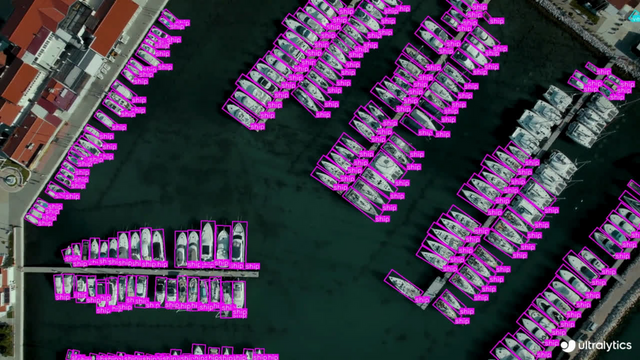
(pixels) | mAPtest
50 | Speed
CPU ONNX
(ms) | Speed
A100 TensorRT
(ms) | params
(M) | FLOPs
(B) | |----------------------------------------------------------------------------------------------|-----------------------|--------------------|--------------------------------|-------------------------------------|--------------------|-------------------| | [YOLOv8n-obb](https://github.com/ultralytics/assets/releases/download/v8.1.0/yolov8n-obb.pt) | 1024 | 78.0 | 204.77 | 3.57 | 3.1 | 23.3 | | [YOLOv8s-obb](https://github.com/ultralytics/assets/releases/download/v8.1.0/yolov8s-obb.pt) | 1024 | 79.5 | 424.88 | 4.07 | 11.4 | 76.3 | | [YOLOv8m-obb](https://github.com/ultralytics/assets/releases/download/v8.1.0/yolov8m-obb.pt) | 1024 | 80.5 | 763.48 | 7.61 | 26.4 | 208.6 | | [YOLOv8l-obb](https://github.com/ultralytics/assets/releases/download/v8.1.0/yolov8l-obb.pt) | 1024 | 80.7 | 1278.42 | 11.83 | 44.5 | 433.8 | | [YOLOv8x-obb](https://github.com/ultralytics/assets/releases/download/v8.1.0/yolov8x-obb.pt) | 1024 | 81.36 | 1759.10 | 13.23 | 69.5 | 676.7 | - **mAPtest** values are for single-model multiscale on [DOTAv1 test](https://captain-whu.github.io/DOTA/index.html) dataset.
Reproduce by `yolo val obb data=DOTAv1.yaml device=0 split=test` and submit merged results to [DOTA evaluation](https://captain-whu.github.io/DOTA/evaluation.html). - **Speed** averaged over DOTAv1 val images using an [Amazon EC2 P4d](https://aws.amazon.com/ec2/instance-types/p4/) instance.
Reproduce by `yolo val obb data=DOTAv1.yaml batch=1 device=0|cpu` ## Train Train YOLOv8n-obb on the `dota8.yaml` dataset for 100 epochs at image size 640. For a full list of available arguments see the [Configuration](../usage/cfg.md) page. !!! Example === "Python" ```python from ultralytics import YOLO # Load a model model = YOLO('yolov8n-obb.yaml') # build a new model from YAML model = YOLO('yolov8n-obb.pt') # load a pretrained model (recommended for training) model = YOLO('yolov8n-obb.yaml').load('yolov8n.pt') # build from YAML and transfer weights # Train the model results = model.train(data='dota8.yaml', epochs=100, imgsz=640) ``` === "CLI" ```bash # Build a new model from YAML and start training from scratch yolo obb train data=dota8.yaml model=yolov8n-obb.yaml epochs=100 imgsz=640 # Start training from a pretrained *.pt model yolo obb train data=dota8.yaml model=yolov8n-obb.pt epochs=100 imgsz=640 # Build a new model from YAML, transfer pretrained weights to it and start training yolo obb train data=dota8.yaml model=yolov8n-obb.yaml pretrained=yolov8n-obb.pt epochs=100 imgsz=640 ``` ### Dataset format OBB dataset format can be found in detail in the [Dataset Guide](../datasets/obb/index.md). ## Val Validate trained YOLOv8n-obb model accuracy on the DOTA8 dataset. No argument need to passed as the `model` retains it's training `data` and arguments as model attributes. !!! Example === "Python" ```python from ultralytics import YOLO # Load a model model = YOLO('yolov8n-obb.pt') # load an official model model = YOLO('path/to/best.pt') # load a custom model # Validate the model metrics = model.val(data='dota8.yaml') # no arguments needed, dataset and settings remembered metrics.box.map # map50-95(B) metrics.box.map50 # map50(B) metrics.box.map75 # map75(B) metrics.box.maps # a list contains map50-95(B) of each category ``` === "CLI" ```bash yolo obb val model=yolov8n-obb.pt data=dota8.yaml # val official model yolo obb val model=path/to/best.pt data=path/to/data.yaml # val custom model ``` ## Predict Use a trained YOLOv8n-obb model to run predictions on images. !!! Example === "Python" ```python from ultralytics import YOLO # Load a model model = YOLO('yolov8n-obb.pt') # load an official model model = YOLO('path/to/best.pt') # load a custom model # Predict with the model results = model('https://ultralytics.com/images/bus.jpg') # predict on an image ``` === "CLI" ```bash yolo obb predict model=yolov8n-obb.pt source='https://ultralytics.com/images/bus.jpg' # predict with official model yolo obb predict model=path/to/best.pt source='https://ultralytics.com/images/bus.jpg' # predict with custom model ``` See full `predict` mode details in the [Predict](https://docs.ultralytics.com/modes/predict/) page. ## Export Export a YOLOv8n-obb model to a different format like ONNX, CoreML, etc. !!! Example === "Python" ```python from ultralytics import YOLO # Load a model model = YOLO('yolov8n-obb.pt') # load an official model model = YOLO('path/to/best.pt') # load a custom trained model # Export the model model.export(format='onnx') ``` === "CLI" ```bash yolo export model=yolov8n-obb.pt format=onnx # export official model yolo export model=path/to/best.pt format=onnx # export custom trained model ``` Available YOLOv8-obb export formats are in the table below. You can predict or validate directly on exported models, i.e. `yolo predict model=yolov8n-obb.onnx`. Usage examples are shown for your model after export completes. | Format | `format` Argument | Model | Metadata | Arguments | |--------------------------------------------------------------------|-------------------|-------------------------------|----------|-----------------------------------------------------| | [PyTorch](https://pytorch.org/) | - | `yolov8n-obb.pt` | ✅ | - | | [TorchScript](https://pytorch.org/docs/stable/jit.html) | `torchscript` | `yolov8n-obb.torchscript` | ✅ | `imgsz`, `optimize` | | [ONNX](https://onnx.ai/) | `onnx` | `yolov8n-obb.onnx` | ✅ | `imgsz`, `half`, `dynamic`, `simplify`, `opset` | | [OpenVINO](../integrations/openvino.md) | `openvino` | `yolov8n-obb_openvino_model/` | ✅ | `imgsz`, `half`, `int8` | | [TensorRT](https://developer.nvidia.com/tensorrt) | `engine` | `yolov8n-obb.engine` | ✅ | `imgsz`, `half`, `dynamic`, `simplify`, `workspace` | | [CoreML](https://github.com/apple/coremltools) | `coreml` | `yolov8n-obb.mlpackage` | ✅ | `imgsz`, `half`, `int8`, `nms` | | [TF SavedModel](https://www.tensorflow.org/guide/saved_model) | `saved_model` | `yolov8n-obb_saved_model/` | ✅ | `imgsz`, `keras` | | [TF GraphDef](https://www.tensorflow.org/api_docs/python/tf/Graph) | `pb` | `yolov8n-obb.pb` | ❌ | `imgsz` | | [TF Lite](https://www.tensorflow.org/lite) | `tflite` | `yolov8n-obb.tflite` | ✅ | `imgsz`, `half`, `int8` | | [TF Edge TPU](https://coral.ai/docs/edgetpu/models-intro/) | `edgetpu` | `yolov8n-obb_edgetpu.tflite` | ✅ | `imgsz` | | [TF.js](https://www.tensorflow.org/js) | `tfjs` | `yolov8n-obb_web_model/` | ✅ | `imgsz`, `half`, `int8` | | [PaddlePaddle](https://github.com/PaddlePaddle) | `paddle` | `yolov8n-obb_paddle_model/` | ✅ | `imgsz` | | [NCNN](https://github.com/Tencent/ncnn) | `ncnn` | `yolov8n-obb_ncnn_model/` | ✅ | `imgsz`, `half` | See full `export` details in the [Export](https://docs.ultralytics.com/modes/export/) page. ================================================ FILE: docs/en/tasks/pose.md ================================================ --- comments: true description: Learn how to use Ultralytics YOLOv8 for pose estimation tasks. Find pretrained models, learn how to train, validate, predict, and export your own. keywords: Ultralytics, YOLO, YOLOv8, pose estimation, keypoints detection, object detection, pre-trained models, machine learning, artificial intelligence --- # Pose Estimation Pose estimation examples Pose estimation is a task that involves identifying the location of specific points in an image, usually referred to as keypoints. The keypoints can represent various parts of the object such as joints, landmarks, or other distinctive features. The locations of the keypoints are usually represented as a set of 2D `[x, y]` or 3D `[x, y, visible]` coordinates. The output of a pose estimation model is a set of points that represent the keypoints on an object in the image, usually along with the confidence scores for each point. Pose estimation is a good choice when you need to identify specific parts of an object in a scene, and their location in relation to each other.

Watch: Pose Estimation with Ultralytics YOLOv8.

Watch: Pose Estimation with Ultralytics HUB.
!!! Tip "Tip" YOLOv8 _pose_ models use the `-pose` suffix, i.e. `yolov8n-pose.pt`. These models are trained on the [COCO keypoints](https://github.com/ultralytics/ultralytics/blob/main/ultralytics/cfg/datasets/coco-pose.yaml) dataset and are suitable for a variety of pose estimation tasks. ## [Models](https://github.com/ultralytics/ultralytics/tree/main/ultralytics/cfg/models/v8) YOLOv8 pretrained Pose models are shown here. Detect, Segment and Pose models are pretrained on the [COCO](https://github.com/ultralytics/ultralytics/blob/main/ultralytics/cfg/datasets/coco.yaml) dataset, while Classify models are pretrained on the [ImageNet](https://github.com/ultralytics/ultralytics/blob/main/ultralytics/cfg/datasets/ImageNet.yaml) dataset. [Models](https://github.com/ultralytics/ultralytics/tree/main/ultralytics/cfg/models) download automatically from the latest Ultralytics [release](https://github.com/ultralytics/assets/releases) on first use. | Model | size
(pixels) | mAPpose
50-95 | mAPpose
50 | Speed
CPU ONNX
(ms) | Speed
A100 TensorRT
(ms) | params
(M) | FLOPs
(B) | |------------------------------------------------------------------------------------------------------|-----------------------|-----------------------|--------------------|--------------------------------|-------------------------------------|--------------------|-------------------| | [YOLOv8n-pose](https://github.com/ultralytics/assets/releases/download/v8.1.0/yolov8n-pose.pt) | 640 | 50.4 | 80.1 | 131.8 | 1.18 | 3.3 | 9.2 | | [YOLOv8s-pose](https://github.com/ultralytics/assets/releases/download/v8.1.0/yolov8s-pose.pt) | 640 | 60.0 | 86.2 | 233.2 | 1.42 | 11.6 | 30.2 | | [YOLOv8m-pose](https://github.com/ultralytics/assets/releases/download/v8.1.0/yolov8m-pose.pt) | 640 | 65.0 | 88.8 | 456.3 | 2.00 | 26.4 | 81.0 | | [YOLOv8l-pose](https://github.com/ultralytics/assets/releases/download/v8.1.0/yolov8l-pose.pt) | 640 | 67.6 | 90.0 | 784.5 | 2.59 | 44.4 | 168.6 | | [YOLOv8x-pose](https://github.com/ultralytics/assets/releases/download/v8.1.0/yolov8x-pose.pt) | 640 | 69.2 | 90.2 | 1607.1 | 3.73 | 69.4 | 263.2 | | [YOLOv8x-pose-p6](https://github.com/ultralytics/assets/releases/download/v8.1.0/yolov8x-pose-p6.pt) | 1280 | 71.6 | 91.2 | 4088.7 | 10.04 | 99.1 | 1066.4 | - **mAPval** values are for single-model single-scale on [COCO Keypoints val2017](https://cocodataset.org) dataset.
Reproduce by `yolo val pose data=coco-pose.yaml device=0` - **Speed** averaged over COCO val images using an [Amazon EC2 P4d](https://aws.amazon.com/ec2/instance-types/p4/) instance.
Reproduce by `yolo val pose data=coco8-pose.yaml batch=1 device=0|cpu` ## Train Train a YOLOv8-pose model on the COCO128-pose dataset. !!! Example === "Python" ```python from ultralytics import YOLO # Load a model model = YOLO('yolov8n-pose.yaml') # build a new model from YAML model = YOLO('yolov8n-pose.pt') # load a pretrained model (recommended for training) model = YOLO('yolov8n-pose.yaml').load('yolov8n-pose.pt') # build from YAML and transfer weights # Train the model results = model.train(data='coco8-pose.yaml', epochs=100, imgsz=640) ``` === "CLI" ```bash # Build a new model from YAML and start training from scratch yolo pose train data=coco8-pose.yaml model=yolov8n-pose.yaml epochs=100 imgsz=640 # Start training from a pretrained *.pt model yolo pose train data=coco8-pose.yaml model=yolov8n-pose.pt epochs=100 imgsz=640 # Build a new model from YAML, transfer pretrained weights to it and start training yolo pose train data=coco8-pose.yaml model=yolov8n-pose.yaml pretrained=yolov8n-pose.pt epochs=100 imgsz=640 ``` ### Dataset format YOLO pose dataset format can be found in detail in the [Dataset Guide](../datasets/pose/index.md). To convert your existing dataset from other formats (like COCO etc.) to YOLO format, please use [JSON2YOLO](https://github.com/ultralytics/JSON2YOLO) tool by Ultralytics. ## Val Validate trained YOLOv8n-pose model accuracy on the COCO128-pose dataset. No argument need to passed as the `model` retains it's training `data` and arguments as model attributes. !!! Example === "Python" ```python from ultralytics import YOLO # Load a model model = YOLO('yolov8n-pose.pt') # load an official model model = YOLO('path/to/best.pt') # load a custom model # Validate the model metrics = model.val() # no arguments needed, dataset and settings remembered metrics.box.map # map50-95 metrics.box.map50 # map50 metrics.box.map75 # map75 metrics.box.maps # a list contains map50-95 of each category ``` === "CLI" ```bash yolo pose val model=yolov8n-pose.pt # val official model yolo pose val model=path/to/best.pt # val custom model ``` ## Predict Use a trained YOLOv8n-pose model to run predictions on images. !!! Example === "Python" ```python from ultralytics import YOLO # Load a model model = YOLO('yolov8n-pose.pt') # load an official model model = YOLO('path/to/best.pt') # load a custom model # Predict with the model results = model('https://ultralytics.com/images/bus.jpg') # predict on an image ``` === "CLI" ```bash yolo pose predict model=yolov8n-pose.pt source='https://ultralytics.com/images/bus.jpg' # predict with official model yolo pose predict model=path/to/best.pt source='https://ultralytics.com/images/bus.jpg' # predict with custom model ``` See full `predict` mode details in the [Predict](https://docs.ultralytics.com/modes/predict/) page. ## Export Export a YOLOv8n Pose model to a different format like ONNX, CoreML, etc. !!! Example === "Python" ```python from ultralytics import YOLO # Load a model model = YOLO('yolov8n-pose.pt') # load an official model model = YOLO('path/to/best.pt') # load a custom trained model # Export the model model.export(format='onnx') ``` === "CLI" ```bash yolo export model=yolov8n-pose.pt format=onnx # export official model yolo export model=path/to/best.pt format=onnx # export custom trained model ``` Available YOLOv8-pose export formats are in the table below. You can predict or validate directly on exported models, i.e. `yolo predict model=yolov8n-pose.onnx`. Usage examples are shown for your model after export completes. | Format | `format` Argument | Model | Metadata | Arguments | |--------------------------------------------------------------------|-------------------|--------------------------------|----------|-----------------------------------------------------| | [PyTorch](https://pytorch.org/) | - | `yolov8n-pose.pt` | ✅ | - | | [TorchScript](https://pytorch.org/docs/stable/jit.html) | `torchscript` | `yolov8n-pose.torchscript` | ✅ | `imgsz`, `optimize` | | [ONNX](https://onnx.ai/) | `onnx` | `yolov8n-pose.onnx` | ✅ | `imgsz`, `half`, `dynamic`, `simplify`, `opset` | | [OpenVINO](../integrations/openvino.md) | `openvino` | `yolov8n-pose_openvino_model/` | ✅ | `imgsz`, `half`, `int8` | | [TensorRT](https://developer.nvidia.com/tensorrt) | `engine` | `yolov8n-pose.engine` | ✅ | `imgsz`, `half`, `dynamic`, `simplify`, `workspace` | | [CoreML](https://github.com/apple/coremltools) | `coreml` | `yolov8n-pose.mlpackage` | ✅ | `imgsz`, `half`, `int8`, `nms` | | [TF SavedModel](https://www.tensorflow.org/guide/saved_model) | `saved_model` | `yolov8n-pose_saved_model/` | ✅ | `imgsz`, `keras` | | [TF GraphDef](https://www.tensorflow.org/api_docs/python/tf/Graph) | `pb` | `yolov8n-pose.pb` | ❌ | `imgsz` | | [TF Lite](https://www.tensorflow.org/lite) | `tflite` | `yolov8n-pose.tflite` | ✅ | `imgsz`, `half`, `int8` | | [TF Edge TPU](https://coral.ai/docs/edgetpu/models-intro/) | `edgetpu` | `yolov8n-pose_edgetpu.tflite` | ✅ | `imgsz` | | [TF.js](https://www.tensorflow.org/js) | `tfjs` | `yolov8n-pose_web_model/` | ✅ | `imgsz`, `half`, `int8` | | [PaddlePaddle](https://github.com/PaddlePaddle) | `paddle` | `yolov8n-pose_paddle_model/` | ✅ | `imgsz` | | [NCNN](https://github.com/Tencent/ncnn) | `ncnn` | `yolov8n-pose_ncnn_model/` | ✅ | `imgsz`, `half` | See full `export` details in the [Export](https://docs.ultralytics.com/modes/export/) page. ================================================ FILE: docs/en/tasks/segment.md ================================================ --- comments: true description: Learn how to use instance segmentation models with Ultralytics YOLO. Instructions on training, validation, image prediction, and model export. keywords: yolov8, instance segmentation, Ultralytics, COCO dataset, image segmentation, object detection, model training, model validation, image prediction, model export --- # Instance Segmentation Instance segmentation examples Instance segmentation goes a step further than object detection and involves identifying individual objects in an image and segmenting them from the rest of the image. The output of an instance segmentation model is a set of masks or contours that outline each object in the image, along with class labels and confidence scores for each object. Instance segmentation is useful when you need to know not only where objects are in an image, but also what their exact shape is.


Watch: Run Segmentation with Pre-Trained Ultralytics YOLOv8 Model in Python.

!!! Tip "Tip" YOLOv8 Segment models use the `-seg` suffix, i.e. `yolov8n-seg.pt` and are pretrained on [COCO](https://github.com/ultralytics/ultralytics/blob/main/ultralytics/cfg/datasets/coco.yaml). ## [Models](https://github.com/ultralytics/ultralytics/tree/main/ultralytics/cfg/models/v8) YOLOv8 pretrained Segment models are shown here. Detect, Segment and Pose models are pretrained on the [COCO](https://github.com/ultralytics/ultralytics/blob/main/ultralytics/cfg/datasets/coco.yaml) dataset, while Classify models are pretrained on the [ImageNet](https://github.com/ultralytics/ultralytics/blob/main/ultralytics/cfg/datasets/ImageNet.yaml) dataset. [Models](https://github.com/ultralytics/ultralytics/tree/main/ultralytics/cfg/models) download automatically from the latest Ultralytics [release](https://github.com/ultralytics/assets/releases) on first use. | Model | size
(pixels) | mAPbox
50-95 | mAPmask
50-95 | Speed
CPU ONNX
(ms) | Speed
A100 TensorRT
(ms) | params
(M) | FLOPs
(B) | |----------------------------------------------------------------------------------------------|-----------------------|----------------------|-----------------------|--------------------------------|-------------------------------------|--------------------|-------------------| | [YOLOv8n-seg](https://github.com/ultralytics/assets/releases/download/v8.1.0/yolov8n-seg.pt) | 640 | 36.7 | 30.5 | 96.1 | 1.21 | 3.4 | 12.6 | | [YOLOv8s-seg](https://github.com/ultralytics/assets/releases/download/v8.1.0/yolov8s-seg.pt) | 640 | 44.6 | 36.8 | 155.7 | 1.47 | 11.8 | 42.6 | | [YOLOv8m-seg](https://github.com/ultralytics/assets/releases/download/v8.1.0/yolov8m-seg.pt) | 640 | 49.9 | 40.8 | 317.0 | 2.18 | 27.3 | 110.2 | | [YOLOv8l-seg](https://github.com/ultralytics/assets/releases/download/v8.1.0/yolov8l-seg.pt) | 640 | 52.3 | 42.6 | 572.4 | 2.79 | 46.0 | 220.5 | | [YOLOv8x-seg](https://github.com/ultralytics/assets/releases/download/v8.1.0/yolov8x-seg.pt) | 640 | 53.4 | 43.4 | 712.1 | 4.02 | 71.8 | 344.1 | - **mAPval** values are for single-model single-scale on [COCO val2017](https://cocodataset.org) dataset.
Reproduce by `yolo val segment data=coco.yaml device=0` - **Speed** averaged over COCO val images using an [Amazon EC2 P4d](https://aws.amazon.com/ec2/instance-types/p4/) instance.
Reproduce by `yolo val segment data=coco128-seg.yaml batch=1 device=0|cpu` ## Train Train YOLOv8n-seg on the COCO128-seg dataset for 100 epochs at image size 640. For a full list of available arguments see the [Configuration](../usage/cfg.md) page. !!! Example === "Python" ```python from ultralytics import YOLO # Load a model model = YOLO('yolov8n-seg.yaml') # build a new model from YAML model = YOLO('yolov8n-seg.pt') # load a pretrained model (recommended for training) model = YOLO('yolov8n-seg.yaml').load('yolov8n.pt') # build from YAML and transfer weights # Train the model results = model.train(data='coco128-seg.yaml', epochs=100, imgsz=640) ``` === "CLI" ```bash # Build a new model from YAML and start training from scratch yolo segment train data=coco128-seg.yaml model=yolov8n-seg.yaml epochs=100 imgsz=640 # Start training from a pretrained *.pt model yolo segment train data=coco128-seg.yaml model=yolov8n-seg.pt epochs=100 imgsz=640 # Build a new model from YAML, transfer pretrained weights to it and start training yolo segment train data=coco128-seg.yaml model=yolov8n-seg.yaml pretrained=yolov8n-seg.pt epochs=100 imgsz=640 ``` ### Dataset format YOLO segmentation dataset format can be found in detail in the [Dataset Guide](../datasets/segment/index.md). To convert your existing dataset from other formats (like COCO etc.) to YOLO format, please use [JSON2YOLO](https://github.com/ultralytics/JSON2YOLO) tool by Ultralytics. ## Val Validate trained YOLOv8n-seg model accuracy on the COCO128-seg dataset. No argument need to passed as the `model` retains it's training `data` and arguments as model attributes. !!! Example === "Python" ```python from ultralytics import YOLO # Load a model model = YOLO('yolov8n-seg.pt') # load an official model model = YOLO('path/to/best.pt') # load a custom model # Validate the model metrics = model.val() # no arguments needed, dataset and settings remembered metrics.box.map # map50-95(B) metrics.box.map50 # map50(B) metrics.box.map75 # map75(B) metrics.box.maps # a list contains map50-95(B) of each category metrics.seg.map # map50-95(M) metrics.seg.map50 # map50(M) metrics.seg.map75 # map75(M) metrics.seg.maps # a list contains map50-95(M) of each category ``` === "CLI" ```bash yolo segment val model=yolov8n-seg.pt # val official model yolo segment val model=path/to/best.pt # val custom model ``` ## Predict Use a trained YOLOv8n-seg model to run predictions on images. !!! Example === "Python" ```python from ultralytics import YOLO # Load a model model = YOLO('yolov8n-seg.pt') # load an official model model = YOLO('path/to/best.pt') # load a custom model # Predict with the model results = model('https://ultralytics.com/images/bus.jpg') # predict on an image ``` === "CLI" ```bash yolo segment predict model=yolov8n-seg.pt source='https://ultralytics.com/images/bus.jpg' # predict with official model yolo segment predict model=path/to/best.pt source='https://ultralytics.com/images/bus.jpg' # predict with custom model ``` See full `predict` mode details in the [Predict](https://docs.ultralytics.com/modes/predict/) page. ## Export Export a YOLOv8n-seg model to a different format like ONNX, CoreML, etc. !!! Example === "Python" ```python from ultralytics import YOLO # Load a model model = YOLO('yolov8n-seg.pt') # load an official model model = YOLO('path/to/best.pt') # load a custom trained model # Export the model model.export(format='onnx') ``` === "CLI" ```bash yolo export model=yolov8n-seg.pt format=onnx # export official model yolo export model=path/to/best.pt format=onnx # export custom trained model ``` Available YOLOv8-seg export formats are in the table below. You can predict or validate directly on exported models, i.e. `yolo predict model=yolov8n-seg.onnx`. Usage examples are shown for your model after export completes. | Format | `format` Argument | Model | Metadata | Arguments | |--------------------------------------------------------------------|-------------------|-------------------------------|----------|-----------------------------------------------------| | [PyTorch](https://pytorch.org/) | - | `yolov8n-seg.pt` | ✅ | - | | [TorchScript](https://pytorch.org/docs/stable/jit.html) | `torchscript` | `yolov8n-seg.torchscript` | ✅ | `imgsz`, `optimize` | | [ONNX](https://onnx.ai/) | `onnx` | `yolov8n-seg.onnx` | ✅ | `imgsz`, `half`, `dynamic`, `simplify`, `opset` | | [OpenVINO](../integrations/openvino.md) | `openvino` | `yolov8n-seg_openvino_model/` | ✅ | `imgsz`, `half`, `int8` | | [TensorRT](https://developer.nvidia.com/tensorrt) | `engine` | `yolov8n-seg.engine` | ✅ | `imgsz`, `half`, `dynamic`, `simplify`, `workspace` | | [CoreML](https://github.com/apple/coremltools) | `coreml` | `yolov8n-seg.mlpackage` | ✅ | `imgsz`, `half`, `int8`, `nms` | | [TF SavedModel](https://www.tensorflow.org/guide/saved_model) | `saved_model` | `yolov8n-seg_saved_model/` | ✅ | `imgsz`, `keras` | | [TF GraphDef](https://www.tensorflow.org/api_docs/python/tf/Graph) | `pb` | `yolov8n-seg.pb` | ❌ | `imgsz` | | [TF Lite](https://www.tensorflow.org/lite) | `tflite` | `yolov8n-seg.tflite` | ✅ | `imgsz`, `half`, `int8` | | [TF Edge TPU](https://coral.ai/docs/edgetpu/models-intro/) | `edgetpu` | `yolov8n-seg_edgetpu.tflite` | ✅ | `imgsz` | | [TF.js](https://www.tensorflow.org/js) | `tfjs` | `yolov8n-seg_web_model/` | ✅ | `imgsz`, `half`, `int8` | | [PaddlePaddle](https://github.com/PaddlePaddle) | `paddle` | `yolov8n-seg_paddle_model/` | ✅ | `imgsz` | | [NCNN](https://github.com/Tencent/ncnn) | `ncnn` | `yolov8n-seg_ncnn_model/` | ✅ | `imgsz`, `half` | See full `export` details in the [Export](https://docs.ultralytics.com/modes/export/) page. ================================================ FILE: docs/en/usage/callbacks.md ================================================ --- comments: true description: Learn how to utilize callbacks in the Ultralytics framework during train, val, export, and predict modes for enhanced functionality. keywords: Ultralytics, YOLO, callbacks guide, training callback, validation callback, export callback, prediction callback --- ## Callbacks Ultralytics framework supports callbacks as entry points in strategic stages of train, val, export, and predict modes. Each callback accepts a `Trainer`, `Validator`, or `Predictor` object depending on the operation type. All properties of these objects can be found in Reference section of the docs.


Watch: Mastering Ultralytics YOLOv8: Callbacks

## Examples ### Returning additional information with Prediction In this example, we want to return the original frame with each result object. Here's how we can do that ```python from ultralytics import YOLO def on_predict_batch_end(predictor): # Retrieve the batch data _, image, _, _ = predictor.batch # Ensure that image is a list image = image if isinstance(image, list) else [image] # Combine the prediction results with the corresponding frames predictor.results = zip(predictor.results, image) # Create a YOLO model instance model = YOLO(f'yolov8n.pt') # Add the custom callback to the model model.add_callback("on_predict_batch_end", on_predict_batch_end) # Iterate through the results and frames for (result, frame) in model.predict(): # or model.track() pass ``` ## All callbacks Here are all supported callbacks. See callbacks [source code](https://github.com/ultralytics/ultralytics/blob/main/ultralytics/utils/callbacks/base.py) for additional details. ### Trainer Callbacks | Callback | Description | |-----------------------------|---------------------------------------------------------| | `on_pretrain_routine_start` | Triggered at the beginning of pre-training routine | | `on_pretrain_routine_end` | Triggered at the end of pre-training routine | | `on_train_start` | Triggered when the training starts | | `on_train_epoch_start` | Triggered at the start of each training epoch | | `on_train_batch_start` | Triggered at the start of each training batch | | `optimizer_step` | Triggered during the optimizer step | | `on_before_zero_grad` | Triggered before gradients are zeroed | | `on_train_batch_end` | Triggered at the end of each training batch | | `on_train_epoch_end` | Triggered at the end of each training epoch | | `on_fit_epoch_end` | Triggered at the end of each fit epoch | | `on_model_save` | Triggered when the model is saved | | `on_train_end` | Triggered when the training process ends | | `on_params_update` | Triggered when model parameters are updated | | `teardown` | Triggered when the training process is being cleaned up | ### Validator Callbacks | Callback | Description | |----------------------|-------------------------------------------------| | `on_val_start` | Triggered when the validation starts | | `on_val_batch_start` | Triggered at the start of each validation batch | | `on_val_batch_end` | Triggered at the end of each validation batch | | `on_val_end` | Triggered when the validation ends | ### Predictor Callbacks | Callback | Description | |------------------------------|---------------------------------------------------| | `on_predict_start` | Triggered when the prediction process starts | | `on_predict_batch_start` | Triggered at the start of each prediction batch | | `on_predict_postprocess_end` | Triggered at the end of prediction postprocessing | | `on_predict_batch_end` | Triggered at the end of each prediction batch | | `on_predict_end` | Triggered when the prediction process ends | ### Exporter Callbacks | Callback | Description | |-------------------|------------------------------------------| | `on_export_start` | Triggered when the export process starts | | `on_export_end` | Triggered when the export process ends | ================================================ FILE: docs/en/usage/cfg.md ================================================ --- comments: true description: Master YOLOv8 settings and hyperparameters for improved model performance. Learn to use YOLO CLI commands, adjust training settings, and optimize YOLO tasks & modes. keywords: YOLOv8, settings, hyperparameters, YOLO CLI commands, YOLO tasks, YOLO modes, Ultralytics documentation, model optimization, YOLOv8 training --- YOLO settings and hyperparameters play a critical role in the model's performance, speed, and accuracy. These settings and hyperparameters can affect the model's behavior at various stages of the model development process, including training, validation, and prediction.


Watch: Mastering Ultralytics YOLOv8: Configuration

Ultralytics commands use the following syntax: !!! Example === "CLI" ```bash yolo TASK MODE ARGS ``` === "Python" ```python from ultralytics import YOLO # Load a YOLOv8 model from a pre-trained weights file model = YOLO('yolov8n.pt') # Run MODE mode using the custom arguments ARGS (guess TASK) model.MODE(ARGS) ``` Where: - `TASK` (optional) is one of ([detect](../tasks/detect.md), [segment](../tasks/segment.md), [classify](../tasks/classify.md), [pose](../tasks/pose.md)) - `MODE` (required) is one of ([train](../modes/train.md), [val](../modes/val.md), [predict](../modes/predict.md), [export](../modes/export.md), [track](../modes/track.md)) - `ARGS` (optional) are `arg=value` pairs like `imgsz=640` that override defaults. Default `ARG` values are defined on this page from the `cfg/defaults.yaml` [file](https://github.com/ultralytics/ultralytics/blob/main/ultralytics/cfg/default.yaml). #### Tasks YOLO models can be used for a variety of tasks, including detection, segmentation, classification and pose. These tasks differ in the type of output they produce and the specific problem they are designed to solve. - **Detect**: For identifying and localizing objects or regions of interest in an image or video. - **Segment**: For dividing an image or video into regions or pixels that correspond to different objects or classes. - **Classify**: For predicting the class label of an input image. - **Pose**: For identifying objects and estimating their keypoints in an image or video. - **OBB**: Oriented (i.e. rotated) bounding boxes suitable for satellite or medical imagery. | Argument | Default | Description | |----------|------------|---------------------------------------------------------------------------------------------------------------------------------------------------------------------------------------------------------------------------------------------------------------------------------------------------------------------| | `task` | `'detect'` | Specifies the YOLO task to be executed. Options include `detect` for object detection, `segment` for segmentation, `classify` for classification, `pose` for pose estimation and `OBB` for oriented bounding boxes. Each task is tailored to specific types of output and problems within image and video analysis. | [Tasks Guide](../tasks/index.md){ .md-button } #### Modes YOLO models can be used in different modes depending on the specific problem you are trying to solve. These modes include: - **Train**: For training a YOLOv8 model on a custom dataset. - **Val**: For validating a YOLOv8 model after it has been trained. - **Predict**: For making predictions using a trained YOLOv8 model on new images or videos. - **Export**: For exporting a YOLOv8 model to a format that can be used for deployment. - **Track**: For tracking objects in real-time using a YOLOv8 model. - **Benchmark**: For benchmarking YOLOv8 exports (ONNX, TensorRT, etc.) speed and accuracy. | Argument | Default | Description | |----------|-----------|-----------------------------------------------------------------------------------------------------------------------------------------------------------------------------------------------------------------------------------------------------------------------------------------------------------------------------------------------------------------------------------------------| | `mode` | `'train'` | Specifies the mode in which the YOLO model operates. Options are `train` for model training, `val` for validation, `predict` for inference on new data, `export` for model conversion to deployment formats, `track` for object tracking, and `benchmark` for performance evaluation. Each mode is designed for different stages of the model lifecycle, from development through deployment. | [Modes Guide](../modes/index.md){ .md-button } ## Train Settings The training settings for YOLO models encompass various hyperparameters and configurations used during the training process. These settings influence the model's performance, speed, and accuracy. Key training settings include batch size, learning rate, momentum, and weight decay. Additionally, the choice of optimizer, loss function, and training dataset composition can impact the training process. Careful tuning and experimentation with these settings are crucial for optimizing performance. | Argument | Default | Description | |-------------------|----------|----------------------------------------------------------------------------------------------------------------------------------------------------------------------------------------------------------------------| | `model` | `None` | Specifies the model file for training. Accepts a path to either a `.pt` pretrained model or a `.yaml` configuration file. Essential for defining the model structure or initializing weights. | | `data` | `None` | Path to the dataset configuration file (e.g., `coco128.yaml`). This file contains dataset-specific parameters, including paths to training and validation data, class names, and number of classes. | | `epochs` | `100` | Total number of training epochs. Each epoch represents a full pass over the entire dataset. Adjusting this value can affect training duration and model performance. | | `time` | `None` | Maximum training time in hours. If set, this overrides the `epochs` argument, allowing training to automatically stop after the specified duration. Useful for time-constrained training scenarios. | | `patience` | `100` | Number of epochs to wait without improvement in validation metrics before early stopping the training. Helps prevent overfitting by stopping training when performance plateaus. | | `batch` | `16` | Batch size for training, indicating how many images are processed before the model's internal parameters are updated. AutoBatch (`batch=-1`) dynamically adjusts the batch size based on GPU memory availability. | | `imgsz` | `640` | Target image size for training. All images are resized to this dimension before being fed into the model. Affects model accuracy and computational complexity. | | `save` | `True` | Enables saving of training checkpoints and final model weights. Useful for resuming training or model deployment. | | `save_period` | `-1` | Frequency of saving model checkpoints, specified in epochs. A value of -1 disables this feature. Useful for saving interim models during long training sessions. | | `cache` | `False` | Enables caching of dataset images in memory (`True`/`ram`), on disk (`disk`), or disables it (`False`). Improves training speed by reducing disk I/O at the cost of increased memory usage. | | `device` | `None` | Specifies the computational device(s) for training: a single GPU (`device=0`), multiple GPUs (`device=0,1`), CPU (`device=cpu`), or MPS for Apple silicon (`device=mps`). | | `workers` | `8` | Number of worker threads for data loading (per `RANK` if Multi-GPU training). Influences the speed of data preprocessing and feeding into the model, especially useful in multi-GPU setups. | | `project` | `None` | Name of the project directory where training outputs are saved. Allows for organized storage of different experiments. | | `name` | `None` | Name of the training run. Used for creating a subdirectory within the project folder, where training logs and outputs are stored. | | `exist_ok` | `False` | If True, allows overwriting of an existing project/name directory. Useful for iterative experimentation without needing to manually clear previous outputs. | | `pretrained` | `True` | Determines whether to start training from a pretrained model. Can be a boolean value or a string path to a specific model from which to load weights. Enhances training efficiency and model performance. | | `optimizer` | `'auto'` | Choice of optimizer for training. Options include `SGD`, `Adam`, `AdamW`, `NAdam`, `RAdam`, `RMSProp` etc., or `auto` for automatic selection based on model configuration. Affects convergence speed and stability. | | `verbose` | `False` | Enables verbose output during training, providing detailed logs and progress updates. Useful for debugging and closely monitoring the training process. | | `seed` | `0` | Sets the random seed for training, ensuring reproducibility of results across runs with the same configurations. | | `deterministic` | `True` | Forces deterministic algorithm use, ensuring reproducibility but may affect performance and speed due to the restriction on non-deterministic algorithms. | | `single_cls` | `False` | Treats all classes in multi-class datasets as a single class during training. Useful for binary classification tasks or when focusing on object presence rather than classification. | | `rect` | `False` | Enables rectangular training, optimizing batch composition for minimal padding. Can improve efficiency and speed but may affect model accuracy. | | `cos_lr` | `False` | Utilizes a cosine learning rate scheduler, adjusting the learning rate following a cosine curve over epochs. Helps in managing learning rate for better convergence. | | `close_mosaic` | `10` | Disables mosaic data augmentation in the last N epochs to stabilize training before completion. Setting to 0 disables this feature. | | `resume` | `False` | Resumes training from the last saved checkpoint. Automatically loads model weights, optimizer state, and epoch count, continuing training seamlessly. | | `amp` | `True` | Enables Automatic Mixed Precision (AMP) training, reducing memory usage and possibly speeding up training with minimal impact on accuracy. | | `fraction` | `1.0` | Specifies the fraction of the dataset to use for training. Allows for training on a subset of the full dataset, useful for experiments or when resources are limited. | | `profile` | `False` | Enables profiling of ONNX and TensorRT speeds during training, useful for optimizing model deployment. | | `freeze` | `None` | Freezes the first N layers of the model or specified layers by index, reducing the number of trainable parameters. Useful for fine-tuning or transfer learning. | | `lr0` | `0.01` | Initial learning rate (i.e. `SGD=1E-2`, `Adam=1E-3`) . Adjusting this value is crucial for the optimization process, influencing how rapidly model weights are updated. | | `lrf` | `0.01` | Final learning rate as a fraction of the initial rate = (`lr0 * lrf`), used in conjunction with schedulers to adjust the learning rate over time. | | `momentum` | `0.937` | Momentum factor for SGD or beta1 for Adam optimizers, influencing the incorporation of past gradients in the current update. | | `weight_decay` | `0.0005` | L2 regularization term, penalizing large weights to prevent overfitting. | | `warmup_epochs` | `3.0` | Number of epochs for learning rate warmup, gradually increasing the learning rate from a low value to the initial learning rate to stabilize training early on. | | `warmup_momentum` | `0.8` | Initial momentum for warmup phase, gradually adjusting to the set momentum over the warmup period. | | `warmup_bias_lr` | `0.1` | Learning rate for bias parameters during the warmup phase, helping stabilize model training in the initial epochs. | | `box` | `7.5` | Weight of the box loss component in the loss function, influencing how much emphasis is placed on accurately predicting bounding box coordinates. | | `cls` | `0.5` | Weight of the classification loss in the total loss function, affecting the importance of correct class prediction relative to other components. | | `dfl` | `1.5` | Weight of the distribution focal loss, used in certain YOLO versions for fine-grained classification. | | `pose` | `12.0` | Weight of the pose loss in models trained for pose estimation, influencing the emphasis on accurately predicting pose keypoints. | | `kobj` | `2.0` | Weight of the keypoint objectness loss in pose estimation models, balancing detection confidence with pose accuracy. | | `label_smoothing` | `0.0` | Applies label smoothing, softening hard labels to a mix of the target label and a uniform distribution over labels, can improve generalization. | | `nbs` | `64` | Nominal batch size for normalization of loss. | | `overlap_mask` | `True` | Determines whether segmentation masks should overlap during training, applicable in instance segmentation tasks. | | `mask_ratio` | `4` | Downsample ratio for segmentation masks, affecting the resolution of masks used during training. | | `dropout` | `0.0` | Dropout rate for regularization in classification tasks, preventing overfitting by randomly omitting units during training. | | `val` | `True` | Enables validation during training, allowing for periodic evaluation of model performance on a separate dataset. | | `plots` | `False` | Generates and saves plots of training and validation metrics, as well as prediction examples, providing visual insights into model performance and learning progression. | [Train Guide](../modes/train.md){ .md-button } ## Predict Settings The prediction settings for YOLO models encompass a range of hyperparameters and configurations that influence the model's performance, speed, and accuracy during inference on new data. Careful tuning and experimentation with these settings are essential to achieve optimal performance for a specific task. Key settings include the confidence threshold, Non-Maximum Suppression (NMS) threshold, and the number of classes considered. Additional factors affecting the prediction process are input data size and format, the presence of supplementary features such as masks or multiple labels per box, and the particular task the model is employed for. Inference arguments: | Argument | Type | Default | Description | |-----------------|----------------|------------------------|--------------------------------------------------------------------------------------------------------------------------------------------------------------------------------------------------------------------------------------| | `source` | `str` | `'ultralytics/assets'` | Specifies the data source for inference. Can be an image path, video file, directory, URL, or device ID for live feeds. Supports a wide range of formats and sources, enabling flexible application across different types of input. | | `conf` | `float` | `0.25` | Sets the minimum confidence threshold for detections. Objects detected with confidence below this threshold will be disregarded. Adjusting this value can help reduce false positives. | | `iou` | `float` | `0.7` | Intersection Over Union (IoU) threshold for Non-Maximum Suppression (NMS). Lower values result in fewer detections by eliminating overlapping boxes, useful for reducing duplicates. | | `imgsz` | `int or tuple` | `640` | Defines the image size for inference. Can be a single integer `640` for square resizing or a (height, width) tuple. Proper sizing can improve detection accuracy and processing speed. | | `half` | `bool` | `False` | Enables half-precision (FP16) inference, which can speed up model inference on supported GPUs with minimal impact on accuracy. | | `device` | `str` | `None` | Specifies the device for inference (e.g., `cpu`, `cuda:0` or `0`). Allows users to select between CPU, a specific GPU, or other compute devices for model execution. | | `max_det` | `int` | `300` | Maximum number of detections allowed per image. Limits the total number of objects the model can detect in a single inference, preventing excessive outputs in dense scenes. | | `vid_stride` | `int` | `1` | Frame stride for video inputs. Allows skipping frames in videos to speed up processing at the cost of temporal resolution. A value of 1 processes every frame, higher values skip frames. | | `stream_buffer` | `bool` | `False` | Determines if all frames should be buffered when processing video streams (`True`), or if the model should return the most recent frame (`False`). Useful for real-time applications. | | `visualize` | `bool` | `False` | Activates visualization of model features during inference, providing insights into what the model is "seeing". Useful for debugging and model interpretation. | | `augment` | `bool` | `False` | Enables test-time augmentation (TTA) for predictions, potentially improving detection robustness at the cost of inference speed. | | `agnostic_nms` | `bool` | `False` | Enables class-agnostic Non-Maximum Suppression (NMS), which merges overlapping boxes of different classes. Useful in multi-class detection scenarios where class overlap is common. | | `classes` | `list[int]` | `None` | Filters predictions to a set of class IDs. Only detections belonging to the specified classes will be returned. Useful for focusing on relevant objects in multi-class detection tasks. | | `retina_masks` | `bool` | `False` | Uses high-resolution segmentation masks if available in the model. This can enhance mask quality for segmentation tasks, providing finer detail. | | `embed` | `list[int]` | `None` | Specifies the layers from which to extract feature vectors or embeddings. Useful for downstream tasks like clustering or similarity search. | Visualization arguments: | Argument | Type | Default | Description | |---------------|---------------|---------|-------------------------------------------------------------------------------------------------------------------------------------------------------------------------------| | `show` | `bool` | `False` | If `True`, displays the annotated images or videos in a window. Useful for immediate visual feedback during development or testing. | | `save` | `bool` | `False` | Enables saving of the annotated images or videos to file. Useful for documentation, further analysis, or sharing results. | | `save_frames` | `bool` | `False` | When processing videos, saves individual frames as images. Useful for extracting specific frames or for detailed frame-by-frame analysis. | | `save_txt` | `bool` | `False` | Saves detection results in a text file, following the format `[class] [x_center] [y_center] [width] [height] [confidence]`. Useful for integration with other analysis tools. | | `save_conf` | `bool` | `False` | Includes confidence scores in the saved text files. Enhances the detail available for post-processing and analysis. | | `save_crop` | `bool` | `False` | Saves cropped images of detections. Useful for dataset augmentation, analysis, or creating focused datasets for specific objects. | | `show_labels` | `bool` | `True` | Displays labels for each detection in the visual output. Provides immediate understanding of detected objects. | | `show_conf` | `bool` | `True` | Displays the confidence score for each detection alongside the label. Gives insight into the model's certainty for each detection. | | `show_boxes` | `bool` | `True` | Draws bounding boxes around detected objects. Essential for visual identification and location of objects in images or video frames. | | `line_width` | `None or int` | `None` | Specifies the line width of bounding boxes. If `None`, the line width is automatically adjusted based on the image size. Provides visual customization for clarity. | [Predict Guide](../modes/predict.md){ .md-button } ## Validation Settings The val (validation) settings for YOLO models involve various hyperparameters and configurations used to evaluate the model's performance on a validation dataset. These settings influence the model's performance, speed, and accuracy. Common YOLO validation settings include batch size, validation frequency during training, and performance evaluation metrics. Other factors affecting the validation process include the validation dataset's size and composition, as well as the specific task the model is employed for. | Argument | Type | Default | Description | |---------------|---------|---------|---------------------------------------------------------------------------------------------------------------------------------------------------------------| | `data` | `str` | `None` | Specifies the path to the dataset configuration file (e.g., `coco128.yaml`). This file includes paths to validation data, class names, and number of classes. | | `imgsz` | `int` | `640` | Defines the size of input images. All images are resized to this dimension before processing. | | `batch` | `int` | `16` | Sets the number of images per batch. Use `-1` for AutoBatch, which automatically adjusts based on GPU memory availability. | | `save_json` | `bool` | `False` | If `True`, saves the results to a JSON file for further analysis or integration with other tools. | | `save_hybrid` | `bool` | `False` | If `True`, saves a hybrid version of labels that combines original annotations with additional model predictions. | | `conf` | `float` | `0.001` | Sets the minimum confidence threshold for detections. Detections with confidence below this threshold are discarded. | | `iou` | `float` | `0.6` | Sets the Intersection Over Union (IoU) threshold for Non-Maximum Suppression (NMS). Helps in reducing duplicate detections. | | `max_det` | `int` | `300` | Limits the maximum number of detections per image. Useful in dense scenes to prevent excessive detections. | | `half` | `bool` | `True` | Enables half-precision (FP16) computation, reducing memory usage and potentially increasing speed with minimal impact on accuracy. | | `device` | `str` | `None` | Specifies the device for validation (`cpu`, `cuda:0`, etc.). Allows flexibility in utilizing CPU or GPU resources. | | `dnn` | `bool` | `False` | If `True`, uses the OpenCV DNN module for ONNX model inference, offering an alternative to PyTorch inference methods. | | `plots` | `bool` | `False` | When set to `True`, generates and saves plots of predictions versus ground truth for visual evaluation of the model's performance. | | `rect` | `bool` | `False` | If `True`, uses rectangular inference for batching, reducing padding and potentially increasing speed and efficiency. | | `split` | `str` | `val` | Determines the dataset split to use for validation (`val`, `test`, or `train`). Allows flexibility in choosing the data segment for performance evaluation. | Careful tuning and experimentation with these settings are crucial to ensure optimal performance on the validation dataset and detect and prevent overfitting. [Val Guide](../modes/val.md){ .md-button } ## Export Settings Export settings for YOLO models encompass configurations and options related to saving or exporting the model for use in different environments or platforms. These settings can impact the model's performance, size, and compatibility with various systems. Key export settings include the exported model file format (e.g., ONNX, TensorFlow SavedModel), the target device (e.g., CPU, GPU), and additional features such as masks or multiple labels per box. The export process may also be affected by the model's specific task and the requirements or constraints of the destination environment or platform. | Argument | Type | Default | Description | |-------------|------------------|-----------------|------------------------------------------------------------------------------------------------------------------------------------------------------------------| | `format` | `str` | `'torchscript'` | Target format for the exported model, such as `'onnx'`, `'torchscript'`, `'tensorflow'`, or others, defining compatibility with various deployment environments. | | `imgsz` | `int` or `tuple` | `640` | Desired image size for the model input. Can be an integer for square images or a tuple `(height, width)` for specific dimensions. | | `keras` | `bool` | `False` | Enables export to Keras format for TensorFlow SavedModel, providing compatibility with TensorFlow serving and APIs. | | `optimize` | `bool` | `False` | Applies optimization for mobile devices when exporting to TorchScript, potentially reducing model size and improving performance. | | `half` | `bool` | `False` | Enables FP16 (half-precision) quantization, reducing model size and potentially speeding up inference on supported hardware. | | `int8` | `bool` | `False` | Activates INT8 quantization, further compressing the model and speeding up inference with minimal accuracy loss, primarily for edge devices. | | `dynamic` | `bool` | `False` | Allows dynamic input sizes for ONNX and TensorRT exports, enhancing flexibility in handling varying image dimensions. | | `simplify` | `bool` | `False` | Simplifies the model graph for ONNX exports, potentially improving performance and compatibility. | | `opset` | `int` | `None` | Specifies the ONNX opset version for compatibility with different ONNX parsers and runtimes. If not set, uses the latest supported version. | | `workspace` | `float` | `4.0` | Sets the maximum workspace size in GB for TensorRT optimizations, balancing memory usage and performance. | | `nms` | `bool` | `False` | Adds Non-Maximum Suppression (NMS) to the CoreML export, essential for accurate and efficient detection post-processing. | It is crucial to thoughtfully configure these settings to ensure the exported model is optimized for the intended use case and functions effectively in the target environment. [Export Guide](../modes/export.md){ .md-button } ## Augmentation Settings Augmentation techniques are essential for improving the robustness and performance of YOLO models by introducing variability into the training data, helping the model generalize better to unseen data. The following table outlines the purpose and effect of each augmentation argument: | Argument | Type | Default | Range | Description | |----------------|---------|---------------|---------------|---------------------------------------------------------------------------------------------------------------------------------------------------------------------------| | `hsv_h` | `float` | `0.015` | `0.0 - 1.0` | Adjusts the hue of the image by a fraction of the color wheel, introducing color variability. Helps the model generalize across different lighting conditions. | | `hsv_s` | `float` | `0.7` | `0.0 - 1.0` | Alters the saturation of the image by a fraction, affecting the intensity of colors. Useful for simulating different environmental conditions. | | `hsv_v` | `float` | `0.4` | `0.0 - 1.0` | Modifies the value (brightness) of the image by a fraction, helping the model to perform well under various lighting conditions. | | `degrees` | `float` | `0.0` | `-180 - +180` | Rotates the image randomly within the specified degree range, improving the model's ability to recognize objects at various orientations. | | `translate` | `float` | `0.1` | `0.0 - 1.0` | Translates the image horizontally and vertically by a fraction of the image size, aiding in learning to detect partially visible objects. | | `scale` | `float` | `0.5` | `>=0.0` | Scales the image by a gain factor, simulating objects at different distances from the camera. | | `shear` | `float` | `0.0` | `-180 - +180` | Shears the image by a specified degree, mimicking the effect of objects being viewed from different angles. | | `perspective` | `float` | `0.0` | `0.0 - 0.001` | Applies a random perspective transformation to the image, enhancing the model's ability to understand objects in 3D space. | | `flipud` | `float` | `0.0` | `0.0 - 1.0` | Flips the image upside down with the specified probability, increasing the data variability without affecting the object's characteristics. | | `fliplr` | `float` | `0.5` | `0.0 - 1.0` | Flips the image left to right with the specified probability, useful for learning symmetrical objects and increasing dataset diversity. | | `bgr` | `float` | `0.0` | `0.0 - 1.0` | Flips the image channels from RGB to BGR with the specified probability, useful for increasing robustness to incorrect channel ordering. | | `mosaic` | `float` | `1.0` | `0.0 - 1.0` | Combines four training images into one, simulating different scene compositions and object interactions. Highly effective for complex scene understanding. | | `mixup` | `float` | `0.0` | `0.0 - 1.0` | Blends two images and their labels, creating a composite image. Enhances the model's ability to generalize by introducing label noise and visual variability. | | `copy_paste` | `float` | `0.0` | `0.0 - 1.0` | Copies objects from one image and pastes them onto another, useful for increasing object instances and learning object occlusion. | | `auto_augment` | `str` | `randaugment` | - | Automatically applies a predefined augmentation policy (`randaugment`, `autoaugment`, `augmix`), optimizing for classification tasks by diversifying the visual features. | | `erasing` | `float` | `0.4` | `0.0 - 1.0` | Randomly erases a portion of the image during classification training, encouraging the model to focus on less obvious features for recognition. | These settings can be adjusted to meet the specific requirements of the dataset and task at hand. Experimenting with different values can help find the optimal augmentation strategy that leads to the best model performance. ## Logging, Checkpoints and Plotting Settings Logging, checkpoints, plotting, and file management are important considerations when training a YOLO model. - Logging: It is often helpful to log various metrics and statistics during training to track the model's progress and diagnose any issues that may arise. This can be done using a logging library such as TensorBoard or by writing log messages to a file. - Checkpoints: It is a good practice to save checkpoints of the model at regular intervals during training. This allows you to resume training from a previous point if the training process is interrupted or if you want to experiment with different training configurations. - Plotting: Visualizing the model's performance and training progress can be helpful for understanding how the model is behaving and identifying potential issues. This can be done using a plotting library such as matplotlib or by generating plots using a logging library such as TensorBoard. - File management: Managing the various files generated during the training process, such as model checkpoints, log files, and plots, can be challenging. It is important to have a clear and organized file structure to keep track of these files and make it easy to access and analyze them as needed. Effective logging, checkpointing, plotting, and file management can help you keep track of the model's progress and make it easier to debug and optimize the training process. | Argument | Default | Description | |------------|----------|------------------------------------------------------------------------------------------------------------------------------------------------------------------------------------------------------------------------------------| | `project` | `'runs'` | Specifies the root directory for saving training runs. Each run will be saved in a separate subdirectory within this directory. | | `name` | `'exp'` | Defines the name of the experiment. If not specified, YOLO automatically increments this name for each run, e.g., `exp`, `exp2`, etc., to avoid overwriting previous experiments. | | `exist_ok` | `False` | Determines whether to overwrite an existing experiment directory if one with the same name already exists. Setting this to `True` allows overwriting, while `False` prevents it. | | `plots` | `False` | Controls the generation and saving of training and validation plots. Set to `True` to create plots such as loss curves, precision-recall curves, and sample predictions. Useful for visually tracking model performance over time. | | `save` | `False` | Enables the saving of training checkpoints and final model weights. Set to `True` to periodically save model states, allowing training to be resumed from these checkpoints or models to be deployed. | ================================================ FILE: docs/en/usage/cli.md ================================================ --- comments: true description: Learn how to use Ultralytics YOLO through Command Line, train models, run predictions and exports models to different formats easily using terminal commands. keywords: Ultralytics, YOLO, CLI, train, validation, prediction, command line interface, YOLO CLI, YOLO terminal, model training, prediction, exporting --- # Command Line Interface Usage The YOLO command line interface (CLI) allows for simple single-line commands without the need for a Python environment. CLI requires no customization or Python code. You can simply run all tasks from the terminal with the `yolo` command.


Watch: Mastering Ultralytics YOLOv8: CLI

!!! Example === "Syntax" Ultralytics `yolo` commands use the following syntax: ```bash yolo TASK MODE ARGS Where TASK (optional) is one of [detect, segment, classify] MODE (required) is one of [train, val, predict, export, track] ARGS (optional) are any number of custom 'arg=value' pairs like 'imgsz=320' that override defaults. ``` See all ARGS in the full [Configuration Guide](cfg.md) or with `yolo cfg` === "Train" Train a detection model for 10 epochs with an initial learning_rate of 0.01 ```bash yolo train data=coco128.yaml model=yolov8n.pt epochs=10 lr0=0.01 ``` === "Predict" Predict a YouTube video using a pretrained segmentation model at image size 320: ```bash yolo predict model=yolov8n-seg.pt source='https://youtu.be/LNwODJXcvt4' imgsz=320 ``` === "Val" Val a pretrained detection model at batch-size 1 and image size 640: ```bash yolo val model=yolov8n.pt data=coco128.yaml batch=1 imgsz=640 ``` === "Export" Export a YOLOv8n classification model to ONNX format at image size 224 by 128 (no TASK required) ```bash yolo export model=yolov8n-cls.pt format=onnx imgsz=224,128 ``` === "Special" Run special commands to see version, view settings, run checks and more: ```bash yolo help yolo checks yolo version yolo settings yolo copy-cfg yolo cfg ``` Where: - `TASK` (optional) is one of `[detect, segment, classify]`. If it is not passed explicitly YOLOv8 will try to guess the `TASK` from the model type. - `MODE` (required) is one of `[train, val, predict, export, track]` - `ARGS` (optional) are any number of custom `arg=value` pairs like `imgsz=320` that override defaults. For a full list of available `ARGS` see the [Configuration](cfg.md) page and `defaults.yaml` GitHub [source](https://github.com/ultralytics/ultralytics/blob/main/ultralytics/cfg/default.yaml). !!! Warning "Warning" Arguments must be passed as `arg=val` pairs, split by an equals `=` sign and delimited by spaces ` ` between pairs. Do not use `--` argument prefixes or commas `,` between arguments. - `yolo predict model=yolov8n.pt imgsz=640 conf=0.25`   ✅ - `yolo predict model yolov8n.pt imgsz 640 conf 0.25`   ❌ - `yolo predict --model yolov8n.pt --imgsz 640 --conf 0.25`   ❌ ## Train Train YOLOv8n on the COCO128 dataset for 100 epochs at image size 640. For a full list of available arguments see the [Configuration](cfg.md) page. !!! Example "Example" === "Train" Start training YOLOv8n on COCO128 for 100 epochs at image-size 640. ```bash yolo detect train data=coco128.yaml model=yolov8n.pt epochs=100 imgsz=640 ``` === "Resume" Resume an interrupted training. ```bash yolo detect train resume model=last.pt ``` ## Val Validate trained YOLOv8n model accuracy on the COCO128 dataset. No argument need to passed as the `model` retains it's training `data` and arguments as model attributes. !!! Example "Example" === "Official" Validate an official YOLOv8n model. ```bash yolo detect val model=yolov8n.pt ``` === "Custom" Validate a custom-trained model. ```bash yolo detect val model=path/to/best.pt ``` ## Predict Use a trained YOLOv8n model to run predictions on images. !!! Example "Example" === "Official" Predict with an official YOLOv8n model. ```bash yolo detect predict model=yolov8n.pt source='https://ultralytics.com/images/bus.jpg' ``` === "Custom" Predict with a custom model. ```bash yolo detect predict model=path/to/best.pt source='https://ultralytics.com/images/bus.jpg' ``` ## Export Export a YOLOv8n model to a different format like ONNX, CoreML, etc. !!! Example "Example" === "Official" Export an official YOLOv8n model to ONNX format. ```bash yolo export model=yolov8n.pt format=onnx ``` === "Custom" Export a custom-trained model to ONNX format. ```bash yolo export model=path/to/best.pt format=onnx ``` Available YOLOv8 export formats are in the table below. You can export to any format using the `format` argument, i.e. `format='onnx'` or `format='engine'`. | Format | `format` Argument | Model | Metadata | Arguments | |--------------------------------------------------------------------|-------------------|---------------------------|----------|-----------------------------------------------------| | [PyTorch](https://pytorch.org/) | - | `yolov8n.pt` | ✅ | - | | [TorchScript](https://pytorch.org/docs/stable/jit.html) | `torchscript` | `yolov8n.torchscript` | ✅ | `imgsz`, `optimize` | | [ONNX](https://onnx.ai/) | `onnx` | `yolov8n.onnx` | ✅ | `imgsz`, `half`, `dynamic`, `simplify`, `opset` | | [OpenVINO](../integrations/openvino.md) | `openvino` | `yolov8n_openvino_model/` | ✅ | `imgsz`, `half`, `int8` | | [TensorRT](https://developer.nvidia.com/tensorrt) | `engine` | `yolov8n.engine` | ✅ | `imgsz`, `half`, `dynamic`, `simplify`, `workspace` | | [CoreML](https://github.com/apple/coremltools) | `coreml` | `yolov8n.mlpackage` | ✅ | `imgsz`, `half`, `int8`, `nms` | | [TF SavedModel](https://www.tensorflow.org/guide/saved_model) | `saved_model` | `yolov8n_saved_model/` | ✅ | `imgsz`, `keras`, `int8` | | [TF GraphDef](https://www.tensorflow.org/api_docs/python/tf/Graph) | `pb` | `yolov8n.pb` | ❌ | `imgsz` | | [TF Lite](https://www.tensorflow.org/lite) | `tflite` | `yolov8n.tflite` | ✅ | `imgsz`, `half`, `int8` | | [TF Edge TPU](https://coral.ai/docs/edgetpu/models-intro/) | `edgetpu` | `yolov8n_edgetpu.tflite` | ✅ | `imgsz` | | [TF.js](https://www.tensorflow.org/js) | `tfjs` | `yolov8n_web_model/` | ✅ | `imgsz`, `half`, `int8` | | [PaddlePaddle](https://github.com/PaddlePaddle) | `paddle` | `yolov8n_paddle_model/` | ✅ | `imgsz` | | [NCNN](https://github.com/Tencent/ncnn) | `ncnn` | `yolov8n_ncnn_model/` | ✅ | `imgsz`, `half` | ## Overriding default arguments Default arguments can be overridden by simply passing them as arguments in the CLI in `arg=value` pairs. !!! Tip "" === "Train" Train a detection model for `10 epochs` with `learning_rate` of `0.01` ```bash yolo detect train data=coco128.yaml model=yolov8n.pt epochs=10 lr0=0.01 ``` === "Predict" Predict a YouTube video using a pretrained segmentation model at image size 320: ```bash yolo segment predict model=yolov8n-seg.pt source='https://youtu.be/LNwODJXcvt4' imgsz=320 ``` === "Val" Validate a pretrained detection model at batch-size 1 and image size 640: ```bash yolo detect val model=yolov8n.pt data=coco128.yaml batch=1 imgsz=640 ``` ## Overriding default config file You can override the `default.yaml` config file entirely by passing a new file with the `cfg` arguments, i.e. `cfg=custom.yaml`. To do this first create a copy of `default.yaml` in your current working dir with the `yolo copy-cfg` command. This will create `default_copy.yaml`, which you can then pass as `cfg=default_copy.yaml` along with any additional args, like `imgsz=320` in this example: !!! Example === "CLI" ```bash yolo copy-cfg yolo cfg=default_copy.yaml imgsz=320 ``` ================================================ FILE: docs/en/usage/engine.md ================================================ --- comments: true description: Discover how to customize and extend base Ultralytics YOLO Trainer engines. Support your custom model and dataloader by overriding built-in functions. keywords: Ultralytics, YOLO, trainer engines, BaseTrainer, DetectionTrainer, customizing trainers, extending trainers, custom model, custom dataloader --- Both the Ultralytics YOLO command-line and Python interfaces are simply a high-level abstraction on the base engine executors. Let's take a look at the Trainer engine.


Watch: Mastering Ultralytics YOLOv8: Advanced Customization

## BaseTrainer BaseTrainer contains the generic boilerplate training routine. It can be customized for any task based over overriding the required functions or operations as long the as correct formats are followed. For example, you can support your own custom model and dataloader by just overriding these functions: - `get_model(cfg, weights)` - The function that builds the model to be trained - `get_dataloader()` - The function that builds the dataloader More details and source code can be found in [`BaseTrainer` Reference](../reference/engine/trainer.md) ## DetectionTrainer Here's how you can use the YOLOv8 `DetectionTrainer` and customize it. ```python from ultralytics.models.yolo.detect import DetectionTrainer trainer = DetectionTrainer(overrides={...}) trainer.train() trained_model = trainer.best # get best model ``` ### Customizing the DetectionTrainer Let's customize the trainer **to train a custom detection model** that is not supported directly. You can do this by simply overloading the existing the `get_model` functionality: ```python from ultralytics.models.yolo.detect import DetectionTrainer class CustomTrainer(DetectionTrainer): def get_model(self, cfg, weights): ... trainer = CustomTrainer(overrides={...}) trainer.train() ``` You now realize that you need to customize the trainer further to: - Customize the `loss function`. - Add `callback` that uploads model to your Google Drive after every 10 `epochs` Here's how you can do it: ```python from ultralytics.models.yolo.detect import DetectionTrainer from ultralytics.nn.tasks import DetectionModel class MyCustomModel(DetectionModel): def init_criterion(self): ... class CustomTrainer(DetectionTrainer): def get_model(self, cfg, weights): return MyCustomModel(...) # callback to upload model weights def log_model(trainer): last_weight_path = trainer.last print(last_weight_path) trainer = CustomTrainer(overrides={...}) trainer.add_callback("on_train_epoch_end", log_model) # Adds to existing callback trainer.train() ``` To know more about Callback triggering events and entry point, checkout our [Callbacks Guide](callbacks.md) ## Other engine components There are other components that can be customized similarly like `Validators` and `Predictors`. See Reference section for more information on these. ================================================ FILE: docs/en/usage/python.md ================================================ --- comments: true description: Boost your Python projects with object detection, segmentation and classification using YOLOv8. Explore how to load, train, validate, predict, export, track and benchmark models with ease. keywords: YOLOv8, Ultralytics, Python, object detection, segmentation, classification, model training, validation, prediction, model export, benchmark, real-time tracking --- # Python Usage Welcome to the YOLOv8 Python Usage documentation! This guide is designed to help you seamlessly integrate YOLOv8 into your Python projects for object detection, segmentation, and classification. Here, you'll learn how to load and use pretrained models, train new models, and perform predictions on images. The easy-to-use Python interface is a valuable resource for anyone looking to incorporate YOLOv8 into their Python projects, allowing you to quickly implement advanced object detection capabilities. Let's get started!


Watch: Mastering Ultralytics YOLOv8: Python

For example, users can load a model, train it, evaluate its performance on a validation set, and even export it to ONNX format with just a few lines of code. !!! Example "Python" ```python from ultralytics import YOLO # Create a new YOLO model from scratch model = YOLO('yolov8n.yaml') # Load a pretrained YOLO model (recommended for training) model = YOLO('yolov8n.pt') # Train the model using the 'coco128.yaml' dataset for 3 epochs results = model.train(data='coco128.yaml', epochs=3) # Evaluate the model's performance on the validation set results = model.val() # Perform object detection on an image using the model results = model('https://ultralytics.com/images/bus.jpg') # Export the model to ONNX format success = model.export(format='onnx') ``` ## [Train](../modes/train.md) Train mode is used for training a YOLOv8 model on a custom dataset. In this mode, the model is trained using the specified dataset and hyperparameters. The training process involves optimizing the model's parameters so that it can accurately predict the classes and locations of objects in an image. !!! Example "Train" === "From pretrained(recommended)" ```python from ultralytics import YOLO model = YOLO('yolov8n.pt') # pass any model type results = model.train(epochs=5) ``` === "From scratch" ```python from ultralytics import YOLO model = YOLO('yolov8n.yaml') results = model.train(data='coco128.yaml', epochs=5) ``` === "Resume" ```python model = YOLO("last.pt") results = model.train(resume=True) ``` [Train Examples](../modes/train.md){ .md-button } ## [Val](../modes/val.md) Val mode is used for validating a YOLOv8 model after it has been trained. In this mode, the model is evaluated on a validation set to measure its accuracy and generalization performance. This mode can be used to tune the hyperparameters of the model to improve its performance. !!! Example "Val" === "Val after training" ```python from ultralytics import YOLO model = YOLO('yolov8n.yaml') model.train(data='coco128.yaml', epochs=5) model.val() # It'll automatically evaluate the data you trained. ``` === "Val independently" ```python from ultralytics import YOLO model = YOLO("model.pt") # It'll use the data YAML file in model.pt if you don't set data. model.val() # or you can set the data you want to val model.val(data='coco128.yaml') ``` [Val Examples](../modes/val.md){ .md-button } ## [Predict](../modes/predict.md) Predict mode is used for making predictions using a trained YOLOv8 model on new images or videos. In this mode, the model is loaded from a checkpoint file, and the user can provide images or videos to perform inference. The model predicts the classes and locations of objects in the input images or videos. !!! Example "Predict" === "From source" ```python from ultralytics import YOLO from PIL import Image import cv2 model = YOLO("model.pt") # accepts all formats - image/dir/Path/URL/video/PIL/ndarray. 0 for webcam results = model.predict(source="0") results = model.predict(source="folder", show=True) # Display preds. Accepts all YOLO predict arguments # from PIL im1 = Image.open("bus.jpg") results = model.predict(source=im1, save=True) # save plotted images # from ndarray im2 = cv2.imread("bus.jpg") results = model.predict(source=im2, save=True, save_txt=True) # save predictions as labels # from list of PIL/ndarray results = model.predict(source=[im1, im2]) ``` === "Results usage" ```python # results would be a list of Results object including all the predictions by default # but be careful as it could occupy a lot memory when there're many images, # especially the task is segmentation. # 1. return as a list results = model.predict(source="folder") # results would be a generator which is more friendly to memory by setting stream=True # 2. return as a generator results = model.predict(source=0, stream=True) for result in results: # Detection result.boxes.xyxy # box with xyxy format, (N, 4) result.boxes.xywh # box with xywh format, (N, 4) result.boxes.xyxyn # box with xyxy format but normalized, (N, 4) result.boxes.xywhn # box with xywh format but normalized, (N, 4) result.boxes.conf # confidence score, (N, 1) result.boxes.cls # cls, (N, 1) # Segmentation result.masks.data # masks, (N, H, W) result.masks.xy # x,y segments (pixels), List[segment] * N result.masks.xyn # x,y segments (normalized), List[segment] * N # Classification result.probs # cls prob, (num_class, ) # Each result is composed of torch.Tensor by default, # in which you can easily use following functionality: result = result.cuda() result = result.cpu() result = result.to("cpu") result = result.numpy() ``` [Predict Examples](../modes/predict.md){ .md-button } ## [Export](../modes/export.md) Export mode is used for exporting a YOLOv8 model to a format that can be used for deployment. In this mode, the model is converted to a format that can be used by other software applications or hardware devices. This mode is useful when deploying the model to production environments. !!! Example "Export" === "Export to ONNX" Export an official YOLOv8n model to ONNX with dynamic batch-size and image-size. ```python from ultralytics import YOLO model = YOLO('yolov8n.pt') model.export(format='onnx', dynamic=True) ``` === "Export to TensorRT" Export an official YOLOv8n model to TensorRT on `device=0` for acceleration on CUDA devices. ```python from ultralytics import YOLO model = YOLO('yolov8n.pt') model.export(format='onnx', device=0) ``` [Export Examples](../modes/export.md){ .md-button } ## [Track](../modes/track.md) Track mode is used for tracking objects in real-time using a YOLOv8 model. In this mode, the model is loaded from a checkpoint file, and the user can provide a live video stream to perform real-time object tracking. This mode is useful for applications such as surveillance systems or self-driving cars. !!! Example "Track" === "Python" ```python from ultralytics import YOLO # Load a model model = YOLO('yolov8n.pt') # load an official detection model model = YOLO('yolov8n-seg.pt') # load an official segmentation model model = YOLO('path/to/best.pt') # load a custom model # Track with the model results = model.track(source="https://youtu.be/LNwODJXcvt4", show=True) results = model.track(source="https://youtu.be/LNwODJXcvt4", show=True, tracker="bytetrack.yaml") ``` [Track Examples](../modes/track.md){ .md-button } ## [Benchmark](../modes/benchmark.md) Benchmark mode is used to profile the speed and accuracy of various export formats for YOLOv8. The benchmarks provide information on the size of the exported format, its `mAP50-95` metrics (for object detection and segmentation) or `accuracy_top5` metrics (for classification), and the inference time in milliseconds per image across various export formats like ONNX, OpenVINO, TensorRT and others. This information can help users choose the optimal export format for their specific use case based on their requirements for speed and accuracy. !!! Example "Benchmark" === "Python" Benchmark an official YOLOv8n model across all export formats. ```python from ultralytics.utils.benchmarks import benchmark # Benchmark benchmark(model='yolov8n.pt', data='coco8.yaml', imgsz=640, half=False, device=0) ``` [Benchmark Examples](../modes/benchmark.md){ .md-button } ## Explorer Explorer API can be used to explore datasets with advanced semantic, vector-similarity and SQL search among other features. It also enabled searching for images based on their content using natural language by utilizing the power of LLMs. The Explorer API allows you to write your own dataset exploration notebooks or scripts to get insights into your datasets. !!! Example "Semantic Search Using Explorer" === "Using Images" ```python from ultralytics import Explorer # create an Explorer object exp = Explorer(data='coco128.yaml', model='yolov8n.pt') exp.create_embeddings_table() similar = exp.get_similar(img='https://ultralytics.com/images/bus.jpg', limit=10) print(similar.head()) # Search using multiple indices similar = exp.get_similar( img=['https://ultralytics.com/images/bus.jpg', 'https://ultralytics.com/images/bus.jpg'], limit=10 ) print(similar.head()) ``` === "Using Dataset Indices" ```python from ultralytics import Explorer # create an Explorer object exp = Explorer(data='coco128.yaml', model='yolov8n.pt') exp.create_embeddings_table() similar = exp.get_similar(idx=1, limit=10) print(similar.head()) # Search using multiple indices similar = exp.get_similar(idx=[1,10], limit=10) print(similar.head()) ``` [Explorer](../datasets/explorer/index.md){ .md-button } ## Using Trainers `YOLO` model class is a high-level wrapper on the Trainer classes. Each YOLO task has its own trainer that inherits from `BaseTrainer`. !!! Tip "Detection Trainer Example" ```python from ultralytics.models.yolo import DetectionTrainer, DetectionValidator, DetectionPredictor # trainer trainer = DetectionTrainer(overrides={}) trainer.train() trained_model = trainer.best # Validator val = DetectionValidator(args=...) val(model=trained_model) # predictor pred = DetectionPredictor(overrides={}) pred(source=SOURCE, model=trained_model) # resume from last weight overrides["resume"] = trainer.last trainer = detect.DetectionTrainer(overrides=overrides) ``` You can easily customize Trainers to support custom tasks or explore R&D ideas. Learn more about Customizing `Trainers`, `Validators` and `Predictors` to suit your project needs in the Customization Section. [Customization tutorials](engine.md){ .md-button } ================================================ FILE: docs/en/usage/simple-utilities.md ================================================ --- comments: true description: Discover how to extend the utility of the Ultralytics package to support your development process. keywords: Ultralytics, YOLO, custom, function, workflow, utility, support, --- # Simple Utilities

code with perspective

The `ultralytics` package comes with a myriad of utilities that can support, enhance, and speed up your workflows. There are many more available, but here are some that will be useful for most developers. They're also a great reference point to use when learning to program. ## Data ### YOLO Data Explorer [YOLO Explorer](../datasets/explorer/index.md) was added in the `8.1.0` anniversary update and is a powerful tool you can use to better understand your dataset. One of the key functions that YOLO Explorer provides, is the ability to use text queries to find object instances in your dataset. ### Auto Labeling / Annotations Dataset annotation is a very resource intensive and time-consuming process. If you have a YOLO object detection model trained on a reasonable amount of data, you can use it and [SAM](../models/sam.md) to auto-annotate additional data (segmentation format). ```{ .py .annotate } from ultralytics.data.annotator import auto_annotate auto_annotate(#(1)! data='path/to/new/data', det_model='yolov8n.pt', sam_model='mobile_sam.pt', device="cuda", output_dir="path/to/save_labels", ) ``` 1. Nothing returns from this function - [See the reference section for `annotator.auto_annotate`](../reference/data/annotator.md#ultralytics.data.annotator.auto_annotate) for more insight on how the function operates. - Use in combination with the [function `segments2boxes`](#convert-segments-to-bounding-boxes) to generate object detection bounding boxes as well ### Convert COCO into YOLO Format Use to convert COCO JSON annotations into proper YOLO format. For object detection (bounding box) datasets, `use_segments` and `use_keypoints` should both be `False` ```{ .py .annotate } from ultralytics.data.converter import convert_coco convert_coco(#(1)! '../datasets/coco/annotations/', use_segments=False, use_keypoints=False, cls91to80=True, ) ``` 1. Nothing returns from this function For additional information about the `convert_coco` function, [visit the reference page](../reference/data/converter.md#ultralytics.data.converter.convert_coco) ### Convert Bounding Boxes to Segments With existing `x y w h` bounding box data, convert to segments using the `yolo_bbox2segment` function. The files for images and annotations need to be organized like this: ``` data |__ images ├─ 001.jpg ├─ 002.jpg ├─ .. └─ NNN.jpg |__ labels ├─ 001.txt ├─ 002.txt ├─ .. └─ NNN.txt ``` ```{ .py .annotate } from ultralytics.data.converter import yolo_bbox2segment yolo_bbox2segment(#(1)! im_dir="path/to/images", save_dir=None, # saved to "labels-segment" in images directory sam_model="sam_b.pt" ) ``` 1. Nothing returns from this function [Visit the `yolo_bbox2segment` reference page](../reference/data/converter.md#ultralytics.data.converter.yolo_bbox2segment) for more information regarding the function. ### Convert Segments to Bounding Boxes If you have a dataset that uses the [segmentation dataset format](../datasets/segment/index.md) you can easily convert these into up-right (or horizontal) bounding boxes (`x y w h` format) with this function. ```python from ultralytics.utils.ops import segments2boxes segments = np.array( [[805, 392, 797, 400, ..., 808, 714, 808, 392], [115, 398, 113, 400, ..., 150, 400, 149, 298], [267, 412, 265, 413, ..., 300, 413, 299, 412], ] ) segments2boxes([s.reshape(-1,2) for s in segments]) >>> array([[ 741.66, 631.12, 133.31, 479.25], [ 146.81, 649.69, 185.62, 502.88], [ 281.81, 636.19, 118.12, 448.88]], dtype=float32) # xywh bounding boxes ``` To understand how this function works, visit the [reference page](../reference/utils/ops.md#ultralytics.utils.ops.segments2boxes) ## Utilities ### Image Compression Compresses a single image file to reduced size while preserving its aspect ratio and quality. If the input image is smaller than the maximum dimension, it will not be resized. ```{ .py .annotate } from pathlib import Path from ultralytics.data.utils import compress_one_image for f in Path('path/to/dataset').rglob('*.jpg'): compress_one_image(f)#(1)! ``` 1. Nothing returns from this function ### Auto-split Dataset Automatically split a dataset into `train`/`val`/`test` splits and save the resulting splits into `autosplit_*.txt` files. This function will use random sampling, which is not included when using [`fraction` argument for training](../modes/train.md#arguments). ```{ .py .annotate } from ultralytics.data.utils import autosplit autosplit( #(1)! path="path/to/images", weights=(0.9, 0.1, 0.0), # (train, validation, test) fractional splits annotated_only=False # split only images with annotation file when True ) ``` 1. Nothing returns from this function See the [Reference page](../reference/data/utils.md#ultralytics.data.utils.autosplit) for additional details on this function. ### Segment-polygon to Binary Mask Convert a single polygon (as list) to a binary mask of the specified image size. Polygon in the form of `[N, 2]` with `N` as the number of `(x, y)` points defining the polygon contour. !!! warning `N` must always be even. ```python import numpy as np from ultralytics.data.utils import polygon2mask imgsz = (1080, 810) polygon = np.array( [805, 392, 797, 400, ..., 808, 714, 808, 392], # (238, 2) ) mask = polygon2mask( imgsz, # tuple [polygon], # input as list color=255, # 8-bit binary downsample_ratio=1 ) ``` ## Bounding Boxes ### Bounding Box (horizontal) Instances To manage bounding box data, the `Bboxes` class will help to convert between box coordinate formatting, scale box dimensions, calculate areas, include offsets, and more! ```python from ultralytics.utils.instance import Bboxes boxes = Bboxes( bboxes=np.array( [[ 22.878, 231.27, 804.98, 756.83,], [ 48.552, 398.56, 245.35, 902.71,], [ 669.47, 392.19, 809.72, 877.04,], [ 221.52, 405.8, 344.98, 857.54,], [ 0, 550.53, 63.01, 873.44,], [ 0.0584, 254.46, 32.561, 324.87,]] ), format="xyxy", ) boxes.areas() >>> array([ 4.1104e+05, 99216, 68000, 55772, 20347, 2288.5]) boxes.convert("xywh") boxes.bboxes >>> array( [[ 413.93, 494.05, 782.1, 525.56], [ 146.95, 650.63, 196.8, 504.15], [ 739.6, 634.62, 140.25, 484.85], [ 283.25, 631.67, 123.46, 451.74], [ 31.505, 711.99, 63.01, 322.91], [ 16.31, 289.67, 32.503, 70.41]] ) ``` See the [`Bboxes` reference section](../reference/utils/instance.md#ultralytics.utils.instance.Bboxes) for more attributes and methods available. !!! tip Many of the following functions (and more) can be accessed using the [`Bboxes` class](#bounding-box-horizontal-instances) but if you prefer to work with the functions directly, see the next subsections on how to import these independently. ### Scaling Boxes When scaling and image up or down, corresponding bounding box coordinates can be appropriately scaled to match using `ultralytics.utils.ops.scale_boxes`. ```{ .py .annotate } import cv2 as cv import numpy as np from ultralytics.utils.ops import scale_boxes image = cv.imread("ultralytics/assets/bus.jpg") *(h, w), c = image.shape resized = cv.resize(image, None, (), fx=1.2, fy=1.2) *(new_h, new_w), _ = resized.shape xyxy_boxes = np.array( [[ 22.878, 231.27, 804.98, 756.83,], [ 48.552, 398.56, 245.35, 902.71,], [ 669.47, 392.19, 809.72, 877.04,], [ 221.52, 405.8, 344.98, 857.54,], [ 0, 550.53, 63.01, 873.44,], [ 0.0584, 254.46, 32.561, 324.87,]] ) new_boxes = scale_boxes( img1_shape=(h, w), # original image dimensions boxes=xyxy_boxes, # boxes from original image img0_shape=(new_h, new_w), # resized image dimensions (scale to) ratio_pad=None, padding=False, xywh=False, ) new_boxes#(1)! >>> array( [[ 27.454, 277.52, 965.98, 908.2], [ 58.262, 478.27, 294.42, 1083.3], [ 803.36, 470.63, 971.66, 1052.4], [ 265.82, 486.96, 413.98, 1029], [ 0, 660.64, 75.612, 1048.1], [ 0.0701, 305.35, 39.073, 389.84]] ) ``` 1. Bounding boxes scaled for the new image size ### Bounding Box Format Conversions #### XYXY → XYWH Convert bounding box coordinates from (x1, y1, x2, y2) format to (x, y, width, height) format where (x1, y1) is the top-left corner and (x2, y2) is the bottom-right corner. ```python import numpy as np from ultralytics.utils.ops import xyxy2xywh xyxy_boxes = np.array( [[ 22.878, 231.27, 804.98, 756.83,], [ 48.552, 398.56, 245.35, 902.71,], [ 669.47, 392.19, 809.72, 877.04,], [ 221.52, 405.8, 344.98, 857.54,], [ 0, 550.53, 63.01, 873.44,], [ 0.0584, 254.46, 32.561, 324.87,]] ) xywh = xyxy2xywh(xyxy_boxes) xywh >>> array( [[ 413.93, 494.05, 782.1, 525.56], [ 146.95, 650.63, 196.8, 504.15], [ 739.6, 634.62, 140.25, 484.85], [ 283.25, 631.67, 123.46, 451.74], [ 31.505, 711.99, 63.01, 322.91], [ 16.31, 289.67, 32.503, 70.41]] ) ``` ### All Bounding Box Conversions ```python from ultralytics.utils.ops import xywh2xyxy from ultralytics.utils.ops import xywhn2xyxy # normalized → pixel from ultralytics.utils.ops import xyxy2xywhn # pixel → normalized from ultralytics.utils.ops import xywh2ltwh # xywh → top-left corner, w, h from ultralytics.utils.ops import xyxy2ltwh # xyxy → top-left corner, w, h from ultralytics.utils.ops import ltwh2xywh from ultralytics.utils.ops import ltwh2xyxy ``` See docstring for each function or visit the `ultralytics.utils.ops` [reference page](../reference/utils/ops.md) to read more about each function. ## Plotting ### Drawing Annotations Ultralytics includes an Annotator class that can be used to annotate any kind of data. It's easiest to use with [object detection bounding boxes](../modes/predict.md#boxes), [pose key points](../modes/predict.md#keypoints), and [oriented bounding boxes](../modes/predict.md#obb). #### Horizontal Bounding Boxes ```{ .py .annotate } import cv2 as cv import numpy as np from ultralytics.utils.plotting import Annotator, colors names { #(1)! 0: "person", 5: "bus", 11: "stop sign", } image = cv.imread("ultralytics/assets/bus.jpg") ann = Annotator( image, line_width=None, # default auto-size font_size=None, # default auto-size font="Arial.ttf", # must be ImageFont compatible pil=False, # use PIL, otherwise uses OpenCV ) xyxy_boxes = np.array( [[ 5, 22.878, 231.27, 804.98, 756.83,], # class-idx x1 y1 x2 y2 [ 0, 48.552, 398.56, 245.35, 902.71,], [ 0, 669.47, 392.19, 809.72, 877.04,], [ 0, 221.52, 405.8, 344.98, 857.54,], [ 0, 0, 550.53, 63.01, 873.44,], [11, 0.0584, 254.46, 32.561, 324.87,]] ) for nb, box in enumerate(xyxy_boxes): c_idx, *box = box label = f"{str(nb).zfill(2)}:{names.get(int(c_idx))}" ann.box_label(box, label, color=colors(c_idx, bgr=True)) image_with_bboxes = ann.result() ``` 1. Names can be used from `model.names` when [working with detection results](../modes/predict.md#working-with-results) #### Oriented Bounding Boxes (OBB) ```python import cv2 as cv import numpy as np from ultralytics.utils.plotting import Annotator, colors obb_names = {10: "small vehicle"} obb_image = cv.imread("datasets/dota8/images/train/P1142__1024__0___824.jpg") obb_boxes = np.array( [[ 0, 635, 560, 919, 719, 1087, 420, 803, 261,], # class-idx x1 y1 x2 y2 x3 y2 x4 y4 [ 0, 331, 19, 493, 260, 776, 70, 613, -171,], [ 9, 869, 161, 886, 147, 851, 101, 833, 115,] ] ) ann = Annotator( obb_image, line_width=None, # default auto-size font_size=None, # default auto-size font="Arial.ttf", # must be ImageFont compatible pil=False, # use PIL, otherwise uses OpenCV ) for obb in obb_boxes: c_idx, *obb = obb obb = np.array(obb).reshape(-1, 4, 2).squeeze() label = f"{names.get(int(c_idx))}" ann.box_label( obb, label, color=colors(c_idx, True), rotated=True, ) image_with_obb = ann.result() ``` See the [`Annotator` Reference Page](../reference/utils/plotting.md#ultralytics.utils.plotting.Annotator) for additional insight. ## Miscellaneous ### Code Profiling Check duration for code to run/process either using `with` or as a decorator. ```python from ultralytics.utils.ops import Profile with Profile(device=device) as dt: pass # operation to measure print(dt) >>> "Elapsed time is 9.5367431640625e-07 s" ``` ### Ultralytics Supported Formats Want or need to use the formats of [images or videos types supported](../modes/predict.md#image-and-video-formats) by Ultralytics programmatically? Use these constants if you need. ```python from ultralytics.data.utils import IMG_FORMATS from ultralytics.data.utils import VID_FORMATS print(IMG_FORMATS) >>> ('bmp', 'dng', 'jpeg', 'jpg', 'mpo', 'png', 'tif', 'tiff', 'webp', 'pfm') ``` ### Make Divisible Calculates the nearest whole number to `x` to make evenly divisible when divided by `y`. ```python from ultralytics.utils.ops import make_divisible make_divisible(7, 3) >>> 9 make_divisible(7, 2) >>> 8 ``` ================================================ FILE: docs/en/yolov5/environments/aws_quickstart_tutorial.md ================================================ --- comments: true description: Follow this comprehensive guide to set up and operate YOLOv5 on an AWS Deep Learning instance for object detection tasks. Get started with model training and deployment. keywords: YOLOv5, AWS Deep Learning AMIs, object detection, machine learning, AI, model training, instance setup, Ultralytics --- # YOLOv5 🚀 on AWS Deep Learning Instance: Your Complete Guide Setting up a high-performance deep learning environment can be daunting for newcomers, but fear not! 🛠️ With this guide, we'll walk you through the process of getting YOLOv5 up and running on an AWS Deep Learning instance. By leveraging the power of Amazon Web Services (AWS), even those new to machine learning can get started quickly and cost-effectively. The AWS platform's scalability is perfect for both experimentation and production deployment. Other quickstart options for YOLOv5 include our [Colab Notebook](https://colab.research.google.com/github/ultralytics/yolov5/blob/master/tutorial.ipynb) Open In Colab Open In Kaggle, [GCP Deep Learning VM](https://docs.ultralytics.com/yolov5/environments/google_cloud_quickstart_tutorial), and our Docker image at [Docker Hub](https://hub.docker.com/r/ultralytics/yolov5) Docker Pulls. ## Step 1: AWS Console Sign-In Start by creating an account or signing in to the AWS console at [https://aws.amazon.com/console/](https://aws.amazon.com/console/). Once logged in, select the **EC2** service to manage and set up your instances. ![Console](https://user-images.githubusercontent.com/26833433/106323804-debddd00-622c-11eb-997f-b8217dc0e975.png) ## Step 2: Launch Your Instance In the EC2 dashboard, you'll find the **Launch Instance** button which is your gateway to creating a new virtual server. ![Launch](https://user-images.githubusercontent.com/26833433/106323950-204e8800-622d-11eb-915d-5c90406973ea.png) ### Selecting the Right Amazon Machine Image (AMI) Here's where you choose the operating system and software stack for your instance. Type 'Deep Learning' into the search field and select the latest Ubuntu-based Deep Learning AMI, unless your needs dictate otherwise. Amazon's Deep Learning AMIs come pre-installed with popular frameworks and GPU drivers to streamline your setup process. ![Choose AMI](https://user-images.githubusercontent.com/26833433/106326107-c9e34880-6230-11eb-97c9-3b5fc2f4e2ff.png) ### Picking an Instance Type For deep learning tasks, selecting a GPU instance type is generally recommended as it can vastly accelerate model training. For instance size considerations, remember that the model's memory requirements should never exceed what your instance can provide. **Note:** The size of your model should be a factor in selecting an instance. If your model exceeds an instance's available RAM, select a different instance type with enough memory for your application. For a list of available GPU instance types, visit [EC2 Instance Types](https://aws.amazon.com/ec2/instance-types/), specifically under Accelerated Computing. ![Choose Type](https://user-images.githubusercontent.com/26833433/106324624-52141e80-622e-11eb-9662-1a376d9c887d.png) For more information on GPU monitoring and optimization, see [GPU Monitoring and Optimization](https://docs.aws.amazon.com/dlami/latest/devguide/tutorial-gpu.html). For pricing, see [On-Demand Pricing](https://aws.amazon.com/ec2/pricing/on-demand/) and [Spot Pricing](https://aws.amazon.com/ec2/spot/pricing/). ### Configuring Your Instance Amazon EC2 Spot Instances offer a cost-effective way to run applications as they allow you to bid for unused capacity at a fraction of the standard cost. For a persistent experience that retains data even when the Spot Instance goes down, opt for a persistent request. ![Spot Request](https://user-images.githubusercontent.com/26833433/106324835-ac14e400-622e-11eb-8853-df5ec9b16dfc.png) Remember to adjust the rest of your instance settings and security configurations as needed in Steps 4-7 before launching. ## Step 3: Connect to Your Instance Once your instance is running, select its checkbox and click Connect to access the SSH information. Use the displayed SSH command in your preferred terminal to establish a connection to your instance. ![Connect](https://user-images.githubusercontent.com/26833433/106325530-cf8c5e80-622f-11eb-9f64-5b313a9d57a1.png) ## Step 4: Running YOLOv5 Logged into your instance, you're now ready to clone the YOLOv5 repository and install dependencies within a Python 3.8 or later environment. YOLOv5's models and datasets will automatically download from the latest [release](https://github.com/ultralytics/yolov5/releases). ```bash git clone https://github.com/ultralytics/yolov5 # clone repository cd yolov5 pip install -r requirements.txt # install dependencies ``` With your environment set up, you can begin training, validating, performing inference, and exporting your YOLOv5 models: ```bash # Train a model on your data python train.py # Validate the trained model for Precision, Recall, and mAP python val.py --weights yolov5s.pt # Run inference using the trained model on your images or videos python detect.py --weights yolov5s.pt --source path/to/images # Export the trained model to other formats for deployment python export.py --weights yolov5s.pt --include onnx coreml tflite ``` ## Optional Extras To add more swap memory, which can be a savior for large datasets, run: ```bash sudo fallocate -l 64G /swapfile # allocate 64GB swap file sudo chmod 600 /swapfile # modify permissions sudo mkswap /swapfile # set up a Linux swap area sudo swapon /swapfile # activate swap file free -h # verify swap memory ``` And that's it! 🎉 You've successfully created an AWS Deep Learning instance and run YOLOv5. Whether you're just starting with object detection or scaling up for production, this setup can help you achieve your machine learning goals. Happy training, validating, and deploying! If you encounter any hiccups along the way, the robust AWS documentation and the active Ultralytics community are here to support you. ================================================ FILE: docs/en/yolov5/environments/azureml_quickstart_tutorial.md ================================================ --- comments: true description: Azure Machine Learning YOLOv5 quickstart keywords: Ultralytics, YOLO, Deep Learning, Object detection, quickstart, Azure, AzureML --- # YOLOv5 🚀 on AzureML This guide provides a quickstart to use YOLOv5 from an AzureML compute instance. Note that this guide is a quickstart for quick trials. If you want to unlock the full power AzureML, you can find the documentation to: - [Create a data asset](https://learn.microsoft.com/azure/machine-learning/how-to-create-data-assets) - [Create an AzureML job](https://learn.microsoft.com/azure/machine-learning/how-to-train-model) - [Register a model](https://learn.microsoft.com/azure/machine-learning/how-to-manage-models) ## Prerequisites You need an [AzureML workspace](https://learn.microsoft.com/azure/machine-learning/concept-workspace?view=azureml-api-2). ## Create a compute instance From your AzureML workspace, select Compute > Compute instances > New, select the instance with the resources you need. create-compute-arrow ## Open a Terminal Now from the Notebooks view, open a Terminal and select your compute. ![open-terminal-arrow](https://github.com/ouphi/ultralytics/assets/17216799/c4697143-7234-4a04-89ea-9084ed9c6312) ## Setup and run YOLOv5 Now you can, create a virtual environment: ```bash conda create --name yolov5env -y conda activate yolov5env conda install pip -y ``` Clone YOLOv5 repository with its submodules: ```bash git clone https://github.com/ultralytics/yolov5 cd yolov5 git submodule update --init --recursive # Note that you might have a message asking you to add your folder as a safe.directory just copy the recommended command ``` Install the required dependencies: ```bash pip install -r yolov5/requirements.txt pip install onnx>=1.10.0 ``` Train the YOLOv5 model: ```bash python train.py ``` Validate the model for Precision, Recall, and mAP ```bash python val.py --weights yolov5s.pt ``` Run inference on images and videos: ```bash python detect.py --weights yolov5s.pt --source path/to/images ``` Export models to other formats: ```bash python detect.py --weights yolov5s.pt --source path/to/images ``` ## Notes on using a notebook Note that if you want to run these commands from a Notebook, you need to [create a new Kernel](https://learn.microsoft.com/en-us/azure/machine-learning/how-to-access-terminal?view=azureml-api-2#add-new-kernels) and select your new Kernel on the top of your Notebook. If you create Python cells it will automatically use your custom environment, but if you add bash cells, you will need to run `source activate ` on each of these cells to make sure it uses your custom environment. For example: ```bash %%bash source activate newenv python val.py --weights yolov5s.pt ``` ================================================ FILE: docs/en/yolov5/environments/docker_image_quickstart_tutorial.md ================================================ --- comments: true description: Learn how to set up and run YOLOv5 in a Docker container. This tutorial includes the prerequisites and step-by-step instructions. keywords: YOLOv5, Docker, Ultralytics, Image Detection, YOLOv5 Docker Image, Docker Container, Machine Learning, AI --- # Get Started with YOLOv5 🚀 in Docker This tutorial will guide you through the process of setting up and running YOLOv5 in a Docker container. You can also explore other quickstart options for YOLOv5, such as our [Colab Notebook](https://colab.research.google.com/github/ultralytics/yolov5/blob/master/tutorial.ipynb) Open In Colab Open In Kaggle, [GCP Deep Learning VM](https://docs.ultralytics.com/yolov5/environments/google_cloud_quickstart_tutorial), and [Amazon AWS](https://docs.ultralytics.com/yolov5/environments/aws_quickstart_tutorial). ## Prerequisites 1. **Nvidia Driver**: Version 455.23 or higher. Download from [Nvidia's website](https://www.nvidia.com/Download/index.aspx). 2. **Nvidia-Docker**: Allows Docker to interact with your local GPU. Installation instructions are available on the [Nvidia-Docker GitHub repository](https://github.com/NVIDIA/nvidia-docker). 3. **Docker Engine - CE**: Version 19.03 or higher. Download and installation instructions can be found on the [Docker website](https://docs.docker.com/install/). ## Step 1: Pull the YOLOv5 Docker Image The Ultralytics YOLOv5 DockerHub repository is available at [https://hub.docker.com/r/ultralytics/yolov5](https://hub.docker.com/r/ultralytics/yolov5). Docker Autobuild ensures that the `ultralytics/yolov5:latest` image is always in sync with the most recent repository commit. To pull the latest image, run the following command: ```bash sudo docker pull ultralytics/yolov5:latest ``` ## Step 2: Run the Docker Container ### Basic container: Run an interactive instance of the YOLOv5 Docker image (called a "container") using the `-it` flag: ```bash sudo docker run --ipc=host -it ultralytics/yolov5:latest ``` ### Container with local file access: To run a container with access to local files (e.g., COCO training data in `/datasets`), use the `-v` flag: ```bash sudo docker run --ipc=host -it -v "$(pwd)"/datasets:/usr/src/datasets ultralytics/yolov5:latest ``` ### Container with GPU access: To run a container with GPU access, use the `--gpus all` flag: ```bash sudo docker run --ipc=host -it --gpus all ultralytics/yolov5:latest ``` ## Step 3: Use YOLOv5 🚀 within the Docker Container Now you can train, test, detect, and export YOLOv5 models within the running Docker container: ```bash # Train a model on your data python train.py # Validate the trained model for Precision, Recall, and mAP python val.py --weights yolov5s.pt # Run inference using the trained model on your images or videos python detect.py --weights yolov5s.pt --source path/to/images # Export the trained model to other formats for deployment python export.py --weights yolov5s.pt --include onnx coreml tflite ```
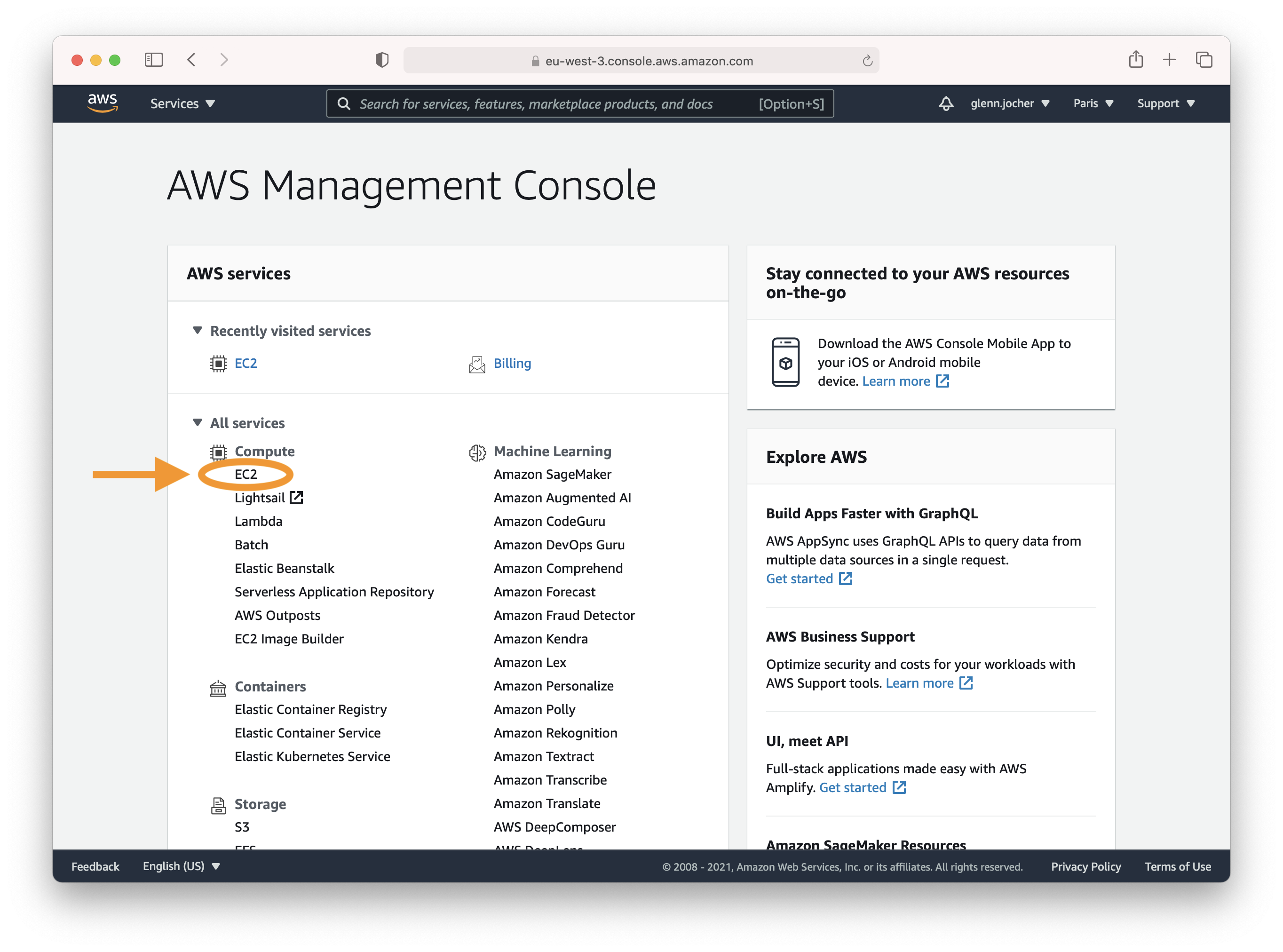
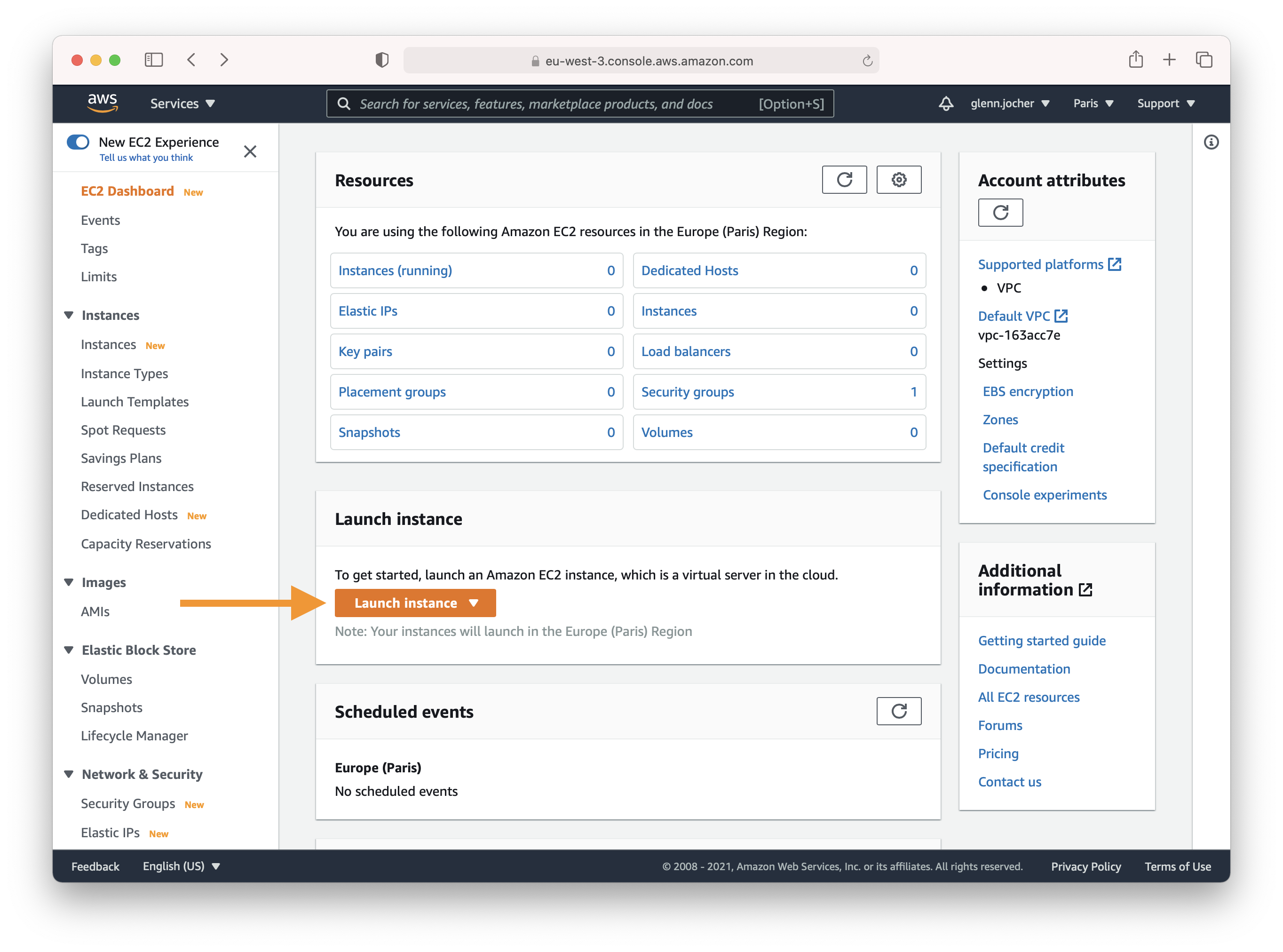
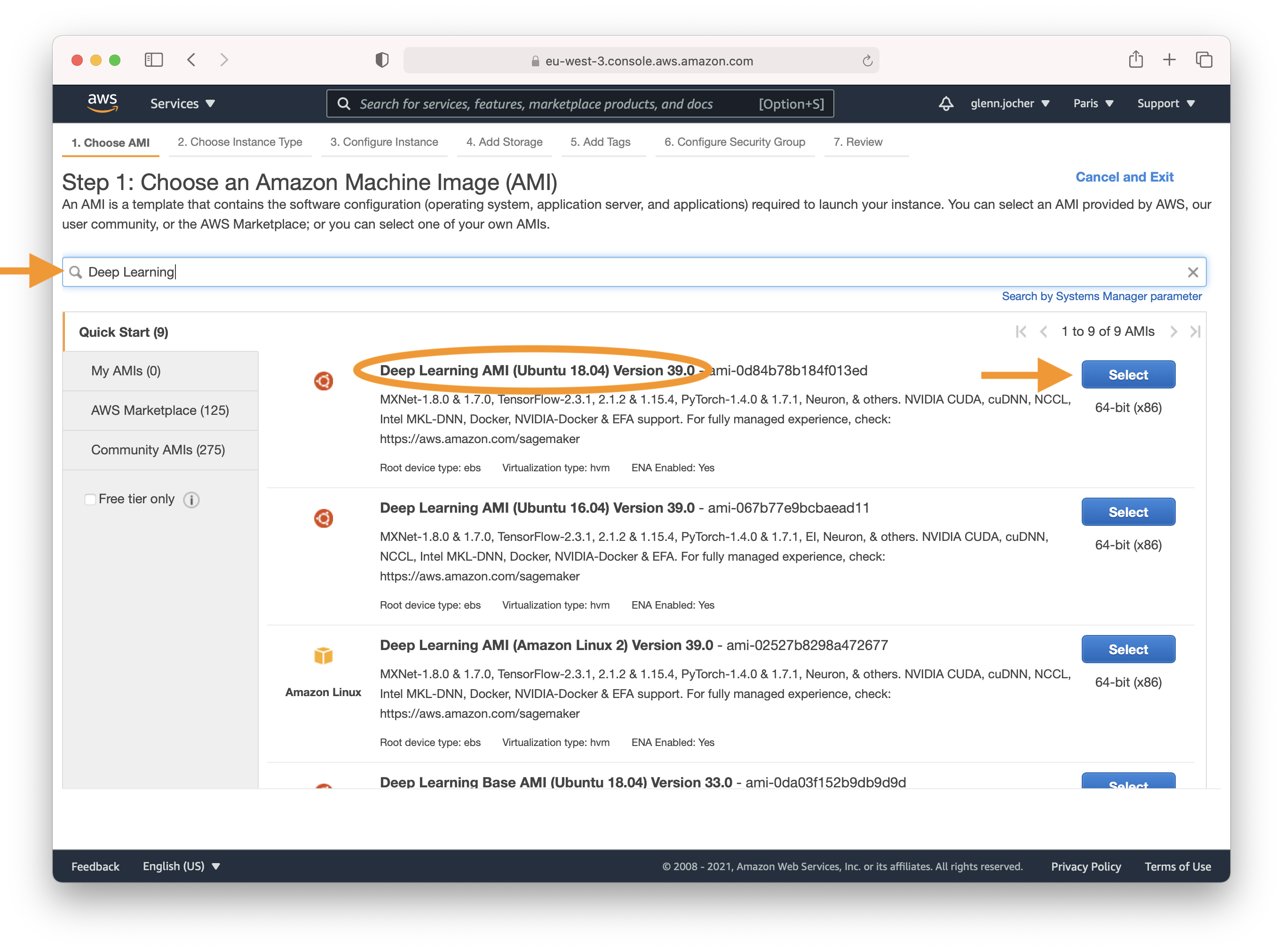
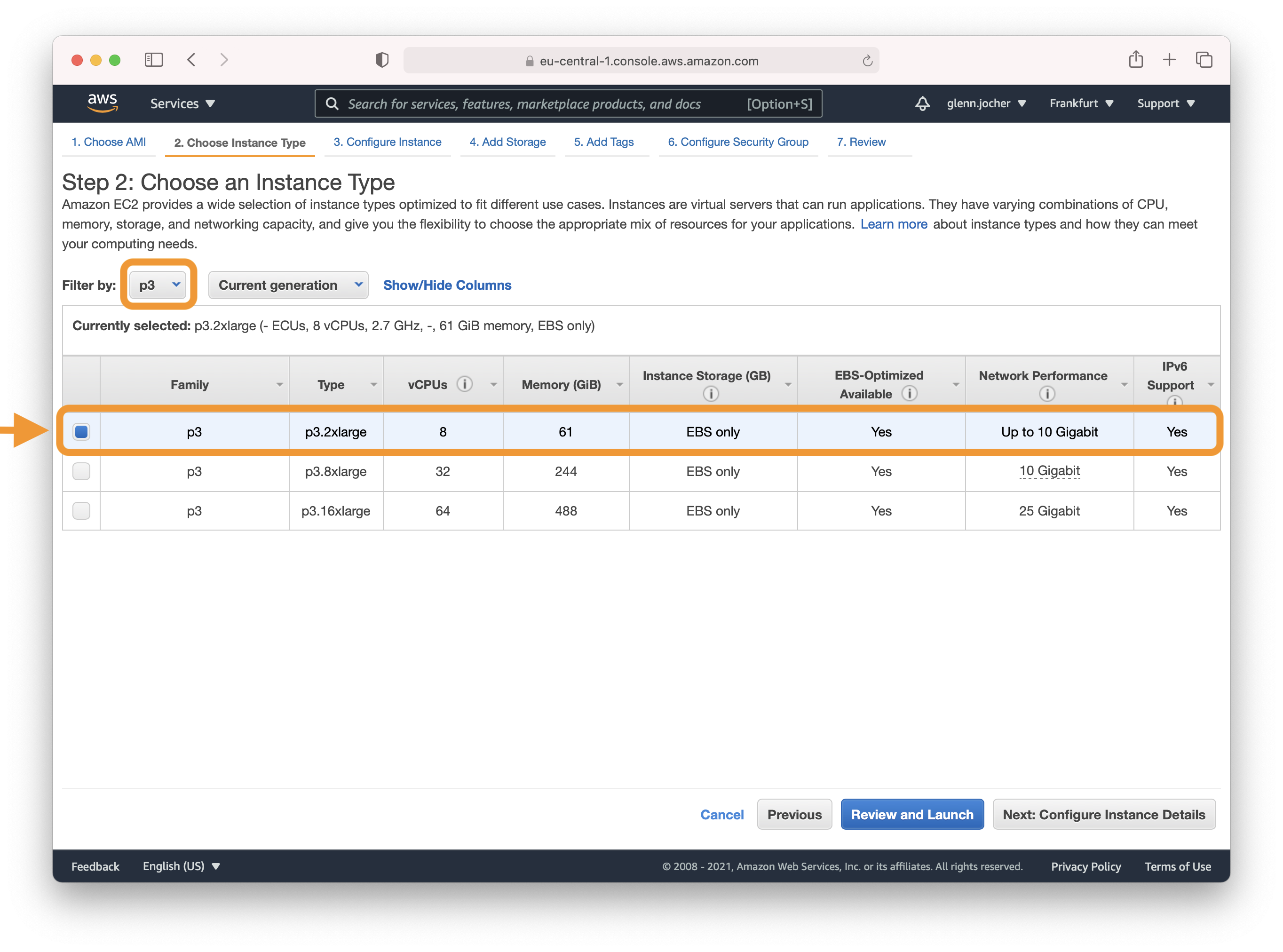
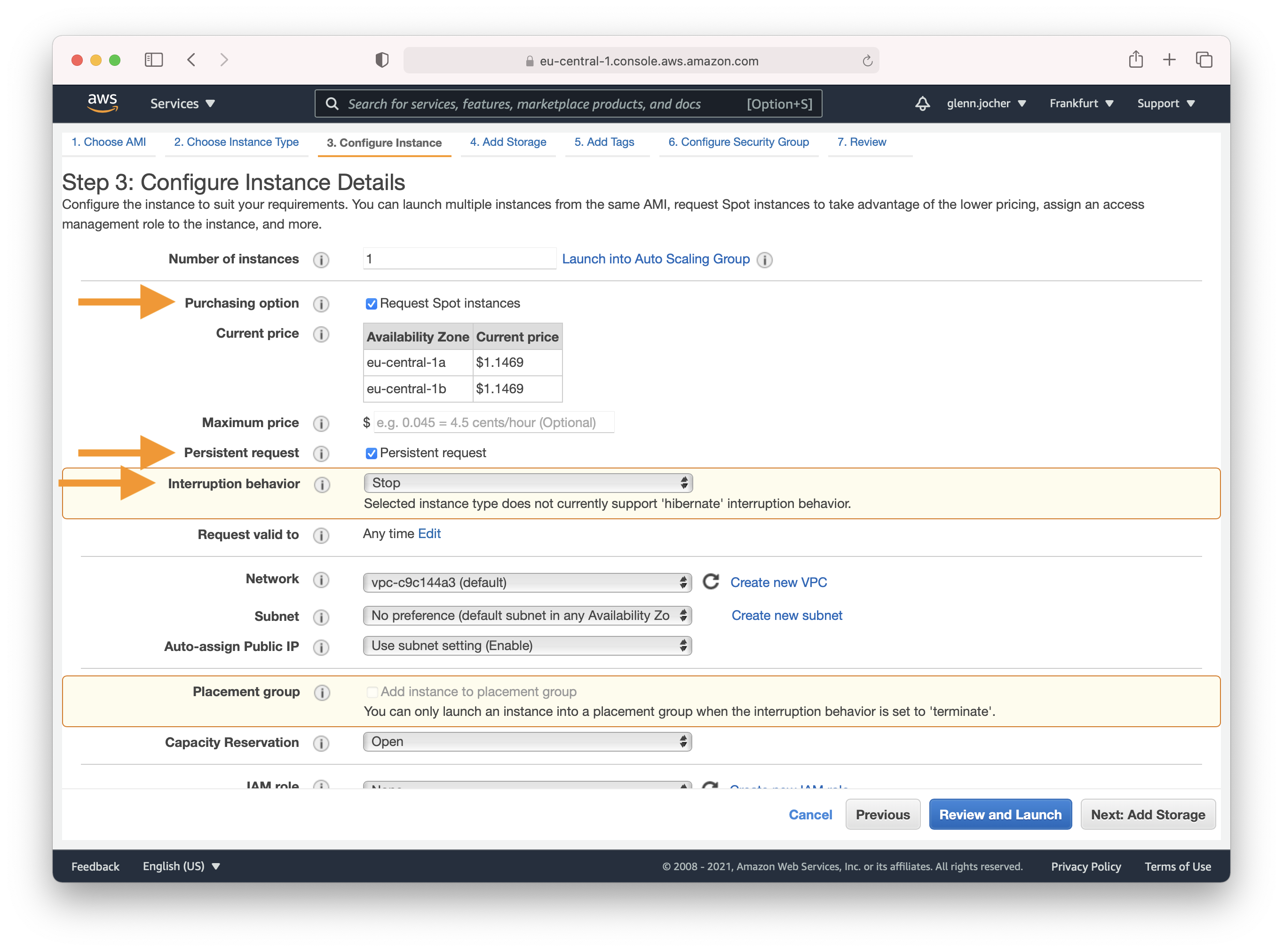
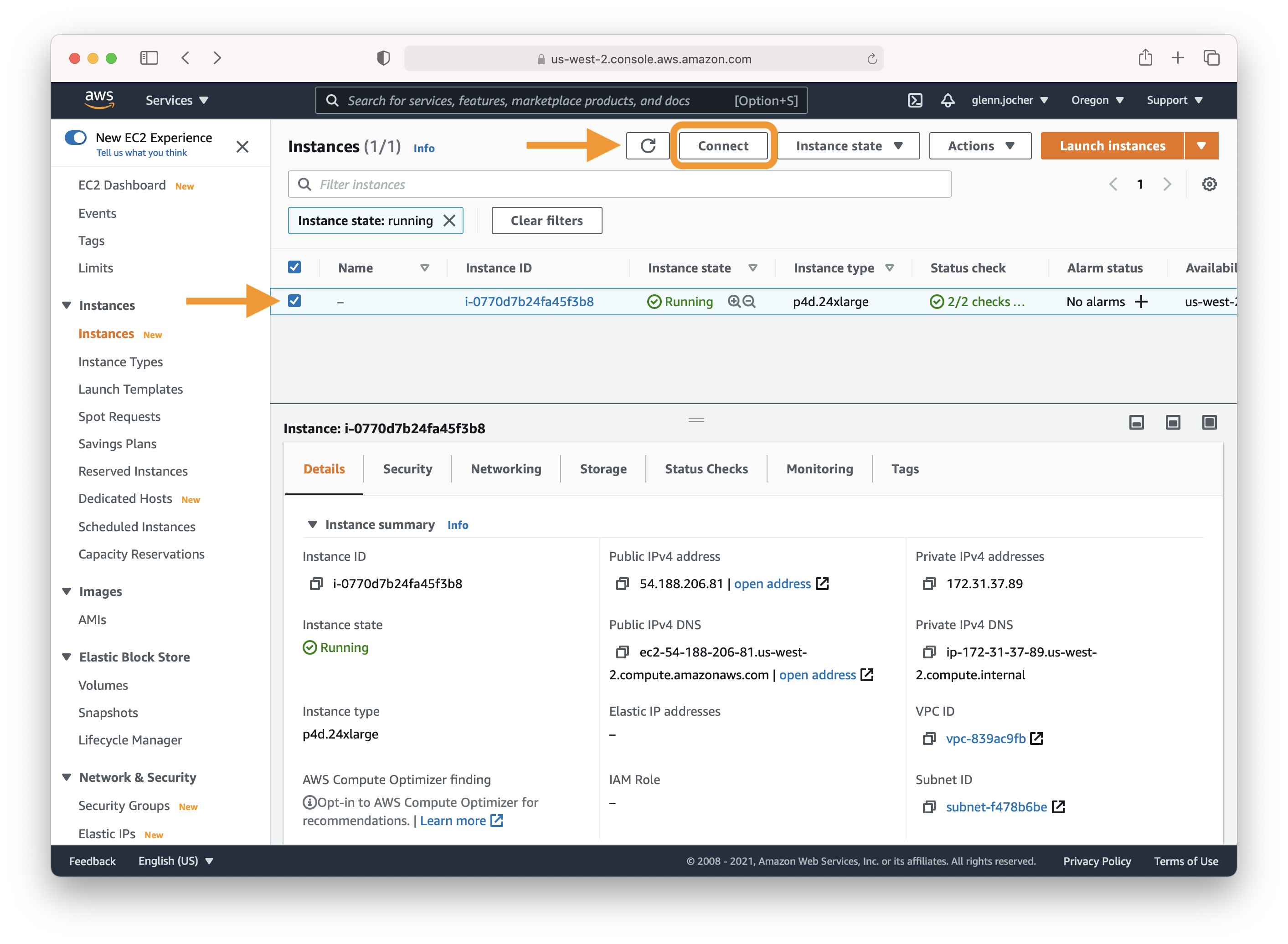
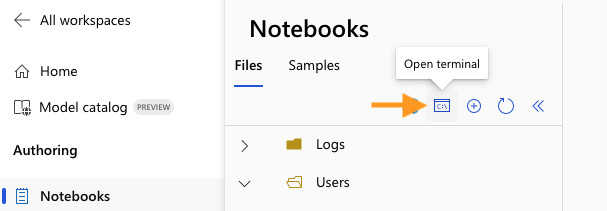
GCP running Docker

================================================ FILE: docs/en/yolov5/environments/google_cloud_quickstart_tutorial.md ================================================ --- comments: true description: Discover how to deploy YOLOv5 on a GCP Deep Learning VM for seamless object detection. Ideal for ML beginners and cloud learners. Get started with our easy-to-follow tutorial! keywords: YOLOv5, Google Cloud Platform, GCP, Deep Learning VM, ML model training, object detection, AI tutorial, cloud-based AI, machine learning setup --- # Mastering YOLOv5 🚀 Deployment on Google Cloud Platform (GCP) Deep Learning Virtual Machine (VM) ⭐ Embarking on the journey of artificial intelligence and machine learning can be exhilarating, especially when you leverage the power and flexibility of a cloud platform. Google Cloud Platform (GCP) offers robust tools tailored for machine learning enthusiasts and professionals alike. One such tool is the Deep Learning VM that is preconfigured for data science and ML tasks. In this tutorial, we will navigate through the process of setting up YOLOv5 on a GCP Deep Learning VM. Whether you’re taking your first steps in ML or you’re a seasoned practitioner, this guide is designed to provide you with a clear pathway to implementing object detection models powered by YOLOv5. 🆓 Plus, if you're a fresh GCP user, you’re in luck with a [$300 free credit offer](https://cloud.google.com/free/docs/gcp-free-tier#free-trial) to kickstart your projects. In addition to GCP, explore other accessible quickstart options for YOLOv5, like our [Colab Notebook](https://colab.research.google.com/github/ultralytics/yolov5/blob/master/tutorial.ipynb) Open In Colab for a browser-based experience, or the scalability of [Amazon AWS](https://docs.ultralytics.com/yolov5/environments/aws_quickstart_tutorial). Furthermore, container aficionados can utilize our official Docker image at [Docker Hub](https://hub.docker.com/r/ultralytics/yolov5) Docker Pulls for an encapsulated environment. ## Step 1: Create and Configure Your Deep Learning VM Let’s begin by creating a virtual machine that’s tuned for deep learning: 1. Head over to the [GCP marketplace](https://console.cloud.google.com/marketplace/details/click-to-deploy-images/deeplearning) and select the **Deep Learning VM**. 2. Opt for a **n1-standard-8** instance; it offers a balance of 8 vCPUs and 30 GB of memory, ideally suited for our needs. 3. Next, select a GPU. This depends on your workload; even a basic one like the Tesla T4 will markedly accelerate your model training. 4. Tick the box for 'Install NVIDIA GPU driver automatically on first startup?' for hassle-free setup. 5. Allocate a 300 GB SSD Persistent Disk to ensure you don't bottleneck on I/O operations. 6. Hit 'Deploy' and let GCP do its magic in provisioning your custom Deep Learning VM. This VM comes loaded with a treasure trove of preinstalled tools and frameworks, including the [Anaconda](https://www.anaconda.com/) Python distribution, which conveniently bundles all the necessary dependencies for YOLOv5. ![GCP Marketplace illustration of setting up a Deep Learning VM](https://user-images.githubusercontent.com/26833433/105811495-95863880-5f61-11eb-841d-c2f2a5aa0ffe.png) ## Step 2: Ready the VM for YOLOv5 Following the environment setup, let's get YOLOv5 up and running: ```bash # Clone the YOLOv5 repository git clone https://github.com/ultralytics/yolov5 # Change the directory to the cloned repository cd yolov5 # Install the necessary Python packages from requirements.txt pip install -r requirements.txt ``` This setup process ensures you're working with a Python environment version 3.8.0 or newer and PyTorch 1.8 or above. Our scripts smoothly download [models](https://github.com/ultralytics/yolov5/tree/master/models) and [datasets](https://github.com/ultralytics/yolov5/tree/master/data) rending from the latest YOLOv5 [release](https://github.com/ultralytics/yolov5/releases), making it hassle-free to start model training. ## Step 3: Train and Deploy Your YOLOv5 Models 🌐 With the setup complete, you're ready to delve into training and inference with YOLOv5 on your GCP VM: ```bash # Train a model on your data python train.py # Validate the trained model for Precision, Recall, and mAP python val.py --weights yolov5s.pt # Run inference using the trained model on your images or videos python detect.py --weights yolov5s.pt --source path/to/images # Export the trained model to other formats for deployment python export.py --weights yolov5s.pt --include onnx coreml tflite ``` With just a few commands, YOLOv5 allows you to train custom object detection models tailored to your specific needs or utilize pre-trained weights for quick results on a variety of tasks. ![Terminal command image illustrating model training on a GCP Deep Learning VM](https://user-images.githubusercontent.com/26833433/142223900-275e5c9e-e2b5-43f7-a21c-35c4ca7de87c.png) ## Allocate Swap Space (optional) For those dealing with hefty datasets, consider amplifying your GCP instance with an additional 64GB of swap memory: ```bash sudo fallocate -l 64G /swapfile sudo chmod 600 /swapfile sudo mkswap /swapfile sudo swapon /swapfile free -h # confirm the memory increment ``` ### Concluding Thoughts Congratulations! You are now empowered to harness the capabilities of YOLOv5 with the computational prowess of Google Cloud Platform. This combination provides scalability, efficiency, and versatility for your object detection tasks. Whether for personal projects, academic research, or industrial applications, you have taken a pivotal step into the world of AI and machine learning on the cloud. Do remember to document your journey, share insights with the Ultralytics community, and leverage the collaborative arenas such as [GitHub discussions](https://github.com/ultralytics/yolov5/discussions) to grow further. Now, go forth and innovate with YOLOv5 and GCP! 🌟 Want to keep improving your ML skills and knowledge? Dive into our [documentation and tutorials](https://docs.ultralytics.com/) for more resources. Let your AI adventure continue! ================================================ FILE: docs/en/yolov5/index.md ================================================ --- comments: true description: Deep dive into Ultralytics' YOLOv5. Learn about object detection model - YOLOv5, how to train it on custom data, multi-GPU training and more. keywords: YOLOv5, object detection, computer vision, CUDA, PyTorch tutorial, multi-GPU training, custom dataset, model export, deployment, CI tests --- # Comprehensive Guide to Ultralytics YOLOv5
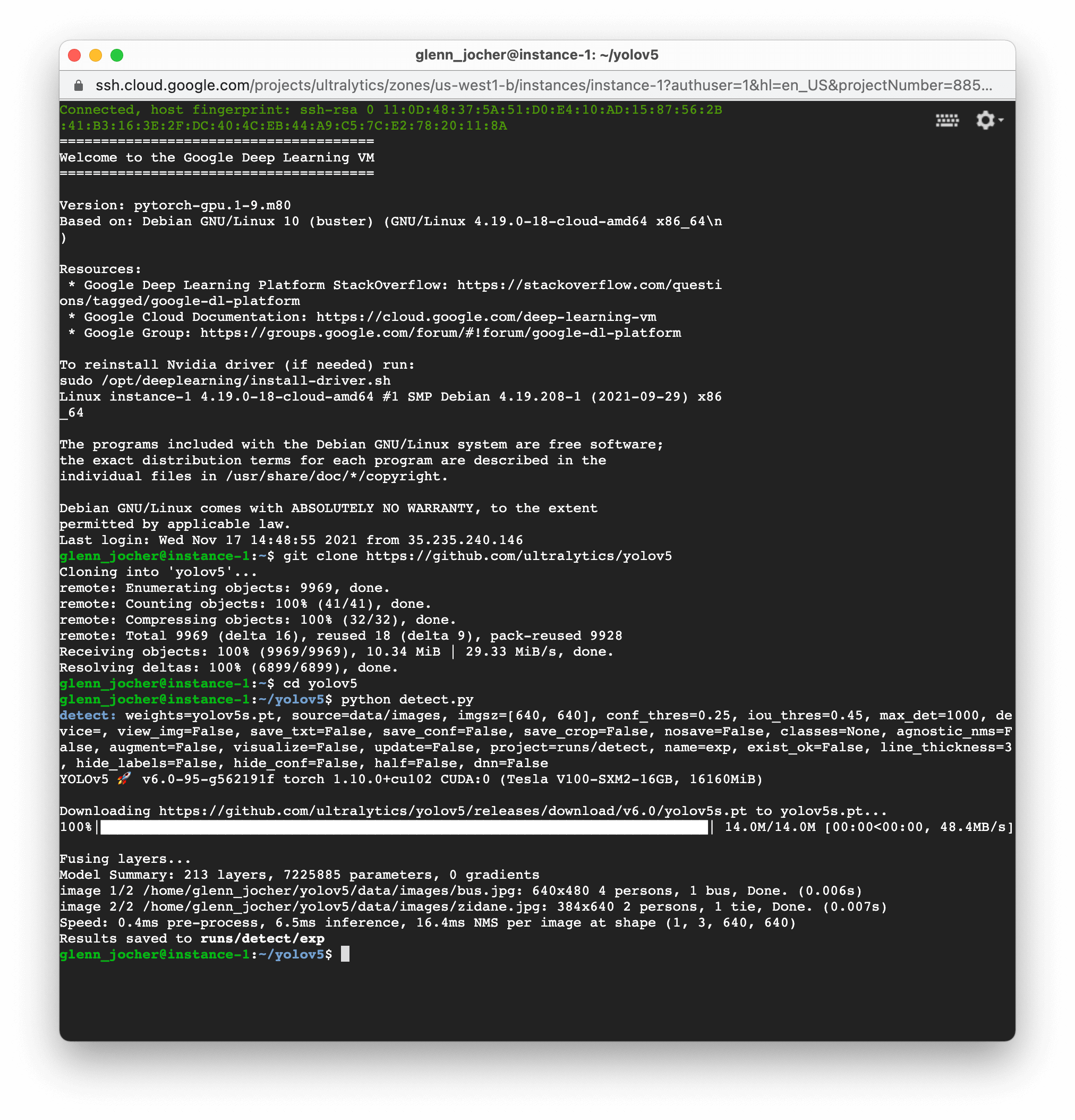
Ultralytics YOLOv5 v7.0 banner

YOLOv5 CI YOLOv5 Citation Docker Pulls
Run on Gradient Open In Colab Open In Kaggle

Welcome to the Ultralytics' YOLOv5🚀 Documentation! YOLOv5, the fifth iteration of the revolutionary "You Only Look Once" object detection model, is designed to deliver high-speed, high-accuracy results in real-time.

Built on PyTorch, this powerful deep learning framework has garnered immense popularity for its versatility, ease of use, and high performance. Our documentation guides you through the installation process, explains the architectural nuances of the model, showcases various use-cases, and provides a series of detailed tutorials. These resources will help you harness the full potential of YOLOv5 for your computer vision projects. Let's get started!
## Explore and Learn Here's a compilation of comprehensive tutorials that will guide you through different aspects of YOLOv5. - [Train Custom Data](tutorials/train_custom_data.md) 🚀 RECOMMENDED: Learn how to train the YOLOv5 model on your custom dataset. - [Tips for Best Training Results](tutorials/tips_for_best_training_results.md) ☘️: Uncover practical tips to optimize your model training process. - [Multi-GPU Training](tutorials/multi_gpu_training.md): Understand how to leverage multiple GPUs to expedite your training. - [PyTorch Hub](tutorials/pytorch_hub_model_loading.md) 🌟 NEW: Learn to load pre-trained models via PyTorch Hub. - [TFLite, ONNX, CoreML, TensorRT Export](tutorials/model_export.md) 🚀: Understand how to export your model to different formats. - [NVIDIA Jetson platform Deployment](tutorials/running_on_jetson_nano.md) 🌟 NEW: Learn how to deploy your YOLOv5 model on NVIDIA Jetson platform. - [Test-Time Augmentation (TTA)](tutorials/test_time_augmentation.md): Explore how to use TTA to improve your model's prediction accuracy. - [Model Ensembling](tutorials/model_ensembling.md): Learn the strategy of combining multiple models for improved performance. - [Model Pruning/Sparsity](tutorials/model_pruning_and_sparsity.md): Understand pruning and sparsity concepts, and how to create a more efficient model. - [Hyperparameter Evolution](tutorials/hyperparameter_evolution.md): Discover the process of automated hyperparameter tuning for better model performance. - [Transfer Learning with Frozen Layers](tutorials/transfer_learning_with_frozen_layers.md): Learn how to implement transfer learning by freezing layers in YOLOv5. - [Architecture Summary](tutorials/architecture_description.md) 🌟 Delve into the structural details of the YOLOv5 model. - [Roboflow for Datasets](tutorials/roboflow_datasets_integration.md): Understand how to utilize Roboflow for dataset management, labeling, and active learning. - [ClearML Logging](tutorials/clearml_logging_integration.md) 🌟 Learn how to integrate ClearML for efficient logging during your model training. - [YOLOv5 with Neural Magic](tutorials/neural_magic_pruning_quantization.md) Discover how to use Neural Magic's Deepsparse to prune and quantize your YOLOv5 model. - [Comet Logging](tutorials/comet_logging_integration.md) 🌟 NEW: Explore how to utilize Comet for improved model training logging. ## Supported Environments Ultralytics provides a range of ready-to-use environments, each pre-installed with essential dependencies such as [CUDA](https://developer.nvidia.com/cuda), [CUDNN](https://developer.nvidia.com/cudnn), [Python](https://www.python.org/), and [PyTorch](https://pytorch.org/), to kickstart your projects. - **Free GPU Notebooks**: Run on Gradient Open In Colab Open In Kaggle - **Google Cloud**: [GCP Quickstart Guide](environments/google_cloud_quickstart_tutorial.md) - **Amazon**: [AWS Quickstart Guide](environments/aws_quickstart_tutorial.md) - **Azure**: [AzureML Quickstart Guide](environments/azureml_quickstart_tutorial.md) - **Docker**: [Docker Quickstart Guide](environments/docker_image_quickstart_tutorial.md) Docker Pulls ## Project Status YOLOv5 CI This badge indicates that all [YOLOv5 GitHub Actions](https://github.com/ultralytics/yolov5/actions) Continuous Integration (CI) tests are successfully passing. These CI tests rigorously check the functionality and performance of YOLOv5 across various key aspects: [training](https://github.com/ultralytics/yolov5/blob/master/train.py), [validation](https://github.com/ultralytics/yolov5/blob/master/val.py), [inference](https://github.com/ultralytics/yolov5/blob/master/detect.py), [export](https://github.com/ultralytics/yolov5/blob/master/export.py), and [benchmarks](https://github.com/ultralytics/yolov5/blob/master/benchmarks.py). They ensure consistent and reliable operation on macOS, Windows, and Ubuntu, with tests conducted every 24 hours and upon each new commit.
Ultralytics GitHub space Ultralytics LinkedIn space Ultralytics Twitter space Ultralytics YouTube space Ultralytics TikTok space Ultralytics Instagram space Ultralytics Discord
## Connect and Contribute Your journey with YOLOv5 doesn't have to be a solitary one. Join our vibrant community on [GitHub](https://github.com/ultralytics/yolov5), connect with professionals on [LinkedIn](https://www.linkedin.com/company/ultralytics/), share your results on [Twitter](https://twitter.com/ultralytics), and find educational resources on [YouTube](https://youtube.com/ultralytics). Follow us on [TikTok](https://www.tiktok.com/@ultralytics) and [Instagram](https://www.instagram.com/ultralytics/) for more engaging content. Interested in contributing? We welcome contributions of all forms; from code improvements and bug reports to documentation updates. Check out our [contributing guidelines](https://docs.ultralytics.com/help/contributing/) for more information. We're excited to see the innovative ways you'll use YOLOv5. Dive in, experiment, and revolutionize your computer vision projects! 🚀 ================================================ FILE: docs/en/yolov5/quickstart_tutorial.md ================================================ --- comments: true description: Dive into YOLOv5 for object detection with our easy-to-follow guide on setup, model training, and image inference using PyTorch. Get started now! keywords: YOLOv5 Tutorial, Object Detection Guide, PyTorch Model Training, Inference with YOLOv5, Ultralytics YOLOv5 Setup --- # YOLOv5 Quickstart 🚀 Embark on your journey into the dynamic realm of real-time object detection with YOLOv5! This guide is crafted to serve as a comprehensive starting point for AI enthusiasts and professionals aiming to master YOLOv5. From initial setup to advanced training techniques, we've got you covered. By the end of this guide, you'll have the knowledge to implement YOLOv5 into your projects confidently. Let's ignite the engines and soar into YOLOv5! ## Install Prepare for launch by cloning the repository and establishing the environment. This ensures that all the necessary [requirements](https://github.com/ultralytics/yolov5/blob/master/requirements.txt) are installed. Check that you have [**Python>=3.8.0**](https://www.python.org/) and [**PyTorch>=1.8**](https://pytorch.org/get-started/locally/) ready for takeoff. ```bash git clone https://github.com/ultralytics/yolov5 # clone repository cd yolov5 pip install -r requirements.txt # install dependencies ``` ## Inference with PyTorch Hub Experience the simplicity of YOLOv5 [PyTorch Hub](https://docs.ultralytics.com/yolov5/tutorials/pytorch_hub_model_loading) inference, where [models](https://github.com/ultralytics/yolov5/tree/master/models) are seamlessly downloaded from the latest YOLOv5 [release](https://github.com/ultralytics/yolov5/releases). ```python import torch # Model loading model = torch.hub.load("ultralytics/yolov5", "yolov5s") # Can be 'yolov5n' - 'yolov5x6', or 'custom' # Inference on images img = "https://ultralytics.com/images/zidane.jpg" # Can be a file, Path, PIL, OpenCV, numpy, or list of images # Run inference results = model(img) # Display results results.print() # Other options: .show(), .save(), .crop(), .pandas(), etc. ``` ## Inference with detect.py Harness `detect.py` for versatile inference on various sources. It automatically fetches [models](https://github.com/ultralytics/yolov5/tree/master/models) from the latest YOLOv5 [release](https://github.com/ultralytics/yolov5/releases) and saves results with ease. ```bash python detect.py --weights yolov5s.pt --source 0 # webcam img.jpg # image vid.mp4 # video screen # screenshot path/ # directory list.txt # list of images list.streams # list of streams 'path/*.jpg' # glob 'https://youtu.be/LNwODJXcvt4' # YouTube 'rtsp://example.com/media.mp4' # RTSP, RTMP, HTTP stream ``` ## Training Replicate the YOLOv5 [COCO](https://github.com/ultralytics/yolov5/blob/master/data/scripts/get_coco.sh) benchmarks with the instructions below. The necessary [models](https://github.com/ultralytics/yolov5/tree/master/models) and [datasets](https://github.com/ultralytics/yolov5/tree/master/data) are pulled directly from the latest YOLOv5 [release](https://github.com/ultralytics/yolov5/releases). Training YOLOv5n/s/m/l/x on a V100 GPU should typically take 1/2/4/6/8 days respectively (note that [Multi-GPU](https://docs.ultralytics.com/yolov5/tutorials/multi_gpu_training) setups work faster). Maximize performance by using the highest possible `--batch-size` or use `--batch-size -1` for the YOLOv5 [AutoBatch](https://github.com/ultralytics/yolov5/pull/5092) feature. The following batch sizes are ideal for V100-16GB GPUs. ```bash python train.py --data coco.yaml --epochs 300 --weights '' --cfg yolov5n.yaml --batch-size 128 yolov5s 64 yolov5m 40 yolov5l 24 yolov5x 16 ``` YOLO training curves To conclude, YOLOv5 is not only a state-of-the-art tool for object detection but also a testament to the power of machine learning in transforming the way we interact with the world through visual understanding. As you progress through this guide and begin applying YOLOv5 to your projects, remember that you are at the forefront of a technological revolution, capable of achieving remarkable feats. Should you need further insights or support from fellow visionaries, you're invited to our [GitHub repository](https://github.com/ultralytics/yolov5) home to a thriving community of developers and researchers. Keep exploring, keep innovating, and enjoy the marvels of YOLOv5. Happy detecting! 🌠🔍 ================================================ FILE: docs/en/yolov5/tutorials/architecture_description.md ================================================ --- comments: true description: Explore the architecture of YOLOv5, an object detection algorithm by Ultralytics. Understand the model structure, data augmentation methods, training strategies, and loss computation techniques. keywords: Ultralytics, YOLOv5, Object Detection, Architecture, Model Structure, Data Augmentation, Training Strategies, Loss Computation --- # Ultralytics YOLOv5 Architecture YOLOv5 (v6.0/6.1) is a powerful object detection algorithm developed by Ultralytics. This article dives deep into the YOLOv5 architecture, data augmentation strategies, training methodologies, and loss computation techniques. This comprehensive understanding will help improve your practical application of object detection in various fields, including surveillance, autonomous vehicles, and image recognition. ## 1. Model Structure YOLOv5's architecture consists of three main parts: - **Backbone**: This is the main body of the network. For YOLOv5, the backbone is designed using the `New CSP-Darknet53` structure, a modification of the Darknet architecture used in previous versions. - **Neck**: This part connects the backbone and the head. In YOLOv5, `SPPF` and `New CSP-PAN` structures are utilized. - **Head**: This part is responsible for generating the final output. YOLOv5 uses the `YOLOv3 Head` for this purpose. The structure of the model is depicted in the image below. The model structure details can be found in `yolov5l.yaml`. ![yolov5](https://user-images.githubusercontent.com/31005897/172404576-c260dcf9-76bb-4bc8-b6a9-f2d987792583.png) YOLOv5 introduces some minor changes compared to its predecessors: 1. The `Focus` structure, found in earlier versions, is replaced with a `6x6 Conv2d` structure. This change boosts efficiency [#4825](https://github.com/ultralytics/yolov5/issues/4825). 2. The `SPP` structure is replaced with `SPPF`. This alteration more than doubles the speed of processing. To test the speed of `SPP` and `SPPF`, the following code can be used:
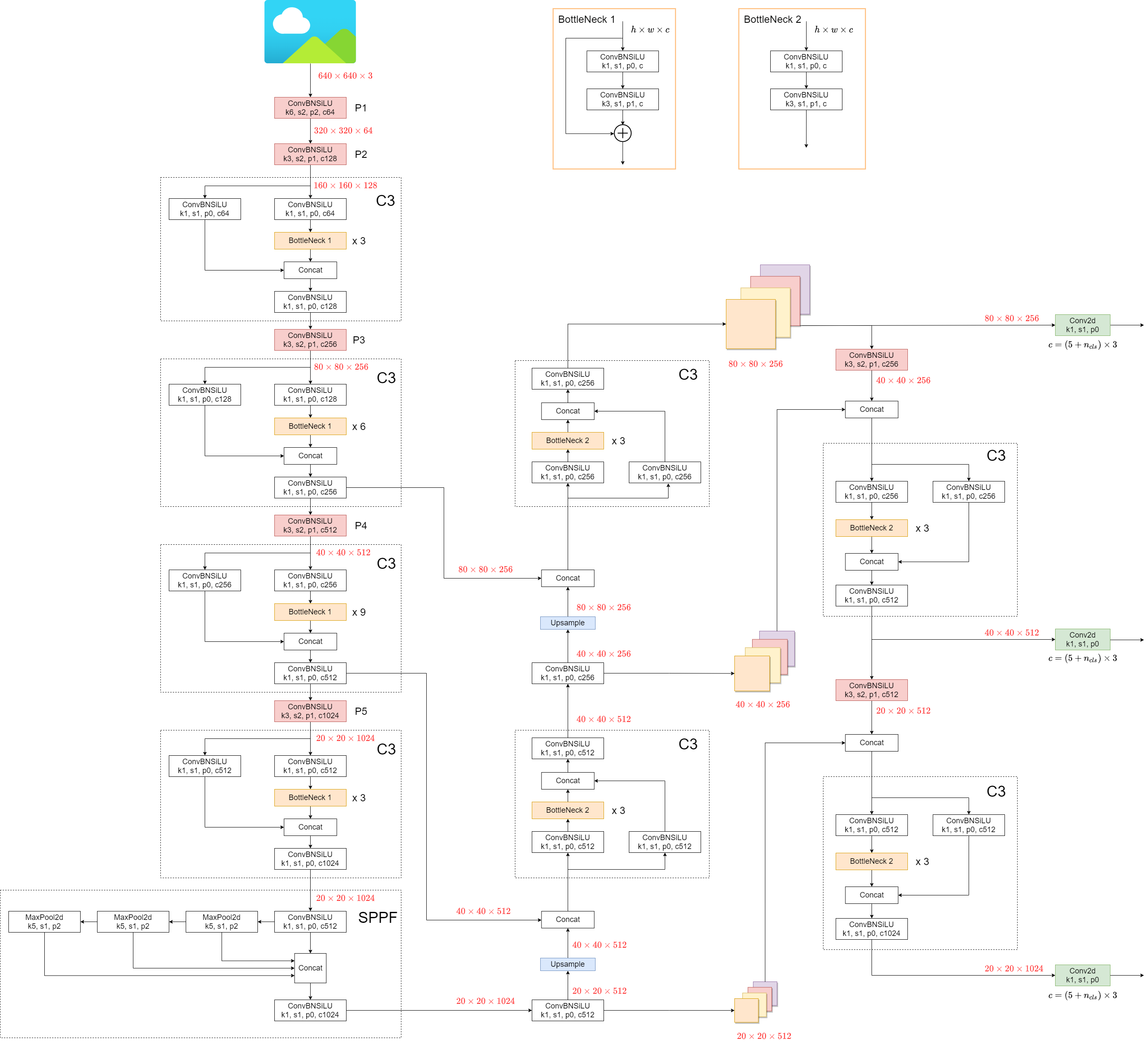
SPP vs SPPF speed profiling example (click to open) ```python import time import torch import torch.nn as nn class SPP(nn.Module): def __init__(self): super().__init__() self.maxpool1 = nn.MaxPool2d(5, 1, padding=2) self.maxpool2 = nn.MaxPool2d(9, 1, padding=4) self.maxpool3 = nn.MaxPool2d(13, 1, padding=6) def forward(self, x): o1 = self.maxpool1(x) o2 = self.maxpool2(x) o3 = self.maxpool3(x) return torch.cat([x, o1, o2, o3], dim=1) class SPPF(nn.Module): def __init__(self): super().__init__() self.maxpool = nn.MaxPool2d(5, 1, padding=2) def forward(self, x): o1 = self.maxpool(x) o2 = self.maxpool(o1) o3 = self.maxpool(o2) return torch.cat([x, o1, o2, o3], dim=1) def main(): input_tensor = torch.rand(8, 32, 16, 16) spp = SPP() sppf = SPPF() output1 = spp(input_tensor) output2 = sppf(input_tensor) print(torch.equal(output1, output2)) t_start = time.time() for _ in range(100): spp(input_tensor) print(f"SPP time: {time.time() - t_start}") t_start = time.time() for _ in range(100): sppf(input_tensor) print(f"SPPF time: {time.time() - t_start}") if __name__ == '__main__': main() ``` result: ``` True SPP time: 0.5373051166534424 SPPF time: 0.20780706405639648 ```
## 2. Data Augmentation Techniques YOLOv5 employs various data augmentation techniques to improve the model's ability to generalize and reduce overfitting. These techniques include: - **Mosaic Augmentation**: An image processing technique that combines four training images into one in ways that encourage object detection models to better handle various object scales and translations. ![mosaic](https://user-images.githubusercontent.com/31005897/159109235-c7aad8f2-1d4f-41f9-8d5f-b2fde6f2885e.png) - **Copy-Paste Augmentation**: An innovative data augmentation method that copies random patches from an image and pastes them onto another randomly chosen image, effectively generating a new training sample. ![copy-paste](https://user-images.githubusercontent.com/31005897/159116277-91b45033-6bec-4f82-afc4-41138866628e.png) - **Random Affine Transformations**: This includes random rotation, scaling, translation, and shearing of the images. ![random-affine](https://user-images.githubusercontent.com/31005897/159109326-45cd5acb-14fa-43e7-9235-0f21b0021c7d.png) - **MixUp Augmentation**: A method that creates composite images by taking a linear combination of two images and their associated labels. ![mixup](https://user-images.githubusercontent.com/31005897/159109361-3b24333b-f481-478b-ae00-df7838f0b5cd.png) - **Albumentations**: A powerful library for image augmenting that supports a wide variety of augmentation techniques. - **HSV Augmentation**: Random changes to the Hue, Saturation, and Value of the images. ![hsv](https://user-images.githubusercontent.com/31005897/159109407-83d100ba-1aba-4f4b-aa03-4f048f815981.png) - **Random Horizontal Flip**: An augmentation method that randomly flips images horizontally. ![horizontal-flip](https://user-images.githubusercontent.com/31005897/159109429-0d44619a-a76a-49eb-bfc0-6709860c043e.png) ## 3. Training Strategies YOLOv5 applies several sophisticated training strategies to enhance the model's performance. They include: - **Multiscale Training**: The input images are randomly rescaled within a range of 0.5 to 1.5 times their original size during the training process. - **AutoAnchor**: This strategy optimizes the prior anchor boxes to match the statistical characteristics of the ground truth boxes in your custom data. - **Warmup and Cosine LR Scheduler**: A method to adjust the learning rate to enhance model performance. - **Exponential Moving Average (EMA)**: A strategy that uses the average of parameters over past steps to stabilize the training process and reduce generalization error. - **Mixed Precision Training**: A method to perform operations in half-precision format, reducing memory usage and enhancing computational speed. - **Hyperparameter Evolution**: A strategy to automatically tune hyperparameters to achieve optimal performance. ## 4. Additional Features ### 4.1 Compute Losses The loss in YOLOv5 is computed as a combination of three individual loss components: - **Classes Loss (BCE Loss)**: Binary Cross-Entropy loss, measures the error for the classification task. - **Objectness Loss (BCE Loss)**: Another Binary Cross-Entropy loss, calculates the error in detecting whether an object is present in a particular grid cell or not. - **Location Loss (CIoU Loss)**: Complete IoU loss, measures the error in localizing the object within the grid cell. The overall loss function is depicted by: ![loss](https://latex.codecogs.com/svg.image?Loss=\lambda_1L_{cls}+\lambda_2L_{obj}+\lambda_3L_{loc}) ### 4.2 Balance Losses The objectness losses of the three prediction layers (`P3`, `P4`, `P5`) are weighted differently. The balance weights are `[4.0, 1.0, 0.4]` respectively. This approach ensures that the predictions at different scales contribute appropriately to the total loss. ![obj_loss](https://latex.codecogs.com/svg.image?L_{obj}=4.0\cdot&space;L_{obj}^{small}+1.0\cdot&space;L_{obj}^{medium}+0.4\cdot&space;L_{obj}^{large}) ### 4.3 Eliminate Grid Sensitivity The YOLOv5 architecture makes some important changes to the box prediction strategy compared to earlier versions of YOLO. In YOLOv2 and YOLOv3, the box coordinates were directly predicted using the activation of the last layer. ![b_x]() ![b_y]() ![b_w](https://latex.codecogs.com/svg.image?b_w=p_w\cdot&space;e^{t_w}) ![b_h](https://latex.codecogs.com/svg.image?b_h=p_h\cdot&space;e^{t_h}) YOLOv5 grid computation However, in YOLOv5, the formula for predicting the box coordinates has been updated to reduce grid sensitivity and prevent the model from predicting unbounded box dimensions. The revised formulas for calculating the predicted bounding box are as follows: ![bx]() ![by]() ![bw]() ![bh]() Compare the center point offset before and after scaling. The center point offset range is adjusted from (0, 1) to (-0.5, 1.5). Therefore, offset can easily get 0 or 1. YOLOv5 grid scaling Compare the height and width scaling ratio(relative to anchor) before and after adjustment. The original yolo/darknet box equations have a serious flaw. Width and Height are completely unbounded as they are simply out=exp(in), which is dangerous, as it can lead to runaway gradients, instabilities, NaN losses and ultimately a complete loss of training. [refer this issue](https://github.com/ultralytics/yolov5/issues/471#issuecomment-662009779) YOLOv5 unbounded scaling ### 4.4 Build Targets The build target process in YOLOv5 is critical for training efficiency and model accuracy. It involves assigning ground truth boxes to the appropriate grid cells in the output map and matching them with the appropriate anchor boxes. This process follows these steps: - Calculate the ratio of the ground truth box dimensions and the dimensions of each anchor template. ![rw](https://latex.codecogs.com/svg.image?r_w=w_{gt}/w_{at}) ![rh](https://latex.codecogs.com/svg.image?r_h=h_{gt}/h_{at}) ![rwmax]() ![rhmax]() ![rmax]() ![match](https://latex.codecogs.com/svg.image?r^{max}<{\rm&space;anchor_t}) YOLOv5 IoU computation - If the calculated ratio is within the threshold, match the ground truth box with the corresponding anchor. YOLOv5 grid overlap - Assign the matched anchor to the appropriate cells, keeping in mind that due to the revised center point offset, a ground truth box can be assigned to more than one anchor. Because the center point offset range is adjusted from (0, 1) to (-0.5, 1.5). GT Box can be assigned to more anchors. YOLOv5 anchor selection This way, the build targets process ensures that each ground truth object is properly assigned and matched during the training process, allowing YOLOv5 to learn the task of object detection more effectively. ## Conclusion In conclusion, YOLOv5 represents a significant step forward in the development of real-time object detection models. By incorporating various new features, enhancements, and training strategies, it surpasses previous versions of the YOLO family in performance and efficiency. The primary enhancements in YOLOv5 include the use of a dynamic architecture, an extensive range of data augmentation techniques, innovative training strategies, as well as important adjustments in computing losses and the process of building targets. All these innovations significantly improve the accuracy and efficiency of object detection while retaining a high degree of speed, which is the trademark of YOLO models. ================================================ FILE: docs/en/yolov5/tutorials/clearml_logging_integration.md ================================================ --- comments: true description: Learn how ClearML can enhance your YOLOv5 pipeline – track your training runs, version your data, remotely monitor your models and optimize performance. keywords: ClearML, YOLOv5, Ultralytics, AI toolbox, training data, remote training, hyperparameter optimization, YOLOv5 model --- # ClearML Integration Clear|MLClear|ML ## About ClearML [ClearML](https://clear.ml/) is an [open-source](https://github.com/allegroai/clearml) toolbox designed to save you time ⏱️. 🔨 Track every YOLOv5 training run in the experiment manager 🔧 Version and easily access your custom training data with the integrated ClearML Data Versioning Tool 🔦 Remotely train and monitor your YOLOv5 training runs using ClearML Agent 🔬 Get the very best mAP using ClearML Hyperparameter Optimization 🔭 Turn your newly trained YOLOv5 model into an API with just a few commands using ClearML Serving
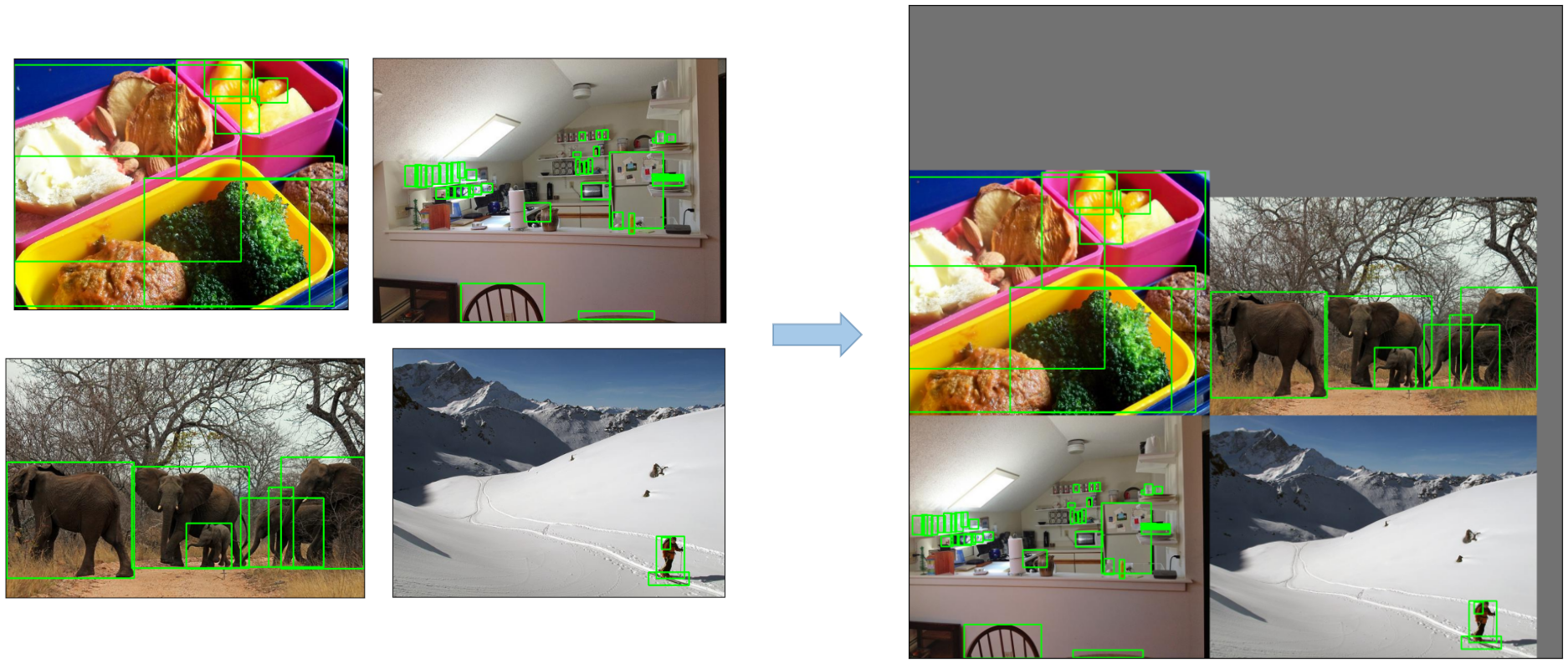
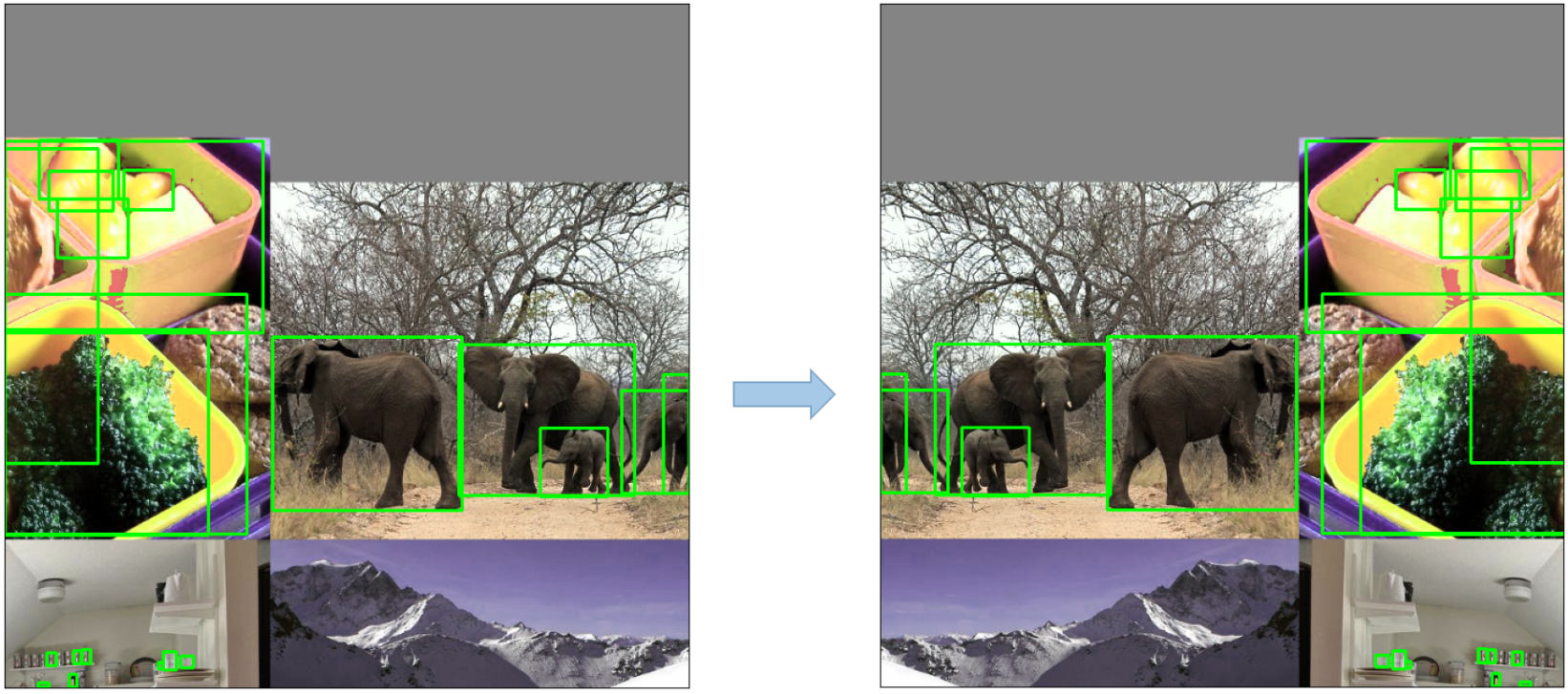


And so much more. It's up to you how many of these tools you want to use, you can stick to the experiment manager, or chain them all together into an impressive pipeline!

![ClearML scalars dashboard](https://github.com/thepycoder/clearml_screenshots/raw/main/experiment_manager_with_compare.gif)

## 🦾 Setting Things Up To keep track of your experiments and/or data, ClearML needs to communicate to a server. You have 2 options to get one: Either sign up for free to the [ClearML Hosted Service](https://clear.ml/) or you can set up your own server, see [here](https://clear.ml/docs/latest/docs/deploying_clearml/clearml_server). Even the server is open-source, so even if you're dealing with sensitive data, you should be good to go! - Install the `clearml` python package: ```bash pip install clearml ``` - Connect the ClearML SDK to the server by [creating credentials](https://app.clear.ml/settings/workspace-configuration) (go right top to Settings -> Workspace -> Create new credentials), then execute the command below and follow the instructions: ```bash clearml-init ``` That's it! You're done 😎
## 🚀 Training YOLOv5 With ClearML To enable ClearML experiment tracking, simply install the ClearML pip package. ```bash pip install clearml>=1.2.0 ``` This will enable integration with the YOLOv5 training script. Every training run from now on, will be captured and stored by the ClearML experiment manager. If you want to change the `project_name` or `task_name`, use the `--project` and `--name` arguments of the `train.py` script, by default the project will be called `YOLOv5` and the task `Training`. PLEASE NOTE: ClearML uses `/` as a delimiter for subprojects, so be careful when using `/` in your project name! ```bash python train.py --img 640 --batch 16 --epochs 3 --data coco128.yaml --weights yolov5s.pt --cache ``` or with custom project and task name: ```bash python train.py --project my_project --name my_training --img 640 --batch 16 --epochs 3 --data coco128.yaml --weights yolov5s.pt --cache ``` This will capture: - Source code + uncommitted changes - Installed packages - (Hyper)parameters - Model files (use `--save-period n` to save a checkpoint every n epochs) - Console output - Scalars (mAP_0.5, mAP_0.5:0.95, precision, recall, losses, learning rates, ...) - General info such as machine details, runtime, creation date etc. - All produced plots such as label correlogram and confusion matrix - Images with bounding boxes per epoch - Mosaic per epoch - Validation images per epoch That's a lot right? 🤯 Now, we can visualize all of this information in the ClearML UI to get an overview of our training progress. Add custom columns to the table view (such as e.g. mAP_0.5) so you can easily sort on the best performing model. Or select multiple experiments and directly compare them! There even more we can do with all of this information, like hyperparameter optimization and remote execution, so keep reading if you want to see how that works! ### 🔗 Dataset Version Management Versioning your data separately from your code is generally a good idea and makes it easy to acquire the latest version too. This repository supports supplying a dataset version ID, and it will make sure to get the data if it's not there yet. Next to that, this workflow also saves the used dataset ID as part of the task parameters, so you will always know for sure which data was used in which experiment! ![ClearML Dataset Interface](https://github.com/thepycoder/clearml_screenshots/raw/main/clearml_data.gif) ### Prepare Your Dataset The YOLOv5 repository supports a number of different datasets by using YAML files containing their information. By default datasets are downloaded to the `../datasets` folder in relation to the repository root folder. So if you downloaded the `coco128` dataset using the link in the YAML or with the scripts provided by yolov5, you get this folder structure: ``` .. |_ yolov5 |_ datasets |_ coco128 |_ images |_ labels |_ LICENSE |_ README.txt ``` But this can be any dataset you wish. Feel free to use your own, as long as you keep to this folder structure. Next, ⚠️**copy the corresponding YAML file to the root of the dataset folder**⚠️. This YAML files contains the information ClearML will need to properly use the dataset. You can make this yourself too, of course, just follow the structure of the example YAMLs. Basically we need the following keys: `path`, `train`, `test`, `val`, `nc`, `names`. ``` .. |_ yolov5 |_ datasets |_ coco128 |_ images |_ labels |_ coco128.yaml # <---- HERE! |_ LICENSE |_ README.txt ``` ### Upload Your Dataset To get this dataset into ClearML as a versioned dataset, go to the dataset root folder and run the following command: ```bash cd coco128 clearml-data sync --project YOLOv5 --name coco128 --folder . ``` The command `clearml-data sync` is actually a shorthand command. You could also run these commands one after the other: ```bash # Optionally add --parent if you want to base # this version on another dataset version, so no duplicate files are uploaded! clearml-data create --name coco128 --project YOLOv5 clearml-data add --files . clearml-data close ``` ### Run Training Using A ClearML Dataset Now that you have a ClearML dataset, you can very simply use it to train custom YOLOv5 🚀 models! ```bash python train.py --img 640 --batch 16 --epochs 3 --data clearml:// --weights yolov5s.pt --cache ```
### 👀 Hyperparameter Optimization Now that we have our experiments and data versioned, it's time to take a look at what we can build on top! Using the code information, installed packages and environment details, the experiment itself is now **completely reproducible**. In fact, ClearML allows you to clone an experiment and even change its parameters. We can then just rerun it with these new parameters automatically, this is basically what HPO does! To **run hyperparameter optimization locally**, we've included a pre-made script for you. Just make sure a training task has been run at least once, so it is in the ClearML experiment manager, we will essentially clone it and change its hyperparameters. You'll need to fill in the ID of this `template task` in the script found at `utils/loggers/clearml/hpo.py` and then just run it :) You can change `task.execute_locally()` to `task.execute()` to put it in a ClearML queue and have a remote agent work on it instead. ```bash # To use optuna, install it first, otherwise you can change the optimizer to just be RandomSearch pip install optuna python utils/loggers/clearml/hpo.py ``` ![HPO](https://github.com/thepycoder/clearml_screenshots/raw/main/hpo.png) ## 🤯 Remote Execution (advanced) Running HPO locally is really handy, but what if we want to run our experiments on a remote machine instead? Maybe you have access to a very powerful GPU machine on-site, or you have some budget to use cloud GPUs. This is where the ClearML Agent comes into play. Check out what the agent can do here: - [YouTube video](https://youtu.be/MX3BrXnaULs) - [Documentation](https://clear.ml/docs/latest/docs/clearml_agent) In short: every experiment tracked by the experiment manager contains enough information to reproduce it on a different machine (installed packages, uncommitted changes etc.). So a ClearML agent does just that: it listens to a queue for incoming tasks and when it finds one, it recreates the environment and runs it while still reporting scalars, plots etc. to the experiment manager. You can turn any machine (a cloud VM, a local GPU machine, your own laptop ... ) into a ClearML agent by simply running: ```bash clearml-agent daemon --queue [--docker] ``` ### Cloning, Editing And Enqueuing With our agent running, we can give it some work. Remember from the HPO section that we can clone a task and edit the hyperparameters? We can do that from the interface too! 🪄 Clone the experiment by right-clicking it 🎯 Edit the hyperparameters to what you wish them to be ⏳ Enqueue the task to any of the queues by right-clicking it ![Enqueue a task from the UI](https://github.com/thepycoder/clearml_screenshots/raw/main/enqueue.gif) ### Executing A Task Remotely Now you can clone a task like we explained above, or simply mark your current script by adding `task.execute_remotely()` and on execution it will be put into a queue, for the agent to start working on! To run the YOLOv5 training script remotely, all you have to do is add this line to the training.py script after the clearml logger has been instantiated: ```python # ... # Loggers data_dict = None if RANK in {-1, 0}: loggers = Loggers(save_dir, weights, opt, hyp, LOGGER) # loggers instance if loggers.clearml: loggers.clearml.task.execute_remotely(queue="my_queue") # <------ ADD THIS LINE # Data_dict is either None is user did not choose for ClearML dataset or is filled in by ClearML data_dict = loggers.clearml.data_dict # ... ``` When running the training script after this change, python will run the script up until that line, after which it will package the code and send it to the queue instead! ### Autoscaling workers ClearML comes with autoscalers too! This tool will automatically spin up new remote machines in the cloud of your choice (AWS, GCP, Azure) and turn them into ClearML agents for you whenever there are experiments detected in the queue. Once the tasks are processed, the autoscaler will automatically shut down the remote machines, and you stop paying! Check out the autoscalers getting started video below. [![Watch the video](https://img.youtube.com/vi/j4XVMAaUt3E/0.jpg)](https://youtu.be/j4XVMAaUt3E) ================================================ FILE: docs/en/yolov5/tutorials/comet_logging_integration.md ================================================ --- comments: true description: Learn how to set up and use Comet to enhance your YOLOv5 model training, metrics tracking and visualization. Includes a step by step guide to integrate Comet with YOLOv5. keywords: YOLOv5, Comet, Machine Learning, Ultralytics, Real time metrics tracking, Hyperparameters, Model checkpoints, Model predictions, YOLOv5 training, Comet Credentials --- ![Comet](https://cdn.comet.ml/img/notebook_logo.png) # YOLOv5 with Comet This guide will cover how to use YOLOv5 with [Comet](https://bit.ly/yolov5-readme-comet2) ## About Comet Comet builds tools that help data scientists, engineers, and team leaders accelerate and optimize machine learning and deep learning models. Track and visualize model metrics in real time, save your hyperparameters, datasets, and model checkpoints, and visualize your model predictions with [Comet Custom Panels](https://www.comet.com/docs/v2/guides/comet-dashboard/code-panels/about-panels/?utm_source=yolov5&utm_medium=partner&utm_campaign=partner_yolov5_2022&utm_content=github)! Comet makes sure you never lose track of your work and makes it easy to share results and collaborate across teams of all sizes! ## Getting Started ### Install Comet ```shell pip install comet_ml ``` ### Configure Comet Credentials There are two ways to configure Comet with YOLOv5. You can either set your credentials through environment variables **Environment Variables** ```shell export COMET_API_KEY= export COMET_PROJECT_NAME= # This will default to 'yolov5' ``` Or create a `.comet.config` file in your working directory and set your credentials there. **Comet Configuration File** ``` [comet] api_key= project_name= # This will default to 'yolov5' ``` ### Run the Training Script ```shell # Train YOLOv5s on COCO128 for 5 epochs python train.py --img 640 --batch 16 --epochs 5 --data coco128.yaml --weights yolov5s.pt ``` That's it! Comet will automatically log your hyperparameters, command line arguments, training and validation metrics. You can visualize and analyze your runs in the Comet UI yolo-ui ## Try out an Example! Check out an example of a [completed run here](https://www.comet.com/examples/comet-example-yolov5/a0e29e0e9b984e4a822db2a62d0cb357?experiment-tab=chart&showOutliers=true&smoothing=0&transformY=smoothing&xAxis=step&utm_source=yolov5&utm_medium=partner&utm_campaign=partner_yolov5_2022&utm_content=github) Or better yet, try it out yourself in this Colab Notebook [![Open In Colab](https://colab.research.google.com/assets/colab-badge.svg)](https://colab.research.google.com/drive/1RG0WOQyxlDlo5Km8GogJpIEJlg_5lyYO?usp=sharing) ## Log automatically By default, Comet will log the following items ## Metrics - Box Loss, Object Loss, Classification Loss for the training and validation data - mAP_0.5, mAP_0.5:0.95 metrics for the validation data. - Precision and Recall for the validation data ## Parameters - Model Hyperparameters - All parameters passed through the command line options ## Visualizations - Confusion Matrix of the model predictions on the validation data - Plots for the PR and F1 curves across all classes - Correlogram of the Class Labels ## Configure Comet Logging Comet can be configured to log additional data either through command line flags passed to the training script or through environment variables. ```shell export COMET_MODE=online # Set whether to run Comet in 'online' or 'offline' mode. Defaults to online export COMET_MODEL_NAME= #Set the name for the saved model. Defaults to yolov5 export COMET_LOG_CONFUSION_MATRIX=false # Set to disable logging a Comet Confusion Matrix. Defaults to true export COMET_MAX_IMAGE_UPLOADS= # Controls how many total image predictions to log to Comet. Defaults to 100. export COMET_LOG_PER_CLASS_METRICS=true # Set to log evaluation metrics for each detected class at the end of training. Defaults to false export COMET_DEFAULT_CHECKPOINT_FILENAME= # Set this if you would like to resume training from a different checkpoint. Defaults to 'last.pt' export COMET_LOG_BATCH_LEVEL_METRICS=true # Set this if you would like to log training metrics at the batch level. Defaults to false. export COMET_LOG_PREDICTIONS=true # Set this to false to disable logging model predictions ``` ## Logging Checkpoints with Comet Logging Models to Comet is disabled by default. To enable it, pass the `save-period` argument to the training script. This will save the logged checkpoints to Comet based on the interval value provided by `save-period` ```shell python train.py \ --img 640 \ --batch 16 \ --epochs 5 \ --data coco128.yaml \ --weights yolov5s.pt \ --save-period 1 ``` ## Logging Model Predictions By default, model predictions (images, ground truth labels and bounding boxes) will be logged to Comet. You can control the frequency of logged predictions and the associated images by passing the `bbox_interval` command line argument. Predictions can be visualized using Comet's Object Detection Custom Panel. This frequency corresponds to every Nth batch of data per epoch. In the example below, we are logging every 2nd batch of data for each epoch. **Note:** The YOLOv5 validation dataloader will default to a batch size of 32, so you will have to set the logging frequency accordingly. Here is an [example project using the Panel](https://www.comet.com/examples/comet-example-yolov5?shareable=YcwMiJaZSXfcEXpGOHDD12vA1&utm_source=yolov5&utm_medium=partner&utm_campaign=partner_yolov5_2022&utm_content=github) ```shell python train.py \ --img 640 \ --batch 16 \ --epochs 5 \ --data coco128.yaml \ --weights yolov5s.pt \ --bbox_interval 2 ``` ### Controlling the number of Prediction Images logged to Comet When logging predictions from YOLOv5, Comet will log the images associated with each set of predictions. By default a maximum of 100 validation images are logged. You can increase or decrease this number using the `COMET_MAX_IMAGE_UPLOADS` environment variable. ```shell env COMET_MAX_IMAGE_UPLOADS=200 python train.py \ --img 640 \ --batch 16 \ --epochs 5 \ --data coco128.yaml \ --weights yolov5s.pt \ --bbox_interval 1 ``` ### Logging Class Level Metrics Use the `COMET_LOG_PER_CLASS_METRICS` environment variable to log mAP, precision, recall, f1 for each class. ```shell env COMET_LOG_PER_CLASS_METRICS=true python train.py \ --img 640 \ --batch 16 \ --epochs 5 \ --data coco128.yaml \ --weights yolov5s.pt ``` ## Uploading a Dataset to Comet Artifacts If you would like to store your data using [Comet Artifacts](https://www.comet.com/docs/v2/guides/data-management/using-artifacts/#learn-more?utm_source=yolov5&utm_medium=partner&utm_campaign=partner_yolov5_2022&utm_content=github), you can do so using the `upload_dataset` flag. The dataset be organized in the way described in the [YOLOv5 documentation](train_custom_data.md). The dataset config `yaml` file must follow the same format as that of the `coco128.yaml` file. ```shell python train.py \ --img 640 \ --batch 16 \ --epochs 5 \ --data coco128.yaml \ --weights yolov5s.pt \ --upload_dataset ``` You can find the uploaded dataset in the Artifacts tab in your Comet Workspace artifact-1 You can preview the data directly in the Comet UI. artifact-2 Artifacts are versioned and also support adding metadata about the dataset. Comet will automatically log the metadata from your dataset `yaml` file artifact-3 ### Using a saved Artifact If you would like to use a dataset from Comet Artifacts, set the `path` variable in your dataset `yaml` file to point to the following Artifact resource URL. ``` # contents of artifact.yaml file path: "comet:///:" ``` Then pass this file to your training script in the following way ```shell python train.py \ --img 640 \ --batch 16 \ --epochs 5 \ --data artifact.yaml \ --weights yolov5s.pt ``` Artifacts also allow you to track the lineage of data as it flows through your Experimentation workflow. Here you can see a graph that shows you all the experiments that have used your uploaded dataset. artifact-4 ## Resuming a Training Run If your training run is interrupted for any reason, e.g. disrupted internet connection, you can resume the run using the `resume` flag and the Comet Run Path. The Run Path has the following format `comet:////`. This will restore the run to its state before the interruption, which includes restoring the model from a checkpoint, restoring all hyperparameters and training arguments and downloading Comet dataset Artifacts if they were used in the original run. The resumed run will continue logging to the existing Experiment in the Comet UI ```shell python train.py \ --resume "comet://" ``` ## Hyperparameter Search with the Comet Optimizer YOLOv5 is also integrated with Comet's Optimizer, making is simple to visualize hyperparameter sweeps in the Comet UI. ### Configuring an Optimizer Sweep To configure the Comet Optimizer, you will have to create a JSON file with the information about the sweep. An example file has been provided in `utils/loggers/comet/optimizer_config.json` ```shell python utils/loggers/comet/hpo.py \ --comet_optimizer_config "utils/loggers/comet/optimizer_config.json" ``` The `hpo.py` script accepts the same arguments as `train.py`. If you wish to pass additional arguments to your sweep simply add them after the script. ```shell python utils/loggers/comet/hpo.py \ --comet_optimizer_config "utils/loggers/comet/optimizer_config.json" \ --save-period 1 \ --bbox_interval 1 ``` ### Running a Sweep in Parallel ```shell comet optimizer -j utils/loggers/comet/hpo.py \ utils/loggers/comet/optimizer_config.json" ``` ## Visualizing Results Comet provides a number of ways to visualize the results of your sweep. Take a look at a [project with a completed sweep here](https://www.comet.com/examples/comet-example-yolov5/view/PrlArHGuuhDTKC1UuBmTtOSXD/panels?utm_source=yolov5&utm_medium=partner&utm_campaign=partner_yolov5_2022&utm_content=github) hyperparameter-yolo ================================================ FILE: docs/en/yolov5/tutorials/hyperparameter_evolution.md ================================================ --- comments: true description: Learn how to optimize YOLOv5 with hyperparameter evolution using Genetic Algorithm. This guide provides steps to initialize, define, evolve and visualize hyperparameters for top performance. keywords: Ultralytics, YOLOv5, Hyperparameter Optimization, Genetic Algorithm, Machine Learning, Deep Learning, AI, Object Detection, Image Classification, Python --- 📚 This guide explains **hyperparameter evolution** for YOLOv5 🚀. Hyperparameter evolution is a method of [Hyperparameter Optimization](https://en.wikipedia.org/wiki/Hyperparameter_optimization) using a [Genetic Algorithm](https://en.wikipedia.org/wiki/Genetic_algorithm) (GA) for optimization. Hyperparameters in ML control various aspects of training, and finding optimal values for them can be a challenge. Traditional methods like grid searches can quickly become intractable due to 1) the high dimensional search space 2) unknown correlations among the dimensions, and 3) expensive nature of evaluating the fitness at each point, making GA a suitable candidate for hyperparameter searches. ## Before You Start Clone repo and install [requirements.txt](https://github.com/ultralytics/yolov5/blob/master/requirements.txt) in a [**Python>=3.8.0**](https://www.python.org/) environment, including [**PyTorch>=1.8**](https://pytorch.org/get-started/locally/). [Models](https://github.com/ultralytics/yolov5/tree/master/models) and [datasets](https://github.com/ultralytics/yolov5/tree/master/data) download automatically from the latest YOLOv5 [release](https://github.com/ultralytics/yolov5/releases). ```bash git clone https://github.com/ultralytics/yolov5 # clone cd yolov5 pip install -r requirements.txt # install ``` ## 1. Initialize Hyperparameters YOLOv5 has about 30 hyperparameters used for various training settings. These are defined in `*.yaml` files in the `/data/hyps` directory. Better initial guesses will produce better final results, so it is important to initialize these values properly before evolving. If in doubt, simply use the default values, which are optimized for YOLOv5 COCO training from scratch. ```yaml # YOLOv5 🚀 by Ultralytics, AGPL-3.0 license # Hyperparameters for low-augmentation COCO training from scratch # python train.py --batch 64 --cfg yolov5n6.yaml --weights '' --data coco.yaml --img 640 --epochs 300 --linear # See tutorials for hyperparameter evolution https://github.com/ultralytics/yolov5#tutorials lr0: 0.01 # initial learning rate (SGD=1E-2, Adam=1E-3) lrf: 0.01 # final OneCycleLR learning rate (lr0 * lrf) momentum: 0.937 # SGD momentum/Adam beta1 weight_decay: 0.0005 # optimizer weight decay 5e-4 warmup_epochs: 3.0 # warmup epochs (fractions ok) warmup_momentum: 0.8 # warmup initial momentum warmup_bias_lr: 0.1 # warmup initial bias lr box: 0.05 # box loss gain cls: 0.5 # cls loss gain cls_pw: 1.0 # cls BCELoss positive_weight obj: 1.0 # obj loss gain (scale with pixels) obj_pw: 1.0 # obj BCELoss positive_weight iou_t: 0.20 # IoU training threshold anchor_t: 4.0 # anchor-multiple threshold # anchors: 3 # anchors per output layer (0 to ignore) fl_gamma: 0.0 # focal loss gamma (efficientDet default gamma=1.5) hsv_h: 0.015 # image HSV-Hue augmentation (fraction) hsv_s: 0.7 # image HSV-Saturation augmentation (fraction) hsv_v: 0.4 # image HSV-Value augmentation (fraction) degrees: 0.0 # image rotation (+/- deg) translate: 0.1 # image translation (+/- fraction) scale: 0.5 # image scale (+/- gain) shear: 0.0 # image shear (+/- deg) perspective: 0.0 # image perspective (+/- fraction), range 0-0.001 flipud: 0.0 # image flip up-down (probability) fliplr: 0.5 # image flip left-right (probability) mosaic: 1.0 # image mosaic (probability) mixup: 0.0 # image mixup (probability) copy_paste: 0.0 # segment copy-paste (probability) ``` ## 2. Define Fitness Fitness is the value we seek to maximize. In YOLOv5 we define a default fitness function as a weighted combination of metrics: `mAP@0.5` contributes 10% of the weight and `mAP@0.5:0.95` contributes the remaining 90%, with [Precision `P` and Recall `R`](https://en.wikipedia.org/wiki/Precision_and_recall) absent. You may adjust these as you see fit or use the default fitness definition in utils/metrics.py (recommended). ```python def fitness(x): # Model fitness as a weighted combination of metrics w = [0.0, 0.0, 0.1, 0.9] # weights for [P, R, mAP@0.5, mAP@0.5:0.95] return (x[:, :4] * w).sum(1) ``` ## 3. Evolve Evolution is performed about a base scenario which we seek to improve upon. The base scenario in this example is finetuning COCO128 for 10 epochs using pretrained YOLOv5s. The base scenario training command is: ```bash python train.py --epochs 10 --data coco128.yaml --weights yolov5s.pt --cache ``` To evolve hyperparameters **specific to this scenario**, starting from our initial values defined in **Section 1.**, and maximizing the fitness defined in **Section 2.**, append `--evolve`: ```bash # Single-GPU python train.py --epochs 10 --data coco128.yaml --weights yolov5s.pt --cache --evolve # Multi-GPU for i in 0 1 2 3 4 5 6 7; do sleep $(expr 30 \* $i) && # 30-second delay (optional) echo 'Starting GPU '$i'...' && nohup python train.py --epochs 10 --data coco128.yaml --weights yolov5s.pt --cache --device $i --evolve > evolve_gpu_$i.log & done # Multi-GPU bash-while (not recommended) for i in 0 1 2 3 4 5 6 7; do sleep $(expr 30 \* $i) && # 30-second delay (optional) echo 'Starting GPU '$i'...' && "$(while true; do nohup python train.py... --device $i --evolve 1 > evolve_gpu_$i.log; done)" & done ``` The default evolution settings will run the base scenario 300 times, i.e. for 300 generations. You can modify generations via the `--evolve` argument, i.e. `python train.py --evolve 1000`. The main genetic operators are **crossover** and **mutation**. In this work mutation is used, with an 80% probability and a 0.04 variance to create new offspring based on a combination of the best parents from all previous generations. Results are logged to `runs/evolve/exp/evolve.csv`, and the highest fitness offspring is saved every generation as `runs/evolve/hyp_evolved.yaml`: ```yaml # YOLOv5 Hyperparameter Evolution Results # Best generation: 287 # Last generation: 300 # metrics/precision, metrics/recall, metrics/mAP_0.5, metrics/mAP_0.5:0.95, val/box_loss, val/obj_loss, val/cls_loss # 0.54634, 0.55625, 0.58201, 0.33665, 0.056451, 0.042892, 0.013441 lr0: 0.01 # initial learning rate (SGD=1E-2, Adam=1E-3) lrf: 0.2 # final OneCycleLR learning rate (lr0 * lrf) momentum: 0.937 # SGD momentum/Adam beta1 weight_decay: 0.0005 # optimizer weight decay 5e-4 warmup_epochs: 3.0 # warmup epochs (fractions ok) warmup_momentum: 0.8 # warmup initial momentum warmup_bias_lr: 0.1 # warmup initial bias lr box: 0.05 # box loss gain cls: 0.5 # cls loss gain cls_pw: 1.0 # cls BCELoss positive_weight obj: 1.0 # obj loss gain (scale with pixels) obj_pw: 1.0 # obj BCELoss positive_weight iou_t: 0.20 # IoU training threshold anchor_t: 4.0 # anchor-multiple threshold # anchors: 3 # anchors per output layer (0 to ignore) fl_gamma: 0.0 # focal loss gamma (efficientDet default gamma=1.5) hsv_h: 0.015 # image HSV-Hue augmentation (fraction) hsv_s: 0.7 # image HSV-Saturation augmentation (fraction) hsv_v: 0.4 # image HSV-Value augmentation (fraction) degrees: 0.0 # image rotation (+/- deg) translate: 0.1 # image translation (+/- fraction) scale: 0.5 # image scale (+/- gain) shear: 0.0 # image shear (+/- deg) perspective: 0.0 # image perspective (+/- fraction), range 0-0.001 flipud: 0.0 # image flip up-down (probability) fliplr: 0.5 # image flip left-right (probability) mosaic: 1.0 # image mosaic (probability) mixup: 0.0 # image mixup (probability) copy_paste: 0.0 # segment copy-paste (probability) ``` We recommend a minimum of 300 generations of evolution for best results. Note that **evolution is generally expensive and time-consuming**, as the base scenario is trained hundreds of times, possibly requiring hundreds or thousands of GPU hours. ## 4. Visualize `evolve.csv` is plotted as `evolve.png` by `utils.plots.plot_evolve()` after evolution finishes with one subplot per hyperparameter showing fitness (y-axis) vs hyperparameter values (x-axis). Yellow indicates higher concentrations. Vertical distributions indicate that a parameter has been disabled and does not mutate. This is user selectable in the `meta` dictionary in train.py, and is useful for fixing parameters and preventing them from evolving. ![evolve](https://user-images.githubusercontent.com/26833433/89130469-f43e8e00-d4b9-11ea-9e28-f8ae3622516d.png) ## Supported Environments Ultralytics provides a range of ready-to-use environments, each pre-installed with essential dependencies such as [CUDA](https://developer.nvidia.com/cuda), [CUDNN](https://developer.nvidia.com/cudnn), [Python](https://www.python.org/), and [PyTorch](https://pytorch.org/), to kickstart your projects. - **Free GPU Notebooks**: Run on Gradient Open In Colab Open In Kaggle - **Google Cloud**: [GCP Quickstart Guide](../environments/google_cloud_quickstart_tutorial.md) - **Amazon**: [AWS Quickstart Guide](../environments/aws_quickstart_tutorial.md) - **Azure**: [AzureML Quickstart Guide](../environments/azureml_quickstart_tutorial.md) - **Docker**: [Docker Quickstart Guide](../environments/docker_image_quickstart_tutorial.md) Docker Pulls ## Project Status YOLOv5 CI This badge indicates that all [YOLOv5 GitHub Actions](https://github.com/ultralytics/yolov5/actions) Continuous Integration (CI) tests are successfully passing. These CI tests rigorously check the functionality and performance of YOLOv5 across various key aspects: [training](https://github.com/ultralytics/yolov5/blob/master/train.py), [validation](https://github.com/ultralytics/yolov5/blob/master/val.py), [inference](https://github.com/ultralytics/yolov5/blob/master/detect.py), [export](https://github.com/ultralytics/yolov5/blob/master/export.py), and [benchmarks](https://github.com/ultralytics/yolov5/blob/master/benchmarks.py). They ensure consistent and reliable operation on macOS, Windows, and Ubuntu, with tests conducted every 24 hours and upon each new commit. ================================================ FILE: docs/en/yolov5/tutorials/model_ensembling.md ================================================ --- comments: true description: Learn how to ensemble YOLOv5 models for improved mAP and Recall! Clone the repo, install requirements, and start testing and inference. keywords: YOLOv5, object detection, ensemble learning, mAP, Recall --- 📚 This guide explains how to use YOLOv5 🚀 **model ensembling** during testing and inference for improved mAP and Recall. From [https://en.wikipedia.org/wiki/Ensemble_learning](https://en.wikipedia.org/wiki/Ensemble_learning): > Ensemble modeling is a process where multiple diverse models are created to predict an outcome, either by using many different modeling algorithms or using different training data sets. The ensemble model then aggregates the prediction of each base model and results in once final prediction for the unseen data. The motivation for using ensemble models is to reduce the generalization error of the prediction. As long as the base models are diverse and independent, the prediction error of the model decreases when the ensemble approach is used. The approach seeks the wisdom of crowds in making a prediction. Even though the ensemble model has multiple base models within the model, it acts and performs as a single model. ## Before You Start Clone repo and install [requirements.txt](https://github.com/ultralytics/yolov5/blob/master/requirements.txt) in a [**Python>=3.8.0**](https://www.python.org/) environment, including [**PyTorch>=1.8**](https://pytorch.org/get-started/locally/). [Models](https://github.com/ultralytics/yolov5/tree/master/models) and [datasets](https://github.com/ultralytics/yolov5/tree/master/data) download automatically from the latest YOLOv5 [release](https://github.com/ultralytics/yolov5/releases). ```bash git clone https://github.com/ultralytics/yolov5 # clone cd yolov5 pip install -r requirements.txt # install ``` ## Test Normally Before ensembling we want to establish the baseline performance of a single model. This command tests YOLOv5x on COCO val2017 at image size 640 pixels. `yolov5x.pt` is the largest and most accurate model available. Other options are `yolov5s.pt`, `yolov5m.pt` and `yolov5l.pt`, or you own checkpoint from training a custom dataset `./weights/best.pt`. For details on all available models please see our README [table](https://github.com/ultralytics/yolov5#pretrained-checkpoints). ```bash python val.py --weights yolov5x.pt --data coco.yaml --img 640 --half ``` Output: ```shell val: data=./data/coco.yaml, weights=['yolov5x.pt'], batch_size=32, imgsz=640, conf_thres=0.001, iou_thres=0.65, task=val, device=, single_cls=False, augment=False, verbose=False, save_txt=False, save_hybrid=False, save_conf=False, save_json=True, project=runs/val, name=exp, exist_ok=False, half=True YOLOv5 🚀 v5.0-267-g6a3ee7c torch 1.9.0+cu102 CUDA:0 (Tesla P100-PCIE-16GB, 16280.875MB) Fusing layers... Model Summary: 476 layers, 87730285 parameters, 0 gradients val: Scanning '../datasets/coco/val2017' images and labels...4952 found, 48 missing, 0 empty, 0 corrupted: 100% 5000/5000 [00:01<00:00, 2846.03it/s] val: New cache created: ../datasets/coco/val2017.cache Class Images Labels P R mAP@.5 mAP@.5:.95: 100% 157/157 [02:30<00:00, 1.05it/s] all 5000 36335 0.746 0.626 0.68 0.49 Speed: 0.1ms pre-process, 22.4ms inference, 1.4ms NMS per image at shape (32, 3, 640, 640) # <--- baseline speed Evaluating pycocotools mAP... saving runs/val/exp/yolov5x_predictions.json... ... Average Precision (AP) @[ IoU=0.50:0.95 | area= all | maxDets=100 ] = 0.504 # <--- baseline mAP Average Precision (AP) @[ IoU=0.50 | area= all | maxDets=100 ] = 0.688 Average Precision (AP) @[ IoU=0.75 | area= all | maxDets=100 ] = 0.546 Average Precision (AP) @[ IoU=0.50:0.95 | area= small | maxDets=100 ] = 0.351 Average Precision (AP) @[ IoU=0.50:0.95 | area=medium | maxDets=100 ] = 0.551 Average Precision (AP) @[ IoU=0.50:0.95 | area= large | maxDets=100 ] = 0.644 Average Recall (AR) @[ IoU=0.50:0.95 | area= all | maxDets= 1 ] = 0.382 Average Recall (AR) @[ IoU=0.50:0.95 | area= all | maxDets= 10 ] = 0.628 Average Recall (AR) @[ IoU=0.50:0.95 | area= all | maxDets=100 ] = 0.681 # <--- baseline mAR Average Recall (AR) @[ IoU=0.50:0.95 | area= small | maxDets=100 ] = 0.524 Average Recall (AR) @[ IoU=0.50:0.95 | area=medium | maxDets=100 ] = 0.735 Average Recall (AR) @[ IoU=0.50:0.95 | area= large | maxDets=100 ] = 0.826 ``` ## Ensemble Test Multiple pretrained models may be ensembled together at test and inference time by simply appending extra models to the `--weights` argument in any existing val.py or detect.py command. This example tests an ensemble of 2 models together: - YOLOv5x - YOLOv5l6 ```bash python val.py --weights yolov5x.pt yolov5l6.pt --data coco.yaml --img 640 --half ``` Output: ```shell val: data=./data/coco.yaml, weights=['yolov5x.pt', 'yolov5l6.pt'], batch_size=32, imgsz=640, conf_thres=0.001, iou_thres=0.6, task=val, device=, single_cls=False, augment=False, verbose=False, save_txt=False, save_hybrid=False, save_conf=False, save_json=True, project=runs/val, name=exp, exist_ok=False, half=True YOLOv5 🚀 v5.0-267-g6a3ee7c torch 1.9.0+cu102 CUDA:0 (Tesla P100-PCIE-16GB, 16280.875MB) Fusing layers... Model Summary: 476 layers, 87730285 parameters, 0 gradients # Model 1 Fusing layers... Model Summary: 501 layers, 77218620 parameters, 0 gradients # Model 2 Ensemble created with ['yolov5x.pt', 'yolov5l6.pt'] # Ensemble notice val: Scanning '../datasets/coco/val2017.cache' images and labels... 4952 found, 48 missing, 0 empty, 0 corrupted: 100% 5000/5000 [00:00<00:00, 49695545.02it/s] Class Images Labels P R mAP@.5 mAP@.5:.95: 100% 157/157 [03:58<00:00, 1.52s/it] all 5000 36335 0.747 0.637 0.692 0.502 Speed: 0.1ms pre-process, 39.5ms inference, 2.0ms NMS per image at shape (32, 3, 640, 640) # <--- ensemble speed Evaluating pycocotools mAP... saving runs/val/exp3/yolov5x_predictions.json... ... Average Precision (AP) @[ IoU=0.50:0.95 | area= all | maxDets=100 ] = 0.515 # <--- ensemble mAP Average Precision (AP) @[ IoU=0.50 | area= all | maxDets=100 ] = 0.699 Average Precision (AP) @[ IoU=0.75 | area= all | maxDets=100 ] = 0.557 Average Precision (AP) @[ IoU=0.50:0.95 | area= small | maxDets=100 ] = 0.356 Average Precision (AP) @[ IoU=0.50:0.95 | area=medium | maxDets=100 ] = 0.563 Average Precision (AP) @[ IoU=0.50:0.95 | area= large | maxDets=100 ] = 0.668 Average Recall (AR) @[ IoU=0.50:0.95 | area= all | maxDets= 1 ] = 0.387 Average Recall (AR) @[ IoU=0.50:0.95 | area= all | maxDets= 10 ] = 0.638 Average Recall (AR) @[ IoU=0.50:0.95 | area= all | maxDets=100 ] = 0.689 # <--- ensemble mAR Average Recall (AR) @[ IoU=0.50:0.95 | area= small | maxDets=100 ] = 0.526 Average Recall (AR) @[ IoU=0.50:0.95 | area=medium | maxDets=100 ] = 0.743 Average Recall (AR) @[ IoU=0.50:0.95 | area= large | maxDets=100 ] = 0.844 ``` ## Ensemble Inference Append extra models to the `--weights` argument to run ensemble inference: ```bash python detect.py --weights yolov5x.pt yolov5l6.pt --img 640 --source data/images ``` Output: ```bash YOLOv5 🚀 v5.0-267-g6a3ee7c torch 1.9.0+cu102 CUDA:0 (Tesla P100-PCIE-16GB, 16280.875MB) Fusing layers... Model Summary: 476 layers, 87730285 parameters, 0 gradients Fusing layers... Model Summary: 501 layers, 77218620 parameters, 0 gradients Ensemble created with ['yolov5x.pt', 'yolov5l6.pt'] image 1/2 /content/yolov5/data/images/bus.jpg: 640x512 4 persons, 1 bus, 1 tie, Done. (0.063s) image 2/2 /content/yolov5/data/images/zidane.jpg: 384x640 3 persons, 2 ties, Done. (0.056s) Results saved to runs/detect/exp2 Done. (0.223s) ``` YOLO inference result ## Supported Environments Ultralytics provides a range of ready-to-use environments, each pre-installed with essential dependencies such as [CUDA](https://developer.nvidia.com/cuda), [CUDNN](https://developer.nvidia.com/cudnn), [Python](https://www.python.org/), and [PyTorch](https://pytorch.org/), to kickstart your projects. - **Free GPU Notebooks**: Run on Gradient Open In Colab Open In Kaggle - **Google Cloud**: [GCP Quickstart Guide](../environments/google_cloud_quickstart_tutorial.md) - **Amazon**: [AWS Quickstart Guide](../environments/aws_quickstart_tutorial.md) - **Azure**: [AzureML Quickstart Guide](../environments/azureml_quickstart_tutorial.md) - **Docker**: [Docker Quickstart Guide](../environments/docker_image_quickstart_tutorial.md) Docker Pulls ## Project Status YOLOv5 CI This badge indicates that all [YOLOv5 GitHub Actions](https://github.com/ultralytics/yolov5/actions) Continuous Integration (CI) tests are successfully passing. These CI tests rigorously check the functionality and performance of YOLOv5 across various key aspects: [training](https://github.com/ultralytics/yolov5/blob/master/train.py), [validation](https://github.com/ultralytics/yolov5/blob/master/val.py), [inference](https://github.com/ultralytics/yolov5/blob/master/detect.py), [export](https://github.com/ultralytics/yolov5/blob/master/export.py), and [benchmarks](https://github.com/ultralytics/yolov5/blob/master/benchmarks.py). They ensure consistent and reliable operation on macOS, Windows, and Ubuntu, with tests conducted every 24 hours and upon each new commit. ================================================ FILE: docs/en/yolov5/tutorials/model_export.md ================================================ --- comments: true description: Learn how to export a trained YOLOv5 model from PyTorch to different formats including TorchScript, ONNX, OpenVINO, TensorRT, and CoreML, and how to use these models. keywords: Ultralytics, YOLOv5, model export, PyTorch, TorchScript, ONNX, OpenVINO, TensorRT, CoreML, TensorFlow --- # TFLite, ONNX, CoreML, TensorRT Export 📚 This guide explains how to export a trained YOLOv5 🚀 model from PyTorch to ONNX and TorchScript formats. ## Before You Start Clone repo and install [requirements.txt](https://github.com/ultralytics/yolov5/blob/master/requirements.txt) in a [**Python>=3.8.0**](https://www.python.org/) environment, including [**PyTorch>=1.8**](https://pytorch.org/get-started/locally/). [Models](https://github.com/ultralytics/yolov5/tree/master/models) and [datasets](https://github.com/ultralytics/yolov5/tree/master/data) download automatically from the latest YOLOv5 [release](https://github.com/ultralytics/yolov5/releases). ```bash git clone https://github.com/ultralytics/yolov5 # clone cd yolov5 pip install -r requirements.txt # install ``` For [TensorRT](https://developer.nvidia.com/tensorrt) export example (requires GPU) see our Colab [notebook](https://colab.research.google.com/github/ultralytics/yolov5/blob/master/tutorial.ipynb#scrollTo=VTRwsvA9u7ln&line=2&uniqifier=1) appendix section. Open In Colab ## Formats YOLOv5 inference is officially supported in 11 formats: 💡 ProTip: Export to ONNX or OpenVINO for up to 3x CPU speedup. See [CPU Benchmarks](https://github.com/ultralytics/yolov5/pull/6613). 💡 ProTip: Export to TensorRT for up to 5x GPU speedup. See [GPU Benchmarks](https://github.com/ultralytics/yolov5/pull/6963). | Format | `export.py --include` | Model | |:---------------------------------------------------------------------------|:----------------------|:--------------------------| | [PyTorch](https://pytorch.org/) | - | `yolov5s.pt` | | [TorchScript](https://pytorch.org/docs/stable/jit.html) | `torchscript` | `yolov5s.torchscript` | | [ONNX](https://onnx.ai/) | `onnx` | `yolov5s.onnx` | | [OpenVINO](https://docs.openvino.ai/latest/index.html) | `openvino` | `yolov5s_openvino_model/` | | [TensorRT](https://developer.nvidia.com/tensorrt) | `engine` | `yolov5s.engine` | | [CoreML](https://github.com/apple/coremltools) | `coreml` | `yolov5s.mlmodel` | | [TensorFlow SavedModel](https://www.tensorflow.org/guide/saved_model) | `saved_model` | `yolov5s_saved_model/` | | [TensorFlow GraphDef](https://www.tensorflow.org/api_docs/python/tf/Graph) | `pb` | `yolov5s.pb` | | [TensorFlow Lite](https://www.tensorflow.org/lite) | `tflite` | `yolov5s.tflite` | | [TensorFlow Edge TPU](https://coral.ai/docs/edgetpu/models-intro/) | `edgetpu` | `yolov5s_edgetpu.tflite` | | [TensorFlow.js](https://www.tensorflow.org/js) | `tfjs` | `yolov5s_web_model/` | | [PaddlePaddle](https://github.com/PaddlePaddle) | `paddle` | `yolov5s_paddle_model/` | ## Benchmarks Benchmarks below run on a Colab Pro with the YOLOv5 tutorial notebook Open In Colab. To reproduce: ```bash python benchmarks.py --weights yolov5s.pt --imgsz 640 --device 0 ``` ### Colab Pro V100 GPU ``` benchmarks: weights=/content/yolov5/yolov5s.pt, imgsz=640, batch_size=1, data=/content/yolov5/data/coco128.yaml, device=0, half=False, test=False Checking setup... YOLOv5 🚀 v6.1-135-g7926afc torch 1.10.0+cu111 CUDA:0 (Tesla V100-SXM2-16GB, 16160MiB) Setup complete ✅ (8 CPUs, 51.0 GB RAM, 46.7/166.8 GB disk) Benchmarks complete (458.07s) Format mAP@0.5:0.95 Inference time (ms) 0 PyTorch 0.4623 10.19 1 TorchScript 0.4623 6.85 2 ONNX 0.4623 14.63 3 OpenVINO NaN NaN 4 TensorRT 0.4617 1.89 5 CoreML NaN NaN 6 TensorFlow SavedModel 0.4623 21.28 7 TensorFlow GraphDef 0.4623 21.22 8 TensorFlow Lite NaN NaN 9 TensorFlow Edge TPU NaN NaN 10 TensorFlow.js NaN NaN ``` ### Colab Pro CPU ``` benchmarks: weights=/content/yolov5/yolov5s.pt, imgsz=640, batch_size=1, data=/content/yolov5/data/coco128.yaml, device=cpu, half=False, test=False Checking setup... YOLOv5 🚀 v6.1-135-g7926afc torch 1.10.0+cu111 CPU Setup complete ✅ (8 CPUs, 51.0 GB RAM, 41.5/166.8 GB disk) Benchmarks complete (241.20s) Format mAP@0.5:0.95 Inference time (ms) 0 PyTorch 0.4623 127.61 1 TorchScript 0.4623 131.23 2 ONNX 0.4623 69.34 3 OpenVINO 0.4623 66.52 4 TensorRT NaN NaN 5 CoreML NaN NaN 6 TensorFlow SavedModel 0.4623 123.79 7 TensorFlow GraphDef 0.4623 121.57 8 TensorFlow Lite 0.4623 316.61 9 TensorFlow Edge TPU NaN NaN 10 TensorFlow.js NaN NaN ``` ## Export a Trained YOLOv5 Model This command exports a pretrained YOLOv5s model to TorchScript and ONNX formats. `yolov5s.pt` is the 'small' model, the second-smallest model available. Other options are `yolov5n.pt`, `yolov5m.pt`, `yolov5l.pt` and `yolov5x.pt`, along with their P6 counterparts i.e. `yolov5s6.pt` or you own custom training checkpoint i.e. `runs/exp/weights/best.pt`. For details on all available models please see our README [table](https://github.com/ultralytics/yolov5#pretrained-checkpoints). ```bash python export.py --weights yolov5s.pt --include torchscript onnx ``` 💡 ProTip: Add `--half` to export models at FP16 half precision for smaller file sizes Output: ```bash export: data=data/coco128.yaml, weights=['yolov5s.pt'], imgsz=[640, 640], batch_size=1, device=cpu, half=False, inplace=False, train=False, keras=False, optimize=False, int8=False, dynamic=False, simplify=False, opset=12, verbose=False, workspace=4, nms=False, agnostic_nms=False, topk_per_class=100, topk_all=100, iou_thres=0.45, conf_thres=0.25, include=['torchscript', 'onnx'] YOLOv5 🚀 v6.2-104-ge3e5122 Python-3.8.0 torch-1.12.1+cu113 CPU Downloading https://github.com/ultralytics/yolov5/releases/download/v6.2/yolov5s.pt to yolov5s.pt... 100% 14.1M/14.1M [00:00<00:00, 274MB/s] Fusing layers... YOLOv5s summary: 213 layers, 7225885 parameters, 0 gradients PyTorch: starting from yolov5s.pt with output shape (1, 25200, 85) (14.1 MB) TorchScript: starting export with torch 1.12.1+cu113... TorchScript: export success ✅ 1.7s, saved as yolov5s.torchscript (28.1 MB) ONNX: starting export with onnx 1.12.0... ONNX: export success ✅ 2.3s, saved as yolov5s.onnx (28.0 MB) Export complete (5.5s) Results saved to /content/yolov5 Detect: python detect.py --weights yolov5s.onnx Validate: python val.py --weights yolov5s.onnx PyTorch Hub: model = torch.hub.load('ultralytics/yolov5', 'custom', 'yolov5s.onnx') Visualize: https://netron.app/ ``` The 3 exported models will be saved alongside the original PyTorch model:


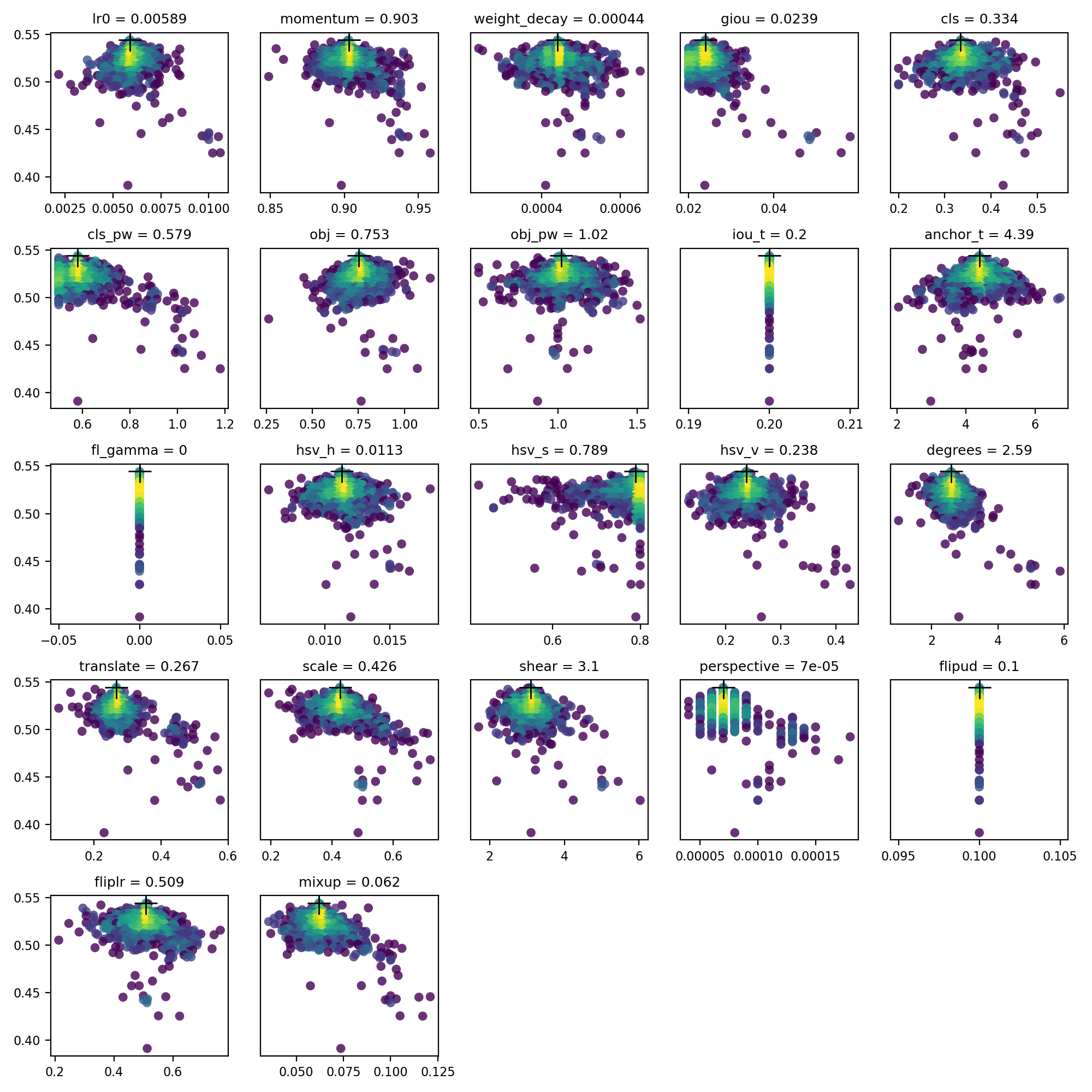
YOLO export locations

[Netron Viewer](https://github.com/lutzroeder/netron) is recommended for visualizing exported models:

YOLO model visualization

## Exported Model Usage Examples `detect.py` runs inference on exported models: ```bash python detect.py --weights yolov5s.pt # PyTorch yolov5s.torchscript # TorchScript yolov5s.onnx # ONNX Runtime or OpenCV DNN with dnn=True yolov5s_openvino_model # OpenVINO yolov5s.engine # TensorRT yolov5s.mlmodel # CoreML (macOS only) yolov5s_saved_model # TensorFlow SavedModel yolov5s.pb # TensorFlow GraphDef yolov5s.tflite # TensorFlow Lite yolov5s_edgetpu.tflite # TensorFlow Edge TPU yolov5s_paddle_model # PaddlePaddle ``` `val.py` runs validation on exported models: ```bash python val.py --weights yolov5s.pt # PyTorch yolov5s.torchscript # TorchScript yolov5s.onnx # ONNX Runtime or OpenCV DNN with dnn=True yolov5s_openvino_model # OpenVINO yolov5s.engine # TensorRT yolov5s.mlmodel # CoreML (macOS Only) yolov5s_saved_model # TensorFlow SavedModel yolov5s.pb # TensorFlow GraphDef yolov5s.tflite # TensorFlow Lite yolov5s_edgetpu.tflite # TensorFlow Edge TPU yolov5s_paddle_model # PaddlePaddle ``` Use PyTorch Hub with exported YOLOv5 models: ```python import torch # Model model = torch.hub.load('ultralytics/yolov5', 'custom', 'yolov5s.pt') model = torch.hub.load('ultralytics/yolov5', 'custom', 'yolov5s.torchscript ') # TorchScript model = torch.hub.load('ultralytics/yolov5', 'custom', 'yolov5s.onnx') # ONNX Runtime model = torch.hub.load('ultralytics/yolov5', 'custom', 'yolov5s_openvino_model') # OpenVINO model = torch.hub.load('ultralytics/yolov5', 'custom', 'yolov5s.engine') # TensorRT model = torch.hub.load('ultralytics/yolov5', 'custom', 'yolov5s.mlmodel') # CoreML (macOS Only) model = torch.hub.load('ultralytics/yolov5', 'custom', 'yolov5s_saved_model') # TensorFlow SavedModel model = torch.hub.load('ultralytics/yolov5', 'custom', 'yolov5s.pb') # TensorFlow GraphDef model = torch.hub.load('ultralytics/yolov5', 'custom', 'yolov5s.tflite') # TensorFlow Lite model = torch.hub.load('ultralytics/yolov5', 'custom', 'yolov5s_edgetpu.tflite') # TensorFlow Edge TPU model = torch.hub.load('ultralytics/yolov5', 'custom', 'yolov5s_paddle_model') # PaddlePaddle # Images img = 'https://ultralytics.com/images/zidane.jpg' # or file, Path, PIL, OpenCV, numpy, list # Inference results = model(img) # Results results.print() # or .show(), .save(), .crop(), .pandas(), etc. ``` ## OpenCV DNN inference OpenCV inference with ONNX models: ```bash python export.py --weights yolov5s.pt --include onnx python detect.py --weights yolov5s.onnx --dnn # detect python val.py --weights yolov5s.onnx --dnn # validate ``` ## C++ Inference YOLOv5 OpenCV DNN C++ inference on exported ONNX model examples: - [https://github.com/Hexmagic/ONNX-yolov5/blob/master/src/test.cpp](https://github.com/Hexmagic/ONNX-yolov5/blob/master/src/test.cpp) - [https://github.com/doleron/yolov5-opencv-cpp-python](https://github.com/doleron/yolov5-opencv-cpp-python) YOLOv5 OpenVINO C++ inference examples: - [https://github.com/dacquaviva/yolov5-openvino-cpp-python](https://github.com/dacquaviva/yolov5-openvino-cpp-python) - [https://github.com/UNeedCryDear/yolov5-seg-opencv-dnn-cpp](https://github.com/UNeedCryDear/yolov5-seg-opencv-dnn-cpp) ## TensorFlow.js Web Browser Inference - [https://aukerul-shuvo.github.io/YOLOv5_TensorFlow-JS/](https://aukerul-shuvo.github.io/YOLOv5_TensorFlow-JS/) ## Supported Environments Ultralytics provides a range of ready-to-use environments, each pre-installed with essential dependencies such as [CUDA](https://developer.nvidia.com/cuda), [CUDNN](https://developer.nvidia.com/cudnn), [Python](https://www.python.org/), and [PyTorch](https://pytorch.org/), to kickstart your projects. - **Free GPU Notebooks**: Run on Gradient Open In Colab Open In Kaggle - **Google Cloud**: [GCP Quickstart Guide](../environments/google_cloud_quickstart_tutorial.md) - **Amazon**: [AWS Quickstart Guide](../environments/aws_quickstart_tutorial.md) - **Azure**: [AzureML Quickstart Guide](../environments/azureml_quickstart_tutorial.md) - **Docker**: [Docker Quickstart Guide](../environments/docker_image_quickstart_tutorial.md) Docker Pulls ## Project Status YOLOv5 CI This badge indicates that all [YOLOv5 GitHub Actions](https://github.com/ultralytics/yolov5/actions) Continuous Integration (CI) tests are successfully passing. These CI tests rigorously check the functionality and performance of YOLOv5 across various key aspects: [training](https://github.com/ultralytics/yolov5/blob/master/train.py), [validation](https://github.com/ultralytics/yolov5/blob/master/val.py), [inference](https://github.com/ultralytics/yolov5/blob/master/detect.py), [export](https://github.com/ultralytics/yolov5/blob/master/export.py), and [benchmarks](https://github.com/ultralytics/yolov5/blob/master/benchmarks.py). They ensure consistent and reliable operation on macOS, Windows, and Ubuntu, with tests conducted every 24 hours and upon each new commit. ================================================ FILE: docs/en/yolov5/tutorials/model_pruning_and_sparsity.md ================================================ --- comments: true description: Improve YOLOv5 model efficiency by pruning with Ultralytics. Understand the process, conduct tests and view the impact on accuracy and sparsity. Test-maintained API environments. keywords: YOLOv5, YOLO, Ultralytics, model pruning, PyTorch, machine learning, deep learning, computer vision, object detection --- 📚 This guide explains how to apply **pruning** to YOLOv5 🚀 models. ## Before You Start Clone repo and install [requirements.txt](https://github.com/ultralytics/yolov5/blob/master/requirements.txt) in a [**Python>=3.8.0**](https://www.python.org/) environment, including [**PyTorch>=1.8**](https://pytorch.org/get-started/locally/). [Models](https://github.com/ultralytics/yolov5/tree/master/models) and [datasets](https://github.com/ultralytics/yolov5/tree/master/data) download automatically from the latest YOLOv5 [release](https://github.com/ultralytics/yolov5/releases). ```bash git clone https://github.com/ultralytics/yolov5 # clone cd yolov5 pip install -r requirements.txt # install ``` ## Test Normally Before pruning we want to establish a baseline performance to compare to. This command tests YOLOv5x on COCO val2017 at image size 640 pixels. `yolov5x.pt` is the largest and most accurate model available. Other options are `yolov5s.pt`, `yolov5m.pt` and `yolov5l.pt`, or you own checkpoint from training a custom dataset `./weights/best.pt`. For details on all available models please see our README [table](https://github.com/ultralytics/yolov5#pretrained-checkpoints). ```bash python val.py --weights yolov5x.pt --data coco.yaml --img 640 --half ``` Output: ```shell val: data=/content/yolov5/data/coco.yaml, weights=['yolov5x.pt'], batch_size=32, imgsz=640, conf_thres=0.001, iou_thres=0.65, task=val, device=, workers=8, single_cls=False, augment=False, verbose=False, save_txt=False, save_hybrid=False, save_conf=False, save_json=True, project=runs/val, name=exp, exist_ok=False, half=True, dnn=False YOLOv5 🚀 v6.0-224-g4c40933 torch 1.10.0+cu111 CUDA:0 (Tesla V100-SXM2-16GB, 16160MiB) Fusing layers... Model Summary: 444 layers, 86705005 parameters, 0 gradients val: Scanning '/content/datasets/coco/val2017.cache' images and labels... 4952 found, 48 missing, 0 empty, 0 corrupt: 100% 5000/5000 [00:00 30% pruned output: ```bash val: data=/content/yolov5/data/coco.yaml, weights=['yolov5x.pt'], batch_size=32, imgsz=640, conf_thres=0.001, iou_thres=0.65, task=val, device=, workers=8, single_cls=False, augment=False, verbose=False, save_txt=False, save_hybrid=False, save_conf=False, save_json=True, project=runs/val, name=exp, exist_ok=False, half=True, dnn=False YOLOv5 🚀 v6.0-224-g4c40933 torch 1.10.0+cu111 CUDA:0 (Tesla V100-SXM2-16GB, 16160MiB) Fusing layers... Model Summary: 444 layers, 86705005 parameters, 0 gradients Pruning model... 0.3 global sparsity val: Scanning '/content/datasets/coco/val2017.cache' images and labels... 4952 found, 48 missing, 0 empty, 0 corrupt: 100% 5000/5000 [00:00Run on Gradient Open In Colab Open In Kaggle - **Google Cloud**: [GCP Quickstart Guide](../environments/google_cloud_quickstart_tutorial.md) - **Amazon**: [AWS Quickstart Guide](../environments/aws_quickstart_tutorial.md) - **Azure**: [AzureML Quickstart Guide](../environments/azureml_quickstart_tutorial.md) - **Docker**: [Docker Quickstart Guide](../environments/docker_image_quickstart_tutorial.md) Docker Pulls ## Project Status YOLOv5 CI This badge indicates that all [YOLOv5 GitHub Actions](https://github.com/ultralytics/yolov5/actions) Continuous Integration (CI) tests are successfully passing. These CI tests rigorously check the functionality and performance of YOLOv5 across various key aspects: [training](https://github.com/ultralytics/yolov5/blob/master/train.py), [validation](https://github.com/ultralytics/yolov5/blob/master/val.py), [inference](https://github.com/ultralytics/yolov5/blob/master/detect.py), [export](https://github.com/ultralytics/yolov5/blob/master/export.py), and [benchmarks](https://github.com/ultralytics/yolov5/blob/master/benchmarks.py). They ensure consistent and reliable operation on macOS, Windows, and Ubuntu, with tests conducted every 24 hours and upon each new commit. ================================================ FILE: docs/en/yolov5/tutorials/multi_gpu_training.md ================================================ --- comments: true description: Learn how to train datasets on single or multiple GPUs using YOLOv5. Includes setup, training modes and result profiling for efficient leveraging of multiple GPUs. keywords: YOLOv5, multi-GPU Training, YOLOv5 training, deep learning, machine learning, object detection, Ultralytics --- 📚 This guide explains how to properly use **multiple** GPUs to train a dataset with YOLOv5 🚀 on single or multiple machine(s). ## Before You Start Clone repo and install [requirements.txt](https://github.com/ultralytics/yolov5/blob/master/requirements.txt) in a [**Python>=3.8.0**](https://www.python.org/) environment, including [**PyTorch>=1.8**](https://pytorch.org/get-started/locally/). [Models](https://github.com/ultralytics/yolov5/tree/master/models) and [datasets](https://github.com/ultralytics/yolov5/tree/master/data) download automatically from the latest YOLOv5 [release](https://github.com/ultralytics/yolov5/releases). ```bash git clone https://github.com/ultralytics/yolov5 # clone cd yolov5 pip install -r requirements.txt # install ``` 💡 ProTip! **Docker Image** is recommended for all Multi-GPU trainings. See [Docker Quickstart Guide](https://docs.ultralytics.com/yolov5/environments/docker_image_quickstart_tutorial/) Docker Pulls 💡 ProTip! `torch.distributed.run` replaces `torch.distributed.launch` in **PyTorch>=1.9**. See [docs](https://pytorch.org/docs/stable/distributed.html) for details. ## Training Select a pretrained model to start training from. Here we select [YOLOv5s](https://github.com/ultralytics/yolov5/blob/master/models/yolov5s.yaml), the smallest and fastest model available. See our README [table](https://github.com/ultralytics/yolov5#pretrained-checkpoints) for a full comparison of all models. We will train this model with Multi-GPU on the [COCO](https://github.com/ultralytics/yolov5/blob/master/data/scripts/get_coco.sh) dataset.

YOLOv5 Models

### Single GPU ```bash python train.py --batch 64 --data coco.yaml --weights yolov5s.pt --device 0 ``` ### Multi-GPU [DataParallel](https://pytorch.org/docs/stable/nn.html#torch.nn.DataParallel) Mode (⚠️ not recommended) You can increase the `device` to use Multiple GPUs in DataParallel mode. ```bash python train.py --batch 64 --data coco.yaml --weights yolov5s.pt --device 0,1 ``` This method is slow and barely speeds up training compared to using just 1 GPU. ### Multi-GPU [DistributedDataParallel](https://pytorch.org/docs/stable/nn.html#torch.nn.parallel.DistributedDataParallel) Mode (✅ recommended) You will have to pass `python -m torch.distributed.run --nproc_per_node`, followed by the usual arguments. ```bash python -m torch.distributed.run --nproc_per_node 2 train.py --batch 64 --data coco.yaml --weights yolov5s.pt --device 0,1 ``` `--nproc_per_node` specifies how many GPUs you would like to use. In the example above, it is 2. `--batch ` is the total batch-size. It will be divided evenly to each GPU. In the example above, it is 64/2=32 per GPU. The code above will use GPUs `0... (N-1)`.
Use specific GPUs (click to expand) You can do so by simply passing `--device` followed by your specific GPUs. For example, in the code below, we will use GPUs `2,3`. ```bash python -m torch.distributed.run --nproc_per_node 2 train.py --batch 64 --data coco.yaml --cfg yolov5s.yaml --weights '' --device 2,3 ```
Use SyncBatchNorm (click to expand) [SyncBatchNorm](https://pytorch.org/docs/master/generated/torch.nn.SyncBatchNorm.html) could increase accuracy for multiple gpu training, however, it will slow down training by a significant factor. It is **only** available for Multiple GPU DistributedDataParallel training. It is best used when the batch-size on **each** GPU is small (<= 8). To use SyncBatchNorm, simple pass `--sync-bn` to the command like below, ```bash python -m torch.distributed.run --nproc_per_node 2 train.py --batch 64 --data coco.yaml --cfg yolov5s.yaml --weights '' --sync-bn ```
Use Multiple machines (click to expand) This is **only** available for Multiple GPU DistributedDataParallel training. Before we continue, make sure the files on all machines are the same, dataset, codebase, etc. Afterward, make sure the machines can communicate to each other. You will have to choose a master machine(the machine that the others will talk to). Note down its address(`master_addr`) and choose a port(`master_port`). I will use `master_addr = 192.168.1.1` and `master_port = 1234` for the example below. To use it, you can do as the following, ```bash # On master machine 0 python -m torch.distributed.run --nproc_per_node G --nnodes N --node_rank 0 --master_addr "192.168.1.1" --master_port 1234 train.py --batch 64 --data coco.yaml --cfg yolov5s.yaml --weights '' ``` ```bash # On machine R python -m torch.distributed.run --nproc_per_node G --nnodes N --node_rank R --master_addr "192.168.1.1" --master_port 1234 train.py --batch 64 --data coco.yaml --cfg yolov5s.yaml --weights '' ``` where `G` is number of GPU per machine, `N` is the number of machines, and `R` is the machine number from `0...(N-1)`. Let's say I have two machines with two GPUs each, it would be `G = 2` , `N = 2`, and `R = 1` for the above. Training will not start until all `N` machines are connected. Output will only be shown on master machine!
### Notes - Windows support is untested, Linux is recommended. - `--batch ` must be a multiple of the number of GPUs. - GPU 0 will take slightly more memory than the other GPUs as it maintains EMA and is responsible for checkpointing etc. - If you get `RuntimeError: Address already in use`, it could be because you are running multiple trainings at a time. To fix this, simply use a different port number by adding `--master_port` like below, ```bash python -m torch.distributed.run --master_port 1234 --nproc_per_node 2 ... ``` ## Results DDP profiling results on an [AWS EC2 P4d instance](https://docs.ultralytics.com/yolov5/environments/aws_quickstart_tutorial/) with 8x A100 SXM4-40GB for YOLOv5l for 1 COCO epoch.
Profiling code ```bash # prepare t=ultralytics/yolov5:latest && sudo docker pull $t && sudo docker run -it --ipc=host --gpus all -v "$(pwd)"/coco:/usr/src/coco $t pip3 install torch==1.9.0+cu111 torchvision==0.10.0+cu111 -f https://download.pytorch.org/whl/torch_stable.html cd .. && rm -rf app && git clone https://github.com/ultralytics/yolov5 -b master app && cd app cp data/coco.yaml data/coco_profile.yaml # profile python train.py --batch-size 16 --data coco_profile.yaml --weights yolov5l.pt --epochs 1 --device 0 python -m torch.distributed.run --nproc_per_node 2 train.py --batch-size 32 --data coco_profile.yaml --weights yolov5l.pt --epochs 1 --device 0,1 python -m torch.distributed.run --nproc_per_node 4 train.py --batch-size 64 --data coco_profile.yaml --weights yolov5l.pt --epochs 1 --device 0,1,2,3 python -m torch.distributed.run --nproc_per_node 8 train.py --batch-size 128 --data coco_profile.yaml --weights yolov5l.pt --epochs 1 --device 0,1,2,3,4,5,6,7 ```
| GPUs
A100 | batch-size | CUDA_mem
device0 (G) | COCO
train | COCO
val | |--------------|------------|------------------------------|--------------------|------------------| | 1x | 16 | 26GB | 20:39 | 0:55 | | 2x | 32 | 26GB | 11:43 | 0:57 | | 4x | 64 | 26GB | 5:57 | 0:55 | | 8x | 128 | 26GB | 3:09 | 0:57 | ## FAQ If an error occurs, please read the checklist below first! (It could save your time)
Checklist (click to expand)
  • Have you properly read this post?
  • Have you tried to re-clone the codebase? The code changes daily.
  • Have you tried to search for your error? Someone may have already encountered it in this repo or in another and have the solution.
  • Have you installed all the requirements listed on top (including the correct Python and Pytorch versions)?
  • Have you tried in other environments listed in the "Environments" section below?
  • Have you tried with another dataset like coco128 or coco2017? It will make it easier to find the root cause.
If you went through all the above, feel free to raise an Issue by giving as much detail as possible following the template.
## Supported Environments Ultralytics provides a range of ready-to-use environments, each pre-installed with essential dependencies such as [CUDA](https://developer.nvidia.com/cuda), [CUDNN](https://developer.nvidia.com/cudnn), [Python](https://www.python.org/), and [PyTorch](https://pytorch.org/), to kickstart your projects. - **Free GPU Notebooks**: Run on Gradient Open In Colab Open In Kaggle - **Google Cloud**: [GCP Quickstart Guide](../environments/google_cloud_quickstart_tutorial.md) - **Amazon**: [AWS Quickstart Guide](../environments/aws_quickstart_tutorial.md) - **Azure**: [AzureML Quickstart Guide](../environments/azureml_quickstart_tutorial.md) - **Docker**: [Docker Quickstart Guide](../environments/docker_image_quickstart_tutorial.md) Docker Pulls ## Project Status YOLOv5 CI This badge indicates that all [YOLOv5 GitHub Actions](https://github.com/ultralytics/yolov5/actions) Continuous Integration (CI) tests are successfully passing. These CI tests rigorously check the functionality and performance of YOLOv5 across various key aspects: [training](https://github.com/ultralytics/yolov5/blob/master/train.py), [validation](https://github.com/ultralytics/yolov5/blob/master/val.py), [inference](https://github.com/ultralytics/yolov5/blob/master/detect.py), [export](https://github.com/ultralytics/yolov5/blob/master/export.py), and [benchmarks](https://github.com/ultralytics/yolov5/blob/master/benchmarks.py). They ensure consistent and reliable operation on macOS, Windows, and Ubuntu, with tests conducted every 24 hours and upon each new commit. ## Credits We would like to thank @MagicFrogSJTU, who did all the heavy lifting, and @glenn-jocher for guiding us along the way. ================================================ FILE: docs/en/yolov5/tutorials/neural_magic_pruning_quantization.md ================================================ --- comments: true description: Explore how to achieve exceptional AI performance with DeepSparse's incredible inference speed. Discover how to deploy YOLOv5, and learn about model sparsification and fine-tuning with SparseML. keywords: YOLOv5, DeepSparse, Ultralytics, Neural Magic, sparsification, inference runtime, deep learning, deployment, model fine-tuning, SparseML, AI performance, GPU-class performance --- Welcome to software-delivered AI. This guide explains how to deploy YOLOv5 with Neural Magic's DeepSparse. DeepSparse is an inference runtime with exceptional performance on CPUs. For instance, compared to the ONNX Runtime baseline, DeepSparse offers a 5.8x speed-up for YOLOv5s, running on the same machine!

YOLOv5 speed improvement

For the first time, your deep learning workloads can meet the performance demands of production without the complexity and costs of hardware accelerators. Put simply, DeepSparse gives you the performance of GPUs and the simplicity of software: - **Flexible Deployments**: Run consistently across cloud, data center, and edge with any hardware provider from Intel to AMD to ARM - **Infinite Scalability**: Scale vertically to 100s of cores, out with standard Kubernetes, or fully-abstracted with Serverless - **Easy Integration**: Clean APIs for integrating your model into an application and monitoring it in production ### How Does DeepSparse Achieve GPU-Class Performance? DeepSparse takes advantage of model sparsity to gain its performance speedup. Sparsification through pruning and quantization is a broadly studied technique, allowing order-of-magnitude reductions in the size and compute needed to execute a network, while maintaining high accuracy. DeepSparse is sparsity-aware, meaning it skips the zeroed out parameters, shrinking amount of compute in a forward pass. Since the sparse computation is now memory bound, DeepSparse executes the network depth-wise, breaking the problem into Tensor Columns, vertical stripes of computation that fit in cache.

YOLO model pruning

Sparse networks with compressed computation, executed depth-wise in cache, allows DeepSparse to deliver GPU-class performance on CPUs! ### How Do I Create A Sparse Version of YOLOv5 Trained on My Data? Neural Magic's open-source model repository, SparseZoo, contains pre-sparsified checkpoints of each YOLOv5 model. Using SparseML, which is integrated with Ultralytics, you can fine-tune a sparse checkpoint onto your data with a single CLI command. [Checkout Neural Magic's YOLOv5 documentation for more details](https://docs.neuralmagic.com/computer-vision/object-detection/). ## DeepSparse Usage We will walk through an example benchmarking and deploying a sparse version of YOLOv5s with DeepSparse. ### Install DeepSparse Run the following to install DeepSparse. We recommend you use a virtual environment with Python. ```bash pip install "deepsparse[server,yolo,onnxruntime]" ``` ### Collect an ONNX File DeepSparse accepts a model in the ONNX format, passed either as: - A SparseZoo stub which identifies an ONNX file in the SparseZoo - A local path to an ONNX model in a filesystem The examples below use the standard dense and pruned-quantized YOLOv5s checkpoints, identified by the following SparseZoo stubs: ```bash zoo:cv/detection/yolov5-s/pytorch/ultralytics/coco/base-none zoo:cv/detection/yolov5-s/pytorch/ultralytics/coco/pruned65_quant-none ``` ### Deploy a Model DeepSparse offers convenient APIs for integrating your model into an application. To try the deployment examples below, pull down a sample image and save it as `basilica.jpg` with the following: ```bash wget -O basilica.jpg https://raw.githubusercontent.com/neuralmagic/deepsparse/main/src/deepsparse/yolo/sample_images/basilica.jpg ``` #### Python API `Pipelines` wrap pre-processing and output post-processing around the runtime, providing a clean interface for adding DeepSparse to an application. The DeepSparse-Ultralytics integration includes an out-of-the-box `Pipeline` that accepts raw images and outputs the bounding boxes. Create a `Pipeline` and run inference: ```python from deepsparse import Pipeline # list of images in local filesystem images = ["basilica.jpg"] # create Pipeline model_stub = "zoo:cv/detection/yolov5-s/pytorch/ultralytics/coco/pruned65_quant-none" yolo_pipeline = Pipeline.create( task="yolo", model_path=model_stub, ) # run inference on images, receive bounding boxes + classes pipeline_outputs = yolo_pipeline(images=images, iou_thres=0.6, conf_thres=0.001) print(pipeline_outputs) ``` If you are running in the cloud, you may get an error that open-cv cannot find `libGL.so.1`. Running the following on Ubuntu installs it: ``` apt-get install libgl1 ``` #### HTTP Server DeepSparse Server runs on top of the popular FastAPI web framework and Uvicorn web server. With just a single CLI command, you can easily setup a model service endpoint with DeepSparse. The Server supports any Pipeline from DeepSparse, including object detection with YOLOv5, enabling you to send raw images to the endpoint and receive the bounding boxes. Spin up the Server with the pruned-quantized YOLOv5s: ```bash deepsparse.server \ --task yolo \ --model_path zoo:cv/detection/yolov5-s/pytorch/ultralytics/coco/pruned65_quant-none ``` An example request, using Python's `requests` package: ```python import requests, json # list of images for inference (local files on client side) path = ['basilica.jpg'] files = [('request', open(img, 'rb')) for img in path] # send request over HTTP to /predict/from_files endpoint url = 'http://0.0.0.0:5543/predict/from_files' resp = requests.post(url=url, files=files) # response is returned in JSON annotations = json.loads(resp.text) # dictionary of annotation results bounding_boxes = annotations["boxes"] labels = annotations["labels"] ``` #### Annotate CLI You can also use the annotate command to have the engine save an annotated photo on disk. Try --source 0 to annotate your live webcam feed! ```bash deepsparse.object_detection.annotate --model_filepath zoo:cv/detection/yolov5-s/pytorch/ultralytics/coco/pruned65_quant-none --source basilica.jpg ``` Running the above command will create an `annotation-results` folder and save the annotated image inside.

annotated

## Benchmarking Performance We will compare DeepSparse's throughput to ONNX Runtime's throughput on YOLOv5s, using DeepSparse's benchmarking script. The benchmarks were run on an AWS `c6i.8xlarge` instance (16 cores). ### Batch 32 Performance Comparison #### ONNX Runtime Baseline At batch 32, ONNX Runtime achieves 42 images/sec with the standard dense YOLOv5s: ```bash deepsparse.benchmark zoo:cv/detection/yolov5-s/pytorch/ultralytics/coco/base-none -s sync -b 32 -nstreams 1 -e onnxruntime > Original Model Path: zoo:cv/detection/yolov5-s/pytorch/ultralytics/coco/base-none > Batch Size: 32 > Scenario: sync > Throughput (items/sec): 41.9025 ``` #### DeepSparse Dense Performance While DeepSparse offers its best performance with optimized sparse models, it also performs well with the standard dense YOLOv5s. At batch 32, DeepSparse achieves 70 images/sec with the standard dense YOLOv5s, a **1.7x performance improvement over ORT**! ```bash deepsparse.benchmark zoo:cv/detection/yolov5-s/pytorch/ultralytics/coco/base-none -s sync -b 32 -nstreams 1 > Original Model Path: zoo:cv/detection/yolov5-s/pytorch/ultralytics/coco/base-none > Batch Size: 32 > Scenario: sync > Throughput (items/sec): 69.5546 ``` #### DeepSparse Sparse Performance When sparsity is applied to the model, DeepSparse's performance gains over ONNX Runtime is even stronger. At batch 32, DeepSparse achieves 241 images/sec with the pruned-quantized YOLOv5s, a **5.8x performance improvement over ORT**! ```bash deepsparse.benchmark zoo:cv/detection/yolov5-s/pytorch/ultralytics/coco/pruned65_quant-none -s sync -b 32 -nstreams 1 > Original Model Path: zoo:cv/detection/yolov5-s/pytorch/ultralytics/coco/pruned65_quant-none > Batch Size: 32 > Scenario: sync > Throughput (items/sec): 241.2452 ``` ### Batch 1 Performance Comparison DeepSparse is also able to gain a speed-up over ONNX Runtime for the latency-sensitive, batch 1 scenario. #### ONNX Runtime Baseline At batch 1, ONNX Runtime achieves 48 images/sec with the standard, dense YOLOv5s. ```bash deepsparse.benchmark zoo:cv/detection/yolov5-s/pytorch/ultralytics/coco/base-none -s sync -b 1 -nstreams 1 -e onnxruntime > Original Model Path: zoo:cv/detection/yolov5-s/pytorch/ultralytics/coco/base-none > Batch Size: 1 > Scenario: sync > Throughput (items/sec): 48.0921 ``` #### DeepSparse Sparse Performance At batch 1, DeepSparse achieves 135 items/sec with a pruned-quantized YOLOv5s, **a 2.8x performance gain over ONNX Runtime!** ```bash deepsparse.benchmark zoo:cv/detection/yolov5-s/pytorch/ultralytics/coco/pruned65_quant-none -s sync -b 1 -nstreams 1 > Original Model Path: zoo:cv/detection/yolov5-s/pytorch/ultralytics/coco/pruned65_quant-none > Batch Size: 1 > Scenario: sync > Throughput (items/sec): 134.9468 ``` Since `c6i.8xlarge` instances have VNNI instructions, DeepSparse's throughput can be pushed further if weights are pruned in blocks of 4. At batch 1, DeepSparse achieves 180 items/sec with a 4-block pruned-quantized YOLOv5s, a **3.7x performance gain over ONNX Runtime!** ```bash deepsparse.benchmark zoo:cv/detection/yolov5-s/pytorch/ultralytics/coco/pruned35_quant-none-vnni -s sync -b 1 -nstreams 1 > Original Model Path: zoo:cv/detection/yolov5-s/pytorch/ultralytics/coco/pruned35_quant-none-vnni > Batch Size: 1 > Scenario: sync > Throughput (items/sec): 179.7375 ``` ## Get Started With DeepSparse **Research or Testing?** DeepSparse Community is free for research and testing. Get started with our [Documentation](https://docs.neuralmagic.com/). ================================================ FILE: docs/en/yolov5/tutorials/pytorch_hub_model_loading.md ================================================ --- comments: true description: Detailed guide on loading YOLOv5 from PyTorch Hub. Includes examples & tips on inference settings, multi-GPU inference, training and more. keywords: Ultralytics, YOLOv5, PyTorch, loading YOLOv5, PyTorch Hub, inference, multi-GPU inference, training --- 📚 This guide explains how to load YOLOv5 🚀 from PyTorch Hub at [https://pytorch.org/hub/ultralytics_yolov5](https://pytorch.org/hub/ultralytics_yolov5). ## Before You Start Install [requirements.txt](https://github.com/ultralytics/yolov5/blob/master/requirements.txt) in a [**Python>=3.8.0**](https://www.python.org/) environment, including [**PyTorch>=1.8**](https://pytorch.org/get-started/locally/). [Models](https://github.com/ultralytics/yolov5/tree/master/models) and [datasets](https://github.com/ultralytics/yolov5/tree/master/data) download automatically from the latest YOLOv5 [release](https://github.com/ultralytics/yolov5/releases). ```bash pip install -r https://raw.githubusercontent.com/ultralytics/yolov5/master/requirements.txt ``` 💡 ProTip: Cloning [https://github.com/ultralytics/yolov5](https://github.com/ultralytics/yolov5) is **not** required 😃 ## Load YOLOv5 with PyTorch Hub ### Simple Example This example loads a pretrained YOLOv5s model from PyTorch Hub as `model` and passes an image for inference. `'yolov5s'` is the lightest and fastest YOLOv5 model. For details on all available models please see the [README](https://github.com/ultralytics/yolov5#pretrained-checkpoints). ```python import torch # Model model = torch.hub.load('ultralytics/yolov5', 'yolov5s') # Image im = 'https://ultralytics.com/images/zidane.jpg' # Inference results = model(im) results.pandas().xyxy[0] # xmin ymin xmax ymax confidence class name # 0 749.50 43.50 1148.0 704.5 0.874023 0 person # 1 433.50 433.50 517.5 714.5 0.687988 27 tie # 2 114.75 195.75 1095.0 708.0 0.624512 0 person # 3 986.00 304.00 1028.0 420.0 0.286865 27 tie ``` ### Detailed Example This example shows **batched inference** with **PIL** and **OpenCV** image sources. `results` can be **printed** to console, **saved** to `runs/hub`, **showed** to screen on supported environments, and returned as **tensors** or **pandas** dataframes. ```python import cv2 import torch from PIL import Image # Model model = torch.hub.load('ultralytics/yolov5', 'yolov5s') # Images for f in 'zidane.jpg', 'bus.jpg': torch.hub.download_url_to_file('https://ultralytics.com/images/' + f, f) # download 2 images im1 = Image.open('zidane.jpg') # PIL image im2 = cv2.imread('bus.jpg')[..., ::-1] # OpenCV image (BGR to RGB) # Inference results = model([im1, im2], size=640) # batch of images # Results results.print() results.save() # or .show() results.xyxy[0] # im1 predictions (tensor) results.pandas().xyxy[0] # im1 predictions (pandas) # xmin ymin xmax ymax confidence class name # 0 749.50 43.50 1148.0 704.5 0.874023 0 person # 1 433.50 433.50 517.5 714.5 0.687988 27 tie # 2 114.75 195.75 1095.0 708.0 0.624512 0 person # 3 986.00 304.00 1028.0 420.0 0.286865 27 tie ``` YOLO inference results on zidane.jpg YOLO inference results on bus.jpg For all inference options see YOLOv5 `AutoShape()` forward [method](https://github.com/ultralytics/yolov5/blob/30e4c4f09297b67afedf8b2bcd851833ddc9dead/models/common.py#L243-L252). ### Inference Settings YOLOv5 models contain various inference attributes such as **confidence threshold**, **IoU threshold**, etc. which can be set by: ```python model.conf = 0.25 # NMS confidence threshold iou = 0.45 # NMS IoU threshold agnostic = False # NMS class-agnostic multi_label = False # NMS multiple labels per box classes = None # (optional list) filter by class, i.e. = [0, 15, 16] for COCO persons, cats and dogs max_det = 1000 # maximum number of detections per image amp = False # Automatic Mixed Precision (AMP) inference results = model(im, size=320) # custom inference size ``` ### Device Models can be transferred to any device after creation: ```python model.cpu() # CPU model.cuda() # GPU model.to(device) # i.e. device=torch.device(0) ``` Models can also be created directly on any `device`: ```python model = torch.hub.load('ultralytics/yolov5', 'yolov5s', device='cpu') # load on CPU ``` 💡 ProTip: Input images are automatically transferred to the correct model device before inference. ### Silence Outputs Models can be loaded silently with `_verbose=False`: ```python model = torch.hub.load('ultralytics/yolov5', 'yolov5s', _verbose=False) # load silently ``` ### Input Channels To load a pretrained YOLOv5s model with 4 input channels rather than the default 3: ```python model = torch.hub.load('ultralytics/yolov5', 'yolov5s', channels=4) ``` In this case the model will be composed of pretrained weights **except for** the very first input layer, which is no longer the same shape as the pretrained input layer. The input layer will remain initialized by random weights. ### Number of Classes To load a pretrained YOLOv5s model with 10 output classes rather than the default 80: ```python model = torch.hub.load('ultralytics/yolov5', 'yolov5s', classes=10) ``` In this case the model will be composed of pretrained weights **except for** the output layers, which are no longer the same shape as the pretrained output layers. The output layers will remain initialized by random weights. ### Force Reload If you run into problems with the above steps, setting `force_reload=True` may help by discarding the existing cache and force a fresh download of the latest YOLOv5 version from PyTorch Hub. ```python model = torch.hub.load('ultralytics/yolov5', 'yolov5s', force_reload=True) # force reload ``` ### Screenshot Inference To run inference on your desktop screen: ```python import torch from PIL import ImageGrab # Model model = torch.hub.load('ultralytics/yolov5', 'yolov5s') # Image im = ImageGrab.grab() # take a screenshot # Inference results = model(im) ``` ### Multi-GPU Inference YOLOv5 models can be loaded to multiple GPUs in parallel with threaded inference: ```python import torch import threading def run(model, im): results = model(im) results.save() # Models model0 = torch.hub.load('ultralytics/yolov5', 'yolov5s', device=0) model1 = torch.hub.load('ultralytics/yolov5', 'yolov5s', device=1) # Inference threading.Thread(target=run, args=[model0, 'https://ultralytics.com/images/zidane.jpg'], daemon=True).start() threading.Thread(target=run, args=[model1, 'https://ultralytics.com/images/bus.jpg'], daemon=True).start() ``` ### Training To load a YOLOv5 model for training rather than inference, set `autoshape=False`. To load a model with randomly initialized weights (to train from scratch) use `pretrained=False`. You must provide your own training script in this case. Alternatively see our YOLOv5 [Train Custom Data Tutorial](https://docs.ultralytics.com/yolov5/tutorials/train_custom_data) for model training. ```python import torch model = torch.hub.load('ultralytics/yolov5', 'yolov5s', autoshape=False) # load pretrained model = torch.hub.load('ultralytics/yolov5', 'yolov5s', autoshape=False, pretrained=False) # load scratch ``` ### Base64 Results For use with API services. See https://github.com/ultralytics/yolov5/pull/2291 and [Flask REST API](https://github.com/ultralytics/yolov5/tree/master/utils/flask_rest_api) example for details. ```python results = model(im) # inference results.ims # array of original images (as np array) passed to model for inference results.render() # updates results.ims with boxes and labels for im in results.ims: buffered = BytesIO() im_base64 = Image.fromarray(im) im_base64.save(buffered, format="JPEG") print(base64.b64encode(buffered.getvalue()).decode('utf-8')) # base64 encoded image with results ``` ### Cropped Results Results can be returned and saved as detection crops: ```python results = model(im) # inference crops = results.crop(save=True) # cropped detections dictionary ``` ### Pandas Results Results can be returned as [Pandas DataFrames](https://pandas.pydata.org/): ```python results = model(im) # inference results.pandas().xyxy[0] # Pandas DataFrame ```
Pandas Output (click to expand) ```python print(results.pandas().xyxy[0]) # xmin ymin xmax ymax confidence class name # 0 749.50 43.50 1148.0 704.5 0.874023 0 person # 1 433.50 433.50 517.5 714.5 0.687988 27 tie # 2 114.75 195.75 1095.0 708.0 0.624512 0 person # 3 986.00 304.00 1028.0 420.0 0.286865 27 tie ```
### Sorted Results Results can be sorted by column, i.e. to sort license plate digit detection left-to-right (x-axis): ```python results = model(im) # inference results.pandas().xyxy[0].sort_values('xmin') # sorted left-right ``` ### Box-Cropped Results Results can be returned and saved as detection crops: ```python results = model(im) # inference crops = results.crop(save=True) # cropped detections dictionary ``` ### JSON Results Results can be returned in JSON format once converted to `.pandas()` dataframes using the `.to_json()` method. The JSON format can be modified using the `orient` argument. See pandas `.to_json()` [documentation](https://pandas.pydata.org/docs/reference/api/pandas.DataFrame.to_json.html) for details. ```python results = model(ims) # inference results.pandas().xyxy[0].to_json(orient="records") # JSON img1 predictions ```
JSON Output (click to expand) ```json [ { "xmin": 749.5, "ymin": 43.5, "xmax": 1148.0, "ymax": 704.5, "confidence": 0.8740234375, "class": 0, "name": "person" }, { "xmin": 433.5, "ymin": 433.5, "xmax": 517.5, "ymax": 714.5, "confidence": 0.6879882812, "class": 27, "name": "tie" }, { "xmin": 115.25, "ymin": 195.75, "xmax": 1096.0, "ymax": 708.0, "confidence": 0.6254882812, "class": 0, "name": "person" }, { "xmin": 986.0, "ymin": 304.0, "xmax": 1028.0, "ymax": 420.0, "confidence": 0.2873535156, "class": 27, "name": "tie" } ] ```
## Custom Models This example loads a custom 20-class [VOC](https://github.com/ultralytics/yolov5/blob/master/data/VOC.yaml)-trained YOLOv5s model `'best.pt'` with PyTorch Hub. ```python import torch model = torch.hub.load('ultralytics/yolov5', 'custom', path='path/to/best.pt') # local model model = torch.hub.load('path/to/yolov5', 'custom', path='path/to/best.pt', source='local') # local repo ``` ## TensorRT, ONNX and OpenVINO Models PyTorch Hub supports inference on most YOLOv5 export formats, including custom trained models. See [TFLite, ONNX, CoreML, TensorRT Export tutorial](https://docs.ultralytics.com/yolov5/tutorials/model_export) for details on exporting models. 💡 ProTip: **TensorRT** may be up to 2-5X faster than PyTorch on [**GPU benchmarks**](https://github.com/ultralytics/yolov5/pull/6963) 💡 ProTip: **ONNX** and **OpenVINO** may be up to 2-3X faster than PyTorch on [**CPU benchmarks**](https://github.com/ultralytics/yolov5/pull/6613) ```python import torch model = torch.hub.load('ultralytics/yolov5', 'custom', path='yolov5s.pt') # PyTorch model = torch.hub.load('ultralytics/yolov5', 'custom', path='yolov5s.torchscript') # TorchScript model = torch.hub.load('ultralytics/yolov5', 'custom', path='yolov5s.onnx') # ONNX model = torch.hub.load('ultralytics/yolov5', 'custom', path='yolov5s_openvino_model/') # OpenVINO model = torch.hub.load('ultralytics/yolov5', 'custom', path='yolov5s.engine') # TensorRT model = torch.hub.load('ultralytics/yolov5', 'custom', path='yolov5s.mlmodel') # CoreML (macOS-only) model = torch.hub.load('ultralytics/yolov5', 'custom', path='yolov5s.tflite') # TFLite model = torch.hub.load('ultralytics/yolov5', 'custom', path='yolov5s_paddle_model/') # PaddlePaddle ``` ## Supported Environments Ultralytics provides a range of ready-to-use environments, each pre-installed with essential dependencies such as [CUDA](https://developer.nvidia.com/cuda), [CUDNN](https://developer.nvidia.com/cudnn), [Python](https://www.python.org/), and [PyTorch](https://pytorch.org/), to kickstart your projects. - **Free GPU Notebooks**: Run on Gradient Open In Colab Open In Kaggle - **Google Cloud**: [GCP Quickstart Guide](../environments/google_cloud_quickstart_tutorial.md) - **Amazon**: [AWS Quickstart Guide](../environments/aws_quickstart_tutorial.md) - **Azure**: [AzureML Quickstart Guide](../environments/azureml_quickstart_tutorial.md) - **Docker**: [Docker Quickstart Guide](../environments/docker_image_quickstart_tutorial.md) Docker Pulls ## Project Status YOLOv5 CI This badge indicates that all [YOLOv5 GitHub Actions](https://github.com/ultralytics/yolov5/actions) Continuous Integration (CI) tests are successfully passing. These CI tests rigorously check the functionality and performance of YOLOv5 across various key aspects: [training](https://github.com/ultralytics/yolov5/blob/master/train.py), [validation](https://github.com/ultralytics/yolov5/blob/master/val.py), [inference](https://github.com/ultralytics/yolov5/blob/master/detect.py), [export](https://github.com/ultralytics/yolov5/blob/master/export.py), and [benchmarks](https://github.com/ultralytics/yolov5/blob/master/benchmarks.py). They ensure consistent and reliable operation on macOS, Windows, and Ubuntu, with tests conducted every 24 hours and upon each new commit. ================================================ FILE: docs/en/yolov5/tutorials/roboflow_datasets_integration.md ================================================ --- comments: true description: Learn how to use Roboflow for organizing, labelling, preparing, and hosting your datasets for YOLOv5 models. Enhance your model deployments with our platform. keywords: Ultralytics, YOLOv5, Roboflow, data organization, data labelling, data preparation, model deployment, active learning, machine learning pipeline --- # Roboflow Datasets You can now use Roboflow to organize, label, prepare, version, and host your datasets for training YOLOv5 🚀 models. Roboflow is free to use with YOLOv5 if you make your workspace public. !!! Question "Licensing" Ultralytics offers two licensing options: - The [AGPL-3.0 License](https://github.com/ultralytics/ultralytics/blob/main/LICENSE), an [OSI-approved](https://opensource.org/licenses/) open-source license ideal for students and enthusiasts. - The [Enterprise License](https://ultralytics.com/license) for businesses seeking to incorporate our AI models into their products and services. For more details see [Ultralytics Licensing](https://ultralytics.com/license). ## Upload You can upload your data to Roboflow via [web UI](https://docs.roboflow.com/adding-data), [REST API](https://docs.roboflow.com/adding-data/upload-api), or [Python](https://docs.roboflow.com/python). ## Labeling After uploading data to Roboflow, you can label your data and review previous labels. [![Roboflow Annotate](https://roboflow-darknet.s3.us-east-2.amazonaws.com/roboflow-annotate.gif)](https://roboflow.com/annotate) ## Versioning You can make versions of your dataset with different preprocessing and offline augmentation options. YOLOv5 does online augmentations natively, so be intentional when layering Roboflow's offline augmentations on top. ![Roboflow Preprocessing](https://roboflow-darknet.s3.us-east-2.amazonaws.com/robolfow-preprocessing.png) ## Exporting Data You can download your data in YOLOv5 format to quickly begin training. ``` from roboflow import Roboflow rf = Roboflow(api_key="YOUR API KEY HERE") project = rf.workspace().project("YOUR PROJECT") dataset = project.version("YOUR VERSION").download("yolov5") ``` ## Custom Training We have released a custom training tutorial demonstrating all of the above capabilities. You can access the code here: [![Open In Colab](https://colab.research.google.com/assets/colab-badge.svg)](https://colab.research.google.com/github/roboflow-ai/yolov5-custom-training-tutorial/blob/main/yolov5-custom-training.ipynb) ## Active Learning The real world is messy and your model will invariably encounter situations your dataset didn't anticipate. Using [active learning](https://blog.roboflow.com/what-is-active-learning/) is an important strategy to iteratively improve your dataset and model. With the Roboflow and YOLOv5 integration, you can quickly make improvements on your model deployments by using a battle tested machine learning pipeline.

Roboflow active learning

## Supported Environments Ultralytics provides a range of ready-to-use environments, each pre-installed with essential dependencies such as [CUDA](https://developer.nvidia.com/cuda), [CUDNN](https://developer.nvidia.com/cudnn), [Python](https://www.python.org/), and [PyTorch](https://pytorch.org/), to kickstart your projects. - **Free GPU Notebooks**: Run on Gradient Open In Colab Open In Kaggle - **Google Cloud**: [GCP Quickstart Guide](../environments/google_cloud_quickstart_tutorial.md) - **Amazon**: [AWS Quickstart Guide](../environments/aws_quickstart_tutorial.md) - **Azure**: [AzureML Quickstart Guide](../environments/azureml_quickstart_tutorial.md) - **Docker**: [Docker Quickstart Guide](../environments/docker_image_quickstart_tutorial.md) Docker Pulls ## Project Status YOLOv5 CI This badge indicates that all [YOLOv5 GitHub Actions](https://github.com/ultralytics/yolov5/actions) Continuous Integration (CI) tests are successfully passing. These CI tests rigorously check the functionality and performance of YOLOv5 across various key aspects: [training](https://github.com/ultralytics/yolov5/blob/master/train.py), [validation](https://github.com/ultralytics/yolov5/blob/master/val.py), [inference](https://github.com/ultralytics/yolov5/blob/master/detect.py), [export](https://github.com/ultralytics/yolov5/blob/master/export.py), and [benchmarks](https://github.com/ultralytics/yolov5/blob/master/benchmarks.py). They ensure consistent and reliable operation on macOS, Windows, and Ubuntu, with tests conducted every 24 hours and upon each new commit. ================================================ FILE: docs/en/yolov5/tutorials/running_on_jetson_nano.md ================================================ --- comments: true description: Detailed guide on deploying trained models on NVIDIA Jetson using TensorRT and DeepStream SDK. Optimize the inference performance on Jetson with Ultralytics. keywords: TensorRT, NVIDIA Jetson, DeepStream SDK, deployment, Ultralytics, YOLO, Machine Learning, AI, Deep Learning, model optimization, inference performance --- # Deploy on NVIDIA Jetson using TensorRT and DeepStream SDK 📚 This guide explains how to deploy a trained model into NVIDIA Jetson Platform and perform inference using TensorRT and DeepStream SDK. Here we use TensorRT to maximize the inference performance on the Jetson platform. ## Hardware Verification We have tested and verified this guide on the following Jetson devices - [Seeed reComputer J1010 built with Jetson Nano module](https://www.seeedstudio.com/Jetson-10-1-A0-p-5336.html) - [Seeed reComputer J2021 built with Jetson Xavier NX module](https://www.seeedstudio.com/reComputer-J2021-p-5438.html) ## Before You Start Make sure you have properly installed **JetPack SDK** with all the **SDK Components** and **DeepStream SDK** on the Jetson device as this includes CUDA, TensorRT and DeepStream SDK which are needed for this guide. JetPack SDK provides a full development environment for hardware-accelerated AI-at-the-edge development. All Jetson modules and developer kits are supported by JetPack SDK. There are two major installation methods including, 1. SD Card Image Method 2. NVIDIA SDK Manager Method You can find a very detailed installation guide from NVIDIA [official website](https://developer.nvidia.com/jetpack-sdk-461). You can also find guides corresponding to the above-mentioned [reComputer J1010](https://wiki.seeedstudio.com/reComputer_J1010_J101_Flash_Jetpack) and [reComputer J2021](https://wiki.seeedstudio.com/reComputer_J2021_J202_Flash_Jetpack). ## Install Necessary Packages - **Step 1.** Access the terminal of Jetson device, install pip and upgrade it ```sh sudo apt update sudo apt install -y python3-pip pip3 install --upgrade pip ``` - **Step 2.** Clone the following repo ```sh git clone https://github.com/ultralytics/yolov5 ``` - **Step 3.** Open **requirements.txt** ```sh cd yolov5 vi requirements.txt ``` - **Step 5.** Edit the following lines. Here you need to press **i** first to enter editing mode. Press **ESC**, then type **:wq** to save and quit ```sh # torch>=1.8.0 # torchvision>=0.9.0 ``` **Note:** torch and torchvision are excluded for now because they will be installed later. - **Step 6.** install the below dependency ```sh sudo apt install -y libfreetype6-dev ``` - **Step 7.** Install the necessary packages ```sh pip3 install -r requirements.txt ``` ## Install PyTorch and Torchvision We cannot install PyTorch and Torchvision from pip because they are not compatible to run on Jetson platform which is based on **ARM aarch64 architecture**. Therefore, we need to manually install pre-built PyTorch pip wheel and compile/ install Torchvision from source. Visit [this page](https://forums.developer.nvidia.com/t/pytorch-for-jetson) to access all the PyTorch and Torchvision links. Here are some of the versions supported by JetPack 4.6 and above. **PyTorch v1.10.0** Supported by JetPack 4.4 (L4T R32.4.3) / JetPack 4.4.1 (L4T R32.4.4) / JetPack 4.5 (L4T R32.5.0) / JetPack 4.5.1 (L4T R32.5.1) / JetPack 4.6 (L4T R32.6.1) with Python 3.6 - **file_name:** torch-1.10.0-cp36-cp36m-linux_aarch64.whl - **URL:** [https://nvidia.box.com/shared/static/fjtbno0vpo676a25cgvuqc1wty0fkkg6.whl](https://nvidia.box.com/shared/static/fjtbno0vpo676a25cgvuqc1wty0fkkg6.whl) **PyTorch v1.12.0** Supported by JetPack 5.0 (L4T R34.1.0) / JetPack 5.0.1 (L4T R34.1.1) / JetPack 5.0.2 (L4T R35.1.0) with Python 3.8 - **file_name:** torch-1.12.0a0+2c916ef.nv22.3-cp38-cp38-linux_aarch64.whl - **URL:** [https://developer.download.nvidia.com/compute/redist/jp/v50/pytorch/torch-1.12.0a0+2c916ef.nv22.3-cp38-cp38-linux_aarch64.whl](https://developer.download.nvidia.com/compute/redist/jp/v50/pytorch/torch-1.12.0a0+2c916ef.nv22.3-cp38-cp38-linux_aarch64.whl) - **Step 1.** Install torch according to your JetPack version in the following format ```sh wget -O pip3 install ``` For example, here we are running **JP4.6.1**, and therefore we choose **PyTorch v1.10.0** ```sh cd ~ sudo apt-get install -y libopenblas-base libopenmpi-dev wget https://nvidia.box.com/shared/static/fjtbno0vpo676a25cgvuqc1wty0fkkg6.whl -O torch-1.10.0-cp36-cp36m-linux_aarch64.whl pip3 install torch-1.10.0-cp36-cp36m-linux_aarch64.whl ``` - **Step 2.** Install torchvision depending on the version of PyTorch that you have installed. For example, we chose **PyTorch v1.10.0**, which means, we need to choose **Torchvision v0.11.1** ```sh sudo apt install -y libjpeg-dev zlib1g-dev git clone --branch v0.11.1 https://github.com/pytorch/vision torchvision cd torchvision sudo python3 setup.py install ``` Here a list of the corresponding torchvision version that you need to install according to the PyTorch version: - PyTorch v1.10 - torchvision v0.11.1 - PyTorch v1.12 - torchvision v0.13.0 ## DeepStream Configuration for YOLOv5 - **Step 1.** Clone the following repo ```sh cd ~ git clone https://github.com/marcoslucianops/DeepStream-Yolo ``` - **Step 2.** Copy **gen_wts_yoloV5.py** from **DeepStream-Yolo/utils** into **yolov5** directory ```sh cp DeepStream-Yolo/utils/gen_wts_yoloV5.py yolov5 ``` - **Step 3.** Inside the yolov5 repo, download **pt file** from YOLOv5 releases (example for YOLOv5s 6.1) ```sh cd yolov5 wget https://github.com/ultralytics/yolov5/releases/download/v6.1/yolov5s.pt ``` - **Step 4.** Generate the **cfg** and **wts** files ```sh python3 gen_wts_yoloV5.py -w yolov5s.pt ``` **Note**: To change the inference size (default: 640) ```sh -s SIZE --size SIZE -s HEIGHT WIDTH --size HEIGHT WIDTH Example for 1280: -s 1280 or -s 1280 1280 ``` - **Step 5.** Copy the generated **cfg** and **wts** files into the **DeepStream-Yolo** folder ```sh cp yolov5s.cfg ~/DeepStream-Yolo cp yolov5s.wts ~/DeepStream-Yolo ``` - **Step 6.** Open the **DeepStream-Yolo** folder and compile the library ```sh cd ~/DeepStream-Yolo CUDA_VER=11.4 make -C nvdsinfer_custom_impl_Yolo # for DeepStream 6.1 CUDA_VER=10.2 make -C nvdsinfer_custom_impl_Yolo # for DeepStream 6.0.1 / 6.0 ``` - **Step 7.** Edit the **config_infer_primary_yoloV5.txt** file according to your model ```sh [property] ... custom-network-config=yolov5s.cfg model-file=yolov5s.wts ... ``` - **Step 8.** Edit the **deepstream_app_config** file ```sh ... [primary-gie] ... config-file=config_infer_primary_yoloV5.txt ``` - **Step 9.** Change the video source in **deepstream_app_config** file. Here a default video file is loaded as you can see below ```sh ... [source0] ... uri=file:///opt/nvidia/deepstream/deepstream/samples/streams/sample_1080p_h264.mp4 ``` ## Run the Inference ```sh deepstream-app -c deepstream_app_config.txt ```
YOLOv5 with deepstream FP32
The above result is running on **Jetson Xavier NX** with **FP32** and **YOLOv5s 640x640**. We can see that the **FPS** is around **30**. ## INT8 Calibration If you want to use INT8 precision for inference, you need to follow the steps below - **Step 1.** Install OpenCV ```sh sudo apt-get install libopencv-dev ``` - **Step 2.** Compile/recompile the **nvdsinfer_custom_impl_Yolo** library with OpenCV support ```sh cd ~/DeepStream-Yolo CUDA_VER=11.4 OPENCV=1 make -C nvdsinfer_custom_impl_Yolo # for DeepStream 6.1 CUDA_VER=10.2 OPENCV=1 make -C nvdsinfer_custom_impl_Yolo # for DeepStream 6.0.1 / 6.0 ``` - **Step 3.** For COCO dataset, download the [val2017](https://drive.google.com/file/d/1gbvfn7mcsGDRZ_luJwtITL-ru2kK99aK/view?usp=sharing), extract, and move to **DeepStream-Yolo** folder - **Step 4.** Make a new directory for calibration images ```sh mkdir calibration ``` - **Step 5.** Run the following to select 1000 random images from COCO dataset to run calibration ```sh for jpg in $(ls -1 val2017/*.jpg | sort -R | head -1000); do \ cp ${jpg} calibration/; \ done ``` **Note:** NVIDIA recommends at least 500 images to get a good accuracy. On this example, 1000 images are chosen to get better accuracy (more images = more accuracy). Higher INT8_CALIB_BATCH_SIZE values will result in more accuracy and faster calibration speed. Set it according to you GPU memory. You can set it from **head -1000**. For example, for 2000 images, **head -2000**. This process can take a long time. - **Step 6.** Create the **calibration.txt** file with all selected images ```sh realpath calibration/*jpg > calibration.txt ``` - **Step 7.** Set environment variables ```sh export INT8_CALIB_IMG_PATH=calibration.txt export INT8_CALIB_BATCH_SIZE=1 ``` - **Step 8.** Update the **config_infer_primary_yoloV5.txt** file From ```sh ... model-engine-file=model_b1_gpu0_fp32.engine #int8-calib-file=calib.table ... network-mode=0 ... ``` To ```sh ... model-engine-file=model_b1_gpu0_int8.engine int8-calib-file=calib.table ... network-mode=1 ... ``` - **Step 9.** Run the inference ```sh deepstream-app -c deepstream_app_config.txt ```
YOLOv5 with deepstream INT8
The above result is running on **Jetson Xavier NX** with **INT8** and **YOLOv5s 640x640**. We can see that the **FPS** is around **60**. ## Benchmark results The following table summarizes how different models perform on **Jetson Xavier NX**. | Model Name | Precision | Inference Size | Inference Time (ms) | FPS | |------------|-----------|----------------|---------------------|-----| | YOLOv5s | FP32 | 320x320 | 16.66 | 60 | | | FP32 | 640x640 | 33.33 | 30 | | | INT8 | 640x640 | 16.66 | 60 | | YOLOv5n | FP32 | 640x640 | 16.66 | 60 | ### Additional This tutorial is written by our friends at seeed @lakshanthad and Elaine ================================================ FILE: docs/en/yolov5/tutorials/test_time_augmentation.md ================================================ --- comments: true description: Boost your YOLOv5 performance with our step-by-step guide on Test-Time Augmentation (TTA). Learn to enhance your model's mAP and Recall during testing and inference. keywords: YOLOv5, Ultralytics, Test-Time Augmentation, TTA, mAP, Recall, model performance, guide --- # Test-Time Augmentation (TTA) 📚 This guide explains how to use Test Time Augmentation (TTA) during testing and inference for improved mAP and Recall with YOLOv5 🚀. ## Before You Start Clone repo and install [requirements.txt](https://github.com/ultralytics/yolov5/blob/master/requirements.txt) in a [**Python>=3.8.0**](https://www.python.org/) environment, including [**PyTorch>=1.8**](https://pytorch.org/get-started/locally/). [Models](https://github.com/ultralytics/yolov5/tree/master/models) and [datasets](https://github.com/ultralytics/yolov5/tree/master/data) download automatically from the latest YOLOv5 [release](https://github.com/ultralytics/yolov5/releases). ```bash git clone https://github.com/ultralytics/yolov5 # clone cd yolov5 pip install -r requirements.txt # install ``` ## Test Normally Before trying TTA we want to establish a baseline performance to compare to. This command tests YOLOv5x on COCO val2017 at image size 640 pixels. `yolov5x.pt` is the largest and most accurate model available. Other options are `yolov5s.pt`, `yolov5m.pt` and `yolov5l.pt`, or you own checkpoint from training a custom dataset `./weights/best.pt`. For details on all available models please see our README [table](https://github.com/ultralytics/yolov5#pretrained-checkpoints). ```bash python val.py --weights yolov5x.pt --data coco.yaml --img 640 --half ``` Output: ```shell val: data=./data/coco.yaml, weights=['yolov5x.pt'], batch_size=32, imgsz=640, conf_thres=0.001, iou_thres=0.65, task=val, device=, single_cls=False, augment=False, verbose=False, save_txt=False, save_hybrid=False, save_conf=False, save_json=True, project=runs/val, name=exp, exist_ok=False, half=True YOLOv5 🚀 v5.0-267-g6a3ee7c torch 1.9.0+cu102 CUDA:0 (Tesla P100-PCIE-16GB, 16280.875MB) Fusing layers... Model Summary: 476 layers, 87730285 parameters, 0 gradients val: Scanning '../datasets/coco/val2017' images and labels...4952 found, 48 missing, 0 empty, 0 corrupted: 100% 5000/5000 [00:01<00:00, 2846.03it/s] val: New cache created: ../datasets/coco/val2017.cache Class Images Labels P R mAP@.5 mAP@.5:.95: 100% 157/157 [02:30<00:00, 1.05it/s] all 5000 36335 0.746 0.626 0.68 0.49 Speed: 0.1ms pre-process, 22.4ms inference, 1.4ms NMS per image at shape (32, 3, 640, 640) # <--- baseline speed Evaluating pycocotools mAP... saving runs/val/exp/yolov5x_predictions.json... ... Average Precision (AP) @[ IoU=0.50:0.95 | area= all | maxDets=100 ] = 0.504 # <--- baseline mAP Average Precision (AP) @[ IoU=0.50 | area= all | maxDets=100 ] = 0.688 Average Precision (AP) @[ IoU=0.75 | area= all | maxDets=100 ] = 0.546 Average Precision (AP) @[ IoU=0.50:0.95 | area= small | maxDets=100 ] = 0.351 Average Precision (AP) @[ IoU=0.50:0.95 | area=medium | maxDets=100 ] = 0.551 Average Precision (AP) @[ IoU=0.50:0.95 | area= large | maxDets=100 ] = 0.644 Average Recall (AR) @[ IoU=0.50:0.95 | area= all | maxDets= 1 ] = 0.382 Average Recall (AR) @[ IoU=0.50:0.95 | area= all | maxDets= 10 ] = 0.628 Average Recall (AR) @[ IoU=0.50:0.95 | area= all | maxDets=100 ] = 0.681 # <--- baseline mAR Average Recall (AR) @[ IoU=0.50:0.95 | area= small | maxDets=100 ] = 0.524 Average Recall (AR) @[ IoU=0.50:0.95 | area=medium | maxDets=100 ] = 0.735 Average Recall (AR) @[ IoU=0.50:0.95 | area= large | maxDets=100 ] = 0.826 ``` ## Test with TTA Append `--augment` to any existing `val.py` command to enable TTA, and increase the image size by about 30% for improved results. Note that inference with TTA enabled will typically take about 2-3X the time of normal inference as the images are being left-right flipped and processed at 3 different resolutions, with the outputs merged before NMS. Part of the speed decrease is simply due to larger image sizes (832 vs 640), while part is due to the actual TTA operations. ```bash python val.py --weights yolov5x.pt --data coco.yaml --img 832 --augment --half ``` Output: ```shell val: data=./data/coco.yaml, weights=['yolov5x.pt'], batch_size=32, imgsz=832, conf_thres=0.001, iou_thres=0.6, task=val, device=, single_cls=False, augment=True, verbose=False, save_txt=False, save_hybrid=False, save_conf=False, save_json=True, project=runs/val, name=exp, exist_ok=False, half=True YOLOv5 🚀 v5.0-267-g6a3ee7c torch 1.9.0+cu102 CUDA:0 (Tesla P100-PCIE-16GB, 16280.875MB) Fusing layers... /usr/local/lib/python3.7/dist-packages/torch/nn/functional.py:718: UserWarning: Named tensors and all their associated APIs are an experimental feature and subject to change. Please do not use them for anything important until they are released as stable. (Triggered internally at /pytorch/c10/core/TensorImpl.h:1156.) return torch.max_pool2d(input, kernel_size, stride, padding, dilation, ceil_mode) Model Summary: 476 layers, 87730285 parameters, 0 gradients val: Scanning '../datasets/coco/val2017' images and labels...4952 found, 48 missing, 0 empty, 0 corrupted: 100% 5000/5000 [00:01<00:00, 2885.61it/s] val: New cache created: ../datasets/coco/val2017.cache Class Images Labels P R mAP@.5 mAP@.5:.95: 100% 157/157 [07:29<00:00, 2.86s/it] all 5000 36335 0.718 0.656 0.695 0.503 Speed: 0.2ms pre-process, 80.6ms inference, 2.7ms NMS per image at shape (32, 3, 832, 832) # <--- TTA speed Evaluating pycocotools mAP... saving runs/val/exp2/yolov5x_predictions.json... ... Average Precision (AP) @[ IoU=0.50:0.95 | area= all | maxDets=100 ] = 0.516 # <--- TTA mAP Average Precision (AP) @[ IoU=0.50 | area= all | maxDets=100 ] = 0.701 Average Precision (AP) @[ IoU=0.75 | area= all | maxDets=100 ] = 0.562 Average Precision (AP) @[ IoU=0.50:0.95 | area= small | maxDets=100 ] = 0.361 Average Precision (AP) @[ IoU=0.50:0.95 | area=medium | maxDets=100 ] = 0.564 Average Precision (AP) @[ IoU=0.50:0.95 | area= large | maxDets=100 ] = 0.656 Average Recall (AR) @[ IoU=0.50:0.95 | area= all | maxDets= 1 ] = 0.388 Average Recall (AR) @[ IoU=0.50:0.95 | area= all | maxDets= 10 ] = 0.640 Average Recall (AR) @[ IoU=0.50:0.95 | area= all | maxDets=100 ] = 0.696 # <--- TTA mAR Average Recall (AR) @[ IoU=0.50:0.95 | area= small | maxDets=100 ] = 0.553 Average Recall (AR) @[ IoU=0.50:0.95 | area=medium | maxDets=100 ] = 0.744 Average Recall (AR) @[ IoU=0.50:0.95 | area= large | maxDets=100 ] = 0.833 ``` ## Inference with TTA `detect.py` TTA inference operates identically to `val.py` TTA: simply append `--augment` to any existing `detect.py` command: ```bash python detect.py --weights yolov5s.pt --img 832 --source data/images --augment ``` Output: ```bash YOLOv5 🚀 v5.0-267-g6a3ee7c torch 1.9.0+cu102 CUDA:0 (Tesla P100-PCIE-16GB, 16280.875MB) Downloading https://github.com/ultralytics/yolov5/releases/download/v5.0/yolov5s.pt to yolov5s.pt... 100% 14.1M/14.1M [00:00<00:00, 81.9MB/s] Fusing layers... Model Summary: 224 layers, 7266973 parameters, 0 gradients image 1/2 /content/yolov5/data/images/bus.jpg: 832x640 4 persons, 1 bus, 1 fire hydrant, Done. (0.029s) image 2/2 /content/yolov5/data/images/zidane.jpg: 480x832 3 persons, 3 ties, Done. (0.024s) Results saved to runs/detect/exp Done. (0.156s) ``` YOLOv5 test time augmentations ### PyTorch Hub TTA TTA is automatically integrated into all [YOLOv5 PyTorch Hub](https://pytorch.org/hub/ultralytics_yolov5) models, and can be accessed by passing `augment=True` at inference time. ```python import torch # Model model = torch.hub.load('ultralytics/yolov5', 'yolov5s') # or yolov5m, yolov5x, custom # Images img = 'https://ultralytics.com/images/zidane.jpg' # or file, PIL, OpenCV, numpy, multiple # Inference results = model(img, augment=True) # <--- TTA inference # Results results.print() # or .show(), .save(), .crop(), .pandas(), etc. ``` ### Customize You can customize the TTA ops applied in the YOLOv5 `forward_augment()` method [here](https://github.com/ultralytics/yolov5/blob/8c6f9e15bfc0000d18b976a95b9d7c17d407ec91/models/yolo.py#L125-L137). ## Supported Environments Ultralytics provides a range of ready-to-use environments, each pre-installed with essential dependencies such as [CUDA](https://developer.nvidia.com/cuda), [CUDNN](https://developer.nvidia.com/cudnn), [Python](https://www.python.org/), and [PyTorch](https://pytorch.org/), to kickstart your projects. - **Free GPU Notebooks**: Run on Gradient Open In Colab Open In Kaggle - **Google Cloud**: [GCP Quickstart Guide](../environments/google_cloud_quickstart_tutorial.md) - **Amazon**: [AWS Quickstart Guide](../environments/aws_quickstart_tutorial.md) - **Azure**: [AzureML Quickstart Guide](../environments/azureml_quickstart_tutorial.md) - **Docker**: [Docker Quickstart Guide](../environments/docker_image_quickstart_tutorial.md) Docker Pulls ## Project Status YOLOv5 CI This badge indicates that all [YOLOv5 GitHub Actions](https://github.com/ultralytics/yolov5/actions) Continuous Integration (CI) tests are successfully passing. These CI tests rigorously check the functionality and performance of YOLOv5 across various key aspects: [training](https://github.com/ultralytics/yolov5/blob/master/train.py), [validation](https://github.com/ultralytics/yolov5/blob/master/val.py), [inference](https://github.com/ultralytics/yolov5/blob/master/detect.py), [export](https://github.com/ultralytics/yolov5/blob/master/export.py), and [benchmarks](https://github.com/ultralytics/yolov5/blob/master/benchmarks.py). They ensure consistent and reliable operation on macOS, Windows, and Ubuntu, with tests conducted every 24 hours and upon each new commit. ================================================ FILE: docs/en/yolov5/tutorials/tips_for_best_training_results.md ================================================ --- comments: true description: Our comprehensive guide provides insights on how to train your YOLOv5 system to get the best mAP. Master dataset preparation, model selection, training settings, and more. keywords: Ultralytics, YOLOv5, Training guide, dataset preparation, model selection, training settings, mAP results, Machine Learning, Object Detection --- 📚 This guide explains how to produce the best mAP and training results with YOLOv5 🚀. Most of the time good results can be obtained with no changes to the models or training settings, **provided your dataset is sufficiently large and well labelled**. If at first you don't get good results, there are steps you might be able to take to improve, but we always recommend users **first train with all default settings** before considering any changes. This helps establish a performance baseline and spot areas for improvement. If you have questions about your training results **we recommend you provide the maximum amount of information possible** if you expect a helpful response, including results plots (train losses, val losses, P, R, mAP), PR curve, confusion matrix, training mosaics, test results and dataset statistics images such as labels.png. All of these are located in your `project/name` directory, typically `yolov5/runs/train/exp`. We've put together a full guide for users looking to get the best results on their YOLOv5 trainings below. ## Dataset - **Images per class.** ≥ 1500 images per class recommended - **Instances per class.** ≥ 10000 instances (labeled objects) per class recommended - **Image variety.** Must be representative of deployed environment. For real-world use cases we recommend images from different times of day, different seasons, different weather, different lighting, different angles, different sources (scraped online, collected locally, different cameras) etc. - **Label consistency.** All instances of all classes in all images must be labelled. Partial labelling will not work. - **Label accuracy.** Labels must closely enclose each object. No space should exist between an object and it's bounding box. No objects should be missing a label. - **Label verification.** View `train_batch*.jpg` on train start to verify your labels appear correct, i.e. see [example](https://docs.ultralytics.com/yolov5/tutorials/train_custom_data#local-logging) mosaic. - **Background images.** Background images are images with no objects that are added to a dataset to reduce False Positives (FP). We recommend about 0-10% background images to help reduce FPs (COCO has 1000 background images for reference, 1% of the total). No labels are required for background images. COCO Analysis ## Model Selection Larger models like YOLOv5x and [YOLOv5x6](https://github.com/ultralytics/yolov5/releases/tag/v5.0) will produce better results in nearly all cases, but have more parameters, require more CUDA memory to train, and are slower to run. For **mobile** deployments we recommend YOLOv5s/m, for **cloud** deployments we recommend YOLOv5l/x. See our README [table](https://github.com/ultralytics/yolov5#pretrained-checkpoints) for a full comparison of all models.

YOLOv5 Models

- **Start from Pretrained weights.** Recommended for small to medium-sized datasets (i.e. [VOC](https://github.com/ultralytics/yolov5/blob/master/data/VOC.yaml), [VisDrone](https://github.com/ultralytics/yolov5/blob/master/data/VisDrone.yaml), [GlobalWheat](https://github.com/ultralytics/yolov5/blob/master/data/GlobalWheat2020.yaml)). Pass the name of the model to the `--weights` argument. Models download automatically from the [latest YOLOv5 release](https://github.com/ultralytics/yolov5/releases). ```shell python train.py --data custom.yaml --weights yolov5s.pt yolov5m.pt yolov5l.pt yolov5x.pt custom_pretrained.pt ``` - **Start from Scratch.** Recommended for large datasets (i.e. [COCO](https://github.com/ultralytics/yolov5/blob/master/data/coco.yaml), [Objects365](https://github.com/ultralytics/yolov5/blob/master/data/Objects365.yaml), [OIv6](https://storage.googleapis.com/openimages/web/index.html)). Pass the model architecture YAML you are interested in, along with an empty `--weights ''` argument: ```bash python train.py --data custom.yaml --weights '' --cfg yolov5s.yaml yolov5m.yaml yolov5l.yaml yolov5x.yaml ``` ## Training Settings Before modifying anything, **first train with default settings to establish a performance baseline**. A full list of train.py settings can be found in the [train.py](https://github.com/ultralytics/yolov5/blob/master/train.py) argparser. - **Epochs.** Start with 300 epochs. If this overfits early then you can reduce epochs. If overfitting does not occur after 300 epochs, train longer, i.e. 600, 1200 etc. epochs. - **Image size.** COCO trains at native resolution of `--img 640`, though due to the high amount of small objects in the dataset it can benefit from training at higher resolutions such as `--img 1280`. If there are many small objects then custom datasets will benefit from training at native or higher resolution. Best inference results are obtained at the same `--img` as the training was run at, i.e. if you train at `--img 1280` you should also test and detect at `--img 1280`. - **Batch size.** Use the largest `--batch-size` that your hardware allows for. Small batch sizes produce poor batchnorm statistics and should be avoided. - **Hyperparameters.** Default hyperparameters are in [hyp.scratch-low.yaml](https://github.com/ultralytics/yolov5/blob/master/data/hyps/hyp.scratch-low.yaml). We recommend you train with default hyperparameters first before thinking of modifying any. In general, increasing augmentation hyperparameters will reduce and delay overfitting, allowing for longer trainings and higher final mAP. Reduction in loss component gain hyperparameters like `hyp['obj']` will help reduce overfitting in those specific loss components. For an automated method of optimizing these hyperparameters, see our [Hyperparameter Evolution Tutorial](https://docs.ultralytics.com/yolov5/tutorials/hyperparameter_evolution). ## Further Reading If you'd like to know more, a good place to start is Karpathy's 'Recipe for Training Neural Networks', which has great ideas for training that apply broadly across all ML domains: [https://karpathy.github.io/2019/04/25/recipe/](https://karpathy.github.io/2019/04/25/recipe/) Good luck 🍀 and let us know if you have any other questions! ================================================ FILE: docs/en/yolov5/tutorials/train_custom_data.md ================================================ --- comments: true description: Learn how to train your data on custom datasets using YOLOv5. Simple and updated guide on collection and organization of images, labelling, model training and deployment. keywords: YOLOv5, train on custom dataset, image collection, model training, object detection, image labelling, Ultralytics, PyTorch, machine learning --- 📚 This guide explains how to train your own **custom dataset** with [YOLOv5](https://github.com/ultralytics/yolov5) 🚀. ## Before You Start Clone repo and install [requirements.txt](https://github.com/ultralytics/yolov5/blob/master/requirements.txt) in a [**Python>=3.8.0**](https://www.python.org/) environment, including [**PyTorch>=1.8**](https://pytorch.org/get-started/locally/). [Models](https://github.com/ultralytics/yolov5/tree/master/models) and [datasets](https://github.com/ultralytics/yolov5/tree/master/data) download automatically from the latest YOLOv5 [release](https://github.com/ultralytics/yolov5/releases). ```bash git clone https://github.com/ultralytics/yolov5 # clone cd yolov5 pip install -r requirements.txt # install ``` ## Train On Custom Data Ultralytics active learning

Creating a custom model to detect your objects is an iterative process of collecting and organizing images, labeling your objects of interest, training a model, deploying it into the wild to make predictions, and then using that deployed model to collect examples of edge cases to repeat and improve. !!! Question "Licensing" Ultralytics offers two licensing options: - The [AGPL-3.0 License](https://github.com/ultralytics/ultralytics/blob/main/LICENSE), an [OSI-approved](https://opensource.org/licenses/) open-source license ideal for students and enthusiasts. - The [Enterprise License](https://ultralytics.com/license) for businesses seeking to incorporate our AI models into their products and services. For more details see [Ultralytics Licensing](https://ultralytics.com/license). YOLOv5 models must be trained on labelled data in order to learn classes of objects in that data. There are two options for creating your dataset before you start training: ## Option 1: Create a Roboflow Dataset ### 1.1 Collect Images Your model will learn by example. Training on images similar to the ones it will see in the wild is of the utmost importance. Ideally, you will collect a wide variety of images from the same configuration (camera, angle, lighting, etc.) as you will ultimately deploy your project. If this is not possible, you can start from [a public dataset](https://universe.roboflow.com/?ref=ultralytics) to train your initial model and then [sample images from the wild during inference](https://blog.roboflow.com/computer-vision-active-learning-tips/?ref=ultralytics) to improve your dataset and model iteratively. ### 1.2 Create Labels Once you have collected images, you will need to annotate the objects of interest to create a ground truth for your model to learn from.

YOLOv5 accuracies

[Roboflow Annotate](https://roboflow.com/annotate?ref=ultralytics) is a simple web-based tool for managing and labeling your images with your team and exporting them in [YOLOv5's annotation format](https://roboflow.com/formats/yolov5-pytorch-txt?ref=ultralytics). ### 1.3 Prepare Dataset for YOLOv5 Whether you [label your images with Roboflow](https://roboflow.com/annotate?ref=ultralytics) or not, you can use it to convert your dataset into YOLO format, create a YOLOv5 YAML configuration file, and host it for importing into your training script. [Create a free Roboflow account](https://app.roboflow.com/?model=yolov5&ref=ultralytics) and upload your dataset to a `Public` workspace, label any unannotated images, then generate and export a version of your dataset in `YOLOv5 Pytorch` format. Note: YOLOv5 does online augmentation during training, so we do not recommend applying any augmentation steps in Roboflow for training with YOLOv5. But we recommend applying the following preprocessing steps:

Recommended Preprocessing Steps

- **Auto-Orient** - to strip EXIF orientation from your images. - **Resize (Stretch)** - to the square input size of your model (640x640 is the YOLOv5 default). Generating a version will give you a snapshot of your dataset, so you can always go back and compare your future model training runs against it, even if you add more images or change its configuration later.

Export in YOLOv5 Format

Export in `YOLOv5 Pytorch` format, then copy the snippet into your training script or notebook to download your dataset.

Roboflow dataset download snippet

## Option 2: Create a Manual Dataset ### 2.1 Create `dataset.yaml` [COCO128](https://www.kaggle.com/ultralytics/coco128) is an example small tutorial dataset composed of the first 128 images in [COCO](https://cocodataset.org/) train2017. These same 128 images are used for both training and validation to verify our training pipeline is capable of overfitting. [data/coco128.yaml](https://github.com/ultralytics/yolov5/blob/master/data/coco128.yaml), shown below, is the dataset config file that defines 1) the dataset root directory `path` and relative paths to `train` / `val` / `test` image directories (or `*.txt` files with image paths) and 2) a class `names` dictionary: ```yaml # Train/val/test sets as 1) dir: path/to/imgs, 2) file: path/to/imgs.txt, or 3) list: [path/to/imgs1, path/to/imgs2, ..] path: ../datasets/coco128 # dataset root dir train: images/train2017 # train images (relative to 'path') 128 images val: images/train2017 # val images (relative to 'path') 128 images test: # test images (optional) # Classes (80 COCO classes) names: 0: person 1: bicycle 2: car # ... 77: teddy bear 78: hair drier 79: toothbrush ``` ### 2.2 Create Labels After using an annotation tool to label your images, export your labels to **YOLO format**, with one `*.txt` file per image (if no objects in image, no `*.txt` file is required). The `*.txt` file specifications are: - One row per object - Each row is `class x_center y_center width height` format. - Box coordinates must be in **normalized xywh** format (from 0 to 1). If your boxes are in pixels, divide `x_center` and `width` by image width, and `y_center` and `height` by image height. - Class numbers are zero-indexed (start from 0).

Roboflow annotations

The label file corresponding to the above image contains 2 persons (class `0`) and a tie (class `27`):

Roboflow dataset preprocessing

### 2.3 Organize Directories Organize your train and val images and labels according to the example below. YOLOv5 assumes `/coco128` is inside a `/datasets` directory **next to** the `/yolov5` directory. **YOLOv5 locates labels automatically for each image** by replacing the last instance of `/images/` in each image path with `/labels/`. For example: ```bash ../datasets/coco128/images/im0.jpg # image ../datasets/coco128/labels/im0.txt # label ```

YOLOv5 dataset structure

## 3. Select a Model Select a pretrained model to start training from. Here we select [YOLOv5s](https://github.com/ultralytics/yolov5/blob/master/models/yolov5s.yaml), the second-smallest and fastest model available. See our README [table](https://github.com/ultralytics/yolov5#pretrained-checkpoints) for a full comparison of all models.

YOLOv5 models

## 4. Train Train a YOLOv5s model on COCO128 by specifying dataset, batch-size, image size and either pretrained `--weights yolov5s.pt` (recommended), or randomly initialized `--weights '' --cfg yolov5s.yaml` (not recommended). Pretrained weights are auto-downloaded from the [latest YOLOv5 release](https://github.com/ultralytics/yolov5/releases). ```bash python train.py --img 640 --epochs 3 --data coco128.yaml --weights yolov5s.pt ``` !!! Tip "Tip" 💡 Add `--cache ram` or `--cache disk` to speed up training (requires significant RAM/disk resources). !!! Tip "Tip" 💡 Always train from a local dataset. Mounted or network drives like Google Drive will be very slow. All training results are saved to `runs/train/` with incrementing run directories, i.e. `runs/train/exp2`, `runs/train/exp3` etc. For more details see the Training section of our tutorial notebook. Open In Colab Open In Kaggle ## 5. Visualize ### Comet Logging and Visualization 🌟 NEW [Comet](https://bit.ly/yolov5-readme-comet) is now fully integrated with YOLOv5. Track and visualize model metrics in real time, save your hyperparameters, datasets, and model checkpoints, and visualize your model predictions with [Comet Custom Panels](https://bit.ly/yolov5-colab-comet-panels)! Comet makes sure you never lose track of your work and makes it easy to share results and collaborate across teams of all sizes! Getting started is easy: ```shell pip install comet_ml # 1. install export COMET_API_KEY= # 2. paste API key python train.py --img 640 --epochs 3 --data coco128.yaml --weights yolov5s.pt # 3. train ``` To learn more about all the supported Comet features for this integration, check out the [Comet Tutorial](https://docs.ultralytics.com/yolov5/tutorials/comet_logging_integration). If you'd like to learn more about Comet, head over to our [documentation](https://bit.ly/yolov5-colab-comet-docs). Get started by trying out the Comet Colab Notebook: [![Open In Colab](https://colab.research.google.com/assets/colab-badge.svg)](https://colab.research.google.com/drive/1RG0WOQyxlDlo5Km8GogJpIEJlg_5lyYO?usp=sharing) YOLO UI ### ClearML Logging and Automation 🌟 NEW [ClearML](https://clear.ml/) is completely integrated into YOLOv5 to track your experimentation, manage dataset versions and even remotely execute training runs. To enable ClearML: - `pip install clearml` - run `clearml-init` to connect to a ClearML server You'll get all the great expected features from an experiment manager: live updates, model upload, experiment comparison etc. but ClearML also tracks uncommitted changes and installed packages for example. Thanks to that ClearML Tasks (which is what we call experiments) are also reproducible on different machines! With only 1 extra line, we can schedule a YOLOv5 training task on a queue to be executed by any number of ClearML Agents (workers). You can use ClearML Data to version your dataset and then pass it to YOLOv5 simply using its unique ID. This will help you keep track of your data without adding extra hassle. Explore the [ClearML Tutorial](https://docs.ultralytics.com/yolov5/tutorials/clearml_logging_integration) for details! ClearML Experiment Management UI ### Local Logging Training results are automatically logged with [Tensorboard](https://www.tensorflow.org/tensorboard) and [CSV](https://github.com/ultralytics/yolov5/pull/4148) loggers to `runs/train`, with a new experiment directory created for each new training as `runs/train/exp2`, `runs/train/exp3`, etc. This directory contains train and val statistics, mosaics, labels, predictions and augmented mosaics, as well as metrics and charts including precision-recall (PR) curves and confusion matrices. Local logging results Results file `results.csv` is updated after each epoch, and then plotted as `results.png` (below) after training completes. You can also plot any `results.csv` file manually: ```python from utils.plots import plot_results plot_results('path/to/results.csv') # plot 'results.csv' as 'results.png' ```

results.png

## Next Steps Once your model is trained you can use your best checkpoint `best.pt` to: - Run [CLI](https://github.com/ultralytics/yolov5#quick-start-examples) or [Python](https://docs.ultralytics.com/yolov5/tutorials/pytorch_hub_model_loading) inference on new images and videos - [Validate](https://github.com/ultralytics/yolov5/blob/master/val.py) accuracy on train, val and test splits - [Export](https://docs.ultralytics.com/yolov5/tutorials/model_export) to TensorFlow, Keras, ONNX, TFlite, TF.js, CoreML and TensorRT formats - [Evolve](https://docs.ultralytics.com/yolov5/tutorials/hyperparameter_evolution) hyperparameters to improve performance - [Improve](https://docs.roboflow.com/adding-data/upload-api?ref=ultralytics) your model by sampling real-world images and adding them to your dataset ## Supported Environments Ultralytics provides a range of ready-to-use environments, each pre-installed with essential dependencies such as [CUDA](https://developer.nvidia.com/cuda), [CUDNN](https://developer.nvidia.com/cudnn), [Python](https://www.python.org/), and [PyTorch](https://pytorch.org/), to kickstart your projects. - **Free GPU Notebooks**: Run on Gradient Open In Colab Open In Kaggle - **Google Cloud**: [GCP Quickstart Guide](../environments/google_cloud_quickstart_tutorial.md) - **Amazon**: [AWS Quickstart Guide](../environments/aws_quickstart_tutorial.md) - **Azure**: [AzureML Quickstart Guide](../environments/azureml_quickstart_tutorial.md) - **Docker**: [Docker Quickstart Guide](../environments/docker_image_quickstart_tutorial.md) Docker Pulls ## Project Status YOLOv5 CI This badge indicates that all [YOLOv5 GitHub Actions](https://github.com/ultralytics/yolov5/actions) Continuous Integration (CI) tests are successfully passing. These CI tests rigorously check the functionality and performance of YOLOv5 across various key aspects: [training](https://github.com/ultralytics/yolov5/blob/master/train.py), [validation](https://github.com/ultralytics/yolov5/blob/master/val.py), [inference](https://github.com/ultralytics/yolov5/blob/master/detect.py), [export](https://github.com/ultralytics/yolov5/blob/master/export.py), and [benchmarks](https://github.com/ultralytics/yolov5/blob/master/benchmarks.py). They ensure consistent and reliable operation on macOS, Windows, and Ubuntu, with tests conducted every 24 hours and upon each new commit. ================================================ FILE: docs/en/yolov5/tutorials/transfer_learning_with_frozen_layers.md ================================================ --- comments: true description: Learn to freeze YOLOv5 layers for efficient transfer learning. Optimize your model retraining with less resources and faster training times. keywords: YOLOv5, freeze layers, transfer learning, model retraining, Ultralytics --- 📚 This guide explains how to **freeze** YOLOv5 🚀 layers when **transfer learning**. Transfer learning is a useful way to quickly retrain a model on new data without having to retrain the entire network. Instead, part of the initial weights are frozen in place, and the rest of the weights are used to compute loss and are updated by the optimizer. This requires less resources than normal training and allows for faster training times, though it may also result in reductions to final trained accuracy. ## Before You Start Clone repo and install [requirements.txt](https://github.com/ultralytics/yolov5/blob/master/requirements.txt) in a [**Python>=3.8.0**](https://www.python.org/) environment, including [**PyTorch>=1.8**](https://pytorch.org/get-started/locally/). [Models](https://github.com/ultralytics/yolov5/tree/master/models) and [datasets](https://github.com/ultralytics/yolov5/tree/master/data) download automatically from the latest YOLOv5 [release](https://github.com/ultralytics/yolov5/releases). ```bash git clone https://github.com/ultralytics/yolov5 # clone cd yolov5 pip install -r requirements.txt # install ``` ## Freeze Backbone All layers that match the train.py `freeze` list in train.py will be frozen by setting their gradients to zero before training starts. ```python # Freeze freeze = [f'model.{x}.' for x in range(freeze)] # layers to freeze for k, v in model.named_parameters(): v.requires_grad = True # train all layers if any(x in k for x in freeze): print(f'freezing {k}') v.requires_grad = False ``` To see a list of module names: ```python for k, v in model.named_parameters(): print(k) """Output: model.0.conv.conv.weight model.0.conv.bn.weight model.0.conv.bn.bias model.1.conv.weight model.1.bn.weight model.1.bn.bias model.2.cv1.conv.weight model.2.cv1.bn.weight ... model.23.m.0.cv2.bn.weight model.23.m.0.cv2.bn.bias model.24.m.0.weight model.24.m.0.bias model.24.m.1.weight model.24.m.1.bias model.24.m.2.weight model.24.m.2.bias """ ``` Looking at the model architecture we can see that the model backbone is layers 0-9: ```yaml # YOLOv5 v6.0 backbone backbone: # [from, number, module, args] - [-1, 1, Conv, [64, 6, 2, 2]] # 0-P1/2 - [-1, 1, Conv, [128, 3, 2]] # 1-P2/4 - [-1, 3, C3, [128]] - [-1, 1, Conv, [256, 3, 2]] # 3-P3/8 - [-1, 6, C3, [256]] - [-1, 1, Conv, [512, 3, 2]] # 5-P4/16 - [-1, 9, C3, [512]] - [-1, 1, Conv, [1024, 3, 2]] # 7-P5/32 - [-1, 3, C3, [1024]] - [-1, 1, SPPF, [1024, 5]] # 9 # YOLOv5 v6.0 head head: - [-1, 1, Conv, [512, 1, 1]] - [-1, 1, nn.Upsample, [None, 2, 'nearest']] - [[-1, 6], 1, Concat, [1]] # cat backbone P4 - [-1, 3, C3, [512, False]] # 13 - [-1, 1, Conv, [256, 1, 1]] - [-1, 1, nn.Upsample, [None, 2, 'nearest']] - [[-1, 4], 1, Concat, [1]] # cat backbone P3 - [-1, 3, C3, [256, False]] # 17 (P3/8-small) - [-1, 1, Conv, [256, 3, 2]] - [[-1, 14], 1, Concat, [1]] # cat head P4 - [-1, 3, C3, [512, False]] # 20 (P4/16-medium) - [-1, 1, Conv, [512, 3, 2]] - [[-1, 10], 1, Concat, [1]] # cat head P5 - [-1, 3, C3, [1024, False]] # 23 (P5/32-large) - [[17, 20, 23], 1, Detect, [nc]] # Detect(P3, P4, P5) ``` so we can define the freeze list to contain all modules with 'model.0.' - 'model.9.' in their names: ```bash python train.py --freeze 10 ``` ## Freeze All Layers To freeze the full model except for the final output convolution layers in Detect(), we set freeze list to contain all modules with 'model.0.' - 'model.23.' in their names: ```bash python train.py --freeze 24 ``` ## Results We train YOLOv5m on VOC on both of the above scenarios, along with a default model (no freezing), starting from the official COCO pretrained `--weights yolov5m.pt`: ```bash train.py --batch 48 --weights yolov5m.pt --data voc.yaml --epochs 50 --cache --img 512 --hyp hyp.finetune.yaml ``` ### Accuracy Comparison The results show that freezing speeds up training, but reduces final accuracy slightly. ![Freezing training mAP50 results](https://user-images.githubusercontent.com/26833433/98394454-11579f80-205b-11eb-8e57-d8318e1cc2f8.png) ![Freezing training mAP50-95 results](https://user-images.githubusercontent.com/26833433/98394459-13216300-205b-11eb-871b-49e20691a423.png) Table results ### GPU Utilization Comparison Interestingly, the more modules are frozen the less GPU memory is required to train, and the lower GPU utilization. This indicates that larger models, or models trained at larger --image-size may benefit from freezing in order to train faster. ![Training GPU memory allocated percent](https://user-images.githubusercontent.com/26833433/98394920-c2f6d080-205b-11eb-9611-fd68522b4e0e.png) ![Training GPU memory utilization percent](https://user-images.githubusercontent.com/26833433/98394918-bf634980-205b-11eb-948d-311036ef9325.png) ## Supported Environments Ultralytics provides a range of ready-to-use environments, each pre-installed with essential dependencies such as [CUDA](https://developer.nvidia.com/cuda), [CUDNN](https://developer.nvidia.com/cudnn), [Python](https://www.python.org/), and [PyTorch](https://pytorch.org/), to kickstart your projects. - **Free GPU Notebooks**: Run on Gradient Open In Colab Open In Kaggle - **Google Cloud**: [GCP Quickstart Guide](../environments/google_cloud_quickstart_tutorial.md) - **Amazon**: [AWS Quickstart Guide](../environments/aws_quickstart_tutorial.md) - **Azure**: [AzureML Quickstart Guide](../environments/azureml_quickstart_tutorial.md) - **Docker**: [Docker Quickstart Guide](../environments/docker_image_quickstart_tutorial.md) Docker Pulls ## Project Status YOLOv5 CI This badge indicates that all [YOLOv5 GitHub Actions](https://github.com/ultralytics/yolov5/actions) Continuous Integration (CI) tests are successfully passing. These CI tests rigorously check the functionality and performance of YOLOv5 across various key aspects: [training](https://github.com/ultralytics/yolov5/blob/master/train.py), [validation](https://github.com/ultralytics/yolov5/blob/master/val.py), [inference](https://github.com/ultralytics/yolov5/blob/master/detect.py), [export](https://github.com/ultralytics/yolov5/blob/master/export.py), and [benchmarks](https://github.com/ultralytics/yolov5/blob/master/benchmarks.py). They ensure consistent and reliable operation on macOS, Windows, and Ubuntu, with tests conducted every 24 hours and upon each new commit. ================================================ FILE: docs/overrides/javascript/extra.js ================================================ // Function that applies light/dark theme based on the user's preference const applyAutoTheme = () => { // Determine the user's preferred color scheme const prefersLight = window.matchMedia("(prefers-color-scheme: light)").matches; const prefersDark = window.matchMedia("(prefers-color-scheme: dark)").matches; // Apply the appropriate attributes based on the user's preference if (prefersLight) { document.body.setAttribute("data-md-color-scheme", "default"); document.body.setAttribute("data-md-color-primary", "indigo"); } else if (prefersDark) { document.body.setAttribute("data-md-color-scheme", "slate"); document.body.setAttribute("data-md-color-primary", "black"); } }; // Function that checks and applies light/dark theme based on the user's preference (if auto theme is enabled) function checkAutoTheme() { // Array of supported language codes -> each language has its own palette (stored in local storage) const supportedLangCodes = ["en", "zh", "ko", "ja", "ru", "de", "fr", "es", "pt", "it", "tr", "vi", "nl"]; // Get the URL path const path = window.location.pathname; // Extract the language code from the URL (assuming it's in the format /xx/...) const langCode = path.split("/")[1]; // Check if the extracted language code is in the supported languages const isValidLangCode = supportedLangCodes.includes(langCode); // Construct the local storage key based on the language code if valid, otherwise default to the root key const localStorageKey = isValidLangCode ? `/${langCode}/.__palette` : "/.__palette"; // Retrieve the palette from local storage using the constructed key const palette = localStorage.getItem(localStorageKey); if (palette) { // Check if the palette's index is 0 (auto theme) const paletteObj = JSON.parse(palette); if (paletteObj && paletteObj.index === 0) { applyAutoTheme(); } } } // Run function when the script loads checkAutoTheme(); // Re-run the function when the user's preference changes (when the user changes their system theme) window.matchMedia("(prefers-color-scheme: light)").addEventListener("change", checkAutoTheme); window.matchMedia("(prefers-color-scheme: dark)").addEventListener("change", checkAutoTheme); // Re-run the function when the palette changes (e.g. user switched from dark theme to auto theme) // ! We can't use window.addEventListener("storage", checkAutoTheme) because it will NOT be triggered on the current tab // ! So we have to use the following workaround: // Get the palette input for auto theme var autoThemeInput = document.getElementById("__palette_1"); if (autoThemeInput) { // Add a click event listener to the input autoThemeInput.addEventListener("click", function () { // Check if the auto theme is selected if (autoThemeInput.checked) { // Re-run the function after a short delay (to ensure that the palette has been updated) setTimeout(applyAutoTheme); } }); } // Add iframe navigation window.onhashchange = function() { window.parent.postMessage({ type: 'navigation', hash: window.location.pathname + window.location.search + window.location.hash }, '*'); }; ================================================ FILE: docs/overrides/main.html ================================================ {% extends "base.html" %} {% block announce %} {% endblock %} ================================================ FILE: docs/overrides/partials/comments.html ================================================ {% if page.meta.comments %}
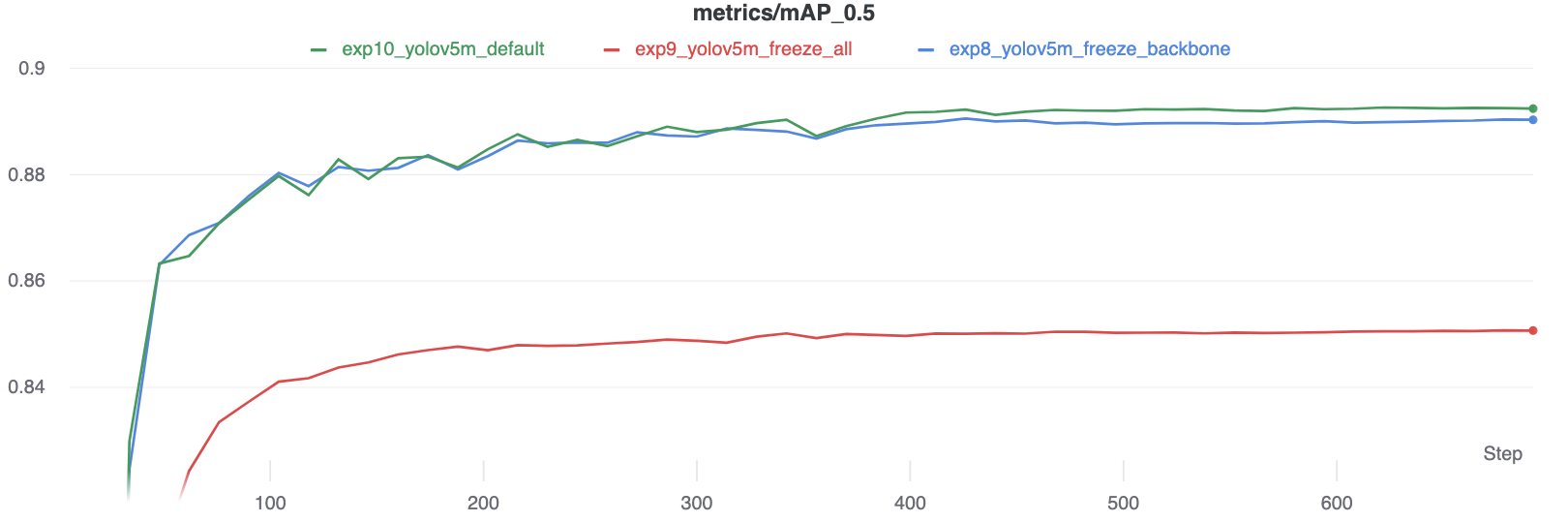
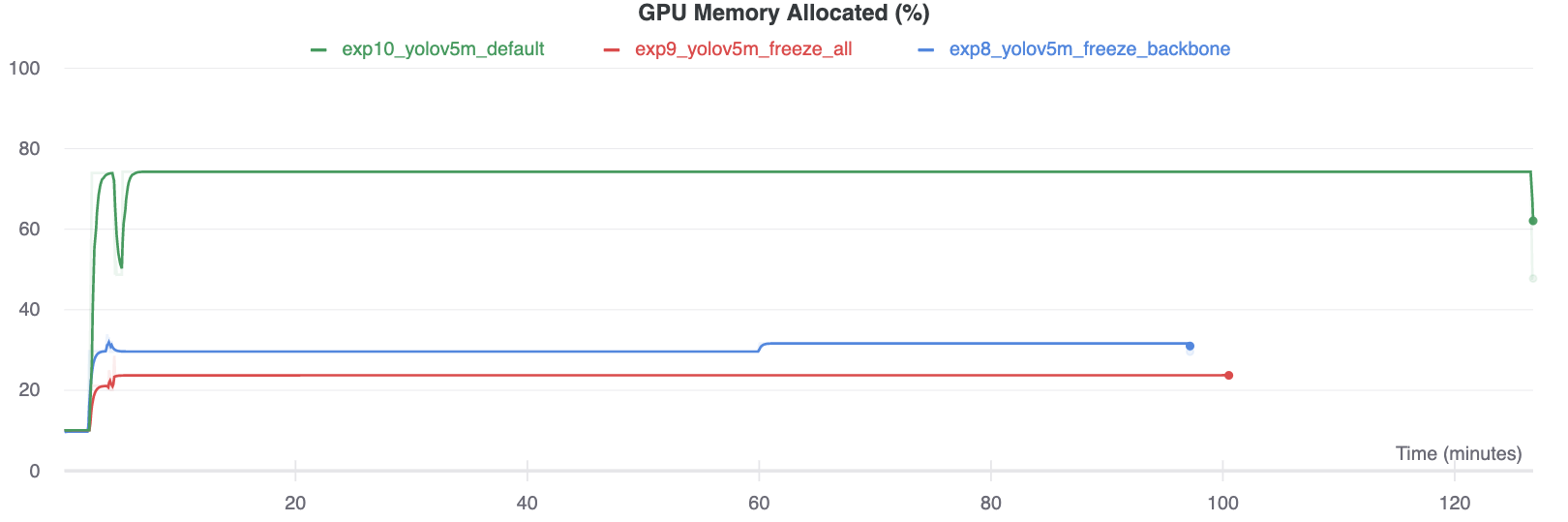
{{ lang.t("meta.comments") }}

{% endif %} ================================================ FILE: docs/overrides/partials/source-file.html ================================================ {% import "partials/language.html" as lang with context %}
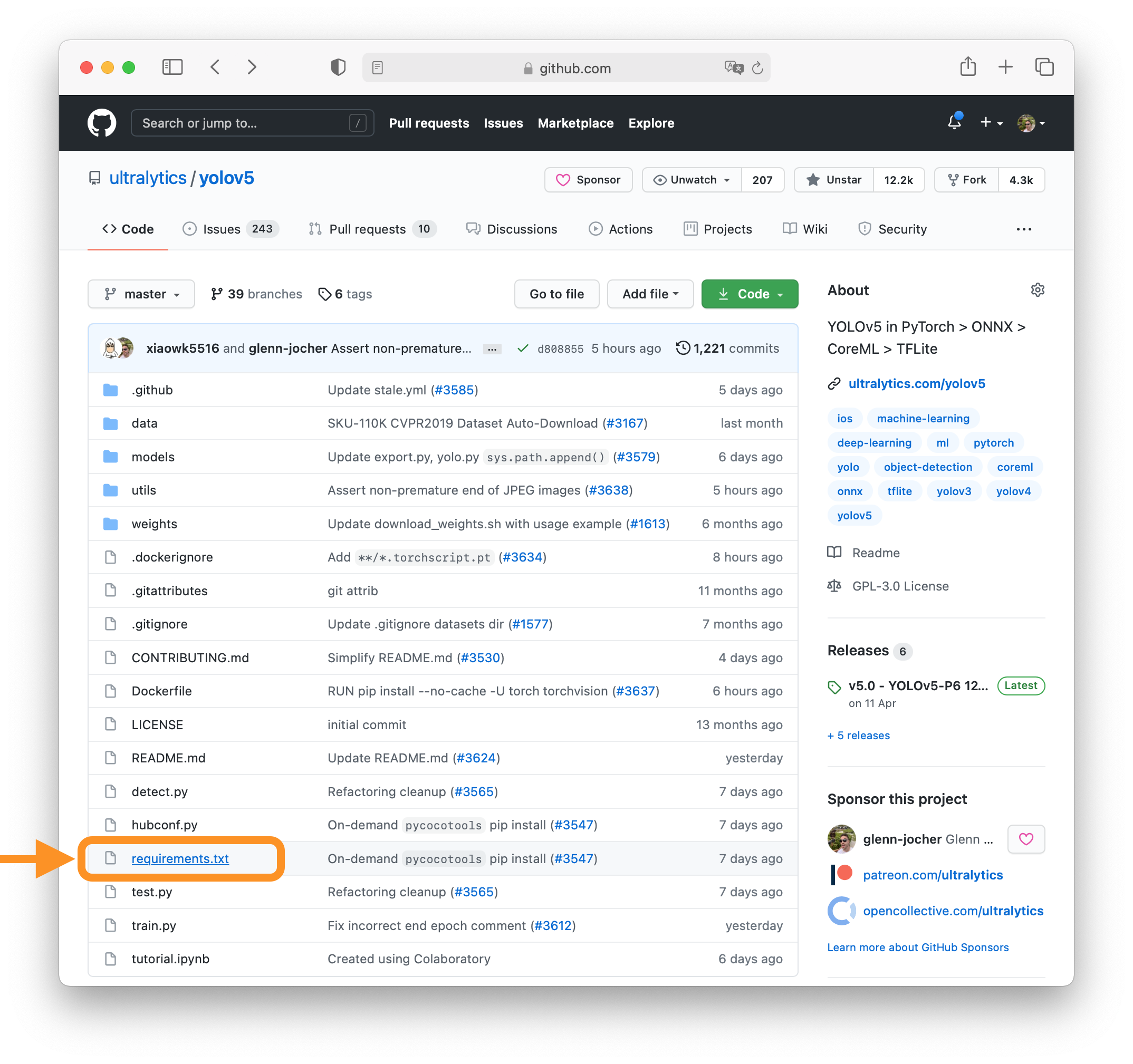
{% if page.meta.git_revision_date_localized %} 📅 {{ lang.t("source.file.date.updated") }}: {{ page.meta.git_revision_date_localized }} {% if page.meta.git_creation_date_localized %}
🎂 {{ lang.t("source.file.date.created") }}: {{ page.meta.git_creation_date_localized }} {% endif %} {% elif page.meta.revision_date %} 📅 {{ lang.t("source.file.date.updated") }}: {{ page.meta.revision_date }} {% endif %}
================================================ FILE: docs/overrides/stylesheets/style.css ================================================ /* Table format like GitHub ----------------------------------------------------------------------------------------- */ th, td { border: 1px solid var(--md-typeset-table-color); border-spacing: 0; border-bottom: none; border-left: none; border-top: none; } .md-typeset__table { line-height: 1; } .md-typeset__table table:not([class]) { font-size: 0.74rem; border-right: none; } .md-typeset__table table:not([class]) td, .md-typeset__table table:not([class]) th { padding: 9px; } /* light mode alternating table bg colors */ .md-typeset__table tr:nth-child(2n) { background-color: #f6f8fa; } /* dark mode alternating table bg colors */ [data-md-color-scheme="slate"] .md-typeset__table tr:nth-child(2n) { background-color: #161b22; } /* Table format like GitHub ----------------------------------------------------------------------------------------- */ /* Code block vertical scroll */ div.highlight { max-height: 20rem; overflow-y: auto; /* for adding a scrollbar when needed */ } /* Set content width */ .md-grid { max-width: 1440px; } /* Set language dropdown maximum height to screen height */ .md-header .md-select:hover .md-select__inner { max-height: 75vh; } /* Update the background of the banner (same as the one on the Ultralytics website) */ .md-banner { background-image: url(https://uploads-ssl.webflow.com/646dd1f1a3703e451ba81ecc/65e60cd6a4080bba757850a3_banner_ct.webp); background-size: cover; background-position: center; } ================================================ FILE: examples/README.md ================================================ ## Ultralytics YOLOv8 Example Applications This repository features a collection of real-world applications and walkthroughs, provided as either Python files or notebooks. Explore the examples below to see how YOLOv8 can be integrated into various applications. ### Ultralytics YOLO Example Applications | Title | Format | Contributor | | ----------------------------------------------------------------------------------------------------------------------------------------- | ------------------ | ----------------------------------------------------------------------------------------- | | [YOLO ONNX Detection Inference with C++](./YOLOv8-CPP-Inference) | C++/ONNX | [Justas Bartnykas](https://github.com/JustasBart) | | [YOLO OpenCV ONNX Detection Python](./YOLOv8-OpenCV-ONNX-Python) | OpenCV/Python/ONNX | [Farid Inawan](https://github.com/frdteknikelektro) | | [YOLOv8 .NET ONNX ImageSharp](https://github.com/dme-compunet/YOLOv8) | C#/ONNX/ImageSharp | [Compunet](https://github.com/dme-compunet) | | [YOLO .Net ONNX Detection C#](https://www.nuget.org/packages/Yolov8.Net) | C# .Net | [Samuel Stainback](https://github.com/sstainba) | | [YOLOv8 on NVIDIA Jetson(TensorRT and DeepStream)](https://wiki.seeedstudio.com/YOLOv8-DeepStream-TRT-Jetson/) | Python | [Lakshantha](https://github.com/lakshanthad) | | [YOLOv8 ONNXRuntime Python](./YOLOv8-ONNXRuntime) | Python/ONNXRuntime | [Semih Demirel](https://github.com/semihhdemirel) | | [YOLOv8 ONNXRuntime CPP](./YOLOv8-ONNXRuntime-CPP) | C++/ONNXRuntime | [DennisJcy](https://github.com/DennisJcy), [Onuralp Sezer](https://github.com/onuralpszr) | | [RTDETR ONNXRuntime C#](https://github.com/Kayzwer/yolo-cs/blob/master/RTDETR.cs) | C#/ONNX | [Kayzwer](https://github.com/Kayzwer) | | [YOLOv8 SAHI Video Inference](https://github.com/RizwanMunawar/ultralytics/blob/main/examples/YOLOv8-SAHI-Inference-Video/yolov8_sahi.py) | Python | [Muhammad Rizwan Munawar](https://github.com/RizwanMunawar) | | [YOLOv8 Region Counter](https://github.com/RizwanMunawar/ultralytics/blob/main/examples/YOLOv8-Region-Counter/yolov8_region_counter.py) | Python | [Muhammad Rizwan Munawar](https://github.com/RizwanMunawar) | | [YOLOv8 Segmentation ONNXRuntime Python](./YOLOv8-Segmentation-ONNXRuntime-Python) | Python/ONNXRuntime | [jamjamjon](https://github.com/jamjamjon) | | [YOLOv8 LibTorch CPP](./YOLOv8-LibTorch-CPP-Inference) | C++/LibTorch | [Myyura](https://github.com/Myyura) | | [YOLOv8 OpenCV INT8 TFLite Python](./YOLOv8-OpenCV-int8-tflite-Python) | Python | [Wamiq Raza](https://github.com/wamiqraza) | ### How to Contribute We greatly appreciate contributions from the community, including examples, applications, and guides. If you'd like to contribute, please follow these guidelines: 1. Create a pull request (PR) with the title prefix `[Example]`, adding your new example folder to the `examples/` directory within the repository. 2. Make sure your project adheres to the following standards: - Makes use of the `ultralytics` package. - Includes a `README.md` with clear instructions for setting up and running the example. - Refrains from adding large files or dependencies unless they are absolutely necessary for the example. - Contributors should be willing to provide support for their examples and address related issues. For more detailed information and guidance on contributing, please visit our [contribution documentation](https://docs.ultralytics.com/help/contributing). If you encounter any questions or concerns regarding these guidelines, feel free to open a PR or an issue in the repository, and we will assist you in the contribution process. ================================================ FILE: examples/YOLOv8-CPP-Inference/CMakeLists.txt ================================================ cmake_minimum_required(VERSION 3.5) project(Yolov8CPPInference VERSION 0.1) set(CMAKE_INCLUDE_CURRENT_DIR ON) # CUDA set(CUDA_TOOLKIT_ROOT_DIR "/usr/local/cuda") find_package(CUDA 11 REQUIRED) set(CMAKE_CUDA_STANDARD 11) set(CMAKE_CUDA_STANDARD_REQUIRED ON) # !CUDA # OpenCV find_package(OpenCV REQUIRED) include_directories(${OpenCV_INCLUDE_DIRS}) # !OpenCV set(PROJECT_SOURCES main.cpp inference.h inference.cpp ) add_executable(Yolov8CPPInference ${PROJECT_SOURCES}) target_link_libraries(Yolov8CPPInference ${OpenCV_LIBS}) ================================================ FILE: examples/YOLOv8-CPP-Inference/README.md ================================================ # YOLOv8/YOLOv5 Inference C++ This example demonstrates how to perform inference using YOLOv8 and YOLOv5 models in C++ with OpenCV's DNN API. ## Usage ```bash git clone ultralytics cd ultralytics pip install . cd examples/YOLOv8-CPP-Inference # Add a **yolov8\_.onnx** and/or **yolov5\_.onnx** model(s) to the ultralytics folder. # Edit the **main.cpp** to change the **projectBasePath** to match your user. # Note that by default the CMake file will try and import the CUDA library to be used with the OpenCVs dnn (cuDNN) GPU Inference. # If your OpenCV build does not use CUDA/cuDNN you can remove that import call and run the example on CPU. mkdir build cd build cmake .. make ./Yolov8CPPInference ``` ## Exporting YOLOv8 and YOLOv5 Models To export YOLOv8 models: ```commandline yolo export model=yolov8s.pt imgsz=480,640 format=onnx opset=12 ``` To export YOLOv5 models: ```commandline python3 export.py --weights yolov5s.pt --img 480 640 --include onnx --opset 12 ``` yolov8s.onnx: ![image](https://user-images.githubusercontent.com/40023722/217356132-a4cecf2e-2729-4acb-b80a-6559022d7707.png) yolov5s.onnx: ![image](https://user-images.githubusercontent.com/40023722/217357005-07464492-d1da-42e3-98a7-fc753f87d5e6.png) This repository utilizes OpenCV's DNN API to run ONNX exported models of YOLOv5 and YOLOv8. In theory, it should work for YOLOv6 and YOLOv7 as well, but they have not been tested. Note that the example networks are exported with rectangular (640x480) resolutions, but any exported resolution will work. You may want to use the letterbox approach for square images, depending on your use case. The **main** branch version uses Qt as a GUI wrapper. The primary focus here is the **Inference** class file, which demonstrates how to transpose YOLOv8 models to work as YOLOv5 models. ================================================ FILE: examples/YOLOv8-CPP-Inference/inference.cpp ================================================ #include "inference.h" Inference::Inference(const std::string &onnxModelPath, const cv::Size &modelInputShape, const std::string &classesTxtFile, const bool &runWithCuda) { modelPath = onnxModelPath; modelShape = modelInputShape; classesPath = classesTxtFile; cudaEnabled = runWithCuda; loadOnnxNetwork(); // loadClassesFromFile(); The classes are hard-coded for this example } std::vector Inference::runInference(const cv::Mat &input) { cv::Mat modelInput = input; if (letterBoxForSquare && modelShape.width == modelShape.height) modelInput = formatToSquare(modelInput); cv::Mat blob; cv::dnn::blobFromImage(modelInput, blob, 1.0/255.0, modelShape, cv::Scalar(), true, false); net.setInput(blob); std::vector outputs; net.forward(outputs, net.getUnconnectedOutLayersNames()); int rows = outputs[0].size[1]; int dimensions = outputs[0].size[2]; bool yolov8 = false; // yolov5 has an output of shape (batchSize, 25200, 85) (Num classes + box[x,y,w,h] + confidence[c]) // yolov8 has an output of shape (batchSize, 84, 8400) (Num classes + box[x,y,w,h]) if (dimensions > rows) // Check if the shape[2] is more than shape[1] (yolov8) { yolov8 = true; rows = outputs[0].size[2]; dimensions = outputs[0].size[1]; outputs[0] = outputs[0].reshape(1, dimensions); cv::transpose(outputs[0], outputs[0]); } float *data = (float *)outputs[0].data; float x_factor = modelInput.cols / modelShape.width; float y_factor = modelInput.rows / modelShape.height; std::vector class_ids; std::vector confidences; std::vector boxes; for (int i = 0; i < rows; ++i) { if (yolov8) { float *classes_scores = data+4; cv::Mat scores(1, classes.size(), CV_32FC1, classes_scores); cv::Point class_id; double maxClassScore; minMaxLoc(scores, 0, &maxClassScore, 0, &class_id); if (maxClassScore > modelScoreThreshold) { confidences.push_back(maxClassScore); class_ids.push_back(class_id.x); float x = data[0]; float y = data[1]; float w = data[2]; float h = data[3]; int left = int((x - 0.5 * w) * x_factor); int top = int((y - 0.5 * h) * y_factor); int width = int(w * x_factor); int height = int(h * y_factor); boxes.push_back(cv::Rect(left, top, width, height)); } } else // yolov5 { float confidence = data[4]; if (confidence >= modelConfidenceThreshold) { float *classes_scores = data+5; cv::Mat scores(1, classes.size(), CV_32FC1, classes_scores); cv::Point class_id; double max_class_score; minMaxLoc(scores, 0, &max_class_score, 0, &class_id); if (max_class_score > modelScoreThreshold) { confidences.push_back(confidence); class_ids.push_back(class_id.x); float x = data[0]; float y = data[1]; float w = data[2]; float h = data[3]; int left = int((x - 0.5 * w) * x_factor); int top = int((y - 0.5 * h) * y_factor); int width = int(w * x_factor); int height = int(h * y_factor); boxes.push_back(cv::Rect(left, top, width, height)); } } } data += dimensions; } std::vector nms_result; cv::dnn::NMSBoxes(boxes, confidences, modelScoreThreshold, modelNMSThreshold, nms_result); std::vector detections{}; for (unsigned long i = 0; i < nms_result.size(); ++i) { int idx = nms_result[i]; Detection result; result.class_id = class_ids[idx]; result.confidence = confidences[idx]; std::random_device rd; std::mt19937 gen(rd()); std::uniform_int_distribution dis(100, 255); result.color = cv::Scalar(dis(gen), dis(gen), dis(gen)); result.className = classes[result.class_id]; result.box = boxes[idx]; detections.push_back(result); } return detections; } void Inference::loadClassesFromFile() { std::ifstream inputFile(classesPath); if (inputFile.is_open()) { std::string classLine; while (std::getline(inputFile, classLine)) classes.push_back(classLine); inputFile.close(); } } void Inference::loadOnnxNetwork() { net = cv::dnn::readNetFromONNX(modelPath); if (cudaEnabled) { std::cout << "\nRunning on CUDA" << std::endl; net.setPreferableBackend(cv::dnn::DNN_BACKEND_CUDA); net.setPreferableTarget(cv::dnn::DNN_TARGET_CUDA); } else { std::cout << "\nRunning on CPU" << std::endl; net.setPreferableBackend(cv::dnn::DNN_BACKEND_OPENCV); net.setPreferableTarget(cv::dnn::DNN_TARGET_CPU); } } cv::Mat Inference::formatToSquare(const cv::Mat &source) { int col = source.cols; int row = source.rows; int _max = MAX(col, row); cv::Mat result = cv::Mat::zeros(_max, _max, CV_8UC3); source.copyTo(result(cv::Rect(0, 0, col, row))); return result; } ================================================ FILE: examples/YOLOv8-CPP-Inference/inference.h ================================================ #ifndef INFERENCE_H #define INFERENCE_H // Cpp native #include #include #include #include // OpenCV / DNN / Inference #include #include #include struct Detection { int class_id{0}; std::string className{}; float confidence{0.0}; cv::Scalar color{}; cv::Rect box{}; }; class Inference { public: Inference(const std::string &onnxModelPath, const cv::Size &modelInputShape = {640, 640}, const std::string &classesTxtFile = "", const bool &runWithCuda = true); std::vector runInference(const cv::Mat &input); private: void loadClassesFromFile(); void loadOnnxNetwork(); cv::Mat formatToSquare(const cv::Mat &source); std::string modelPath{}; std::string classesPath{}; bool cudaEnabled{}; std::vector classes{"person", "bicycle", "car", "motorcycle", "airplane", "bus", "train", "truck", "boat", "traffic light", "fire hydrant", "stop sign", "parking meter", "bench", "bird", "cat", "dog", "horse", "sheep", "cow", "elephant", "bear", "zebra", "giraffe", "backpack", "umbrella", "handbag", "tie", "suitcase", "frisbee", "skis", "snowboard", "sports ball", "kite", "baseball bat", "baseball glove", "skateboard", "surfboard", "tennis racket", "bottle", "wine glass", "cup", "fork", "knife", "spoon", "bowl", "banana", "apple", "sandwich", "orange", "broccoli", "carrot", "hot dog", "pizza", "donut", "cake", "chair", "couch", "potted plant", "bed", "dining table", "toilet", "tv", "laptop", "mouse", "remote", "keyboard", "cell phone", "microwave", "oven", "toaster", "sink", "refrigerator", "book", "clock", "vase", "scissors", "teddy bear", "hair drier", "toothbrush"}; cv::Size2f modelShape{}; float modelConfidenceThreshold {0.25}; float modelScoreThreshold {0.45}; float modelNMSThreshold {0.50}; bool letterBoxForSquare = true; cv::dnn::Net net; }; #endif // INFERENCE_H ================================================ FILE: examples/YOLOv8-CPP-Inference/main.cpp ================================================ #include #include #include #include #include "inference.h" using namespace std; using namespace cv; int main(int argc, char **argv) { std::string projectBasePath = "/home/user/ultralytics"; // Set your ultralytics base path bool runOnGPU = true; // // Pass in either: // // "yolov8s.onnx" or "yolov5s.onnx" // // To run Inference with yolov8/yolov5 (ONNX) // // Note that in this example the classes are hard-coded and 'classes.txt' is a place holder. Inference inf(projectBasePath + "/yolov8s.onnx", cv::Size(640, 480), "classes.txt", runOnGPU); std::vector imageNames; imageNames.push_back(projectBasePath + "/ultralytics/assets/bus.jpg"); imageNames.push_back(projectBasePath + "/ultralytics/assets/zidane.jpg"); for (int i = 0; i < imageNames.size(); ++i) { cv::Mat frame = cv::imread(imageNames[i]); // Inference starts here... std::vector output = inf.runInference(frame); int detections = output.size(); std::cout << "Number of detections:" << detections << std::endl; for (int i = 0; i < detections; ++i) { Detection detection = output[i]; cv::Rect box = detection.box; cv::Scalar color = detection.color; // Detection box cv::rectangle(frame, box, color, 2); // Detection box text std::string classString = detection.className + ' ' + std::to_string(detection.confidence).substr(0, 4); cv::Size textSize = cv::getTextSize(classString, cv::FONT_HERSHEY_DUPLEX, 1, 2, 0); cv::Rect textBox(box.x, box.y - 40, textSize.width + 10, textSize.height + 20); cv::rectangle(frame, textBox, color, cv::FILLED); cv::putText(frame, classString, cv::Point(box.x + 5, box.y - 10), cv::FONT_HERSHEY_DUPLEX, 1, cv::Scalar(0, 0, 0), 2, 0); } // Inference ends here... // This is only for preview purposes float scale = 0.8; cv::resize(frame, frame, cv::Size(frame.cols*scale, frame.rows*scale)); cv::imshow("Inference", frame); cv::waitKey(-1); } } ================================================ FILE: examples/YOLOv8-LibTorch-CPP-Inference/CMakeLists.txt ================================================ cmake_minimum_required(VERSION 3.18 FATAL_ERROR) project(yolov8_libtorch_example) set(CMAKE_CXX_STANDARD 17) set(CMAKE_CXX_STANDARD_REQUIRED ON) set(CMAKE_CXX_EXTENSIONS OFF) # -------------- OpenCV -------------- set(OpenCV_DIR "/path/to/opencv/lib/cmake/opencv4") find_package(OpenCV REQUIRED) message(STATUS "OpenCV library status:") message(STATUS " config: ${OpenCV_DIR}") message(STATUS " version: ${OpenCV_VERSION}") message(STATUS " libraries: ${OpenCV_LIBS}") message(STATUS " include path: ${OpenCV_INCLUDE_DIRS}") include_directories(${OpenCV_INCLUDE_DIRS}) # -------------- libtorch -------------- list(APPEND CMAKE_PREFIX_PATH "/path/to/libtorch") set(Torch_DIR "/path/to/libtorch/share/cmake/Torch") find_package(Torch REQUIRED) set(CMAKE_CXX_FLAGS "${CMAKE_CXX_FLAGS} ${TORCH_CXX_FLAGS}") message("${TORCH_LIBRARIES}") message("${TORCH_INCLUDE_DIRS}") # The following code block is suggested to be used on Windows. # According to https://github.com/pytorch/pytorch/issues/25457, # the DLLs need to be copied to avoid memory errors. # if (MSVC) # file(GLOB TORCH_DLLS "${TORCH_INSTALL_PREFIX}/lib/*.dll") # add_custom_command(TARGET yolov8_libtorch_example # POST_BUILD # COMMAND ${CMAKE_COMMAND} -E copy_if_different # ${TORCH_DLLS} # $) # endif (MSVC) include_directories(${TORCH_INCLUDE_DIRS}) add_executable(yolov8_libtorch_inference "${CMAKE_CURRENT_SOURCE_DIR}/main.cc") target_link_libraries(yolov8_libtorch_inference ${TORCH_LIBRARIES} ${OpenCV_LIBS}) set_property(TARGET yolov8_libtorch_inference PROPERTY CXX_STANDARD 17) ================================================ FILE: examples/YOLOv8-LibTorch-CPP-Inference/README.md ================================================ # YOLOv8 LibTorch Inference C++ This example demonstrates how to perform inference using YOLOv8 models in C++ with LibTorch API. ## Dependencies | Dependency | Version | | ------------ | -------- | | OpenCV | >=4.0.0 | | C++ Standard | >=17 | | Cmake | >=3.18 | | Libtorch | >=1.12.1 | ## Usage ```bash git clone ultralytics cd ultralytics pip install . cd examples/YOLOv8-LibTorch-CPP-Inference mkdir build cd build cmake .. make ./yolov8_libtorch_inference ``` ## Exporting YOLOv8 To export YOLOv8 models: ```commandline yolo export model=yolov8s.pt imgsz=640 format=torchscript ``` ================================================ FILE: examples/YOLOv8-LibTorch-CPP-Inference/main.cc ================================================ #include #include #include #include #include #include using torch::indexing::Slice; using torch::indexing::None; float generate_scale(cv::Mat& image, const std::vector& target_size) { int origin_w = image.cols; int origin_h = image.rows; int target_h = target_size[0]; int target_w = target_size[1]; float ratio_h = static_cast(target_h) / static_cast(origin_h); float ratio_w = static_cast(target_w) / static_cast(origin_w); float resize_scale = std::min(ratio_h, ratio_w); return resize_scale; } float letterbox(cv::Mat &input_image, cv::Mat &output_image, const std::vector &target_size) { if (input_image.cols == target_size[1] && input_image.rows == target_size[0]) { if (input_image.data == output_image.data) { return 1.; } else { output_image = input_image.clone(); return 1.; } } float resize_scale = generate_scale(input_image, target_size); int new_shape_w = std::round(input_image.cols * resize_scale); int new_shape_h = std::round(input_image.rows * resize_scale); float padw = (target_size[1] - new_shape_w) / 2.; float padh = (target_size[0] - new_shape_h) / 2.; int top = std::round(padh - 0.1); int bottom = std::round(padh + 0.1); int left = std::round(padw - 0.1); int right = std::round(padw + 0.1); cv::resize(input_image, output_image, cv::Size(new_shape_w, new_shape_h), 0, 0, cv::INTER_AREA); cv::copyMakeBorder(output_image, output_image, top, bottom, left, right, cv::BORDER_CONSTANT, cv::Scalar(114.)); return resize_scale; } torch::Tensor xyxy2xywh(const torch::Tensor& x) { auto y = torch::empty_like(x); y.index_put_({"...", 0}, (x.index({"...", 0}) + x.index({"...", 2})).div(2)); y.index_put_({"...", 1}, (x.index({"...", 1}) + x.index({"...", 3})).div(2)); y.index_put_({"...", 2}, x.index({"...", 2}) - x.index({"...", 0})); y.index_put_({"...", 3}, x.index({"...", 3}) - x.index({"...", 1})); return y; } torch::Tensor xywh2xyxy(const torch::Tensor& x) { auto y = torch::empty_like(x); auto dw = x.index({"...", 2}).div(2); auto dh = x.index({"...", 3}).div(2); y.index_put_({"...", 0}, x.index({"...", 0}) - dw); y.index_put_({"...", 1}, x.index({"...", 1}) - dh); y.index_put_({"...", 2}, x.index({"...", 0}) + dw); y.index_put_({"...", 3}, x.index({"...", 1}) + dh); return y; } // Reference: https://github.com/pytorch/vision/blob/main/torchvision/csrc/ops/cpu/nms_kernel.cpp torch::Tensor nms(const torch::Tensor& bboxes, const torch::Tensor& scores, float iou_threshold) { if (bboxes.numel() == 0) return torch::empty({0}, bboxes.options().dtype(torch::kLong)); auto x1_t = bboxes.select(1, 0).contiguous(); auto y1_t = bboxes.select(1, 1).contiguous(); auto x2_t = bboxes.select(1, 2).contiguous(); auto y2_t = bboxes.select(1, 3).contiguous(); torch::Tensor areas_t = (x2_t - x1_t) * (y2_t - y1_t); auto order_t = std::get<1>( scores.sort(/*stable=*/true, /*dim=*/0, /* descending=*/true)); auto ndets = bboxes.size(0); torch::Tensor suppressed_t = torch::zeros({ndets}, bboxes.options().dtype(torch::kByte)); torch::Tensor keep_t = torch::zeros({ndets}, bboxes.options().dtype(torch::kLong)); auto suppressed = suppressed_t.data_ptr(); auto keep = keep_t.data_ptr(); auto order = order_t.data_ptr(); auto x1 = x1_t.data_ptr(); auto y1 = y1_t.data_ptr(); auto x2 = x2_t.data_ptr(); auto y2 = y2_t.data_ptr(); auto areas = areas_t.data_ptr(); int64_t num_to_keep = 0; for (int64_t _i = 0; _i < ndets; _i++) { auto i = order[_i]; if (suppressed[i] == 1) continue; keep[num_to_keep++] = i; auto ix1 = x1[i]; auto iy1 = y1[i]; auto ix2 = x2[i]; auto iy2 = y2[i]; auto iarea = areas[i]; for (int64_t _j = _i + 1; _j < ndets; _j++) { auto j = order[_j]; if (suppressed[j] == 1) continue; auto xx1 = std::max(ix1, x1[j]); auto yy1 = std::max(iy1, y1[j]); auto xx2 = std::min(ix2, x2[j]); auto yy2 = std::min(iy2, y2[j]); auto w = std::max(static_cast(0), xx2 - xx1); auto h = std::max(static_cast(0), yy2 - yy1); auto inter = w * h; auto ovr = inter / (iarea + areas[j] - inter); if (ovr > iou_threshold) suppressed[j] = 1; } } return keep_t.narrow(0, 0, num_to_keep); } torch::Tensor non_max_supperession(torch::Tensor& prediction, float conf_thres = 0.25, float iou_thres = 0.45, int max_det = 300) { auto bs = prediction.size(0); auto nc = prediction.size(1) - 4; auto nm = prediction.size(1) - nc - 4; auto mi = 4 + nc; auto xc = prediction.index({Slice(), Slice(4, mi)}).amax(1) > conf_thres; prediction = prediction.transpose(-1, -2); prediction.index_put_({"...", Slice({None, 4})}, xywh2xyxy(prediction.index({"...", Slice(None, 4)}))); std::vector output; for (int i = 0; i < bs; i++) { output.push_back(torch::zeros({0, 6 + nm}, prediction.device())); } for (int xi = 0; xi < prediction.size(0); xi++) { auto x = prediction[xi]; x = x.index({xc[xi]}); auto x_split = x.split({4, nc, nm}, 1); auto box = x_split[0], cls = x_split[1], mask = x_split[2]; auto [conf, j] = cls.max(1, true); x = torch::cat({box, conf, j.toType(torch::kFloat), mask}, 1); x = x.index({conf.view(-1) > conf_thres}); int n = x.size(0); if (!n) { continue; } // NMS auto c = x.index({Slice(), Slice{5, 6}}) * 7680; auto boxes = x.index({Slice(), Slice(None, 4)}) + c; auto scores = x.index({Slice(), 4}); auto i = nms(boxes, scores, iou_thres); i = i.index({Slice(None, max_det)}); output[xi] = x.index({i}); } return torch::stack(output); } torch::Tensor clip_boxes(torch::Tensor& boxes, const std::vector& shape) { boxes.index_put_({"...", 0}, boxes.index({"...", 0}).clamp(0, shape[1])); boxes.index_put_({"...", 1}, boxes.index({"...", 1}).clamp(0, shape[0])); boxes.index_put_({"...", 2}, boxes.index({"...", 2}).clamp(0, shape[1])); boxes.index_put_({"...", 3}, boxes.index({"...", 3}).clamp(0, shape[0])); return boxes; } torch::Tensor scale_boxes(const std::vector& img1_shape, torch::Tensor& boxes, const std::vector& img0_shape) { auto gain = (std::min)((float)img1_shape[0] / img0_shape[0], (float)img1_shape[1] / img0_shape[1]); auto pad0 = std::round((float)(img1_shape[1] - img0_shape[1] * gain) / 2. - 0.1); auto pad1 = std::round((float)(img1_shape[0] - img0_shape[0] * gain) / 2. - 0.1); boxes.index_put_({"...", 0}, boxes.index({"...", 0}) - pad0); boxes.index_put_({"...", 2}, boxes.index({"...", 2}) - pad0); boxes.index_put_({"...", 1}, boxes.index({"...", 1}) - pad1); boxes.index_put_({"...", 3}, boxes.index({"...", 3}) - pad1); boxes.index_put_({"...", Slice(None, 4)}, boxes.index({"...", Slice(None, 4)}).div(gain)); return boxes; } int main() { // Device torch::Device device(torch::cuda::is_available() ? torch::kCUDA :torch::kCPU); // Note that in this example the classes are hard-coded std::vector classes {"person", "bicycle", "car", "motorcycle", "airplane", "bus", "train", "truck", "boat", "traffic light", "fire hydrant", "stop sign", "parking meter", "bench", "bird", "cat", "dog", "horse", "sheep", "cow", "elephant", "bear", "zebra", "giraffe", "backpack", "umbrella", "handbag", "tie", "suitcase", "frisbee", "skis", "snowboard", "sports ball", "kite", "baseball bat", "baseball glove", "skateboard", "surfboard", "tennis racket", "bottle", "wine glass", "cup", "fork", "knife", "spoon", "bowl", "banana", "apple", "sandwich", "orange", "broccoli", "carrot", "hot dog", "pizza", "donut", "cake", "chair", "couch", "potted plant", "bed", "dining table", "toilet", "tv", "laptop", "mouse", "remote", "keyboard", "cell phone", "microwave", "oven", "toaster", "sink", "refrigerator", "book", "clock", "vase", "scissors", "teddy bear", "hair drier", "toothbrush"}; try { // Load the model (e.g. yolov8s.torchscript) std::string model_path = "/path/to/yolov8s.torchscript"; torch::jit::script::Module yolo_model; yolo_model = torch::jit::load(model_path); yolo_model.eval(); yolo_model.to(device, torch::kFloat32); // Load image and preprocess cv::Mat image = cv::imread("/path/to/bus.jpg"); cv::Mat input_image; letterbox(image, input_image, {640, 640}); torch::Tensor image_tensor = torch::from_blob(input_image.data, {input_image.rows, input_image.cols, 3}, torch::kByte).to(device); image_tensor = image_tensor.toType(torch::kFloat32).div(255); image_tensor = image_tensor.permute({2, 0, 1}); image_tensor = image_tensor.unsqueeze(0); std::vector inputs {image_tensor}; // Inference torch::Tensor output = yolo_model.forward(inputs).toTensor().cpu(); // NMS auto keep = non_max_supperession(output)[0]; auto boxes = keep.index({Slice(), Slice(None, 4)}); keep.index_put_({Slice(), Slice(None, 4)}, scale_boxes({input_image.rows, input_image.cols}, boxes, {image.rows, image.cols})); // Show the results for (int i = 0; i < keep.size(0); i++) { int x1 = keep[i][0].item().toFloat(); int y1 = keep[i][1].item().toFloat(); int x2 = keep[i][2].item().toFloat(); int y2 = keep[i][3].item().toFloat(); float conf = keep[i][4].item().toFloat(); int cls = keep[i][5].item().toInt(); std::cout << "Rect: [" << x1 << "," << y1 << "," << x2 << "," << y2 << "] Conf: " << conf << " Class: " << classes[cls] << std::endl; } } catch (const c10::Error& e) { std::cout << e.msg() << std::endl; } return 0; } ================================================ FILE: examples/YOLOv8-ONNXRuntime/README.md ================================================ # YOLOv8 - ONNX Runtime This project implements YOLOv8 using ONNX Runtime. ## Installation To run this project, you need to install the required dependencies. The following instructions will guide you through the installation process. ### Installing Required Dependencies You can install the required dependencies by running the following command: ```bash pip install -r requirements.txt ``` ### Installing `onnxruntime-gpu` If you have an NVIDIA GPU and want to leverage GPU acceleration, you can install the onnxruntime-gpu package using the following command: ```bash pip install onnxruntime-gpu ``` Note: Make sure you have the appropriate GPU drivers installed on your system. ### Installing `onnxruntime` (CPU version) If you don't have an NVIDIA GPU or prefer to use the CPU version of onnxruntime, you can install the onnxruntime package using the following command: ```bash pip install onnxruntime ``` ### Usage After successfully installing the required packages, you can run the YOLOv8 implementation using the following command: ```bash python main.py --model yolov8n.onnx --img image.jpg --conf-thres 0.5 --iou-thres 0.5 ``` Make sure to replace yolov8n.onnx with the path to your YOLOv8 ONNX model file, image.jpg with the path to your input image, and adjust the confidence threshold (conf-thres) and IoU threshold (iou-thres) values as needed. ================================================ FILE: examples/YOLOv8-ONNXRuntime/main.py ================================================ # Ultralytics YOLO 🚀, AGPL-3.0 license import argparse import cv2 import numpy as np import onnxruntime as ort import torch from ultralytics.utils import ASSETS, yaml_load from ultralytics.utils.checks import check_requirements, check_yaml class YOLOv8: """YOLOv8 object detection model class for handling inference and visualization.""" def __init__(self, onnx_model, input_image, confidence_thres, iou_thres): """ Initializes an instance of the YOLOv8 class. Args: onnx_model: Path to the ONNX model. input_image: Path to the input image. confidence_thres: Confidence threshold for filtering detections. iou_thres: IoU (Intersection over Union) threshold for non-maximum suppression. """ self.onnx_model = onnx_model self.input_image = input_image self.confidence_thres = confidence_thres self.iou_thres = iou_thres # Load the class names from the COCO dataset self.classes = yaml_load(check_yaml("coco128.yaml"))["names"] # Generate a color palette for the classes self.color_palette = np.random.uniform(0, 255, size=(len(self.classes), 3)) def draw_detections(self, img, box, score, class_id): """ Draws bounding boxes and labels on the input image based on the detected objects. Args: img: The input image to draw detections on. box: Detected bounding box. score: Corresponding detection score. class_id: Class ID for the detected object. Returns: None """ # Extract the coordinates of the bounding box x1, y1, w, h = box # Retrieve the color for the class ID color = self.color_palette[class_id] # Draw the bounding box on the image cv2.rectangle(img, (int(x1), int(y1)), (int(x1 + w), int(y1 + h)), color, 2) # Create the label text with class name and score label = f"{self.classes[class_id]}: {score:.2f}" # Calculate the dimensions of the label text (label_width, label_height), _ = cv2.getTextSize(label, cv2.FONT_HERSHEY_SIMPLEX, 0.5, 1) # Calculate the position of the label text label_x = x1 label_y = y1 - 10 if y1 - 10 > label_height else y1 + 10 # Draw a filled rectangle as the background for the label text cv2.rectangle( img, (label_x, label_y - label_height), (label_x + label_width, label_y + label_height), color, cv2.FILLED ) # Draw the label text on the image cv2.putText(img, label, (label_x, label_y), cv2.FONT_HERSHEY_SIMPLEX, 0.5, (0, 0, 0), 1, cv2.LINE_AA) def preprocess(self): """ Preprocesses the input image before performing inference. Returns: image_data: Preprocessed image data ready for inference. """ # Read the input image using OpenCV self.img = cv2.imread(self.input_image) # Get the height and width of the input image self.img_height, self.img_width = self.img.shape[:2] # Convert the image color space from BGR to RGB img = cv2.cvtColor(self.img, cv2.COLOR_BGR2RGB) # Resize the image to match the input shape img = cv2.resize(img, (self.input_width, self.input_height)) # Normalize the image data by dividing it by 255.0 image_data = np.array(img) / 255.0 # Transpose the image to have the channel dimension as the first dimension image_data = np.transpose(image_data, (2, 0, 1)) # Channel first # Expand the dimensions of the image data to match the expected input shape image_data = np.expand_dims(image_data, axis=0).astype(np.float32) # Return the preprocessed image data return image_data def postprocess(self, input_image, output): """ Performs post-processing on the model's output to extract bounding boxes, scores, and class IDs. Args: input_image (numpy.ndarray): The input image. output (numpy.ndarray): The output of the model. Returns: numpy.ndarray: The input image with detections drawn on it. """ # Transpose and squeeze the output to match the expected shape outputs = np.transpose(np.squeeze(output[0])) # Get the number of rows in the outputs array rows = outputs.shape[0] # Lists to store the bounding boxes, scores, and class IDs of the detections boxes = [] scores = [] class_ids = [] # Calculate the scaling factors for the bounding box coordinates x_factor = self.img_width / self.input_width y_factor = self.img_height / self.input_height # Iterate over each row in the outputs array for i in range(rows): # Extract the class scores from the current row classes_scores = outputs[i][4:] # Find the maximum score among the class scores max_score = np.amax(classes_scores) # If the maximum score is above the confidence threshold if max_score >= self.confidence_thres: # Get the class ID with the highest score class_id = np.argmax(classes_scores) # Extract the bounding box coordinates from the current row x, y, w, h = outputs[i][0], outputs[i][1], outputs[i][2], outputs[i][3] # Calculate the scaled coordinates of the bounding box left = int((x - w / 2) * x_factor) top = int((y - h / 2) * y_factor) width = int(w * x_factor) height = int(h * y_factor) # Add the class ID, score, and box coordinates to the respective lists class_ids.append(class_id) scores.append(max_score) boxes.append([left, top, width, height]) # Apply non-maximum suppression to filter out overlapping bounding boxes indices = cv2.dnn.NMSBoxes(boxes, scores, self.confidence_thres, self.iou_thres) # Iterate over the selected indices after non-maximum suppression for i in indices: # Get the box, score, and class ID corresponding to the index box = boxes[i] score = scores[i] class_id = class_ids[i] # Draw the detection on the input image self.draw_detections(input_image, box, score, class_id) # Return the modified input image return input_image def main(self): """ Performs inference using an ONNX model and returns the output image with drawn detections. Returns: output_img: The output image with drawn detections. """ # Create an inference session using the ONNX model and specify execution providers session = ort.InferenceSession(self.onnx_model, providers=["CUDAExecutionProvider", "CPUExecutionProvider"]) # Get the model inputs model_inputs = session.get_inputs() # Store the shape of the input for later use input_shape = model_inputs[0].shape self.input_width = input_shape[2] self.input_height = input_shape[3] # Preprocess the image data img_data = self.preprocess() # Run inference using the preprocessed image data outputs = session.run(None, {model_inputs[0].name: img_data}) # Perform post-processing on the outputs to obtain output image. return self.postprocess(self.img, outputs) # output image if __name__ == "__main__": # Create an argument parser to handle command-line arguments parser = argparse.ArgumentParser() parser.add_argument("--model", type=str, default="yolov8n.onnx", help="Input your ONNX model.") parser.add_argument("--img", type=str, default=str(ASSETS / "bus.jpg"), help="Path to input image.") parser.add_argument("--conf-thres", type=float, default=0.5, help="Confidence threshold") parser.add_argument("--iou-thres", type=float, default=0.5, help="NMS IoU threshold") args = parser.parse_args() # Check the requirements and select the appropriate backend (CPU or GPU) check_requirements("onnxruntime-gpu" if torch.cuda.is_available() else "onnxruntime") # Create an instance of the YOLOv8 class with the specified arguments detection = YOLOv8(args.model, args.img, args.conf_thres, args.iou_thres) # Perform object detection and obtain the output image output_image = detection.main() # Display the output image in a window cv2.namedWindow("Output", cv2.WINDOW_NORMAL) cv2.imshow("Output", output_image) # Wait for a key press to exit cv2.waitKey(0) ================================================ FILE: examples/YOLOv8-ONNXRuntime-CPP/CMakeLists.txt ================================================ cmake_minimum_required(VERSION 3.5) set(PROJECT_NAME Yolov8OnnxRuntimeCPPInference) project(${PROJECT_NAME} VERSION 0.0.1 LANGUAGES CXX) # -------------- Support C++17 for using filesystem ------------------# set(CMAKE_CXX_STANDARD 17) set(CMAKE_CXX_STANDARD_REQUIRED ON) set(CMAKE_CXX_EXTENSIONS ON) set(CMAKE_INCLUDE_CURRENT_DIR ON) # -------------- OpenCV ------------------# find_package(OpenCV REQUIRED) include_directories(${OpenCV_INCLUDE_DIRS}) # -------------- Compile CUDA for FP16 inference if needed ------------------# option(USE_CUDA "Enable CUDA support" ON) if (NOT APPLE AND USE_CUDA) find_package(CUDA REQUIRED) include_directories(${CUDA_INCLUDE_DIRS}) add_definitions(-DUSE_CUDA) else () set(USE_CUDA OFF) endif () # -------------- ONNXRUNTIME ------------------# # Set ONNXRUNTIME_VERSION set(ONNXRUNTIME_VERSION 1.15.1) if (WIN32) if (USE_CUDA) set(ONNXRUNTIME_ROOT "${CMAKE_CURRENT_SOURCE_DIR}/onnxruntime-win-x64-gpu-${ONNXRUNTIME_VERSION}") else () set(ONNXRUNTIME_ROOT "${CMAKE_CURRENT_SOURCE_DIR}/onnxruntime-win-x64-${ONNXRUNTIME_VERSION}") endif () elseif (LINUX) if (USE_CUDA) set(ONNXRUNTIME_ROOT "${CMAKE_CURRENT_SOURCE_DIR}/onnxruntime-linux-x64-gpu-${ONNXRUNTIME_VERSION}") else () set(ONNXRUNTIME_ROOT "${CMAKE_CURRENT_SOURCE_DIR}/onnxruntime-linux-x64-${ONNXRUNTIME_VERSION}") endif () elseif (APPLE) set(ONNXRUNTIME_ROOT "${CMAKE_CURRENT_SOURCE_DIR}/onnxruntime-osx-arm64-${ONNXRUNTIME_VERSION}") # Apple X64 binary # set(ONNXRUNTIME_ROOT "${CMAKE_CURRENT_SOURCE_DIR}/onnxruntime-osx-x64-${ONNXRUNTIME_VERSION}") # Apple Universal binary # set(ONNXRUNTIME_ROOT "${CMAKE_CURRENT_SOURCE_DIR}/onnxruntime-osx-universal2-${ONNXRUNTIME_VERSION}") endif () include_directories(${PROJECT_NAME} ${ONNXRUNTIME_ROOT}/include) set(PROJECT_SOURCES main.cpp inference.h inference.cpp ) add_executable(${PROJECT_NAME} ${PROJECT_SOURCES}) if (WIN32) target_link_libraries(${PROJECT_NAME} ${OpenCV_LIBS} ${ONNXRUNTIME_ROOT}/lib/onnxruntime.lib) if (USE_CUDA) target_link_libraries(${PROJECT_NAME} ${CUDA_LIBRARIES}) endif () elseif (LINUX) target_link_libraries(${PROJECT_NAME} ${OpenCV_LIBS} ${ONNXRUNTIME_ROOT}/lib/libonnxruntime.so) if (USE_CUDA) target_link_libraries(${PROJECT_NAME} ${CUDA_LIBRARIES}) endif () elseif (APPLE) target_link_libraries(${PROJECT_NAME} ${OpenCV_LIBS} ${ONNXRUNTIME_ROOT}/lib/libonnxruntime.dylib) endif () # For windows system, copy onnxruntime.dll to the same folder of the executable file if (WIN32) add_custom_command(TARGET ${PROJECT_NAME} POST_BUILD COMMAND ${CMAKE_COMMAND} -E copy_if_different "${ONNXRUNTIME_ROOT}/lib/onnxruntime.dll" $) endif () # Download https://raw.githubusercontent.com/ultralytics/ultralytics/main/ultralytics/cfg/datasets/coco.yaml # and put it in the same folder of the executable file configure_file(coco.yaml ${CMAKE_CURRENT_BINARY_DIR}/coco.yaml COPYONLY) # Copy yolov8n.onnx file to the same folder of the executable file configure_file(yolov8n.onnx ${CMAKE_CURRENT_BINARY_DIR}/yolov8n.onnx COPYONLY) # Create folder name images in the same folder of the executable file add_custom_command(TARGET ${PROJECT_NAME} POST_BUILD COMMAND ${CMAKE_COMMAND} -E make_directory ${CMAKE_CURRENT_BINARY_DIR}/images ) ================================================ FILE: examples/YOLOv8-ONNXRuntime-CPP/README.md ================================================ # YOLOv8 OnnxRuntime C++ C++ Onnx-runtime This example demonstrates how to perform inference using YOLOv8 in C++ with ONNX Runtime and OpenCV's API. ## Benefits ✨ - Friendly for deployment in the industrial sector. - Faster than OpenCV's DNN inference on both CPU and GPU. - Supports FP32 and FP16 CUDA acceleration. ## Note ☕ 1. Benefit for Ultralytics' latest release, a `Transpose` op is added to the YOLOv8 model, while make v8 and v5 has the same output shape. Therefore, you can run inference with YOLOv5/v7/v8 via this project. ## Exporting YOLOv8 Models 📦 To export YOLOv8 models, use the following Python script: ```python from ultralytics import YOLO # Load a YOLOv8 model model = YOLO("yolov8n.pt") # Export the model model.export(format="onnx", opset=12, simplify=True, dynamic=False, imgsz=640) ``` Alternatively, you can use the following command for exporting the model in the terminal ```bash yolo export model=yolov8n.pt opset=12 simplify=True dynamic=False format=onnx imgsz=640,640 ``` ## Exporting YOLOv8 FP16 Models 📦 ```python import onnx from onnxconverter_common import float16 model = onnx.load(R'YOUR_ONNX_PATH') model_fp16 = float16.convert_float_to_float16(model) onnx.save(model_fp16, R'YOUR_FP16_ONNX_PATH') ``` ## Download COCO.yaml file 📂 In order to run example, you also need to download coco.yaml. You can download the file manually from [here](https://raw.githubusercontent.com/ultralytics/ultralytics/main/ultralytics/cfg/datasets/coco.yaml) ## Dependencies ⚙️ | Dependency | Version | | -------------------------------- | -------------- | | Onnxruntime(linux,windows,macos) | >=1.14.1 | | OpenCV | >=4.0.0 | | C++ Standard | >=17 | | Cmake | >=3.5 | | Cuda (Optional) | >=11.4 \<12.0 | | cuDNN (Cuda required) | =8 | Note: The dependency on C++17 is due to the usage of the C++17 filesystem feature. Note (2): Due to ONNX Runtime, we need to use CUDA 11 and cuDNN 8. Keep in mind that this requirement might change in the future. ## Build 🛠️ 1. Clone the repository to your local machine. 2. Navigate to the root directory of the repository. 3. Create a build directory and navigate to it: ```console mkdir build && cd build ``` 4. Run CMake to generate the build files: ```console cmake .. ``` 5. Build the project: ```console make ``` 6. The built executable should now be located in the `build` directory. ## Usage 🚀 ```c++ //change your param as you like //Pay attention to your device and the onnx model type(fp32 or fp16) DL_INIT_PARAM params; params.rectConfidenceThreshold = 0.1; params.iouThreshold = 0.5; params.modelPath = "yolov8n.onnx"; params.imgSize = { 640, 640 }; params.cudaEnable = true; params.modelType = YOLO_DETECT_V8; yoloDetector->CreateSession(params); Detector(yoloDetector); ``` ================================================ FILE: examples/YOLOv8-ONNXRuntime-CPP/inference.cpp ================================================ #include "inference.h" #include #define benchmark #define min(a,b) (((a) < (b)) ? (a) : (b)) YOLO_V8::YOLO_V8() { } YOLO_V8::~YOLO_V8() { delete session; } #ifdef USE_CUDA namespace Ort { template<> struct TypeToTensorType { static constexpr ONNXTensorElementDataType type = ONNX_TENSOR_ELEMENT_DATA_TYPE_FLOAT16; }; } #endif template char* BlobFromImage(cv::Mat& iImg, T& iBlob) { int channels = iImg.channels(); int imgHeight = iImg.rows; int imgWidth = iImg.cols; for (int c = 0; c < channels; c++) { for (int h = 0; h < imgHeight; h++) { for (int w = 0; w < imgWidth; w++) { iBlob[c * imgWidth * imgHeight + h * imgWidth + w] = typename std::remove_pointer::type( (iImg.at(h, w)[c]) / 255.0f); } } } return RET_OK; } char* YOLO_V8::PreProcess(cv::Mat& iImg, std::vector iImgSize, cv::Mat& oImg) { if (iImg.channels() == 3) { oImg = iImg.clone(); cv::cvtColor(oImg, oImg, cv::COLOR_BGR2RGB); } else { cv::cvtColor(iImg, oImg, cv::COLOR_GRAY2RGB); } switch (modelType) { case YOLO_DETECT_V8: case YOLO_POSE: case YOLO_DETECT_V8_HALF: case YOLO_POSE_V8_HALF://LetterBox { if (iImg.cols >= iImg.rows) { resizeScales = iImg.cols / (float)iImgSize.at(0); cv::resize(oImg, oImg, cv::Size(iImgSize.at(0), int(iImg.rows / resizeScales))); } else { resizeScales = iImg.rows / (float)iImgSize.at(0); cv::resize(oImg, oImg, cv::Size(int(iImg.cols / resizeScales), iImgSize.at(1))); } cv::Mat tempImg = cv::Mat::zeros(iImgSize.at(0), iImgSize.at(1), CV_8UC3); oImg.copyTo(tempImg(cv::Rect(0, 0, oImg.cols, oImg.rows))); oImg = tempImg; break; } case YOLO_CLS://CenterCrop { int h = iImg.rows; int w = iImg.cols; int m = min(h, w); int top = (h - m) / 2; int left = (w - m) / 2; cv::resize(oImg(cv::Rect(left, top, m, m)), oImg, cv::Size(iImgSize.at(0), iImgSize.at(1))); break; } } return RET_OK; } char* YOLO_V8::CreateSession(DL_INIT_PARAM& iParams) { char* Ret = RET_OK; std::regex pattern("[\u4e00-\u9fa5]"); bool result = std::regex_search(iParams.modelPath, pattern); if (result) { Ret = "[YOLO_V8]:Your model path is error.Change your model path without chinese characters."; std::cout << Ret << std::endl; return Ret; } try { rectConfidenceThreshold = iParams.rectConfidenceThreshold; iouThreshold = iParams.iouThreshold; imgSize = iParams.imgSize; modelType = iParams.modelType; env = Ort::Env(ORT_LOGGING_LEVEL_WARNING, "Yolo"); Ort::SessionOptions sessionOption; if (iParams.cudaEnable) { cudaEnable = iParams.cudaEnable; OrtCUDAProviderOptions cudaOption; cudaOption.device_id = 0; sessionOption.AppendExecutionProvider_CUDA(cudaOption); } sessionOption.SetGraphOptimizationLevel(GraphOptimizationLevel::ORT_ENABLE_ALL); sessionOption.SetIntraOpNumThreads(iParams.intraOpNumThreads); sessionOption.SetLogSeverityLevel(iParams.logSeverityLevel); #ifdef _WIN32 int ModelPathSize = MultiByteToWideChar(CP_UTF8, 0, iParams.modelPath.c_str(), static_cast(iParams.modelPath.length()), nullptr, 0); wchar_t* wide_cstr = new wchar_t[ModelPathSize + 1]; MultiByteToWideChar(CP_UTF8, 0, iParams.modelPath.c_str(), static_cast(iParams.modelPath.length()), wide_cstr, ModelPathSize); wide_cstr[ModelPathSize] = L'\0'; const wchar_t* modelPath = wide_cstr; #else const char* modelPath = iParams.modelPath.c_str(); #endif // _WIN32 session = new Ort::Session(env, modelPath, sessionOption); Ort::AllocatorWithDefaultOptions allocator; size_t inputNodesNum = session->GetInputCount(); for (size_t i = 0; i < inputNodesNum; i++) { Ort::AllocatedStringPtr input_node_name = session->GetInputNameAllocated(i, allocator); char* temp_buf = new char[50]; strcpy(temp_buf, input_node_name.get()); inputNodeNames.push_back(temp_buf); } size_t OutputNodesNum = session->GetOutputCount(); for (size_t i = 0; i < OutputNodesNum; i++) { Ort::AllocatedStringPtr output_node_name = session->GetOutputNameAllocated(i, allocator); char* temp_buf = new char[10]; strcpy(temp_buf, output_node_name.get()); outputNodeNames.push_back(temp_buf); } options = Ort::RunOptions{ nullptr }; WarmUpSession(); return RET_OK; } catch (const std::exception& e) { const char* str1 = "[YOLO_V8]:"; const char* str2 = e.what(); std::string result = std::string(str1) + std::string(str2); char* merged = new char[result.length() + 1]; std::strcpy(merged, result.c_str()); std::cout << merged << std::endl; delete[] merged; return "[YOLO_V8]:Create session failed."; } } char* YOLO_V8::RunSession(cv::Mat& iImg, std::vector& oResult) { #ifdef benchmark clock_t starttime_1 = clock(); #endif // benchmark char* Ret = RET_OK; cv::Mat processedImg; PreProcess(iImg, imgSize, processedImg); if (modelType < 4) { float* blob = new float[processedImg.total() * 3]; BlobFromImage(processedImg, blob); std::vector inputNodeDims = { 1, 3, imgSize.at(0), imgSize.at(1) }; TensorProcess(starttime_1, iImg, blob, inputNodeDims, oResult); } else { #ifdef USE_CUDA half* blob = new half[processedImg.total() * 3]; BlobFromImage(processedImg, blob); std::vector inputNodeDims = { 1,3,imgSize.at(0),imgSize.at(1) }; TensorProcess(starttime_1, iImg, blob, inputNodeDims, oResult); #endif } return Ret; } template char* YOLO_V8::TensorProcess(clock_t& starttime_1, cv::Mat& iImg, N& blob, std::vector& inputNodeDims, std::vector& oResult) { Ort::Value inputTensor = Ort::Value::CreateTensor::type>( Ort::MemoryInfo::CreateCpu(OrtDeviceAllocator, OrtMemTypeCPU), blob, 3 * imgSize.at(0) * imgSize.at(1), inputNodeDims.data(), inputNodeDims.size()); #ifdef benchmark clock_t starttime_2 = clock(); #endif // benchmark auto outputTensor = session->Run(options, inputNodeNames.data(), &inputTensor, 1, outputNodeNames.data(), outputNodeNames.size()); #ifdef benchmark clock_t starttime_3 = clock(); #endif // benchmark Ort::TypeInfo typeInfo = outputTensor.front().GetTypeInfo(); auto tensor_info = typeInfo.GetTensorTypeAndShapeInfo(); std::vector outputNodeDims = tensor_info.GetShape(); auto output = outputTensor.front().GetTensorMutableData::type>(); delete[] blob; switch (modelType) { case YOLO_DETECT_V8: case YOLO_DETECT_V8_HALF: { int strideNum = outputNodeDims[1];//8400 int signalResultNum = outputNodeDims[2];//84 std::vector class_ids; std::vector confidences; std::vector boxes; cv::Mat rawData; if (modelType == YOLO_DETECT_V8) { // FP32 rawData = cv::Mat(strideNum, signalResultNum, CV_32F, output); } else { // FP16 rawData = cv::Mat(strideNum, signalResultNum, CV_16F, output); rawData.convertTo(rawData, CV_32F); } //Note: //ultralytics add transpose operator to the output of yolov8 model.which make yolov8/v5/v7 has same shape //https://github.com/ultralytics/assets/releases/download/v8.1.0/yolov8n.pt //rowData = rowData.t(); float* data = (float*)rawData.data; for (int i = 0; i < strideNum; ++i) { float* classesScores = data + 4; cv::Mat scores(1, this->classes.size(), CV_32FC1, classesScores); cv::Point class_id; double maxClassScore; cv::minMaxLoc(scores, 0, &maxClassScore, 0, &class_id); if (maxClassScore > rectConfidenceThreshold) { confidences.push_back(maxClassScore); class_ids.push_back(class_id.x); float x = data[0]; float y = data[1]; float w = data[2]; float h = data[3]; int left = int((x - 0.5 * w) * resizeScales); int top = int((y - 0.5 * h) * resizeScales); int width = int(w * resizeScales); int height = int(h * resizeScales); boxes.push_back(cv::Rect(left, top, width, height)); } data += signalResultNum; } std::vector nmsResult; cv::dnn::NMSBoxes(boxes, confidences, rectConfidenceThreshold, iouThreshold, nmsResult); for (int i = 0; i < nmsResult.size(); ++i) { int idx = nmsResult[i]; DL_RESULT result; result.classId = class_ids[idx]; result.confidence = confidences[idx]; result.box = boxes[idx]; oResult.push_back(result); } #ifdef benchmark clock_t starttime_4 = clock(); double pre_process_time = (double)(starttime_2 - starttime_1) / CLOCKS_PER_SEC * 1000; double process_time = (double)(starttime_3 - starttime_2) / CLOCKS_PER_SEC * 1000; double post_process_time = (double)(starttime_4 - starttime_3) / CLOCKS_PER_SEC * 1000; if (cudaEnable) { std::cout << "[YOLO_V8(CUDA)]: " << pre_process_time << "ms pre-process, " << process_time << "ms inference, " << post_process_time << "ms post-process." << std::endl; } else { std::cout << "[YOLO_V8(CPU)]: " << pre_process_time << "ms pre-process, " << process_time << "ms inference, " << post_process_time << "ms post-process." << std::endl; } #endif // benchmark break; } case YOLO_CLS: { DL_RESULT result; for (int i = 0; i < this->classes.size(); i++) { result.classId = i; result.confidence = output[i]; oResult.push_back(result); } break; } default: std::cout << "[YOLO_V8]: " << "Not support model type." << std::endl; } return RET_OK; } char* YOLO_V8::WarmUpSession() { clock_t starttime_1 = clock(); cv::Mat iImg = cv::Mat(cv::Size(imgSize.at(0), imgSize.at(1)), CV_8UC3); cv::Mat processedImg; PreProcess(iImg, imgSize, processedImg); if (modelType < 4) { float* blob = new float[iImg.total() * 3]; BlobFromImage(processedImg, blob); std::vector YOLO_input_node_dims = { 1, 3, imgSize.at(0), imgSize.at(1) }; Ort::Value input_tensor = Ort::Value::CreateTensor( Ort::MemoryInfo::CreateCpu(OrtDeviceAllocator, OrtMemTypeCPU), blob, 3 * imgSize.at(0) * imgSize.at(1), YOLO_input_node_dims.data(), YOLO_input_node_dims.size()); auto output_tensors = session->Run(options, inputNodeNames.data(), &input_tensor, 1, outputNodeNames.data(), outputNodeNames.size()); delete[] blob; clock_t starttime_4 = clock(); double post_process_time = (double)(starttime_4 - starttime_1) / CLOCKS_PER_SEC * 1000; if (cudaEnable) { std::cout << "[YOLO_V8(CUDA)]: " << "Cuda warm-up cost " << post_process_time << " ms. " << std::endl; } } else { #ifdef USE_CUDA half* blob = new half[iImg.total() * 3]; BlobFromImage(processedImg, blob); std::vector YOLO_input_node_dims = { 1,3,imgSize.at(0),imgSize.at(1) }; Ort::Value input_tensor = Ort::Value::CreateTensor(Ort::MemoryInfo::CreateCpu(OrtDeviceAllocator, OrtMemTypeCPU), blob, 3 * imgSize.at(0) * imgSize.at(1), YOLO_input_node_dims.data(), YOLO_input_node_dims.size()); auto output_tensors = session->Run(options, inputNodeNames.data(), &input_tensor, 1, outputNodeNames.data(), outputNodeNames.size()); delete[] blob; clock_t starttime_4 = clock(); double post_process_time = (double)(starttime_4 - starttime_1) / CLOCKS_PER_SEC * 1000; if (cudaEnable) { std::cout << "[YOLO_V8(CUDA)]: " << "Cuda warm-up cost " << post_process_time << " ms. " << std::endl; } #endif } return RET_OK; } ================================================ FILE: examples/YOLOv8-ONNXRuntime-CPP/inference.h ================================================ #pragma once #define RET_OK nullptr #ifdef _WIN32 #include #include #include #endif #include #include #include #include #include "onnxruntime_cxx_api.h" #ifdef USE_CUDA #include #endif enum MODEL_TYPE { //FLOAT32 MODEL YOLO_DETECT_V8 = 1, YOLO_POSE = 2, YOLO_CLS = 3, //FLOAT16 MODEL YOLO_DETECT_V8_HALF = 4, YOLO_POSE_V8_HALF = 5, }; typedef struct _DL_INIT_PARAM { std::string modelPath; MODEL_TYPE modelType = YOLO_DETECT_V8; std::vector imgSize = { 640, 640 }; float rectConfidenceThreshold = 0.6; float iouThreshold = 0.5; int keyPointsNum = 2;//Note:kpt number for pose bool cudaEnable = false; int logSeverityLevel = 3; int intraOpNumThreads = 1; } DL_INIT_PARAM; typedef struct _DL_RESULT { int classId; float confidence; cv::Rect box; std::vector keyPoints; } DL_RESULT; class YOLO_V8 { public: YOLO_V8(); ~YOLO_V8(); public: char* CreateSession(DL_INIT_PARAM& iParams); char* RunSession(cv::Mat& iImg, std::vector& oResult); char* WarmUpSession(); template char* TensorProcess(clock_t& starttime_1, cv::Mat& iImg, N& blob, std::vector& inputNodeDims, std::vector& oResult); char* PreProcess(cv::Mat& iImg, std::vector iImgSize, cv::Mat& oImg); std::vector classes{}; private: Ort::Env env; Ort::Session* session; bool cudaEnable; Ort::RunOptions options; std::vector inputNodeNames; std::vector outputNodeNames; MODEL_TYPE modelType; std::vector imgSize; float rectConfidenceThreshold; float iouThreshold; float resizeScales;//letterbox scale }; ================================================ FILE: examples/YOLOv8-ONNXRuntime-CPP/main.cpp ================================================ #include #include #include "inference.h" #include #include #include void Detector(YOLO_V8*& p) { std::filesystem::path current_path = std::filesystem::current_path(); std::filesystem::path imgs_path = current_path / "images"; for (auto& i : std::filesystem::directory_iterator(imgs_path)) { if (i.path().extension() == ".jpg" || i.path().extension() == ".png" || i.path().extension() == ".jpeg") { std::string img_path = i.path().string(); cv::Mat img = cv::imread(img_path); std::vector res; p->RunSession(img, res); for (auto& re : res) { cv::RNG rng(cv::getTickCount()); cv::Scalar color(rng.uniform(0, 256), rng.uniform(0, 256), rng.uniform(0, 256)); cv::rectangle(img, re.box, color, 3); float confidence = floor(100 * re.confidence) / 100; std::cout << std::fixed << std::setprecision(2); std::string label = p->classes[re.classId] + " " + std::to_string(confidence).substr(0, std::to_string(confidence).size() - 4); cv::rectangle( img, cv::Point(re.box.x, re.box.y - 25), cv::Point(re.box.x + label.length() * 15, re.box.y), color, cv::FILLED ); cv::putText( img, label, cv::Point(re.box.x, re.box.y - 5), cv::FONT_HERSHEY_SIMPLEX, 0.75, cv::Scalar(0, 0, 0), 2 ); } std::cout << "Press any key to exit" << std::endl; cv::imshow("Result of Detection", img); cv::waitKey(0); cv::destroyAllWindows(); } } } void Classifier(YOLO_V8*& p) { std::filesystem::path current_path = std::filesystem::current_path(); std::filesystem::path imgs_path = current_path;// / "images" std::random_device rd; std::mt19937 gen(rd()); std::uniform_int_distribution dis(0, 255); for (auto& i : std::filesystem::directory_iterator(imgs_path)) { if (i.path().extension() == ".jpg" || i.path().extension() == ".png") { std::string img_path = i.path().string(); //std::cout << img_path << std::endl; cv::Mat img = cv::imread(img_path); std::vector res; char* ret = p->RunSession(img, res); float positionY = 50; for (int i = 0; i < res.size(); i++) { int r = dis(gen); int g = dis(gen); int b = dis(gen); cv::putText(img, std::to_string(i) + ":", cv::Point(10, positionY), cv::FONT_HERSHEY_SIMPLEX, 1, cv::Scalar(b, g, r), 2); cv::putText(img, std::to_string(res.at(i).confidence), cv::Point(70, positionY), cv::FONT_HERSHEY_SIMPLEX, 1, cv::Scalar(b, g, r), 2); positionY += 50; } cv::imshow("TEST_CLS", img); cv::waitKey(0); cv::destroyAllWindows(); //cv::imwrite("E:\\output\\" + std::to_string(k) + ".png", img); } } } int ReadCocoYaml(YOLO_V8*& p) { // Open the YAML file std::ifstream file("coco.yaml"); if (!file.is_open()) { std::cerr << "Failed to open file" << std::endl; return 1; } // Read the file line by line std::string line; std::vector lines; while (std::getline(file, line)) { lines.push_back(line); } // Find the start and end of the names section std::size_t start = 0; std::size_t end = 0; for (std::size_t i = 0; i < lines.size(); i++) { if (lines[i].find("names:") != std::string::npos) { start = i + 1; } else if (start > 0 && lines[i].find(':') == std::string::npos) { end = i; break; } } // Extract the names std::vector names; for (std::size_t i = start; i < end; i++) { std::stringstream ss(lines[i]); std::string name; std::getline(ss, name, ':'); // Extract the number before the delimiter std::getline(ss, name); // Extract the string after the delimiter names.push_back(name); } p->classes = names; return 0; } void DetectTest() { YOLO_V8* yoloDetector = new YOLO_V8; ReadCocoYaml(yoloDetector); DL_INIT_PARAM params; params.rectConfidenceThreshold = 0.1; params.iouThreshold = 0.5; params.modelPath = "yolov8n.onnx"; params.imgSize = { 640, 640 }; #ifdef USE_CUDA params.cudaEnable = true; // GPU FP32 inference params.modelType = YOLO_DETECT_V8; // GPU FP16 inference //Note: change fp16 onnx model //params.modelType = YOLO_DETECT_V8_HALF; #else // CPU inference params.modelType = YOLO_DETECT_V8; params.cudaEnable = false; #endif yoloDetector->CreateSession(params); Detector(yoloDetector); } void ClsTest() { YOLO_V8* yoloDetector = new YOLO_V8; std::string model_path = "cls.onnx"; ReadCocoYaml(yoloDetector); DL_INIT_PARAM params{ model_path, YOLO_CLS, {224, 224} }; yoloDetector->CreateSession(params); Classifier(yoloDetector); } int main() { //DetectTest(); ClsTest(); } ================================================ FILE: examples/YOLOv8-ONNXRuntime-Rust/Cargo.toml ================================================ [package] name = "yolov8-rs" version = "0.1.0" edition = "2021" # See more keys and their definitions at https://doc.rust-lang.org/cargo/reference/manifest.html [dependencies] clap = { version = "4.2.4", features = ["derive"] } image = { version = "0.24.7", default-features = false, features = ["jpeg", "png", "webp-encoder"] } imageproc = { version = "0.23.0", default-features = false } ndarray = { version = "0.15.6" } ort = {version = "1.16.3", default-features = false, features = ["load-dynamic", "copy-dylibs", "half"]} rusttype = { version = "0.9", default-features = false } anyhow = { version = "1.0.75"} regex = { version = "1.5.4" } rand = { version ="0.8.5" } chrono = { version = "0.4.30" } half = { version = "2.3.1" } dirs = { version = "5.0.1" } ureq = { version = "2.9.1" } ================================================ FILE: examples/YOLOv8-ONNXRuntime-Rust/README.md ================================================ # YOLOv8-ONNXRuntime-Rust for All the Key YOLO Tasks This repository provides a Rust demo for performing YOLOv8 tasks like `Classification`, `Segmentation`, `Detection` and `Pose Detection` using ONNXRuntime. ## Features - Support `Classification`, `Segmentation`, `Detection`, `Pose(Keypoints)-Detection` tasks. - Support `FP16` & `FP32` ONNX models. - Support `CPU`, `CUDA` and `TensorRT` execution provider to accelerate computation. - Support dynamic input shapes(`batch`, `width`, `height`). ## Installation ### 1. Install Rust Please follow the Rust official installation. (https://www.rust-lang.org/tools/install) ### 2. Install ONNXRuntime This repository use `ort` crate, which is ONNXRuntime wrapper for Rust. (https://docs.rs/ort/latest/ort/) You can follow the instruction with `ort` doc or simply do this: - step1: Download ONNXRuntime(https://github.com/microsoft/onnxruntime/releases) - setp2: Set environment variable `PATH` for linking. On ubuntu, You can do like this: ``` vim ~/.bashrc # Add the path of ONNXRUntime lib export LD_LIBRARY_PATH=/home/qweasd/Documents/onnxruntime-linux-x64-gpu-1.16.3/lib${LD_LIBRARY_PATH:+:${LD_LIBRARY_PATH}} source ~/.bashrc ``` ### 3. \[Optional\] Install CUDA & CuDNN & TensorRT - CUDA execution provider requires CUDA v11.6+. - TensorRT execution provider requires CUDA v11.4+ and TensorRT v8.4+. ## Get Started ### 1. Export the YOLOv8 ONNX Models ```bash pip install -U ultralytics # export onnx model with dynamic shapes yolo export model=yolov8m.pt format=onnx simplify dynamic yolo export model=yolov8m-cls.pt format=onnx simplify dynamic yolo export model=yolov8m-pose.pt format=onnx simplify dynamic yolo export model=yolov8m-seg.pt format=onnx simplify dynamic # export onnx model with constant shapes yolo export model=yolov8m.pt format=onnx simplify yolo export model=yolov8m-cls.pt format=onnx simplify yolo export model=yolov8m-pose.pt format=onnx simplify yolo export model=yolov8m-seg.pt format=onnx simplify ``` ### 2. Run Inference It will perform inference with the ONNX model on the source image. ``` cargo run --release -- --model --source ``` Set `--cuda` to use CUDA execution provider to speed up inference. ``` cargo run --release -- --cuda --model --source ``` Set `--trt` to use TensorRT execution provider, and you can set `--fp16` at the same time to use TensorRT FP16 engine. ``` cargo run --release -- --trt --fp16 --model --source ``` Set `--device_id` to select which device to run. When you have only one GPU, and you set `device_id` to 1 will not cause program panic, the `ort` would automatically fall back to `CPU` EP. ``` cargo run --release -- --cuda --device_id 0 --model --source ``` Set `--batch` to do multi-batch-size inference. If you're using `--trt`, you can also set `--batch-min` and `--batch-max` to explicitly specify min/max/opt batch for dynamic batch input.(https://onnxruntime.ai/docs/execution-providers/TensorRT-ExecutionProvider.html#explicit-shape-range-for-dynamic-shape-input).(Note that the ONNX model should exported with dynamic shapes) ``` cargo run --release -- --cuda --batch 2 --model --source ``` Set `--height` and `--width` to do dynamic image size inference. (Note that the ONNX model should exported with dynamic shapes) ``` cargo run --release -- --cuda --width 480 --height 640 --model --source ``` Set `--profile` to check time consumed in each stage.(Note that the model usually needs to take 1~3 times dry run to warmup. Make sure to run enough times to evaluate the result.) ``` cargo run --release -- --trt --fp16 --profile --model --source ``` Results: (yolov8m.onnx, batch=1, 3 times, trt, fp16, RTX 3060Ti) ``` ==> 0 [Model Preprocess]: 12.75788ms [ORT H2D]: 237.118µs [ORT Inference]: 507.895469ms [ORT D2H]: 191.655µs [Model Inference]: 508.34589ms [Model Postprocess]: 1.061122ms ==> 1 [Model Preprocess]: 13.658655ms [ORT H2D]: 209.975µs [ORT Inference]: 5.12372ms [ORT D2H]: 182.389µs [Model Inference]: 5.530022ms [Model Postprocess]: 1.04851ms ==> 2 [Model Preprocess]: 12.475332ms [ORT H2D]: 246.127µs [ORT Inference]: 5.048432ms [ORT D2H]: 187.117µs [Model Inference]: 5.493119ms [Model Postprocess]: 1.040906ms ``` And also: `--conf`: confidence threshold \[default: 0.3\] `--iou`: iou threshold in NMS \[default: 0.45\] `--kconf`: confidence threshold of keypoint \[default: 0.55\] `--plot`: plot inference result with random RGB color and save you can check out all CLI arguments by: ``` git clone https://github.com/ultralytics/ultralytics cd ultralytics/examples/YOLOv8-ONNXRuntime-Rust cargo run --release -- --help ``` ## Examples ### Classification Running dynamic shape ONNX model on `CPU` with image size `--height 224 --width 224`. Saving plotted image in `runs` directory. ``` cargo run --release -- --model ../assets/weights/yolov8m-cls-dyn.onnx --source ../assets/images/dog.jpg --height 224 --width 224 --plot --profile ``` You will see result like: ``` Summary: > Task: Classify (Ultralytics 8.0.217) > EP: Cpu > Dtype: Float32 > Batch: 1 (Dynamic), Height: 224 (Dynamic), Width: 224 (Dynamic) > nc: 1000 nk: 0, nm: 0, conf: 0.3, kconf: 0.55, iou: 0.45 [Model Preprocess]: 16.363477ms [ORT H2D]: 50.722µs [ORT Inference]: 16.295808ms [ORT D2H]: 8.37µs [Model Inference]: 16.367046ms [Model Postprocess]: 3.527µs [ YOLOResult { Probs(top5): Some([(208, 0.6950566), (209, 0.13823675), (178, 0.04849795), (215, 0.019029364), (212, 0.016506357)]), Bboxes: None, Keypoints: None, Masks: None, }, ] ``` ![2023-11-25-22-02-02-156623351](https://github.com/jamjamjon/ultralytics/assets/51357717/ef75c2ae-c5ab-44cc-9d9e-e60b51e39662) ### Object Detection Using `CUDA` EP and dynamic image size `--height 640 --width 480` ``` cargo run --release -- --cuda --model ../assets/weights/yolov8m-dynamic.onnx --source ../assets/images/bus.jpg --plot --height 640 --width 480 ``` ![det](https://github.com/jamjamjon/ultralytics/assets/51357717/5d89a19d-0c96-4a59-875c-defab6887a2c) ### Pose Detection using `TensorRT` EP ``` cargo run --release -- --trt --model ../assets/weights/yolov8m-pose.onnx --source ../assets/images/bus.jpg --plot ``` ![2023-11-25-22-31-45-127054025](https://github.com/jamjamjon/ultralytics/assets/51357717/157b5ba7-bfcf-47cf-bee7-68b62e0de1c4) ### Instance Segmentation using `TensorRT` EP and FP16 model `--fp16` ``` cargo run --release -- --trt --fp16 --model ../assets/weights/yolov8m-seg.onnx --source ../assets/images/0172.jpg --plot ``` ![seg](https://github.com/jamjamjon/ultralytics/assets/51357717/cf046f4f-9533-478a-adc7-4de22443a641) ================================================ FILE: examples/YOLOv8-ONNXRuntime-Rust/src/cli.rs ================================================ use clap::Parser; use crate::YOLOTask; #[derive(Parser, Clone)] #[command(author, version, about, long_about = None)] pub struct Args { /// ONNX model path #[arg(long, required = true)] pub model: String, /// input path #[arg(long, required = true)] pub source: String, /// device id #[arg(long, default_value_t = 0)] pub device_id: u32, /// using TensorRT EP #[arg(long)] pub trt: bool, /// using CUDA EP #[arg(long)] pub cuda: bool, /// input batch size #[arg(long, default_value_t = 1)] pub batch: u32, /// trt input min_batch size #[arg(long, default_value_t = 1)] pub batch_min: u32, /// trt input max_batch size #[arg(long, default_value_t = 32)] pub batch_max: u32, /// using TensorRT --fp16 #[arg(long)] pub fp16: bool, /// specify YOLO task #[arg(long, value_enum)] pub task: Option, /// num_classes #[arg(long)] pub nc: Option, /// num_keypoints #[arg(long)] pub nk: Option, /// num_masks #[arg(long)] pub nm: Option, /// input image width #[arg(long)] pub width: Option, /// input image height #[arg(long)] pub height: Option, /// confidence threshold #[arg(long, required = false, default_value_t = 0.3)] pub conf: f32, /// iou threshold in NMS #[arg(long, required = false, default_value_t = 0.45)] pub iou: f32, /// confidence threshold of keypoint #[arg(long, required = false, default_value_t = 0.55)] pub kconf: f32, /// plot inference result and save #[arg(long)] pub plot: bool, /// check time consumed in each stage #[arg(long)] pub profile: bool, } ================================================ FILE: examples/YOLOv8-ONNXRuntime-Rust/src/lib.rs ================================================ #![allow(clippy::type_complexity)] use std::io::{Read, Write}; pub mod cli; pub mod model; pub mod ort_backend; pub mod yolo_result; pub use crate::cli::Args; pub use crate::model::YOLOv8; pub use crate::ort_backend::{Batch, OrtBackend, OrtConfig, OrtEP, YOLOTask}; pub use crate::yolo_result::{Bbox, Embedding, Point2, YOLOResult}; pub fn non_max_suppression( xs: &mut Vec<(Bbox, Option>, Option>)>, iou_threshold: f32, ) { xs.sort_by(|b1, b2| b2.0.confidence().partial_cmp(&b1.0.confidence()).unwrap()); let mut current_index = 0; for index in 0..xs.len() { let mut drop = false; for prev_index in 0..current_index { let iou = xs[prev_index].0.iou(&xs[index].0); if iou > iou_threshold { drop = true; break; } } if !drop { xs.swap(current_index, index); current_index += 1; } } xs.truncate(current_index); } pub fn gen_time_string(delimiter: &str) -> String { let offset = chrono::FixedOffset::east_opt(8 * 60 * 60).unwrap(); // Beijing let t_now = chrono::Utc::now().with_timezone(&offset); let fmt = format!( "%Y{}%m{}%d{}%H{}%M{}%S{}%f", delimiter, delimiter, delimiter, delimiter, delimiter, delimiter ); t_now.format(&fmt).to_string() } pub const SKELETON: [(usize, usize); 16] = [ (0, 1), (0, 2), (1, 3), (2, 4), (5, 6), (5, 11), (6, 12), (11, 12), (5, 7), (6, 8), (7, 9), (8, 10), (11, 13), (12, 14), (13, 15), (14, 16), ]; pub fn check_font(font: &str) -> rusttype::Font<'static> { // check then load font // ultralytics font path let font_path_config = match dirs::config_dir() { Some(mut d) => { d.push("Ultralytics"); d.push(font); d } None => panic!("Unsupported operating system. Now support Linux, MacOS, Windows."), }; // current font path let font_path_current = std::path::PathBuf::from(font); // check font let font_path = if font_path_config.exists() { font_path_config } else if font_path_current.exists() { font_path_current } else { println!("Downloading font..."); let source_url = "https://ultralytics.com/assets/Arial.ttf"; let resp = ureq::get(source_url) .timeout(std::time::Duration::from_secs(500)) .call() .unwrap_or_else(|err| panic!("> Failed to download font: {source_url}: {err:?}")); // read to buffer let mut buffer = vec![]; let total_size = resp .header("Content-Length") .and_then(|s| s.parse::().ok()) .unwrap(); let _reader = resp .into_reader() .take(total_size) .read_to_end(&mut buffer) .unwrap(); // save let _path = std::fs::File::create(font).unwrap(); let mut writer = std::io::BufWriter::new(_path); writer.write_all(&buffer).unwrap(); println!("Font saved at: {:?}", font_path_current.display()); font_path_current }; // load font let buffer = std::fs::read(font_path).unwrap(); rusttype::Font::try_from_vec(buffer).unwrap() } ================================================ FILE: examples/YOLOv8-ONNXRuntime-Rust/src/main.rs ================================================ use clap::Parser; use yolov8_rs::{Args, YOLOv8}; fn main() -> Result<(), Box> { let args = Args::parse(); // 1. load image let x = image::io::Reader::open(&args.source)? .with_guessed_format()? .decode()?; // 2. model support dynamic batch inference, so input should be a Vec let xs = vec![x]; // You can test `--batch 2` with this // let xs = vec![x.clone(), x]; // 3. build yolov8 model let mut model = YOLOv8::new(args)?; model.summary(); // model info // 4. run let ys = model.run(&xs)?; println!("{:?}", ys); Ok(()) } ================================================ FILE: examples/YOLOv8-ONNXRuntime-Rust/src/model.rs ================================================ #![allow(clippy::type_complexity)] use anyhow::Result; use image::{DynamicImage, GenericImageView, ImageBuffer}; use ndarray::{s, Array, Axis, IxDyn}; use rand::{thread_rng, Rng}; use std::path::PathBuf; use crate::{ check_font, gen_time_string, non_max_suppression, Args, Batch, Bbox, Embedding, OrtBackend, OrtConfig, OrtEP, Point2, YOLOResult, YOLOTask, SKELETON, }; pub struct YOLOv8 { // YOLOv8 model for all yolo-tasks engine: OrtBackend, nc: u32, nk: u32, nm: u32, height: u32, width: u32, batch: u32, task: YOLOTask, conf: f32, kconf: f32, iou: f32, names: Vec, color_palette: Vec<(u8, u8, u8)>, profile: bool, plot: bool, } impl YOLOv8 { pub fn new(config: Args) -> Result { // execution provider let ep = if config.trt { OrtEP::Trt(config.device_id) } else if config.cuda { OrtEP::Cuda(config.device_id) } else { OrtEP::Cpu }; // batch let batch = Batch { opt: config.batch, min: config.batch_min, max: config.batch_max, }; // build ort engine let ort_args = OrtConfig { ep, batch, f: config.model, task: config.task, trt_fp16: config.fp16, image_size: (config.height, config.width), }; let engine = OrtBackend::build(ort_args)?; // get batch, height, width, tasks, nc, nk, nm let (batch, height, width, task) = ( engine.batch(), engine.height(), engine.width(), engine.task(), ); let nc = engine.nc().or(config.nc).unwrap_or_else(|| { panic!("Failed to get num_classes, make it explicit with `--nc`"); }); let (nk, nm) = match task { YOLOTask::Pose => { let nk = engine.nk().or(config.nk).unwrap_or_else(|| { panic!("Failed to get num_keypoints, make it explicit with `--nk`"); }); (nk, 0) } YOLOTask::Segment => { let nm = engine.nm().or(config.nm).unwrap_or_else(|| { panic!("Failed to get num_masks, make it explicit with `--nm`"); }); (0, nm) } _ => (0, 0), }; // class names let names = engine.names().unwrap_or(vec!["Unknown".to_string()]); // color palette let mut rng = thread_rng(); let color_palette: Vec<_> = names .iter() .map(|_| { ( rng.gen_range(0..=255), rng.gen_range(0..=255), rng.gen_range(0..=255), ) }) .collect(); Ok(Self { engine, names, conf: config.conf, kconf: config.kconf, iou: config.iou, color_palette, profile: config.profile, plot: config.plot, nc, nk, nm, height, width, batch, task, }) } pub fn scale_wh(&self, w0: f32, h0: f32, w1: f32, h1: f32) -> (f32, f32, f32) { let r = (w1 / w0).min(h1 / h0); (r, (w0 * r).round(), (h0 * r).round()) } pub fn preprocess(&mut self, xs: &Vec) -> Result> { let mut ys = Array::ones((xs.len(), 3, self.height() as usize, self.width() as usize)).into_dyn(); ys.fill(144.0 / 255.0); for (idx, x) in xs.iter().enumerate() { let img = match self.task() { YOLOTask::Classify => x.resize_exact( self.width(), self.height(), image::imageops::FilterType::Triangle, ), _ => { let (w0, h0) = x.dimensions(); let w0 = w0 as f32; let h0 = h0 as f32; let (_, w_new, h_new) = self.scale_wh(w0, h0, self.width() as f32, self.height() as f32); // f32 round x.resize_exact( w_new as u32, h_new as u32, if let YOLOTask::Segment = self.task() { image::imageops::FilterType::CatmullRom } else { image::imageops::FilterType::Triangle }, ) } }; for (x, y, rgb) in img.pixels() { let x = x as usize; let y = y as usize; let [r, g, b, _] = rgb.0; ys[[idx, 0, y, x]] = (r as f32) / 255.0; ys[[idx, 1, y, x]] = (g as f32) / 255.0; ys[[idx, 2, y, x]] = (b as f32) / 255.0; } } Ok(ys) } pub fn run(&mut self, xs: &Vec) -> Result> { // pre-process let t_pre = std::time::Instant::now(); let xs_ = self.preprocess(xs)?; if self.profile { println!("[Model Preprocess]: {:?}", t_pre.elapsed()); } // run let t_run = std::time::Instant::now(); let ys = self.engine.run(xs_, self.profile)?; if self.profile { println!("[Model Inference]: {:?}", t_run.elapsed()); } // post-process let t_post = std::time::Instant::now(); let ys = self.postprocess(ys, xs)?; if self.profile { println!("[Model Postprocess]: {:?}", t_post.elapsed()); } // plot and save if self.plot { self.plot_and_save(&ys, xs, Some(&SKELETON)); } Ok(ys) } pub fn postprocess( &self, xs: Vec>, xs0: &[DynamicImage], ) -> Result> { if let YOLOTask::Classify = self.task() { let mut ys = Vec::new(); let preds = &xs[0]; for batch in preds.axis_iter(Axis(0)) { ys.push(YOLOResult::new( Some(Embedding::new(batch.into_owned())), None, None, None, )); } Ok(ys) } else { const CXYWH_OFFSET: usize = 4; // cxcywh const KPT_STEP: usize = 3; // xyconf let preds = &xs[0]; let protos = { if xs.len() > 1 { Some(&xs[1]) } else { None } }; let mut ys = Vec::new(); for (idx, anchor) in preds.axis_iter(Axis(0)).enumerate() { // [bs, 4 + nc + nm, anchors] // input image let width_original = xs0[idx].width() as f32; let height_original = xs0[idx].height() as f32; let ratio = (self.width() as f32 / width_original) .min(self.height() as f32 / height_original); // save each result let mut data: Vec<(Bbox, Option>, Option>)> = Vec::new(); for pred in anchor.axis_iter(Axis(1)) { // split preds for different tasks let bbox = pred.slice(s![0..CXYWH_OFFSET]); let clss = pred.slice(s![CXYWH_OFFSET..CXYWH_OFFSET + self.nc() as usize]); let kpts = { if let YOLOTask::Pose = self.task() { Some(pred.slice(s![pred.len() - KPT_STEP * self.nk() as usize..])) } else { None } }; let coefs = { if let YOLOTask::Segment = self.task() { Some(pred.slice(s![pred.len() - self.nm() as usize..]).to_vec()) } else { None } }; // confidence and id let (id, &confidence) = clss .into_iter() .enumerate() .reduce(|max, x| if x.1 > max.1 { x } else { max }) .unwrap(); // definitely will not panic! // confidence filter if confidence < self.conf { continue; } // bbox re-scale let cx = bbox[0] / ratio; let cy = bbox[1] / ratio; let w = bbox[2] / ratio; let h = bbox[3] / ratio; let x = cx - w / 2.; let y = cy - h / 2.; let y_bbox = Bbox::new( x.max(0.0f32).min(width_original), y.max(0.0f32).min(height_original), w, h, id, confidence, ); // kpts let y_kpts = { if let Some(kpts) = kpts { let mut kpts_ = Vec::new(); // rescale for i in 0..self.nk() as usize { let kx = kpts[KPT_STEP * i] / ratio; let ky = kpts[KPT_STEP * i + 1] / ratio; let kconf = kpts[KPT_STEP * i + 2]; if kconf < self.kconf { kpts_.push(Point2::default()); } else { kpts_.push(Point2::new_with_conf( kx.max(0.0f32).min(width_original), ky.max(0.0f32).min(height_original), kconf, )); } } Some(kpts_) } else { None } }; // data merged data.push((y_bbox, y_kpts, coefs)); } // nms non_max_suppression(&mut data, self.iou); // decode let mut y_bboxes: Vec = Vec::new(); let mut y_kpts: Vec> = Vec::new(); let mut y_masks: Vec> = Vec::new(); for elem in data.into_iter() { if let Some(kpts) = elem.1 { y_kpts.push(kpts) } // decode masks if let Some(coefs) = elem.2 { let proto = protos.unwrap().slice(s![idx, .., .., ..]); let (nm, nh, nw) = proto.dim(); // coefs * proto -> mask let coefs = Array::from_shape_vec((1, nm), coefs)?; // (n, nm) let proto = proto.to_owned().into_shape((nm, nh * nw))?; // (nm, nh*nw) let mask = coefs.dot(&proto).into_shape((nh, nw, 1))?; // (nh, nw, n) // build image from ndarray let mask_im: ImageBuffer, Vec> = match ImageBuffer::from_raw(nw as u32, nh as u32, mask.into_raw_vec()) { Some(image) => image, None => panic!("can not create image from ndarray"), }; let mut mask_im = image::DynamicImage::from(mask_im); // -> dyn // rescale masks let (_, w_mask, h_mask) = self.scale_wh(width_original, height_original, nw as f32, nh as f32); let mask_cropped = mask_im.crop(0, 0, w_mask as u32, h_mask as u32); let mask_original = mask_cropped.resize_exact( // resize_to_fill width_original as u32, height_original as u32, match self.task() { YOLOTask::Segment => image::imageops::FilterType::CatmullRom, _ => image::imageops::FilterType::Triangle, }, ); // crop-mask with bbox let mut mask_original_cropped = mask_original.into_luma8(); for y in 0..height_original as usize { for x in 0..width_original as usize { if x < elem.0.xmin() as usize || x > elem.0.xmax() as usize || y < elem.0.ymin() as usize || y > elem.0.ymax() as usize { mask_original_cropped.put_pixel( x as u32, y as u32, image::Luma([0u8]), ); } } } y_masks.push(mask_original_cropped.into_raw()); } y_bboxes.push(elem.0); } // save each result let y = YOLOResult { probs: None, bboxes: if !y_bboxes.is_empty() { Some(y_bboxes) } else { None }, keypoints: if !y_kpts.is_empty() { Some(y_kpts) } else { None }, masks: if !y_masks.is_empty() { Some(y_masks) } else { None }, }; ys.push(y); } Ok(ys) } } pub fn plot_and_save( &self, ys: &[YOLOResult], xs0: &[DynamicImage], skeletons: Option<&[(usize, usize)]>, ) { // check font then load let font = check_font("Arial.ttf"); for (_idb, (img0, y)) in xs0.iter().zip(ys.iter()).enumerate() { let mut img = img0.to_rgb8(); // draw for classifier if let Some(probs) = y.probs() { for (i, k) in probs.topk(5).iter().enumerate() { let legend = format!("{} {:.2}%", self.names[k.0], k.1); let scale = 32; let legend_size = img.width().max(img.height()) / scale; let x = img.width() / 20; let y = img.height() / 20 + i as u32 * legend_size; imageproc::drawing::draw_text_mut( &mut img, image::Rgb([0, 255, 0]), x as i32, y as i32, rusttype::Scale::uniform(legend_size as f32 - 1.), &font, &legend, ); } } // draw bboxes & keypoints if let Some(bboxes) = y.bboxes() { for (_idx, bbox) in bboxes.iter().enumerate() { // rect imageproc::drawing::draw_hollow_rect_mut( &mut img, imageproc::rect::Rect::at(bbox.xmin() as i32, bbox.ymin() as i32) .of_size(bbox.width() as u32, bbox.height() as u32), image::Rgb(self.color_palette[bbox.id()].into()), ); // text let legend = format!("{} {:.2}%", self.names[bbox.id()], bbox.confidence()); let scale = 40; let legend_size = img.width().max(img.height()) / scale; imageproc::drawing::draw_text_mut( &mut img, image::Rgb(self.color_palette[bbox.id()].into()), bbox.xmin() as i32, (bbox.ymin() - legend_size as f32) as i32, rusttype::Scale::uniform(legend_size as f32 - 1.), &font, &legend, ); } } // draw kpts if let Some(keypoints) = y.keypoints() { for kpts in keypoints.iter() { for kpt in kpts.iter() { // filter if kpt.confidence() < self.kconf { continue; } // draw point imageproc::drawing::draw_filled_circle_mut( &mut img, (kpt.x() as i32, kpt.y() as i32), 2, image::Rgb([0, 255, 0]), ); } // draw skeleton if has if let Some(skeletons) = skeletons { for &(idx1, idx2) in skeletons.iter() { let kpt1 = &kpts[idx1]; let kpt2 = &kpts[idx2]; if kpt1.confidence() < self.kconf || kpt2.confidence() < self.kconf { continue; } imageproc::drawing::draw_line_segment_mut( &mut img, (kpt1.x(), kpt1.y()), (kpt2.x(), kpt2.y()), image::Rgb([233, 14, 57]), ); } } } } // draw mask if let Some(masks) = y.masks() { for (mask, _bbox) in masks.iter().zip(y.bboxes().unwrap().iter()) { let mask_nd: ImageBuffer, Vec> = match ImageBuffer::from_vec(img.width(), img.height(), mask.to_vec()) { Some(image) => image, None => panic!("can not crate image from ndarray"), }; for _x in 0..img.width() { for _y in 0..img.height() { let mask_p = imageproc::drawing::Canvas::get_pixel(&mask_nd, _x, _y); if mask_p.0[0] > 0 { let mut img_p = imageproc::drawing::Canvas::get_pixel(&img, _x, _y); // img_p.0[2] = self.color_palette[bbox.id()].2 / 2; // img_p.0[1] = self.color_palette[bbox.id()].1 / 2; // img_p.0[0] = self.color_palette[bbox.id()].0 / 2; img_p.0[2] /= 2; img_p.0[1] = 255 - (255 - img_p.0[2]) / 2; img_p.0[0] /= 2; imageproc::drawing::Canvas::draw_pixel(&mut img, _x, _y, img_p) } } } } } // mkdir and save let mut runs = PathBuf::from("runs"); if !runs.exists() { std::fs::create_dir_all(&runs).unwrap(); } runs.push(gen_time_string("-")); let saveout = format!("{}.jpg", runs.to_str().unwrap()); let _ = img.save(saveout); } } pub fn summary(&self) { println!( "\nSummary:\n\ > Task: {:?}{}\n\ > EP: {:?} {}\n\ > Dtype: {:?}\n\ > Batch: {} ({}), Height: {} ({}), Width: {} ({})\n\ > nc: {} nk: {}, nm: {}, conf: {}, kconf: {}, iou: {}\n\ ", self.task(), match self.engine.author().zip(self.engine.version()) { Some((author, ver)) => format!(" ({} {})", author, ver), None => String::from(""), }, self.engine.ep(), if let OrtEP::Cpu = self.engine.ep() { "" } else { "(May still fall back to CPU)" }, self.engine.dtype(), self.batch(), if self.engine.is_batch_dynamic() { "Dynamic" } else { "Const" }, self.height(), if self.engine.is_height_dynamic() { "Dynamic" } else { "Const" }, self.width(), if self.engine.is_width_dynamic() { "Dynamic" } else { "Const" }, self.nc(), self.nk(), self.nm(), self.conf, self.kconf, self.iou, ); } pub fn engine(&self) -> &OrtBackend { &self.engine } pub fn conf(&self) -> f32 { self.conf } pub fn set_conf(&mut self, val: f32) { self.conf = val; } pub fn conf_mut(&mut self) -> &mut f32 { &mut self.conf } pub fn kconf(&self) -> f32 { self.kconf } pub fn iou(&self) -> f32 { self.iou } pub fn task(&self) -> &YOLOTask { &self.task } pub fn batch(&self) -> u32 { self.batch } pub fn width(&self) -> u32 { self.width } pub fn height(&self) -> u32 { self.height } pub fn nc(&self) -> u32 { self.nc } pub fn nk(&self) -> u32 { self.nk } pub fn nm(&self) -> u32 { self.nm } pub fn names(&self) -> &Vec { &self.names } } ================================================ FILE: examples/YOLOv8-ONNXRuntime-Rust/src/ort_backend.rs ================================================ use anyhow::Result; use clap::ValueEnum; use half::f16; use ndarray::{Array, CowArray, IxDyn}; use ort::execution_providers::{CUDAExecutionProviderOptions, TensorRTExecutionProviderOptions}; use ort::tensor::TensorElementDataType; use ort::{Environment, ExecutionProvider, Session, SessionBuilder, Value}; use regex::Regex; #[derive(Debug, Clone, PartialEq, Eq, PartialOrd, Ord, ValueEnum)] pub enum YOLOTask { // YOLO tasks Classify, Detect, Pose, Segment, } #[derive(Debug, Clone, PartialEq, Eq, PartialOrd, Ord)] pub enum OrtEP { // ONNXRuntime execution provider Cpu, Cuda(u32), Trt(u32), } #[derive(Debug)] pub struct Batch { pub opt: u32, pub min: u32, pub max: u32, } impl Default for Batch { fn default() -> Self { Self { opt: 1, min: 1, max: 1, } } } #[derive(Debug, Default)] pub struct OrtInputs { // ONNX model inputs attrs pub shapes: Vec>, pub dtypes: Vec, pub names: Vec, pub sizes: Vec>, } impl OrtInputs { pub fn new(session: &Session) -> Self { let mut shapes = Vec::new(); let mut dtypes = Vec::new(); let mut names = Vec::new(); for i in session.inputs.iter() { let shape: Vec = i .dimensions() .map(|x| if let Some(x) = x { x as i32 } else { -1i32 }) .collect(); shapes.push(shape); dtypes.push(i.input_type); names.push(i.name.clone()); } Self { shapes, dtypes, names, ..Default::default() } } } #[derive(Debug)] pub struct OrtConfig { // ORT config pub f: String, pub task: Option, pub ep: OrtEP, pub trt_fp16: bool, pub batch: Batch, pub image_size: (Option, Option), } #[derive(Debug)] pub struct OrtBackend { // ORT engine session: Session, task: YOLOTask, ep: OrtEP, batch: Batch, inputs: OrtInputs, } impl OrtBackend { pub fn build(args: OrtConfig) -> Result { // build env & session let env = Environment::builder() .with_name("YOLOv8") .with_log_level(ort::LoggingLevel::Verbose) .build()? .into_arc(); let session = SessionBuilder::new(&env)?.with_model_from_file(&args.f)?; // get inputs let mut inputs = OrtInputs::new(&session); // batch size let mut batch = args.batch; let batch = if inputs.shapes[0][0] == -1 { batch } else { assert_eq!( inputs.shapes[0][0] as u32, batch.opt, "Expected batch size: {}, got {}. Try using `--batch {}`.", inputs.shapes[0][0] as u32, batch.opt, inputs.shapes[0][0] as u32 ); batch.opt = inputs.shapes[0][0] as u32; batch }; // input size: height and width let height = if inputs.shapes[0][2] == -1 { match args.image_size.0 { Some(height) => height, None => panic!("Failed to get model height. Make it explicit with `--height`"), } } else { inputs.shapes[0][2] as u32 }; let width = if inputs.shapes[0][3] == -1 { match args.image_size.1 { Some(width) => width, None => panic!("Failed to get model width. Make it explicit with `--width`"), } } else { inputs.shapes[0][3] as u32 }; inputs.sizes.push(vec![height, width]); // build provider let (ep, provider) = match args.ep { OrtEP::Cuda(device_id) => Self::set_ep_cuda(device_id), OrtEP::Trt(device_id) => Self::set_ep_trt(device_id, args.trt_fp16, &batch, &inputs), _ => (OrtEP::Cpu, ExecutionProvider::CPU(Default::default())), }; // build session again with the new provider let session = SessionBuilder::new(&env)? // .with_optimization_level(ort::GraphOptimizationLevel::Level3)? .with_execution_providers([provider])? .with_model_from_file(args.f)?; // task: using given one or guessing let task = match args.task { Some(task) => task, None => match session.metadata() { Err(_) => panic!("No metadata found. Try making it explicit by `--task`"), Ok(metadata) => match metadata.custom("task") { Err(_) => panic!("Can not get custom value. Try making it explicit by `--task`"), Ok(value) => match value { None => panic!("No correspoing value of `task` found in metadata. Make it explicit by `--task`"), Some(task) => match task.as_str() { "classify" => YOLOTask::Classify, "detect" => YOLOTask::Detect, "pose" => YOLOTask::Pose, "segment" => YOLOTask::Segment, x => todo!("{:?} is not supported for now!", x), }, }, }, }, }; Ok(Self { session, task, ep, batch, inputs, }) } pub fn fetch_inputs_from_session( session: &Session, ) -> (Vec>, Vec, Vec) { // get inputs attrs from ONNX model let mut shapes = Vec::new(); let mut dtypes = Vec::new(); let mut names = Vec::new(); for i in session.inputs.iter() { let shape: Vec = i .dimensions() .map(|x| if let Some(x) = x { x as i32 } else { -1i32 }) .collect(); shapes.push(shape); dtypes.push(i.input_type); names.push(i.name.clone()); } (shapes, dtypes, names) } pub fn set_ep_cuda(device_id: u32) -> (OrtEP, ExecutionProvider) { // set CUDA if ExecutionProvider::CUDA(Default::default()).is_available() { ( OrtEP::Cuda(device_id), ExecutionProvider::CUDA(CUDAExecutionProviderOptions { device_id, ..Default::default() }), ) } else { println!("> CUDA is not available! Using CPU."); (OrtEP::Cpu, ExecutionProvider::CPU(Default::default())) } } pub fn set_ep_trt( device_id: u32, fp16: bool, batch: &Batch, inputs: &OrtInputs, ) -> (OrtEP, ExecutionProvider) { // set TensorRT if ExecutionProvider::TensorRT(Default::default()).is_available() { let (height, width) = (inputs.sizes[0][0], inputs.sizes[0][1]); // dtype match checking if inputs.dtypes[0] == TensorElementDataType::Float16 && !fp16 { panic!( "Dtype mismatch! Expected: Float32, got: {:?}. You should use `--fp16`", inputs.dtypes[0] ); } // dynamic shape: input_tensor_1:dim_1xdim_2x...,input_tensor_2:dim_3xdim_4x...,... let mut opt_string = String::new(); let mut min_string = String::new(); let mut max_string = String::new(); for name in inputs.names.iter() { let s_opt = format!("{}:{}x3x{}x{},", name, batch.opt, height, width); let s_min = format!("{}:{}x3x{}x{},", name, batch.min, height, width); let s_max = format!("{}:{}x3x{}x{},", name, batch.max, height, width); opt_string.push_str(s_opt.as_str()); min_string.push_str(s_min.as_str()); max_string.push_str(s_max.as_str()); } let _ = opt_string.pop(); let _ = min_string.pop(); let _ = max_string.pop(); ( OrtEP::Trt(device_id), ExecutionProvider::TensorRT(TensorRTExecutionProviderOptions { device_id, fp16_enable: fp16, timing_cache_enable: true, profile_min_shapes: min_string, profile_max_shapes: max_string, profile_opt_shapes: opt_string, ..Default::default() }), ) } else { println!("> TensorRT is not available! Try using CUDA..."); Self::set_ep_cuda(device_id) } } pub fn fetch_from_metadata(&self, key: &str) -> Option { // fetch value from onnx model file by key match self.session.metadata() { Err(_) => None, Ok(metadata) => match metadata.custom(key) { Err(_) => None, Ok(value) => value, }, } } pub fn run(&self, xs: Array, profile: bool) -> Result>> { // ORT inference match self.dtype() { TensorElementDataType::Float16 => self.run_fp16(xs, profile), TensorElementDataType::Float32 => self.run_fp32(xs, profile), _ => todo!(), } } pub fn run_fp16(&self, xs: Array, profile: bool) -> Result>> { // f32->f16 let t = std::time::Instant::now(); let xs = xs.mapv(f16::from_f32); if profile { println!("[ORT f32->f16]: {:?}", t.elapsed()); } // h2d let t = std::time::Instant::now(); let xs = CowArray::from(xs); let xs = vec![Value::from_array(self.session.allocator(), &xs)?]; if profile { println!("[ORT H2D]: {:?}", t.elapsed()); } // run let t = std::time::Instant::now(); let ys = self.session.run(xs)?; if profile { println!("[ORT Inference]: {:?}", t.elapsed()); } // d2h Ok(ys .iter() .map(|x| { // d2h let t = std::time::Instant::now(); let x = x.try_extract::<_>().unwrap().view().clone().into_owned(); if profile { println!("[ORT D2H]: {:?}", t.elapsed()); } // f16->f32 let t_ = std::time::Instant::now(); let x = x.mapv(f16::to_f32); if profile { println!("[ORT f16->f32]: {:?}", t_.elapsed()); } x }) .collect::>>()) } pub fn run_fp32(&self, xs: Array, profile: bool) -> Result>> { // h2d let t = std::time::Instant::now(); let xs = CowArray::from(xs); let xs = vec![Value::from_array(self.session.allocator(), &xs)?]; if profile { println!("[ORT H2D]: {:?}", t.elapsed()); } // run let t = std::time::Instant::now(); let ys = self.session.run(xs)?; if profile { println!("[ORT Inference]: {:?}", t.elapsed()); } // d2h Ok(ys .iter() .map(|x| { let t = std::time::Instant::now(); let x = x.try_extract::<_>().unwrap().view().clone().into_owned(); if profile { println!("[ORT D2H]: {:?}", t.elapsed()); } x }) .collect::>>()) } pub fn output_shapes(&self) -> Vec> { let mut shapes = Vec::new(); for o in &self.session.outputs { let shape: Vec<_> = o .dimensions() .map(|x| if let Some(x) = x { x as i32 } else { -1i32 }) .collect(); shapes.push(shape); } shapes } pub fn output_dtypes(&self) -> Vec { let mut dtypes = Vec::new(); self.session .outputs .iter() .for_each(|x| dtypes.push(x.output_type)); dtypes } pub fn input_shapes(&self) -> &Vec> { &self.inputs.shapes } pub fn input_names(&self) -> &Vec { &self.inputs.names } pub fn input_dtypes(&self) -> &Vec { &self.inputs.dtypes } pub fn dtype(&self) -> TensorElementDataType { self.input_dtypes()[0] } pub fn height(&self) -> u32 { self.inputs.sizes[0][0] } pub fn width(&self) -> u32 { self.inputs.sizes[0][1] } pub fn is_height_dynamic(&self) -> bool { self.input_shapes()[0][2] == -1 } pub fn is_width_dynamic(&self) -> bool { self.input_shapes()[0][3] == -1 } pub fn batch(&self) -> u32 { self.batch.opt } pub fn is_batch_dynamic(&self) -> bool { self.input_shapes()[0][0] == -1 } pub fn ep(&self) -> &OrtEP { &self.ep } pub fn task(&self) -> YOLOTask { self.task.clone() } pub fn names(&self) -> Option> { // class names, metadata parsing // String format: `{0: 'person', 1: 'bicycle', 2: 'sports ball', ..., 27: "yellow_lady's_slipper"}` match self.fetch_from_metadata("names") { Some(names) => { let re = Regex::new(r#"(['"])([-()\w '"]+)(['"])"#).unwrap(); let mut names_ = vec![]; for (_, [_, name, _]) in re.captures_iter(&names).map(|x| x.extract()) { names_.push(name.to_string()); } Some(names_) } None => None, } } pub fn nk(&self) -> Option { // num_keypoints, metadata parsing: String `nk` in onnx model: `[17, 3]` match self.fetch_from_metadata("kpt_shape") { None => None, Some(kpt_string) => { let re = Regex::new(r"([0-9]+), ([0-9]+)").unwrap(); let caps = re.captures(&kpt_string).unwrap(); Some(caps.get(1).unwrap().as_str().parse::().unwrap()) } } } pub fn nc(&self) -> Option { // num_classes match self.names() { // by names Some(names) => Some(names.len() as u32), None => match self.task() { // by task calculation YOLOTask::Classify => Some(self.output_shapes()[0][1] as u32), YOLOTask::Detect => { if self.output_shapes()[0][1] == -1 { None } else { // cxywhclss Some(self.output_shapes()[0][1] as u32 - 4) } } YOLOTask::Pose => { match self.nk() { None => None, Some(nk) => { if self.output_shapes()[0][1] == -1 { None } else { // cxywhclss3*kpt Some(self.output_shapes()[0][1] as u32 - 4 - 3 * nk) } } } } YOLOTask::Segment => { if self.output_shapes()[0][1] == -1 { None } else { // cxywhclssnm Some((self.output_shapes()[0][1] - self.output_shapes()[1][1]) as u32 - 4) } } }, } } pub fn nm(&self) -> Option { // num_masks match self.task() { YOLOTask::Segment => Some(self.output_shapes()[1][1] as u32), _ => None, } } pub fn na(&self) -> Option { // num_anchors match self.task() { YOLOTask::Segment | YOLOTask::Detect | YOLOTask::Pose => { if self.output_shapes()[0][2] == -1 { None } else { Some(self.output_shapes()[0][2] as u32) } } _ => None, } } pub fn author(&self) -> Option { self.fetch_from_metadata("author") } pub fn version(&self) -> Option { self.fetch_from_metadata("version") } } ================================================ FILE: examples/YOLOv8-ONNXRuntime-Rust/src/yolo_result.rs ================================================ use ndarray::{Array, Axis, IxDyn}; #[derive(Clone, PartialEq, Default)] pub struct YOLOResult { // YOLO tasks results of an image pub probs: Option, pub bboxes: Option>, pub keypoints: Option>>, pub masks: Option>>, } impl std::fmt::Debug for YOLOResult { fn fmt(&self, f: &mut std::fmt::Formatter<'_>) -> std::fmt::Result { f.debug_struct("YOLOResult") .field( "Probs(top5)", &format_args!("{:?}", self.probs().map(|probs| probs.topk(5))), ) .field("Bboxes", &self.bboxes) .field("Keypoints", &self.keypoints) .field( "Masks", &format_args!("{:?}", self.masks().map(|masks| masks.len())), ) .finish() } } impl YOLOResult { pub fn new( probs: Option, bboxes: Option>, keypoints: Option>>, masks: Option>>, ) -> Self { Self { probs, bboxes, keypoints, masks, } } pub fn probs(&self) -> Option<&Embedding> { self.probs.as_ref() } pub fn keypoints(&self) -> Option<&Vec>> { self.keypoints.as_ref() } pub fn masks(&self) -> Option<&Vec>> { self.masks.as_ref() } pub fn bboxes(&self) -> Option<&Vec> { self.bboxes.as_ref() } pub fn bboxes_mut(&mut self) -> Option<&mut Vec> { self.bboxes.as_mut() } } #[derive(Debug, PartialEq, Clone, Default)] pub struct Point2 { // A point2d with x, y, conf x: f32, y: f32, confidence: f32, } impl Point2 { pub fn new_with_conf(x: f32, y: f32, confidence: f32) -> Self { Self { x, y, confidence } } pub fn new(x: f32, y: f32) -> Self { Self { x, y, ..Default::default() } } pub fn x(&self) -> f32 { self.x } pub fn y(&self) -> f32 { self.y } pub fn confidence(&self) -> f32 { self.confidence } } #[derive(Debug, Clone, PartialEq, Default)] pub struct Embedding { // An float32 n-dims tensor data: Array, } impl Embedding { pub fn new(data: Array) -> Self { Self { data } } pub fn data(&self) -> &Array { &self.data } pub fn topk(&self, k: usize) -> Vec<(usize, f32)> { let mut probs = self .data .iter() .enumerate() .map(|(a, b)| (a, *b)) .collect::>(); probs.sort_by(|a, b| b.1.partial_cmp(&a.1).unwrap()); let mut topk = Vec::new(); for &(id, confidence) in probs.iter().take(k) { topk.push((id, confidence)); } topk } pub fn norm(&self) -> Array { let std_ = self.data.mapv(|x| x * x).sum_axis(Axis(0)).mapv(f32::sqrt); self.data.clone() / std_ } pub fn top1(&self) -> (usize, f32) { self.topk(1)[0] } } #[derive(Debug, Clone, PartialEq, Default)] pub struct Bbox { // a bounding box around an object xmin: f32, ymin: f32, width: f32, height: f32, id: usize, confidence: f32, } impl Bbox { pub fn new_from_xywh(xmin: f32, ymin: f32, width: f32, height: f32) -> Self { Self { xmin, ymin, width, height, ..Default::default() } } pub fn new(xmin: f32, ymin: f32, width: f32, height: f32, id: usize, confidence: f32) -> Self { Self { xmin, ymin, width, height, id, confidence, } } pub fn width(&self) -> f32 { self.width } pub fn height(&self) -> f32 { self.height } pub fn xmin(&self) -> f32 { self.xmin } pub fn ymin(&self) -> f32 { self.ymin } pub fn xmax(&self) -> f32 { self.xmin + self.width } pub fn ymax(&self) -> f32 { self.ymin + self.height } pub fn tl(&self) -> Point2 { Point2::new(self.xmin, self.ymin) } pub fn br(&self) -> Point2 { Point2::new(self.xmax(), self.ymax()) } pub fn cxcy(&self) -> Point2 { Point2::new(self.xmin + self.width / 2., self.ymin + self.height / 2.) } pub fn id(&self) -> usize { self.id } pub fn confidence(&self) -> f32 { self.confidence } pub fn area(&self) -> f32 { self.width * self.height } pub fn intersection_area(&self, another: &Bbox) -> f32 { let l = self.xmin.max(another.xmin); let r = (self.xmin + self.width).min(another.xmin + another.width); let t = self.ymin.max(another.ymin); let b = (self.ymin + self.height).min(another.ymin + another.height); (r - l + 1.).max(0.) * (b - t + 1.).max(0.) } pub fn union(&self, another: &Bbox) -> f32 { self.area() + another.area() - self.intersection_area(another) } pub fn iou(&self, another: &Bbox) -> f32 { self.intersection_area(another) / self.union(another) } } ================================================ FILE: examples/YOLOv8-OpenCV-ONNX-Python/README.md ================================================ # YOLOv8 - OpenCV Implementation YOLOv8 on OpenCV using ONNX Format. Just simply clone and run ```bash pip install -r requirements.txt python main.py --model yolov8n.onnx --img image.jpg ``` If you start from scratch: ```bash pip install ultralytics yolo export model=yolov8n.pt imgsz=640 format=onnx opset=12 ``` _\*Make sure to include "opset=12"_ ================================================ FILE: examples/YOLOv8-OpenCV-ONNX-Python/main.py ================================================ # Ultralytics YOLO 🚀, AGPL-3.0 license import argparse import cv2.dnn import numpy as np from ultralytics.utils import ASSETS, yaml_load from ultralytics.utils.checks import check_yaml CLASSES = yaml_load(check_yaml("coco128.yaml"))["names"] colors = np.random.uniform(0, 255, size=(len(CLASSES), 3)) def draw_bounding_box(img, class_id, confidence, x, y, x_plus_w, y_plus_h): """ Draws bounding boxes on the input image based on the provided arguments. Args: img (numpy.ndarray): The input image to draw the bounding box on. class_id (int): Class ID of the detected object. confidence (float): Confidence score of the detected object. x (int): X-coordinate of the top-left corner of the bounding box. y (int): Y-coordinate of the top-left corner of the bounding box. x_plus_w (int): X-coordinate of the bottom-right corner of the bounding box. y_plus_h (int): Y-coordinate of the bottom-right corner of the bounding box. """ label = f"{CLASSES[class_id]} ({confidence:.2f})" color = colors[class_id] cv2.rectangle(img, (x, y), (x_plus_w, y_plus_h), color, 2) cv2.putText(img, label, (x - 10, y - 10), cv2.FONT_HERSHEY_SIMPLEX, 0.5, color, 2) def main(onnx_model, input_image): """ Main function to load ONNX model, perform inference, draw bounding boxes, and display the output image. Args: onnx_model (str): Path to the ONNX model. input_image (str): Path to the input image. Returns: list: List of dictionaries containing detection information such as class_id, class_name, confidence, etc. """ # Load the ONNX model model: cv2.dnn.Net = cv2.dnn.readNetFromONNX(onnx_model) # Read the input image original_image: np.ndarray = cv2.imread(input_image) [height, width, _] = original_image.shape # Prepare a square image for inference length = max((height, width)) image = np.zeros((length, length, 3), np.uint8) image[0:height, 0:width] = original_image # Calculate scale factor scale = length / 640 # Preprocess the image and prepare blob for model blob = cv2.dnn.blobFromImage(image, scalefactor=1 / 255, size=(640, 640), swapRB=True) model.setInput(blob) # Perform inference outputs = model.forward() # Prepare output array outputs = np.array([cv2.transpose(outputs[0])]) rows = outputs.shape[1] boxes = [] scores = [] class_ids = [] # Iterate through output to collect bounding boxes, confidence scores, and class IDs for i in range(rows): classes_scores = outputs[0][i][4:] (minScore, maxScore, minClassLoc, (x, maxClassIndex)) = cv2.minMaxLoc(classes_scores) if maxScore >= 0.25: box = [ outputs[0][i][0] - (0.5 * outputs[0][i][2]), outputs[0][i][1] - (0.5 * outputs[0][i][3]), outputs[0][i][2], outputs[0][i][3], ] boxes.append(box) scores.append(maxScore) class_ids.append(maxClassIndex) # Apply NMS (Non-maximum suppression) result_boxes = cv2.dnn.NMSBoxes(boxes, scores, 0.25, 0.45, 0.5) detections = [] # Iterate through NMS results to draw bounding boxes and labels for i in range(len(result_boxes)): index = result_boxes[i] box = boxes[index] detection = { "class_id": class_ids[index], "class_name": CLASSES[class_ids[index]], "confidence": scores[index], "box": box, "scale": scale, } detections.append(detection) draw_bounding_box( original_image, class_ids[index], scores[index], round(box[0] * scale), round(box[1] * scale), round((box[0] + box[2]) * scale), round((box[1] + box[3]) * scale), ) # Display the image with bounding boxes cv2.imshow("image", original_image) cv2.waitKey(0) cv2.destroyAllWindows() return detections if __name__ == "__main__": parser = argparse.ArgumentParser() parser.add_argument("--model", default="yolov8n.onnx", help="Input your ONNX model.") parser.add_argument("--img", default=str(ASSETS / "bus.jpg"), help="Path to input image.") args = parser.parse_args() main(args.model, args.img) ================================================ FILE: examples/YOLOv8-OpenCV-int8-tflite-Python/README.md ================================================ # YOLOv8 - Int8-TFLite Runtime Welcome to the YOLOv8 Int8 TFLite Runtime for efficient and optimized object detection project. This README provides comprehensive instructions for installing and using our YOLOv8 implementation. ## Installation Ensure a smooth setup by following these steps to install necessary dependencies. ### Installing Required Dependencies Install all required dependencies with this simple command: ```bash pip install -r requirements.txt ``` ### Installing `tflite-runtime` To load TFLite models, install the `tflite-runtime` package using: ```bash pip install tflite-runtime ``` ### Installing `tensorflow-gpu` (For NVIDIA GPU Users) Leverage GPU acceleration with NVIDIA GPUs by installing `tensorflow-gpu`: ```bash pip install tensorflow-gpu ``` **Note:** Ensure you have compatible GPU drivers installed on your system. ### Installing `tensorflow` (CPU Version) For CPU usage or non-NVIDIA GPUs, install TensorFlow with: ```bash pip install tensorflow ``` ## Usage Follow these instructions to run YOLOv8 after successful installation. Convert the YOLOv8 model to Int8 TFLite format: ```bash yolo export model=yolov8n.pt imgsz=640 format=tflite int8 ``` Locate the Int8 TFLite model in `yolov8n_saved_model`. Choose `best_full_integer_quant` or verify quantization at [Netron](https://netron.app/). Then, execute the following in your terminal: ```bash python main.py --model yolov8n_full_integer_quant.tflite --img image.jpg --conf-thres 0.5 --iou-thres 0.5 ``` Replace `best_full_integer_quant.tflite` with your model file's path, `image.jpg` with your input image, and adjust the confidence (conf-thres) and IoU thresholds (iou-thres) as necessary. ### Output The output is displayed as annotated images, showcasing the model's detection capabilities: ![image](https://github.com/wamiqraza/Attribute-recognition-and-reidentification-Market1501-dataset/blob/main/img/bus.jpg) ================================================ FILE: examples/YOLOv8-OpenCV-int8-tflite-Python/main.py ================================================ # Ultralytics YOLO 🚀, AGPL-3.0 license import argparse import cv2 import numpy as np from tflite_runtime import interpreter as tflite from ultralytics.utils import ASSETS, yaml_load from ultralytics.utils.checks import check_yaml # Declare as global variables, can be updated based trained model image size img_width = 640 img_height = 640 class LetterBox: def __init__( self, new_shape=(img_width, img_height), auto=False, scaleFill=False, scaleup=True, center=True, stride=32 ): self.new_shape = new_shape self.auto = auto self.scaleFill = scaleFill self.scaleup = scaleup self.stride = stride self.center = center # Put the image in the middle or top-left def __call__(self, labels=None, image=None): """Return updated labels and image with added border.""" if labels is None: labels = {} img = labels.get("img") if image is None else image shape = img.shape[:2] # current shape [height, width] new_shape = labels.pop("rect_shape", self.new_shape) if isinstance(new_shape, int): new_shape = (new_shape, new_shape) # Scale ratio (new / old) r = min(new_shape[0] / shape[0], new_shape[1] / shape[1]) if not self.scaleup: # only scale down, do not scale up (for better val mAP) r = min(r, 1.0) # Compute padding ratio = r, r # width, height ratios new_unpad = int(round(shape[1] * r)), int(round(shape[0] * r)) dw, dh = new_shape[1] - new_unpad[0], new_shape[0] - new_unpad[1] # wh padding if self.auto: # minimum rectangle dw, dh = np.mod(dw, self.stride), np.mod(dh, self.stride) # wh padding elif self.scaleFill: # stretch dw, dh = 0.0, 0.0 new_unpad = (new_shape[1], new_shape[0]) ratio = new_shape[1] / shape[1], new_shape[0] / shape[0] # width, height ratios if self.center: dw /= 2 # divide padding into 2 sides dh /= 2 if shape[::-1] != new_unpad: # resize img = cv2.resize(img, new_unpad, interpolation=cv2.INTER_LINEAR) top, bottom = int(round(dh - 0.1)) if self.center else 0, int(round(dh + 0.1)) left, right = int(round(dw - 0.1)) if self.center else 0, int(round(dw + 0.1)) img = cv2.copyMakeBorder( img, top, bottom, left, right, cv2.BORDER_CONSTANT, value=(114, 114, 114) ) # add border if labels.get("ratio_pad"): labels["ratio_pad"] = (labels["ratio_pad"], (left, top)) # for evaluation if len(labels): labels = self._update_labels(labels, ratio, dw, dh) labels["img"] = img labels["resized_shape"] = new_shape return labels else: return img def _update_labels(self, labels, ratio, padw, padh): """Update labels.""" labels["instances"].convert_bbox(format="xyxy") labels["instances"].denormalize(*labels["img"].shape[:2][::-1]) labels["instances"].scale(*ratio) labels["instances"].add_padding(padw, padh) return labels class Yolov8TFLite: def __init__(self, tflite_model, input_image, confidence_thres, iou_thres): """ Initializes an instance of the Yolov8TFLite class. Args: tflite_model: Path to the TFLite model. input_image: Path to the input image. confidence_thres: Confidence threshold for filtering detections. iou_thres: IoU (Intersection over Union) threshold for non-maximum suppression. """ self.tflite_model = tflite_model self.input_image = input_image self.confidence_thres = confidence_thres self.iou_thres = iou_thres # Load the class names from the COCO dataset self.classes = yaml_load(check_yaml("coco128.yaml"))["names"] # Generate a color palette for the classes self.color_palette = np.random.uniform(0, 255, size=(len(self.classes), 3)) def draw_detections(self, img, box, score, class_id): """ Draws bounding boxes and labels on the input image based on the detected objects. Args: img: The input image to draw detections on. box: Detected bounding box. score: Corresponding detection score. class_id: Class ID for the detected object. Returns: None """ # Extract the coordinates of the bounding box x1, y1, w, h = box # Retrieve the color for the class ID color = self.color_palette[class_id] # Draw the bounding box on the image cv2.rectangle(img, (int(x1), int(y1)), (int(x1 + w), int(y1 + h)), color, 2) # Create the label text with class name and score label = f"{self.classes[class_id]}: {score:.2f}" # Calculate the dimensions of the label text (label_width, label_height), _ = cv2.getTextSize(label, cv2.FONT_HERSHEY_SIMPLEX, 0.5, 1) # Calculate the position of the label text label_x = x1 label_y = y1 - 10 if y1 - 10 > label_height else y1 + 10 # Draw a filled rectangle as the background for the label text cv2.rectangle( img, (int(label_x), int(label_y - label_height)), (int(label_x + label_width), int(label_y + label_height)), color, cv2.FILLED, ) # Draw the label text on the image cv2.putText(img, label, (int(label_x), int(label_y)), cv2.FONT_HERSHEY_SIMPLEX, 0.5, (0, 0, 0), 1, cv2.LINE_AA) def preprocess(self): """ Preprocesses the input image before performing inference. Returns: image_data: Preprocessed image data ready for inference. """ # Read the input image using OpenCV self.img = cv2.imread(self.input_image) print("image before", self.img) # Get the height and width of the input image self.img_height, self.img_width = self.img.shape[:2] letterbox = LetterBox(new_shape=[img_width, img_height], auto=False, stride=32) image = letterbox(image=self.img) image = [image] image = np.stack(image) image = image[..., ::-1].transpose((0, 3, 1, 2)) img = np.ascontiguousarray(image) # n, h, w, c image = img.astype(np.float32) return image / 255 def postprocess(self, input_image, output): """ Performs post-processing on the model's output to extract bounding boxes, scores, and class IDs. Args: input_image (numpy.ndarray): The input image. output (numpy.ndarray): The output of the model. Returns: numpy.ndarray: The input image with detections drawn on it. """ boxes = [] scores = [] class_ids = [] for pred in output: pred = np.transpose(pred) for box in pred: x, y, w, h = box[:4] x1 = x - w / 2 y1 = y - h / 2 boxes.append([x1, y1, w, h]) idx = np.argmax(box[4:]) scores.append(box[idx + 4]) class_ids.append(idx) indices = cv2.dnn.NMSBoxes(boxes, scores, self.confidence_thres, self.iou_thres) for i in indices: # Get the box, score, and class ID corresponding to the index box = boxes[i] gain = min(img_width / self.img_width, img_height / self.img_height) pad = ( round((img_width - self.img_width * gain) / 2 - 0.1), round((img_height - self.img_height * gain) / 2 - 0.1), ) box[0] = (box[0] - pad[0]) / gain box[1] = (box[1] - pad[1]) / gain box[2] = box[2] / gain box[3] = box[3] / gain score = scores[i] class_id = class_ids[i] if score > 0.25: print(box, score, class_id) # Draw the detection on the input image self.draw_detections(input_image, box, score, class_id) return input_image def main(self): """ Performs inference using a TFLite model and returns the output image with drawn detections. Returns: output_img: The output image with drawn detections. """ # Create an interpreter for the TFLite model interpreter = tflite.Interpreter(model_path=self.tflite_model) self.model = interpreter interpreter.allocate_tensors() # Get the model inputs input_details = interpreter.get_input_details() output_details = interpreter.get_output_details() # Store the shape of the input for later use input_shape = input_details[0]["shape"] self.input_width = input_shape[1] self.input_height = input_shape[2] # Preprocess the image data img_data = self.preprocess() img_data = img_data # img_data = img_data.cpu().numpy() # Set the input tensor to the interpreter print(input_details[0]["index"]) print(img_data.shape) img_data = img_data.transpose((0, 2, 3, 1)) scale, zero_point = input_details[0]["quantization"] interpreter.set_tensor(input_details[0]["index"], img_data) # Run inference interpreter.invoke() # Get the output tensor from the interpreter output = interpreter.get_tensor(output_details[0]["index"]) scale, zero_point = output_details[0]["quantization"] output = (output.astype(np.float32) - zero_point) * scale output[:, [0, 2]] *= img_width output[:, [1, 3]] *= img_height print(output) # Perform post-processing on the outputs to obtain output image. return self.postprocess(self.img, output) if __name__ == "__main__": # Create an argument parser to handle command-line arguments parser = argparse.ArgumentParser() parser.add_argument( "--model", type=str, default="yolov8n_full_integer_quant.tflite", help="Input your TFLite model." ) parser.add_argument("--img", type=str, default=str(ASSETS / "bus.jpg"), help="Path to input image.") parser.add_argument("--conf-thres", type=float, default=0.5, help="Confidence threshold") parser.add_argument("--iou-thres", type=float, default=0.5, help="NMS IoU threshold") args = parser.parse_args() # Create an instance of the Yolov8TFLite class with the specified arguments detection = Yolov8TFLite(args.model, args.img, args.conf_thres, args.iou_thres) # Perform object detection and obtain the output image output_image = detection.main() # Display the output image in a window cv2.imshow("Output", output_image) # Wait for a key press to exit cv2.waitKey(0) ================================================ FILE: examples/YOLOv8-Region-Counter/readme.md ================================================ # Regions Counting Using YOLOv8 (Inference on Video) - Region counting is a method employed to tally the objects within a specified area, allowing for more sophisticated analyses when multiple regions are considered. These regions can be adjusted interactively using a Left Mouse Click, and the counting process occurs in real time. - Regions can be adjusted to suit the user's preferences and requirements.

YOLOv8 region counting visual 1 YOLOv8 region counting visual 2

## Table of Contents - [Step 1: Install the Required Libraries](#step-1-install-the-required-libraries) - [Step 2: Run the Region Counting Using Ultralytics YOLOv8](#step-2-run-the-region-counting-using-ultralytics-yolov8) - [Usage Options](#usage-options) - [FAQ](#faq) ## Step 1: Install the Required Libraries Clone the repository, install dependencies and `cd` to this local directory for commands in Step 2. ```bash # Clone ultralytics repo git clone https://github.com/ultralytics/ultralytics # cd to local directory cd ultralytics/examples/YOLOv8-Region-Counter ``` ## Step 2: Run the Region Counting Using Ultralytics YOLOv8 Here are the basic commands for running the inference: ### Note After the video begins playing, you can freely move the region anywhere within the video by simply clicking and dragging using the left mouse button. ```bash # If you want to save results python yolov8_region_counter.py --source "path/to/video.mp4" --save-img --view-img # If you want to run model on CPU python yolov8_region_counter.py --source "path/to/video.mp4" --save-img --view-img --device cpu # If you want to change model file python yolov8_region_counter.py --source "path/to/video.mp4" --save-img --weights "path/to/model.pt" # If you want to detect specific class (first class and third class) python yolov8_region_counter.py --source "path/to/video.mp4" --classes 0 2 --weights "path/to/model.pt" # If you dont want to save results python yolov8_region_counter.py --source "path/to/video.mp4" --view-img ``` ## Usage Options - `--source`: Specifies the path to the video file you want to run inference on. - `--device`: Specifies the device `cpu` or `0` - `--save-img`: Flag to save the detection results as images. - `--weights`: Specifies a different YOLOv8 model file (e.g., `yolov8n.pt`, `yolov8s.pt`, `yolov8m.pt`, `yolov8l.pt`, `yolov8x.pt`). - `--classes`: Specifies the class to be detected - `--line-thickness`: Specifies the bounding box thickness - `--region-thickness`: Specifies the region boxes thickness - `--track-thickness`: Specifies the track line thickness ## FAQ **1. What Does Region Counting Involve?** Region counting is a computational method utilized to ascertain the quantity of objects within a specific area in recorded video or real-time streams. This technique finds frequent application in image processing, computer vision, and pattern recognition, facilitating the analysis and segmentation of objects or features based on their spatial relationships. **2. Is Friendly Region Plotting Supported by the Region Counter?** The Region Counter offers the capability to create regions in various formats, such as polygons and rectangles. You have the flexibility to modify region attributes, including coordinates, colors, and other details, as demonstrated in the following code: ```python from shapely.geometry import Polygon counting_regions = [ { "name": "YOLOv8 Polygon Region", "polygon": Polygon( [(50, 80), (250, 20), (450, 80), (400, 350), (100, 350)] ), # Polygon with five points (Pentagon) "counts": 0, "dragging": False, "region_color": (255, 42, 4), # BGR Value "text_color": (255, 255, 255), # Region Text Color }, { "name": "YOLOv8 Rectangle Region", "polygon": Polygon( [(200, 250), (440, 250), (440, 550), (200, 550)] ), # Rectangle with four points "counts": 0, "dragging": False, "region_color": (37, 255, 225), # BGR Value "text_color": (0, 0, 0), # Region Text Color }, ] ``` **3. Why Combine Region Counting with YOLOv8?** YOLOv8 specializes in the detection and tracking of objects in video streams. Region counting complements this by enabling object counting within designated areas, making it a valuable application of YOLOv8. **4. How Can I Troubleshoot Issues?** To gain more insights during inference, you can include the `--debug` flag in your command: ```bash python yolov8_region_counter.py --source "path to video file" --debug ``` **5. Can I Employ Other YOLO Versions?** Certainly, you have the flexibility to specify different YOLO model weights using the `--weights` option. **6. Where Can I Access Additional Information?** For a comprehensive guide on using YOLOv8 with Object Tracking, please refer to [Multi-Object Tracking with Ultralytics YOLO](https://docs.ultralytics.com/modes/track/). ================================================ FILE: examples/YOLOv8-Region-Counter/yolov8_region_counter.py ================================================ # Ultralytics YOLO 🚀, AGPL-3.0 license import argparse from collections import defaultdict from pathlib import Path import cv2 import numpy as np from shapely.geometry import Polygon from shapely.geometry.point import Point from ultralytics import YOLO from ultralytics.utils.files import increment_path from ultralytics.utils.plotting import Annotator, colors track_history = defaultdict(list) current_region = None counting_regions = [ { "name": "YOLOv8 Polygon Region", "polygon": Polygon([(50, 80), (250, 20), (450, 80), (400, 350), (100, 350)]), # Polygon points "counts": 0, "dragging": False, "region_color": (255, 42, 4), # BGR Value "text_color": (255, 255, 255), # Region Text Color }, { "name": "YOLOv8 Rectangle Region", "polygon": Polygon([(200, 250), (440, 250), (440, 550), (200, 550)]), # Polygon points "counts": 0, "dragging": False, "region_color": (37, 255, 225), # BGR Value "text_color": (0, 0, 0), # Region Text Color }, ] def mouse_callback(event, x, y, flags, param): """ Handles mouse events for region manipulation. Parameters: event (int): The mouse event type (e.g., cv2.EVENT_LBUTTONDOWN). x (int): The x-coordinate of the mouse pointer. y (int): The y-coordinate of the mouse pointer. flags (int): Additional flags passed by OpenCV. param: Additional parameters passed to the callback (not used in this function). Global Variables: current_region (dict): A dictionary representing the current selected region. Mouse Events: - LBUTTONDOWN: Initiates dragging for the region containing the clicked point. - MOUSEMOVE: Moves the selected region if dragging is active. - LBUTTONUP: Ends dragging for the selected region. Notes: - This function is intended to be used as a callback for OpenCV mouse events. - Requires the existence of the 'counting_regions' list and the 'Polygon' class. Example: >>> cv2.setMouseCallback(window_name, mouse_callback) """ global current_region # Mouse left button down event if event == cv2.EVENT_LBUTTONDOWN: for region in counting_regions: if region["polygon"].contains(Point((x, y))): current_region = region current_region["dragging"] = True current_region["offset_x"] = x current_region["offset_y"] = y # Mouse move event elif event == cv2.EVENT_MOUSEMOVE: if current_region is not None and current_region["dragging"]: dx = x - current_region["offset_x"] dy = y - current_region["offset_y"] current_region["polygon"] = Polygon( [(p[0] + dx, p[1] + dy) for p in current_region["polygon"].exterior.coords] ) current_region["offset_x"] = x current_region["offset_y"] = y # Mouse left button up event elif event == cv2.EVENT_LBUTTONUP: if current_region is not None and current_region["dragging"]: current_region["dragging"] = False def run( weights="yolov8n.pt", source=None, device="cpu", view_img=False, save_img=False, exist_ok=False, classes=None, line_thickness=2, track_thickness=2, region_thickness=2, ): """ Run Region counting on a video using YOLOv8 and ByteTrack. Supports movable region for real time counting inside specific area. Supports multiple regions counting. Regions can be Polygons or rectangle in shape Args: weights (str): Model weights path. source (str): Video file path. device (str): processing device cpu, 0, 1 view_img (bool): Show results. save_img (bool): Save results. exist_ok (bool): Overwrite existing files. classes (list): classes to detect and track line_thickness (int): Bounding box thickness. track_thickness (int): Tracking line thickness region_thickness (int): Region thickness. """ vid_frame_count = 0 # Check source path if not Path(source).exists(): raise FileNotFoundError(f"Source path '{source}' does not exist.") # Setup Model model = YOLO(f"{weights}") model.to("cuda") if device == "0" else model.to("cpu") # Extract classes names names = model.model.names # Video setup videocapture = cv2.VideoCapture(source) frame_width, frame_height = int(videocapture.get(3)), int(videocapture.get(4)) fps, fourcc = int(videocapture.get(5)), cv2.VideoWriter_fourcc(*"mp4v") # Output setup save_dir = increment_path(Path("ultralytics_rc_output") / "exp", exist_ok) save_dir.mkdir(parents=True, exist_ok=True) video_writer = cv2.VideoWriter(str(save_dir / f"{Path(source).stem}.mp4"), fourcc, fps, (frame_width, frame_height)) # Iterate over video frames while videocapture.isOpened(): success, frame = videocapture.read() if not success: break vid_frame_count += 1 # Extract the results results = model.track(frame, persist=True, classes=classes) if results[0].boxes.id is not None: boxes = results[0].boxes.xyxy.cpu() track_ids = results[0].boxes.id.int().cpu().tolist() clss = results[0].boxes.cls.cpu().tolist() annotator = Annotator(frame, line_width=line_thickness, example=str(names)) for box, track_id, cls in zip(boxes, track_ids, clss): annotator.box_label(box, str(names[cls]), color=colors(cls, True)) bbox_center = (box[0] + box[2]) / 2, (box[1] + box[3]) / 2 # Bbox center track = track_history[track_id] # Tracking Lines plot track.append((float(bbox_center[0]), float(bbox_center[1]))) if len(track) > 30: track.pop(0) points = np.hstack(track).astype(np.int32).reshape((-1, 1, 2)) cv2.polylines(frame, [points], isClosed=False, color=colors(cls, True), thickness=track_thickness) # Check if detection inside region for region in counting_regions: if region["polygon"].contains(Point((bbox_center[0], bbox_center[1]))): region["counts"] += 1 # Draw regions (Polygons/Rectangles) for region in counting_regions: region_label = str(region["counts"]) region_color = region["region_color"] region_text_color = region["text_color"] polygon_coords = np.array(region["polygon"].exterior.coords, dtype=np.int32) centroid_x, centroid_y = int(region["polygon"].centroid.x), int(region["polygon"].centroid.y) text_size, _ = cv2.getTextSize( region_label, cv2.FONT_HERSHEY_SIMPLEX, fontScale=0.7, thickness=line_thickness ) text_x = centroid_x - text_size[0] // 2 text_y = centroid_y + text_size[1] // 2 cv2.rectangle( frame, (text_x - 5, text_y - text_size[1] - 5), (text_x + text_size[0] + 5, text_y + 5), region_color, -1, ) cv2.putText( frame, region_label, (text_x, text_y), cv2.FONT_HERSHEY_SIMPLEX, 0.7, region_text_color, line_thickness ) cv2.polylines(frame, [polygon_coords], isClosed=True, color=region_color, thickness=region_thickness) if view_img: if vid_frame_count == 1: cv2.namedWindow("Ultralytics YOLOv8 Region Counter Movable") cv2.setMouseCallback("Ultralytics YOLOv8 Region Counter Movable", mouse_callback) cv2.imshow("Ultralytics YOLOv8 Region Counter Movable", frame) if save_img: video_writer.write(frame) for region in counting_regions: # Reinitialize count for each region region["counts"] = 0 if cv2.waitKey(1) & 0xFF == ord("q"): break del vid_frame_count video_writer.release() videocapture.release() cv2.destroyAllWindows() def parse_opt(): """Parse command line arguments.""" parser = argparse.ArgumentParser() parser.add_argument("--weights", type=str, default="yolov8n.pt", help="initial weights path") parser.add_argument("--device", default="", help="cuda device, i.e. 0 or 0,1,2,3 or cpu") parser.add_argument("--source", type=str, required=True, help="video file path") parser.add_argument("--view-img", action="store_true", help="show results") parser.add_argument("--save-img", action="store_true", help="save results") parser.add_argument("--exist-ok", action="store_true", help="existing project/name ok, do not increment") parser.add_argument("--classes", nargs="+", type=int, help="filter by class: --classes 0, or --classes 0 2 3") parser.add_argument("--line-thickness", type=int, default=2, help="bounding box thickness") parser.add_argument("--track-thickness", type=int, default=2, help="Tracking line thickness") parser.add_argument("--region-thickness", type=int, default=4, help="Region thickness") return parser.parse_args() def main(opt): """Main function.""" run(**vars(opt)) if __name__ == "__main__": opt = parse_opt() main(opt) ================================================ FILE: examples/YOLOv8-SAHI-Inference-Video/readme.md ================================================ # YOLOv8 with SAHI (Inference on Video) [SAHI](https://docs.ultralytics.com/guides/sahi-tiled-inference/) is designed to optimize object detection algorithms for large-scale and high-resolution imagery. It partitions images into manageable slices, performs object detection on each slice, and then stitches the results back together. This tutorial will guide you through the process of running YOLOv8 inference on video files with the aid of SAHI. ## Table of Contents - [Step 1: Install the Required Libraries](#step-1-install-the-required-libraries) - [Step 2: Run the Inference with SAHI using Ultralytics YOLOv8](#step-2-run-the-inference-with-sahi-using-ultralytics-yolov8) - [Usage Options](#usage-options) - [FAQ](#faq) ## Step 1: Install the Required Libraries Clone the repository, install dependencies and `cd` to this local directory for commands in Step 2. ```bash # Clone ultralytics repo git clone https://github.com/ultralytics/ultralytics # Install dependencies pip install sahi ultralytics # cd to local directory cd ultralytics/examples/YOLOv8-SAHI-Inference-Video ``` ## Step 2: Run the Inference with SAHI using Ultralytics YOLOv8 Here are the basic commands for running the inference: ```bash #if you want to save results python yolov8_sahi.py --source "path/to/video.mp4" --save-img #if you want to change model file python yolov8_sahi.py --source "path/to/video.mp4" --save-img --weights "yolov8n.pt" ``` ## Usage Options - `--source`: Specifies the path to the video file you want to run inference on. - `--save-img`: Flag to save the detection results as images. - `--weights`: Specifies a different YOLOv8 model file (e.g., `yolov8n.pt`, `yolov8s.pt`, `yolov8m.pt`, `yolov8l.pt`, `yolov8x.pt`). ## FAQ **1. What is SAHI?** SAHI stands for Slicing, Analysis, and Healing of Images. It is a library designed to optimize object detection algorithms for large-scale and high-resolution images. The library source code is available on [GitHub](https://github.com/obss/sahi). **2. Why use SAHI with YOLOv8?** SAHI can handle large-scale images by slicing them into smaller, more manageable sizes without compromising the detection quality. This makes it a great companion to YOLOv8, especially when working with high-resolution videos. **3. How do I debug issues?** You can add the `--debug` flag to your command to print out more information during inference: ```bash python yolov8_sahi.py --source "path to video file" --debug ``` **4. Can I use other YOLO versions?** Yes, you can specify different YOLO model weights using the `--weights` option. **5. Where can I find more information?** For a full guide to YOLOv8 with SAHI see [https://docs.ultralytics.com/guides/sahi-tiled-inference](https://docs.ultralytics.com/guides/sahi-tiled-inference/). ================================================ FILE: examples/YOLOv8-SAHI-Inference-Video/yolov8_sahi.py ================================================ # Ultralytics YOLO 🚀, AGPL-3.0 license import argparse from pathlib import Path import cv2 from sahi import AutoDetectionModel from sahi.predict import get_sliced_prediction from sahi.utils.yolov8 import download_yolov8s_model from ultralytics.utils.files import increment_path def run(weights="yolov8n.pt", source="test.mp4", view_img=False, save_img=False, exist_ok=False): """ Run object detection on a video using YOLOv8 and SAHI. Args: weights (str): Model weights path. source (str): Video file path. view_img (bool): Show results. save_img (bool): Save results. exist_ok (bool): Overwrite existing files. """ # Check source path if not Path(source).exists(): raise FileNotFoundError(f"Source path '{source}' does not exist.") yolov8_model_path = f"models/{weights}" download_yolov8s_model(yolov8_model_path) detection_model = AutoDetectionModel.from_pretrained( model_type="yolov8", model_path=yolov8_model_path, confidence_threshold=0.3, device="cpu" ) # Video setup videocapture = cv2.VideoCapture(source) frame_width, frame_height = int(videocapture.get(3)), int(videocapture.get(4)) fps, fourcc = int(videocapture.get(5)), cv2.VideoWriter_fourcc(*"mp4v") # Output setup save_dir = increment_path(Path("ultralytics_results_with_sahi") / "exp", exist_ok) save_dir.mkdir(parents=True, exist_ok=True) video_writer = cv2.VideoWriter(str(save_dir / f"{Path(source).stem}.mp4"), fourcc, fps, (frame_width, frame_height)) while videocapture.isOpened(): success, frame = videocapture.read() if not success: break results = get_sliced_prediction( frame, detection_model, slice_height=512, slice_width=512, overlap_height_ratio=0.2, overlap_width_ratio=0.2 ) object_prediction_list = results.object_prediction_list boxes_list = [] clss_list = [] for ind, _ in enumerate(object_prediction_list): boxes = ( object_prediction_list[ind].bbox.minx, object_prediction_list[ind].bbox.miny, object_prediction_list[ind].bbox.maxx, object_prediction_list[ind].bbox.maxy, ) clss = object_prediction_list[ind].category.name boxes_list.append(boxes) clss_list.append(clss) for box, cls in zip(boxes_list, clss_list): x1, y1, x2, y2 = box cv2.rectangle(frame, (int(x1), int(y1)), (int(x2), int(y2)), (56, 56, 255), 2) label = str(cls) t_size = cv2.getTextSize(label, 0, fontScale=0.6, thickness=1)[0] cv2.rectangle( frame, (int(x1), int(y1) - t_size[1] - 3), (int(x1) + t_size[0], int(y1) + 3), (56, 56, 255), -1 ) cv2.putText( frame, label, (int(x1), int(y1) - 2), 0, 0.6, [255, 255, 255], thickness=1, lineType=cv2.LINE_AA ) if view_img: cv2.imshow(Path(source).stem, frame) if save_img: video_writer.write(frame) if cv2.waitKey(1) & 0xFF == ord("q"): break video_writer.release() videocapture.release() cv2.destroyAllWindows() def parse_opt(): """Parse command line arguments.""" parser = argparse.ArgumentParser() parser.add_argument("--weights", type=str, default="yolov8n.pt", help="initial weights path") parser.add_argument("--source", type=str, required=True, help="video file path") parser.add_argument("--view-img", action="store_true", help="show results") parser.add_argument("--save-img", action="store_true", help="save results") parser.add_argument("--exist-ok", action="store_true", help="existing project/name ok, do not increment") return parser.parse_args() def main(opt): """Main function.""" run(**vars(opt)) if __name__ == "__main__": opt = parse_opt() main(opt) ================================================ FILE: examples/YOLOv8-Segmentation-ONNXRuntime-Python/README.md ================================================ # YOLOv8-Segmentation-ONNXRuntime-Python Demo This repository provides a Python demo for performing segmentation with YOLOv8 using ONNX Runtime, highlighting the interoperability of YOLOv8 models without the need for the full PyTorch stack. ## Features - **Framework Agnostic**: Runs segmentation inference purely on ONNX Runtime without importing PyTorch. - **Efficient Inference**: Supports both FP32 and FP16 precision for ONNX models, catering to different computational needs. - **Ease of Use**: Utilizes simple command-line arguments for model execution. - **Broad Compatibility**: Leverages Numpy and OpenCV for image processing, ensuring broad compatibility with various environments. ## Installation Install the required packages using pip. You will need `ultralytics` for exporting YOLOv8-seg ONNX model and using some utility functions, `onnxruntime-gpu` for GPU-accelerated inference, and `opencv-python` for image processing. ```bash pip install ultralytics pip install onnxruntime-gpu # For GPU support # pip install onnxruntime # Use this instead if you don't have an NVIDIA GPU pip install numpy pip install opencv-python ``` ## Getting Started ### 1. Export the YOLOv8 ONNX Model Export the YOLOv8 segmentation model to ONNX format using the provided `ultralytics` package. ```bash yolo export model=yolov8s-seg.pt imgsz=640 format=onnx opset=12 simplify ``` ### 2. Run Inference Perform inference with the exported ONNX model on your images. ```bash python main.py --model-path --source ``` ### Example Output After running the command, you should see segmentation results similar to this: Segmentation Demo ## Advanced Usage For more advanced usage, including real-time video processing, please refer to the `main.py` script's command-line arguments. ## Contributing We welcome contributions to improve this demo! Please submit issues and pull requests for bug reports, feature requests, or submitting a new algorithm enhancement. ## License This project is licensed under the AGPL-3.0 License - see the [LICENSE](https://github.com/ultralytics/ultralytics/blob/main/LICENSE) file for details. ## Acknowledgments - The YOLOv8-Segmentation-ONNXRuntime-Python demo is contributed by GitHub user [jamjamjon](https://github.com/jamjamjon). - Thanks to the ONNX Runtime community for providing a robust and efficient inference engine. ================================================ FILE: examples/YOLOv8-Segmentation-ONNXRuntime-Python/main.py ================================================ # Ultralytics YOLO 🚀, AGPL-3.0 license import argparse import cv2 import numpy as np import onnxruntime as ort from ultralytics.utils import ASSETS, yaml_load from ultralytics.utils.checks import check_yaml from ultralytics.utils.plotting import Colors class YOLOv8Seg: """YOLOv8 segmentation model.""" def __init__(self, onnx_model): """ Initialization. Args: onnx_model (str): Path to the ONNX model. """ # Build Ort session self.session = ort.InferenceSession( onnx_model, providers=["CUDAExecutionProvider", "CPUExecutionProvider"] if ort.get_device() == "GPU" else ["CPUExecutionProvider"], ) # Numpy dtype: support both FP32 and FP16 onnx model self.ndtype = np.half if self.session.get_inputs()[0].type == "tensor(float16)" else np.single # Get model width and height(YOLOv8-seg only has one input) self.model_height, self.model_width = [x.shape for x in self.session.get_inputs()][0][-2:] # Load COCO class names self.classes = yaml_load(check_yaml("coco128.yaml"))["names"] # Create color palette self.color_palette = Colors() def __call__(self, im0, conf_threshold=0.4, iou_threshold=0.45, nm=32): """ The whole pipeline: pre-process -> inference -> post-process. Args: im0 (Numpy.ndarray): original input image. conf_threshold (float): confidence threshold for filtering predictions. iou_threshold (float): iou threshold for NMS. nm (int): the number of masks. Returns: boxes (List): list of bounding boxes. segments (List): list of segments. masks (np.ndarray): [N, H, W], output masks. """ # Pre-process im, ratio, (pad_w, pad_h) = self.preprocess(im0) # Ort inference preds = self.session.run(None, {self.session.get_inputs()[0].name: im}) # Post-process boxes, segments, masks = self.postprocess( preds, im0=im0, ratio=ratio, pad_w=pad_w, pad_h=pad_h, conf_threshold=conf_threshold, iou_threshold=iou_threshold, nm=nm, ) return boxes, segments, masks def preprocess(self, img): """ Pre-processes the input image. Args: img (Numpy.ndarray): image about to be processed. Returns: img_process (Numpy.ndarray): image preprocessed for inference. ratio (tuple): width, height ratios in letterbox. pad_w (float): width padding in letterbox. pad_h (float): height padding in letterbox. """ # Resize and pad input image using letterbox() (Borrowed from Ultralytics) shape = img.shape[:2] # original image shape new_shape = (self.model_height, self.model_width) r = min(new_shape[0] / shape[0], new_shape[1] / shape[1]) ratio = r, r new_unpad = int(round(shape[1] * r)), int(round(shape[0] * r)) pad_w, pad_h = (new_shape[1] - new_unpad[0]) / 2, (new_shape[0] - new_unpad[1]) / 2 # wh padding if shape[::-1] != new_unpad: # resize img = cv2.resize(img, new_unpad, interpolation=cv2.INTER_LINEAR) top, bottom = int(round(pad_h - 0.1)), int(round(pad_h + 0.1)) left, right = int(round(pad_w - 0.1)), int(round(pad_w + 0.1)) img = cv2.copyMakeBorder(img, top, bottom, left, right, cv2.BORDER_CONSTANT, value=(114, 114, 114)) # Transforms: HWC to CHW -> BGR to RGB -> div(255) -> contiguous -> add axis(optional) img = np.ascontiguousarray(np.einsum("HWC->CHW", img)[::-1], dtype=self.ndtype) / 255.0 img_process = img[None] if len(img.shape) == 3 else img return img_process, ratio, (pad_w, pad_h) def postprocess(self, preds, im0, ratio, pad_w, pad_h, conf_threshold, iou_threshold, nm=32): """ Post-process the prediction. Args: preds (Numpy.ndarray): predictions come from ort.session.run(). im0 (Numpy.ndarray): [h, w, c] original input image. ratio (tuple): width, height ratios in letterbox. pad_w (float): width padding in letterbox. pad_h (float): height padding in letterbox. conf_threshold (float): conf threshold. iou_threshold (float): iou threshold. nm (int): the number of masks. Returns: boxes (List): list of bounding boxes. segments (List): list of segments. masks (np.ndarray): [N, H, W], output masks. """ x, protos = preds[0], preds[1] # Two outputs: predictions and protos # Transpose the first output: (Batch_size, xywh_conf_cls_nm, Num_anchors) -> (Batch_size, Num_anchors, xywh_conf_cls_nm) x = np.einsum("bcn->bnc", x) # Predictions filtering by conf-threshold x = x[np.amax(x[..., 4:-nm], axis=-1) > conf_threshold] # Create a new matrix which merge these(box, score, cls, nm) into one # For more details about `numpy.c_()`: https://numpy.org/doc/1.26/reference/generated/numpy.c_.html x = np.c_[x[..., :4], np.amax(x[..., 4:-nm], axis=-1), np.argmax(x[..., 4:-nm], axis=-1), x[..., -nm:]] # NMS filtering x = x[cv2.dnn.NMSBoxes(x[:, :4], x[:, 4], conf_threshold, iou_threshold)] # Decode and return if len(x) > 0: # Bounding boxes format change: cxcywh -> xyxy x[..., [0, 1]] -= x[..., [2, 3]] / 2 x[..., [2, 3]] += x[..., [0, 1]] # Rescales bounding boxes from model shape(model_height, model_width) to the shape of original image x[..., :4] -= [pad_w, pad_h, pad_w, pad_h] x[..., :4] /= min(ratio) # Bounding boxes boundary clamp x[..., [0, 2]] = x[:, [0, 2]].clip(0, im0.shape[1]) x[..., [1, 3]] = x[:, [1, 3]].clip(0, im0.shape[0]) # Process masks masks = self.process_mask(protos[0], x[:, 6:], x[:, :4], im0.shape) # Masks -> Segments(contours) segments = self.masks2segments(masks) return x[..., :6], segments, masks # boxes, segments, masks else: return [], [], [] @staticmethod def masks2segments(masks): """ It takes a list of masks(n,h,w) and returns a list of segments(n,xy) (Borrowed from https://github.com/ultralytics/ultralytics/blob/465df3024f44fa97d4fad9986530d5a13cdabdca/ultralytics/utils/ops.py#L750) Args: masks (numpy.ndarray): the output of the model, which is a tensor of shape (batch_size, 160, 160). Returns: segments (List): list of segment masks. """ segments = [] for x in masks.astype("uint8"): c = cv2.findContours(x, cv2.RETR_EXTERNAL, cv2.CHAIN_APPROX_NONE)[0] # CHAIN_APPROX_SIMPLE if c: c = np.array(c[np.array([len(x) for x in c]).argmax()]).reshape(-1, 2) else: c = np.zeros((0, 2)) # no segments found segments.append(c.astype("float32")) return segments @staticmethod def crop_mask(masks, boxes): """ It takes a mask and a bounding box, and returns a mask that is cropped to the bounding box. (Borrowed from https://github.com/ultralytics/ultralytics/blob/465df3024f44fa97d4fad9986530d5a13cdabdca/ultralytics/utils/ops.py#L599) Args: masks (Numpy.ndarray): [n, h, w] tensor of masks. boxes (Numpy.ndarray): [n, 4] tensor of bbox coordinates in relative point form. Returns: (Numpy.ndarray): The masks are being cropped to the bounding box. """ n, h, w = masks.shape x1, y1, x2, y2 = np.split(boxes[:, :, None], 4, 1) r = np.arange(w, dtype=x1.dtype)[None, None, :] c = np.arange(h, dtype=x1.dtype)[None, :, None] return masks * ((r >= x1) * (r < x2) * (c >= y1) * (c < y2)) def process_mask(self, protos, masks_in, bboxes, im0_shape): """ Takes the output of the mask head, and applies the mask to the bounding boxes. This produces masks of higher quality but is slower. (Borrowed from https://github.com/ultralytics/ultralytics/blob/465df3024f44fa97d4fad9986530d5a13cdabdca/ultralytics/utils/ops.py#L618) Args: protos (numpy.ndarray): [mask_dim, mask_h, mask_w]. masks_in (numpy.ndarray): [n, mask_dim], n is number of masks after nms. bboxes (numpy.ndarray): bboxes re-scaled to original image shape. im0_shape (tuple): the size of the input image (h,w,c). Returns: (numpy.ndarray): The upsampled masks. """ c, mh, mw = protos.shape masks = np.matmul(masks_in, protos.reshape((c, -1))).reshape((-1, mh, mw)).transpose(1, 2, 0) # HWN masks = np.ascontiguousarray(masks) masks = self.scale_mask(masks, im0_shape) # re-scale mask from P3 shape to original input image shape masks = np.einsum("HWN -> NHW", masks) # HWN -> NHW masks = self.crop_mask(masks, bboxes) return np.greater(masks, 0.5) @staticmethod def scale_mask(masks, im0_shape, ratio_pad=None): """ Takes a mask, and resizes it to the original image size. (Borrowed from https://github.com/ultralytics/ultralytics/blob/465df3024f44fa97d4fad9986530d5a13cdabdca/ultralytics/utils/ops.py#L305) Args: masks (np.ndarray): resized and padded masks/images, [h, w, num]/[h, w, 3]. im0_shape (tuple): the original image shape. ratio_pad (tuple): the ratio of the padding to the original image. Returns: masks (np.ndarray): The masks that are being returned. """ im1_shape = masks.shape[:2] if ratio_pad is None: # calculate from im0_shape gain = min(im1_shape[0] / im0_shape[0], im1_shape[1] / im0_shape[1]) # gain = old / new pad = (im1_shape[1] - im0_shape[1] * gain) / 2, (im1_shape[0] - im0_shape[0] * gain) / 2 # wh padding else: pad = ratio_pad[1] # Calculate tlbr of mask top, left = int(round(pad[1] - 0.1)), int(round(pad[0] - 0.1)) # y, x bottom, right = int(round(im1_shape[0] - pad[1] + 0.1)), int(round(im1_shape[1] - pad[0] + 0.1)) if len(masks.shape) < 2: raise ValueError(f'"len of masks shape" should be 2 or 3, but got {len(masks.shape)}') masks = masks[top:bottom, left:right] masks = cv2.resize( masks, (im0_shape[1], im0_shape[0]), interpolation=cv2.INTER_LINEAR ) # INTER_CUBIC would be better if len(masks.shape) == 2: masks = masks[:, :, None] return masks def draw_and_visualize(self, im, bboxes, segments, vis=False, save=True): """ Draw and visualize results. Args: im (np.ndarray): original image, shape [h, w, c]. bboxes (numpy.ndarray): [n, 4], n is number of bboxes. segments (List): list of segment masks. vis (bool): imshow using OpenCV. save (bool): save image annotated. Returns: None """ # Draw rectangles and polygons im_canvas = im.copy() for (*box, conf, cls_), segment in zip(bboxes, segments): # draw contour and fill mask cv2.polylines(im, np.int32([segment]), True, (255, 255, 255), 2) # white borderline cv2.fillPoly(im_canvas, np.int32([segment]), self.color_palette(int(cls_), bgr=True)) # draw bbox rectangle cv2.rectangle( im, (int(box[0]), int(box[1])), (int(box[2]), int(box[3])), self.color_palette(int(cls_), bgr=True), 1, cv2.LINE_AA, ) cv2.putText( im, f"{self.classes[cls_]}: {conf:.3f}", (int(box[0]), int(box[1] - 9)), cv2.FONT_HERSHEY_SIMPLEX, 0.7, self.color_palette(int(cls_), bgr=True), 2, cv2.LINE_AA, ) # Mix image im = cv2.addWeighted(im_canvas, 0.3, im, 0.7, 0) # Show image if vis: cv2.imshow("demo", im) cv2.waitKey(0) cv2.destroyAllWindows() # Save image if save: cv2.imwrite("demo.jpg", im) if __name__ == "__main__": # Create an argument parser to handle command-line arguments parser = argparse.ArgumentParser() parser.add_argument("--model", type=str, required=True, help="Path to ONNX model") parser.add_argument("--source", type=str, default=str(ASSETS / "bus.jpg"), help="Path to input image") parser.add_argument("--conf", type=float, default=0.25, help="Confidence threshold") parser.add_argument("--iou", type=float, default=0.45, help="NMS IoU threshold") args = parser.parse_args() # Build model model = YOLOv8Seg(args.model) # Read image by OpenCV img = cv2.imread(args.source) # Inference boxes, segments, _ = model(img, conf_threshold=args.conf, iou_threshold=args.iou) # Draw bboxes and polygons if len(boxes) > 0: model.draw_and_visualize(img, boxes, segments, vis=False, save=True) ================================================ FILE: examples/heatmaps.ipynb ================================================ { "nbformat": 4, "nbformat_minor": 0, "metadata": { "colab": { "provenance": [], "gpuType": "T4" }, "kernelspec": { "name": "python3", "display_name": "Python 3" }, "language_info": { "name": "python" }, "accelerator": "GPU" }, "cells": [ { "cell_type": "markdown", "source": [ "
\n", "\n", " \n", " \n", "\n", " [中文](https://docs.ultralytics.com/zh/) | [한국어](https://docs.ultralytics.com/ko/) | [日本語](https://docs.ultralytics.com/ja/) | [Русский](https://docs.ultralytics.com/ru/) | [Deutsch](https://docs.ultralytics.com/de/) | [Français](https://docs.ultralytics.com/fr/) | [Español](https://docs.ultralytics.com/es/) | [Português](https://docs.ultralytics.com/pt/) | [हिन्दी](https://docs.ultralytics.com/hi/) | [العربية](https://docs.ultralytics.com/ar/)\n", "\n", " \"Open\n", "\n", "Welcome to the Ultralytics YOLOv8 🚀 notebook! YOLOv8 is the latest version of the YOLO (You Only Look Once) AI models developed by Ultralytics. This notebook serves as the starting point for exploring the heatmaps and understand its features and capabilities.\n", "\n", "YOLOv8 models are fast, accurate, and easy to use, making them ideal for various object detection and image segmentation tasks. They can be trained on large datasets and run on diverse hardware platforms, from CPUs to GPUs.\n", "\n", "We hope that the resources in this notebook will help you get the most out of Ultralytics Heatmaps. Please browse the YOLOv8 Docs for details, raise an issue on GitHub for support, and join our Discord community for questions and discussions!\n", "\n", "
" ], "metadata": { "id": "PN1cAxdvd61e" } }, { "cell_type": "markdown", "source": [ "# Setup\n", "\n", "Pip install `ultralytics` and [dependencies](https://github.com/ultralytics/ultralytics/blob/main/pyproject.toml) and check software and hardware." ], "metadata": { "id": "o68Sg1oOeZm2" } }, { "cell_type": "code", "execution_count": null, "metadata": { "id": "9dSwz_uOReMI" }, "outputs": [], "source": [ "!pip install ultralytics" ] }, { "cell_type": "markdown", "source": [ "# Ultralytics Heatmaps\n", "\n", "Heatmap is color-coded matrix, generated by Ultralytics YOLOv8, simplifies intricate data by using vibrant colors. This visual representation employs warmer hues for higher intensities and cooler tones for lower values. Heatmaps are effective in illustrating complex data patterns, correlations, and anomalies, providing a user-friendly and engaging way to interpret data across various domains." ], "metadata": { "id": "m7VkxQ2aeg7k" } }, { "cell_type": "code", "source": [ "from ultralytics import YOLO\n", "from ultralytics.solutions import heatmap\n", "import cv2\n", "\n", "model = YOLO(\"yolov8n.pt\")\n", "cap = cv2.VideoCapture(\"path/to/video/file.mp4\")\n", "assert cap.isOpened(), \"Error reading video file\"\n", "w, h, fps = (int(cap.get(x)) for x in (cv2.CAP_PROP_FRAME_WIDTH, cv2.CAP_PROP_FRAME_HEIGHT, cv2.CAP_PROP_FPS))\n", "\n", "# Video writer\n", "video_writer = cv2.VideoWriter(\"heatmap_output.avi\",\n", " cv2.VideoWriter_fourcc(*'mp4v'),\n", " fps,\n", " (w, h))\n", "\n", "# Init heatmap\n", "heatmap_obj = heatmap.Heatmap()\n", "heatmap_obj.set_args(colormap=cv2.COLORMAP_PARULA,\n", " imw=w,\n", " imh=h,\n", " view_img=True,\n", " shape=\"circle\")\n", "\n", "while cap.isOpened():\n", " success, im0 = cap.read()\n", " if not success:\n", " print(\"Video frame is empty or video processing has been successfully completed.\")\n", " break\n", " tracks = model.track(im0, persist=True, show=False)\n", "\n", " im0 = heatmap_obj.generate_heatmap(im0, tracks)\n", " video_writer.write(im0)\n", "\n", "cap.release()\n", "video_writer.release()\n", "cv2.destroyAllWindows()" ], "metadata": { "id": "Cx-u59HQdu2o" }, "execution_count": null, "outputs": [] }, { "cell_type": "markdown", "source": [ "#Community Support\n", "\n", "For more information, you can explore Ultralytics Heatmaps Docs\n", "\n", "Ultralytics ⚡ resources\n", "- About Us – https://ultralytics.com/about\n", "- Join Our Team – https://ultralytics.com/work\n", "- Contact Us – https://ultralytics.com/contact\n", "- Discord – https://ultralytics.com/discord\n", "- Ultralytics License – https://ultralytics.com/license\n", "\n", "YOLOv8 🚀 resources\n", "- GitHub – https://github.com/ultralytics/ultralytics\n", "- Docs – https://docs.ultralytics.com/" ], "metadata": { "id": "QrlKg-y3fEyD" } } ] } ================================================ FILE: examples/hub.ipynb ================================================ { "nbformat": 4, "nbformat_minor": 0, "metadata": { "colab": { "name": "Ultralytics HUB", "provenance": [] }, "kernelspec": { "name": "python3", "display_name": "Python 3" }, "language_info": { "name": "python" }, "accelerator": "GPU" }, "cells": [ { "cell_type": "markdown", "metadata": { "id": "FIzICjaph_Wy" }, "source": [ "\n", "\n", "\n", "
\n", "\n", "[中文](https://docs.ultralytics.com/zh/) | [한국어](https://docs.ultralytics.com/ko/) | [日本語](https://docs.ultralytics.com/ja/) | [Русский](https://docs.ultralytics.com/ru/) | [Deutsch](https://docs.ultralytics.com/de/) | [Français](https://docs.ultralytics.com/fr/) | [Español](https://docs.ultralytics.com/es/) | [Português](https://docs.ultralytics.com/pt/) | [हिन्दी](https://docs.ultralytics.com/hi/) | [العربية](https://docs.ultralytics.com/ar/)\n", "\n", " \n", " \"CI\n", " \n", " \"Open\n", "\n", "Welcome to the [Ultralytics](https://ultralytics.com/) HUB notebook!\n", "\n", "This notebook allows you to train [YOLOv5](https://github.com/ultralytics/yolov5) and [YOLOv8](https://github.com/ultralytics/ultralytics) 🚀 models using [HUB](https://hub.ultralytics.com/). Please browse the HUB Docs for details, raise an issue on GitHub for support, and join our Discord community for questions and discussions!\n", "
" ] }, { "cell_type": "markdown", "metadata": { "id": "eRQ2ow94MiOv" }, "source": [ "# Setup\n", "\n", "Pip install `ultralytics` and [dependencies](https://github.com/ultralytics/ultralytics/blob/main/pyproject.toml) and check software and hardware." ] }, { "cell_type": "code", "metadata": { "id": "FyDnXd-n4c7Y", "colab": { "base_uri": "https://localhost:8080/" }, "outputId": "01e34b44-a26f-4dbc-a5a1-6e29bca01a1b" }, "source": [ "%pip install ultralytics # install\n", "from ultralytics import YOLO, checks, hub\n", "checks() # checks" ], "execution_count": null, "outputs": [ { "output_type": "stream", "name": "stderr", "text": [ "Ultralytics YOLOv8.0.210 🚀 Python-3.10.12 torch-2.0.1+cu118 CUDA:0 (Tesla T4, 15102MiB)\n", "Setup complete ✅ (2 CPUs, 12.7 GB RAM, 24.4/78.2 GB disk)\n" ] } ] }, { "cell_type": "markdown", "metadata": { "id": "cQ9BwaAqxAm4" }, "source": [ "# Start\n", "\n", "Login with your [API key](https://hub.ultralytics.com/settings?tab=api+keys), select your YOLO 🚀 model and start training!" ] }, { "cell_type": "code", "metadata": { "id": "XSlZaJ9Iw_iZ" }, "source": [ "hub.login('API_KEY') # use your API key\n", "\n", "model = YOLO('https://hub.ultralytics.com/MODEL_ID') # use your model URL\n", "results = model.train() # train model" ], "execution_count": null, "outputs": [] } ] } ================================================ FILE: examples/object_counting.ipynb ================================================ { "nbformat": 4, "nbformat_minor": 0, "metadata": { "colab": { "provenance": [], "gpuType": "T4" }, "kernelspec": { "name": "python3", "display_name": "Python 3" }, "language_info": { "name": "python" }, "accelerator": "GPU" }, "cells": [ { "cell_type": "markdown", "source": [ "
\n", "\n", " \n", " \n", "\n", " [中文](https://docs.ultralytics.com/zh/) | [한국어](https://docs.ultralytics.com/ko/) | [日本語](https://docs.ultralytics.com/ja/) | [Русский](https://docs.ultralytics.com/ru/) | [Deutsch](https://docs.ultralytics.com/de/) | [Français](https://docs.ultralytics.com/fr/) | [Español](https://docs.ultralytics.com/es/) | [Português](https://docs.ultralytics.com/pt/) | [हिन्दी](https://docs.ultralytics.com/hi/) | [العربية](https://docs.ultralytics.com/ar/)\n", "\n", " \"Open\n", "\n", "Welcome to the Ultralytics YOLOv8 🚀 notebook! YOLOv8 is the latest version of the YOLO (You Only Look Once) AI models developed by Ultralytics. This notebook serves as the starting point for exploring the Object Counting and understand its features and capabilities.\n", "\n", "YOLOv8 models are fast, accurate, and easy to use, making them ideal for various object detection and image segmentation tasks. They can be trained on large datasets and run on diverse hardware platforms, from CPUs to GPUs.\n", "\n", "We hope that the resources in this notebook will help you get the most out of Ultralytics Object Counting. Please browse the YOLOv8 Docs for details, raise an issue on GitHub for support, and join our Discord community for questions and discussions!\n", "\n", "
" ], "metadata": { "id": "PN1cAxdvd61e" } }, { "cell_type": "markdown", "source": [ "# Setup\n", "\n", "Pip install `ultralytics` and [dependencies](https://github.com/ultralytics/ultralytics/blob/main/pyproject.toml) and check software and hardware." ], "metadata": { "id": "o68Sg1oOeZm2" } }, { "cell_type": "code", "execution_count": null, "metadata": { "id": "9dSwz_uOReMI" }, "outputs": [], "source": [ "!pip install ultralytics" ] }, { "cell_type": "markdown", "source": [ "# Ultralytics Object Counting\n", "\n", "Counting objects using Ultralytics YOLOv8 entails the precise detection and enumeration of specific objects within videos and camera streams. YOLOv8 demonstrates exceptional performance in real-time applications, delivering efficient and accurate object counting across diverse scenarios such as crowd analysis and surveillance. This is attributed to its advanced algorithms and deep learning capabilities." ], "metadata": { "id": "m7VkxQ2aeg7k" } }, { "cell_type": "code", "source": [ "from ultralytics import YOLO\n", "from ultralytics.solutions import object_counter\n", "import cv2\n", "\n", "model = YOLO(\"yolov8n.pt\")\n", "cap = cv2.VideoCapture(\"path/to/video/file.mp4\")\n", "assert cap.isOpened(), \"Error reading video file\"\n", "w, h, fps = (int(cap.get(x)) for x in (cv2.CAP_PROP_FRAME_WIDTH, cv2.CAP_PROP_FRAME_HEIGHT, cv2.CAP_PROP_FPS))\n", "\n", "# Define region points\n", "region_points = [(20, 400), (1080, 404), (1080, 360), (20, 360)]\n", "\n", "# Video writer\n", "video_writer = cv2.VideoWriter(\"object_counting_output.avi\",\n", " cv2.VideoWriter_fourcc(*'mp4v'),\n", " fps,\n", " (w, h))\n", "\n", "# Init Object Counter\n", "counter = object_counter.ObjectCounter()\n", "counter.set_args(view_img=True,\n", " reg_pts=region_points,\n", " classes_names=model.names,\n", " draw_tracks=True)\n", "\n", "while cap.isOpened():\n", " success, im0 = cap.read()\n", " if not success:\n", " print(\"Video frame is empty or video processing has been successfully completed.\")\n", " break\n", " tracks = model.track(im0, persist=True, show=False)\n", "\n", " im0 = counter.start_counting(im0, tracks)\n", " video_writer.write(im0)\n", "\n", "cap.release()\n", "video_writer.release()\n", "cv2.destroyAllWindows()" ], "metadata": { "id": "Cx-u59HQdu2o" }, "execution_count": null, "outputs": [] }, { "cell_type": "markdown", "source": [ "#Community Support\n", "\n", "For more information, you can explore Ultralytics Object Counting Docs\n", "\n", "Ultralytics ⚡ resources\n", "- About Us – https://ultralytics.com/about\n", "- Join Our Team – https://ultralytics.com/work\n", "- Contact Us – https://ultralytics.com/contact\n", "- Discord – https://ultralytics.com/discord\n", "- Ultralytics License – https://ultralytics.com/license\n", "\n", "YOLOv8 🚀 resources\n", "- GitHub – https://github.com/ultralytics/ultralytics\n", "- Docs – https://docs.ultralytics.com/" ], "metadata": { "id": "QrlKg-y3fEyD" } } ] } ================================================ FILE: examples/object_tracking.ipynb ================================================ { "nbformat": 4, "nbformat_minor": 0, "metadata": { "colab": { "provenance": [], "gpuType": "T4" }, "kernelspec": { "name": "python3", "display_name": "Python 3" }, "language_info": { "name": "python" }, "accelerator": "GPU" }, "cells": [ { "cell_type": "markdown", "source": [ "
\n", "\n", " \n", " \n", "\n", " [中文](https://docs.ultralytics.com/zh/) | [한국어](https://docs.ultralytics.com/ko/) | [日本語](https://docs.ultralytics.com/ja/) | [Русский](https://docs.ultralytics.com/ru/) | [Deutsch](https://docs.ultralytics.com/de/) | [Français](https://docs.ultralytics.com/fr/) | [Español](https://docs.ultralytics.com/es/) | [Português](https://docs.ultralytics.com/pt/) | [हिन्दी](https://docs.ultralytics.com/hi/) | [العربية](https://docs.ultralytics.com/ar/)\n", "\n", " \"Open\n", "\n", "Welcome to the Ultralytics YOLOv8 🚀 notebook! YOLOv8 is the latest version of the YOLO (You Only Look Once) AI models developed by Ultralytics. This notebook serves as the starting point for exploring the Object Tracking and understand its features and capabilities.\n", "\n", "YOLOv8 models are fast, accurate, and easy to use, making them ideal for various object detection and image segmentation tasks. They can be trained on large datasets and run on diverse hardware platforms, from CPUs to GPUs.\n", "\n", "We hope that the resources in this notebook will help you get the most out of Ultralytics Object Tracking. Please browse the YOLOv8 Docs for details, raise an issue on GitHub for support, and join our Discord community for questions and discussions!\n", "\n", "
" ], "metadata": { "id": "PN1cAxdvd61e" } }, { "cell_type": "markdown", "source": [ "# Setup\n", "\n", "Pip install `ultralytics` and [dependencies](https://github.com/ultralytics/ultralytics/blob/main/pyproject.toml) and check software and hardware." ], "metadata": { "id": "o68Sg1oOeZm2" } }, { "cell_type": "code", "execution_count": null, "metadata": { "id": "9dSwz_uOReMI" }, "outputs": [], "source": [ "!pip install ultralytics" ] }, { "cell_type": "markdown", "source": [ "# Ultralytics Object Tracking\n", "\n", "Within the domain of video analytics, object tracking stands out as a crucial undertaking. It goes beyond merely identifying the location and class of objects within the frame; it also involves assigning a unique ID to each detected object as the video unfolds. The applications of this technology are vast, spanning from surveillance and security to real-time sports analytics." ], "metadata": { "id": "m7VkxQ2aeg7k" } }, { "cell_type": "markdown", "source": [ "## CLI" ], "metadata": { "id": "-ZF9DM6e6gz0" } }, { "cell_type": "code", "source": [ "!yolo track source=\"/path/to/video/file.mp4\" save=True" ], "metadata": { "id": "-XJqhOwo6iqT" }, "execution_count": null, "outputs": [] }, { "cell_type": "markdown", "source": [ "## Python\n", "\n", "- Draw Object tracking trails" ], "metadata": { "id": "XRcw0vIE6oNb" } }, { "cell_type": "code", "source": [ "import cv2\n", "import numpy as np\n", "from ultralytics import YOLO\n", "\n", "from ultralytics.utils.checks import check_imshow\n", "from ultralytics.utils.plotting import Annotator, colors\n", "\n", "from collections import defaultdict\n", "\n", "track_history = defaultdict(lambda: [])\n", "model = YOLO(\"yolov8n.pt\")\n", "names = model.model.names\n", "\n", "video_path = \"/path/to/video/file.mp4\"\n", "cap = cv2.VideoCapture(video_path)\n", "assert cap.isOpened(), \"Error reading video file\"\n", "\n", "w, h, fps = (int(cap.get(x)) for x in (cv2.CAP_PROP_FRAME_WIDTH, cv2.CAP_PROP_FRAME_HEIGHT, cv2.CAP_PROP_FPS))\n", "\n", "result = cv2.VideoWriter(\"object_tracking.avi\",\n", " cv2.VideoWriter_fourcc(*'mp4v'),\n", " fps,\n", " (w, h))\n", "\n", "while cap.isOpened():\n", " success, frame = cap.read()\n", " if success:\n", " results = model.track(frame, persist=True, verbose=False)\n", " boxes = results[0].boxes.xyxy.cpu()\n", "\n", " if results[0].boxes.id is not None:\n", "\n", " # Extract prediction results\n", " clss = results[0].boxes.cls.cpu().tolist()\n", " track_ids = results[0].boxes.id.int().cpu().tolist()\n", " confs = results[0].boxes.conf.float().cpu().tolist()\n", "\n", " # Annotator Init\n", " annotator = Annotator(frame, line_width=2)\n", "\n", " for box, cls, track_id in zip(boxes, clss, track_ids):\n", " annotator.box_label(box, color=colors(int(cls), True), label=names[int(cls)])\n", "\n", " # Store tracking history\n", " track = track_history[track_id]\n", " track.append((int((box[0] + box[2]) / 2), int((box[1] + box[3]) / 2)))\n", " if len(track) > 30:\n", " track.pop(0)\n", "\n", " # Plot tracks\n", " points = np.array(track, dtype=np.int32).reshape((-1, 1, 2))\n", " cv2.circle(frame, (track[-1]), 7, colors(int(cls), True), -1)\n", " cv2.polylines(frame, [points], isClosed=False, color=colors(int(cls), True), thickness=2)\n", "\n", " result.write(frame)\n", " if cv2.waitKey(1) & 0xFF == ord(\"q\"):\n", " break\n", " else:\n", " break\n", "\n", "result.release()\n", "cap.release()\n", "cv2.destroyAllWindows()" ], "metadata": { "id": "Cx-u59HQdu2o" }, "execution_count": null, "outputs": [] }, { "cell_type": "markdown", "source": [ "#Community Support\n", "\n", "For more information, you can explore Ultralytics Object Tracking Docs\n", "\n", "Ultralytics ⚡ resources\n", "- About Us – https://ultralytics.com/about\n", "- Join Our Team – https://ultralytics.com/work\n", "- Contact Us – https://ultralytics.com/contact\n", "- Discord – https://ultralytics.com/discord\n", "- Ultralytics License – https://ultralytics.com/license\n", "\n", "YOLOv8 🚀 resources\n", "- GitHub – https://github.com/ultralytics/ultralytics\n", "- Docs – https://docs.ultralytics.com/" ], "metadata": { "id": "QrlKg-y3fEyD" } } ] } ================================================ FILE: examples/tutorial.ipynb ================================================ { "nbformat": 4, "nbformat_minor": 0, "metadata": { "colab": { "name": "YOLOv8 Tutorial", "provenance": [], "toc_visible": true }, "kernelspec": { "name": "python3", "display_name": "Python 3" }, "accelerator": "GPU" }, "cells": [ { "cell_type": "markdown", "metadata": { "id": "t6MPjfT5NrKQ" }, "source": [ "
\n", "\n", " \n", " \n", "\n", " [中文](https://docs.ultralytics.com/zh/) | [한국어](https://docs.ultralytics.com/ko/) | [日本語](https://docs.ultralytics.com/ja/) | [Русский](https://docs.ultralytics.com/ru/) | [Deutsch](https://docs.ultralytics.com/de/) | [Français](https://docs.ultralytics.com/fr/) | [Español](https://docs.ultralytics.com/es/) | [Português](https://docs.ultralytics.com/pt/) | [हिन्दी](https://docs.ultralytics.com/hi/) | [العربية](https://docs.ultralytics.com/ar/)\n", "\n", " \"Run\n", " \"Open\n", " \"Open\n", "\n", "Welcome to the Ultralytics YOLOv8 🚀 notebook! YOLOv8 is the latest version of the YOLO (You Only Look Once) AI models developed by Ultralytics. This notebook serves as the starting point for exploring the various resources available to help you get started with YOLOv8 and understand its features and capabilities.\n", "\n", "YOLOv8 models are fast, accurate, and easy to use, making them ideal for various object detection and image segmentation tasks. They can be trained on large datasets and run on diverse hardware platforms, from CPUs to GPUs.\n", "\n", "We hope that the resources in this notebook will help you get the most out of YOLOv8. Please browse the YOLOv8 Docs for details, raise an issue on GitHub for support, and join our Discord community for questions and discussions!\n", "\n", "
" ] }, { "cell_type": "markdown", "metadata": { "id": "7mGmQbAO5pQb" }, "source": [ "# Setup\n", "\n", "Pip install `ultralytics` and [dependencies](https://github.com/ultralytics/ultralytics/blob/main/pyproject.toml) and check software and hardware." ] }, { "cell_type": "code", "metadata": { "id": "wbvMlHd_QwMG", "colab": { "base_uri": "https://localhost:8080/" }, "outputId": "51d15672-e688-4fb8-d9d0-00d1916d3532" }, "source": [ "%pip install ultralytics\n", "import ultralytics\n", "ultralytics.checks()" ], "execution_count": 1, "outputs": [ { "output_type": "stream", "name": "stdout", "text": [ "Ultralytics YOLOv8.1.23 🚀 Python-3.10.12 torch-2.1.0+cu121 CUDA:0 (Tesla T4, 15102MiB)\n", "Setup complete ✅ (2 CPUs, 12.7 GB RAM, 26.3/78.2 GB disk)\n" ] } ] }, { "cell_type": "markdown", "metadata": { "id": "4JnkELT0cIJg" }, "source": [ "# 1. Predict\n", "\n", "YOLOv8 may be used directly in the Command Line Interface (CLI) with a `yolo` command for a variety of tasks and modes and accepts additional arguments, i.e. `imgsz=640`. See a full list of available `yolo` [arguments](https://docs.ultralytics.com/usage/cfg/) and other details in the [YOLOv8 Predict Docs](https://docs.ultralytics.com/modes/train/).\n" ] }, { "cell_type": "code", "metadata": { "id": "zR9ZbuQCH7FX", "colab": { "base_uri": "https://localhost:8080/" }, "outputId": "37738db7-4284-47de-b3ed-b82f2431ed23" }, "source": [ "# Run inference on an image with YOLOv8n\n", "!yolo predict model=yolov8n.pt source='https://ultralytics.com/images/zidane.jpg'" ], "execution_count": 2, "outputs": [ { "output_type": "stream", "name": "stdout", "text": [ "Downloading https://github.com/ultralytics/assets/releases/download/v8.1.0/yolov8n.pt to 'yolov8n.pt'...\n", "100% 6.23M/6.23M [00:00<00:00, 72.6MB/s]\n", "Ultralytics YOLOv8.1.23 🚀 Python-3.10.12 torch-2.1.0+cu121 CUDA:0 (Tesla T4, 15102MiB)\n", "YOLOv8n summary (fused): 168 layers, 3151904 parameters, 0 gradients, 8.7 GFLOPs\n", "\n", "Downloading https://ultralytics.com/images/zidane.jpg to 'zidane.jpg'...\n", "100% 165k/165k [00:00<00:00, 7.05MB/s]\n", "image 1/1 /content/zidane.jpg: 384x640 2 persons, 1 tie, 162.0ms\n", "Speed: 13.9ms preprocess, 162.0ms inference, 1259.5ms postprocess per image at shape (1, 3, 384, 640)\n", "Results saved to \u001b[1mruns/detect/predict\u001b[0m\n", "💡 Learn more at https://docs.ultralytics.com/modes/predict\n" ] } ] }, { "cell_type": "markdown", "metadata": { "id": "hkAzDWJ7cWTr" }, "source": [ "        \n", "" ] }, { "cell_type": "markdown", "metadata": { "id": "0eq1SMWl6Sfn" }, "source": [ "# 2. Val\n", "Validate a model's accuracy on the [COCO](https://docs.ultralytics.com/datasets/detect/coco/) dataset's `val` or `test` splits. The latest YOLOv8 [models](https://github.com/ultralytics/ultralytics#models) are downloaded automatically the first time they are used. See [YOLOv8 Val Docs](https://docs.ultralytics.com/modes/val/) for more information." ] }, { "cell_type": "code", "metadata": { "id": "WQPtK1QYVaD_" }, "source": [ "# Download COCO val\n", "import torch\n", "torch.hub.download_url_to_file('https://ultralytics.com/assets/coco2017val.zip', 'tmp.zip') # download (780M - 5000 images)\n", "!unzip -q tmp.zip -d datasets && rm tmp.zip # unzip" ], "execution_count": null, "outputs": [] }, { "cell_type": "code", "metadata": { "id": "X58w8JLpMnjH", "outputId": "61001937-ccd2-4157-a373-156a57495231", "colab": { "base_uri": "https://localhost:8080/" } }, "source": [ "# Validate YOLOv8n on COCO8 val\n", "!yolo val model=yolov8n.pt data=coco8.yaml" ], "execution_count": 3, "outputs": [ { "output_type": "stream", "name": "stdout", "text": [ "Ultralytics YOLOv8.1.23 🚀 Python-3.10.12 torch-2.1.0+cu121 CUDA:0 (Tesla T4, 15102MiB)\n", "YOLOv8n summary (fused): 168 layers, 3151904 parameters, 0 gradients, 8.7 GFLOPs\n", "\n", "Dataset 'coco8.yaml' images not found ⚠️, missing path '/content/datasets/coco8/images/val'\n", "Downloading https://ultralytics.com/assets/coco8.zip to '/content/datasets/coco8.zip'...\n", "100% 433k/433k [00:00<00:00, 12.5MB/s]\n", "Unzipping /content/datasets/coco8.zip to /content/datasets/coco8...: 100% 25/25 [00:00<00:00, 4546.38file/s]\n", "Dataset download success ✅ (0.9s), saved to \u001b[1m/content/datasets\u001b[0m\n", "\n", "Downloading https://ultralytics.com/assets/Arial.ttf to '/root/.config/Ultralytics/Arial.ttf'...\n", "100% 755k/755k [00:00<00:00, 17.8MB/s]\n", "\u001b[34m\u001b[1mval: \u001b[0mScanning /content/datasets/coco8/labels/val... 4 images, 0 backgrounds, 0 corrupt: 100% 4/4 [00:00<00:00, 275.94it/s]\n", "\u001b[34m\u001b[1mval: \u001b[0mNew cache created: /content/datasets/coco8/labels/val.cache\n", " Class Images Instances Box(P R mAP50 mAP50-95): 100% 1/1 [00:02<00:00, 2.23s/it]\n", " all 4 17 0.621 0.833 0.888 0.63\n", " person 4 10 0.721 0.5 0.519 0.269\n", " dog 4 1 0.37 1 0.995 0.597\n", " horse 4 2 0.751 1 0.995 0.631\n", " elephant 4 2 0.505 0.5 0.828 0.394\n", " umbrella 4 1 0.564 1 0.995 0.995\n", " potted plant 4 1 0.814 1 0.995 0.895\n", "Speed: 0.3ms preprocess, 56.9ms inference, 0.0ms loss, 222.8ms postprocess per image\n", "Results saved to \u001b[1mruns/detect/val\u001b[0m\n", "💡 Learn more at https://docs.ultralytics.com/modes/val\n" ] } ] }, { "cell_type": "markdown", "metadata": { "id": "ZY2VXXXu74w5" }, "source": [ "# 3. Train\n", "\n", "

\n", "\n", "Train YOLOv8 on [Detect](https://docs.ultralytics.com/tasks/detect/), [Segment](https://docs.ultralytics.com/tasks/segment/), [Classify](https://docs.ultralytics.com/tasks/classify/) and [Pose](https://docs.ultralytics.com/tasks/pose/) datasets. See [YOLOv8 Train Docs](https://docs.ultralytics.com/modes/train/) for more information." ] }, { "cell_type": "code", "source": [ "#@title Select YOLOv8 🚀 logger {run: 'auto'}\n", "logger = 'Comet' #@param ['Comet', 'TensorBoard']\n", "\n", "if logger == 'Comet':\n", " %pip install -q comet_ml\n", " import comet_ml; comet_ml.init()\n", "elif logger == 'TensorBoard':\n", " %load_ext tensorboard\n", " %tensorboard --logdir ." ], "metadata": { "id": "ktegpM42AooT" }, "execution_count": null, "outputs": [] }, { "cell_type": "code", "metadata": { "id": "1NcFxRcFdJ_O", "outputId": "1ec62d53-41eb-444f-e2f7-cef5c18b9a27", "colab": { "base_uri": "https://localhost:8080/" } }, "source": [ "# Train YOLOv8n on COCO8 for 3 epochs\n", "!yolo train model=yolov8n.pt data=coco8.yaml epochs=3 imgsz=640" ], "execution_count": 4, "outputs": [ { "output_type": "stream", "name": "stdout", "text": [ "Ultralytics YOLOv8.1.23 🚀 Python-3.10.12 torch-2.1.0+cu121 CUDA:0 (Tesla T4, 15102MiB)\n", "\u001b[34m\u001b[1mengine/trainer: \u001b[0mtask=detect, mode=train, model=yolov8n.pt, data=coco8.yaml, epochs=3, time=None, patience=100, batch=16, imgsz=640, save=True, save_period=-1, cache=False, device=None, workers=8, project=None, name=train, exist_ok=False, pretrained=True, optimizer=auto, verbose=True, seed=0, deterministic=True, single_cls=False, rect=False, cos_lr=False, close_mosaic=10, resume=False, amp=True, fraction=1.0, profile=False, freeze=None, multi_scale=False, overlap_mask=True, mask_ratio=4, dropout=0.0, val=True, split=val, save_json=False, save_hybrid=False, conf=None, iou=0.7, max_det=300, half=False, dnn=False, plots=True, source=None, vid_stride=1, stream_buffer=False, visualize=False, augment=False, agnostic_nms=False, classes=None, retina_masks=False, embed=None, show=False, save_frames=False, save_txt=False, save_conf=False, save_crop=False, show_labels=True, show_conf=True, show_boxes=True, line_width=None, format=torchscript, keras=False, optimize=False, int8=False, dynamic=False, simplify=False, opset=None, workspace=4, nms=False, lr0=0.01, lrf=0.01, momentum=0.937, weight_decay=0.0005, warmup_epochs=3.0, warmup_momentum=0.8, warmup_bias_lr=0.1, box=7.5, cls=0.5, dfl=1.5, pose=12.0, kobj=1.0, label_smoothing=0.0, nbs=64, hsv_h=0.015, hsv_s=0.7, hsv_v=0.4, degrees=0.0, translate=0.1, scale=0.5, shear=0.0, perspective=0.0, flipud=0.0, fliplr=0.5, mosaic=1.0, mixup=0.0, copy_paste=0.0, auto_augment=randaugment, erasing=0.4, crop_fraction=1.0, cfg=None, tracker=botsort.yaml, save_dir=runs/detect/train\n", "\n", " from n params module arguments \n", " 0 -1 1 464 ultralytics.nn.modules.conv.Conv [3, 16, 3, 2] \n", " 1 -1 1 4672 ultralytics.nn.modules.conv.Conv [16, 32, 3, 2] \n", " 2 -1 1 7360 ultralytics.nn.modules.block.C2f [32, 32, 1, True] \n", " 3 -1 1 18560 ultralytics.nn.modules.conv.Conv [32, 64, 3, 2] \n", " 4 -1 2 49664 ultralytics.nn.modules.block.C2f [64, 64, 2, True] \n", " 5 -1 1 73984 ultralytics.nn.modules.conv.Conv [64, 128, 3, 2] \n", " 6 -1 2 197632 ultralytics.nn.modules.block.C2f [128, 128, 2, True] \n", " 7 -1 1 295424 ultralytics.nn.modules.conv.Conv [128, 256, 3, 2] \n", " 8 -1 1 460288 ultralytics.nn.modules.block.C2f [256, 256, 1, True] \n", " 9 -1 1 164608 ultralytics.nn.modules.block.SPPF [256, 256, 5] \n", " 10 -1 1 0 torch.nn.modules.upsampling.Upsample [None, 2, 'nearest'] \n", " 11 [-1, 6] 1 0 ultralytics.nn.modules.conv.Concat [1] \n", " 12 -1 1 148224 ultralytics.nn.modules.block.C2f [384, 128, 1] \n", " 13 -1 1 0 torch.nn.modules.upsampling.Upsample [None, 2, 'nearest'] \n", " 14 [-1, 4] 1 0 ultralytics.nn.modules.conv.Concat [1] \n", " 15 -1 1 37248 ultralytics.nn.modules.block.C2f [192, 64, 1] \n", " 16 -1 1 36992 ultralytics.nn.modules.conv.Conv [64, 64, 3, 2] \n", " 17 [-1, 12] 1 0 ultralytics.nn.modules.conv.Concat [1] \n", " 18 -1 1 123648 ultralytics.nn.modules.block.C2f [192, 128, 1] \n", " 19 -1 1 147712 ultralytics.nn.modules.conv.Conv [128, 128, 3, 2] \n", " 20 [-1, 9] 1 0 ultralytics.nn.modules.conv.Concat [1] \n", " 21 -1 1 493056 ultralytics.nn.modules.block.C2f [384, 256, 1] \n", " 22 [15, 18, 21] 1 897664 ultralytics.nn.modules.head.Detect [80, [64, 128, 256]] \n", "Model summary: 225 layers, 3157200 parameters, 3157184 gradients, 8.9 GFLOPs\n", "\n", "Transferred 355/355 items from pretrained weights\n", "\u001b[34m\u001b[1mTensorBoard: \u001b[0mStart with 'tensorboard --logdir runs/detect/train', view at http://localhost:6006/\n", "Freezing layer 'model.22.dfl.conv.weight'\n", "\u001b[34m\u001b[1mAMP: \u001b[0mrunning Automatic Mixed Precision (AMP) checks with YOLOv8n...\n", "\u001b[34m\u001b[1mAMP: \u001b[0mchecks passed ✅\n", "\u001b[34m\u001b[1mtrain: \u001b[0mScanning /content/datasets/coco8/labels/train... 4 images, 0 backgrounds, 0 corrupt: 100% 4/4 [00:00<00:00, 43351.98it/s]\n", "\u001b[34m\u001b[1mtrain: \u001b[0mNew cache created: /content/datasets/coco8/labels/train.cache\n", "\u001b[34m\u001b[1malbumentations: \u001b[0mBlur(p=0.01, blur_limit=(3, 7)), MedianBlur(p=0.01, blur_limit=(3, 7)), ToGray(p=0.01), CLAHE(p=0.01, clip_limit=(1, 4.0), tile_grid_size=(8, 8))\n", "\u001b[34m\u001b[1mval: \u001b[0mScanning /content/datasets/coco8/labels/val.cache... 4 images, 0 backgrounds, 0 corrupt: 100% 4/4 [00:00\n" ], "metadata": { "id": "Phm9ccmOKye5" } }, { "cell_type": "markdown", "source": [ "## 1. Detection\n", "\n", "YOLOv8 _detection_ models have no suffix and are the default YOLOv8 models, i.e. `yolov8n.pt` and are pretrained on COCO. See [Detection Docs](https://docs.ultralytics.com/tasks/detect/) for full details.\n" ], "metadata": { "id": "yq26lwpYK1lq" } }, { "cell_type": "code", "source": [ "# Load YOLOv8n, train it on COCO128 for 3 epochs and predict an image with it\n", "from ultralytics import YOLO\n", "\n", "model = YOLO('yolov8n.pt') # load a pretrained YOLOv8n detection model\n", "model.train(data='coco128.yaml', epochs=3) # train the model\n", "model('https://ultralytics.com/images/bus.jpg') # predict on an image" ], "metadata": { "id": "8Go5qqS9LbC5" }, "execution_count": null, "outputs": [] }, { "cell_type": "markdown", "source": [ "## 2. Segmentation\n", "\n", "YOLOv8 _segmentation_ models use the `-seg` suffix, i.e. `yolov8n-seg.pt` and are pretrained on COCO. See [Segmentation Docs](https://docs.ultralytics.com/tasks/segment/) for full details.\n" ], "metadata": { "id": "7ZW58jUzK66B" } }, { "cell_type": "code", "source": [ "# Load YOLOv8n-seg, train it on COCO128-seg for 3 epochs and predict an image with it\n", "from ultralytics import YOLO\n", "\n", "model = YOLO('yolov8n-seg.pt') # load a pretrained YOLOv8n segmentation model\n", "model.train(data='coco128-seg.yaml', epochs=3) # train the model\n", "model('https://ultralytics.com/images/bus.jpg') # predict on an image" ], "metadata": { "id": "WFPJIQl_L5HT" }, "execution_count": null, "outputs": [] }, { "cell_type": "markdown", "source": [ "## 3. Classification\n", "\n", "YOLOv8 _classification_ models use the `-cls` suffix, i.e. `yolov8n-cls.pt` and are pretrained on ImageNet. See [Classification Docs](https://docs.ultralytics.com/tasks/classify/) for full details.\n" ], "metadata": { "id": "ax3p94VNK9zR" } }, { "cell_type": "code", "source": [ "# Load YOLOv8n-cls, train it on mnist160 for 3 epochs and predict an image with it\n", "from ultralytics import YOLO\n", "\n", "model = YOLO('yolov8n-cls.pt') # load a pretrained YOLOv8n classification model\n", "model.train(data='mnist160', epochs=3) # train the model\n", "model('https://ultralytics.com/images/bus.jpg') # predict on an image" ], "metadata": { "id": "5q9Zu6zlL5rS" }, "execution_count": null, "outputs": [] }, { "cell_type": "markdown", "source": [ "## 4. Pose\n", "\n", "YOLOv8 _pose_ models use the `-pose` suffix, i.e. `yolov8n-pose.pt` and are pretrained on COCO Keypoints. See [Pose Docs](https://docs.ultralytics.com/tasks/pose/) for full details." ], "metadata": { "id": "SpIaFLiO11TG" } }, { "cell_type": "code", "source": [ "# Load YOLOv8n-pose, train it on COCO8-pose for 3 epochs and predict an image with it\n", "from ultralytics import YOLO\n", "\n", "model = YOLO('yolov8n-pose.pt') # load a pretrained YOLOv8n pose model\n", "model.train(data='coco8-pose.yaml', epochs=3) # train the model\n", "model('https://ultralytics.com/images/bus.jpg') # predict on an image" ], "metadata": { "id": "si4aKFNg19vX" }, "execution_count": null, "outputs": [] }, { "cell_type": "markdown", "source": [ "## 4. Oriented Bounding Boxes (OBB)\n", "\n", "YOLOv8 _OBB_ models use the `-obb` suffix, i.e. `yolov8n-obb.pt` and are pretrained on the DOTA dataset. See [OBB Docs](https://docs.ultralytics.com/tasks/obb/) for full details." ], "metadata": { "id": "cf5j_T9-B5F0" } }, { "cell_type": "code", "source": [ "# Load YOLOv8n-obb, train it on DOTA8 for 3 epochs and predict an image with it\n", "from ultralytics import YOLO\n", "\n", "model = YOLO('yolov8n-obb.pt') # load a pretrained YOLOv8n OBB model\n", "model.train(data='coco8-dota.yaml', epochs=3) # train the model\n", "model('https://ultralytics.com/images/bus.jpg') # predict on an image" ], "metadata": { "id": "IJNKClOOB5YS" }, "execution_count": null, "outputs": [] }, { "cell_type": "markdown", "metadata": { "id": "IEijrePND_2I" }, "source": [ "# Appendix\n", "\n", "Additional content below." ] }, { "cell_type": "code", "source": [ "# Pip install from source\n", "!pip install git+https://github.com/ultralytics/ultralytics@main" ], "metadata": { "id": "pIdE6i8C3LYp" }, "execution_count": null, "outputs": [] }, { "cell_type": "code", "source": [ "# Git clone and run tests on updates branch\n", "!git clone https://github.com/ultralytics/ultralytics -b main\n", "%pip install -qe ultralytics" ], "metadata": { "id": "uRKlwxSJdhd1" }, "execution_count": null, "outputs": [] }, { "cell_type": "code", "source": [ "# Run tests (Git clone only)\n", "!pytest ultralytics/tests" ], "metadata": { "id": "GtPlh7mcCGZX" }, "execution_count": null, "outputs": [] }, { "cell_type": "code", "source": [ "# Validate multiple models\n", "for x in 'nsmlx':\n", " !yolo val model=yolov8{x}.pt data=coco.yaml" ], "metadata": { "id": "Wdc6t_bfzDDk" }, "execution_count": null, "outputs": [] } ] } ================================================ FILE: flops.py ================================================ from ultralytics import YOLOv10 model = YOLOv10('yolov10n.yaml') model.model.model[-1].export = True model.model.model[-1].format = 'onnx' del model.model.model[-1].cv2 del model.model.model[-1].cv3 model.fuse() ================================================ FILE: logs/yolov10b.csv ================================================ epoch, train/box_om, train/cls_om, train/dfl_om, train/box_oo, train/cls_oo, train/dfl_oo, metrics/precision(B), metrics/recall(B), metrics/mAP50(B), metrics/mAP50-95(B), val/box_om, val/cls_om, val/dfl_om, val/box_oo, val/cls_oo, val/dfl_oo, lr/pg0, lr/pg1, lr/pg2 1, 3.6867, 5.749, 4.2139, 3.5174, 7.7431, 4.2042, 0, 0, 0, 0, 0, 0, 0, 0, 0, 0, 0.0033261, 0.0033261, 0.0033261 2, 2.7301, 4.4958, 3.0155, 2.6282, 5.449, 2.5902, 0, 0, 0, 0, 0, 0, 0, 0, 0, 0, 0.0066463, 0.0066463, 0.0066463 3, 1.8882, 3.3387, 2.0343, 1.9925, 4.0188, 1.7808, 0, 0, 0, 0, 0, 0, 0, 0, 0, 0, 0.0099532, 0.0099532, 0.0099532 4, 1.6222, 2.7511, 1.7595, 1.8489, 3.2088, 1.6212, 0, 0, 0, 0, 0, 0, 0, 0, 0, 0, 0.0099406, 0.0099406, 0.0099406 5, 1.4924, 2.3941, 1.6379, 1.7629, 2.8098, 1.5435, 0, 0, 0, 0, 0, 0, 0, 0, 0, 0, 0.0099406, 0.0099406, 0.0099406 6, 1.4275, 2.2005, 1.5809, 1.7155, 2.6171, 1.5044, 0, 0, 0, 0, 0, 0, 0, 0, 0, 0, 0.0099208, 0.0099208, 0.0099208 7, 1.3784, 2.0606, 1.5347, 1.6779, 2.4814, 1.4702, 0, 0, 0, 0, 0, 0, 0, 0, 0, 0, 0.009901, 0.009901, 0.009901 8, 1.3389, 1.9542, 1.4968, 1.6493, 2.3743, 1.4422, 0, 0, 0, 0, 0, 0, 0, 0, 0, 0, 0.0098812, 0.0098812, 0.0098812 9, 1.3105, 1.8826, 1.472, 1.6302, 2.3018, 1.4243, 0, 0, 0, 0, 0, 0, 0, 0, 0, 0, 0.0098614, 0.0098614, 0.0098614 10, 1.2985, 1.8243, 1.4517, 1.6213, 2.2466, 1.4068, 0.42789, 0.3074, 0.37921, 0.25655, 1.196, 1.5036, 1.4417, 1.3839, 1.8201, 1.4151, 0.0098416, 0.0098416, 0.0098416 11, 1.2822, 1.7796, 1.4369, 1.6113, 2.202, 1.3946, 0.42789, 0.3074, 0.37921, 0.25655, 1.196, 1.5036, 1.4417, 1.3839, 1.8201, 1.4151, 0.0098218, 0.0098218, 0.0098218 12, 1.2657, 1.7442, 1.4242, 1.5909, 2.1656, 1.3849, 0.42789, 0.3074, 0.37921, 0.25655, 1.196, 1.5036, 1.4417, 1.3839, 1.8201, 1.4151, 0.009802, 0.009802, 0.009802 13, 1.2543, 1.7172, 1.4103, 1.582, 2.1326, 1.3742, 0.42789, 0.3074, 0.37921, 0.25655, 1.196, 1.5036, 1.4417, 1.3839, 1.8201, 1.4151, 0.0097822, 0.0097822, 0.0097822 14, 1.2358, 1.6702, 1.389, 1.571, 2.0856, 1.357, 0.42789, 0.3074, 0.37921, 0.25655, 1.196, 1.5036, 1.4417, 1.3839, 1.8201, 1.4151, 0.0097624, 0.0097624, 0.0097624 15, 1.2291, 1.6558, 1.3806, 1.5671, 2.0695, 1.3476, 0.42789, 0.3074, 0.37921, 0.25655, 1.196, 1.5036, 1.4417, 1.3839, 1.8201, 1.4151, 0.0097426, 0.0097426, 0.0097426 16, 1.2245, 1.6506, 1.3757, 1.564, 2.0711, 1.3452, 0.42789, 0.3074, 0.37921, 0.25655, 1.196, 1.5036, 1.4417, 1.3839, 1.8201, 1.4151, 0.0097228, 0.0097228, 0.0097228 17, 1.2185, 1.6194, 1.3633, 1.5566, 2.0397, 1.3343, 0.42789, 0.3074, 0.37921, 0.25655, 1.196, 1.5036, 1.4417, 1.3839, 1.8201, 1.4151, 0.009703, 0.009703, 0.009703 18, 1.2073, 1.5939, 1.3557, 1.5455, 2.007, 1.3301, 0.42789, 0.3074, 0.37921, 0.25655, 1.196, 1.5036, 1.4417, 1.3839, 1.8201, 1.4151, 0.0096832, 0.0096832, 0.0096832 19, 1.2052, 1.588, 1.3467, 1.5485, 2.0037, 1.3217, 0.42789, 0.3074, 0.37921, 0.25655, 1.196, 1.5036, 1.4417, 1.3839, 1.8201, 1.4151, 0.0096634, 0.0096634, 0.0096634 20, 1.1958, 1.5732, 1.3414, 1.5322, 1.982, 1.3184, 0.49954, 0.39237, 0.50709, 0.359, 1.0623, 1.1935, 1.2955, 1.2667, 1.4877, 1.2906, 0.0096436, 0.0096436, 0.0096436 21, 1.1934, 1.5625, 1.3355, 1.5328, 1.9795, 1.3147, 0.49954, 0.39237, 0.50709, 0.359, 1.0623, 1.1935, 1.2955, 1.2667, 1.4877, 1.2906, 0.0096238, 0.0096238, 0.0096238 22, 1.1905, 1.5496, 1.3309, 1.5333, 1.9639, 1.3108, 0.49954, 0.39237, 0.50709, 0.359, 1.0623, 1.1935, 1.2955, 1.2667, 1.4877, 1.2906, 0.009604, 0.009604, 0.009604 23, 1.1864, 1.5465, 1.3254, 1.5275, 1.9599, 1.306, 0.49954, 0.39237, 0.50709, 0.359, 1.0623, 1.1935, 1.2955, 1.2667, 1.4877, 1.2906, 0.0095842, 0.0095842, 0.0095842 24, 1.1717, 1.5101, 1.3135, 1.5089, 1.9201, 1.2956, 0.49954, 0.39237, 0.50709, 0.359, 1.0623, 1.1935, 1.2955, 1.2667, 1.4877, 1.2906, 0.0095644, 0.0095644, 0.0095644 25, 1.1733, 1.5136, 1.3119, 1.5142, 1.9252, 1.2935, 0.49954, 0.39237, 0.50709, 0.359, 1.0623, 1.1935, 1.2955, 1.2667, 1.4877, 1.2906, 0.0095446, 0.0095446, 0.0095446 26, 1.176, 1.5102, 1.3078, 1.5154, 1.9234, 1.2916, 0.49954, 0.39237, 0.50709, 0.359, 1.0623, 1.1935, 1.2955, 1.2667, 1.4877, 1.2906, 0.0095248, 0.0095248, 0.0095248 27, 1.1712, 1.4981, 1.3026, 1.5112, 1.9121, 1.2878, 0.49954, 0.39237, 0.50709, 0.359, 1.0623, 1.1935, 1.2955, 1.2667, 1.4877, 1.2906, 0.009505, 0.009505, 0.009505 28, 1.1692, 1.4958, 1.3035, 1.507, 1.9072, 1.2875, 0.49954, 0.39237, 0.50709, 0.359, 1.0623, 1.1935, 1.2955, 1.2667, 1.4877, 1.2906, 0.0094852, 0.0094852, 0.0094852 29, 1.1655, 1.4939, 1.3005, 1.5032, 1.906, 1.2843, 0.49954, 0.39237, 0.50709, 0.359, 1.0623, 1.1935, 1.2955, 1.2667, 1.4877, 1.2906, 0.0094654, 0.0094654, 0.0094654 30, 1.1666, 1.4772, 1.2977, 1.5059, 1.8926, 1.2821, 0.50421, 0.43103, 0.55214, 0.39748, 1.0179, 1.0976, 1.2413, 1.2123, 1.3832, 1.238, 0.0094456, 0.0094456, 0.0094456 31, 1.1585, 1.4674, 1.2883, 1.4986, 1.8761, 1.2747, 0.50421, 0.43103, 0.55214, 0.39748, 1.0179, 1.0976, 1.2413, 1.2123, 1.3832, 1.238, 0.0094258, 0.0094258, 0.0094258 32, 1.1496, 1.4641, 1.2849, 1.4859, 1.8692, 1.2728, 0.50421, 0.43103, 0.55214, 0.39748, 1.0179, 1.0976, 1.2413, 1.2123, 1.3832, 1.238, 0.009406, 0.009406, 0.009406 33, 1.1519, 1.4548, 1.2821, 1.4907, 1.867, 1.2694, 0.50421, 0.43103, 0.55214, 0.39748, 1.0179, 1.0976, 1.2413, 1.2123, 1.3832, 1.238, 0.0093862, 0.0093862, 0.0093862 34, 1.1465, 1.453, 1.2802, 1.4857, 1.8592, 1.2675, 0.50421, 0.43103, 0.55214, 0.39748, 1.0179, 1.0976, 1.2413, 1.2123, 1.3832, 1.238, 0.0093664, 0.0093664, 0.0093664 35, 1.1497, 1.4549, 1.2814, 1.4854, 1.8669, 1.2713, 0.50421, 0.43103, 0.55214, 0.39748, 1.0179, 1.0976, 1.2413, 1.2123, 1.3832, 1.238, 0.0093466, 0.0093466, 0.0093466 36, 1.1462, 1.4412, 1.2744, 1.4825, 1.8504, 1.262, 0.50421, 0.43103, 0.55214, 0.39748, 1.0179, 1.0976, 1.2413, 1.2123, 1.3832, 1.238, 0.0093268, 0.0093268, 0.0093268 37, 1.1541, 1.4437, 1.2818, 1.4908, 1.8601, 1.2704, 0.50421, 0.43103, 0.55214, 0.39748, 1.0179, 1.0976, 1.2413, 1.2123, 1.3832, 1.238, 0.009307, 0.009307, 0.009307 38, 1.1471, 1.4286, 1.2733, 1.4841, 1.8394, 1.2613, 0.50421, 0.43103, 0.55214, 0.39748, 1.0179, 1.0976, 1.2413, 1.2123, 1.3832, 1.238, 0.0092872, 0.0092872, 0.0092872 39, 1.1403, 1.4184, 1.2669, 1.4783, 1.8252, 1.2553, 0.50421, 0.43103, 0.55214, 0.39748, 1.0179, 1.0976, 1.2413, 1.2123, 1.3832, 1.238, 0.0092674, 0.0092674, 0.0092674 40, 1.1453, 1.4284, 1.2705, 1.4823, 1.8436, 1.26, 0.51288, 0.44406, 0.566, 0.41035, 1.0037, 1.0642, 1.2213, 1.1941, 1.3436, 1.2188, 0.0092476, 0.0092476, 0.0092476 41, 1.1472, 1.4296, 1.2705, 1.4863, 1.8384, 1.2597, 0.51288, 0.44406, 0.566, 0.41035, 1.0037, 1.0642, 1.2213, 1.1941, 1.3436, 1.2188, 0.0092278, 0.0092278, 0.0092278 42, 1.1486, 1.4333, 1.2708, 1.4857, 1.8492, 1.2588, 0.51288, 0.44406, 0.566, 0.41035, 1.0037, 1.0642, 1.2213, 1.1941, 1.3436, 1.2188, 0.009208, 0.009208, 0.009208 43, 1.1379, 1.4172, 1.2594, 1.4792, 1.8256, 1.2489, 0.51288, 0.44406, 0.566, 0.41035, 1.0037, 1.0642, 1.2213, 1.1941, 1.3436, 1.2188, 0.0091882, 0.0091882, 0.0091882 44, 1.1249, 1.3946, 1.2533, 1.4611, 1.8049, 1.244, 0.51288, 0.44406, 0.566, 0.41035, 1.0037, 1.0642, 1.2213, 1.1941, 1.3436, 1.2188, 0.0091684, 0.0091684, 0.0091684 45, 1.1348, 1.4079, 1.2604, 1.472, 1.8177, 1.2503, 0.51288, 0.44406, 0.566, 0.41035, 1.0037, 1.0642, 1.2213, 1.1941, 1.3436, 1.2188, 0.0091486, 0.0091486, 0.0091486 46, 1.1371, 1.4046, 1.259, 1.4803, 1.8165, 1.2495, 0.51288, 0.44406, 0.566, 0.41035, 1.0037, 1.0642, 1.2213, 1.1941, 1.3436, 1.2188, 0.0091288, 0.0091288, 0.0091288 47, 1.1358, 1.3989, 1.2549, 1.4786, 1.8132, 1.2439, 0.51288, 0.44406, 0.566, 0.41035, 1.0037, 1.0642, 1.2213, 1.1941, 1.3436, 1.2188, 0.009109, 0.009109, 0.009109 48, 1.1335, 1.3835, 1.2524, 1.4782, 1.7946, 1.2444, 0.51288, 0.44406, 0.566, 0.41035, 1.0037, 1.0642, 1.2213, 1.1941, 1.3436, 1.2188, 0.0090892, 0.0090892, 0.0090892 49, 1.1282, 1.3906, 1.2538, 1.4689, 1.8001, 1.2457, 0.51288, 0.44406, 0.566, 0.41035, 1.0037, 1.0642, 1.2213, 1.1941, 1.3436, 1.2188, 0.0090694, 0.0090694, 0.0090694 50, 1.132, 1.4027, 1.2575, 1.4691, 1.8104, 1.2482, 0.52041, 0.45008, 0.57248, 0.41532, 0.99958, 1.0547, 1.214, 1.1885, 1.3286, 1.2123, 0.0090496, 0.0090496, 0.0090496 51, 1.122, 1.3908, 1.2495, 1.459, 1.8014, 1.2429, 0.52041, 0.45008, 0.57248, 0.41532, 0.99958, 1.0547, 1.214, 1.1885, 1.3286, 1.2123, 0.0090298, 0.0090298, 0.0090298 52, 1.128, 1.3988, 1.2541, 1.4618, 1.8069, 1.2449, 0.52041, 0.45008, 0.57248, 0.41532, 0.99958, 1.0547, 1.214, 1.1885, 1.3286, 1.2123, 0.00901, 0.00901, 0.00901 53, 1.1264, 1.384, 1.2486, 1.4666, 1.7926, 1.2413, 0.52041, 0.45008, 0.57248, 0.41532, 0.99958, 1.0547, 1.214, 1.1885, 1.3286, 1.2123, 0.0089902, 0.0089902, 0.0089902 54, 1.1328, 1.3835, 1.2506, 1.4726, 1.7933, 1.241, 0.52041, 0.45008, 0.57248, 0.41532, 0.99958, 1.0547, 1.214, 1.1885, 1.3286, 1.2123, 0.0089704, 0.0089704, 0.0089704 55, 1.1217, 1.3788, 1.2468, 1.4587, 1.7854, 1.2392, 0.52041, 0.45008, 0.57248, 0.41532, 0.99958, 1.0547, 1.214, 1.1885, 1.3286, 1.2123, 0.0089506, 0.0089506, 0.0089506 56, 1.1204, 1.3709, 1.2407, 1.4602, 1.7793, 1.233, 0.52041, 0.45008, 0.57248, 0.41532, 0.99958, 1.0547, 1.214, 1.1885, 1.3286, 1.2123, 0.0089308, 0.0089308, 0.0089308 57, 1.1195, 1.3722, 1.2443, 1.4575, 1.7791, 1.2353, 0.52041, 0.45008, 0.57248, 0.41532, 0.99958, 1.0547, 1.214, 1.1885, 1.3286, 1.2123, 0.008911, 0.008911, 0.008911 58, 1.125, 1.3768, 1.2481, 1.4642, 1.7879, 1.2416, 0.52041, 0.45008, 0.57248, 0.41532, 0.99958, 1.0547, 1.214, 1.1885, 1.3286, 1.2123, 0.0088912, 0.0088912, 0.0088912 59, 1.1155, 1.3662, 1.2382, 1.4549, 1.776, 1.2327, 0.52041, 0.45008, 0.57248, 0.41532, 0.99958, 1.0547, 1.214, 1.1885, 1.3286, 1.2123, 0.0088714, 0.0088714, 0.0088714 60, 1.1223, 1.3646, 1.2425, 1.463, 1.7733, 1.2358, 0.53737, 0.44091, 0.57464, 0.41765, 0.99861, 1.0581, 1.211, 1.1858, 1.3289, 1.2101, 0.0088516, 0.0088516, 0.0088516 61, 1.1191, 1.3645, 1.2399, 1.4549, 1.7763, 1.2326, 0.53737, 0.44091, 0.57464, 0.41765, 0.99861, 1.0581, 1.211, 1.1858, 1.3289, 1.2101, 0.0088318, 0.0088318, 0.0088318 62, 1.1178, 1.3648, 1.2376, 1.4571, 1.7746, 1.2313, 0.53737, 0.44091, 0.57464, 0.41765, 0.99861, 1.0581, 1.211, 1.1858, 1.3289, 1.2101, 0.008812, 0.008812, 0.008812 63, 1.1149, 1.3528, 1.2354, 1.4526, 1.763, 1.2281, 0.53737, 0.44091, 0.57464, 0.41765, 0.99861, 1.0581, 1.211, 1.1858, 1.3289, 1.2101, 0.0087922, 0.0087922, 0.0087922 64, 1.1125, 1.3603, 1.2348, 1.4526, 1.7663, 1.2284, 0.53737, 0.44091, 0.57464, 0.41765, 0.99861, 1.0581, 1.211, 1.1858, 1.3289, 1.2101, 0.0087724, 0.0087724, 0.0087724 65, 1.12, 1.3637, 1.2388, 1.462, 1.7734, 1.2331, 0.53737, 0.44091, 0.57464, 0.41765, 0.99861, 1.0581, 1.211, 1.1858, 1.3289, 1.2101, 0.0087526, 0.0087526, 0.0087526 66, 1.1129, 1.3455, 1.2352, 1.4511, 1.7519, 1.2292, 0.53737, 0.44091, 0.57464, 0.41765, 0.99861, 1.0581, 1.211, 1.1858, 1.3289, 1.2101, 0.0087328, 0.0087328, 0.0087328 67, 1.1114, 1.3553, 1.2341, 1.448, 1.7624, 1.2274, 0.53737, 0.44091, 0.57464, 0.41765, 0.99861, 1.0581, 1.211, 1.1858, 1.3289, 1.2101, 0.008713, 0.008713, 0.008713 68, 1.1116, 1.3477, 1.2289, 1.4531, 1.7547, 1.2229, 0.53737, 0.44091, 0.57464, 0.41765, 0.99861, 1.0581, 1.211, 1.1858, 1.3289, 1.2101, 0.0086932, 0.0086932, 0.0086932 69, 1.1081, 1.3455, 1.2319, 1.4413, 1.7539, 1.2257, 0.53737, 0.44091, 0.57464, 0.41765, 0.99861, 1.0581, 1.211, 1.1858, 1.3289, 1.2101, 0.0086734, 0.0086734, 0.0086734 70, 1.113, 1.3465, 1.2305, 1.4516, 1.7544, 1.2253, 0.54095, 0.43952, 0.57656, 0.41988, 0.99781, 1.0689, 1.2089, 1.1829, 1.3411, 1.2073, 0.0086536, 0.0086536, 0.0086536 71, 1.1112, 1.3432, 1.2301, 1.4515, 1.7519, 1.2244, 0.54095, 0.43952, 0.57656, 0.41988, 0.99781, 1.0689, 1.2089, 1.1829, 1.3411, 1.2073, 0.0086338, 0.0086338, 0.0086338 72, 1.1084, 1.3454, 1.2301, 1.4471, 1.7527, 1.2251, 0.54095, 0.43952, 0.57656, 0.41988, 0.99781, 1.0689, 1.2089, 1.1829, 1.3411, 1.2073, 0.008614, 0.008614, 0.008614 73, 1.1127, 1.3519, 1.2308, 1.448, 1.7588, 1.2244, 0.54095, 0.43952, 0.57656, 0.41988, 0.99781, 1.0689, 1.2089, 1.1829, 1.3411, 1.2073, 0.0085942, 0.0085942, 0.0085942 74, 1.107, 1.3289, 1.2272, 1.4451, 1.7349, 1.2215, 0.54095, 0.43952, 0.57656, 0.41988, 0.99781, 1.0689, 1.2089, 1.1829, 1.3411, 1.2073, 0.0085744, 0.0085744, 0.0085744 75, 1.1056, 1.3263, 1.2238, 1.4455, 1.7294, 1.2189, 0.54095, 0.43952, 0.57656, 0.41988, 0.99781, 1.0689, 1.2089, 1.1829, 1.3411, 1.2073, 0.0085546, 0.0085546, 0.0085546 76, 1.1047, 1.3295, 1.2259, 1.4423, 1.7376, 1.2223, 0.54095, 0.43952, 0.57656, 0.41988, 0.99781, 1.0689, 1.2089, 1.1829, 1.3411, 1.2073, 0.0085348, 0.0085348, 0.0085348 77, 1.1003, 1.3198, 1.2197, 1.4402, 1.7266, 1.2149, 0.54095, 0.43952, 0.57656, 0.41988, 0.99781, 1.0689, 1.2089, 1.1829, 1.3411, 1.2073, 0.008515, 0.008515, 0.008515 78, 1.1015, 1.3291, 1.2242, 1.4388, 1.7342, 1.2199, 0.54095, 0.43952, 0.57656, 0.41988, 0.99781, 1.0689, 1.2089, 1.1829, 1.3411, 1.2073, 0.0084952, 0.0084952, 0.0084952 79, 1.1041, 1.3294, 1.2237, 1.4425, 1.7312, 1.2205, 0.54095, 0.43952, 0.57656, 0.41988, 0.99781, 1.0689, 1.2089, 1.1829, 1.3411, 1.2073, 0.0084754, 0.0084754, 0.0084754 80, 1.1032, 1.3261, 1.2249, 1.4427, 1.7234, 1.2201, 0.54508, 0.44326, 0.58058, 0.42311, 0.99528, 1.0725, 1.2041, 1.1804, 1.3462, 1.2032, 0.0084556, 0.0084556, 0.0084556 81, 1.1023, 1.3228, 1.2206, 1.4371, 1.7227, 1.2157, 0.54508, 0.44326, 0.58058, 0.42311, 0.99528, 1.0725, 1.2041, 1.1804, 1.3462, 1.2032, 0.0084358, 0.0084358, 0.0084358 82, 1.0998, 1.3203, 1.22, 1.4352, 1.7214, 1.215, 0.54508, 0.44326, 0.58058, 0.42311, 0.99528, 1.0725, 1.2041, 1.1804, 1.3462, 1.2032, 0.008416, 0.008416, 0.008416 83, 1.101, 1.3184, 1.2216, 1.437, 1.7248, 1.2169, 0.54508, 0.44326, 0.58058, 0.42311, 0.99528, 1.0725, 1.2041, 1.1804, 1.3462, 1.2032, 0.0083962, 0.0083962, 0.0083962 84, 1.0977, 1.3128, 1.2212, 1.4346, 1.7187, 1.2185, 0.54508, 0.44326, 0.58058, 0.42311, 0.99528, 1.0725, 1.2041, 1.1804, 1.3462, 1.2032, 0.0083764, 0.0083764, 0.0083764 85, 1.0961, 1.3214, 1.2204, 1.428, 1.7204, 1.2167, 0.54508, 0.44326, 0.58058, 0.42311, 0.99528, 1.0725, 1.2041, 1.1804, 1.3462, 1.2032, 0.0083566, 0.0083566, 0.0083566 86, 1.0925, 1.3213, 1.2156, 1.4306, 1.7254, 1.2126, 0.54508, 0.44326, 0.58058, 0.42311, 0.99528, 1.0725, 1.2041, 1.1804, 1.3462, 1.2032, 0.0083368, 0.0083368, 0.0083368 87, 1.0996, 1.3172, 1.2164, 1.437, 1.7193, 1.2124, 0.54508, 0.44326, 0.58058, 0.42311, 0.99528, 1.0725, 1.2041, 1.1804, 1.3462, 1.2032, 0.008317, 0.008317, 0.008317 88, 1.0939, 1.315, 1.2151, 1.4308, 1.7198, 1.2131, 0.54508, 0.44326, 0.58058, 0.42311, 0.99528, 1.0725, 1.2041, 1.1804, 1.3462, 1.2032, 0.0082972, 0.0082972, 0.0082972 89, 1.0938, 1.3132, 1.217, 1.4302, 1.7137, 1.2131, 0.54508, 0.44326, 0.58058, 0.42311, 0.99528, 1.0725, 1.2041, 1.1804, 1.3462, 1.2032, 0.0082774, 0.0082774, 0.0082774 90, 1.0926, 1.3132, 1.2165, 1.425, 1.7156, 1.2132, 0.55196, 0.44456, 0.58622, 0.42782, 0.98988, 1.0669, 1.1963, 1.1743, 1.3411, 1.1955, 0.0082576, 0.0082576, 0.0082576 91, 1.0912, 1.3159, 1.2147, 1.4257, 1.7149, 1.212, 0.55196, 0.44456, 0.58622, 0.42782, 0.98988, 1.0669, 1.1963, 1.1743, 1.3411, 1.1955, 0.0082378, 0.0082378, 0.0082378 92, 1.0995, 1.3174, 1.2157, 1.4335, 1.7145, 1.2119, 0.55196, 0.44456, 0.58622, 0.42782, 0.98988, 1.0669, 1.1963, 1.1743, 1.3411, 1.1955, 0.008218, 0.008218, 0.008218 93, 1.0916, 1.309, 1.2141, 1.4251, 1.7104, 1.2113, 0.55196, 0.44456, 0.58622, 0.42782, 0.98988, 1.0669, 1.1963, 1.1743, 1.3411, 1.1955, 0.0081982, 0.0081982, 0.0081982 94, 1.0911, 1.3165, 1.2145, 1.4271, 1.7167, 1.2109, 0.55196, 0.44456, 0.58622, 0.42782, 0.98988, 1.0669, 1.1963, 1.1743, 1.3411, 1.1955, 0.0081784, 0.0081784, 0.0081784 95, 1.0915, 1.3041, 1.2115, 1.4269, 1.7012, 1.2081, 0.55196, 0.44456, 0.58622, 0.42782, 0.98988, 1.0669, 1.1963, 1.1743, 1.3411, 1.1955, 0.0081586, 0.0081586, 0.0081586 96, 1.0992, 1.3189, 1.2175, 1.4305, 1.7173, 1.2131, 0.55196, 0.44456, 0.58622, 0.42782, 0.98988, 1.0669, 1.1963, 1.1743, 1.3411, 1.1955, 0.0081388, 0.0081388, 0.0081388 97, 1.0933, 1.2932, 1.2115, 1.4319, 1.6961, 1.2073, 0.55196, 0.44456, 0.58622, 0.42782, 0.98988, 1.0669, 1.1963, 1.1743, 1.3411, 1.1955, 0.008119, 0.008119, 0.008119 98, 1.0902, 1.3062, 1.2083, 1.425, 1.7058, 1.2047, 0.55196, 0.44456, 0.58622, 0.42782, 0.98988, 1.0669, 1.1963, 1.1743, 1.3411, 1.1955, 0.0080992, 0.0080992, 0.0080992 99, 1.0886, 1.2963, 1.2104, 1.424, 1.6956, 1.2077, 0.55196, 0.44456, 0.58622, 0.42782, 0.98988, 1.0669, 1.1963, 1.1743, 1.3411, 1.1955, 0.0080794, 0.0080794, 0.0080794 100, 1.0969, 1.2993, 1.2115, 1.4361, 1.7071, 1.2085, 0.55918, 0.44318, 0.59289, 0.43412, 0.98262, 1.0508, 1.1867, 1.1669, 1.3237, 1.1866, 0.0080596, 0.0080596, 0.0080596 101, 1.0929, 1.2969, 1.2123, 1.4297, 1.6973, 1.2074, 0.55918, 0.44318, 0.59289, 0.43412, 0.98262, 1.0508, 1.1867, 1.1669, 1.3237, 1.1866, 0.0080398, 0.0080398, 0.0080398 102, 1.0882, 1.3011, 1.2114, 1.4219, 1.6987, 1.2075, 0.55918, 0.44318, 0.59289, 0.43412, 0.98262, 1.0508, 1.1867, 1.1669, 1.3237, 1.1866, 0.00802, 0.00802, 0.00802 103, 1.0846, 1.2951, 1.2082, 1.4223, 1.6986, 1.2054, 0.55918, 0.44318, 0.59289, 0.43412, 0.98262, 1.0508, 1.1867, 1.1669, 1.3237, 1.1866, 0.0080002, 0.0080002, 0.0080002 104, 1.0836, 1.304, 1.2095, 1.4179, 1.7027, 1.2057, 0.55918, 0.44318, 0.59289, 0.43412, 0.98262, 1.0508, 1.1867, 1.1669, 1.3237, 1.1866, 0.0079804, 0.0079804, 0.0079804 105, 1.0876, 1.2915, 1.2097, 1.4183, 1.6881, 1.2064, 0.55918, 0.44318, 0.59289, 0.43412, 0.98262, 1.0508, 1.1867, 1.1669, 1.3237, 1.1866, 0.0079606, 0.0079606, 0.0079606 106, 1.0886, 1.2904, 1.2075, 1.4202, 1.6864, 1.2048, 0.55918, 0.44318, 0.59289, 0.43412, 0.98262, 1.0508, 1.1867, 1.1669, 1.3237, 1.1866, 0.0079408, 0.0079408, 0.0079408 107, 1.0881, 1.2983, 1.2083, 1.424, 1.698, 1.2049, 0.55918, 0.44318, 0.59289, 0.43412, 0.98262, 1.0508, 1.1867, 1.1669, 1.3237, 1.1866, 0.007921, 0.007921, 0.007921 108, 1.0892, 1.289, 1.2044, 1.4282, 1.6884, 1.2004, 0.55918, 0.44318, 0.59289, 0.43412, 0.98262, 1.0508, 1.1867, 1.1669, 1.3237, 1.1866, 0.0079012, 0.0079012, 0.0079012 109, 1.0876, 1.2888, 1.2047, 1.4198, 1.6872, 1.2025, 0.55918, 0.44318, 0.59289, 0.43412, 0.98262, 1.0508, 1.1867, 1.1669, 1.3237, 1.1866, 0.0078814, 0.0078814, 0.0078814 110, 1.0807, 1.2859, 1.2037, 1.4141, 1.6799, 1.2, 0.56221, 0.44976, 0.6006, 0.44066, 0.97571, 1.0332, 1.1776, 1.1613, 1.302, 1.1785, 0.0078616, 0.0078616, 0.0078616 111, 1.0826, 1.2858, 1.2045, 1.415, 1.6848, 1.2022, 0.56221, 0.44976, 0.6006, 0.44066, 0.97571, 1.0332, 1.1776, 1.1613, 1.302, 1.1785, 0.0078418, 0.0078418, 0.0078418 112, 1.0804, 1.2827, 1.2052, 1.418, 1.6837, 1.2033, 0.56221, 0.44976, 0.6006, 0.44066, 0.97571, 1.0332, 1.1776, 1.1613, 1.302, 1.1785, 0.007822, 0.007822, 0.007822 113, 1.0847, 1.2858, 1.2052, 1.4199, 1.6839, 1.2026, 0.56221, 0.44976, 0.6006, 0.44066, 0.97571, 1.0332, 1.1776, 1.1613, 1.302, 1.1785, 0.0078022, 0.0078022, 0.0078022 114, 1.0884, 1.2858, 1.2073, 1.4233, 1.6877, 1.2029, 0.56221, 0.44976, 0.6006, 0.44066, 0.97571, 1.0332, 1.1776, 1.1613, 1.302, 1.1785, 0.0077824, 0.0077824, 0.0077824 115, 1.0905, 1.2875, 1.2059, 1.4227, 1.6878, 1.2007, 0.56221, 0.44976, 0.6006, 0.44066, 0.97571, 1.0332, 1.1776, 1.1613, 1.302, 1.1785, 0.0077626, 0.0077626, 0.0077626 116, 1.0821, 1.278, 1.2058, 1.4126, 1.6693, 1.2024, 0.56221, 0.44976, 0.6006, 0.44066, 0.97571, 1.0332, 1.1776, 1.1613, 1.302, 1.1785, 0.0077428, 0.0077428, 0.0077428 117, 1.0846, 1.2794, 1.2048, 1.4177, 1.6764, 1.2025, 0.56221, 0.44976, 0.6006, 0.44066, 0.97571, 1.0332, 1.1776, 1.1613, 1.302, 1.1785, 0.007723, 0.007723, 0.007723 118, 1.0752, 1.2725, 1.2001, 1.4022, 1.6637, 1.1984, 0.56221, 0.44976, 0.6006, 0.44066, 0.97571, 1.0332, 1.1776, 1.1613, 1.302, 1.1785, 0.0077032, 0.0077032, 0.0077032 119, 1.0871, 1.2842, 1.203, 1.425, 1.6827, 1.1998, 0.56221, 0.44976, 0.6006, 0.44066, 0.97571, 1.0332, 1.1776, 1.1613, 1.302, 1.1785, 0.0076834, 0.0076834, 0.0076834 120, 1.0853, 1.2792, 1.2043, 1.4188, 1.6782, 1.2024, 0.55987, 0.45911, 0.60792, 0.44764, 0.96908, 1.0122, 1.1687, 1.1539, 1.2803, 1.1703, 0.0076636, 0.0076636, 0.0076636 121, 1.073, 1.2756, 1.1986, 1.4043, 1.6747, 1.196, 0.55987, 0.45911, 0.60792, 0.44764, 0.96908, 1.0122, 1.1687, 1.1539, 1.2803, 1.1703, 0.0076438, 0.0076438, 0.0076438 122, 1.0803, 1.2792, 1.2032, 1.4137, 1.6766, 1.1999, 0.55987, 0.45911, 0.60792, 0.44764, 0.96908, 1.0122, 1.1687, 1.1539, 1.2803, 1.1703, 0.007624, 0.007624, 0.007624 123, 1.0795, 1.2676, 1.1992, 1.4125, 1.6621, 1.1963, 0.55987, 0.45911, 0.60792, 0.44764, 0.96908, 1.0122, 1.1687, 1.1539, 1.2803, 1.1703, 0.0076042, 0.0076042, 0.0076042 124, 1.0798, 1.2825, 1.2047, 1.4092, 1.6728, 1.2022, 0.55987, 0.45911, 0.60792, 0.44764, 0.96908, 1.0122, 1.1687, 1.1539, 1.2803, 1.1703, 0.0075844, 0.0075844, 0.0075844 125, 1.0848, 1.2778, 1.2044, 1.4258, 1.6777, 1.2007, 0.55987, 0.45911, 0.60792, 0.44764, 0.96908, 1.0122, 1.1687, 1.1539, 1.2803, 1.1703, 0.0075646, 0.0075646, 0.0075646 126, 1.0805, 1.2764, 1.2015, 1.413, 1.6728, 1.1986, 0.55987, 0.45911, 0.60792, 0.44764, 0.96908, 1.0122, 1.1687, 1.1539, 1.2803, 1.1703, 0.0075448, 0.0075448, 0.0075448 127, 1.0742, 1.2742, 1.2007, 1.4029, 1.6685, 1.1971, 0.55987, 0.45911, 0.60792, 0.44764, 0.96908, 1.0122, 1.1687, 1.1539, 1.2803, 1.1703, 0.007525, 0.007525, 0.007525 128, 1.0804, 1.2737, 1.1971, 1.4209, 1.6678, 1.1944, 0.55987, 0.45911, 0.60792, 0.44764, 0.96908, 1.0122, 1.1687, 1.1539, 1.2803, 1.1703, 0.0075052, 0.0075052, 0.0075052 129, 1.0823, 1.2753, 1.2006, 1.4155, 1.6729, 1.1971, 0.55987, 0.45911, 0.60792, 0.44764, 0.96908, 1.0122, 1.1687, 1.1539, 1.2803, 1.1703, 0.0074854, 0.0074854, 0.0074854 130, 1.0747, 1.2682, 1.1955, 1.4114, 1.6719, 1.1949, 0.55427, 0.46928, 0.61279, 0.45221, 0.96395, 0.99435, 1.1618, 1.1481, 1.2576, 1.163, 0.0074656, 0.0074656, 0.0074656 131, 1.08, 1.2762, 1.2022, 1.4166, 1.6778, 1.1997, 0.55427, 0.46928, 0.61279, 0.45221, 0.96395, 0.99435, 1.1618, 1.1481, 1.2576, 1.163, 0.0074458, 0.0074458, 0.0074458 132, 1.0829, 1.2739, 1.2028, 1.4173, 1.6744, 1.1998, 0.55427, 0.46928, 0.61279, 0.45221, 0.96395, 0.99435, 1.1618, 1.1481, 1.2576, 1.163, 0.007426, 0.007426, 0.007426 133, 1.0716, 1.2635, 1.1961, 1.4051, 1.6645, 1.1949, 0.55427, 0.46928, 0.61279, 0.45221, 0.96395, 0.99435, 1.1618, 1.1481, 1.2576, 1.163, 0.0074062, 0.0074062, 0.0074062 134, 1.0756, 1.2613, 1.1961, 1.4107, 1.6575, 1.1946, 0.55427, 0.46928, 0.61279, 0.45221, 0.96395, 0.99435, 1.1618, 1.1481, 1.2576, 1.163, 0.0073864, 0.0073864, 0.0073864 135, 1.0792, 1.2592, 1.1948, 1.4172, 1.6579, 1.1928, 0.55427, 0.46928, 0.61279, 0.45221, 0.96395, 0.99435, 1.1618, 1.1481, 1.2576, 1.163, 0.0073666, 0.0073666, 0.0073666 136, 1.0793, 1.2623, 1.202, 1.4094, 1.6602, 1.1989, 0.55427, 0.46928, 0.61279, 0.45221, 0.96395, 0.99435, 1.1618, 1.1481, 1.2576, 1.163, 0.0073468, 0.0073468, 0.0073468 137, 1.0795, 1.2671, 1.1977, 1.4171, 1.6626, 1.1944, 0.55427, 0.46928, 0.61279, 0.45221, 0.96395, 0.99435, 1.1618, 1.1481, 1.2576, 1.163, 0.007327, 0.007327, 0.007327 138, 1.0747, 1.2579, 1.1953, 1.4074, 1.6515, 1.1933, 0.55427, 0.46928, 0.61279, 0.45221, 0.96395, 0.99435, 1.1618, 1.1481, 1.2576, 1.163, 0.0073072, 0.0073072, 0.0073072 139, 1.0765, 1.2596, 1.1969, 1.4097, 1.6586, 1.1958, 0.55427, 0.46928, 0.61279, 0.45221, 0.96395, 0.99435, 1.1618, 1.1481, 1.2576, 1.163, 0.0072874, 0.0072874, 0.0072874 140, 1.0787, 1.2523, 1.1961, 1.416, 1.6529, 1.1925, 0.55888, 0.47525, 0.6183, 0.45738, 0.95914, 0.97784, 1.1556, 1.142, 1.2404, 1.1565, 0.0072676, 0.0072676, 0.0072676 141, 1.0752, 1.2586, 1.1959, 1.4099, 1.6582, 1.1938, 0.55888, 0.47525, 0.6183, 0.45738, 0.95914, 0.97784, 1.1556, 1.142, 1.2404, 1.1565, 0.0072478, 0.0072478, 0.0072478 142, 1.0737, 1.2504, 1.1942, 1.4116, 1.6484, 1.1938, 0.55888, 0.47525, 0.6183, 0.45738, 0.95914, 0.97784, 1.1556, 1.142, 1.2404, 1.1565, 0.007228, 0.007228, 0.007228 143, 1.0728, 1.2498, 1.1946, 1.4111, 1.6475, 1.1925, 0.55888, 0.47525, 0.6183, 0.45738, 0.95914, 0.97784, 1.1556, 1.142, 1.2404, 1.1565, 0.0072082, 0.0072082, 0.0072082 144, 1.0713, 1.2482, 1.1933, 1.408, 1.6455, 1.1918, 0.55888, 0.47525, 0.6183, 0.45738, 0.95914, 0.97784, 1.1556, 1.142, 1.2404, 1.1565, 0.0071884, 0.0071884, 0.0071884 145, 1.0748, 1.255, 1.1948, 1.4129, 1.6534, 1.1936, 0.55888, 0.47525, 0.6183, 0.45738, 0.95914, 0.97784, 1.1556, 1.142, 1.2404, 1.1565, 0.0071686, 0.0071686, 0.0071686 146, 1.0693, 1.2516, 1.1914, 1.4032, 1.6466, 1.1906, 0.55888, 0.47525, 0.6183, 0.45738, 0.95914, 0.97784, 1.1556, 1.142, 1.2404, 1.1565, 0.0071488, 0.0071488, 0.0071488 147, 1.0675, 1.2509, 1.1917, 1.3981, 1.6459, 1.19, 0.55888, 0.47525, 0.6183, 0.45738, 0.95914, 0.97784, 1.1556, 1.142, 1.2404, 1.1565, 0.007129, 0.007129, 0.007129 148, 1.075, 1.2519, 1.1947, 1.4083, 1.6443, 1.1922, 0.55888, 0.47525, 0.6183, 0.45738, 0.95914, 0.97784, 1.1556, 1.142, 1.2404, 1.1565, 0.0071092, 0.0071092, 0.0071092 149, 1.0679, 1.2455, 1.1903, 1.4026, 1.6433, 1.1907, 0.55888, 0.47525, 0.6183, 0.45738, 0.95914, 0.97784, 1.1556, 1.142, 1.2404, 1.1565, 0.0070894, 0.0070894, 0.0070894 150, 1.0706, 1.2496, 1.1905, 1.4083, 1.6509, 1.1892, 0.56404, 0.47725, 0.62297, 0.46165, 0.95563, 0.96453, 1.1508, 1.1364, 1.2237, 1.1518, 0.0070696, 0.0070696, 0.0070696 151, 1.0658, 1.2465, 1.1865, 1.3988, 1.6429, 1.1858, 0.56404, 0.47725, 0.62297, 0.46165, 0.95563, 0.96453, 1.1508, 1.1364, 1.2237, 1.1518, 0.0070498, 0.0070498, 0.0070498 152, 1.0737, 1.2541, 1.191, 1.4105, 1.6501, 1.1886, 0.56404, 0.47725, 0.62297, 0.46165, 0.95563, 0.96453, 1.1508, 1.1364, 1.2237, 1.1518, 0.00703, 0.00703, 0.00703 153, 1.0723, 1.2535, 1.1927, 1.4089, 1.6462, 1.1903, 0.56404, 0.47725, 0.62297, 0.46165, 0.95563, 0.96453, 1.1508, 1.1364, 1.2237, 1.1518, 0.0070102, 0.0070102, 0.0070102 154, 1.0747, 1.2516, 1.1943, 1.4045, 1.6435, 1.1925, 0.56404, 0.47725, 0.62297, 0.46165, 0.95563, 0.96453, 1.1508, 1.1364, 1.2237, 1.1518, 0.0069904, 0.0069904, 0.0069904 155, 1.0706, 1.2458, 1.189, 1.4043, 1.6408, 1.1866, 0.56404, 0.47725, 0.62297, 0.46165, 0.95563, 0.96453, 1.1508, 1.1364, 1.2237, 1.1518, 0.0069706, 0.0069706, 0.0069706 156, 1.0753, 1.2601, 1.1924, 1.4079, 1.6512, 1.1898, 0.56404, 0.47725, 0.62297, 0.46165, 0.95563, 0.96453, 1.1508, 1.1364, 1.2237, 1.1518, 0.0069508, 0.0069508, 0.0069508 157, 1.0693, 1.2378, 1.1893, 1.4029, 1.636, 1.1877, 0.56404, 0.47725, 0.62297, 0.46165, 0.95563, 0.96453, 1.1508, 1.1364, 1.2237, 1.1518, 0.006931, 0.006931, 0.006931 158, 1.0635, 1.2338, 1.1881, 1.396, 1.6304, 1.1865, 0.56404, 0.47725, 0.62297, 0.46165, 0.95563, 0.96453, 1.1508, 1.1364, 1.2237, 1.1518, 0.0069112, 0.0069112, 0.0069112 159, 1.0656, 1.2316, 1.1871, 1.3997, 1.6212, 1.1873, 0.56404, 0.47725, 0.62297, 0.46165, 0.95563, 0.96453, 1.1508, 1.1364, 1.2237, 1.1518, 0.0068914, 0.0068914, 0.0068914 160, 1.0596, 1.2346, 1.1865, 1.389, 1.6259, 1.1866, 0.57036, 0.47687, 0.62779, 0.46552, 0.95189, 0.95337, 1.1465, 1.1318, 1.2118, 1.1469, 0.0068716, 0.0068716, 0.0068716 161, 1.0701, 1.2483, 1.1899, 1.3999, 1.6485, 1.1883, 0.57036, 0.47687, 0.62779, 0.46552, 0.95189, 0.95337, 1.1465, 1.1318, 1.2118, 1.1469, 0.0068518, 0.0068518, 0.0068518 162, 1.0642, 1.2335, 1.1882, 1.3969, 1.6245, 1.1865, 0.57036, 0.47687, 0.62779, 0.46552, 0.95189, 0.95337, 1.1465, 1.1318, 1.2118, 1.1469, 0.006832, 0.006832, 0.006832 163, 1.0705, 1.2481, 1.1922, 1.402, 1.6433, 1.1897, 0.57036, 0.47687, 0.62779, 0.46552, 0.95189, 0.95337, 1.1465, 1.1318, 1.2118, 1.1469, 0.0068122, 0.0068122, 0.0068122 164, 1.0669, 1.2356, 1.1876, 1.3987, 1.6345, 1.1864, 0.57036, 0.47687, 0.62779, 0.46552, 0.95189, 0.95337, 1.1465, 1.1318, 1.2118, 1.1469, 0.0067924, 0.0067924, 0.0067924 165, 1.0609, 1.2308, 1.1852, 1.389, 1.6169, 1.183, 0.57036, 0.47687, 0.62779, 0.46552, 0.95189, 0.95337, 1.1465, 1.1318, 1.2118, 1.1469, 0.0067726, 0.0067726, 0.0067726 166, 1.0675, 1.2338, 1.1862, 1.4021, 1.6265, 1.1845, 0.57036, 0.47687, 0.62779, 0.46552, 0.95189, 0.95337, 1.1465, 1.1318, 1.2118, 1.1469, 0.0067528, 0.0067528, 0.0067528 167, 1.0604, 1.2351, 1.185, 1.3935, 1.6296, 1.1843, 0.57036, 0.47687, 0.62779, 0.46552, 0.95189, 0.95337, 1.1465, 1.1318, 1.2118, 1.1469, 0.006733, 0.006733, 0.006733 168, 1.0631, 1.2398, 1.1857, 1.3976, 1.6376, 1.1837, 0.57036, 0.47687, 0.62779, 0.46552, 0.95189, 0.95337, 1.1465, 1.1318, 1.2118, 1.1469, 0.0067132, 0.0067132, 0.0067132 169, 1.0609, 1.2402, 1.1858, 1.3958, 1.6331, 1.1847, 0.57036, 0.47687, 0.62779, 0.46552, 0.95189, 0.95337, 1.1465, 1.1318, 1.2118, 1.1469, 0.0066934, 0.0066934, 0.0066934 170, 1.0615, 1.2348, 1.187, 1.3965, 1.6316, 1.1856, 0.57122, 0.482, 0.63166, 0.46854, 0.94852, 0.94419, 1.142, 1.128, 1.2013, 1.143, 0.0066736, 0.0066736, 0.0066736 171, 1.0616, 1.226, 1.1857, 1.396, 1.6187, 1.185, 0.57122, 0.482, 0.63166, 0.46854, 0.94852, 0.94419, 1.142, 1.128, 1.2013, 1.143, 0.0066538, 0.0066538, 0.0066538 172, 1.0615, 1.2358, 1.1859, 1.3931, 1.6266, 1.1843, 0.57122, 0.482, 0.63166, 0.46854, 0.94852, 0.94419, 1.142, 1.128, 1.2013, 1.143, 0.006634, 0.006634, 0.006634 173, 1.0637, 1.2341, 1.1857, 1.3974, 1.6301, 1.1856, 0.57122, 0.482, 0.63166, 0.46854, 0.94852, 0.94419, 1.142, 1.128, 1.2013, 1.143, 0.0066142, 0.0066142, 0.0066142 174, 1.059, 1.224, 1.186, 1.3904, 1.6139, 1.1837, 0.57122, 0.482, 0.63166, 0.46854, 0.94852, 0.94419, 1.142, 1.128, 1.2013, 1.143, 0.0065944, 0.0065944, 0.0065944 175, 1.0594, 1.2281, 1.1852, 1.3918, 1.6182, 1.1841, 0.57122, 0.482, 0.63166, 0.46854, 0.94852, 0.94419, 1.142, 1.128, 1.2013, 1.143, 0.0065746, 0.0065746, 0.0065746 176, 1.0626, 1.23, 1.1814, 1.3994, 1.6264, 1.1798, 0.57122, 0.482, 0.63166, 0.46854, 0.94852, 0.94419, 1.142, 1.128, 1.2013, 1.143, 0.0065548, 0.0065548, 0.0065548 177, 1.0602, 1.2306, 1.1847, 1.3895, 1.6239, 1.1834, 0.57122, 0.482, 0.63166, 0.46854, 0.94852, 0.94419, 1.142, 1.128, 1.2013, 1.143, 0.006535, 0.006535, 0.006535 178, 1.0553, 1.2181, 1.181, 1.3885, 1.6113, 1.1792, 0.57122, 0.482, 0.63166, 0.46854, 0.94852, 0.94419, 1.142, 1.128, 1.2013, 1.143, 0.0065152, 0.0065152, 0.0065152 179, 1.0656, 1.2265, 1.185, 1.3996, 1.6228, 1.1839, 0.57122, 0.482, 0.63166, 0.46854, 0.94852, 0.94419, 1.142, 1.128, 1.2013, 1.143, 0.0064954, 0.0064954, 0.0064954 180, 1.0595, 1.2179, 1.1859, 1.3927, 1.6109, 1.1867, 0.5692, 0.48763, 0.63444, 0.47163, 0.94571, 0.93578, 1.1385, 1.1242, 1.1921, 1.1393, 0.0064756, 0.0064756, 0.0064756 181, 1.0654, 1.2329, 1.1845, 1.3958, 1.6244, 1.1837, 0.5692, 0.48763, 0.63444, 0.47163, 0.94571, 0.93578, 1.1385, 1.1242, 1.1921, 1.1393, 0.0064558, 0.0064558, 0.0064558 182, 1.0586, 1.2196, 1.1812, 1.3949, 1.6163, 1.182, 0.5692, 0.48763, 0.63444, 0.47163, 0.94571, 0.93578, 1.1385, 1.1242, 1.1921, 1.1393, 0.006436, 0.006436, 0.006436 183, 1.0681, 1.2272, 1.1844, 1.4048, 1.6229, 1.1822, 0.5692, 0.48763, 0.63444, 0.47163, 0.94571, 0.93578, 1.1385, 1.1242, 1.1921, 1.1393, 0.0064162, 0.0064162, 0.0064162 184, 1.0593, 1.2272, 1.1796, 1.3916, 1.6156, 1.1797, 0.5692, 0.48763, 0.63444, 0.47163, 0.94571, 0.93578, 1.1385, 1.1242, 1.1921, 1.1393, 0.0063964, 0.0063964, 0.0063964 185, 1.0633, 1.2124, 1.1804, 1.3968, 1.6068, 1.1799, 0.5692, 0.48763, 0.63444, 0.47163, 0.94571, 0.93578, 1.1385, 1.1242, 1.1921, 1.1393, 0.0063766, 0.0063766, 0.0063766 186, 1.0534, 1.2285, 1.183, 1.3806, 1.6172, 1.1818, 0.5692, 0.48763, 0.63444, 0.47163, 0.94571, 0.93578, 1.1385, 1.1242, 1.1921, 1.1393, 0.0063568, 0.0063568, 0.0063568 187, 1.0571, 1.2169, 1.1809, 1.3889, 1.6079, 1.1804, 0.5692, 0.48763, 0.63444, 0.47163, 0.94571, 0.93578, 1.1385, 1.1242, 1.1921, 1.1393, 0.006337, 0.006337, 0.006337 188, 1.0635, 1.2255, 1.1836, 1.3993, 1.6186, 1.1821, 0.5692, 0.48763, 0.63444, 0.47163, 0.94571, 0.93578, 1.1385, 1.1242, 1.1921, 1.1393, 0.0063172, 0.0063172, 0.0063172 189, 1.0605, 1.2222, 1.1807, 1.3987, 1.6182, 1.181, 0.5692, 0.48763, 0.63444, 0.47163, 0.94571, 0.93578, 1.1385, 1.1242, 1.1921, 1.1393, 0.0062974, 0.0062974, 0.0062974 190, 1.0549, 1.2156, 1.1764, 1.3913, 1.6092, 1.1741, 0.57285, 0.48761, 0.63717, 0.47397, 0.94286, 0.92905, 1.135, 1.1211, 1.1833, 1.1364, 0.0062776, 0.0062776, 0.0062776 191, 1.0613, 1.2143, 1.1817, 1.3908, 1.6036, 1.1797, 0.57285, 0.48761, 0.63717, 0.47397, 0.94286, 0.92905, 1.135, 1.1211, 1.1833, 1.1364, 0.0062578, 0.0062578, 0.0062578 192, 1.0589, 1.2188, 1.1814, 1.3945, 1.614, 1.1795, 0.57285, 0.48761, 0.63717, 0.47397, 0.94286, 0.92905, 1.135, 1.1211, 1.1833, 1.1364, 0.006238, 0.006238, 0.006238 193, 1.0569, 1.2169, 1.1807, 1.3869, 1.6064, 1.1795, 0.57285, 0.48761, 0.63717, 0.47397, 0.94286, 0.92905, 1.135, 1.1211, 1.1833, 1.1364, 0.0062182, 0.0062182, 0.0062182 194, 1.0542, 1.2141, 1.1747, 1.3878, 1.6088, 1.1748, 0.57285, 0.48761, 0.63717, 0.47397, 0.94286, 0.92905, 1.135, 1.1211, 1.1833, 1.1364, 0.0061984, 0.0061984, 0.0061984 195, 1.0561, 1.2121, 1.1759, 1.3875, 1.6049, 1.1751, 0.57285, 0.48761, 0.63717, 0.47397, 0.94286, 0.92905, 1.135, 1.1211, 1.1833, 1.1364, 0.0061786, 0.0061786, 0.0061786 196, 1.0532, 1.216, 1.1754, 1.3841, 1.6086, 1.1751, 0.57285, 0.48761, 0.63717, 0.47397, 0.94286, 0.92905, 1.135, 1.1211, 1.1833, 1.1364, 0.0061588, 0.0061588, 0.0061588 197, 1.0606, 1.2204, 1.1799, 1.3956, 1.6157, 1.1799, 0.57285, 0.48761, 0.63717, 0.47397, 0.94286, 0.92905, 1.135, 1.1211, 1.1833, 1.1364, 0.006139, 0.006139, 0.006139 198, 1.0513, 1.212, 1.1769, 1.3791, 1.5984, 1.1777, 0.57285, 0.48761, 0.63717, 0.47397, 0.94286, 0.92905, 1.135, 1.1211, 1.1833, 1.1364, 0.0061192, 0.0061192, 0.0061192 199, 1.0544, 1.2041, 1.174, 1.3891, 1.5907, 1.1744, 0.57285, 0.48761, 0.63717, 0.47397, 0.94286, 0.92905, 1.135, 1.1211, 1.1833, 1.1364, 0.0060994, 0.0060994, 0.0060994 200, 1.0493, 1.2049, 1.1745, 1.3817, 1.5984, 1.1739, 0.56676, 0.49463, 0.64042, 0.47689, 0.94039, 0.9229, 1.1318, 1.1185, 1.1762, 1.1334, 0.0060796, 0.0060796, 0.0060796 201, 1.0502, 1.2108, 1.1768, 1.3781, 1.6013, 1.176, 0.56676, 0.49463, 0.64042, 0.47689, 0.94039, 0.9229, 1.1318, 1.1185, 1.1762, 1.1334, 0.0060598, 0.0060598, 0.0060598 202, 1.0531, 1.2105, 1.1776, 1.3787, 1.5967, 1.1766, 0.56676, 0.49463, 0.64042, 0.47689, 0.94039, 0.9229, 1.1318, 1.1185, 1.1762, 1.1334, 0.00604, 0.00604, 0.00604 203, 1.0524, 1.2054, 1.1764, 1.3821, 1.5942, 1.1758, 0.56676, 0.49463, 0.64042, 0.47689, 0.94039, 0.9229, 1.1318, 1.1185, 1.1762, 1.1334, 0.0060202, 0.0060202, 0.0060202 204, 1.0547, 1.205, 1.1765, 1.3878, 1.5958, 1.1762, 0.56676, 0.49463, 0.64042, 0.47689, 0.94039, 0.9229, 1.1318, 1.1185, 1.1762, 1.1334, 0.0060004, 0.0060004, 0.0060004 205, 1.0506, 1.2059, 1.1763, 1.3767, 1.5918, 1.1751, 0.56676, 0.49463, 0.64042, 0.47689, 0.94039, 0.9229, 1.1318, 1.1185, 1.1762, 1.1334, 0.0059806, 0.0059806, 0.0059806 206, 1.0541, 1.2032, 1.1768, 1.386, 1.5928, 1.1762, 0.56676, 0.49463, 0.64042, 0.47689, 0.94039, 0.9229, 1.1318, 1.1185, 1.1762, 1.1334, 0.0059608, 0.0059608, 0.0059608 207, 1.0471, 1.2007, 1.1738, 1.3756, 1.5914, 1.1724, 0.56676, 0.49463, 0.64042, 0.47689, 0.94039, 0.9229, 1.1318, 1.1185, 1.1762, 1.1334, 0.005941, 0.005941, 0.005941 208, 1.0502, 1.2024, 1.1739, 1.3784, 1.589, 1.1732, 0.56676, 0.49463, 0.64042, 0.47689, 0.94039, 0.9229, 1.1318, 1.1185, 1.1762, 1.1334, 0.0059212, 0.0059212, 0.0059212 209, 1.0476, 1.2069, 1.1759, 1.3721, 1.5914, 1.1754, 0.56676, 0.49463, 0.64042, 0.47689, 0.94039, 0.9229, 1.1318, 1.1185, 1.1762, 1.1334, 0.0059014, 0.0059014, 0.0059014 210, 1.0529, 1.1977, 1.1739, 1.3855, 1.5911, 1.1735, 0.57537, 0.49039, 0.64225, 0.47888, 0.93791, 0.91741, 1.1291, 1.1144, 1.1722, 1.1298, 0.0058816, 0.0058816, 0.0058816 211, 1.0566, 1.1983, 1.176, 1.3908, 1.589, 1.1747, 0.57537, 0.49039, 0.64225, 0.47888, 0.93791, 0.91741, 1.1291, 1.1144, 1.1722, 1.1298, 0.0058618, 0.0058618, 0.0058618 212, 1.0482, 1.1993, 1.1715, 1.3758, 1.5873, 1.1718, 0.57537, 0.49039, 0.64225, 0.47888, 0.93791, 0.91741, 1.1291, 1.1144, 1.1722, 1.1298, 0.005842, 0.005842, 0.005842 213, 1.0502, 1.2019, 1.1738, 1.3845, 1.5947, 1.1729, 0.57537, 0.49039, 0.64225, 0.47888, 0.93791, 0.91741, 1.1291, 1.1144, 1.1722, 1.1298, 0.0058222, 0.0058222, 0.0058222 214, 1.0491, 1.1968, 1.1742, 1.3783, 1.5853, 1.1731, 0.57537, 0.49039, 0.64225, 0.47888, 0.93791, 0.91741, 1.1291, 1.1144, 1.1722, 1.1298, 0.0058024, 0.0058024, 0.0058024 215, 1.0494, 1.1957, 1.1715, 1.3829, 1.5862, 1.1713, 0.57537, 0.49039, 0.64225, 0.47888, 0.93791, 0.91741, 1.1291, 1.1144, 1.1722, 1.1298, 0.0057826, 0.0057826, 0.0057826 216, 1.0441, 1.1916, 1.1715, 1.3743, 1.5826, 1.1711, 0.57537, 0.49039, 0.64225, 0.47888, 0.93791, 0.91741, 1.1291, 1.1144, 1.1722, 1.1298, 0.0057628, 0.0057628, 0.0057628 217, 1.0446, 1.1832, 1.1652, 1.3776, 1.5715, 1.1668, 0.57537, 0.49039, 0.64225, 0.47888, 0.93791, 0.91741, 1.1291, 1.1144, 1.1722, 1.1298, 0.005743, 0.005743, 0.005743 218, 1.047, 1.2018, 1.1731, 1.3709, 1.5886, 1.1738, 0.57537, 0.49039, 0.64225, 0.47888, 0.93791, 0.91741, 1.1291, 1.1144, 1.1722, 1.1298, 0.0057232, 0.0057232, 0.0057232 219, 1.049, 1.1951, 1.1716, 1.3829, 1.5882, 1.1723, 0.57537, 0.49039, 0.64225, 0.47888, 0.93791, 0.91741, 1.1291, 1.1144, 1.1722, 1.1298, 0.0057034, 0.0057034, 0.0057034 220, 1.0537, 1.1976, 1.1717, 1.3858, 1.587, 1.1703, 0.58126, 0.49296, 0.64434, 0.48091, 0.93531, 0.91221, 1.126, 1.1119, 1.1654, 1.1279, 0.0056836, 0.0056836, 0.0056836 221, 1.0446, 1.1967, 1.1695, 1.3755, 1.5857, 1.1688, 0.58126, 0.49296, 0.64434, 0.48091, 0.93531, 0.91221, 1.126, 1.1119, 1.1654, 1.1279, 0.0056638, 0.0056638, 0.0056638 222, 1.0423, 1.1906, 1.1689, 1.3763, 1.5787, 1.1709, 0.58126, 0.49296, 0.64434, 0.48091, 0.93531, 0.91221, 1.126, 1.1119, 1.1654, 1.1279, 0.005644, 0.005644, 0.005644 223, 1.0473, 1.1899, 1.1706, 1.3804, 1.5813, 1.171, 0.58126, 0.49296, 0.64434, 0.48091, 0.93531, 0.91221, 1.126, 1.1119, 1.1654, 1.1279, 0.0056242, 0.0056242, 0.0056242 224, 1.0472, 1.1996, 1.1729, 1.3782, 1.5948, 1.1736, 0.58126, 0.49296, 0.64434, 0.48091, 0.93531, 0.91221, 1.126, 1.1119, 1.1654, 1.1279, 0.0056044, 0.0056044, 0.0056044 225, 1.0436, 1.1911, 1.1693, 1.3754, 1.5791, 1.1682, 0.58126, 0.49296, 0.64434, 0.48091, 0.93531, 0.91221, 1.126, 1.1119, 1.1654, 1.1279, 0.0055846, 0.0055846, 0.0055846 226, 1.0415, 1.188, 1.166, 1.3726, 1.5727, 1.1663, 0.58126, 0.49296, 0.64434, 0.48091, 0.93531, 0.91221, 1.126, 1.1119, 1.1654, 1.1279, 0.0055648, 0.0055648, 0.0055648 227, 1.0427, 1.1875, 1.1686, 1.3734, 1.5724, 1.1689, 0.58126, 0.49296, 0.64434, 0.48091, 0.93531, 0.91221, 1.126, 1.1119, 1.1654, 1.1279, 0.005545, 0.005545, 0.005545 228, 1.0437, 1.1805, 1.1674, 1.3795, 1.5658, 1.1684, 0.58126, 0.49296, 0.64434, 0.48091, 0.93531, 0.91221, 1.126, 1.1119, 1.1654, 1.1279, 0.0055252, 0.0055252, 0.0055252 229, 1.0405, 1.1804, 1.1666, 1.37, 1.5684, 1.1681, 0.58126, 0.49296, 0.64434, 0.48091, 0.93531, 0.91221, 1.126, 1.1119, 1.1654, 1.1279, 0.0055054, 0.0055054, 0.0055054 230, 1.0432, 1.1868, 1.1667, 1.3734, 1.5749, 1.1672, 0.5853, 0.4919, 0.64719, 0.4831, 0.93375, 0.90737, 1.124, 1.1094, 1.1575, 1.1259, 0.0054856, 0.0054856, 0.0054856 231, 1.0435, 1.1748, 1.1665, 1.3716, 1.5644, 1.1684, 0.5853, 0.4919, 0.64719, 0.4831, 0.93375, 0.90737, 1.124, 1.1094, 1.1575, 1.1259, 0.0054658, 0.0054658, 0.0054658 232, 1.0438, 1.1814, 1.1678, 1.3757, 1.5692, 1.1682, 0.5853, 0.4919, 0.64719, 0.4831, 0.93375, 0.90737, 1.124, 1.1094, 1.1575, 1.1259, 0.005446, 0.005446, 0.005446 233, 1.0374, 1.1757, 1.1643, 1.3673, 1.5607, 1.1649, 0.5853, 0.4919, 0.64719, 0.4831, 0.93375, 0.90737, 1.124, 1.1094, 1.1575, 1.1259, 0.0054262, 0.0054262, 0.0054262 234, 1.0413, 1.1787, 1.1664, 1.3752, 1.5666, 1.1672, 0.5853, 0.4919, 0.64719, 0.4831, 0.93375, 0.90737, 1.124, 1.1094, 1.1575, 1.1259, 0.0054064, 0.0054064, 0.0054064 235, 1.0386, 1.185, 1.1661, 1.3697, 1.5745, 1.1664, 0.5853, 0.4919, 0.64719, 0.4831, 0.93375, 0.90737, 1.124, 1.1094, 1.1575, 1.1259, 0.0053866, 0.0053866, 0.0053866 236, 1.0427, 1.1798, 1.1685, 1.3733, 1.5698, 1.1704, 0.5853, 0.4919, 0.64719, 0.4831, 0.93375, 0.90737, 1.124, 1.1094, 1.1575, 1.1259, 0.0053668, 0.0053668, 0.0053668 237, 1.0382, 1.1803, 1.1678, 1.3642, 1.5625, 1.167, 0.5853, 0.4919, 0.64719, 0.4831, 0.93375, 0.90737, 1.124, 1.1094, 1.1575, 1.1259, 0.005347, 0.005347, 0.005347 238, 1.0424, 1.1851, 1.1698, 1.3683, 1.5713, 1.1706, 0.5853, 0.4919, 0.64719, 0.4831, 0.93375, 0.90737, 1.124, 1.1094, 1.1575, 1.1259, 0.0053272, 0.0053272, 0.0053272 239, 1.0405, 1.1794, 1.166, 1.3717, 1.5644, 1.1668, 0.5853, 0.4919, 0.64719, 0.4831, 0.93375, 0.90737, 1.124, 1.1094, 1.1575, 1.1259, 0.0053074, 0.0053074, 0.0053074 240, 1.0489, 1.1746, 1.1665, 1.3809, 1.561, 1.1674, 0.57708, 0.49891, 0.65034, 0.48552, 0.93158, 0.90324, 1.1217, 1.1079, 1.1503, 1.124, 0.0052876, 0.0052876, 0.0052876 241, 1.0359, 1.1678, 1.1651, 1.3629, 1.5562, 1.1667, 0.57708, 0.49891, 0.65034, 0.48552, 0.93158, 0.90324, 1.1217, 1.1079, 1.1503, 1.124, 0.0052678, 0.0052678, 0.0052678 242, 1.0411, 1.1756, 1.1675, 1.3708, 1.5656, 1.1678, 0.57708, 0.49891, 0.65034, 0.48552, 0.93158, 0.90324, 1.1217, 1.1079, 1.1503, 1.124, 0.005248, 0.005248, 0.005248 243, 1.0466, 1.1752, 1.168, 1.3831, 1.5628, 1.1693, 0.57708, 0.49891, 0.65034, 0.48552, 0.93158, 0.90324, 1.1217, 1.1079, 1.1503, 1.124, 0.0052282, 0.0052282, 0.0052282 244, 1.0385, 1.1699, 1.1636, 1.3707, 1.5585, 1.1652, 0.57708, 0.49891, 0.65034, 0.48552, 0.93158, 0.90324, 1.1217, 1.1079, 1.1503, 1.124, 0.0052084, 0.0052084, 0.0052084 245, 1.0363, 1.1702, 1.1638, 1.3614, 1.5535, 1.1645, 0.57708, 0.49891, 0.65034, 0.48552, 0.93158, 0.90324, 1.1217, 1.1079, 1.1503, 1.124, 0.0051886, 0.0051886, 0.0051886 246, 1.0412, 1.18, 1.1655, 1.3764, 1.5695, 1.1662, 0.57708, 0.49891, 0.65034, 0.48552, 0.93158, 0.90324, 1.1217, 1.1079, 1.1503, 1.124, 0.0051688, 0.0051688, 0.0051688 247, 1.0439, 1.1725, 1.1644, 1.3823, 1.5651, 1.1654, 0.57708, 0.49891, 0.65034, 0.48552, 0.93158, 0.90324, 1.1217, 1.1079, 1.1503, 1.124, 0.005149, 0.005149, 0.005149 248, 1.0386, 1.1725, 1.1663, 1.3681, 1.5597, 1.1668, 0.57708, 0.49891, 0.65034, 0.48552, 0.93158, 0.90324, 1.1217, 1.1079, 1.1503, 1.124, 0.0051292, 0.0051292, 0.0051292 249, 1.034, 1.1673, 1.1623, 1.3622, 1.5513, 1.1627, 0.57708, 0.49891, 0.65034, 0.48552, 0.93158, 0.90324, 1.1217, 1.1079, 1.1503, 1.124, 0.0051094, 0.0051094, 0.0051094 250, 1.0433, 1.1639, 1.1655, 1.3737, 1.5501, 1.1666, 0.58551, 0.49588, 0.65218, 0.48692, 0.92975, 0.90044, 1.1195, 1.1058, 1.1466, 1.1216, 0.0050896, 0.0050896, 0.0050896 251, 1.0364, 1.1676, 1.164, 1.3657, 1.5511, 1.1651, 0.58551, 0.49588, 0.65218, 0.48692, 0.92975, 0.90044, 1.1195, 1.1058, 1.1466, 1.1216, 0.0050698, 0.0050698, 0.0050698 252, 1.0358, 1.1708, 1.1605, 1.3676, 1.5563, 1.1631, 0.58551, 0.49588, 0.65218, 0.48692, 0.92975, 0.90044, 1.1195, 1.1058, 1.1466, 1.1216, 0.00505, 0.00505, 0.00505 253, 1.0387, 1.1657, 1.1604, 1.3717, 1.5516, 1.1615, 0.58551, 0.49588, 0.65218, 0.48692, 0.92975, 0.90044, 1.1195, 1.1058, 1.1466, 1.1216, 0.0050302, 0.0050302, 0.0050302 254, 1.0324, 1.1576, 1.1622, 1.3554, 1.539, 1.1644, 0.58551, 0.49588, 0.65218, 0.48692, 0.92975, 0.90044, 1.1195, 1.1058, 1.1466, 1.1216, 0.0050104, 0.0050104, 0.0050104 255, 1.0354, 1.167, 1.1622, 1.3632, 1.5538, 1.1628, 0.58551, 0.49588, 0.65218, 0.48692, 0.92975, 0.90044, 1.1195, 1.1058, 1.1466, 1.1216, 0.0049906, 0.0049906, 0.0049906 256, 1.0354, 1.1696, 1.1656, 1.3636, 1.552, 1.1665, 0.58551, 0.49588, 0.65218, 0.48692, 0.92975, 0.90044, 1.1195, 1.1058, 1.1466, 1.1216, 0.0049708, 0.0049708, 0.0049708 257, 1.0396, 1.1553, 1.16, 1.3755, 1.5416, 1.161, 0.58551, 0.49588, 0.65218, 0.48692, 0.92975, 0.90044, 1.1195, 1.1058, 1.1466, 1.1216, 0.004951, 0.004951, 0.004951 258, 1.0406, 1.1648, 1.1636, 1.3709, 1.5485, 1.1634, 0.58551, 0.49588, 0.65218, 0.48692, 0.92975, 0.90044, 1.1195, 1.1058, 1.1466, 1.1216, 0.0049312, 0.0049312, 0.0049312 259, 1.0344, 1.1604, 1.1599, 1.3696, 1.5474, 1.1602, 0.58551, 0.49588, 0.65218, 0.48692, 0.92975, 0.90044, 1.1195, 1.1058, 1.1466, 1.1216, 0.0049114, 0.0049114, 0.0049114 260, 1.0307, 1.1533, 1.1581, 1.3595, 1.5344, 1.1602, 0.57658, 0.50501, 0.65389, 0.48875, 0.92794, 0.89589, 1.117, 1.1038, 1.1419, 1.1196, 0.0048916, 0.0048916, 0.0048916 261, 1.0385, 1.1549, 1.1605, 1.3665, 1.5386, 1.1606, 0.57658, 0.50501, 0.65389, 0.48875, 0.92794, 0.89589, 1.117, 1.1038, 1.1419, 1.1196, 0.0048718, 0.0048718, 0.0048718 262, 1.0374, 1.1627, 1.1636, 1.3642, 1.5501, 1.1629, 0.57658, 0.50501, 0.65389, 0.48875, 0.92794, 0.89589, 1.117, 1.1038, 1.1419, 1.1196, 0.004852, 0.004852, 0.004852 263, 1.0313, 1.1554, 1.1577, 1.362, 1.5401, 1.1572, 0.57658, 0.50501, 0.65389, 0.48875, 0.92794, 0.89589, 1.117, 1.1038, 1.1419, 1.1196, 0.0048322, 0.0048322, 0.0048322 264, 1.0316, 1.1539, 1.1562, 1.3639, 1.5433, 1.1573, 0.57658, 0.50501, 0.65389, 0.48875, 0.92794, 0.89589, 1.117, 1.1038, 1.1419, 1.1196, 0.0048124, 0.0048124, 0.0048124 265, 1.0342, 1.1598, 1.1637, 1.3576, 1.5432, 1.1638, 0.57658, 0.50501, 0.65389, 0.48875, 0.92794, 0.89589, 1.117, 1.1038, 1.1419, 1.1196, 0.0047926, 0.0047926, 0.0047926 266, 1.0308, 1.1536, 1.1596, 1.3564, 1.5336, 1.1608, 0.57658, 0.50501, 0.65389, 0.48875, 0.92794, 0.89589, 1.117, 1.1038, 1.1419, 1.1196, 0.0047728, 0.0047728, 0.0047728 267, 1.032, 1.1464, 1.1564, 1.3647, 1.5355, 1.1579, 0.57658, 0.50501, 0.65389, 0.48875, 0.92794, 0.89589, 1.117, 1.1038, 1.1419, 1.1196, 0.004753, 0.004753, 0.004753 268, 1.0289, 1.1505, 1.156, 1.3583, 1.5302, 1.1585, 0.57658, 0.50501, 0.65389, 0.48875, 0.92794, 0.89589, 1.117, 1.1038, 1.1419, 1.1196, 0.0047332, 0.0047332, 0.0047332 269, 1.0311, 1.1554, 1.1587, 1.3594, 1.5418, 1.1601, 0.57658, 0.50501, 0.65389, 0.48875, 0.92794, 0.89589, 1.117, 1.1038, 1.1419, 1.1196, 0.0047134, 0.0047134, 0.0047134 270, 1.0267, 1.1513, 1.157, 1.3559, 1.5326, 1.1582, 0.59442, 0.49748, 0.65625, 0.49097, 0.92605, 0.89143, 1.1144, 1.1016, 1.1354, 1.1175, 0.0046936, 0.0046936, 0.0046936 271, 1.0311, 1.1469, 1.1591, 1.3576, 1.5269, 1.1603, 0.59442, 0.49748, 0.65625, 0.49097, 0.92605, 0.89143, 1.1144, 1.1016, 1.1354, 1.1175, 0.0046738, 0.0046738, 0.0046738 272, 1.03, 1.1495, 1.1579, 1.361, 1.5365, 1.1585, 0.59442, 0.49748, 0.65625, 0.49097, 0.92605, 0.89143, 1.1144, 1.1016, 1.1354, 1.1175, 0.004654, 0.004654, 0.004654 273, 1.0261, 1.1419, 1.1562, 1.3524, 1.5208, 1.1561, 0.59442, 0.49748, 0.65625, 0.49097, 0.92605, 0.89143, 1.1144, 1.1016, 1.1354, 1.1175, 0.0046342, 0.0046342, 0.0046342 274, 1.0272, 1.1449, 1.1586, 1.355, 1.5263, 1.1582, 0.59442, 0.49748, 0.65625, 0.49097, 0.92605, 0.89143, 1.1144, 1.1016, 1.1354, 1.1175, 0.0046144, 0.0046144, 0.0046144 275, 1.0298, 1.146, 1.1552, 1.3585, 1.5338, 1.1568, 0.59442, 0.49748, 0.65625, 0.49097, 0.92605, 0.89143, 1.1144, 1.1016, 1.1354, 1.1175, 0.0045946, 0.0045946, 0.0045946 276, 1.0209, 1.1416, 1.1513, 1.3509, 1.524, 1.1536, 0.59442, 0.49748, 0.65625, 0.49097, 0.92605, 0.89143, 1.1144, 1.1016, 1.1354, 1.1175, 0.0045748, 0.0045748, 0.0045748 277, 1.0294, 1.1437, 1.1546, 1.3603, 1.5274, 1.156, 0.59442, 0.49748, 0.65625, 0.49097, 0.92605, 0.89143, 1.1144, 1.1016, 1.1354, 1.1175, 0.004555, 0.004555, 0.004555 278, 1.0255, 1.1436, 1.1534, 1.3574, 1.524, 1.1548, 0.59442, 0.49748, 0.65625, 0.49097, 0.92605, 0.89143, 1.1144, 1.1016, 1.1354, 1.1175, 0.0045352, 0.0045352, 0.0045352 279, 1.0268, 1.1398, 1.154, 1.3594, 1.5239, 1.1545, 0.59442, 0.49748, 0.65625, 0.49097, 0.92605, 0.89143, 1.1144, 1.1016, 1.1354, 1.1175, 0.0045154, 0.0045154, 0.0045154 280, 1.0264, 1.1429, 1.1552, 1.3549, 1.5262, 1.1564, 0.59087, 0.50362, 0.65879, 0.4936, 0.92351, 0.8879, 1.1127, 1.0989, 1.1305, 1.1156, 0.0044956, 0.0044956, 0.0044956 281, 1.0312, 1.1513, 1.1577, 1.3639, 1.5366, 1.1589, 0.59087, 0.50362, 0.65879, 0.4936, 0.92351, 0.8879, 1.1127, 1.0989, 1.1305, 1.1156, 0.0044758, 0.0044758, 0.0044758 282, 1.0227, 1.1356, 1.1553, 1.3529, 1.5204, 1.1569, 0.59087, 0.50362, 0.65879, 0.4936, 0.92351, 0.8879, 1.1127, 1.0989, 1.1305, 1.1156, 0.004456, 0.004456, 0.004456 283, 1.0292, 1.1408, 1.1551, 1.3589, 1.5242, 1.1563, 0.59087, 0.50362, 0.65879, 0.4936, 0.92351, 0.8879, 1.1127, 1.0989, 1.1305, 1.1156, 0.0044362, 0.0044362, 0.0044362 284, 1.0275, 1.1407, 1.1561, 1.358, 1.5214, 1.1573, 0.59087, 0.50362, 0.65879, 0.4936, 0.92351, 0.8879, 1.1127, 1.0989, 1.1305, 1.1156, 0.0044164, 0.0044164, 0.0044164 285, 1.0319, 1.1463, 1.1587, 1.3628, 1.5269, 1.1591, 0.59087, 0.50362, 0.65879, 0.4936, 0.92351, 0.8879, 1.1127, 1.0989, 1.1305, 1.1156, 0.0043966, 0.0043966, 0.0043966 286, 1.0172, 1.1353, 1.1508, 1.3449, 1.5138, 1.153, 0.59087, 0.50362, 0.65879, 0.4936, 0.92351, 0.8879, 1.1127, 1.0989, 1.1305, 1.1156, 0.0043768, 0.0043768, 0.0043768 287, 1.0227, 1.133, 1.1516, 1.3533, 1.5117, 1.153, 0.59087, 0.50362, 0.65879, 0.4936, 0.92351, 0.8879, 1.1127, 1.0989, 1.1305, 1.1156, 0.004357, 0.004357, 0.004357 288, 1.0182, 1.1391, 1.153, 1.342, 1.5185, 1.1535, 0.59087, 0.50362, 0.65879, 0.4936, 0.92351, 0.8879, 1.1127, 1.0989, 1.1305, 1.1156, 0.0043372, 0.0043372, 0.0043372 289, 1.0223, 1.1354, 1.1549, 1.349, 1.5152, 1.1556, 0.59087, 0.50362, 0.65879, 0.4936, 0.92351, 0.8879, 1.1127, 1.0989, 1.1305, 1.1156, 0.0043174, 0.0043174, 0.0043174 290, 1.018, 1.1329, 1.1488, 1.3465, 1.51, 1.1498, 0.59165, 0.50442, 0.66118, 0.49569, 0.9221, 0.8849, 1.1109, 1.097, 1.1261, 1.1141, 0.0042976, 0.0042976, 0.0042976 291, 1.0236, 1.135, 1.1524, 1.3499, 1.517, 1.1544, 0.59165, 0.50442, 0.66118, 0.49569, 0.9221, 0.8849, 1.1109, 1.097, 1.1261, 1.1141, 0.0042778, 0.0042778, 0.0042778 292, 1.0235, 1.1369, 1.1544, 1.3496, 1.5178, 1.1569, 0.59165, 0.50442, 0.66118, 0.49569, 0.9221, 0.8849, 1.1109, 1.097, 1.1261, 1.1141, 0.004258, 0.004258, 0.004258 293, 1.0183, 1.1275, 1.1529, 1.3407, 1.508, 1.1543, 0.59165, 0.50442, 0.66118, 0.49569, 0.9221, 0.8849, 1.1109, 1.097, 1.1261, 1.1141, 0.0042382, 0.0042382, 0.0042382 294, 1.0188, 1.1312, 1.1528, 1.3458, 1.5116, 1.1544, 0.59165, 0.50442, 0.66118, 0.49569, 0.9221, 0.8849, 1.1109, 1.097, 1.1261, 1.1141, 0.0042184, 0.0042184, 0.0042184 295, 1.023, 1.1262, 1.1507, 1.3518, 1.5098, 1.1522, 0.59165, 0.50442, 0.66118, 0.49569, 0.9221, 0.8849, 1.1109, 1.097, 1.1261, 1.1141, 0.0041986, 0.0041986, 0.0041986 296, 1.0236, 1.1363, 1.1533, 1.3528, 1.5203, 1.1544, 0.59165, 0.50442, 0.66118, 0.49569, 0.9221, 0.8849, 1.1109, 1.097, 1.1261, 1.1141, 0.0041788, 0.0041788, 0.0041788 297, 1.0234, 1.1313, 1.1514, 1.3589, 1.5179, 1.1535, 0.59165, 0.50442, 0.66118, 0.49569, 0.9221, 0.8849, 1.1109, 1.097, 1.1261, 1.1141, 0.004159, 0.004159, 0.004159 298, 1.02, 1.1305, 1.1494, 1.3462, 1.5102, 1.1496, 0.59165, 0.50442, 0.66118, 0.49569, 0.9221, 0.8849, 1.1109, 1.097, 1.1261, 1.1141, 0.0041392, 0.0041392, 0.0041392 299, 1.0227, 1.1227, 1.1527, 1.3503, 1.5011, 1.1541, 0.59165, 0.50442, 0.66118, 0.49569, 0.9221, 0.8849, 1.1109, 1.097, 1.1261, 1.1141, 0.0041194, 0.0041194, 0.0041194 300, 1.0224, 1.1345, 1.1534, 1.3489, 1.5156, 1.1544, 0.58282, 0.50928, 0.66208, 0.49601, 0.92122, 0.88167, 1.1095, 1.0952, 1.1232, 1.1118, 0.0040996, 0.0040996, 0.0040996 301, 1.021, 1.1188, 1.149, 1.3499, 1.4972, 1.1513, 0.58282, 0.50928, 0.66208, 0.49601, 0.92122, 0.88167, 1.1095, 1.0952, 1.1232, 1.1118, 0.0040798, 0.0040798, 0.0040798 302, 1.0181, 1.1254, 1.1494, 1.3483, 1.5085, 1.1518, 0.58282, 0.50928, 0.66208, 0.49601, 0.92122, 0.88167, 1.1095, 1.0952, 1.1232, 1.1118, 0.00406, 0.00406, 0.00406 303, 1.0229, 1.1248, 1.1513, 1.3519, 1.507, 1.1522, 0.58282, 0.50928, 0.66208, 0.49601, 0.92122, 0.88167, 1.1095, 1.0952, 1.1232, 1.1118, 0.0040402, 0.0040402, 0.0040402 304, 1.0193, 1.1263, 1.1485, 1.3426, 1.5038, 1.151, 0.58282, 0.50928, 0.66208, 0.49601, 0.92122, 0.88167, 1.1095, 1.0952, 1.1232, 1.1118, 0.0040204, 0.0040204, 0.0040204 305, 1.0205, 1.1167, 1.1487, 1.3523, 1.4936, 1.1501, 0.58282, 0.50928, 0.66208, 0.49601, 0.92122, 0.88167, 1.1095, 1.0952, 1.1232, 1.1118, 0.0040006, 0.0040006, 0.0040006 306, 1.013, 1.116, 1.1466, 1.3399, 1.4899, 1.1491, 0.58282, 0.50928, 0.66208, 0.49601, 0.92122, 0.88167, 1.1095, 1.0952, 1.1232, 1.1118, 0.0039808, 0.0039808, 0.0039808 307, 1.017, 1.1163, 1.1468, 1.3427, 1.4935, 1.1495, 0.58282, 0.50928, 0.66208, 0.49601, 0.92122, 0.88167, 1.1095, 1.0952, 1.1232, 1.1118, 0.003961, 0.003961, 0.003961 308, 1.0187, 1.1196, 1.1457, 1.35, 1.4964, 1.1483, 0.58282, 0.50928, 0.66208, 0.49601, 0.92122, 0.88167, 1.1095, 1.0952, 1.1232, 1.1118, 0.0039412, 0.0039412, 0.0039412 309, 1.0143, 1.1197, 1.1458, 1.3425, 1.4981, 1.1486, 0.58282, 0.50928, 0.66208, 0.49601, 0.92122, 0.88167, 1.1095, 1.0952, 1.1232, 1.1118, 0.0039214, 0.0039214, 0.0039214 310, 1.0155, 1.1131, 1.1459, 1.3422, 1.4906, 1.1473, 0.59213, 0.50533, 0.66272, 0.49655, 0.91943, 0.87821, 1.1072, 1.0931, 1.1178, 1.1102, 0.0039016, 0.0039016, 0.0039016 311, 1.013, 1.1171, 1.1459, 1.3402, 1.4956, 1.1483, 0.59213, 0.50533, 0.66272, 0.49655, 0.91943, 0.87821, 1.1072, 1.0931, 1.1178, 1.1102, 0.0038818, 0.0038818, 0.0038818 312, 1.0152, 1.1119, 1.1456, 1.3487, 1.4953, 1.1478, 0.59213, 0.50533, 0.66272, 0.49655, 0.91943, 0.87821, 1.1072, 1.0931, 1.1178, 1.1102, 0.003862, 0.003862, 0.003862 313, 1.0179, 1.1216, 1.1484, 1.3446, 1.5021, 1.1499, 0.59213, 0.50533, 0.66272, 0.49655, 0.91943, 0.87821, 1.1072, 1.0931, 1.1178, 1.1102, 0.0038422, 0.0038422, 0.0038422 314, 1.0175, 1.1155, 1.148, 1.3439, 1.4955, 1.1498, 0.59213, 0.50533, 0.66272, 0.49655, 0.91943, 0.87821, 1.1072, 1.0931, 1.1178, 1.1102, 0.0038224, 0.0038224, 0.0038224 315, 1.014, 1.1052, 1.1434, 1.3381, 1.4815, 1.1462, 0.59213, 0.50533, 0.66272, 0.49655, 0.91943, 0.87821, 1.1072, 1.0931, 1.1178, 1.1102, 0.0038026, 0.0038026, 0.0038026 316, 1.0125, 1.1101, 1.1432, 1.3394, 1.4877, 1.1464, 0.59213, 0.50533, 0.66272, 0.49655, 0.91943, 0.87821, 1.1072, 1.0931, 1.1178, 1.1102, 0.0037828, 0.0037828, 0.0037828 317, 1.012, 1.111, 1.1434, 1.3446, 1.4925, 1.1468, 0.59213, 0.50533, 0.66272, 0.49655, 0.91943, 0.87821, 1.1072, 1.0931, 1.1178, 1.1102, 0.003763, 0.003763, 0.003763 318, 1.0056, 1.1036, 1.1396, 1.3258, 1.4772, 1.1424, 0.59213, 0.50533, 0.66272, 0.49655, 0.91943, 0.87821, 1.1072, 1.0931, 1.1178, 1.1102, 0.0037432, 0.0037432, 0.0037432 319, 1.0121, 1.1042, 1.1437, 1.3437, 1.4847, 1.1467, 0.59213, 0.50533, 0.66272, 0.49655, 0.91943, 0.87821, 1.1072, 1.0931, 1.1178, 1.1102, 0.0037234, 0.0037234, 0.0037234 320, 1.0132, 1.1036, 1.1418, 1.3489, 1.4808, 1.1417, 0.59244, 0.50935, 0.66494, 0.49841, 0.9187, 0.87433, 1.1059, 1.0911, 1.1134, 1.108, 0.0037036, 0.0037036, 0.0037036 321, 1.0171, 1.1061, 1.1465, 1.3476, 1.4861, 1.1477, 0.59244, 0.50935, 0.66494, 0.49841, 0.9187, 0.87433, 1.1059, 1.0911, 1.1134, 1.108, 0.0036838, 0.0036838, 0.0036838 322, 1.0119, 1.1019, 1.1418, 1.3423, 1.4775, 1.1431, 0.59244, 0.50935, 0.66494, 0.49841, 0.9187, 0.87433, 1.1059, 1.0911, 1.1134, 1.108, 0.003664, 0.003664, 0.003664 323, 1.0091, 1.1114, 1.1434, 1.3357, 1.4916, 1.1456, 0.59244, 0.50935, 0.66494, 0.49841, 0.9187, 0.87433, 1.1059, 1.0911, 1.1134, 1.108, 0.0036442, 0.0036442, 0.0036442 324, 1.0105, 1.0993, 1.1431, 1.3363, 1.4755, 1.1453, 0.59244, 0.50935, 0.66494, 0.49841, 0.9187, 0.87433, 1.1059, 1.0911, 1.1134, 1.108, 0.0036244, 0.0036244, 0.0036244 325, 1.0061, 1.0914, 1.1395, 1.3304, 1.4661, 1.1421, 0.59244, 0.50935, 0.66494, 0.49841, 0.9187, 0.87433, 1.1059, 1.0911, 1.1134, 1.108, 0.0036046, 0.0036046, 0.0036046 326, 1.0061, 1.1077, 1.1427, 1.331, 1.4867, 1.145, 0.59244, 0.50935, 0.66494, 0.49841, 0.9187, 0.87433, 1.1059, 1.0911, 1.1134, 1.108, 0.0035848, 0.0035848, 0.0035848 327, 1.0072, 1.1067, 1.1448, 1.3319, 1.4822, 1.1473, 0.59244, 0.50935, 0.66494, 0.49841, 0.9187, 0.87433, 1.1059, 1.0911, 1.1134, 1.108, 0.003565, 0.003565, 0.003565 328, 1.0011, 1.0962, 1.1411, 1.3224, 1.4686, 1.1422, 0.59244, 0.50935, 0.66494, 0.49841, 0.9187, 0.87433, 1.1059, 1.0911, 1.1134, 1.108, 0.0035452, 0.0035452, 0.0035452 329, 1.0014, 1.0892, 1.1392, 1.3248, 1.4615, 1.1422, 0.59244, 0.50935, 0.66494, 0.49841, 0.9187, 0.87433, 1.1059, 1.0911, 1.1134, 1.108, 0.0035254, 0.0035254, 0.0035254 330, 1.01, 1.0909, 1.1414, 1.3366, 1.4619, 1.1426, 0.59684, 0.5095, 0.66832, 0.50041, 0.91668, 0.87147, 1.1039, 1.0892, 1.1097, 1.1066, 0.0035056, 0.0035056, 0.0035056 331, 1.0086, 1.0935, 1.1401, 1.3376, 1.4677, 1.1423, 0.59684, 0.5095, 0.66832, 0.50041, 0.91668, 0.87147, 1.1039, 1.0892, 1.1097, 1.1066, 0.0034858, 0.0034858, 0.0034858 332, 1.0124, 1.1014, 1.1421, 1.3457, 1.4831, 1.1439, 0.59684, 0.5095, 0.66832, 0.50041, 0.91668, 0.87147, 1.1039, 1.0892, 1.1097, 1.1066, 0.003466, 0.003466, 0.003466 333, 1.0091, 1.0997, 1.1392, 1.3385, 1.4769, 1.1418, 0.59684, 0.5095, 0.66832, 0.50041, 0.91668, 0.87147, 1.1039, 1.0892, 1.1097, 1.1066, 0.0034462, 0.0034462, 0.0034462 334, 1.008, 1.0922, 1.1405, 1.3365, 1.466, 1.1438, 0.59684, 0.5095, 0.66832, 0.50041, 0.91668, 0.87147, 1.1039, 1.0892, 1.1097, 1.1066, 0.0034264, 0.0034264, 0.0034264 335, 1.0039, 1.0822, 1.1366, 1.3307, 1.4587, 1.1393, 0.59684, 0.5095, 0.66832, 0.50041, 0.91668, 0.87147, 1.1039, 1.0892, 1.1097, 1.1066, 0.0034066, 0.0034066, 0.0034066 336, 0.99982, 1.088, 1.1349, 1.3268, 1.4641, 1.1371, 0.59684, 0.5095, 0.66832, 0.50041, 0.91668, 0.87147, 1.1039, 1.0892, 1.1097, 1.1066, 0.0033868, 0.0033868, 0.0033868 337, 1.0038, 1.0798, 1.1368, 1.3307, 1.4527, 1.1395, 0.59684, 0.5095, 0.66832, 0.50041, 0.91668, 0.87147, 1.1039, 1.0892, 1.1097, 1.1066, 0.003367, 0.003367, 0.003367 338, 1.005, 1.0973, 1.1415, 1.3317, 1.4733, 1.1439, 0.59684, 0.5095, 0.66832, 0.50041, 0.91668, 0.87147, 1.1039, 1.0892, 1.1097, 1.1066, 0.0033472, 0.0033472, 0.0033472 339, 1.0047, 1.0837, 1.1388, 1.3358, 1.4621, 1.1416, 0.59684, 0.5095, 0.66832, 0.50041, 0.91668, 0.87147, 1.1039, 1.0892, 1.1097, 1.1066, 0.0033274, 0.0033274, 0.0033274 340, 1.0015, 1.0828, 1.1354, 1.329, 1.4544, 1.1384, 0.60019, 0.5124, 0.67016, 0.50227, 0.91596, 0.86882, 1.1032, 1.088, 1.1036, 1.1051, 0.0033076, 0.0033076, 0.0033076 341, 1.004, 1.088, 1.1395, 1.3288, 1.4628, 1.1418, 0.60019, 0.5124, 0.67016, 0.50227, 0.91596, 0.86882, 1.1032, 1.088, 1.1036, 1.1051, 0.0032878, 0.0032878, 0.0032878 342, 1.0035, 1.0846, 1.1374, 1.3329, 1.4596, 1.1386, 0.60019, 0.5124, 0.67016, 0.50227, 0.91596, 0.86882, 1.1032, 1.088, 1.1036, 1.1051, 0.003268, 0.003268, 0.003268 343, 0.99971, 1.0751, 1.1364, 1.3229, 1.4458, 1.1404, 0.60019, 0.5124, 0.67016, 0.50227, 0.91596, 0.86882, 1.1032, 1.088, 1.1036, 1.1051, 0.0032482, 0.0032482, 0.0032482 344, 1.0049, 1.0847, 1.1349, 1.3317, 1.4624, 1.1381, 0.60019, 0.5124, 0.67016, 0.50227, 0.91596, 0.86882, 1.1032, 1.088, 1.1036, 1.1051, 0.0032284, 0.0032284, 0.0032284 345, 1.0008, 1.0866, 1.1361, 1.3256, 1.4568, 1.1377, 0.60019, 0.5124, 0.67016, 0.50227, 0.91596, 0.86882, 1.1032, 1.088, 1.1036, 1.1051, 0.0032086, 0.0032086, 0.0032086 346, 1.0008, 1.0854, 1.1386, 1.3245, 1.4591, 1.1407, 0.60019, 0.5124, 0.67016, 0.50227, 0.91596, 0.86882, 1.1032, 1.088, 1.1036, 1.1051, 0.0031888, 0.0031888, 0.0031888 347, 0.99822, 1.0863, 1.1361, 1.3237, 1.4576, 1.1387, 0.60019, 0.5124, 0.67016, 0.50227, 0.91596, 0.86882, 1.1032, 1.088, 1.1036, 1.1051, 0.003169, 0.003169, 0.003169 348, 0.99805, 1.0711, 1.1338, 1.3257, 1.4458, 1.1379, 0.60019, 0.5124, 0.67016, 0.50227, 0.91596, 0.86882, 1.1032, 1.088, 1.1036, 1.1051, 0.0031492, 0.0031492, 0.0031492 349, 1.002, 1.083, 1.1405, 1.3276, 1.4574, 1.1428, 0.60019, 0.5124, 0.67016, 0.50227, 0.91596, 0.86882, 1.1032, 1.088, 1.1036, 1.1051, 0.0031294, 0.0031294, 0.0031294 350, 1.0003, 1.0758, 1.1338, 1.3286, 1.4531, 1.1368, 0.59894, 0.51622, 0.67223, 0.50419, 0.91406, 0.86506, 1.1012, 1.0863, 1.0996, 1.1043, 0.0031096, 0.0031096, 0.0031096 351, 0.99485, 1.0649, 1.1296, 1.3175, 1.4338, 1.1325, 0.59894, 0.51622, 0.67223, 0.50419, 0.91406, 0.86506, 1.1012, 1.0863, 1.0996, 1.1043, 0.0030898, 0.0030898, 0.0030898 352, 0.99845, 1.0808, 1.1357, 1.3202, 1.4565, 1.1384, 0.59894, 0.51622, 0.67223, 0.50419, 0.91406, 0.86506, 1.1012, 1.0863, 1.0996, 1.1043, 0.00307, 0.00307, 0.00307 353, 0.99477, 1.0677, 1.1328, 1.3168, 1.4392, 1.1364, 0.59894, 0.51622, 0.67223, 0.50419, 0.91406, 0.86506, 1.1012, 1.0863, 1.0996, 1.1043, 0.0030502, 0.0030502, 0.0030502 354, 0.99526, 1.0686, 1.1325, 1.3248, 1.4415, 1.1369, 0.59894, 0.51622, 0.67223, 0.50419, 0.91406, 0.86506, 1.1012, 1.0863, 1.0996, 1.1043, 0.0030304, 0.0030304, 0.0030304 355, 0.99217, 1.075, 1.1331, 1.315, 1.4461, 1.1357, 0.59894, 0.51622, 0.67223, 0.50419, 0.91406, 0.86506, 1.1012, 1.0863, 1.0996, 1.1043, 0.0030106, 0.0030106, 0.0030106 356, 0.99314, 1.067, 1.1317, 1.3151, 1.4366, 1.134, 0.59894, 0.51622, 0.67223, 0.50419, 0.91406, 0.86506, 1.1012, 1.0863, 1.0996, 1.1043, 0.0029908, 0.0029908, 0.0029908 357, 0.99532, 1.0582, 1.1311, 1.3184, 1.4281, 1.1346, 0.59894, 0.51622, 0.67223, 0.50419, 0.91406, 0.86506, 1.1012, 1.0863, 1.0996, 1.1043, 0.002971, 0.002971, 0.002971 358, 0.99276, 1.0683, 1.1314, 1.3158, 1.4385, 1.1341, 0.59894, 0.51622, 0.67223, 0.50419, 0.91406, 0.86506, 1.1012, 1.0863, 1.0996, 1.1043, 0.0029512, 0.0029512, 0.0029512 359, 0.99828, 1.0739, 1.1333, 1.3258, 1.4441, 1.1355, 0.59894, 0.51622, 0.67223, 0.50419, 0.91406, 0.86506, 1.1012, 1.0863, 1.0996, 1.1043, 0.0029314, 0.0029314, 0.0029314 360, 0.98883, 1.0637, 1.1297, 1.3119, 1.4377, 1.133, 0.60513, 0.51189, 0.67367, 0.50527, 0.91277, 0.86168, 1.0997, 1.085, 1.0958, 1.1026, 0.0029116, 0.0029116, 0.0029116 361, 0.99073, 1.0602, 1.1305, 1.3167, 1.4333, 1.1331, 0.60513, 0.51189, 0.67367, 0.50527, 0.91277, 0.86168, 1.0997, 1.085, 1.0958, 1.1026, 0.0028918, 0.0028918, 0.0028918 362, 0.994, 1.0674, 1.1344, 1.3194, 1.4368, 1.1351, 0.60513, 0.51189, 0.67367, 0.50527, 0.91277, 0.86168, 1.0997, 1.085, 1.0958, 1.1026, 0.002872, 0.002872, 0.002872 363, 0.98958, 1.056, 1.127, 1.3181, 1.4255, 1.1308, 0.60513, 0.51189, 0.67367, 0.50527, 0.91277, 0.86168, 1.0997, 1.085, 1.0958, 1.1026, 0.0028522, 0.0028522, 0.0028522 364, 0.98962, 1.0626, 1.1315, 1.3118, 1.4313, 1.1344, 0.60513, 0.51189, 0.67367, 0.50527, 0.91277, 0.86168, 1.0997, 1.085, 1.0958, 1.1026, 0.0028324, 0.0028324, 0.0028324 365, 0.98964, 1.0533, 1.1287, 1.3168, 1.4219, 1.132, 0.60513, 0.51189, 0.67367, 0.50527, 0.91277, 0.86168, 1.0997, 1.085, 1.0958, 1.1026, 0.0028126, 0.0028126, 0.0028126 366, 0.98849, 1.0569, 1.1298, 1.3093, 1.4248, 1.1324, 0.60513, 0.51189, 0.67367, 0.50527, 0.91277, 0.86168, 1.0997, 1.085, 1.0958, 1.1026, 0.0027928, 0.0027928, 0.0027928 367, 0.98731, 1.0585, 1.1275, 1.3107, 1.43, 1.1308, 0.60513, 0.51189, 0.67367, 0.50527, 0.91277, 0.86168, 1.0997, 1.085, 1.0958, 1.1026, 0.002773, 0.002773, 0.002773 368, 0.99114, 1.0607, 1.1315, 1.3163, 1.429, 1.135, 0.60513, 0.51189, 0.67367, 0.50527, 0.91277, 0.86168, 1.0997, 1.085, 1.0958, 1.1026, 0.0027532, 0.0027532, 0.0027532 369, 0.98484, 1.0522, 1.1271, 1.306, 1.4207, 1.1306, 0.60513, 0.51189, 0.67367, 0.50527, 0.91277, 0.86168, 1.0997, 1.085, 1.0958, 1.1026, 0.0027334, 0.0027334, 0.0027334 370, 0.99278, 1.0594, 1.1268, 1.3176, 1.433, 1.1301, 0.59531, 0.51818, 0.67483, 0.50596, 0.91174, 0.85735, 1.0992, 1.0839, 1.09, 1.1017, 0.0027136, 0.0027136, 0.0027136 371, 0.98558, 1.045, 1.1286, 1.3078, 1.4117, 1.1305, 0.59531, 0.51818, 0.67483, 0.50596, 0.91174, 0.85735, 1.0992, 1.0839, 1.09, 1.1017, 0.0026938, 0.0026938, 0.0026938 372, 0.98992, 1.0596, 1.1302, 1.3119, 1.4258, 1.1321, 0.59531, 0.51818, 0.67483, 0.50596, 0.91174, 0.85735, 1.0992, 1.0839, 1.09, 1.1017, 0.002674, 0.002674, 0.002674 373, 0.98244, 1.047, 1.1243, 1.3069, 1.4146, 1.1277, 0.59531, 0.51818, 0.67483, 0.50596, 0.91174, 0.85735, 1.0992, 1.0839, 1.09, 1.1017, 0.0026542, 0.0026542, 0.0026542 374, 0.98881, 1.0427, 1.1243, 1.3121, 1.4093, 1.1263, 0.59531, 0.51818, 0.67483, 0.50596, 0.91174, 0.85735, 1.0992, 1.0839, 1.09, 1.1017, 0.0026344, 0.0026344, 0.0026344 375, 0.9897, 1.05, 1.1273, 1.3159, 1.4229, 1.1322, 0.59531, 0.51818, 0.67483, 0.50596, 0.91174, 0.85735, 1.0992, 1.0839, 1.09, 1.1017, 0.0026146, 0.0026146, 0.0026146 376, 0.98224, 1.0445, 1.126, 1.3042, 1.4093, 1.1298, 0.59531, 0.51818, 0.67483, 0.50596, 0.91174, 0.85735, 1.0992, 1.0839, 1.09, 1.1017, 0.0025948, 0.0025948, 0.0025948 377, 0.98461, 1.0543, 1.1271, 1.3114, 1.4224, 1.1308, 0.59531, 0.51818, 0.67483, 0.50596, 0.91174, 0.85735, 1.0992, 1.0839, 1.09, 1.1017, 0.002575, 0.002575, 0.002575 378, 0.98405, 1.0439, 1.1254, 1.3088, 1.414, 1.1281, 0.59531, 0.51818, 0.67483, 0.50596, 0.91174, 0.85735, 1.0992, 1.0839, 1.09, 1.1017, 0.0025552, 0.0025552, 0.0025552 379, 0.98247, 1.0411, 1.1221, 1.3057, 1.406, 1.1252, 0.59531, 0.51818, 0.67483, 0.50596, 0.91174, 0.85735, 1.0992, 1.0839, 1.09, 1.1017, 0.0025354, 0.0025354, 0.0025354 380, 0.99044, 1.0488, 1.1266, 1.3192, 1.4218, 1.1301, 0.59813, 0.51949, 0.67581, 0.50773, 0.91002, 0.8535, 1.0979, 1.0827, 1.0857, 1.1, 0.0025156, 0.0025156, 0.0025156 381, 0.98325, 1.0333, 1.1213, 1.3071, 1.4008, 1.124, 0.59813, 0.51949, 0.67581, 0.50773, 0.91002, 0.8535, 1.0979, 1.0827, 1.0857, 1.1, 0.0024958, 0.0024958, 0.0024958 382, 0.98807, 1.0428, 1.1267, 1.3159, 1.4158, 1.128, 0.59813, 0.51949, 0.67581, 0.50773, 0.91002, 0.8535, 1.0979, 1.0827, 1.0857, 1.1, 0.002476, 0.002476, 0.002476 383, 0.9853, 1.0389, 1.1239, 1.3128, 1.4046, 1.1264, 0.59813, 0.51949, 0.67581, 0.50773, 0.91002, 0.8535, 1.0979, 1.0827, 1.0857, 1.1, 0.0024562, 0.0024562, 0.0024562 384, 0.98983, 1.0348, 1.1224, 1.3194, 1.4076, 1.1251, 0.59813, 0.51949, 0.67581, 0.50773, 0.91002, 0.8535, 1.0979, 1.0827, 1.0857, 1.1, 0.0024364, 0.0024364, 0.0024364 385, 0.98441, 1.0338, 1.1235, 1.31, 1.4024, 1.1255, 0.59813, 0.51949, 0.67581, 0.50773, 0.91002, 0.8535, 1.0979, 1.0827, 1.0857, 1.1, 0.0024166, 0.0024166, 0.0024166 386, 0.98149, 1.0329, 1.1222, 1.3006, 1.3978, 1.1262, 0.59813, 0.51949, 0.67581, 0.50773, 0.91002, 0.8535, 1.0979, 1.0827, 1.0857, 1.1, 0.0023968, 0.0023968, 0.0023968 387, 0.98041, 1.0327, 1.1203, 1.3045, 1.4017, 1.1247, 0.59813, 0.51949, 0.67581, 0.50773, 0.91002, 0.8535, 1.0979, 1.0827, 1.0857, 1.1, 0.002377, 0.002377, 0.002377 388, 0.97622, 1.0339, 1.1191, 1.2988, 1.4016, 1.1228, 0.59813, 0.51949, 0.67581, 0.50773, 0.91002, 0.8535, 1.0979, 1.0827, 1.0857, 1.1, 0.0023572, 0.0023572, 0.0023572 389, 0.98496, 1.0307, 1.1208, 1.3107, 1.3983, 1.1248, 0.59813, 0.51949, 0.67581, 0.50773, 0.91002, 0.8535, 1.0979, 1.0827, 1.0857, 1.1, 0.0023374, 0.0023374, 0.0023374 390, 0.97383, 1.0274, 1.1183, 1.2965, 1.3906, 1.1219, 0.58716, 0.52843, 0.67768, 0.50892, 0.90824, 0.85078, 1.0961, 1.0799, 1.0822, 1.098, 0.0023176, 0.0023176, 0.0023176 391, 0.97726, 1.0284, 1.1202, 1.3005, 1.397, 1.1233, 0.58716, 0.52843, 0.67768, 0.50892, 0.90824, 0.85078, 1.0961, 1.0799, 1.0822, 1.098, 0.0022978, 0.0022978, 0.0022978 392, 0.97994, 1.0342, 1.1196, 1.3076, 1.4032, 1.1231, 0.58716, 0.52843, 0.67768, 0.50892, 0.90824, 0.85078, 1.0961, 1.0799, 1.0822, 1.098, 0.002278, 0.002278, 0.002278 393, 0.98147, 1.0264, 1.1182, 1.3085, 1.3944, 1.1224, 0.58716, 0.52843, 0.67768, 0.50892, 0.90824, 0.85078, 1.0961, 1.0799, 1.0822, 1.098, 0.0022582, 0.0022582, 0.0022582 394, 0.98318, 1.0212, 1.1197, 1.3062, 1.387, 1.1233, 0.58716, 0.52843, 0.67768, 0.50892, 0.90824, 0.85078, 1.0961, 1.0799, 1.0822, 1.098, 0.0022384, 0.0022384, 0.0022384 395, 0.97602, 1.0227, 1.1167, 1.2997, 1.3851, 1.1199, 0.58716, 0.52843, 0.67768, 0.50892, 0.90824, 0.85078, 1.0961, 1.0799, 1.0822, 1.098, 0.0022186, 0.0022186, 0.0022186 396, 0.97568, 1.0227, 1.118, 1.2963, 1.3903, 1.1208, 0.58716, 0.52843, 0.67768, 0.50892, 0.90824, 0.85078, 1.0961, 1.0799, 1.0822, 1.098, 0.0021988, 0.0021988, 0.0021988 397, 0.97476, 1.0215, 1.1166, 1.2972, 1.3855, 1.1193, 0.58716, 0.52843, 0.67768, 0.50892, 0.90824, 0.85078, 1.0961, 1.0799, 1.0822, 1.098, 0.002179, 0.002179, 0.002179 398, 0.97573, 1.0187, 1.1179, 1.2975, 1.3827, 1.1216, 0.58716, 0.52843, 0.67768, 0.50892, 0.90824, 0.85078, 1.0961, 1.0799, 1.0822, 1.098, 0.0021592, 0.0021592, 0.0021592 399, 0.97331, 1.0175, 1.1164, 1.2942, 1.3812, 1.1203, 0.58716, 0.52843, 0.67768, 0.50892, 0.90824, 0.85078, 1.0961, 1.0799, 1.0822, 1.098, 0.0021394, 0.0021394, 0.0021394 400, 0.97401, 1.0133, 1.1147, 1.2988, 1.3774, 1.1183, 0.59081, 0.53068, 0.6799, 0.51082, 0.90605, 0.84807, 1.0935, 1.0787, 1.0779, 1.096, 0.0021196, 0.0021196, 0.0021196 401, 0.96957, 1.0129, 1.1138, 1.2944, 1.3776, 1.1169, 0.59081, 0.53068, 0.6799, 0.51082, 0.90605, 0.84807, 1.0935, 1.0787, 1.0779, 1.096, 0.0020998, 0.0020998, 0.0020998 402, 0.97128, 1.0166, 1.1159, 1.2943, 1.3801, 1.1209, 0.59081, 0.53068, 0.6799, 0.51082, 0.90605, 0.84807, 1.0935, 1.0787, 1.0779, 1.096, 0.00208, 0.00208, 0.00208 403, 0.96736, 1.0051, 1.113, 1.293, 1.3687, 1.1159, 0.59081, 0.53068, 0.6799, 0.51082, 0.90605, 0.84807, 1.0935, 1.0787, 1.0779, 1.096, 0.0020602, 0.0020602, 0.0020602 404, 0.97197, 1.0167, 1.1172, 1.2949, 1.3789, 1.1213, 0.59081, 0.53068, 0.6799, 0.51082, 0.90605, 0.84807, 1.0935, 1.0787, 1.0779, 1.096, 0.0020404, 0.0020404, 0.0020404 405, 0.97473, 1.0127, 1.117, 1.2967, 1.379, 1.1189, 0.59081, 0.53068, 0.6799, 0.51082, 0.90605, 0.84807, 1.0935, 1.0787, 1.0779, 1.096, 0.0020206, 0.0020206, 0.0020206 406, 0.96697, 1.0009, 1.1122, 1.2899, 1.367, 1.1159, 0.59081, 0.53068, 0.6799, 0.51082, 0.90605, 0.84807, 1.0935, 1.0787, 1.0779, 1.096, 0.0020008, 0.0020008, 0.0020008 407, 0.96268, 1.005, 1.1114, 1.2791, 1.3622, 1.1161, 0.59081, 0.53068, 0.6799, 0.51082, 0.90605, 0.84807, 1.0935, 1.0787, 1.0779, 1.096, 0.001981, 0.001981, 0.001981 408, 0.96633, 1.0072, 1.1104, 1.2897, 1.3671, 1.1142, 0.59081, 0.53068, 0.6799, 0.51082, 0.90605, 0.84807, 1.0935, 1.0787, 1.0779, 1.096, 0.0019612, 0.0019612, 0.0019612 409, 0.96139, 0.99914, 1.1112, 1.2827, 1.3632, 1.1148, 0.59081, 0.53068, 0.6799, 0.51082, 0.90605, 0.84807, 1.0935, 1.0787, 1.0779, 1.096, 0.0019414, 0.0019414, 0.0019414 410, 0.96488, 1.0012, 1.1108, 1.2904, 1.3659, 1.115, 0.58998, 0.5311, 0.68247, 0.51349, 0.9048, 0.84438, 1.0918, 1.0761, 1.0755, 1.0944, 0.0019216, 0.0019216, 0.0019216 411, 0.97359, 1.0066, 1.1146, 1.2962, 1.373, 1.1168, 0.58998, 0.5311, 0.68247, 0.51349, 0.9048, 0.84438, 1.0918, 1.0761, 1.0755, 1.0944, 0.0019018, 0.0019018, 0.0019018 412, 0.96668, 1.0008, 1.1132, 1.2893, 1.3651, 1.1177, 0.58998, 0.5311, 0.68247, 0.51349, 0.9048, 0.84438, 1.0918, 1.0761, 1.0755, 1.0944, 0.001882, 0.001882, 0.001882 413, 0.97236, 1.0075, 1.1142, 1.2953, 1.3707, 1.1169, 0.58998, 0.5311, 0.68247, 0.51349, 0.9048, 0.84438, 1.0918, 1.0761, 1.0755, 1.0944, 0.0018622, 0.0018622, 0.0018622 414, 0.96588, 1.0065, 1.1129, 1.2867, 1.3689, 1.1163, 0.58998, 0.5311, 0.68247, 0.51349, 0.9048, 0.84438, 1.0918, 1.0761, 1.0755, 1.0944, 0.0018424, 0.0018424, 0.0018424 415, 0.96611, 1.0031, 1.1099, 1.2855, 1.3643, 1.113, 0.58998, 0.5311, 0.68247, 0.51349, 0.9048, 0.84438, 1.0918, 1.0761, 1.0755, 1.0944, 0.0018226, 0.0018226, 0.0018226 416, 0.96285, 0.99758, 1.1078, 1.2829, 1.3564, 1.1108, 0.58998, 0.5311, 0.68247, 0.51349, 0.9048, 0.84438, 1.0918, 1.0761, 1.0755, 1.0944, 0.0018028, 0.0018028, 0.0018028 417, 0.96149, 0.98902, 1.109, 1.2799, 1.3469, 1.1136, 0.58998, 0.5311, 0.68247, 0.51349, 0.9048, 0.84438, 1.0918, 1.0761, 1.0755, 1.0944, 0.001783, 0.001783, 0.001783 418, 0.96531, 0.9967, 1.1118, 1.2858, 1.3607, 1.1148, 0.58998, 0.5311, 0.68247, 0.51349, 0.9048, 0.84438, 1.0918, 1.0761, 1.0755, 1.0944, 0.0017632, 0.0017632, 0.0017632 419, 0.957, 0.99387, 1.1083, 1.2787, 1.3537, 1.1124, 0.58998, 0.5311, 0.68247, 0.51349, 0.9048, 0.84438, 1.0918, 1.0761, 1.0755, 1.0944, 0.0017434, 0.0017434, 0.0017434 420, 0.95853, 0.9824, 1.1061, 1.2817, 1.3402, 1.1101, 0.59258, 0.5328, 0.68345, 0.51427, 0.90318, 0.84082, 1.0898, 1.074, 1.0713, 1.0922, 0.0017236, 0.0017236, 0.0017236 421, 0.96448, 0.99261, 1.112, 1.2826, 1.3492, 1.1144, 0.59258, 0.5328, 0.68345, 0.51427, 0.90318, 0.84082, 1.0898, 1.074, 1.0713, 1.0922, 0.0017038, 0.0017038, 0.0017038 422, 0.95768, 0.98325, 1.1088, 1.2741, 1.3415, 1.1132, 0.59258, 0.5328, 0.68345, 0.51427, 0.90318, 0.84082, 1.0898, 1.074, 1.0713, 1.0922, 0.001684, 0.001684, 0.001684 423, 0.95819, 0.98283, 1.1067, 1.2782, 1.3424, 1.111, 0.59258, 0.5328, 0.68345, 0.51427, 0.90318, 0.84082, 1.0898, 1.074, 1.0713, 1.0922, 0.0016642, 0.0016642, 0.0016642 424, 0.95995, 0.98559, 1.1078, 1.2802, 1.3405, 1.1112, 0.59258, 0.5328, 0.68345, 0.51427, 0.90318, 0.84082, 1.0898, 1.074, 1.0713, 1.0922, 0.0016444, 0.0016444, 0.0016444 425, 0.95525, 0.97838, 1.1049, 1.2763, 1.3372, 1.1088, 0.59258, 0.5328, 0.68345, 0.51427, 0.90318, 0.84082, 1.0898, 1.074, 1.0713, 1.0922, 0.0016246, 0.0016246, 0.0016246 426, 0.96209, 0.98174, 1.1056, 1.2857, 1.3391, 1.1094, 0.59258, 0.5328, 0.68345, 0.51427, 0.90318, 0.84082, 1.0898, 1.074, 1.0713, 1.0922, 0.0016048, 0.0016048, 0.0016048 427, 0.95454, 0.97319, 1.103, 1.2738, 1.3319, 1.1073, 0.59258, 0.5328, 0.68345, 0.51427, 0.90318, 0.84082, 1.0898, 1.074, 1.0713, 1.0922, 0.001585, 0.001585, 0.001585 428, 0.95155, 0.95857, 1.1022, 1.2716, 1.3118, 1.1054, 0.59258, 0.5328, 0.68345, 0.51427, 0.90318, 0.84082, 1.0898, 1.074, 1.0713, 1.0922, 0.0015652, 0.0015652, 0.0015652 429, 0.94962, 0.97145, 1.1026, 1.2674, 1.3235, 1.1073, 0.59258, 0.5328, 0.68345, 0.51427, 0.90318, 0.84082, 1.0898, 1.074, 1.0713, 1.0922, 0.0015454, 0.0015454, 0.0015454 430, 0.95348, 0.97382, 1.1051, 1.2688, 1.3289, 1.1079, 0.60161, 0.53006, 0.6859, 0.51656, 0.90128, 0.8369, 1.0882, 1.0718, 1.0678, 1.0907, 0.0015256, 0.0015256, 0.0015256 431, 0.9584, 0.9735, 1.1085, 1.2769, 1.3337, 1.1118, 0.60161, 0.53006, 0.6859, 0.51656, 0.90128, 0.8369, 1.0882, 1.0718, 1.0678, 1.0907, 0.0015058, 0.0015058, 0.0015058 432, 0.94998, 0.96942, 1.1038, 1.2664, 1.3255, 1.1077, 0.60161, 0.53006, 0.6859, 0.51656, 0.90128, 0.8369, 1.0882, 1.0718, 1.0678, 1.0907, 0.001486, 0.001486, 0.001486 433, 0.95382, 0.97335, 1.1029, 1.2743, 1.331, 1.1085, 0.60161, 0.53006, 0.6859, 0.51656, 0.90128, 0.8369, 1.0882, 1.0718, 1.0678, 1.0907, 0.0014662, 0.0014662, 0.0014662 434, 0.95117, 0.96781, 1.102, 1.2684, 1.3205, 1.1059, 0.60161, 0.53006, 0.6859, 0.51656, 0.90128, 0.8369, 1.0882, 1.0718, 1.0678, 1.0907, 0.0014464, 0.0014464, 0.0014464 435, 0.95838, 0.9711, 1.106, 1.2786, 1.3307, 1.1079, 0.60161, 0.53006, 0.6859, 0.51656, 0.90128, 0.8369, 1.0882, 1.0718, 1.0678, 1.0907, 0.0014266, 0.0014266, 0.0014266 436, 0.94143, 0.95413, 1.0983, 1.2545, 1.3041, 1.1023, 0.60161, 0.53006, 0.6859, 0.51656, 0.90128, 0.8369, 1.0882, 1.0718, 1.0678, 1.0907, 0.0014068, 0.0014068, 0.0014068 437, 0.95128, 0.96431, 1.1005, 1.2745, 1.3223, 1.1036, 0.60161, 0.53006, 0.6859, 0.51656, 0.90128, 0.8369, 1.0882, 1.0718, 1.0678, 1.0907, 0.001387, 0.001387, 0.001387 438, 0.94913, 0.95765, 1.1001, 1.2693, 1.3109, 1.1032, 0.60161, 0.53006, 0.6859, 0.51656, 0.90128, 0.8369, 1.0882, 1.0718, 1.0678, 1.0907, 0.0013672, 0.0013672, 0.0013672 439, 0.94992, 0.96243, 1.1034, 1.2632, 1.3168, 1.1082, 0.60161, 0.53006, 0.6859, 0.51656, 0.90128, 0.8369, 1.0882, 1.0718, 1.0678, 1.0907, 0.0013474, 0.0013474, 0.0013474 440, 0.94841, 0.95451, 1.0975, 1.2695, 1.309, 1.1026, 0.60212, 0.53395, 0.68658, 0.51721, 0.90047, 0.83338, 1.0874, 1.0694, 1.0657, 1.0894, 0.0013276, 0.0013276, 0.0013276 441, 0.94565, 0.95066, 1.0987, 1.2627, 1.2998, 1.1013, 0.60212, 0.53395, 0.68658, 0.51721, 0.90047, 0.83338, 1.0874, 1.0694, 1.0657, 1.0894, 0.0013078, 0.0013078, 0.0013078 442, 0.94534, 0.9478, 1.0981, 1.2631, 1.2998, 1.1013, 0.60212, 0.53395, 0.68658, 0.51721, 0.90047, 0.83338, 1.0874, 1.0694, 1.0657, 1.0894, 0.001288, 0.001288, 0.001288 443, 0.94518, 0.95374, 1.0984, 1.2645, 1.3072, 1.1022, 0.60212, 0.53395, 0.68658, 0.51721, 0.90047, 0.83338, 1.0874, 1.0694, 1.0657, 1.0894, 0.0012682, 0.0012682, 0.0012682 444, 0.94805, 0.95113, 1.0985, 1.2683, 1.3063, 1.103, 0.60212, 0.53395, 0.68658, 0.51721, 0.90047, 0.83338, 1.0874, 1.0694, 1.0657, 1.0894, 0.0012484, 0.0012484, 0.0012484 445, 0.94541, 0.94529, 1.0971, 1.2616, 1.2974, 1.1014, 0.60212, 0.53395, 0.68658, 0.51721, 0.90047, 0.83338, 1.0874, 1.0694, 1.0657, 1.0894, 0.0012286, 0.0012286, 0.0012286 446, 0.93443, 0.93932, 1.0935, 1.2487, 1.2883, 1.0982, 0.60212, 0.53395, 0.68658, 0.51721, 0.90047, 0.83338, 1.0874, 1.0694, 1.0657, 1.0894, 0.0012088, 0.0012088, 0.0012088 447, 0.94453, 0.94943, 1.0993, 1.2613, 1.3061, 1.1032, 0.60212, 0.53395, 0.68658, 0.51721, 0.90047, 0.83338, 1.0874, 1.0694, 1.0657, 1.0894, 0.001189, 0.001189, 0.001189 448, 0.93459, 0.93717, 1.0942, 1.2503, 1.2887, 1.0988, 0.60212, 0.53395, 0.68658, 0.51721, 0.90047, 0.83338, 1.0874, 1.0694, 1.0657, 1.0894, 0.0011692, 0.0011692, 0.0011692 449, 0.93479, 0.93001, 1.0898, 1.2542, 1.2816, 1.0951, 0.60212, 0.53395, 0.68658, 0.51721, 0.90047, 0.83338, 1.0874, 1.0694, 1.0657, 1.0894, 0.0011494, 0.0011494, 0.0011494 450, 0.93468, 0.93461, 1.0931, 1.2484, 1.2839, 1.0975, 0.60291, 0.53181, 0.68847, 0.51884, 0.90016, 0.83216, 1.087, 1.068, 1.0607, 1.0895, 0.0011296, 0.0011296, 0.0011296 451, 0.93708, 0.93315, 1.0938, 1.252, 1.2842, 1.097, 0.60291, 0.53181, 0.68847, 0.51884, 0.90016, 0.83216, 1.087, 1.068, 1.0607, 1.0895, 0.0011098, 0.0011098, 0.0011098 452, 0.93974, 0.92736, 1.0924, 1.2571, 1.2775, 1.0968, 0.60291, 0.53181, 0.68847, 0.51884, 0.90016, 0.83216, 1.087, 1.068, 1.0607, 1.0895, 0.00109, 0.00109, 0.00109 453, 0.93747, 0.93315, 1.095, 1.255, 1.2833, 1.1006, 0.60291, 0.53181, 0.68847, 0.51884, 0.90016, 0.83216, 1.087, 1.068, 1.0607, 1.0895, 0.0010702, 0.0010702, 0.0010702 454, 0.93371, 0.93036, 1.0902, 1.2509, 1.2786, 1.0945, 0.60291, 0.53181, 0.68847, 0.51884, 0.90016, 0.83216, 1.087, 1.068, 1.0607, 1.0895, 0.0010504, 0.0010504, 0.0010504 455, 0.93303, 0.92163, 1.0897, 1.2534, 1.2715, 1.0934, 0.60291, 0.53181, 0.68847, 0.51884, 0.90016, 0.83216, 1.087, 1.068, 1.0607, 1.0895, 0.0010306, 0.0010306, 0.0010306 456, 0.9299, 0.91961, 1.0884, 1.2448, 1.2679, 1.0927, 0.60291, 0.53181, 0.68847, 0.51884, 0.90016, 0.83216, 1.087, 1.068, 1.0607, 1.0895, 0.0010108, 0.0010108, 0.0010108 457, 0.93539, 0.92014, 1.0887, 1.257, 1.2703, 1.0923, 0.60291, 0.53181, 0.68847, 0.51884, 0.90016, 0.83216, 1.087, 1.068, 1.0607, 1.0895, 0.000991, 0.000991, 0.000991 458, 0.92985, 0.92066, 1.0887, 1.2433, 1.2677, 1.0938, 0.60291, 0.53181, 0.68847, 0.51884, 0.90016, 0.83216, 1.087, 1.068, 1.0607, 1.0895, 0.0009712, 0.0009712, 0.0009712 459, 0.92959, 0.92367, 1.0859, 1.2452, 1.2705, 1.0909, 0.60291, 0.53181, 0.68847, 0.51884, 0.90016, 0.83216, 1.087, 1.068, 1.0607, 1.0895, 0.0009514, 0.0009514, 0.0009514 460, 0.92562, 0.91289, 1.0872, 1.2408, 1.2626, 1.0911, 0.59985, 0.53432, 0.69022, 0.52032, 0.89836, 0.82885, 1.0858, 1.0669, 1.0581, 1.0875, 0.0009316, 0.0009316, 0.0009316 461, 0.92654, 0.91244, 1.0854, 1.2436, 1.2607, 1.0896, 0.59985, 0.53432, 0.69022, 0.52032, 0.89836, 0.82885, 1.0858, 1.0669, 1.0581, 1.0875, 0.0009118, 0.0009118, 0.0009118 462, 0.92531, 0.9162, 1.0886, 1.2364, 1.2605, 1.0927, 0.59985, 0.53432, 0.69022, 0.52032, 0.89836, 0.82885, 1.0858, 1.0669, 1.0581, 1.0875, 0.000892, 0.000892, 0.000892 463, 0.92488, 0.91138, 1.0837, 1.246, 1.2589, 1.0894, 0.59985, 0.53432, 0.69022, 0.52032, 0.89836, 0.82885, 1.0858, 1.0669, 1.0581, 1.0875, 0.0008722, 0.0008722, 0.0008722 464, 0.92277, 0.90796, 1.0837, 1.2394, 1.2572, 1.0893, 0.59985, 0.53432, 0.69022, 0.52032, 0.89836, 0.82885, 1.0858, 1.0669, 1.0581, 1.0875, 0.0008524, 0.0008524, 0.0008524 465, 0.92263, 0.90241, 1.084, 1.2381, 1.2484, 1.0892, 0.59985, 0.53432, 0.69022, 0.52032, 0.89836, 0.82885, 1.0858, 1.0669, 1.0581, 1.0875, 0.0008326, 0.0008326, 0.0008326 466, 0.91633, 0.89644, 1.0806, 1.2313, 1.2394, 1.0857, 0.59985, 0.53432, 0.69022, 0.52032, 0.89836, 0.82885, 1.0858, 1.0669, 1.0581, 1.0875, 0.0008128, 0.0008128, 0.0008128 467, 0.9261, 0.89775, 1.0829, 1.2434, 1.2396, 1.0885, 0.59985, 0.53432, 0.69022, 0.52032, 0.89836, 0.82885, 1.0858, 1.0669, 1.0581, 1.0875, 0.000793, 0.000793, 0.000793 468, 0.91125, 0.89273, 1.0781, 1.2239, 1.2349, 1.0832, 0.59985, 0.53432, 0.69022, 0.52032, 0.89836, 0.82885, 1.0858, 1.0669, 1.0581, 1.0875, 0.0007732, 0.0007732, 0.0007732 469, 0.91175, 0.88591, 1.0791, 1.2219, 1.223, 1.085, 0.59985, 0.53432, 0.69022, 0.52032, 0.89836, 0.82885, 1.0858, 1.0669, 1.0581, 1.0875, 0.0007534, 0.0007534, 0.0007534 470, 0.92074, 0.8952, 1.0851, 1.2299, 1.2383, 1.0897, 0.60537, 0.5312, 0.69098, 0.52044, 0.89777, 0.82735, 1.0847, 1.0657, 1.0588, 1.0866, 0.0007336, 0.0007336, 0.0007336 471, 0.91593, 0.8929, 1.0802, 1.2295, 1.2349, 1.0844, 0.60537, 0.5312, 0.69098, 0.52044, 0.89777, 0.82735, 1.0847, 1.0657, 1.0588, 1.0866, 0.0007138, 0.0007138, 0.0007138 472, 0.91271, 0.88444, 1.0783, 1.225, 1.2271, 1.0841, 0.60537, 0.5312, 0.69098, 0.52044, 0.89777, 0.82735, 1.0847, 1.0657, 1.0588, 1.0866, 0.000694, 0.000694, 0.000694 473, 0.90775, 0.8787, 1.0776, 1.2188, 1.2195, 1.0823, 0.60537, 0.5312, 0.69098, 0.52044, 0.89777, 0.82735, 1.0847, 1.0657, 1.0588, 1.0866, 0.0006742, 0.0006742, 0.0006742 474, 0.9138, 0.88381, 1.0802, 1.228, 1.2255, 1.0859, 0.60537, 0.5312, 0.69098, 0.52044, 0.89777, 0.82735, 1.0847, 1.0657, 1.0588, 1.0866, 0.0006544, 0.0006544, 0.0006544 475, 0.91511, 0.87644, 1.0768, 1.2294, 1.2189, 1.082, 0.60537, 0.5312, 0.69098, 0.52044, 0.89777, 0.82735, 1.0847, 1.0657, 1.0588, 1.0866, 0.0006346, 0.0006346, 0.0006346 476, 0.90769, 0.8744, 1.0755, 1.22, 1.2143, 1.0816, 0.60537, 0.5312, 0.69098, 0.52044, 0.89777, 0.82735, 1.0847, 1.0657, 1.0588, 1.0866, 0.0006148, 0.0006148, 0.0006148 477, 0.90862, 0.86664, 1.0734, 1.2253, 1.2037, 1.0791, 0.60537, 0.5312, 0.69098, 0.52044, 0.89777, 0.82735, 1.0847, 1.0657, 1.0588, 1.0866, 0.000595, 0.000595, 0.000595 478, 0.91346, 0.8717, 1.0756, 1.2338, 1.2133, 1.0796, 0.60537, 0.5312, 0.69098, 0.52044, 0.89777, 0.82735, 1.0847, 1.0657, 1.0588, 1.0866, 0.0005752, 0.0005752, 0.0005752 479, 0.90914, 0.86733, 1.0735, 1.2247, 1.2044, 1.0789, 0.60537, 0.5312, 0.69098, 0.52044, 0.89777, 0.82735, 1.0847, 1.0657, 1.0588, 1.0866, 0.0005554, 0.0005554, 0.0005554 480, 0.91388, 0.8672, 1.0737, 1.227, 1.2029, 1.0786, 0.6076, 0.53103, 0.6921, 0.52198, 0.89712, 0.82471, 1.0842, 1.065, 1.0565, 1.0859, 0.0005356, 0.0005356, 0.0005356 481, 0.90768, 0.86049, 1.0713, 1.2227, 1.1982, 1.0761, 0.6076, 0.53103, 0.6921, 0.52198, 0.89712, 0.82471, 1.0842, 1.065, 1.0565, 1.0859, 0.0005158, 0.0005158, 0.0005158 482, 0.90353, 0.85561, 1.071, 1.2172, 1.1909, 1.077, 0.6076, 0.53103, 0.6921, 0.52198, 0.89712, 0.82471, 1.0842, 1.065, 1.0565, 1.0859, 0.000496, 0.000496, 0.000496 483, 0.90624, 0.85649, 1.0692, 1.2216, 1.1926, 1.0743, 0.6076, 0.53103, 0.6921, 0.52198, 0.89712, 0.82471, 1.0842, 1.065, 1.0565, 1.0859, 0.0004762, 0.0004762, 0.0004762 484, 0.90575, 0.85491, 1.071, 1.2151, 1.1926, 1.0764, 0.6076, 0.53103, 0.6921, 0.52198, 0.89712, 0.82471, 1.0842, 1.065, 1.0565, 1.0859, 0.0004564, 0.0004564, 0.0004564 485, 0.89998, 0.8467, 1.0662, 1.2129, 1.1798, 1.0706, 0.6076, 0.53103, 0.6921, 0.52198, 0.89712, 0.82471, 1.0842, 1.065, 1.0565, 1.0859, 0.0004366, 0.0004366, 0.0004366 486, 0.89611, 0.83964, 1.0646, 1.2137, 1.1744, 1.07, 0.6076, 0.53103, 0.6921, 0.52198, 0.89712, 0.82471, 1.0842, 1.065, 1.0565, 1.0859, 0.0004168, 0.0004168, 0.0004168 487, 0.9019, 0.84312, 1.0689, 1.2164, 1.1789, 1.0736, 0.6076, 0.53103, 0.6921, 0.52198, 0.89712, 0.82471, 1.0842, 1.065, 1.0565, 1.0859, 0.000397, 0.000397, 0.000397 488, 0.89334, 0.84086, 1.0673, 1.2013, 1.1708, 1.0722, 0.6076, 0.53103, 0.6921, 0.52198, 0.89712, 0.82471, 1.0842, 1.065, 1.0565, 1.0859, 0.0003772, 0.0003772, 0.0003772 489, 0.89149, 0.83204, 1.0654, 1.1967, 1.1619, 1.0714, 0.6076, 0.53103, 0.6921, 0.52198, 0.89712, 0.82471, 1.0842, 1.065, 1.0565, 1.0859, 0.0003574, 0.0003574, 0.0003574 490, 0.89307, 0.83308, 1.066, 1.2006, 1.167, 1.071, 0.60652, 0.53332, 0.69389, 0.52235, 0.89728, 0.82425, 1.0837, 1.0644, 1.0563, 1.0858, 0.0003376, 0.0003376, 0.0003376 491, 0.85685, 0.74548, 1.067, 1.1001, 0.99136, 1.071, 0.60746, 0.53317, 0.69428, 0.52297, 0.8969, 0.82441, 1.0833, 1.0639, 1.0559, 1.0856, 0.0003178, 0.0003178, 0.0003178 492, 0.85434, 0.732, 1.0633, 1.1007, 0.97822, 1.0684, 0.60976, 0.53174, 0.69506, 0.52341, 0.89667, 0.8246, 1.0828, 1.0634, 1.0552, 1.0853, 0.000298, 0.000298, 0.000298 493, 0.85192, 0.72589, 1.0595, 1.0983, 0.97171, 1.0637, 0.60656, 0.53303, 0.6956, 0.52394, 0.89648, 0.82458, 1.0824, 1.0631, 1.0552, 1.0849, 0.0002782, 0.0002782, 0.0002782 494, 0.85027, 0.71916, 1.0609, 1.0932, 0.96248, 1.0649, 0.61026, 0.53164, 0.6957, 0.52385, 0.89644, 0.82477, 1.0822, 1.0628, 1.0556, 1.0847, 0.0002584, 0.0002584, 0.0002584 495, 0.84565, 0.71266, 1.0553, 1.0943, 0.95864, 1.0611, 0.60997, 0.53167, 0.69613, 0.52394, 0.89614, 0.82483, 1.0818, 1.0627, 1.0557, 1.0843, 0.0002386, 0.0002386, 0.0002386 496, 0.84421, 0.70714, 1.0546, 1.0919, 0.9501, 1.0591, 0.60889, 0.53301, 0.69611, 0.52411, 0.89599, 0.82552, 1.0816, 1.0627, 1.0556, 1.0839, 0.0002188, 0.0002188, 0.0002188 497, 0.83598, 0.70307, 1.055, 1.0806, 0.94018, 1.0608, 0.60849, 0.5334, 0.69589, 0.52389, 0.896, 0.82585, 1.0816, 1.063, 1.056, 1.0841, 0.000199, 0.000199, 0.000199 498, 0.83857, 0.69318, 1.0517, 1.0811, 0.93093, 1.0577, 0.60695, 0.53305, 0.69581, 0.52348, 0.89606, 0.82668, 1.0816, 1.0629, 1.0563, 1.0842, 0.0001792, 0.0001792, 0.0001792 499, 0.83807, 0.69334, 1.0465, 1.0876, 0.93518, 1.0533, 0.60667, 0.53289, 0.69576, 0.52378, 0.89606, 0.82703, 1.0814, 1.0632, 1.0564, 1.0843, 0.0001594, 0.0001594, 0.0001594 500, 0.83945, 0.68669, 1.047, 1.0887, 0.92912, 1.0538, 0.60527, 0.53344, 0.69519, 0.52303, 0.89613, 0.82746, 1.0812, 1.0633, 1.0569, 1.0841, 0.0001396, 0.0001396, 0.0001396 ================================================ FILE: logs/yolov10l.csv ================================================ epoch, train/box_om, train/cls_om, train/dfl_om, train/box_oo, train/cls_oo, train/dfl_oo, metrics/precision(B), metrics/recall(B), metrics/mAP50(B), metrics/mAP50-95(B), val/box_om, val/cls_om, val/dfl_om, val/box_oo, val/cls_oo, val/dfl_oo, lr/pg0, lr/pg1, lr/pg2 1, 3.7636, 5.7728, 4.245, 3.5954, 7.7307, 4.2834, 0, 0, 0, 0, 0, 0, 0, 0, 0, 0, 0.0033275, 0.0033275, 0.0033275 2, 2.9654, 4.7778, 3.2515, 2.8473, 5.879, 2.948, 0, 0, 0, 0, 0, 0, 0, 0, 0, 0, 0.0066476, 0.0066476, 0.0066476 3, 1.8706, 3.3434, 1.9766, 1.9872, 3.9916, 1.7354, 0, 0, 0, 0, 0, 0, 0, 0, 0, 0, 0.0099546, 0.0099546, 0.0099546 4, 1.5922, 2.7207, 1.7055, 1.8308, 3.179, 1.5774, 0, 0, 0, 0, 0, 0, 0, 0, 0, 0, 0.0099406, 0.0099406, 0.0099406 5, 1.4604, 2.3705, 1.5882, 1.7404, 2.7878, 1.5013, 0, 0, 0, 0, 0, 0, 0, 0, 0, 0, 0.0099406, 0.0099406, 0.0099406 6, 1.3902, 2.192, 1.5358, 1.6875, 2.6122, 1.4658, 0, 0, 0, 0, 0, 0, 0, 0, 0, 0, 0.0099208, 0.0099208, 0.0099208 7, 1.3344, 2.043, 1.4875, 1.6449, 2.4643, 1.4289, 0, 0, 0, 0, 0, 0, 0, 0, 0, 0, 0.009901, 0.009901, 0.009901 8, 1.3011, 1.9456, 1.462, 1.6164, 2.3604, 1.4103, 0, 0, 0, 0, 0, 0, 0, 0, 0, 0, 0.0098812, 0.0098812, 0.0098812 9, 1.2672, 1.8592, 1.438, 1.5808, 2.2689, 1.3929, 0, 0, 0, 0, 0, 0, 0, 0, 0, 0, 0.0098614, 0.0098614, 0.0098614 10, 1.2569, 1.7908, 1.4176, 1.5815, 2.2038, 1.3762, 0.42033, 0.32036, 0.38717, 0.26445, 1.1646, 1.4713, 1.4192, 1.3567, 1.7778, 1.3961, 0.0098416, 0.0098416, 0.0098416 11, 1.2389, 1.749, 1.4017, 1.5711, 2.1617, 1.3627, 0.42033, 0.32036, 0.38717, 0.26445, 1.1646, 1.4713, 1.4192, 1.3567, 1.7778, 1.3961, 0.0098218, 0.0098218, 0.0098218 12, 1.2247, 1.708, 1.3903, 1.5572, 2.1203, 1.3549, 0.42033, 0.32036, 0.38717, 0.26445, 1.1646, 1.4713, 1.4192, 1.3567, 1.7778, 1.3961, 0.009802, 0.009802, 0.009802 13, 1.2139, 1.6741, 1.374, 1.5537, 2.093, 1.3415, 0.42033, 0.32036, 0.38717, 0.26445, 1.1646, 1.4713, 1.4192, 1.3567, 1.7778, 1.3961, 0.0097822, 0.0097822, 0.0097822 14, 1.1945, 1.6264, 1.3573, 1.5388, 2.0417, 1.3259, 0.42033, 0.32036, 0.38717, 0.26445, 1.1646, 1.4713, 1.4192, 1.3567, 1.7778, 1.3961, 0.0097624, 0.0097624, 0.0097624 15, 1.1855, 1.6084, 1.3456, 1.5266, 2.0192, 1.317, 0.42033, 0.32036, 0.38717, 0.26445, 1.1646, 1.4713, 1.4192, 1.3567, 1.7778, 1.3961, 0.0097426, 0.0097426, 0.0097426 16, 1.1841, 1.588, 1.3475, 1.5228, 2.0053, 1.3208, 0.42033, 0.32036, 0.38717, 0.26445, 1.1646, 1.4713, 1.4192, 1.3567, 1.7778, 1.3961, 0.0097228, 0.0097228, 0.0097228 17, 1.1726, 1.577, 1.3362, 1.5155, 1.986, 1.3105, 0.42033, 0.32036, 0.38717, 0.26445, 1.1646, 1.4713, 1.4192, 1.3567, 1.7778, 1.3961, 0.009703, 0.009703, 0.009703 18, 1.167, 1.5502, 1.3245, 1.5076, 1.9644, 1.3012, 0.42033, 0.32036, 0.38717, 0.26445, 1.1646, 1.4713, 1.4192, 1.3567, 1.7778, 1.3961, 0.0096832, 0.0096832, 0.0096832 19, 1.1587, 1.5405, 1.3195, 1.5008, 1.9526, 1.2978, 0.42033, 0.32036, 0.38717, 0.26445, 1.1646, 1.4713, 1.4192, 1.3567, 1.7778, 1.3961, 0.0096634, 0.0096634, 0.0096634 20, 1.1507, 1.5201, 1.3109, 1.4893, 1.9292, 1.2901, 0.49849, 0.40241, 0.5176, 0.37017, 1.0386, 1.1626, 1.2916, 1.2393, 1.4587, 1.285, 0.0096436, 0.0096436, 0.0096436 21, 1.1418, 1.5061, 1.309, 1.4827, 1.9155, 1.2924, 0.49849, 0.40241, 0.5176, 0.37017, 1.0386, 1.1626, 1.2916, 1.2393, 1.4587, 1.285, 0.0096238, 0.0096238, 0.0096238 22, 1.1469, 1.4983, 1.3045, 1.4887, 1.9081, 1.2861, 0.49849, 0.40241, 0.5176, 0.37017, 1.0386, 1.1626, 1.2916, 1.2393, 1.4587, 1.285, 0.009604, 0.009604, 0.009604 23, 1.1362, 1.4904, 1.2974, 1.4764, 1.8993, 1.2808, 0.49849, 0.40241, 0.5176, 0.37017, 1.0386, 1.1626, 1.2916, 1.2393, 1.4587, 1.285, 0.0095842, 0.0095842, 0.0095842 24, 1.1335, 1.4735, 1.2925, 1.4714, 1.8815, 1.2759, 0.49849, 0.40241, 0.5176, 0.37017, 1.0386, 1.1626, 1.2916, 1.2393, 1.4587, 1.285, 0.0095644, 0.0095644, 0.0095644 25, 1.1265, 1.4708, 1.29, 1.4654, 1.8806, 1.2729, 0.49849, 0.40241, 0.5176, 0.37017, 1.0386, 1.1626, 1.2916, 1.2393, 1.4587, 1.285, 0.0095446, 0.0095446, 0.0095446 26, 1.1326, 1.4587, 1.2874, 1.4756, 1.8706, 1.2727, 0.49849, 0.40241, 0.5176, 0.37017, 1.0386, 1.1626, 1.2916, 1.2393, 1.4587, 1.285, 0.0095248, 0.0095248, 0.0095248 27, 1.1322, 1.4565, 1.2842, 1.4762, 1.8677, 1.2697, 0.49849, 0.40241, 0.5176, 0.37017, 1.0386, 1.1626, 1.2916, 1.2393, 1.4587, 1.285, 0.009505, 0.009505, 0.009505 28, 1.1224, 1.45, 1.2813, 1.4654, 1.855, 1.267, 0.49849, 0.40241, 0.5176, 0.37017, 1.0386, 1.1626, 1.2916, 1.2393, 1.4587, 1.285, 0.0094852, 0.0094852, 0.0094852 29, 1.1195, 1.446, 1.2831, 1.4546, 1.851, 1.27, 0.49849, 0.40241, 0.5176, 0.37017, 1.0386, 1.1626, 1.2916, 1.2393, 1.4587, 1.285, 0.0094654, 0.0094654, 0.0094654 30, 1.1218, 1.4341, 1.2776, 1.4601, 1.8395, 1.2649, 0.52729, 0.42146, 0.55282, 0.40065, 1.0031, 1.0859, 1.2528, 1.1981, 1.3753, 1.2494, 0.0094456, 0.0094456, 0.0094456 31, 1.1146, 1.4262, 1.2725, 1.4537, 1.8286, 1.26, 0.52729, 0.42146, 0.55282, 0.40065, 1.0031, 1.0859, 1.2528, 1.1981, 1.3753, 1.2494, 0.0094258, 0.0094258, 0.0094258 32, 1.1105, 1.4268, 1.2709, 1.446, 1.8329, 1.2592, 0.52729, 0.42146, 0.55282, 0.40065, 1.0031, 1.0859, 1.2528, 1.1981, 1.3753, 1.2494, 0.009406, 0.009406, 0.009406 33, 1.1098, 1.4133, 1.2633, 1.4537, 1.8248, 1.2527, 0.52729, 0.42146, 0.55282, 0.40065, 1.0031, 1.0859, 1.2528, 1.1981, 1.3753, 1.2494, 0.0093862, 0.0093862, 0.0093862 34, 1.1018, 1.3989, 1.2603, 1.4347, 1.8004, 1.2493, 0.52729, 0.42146, 0.55282, 0.40065, 1.0031, 1.0859, 1.2528, 1.1981, 1.3753, 1.2494, 0.0093664, 0.0093664, 0.0093664 35, 1.1114, 1.4101, 1.2624, 1.4534, 1.8181, 1.2513, 0.52729, 0.42146, 0.55282, 0.40065, 1.0031, 1.0859, 1.2528, 1.1981, 1.3753, 1.2494, 0.0093466, 0.0093466, 0.0093466 36, 1.1065, 1.3924, 1.2596, 1.4489, 1.7994, 1.2479, 0.52729, 0.42146, 0.55282, 0.40065, 1.0031, 1.0859, 1.2528, 1.1981, 1.3753, 1.2494, 0.0093268, 0.0093268, 0.0093268 37, 1.1102, 1.395, 1.2619, 1.4482, 1.8007, 1.2513, 0.52729, 0.42146, 0.55282, 0.40065, 1.0031, 1.0859, 1.2528, 1.1981, 1.3753, 1.2494, 0.009307, 0.009307, 0.009307 38, 1.097, 1.3896, 1.2557, 1.4303, 1.7934, 1.2464, 0.52729, 0.42146, 0.55282, 0.40065, 1.0031, 1.0859, 1.2528, 1.1981, 1.3753, 1.2494, 0.0092872, 0.0092872, 0.0092872 39, 1.0955, 1.3821, 1.2529, 1.4288, 1.7824, 1.2435, 0.52729, 0.42146, 0.55282, 0.40065, 1.0031, 1.0859, 1.2528, 1.1981, 1.3753, 1.2494, 0.0092674, 0.0092674, 0.0092674 40, 1.0999, 1.3842, 1.2538, 1.4385, 1.7898, 1.2441, 0.52277, 0.43457, 0.56344, 0.40924, 0.99566, 1.071, 1.2422, 1.1874, 1.3516, 1.2386, 0.0092476, 0.0092476, 0.0092476 41, 1.1011, 1.3739, 1.2531, 1.4431, 1.7782, 1.2427, 0.52277, 0.43457, 0.56344, 0.40924, 0.99566, 1.071, 1.2422, 1.1874, 1.3516, 1.2386, 0.0092278, 0.0092278, 0.0092278 42, 1.0964, 1.3767, 1.2496, 1.4368, 1.7816, 1.2405, 0.52277, 0.43457, 0.56344, 0.40924, 0.99566, 1.071, 1.2422, 1.1874, 1.3516, 1.2386, 0.009208, 0.009208, 0.009208 43, 1.0988, 1.3708, 1.2448, 1.4418, 1.7753, 1.2359, 0.52277, 0.43457, 0.56344, 0.40924, 0.99566, 1.071, 1.2422, 1.1874, 1.3516, 1.2386, 0.0091882, 0.0091882, 0.0091882 44, 1.0886, 1.3576, 1.2421, 1.4231, 1.7607, 1.2351, 0.52277, 0.43457, 0.56344, 0.40924, 0.99566, 1.071, 1.2422, 1.1874, 1.3516, 1.2386, 0.0091684, 0.0091684, 0.0091684 45, 1.09, 1.3676, 1.2424, 1.4295, 1.7724, 1.2337, 0.52277, 0.43457, 0.56344, 0.40924, 0.99566, 1.071, 1.2422, 1.1874, 1.3516, 1.2386, 0.0091486, 0.0091486, 0.0091486 46, 1.0894, 1.3602, 1.2423, 1.4311, 1.7611, 1.2357, 0.52277, 0.43457, 0.56344, 0.40924, 0.99566, 1.071, 1.2422, 1.1874, 1.3516, 1.2386, 0.0091288, 0.0091288, 0.0091288 47, 1.0865, 1.3559, 1.2402, 1.4222, 1.7598, 1.2339, 0.52277, 0.43457, 0.56344, 0.40924, 0.99566, 1.071, 1.2422, 1.1874, 1.3516, 1.2386, 0.009109, 0.009109, 0.009109 48, 1.0827, 1.3412, 1.2341, 1.4228, 1.7435, 1.2271, 0.52277, 0.43457, 0.56344, 0.40924, 0.99566, 1.071, 1.2422, 1.1874, 1.3516, 1.2386, 0.0090892, 0.0090892, 0.0090892 49, 1.0842, 1.3442, 1.2365, 1.4203, 1.7417, 1.2292, 0.52277, 0.43457, 0.56344, 0.40924, 0.99566, 1.071, 1.2422, 1.1874, 1.3516, 1.2386, 0.0090694, 0.0090694, 0.0090694 50, 1.0868, 1.3518, 1.2393, 1.4266, 1.7553, 1.232, 0.52762, 0.43791, 0.56722, 0.41294, 0.99437, 1.0818, 1.2402, 1.1831, 1.3608, 1.2364, 0.0090496, 0.0090496, 0.0090496 51, 1.0777, 1.3483, 1.2382, 1.4139, 1.7503, 1.2316, 0.52762, 0.43791, 0.56722, 0.41294, 0.99437, 1.0818, 1.2402, 1.1831, 1.3608, 1.2364, 0.0090298, 0.0090298, 0.0090298 52, 1.0792, 1.3378, 1.2322, 1.4176, 1.7356, 1.2251, 0.52762, 0.43791, 0.56722, 0.41294, 0.99437, 1.0818, 1.2402, 1.1831, 1.3608, 1.2364, 0.00901, 0.00901, 0.00901 53, 1.0832, 1.3446, 1.2341, 1.4201, 1.743, 1.2269, 0.52762, 0.43791, 0.56722, 0.41294, 0.99437, 1.0818, 1.2402, 1.1831, 1.3608, 1.2364, 0.0089902, 0.0089902, 0.0089902 54, 1.0792, 1.3255, 1.2301, 1.4178, 1.7248, 1.2236, 0.52762, 0.43791, 0.56722, 0.41294, 0.99437, 1.0818, 1.2402, 1.1831, 1.3608, 1.2364, 0.0089704, 0.0089704, 0.0089704 55, 1.0811, 1.3195, 1.2276, 1.4255, 1.7187, 1.221, 0.52762, 0.43791, 0.56722, 0.41294, 0.99437, 1.0818, 1.2402, 1.1831, 1.3608, 1.2364, 0.0089506, 0.0089506, 0.0089506 56, 1.0737, 1.3254, 1.2289, 1.403, 1.7171, 1.2232, 0.52762, 0.43791, 0.56722, 0.41294, 0.99437, 1.0818, 1.2402, 1.1831, 1.3608, 1.2364, 0.0089308, 0.0089308, 0.0089308 57, 1.0748, 1.3328, 1.2283, 1.4117, 1.7311, 1.2216, 0.52762, 0.43791, 0.56722, 0.41294, 0.99437, 1.0818, 1.2402, 1.1831, 1.3608, 1.2364, 0.008911, 0.008911, 0.008911 58, 1.0817, 1.3361, 1.2341, 1.4202, 1.7361, 1.2277, 0.52762, 0.43791, 0.56722, 0.41294, 0.99437, 1.0818, 1.2402, 1.1831, 1.3608, 1.2364, 0.0088912, 0.0088912, 0.0088912 59, 1.0729, 1.3292, 1.2244, 1.4099, 1.7255, 1.2183, 0.52762, 0.43791, 0.56722, 0.41294, 0.99437, 1.0818, 1.2402, 1.1831, 1.3608, 1.2364, 0.0088714, 0.0088714, 0.0088714 60, 1.0712, 1.3055, 1.2219, 1.4098, 1.7042, 1.2163, 0.54464, 0.43345, 0.56891, 0.41435, 0.99444, 1.104, 1.24, 1.1792, 1.39, 1.2352, 0.0088516, 0.0088516, 0.0088516 61, 1.0656, 1.3095, 1.2242, 1.4036, 1.7053, 1.2191, 0.54464, 0.43345, 0.56891, 0.41435, 0.99444, 1.104, 1.24, 1.1792, 1.39, 1.2352, 0.0088318, 0.0088318, 0.0088318 62, 1.0652, 1.3034, 1.2198, 1.4032, 1.7016, 1.2145, 0.54464, 0.43345, 0.56891, 0.41435, 0.99444, 1.104, 1.24, 1.1792, 1.39, 1.2352, 0.008812, 0.008812, 0.008812 63, 1.0697, 1.3121, 1.2241, 1.4114, 1.7135, 1.2188, 0.54464, 0.43345, 0.56891, 0.41435, 0.99444, 1.104, 1.24, 1.1792, 1.39, 1.2352, 0.0087922, 0.0087922, 0.0087922 64, 1.0661, 1.3135, 1.222, 1.3999, 1.7068, 1.2161, 0.54464, 0.43345, 0.56891, 0.41435, 0.99444, 1.104, 1.24, 1.1792, 1.39, 1.2352, 0.0087724, 0.0087724, 0.0087724 65, 1.0669, 1.2985, 1.2195, 1.4012, 1.6933, 1.2143, 0.54464, 0.43345, 0.56891, 0.41435, 0.99444, 1.104, 1.24, 1.1792, 1.39, 1.2352, 0.0087526, 0.0087526, 0.0087526 66, 1.0677, 1.3055, 1.2183, 1.4091, 1.7005, 1.2125, 0.54464, 0.43345, 0.56891, 0.41435, 0.99444, 1.104, 1.24, 1.1792, 1.39, 1.2352, 0.0087328, 0.0087328, 0.0087328 67, 1.0648, 1.3085, 1.2173, 1.4014, 1.6997, 1.2127, 0.54464, 0.43345, 0.56891, 0.41435, 0.99444, 1.104, 1.24, 1.1792, 1.39, 1.2352, 0.008713, 0.008713, 0.008713 68, 1.0694, 1.3073, 1.2215, 1.4082, 1.707, 1.216, 0.54464, 0.43345, 0.56891, 0.41435, 0.99444, 1.104, 1.24, 1.1792, 1.39, 1.2352, 0.0086932, 0.0086932, 0.0086932 69, 1.0604, 1.3042, 1.2167, 1.3957, 1.6997, 1.2123, 0.54464, 0.43345, 0.56891, 0.41435, 0.99444, 1.104, 1.24, 1.1792, 1.39, 1.2352, 0.0086734, 0.0086734, 0.0086734 70, 1.0644, 1.3003, 1.2178, 1.4007, 1.6971, 1.2131, 0.5528, 0.43164, 0.57236, 0.41846, 0.98913, 1.1106, 1.2326, 1.1732, 1.3982, 1.2291, 0.0086536, 0.0086536, 0.0086536 71, 1.0556, 1.2902, 1.2126, 1.3917, 1.6822, 1.2082, 0.5528, 0.43164, 0.57236, 0.41846, 0.98913, 1.1106, 1.2326, 1.1732, 1.3982, 1.2291, 0.0086338, 0.0086338, 0.0086338 72, 1.0566, 1.2885, 1.2106, 1.3907, 1.6815, 1.2063, 0.5528, 0.43164, 0.57236, 0.41846, 0.98913, 1.1106, 1.2326, 1.1732, 1.3982, 1.2291, 0.008614, 0.008614, 0.008614 73, 1.0622, 1.2959, 1.2128, 1.4009, 1.6907, 1.2094, 0.5528, 0.43164, 0.57236, 0.41846, 0.98913, 1.1106, 1.2326, 1.1732, 1.3982, 1.2291, 0.0085942, 0.0085942, 0.0085942 74, 1.0585, 1.2883, 1.2154, 1.3919, 1.676, 1.2118, 0.5528, 0.43164, 0.57236, 0.41846, 0.98913, 1.1106, 1.2326, 1.1732, 1.3982, 1.2291, 0.0085744, 0.0085744, 0.0085744 75, 1.0608, 1.2886, 1.2156, 1.3958, 1.6825, 1.2108, 0.5528, 0.43164, 0.57236, 0.41846, 0.98913, 1.1106, 1.2326, 1.1732, 1.3982, 1.2291, 0.0085546, 0.0085546, 0.0085546 76, 1.058, 1.2777, 1.2115, 1.3974, 1.6736, 1.2076, 0.5528, 0.43164, 0.57236, 0.41846, 0.98913, 1.1106, 1.2326, 1.1732, 1.3982, 1.2291, 0.0085348, 0.0085348, 0.0085348 77, 1.0561, 1.2829, 1.2102, 1.3918, 1.6767, 1.2071, 0.5528, 0.43164, 0.57236, 0.41846, 0.98913, 1.1106, 1.2326, 1.1732, 1.3982, 1.2291, 0.008515, 0.008515, 0.008515 78, 1.0599, 1.2952, 1.2133, 1.3989, 1.6926, 1.2088, 0.5528, 0.43164, 0.57236, 0.41846, 0.98913, 1.1106, 1.2326, 1.1732, 1.3982, 1.2291, 0.0084952, 0.0084952, 0.0084952 79, 1.0588, 1.2851, 1.2124, 1.3939, 1.6761, 1.2086, 0.5528, 0.43164, 0.57236, 0.41846, 0.98913, 1.1106, 1.2326, 1.1732, 1.3982, 1.2291, 0.0084754, 0.0084754, 0.0084754 80, 1.0539, 1.2778, 1.2061, 1.3903, 1.6698, 1.2015, 0.55158, 0.43939, 0.58029, 0.42592, 0.98243, 1.0948, 1.2225, 1.1662, 1.3818, 1.219, 0.0084556, 0.0084556, 0.0084556 81, 1.0604, 1.2742, 1.2106, 1.3934, 1.6647, 1.2076, 0.55158, 0.43939, 0.58029, 0.42592, 0.98243, 1.0948, 1.2225, 1.1662, 1.3818, 1.219, 0.0084358, 0.0084358, 0.0084358 82, 1.0513, 1.2846, 1.2062, 1.3881, 1.6762, 1.203, 0.55158, 0.43939, 0.58029, 0.42592, 0.98243, 1.0948, 1.2225, 1.1662, 1.3818, 1.219, 0.008416, 0.008416, 0.008416 83, 1.0525, 1.2767, 1.208, 1.3938, 1.6727, 1.2054, 0.55158, 0.43939, 0.58029, 0.42592, 0.98243, 1.0948, 1.2225, 1.1662, 1.3818, 1.219, 0.0083962, 0.0083962, 0.0083962 84, 1.052, 1.2722, 1.2068, 1.3905, 1.6651, 1.2035, 0.55158, 0.43939, 0.58029, 0.42592, 0.98243, 1.0948, 1.2225, 1.1662, 1.3818, 1.219, 0.0083764, 0.0083764, 0.0083764 85, 1.0507, 1.272, 1.2052, 1.3899, 1.6664, 1.2021, 0.55158, 0.43939, 0.58029, 0.42592, 0.98243, 1.0948, 1.2225, 1.1662, 1.3818, 1.219, 0.0083566, 0.0083566, 0.0083566 86, 1.0499, 1.2706, 1.2067, 1.3829, 1.6625, 1.2027, 0.55158, 0.43939, 0.58029, 0.42592, 0.98243, 1.0948, 1.2225, 1.1662, 1.3818, 1.219, 0.0083368, 0.0083368, 0.0083368 87, 1.0521, 1.2699, 1.2029, 1.3909, 1.6643, 1.2006, 0.55158, 0.43939, 0.58029, 0.42592, 0.98243, 1.0948, 1.2225, 1.1662, 1.3818, 1.219, 0.008317, 0.008317, 0.008317 88, 1.0537, 1.2716, 1.2069, 1.3911, 1.672, 1.2043, 0.55158, 0.43939, 0.58029, 0.42592, 0.98243, 1.0948, 1.2225, 1.1662, 1.3818, 1.219, 0.0082972, 0.0082972, 0.0082972 89, 1.0502, 1.2612, 1.2024, 1.3839, 1.653, 1.1995, 0.55158, 0.43939, 0.58029, 0.42592, 0.98243, 1.0948, 1.2225, 1.1662, 1.3818, 1.219, 0.0082774, 0.0082774, 0.0082774 90, 1.0486, 1.2616, 1.1995, 1.3857, 1.6554, 1.1963, 0.55976, 0.44275, 0.59013, 0.4343, 0.97237, 1.0661, 1.2097, 1.1556, 1.3507, 1.2074, 0.0082576, 0.0082576, 0.0082576 91, 1.0415, 1.2612, 1.2, 1.3763, 1.6528, 1.1973, 0.55976, 0.44275, 0.59013, 0.4343, 0.97237, 1.0661, 1.2097, 1.1556, 1.3507, 1.2074, 0.0082378, 0.0082378, 0.0082378 92, 1.0566, 1.269, 1.2041, 1.395, 1.665, 1.2012, 0.55976, 0.44275, 0.59013, 0.4343, 0.97237, 1.0661, 1.2097, 1.1556, 1.3507, 1.2074, 0.008218, 0.008218, 0.008218 93, 1.0491, 1.2617, 1.2035, 1.3869, 1.6503, 1.1998, 0.55976, 0.44275, 0.59013, 0.4343, 0.97237, 1.0661, 1.2097, 1.1556, 1.3507, 1.2074, 0.0081982, 0.0081982, 0.0081982 94, 1.0435, 1.2582, 1.2015, 1.3793, 1.6464, 1.1989, 0.55976, 0.44275, 0.59013, 0.4343, 0.97237, 1.0661, 1.2097, 1.1556, 1.3507, 1.2074, 0.0081784, 0.0081784, 0.0081784 95, 1.0424, 1.2569, 1.2008, 1.3781, 1.6483, 1.1966, 0.55976, 0.44275, 0.59013, 0.4343, 0.97237, 1.0661, 1.2097, 1.1556, 1.3507, 1.2074, 0.0081586, 0.0081586, 0.0081586 96, 1.0517, 1.2591, 1.2053, 1.3872, 1.6539, 1.2013, 0.55976, 0.44275, 0.59013, 0.4343, 0.97237, 1.0661, 1.2097, 1.1556, 1.3507, 1.2074, 0.0081388, 0.0081388, 0.0081388 97, 1.0452, 1.2499, 1.2003, 1.3838, 1.6415, 1.1981, 0.55976, 0.44275, 0.59013, 0.4343, 0.97237, 1.0661, 1.2097, 1.1556, 1.3507, 1.2074, 0.008119, 0.008119, 0.008119 98, 1.0452, 1.2586, 1.2002, 1.3826, 1.6531, 1.1978, 0.55976, 0.44275, 0.59013, 0.4343, 0.97237, 1.0661, 1.2097, 1.1556, 1.3507, 1.2074, 0.0080992, 0.0080992, 0.0080992 99, 1.0414, 1.2562, 1.2001, 1.3698, 1.645, 1.1971, 0.55976, 0.44275, 0.59013, 0.4343, 0.97237, 1.0661, 1.2097, 1.1556, 1.3507, 1.2074, 0.0080794, 0.0080794, 0.0080794 100, 1.0406, 1.246, 1.1978, 1.3744, 1.6332, 1.195, 0.55903, 0.45039, 0.5971, 0.44033, 0.96436, 1.0396, 1.2001, 1.1471, 1.3235, 1.1982, 0.0080596, 0.0080596, 0.0080596 101, 1.0392, 1.2523, 1.1978, 1.3732, 1.6438, 1.1952, 0.55903, 0.45039, 0.5971, 0.44033, 0.96436, 1.0396, 1.2001, 1.1471, 1.3235, 1.1982, 0.0080398, 0.0080398, 0.0080398 102, 1.0489, 1.2629, 1.2044, 1.3838, 1.6551, 1.2017, 0.55903, 0.45039, 0.5971, 0.44033, 0.96436, 1.0396, 1.2001, 1.1471, 1.3235, 1.1982, 0.00802, 0.00802, 0.00802 103, 1.0357, 1.2477, 1.1949, 1.3696, 1.6379, 1.1943, 0.55903, 0.45039, 0.5971, 0.44033, 0.96436, 1.0396, 1.2001, 1.1471, 1.3235, 1.1982, 0.0080002, 0.0080002, 0.0080002 104, 1.039, 1.2546, 1.1971, 1.3706, 1.6433, 1.1939, 0.55903, 0.45039, 0.5971, 0.44033, 0.96436, 1.0396, 1.2001, 1.1471, 1.3235, 1.1982, 0.0079804, 0.0079804, 0.0079804 105, 1.0389, 1.2405, 1.1965, 1.3699, 1.6265, 1.1947, 0.55903, 0.45039, 0.5971, 0.44033, 0.96436, 1.0396, 1.2001, 1.1471, 1.3235, 1.1982, 0.0079606, 0.0079606, 0.0079606 106, 1.037, 1.2431, 1.1937, 1.3693, 1.6291, 1.1913, 0.55903, 0.45039, 0.5971, 0.44033, 0.96436, 1.0396, 1.2001, 1.1471, 1.3235, 1.1982, 0.0079408, 0.0079408, 0.0079408 107, 1.0449, 1.2476, 1.1966, 1.3797, 1.6369, 1.1942, 0.55903, 0.45039, 0.5971, 0.44033, 0.96436, 1.0396, 1.2001, 1.1471, 1.3235, 1.1982, 0.007921, 0.007921, 0.007921 108, 1.0429, 1.2428, 1.1972, 1.3805, 1.6377, 1.1941, 0.55903, 0.45039, 0.5971, 0.44033, 0.96436, 1.0396, 1.2001, 1.1471, 1.3235, 1.1982, 0.0079012, 0.0079012, 0.0079012 109, 1.0435, 1.2389, 1.1961, 1.3797, 1.6269, 1.1939, 0.55903, 0.45039, 0.5971, 0.44033, 0.96436, 1.0396, 1.2001, 1.1471, 1.3235, 1.1982, 0.0078814, 0.0078814, 0.0078814 110, 1.036, 1.2413, 1.192, 1.3708, 1.6303, 1.1903, 0.56189, 0.45546, 0.60597, 0.44805, 0.95813, 1.0147, 1.1917, 1.1412, 1.2964, 1.1899, 0.0078616, 0.0078616, 0.0078616 111, 1.0348, 1.2392, 1.1923, 1.3663, 1.6287, 1.1903, 0.56189, 0.45546, 0.60597, 0.44805, 0.95813, 1.0147, 1.1917, 1.1412, 1.2964, 1.1899, 0.0078418, 0.0078418, 0.0078418 112, 1.0391, 1.2376, 1.1903, 1.3743, 1.6268, 1.1894, 0.56189, 0.45546, 0.60597, 0.44805, 0.95813, 1.0147, 1.1917, 1.1412, 1.2964, 1.1899, 0.007822, 0.007822, 0.007822 113, 1.037, 1.233, 1.189, 1.3774, 1.6212, 1.1873, 0.56189, 0.45546, 0.60597, 0.44805, 0.95813, 1.0147, 1.1917, 1.1412, 1.2964, 1.1899, 0.0078022, 0.0078022, 0.0078022 114, 1.0423, 1.2456, 1.1947, 1.3731, 1.6366, 1.1936, 0.56189, 0.45546, 0.60597, 0.44805, 0.95813, 1.0147, 1.1917, 1.1412, 1.2964, 1.1899, 0.0077824, 0.0077824, 0.0077824 115, 1.0391, 1.2371, 1.1934, 1.3728, 1.6256, 1.1905, 0.56189, 0.45546, 0.60597, 0.44805, 0.95813, 1.0147, 1.1917, 1.1412, 1.2964, 1.1899, 0.0077626, 0.0077626, 0.0077626 116, 1.0295, 1.2165, 1.1875, 1.3621, 1.5999, 1.1879, 0.56189, 0.45546, 0.60597, 0.44805, 0.95813, 1.0147, 1.1917, 1.1412, 1.2964, 1.1899, 0.0077428, 0.0077428, 0.0077428 117, 1.0303, 1.2237, 1.1891, 1.3622, 1.6105, 1.1873, 0.56189, 0.45546, 0.60597, 0.44805, 0.95813, 1.0147, 1.1917, 1.1412, 1.2964, 1.1899, 0.007723, 0.007723, 0.007723 118, 1.03, 1.2284, 1.1915, 1.3626, 1.6139, 1.1894, 0.56189, 0.45546, 0.60597, 0.44805, 0.95813, 1.0147, 1.1917, 1.1412, 1.2964, 1.1899, 0.0077032, 0.0077032, 0.0077032 119, 1.0358, 1.2298, 1.191, 1.3704, 1.6214, 1.1883, 0.56189, 0.45546, 0.60597, 0.44805, 0.95813, 1.0147, 1.1917, 1.1412, 1.2964, 1.1899, 0.0076834, 0.0076834, 0.0076834 120, 1.0382, 1.2259, 1.1905, 1.3734, 1.6143, 1.1894, 0.56301, 0.46374, 0.61257, 0.45417, 0.95265, 0.99347, 1.1844, 1.1333, 1.275, 1.1824, 0.0076636, 0.0076636, 0.0076636 121, 1.0315, 1.2269, 1.1896, 1.3649, 1.6152, 1.1887, 0.56301, 0.46374, 0.61257, 0.45417, 0.95265, 0.99347, 1.1844, 1.1333, 1.275, 1.1824, 0.0076438, 0.0076438, 0.0076438 122, 1.0279, 1.2291, 1.1865, 1.3646, 1.6181, 1.1854, 0.56301, 0.46374, 0.61257, 0.45417, 0.95265, 0.99347, 1.1844, 1.1333, 1.275, 1.1824, 0.007624, 0.007624, 0.007624 123, 1.0296, 1.2229, 1.1883, 1.3639, 1.6102, 1.1867, 0.56301, 0.46374, 0.61257, 0.45417, 0.95265, 0.99347, 1.1844, 1.1333, 1.275, 1.1824, 0.0076042, 0.0076042, 0.0076042 124, 1.0364, 1.2288, 1.1882, 1.3733, 1.617, 1.1859, 0.56301, 0.46374, 0.61257, 0.45417, 0.95265, 0.99347, 1.1844, 1.1333, 1.275, 1.1824, 0.0075844, 0.0075844, 0.0075844 125, 1.0346, 1.2321, 1.1887, 1.3693, 1.6228, 1.1871, 0.56301, 0.46374, 0.61257, 0.45417, 0.95265, 0.99347, 1.1844, 1.1333, 1.275, 1.1824, 0.0075646, 0.0075646, 0.0075646 126, 1.0307, 1.2233, 1.1867, 1.3638, 1.6101, 1.1844, 0.56301, 0.46374, 0.61257, 0.45417, 0.95265, 0.99347, 1.1844, 1.1333, 1.275, 1.1824, 0.0075448, 0.0075448, 0.0075448 127, 1.0309, 1.2296, 1.1893, 1.3661, 1.6186, 1.189, 0.56301, 0.46374, 0.61257, 0.45417, 0.95265, 0.99347, 1.1844, 1.1333, 1.275, 1.1824, 0.007525, 0.007525, 0.007525 128, 1.0322, 1.2303, 1.1892, 1.3628, 1.6109, 1.1876, 0.56301, 0.46374, 0.61257, 0.45417, 0.95265, 0.99347, 1.1844, 1.1333, 1.275, 1.1824, 0.0075052, 0.0075052, 0.0075052 129, 1.0315, 1.2273, 1.1863, 1.3671, 1.6142, 1.1845, 0.56301, 0.46374, 0.61257, 0.45417, 0.95265, 0.99347, 1.1844, 1.1333, 1.275, 1.1824, 0.0074854, 0.0074854, 0.0074854 130, 1.032, 1.2114, 1.1819, 1.3739, 1.6035, 1.1812, 0.56935, 0.46503, 0.61835, 0.45863, 0.9485, 0.97849, 1.1785, 1.128, 1.2537, 1.1771, 0.0074656, 0.0074656, 0.0074656 131, 1.0238, 1.2227, 1.1879, 1.3541, 1.6048, 1.1858, 0.56935, 0.46503, 0.61835, 0.45863, 0.9485, 0.97849, 1.1785, 1.128, 1.2537, 1.1771, 0.0074458, 0.0074458, 0.0074458 132, 1.0249, 1.2224, 1.1851, 1.3584, 1.6095, 1.1856, 0.56935, 0.46503, 0.61835, 0.45863, 0.9485, 0.97849, 1.1785, 1.128, 1.2537, 1.1771, 0.007426, 0.007426, 0.007426 133, 1.0276, 1.2156, 1.1825, 1.3615, 1.6006, 1.1823, 0.56935, 0.46503, 0.61835, 0.45863, 0.9485, 0.97849, 1.1785, 1.128, 1.2537, 1.1771, 0.0074062, 0.0074062, 0.0074062 134, 1.0347, 1.2101, 1.1846, 1.3742, 1.6007, 1.1813, 0.56935, 0.46503, 0.61835, 0.45863, 0.9485, 0.97849, 1.1785, 1.128, 1.2537, 1.1771, 0.0073864, 0.0073864, 0.0073864 135, 1.0268, 1.2111, 1.1832, 1.361, 1.5956, 1.1833, 0.56935, 0.46503, 0.61835, 0.45863, 0.9485, 0.97849, 1.1785, 1.128, 1.2537, 1.1771, 0.0073666, 0.0073666, 0.0073666 136, 1.0288, 1.2158, 1.1861, 1.3631, 1.602, 1.1847, 0.56935, 0.46503, 0.61835, 0.45863, 0.9485, 0.97849, 1.1785, 1.128, 1.2537, 1.1771, 0.0073468, 0.0073468, 0.0073468 137, 1.0276, 1.2114, 1.1825, 1.3652, 1.5977, 1.1827, 0.56935, 0.46503, 0.61835, 0.45863, 0.9485, 0.97849, 1.1785, 1.128, 1.2537, 1.1771, 0.007327, 0.007327, 0.007327 138, 1.0253, 1.2083, 1.1814, 1.3607, 1.5971, 1.1814, 0.56935, 0.46503, 0.61835, 0.45863, 0.9485, 0.97849, 1.1785, 1.128, 1.2537, 1.1771, 0.0073072, 0.0073072, 0.0073072 139, 1.0227, 1.2072, 1.1847, 1.3545, 1.5913, 1.1833, 0.56935, 0.46503, 0.61835, 0.45863, 0.9485, 0.97849, 1.1785, 1.128, 1.2537, 1.1771, 0.0072874, 0.0072874, 0.0072874 140, 1.027, 1.2064, 1.183, 1.3646, 1.5928, 1.1823, 0.56149, 0.47274, 0.6228, 0.46259, 0.94525, 0.96416, 1.1741, 1.1245, 1.2388, 1.1724, 0.0072676, 0.0072676, 0.0072676 141, 1.0247, 1.1994, 1.1797, 1.3609, 1.5857, 1.1772, 0.56149, 0.47274, 0.6228, 0.46259, 0.94525, 0.96416, 1.1741, 1.1245, 1.2388, 1.1724, 0.0072478, 0.0072478, 0.0072478 142, 1.0227, 1.2041, 1.1806, 1.3589, 1.5895, 1.1802, 0.56149, 0.47274, 0.6228, 0.46259, 0.94525, 0.96416, 1.1741, 1.1245, 1.2388, 1.1724, 0.007228, 0.007228, 0.007228 143, 1.0245, 1.2025, 1.1821, 1.3601, 1.5894, 1.1818, 0.56149, 0.47274, 0.6228, 0.46259, 0.94525, 0.96416, 1.1741, 1.1245, 1.2388, 1.1724, 0.0072082, 0.0072082, 0.0072082 144, 1.0207, 1.2052, 1.1814, 1.3513, 1.5866, 1.1801, 0.56149, 0.47274, 0.6228, 0.46259, 0.94525, 0.96416, 1.1741, 1.1245, 1.2388, 1.1724, 0.0071884, 0.0071884, 0.0071884 145, 1.0232, 1.2151, 1.1845, 1.3559, 1.6006, 1.1822, 0.56149, 0.47274, 0.6228, 0.46259, 0.94525, 0.96416, 1.1741, 1.1245, 1.2388, 1.1724, 0.0071686, 0.0071686, 0.0071686 146, 1.014, 1.1911, 1.1758, 1.3448, 1.5707, 1.1759, 0.56149, 0.47274, 0.6228, 0.46259, 0.94525, 0.96416, 1.1741, 1.1245, 1.2388, 1.1724, 0.0071488, 0.0071488, 0.0071488 147, 1.0204, 1.1978, 1.1795, 1.3567, 1.582, 1.1795, 0.56149, 0.47274, 0.6228, 0.46259, 0.94525, 0.96416, 1.1741, 1.1245, 1.2388, 1.1724, 0.007129, 0.007129, 0.007129 148, 1.022, 1.195, 1.1799, 1.3566, 1.5762, 1.1796, 0.56149, 0.47274, 0.6228, 0.46259, 0.94525, 0.96416, 1.1741, 1.1245, 1.2388, 1.1724, 0.0071092, 0.0071092, 0.0071092 149, 1.0226, 1.2018, 1.179, 1.3596, 1.5884, 1.1787, 0.56149, 0.47274, 0.6228, 0.46259, 0.94525, 0.96416, 1.1741, 1.1245, 1.2388, 1.1724, 0.0070894, 0.0070894, 0.0070894 150, 1.0191, 1.1995, 1.176, 1.3521, 1.5832, 1.1766, 0.56431, 0.47531, 0.6259, 0.46561, 0.94189, 0.95365, 1.17, 1.1218, 1.2235, 1.1687, 0.0070696, 0.0070696, 0.0070696 151, 1.0195, 1.1959, 1.1779, 1.3497, 1.5785, 1.1775, 0.56431, 0.47531, 0.6259, 0.46561, 0.94189, 0.95365, 1.17, 1.1218, 1.2235, 1.1687, 0.0070498, 0.0070498, 0.0070498 152, 1.0232, 1.2012, 1.1809, 1.3579, 1.5875, 1.1793, 0.56431, 0.47531, 0.6259, 0.46561, 0.94189, 0.95365, 1.17, 1.1218, 1.2235, 1.1687, 0.00703, 0.00703, 0.00703 153, 1.0265, 1.2025, 1.1815, 1.3637, 1.5909, 1.18, 0.56431, 0.47531, 0.6259, 0.46561, 0.94189, 0.95365, 1.17, 1.1218, 1.2235, 1.1687, 0.0070102, 0.0070102, 0.0070102 154, 1.0196, 1.2001, 1.1776, 1.3513, 1.5826, 1.1773, 0.56431, 0.47531, 0.6259, 0.46561, 0.94189, 0.95365, 1.17, 1.1218, 1.2235, 1.1687, 0.0069904, 0.0069904, 0.0069904 155, 1.0217, 1.1984, 1.1773, 1.3568, 1.5827, 1.1767, 0.56431, 0.47531, 0.6259, 0.46561, 0.94189, 0.95365, 1.17, 1.1218, 1.2235, 1.1687, 0.0069706, 0.0069706, 0.0069706 156, 1.0211, 1.1987, 1.1781, 1.3548, 1.5831, 1.179, 0.56431, 0.47531, 0.6259, 0.46561, 0.94189, 0.95365, 1.17, 1.1218, 1.2235, 1.1687, 0.0069508, 0.0069508, 0.0069508 157, 1.0184, 1.1937, 1.1751, 1.3578, 1.5837, 1.1762, 0.56431, 0.47531, 0.6259, 0.46561, 0.94189, 0.95365, 1.17, 1.1218, 1.2235, 1.1687, 0.006931, 0.006931, 0.006931 158, 1.0106, 1.1811, 1.174, 1.3436, 1.5645, 1.1741, 0.56431, 0.47531, 0.6259, 0.46561, 0.94189, 0.95365, 1.17, 1.1218, 1.2235, 1.1687, 0.0069112, 0.0069112, 0.0069112 159, 1.0156, 1.1877, 1.1757, 1.3474, 1.5656, 1.1754, 0.56431, 0.47531, 0.6259, 0.46561, 0.94189, 0.95365, 1.17, 1.1218, 1.2235, 1.1687, 0.0068914, 0.0068914, 0.0068914 160, 1.0142, 1.1864, 1.1751, 1.346, 1.5678, 1.1761, 0.56626, 0.48361, 0.62969, 0.46902, 0.9386, 0.94354, 1.1656, 1.1173, 1.2124, 1.1641, 0.0068716, 0.0068716, 0.0068716 161, 1.0095, 1.1867, 1.1747, 1.344, 1.5727, 1.1759, 0.56626, 0.48361, 0.62969, 0.46902, 0.9386, 0.94354, 1.1656, 1.1173, 1.2124, 1.1641, 0.0068518, 0.0068518, 0.0068518 162, 1.0163, 1.1761, 1.1752, 1.3455, 1.5511, 1.1746, 0.56626, 0.48361, 0.62969, 0.46902, 0.9386, 0.94354, 1.1656, 1.1173, 1.2124, 1.1641, 0.006832, 0.006832, 0.006832 163, 1.0154, 1.1897, 1.1742, 1.3465, 1.5701, 1.1744, 0.56626, 0.48361, 0.62969, 0.46902, 0.9386, 0.94354, 1.1656, 1.1173, 1.2124, 1.1641, 0.0068122, 0.0068122, 0.0068122 164, 1.018, 1.1824, 1.1739, 1.3575, 1.5681, 1.1748, 0.56626, 0.48361, 0.62969, 0.46902, 0.9386, 0.94354, 1.1656, 1.1173, 1.2124, 1.1641, 0.0067924, 0.0067924, 0.0067924 165, 1.0147, 1.1817, 1.1712, 1.35, 1.5613, 1.1718, 0.56626, 0.48361, 0.62969, 0.46902, 0.9386, 0.94354, 1.1656, 1.1173, 1.2124, 1.1641, 0.0067726, 0.0067726, 0.0067726 166, 1.0184, 1.1845, 1.1722, 1.3537, 1.5678, 1.1731, 0.56626, 0.48361, 0.62969, 0.46902, 0.9386, 0.94354, 1.1656, 1.1173, 1.2124, 1.1641, 0.0067528, 0.0067528, 0.0067528 167, 1.0115, 1.1847, 1.1723, 1.3416, 1.564, 1.1723, 0.56626, 0.48361, 0.62969, 0.46902, 0.9386, 0.94354, 1.1656, 1.1173, 1.2124, 1.1641, 0.006733, 0.006733, 0.006733 168, 1.0046, 1.1838, 1.1727, 1.3334, 1.558, 1.1736, 0.56626, 0.48361, 0.62969, 0.46902, 0.9386, 0.94354, 1.1656, 1.1173, 1.2124, 1.1641, 0.0067132, 0.0067132, 0.0067132 169, 1.0119, 1.1902, 1.1731, 1.3456, 1.5731, 1.1743, 0.56626, 0.48361, 0.62969, 0.46902, 0.9386, 0.94354, 1.1656, 1.1173, 1.2124, 1.1641, 0.0066934, 0.0066934, 0.0066934 170, 1.0073, 1.1766, 1.1722, 1.3376, 1.5586, 1.1728, 0.57545, 0.48111, 0.63317, 0.47192, 0.93579, 0.93537, 1.1622, 1.115, 1.2019, 1.1613, 0.0066736, 0.0066736, 0.0066736 171, 1.0185, 1.1847, 1.1768, 1.3535, 1.5693, 1.1761, 0.57545, 0.48111, 0.63317, 0.47192, 0.93579, 0.93537, 1.1622, 1.115, 1.2019, 1.1613, 0.0066538, 0.0066538, 0.0066538 172, 1.016, 1.183, 1.175, 1.3498, 1.5643, 1.1756, 0.57545, 0.48111, 0.63317, 0.47192, 0.93579, 0.93537, 1.1622, 1.115, 1.2019, 1.1613, 0.006634, 0.006634, 0.006634 173, 1.0151, 1.1752, 1.1716, 1.3516, 1.5599, 1.1732, 0.57545, 0.48111, 0.63317, 0.47192, 0.93579, 0.93537, 1.1622, 1.115, 1.2019, 1.1613, 0.0066142, 0.0066142, 0.0066142 174, 1.0062, 1.1685, 1.1675, 1.3413, 1.5463, 1.167, 0.57545, 0.48111, 0.63317, 0.47192, 0.93579, 0.93537, 1.1622, 1.115, 1.2019, 1.1613, 0.0065944, 0.0065944, 0.0065944 175, 1.0098, 1.18, 1.1721, 1.3413, 1.5565, 1.1725, 0.57545, 0.48111, 0.63317, 0.47192, 0.93579, 0.93537, 1.1622, 1.115, 1.2019, 1.1613, 0.0065746, 0.0065746, 0.0065746 176, 1.0089, 1.1715, 1.1708, 1.3405, 1.5512, 1.1701, 0.57545, 0.48111, 0.63317, 0.47192, 0.93579, 0.93537, 1.1622, 1.115, 1.2019, 1.1613, 0.0065548, 0.0065548, 0.0065548 177, 1.0144, 1.1856, 1.1746, 1.3465, 1.5665, 1.1749, 0.57545, 0.48111, 0.63317, 0.47192, 0.93579, 0.93537, 1.1622, 1.115, 1.2019, 1.1613, 0.006535, 0.006535, 0.006535 178, 1.0116, 1.1658, 1.1686, 1.344, 1.5485, 1.1694, 0.57545, 0.48111, 0.63317, 0.47192, 0.93579, 0.93537, 1.1622, 1.115, 1.2019, 1.1613, 0.0065152, 0.0065152, 0.0065152 179, 1.0071, 1.1738, 1.1718, 1.3359, 1.5496, 1.1722, 0.57545, 0.48111, 0.63317, 0.47192, 0.93579, 0.93537, 1.1622, 1.115, 1.2019, 1.1613, 0.0064954, 0.0064954, 0.0064954 180, 1.0033, 1.1636, 1.1677, 1.3369, 1.541, 1.167, 0.57493, 0.48581, 0.63536, 0.47435, 0.93324, 0.92817, 1.1593, 1.1118, 1.1927, 1.1583, 0.0064756, 0.0064756, 0.0064756 181, 1.0138, 1.1817, 1.1707, 1.349, 1.5653, 1.1708, 0.57493, 0.48581, 0.63536, 0.47435, 0.93324, 0.92817, 1.1593, 1.1118, 1.1927, 1.1583, 0.0064558, 0.0064558, 0.0064558 182, 1.005, 1.1598, 1.1674, 1.3394, 1.542, 1.1695, 0.57493, 0.48581, 0.63536, 0.47435, 0.93324, 0.92817, 1.1593, 1.1118, 1.1927, 1.1583, 0.006436, 0.006436, 0.006436 183, 1.0136, 1.1737, 1.1713, 1.3553, 1.5591, 1.1717, 0.57493, 0.48581, 0.63536, 0.47435, 0.93324, 0.92817, 1.1593, 1.1118, 1.1927, 1.1583, 0.0064162, 0.0064162, 0.0064162 184, 1.0092, 1.1698, 1.1689, 1.3386, 1.5491, 1.1691, 0.57493, 0.48581, 0.63536, 0.47435, 0.93324, 0.92817, 1.1593, 1.1118, 1.1927, 1.1583, 0.0063964, 0.0063964, 0.0063964 185, 1.0107, 1.1714, 1.171, 1.3449, 1.5567, 1.1715, 0.57493, 0.48581, 0.63536, 0.47435, 0.93324, 0.92817, 1.1593, 1.1118, 1.1927, 1.1583, 0.0063766, 0.0063766, 0.0063766 186, 1.0057, 1.1683, 1.1655, 1.3361, 1.5435, 1.1678, 0.57493, 0.48581, 0.63536, 0.47435, 0.93324, 0.92817, 1.1593, 1.1118, 1.1927, 1.1583, 0.0063568, 0.0063568, 0.0063568 187, 1.0119, 1.1716, 1.1693, 1.3509, 1.5546, 1.1699, 0.57493, 0.48581, 0.63536, 0.47435, 0.93324, 0.92817, 1.1593, 1.1118, 1.1927, 1.1583, 0.006337, 0.006337, 0.006337 188, 1.0045, 1.1723, 1.1698, 1.3368, 1.5545, 1.1703, 0.57493, 0.48581, 0.63536, 0.47435, 0.93324, 0.92817, 1.1593, 1.1118, 1.1927, 1.1583, 0.0063172, 0.0063172, 0.0063172 189, 1.0046, 1.1609, 1.1649, 1.3412, 1.5449, 1.1663, 0.57493, 0.48581, 0.63536, 0.47435, 0.93324, 0.92817, 1.1593, 1.1118, 1.1927, 1.1583, 0.0062974, 0.0062974, 0.0062974 190, 1.0025, 1.1604, 1.1658, 1.3362, 1.5399, 1.1661, 0.56468, 0.48859, 0.63842, 0.47713, 0.93027, 0.92216, 1.1557, 1.108, 1.1874, 1.1548, 0.0062776, 0.0062776, 0.0062776 191, 1.007, 1.1532, 1.1661, 1.3422, 1.5353, 1.1662, 0.56468, 0.48859, 0.63842, 0.47713, 0.93027, 0.92216, 1.1557, 1.108, 1.1874, 1.1548, 0.0062578, 0.0062578, 0.0062578 192, 1.0073, 1.165, 1.1666, 1.3447, 1.5446, 1.1676, 0.56468, 0.48859, 0.63842, 0.47713, 0.93027, 0.92216, 1.1557, 1.108, 1.1874, 1.1548, 0.006238, 0.006238, 0.006238 193, 1.0044, 1.1666, 1.1653, 1.3367, 1.5476, 1.1656, 0.56468, 0.48859, 0.63842, 0.47713, 0.93027, 0.92216, 1.1557, 1.108, 1.1874, 1.1548, 0.0062182, 0.0062182, 0.0062182 194, 1.0074, 1.1649, 1.1636, 1.3466, 1.5475, 1.1641, 0.56468, 0.48859, 0.63842, 0.47713, 0.93027, 0.92216, 1.1557, 1.108, 1.1874, 1.1548, 0.0061984, 0.0061984, 0.0061984 195, 1.001, 1.157, 1.1642, 1.3332, 1.5377, 1.1652, 0.56468, 0.48859, 0.63842, 0.47713, 0.93027, 0.92216, 1.1557, 1.108, 1.1874, 1.1548, 0.0061786, 0.0061786, 0.0061786 196, 1.0053, 1.1661, 1.1643, 1.3347, 1.5431, 1.1652, 0.56468, 0.48859, 0.63842, 0.47713, 0.93027, 0.92216, 1.1557, 1.108, 1.1874, 1.1548, 0.0061588, 0.0061588, 0.0061588 197, 1.0036, 1.1603, 1.1641, 1.3381, 1.5373, 1.165, 0.56468, 0.48859, 0.63842, 0.47713, 0.93027, 0.92216, 1.1557, 1.108, 1.1874, 1.1548, 0.006139, 0.006139, 0.006139 198, 1.0058, 1.1628, 1.1675, 1.3381, 1.5479, 1.1688, 0.56468, 0.48859, 0.63842, 0.47713, 0.93027, 0.92216, 1.1557, 1.108, 1.1874, 1.1548, 0.0061192, 0.0061192, 0.0061192 199, 1.0064, 1.1632, 1.1639, 1.3428, 1.5431, 1.164, 0.56468, 0.48859, 0.63842, 0.47713, 0.93027, 0.92216, 1.1557, 1.108, 1.1874, 1.1548, 0.0060994, 0.0060994, 0.0060994 200, 0.99662, 1.1518, 1.1611, 1.3301, 1.5311, 1.1629, 0.57134, 0.48752, 0.6413, 0.47941, 0.92921, 0.9182, 1.154, 1.1058, 1.1799, 1.1518, 0.0060796, 0.0060796, 0.0060796 201, 0.99737, 1.157, 1.1646, 1.3293, 1.5354, 1.1667, 0.57134, 0.48752, 0.6413, 0.47941, 0.92921, 0.9182, 1.154, 1.1058, 1.1799, 1.1518, 0.0060598, 0.0060598, 0.0060598 202, 0.99971, 1.1566, 1.1629, 1.3311, 1.5326, 1.1644, 0.57134, 0.48752, 0.6413, 0.47941, 0.92921, 0.9182, 1.154, 1.1058, 1.1799, 1.1518, 0.00604, 0.00604, 0.00604 203, 1.0066, 1.1546, 1.1683, 1.339, 1.5355, 1.1689, 0.57134, 0.48752, 0.6413, 0.47941, 0.92921, 0.9182, 1.154, 1.1058, 1.1799, 1.1518, 0.0060202, 0.0060202, 0.0060202 204, 1.0009, 1.1517, 1.1642, 1.3338, 1.5318, 1.1647, 0.57134, 0.48752, 0.6413, 0.47941, 0.92921, 0.9182, 1.154, 1.1058, 1.1799, 1.1518, 0.0060004, 0.0060004, 0.0060004 205, 0.99762, 1.1488, 1.1637, 1.3238, 1.5225, 1.165, 0.57134, 0.48752, 0.6413, 0.47941, 0.92921, 0.9182, 1.154, 1.1058, 1.1799, 1.1518, 0.0059806, 0.0059806, 0.0059806 206, 1.0014, 1.1452, 1.163, 1.3376, 1.5256, 1.1641, 0.57134, 0.48752, 0.6413, 0.47941, 0.92921, 0.9182, 1.154, 1.1058, 1.1799, 1.1518, 0.0059608, 0.0059608, 0.0059608 207, 0.99481, 1.148, 1.1637, 1.3218, 1.5261, 1.1651, 0.57134, 0.48752, 0.6413, 0.47941, 0.92921, 0.9182, 1.154, 1.1058, 1.1799, 1.1518, 0.005941, 0.005941, 0.005941 208, 0.99568, 1.1416, 1.1618, 1.3229, 1.5139, 1.1634, 0.57134, 0.48752, 0.6413, 0.47941, 0.92921, 0.9182, 1.154, 1.1058, 1.1799, 1.1518, 0.0059212, 0.0059212, 0.0059212 209, 0.99699, 1.1452, 1.1606, 1.3285, 1.5203, 1.1624, 0.57134, 0.48752, 0.6413, 0.47941, 0.92921, 0.9182, 1.154, 1.1058, 1.1799, 1.1518, 0.0059014, 0.0059014, 0.0059014 210, 0.99369, 1.153, 1.1606, 1.3202, 1.5289, 1.1613, 0.56987, 0.48955, 0.64366, 0.48136, 0.92703, 0.9136, 1.1511, 1.1035, 1.1727, 1.1498, 0.0058816, 0.0058816, 0.0058816 211, 0.99828, 1.1468, 1.1622, 1.3351, 1.5275, 1.1647, 0.56987, 0.48955, 0.64366, 0.48136, 0.92703, 0.9136, 1.1511, 1.1035, 1.1727, 1.1498, 0.0058618, 0.0058618, 0.0058618 212, 0.9934, 1.137, 1.1572, 1.3223, 1.5086, 1.1595, 0.56987, 0.48955, 0.64366, 0.48136, 0.92703, 0.9136, 1.1511, 1.1035, 1.1727, 1.1498, 0.005842, 0.005842, 0.005842 213, 1.0033, 1.1487, 1.1629, 1.3367, 1.5278, 1.1641, 0.56987, 0.48955, 0.64366, 0.48136, 0.92703, 0.9136, 1.1511, 1.1035, 1.1727, 1.1498, 0.0058222, 0.0058222, 0.0058222 214, 0.9998, 1.1478, 1.1607, 1.3311, 1.5182, 1.1611, 0.56987, 0.48955, 0.64366, 0.48136, 0.92703, 0.9136, 1.1511, 1.1035, 1.1727, 1.1498, 0.0058024, 0.0058024, 0.0058024 215, 0.99349, 1.1466, 1.1619, 1.3185, 1.5179, 1.1637, 0.56987, 0.48955, 0.64366, 0.48136, 0.92703, 0.9136, 1.1511, 1.1035, 1.1727, 1.1498, 0.0057826, 0.0057826, 0.0057826 216, 0.99186, 1.135, 1.1573, 1.3149, 1.5099, 1.1591, 0.56987, 0.48955, 0.64366, 0.48136, 0.92703, 0.9136, 1.1511, 1.1035, 1.1727, 1.1498, 0.0057628, 0.0057628, 0.0057628 217, 0.99788, 1.1389, 1.1589, 1.3329, 1.5225, 1.1611, 0.56987, 0.48955, 0.64366, 0.48136, 0.92703, 0.9136, 1.1511, 1.1035, 1.1727, 1.1498, 0.005743, 0.005743, 0.005743 218, 0.99767, 1.1463, 1.158, 1.3336, 1.5245, 1.1603, 0.56987, 0.48955, 0.64366, 0.48136, 0.92703, 0.9136, 1.1511, 1.1035, 1.1727, 1.1498, 0.0057232, 0.0057232, 0.0057232 219, 0.99511, 1.1451, 1.1585, 1.3238, 1.5223, 1.1614, 0.56987, 0.48955, 0.64366, 0.48136, 0.92703, 0.9136, 1.1511, 1.1035, 1.1727, 1.1498, 0.0057034, 0.0057034, 0.0057034 220, 0.99669, 1.1401, 1.1577, 1.3294, 1.5156, 1.1597, 0.5749, 0.48823, 0.64598, 0.4834, 0.92565, 0.91022, 1.1491, 1.1021, 1.1675, 1.1486, 0.0056836, 0.0056836, 0.0056836 221, 0.98905, 1.1382, 1.1558, 1.3157, 1.5131, 1.1584, 0.5749, 0.48823, 0.64598, 0.4834, 0.92565, 0.91022, 1.1491, 1.1021, 1.1675, 1.1486, 0.0056638, 0.0056638, 0.0056638 222, 0.99106, 1.1304, 1.1549, 1.3197, 1.5035, 1.1569, 0.5749, 0.48823, 0.64598, 0.4834, 0.92565, 0.91022, 1.1491, 1.1021, 1.1675, 1.1486, 0.005644, 0.005644, 0.005644 223, 0.99485, 1.133, 1.1572, 1.3286, 1.509, 1.1589, 0.5749, 0.48823, 0.64598, 0.4834, 0.92565, 0.91022, 1.1491, 1.1021, 1.1675, 1.1486, 0.0056242, 0.0056242, 0.0056242 224, 0.99255, 1.1379, 1.1592, 1.3218, 1.5138, 1.1611, 0.5749, 0.48823, 0.64598, 0.4834, 0.92565, 0.91022, 1.1491, 1.1021, 1.1675, 1.1486, 0.0056044, 0.0056044, 0.0056044 225, 0.99238, 1.131, 1.157, 1.3225, 1.5078, 1.1588, 0.5749, 0.48823, 0.64598, 0.4834, 0.92565, 0.91022, 1.1491, 1.1021, 1.1675, 1.1486, 0.0055846, 0.0055846, 0.0055846 226, 0.98732, 1.1276, 1.1534, 1.3198, 1.5011, 1.155, 0.5749, 0.48823, 0.64598, 0.4834, 0.92565, 0.91022, 1.1491, 1.1021, 1.1675, 1.1486, 0.0055648, 0.0055648, 0.0055648 227, 0.9893, 1.1309, 1.1552, 1.3172, 1.5071, 1.1574, 0.5749, 0.48823, 0.64598, 0.4834, 0.92565, 0.91022, 1.1491, 1.1021, 1.1675, 1.1486, 0.005545, 0.005545, 0.005545 228, 0.98903, 1.1276, 1.1532, 1.3239, 1.5052, 1.1569, 0.5749, 0.48823, 0.64598, 0.4834, 0.92565, 0.91022, 1.1491, 1.1021, 1.1675, 1.1486, 0.0055252, 0.0055252, 0.0055252 229, 0.99755, 1.1265, 1.1536, 1.3364, 1.5041, 1.1561, 0.5749, 0.48823, 0.64598, 0.4834, 0.92565, 0.91022, 1.1491, 1.1021, 1.1675, 1.1486, 0.0055054, 0.0055054, 0.0055054 230, 0.98853, 1.126, 1.1536, 1.3204, 1.5035, 1.1558, 0.57142, 0.49125, 0.64782, 0.48537, 0.92405, 0.90584, 1.1474, 1.0999, 1.1612, 1.1471, 0.0054856, 0.0054856, 0.0054856 231, 0.98514, 1.1224, 1.1552, 1.3134, 1.4944, 1.1579, 0.57142, 0.49125, 0.64782, 0.48537, 0.92405, 0.90584, 1.1474, 1.0999, 1.1612, 1.1471, 0.0054658, 0.0054658, 0.0054658 232, 0.99008, 1.1253, 1.1531, 1.3248, 1.4971, 1.1557, 0.57142, 0.49125, 0.64782, 0.48537, 0.92405, 0.90584, 1.1474, 1.0999, 1.1612, 1.1471, 0.005446, 0.005446, 0.005446 233, 0.99365, 1.1306, 1.1555, 1.3232, 1.504, 1.1568, 0.57142, 0.49125, 0.64782, 0.48537, 0.92405, 0.90584, 1.1474, 1.0999, 1.1612, 1.1471, 0.0054262, 0.0054262, 0.0054262 234, 0.99125, 1.1267, 1.1563, 1.3177, 1.4976, 1.1568, 0.57142, 0.49125, 0.64782, 0.48537, 0.92405, 0.90584, 1.1474, 1.0999, 1.1612, 1.1471, 0.0054064, 0.0054064, 0.0054064 235, 0.98833, 1.1268, 1.1516, 1.3215, 1.501, 1.1534, 0.57142, 0.49125, 0.64782, 0.48537, 0.92405, 0.90584, 1.1474, 1.0999, 1.1612, 1.1471, 0.0053866, 0.0053866, 0.0053866 236, 0.98809, 1.1194, 1.152, 1.3171, 1.493, 1.1544, 0.57142, 0.49125, 0.64782, 0.48537, 0.92405, 0.90584, 1.1474, 1.0999, 1.1612, 1.1471, 0.0053668, 0.0053668, 0.0053668 237, 0.98858, 1.1238, 1.1519, 1.3197, 1.5, 1.1537, 0.57142, 0.49125, 0.64782, 0.48537, 0.92405, 0.90584, 1.1474, 1.0999, 1.1612, 1.1471, 0.005347, 0.005347, 0.005347 238, 0.98697, 1.125, 1.154, 1.3186, 1.4957, 1.1554, 0.57142, 0.49125, 0.64782, 0.48537, 0.92405, 0.90584, 1.1474, 1.0999, 1.1612, 1.1471, 0.0053272, 0.0053272, 0.0053272 239, 0.98629, 1.1279, 1.1568, 1.3146, 1.4992, 1.1585, 0.57142, 0.49125, 0.64782, 0.48537, 0.92405, 0.90584, 1.1474, 1.0999, 1.1612, 1.1471, 0.0053074, 0.0053074, 0.0053074 240, 0.98931, 1.1167, 1.1509, 1.3219, 1.4918, 1.1535, 0.57184, 0.49356, 0.64981, 0.4878, 0.92157, 0.90072, 1.145, 1.0973, 1.1556, 1.1452, 0.0052876, 0.0052876, 0.0052876 241, 0.98601, 1.125, 1.1534, 1.3169, 1.4971, 1.1545, 0.57184, 0.49356, 0.64981, 0.4878, 0.92157, 0.90072, 1.145, 1.0973, 1.1556, 1.1452, 0.0052678, 0.0052678, 0.0052678 242, 0.98464, 1.1268, 1.1539, 1.3166, 1.5027, 1.1567, 0.57184, 0.49356, 0.64981, 0.4878, 0.92157, 0.90072, 1.145, 1.0973, 1.1556, 1.1452, 0.005248, 0.005248, 0.005248 243, 0.98981, 1.1239, 1.1572, 1.3206, 1.4936, 1.1599, 0.57184, 0.49356, 0.64981, 0.4878, 0.92157, 0.90072, 1.145, 1.0973, 1.1556, 1.1452, 0.0052282, 0.0052282, 0.0052282 244, 0.98304, 1.1157, 1.1511, 1.3135, 1.4863, 1.1544, 0.57184, 0.49356, 0.64981, 0.4878, 0.92157, 0.90072, 1.145, 1.0973, 1.1556, 1.1452, 0.0052084, 0.0052084, 0.0052084 245, 0.99131, 1.1281, 1.1578, 1.3211, 1.5028, 1.1592, 0.57184, 0.49356, 0.64981, 0.4878, 0.92157, 0.90072, 1.145, 1.0973, 1.1556, 1.1452, 0.0051886, 0.0051886, 0.0051886 246, 0.98719, 1.117, 1.1525, 1.3168, 1.4901, 1.1553, 0.57184, 0.49356, 0.64981, 0.4878, 0.92157, 0.90072, 1.145, 1.0973, 1.1556, 1.1452, 0.0051688, 0.0051688, 0.0051688 247, 0.98427, 1.1181, 1.1533, 1.3103, 1.4894, 1.1567, 0.57184, 0.49356, 0.64981, 0.4878, 0.92157, 0.90072, 1.145, 1.0973, 1.1556, 1.1452, 0.005149, 0.005149, 0.005149 248, 0.98697, 1.1175, 1.1504, 1.3174, 1.4913, 1.1542, 0.57184, 0.49356, 0.64981, 0.4878, 0.92157, 0.90072, 1.145, 1.0973, 1.1556, 1.1452, 0.0051292, 0.0051292, 0.0051292 249, 0.98595, 1.1231, 1.1515, 1.3168, 1.4956, 1.1545, 0.57184, 0.49356, 0.64981, 0.4878, 0.92157, 0.90072, 1.145, 1.0973, 1.1556, 1.1452, 0.0051094, 0.0051094, 0.0051094 250, 0.98706, 1.1155, 1.1536, 1.3155, 1.4901, 1.1558, 0.573, 0.49629, 0.65252, 0.48922, 0.92048, 0.89559, 1.1438, 1.0946, 1.151, 1.143, 0.0050896, 0.0050896, 0.0050896 251, 0.9883, 1.117, 1.1547, 1.316, 1.4898, 1.1565, 0.573, 0.49629, 0.65252, 0.48922, 0.92048, 0.89559, 1.1438, 1.0946, 1.151, 1.143, 0.0050698, 0.0050698, 0.0050698 252, 0.98235, 1.1149, 1.1499, 1.3137, 1.4898, 1.1525, 0.573, 0.49629, 0.65252, 0.48922, 0.92048, 0.89559, 1.1438, 1.0946, 1.151, 1.143, 0.00505, 0.00505, 0.00505 253, 0.98016, 1.1182, 1.1488, 1.3157, 1.4945, 1.1519, 0.573, 0.49629, 0.65252, 0.48922, 0.92048, 0.89559, 1.1438, 1.0946, 1.151, 1.143, 0.0050302, 0.0050302, 0.0050302 254, 0.97935, 1.1089, 1.1522, 1.3068, 1.4786, 1.154, 0.573, 0.49629, 0.65252, 0.48922, 0.92048, 0.89559, 1.1438, 1.0946, 1.151, 1.143, 0.0050104, 0.0050104, 0.0050104 255, 0.98491, 1.1124, 1.1489, 1.3134, 1.4843, 1.1505, 0.573, 0.49629, 0.65252, 0.48922, 0.92048, 0.89559, 1.1438, 1.0946, 1.151, 1.143, 0.0049906, 0.0049906, 0.0049906 256, 0.98221, 1.1157, 1.151, 1.3144, 1.4878, 1.1532, 0.573, 0.49629, 0.65252, 0.48922, 0.92048, 0.89559, 1.1438, 1.0946, 1.151, 1.143, 0.0049708, 0.0049708, 0.0049708 257, 0.98434, 1.1098, 1.1478, 1.32, 1.4856, 1.1513, 0.573, 0.49629, 0.65252, 0.48922, 0.92048, 0.89559, 1.1438, 1.0946, 1.151, 1.143, 0.004951, 0.004951, 0.004951 258, 0.98432, 1.1047, 1.1474, 1.3181, 1.4775, 1.1502, 0.573, 0.49629, 0.65252, 0.48922, 0.92048, 0.89559, 1.1438, 1.0946, 1.151, 1.143, 0.0049312, 0.0049312, 0.0049312 259, 0.98945, 1.1141, 1.1506, 1.3222, 1.4899, 1.1516, 0.573, 0.49629, 0.65252, 0.48922, 0.92048, 0.89559, 1.1438, 1.0946, 1.151, 1.143, 0.0049114, 0.0049114, 0.0049114 260, 0.9832, 1.1075, 1.1482, 1.3158, 1.482, 1.1494, 0.57266, 0.49952, 0.65533, 0.49141, 0.91928, 0.89274, 1.1424, 1.0927, 1.1469, 1.141, 0.0048916, 0.0048916, 0.0048916 261, 0.98152, 1.1072, 1.1452, 1.3102, 1.4782, 1.147, 0.57266, 0.49952, 0.65533, 0.49141, 0.91928, 0.89274, 1.1424, 1.0927, 1.1469, 1.141, 0.0048718, 0.0048718, 0.0048718 262, 0.97993, 1.0986, 1.1471, 1.31, 1.4704, 1.149, 0.57266, 0.49952, 0.65533, 0.49141, 0.91928, 0.89274, 1.1424, 1.0927, 1.1469, 1.141, 0.004852, 0.004852, 0.004852 263, 0.9749, 1.1005, 1.1448, 1.3074, 1.4742, 1.1474, 0.57266, 0.49952, 0.65533, 0.49141, 0.91928, 0.89274, 1.1424, 1.0927, 1.1469, 1.141, 0.0048322, 0.0048322, 0.0048322 264, 0.97343, 1.1035, 1.1464, 1.302, 1.4724, 1.1497, 0.57266, 0.49952, 0.65533, 0.49141, 0.91928, 0.89274, 1.1424, 1.0927, 1.1469, 1.141, 0.0048124, 0.0048124, 0.0048124 265, 0.97669, 1.1081, 1.1493, 1.3001, 1.4763, 1.1517, 0.57266, 0.49952, 0.65533, 0.49141, 0.91928, 0.89274, 1.1424, 1.0927, 1.1469, 1.141, 0.0047926, 0.0047926, 0.0047926 266, 0.97573, 1.0937, 1.1446, 1.3058, 1.4639, 1.1457, 0.57266, 0.49952, 0.65533, 0.49141, 0.91928, 0.89274, 1.1424, 1.0927, 1.1469, 1.141, 0.0047728, 0.0047728, 0.0047728 267, 0.97865, 1.1, 1.146, 1.3072, 1.471, 1.1481, 0.57266, 0.49952, 0.65533, 0.49141, 0.91928, 0.89274, 1.1424, 1.0927, 1.1469, 1.141, 0.004753, 0.004753, 0.004753 268, 0.98401, 1.1066, 1.1478, 1.3167, 1.4815, 1.1514, 0.57266, 0.49952, 0.65533, 0.49141, 0.91928, 0.89274, 1.1424, 1.0927, 1.1469, 1.141, 0.0047332, 0.0047332, 0.0047332 269, 0.97683, 1.1029, 1.144, 1.3078, 1.4789, 1.1471, 0.57266, 0.49952, 0.65533, 0.49141, 0.91928, 0.89274, 1.1424, 1.0927, 1.1469, 1.141, 0.0047134, 0.0047134, 0.0047134 270, 0.97824, 1.105, 1.1458, 1.3075, 1.4728, 1.1468, 0.5793, 0.4991, 0.65805, 0.4939, 0.91678, 0.88853, 1.1391, 1.0904, 1.1416, 1.1382, 0.0046936, 0.0046936, 0.0046936 271, 0.98027, 1.1017, 1.1466, 1.3108, 1.473, 1.1488, 0.5793, 0.4991, 0.65805, 0.4939, 0.91678, 0.88853, 1.1391, 1.0904, 1.1416, 1.1382, 0.0046738, 0.0046738, 0.0046738 272, 0.97478, 1.0906, 1.1431, 1.3078, 1.4635, 1.1454, 0.5793, 0.4991, 0.65805, 0.4939, 0.91678, 0.88853, 1.1391, 1.0904, 1.1416, 1.1382, 0.004654, 0.004654, 0.004654 273, 0.97669, 1.0901, 1.1425, 1.3084, 1.4637, 1.1443, 0.5793, 0.4991, 0.65805, 0.4939, 0.91678, 0.88853, 1.1391, 1.0904, 1.1416, 1.1382, 0.0046342, 0.0046342, 0.0046342 274, 0.97713, 1.0998, 1.1448, 1.3089, 1.4715, 1.1477, 0.5793, 0.4991, 0.65805, 0.4939, 0.91678, 0.88853, 1.1391, 1.0904, 1.1416, 1.1382, 0.0046144, 0.0046144, 0.0046144 275, 0.97221, 1.0901, 1.1419, 1.2999, 1.4676, 1.1457, 0.5793, 0.4991, 0.65805, 0.4939, 0.91678, 0.88853, 1.1391, 1.0904, 1.1416, 1.1382, 0.0045946, 0.0045946, 0.0045946 276, 0.97743, 1.095, 1.1422, 1.3095, 1.4672, 1.1442, 0.5793, 0.4991, 0.65805, 0.4939, 0.91678, 0.88853, 1.1391, 1.0904, 1.1416, 1.1382, 0.0045748, 0.0045748, 0.0045748 277, 0.97733, 1.0951, 1.1449, 1.3114, 1.4675, 1.1477, 0.5793, 0.4991, 0.65805, 0.4939, 0.91678, 0.88853, 1.1391, 1.0904, 1.1416, 1.1382, 0.004555, 0.004555, 0.004555 278, 0.9692, 1.0851, 1.1405, 1.2962, 1.4545, 1.1444, 0.5793, 0.4991, 0.65805, 0.4939, 0.91678, 0.88853, 1.1391, 1.0904, 1.1416, 1.1382, 0.0045352, 0.0045352, 0.0045352 279, 0.96919, 1.0773, 1.1423, 1.2926, 1.44, 1.1445, 0.5793, 0.4991, 0.65805, 0.4939, 0.91678, 0.88853, 1.1391, 1.0904, 1.1416, 1.1382, 0.0045154, 0.0045154, 0.0045154 280, 0.9738, 1.0919, 1.1399, 1.3089, 1.4624, 1.1436, 0.57704, 0.50318, 0.65949, 0.4948, 0.91475, 0.88436, 1.137, 1.0892, 1.1375, 1.1369, 0.0044956, 0.0044956, 0.0044956 281, 0.97962, 1.0948, 1.141, 1.313, 1.4704, 1.1439, 0.57704, 0.50318, 0.65949, 0.4948, 0.91475, 0.88436, 1.137, 1.0892, 1.1375, 1.1369, 0.0044758, 0.0044758, 0.0044758 282, 0.97363, 1.0894, 1.1418, 1.3043, 1.4644, 1.1455, 0.57704, 0.50318, 0.65949, 0.4948, 0.91475, 0.88436, 1.137, 1.0892, 1.1375, 1.1369, 0.004456, 0.004456, 0.004456 283, 0.97062, 1.0834, 1.1403, 1.2959, 1.4523, 1.1433, 0.57704, 0.50318, 0.65949, 0.4948, 0.91475, 0.88436, 1.137, 1.0892, 1.1375, 1.1369, 0.0044362, 0.0044362, 0.0044362 284, 0.97467, 1.0916, 1.1424, 1.3018, 1.4592, 1.1446, 0.57704, 0.50318, 0.65949, 0.4948, 0.91475, 0.88436, 1.137, 1.0892, 1.1375, 1.1369, 0.0044164, 0.0044164, 0.0044164 285, 0.97585, 1.0889, 1.1413, 1.3074, 1.4579, 1.1444, 0.57704, 0.50318, 0.65949, 0.4948, 0.91475, 0.88436, 1.137, 1.0892, 1.1375, 1.1369, 0.0043966, 0.0043966, 0.0043966 286, 0.9728, 1.0827, 1.1398, 1.3042, 1.4558, 1.1429, 0.57704, 0.50318, 0.65949, 0.4948, 0.91475, 0.88436, 1.137, 1.0892, 1.1375, 1.1369, 0.0043768, 0.0043768, 0.0043768 287, 0.96813, 1.0818, 1.1416, 1.2957, 1.4491, 1.1445, 0.57704, 0.50318, 0.65949, 0.4948, 0.91475, 0.88436, 1.137, 1.0892, 1.1375, 1.1369, 0.004357, 0.004357, 0.004357 288, 0.96704, 1.0908, 1.142, 1.2912, 1.4573, 1.1436, 0.57704, 0.50318, 0.65949, 0.4948, 0.91475, 0.88436, 1.137, 1.0892, 1.1375, 1.1369, 0.0043372, 0.0043372, 0.0043372 289, 0.97378, 1.0909, 1.139, 1.3094, 1.4635, 1.1424, 0.57704, 0.50318, 0.65949, 0.4948, 0.91475, 0.88436, 1.137, 1.0892, 1.1375, 1.1369, 0.0043174, 0.0043174, 0.0043174 290, 0.9681, 1.0857, 1.1413, 1.2967, 1.4541, 1.1435, 0.57652, 0.51053, 0.66117, 0.49668, 0.91209, 0.88025, 1.1346, 1.0878, 1.1311, 1.1358, 0.0042976, 0.0042976, 0.0042976 291, 0.96718, 1.0819, 1.1389, 1.2975, 1.4506, 1.1415, 0.57652, 0.51053, 0.66117, 0.49668, 0.91209, 0.88025, 1.1346, 1.0878, 1.1311, 1.1358, 0.0042778, 0.0042778, 0.0042778 292, 0.9737, 1.0884, 1.1425, 1.3021, 1.4569, 1.1459, 0.57652, 0.51053, 0.66117, 0.49668, 0.91209, 0.88025, 1.1346, 1.0878, 1.1311, 1.1358, 0.004258, 0.004258, 0.004258 293, 0.96609, 1.0798, 1.1365, 1.291, 1.4458, 1.1404, 0.57652, 0.51053, 0.66117, 0.49668, 0.91209, 0.88025, 1.1346, 1.0878, 1.1311, 1.1358, 0.0042382, 0.0042382, 0.0042382 294, 0.95697, 1.0713, 1.1334, 1.2844, 1.4356, 1.1375, 0.57652, 0.51053, 0.66117, 0.49668, 0.91209, 0.88025, 1.1346, 1.0878, 1.1311, 1.1358, 0.0042184, 0.0042184, 0.0042184 295, 0.96691, 1.0808, 1.1397, 1.2946, 1.447, 1.1425, 0.57652, 0.51053, 0.66117, 0.49668, 0.91209, 0.88025, 1.1346, 1.0878, 1.1311, 1.1358, 0.0041986, 0.0041986, 0.0041986 296, 0.96709, 1.0753, 1.1353, 1.2958, 1.4449, 1.138, 0.57652, 0.51053, 0.66117, 0.49668, 0.91209, 0.88025, 1.1346, 1.0878, 1.1311, 1.1358, 0.0041788, 0.0041788, 0.0041788 297, 0.96439, 1.0833, 1.1393, 1.294, 1.4521, 1.1436, 0.57652, 0.51053, 0.66117, 0.49668, 0.91209, 0.88025, 1.1346, 1.0878, 1.1311, 1.1358, 0.004159, 0.004159, 0.004159 298, 0.96495, 1.0719, 1.1345, 1.2938, 1.4377, 1.1385, 0.57652, 0.51053, 0.66117, 0.49668, 0.91209, 0.88025, 1.1346, 1.0878, 1.1311, 1.1358, 0.0041392, 0.0041392, 0.0041392 299, 0.96677, 1.0708, 1.1375, 1.2946, 1.4358, 1.1413, 0.57652, 0.51053, 0.66117, 0.49668, 0.91209, 0.88025, 1.1346, 1.0878, 1.1311, 1.1358, 0.0041194, 0.0041194, 0.0041194 300, 0.96637, 1.0768, 1.1379, 1.2927, 1.4422, 1.1418, 0.58205, 0.50689, 0.66206, 0.49792, 0.91091, 0.87689, 1.1327, 1.0857, 1.1277, 1.1333, 0.0040996, 0.0040996, 0.0040996 301, 0.96265, 1.0659, 1.1354, 1.2922, 1.429, 1.1384, 0.58205, 0.50689, 0.66206, 0.49792, 0.91091, 0.87689, 1.1327, 1.0857, 1.1277, 1.1333, 0.0040798, 0.0040798, 0.0040798 302, 0.96218, 1.0715, 1.1364, 1.2931, 1.4404, 1.1393, 0.58205, 0.50689, 0.66206, 0.49792, 0.91091, 0.87689, 1.1327, 1.0857, 1.1277, 1.1333, 0.00406, 0.00406, 0.00406 303, 0.96599, 1.0667, 1.1367, 1.2924, 1.435, 1.1391, 0.58205, 0.50689, 0.66206, 0.49792, 0.91091, 0.87689, 1.1327, 1.0857, 1.1277, 1.1333, 0.0040402, 0.0040402, 0.0040402 304, 0.96226, 1.0689, 1.1341, 1.2932, 1.4353, 1.138, 0.58205, 0.50689, 0.66206, 0.49792, 0.91091, 0.87689, 1.1327, 1.0857, 1.1277, 1.1333, 0.0040204, 0.0040204, 0.0040204 305, 0.96663, 1.0656, 1.1365, 1.3005, 1.4347, 1.1409, 0.58205, 0.50689, 0.66206, 0.49792, 0.91091, 0.87689, 1.1327, 1.0857, 1.1277, 1.1333, 0.0040006, 0.0040006, 0.0040006 306, 0.9642, 1.0625, 1.1349, 1.2974, 1.429, 1.1377, 0.58205, 0.50689, 0.66206, 0.49792, 0.91091, 0.87689, 1.1327, 1.0857, 1.1277, 1.1333, 0.0039808, 0.0039808, 0.0039808 307, 0.96113, 1.0661, 1.1352, 1.2847, 1.4308, 1.1383, 0.58205, 0.50689, 0.66206, 0.49792, 0.91091, 0.87689, 1.1327, 1.0857, 1.1277, 1.1333, 0.003961, 0.003961, 0.003961 308, 0.95901, 1.0668, 1.1334, 1.2867, 1.4334, 1.1367, 0.58205, 0.50689, 0.66206, 0.49792, 0.91091, 0.87689, 1.1327, 1.0857, 1.1277, 1.1333, 0.0039412, 0.0039412, 0.0039412 309, 0.96252, 1.0692, 1.1351, 1.2924, 1.4356, 1.1377, 0.58205, 0.50689, 0.66206, 0.49792, 0.91091, 0.87689, 1.1327, 1.0857, 1.1277, 1.1333, 0.0039214, 0.0039214, 0.0039214 310, 0.9572, 1.0644, 1.1315, 1.2846, 1.4239, 1.1354, 0.58551, 0.50561, 0.66545, 0.5007, 0.90906, 0.87439, 1.1311, 1.0832, 1.1244, 1.1314, 0.0039016, 0.0039016, 0.0039016 311, 0.9553, 1.059, 1.1317, 1.2826, 1.4278, 1.1362, 0.58551, 0.50561, 0.66545, 0.5007, 0.90906, 0.87439, 1.1311, 1.0832, 1.1244, 1.1314, 0.0038818, 0.0038818, 0.0038818 312, 0.96308, 1.0632, 1.1329, 1.2913, 1.4292, 1.1364, 0.58551, 0.50561, 0.66545, 0.5007, 0.90906, 0.87439, 1.1311, 1.0832, 1.1244, 1.1314, 0.003862, 0.003862, 0.003862 313, 0.95893, 1.0569, 1.1307, 1.2871, 1.4222, 1.1341, 0.58551, 0.50561, 0.66545, 0.5007, 0.90906, 0.87439, 1.1311, 1.0832, 1.1244, 1.1314, 0.0038422, 0.0038422, 0.0038422 314, 0.95963, 1.059, 1.1346, 1.288, 1.4233, 1.1386, 0.58551, 0.50561, 0.66545, 0.5007, 0.90906, 0.87439, 1.1311, 1.0832, 1.1244, 1.1314, 0.0038224, 0.0038224, 0.0038224 315, 0.95814, 1.0612, 1.1316, 1.2853, 1.4287, 1.1354, 0.58551, 0.50561, 0.66545, 0.5007, 0.90906, 0.87439, 1.1311, 1.0832, 1.1244, 1.1314, 0.0038026, 0.0038026, 0.0038026 316, 0.95878, 1.0594, 1.1308, 1.2868, 1.4245, 1.1348, 0.58551, 0.50561, 0.66545, 0.5007, 0.90906, 0.87439, 1.1311, 1.0832, 1.1244, 1.1314, 0.0037828, 0.0037828, 0.0037828 317, 0.9573, 1.0571, 1.1301, 1.2878, 1.4212, 1.1349, 0.58551, 0.50561, 0.66545, 0.5007, 0.90906, 0.87439, 1.1311, 1.0832, 1.1244, 1.1314, 0.003763, 0.003763, 0.003763 318, 0.95253, 1.0545, 1.1309, 1.276, 1.4176, 1.1353, 0.58551, 0.50561, 0.66545, 0.5007, 0.90906, 0.87439, 1.1311, 1.0832, 1.1244, 1.1314, 0.0037432, 0.0037432, 0.0037432 319, 0.96089, 1.0508, 1.1316, 1.2941, 1.4216, 1.1349, 0.58551, 0.50561, 0.66545, 0.5007, 0.90906, 0.87439, 1.1311, 1.0832, 1.1244, 1.1314, 0.0037234, 0.0037234, 0.0037234 320, 0.96042, 1.0542, 1.1318, 1.2853, 1.4166, 1.1349, 0.57909, 0.51214, 0.66704, 0.50173, 0.90755, 0.87159, 1.1292, 1.0805, 1.1191, 1.1299, 0.0037036, 0.0037036, 0.0037036 321, 0.95886, 1.0576, 1.1313, 1.286, 1.421, 1.1353, 0.57909, 0.51214, 0.66704, 0.50173, 0.90755, 0.87159, 1.1292, 1.0805, 1.1191, 1.1299, 0.0036838, 0.0036838, 0.0036838 322, 0.96059, 1.0478, 1.1289, 1.2933, 1.4161, 1.1348, 0.57909, 0.51214, 0.66704, 0.50173, 0.90755, 0.87159, 1.1292, 1.0805, 1.1191, 1.1299, 0.003664, 0.003664, 0.003664 323, 0.95958, 1.0538, 1.1273, 1.2904, 1.421, 1.1315, 0.57909, 0.51214, 0.66704, 0.50173, 0.90755, 0.87159, 1.1292, 1.0805, 1.1191, 1.1299, 0.0036442, 0.0036442, 0.0036442 324, 0.95187, 1.0441, 1.1282, 1.276, 1.4021, 1.1326, 0.57909, 0.51214, 0.66704, 0.50173, 0.90755, 0.87159, 1.1292, 1.0805, 1.1191, 1.1299, 0.0036244, 0.0036244, 0.0036244 325, 0.95622, 1.0516, 1.1299, 1.2851, 1.4183, 1.1344, 0.57909, 0.51214, 0.66704, 0.50173, 0.90755, 0.87159, 1.1292, 1.0805, 1.1191, 1.1299, 0.0036046, 0.0036046, 0.0036046 326, 0.95251, 1.0519, 1.13, 1.2765, 1.4134, 1.1334, 0.57909, 0.51214, 0.66704, 0.50173, 0.90755, 0.87159, 1.1292, 1.0805, 1.1191, 1.1299, 0.0035848, 0.0035848, 0.0035848 327, 0.95357, 1.053, 1.1286, 1.28, 1.4129, 1.1325, 0.57909, 0.51214, 0.66704, 0.50173, 0.90755, 0.87159, 1.1292, 1.0805, 1.1191, 1.1299, 0.003565, 0.003565, 0.003565 328, 0.94671, 1.0452, 1.1287, 1.2719, 1.4062, 1.1323, 0.57909, 0.51214, 0.66704, 0.50173, 0.90755, 0.87159, 1.1292, 1.0805, 1.1191, 1.1299, 0.0035452, 0.0035452, 0.0035452 329, 0.94994, 1.0413, 1.1271, 1.2733, 1.4033, 1.1317, 0.57909, 0.51214, 0.66704, 0.50173, 0.90755, 0.87159, 1.1292, 1.0805, 1.1191, 1.1299, 0.0035254, 0.0035254, 0.0035254 330, 0.95489, 1.0402, 1.128, 1.2826, 1.4058, 1.1314, 0.58724, 0.51093, 0.66846, 0.50313, 0.90578, 0.86727, 1.1271, 1.0783, 1.1142, 1.128, 0.0035056, 0.0035056, 0.0035056 331, 0.94669, 1.0408, 1.128, 1.2661, 1.4028, 1.1318, 0.58724, 0.51093, 0.66846, 0.50313, 0.90578, 0.86727, 1.1271, 1.0783, 1.1142, 1.128, 0.0034858, 0.0034858, 0.0034858 332, 0.94889, 1.0435, 1.1266, 1.2728, 1.4056, 1.1301, 0.58724, 0.51093, 0.66846, 0.50313, 0.90578, 0.86727, 1.1271, 1.0783, 1.1142, 1.128, 0.003466, 0.003466, 0.003466 333, 0.95343, 1.0439, 1.1282, 1.2765, 1.4056, 1.1328, 0.58724, 0.51093, 0.66846, 0.50313, 0.90578, 0.86727, 1.1271, 1.0783, 1.1142, 1.128, 0.0034462, 0.0034462, 0.0034462 334, 0.95822, 1.0461, 1.128, 1.2879, 1.4107, 1.1321, 0.58724, 0.51093, 0.66846, 0.50313, 0.90578, 0.86727, 1.1271, 1.0783, 1.1142, 1.128, 0.0034264, 0.0034264, 0.0034264 335, 0.94912, 1.0384, 1.1229, 1.2759, 1.4009, 1.1265, 0.58724, 0.51093, 0.66846, 0.50313, 0.90578, 0.86727, 1.1271, 1.0783, 1.1142, 1.128, 0.0034066, 0.0034066, 0.0034066 336, 0.94447, 1.0323, 1.1225, 1.268, 1.3929, 1.1264, 0.58724, 0.51093, 0.66846, 0.50313, 0.90578, 0.86727, 1.1271, 1.0783, 1.1142, 1.128, 0.0033868, 0.0033868, 0.0033868 337, 0.9504, 1.0354, 1.1246, 1.2772, 1.3979, 1.1284, 0.58724, 0.51093, 0.66846, 0.50313, 0.90578, 0.86727, 1.1271, 1.0783, 1.1142, 1.128, 0.003367, 0.003367, 0.003367 338, 0.95333, 1.0438, 1.1287, 1.2813, 1.4102, 1.1318, 0.58724, 0.51093, 0.66846, 0.50313, 0.90578, 0.86727, 1.1271, 1.0783, 1.1142, 1.128, 0.0033472, 0.0033472, 0.0033472 339, 0.94623, 1.0332, 1.1255, 1.2693, 1.3941, 1.1294, 0.58724, 0.51093, 0.66846, 0.50313, 0.90578, 0.86727, 1.1271, 1.0783, 1.1142, 1.128, 0.0033274, 0.0033274, 0.0033274 340, 0.94551, 1.0281, 1.1242, 1.2711, 1.3903, 1.1284, 0.57328, 0.51953, 0.66914, 0.50397, 0.90432, 0.86489, 1.1257, 1.0781, 1.1095, 1.1275, 0.0033076, 0.0033076, 0.0033076 341, 0.95258, 1.0398, 1.1278, 1.2799, 1.4051, 1.1314, 0.57328, 0.51953, 0.66914, 0.50397, 0.90432, 0.86489, 1.1257, 1.0781, 1.1095, 1.1275, 0.0032878, 0.0032878, 0.0032878 342, 0.94647, 1.0314, 1.1229, 1.2726, 1.3937, 1.1272, 0.57328, 0.51953, 0.66914, 0.50397, 0.90432, 0.86489, 1.1257, 1.0781, 1.1095, 1.1275, 0.003268, 0.003268, 0.003268 343, 0.94318, 1.0258, 1.122, 1.2635, 1.3828, 1.1263, 0.57328, 0.51953, 0.66914, 0.50397, 0.90432, 0.86489, 1.1257, 1.0781, 1.1095, 1.1275, 0.0032482, 0.0032482, 0.0032482 344, 0.94842, 1.0344, 1.1228, 1.2774, 1.3958, 1.1268, 0.57328, 0.51953, 0.66914, 0.50397, 0.90432, 0.86489, 1.1257, 1.0781, 1.1095, 1.1275, 0.0032284, 0.0032284, 0.0032284 345, 0.94621, 1.0315, 1.1225, 1.272, 1.3945, 1.1253, 0.57328, 0.51953, 0.66914, 0.50397, 0.90432, 0.86489, 1.1257, 1.0781, 1.1095, 1.1275, 0.0032086, 0.0032086, 0.0032086 346, 0.9407, 1.0283, 1.1227, 1.2641, 1.3865, 1.1268, 0.57328, 0.51953, 0.66914, 0.50397, 0.90432, 0.86489, 1.1257, 1.0781, 1.1095, 1.1275, 0.0031888, 0.0031888, 0.0031888 347, 0.94118, 1.0259, 1.1238, 1.2636, 1.385, 1.1288, 0.57328, 0.51953, 0.66914, 0.50397, 0.90432, 0.86489, 1.1257, 1.0781, 1.1095, 1.1275, 0.003169, 0.003169, 0.003169 348, 0.94356, 1.0166, 1.121, 1.2711, 1.3801, 1.1255, 0.57328, 0.51953, 0.66914, 0.50397, 0.90432, 0.86489, 1.1257, 1.0781, 1.1095, 1.1275, 0.0031492, 0.0031492, 0.0031492 349, 0.94221, 1.0193, 1.1185, 1.2677, 1.3772, 1.1226, 0.57328, 0.51953, 0.66914, 0.50397, 0.90432, 0.86489, 1.1257, 1.0781, 1.1095, 1.1275, 0.0031294, 0.0031294, 0.0031294 350, 0.94245, 1.0204, 1.1193, 1.2689, 1.3819, 1.1229, 0.58151, 0.51716, 0.67198, 0.50644, 0.90251, 0.86039, 1.124, 1.0769, 1.1034, 1.1261, 0.0031096, 0.0031096, 0.0031096 351, 0.94591, 1.021, 1.1212, 1.2761, 1.3826, 1.1253, 0.58151, 0.51716, 0.67198, 0.50644, 0.90251, 0.86039, 1.124, 1.0769, 1.1034, 1.1261, 0.0030898, 0.0030898, 0.0030898 352, 0.94675, 1.0256, 1.1219, 1.268, 1.3869, 1.1264, 0.58151, 0.51716, 0.67198, 0.50644, 0.90251, 0.86039, 1.124, 1.0769, 1.1034, 1.1261, 0.00307, 0.00307, 0.00307 353, 0.94301, 1.0173, 1.119, 1.2616, 1.3759, 1.1236, 0.58151, 0.51716, 0.67198, 0.50644, 0.90251, 0.86039, 1.124, 1.0769, 1.1034, 1.1261, 0.0030502, 0.0030502, 0.0030502 354, 0.94293, 1.0126, 1.1174, 1.2724, 1.3729, 1.1227, 0.58151, 0.51716, 0.67198, 0.50644, 0.90251, 0.86039, 1.124, 1.0769, 1.1034, 1.1261, 0.0030304, 0.0030304, 0.0030304 355, 0.93718, 1.0209, 1.1167, 1.2643, 1.3797, 1.1202, 0.58151, 0.51716, 0.67198, 0.50644, 0.90251, 0.86039, 1.124, 1.0769, 1.1034, 1.1261, 0.0030106, 0.0030106, 0.0030106 356, 0.94316, 1.0229, 1.1215, 1.2629, 1.3816, 1.1257, 0.58151, 0.51716, 0.67198, 0.50644, 0.90251, 0.86039, 1.124, 1.0769, 1.1034, 1.1261, 0.0029908, 0.0029908, 0.0029908 357, 0.93972, 1.0137, 1.1186, 1.2623, 1.3688, 1.1237, 0.58151, 0.51716, 0.67198, 0.50644, 0.90251, 0.86039, 1.124, 1.0769, 1.1034, 1.1261, 0.002971, 0.002971, 0.002971 358, 0.93632, 1.0052, 1.1153, 1.2598, 1.3577, 1.1196, 0.58151, 0.51716, 0.67198, 0.50644, 0.90251, 0.86039, 1.124, 1.0769, 1.1034, 1.1261, 0.0029512, 0.0029512, 0.0029512 359, 0.93722, 1.0114, 1.118, 1.2573, 1.3675, 1.1228, 0.58151, 0.51716, 0.67198, 0.50644, 0.90251, 0.86039, 1.124, 1.0769, 1.1034, 1.1261, 0.0029314, 0.0029314, 0.0029314 360, 0.93605, 1.0087, 1.1168, 1.2599, 1.3653, 1.1211, 0.58394, 0.51961, 0.6728, 0.50759, 0.9008, 0.85547, 1.1226, 1.0739, 1.0984, 1.1243, 0.0029116, 0.0029116, 0.0029116 361, 0.93804, 1.0093, 1.117, 1.2645, 1.3689, 1.1202, 0.58394, 0.51961, 0.6728, 0.50759, 0.9008, 0.85547, 1.1226, 1.0739, 1.0984, 1.1243, 0.0028918, 0.0028918, 0.0028918 362, 0.94158, 1.0162, 1.1204, 1.2651, 1.3737, 1.1244, 0.58394, 0.51961, 0.6728, 0.50759, 0.9008, 0.85547, 1.1226, 1.0739, 1.0984, 1.1243, 0.002872, 0.002872, 0.002872 363, 0.93615, 1.0095, 1.1177, 1.2632, 1.3674, 1.1208, 0.58394, 0.51961, 0.6728, 0.50759, 0.9008, 0.85547, 1.1226, 1.0739, 1.0984, 1.1243, 0.0028522, 0.0028522, 0.0028522 364, 0.93729, 1.0069, 1.1163, 1.2651, 1.3663, 1.1219, 0.58394, 0.51961, 0.6728, 0.50759, 0.9008, 0.85547, 1.1226, 1.0739, 1.0984, 1.1243, 0.0028324, 0.0028324, 0.0028324 365, 0.93106, 1.0027, 1.1149, 1.2506, 1.3584, 1.1207, 0.58394, 0.51961, 0.6728, 0.50759, 0.9008, 0.85547, 1.1226, 1.0739, 1.0984, 1.1243, 0.0028126, 0.0028126, 0.0028126 366, 0.93417, 1.0079, 1.1158, 1.2568, 1.3652, 1.1202, 0.58394, 0.51961, 0.6728, 0.50759, 0.9008, 0.85547, 1.1226, 1.0739, 1.0984, 1.1243, 0.0027928, 0.0027928, 0.0027928 367, 0.93224, 1.0087, 1.1168, 1.2534, 1.3658, 1.1211, 0.58394, 0.51961, 0.6728, 0.50759, 0.9008, 0.85547, 1.1226, 1.0739, 1.0984, 1.1243, 0.002773, 0.002773, 0.002773 368, 0.93841, 1.0069, 1.1162, 1.2643, 1.3633, 1.1215, 0.58394, 0.51961, 0.6728, 0.50759, 0.9008, 0.85547, 1.1226, 1.0739, 1.0984, 1.1243, 0.0027532, 0.0027532, 0.0027532 369, 0.93338, 1.0001, 1.1114, 1.2609, 1.3585, 1.1165, 0.58394, 0.51961, 0.6728, 0.50759, 0.9008, 0.85547, 1.1226, 1.0739, 1.0984, 1.1243, 0.0027334, 0.0027334, 0.0027334 370, 0.93245, 1.0085, 1.1162, 1.2504, 1.3617, 1.1203, 0.58575, 0.51875, 0.67379, 0.5085, 0.89931, 0.85195, 1.1209, 1.0709, 1.0959, 1.1226, 0.0027136, 0.0027136, 0.0027136 371, 0.93129, 0.99915, 1.1135, 1.2533, 1.3555, 1.1188, 0.58575, 0.51875, 0.67379, 0.5085, 0.89931, 0.85195, 1.1209, 1.0709, 1.0959, 1.1226, 0.0026938, 0.0026938, 0.0026938 372, 0.93351, 1.0017, 1.115, 1.2558, 1.3577, 1.1205, 0.58575, 0.51875, 0.67379, 0.5085, 0.89931, 0.85195, 1.1209, 1.0709, 1.0959, 1.1226, 0.002674, 0.002674, 0.002674 373, 0.93355, 0.99929, 1.1125, 1.257, 1.353, 1.1184, 0.58575, 0.51875, 0.67379, 0.5085, 0.89931, 0.85195, 1.1209, 1.0709, 1.0959, 1.1226, 0.0026542, 0.0026542, 0.0026542 374, 0.93201, 0.99325, 1.1147, 1.2558, 1.3496, 1.1191, 0.58575, 0.51875, 0.67379, 0.5085, 0.89931, 0.85195, 1.1209, 1.0709, 1.0959, 1.1226, 0.0026344, 0.0026344, 0.0026344 375, 0.93137, 0.99873, 1.1136, 1.2554, 1.3565, 1.1181, 0.58575, 0.51875, 0.67379, 0.5085, 0.89931, 0.85195, 1.1209, 1.0709, 1.0959, 1.1226, 0.0026146, 0.0026146, 0.0026146 376, 0.92755, 0.99497, 1.1156, 1.2493, 1.3487, 1.1199, 0.58575, 0.51875, 0.67379, 0.5085, 0.89931, 0.85195, 1.1209, 1.0709, 1.0959, 1.1226, 0.0025948, 0.0025948, 0.0025948 377, 0.92237, 0.99484, 1.1092, 1.2468, 1.3492, 1.1148, 0.58575, 0.51875, 0.67379, 0.5085, 0.89931, 0.85195, 1.1209, 1.0709, 1.0959, 1.1226, 0.002575, 0.002575, 0.002575 378, 0.92621, 0.99229, 1.1096, 1.2495, 1.3487, 1.1155, 0.58575, 0.51875, 0.67379, 0.5085, 0.89931, 0.85195, 1.1209, 1.0709, 1.0959, 1.1226, 0.0025552, 0.0025552, 0.0025552 379, 0.92364, 0.99296, 1.1102, 1.2427, 1.3396, 1.1138, 0.58575, 0.51875, 0.67379, 0.5085, 0.89931, 0.85195, 1.1209, 1.0709, 1.0959, 1.1226, 0.0025354, 0.0025354, 0.0025354 380, 0.93112, 0.99459, 1.1095, 1.2609, 1.3513, 1.1145, 0.59052, 0.516, 0.67589, 0.51083, 0.89773, 0.84881, 1.1184, 1.0687, 1.0926, 1.1198, 0.0025156, 0.0025156, 0.0025156 381, 0.9263, 0.99006, 1.1102, 1.2493, 1.3414, 1.1154, 0.59052, 0.516, 0.67589, 0.51083, 0.89773, 0.84881, 1.1184, 1.0687, 1.0926, 1.1198, 0.0024958, 0.0024958, 0.0024958 382, 0.92541, 0.98631, 1.1106, 1.2533, 1.3421, 1.1159, 0.59052, 0.516, 0.67589, 0.51083, 0.89773, 0.84881, 1.1184, 1.0687, 1.0926, 1.1198, 0.002476, 0.002476, 0.002476 383, 0.92916, 0.99153, 1.1112, 1.2549, 1.3496, 1.1162, 0.59052, 0.516, 0.67589, 0.51083, 0.89773, 0.84881, 1.1184, 1.0687, 1.0926, 1.1198, 0.0024562, 0.0024562, 0.0024562 384, 0.93036, 0.98956, 1.1112, 1.2546, 1.3481, 1.1166, 0.59052, 0.516, 0.67589, 0.51083, 0.89773, 0.84881, 1.1184, 1.0687, 1.0926, 1.1198, 0.0024364, 0.0024364, 0.0024364 385, 0.92603, 0.98616, 1.1118, 1.248, 1.3408, 1.1151, 0.59052, 0.516, 0.67589, 0.51083, 0.89773, 0.84881, 1.1184, 1.0687, 1.0926, 1.1198, 0.0024166, 0.0024166, 0.0024166 386, 0.92293, 0.98235, 1.1107, 1.2445, 1.3339, 1.115, 0.59052, 0.516, 0.67589, 0.51083, 0.89773, 0.84881, 1.1184, 1.0687, 1.0926, 1.1198, 0.0023968, 0.0023968, 0.0023968 387, 0.92489, 0.98755, 1.1087, 1.2467, 1.3393, 1.1129, 0.59052, 0.516, 0.67589, 0.51083, 0.89773, 0.84881, 1.1184, 1.0687, 1.0926, 1.1198, 0.002377, 0.002377, 0.002377 388, 0.9262, 0.98117, 1.1098, 1.2526, 1.3367, 1.1144, 0.59052, 0.516, 0.67589, 0.51083, 0.89773, 0.84881, 1.1184, 1.0687, 1.0926, 1.1198, 0.0023572, 0.0023572, 0.0023572 389, 0.93121, 0.97896, 1.11, 1.2581, 1.3359, 1.1133, 0.59052, 0.516, 0.67589, 0.51083, 0.89773, 0.84881, 1.1184, 1.0687, 1.0926, 1.1198, 0.0023374, 0.0023374, 0.0023374 390, 0.91743, 0.97787, 1.1071, 1.2387, 1.3315, 1.1125, 0.59107, 0.52075, 0.67893, 0.51294, 0.89664, 0.84627, 1.1174, 1.067, 1.0864, 1.1183, 0.0023176, 0.0023176, 0.0023176 391, 0.91502, 0.97042, 1.1045, 1.2349, 1.3174, 1.1096, 0.59107, 0.52075, 0.67893, 0.51294, 0.89664, 0.84627, 1.1174, 1.067, 1.0864, 1.1183, 0.0022978, 0.0022978, 0.0022978 392, 0.91767, 0.97922, 1.106, 1.239, 1.3276, 1.1104, 0.59107, 0.52075, 0.67893, 0.51294, 0.89664, 0.84627, 1.1174, 1.067, 1.0864, 1.1183, 0.002278, 0.002278, 0.002278 393, 0.92129, 0.97462, 1.1054, 1.2421, 1.3249, 1.1102, 0.59107, 0.52075, 0.67893, 0.51294, 0.89664, 0.84627, 1.1174, 1.067, 1.0864, 1.1183, 0.0022582, 0.0022582, 0.0022582 394, 0.92633, 0.97152, 1.1059, 1.2515, 1.3287, 1.1116, 0.59107, 0.52075, 0.67893, 0.51294, 0.89664, 0.84627, 1.1174, 1.067, 1.0864, 1.1183, 0.0022384, 0.0022384, 0.0022384 395, 0.92338, 0.96872, 1.104, 1.2467, 1.32, 1.1092, 0.59107, 0.52075, 0.67893, 0.51294, 0.89664, 0.84627, 1.1174, 1.067, 1.0864, 1.1183, 0.0022186, 0.0022186, 0.0022186 396, 0.92002, 0.97541, 1.1062, 1.2428, 1.3275, 1.1111, 0.59107, 0.52075, 0.67893, 0.51294, 0.89664, 0.84627, 1.1174, 1.067, 1.0864, 1.1183, 0.0021988, 0.0021988, 0.0021988 397, 0.91962, 0.97592, 1.1048, 1.2409, 1.3266, 1.1097, 0.59107, 0.52075, 0.67893, 0.51294, 0.89664, 0.84627, 1.1174, 1.067, 1.0864, 1.1183, 0.002179, 0.002179, 0.002179 398, 0.92044, 0.97567, 1.1046, 1.2443, 1.3266, 1.109, 0.59107, 0.52075, 0.67893, 0.51294, 0.89664, 0.84627, 1.1174, 1.067, 1.0864, 1.1183, 0.0021592, 0.0021592, 0.0021592 399, 0.91466, 0.96551, 1.1007, 1.2378, 1.3188, 1.1067, 0.59107, 0.52075, 0.67893, 0.51294, 0.89664, 0.84627, 1.1174, 1.067, 1.0864, 1.1183, 0.0021394, 0.0021394, 0.0021394 400, 0.91808, 0.96727, 1.103, 1.2429, 1.3195, 1.1089, 0.59226, 0.52278, 0.68042, 0.51442, 0.89475, 0.84238, 1.1149, 1.0651, 1.0806, 1.1163, 0.0021196, 0.0021196, 0.0021196 401, 0.91589, 0.96471, 1.1027, 1.2348, 1.3131, 1.1083, 0.59226, 0.52278, 0.68042, 0.51442, 0.89475, 0.84238, 1.1149, 1.0651, 1.0806, 1.1163, 0.0020998, 0.0020998, 0.0020998 402, 0.9177, 0.96878, 1.1043, 1.2387, 1.3174, 1.1088, 0.59226, 0.52278, 0.68042, 0.51442, 0.89475, 0.84238, 1.1149, 1.0651, 1.0806, 1.1163, 0.00208, 0.00208, 0.00208 403, 0.91413, 0.96451, 1.1042, 1.2307, 1.3074, 1.1091, 0.59226, 0.52278, 0.68042, 0.51442, 0.89475, 0.84238, 1.1149, 1.0651, 1.0806, 1.1163, 0.0020602, 0.0020602, 0.0020602 404, 0.91762, 0.96444, 1.1037, 1.2377, 1.3112, 1.1098, 0.59226, 0.52278, 0.68042, 0.51442, 0.89475, 0.84238, 1.1149, 1.0651, 1.0806, 1.1163, 0.0020404, 0.0020404, 0.0020404 405, 0.92178, 0.96388, 1.1029, 1.2487, 1.3181, 1.1074, 0.59226, 0.52278, 0.68042, 0.51442, 0.89475, 0.84238, 1.1149, 1.0651, 1.0806, 1.1163, 0.0020206, 0.0020206, 0.0020206 406, 0.91624, 0.96099, 1.1017, 1.241, 1.3193, 1.1071, 0.59226, 0.52278, 0.68042, 0.51442, 0.89475, 0.84238, 1.1149, 1.0651, 1.0806, 1.1163, 0.0020008, 0.0020008, 0.0020008 407, 0.91106, 0.96686, 1.1007, 1.2279, 1.3152, 1.1059, 0.59226, 0.52278, 0.68042, 0.51442, 0.89475, 0.84238, 1.1149, 1.0651, 1.0806, 1.1163, 0.001981, 0.001981, 0.001981 408, 0.9121, 0.95897, 1.099, 1.2373, 1.3122, 1.1055, 0.59226, 0.52278, 0.68042, 0.51442, 0.89475, 0.84238, 1.1149, 1.0651, 1.0806, 1.1163, 0.0019612, 0.0019612, 0.0019612 409, 0.90786, 0.95309, 1.0955, 1.2266, 1.2996, 1.1012, 0.59226, 0.52278, 0.68042, 0.51442, 0.89475, 0.84238, 1.1149, 1.0651, 1.0806, 1.1163, 0.0019414, 0.0019414, 0.0019414 410, 0.91311, 0.95624, 1.0993, 1.2334, 1.3029, 1.105, 0.58313, 0.53027, 0.68072, 0.5152, 0.89361, 0.83887, 1.1126, 1.0626, 1.0767, 1.1146, 0.0019216, 0.0019216, 0.0019216 411, 0.91494, 0.94778, 1.0977, 1.2387, 1.2962, 1.1031, 0.58313, 0.53027, 0.68072, 0.5152, 0.89361, 0.83887, 1.1126, 1.0626, 1.0767, 1.1146, 0.0019018, 0.0019018, 0.0019018 412, 0.91358, 0.95749, 1.101, 1.2372, 1.3095, 1.1064, 0.58313, 0.53027, 0.68072, 0.5152, 0.89361, 0.83887, 1.1126, 1.0626, 1.0767, 1.1146, 0.001882, 0.001882, 0.001882 413, 0.91697, 0.95308, 1.0982, 1.2431, 1.3041, 1.1023, 0.58313, 0.53027, 0.68072, 0.5152, 0.89361, 0.83887, 1.1126, 1.0626, 1.0767, 1.1146, 0.0018622, 0.0018622, 0.0018622 414, 0.906, 0.95533, 1.097, 1.2271, 1.3031, 1.1032, 0.58313, 0.53027, 0.68072, 0.5152, 0.89361, 0.83887, 1.1126, 1.0626, 1.0767, 1.1146, 0.0018424, 0.0018424, 0.0018424 415, 0.91066, 0.95345, 1.0994, 1.229, 1.3021, 1.1034, 0.58313, 0.53027, 0.68072, 0.5152, 0.89361, 0.83887, 1.1126, 1.0626, 1.0767, 1.1146, 0.0018226, 0.0018226, 0.0018226 416, 0.90859, 0.94413, 1.098, 1.2343, 1.2946, 1.1024, 0.58313, 0.53027, 0.68072, 0.5152, 0.89361, 0.83887, 1.1126, 1.0626, 1.0767, 1.1146, 0.0018028, 0.0018028, 0.0018028 417, 0.90696, 0.94597, 1.0982, 1.2223, 1.2912, 1.1038, 0.58313, 0.53027, 0.68072, 0.5152, 0.89361, 0.83887, 1.1126, 1.0626, 1.0767, 1.1146, 0.001783, 0.001783, 0.001783 418, 0.90134, 0.94248, 1.0984, 1.2151, 1.2855, 1.1034, 0.58313, 0.53027, 0.68072, 0.5152, 0.89361, 0.83887, 1.1126, 1.0626, 1.0767, 1.1146, 0.0017632, 0.0017632, 0.0017632 419, 0.90175, 0.93458, 1.0934, 1.2206, 1.2771, 1.0989, 0.58313, 0.53027, 0.68072, 0.5152, 0.89361, 0.83887, 1.1126, 1.0626, 1.0767, 1.1146, 0.0017434, 0.0017434, 0.0017434 420, 0.90802, 0.94041, 1.0955, 1.2284, 1.2837, 1.1022, 0.59103, 0.52592, 0.68271, 0.51658, 0.89245, 0.83443, 1.1112, 1.0595, 1.0731, 1.1113, 0.0017236, 0.0017236, 0.0017236 421, 0.90769, 0.94197, 1.0966, 1.2284, 1.2893, 1.1011, 0.59103, 0.52592, 0.68271, 0.51658, 0.89245, 0.83443, 1.1112, 1.0595, 1.0731, 1.1113, 0.0017038, 0.0017038, 0.0017038 422, 0.90163, 0.93274, 1.0921, 1.2219, 1.276, 1.0972, 0.59103, 0.52592, 0.68271, 0.51658, 0.89245, 0.83443, 1.1112, 1.0595, 1.0731, 1.1113, 0.001684, 0.001684, 0.001684 423, 0.90166, 0.93933, 1.0934, 1.2235, 1.2816, 1.0988, 0.59103, 0.52592, 0.68271, 0.51658, 0.89245, 0.83443, 1.1112, 1.0595, 1.0731, 1.1113, 0.0016642, 0.0016642, 0.0016642 424, 0.89865, 0.93511, 1.0946, 1.2147, 1.2751, 1.1001, 0.59103, 0.52592, 0.68271, 0.51658, 0.89245, 0.83443, 1.1112, 1.0595, 1.0731, 1.1113, 0.0016444, 0.0016444, 0.0016444 425, 0.90899, 0.93541, 1.0948, 1.2336, 1.2819, 1.0998, 0.59103, 0.52592, 0.68271, 0.51658, 0.89245, 0.83443, 1.1112, 1.0595, 1.0731, 1.1113, 0.0016246, 0.0016246, 0.0016246 426, 0.90131, 0.92689, 1.0923, 1.2269, 1.27, 1.0978, 0.59103, 0.52592, 0.68271, 0.51658, 0.89245, 0.83443, 1.1112, 1.0595, 1.0731, 1.1113, 0.0016048, 0.0016048, 0.0016048 427, 0.89924, 0.9247, 1.0912, 1.2211, 1.2713, 1.0964, 0.59103, 0.52592, 0.68271, 0.51658, 0.89245, 0.83443, 1.1112, 1.0595, 1.0731, 1.1113, 0.001585, 0.001585, 0.001585 428, 0.89456, 0.91712, 1.0885, 1.2113, 1.2601, 1.0942, 0.59103, 0.52592, 0.68271, 0.51658, 0.89245, 0.83443, 1.1112, 1.0595, 1.0731, 1.1113, 0.0015652, 0.0015652, 0.0015652 429, 0.89562, 0.92817, 1.0919, 1.2118, 1.2707, 1.0966, 0.59103, 0.52592, 0.68271, 0.51658, 0.89245, 0.83443, 1.1112, 1.0595, 1.0731, 1.1113, 0.0015454, 0.0015454, 0.0015454 430, 0.90001, 0.92522, 1.0896, 1.2197, 1.2655, 1.0946, 0.59084, 0.53123, 0.68491, 0.51907, 0.89028, 0.8308, 1.1089, 1.0583, 1.069, 1.1099, 0.0015256, 0.0015256, 0.0015256 431, 0.89328, 0.92878, 1.0914, 1.2064, 1.2716, 1.0978, 0.59084, 0.53123, 0.68491, 0.51907, 0.89028, 0.8308, 1.1089, 1.0583, 1.069, 1.1099, 0.0015058, 0.0015058, 0.0015058 432, 0.89378, 0.91741, 1.0871, 1.2145, 1.2582, 1.0915, 0.59084, 0.53123, 0.68491, 0.51907, 0.89028, 0.8308, 1.1089, 1.0583, 1.069, 1.1099, 0.001486, 0.001486, 0.001486 433, 0.89282, 0.92691, 1.0879, 1.2078, 1.2659, 1.0938, 0.59084, 0.53123, 0.68491, 0.51907, 0.89028, 0.8308, 1.1089, 1.0583, 1.069, 1.1099, 0.0014662, 0.0014662, 0.0014662 434, 0.89654, 0.92503, 1.091, 1.2112, 1.2646, 1.0966, 0.59084, 0.53123, 0.68491, 0.51907, 0.89028, 0.8308, 1.1089, 1.0583, 1.069, 1.1099, 0.0014464, 0.0014464, 0.0014464 435, 0.89692, 0.9154, 1.0887, 1.2141, 1.2555, 1.0936, 0.59084, 0.53123, 0.68491, 0.51907, 0.89028, 0.8308, 1.1089, 1.0583, 1.069, 1.1099, 0.0014266, 0.0014266, 0.0014266 436, 0.89041, 0.91138, 1.087, 1.206, 1.2479, 1.0919, 0.59084, 0.53123, 0.68491, 0.51907, 0.89028, 0.8308, 1.1089, 1.0583, 1.069, 1.1099, 0.0014068, 0.0014068, 0.0014068 437, 0.88991, 0.91521, 1.088, 1.2087, 1.2554, 1.0935, 0.59084, 0.53123, 0.68491, 0.51907, 0.89028, 0.8308, 1.1089, 1.0583, 1.069, 1.1099, 0.001387, 0.001387, 0.001387 438, 0.88973, 0.91615, 1.087, 1.206, 1.2498, 1.0917, 0.59084, 0.53123, 0.68491, 0.51907, 0.89028, 0.8308, 1.1089, 1.0583, 1.069, 1.1099, 0.0013672, 0.0013672, 0.0013672 439, 0.88884, 0.91399, 1.089, 1.2034, 1.254, 1.0931, 0.59084, 0.53123, 0.68491, 0.51907, 0.89028, 0.8308, 1.1089, 1.0583, 1.069, 1.1099, 0.0013474, 0.0013474, 0.0013474 440, 0.88867, 0.90829, 1.0843, 1.2088, 1.2499, 1.0893, 0.59361, 0.53012, 0.68684, 0.5205, 0.888, 0.82736, 1.1071, 1.0558, 1.0651, 1.1082, 0.0013276, 0.0013276, 0.0013276 441, 0.88817, 0.90666, 1.0862, 1.2028, 1.2453, 1.0917, 0.59361, 0.53012, 0.68684, 0.5205, 0.888, 0.82736, 1.1071, 1.0558, 1.0651, 1.1082, 0.0013078, 0.0013078, 0.0013078 442, 0.88678, 0.89956, 1.0821, 1.2051, 1.2373, 1.0875, 0.59361, 0.53012, 0.68684, 0.5205, 0.888, 0.82736, 1.1071, 1.0558, 1.0651, 1.1082, 0.001288, 0.001288, 0.001288 443, 0.88673, 0.89772, 1.0833, 1.2061, 1.2329, 1.0892, 0.59361, 0.53012, 0.68684, 0.5205, 0.888, 0.82736, 1.1071, 1.0558, 1.0651, 1.1082, 0.0012682, 0.0012682, 0.0012682 444, 0.88482, 0.89554, 1.0815, 1.2013, 1.2379, 1.0869, 0.59361, 0.53012, 0.68684, 0.5205, 0.888, 0.82736, 1.1071, 1.0558, 1.0651, 1.1082, 0.0012484, 0.0012484, 0.0012484 445, 0.89104, 0.90055, 1.0873, 1.2078, 1.2371, 1.0914, 0.59361, 0.53012, 0.68684, 0.5205, 0.888, 0.82736, 1.1071, 1.0558, 1.0651, 1.1082, 0.0012286, 0.0012286, 0.0012286 446, 0.882, 0.9, 1.0831, 1.1968, 1.2377, 1.0891, 0.59361, 0.53012, 0.68684, 0.5205, 0.888, 0.82736, 1.1071, 1.0558, 1.0651, 1.1082, 0.0012088, 0.0012088, 0.0012088 447, 0.88243, 0.89476, 1.0826, 1.2006, 1.2296, 1.0877, 0.59361, 0.53012, 0.68684, 0.5205, 0.888, 0.82736, 1.1071, 1.0558, 1.0651, 1.1082, 0.001189, 0.001189, 0.001189 448, 0.87717, 0.89685, 1.0829, 1.1924, 1.2353, 1.0891, 0.59361, 0.53012, 0.68684, 0.5205, 0.888, 0.82736, 1.1071, 1.0558, 1.0651, 1.1082, 0.0011692, 0.0011692, 0.0011692 449, 0.88125, 0.89303, 1.0802, 1.1932, 1.2281, 1.085, 0.59361, 0.53012, 0.68684, 0.5205, 0.888, 0.82736, 1.1071, 1.0558, 1.0651, 1.1082, 0.0011494, 0.0011494, 0.0011494 450, 0.87419, 0.8841, 1.0786, 1.1837, 1.2147, 1.0846, 0.60561, 0.52426, 0.68874, 0.52221, 0.88571, 0.82493, 1.1053, 1.0524, 1.0632, 1.1055, 0.0011296, 0.0011296, 0.0011296 451, 0.8766, 0.88558, 1.08, 1.1891, 1.2187, 1.0847, 0.60561, 0.52426, 0.68874, 0.52221, 0.88571, 0.82493, 1.1053, 1.0524, 1.0632, 1.1055, 0.0011098, 0.0011098, 0.0011098 452, 0.88006, 0.88991, 1.0827, 1.193, 1.2246, 1.0874, 0.60561, 0.52426, 0.68874, 0.52221, 0.88571, 0.82493, 1.1053, 1.0524, 1.0632, 1.1055, 0.00109, 0.00109, 0.00109 453, 0.87954, 0.88062, 1.0791, 1.1931, 1.217, 1.0846, 0.60561, 0.52426, 0.68874, 0.52221, 0.88571, 0.82493, 1.1053, 1.0524, 1.0632, 1.1055, 0.0010702, 0.0010702, 0.0010702 454, 0.87471, 0.88301, 1.0798, 1.188, 1.216, 1.0853, 0.60561, 0.52426, 0.68874, 0.52221, 0.88571, 0.82493, 1.1053, 1.0524, 1.0632, 1.1055, 0.0010504, 0.0010504, 0.0010504 455, 0.8763, 0.87755, 1.078, 1.1889, 1.2075, 1.0827, 0.60561, 0.52426, 0.68874, 0.52221, 0.88571, 0.82493, 1.1053, 1.0524, 1.0632, 1.1055, 0.0010306, 0.0010306, 0.0010306 456, 0.87549, 0.87816, 1.0743, 1.1898, 1.2105, 1.0796, 0.60561, 0.52426, 0.68874, 0.52221, 0.88571, 0.82493, 1.1053, 1.0524, 1.0632, 1.1055, 0.0010108, 0.0010108, 0.0010108 457, 0.87506, 0.87376, 1.073, 1.194, 1.2061, 1.0785, 0.60561, 0.52426, 0.68874, 0.52221, 0.88571, 0.82493, 1.1053, 1.0524, 1.0632, 1.1055, 0.000991, 0.000991, 0.000991 458, 0.87261, 0.87236, 1.0722, 1.1914, 1.2071, 1.0774, 0.60561, 0.52426, 0.68874, 0.52221, 0.88571, 0.82493, 1.1053, 1.0524, 1.0632, 1.1055, 0.0009712, 0.0009712, 0.0009712 459, 0.87434, 0.87411, 1.0727, 1.1921, 1.2099, 1.0786, 0.60561, 0.52426, 0.68874, 0.52221, 0.88571, 0.82493, 1.1053, 1.0524, 1.0632, 1.1055, 0.0009514, 0.0009514, 0.0009514 460, 0.86782, 0.86566, 1.0729, 1.1794, 1.1933, 1.079, 0.60064, 0.52915, 0.69039, 0.52326, 0.88335, 0.82153, 1.1031, 1.0499, 1.0608, 1.1034, 0.0009316, 0.0009316, 0.0009316 461, 0.87071, 0.86778, 1.0758, 1.1846, 1.2, 1.0804, 0.60064, 0.52915, 0.69039, 0.52326, 0.88335, 0.82153, 1.1031, 1.0499, 1.0608, 1.1034, 0.0009118, 0.0009118, 0.0009118 462, 0.87033, 0.86754, 1.0763, 1.1828, 1.1971, 1.0811, 0.60064, 0.52915, 0.69039, 0.52326, 0.88335, 0.82153, 1.1031, 1.0499, 1.0608, 1.1034, 0.000892, 0.000892, 0.000892 463, 0.87464, 0.87225, 1.0761, 1.1928, 1.2077, 1.0809, 0.60064, 0.52915, 0.69039, 0.52326, 0.88335, 0.82153, 1.1031, 1.0499, 1.0608, 1.1034, 0.0008722, 0.0008722, 0.0008722 464, 0.86444, 0.85963, 1.0699, 1.1784, 1.1893, 1.0757, 0.60064, 0.52915, 0.69039, 0.52326, 0.88335, 0.82153, 1.1031, 1.0499, 1.0608, 1.1034, 0.0008524, 0.0008524, 0.0008524 465, 0.86339, 0.85553, 1.073, 1.176, 1.1858, 1.0794, 0.60064, 0.52915, 0.69039, 0.52326, 0.88335, 0.82153, 1.1031, 1.0499, 1.0608, 1.1034, 0.0008326, 0.0008326, 0.0008326 466, 0.86385, 0.85604, 1.0696, 1.1795, 1.1836, 1.075, 0.60064, 0.52915, 0.69039, 0.52326, 0.88335, 0.82153, 1.1031, 1.0499, 1.0608, 1.1034, 0.0008128, 0.0008128, 0.0008128 467, 0.86564, 0.85524, 1.0712, 1.1787, 1.1825, 1.0765, 0.60064, 0.52915, 0.69039, 0.52326, 0.88335, 0.82153, 1.1031, 1.0499, 1.0608, 1.1034, 0.000793, 0.000793, 0.000793 468, 0.85991, 0.84542, 1.0704, 1.17, 1.1703, 1.0757, 0.60064, 0.52915, 0.69039, 0.52326, 0.88335, 0.82153, 1.1031, 1.0499, 1.0608, 1.1034, 0.0007732, 0.0007732, 0.0007732 469, 0.86304, 0.84935, 1.0705, 1.175, 1.1768, 1.0758, 0.60064, 0.52915, 0.69039, 0.52326, 0.88335, 0.82153, 1.1031, 1.0499, 1.0608, 1.1034, 0.0007534, 0.0007534, 0.0007534 470, 0.86556, 0.84945, 1.0704, 1.1775, 1.1796, 1.0748, 0.60571, 0.53274, 0.69245, 0.5254, 0.88246, 0.81813, 1.1021, 1.0485, 1.055, 1.1024, 0.0007336, 0.0007336, 0.0007336 471, 0.86073, 0.84362, 1.0661, 1.1714, 1.1694, 1.0718, 0.60571, 0.53274, 0.69245, 0.5254, 0.88246, 0.81813, 1.1021, 1.0485, 1.055, 1.1024, 0.0007138, 0.0007138, 0.0007138 472, 0.85787, 0.84594, 1.0667, 1.1685, 1.1736, 1.0724, 0.60571, 0.53274, 0.69245, 0.5254, 0.88246, 0.81813, 1.1021, 1.0485, 1.055, 1.1024, 0.000694, 0.000694, 0.000694 473, 0.85363, 0.83672, 1.065, 1.1616, 1.1581, 1.071, 0.60571, 0.53274, 0.69245, 0.5254, 0.88246, 0.81813, 1.1021, 1.0485, 1.055, 1.1024, 0.0006742, 0.0006742, 0.0006742 474, 0.8556, 0.8358, 1.0667, 1.1663, 1.1587, 1.0726, 0.60571, 0.53274, 0.69245, 0.5254, 0.88246, 0.81813, 1.1021, 1.0485, 1.055, 1.1024, 0.0006544, 0.0006544, 0.0006544 475, 0.85838, 0.83937, 1.0659, 1.1649, 1.1602, 1.0711, 0.60571, 0.53274, 0.69245, 0.5254, 0.88246, 0.81813, 1.1021, 1.0485, 1.055, 1.1024, 0.0006346, 0.0006346, 0.0006346 476, 0.85762, 0.83468, 1.0665, 1.1705, 1.158, 1.0718, 0.60571, 0.53274, 0.69245, 0.5254, 0.88246, 0.81813, 1.1021, 1.0485, 1.055, 1.1024, 0.0006148, 0.0006148, 0.0006148 477, 0.85286, 0.83062, 1.0629, 1.1628, 1.1521, 1.068, 0.60571, 0.53274, 0.69245, 0.5254, 0.88246, 0.81813, 1.1021, 1.0485, 1.055, 1.1024, 0.000595, 0.000595, 0.000595 478, 0.85188, 0.82818, 1.0627, 1.167, 1.154, 1.0683, 0.60571, 0.53274, 0.69245, 0.5254, 0.88246, 0.81813, 1.1021, 1.0485, 1.055, 1.1024, 0.0005752, 0.0005752, 0.0005752 479, 0.84703, 0.81591, 1.0605, 1.1569, 1.135, 1.0663, 0.60571, 0.53274, 0.69245, 0.5254, 0.88246, 0.81813, 1.1021, 1.0485, 1.055, 1.1024, 0.0005554, 0.0005554, 0.0005554 480, 0.84899, 0.82157, 1.06, 1.1571, 1.1434, 1.0661, 0.61218, 0.53024, 0.69444, 0.52696, 0.88119, 0.8164, 1.1005, 1.0474, 1.0536, 1.1012, 0.0005356, 0.0005356, 0.0005356 481, 0.84385, 0.81354, 1.0595, 1.1524, 1.133, 1.0656, 0.61218, 0.53024, 0.69444, 0.52696, 0.88119, 0.8164, 1.1005, 1.0474, 1.0536, 1.1012, 0.0005158, 0.0005158, 0.0005158 482, 0.84315, 0.81145, 1.0602, 1.1497, 1.1303, 1.0659, 0.61218, 0.53024, 0.69444, 0.52696, 0.88119, 0.8164, 1.1005, 1.0474, 1.0536, 1.1012, 0.000496, 0.000496, 0.000496 483, 0.84727, 0.81321, 1.0574, 1.1589, 1.1347, 1.0629, 0.61218, 0.53024, 0.69444, 0.52696, 0.88119, 0.8164, 1.1005, 1.0474, 1.0536, 1.1012, 0.0004762, 0.0004762, 0.0004762 484, 0.83667, 0.80074, 1.0525, 1.1431, 1.1158, 1.0589, 0.61218, 0.53024, 0.69444, 0.52696, 0.88119, 0.8164, 1.1005, 1.0474, 1.0536, 1.1012, 0.0004564, 0.0004564, 0.0004564 485, 0.84353, 0.80716, 1.0556, 1.1578, 1.1264, 1.0609, 0.61218, 0.53024, 0.69444, 0.52696, 0.88119, 0.8164, 1.1005, 1.0474, 1.0536, 1.1012, 0.0004366, 0.0004366, 0.0004366 486, 0.8715, 0.78347, 1.0985, 1.1087, 1.0363, 1.1003, 0.61218, 0.53024, 0.69444, 0.52696, 0.88119, 0.8164, 1.1005, 1.0474, 1.0536, 1.1012, 0.0004168, 0.0004168, 0.0004168 487, 0.86179, 0.76933, 1.0897, 1.1091, 1.0241, 1.092, 0.61218, 0.53024, 0.69444, 0.52696, 0.88119, 0.8164, 1.1005, 1.0474, 1.0536, 1.1012, 0.000397, 0.000397, 0.000397 488, 0.85711, 0.76815, 1.0893, 1.0932, 1.0127, 1.0917, 0.61218, 0.53024, 0.69444, 0.52696, 0.88119, 0.8164, 1.1005, 1.0474, 1.0536, 1.1012, 0.0003772, 0.0003772, 0.0003772 489, 0.86191, 0.75582, 1.0929, 1.1049, 1.0073, 1.0948, 0.61218, 0.53024, 0.69444, 0.52696, 0.88119, 0.8164, 1.1005, 1.0474, 1.0536, 1.1012, 0.0003574, 0.0003574, 0.0003574 490, 0.85666, 0.75396, 1.0861, 1.1045, 1.004, 1.0892, 0.60876, 0.53696, 0.69821, 0.52925, 0.87855, 0.81275, 1.0972, 1.0431, 1.0443, 1.0983, 0.0003376, 0.0003376, 0.0003376 491, 0.85701, 0.74364, 1.0886, 1.1008, 0.99128, 1.0918, 0.60777, 0.53751, 0.69862, 0.52942, 0.87823, 0.8122, 1.0969, 1.0421, 1.0439, 1.0978, 0.0003178, 0.0003178, 0.0003178 492, 0.84998, 0.73533, 1.0849, 1.0962, 0.97907, 1.0886, 0.60809, 0.53854, 0.69856, 0.52958, 0.87823, 0.81178, 1.0969, 1.0419, 1.0417, 1.0977, 0.000298, 0.000298, 0.000298 493, 0.8507, 0.72998, 1.0835, 1.0952, 0.97282, 1.0855, 0.60543, 0.5407, 0.69854, 0.52946, 0.8779, 0.81163, 1.0967, 1.0411, 1.0416, 1.0972, 0.0002782, 0.0002782, 0.0002782 494, 0.84524, 0.72147, 1.0786, 1.0869, 0.96516, 1.0815, 0.60674, 0.54259, 0.69915, 0.52983, 0.87756, 0.81138, 1.0964, 1.0411, 1.0404, 1.0971, 0.0002584, 0.0002584, 0.0002584 495, 0.84388, 0.72394, 1.0778, 1.0853, 0.96588, 1.0799, 0.60721, 0.54233, 0.69941, 0.53001, 0.87748, 0.81123, 1.0964, 1.0407, 1.0393, 1.0971, 0.0002386, 0.0002386, 0.0002386 496, 0.83745, 0.71038, 1.0714, 1.0799, 0.95097, 1.0754, 0.60835, 0.54103, 0.69993, 0.53021, 0.87718, 0.81104, 1.0961, 1.0406, 1.0386, 1.097, 0.0002188, 0.0002188, 0.0002188 497, 0.83281, 0.69938, 1.0747, 1.0739, 0.93783, 1.0779, 0.60281, 0.54508, 0.70052, 0.53055, 0.87719, 0.81109, 1.0959, 1.0408, 1.0371, 1.0967, 0.000199, 0.000199, 0.000199 498, 0.83289, 0.69415, 1.0751, 1.0703, 0.93108, 1.0774, 0.60408, 0.54327, 0.70081, 0.53059, 0.87709, 0.8113, 1.0959, 1.0414, 1.0365, 1.097, 0.0001792, 0.0001792, 0.0001792 499, 0.83731, 0.70063, 1.0734, 1.0794, 0.93968, 1.0762, 0.60812, 0.54327, 0.70074, 0.53062, 0.87699, 0.81153, 1.0959, 1.0407, 1.037, 1.0968, 0.0001594, 0.0001594, 0.0001594 500, 0.83744, 0.69619, 1.0732, 1.079, 0.93491, 1.0763, 0.60814, 0.54295, 0.70076, 0.53018, 0.87714, 0.81182, 1.0959, 1.0408, 1.0369, 1.0968, 0.0001396, 0.0001396, 0.0001396 ================================================ FILE: logs/yolov10m.csv ================================================ epoch, train/box_om, train/cls_om, train/dfl_om, train/box_oo, train/cls_oo, train/dfl_oo, metrics/precision(B), metrics/recall(B), metrics/mAP50(B), metrics/mAP50-95(B), val/box_om, val/cls_om, val/dfl_om, val/box_oo, val/cls_oo, val/dfl_oo, lr/pg0, lr/pg1, lr/pg2 1, 3.7068, 5.7563, 4.2008, 3.5339, 7.7664, 4.1961, 0, 0, 0, 0, 0, 0, 0, 0, 0, 0, 0.0033261, 0.0033261, 0.0033261 2, 2.6623, 4.44, 2.9171, 2.5641, 5.3841, 2.4893, 0, 0, 0, 0, 0, 0, 0, 0, 0, 0, 0.0066463, 0.0066463, 0.0066463 3, 1.9003, 3.3814, 2.0222, 1.9941, 4.0905, 1.7592, 0, 0, 0, 0, 0, 0, 0, 0, 0, 0, 0.0099532, 0.0099532, 0.0099532 4, 1.6447, 2.8079, 1.7592, 1.8524, 3.3019, 1.6073, 0, 0, 0, 0, 0, 0, 0, 0, 0, 0, 0.0099406, 0.0099406, 0.0099406 5, 1.5175, 2.4565, 1.6368, 1.7822, 2.8937, 1.5346, 0, 0, 0, 0, 0, 0, 0, 0, 0, 0, 0.0099406, 0.0099406, 0.0099406 6, 1.4532, 2.263, 1.5792, 1.7337, 2.6959, 1.4957, 0, 0, 0, 0, 0, 0, 0, 0, 0, 0, 0.0099208, 0.0099208, 0.0099208 7, 1.406, 2.1233, 1.5356, 1.7013, 2.5556, 1.4645, 0, 0, 0, 0, 0, 0, 0, 0, 0, 0, 0.009901, 0.009901, 0.009901 8, 1.3668, 2.0111, 1.4974, 1.6734, 2.4419, 1.4376, 0, 0, 0, 0, 0, 0, 0, 0, 0, 0, 0.0098812, 0.0098812, 0.0098812 9, 1.3374, 1.9428, 1.4729, 1.652, 2.3746, 1.4201, 0, 0, 0, 0, 0, 0, 0, 0, 0, 0, 0.0098614, 0.0098614, 0.0098614 10, 1.3236, 1.8785, 1.4511, 1.6461, 2.3109, 1.404, 0.40688, 0.29314, 0.3554, 0.23878, 1.2202, 1.5644, 1.4422, 1.4034, 1.8894, 1.4098, 0.0098416, 0.0098416, 0.0098416 11, 1.3076, 1.83, 1.4366, 1.6383, 2.2664, 1.3922, 0.40688, 0.29314, 0.3554, 0.23878, 1.2202, 1.5644, 1.4422, 1.4034, 1.8894, 1.4098, 0.0098218, 0.0098218, 0.0098218 12, 1.2927, 1.7934, 1.4261, 1.6244, 2.2278, 1.3853, 0.40688, 0.29314, 0.3554, 0.23878, 1.2202, 1.5644, 1.4422, 1.4034, 1.8894, 1.4098, 0.009802, 0.009802, 0.009802 13, 1.2813, 1.7649, 1.4112, 1.6152, 2.1955, 1.3727, 0.40688, 0.29314, 0.3554, 0.23878, 1.2202, 1.5644, 1.4422, 1.4034, 1.8894, 1.4098, 0.0097822, 0.0097822, 0.0097822 14, 1.2613, 1.7187, 1.3912, 1.5996, 2.1466, 1.3568, 0.40688, 0.29314, 0.3554, 0.23878, 1.2202, 1.5644, 1.4422, 1.4034, 1.8894, 1.4098, 0.0097624, 0.0097624, 0.0097624 15, 1.2542, 1.7047, 1.3823, 1.5957, 2.1306, 1.3481, 0.40688, 0.29314, 0.3554, 0.23878, 1.2202, 1.5644, 1.4422, 1.4034, 1.8894, 1.4098, 0.0097426, 0.0097426, 0.0097426 16, 1.2469, 1.6989, 1.3774, 1.5882, 2.1347, 1.3473, 0.40688, 0.29314, 0.3554, 0.23878, 1.2202, 1.5644, 1.4422, 1.4034, 1.8894, 1.4098, 0.0097228, 0.0097228, 0.0097228 17, 1.2419, 1.6686, 1.3658, 1.5819, 2.1012, 1.3364, 0.40688, 0.29314, 0.3554, 0.23878, 1.2202, 1.5644, 1.4422, 1.4034, 1.8894, 1.4098, 0.009703, 0.009703, 0.009703 18, 1.2328, 1.6422, 1.3581, 1.5722, 2.0728, 1.3321, 0.40688, 0.29314, 0.3554, 0.23878, 1.2202, 1.5644, 1.4422, 1.4034, 1.8894, 1.4098, 0.0096832, 0.0096832, 0.0096832 19, 1.2296, 1.6356, 1.351, 1.5726, 2.0673, 1.3241, 0.40688, 0.29314, 0.3554, 0.23878, 1.2202, 1.5644, 1.4422, 1.4034, 1.8894, 1.4098, 0.0096634, 0.0096634, 0.0096634 20, 1.22, 1.6198, 1.3455, 1.5571, 2.0478, 1.3225, 0.47425, 0.38527, 0.49093, 0.34737, 1.086, 1.2269, 1.2952, 1.2878, 1.5349, 1.289, 0.0096436, 0.0096436, 0.0096436 21, 1.2179, 1.6102, 1.3396, 1.5595, 2.0452, 1.318, 0.47425, 0.38527, 0.49093, 0.34737, 1.086, 1.2269, 1.2952, 1.2878, 1.5349, 1.289, 0.0096238, 0.0096238, 0.0096238 22, 1.2147, 1.6002, 1.3356, 1.5561, 2.0309, 1.313, 0.47425, 0.38527, 0.49093, 0.34737, 1.086, 1.2269, 1.2952, 1.2878, 1.5349, 1.289, 0.009604, 0.009604, 0.009604 23, 1.2108, 1.5902, 1.331, 1.5493, 2.025, 1.3096, 0.47425, 0.38527, 0.49093, 0.34737, 1.086, 1.2269, 1.2952, 1.2878, 1.5349, 1.289, 0.0095842, 0.0095842, 0.0095842 24, 1.1961, 1.5565, 1.3169, 1.535, 1.9824, 1.2989, 0.47425, 0.38527, 0.49093, 0.34737, 1.086, 1.2269, 1.2952, 1.2878, 1.5349, 1.289, 0.0095644, 0.0095644, 0.0095644 25, 1.196, 1.5661, 1.3166, 1.5405, 1.9966, 1.2991, 0.47425, 0.38527, 0.49093, 0.34737, 1.086, 1.2269, 1.2952, 1.2878, 1.5349, 1.289, 0.0095446, 0.0095446, 0.0095446 26, 1.2009, 1.5582, 1.3151, 1.5414, 1.9908, 1.2969, 0.47425, 0.38527, 0.49093, 0.34737, 1.086, 1.2269, 1.2952, 1.2878, 1.5349, 1.289, 0.0095248, 0.0095248, 0.0095248 27, 1.1957, 1.5456, 1.3093, 1.5354, 1.9781, 1.2931, 0.47425, 0.38527, 0.49093, 0.34737, 1.086, 1.2269, 1.2952, 1.2878, 1.5349, 1.289, 0.009505, 0.009505, 0.009505 28, 1.1958, 1.5472, 1.3109, 1.5331, 1.9762, 1.2941, 0.47425, 0.38527, 0.49093, 0.34737, 1.086, 1.2269, 1.2952, 1.2878, 1.5349, 1.289, 0.0094852, 0.0094852, 0.0094852 29, 1.1915, 1.5433, 1.308, 1.5295, 1.9722, 1.2898, 0.47425, 0.38527, 0.49093, 0.34737, 1.086, 1.2269, 1.2952, 1.2878, 1.5349, 1.289, 0.0094654, 0.0094654, 0.0094654 30, 1.1932, 1.5247, 1.3042, 1.5338, 1.9576, 1.2877, 0.50281, 0.41566, 0.53578, 0.38584, 1.0377, 1.1322, 1.2409, 1.2356, 1.4283, 1.2389, 0.0094456, 0.0094456, 0.0094456 31, 1.1841, 1.516, 1.2959, 1.5242, 1.9417, 1.2806, 0.50281, 0.41566, 0.53578, 0.38584, 1.0377, 1.1322, 1.2409, 1.2356, 1.4283, 1.2389, 0.0094258, 0.0094258, 0.0094258 32, 1.1754, 1.5151, 1.2925, 1.5121, 1.94, 1.2774, 0.50281, 0.41566, 0.53578, 0.38584, 1.0377, 1.1322, 1.2409, 1.2356, 1.4283, 1.2389, 0.009406, 0.009406, 0.009406 33, 1.1773, 1.5055, 1.2908, 1.5179, 1.9348, 1.2764, 0.50281, 0.41566, 0.53578, 0.38584, 1.0377, 1.1322, 1.2409, 1.2356, 1.4283, 1.2389, 0.0093862, 0.0093862, 0.0093862 34, 1.1724, 1.5027, 1.2871, 1.5144, 1.9259, 1.2741, 0.50281, 0.41566, 0.53578, 0.38584, 1.0377, 1.1322, 1.2409, 1.2356, 1.4283, 1.2389, 0.0093664, 0.0093664, 0.0093664 35, 1.1759, 1.5003, 1.2905, 1.5135, 1.9287, 1.2776, 0.50281, 0.41566, 0.53578, 0.38584, 1.0377, 1.1322, 1.2409, 1.2356, 1.4283, 1.2389, 0.0093466, 0.0093466, 0.0093466 36, 1.1724, 1.4925, 1.282, 1.5092, 1.9202, 1.2684, 0.50281, 0.41566, 0.53578, 0.38584, 1.0377, 1.1322, 1.2409, 1.2356, 1.4283, 1.2389, 0.0093268, 0.0093268, 0.0093268 37, 1.1809, 1.4956, 1.2923, 1.5196, 1.9293, 1.2799, 0.50281, 0.41566, 0.53578, 0.38584, 1.0377, 1.1322, 1.2409, 1.2356, 1.4283, 1.2389, 0.009307, 0.009307, 0.009307 38, 1.1738, 1.4797, 1.2834, 1.5161, 1.9055, 1.2708, 0.50281, 0.41566, 0.53578, 0.38584, 1.0377, 1.1322, 1.2409, 1.2356, 1.4283, 1.2389, 0.0092872, 0.0092872, 0.0092872 39, 1.1655, 1.4636, 1.2751, 1.5067, 1.8911, 1.263, 0.50281, 0.41566, 0.53578, 0.38584, 1.0377, 1.1322, 1.2409, 1.2356, 1.4283, 1.2389, 0.0092674, 0.0092674, 0.0092674 40, 1.1749, 1.4792, 1.2829, 1.5123, 1.9109, 1.2713, 0.51388, 0.42809, 0.54925, 0.39845, 1.0228, 1.0977, 1.2223, 1.2189, 1.3918, 1.2219, 0.0092476, 0.0092476, 0.0092476 41, 1.1735, 1.4781, 1.2804, 1.5155, 1.9039, 1.2668, 0.51388, 0.42809, 0.54925, 0.39845, 1.0228, 1.0977, 1.2223, 1.2189, 1.3918, 1.2219, 0.0092278, 0.0092278, 0.0092278 42, 1.1736, 1.4846, 1.2782, 1.5133, 1.9177, 1.2652, 0.51388, 0.42809, 0.54925, 0.39845, 1.0228, 1.0977, 1.2223, 1.2189, 1.3918, 1.2219, 0.009208, 0.009208, 0.009208 43, 1.1628, 1.4674, 1.2688, 1.5054, 1.8956, 1.257, 0.51388, 0.42809, 0.54925, 0.39845, 1.0228, 1.0977, 1.2223, 1.2189, 1.3918, 1.2219, 0.0091882, 0.0091882, 0.0091882 44, 1.1519, 1.4431, 1.2628, 1.4889, 1.8701, 1.2536, 0.51388, 0.42809, 0.54925, 0.39845, 1.0228, 1.0977, 1.2223, 1.2189, 1.3918, 1.2219, 0.0091684, 0.0091684, 0.0091684 45, 1.1608, 1.4592, 1.2673, 1.501, 1.884, 1.257, 0.51388, 0.42809, 0.54925, 0.39845, 1.0228, 1.0977, 1.2223, 1.2189, 1.3918, 1.2219, 0.0091486, 0.0091486, 0.0091486 46, 1.1637, 1.4524, 1.2667, 1.5086, 1.8833, 1.2572, 0.51388, 0.42809, 0.54925, 0.39845, 1.0228, 1.0977, 1.2223, 1.2189, 1.3918, 1.2219, 0.0091288, 0.0091288, 0.0091288 47, 1.1616, 1.4495, 1.2616, 1.5055, 1.8806, 1.2509, 0.51388, 0.42809, 0.54925, 0.39845, 1.0228, 1.0977, 1.2223, 1.2189, 1.3918, 1.2219, 0.009109, 0.009109, 0.009109 48, 1.1594, 1.4335, 1.2609, 1.5056, 1.8609, 1.2518, 0.51388, 0.42809, 0.54925, 0.39845, 1.0228, 1.0977, 1.2223, 1.2189, 1.3918, 1.2219, 0.0090892, 0.0090892, 0.0090892 49, 1.1557, 1.4386, 1.2624, 1.4987, 1.8687, 1.2538, 0.51388, 0.42809, 0.54925, 0.39845, 1.0228, 1.0977, 1.2223, 1.2189, 1.3918, 1.2219, 0.0090694, 0.0090694, 0.0090694 50, 1.1591, 1.4543, 1.2656, 1.4962, 1.8801, 1.2559, 0.51894, 0.4304, 0.55522, 0.40321, 1.019, 1.0847, 1.2153, 1.2115, 1.3763, 1.2139, 0.0090496, 0.0090496, 0.0090496 51, 1.1486, 1.4402, 1.2579, 1.4886, 1.8714, 1.2512, 0.51894, 0.4304, 0.55522, 0.40321, 1.019, 1.0847, 1.2153, 1.2115, 1.3763, 1.2139, 0.0090298, 0.0090298, 0.0090298 52, 1.1535, 1.4464, 1.2623, 1.4902, 1.87, 1.2531, 0.51894, 0.4304, 0.55522, 0.40321, 1.019, 1.0847, 1.2153, 1.2115, 1.3763, 1.2139, 0.00901, 0.00901, 0.00901 53, 1.1532, 1.4341, 1.2588, 1.494, 1.8615, 1.2499, 0.51894, 0.4304, 0.55522, 0.40321, 1.019, 1.0847, 1.2153, 1.2115, 1.3763, 1.2139, 0.0089902, 0.0089902, 0.0089902 54, 1.1607, 1.4339, 1.2593, 1.5015, 1.8633, 1.2492, 0.51894, 0.4304, 0.55522, 0.40321, 1.019, 1.0847, 1.2153, 1.2115, 1.3763, 1.2139, 0.0089704, 0.0089704, 0.0089704 55, 1.1487, 1.4298, 1.2563, 1.4886, 1.8537, 1.2488, 0.51894, 0.4304, 0.55522, 0.40321, 1.019, 1.0847, 1.2153, 1.2115, 1.3763, 1.2139, 0.0089506, 0.0089506, 0.0089506 56, 1.1471, 1.4246, 1.2507, 1.4889, 1.8523, 1.2429, 0.51894, 0.4304, 0.55522, 0.40321, 1.019, 1.0847, 1.2153, 1.2115, 1.3763, 1.2139, 0.0089308, 0.0089308, 0.0089308 57, 1.1454, 1.4228, 1.2525, 1.4869, 1.8443, 1.2436, 0.51894, 0.4304, 0.55522, 0.40321, 1.019, 1.0847, 1.2153, 1.2115, 1.3763, 1.2139, 0.008911, 0.008911, 0.008911 58, 1.1546, 1.4264, 1.2569, 1.4948, 1.8556, 1.2499, 0.51894, 0.4304, 0.55522, 0.40321, 1.019, 1.0847, 1.2153, 1.2115, 1.3763, 1.2139, 0.0088912, 0.0088912, 0.0088912 59, 1.1412, 1.4143, 1.2474, 1.4823, 1.8396, 1.2416, 0.51894, 0.4304, 0.55522, 0.40321, 1.019, 1.0847, 1.2153, 1.2115, 1.3763, 1.2139, 0.0088714, 0.0088714, 0.0088714 60, 1.1503, 1.4131, 1.2508, 1.4918, 1.8393, 1.2441, 0.52019, 0.43188, 0.55698, 0.40559, 1.0173, 1.087, 1.2119, 1.2078, 1.3782, 1.2105, 0.0088516, 0.0088516, 0.0088516 61, 1.1441, 1.415, 1.2484, 1.4849, 1.8426, 1.2414, 0.52019, 0.43188, 0.55698, 0.40559, 1.0173, 1.087, 1.2119, 1.2078, 1.3782, 1.2105, 0.0088318, 0.0088318, 0.0088318 62, 1.1444, 1.4135, 1.2474, 1.4873, 1.8399, 1.2417, 0.52019, 0.43188, 0.55698, 0.40559, 1.0173, 1.087, 1.2119, 1.2078, 1.3782, 1.2105, 0.008812, 0.008812, 0.008812 63, 1.1407, 1.4034, 1.2444, 1.4832, 1.8276, 1.2385, 0.52019, 0.43188, 0.55698, 0.40559, 1.0173, 1.087, 1.2119, 1.2078, 1.3782, 1.2105, 0.0087922, 0.0087922, 0.0087922 64, 1.1406, 1.4085, 1.2447, 1.4844, 1.8324, 1.2381, 0.52019, 0.43188, 0.55698, 0.40559, 1.0173, 1.087, 1.2119, 1.2078, 1.3782, 1.2105, 0.0087724, 0.0087724, 0.0087724 65, 1.146, 1.4108, 1.2478, 1.4913, 1.8397, 1.2415, 0.52019, 0.43188, 0.55698, 0.40559, 1.0173, 1.087, 1.2119, 1.2078, 1.3782, 1.2105, 0.0087526, 0.0087526, 0.0087526 66, 1.1413, 1.4002, 1.245, 1.4843, 1.823, 1.238, 0.52019, 0.43188, 0.55698, 0.40559, 1.0173, 1.087, 1.2119, 1.2078, 1.3782, 1.2105, 0.0087328, 0.0087328, 0.0087328 67, 1.1379, 1.4078, 1.244, 1.4791, 1.831, 1.2381, 0.52019, 0.43188, 0.55698, 0.40559, 1.0173, 1.087, 1.2119, 1.2078, 1.3782, 1.2105, 0.008713, 0.008713, 0.008713 68, 1.1372, 1.3991, 1.2385, 1.4819, 1.8265, 1.232, 0.52019, 0.43188, 0.55698, 0.40559, 1.0173, 1.087, 1.2119, 1.2078, 1.3782, 1.2105, 0.0086932, 0.0086932, 0.0086932 69, 1.1345, 1.3964, 1.2402, 1.4713, 1.8204, 1.2344, 0.52019, 0.43188, 0.55698, 0.40559, 1.0173, 1.087, 1.2119, 1.2078, 1.3782, 1.2105, 0.0086734, 0.0086734, 0.0086734 70, 1.141, 1.3958, 1.2402, 1.4807, 1.818, 1.2336, 0.53587, 0.42526, 0.55882, 0.40764, 1.0154, 1.0982, 1.2094, 1.2054, 1.392, 1.2083, 0.0086536, 0.0086536, 0.0086536 71, 1.1405, 1.3966, 1.2407, 1.485, 1.8202, 1.2343, 0.53587, 0.42526, 0.55882, 0.40764, 1.0154, 1.0982, 1.2094, 1.2054, 1.392, 1.2083, 0.0086338, 0.0086338, 0.0086338 72, 1.1337, 1.3932, 1.2404, 1.4742, 1.8174, 1.2352, 0.53587, 0.42526, 0.55882, 0.40764, 1.0154, 1.0982, 1.2094, 1.2054, 1.392, 1.2083, 0.008614, 0.008614, 0.008614 73, 1.1401, 1.4006, 1.2406, 1.4795, 1.8238, 1.2342, 0.53587, 0.42526, 0.55882, 0.40764, 1.0154, 1.0982, 1.2094, 1.2054, 1.392, 1.2083, 0.0085942, 0.0085942, 0.0085942 74, 1.1338, 1.3786, 1.2383, 1.4753, 1.8027, 1.2332, 0.53587, 0.42526, 0.55882, 0.40764, 1.0154, 1.0982, 1.2094, 1.2054, 1.392, 1.2083, 0.0085744, 0.0085744, 0.0085744 75, 1.1345, 1.376, 1.2343, 1.4759, 1.7947, 1.2296, 0.53587, 0.42526, 0.55882, 0.40764, 1.0154, 1.0982, 1.2094, 1.2054, 1.392, 1.2083, 0.0085546, 0.0085546, 0.0085546 76, 1.1316, 1.377, 1.2343, 1.4718, 1.801, 1.231, 0.53587, 0.42526, 0.55882, 0.40764, 1.0154, 1.0982, 1.2094, 1.2054, 1.392, 1.2083, 0.0085348, 0.0085348, 0.0085348 77, 1.1291, 1.3717, 1.2303, 1.4717, 1.7933, 1.2258, 0.53587, 0.42526, 0.55882, 0.40764, 1.0154, 1.0982, 1.2094, 1.2054, 1.392, 1.2083, 0.008515, 0.008515, 0.008515 78, 1.1278, 1.3798, 1.2333, 1.4675, 1.8022, 1.2298, 0.53587, 0.42526, 0.55882, 0.40764, 1.0154, 1.0982, 1.2094, 1.2054, 1.392, 1.2083, 0.0084952, 0.0084952, 0.0084952 79, 1.1313, 1.3784, 1.2342, 1.4695, 1.7979, 1.2299, 0.53587, 0.42526, 0.55882, 0.40764, 1.0154, 1.0982, 1.2094, 1.2054, 1.392, 1.2083, 0.0084754, 0.0084754, 0.0084754 80, 1.1298, 1.375, 1.2341, 1.4726, 1.7959, 1.2294, 0.53669, 0.42707, 0.56232, 0.41045, 1.0115, 1.1023, 1.2043, 1.2017, 1.3982, 1.2047, 0.0084556, 0.0084556, 0.0084556 81, 1.1308, 1.3744, 1.2313, 1.469, 1.7943, 1.2267, 0.53669, 0.42707, 0.56232, 0.41045, 1.0115, 1.1023, 1.2043, 1.2017, 1.3982, 1.2047, 0.0084358, 0.0084358, 0.0084358 82, 1.1276, 1.3703, 1.2288, 1.4655, 1.7917, 1.2243, 0.53669, 0.42707, 0.56232, 0.41045, 1.0115, 1.1023, 1.2043, 1.2017, 1.3982, 1.2047, 0.008416, 0.008416, 0.008416 83, 1.1268, 1.3654, 1.2297, 1.469, 1.788, 1.2253, 0.53669, 0.42707, 0.56232, 0.41045, 1.0115, 1.1023, 1.2043, 1.2017, 1.3982, 1.2047, 0.0083962, 0.0083962, 0.0083962 84, 1.1256, 1.3638, 1.2316, 1.4643, 1.7837, 1.2269, 0.53669, 0.42707, 0.56232, 0.41045, 1.0115, 1.1023, 1.2043, 1.2017, 1.3982, 1.2047, 0.0083764, 0.0083764, 0.0083764 85, 1.1237, 1.3704, 1.2319, 1.4601, 1.7882, 1.2274, 0.53669, 0.42707, 0.56232, 0.41045, 1.0115, 1.1023, 1.2043, 1.2017, 1.3982, 1.2047, 0.0083566, 0.0083566, 0.0083566 86, 1.1184, 1.3694, 1.2265, 1.4581, 1.7908, 1.2229, 0.53669, 0.42707, 0.56232, 0.41045, 1.0115, 1.1023, 1.2043, 1.2017, 1.3982, 1.2047, 0.0083368, 0.0083368, 0.0083368 87, 1.1269, 1.3679, 1.2262, 1.4687, 1.7869, 1.223, 0.53669, 0.42707, 0.56232, 0.41045, 1.0115, 1.1023, 1.2043, 1.2017, 1.3982, 1.2047, 0.008317, 0.008317, 0.008317 88, 1.1215, 1.3652, 1.2264, 1.461, 1.7893, 1.2235, 0.53669, 0.42707, 0.56232, 0.41045, 1.0115, 1.1023, 1.2043, 1.2017, 1.3982, 1.2047, 0.0082972, 0.0082972, 0.0082972 89, 1.1196, 1.3627, 1.227, 1.4581, 1.7815, 1.222, 0.53669, 0.42707, 0.56232, 0.41045, 1.0115, 1.1023, 1.2043, 1.2017, 1.3982, 1.2047, 0.0082774, 0.0082774, 0.0082774 90, 1.1185, 1.3587, 1.226, 1.4545, 1.7806, 1.2216, 0.54605, 0.42821, 0.56688, 0.41459, 1.0064, 1.0957, 1.1974, 1.1968, 1.3912, 1.1989, 0.0082576, 0.0082576, 0.0082576 91, 1.119, 1.3639, 1.2256, 1.4548, 1.7827, 1.221, 0.54605, 0.42821, 0.56688, 0.41459, 1.0064, 1.0957, 1.1974, 1.1968, 1.3912, 1.1989, 0.0082378, 0.0082378, 0.0082378 92, 1.1268, 1.3701, 1.2268, 1.4622, 1.7866, 1.2216, 0.54605, 0.42821, 0.56688, 0.41459, 1.0064, 1.0957, 1.1974, 1.1968, 1.3912, 1.1989, 0.008218, 0.008218, 0.008218 93, 1.1211, 1.3566, 1.2259, 1.4579, 1.7758, 1.2218, 0.54605, 0.42821, 0.56688, 0.41459, 1.0064, 1.0957, 1.1974, 1.1968, 1.3912, 1.1989, 0.0081982, 0.0081982, 0.0081982 94, 1.1209, 1.3672, 1.2264, 1.4572, 1.7853, 1.2213, 0.54605, 0.42821, 0.56688, 0.41459, 1.0064, 1.0957, 1.1974, 1.1968, 1.3912, 1.1989, 0.0081784, 0.0081784, 0.0081784 95, 1.1187, 1.3531, 1.221, 1.4563, 1.7678, 1.2174, 0.54605, 0.42821, 0.56688, 0.41459, 1.0064, 1.0957, 1.1974, 1.1968, 1.3912, 1.1989, 0.0081586, 0.0081586, 0.0081586 96, 1.1266, 1.3687, 1.2274, 1.4614, 1.7868, 1.2223, 0.54605, 0.42821, 0.56688, 0.41459, 1.0064, 1.0957, 1.1974, 1.1968, 1.3912, 1.1989, 0.0081388, 0.0081388, 0.0081388 97, 1.1195, 1.3417, 1.2224, 1.4612, 1.7618, 1.2188, 0.54605, 0.42821, 0.56688, 0.41459, 1.0064, 1.0957, 1.1974, 1.1968, 1.3912, 1.1989, 0.008119, 0.008119, 0.008119 98, 1.1165, 1.3571, 1.2185, 1.4544, 1.775, 1.2133, 0.54605, 0.42821, 0.56688, 0.41459, 1.0064, 1.0957, 1.1974, 1.1968, 1.3912, 1.1989, 0.0080992, 0.0080992, 0.0080992 99, 1.1153, 1.3445, 1.2221, 1.4524, 1.7604, 1.2181, 0.54605, 0.42821, 0.56688, 0.41459, 1.0064, 1.0957, 1.1974, 1.1968, 1.3912, 1.1989, 0.0080794, 0.0080794, 0.0080794 100, 1.1223, 1.3498, 1.2217, 1.4667, 1.7723, 1.2185, 0.54963, 0.42972, 0.57324, 0.42018, 0.99969, 1.0806, 1.1893, 1.1899, 1.3764, 1.1908, 0.0080596, 0.0080596, 0.0080596 101, 1.1198, 1.3474, 1.2233, 1.4593, 1.7668, 1.2189, 0.54963, 0.42972, 0.57324, 0.42018, 0.99969, 1.0806, 1.1893, 1.1899, 1.3764, 1.1908, 0.0080398, 0.0080398, 0.0080398 102, 1.1156, 1.3497, 1.2236, 1.4541, 1.7672, 1.2192, 0.54963, 0.42972, 0.57324, 0.42018, 0.99969, 1.0806, 1.1893, 1.1899, 1.3764, 1.1908, 0.00802, 0.00802, 0.00802 103, 1.1134, 1.344, 1.2182, 1.4533, 1.7635, 1.2155, 0.54963, 0.42972, 0.57324, 0.42018, 0.99969, 1.0806, 1.1893, 1.1899, 1.3764, 1.1908, 0.0080002, 0.0080002, 0.0080002 104, 1.1106, 1.3539, 1.2194, 1.4477, 1.7723, 1.2165, 0.54963, 0.42972, 0.57324, 0.42018, 0.99969, 1.0806, 1.1893, 1.1899, 1.3764, 1.1908, 0.0079804, 0.0079804, 0.0079804 105, 1.1146, 1.3385, 1.2193, 1.4504, 1.7516, 1.2171, 0.54963, 0.42972, 0.57324, 0.42018, 0.99969, 1.0806, 1.1893, 1.1899, 1.3764, 1.1908, 0.0079606, 0.0079606, 0.0079606 106, 1.1163, 1.343, 1.2181, 1.4487, 1.7595, 1.2136, 0.54963, 0.42972, 0.57324, 0.42018, 0.99969, 1.0806, 1.1893, 1.1899, 1.3764, 1.1908, 0.0079408, 0.0079408, 0.0079408 107, 1.1139, 1.3453, 1.2181, 1.4539, 1.7656, 1.2151, 0.54963, 0.42972, 0.57324, 0.42018, 0.99969, 1.0806, 1.1893, 1.1899, 1.3764, 1.1908, 0.007921, 0.007921, 0.007921 108, 1.117, 1.3357, 1.2142, 1.4598, 1.7556, 1.2102, 0.54963, 0.42972, 0.57324, 0.42018, 0.99969, 1.0806, 1.1893, 1.1899, 1.3764, 1.1908, 0.0079012, 0.0079012, 0.0079012 109, 1.1144, 1.3399, 1.2163, 1.4502, 1.7549, 1.2139, 0.54963, 0.42972, 0.57324, 0.42018, 0.99969, 1.0806, 1.1893, 1.1899, 1.3764, 1.1908, 0.0078814, 0.0078814, 0.0078814 110, 1.1074, 1.3312, 1.2138, 1.4418, 1.7437, 1.2096, 0.54621, 0.43547, 0.5791, 0.42536, 0.99337, 1.063, 1.1802, 1.1806, 1.3592, 1.1813, 0.0078616, 0.0078616, 0.0078616 111, 1.1117, 1.3394, 1.2179, 1.4474, 1.7574, 1.2149, 0.54621, 0.43547, 0.5791, 0.42536, 0.99337, 1.063, 1.1802, 1.1806, 1.3592, 1.1813, 0.0078418, 0.0078418, 0.0078418 112, 1.1069, 1.3278, 1.2164, 1.4483, 1.7452, 1.2144, 0.54621, 0.43547, 0.5791, 0.42536, 0.99337, 1.063, 1.1802, 1.1806, 1.3592, 1.1813, 0.007822, 0.007822, 0.007822 113, 1.112, 1.3361, 1.217, 1.4519, 1.7506, 1.2149, 0.54621, 0.43547, 0.5791, 0.42536, 0.99337, 1.063, 1.1802, 1.1806, 1.3592, 1.1813, 0.0078022, 0.0078022, 0.0078022 114, 1.1153, 1.3347, 1.2186, 1.4531, 1.7527, 1.2137, 0.54621, 0.43547, 0.5791, 0.42536, 0.99337, 1.063, 1.1802, 1.1806, 1.3592, 1.1813, 0.0077824, 0.0077824, 0.0077824 115, 1.1162, 1.3393, 1.2168, 1.4538, 1.7557, 1.2129, 0.54621, 0.43547, 0.5791, 0.42536, 0.99337, 1.063, 1.1802, 1.1806, 1.3592, 1.1813, 0.0077626, 0.0077626, 0.0077626 116, 1.1097, 1.3294, 1.2177, 1.4429, 1.7392, 1.2146, 0.54621, 0.43547, 0.5791, 0.42536, 0.99337, 1.063, 1.1802, 1.1806, 1.3592, 1.1813, 0.0077428, 0.0077428, 0.0077428 117, 1.1105, 1.3258, 1.2167, 1.4496, 1.7441, 1.2149, 0.54621, 0.43547, 0.5791, 0.42536, 0.99337, 1.063, 1.1802, 1.1806, 1.3592, 1.1813, 0.007723, 0.007723, 0.007723 118, 1.1026, 1.3219, 1.2128, 1.4344, 1.7311, 1.2114, 0.54621, 0.43547, 0.5791, 0.42536, 0.99337, 1.063, 1.1802, 1.1806, 1.3592, 1.1813, 0.0077032, 0.0077032, 0.0077032 119, 1.1132, 1.3321, 1.2147, 1.4542, 1.7503, 1.2117, 0.54621, 0.43547, 0.5791, 0.42536, 0.99337, 1.063, 1.1802, 1.1806, 1.3592, 1.1813, 0.0076834, 0.0076834, 0.0076834 120, 1.1138, 1.3277, 1.2163, 1.4517, 1.7475, 1.2138, 0.54964, 0.44334, 0.58569, 0.43146, 0.98679, 1.0439, 1.1721, 1.1741, 1.3338, 1.1744, 0.0076636, 0.0076636, 0.0076636 121, 1.1002, 1.3225, 1.2103, 1.437, 1.7393, 1.2075, 0.54964, 0.44334, 0.58569, 0.43146, 0.98679, 1.0439, 1.1721, 1.1741, 1.3338, 1.1744, 0.0076438, 0.0076438, 0.0076438 122, 1.1075, 1.3272, 1.2143, 1.4429, 1.7453, 1.2101, 0.54964, 0.44334, 0.58569, 0.43146, 0.98679, 1.0439, 1.1721, 1.1741, 1.3338, 1.1744, 0.007624, 0.007624, 0.007624 123, 1.1053, 1.3169, 1.21, 1.4425, 1.73, 1.2074, 0.54964, 0.44334, 0.58569, 0.43146, 0.98679, 1.0439, 1.1721, 1.1741, 1.3338, 1.1744, 0.0076042, 0.0076042, 0.0076042 124, 1.1067, 1.3309, 1.2153, 1.4382, 1.742, 1.213, 0.54964, 0.44334, 0.58569, 0.43146, 0.98679, 1.0439, 1.1721, 1.1741, 1.3338, 1.1744, 0.0075844, 0.0075844, 0.0075844 125, 1.1136, 1.3251, 1.2163, 1.4555, 1.7435, 1.2115, 0.54964, 0.44334, 0.58569, 0.43146, 0.98679, 1.0439, 1.1721, 1.1741, 1.3338, 1.1744, 0.0075646, 0.0075646, 0.0075646 126, 1.1067, 1.3252, 1.2116, 1.4443, 1.7371, 1.2092, 0.54964, 0.44334, 0.58569, 0.43146, 0.98679, 1.0439, 1.1721, 1.1741, 1.3338, 1.1744, 0.0075448, 0.0075448, 0.0075448 127, 1.1012, 1.3214, 1.2119, 1.4324, 1.7334, 1.2087, 0.54964, 0.44334, 0.58569, 0.43146, 0.98679, 1.0439, 1.1721, 1.1741, 1.3338, 1.1744, 0.007525, 0.007525, 0.007525 128, 1.1088, 1.3219, 1.2102, 1.4525, 1.7378, 1.2062, 0.54964, 0.44334, 0.58569, 0.43146, 0.98679, 1.0439, 1.1721, 1.1741, 1.3338, 1.1744, 0.0075052, 0.0075052, 0.0075052 129, 1.1098, 1.3242, 1.2129, 1.4463, 1.7395, 1.209, 0.54964, 0.44334, 0.58569, 0.43146, 0.98679, 1.0439, 1.1721, 1.1741, 1.3338, 1.1744, 0.0074854, 0.0074854, 0.0074854 130, 1.1031, 1.3176, 1.2074, 1.4427, 1.7388, 1.2061, 0.547, 0.44593, 0.59122, 0.43629, 0.98147, 1.0251, 1.1654, 1.168, 1.3119, 1.1677, 0.0074656, 0.0074656, 0.0074656 131, 1.109, 1.327, 1.2147, 1.4484, 1.7469, 1.2115, 0.547, 0.44593, 0.59122, 0.43629, 0.98147, 1.0251, 1.1654, 1.168, 1.3119, 1.1677, 0.0074458, 0.0074458, 0.0074458 132, 1.1096, 1.3224, 1.2161, 1.4479, 1.7405, 1.213, 0.547, 0.44593, 0.59122, 0.43629, 0.98147, 1.0251, 1.1654, 1.168, 1.3119, 1.1677, 0.007426, 0.007426, 0.007426 133, 1.0983, 1.3135, 1.2064, 1.4338, 1.7309, 1.2049, 0.547, 0.44593, 0.59122, 0.43629, 0.98147, 1.0251, 1.1654, 1.168, 1.3119, 1.1677, 0.0074062, 0.0074062, 0.0074062 134, 1.1038, 1.3078, 1.2085, 1.4427, 1.7248, 1.2061, 0.547, 0.44593, 0.59122, 0.43629, 0.98147, 1.0251, 1.1654, 1.168, 1.3119, 1.1677, 0.0073864, 0.0073864, 0.0073864 135, 1.1052, 1.3076, 1.2071, 1.445, 1.7256, 1.2044, 0.547, 0.44593, 0.59122, 0.43629, 0.98147, 1.0251, 1.1654, 1.168, 1.3119, 1.1677, 0.0073666, 0.0073666, 0.0073666 136, 1.1054, 1.312, 1.2118, 1.4397, 1.7277, 1.2104, 0.547, 0.44593, 0.59122, 0.43629, 0.98147, 1.0251, 1.1654, 1.168, 1.3119, 1.1677, 0.0073468, 0.0073468, 0.0073468 137, 1.1074, 1.3148, 1.2088, 1.4496, 1.7324, 1.2059, 0.547, 0.44593, 0.59122, 0.43629, 0.98147, 1.0251, 1.1654, 1.168, 1.3119, 1.1677, 0.007327, 0.007327, 0.007327 138, 1.0987, 1.3048, 1.2034, 1.4354, 1.7197, 1.2022, 0.547, 0.44593, 0.59122, 0.43629, 0.98147, 1.0251, 1.1654, 1.168, 1.3119, 1.1677, 0.0073072, 0.0073072, 0.0073072 139, 1.1026, 1.3084, 1.2092, 1.4407, 1.7249, 1.2071, 0.547, 0.44593, 0.59122, 0.43629, 0.98147, 1.0251, 1.1654, 1.168, 1.3119, 1.1677, 0.0072874, 0.0072874, 0.0072874 140, 1.1057, 1.3004, 1.207, 1.4458, 1.7195, 1.2038, 0.55632, 0.44761, 0.5974, 0.44162, 0.97769, 1.0087, 1.1601, 1.1641, 1.2937, 1.1625, 0.0072676, 0.0072676, 0.0072676 141, 1.1018, 1.306, 1.2062, 1.4394, 1.72, 1.2042, 0.55632, 0.44761, 0.5974, 0.44162, 0.97769, 1.0087, 1.1601, 1.1641, 1.2937, 1.1625, 0.0072478, 0.0072478, 0.0072478 142, 1.1008, 1.2999, 1.2057, 1.439, 1.7175, 1.2042, 0.55632, 0.44761, 0.5974, 0.44162, 0.97769, 1.0087, 1.1601, 1.1641, 1.2937, 1.1625, 0.007228, 0.007228, 0.007228 143, 1.1002, 1.3018, 1.2054, 1.4427, 1.7179, 1.2044, 0.55632, 0.44761, 0.5974, 0.44162, 0.97769, 1.0087, 1.1601, 1.1641, 1.2937, 1.1625, 0.0072082, 0.0072082, 0.0072082 144, 1.0966, 1.2935, 1.2031, 1.4404, 1.7084, 1.2023, 0.55632, 0.44761, 0.5974, 0.44162, 0.97769, 1.0087, 1.1601, 1.1641, 1.2937, 1.1625, 0.0071884, 0.0071884, 0.0071884 145, 1.1023, 1.3035, 1.2075, 1.4445, 1.7195, 1.206, 0.55632, 0.44761, 0.5974, 0.44162, 0.97769, 1.0087, 1.1601, 1.1641, 1.2937, 1.1625, 0.0071686, 0.0071686, 0.0071686 146, 1.0971, 1.3003, 1.2036, 1.4331, 1.7126, 1.2019, 0.55632, 0.44761, 0.5974, 0.44162, 0.97769, 1.0087, 1.1601, 1.1641, 1.2937, 1.1625, 0.0071488, 0.0071488, 0.0071488 147, 1.0954, 1.2998, 1.2045, 1.4284, 1.7114, 1.2019, 0.55632, 0.44761, 0.5974, 0.44162, 0.97769, 1.0087, 1.1601, 1.1641, 1.2937, 1.1625, 0.007129, 0.007129, 0.007129 148, 1.1018, 1.3015, 1.2069, 1.4385, 1.7119, 1.2038, 0.55632, 0.44761, 0.5974, 0.44162, 0.97769, 1.0087, 1.1601, 1.1641, 1.2937, 1.1625, 0.0071092, 0.0071092, 0.0071092 149, 1.0954, 1.2939, 1.2025, 1.4335, 1.711, 1.2025, 0.55632, 0.44761, 0.5974, 0.44162, 0.97769, 1.0087, 1.1601, 1.1641, 1.2937, 1.1625, 0.0070894, 0.0070894, 0.0070894 150, 1.0981, 1.2981, 1.2024, 1.4418, 1.7142, 1.2028, 0.55902, 0.45124, 0.60235, 0.44494, 0.97364, 0.99582, 1.155, 1.1596, 1.2759, 1.1576, 0.0070696, 0.0070696, 0.0070696 151, 1.0919, 1.2918, 1.1972, 1.431, 1.7065, 1.1979, 0.55902, 0.45124, 0.60235, 0.44494, 0.97364, 0.99582, 1.155, 1.1596, 1.2759, 1.1576, 0.0070498, 0.0070498, 0.0070498 152, 1.1024, 1.3004, 1.2019, 1.4418, 1.7145, 1.2001, 0.55902, 0.45124, 0.60235, 0.44494, 0.97364, 0.99582, 1.155, 1.1596, 1.2759, 1.1576, 0.00703, 0.00703, 0.00703 153, 1.0988, 1.3009, 1.2041, 1.4386, 1.7115, 1.202, 0.55902, 0.45124, 0.60235, 0.44494, 0.97364, 0.99582, 1.155, 1.1596, 1.2759, 1.1576, 0.0070102, 0.0070102, 0.0070102 154, 1.1003, 1.2971, 1.206, 1.4344, 1.7119, 1.2042, 0.55902, 0.45124, 0.60235, 0.44494, 0.97364, 0.99582, 1.155, 1.1596, 1.2759, 1.1576, 0.0069904, 0.0069904, 0.0069904 155, 1.0976, 1.2927, 1.2013, 1.4378, 1.7036, 1.2, 0.55902, 0.45124, 0.60235, 0.44494, 0.97364, 0.99582, 1.155, 1.1596, 1.2759, 1.1576, 0.0069706, 0.0069706, 0.0069706 156, 1.1029, 1.3075, 1.2063, 1.4407, 1.7188, 1.202, 0.55902, 0.45124, 0.60235, 0.44494, 0.97364, 0.99582, 1.155, 1.1596, 1.2759, 1.1576, 0.0069508, 0.0069508, 0.0069508 157, 1.0958, 1.288, 1.2018, 1.4342, 1.7026, 1.2012, 0.55902, 0.45124, 0.60235, 0.44494, 0.97364, 0.99582, 1.155, 1.1596, 1.2759, 1.1576, 0.006931, 0.006931, 0.006931 158, 1.0903, 1.2814, 1.1994, 1.4283, 1.6957, 1.1985, 0.55902, 0.45124, 0.60235, 0.44494, 0.97364, 0.99582, 1.155, 1.1596, 1.2759, 1.1576, 0.0069112, 0.0069112, 0.0069112 159, 1.0951, 1.2772, 1.1994, 1.4304, 1.6852, 1.1973, 0.55902, 0.45124, 0.60235, 0.44494, 0.97364, 0.99582, 1.155, 1.1596, 1.2759, 1.1576, 0.0068914, 0.0068914, 0.0068914 160, 1.0845, 1.2822, 1.1962, 1.4186, 1.6922, 1.1963, 0.55756, 0.45778, 0.60723, 0.44888, 0.97034, 0.98462, 1.1506, 1.1552, 1.2615, 1.1533, 0.0068716, 0.0068716, 0.0068716 161, 1.0964, 1.2955, 1.2007, 1.4352, 1.7139, 1.2007, 0.55756, 0.45778, 0.60723, 0.44888, 0.97034, 0.98462, 1.1506, 1.1552, 1.2615, 1.1533, 0.0068518, 0.0068518, 0.0068518 162, 1.0898, 1.2788, 1.1994, 1.4258, 1.6908, 1.1973, 0.55756, 0.45778, 0.60723, 0.44888, 0.97034, 0.98462, 1.1506, 1.1552, 1.2615, 1.1533, 0.006832, 0.006832, 0.006832 163, 1.0981, 1.2951, 1.204, 1.4321, 1.7106, 1.2008, 0.55756, 0.45778, 0.60723, 0.44888, 0.97034, 0.98462, 1.1506, 1.1552, 1.2615, 1.1533, 0.0068122, 0.0068122, 0.0068122 164, 1.0927, 1.2813, 1.199, 1.4314, 1.6997, 1.1987, 0.55756, 0.45778, 0.60723, 0.44888, 0.97034, 0.98462, 1.1506, 1.1552, 1.2615, 1.1533, 0.0067924, 0.0067924, 0.0067924 165, 1.0873, 1.2776, 1.196, 1.4203, 1.6823, 1.1936, 0.55756, 0.45778, 0.60723, 0.44888, 0.97034, 0.98462, 1.1506, 1.1552, 1.2615, 1.1533, 0.0067726, 0.0067726, 0.0067726 166, 1.0937, 1.2807, 1.1974, 1.4336, 1.6947, 1.1961, 0.55756, 0.45778, 0.60723, 0.44888, 0.97034, 0.98462, 1.1506, 1.1552, 1.2615, 1.1533, 0.0067528, 0.0067528, 0.0067528 167, 1.0874, 1.2806, 1.1973, 1.4249, 1.6953, 1.1974, 0.55756, 0.45778, 0.60723, 0.44888, 0.97034, 0.98462, 1.1506, 1.1552, 1.2615, 1.1533, 0.006733, 0.006733, 0.006733 168, 1.0915, 1.2895, 1.1971, 1.4302, 1.7051, 1.1962, 0.55756, 0.45778, 0.60723, 0.44888, 0.97034, 0.98462, 1.1506, 1.1552, 1.2615, 1.1533, 0.0067132, 0.0067132, 0.0067132 169, 1.0881, 1.288, 1.1966, 1.4241, 1.7017, 1.1942, 0.55756, 0.45778, 0.60723, 0.44888, 0.97034, 0.98462, 1.1506, 1.1552, 1.2615, 1.1533, 0.0066934, 0.0066934, 0.0066934 170, 1.0884, 1.2813, 1.1979, 1.4277, 1.6954, 1.1966, 0.55651, 0.46422, 0.61084, 0.45267, 0.96681, 0.97451, 1.1458, 1.1528, 1.2479, 1.1495, 0.0066736, 0.0066736, 0.0066736 171, 1.0885, 1.2739, 1.1971, 1.4274, 1.6865, 1.1965, 0.55651, 0.46422, 0.61084, 0.45267, 0.96681, 0.97451, 1.1458, 1.1528, 1.2479, 1.1495, 0.0066538, 0.0066538, 0.0066538 172, 1.0873, 1.282, 1.1986, 1.4232, 1.6925, 1.1971, 0.55651, 0.46422, 0.61084, 0.45267, 0.96681, 0.97451, 1.1458, 1.1528, 1.2479, 1.1495, 0.006634, 0.006634, 0.006634 173, 1.0936, 1.2801, 1.1991, 1.4314, 1.6961, 1.1979, 0.55651, 0.46422, 0.61084, 0.45267, 0.96681, 0.97451, 1.1458, 1.1528, 1.2479, 1.1495, 0.0066142, 0.0066142, 0.0066142 174, 1.085, 1.2733, 1.1965, 1.4218, 1.6852, 1.1953, 0.55651, 0.46422, 0.61084, 0.45267, 0.96681, 0.97451, 1.1458, 1.1528, 1.2479, 1.1495, 0.0065944, 0.0065944, 0.0065944 175, 1.0866, 1.2746, 1.1962, 1.4222, 1.6809, 1.1943, 0.55651, 0.46422, 0.61084, 0.45267, 0.96681, 0.97451, 1.1458, 1.1528, 1.2479, 1.1495, 0.0065746, 0.0065746, 0.0065746 176, 1.0916, 1.2769, 1.1938, 1.4315, 1.6926, 1.1924, 0.55651, 0.46422, 0.61084, 0.45267, 0.96681, 0.97451, 1.1458, 1.1528, 1.2479, 1.1495, 0.0065548, 0.0065548, 0.0065548 177, 1.0859, 1.2806, 1.1961, 1.4189, 1.6892, 1.1957, 0.55651, 0.46422, 0.61084, 0.45267, 0.96681, 0.97451, 1.1458, 1.1528, 1.2479, 1.1495, 0.006535, 0.006535, 0.006535 178, 1.082, 1.2657, 1.1925, 1.4213, 1.6786, 1.1915, 0.55651, 0.46422, 0.61084, 0.45267, 0.96681, 0.97451, 1.1458, 1.1528, 1.2479, 1.1495, 0.0065152, 0.0065152, 0.0065152 179, 1.092, 1.2738, 1.1971, 1.4314, 1.6896, 1.1966, 0.55651, 0.46422, 0.61084, 0.45267, 0.96681, 0.97451, 1.1458, 1.1528, 1.2479, 1.1495, 0.0064954, 0.0064954, 0.0064954 180, 1.0856, 1.2669, 1.198, 1.4229, 1.6804, 1.1987, 0.56782, 0.46223, 0.61408, 0.45547, 0.96325, 0.96729, 1.1423, 1.1489, 1.2397, 1.1458, 0.0064756, 0.0064756, 0.0064756 181, 1.0916, 1.2812, 1.1969, 1.4261, 1.6935, 1.1958, 0.56782, 0.46223, 0.61408, 0.45547, 0.96325, 0.96729, 1.1423, 1.1489, 1.2397, 1.1458, 0.0064558, 0.0064558, 0.0064558 182, 1.086, 1.2664, 1.1915, 1.4242, 1.6821, 1.1917, 0.56782, 0.46223, 0.61408, 0.45547, 0.96325, 0.96729, 1.1423, 1.1489, 1.2397, 1.1458, 0.006436, 0.006436, 0.006436 183, 1.0953, 1.2729, 1.1953, 1.4368, 1.6881, 1.1921, 0.56782, 0.46223, 0.61408, 0.45547, 0.96325, 0.96729, 1.1423, 1.1489, 1.2397, 1.1458, 0.0064162, 0.0064162, 0.0064162 184, 1.0838, 1.274, 1.1903, 1.4199, 1.6812, 1.19, 0.56782, 0.46223, 0.61408, 0.45547, 0.96325, 0.96729, 1.1423, 1.1489, 1.2397, 1.1458, 0.0063964, 0.0063964, 0.0063964 185, 1.0901, 1.2638, 1.1918, 1.4303, 1.6752, 1.1917, 0.56782, 0.46223, 0.61408, 0.45547, 0.96325, 0.96729, 1.1423, 1.1489, 1.2397, 1.1458, 0.0063766, 0.0063766, 0.0063766 186, 1.0783, 1.274, 1.1936, 1.4113, 1.6834, 1.1926, 0.56782, 0.46223, 0.61408, 0.45547, 0.96325, 0.96729, 1.1423, 1.1489, 1.2397, 1.1458, 0.0063568, 0.0063568, 0.0063568 187, 1.0858, 1.2651, 1.1943, 1.4219, 1.6736, 1.1936, 0.56782, 0.46223, 0.61408, 0.45547, 0.96325, 0.96729, 1.1423, 1.1489, 1.2397, 1.1458, 0.006337, 0.006337, 0.006337 188, 1.0903, 1.2706, 1.1952, 1.431, 1.6819, 1.1954, 0.56782, 0.46223, 0.61408, 0.45547, 0.96325, 0.96729, 1.1423, 1.1489, 1.2397, 1.1458, 0.0063172, 0.0063172, 0.0063172 189, 1.0867, 1.2665, 1.1929, 1.4278, 1.6827, 1.1927, 0.56782, 0.46223, 0.61408, 0.45547, 0.96325, 0.96729, 1.1423, 1.1489, 1.2397, 1.1458, 0.0062974, 0.0062974, 0.0062974 190, 1.0813, 1.2614, 1.188, 1.4232, 1.6722, 1.1869, 0.56819, 0.46704, 0.61741, 0.45775, 0.96159, 0.95933, 1.1399, 1.1474, 1.228, 1.1444, 0.0062776, 0.0062776, 0.0062776 191, 1.089, 1.2627, 1.1927, 1.4231, 1.6693, 1.1916, 0.56819, 0.46704, 0.61741, 0.45775, 0.96159, 0.95933, 1.1399, 1.1474, 1.228, 1.1444, 0.0062578, 0.0062578, 0.0062578 192, 1.0843, 1.2648, 1.1922, 1.4235, 1.6791, 1.1907, 0.56819, 0.46704, 0.61741, 0.45775, 0.96159, 0.95933, 1.1399, 1.1474, 1.228, 1.1444, 0.006238, 0.006238, 0.006238 193, 1.087, 1.2664, 1.1936, 1.4226, 1.6752, 1.1918, 0.56819, 0.46704, 0.61741, 0.45775, 0.96159, 0.95933, 1.1399, 1.1474, 1.228, 1.1444, 0.0062182, 0.0062182, 0.0062182 194, 1.0824, 1.2651, 1.1882, 1.4191, 1.68, 1.1876, 0.56819, 0.46704, 0.61741, 0.45775, 0.96159, 0.95933, 1.1399, 1.1474, 1.228, 1.1444, 0.0061984, 0.0061984, 0.0061984 195, 1.0824, 1.2588, 1.1869, 1.4194, 1.672, 1.1873, 0.56819, 0.46704, 0.61741, 0.45775, 0.96159, 0.95933, 1.1399, 1.1474, 1.228, 1.1444, 0.0061786, 0.0061786, 0.0061786 196, 1.0789, 1.2608, 1.1875, 1.4158, 1.6716, 1.1873, 0.56819, 0.46704, 0.61741, 0.45775, 0.96159, 0.95933, 1.1399, 1.1474, 1.228, 1.1444, 0.0061588, 0.0061588, 0.0061588 197, 1.088, 1.2679, 1.1923, 1.4262, 1.6808, 1.192, 0.56819, 0.46704, 0.61741, 0.45775, 0.96159, 0.95933, 1.1399, 1.1474, 1.228, 1.1444, 0.006139, 0.006139, 0.006139 198, 1.0777, 1.2641, 1.1895, 1.4112, 1.6722, 1.1894, 0.56819, 0.46704, 0.61741, 0.45775, 0.96159, 0.95933, 1.1399, 1.1474, 1.228, 1.1444, 0.0061192, 0.0061192, 0.0061192 199, 1.0812, 1.2496, 1.1876, 1.4205, 1.653, 1.1877, 0.56819, 0.46704, 0.61741, 0.45775, 0.96159, 0.95933, 1.1399, 1.1474, 1.228, 1.1444, 0.0060994, 0.0060994, 0.0060994 200, 1.0775, 1.2543, 1.1878, 1.4159, 1.6644, 1.1868, 0.57098, 0.46531, 0.62118, 0.46103, 0.95944, 0.95244, 1.1369, 1.1453, 1.22, 1.1416, 0.0060796, 0.0060796, 0.0060796 201, 1.0787, 1.2594, 1.1909, 1.4135, 1.6692, 1.1908, 0.57098, 0.46531, 0.62118, 0.46103, 0.95944, 0.95244, 1.1369, 1.1453, 1.22, 1.1416, 0.0060598, 0.0060598, 0.0060598 202, 1.0784, 1.2535, 1.1889, 1.4109, 1.6636, 1.1874, 0.57098, 0.46531, 0.62118, 0.46103, 0.95944, 0.95244, 1.1369, 1.1453, 1.22, 1.1416, 0.00604, 0.00604, 0.00604 203, 1.0804, 1.2525, 1.1894, 1.414, 1.6624, 1.1881, 0.57098, 0.46531, 0.62118, 0.46103, 0.95944, 0.95244, 1.1369, 1.1453, 1.22, 1.1416, 0.0060202, 0.0060202, 0.0060202 204, 1.0807, 1.2556, 1.1887, 1.4195, 1.6643, 1.1887, 0.57098, 0.46531, 0.62118, 0.46103, 0.95944, 0.95244, 1.1369, 1.1453, 1.22, 1.1416, 0.0060004, 0.0060004, 0.0060004 205, 1.0761, 1.2538, 1.1873, 1.4071, 1.6539, 1.1866, 0.57098, 0.46531, 0.62118, 0.46103, 0.95944, 0.95244, 1.1369, 1.1453, 1.22, 1.1416, 0.0059806, 0.0059806, 0.0059806 206, 1.0816, 1.2484, 1.1902, 1.4188, 1.6575, 1.189, 0.57098, 0.46531, 0.62118, 0.46103, 0.95944, 0.95244, 1.1369, 1.1453, 1.22, 1.1416, 0.0059608, 0.0059608, 0.0059608 207, 1.0715, 1.2449, 1.1853, 1.408, 1.6558, 1.1845, 0.57098, 0.46531, 0.62118, 0.46103, 0.95944, 0.95244, 1.1369, 1.1453, 1.22, 1.1416, 0.005941, 0.005941, 0.005941 208, 1.0762, 1.2487, 1.1837, 1.4117, 1.6537, 1.1848, 0.57098, 0.46531, 0.62118, 0.46103, 0.95944, 0.95244, 1.1369, 1.1453, 1.22, 1.1416, 0.0059212, 0.0059212, 0.0059212 209, 1.0755, 1.2537, 1.1876, 1.4087, 1.6553, 1.1881, 0.57098, 0.46531, 0.62118, 0.46103, 0.95944, 0.95244, 1.1369, 1.1453, 1.22, 1.1416, 0.0059014, 0.0059014, 0.0059014 210, 1.0794, 1.2457, 1.1863, 1.4179, 1.6597, 1.1861, 0.5725, 0.46736, 0.6252, 0.46396, 0.95673, 0.94659, 1.1339, 1.1422, 1.2118, 1.1391, 0.0058816, 0.0058816, 0.0058816 211, 1.0815, 1.2474, 1.1875, 1.4244, 1.6562, 1.1877, 0.5725, 0.46736, 0.6252, 0.46396, 0.95673, 0.94659, 1.1339, 1.1422, 1.2118, 1.1391, 0.0058618, 0.0058618, 0.0058618 212, 1.0727, 1.2463, 1.1847, 1.4071, 1.6511, 1.1854, 0.5725, 0.46736, 0.6252, 0.46396, 0.95673, 0.94659, 1.1339, 1.1422, 1.2118, 1.1391, 0.005842, 0.005842, 0.005842 213, 1.0762, 1.2513, 1.1863, 1.4162, 1.6626, 1.1862, 0.5725, 0.46736, 0.6252, 0.46396, 0.95673, 0.94659, 1.1339, 1.1422, 1.2118, 1.1391, 0.0058222, 0.0058222, 0.0058222 214, 1.077, 1.2461, 1.1865, 1.4114, 1.6546, 1.186, 0.5725, 0.46736, 0.6252, 0.46396, 0.95673, 0.94659, 1.1339, 1.1422, 1.2118, 1.1391, 0.0058024, 0.0058024, 0.0058024 215, 1.0765, 1.243, 1.1841, 1.4175, 1.6556, 1.1845, 0.5725, 0.46736, 0.6252, 0.46396, 0.95673, 0.94659, 1.1339, 1.1422, 1.2118, 1.1391, 0.0057826, 0.0057826, 0.0057826 216, 1.0718, 1.2392, 1.1838, 1.4069, 1.6468, 1.1829, 0.5725, 0.46736, 0.6252, 0.46396, 0.95673, 0.94659, 1.1339, 1.1422, 1.2118, 1.1391, 0.0057628, 0.0057628, 0.0057628 217, 1.0703, 1.231, 1.1773, 1.4081, 1.6384, 1.1796, 0.5725, 0.46736, 0.6252, 0.46396, 0.95673, 0.94659, 1.1339, 1.1422, 1.2118, 1.1391, 0.005743, 0.005743, 0.005743 218, 1.0744, 1.2497, 1.1858, 1.4036, 1.6547, 1.187, 0.5725, 0.46736, 0.6252, 0.46396, 0.95673, 0.94659, 1.1339, 1.1422, 1.2118, 1.1391, 0.0057232, 0.0057232, 0.0057232 219, 1.0753, 1.243, 1.1828, 1.415, 1.6574, 1.184, 0.5725, 0.46736, 0.6252, 0.46396, 0.95673, 0.94659, 1.1339, 1.1422, 1.2118, 1.1391, 0.0057034, 0.0057034, 0.0057034 220, 1.0778, 1.2416, 1.1823, 1.4159, 1.6517, 1.1828, 0.56763, 0.47028, 0.62738, 0.46625, 0.95496, 0.94105, 1.1315, 1.1406, 1.2044, 1.1376, 0.0056836, 0.0056836, 0.0056836 221, 1.0735, 1.2447, 1.183, 1.4088, 1.6568, 1.1828, 0.56763, 0.47028, 0.62738, 0.46625, 0.95496, 0.94105, 1.1315, 1.1406, 1.2044, 1.1376, 0.0056638, 0.0056638, 0.0056638 222, 1.0696, 1.2386, 1.1822, 1.4074, 1.6479, 1.1826, 0.56763, 0.47028, 0.62738, 0.46625, 0.95496, 0.94105, 1.1315, 1.1406, 1.2044, 1.1376, 0.005644, 0.005644, 0.005644 223, 1.0747, 1.2345, 1.181, 1.4137, 1.6473, 1.1812, 0.56763, 0.47028, 0.62738, 0.46625, 0.95496, 0.94105, 1.1315, 1.1406, 1.2044, 1.1376, 0.0056242, 0.0056242, 0.0056242 224, 1.0763, 1.2466, 1.1855, 1.4119, 1.6604, 1.1849, 0.56763, 0.47028, 0.62738, 0.46625, 0.95496, 0.94105, 1.1315, 1.1406, 1.2044, 1.1376, 0.0056044, 0.0056044, 0.0056044 225, 1.0692, 1.2371, 1.1809, 1.4085, 1.6464, 1.1815, 0.56763, 0.47028, 0.62738, 0.46625, 0.95496, 0.94105, 1.1315, 1.1406, 1.2044, 1.1376, 0.0055846, 0.0055846, 0.0055846 226, 1.0688, 1.2342, 1.1782, 1.4066, 1.643, 1.1785, 0.56763, 0.47028, 0.62738, 0.46625, 0.95496, 0.94105, 1.1315, 1.1406, 1.2044, 1.1376, 0.0055648, 0.0055648, 0.0055648 227, 1.0691, 1.2337, 1.1817, 1.4066, 1.638, 1.1822, 0.56763, 0.47028, 0.62738, 0.46625, 0.95496, 0.94105, 1.1315, 1.1406, 1.2044, 1.1376, 0.005545, 0.005545, 0.005545 228, 1.0712, 1.2283, 1.1804, 1.4113, 1.6337, 1.1812, 0.56763, 0.47028, 0.62738, 0.46625, 0.95496, 0.94105, 1.1315, 1.1406, 1.2044, 1.1376, 0.0055252, 0.0055252, 0.0055252 229, 1.0671, 1.2222, 1.1775, 1.4023, 1.6318, 1.1789, 0.56763, 0.47028, 0.62738, 0.46625, 0.95496, 0.94105, 1.1315, 1.1406, 1.2044, 1.1376, 0.0055054, 0.0055054, 0.0055054 230, 1.0702, 1.2334, 1.1803, 1.4083, 1.6393, 1.1803, 0.5634, 0.48083, 0.62914, 0.468, 0.95291, 0.93677, 1.1292, 1.1379, 1.1995, 1.1346, 0.0054856, 0.0054856, 0.0054856 231, 1.07, 1.2197, 1.1789, 1.4043, 1.6292, 1.18, 0.5634, 0.48083, 0.62914, 0.468, 0.95291, 0.93677, 1.1292, 1.1379, 1.1995, 1.1346, 0.0054658, 0.0054658, 0.0054658 232, 1.0723, 1.2259, 1.1807, 1.4089, 1.6311, 1.1802, 0.5634, 0.48083, 0.62914, 0.468, 0.95291, 0.93677, 1.1292, 1.1379, 1.1995, 1.1346, 0.005446, 0.005446, 0.005446 233, 1.0657, 1.221, 1.1774, 1.4002, 1.6257, 1.1774, 0.5634, 0.48083, 0.62914, 0.468, 0.95291, 0.93677, 1.1292, 1.1379, 1.1995, 1.1346, 0.0054262, 0.0054262, 0.0054262 234, 1.0677, 1.2204, 1.1781, 1.4044, 1.6284, 1.178, 0.5634, 0.48083, 0.62914, 0.468, 0.95291, 0.93677, 1.1292, 1.1379, 1.1995, 1.1346, 0.0054064, 0.0054064, 0.0054064 235, 1.0665, 1.2315, 1.1785, 1.4036, 1.6402, 1.1793, 0.5634, 0.48083, 0.62914, 0.468, 0.95291, 0.93677, 1.1292, 1.1379, 1.1995, 1.1346, 0.0053866, 0.0053866, 0.0053866 236, 1.0676, 1.2259, 1.1782, 1.4026, 1.6365, 1.1805, 0.5634, 0.48083, 0.62914, 0.468, 0.95291, 0.93677, 1.1292, 1.1379, 1.1995, 1.1346, 0.0053668, 0.0053668, 0.0053668 237, 1.0647, 1.2287, 1.179, 1.3973, 1.6294, 1.1777, 0.5634, 0.48083, 0.62914, 0.468, 0.95291, 0.93677, 1.1292, 1.1379, 1.1995, 1.1346, 0.005347, 0.005347, 0.005347 238, 1.0685, 1.2305, 1.1816, 1.4007, 1.6322, 1.1825, 0.5634, 0.48083, 0.62914, 0.468, 0.95291, 0.93677, 1.1292, 1.1379, 1.1995, 1.1346, 0.0053272, 0.0053272, 0.0053272 239, 1.067, 1.2222, 1.1771, 1.4036, 1.6276, 1.1789, 0.5634, 0.48083, 0.62914, 0.468, 0.95291, 0.93677, 1.1292, 1.1379, 1.1995, 1.1346, 0.0053074, 0.0053074, 0.0053074 240, 1.0777, 1.2209, 1.1789, 1.4136, 1.6253, 1.1785, 0.56124, 0.48383, 0.63257, 0.47063, 0.95137, 0.93198, 1.1273, 1.1351, 1.1937, 1.1323, 0.0052876, 0.0052876, 0.0052876 241, 1.0611, 1.2131, 1.1763, 1.397, 1.6176, 1.1784, 0.56124, 0.48383, 0.63257, 0.47063, 0.95137, 0.93198, 1.1273, 1.1351, 1.1937, 1.1323, 0.0052678, 0.0052678, 0.0052678 242, 1.0682, 1.2229, 1.1805, 1.4017, 1.6335, 1.181, 0.56124, 0.48383, 0.63257, 0.47063, 0.95137, 0.93198, 1.1273, 1.1351, 1.1937, 1.1323, 0.005248, 0.005248, 0.005248 243, 1.0738, 1.2253, 1.1796, 1.4168, 1.6316, 1.1792, 0.56124, 0.48383, 0.63257, 0.47063, 0.95137, 0.93198, 1.1273, 1.1351, 1.1937, 1.1323, 0.0052282, 0.0052282, 0.0052282 244, 1.0645, 1.2206, 1.1762, 1.4037, 1.6254, 1.1785, 0.56124, 0.48383, 0.63257, 0.47063, 0.95137, 0.93198, 1.1273, 1.1351, 1.1937, 1.1323, 0.0052084, 0.0052084, 0.0052084 245, 1.0635, 1.218, 1.1763, 1.3936, 1.6206, 1.1765, 0.56124, 0.48383, 0.63257, 0.47063, 0.95137, 0.93198, 1.1273, 1.1351, 1.1937, 1.1323, 0.0051886, 0.0051886, 0.0051886 246, 1.0687, 1.2233, 1.1778, 1.4083, 1.6354, 1.1787, 0.56124, 0.48383, 0.63257, 0.47063, 0.95137, 0.93198, 1.1273, 1.1351, 1.1937, 1.1323, 0.0051688, 0.0051688, 0.0051688 247, 1.0697, 1.2199, 1.1752, 1.4124, 1.6332, 1.1767, 0.56124, 0.48383, 0.63257, 0.47063, 0.95137, 0.93198, 1.1273, 1.1351, 1.1937, 1.1323, 0.005149, 0.005149, 0.005149 248, 1.0653, 1.2168, 1.1766, 1.4023, 1.6235, 1.1784, 0.56124, 0.48383, 0.63257, 0.47063, 0.95137, 0.93198, 1.1273, 1.1351, 1.1937, 1.1323, 0.0051292, 0.0051292, 0.0051292 249, 1.0601, 1.2158, 1.1725, 1.3928, 1.6177, 1.1738, 0.56124, 0.48383, 0.63257, 0.47063, 0.95137, 0.93198, 1.1273, 1.1351, 1.1937, 1.1323, 0.0051094, 0.0051094, 0.0051094 250, 1.0701, 1.2157, 1.1762, 1.4065, 1.6175, 1.178, 0.5631, 0.4864, 0.63532, 0.47255, 0.94888, 0.92762, 1.1251, 1.1328, 1.1871, 1.1294, 0.0050896, 0.0050896, 0.0050896 251, 1.0647, 1.2154, 1.1763, 1.3972, 1.6156, 1.1772, 0.5631, 0.4864, 0.63532, 0.47255, 0.94888, 0.92762, 1.1251, 1.1328, 1.1871, 1.1294, 0.0050698, 0.0050698, 0.0050698 252, 1.0622, 1.2184, 1.1748, 1.3999, 1.6211, 1.1759, 0.5631, 0.4864, 0.63532, 0.47255, 0.94888, 0.92762, 1.1251, 1.1328, 1.1871, 1.1294, 0.00505, 0.00505, 0.00505 253, 1.0649, 1.2144, 1.1738, 1.4052, 1.62, 1.1747, 0.5631, 0.4864, 0.63532, 0.47255, 0.94888, 0.92762, 1.1251, 1.1328, 1.1871, 1.1294, 0.0050302, 0.0050302, 0.0050302 254, 1.0596, 1.2055, 1.1748, 1.3901, 1.6072, 1.1776, 0.5631, 0.4864, 0.63532, 0.47255, 0.94888, 0.92762, 1.1251, 1.1328, 1.1871, 1.1294, 0.0050104, 0.0050104, 0.0050104 255, 1.0606, 1.2102, 1.1748, 1.3962, 1.6152, 1.1764, 0.5631, 0.4864, 0.63532, 0.47255, 0.94888, 0.92762, 1.1251, 1.1328, 1.1871, 1.1294, 0.0049906, 0.0049906, 0.0049906 256, 1.0616, 1.217, 1.1765, 1.3954, 1.6163, 1.1775, 0.5631, 0.4864, 0.63532, 0.47255, 0.94888, 0.92762, 1.1251, 1.1328, 1.1871, 1.1294, 0.0049708, 0.0049708, 0.0049708 257, 1.0662, 1.2051, 1.1709, 1.4082, 1.611, 1.1714, 0.5631, 0.4864, 0.63532, 0.47255, 0.94888, 0.92762, 1.1251, 1.1328, 1.1871, 1.1294, 0.004951, 0.004951, 0.004951 258, 1.0655, 1.2099, 1.1735, 1.4014, 1.613, 1.1741, 0.5631, 0.4864, 0.63532, 0.47255, 0.94888, 0.92762, 1.1251, 1.1328, 1.1871, 1.1294, 0.0049312, 0.0049312, 0.0049312 259, 1.059, 1.209, 1.1714, 1.4009, 1.6159, 1.1723, 0.5631, 0.4864, 0.63532, 0.47255, 0.94888, 0.92762, 1.1251, 1.1328, 1.1871, 1.1294, 0.0049114, 0.0049114, 0.0049114 260, 1.0577, 1.2009, 1.1699, 1.39, 1.601, 1.1708, 0.56378, 0.49057, 0.63777, 0.47454, 0.94693, 0.92274, 1.1232, 1.1304, 1.1816, 1.1279, 0.0048916, 0.0048916, 0.0048916 261, 1.066, 1.2026, 1.1717, 1.4015, 1.6057, 1.1727, 0.56378, 0.49057, 0.63777, 0.47454, 0.94693, 0.92274, 1.1232, 1.1304, 1.1816, 1.1279, 0.0048718, 0.0048718, 0.0048718 262, 1.0647, 1.2105, 1.1766, 1.3982, 1.6149, 1.1765, 0.56378, 0.49057, 0.63777, 0.47454, 0.94693, 0.92274, 1.1232, 1.1304, 1.1816, 1.1279, 0.004852, 0.004852, 0.004852 263, 1.0585, 1.1999, 1.1699, 1.3955, 1.6065, 1.1702, 0.56378, 0.49057, 0.63777, 0.47454, 0.94693, 0.92274, 1.1232, 1.1304, 1.1816, 1.1279, 0.0048322, 0.0048322, 0.0048322 264, 1.0578, 1.2017, 1.1675, 1.3968, 1.6108, 1.1702, 0.56378, 0.49057, 0.63777, 0.47454, 0.94693, 0.92274, 1.1232, 1.1304, 1.1816, 1.1279, 0.0048124, 0.0048124, 0.0048124 265, 1.0596, 1.2047, 1.1756, 1.3906, 1.6081, 1.1762, 0.56378, 0.49057, 0.63777, 0.47454, 0.94693, 0.92274, 1.1232, 1.1304, 1.1816, 1.1279, 0.0047926, 0.0047926, 0.0047926 266, 1.0575, 1.2032, 1.1732, 1.3884, 1.6037, 1.1737, 0.56378, 0.49057, 0.63777, 0.47454, 0.94693, 0.92274, 1.1232, 1.1304, 1.1816, 1.1279, 0.0047728, 0.0047728, 0.0047728 267, 1.0588, 1.1905, 1.1684, 1.3981, 1.599, 1.1702, 0.56378, 0.49057, 0.63777, 0.47454, 0.94693, 0.92274, 1.1232, 1.1304, 1.1816, 1.1279, 0.004753, 0.004753, 0.004753 268, 1.0539, 1.1966, 1.169, 1.3889, 1.5949, 1.1713, 0.56378, 0.49057, 0.63777, 0.47454, 0.94693, 0.92274, 1.1232, 1.1304, 1.1816, 1.1279, 0.0047332, 0.0047332, 0.0047332 269, 1.0553, 1.2017, 1.1696, 1.3914, 1.6074, 1.1709, 0.56378, 0.49057, 0.63777, 0.47454, 0.94693, 0.92274, 1.1232, 1.1304, 1.1816, 1.1279, 0.0047134, 0.0047134, 0.0047134 270, 1.0543, 1.1978, 1.169, 1.3899, 1.6003, 1.171, 0.56566, 0.4936, 0.63989, 0.47679, 0.94449, 0.91884, 1.1208, 1.1286, 1.1762, 1.126, 0.0046936, 0.0046936, 0.0046936 271, 1.0573, 1.193, 1.172, 1.3903, 1.5924, 1.1729, 0.56566, 0.4936, 0.63989, 0.47679, 0.94449, 0.91884, 1.1208, 1.1286, 1.1762, 1.126, 0.0046738, 0.0046738, 0.0046738 272, 1.0563, 1.1943, 1.1698, 1.3923, 1.6013, 1.1713, 0.56566, 0.4936, 0.63989, 0.47679, 0.94449, 0.91884, 1.1208, 1.1286, 1.1762, 1.126, 0.004654, 0.004654, 0.004654 273, 1.052, 1.1926, 1.1667, 1.3837, 1.5906, 1.1681, 0.56566, 0.4936, 0.63989, 0.47679, 0.94449, 0.91884, 1.1208, 1.1286, 1.1762, 1.126, 0.0046342, 0.0046342, 0.0046342 274, 1.0538, 1.1933, 1.1685, 1.3879, 1.595, 1.1698, 0.56566, 0.4936, 0.63989, 0.47679, 0.94449, 0.91884, 1.1208, 1.1286, 1.1762, 1.126, 0.0046144, 0.0046144, 0.0046144 275, 1.0557, 1.1925, 1.1661, 1.3922, 1.5962, 1.1677, 0.56566, 0.4936, 0.63989, 0.47679, 0.94449, 0.91884, 1.1208, 1.1286, 1.1762, 1.126, 0.0045946, 0.0045946, 0.0045946 276, 1.0461, 1.1872, 1.1626, 1.3843, 1.5865, 1.1659, 0.56566, 0.4936, 0.63989, 0.47679, 0.94449, 0.91884, 1.1208, 1.1286, 1.1762, 1.126, 0.0045748, 0.0045748, 0.0045748 277, 1.0572, 1.1902, 1.1676, 1.3941, 1.5947, 1.1681, 0.56566, 0.4936, 0.63989, 0.47679, 0.94449, 0.91884, 1.1208, 1.1286, 1.1762, 1.126, 0.004555, 0.004555, 0.004555 278, 1.0519, 1.1906, 1.1645, 1.3915, 1.5884, 1.1653, 0.56566, 0.4936, 0.63989, 0.47679, 0.94449, 0.91884, 1.1208, 1.1286, 1.1762, 1.126, 0.0045352, 0.0045352, 0.0045352 279, 1.0531, 1.183, 1.1655, 1.3926, 1.5836, 1.167, 0.56566, 0.4936, 0.63989, 0.47679, 0.94449, 0.91884, 1.1208, 1.1286, 1.1762, 1.126, 0.0045154, 0.0045154, 0.0045154 280, 1.0533, 1.1885, 1.1669, 1.3865, 1.5909, 1.1684, 0.57346, 0.49169, 0.64088, 0.47778, 0.94342, 0.91565, 1.1195, 1.128, 1.1716, 1.1247, 0.0044956, 0.0044956, 0.0044956 281, 1.0586, 1.1958, 1.1694, 1.3955, 1.6031, 1.1689, 0.57346, 0.49169, 0.64088, 0.47778, 0.94342, 0.91565, 1.1195, 1.128, 1.1716, 1.1247, 0.0044758, 0.0044758, 0.0044758 282, 1.0485, 1.1782, 1.1653, 1.3865, 1.5866, 1.1673, 0.57346, 0.49169, 0.64088, 0.47778, 0.94342, 0.91565, 1.1195, 1.128, 1.1716, 1.1247, 0.004456, 0.004456, 0.004456 283, 1.0565, 1.1871, 1.1664, 1.3927, 1.5913, 1.1671, 0.57346, 0.49169, 0.64088, 0.47778, 0.94342, 0.91565, 1.1195, 1.128, 1.1716, 1.1247, 0.0044362, 0.0044362, 0.0044362 284, 1.0534, 1.1854, 1.1671, 1.3895, 1.5858, 1.168, 0.57346, 0.49169, 0.64088, 0.47778, 0.94342, 0.91565, 1.1195, 1.128, 1.1716, 1.1247, 0.0044164, 0.0044164, 0.0044164 285, 1.0564, 1.1905, 1.1692, 1.3942, 1.5917, 1.1701, 0.57346, 0.49169, 0.64088, 0.47778, 0.94342, 0.91565, 1.1195, 1.128, 1.1716, 1.1247, 0.0043966, 0.0043966, 0.0043966 286, 1.0451, 1.1807, 1.163, 1.3784, 1.5806, 1.1653, 0.57346, 0.49169, 0.64088, 0.47778, 0.94342, 0.91565, 1.1195, 1.128, 1.1716, 1.1247, 0.0043768, 0.0043768, 0.0043768 287, 1.0497, 1.1807, 1.163, 1.3884, 1.5824, 1.1645, 0.57346, 0.49169, 0.64088, 0.47778, 0.94342, 0.91565, 1.1195, 1.128, 1.1716, 1.1247, 0.004357, 0.004357, 0.004357 288, 1.0452, 1.1833, 1.1643, 1.3747, 1.582, 1.1658, 0.57346, 0.49169, 0.64088, 0.47778, 0.94342, 0.91565, 1.1195, 1.128, 1.1716, 1.1247, 0.0043372, 0.0043372, 0.0043372 289, 1.047, 1.1816, 1.1631, 1.382, 1.5798, 1.1666, 0.57346, 0.49169, 0.64088, 0.47778, 0.94342, 0.91565, 1.1195, 1.128, 1.1716, 1.1247, 0.0043174, 0.0043174, 0.0043174 290, 1.0472, 1.1801, 1.1629, 1.379, 1.5771, 1.1633, 0.56098, 0.49321, 0.64233, 0.47934, 0.9416, 0.91279, 1.1176, 1.1245, 1.1692, 1.1217, 0.0042976, 0.0042976, 0.0042976 291, 1.0512, 1.1806, 1.1644, 1.384, 1.5825, 1.167, 0.56098, 0.49321, 0.64233, 0.47934, 0.9416, 0.91279, 1.1176, 1.1245, 1.1692, 1.1217, 0.0042778, 0.0042778, 0.0042778 292, 1.0499, 1.1848, 1.1651, 1.3831, 1.5853, 1.1685, 0.56098, 0.49321, 0.64233, 0.47934, 0.9416, 0.91279, 1.1176, 1.1245, 1.1692, 1.1217, 0.004258, 0.004258, 0.004258 293, 1.0476, 1.1767, 1.1647, 1.3769, 1.5739, 1.1663, 0.56098, 0.49321, 0.64233, 0.47934, 0.9416, 0.91279, 1.1176, 1.1245, 1.1692, 1.1217, 0.0042382, 0.0042382, 0.0042382 294, 1.0465, 1.1782, 1.1626, 1.3788, 1.5748, 1.1649, 0.56098, 0.49321, 0.64233, 0.47934, 0.9416, 0.91279, 1.1176, 1.1245, 1.1692, 1.1217, 0.0042184, 0.0042184, 0.0042184 295, 1.0505, 1.174, 1.1629, 1.3847, 1.5747, 1.1647, 0.56098, 0.49321, 0.64233, 0.47934, 0.9416, 0.91279, 1.1176, 1.1245, 1.1692, 1.1217, 0.0041986, 0.0041986, 0.0041986 296, 1.0499, 1.1811, 1.1649, 1.3835, 1.5857, 1.1665, 0.56098, 0.49321, 0.64233, 0.47934, 0.9416, 0.91279, 1.1176, 1.1245, 1.1692, 1.1217, 0.0041788, 0.0041788, 0.0041788 297, 1.0522, 1.1785, 1.1626, 1.3906, 1.5837, 1.1644, 0.56098, 0.49321, 0.64233, 0.47934, 0.9416, 0.91279, 1.1176, 1.1245, 1.1692, 1.1217, 0.004159, 0.004159, 0.004159 298, 1.0451, 1.1748, 1.1591, 1.3797, 1.5736, 1.162, 0.56098, 0.49321, 0.64233, 0.47934, 0.9416, 0.91279, 1.1176, 1.1245, 1.1692, 1.1217, 0.0041392, 0.0041392, 0.0041392 299, 1.0502, 1.1654, 1.1645, 1.3844, 1.5653, 1.166, 0.56098, 0.49321, 0.64233, 0.47934, 0.9416, 0.91279, 1.1176, 1.1245, 1.1692, 1.1217, 0.0041194, 0.0041194, 0.0041194 300, 1.0497, 1.1801, 1.1641, 1.3837, 1.582, 1.1659, 0.56275, 0.49408, 0.64409, 0.48067, 0.94041, 0.90944, 1.116, 1.1226, 1.1658, 1.1202, 0.0040996, 0.0040996, 0.0040996 301, 1.0458, 1.1662, 1.1598, 1.3815, 1.565, 1.1628, 0.56275, 0.49408, 0.64409, 0.48067, 0.94041, 0.90944, 1.116, 1.1226, 1.1658, 1.1202, 0.0040798, 0.0040798, 0.0040798 302, 1.0452, 1.1707, 1.161, 1.3822, 1.5721, 1.1631, 0.56275, 0.49408, 0.64409, 0.48067, 0.94041, 0.90944, 1.116, 1.1226, 1.1658, 1.1202, 0.00406, 0.00406, 0.00406 303, 1.0494, 1.173, 1.1641, 1.3862, 1.5742, 1.1648, 0.56275, 0.49408, 0.64409, 0.48067, 0.94041, 0.90944, 1.116, 1.1226, 1.1658, 1.1202, 0.0040402, 0.0040402, 0.0040402 304, 1.0456, 1.1716, 1.1612, 1.3758, 1.5692, 1.1645, 0.56275, 0.49408, 0.64409, 0.48067, 0.94041, 0.90944, 1.116, 1.1226, 1.1658, 1.1202, 0.0040204, 0.0040204, 0.0040204 305, 1.0468, 1.1626, 1.1602, 1.3827, 1.5606, 1.1619, 0.56275, 0.49408, 0.64409, 0.48067, 0.94041, 0.90944, 1.116, 1.1226, 1.1658, 1.1202, 0.0040006, 0.0040006, 0.0040006 306, 1.0423, 1.1617, 1.1593, 1.3743, 1.5574, 1.1607, 0.56275, 0.49408, 0.64409, 0.48067, 0.94041, 0.90944, 1.116, 1.1226, 1.1658, 1.1202, 0.0039808, 0.0039808, 0.0039808 307, 1.0441, 1.1633, 1.159, 1.3773, 1.558, 1.1614, 0.56275, 0.49408, 0.64409, 0.48067, 0.94041, 0.90944, 1.116, 1.1226, 1.1658, 1.1202, 0.003961, 0.003961, 0.003961 308, 1.047, 1.166, 1.1574, 1.3833, 1.5649, 1.1592, 0.56275, 0.49408, 0.64409, 0.48067, 0.94041, 0.90944, 1.116, 1.1226, 1.1658, 1.1202, 0.0039412, 0.0039412, 0.0039412 309, 1.0416, 1.1642, 1.1565, 1.3755, 1.5628, 1.1601, 0.56275, 0.49408, 0.64409, 0.48067, 0.94041, 0.90944, 1.116, 1.1226, 1.1658, 1.1202, 0.0039214, 0.0039214, 0.0039214 310, 1.0413, 1.1602, 1.1566, 1.3756, 1.5569, 1.1591, 0.57537, 0.49723, 0.64636, 0.48241, 0.93941, 0.90597, 1.1147, 1.1207, 1.1611, 1.1188, 0.0039016, 0.0039016, 0.0039016 311, 1.0399, 1.1611, 1.1571, 1.3741, 1.5601, 1.1599, 0.57537, 0.49723, 0.64636, 0.48241, 0.93941, 0.90597, 1.1147, 1.1207, 1.1611, 1.1188, 0.0038818, 0.0038818, 0.0038818 312, 1.0417, 1.1593, 1.1576, 1.3826, 1.5615, 1.161, 0.57537, 0.49723, 0.64636, 0.48241, 0.93941, 0.90597, 1.1147, 1.1207, 1.1611, 1.1188, 0.003862, 0.003862, 0.003862 313, 1.0446, 1.1639, 1.1603, 1.3765, 1.5631, 1.1626, 0.57537, 0.49723, 0.64636, 0.48241, 0.93941, 0.90597, 1.1147, 1.1207, 1.1611, 1.1188, 0.0038422, 0.0038422, 0.0038422 314, 1.0438, 1.1621, 1.1592, 1.3776, 1.5631, 1.1615, 0.57537, 0.49723, 0.64636, 0.48241, 0.93941, 0.90597, 1.1147, 1.1207, 1.1611, 1.1188, 0.0038224, 0.0038224, 0.0038224 315, 1.0399, 1.1509, 1.1556, 1.3721, 1.5477, 1.1588, 0.57537, 0.49723, 0.64636, 0.48241, 0.93941, 0.90597, 1.1147, 1.1207, 1.1611, 1.1188, 0.0038026, 0.0038026, 0.0038026 316, 1.0414, 1.1547, 1.1567, 1.3755, 1.553, 1.1604, 0.57537, 0.49723, 0.64636, 0.48241, 0.93941, 0.90597, 1.1147, 1.1207, 1.1611, 1.1188, 0.0037828, 0.0037828, 0.0037828 317, 1.0394, 1.1576, 1.1562, 1.3784, 1.5573, 1.1596, 0.57537, 0.49723, 0.64636, 0.48241, 0.93941, 0.90597, 1.1147, 1.1207, 1.1611, 1.1188, 0.003763, 0.003763, 0.003763 318, 1.0321, 1.1466, 1.1524, 1.3592, 1.5396, 1.155, 0.57537, 0.49723, 0.64636, 0.48241, 0.93941, 0.90597, 1.1147, 1.1207, 1.1611, 1.1188, 0.0037432, 0.0037432, 0.0037432 319, 1.0393, 1.1509, 1.1551, 1.378, 1.5488, 1.1582, 0.57537, 0.49723, 0.64636, 0.48241, 0.93941, 0.90597, 1.1147, 1.1207, 1.1611, 1.1188, 0.0037234, 0.0037234, 0.0037234 320, 1.0397, 1.1493, 1.153, 1.3813, 1.549, 1.1538, 0.57021, 0.49715, 0.64801, 0.4839, 0.93786, 0.90227, 1.1128, 1.1173, 1.1583, 1.1162, 0.0037036, 0.0037036, 0.0037036 321, 1.0439, 1.1532, 1.1587, 1.3808, 1.5533, 1.1605, 0.57021, 0.49715, 0.64801, 0.4839, 0.93786, 0.90227, 1.1128, 1.1173, 1.1583, 1.1162, 0.0036838, 0.0036838, 0.0036838 322, 1.041, 1.1498, 1.1541, 1.3777, 1.546, 1.156, 0.57021, 0.49715, 0.64801, 0.4839, 0.93786, 0.90227, 1.1128, 1.1173, 1.1583, 1.1162, 0.003664, 0.003664, 0.003664 323, 1.0357, 1.1579, 1.1541, 1.3678, 1.5581, 1.1572, 0.57021, 0.49715, 0.64801, 0.4839, 0.93786, 0.90227, 1.1128, 1.1173, 1.1583, 1.1162, 0.0036442, 0.0036442, 0.0036442 324, 1.0367, 1.1511, 1.156, 1.3672, 1.5477, 1.157, 0.57021, 0.49715, 0.64801, 0.4839, 0.93786, 0.90227, 1.1128, 1.1173, 1.1583, 1.1162, 0.0036244, 0.0036244, 0.0036244 325, 1.0327, 1.1396, 1.1519, 1.3637, 1.5366, 1.1551, 0.57021, 0.49715, 0.64801, 0.4839, 0.93786, 0.90227, 1.1128, 1.1173, 1.1583, 1.1162, 0.0036046, 0.0036046, 0.0036046 326, 1.0327, 1.1554, 1.154, 1.3651, 1.5548, 1.157, 0.57021, 0.49715, 0.64801, 0.4839, 0.93786, 0.90227, 1.1128, 1.1173, 1.1583, 1.1162, 0.0035848, 0.0035848, 0.0035848 327, 1.034, 1.1547, 1.1561, 1.364, 1.5486, 1.1586, 0.57021, 0.49715, 0.64801, 0.4839, 0.93786, 0.90227, 1.1128, 1.1173, 1.1583, 1.1162, 0.003565, 0.003565, 0.003565 328, 1.0287, 1.1446, 1.1545, 1.3551, 1.5361, 1.1568, 0.57021, 0.49715, 0.64801, 0.4839, 0.93786, 0.90227, 1.1128, 1.1173, 1.1583, 1.1162, 0.0035452, 0.0035452, 0.0035452 329, 1.0292, 1.1367, 1.1515, 1.3582, 1.5305, 1.1546, 0.57021, 0.49715, 0.64801, 0.4839, 0.93786, 0.90227, 1.1128, 1.1173, 1.1583, 1.1162, 0.0035254, 0.0035254, 0.0035254 330, 1.0364, 1.1353, 1.1524, 1.3704, 1.5295, 1.1549, 0.56838, 0.50247, 0.65044, 0.48581, 0.93609, 0.89834, 1.1111, 1.115, 1.1539, 1.1141, 0.0035056, 0.0035056, 0.0035056 331, 1.0362, 1.1407, 1.1499, 1.3698, 1.5387, 1.1525, 0.56838, 0.50247, 0.65044, 0.48581, 0.93609, 0.89834, 1.1111, 1.115, 1.1539, 1.1141, 0.0034858, 0.0034858, 0.0034858 332, 1.0394, 1.1476, 1.1523, 1.3796, 1.5494, 1.1545, 0.56838, 0.50247, 0.65044, 0.48581, 0.93609, 0.89834, 1.1111, 1.115, 1.1539, 1.1141, 0.003466, 0.003466, 0.003466 333, 1.0369, 1.1449, 1.1511, 1.3729, 1.5447, 1.1539, 0.56838, 0.50247, 0.65044, 0.48581, 0.93609, 0.89834, 1.1111, 1.115, 1.1539, 1.1141, 0.0034462, 0.0034462, 0.0034462 334, 1.0352, 1.1397, 1.1511, 1.3688, 1.5332, 1.1543, 0.56838, 0.50247, 0.65044, 0.48581, 0.93609, 0.89834, 1.1111, 1.115, 1.1539, 1.1141, 0.0034264, 0.0034264, 0.0034264 335, 1.0303, 1.1287, 1.1479, 1.3634, 1.5242, 1.1498, 0.56838, 0.50247, 0.65044, 0.48581, 0.93609, 0.89834, 1.1111, 1.115, 1.1539, 1.1141, 0.0034066, 0.0034066, 0.0034066 336, 1.0286, 1.1322, 1.1475, 1.3627, 1.5289, 1.1511, 0.56838, 0.50247, 0.65044, 0.48581, 0.93609, 0.89834, 1.1111, 1.115, 1.1539, 1.1141, 0.0033868, 0.0033868, 0.0033868 337, 1.0315, 1.126, 1.1496, 1.3634, 1.523, 1.1519, 0.56838, 0.50247, 0.65044, 0.48581, 0.93609, 0.89834, 1.1111, 1.115, 1.1539, 1.1141, 0.003367, 0.003367, 0.003367 338, 1.0311, 1.144, 1.1533, 1.3631, 1.54, 1.1557, 0.56838, 0.50247, 0.65044, 0.48581, 0.93609, 0.89834, 1.1111, 1.115, 1.1539, 1.1141, 0.0033472, 0.0033472, 0.0033472 339, 1.0307, 1.1317, 1.1486, 1.3679, 1.5304, 1.1526, 0.56838, 0.50247, 0.65044, 0.48581, 0.93609, 0.89834, 1.1111, 1.115, 1.1539, 1.1141, 0.0033274, 0.0033274, 0.0033274 340, 1.0293, 1.1307, 1.1478, 1.3621, 1.5225, 1.1513, 0.57463, 0.4995, 0.65241, 0.48694, 0.93401, 0.89467, 1.1089, 1.1141, 1.1486, 1.1131, 0.0033076, 0.0033076, 0.0033076 341, 1.0319, 1.1324, 1.1521, 1.3625, 1.5261, 1.154, 0.57463, 0.4995, 0.65241, 0.48694, 0.93401, 0.89467, 1.1089, 1.1141, 1.1486, 1.1131, 0.0032878, 0.0032878, 0.0032878 342, 1.0333, 1.1312, 1.1491, 1.3676, 1.525, 1.1502, 0.57463, 0.4995, 0.65241, 0.48694, 0.93401, 0.89467, 1.1089, 1.1141, 1.1486, 1.1131, 0.003268, 0.003268, 0.003268 343, 1.0273, 1.1256, 1.1491, 1.3552, 1.5156, 1.152, 0.57463, 0.4995, 0.65241, 0.48694, 0.93401, 0.89467, 1.1089, 1.1141, 1.1486, 1.1131, 0.0032482, 0.0032482, 0.0032482 344, 1.0314, 1.1352, 1.1484, 1.3648, 1.5333, 1.1508, 0.57463, 0.4995, 0.65241, 0.48694, 0.93401, 0.89467, 1.1089, 1.1141, 1.1486, 1.1131, 0.0032284, 0.0032284, 0.0032284 345, 1.0265, 1.1311, 1.148, 1.3596, 1.5224, 1.1519, 0.57463, 0.4995, 0.65241, 0.48694, 0.93401, 0.89467, 1.1089, 1.1141, 1.1486, 1.1131, 0.0032086, 0.0032086, 0.0032086 346, 1.0271, 1.1352, 1.1509, 1.3573, 1.5317, 1.1538, 0.57463, 0.4995, 0.65241, 0.48694, 0.93401, 0.89467, 1.1089, 1.1141, 1.1486, 1.1131, 0.0031888, 0.0031888, 0.0031888 347, 1.0268, 1.1323, 1.1495, 1.3571, 1.5256, 1.1523, 0.57463, 0.4995, 0.65241, 0.48694, 0.93401, 0.89467, 1.1089, 1.1141, 1.1486, 1.1131, 0.003169, 0.003169, 0.003169 348, 1.0236, 1.1157, 1.1434, 1.3589, 1.5112, 1.1491, 0.57463, 0.4995, 0.65241, 0.48694, 0.93401, 0.89467, 1.1089, 1.1141, 1.1486, 1.1131, 0.0031492, 0.0031492, 0.0031492 349, 1.028, 1.1292, 1.1506, 1.3597, 1.5235, 1.1545, 0.57463, 0.4995, 0.65241, 0.48694, 0.93401, 0.89467, 1.1089, 1.1141, 1.1486, 1.1131, 0.0031294, 0.0031294, 0.0031294 350, 1.0292, 1.1201, 1.1439, 1.3632, 1.5172, 1.1476, 0.57141, 0.50441, 0.65458, 0.4892, 0.93216, 0.89093, 1.1071, 1.112, 1.1454, 1.1109, 0.0031096, 0.0031096, 0.0031096 351, 1.0228, 1.1089, 1.142, 1.3514, 1.4996, 1.1453, 0.57141, 0.50441, 0.65458, 0.4892, 0.93216, 0.89093, 1.1071, 1.112, 1.1454, 1.1109, 0.0030898, 0.0030898, 0.0030898 352, 1.0262, 1.1263, 1.1479, 1.3567, 1.5239, 1.1518, 0.57141, 0.50441, 0.65458, 0.4892, 0.93216, 0.89093, 1.1071, 1.112, 1.1454, 1.1109, 0.00307, 0.00307, 0.00307 353, 1.0233, 1.1145, 1.1433, 1.3512, 1.5074, 1.1482, 0.57141, 0.50441, 0.65458, 0.4892, 0.93216, 0.89093, 1.1071, 1.112, 1.1454, 1.1109, 0.0030502, 0.0030502, 0.0030502 354, 1.0228, 1.1141, 1.1443, 1.3568, 1.5073, 1.1477, 0.57141, 0.50441, 0.65458, 0.4892, 0.93216, 0.89093, 1.1071, 1.112, 1.1454, 1.1109, 0.0030304, 0.0030304, 0.0030304 355, 1.021, 1.1187, 1.1442, 1.3503, 1.5138, 1.1471, 0.57141, 0.50441, 0.65458, 0.4892, 0.93216, 0.89093, 1.1071, 1.112, 1.1454, 1.1109, 0.0030106, 0.0030106, 0.0030106 356, 1.0211, 1.1131, 1.1441, 1.3519, 1.5041, 1.1468, 0.57141, 0.50441, 0.65458, 0.4892, 0.93216, 0.89093, 1.1071, 1.112, 1.1454, 1.1109, 0.0029908, 0.0029908, 0.0029908 357, 1.0241, 1.104, 1.1448, 1.3541, 1.4976, 1.1478, 0.57141, 0.50441, 0.65458, 0.4892, 0.93216, 0.89093, 1.1071, 1.112, 1.1454, 1.1109, 0.002971, 0.002971, 0.002971 358, 1.0217, 1.1167, 1.1444, 1.3527, 1.5082, 1.1476, 0.57141, 0.50441, 0.65458, 0.4892, 0.93216, 0.89093, 1.1071, 1.112, 1.1454, 1.1109, 0.0029512, 0.0029512, 0.0029512 359, 1.0244, 1.1192, 1.1442, 1.3566, 1.5144, 1.1465, 0.57141, 0.50441, 0.65458, 0.4892, 0.93216, 0.89093, 1.1071, 1.112, 1.1454, 1.1109, 0.0029314, 0.0029314, 0.0029314 360, 1.0153, 1.1098, 1.1411, 1.3484, 1.502, 1.1445, 0.56834, 0.50704, 0.65722, 0.49107, 0.93129, 0.88777, 1.1061, 1.1119, 1.1392, 1.1105, 0.0029116, 0.0029116, 0.0029116 361, 1.0173, 1.1073, 1.1414, 1.3505, 1.5006, 1.1444, 0.56834, 0.50704, 0.65722, 0.49107, 0.93129, 0.88777, 1.1061, 1.1119, 1.1392, 1.1105, 0.0028918, 0.0028918, 0.0028918 362, 1.0232, 1.111, 1.1455, 1.3521, 1.5022, 1.1471, 0.56834, 0.50704, 0.65722, 0.49107, 0.93129, 0.88777, 1.1061, 1.1119, 1.1392, 1.1105, 0.002872, 0.002872, 0.002872 363, 1.0181, 1.1004, 1.1395, 1.3519, 1.493, 1.1428, 0.56834, 0.50704, 0.65722, 0.49107, 0.93129, 0.88777, 1.1061, 1.1119, 1.1392, 1.1105, 0.0028522, 0.0028522, 0.0028522 364, 1.0158, 1.1099, 1.1423, 1.3461, 1.4986, 1.1464, 0.56834, 0.50704, 0.65722, 0.49107, 0.93129, 0.88777, 1.1061, 1.1119, 1.1392, 1.1105, 0.0028324, 0.0028324, 0.0028324 365, 1.0169, 1.0998, 1.1402, 1.3516, 1.4894, 1.1431, 0.56834, 0.50704, 0.65722, 0.49107, 0.93129, 0.88777, 1.1061, 1.1119, 1.1392, 1.1105, 0.0028126, 0.0028126, 0.0028126 366, 1.0179, 1.102, 1.1424, 1.3452, 1.4917, 1.1451, 0.56834, 0.50704, 0.65722, 0.49107, 0.93129, 0.88777, 1.1061, 1.1119, 1.1392, 1.1105, 0.0027928, 0.0027928, 0.0027928 367, 1.014, 1.1057, 1.1385, 1.345, 1.4958, 1.1436, 0.56834, 0.50704, 0.65722, 0.49107, 0.93129, 0.88777, 1.1061, 1.1119, 1.1392, 1.1105, 0.002773, 0.002773, 0.002773 368, 1.0177, 1.1062, 1.1426, 1.3472, 1.4961, 1.1455, 0.56834, 0.50704, 0.65722, 0.49107, 0.93129, 0.88777, 1.1061, 1.1119, 1.1392, 1.1105, 0.0027532, 0.0027532, 0.0027532 369, 1.0119, 1.0979, 1.1397, 1.341, 1.4863, 1.1437, 0.56834, 0.50704, 0.65722, 0.49107, 0.93129, 0.88777, 1.1061, 1.1119, 1.1392, 1.1105, 0.0027334, 0.0027334, 0.0027334 370, 1.0192, 1.1051, 1.1366, 1.3503, 1.4962, 1.1411, 0.58288, 0.50318, 0.65909, 0.49315, 0.92813, 0.88396, 1.1034, 1.1088, 1.1365, 1.1081, 0.0027136, 0.0027136, 0.0027136 371, 1.012, 1.0902, 1.139, 1.3408, 1.4793, 1.1417, 0.58288, 0.50318, 0.65909, 0.49315, 0.92813, 0.88396, 1.1034, 1.1088, 1.1365, 1.1081, 0.0026938, 0.0026938, 0.0026938 372, 1.0166, 1.1034, 1.1394, 1.3458, 1.4929, 1.1425, 0.58288, 0.50318, 0.65909, 0.49315, 0.92813, 0.88396, 1.1034, 1.1088, 1.1365, 1.1081, 0.002674, 0.002674, 0.002674 373, 1.0112, 1.0937, 1.1363, 1.3417, 1.4821, 1.1392, 0.58288, 0.50318, 0.65909, 0.49315, 0.92813, 0.88396, 1.1034, 1.1088, 1.1365, 1.1081, 0.0026542, 0.0026542, 0.0026542 374, 1.0154, 1.0902, 1.1362, 1.3453, 1.476, 1.139, 0.58288, 0.50318, 0.65909, 0.49315, 0.92813, 0.88396, 1.1034, 1.1088, 1.1365, 1.1081, 0.0026344, 0.0026344, 0.0026344 375, 1.0176, 1.101, 1.14, 1.3486, 1.4967, 1.1446, 0.58288, 0.50318, 0.65909, 0.49315, 0.92813, 0.88396, 1.1034, 1.1088, 1.1365, 1.1081, 0.0026146, 0.0026146, 0.0026146 376, 1.0088, 1.0919, 1.1375, 1.3371, 1.4803, 1.1416, 0.58288, 0.50318, 0.65909, 0.49315, 0.92813, 0.88396, 1.1034, 1.1088, 1.1365, 1.1081, 0.0025948, 0.0025948, 0.0025948 377, 1.0104, 1.0974, 1.1387, 1.3437, 1.4876, 1.1417, 0.58288, 0.50318, 0.65909, 0.49315, 0.92813, 0.88396, 1.1034, 1.1088, 1.1365, 1.1081, 0.002575, 0.002575, 0.002575 378, 1.0121, 1.0908, 1.1381, 1.3438, 1.4801, 1.1411, 0.58288, 0.50318, 0.65909, 0.49315, 0.92813, 0.88396, 1.1034, 1.1088, 1.1365, 1.1081, 0.0025552, 0.0025552, 0.0025552 379, 1.0106, 1.0891, 1.135, 1.3399, 1.4743, 1.1379, 0.58288, 0.50318, 0.65909, 0.49315, 0.92813, 0.88396, 1.1034, 1.1088, 1.1365, 1.1081, 0.0025354, 0.0025354, 0.0025354 380, 1.017, 1.0928, 1.1388, 1.3521, 1.4845, 1.1421, 0.57433, 0.50901, 0.6602, 0.49441, 0.92676, 0.88151, 1.102, 1.1072, 1.1313, 1.1066, 0.0025156, 0.0025156, 0.0025156 381, 1.0098, 1.0785, 1.1331, 1.3419, 1.4679, 1.1369, 0.57433, 0.50901, 0.6602, 0.49441, 0.92676, 0.88151, 1.102, 1.1072, 1.1313, 1.1066, 0.0024958, 0.0024958, 0.0024958 382, 1.0153, 1.0914, 1.1387, 1.3487, 1.4828, 1.1407, 0.57433, 0.50901, 0.6602, 0.49441, 0.92676, 0.88151, 1.102, 1.1072, 1.1313, 1.1066, 0.002476, 0.002476, 0.002476 383, 1.0112, 1.0841, 1.1353, 1.3457, 1.4692, 1.1383, 0.57433, 0.50901, 0.6602, 0.49441, 0.92676, 0.88151, 1.102, 1.1072, 1.1313, 1.1066, 0.0024562, 0.0024562, 0.0024562 384, 1.017, 1.0807, 1.1335, 1.3526, 1.4762, 1.1374, 0.57433, 0.50901, 0.6602, 0.49441, 0.92676, 0.88151, 1.102, 1.1072, 1.1313, 1.1066, 0.0024364, 0.0024364, 0.0024364 385, 1.0123, 1.0791, 1.1353, 1.3432, 1.4675, 1.1371, 0.57433, 0.50901, 0.6602, 0.49441, 0.92676, 0.88151, 1.102, 1.1072, 1.1313, 1.1066, 0.0024166, 0.0024166, 0.0024166 386, 1.0076, 1.0773, 1.1359, 1.3322, 1.4639, 1.1383, 0.57433, 0.50901, 0.6602, 0.49441, 0.92676, 0.88151, 1.102, 1.1072, 1.1313, 1.1066, 0.0023968, 0.0023968, 0.0023968 387, 1.0078, 1.077, 1.1327, 1.3384, 1.4666, 1.1367, 0.57433, 0.50901, 0.6602, 0.49441, 0.92676, 0.88151, 1.102, 1.1072, 1.1313, 1.1066, 0.002377, 0.002377, 0.002377 388, 1.0038, 1.0779, 1.1315, 1.3325, 1.4662, 1.1357, 0.57433, 0.50901, 0.6602, 0.49441, 0.92676, 0.88151, 1.102, 1.1072, 1.1313, 1.1066, 0.0023572, 0.0023572, 0.0023572 389, 1.0127, 1.0771, 1.1347, 1.3451, 1.4673, 1.1386, 0.57433, 0.50901, 0.6602, 0.49441, 0.92676, 0.88151, 1.102, 1.1072, 1.1313, 1.1066, 0.0023374, 0.0023374, 0.0023374 390, 1.0003, 1.0762, 1.13, 1.3301, 1.461, 1.1334, 0.57564, 0.51082, 0.66223, 0.49557, 0.92434, 0.87763, 1.1002, 1.1061, 1.126, 1.1056, 0.0023176, 0.0023176, 0.0023176 391, 1.0028, 1.0737, 1.1318, 1.3327, 1.4609, 1.1357, 0.57564, 0.51082, 0.66223, 0.49557, 0.92434, 0.87763, 1.1002, 1.1061, 1.126, 1.1056, 0.0022978, 0.0022978, 0.0022978 392, 1.008, 1.0798, 1.1315, 1.343, 1.4689, 1.1364, 0.57564, 0.51082, 0.66223, 0.49557, 0.92434, 0.87763, 1.1002, 1.1061, 1.126, 1.1056, 0.002278, 0.002278, 0.002278 393, 1.0088, 1.0728, 1.1317, 1.343, 1.4612, 1.1359, 0.57564, 0.51082, 0.66223, 0.49557, 0.92434, 0.87763, 1.1002, 1.1061, 1.126, 1.1056, 0.0022582, 0.0022582, 0.0022582 394, 1.0111, 1.0679, 1.1346, 1.3412, 1.4553, 1.1376, 0.57564, 0.51082, 0.66223, 0.49557, 0.92434, 0.87763, 1.1002, 1.1061, 1.126, 1.1056, 0.0022384, 0.0022384, 0.0022384 395, 1.0035, 1.0708, 1.1293, 1.3321, 1.4574, 1.1324, 0.57564, 0.51082, 0.66223, 0.49557, 0.92434, 0.87763, 1.1002, 1.1061, 1.126, 1.1056, 0.0022186, 0.0022186, 0.0022186 396, 1.0021, 1.0688, 1.1291, 1.3319, 1.4584, 1.1322, 0.57564, 0.51082, 0.66223, 0.49557, 0.92434, 0.87763, 1.1002, 1.1061, 1.126, 1.1056, 0.0021988, 0.0021988, 0.0021988 397, 1.0015, 1.0662, 1.1275, 1.3325, 1.4501, 1.1315, 0.57564, 0.51082, 0.66223, 0.49557, 0.92434, 0.87763, 1.1002, 1.1061, 1.126, 1.1056, 0.002179, 0.002179, 0.002179 398, 1.0029, 1.0659, 1.1295, 1.3324, 1.455, 1.1342, 0.57564, 0.51082, 0.66223, 0.49557, 0.92434, 0.87763, 1.1002, 1.1061, 1.126, 1.1056, 0.0021592, 0.0021592, 0.0021592 399, 1.0021, 1.0639, 1.1284, 1.3302, 1.449, 1.1336, 0.57564, 0.51082, 0.66223, 0.49557, 0.92434, 0.87763, 1.1002, 1.1061, 1.126, 1.1056, 0.0021394, 0.0021394, 0.0021394 400, 1.0027, 1.0617, 1.127, 1.333, 1.4473, 1.1295, 0.57369, 0.51437, 0.66392, 0.49745, 0.92352, 0.8742, 1.0981, 1.1029, 1.1232, 1.103, 0.0021196, 0.0021196, 0.0021196 401, 0.99841, 1.061, 1.1274, 1.3301, 1.4454, 1.1314, 0.57369, 0.51437, 0.66392, 0.49745, 0.92352, 0.8742, 1.0981, 1.1029, 1.1232, 1.103, 0.0020998, 0.0020998, 0.0020998 402, 0.99972, 1.0595, 1.1295, 1.3291, 1.4452, 1.1339, 0.57369, 0.51437, 0.66392, 0.49745, 0.92352, 0.8742, 1.0981, 1.1029, 1.1232, 1.103, 0.00208, 0.00208, 0.00208 403, 0.99529, 1.0525, 1.1248, 1.3272, 1.4354, 1.1289, 0.57369, 0.51437, 0.66392, 0.49745, 0.92352, 0.8742, 1.0981, 1.1029, 1.1232, 1.103, 0.0020602, 0.0020602, 0.0020602 404, 0.99826, 1.0626, 1.1307, 1.3269, 1.4461, 1.134, 0.57369, 0.51437, 0.66392, 0.49745, 0.92352, 0.8742, 1.0981, 1.1029, 1.1232, 1.103, 0.0020404, 0.0020404, 0.0020404 405, 1.0019, 1.0587, 1.1281, 1.3323, 1.4437, 1.1322, 0.57369, 0.51437, 0.66392, 0.49745, 0.92352, 0.8742, 1.0981, 1.1029, 1.1232, 1.103, 0.0020206, 0.0020206, 0.0020206 406, 0.99673, 1.0483, 1.1246, 1.3257, 1.4345, 1.1281, 0.57369, 0.51437, 0.66392, 0.49745, 0.92352, 0.8742, 1.0981, 1.1029, 1.1232, 1.103, 0.0020008, 0.0020008, 0.0020008 407, 0.98963, 1.0508, 1.1238, 1.3131, 1.4291, 1.128, 0.57369, 0.51437, 0.66392, 0.49745, 0.92352, 0.8742, 1.0981, 1.1029, 1.1232, 1.103, 0.001981, 0.001981, 0.001981 408, 0.99587, 1.0514, 1.1225, 1.3273, 1.4346, 1.1269, 0.57369, 0.51437, 0.66392, 0.49745, 0.92352, 0.8742, 1.0981, 1.1029, 1.1232, 1.103, 0.0019612, 0.0019612, 0.0019612 409, 0.98904, 1.0466, 1.1226, 1.3183, 1.4326, 1.1274, 0.57369, 0.51437, 0.66392, 0.49745, 0.92352, 0.8742, 1.0981, 1.1029, 1.1232, 1.103, 0.0019414, 0.0019414, 0.0019414 410, 0.99388, 1.0495, 1.1231, 1.3256, 1.4371, 1.1279, 0.57626, 0.51453, 0.66618, 0.49899, 0.92265, 0.87084, 1.0969, 1.1013, 1.1185, 1.1016, 0.0019216, 0.0019216, 0.0019216 411, 1.0028, 1.0516, 1.1255, 1.3333, 1.4396, 1.1287, 0.57626, 0.51453, 0.66618, 0.49899, 0.92265, 0.87084, 1.0969, 1.1013, 1.1185, 1.1016, 0.0019018, 0.0019018, 0.0019018 412, 0.99517, 1.0485, 1.1235, 1.3231, 1.4319, 1.1281, 0.57626, 0.51453, 0.66618, 0.49899, 0.92265, 0.87084, 1.0969, 1.1013, 1.1185, 1.1016, 0.001882, 0.001882, 0.001882 413, 1.0013, 1.0522, 1.1272, 1.3322, 1.4389, 1.1305, 0.57626, 0.51453, 0.66618, 0.49899, 0.92265, 0.87084, 1.0969, 1.1013, 1.1185, 1.1016, 0.0018622, 0.0018622, 0.0018622 414, 0.99392, 1.0541, 1.1253, 1.323, 1.4393, 1.1292, 0.57626, 0.51453, 0.66618, 0.49899, 0.92265, 0.87084, 1.0969, 1.1013, 1.1185, 1.1016, 0.0018424, 0.0018424, 0.0018424 415, 0.99416, 1.0465, 1.1225, 1.3229, 1.4283, 1.1256, 0.57626, 0.51453, 0.66618, 0.49899, 0.92265, 0.87084, 1.0969, 1.1013, 1.1185, 1.1016, 0.0018226, 0.0018226, 0.0018226 416, 0.99137, 1.0409, 1.1214, 1.3212, 1.4209, 1.126, 0.57626, 0.51453, 0.66618, 0.49899, 0.92265, 0.87084, 1.0969, 1.1013, 1.1185, 1.1016, 0.0018028, 0.0018028, 0.0018028 417, 0.98974, 1.0361, 1.1218, 1.3157, 1.4147, 1.1272, 0.57626, 0.51453, 0.66618, 0.49899, 0.92265, 0.87084, 1.0969, 1.1013, 1.1185, 1.1016, 0.001783, 0.001783, 0.001783 418, 0.99157, 1.0434, 1.1215, 1.3201, 1.4282, 1.126, 0.57626, 0.51453, 0.66618, 0.49899, 0.92265, 0.87084, 1.0969, 1.1013, 1.1185, 1.1016, 0.0017632, 0.0017632, 0.0017632 419, 0.98525, 1.0395, 1.1216, 1.3135, 1.421, 1.1257, 0.57626, 0.51453, 0.66618, 0.49899, 0.92265, 0.87084, 1.0969, 1.1013, 1.1185, 1.1016, 0.0017434, 0.0017434, 0.0017434 420, 0.98648, 1.0254, 1.119, 1.3172, 1.4044, 1.1236, 0.58302, 0.50939, 0.66716, 0.49984, 0.92164, 0.86781, 1.0951, 1.099, 1.1162, 1.0989, 0.0017236, 0.0017236, 0.0017236 421, 0.99387, 1.0411, 1.1233, 1.3184, 1.421, 1.1273, 0.58302, 0.50939, 0.66716, 0.49984, 0.92164, 0.86781, 1.0951, 1.099, 1.1162, 1.0989, 0.0017038, 0.0017038, 0.0017038 422, 0.98624, 1.0279, 1.1202, 1.3102, 1.4061, 1.1256, 0.58302, 0.50939, 0.66716, 0.49984, 0.92164, 0.86781, 1.0951, 1.099, 1.1162, 1.0989, 0.001684, 0.001684, 0.001684 423, 0.98737, 1.0292, 1.12, 1.3172, 1.4095, 1.1253, 0.58302, 0.50939, 0.66716, 0.49984, 0.92164, 0.86781, 1.0951, 1.099, 1.1162, 1.0989, 0.0016642, 0.0016642, 0.0016642 424, 0.98754, 1.0291, 1.121, 1.3163, 1.4083, 1.1261, 0.58302, 0.50939, 0.66716, 0.49984, 0.92164, 0.86781, 1.0951, 1.099, 1.1162, 1.0989, 0.0016444, 0.0016444, 0.0016444 425, 0.9846, 1.0261, 1.1174, 1.3141, 1.4076, 1.1228, 0.58302, 0.50939, 0.66716, 0.49984, 0.92164, 0.86781, 1.0951, 1.099, 1.1162, 1.0989, 0.0016246, 0.0016246, 0.0016246 426, 0.99232, 1.029, 1.1206, 1.3235, 1.4092, 1.124, 0.58302, 0.50939, 0.66716, 0.49984, 0.92164, 0.86781, 1.0951, 1.099, 1.1162, 1.0989, 0.0016048, 0.0016048, 0.0016048 427, 0.98137, 1.0209, 1.1156, 1.3095, 1.4052, 1.1215, 0.58302, 0.50939, 0.66716, 0.49984, 0.92164, 0.86781, 1.0951, 1.099, 1.1162, 1.0989, 0.001585, 0.001585, 0.001585 428, 0.97887, 1.0055, 1.1141, 1.3055, 1.3796, 1.1174, 0.58302, 0.50939, 0.66716, 0.49984, 0.92164, 0.86781, 1.0951, 1.099, 1.1162, 1.0989, 0.0015652, 0.0015652, 0.0015652 429, 0.98098, 1.0179, 1.1159, 1.3056, 1.3964, 1.1211, 0.58302, 0.50939, 0.66716, 0.49984, 0.92164, 0.86781, 1.0951, 1.099, 1.1162, 1.0989, 0.0015454, 0.0015454, 0.0015454 430, 0.98129, 1.0197, 1.1165, 1.3041, 1.3923, 1.1206, 0.5843, 0.51129, 0.66981, 0.50232, 0.92026, 0.86323, 1.0936, 1.0973, 1.1114, 1.0975, 0.0015256, 0.0015256, 0.0015256 431, 0.98582, 1.0201, 1.1195, 1.3135, 1.4023, 1.1236, 0.5843, 0.51129, 0.66981, 0.50232, 0.92026, 0.86323, 1.0936, 1.0973, 1.1114, 1.0975, 0.0015058, 0.0015058, 0.0015058 432, 0.97872, 1.0157, 1.1141, 1.3037, 1.3946, 1.1201, 0.5843, 0.51129, 0.66981, 0.50232, 0.92026, 0.86323, 1.0936, 1.0973, 1.1114, 1.0975, 0.001486, 0.001486, 0.001486 433, 0.98404, 1.0204, 1.1161, 1.3114, 1.3994, 1.1212, 0.5843, 0.51129, 0.66981, 0.50232, 0.92026, 0.86323, 1.0936, 1.0973, 1.1114, 1.0975, 0.0014662, 0.0014662, 0.0014662 434, 0.9786, 1.0106, 1.1149, 1.3032, 1.3887, 1.1192, 0.5843, 0.51129, 0.66981, 0.50232, 0.92026, 0.86323, 1.0936, 1.0973, 1.1114, 1.0975, 0.0014464, 0.0014464, 0.0014464 435, 0.98721, 1.0208, 1.119, 1.3164, 1.3982, 1.122, 0.5843, 0.51129, 0.66981, 0.50232, 0.92026, 0.86323, 1.0936, 1.0973, 1.1114, 1.0975, 0.0014266, 0.0014266, 0.0014266 436, 0.96771, 0.99959, 1.1098, 1.291, 1.3727, 1.1151, 0.5843, 0.51129, 0.66981, 0.50232, 0.92026, 0.86323, 1.0936, 1.0973, 1.1114, 1.0975, 0.0014068, 0.0014068, 0.0014068 437, 0.98059, 1.01, 1.1146, 1.3128, 1.3906, 1.119, 0.5843, 0.51129, 0.66981, 0.50232, 0.92026, 0.86323, 1.0936, 1.0973, 1.1114, 1.0975, 0.001387, 0.001387, 0.001387 438, 0.97628, 1.0025, 1.1111, 1.305, 1.3786, 1.1151, 0.5843, 0.51129, 0.66981, 0.50232, 0.92026, 0.86323, 1.0936, 1.0973, 1.1114, 1.0975, 0.0013672, 0.0013672, 0.0013672 439, 0.97815, 1.0073, 1.1162, 1.3007, 1.3844, 1.1207, 0.5843, 0.51129, 0.66981, 0.50232, 0.92026, 0.86323, 1.0936, 1.0973, 1.1114, 1.0975, 0.0013474, 0.0013474, 0.0013474 440, 0.97788, 1.0013, 1.1122, 1.307, 1.3775, 1.1174, 0.58519, 0.51455, 0.6706, 0.50278, 0.91932, 0.85981, 1.0924, 1.0962, 1.1071, 1.0954, 0.0013276, 0.0013276, 0.0013276 441, 0.97345, 0.99649, 1.1113, 1.2984, 1.3697, 1.1156, 0.58519, 0.51455, 0.6706, 0.50278, 0.91932, 0.85981, 1.0924, 1.0962, 1.1071, 1.0954, 0.0013078, 0.0013078, 0.0013078 442, 0.97495, 0.99414, 1.1112, 1.3006, 1.37, 1.1151, 0.58519, 0.51455, 0.6706, 0.50278, 0.91932, 0.85981, 1.0924, 1.0962, 1.1071, 1.0954, 0.001288, 0.001288, 0.001288 443, 0.97227, 0.99731, 1.1119, 1.3006, 1.3757, 1.1162, 0.58519, 0.51455, 0.6706, 0.50278, 0.91932, 0.85981, 1.0924, 1.0962, 1.1071, 1.0954, 0.0012682, 0.0012682, 0.0012682 444, 0.97592, 0.9979, 1.111, 1.3043, 1.375, 1.1159, 0.58519, 0.51455, 0.6706, 0.50278, 0.91932, 0.85981, 1.0924, 1.0962, 1.1071, 1.0954, 0.0012484, 0.0012484, 0.0012484 445, 0.97406, 0.99155, 1.1097, 1.2991, 1.3656, 1.1154, 0.58519, 0.51455, 0.6706, 0.50278, 0.91932, 0.85981, 1.0924, 1.0962, 1.1071, 1.0954, 0.0012286, 0.0012286, 0.0012286 446, 0.96417, 0.98488, 1.1063, 1.286, 1.3554, 1.1116, 0.58519, 0.51455, 0.6706, 0.50278, 0.91932, 0.85981, 1.0924, 1.0962, 1.1071, 1.0954, 0.0012088, 0.0012088, 0.0012088 447, 0.97628, 0.99843, 1.1118, 1.3007, 1.3767, 1.1164, 0.58519, 0.51455, 0.6706, 0.50278, 0.91932, 0.85981, 1.0924, 1.0962, 1.1071, 1.0954, 0.001189, 0.001189, 0.001189 448, 0.96246, 0.98337, 1.1069, 1.2883, 1.3555, 1.1128, 0.58519, 0.51455, 0.6706, 0.50278, 0.91932, 0.85981, 1.0924, 1.0962, 1.1071, 1.0954, 0.0011692, 0.0011692, 0.0011692 449, 0.9643, 0.97546, 1.1019, 1.2896, 1.3494, 1.1072, 0.58519, 0.51455, 0.6706, 0.50278, 0.91932, 0.85981, 1.0924, 1.0962, 1.1071, 1.0954, 0.0011494, 0.0011494, 0.0011494 450, 0.96429, 0.97895, 1.105, 1.2861, 1.3479, 1.1099, 0.59251, 0.51125, 0.67213, 0.50437, 0.91716, 0.85846, 1.0904, 1.0937, 1.1057, 1.0937, 0.0011296, 0.0011296, 0.0011296 451, 0.96797, 0.97923, 1.107, 1.2907, 1.3501, 1.1107, 0.59251, 0.51125, 0.67213, 0.50437, 0.91716, 0.85846, 1.0904, 1.0937, 1.1057, 1.0937, 0.0011098, 0.0011098, 0.0011098 452, 0.96966, 0.97338, 1.1047, 1.2965, 1.3468, 1.1102, 0.59251, 0.51125, 0.67213, 0.50437, 0.91716, 0.85846, 1.0904, 1.0937, 1.1057, 1.0937, 0.00109, 0.00109, 0.00109 453, 0.96534, 0.97993, 1.106, 1.2898, 1.3523, 1.1117, 0.59251, 0.51125, 0.67213, 0.50437, 0.91716, 0.85846, 1.0904, 1.0937, 1.1057, 1.0937, 0.0010702, 0.0010702, 0.0010702 454, 0.96432, 0.97994, 1.1026, 1.291, 1.3517, 1.1081, 0.59251, 0.51125, 0.67213, 0.50437, 0.91716, 0.85846, 1.0904, 1.0937, 1.1057, 1.0937, 0.0010504, 0.0010504, 0.0010504 455, 0.9632, 0.9691, 1.1024, 1.2921, 1.3421, 1.1072, 0.59251, 0.51125, 0.67213, 0.50437, 0.91716, 0.85846, 1.0904, 1.0937, 1.1057, 1.0937, 0.0010306, 0.0010306, 0.0010306 456, 0.96023, 0.96591, 1.1019, 1.2841, 1.3369, 1.1073, 0.59251, 0.51125, 0.67213, 0.50437, 0.91716, 0.85846, 1.0904, 1.0937, 1.1057, 1.0937, 0.0010108, 0.0010108, 0.0010108 457, 0.96349, 0.96684, 1.1007, 1.294, 1.3406, 1.1051, 0.59251, 0.51125, 0.67213, 0.50437, 0.91716, 0.85846, 1.0904, 1.0937, 1.1057, 1.0937, 0.000991, 0.000991, 0.000991 458, 0.96015, 0.9667, 1.1012, 1.2809, 1.3361, 1.1064, 0.59251, 0.51125, 0.67213, 0.50437, 0.91716, 0.85846, 1.0904, 1.0937, 1.1057, 1.0937, 0.0009712, 0.0009712, 0.0009712 459, 0.95845, 0.96947, 1.0993, 1.2801, 1.3381, 1.1036, 0.59251, 0.51125, 0.67213, 0.50437, 0.91716, 0.85846, 1.0904, 1.0937, 1.1057, 1.0937, 0.0009514, 0.0009514, 0.0009514 460, 0.95323, 0.96004, 1.0972, 1.2767, 1.3314, 1.1029, 0.59637, 0.51292, 0.675, 0.50643, 0.91634, 0.85548, 1.0899, 1.0932, 1.0995, 1.0926, 0.0009316, 0.0009316, 0.0009316 461, 0.95533, 0.95808, 1.0977, 1.281, 1.3254, 1.1024, 0.59637, 0.51292, 0.675, 0.50643, 0.91634, 0.85548, 1.0899, 1.0932, 1.0995, 1.0926, 0.0009118, 0.0009118, 0.0009118 462, 0.95413, 0.96644, 1.1007, 1.275, 1.3322, 1.1051, 0.59637, 0.51292, 0.675, 0.50643, 0.91634, 0.85548, 1.0899, 1.0932, 1.0995, 1.0926, 0.000892, 0.000892, 0.000892 463, 0.95554, 0.95749, 1.0978, 1.2843, 1.3279, 1.1029, 0.59637, 0.51292, 0.675, 0.50643, 0.91634, 0.85548, 1.0899, 1.0932, 1.0995, 1.0926, 0.0008722, 0.0008722, 0.0008722 464, 0.95127, 0.95578, 1.0975, 1.2748, 1.3289, 1.1027, 0.59637, 0.51292, 0.675, 0.50643, 0.91634, 0.85548, 1.0899, 1.0932, 1.0995, 1.0926, 0.0008524, 0.0008524, 0.0008524 465, 0.95207, 0.94773, 1.0961, 1.274, 1.3189, 1.1009, 0.59637, 0.51292, 0.675, 0.50643, 0.91634, 0.85548, 1.0899, 1.0932, 1.0995, 1.0926, 0.0008326, 0.0008326, 0.0008326 466, 0.9466, 0.94494, 1.0942, 1.2706, 1.3096, 1.0987, 0.59637, 0.51292, 0.675, 0.50643, 0.91634, 0.85548, 1.0899, 1.0932, 1.0995, 1.0926, 0.0008128, 0.0008128, 0.0008128 467, 0.95582, 0.94282, 1.0964, 1.2821, 1.3076, 1.1026, 0.59637, 0.51292, 0.675, 0.50643, 0.91634, 0.85548, 1.0899, 1.0932, 1.0995, 1.0926, 0.000793, 0.000793, 0.000793 468, 0.94172, 0.93915, 1.0921, 1.2632, 1.3048, 1.0981, 0.59637, 0.51292, 0.675, 0.50643, 0.91634, 0.85548, 1.0899, 1.0932, 1.0995, 1.0926, 0.0007732, 0.0007732, 0.0007732 469, 0.94103, 0.93178, 1.094, 1.2594, 1.2929, 1.0991, 0.59637, 0.51292, 0.675, 0.50643, 0.91634, 0.85548, 1.0899, 1.0932, 1.0995, 1.0926, 0.0007534, 0.0007534, 0.0007534 470, 0.95016, 0.94182, 1.0972, 1.2675, 1.3072, 1.1026, 0.59248, 0.51743, 0.67691, 0.50764, 0.91506, 0.855, 1.0886, 1.0912, 1.0992, 1.0915, 0.0007336, 0.0007336, 0.0007336 471, 0.94648, 0.93919, 1.0933, 1.2673, 1.3042, 1.0988, 0.59248, 0.51743, 0.67691, 0.50764, 0.91506, 0.855, 1.0886, 1.0912, 1.0992, 1.0915, 0.0007138, 0.0007138, 0.0007138 472, 0.94323, 0.93305, 1.0925, 1.2614, 1.2978, 1.0978, 0.59248, 0.51743, 0.67691, 0.50764, 0.91506, 0.855, 1.0886, 1.0912, 1.0992, 1.0915, 0.000694, 0.000694, 0.000694 473, 0.93714, 0.92514, 1.09, 1.2565, 1.2878, 1.0959, 0.59248, 0.51743, 0.67691, 0.50764, 0.91506, 0.855, 1.0886, 1.0912, 1.0992, 1.0915, 0.0006742, 0.0006742, 0.0006742 474, 0.94445, 0.93209, 1.0943, 1.2641, 1.2972, 1.0997, 0.59248, 0.51743, 0.67691, 0.50764, 0.91506, 0.855, 1.0886, 1.0912, 1.0992, 1.0915, 0.0006544, 0.0006544, 0.0006544 475, 0.94754, 0.92433, 1.0904, 1.2696, 1.29, 1.0957, 0.59248, 0.51743, 0.67691, 0.50764, 0.91506, 0.855, 1.0886, 1.0912, 1.0992, 1.0915, 0.0006346, 0.0006346, 0.0006346 476, 0.93922, 0.9211, 1.0904, 1.2594, 1.287, 1.0961, 0.59248, 0.51743, 0.67691, 0.50764, 0.91506, 0.855, 1.0886, 1.0912, 1.0992, 1.0915, 0.0006148, 0.0006148, 0.0006148 477, 0.93905, 0.91397, 1.0869, 1.2635, 1.274, 1.0921, 0.59248, 0.51743, 0.67691, 0.50764, 0.91506, 0.855, 1.0886, 1.0912, 1.0992, 1.0915, 0.000595, 0.000595, 0.000595 478, 0.94394, 0.91864, 1.0886, 1.2724, 1.2875, 1.0931, 0.59248, 0.51743, 0.67691, 0.50764, 0.91506, 0.855, 1.0886, 1.0912, 1.0992, 1.0915, 0.0005752, 0.0005752, 0.0005752 479, 0.94143, 0.91516, 1.0879, 1.2643, 1.2763, 1.0934, 0.59248, 0.51743, 0.67691, 0.50764, 0.91506, 0.855, 1.0886, 1.0912, 1.0992, 1.0915, 0.0005554, 0.0005554, 0.0005554 480, 0.94333, 0.91273, 1.0878, 1.2647, 1.2755, 1.0927, 0.59665, 0.51717, 0.67933, 0.50931, 0.91437, 0.85263, 1.088, 1.0909, 1.0987, 1.0916, 0.0005356, 0.0005356, 0.0005356 481, 0.93865, 0.90621, 1.0855, 1.2629, 1.2678, 1.0913, 0.59665, 0.51717, 0.67933, 0.50931, 0.91437, 0.85263, 1.088, 1.0909, 1.0987, 1.0916, 0.0005158, 0.0005158, 0.0005158 482, 0.93351, 0.90311, 1.0854, 1.2555, 1.2611, 1.0917, 0.59665, 0.51717, 0.67933, 0.50931, 0.91437, 0.85263, 1.088, 1.0909, 1.0987, 1.0916, 0.000496, 0.000496, 0.000496 483, 0.93691, 0.90514, 1.084, 1.2602, 1.2645, 1.0888, 0.59665, 0.51717, 0.67933, 0.50931, 0.91437, 0.85263, 1.088, 1.0909, 1.0987, 1.0916, 0.0004762, 0.0004762, 0.0004762 484, 0.93827, 0.90132, 1.0865, 1.2571, 1.2629, 1.0911, 0.59665, 0.51717, 0.67933, 0.50931, 0.91437, 0.85263, 1.088, 1.0909, 1.0987, 1.0916, 0.0004564, 0.0004564, 0.0004564 485, 0.93046, 0.89484, 1.0803, 1.2535, 1.2547, 1.0862, 0.59665, 0.51717, 0.67933, 0.50931, 0.91437, 0.85263, 1.088, 1.0909, 1.0987, 1.0916, 0.0004366, 0.0004366, 0.0004366 486, 0.92709, 0.88649, 1.0787, 1.2531, 1.2457, 1.0851, 0.59665, 0.51717, 0.67933, 0.50931, 0.91437, 0.85263, 1.088, 1.0909, 1.0987, 1.0916, 0.0004168, 0.0004168, 0.0004168 487, 0.93128, 0.88928, 1.0815, 1.2546, 1.2488, 1.0868, 0.59665, 0.51717, 0.67933, 0.50931, 0.91437, 0.85263, 1.088, 1.0909, 1.0987, 1.0916, 0.000397, 0.000397, 0.000397 488, 0.92534, 0.88855, 1.0793, 1.2418, 1.2457, 1.0851, 0.59665, 0.51717, 0.67933, 0.50931, 0.91437, 0.85263, 1.088, 1.0909, 1.0987, 1.0916, 0.0003772, 0.0003772, 0.0003772 489, 0.92195, 0.87919, 1.0793, 1.237, 1.23, 1.0864, 0.59665, 0.51717, 0.67933, 0.50931, 0.91437, 0.85263, 1.088, 1.0909, 1.0987, 1.0916, 0.0003574, 0.0003574, 0.0003574 490, 0.92327, 0.87891, 1.0797, 1.2425, 1.2359, 1.087, 0.59735, 0.51892, 0.67978, 0.51005, 0.91428, 0.85165, 1.0877, 1.0902, 1.1005, 1.0914, 0.0003376, 0.0003376, 0.0003376 491, 0.88323, 0.78173, 1.0824, 1.133, 1.047, 1.0878, 0.59654, 0.51836, 0.67978, 0.51011, 0.91387, 0.852, 1.0874, 1.0898, 1.1003, 1.091, 0.0003178, 0.0003178, 0.0003178 492, 0.8831, 0.77273, 1.0787, 1.1376, 1.0394, 1.0846, 0.59495, 0.52011, 0.68004, 0.51017, 0.91365, 0.85215, 1.0871, 1.0896, 1.1003, 1.0904, 0.000298, 0.000298, 0.000298 493, 0.87693, 0.76051, 1.0728, 1.1308, 1.026, 1.0775, 0.59657, 0.51916, 0.6804, 0.51022, 0.91332, 0.85231, 1.0867, 1.0888, 1.101, 1.0899, 0.0002782, 0.0002782, 0.0002782 494, 0.87619, 0.75574, 1.0746, 1.1278, 1.0182, 1.0796, 0.59523, 0.52023, 0.68012, 0.50979, 0.91293, 0.85229, 1.0864, 1.0884, 1.1002, 1.0896, 0.0002584, 0.0002584, 0.0002584 495, 0.87404, 0.74962, 1.0708, 1.1298, 1.014, 1.0761, 0.59825, 0.51951, 0.68036, 0.51002, 0.9126, 0.85253, 1.0861, 1.0882, 1.0997, 1.0895, 0.0002386, 0.0002386, 0.0002386 496, 0.8703, 0.74389, 1.0663, 1.1252, 1.0079, 1.0709, 0.5997, 0.51738, 0.68099, 0.51034, 0.91238, 0.85271, 1.0857, 1.0877, 1.0993, 1.089, 0.0002188, 0.0002188, 0.0002188 497, 0.86447, 0.74328, 1.0683, 1.1131, 1.0028, 1.074, 0.59912, 0.5194, 0.68079, 0.51037, 0.91227, 0.85288, 1.0857, 1.0871, 1.0998, 1.0891, 0.000199, 0.000199, 0.000199 498, 0.86287, 0.73165, 1.0651, 1.1145, 0.99158, 1.0721, 0.60279, 0.51694, 0.68137, 0.51041, 0.91233, 0.85323, 1.0856, 1.087, 1.0998, 1.0888, 0.0001792, 0.0001792, 0.0001792 499, 0.86588, 0.7296, 1.0623, 1.1235, 0.99164, 1.0692, 0.60239, 0.51785, 0.68124, 0.5102, 0.91236, 0.85379, 1.0855, 1.0867, 1.1003, 1.0888, 0.0001594, 0.0001594, 0.0001594 500, 0.8653, 0.7232, 1.0615, 1.1217, 0.98756, 1.0684, 0.59736, 0.52143, 0.68131, 0.50999, 0.91251, 0.85426, 1.0855, 1.0865, 1.1011, 1.0886, 0.0001396, 0.0001396, 0.0001396 ================================================ FILE: logs/yolov10n.csv ================================================ epoch, train/box_om, train/cls_om, train/dfl_om, train/box_oo, train/cls_oo, train/dfl_oo, metrics/precision(B), metrics/recall(B), metrics/mAP50(B), metrics/mAP50-95(B), val/box_om, val/cls_om, val/dfl_om, val/box_oo, val/cls_oo, val/dfl_oo, lr/pg0, lr/pg1, lr/pg2 1, 3.4799, 5.502, 3.965, 3.2306, 7.0616, 3.7748, 0, 0, 0, 0, 0, 0, 0, 0, 0, 0, 0.0033261, 0.0033261, 0.0033261 2, 2.3484, 4.269, 2.6114, 2.2109, 5.2826, 2.2187, 0, 0, 0, 0, 0, 0, 0, 0, 0, 0, 0.0066463, 0.0066463, 0.0066463 3, 1.8646, 3.5116, 2.0611, 1.882, 4.2311, 1.7897, 0, 0, 0, 0, 0, 0, 0, 0, 0, 0, 0.0099532, 0.0099532, 0.0099532 4, 1.6713, 2.9947, 1.8477, 1.7962, 3.4587, 1.6834, 0, 0, 0, 0, 0, 0, 0, 0, 0, 0, 0.0099406, 0.0099406, 0.0099406 5, 1.577, 2.6751, 1.7291, 1.7495, 3.106, 1.6071, 0, 0, 0, 0, 0, 0, 0, 0, 0, 0, 0.0099406, 0.0099406, 0.0099406 6, 1.5136, 2.4978, 1.6671, 1.7031, 2.9263, 1.569, 0, 0, 0, 0, 0, 0, 0, 0, 0, 0, 0.0099208, 0.0099208, 0.0099208 7, 1.4755, 2.3572, 1.6171, 1.6796, 2.7881, 1.5313, 0, 0, 0, 0, 0, 0, 0, 0, 0, 0, 0.009901, 0.009901, 0.009901 8, 1.4461, 2.2661, 1.5808, 1.6609, 2.6866, 1.5062, 0, 0, 0, 0, 0, 0, 0, 0, 0, 0, 0.0098812, 0.0098812, 0.0098812 9, 1.4188, 2.1864, 1.5464, 1.6414, 2.6129, 1.4812, 0, 0, 0, 0, 0, 0, 0, 0, 0, 0, 0.0098614, 0.0098614, 0.0098614 10, 1.4076, 2.1252, 1.5254, 1.6271, 2.5491, 1.4627, 0.32002, 0.21382, 0.24904, 0.16052, 1.4235, 1.9228, 1.5388, 1.5966, 2.3005, 1.4779, 0.0098416, 0.0098416, 0.0098416 11, 1.3884, 2.0888, 1.4994, 1.6202, 2.5174, 1.4418, 0.32002, 0.21382, 0.24904, 0.16052, 1.4235, 1.9228, 1.5388, 1.5966, 2.3005, 1.4779, 0.0098218, 0.0098218, 0.0098218 12, 1.3833, 2.0482, 1.4878, 1.6163, 2.4808, 1.4337, 0.32002, 0.21382, 0.24904, 0.16052, 1.4235, 1.9228, 1.5388, 1.5966, 2.3005, 1.4779, 0.009802, 0.009802, 0.009802 13, 1.3706, 2.0215, 1.4703, 1.6043, 2.4543, 1.4205, 0.32002, 0.21382, 0.24904, 0.16052, 1.4235, 1.9228, 1.5388, 1.5966, 2.3005, 1.4779, 0.0097822, 0.0097822, 0.0097822 14, 1.3518, 1.9826, 1.4489, 1.5842, 2.4129, 1.402, 0.32002, 0.21382, 0.24904, 0.16052, 1.4235, 1.9228, 1.5388, 1.5966, 2.3005, 1.4779, 0.0097624, 0.0097624, 0.0097624 15, 1.3374, 1.9525, 1.433, 1.578, 2.3769, 1.3904, 0.32002, 0.21382, 0.24904, 0.16052, 1.4235, 1.9228, 1.5388, 1.5966, 2.3005, 1.4779, 0.0097426, 0.0097426, 0.0097426 16, 1.3433, 1.9494, 1.4342, 1.5763, 2.3735, 1.3922, 0.32002, 0.21382, 0.24904, 0.16052, 1.4235, 1.9228, 1.5388, 1.5966, 2.3005, 1.4779, 0.0097228, 0.0097228, 0.0097228 17, 1.33, 1.9237, 1.4162, 1.5765, 2.3523, 1.3741, 0.32002, 0.21382, 0.24904, 0.16052, 1.4235, 1.9228, 1.5388, 1.5966, 2.3005, 1.4779, 0.009703, 0.009703, 0.009703 18, 1.3215, 1.8961, 1.4121, 1.5634, 2.3252, 1.3733, 0.32002, 0.21382, 0.24904, 0.16052, 1.4235, 1.9228, 1.5388, 1.5966, 2.3005, 1.4779, 0.0096832, 0.0096832, 0.0096832 19, 1.3229, 1.892, 1.4053, 1.5666, 2.3223, 1.3673, 0.32002, 0.21382, 0.24904, 0.16052, 1.4235, 1.9228, 1.5388, 1.5966, 2.3005, 1.4779, 0.0096634, 0.0096634, 0.0096634 20, 1.3104, 1.8687, 1.3928, 1.5501, 2.2953, 1.355, 0.37421, 0.28926, 0.36338, 0.24439, 1.2753, 1.5588, 1.3642, 1.4756, 1.938, 1.3367, 0.0096436, 0.0096436, 0.0096436 21, 1.3062, 1.8546, 1.3882, 1.5487, 2.2805, 1.3519, 0.37421, 0.28926, 0.36338, 0.24439, 1.2753, 1.5588, 1.3642, 1.4756, 1.938, 1.3367, 0.0096238, 0.0096238, 0.0096238 22, 1.3007, 1.8616, 1.3825, 1.5433, 2.2869, 1.3459, 0.37421, 0.28926, 0.36338, 0.24439, 1.2753, 1.5588, 1.3642, 1.4756, 1.938, 1.3367, 0.009604, 0.009604, 0.009604 23, 1.2975, 1.8419, 1.3748, 1.5381, 2.266, 1.3404, 0.37421, 0.28926, 0.36338, 0.24439, 1.2753, 1.5588, 1.3642, 1.4756, 1.938, 1.3367, 0.0095842, 0.0095842, 0.0095842 24, 1.287, 1.8085, 1.3657, 1.5306, 2.2348, 1.3341, 0.37421, 0.28926, 0.36338, 0.24439, 1.2753, 1.5588, 1.3642, 1.4756, 1.938, 1.3367, 0.0095644, 0.0095644, 0.0095644 25, 1.2906, 1.8146, 1.3666, 1.5335, 2.2377, 1.3339, 0.37421, 0.28926, 0.36338, 0.24439, 1.2753, 1.5588, 1.3642, 1.4756, 1.938, 1.3367, 0.0095446, 0.0095446, 0.0095446 26, 1.2939, 1.8091, 1.3615, 1.5372, 2.2433, 1.3286, 0.37421, 0.28926, 0.36338, 0.24439, 1.2753, 1.5588, 1.3642, 1.4756, 1.938, 1.3367, 0.0095248, 0.0095248, 0.0095248 27, 1.2947, 1.811, 1.3628, 1.5402, 2.2402, 1.3316, 0.37421, 0.28926, 0.36338, 0.24439, 1.2753, 1.5588, 1.3642, 1.4756, 1.938, 1.3367, 0.009505, 0.009505, 0.009505 28, 1.2844, 1.7986, 1.3535, 1.5306, 2.2207, 1.3214, 0.37421, 0.28926, 0.36338, 0.24439, 1.2753, 1.5588, 1.3642, 1.4756, 1.938, 1.3367, 0.0094852, 0.0094852, 0.0094852 29, 1.2884, 1.7965, 1.3535, 1.531, 2.2211, 1.3217, 0.37421, 0.28926, 0.36338, 0.24439, 1.2753, 1.5588, 1.3642, 1.4756, 1.938, 1.3367, 0.0094654, 0.0094654, 0.0094654 30, 1.2843, 1.7857, 1.3508, 1.5271, 2.213, 1.3184, 0.41886, 0.31014, 0.40049, 0.27442, 1.2278, 1.4592, 1.3034, 1.4356, 1.8376, 1.2844, 0.0094456, 0.0094456, 0.0094456 31, 1.279, 1.7731, 1.341, 1.528, 2.1972, 1.3109, 0.41886, 0.31014, 0.40049, 0.27442, 1.2278, 1.4592, 1.3034, 1.4356, 1.8376, 1.2844, 0.0094258, 0.0094258, 0.0094258 32, 1.268, 1.7693, 1.3346, 1.5131, 2.1915, 1.307, 0.41886, 0.31014, 0.40049, 0.27442, 1.2278, 1.4592, 1.3034, 1.4356, 1.8376, 1.2844, 0.009406, 0.009406, 0.009406 33, 1.2722, 1.7568, 1.3329, 1.5254, 2.1796, 1.3063, 0.41886, 0.31014, 0.40049, 0.27442, 1.2278, 1.4592, 1.3034, 1.4356, 1.8376, 1.2844, 0.0093862, 0.0093862, 0.0093862 34, 1.2656, 1.765, 1.3318, 1.5084, 2.1896, 1.3018, 0.41886, 0.31014, 0.40049, 0.27442, 1.2278, 1.4592, 1.3034, 1.4356, 1.8376, 1.2844, 0.0093664, 0.0093664, 0.0093664 35, 1.2728, 1.7558, 1.3302, 1.5188, 2.1836, 1.303, 0.41886, 0.31014, 0.40049, 0.27442, 1.2278, 1.4592, 1.3034, 1.4356, 1.8376, 1.2844, 0.0093466, 0.0093466, 0.0093466 36, 1.2719, 1.7404, 1.3257, 1.5219, 2.1691, 1.2972, 0.41886, 0.31014, 0.40049, 0.27442, 1.2278, 1.4592, 1.3034, 1.4356, 1.8376, 1.2844, 0.0093268, 0.0093268, 0.0093268 37, 1.277, 1.7519, 1.3311, 1.5242, 2.178, 1.3026, 0.41886, 0.31014, 0.40049, 0.27442, 1.2278, 1.4592, 1.3034, 1.4356, 1.8376, 1.2844, 0.009307, 0.009307, 0.009307 38, 1.2601, 1.738, 1.3229, 1.5055, 2.1607, 1.2965, 0.41886, 0.31014, 0.40049, 0.27442, 1.2278, 1.4592, 1.3034, 1.4356, 1.8376, 1.2844, 0.0092872, 0.0092872, 0.0092872 39, 1.2604, 1.727, 1.3171, 1.5104, 2.1521, 1.2917, 0.41886, 0.31014, 0.40049, 0.27442, 1.2278, 1.4592, 1.3034, 1.4356, 1.8376, 1.2844, 0.0092674, 0.0092674, 0.0092674 40, 1.2683, 1.7313, 1.3209, 1.5207, 2.1616, 1.2928, 0.43011, 0.31591, 0.41296, 0.28459, 1.2123, 1.4241, 1.2821, 1.4171, 1.8034, 1.263, 0.0092476, 0.0092476, 0.0092476 41, 1.2692, 1.7223, 1.3182, 1.517, 2.1499, 1.2914, 0.43011, 0.31591, 0.41296, 0.28459, 1.2123, 1.4241, 1.2821, 1.4171, 1.8034, 1.263, 0.0092278, 0.0092278, 0.0092278 42, 1.2657, 1.7211, 1.3157, 1.5177, 2.1516, 1.2881, 0.43011, 0.31591, 0.41296, 0.28459, 1.2123, 1.4241, 1.2821, 1.4171, 1.8034, 1.263, 0.009208, 0.009208, 0.009208 43, 1.2618, 1.7151, 1.311, 1.507, 2.1439, 1.286, 0.43011, 0.31591, 0.41296, 0.28459, 1.2123, 1.4241, 1.2821, 1.4171, 1.8034, 1.263, 0.0091882, 0.0091882, 0.0091882 44, 1.2496, 1.7116, 1.3083, 1.4952, 2.1371, 1.2828, 0.43011, 0.31591, 0.41296, 0.28459, 1.2123, 1.4241, 1.2821, 1.4171, 1.8034, 1.263, 0.0091684, 0.0091684, 0.0091684 45, 1.2548, 1.7136, 1.3079, 1.5058, 2.1401, 1.2834, 0.43011, 0.31591, 0.41296, 0.28459, 1.2123, 1.4241, 1.2821, 1.4171, 1.8034, 1.263, 0.0091486, 0.0091486, 0.0091486 46, 1.2514, 1.7092, 1.3056, 1.5005, 2.1373, 1.2815, 0.43011, 0.31591, 0.41296, 0.28459, 1.2123, 1.4241, 1.2821, 1.4171, 1.8034, 1.263, 0.0091288, 0.0091288, 0.0091288 47, 1.253, 1.7003, 1.3056, 1.5043, 2.1317, 1.282, 0.43011, 0.31591, 0.41296, 0.28459, 1.2123, 1.4241, 1.2821, 1.4171, 1.8034, 1.263, 0.009109, 0.009109, 0.009109 48, 1.2486, 1.6948, 1.2991, 1.5033, 2.1277, 1.2759, 0.43011, 0.31591, 0.41296, 0.28459, 1.2123, 1.4241, 1.2821, 1.4171, 1.8034, 1.263, 0.0090892, 0.0090892, 0.0090892 49, 1.2518, 1.69, 1.3017, 1.5027, 2.1181, 1.2795, 0.43011, 0.31591, 0.41296, 0.28459, 1.2123, 1.4241, 1.2821, 1.4171, 1.8034, 1.263, 0.0090694, 0.0090694, 0.0090694 50, 1.2499, 1.6963, 1.3023, 1.4984, 2.1235, 1.2794, 0.42787, 0.32143, 0.41626, 0.28717, 1.2061, 1.4221, 1.2739, 1.4085, 1.8033, 1.2541, 0.0090496, 0.0090496, 0.0090496 51, 1.2495, 1.703, 1.3018, 1.5013, 2.1338, 1.2807, 0.42787, 0.32143, 0.41626, 0.28717, 1.2061, 1.4221, 1.2739, 1.4085, 1.8033, 1.2541, 0.0090298, 0.0090298, 0.0090298 52, 1.2499, 1.6879, 1.2971, 1.5017, 2.1142, 1.2746, 0.42787, 0.32143, 0.41626, 0.28717, 1.2061, 1.4221, 1.2739, 1.4085, 1.8033, 1.2541, 0.00901, 0.00901, 0.00901 53, 1.2457, 1.6891, 1.2954, 1.4901, 2.1163, 1.2716, 0.42787, 0.32143, 0.41626, 0.28717, 1.2061, 1.4221, 1.2739, 1.4085, 1.8033, 1.2541, 0.0089902, 0.0089902, 0.0089902 54, 1.2479, 1.6753, 1.293, 1.4985, 2.1039, 1.2712, 0.42787, 0.32143, 0.41626, 0.28717, 1.2061, 1.4221, 1.2739, 1.4085, 1.8033, 1.2541, 0.0089704, 0.0089704, 0.0089704 55, 1.2463, 1.6774, 1.2915, 1.4946, 2.1038, 1.2699, 0.42787, 0.32143, 0.41626, 0.28717, 1.2061, 1.4221, 1.2739, 1.4085, 1.8033, 1.2541, 0.0089506, 0.0089506, 0.0089506 56, 1.2394, 1.6722, 1.2872, 1.4868, 2.0963, 1.268, 0.42787, 0.32143, 0.41626, 0.28717, 1.2061, 1.4221, 1.2739, 1.4085, 1.8033, 1.2541, 0.0089308, 0.0089308, 0.0089308 57, 1.2336, 1.6738, 1.2876, 1.4783, 2.0947, 1.2664, 0.42787, 0.32143, 0.41626, 0.28717, 1.2061, 1.4221, 1.2739, 1.4085, 1.8033, 1.2541, 0.008911, 0.008911, 0.008911 58, 1.2408, 1.6765, 1.2912, 1.488, 2.1013, 1.2701, 0.42787, 0.32143, 0.41626, 0.28717, 1.2061, 1.4221, 1.2739, 1.4085, 1.8033, 1.2541, 0.0088912, 0.0088912, 0.0088912 59, 1.2438, 1.6712, 1.2871, 1.4947, 2.1021, 1.266, 0.42787, 0.32143, 0.41626, 0.28717, 1.2061, 1.4221, 1.2739, 1.4085, 1.8033, 1.2541, 0.0088714, 0.0088714, 0.0088714 60, 1.2398, 1.656, 1.2841, 1.4882, 2.0836, 1.2634, 0.43007, 0.31279, 0.41368, 0.28577, 1.2061, 1.4465, 1.2707, 1.406, 1.8345, 1.2501, 0.0088516, 0.0088516, 0.0088516 61, 1.2301, 1.6469, 1.2799, 1.4829, 2.072, 1.2595, 0.43007, 0.31279, 0.41368, 0.28577, 1.2061, 1.4465, 1.2707, 1.406, 1.8345, 1.2501, 0.0088318, 0.0088318, 0.0088318 62, 1.235, 1.6613, 1.2855, 1.4833, 2.0881, 1.2649, 0.43007, 0.31279, 0.41368, 0.28577, 1.2061, 1.4465, 1.2707, 1.406, 1.8345, 1.2501, 0.008812, 0.008812, 0.008812 63, 1.2353, 1.6563, 1.2824, 1.4835, 2.0852, 1.2615, 0.43007, 0.31279, 0.41368, 0.28577, 1.2061, 1.4465, 1.2707, 1.406, 1.8345, 1.2501, 0.0087922, 0.0087922, 0.0087922 64, 1.2362, 1.6686, 1.2868, 1.4833, 2.0904, 1.2657, 0.43007, 0.31279, 0.41368, 0.28577, 1.2061, 1.4465, 1.2707, 1.406, 1.8345, 1.2501, 0.0087724, 0.0087724, 0.0087724 65, 1.239, 1.6552, 1.2828, 1.4903, 2.0822, 1.263, 0.43007, 0.31279, 0.41368, 0.28577, 1.2061, 1.4465, 1.2707, 1.406, 1.8345, 1.2501, 0.0087526, 0.0087526, 0.0087526 66, 1.2417, 1.6471, 1.2823, 1.4936, 2.0743, 1.2616, 0.43007, 0.31279, 0.41368, 0.28577, 1.2061, 1.4465, 1.2707, 1.406, 1.8345, 1.2501, 0.0087328, 0.0087328, 0.0087328 67, 1.2332, 1.6514, 1.2774, 1.4838, 2.0803, 1.258, 0.43007, 0.31279, 0.41368, 0.28577, 1.2061, 1.4465, 1.2707, 1.406, 1.8345, 1.2501, 0.008713, 0.008713, 0.008713 68, 1.234, 1.6466, 1.2789, 1.4863, 2.0731, 1.2571, 0.43007, 0.31279, 0.41368, 0.28577, 1.2061, 1.4465, 1.2707, 1.406, 1.8345, 1.2501, 0.0086932, 0.0086932, 0.0086932 69, 1.2306, 1.646, 1.2788, 1.4768, 2.0725, 1.2585, 0.43007, 0.31279, 0.41368, 0.28577, 1.2061, 1.4465, 1.2707, 1.406, 1.8345, 1.2501, 0.0086734, 0.0086734, 0.0086734 70, 1.2391, 1.6483, 1.278, 1.4931, 2.0743, 1.2582, 0.44455, 0.30204, 0.40957, 0.2834, 1.2068, 1.4833, 1.2683, 1.4055, 1.886, 1.2466, 0.0086536, 0.0086536, 0.0086536 71, 1.2351, 1.6418, 1.2749, 1.4887, 2.0704, 1.2547, 0.44455, 0.30204, 0.40957, 0.2834, 1.2068, 1.4833, 1.2683, 1.4055, 1.886, 1.2466, 0.0086338, 0.0086338, 0.0086338 72, 1.233, 1.6348, 1.276, 1.4835, 2.0674, 1.2565, 0.44455, 0.30204, 0.40957, 0.2834, 1.2068, 1.4833, 1.2683, 1.4055, 1.886, 1.2466, 0.008614, 0.008614, 0.008614 73, 1.2359, 1.643, 1.2744, 1.49, 2.0738, 1.2565, 0.44455, 0.30204, 0.40957, 0.2834, 1.2068, 1.4833, 1.2683, 1.4055, 1.886, 1.2466, 0.0085942, 0.0085942, 0.0085942 74, 1.229, 1.6235, 1.2746, 1.4759, 2.0477, 1.2562, 0.44455, 0.30204, 0.40957, 0.2834, 1.2068, 1.4833, 1.2683, 1.4055, 1.886, 1.2466, 0.0085744, 0.0085744, 0.0085744 75, 1.2323, 1.6241, 1.2732, 1.48, 2.0501, 1.2528, 0.44455, 0.30204, 0.40957, 0.2834, 1.2068, 1.4833, 1.2683, 1.4055, 1.886, 1.2466, 0.0085546, 0.0085546, 0.0085546 76, 1.2336, 1.6344, 1.2772, 1.4802, 2.0633, 1.2577, 0.44455, 0.30204, 0.40957, 0.2834, 1.2068, 1.4833, 1.2683, 1.4055, 1.886, 1.2466, 0.0085348, 0.0085348, 0.0085348 77, 1.2302, 1.6245, 1.2693, 1.4823, 2.0498, 1.2517, 0.44455, 0.30204, 0.40957, 0.2834, 1.2068, 1.4833, 1.2683, 1.4055, 1.886, 1.2466, 0.008515, 0.008515, 0.008515 78, 1.2298, 1.6311, 1.2729, 1.4796, 2.0589, 1.2564, 0.44455, 0.30204, 0.40957, 0.2834, 1.2068, 1.4833, 1.2683, 1.4055, 1.886, 1.2466, 0.0084952, 0.0084952, 0.0084952 79, 1.2306, 1.6321, 1.2728, 1.4862, 2.0595, 1.2571, 0.44455, 0.30204, 0.40957, 0.2834, 1.2068, 1.4833, 1.2683, 1.4055, 1.886, 1.2466, 0.0084754, 0.0084754, 0.0084754 80, 1.226, 1.6194, 1.2703, 1.478, 2.0454, 1.2528, 0.44177, 0.30069, 0.40711, 0.28251, 1.2055, 1.5096, 1.2641, 1.4036, 1.925, 1.2424, 0.0084556, 0.0084556, 0.0084556 81, 1.2229, 1.615, 1.2679, 1.4694, 2.036, 1.2522, 0.44177, 0.30069, 0.40711, 0.28251, 1.2055, 1.5096, 1.2641, 1.4036, 1.925, 1.2424, 0.0084358, 0.0084358, 0.0084358 82, 1.2223, 1.6226, 1.2639, 1.4749, 2.0477, 1.2463, 0.44177, 0.30069, 0.40711, 0.28251, 1.2055, 1.5096, 1.2641, 1.4036, 1.925, 1.2424, 0.008416, 0.008416, 0.008416 83, 1.2243, 1.6289, 1.265, 1.4798, 2.057, 1.2478, 0.44177, 0.30069, 0.40711, 0.28251, 1.2055, 1.5096, 1.2641, 1.4036, 1.925, 1.2424, 0.0083962, 0.0083962, 0.0083962 84, 1.2233, 1.6182, 1.2689, 1.4725, 2.0452, 1.2506, 0.44177, 0.30069, 0.40711, 0.28251, 1.2055, 1.5096, 1.2641, 1.4036, 1.925, 1.2424, 0.0083764, 0.0083764, 0.0083764 85, 1.2303, 1.6192, 1.2699, 1.4785, 2.0432, 1.252, 0.44177, 0.30069, 0.40711, 0.28251, 1.2055, 1.5096, 1.2641, 1.4036, 1.925, 1.2424, 0.0083566, 0.0083566, 0.0083566 86, 1.2195, 1.6196, 1.2637, 1.4697, 2.0446, 1.2457, 0.44177, 0.30069, 0.40711, 0.28251, 1.2055, 1.5096, 1.2641, 1.4036, 1.925, 1.2424, 0.0083368, 0.0083368, 0.0083368 87, 1.2285, 1.6097, 1.2617, 1.4808, 2.0362, 1.2431, 0.44177, 0.30069, 0.40711, 0.28251, 1.2055, 1.5096, 1.2641, 1.4036, 1.925, 1.2424, 0.008317, 0.008317, 0.008317 88, 1.2203, 1.6148, 1.2642, 1.4687, 2.038, 1.2476, 0.44177, 0.30069, 0.40711, 0.28251, 1.2055, 1.5096, 1.2641, 1.4036, 1.925, 1.2424, 0.0082972, 0.0082972, 0.0082972 89, 1.2194, 1.6087, 1.2606, 1.4726, 2.0289, 1.2443, 0.44177, 0.30069, 0.40711, 0.28251, 1.2055, 1.5096, 1.2641, 1.4036, 1.925, 1.2424, 0.0082774, 0.0082774, 0.0082774 90, 1.2208, 1.6115, 1.2635, 1.4735, 2.04, 1.2467, 0.44449, 0.3, 0.40978, 0.28624, 1.1999, 1.5088, 1.2556, 1.3989, 1.9297, 1.2354, 0.0082576, 0.0082576, 0.0082576 91, 1.2229, 1.6113, 1.265, 1.4736, 2.037, 1.2481, 0.44449, 0.3, 0.40978, 0.28624, 1.1999, 1.5088, 1.2556, 1.3989, 1.9297, 1.2354, 0.0082378, 0.0082378, 0.0082378 92, 1.2236, 1.6086, 1.264, 1.4758, 2.0375, 1.2486, 0.44449, 0.3, 0.40978, 0.28624, 1.1999, 1.5088, 1.2556, 1.3989, 1.9297, 1.2354, 0.008218, 0.008218, 0.008218 93, 1.2205, 1.5964, 1.2577, 1.4721, 2.0208, 1.2404, 0.44449, 0.3, 0.40978, 0.28624, 1.1999, 1.5088, 1.2556, 1.3989, 1.9297, 1.2354, 0.0081982, 0.0081982, 0.0081982 94, 1.2213, 1.6185, 1.2651, 1.4716, 2.0422, 1.2466, 0.44449, 0.3, 0.40978, 0.28624, 1.1999, 1.5088, 1.2556, 1.3989, 1.9297, 1.2354, 0.0081784, 0.0081784, 0.0081784 95, 1.2207, 1.6103, 1.261, 1.4733, 2.0335, 1.2434, 0.44449, 0.3, 0.40978, 0.28624, 1.1999, 1.5088, 1.2556, 1.3989, 1.9297, 1.2354, 0.0081586, 0.0081586, 0.0081586 96, 1.2259, 1.6046, 1.2624, 1.4762, 2.032, 1.2456, 0.44449, 0.3, 0.40978, 0.28624, 1.1999, 1.5088, 1.2556, 1.3989, 1.9297, 1.2354, 0.0081388, 0.0081388, 0.0081388 97, 1.2217, 1.598, 1.263, 1.4718, 2.0259, 1.246, 0.44449, 0.3, 0.40978, 0.28624, 1.1999, 1.5088, 1.2556, 1.3989, 1.9297, 1.2354, 0.008119, 0.008119, 0.008119 98, 1.22, 1.5985, 1.2588, 1.4726, 2.027, 1.2398, 0.44449, 0.3, 0.40978, 0.28624, 1.1999, 1.5088, 1.2556, 1.3989, 1.9297, 1.2354, 0.0080992, 0.0080992, 0.0080992 99, 1.2217, 1.5922, 1.2587, 1.4714, 2.0147, 1.2406, 0.44449, 0.3, 0.40978, 0.28624, 1.1999, 1.5088, 1.2556, 1.3989, 1.9297, 1.2354, 0.0080794, 0.0080794, 0.0080794 100, 1.2167, 1.5927, 1.2578, 1.4684, 2.0227, 1.242, 0.44496, 0.30468, 0.41597, 0.29155, 1.1924, 1.4877, 1.2455, 1.3915, 1.9041, 1.2271, 0.0080596, 0.0080596, 0.0080596 101, 1.2233, 1.5996, 1.2642, 1.4721, 2.0272, 1.2464, 0.44496, 0.30468, 0.41597, 0.29155, 1.1924, 1.4877, 1.2455, 1.3915, 1.9041, 1.2271, 0.0080398, 0.0080398, 0.0080398 102, 1.2197, 1.5991, 1.2588, 1.4731, 2.0268, 1.2412, 0.44496, 0.30468, 0.41597, 0.29155, 1.1924, 1.4877, 1.2455, 1.3915, 1.9041, 1.2271, 0.00802, 0.00802, 0.00802 103, 1.2111, 1.5892, 1.2534, 1.4645, 2.017, 1.2378, 0.44496, 0.30468, 0.41597, 0.29155, 1.1924, 1.4877, 1.2455, 1.3915, 1.9041, 1.2271, 0.0080002, 0.0080002, 0.0080002 104, 1.2061, 1.5939, 1.2549, 1.4551, 2.0184, 1.2397, 0.44496, 0.30468, 0.41597, 0.29155, 1.1924, 1.4877, 1.2455, 1.3915, 1.9041, 1.2271, 0.0079804, 0.0079804, 0.0079804 105, 1.2188, 1.5922, 1.2571, 1.47, 2.02, 1.2416, 0.44496, 0.30468, 0.41597, 0.29155, 1.1924, 1.4877, 1.2455, 1.3915, 1.9041, 1.2271, 0.0079606, 0.0079606, 0.0079606 106, 1.2136, 1.5877, 1.2527, 1.4639, 2.0104, 1.2367, 0.44496, 0.30468, 0.41597, 0.29155, 1.1924, 1.4877, 1.2455, 1.3915, 1.9041, 1.2271, 0.0079408, 0.0079408, 0.0079408 107, 1.2144, 1.5891, 1.2533, 1.466, 2.0113, 1.2386, 0.44496, 0.30468, 0.41597, 0.29155, 1.1924, 1.4877, 1.2455, 1.3915, 1.9041, 1.2271, 0.007921, 0.007921, 0.007921 108, 1.2195, 1.5861, 1.2567, 1.4712, 2.01, 1.2401, 0.44496, 0.30468, 0.41597, 0.29155, 1.1924, 1.4877, 1.2455, 1.3915, 1.9041, 1.2271, 0.0079012, 0.0079012, 0.0079012 109, 1.2118, 1.5815, 1.2542, 1.4657, 2.0047, 1.2391, 0.44496, 0.30468, 0.41597, 0.29155, 1.1924, 1.4877, 1.2455, 1.3915, 1.9041, 1.2271, 0.0078814, 0.0078814, 0.0078814 110, 1.2121, 1.5866, 1.2547, 1.4576, 2.0062, 1.2372, 0.44543, 0.31305, 0.42412, 0.29779, 1.1836, 1.4524, 1.2346, 1.3841, 1.8675, 1.2191, 0.0078616, 0.0078616, 0.0078616 111, 1.2182, 1.5965, 1.2555, 1.4668, 2.0218, 1.2394, 0.44543, 0.31305, 0.42412, 0.29779, 1.1836, 1.4524, 1.2346, 1.3841, 1.8675, 1.2191, 0.0078418, 0.0078418, 0.0078418 112, 1.2194, 1.5865, 1.2551, 1.469, 2.011, 1.2391, 0.44543, 0.31305, 0.42412, 0.29779, 1.1836, 1.4524, 1.2346, 1.3841, 1.8675, 1.2191, 0.007822, 0.007822, 0.007822 113, 1.2182, 1.5895, 1.256, 1.4678, 2.0138, 1.2396, 0.44543, 0.31305, 0.42412, 0.29779, 1.1836, 1.4524, 1.2346, 1.3841, 1.8675, 1.2191, 0.0078022, 0.0078022, 0.0078022 114, 1.2166, 1.5959, 1.2568, 1.465, 2.0208, 1.2405, 0.44543, 0.31305, 0.42412, 0.29779, 1.1836, 1.4524, 1.2346, 1.3841, 1.8675, 1.2191, 0.0077824, 0.0077824, 0.0077824 115, 1.2166, 1.5847, 1.2538, 1.4679, 2.0128, 1.2384, 0.44543, 0.31305, 0.42412, 0.29779, 1.1836, 1.4524, 1.2346, 1.3841, 1.8675, 1.2191, 0.0077626, 0.0077626, 0.0077626 116, 1.2064, 1.5772, 1.2503, 1.4526, 1.9981, 1.2353, 0.44543, 0.31305, 0.42412, 0.29779, 1.1836, 1.4524, 1.2346, 1.3841, 1.8675, 1.2191, 0.0077428, 0.0077428, 0.0077428 117, 1.2049, 1.5668, 1.2488, 1.4544, 1.985, 1.2345, 0.44543, 0.31305, 0.42412, 0.29779, 1.1836, 1.4524, 1.2346, 1.3841, 1.8675, 1.2191, 0.007723, 0.007723, 0.007723 118, 1.2025, 1.5713, 1.2505, 1.4528, 1.9941, 1.2368, 0.44543, 0.31305, 0.42412, 0.29779, 1.1836, 1.4524, 1.2346, 1.3841, 1.8675, 1.2191, 0.0077032, 0.0077032, 0.0077032 119, 1.2159, 1.5825, 1.2541, 1.4701, 2.0109, 1.2384, 0.44543, 0.31305, 0.42412, 0.29779, 1.1836, 1.4524, 1.2346, 1.3841, 1.8675, 1.2191, 0.0076834, 0.0076834, 0.0076834 120, 1.2083, 1.5704, 1.2489, 1.4581, 1.9967, 1.2335, 0.45198, 0.32349, 0.43375, 0.30414, 1.1755, 1.4145, 1.2245, 1.3771, 1.8254, 1.2111, 0.0076636, 0.0076636, 0.0076636 121, 1.2026, 1.5632, 1.2448, 1.4534, 1.9843, 1.2312, 0.45198, 0.32349, 0.43375, 0.30414, 1.1755, 1.4145, 1.2245, 1.3771, 1.8254, 1.2111, 0.0076438, 0.0076438, 0.0076438 122, 1.2076, 1.5833, 1.252, 1.4575, 2.0046, 1.2366, 0.45198, 0.32349, 0.43375, 0.30414, 1.1755, 1.4145, 1.2245, 1.3771, 1.8254, 1.2111, 0.007624, 0.007624, 0.007624 123, 1.2125, 1.5727, 1.2518, 1.4647, 1.9945, 1.2363, 0.45198, 0.32349, 0.43375, 0.30414, 1.1755, 1.4145, 1.2245, 1.3771, 1.8254, 1.2111, 0.0076042, 0.0076042, 0.0076042 124, 1.2115, 1.5758, 1.2531, 1.4589, 1.9989, 1.2377, 0.45198, 0.32349, 0.43375, 0.30414, 1.1755, 1.4145, 1.2245, 1.3771, 1.8254, 1.2111, 0.0075844, 0.0075844, 0.0075844 125, 1.2105, 1.571, 1.2515, 1.4622, 1.992, 1.2367, 0.45198, 0.32349, 0.43375, 0.30414, 1.1755, 1.4145, 1.2245, 1.3771, 1.8254, 1.2111, 0.0075646, 0.0075646, 0.0075646 126, 1.2092, 1.5738, 1.2494, 1.46, 1.9952, 1.2328, 0.45198, 0.32349, 0.43375, 0.30414, 1.1755, 1.4145, 1.2245, 1.3771, 1.8254, 1.2111, 0.0075448, 0.0075448, 0.0075448 127, 1.2069, 1.5731, 1.2491, 1.4566, 1.9924, 1.2336, 0.45198, 0.32349, 0.43375, 0.30414, 1.1755, 1.4145, 1.2245, 1.3771, 1.8254, 1.2111, 0.007525, 0.007525, 0.007525 128, 1.2119, 1.5747, 1.2504, 1.462, 1.9951, 1.2342, 0.45198, 0.32349, 0.43375, 0.30414, 1.1755, 1.4145, 1.2245, 1.3771, 1.8254, 1.2111, 0.0075052, 0.0075052, 0.0075052 129, 1.2088, 1.5722, 1.25, 1.4569, 1.9962, 1.2347, 0.45198, 0.32349, 0.43375, 0.30414, 1.1755, 1.4145, 1.2245, 1.3771, 1.8254, 1.2111, 0.0074854, 0.0074854, 0.0074854 130, 1.2054, 1.5618, 1.2462, 1.4584, 1.9851, 1.2307, 0.45508, 0.33035, 0.4431, 0.31064, 1.1689, 1.3804, 1.2165, 1.369, 1.7869, 1.2044, 0.0074656, 0.0074656, 0.0074656 131, 1.2035, 1.572, 1.2481, 1.4515, 2.0004, 1.232, 0.45508, 0.33035, 0.4431, 0.31064, 1.1689, 1.3804, 1.2165, 1.369, 1.7869, 1.2044, 0.0074458, 0.0074458, 0.0074458 132, 1.2089, 1.5567, 1.2462, 1.4558, 1.9811, 1.2314, 0.45508, 0.33035, 0.4431, 0.31064, 1.1689, 1.3804, 1.2165, 1.369, 1.7869, 1.2044, 0.007426, 0.007426, 0.007426 133, 1.2054, 1.5629, 1.2455, 1.4545, 1.985, 1.2297, 0.45508, 0.33035, 0.4431, 0.31064, 1.1689, 1.3804, 1.2165, 1.369, 1.7869, 1.2044, 0.0074062, 0.0074062, 0.0074062 134, 1.2164, 1.5663, 1.2488, 1.4688, 1.9898, 1.2323, 0.45508, 0.33035, 0.4431, 0.31064, 1.1689, 1.3804, 1.2165, 1.369, 1.7869, 1.2044, 0.0073864, 0.0073864, 0.0073864 135, 1.2118, 1.5632, 1.2481, 1.4661, 1.9956, 1.2311, 0.45508, 0.33035, 0.4431, 0.31064, 1.1689, 1.3804, 1.2165, 1.369, 1.7869, 1.2044, 0.0073666, 0.0073666, 0.0073666 136, 1.2037, 1.5513, 1.2472, 1.454, 1.9728, 1.2322, 0.45508, 0.33035, 0.4431, 0.31064, 1.1689, 1.3804, 1.2165, 1.369, 1.7869, 1.2044, 0.0073468, 0.0073468, 0.0073468 137, 1.216, 1.5665, 1.2517, 1.4663, 1.9875, 1.2357, 0.45508, 0.33035, 0.4431, 0.31064, 1.1689, 1.3804, 1.2165, 1.369, 1.7869, 1.2044, 0.007327, 0.007327, 0.007327 138, 1.2082, 1.5644, 1.246, 1.4673, 1.9915, 1.2309, 0.45508, 0.33035, 0.4431, 0.31064, 1.1689, 1.3804, 1.2165, 1.369, 1.7869, 1.2044, 0.0073072, 0.0073072, 0.0073072 139, 1.2002, 1.5636, 1.2471, 1.4514, 1.9845, 1.2329, 0.45508, 0.33035, 0.4431, 0.31064, 1.1689, 1.3804, 1.2165, 1.369, 1.7869, 1.2044, 0.0072874, 0.0072874, 0.0072874 140, 1.2034, 1.554, 1.2459, 1.4594, 1.981, 1.2302, 0.45487, 0.34124, 0.45155, 0.317, 1.1623, 1.3503, 1.2087, 1.3633, 1.7498, 1.1994, 0.0072676, 0.0072676, 0.0072676 141, 1.2063, 1.5566, 1.2441, 1.466, 1.986, 1.2298, 0.45487, 0.34124, 0.45155, 0.317, 1.1623, 1.3503, 1.2087, 1.3633, 1.7498, 1.1994, 0.0072478, 0.0072478, 0.0072478 142, 1.2032, 1.5564, 1.2485, 1.4494, 1.9749, 1.2339, 0.45487, 0.34124, 0.45155, 0.317, 1.1623, 1.3503, 1.2087, 1.3633, 1.7498, 1.1994, 0.007228, 0.007228, 0.007228 143, 1.2037, 1.5459, 1.2436, 1.4572, 1.9709, 1.2287, 0.45487, 0.34124, 0.45155, 0.317, 1.1623, 1.3503, 1.2087, 1.3633, 1.7498, 1.1994, 0.0072082, 0.0072082, 0.0072082 144, 1.1992, 1.5495, 1.2425, 1.451, 1.9678, 1.2272, 0.45487, 0.34124, 0.45155, 0.317, 1.1623, 1.3503, 1.2087, 1.3633, 1.7498, 1.1994, 0.0071884, 0.0071884, 0.0071884 145, 1.2048, 1.5555, 1.2446, 1.4566, 1.9788, 1.2289, 0.45487, 0.34124, 0.45155, 0.317, 1.1623, 1.3503, 1.2087, 1.3633, 1.7498, 1.1994, 0.0071686, 0.0071686, 0.0071686 146, 1.2007, 1.5418, 1.2407, 1.4551, 1.9638, 1.2274, 0.45487, 0.34124, 0.45155, 0.317, 1.1623, 1.3503, 1.2087, 1.3633, 1.7498, 1.1994, 0.0071488, 0.0071488, 0.0071488 147, 1.1993, 1.5521, 1.2441, 1.4498, 1.974, 1.228, 0.45487, 0.34124, 0.45155, 0.317, 1.1623, 1.3503, 1.2087, 1.3633, 1.7498, 1.1994, 0.007129, 0.007129, 0.007129 148, 1.2066, 1.5438, 1.2446, 1.4552, 1.9688, 1.2282, 0.45487, 0.34124, 0.45155, 0.317, 1.1623, 1.3503, 1.2087, 1.3633, 1.7498, 1.1994, 0.0071092, 0.0071092, 0.0071092 149, 1.2007, 1.5485, 1.2387, 1.4549, 1.9727, 1.2245, 0.45487, 0.34124, 0.45155, 0.317, 1.1623, 1.3503, 1.2087, 1.3633, 1.7498, 1.1994, 0.0070894, 0.0070894, 0.0070894 150, 1.1956, 1.5479, 1.2424, 1.4487, 1.9707, 1.2282, 0.4606, 0.3485, 0.45907, 0.32234, 1.1576, 1.327, 1.2028, 1.3591, 1.7191, 1.1939, 0.0070696, 0.0070696, 0.0070696 151, 1.1976, 1.5442, 1.2386, 1.4514, 1.9651, 1.2258, 0.4606, 0.3485, 0.45907, 0.32234, 1.1576, 1.327, 1.2028, 1.3591, 1.7191, 1.1939, 0.0070498, 0.0070498, 0.0070498 152, 1.204, 1.5474, 1.2407, 1.4552, 1.971, 1.2256, 0.4606, 0.3485, 0.45907, 0.32234, 1.1576, 1.327, 1.2028, 1.3591, 1.7191, 1.1939, 0.00703, 0.00703, 0.00703 153, 1.2006, 1.5521, 1.2415, 1.4519, 1.9723, 1.2274, 0.4606, 0.3485, 0.45907, 0.32234, 1.1576, 1.327, 1.2028, 1.3591, 1.7191, 1.1939, 0.0070102, 0.0070102, 0.0070102 154, 1.195, 1.5474, 1.2396, 1.4455, 1.9747, 1.2262, 0.4606, 0.3485, 0.45907, 0.32234, 1.1576, 1.327, 1.2028, 1.3591, 1.7191, 1.1939, 0.0069904, 0.0069904, 0.0069904 155, 1.1991, 1.5508, 1.2424, 1.4513, 1.9708, 1.2295, 0.4606, 0.3485, 0.45907, 0.32234, 1.1576, 1.327, 1.2028, 1.3591, 1.7191, 1.1939, 0.0069706, 0.0069706, 0.0069706 156, 1.2007, 1.5446, 1.2409, 1.4551, 1.966, 1.2268, 0.4606, 0.3485, 0.45907, 0.32234, 1.1576, 1.327, 1.2028, 1.3591, 1.7191, 1.1939, 0.0069508, 0.0069508, 0.0069508 157, 1.2043, 1.5408, 1.242, 1.4573, 1.9649, 1.2267, 0.4606, 0.3485, 0.45907, 0.32234, 1.1576, 1.327, 1.2028, 1.3591, 1.7191, 1.1939, 0.006931, 0.006931, 0.006931 158, 1.1941, 1.5345, 1.2365, 1.4479, 1.9551, 1.2237, 0.4606, 0.3485, 0.45907, 0.32234, 1.1576, 1.327, 1.2028, 1.3591, 1.7191, 1.1939, 0.0069112, 0.0069112, 0.0069112 159, 1.1926, 1.5426, 1.2379, 1.4444, 1.9651, 1.2253, 0.4606, 0.3485, 0.45907, 0.32234, 1.1576, 1.327, 1.2028, 1.3591, 1.7191, 1.1939, 0.0068914, 0.0068914, 0.0068914 160, 1.1974, 1.5326, 1.2396, 1.4496, 1.9577, 1.2262, 0.46061, 0.35401, 0.46508, 0.32727, 1.1539, 1.3084, 1.1984, 1.3573, 1.6925, 1.1903, 0.0068716, 0.0068716, 0.0068716 161, 1.198, 1.5405, 1.2392, 1.4526, 1.9636, 1.226, 0.46061, 0.35401, 0.46508, 0.32727, 1.1539, 1.3084, 1.1984, 1.3573, 1.6925, 1.1903, 0.0068518, 0.0068518, 0.0068518 162, 1.1882, 1.5297, 1.2392, 1.4334, 1.9448, 1.2245, 0.46061, 0.35401, 0.46508, 0.32727, 1.1539, 1.3084, 1.1984, 1.3573, 1.6925, 1.1903, 0.006832, 0.006832, 0.006832 163, 1.1959, 1.5424, 1.2387, 1.4492, 1.9659, 1.2243, 0.46061, 0.35401, 0.46508, 0.32727, 1.1539, 1.3084, 1.1984, 1.3573, 1.6925, 1.1903, 0.0068122, 0.0068122, 0.0068122 164, 1.1958, 1.5371, 1.2384, 1.4442, 1.9584, 1.2249, 0.46061, 0.35401, 0.46508, 0.32727, 1.1539, 1.3084, 1.1984, 1.3573, 1.6925, 1.1903, 0.0067924, 0.0067924, 0.0067924 165, 1.196, 1.5293, 1.2357, 1.4466, 1.9464, 1.2215, 0.46061, 0.35401, 0.46508, 0.32727, 1.1539, 1.3084, 1.1984, 1.3573, 1.6925, 1.1903, 0.0067726, 0.0067726, 0.0067726 166, 1.2012, 1.5285, 1.239, 1.4546, 1.9553, 1.2245, 0.46061, 0.35401, 0.46508, 0.32727, 1.1539, 1.3084, 1.1984, 1.3573, 1.6925, 1.1903, 0.0067528, 0.0067528, 0.0067528 167, 1.1962, 1.5346, 1.2372, 1.4461, 1.9606, 1.2224, 0.46061, 0.35401, 0.46508, 0.32727, 1.1539, 1.3084, 1.1984, 1.3573, 1.6925, 1.1903, 0.006733, 0.006733, 0.006733 168, 1.1923, 1.5284, 1.2359, 1.443, 1.9496, 1.2232, 0.46061, 0.35401, 0.46508, 0.32727, 1.1539, 1.3084, 1.1984, 1.3573, 1.6925, 1.1903, 0.0067132, 0.0067132, 0.0067132 169, 1.1911, 1.5375, 1.2386, 1.4413, 1.9609, 1.2248, 0.46061, 0.35401, 0.46508, 0.32727, 1.1539, 1.3084, 1.1984, 1.3573, 1.6925, 1.1903, 0.0066934, 0.0066934, 0.0066934 170, 1.1942, 1.5324, 1.237, 1.4447, 1.9561, 1.2235, 0.46303, 0.35663, 0.46892, 0.33052, 1.1506, 1.2932, 1.1948, 1.3537, 1.6733, 1.1868, 0.0066736, 0.0066736, 0.0066736 171, 1.1873, 1.5275, 1.2351, 1.4384, 1.9511, 1.2217, 0.46303, 0.35663, 0.46892, 0.33052, 1.1506, 1.2932, 1.1948, 1.3537, 1.6733, 1.1868, 0.0066538, 0.0066538, 0.0066538 172, 1.1889, 1.5246, 1.234, 1.4401, 1.942, 1.221, 0.46303, 0.35663, 0.46892, 0.33052, 1.1506, 1.2932, 1.1948, 1.3537, 1.6733, 1.1868, 0.006634, 0.006634, 0.006634 173, 1.2015, 1.5293, 1.2386, 1.4573, 1.9549, 1.2245, 0.46303, 0.35663, 0.46892, 0.33052, 1.1506, 1.2932, 1.1948, 1.3537, 1.6733, 1.1868, 0.0066142, 0.0066142, 0.0066142 174, 1.1886, 1.5226, 1.2334, 1.441, 1.9419, 1.2187, 0.46303, 0.35663, 0.46892, 0.33052, 1.1506, 1.2932, 1.1948, 1.3537, 1.6733, 1.1868, 0.0065944, 0.0065944, 0.0065944 175, 1.1926, 1.5277, 1.2347, 1.45, 1.9493, 1.2206, 0.46303, 0.35663, 0.46892, 0.33052, 1.1506, 1.2932, 1.1948, 1.3537, 1.6733, 1.1868, 0.0065746, 0.0065746, 0.0065746 176, 1.1962, 1.5302, 1.2354, 1.449, 1.9541, 1.2193, 0.46303, 0.35663, 0.46892, 0.33052, 1.1506, 1.2932, 1.1948, 1.3537, 1.6733, 1.1868, 0.0065548, 0.0065548, 0.0065548 177, 1.1973, 1.5319, 1.2375, 1.4496, 1.9522, 1.2221, 0.46303, 0.35663, 0.46892, 0.33052, 1.1506, 1.2932, 1.1948, 1.3537, 1.6733, 1.1868, 0.006535, 0.006535, 0.006535 178, 1.1933, 1.53, 1.2354, 1.4426, 1.9571, 1.2213, 0.46303, 0.35663, 0.46892, 0.33052, 1.1506, 1.2932, 1.1948, 1.3537, 1.6733, 1.1868, 0.0065152, 0.0065152, 0.0065152 179, 1.1963, 1.5258, 1.2372, 1.4478, 1.9474, 1.2239, 0.46303, 0.35663, 0.46892, 0.33052, 1.1506, 1.2932, 1.1948, 1.3537, 1.6733, 1.1868, 0.0064954, 0.0064954, 0.0064954 180, 1.1826, 1.513, 1.2334, 1.4346, 1.9334, 1.2205, 0.45755, 0.36204, 0.47223, 0.33311, 1.1472, 1.2813, 1.1914, 1.351, 1.6593, 1.1842, 0.0064756, 0.0064756, 0.0064756 181, 1.1943, 1.5363, 1.2353, 1.4489, 1.9638, 1.2214, 0.45755, 0.36204, 0.47223, 0.33311, 1.1472, 1.2813, 1.1914, 1.351, 1.6593, 1.1842, 0.0064558, 0.0064558, 0.0064558 182, 1.1877, 1.5254, 1.2317, 1.44, 1.9502, 1.2179, 0.45755, 0.36204, 0.47223, 0.33311, 1.1472, 1.2813, 1.1914, 1.351, 1.6593, 1.1842, 0.006436, 0.006436, 0.006436 183, 1.1935, 1.5238, 1.2345, 1.4516, 1.9421, 1.2207, 0.45755, 0.36204, 0.47223, 0.33311, 1.1472, 1.2813, 1.1914, 1.351, 1.6593, 1.1842, 0.0064162, 0.0064162, 0.0064162 184, 1.189, 1.5293, 1.2358, 1.4382, 1.9505, 1.2222, 0.45755, 0.36204, 0.47223, 0.33311, 1.1472, 1.2813, 1.1914, 1.351, 1.6593, 1.1842, 0.0063964, 0.0063964, 0.0063964 185, 1.1896, 1.5216, 1.2344, 1.4372, 1.9413, 1.2193, 0.45755, 0.36204, 0.47223, 0.33311, 1.1472, 1.2813, 1.1914, 1.351, 1.6593, 1.1842, 0.0063766, 0.0063766, 0.0063766 186, 1.1843, 1.5216, 1.2312, 1.4347, 1.941, 1.2187, 0.45755, 0.36204, 0.47223, 0.33311, 1.1472, 1.2813, 1.1914, 1.351, 1.6593, 1.1842, 0.0063568, 0.0063568, 0.0063568 187, 1.1927, 1.5175, 1.2298, 1.4499, 1.9416, 1.2164, 0.45755, 0.36204, 0.47223, 0.33311, 1.1472, 1.2813, 1.1914, 1.351, 1.6593, 1.1842, 0.006337, 0.006337, 0.006337 188, 1.1953, 1.5206, 1.2347, 1.4463, 1.946, 1.2198, 0.45755, 0.36204, 0.47223, 0.33311, 1.1472, 1.2813, 1.1914, 1.351, 1.6593, 1.1842, 0.0063172, 0.0063172, 0.0063172 189, 1.1893, 1.5181, 1.2315, 1.4452, 1.9428, 1.219, 0.45755, 0.36204, 0.47223, 0.33311, 1.1472, 1.2813, 1.1914, 1.351, 1.6593, 1.1842, 0.0062974, 0.0062974, 0.0062974 190, 1.1828, 1.5014, 1.2268, 1.4378, 1.922, 1.2149, 0.46284, 0.36487, 0.47592, 0.33667, 1.1437, 1.2712, 1.188, 1.3485, 1.6462, 1.1815, 0.0062776, 0.0062776, 0.0062776 191, 1.1942, 1.5124, 1.2352, 1.4452, 1.936, 1.2212, 0.46284, 0.36487, 0.47592, 0.33667, 1.1437, 1.2712, 1.188, 1.3485, 1.6462, 1.1815, 0.0062578, 0.0062578, 0.0062578 192, 1.1888, 1.5166, 1.2295, 1.4455, 1.9405, 1.2159, 0.46284, 0.36487, 0.47592, 0.33667, 1.1437, 1.2712, 1.188, 1.3485, 1.6462, 1.1815, 0.006238, 0.006238, 0.006238 193, 1.1843, 1.5113, 1.2308, 1.4348, 1.9334, 1.2156, 0.46284, 0.36487, 0.47592, 0.33667, 1.1437, 1.2712, 1.188, 1.3485, 1.6462, 1.1815, 0.0062182, 0.0062182, 0.0062182 194, 1.1879, 1.5141, 1.2308, 1.4393, 1.9372, 1.2174, 0.46284, 0.36487, 0.47592, 0.33667, 1.1437, 1.2712, 1.188, 1.3485, 1.6462, 1.1815, 0.0061984, 0.0061984, 0.0061984 195, 1.1885, 1.5092, 1.2298, 1.4464, 1.9337, 1.216, 0.46284, 0.36487, 0.47592, 0.33667, 1.1437, 1.2712, 1.188, 1.3485, 1.6462, 1.1815, 0.0061786, 0.0061786, 0.0061786 196, 1.1886, 1.5268, 1.2324, 1.4403, 1.9499, 1.2184, 0.46284, 0.36487, 0.47592, 0.33667, 1.1437, 1.2712, 1.188, 1.3485, 1.6462, 1.1815, 0.0061588, 0.0061588, 0.0061588 197, 1.1904, 1.5166, 1.2336, 1.4396, 1.9348, 1.219, 0.46284, 0.36487, 0.47592, 0.33667, 1.1437, 1.2712, 1.188, 1.3485, 1.6462, 1.1815, 0.006139, 0.006139, 0.006139 198, 1.1879, 1.5122, 1.2315, 1.4357, 1.9365, 1.2181, 0.46284, 0.36487, 0.47592, 0.33667, 1.1437, 1.2712, 1.188, 1.3485, 1.6462, 1.1815, 0.0061192, 0.0061192, 0.0061192 199, 1.1933, 1.5151, 1.2324, 1.4463, 1.9348, 1.2182, 0.46284, 0.36487, 0.47592, 0.33667, 1.1437, 1.2712, 1.188, 1.3485, 1.6462, 1.1815, 0.0060994, 0.0060994, 0.0060994 200, 1.1853, 1.5104, 1.2269, 1.4375, 1.9334, 1.2141, 0.46536, 0.37097, 0.47996, 0.33896, 1.1413, 1.2632, 1.1857, 1.346, 1.6354, 1.1796, 0.0060796, 0.0060796, 0.0060796 201, 1.1829, 1.5097, 1.2281, 1.4376, 1.9293, 1.2149, 0.46536, 0.37097, 0.47996, 0.33896, 1.1413, 1.2632, 1.1857, 1.346, 1.6354, 1.1796, 0.0060598, 0.0060598, 0.0060598 202, 1.1788, 1.5076, 1.2287, 1.4255, 1.9261, 1.2145, 0.46536, 0.37097, 0.47996, 0.33896, 1.1413, 1.2632, 1.1857, 1.346, 1.6354, 1.1796, 0.00604, 0.00604, 0.00604 203, 1.1898, 1.5018, 1.2316, 1.4377, 1.9286, 1.2182, 0.46536, 0.37097, 0.47996, 0.33896, 1.1413, 1.2632, 1.1857, 1.346, 1.6354, 1.1796, 0.0060202, 0.0060202, 0.0060202 204, 1.1802, 1.4979, 1.2257, 1.4342, 1.9188, 1.2134, 0.46536, 0.37097, 0.47996, 0.33896, 1.1413, 1.2632, 1.1857, 1.346, 1.6354, 1.1796, 0.0060004, 0.0060004, 0.0060004 205, 1.1819, 1.5064, 1.2279, 1.4325, 1.9234, 1.2134, 0.46536, 0.37097, 0.47996, 0.33896, 1.1413, 1.2632, 1.1857, 1.346, 1.6354, 1.1796, 0.0059806, 0.0059806, 0.0059806 206, 1.1897, 1.5066, 1.233, 1.4469, 1.9287, 1.2193, 0.46536, 0.37097, 0.47996, 0.33896, 1.1413, 1.2632, 1.1857, 1.346, 1.6354, 1.1796, 0.0059608, 0.0059608, 0.0059608 207, 1.1826, 1.5042, 1.2281, 1.4331, 1.9285, 1.2143, 0.46536, 0.37097, 0.47996, 0.33896, 1.1413, 1.2632, 1.1857, 1.346, 1.6354, 1.1796, 0.005941, 0.005941, 0.005941 208, 1.1836, 1.493, 1.2252, 1.4351, 1.9126, 1.2115, 0.46536, 0.37097, 0.47996, 0.33896, 1.1413, 1.2632, 1.1857, 1.346, 1.6354, 1.1796, 0.0059212, 0.0059212, 0.0059212 209, 1.1854, 1.5052, 1.2312, 1.4355, 1.9267, 1.2181, 0.46536, 0.37097, 0.47996, 0.33896, 1.1413, 1.2632, 1.1857, 1.346, 1.6354, 1.1796, 0.0059014, 0.0059014, 0.0059014 210, 1.1777, 1.4997, 1.227, 1.4327, 1.9234, 1.2148, 0.473, 0.36987, 0.48326, 0.34167, 1.1398, 1.2553, 1.1837, 1.3436, 1.6265, 1.1768, 0.0058816, 0.0058816, 0.0058816 211, 1.1847, 1.504, 1.2273, 1.4381, 1.9282, 1.2153, 0.473, 0.36987, 0.48326, 0.34167, 1.1398, 1.2553, 1.1837, 1.3436, 1.6265, 1.1768, 0.0058618, 0.0058618, 0.0058618 212, 1.1753, 1.488, 1.2236, 1.4232, 1.9032, 1.2107, 0.473, 0.36987, 0.48326, 0.34167, 1.1398, 1.2553, 1.1837, 1.3436, 1.6265, 1.1768, 0.005842, 0.005842, 0.005842 213, 1.1845, 1.5026, 1.2269, 1.4383, 1.9271, 1.2137, 0.473, 0.36987, 0.48326, 0.34167, 1.1398, 1.2553, 1.1837, 1.3436, 1.6265, 1.1768, 0.0058222, 0.0058222, 0.0058222 214, 1.1839, 1.5031, 1.2291, 1.4333, 1.9208, 1.2147, 0.473, 0.36987, 0.48326, 0.34167, 1.1398, 1.2553, 1.1837, 1.3436, 1.6265, 1.1768, 0.0058024, 0.0058024, 0.0058024 215, 1.1785, 1.4974, 1.2263, 1.4304, 1.9175, 1.2117, 0.473, 0.36987, 0.48326, 0.34167, 1.1398, 1.2553, 1.1837, 1.3436, 1.6265, 1.1768, 0.0057826, 0.0057826, 0.0057826 216, 1.1773, 1.4939, 1.2253, 1.4281, 1.9148, 1.2133, 0.473, 0.36987, 0.48326, 0.34167, 1.1398, 1.2553, 1.1837, 1.3436, 1.6265, 1.1768, 0.0057628, 0.0057628, 0.0057628 217, 1.1835, 1.4843, 1.2223, 1.4405, 1.9047, 1.2099, 0.473, 0.36987, 0.48326, 0.34167, 1.1398, 1.2553, 1.1837, 1.3436, 1.6265, 1.1768, 0.005743, 0.005743, 0.005743 218, 1.1809, 1.499, 1.2253, 1.4356, 1.9224, 1.2109, 0.473, 0.36987, 0.48326, 0.34167, 1.1398, 1.2553, 1.1837, 1.3436, 1.6265, 1.1768, 0.0057232, 0.0057232, 0.0057232 219, 1.1761, 1.4931, 1.2248, 1.4227, 1.9074, 1.2117, 0.473, 0.36987, 0.48326, 0.34167, 1.1398, 1.2553, 1.1837, 1.3436, 1.6265, 1.1768, 0.0057034, 0.0057034, 0.0057034 220, 1.1799, 1.4958, 1.2239, 1.4336, 1.9172, 1.211, 0.47819, 0.3708, 0.48631, 0.34343, 1.1384, 1.249, 1.1819, 1.3415, 1.6185, 1.1754, 0.0056836, 0.0056836, 0.0056836 221, 1.1764, 1.4981, 1.224, 1.4288, 1.9188, 1.2102, 0.47819, 0.3708, 0.48631, 0.34343, 1.1384, 1.249, 1.1819, 1.3415, 1.6185, 1.1754, 0.0056638, 0.0056638, 0.0056638 222, 1.1775, 1.4866, 1.2233, 1.4351, 1.9104, 1.2125, 0.47819, 0.3708, 0.48631, 0.34343, 1.1384, 1.249, 1.1819, 1.3415, 1.6185, 1.1754, 0.005644, 0.005644, 0.005644 223, 1.1816, 1.4881, 1.2225, 1.4359, 1.913, 1.2084, 0.47819, 0.3708, 0.48631, 0.34343, 1.1384, 1.249, 1.1819, 1.3415, 1.6185, 1.1754, 0.0056242, 0.0056242, 0.0056242 224, 1.179, 1.4949, 1.2216, 1.439, 1.9221, 1.2094, 0.47819, 0.3708, 0.48631, 0.34343, 1.1384, 1.249, 1.1819, 1.3415, 1.6185, 1.1754, 0.0056044, 0.0056044, 0.0056044 225, 1.1799, 1.4961, 1.2258, 1.4326, 1.9201, 1.2124, 0.47819, 0.3708, 0.48631, 0.34343, 1.1384, 1.249, 1.1819, 1.3415, 1.6185, 1.1754, 0.0055846, 0.0055846, 0.0055846 226, 1.1801, 1.5001, 1.2225, 1.4323, 1.9195, 1.2087, 0.47819, 0.3708, 0.48631, 0.34343, 1.1384, 1.249, 1.1819, 1.3415, 1.6185, 1.1754, 0.0055648, 0.0055648, 0.0055648 227, 1.173, 1.4909, 1.2244, 1.421, 1.9114, 1.211, 0.47819, 0.3708, 0.48631, 0.34343, 1.1384, 1.249, 1.1819, 1.3415, 1.6185, 1.1754, 0.005545, 0.005545, 0.005545 228, 1.1795, 1.4861, 1.2258, 1.4355, 1.9071, 1.215, 0.47819, 0.3708, 0.48631, 0.34343, 1.1384, 1.249, 1.1819, 1.3415, 1.6185, 1.1754, 0.0055252, 0.0055252, 0.0055252 229, 1.1764, 1.4778, 1.2217, 1.427, 1.9, 1.2098, 0.47819, 0.3708, 0.48631, 0.34343, 1.1384, 1.249, 1.1819, 1.3415, 1.6185, 1.1754, 0.0055054, 0.0055054, 0.0055054 230, 1.1769, 1.4824, 1.2194, 1.4323, 1.9049, 1.2059, 0.48232, 0.37178, 0.49003, 0.34592, 1.1367, 1.2432, 1.1804, 1.3406, 1.6094, 1.1746, 0.0054856, 0.0054856, 0.0054856 231, 1.1814, 1.4884, 1.2277, 1.4312, 1.9063, 1.2139, 0.48232, 0.37178, 0.49003, 0.34592, 1.1367, 1.2432, 1.1804, 1.3406, 1.6094, 1.1746, 0.0054658, 0.0054658, 0.0054658 232, 1.1811, 1.4889, 1.2236, 1.4359, 1.9059, 1.2087, 0.48232, 0.37178, 0.49003, 0.34592, 1.1367, 1.2432, 1.1804, 1.3406, 1.6094, 1.1746, 0.005446, 0.005446, 0.005446 233, 1.173, 1.4733, 1.2198, 1.4234, 1.8885, 1.206, 0.48232, 0.37178, 0.49003, 0.34592, 1.1367, 1.2432, 1.1804, 1.3406, 1.6094, 1.1746, 0.0054262, 0.0054262, 0.0054262 234, 1.1791, 1.4758, 1.2225, 1.4313, 1.8965, 1.2103, 0.48232, 0.37178, 0.49003, 0.34592, 1.1367, 1.2432, 1.1804, 1.3406, 1.6094, 1.1746, 0.0054064, 0.0054064, 0.0054064 235, 1.1801, 1.4907, 1.2232, 1.4333, 1.9127, 1.2074, 0.48232, 0.37178, 0.49003, 0.34592, 1.1367, 1.2432, 1.1804, 1.3406, 1.6094, 1.1746, 0.0053866, 0.0053866, 0.0053866 236, 1.1776, 1.4769, 1.2216, 1.4305, 1.8987, 1.2073, 0.48232, 0.37178, 0.49003, 0.34592, 1.1367, 1.2432, 1.1804, 1.3406, 1.6094, 1.1746, 0.0053668, 0.0053668, 0.0053668 237, 1.1754, 1.4829, 1.2219, 1.4305, 1.9016, 1.2094, 0.48232, 0.37178, 0.49003, 0.34592, 1.1367, 1.2432, 1.1804, 1.3406, 1.6094, 1.1746, 0.005347, 0.005347, 0.005347 238, 1.1751, 1.4796, 1.2221, 1.4263, 1.8979, 1.2072, 0.48232, 0.37178, 0.49003, 0.34592, 1.1367, 1.2432, 1.1804, 1.3406, 1.6094, 1.1746, 0.0053272, 0.0053272, 0.0053272 239, 1.1765, 1.4767, 1.2216, 1.4273, 1.8941, 1.2085, 0.48232, 0.37178, 0.49003, 0.34592, 1.1367, 1.2432, 1.1804, 1.3406, 1.6094, 1.1746, 0.0053074, 0.0053074, 0.0053074 240, 1.1799, 1.4804, 1.2199, 1.4341, 1.899, 1.2055, 0.48674, 0.37269, 0.49248, 0.34744, 1.1355, 1.2379, 1.1788, 1.3381, 1.6052, 1.1716, 0.0052876, 0.0052876, 0.0052876 241, 1.1733, 1.475, 1.2199, 1.4244, 1.8975, 1.2065, 0.48674, 0.37269, 0.49248, 0.34744, 1.1355, 1.2379, 1.1788, 1.3381, 1.6052, 1.1716, 0.0052678, 0.0052678, 0.0052678 242, 1.1758, 1.4796, 1.2199, 1.4282, 1.9096, 1.2075, 0.48674, 0.37269, 0.49248, 0.34744, 1.1355, 1.2379, 1.1788, 1.3381, 1.6052, 1.1716, 0.005248, 0.005248, 0.005248 243, 1.1849, 1.4888, 1.2255, 1.4374, 1.913, 1.2116, 0.48674, 0.37269, 0.49248, 0.34744, 1.1355, 1.2379, 1.1788, 1.3381, 1.6052, 1.1716, 0.0052282, 0.0052282, 0.0052282 244, 1.1726, 1.4745, 1.2188, 1.4269, 1.8983, 1.2059, 0.48674, 0.37269, 0.49248, 0.34744, 1.1355, 1.2379, 1.1788, 1.3381, 1.6052, 1.1716, 0.0052084, 0.0052084, 0.0052084 245, 1.1808, 1.4793, 1.2213, 1.4339, 1.9067, 1.2086, 0.48674, 0.37269, 0.49248, 0.34744, 1.1355, 1.2379, 1.1788, 1.3381, 1.6052, 1.1716, 0.0051886, 0.0051886, 0.0051886 246, 1.1797, 1.4825, 1.2214, 1.4341, 1.908, 1.2091, 0.48674, 0.37269, 0.49248, 0.34744, 1.1355, 1.2379, 1.1788, 1.3381, 1.6052, 1.1716, 0.0051688, 0.0051688, 0.0051688 247, 1.1757, 1.4763, 1.2208, 1.4268, 1.8969, 1.2084, 0.48674, 0.37269, 0.49248, 0.34744, 1.1355, 1.2379, 1.1788, 1.3381, 1.6052, 1.1716, 0.005149, 0.005149, 0.005149 248, 1.1726, 1.4727, 1.22, 1.42, 1.8969, 1.2065, 0.48674, 0.37269, 0.49248, 0.34744, 1.1355, 1.2379, 1.1788, 1.3381, 1.6052, 1.1716, 0.0051292, 0.0051292, 0.0051292 249, 1.1702, 1.471, 1.2172, 1.4199, 1.8883, 1.203, 0.48674, 0.37269, 0.49248, 0.34744, 1.1355, 1.2379, 1.1788, 1.3381, 1.6052, 1.1716, 0.0051094, 0.0051094, 0.0051094 250, 1.1746, 1.4661, 1.2188, 1.4226, 1.8898, 1.2058, 0.48469, 0.37751, 0.49551, 0.34946, 1.1347, 1.2322, 1.1769, 1.3373, 1.5972, 1.1703, 0.0050896, 0.0050896, 0.0050896 251, 1.1741, 1.4766, 1.219, 1.4259, 1.8976, 1.2065, 0.48469, 0.37751, 0.49551, 0.34946, 1.1347, 1.2322, 1.1769, 1.3373, 1.5972, 1.1703, 0.0050698, 0.0050698, 0.0050698 252, 1.1729, 1.4794, 1.2175, 1.4292, 1.9, 1.2033, 0.48469, 0.37751, 0.49551, 0.34946, 1.1347, 1.2322, 1.1769, 1.3373, 1.5972, 1.1703, 0.00505, 0.00505, 0.00505 253, 1.1705, 1.4765, 1.2146, 1.431, 1.905, 1.2024, 0.48469, 0.37751, 0.49551, 0.34946, 1.1347, 1.2322, 1.1769, 1.3373, 1.5972, 1.1703, 0.0050302, 0.0050302, 0.0050302 254, 1.1649, 1.46, 1.2156, 1.4169, 1.8788, 1.2026, 0.48469, 0.37751, 0.49551, 0.34946, 1.1347, 1.2322, 1.1769, 1.3373, 1.5972, 1.1703, 0.0050104, 0.0050104, 0.0050104 255, 1.1752, 1.4748, 1.2187, 1.4247, 1.899, 1.2049, 0.48469, 0.37751, 0.49551, 0.34946, 1.1347, 1.2322, 1.1769, 1.3373, 1.5972, 1.1703, 0.0049906, 0.0049906, 0.0049906 256, 1.173, 1.4764, 1.2191, 1.4265, 1.8988, 1.2069, 0.48469, 0.37751, 0.49551, 0.34946, 1.1347, 1.2322, 1.1769, 1.3373, 1.5972, 1.1703, 0.0049708, 0.0049708, 0.0049708 257, 1.1789, 1.4687, 1.2182, 1.4332, 1.8948, 1.2056, 0.48469, 0.37751, 0.49551, 0.34946, 1.1347, 1.2322, 1.1769, 1.3373, 1.5972, 1.1703, 0.004951, 0.004951, 0.004951 258, 1.1729, 1.4615, 1.2167, 1.4238, 1.8775, 1.204, 0.48469, 0.37751, 0.49551, 0.34946, 1.1347, 1.2322, 1.1769, 1.3373, 1.5972, 1.1703, 0.0049312, 0.0049312, 0.0049312 259, 1.1759, 1.4721, 1.2187, 1.4281, 1.8905, 1.2052, 0.48469, 0.37751, 0.49551, 0.34946, 1.1347, 1.2322, 1.1769, 1.3373, 1.5972, 1.1703, 0.0049114, 0.0049114, 0.0049114 260, 1.1661, 1.4583, 1.2137, 1.4211, 1.8789, 1.2014, 0.4895, 0.3763, 0.49808, 0.35141, 1.1338, 1.2259, 1.1753, 1.3368, 1.5892, 1.1682, 0.0048916, 0.0048916, 0.0048916 261, 1.171, 1.467, 1.2175, 1.4211, 1.8853, 1.2042, 0.4895, 0.3763, 0.49808, 0.35141, 1.1338, 1.2259, 1.1753, 1.3368, 1.5892, 1.1682, 0.0048718, 0.0048718, 0.0048718 262, 1.1749, 1.4725, 1.2187, 1.4249, 1.8874, 1.2056, 0.4895, 0.3763, 0.49808, 0.35141, 1.1338, 1.2259, 1.1753, 1.3368, 1.5892, 1.1682, 0.004852, 0.004852, 0.004852 263, 1.1665, 1.4706, 1.2132, 1.4201, 1.8924, 1.201, 0.4895, 0.3763, 0.49808, 0.35141, 1.1338, 1.2259, 1.1753, 1.3368, 1.5892, 1.1682, 0.0048322, 0.0048322, 0.0048322 264, 1.1624, 1.4538, 1.2121, 1.4184, 1.8776, 1.1996, 0.4895, 0.3763, 0.49808, 0.35141, 1.1338, 1.2259, 1.1753, 1.3368, 1.5892, 1.1682, 0.0048124, 0.0048124, 0.0048124 265, 1.1686, 1.4644, 1.2178, 1.4158, 1.8826, 1.2048, 0.4895, 0.3763, 0.49808, 0.35141, 1.1338, 1.2259, 1.1753, 1.3368, 1.5892, 1.1682, 0.0047926, 0.0047926, 0.0047926 266, 1.1631, 1.457, 1.2118, 1.4191, 1.8761, 1.2013, 0.4895, 0.3763, 0.49808, 0.35141, 1.1338, 1.2259, 1.1753, 1.3368, 1.5892, 1.1682, 0.0047728, 0.0047728, 0.0047728 267, 1.1717, 1.4611, 1.2153, 1.4234, 1.8857, 1.2026, 0.4895, 0.3763, 0.49808, 0.35141, 1.1338, 1.2259, 1.1753, 1.3368, 1.5892, 1.1682, 0.004753, 0.004753, 0.004753 268, 1.1694, 1.4607, 1.2161, 1.4221, 1.8837, 1.205, 0.4895, 0.3763, 0.49808, 0.35141, 1.1338, 1.2259, 1.1753, 1.3368, 1.5892, 1.1682, 0.0047332, 0.0047332, 0.0047332 269, 1.1649, 1.4608, 1.2143, 1.4177, 1.8848, 1.2013, 0.4895, 0.3763, 0.49808, 0.35141, 1.1338, 1.2259, 1.1753, 1.3368, 1.5892, 1.1682, 0.0047134, 0.0047134, 0.0047134 270, 1.164, 1.468, 1.2133, 1.414, 1.8846, 1.1994, 0.4893, 0.38116, 0.50101, 0.35338, 1.1318, 1.2216, 1.1732, 1.3352, 1.5847, 1.167, 0.0046936, 0.0046936, 0.0046936 271, 1.164, 1.4481, 1.2132, 1.4175, 1.8674, 1.2006, 0.4893, 0.38116, 0.50101, 0.35338, 1.1318, 1.2216, 1.1732, 1.3352, 1.5847, 1.167, 0.0046738, 0.0046738, 0.0046738 272, 1.1657, 1.4513, 1.2141, 1.4175, 1.8717, 1.2029, 0.4893, 0.38116, 0.50101, 0.35338, 1.1318, 1.2216, 1.1732, 1.3352, 1.5847, 1.167, 0.004654, 0.004654, 0.004654 273, 1.1669, 1.4591, 1.2133, 1.4195, 1.8831, 1.201, 0.4893, 0.38116, 0.50101, 0.35338, 1.1318, 1.2216, 1.1732, 1.3352, 1.5847, 1.167, 0.0046342, 0.0046342, 0.0046342 274, 1.167, 1.4545, 1.2137, 1.418, 1.8742, 1.2002, 0.4893, 0.38116, 0.50101, 0.35338, 1.1318, 1.2216, 1.1732, 1.3352, 1.5847, 1.167, 0.0046144, 0.0046144, 0.0046144 275, 1.1584, 1.4416, 1.2076, 1.4124, 1.8638, 1.1967, 0.4893, 0.38116, 0.50101, 0.35338, 1.1318, 1.2216, 1.1732, 1.3352, 1.5847, 1.167, 0.0045946, 0.0045946, 0.0045946 276, 1.1662, 1.4523, 1.2119, 1.4248, 1.8751, 1.1994, 0.4893, 0.38116, 0.50101, 0.35338, 1.1318, 1.2216, 1.1732, 1.3352, 1.5847, 1.167, 0.0045748, 0.0045748, 0.0045748 277, 1.1652, 1.4551, 1.2119, 1.4184, 1.8787, 1.1991, 0.4893, 0.38116, 0.50101, 0.35338, 1.1318, 1.2216, 1.1732, 1.3352, 1.5847, 1.167, 0.004555, 0.004555, 0.004555 278, 1.1607, 1.4513, 1.2101, 1.413, 1.87, 1.1983, 0.4893, 0.38116, 0.50101, 0.35338, 1.1318, 1.2216, 1.1732, 1.3352, 1.5847, 1.167, 0.0045352, 0.0045352, 0.0045352 279, 1.1662, 1.4479, 1.2123, 1.4207, 1.8664, 1.1999, 0.4893, 0.38116, 0.50101, 0.35338, 1.1318, 1.2216, 1.1732, 1.3352, 1.5847, 1.167, 0.0045154, 0.0045154, 0.0045154 280, 1.1669, 1.4492, 1.2121, 1.4221, 1.874, 1.1991, 0.49078, 0.38295, 0.50386, 0.35516, 1.131, 1.2174, 1.172, 1.3327, 1.579, 1.1654, 0.0044956, 0.0044956, 0.0044956 281, 1.17, 1.4592, 1.2155, 1.4233, 1.8818, 1.2025, 0.49078, 0.38295, 0.50386, 0.35516, 1.131, 1.2174, 1.172, 1.3327, 1.579, 1.1654, 0.0044758, 0.0044758, 0.0044758 282, 1.1572, 1.4398, 1.2073, 1.4115, 1.8588, 1.1973, 0.49078, 0.38295, 0.50386, 0.35516, 1.131, 1.2174, 1.172, 1.3327, 1.579, 1.1654, 0.004456, 0.004456, 0.004456 283, 1.166, 1.4474, 1.2115, 1.4234, 1.8694, 1.1991, 0.49078, 0.38295, 0.50386, 0.35516, 1.131, 1.2174, 1.172, 1.3327, 1.579, 1.1654, 0.0044362, 0.0044362, 0.0044362 284, 1.164, 1.4456, 1.2116, 1.4165, 1.8593, 1.1983, 0.49078, 0.38295, 0.50386, 0.35516, 1.131, 1.2174, 1.172, 1.3327, 1.579, 1.1654, 0.0044164, 0.0044164, 0.0044164 285, 1.1696, 1.4524, 1.2131, 1.4219, 1.8732, 1.1987, 0.49078, 0.38295, 0.50386, 0.35516, 1.131, 1.2174, 1.172, 1.3327, 1.579, 1.1654, 0.0043966, 0.0043966, 0.0043966 286, 1.1608, 1.44, 1.2099, 1.4164, 1.8569, 1.1966, 0.49078, 0.38295, 0.50386, 0.35516, 1.131, 1.2174, 1.172, 1.3327, 1.579, 1.1654, 0.0043768, 0.0043768, 0.0043768 287, 1.1571, 1.4401, 1.2078, 1.4108, 1.853, 1.1958, 0.49078, 0.38295, 0.50386, 0.35516, 1.131, 1.2174, 1.172, 1.3327, 1.579, 1.1654, 0.004357, 0.004357, 0.004357 288, 1.1605, 1.4538, 1.2116, 1.4111, 1.8752, 1.1973, 0.49078, 0.38295, 0.50386, 0.35516, 1.131, 1.2174, 1.172, 1.3327, 1.579, 1.1654, 0.0043372, 0.0043372, 0.0043372 289, 1.1656, 1.4544, 1.2083, 1.4215, 1.8746, 1.1965, 0.49078, 0.38295, 0.50386, 0.35516, 1.131, 1.2174, 1.172, 1.3327, 1.579, 1.1654, 0.0043174, 0.0043174, 0.0043174 290, 1.1591, 1.4471, 1.2081, 1.4103, 1.8658, 1.196, 0.49813, 0.38096, 0.50426, 0.35585, 1.1294, 1.2136, 1.1703, 1.3312, 1.5751, 1.1632, 0.0042976, 0.0042976, 0.0042976 291, 1.1624, 1.441, 1.2098, 1.416, 1.8606, 1.1978, 0.49813, 0.38096, 0.50426, 0.35585, 1.1294, 1.2136, 1.1703, 1.3312, 1.5751, 1.1632, 0.0042778, 0.0042778, 0.0042778 292, 1.1605, 1.4508, 1.2101, 1.411, 1.8704, 1.1976, 0.49813, 0.38096, 0.50426, 0.35585, 1.1294, 1.2136, 1.1703, 1.3312, 1.5751, 1.1632, 0.004258, 0.004258, 0.004258 293, 1.1572, 1.4416, 1.2094, 1.4076, 1.8616, 1.1964, 0.49813, 0.38096, 0.50426, 0.35585, 1.1294, 1.2136, 1.1703, 1.3312, 1.5751, 1.1632, 0.0042382, 0.0042382, 0.0042382 294, 1.1596, 1.4333, 1.2058, 1.4107, 1.8485, 1.1937, 0.49813, 0.38096, 0.50426, 0.35585, 1.1294, 1.2136, 1.1703, 1.3312, 1.5751, 1.1632, 0.0042184, 0.0042184, 0.0042184 295, 1.1645, 1.4403, 1.2106, 1.4168, 1.8573, 1.1987, 0.49813, 0.38096, 0.50426, 0.35585, 1.1294, 1.2136, 1.1703, 1.3312, 1.5751, 1.1632, 0.0041986, 0.0041986, 0.0041986 296, 1.1567, 1.4344, 1.2072, 1.4095, 1.8532, 1.1961, 0.49813, 0.38096, 0.50426, 0.35585, 1.1294, 1.2136, 1.1703, 1.3312, 1.5751, 1.1632, 0.0041788, 0.0041788, 0.0041788 297, 1.1588, 1.4342, 1.2104, 1.4105, 1.8512, 1.1975, 0.49813, 0.38096, 0.50426, 0.35585, 1.1294, 1.2136, 1.1703, 1.3312, 1.5751, 1.1632, 0.004159, 0.004159, 0.004159 298, 1.158, 1.4337, 1.2086, 1.4101, 1.8521, 1.1964, 0.49813, 0.38096, 0.50426, 0.35585, 1.1294, 1.2136, 1.1703, 1.3312, 1.5751, 1.1632, 0.0041392, 0.0041392, 0.0041392 299, 1.1603, 1.4348, 1.2119, 1.4101, 1.8521, 1.199, 0.49813, 0.38096, 0.50426, 0.35585, 1.1294, 1.2136, 1.1703, 1.3312, 1.5751, 1.1632, 0.0041194, 0.0041194, 0.0041194 300, 1.162, 1.4394, 1.2068, 1.418, 1.8639, 1.195, 0.50219, 0.38057, 0.50682, 0.35761, 1.1276, 1.2085, 1.1686, 1.331, 1.5687, 1.1615, 0.0040996, 0.0040996, 0.0040996 301, 1.158, 1.4357, 1.2083, 1.408, 1.8516, 1.1956, 0.50219, 0.38057, 0.50682, 0.35761, 1.1276, 1.2085, 1.1686, 1.331, 1.5687, 1.1615, 0.0040798, 0.0040798, 0.0040798 302, 1.1556, 1.4265, 1.2035, 1.4104, 1.8417, 1.1928, 0.50219, 0.38057, 0.50682, 0.35761, 1.1276, 1.2085, 1.1686, 1.331, 1.5687, 1.1615, 0.00406, 0.00406, 0.00406 303, 1.1584, 1.4286, 1.2083, 1.4127, 1.8516, 1.1956, 0.50219, 0.38057, 0.50682, 0.35761, 1.1276, 1.2085, 1.1686, 1.331, 1.5687, 1.1615, 0.0040402, 0.0040402, 0.0040402 304, 1.1554, 1.4287, 1.2057, 1.408, 1.8477, 1.1948, 0.50219, 0.38057, 0.50682, 0.35761, 1.1276, 1.2085, 1.1686, 1.331, 1.5687, 1.1615, 0.0040204, 0.0040204, 0.0040204 305, 1.1628, 1.442, 1.2102, 1.4196, 1.8641, 1.198, 0.50219, 0.38057, 0.50682, 0.35761, 1.1276, 1.2085, 1.1686, 1.331, 1.5687, 1.1615, 0.0040006, 0.0040006, 0.0040006 306, 1.1559, 1.422, 1.2043, 1.4098, 1.8382, 1.1919, 0.50219, 0.38057, 0.50682, 0.35761, 1.1276, 1.2085, 1.1686, 1.331, 1.5687, 1.1615, 0.0039808, 0.0039808, 0.0039808 307, 1.1567, 1.4373, 1.2046, 1.4077, 1.8583, 1.1919, 0.50219, 0.38057, 0.50682, 0.35761, 1.1276, 1.2085, 1.1686, 1.331, 1.5687, 1.1615, 0.003961, 0.003961, 0.003961 308, 1.1553, 1.4244, 1.2068, 1.4064, 1.8489, 1.1945, 0.50219, 0.38057, 0.50682, 0.35761, 1.1276, 1.2085, 1.1686, 1.331, 1.5687, 1.1615, 0.0039412, 0.0039412, 0.0039412 309, 1.1543, 1.4296, 1.2033, 1.4033, 1.844, 1.1922, 0.50219, 0.38057, 0.50682, 0.35761, 1.1276, 1.2085, 1.1686, 1.331, 1.5687, 1.1615, 0.0039214, 0.0039214, 0.0039214 310, 1.1518, 1.4217, 1.2044, 1.4041, 1.8332, 1.1914, 0.49877, 0.38523, 0.50725, 0.3582, 1.1261, 1.204, 1.1669, 1.3293, 1.5637, 1.1588, 0.0039016, 0.0039016, 0.0039016 311, 1.1544, 1.424, 1.2054, 1.405, 1.8451, 1.1925, 0.49877, 0.38523, 0.50725, 0.3582, 1.1261, 1.204, 1.1669, 1.3293, 1.5637, 1.1588, 0.0038818, 0.0038818, 0.0038818 312, 1.1632, 1.4184, 1.2053, 1.424, 1.8438, 1.1929, 0.49877, 0.38523, 0.50725, 0.3582, 1.1261, 1.204, 1.1669, 1.3293, 1.5637, 1.1588, 0.003862, 0.003862, 0.003862 313, 1.1589, 1.4191, 1.2067, 1.4134, 1.8382, 1.1936, 0.49877, 0.38523, 0.50725, 0.3582, 1.1261, 1.204, 1.1669, 1.3293, 1.5637, 1.1588, 0.0038422, 0.0038422, 0.0038422 314, 1.1561, 1.4217, 1.206, 1.4081, 1.8385, 1.1936, 0.49877, 0.38523, 0.50725, 0.3582, 1.1261, 1.204, 1.1669, 1.3293, 1.5637, 1.1588, 0.0038224, 0.0038224, 0.0038224 315, 1.1494, 1.4205, 1.2009, 1.4017, 1.8381, 1.187, 0.49877, 0.38523, 0.50725, 0.3582, 1.1261, 1.204, 1.1669, 1.3293, 1.5637, 1.1588, 0.0038026, 0.0038026, 0.0038026 316, 1.1521, 1.4212, 1.2042, 1.4049, 1.8428, 1.1924, 0.49877, 0.38523, 0.50725, 0.3582, 1.1261, 1.204, 1.1669, 1.3293, 1.5637, 1.1588, 0.0037828, 0.0037828, 0.0037828 317, 1.1491, 1.4229, 1.2042, 1.4032, 1.8438, 1.1912, 0.49877, 0.38523, 0.50725, 0.3582, 1.1261, 1.204, 1.1669, 1.3293, 1.5637, 1.1588, 0.003763, 0.003763, 0.003763 318, 1.1516, 1.4205, 1.2048, 1.4046, 1.8376, 1.1925, 0.49877, 0.38523, 0.50725, 0.3582, 1.1261, 1.204, 1.1669, 1.3293, 1.5637, 1.1588, 0.0037432, 0.0037432, 0.0037432 319, 1.1511, 1.4252, 1.2046, 1.4044, 1.845, 1.1919, 0.49877, 0.38523, 0.50725, 0.3582, 1.1261, 1.204, 1.1669, 1.3293, 1.5637, 1.1588, 0.0037234, 0.0037234, 0.0037234 320, 1.1511, 1.4101, 1.2001, 1.4034, 1.8268, 1.1899, 0.50031, 0.38551, 0.51006, 0.3605, 1.1246, 1.2006, 1.1653, 1.3263, 1.5606, 1.1566, 0.0037036, 0.0037036, 0.0037036 321, 1.1542, 1.4173, 1.2041, 1.4071, 1.8384, 1.191, 0.50031, 0.38551, 0.51006, 0.3605, 1.1246, 1.2006, 1.1653, 1.3263, 1.5606, 1.1566, 0.0036838, 0.0036838, 0.0036838 322, 1.1536, 1.414, 1.2023, 1.4088, 1.833, 1.1906, 0.50031, 0.38551, 0.51006, 0.3605, 1.1246, 1.2006, 1.1653, 1.3263, 1.5606, 1.1566, 0.003664, 0.003664, 0.003664 323, 1.1555, 1.4174, 1.2028, 1.4112, 1.8359, 1.1886, 0.50031, 0.38551, 0.51006, 0.3605, 1.1246, 1.2006, 1.1653, 1.3263, 1.5606, 1.1566, 0.0036442, 0.0036442, 0.0036442 324, 1.1492, 1.4138, 1.2022, 1.4017, 1.8313, 1.1902, 0.50031, 0.38551, 0.51006, 0.3605, 1.1246, 1.2006, 1.1653, 1.3263, 1.5606, 1.1566, 0.0036244, 0.0036244, 0.0036244 325, 1.1528, 1.4126, 1.2025, 1.4076, 1.8361, 1.1902, 0.50031, 0.38551, 0.51006, 0.3605, 1.1246, 1.2006, 1.1653, 1.3263, 1.5606, 1.1566, 0.0036046, 0.0036046, 0.0036046 326, 1.1505, 1.419, 1.2024, 1.4, 1.8369, 1.1893, 0.50031, 0.38551, 0.51006, 0.3605, 1.1246, 1.2006, 1.1653, 1.3263, 1.5606, 1.1566, 0.0035848, 0.0035848, 0.0035848 327, 1.1439, 1.416, 1.2018, 1.3989, 1.8335, 1.1922, 0.50031, 0.38551, 0.51006, 0.3605, 1.1246, 1.2006, 1.1653, 1.3263, 1.5606, 1.1566, 0.003565, 0.003565, 0.003565 328, 1.1385, 1.4099, 1.1996, 1.3865, 1.8223, 1.188, 0.50031, 0.38551, 0.51006, 0.3605, 1.1246, 1.2006, 1.1653, 1.3263, 1.5606, 1.1566, 0.0035452, 0.0035452, 0.0035452 329, 1.1437, 1.4027, 1.1997, 1.3928, 1.8153, 1.1886, 0.50031, 0.38551, 0.51006, 0.3605, 1.1246, 1.2006, 1.1653, 1.3263, 1.5606, 1.1566, 0.0035254, 0.0035254, 0.0035254 330, 1.1455, 1.3998, 1.1991, 1.399, 1.8217, 1.1871, 0.50712, 0.38368, 0.51143, 0.36181, 1.123, 1.197, 1.1636, 1.3248, 1.5577, 1.1557, 0.0035056, 0.0035056, 0.0035056 331, 1.147, 1.4099, 1.1989, 1.3978, 1.8283, 1.1865, 0.50712, 0.38368, 0.51143, 0.36181, 1.123, 1.197, 1.1636, 1.3248, 1.5577, 1.1557, 0.0034858, 0.0034858, 0.0034858 332, 1.1494, 1.4167, 1.2007, 1.407, 1.8358, 1.1894, 0.50712, 0.38368, 0.51143, 0.36181, 1.123, 1.197, 1.1636, 1.3248, 1.5577, 1.1557, 0.003466, 0.003466, 0.003466 333, 1.155, 1.4131, 1.2025, 1.4078, 1.8336, 1.1903, 0.50712, 0.38368, 0.51143, 0.36181, 1.123, 1.197, 1.1636, 1.3248, 1.5577, 1.1557, 0.0034462, 0.0034462, 0.0034462 334, 1.1411, 1.4019, 1.1985, 1.3907, 1.818, 1.1865, 0.50712, 0.38368, 0.51143, 0.36181, 1.123, 1.197, 1.1636, 1.3248, 1.5577, 1.1557, 0.0034264, 0.0034264, 0.0034264 335, 1.145, 1.3995, 1.1975, 1.3964, 1.811, 1.1851, 0.50712, 0.38368, 0.51143, 0.36181, 1.123, 1.197, 1.1636, 1.3248, 1.5577, 1.1557, 0.0034066, 0.0034066, 0.0034066 336, 1.1497, 1.4049, 1.1968, 1.4057, 1.8259, 1.1849, 0.50712, 0.38368, 0.51143, 0.36181, 1.123, 1.197, 1.1636, 1.3248, 1.5577, 1.1557, 0.0033868, 0.0033868, 0.0033868 337, 1.1476, 1.4045, 1.1975, 1.4003, 1.8232, 1.1862, 0.50712, 0.38368, 0.51143, 0.36181, 1.123, 1.197, 1.1636, 1.3248, 1.5577, 1.1557, 0.003367, 0.003367, 0.003367 338, 1.1523, 1.4034, 1.2011, 1.4054, 1.8251, 1.1879, 0.50712, 0.38368, 0.51143, 0.36181, 1.123, 1.197, 1.1636, 1.3248, 1.5577, 1.1557, 0.0033472, 0.0033472, 0.0033472 339, 1.1473, 1.3979, 1.1975, 1.4049, 1.8174, 1.1872, 0.50712, 0.38368, 0.51143, 0.36181, 1.123, 1.197, 1.1636, 1.3248, 1.5577, 1.1557, 0.0033274, 0.0033274, 0.0033274 340, 1.1423, 1.3949, 1.1962, 1.3925, 1.8104, 1.1864, 0.50845, 0.38469, 0.51269, 0.36279, 1.1214, 1.1925, 1.1621, 1.322, 1.5559, 1.1533, 0.0033076, 0.0033076, 0.0033076 341, 1.1459, 1.4016, 1.199, 1.3984, 1.8248, 1.1858, 0.50845, 0.38469, 0.51269, 0.36279, 1.1214, 1.1925, 1.1621, 1.322, 1.5559, 1.1533, 0.0032878, 0.0032878, 0.0032878 342, 1.1468, 1.4011, 1.1988, 1.4029, 1.8221, 1.1857, 0.50845, 0.38469, 0.51269, 0.36279, 1.1214, 1.1925, 1.1621, 1.322, 1.5559, 1.1533, 0.003268, 0.003268, 0.003268 343, 1.1409, 1.3985, 1.1944, 1.3941, 1.8149, 1.1846, 0.50845, 0.38469, 0.51269, 0.36279, 1.1214, 1.1925, 1.1621, 1.322, 1.5559, 1.1533, 0.0032482, 0.0032482, 0.0032482 344, 1.144, 1.3992, 1.1956, 1.3951, 1.8176, 1.1848, 0.50845, 0.38469, 0.51269, 0.36279, 1.1214, 1.1925, 1.1621, 1.322, 1.5559, 1.1533, 0.0032284, 0.0032284, 0.0032284 345, 1.1511, 1.3947, 1.1948, 1.4069, 1.8103, 1.1839, 0.50845, 0.38469, 0.51269, 0.36279, 1.1214, 1.1925, 1.1621, 1.322, 1.5559, 1.1533, 0.0032086, 0.0032086, 0.0032086 346, 1.1381, 1.3991, 1.1955, 1.3921, 1.815, 1.1843, 0.50845, 0.38469, 0.51269, 0.36279, 1.1214, 1.1925, 1.1621, 1.322, 1.5559, 1.1533, 0.0031888, 0.0031888, 0.0031888 347, 1.1459, 1.4032, 1.1986, 1.3996, 1.8171, 1.1854, 0.50845, 0.38469, 0.51269, 0.36279, 1.1214, 1.1925, 1.1621, 1.322, 1.5559, 1.1533, 0.003169, 0.003169, 0.003169 348, 1.1365, 1.3921, 1.1931, 1.3888, 1.8081, 1.1825, 0.50845, 0.38469, 0.51269, 0.36279, 1.1214, 1.1925, 1.1621, 1.322, 1.5559, 1.1533, 0.0031492, 0.0031492, 0.0031492 349, 1.1447, 1.3919, 1.1947, 1.4037, 1.8104, 1.1842, 0.50845, 0.38469, 0.51269, 0.36279, 1.1214, 1.1925, 1.1621, 1.322, 1.5559, 1.1533, 0.0031294, 0.0031294, 0.0031294 350, 1.1412, 1.3924, 1.1949, 1.391, 1.8116, 1.184, 0.50079, 0.3882, 0.51468, 0.36429, 1.1193, 1.1888, 1.1603, 1.3217, 1.5517, 1.1532, 0.0031096, 0.0031096, 0.0031096 351, 1.1387, 1.3857, 1.1937, 1.3933, 1.8016, 1.183, 0.50079, 0.3882, 0.51468, 0.36429, 1.1193, 1.1888, 1.1603, 1.3217, 1.5517, 1.1532, 0.0030898, 0.0030898, 0.0030898 352, 1.1449, 1.3944, 1.1969, 1.3975, 1.8105, 1.1849, 0.50079, 0.3882, 0.51468, 0.36429, 1.1193, 1.1888, 1.1603, 1.3217, 1.5517, 1.1532, 0.00307, 0.00307, 0.00307 353, 1.1396, 1.3899, 1.1953, 1.39, 1.8074, 1.1831, 0.50079, 0.3882, 0.51468, 0.36429, 1.1193, 1.1888, 1.1603, 1.3217, 1.5517, 1.1532, 0.0030502, 0.0030502, 0.0030502 354, 1.1438, 1.3903, 1.1966, 1.3984, 1.8102, 1.1845, 0.50079, 0.3882, 0.51468, 0.36429, 1.1193, 1.1888, 1.1603, 1.3217, 1.5517, 1.1532, 0.0030304, 0.0030304, 0.0030304 355, 1.1389, 1.3915, 1.1933, 1.3872, 1.8064, 1.182, 0.50079, 0.3882, 0.51468, 0.36429, 1.1193, 1.1888, 1.1603, 1.3217, 1.5517, 1.1532, 0.0030106, 0.0030106, 0.0030106 356, 1.1457, 1.3931, 1.1978, 1.3938, 1.8113, 1.1847, 0.50079, 0.3882, 0.51468, 0.36429, 1.1193, 1.1888, 1.1603, 1.3217, 1.5517, 1.1532, 0.0029908, 0.0029908, 0.0029908 357, 1.1413, 1.3803, 1.1932, 1.3915, 1.7948, 1.1814, 0.50079, 0.3882, 0.51468, 0.36429, 1.1193, 1.1888, 1.1603, 1.3217, 1.5517, 1.1532, 0.002971, 0.002971, 0.002971 358, 1.1405, 1.3828, 1.1939, 1.3946, 1.7981, 1.1821, 0.50079, 0.3882, 0.51468, 0.36429, 1.1193, 1.1888, 1.1603, 1.3217, 1.5517, 1.1532, 0.0029512, 0.0029512, 0.0029512 359, 1.1446, 1.3916, 1.1952, 1.3961, 1.8093, 1.1825, 0.50079, 0.3882, 0.51468, 0.36429, 1.1193, 1.1888, 1.1603, 1.3217, 1.5517, 1.1532, 0.0029314, 0.0029314, 0.0029314 360, 1.1397, 1.3781, 1.1944, 1.391, 1.794, 1.1833, 0.49968, 0.38925, 0.51616, 0.366, 1.1178, 1.1853, 1.1588, 1.3211, 1.5474, 1.1518, 0.0029116, 0.0029116, 0.0029116 361, 1.1361, 1.3749, 1.1913, 1.3909, 1.792, 1.1809, 0.49968, 0.38925, 0.51616, 0.366, 1.1178, 1.1853, 1.1588, 1.3211, 1.5474, 1.1518, 0.0028918, 0.0028918, 0.0028918 362, 1.1447, 1.3884, 1.1955, 1.3975, 1.81, 1.1831, 0.49968, 0.38925, 0.51616, 0.366, 1.1178, 1.1853, 1.1588, 1.3211, 1.5474, 1.1518, 0.002872, 0.002872, 0.002872 363, 1.1394, 1.3824, 1.1913, 1.3946, 1.7939, 1.1799, 0.49968, 0.38925, 0.51616, 0.366, 1.1178, 1.1853, 1.1588, 1.3211, 1.5474, 1.1518, 0.0028522, 0.0028522, 0.0028522 364, 1.1372, 1.3817, 1.1936, 1.3936, 1.799, 1.1828, 0.49968, 0.38925, 0.51616, 0.366, 1.1178, 1.1853, 1.1588, 1.3211, 1.5474, 1.1518, 0.0028324, 0.0028324, 0.0028324 365, 1.1338, 1.3798, 1.1916, 1.385, 1.7899, 1.1811, 0.49968, 0.38925, 0.51616, 0.366, 1.1178, 1.1853, 1.1588, 1.3211, 1.5474, 1.1518, 0.0028126, 0.0028126, 0.0028126 366, 1.1342, 1.3795, 1.1889, 1.3864, 1.7934, 1.1788, 0.49968, 0.38925, 0.51616, 0.366, 1.1178, 1.1853, 1.1588, 1.3211, 1.5474, 1.1518, 0.0027928, 0.0027928, 0.0027928 367, 1.1364, 1.3733, 1.1918, 1.3902, 1.7879, 1.1797, 0.49968, 0.38925, 0.51616, 0.366, 1.1178, 1.1853, 1.1588, 1.3211, 1.5474, 1.1518, 0.002773, 0.002773, 0.002773 368, 1.1384, 1.3782, 1.1941, 1.3857, 1.795, 1.1816, 0.49968, 0.38925, 0.51616, 0.366, 1.1178, 1.1853, 1.1588, 1.3211, 1.5474, 1.1518, 0.0027532, 0.0027532, 0.0027532 369, 1.1302, 1.3716, 1.1884, 1.3821, 1.7847, 1.1776, 0.49968, 0.38925, 0.51616, 0.366, 1.1178, 1.1853, 1.1588, 1.3211, 1.5474, 1.1518, 0.0027334, 0.0027334, 0.0027334 370, 1.1371, 1.3776, 1.1903, 1.3882, 1.7935, 1.1783, 0.50006, 0.39169, 0.51819, 0.36796, 1.1162, 1.1817, 1.1573, 1.3193, 1.5433, 1.1494, 0.0027136, 0.0027136, 0.0027136 371, 1.1354, 1.3684, 1.1915, 1.388, 1.7852, 1.1785, 0.50006, 0.39169, 0.51819, 0.36796, 1.1162, 1.1817, 1.1573, 1.3193, 1.5433, 1.1494, 0.0026938, 0.0026938, 0.0026938 372, 1.1386, 1.3759, 1.1908, 1.3902, 1.7907, 1.1791, 0.50006, 0.39169, 0.51819, 0.36796, 1.1162, 1.1817, 1.1573, 1.3193, 1.5433, 1.1494, 0.002674, 0.002674, 0.002674 373, 1.1286, 1.3677, 1.1883, 1.3813, 1.7802, 1.1775, 0.50006, 0.39169, 0.51819, 0.36796, 1.1162, 1.1817, 1.1573, 1.3193, 1.5433, 1.1494, 0.0026542, 0.0026542, 0.0026542 374, 1.1356, 1.3584, 1.1867, 1.3868, 1.7768, 1.1754, 0.50006, 0.39169, 0.51819, 0.36796, 1.1162, 1.1817, 1.1573, 1.3193, 1.5433, 1.1494, 0.0026344, 0.0026344, 0.0026344 375, 1.1339, 1.368, 1.1894, 1.3851, 1.7847, 1.1781, 0.50006, 0.39169, 0.51819, 0.36796, 1.1162, 1.1817, 1.1573, 1.3193, 1.5433, 1.1494, 0.0026146, 0.0026146, 0.0026146 376, 1.1304, 1.3638, 1.1888, 1.3784, 1.7763, 1.1776, 0.50006, 0.39169, 0.51819, 0.36796, 1.1162, 1.1817, 1.1573, 1.3193, 1.5433, 1.1494, 0.0025948, 0.0025948, 0.0025948 377, 1.1282, 1.374, 1.1864, 1.3851, 1.7897, 1.1761, 0.50006, 0.39169, 0.51819, 0.36796, 1.1162, 1.1817, 1.1573, 1.3193, 1.5433, 1.1494, 0.002575, 0.002575, 0.002575 378, 1.133, 1.3662, 1.1913, 1.3843, 1.778, 1.1805, 0.50006, 0.39169, 0.51819, 0.36796, 1.1162, 1.1817, 1.1573, 1.3193, 1.5433, 1.1494, 0.0025552, 0.0025552, 0.0025552 379, 1.1289, 1.3691, 1.1875, 1.3807, 1.779, 1.1777, 0.50006, 0.39169, 0.51819, 0.36796, 1.1162, 1.1817, 1.1573, 1.3193, 1.5433, 1.1494, 0.0025354, 0.0025354, 0.0025354 380, 1.1359, 1.3705, 1.1896, 1.388, 1.7875, 1.178, 0.49546, 0.39725, 0.51973, 0.36857, 1.1144, 1.1787, 1.1561, 1.3185, 1.5392, 1.1491, 0.0025156, 0.0025156, 0.0025156 381, 1.1241, 1.3517, 1.1839, 1.3812, 1.7697, 1.1736, 0.49546, 0.39725, 0.51973, 0.36857, 1.1144, 1.1787, 1.1561, 1.3185, 1.5392, 1.1491, 0.0024958, 0.0024958, 0.0024958 382, 1.1361, 1.3606, 1.1878, 1.3901, 1.7771, 1.1747, 0.49546, 0.39725, 0.51973, 0.36857, 1.1144, 1.1787, 1.1561, 1.3185, 1.5392, 1.1491, 0.002476, 0.002476, 0.002476 383, 1.1319, 1.3601, 1.1851, 1.3877, 1.7727, 1.1753, 0.49546, 0.39725, 0.51973, 0.36857, 1.1144, 1.1787, 1.1561, 1.3185, 1.5392, 1.1491, 0.0024562, 0.0024562, 0.0024562 384, 1.1298, 1.3631, 1.1858, 1.3846, 1.7774, 1.1756, 0.49546, 0.39725, 0.51973, 0.36857, 1.1144, 1.1787, 1.1561, 1.3185, 1.5392, 1.1491, 0.0024364, 0.0024364, 0.0024364 385, 1.1352, 1.364, 1.1861, 1.3873, 1.782, 1.1739, 0.49546, 0.39725, 0.51973, 0.36857, 1.1144, 1.1787, 1.1561, 1.3185, 1.5392, 1.1491, 0.0024166, 0.0024166, 0.0024166 386, 1.1269, 1.3582, 1.1864, 1.3741, 1.7676, 1.1739, 0.49546, 0.39725, 0.51973, 0.36857, 1.1144, 1.1787, 1.1561, 1.3185, 1.5392, 1.1491, 0.0023968, 0.0023968, 0.0023968 387, 1.1299, 1.3529, 1.1857, 1.3796, 1.7653, 1.1743, 0.49546, 0.39725, 0.51973, 0.36857, 1.1144, 1.1787, 1.1561, 1.3185, 1.5392, 1.1491, 0.002377, 0.002377, 0.002377 388, 1.129, 1.3542, 1.1858, 1.3819, 1.774, 1.1758, 0.49546, 0.39725, 0.51973, 0.36857, 1.1144, 1.1787, 1.1561, 1.3185, 1.5392, 1.1491, 0.0023572, 0.0023572, 0.0023572 389, 1.1307, 1.3487, 1.1845, 1.3885, 1.7649, 1.1734, 0.49546, 0.39725, 0.51973, 0.36857, 1.1144, 1.1787, 1.1561, 1.3185, 1.5392, 1.1491, 0.0023374, 0.0023374, 0.0023374 390, 1.1202, 1.343, 1.1812, 1.3742, 1.7603, 1.1701, 0.49673, 0.40061, 0.52124, 0.36975, 1.1135, 1.1749, 1.1552, 1.3171, 1.5349, 1.1463, 0.0023176, 0.0023176, 0.0023176 391, 1.1267, 1.3496, 1.1833, 1.3821, 1.7644, 1.1722, 0.49673, 0.40061, 0.52124, 0.36975, 1.1135, 1.1749, 1.1552, 1.3171, 1.5349, 1.1463, 0.0022978, 0.0022978, 0.0022978 392, 1.1308, 1.3441, 1.1839, 1.3843, 1.7587, 1.1733, 0.49673, 0.40061, 0.52124, 0.36975, 1.1135, 1.1749, 1.1552, 1.3171, 1.5349, 1.1463, 0.002278, 0.002278, 0.002278 393, 1.121, 1.3485, 1.1842, 1.3716, 1.7576, 1.1723, 0.49673, 0.40061, 0.52124, 0.36975, 1.1135, 1.1749, 1.1552, 1.3171, 1.5349, 1.1463, 0.0022582, 0.0022582, 0.0022582 394, 1.1273, 1.3407, 1.1839, 1.3809, 1.7556, 1.173, 0.49673, 0.40061, 0.52124, 0.36975, 1.1135, 1.1749, 1.1552, 1.3171, 1.5349, 1.1463, 0.0022384, 0.0022384, 0.0022384 395, 1.1259, 1.341, 1.1806, 1.3771, 1.7536, 1.1706, 0.49673, 0.40061, 0.52124, 0.36975, 1.1135, 1.1749, 1.1552, 1.3171, 1.5349, 1.1463, 0.0022186, 0.0022186, 0.0022186 396, 1.1243, 1.3522, 1.1822, 1.3814, 1.7698, 1.1727, 0.49673, 0.40061, 0.52124, 0.36975, 1.1135, 1.1749, 1.1552, 1.3171, 1.5349, 1.1463, 0.0021988, 0.0021988, 0.0021988 397, 1.1221, 1.3504, 1.181, 1.374, 1.7585, 1.1696, 0.49673, 0.40061, 0.52124, 0.36975, 1.1135, 1.1749, 1.1552, 1.3171, 1.5349, 1.1463, 0.002179, 0.002179, 0.002179 398, 1.1293, 1.3544, 1.1845, 1.3858, 1.7724, 1.1735, 0.49673, 0.40061, 0.52124, 0.36975, 1.1135, 1.1749, 1.1552, 1.3171, 1.5349, 1.1463, 0.0021592, 0.0021592, 0.0021592 399, 1.1201, 1.3398, 1.1805, 1.3725, 1.7519, 1.1705, 0.49673, 0.40061, 0.52124, 0.36975, 1.1135, 1.1749, 1.1552, 1.3171, 1.5349, 1.1463, 0.0021394, 0.0021394, 0.0021394 400, 1.1238, 1.3459, 1.1813, 1.3757, 1.7619, 1.1708, 0.50247, 0.39704, 0.52288, 0.3717, 1.1114, 1.1709, 1.1529, 1.3164, 1.53, 1.1444, 0.0021196, 0.0021196, 0.0021196 401, 1.1228, 1.3347, 1.1792, 1.3795, 1.7489, 1.1695, 0.50247, 0.39704, 0.52288, 0.3717, 1.1114, 1.1709, 1.1529, 1.3164, 1.53, 1.1444, 0.0020998, 0.0020998, 0.0020998 402, 1.12, 1.3481, 1.1813, 1.3725, 1.7599, 1.1707, 0.50247, 0.39704, 0.52288, 0.3717, 1.1114, 1.1709, 1.1529, 1.3164, 1.53, 1.1444, 0.00208, 0.00208, 0.00208 403, 1.1192, 1.3392, 1.1813, 1.3704, 1.7501, 1.1713, 0.50247, 0.39704, 0.52288, 0.3717, 1.1114, 1.1709, 1.1529, 1.3164, 1.53, 1.1444, 0.0020602, 0.0020602, 0.0020602 404, 1.1196, 1.3428, 1.1795, 1.3756, 1.7536, 1.1704, 0.50247, 0.39704, 0.52288, 0.3717, 1.1114, 1.1709, 1.1529, 1.3164, 1.53, 1.1444, 0.0020404, 0.0020404, 0.0020404 405, 1.1281, 1.3359, 1.1793, 1.3808, 1.7478, 1.1689, 0.50247, 0.39704, 0.52288, 0.3717, 1.1114, 1.1709, 1.1529, 1.3164, 1.53, 1.1444, 0.0020206, 0.0020206, 0.0020206 406, 1.1199, 1.3287, 1.1791, 1.3716, 1.7437, 1.1686, 0.50247, 0.39704, 0.52288, 0.3717, 1.1114, 1.1709, 1.1529, 1.3164, 1.53, 1.1444, 0.0020008, 0.0020008, 0.0020008 407, 1.1152, 1.3318, 1.1775, 1.3674, 1.7433, 1.1661, 0.50247, 0.39704, 0.52288, 0.3717, 1.1114, 1.1709, 1.1529, 1.3164, 1.53, 1.1444, 0.001981, 0.001981, 0.001981 408, 1.1145, 1.3341, 1.1764, 1.3645, 1.7412, 1.1657, 0.50247, 0.39704, 0.52288, 0.3717, 1.1114, 1.1709, 1.1529, 1.3164, 1.53, 1.1444, 0.0019612, 0.0019612, 0.0019612 409, 1.1122, 1.3257, 1.1756, 1.3615, 1.7378, 1.1658, 0.50247, 0.39704, 0.52288, 0.3717, 1.1114, 1.1709, 1.1529, 1.3164, 1.53, 1.1444, 0.0019414, 0.0019414, 0.0019414 410, 1.1156, 1.3356, 1.1761, 1.3726, 1.7519, 1.1675, 0.50438, 0.39835, 0.5255, 0.37333, 1.1097, 1.1671, 1.1512, 1.3156, 1.5258, 1.1439, 0.0019216, 0.0019216, 0.0019216 411, 1.1214, 1.3283, 1.1755, 1.3776, 1.7414, 1.1659, 0.50438, 0.39835, 0.5255, 0.37333, 1.1097, 1.1671, 1.1512, 1.3156, 1.5258, 1.1439, 0.0019018, 0.0019018, 0.0019018 412, 1.1187, 1.3294, 1.1783, 1.371, 1.742, 1.1689, 0.50438, 0.39835, 0.5255, 0.37333, 1.1097, 1.1671, 1.1512, 1.3156, 1.5258, 1.1439, 0.001882, 0.001882, 0.001882 413, 1.1258, 1.3372, 1.1812, 1.3811, 1.7528, 1.1693, 0.50438, 0.39835, 0.5255, 0.37333, 1.1097, 1.1671, 1.1512, 1.3156, 1.5258, 1.1439, 0.0018622, 0.0018622, 0.0018622 414, 1.1201, 1.3345, 1.1781, 1.3773, 1.7477, 1.1657, 0.50438, 0.39835, 0.5255, 0.37333, 1.1097, 1.1671, 1.1512, 1.3156, 1.5258, 1.1439, 0.0018424, 0.0018424, 0.0018424 415, 1.1203, 1.3346, 1.1786, 1.3728, 1.7474, 1.1669, 0.50438, 0.39835, 0.5255, 0.37333, 1.1097, 1.1671, 1.1512, 1.3156, 1.5258, 1.1439, 0.0018226, 0.0018226, 0.0018226 416, 1.1162, 1.3204, 1.1741, 1.3711, 1.7333, 1.1629, 0.50438, 0.39835, 0.5255, 0.37333, 1.1097, 1.1671, 1.1512, 1.3156, 1.5258, 1.1439, 0.0018028, 0.0018028, 0.0018028 417, 1.1127, 1.3159, 1.1778, 1.3588, 1.7259, 1.1682, 0.50438, 0.39835, 0.5255, 0.37333, 1.1097, 1.1671, 1.1512, 1.3156, 1.5258, 1.1439, 0.001783, 0.001783, 0.001783 418, 1.1222, 1.3319, 1.1815, 1.3729, 1.7456, 1.171, 0.50438, 0.39835, 0.5255, 0.37333, 1.1097, 1.1671, 1.1512, 1.3156, 1.5258, 1.1439, 0.0017632, 0.0017632, 0.0017632 419, 1.1132, 1.326, 1.1762, 1.3628, 1.7384, 1.1655, 0.50438, 0.39835, 0.5255, 0.37333, 1.1097, 1.1671, 1.1512, 1.3156, 1.5258, 1.1439, 0.0017434, 0.0017434, 0.0017434 420, 1.1191, 1.3218, 1.1761, 1.3759, 1.7348, 1.1658, 0.50983, 0.39728, 0.52666, 0.3742, 1.1089, 1.1633, 1.1501, 1.3136, 1.5237, 1.1416, 0.0017236, 0.0017236, 0.0017236 421, 1.118, 1.3211, 1.1756, 1.3707, 1.7331, 1.1652, 0.50983, 0.39728, 0.52666, 0.3742, 1.1089, 1.1633, 1.1501, 1.3136, 1.5237, 1.1416, 0.0017038, 0.0017038, 0.0017038 422, 1.1136, 1.3165, 1.1745, 1.3649, 1.7271, 1.1642, 0.50983, 0.39728, 0.52666, 0.3742, 1.1089, 1.1633, 1.1501, 1.3136, 1.5237, 1.1416, 0.001684, 0.001684, 0.001684 423, 1.1085, 1.3155, 1.1751, 1.3624, 1.724, 1.165, 0.50983, 0.39728, 0.52666, 0.3742, 1.1089, 1.1633, 1.1501, 1.3136, 1.5237, 1.1416, 0.0016642, 0.0016642, 0.0016642 424, 1.1043, 1.315, 1.1715, 1.3532, 1.7252, 1.1625, 0.50983, 0.39728, 0.52666, 0.3742, 1.1089, 1.1633, 1.1501, 1.3136, 1.5237, 1.1416, 0.0016444, 0.0016444, 0.0016444 425, 1.1148, 1.309, 1.1742, 1.3715, 1.7241, 1.1638, 0.50983, 0.39728, 0.52666, 0.3742, 1.1089, 1.1633, 1.1501, 1.3136, 1.5237, 1.1416, 0.0016246, 0.0016246, 0.0016246 426, 1.1145, 1.3051, 1.1697, 1.3741, 1.7174, 1.1593, 0.50983, 0.39728, 0.52666, 0.3742, 1.1089, 1.1633, 1.1501, 1.3136, 1.5237, 1.1416, 0.0016048, 0.0016048, 0.0016048 427, 1.1132, 1.3113, 1.1725, 1.3689, 1.7217, 1.1626, 0.50983, 0.39728, 0.52666, 0.3742, 1.1089, 1.1633, 1.1501, 1.3136, 1.5237, 1.1416, 0.001585, 0.001585, 0.001585 428, 1.1061, 1.2951, 1.1695, 1.3586, 1.7023, 1.1602, 0.50983, 0.39728, 0.52666, 0.3742, 1.1089, 1.1633, 1.1501, 1.3136, 1.5237, 1.1416, 0.0015652, 0.0015652, 0.0015652 429, 1.1065, 1.308, 1.1721, 1.3593, 1.718, 1.1643, 0.50983, 0.39728, 0.52666, 0.3742, 1.1089, 1.1633, 1.1501, 1.3136, 1.5237, 1.1416, 0.0015454, 0.0015454, 0.0015454 430, 1.1068, 1.3091, 1.1703, 1.3588, 1.7146, 1.1609, 0.51221, 0.3955, 0.52727, 0.3749, 1.1079, 1.1598, 1.1486, 1.3112, 1.5195, 1.1405, 0.0015256, 0.0015256, 0.0015256 431, 1.1112, 1.314, 1.1748, 1.3577, 1.7247, 1.1644, 0.51221, 0.3955, 0.52727, 0.3749, 1.1079, 1.1598, 1.1486, 1.3112, 1.5195, 1.1405, 0.0015058, 0.0015058, 0.0015058 432, 1.104, 1.3014, 1.1703, 1.3538, 1.7093, 1.1594, 0.51221, 0.3955, 0.52727, 0.3749, 1.1079, 1.1598, 1.1486, 1.3112, 1.5195, 1.1405, 0.001486, 0.001486, 0.001486 433, 1.1104, 1.3037, 1.1711, 1.3626, 1.7114, 1.16, 0.51221, 0.3955, 0.52727, 0.3749, 1.1079, 1.1598, 1.1486, 1.3112, 1.5195, 1.1405, 0.0014662, 0.0014662, 0.0014662 434, 1.111, 1.3088, 1.1703, 1.3642, 1.7193, 1.1606, 0.51221, 0.3955, 0.52727, 0.3749, 1.1079, 1.1598, 1.1486, 1.3112, 1.5195, 1.1405, 0.0014464, 0.0014464, 0.0014464 435, 1.1071, 1.2975, 1.1688, 1.3602, 1.7045, 1.1591, 0.51221, 0.3955, 0.52727, 0.3749, 1.1079, 1.1598, 1.1486, 1.3112, 1.5195, 1.1405, 0.0014266, 0.0014266, 0.0014266 436, 1.1021, 1.3006, 1.1689, 1.3525, 1.7053, 1.1592, 0.51221, 0.3955, 0.52727, 0.3749, 1.1079, 1.1598, 1.1486, 1.3112, 1.5195, 1.1405, 0.0014068, 0.0014068, 0.0014068 437, 1.1072, 1.3038, 1.1704, 1.364, 1.719, 1.1593, 0.51221, 0.3955, 0.52727, 0.3749, 1.1079, 1.1598, 1.1486, 1.3112, 1.5195, 1.1405, 0.001387, 0.001387, 0.001387 438, 1.1057, 1.2991, 1.1713, 1.3606, 1.7089, 1.1594, 0.51221, 0.3955, 0.52727, 0.3749, 1.1079, 1.1598, 1.1486, 1.3112, 1.5195, 1.1405, 0.0013672, 0.0013672, 0.0013672 439, 1.1017, 1.292, 1.1686, 1.3556, 1.6945, 1.1594, 0.51221, 0.3955, 0.52727, 0.3749, 1.1079, 1.1598, 1.1486, 1.3112, 1.5195, 1.1405, 0.0013474, 0.0013474, 0.0013474 440, 1.1061, 1.292, 1.1705, 1.3583, 1.7058, 1.1603, 0.50734, 0.40211, 0.52897, 0.37648, 1.1063, 1.1569, 1.1472, 1.3099, 1.5151, 1.1387, 0.0013276, 0.0013276, 0.0013276 441, 1.0982, 1.2911, 1.1648, 1.351, 1.6949, 1.1544, 0.50734, 0.40211, 0.52897, 0.37648, 1.1063, 1.1569, 1.1472, 1.3099, 1.5151, 1.1387, 0.0013078, 0.0013078, 0.0013078 442, 1.1071, 1.2831, 1.1683, 1.3592, 1.6911, 1.1584, 0.50734, 0.40211, 0.52897, 0.37648, 1.1063, 1.1569, 1.1472, 1.3099, 1.5151, 1.1387, 0.001288, 0.001288, 0.001288 443, 1.0999, 1.2869, 1.1677, 1.3578, 1.6967, 1.1596, 0.50734, 0.40211, 0.52897, 0.37648, 1.1063, 1.1569, 1.1472, 1.3099, 1.5151, 1.1387, 0.0012682, 0.0012682, 0.0012682 444, 1.1028, 1.2873, 1.1658, 1.3528, 1.6974, 1.1552, 0.50734, 0.40211, 0.52897, 0.37648, 1.1063, 1.1569, 1.1472, 1.3099, 1.5151, 1.1387, 0.0012484, 0.0012484, 0.0012484 445, 1.1027, 1.2849, 1.1677, 1.3527, 1.6976, 1.1568, 0.50734, 0.40211, 0.52897, 0.37648, 1.1063, 1.1569, 1.1472, 1.3099, 1.5151, 1.1387, 0.0012286, 0.0012286, 0.0012286 446, 1.0927, 1.2853, 1.1645, 1.3442, 1.6868, 1.1549, 0.50734, 0.40211, 0.52897, 0.37648, 1.1063, 1.1569, 1.1472, 1.3099, 1.5151, 1.1387, 0.0012088, 0.0012088, 0.0012088 447, 1.0981, 1.2882, 1.1669, 1.35, 1.6971, 1.1567, 0.50734, 0.40211, 0.52897, 0.37648, 1.1063, 1.1569, 1.1472, 1.3099, 1.5151, 1.1387, 0.001189, 0.001189, 0.001189 448, 1.0944, 1.283, 1.167, 1.344, 1.6876, 1.1575, 0.50734, 0.40211, 0.52897, 0.37648, 1.1063, 1.1569, 1.1472, 1.3099, 1.5151, 1.1387, 0.0011692, 0.0011692, 0.0011692 449, 1.0974, 1.2826, 1.1636, 1.3492, 1.6894, 1.1537, 0.50734, 0.40211, 0.52897, 0.37648, 1.1063, 1.1569, 1.1472, 1.3099, 1.5151, 1.1387, 0.0011494, 0.0011494, 0.0011494 450, 1.0877, 1.2761, 1.1618, 1.341, 1.682, 1.1532, 0.50504, 0.40419, 0.53071, 0.37812, 1.1049, 1.1535, 1.1462, 1.308, 1.512, 1.1374, 0.0011296, 0.0011296, 0.0011296 451, 1.0982, 1.2836, 1.1655, 1.3462, 1.6908, 1.1535, 0.50504, 0.40419, 0.53071, 0.37812, 1.1049, 1.1535, 1.1462, 1.308, 1.512, 1.1374, 0.0011098, 0.0011098, 0.0011098 452, 1.0937, 1.2712, 1.1634, 1.3477, 1.6778, 1.1546, 0.50504, 0.40419, 0.53071, 0.37812, 1.1049, 1.1535, 1.1462, 1.308, 1.512, 1.1374, 0.00109, 0.00109, 0.00109 453, 1.0959, 1.2664, 1.1605, 1.3505, 1.675, 1.1509, 0.50504, 0.40419, 0.53071, 0.37812, 1.1049, 1.1535, 1.1462, 1.308, 1.512, 1.1374, 0.0010702, 0.0010702, 0.0010702 454, 1.0943, 1.2742, 1.1606, 1.348, 1.6791, 1.1515, 0.50504, 0.40419, 0.53071, 0.37812, 1.1049, 1.1535, 1.1462, 1.308, 1.512, 1.1374, 0.0010504, 0.0010504, 0.0010504 455, 1.0961, 1.2675, 1.1592, 1.3502, 1.6751, 1.1486, 0.50504, 0.40419, 0.53071, 0.37812, 1.1049, 1.1535, 1.1462, 1.308, 1.512, 1.1374, 0.0010306, 0.0010306, 0.0010306 456, 1.0902, 1.2625, 1.1576, 1.3418, 1.6665, 1.1489, 0.50504, 0.40419, 0.53071, 0.37812, 1.1049, 1.1535, 1.1462, 1.308, 1.512, 1.1374, 0.0010108, 0.0010108, 0.0010108 457, 1.0938, 1.2692, 1.1599, 1.3485, 1.6779, 1.1503, 0.50504, 0.40419, 0.53071, 0.37812, 1.1049, 1.1535, 1.1462, 1.308, 1.512, 1.1374, 0.000991, 0.000991, 0.000991 458, 1.0956, 1.2657, 1.1608, 1.3493, 1.6755, 1.1515, 0.50504, 0.40419, 0.53071, 0.37812, 1.1049, 1.1535, 1.1462, 1.308, 1.512, 1.1374, 0.0009712, 0.0009712, 0.0009712 459, 1.1001, 1.2728, 1.1637, 1.3531, 1.6824, 1.1541, 0.50504, 0.40419, 0.53071, 0.37812, 1.1049, 1.1535, 1.1462, 1.308, 1.512, 1.1374, 0.0009514, 0.0009514, 0.0009514 460, 1.0882, 1.2571, 1.1589, 1.3365, 1.6615, 1.148, 0.51275, 0.40204, 0.53092, 0.37826, 1.1032, 1.1512, 1.1443, 1.3063, 1.5089, 1.1356, 0.0009316, 0.0009316, 0.0009316 461, 1.0951, 1.262, 1.1614, 1.3445, 1.6654, 1.1502, 0.51275, 0.40204, 0.53092, 0.37826, 1.1032, 1.1512, 1.1443, 1.3063, 1.5089, 1.1356, 0.0009118, 0.0009118, 0.0009118 462, 1.0909, 1.2598, 1.1587, 1.3429, 1.6659, 1.1491, 0.51275, 0.40204, 0.53092, 0.37826, 1.1032, 1.1512, 1.1443, 1.3063, 1.5089, 1.1356, 0.000892, 0.000892, 0.000892 463, 1.0885, 1.2563, 1.1593, 1.3408, 1.6592, 1.1502, 0.51275, 0.40204, 0.53092, 0.37826, 1.1032, 1.1512, 1.1443, 1.3063, 1.5089, 1.1356, 0.0008722, 0.0008722, 0.0008722 464, 1.0858, 1.2523, 1.1555, 1.3394, 1.6554, 1.1468, 0.51275, 0.40204, 0.53092, 0.37826, 1.1032, 1.1512, 1.1443, 1.3063, 1.5089, 1.1356, 0.0008524, 0.0008524, 0.0008524 465, 1.0885, 1.2514, 1.1599, 1.3418, 1.6596, 1.151, 0.51275, 0.40204, 0.53092, 0.37826, 1.1032, 1.1512, 1.1443, 1.3063, 1.5089, 1.1356, 0.0008326, 0.0008326, 0.0008326 466, 1.0899, 1.2499, 1.1589, 1.3423, 1.6557, 1.1487, 0.51275, 0.40204, 0.53092, 0.37826, 1.1032, 1.1512, 1.1443, 1.3063, 1.5089, 1.1356, 0.0008128, 0.0008128, 0.0008128 467, 1.086, 1.2487, 1.1584, 1.3364, 1.6472, 1.1488, 0.51275, 0.40204, 0.53092, 0.37826, 1.1032, 1.1512, 1.1443, 1.3063, 1.5089, 1.1356, 0.000793, 0.000793, 0.000793 468, 1.0816, 1.2371, 1.1536, 1.3339, 1.6426, 1.1449, 0.51275, 0.40204, 0.53092, 0.37826, 1.1032, 1.1512, 1.1443, 1.3063, 1.5089, 1.1356, 0.0007732, 0.0007732, 0.0007732 469, 1.0826, 1.2415, 1.1544, 1.3327, 1.6437, 1.1456, 0.51275, 0.40204, 0.53092, 0.37826, 1.1032, 1.1512, 1.1443, 1.3063, 1.5089, 1.1356, 0.0007534, 0.0007534, 0.0007534 470, 1.0909, 1.2432, 1.1594, 1.338, 1.6423, 1.1495, 0.51584, 0.39956, 0.53213, 0.37982, 1.1023, 1.1496, 1.1432, 1.3055, 1.5075, 1.1342, 0.0007336, 0.0007336, 0.0007336 471, 1.0831, 1.2462, 1.1526, 1.3377, 1.6499, 1.1439, 0.51584, 0.39956, 0.53213, 0.37982, 1.1023, 1.1496, 1.1432, 1.3055, 1.5075, 1.1342, 0.0007138, 0.0007138, 0.0007138 472, 1.0871, 1.2448, 1.1553, 1.339, 1.6493, 1.1471, 0.51584, 0.39956, 0.53213, 0.37982, 1.1023, 1.1496, 1.1432, 1.3055, 1.5075, 1.1342, 0.000694, 0.000694, 0.000694 473, 1.0813, 1.2345, 1.1536, 1.3281, 1.6341, 1.1449, 0.51584, 0.39956, 0.53213, 0.37982, 1.1023, 1.1496, 1.1432, 1.3055, 1.5075, 1.1342, 0.0006742, 0.0006742, 0.0006742 474, 1.0783, 1.2401, 1.1548, 1.3239, 1.6368, 1.1448, 0.51584, 0.39956, 0.53213, 0.37982, 1.1023, 1.1496, 1.1432, 1.3055, 1.5075, 1.1342, 0.0006544, 0.0006544, 0.0006544 475, 1.0839, 1.234, 1.1523, 1.3355, 1.6396, 1.142, 0.51584, 0.39956, 0.53213, 0.37982, 1.1023, 1.1496, 1.1432, 1.3055, 1.5075, 1.1342, 0.0006346, 0.0006346, 0.0006346 476, 1.0792, 1.2302, 1.1507, 1.3289, 1.6308, 1.1411, 0.51584, 0.39956, 0.53213, 0.37982, 1.1023, 1.1496, 1.1432, 1.3055, 1.5075, 1.1342, 0.0006148, 0.0006148, 0.0006148 477, 1.0822, 1.2296, 1.1531, 1.3376, 1.6343, 1.1443, 0.51584, 0.39956, 0.53213, 0.37982, 1.1023, 1.1496, 1.1432, 1.3055, 1.5075, 1.1342, 0.000595, 0.000595, 0.000595 478, 1.0798, 1.2278, 1.1493, 1.3375, 1.6341, 1.1413, 0.51584, 0.39956, 0.53213, 0.37982, 1.1023, 1.1496, 1.1432, 1.3055, 1.5075, 1.1342, 0.0005752, 0.0005752, 0.0005752 479, 1.08, 1.2213, 1.1487, 1.3347, 1.6218, 1.1415, 0.51584, 0.39956, 0.53213, 0.37982, 1.1023, 1.1496, 1.1432, 1.3055, 1.5075, 1.1342, 0.0005554, 0.0005554, 0.0005554 480, 1.0863, 1.2289, 1.1524, 1.3447, 1.6412, 1.1431, 0.51483, 0.40225, 0.53445, 0.38157, 1.1011, 1.1472, 1.1422, 1.3032, 1.5058, 1.1329, 0.0005356, 0.0005356, 0.0005356 481, 1.0789, 1.2175, 1.1487, 1.334, 1.6187, 1.139, 0.51483, 0.40225, 0.53445, 0.38157, 1.1011, 1.1472, 1.1422, 1.3032, 1.5058, 1.1329, 0.0005158, 0.0005158, 0.0005158 482, 1.0744, 1.2141, 1.151, 1.3254, 1.6135, 1.1425, 0.51483, 0.40225, 0.53445, 0.38157, 1.1011, 1.1472, 1.1422, 1.3032, 1.5058, 1.1329, 0.000496, 0.000496, 0.000496 483, 1.0828, 1.2199, 1.1495, 1.335, 1.6204, 1.14, 0.51483, 0.40225, 0.53445, 0.38157, 1.1011, 1.1472, 1.1422, 1.3032, 1.5058, 1.1329, 0.0004762, 0.0004762, 0.0004762 484, 1.0708, 1.2135, 1.147, 1.3228, 1.6104, 1.1393, 0.51483, 0.40225, 0.53445, 0.38157, 1.1011, 1.1472, 1.1422, 1.3032, 1.5058, 1.1329, 0.0004564, 0.0004564, 0.0004564 485, 1.075, 1.2109, 1.146, 1.3296, 1.6159, 1.1362, 0.51483, 0.40225, 0.53445, 0.38157, 1.1011, 1.1472, 1.1422, 1.3032, 1.5058, 1.1329, 0.0004366, 0.0004366, 0.0004366 486, 1.0646, 1.2073, 1.1441, 1.3199, 1.608, 1.1364, 0.51483, 0.40225, 0.53445, 0.38157, 1.1011, 1.1472, 1.1422, 1.3032, 1.5058, 1.1329, 0.0004168, 0.0004168, 0.0004168 487, 1.0708, 1.2048, 1.1456, 1.3215, 1.6014, 1.1357, 0.51483, 0.40225, 0.53445, 0.38157, 1.1011, 1.1472, 1.1422, 1.3032, 1.5058, 1.1329, 0.000397, 0.000397, 0.000397 488, 1.0687, 1.2001, 1.1432, 1.3168, 1.5966, 1.1336, 0.51483, 0.40225, 0.53445, 0.38157, 1.1011, 1.1472, 1.1422, 1.3032, 1.5058, 1.1329, 0.0003772, 0.0003772, 0.0003772 489, 1.0685, 1.1991, 1.1458, 1.3177, 1.5979, 1.1374, 0.51483, 0.40225, 0.53445, 0.38157, 1.1011, 1.1472, 1.1422, 1.3032, 1.5058, 1.1329, 0.0003574, 0.0003574, 0.0003574 490, 1.0662, 1.199, 1.1434, 1.3187, 1.6003, 1.135, 0.5134, 0.40483, 0.53609, 0.38258, 1.0998, 1.1446, 1.1408, 1.3019, 1.5033, 1.1319, 0.0003376, 0.0003376, 0.0003376 491, 1.0859, 1.1319, 1.1551, 1.3235, 1.4997, 1.15, 0.51181, 0.40611, 0.53663, 0.38274, 1.0993, 1.1442, 1.1404, 1.3012, 1.5029, 1.1314, 0.0003178, 0.0003178, 0.0003178 492, 1.084, 1.1178, 1.1529, 1.3201, 1.4879, 1.1475, 0.51298, 0.40502, 0.53677, 0.38306, 1.0988, 1.1439, 1.1398, 1.3014, 1.5016, 1.1313, 0.000298, 0.000298, 0.000298 493, 1.0783, 1.1027, 1.1472, 1.3188, 1.468, 1.1418, 0.51566, 0.40551, 0.53688, 0.38325, 1.0986, 1.1437, 1.1396, 1.3012, 1.5012, 1.1312, 0.0002782, 0.0002782, 0.0002782 494, 1.0725, 1.0951, 1.1454, 1.3106, 1.4631, 1.1407, 0.51506, 0.40574, 0.53733, 0.3836, 1.0981, 1.1434, 1.1392, 1.3007, 1.5006, 1.1306, 0.0002584, 0.0002584, 0.0002584 495, 1.0737, 1.0941, 1.1451, 1.3133, 1.4622, 1.1392, 0.51544, 0.40676, 0.53774, 0.38394, 1.0976, 1.1433, 1.1388, 1.2999, 1.5002, 1.1302, 0.0002386, 0.0002386, 0.0002386 496, 1.0674, 1.0893, 1.1413, 1.306, 1.4539, 1.1355, 0.51542, 0.40699, 0.53793, 0.38407, 1.0972, 1.1429, 1.1385, 1.299, 1.5, 1.1297, 0.0002188, 0.0002188, 0.0002188 497, 1.0635, 1.091, 1.1442, 1.2994, 1.4524, 1.1405, 0.51668, 0.40539, 0.53803, 0.38426, 1.0969, 1.1427, 1.1383, 1.2989, 1.499, 1.1295, 0.000199, 0.000199, 0.000199 498, 1.0665, 1.0837, 1.1416, 1.3012, 1.4489, 1.1374, 0.51808, 0.40479, 0.53812, 0.38439, 1.0966, 1.1423, 1.1381, 1.2982, 1.4988, 1.1292, 0.0001792, 0.0001792, 0.0001792 499, 1.0708, 1.0774, 1.1403, 1.3124, 1.4486, 1.1339, 0.52181, 0.40432, 0.53824, 0.38485, 1.0963, 1.142, 1.1379, 1.2979, 1.4986, 1.1288, 0.0001594, 0.0001594, 0.0001594 500, 1.0728, 1.0772, 1.1402, 1.3111, 1.4408, 1.1347, 0.52213, 0.40457, 0.53849, 0.3848, 1.0961, 1.1417, 1.1376, 1.298, 1.497, 1.1288, 0.0001396, 0.0001396, 0.0001396 ================================================ FILE: logs/yolov10s.csv ================================================ epoch, train/box_om, train/cls_om, train/dfl_om, train/box_oo, train/cls_oo, train/dfl_oo, metrics/precision(B), metrics/recall(B), metrics/mAP50(B), metrics/mAP50-95(B), val/box_om, val/cls_om, val/dfl_om, val/box_oo, val/cls_oo, val/dfl_oo, lr/pg0, lr/pg1, lr/pg2 1, 3.4872, 5.5045, 4.0275, 3.2599, 7.1163, 3.8643, 0, 0, 0, 0, 0, 0, 0, 0, 0, 0, 0.0033261, 0.0033261, 0.0033261 2, 2.3403, 4.1811, 2.6455, 2.2077, 5.194, 2.2582, 0, 0, 0, 0, 0, 0, 0, 0, 0, 0, 0.0066463, 0.0066463, 0.0066463 3, 1.8105, 3.3035, 2.0271, 1.838, 4.014, 1.7754, 0, 0, 0, 0, 0, 0, 0, 0, 0, 0, 0.0099532, 0.0099532, 0.0099532 4, 1.5963, 2.7648, 1.7902, 1.7369, 3.2129, 1.6492, 0, 0, 0, 0, 0, 0, 0, 0, 0, 0, 0.0099406, 0.0099406, 0.0099406 5, 1.489, 2.4176, 1.6606, 1.6791, 2.819, 1.5654, 0, 0, 0, 0, 0, 0, 0, 0, 0, 0, 0.0099406, 0.0099406, 0.0099406 6, 1.4162, 2.2197, 1.5942, 1.6214, 2.6176, 1.519, 0, 0, 0, 0, 0, 0, 0, 0, 0, 0, 0.0099208, 0.0099208, 0.0099208 7, 1.3745, 2.0767, 1.5423, 1.59, 2.4777, 1.4781, 0, 0, 0, 0, 0, 0, 0, 0, 0, 0, 0.009901, 0.009901, 0.009901 8, 1.3442, 1.9819, 1.5076, 1.5679, 2.3741, 1.4522, 0, 0, 0, 0, 0, 0, 0, 0, 0, 0, 0.0098812, 0.0098812, 0.0098812 9, 1.3147, 1.9035, 1.4738, 1.5471, 2.3013, 1.4271, 0, 0, 0, 0, 0, 0, 0, 0, 0, 0, 0.0098614, 0.0098614, 0.0098614 10, 1.2984, 1.8358, 1.4505, 1.5292, 2.2281, 1.4088, 0.3745, 0.27617, 0.33997, 0.22553, 1.292, 1.6257, 1.4525, 1.4873, 1.9619, 1.421, 0.0098416, 0.0098416, 0.0098416 11, 1.2819, 1.7971, 1.4277, 1.523, 2.1951, 1.3907, 0.3745, 0.27617, 0.33997, 0.22553, 1.292, 1.6257, 1.4525, 1.4873, 1.9619, 1.421, 0.0098218, 0.0098218, 0.0098218 12, 1.2729, 1.7605, 1.413, 1.5165, 2.1602, 1.3793, 0.3745, 0.27617, 0.33997, 0.22553, 1.292, 1.6257, 1.4525, 1.4873, 1.9619, 1.421, 0.009802, 0.009802, 0.009802 13, 1.2606, 1.7376, 1.3986, 1.5012, 2.1357, 1.368, 0.3745, 0.27617, 0.33997, 0.22553, 1.292, 1.6257, 1.4525, 1.4873, 1.9619, 1.421, 0.0097822, 0.0097822, 0.0097822 14, 1.2415, 1.6975, 1.3776, 1.4877, 2.0884, 1.3524, 0.3745, 0.27617, 0.33997, 0.22553, 1.292, 1.6257, 1.4525, 1.4873, 1.9619, 1.421, 0.0097624, 0.0097624, 0.0097624 15, 1.2309, 1.6693, 1.3645, 1.4796, 2.0555, 1.34, 0.3745, 0.27617, 0.33997, 0.22553, 1.292, 1.6257, 1.4525, 1.4873, 1.9619, 1.421, 0.0097426, 0.0097426, 0.0097426 16, 1.2316, 1.6647, 1.3614, 1.4752, 2.0559, 1.3384, 0.3745, 0.27617, 0.33997, 0.22553, 1.292, 1.6257, 1.4525, 1.4873, 1.9619, 1.421, 0.0097228, 0.0097228, 0.0097228 17, 1.2196, 1.6372, 1.3441, 1.4764, 2.0338, 1.3211, 0.3745, 0.27617, 0.33997, 0.22553, 1.292, 1.6257, 1.4525, 1.4873, 1.9619, 1.421, 0.009703, 0.009703, 0.009703 18, 1.212, 1.6151, 1.3406, 1.4633, 2.0086, 1.3208, 0.3745, 0.27617, 0.33997, 0.22553, 1.292, 1.6257, 1.4525, 1.4873, 1.9619, 1.421, 0.0096832, 0.0096832, 0.0096832 19, 1.2119, 1.6094, 1.3306, 1.461, 2.0036, 1.3112, 0.3745, 0.27617, 0.33997, 0.22553, 1.292, 1.6257, 1.4525, 1.4873, 1.9619, 1.421, 0.0096634, 0.0096634, 0.0096634 20, 1.1985, 1.5879, 1.3188, 1.4472, 1.977, 1.3023, 0.45146, 0.35614, 0.45716, 0.31782, 1.1557, 1.3144, 1.2807, 1.3617, 1.6546, 1.2746, 0.0096436, 0.0096436, 0.0096436 21, 1.1953, 1.5728, 1.3156, 1.445, 1.9601, 1.3, 0.45146, 0.35614, 0.45716, 0.31782, 1.1557, 1.3144, 1.2807, 1.3617, 1.6546, 1.2746, 0.0096238, 0.0096238, 0.0096238 22, 1.1902, 1.5759, 1.3115, 1.4407, 1.9673, 1.2949, 0.45146, 0.35614, 0.45716, 0.31782, 1.1557, 1.3144, 1.2807, 1.3617, 1.6546, 1.2746, 0.009604, 0.009604, 0.009604 23, 1.1847, 1.5622, 1.3018, 1.4344, 1.9493, 1.2865, 0.45146, 0.35614, 0.45716, 0.31782, 1.1557, 1.3144, 1.2807, 1.3617, 1.6546, 1.2746, 0.0095842, 0.0095842, 0.0095842 24, 1.1786, 1.5366, 1.2943, 1.4267, 1.9214, 1.2802, 0.45146, 0.35614, 0.45716, 0.31782, 1.1557, 1.3144, 1.2807, 1.3617, 1.6546, 1.2746, 0.0095644, 0.0095644, 0.0095644 25, 1.1786, 1.535, 1.2933, 1.4263, 1.9233, 1.2793, 0.45146, 0.35614, 0.45716, 0.31782, 1.1557, 1.3144, 1.2807, 1.3617, 1.6546, 1.2746, 0.0095446, 0.0095446, 0.0095446 26, 1.1799, 1.529, 1.2878, 1.4312, 1.9191, 1.2733, 0.45146, 0.35614, 0.45716, 0.31782, 1.1557, 1.3144, 1.2807, 1.3617, 1.6546, 1.2746, 0.0095248, 0.0095248, 0.0095248 27, 1.1827, 1.532, 1.2867, 1.434, 1.9239, 1.275, 0.45146, 0.35614, 0.45716, 0.31782, 1.1557, 1.3144, 1.2807, 1.3617, 1.6546, 1.2746, 0.009505, 0.009505, 0.009505 28, 1.171, 1.5143, 1.2798, 1.4226, 1.8974, 1.2669, 0.45146, 0.35614, 0.45716, 0.31782, 1.1557, 1.3144, 1.2807, 1.3617, 1.6546, 1.2746, 0.0094852, 0.0094852, 0.0094852 29, 1.1766, 1.5133, 1.2784, 1.4237, 1.8967, 1.2645, 0.45146, 0.35614, 0.45716, 0.31782, 1.1557, 1.3144, 1.2807, 1.3617, 1.6546, 1.2746, 0.0094654, 0.0094654, 0.0094654 30, 1.171, 1.505, 1.2752, 1.4182, 1.8899, 1.2627, 0.48584, 0.3804, 0.50057, 0.35342, 1.1087, 1.2194, 1.2218, 1.3129, 1.5519, 1.2175, 0.0094456, 0.0094456, 0.0094456 31, 1.1658, 1.4944, 1.2664, 1.4193, 1.8813, 1.2556, 0.48584, 0.3804, 0.50057, 0.35342, 1.1087, 1.2194, 1.2218, 1.3129, 1.5519, 1.2175, 0.0094258, 0.0094258, 0.0094258 32, 1.1524, 1.4892, 1.2614, 1.4027, 1.8707, 1.252, 0.48584, 0.3804, 0.50057, 0.35342, 1.1087, 1.2194, 1.2218, 1.3129, 1.5519, 1.2175, 0.009406, 0.009406, 0.009406 33, 1.1585, 1.4778, 1.2577, 1.4144, 1.8609, 1.2504, 0.48584, 0.3804, 0.50057, 0.35342, 1.1087, 1.2194, 1.2218, 1.3129, 1.5519, 1.2175, 0.0093862, 0.0093862, 0.0093862 34, 1.1512, 1.479, 1.2564, 1.4002, 1.8608, 1.2463, 0.48584, 0.3804, 0.50057, 0.35342, 1.1087, 1.2194, 1.2218, 1.3129, 1.5519, 1.2175, 0.0093664, 0.0093664, 0.0093664 35, 1.1616, 1.4807, 1.2567, 1.4116, 1.8641, 1.247, 0.48584, 0.3804, 0.50057, 0.35342, 1.1087, 1.2194, 1.2218, 1.3129, 1.5519, 1.2175, 0.0093466, 0.0093466, 0.0093466 36, 1.1563, 1.4602, 1.2492, 1.4111, 1.8425, 1.2416, 0.48584, 0.3804, 0.50057, 0.35342, 1.1087, 1.2194, 1.2218, 1.3129, 1.5519, 1.2175, 0.0093268, 0.0093268, 0.0093268 37, 1.1599, 1.4766, 1.2547, 1.4105, 1.8591, 1.2458, 0.48584, 0.3804, 0.50057, 0.35342, 1.1087, 1.2194, 1.2218, 1.3129, 1.5519, 1.2175, 0.009307, 0.009307, 0.009307 38, 1.1482, 1.4558, 1.2489, 1.3998, 1.8344, 1.2425, 0.48584, 0.3804, 0.50057, 0.35342, 1.1087, 1.2194, 1.2218, 1.3129, 1.5519, 1.2175, 0.0092872, 0.0092872, 0.0092872 39, 1.146, 1.45, 1.2415, 1.3993, 1.8298, 1.2349, 0.48584, 0.3804, 0.50057, 0.35342, 1.1087, 1.2194, 1.2218, 1.3129, 1.5519, 1.2175, 0.0092674, 0.0092674, 0.0092674 40, 1.1527, 1.4516, 1.242, 1.4101, 1.8368, 1.2355, 0.48294, 0.39652, 0.51555, 0.36541, 1.0924, 1.1862, 1.2003, 1.2964, 1.5142, 1.1991, 0.0092476, 0.0092476, 0.0092476 41, 1.1536, 1.4448, 1.2415, 1.4056, 1.8278, 1.2342, 0.48294, 0.39652, 0.51555, 0.36541, 1.0924, 1.1862, 1.2003, 1.2964, 1.5142, 1.1991, 0.0092278, 0.0092278, 0.0092278 42, 1.152, 1.445, 1.2391, 1.4074, 1.8335, 1.2317, 0.48294, 0.39652, 0.51555, 0.36541, 1.0924, 1.1862, 1.2003, 1.2964, 1.5142, 1.1991, 0.009208, 0.009208, 0.009208 43, 1.1468, 1.4384, 1.2331, 1.396, 1.8241, 1.2273, 0.48294, 0.39652, 0.51555, 0.36541, 1.0924, 1.1862, 1.2003, 1.2964, 1.5142, 1.1991, 0.0091882, 0.0091882, 0.0091882 44, 1.1337, 1.431, 1.2287, 1.3835, 1.8089, 1.2251, 0.48294, 0.39652, 0.51555, 0.36541, 1.0924, 1.1862, 1.2003, 1.2964, 1.5142, 1.1991, 0.0091684, 0.0091684, 0.0091684 45, 1.1379, 1.436, 1.229, 1.3916, 1.8166, 1.223, 0.48294, 0.39652, 0.51555, 0.36541, 1.0924, 1.1862, 1.2003, 1.2964, 1.5142, 1.1991, 0.0091486, 0.0091486, 0.0091486 46, 1.138, 1.4304, 1.2287, 1.3918, 1.813, 1.2226, 0.48294, 0.39652, 0.51555, 0.36541, 1.0924, 1.1862, 1.2003, 1.2964, 1.5142, 1.1991, 0.0091288, 0.0091288, 0.0091288 47, 1.1372, 1.4237, 1.2271, 1.3903, 1.8077, 1.2222, 0.48294, 0.39652, 0.51555, 0.36541, 1.0924, 1.1862, 1.2003, 1.2964, 1.5142, 1.1991, 0.009109, 0.009109, 0.009109 48, 1.1365, 1.4187, 1.2222, 1.3959, 1.8031, 1.218, 0.48294, 0.39652, 0.51555, 0.36541, 1.0924, 1.1862, 1.2003, 1.2964, 1.5142, 1.1991, 0.0090892, 0.0090892, 0.0090892 49, 1.1363, 1.4125, 1.2221, 1.3905, 1.7946, 1.2193, 0.48294, 0.39652, 0.51555, 0.36541, 1.0924, 1.1862, 1.2003, 1.2964, 1.5142, 1.1991, 0.0090694, 0.0090694, 0.0090694 50, 1.1359, 1.4197, 1.2242, 1.3869, 1.8004, 1.2191, 0.49057, 0.39681, 0.51919, 0.36938, 1.0868, 1.1761, 1.1907, 1.2893, 1.5013, 1.1904, 0.0090496, 0.0090496, 0.0090496 51, 1.1327, 1.4231, 1.2239, 1.3881, 1.8082, 1.2193, 0.49057, 0.39681, 0.51919, 0.36938, 1.0868, 1.1761, 1.1907, 1.2893, 1.5013, 1.1904, 0.0090298, 0.0090298, 0.0090298 52, 1.1331, 1.4136, 1.2207, 1.3858, 1.7922, 1.2154, 0.49057, 0.39681, 0.51919, 0.36938, 1.0868, 1.1761, 1.1907, 1.2893, 1.5013, 1.1904, 0.00901, 0.00901, 0.00901 53, 1.1309, 1.4136, 1.22, 1.3789, 1.7878, 1.2145, 0.49057, 0.39681, 0.51919, 0.36938, 1.0868, 1.1761, 1.1907, 1.2893, 1.5013, 1.1904, 0.0089902, 0.0089902, 0.0089902 54, 1.1334, 1.404, 1.2179, 1.3873, 1.7839, 1.2139, 0.49057, 0.39681, 0.51919, 0.36938, 1.0868, 1.1761, 1.1907, 1.2893, 1.5013, 1.1904, 0.0089704, 0.0089704, 0.0089704 55, 1.1324, 1.4039, 1.2178, 1.3844, 1.7827, 1.2146, 0.49057, 0.39681, 0.51919, 0.36938, 1.0868, 1.1761, 1.1907, 1.2893, 1.5013, 1.1904, 0.0089506, 0.0089506, 0.0089506 56, 1.126, 1.3977, 1.2141, 1.3746, 1.7734, 1.2107, 0.49057, 0.39681, 0.51919, 0.36938, 1.0868, 1.1761, 1.1907, 1.2893, 1.5013, 1.1904, 0.0089308, 0.0089308, 0.0089308 57, 1.1192, 1.4023, 1.2136, 1.3667, 1.7756, 1.2088, 0.49057, 0.39681, 0.51919, 0.36938, 1.0868, 1.1761, 1.1907, 1.2893, 1.5013, 1.1904, 0.008911, 0.008911, 0.008911 58, 1.1254, 1.3983, 1.2165, 1.374, 1.7755, 1.2116, 0.49057, 0.39681, 0.51919, 0.36938, 1.0868, 1.1761, 1.1907, 1.2893, 1.5013, 1.1904, 0.0088912, 0.0088912, 0.0088912 59, 1.1269, 1.3928, 1.2126, 1.3807, 1.7759, 1.2075, 0.49057, 0.39681, 0.51919, 0.36938, 1.0868, 1.1761, 1.1907, 1.2893, 1.5013, 1.1904, 0.0088714, 0.0088714, 0.0088714 60, 1.1249, 1.3821, 1.21, 1.3731, 1.7606, 1.2061, 0.49337, 0.39578, 0.52098, 0.37195, 1.0845, 1.1785, 1.1864, 1.2871, 1.5029, 1.1855, 0.0088516, 0.0088516, 0.0088516 61, 1.1129, 1.3717, 1.2047, 1.3674, 1.7463, 1.2019, 0.49337, 0.39578, 0.52098, 0.37195, 1.0845, 1.1785, 1.1864, 1.2871, 1.5029, 1.1855, 0.0088318, 0.0088318, 0.0088318 62, 1.1203, 1.3829, 1.2097, 1.3699, 1.7599, 1.207, 0.49337, 0.39578, 0.52098, 0.37195, 1.0845, 1.1785, 1.1864, 1.2871, 1.5029, 1.1855, 0.008812, 0.008812, 0.008812 63, 1.1194, 1.3789, 1.207, 1.375, 1.7562, 1.2062, 0.49337, 0.39578, 0.52098, 0.37195, 1.0845, 1.1785, 1.1864, 1.2871, 1.5029, 1.1855, 0.0087922, 0.0087922, 0.0087922 64, 1.1214, 1.3906, 1.2111, 1.3712, 1.764, 1.207, 0.49337, 0.39578, 0.52098, 0.37195, 1.0845, 1.1785, 1.1864, 1.2871, 1.5029, 1.1855, 0.0087724, 0.0087724, 0.0087724 65, 1.1247, 1.3833, 1.208, 1.3766, 1.7615, 1.2057, 0.49337, 0.39578, 0.52098, 0.37195, 1.0845, 1.1785, 1.1864, 1.2871, 1.5029, 1.1855, 0.0087526, 0.0087526, 0.0087526 66, 1.1265, 1.3736, 1.2082, 1.3804, 1.7494, 1.2035, 0.49337, 0.39578, 0.52098, 0.37195, 1.0845, 1.1785, 1.1864, 1.2871, 1.5029, 1.1855, 0.0087328, 0.0087328, 0.0087328 67, 1.1197, 1.3784, 1.2049, 1.3729, 1.7554, 1.2034, 0.49337, 0.39578, 0.52098, 0.37195, 1.0845, 1.1785, 1.1864, 1.2871, 1.5029, 1.1855, 0.008713, 0.008713, 0.008713 68, 1.12, 1.3739, 1.2045, 1.3721, 1.7474, 1.2008, 0.49337, 0.39578, 0.52098, 0.37195, 1.0845, 1.1785, 1.1864, 1.2871, 1.5029, 1.1855, 0.0086932, 0.0086932, 0.0086932 69, 1.1145, 1.3746, 1.2039, 1.3652, 1.7494, 1.2007, 0.49337, 0.39578, 0.52098, 0.37195, 1.0845, 1.1785, 1.1864, 1.2871, 1.5029, 1.1855, 0.0086734, 0.0086734, 0.0086734 70, 1.1187, 1.3685, 1.2018, 1.3761, 1.7475, 1.1987, 0.50282, 0.39339, 0.52198, 0.37303, 1.0822, 1.1857, 1.1825, 1.2833, 1.5155, 1.1821, 0.0086536, 0.0086536, 0.0086536 71, 1.1184, 1.3663, 1.2004, 1.3737, 1.7439, 1.1969, 0.50282, 0.39339, 0.52198, 0.37303, 1.0822, 1.1857, 1.1825, 1.2833, 1.5155, 1.1821, 0.0086338, 0.0086338, 0.0086338 72, 1.1191, 1.3637, 1.2023, 1.3705, 1.7435, 1.1977, 0.50282, 0.39339, 0.52198, 0.37303, 1.0822, 1.1857, 1.1825, 1.2833, 1.5155, 1.1821, 0.008614, 0.008614, 0.008614 73, 1.1199, 1.3688, 1.1997, 1.3752, 1.7447, 1.197, 0.50282, 0.39339, 0.52198, 0.37303, 1.0822, 1.1857, 1.1825, 1.2833, 1.5155, 1.1821, 0.0085942, 0.0085942, 0.0085942 74, 1.1118, 1.3532, 1.1997, 1.3621, 1.7237, 1.1982, 0.50282, 0.39339, 0.52198, 0.37303, 1.0822, 1.1857, 1.1825, 1.2833, 1.5155, 1.1821, 0.0085744, 0.0085744, 0.0085744 75, 1.1181, 1.3513, 1.1992, 1.3668, 1.7231, 1.1949, 0.50282, 0.39339, 0.52198, 0.37303, 1.0822, 1.1857, 1.1825, 1.2833, 1.5155, 1.1821, 0.0085546, 0.0085546, 0.0085546 76, 1.1187, 1.3641, 1.2028, 1.3702, 1.7431, 1.2001, 0.50282, 0.39339, 0.52198, 0.37303, 1.0822, 1.1857, 1.1825, 1.2833, 1.5155, 1.1821, 0.0085348, 0.0085348, 0.0085348 77, 1.115, 1.3512, 1.1968, 1.3682, 1.7274, 1.1946, 0.50282, 0.39339, 0.52198, 0.37303, 1.0822, 1.1857, 1.1825, 1.2833, 1.5155, 1.1821, 0.008515, 0.008515, 0.008515 78, 1.1123, 1.3549, 1.1976, 1.3647, 1.73, 1.1942, 0.50282, 0.39339, 0.52198, 0.37303, 1.0822, 1.1857, 1.1825, 1.2833, 1.5155, 1.1821, 0.0084952, 0.0084952, 0.0084952 79, 1.1171, 1.3583, 1.2, 1.3702, 1.7349, 1.196, 0.50282, 0.39339, 0.52198, 0.37303, 1.0822, 1.1857, 1.1825, 1.2833, 1.5155, 1.1821, 0.0084754, 0.0084754, 0.0084754 80, 1.1096, 1.3458, 1.1956, 1.3628, 1.7219, 1.1934, 0.50563, 0.39292, 0.52384, 0.37596, 1.08, 1.1884, 1.1781, 1.2772, 1.5237, 1.1765, 0.0084556, 0.0084556, 0.0084556 81, 1.1082, 1.3387, 1.1943, 1.3536, 1.7081, 1.1919, 0.50563, 0.39292, 0.52384, 0.37596, 1.08, 1.1884, 1.1781, 1.2772, 1.5237, 1.1765, 0.0084358, 0.0084358, 0.0084358 82, 1.1059, 1.3467, 1.1912, 1.3577, 1.7185, 1.1886, 0.50563, 0.39292, 0.52384, 0.37596, 1.08, 1.1884, 1.1781, 1.2772, 1.5237, 1.1765, 0.008416, 0.008416, 0.008416 83, 1.1119, 1.3539, 1.1938, 1.3677, 1.7296, 1.1905, 0.50563, 0.39292, 0.52384, 0.37596, 1.08, 1.1884, 1.1781, 1.2772, 1.5237, 1.1765, 0.0083962, 0.0083962, 0.0083962 84, 1.1058, 1.3452, 1.1953, 1.358, 1.7208, 1.1921, 0.50563, 0.39292, 0.52384, 0.37596, 1.08, 1.1884, 1.1781, 1.2772, 1.5237, 1.1765, 0.0083764, 0.0083764, 0.0083764 85, 1.114, 1.3482, 1.1974, 1.3647, 1.7215, 1.1938, 0.50563, 0.39292, 0.52384, 0.37596, 1.08, 1.1884, 1.1781, 1.2772, 1.5237, 1.1765, 0.0083566, 0.0083566, 0.0083566 86, 1.103, 1.34, 1.1894, 1.3569, 1.712, 1.1875, 0.50563, 0.39292, 0.52384, 0.37596, 1.08, 1.1884, 1.1781, 1.2772, 1.5237, 1.1765, 0.0083368, 0.0083368, 0.0083368 87, 1.1129, 1.3372, 1.1896, 1.3686, 1.7109, 1.1887, 0.50563, 0.39292, 0.52384, 0.37596, 1.08, 1.1884, 1.1781, 1.2772, 1.5237, 1.1765, 0.008317, 0.008317, 0.008317 88, 1.1039, 1.3388, 1.1915, 1.3533, 1.7106, 1.1895, 0.50563, 0.39292, 0.52384, 0.37596, 1.08, 1.1884, 1.1781, 1.2772, 1.5237, 1.1765, 0.0082972, 0.0082972, 0.0082972 89, 1.1037, 1.3359, 1.1899, 1.3575, 1.7049, 1.1871, 0.50563, 0.39292, 0.52384, 0.37596, 1.08, 1.1884, 1.1781, 1.2772, 1.5237, 1.1765, 0.0082774, 0.0082774, 0.0082774 90, 1.1035, 1.3379, 1.1897, 1.3565, 1.7139, 1.1869, 0.50464, 0.39856, 0.52834, 0.38, 1.0752, 1.1811, 1.1711, 1.2714, 1.5166, 1.1699, 0.0082576, 0.0082576, 0.0082576 91, 1.1052, 1.3378, 1.1904, 1.3565, 1.7096, 1.1874, 0.50464, 0.39856, 0.52834, 0.38, 1.0752, 1.1811, 1.1711, 1.2714, 1.5166, 1.1699, 0.0082378, 0.0082378, 0.0082378 92, 1.1091, 1.3382, 1.1919, 1.3597, 1.7114, 1.1889, 0.50464, 0.39856, 0.52834, 0.38, 1.0752, 1.1811, 1.1711, 1.2714, 1.5166, 1.1699, 0.008218, 0.008218, 0.008218 93, 1.1056, 1.3257, 1.186, 1.3577, 1.6924, 1.1836, 0.50464, 0.39856, 0.52834, 0.38, 1.0752, 1.1811, 1.1711, 1.2714, 1.5166, 1.1699, 0.0081982, 0.0081982, 0.0081982 94, 1.1046, 1.3434, 1.1914, 1.3534, 1.7158, 1.1868, 0.50464, 0.39856, 0.52834, 0.38, 1.0752, 1.1811, 1.1711, 1.2714, 1.5166, 1.1699, 0.0081784, 0.0081784, 0.0081784 95, 1.1021, 1.3349, 1.1885, 1.3556, 1.7079, 1.1862, 0.50464, 0.39856, 0.52834, 0.38, 1.0752, 1.1811, 1.1711, 1.2714, 1.5166, 1.1699, 0.0081586, 0.0081586, 0.0081586 96, 1.1074, 1.3322, 1.1892, 1.359, 1.7062, 1.1867, 0.50464, 0.39856, 0.52834, 0.38, 1.0752, 1.1811, 1.1711, 1.2714, 1.5166, 1.1699, 0.0081388, 0.0081388, 0.0081388 97, 1.1034, 1.3241, 1.1894, 1.3568, 1.6963, 1.1875, 0.50464, 0.39856, 0.52834, 0.38, 1.0752, 1.1811, 1.1711, 1.2714, 1.5166, 1.1699, 0.008119, 0.008119, 0.008119 98, 1.1036, 1.3236, 1.1865, 1.3566, 1.694, 1.1838, 0.50464, 0.39856, 0.52834, 0.38, 1.0752, 1.1811, 1.1711, 1.2714, 1.5166, 1.1699, 0.0080992, 0.0080992, 0.0080992 99, 1.1044, 1.3196, 1.1863, 1.3567, 1.6933, 1.1827, 0.50464, 0.39856, 0.52834, 0.38, 1.0752, 1.1811, 1.1711, 1.2714, 1.5166, 1.1699, 0.0080794, 0.0080794, 0.0080794 100, 1.1014, 1.3199, 1.1863, 1.3519, 1.6951, 1.1835, 0.51437, 0.40004, 0.53539, 0.38576, 1.0683, 1.1662, 1.1624, 1.2663, 1.4973, 1.1634, 0.0080596, 0.0080596, 0.0080596 101, 1.1065, 1.3263, 1.1916, 1.3576, 1.6998, 1.19, 0.51437, 0.40004, 0.53539, 0.38576, 1.0683, 1.1662, 1.1624, 1.2663, 1.4973, 1.1634, 0.0080398, 0.0080398, 0.0080398 102, 1.1059, 1.3294, 1.1881, 1.3591, 1.7019, 1.186, 0.51437, 0.40004, 0.53539, 0.38576, 1.0683, 1.1662, 1.1624, 1.2663, 1.4973, 1.1634, 0.00802, 0.00802, 0.00802 103, 1.0935, 1.3203, 1.181, 1.3481, 1.6944, 1.1782, 0.51437, 0.40004, 0.53539, 0.38576, 1.0683, 1.1662, 1.1624, 1.2663, 1.4973, 1.1634, 0.0080002, 0.0080002, 0.0080002 104, 1.0907, 1.3209, 1.1828, 1.3408, 1.6898, 1.1817, 0.51437, 0.40004, 0.53539, 0.38576, 1.0683, 1.1662, 1.1624, 1.2663, 1.4973, 1.1634, 0.0079804, 0.0079804, 0.0079804 105, 1.1035, 1.3201, 1.1864, 1.3538, 1.6923, 1.1831, 0.51437, 0.40004, 0.53539, 0.38576, 1.0683, 1.1662, 1.1624, 1.2663, 1.4973, 1.1634, 0.0079606, 0.0079606, 0.0079606 106, 1.0992, 1.318, 1.1816, 1.3492, 1.685, 1.1782, 0.51437, 0.40004, 0.53539, 0.38576, 1.0683, 1.1662, 1.1624, 1.2663, 1.4973, 1.1634, 0.0079408, 0.0079408, 0.0079408 107, 1.0981, 1.3198, 1.182, 1.349, 1.6893, 1.18, 0.51437, 0.40004, 0.53539, 0.38576, 1.0683, 1.1662, 1.1624, 1.2663, 1.4973, 1.1634, 0.007921, 0.007921, 0.007921 108, 1.1007, 1.3126, 1.1841, 1.3547, 1.6839, 1.1829, 0.51437, 0.40004, 0.53539, 0.38576, 1.0683, 1.1662, 1.1624, 1.2663, 1.4973, 1.1634, 0.0079012, 0.0079012, 0.0079012 109, 1.0946, 1.3107, 1.1812, 1.3478, 1.6791, 1.1793, 0.51437, 0.40004, 0.53539, 0.38576, 1.0683, 1.1662, 1.1624, 1.2663, 1.4973, 1.1634, 0.0078814, 0.0078814, 0.0078814 110, 1.0958, 1.3119, 1.1818, 1.3449, 1.6781, 1.1804, 0.532, 0.4003, 0.54276, 0.39259, 1.061, 1.1459, 1.1539, 1.258, 1.4727, 1.1555, 0.0078616, 0.0078616, 0.0078616 111, 1.1007, 1.3199, 1.1824, 1.3521, 1.6906, 1.1805, 0.532, 0.4003, 0.54276, 0.39259, 1.061, 1.1459, 1.1539, 1.258, 1.4727, 1.1555, 0.0078418, 0.0078418, 0.0078418 112, 1.101, 1.3134, 1.1824, 1.3521, 1.6862, 1.181, 0.532, 0.4003, 0.54276, 0.39259, 1.061, 1.1459, 1.1539, 1.258, 1.4727, 1.1555, 0.007822, 0.007822, 0.007822 113, 1.0997, 1.3145, 1.182, 1.3522, 1.6876, 1.1802, 0.532, 0.4003, 0.54276, 0.39259, 1.061, 1.1459, 1.1539, 1.258, 1.4727, 1.1555, 0.0078022, 0.0078022, 0.0078022 114, 1.1003, 1.3192, 1.1853, 1.3519, 1.6888, 1.1821, 0.532, 0.4003, 0.54276, 0.39259, 1.061, 1.1459, 1.1539, 1.258, 1.4727, 1.1555, 0.0077824, 0.0077824, 0.0077824 115, 1.1008, 1.3138, 1.1813, 1.3515, 1.6842, 1.1789, 0.532, 0.4003, 0.54276, 0.39259, 1.061, 1.1459, 1.1539, 1.258, 1.4727, 1.1555, 0.0077626, 0.0077626, 0.0077626 116, 1.0896, 1.3062, 1.1797, 1.3359, 1.6716, 1.1777, 0.532, 0.4003, 0.54276, 0.39259, 1.061, 1.1459, 1.1539, 1.258, 1.4727, 1.1555, 0.0077428, 0.0077428, 0.0077428 117, 1.0897, 1.2996, 1.177, 1.338, 1.6657, 1.1774, 0.532, 0.4003, 0.54276, 0.39259, 1.061, 1.1459, 1.1539, 1.258, 1.4727, 1.1555, 0.007723, 0.007723, 0.007723 118, 1.0864, 1.3015, 1.1778, 1.3349, 1.6688, 1.1763, 0.532, 0.4003, 0.54276, 0.39259, 1.061, 1.1459, 1.1539, 1.258, 1.4727, 1.1555, 0.0077032, 0.0077032, 0.0077032 119, 1.0978, 1.3083, 1.1814, 1.3501, 1.6811, 1.1799, 0.532, 0.4003, 0.54276, 0.39259, 1.061, 1.1459, 1.1539, 1.258, 1.4727, 1.1555, 0.0076834, 0.0076834, 0.0076834 120, 1.0894, 1.2981, 1.1753, 1.3406, 1.668, 1.1747, 0.52805, 0.4064, 0.54883, 0.39755, 1.0555, 1.1255, 1.1474, 1.2514, 1.4495, 1.1481, 0.0076636, 0.0076636, 0.0076636 121, 1.0861, 1.2918, 1.1722, 1.3341, 1.6603, 1.171, 0.52805, 0.4064, 0.54883, 0.39755, 1.0555, 1.1255, 1.1474, 1.2514, 1.4495, 1.1481, 0.0076438, 0.0076438, 0.0076438 122, 1.0904, 1.309, 1.1796, 1.3412, 1.6761, 1.1785, 0.52805, 0.4064, 0.54883, 0.39755, 1.0555, 1.1255, 1.1474, 1.2514, 1.4495, 1.1481, 0.007624, 0.007624, 0.007624 123, 1.093, 1.2988, 1.1773, 1.345, 1.6665, 1.1756, 0.52805, 0.4064, 0.54883, 0.39755, 1.0555, 1.1255, 1.1474, 1.2514, 1.4495, 1.1481, 0.0076042, 0.0076042, 0.0076042 124, 1.094, 1.3008, 1.1812, 1.3418, 1.6691, 1.1782, 0.52805, 0.4064, 0.54883, 0.39755, 1.0555, 1.1255, 1.1474, 1.2514, 1.4495, 1.1481, 0.0075844, 0.0075844, 0.0075844 125, 1.0929, 1.3002, 1.1788, 1.3441, 1.6687, 1.1773, 0.52805, 0.4064, 0.54883, 0.39755, 1.0555, 1.1255, 1.1474, 1.2514, 1.4495, 1.1481, 0.0075646, 0.0075646, 0.0075646 126, 1.0922, 1.3014, 1.1761, 1.3435, 1.6712, 1.1735, 0.52805, 0.4064, 0.54883, 0.39755, 1.0555, 1.1255, 1.1474, 1.2514, 1.4495, 1.1481, 0.0075448, 0.0075448, 0.0075448 127, 1.0894, 1.303, 1.177, 1.3406, 1.6691, 1.1751, 0.52805, 0.4064, 0.54883, 0.39755, 1.0555, 1.1255, 1.1474, 1.2514, 1.4495, 1.1481, 0.007525, 0.007525, 0.007525 128, 1.094, 1.2984, 1.1764, 1.344, 1.6675, 1.1742, 0.52805, 0.4064, 0.54883, 0.39755, 1.0555, 1.1255, 1.1474, 1.2514, 1.4495, 1.1481, 0.0075052, 0.0075052, 0.0075052 129, 1.0941, 1.3016, 1.179, 1.3416, 1.6694, 1.1772, 0.52805, 0.4064, 0.54883, 0.39755, 1.0555, 1.1255, 1.1474, 1.2514, 1.4495, 1.1481, 0.0074854, 0.0074854, 0.0074854 130, 1.0886, 1.2908, 1.1746, 1.3425, 1.6605, 1.1738, 0.52348, 0.4154, 0.55596, 0.40314, 1.0505, 1.1054, 1.1422, 1.2458, 1.4249, 1.1428, 0.0074656, 0.0074656, 0.0074656 131, 1.0867, 1.2968, 1.176, 1.3344, 1.6682, 1.1732, 0.52348, 0.4154, 0.55596, 0.40314, 1.0505, 1.1054, 1.1422, 1.2458, 1.4249, 1.1428, 0.0074458, 0.0074458, 0.0074458 132, 1.0887, 1.2829, 1.1725, 1.3376, 1.6533, 1.1701, 0.52348, 0.4154, 0.55596, 0.40314, 1.0505, 1.1054, 1.1422, 1.2458, 1.4249, 1.1428, 0.007426, 0.007426, 0.007426 133, 1.0886, 1.291, 1.1739, 1.3376, 1.6606, 1.1714, 0.52348, 0.4154, 0.55596, 0.40314, 1.0505, 1.1054, 1.1422, 1.2458, 1.4249, 1.1428, 0.0074062, 0.0074062, 0.0074062 134, 1.0978, 1.293, 1.1759, 1.3507, 1.6618, 1.1726, 0.52348, 0.4154, 0.55596, 0.40314, 1.0505, 1.1054, 1.1422, 1.2458, 1.4249, 1.1428, 0.0073864, 0.0073864, 0.0073864 135, 1.0933, 1.2923, 1.1742, 1.3474, 1.6678, 1.1723, 0.52348, 0.4154, 0.55596, 0.40314, 1.0505, 1.1054, 1.1422, 1.2458, 1.4249, 1.1428, 0.0073666, 0.0073666, 0.0073666 136, 1.0846, 1.2824, 1.1731, 1.3366, 1.6492, 1.1721, 0.52348, 0.4154, 0.55596, 0.40314, 1.0505, 1.1054, 1.1422, 1.2458, 1.4249, 1.1428, 0.0073468, 0.0073468, 0.0073468 137, 1.0948, 1.2908, 1.1771, 1.3451, 1.6593, 1.1758, 0.52348, 0.4154, 0.55596, 0.40314, 1.0505, 1.1054, 1.1422, 1.2458, 1.4249, 1.1428, 0.007327, 0.007327, 0.007327 138, 1.0904, 1.2864, 1.1728, 1.3478, 1.6627, 1.1701, 0.52348, 0.4154, 0.55596, 0.40314, 1.0505, 1.1054, 1.1422, 1.2458, 1.4249, 1.1428, 0.0073072, 0.0073072, 0.0073072 139, 1.0805, 1.2887, 1.1737, 1.331, 1.6553, 1.1728, 0.52348, 0.4154, 0.55596, 0.40314, 1.0505, 1.1054, 1.1422, 1.2458, 1.4249, 1.1428, 0.0072874, 0.0072874, 0.0072874 140, 1.0835, 1.2779, 1.1719, 1.3402, 1.6475, 1.171, 0.52535, 0.42121, 0.56037, 0.40744, 1.0443, 1.0892, 1.1361, 1.2396, 1.4103, 1.1371, 0.0072676, 0.0072676, 0.0072676 141, 1.089, 1.2813, 1.1718, 1.3465, 1.6552, 1.1702, 0.52535, 0.42121, 0.56037, 0.40744, 1.0443, 1.0892, 1.1361, 1.2396, 1.4103, 1.1371, 0.0072478, 0.0072478, 0.0072478 142, 1.0839, 1.282, 1.1744, 1.3321, 1.65, 1.1731, 0.52535, 0.42121, 0.56037, 0.40744, 1.0443, 1.0892, 1.1361, 1.2396, 1.4103, 1.1371, 0.007228, 0.007228, 0.007228 143, 1.0888, 1.2761, 1.1732, 1.3399, 1.6455, 1.1708, 0.52535, 0.42121, 0.56037, 0.40744, 1.0443, 1.0892, 1.1361, 1.2396, 1.4103, 1.1371, 0.0072082, 0.0072082, 0.0072082 144, 1.0807, 1.2754, 1.1681, 1.3297, 1.6402, 1.166, 0.52535, 0.42121, 0.56037, 0.40744, 1.0443, 1.0892, 1.1361, 1.2396, 1.4103, 1.1371, 0.0071884, 0.0071884, 0.0071884 145, 1.0854, 1.2859, 1.171, 1.3378, 1.656, 1.1709, 0.52535, 0.42121, 0.56037, 0.40744, 1.0443, 1.0892, 1.1361, 1.2396, 1.4103, 1.1371, 0.0071686, 0.0071686, 0.0071686 146, 1.0825, 1.2639, 1.1693, 1.3351, 1.6348, 1.1687, 0.52535, 0.42121, 0.56037, 0.40744, 1.0443, 1.0892, 1.1361, 1.2396, 1.4103, 1.1371, 0.0071488, 0.0071488, 0.0071488 147, 1.0821, 1.2783, 1.1715, 1.3305, 1.6468, 1.1696, 0.52535, 0.42121, 0.56037, 0.40744, 1.0443, 1.0892, 1.1361, 1.2396, 1.4103, 1.1371, 0.007129, 0.007129, 0.007129 148, 1.0875, 1.2709, 1.1712, 1.3379, 1.6357, 1.1694, 0.52535, 0.42121, 0.56037, 0.40744, 1.0443, 1.0892, 1.1361, 1.2396, 1.4103, 1.1371, 0.0071092, 0.0071092, 0.0071092 149, 1.0824, 1.2721, 1.1666, 1.3366, 1.6435, 1.1657, 0.52535, 0.42121, 0.56037, 0.40744, 1.0443, 1.0892, 1.1361, 1.2396, 1.4103, 1.1371, 0.0070894, 0.0070894, 0.0070894 150, 1.0791, 1.2774, 1.1691, 1.3286, 1.6438, 1.1674, 0.53306, 0.42809, 0.56558, 0.4121, 1.0393, 1.0758, 1.1313, 1.2346, 1.3928, 1.1329, 0.0070696, 0.0070696, 0.0070696 151, 1.0785, 1.2693, 1.1651, 1.3307, 1.6397, 1.1641, 0.53306, 0.42809, 0.56558, 0.4121, 1.0393, 1.0758, 1.1313, 1.2346, 1.3928, 1.1329, 0.0070498, 0.0070498, 0.0070498 152, 1.0832, 1.2761, 1.1672, 1.3351, 1.6416, 1.1674, 0.53306, 0.42809, 0.56558, 0.4121, 1.0393, 1.0758, 1.1313, 1.2346, 1.3928, 1.1329, 0.00703, 0.00703, 0.00703 153, 1.0828, 1.278, 1.1692, 1.3334, 1.6455, 1.169, 0.53306, 0.42809, 0.56558, 0.4121, 1.0393, 1.0758, 1.1313, 1.2346, 1.3928, 1.1329, 0.0070102, 0.0070102, 0.0070102 154, 1.0796, 1.2747, 1.1687, 1.3305, 1.6461, 1.1683, 0.53306, 0.42809, 0.56558, 0.4121, 1.0393, 1.0758, 1.1313, 1.2346, 1.3928, 1.1329, 0.0069904, 0.0069904, 0.0069904 155, 1.0805, 1.2745, 1.1702, 1.3309, 1.6389, 1.1694, 0.53306, 0.42809, 0.56558, 0.4121, 1.0393, 1.0758, 1.1313, 1.2346, 1.3928, 1.1329, 0.0069706, 0.0069706, 0.0069706 156, 1.0838, 1.2723, 1.1702, 1.3368, 1.6391, 1.1678, 0.53306, 0.42809, 0.56558, 0.4121, 1.0393, 1.0758, 1.1313, 1.2346, 1.3928, 1.1329, 0.0069508, 0.0069508, 0.0069508 157, 1.0861, 1.2714, 1.1695, 1.337, 1.6384, 1.167, 0.53306, 0.42809, 0.56558, 0.4121, 1.0393, 1.0758, 1.1313, 1.2346, 1.3928, 1.1329, 0.006931, 0.006931, 0.006931 158, 1.0752, 1.2571, 1.1639, 1.3261, 1.624, 1.1623, 0.53306, 0.42809, 0.56558, 0.4121, 1.0393, 1.0758, 1.1313, 1.2346, 1.3928, 1.1329, 0.0069112, 0.0069112, 0.0069112 159, 1.0752, 1.2665, 1.1659, 1.3247, 1.6297, 1.1654, 0.53306, 0.42809, 0.56558, 0.4121, 1.0393, 1.0758, 1.1313, 1.2346, 1.3928, 1.1329, 0.0068914, 0.0068914, 0.0068914 160, 1.0786, 1.2584, 1.167, 1.3304, 1.626, 1.1668, 0.54154, 0.42747, 0.56959, 0.4151, 1.0352, 1.0633, 1.1274, 1.2313, 1.3774, 1.1291, 0.0068716, 0.0068716, 0.0068716 161, 1.0792, 1.2677, 1.1661, 1.3328, 1.6357, 1.1656, 0.54154, 0.42747, 0.56959, 0.4151, 1.0352, 1.0633, 1.1274, 1.2313, 1.3774, 1.1291, 0.0068518, 0.0068518, 0.0068518 162, 1.0714, 1.255, 1.167, 1.3165, 1.6132, 1.1648, 0.54154, 0.42747, 0.56959, 0.4151, 1.0352, 1.0633, 1.1274, 1.2313, 1.3774, 1.1291, 0.006832, 0.006832, 0.006832 163, 1.0774, 1.2683, 1.165, 1.3311, 1.6364, 1.1638, 0.54154, 0.42747, 0.56959, 0.4151, 1.0352, 1.0633, 1.1274, 1.2313, 1.3774, 1.1291, 0.0068122, 0.0068122, 0.0068122 164, 1.0747, 1.264, 1.1646, 1.3217, 1.6281, 1.1637, 0.54154, 0.42747, 0.56959, 0.4151, 1.0352, 1.0633, 1.1274, 1.2313, 1.3774, 1.1291, 0.0067924, 0.0067924, 0.0067924 165, 1.0759, 1.2547, 1.1621, 1.3237, 1.6171, 1.1603, 0.54154, 0.42747, 0.56959, 0.4151, 1.0352, 1.0633, 1.1274, 1.2313, 1.3774, 1.1291, 0.0067726, 0.0067726, 0.0067726 166, 1.0832, 1.2567, 1.1665, 1.3375, 1.6244, 1.165, 0.54154, 0.42747, 0.56959, 0.4151, 1.0352, 1.0633, 1.1274, 1.2313, 1.3774, 1.1291, 0.0067528, 0.0067528, 0.0067528 167, 1.0767, 1.2595, 1.1641, 1.3281, 1.6289, 1.164, 0.54154, 0.42747, 0.56959, 0.4151, 1.0352, 1.0633, 1.1274, 1.2313, 1.3774, 1.1291, 0.006733, 0.006733, 0.006733 168, 1.0765, 1.2521, 1.1643, 1.3256, 1.6151, 1.165, 0.54154, 0.42747, 0.56959, 0.4151, 1.0352, 1.0633, 1.1274, 1.2313, 1.3774, 1.1291, 0.0067132, 0.0067132, 0.0067132 169, 1.0727, 1.2652, 1.1652, 1.3244, 1.6306, 1.1647, 0.54154, 0.42747, 0.56959, 0.4151, 1.0352, 1.0633, 1.1274, 1.2313, 1.3774, 1.1291, 0.0066934, 0.0066934, 0.0066934 170, 1.0733, 1.255, 1.1639, 1.3236, 1.6208, 1.1628, 0.54407, 0.43063, 0.57412, 0.41897, 1.0319, 1.0532, 1.1235, 1.2271, 1.3663, 1.1248, 0.0066736, 0.0066736, 0.0066736 171, 1.0718, 1.2544, 1.1648, 1.323, 1.6221, 1.1635, 0.54407, 0.43063, 0.57412, 0.41897, 1.0319, 1.0532, 1.1235, 1.2271, 1.3663, 1.1248, 0.0066538, 0.0066538, 0.0066538 172, 1.0723, 1.2497, 1.1639, 1.3234, 1.6097, 1.1644, 0.54407, 0.43063, 0.57412, 0.41897, 1.0319, 1.0532, 1.1235, 1.2271, 1.3663, 1.1248, 0.006634, 0.006634, 0.006634 173, 1.0819, 1.2554, 1.1653, 1.3388, 1.6229, 1.1665, 0.54407, 0.43063, 0.57412, 0.41897, 1.0319, 1.0532, 1.1235, 1.2271, 1.3663, 1.1248, 0.0066142, 0.0066142, 0.0066142 174, 1.0704, 1.2456, 1.1621, 1.3204, 1.609, 1.1602, 0.54407, 0.43063, 0.57412, 0.41897, 1.0319, 1.0532, 1.1235, 1.2271, 1.3663, 1.1248, 0.0065944, 0.0065944, 0.0065944 175, 1.0766, 1.2577, 1.1628, 1.3315, 1.6232, 1.1617, 0.54407, 0.43063, 0.57412, 0.41897, 1.0319, 1.0532, 1.1235, 1.2271, 1.3663, 1.1248, 0.0065746, 0.0065746, 0.0065746 176, 1.0767, 1.2543, 1.1624, 1.3285, 1.6215, 1.1603, 0.54407, 0.43063, 0.57412, 0.41897, 1.0319, 1.0532, 1.1235, 1.2271, 1.3663, 1.1248, 0.0065548, 0.0065548, 0.0065548 177, 1.0777, 1.257, 1.166, 1.3283, 1.619, 1.1642, 0.54407, 0.43063, 0.57412, 0.41897, 1.0319, 1.0532, 1.1235, 1.2271, 1.3663, 1.1248, 0.006535, 0.006535, 0.006535 178, 1.0757, 1.2541, 1.1637, 1.3263, 1.6229, 1.1636, 0.54407, 0.43063, 0.57412, 0.41897, 1.0319, 1.0532, 1.1235, 1.2271, 1.3663, 1.1248, 0.0065152, 0.0065152, 0.0065152 179, 1.075, 1.2526, 1.1638, 1.3245, 1.6223, 1.1639, 0.54407, 0.43063, 0.57412, 0.41897, 1.0319, 1.0532, 1.1235, 1.2271, 1.3663, 1.1248, 0.0064954, 0.0064954, 0.0064954 180, 1.0651, 1.243, 1.1619, 1.3137, 1.6065, 1.1594, 0.54182, 0.43406, 0.57828, 0.42192, 1.0289, 1.0452, 1.1204, 1.226, 1.3549, 1.1229, 0.0064756, 0.0064756, 0.0064756 181, 1.0751, 1.2578, 1.1638, 1.3286, 1.6235, 1.1622, 0.54182, 0.43406, 0.57828, 0.42192, 1.0289, 1.0452, 1.1204, 1.226, 1.3549, 1.1229, 0.0064558, 0.0064558, 0.0064558 182, 1.0714, 1.2474, 1.1599, 1.3217, 1.6145, 1.1585, 0.54182, 0.43406, 0.57828, 0.42192, 1.0289, 1.0452, 1.1204, 1.226, 1.3549, 1.1229, 0.006436, 0.006436, 0.006436 183, 1.0734, 1.2469, 1.1614, 1.3286, 1.6119, 1.16, 0.54182, 0.43406, 0.57828, 0.42192, 1.0289, 1.0452, 1.1204, 1.226, 1.3549, 1.1229, 0.0064162, 0.0064162, 0.0064162 184, 1.0706, 1.2514, 1.1629, 1.3174, 1.6154, 1.1613, 0.54182, 0.43406, 0.57828, 0.42192, 1.0289, 1.0452, 1.1204, 1.226, 1.3549, 1.1229, 0.0063964, 0.0063964, 0.0063964 185, 1.0676, 1.2478, 1.1602, 1.3132, 1.6098, 1.1585, 0.54182, 0.43406, 0.57828, 0.42192, 1.0289, 1.0452, 1.1204, 1.226, 1.3549, 1.1229, 0.0063766, 0.0063766, 0.0063766 186, 1.0637, 1.2418, 1.158, 1.3104, 1.6024, 1.1581, 0.54182, 0.43406, 0.57828, 0.42192, 1.0289, 1.0452, 1.1204, 1.226, 1.3549, 1.1229, 0.0063568, 0.0063568, 0.0063568 187, 1.0751, 1.2397, 1.1593, 1.3301, 1.6055, 1.1578, 0.54182, 0.43406, 0.57828, 0.42192, 1.0289, 1.0452, 1.1204, 1.226, 1.3549, 1.1229, 0.006337, 0.006337, 0.006337 188, 1.0741, 1.247, 1.1612, 1.3247, 1.6127, 1.1601, 0.54182, 0.43406, 0.57828, 0.42192, 1.0289, 1.0452, 1.1204, 1.226, 1.3549, 1.1229, 0.0063172, 0.0063172, 0.0063172 189, 1.0718, 1.2457, 1.1597, 1.3253, 1.61, 1.1606, 0.54182, 0.43406, 0.57828, 0.42192, 1.0289, 1.0452, 1.1204, 1.226, 1.3549, 1.1229, 0.0062974, 0.0062974, 0.0062974 190, 1.0612, 1.2315, 1.1533, 1.3144, 1.5899, 1.1526, 0.54754, 0.4332, 0.58163, 0.42412, 1.026, 1.039, 1.1176, 1.2226, 1.3471, 1.1205, 0.0062776, 0.0062776, 0.0062776 191, 1.0739, 1.2401, 1.1624, 1.3231, 1.6045, 1.1608, 0.54754, 0.4332, 0.58163, 0.42412, 1.026, 1.039, 1.1176, 1.2226, 1.3471, 1.1205, 0.0062578, 0.0062578, 0.0062578 192, 1.0693, 1.2433, 1.1573, 1.3237, 1.6084, 1.1569, 0.54754, 0.4332, 0.58163, 0.42412, 1.026, 1.039, 1.1176, 1.2226, 1.3471, 1.1205, 0.006238, 0.006238, 0.006238 193, 1.0681, 1.2357, 1.1597, 1.3179, 1.599, 1.1588, 0.54754, 0.4332, 0.58163, 0.42412, 1.026, 1.039, 1.1176, 1.2226, 1.3471, 1.1205, 0.0062182, 0.0062182, 0.0062182 194, 1.0694, 1.2399, 1.158, 1.3195, 1.6049, 1.1584, 0.54754, 0.4332, 0.58163, 0.42412, 1.026, 1.039, 1.1176, 1.2226, 1.3471, 1.1205, 0.0061984, 0.0061984, 0.0061984 195, 1.0698, 1.2379, 1.1561, 1.3254, 1.6025, 1.1554, 0.54754, 0.4332, 0.58163, 0.42412, 1.026, 1.039, 1.1176, 1.2226, 1.3471, 1.1205, 0.0061786, 0.0061786, 0.0061786 196, 1.0684, 1.2513, 1.1576, 1.3193, 1.6121, 1.1585, 0.54754, 0.4332, 0.58163, 0.42412, 1.026, 1.039, 1.1176, 1.2226, 1.3471, 1.1205, 0.0061588, 0.0061588, 0.0061588 197, 1.0682, 1.2397, 1.1573, 1.3157, 1.5963, 1.157, 0.54754, 0.4332, 0.58163, 0.42412, 1.026, 1.039, 1.1176, 1.2226, 1.3471, 1.1205, 0.006139, 0.006139, 0.006139 198, 1.0656, 1.2399, 1.1569, 1.3137, 1.6013, 1.1567, 0.54754, 0.4332, 0.58163, 0.42412, 1.026, 1.039, 1.1176, 1.2226, 1.3471, 1.1205, 0.0061192, 0.0061192, 0.0061192 199, 1.0742, 1.2413, 1.1591, 1.3272, 1.5994, 1.1592, 0.54754, 0.4332, 0.58163, 0.42412, 1.026, 1.039, 1.1176, 1.2226, 1.3471, 1.1205, 0.0060994, 0.0060994, 0.0060994 200, 1.0646, 1.2331, 1.1537, 1.3144, 1.5996, 1.1538, 0.54487, 0.43839, 0.58446, 0.42676, 1.0236, 1.0329, 1.1147, 1.2181, 1.3389, 1.1175, 0.0060796, 0.0060796, 0.0060796 201, 1.0644, 1.2334, 1.1553, 1.3168, 1.5996, 1.1558, 0.54487, 0.43839, 0.58446, 0.42676, 1.0236, 1.0329, 1.1147, 1.2181, 1.3389, 1.1175, 0.0060598, 0.0060598, 0.0060598 202, 1.0583, 1.2291, 1.1549, 1.3059, 1.5903, 1.1558, 0.54487, 0.43839, 0.58446, 0.42676, 1.0236, 1.0329, 1.1147, 1.2181, 1.3389, 1.1175, 0.00604, 0.00604, 0.00604 203, 1.0683, 1.2254, 1.1577, 1.3153, 1.5912, 1.1578, 0.54487, 0.43839, 0.58446, 0.42676, 1.0236, 1.0329, 1.1147, 1.2181, 1.3389, 1.1175, 0.0060202, 0.0060202, 0.0060202 204, 1.0609, 1.2246, 1.1524, 1.3118, 1.5848, 1.1534, 0.54487, 0.43839, 0.58446, 0.42676, 1.0236, 1.0329, 1.1147, 1.2181, 1.3389, 1.1175, 0.0060004, 0.0060004, 0.0060004 205, 1.0628, 1.2306, 1.1555, 1.3128, 1.5904, 1.1547, 0.54487, 0.43839, 0.58446, 0.42676, 1.0236, 1.0329, 1.1147, 1.2181, 1.3389, 1.1175, 0.0059806, 0.0059806, 0.0059806 206, 1.0696, 1.2249, 1.1584, 1.3237, 1.5875, 1.1576, 0.54487, 0.43839, 0.58446, 0.42676, 1.0236, 1.0329, 1.1147, 1.2181, 1.3389, 1.1175, 0.0059608, 0.0059608, 0.0059608 207, 1.0622, 1.2321, 1.1539, 1.3121, 1.5952, 1.1532, 0.54487, 0.43839, 0.58446, 0.42676, 1.0236, 1.0329, 1.1147, 1.2181, 1.3389, 1.1175, 0.005941, 0.005941, 0.005941 208, 1.0642, 1.2184, 1.1538, 1.3147, 1.5769, 1.1538, 0.54487, 0.43839, 0.58446, 0.42676, 1.0236, 1.0329, 1.1147, 1.2181, 1.3389, 1.1175, 0.0059212, 0.0059212, 0.0059212 209, 1.0627, 1.2267, 1.1562, 1.3141, 1.5871, 1.1559, 0.54487, 0.43839, 0.58446, 0.42676, 1.0236, 1.0329, 1.1147, 1.2181, 1.3389, 1.1175, 0.0059014, 0.0059014, 0.0059014 210, 1.0587, 1.2213, 1.1517, 1.3098, 1.5812, 1.1505, 0.54439, 0.44075, 0.58648, 0.42797, 1.0215, 1.0268, 1.1129, 1.2168, 1.3298, 1.1151, 0.0058816, 0.0058816, 0.0058816 211, 1.0639, 1.2275, 1.1535, 1.3161, 1.5886, 1.1539, 0.54439, 0.44075, 0.58648, 0.42797, 1.0215, 1.0268, 1.1129, 1.2168, 1.3298, 1.1151, 0.0058618, 0.0058618, 0.0058618 212, 1.0541, 1.209, 1.1498, 1.2999, 1.5634, 1.1478, 0.54439, 0.44075, 0.58648, 0.42797, 1.0215, 1.0268, 1.1129, 1.2168, 1.3298, 1.1151, 0.005842, 0.005842, 0.005842 213, 1.0651, 1.228, 1.1536, 1.3167, 1.5904, 1.1529, 0.54439, 0.44075, 0.58648, 0.42797, 1.0215, 1.0268, 1.1129, 1.2168, 1.3298, 1.1151, 0.0058222, 0.0058222, 0.0058222 214, 1.0655, 1.2278, 1.1571, 1.313, 1.5862, 1.1551, 0.54439, 0.44075, 0.58648, 0.42797, 1.0215, 1.0268, 1.1129, 1.2168, 1.3298, 1.1151, 0.0058024, 0.0058024, 0.0058024 215, 1.0588, 1.2214, 1.153, 1.3094, 1.5812, 1.1523, 0.54439, 0.44075, 0.58648, 0.42797, 1.0215, 1.0268, 1.1129, 1.2168, 1.3298, 1.1151, 0.0057826, 0.0057826, 0.0057826 216, 1.0576, 1.2188, 1.1529, 1.3046, 1.5799, 1.1528, 0.54439, 0.44075, 0.58648, 0.42797, 1.0215, 1.0268, 1.1129, 1.2168, 1.3298, 1.1151, 0.0057628, 0.0057628, 0.0057628 217, 1.0637, 1.2124, 1.1506, 1.3171, 1.5728, 1.1499, 0.54439, 0.44075, 0.58648, 0.42797, 1.0215, 1.0268, 1.1129, 1.2168, 1.3298, 1.1151, 0.005743, 0.005743, 0.005743 218, 1.0607, 1.2235, 1.1515, 1.312, 1.5848, 1.1503, 0.54439, 0.44075, 0.58648, 0.42797, 1.0215, 1.0268, 1.1129, 1.2168, 1.3298, 1.1151, 0.0057232, 0.0057232, 0.0057232 219, 1.0561, 1.2197, 1.1517, 1.3011, 1.5748, 1.1512, 0.54439, 0.44075, 0.58648, 0.42797, 1.0215, 1.0268, 1.1129, 1.2168, 1.3298, 1.1151, 0.0057034, 0.0057034, 0.0057034 220, 1.0607, 1.218, 1.1515, 1.3093, 1.5792, 1.1515, 0.5466, 0.44156, 0.58879, 0.43023, 1.0195, 1.0225, 1.1108, 1.2148, 1.3242, 1.1127, 0.0056836, 0.0056836, 0.0056836 221, 1.0569, 1.2196, 1.1523, 1.3081, 1.5798, 1.1503, 0.5466, 0.44156, 0.58879, 0.43023, 1.0195, 1.0225, 1.1108, 1.2148, 1.3242, 1.1127, 0.0056638, 0.0056638, 0.0056638 222, 1.0567, 1.2106, 1.1496, 1.3093, 1.5696, 1.1501, 0.5466, 0.44156, 0.58879, 0.43023, 1.0195, 1.0225, 1.1108, 1.2148, 1.3242, 1.1127, 0.005644, 0.005644, 0.005644 223, 1.0603, 1.2124, 1.1486, 1.3141, 1.5736, 1.1486, 0.5466, 0.44156, 0.58879, 0.43023, 1.0195, 1.0225, 1.1108, 1.2148, 1.3242, 1.1127, 0.0056242, 0.0056242, 0.0056242 224, 1.0587, 1.2175, 1.148, 1.3145, 1.5834, 1.1476, 0.5466, 0.44156, 0.58879, 0.43023, 1.0195, 1.0225, 1.1108, 1.2148, 1.3242, 1.1127, 0.0056044, 0.0056044, 0.0056044 225, 1.0599, 1.2191, 1.151, 1.3101, 1.5822, 1.1505, 0.5466, 0.44156, 0.58879, 0.43023, 1.0195, 1.0225, 1.1108, 1.2148, 1.3242, 1.1127, 0.0055846, 0.0055846, 0.0055846 226, 1.0584, 1.2199, 1.1483, 1.3078, 1.5768, 1.1479, 0.5466, 0.44156, 0.58879, 0.43023, 1.0195, 1.0225, 1.1108, 1.2148, 1.3242, 1.1127, 0.0055648, 0.0055648, 0.0055648 227, 1.0507, 1.2142, 1.1489, 1.2979, 1.5736, 1.1476, 0.5466, 0.44156, 0.58879, 0.43023, 1.0195, 1.0225, 1.1108, 1.2148, 1.3242, 1.1127, 0.005545, 0.005545, 0.005545 228, 1.0588, 1.2098, 1.1512, 1.3101, 1.5685, 1.1515, 0.5466, 0.44156, 0.58879, 0.43023, 1.0195, 1.0225, 1.1108, 1.2148, 1.3242, 1.1127, 0.0055252, 0.0055252, 0.0055252 229, 1.0573, 1.2055, 1.1487, 1.3079, 1.5669, 1.149, 0.5466, 0.44156, 0.58879, 0.43023, 1.0195, 1.0225, 1.1108, 1.2148, 1.3242, 1.1127, 0.0055054, 0.0055054, 0.0055054 230, 1.0565, 1.2028, 1.1467, 1.3114, 1.563, 1.1463, 0.55211, 0.43794, 0.59074, 0.43213, 1.0173, 1.0188, 1.1083, 1.2113, 1.3209, 1.11, 0.0054856, 0.0054856, 0.0054856 231, 1.0594, 1.2099, 1.1522, 1.3092, 1.5671, 1.152, 0.55211, 0.43794, 0.59074, 0.43213, 1.0173, 1.0188, 1.1083, 1.2113, 1.3209, 1.11, 0.0054658, 0.0054658, 0.0054658 232, 1.0592, 1.2106, 1.1497, 1.3101, 1.569, 1.1483, 0.55211, 0.43794, 0.59074, 0.43213, 1.0173, 1.0188, 1.1083, 1.2113, 1.3209, 1.11, 0.005446, 0.005446, 0.005446 233, 1.0531, 1.2002, 1.1463, 1.2986, 1.5518, 1.1447, 0.55211, 0.43794, 0.59074, 0.43213, 1.0173, 1.0188, 1.1083, 1.2113, 1.3209, 1.11, 0.0054262, 0.0054262, 0.0054262 234, 1.0562, 1.203, 1.1462, 1.306, 1.5626, 1.1467, 0.55211, 0.43794, 0.59074, 0.43213, 1.0173, 1.0188, 1.1083, 1.2113, 1.3209, 1.11, 0.0054064, 0.0054064, 0.0054064 235, 1.0567, 1.2109, 1.1477, 1.3097, 1.571, 1.1461, 0.55211, 0.43794, 0.59074, 0.43213, 1.0173, 1.0188, 1.1083, 1.2113, 1.3209, 1.11, 0.0053866, 0.0053866, 0.0053866 236, 1.0574, 1.2035, 1.1488, 1.3085, 1.5639, 1.148, 0.55211, 0.43794, 0.59074, 0.43213, 1.0173, 1.0188, 1.1083, 1.2113, 1.3209, 1.11, 0.0053668, 0.0053668, 0.0053668 237, 1.056, 1.2097, 1.1488, 1.3052, 1.5661, 1.1482, 0.55211, 0.43794, 0.59074, 0.43213, 1.0173, 1.0188, 1.1083, 1.2113, 1.3209, 1.11, 0.005347, 0.005347, 0.005347 238, 1.053, 1.2055, 1.1477, 1.3003, 1.5627, 1.1464, 0.55211, 0.43794, 0.59074, 0.43213, 1.0173, 1.0188, 1.1083, 1.2113, 1.3209, 1.11, 0.0053272, 0.0053272, 0.0053272 239, 1.0568, 1.2048, 1.1485, 1.3042, 1.5594, 1.1487, 0.55211, 0.43794, 0.59074, 0.43213, 1.0173, 1.0188, 1.1083, 1.2113, 1.3209, 1.11, 0.0053074, 0.0053074, 0.0053074 240, 1.0598, 1.2028, 1.1481, 1.3112, 1.5624, 1.1472, 0.54893, 0.44222, 0.59228, 0.43384, 1.0159, 1.0147, 1.1066, 1.209, 1.3171, 1.108, 0.0052876, 0.0052876, 0.0052876 241, 1.0517, 1.1987, 1.1461, 1.2989, 1.5578, 1.1447, 0.54893, 0.44222, 0.59228, 0.43384, 1.0159, 1.0147, 1.1066, 1.209, 1.3171, 1.108, 0.0052678, 0.0052678, 0.0052678 242, 1.0541, 1.2042, 1.1462, 1.3046, 1.5663, 1.1472, 0.54893, 0.44222, 0.59228, 0.43384, 1.0159, 1.0147, 1.1066, 1.209, 1.3171, 1.108, 0.005248, 0.005248, 0.005248 243, 1.0624, 1.2104, 1.1506, 1.3138, 1.5705, 1.1491, 0.54893, 0.44222, 0.59228, 0.43384, 1.0159, 1.0147, 1.1066, 1.209, 1.3171, 1.108, 0.0052282, 0.0052282, 0.0052282 244, 1.0523, 1.1968, 1.1449, 1.3032, 1.5552, 1.1448, 0.54893, 0.44222, 0.59228, 0.43384, 1.0159, 1.0147, 1.1066, 1.209, 1.3171, 1.108, 0.0052084, 0.0052084, 0.0052084 245, 1.0567, 1.2004, 1.147, 1.305, 1.5629, 1.146, 0.54893, 0.44222, 0.59228, 0.43384, 1.0159, 1.0147, 1.1066, 1.209, 1.3171, 1.108, 0.0051886, 0.0051886, 0.0051886 246, 1.0552, 1.2029, 1.1464, 1.3087, 1.5674, 1.1464, 0.54893, 0.44222, 0.59228, 0.43384, 1.0159, 1.0147, 1.1066, 1.209, 1.3171, 1.108, 0.0051688, 0.0051688, 0.0051688 247, 1.0515, 1.1984, 1.1464, 1.3007, 1.5583, 1.1467, 0.54893, 0.44222, 0.59228, 0.43384, 1.0159, 1.0147, 1.1066, 1.209, 1.3171, 1.108, 0.005149, 0.005149, 0.005149 248, 1.0527, 1.1938, 1.1465, 1.2985, 1.5534, 1.1468, 0.54893, 0.44222, 0.59228, 0.43384, 1.0159, 1.0147, 1.1066, 1.209, 1.3171, 1.108, 0.0051292, 0.0051292, 0.0051292 249, 1.0477, 1.1933, 1.1435, 1.2956, 1.5481, 1.1424, 0.54893, 0.44222, 0.59228, 0.43384, 1.0159, 1.0147, 1.1066, 1.209, 1.3171, 1.108, 0.0051094, 0.0051094, 0.0051094 250, 1.0519, 1.189, 1.1439, 1.301, 1.5463, 1.1456, 0.54797, 0.44783, 0.59519, 0.43597, 1.0144, 1.012, 1.1048, 1.2065, 1.3131, 1.106, 0.0050896, 0.0050896, 0.0050896 251, 1.0535, 1.1992, 1.1461, 1.3032, 1.5563, 1.146, 0.54797, 0.44783, 0.59519, 0.43597, 1.0144, 1.012, 1.1048, 1.2065, 1.3131, 1.106, 0.0050698, 0.0050698, 0.0050698 252, 1.0514, 1.2013, 1.1422, 1.3047, 1.5595, 1.1421, 0.54797, 0.44783, 0.59519, 0.43597, 1.0144, 1.012, 1.1048, 1.2065, 1.3131, 1.106, 0.00505, 0.00505, 0.00505 253, 1.0477, 1.1931, 1.1394, 1.3049, 1.557, 1.1406, 0.54797, 0.44783, 0.59519, 0.43597, 1.0144, 1.012, 1.1048, 1.2065, 1.3131, 1.106, 0.0050302, 0.0050302, 0.0050302 254, 1.044, 1.1859, 1.1434, 1.2935, 1.5399, 1.143, 0.54797, 0.44783, 0.59519, 0.43597, 1.0144, 1.012, 1.1048, 1.2065, 1.3131, 1.106, 0.0050104, 0.0050104, 0.0050104 255, 1.0513, 1.1917, 1.1442, 1.3007, 1.5502, 1.1444, 0.54797, 0.44783, 0.59519, 0.43597, 1.0144, 1.012, 1.1048, 1.2065, 1.3131, 1.106, 0.0049906, 0.0049906, 0.0049906 256, 1.0501, 1.1929, 1.145, 1.2994, 1.5497, 1.1448, 0.54797, 0.44783, 0.59519, 0.43597, 1.0144, 1.012, 1.1048, 1.2065, 1.3131, 1.106, 0.0049708, 0.0049708, 0.0049708 257, 1.0539, 1.1905, 1.1421, 1.3063, 1.553, 1.1425, 0.54797, 0.44783, 0.59519, 0.43597, 1.0144, 1.012, 1.1048, 1.2065, 1.3131, 1.106, 0.004951, 0.004951, 0.004951 258, 1.0528, 1.1835, 1.1435, 1.2999, 1.5378, 1.1431, 0.54797, 0.44783, 0.59519, 0.43597, 1.0144, 1.012, 1.1048, 1.2065, 1.3131, 1.106, 0.0049312, 0.0049312, 0.0049312 259, 1.0544, 1.1922, 1.1442, 1.3031, 1.5494, 1.1443, 0.54797, 0.44783, 0.59519, 0.43597, 1.0144, 1.012, 1.1048, 1.2065, 1.3131, 1.106, 0.0049114, 0.0049114, 0.0049114 260, 1.0443, 1.1857, 1.1401, 1.296, 1.542, 1.1414, 0.55219, 0.44892, 0.59662, 0.43701, 1.0132, 1.0082, 1.103, 1.2046, 1.3077, 1.1032, 0.0048916, 0.0048916, 0.0048916 261, 1.0478, 1.1865, 1.1414, 1.2947, 1.5426, 1.1417, 0.55219, 0.44892, 0.59662, 0.43701, 1.0132, 1.0082, 1.103, 1.2046, 1.3077, 1.1032, 0.0048718, 0.0048718, 0.0048718 262, 1.0527, 1.1925, 1.145, 1.2982, 1.5448, 1.1451, 0.55219, 0.44892, 0.59662, 0.43701, 1.0132, 1.0082, 1.103, 1.2046, 1.3077, 1.1032, 0.004852, 0.004852, 0.004852 263, 1.0425, 1.1881, 1.1391, 1.2914, 1.5466, 1.1386, 0.55219, 0.44892, 0.59662, 0.43701, 1.0132, 1.0082, 1.103, 1.2046, 1.3077, 1.1032, 0.0048322, 0.0048322, 0.0048322 264, 1.0402, 1.1776, 1.1379, 1.2914, 1.5364, 1.1392, 0.55219, 0.44892, 0.59662, 0.43701, 1.0132, 1.0082, 1.103, 1.2046, 1.3077, 1.1032, 0.0048124, 0.0048124, 0.0048124 265, 1.0441, 1.1841, 1.1418, 1.2884, 1.5364, 1.1423, 0.55219, 0.44892, 0.59662, 0.43701, 1.0132, 1.0082, 1.103, 1.2046, 1.3077, 1.1032, 0.0047926, 0.0047926, 0.0047926 266, 1.0424, 1.1791, 1.1382, 1.2923, 1.5347, 1.1384, 0.55219, 0.44892, 0.59662, 0.43701, 1.0132, 1.0082, 1.103, 1.2046, 1.3077, 1.1032, 0.0047728, 0.0047728, 0.0047728 267, 1.048, 1.1836, 1.1404, 1.297, 1.5434, 1.1398, 0.55219, 0.44892, 0.59662, 0.43701, 1.0132, 1.0082, 1.103, 1.2046, 1.3077, 1.1032, 0.004753, 0.004753, 0.004753 268, 1.0466, 1.184, 1.1416, 1.2962, 1.5404, 1.1439, 0.55219, 0.44892, 0.59662, 0.43701, 1.0132, 1.0082, 1.103, 1.2046, 1.3077, 1.1032, 0.0047332, 0.0047332, 0.0047332 269, 1.0428, 1.1844, 1.1405, 1.292, 1.5442, 1.1406, 0.55219, 0.44892, 0.59662, 0.43701, 1.0132, 1.0082, 1.103, 1.2046, 1.3077, 1.1032, 0.0047134, 0.0047134, 0.0047134 270, 1.0417, 1.1821, 1.1381, 1.2892, 1.5357, 1.1386, 0.54661, 0.45386, 0.59878, 0.43868, 1.0129, 1.0043, 1.1022, 1.2042, 1.3025, 1.103, 0.0046936, 0.0046936, 0.0046936 271, 1.0435, 1.1745, 1.1399, 1.2942, 1.5316, 1.1398, 0.54661, 0.45386, 0.59878, 0.43868, 1.0129, 1.0043, 1.1022, 1.2042, 1.3025, 1.103, 0.0046738, 0.0046738, 0.0046738 272, 1.043, 1.1732, 1.1399, 1.2923, 1.5297, 1.1397, 0.54661, 0.45386, 0.59878, 0.43868, 1.0129, 1.0043, 1.1022, 1.2042, 1.3025, 1.103, 0.004654, 0.004654, 0.004654 273, 1.0429, 1.1768, 1.1377, 1.2938, 1.5366, 1.1374, 0.54661, 0.45386, 0.59878, 0.43868, 1.0129, 1.0043, 1.1022, 1.2042, 1.3025, 1.103, 0.0046342, 0.0046342, 0.0046342 274, 1.046, 1.1768, 1.1395, 1.2943, 1.5339, 1.1376, 0.54661, 0.45386, 0.59878, 0.43868, 1.0129, 1.0043, 1.1022, 1.2042, 1.3025, 1.103, 0.0046144, 0.0046144, 0.0046144 275, 1.0374, 1.1636, 1.1336, 1.2868, 1.52, 1.1349, 0.54661, 0.45386, 0.59878, 0.43868, 1.0129, 1.0043, 1.1022, 1.2042, 1.3025, 1.103, 0.0045946, 0.0045946, 0.0045946 276, 1.044, 1.1718, 1.1365, 1.2983, 1.5301, 1.1364, 0.54661, 0.45386, 0.59878, 0.43868, 1.0129, 1.0043, 1.1022, 1.2042, 1.3025, 1.103, 0.0045748, 0.0045748, 0.0045748 277, 1.0429, 1.1736, 1.1377, 1.2917, 1.5344, 1.1381, 0.54661, 0.45386, 0.59878, 0.43868, 1.0129, 1.0043, 1.1022, 1.2042, 1.3025, 1.103, 0.004555, 0.004555, 0.004555 278, 1.0387, 1.173, 1.1357, 1.288, 1.5259, 1.1375, 0.54661, 0.45386, 0.59878, 0.43868, 1.0129, 1.0043, 1.1022, 1.2042, 1.3025, 1.103, 0.0045352, 0.0045352, 0.0045352 279, 1.0447, 1.1717, 1.1388, 1.2951, 1.5266, 1.1385, 0.54661, 0.45386, 0.59878, 0.43868, 1.0129, 1.0043, 1.1022, 1.2042, 1.3025, 1.103, 0.0045154, 0.0045154, 0.0045154 280, 1.045, 1.1723, 1.1379, 1.2965, 1.5324, 1.1382, 0.54713, 0.45709, 0.59984, 0.43981, 1.0116, 1.0005, 1.1007, 1.202, 1.2976, 1.1011, 0.0044956, 0.0044956, 0.0044956 281, 1.0455, 1.1754, 1.1392, 1.2957, 1.5365, 1.1408, 0.54713, 0.45709, 0.59984, 0.43981, 1.0116, 1.0005, 1.1007, 1.202, 1.2976, 1.1011, 0.0044758, 0.0044758, 0.0044758 282, 1.034, 1.1614, 1.133, 1.2822, 1.519, 1.1352, 0.54713, 0.45709, 0.59984, 0.43981, 1.0116, 1.0005, 1.1007, 1.202, 1.2976, 1.1011, 0.004456, 0.004456, 0.004456 283, 1.0434, 1.1666, 1.1365, 1.2933, 1.5215, 1.1369, 0.54713, 0.45709, 0.59984, 0.43981, 1.0116, 1.0005, 1.1007, 1.202, 1.2976, 1.1011, 0.0044362, 0.0044362, 0.0044362 284, 1.0399, 1.1649, 1.1367, 1.2877, 1.5184, 1.1369, 0.54713, 0.45709, 0.59984, 0.43981, 1.0116, 1.0005, 1.1007, 1.202, 1.2976, 1.1011, 0.0044164, 0.0044164, 0.0044164 285, 1.045, 1.1715, 1.1368, 1.2953, 1.5285, 1.1381, 0.54713, 0.45709, 0.59984, 0.43981, 1.0116, 1.0005, 1.1007, 1.202, 1.2976, 1.1011, 0.0043966, 0.0043966, 0.0043966 286, 1.0362, 1.1622, 1.1345, 1.2862, 1.5155, 1.1348, 0.54713, 0.45709, 0.59984, 0.43981, 1.0116, 1.0005, 1.1007, 1.202, 1.2976, 1.1011, 0.0043768, 0.0043768, 0.0043768 287, 1.0343, 1.1624, 1.1334, 1.2821, 1.511, 1.1339, 0.54713, 0.45709, 0.59984, 0.43981, 1.0116, 1.0005, 1.1007, 1.202, 1.2976, 1.1011, 0.004357, 0.004357, 0.004357 288, 1.037, 1.1711, 1.1363, 1.2845, 1.5264, 1.1356, 0.54713, 0.45709, 0.59984, 0.43981, 1.0116, 1.0005, 1.1007, 1.202, 1.2976, 1.1011, 0.0043372, 0.0043372, 0.0043372 289, 1.0391, 1.1736, 1.1318, 1.2906, 1.5266, 1.1326, 0.54713, 0.45709, 0.59984, 0.43981, 1.0116, 1.0005, 1.1007, 1.202, 1.2976, 1.1011, 0.0043174, 0.0043174, 0.0043174 290, 1.0344, 1.1628, 1.133, 1.28, 1.5151, 1.1331, 0.54978, 0.45696, 0.60245, 0.44161, 1.0106, 0.99826, 1.0994, 1.2, 1.2939, 1.0992, 0.0042976, 0.0042976, 0.0042976 291, 1.0388, 1.1607, 1.1356, 1.2876, 1.5201, 1.1362, 0.54978, 0.45696, 0.60245, 0.44161, 1.0106, 0.99826, 1.0994, 1.2, 1.2939, 1.0992, 0.0042778, 0.0042778, 0.0042778 292, 1.0361, 1.1658, 1.1347, 1.2833, 1.5222, 1.1365, 0.54978, 0.45696, 0.60245, 0.44161, 1.0106, 0.99826, 1.0994, 1.2, 1.2939, 1.0992, 0.004258, 0.004258, 0.004258 293, 1.0347, 1.1618, 1.1339, 1.2812, 1.5162, 1.1339, 0.54978, 0.45696, 0.60245, 0.44161, 1.0106, 0.99826, 1.0994, 1.2, 1.2939, 1.0992, 0.0042382, 0.0042382, 0.0042382 294, 1.0366, 1.157, 1.1329, 1.2823, 1.5075, 1.1329, 0.54978, 0.45696, 0.60245, 0.44161, 1.0106, 0.99826, 1.0994, 1.2, 1.2939, 1.0992, 0.0042184, 0.0042184, 0.0042184 295, 1.0405, 1.1569, 1.1348, 1.2881, 1.5108, 1.1355, 0.54978, 0.45696, 0.60245, 0.44161, 1.0106, 0.99826, 1.0994, 1.2, 1.2939, 1.0992, 0.0041986, 0.0041986, 0.0041986 296, 1.0321, 1.1537, 1.1303, 1.2812, 1.5073, 1.1322, 0.54978, 0.45696, 0.60245, 0.44161, 1.0106, 0.99826, 1.0994, 1.2, 1.2939, 1.0992, 0.0041788, 0.0041788, 0.0041788 297, 1.0331, 1.1548, 1.1326, 1.2832, 1.5078, 1.1344, 0.54978, 0.45696, 0.60245, 0.44161, 1.0106, 0.99826, 1.0994, 1.2, 1.2939, 1.0992, 0.004159, 0.004159, 0.004159 298, 1.0342, 1.1557, 1.1327, 1.2819, 1.5044, 1.1336, 0.54978, 0.45696, 0.60245, 0.44161, 1.0106, 0.99826, 1.0994, 1.2, 1.2939, 1.0992, 0.0041392, 0.0041392, 0.0041392 299, 1.0365, 1.1555, 1.1359, 1.2818, 1.5035, 1.1356, 0.54978, 0.45696, 0.60245, 0.44161, 1.0106, 0.99826, 1.0994, 1.2, 1.2939, 1.0992, 0.0041194, 0.0041194, 0.0041194 300, 1.0375, 1.1565, 1.1313, 1.2893, 1.5126, 1.1316, 0.56035, 0.45216, 0.60426, 0.44275, 1.0094, 0.99641, 1.0976, 1.1984, 1.2923, 1.097, 0.0040996, 0.0040996, 0.0040996 301, 1.0333, 1.1548, 1.1321, 1.2782, 1.5055, 1.1323, 0.56035, 0.45216, 0.60426, 0.44275, 1.0094, 0.99641, 1.0976, 1.1984, 1.2923, 1.097, 0.0040798, 0.0040798, 0.0040798 302, 1.0315, 1.1451, 1.1284, 1.2814, 1.4954, 1.1294, 0.56035, 0.45216, 0.60426, 0.44275, 1.0094, 0.99641, 1.0976, 1.1984, 1.2923, 1.097, 0.00406, 0.00406, 0.00406 303, 1.0357, 1.1477, 1.1339, 1.286, 1.5059, 1.1348, 0.56035, 0.45216, 0.60426, 0.44275, 1.0094, 0.99641, 1.0976, 1.1984, 1.2923, 1.097, 0.0040402, 0.0040402, 0.0040402 304, 1.0308, 1.1461, 1.1303, 1.2789, 1.4993, 1.1311, 0.56035, 0.45216, 0.60426, 0.44275, 1.0094, 0.99641, 1.0976, 1.1984, 1.2923, 1.097, 0.0040204, 0.0040204, 0.0040204 305, 1.0372, 1.1573, 1.1343, 1.2898, 1.5099, 1.1339, 0.56035, 0.45216, 0.60426, 0.44275, 1.0094, 0.99641, 1.0976, 1.1984, 1.2923, 1.097, 0.0040006, 0.0040006, 0.0040006 306, 1.0312, 1.1411, 1.1295, 1.2812, 1.4929, 1.1297, 0.56035, 0.45216, 0.60426, 0.44275, 1.0094, 0.99641, 1.0976, 1.1984, 1.2923, 1.097, 0.0039808, 0.0039808, 0.0039808 307, 1.0302, 1.1512, 1.1289, 1.2781, 1.503, 1.1294, 0.56035, 0.45216, 0.60426, 0.44275, 1.0094, 0.99641, 1.0976, 1.1984, 1.2923, 1.097, 0.003961, 0.003961, 0.003961 308, 1.0305, 1.1444, 1.1297, 1.2767, 1.4988, 1.1303, 0.56035, 0.45216, 0.60426, 0.44275, 1.0094, 0.99641, 1.0976, 1.1984, 1.2923, 1.097, 0.0039412, 0.0039412, 0.0039412 309, 1.0305, 1.1491, 1.1294, 1.2755, 1.5005, 1.1296, 0.56035, 0.45216, 0.60426, 0.44275, 1.0094, 0.99641, 1.0976, 1.1984, 1.2923, 1.097, 0.0039214, 0.0039214, 0.0039214 310, 1.0275, 1.1411, 1.1287, 1.2752, 1.488, 1.1285, 0.55525, 0.46092, 0.60542, 0.44333, 1.0067, 0.99274, 1.0953, 1.1963, 1.2877, 1.0951, 0.0039016, 0.0039016, 0.0039016 311, 1.0319, 1.1451, 1.1307, 1.2779, 1.5027, 1.1311, 0.55525, 0.46092, 0.60542, 0.44333, 1.0067, 0.99274, 1.0953, 1.1963, 1.2877, 1.0951, 0.0038818, 0.0038818, 0.0038818 312, 1.0353, 1.1352, 1.1285, 1.292, 1.4984, 1.1287, 0.55525, 0.46092, 0.60542, 0.44333, 1.0067, 0.99274, 1.0953, 1.1963, 1.2877, 1.0951, 0.003862, 0.003862, 0.003862 313, 1.0318, 1.137, 1.1283, 1.2811, 1.4894, 1.1287, 0.55525, 0.46092, 0.60542, 0.44333, 1.0067, 0.99274, 1.0953, 1.1963, 1.2877, 1.0951, 0.0038422, 0.0038422, 0.0038422 314, 1.0283, 1.1418, 1.128, 1.2748, 1.4944, 1.1286, 0.55525, 0.46092, 0.60542, 0.44333, 1.0067, 0.99274, 1.0953, 1.1963, 1.2877, 1.0951, 0.0038224, 0.0038224, 0.0038224 315, 1.0247, 1.1384, 1.125, 1.274, 1.4903, 1.1258, 0.55525, 0.46092, 0.60542, 0.44333, 1.0067, 0.99274, 1.0953, 1.1963, 1.2877, 1.0951, 0.0038026, 0.0038026, 0.0038026 316, 1.0276, 1.1384, 1.1288, 1.2757, 1.49, 1.1285, 0.55525, 0.46092, 0.60542, 0.44333, 1.0067, 0.99274, 1.0953, 1.1963, 1.2877, 1.0951, 0.0037828, 0.0037828, 0.0037828 317, 1.0247, 1.1443, 1.128, 1.2732, 1.4971, 1.1283, 0.55525, 0.46092, 0.60542, 0.44333, 1.0067, 0.99274, 1.0953, 1.1963, 1.2877, 1.0951, 0.003763, 0.003763, 0.003763 318, 1.0259, 1.1377, 1.1273, 1.272, 1.49, 1.1265, 0.55525, 0.46092, 0.60542, 0.44333, 1.0067, 0.99274, 1.0953, 1.1963, 1.2877, 1.0951, 0.0037432, 0.0037432, 0.0037432 319, 1.0261, 1.1404, 1.1279, 1.2738, 1.4963, 1.1286, 0.55525, 0.46092, 0.60542, 0.44333, 1.0067, 0.99274, 1.0953, 1.1963, 1.2877, 1.0951, 0.0037234, 0.0037234, 0.0037234 320, 1.0252, 1.129, 1.1241, 1.2726, 1.4764, 1.1263, 0.56415, 0.4567, 0.60668, 0.44463, 1.0053, 0.98957, 1.0937, 1.1958, 1.2819, 1.0942, 0.0037036, 0.0037036, 0.0037036 321, 1.0307, 1.1362, 1.1294, 1.2793, 1.4897, 1.1296, 0.56415, 0.4567, 0.60668, 0.44463, 1.0053, 0.98957, 1.0937, 1.1958, 1.2819, 1.0942, 0.0036838, 0.0036838, 0.0036838 322, 1.028, 1.1317, 1.1265, 1.2767, 1.4858, 1.1269, 0.56415, 0.4567, 0.60668, 0.44463, 1.0053, 0.98957, 1.0937, 1.1958, 1.2819, 1.0942, 0.003664, 0.003664, 0.003664 323, 1.0269, 1.1342, 1.1261, 1.2793, 1.4876, 1.1272, 0.56415, 0.4567, 0.60668, 0.44463, 1.0053, 0.98957, 1.0937, 1.1958, 1.2819, 1.0942, 0.0036442, 0.0036442, 0.0036442 324, 1.0235, 1.1293, 1.1254, 1.2719, 1.4778, 1.1263, 0.56415, 0.4567, 0.60668, 0.44463, 1.0053, 0.98957, 1.0937, 1.1958, 1.2819, 1.0942, 0.0036244, 0.0036244, 0.0036244 325, 1.0271, 1.1286, 1.1263, 1.2781, 1.4863, 1.1275, 0.56415, 0.4567, 0.60668, 0.44463, 1.0053, 0.98957, 1.0937, 1.1958, 1.2819, 1.0942, 0.0036046, 0.0036046, 0.0036046 326, 1.0238, 1.1351, 1.1261, 1.2695, 1.4852, 1.1269, 0.56415, 0.4567, 0.60668, 0.44463, 1.0053, 0.98957, 1.0937, 1.1958, 1.2819, 1.0942, 0.0035848, 0.0035848, 0.0035848 327, 1.0192, 1.1339, 1.1248, 1.2658, 1.4836, 1.1259, 0.56415, 0.4567, 0.60668, 0.44463, 1.0053, 0.98957, 1.0937, 1.1958, 1.2819, 1.0942, 0.003565, 0.003565, 0.003565 328, 1.0135, 1.1273, 1.1232, 1.257, 1.4713, 1.1239, 0.56415, 0.4567, 0.60668, 0.44463, 1.0053, 0.98957, 1.0937, 1.1958, 1.2819, 1.0942, 0.0035452, 0.0035452, 0.0035452 329, 1.0152, 1.1178, 1.1225, 1.2595, 1.464, 1.1246, 0.56415, 0.4567, 0.60668, 0.44463, 1.0053, 0.98957, 1.0937, 1.1958, 1.2819, 1.0942, 0.0035254, 0.0035254, 0.0035254 330, 1.0212, 1.115, 1.1238, 1.2696, 1.4667, 1.1247, 0.56381, 0.45956, 0.60955, 0.44674, 1.0037, 0.9854, 1.0919, 1.1944, 1.2777, 1.0933, 0.0035056, 0.0035056, 0.0035056 331, 1.0203, 1.1262, 1.1229, 1.2691, 1.4759, 1.125, 0.56381, 0.45956, 0.60955, 0.44674, 1.0037, 0.9854, 1.0919, 1.1944, 1.2777, 1.0933, 0.0034858, 0.0034858, 0.0034858 332, 1.0213, 1.1322, 1.1233, 1.2746, 1.4842, 1.1253, 0.56381, 0.45956, 0.60955, 0.44674, 1.0037, 0.9854, 1.0919, 1.1944, 1.2777, 1.0933, 0.003466, 0.003466, 0.003466 333, 1.0271, 1.1279, 1.1245, 1.2733, 1.4819, 1.1244, 0.56381, 0.45956, 0.60955, 0.44674, 1.0037, 0.9854, 1.0919, 1.1944, 1.2777, 1.0933, 0.0034462, 0.0034462, 0.0034462 334, 1.014, 1.1179, 1.1217, 1.2589, 1.4668, 1.1227, 0.56381, 0.45956, 0.60955, 0.44674, 1.0037, 0.9854, 1.0919, 1.1944, 1.2777, 1.0933, 0.0034264, 0.0034264, 0.0034264 335, 1.0185, 1.1143, 1.1209, 1.2653, 1.4616, 1.1215, 0.56381, 0.45956, 0.60955, 0.44674, 1.0037, 0.9854, 1.0919, 1.1944, 1.2777, 1.0933, 0.0034066, 0.0034066, 0.0034066 336, 1.023, 1.1201, 1.121, 1.271, 1.4692, 1.1211, 0.56381, 0.45956, 0.60955, 0.44674, 1.0037, 0.9854, 1.0919, 1.1944, 1.2777, 1.0933, 0.0033868, 0.0033868, 0.0033868 337, 1.0231, 1.1205, 1.1224, 1.272, 1.4684, 1.1225, 0.56381, 0.45956, 0.60955, 0.44674, 1.0037, 0.9854, 1.0919, 1.1944, 1.2777, 1.0933, 0.003367, 0.003367, 0.003367 338, 1.0267, 1.1181, 1.1238, 1.2755, 1.4712, 1.1249, 0.56381, 0.45956, 0.60955, 0.44674, 1.0037, 0.9854, 1.0919, 1.1944, 1.2777, 1.0933, 0.0033472, 0.0033472, 0.0033472 339, 1.0209, 1.1156, 1.1208, 1.2718, 1.4663, 1.1227, 0.56381, 0.45956, 0.60955, 0.44674, 1.0037, 0.9854, 1.0919, 1.1944, 1.2777, 1.0933, 0.0033274, 0.0033274, 0.0033274 340, 1.0167, 1.1114, 1.1202, 1.2586, 1.4573, 1.1218, 0.56553, 0.46261, 0.61178, 0.44861, 1.0024, 0.98183, 1.0908, 1.1932, 1.2731, 1.0916, 0.0033076, 0.0033076, 0.0033076 341, 1.0185, 1.1153, 1.1205, 1.2647, 1.4664, 1.121, 0.56553, 0.46261, 0.61178, 0.44861, 1.0024, 0.98183, 1.0908, 1.1932, 1.2731, 1.0916, 0.0032878, 0.0032878, 0.0032878 342, 1.02, 1.1164, 1.1215, 1.2682, 1.4694, 1.1208, 0.56553, 0.46261, 0.61178, 0.44861, 1.0024, 0.98183, 1.0908, 1.1932, 1.2731, 1.0916, 0.003268, 0.003268, 0.003268 343, 1.0139, 1.1136, 1.1189, 1.2618, 1.4611, 1.1212, 0.56553, 0.46261, 0.61178, 0.44861, 1.0024, 0.98183, 1.0908, 1.1932, 1.2731, 1.0916, 0.0032482, 0.0032482, 0.0032482 344, 1.0175, 1.1155, 1.1201, 1.2635, 1.4644, 1.1202, 0.56553, 0.46261, 0.61178, 0.44861, 1.0024, 0.98183, 1.0908, 1.1932, 1.2731, 1.0916, 0.0032284, 0.0032284, 0.0032284 345, 1.023, 1.1092, 1.1185, 1.2722, 1.4548, 1.1191, 0.56553, 0.46261, 0.61178, 0.44861, 1.0024, 0.98183, 1.0908, 1.1932, 1.2731, 1.0916, 0.0032086, 0.0032086, 0.0032086 346, 1.0135, 1.113, 1.1198, 1.2604, 1.4572, 1.1209, 0.56553, 0.46261, 0.61178, 0.44861, 1.0024, 0.98183, 1.0908, 1.1932, 1.2731, 1.0916, 0.0031888, 0.0031888, 0.0031888 347, 1.0163, 1.114, 1.1206, 1.265, 1.4603, 1.1224, 0.56553, 0.46261, 0.61178, 0.44861, 1.0024, 0.98183, 1.0908, 1.1932, 1.2731, 1.0916, 0.003169, 0.003169, 0.003169 348, 1.0108, 1.1026, 1.1179, 1.2576, 1.449, 1.1204, 0.56553, 0.46261, 0.61178, 0.44861, 1.0024, 0.98183, 1.0908, 1.1932, 1.2731, 1.0916, 0.0031492, 0.0031492, 0.0031492 349, 1.0176, 1.1087, 1.1184, 1.2678, 1.4557, 1.1195, 0.56553, 0.46261, 0.61178, 0.44861, 1.0024, 0.98183, 1.0908, 1.1932, 1.2731, 1.0916, 0.0031294, 0.0031294, 0.0031294 350, 1.0134, 1.108, 1.1175, 1.2588, 1.4556, 1.1195, 0.56874, 0.46169, 0.61421, 0.45032, 1.0015, 0.97881, 1.0898, 1.1922, 1.2687, 1.0908, 0.0031096, 0.0031096, 0.0031096 351, 1.0149, 1.1021, 1.1201, 1.2626, 1.4506, 1.1212, 0.56874, 0.46169, 0.61421, 0.45032, 1.0015, 0.97881, 1.0898, 1.1922, 1.2687, 1.0908, 0.0030898, 0.0030898, 0.0030898 352, 1.0153, 1.1061, 1.1197, 1.2622, 1.4536, 1.1199, 0.56874, 0.46169, 0.61421, 0.45032, 1.0015, 0.97881, 1.0898, 1.1922, 1.2687, 1.0908, 0.00307, 0.00307, 0.00307 353, 1.0118, 1.1014, 1.1176, 1.2589, 1.4489, 1.1195, 0.56874, 0.46169, 0.61421, 0.45032, 1.0015, 0.97881, 1.0898, 1.1922, 1.2687, 1.0908, 0.0030502, 0.0030502, 0.0030502 354, 1.0185, 1.1039, 1.1204, 1.2686, 1.4507, 1.122, 0.56874, 0.46169, 0.61421, 0.45032, 1.0015, 0.97881, 1.0898, 1.1922, 1.2687, 1.0908, 0.0030304, 0.0030304, 0.0030304 355, 1.011, 1.1026, 1.1164, 1.2534, 1.4471, 1.117, 0.56874, 0.46169, 0.61421, 0.45032, 1.0015, 0.97881, 1.0898, 1.1922, 1.2687, 1.0908, 0.0030106, 0.0030106, 0.0030106 356, 1.0158, 1.1029, 1.1186, 1.2617, 1.4495, 1.1202, 0.56874, 0.46169, 0.61421, 0.45032, 1.0015, 0.97881, 1.0898, 1.1922, 1.2687, 1.0908, 0.0029908, 0.0029908, 0.0029908 357, 1.0147, 1.0921, 1.1164, 1.2597, 1.4378, 1.1182, 0.56874, 0.46169, 0.61421, 0.45032, 1.0015, 0.97881, 1.0898, 1.1922, 1.2687, 1.0908, 0.002971, 0.002971, 0.002971 358, 1.0124, 1.0954, 1.1169, 1.2597, 1.439, 1.1175, 0.56874, 0.46169, 0.61421, 0.45032, 1.0015, 0.97881, 1.0898, 1.1922, 1.2687, 1.0908, 0.0029512, 0.0029512, 0.0029512 359, 1.0155, 1.1004, 1.1183, 1.2619, 1.4502, 1.1194, 0.56874, 0.46169, 0.61421, 0.45032, 1.0015, 0.97881, 1.0898, 1.1922, 1.2687, 1.0908, 0.0029314, 0.0029314, 0.0029314 360, 1.0109, 1.0903, 1.1166, 1.256, 1.438, 1.1179, 0.56575, 0.46487, 0.61562, 0.45156, 1.0007, 0.97587, 1.0884, 1.1912, 1.2649, 1.0902, 0.0029116, 0.0029116, 0.0029116 361, 1.0099, 1.0885, 1.115, 1.2596, 1.4353, 1.1173, 0.56575, 0.46487, 0.61562, 0.45156, 1.0007, 0.97587, 1.0884, 1.1912, 1.2649, 1.0902, 0.0028918, 0.0028918, 0.0028918 362, 1.0131, 1.0971, 1.1162, 1.2587, 1.4482, 1.1163, 0.56575, 0.46487, 0.61562, 0.45156, 1.0007, 0.97587, 1.0884, 1.1912, 1.2649, 1.0902, 0.002872, 0.002872, 0.002872 363, 1.0097, 1.091, 1.1134, 1.2598, 1.4342, 1.1146, 0.56575, 0.46487, 0.61562, 0.45156, 1.0007, 0.97587, 1.0884, 1.1912, 1.2649, 1.0902, 0.0028522, 0.0028522, 0.0028522 364, 1.0084, 1.0886, 1.1155, 1.2603, 1.4356, 1.1183, 0.56575, 0.46487, 0.61562, 0.45156, 1.0007, 0.97587, 1.0884, 1.1912, 1.2649, 1.0902, 0.0028324, 0.0028324, 0.0028324 365, 1.0042, 1.0917, 1.1136, 1.2496, 1.4345, 1.1142, 0.56575, 0.46487, 0.61562, 0.45156, 1.0007, 0.97587, 1.0884, 1.1912, 1.2649, 1.0902, 0.0028126, 0.0028126, 0.0028126 366, 1.0069, 1.0875, 1.1117, 1.2502, 1.4312, 1.1123, 0.56575, 0.46487, 0.61562, 0.45156, 1.0007, 0.97587, 1.0884, 1.1912, 1.2649, 1.0902, 0.0027928, 0.0027928, 0.0027928 367, 1.0047, 1.0838, 1.1131, 1.2529, 1.4292, 1.1137, 0.56575, 0.46487, 0.61562, 0.45156, 1.0007, 0.97587, 1.0884, 1.1912, 1.2649, 1.0902, 0.002773, 0.002773, 0.002773 368, 1.0064, 1.0878, 1.1139, 1.2493, 1.4288, 1.1155, 0.56575, 0.46487, 0.61562, 0.45156, 1.0007, 0.97587, 1.0884, 1.1912, 1.2649, 1.0902, 0.0027532, 0.0027532, 0.0027532 369, 1.0018, 1.0794, 1.1111, 1.2475, 1.4237, 1.1134, 0.56575, 0.46487, 0.61562, 0.45156, 1.0007, 0.97587, 1.0884, 1.1912, 1.2649, 1.0902, 0.0027334, 0.0027334, 0.0027334 370, 1.0086, 1.0862, 1.1128, 1.2518, 1.431, 1.112, 0.56902, 0.46546, 0.61726, 0.45232, 0.99877, 0.97174, 1.0867, 1.189, 1.2616, 1.089, 0.0027136, 0.0027136, 0.0027136 371, 1.0046, 1.0782, 1.1118, 1.2527, 1.4242, 1.1118, 0.56902, 0.46546, 0.61726, 0.45232, 0.99877, 0.97174, 1.0867, 1.189, 1.2616, 1.089, 0.0026938, 0.0026938, 0.0026938 372, 1.0101, 1.0852, 1.113, 1.2556, 1.4307, 1.1133, 0.56902, 0.46546, 0.61726, 0.45232, 0.99877, 0.97174, 1.0867, 1.189, 1.2616, 1.089, 0.002674, 0.002674, 0.002674 373, 0.99781, 1.0778, 1.1082, 1.2436, 1.4181, 1.1096, 0.56902, 0.46546, 0.61726, 0.45232, 0.99877, 0.97174, 1.0867, 1.189, 1.2616, 1.089, 0.0026542, 0.0026542, 0.0026542 374, 1.0053, 1.0712, 1.1087, 1.251, 1.415, 1.1112, 0.56902, 0.46546, 0.61726, 0.45232, 0.99877, 0.97174, 1.0867, 1.189, 1.2616, 1.089, 0.0026344, 0.0026344, 0.0026344 375, 1.0036, 1.0793, 1.1109, 1.2477, 1.4247, 1.112, 0.56902, 0.46546, 0.61726, 0.45232, 0.99877, 0.97174, 1.0867, 1.189, 1.2616, 1.089, 0.0026146, 0.0026146, 0.0026146 376, 1.0001, 1.0709, 1.1099, 1.2419, 1.4116, 1.1104, 0.56902, 0.46546, 0.61726, 0.45232, 0.99877, 0.97174, 1.0867, 1.189, 1.2616, 1.089, 0.0025948, 0.0025948, 0.0025948 377, 0.99988, 1.079, 1.1092, 1.2518, 1.4245, 1.1114, 0.56902, 0.46546, 0.61726, 0.45232, 0.99877, 0.97174, 1.0867, 1.189, 1.2616, 1.089, 0.002575, 0.002575, 0.002575 378, 1.0024, 1.0756, 1.1123, 1.2478, 1.414, 1.1132, 0.56902, 0.46546, 0.61726, 0.45232, 0.99877, 0.97174, 1.0867, 1.189, 1.2616, 1.089, 0.0025552, 0.0025552, 0.0025552 379, 0.99753, 1.0771, 1.1079, 1.2411, 1.4162, 1.1094, 0.56902, 0.46546, 0.61726, 0.45232, 0.99877, 0.97174, 1.0867, 1.189, 1.2616, 1.089, 0.0025354, 0.0025354, 0.0025354 380, 1.0049, 1.0751, 1.1107, 1.2512, 1.4231, 1.1114, 0.56743, 0.46677, 0.61841, 0.45401, 0.99917, 0.96843, 1.0869, 1.1875, 1.2585, 1.0877, 0.0025156, 0.0025156, 0.0025156 381, 0.99595, 1.0619, 1.1059, 1.2473, 1.407, 1.1079, 0.56743, 0.46677, 0.61841, 0.45401, 0.99917, 0.96843, 1.0869, 1.1875, 1.2585, 1.0877, 0.0024958, 0.0024958, 0.0024958 382, 1.0057, 1.069, 1.1089, 1.2526, 1.413, 1.11, 0.56743, 0.46677, 0.61841, 0.45401, 0.99917, 0.96843, 1.0869, 1.1875, 1.2585, 1.0877, 0.002476, 0.002476, 0.002476 383, 1.0011, 1.0681, 1.1076, 1.25, 1.4122, 1.1097, 0.56743, 0.46677, 0.61841, 0.45401, 0.99917, 0.96843, 1.0869, 1.1875, 1.2585, 1.0877, 0.0024562, 0.0024562, 0.0024562 384, 1.002, 1.0691, 1.1093, 1.2512, 1.4127, 1.1109, 0.56743, 0.46677, 0.61841, 0.45401, 0.99917, 0.96843, 1.0869, 1.1875, 1.2585, 1.0877, 0.0024364, 0.0024364, 0.0024364 385, 1.0025, 1.0686, 1.1063, 1.2481, 1.4135, 1.1063, 0.56743, 0.46677, 0.61841, 0.45401, 0.99917, 0.96843, 1.0869, 1.1875, 1.2585, 1.0877, 0.0024166, 0.0024166, 0.0024166 386, 0.99366, 1.0634, 1.1072, 1.2369, 1.4018, 1.1084, 0.56743, 0.46677, 0.61841, 0.45401, 0.99917, 0.96843, 1.0869, 1.1875, 1.2585, 1.0877, 0.0023968, 0.0023968, 0.0023968 387, 0.99955, 1.0634, 1.1068, 1.2418, 1.4041, 1.1079, 0.56743, 0.46677, 0.61841, 0.45401, 0.99917, 0.96843, 1.0869, 1.1875, 1.2585, 1.0877, 0.002377, 0.002377, 0.002377 388, 0.99873, 1.0607, 1.1071, 1.2459, 1.4053, 1.1096, 0.56743, 0.46677, 0.61841, 0.45401, 0.99917, 0.96843, 1.0869, 1.1875, 1.2585, 1.0877, 0.0023572, 0.0023572, 0.0023572 389, 0.99861, 1.0578, 1.1058, 1.2496, 1.4038, 1.1066, 0.56743, 0.46677, 0.61841, 0.45401, 0.99917, 0.96843, 1.0869, 1.1875, 1.2585, 1.0877, 0.0023374, 0.0023374, 0.0023374 390, 0.99003, 1.054, 1.1032, 1.2377, 1.3956, 1.1042, 0.56686, 0.46684, 0.61982, 0.45504, 0.99831, 0.96496, 1.0857, 1.1866, 1.2544, 1.0868, 0.0023176, 0.0023176, 0.0023176 391, 0.99407, 1.0531, 1.1043, 1.2422, 1.3942, 1.105, 0.56686, 0.46684, 0.61982, 0.45504, 0.99831, 0.96496, 1.0857, 1.1866, 1.2544, 1.0868, 0.0022978, 0.0022978, 0.0022978 392, 1.001, 1.0535, 1.1065, 1.2493, 1.3925, 1.1086, 0.56686, 0.46684, 0.61982, 0.45504, 0.99831, 0.96496, 1.0857, 1.1866, 1.2544, 1.0868, 0.002278, 0.002278, 0.002278 393, 0.98947, 1.0524, 1.1041, 1.2323, 1.3915, 1.1051, 0.56686, 0.46684, 0.61982, 0.45504, 0.99831, 0.96496, 1.0857, 1.1866, 1.2544, 1.0868, 0.0022582, 0.0022582, 0.0022582 394, 0.99567, 1.0514, 1.1063, 1.2428, 1.3948, 1.1074, 0.56686, 0.46684, 0.61982, 0.45504, 0.99831, 0.96496, 1.0857, 1.1866, 1.2544, 1.0868, 0.0022384, 0.0022384, 0.0022384 395, 0.99516, 1.0491, 1.1026, 1.2399, 1.3893, 1.1042, 0.56686, 0.46684, 0.61982, 0.45504, 0.99831, 0.96496, 1.0857, 1.1866, 1.2544, 1.0868, 0.0022186, 0.0022186, 0.0022186 396, 0.99322, 1.0589, 1.1032, 1.2435, 1.4043, 1.1045, 0.56686, 0.46684, 0.61982, 0.45504, 0.99831, 0.96496, 1.0857, 1.1866, 1.2544, 1.0868, 0.0021988, 0.0021988, 0.0021988 397, 0.98957, 1.0584, 1.1017, 1.2353, 1.3968, 1.1033, 0.56686, 0.46684, 0.61982, 0.45504, 0.99831, 0.96496, 1.0857, 1.1866, 1.2544, 1.0868, 0.002179, 0.002179, 0.002179 398, 0.99819, 1.0576, 1.1059, 1.2481, 1.4009, 1.108, 0.56686, 0.46684, 0.61982, 0.45504, 0.99831, 0.96496, 1.0857, 1.1866, 1.2544, 1.0868, 0.0021592, 0.0021592, 0.0021592 399, 0.98752, 1.0423, 1.1014, 1.2323, 1.3797, 1.1032, 0.56686, 0.46684, 0.61982, 0.45504, 0.99831, 0.96496, 1.0857, 1.1866, 1.2544, 1.0868, 0.0021394, 0.0021394, 0.0021394 400, 0.99233, 1.0511, 1.103, 1.239, 1.3924, 1.1035, 0.56258, 0.46952, 0.62061, 0.45568, 0.99765, 0.96277, 1.0851, 1.1856, 1.2524, 1.0856, 0.0021196, 0.0021196, 0.0021196 401, 0.98983, 1.0393, 1.0996, 1.2385, 1.3797, 1.1009, 0.56258, 0.46952, 0.62061, 0.45568, 0.99765, 0.96277, 1.0851, 1.1856, 1.2524, 1.0856, 0.0020998, 0.0020998, 0.0020998 402, 0.98982, 1.0489, 1.1033, 1.2339, 1.3862, 1.1039, 0.56258, 0.46952, 0.62061, 0.45568, 0.99765, 0.96277, 1.0851, 1.1856, 1.2524, 1.0856, 0.00208, 0.00208, 0.00208 403, 0.98644, 1.0376, 1.102, 1.2325, 1.3745, 1.1035, 0.56258, 0.46952, 0.62061, 0.45568, 0.99765, 0.96277, 1.0851, 1.1856, 1.2524, 1.0856, 0.0020602, 0.0020602, 0.0020602 404, 0.98911, 1.0466, 1.1015, 1.2367, 1.3841, 1.1035, 0.56258, 0.46952, 0.62061, 0.45568, 0.99765, 0.96277, 1.0851, 1.1856, 1.2524, 1.0856, 0.0020404, 0.0020404, 0.0020404 405, 0.99512, 1.0408, 1.0998, 1.2413, 1.3791, 1.1006, 0.56258, 0.46952, 0.62061, 0.45568, 0.99765, 0.96277, 1.0851, 1.1856, 1.2524, 1.0856, 0.0020206, 0.0020206, 0.0020206 406, 0.98606, 1.0343, 1.0992, 1.2309, 1.3725, 1.102, 0.56258, 0.46952, 0.62061, 0.45568, 0.99765, 0.96277, 1.0851, 1.1856, 1.2524, 1.0856, 0.0020008, 0.0020008, 0.0020008 407, 0.98356, 1.0365, 1.0974, 1.2271, 1.3722, 1.0997, 0.56258, 0.46952, 0.62061, 0.45568, 0.99765, 0.96277, 1.0851, 1.1856, 1.2524, 1.0856, 0.001981, 0.001981, 0.001981 408, 0.98244, 1.0358, 1.0962, 1.2242, 1.3729, 1.0984, 0.56258, 0.46952, 0.62061, 0.45568, 0.99765, 0.96277, 1.0851, 1.1856, 1.2524, 1.0856, 0.0019612, 0.0019612, 0.0019612 409, 0.97865, 1.0282, 1.0953, 1.2222, 1.364, 1.0985, 0.56258, 0.46952, 0.62061, 0.45568, 0.99765, 0.96277, 1.0851, 1.1856, 1.2524, 1.0856, 0.0019414, 0.0019414, 0.0019414 410, 0.98365, 1.035, 1.0974, 1.2324, 1.3799, 1.0997, 0.5632, 0.47, 0.62288, 0.45706, 0.99684, 0.95976, 1.0841, 1.1843, 1.2492, 1.0844, 0.0019216, 0.0019216, 0.0019216 411, 0.9899, 1.0328, 1.0974, 1.2373, 1.3728, 1.099, 0.5632, 0.47, 0.62288, 0.45706, 0.99684, 0.95976, 1.0841, 1.1843, 1.2492, 1.0844, 0.0019018, 0.0019018, 0.0019018 412, 0.9831, 1.0264, 1.0967, 1.2278, 1.3649, 1.099, 0.5632, 0.47, 0.62288, 0.45706, 0.99684, 0.95976, 1.0841, 1.1843, 1.2492, 1.0844, 0.001882, 0.001882, 0.001882 413, 0.98994, 1.0403, 1.099, 1.2366, 1.3797, 1.0982, 0.5632, 0.47, 0.62288, 0.45706, 0.99684, 0.95976, 1.0841, 1.1843, 1.2492, 1.0844, 0.0018622, 0.0018622, 0.0018622 414, 0.9874, 1.0316, 1.0977, 1.2356, 1.3701, 1.0981, 0.5632, 0.47, 0.62288, 0.45706, 0.99684, 0.95976, 1.0841, 1.1843, 1.2492, 1.0844, 0.0018424, 0.0018424, 0.0018424 415, 0.9858, 1.0333, 1.0974, 1.2303, 1.3694, 1.0977, 0.5632, 0.47, 0.62288, 0.45706, 0.99684, 0.95976, 1.0841, 1.1843, 1.2492, 1.0844, 0.0018226, 0.0018226, 0.0018226 416, 0.98266, 1.0207, 1.0936, 1.2284, 1.3568, 1.0946, 0.5632, 0.47, 0.62288, 0.45706, 0.99684, 0.95976, 1.0841, 1.1843, 1.2492, 1.0844, 0.0018028, 0.0018028, 0.0018028 417, 0.97856, 1.0187, 1.0969, 1.2156, 1.3504, 1.0986, 0.5632, 0.47, 0.62288, 0.45706, 0.99684, 0.95976, 1.0841, 1.1843, 1.2492, 1.0844, 0.001783, 0.001783, 0.001783 418, 0.98441, 1.0312, 1.0987, 1.2262, 1.3687, 1.0999, 0.5632, 0.47, 0.62288, 0.45706, 0.99684, 0.95976, 1.0841, 1.1843, 1.2492, 1.0844, 0.0017632, 0.0017632, 0.0017632 419, 0.97837, 1.0195, 1.095, 1.2177, 1.3533, 1.0957, 0.5632, 0.47, 0.62288, 0.45706, 0.99684, 0.95976, 1.0841, 1.1843, 1.2492, 1.0844, 0.0017434, 0.0017434, 0.0017434 420, 0.98296, 1.0188, 1.0954, 1.2331, 1.3552, 1.0971, 0.56753, 0.47126, 0.62456, 0.45864, 0.99565, 0.95746, 1.0827, 1.1824, 1.2463, 1.0827, 0.0017236, 0.0017236, 0.0017236 421, 0.98283, 1.0148, 1.0952, 1.2285, 1.3506, 1.0962, 0.56753, 0.47126, 0.62456, 0.45864, 0.99565, 0.95746, 1.0827, 1.1824, 1.2463, 1.0827, 0.0017038, 0.0017038, 0.0017038 422, 0.97854, 1.0146, 1.0939, 1.2216, 1.3519, 1.0953, 0.56753, 0.47126, 0.62456, 0.45864, 0.99565, 0.95746, 1.0827, 1.1824, 1.2463, 1.0827, 0.001684, 0.001684, 0.001684 423, 0.97445, 1.012, 1.0947, 1.2192, 1.3452, 1.0964, 0.56753, 0.47126, 0.62456, 0.45864, 0.99565, 0.95746, 1.0827, 1.1824, 1.2463, 1.0827, 0.0016642, 0.0016642, 0.0016642 424, 0.96978, 1.0157, 1.0902, 1.2118, 1.3495, 1.0926, 0.56753, 0.47126, 0.62456, 0.45864, 0.99565, 0.95746, 1.0827, 1.1824, 1.2463, 1.0827, 0.0016444, 0.0016444, 0.0016444 425, 0.97998, 1.01, 1.0925, 1.2296, 1.3464, 1.0961, 0.56753, 0.47126, 0.62456, 0.45864, 0.99565, 0.95746, 1.0827, 1.1824, 1.2463, 1.0827, 0.0016246, 0.0016246, 0.0016246 426, 0.98031, 1.0051, 1.0902, 1.2316, 1.3418, 1.0915, 0.56753, 0.47126, 0.62456, 0.45864, 0.99565, 0.95746, 1.0827, 1.1824, 1.2463, 1.0827, 0.0016048, 0.0016048, 0.0016048 427, 0.9784, 1.009, 1.0928, 1.2249, 1.3428, 1.0946, 0.56753, 0.47126, 0.62456, 0.45864, 0.99565, 0.95746, 1.0827, 1.1824, 1.2463, 1.0827, 0.001585, 0.001585, 0.001585 428, 0.96962, 0.99367, 1.0887, 1.213, 1.3265, 1.0902, 0.56753, 0.47126, 0.62456, 0.45864, 0.99565, 0.95746, 1.0827, 1.1824, 1.2463, 1.0827, 0.0015652, 0.0015652, 0.0015652 429, 0.97145, 1.0032, 1.0917, 1.2148, 1.334, 1.0943, 0.56753, 0.47126, 0.62456, 0.45864, 0.99565, 0.95746, 1.0827, 1.1824, 1.2463, 1.0827, 0.0015454, 0.0015454, 0.0015454 430, 0.97291, 1.006, 1.0906, 1.2165, 1.3359, 1.0929, 0.56894, 0.47131, 0.62579, 0.45925, 0.99514, 0.95577, 1.0819, 1.182, 1.2452, 1.082, 0.0015256, 0.0015256, 0.0015256 431, 0.97515, 1.008, 1.0938, 1.2144, 1.3427, 1.0946, 0.56894, 0.47131, 0.62579, 0.45925, 0.99514, 0.95577, 1.0819, 1.182, 1.2452, 1.082, 0.0015058, 0.0015058, 0.0015058 432, 0.96927, 0.99612, 1.0904, 1.2111, 1.3288, 1.0911, 0.56894, 0.47131, 0.62579, 0.45925, 0.99514, 0.95577, 1.0819, 1.182, 1.2452, 1.082, 0.001486, 0.001486, 0.001486 433, 0.97441, 0.99987, 1.0895, 1.2201, 1.3295, 1.092, 0.56894, 0.47131, 0.62579, 0.45925, 0.99514, 0.95577, 1.0819, 1.182, 1.2452, 1.082, 0.0014662, 0.0014662, 0.0014662 434, 0.97444, 1.0024, 1.0889, 1.2182, 1.3367, 1.0907, 0.56894, 0.47131, 0.62579, 0.45925, 0.99514, 0.95577, 1.0819, 1.182, 1.2452, 1.082, 0.0014464, 0.0014464, 0.0014464 435, 0.97204, 0.99258, 1.088, 1.217, 1.32, 1.0901, 0.56894, 0.47131, 0.62579, 0.45925, 0.99514, 0.95577, 1.0819, 1.182, 1.2452, 1.082, 0.0014266, 0.0014266, 0.0014266 436, 0.96606, 0.9951, 1.087, 1.2061, 1.3221, 1.0887, 0.56894, 0.47131, 0.62579, 0.45925, 0.99514, 0.95577, 1.0819, 1.182, 1.2452, 1.082, 0.0014068, 0.0014068, 0.0014068 437, 0.96936, 0.99493, 1.0882, 1.217, 1.3299, 1.0897, 0.56894, 0.47131, 0.62579, 0.45925, 0.99514, 0.95577, 1.0819, 1.182, 1.2452, 1.082, 0.001387, 0.001387, 0.001387 438, 0.9669, 0.9932, 1.0873, 1.2146, 1.3192, 1.0895, 0.56894, 0.47131, 0.62579, 0.45925, 0.99514, 0.95577, 1.0819, 1.182, 1.2452, 1.082, 0.0013672, 0.0013672, 0.0013672 439, 0.96422, 0.98678, 1.0867, 1.2095, 1.3161, 1.0885, 0.56894, 0.47131, 0.62579, 0.45925, 0.99514, 0.95577, 1.0819, 1.182, 1.2452, 1.082, 0.0013474, 0.0013474, 0.0013474 440, 0.96813, 0.99036, 1.087, 1.2111, 1.3206, 1.0898, 0.57258, 0.47186, 0.62811, 0.46047, 0.994, 0.95268, 1.0811, 1.1814, 1.2417, 1.0815, 0.0013276, 0.0013276, 0.0013276 441, 0.9615, 0.98454, 1.0835, 1.2027, 1.3097, 1.085, 0.57258, 0.47186, 0.62811, 0.46047, 0.994, 0.95268, 1.0811, 1.1814, 1.2417, 1.0815, 0.0013078, 0.0013078, 0.0013078 442, 0.97065, 0.97894, 1.0868, 1.2141, 1.3099, 1.0888, 0.57258, 0.47186, 0.62811, 0.46047, 0.994, 0.95268, 1.0811, 1.1814, 1.2417, 1.0815, 0.001288, 0.001288, 0.001288 443, 0.9619, 0.98293, 1.0846, 1.2105, 1.3117, 1.0883, 0.57258, 0.47186, 0.62811, 0.46047, 0.994, 0.95268, 1.0811, 1.1814, 1.2417, 1.0815, 0.0012682, 0.0012682, 0.0012682 444, 0.96503, 0.97748, 1.0832, 1.2062, 1.309, 1.0855, 0.57258, 0.47186, 0.62811, 0.46047, 0.994, 0.95268, 1.0811, 1.1814, 1.2417, 1.0815, 0.0012484, 0.0012484, 0.0012484 445, 0.96237, 0.97718, 1.0839, 1.2046, 1.3066, 1.0857, 0.57258, 0.47186, 0.62811, 0.46047, 0.994, 0.95268, 1.0811, 1.1814, 1.2417, 1.0815, 0.0012286, 0.0012286, 0.0012286 446, 0.95513, 0.97359, 1.0815, 1.1987, 1.2976, 1.0837, 0.57258, 0.47186, 0.62811, 0.46047, 0.994, 0.95268, 1.0811, 1.1814, 1.2417, 1.0815, 0.0012088, 0.0012088, 0.0012088 447, 0.95603, 0.97512, 1.0822, 1.1986, 1.306, 1.0841, 0.57258, 0.47186, 0.62811, 0.46047, 0.994, 0.95268, 1.0811, 1.1814, 1.2417, 1.0815, 0.001189, 0.001189, 0.001189 448, 0.95454, 0.97228, 1.0826, 1.1933, 1.2966, 1.085, 0.57258, 0.47186, 0.62811, 0.46047, 0.994, 0.95268, 1.0811, 1.1814, 1.2417, 1.0815, 0.0011692, 0.0011692, 0.0011692 449, 0.95763, 0.97009, 1.0809, 1.2011, 1.2939, 1.084, 0.57258, 0.47186, 0.62811, 0.46047, 0.994, 0.95268, 1.0811, 1.1814, 1.2417, 1.0815, 0.0011494, 0.0011494, 0.0011494 450, 0.94878, 0.9638, 1.08, 1.1897, 1.2905, 1.0834, 0.5781, 0.46881, 0.62872, 0.46135, 0.99395, 0.95196, 1.0807, 1.1808, 1.2418, 1.0801, 0.0011296, 0.0011296, 0.0011296 451, 0.95729, 0.96888, 1.0811, 1.1975, 1.2943, 1.0818, 0.5781, 0.46881, 0.62872, 0.46135, 0.99395, 0.95196, 1.0807, 1.1808, 1.2418, 1.0801, 0.0011098, 0.0011098, 0.0011098 452, 0.95423, 0.96099, 1.0798, 1.198, 1.2894, 1.0825, 0.5781, 0.46881, 0.62872, 0.46135, 0.99395, 0.95196, 1.0807, 1.1808, 1.2418, 1.0801, 0.00109, 0.00109, 0.00109 453, 0.95335, 0.95511, 1.0764, 1.1984, 1.2807, 1.0791, 0.5781, 0.46881, 0.62872, 0.46135, 0.99395, 0.95196, 1.0807, 1.1808, 1.2418, 1.0801, 0.0010702, 0.0010702, 0.0010702 454, 0.95434, 0.95857, 1.0776, 1.1973, 1.2831, 1.0795, 0.5781, 0.46881, 0.62872, 0.46135, 0.99395, 0.95196, 1.0807, 1.1808, 1.2418, 1.0801, 0.0010504, 0.0010504, 0.0010504 455, 0.95673, 0.95653, 1.0774, 1.2033, 1.2834, 1.079, 0.5781, 0.46881, 0.62872, 0.46135, 0.99395, 0.95196, 1.0807, 1.1808, 1.2418, 1.0801, 0.0010306, 0.0010306, 0.0010306 456, 0.94884, 0.95182, 1.0746, 1.191, 1.2722, 1.0774, 0.5781, 0.46881, 0.62872, 0.46135, 0.99395, 0.95196, 1.0807, 1.1808, 1.2418, 1.0801, 0.0010108, 0.0010108, 0.0010108 457, 0.95465, 0.95445, 1.0767, 1.1996, 1.2789, 1.0797, 0.5781, 0.46881, 0.62872, 0.46135, 0.99395, 0.95196, 1.0807, 1.1808, 1.2418, 1.0801, 0.000991, 0.000991, 0.000991 458, 0.95498, 0.95168, 1.0774, 1.1982, 1.2778, 1.08, 0.5781, 0.46881, 0.62872, 0.46135, 0.99395, 0.95196, 1.0807, 1.1808, 1.2418, 1.0801, 0.0009712, 0.0009712, 0.0009712 459, 0.95515, 0.95526, 1.0777, 1.1999, 1.2822, 1.08, 0.5781, 0.46881, 0.62872, 0.46135, 0.99395, 0.95196, 1.0807, 1.1808, 1.2418, 1.0801, 0.0009514, 0.0009514, 0.0009514 460, 0.94489, 0.94436, 1.0731, 1.1851, 1.2647, 1.075, 0.57747, 0.46967, 0.62931, 0.46166, 0.99448, 0.95113, 1.0809, 1.1807, 1.2407, 1.0797, 0.0009316, 0.0009316, 0.0009316 461, 0.95184, 0.94533, 1.0763, 1.1922, 1.2684, 1.0777, 0.57747, 0.46967, 0.62931, 0.46166, 0.99448, 0.95113, 1.0809, 1.1807, 1.2407, 1.0797, 0.0009118, 0.0009118, 0.0009118 462, 0.94627, 0.94155, 1.0734, 1.1886, 1.2644, 1.0759, 0.57747, 0.46967, 0.62931, 0.46166, 0.99448, 0.95113, 1.0809, 1.1807, 1.2407, 1.0797, 0.000892, 0.000892, 0.000892 463, 0.9458, 0.94043, 1.0745, 1.1875, 1.2621, 1.077, 0.57747, 0.46967, 0.62931, 0.46166, 0.99448, 0.95113, 1.0809, 1.1807, 1.2407, 1.0797, 0.0008722, 0.0008722, 0.0008722 464, 0.94557, 0.93624, 1.0726, 1.1854, 1.2578, 1.0735, 0.57747, 0.46967, 0.62931, 0.46166, 0.99448, 0.95113, 1.0809, 1.1807, 1.2407, 1.0797, 0.0008524, 0.0008524, 0.0008524 465, 0.94252, 0.93604, 1.0734, 1.1863, 1.2602, 1.0759, 0.57747, 0.46967, 0.62931, 0.46166, 0.99448, 0.95113, 1.0809, 1.1807, 1.2407, 1.0797, 0.0008326, 0.0008326, 0.0008326 466, 0.94482, 0.93231, 1.0733, 1.1887, 1.2538, 1.0752, 0.57747, 0.46967, 0.62931, 0.46166, 0.99448, 0.95113, 1.0809, 1.1807, 1.2407, 1.0797, 0.0008128, 0.0008128, 0.0008128 467, 0.94224, 0.93, 1.0715, 1.1822, 1.2487, 1.0745, 0.57747, 0.46967, 0.62931, 0.46166, 0.99448, 0.95113, 1.0809, 1.1807, 1.2407, 1.0797, 0.000793, 0.000793, 0.000793 468, 0.93849, 0.92326, 1.068, 1.1789, 1.2447, 1.0712, 0.57747, 0.46967, 0.62931, 0.46166, 0.99448, 0.95113, 1.0809, 1.1807, 1.2407, 1.0797, 0.0007732, 0.0007732, 0.0007732 469, 0.93739, 0.9222, 1.069, 1.1772, 1.2398, 1.0728, 0.57747, 0.46967, 0.62931, 0.46166, 0.99448, 0.95113, 1.0809, 1.1807, 1.2407, 1.0797, 0.0007534, 0.0007534, 0.0007534 470, 0.94386, 0.92282, 1.0716, 1.1818, 1.2383, 1.0748, 0.57736, 0.46955, 0.62974, 0.46244, 0.99372, 0.95082, 1.0803, 1.1806, 1.2437, 1.0796, 0.0007336, 0.0007336, 0.0007336 471, 0.9396, 0.92374, 1.0674, 1.1805, 1.2426, 1.069, 0.57736, 0.46955, 0.62974, 0.46244, 0.99372, 0.95082, 1.0803, 1.1806, 1.2437, 1.0796, 0.0007138, 0.0007138, 0.0007138 472, 0.94179, 0.92124, 1.07, 1.1812, 1.2433, 1.0734, 0.57736, 0.46955, 0.62974, 0.46244, 0.99372, 0.95082, 1.0803, 1.1806, 1.2437, 1.0796, 0.000694, 0.000694, 0.000694 473, 0.93549, 0.91307, 1.0675, 1.173, 1.2292, 1.0706, 0.57736, 0.46955, 0.62974, 0.46244, 0.99372, 0.95082, 1.0803, 1.1806, 1.2437, 1.0796, 0.0006742, 0.0006742, 0.0006742 474, 0.93021, 0.91291, 1.0664, 1.1663, 1.2238, 1.0697, 0.57736, 0.46955, 0.62974, 0.46244, 0.99372, 0.95082, 1.0803, 1.1806, 1.2437, 1.0796, 0.0006544, 0.0006544, 0.0006544 475, 0.93782, 0.90748, 1.0654, 1.1801, 1.2265, 1.068, 0.57736, 0.46955, 0.62974, 0.46244, 0.99372, 0.95082, 1.0803, 1.1806, 1.2437, 1.0796, 0.0006346, 0.0006346, 0.0006346 476, 0.93242, 0.90403, 1.0636, 1.1726, 1.2219, 1.0672, 0.57736, 0.46955, 0.62974, 0.46244, 0.99372, 0.95082, 1.0803, 1.1806, 1.2437, 1.0796, 0.0006148, 0.0006148, 0.0006148 477, 0.93452, 0.9048, 1.0642, 1.178, 1.2223, 1.0674, 0.57736, 0.46955, 0.62974, 0.46244, 0.99372, 0.95082, 1.0803, 1.1806, 1.2437, 1.0796, 0.000595, 0.000595, 0.000595 478, 0.9341, 0.90248, 1.0621, 1.1788, 1.2226, 1.0649, 0.57736, 0.46955, 0.62974, 0.46244, 0.99372, 0.95082, 1.0803, 1.1806, 1.2437, 1.0796, 0.0005752, 0.0005752, 0.0005752 479, 0.93063, 0.89824, 1.0613, 1.1745, 1.21, 1.0647, 0.57736, 0.46955, 0.62974, 0.46244, 0.99372, 0.95082, 1.0803, 1.1806, 1.2437, 1.0796, 0.0005554, 0.0005554, 0.0005554 480, 0.93795, 0.90311, 1.0647, 1.1853, 1.2246, 1.0681, 0.56833, 0.47856, 0.62959, 0.46152, 0.99469, 0.95134, 1.0808, 1.1808, 1.2451, 1.0789, 0.0005356, 0.0005356, 0.0005356 481, 0.93296, 0.89633, 1.0617, 1.1763, 1.2111, 1.0631, 0.56833, 0.47856, 0.62959, 0.46152, 0.99469, 0.95134, 1.0808, 1.1808, 1.2451, 1.0789, 0.0005158, 0.0005158, 0.0005158 482, 0.92624, 0.88751, 1.0623, 1.1636, 1.2026, 1.0653, 0.56833, 0.47856, 0.62959, 0.46152, 0.99469, 0.95134, 1.0808, 1.1808, 1.2451, 1.0789, 0.000496, 0.000496, 0.000496 483, 0.92931, 0.88849, 1.0585, 1.1711, 1.1996, 1.061, 0.56833, 0.47856, 0.62959, 0.46152, 0.99469, 0.95134, 1.0808, 1.1808, 1.2451, 1.0789, 0.0004762, 0.0004762, 0.0004762 484, 0.92342, 0.88198, 1.0593, 1.1618, 1.194, 1.0613, 0.56833, 0.47856, 0.62959, 0.46152, 0.99469, 0.95134, 1.0808, 1.1808, 1.2451, 1.0789, 0.0004564, 0.0004564, 0.0004564 485, 0.92514, 0.8818, 1.0568, 1.1681, 1.1965, 1.0598, 0.56833, 0.47856, 0.62959, 0.46152, 0.99469, 0.95134, 1.0808, 1.1808, 1.2451, 1.0789, 0.0004366, 0.0004366, 0.0004366 486, 0.9159, 0.87501, 1.0556, 1.1579, 1.1887, 1.0585, 0.56833, 0.47856, 0.62959, 0.46152, 0.99469, 0.95134, 1.0808, 1.1808, 1.2451, 1.0789, 0.0004168, 0.0004168, 0.0004168 487, 0.91839, 0.87144, 1.0549, 1.1586, 1.1809, 1.0575, 0.56833, 0.47856, 0.62959, 0.46152, 0.99469, 0.95134, 1.0808, 1.1808, 1.2451, 1.0789, 0.000397, 0.000397, 0.000397 488, 0.91937, 0.86855, 1.0549, 1.1563, 1.1762, 1.0576, 0.56833, 0.47856, 0.62959, 0.46152, 0.99469, 0.95134, 1.0808, 1.1808, 1.2451, 1.0789, 0.0003772, 0.0003772, 0.0003772 489, 0.91828, 0.86761, 1.0563, 1.1556, 1.1762, 1.0599, 0.56833, 0.47856, 0.62959, 0.46152, 0.99469, 0.95134, 1.0808, 1.1808, 1.2451, 1.0789, 0.0003574, 0.0003574, 0.0003574 490, 0.91485, 0.86524, 1.054, 1.1544, 1.1776, 1.0565, 0.56726, 0.48117, 0.62987, 0.46079, 0.99664, 0.95466, 1.0817, 1.1806, 1.2486, 1.0793, 0.0003376, 0.0003376, 0.0003376 491, 0.91423, 0.7876, 1.0474, 1.1402, 1.061, 1.0541, 0.57089, 0.47865, 0.62946, 0.46043, 0.9967, 0.95509, 1.0817, 1.1804, 1.2495, 1.079, 0.0003178, 0.0003178, 0.0003178 492, 0.91326, 0.77312, 1.0455, 1.1401, 1.0453, 1.0532, 0.56985, 0.47858, 0.62931, 0.46032, 0.99687, 0.95569, 1.0817, 1.1809, 1.2495, 1.0791, 0.000298, 0.000298, 0.000298 493, 0.909, 0.76796, 1.0399, 1.1365, 1.0375, 1.0471, 0.56933, 0.47843, 0.62937, 0.46026, 0.99687, 0.95619, 1.0817, 1.1808, 1.2502, 1.079, 0.0002782, 0.0002782, 0.0002782 494, 0.90269, 0.75838, 1.038, 1.1292, 1.0291, 1.0445, 0.5687, 0.47863, 0.62921, 0.46005, 0.99702, 0.95693, 1.0816, 1.1811, 1.2515, 1.0788, 0.0002584, 0.0002584, 0.0002584 495, 0.90113, 0.75381, 1.0355, 1.1324, 1.0211, 1.0441, 0.57044, 0.47743, 0.62929, 0.46002, 0.99734, 0.95779, 1.0817, 1.1816, 1.252, 1.0789, 0.0002386, 0.0002386, 0.0002386 496, 0.89816, 0.74865, 1.0349, 1.1253, 1.0131, 1.0418, 0.56551, 0.47991, 0.62914, 0.45982, 0.99743, 0.95861, 1.0817, 1.1821, 1.2526, 1.0791, 0.0002188, 0.0002188, 0.0002188 497, 0.89395, 0.74766, 1.0357, 1.1173, 1.0075, 1.0415, 0.56594, 0.47883, 0.62857, 0.45939, 0.99769, 0.95961, 1.0818, 1.1824, 1.2534, 1.0791, 0.000199, 0.000199, 0.000199 498, 0.89517, 0.74311, 1.033, 1.1182, 1.0076, 1.0413, 0.56519, 0.47934, 0.62885, 0.45953, 0.99783, 0.96036, 1.0818, 1.1826, 1.2552, 1.0791, 0.0001792, 0.0001792, 0.0001792 499, 0.89738, 0.73868, 1.0302, 1.1272, 1.0063, 1.0373, 0.56476, 0.47901, 0.62844, 0.45907, 0.99815, 0.96112, 1.082, 1.183, 1.2565, 1.0793, 0.0001594, 0.0001594, 0.0001594 500, 0.8992, 0.73325, 1.0317, 1.1251, 1.0007, 1.0389, 0.56557, 0.47785, 0.62747, 0.45866, 0.99844, 0.962, 1.0822, 1.1833, 1.258, 1.0793, 0.0001396, 0.0001396, 0.0001396 ================================================ FILE: logs/yolov10x.csv ================================================ epoch, train/box_om, train/cls_om, train/dfl_om, train/box_oo, train/cls_oo, train/dfl_oo, metrics/precision(B), metrics/recall(B), metrics/mAP50(B), metrics/mAP50-95(B), val/box_om, val/cls_om, val/dfl_om, val/box_oo, val/cls_oo, val/dfl_oo, lr/pg0, lr/pg1, lr/pg2 1, 3.7391, 5.7988, 4.2555, 3.568, 7.7153, 4.3277, 0, 0, 0, 0, 0, 0, 0, 0, 0, 0, 0.0033288, 0.0033288, 0.0033288 2, 3.3416, 5.2473, 3.652, 3.1819, 6.6026, 3.4691, 0, 0, 0, 0, 0, 0, 0, 0, 0, 0, 0.006649, 0.006649, 0.006649 3, 1.9129, 3.4595, 1.9885, 2.0144, 4.0675, 1.7384, 0, 0, 0, 0, 0, 0, 0, 0, 0, 0, 0.0099559, 0.0099559, 0.0099559 4, 1.5762, 2.7146, 1.6769, 1.8079, 3.1652, 1.551, 0, 0, 0, 0, 0, 0, 0, 0, 0, 0, 0.0099406, 0.0099406, 0.0099406 5, 1.4312, 2.3264, 1.5509, 1.709, 2.7407, 1.469, 0, 0, 0, 0, 0, 0, 0, 0, 0, 0, 0.0099406, 0.0099406, 0.0099406 6, 1.3551, 2.1252, 1.489, 1.651, 2.537, 1.4244, 0, 0, 0, 0, 0, 0, 0, 0, 0, 0, 0.0099208, 0.0099208, 0.0099208 7, 1.307, 2.0033, 1.4453, 1.6156, 2.4169, 1.3916, 0, 0, 0, 0, 0, 0, 0, 0, 0, 0, 0.009901, 0.009901, 0.009901 8, 1.2728, 1.8909, 1.416, 1.5854, 2.2948, 1.3696, 0, 0, 0, 0, 0, 0, 0, 0, 0, 0, 0.0098812, 0.0098812, 0.0098812 9, 1.2468, 1.8132, 1.3936, 1.5645, 2.2218, 1.3522, 0, 0, 0, 0, 0, 0, 0, 0, 0, 0, 0.0098614, 0.0098614, 0.0098614 10, 1.2306, 1.7638, 1.3751, 1.5612, 2.1753, 1.3379, 0.42576, 0.33732, 0.4101, 0.28424, 1.1212, 1.4077, 1.3637, 1.3183, 1.7126, 1.3469, 0.0098416, 0.0098416, 0.0098416 11, 1.2071, 1.7147, 1.3575, 1.5392, 2.1242, 1.3244, 0.42576, 0.33732, 0.4101, 0.28424, 1.1212, 1.4077, 1.3637, 1.3183, 1.7126, 1.3469, 0.0098218, 0.0098218, 0.0098218 12, 1.199, 1.6687, 1.3484, 1.5313, 2.0826, 1.3168, 0.42576, 0.33732, 0.4101, 0.28424, 1.1212, 1.4077, 1.3637, 1.3183, 1.7126, 1.3469, 0.009802, 0.009802, 0.009802 13, 1.1783, 1.6285, 1.33, 1.5125, 2.0374, 1.3029, 0.42576, 0.33732, 0.4101, 0.28424, 1.1212, 1.4077, 1.3637, 1.3183, 1.7126, 1.3469, 0.0097822, 0.0097822, 0.0097822 14, 1.1649, 1.5942, 1.3175, 1.4965, 1.9971, 1.2929, 0.42576, 0.33732, 0.4101, 0.28424, 1.1212, 1.4077, 1.3637, 1.3183, 1.7126, 1.3469, 0.0097624, 0.0097624, 0.0097624 15, 1.1589, 1.572, 1.3129, 1.4912, 1.9737, 1.2893, 0.42576, 0.33732, 0.4101, 0.28424, 1.1212, 1.4077, 1.3637, 1.3183, 1.7126, 1.3469, 0.0097426, 0.0097426, 0.0097426 16, 1.1629, 1.5643, 1.312, 1.4941, 1.9708, 1.2894, 0.42576, 0.33732, 0.4101, 0.28424, 1.1212, 1.4077, 1.3637, 1.3183, 1.7126, 1.3469, 0.0097228, 0.0097228, 0.0097228 17, 1.149, 1.532, 1.2967, 1.4825, 1.9367, 1.2753, 0.42576, 0.33732, 0.4101, 0.28424, 1.1212, 1.4077, 1.3637, 1.3183, 1.7126, 1.3469, 0.009703, 0.009703, 0.009703 18, 1.1416, 1.5107, 1.2899, 1.4764, 1.9181, 1.2691, 0.42576, 0.33732, 0.4101, 0.28424, 1.1212, 1.4077, 1.3637, 1.3183, 1.7126, 1.3469, 0.0096832, 0.0096832, 0.0096832 19, 1.136, 1.4958, 1.2815, 1.4726, 1.9019, 1.2642, 0.42576, 0.33732, 0.4101, 0.28424, 1.1212, 1.4077, 1.3637, 1.3183, 1.7126, 1.3469, 0.0096634, 0.0096634, 0.0096634 20, 1.1274, 1.4819, 1.2771, 1.4649, 1.8868, 1.2607, 0.49388, 0.41387, 0.5254, 0.37962, 1.0108, 1.1381, 1.2532, 1.203, 1.4285, 1.2482, 0.0096436, 0.0096436, 0.0096436 21, 1.1256, 1.4729, 1.2744, 1.4607, 1.8737, 1.2588, 0.49388, 0.41387, 0.5254, 0.37962, 1.0108, 1.1381, 1.2532, 1.203, 1.4285, 1.2482, 0.0096238, 0.0096238, 0.0096238 22, 1.1187, 1.4654, 1.27, 1.4516, 1.8636, 1.2548, 0.49388, 0.41387, 0.5254, 0.37962, 1.0108, 1.1381, 1.2532, 1.203, 1.4285, 1.2482, 0.009604, 0.009604, 0.009604 23, 1.1141, 1.4468, 1.2644, 1.4447, 1.8474, 1.2495, 0.49388, 0.41387, 0.5254, 0.37962, 1.0108, 1.1381, 1.2532, 1.203, 1.4285, 1.2482, 0.0095842, 0.0095842, 0.0095842 24, 1.1093, 1.4302, 1.2611, 1.4419, 1.83, 1.2473, 0.49388, 0.41387, 0.5254, 0.37962, 1.0108, 1.1381, 1.2532, 1.203, 1.4285, 1.2482, 0.0095644, 0.0095644, 0.0095644 25, 1.103, 1.4257, 1.2554, 1.4401, 1.8286, 1.2413, 0.49388, 0.41387, 0.5254, 0.37962, 1.0108, 1.1381, 1.2532, 1.203, 1.4285, 1.2482, 0.0095446, 0.0095446, 0.0095446 26, 1.1071, 1.4235, 1.2554, 1.4432, 1.8245, 1.2433, 0.49388, 0.41387, 0.5254, 0.37962, 1.0108, 1.1381, 1.2532, 1.203, 1.4285, 1.2482, 0.0095248, 0.0095248, 0.0095248 27, 1.1074, 1.4234, 1.2517, 1.4434, 1.8257, 1.2407, 0.49388, 0.41387, 0.5254, 0.37962, 1.0108, 1.1381, 1.2532, 1.203, 1.4285, 1.2482, 0.009505, 0.009505, 0.009505 28, 1.1018, 1.4064, 1.2511, 1.4357, 1.8074, 1.2404, 0.49388, 0.41387, 0.5254, 0.37962, 1.0108, 1.1381, 1.2532, 1.203, 1.4285, 1.2482, 0.0094852, 0.0094852, 0.0094852 29, 1.1009, 1.4082, 1.2497, 1.4341, 1.8095, 1.2389, 0.49388, 0.41387, 0.5254, 0.37962, 1.0108, 1.1381, 1.2532, 1.203, 1.4285, 1.2482, 0.0094654, 0.0094654, 0.0094654 30, 1.0991, 1.3918, 1.2457, 1.4346, 1.7949, 1.2348, 0.50626, 0.42697, 0.54824, 0.39862, 0.99037, 1.0958, 1.2308, 1.1782, 1.3803, 1.2266, 0.0094456, 0.0094456, 0.0094456 31, 1.0916, 1.3888, 1.242, 1.4298, 1.7884, 1.2306, 0.50626, 0.42697, 0.54824, 0.39862, 0.99037, 1.0958, 1.2308, 1.1782, 1.3803, 1.2266, 0.0094258, 0.0094258, 0.0094258 32, 1.0831, 1.373, 1.2346, 1.4165, 1.7684, 1.2258, 0.50626, 0.42697, 0.54824, 0.39862, 0.99037, 1.0958, 1.2308, 1.1782, 1.3803, 1.2266, 0.009406, 0.009406, 0.009406 33, 1.0903, 1.3724, 1.2378, 1.4265, 1.7699, 1.2291, 0.50626, 0.42697, 0.54824, 0.39862, 0.99037, 1.0958, 1.2308, 1.1782, 1.3803, 1.2266, 0.0093862, 0.0093862, 0.0093862 34, 1.0812, 1.3737, 1.2348, 1.4145, 1.7701, 1.2252, 0.50626, 0.42697, 0.54824, 0.39862, 0.99037, 1.0958, 1.2308, 1.1782, 1.3803, 1.2266, 0.0093664, 0.0093664, 0.0093664 35, 1.0804, 1.3661, 1.2334, 1.4144, 1.7673, 1.2259, 0.50626, 0.42697, 0.54824, 0.39862, 0.99037, 1.0958, 1.2308, 1.1782, 1.3803, 1.2266, 0.0093466, 0.0093466, 0.0093466 36, 1.0838, 1.35, 1.2281, 1.4205, 1.7473, 1.2201, 0.50626, 0.42697, 0.54824, 0.39862, 0.99037, 1.0958, 1.2308, 1.1782, 1.3803, 1.2266, 0.0093268, 0.0093268, 0.0093268 37, 1.0799, 1.3577, 1.2319, 1.4091, 1.7544, 1.2242, 0.50626, 0.42697, 0.54824, 0.39862, 0.99037, 1.0958, 1.2308, 1.1782, 1.3803, 1.2266, 0.009307, 0.009307, 0.009307 38, 1.0755, 1.3467, 1.2269, 1.4126, 1.7453, 1.2184, 0.50626, 0.42697, 0.54824, 0.39862, 0.99037, 1.0958, 1.2308, 1.1782, 1.3803, 1.2266, 0.0092872, 0.0092872, 0.0092872 39, 1.0674, 1.3355, 1.2197, 1.4008, 1.7316, 1.2138, 0.50626, 0.42697, 0.54824, 0.39862, 0.99037, 1.0958, 1.2308, 1.1782, 1.3803, 1.2266, 0.0092674, 0.0092674, 0.0092674 40, 1.0711, 1.3371, 1.2218, 1.4057, 1.733, 1.2155, 0.52349, 0.42532, 0.55451, 0.40444, 0.98589, 1.1076, 1.2265, 1.1691, 1.3896, 1.2215, 0.0092476, 0.0092476, 0.0092476 41, 1.0742, 1.3366, 1.2241, 1.4066, 1.7327, 1.2176, 0.52349, 0.42532, 0.55451, 0.40444, 0.98589, 1.1076, 1.2265, 1.1691, 1.3896, 1.2215, 0.0092278, 0.0092278, 0.0092278 42, 1.0713, 1.3336, 1.2219, 1.4067, 1.729, 1.2146, 0.52349, 0.42532, 0.55451, 0.40444, 0.98589, 1.1076, 1.2265, 1.1691, 1.3896, 1.2215, 0.009208, 0.009208, 0.009208 43, 1.0716, 1.3321, 1.2203, 1.4062, 1.728, 1.2127, 0.52349, 0.42532, 0.55451, 0.40444, 0.98589, 1.1076, 1.2265, 1.1691, 1.3896, 1.2215, 0.0091882, 0.0091882, 0.0091882 44, 1.0637, 1.3219, 1.218, 1.3936, 1.7167, 1.2121, 0.52349, 0.42532, 0.55451, 0.40444, 0.98589, 1.1076, 1.2265, 1.1691, 1.3896, 1.2215, 0.0091684, 0.0091684, 0.0091684 45, 1.0667, 1.3253, 1.2174, 1.4004, 1.7235, 1.2113, 0.52349, 0.42532, 0.55451, 0.40444, 0.98589, 1.1076, 1.2265, 1.1691, 1.3896, 1.2215, 0.0091486, 0.0091486, 0.0091486 46, 1.0649, 1.3217, 1.2161, 1.4013, 1.7196, 1.2108, 0.52349, 0.42532, 0.55451, 0.40444, 0.98589, 1.1076, 1.2265, 1.1691, 1.3896, 1.2215, 0.0091288, 0.0091288, 0.0091288 47, 1.0702, 1.3118, 1.2159, 1.4064, 1.7047, 1.2093, 0.52349, 0.42532, 0.55451, 0.40444, 0.98589, 1.1076, 1.2265, 1.1691, 1.3896, 1.2215, 0.009109, 0.009109, 0.009109 48, 1.0639, 1.3082, 1.2094, 1.3976, 1.7039, 1.204, 0.52349, 0.42532, 0.55451, 0.40444, 0.98589, 1.1076, 1.2265, 1.1691, 1.3896, 1.2215, 0.0090892, 0.0090892, 0.0090892 49, 1.0572, 1.305, 1.21, 1.3872, 1.6983, 1.2049, 0.52349, 0.42532, 0.55451, 0.40444, 0.98589, 1.1076, 1.2265, 1.1691, 1.3896, 1.2215, 0.0090694, 0.0090694, 0.0090694 50, 1.0584, 1.3079, 1.2123, 1.3911, 1.7034, 1.2095, 0.53427, 0.42385, 0.55903, 0.40909, 0.98199, 1.1203, 1.2224, 1.1653, 1.4054, 1.2189, 0.0090496, 0.0090496, 0.0090496 51, 1.0563, 1.3099, 1.2118, 1.3908, 1.7057, 1.2069, 0.53427, 0.42385, 0.55903, 0.40909, 0.98199, 1.1203, 1.2224, 1.1653, 1.4054, 1.2189, 0.0090298, 0.0090298, 0.0090298 52, 1.053, 1.3052, 1.209, 1.3871, 1.6956, 1.2042, 0.53427, 0.42385, 0.55903, 0.40909, 0.98199, 1.1203, 1.2224, 1.1653, 1.4054, 1.2189, 0.00901, 0.00901, 0.00901 53, 1.0514, 1.294, 1.2062, 1.3805, 1.683, 1.2014, 0.53427, 0.42385, 0.55903, 0.40909, 0.98199, 1.1203, 1.2224, 1.1653, 1.4054, 1.2189, 0.0089902, 0.0089902, 0.0089902 54, 1.0552, 1.2845, 1.2041, 1.3884, 1.6779, 1.2008, 0.53427, 0.42385, 0.55903, 0.40909, 0.98199, 1.1203, 1.2224, 1.1653, 1.4054, 1.2189, 0.0089704, 0.0089704, 0.0089704 55, 1.0501, 1.2906, 1.2045, 1.3823, 1.678, 1.2012, 0.53427, 0.42385, 0.55903, 0.40909, 0.98199, 1.1203, 1.2224, 1.1653, 1.4054, 1.2189, 0.0089506, 0.0089506, 0.0089506 56, 1.0532, 1.2928, 1.2073, 1.3834, 1.6836, 1.204, 0.53427, 0.42385, 0.55903, 0.40909, 0.98199, 1.1203, 1.2224, 1.1653, 1.4054, 1.2189, 0.0089308, 0.0089308, 0.0089308 57, 1.0456, 1.2895, 1.2023, 1.374, 1.6737, 1.1994, 0.53427, 0.42385, 0.55903, 0.40909, 0.98199, 1.1203, 1.2224, 1.1653, 1.4054, 1.2189, 0.008911, 0.008911, 0.008911 58, 1.0524, 1.2861, 1.2066, 1.3837, 1.6782, 1.2032, 0.53427, 0.42385, 0.55903, 0.40909, 0.98199, 1.1203, 1.2224, 1.1653, 1.4054, 1.2189, 0.0088912, 0.0088912, 0.0088912 59, 1.0484, 1.2791, 1.1993, 1.3818, 1.6673, 1.1946, 0.53427, 0.42385, 0.55903, 0.40909, 0.98199, 1.1203, 1.2224, 1.1653, 1.4054, 1.2189, 0.0088714, 0.0088714, 0.0088714 60, 1.052, 1.2762, 1.2008, 1.384, 1.665, 1.1971, 0.54483, 0.43022, 0.571, 0.42009, 0.97265, 1.099, 1.21, 1.1539, 1.3867, 1.2068, 0.0088516, 0.0088516, 0.0088516 61, 1.0472, 1.2799, 1.2018, 1.3766, 1.674, 1.1985, 0.54483, 0.43022, 0.571, 0.42009, 0.97265, 1.099, 1.21, 1.1539, 1.3867, 1.2068, 0.0088318, 0.0088318, 0.0088318 62, 1.0416, 1.2661, 1.1941, 1.3744, 1.6581, 1.1917, 0.54483, 0.43022, 0.571, 0.42009, 0.97265, 1.099, 1.21, 1.1539, 1.3867, 1.2068, 0.008812, 0.008812, 0.008812 63, 1.0428, 1.2656, 1.1974, 1.3741, 1.6511, 1.1953, 0.54483, 0.43022, 0.571, 0.42009, 0.97265, 1.099, 1.21, 1.1539, 1.3867, 1.2068, 0.0087922, 0.0087922, 0.0087922 64, 1.0417, 1.2737, 1.196, 1.3725, 1.6621, 1.1929, 0.54483, 0.43022, 0.571, 0.42009, 0.97265, 1.099, 1.21, 1.1539, 1.3867, 1.2068, 0.0087724, 0.0087724, 0.0087724 65, 1.0422, 1.2682, 1.1973, 1.3722, 1.6527, 1.1956, 0.54483, 0.43022, 0.571, 0.42009, 0.97265, 1.099, 1.21, 1.1539, 1.3867, 1.2068, 0.0087526, 0.0087526, 0.0087526 66, 1.0424, 1.2592, 1.1961, 1.3723, 1.6485, 1.1936, 0.54483, 0.43022, 0.571, 0.42009, 0.97265, 1.099, 1.21, 1.1539, 1.3867, 1.2068, 0.0087328, 0.0087328, 0.0087328 67, 1.0395, 1.2641, 1.193, 1.3701, 1.6546, 1.1891, 0.54483, 0.43022, 0.571, 0.42009, 0.97265, 1.099, 1.21, 1.1539, 1.3867, 1.2068, 0.008713, 0.008713, 0.008713 68, 1.0451, 1.2683, 1.1959, 1.382, 1.6591, 1.1928, 0.54483, 0.43022, 0.571, 0.42009, 0.97265, 1.099, 1.21, 1.1539, 1.3867, 1.2068, 0.0086932, 0.0086932, 0.0086932 69, 1.035, 1.257, 1.1912, 1.3652, 1.6471, 1.1891, 0.54483, 0.43022, 0.571, 0.42009, 0.97265, 1.099, 1.21, 1.1539, 1.3867, 1.2068, 0.0086734, 0.0086734, 0.0086734 70, 1.0389, 1.2646, 1.1925, 1.3682, 1.6506, 1.19, 0.55535, 0.44532, 0.58752, 0.43383, 0.96085, 1.0577, 1.1942, 1.1419, 1.3437, 1.1919, 0.0086536, 0.0086536, 0.0086536 71, 1.0335, 1.2482, 1.186, 1.3709, 1.6393, 1.1845, 0.55535, 0.44532, 0.58752, 0.43383, 0.96085, 1.0577, 1.1942, 1.1419, 1.3437, 1.1919, 0.0086338, 0.0086338, 0.0086338 72, 1.0349, 1.2576, 1.1899, 1.3623, 1.6385, 1.1876, 0.55535, 0.44532, 0.58752, 0.43383, 0.96085, 1.0577, 1.1942, 1.1419, 1.3437, 1.1919, 0.008614, 0.008614, 0.008614 73, 1.0408, 1.2608, 1.192, 1.3752, 1.6519, 1.1907, 0.55535, 0.44532, 0.58752, 0.43383, 0.96085, 1.0577, 1.1942, 1.1419, 1.3437, 1.1919, 0.0085942, 0.0085942, 0.0085942 74, 1.0339, 1.2415, 1.1911, 1.3631, 1.6228, 1.1898, 0.55535, 0.44532, 0.58752, 0.43383, 0.96085, 1.0577, 1.1942, 1.1419, 1.3437, 1.1919, 0.0085744, 0.0085744, 0.0085744 75, 1.0384, 1.2482, 1.1919, 1.3667, 1.6319, 1.1902, 0.55535, 0.44532, 0.58752, 0.43383, 0.96085, 1.0577, 1.1942, 1.1419, 1.3437, 1.1919, 0.0085546, 0.0085546, 0.0085546 76, 1.0378, 1.2519, 1.191, 1.3675, 1.6375, 1.1897, 0.55535, 0.44532, 0.58752, 0.43383, 0.96085, 1.0577, 1.1942, 1.1419, 1.3437, 1.1919, 0.0085348, 0.0085348, 0.0085348 77, 1.0334, 1.2364, 1.1828, 1.3694, 1.6238, 1.1807, 0.55535, 0.44532, 0.58752, 0.43383, 0.96085, 1.0577, 1.1942, 1.1419, 1.3437, 1.1919, 0.008515, 0.008515, 0.008515 78, 1.0375, 1.2543, 1.1927, 1.3657, 1.641, 1.1902, 0.55535, 0.44532, 0.58752, 0.43383, 0.96085, 1.0577, 1.1942, 1.1419, 1.3437, 1.1919, 0.0084952, 0.0084952, 0.0084952 79, 1.0353, 1.2388, 1.1883, 1.3686, 1.6248, 1.1863, 0.55535, 0.44532, 0.58752, 0.43383, 0.96085, 1.0577, 1.1942, 1.1419, 1.3437, 1.1919, 0.0084754, 0.0084754, 0.0084754 80, 1.0347, 1.2415, 1.1862, 1.3646, 1.6256, 1.185, 0.56014, 0.45732, 0.60023, 0.44539, 0.95037, 1.0212, 1.1815, 1.1287, 1.3015, 1.1792, 0.0084556, 0.0084556, 0.0084556 81, 1.0254, 1.2317, 1.1836, 1.3508, 1.6121, 1.1825, 0.56014, 0.45732, 0.60023, 0.44539, 0.95037, 1.0212, 1.1815, 1.1287, 1.3015, 1.1792, 0.0084358, 0.0084358, 0.0084358 82, 1.0323, 1.2356, 1.1836, 1.3668, 1.6198, 1.1816, 0.56014, 0.45732, 0.60023, 0.44539, 0.95037, 1.0212, 1.1815, 1.1287, 1.3015, 1.1792, 0.008416, 0.008416, 0.008416 83, 1.0296, 1.2324, 1.184, 1.3612, 1.6181, 1.1822, 0.56014, 0.45732, 0.60023, 0.44539, 0.95037, 1.0212, 1.1815, 1.1287, 1.3015, 1.1792, 0.0083962, 0.0083962, 0.0083962 84, 1.0259, 1.2286, 1.1844, 1.3544, 1.6095, 1.1835, 0.56014, 0.45732, 0.60023, 0.44539, 0.95037, 1.0212, 1.1815, 1.1287, 1.3015, 1.1792, 0.0083764, 0.0083764, 0.0083764 85, 1.0255, 1.2295, 1.1816, 1.3551, 1.6134, 1.1806, 0.56014, 0.45732, 0.60023, 0.44539, 0.95037, 1.0212, 1.1815, 1.1287, 1.3015, 1.1792, 0.0083566, 0.0083566, 0.0083566 86, 1.0256, 1.226, 1.1803, 1.3599, 1.6115, 1.1784, 0.56014, 0.45732, 0.60023, 0.44539, 0.95037, 1.0212, 1.1815, 1.1287, 1.3015, 1.1792, 0.0083368, 0.0083368, 0.0083368 87, 1.0288, 1.2288, 1.1787, 1.3629, 1.6157, 1.1772, 0.56014, 0.45732, 0.60023, 0.44539, 0.95037, 1.0212, 1.1815, 1.1287, 1.3015, 1.1792, 0.008317, 0.008317, 0.008317 88, 1.0279, 1.2368, 1.184, 1.3583, 1.6219, 1.1822, 0.56014, 0.45732, 0.60023, 0.44539, 0.95037, 1.0212, 1.1815, 1.1287, 1.3015, 1.1792, 0.0082972, 0.0082972, 0.0082972 89, 1.0219, 1.227, 1.1789, 1.353, 1.6092, 1.179, 0.56014, 0.45732, 0.60023, 0.44539, 0.95037, 1.0212, 1.1815, 1.1287, 1.3015, 1.1792, 0.0082774, 0.0082774, 0.0082774 90, 1.0221, 1.2228, 1.1818, 1.346, 1.6065, 1.181, 0.56603, 0.46122, 0.60993, 0.45408, 0.94275, 0.99395, 1.1724, 1.1198, 1.2702, 1.1709, 0.0082576, 0.0082576, 0.0082576 91, 1.0252, 1.2288, 1.1802, 1.3535, 1.6134, 1.1786, 0.56603, 0.46122, 0.60993, 0.45408, 0.94275, 0.99395, 1.1724, 1.1198, 1.2702, 1.1709, 0.0082378, 0.0082378, 0.0082378 92, 1.0265, 1.2228, 1.1803, 1.3554, 1.604, 1.1788, 0.56603, 0.46122, 0.60993, 0.45408, 0.94275, 0.99395, 1.1724, 1.1198, 1.2702, 1.1709, 0.008218, 0.008218, 0.008218 93, 1.0239, 1.21, 1.1779, 1.3506, 1.5897, 1.1769, 0.56603, 0.46122, 0.60993, 0.45408, 0.94275, 0.99395, 1.1724, 1.1198, 1.2702, 1.1709, 0.0081982, 0.0081982, 0.0081982 94, 1.0197, 1.2159, 1.1741, 1.3493, 1.5928, 1.1742, 0.56603, 0.46122, 0.60993, 0.45408, 0.94275, 0.99395, 1.1724, 1.1198, 1.2702, 1.1709, 0.0081784, 0.0081784, 0.0081784 95, 1.0225, 1.215, 1.1776, 1.3501, 1.5974, 1.176, 0.56603, 0.46122, 0.60993, 0.45408, 0.94275, 0.99395, 1.1724, 1.1198, 1.2702, 1.1709, 0.0081586, 0.0081586, 0.0081586 96, 1.0279, 1.2203, 1.181, 1.3571, 1.6072, 1.1806, 0.56603, 0.46122, 0.60993, 0.45408, 0.94275, 0.99395, 1.1724, 1.1198, 1.2702, 1.1709, 0.0081388, 0.0081388, 0.0081388 97, 1.0227, 1.2112, 1.1761, 1.354, 1.5967, 1.1772, 0.56603, 0.46122, 0.60993, 0.45408, 0.94275, 0.99395, 1.1724, 1.1198, 1.2702, 1.1709, 0.008119, 0.008119, 0.008119 98, 1.0166, 1.2135, 1.1737, 1.3499, 1.5982, 1.1737, 0.56603, 0.46122, 0.60993, 0.45408, 0.94275, 0.99395, 1.1724, 1.1198, 1.2702, 1.1709, 0.0080992, 0.0080992, 0.0080992 99, 1.0192, 1.2101, 1.1776, 1.3453, 1.5896, 1.1771, 0.56603, 0.46122, 0.60993, 0.45408, 0.94275, 0.99395, 1.1724, 1.1198, 1.2702, 1.1709, 0.0080794, 0.0080794, 0.0080794 100, 1.0173, 1.2074, 1.1759, 1.3467, 1.5881, 1.1763, 0.57091, 0.46482, 0.61915, 0.4617, 0.93572, 0.97169, 1.1646, 1.1122, 1.2435, 1.1642, 0.0080596, 0.0080596, 0.0080596 101, 1.0248, 1.211, 1.1764, 1.3583, 1.5931, 1.1766, 0.57091, 0.46482, 0.61915, 0.4617, 0.93572, 0.97169, 1.1646, 1.1122, 1.2435, 1.1642, 0.0080398, 0.0080398, 0.0080398 102, 1.0166, 1.2175, 1.1752, 1.3466, 1.5984, 1.1747, 0.57091, 0.46482, 0.61915, 0.4617, 0.93572, 0.97169, 1.1646, 1.1122, 1.2435, 1.1642, 0.00802, 0.00802, 0.00802 103, 1.0161, 1.2075, 1.1717, 1.3459, 1.5879, 1.1716, 0.57091, 0.46482, 0.61915, 0.4617, 0.93572, 0.97169, 1.1646, 1.1122, 1.2435, 1.1642, 0.0080002, 0.0080002, 0.0080002 104, 1.0129, 1.2102, 1.1754, 1.3331, 1.5869, 1.1748, 0.57091, 0.46482, 0.61915, 0.4617, 0.93572, 0.97169, 1.1646, 1.1122, 1.2435, 1.1642, 0.0079804, 0.0079804, 0.0079804 105, 1.016, 1.2044, 1.1742, 1.3458, 1.5875, 1.1746, 0.57091, 0.46482, 0.61915, 0.4617, 0.93572, 0.97169, 1.1646, 1.1122, 1.2435, 1.1642, 0.0079606, 0.0079606, 0.0079606 106, 1.0192, 1.2052, 1.173, 1.3439, 1.58, 1.1736, 0.57091, 0.46482, 0.61915, 0.4617, 0.93572, 0.97169, 1.1646, 1.1122, 1.2435, 1.1642, 0.0079408, 0.0079408, 0.0079408 107, 1.0172, 1.208, 1.1744, 1.3455, 1.5867, 1.1747, 0.57091, 0.46482, 0.61915, 0.4617, 0.93572, 0.97169, 1.1646, 1.1122, 1.2435, 1.1642, 0.007921, 0.007921, 0.007921 108, 1.0161, 1.1985, 1.1725, 1.3507, 1.5797, 1.1723, 0.57091, 0.46482, 0.61915, 0.4617, 0.93572, 0.97169, 1.1646, 1.1122, 1.2435, 1.1642, 0.0079012, 0.0079012, 0.0079012 109, 1.0189, 1.204, 1.1741, 1.3469, 1.5796, 1.173, 0.57091, 0.46482, 0.61915, 0.4617, 0.93572, 0.97169, 1.1646, 1.1122, 1.2435, 1.1642, 0.0078814, 0.0078814, 0.0078814 110, 1.0125, 1.1899, 1.1689, 1.3391, 1.5657, 1.1686, 0.55926, 0.47676, 0.62434, 0.46603, 0.9311, 0.95602, 1.1589, 1.106, 1.2246, 1.1583, 0.0078616, 0.0078616, 0.0078616 111, 1.0108, 1.1961, 1.1697, 1.3378, 1.5739, 1.1684, 0.55926, 0.47676, 0.62434, 0.46603, 0.9311, 0.95602, 1.1589, 1.106, 1.2246, 1.1583, 0.0078418, 0.0078418, 0.0078418 112, 1.0075, 1.1929, 1.171, 1.3282, 1.5688, 1.1715, 0.55926, 0.47676, 0.62434, 0.46603, 0.9311, 0.95602, 1.1589, 1.106, 1.2246, 1.1583, 0.007822, 0.007822, 0.007822 113, 1.0156, 1.2036, 1.1709, 1.3456, 1.5839, 1.1711, 0.55926, 0.47676, 0.62434, 0.46603, 0.9311, 0.95602, 1.1589, 1.106, 1.2246, 1.1583, 0.0078022, 0.0078022, 0.0078022 114, 1.018, 1.1988, 1.1711, 1.3443, 1.5768, 1.1702, 0.55926, 0.47676, 0.62434, 0.46603, 0.9311, 0.95602, 1.1589, 1.106, 1.2246, 1.1583, 0.0077824, 0.0077824, 0.0077824 115, 1.0182, 1.1912, 1.1691, 1.348, 1.5746, 1.1691, 0.55926, 0.47676, 0.62434, 0.46603, 0.9311, 0.95602, 1.1589, 1.106, 1.2246, 1.1583, 0.0077626, 0.0077626, 0.0077626 116, 1.0125, 1.1893, 1.1695, 1.3409, 1.568, 1.1697, 0.55926, 0.47676, 0.62434, 0.46603, 0.9311, 0.95602, 1.1589, 1.106, 1.2246, 1.1583, 0.0077428, 0.0077428, 0.0077428 117, 1.0109, 1.1985, 1.1699, 1.3374, 1.5753, 1.1703, 0.55926, 0.47676, 0.62434, 0.46603, 0.9311, 0.95602, 1.1589, 1.106, 1.2246, 1.1583, 0.007723, 0.007723, 0.007723 118, 1.009, 1.1839, 1.1668, 1.3365, 1.5639, 1.1676, 0.55926, 0.47676, 0.62434, 0.46603, 0.9311, 0.95602, 1.1589, 1.106, 1.2246, 1.1583, 0.0077032, 0.0077032, 0.0077032 119, 1.0072, 1.1863, 1.1659, 1.3343, 1.5658, 1.1665, 0.55926, 0.47676, 0.62434, 0.46603, 0.9311, 0.95602, 1.1589, 1.106, 1.2246, 1.1583, 0.0076834, 0.0076834, 0.0076834 120, 1.0195, 1.1935, 1.1731, 1.3425, 1.5729, 1.1724, 0.55831, 0.4835, 0.62803, 0.46977, 0.92754, 0.9452, 1.1544, 1.1029, 1.2071, 1.1539, 0.0076636, 0.0076636, 0.0076636 121, 1.005, 1.1905, 1.1648, 1.3317, 1.5724, 1.166, 0.55831, 0.4835, 0.62803, 0.46977, 0.92754, 0.9452, 1.1544, 1.1029, 1.2071, 1.1539, 0.0076438, 0.0076438, 0.0076438 122, 1.0061, 1.1865, 1.1674, 1.3323, 1.5659, 1.1671, 0.55831, 0.4835, 0.62803, 0.46977, 0.92754, 0.9452, 1.1544, 1.1029, 1.2071, 1.1539, 0.007624, 0.007624, 0.007624 123, 1.0126, 1.182, 1.1664, 1.3453, 1.5631, 1.1681, 0.55831, 0.4835, 0.62803, 0.46977, 0.92754, 0.9452, 1.1544, 1.1029, 1.2071, 1.1539, 0.0076042, 0.0076042, 0.0076042 124, 1.0116, 1.1915, 1.1698, 1.3382, 1.5683, 1.1705, 0.55831, 0.4835, 0.62803, 0.46977, 0.92754, 0.9452, 1.1544, 1.1029, 1.2071, 1.1539, 0.0075844, 0.0075844, 0.0075844 125, 1.0095, 1.1802, 1.1672, 1.3322, 1.5556, 1.1679, 0.55831, 0.4835, 0.62803, 0.46977, 0.92754, 0.9452, 1.1544, 1.1029, 1.2071, 1.1539, 0.0075646, 0.0075646, 0.0075646 126, 1.0081, 1.1866, 1.1642, 1.3383, 1.5654, 1.1661, 0.55831, 0.4835, 0.62803, 0.46977, 0.92754, 0.9452, 1.1544, 1.1029, 1.2071, 1.1539, 0.0075448, 0.0075448, 0.0075448 127, 1.004, 1.183, 1.1649, 1.3306, 1.5606, 1.1661, 0.55831, 0.4835, 0.62803, 0.46977, 0.92754, 0.9452, 1.1544, 1.1029, 1.2071, 1.1539, 0.007525, 0.007525, 0.007525 128, 1.0091, 1.1854, 1.1636, 1.3383, 1.5578, 1.1642, 0.55831, 0.4835, 0.62803, 0.46977, 0.92754, 0.9452, 1.1544, 1.1029, 1.2071, 1.1539, 0.0075052, 0.0075052, 0.0075052 129, 1.007, 1.1796, 1.1628, 1.3411, 1.5575, 1.1635, 0.55831, 0.4835, 0.62803, 0.46977, 0.92754, 0.9452, 1.1544, 1.1029, 1.2071, 1.1539, 0.0074854, 0.0074854, 0.0074854 130, 1.0012, 1.1726, 1.1621, 1.3319, 1.5531, 1.164, 0.5643, 0.48485, 0.63202, 0.47322, 0.92347, 0.9354, 1.15, 1.0976, 1.195, 1.1502, 0.0074656, 0.0074656, 0.0074656 131, 1.0081, 1.1882, 1.166, 1.3387, 1.5703, 1.1683, 0.5643, 0.48485, 0.63202, 0.47322, 0.92347, 0.9354, 1.15, 1.0976, 1.195, 1.1502, 0.0074458, 0.0074458, 0.0074458 132, 1.0051, 1.172, 1.1659, 1.3276, 1.5482, 1.1665, 0.5643, 0.48485, 0.63202, 0.47322, 0.92347, 0.9354, 1.15, 1.0976, 1.195, 1.1502, 0.007426, 0.007426, 0.007426 133, 1.005, 1.1737, 1.1609, 1.3341, 1.5531, 1.1625, 0.5643, 0.48485, 0.63202, 0.47322, 0.92347, 0.9354, 1.15, 1.0976, 1.195, 1.1502, 0.0074062, 0.0074062, 0.0074062 134, 1.007, 1.176, 1.1627, 1.339, 1.5553, 1.1638, 0.5643, 0.48485, 0.63202, 0.47322, 0.92347, 0.9354, 1.15, 1.0976, 1.195, 1.1502, 0.0073864, 0.0073864, 0.0073864 135, 1.0071, 1.1695, 1.1645, 1.3358, 1.55, 1.1639, 0.5643, 0.48485, 0.63202, 0.47322, 0.92347, 0.9354, 1.15, 1.0976, 1.195, 1.1502, 0.0073666, 0.0073666, 0.0073666 136, 1.0028, 1.1718, 1.1625, 1.3331, 1.5494, 1.1653, 0.5643, 0.48485, 0.63202, 0.47322, 0.92347, 0.9354, 1.15, 1.0976, 1.195, 1.1502, 0.0073468, 0.0073468, 0.0073468 137, 1.0088, 1.1736, 1.1643, 1.3356, 1.5481, 1.1638, 0.5643, 0.48485, 0.63202, 0.47322, 0.92347, 0.9354, 1.15, 1.0976, 1.195, 1.1502, 0.007327, 0.007327, 0.007327 138, 1.0071, 1.1754, 1.1586, 1.3401, 1.5553, 1.1607, 0.5643, 0.48485, 0.63202, 0.47322, 0.92347, 0.9354, 1.15, 1.0976, 1.195, 1.1502, 0.0073072, 0.0073072, 0.0073072 139, 1.0031, 1.1734, 1.1627, 1.3295, 1.5474, 1.1634, 0.5643, 0.48485, 0.63202, 0.47322, 0.92347, 0.9354, 1.15, 1.0976, 1.195, 1.1502, 0.0072874, 0.0072874, 0.0072874 140, 1.0046, 1.1714, 1.1622, 1.3346, 1.5475, 1.1632, 0.57057, 0.48394, 0.63577, 0.47618, 0.92081, 0.9271, 1.1466, 1.0944, 1.1845, 1.1469, 0.0072676, 0.0072676, 0.0072676 141, 1.0005, 1.1642, 1.1607, 1.3296, 1.5423, 1.1619, 0.57057, 0.48394, 0.63577, 0.47618, 0.92081, 0.9271, 1.1466, 1.0944, 1.1845, 1.1469, 0.0072478, 0.0072478, 0.0072478 142, 1.0023, 1.1641, 1.1604, 1.3322, 1.5426, 1.1611, 0.57057, 0.48394, 0.63577, 0.47618, 0.92081, 0.9271, 1.1466, 1.0944, 1.1845, 1.1469, 0.007228, 0.007228, 0.007228 143, 0.9989, 1.1587, 1.1566, 1.3309, 1.5339, 1.1592, 0.57057, 0.48394, 0.63577, 0.47618, 0.92081, 0.9271, 1.1466, 1.0944, 1.1845, 1.1469, 0.0072082, 0.0072082, 0.0072082 144, 0.99573, 1.1631, 1.158, 1.3187, 1.5349, 1.1592, 0.57057, 0.48394, 0.63577, 0.47618, 0.92081, 0.9271, 1.1466, 1.0944, 1.1845, 1.1469, 0.0071884, 0.0071884, 0.0071884 145, 0.9964, 1.1639, 1.1563, 1.325, 1.5399, 1.1592, 0.57057, 0.48394, 0.63577, 0.47618, 0.92081, 0.9271, 1.1466, 1.0944, 1.1845, 1.1469, 0.0071686, 0.0071686, 0.0071686 146, 0.99695, 1.1519, 1.1576, 1.3275, 1.53, 1.1604, 0.57057, 0.48394, 0.63577, 0.47618, 0.92081, 0.9271, 1.1466, 1.0944, 1.1845, 1.1469, 0.0071488, 0.0071488, 0.0071488 147, 0.99454, 1.1616, 1.1578, 1.3201, 1.5332, 1.16, 0.57057, 0.48394, 0.63577, 0.47618, 0.92081, 0.9271, 1.1466, 1.0944, 1.1845, 1.1469, 0.007129, 0.007129, 0.007129 148, 0.99856, 1.1538, 1.1562, 1.3288, 1.5268, 1.1581, 0.57057, 0.48394, 0.63577, 0.47618, 0.92081, 0.9271, 1.1466, 1.0944, 1.1845, 1.1469, 0.0071092, 0.0071092, 0.0071092 149, 0.99814, 1.1542, 1.1566, 1.3288, 1.5298, 1.1587, 0.57057, 0.48394, 0.63577, 0.47618, 0.92081, 0.9271, 1.1466, 1.0944, 1.1845, 1.1469, 0.0070894, 0.0070894, 0.0070894 150, 0.9965, 1.1634, 1.1574, 1.326, 1.5399, 1.1598, 0.58126, 0.48168, 0.63892, 0.47867, 0.91928, 0.92075, 1.1443, 1.0921, 1.1773, 1.144, 0.0070696, 0.0070696, 0.0070696 151, 0.99443, 1.1662, 1.1563, 1.3239, 1.5414, 1.1586, 0.58126, 0.48168, 0.63892, 0.47867, 0.91928, 0.92075, 1.1443, 1.0921, 1.1773, 1.144, 0.0070498, 0.0070498, 0.0070498 152, 0.99786, 1.1585, 1.1565, 1.3236, 1.5353, 1.1585, 0.58126, 0.48168, 0.63892, 0.47867, 0.91928, 0.92075, 1.1443, 1.0921, 1.1773, 1.144, 0.00703, 0.00703, 0.00703 153, 1.0024, 1.1634, 1.157, 1.3328, 1.541, 1.1584, 0.58126, 0.48168, 0.63892, 0.47867, 0.91928, 0.92075, 1.1443, 1.0921, 1.1773, 1.144, 0.0070102, 0.0070102, 0.0070102 154, 0.99508, 1.1626, 1.1577, 1.3237, 1.5342, 1.1593, 0.58126, 0.48168, 0.63892, 0.47867, 0.91928, 0.92075, 1.1443, 1.0921, 1.1773, 1.144, 0.0069904, 0.0069904, 0.0069904 155, 0.99888, 1.1616, 1.1578, 1.3267, 1.5332, 1.1582, 0.58126, 0.48168, 0.63892, 0.47867, 0.91928, 0.92075, 1.1443, 1.0921, 1.1773, 1.144, 0.0069706, 0.0069706, 0.0069706 156, 0.99746, 1.155, 1.1544, 1.3244, 1.5273, 1.1558, 0.58126, 0.48168, 0.63892, 0.47867, 0.91928, 0.92075, 1.1443, 1.0921, 1.1773, 1.144, 0.0069508, 0.0069508, 0.0069508 157, 0.98919, 1.1498, 1.155, 1.318, 1.5212, 1.1568, 0.58126, 0.48168, 0.63892, 0.47867, 0.91928, 0.92075, 1.1443, 1.0921, 1.1773, 1.144, 0.006931, 0.006931, 0.006931 158, 0.99506, 1.1536, 1.1566, 1.3252, 1.5266, 1.1574, 0.58126, 0.48168, 0.63892, 0.47867, 0.91928, 0.92075, 1.1443, 1.0921, 1.1773, 1.144, 0.0069112, 0.0069112, 0.0069112 159, 0.99128, 1.147, 1.1544, 1.3159, 1.521, 1.1572, 0.58126, 0.48168, 0.63892, 0.47867, 0.91928, 0.92075, 1.1443, 1.0921, 1.1773, 1.144, 0.0068914, 0.0068914, 0.0068914 160, 0.99182, 1.138, 1.1511, 1.3205, 1.5081, 1.1524, 0.58483, 0.48063, 0.64268, 0.48229, 0.91801, 0.91392, 1.1422, 1.0911, 1.169, 1.1418, 0.0068716, 0.0068716, 0.0068716 161, 0.99317, 1.1455, 1.1537, 1.3224, 1.5199, 1.1564, 0.58483, 0.48063, 0.64268, 0.48229, 0.91801, 0.91392, 1.1422, 1.0911, 1.169, 1.1418, 0.0068518, 0.0068518, 0.0068518 162, 0.99527, 1.1424, 1.1544, 1.3259, 1.5149, 1.156, 0.58483, 0.48063, 0.64268, 0.48229, 0.91801, 0.91392, 1.1422, 1.0911, 1.169, 1.1418, 0.006832, 0.006832, 0.006832 163, 0.99264, 1.1522, 1.1564, 1.3183, 1.5248, 1.1586, 0.58483, 0.48063, 0.64268, 0.48229, 0.91801, 0.91392, 1.1422, 1.0911, 1.169, 1.1418, 0.0068122, 0.0068122, 0.0068122 164, 0.99201, 1.1492, 1.1523, 1.3221, 1.5239, 1.155, 0.58483, 0.48063, 0.64268, 0.48229, 0.91801, 0.91392, 1.1422, 1.0911, 1.169, 1.1418, 0.0067924, 0.0067924, 0.0067924 165, 0.99398, 1.1449, 1.1523, 1.3258, 1.5204, 1.1535, 0.58483, 0.48063, 0.64268, 0.48229, 0.91801, 0.91392, 1.1422, 1.0911, 1.169, 1.1418, 0.0067726, 0.0067726, 0.0067726 166, 0.99648, 1.1429, 1.1567, 1.3248, 1.5176, 1.1577, 0.58483, 0.48063, 0.64268, 0.48229, 0.91801, 0.91392, 1.1422, 1.0911, 1.169, 1.1418, 0.0067528, 0.0067528, 0.0067528 167, 0.99238, 1.1461, 1.1519, 1.3188, 1.5193, 1.1544, 0.58483, 0.48063, 0.64268, 0.48229, 0.91801, 0.91392, 1.1422, 1.0911, 1.169, 1.1418, 0.006733, 0.006733, 0.006733 168, 0.98859, 1.1452, 1.1519, 1.3133, 1.5179, 1.1549, 0.58483, 0.48063, 0.64268, 0.48229, 0.91801, 0.91392, 1.1422, 1.0911, 1.169, 1.1418, 0.0067132, 0.0067132, 0.0067132 169, 0.99393, 1.1478, 1.1543, 1.3198, 1.5211, 1.1567, 0.58483, 0.48063, 0.64268, 0.48229, 0.91801, 0.91392, 1.1422, 1.0911, 1.169, 1.1418, 0.0066934, 0.0066934, 0.0066934 170, 0.9832, 1.1409, 1.1502, 1.309, 1.5108, 1.1536, 0.57346, 0.49233, 0.6458, 0.48406, 0.91717, 0.90815, 1.1404, 1.0894, 1.1617, 1.1398, 0.0066736, 0.0066736, 0.0066736 171, 0.98808, 1.144, 1.1529, 1.3127, 1.5138, 1.1568, 0.57346, 0.49233, 0.6458, 0.48406, 0.91717, 0.90815, 1.1404, 1.0894, 1.1617, 1.1398, 0.0066538, 0.0066538, 0.0066538 172, 0.98976, 1.1379, 1.151, 1.3185, 1.5101, 1.1547, 0.57346, 0.49233, 0.6458, 0.48406, 0.91717, 0.90815, 1.1404, 1.0894, 1.1617, 1.1398, 0.006634, 0.006634, 0.006634 173, 0.99394, 1.1443, 1.152, 1.321, 1.5171, 1.1545, 0.57346, 0.49233, 0.6458, 0.48406, 0.91717, 0.90815, 1.1404, 1.0894, 1.1617, 1.1398, 0.0066142, 0.0066142, 0.0066142 174, 0.98433, 1.1315, 1.148, 1.3103, 1.5036, 1.1503, 0.57346, 0.49233, 0.6458, 0.48406, 0.91717, 0.90815, 1.1404, 1.0894, 1.1617, 1.1398, 0.0065944, 0.0065944, 0.0065944 175, 0.98434, 1.1322, 1.1469, 1.3147, 1.5024, 1.1487, 0.57346, 0.49233, 0.6458, 0.48406, 0.91717, 0.90815, 1.1404, 1.0894, 1.1617, 1.1398, 0.0065746, 0.0065746, 0.0065746 176, 0.9844, 1.1291, 1.1475, 1.3162, 1.5022, 1.15, 0.57346, 0.49233, 0.6458, 0.48406, 0.91717, 0.90815, 1.1404, 1.0894, 1.1617, 1.1398, 0.0065548, 0.0065548, 0.0065548 177, 0.98607, 1.1433, 1.153, 1.3084, 1.5073, 1.1555, 0.57346, 0.49233, 0.6458, 0.48406, 0.91717, 0.90815, 1.1404, 1.0894, 1.1617, 1.1398, 0.006535, 0.006535, 0.006535 178, 0.98917, 1.1346, 1.1512, 1.3149, 1.5051, 1.1532, 0.57346, 0.49233, 0.6458, 0.48406, 0.91717, 0.90815, 1.1404, 1.0894, 1.1617, 1.1398, 0.0065152, 0.0065152, 0.0065152 179, 0.99129, 1.1397, 1.1511, 1.3198, 1.5125, 1.1545, 0.57346, 0.49233, 0.6458, 0.48406, 0.91717, 0.90815, 1.1404, 1.0894, 1.1617, 1.1398, 0.0064954, 0.0064954, 0.0064954 180, 0.97974, 1.129, 1.1499, 1.3009, 1.4974, 1.1522, 0.57492, 0.49187, 0.64741, 0.48604, 0.91419, 0.90327, 1.1371, 1.0866, 1.1562, 1.1366, 0.0064756, 0.0064756, 0.0064756 181, 0.98699, 1.1317, 1.15, 1.3125, 1.5022, 1.1528, 0.57492, 0.49187, 0.64741, 0.48604, 0.91419, 0.90327, 1.1371, 1.0866, 1.1562, 1.1366, 0.0064558, 0.0064558, 0.0064558 182, 0.98444, 1.1332, 1.1483, 1.3094, 1.5026, 1.1501, 0.57492, 0.49187, 0.64741, 0.48604, 0.91419, 0.90327, 1.1371, 1.0866, 1.1562, 1.1366, 0.006436, 0.006436, 0.006436 183, 0.98784, 1.126, 1.1473, 1.3195, 1.4985, 1.1499, 0.57492, 0.49187, 0.64741, 0.48604, 0.91419, 0.90327, 1.1371, 1.0866, 1.1562, 1.1366, 0.0064162, 0.0064162, 0.0064162 184, 0.98882, 1.1398, 1.1519, 1.3136, 1.5096, 1.155, 0.57492, 0.49187, 0.64741, 0.48604, 0.91419, 0.90327, 1.1371, 1.0866, 1.1562, 1.1366, 0.0063964, 0.0063964, 0.0063964 185, 0.98369, 1.1273, 1.1472, 1.3092, 1.4985, 1.1504, 0.57492, 0.49187, 0.64741, 0.48604, 0.91419, 0.90327, 1.1371, 1.0866, 1.1562, 1.1366, 0.0063766, 0.0063766, 0.0063766 186, 0.98128, 1.1291, 1.1458, 1.307, 1.4961, 1.1484, 0.57492, 0.49187, 0.64741, 0.48604, 0.91419, 0.90327, 1.1371, 1.0866, 1.1562, 1.1366, 0.0063568, 0.0063568, 0.0063568 187, 0.99039, 1.1288, 1.1518, 1.317, 1.5032, 1.1531, 0.57492, 0.49187, 0.64741, 0.48604, 0.91419, 0.90327, 1.1371, 1.0866, 1.1562, 1.1366, 0.006337, 0.006337, 0.006337 188, 0.98369, 1.1285, 1.1479, 1.3098, 1.4985, 1.15, 0.57492, 0.49187, 0.64741, 0.48604, 0.91419, 0.90327, 1.1371, 1.0866, 1.1562, 1.1366, 0.0063172, 0.0063172, 0.0063172 189, 0.98361, 1.1338, 1.1497, 1.3033, 1.5012, 1.1519, 0.57492, 0.49187, 0.64741, 0.48604, 0.91419, 0.90327, 1.1371, 1.0866, 1.1562, 1.1366, 0.0062974, 0.0062974, 0.0062974 190, 0.97469, 1.1176, 1.1416, 1.3008, 1.4806, 1.1436, 0.57169, 0.4983, 0.65027, 0.48847, 0.91244, 0.89937, 1.1361, 1.0852, 1.1498, 1.1357, 0.0062776, 0.0062776, 0.0062776 191, 0.98189, 1.1182, 1.1448, 1.3075, 1.4852, 1.1465, 0.57169, 0.4983, 0.65027, 0.48847, 0.91244, 0.89937, 1.1361, 1.0852, 1.1498, 1.1357, 0.0062578, 0.0062578, 0.0062578 192, 0.98486, 1.1255, 1.1476, 1.3109, 1.4972, 1.15, 0.57169, 0.4983, 0.65027, 0.48847, 0.91244, 0.89937, 1.1361, 1.0852, 1.1498, 1.1357, 0.006238, 0.006238, 0.006238 193, 0.98005, 1.1208, 1.1455, 1.3063, 1.4898, 1.1484, 0.57169, 0.4983, 0.65027, 0.48847, 0.91244, 0.89937, 1.1361, 1.0852, 1.1498, 1.1357, 0.0062182, 0.0062182, 0.0062182 194, 0.97665, 1.1176, 1.1415, 1.2992, 1.4835, 1.1454, 0.57169, 0.4983, 0.65027, 0.48847, 0.91244, 0.89937, 1.1361, 1.0852, 1.1498, 1.1357, 0.0061984, 0.0061984, 0.0061984 195, 0.97987, 1.1144, 1.1417, 1.3046, 1.4797, 1.1443, 0.57169, 0.4983, 0.65027, 0.48847, 0.91244, 0.89937, 1.1361, 1.0852, 1.1498, 1.1357, 0.0061786, 0.0061786, 0.0061786 196, 0.97906, 1.1222, 1.1447, 1.3075, 1.492, 1.1481, 0.57169, 0.4983, 0.65027, 0.48847, 0.91244, 0.89937, 1.1361, 1.0852, 1.1498, 1.1357, 0.0061588, 0.0061588, 0.0061588 197, 0.98496, 1.122, 1.1444, 1.311, 1.4914, 1.1469, 0.57169, 0.4983, 0.65027, 0.48847, 0.91244, 0.89937, 1.1361, 1.0852, 1.1498, 1.1357, 0.006139, 0.006139, 0.006139 198, 0.97824, 1.1196, 1.1447, 1.3056, 1.4857, 1.1468, 0.57169, 0.4983, 0.65027, 0.48847, 0.91244, 0.89937, 1.1361, 1.0852, 1.1498, 1.1357, 0.0061192, 0.0061192, 0.0061192 199, 0.98174, 1.1168, 1.1441, 1.3082, 1.486, 1.1477, 0.57169, 0.4983, 0.65027, 0.48847, 0.91244, 0.89937, 1.1361, 1.0852, 1.1498, 1.1357, 0.0060994, 0.0060994, 0.0060994 200, 0.97995, 1.1211, 1.1448, 1.3049, 1.4897, 1.1476, 0.58123, 0.4932, 0.65262, 0.49024, 0.91082, 0.89483, 1.1338, 1.0807, 1.1453, 1.1328, 0.0060796, 0.0060796, 0.0060796 201, 0.9775, 1.1136, 1.142, 1.3038, 1.482, 1.145, 0.58123, 0.4932, 0.65262, 0.49024, 0.91082, 0.89483, 1.1338, 1.0807, 1.1453, 1.1328, 0.0060598, 0.0060598, 0.0060598 202, 0.97552, 1.1138, 1.1432, 1.2947, 1.4766, 1.1456, 0.58123, 0.4932, 0.65262, 0.49024, 0.91082, 0.89483, 1.1338, 1.0807, 1.1453, 1.1328, 0.00604, 0.00604, 0.00604 203, 0.97906, 1.1099, 1.1437, 1.3042, 1.4788, 1.147, 0.58123, 0.4932, 0.65262, 0.49024, 0.91082, 0.89483, 1.1338, 1.0807, 1.1453, 1.1328, 0.0060202, 0.0060202, 0.0060202 204, 0.9716, 1.1022, 1.1396, 1.2933, 1.4626, 1.1427, 0.58123, 0.4932, 0.65262, 0.49024, 0.91082, 0.89483, 1.1338, 1.0807, 1.1453, 1.1328, 0.0060004, 0.0060004, 0.0060004 205, 0.97068, 1.1082, 1.1394, 1.2935, 1.4734, 1.1419, 0.58123, 0.4932, 0.65262, 0.49024, 0.91082, 0.89483, 1.1338, 1.0807, 1.1453, 1.1328, 0.0059806, 0.0059806, 0.0059806 206, 0.97408, 1.1126, 1.1439, 1.293, 1.4774, 1.1475, 0.58123, 0.4932, 0.65262, 0.49024, 0.91082, 0.89483, 1.1338, 1.0807, 1.1453, 1.1328, 0.0059608, 0.0059608, 0.0059608 207, 0.97521, 1.1007, 1.1397, 1.3036, 1.4646, 1.1419, 0.58123, 0.4932, 0.65262, 0.49024, 0.91082, 0.89483, 1.1338, 1.0807, 1.1453, 1.1328, 0.005941, 0.005941, 0.005941 208, 0.97717, 1.11, 1.1415, 1.2955, 1.4751, 1.1435, 0.58123, 0.4932, 0.65262, 0.49024, 0.91082, 0.89483, 1.1338, 1.0807, 1.1453, 1.1328, 0.0059212, 0.0059212, 0.0059212 209, 0.98055, 1.114, 1.1441, 1.3055, 1.4818, 1.1475, 0.58123, 0.4932, 0.65262, 0.49024, 0.91082, 0.89483, 1.1338, 1.0807, 1.1453, 1.1328, 0.0059014, 0.0059014, 0.0059014 210, 0.96909, 1.11, 1.1375, 1.2906, 1.4754, 1.1406, 0.58201, 0.49746, 0.65463, 0.49272, 0.90822, 0.88969, 1.1313, 1.0774, 1.1402, 1.1305, 0.0058816, 0.0058816, 0.0058816 211, 0.9774, 1.1087, 1.1432, 1.302, 1.4789, 1.1472, 0.58201, 0.49746, 0.65463, 0.49272, 0.90822, 0.88969, 1.1313, 1.0774, 1.1402, 1.1305, 0.0058618, 0.0058618, 0.0058618 212, 0.9697, 1.0946, 1.1359, 1.2918, 1.4574, 1.1395, 0.58201, 0.49746, 0.65463, 0.49272, 0.90822, 0.88969, 1.1313, 1.0774, 1.1402, 1.1305, 0.005842, 0.005842, 0.005842 213, 0.97919, 1.109, 1.1432, 1.3092, 1.4787, 1.1453, 0.58201, 0.49746, 0.65463, 0.49272, 0.90822, 0.88969, 1.1313, 1.0774, 1.1402, 1.1305, 0.0058222, 0.0058222, 0.0058222 214, 0.98201, 1.1099, 1.1417, 1.3062, 1.4753, 1.1431, 0.58201, 0.49746, 0.65463, 0.49272, 0.90822, 0.88969, 1.1313, 1.0774, 1.1402, 1.1305, 0.0058024, 0.0058024, 0.0058024 215, 0.97158, 1.1009, 1.1392, 1.2956, 1.4646, 1.1414, 0.58201, 0.49746, 0.65463, 0.49272, 0.90822, 0.88969, 1.1313, 1.0774, 1.1402, 1.1305, 0.0057826, 0.0057826, 0.0057826 216, 0.9685, 1.1041, 1.1407, 1.2917, 1.4697, 1.1446, 0.58201, 0.49746, 0.65463, 0.49272, 0.90822, 0.88969, 1.1313, 1.0774, 1.1402, 1.1305, 0.0057628, 0.0057628, 0.0057628 217, 0.97625, 1.0907, 1.1363, 1.3025, 1.4572, 1.14, 0.58201, 0.49746, 0.65463, 0.49272, 0.90822, 0.88969, 1.1313, 1.0774, 1.1402, 1.1305, 0.005743, 0.005743, 0.005743 218, 0.96882, 1.103, 1.1345, 1.2936, 1.4683, 1.1388, 0.58201, 0.49746, 0.65463, 0.49272, 0.90822, 0.88969, 1.1313, 1.0774, 1.1402, 1.1305, 0.0057232, 0.0057232, 0.0057232 219, 0.96622, 1.0978, 1.1381, 1.2872, 1.4631, 1.1416, 0.58201, 0.49746, 0.65463, 0.49272, 0.90822, 0.88969, 1.1313, 1.0774, 1.1402, 1.1305, 0.0057034, 0.0057034, 0.0057034 220, 0.96906, 1.097, 1.1388, 1.2909, 1.4588, 1.1412, 0.59243, 0.49892, 0.65748, 0.49522, 0.90602, 0.88672, 1.1295, 1.0762, 1.1322, 1.1282, 0.0056836, 0.0056836, 0.0056836 221, 0.96843, 1.1039, 1.1407, 1.2895, 1.466, 1.1437, 0.59243, 0.49892, 0.65748, 0.49522, 0.90602, 0.88672, 1.1295, 1.0762, 1.1322, 1.1282, 0.0056638, 0.0056638, 0.0056638 222, 0.97531, 1.0984, 1.137, 1.3019, 1.4662, 1.1401, 0.59243, 0.49892, 0.65748, 0.49522, 0.90602, 0.88672, 1.1295, 1.0762, 1.1322, 1.1282, 0.005644, 0.005644, 0.005644 223, 0.97325, 1.0927, 1.1349, 1.3004, 1.4587, 1.1379, 0.59243, 0.49892, 0.65748, 0.49522, 0.90602, 0.88672, 1.1295, 1.0762, 1.1322, 1.1282, 0.0056242, 0.0056242, 0.0056242 224, 0.97312, 1.1003, 1.1371, 1.2979, 1.4689, 1.1393, 0.59243, 0.49892, 0.65748, 0.49522, 0.90602, 0.88672, 1.1295, 1.0762, 1.1322, 1.1282, 0.0056044, 0.0056044, 0.0056044 225, 0.96968, 1.0972, 1.1374, 1.2963, 1.4613, 1.1408, 0.59243, 0.49892, 0.65748, 0.49522, 0.90602, 0.88672, 1.1295, 1.0762, 1.1322, 1.1282, 0.0055846, 0.0055846, 0.0055846 226, 0.96748, 1.0991, 1.1347, 1.2917, 1.4631, 1.1377, 0.59243, 0.49892, 0.65748, 0.49522, 0.90602, 0.88672, 1.1295, 1.0762, 1.1322, 1.1282, 0.0055648, 0.0055648, 0.0055648 227, 0.96336, 1.0914, 1.1359, 1.2839, 1.4529, 1.1398, 0.59243, 0.49892, 0.65748, 0.49522, 0.90602, 0.88672, 1.1295, 1.0762, 1.1322, 1.1282, 0.005545, 0.005545, 0.005545 228, 0.96959, 1.093, 1.1362, 1.2947, 1.4611, 1.14, 0.59243, 0.49892, 0.65748, 0.49522, 0.90602, 0.88672, 1.1295, 1.0762, 1.1322, 1.1282, 0.0055252, 0.0055252, 0.0055252 229, 0.96452, 1.081, 1.1317, 1.2873, 1.4456, 1.1356, 0.59243, 0.49892, 0.65748, 0.49522, 0.90602, 0.88672, 1.1295, 1.0762, 1.1322, 1.1282, 0.0055054, 0.0055054, 0.0055054 230, 0.96897, 1.089, 1.1349, 1.2951, 1.4533, 1.1388, 0.58719, 0.50022, 0.65996, 0.49658, 0.90465, 0.88315, 1.1272, 1.0742, 1.1274, 1.1268, 0.0054856, 0.0054856, 0.0054856 231, 0.96248, 1.0812, 1.1329, 1.2872, 1.4441, 1.1369, 0.58719, 0.50022, 0.65996, 0.49658, 0.90465, 0.88315, 1.1272, 1.0742, 1.1274, 1.1268, 0.0054658, 0.0054658, 0.0054658 232, 0.96872, 1.0907, 1.1344, 1.2943, 1.4582, 1.1377, 0.58719, 0.50022, 0.65996, 0.49658, 0.90465, 0.88315, 1.1272, 1.0742, 1.1274, 1.1268, 0.005446, 0.005446, 0.005446 233, 0.96804, 1.0756, 1.1314, 1.2958, 1.4353, 1.1348, 0.58719, 0.50022, 0.65996, 0.49658, 0.90465, 0.88315, 1.1272, 1.0742, 1.1274, 1.1268, 0.0054262, 0.0054262, 0.0054262 234, 0.96541, 1.0803, 1.1328, 1.287, 1.4427, 1.1369, 0.58719, 0.50022, 0.65996, 0.49658, 0.90465, 0.88315, 1.1272, 1.0742, 1.1274, 1.1268, 0.0054064, 0.0054064, 0.0054064 235, 0.96505, 1.088, 1.1318, 1.2902, 1.45, 1.1348, 0.58719, 0.50022, 0.65996, 0.49658, 0.90465, 0.88315, 1.1272, 1.0742, 1.1274, 1.1268, 0.0053866, 0.0053866, 0.0053866 236, 0.96299, 1.0775, 1.1302, 1.2887, 1.4389, 1.1341, 0.58719, 0.50022, 0.65996, 0.49658, 0.90465, 0.88315, 1.1272, 1.0742, 1.1274, 1.1268, 0.0053668, 0.0053668, 0.0053668 237, 0.96404, 1.0835, 1.1322, 1.2824, 1.4412, 1.1352, 0.58719, 0.50022, 0.65996, 0.49658, 0.90465, 0.88315, 1.1272, 1.0742, 1.1274, 1.1268, 0.005347, 0.005347, 0.005347 238, 0.96151, 1.0836, 1.1309, 1.2845, 1.4453, 1.1352, 0.58719, 0.50022, 0.65996, 0.49658, 0.90465, 0.88315, 1.1272, 1.0742, 1.1274, 1.1268, 0.0053272, 0.0053272, 0.0053272 239, 0.96475, 1.0814, 1.1357, 1.284, 1.4389, 1.1391, 0.58719, 0.50022, 0.65996, 0.49658, 0.90465, 0.88315, 1.1272, 1.0742, 1.1274, 1.1268, 0.0053074, 0.0053074, 0.0053074 240, 0.96981, 1.0852, 1.1342, 1.2956, 1.4528, 1.137, 0.58116, 0.50577, 0.66055, 0.49805, 0.90242, 0.87802, 1.125, 1.0723, 1.1225, 1.1244, 0.0052876, 0.0052876, 0.0052876 241, 0.96375, 1.0836, 1.1324, 1.2845, 1.4476, 1.1362, 0.58116, 0.50577, 0.66055, 0.49805, 0.90242, 0.87802, 1.125, 1.0723, 1.1225, 1.1244, 0.0052678, 0.0052678, 0.0052678 242, 0.96437, 1.0808, 1.1324, 1.2931, 1.447, 1.1366, 0.58116, 0.50577, 0.66055, 0.49805, 0.90242, 0.87802, 1.125, 1.0723, 1.1225, 1.1244, 0.005248, 0.005248, 0.005248 243, 0.96175, 1.0755, 1.1293, 1.291, 1.4366, 1.1335, 0.58116, 0.50577, 0.66055, 0.49805, 0.90242, 0.87802, 1.125, 1.0723, 1.1225, 1.1244, 0.0052282, 0.0052282, 0.0052282 244, 0.96147, 1.0781, 1.1333, 1.2895, 1.438, 1.1376, 0.58116, 0.50577, 0.66055, 0.49805, 0.90242, 0.87802, 1.125, 1.0723, 1.1225, 1.1244, 0.0052084, 0.0052084, 0.0052084 245, 0.96543, 1.0839, 1.1337, 1.2899, 1.4441, 1.1372, 0.58116, 0.50577, 0.66055, 0.49805, 0.90242, 0.87802, 1.125, 1.0723, 1.1225, 1.1244, 0.0051886, 0.0051886, 0.0051886 246, 0.96282, 1.0804, 1.1333, 1.2876, 1.445, 1.1367, 0.58116, 0.50577, 0.66055, 0.49805, 0.90242, 0.87802, 1.125, 1.0723, 1.1225, 1.1244, 0.0051688, 0.0051688, 0.0051688 247, 0.95957, 1.0788, 1.1332, 1.2806, 1.4411, 1.1372, 0.58116, 0.50577, 0.66055, 0.49805, 0.90242, 0.87802, 1.125, 1.0723, 1.1225, 1.1244, 0.005149, 0.005149, 0.005149 248, 0.96202, 1.0746, 1.1309, 1.2827, 1.4362, 1.1355, 0.58116, 0.50577, 0.66055, 0.49805, 0.90242, 0.87802, 1.125, 1.0723, 1.1225, 1.1244, 0.0051292, 0.0051292, 0.0051292 249, 0.95823, 1.0771, 1.13, 1.2775, 1.4377, 1.1331, 0.58116, 0.50577, 0.66055, 0.49805, 0.90242, 0.87802, 1.125, 1.0723, 1.1225, 1.1244, 0.0051094, 0.0051094, 0.0051094 250, 0.96106, 1.0628, 1.1315, 1.2871, 1.4226, 1.1347, 0.58683, 0.50543, 0.66404, 0.50092, 0.9015, 0.87463, 1.1237, 1.0717, 1.1165, 1.1232, 0.0050896, 0.0050896, 0.0050896 251, 0.96011, 1.0718, 1.129, 1.2843, 1.4359, 1.1335, 0.58683, 0.50543, 0.66404, 0.50092, 0.9015, 0.87463, 1.1237, 1.0717, 1.1165, 1.1232, 0.0050698, 0.0050698, 0.0050698 252, 0.95481, 1.0765, 1.1264, 1.2785, 1.437, 1.1314, 0.58683, 0.50543, 0.66404, 0.50092, 0.9015, 0.87463, 1.1237, 1.0717, 1.1165, 1.1232, 0.00505, 0.00505, 0.00505 253, 0.95746, 1.0744, 1.1275, 1.2811, 1.4372, 1.1317, 0.58683, 0.50543, 0.66404, 0.50092, 0.9015, 0.87463, 1.1237, 1.0717, 1.1165, 1.1232, 0.0050302, 0.0050302, 0.0050302 254, 0.96212, 1.0716, 1.1295, 1.289, 1.4318, 1.1342, 0.58683, 0.50543, 0.66404, 0.50092, 0.9015, 0.87463, 1.1237, 1.0717, 1.1165, 1.1232, 0.0050104, 0.0050104, 0.0050104 255, 0.96541, 1.0777, 1.1316, 1.2914, 1.4398, 1.1363, 0.58683, 0.50543, 0.66404, 0.50092, 0.9015, 0.87463, 1.1237, 1.0717, 1.1165, 1.1232, 0.0049906, 0.0049906, 0.0049906 256, 0.9606, 1.0757, 1.1283, 1.285, 1.4382, 1.1315, 0.58683, 0.50543, 0.66404, 0.50092, 0.9015, 0.87463, 1.1237, 1.0717, 1.1165, 1.1232, 0.0049708, 0.0049708, 0.0049708 257, 0.96432, 1.0675, 1.1277, 1.2891, 1.4304, 1.1315, 0.58683, 0.50543, 0.66404, 0.50092, 0.9015, 0.87463, 1.1237, 1.0717, 1.1165, 1.1232, 0.004951, 0.004951, 0.004951 258, 0.95444, 1.0546, 1.1255, 1.2764, 1.4097, 1.1295, 0.58683, 0.50543, 0.66404, 0.50092, 0.9015, 0.87463, 1.1237, 1.0717, 1.1165, 1.1232, 0.0049312, 0.0049312, 0.0049312 259, 0.96078, 1.0709, 1.1287, 1.2857, 1.433, 1.1319, 0.58683, 0.50543, 0.66404, 0.50092, 0.9015, 0.87463, 1.1237, 1.0717, 1.1165, 1.1232, 0.0049114, 0.0049114, 0.0049114 260, 0.95167, 1.063, 1.1282, 1.2716, 1.419, 1.133, 0.58613, 0.508, 0.66483, 0.50149, 0.90135, 0.87116, 1.1224, 1.0688, 1.1137, 1.1223, 0.0048916, 0.0048916, 0.0048916 261, 0.95918, 1.0615, 1.1256, 1.281, 1.4226, 1.1301, 0.58613, 0.508, 0.66483, 0.50149, 0.90135, 0.87116, 1.1224, 1.0688, 1.1137, 1.1223, 0.0048718, 0.0048718, 0.0048718 262, 0.952, 1.0693, 1.1229, 1.2724, 1.4271, 1.1271, 0.58613, 0.508, 0.66483, 0.50149, 0.90135, 0.87116, 1.1224, 1.0688, 1.1137, 1.1223, 0.004852, 0.004852, 0.004852 263, 0.9586, 1.0708, 1.1288, 1.2801, 1.4306, 1.1317, 0.58613, 0.508, 0.66483, 0.50149, 0.90135, 0.87116, 1.1224, 1.0688, 1.1137, 1.1223, 0.0048322, 0.0048322, 0.0048322 264, 0.95334, 1.0544, 1.1223, 1.2772, 1.4141, 1.1275, 0.58613, 0.508, 0.66483, 0.50149, 0.90135, 0.87116, 1.1224, 1.0688, 1.1137, 1.1223, 0.0048124, 0.0048124, 0.0048124 265, 0.95088, 1.0554, 1.1255, 1.2694, 1.4098, 1.1295, 0.58613, 0.508, 0.66483, 0.50149, 0.90135, 0.87116, 1.1224, 1.0688, 1.1137, 1.1223, 0.0047926, 0.0047926, 0.0047926 266, 0.95213, 1.0557, 1.1244, 1.2779, 1.4154, 1.1281, 0.58613, 0.508, 0.66483, 0.50149, 0.90135, 0.87116, 1.1224, 1.0688, 1.1137, 1.1223, 0.0047728, 0.0047728, 0.0047728 267, 0.95642, 1.0583, 1.1264, 1.2805, 1.4206, 1.1302, 0.58613, 0.508, 0.66483, 0.50149, 0.90135, 0.87116, 1.1224, 1.0688, 1.1137, 1.1223, 0.004753, 0.004753, 0.004753 268, 0.95399, 1.0586, 1.1248, 1.2787, 1.4227, 1.1292, 0.58613, 0.508, 0.66483, 0.50149, 0.90135, 0.87116, 1.1224, 1.0688, 1.1137, 1.1223, 0.0047332, 0.0047332, 0.0047332 269, 0.95459, 1.0582, 1.1227, 1.2807, 1.4177, 1.1275, 0.58613, 0.508, 0.66483, 0.50149, 0.90135, 0.87116, 1.1224, 1.0688, 1.1137, 1.1223, 0.0047134, 0.0047134, 0.0047134 270, 0.94991, 1.0537, 1.1228, 1.2719, 1.4108, 1.1274, 0.59079, 0.50825, 0.66726, 0.50312, 0.89853, 0.8677, 1.1207, 1.0684, 1.1085, 1.1213, 0.0046936, 0.0046936, 0.0046936 271, 0.95349, 1.0629, 1.1248, 1.2796, 1.4217, 1.129, 0.59079, 0.50825, 0.66726, 0.50312, 0.89853, 0.8677, 1.1207, 1.0684, 1.1085, 1.1213, 0.0046738, 0.0046738, 0.0046738 272, 0.95194, 1.0539, 1.122, 1.2746, 1.4098, 1.1261, 0.59079, 0.50825, 0.66726, 0.50312, 0.89853, 0.8677, 1.1207, 1.0684, 1.1085, 1.1213, 0.004654, 0.004654, 0.004654 273, 0.95116, 1.0527, 1.1218, 1.2734, 1.408, 1.126, 0.59079, 0.50825, 0.66726, 0.50312, 0.89853, 0.8677, 1.1207, 1.0684, 1.1085, 1.1213, 0.0046342, 0.0046342, 0.0046342 274, 0.95222, 1.0617, 1.1236, 1.2749, 1.4192, 1.1269, 0.59079, 0.50825, 0.66726, 0.50312, 0.89853, 0.8677, 1.1207, 1.0684, 1.1085, 1.1213, 0.0046144, 0.0046144, 0.0046144 275, 0.94953, 1.0457, 1.1188, 1.2729, 1.4043, 1.1233, 0.59079, 0.50825, 0.66726, 0.50312, 0.89853, 0.8677, 1.1207, 1.0684, 1.1085, 1.1213, 0.0045946, 0.0045946, 0.0045946 276, 0.95642, 1.0554, 1.1217, 1.2876, 1.4183, 1.127, 0.59079, 0.50825, 0.66726, 0.50312, 0.89853, 0.8677, 1.1207, 1.0684, 1.1085, 1.1213, 0.0045748, 0.0045748, 0.0045748 277, 0.94696, 1.0521, 1.1216, 1.2665, 1.4077, 1.1259, 0.59079, 0.50825, 0.66726, 0.50312, 0.89853, 0.8677, 1.1207, 1.0684, 1.1085, 1.1213, 0.004555, 0.004555, 0.004555 278, 0.95147, 1.0492, 1.1214, 1.2755, 1.4092, 1.1261, 0.59079, 0.50825, 0.66726, 0.50312, 0.89853, 0.8677, 1.1207, 1.0684, 1.1085, 1.1213, 0.0045352, 0.0045352, 0.0045352 279, 0.95097, 1.0424, 1.12, 1.2765, 1.4031, 1.1243, 0.59079, 0.50825, 0.66726, 0.50312, 0.89853, 0.8677, 1.1207, 1.0684, 1.1085, 1.1213, 0.0045154, 0.0045154, 0.0045154 280, 0.95125, 1.0476, 1.1202, 1.2771, 1.4073, 1.1243, 0.58333, 0.51315, 0.66897, 0.50435, 0.89802, 0.86306, 1.1189, 1.0659, 1.1047, 1.1192, 0.0044956, 0.0044956, 0.0044956 281, 0.95001, 1.0515, 1.1238, 1.2694, 1.4077, 1.1279, 0.58333, 0.51315, 0.66897, 0.50435, 0.89802, 0.86306, 1.1189, 1.0659, 1.1047, 1.1192, 0.0044758, 0.0044758, 0.0044758 282, 0.94113, 1.0422, 1.119, 1.2607, 1.3967, 1.124, 0.58333, 0.51315, 0.66897, 0.50435, 0.89802, 0.86306, 1.1189, 1.0659, 1.1047, 1.1192, 0.004456, 0.004456, 0.004456 283, 0.94687, 1.0441, 1.1205, 1.2711, 1.4015, 1.1247, 0.58333, 0.51315, 0.66897, 0.50435, 0.89802, 0.86306, 1.1189, 1.0659, 1.1047, 1.1192, 0.0044362, 0.0044362, 0.0044362 284, 0.95078, 1.0479, 1.1239, 1.2732, 1.4084, 1.1283, 0.58333, 0.51315, 0.66897, 0.50435, 0.89802, 0.86306, 1.1189, 1.0659, 1.1047, 1.1192, 0.0044164, 0.0044164, 0.0044164 285, 0.94784, 1.0459, 1.1198, 1.2694, 1.4034, 1.1245, 0.58333, 0.51315, 0.66897, 0.50435, 0.89802, 0.86306, 1.1189, 1.0659, 1.1047, 1.1192, 0.0043966, 0.0043966, 0.0043966 286, 0.93872, 1.0367, 1.1185, 1.2558, 1.389, 1.1228, 0.58333, 0.51315, 0.66897, 0.50435, 0.89802, 0.86306, 1.1189, 1.0659, 1.1047, 1.1192, 0.0043768, 0.0043768, 0.0043768 287, 0.94332, 1.0394, 1.1194, 1.2631, 1.3916, 1.1229, 0.58333, 0.51315, 0.66897, 0.50435, 0.89802, 0.86306, 1.1189, 1.0659, 1.1047, 1.1192, 0.004357, 0.004357, 0.004357 288, 0.94287, 1.0457, 1.1215, 1.2629, 1.4046, 1.1247, 0.58333, 0.51315, 0.66897, 0.50435, 0.89802, 0.86306, 1.1189, 1.0659, 1.1047, 1.1192, 0.0043372, 0.0043372, 0.0043372 289, 0.94561, 1.0363, 1.1175, 1.2683, 1.3911, 1.1218, 0.58333, 0.51315, 0.66897, 0.50435, 0.89802, 0.86306, 1.1189, 1.0659, 1.1047, 1.1192, 0.0043174, 0.0043174, 0.0043174 290, 0.94661, 1.0461, 1.1183, 1.2655, 1.4027, 1.1217, 0.58785, 0.51948, 0.67239, 0.50753, 0.89615, 0.85912, 1.1177, 1.0633, 1.1004, 1.1179, 0.0042976, 0.0042976, 0.0042976 291, 0.9445, 1.0398, 1.1185, 1.2664, 1.3982, 1.1233, 0.58785, 0.51948, 0.67239, 0.50753, 0.89615, 0.85912, 1.1177, 1.0633, 1.1004, 1.1179, 0.0042778, 0.0042778, 0.0042778 292, 0.94651, 1.0413, 1.1196, 1.2672, 1.3947, 1.1244, 0.58785, 0.51948, 0.67239, 0.50753, 0.89615, 0.85912, 1.1177, 1.0633, 1.1004, 1.1179, 0.004258, 0.004258, 0.004258 293, 0.94155, 1.039, 1.1151, 1.2656, 1.3995, 1.1224, 0.58785, 0.51948, 0.67239, 0.50753, 0.89615, 0.85912, 1.1177, 1.0633, 1.1004, 1.1179, 0.0042382, 0.0042382, 0.0042382 294, 0.93883, 1.037, 1.1169, 1.2559, 1.3894, 1.1211, 0.58785, 0.51948, 0.67239, 0.50753, 0.89615, 0.85912, 1.1177, 1.0633, 1.1004, 1.1179, 0.0042184, 0.0042184, 0.0042184 295, 0.95136, 1.0354, 1.1186, 1.2791, 1.3947, 1.1232, 0.58785, 0.51948, 0.67239, 0.50753, 0.89615, 0.85912, 1.1177, 1.0633, 1.1004, 1.1179, 0.0041986, 0.0041986, 0.0041986 296, 0.94148, 1.0279, 1.1139, 1.2684, 1.3856, 1.1176, 0.58785, 0.51948, 0.67239, 0.50753, 0.89615, 0.85912, 1.1177, 1.0633, 1.1004, 1.1179, 0.0041788, 0.0041788, 0.0041788 297, 0.94346, 1.0351, 1.1156, 1.2667, 1.3921, 1.1203, 0.58785, 0.51948, 0.67239, 0.50753, 0.89615, 0.85912, 1.1177, 1.0633, 1.1004, 1.1179, 0.004159, 0.004159, 0.004159 298, 0.94253, 1.04, 1.1179, 1.2611, 1.3949, 1.122, 0.58785, 0.51948, 0.67239, 0.50753, 0.89615, 0.85912, 1.1177, 1.0633, 1.1004, 1.1179, 0.0041392, 0.0041392, 0.0041392 299, 0.94539, 1.0298, 1.1167, 1.2694, 1.3831, 1.1208, 0.58785, 0.51948, 0.67239, 0.50753, 0.89615, 0.85912, 1.1177, 1.0633, 1.1004, 1.1179, 0.0041194, 0.0041194, 0.0041194 300, 0.94124, 1.0334, 1.114, 1.2636, 1.3881, 1.119, 0.59148, 0.51491, 0.67422, 0.50879, 0.89514, 0.85542, 1.1159, 1.062, 1.0954, 1.1162, 0.0040996, 0.0040996, 0.0040996 301, 0.94301, 1.0307, 1.1158, 1.2657, 1.3896, 1.121, 0.59148, 0.51491, 0.67422, 0.50879, 0.89514, 0.85542, 1.1159, 1.062, 1.0954, 1.1162, 0.0040798, 0.0040798, 0.0040798 302, 0.93433, 1.0224, 1.1144, 1.2546, 1.3765, 1.12, 0.59148, 0.51491, 0.67422, 0.50879, 0.89514, 0.85542, 1.1159, 1.062, 1.0954, 1.1162, 0.00406, 0.00406, 0.00406 303, 0.94025, 1.0214, 1.1138, 1.2619, 1.3776, 1.1184, 0.59148, 0.51491, 0.67422, 0.50879, 0.89514, 0.85542, 1.1159, 1.062, 1.0954, 1.1162, 0.0040402, 0.0040402, 0.0040402 304, 0.93884, 1.0236, 1.1131, 1.2553, 1.3735, 1.1187, 0.59148, 0.51491, 0.67422, 0.50879, 0.89514, 0.85542, 1.1159, 1.062, 1.0954, 1.1162, 0.0040204, 0.0040204, 0.0040204 305, 0.94132, 1.0327, 1.1162, 1.2604, 1.385, 1.1201, 0.59148, 0.51491, 0.67422, 0.50879, 0.89514, 0.85542, 1.1159, 1.062, 1.0954, 1.1162, 0.0040006, 0.0040006, 0.0040006 306, 0.93745, 1.0281, 1.114, 1.2559, 1.3818, 1.1192, 0.59148, 0.51491, 0.67422, 0.50879, 0.89514, 0.85542, 1.1159, 1.062, 1.0954, 1.1162, 0.0039808, 0.0039808, 0.0039808 307, 0.93271, 1.0297, 1.1125, 1.2504, 1.3779, 1.1166, 0.59148, 0.51491, 0.67422, 0.50879, 0.89514, 0.85542, 1.1159, 1.062, 1.0954, 1.1162, 0.003961, 0.003961, 0.003961 308, 0.94072, 1.0298, 1.1165, 1.2643, 1.3843, 1.1205, 0.59148, 0.51491, 0.67422, 0.50879, 0.89514, 0.85542, 1.1159, 1.062, 1.0954, 1.1162, 0.0039412, 0.0039412, 0.0039412 309, 0.93937, 1.0287, 1.1152, 1.2617, 1.3814, 1.1191, 0.59148, 0.51491, 0.67422, 0.50879, 0.89514, 0.85542, 1.1159, 1.062, 1.0954, 1.1162, 0.0039214, 0.0039214, 0.0039214 310, 0.93845, 1.0259, 1.1163, 1.2531, 1.375, 1.1203, 0.58433, 0.51817, 0.67433, 0.50983, 0.89268, 0.85065, 1.1133, 1.0596, 1.0889, 1.114, 0.0039016, 0.0039016, 0.0039016 311, 0.93555, 1.0175, 1.111, 1.2547, 1.3704, 1.1151, 0.58433, 0.51817, 0.67433, 0.50983, 0.89268, 0.85065, 1.1133, 1.0596, 1.0889, 1.114, 0.0038818, 0.0038818, 0.0038818 312, 0.93944, 1.0194, 1.112, 1.2653, 1.3738, 1.1159, 0.58433, 0.51817, 0.67433, 0.50983, 0.89268, 0.85065, 1.1133, 1.0596, 1.0889, 1.114, 0.003862, 0.003862, 0.003862 313, 0.93201, 1.0179, 1.1113, 1.2534, 1.3737, 1.1173, 0.58433, 0.51817, 0.67433, 0.50983, 0.89268, 0.85065, 1.1133, 1.0596, 1.0889, 1.114, 0.0038422, 0.0038422, 0.0038422 314, 0.93324, 1.0192, 1.1139, 1.2536, 1.3722, 1.1188, 0.58433, 0.51817, 0.67433, 0.50983, 0.89268, 0.85065, 1.1133, 1.0596, 1.0889, 1.114, 0.0038224, 0.0038224, 0.0038224 315, 0.93246, 1.0186, 1.1087, 1.2532, 1.374, 1.114, 0.58433, 0.51817, 0.67433, 0.50983, 0.89268, 0.85065, 1.1133, 1.0596, 1.0889, 1.114, 0.0038026, 0.0038026, 0.0038026 316, 0.93367, 1.0174, 1.1113, 1.2543, 1.3759, 1.1153, 0.58433, 0.51817, 0.67433, 0.50983, 0.89268, 0.85065, 1.1133, 1.0596, 1.0889, 1.114, 0.0037828, 0.0037828, 0.0037828 317, 0.9378, 1.0225, 1.1124, 1.2628, 1.3804, 1.1183, 0.58433, 0.51817, 0.67433, 0.50983, 0.89268, 0.85065, 1.1133, 1.0596, 1.0889, 1.114, 0.003763, 0.003763, 0.003763 318, 0.93299, 1.0103, 1.1093, 1.2587, 1.3657, 1.1145, 0.58433, 0.51817, 0.67433, 0.50983, 0.89268, 0.85065, 1.1133, 1.0596, 1.0889, 1.114, 0.0037432, 0.0037432, 0.0037432 319, 0.93623, 1.0172, 1.111, 1.2562, 1.3725, 1.116, 0.58433, 0.51817, 0.67433, 0.50983, 0.89268, 0.85065, 1.1133, 1.0596, 1.0889, 1.114, 0.0037234, 0.0037234, 0.0037234 320, 0.93132, 1.0046, 1.1076, 1.2478, 1.3504, 1.1131, 0.58853, 0.51525, 0.67489, 0.50992, 0.89101, 0.84751, 1.1114, 1.0572, 1.086, 1.1114, 0.0037036, 0.0037036, 0.0037036 321, 0.93744, 1.0196, 1.1111, 1.2562, 1.3692, 1.1157, 0.58853, 0.51525, 0.67489, 0.50992, 0.89101, 0.84751, 1.1114, 1.0572, 1.086, 1.1114, 0.0036838, 0.0036838, 0.0036838 322, 0.93159, 1.0055, 1.1101, 1.2524, 1.359, 1.1157, 0.58853, 0.51525, 0.67489, 0.50992, 0.89101, 0.84751, 1.1114, 1.0572, 1.086, 1.1114, 0.003664, 0.003664, 0.003664 323, 0.93543, 1.0163, 1.1122, 1.2554, 1.3716, 1.1171, 0.58853, 0.51525, 0.67489, 0.50992, 0.89101, 0.84751, 1.1114, 1.0572, 1.086, 1.1114, 0.0036442, 0.0036442, 0.0036442 324, 0.92848, 1.0036, 1.1102, 1.246, 1.3503, 1.1139, 0.58853, 0.51525, 0.67489, 0.50992, 0.89101, 0.84751, 1.1114, 1.0572, 1.086, 1.1114, 0.0036244, 0.0036244, 0.0036244 325, 0.92793, 1.0057, 1.1087, 1.2436, 1.3569, 1.114, 0.58853, 0.51525, 0.67489, 0.50992, 0.89101, 0.84751, 1.1114, 1.0572, 1.086, 1.1114, 0.0036046, 0.0036046, 0.0036046 326, 0.93087, 1.0159, 1.1105, 1.2505, 1.3656, 1.1159, 0.58853, 0.51525, 0.67489, 0.50992, 0.89101, 0.84751, 1.1114, 1.0572, 1.086, 1.1114, 0.0035848, 0.0035848, 0.0035848 327, 0.92663, 1.01, 1.108, 1.2428, 1.3584, 1.1136, 0.58853, 0.51525, 0.67489, 0.50992, 0.89101, 0.84751, 1.1114, 1.0572, 1.086, 1.1114, 0.003565, 0.003565, 0.003565 328, 0.9331, 1.0079, 1.1106, 1.252, 1.3579, 1.1143, 0.58853, 0.51525, 0.67489, 0.50992, 0.89101, 0.84751, 1.1114, 1.0572, 1.086, 1.1114, 0.0035452, 0.0035452, 0.0035452 329, 0.92428, 1.001, 1.1067, 1.2399, 1.3498, 1.112, 0.58853, 0.51525, 0.67489, 0.50992, 0.89101, 0.84751, 1.1114, 1.0572, 1.086, 1.1114, 0.0035254, 0.0035254, 0.0035254 330, 0.92549, 0.99811, 1.1047, 1.2424, 1.344, 1.1096, 0.58877, 0.51984, 0.67751, 0.51216, 0.88939, 0.84484, 1.1092, 1.0553, 1.0809, 1.1092, 0.0035056, 0.0035056, 0.0035056 331, 0.92358, 1.004, 1.1044, 1.2416, 1.3548, 1.1091, 0.58877, 0.51984, 0.67751, 0.51216, 0.88939, 0.84484, 1.1092, 1.0553, 1.0809, 1.1092, 0.0034858, 0.0034858, 0.0034858 332, 0.92722, 1.0008, 1.1065, 1.2436, 1.3513, 1.1105, 0.58877, 0.51984, 0.67751, 0.51216, 0.88939, 0.84484, 1.1092, 1.0553, 1.0809, 1.1092, 0.003466, 0.003466, 0.003466 333, 0.92791, 1.003, 1.1049, 1.2459, 1.3522, 1.1101, 0.58877, 0.51984, 0.67751, 0.51216, 0.88939, 0.84484, 1.1092, 1.0553, 1.0809, 1.1092, 0.0034462, 0.0034462, 0.0034462 334, 0.91966, 0.99167, 1.1024, 1.2352, 1.3392, 1.1087, 0.58877, 0.51984, 0.67751, 0.51216, 0.88939, 0.84484, 1.1092, 1.0553, 1.0809, 1.1092, 0.0034264, 0.0034264, 0.0034264 335, 0.92687, 0.99414, 1.105, 1.2434, 1.3448, 1.1109, 0.58877, 0.51984, 0.67751, 0.51216, 0.88939, 0.84484, 1.1092, 1.0553, 1.0809, 1.1092, 0.0034066, 0.0034066, 0.0034066 336, 0.92144, 0.99421, 1.1041, 1.2382, 1.3429, 1.1089, 0.58877, 0.51984, 0.67751, 0.51216, 0.88939, 0.84484, 1.1092, 1.0553, 1.0809, 1.1092, 0.0033868, 0.0033868, 0.0033868 337, 0.91931, 0.99248, 1.1041, 1.2333, 1.3364, 1.1084, 0.58877, 0.51984, 0.67751, 0.51216, 0.88939, 0.84484, 1.1092, 1.0553, 1.0809, 1.1092, 0.003367, 0.003367, 0.003367 338, 0.92277, 0.99853, 1.106, 1.239, 1.3457, 1.1111, 0.58877, 0.51984, 0.67751, 0.51216, 0.88939, 0.84484, 1.1092, 1.0553, 1.0809, 1.1092, 0.0033472, 0.0033472, 0.0033472 339, 0.92519, 0.99411, 1.1069, 1.2433, 1.3421, 1.1121, 0.58877, 0.51984, 0.67751, 0.51216, 0.88939, 0.84484, 1.1092, 1.0553, 1.0809, 1.1092, 0.0033274, 0.0033274, 0.0033274 340, 0.92398, 0.98908, 1.102, 1.2417, 1.3359, 1.1074, 0.58225, 0.52474, 0.67835, 0.51331, 0.88876, 0.8412, 1.1085, 1.0541, 1.0776, 1.1084, 0.0033076, 0.0033076, 0.0033076 341, 0.92352, 0.99785, 1.1064, 1.2351, 1.3467, 1.1107, 0.58225, 0.52474, 0.67835, 0.51331, 0.88876, 0.8412, 1.1085, 1.0541, 1.0776, 1.1084, 0.0032878, 0.0032878, 0.0032878 342, 0.92448, 0.99648, 1.1049, 1.2423, 1.3458, 1.1095, 0.58225, 0.52474, 0.67835, 0.51331, 0.88876, 0.8412, 1.1085, 1.0541, 1.0776, 1.1084, 0.003268, 0.003268, 0.003268 343, 0.91966, 0.98836, 1.1029, 1.235, 1.3322, 1.1071, 0.58225, 0.52474, 0.67835, 0.51331, 0.88876, 0.8412, 1.1085, 1.0541, 1.0776, 1.1084, 0.0032482, 0.0032482, 0.0032482 344, 0.92559, 0.98892, 1.1008, 1.2496, 1.343, 1.1062, 0.58225, 0.52474, 0.67835, 0.51331, 0.88876, 0.8412, 1.1085, 1.0541, 1.0776, 1.1084, 0.0032284, 0.0032284, 0.0032284 345, 0.92521, 0.99181, 1.1042, 1.2458, 1.3397, 1.1088, 0.58225, 0.52474, 0.67835, 0.51331, 0.88876, 0.8412, 1.1085, 1.0541, 1.0776, 1.1084, 0.0032086, 0.0032086, 0.0032086 346, 0.91402, 0.9841, 1.0978, 1.227, 1.3272, 1.1033, 0.58225, 0.52474, 0.67835, 0.51331, 0.88876, 0.8412, 1.1085, 1.0541, 1.0776, 1.1084, 0.0031888, 0.0031888, 0.0031888 347, 0.9195, 0.98792, 1.1021, 1.2333, 1.333, 1.1071, 0.58225, 0.52474, 0.67835, 0.51331, 0.88876, 0.8412, 1.1085, 1.0541, 1.0776, 1.1084, 0.003169, 0.003169, 0.003169 348, 0.91846, 0.98029, 1.1001, 1.2376, 1.3271, 1.1058, 0.58225, 0.52474, 0.67835, 0.51331, 0.88876, 0.8412, 1.1085, 1.0541, 1.0776, 1.1084, 0.0031492, 0.0031492, 0.0031492 349, 0.91983, 0.98671, 1.1014, 1.2381, 1.3349, 1.1067, 0.58225, 0.52474, 0.67835, 0.51331, 0.88876, 0.8412, 1.1085, 1.0541, 1.0776, 1.1084, 0.0031294, 0.0031294, 0.0031294 350, 0.91952, 0.98089, 1.0974, 1.2392, 1.3276, 1.1031, 0.58897, 0.52512, 0.67996, 0.51551, 0.88735, 0.83766, 1.1068, 1.0536, 1.0728, 1.1073, 0.0031096, 0.0031096, 0.0031096 351, 0.92094, 0.98726, 1.1001, 1.2402, 1.3317, 1.1052, 0.58897, 0.52512, 0.67996, 0.51551, 0.88735, 0.83766, 1.1068, 1.0536, 1.0728, 1.1073, 0.0030898, 0.0030898, 0.0030898 352, 0.91625, 0.97898, 1.1016, 1.2342, 1.3227, 1.1078, 0.58897, 0.52512, 0.67996, 0.51551, 0.88735, 0.83766, 1.1068, 1.0536, 1.0728, 1.1073, 0.00307, 0.00307, 0.00307 353, 0.91733, 0.98071, 1.099, 1.236, 1.3271, 1.1045, 0.58897, 0.52512, 0.67996, 0.51551, 0.88735, 0.83766, 1.1068, 1.0536, 1.0728, 1.1073, 0.0030502, 0.0030502, 0.0030502 354, 0.91748, 0.97795, 1.1003, 1.2352, 1.325, 1.1065, 0.58897, 0.52512, 0.67996, 0.51551, 0.88735, 0.83766, 1.1068, 1.0536, 1.0728, 1.1073, 0.0030304, 0.0030304, 0.0030304 355, 0.91538, 0.9849, 1.0983, 1.2339, 1.3288, 1.1046, 0.58897, 0.52512, 0.67996, 0.51551, 0.88735, 0.83766, 1.1068, 1.0536, 1.0728, 1.1073, 0.0030106, 0.0030106, 0.0030106 356, 0.91736, 0.9784, 1.1002, 1.2315, 1.3235, 1.1053, 0.58897, 0.52512, 0.67996, 0.51551, 0.88735, 0.83766, 1.1068, 1.0536, 1.0728, 1.1073, 0.0029908, 0.0029908, 0.0029908 357, 0.91724, 0.97724, 1.0998, 1.2335, 1.3201, 1.1046, 0.58897, 0.52512, 0.67996, 0.51551, 0.88735, 0.83766, 1.1068, 1.0536, 1.0728, 1.1073, 0.002971, 0.002971, 0.002971 358, 0.91526, 0.97448, 1.0999, 1.2293, 1.3182, 1.1045, 0.58897, 0.52512, 0.67996, 0.51551, 0.88735, 0.83766, 1.1068, 1.0536, 1.0728, 1.1073, 0.0029512, 0.0029512, 0.0029512 359, 0.91552, 0.97671, 1.0975, 1.2311, 1.3181, 1.1033, 0.58897, 0.52512, 0.67996, 0.51551, 0.88735, 0.83766, 1.1068, 1.0536, 1.0728, 1.1073, 0.0029314, 0.0029314, 0.0029314 360, 0.91597, 0.97423, 1.0967, 1.234, 1.3186, 1.1018, 0.59203, 0.52644, 0.68345, 0.51814, 0.88565, 0.83353, 1.1044, 1.0511, 1.0666, 1.105, 0.0029116, 0.0029116, 0.0029116 361, 0.91092, 0.96939, 1.0975, 1.2274, 1.316, 1.1039, 0.59203, 0.52644, 0.68345, 0.51814, 0.88565, 0.83353, 1.1044, 1.0511, 1.0666, 1.105, 0.0028918, 0.0028918, 0.0028918 362, 0.91557, 0.97849, 1.0993, 1.2337, 1.3263, 1.1041, 0.59203, 0.52644, 0.68345, 0.51814, 0.88565, 0.83353, 1.1044, 1.0511, 1.0666, 1.105, 0.002872, 0.002872, 0.002872 363, 0.90885, 0.9635, 1.0927, 1.2255, 1.3049, 1.0978, 0.59203, 0.52644, 0.68345, 0.51814, 0.88565, 0.83353, 1.1044, 1.0511, 1.0666, 1.105, 0.0028522, 0.0028522, 0.0028522 364, 0.90972, 0.9702, 1.0982, 1.2236, 1.3133, 1.1039, 0.59203, 0.52644, 0.68345, 0.51814, 0.88565, 0.83353, 1.1044, 1.0511, 1.0666, 1.105, 0.0028324, 0.0028324, 0.0028324 365, 0.90957, 0.96814, 1.0955, 1.2221, 1.3099, 1.1007, 0.59203, 0.52644, 0.68345, 0.51814, 0.88565, 0.83353, 1.1044, 1.0511, 1.0666, 1.105, 0.0028126, 0.0028126, 0.0028126 366, 0.90841, 0.96098, 1.0932, 1.2226, 1.2999, 1.0983, 0.59203, 0.52644, 0.68345, 0.51814, 0.88565, 0.83353, 1.1044, 1.0511, 1.0666, 1.105, 0.0027928, 0.0027928, 0.0027928 367, 0.91163, 0.97214, 1.0966, 1.2314, 1.3166, 1.1017, 0.59203, 0.52644, 0.68345, 0.51814, 0.88565, 0.83353, 1.1044, 1.0511, 1.0666, 1.105, 0.002773, 0.002773, 0.002773 368, 0.90921, 0.96421, 1.0936, 1.2257, 1.3087, 1.1007, 0.59203, 0.52644, 0.68345, 0.51814, 0.88565, 0.83353, 1.1044, 1.0511, 1.0666, 1.105, 0.0027532, 0.0027532, 0.0027532 369, 0.90645, 0.96108, 1.0928, 1.2196, 1.3029, 1.0994, 0.59203, 0.52644, 0.68345, 0.51814, 0.88565, 0.83353, 1.1044, 1.0511, 1.0666, 1.105, 0.0027334, 0.0027334, 0.0027334 370, 0.90623, 0.95569, 1.0913, 1.2248, 1.3001, 1.0969, 0.60138, 0.52064, 0.68467, 0.51933, 0.88424, 0.83065, 1.1027, 1.0501, 1.0618, 1.1033, 0.0027136, 0.0027136, 0.0027136 371, 0.90812, 0.95835, 1.0971, 1.2213, 1.3011, 1.1023, 0.60138, 0.52064, 0.68467, 0.51933, 0.88424, 0.83065, 1.1027, 1.0501, 1.0618, 1.1033, 0.0026938, 0.0026938, 0.0026938 372, 0.91012, 0.96156, 1.0928, 1.2219, 1.3073, 1.0994, 0.60138, 0.52064, 0.68467, 0.51933, 0.88424, 0.83065, 1.1027, 1.0501, 1.0618, 1.1033, 0.002674, 0.002674, 0.002674 373, 0.90564, 0.96179, 1.0949, 1.2187, 1.3024, 1.1004, 0.60138, 0.52064, 0.68467, 0.51933, 0.88424, 0.83065, 1.1027, 1.0501, 1.0618, 1.1033, 0.0026542, 0.0026542, 0.0026542 374, 0.906, 0.9511, 1.0894, 1.2228, 1.2914, 1.0946, 0.60138, 0.52064, 0.68467, 0.51933, 0.88424, 0.83065, 1.1027, 1.0501, 1.0618, 1.1033, 0.0026344, 0.0026344, 0.0026344 375, 0.91048, 0.95651, 1.0952, 1.2278, 1.3037, 1.1003, 0.60138, 0.52064, 0.68467, 0.51933, 0.88424, 0.83065, 1.1027, 1.0501, 1.0618, 1.1033, 0.0026146, 0.0026146, 0.0026146 376, 0.9044, 0.94808, 1.0914, 1.2202, 1.2874, 1.0968, 0.60138, 0.52064, 0.68467, 0.51933, 0.88424, 0.83065, 1.1027, 1.0501, 1.0618, 1.1033, 0.0025948, 0.0025948, 0.0025948 377, 0.89632, 0.95, 1.093, 1.2078, 1.2902, 1.0975, 0.60138, 0.52064, 0.68467, 0.51933, 0.88424, 0.83065, 1.1027, 1.0501, 1.0618, 1.1033, 0.002575, 0.002575, 0.002575 378, 0.90425, 0.95296, 1.094, 1.216, 1.2958, 1.0989, 0.60138, 0.52064, 0.68467, 0.51933, 0.88424, 0.83065, 1.1027, 1.0501, 1.0618, 1.1033, 0.0025552, 0.0025552, 0.0025552 379, 0.90311, 0.9534, 1.0907, 1.2193, 1.2917, 1.0953, 0.60138, 0.52064, 0.68467, 0.51933, 0.88424, 0.83065, 1.1027, 1.0501, 1.0618, 1.1033, 0.0025354, 0.0025354, 0.0025354 380, 0.90951, 0.95289, 1.0939, 1.2275, 1.2974, 1.0981, 0.59615, 0.52444, 0.68734, 0.52172, 0.88267, 0.82746, 1.1018, 1.0467, 1.0595, 1.1017, 0.0025156, 0.0025156, 0.0025156 381, 0.89681, 0.94471, 1.0883, 1.2072, 1.2857, 1.0941, 0.59615, 0.52444, 0.68734, 0.52172, 0.88267, 0.82746, 1.1018, 1.0467, 1.0595, 1.1017, 0.0024958, 0.0024958, 0.0024958 382, 0.90269, 0.94694, 1.089, 1.2188, 1.2854, 1.0939, 0.59615, 0.52444, 0.68734, 0.52172, 0.88267, 0.82746, 1.1018, 1.0467, 1.0595, 1.1017, 0.002476, 0.002476, 0.002476 383, 0.90797, 0.94961, 1.09, 1.2256, 1.2923, 1.0955, 0.59615, 0.52444, 0.68734, 0.52172, 0.88267, 0.82746, 1.1018, 1.0467, 1.0595, 1.1017, 0.0024562, 0.0024562, 0.0024562 384, 0.91062, 0.94974, 1.0896, 1.2351, 1.2943, 1.0957, 0.59615, 0.52444, 0.68734, 0.52172, 0.88267, 0.82746, 1.1018, 1.0467, 1.0595, 1.1017, 0.0024364, 0.0024364, 0.0024364 385, 0.90267, 0.9454, 1.0853, 1.2193, 1.2868, 1.091, 0.59615, 0.52444, 0.68734, 0.52172, 0.88267, 0.82746, 1.1018, 1.0467, 1.0595, 1.1017, 0.0024166, 0.0024166, 0.0024166 386, 0.89896, 0.93858, 1.0893, 1.2087, 1.2717, 1.0943, 0.59615, 0.52444, 0.68734, 0.52172, 0.88267, 0.82746, 1.1018, 1.0467, 1.0595, 1.1017, 0.0023968, 0.0023968, 0.0023968 387, 0.90057, 0.94013, 1.0862, 1.2134, 1.2768, 1.092, 0.59615, 0.52444, 0.68734, 0.52172, 0.88267, 0.82746, 1.1018, 1.0467, 1.0595, 1.1017, 0.002377, 0.002377, 0.002377 388, 0.90081, 0.94337, 1.0877, 1.2171, 1.2833, 1.0943, 0.59615, 0.52444, 0.68734, 0.52172, 0.88267, 0.82746, 1.1018, 1.0467, 1.0595, 1.1017, 0.0023572, 0.0023572, 0.0023572 389, 0.8967, 0.93149, 1.0865, 1.2107, 1.269, 1.0905, 0.59615, 0.52444, 0.68734, 0.52172, 0.88267, 0.82746, 1.1018, 1.0467, 1.0595, 1.1017, 0.0023374, 0.0023374, 0.0023374 390, 0.89362, 0.93924, 1.088, 1.2038, 1.2759, 1.0933, 0.58986, 0.53327, 0.6891, 0.52339, 0.88016, 0.82461, 1.0983, 1.0437, 1.054, 1.0981, 0.0023176, 0.0023176, 0.0023176 391, 0.89302, 0.93841, 1.086, 1.2078, 1.2736, 1.0912, 0.58986, 0.53327, 0.6891, 0.52339, 0.88016, 0.82461, 1.0983, 1.0437, 1.054, 1.0981, 0.0022978, 0.0022978, 0.0022978 392, 0.89645, 0.93149, 1.0848, 1.21, 1.2651, 1.091, 0.58986, 0.53327, 0.6891, 0.52339, 0.88016, 0.82461, 1.0983, 1.0437, 1.054, 1.0981, 0.002278, 0.002278, 0.002278 393, 0.89673, 0.93575, 1.0875, 1.208, 1.2742, 1.0936, 0.58986, 0.53327, 0.6891, 0.52339, 0.88016, 0.82461, 1.0983, 1.0437, 1.054, 1.0981, 0.0022582, 0.0022582, 0.0022582 394, 0.89636, 0.92892, 1.0848, 1.2109, 1.2656, 1.0904, 0.58986, 0.53327, 0.6891, 0.52339, 0.88016, 0.82461, 1.0983, 1.0437, 1.054, 1.0981, 0.0022384, 0.0022384, 0.0022384 395, 0.89481, 0.93115, 1.0843, 1.2053, 1.2662, 1.089, 0.58986, 0.53327, 0.6891, 0.52339, 0.88016, 0.82461, 1.0983, 1.0437, 1.054, 1.0981, 0.0022186, 0.0022186, 0.0022186 396, 0.9004, 0.93586, 1.0857, 1.2177, 1.2796, 1.0912, 0.58986, 0.53327, 0.6891, 0.52339, 0.88016, 0.82461, 1.0983, 1.0437, 1.054, 1.0981, 0.0021988, 0.0021988, 0.0021988 397, 0.89358, 0.93134, 1.0839, 1.2072, 1.266, 1.0895, 0.58986, 0.53327, 0.6891, 0.52339, 0.88016, 0.82461, 1.0983, 1.0437, 1.054, 1.0981, 0.002179, 0.002179, 0.002179 398, 0.8932, 0.92716, 1.0831, 1.2066, 1.2641, 1.0891, 0.58986, 0.53327, 0.6891, 0.52339, 0.88016, 0.82461, 1.0983, 1.0437, 1.054, 1.0981, 0.0021592, 0.0021592, 0.0021592 399, 0.88394, 0.91999, 1.0803, 1.1955, 1.2529, 1.0867, 0.58986, 0.53327, 0.6891, 0.52339, 0.88016, 0.82461, 1.0983, 1.0437, 1.054, 1.0981, 0.0021394, 0.0021394, 0.0021394 400, 0.88943, 0.93079, 1.0863, 1.2026, 1.2672, 1.0915, 0.60315, 0.52423, 0.69106, 0.52576, 0.87768, 0.82122, 1.0961, 1.0417, 1.0499, 1.0971, 0.0021196, 0.0021196, 0.0021196 401, 0.89153, 0.92153, 1.081, 1.2046, 1.2588, 1.0869, 0.60315, 0.52423, 0.69106, 0.52576, 0.87768, 0.82122, 1.0961, 1.0417, 1.0499, 1.0971, 0.0020998, 0.0020998, 0.0020998 402, 0.88974, 0.91946, 1.0796, 1.2044, 1.253, 1.0849, 0.60315, 0.52423, 0.69106, 0.52576, 0.87768, 0.82122, 1.0961, 1.0417, 1.0499, 1.0971, 0.00208, 0.00208, 0.00208 403, 0.89262, 0.92456, 1.0807, 1.2098, 1.2613, 1.0858, 0.60315, 0.52423, 0.69106, 0.52576, 0.87768, 0.82122, 1.0961, 1.0417, 1.0499, 1.0971, 0.0020602, 0.0020602, 0.0020602 404, 0.88936, 0.92166, 1.0804, 1.2062, 1.2586, 1.0863, 0.60315, 0.52423, 0.69106, 0.52576, 0.87768, 0.82122, 1.0961, 1.0417, 1.0499, 1.0971, 0.0020404, 0.0020404, 0.0020404 405, 0.89014, 0.91862, 1.0789, 1.2085, 1.2536, 1.0849, 0.60315, 0.52423, 0.69106, 0.52576, 0.87768, 0.82122, 1.0961, 1.0417, 1.0499, 1.0971, 0.0020206, 0.0020206, 0.0020206 406, 0.8912, 0.9146, 1.0796, 1.2078, 1.2512, 1.0854, 0.60315, 0.52423, 0.69106, 0.52576, 0.87768, 0.82122, 1.0961, 1.0417, 1.0499, 1.0971, 0.0020008, 0.0020008, 0.0020008 407, 0.88528, 0.91659, 1.0811, 1.1957, 1.2468, 1.0858, 0.60315, 0.52423, 0.69106, 0.52576, 0.87768, 0.82122, 1.0961, 1.0417, 1.0499, 1.0971, 0.001981, 0.001981, 0.001981 408, 0.88455, 0.91319, 1.077, 1.1933, 1.2457, 1.0836, 0.60315, 0.52423, 0.69106, 0.52576, 0.87768, 0.82122, 1.0961, 1.0417, 1.0499, 1.0971, 0.0019612, 0.0019612, 0.0019612 409, 0.88393, 0.91047, 1.0768, 1.1973, 1.2426, 1.0824, 0.60315, 0.52423, 0.69106, 0.52576, 0.87768, 0.82122, 1.0961, 1.0417, 1.0499, 1.0971, 0.0019414, 0.0019414, 0.0019414 410, 0.88424, 0.90906, 1.0763, 1.1965, 1.2433, 1.0819, 0.60288, 0.52948, 0.69431, 0.52791, 0.87578, 0.81764, 1.0938, 1.0406, 1.0456, 1.0942, 0.0019216, 0.0019216, 0.0019216 411, 0.8845, 0.90595, 1.0779, 1.1967, 1.2384, 1.0838, 0.60288, 0.52948, 0.69431, 0.52791, 0.87578, 0.81764, 1.0938, 1.0406, 1.0456, 1.0942, 0.0019018, 0.0019018, 0.0019018 412, 0.88197, 0.90605, 1.0792, 1.1941, 1.2378, 1.085, 0.60288, 0.52948, 0.69431, 0.52791, 0.87578, 0.81764, 1.0938, 1.0406, 1.0456, 1.0942, 0.001882, 0.001882, 0.001882 413, 0.88937, 0.91169, 1.0801, 1.2021, 1.2418, 1.0848, 0.60288, 0.52948, 0.69431, 0.52791, 0.87578, 0.81764, 1.0938, 1.0406, 1.0456, 1.0942, 0.0018622, 0.0018622, 0.0018622 414, 0.88682, 0.91088, 1.0793, 1.1985, 1.2444, 1.0857, 0.60288, 0.52948, 0.69431, 0.52791, 0.87578, 0.81764, 1.0938, 1.0406, 1.0456, 1.0942, 0.0018424, 0.0018424, 0.0018424 415, 0.88272, 0.91282, 1.0824, 1.1918, 1.2465, 1.0876, 0.60288, 0.52948, 0.69431, 0.52791, 0.87578, 0.81764, 1.0938, 1.0406, 1.0456, 1.0942, 0.0018226, 0.0018226, 0.0018226 416, 0.88088, 0.9029, 1.0734, 1.1943, 1.2353, 1.0804, 0.60288, 0.52948, 0.69431, 0.52791, 0.87578, 0.81764, 1.0938, 1.0406, 1.0456, 1.0942, 0.0018028, 0.0018028, 0.0018028 417, 0.8828, 0.90892, 1.0813, 1.1864, 1.2364, 1.0873, 0.60288, 0.52948, 0.69431, 0.52791, 0.87578, 0.81764, 1.0938, 1.0406, 1.0456, 1.0942, 0.001783, 0.001783, 0.001783 418, 0.87404, 0.89894, 1.0769, 1.1807, 1.2303, 1.0823, 0.60288, 0.52948, 0.69431, 0.52791, 0.87578, 0.81764, 1.0938, 1.0406, 1.0456, 1.0942, 0.0017632, 0.0017632, 0.0017632 419, 0.87509, 0.90032, 1.0745, 1.1835, 1.2275, 1.0801, 0.60288, 0.52948, 0.69431, 0.52791, 0.87578, 0.81764, 1.0938, 1.0406, 1.0456, 1.0942, 0.0017434, 0.0017434, 0.0017434 420, 0.87993, 0.89748, 1.0744, 1.1912, 1.2291, 1.0803, 0.60667, 0.52948, 0.69554, 0.52906, 0.87556, 0.81472, 1.0944, 1.0381, 1.0427, 1.0938, 0.0017236, 0.0017236, 0.0017236 421, 0.88147, 0.89979, 1.0758, 1.195, 1.2292, 1.0812, 0.60667, 0.52948, 0.69554, 0.52906, 0.87556, 0.81472, 1.0944, 1.0381, 1.0427, 1.0938, 0.0017038, 0.0017038, 0.0017038 422, 0.87386, 0.8889, 1.0741, 1.1797, 1.2164, 1.0795, 0.60667, 0.52948, 0.69554, 0.52906, 0.87556, 0.81472, 1.0944, 1.0381, 1.0427, 1.0938, 0.001684, 0.001684, 0.001684 423, 0.87815, 0.89681, 1.0746, 1.1919, 1.2275, 1.0798, 0.60667, 0.52948, 0.69554, 0.52906, 0.87556, 0.81472, 1.0944, 1.0381, 1.0427, 1.0938, 0.0016642, 0.0016642, 0.0016642 424, 0.86805, 0.89303, 1.0726, 1.1764, 1.22, 1.0789, 0.60667, 0.52948, 0.69554, 0.52906, 0.87556, 0.81472, 1.0944, 1.0381, 1.0427, 1.0938, 0.0016444, 0.0016444, 0.0016444 425, 0.87915, 0.89, 1.0741, 1.1936, 1.2204, 1.0806, 0.60667, 0.52948, 0.69554, 0.52906, 0.87556, 0.81472, 1.0944, 1.0381, 1.0427, 1.0938, 0.0016246, 0.0016246, 0.0016246 426, 0.88029, 0.8872, 1.072, 1.1961, 1.2171, 1.0785, 0.60667, 0.52948, 0.69554, 0.52906, 0.87556, 0.81472, 1.0944, 1.0381, 1.0427, 1.0938, 0.0016048, 0.0016048, 0.0016048 427, 0.87632, 0.88995, 1.0732, 1.1863, 1.2213, 1.079, 0.60667, 0.52948, 0.69554, 0.52906, 0.87556, 0.81472, 1.0944, 1.0381, 1.0427, 1.0938, 0.001585, 0.001585, 0.001585 428, 0.86819, 0.87817, 1.0734, 1.1735, 1.2011, 1.0785, 0.60667, 0.52948, 0.69554, 0.52906, 0.87556, 0.81472, 1.0944, 1.0381, 1.0427, 1.0938, 0.0015652, 0.0015652, 0.0015652 429, 0.86962, 0.88399, 1.0709, 1.1795, 1.2127, 1.0782, 0.60667, 0.52948, 0.69554, 0.52906, 0.87556, 0.81472, 1.0944, 1.0381, 1.0427, 1.0938, 0.0015454, 0.0015454, 0.0015454 430, 0.87151, 0.8821, 1.0684, 1.1822, 1.2124, 1.0743, 0.60865, 0.53103, 0.69843, 0.53146, 0.87282, 0.81198, 1.0924, 1.0341, 1.0407, 1.0916, 0.0015256, 0.0015256, 0.0015256 431, 0.8696, 0.87459, 1.0693, 1.1768, 1.1992, 1.0758, 0.60865, 0.53103, 0.69843, 0.53146, 0.87282, 0.81198, 1.0924, 1.0341, 1.0407, 1.0916, 0.0015058, 0.0015058, 0.0015058 432, 0.86407, 0.87443, 1.0669, 1.1738, 1.1991, 1.0736, 0.60865, 0.53103, 0.69843, 0.53146, 0.87282, 0.81198, 1.0924, 1.0341, 1.0407, 1.0916, 0.001486, 0.001486, 0.001486 433, 0.8703, 0.8779, 1.0694, 1.1812, 1.2048, 1.0761, 0.60865, 0.53103, 0.69843, 0.53146, 0.87282, 0.81198, 1.0924, 1.0341, 1.0407, 1.0916, 0.0014662, 0.0014662, 0.0014662 434, 0.86794, 0.8735, 1.0658, 1.1803, 1.2018, 1.0725, 0.60865, 0.53103, 0.69843, 0.53146, 0.87282, 0.81198, 1.0924, 1.0341, 1.0407, 1.0916, 0.0014464, 0.0014464, 0.0014464 435, 0.86432, 0.86816, 1.0663, 1.1691, 1.1869, 1.0727, 0.60865, 0.53103, 0.69843, 0.53146, 0.87282, 0.81198, 1.0924, 1.0341, 1.0407, 1.0916, 0.0014266, 0.0014266, 0.0014266 436, 0.86568, 0.87069, 1.0672, 1.1769, 1.1979, 1.0731, 0.60865, 0.53103, 0.69843, 0.53146, 0.87282, 0.81198, 1.0924, 1.0341, 1.0407, 1.0916, 0.0014068, 0.0014068, 0.0014068 437, 0.86449, 0.87078, 1.0664, 1.1688, 1.1916, 1.0722, 0.60865, 0.53103, 0.69843, 0.53146, 0.87282, 0.81198, 1.0924, 1.0341, 1.0407, 1.0916, 0.001387, 0.001387, 0.001387 438, 0.86007, 0.86256, 1.0629, 1.17, 1.1825, 1.0696, 0.60865, 0.53103, 0.69843, 0.53146, 0.87282, 0.81198, 1.0924, 1.0341, 1.0407, 1.0916, 0.0013672, 0.0013672, 0.0013672 439, 0.8638, 0.87237, 1.0681, 1.1722, 1.1942, 1.0736, 0.60865, 0.53103, 0.69843, 0.53146, 0.87282, 0.81198, 1.0924, 1.0341, 1.0407, 1.0916, 0.0013474, 0.0013474, 0.0013474 440, 0.86228, 0.85659, 1.0634, 1.1711, 1.1793, 1.0689, 0.61164, 0.53133, 0.69955, 0.53285, 0.8708, 0.80736, 1.0897, 1.0326, 1.0357, 1.0901, 0.0013276, 0.0013276, 0.0013276 441, 0.86131, 0.85794, 1.0628, 1.1692, 1.1813, 1.0682, 0.61164, 0.53133, 0.69955, 0.53285, 0.8708, 0.80736, 1.0897, 1.0326, 1.0357, 1.0901, 0.0013078, 0.0013078, 0.0013078 442, 0.85684, 0.85379, 1.062, 1.1646, 1.1727, 1.0684, 0.61164, 0.53133, 0.69955, 0.53285, 0.8708, 0.80736, 1.0897, 1.0326, 1.0357, 1.0901, 0.001288, 0.001288, 0.001288 443, 0.85904, 0.85764, 1.062, 1.168, 1.1782, 1.0681, 0.61164, 0.53133, 0.69955, 0.53285, 0.8708, 0.80736, 1.0897, 1.0326, 1.0357, 1.0901, 0.0012682, 0.0012682, 0.0012682 444, 0.86175, 0.85649, 1.0627, 1.1665, 1.1775, 1.0681, 0.61164, 0.53133, 0.69955, 0.53285, 0.8708, 0.80736, 1.0897, 1.0326, 1.0357, 1.0901, 0.0012484, 0.0012484, 0.0012484 445, 0.8609, 0.85464, 1.0636, 1.1676, 1.1742, 1.0693, 0.61164, 0.53133, 0.69955, 0.53285, 0.8708, 0.80736, 1.0897, 1.0326, 1.0357, 1.0901, 0.0012286, 0.0012286, 0.0012286 446, 0.8556, 0.84899, 1.0637, 1.1588, 1.1653, 1.0691, 0.61164, 0.53133, 0.69955, 0.53285, 0.8708, 0.80736, 1.0897, 1.0326, 1.0357, 1.0901, 0.0012088, 0.0012088, 0.0012088 447, 0.85191, 0.85025, 1.0599, 1.1575, 1.1695, 1.065, 0.61164, 0.53133, 0.69955, 0.53285, 0.8708, 0.80736, 1.0897, 1.0326, 1.0357, 1.0901, 0.001189, 0.001189, 0.001189 448, 0.84895, 0.8413, 1.0568, 1.1537, 1.1587, 1.0641, 0.61164, 0.53133, 0.69955, 0.53285, 0.8708, 0.80736, 1.0897, 1.0326, 1.0357, 1.0901, 0.0011692, 0.0011692, 0.0011692 449, 0.85182, 0.84918, 1.0598, 1.1594, 1.1712, 1.0649, 0.61164, 0.53133, 0.69955, 0.53285, 0.8708, 0.80736, 1.0897, 1.0326, 1.0357, 1.0901, 0.0011494, 0.0011494, 0.0011494 450, 0.85321, 0.84511, 1.0626, 1.1592, 1.1654, 1.0691, 0.61046, 0.53749, 0.70165, 0.53416, 0.86939, 0.80412, 1.0877, 1.0304, 1.0309, 1.0875, 0.0011296, 0.0011296, 0.0011296 451, 0.85658, 0.84144, 1.0589, 1.1596, 1.1617, 1.0642, 0.61046, 0.53749, 0.70165, 0.53416, 0.86939, 0.80412, 1.0877, 1.0304, 1.0309, 1.0875, 0.0011098, 0.0011098, 0.0011098 452, 0.85762, 0.84547, 1.061, 1.1671, 1.167, 1.0662, 0.61046, 0.53749, 0.70165, 0.53416, 0.86939, 0.80412, 1.0877, 1.0304, 1.0309, 1.0875, 0.00109, 0.00109, 0.00109 453, 0.84418, 0.83342, 1.0536, 1.1471, 1.1454, 1.0596, 0.61046, 0.53749, 0.70165, 0.53416, 0.86939, 0.80412, 1.0877, 1.0304, 1.0309, 1.0875, 0.0010702, 0.0010702, 0.0010702 454, 0.85222, 0.83776, 1.0586, 1.1606, 1.1527, 1.064, 0.61046, 0.53749, 0.70165, 0.53416, 0.86939, 0.80412, 1.0877, 1.0304, 1.0309, 1.0875, 0.0010504, 0.0010504, 0.0010504 455, 0.8476, 0.83411, 1.057, 1.1498, 1.1486, 1.0633, 0.61046, 0.53749, 0.70165, 0.53416, 0.86939, 0.80412, 1.0877, 1.0304, 1.0309, 1.0875, 0.0010306, 0.0010306, 0.0010306 456, 0.84679, 0.83616, 1.0553, 1.1477, 1.1482, 1.0608, 0.61046, 0.53749, 0.70165, 0.53416, 0.86939, 0.80412, 1.0877, 1.0304, 1.0309, 1.0875, 0.0010108, 0.0010108, 0.0010108 457, 0.84493, 0.83203, 1.0567, 1.1479, 1.1469, 1.0625, 0.61046, 0.53749, 0.70165, 0.53416, 0.86939, 0.80412, 1.0877, 1.0304, 1.0309, 1.0875, 0.000991, 0.000991, 0.000991 458, 0.83986, 0.82859, 1.0564, 1.1362, 1.1394, 1.0623, 0.61046, 0.53749, 0.70165, 0.53416, 0.86939, 0.80412, 1.0877, 1.0304, 1.0309, 1.0875, 0.0009712, 0.0009712, 0.0009712 459, 0.85045, 0.83276, 1.0526, 1.1565, 1.1508, 1.0591, 0.61046, 0.53749, 0.70165, 0.53416, 0.86939, 0.80412, 1.0877, 1.0304, 1.0309, 1.0875, 0.0009514, 0.0009514, 0.0009514 460, 0.84044, 0.81612, 1.0512, 1.1435, 1.1273, 1.0576, 0.61477, 0.53781, 0.70394, 0.53647, 0.86794, 0.80138, 1.0858, 1.0292, 1.0259, 1.0862, 0.0009316, 0.0009316, 0.0009316 461, 0.83799, 0.81951, 1.0534, 1.1325, 1.1286, 1.059, 0.61477, 0.53781, 0.70394, 0.53647, 0.86794, 0.80138, 1.0858, 1.0292, 1.0259, 1.0862, 0.0009118, 0.0009118, 0.0009118 462, 0.83817, 0.81878, 1.0514, 1.135, 1.1272, 1.0573, 0.61477, 0.53781, 0.70394, 0.53647, 0.86794, 0.80138, 1.0858, 1.0292, 1.0259, 1.0862, 0.000892, 0.000892, 0.000892 463, 0.84146, 0.82463, 1.0533, 1.147, 1.1403, 1.0587, 0.61477, 0.53781, 0.70394, 0.53647, 0.86794, 0.80138, 1.0858, 1.0292, 1.0259, 1.0862, 0.0008722, 0.0008722, 0.0008722 464, 0.83774, 0.81233, 1.0513, 1.1403, 1.1247, 1.0573, 0.61477, 0.53781, 0.70394, 0.53647, 0.86794, 0.80138, 1.0858, 1.0292, 1.0259, 1.0862, 0.0008524, 0.0008524, 0.0008524 465, 0.83416, 0.80649, 1.0495, 1.1361, 1.117, 1.0549, 0.61477, 0.53781, 0.70394, 0.53647, 0.86794, 0.80138, 1.0858, 1.0292, 1.0259, 1.0862, 0.0008326, 0.0008326, 0.0008326 466, 0.83648, 0.80491, 1.0498, 1.1411, 1.1154, 1.0551, 0.61477, 0.53781, 0.70394, 0.53647, 0.86794, 0.80138, 1.0858, 1.0292, 1.0259, 1.0862, 0.0008128, 0.0008128, 0.0008128 467, 0.83619, 0.80683, 1.049, 1.1358, 1.1175, 1.0555, 0.61477, 0.53781, 0.70394, 0.53647, 0.86794, 0.80138, 1.0858, 1.0292, 1.0259, 1.0862, 0.000793, 0.000793, 0.000793 468, 0.8324, 0.804, 1.0472, 1.1349, 1.1148, 1.053, 0.61477, 0.53781, 0.70394, 0.53647, 0.86794, 0.80138, 1.0858, 1.0292, 1.0259, 1.0862, 0.0007732, 0.0007732, 0.0007732 469, 0.83241, 0.80168, 1.0462, 1.1336, 1.1114, 1.051, 0.61477, 0.53781, 0.70394, 0.53647, 0.86794, 0.80138, 1.0858, 1.0292, 1.0259, 1.0862, 0.0007534, 0.0007534, 0.0007534 470, 0.83487, 0.80629, 1.0492, 1.1368, 1.1184, 1.0557, 0.6163, 0.53915, 0.70701, 0.53895, 0.86648, 0.79819, 1.085, 1.0261, 1.0225, 1.0849, 0.0007336, 0.0007336, 0.0007336 471, 0.83582, 0.80369, 1.0451, 1.142, 1.1165, 1.0512, 0.6163, 0.53915, 0.70701, 0.53895, 0.86648, 0.79819, 1.085, 1.0261, 1.0225, 1.0849, 0.0007138, 0.0007138, 0.0007138 472, 0.83655, 0.80365, 1.0471, 1.1414, 1.1174, 1.0525, 0.6163, 0.53915, 0.70701, 0.53895, 0.86648, 0.79819, 1.085, 1.0261, 1.0225, 1.0849, 0.000694, 0.000694, 0.000694 473, 0.82529, 0.78813, 1.0437, 1.1229, 1.0942, 1.0498, 0.6163, 0.53915, 0.70701, 0.53895, 0.86648, 0.79819, 1.085, 1.0261, 1.0225, 1.0849, 0.0006742, 0.0006742, 0.0006742 474, 0.82208, 0.78673, 1.0454, 1.1172, 1.0905, 1.0513, 0.6163, 0.53915, 0.70701, 0.53895, 0.86648, 0.79819, 1.085, 1.0261, 1.0225, 1.0849, 0.0006544, 0.0006544, 0.0006544 475, 0.82547, 0.7911, 1.0446, 1.1247, 1.0969, 1.0502, 0.6163, 0.53915, 0.70701, 0.53895, 0.86648, 0.79819, 1.085, 1.0261, 1.0225, 1.0849, 0.0006346, 0.0006346, 0.0006346 476, 0.82634, 0.7871, 1.0439, 1.1278, 1.0946, 1.0497, 0.6163, 0.53915, 0.70701, 0.53895, 0.86648, 0.79819, 1.085, 1.0261, 1.0225, 1.0849, 0.0006148, 0.0006148, 0.0006148 477, 0.82482, 0.78177, 1.0397, 1.1272, 1.0874, 1.0456, 0.6163, 0.53915, 0.70701, 0.53895, 0.86648, 0.79819, 1.085, 1.0261, 1.0225, 1.0849, 0.000595, 0.000595, 0.000595 478, 0.82532, 0.77925, 1.0397, 1.1317, 1.0862, 1.0456, 0.6163, 0.53915, 0.70701, 0.53895, 0.86648, 0.79819, 1.085, 1.0261, 1.0225, 1.0849, 0.0005752, 0.0005752, 0.0005752 479, 0.82323, 0.78056, 1.0401, 1.1228, 1.0833, 1.0468, 0.6163, 0.53915, 0.70701, 0.53895, 0.86648, 0.79819, 1.085, 1.0261, 1.0225, 1.0849, 0.0005554, 0.0005554, 0.0005554 480, 0.82109, 0.77633, 1.0385, 1.1247, 1.0784, 1.0445, 0.62278, 0.5405, 0.70845, 0.54048, 0.86625, 0.79783, 1.083, 1.0247, 1.0212, 1.0824, 0.0005356, 0.0005356, 0.0005356 481, 0.82142, 0.7742, 1.0408, 1.1192, 1.0766, 1.0461, 0.62278, 0.5405, 0.70845, 0.54048, 0.86625, 0.79783, 1.083, 1.0247, 1.0212, 1.0824, 0.0005158, 0.0005158, 0.0005158 482, 0.81519, 0.76628, 1.0381, 1.1109, 1.0644, 1.0442, 0.62278, 0.5405, 0.70845, 0.54048, 0.86625, 0.79783, 1.083, 1.0247, 1.0212, 1.0824, 0.000496, 0.000496, 0.000496 483, 0.81686, 0.76512, 1.0373, 1.1179, 1.0681, 1.0423, 0.62278, 0.5405, 0.70845, 0.54048, 0.86625, 0.79783, 1.083, 1.0247, 1.0212, 1.0824, 0.0004762, 0.0004762, 0.0004762 484, 0.81218, 0.76403, 1.0356, 1.1106, 1.0661, 1.0415, 0.62278, 0.5405, 0.70845, 0.54048, 0.86625, 0.79783, 1.083, 1.0247, 1.0212, 1.0824, 0.0004564, 0.0004564, 0.0004564 485, 0.81984, 0.76747, 1.0376, 1.1205, 1.0704, 1.043, 0.62278, 0.5405, 0.70845, 0.54048, 0.86625, 0.79783, 1.083, 1.0247, 1.0212, 1.0824, 0.0004366, 0.0004366, 0.0004366 486, 0.81197, 0.75661, 1.0353, 1.1094, 1.0536, 1.0415, 0.62278, 0.5405, 0.70845, 0.54048, 0.86625, 0.79783, 1.083, 1.0247, 1.0212, 1.0824, 0.0004168, 0.0004168, 0.0004168 487, 0.80982, 0.75014, 1.0334, 1.1038, 1.0498, 1.0395, 0.62278, 0.5405, 0.70845, 0.54048, 0.86625, 0.79783, 1.083, 1.0247, 1.0212, 1.0824, 0.000397, 0.000397, 0.000397 488, 0.80573, 0.74955, 1.0334, 1.1, 1.0443, 1.0386, 0.62278, 0.5405, 0.70845, 0.54048, 0.86625, 0.79783, 1.083, 1.0247, 1.0212, 1.0824, 0.0003772, 0.0003772, 0.0003772 489, 0.80754, 0.74589, 1.033, 1.1023, 1.0407, 1.0382, 0.62278, 0.5405, 0.70845, 0.54048, 0.86625, 0.79783, 1.083, 1.0247, 1.0212, 1.0824, 0.0003574, 0.0003574, 0.0003574 490, 0.80497, 0.74569, 1.0316, 1.1031, 1.0411, 1.0356, 0.61825, 0.54423, 0.70913, 0.54087, 0.86559, 0.79809, 1.0826, 1.0244, 1.0224, 1.083, 0.0003376, 0.0003376, 0.0003376 491, 0.83201, 0.71454, 1.0692, 1.0659, 0.95227, 1.0713, 0.6196, 0.54637, 0.71059, 0.54171, 0.86481, 0.7974, 1.0819, 1.0239, 1.0205, 1.0828, 0.0003178, 0.0003178, 0.0003178 492, 0.83308, 0.70802, 1.066, 1.0747, 0.94416, 1.0677, 0.62191, 0.54698, 0.71131, 0.54209, 0.86427, 0.79653, 1.0814, 1.0233, 1.0191, 1.0821, 0.000298, 0.000298, 0.000298 493, 0.8332, 0.69776, 1.0652, 1.0687, 0.92974, 1.0667, 0.62402, 0.54479, 0.71252, 0.54309, 0.8638, 0.79607, 1.081, 1.0225, 1.0173, 1.0815, 0.0002782, 0.0002782, 0.0002782 494, 0.82688, 0.69153, 1.0646, 1.061, 0.9223, 1.0672, 0.62306, 0.54586, 0.71302, 0.54346, 0.86341, 0.79565, 1.0807, 1.0222, 1.0155, 1.0813, 0.0002584, 0.0002584, 0.0002584 495, 0.82385, 0.68885, 1.0581, 1.058, 0.91729, 1.0617, 0.62235, 0.54673, 0.71332, 0.5435, 0.86357, 0.79556, 1.0806, 1.0224, 1.0142, 1.0815, 0.0002386, 0.0002386, 0.0002386 496, 0.81808, 0.67721, 1.0559, 1.0534, 0.90369, 1.0581, 0.6228, 0.54645, 0.71369, 0.5436, 0.86366, 0.79554, 1.0805, 1.0221, 1.0137, 1.0813, 0.0002188, 0.0002188, 0.0002188 497, 0.81299, 0.67101, 1.057, 1.0474, 0.896, 1.0605, 0.62097, 0.5488, 0.7135, 0.54346, 0.86389, 0.79551, 1.0806, 1.0218, 1.0135, 1.0813, 0.000199, 0.000199, 0.000199 498, 0.81713, 0.65973, 1.0537, 1.0568, 0.88561, 1.0586, 0.61849, 0.55128, 0.71322, 0.54321, 0.86387, 0.79559, 1.0805, 1.0218, 1.0133, 1.0813, 0.0001792, 0.0001792, 0.0001792 499, 0.81594, 0.66504, 1.0511, 1.0484, 0.89314, 1.0548, 0.61657, 0.551, 0.7128, 0.54269, 0.86394, 0.79593, 1.0804, 1.0219, 1.013, 1.0815, 0.0001594, 0.0001594, 0.0001594 500, 0.81353, 0.65635, 1.0513, 1.0488, 0.88713, 1.0543, 0.62533, 0.54694, 0.71273, 0.54231, 0.86425, 0.79653, 1.0804, 1.0218, 1.0135, 1.0811, 0.0001396, 0.0001396, 0.0001396 ================================================ FILE: mkdocs.yml ================================================ # Ultralytics YOLO 🚀, AGPL-3.0 license site_name: Ultralytics YOLOv8 Docs site_description: Explore Ultralytics YOLOv8, a cutting-edge real-time object detection and image segmentation model for various applications and hardware platforms. site_url: https://docs.ultralytics.com site_author: Ultralytics repo_url: https://github.com/ultralytics/ultralytics edit_uri: https://github.com/ultralytics/ultralytics/tree/main/docs/en/ repo_name: ultralytics/ultralytics remote_name: https://github.com/ultralytics/docs docs_dir: "docs/en/" # where to find the markdown files site_dir: "site/" # where to publish to theme: name: material language: en custom_dir: docs/overrides/ logo: https://github.com/ultralytics/assets/raw/main/logo/Ultralytics_Logotype_Reverse.svg favicon: assets/favicon.ico icon: repo: fontawesome/brands/github # font: # disabled for faster page load times # text: Helvetica # code: Roboto Mono palette: - media: "(prefers-color-scheme)" toggle: icon: material/brightness-auto name: Switch to light mode - media: "(prefers-color-scheme: dark)" scheme: slate primary: black accent: indigo toggle: icon: material/brightness-4 name: Switch to system preference - media: "(prefers-color-scheme: light)" scheme: default primary: indigo accent: indigo toggle: icon: material/brightness-7 name: Switch to dark mode features: # - announce.dismiss - content.action.edit - content.code.annotate - content.code.copy - content.tooltips - search.highlight - search.share - search.suggest - toc.follow - navigation.top - navigation.tabs - navigation.tabs.sticky - navigation.prune - navigation.footer - navigation.tracking - navigation.instant - navigation.instant.progress - navigation.indexes - navigation.sections # navigation.expand or navigation.sections - content.tabs.link # all code tabs change simultaneously # Customization copyright: © 2024 Ultralytics Inc. All rights reserved. extra: # version: # provider: mike # version drop-down menu robots: robots.txt analytics: provider: google property: G-2M5EHKC0BH # alternate: # language drop-down # - name: 🇬🇧 English # link: / # lang: en # - name: 🇨🇳 简体中文 # link: /zh/ # lang: zh # - name: 🇰🇷 한국어 # link: /ko/ # lang: ko # - name: 🇯🇵 日本語 # link: /ja/ # lang: ja # - name: 🇷🇺 Русский # link: /ru/ # lang: ru # - name: 🇩🇪 Deutsch # link: /de/ # lang: de # - name: 🇫🇷 Français # link: /fr/ # lang: fr # - name: 🇪🇸 Español # link: /es/ # lang: es # - name: 🇵🇹 Português # link: /pt/ # lang: pt # - name: 🇮🇳 हिन्दी # link: /hi/ # lang: hi # - name: 🇸🇦 العربية # link: /ar/ # lang: ar social: - icon: fontawesome/brands/github link: https://github.com/ultralytics - icon: fontawesome/brands/linkedin link: https://www.linkedin.com/company/ultralytics/ - icon: fontawesome/brands/x-twitter link: https://twitter.com/ultralytics - icon: fontawesome/brands/youtube link: https://www.youtube.com/ultralytics - icon: fontawesome/brands/docker link: https://hub.docker.com/r/ultralytics/ultralytics/ - icon: fontawesome/brands/python link: https://pypi.org/project/ultralytics/ - icon: fontawesome/brands/discord link: https://ultralytics.com/discord extra_css: - stylesheets/style.css extra_javascript: - javascript/extra.js markdown_extensions: - admonition - md_in_html - tables - attr_list - def_list - pymdownx.critic - pymdownx.caret - pymdownx.keys - pymdownx.mark - pymdownx.tilde - pymdownx.details - pymdownx.superfences - pymdownx.inlinehilite - pymdownx.highlight: anchor_linenums: true - pymdownx.snippets: base_path: ./ - pymdownx.emoji: emoji_index: !!python/name:material.extensions.emoji.twemoji emoji_generator: !!python/name:material.extensions.emoji.to_svg - pymdownx.tabbed: alternate_style: true # Primary navigation --------------------------------------------------------------------------------------------------- nav: - Home: - Home: index.md - Quickstart: quickstart.md - Modes: - modes/index.md - Train: modes/train.md - Val: modes/val.md - Predict: modes/predict.md - Export: modes/export.md - Track: modes/track.md - Benchmark: modes/benchmark.md - Tasks: - tasks/index.md - Detect: tasks/detect.md - Segment: tasks/segment.md - Classify: tasks/classify.md - Pose: tasks/pose.md - OBB: tasks/obb.md - Models: - models/index.md - Datasets: - datasets/index.md - Guides: - guides/index.md - NEW 🚀 Explorer: - datasets/explorer/index.md - Languages: - 🇬🇧  English: https://ultralytics.com/docs/ - 🇨🇳  简体中文: https://docs.ultralytics.com/zh/ - 🇰🇷  한국어: https://docs.ultralytics.com/ko/ - 🇯🇵  日本語: https://docs.ultralytics.com/ja/ - 🇷🇺  Русский: https://docs.ultralytics.com/ru/ - 🇩🇪  Deutsch: https://docs.ultralytics.com/de/ - 🇫🇷  Français: https://docs.ultralytics.com/fr/ - 🇪🇸  Español: https://docs.ultralytics.com/es/ - 🇵🇹  Português: https://docs.ultralytics.com/pt/ - 🇮🇳  हिन्दी: https://docs.ultralytics.com/hi/ - 🇸🇦  العربية: https://docs.ultralytics.com/ar/ - Quickstart: - quickstart.md - Usage: - CLI: usage/cli.md - Python: usage/python.md - Callbacks: usage/callbacks.md - Configuration: usage/cfg.md - Simple Utilities: usage/simple-utilities.md - Advanced Customization: usage/engine.md - Modes: - modes/index.md - Train: modes/train.md - Val: modes/val.md - Predict: modes/predict.md - Export: modes/export.md - Track: modes/track.md - Benchmark: modes/benchmark.md - Tasks: - tasks/index.md - Detect: tasks/detect.md - Segment: tasks/segment.md - Classify: tasks/classify.md - Pose: tasks/pose.md - OBB: tasks/obb.md - Models: - models/index.md - YOLOv3: models/yolov3.md - YOLOv4: models/yolov4.md - YOLOv5: models/yolov5.md - YOLOv6: models/yolov6.md - YOLOv7: models/yolov7.md - YOLOv8: models/yolov8.md - YOLOv9: models/yolov9.md - SAM (Segment Anything Model): models/sam.md - MobileSAM (Mobile Segment Anything Model): models/mobile-sam.md - FastSAM (Fast Segment Anything Model): models/fast-sam.md - YOLO-NAS (Neural Architecture Search): models/yolo-nas.md - RT-DETR (Realtime Detection Transformer): models/rtdetr.md - YOLO-World (Real-Time Open-Vocabulary Object Detection): models/yolo-world.md - Datasets: - datasets/index.md - NEW 🚀 Explorer: - datasets/explorer/index.md - Explorer API: datasets/explorer/api.md - Explorer Dashboard: datasets/explorer/dashboard.md - VOC Exploration Example: datasets/explorer/explorer.ipynb - Detection: - datasets/detect/index.md - Argoverse: datasets/detect/argoverse.md - COCO: datasets/detect/coco.md - COCO8: datasets/detect/coco8.md - GlobalWheat2020: datasets/detect/globalwheat2020.md - Objects365: datasets/detect/objects365.md - OpenImagesV7: datasets/detect/open-images-v7.md - SKU-110K: datasets/detect/sku-110k.md - VisDrone: datasets/detect/visdrone.md - VOC: datasets/detect/voc.md - xView: datasets/detect/xview.md - Roboflow 100: datasets/detect/roboflow-100.md - Brain-tumor: datasets/detect/brain-tumor.md - African-wildlife: datasets/detect/african-wildlife.md - Segmentation: - datasets/segment/index.md - COCO: datasets/segment/coco.md - COCO8-seg: datasets/segment/coco8-seg.md - Crack-seg: datasets/segment/crack-seg.md - Carparts-seg: datasets/segment/carparts-seg.md - Package-seg: datasets/segment/package-seg.md - Pose: - datasets/pose/index.md - COCO: datasets/pose/coco.md - COCO8-pose: datasets/pose/coco8-pose.md - Tiger-pose: datasets/pose/tiger-pose.md - Classification: - datasets/classify/index.md - Caltech 101: datasets/classify/caltech101.md - Caltech 256: datasets/classify/caltech256.md - CIFAR-10: datasets/classify/cifar10.md - CIFAR-100: datasets/classify/cifar100.md - Fashion-MNIST: datasets/classify/fashion-mnist.md - ImageNet: datasets/classify/imagenet.md - ImageNet-10: datasets/classify/imagenet10.md - Imagenette: datasets/classify/imagenette.md - Imagewoof: datasets/classify/imagewoof.md - MNIST: datasets/classify/mnist.md - Oriented Bounding Boxes (OBB): - datasets/obb/index.md - DOTAv2: datasets/obb/dota-v2.md - DOTA8: datasets/obb/dota8.md - Multi-Object Tracking: - datasets/track/index.md - NEW 🚀 Explorer: - datasets/explorer/index.md - Explorer API: datasets/explorer/api.md - Explorer Dashboard Demo: datasets/explorer/dashboard.md - VOC Exploration Example: datasets/explorer/explorer.ipynb - Guides: - guides/index.md - YOLO Common Issues: guides/yolo-common-issues.md - YOLO Performance Metrics: guides/yolo-performance-metrics.md - YOLO Thread-Safe Inference: guides/yolo-thread-safe-inference.md - Model Deployment Options: guides/model-deployment-options.md - K-Fold Cross Validation: guides/kfold-cross-validation.md - Hyperparameter Tuning: guides/hyperparameter-tuning.md - SAHI Tiled Inference: guides/sahi-tiled-inference.md - AzureML Quickstart: guides/azureml-quickstart.md - Conda Quickstart: guides/conda-quickstart.md - Docker Quickstart: guides/docker-quickstart.md - Raspberry Pi: guides/raspberry-pi.md - Triton Inference Server: guides/triton-inference-server.md - Isolating Segmentation Objects: guides/isolating-segmentation-objects.md - Edge TPU on Raspberry Pi: guides/coral-edge-tpu-on-raspberry-pi.md - Viewing Inference Images in a Terminal: guides/view-results-in-terminal.md - OpenVINO Latency vs Throughput modes: guides/optimizing-openvino-latency-vs-throughput-modes.md - Real-World Projects: - Object Counting: guides/object-counting.md - Object Cropping: guides/object-cropping.md - Object Blurring: guides/object-blurring.md - Workouts Monitoring: guides/workouts-monitoring.md - Objects Counting in Regions: guides/region-counting.md - Security Alarm System: guides/security-alarm-system.md - Heatmaps: guides/heatmaps.md - Instance Segmentation with Object Tracking: guides/instance-segmentation-and-tracking.md - VisionEye Mapping: guides/vision-eye.md - Speed Estimation: guides/speed-estimation.md - Distance Calculation: guides/distance-calculation.md - YOLOv5: - yolov5/index.md - Quickstart: yolov5/quickstart_tutorial.md - Environments: - Amazon Web Services (AWS): yolov5/environments/aws_quickstart_tutorial.md - Google Cloud (GCP): yolov5/environments/google_cloud_quickstart_tutorial.md - AzureML: yolov5/environments/azureml_quickstart_tutorial.md - Docker Image: yolov5/environments/docker_image_quickstart_tutorial.md - Tutorials: - Train Custom Data: yolov5/tutorials/train_custom_data.md - Tips for Best Training Results: yolov5/tutorials/tips_for_best_training_results.md - Multi-GPU Training: yolov5/tutorials/multi_gpu_training.md - PyTorch Hub: yolov5/tutorials/pytorch_hub_model_loading.md - TFLite, ONNX, CoreML, TensorRT Export: yolov5/tutorials/model_export.md - NVIDIA Jetson Nano Deployment: yolov5/tutorials/running_on_jetson_nano.md - Test-Time Augmentation (TTA): yolov5/tutorials/test_time_augmentation.md - Model Ensembling: yolov5/tutorials/model_ensembling.md - Pruning/Sparsity Tutorial: yolov5/tutorials/model_pruning_and_sparsity.md - Hyperparameter evolution: yolov5/tutorials/hyperparameter_evolution.md - Transfer learning with frozen layers: yolov5/tutorials/transfer_learning_with_frozen_layers.md - Architecture Summary: yolov5/tutorials/architecture_description.md - Roboflow Datasets: yolov5/tutorials/roboflow_datasets_integration.md - Neural Magic's DeepSparse: yolov5/tutorials/neural_magic_pruning_quantization.md - Comet Logging: yolov5/tutorials/comet_logging_integration.md - Clearml Logging: yolov5/tutorials/clearml_logging_integration.md - Integrations: - integrations/index.md - TorchScript: integrations/torchscript.md - ONNX: integrations/onnx.md - OpenVINO: integrations/openvino.md - TensorRT: integrations/tensorrt.md - CoreML: integrations/coreml.md - TF SavedModel: integrations/tf-savedmodel.md - TF GraphDef: integrations/tf-graphdef.md - TFLite: integrations/tflite.md - TFLite Edge TPU: integrations/edge-tpu.md - PaddlePaddle: integrations/paddlepaddle.md - NCNN: integrations/ncnn.md - Comet ML: integrations/comet.md - Ray Tune: integrations/ray-tune.md - Roboflow: integrations/roboflow.md - MLflow: integrations/mlflow.md - ClearML: integrations/clearml.md - DVC: integrations/dvc.md - Weights & Biases: integrations/weights-biases.md - Neural Magic: integrations/neural-magic.md - Gradio: integrations/gradio.md - TensorBoard: integrations/tensorboard.md - Amazon SageMaker: integrations/amazon-sagemaker.md - HUB: - Cloud: - hub/index.md - Quickstart: hub/quickstart.md - Datasets: hub/datasets.md - Projects: hub/projects.md - Models: hub/models.md - Cloud Training: hub/cloud-training.md - Integrations: hub/integrations.md - Inference API: hub/inference-api.md - On-Premise: - hub/on-premise/index.md - App: - hub/app/index.md - iOS: hub/app/ios.md - Android: hub/app/android.md - Python SDK: - hub/sdk/index.md - Quickstart: hub/sdk/quickstart.md - Model: hub/sdk/model.md - Dataset: hub/sdk/dataset.md - Project: hub/sdk/project.md - Reference: - base: - api_client: hub/sdk/reference/base/api_client.md - auth: hub/sdk/reference/base/auth.md - crud_client: hub/sdk/reference/base/crud_client.md - paginated_list: hub/sdk/reference/base/paginated_list.md - server_clients: hub/sdk/reference/base/server_clients.md - helpers: - error_handler: hub/sdk/reference/helpers/error_handler.md - exceptions: hub/sdk/reference/helpers/exceptions.md - logger: hub/sdk/reference/helpers/logger.md - utils: hub/sdk/reference/helpers/utils.md - hub_client: hub/sdk/reference/hub_client.md - modules: - datasets: hub/sdk/reference/modules/datasets.md - models: hub/sdk/reference/modules/models.md - projects: hub/sdk/reference/modules/projects.md - teams: hub/sdk/reference/modules/teams.md - users: hub/sdk/reference/modules/users.md - REST API: - hub/api/index.md - Reference: - cfg: - __init__: reference/cfg/__init__.md - data: - annotator: reference/data/annotator.md - augment: reference/data/augment.md - base: reference/data/base.md - build: reference/data/build.md - converter: reference/data/converter.md - dataset: reference/data/dataset.md - explorer: - explorer: reference/data/explorer/explorer.md - gui: - dash: reference/data/explorer/gui/dash.md - utils: reference/data/explorer/utils.md - loaders: reference/data/loaders.md - split_dota: reference/data/split_dota.md - utils: reference/data/utils.md - engine: - exporter: reference/engine/exporter.md - model: reference/engine/model.md - predictor: reference/engine/predictor.md - results: reference/engine/results.md - trainer: reference/engine/trainer.md - tuner: reference/engine/tuner.md - validator: reference/engine/validator.md - hub: - __init__: reference/hub/__init__.md - auth: reference/hub/auth.md - session: reference/hub/session.md - utils: reference/hub/utils.md - models: - fastsam: - model: reference/models/fastsam/model.md - predict: reference/models/fastsam/predict.md - prompt: reference/models/fastsam/prompt.md - utils: reference/models/fastsam/utils.md - val: reference/models/fastsam/val.md - nas: - model: reference/models/nas/model.md - predict: reference/models/nas/predict.md - val: reference/models/nas/val.md - rtdetr: - model: reference/models/rtdetr/model.md - predict: reference/models/rtdetr/predict.md - train: reference/models/rtdetr/train.md - val: reference/models/rtdetr/val.md - sam: - amg: reference/models/sam/amg.md - build: reference/models/sam/build.md - model: reference/models/sam/model.md - modules: - decoders: reference/models/sam/modules/decoders.md - encoders: reference/models/sam/modules/encoders.md - sam: reference/models/sam/modules/sam.md - tiny_encoder: reference/models/sam/modules/tiny_encoder.md - transformer: reference/models/sam/modules/transformer.md - predict: reference/models/sam/predict.md - utils: - loss: reference/models/utils/loss.md - ops: reference/models/utils/ops.md - yolo: - classify: - predict: reference/models/yolo/classify/predict.md - train: reference/models/yolo/classify/train.md - val: reference/models/yolo/classify/val.md - detect: - predict: reference/models/yolo/detect/predict.md - train: reference/models/yolo/detect/train.md - val: reference/models/yolo/detect/val.md - model: reference/models/yolo/model.md - obb: - predict: reference/models/yolo/obb/predict.md - train: reference/models/yolo/obb/train.md - val: reference/models/yolo/obb/val.md - pose: - predict: reference/models/yolo/pose/predict.md - train: reference/models/yolo/pose/train.md - val: reference/models/yolo/pose/val.md - segment: - predict: reference/models/yolo/segment/predict.md - train: reference/models/yolo/segment/train.md - val: reference/models/yolo/segment/val.md - nn: - autobackend: reference/nn/autobackend.md - modules: - block: reference/nn/modules/block.md - conv: reference/nn/modules/conv.md - head: reference/nn/modules/head.md - transformer: reference/nn/modules/transformer.md - utils: reference/nn/modules/utils.md - tasks: reference/nn/tasks.md - solutions: - ai_gym: reference/solutions/ai_gym.md - distance_calculation: reference/solutions/distance_calculation.md - heatmap: reference/solutions/heatmap.md - object_counter: reference/solutions/object_counter.md - speed_estimation: reference/solutions/speed_estimation.md - trackers: - basetrack: reference/trackers/basetrack.md - bot_sort: reference/trackers/bot_sort.md - byte_tracker: reference/trackers/byte_tracker.md - track: reference/trackers/track.md - utils: - gmc: reference/trackers/utils/gmc.md - kalman_filter: reference/trackers/utils/kalman_filter.md - matching: reference/trackers/utils/matching.md - utils: - __init__: reference/utils/__init__.md - autobatch: reference/utils/autobatch.md - benchmarks: reference/utils/benchmarks.md - callbacks: - base: reference/utils/callbacks/base.md - clearml: reference/utils/callbacks/clearml.md - comet: reference/utils/callbacks/comet.md - dvc: reference/utils/callbacks/dvc.md - hub: reference/utils/callbacks/hub.md - mlflow: reference/utils/callbacks/mlflow.md - neptune: reference/utils/callbacks/neptune.md - raytune: reference/utils/callbacks/raytune.md - tensorboard: reference/utils/callbacks/tensorboard.md - wb: reference/utils/callbacks/wb.md - checks: reference/utils/checks.md - dist: reference/utils/dist.md - downloads: reference/utils/downloads.md - errors: reference/utils/errors.md - files: reference/utils/files.md - instance: reference/utils/instance.md - loss: reference/utils/loss.md - metrics: reference/utils/metrics.md - ops: reference/utils/ops.md - patches: reference/utils/patches.md - plotting: reference/utils/plotting.md - tal: reference/utils/tal.md - torch_utils: reference/utils/torch_utils.md - triton: reference/utils/triton.md - tuner: reference/utils/tuner.md - Help: - Help: help/index.md - Frequently Asked Questions (FAQ): help/FAQ.md - Contributing Guide: help/contributing.md - Continuous Integration (CI) Guide: help/CI.md - Contributor License Agreement (CLA): help/CLA.md - Minimum Reproducible Example (MRE) Guide: help/minimum_reproducible_example.md - Code of Conduct: help/code_of_conduct.md - Environmental, Health and Safety (EHS) Policy: help/environmental-health-safety.md - Security Policy: help/security.md - Privacy Policy: help/privacy.md # Plugins including 301 redirects navigation --------------------------------------------------------------------------- plugins: - search: lang: en - mkdocstrings: enabled: true default_handler: python handlers: python: options: docstring_style: google show_root_heading: true show_source: true - ultralytics: add_desc: False add_image: True add_authors: True add_json_ld: True add_share_buttons: True default_image: https://github.com/ultralytics/assets/blob/main/yolov8/banner-yolov8.png - mkdocs-jupyter - redirects: redirect_maps: callbacks.md: usage/callbacks.md cfg.md: usage/cfg.md cli.md: usage/cli.md config.md: usage/cfg.md engine.md: usage/engine.md environments/AWS-Quickstart.md: yolov5/environments/aws_quickstart_tutorial.md environments/Docker-Quickstart.md: yolov5/environments/docker_image_quickstart_tutorial.md environments/GCP-Quickstart.md: yolov5/environments/google_cloud_quickstart_tutorial.md FAQ/augmentation.md: yolov5/tutorials/tips_for_best_training_results.md package-framework.md: index.md package-framework/mock_detector.md: index.md predict.md: modes/predict.md python.md: usage/python.md quick-start.md: quickstart.md app.md: hub/app/index.md sdk.md: index.md hub/inference_api.md: hub/inference-api.md usage/hyperparameter_tuning.md: integrations/ray-tune.md reference/base_pred.md: reference/engine/predictor.md reference/base_trainer.md: reference/engine/trainer.md reference/exporter.md: reference/engine/exporter.md reference/model.md: reference/engine/model.md reference/nn.md: reference/nn/modules/head.md reference/ops.md: reference/utils/ops.md reference/results.md: reference/engine/results.md reference/base_val.md: index.md tasks/classification.md: tasks/classify.md tasks/detection.md: tasks/detect.md tasks/segmentation.md: tasks/segment.md tasks/keypoints.md: tasks/pose.md tasks/tracking.md: modes/track.md SECURITY.md: help/security.md tutorials/architecture-summary.md: yolov5/tutorials/architecture_description.md tutorials/clearml-logging.md: yolov5/tutorials/clearml_logging_integration.md tutorials/comet-logging.md: yolov5/tutorials/comet_logging_integration.md tutorials/hyperparameter-evolution.md: yolov5/tutorials/hyperparameter_evolution.md tutorials/model-ensembling.md: yolov5/tutorials/model_ensembling.md tutorials/multi-gpu-training.md: yolov5/tutorials/multi_gpu_training.md tutorials/nvidia-jetson.md: yolov5/tutorials/running_on_jetson_nano.md tutorials/pruning-sparsity.md: yolov5/tutorials/model_pruning_and_sparsity.md tutorials/pytorch-hub.md: yolov5/tutorials/pytorch_hub_model_loading.md tutorials/roboflow.md: yolov5/tutorials/roboflow_datasets_integration.md tutorials/test-time-augmentation.md: yolov5/tutorials/test_time_augmentation.md tutorials/torchscript-onnx-coreml-export.md: yolov5/tutorials/model_export.md tutorials/train-custom-datasets.md: yolov5/tutorials/train_custom_data.md tutorials/training-tips-best-results.md: yolov5/tutorials/tips_for_best_training_results.md tutorials/transfer-learning-froze-layers.md: yolov5/tutorials/transfer_learning_with_frozen_layers.md tutorials/weights-and-biasis-logging.md: yolov5/tutorials/comet_logging_integration.md yolov5/pytorch_hub.md: yolov5/tutorials/pytorch_hub_model_loading.md yolov5/hyp_evolution.md: yolov5/tutorials/hyperparameter_evolution.md yolov5/pruning_sparsity.md: yolov5/tutorials/model_pruning_and_sparsity.md yolov5/roboflow.md: yolov5/tutorials/roboflow_datasets_integration.md yolov5/comet.md: yolov5/tutorials/comet_logging_integration.md yolov5/clearml.md: yolov5/tutorials/clearml_logging_integration.md yolov5/tta.md: yolov5/tutorials/test_time_augmentation.md yolov5/multi_gpu_training.md: yolov5/tutorials/multi_gpu_training.md yolov5/ensemble.md: yolov5/tutorials/model_ensembling.md yolov5/jetson_nano.md: yolov5/tutorials/running_on_jetson_nano.md yolov5/transfer_learn_frozen.md: yolov5/tutorials/transfer_learning_with_frozen_layers.md yolov5/neural_magic.md: yolov5/tutorials/neural_magic_pruning_quantization.md yolov5/train_custom_data.md: yolov5/tutorials/train_custom_data.md yolov5/architecture.md: yolov5/tutorials/architecture_description.md yolov5/export.md: yolov5/tutorials/model_export.md yolov5/yolov5_quickstart_tutorial.md: yolov5/quickstart_tutorial.md yolov5/tips_for_best_training_results.md: yolov5/tutorials/tips_for_best_training_results.md yolov5/tutorials/yolov5_neural_magic_tutorial.md: yolov5/tutorials/neural_magic_pruning_quantization.md yolov5/tutorials/model_ensembling_tutorial.md: yolov5/tutorials/model_ensembling.md yolov5/tutorials/pytorch_hub_tutorial.md: yolov5/tutorials/pytorch_hub_model_loading.md yolov5/tutorials/yolov5_architecture_tutorial.md: yolov5/tutorials/architecture_description.md yolov5/tutorials/multi_gpu_training_tutorial.md: yolov5/tutorials/multi_gpu_training.md yolov5/tutorials/yolov5_pytorch_hub_tutorial.md: yolov5/tutorials/pytorch_hub_model_loading.md yolov5/tutorials/model_export_tutorial.md: yolov5/tutorials/model_export.md yolov5/tutorials/jetson_nano_tutorial.md: yolov5/tutorials/running_on_jetson_nano.md yolov5/tutorials/yolov5_model_ensembling_tutorial.md: yolov5/tutorials/model_ensembling.md yolov5/tutorials/roboflow_integration.md: yolov5/tutorials/roboflow_datasets_integration.md yolov5/tutorials/pruning_and_sparsity_tutorial.md: yolov5/tutorials/model_pruning_and_sparsity.md yolov5/tutorials/yolov5_transfer_learning_with_frozen_layers_tutorial.md: yolov5/tutorials/transfer_learning_with_frozen_layers.md yolov5/tutorials/transfer_learning_with_frozen_layers_tutorial.md: yolov5/tutorials/transfer_learning_with_frozen_layers.md yolov5/tutorials/yolov5_model_export_tutorial.md: yolov5/tutorials/model_export.md yolov5/tutorials/neural_magic_tutorial.md: yolov5/tutorials/neural_magic_pruning_quantization.md yolov5/tutorials/yolov5_clearml_integration_tutorial.md: yolov5/tutorials/clearml_logging_integration.md yolov5/tutorials/yolov5_train_custom_data.md: yolov5/tutorials/train_custom_data.md yolov5/tutorials/comet_integration_tutorial.md: yolov5/tutorials/comet_logging_integration.md yolov5/tutorials/yolov5_pruning_and_sparsity_tutorial.md: yolov5/tutorials/model_pruning_and_sparsity.md yolov5/tutorials/yolov5_jetson_nano_tutorial.md: yolov5/tutorials/running_on_jetson_nano.md yolov5/tutorials/yolov5_roboflow_integration.md: yolov5/tutorials/roboflow_datasets_integration.md yolov5/tutorials/hyperparameter_evolution_tutorial.md: yolov5/tutorials/hyperparameter_evolution.md yolov5/tutorials/yolov5_hyperparameter_evolution_tutorial.md: yolov5/tutorials/hyperparameter_evolution.md yolov5/tutorials/clearml_integration_tutorial.md: yolov5/tutorials/clearml_logging_integration.md yolov5/tutorials/test_time_augmentation_tutorial.md: yolov5/tutorials/test_time_augmentation.md yolov5/tutorials/yolov5_test_time_augmentation_tutorial.md: yolov5/tutorials/test_time_augmentation.md yolov5/environments/yolov5_amazon_web_services_quickstart_tutorial.md: yolov5/environments/aws_quickstart_tutorial.md yolov5/environments/yolov5_google_cloud_platform_quickstart_tutorial.md: yolov5/environments/google_cloud_quickstart_tutorial.md yolov5/environments/yolov5_docker_image_quickstart_tutorial.md: yolov5/environments/docker_image_quickstart_tutorial.md ================================================ FILE: pyproject.toml ================================================ # Ultralytics YOLO 🚀, AGPL-3.0 license # Overview: # This pyproject.toml file manages the build, packaging, and distribution of the Ultralytics library. # It defines essential project metadata, dependencies, and settings used to develop and deploy the library. # Key Sections: # - [build-system]: Specifies the build requirements and backend (e.g., setuptools, wheel). # - [project]: Includes details like name, version, description, authors, dependencies and more. # - [project.optional-dependencies]: Provides additional, optional packages for extended features. # - [tool.*]: Configures settings for various tools (pytest, yapf, etc.) used in the project. # Installation: # The Ultralytics library can be installed using the command: 'pip install ultralytics' # For development purposes, you can install the package in editable mode with: 'pip install -e .' # This approach allows for real-time code modifications without the need for re-installation. # Documentation: # For comprehensive documentation and usage instructions, visit: https://docs.ultralytics.com [build-system] requires = ["setuptools>=43.0.0", "wheel"] build-backend = "setuptools.build_meta" # Project settings ----------------------------------------------------------------------------------------------------- [project] name = "ultralytics" dynamic = ["version"] description = "Ultralytics YOLOv8 for SOTA object detection, multi-object tracking, instance segmentation, pose estimation and image classification." readme = "README.md" requires-python = ">=3.8" license = { "text" = "AGPL-3.0" } keywords = ["machine-learning", "deep-learning", "computer-vision", "ML", "DL", "AI", "YOLO", "YOLOv3", "YOLOv5", "YOLOv8", "HUB", "Ultralytics"] authors = [ { name = "Glenn Jocher" }, { name = "Ayush Chaurasia" }, { name = "Jing Qiu" } ] maintainers = [ { name = "Glenn Jocher" }, { name = "Ayush Chaurasia" }, { name = "Jing Qiu" } ] classifiers = [ "Development Status :: 4 - Beta", "Intended Audience :: Developers", "Intended Audience :: Education", "Intended Audience :: Science/Research", "License :: OSI Approved :: GNU Affero General Public License v3 or later (AGPLv3+)", "Programming Language :: Python :: 3", "Programming Language :: Python :: 3.8", "Programming Language :: Python :: 3.9", "Programming Language :: Python :: 3.10", "Programming Language :: Python :: 3.11", "Programming Language :: Python :: 3.12", "Topic :: Software Development", "Topic :: Scientific/Engineering", "Topic :: Scientific/Engineering :: Artificial Intelligence", "Topic :: Scientific/Engineering :: Image Recognition", "Operating System :: POSIX :: Linux", "Operating System :: MacOS", "Operating System :: Microsoft :: Windows", ] # Required dependencies ------------------------------------------------------------------------------------------------ dependencies = [ "matplotlib>=3.3.0", "opencv-python>=4.6.0", "pillow>=7.1.2", "pyyaml>=5.3.1", "requests>=2.23.0", "scipy>=1.4.1", "torch>=1.8.0", "torchvision>=0.9.0", "tqdm>=4.64.0", # progress bars "psutil", # system utilization "py-cpuinfo", # display CPU info "thop>=0.1.1", # FLOPs computation "pandas>=1.1.4", "seaborn>=0.11.0", # plotting ] # Optional dependencies ------------------------------------------------------------------------------------------------ [project.optional-dependencies] dev = [ "ipython", "check-manifest", "pre-commit", "pytest", "pytest-cov", "coverage[toml]", "mkdocs-material>=9.5.9", "mkdocstrings[python]", "mkdocs-jupyter", # for notebooks "mkdocs-redirects", # for 301 redirects "mkdocs-ultralytics-plugin>=0.0.44", # for meta descriptions and images, dates and authors ] export = [ "onnx>=1.12.0", # ONNX export "coremltools>=7.0; platform_system != 'Windows' and python_version <= '3.11'", # CoreML supported on macOS and Linux "openvino>=2024.0.0", # OpenVINO export "tensorflow<=2.13.1; python_version <= '3.11'", # TF bug https://github.com/ultralytics/ultralytics/issues/5161 "tensorflowjs>=3.9.0; python_version <= '3.11'", # TF.js export, automatically installs tensorflow ] explorer = [ "lancedb", # vector search "duckdb<=0.9.2", # SQL queries, duckdb==0.10.0 bug https://github.com/ultralytics/ultralytics/pull/8181 "streamlit", # visualizing with GUI ] # tensorflow>=2.4.1,<=2.13.1 # TF exports (-cpu, -aarch64, -macos) # tflite-support # for TFLite model metadata # nvidia-pyindex # TensorRT export # nvidia-tensorrt # TensorRT export logging = [ "comet", # https://docs.ultralytics.com/integrations/comet/ "tensorboard>=2.13.0", "dvclive>=2.12.0", ] extra = [ "hub-sdk>=0.0.5", # Ultralytics HUB "ipython", # interactive notebook "albumentations>=1.0.3", # training augmentations "pycocotools>=2.0.7", # COCO mAP ] [project.urls] "Bug Reports" = "https://github.com/ultralytics/ultralytics/issues" "Funding" = "https://ultralytics.com" "Source" = "https://github.com/ultralytics/ultralytics/" [project.scripts] yolo = "ultralytics.cfg:entrypoint" ultralytics = "ultralytics.cfg:entrypoint" # Tools settings ------------------------------------------------------------------------------------------------------- [tool.setuptools] # configuration specific to the `setuptools` build backend. packages = { find = { where = ["."], include = ["ultralytics", "ultralytics.*"] } } package-data = { "ultralytics" = ["**/*.yaml"], "ultralytics.assets" = ["*.jpg"] } [tool.setuptools.dynamic] version = { attr = "ultralytics.__version__" } [tool.pytest.ini_options] addopts = "--doctest-modules --durations=30 --color=yes" markers = [ "slow: skip slow tests unless --slow is set", ] norecursedirs = [".git", "dist", "build"] [tool.coverage.run] source = ["ultralytics/"] data_file = "tests/.coverage" omit = ["ultralytics/utils/callbacks/*"] [tool.isort] line_length = 120 multi_line_output = 0 [tool.yapf] based_on_style = "pep8" spaces_before_comment = 2 column_limit = 120 coalesce_brackets = true spaces_around_power_operator = true space_between_ending_comma_and_closing_bracket = true split_before_closing_bracket = false split_before_first_argument = false [tool.ruff] line-length = 120 [tool.docformatter] wrap-summaries = 120 wrap-descriptions = 120 in-place = true pre-summary-newline = true close-quotes-on-newline = true [tool.codespell] ignore-words-list = "crate,nd,ned,strack,dota,ane,segway,fo,gool,winn,commend,bloc,nam,afterall" skip = '*.pt,*.pth,*.torchscript,*.onnx,*.tflite,*.pb,*.bin,*.param,*.mlmodel,*.engine,*.npy,*.data*,*.csv,*pnnx*,*venv*,*translat*,__pycache__*,*.ico,*.jpg,*.png,*.mp4,*.mov,/runs,/.git,./docs/??/*.md,./docs/mkdocs_??.yml' ================================================ FILE: requirements.txt ================================================ onnx==1.14.0 onnxruntime==1.15.1 pycocotools==2.0.7 PyYAML==6.0.1 scipy==1.13.0 onnxsim==0.4.36 onnxruntime-gpu==1.18.0 gradio==4.31.5 opencv-python==4.9.0.80 psutil==5.9.8 py-cpuinfo==9.0.0 huggingface-hub==0.23.2 safetensors==0.4.3 ================================================ FILE: ultralytics/1.txt ================================================ yolo detect train data=ultralytics/cfg/datasets/data.yaml model=yolov10n.pt epochs=50 batch=16 imgsz=640 device=0 yolo detect train data=ultralytics/cfg/datasets/data.yaml model=yolov8n.pt epochs=50 batch=32 imgsz=640 device=0 yolo detect train data=ultralytics/cfg/datasets/data.yaml model=yolov5n.pt epochs=50 batch=16 imgsz=640 device=0 train: yolo detect train data=ultralytics/cfg/datasets/data.yaml model=yolov10n.yaml epochs=25 batch=32 imgsz=640 device=0 ************************ yolo detect train data=ultralytics/cfg/datasets/data.yaml model=ultralytics/cfg/models/v10/yolov10n-tov8-2.yaml epochs=25 batch=32 imgsz=640 device=0 ************************ yolo detect train data=ultralytics/cfg/datasets/data.yaml model=ultralytics/cfg/models/v10/yolov10n-tov8-2+EMA+DualConv.yaml epochs=25 batch=32 imgsz=640 device=0 ************************ yolo detect train data=ultralytics/cfg/datasets/data.yaml model=ultralytics/cfg/models/v10/yolov10n-tov8-2+DualConv.yaml epochs=25 batch=32 imgsz=640 device=0 ************************ yolo detect train data=ultralytics/cfg/datasets/data.yaml model=ultralytics/cfg/models/v10/yolov10n-tov8-2+EMA.yaml epochs=25 batch=32 imgsz=640 device=0 ************************ yolo detect train data=ultralytics/cfg/datasets/data.yaml model=ultralytics/cfg/models/v10/yolov10n-tov8-3.yaml epochs=25 batch=32 imgsz=640 device=0 ************************ yolo detect train data=ultralytics/cfg/datasets/data.yaml model=ultralytics/cfg/models/v10/yolov10n-tov8+EMA-2.yaml epochs=25 batch=32 imgsz=640 device=0 ************************ yolo detect train data=ultralytics/cfg/datasets/data.yaml model=ultralytics/cfg/models/v10/yolov10n-tov8+EMA+DualConv.yaml epochs=30 batch=32 imgsz=640 device=0 ************************ yolo detect train data=ultralytics/cfg/datasets/data.yaml model=ultralytics/cfg/models/v10/yolov10n-tov8+EMA.yaml epochs=25 batch=32 imgsz=640 device=0 ************************ yolo detect train data=ultralytics/cfg/datasets/data.yaml model=yolov8n.yaml epochs=25 batch=32 imgsz=640 device=0 ************************ yolo detect train data=ultralytics/cfg/datasets/data.yaml model=ultralytics/cfg/models/v10/yolov10n-FasterBlock.yaml epochs=25 batch=32 imgsz=640 device=0 yolo detect train data=ultralytics/cfg/datasets/data.yaml model=ultralytics/cfg/models/v10/yolov10n-tov8-2+EMA+FasterBlock.yaml epochs=25 batch=32 imgsz=640 device=0 yolo detect train data=ultralytics/cfg/datasets/data.yaml model=ultralytics/cfg/models/v10/yolov10n-tov8-2+EMA+FasterBlock.yaml epochs=30 batch=32 imgsz=640 device=0 1 yolo detect train data=ultralytics/cfg/datasets/data.yaml model=ultralytics/cfg/models/v10/yolov10n-tov8-2+EMA+FasterBlock-1.yaml epochs=25 batch=32 imgsz=640 device=0 yolo detect train data=ultralytics/cfg/datasets/data.yaml model=ultralytics/cfg/models/v10/yolov10n-tov8-2+EMA+FasterBlock-1.yaml epochs=30 batch=32 imgsz=640 device=0 1 yolo detect train data=ultralytics/cfg/datasets/data.yaml model=ultralytics/cfg/models/v10/yolov10n-tov8+EMA-2.yaml epochs=25 batch=32 imgsz=640 device=0 yolo detect train data=ultralytics/cfg/datasets/data.yaml model=ultralytics/cfg/models/v10/yolov10n-tov8-2+C2f-DualConv+EMA.yaml epochs=25 batch=32 imgsz=640 device=0 yolo detect train data=ultralytics/cfg/datasets/data.yaml model=ultralytics/cfg/models/v10/yolov10n-tov8-2+DualConv.yaml epochs=25 batch=32 imgsz=640 device=0 1 predict: yolo predict model=runs/detect/yolov10+C2f-DualConv-30/weights/best.pt source=ultralytics/assets/1 yolo detect train data=ultralytics/cfg/datasets/data.yaml model=F:\xianyu\2024.7.8\yolov10\runs\detect\batch_size=32\25\YOLOv10n-tov8-2+EMA-25-2\weights\best.pt epochs=1 batch=32 imgsz=640 device=0 yolo predict model=runs/detect/batch_size=32/yolov10n-tov8-2+C2f-DualConv+EMA新/weights/best.pt source=ultralytics/assets/1 ================================================ FILE: ultralytics/__init__.py ================================================ # Ultralytics YOLO 🚀, AGPL-3.0 license __version__ = "8.1.34" from ultralytics.data.explorer.explorer import Explorer from ultralytics.models import RTDETR, SAM, YOLO, YOLOWorld, YOLOv10 from ultralytics.models.fastsam import FastSAM from ultralytics.models.nas import NAS from ultralytics.utils import ASSETS, SETTINGS as settings from ultralytics.utils.checks import check_yolo as checks from ultralytics.utils.downloads import download __all__ = ( "__version__", "ASSETS", "YOLO", "YOLOWorld", "NAS", "SAM", "FastSAM", "RTDETR", "checks", "download", "settings", "Explorer", "YOLOv10" ) ================================================ FILE: ultralytics/cfg/__init__.py ================================================ # Ultralytics YOLO 🚀, AGPL-3.0 license import contextlib import os import shutil import subprocess import sys from pathlib import Path from types import SimpleNamespace from typing import Dict, List, Union import re from ultralytics.utils import ( ASSETS, DEFAULT_CFG, DEFAULT_CFG_DICT, DEFAULT_CFG_PATH, LOGGER, RANK, ROOT, RUNS_DIR, SETTINGS, SETTINGS_YAML, TESTS_RUNNING, IterableSimpleNamespace, __version__, checks, colorstr, deprecation_warn, yaml_load, yaml_print, ) # Define valid tasks and modes MODES = {"train", "val", "predict", "export", "track", "benchmark"} TASKS = {"detect", "segment", "classify", "pose", "obb"} TASK2DATA = { "detect": "coco8.yaml", "segment": "coco8-seg.yaml", "classify": "imagenet10", "pose": "coco8-pose.yaml", "obb": "dota8.yaml", } TASK2MODEL = { "detect": "yolov8n.pt", "segment": "yolov8n-seg.pt", "classify": "yolov8n-cls.pt", "pose": "yolov8n-pose.pt", "obb": "yolov8n-obb.pt", } TASK2METRIC = { "detect": "metrics/mAP50-95(B)", "segment": "metrics/mAP50-95(M)", "classify": "metrics/accuracy_top1", "pose": "metrics/mAP50-95(P)", "obb": "metrics/mAP50-95(B)", } CLI_HELP_MSG = f""" Arguments received: {str(['yolo'] + sys.argv[1:])}. Ultralytics 'yolo' commands use the following syntax: yolo TASK MODE ARGS Where TASK (optional) is one of {TASKS} MODE (required) is one of {MODES} ARGS (optional) are any number of custom 'arg=value' pairs like 'imgsz=320' that override defaults. See all ARGS at https://docs.ultralytics.com/usage/cfg or with 'yolo cfg' 1. Train a detection model for 10 epochs with an initial learning_rate of 0.01 yolo train data=coco128.yaml model=yolov8n.pt epochs=10 lr0=0.01 2. Predict a YouTube video using a pretrained segmentation model at image size 320: yolo predict model=yolov8n-seg.pt source='https://youtu.be/LNwODJXcvt4' imgsz=320 3. Val a pretrained detection model at batch-size 1 and image size 640: yolo val model=yolov8n.pt data=coco128.yaml batch=1 imgsz=640 4. Export a YOLOv8n classification model to ONNX format at image size 224 by 128 (no TASK required) yolo export model=yolov8n-cls.pt format=onnx imgsz=224,128 6. Explore your datasets using semantic search and SQL with a simple GUI powered by Ultralytics Explorer API yolo explorer 5. Run special commands: yolo help yolo checks yolo version yolo settings yolo copy-cfg yolo cfg Docs: https://docs.ultralytics.com Community: https://community.ultralytics.com GitHub: https://github.com/ultralytics/ultralytics """ # Define keys for arg type checks CFG_FLOAT_KEYS = {"warmup_epochs", "box", "cls", "dfl", "degrees", "shear", "time"} CFG_FRACTION_KEYS = { "dropout", "iou", "lr0", "lrf", "momentum", "weight_decay", "warmup_momentum", "warmup_bias_lr", "label_smoothing", "hsv_h", "hsv_s", "hsv_v", "translate", "scale", "perspective", "flipud", "fliplr", "bgr", "mosaic", "mixup", "copy_paste", "conf", "iou", "fraction", } # fraction floats 0.0 - 1.0 CFG_INT_KEYS = { "epochs", "patience", "batch", "workers", "seed", "close_mosaic", "mask_ratio", "max_det", "vid_stride", "line_width", "workspace", "nbs", "save_period", } CFG_BOOL_KEYS = { "save", "exist_ok", "verbose", "deterministic", "single_cls", "rect", "cos_lr", "overlap_mask", "val", "save_json", "save_hybrid", "half", "dnn", "plots", "show", "save_txt", "save_conf", "save_crop", "save_frames", "show_labels", "show_conf", "visualize", "augment", "agnostic_nms", "retina_masks", "show_boxes", "keras", "optimize", "int8", "dynamic", "simplify", "nms", "profile", "multi_scale", } def cfg2dict(cfg): """ Convert a configuration object to a dictionary, whether it is a file path, a string, or a SimpleNamespace object. Args: cfg (str | Path | dict | SimpleNamespace): Configuration object to be converted to a dictionary. Returns: cfg (dict): Configuration object in dictionary format. """ if isinstance(cfg, (str, Path)): cfg = yaml_load(cfg) # load dict elif isinstance(cfg, SimpleNamespace): cfg = vars(cfg) # convert to dict return cfg def get_cfg(cfg: Union[str, Path, Dict, SimpleNamespace] = DEFAULT_CFG_DICT, overrides: Dict = None): """ Load and merge configuration data from a file or dictionary. Args: cfg (str | Path | Dict | SimpleNamespace): Configuration data. overrides (str | Dict | optional): Overrides in the form of a file name or a dictionary. Default is None. Returns: (SimpleNamespace): Training arguments namespace. """ cfg = cfg2dict(cfg) # Merge overrides if overrides: overrides = cfg2dict(overrides) if "save_dir" not in cfg: overrides.pop("save_dir", None) # special override keys to ignore check_dict_alignment(cfg, overrides) cfg = {**cfg, **overrides} # merge cfg and overrides dicts (prefer overrides) # Special handling for numeric project/name for k in "project", "name": if k in cfg and isinstance(cfg[k], (int, float)): cfg[k] = str(cfg[k]) if cfg.get("name") == "model": # assign model to 'name' arg cfg["name"] = cfg.get("model", "").split(".")[0] LOGGER.warning(f"WARNING ⚠️ 'name=model' automatically updated to 'name={cfg['name']}'.") # Type and Value checks check_cfg(cfg) # Return instance return IterableSimpleNamespace(**cfg) def check_cfg(cfg, hard=True): """Check Ultralytics configuration argument types and values.""" for k, v in cfg.items(): if v is not None: # None values may be from optional args if k in CFG_FLOAT_KEYS and not isinstance(v, (int, float)): if hard: raise TypeError( f"'{k}={v}' is of invalid type {type(v).__name__}. " f"Valid '{k}' types are int (i.e. '{k}=0') or float (i.e. '{k}=0.5')" ) cfg[k] = float(v) elif k in CFG_FRACTION_KEYS: if not isinstance(v, (int, float)): if hard: raise TypeError( f"'{k}={v}' is of invalid type {type(v).__name__}. " f"Valid '{k}' types are int (i.e. '{k}=0') or float (i.e. '{k}=0.5')" ) cfg[k] = v = float(v) if not (0.0 <= v <= 1.0): raise ValueError(f"'{k}={v}' is an invalid value. " f"Valid '{k}' values are between 0.0 and 1.0.") elif k in CFG_INT_KEYS and not isinstance(v, int): if hard: raise TypeError( f"'{k}={v}' is of invalid type {type(v).__name__}. " f"'{k}' must be an int (i.e. '{k}=8')" ) cfg[k] = int(v) elif k in CFG_BOOL_KEYS and not isinstance(v, bool): if hard: raise TypeError( f"'{k}={v}' is of invalid type {type(v).__name__}. " f"'{k}' must be a bool (i.e. '{k}=True' or '{k}=False')" ) cfg[k] = bool(v) def get_save_dir(args, name=None): """Return save_dir as created from train/val/predict arguments.""" if getattr(args, "save_dir", None): save_dir = args.save_dir else: from ultralytics.utils.files import increment_path project = args.project or (ROOT.parent / "tests/tmp/runs" if TESTS_RUNNING else RUNS_DIR) / args.task name = name or args.name or f"{args.mode}" save_dir = increment_path(Path(project) / name, exist_ok=args.exist_ok if RANK in (-1, 0) else True) return Path(save_dir) def _handle_deprecation(custom): """Hardcoded function to handle deprecated config keys.""" for key in custom.copy().keys(): if key == "boxes": deprecation_warn(key, "show_boxes") custom["show_boxes"] = custom.pop("boxes") if key == "hide_labels": deprecation_warn(key, "show_labels") custom["show_labels"] = custom.pop("hide_labels") == "False" if key == "hide_conf": deprecation_warn(key, "show_conf") custom["show_conf"] = custom.pop("hide_conf") == "False" if key == "line_thickness": deprecation_warn(key, "line_width") custom["line_width"] = custom.pop("line_thickness") return custom def check_dict_alignment(base: Dict, custom: Dict, e=None): """ This function checks for any mismatched keys between a custom configuration list and a base configuration list. If any mismatched keys are found, the function prints out similar keys from the base list and exits the program. Args: custom (dict): a dictionary of custom configuration options base (dict): a dictionary of base configuration options e (Error, optional): An optional error that is passed by the calling function. """ custom = _handle_deprecation(custom) base_keys, custom_keys = (set(x.keys()) for x in (base, custom)) mismatched = [k for k in custom_keys if k not in base_keys] if mismatched: from difflib import get_close_matches string = "" for x in mismatched: matches = get_close_matches(x, base_keys) # key list matches = [f"{k}={base[k]}" if base.get(k) is not None else k for k in matches] match_str = f"Similar arguments are i.e. {matches}." if matches else "" string += f"'{colorstr('red', 'bold', x)}' is not a valid YOLO argument. {match_str}\n" raise SyntaxError(string + CLI_HELP_MSG) from e def merge_equals_args(args: List[str]) -> List[str]: """ Merges arguments around isolated '=' args in a list of strings. The function considers cases where the first argument ends with '=' or the second starts with '=', as well as when the middle one is an equals sign. Args: args (List[str]): A list of strings where each element is an argument. Returns: (List[str]): A list of strings where the arguments around isolated '=' are merged. """ new_args = [] for i, arg in enumerate(args): if arg == "=" and 0 < i < len(args) - 1: # merge ['arg', '=', 'val'] new_args[-1] += f"={args[i + 1]}" del args[i + 1] elif arg.endswith("=") and i < len(args) - 1 and "=" not in args[i + 1]: # merge ['arg=', 'val'] new_args.append(f"{arg}{args[i + 1]}") del args[i + 1] elif arg.startswith("=") and i > 0: # merge ['arg', '=val'] new_args[-1] += arg else: new_args.append(arg) return new_args def handle_yolo_hub(args: List[str]) -> None: """ Handle Ultralytics HUB command-line interface (CLI) commands. This function processes Ultralytics HUB CLI commands such as login and logout. It should be called when executing a script with arguments related to HUB authentication. Args: args (List[str]): A list of command line arguments Example: ```bash python my_script.py hub login your_api_key ``` """ from ultralytics import hub if args[0] == "login": key = args[1] if len(args) > 1 else "" # Log in to Ultralytics HUB using the provided API key hub.login(key) elif args[0] == "logout": # Log out from Ultralytics HUB hub.logout() def handle_yolo_settings(args: List[str]) -> None: """ Handle YOLO settings command-line interface (CLI) commands. This function processes YOLO settings CLI commands such as reset. It should be called when executing a script with arguments related to YOLO settings management. Args: args (List[str]): A list of command line arguments for YOLO settings management. Example: ```bash python my_script.py yolo settings reset ``` """ url = "https://docs.ultralytics.com/quickstart/#ultralytics-settings" # help URL try: if any(args): if args[0] == "reset": SETTINGS_YAML.unlink() # delete the settings file SETTINGS.reset() # create new settings LOGGER.info("Settings reset successfully") # inform the user that settings have been reset else: # save a new setting new = dict(parse_key_value_pair(a) for a in args) check_dict_alignment(SETTINGS, new) SETTINGS.update(new) LOGGER.info(f"💡 Learn about settings at {url}") yaml_print(SETTINGS_YAML) # print the current settings except Exception as e: LOGGER.warning(f"WARNING ⚠️ settings error: '{e}'. Please see {url} for help.") def handle_explorer(): """Open the Ultralytics Explorer GUI.""" checks.check_requirements("streamlit") LOGGER.info("💡 Loading Explorer dashboard...") subprocess.run(["streamlit", "run", ROOT / "data/explorer/gui/dash.py", "--server.maxMessageSize", "2048"]) def parse_key_value_pair(pair): """Parse one 'key=value' pair and return key and value.""" k, v = pair.split("=", 1) # split on first '=' sign k, v = k.strip(), v.strip() # remove spaces assert v, f"missing '{k}' value" return k, smart_value(v) def smart_value(v): """Convert a string to an underlying type such as int, float, bool, etc.""" v_lower = v.lower() if v_lower == "none": return None elif v_lower == "true": return True elif v_lower == "false": return False else: with contextlib.suppress(Exception): return eval(v) return v def entrypoint(debug=""): """ This function is the ultralytics package entrypoint, it's responsible for parsing the command line arguments passed to the package. This function allows for: - passing mandatory YOLO args as a list of strings - specifying the task to be performed, either 'detect', 'segment' or 'classify' - specifying the mode, either 'train', 'val', 'test', or 'predict' - running special modes like 'checks' - passing overrides to the package's configuration It uses the package's default cfg and initializes it using the passed overrides. Then it calls the CLI function with the composed cfg """ args = (debug.split(" ") if debug else sys.argv)[1:] if not args: # no arguments passed LOGGER.info(CLI_HELP_MSG) return special = { "help": lambda: LOGGER.info(CLI_HELP_MSG), "checks": checks.collect_system_info, "version": lambda: LOGGER.info(__version__), "settings": lambda: handle_yolo_settings(args[1:]), "cfg": lambda: yaml_print(DEFAULT_CFG_PATH), "hub": lambda: handle_yolo_hub(args[1:]), "login": lambda: handle_yolo_hub(args), "copy-cfg": copy_default_cfg, "explorer": lambda: handle_explorer(), } full_args_dict = {**DEFAULT_CFG_DICT, **{k: None for k in TASKS}, **{k: None for k in MODES}, **special} # Define common misuses of special commands, i.e. -h, -help, --help special.update({k[0]: v for k, v in special.items()}) # singular special.update({k[:-1]: v for k, v in special.items() if len(k) > 1 and k.endswith("s")}) # singular special = {**special, **{f"-{k}": v for k, v in special.items()}, **{f"--{k}": v for k, v in special.items()}} overrides = {} # basic overrides, i.e. imgsz=320 for a in merge_equals_args(args): # merge spaces around '=' sign if a.startswith("--"): LOGGER.warning(f"WARNING ⚠️ argument '{a}' does not require leading dashes '--', updating to '{a[2:]}'.") a = a[2:] if a.endswith(","): LOGGER.warning(f"WARNING ⚠️ argument '{a}' does not require trailing comma ',', updating to '{a[:-1]}'.") a = a[:-1] if "=" in a: try: k, v = parse_key_value_pair(a) if k == "cfg" and v is not None: # custom.yaml passed LOGGER.info(f"Overriding {DEFAULT_CFG_PATH} with {v}") overrides = {k: val for k, val in yaml_load(checks.check_yaml(v)).items() if k != "cfg"} else: overrides[k] = v except (NameError, SyntaxError, ValueError, AssertionError) as e: check_dict_alignment(full_args_dict, {a: ""}, e) elif a in TASKS: overrides["task"] = a elif a in MODES: overrides["mode"] = a elif a.lower() in special: special[a.lower()]() return elif a in DEFAULT_CFG_DICT and isinstance(DEFAULT_CFG_DICT[a], bool): overrides[a] = True # auto-True for default bool args, i.e. 'yolo show' sets show=True elif a in DEFAULT_CFG_DICT: raise SyntaxError( f"'{colorstr('red', 'bold', a)}' is a valid YOLO argument but is missing an '=' sign " f"to set its value, i.e. try '{a}={DEFAULT_CFG_DICT[a]}'\n{CLI_HELP_MSG}" ) else: check_dict_alignment(full_args_dict, {a: ""}) # Check keys check_dict_alignment(full_args_dict, overrides) # Mode mode = overrides.get("mode") if mode is None: mode = DEFAULT_CFG.mode or "predict" LOGGER.warning(f"WARNING ⚠️ 'mode' argument is missing. Valid modes are {MODES}. Using default 'mode={mode}'.") elif mode not in MODES: raise ValueError(f"Invalid 'mode={mode}'. Valid modes are {MODES}.\n{CLI_HELP_MSG}") # Task task = overrides.pop("task", None) if task: if task not in TASKS: raise ValueError(f"Invalid 'task={task}'. Valid tasks are {TASKS}.\n{CLI_HELP_MSG}") if "model" not in overrides: overrides["model"] = TASK2MODEL[task] # Model model = overrides.pop("model", DEFAULT_CFG.model) if model is None: model = "yolov8n.pt" LOGGER.warning(f"WARNING ⚠️ 'model' argument is missing. Using default 'model={model}'.") overrides["model"] = model # stem = Path(model).stem.lower() stem = model.lower() if "rtdetr" in stem: # guess architecture from ultralytics import RTDETR model = RTDETR(model) # no task argument elif "fastsam" in stem: from ultralytics import FastSAM model = FastSAM(model) elif "sam" in stem: from ultralytics import SAM model = SAM(model) elif re.search("v3|v5|v6|v8|v9", stem): from ultralytics import YOLO model = YOLO(model, task=task) else: from ultralytics import YOLOv10 # Special case for the HuggingFace Hub split_path = model.split('/') if len(split_path) == 2 and (not os.path.exists(model)): model = YOLOv10.from_pretrained(model) else: model = YOLOv10(model) if isinstance(overrides.get("pretrained"), str): model.load(overrides["pretrained"]) # Task Update if task != model.task: if task: LOGGER.warning( f"WARNING ⚠️ conflicting 'task={task}' passed with 'task={model.task}' model. " f"Ignoring 'task={task}' and updating to 'task={model.task}' to match model." ) task = model.task # Mode if mode in ("predict", "track") and "source" not in overrides: overrides["source"] = DEFAULT_CFG.source or ASSETS LOGGER.warning(f"WARNING ⚠️ 'source' argument is missing. Using default 'source={overrides['source']}'.") elif mode in ("train", "val"): if "data" not in overrides and "resume" not in overrides: overrides["data"] = DEFAULT_CFG.data or TASK2DATA.get(task or DEFAULT_CFG.task, DEFAULT_CFG.data) LOGGER.warning(f"WARNING ⚠️ 'data' argument is missing. Using default 'data={overrides['data']}'.") elif mode == "export": if "format" not in overrides: overrides["format"] = DEFAULT_CFG.format or "torchscript" LOGGER.warning(f"WARNING ⚠️ 'format' argument is missing. Using default 'format={overrides['format']}'.") # Run command in python getattr(model, mode)(**overrides) # default args from model # Show help LOGGER.info(f"💡 Learn more at https://docs.ultralytics.com/modes/{mode}") # Special modes -------------------------------------------------------------------------------------------------------- def copy_default_cfg(): """Copy and create a new default configuration file with '_copy' appended to its name.""" new_file = Path.cwd() / DEFAULT_CFG_PATH.name.replace(".yaml", "_copy.yaml") shutil.copy2(DEFAULT_CFG_PATH, new_file) LOGGER.info( f"{DEFAULT_CFG_PATH} copied to {new_file}\n" f"Example YOLO command with this new custom cfg:\n yolo cfg='{new_file}' imgsz=320 batch=8" ) if __name__ == "__main__": # Example: entrypoint(debug='yolo predict model=yolov8n.pt') entrypoint(debug="") ================================================ FILE: ultralytics/cfg/default.yaml ================================================ # Ultralytics YOLO 🚀, AGPL-3.0 license # Default training settings and hyperparameters for medium-augmentation COCO training task: detect # (str) YOLO task, i.e. detect, segment, classify, pose mode: train # (str) YOLO mode, i.e. train, val, predict, export, track, benchmark # Train settings ------------------------------------------------------------------------------------------------------- model: # (str, optional) path to model file, i.e. yolov8n.pt, yolov8n.yaml data: # (str, optional) path to data file, i.e. coco128.yaml epochs: 100 # (int) number of epochs to train for time: # (float, optional) number of hours to train for, overrides epochs if supplied patience: 100 # (int) epochs to wait for no observable improvement for early stopping of training batch: 16 # (int) number of images per batch (-1 for AutoBatch) imgsz: 640 # (int | list) input images size as int for train and val modes, or list[w,h] for predict and export modes save: True # (bool) save train checkpoints and predict results save_period: -1 # (int) Save checkpoint every x epochs (disabled if < 1) val_period: 1 # (int) Validation every x epochs cache: False # (bool) True/ram, disk or False. Use cache for data loading device: # (int | str | list, optional) device to run on, i.e. cuda device=0 or device=0,1,2,3 or device=cpu workers: 8 # (int) number of worker threads for data loading (per RANK if DDP) project: # (str, optional) project name name: # (str, optional) experiment name, results saved to 'project/name' directory exist_ok: False # (bool) whether to overwrite existing experiment pretrained: True # (bool | str) whether to use a pretrained model (bool) or a model to load weights from (str) optimizer: auto # (str) optimizer to use, choices=[SGD, Adam, Adamax, AdamW, NAdam, RAdam, RMSProp, auto] verbose: True # (bool) whether to print verbose output seed: 0 # (int) random seed for reproducibility deterministic: True # (bool) whether to enable deterministic mode single_cls: False # (bool) train multi-class data as single-class rect: False # (bool) rectangular training if mode='train' or rectangular validation if mode='val' cos_lr: False # (bool) use cosine learning rate scheduler close_mosaic: 10 # (int) disable mosaic augmentation for final epochs (0 to disable) resume: False # (bool) resume training from last checkpoint amp: True # (bool) Automatic Mixed Precision (AMP) training, choices=[True, False], True runs AMP check fraction: 1.0 # (float) dataset fraction to train on (default is 1.0, all images in train set) profile: False # (bool) profile ONNX and TensorRT speeds during training for loggers freeze: None # (int | list, optional) freeze first n layers, or freeze list of layer indices during training multi_scale: False # (bool) Whether to use multiscale during training # Segmentation overlap_mask: True # (bool) masks should overlap during training (segment train only) mask_ratio: 4 # (int) mask downsample ratio (segment train only) # Classification dropout: 0.0 # (float) use dropout regularization (classify train only) # Val/Test settings ---------------------------------------------------------------------------------------------------- val: True # (bool) validate/test during training split: val # (str) dataset split to use for validation, i.e. 'val', 'test' or 'train' save_json: False # (bool) save results to JSON file save_hybrid: False # (bool) save hybrid version of labels (labels + additional predictions) conf: # (float, optional) object confidence threshold for detection (default 0.25 predict, 0.001 val) iou: 0.7 # (float) intersection over union (IoU) threshold for NMS max_det: 300 # (int) maximum number of detections per image half: False # (bool) use half precision (FP16) dnn: False # (bool) use OpenCV DNN for ONNX inference plots: True # (bool) save plots and images during train/val # Predict settings ----------------------------------------------------------------------------------------------------- source: # (str, optional) source directory for images or videos vid_stride: 1 # (int) video frame-rate stride stream_buffer: False # (bool) buffer all streaming frames (True) or return the most recent frame (False) visualize: False # (bool) visualize model features augment: False # (bool) apply image augmentation to prediction sources agnostic_nms: False # (bool) class-agnostic NMS classes: # (int | list[int], optional) filter results by class, i.e. classes=0, or classes=[0,2,3] retina_masks: False # (bool) use high-resolution segmentation masks embed: # (list[int], optional) return feature vectors/embeddings from given layers # Visualize settings --------------------------------------------------------------------------------------------------- show: False # (bool) show predicted images and videos if environment allows save_frames: False # (bool) save predicted individual video frames save_txt: False # (bool) save results as .txt file save_conf: False # (bool) save results with confidence scores save_crop: False # (bool) save cropped images with results show_labels: True # (bool) show prediction labels, i.e. 'person' show_conf: True # (bool) show prediction confidence, i.e. '0.99' show_boxes: True # (bool) show prediction boxes line_width: # (int, optional) line width of the bounding boxes. Scaled to image size if None. # Export settings ------------------------------------------------------------------------------------------------------ format: torchscript # (str) format to export to, choices at https://docs.ultralytics.com/modes/export/#export-formats keras: False # (bool) use Kera=s optimize: False # (bool) TorchScript: optimize for mobile int8: False # (bool) CoreML/TF INT8 quantization dynamic: False # (bool) ONNX/TF/TensorRT: dynamic axes simplify: False # (bool) ONNX: simplify model opset: # (int, optional) ONNX: opset version workspace: 4 # (int) TensorRT: workspace size (GB) nms: False # (bool) CoreML: add NMS # Hyperparameters ------------------------------------------------------------------------------------------------------ lr0: 0.01 # (float) initial learning rate (i.e. SGD=1E-2, Adam=1E-3) lrf: 0.01 # (float) final learning rate (lr0 * lrf) momentum: 0.937 # (float) SGD momentum/Adam beta1 weight_decay: 0.0005 # (float) optimizer weight decay 5e-4 warmup_epochs: 3.0 # (float) warmup epochs (fractions ok) warmup_momentum: 0.8 # (float) warmup initial momentum warmup_bias_lr: 0.1 # (float) warmup initial bias lr box: 7.5 # (float) box loss gain cls: 0.5 # (float) cls loss gain (scale with pixels) dfl: 1.5 # (float) dfl loss gain pose: 12.0 # (float) pose loss gain kobj: 1.0 # (float) keypoint obj loss gain label_smoothing: 0.0 # (float) label smoothing (fraction) nbs: 64 # (int) nominal batch size hsv_h: 0.015 # (float) image HSV-Hue augmentation (fraction) hsv_s: 0.7 # (float) image HSV-Saturation augmentation (fraction) hsv_v: 0.4 # (float) image HSV-Value augmentation (fraction) degrees: 0.0 # (float) image rotation (+/- deg) translate: 0.1 # (float) image translation (+/- fraction) scale: 0.5 # (float) image scale (+/- gain) shear: 0.0 # (float) image shear (+/- deg) perspective: 0.0 # (float) image perspective (+/- fraction), range 0-0.001 flipud: 0.0 # (float) image flip up-down (probability) fliplr: 0.5 # (float) image flip left-right (probability) bgr: 0.0 # (float) image channel BGR (probability) mosaic: 1.0 # (float) image mosaic (probability) mixup: 0.0 # (float) image mixup (probability) copy_paste: 0.0 # (float) segment copy-paste (probability) auto_augment: randaugment # (str) auto augmentation policy for classification (randaugment, autoaugment, augmix) erasing: 0.4 # (float) probability of random erasing during classification training (0-1) crop_fraction: 1.0 # (float) image crop fraction for classification evaluation/inference (0-1) # Custom config.yaml --------------------------------------------------------------------------------------------------- cfg: # (str, optional) for overriding defaults.yaml # Tracker settings ------------------------------------------------------------------------------------------------------ tracker: botsort.yaml # (str) tracker type, choices=[botsort.yaml, bytetrack.yaml] ================================================ FILE: ultralytics/cfg/models/README.md ================================================ ## Models Welcome to the Ultralytics Models directory! Here you will find a wide variety of pre-configured model configuration files (`*.yaml`s) that can be used to create custom YOLO models. The models in this directory have been expertly crafted and fine-tuned by the Ultralytics team to provide the best performance for a wide range of object detection and image segmentation tasks. These model configurations cover a wide range of scenarios, from simple object detection to more complex tasks like instance segmentation and object tracking. They are also designed to run efficiently on a variety of hardware platforms, from CPUs to GPUs. Whether you are a seasoned machine learning practitioner or just getting started with YOLO, this directory provides a great starting point for your custom model development needs. To get started, simply browse through the models in this directory and find one that best suits your needs. Once you've selected a model, you can use the provided `*.yaml` file to train and deploy your custom YOLO model with ease. See full details at the Ultralytics [Docs](https://docs.ultralytics.com/models), and if you need help or have any questions, feel free to reach out to the Ultralytics team for support. So, don't wait, start creating your custom YOLO model now! ### Usage Model `*.yaml` files may be used directly in the Command Line Interface (CLI) with a `yolo` command: ```bash yolo task=detect mode=train model=yolov8n.yaml data=coco128.yaml epochs=100 ``` They may also be used directly in a Python environment, and accepts the same [arguments](https://docs.ultralytics.com/usage/cfg/) as in the CLI example above: ```python from ultralytics import YOLO model = YOLO("model.yaml") # build a YOLOv8n model from scratch # YOLO("model.pt") use pre-trained model if available model.info() # display model information model.train(data="coco128.yaml", epochs=100) # train the model ``` ## Pre-trained Model Architectures Ultralytics supports many model architectures. Visit https://docs.ultralytics.com/models to view detailed information and usage. Any of these models can be used by loading their configs or pretrained checkpoints if available. ## Contribute New Models Have you trained a new YOLO variant or achieved state-of-the-art performance with specific tuning? We'd love to showcase your work in our Models section! Contributions from the community in the form of new models, architectures, or optimizations are highly valued and can significantly enrich our repository. By contributing to this section, you're helping us offer a wider array of model choices and configurations to the community. It's a fantastic way to share your knowledge and expertise while making the Ultralytics YOLO ecosystem even more versatile. To get started, please consult our [Contributing Guide](https://docs.ultralytics.com/help/contributing) for step-by-step instructions on how to submit a Pull Request (PR) 🛠️. Your contributions are eagerly awaited! Let's join hands to extend the range and capabilities of the Ultralytics YOLO models 🙏! ================================================ FILE: ultralytics/cfg/models/rt-detr/rtdetr-l.yaml ================================================ # Ultralytics YOLO 🚀, AGPL-3.0 license # RT-DETR-l object detection model with P3-P5 outputs. For details see https://docs.ultralytics.com/models/rtdetr # Parameters nc: 80 # number of classes scales: # model compound scaling constants, i.e. 'model=yolov8n-cls.yaml' will call yolov8-cls.yaml with scale 'n' # [depth, width, max_channels] l: [1.00, 1.00, 1024] backbone: # [from, repeats, module, args] - [-1, 1, HGStem, [32, 48]] # 0-P2/4 - [-1, 6, HGBlock, [48, 128, 3]] # stage 1 - [-1, 1, DWConv, [128, 3, 2, 1, False]] # 2-P3/8 - [-1, 6, HGBlock, [96, 512, 3]] # stage 2 - [-1, 1, DWConv, [512, 3, 2, 1, False]] # 4-P3/16 - [-1, 6, HGBlock, [192, 1024, 5, True, False]] # cm, c2, k, light, shortcut - [-1, 6, HGBlock, [192, 1024, 5, True, True]] - [-1, 6, HGBlock, [192, 1024, 5, True, True]] # stage 3 - [-1, 1, DWConv, [1024, 3, 2, 1, False]] # 8-P4/32 - [-1, 6, HGBlock, [384, 2048, 5, True, False]] # stage 4 head: - [-1, 1, Conv, [256, 1, 1, None, 1, 1, False]] # 10 input_proj.2 - [-1, 1, AIFI, [1024, 8]] - [-1, 1, Conv, [256, 1, 1]] # 12, Y5, lateral_convs.0 - [-1, 1, nn.Upsample, [None, 2, "nearest"]] - [7, 1, Conv, [256, 1, 1, None, 1, 1, False]] # 14 input_proj.1 - [[-2, -1], 1, Concat, [1]] - [-1, 3, RepC3, [256]] # 16, fpn_blocks.0 - [-1, 1, Conv, [256, 1, 1]] # 17, Y4, lateral_convs.1 - [-1, 1, nn.Upsample, [None, 2, "nearest"]] - [3, 1, Conv, [256, 1, 1, None, 1, 1, False]] # 19 input_proj.0 - [[-2, -1], 1, Concat, [1]] # cat backbone P4 - [-1, 3, RepC3, [256]] # X3 (21), fpn_blocks.1 - [-1, 1, Conv, [256, 3, 2]] # 22, downsample_convs.0 - [[-1, 17], 1, Concat, [1]] # cat Y4 - [-1, 3, RepC3, [256]] # F4 (24), pan_blocks.0 - [-1, 1, Conv, [256, 3, 2]] # 25, downsample_convs.1 - [[-1, 12], 1, Concat, [1]] # cat Y5 - [-1, 3, RepC3, [256]] # F5 (27), pan_blocks.1 - [[21, 24, 27], 1, RTDETRDecoder, [nc]] # Detect(P3, P4, P5) ================================================ FILE: ultralytics/cfg/models/rt-detr/rtdetr-resnet101.yaml ================================================ # Ultralytics YOLO 🚀, AGPL-3.0 license # RT-DETR-ResNet101 object detection model with P3-P5 outputs. # Parameters nc: 80 # number of classes scales: # model compound scaling constants, i.e. 'model=yolov8n-cls.yaml' will call yolov8-cls.yaml with scale 'n' # [depth, width, max_channels] l: [1.00, 1.00, 1024] backbone: # [from, repeats, module, args] - [-1, 1, ResNetLayer, [3, 64, 1, True, 1]] # 0 - [-1, 1, ResNetLayer, [64, 64, 1, False, 3]] # 1 - [-1, 1, ResNetLayer, [256, 128, 2, False, 4]] # 2 - [-1, 1, ResNetLayer, [512, 256, 2, False, 23]] # 3 - [-1, 1, ResNetLayer, [1024, 512, 2, False, 3]] # 4 head: - [-1, 1, Conv, [256, 1, 1, None, 1, 1, False]] # 5 - [-1, 1, AIFI, [1024, 8]] - [-1, 1, Conv, [256, 1, 1]] # 7 - [-1, 1, nn.Upsample, [None, 2, "nearest"]] - [3, 1, Conv, [256, 1, 1, None, 1, 1, False]] # 9 - [[-2, -1], 1, Concat, [1]] - [-1, 3, RepC3, [256]] # 11 - [-1, 1, Conv, [256, 1, 1]] # 12 - [-1, 1, nn.Upsample, [None, 2, "nearest"]] - [2, 1, Conv, [256, 1, 1, None, 1, 1, False]] # 14 - [[-2, -1], 1, Concat, [1]] # cat backbone P4 - [-1, 3, RepC3, [256]] # X3 (16), fpn_blocks.1 - [-1, 1, Conv, [256, 3, 2]] # 17, downsample_convs.0 - [[-1, 12], 1, Concat, [1]] # cat Y4 - [-1, 3, RepC3, [256]] # F4 (19), pan_blocks.0 - [-1, 1, Conv, [256, 3, 2]] # 20, downsample_convs.1 - [[-1, 7], 1, Concat, [1]] # cat Y5 - [-1, 3, RepC3, [256]] # F5 (22), pan_blocks.1 - [[16, 19, 22], 1, RTDETRDecoder, [nc]] # Detect(P3, P4, P5) ================================================ FILE: ultralytics/cfg/models/rt-detr/rtdetr-resnet50.yaml ================================================ # Ultralytics YOLO 🚀, AGPL-3.0 license # RT-DETR-ResNet50 object detection model with P3-P5 outputs. # Parameters nc: 80 # number of classes scales: # model compound scaling constants, i.e. 'model=yolov8n-cls.yaml' will call yolov8-cls.yaml with scale 'n' # [depth, width, max_channels] l: [1.00, 1.00, 1024] backbone: # [from, repeats, module, args] - [-1, 1, ResNetLayer, [3, 64, 1, True, 1]] # 0 - [-1, 1, ResNetLayer, [64, 64, 1, False, 3]] # 1 - [-1, 1, ResNetLayer, [256, 128, 2, False, 4]] # 2 - [-1, 1, ResNetLayer, [512, 256, 2, False, 6]] # 3 - [-1, 1, ResNetLayer, [1024, 512, 2, False, 3]] # 4 head: - [-1, 1, Conv, [256, 1, 1, None, 1, 1, False]] # 5 - [-1, 1, AIFI, [1024, 8]] - [-1, 1, Conv, [256, 1, 1]] # 7 - [-1, 1, nn.Upsample, [None, 2, "nearest"]] - [3, 1, Conv, [256, 1, 1, None, 1, 1, False]] # 9 - [[-2, -1], 1, Concat, [1]] - [-1, 3, RepC3, [256]] # 11 - [-1, 1, Conv, [256, 1, 1]] # 12 - [-1, 1, nn.Upsample, [None, 2, "nearest"]] - [2, 1, Conv, [256, 1, 1, None, 1, 1, False]] # 14 - [[-2, -1], 1, Concat, [1]] # cat backbone P4 - [-1, 3, RepC3, [256]] # X3 (16), fpn_blocks.1 - [-1, 1, Conv, [256, 3, 2]] # 17, downsample_convs.0 - [[-1, 12], 1, Concat, [1]] # cat Y4 - [-1, 3, RepC3, [256]] # F4 (19), pan_blocks.0 - [-1, 1, Conv, [256, 3, 2]] # 20, downsample_convs.1 - [[-1, 7], 1, Concat, [1]] # cat Y5 - [-1, 3, RepC3, [256]] # F5 (22), pan_blocks.1 - [[16, 19, 22], 1, RTDETRDecoder, [nc]] # Detect(P3, P4, P5) ================================================ FILE: ultralytics/cfg/models/rt-detr/rtdetr-x.yaml ================================================ # Ultralytics YOLO 🚀, AGPL-3.0 license # RT-DETR-x object detection model with P3-P5 outputs. For details see https://docs.ultralytics.com/models/rtdetr # Parameters nc: 80 # number of classes scales: # model compound scaling constants, i.e. 'model=yolov8n-cls.yaml' will call yolov8-cls.yaml with scale 'n' # [depth, width, max_channels] x: [1.00, 1.00, 2048] backbone: # [from, repeats, module, args] - [-1, 1, HGStem, [32, 64]] # 0-P2/4 - [-1, 6, HGBlock, [64, 128, 3]] # stage 1 - [-1, 1, DWConv, [128, 3, 2, 1, False]] # 2-P3/8 - [-1, 6, HGBlock, [128, 512, 3]] - [-1, 6, HGBlock, [128, 512, 3, False, True]] # 4-stage 2 - [-1, 1, DWConv, [512, 3, 2, 1, False]] # 5-P3/16 - [-1, 6, HGBlock, [256, 1024, 5, True, False]] # cm, c2, k, light, shortcut - [-1, 6, HGBlock, [256, 1024, 5, True, True]] - [-1, 6, HGBlock, [256, 1024, 5, True, True]] - [-1, 6, HGBlock, [256, 1024, 5, True, True]] - [-1, 6, HGBlock, [256, 1024, 5, True, True]] # 10-stage 3 - [-1, 1, DWConv, [1024, 3, 2, 1, False]] # 11-P4/32 - [-1, 6, HGBlock, [512, 2048, 5, True, False]] - [-1, 6, HGBlock, [512, 2048, 5, True, True]] # 13-stage 4 head: - [-1, 1, Conv, [384, 1, 1, None, 1, 1, False]] # 14 input_proj.2 - [-1, 1, AIFI, [2048, 8]] - [-1, 1, Conv, [384, 1, 1]] # 16, Y5, lateral_convs.0 - [-1, 1, nn.Upsample, [None, 2, "nearest"]] - [10, 1, Conv, [384, 1, 1, None, 1, 1, False]] # 18 input_proj.1 - [[-2, -1], 1, Concat, [1]] - [-1, 3, RepC3, [384]] # 20, fpn_blocks.0 - [-1, 1, Conv, [384, 1, 1]] # 21, Y4, lateral_convs.1 - [-1, 1, nn.Upsample, [None, 2, "nearest"]] - [4, 1, Conv, [384, 1, 1, None, 1, 1, False]] # 23 input_proj.0 - [[-2, -1], 1, Concat, [1]] # cat backbone P4 - [-1, 3, RepC3, [384]] # X3 (25), fpn_blocks.1 - [-1, 1, Conv, [384, 3, 2]] # 26, downsample_convs.0 - [[-1, 21], 1, Concat, [1]] # cat Y4 - [-1, 3, RepC3, [384]] # F4 (28), pan_blocks.0 - [-1, 1, Conv, [384, 3, 2]] # 29, downsample_convs.1 - [[-1, 16], 1, Concat, [1]] # cat Y5 - [-1, 3, RepC3, [384]] # F5 (31), pan_blocks.1 - [[25, 28, 31], 1, RTDETRDecoder, [nc]] # Detect(P3, P4, P5) ================================================ FILE: ultralytics/cfg/models/v10/yolov10b.yaml ================================================ # Parameters nc: 80 # number of classes scales: # model compound scaling constants, i.e. 'model=yolov8n.yaml' will call yolov8.yaml with scale 'n' # [depth, width, max_channels] b: [0.67, 1.00, 512] # YOLOv8.0n backbone backbone: # [from, repeats, module, args] - [-1, 1, Conv, [64, 3, 2]] # 0-P1/2 - [-1, 1, Conv, [128, 3, 2]] # 1-P2/4 - [-1, 3, C2f, [128, True]] - [-1, 1, Conv, [256, 3, 2]] # 3-P3/8 - [-1, 6, C2f, [256, True]] - [-1, 1, SCDown, [512, 3, 2]] # 5-P4/16 - [-1, 6, C2f, [512, True]] - [-1, 1, SCDown, [1024, 3, 2]] # 7-P5/32 - [-1, 3, C2fCIB, [1024, True]] - [-1, 1, SPPF, [1024, 5]] # 9 - [-1, 1, PSA, [1024]] # 10 # YOLOv8.0n head head: - [-1, 1, nn.Upsample, [None, 2, "nearest"]] - [[-1, 6], 1, Concat, [1]] # cat backbone P4 - [-1, 3, C2fCIB, [512, True]] # 13 - [-1, 1, nn.Upsample, [None, 2, "nearest"]] - [[-1, 4], 1, Concat, [1]] # cat backbone P3 - [-1, 3, C2f, [256]] # 16 (P3/8-small) - [-1, 1, Conv, [256, 3, 2]] - [[-1, 13], 1, Concat, [1]] # cat head P4 - [-1, 3, C2fCIB, [512, True]] # 19 (P4/16-medium) - [-1, 1, SCDown, [512, 3, 2]] - [[-1, 10], 1, Concat, [1]] # cat head P5 - [-1, 3, C2fCIB, [1024, True]] # 22 (P5/32-large) - [[16, 19, 22], 1, v10Detect, [nc]] # Detect(P3, P4, P5) ================================================ FILE: ultralytics/cfg/models/v10/yolov10l.yaml ================================================ # Parameters nc: 80 # number of classes scales: # model compound scaling constants, i.e. 'model=yolov8n.yaml' will call yolov8.yaml with scale 'n' # [depth, width, max_channels] l: [1.00, 1.00, 512] # YOLOv8l summary: 365 layers, 43691520 parameters, 43691504 gradients, 165.7 GFLOPs # YOLOv8.0n backbone backbone: # [from, repeats, module, args] - [-1, 1, Conv, [64, 3, 2]] # 0-P1/2 - [-1, 1, Conv, [128, 3, 2]] # 1-P2/4 - [-1, 3, C2f, [128, True]] - [-1, 1, Conv, [256, 3, 2]] # 3-P3/8 - [-1, 6, C2f, [256, True]] - [-1, 1, SCDown, [512, 3, 2]] # 5-P4/16 - [-1, 6, C2f, [512, True]] - [-1, 1, SCDown, [1024, 3, 2]] # 7-P5/32 - [-1, 3, C2fCIB, [1024, True]] - [-1, 1, SPPF, [1024, 5]] # 9 - [-1, 1, PSA, [1024]] # 10 # YOLOv8.0n head head: - [-1, 1, nn.Upsample, [None, 2, "nearest"]] - [[-1, 6], 1, Concat, [1]] # cat backbone P4 - [-1, 3, C2fCIB, [512, True]] # 13 - [-1, 1, nn.Upsample, [None, 2, "nearest"]] - [[-1, 4], 1, Concat, [1]] # cat backbone P3 - [-1, 3, C2f, [256]] # 16 (P3/8-small) - [-1, 1, Conv, [256, 3, 2]] - [[-1, 13], 1, Concat, [1]] # cat head P4 - [-1, 3, C2fCIB, [512, True]] # 19 (P4/16-medium) - [-1, 1, SCDown, [512, 3, 2]] - [[-1, 10], 1, Concat, [1]] # cat head P5 - [-1, 3, C2fCIB, [1024, True]] # 22 (P5/32-large) - [[16, 19, 22], 1, v10Detect, [nc]] # Detect(P3, P4, P5) ================================================ FILE: ultralytics/cfg/models/v10/yolov10m.yaml ================================================ # Ultralytics YOLO 🚀, AGPL-3.0 license # YOLOv8 object detection model with P3-P5 outputs. For Usage examples see https://docs.ultralytics.com/tasks/detect # Parameters nc: 80 # number of classes scales: # model compound scaling constants, i.e. 'model=yolov8n.yaml' will call yolov8.yaml with scale 'n' # [depth, width, max_channels] m: [0.67, 0.75, 768] # YOLOv8m summary: 295 layers, 25902640 parameters, 25902624 gradients, 79.3 GFLOPs # YOLOv8.0n backbone backbone: # [from, repeats, module, args] - [-1, 1, Conv, [64, 3, 2]] # 0-P1/2 - [-1, 1, Conv, [128, 3, 2]] # 1-P2/4 - [-1, 3, C2f, [128, True]] - [-1, 1, Conv, [256, 3, 2]] # 3-P3/8 - [-1, 6, C2f, [256, True]] - [-1, 1, SCDown, [512, 3, 2]] # 5-P4/16 - [-1, 6, C2f, [512, True]] - [-1, 1, SCDown, [1024, 3, 2]] # 7-P5/32 - [-1, 3, C2fCIB, [1024, True]] - [-1, 1, SPPF, [1024, 5]] # 9 - [-1, 1, PSA, [1024]] # 10 # YOLOv8.0n head head: - [-1, 1, nn.Upsample, [None, 2, "nearest"]] - [[-1, 6], 1, Concat, [1]] # cat backbone P4 - [-1, 3, C2f, [512]] # 13 - [-1, 1, nn.Upsample, [None, 2, "nearest"]] - [[-1, 4], 1, Concat, [1]] # cat backbone P3 - [-1, 3, C2f, [256]] # 16 (P3/8-small) - [-1, 1, Conv, [256, 3, 2]] - [[-1, 13], 1, Concat, [1]] # cat head P4 - [-1, 3, C2fCIB, [512, True]] # 19 (P4/16-medium) - [-1, 1, SCDown, [512, 3, 2]] - [[-1, 10], 1, Concat, [1]] # cat head P5 - [-1, 3, C2fCIB, [1024, True]] # 22 (P5/32-large) - [[16, 19, 22], 1, v10Detect, [nc]] # Detect(P3, P4, P5) ================================================ FILE: ultralytics/cfg/models/v10/yolov10n+C2f-DualConv.yaml ================================================ # Parameters nc: 200 # number of classes scales: # model compound scaling constants, i.e. 'model=yolov10n.yaml' will call yolov10.yaml with scale 'n' # [depth, width, max_channels] n: [0.33, 0.25, 1024] backbone: # [from, repeats, module, args] - [-1, 1, Conv, [64, 3, 2]] # 0-P1/2 - [-1, 1, Conv, [128, 3, 2]] # 1-P2/4 - [-1, 3, C2f_Dual, [128, True]] - [-1, 1, Conv, [256, 3, 2]] # 3-P3/8 - [-1, 6, C2f_Dual, [256, True]] - [-1, 1, SCDown, [512, 3, 2]] # 5-P4/16 - [-1, 6, C2f_Dual, [512, True]] - [-1, 1, SCDown, [1024, 3, 2]] # 7-P5/32 - [-1, 3, C2f_Dual, [1024, True]] - [-1, 1, SPPF, [1024, 5]] # 9 - [-1, 1, PSA, [1024]] # 10 # YOLOv10.0n head head: - [-1, 1, nn.Upsample, [None, 2, "nearest"]] - [[-1, 6], 1, Concat, [1]] # cat backbone P4 - [-1, 3, C2f_Dual, [512]] # 13 - [-1, 1, nn.Upsample, [None, 2, "nearest"]] - [[-1, 4], 1, Concat, [1]] # cat backbone P3 - [-1, 3, C2f_Dual, [256]] # 16 (P3/8-small) - [-1, 1, Conv, [256, 3, 2]] - [[-1, 13], 1, Concat, [1]] # cat head P4 - [-1, 3, C2f_Dual, [512]] # 19 (P4/16-medium) - [-1, 1, SCDown, [512, 3, 2]] - [[-1, 10], 1, Concat, [1]] # cat head P5 - [-1, 3, C2fCIB, [1024, True, True]] # 22 (P5/32-large) - [[16, 19, 22], 1, v10Detect, [nc]] # Detect(P3, P4, P5) ================================================ FILE: ultralytics/cfg/models/v10/yolov10n+EMA.yaml ================================================ # Parameters nc: 200 # number of classes scales: # model compound scaling constants, i.e. 'model=yolov8n.yaml' will call yolov8.yaml with scale 'n' # [depth, width, max_channels] n: [0.33, 0.25, 1024] backbone: # [from, repeats, module, args] - [-1, 1, Conv, [64, 3, 2]] # 0-P1/2 - [-1, 1, Conv, [128, 3, 2]] # 1-P2/4 - [-1, 3, C2f, [128, True]] - [-1, 1, Conv, [256, 3, 2]] # 3-P3/8 - [-1, 6, C2f, [256, True]] - [-1, 1, SCDown, [512, 3, 2]] # 5-P4/16 - [-1, 6, C2f, [512, True]] - [-1, 1, SCDown, [1024, 3, 2]] # 7-P5/32 - [-1, 3, C2f, [1024, True]] - [-1, 1, SPPF, [1024, 5]] # 9 - [-1, 1, PSA, [1024]] # 10 # YOLOv10n head head: - [-1, 1, nn.Upsample, [None, 2, "nearest"]] - [[-1, 6], 1, Concat, [1]] # cat backbone P4 - [-1, 3, C2f, [512]] # 13 - [-1, 1, nn.Upsample, [None, 2, "nearest"]] - [[-1, 4], 1, Concat, [1]] # cat backbone P3 - [-1, 3, C2f, [256]] # 16 (P3/8-small) - [-1, 1, EMA, []] # 17 (P3/8-small) 小目标检测层输出位置增加注意力机制 - [-1, 1, Conv, [256, 3, 2]] - [[-1, 13], 1, Concat, [1]] # cat head P4 - [-1, 3, C2f, [512]] # 20 (P4/16-medium) - [-1, 1, EMA, []] # 21 (P4/16-medium) 中目标检测层输出位置增加注意力机制 - [-1, 1, SCDown, [512, 3, 2]] - [[-1, 10], 1, Concat, [1]] # cat head P5 - [-1, 3, C2fCIB, [1024, True, True]] # 24 (P5/32-large) - [-1, 1, EMA, []] # 25 (P5/32-large) 大目标检测层输出位置增加注意力机制 # 如果配置注意力位置注意from[17, 21, 25]位置要对应上对应的检测层! - [[17, 21, 25], 1, v10Detect, [nc]] # Detect(P3, P4, P5) ================================================ FILE: ultralytics/cfg/models/v10/yolov10n-EMO-delete_PSA.yaml ================================================ # Parameters nc: 200 # number of classes scales: # model compound scaling constants, i.e. 'model=yolov8n.yaml' will call yolov8.yaml with scale 'n' # [depth, width, max_channels] n: [0.33, 0.25, 1024] # YOLOv8.0n backbone backbone: # [from, repeats, module, args] - [-1, 1, EMO_1M, []] #4 - [-1, 1, SPPF, [1024, 5]] # 5 # YOLOv8.0n head head: - [-1, 1, nn.Upsample, [None, 2, "nearest"]] - [[-1, 3], 1, Concat, [1]] # cat backbone P4 - [-1, 3, C2f, [512]] # 8 - [-1, 1, nn.Upsample, [None, 2, "nearest"]] - [[-1, 2], 1, Concat, [1]] # cat backbone P3 - [-1, 3, C2f, [256]] # 11 (P3/8-small) - [-1, 1, Conv, [256, 3, 2]] - [[-1, 8], 1, Concat, [1]] # cat head P4 - [-1, 3, C2f, [512]] # 14 (P4/16-medium) - [-1, 1, SCDown, [512, 3, 2]] - [[-1, 5], 1, Concat, [1]] # cat head P5 - [-1, 3, C2fCIB, [1024, True, True]] # 17 (P5/32-large) - [[11, 14, 17], 1, v10Detect, [nc]] # Detect(P3, P4, P5) ================================================ FILE: ultralytics/cfg/models/v10/yolov10n-EMO.yaml ================================================ # Parameters nc: 200 # number of classes scales: # model compound scaling constants, i.e. 'model=yolov8n.yaml' will call yolov8.yaml with scale 'n' # [depth, width, max_channels] n: [0.33, 0.25, 1024] # YOLOv8.0n backbone backbone: # [from, repeats, module, args] - [-1, 1, EMO_1M, []] #4 - [-1, 1, SPPF, [1024, 5]] # 5 - [-1, 1, PSA, [1024]] # 6 # YOLOv8.0n head head: - [-1, 1, nn.Upsample, [None, 2, "nearest"]] - [[-1, 3], 1, Concat, [1]] # cat backbone P4 - [-1, 3, C2f, [512]] # 9 - [-1, 1, nn.Upsample, [None, 2, "nearest"]] - [[-1, 2], 1, Concat, [1]] # cat backbone P3 - [-1, 3, C2f, [256]] # 12 (P3/8-small) - [-1, 1, Conv, [256, 3, 2]] - [[-1, 8], 1, Concat, [1]] # cat head P4 - [-1, 3, C2f, [512]] # 15 (P4/16-medium) - [-1, 1, SCDown, [512, 3, 2]] - [[-1, 5], 1, Concat, [1]] # cat head P5 - [-1, 3, C2fCIB, [1024, True, True]] # 18 (P5/32-large) - [[12, 15, 18], 1, v10Detect, [nc]] # Detect(P3, P4, P5) ================================================ FILE: ultralytics/cfg/models/v10/yolov10n-FasterBlock-1.yaml ================================================ # Parameters nc: 200 # number of classes scales: # model compound scaling constants, i.e. 'model=yolov8n.yaml' will call yolov8.yaml with scale 'n' # [depth, width, max_channels] n: [0.33, 0.25, 1024] # YOLOv8.0n backbone backbone: # [from, repeats, module, args] - [-1, 1, Conv, [64, 3, 2]] # 0-P1/2 - [-1, 1, Conv, [128, 3, 2]] # 1-P2/4 - [-1, 3, C2f_FasterBlock, [128, True]] - [-1, 1, Conv, [256, 3, 2]] # 3-P3/8 - [-1, 6, C2f_FasterBlock, [256, True]] - [-1, 1, SCDown, [512, 3, 2]] # 5-P4/16 - [-1, 6, C2f_FasterBlock, [512, True]] - [-1, 1, SCDown, [1024, 3, 2]] # 7-P5/32 - [-1, 3, C2f_FasterBlock, [1024, True]] - [-1, 1, SPPF, [1024, 5]] # 9 - [-1, 1, PSA, [1024]] # 10 # YOLOv8.0n head head: - [-1, 1, nn.Upsample, [None, 2, "nearest"]] - [[-1, 6], 1, Concat, [1]] # cat backbone P4 - [-1, 3, C2f_FasterBlock, [512]] # 13 - [-1, 1, nn.Upsample, [None, 2, "nearest"]] - [[-1, 4], 1, Concat, [1]] # cat backbone P3 - [-1, 3, C2f_FasterBlock, [256]] # 16 (P3/8-small) - [-1, 1, Conv, [256, 3, 2]] - [[-1, 13], 1, Concat, [1]] # cat head P4 - [-1, 3, C2f_FasterBlock, [512]] # 19 (P4/16-medium) - [-1, 1, SCDown, [512, 3, 2]] - [[-1, 10], 1, Concat, [1]] # cat head P5 - [-1, 3, C2fCIB, [1024, True, True]] # 22 (P5/32-large) - [[16, 19, 22], 1, Detect, [nc]] # Detect(P3, P4, P5) ================================================ FILE: ultralytics/cfg/models/v10/yolov10n-FasterBlock.yaml ================================================ # Parameters nc: 200 # number of classes scales: # model compound scaling constants, i.e. 'model=yolov8n.yaml' will call yolov8.yaml with scale 'n' # [depth, width, max_channels] n: [0.33, 0.25, 1024] # YOLOv8.0n backbone backbone: # [from, repeats, module, args] - [-1, 1, Conv, [64, 3, 2]] # 0-P1/2 - [-1, 1, Conv, [128, 3, 2]] # 1-P2/4 - [-1, 3, C2f_FasterBlock, [128, True]] - [-1, 1, Conv, [256, 3, 2]] # 3-P3/8 - [-1, 6, C2f_FasterBlock, [256, True]] - [-1, 1, Conv, [512, 3, 2]] # 5-P4/16 - [-1, 6, C2f_FasterBlock, [512, True]] - [-1, 1, Conv, [1024, 3, 2]] # 7-P5/32 - [-1, 3, C2f_FasterBlock, [1024, True]] - [-1, 1, SPPF, [1024, 5]] # 9 - [-1, 1, PSA, [1024]] # 10 # YOLOv8.0n head head: - [-1, 1, nn.Upsample, [None, 2, "nearest"]] - [[-1, 6], 1, Concat, [1]] # cat backbone P4 - [-1, 3, C2f_FasterBlock, [512]] # 13 - [-1, 1, nn.Upsample, [None, 2, "nearest"]] - [[-1, 4], 1, Concat, [1]] # cat backbone P3 - [-1, 3, C2f_FasterBlock, [256]] # 16 (P3/8-small) - [-1, 1, Conv, [256, 3, 2]] - [[-1, 13], 1, Concat, [1]] # cat head P4 - [-1, 3, C2f_FasterBlock, [512]] # 19 (P4/16-medium) - [-1, 1, Conv, [512, 3, 2]] - [[-1, 10], 1, Concat, [1]] # cat head P5 - [-1, 3, C2fCIB, [1024, True, True]] # 22 (P5/32-large) - [[16, 19, 22], 1, Detect, [nc]] # Detect(P3, P4, P5) ================================================ FILE: ultralytics/cfg/models/v10/yolov10n-MobileNet.yaml ================================================ # Parameters nc: 200 # number of classes scales: # model compound scaling constants, i.e. 'model=yolov8n.yaml' will call yolov8.yaml with scale 'n' # [depth, width, max_channels] n: [0.33, 0.25, 1024] # YOLOv8.0n backbone backbone: # [from, repeats, module, args] - [-1, 1, MobileNetV4ConvSmall, []] #4 - [-1, 1, SPPF, [1024, 5]] # 5 - [-1, 1, PSA, [1024]] # 6 # YOLOv8.0n head head: - [-1, 1, nn.Upsample, [None, 2, "nearest"]] - [[-1, 3], 1, Concat, [1]] # cat backbone P4 - [-1, 3, C2f, [512]] # 9 - [-1, 1, nn.Upsample, [None, 2, "nearest"]] - [[-1, 2], 1, Concat, [1]] # cat backbone P3 - [-1, 3, C2f, [256]] # 12 (P3/8-small) - [-1, 1, Conv, [256, 3, 2]] - [[-1, 8], 1, Concat, [1]] # cat head P4 - [-1, 3, C2f, [512]] # 15 (P4/16-medium) - [-1, 1, SCDown, [512, 3, 2]] - [[-1, 5], 1, Concat, [1]] # cat head P5 - [-1, 3, C2fCIB, [1024, True, True]] # 18 (P5/32-large) - [[12, 15, 18], 1, v10Detect, [nc]] # Detect(P3, P4, P5) ================================================ FILE: ultralytics/cfg/models/v10/yolov10n-sartnet-delete_PSA.yaml ================================================ # Parameters nc: 200 # number of classes scales: # model compound scaling constants, i.e. 'model=yolov8n.yaml' will call yolov8.yaml with scale 'n' # [depth, width, max_channels] n: [0.33, 0.25, 1024] # YOLOv8.0n backbone backbone: # [from, repeats, module, args] - [-1, 1, starnet_s1, []] #4 - [-1, 1, SPPF, [1024, 5]] # 5 # YOLOv8.0n head head: - [-1, 1, nn.Upsample, [None, 2, "nearest"]] - [[-1, 3], 1, Concat, [1]] # cat backbone P4 - [-1, 3, C2f, [512]] # 8 - [-1, 1, nn.Upsample, [None, 2, "nearest"]] - [[-1, 2], 1, Concat, [1]] # cat backbone P3 - [-1, 3, C2f, [256]] # 11 (P3/8-small) - [-1, 1, Conv, [256, 3, 2]] - [[-1, 8], 1, Concat, [1]] # cat head P4 - [-1, 3, C2f, [512]] # 14 (P4/16-medium) - [-1, 1, SCDown, [512, 3, 2]] - [[-1, 5], 1, Concat, [1]] # cat head P5 - [-1, 3, C2fCIB, [1024, True, True]] # 17 (P5/32-large) - [[11, 14, 17], 1, v10Detect, [nc]] # Detect(P3, P4, P5) ================================================ FILE: ultralytics/cfg/models/v10/yolov10n-sartnet.yaml ================================================ # Parameters nc: 200 # number of classes scales: # model compound scaling constants, i.e. 'model=yolov8n.yaml' will call yolov8.yaml with scale 'n' # [depth, width, max_channels] n: [0.33, 0.25, 1024] # YOLOv8.0n backbone backbone: # [from, repeats, module, args] - [-1, 1, starnet_s1, []] #4 - [-1, 1, SPPF, [1024, 5]] # 5 - [-1, 1, PSA, [1024]] # 6 # YOLOv8.0n head head: - [-1, 1, nn.Upsample, [None, 2, "nearest"]] - [[-1, 3], 1, Concat, [1]] # cat backbone P4 - [-1, 3, C2f, [512]] # 9 - [-1, 1, nn.Upsample, [None, 2, "nearest"]] - [[-1, 2], 1, Concat, [1]] # cat backbone P3 - [-1, 3, C2f, [256]] # 12 (P3/8-small) - [-1, 1, Conv, [256, 3, 2]] - [[-1, 8], 1, Concat, [1]] # cat head P4 - [-1, 3, C2f, [512]] # 15 (P4/16-medium) - [-1, 1, SCDown, [512, 3, 2]] - [[-1, 5], 1, Concat, [1]] # cat head P5 - [-1, 3, C2fCIB, [1024, True, True]] # 18 (P5/32-large) - [[12, 15, 18], 1, v10Detect, [nc]] # Detect(P3, P4, P5) ================================================ FILE: ultralytics/cfg/models/v10/yolov10n-tov8+EMA+DualConv.yaml ================================================ # Parameters nc: 200 # number of classes scales: # model compound scaling constants, i.e. 'model=yolov8n.yaml' will call yolov8.yaml with scale 'n' # [depth, width, max_channels] n: [0.33, 0.25, 1024] # YOLOv8.0n backbone backbone: # [from, repeats, module, args] - [-1, 1, Conv, [64, 3, 2]] # 0-P1/2 - [-1, 1, Conv, [128, 3, 2]] # 1-P2/4 - [-1, 3, C2f_Dual, [128, True]] - [-1, 1, Conv, [256, 3, 2]] # 3-P3/8 - [-1, 6, C2f_Dual, [256, True]] - [-1, 1, Conv, [512, 3, 2]] # 5-P4/16 - [-1, 6, C2f_Dual, [512, True]] - [-1, 1, Conv, [1024, 3, 2]] # 7-P5/32 - [-1, 3, C2f_Dual, [1024, True]] - [-1, 1, SPPF, [1024, 5]] # 9 # YOLOv8.0n head head: - [-1, 1, nn.Upsample, [None, 2, "nearest"]] - [[-1, 6], 1, Concat, [1]] # cat backbone P4 - [-1, 3, C2f_Dual, [512]] # 12 - [-1, 1, nn.Upsample, [None, 2, "nearest"]] - [[-1, 4], 1, Concat, [1]] # cat backbone P3 - [-1, 3, C2f_Dual, [256]] # 15 (P3/8-small) - [-1, 1, EMA, []] # 16 (P3/8-small) 小目标检测层输出位置增加注意力机制 - [-1, 1, Conv, [256, 3, 2]] - [[-1, 12], 1, Concat, [1]] # cat head P4 - [-1, 3, C2f_Dual, [512]] # 19 (P4/16-medium) - [-1, 1, EMA, []] # 20 (P4/16-medium) 中目标检测层输出位置增加注意力机制 - [-1, 1, Conv, [512, 3, 2]] - [[-1, 9], 1, Concat, [1]] # cat head P5 - [-1, 3, C2fCIB, [1024, True, True]] # 23 (P5/32-large) - [-1, 1, EMA, []] # 24 (P5/32-large) 大目标检测层输出位置增加注意力机制 - [[16, 20, 24], 1, Detect, [nc]] # Detect(P3, P4, P5) ================================================ FILE: ultralytics/cfg/models/v10/yolov10n-tov8+EMA-2.yaml ================================================ # Parameters nc: 200 # number of classes scales: # model compound scaling constants, i.e. 'model=yolov8n.yaml' will call yolov8.yaml with scale 'n' # [depth, width, max_channels] n: [0.33, 0.25, 1024] # YOLOv8.0n backbone backbone: # [from, repeats, module, args] - [-1, 1, Conv, [64, 3, 2]] # 0-P1/2 - [-1, 1, Conv, [128, 3, 2]] # 1-P2/4 - [-1, 3, C2f, [128, True]] - [-1, 1, Conv, [256, 3, 2]] # 3-P3/8 - [-1, 6, C2f, [256, True]] - [-1, 1, SCDown, [512, 3, 2]] # 5-P4/16 - [-1, 6, C2f, [512, True]] - [-1, 1, SCDown, [1024, 3, 2]] # 7-P5/32 - [-1, 3, C2f, [1024, True]] - [-1, 1, SPPF, [1024, 5]] # 9 - [-1, 1, PSA, [1024]] # 10 # YOLOv8.0n head head: - [-1, 1, nn.Upsample, [None, 2, "nearest"]] - [[-1, 6], 1, Concat, [1]] # cat backbone P4 - [-1, 3, C2f, [512]] # 13 - [-1, 1, nn.Upsample, [None, 2, "nearest"]] - [[-1, 4], 1, Concat, [1]] # cat backbone P3 - [-1, 3, C2f, [256]] # 16 (P3/8-small) - [-1, 1, EMA, []] # 17 (P3/8-small) 小目标检测层输出位置增加注意力机制 - [-1, 1, Conv, [256, 3, 2]] - [[-1, 12], 1, Concat, [1]] # cat head P4 - [-1, 3, C2f, [512]] # 20 (P4/16-medium) - [-1, 1, EMA, []] # 21 (P4/16-medium) 中目标检测层输出位置增加注意力机制 - [-1, 1, SCDown, [512, 3, 2]] - [[-1, 9], 1, Concat, [1]] # cat head P5 - [-1, 3, C2fCIB, [1024, True, True]] # 24 (P5/32-large) - [-1, 1, EMA, []] # 25 (P5/32-large) 大目标检测层输出位置增加注意力机制 - [[17, 21, 25], 1, Detect, [nc]] # Detect(P3, P4, P5) ================================================ FILE: ultralytics/cfg/models/v10/yolov10n-tov8+EMA.yaml ================================================ # Parameters nc: 200 # number of classes scales: # model compound scaling constants, i.e. 'model=yolov8n.yaml' will call yolov8.yaml with scale 'n' # [depth, width, max_channels] n: [0.33, 0.25, 1024] # YOLOv8.0n backbone backbone: # [from, repeats, module, args] - [-1, 1, Conv, [64, 3, 2]] # 0-P1/2 - [-1, 1, Conv, [128, 3, 2]] # 1-P2/4 - [-1, 3, C2f, [128, True]] - [-1, 1, Conv, [256, 3, 2]] # 3-P3/8 - [-1, 6, C2f, [256, True]] - [-1, 1, Conv, [512, 3, 2]] # 5-P4/16 - [-1, 6, C2f, [512, True]] - [-1, 1, Conv, [1024, 3, 2]] # 7-P5/32 - [-1, 3, C2f, [1024, True]] - [-1, 1, SPPF, [1024, 5]] # 9 # YOLOv8.0n head head: - [-1, 1, nn.Upsample, [None, 2, "nearest"]] - [[-1, 6], 1, Concat, [1]] # cat backbone P4 - [-1, 3, C2f, [512]] # 12 - [-1, 1, nn.Upsample, [None, 2, "nearest"]] - [[-1, 4], 1, Concat, [1]] # cat backbone P3 - [-1, 3, C2f, [256]] # 15 (P3/8-small) - [-1, 1, EMA, []] # 16 (P3/8-small) 小目标检测层输出位置增加注意力机制 - [-1, 1, Conv, [256, 3, 2]] - [[-1, 12], 1, Concat, [1]] # cat head P4 - [-1, 3, C2f, [512]] # 19 (P4/16-medium) - [-1, 1, EMA, []] # 20 (P4/16-medium) 中目标检测层输出位置增加注意力机制 - [-1, 1, Conv, [512, 3, 2]] - [[-1, 9], 1, Concat, [1]] # cat head P5 - [-1, 3, C2fCIB, [1024, True, True]] # 23 (P5/32-large) - [-1, 1, EMA, []] # 24 (P5/32-large) 大目标检测层输出位置增加注意力机制 - [[16, 20, 24], 1, Detect, [nc]] # Detect(P3, P4, P5) ================================================ FILE: ultralytics/cfg/models/v10/yolov10n-tov8-2+C2f-DualConv+EMA.yaml ================================================ # Parameters nc: 200 # number of classes scales: # model compound scaling constants, i.e. 'model=yolov8n.yaml' will call yolov8.yaml with scale 'n' # [depth, width, max_channels] n: [0.33, 0.25, 1024] # YOLOv8.0n backbone backbone: # [from, repeats, module, args] - [-1, 1, Conv, [64, 3, 2]] # 0-P1/2 - [-1, 1, Conv, [128, 3, 2]] # 1-P2/4 - [-1, 3, C2f_Dual, [128, True]] - [-1, 1, Conv, [256, 3, 2]] # 3-P3/8 - [-1, 6, C2f_Dual, [256, True]] - [-1, 1, Conv, [512, 3, 2]] # 5-P4/16 - [-1, 6, C2f_Dual, [512, True]] - [-1, 1, Conv, [1024, 3, 2]] # 7-P5/32 - [-1, 3, C2f_Dual, [1024, True]] - [-1, 1, SPPF, [1024, 5]] # 9 - [-1, 1, PSA, [1024]] # 10 # YOLOv8.0n head head: - [-1, 1, nn.Upsample, [None, 2, "nearest"]] - [[-1, 6], 1, Concat, [1]] # cat backbone P4 - [-1, 3, C2f, [512]] # 13 - [-1, 1, nn.Upsample, [None, 2, "nearest"]] - [[-1, 4], 1, Concat, [1]] # cat backbone P3 - [-1, 3, C2f, [256]] # 16 (P3/8-small) - [-1, 1, EMA, []] # 17 (P3/8-small) 小目标检测层输出位置增加注意力机制 - [-1, 1, Conv, [256, 3, 2]] - [[-1, 12], 1, Concat, [1]] # cat head P4 - [-1, 3, C2f, [512]] # 20 (P4/16-medium) - [-1, 1, EMA, []] # 21 (P4/16-medium) 中目标检测层输出位置增加注意力机制 - [-1, 1, Conv, [512, 3, 2]] - [[-1, 9], 1, Concat, [1]] # cat head P5 - [-1, 3, C2fCIB, [1024, True, True]] # 24 (P5/32-large) - [-1, 1, EMA, []] # 25 (P5/32-large) 大目标检测层输出位置增加注意力机制 - [[17, 21, 25], 1, Detect, [nc]] # Detect(P3, P4, P5) ================================================ FILE: ultralytics/cfg/models/v10/yolov10n-tov8-2+DualConv.yaml ================================================ # Parameters nc: 200 # number of classes scales: # model compound scaling constants, i.e. 'model=yolov8n.yaml' will call yolov8.yaml with scale 'n' # [depth, width, max_channels] n: [0.33, 0.25, 1024] # YOLOv8.0n backbone backbone: # [from, repeats, module, args] - [-1, 1, Conv, [64, 3, 2]] # 0-P1/2 - [-1, 1, Conv, [128, 3, 2]] # 1-P2/4 - [-1, 3, C2f_Dual, [128, True]] - [-1, 1, Conv, [256, 3, 2]] # 3-P3/8 - [-1, 6, C2f_Dual, [256, True]] - [-1, 1, Conv, [512, 3, 2]] # 5-P4/16 - [-1, 6, C2f_Dual, [512, True]] - [-1, 1, Conv, [1024, 3, 2]] # 7-P5/32 - [-1, 3, C2f_Dual, [1024, True]] - [-1, 1, SPPF, [1024, 5]] # 9 - [-1, 1, PSA, [1024]] # 10 # YOLOv8.0n head head: - [-1, 1, nn.Upsample, [None, 2, "nearest"]] - [[-1, 6], 1, Concat, [1]] # cat backbone P4 - [-1, 3, C2f, [512]] # 13 - [-1, 1, nn.Upsample, [None, 2, "nearest"]] - [[-1, 4], 1, Concat, [1]] # cat backbone P3 - [-1, 3, C2f, [256]] # 16 (P3/8-small) - [-1, 1, Conv, [256, 3, 2]] - [[-1, 13], 1, Concat, [1]] # cat head P4 - [-1, 3, C2f, [512]] # 19 (P4/16-medium) - [-1, 1, Conv, [512, 3, 2]] - [[-1, 10], 1, Concat, [1]] # cat head P5 - [-1, 3, C2fCIB, [1024, True, True]] # 22 (P5/32-large) - [[16, 19, 22], 1, Detect, [nc]] # Detect(P3, P4, P5) ================================================ FILE: ultralytics/cfg/models/v10/yolov10n-tov8-2+EMA+DualConv.yaml ================================================ # Parameters nc: 200 # number of classes scales: # model compound scaling constants, i.e. 'model=yolov8n.yaml' will call yolov8.yaml with scale 'n' # [depth, width, max_channels] n: [0.33, 0.25, 1024] # YOLOv8.0n backbone backbone: # [from, repeats, module, args] - [-1, 1, Conv, [64, 3, 2]] # 0-P1/2 - [-1, 1, Conv, [128, 3, 2]] # 1-P2/4 - [-1, 3, C2f, [128, True]] - [-1, 1, Conv, [256, 3, 2]] # 3-P3/8 - [-1, 6, C2f_Dual, [256, True]] - [-1, 1, Conv, [512, 3, 2]] # 5-P4/16 - [-1, 6, C2f_Dual, [512, True]] - [-1, 1, Conv, [1024, 3, 2]] # 7-P5/32 - [-1, 3, C2f_Dual, [1024, True]] - [-1, 1, SPPF, [1024, 5]] # 9 - [-1, 1, PSA, [1024]] # 10 # YOLOv8.0n head head: - [-1, 1, nn.Upsample, [None, 2, "nearest"]] - [[-1, 6], 1, Concat, [1]] # cat backbone P4 - [-1, 3, C2f_Dual, [512]] # 13 - [-1, 1, nn.Upsample, [None, 2, "nearest"]] - [[-1, 4], 1, Concat, [1]] # cat backbone P3 - [-1, 3, C2f_Dual, [256]] # 16 (P3/8-small) - [-1, 1, EMA, []] # 17 (P3/8-small) 小目标检测层输出位置增加注意力机制 - [-1, 1, Conv, [256, 3, 2]] - [[-1, 13], 1, Concat, [1]] # cat head P4 - [-1, 3, C2f_Dual, [512]] # 20 (P4/16-medium) - [-1, 1, EMA, []] # 21 (P4/16-medium) 中目标检测层输出位置增加注意力机制 - [-1, 1, Conv, [512, 3, 2]] - [[-1, 10], 1, Concat, [1]] # cat head P5 - [-1, 3, C2fCIB, [1024, True, True]] # 24 (P5/32-large) - [[17, 21, 24], 1, Detect, [nc]] # Detect(P3, P4, P5) ================================================ FILE: ultralytics/cfg/models/v10/yolov10n-tov8-2+EMA+FasterBlock-1.yaml ================================================ # Parameters nc: 200 # number of classes scales: # model compound scaling constants, i.e. 'model=yolov8n.yaml' will call yolov8.yaml with scale 'n' # [depth, width, max_channels] n: [0.33, 0.25, 1024] # YOLOv8.0n backbone backbone: # [from, repeats, module, args] - [-1, 1, Conv, [64, 3, 2]] # 0-P1/2 - [-1, 1, Conv, [128, 3, 2]] # 1-P2/4 - [-1, 3, C2f_FasterBlock, [128, True]] - [-1, 1, Conv, [256, 3, 2]] # 3-P3/8 - [-1, 6, C2f_FasterBlock, [256, True]] - [-1, 1, SCDown, [512, 3, 2]] # 5-P4/16 - [-1, 6, C2f_FasterBlock, [512, True]] - [-1, 1, SCDown, [1024, 3, 2]] # 7-P5/32 - [-1, 3, C2f_FasterBlock, [1024, True]] - [-1, 1, SPPF, [1024, 5]] # 9 - [-1, 1, PSA, [1024]] # 10 # YOLOv8.0n head head: - [-1, 1, nn.Upsample, [None, 2, "nearest"]] - [[-1, 6], 1, Concat, [1]] # cat backbone P4 - [-1, 3, C2f_FasterBlock, [512]] # 13 - [-1, 1, nn.Upsample, [None, 2, "nearest"]] - [[-1, 4], 1, Concat, [1]] # cat backbone P3 - [-1, 3, C2f_FasterBlock, [256]] # 16 (P3/8-small) - [-1, 1, EMA, []] # 17 (P3/8-small) 小目标检测层输出位置增加注意力机制 - [-1, 1, Conv, [256, 3, 2]] - [[-1, 13], 1, Concat, [1]] # cat head P4 - [-1, 3, C2f_FasterBlock, [512]] # 20 (P4/16-medium) - [-1, 1, EMA, []] # 21 (P4/16-medium) 中目标检测层输出位置增加注意力机制 - [-1, 1, SCDown, [512, 3, 2]] - [[-1, 10], 1, Concat, [1]] # cat head P5 - [-1, 3, C2fCIB, [1024, True, True]] # 24 (P5/32-large) - [-1, 1, EMA, []] # 25 (P5/32-large) 大目标检测层输出位置增加注意力机制 - [[17, 21, 25], 1, Detect, [nc]] # Detect(P3, P4, P5) ================================================ FILE: ultralytics/cfg/models/v10/yolov10n-tov8-2+EMA+FasterBlock.yaml ================================================ # Parameters nc: 200 # number of classes scales: # model compound scaling constants, i.e. 'model=yolov8n.yaml' will call yolov8.yaml with scale 'n' # [depth, width, max_channels] n: [0.33, 0.25, 1024] # YOLOv8.0n backbone backbone: # [from, repeats, module, args] - [-1, 1, Conv, [64, 3, 2]] # 0-P1/2 - [-1, 1, Conv, [128, 3, 2]] # 1-P2/4 - [-1, 3, C2f_FasterBlock, [128, True]] - [-1, 1, Conv, [256, 3, 2]] # 3-P3/8 - [-1, 6, C2f_FasterBlock, [256, True]] - [-1, 1, Conv, [512, 3, 2]] # 5-P4/16 - [-1, 6, C2f_FasterBlock, [512, True]] - [-1, 1, Conv, [1024, 3, 2]] # 7-P5/32 - [-1, 3, C2f_FasterBlock, [1024, True]] - [-1, 1, SPPF, [1024, 5]] # 9 - [-1, 1, PSA, [1024]] # 10 # YOLOv8.0n head head: - [-1, 1, nn.Upsample, [None, 2, "nearest"]] - [[-1, 6], 1, Concat, [1]] # cat backbone P4 - [-1, 3, C2f_FasterBlock, [512]] # 13 - [-1, 1, nn.Upsample, [None, 2, "nearest"]] - [[-1, 4], 1, Concat, [1]] # cat backbone P3 - [-1, 3, C2f_FasterBlock, [256]] # 16 (P3/8-small) - [-1, 1, EMA, []] # 17 (P3/8-small) 小目标检测层输出位置增加注意力机制 - [-1, 1, Conv, [256, 3, 2]] - [[-1, 13], 1, Concat, [1]] # cat head P4 - [-1, 3, C2f_FasterBlock, [512]] # 20 (P4/16-medium) - [-1, 1, EMA, []] # 21 (P4/16-medium) 中目标检测层输出位置增加注意力机制 - [-1, 1, Conv, [512, 3, 2]] - [[-1, 10], 1, Concat, [1]] # cat head P5 - [-1, 3, C2fCIB, [1024, True, True]] # 24 (P5/32-large) - [-1, 1, EMA, []] # 25 (P5/32-large) 大目标检测层输出位置增加注意力机制 - [[17, 21, 25], 1, Detect, [nc]] # Detect(P3, P4, P5) ================================================ FILE: ultralytics/cfg/models/v10/yolov10n-tov8-2+EMA.yaml ================================================ # Parameters nc: 200 # number of classes scales: # model compound scaling constants, i.e. 'model=yolov8n.yaml' will call yolov8.yaml with scale 'n' # [depth, width, max_channels] n: [0.33, 0.25, 1024] # YOLOv8.0n backbone backbone: # [from, repeats, module, args] - [-1, 1, Conv, [64, 3, 2]] # 0-P1/2 - [-1, 1, Conv, [128, 3, 2]] # 1-P2/4 - [-1, 3, C2f, [128, True]] - [-1, 1, Conv, [256, 3, 2]] # 3-P3/8 - [-1, 6, C2f, [256, True]] - [-1, 1, Conv, [512, 3, 2]] # 5-P4/16 - [-1, 6, C2f, [512, True]] - [-1, 1, Conv, [1024, 3, 2]] # 7-P5/32 - [-1, 3, C2f, [1024, True]] - [-1, 1, SPPF, [1024, 5]] # 9 - [-1, 1, PSA, [1024]] # 10 # YOLOv8.0n head head: - [-1, 1, nn.Upsample, [None, 2, "nearest"]] - [[-1, 6], 1, Concat, [1]] # cat backbone P4 - [-1, 3, C2f, [512]] # 13 - [-1, 1, nn.Upsample, [None, 2, "nearest"]] - [[-1, 4], 1, Concat, [1]] # cat backbone P3 - [-1, 3, C2f, [256]] # 16 (P3/8-small) - [-1, 1, EMA, []] # 17 (P3/8-small) 小目标检测层输出位置增加注意力机制 - [-1, 1, Conv, [256, 3, 2]] - [[-1, 13], 1, Concat, [1]] # cat head P4 - [-1, 3, C2f, [512]] # 20 (P4/16-medium) - [-1, 1, EMA, []] # 21 (P4/16-medium) 中目标检测层输出位置增加注意力机制 - [-1, 1, Conv, [512, 3, 2]] - [[-1, 10], 1, Concat, [1]] # cat head P5 - [-1, 3, C2fCIB, [1024, True, True]] # 24 (P5/32-large) - [-1, 1, EMA, []] # 25 (P5/32-large) 大目标检测层输出位置增加注意力机制 - [[17, 21, 25], 1, Detect, [nc]] # Detect(P3, P4, P5) ================================================ FILE: ultralytics/cfg/models/v10/yolov10n-tov8-2.yaml ================================================ # Parameters nc: 200 # number of classes scales: # model compound scaling constants, i.e. 'model=yolov8n.yaml' will call yolov8.yaml with scale 'n' # [depth, width, max_channels] n: [0.33, 0.25, 1024] # YOLOv8.0n backbone backbone: # [from, repeats, module, args] - [-1, 1, Conv, [64, 3, 2]] # 0-P1/2 - [-1, 1, Conv, [128, 3, 2]] # 1-P2/4 - [-1, 3, C2f, [128, True]] - [-1, 1, Conv, [256, 3, 2]] # 3-P3/8 - [-1, 6, C2f, [256, True]] - [-1, 1, Conv, [512, 3, 2]] # 5-P4/16 - [-1, 6, C2f, [512, True]] - [-1, 1, Conv, [1024, 3, 2]] # 7-P5/32 - [-1, 3, C2f, [1024, True]] - [-1, 1, SPPF, [1024, 5]] # 9 - [-1, 1, PSA, [1024]] # 10 # YOLOv8.0n head head: - [-1, 1, nn.Upsample, [None, 2, "nearest"]] - [[-1, 6], 1, Concat, [1]] # cat backbone P4 - [-1, 3, C2f, [512]] # 13 - [-1, 1, nn.Upsample, [None, 2, "nearest"]] - [[-1, 4], 1, Concat, [1]] # cat backbone P3 - [-1, 3, C2f, [256]] # 16 (P3/8-small) - [-1, 1, Conv, [256, 3, 2]] - [[-1, 13], 1, Concat, [1]] # cat head P4 - [-1, 3, C2f, [512]] # 19 (P4/16-medium) - [-1, 1, Conv, [512, 3, 2]] - [[-1, 10], 1, Concat, [1]] # cat head P5 - [-1, 3, C2fCIB, [1024, True, True]] # 22 (P5/32-large) - [[16, 19, 22], 1, Detect, [nc]] # Detect(P3, P4, P5) ================================================ FILE: ultralytics/cfg/models/v10/yolov10n-tov8-3.yaml ================================================ # Parameters nc: 200 # number of classes scales: # model compound scaling constants, i.e. 'model=yolov8n.yaml' will call yolov8.yaml with scale 'n' # [depth, width, max_channels] n: [0.33, 0.25, 1024] # YOLOv8.0n backbone backbone: # [from, repeats, module, args] - [-1, 1, Conv, [64, 3, 2]] # 0-P1/2 - [-1, 1, Conv, [128, 3, 2]] # 1-P2/4 - [-1, 3, C2f, [128, True]] - [-1, 1, Conv, [256, 3, 2]] # 3-P3/8 - [-1, 6, C2f, [256, True]] - [-1, 1, SCDown, [512, 3, 2]] # 5-P4/16 - [-1, 6, C2f, [512, True]] - [-1, 1, SCDown, [1024, 3, 2]] # 7-P5/32 - [-1, 3, C2f, [1024, True]] - [-1, 1, SPPF, [1024, 5]] # 9 # YOLOv8.0n head head: - [-1, 1, nn.Upsample, [None, 2, "nearest"]] - [[-1, 6], 1, Concat, [1]] # cat backbone P4 - [-1, 3, C2f, [512]] # 12 - [-1, 1, nn.Upsample, [None, 2, "nearest"]] - [[-1, 4], 1, Concat, [1]] # cat backbone P3 - [-1, 3, C2f, [256]] # 15 (P3/8-small) - [-1, 1, Conv, [256, 3, 2]] - [[-1, 12], 1, Concat, [1]] # cat head P4 - [-1, 3, C2f, [512]] # 18 (P4/16-medium) - [-1, 1, SCDown, [512, 3, 2]] - [[-1, 9], 1, Concat, [1]] # cat head P5 - [-1, 3, C2fCIB, [1024, True, True]] # 21 (P5/32-large) - [[15, 18, 21], 1, Detect, [nc]] # Detect(P3, P4, P5) ================================================ FILE: ultralytics/cfg/models/v10/yolov10n-tov8.yaml ================================================ # Parameters nc: 200 # number of classes scales: # model compound scaling constants, i.e. 'model=yolov8n.yaml' will call yolov8.yaml with scale 'n' # [depth, width, max_channels] n: [0.33, 0.25, 1024] # YOLOv8.0n backbone backbone: # [from, repeats, module, args] - [-1, 1, Conv, [64, 3, 2]] # 0-P1/2 - [-1, 1, Conv, [128, 3, 2]] # 1-P2/4 - [-1, 3, C2f, [128, True]] - [-1, 1, Conv, [256, 3, 2]] # 3-P3/8 - [-1, 6, C2f, [256, True]] - [-1, 1, Conv, [512, 3, 2]] # 5-P4/16 - [-1, 6, C2f, [512, True]] - [-1, 1, Conv, [1024, 3, 2]] # 7-P5/32 - [-1, 3, C2f, [1024, True]] - [-1, 1, SPPF, [1024, 5]] # 9 # YOLOv8.0n head head: - [-1, 1, nn.Upsample, [None, 2, "nearest"]] - [[-1, 6], 1, Concat, [1]] # cat backbone P4 - [-1, 3, C2f, [512]] # 12 - [-1, 1, nn.Upsample, [None, 2, "nearest"]] - [[-1, 4], 1, Concat, [1]] # cat backbone P3 - [-1, 3, C2f, [256]] # 15 (P3/8-small) - [-1, 1, Conv, [256, 3, 2]] - [[-1, 12], 1, Concat, [1]] # cat head P4 - [-1, 3, C2f, [512]] # 18 (P4/16-medium) - [-1, 1, Conv, [512, 3, 2]] - [[-1, 9], 1, Concat, [1]] # cat head P5 - [-1, 3, C2fCIB, [1024, True, True]] # 21 (P5/32-large) - [[15, 18, 21], 1, v10Detect, [nc]] # Detect(P3, P4, P5) ================================================ FILE: ultralytics/cfg/models/v10/yolov10n.yaml ================================================ # Parameters nc: 200 # number of classes scales: # model compound scaling constants, i.e. 'model=yolov8n.yaml' will call yolov8.yaml with scale 'n' # [depth, width, max_channels] n: [0.33, 0.25, 1024] # YOLOv8.0n backbone backbone: # [from, repeats, module, args] - [-1, 1, Conv, [64, 3, 2]] # 0-P1/2 - [-1, 1, Conv, [128, 3, 2]] # 1-P2/4 - [-1, 3, C2f, [128, True]] - [-1, 1, Conv, [256, 3, 2]] # 3-P3/8 - [-1, 6, C2f, [256, True]] - [-1, 1, SCDown, [512, 3, 2]] # 5-P4/16 - [-1, 6, C2f, [512, True]] - [-1, 1, SCDown, [1024, 3, 2]] # 7-P5/32 - [-1, 3, C2f, [1024, True]] - [-1, 1, SPPF, [1024, 5]] # 9 - [-1, 1, PSA, [1024]] # 10 # YOLOv8.0n head head: - [-1, 1, nn.Upsample, [None, 2, "nearest"]] - [[-1, 6], 1, Concat, [1]] # cat backbone P4 - [-1, 3, C2f, [512]] # 13 - [-1, 1, nn.Upsample, [None, 2, "nearest"]] - [[-1, 4], 1, Concat, [1]] # cat backbone P3 - [-1, 3, C2f, [256]] # 16 (P3/8-small) - [-1, 1, Conv, [256, 3, 2]] - [[-1, 13], 1, Concat, [1]] # cat head P4 - [-1, 3, C2f, [512]] # 19 (P4/16-medium) - [-1, 1, SCDown, [512, 3, 2]] - [[-1, 10], 1, Concat, [1]] # cat head P5 - [-1, 3, C2fCIB, [1024, True, True]] # 22 (P5/32-large) - [[16, 19, 22], 1, v10Detect, [nc]] # Detect(P3, P4, P5) ================================================ FILE: ultralytics/cfg/models/v10/yolov10s.yaml ================================================ # Parameters nc: 80 # number of classes scales: # model compound scaling constants, i.e. 'model=yolov8n.yaml' will call yolov8.yaml with scale 'n' # [depth, width, max_channels] s: [0.33, 0.50, 1024] backbone: # [from, repeats, module, args] - [-1, 1, Conv, [64, 3, 2]] # 0-P1/2 - [-1, 1, Conv, [128, 3, 2]] # 1-P2/4 - [-1, 3, C2f, [128, True]] - [-1, 1, Conv, [256, 3, 2]] # 3-P3/8 - [-1, 6, C2f, [256, True]] - [-1, 1, SCDown, [512, 3, 2]] # 5-P4/16 - [-1, 6, C2f, [512, True]] - [-1, 1, SCDown, [1024, 3, 2]] # 7-P5/32 - [-1, 3, C2fCIB, [1024, True, True]] - [-1, 1, SPPF, [1024, 5]] # 9 - [-1, 1, PSA, [1024]] # 10 # YOLOv8.0n head head: - [-1, 1, nn.Upsample, [None, 2, "nearest"]] - [[-1, 6], 1, Concat, [1]] # cat backbone P4 - [-1, 3, C2f, [512]] # 13 - [-1, 1, nn.Upsample, [None, 2, "nearest"]] - [[-1, 4], 1, Concat, [1]] # cat backbone P3 - [-1, 3, C2f, [256]] # 16 (P3/8-small) - [-1, 1, Conv, [256, 3, 2]] - [[-1, 13], 1, Concat, [1]] # cat head P4 - [-1, 3, C2f, [512]] # 19 (P4/16-medium) - [-1, 1, SCDown, [512, 3, 2]] - [[-1, 10], 1, Concat, [1]] # cat head P5 - [-1, 3, C2fCIB, [1024, True, True]] # 22 (P5/32-large) - [[16, 19, 22], 1, v10Detect, [nc]] # Detect(P3, P4, P5) ================================================ FILE: ultralytics/cfg/models/v10/yolov10x.yaml ================================================ # Parameters nc: 80 # number of classes scales: # model compound scaling constants, i.e. 'model=yolov8n.yaml' will call yolov8.yaml with scale 'n' # [depth, width, max_channels] x: [1.00, 1.25, 512] # YOLOv8.0n backbone backbone: # [from, repeats, module, args] - [-1, 1, Conv, [64, 3, 2]] # 0-P1/2 - [-1, 1, Conv, [128, 3, 2]] # 1-P2/4 - [-1, 3, C2f, [128, True]] - [-1, 1, Conv, [256, 3, 2]] # 3-P3/8 - [-1, 6, C2f, [256, True]] - [-1, 1, SCDown, [512, 3, 2]] # 5-P4/16 - [-1, 6, C2fCIB, [512, True]] - [-1, 1, SCDown, [1024, 3, 2]] # 7-P5/32 - [-1, 3, C2fCIB, [1024, True]] - [-1, 1, SPPF, [1024, 5]] # 9 - [-1, 1, PSA, [1024]] # 10 # YOLOv8.0n head head: - [-1, 1, nn.Upsample, [None, 2, "nearest"]] - [[-1, 6], 1, Concat, [1]] # cat backbone P4 - [-1, 3, C2fCIB, [512, True]] # 13 - [-1, 1, nn.Upsample, [None, 2, "nearest"]] - [[-1, 4], 1, Concat, [1]] # cat backbone P3 - [-1, 3, C2f, [256]] # 16 (P3/8-small) - [-1, 1, Conv, [256, 3, 2]] - [[-1, 13], 1, Concat, [1]] # cat head P4 - [-1, 3, C2fCIB, [512, True]] # 19 (P4/16-medium) - [-1, 1, SCDown, [512, 3, 2]] - [[-1, 10], 1, Concat, [1]] # cat head P5 - [-1, 3, C2fCIB, [1024, True]] # 22 (P5/32-large) - [[16, 19, 22], 1, v10Detect, [nc]] # Detect(P3, P4, P5) ================================================ FILE: ultralytics/cfg/models/v3/yolov3-spp.yaml ================================================ # Ultralytics YOLO 🚀, AGPL-3.0 license # YOLOv3-SPP object detection model with P3-P5 outputs. For details see https://docs.ultralytics.com/models/yolov3 # Parameters nc: 80 # number of classes depth_multiple: 1.0 # model depth multiple width_multiple: 1.0 # layer channel multiple # darknet53 backbone backbone: # [from, number, module, args] - [-1, 1, Conv, [32, 3, 1]] # 0 - [-1, 1, Conv, [64, 3, 2]] # 1-P1/2 - [-1, 1, Bottleneck, [64]] - [-1, 1, Conv, [128, 3, 2]] # 3-P2/4 - [-1, 2, Bottleneck, [128]] - [-1, 1, Conv, [256, 3, 2]] # 5-P3/8 - [-1, 8, Bottleneck, [256]] - [-1, 1, Conv, [512, 3, 2]] # 7-P4/16 - [-1, 8, Bottleneck, [512]] - [-1, 1, Conv, [1024, 3, 2]] # 9-P5/32 - [-1, 4, Bottleneck, [1024]] # 10 # YOLOv3-SPP head head: - [-1, 1, Bottleneck, [1024, False]] - [-1, 1, SPP, [512, [5, 9, 13]]] - [-1, 1, Conv, [1024, 3, 1]] - [-1, 1, Conv, [512, 1, 1]] - [-1, 1, Conv, [1024, 3, 1]] # 15 (P5/32-large) - [-2, 1, Conv, [256, 1, 1]] - [-1, 1, nn.Upsample, [None, 2, "nearest"]] - [[-1, 8], 1, Concat, [1]] # cat backbone P4 - [-1, 1, Bottleneck, [512, False]] - [-1, 1, Bottleneck, [512, False]] - [-1, 1, Conv, [256, 1, 1]] - [-1, 1, Conv, [512, 3, 1]] # 22 (P4/16-medium) - [-2, 1, Conv, [128, 1, 1]] - [-1, 1, nn.Upsample, [None, 2, "nearest"]] - [[-1, 6], 1, Concat, [1]] # cat backbone P3 - [-1, 1, Bottleneck, [256, False]] - [-1, 2, Bottleneck, [256, False]] # 27 (P3/8-small) - [[27, 22, 15], 1, Detect, [nc]] # Detect(P3, P4, P5) ================================================ FILE: ultralytics/cfg/models/v3/yolov3-tiny.yaml ================================================ # Ultralytics YOLO 🚀, AGPL-3.0 license # YOLOv3-tiny object detection model with P4-P5 outputs. For details see https://docs.ultralytics.com/models/yolov3 # Parameters nc: 80 # number of classes depth_multiple: 1.0 # model depth multiple width_multiple: 1.0 # layer channel multiple # YOLOv3-tiny backbone backbone: # [from, number, module, args] - [-1, 1, Conv, [16, 3, 1]] # 0 - [-1, 1, nn.MaxPool2d, [2, 2, 0]] # 1-P1/2 - [-1, 1, Conv, [32, 3, 1]] - [-1, 1, nn.MaxPool2d, [2, 2, 0]] # 3-P2/4 - [-1, 1, Conv, [64, 3, 1]] - [-1, 1, nn.MaxPool2d, [2, 2, 0]] # 5-P3/8 - [-1, 1, Conv, [128, 3, 1]] - [-1, 1, nn.MaxPool2d, [2, 2, 0]] # 7-P4/16 - [-1, 1, Conv, [256, 3, 1]] - [-1, 1, nn.MaxPool2d, [2, 2, 0]] # 9-P5/32 - [-1, 1, Conv, [512, 3, 1]] - [-1, 1, nn.ZeroPad2d, [[0, 1, 0, 1]]] # 11 - [-1, 1, nn.MaxPool2d, [2, 1, 0]] # 12 # YOLOv3-tiny head head: - [-1, 1, Conv, [1024, 3, 1]] - [-1, 1, Conv, [256, 1, 1]] - [-1, 1, Conv, [512, 3, 1]] # 15 (P5/32-large) - [-2, 1, Conv, [128, 1, 1]] - [-1, 1, nn.Upsample, [None, 2, "nearest"]] - [[-1, 8], 1, Concat, [1]] # cat backbone P4 - [-1, 1, Conv, [256, 3, 1]] # 19 (P4/16-medium) - [[19, 15], 1, Detect, [nc]] # Detect(P4, P5) ================================================ FILE: ultralytics/cfg/models/v3/yolov3.yaml ================================================ # Ultralytics YOLO 🚀, AGPL-3.0 license # YOLOv3 object detection model with P3-P5 outputs. For details see https://docs.ultralytics.com/models/yolov3 # Parameters nc: 80 # number of classes depth_multiple: 1.0 # model depth multiple width_multiple: 1.0 # layer channel multiple # darknet53 backbone backbone: # [from, number, module, args] - [-1, 1, Conv, [32, 3, 1]] # 0 - [-1, 1, Conv, [64, 3, 2]] # 1-P1/2 - [-1, 1, Bottleneck, [64]] - [-1, 1, Conv, [128, 3, 2]] # 3-P2/4 - [-1, 2, Bottleneck, [128]] - [-1, 1, Conv, [256, 3, 2]] # 5-P3/8 - [-1, 8, Bottleneck, [256]] - [-1, 1, Conv, [512, 3, 2]] # 7-P4/16 - [-1, 8, Bottleneck, [512]] - [-1, 1, Conv, [1024, 3, 2]] # 9-P5/32 - [-1, 4, Bottleneck, [1024]] # 10 # YOLOv3 head head: - [-1, 1, Bottleneck, [1024, False]] - [-1, 1, Conv, [512, 1, 1]] - [-1, 1, Conv, [1024, 3, 1]] - [-1, 1, Conv, [512, 1, 1]] - [-1, 1, Conv, [1024, 3, 1]] # 15 (P5/32-large) - [-2, 1, Conv, [256, 1, 1]] - [-1, 1, nn.Upsample, [None, 2, "nearest"]] - [[-1, 8], 1, Concat, [1]] # cat backbone P4 - [-1, 1, Bottleneck, [512, False]] - [-1, 1, Bottleneck, [512, False]] - [-1, 1, Conv, [256, 1, 1]] - [-1, 1, Conv, [512, 3, 1]] # 22 (P4/16-medium) - [-2, 1, Conv, [128, 1, 1]] - [-1, 1, nn.Upsample, [None, 2, "nearest"]] - [[-1, 6], 1, Concat, [1]] # cat backbone P3 - [-1, 1, Bottleneck, [256, False]] - [-1, 2, Bottleneck, [256, False]] # 27 (P3/8-small) - [[27, 22, 15], 1, Detect, [nc]] # Detect(P3, P4, P5) ================================================ FILE: ultralytics/cfg/models/v5/yolov5-p6.yaml ================================================ # Ultralytics YOLO 🚀, AGPL-3.0 license # YOLOv5 object detection model with P3-P6 outputs. For details see https://docs.ultralytics.com/models/yolov5 # Parameters nc: 80 # number of classes scales: # model compound scaling constants, i.e. 'model=yolov5n-p6.yaml' will call yolov5-p6.yaml with scale 'n' # [depth, width, max_channels] n: [0.33, 0.25, 1024] s: [0.33, 0.50, 1024] m: [0.67, 0.75, 1024] l: [1.00, 1.00, 1024] x: [1.33, 1.25, 1024] # YOLOv5 v6.0 backbone backbone: # [from, number, module, args] - [-1, 1, Conv, [64, 6, 2, 2]] # 0-P1/2 - [-1, 1, Conv, [128, 3, 2]] # 1-P2/4 - [-1, 3, C3, [128]] - [-1, 1, Conv, [256, 3, 2]] # 3-P3/8 - [-1, 6, C3, [256]] - [-1, 1, Conv, [512, 3, 2]] # 5-P4/16 - [-1, 9, C3, [512]] - [-1, 1, Conv, [768, 3, 2]] # 7-P5/32 - [-1, 3, C3, [768]] - [-1, 1, Conv, [1024, 3, 2]] # 9-P6/64 - [-1, 3, C3, [1024]] - [-1, 1, SPPF, [1024, 5]] # 11 # YOLOv5 v6.0 head head: - [-1, 1, Conv, [768, 1, 1]] - [-1, 1, nn.Upsample, [None, 2, "nearest"]] - [[-1, 8], 1, Concat, [1]] # cat backbone P5 - [-1, 3, C3, [768, False]] # 15 - [-1, 1, Conv, [512, 1, 1]] - [-1, 1, nn.Upsample, [None, 2, "nearest"]] - [[-1, 6], 1, Concat, [1]] # cat backbone P4 - [-1, 3, C3, [512, False]] # 19 - [-1, 1, Conv, [256, 1, 1]] - [-1, 1, nn.Upsample, [None, 2, "nearest"]] - [[-1, 4], 1, Concat, [1]] # cat backbone P3 - [-1, 3, C3, [256, False]] # 23 (P3/8-small) - [-1, 1, Conv, [256, 3, 2]] - [[-1, 20], 1, Concat, [1]] # cat head P4 - [-1, 3, C3, [512, False]] # 26 (P4/16-medium) - [-1, 1, Conv, [512, 3, 2]] - [[-1, 16], 1, Concat, [1]] # cat head P5 - [-1, 3, C3, [768, False]] # 29 (P5/32-large) - [-1, 1, Conv, [768, 3, 2]] - [[-1, 12], 1, Concat, [1]] # cat head P6 - [-1, 3, C3, [1024, False]] # 32 (P6/64-xlarge) - [[23, 26, 29, 32], 1, Detect, [nc]] # Detect(P3, P4, P5, P6) ================================================ FILE: ultralytics/cfg/models/v5/yolov5.yaml ================================================ # Ultralytics YOLO 🚀, AGPL-3.0 license # YOLOv5 object detection model with P3-P5 outputs. For details see https://docs.ultralytics.com/models/yolov5 # Parameters nc: 80 # number of classes scales: # model compound scaling constants, i.e. 'model=yolov5n.yaml' will call yolov5.yaml with scale 'n' # [depth, width, max_channels] n: [0.33, 0.25, 1024] s: [0.33, 0.50, 1024] m: [0.67, 0.75, 1024] l: [1.00, 1.00, 1024] x: [1.33, 1.25, 1024] # YOLOv5 v6.0 backbone backbone: # [from, number, module, args] - [-1, 1, Conv, [64, 6, 2, 2]] # 0-P1/2 - [-1, 1, Conv, [128, 3, 2]] # 1-P2/4 - [-1, 3, C3, [128]] - [-1, 1, Conv, [256, 3, 2]] # 3-P3/8 - [-1, 6, C3, [256]] - [-1, 1, Conv, [512, 3, 2]] # 5-P4/16 - [-1, 9, C3, [512]] - [-1, 1, Conv, [1024, 3, 2]] # 7-P5/32 - [-1, 3, C3, [1024]] - [-1, 1, SPPF, [1024, 5]] # 9 # YOLOv5 v6.0 head head: - [-1, 1, Conv, [512, 1, 1]] - [-1, 1, nn.Upsample, [None, 2, "nearest"]] - [[-1, 6], 1, Concat, [1]] # cat backbone P4 - [-1, 3, C3, [512, False]] # 13 - [-1, 1, Conv, [256, 1, 1]] - [-1, 1, nn.Upsample, [None, 2, "nearest"]] - [[-1, 4], 1, Concat, [1]] # cat backbone P3 - [-1, 3, C3, [256, False]] # 17 (P3/8-small) - [-1, 1, Conv, [256, 3, 2]] - [[-1, 14], 1, Concat, [1]] # cat head P4 - [-1, 3, C3, [512, False]] # 20 (P4/16-medium) - [-1, 1, Conv, [512, 3, 2]] - [[-1, 10], 1, Concat, [1]] # cat head P5 - [-1, 3, C3, [1024, False]] # 23 (P5/32-large) - [[17, 20, 23], 1, Detect, [nc]] # Detect(P3, P4, P5) ================================================ FILE: ultralytics/cfg/models/v6/yolov6.yaml ================================================ # Ultralytics YOLO 🚀, AGPL-3.0 license # YOLOv6 object detection model with P3-P5 outputs. For Usage examples see https://docs.ultralytics.com/models/yolov6 # Parameters nc: 80 # number of classes activation: nn.ReLU() # (optional) model default activation function scales: # model compound scaling constants, i.e. 'model=yolov6n.yaml' will call yolov8.yaml with scale 'n' # [depth, width, max_channels] n: [0.33, 0.25, 1024] s: [0.33, 0.50, 1024] m: [0.67, 0.75, 768] l: [1.00, 1.00, 512] x: [1.00, 1.25, 512] # YOLOv6-3.0s backbone backbone: # [from, repeats, module, args] - [-1, 1, Conv, [64, 3, 2]] # 0-P1/2 - [-1, 1, Conv, [128, 3, 2]] # 1-P2/4 - [-1, 6, Conv, [128, 3, 1]] - [-1, 1, Conv, [256, 3, 2]] # 3-P3/8 - [-1, 12, Conv, [256, 3, 1]] - [-1, 1, Conv, [512, 3, 2]] # 5-P4/16 - [-1, 18, Conv, [512, 3, 1]] - [-1, 1, Conv, [1024, 3, 2]] # 7-P5/32 - [-1, 6, Conv, [1024, 3, 1]] - [-1, 1, SPPF, [1024, 5]] # 9 # YOLOv6-3.0s head head: - [-1, 1, Conv, [256, 1, 1]] - [-1, 1, nn.ConvTranspose2d, [256, 2, 2, 0]] - [[-1, 6], 1, Concat, [1]] # cat backbone P4 - [-1, 1, Conv, [256, 3, 1]] - [-1, 9, Conv, [256, 3, 1]] # 14 - [-1, 1, Conv, [128, 1, 1]] - [-1, 1, nn.ConvTranspose2d, [128, 2, 2, 0]] - [[-1, 4], 1, Concat, [1]] # cat backbone P3 - [-1, 1, Conv, [128, 3, 1]] - [-1, 9, Conv, [128, 3, 1]] # 19 - [-1, 1, Conv, [128, 3, 2]] - [[-1, 15], 1, Concat, [1]] # cat head P4 - [-1, 1, Conv, [256, 3, 1]] - [-1, 9, Conv, [256, 3, 1]] # 23 - [-1, 1, Conv, [256, 3, 2]] - [[-1, 10], 1, Concat, [1]] # cat head P5 - [-1, 1, Conv, [512, 3, 1]] - [-1, 9, Conv, [512, 3, 1]] # 27 - [[19, 23, 27], 1, Detect, [nc]] # Detect(P3, P4, P5) ================================================ FILE: ultralytics/cfg/models/v8/yolov8-cls-resnet101.yaml ================================================ # Ultralytics YOLO 🚀, AGPL-3.0 license # YOLOv8-cls image classification model. For Usage examples see https://docs.ultralytics.com/tasks/classify # Parameters nc: 1000 # number of classes scales: # model compound scaling constants, i.e. 'model=yolov8n-cls.yaml' will call yolov8-cls.yaml with scale 'n' # [depth, width, max_channels] n: [0.33, 0.25, 1024] s: [0.33, 0.50, 1024] m: [0.67, 0.75, 1024] l: [1.00, 1.00, 1024] x: [1.00, 1.25, 1024] # YOLOv8.0n backbone backbone: # [from, repeats, module, args] - [-1, 1, ResNetLayer, [3, 64, 1, True, 1]] # 0-P1/2 - [-1, 1, ResNetLayer, [64, 64, 1, False, 3]] # 1-P2/4 - [-1, 1, ResNetLayer, [256, 128, 2, False, 4]] # 2-P3/8 - [-1, 1, ResNetLayer, [512, 256, 2, False, 23]] # 3-P4/16 - [-1, 1, ResNetLayer, [1024, 512, 2, False, 3]] # 4-P5/32 # YOLOv8.0n head head: - [-1, 1, Classify, [nc]] # Classify ================================================ FILE: ultralytics/cfg/models/v8/yolov8-cls-resnet50.yaml ================================================ # Ultralytics YOLO 🚀, AGPL-3.0 license # YOLOv8-cls image classification model. For Usage examples see https://docs.ultralytics.com/tasks/classify # Parameters nc: 1000 # number of classes scales: # model compound scaling constants, i.e. 'model=yolov8n-cls.yaml' will call yolov8-cls.yaml with scale 'n' # [depth, width, max_channels] n: [0.33, 0.25, 1024] s: [0.33, 0.50, 1024] m: [0.67, 0.75, 1024] l: [1.00, 1.00, 1024] x: [1.00, 1.25, 1024] # YOLOv8.0n backbone backbone: # [from, repeats, module, args] - [-1, 1, ResNetLayer, [3, 64, 1, True, 1]] # 0-P1/2 - [-1, 1, ResNetLayer, [64, 64, 1, False, 3]] # 1-P2/4 - [-1, 1, ResNetLayer, [256, 128, 2, False, 4]] # 2-P3/8 - [-1, 1, ResNetLayer, [512, 256, 2, False, 6]] # 3-P4/16 - [-1, 1, ResNetLayer, [1024, 512, 2, False, 3]] # 4-P5/32 # YOLOv8.0n head head: - [-1, 1, Classify, [nc]] # Classify ================================================ FILE: ultralytics/cfg/models/v8/yolov8-cls.yaml ================================================ # Ultralytics YOLO 🚀, AGPL-3.0 license # YOLOv8-cls image classification model. For Usage examples see https://docs.ultralytics.com/tasks/classify # Parameters nc: 1000 # number of classes scales: # model compound scaling constants, i.e. 'model=yolov8n-cls.yaml' will call yolov8-cls.yaml with scale 'n' # [depth, width, max_channels] n: [0.33, 0.25, 1024] s: [0.33, 0.50, 1024] m: [0.67, 0.75, 1024] l: [1.00, 1.00, 1024] x: [1.00, 1.25, 1024] # YOLOv8.0n backbone backbone: # [from, repeats, module, args] - [-1, 1, Conv, [64, 3, 2]] # 0-P1/2 - [-1, 1, Conv, [128, 3, 2]] # 1-P2/4 - [-1, 3, C2f, [128, True]] - [-1, 1, Conv, [256, 3, 2]] # 3-P3/8 - [-1, 6, C2f, [256, True]] - [-1, 1, Conv, [512, 3, 2]] # 5-P4/16 - [-1, 6, C2f, [512, True]] - [-1, 1, Conv, [1024, 3, 2]] # 7-P5/32 - [-1, 3, C2f, [1024, True]] # YOLOv8.0n head head: - [-1, 1, Classify, [nc]] # Classify ================================================ FILE: ultralytics/cfg/models/v8/yolov8-ghost-p2.yaml ================================================ # Ultralytics YOLO 🚀, AGPL-3.0 license # YOLOv8 object detection model with P2-P5 outputs. For Usage examples see https://docs.ultralytics.com/tasks/detect # Parameters nc: 80 # number of classes scales: # model compound scaling constants, i.e. 'model=yolov8n.yaml' will call yolov8.yaml with scale 'n' # [depth, width, max_channels] n: [0.33, 0.25, 1024] # YOLOv8n-ghost-p2 summary: 491 layers, 2033944 parameters, 2033928 gradients, 13.8 GFLOPs s: [0.33, 0.50, 1024] # YOLOv8s-ghost-p2 summary: 491 layers, 5562080 parameters, 5562064 gradients, 25.1 GFLOPs m: [0.67, 0.75, 768] # YOLOv8m-ghost-p2 summary: 731 layers, 9031728 parameters, 9031712 gradients, 42.8 GFLOPs l: [1.00, 1.00, 512] # YOLOv8l-ghost-p2 summary: 971 layers, 12214448 parameters, 12214432 gradients, 69.1 GFLOPs x: [1.00, 1.25, 512] # YOLOv8x-ghost-p2 summary: 971 layers, 18664776 parameters, 18664760 gradients, 103.3 GFLOPs # YOLOv8.0-ghost backbone backbone: # [from, repeats, module, args] - [-1, 1, Conv, [64, 3, 2]] # 0-P1/2 - [-1, 1, GhostConv, [128, 3, 2]] # 1-P2/4 - [-1, 3, C3Ghost, [128, True]] - [-1, 1, GhostConv, [256, 3, 2]] # 3-P3/8 - [-1, 6, C3Ghost, [256, True]] - [-1, 1, GhostConv, [512, 3, 2]] # 5-P4/16 - [-1, 6, C3Ghost, [512, True]] - [-1, 1, GhostConv, [1024, 3, 2]] # 7-P5/32 - [-1, 3, C3Ghost, [1024, True]] - [-1, 1, SPPF, [1024, 5]] # 9 # YOLOv8.0-ghost-p2 head head: - [-1, 1, nn.Upsample, [None, 2, "nearest"]] - [[-1, 6], 1, Concat, [1]] # cat backbone P4 - [-1, 3, C3Ghost, [512]] # 12 - [-1, 1, nn.Upsample, [None, 2, "nearest"]] - [[-1, 4], 1, Concat, [1]] # cat backbone P3 - [-1, 3, C3Ghost, [256]] # 15 (P3/8-small) - [-1, 1, nn.Upsample, [None, 2, "nearest"]] - [[-1, 2], 1, Concat, [1]] # cat backbone P2 - [-1, 3, C3Ghost, [128]] # 18 (P2/4-xsmall) - [-1, 1, GhostConv, [128, 3, 2]] - [[-1, 15], 1, Concat, [1]] # cat head P3 - [-1, 3, C3Ghost, [256]] # 21 (P3/8-small) - [-1, 1, GhostConv, [256, 3, 2]] - [[-1, 12], 1, Concat, [1]] # cat head P4 - [-1, 3, C3Ghost, [512]] # 24 (P4/16-medium) - [-1, 1, GhostConv, [512, 3, 2]] - [[-1, 9], 1, Concat, [1]] # cat head P5 - [-1, 3, C3Ghost, [1024]] # 27 (P5/32-large) - [[18, 21, 24, 27], 1, Detect, [nc]] # Detect(P2, P3, P4, P5) ================================================ FILE: ultralytics/cfg/models/v8/yolov8-ghost-p6.yaml ================================================ # Ultralytics YOLO 🚀, AGPL-3.0 license # YOLOv8 object detection model with P3-P6 outputs. For Usage examples see https://docs.ultralytics.com/tasks/detect # Parameters nc: 80 # number of classes scales: # model compound scaling constants, i.e. 'model=yolov8n-p6.yaml' will call yolov8-p6.yaml with scale 'n' # [depth, width, max_channels] n: [0.33, 0.25, 1024] # YOLOv8n-ghost-p6 summary: 529 layers, 2901100 parameters, 2901084 gradients, 5.8 GFLOPs s: [0.33, 0.50, 1024] # YOLOv8s-ghost-p6 summary: 529 layers, 9520008 parameters, 9519992 gradients, 16.4 GFLOPs m: [0.67, 0.75, 768] # YOLOv8m-ghost-p6 summary: 789 layers, 18002904 parameters, 18002888 gradients, 34.4 GFLOPs l: [1.00, 1.00, 512] # YOLOv8l-ghost-p6 summary: 1049 layers, 21227584 parameters, 21227568 gradients, 55.3 GFLOPs x: [1.00, 1.25, 512] # YOLOv8x-ghost-p6 summary: 1049 layers, 33057852 parameters, 33057836 gradients, 85.7 GFLOPs # YOLOv8.0-ghost backbone backbone: # [from, repeats, module, args] - [-1, 1, Conv, [64, 3, 2]] # 0-P1/2 - [-1, 1, GhostConv, [128, 3, 2]] # 1-P2/4 - [-1, 3, C3Ghost, [128, True]] - [-1, 1, GhostConv, [256, 3, 2]] # 3-P3/8 - [-1, 6, C3Ghost, [256, True]] - [-1, 1, GhostConv, [512, 3, 2]] # 5-P4/16 - [-1, 6, C3Ghost, [512, True]] - [-1, 1, GhostConv, [768, 3, 2]] # 7-P5/32 - [-1, 3, C3Ghost, [768, True]] - [-1, 1, GhostConv, [1024, 3, 2]] # 9-P6/64 - [-1, 3, C3Ghost, [1024, True]] - [-1, 1, SPPF, [1024, 5]] # 11 # YOLOv8.0-ghost-p6 head head: - [-1, 1, nn.Upsample, [None, 2, "nearest"]] - [[-1, 8], 1, Concat, [1]] # cat backbone P5 - [-1, 3, C3Ghost, [768]] # 14 - [-1, 1, nn.Upsample, [None, 2, "nearest"]] - [[-1, 6], 1, Concat, [1]] # cat backbone P4 - [-1, 3, C3Ghost, [512]] # 17 - [-1, 1, nn.Upsample, [None, 2, "nearest"]] - [[-1, 4], 1, Concat, [1]] # cat backbone P3 - [-1, 3, C3Ghost, [256]] # 20 (P3/8-small) - [-1, 1, GhostConv, [256, 3, 2]] - [[-1, 17], 1, Concat, [1]] # cat head P4 - [-1, 3, C3Ghost, [512]] # 23 (P4/16-medium) - [-1, 1, GhostConv, [512, 3, 2]] - [[-1, 14], 1, Concat, [1]] # cat head P5 - [-1, 3, C3Ghost, [768]] # 26 (P5/32-large) - [-1, 1, GhostConv, [768, 3, 2]] - [[-1, 11], 1, Concat, [1]] # cat head P6 - [-1, 3, C3Ghost, [1024]] # 29 (P6/64-xlarge) - [[20, 23, 26, 29], 1, Detect, [nc]] # Detect(P3, P4, P5, P6) ================================================ FILE: ultralytics/cfg/models/v8/yolov8-ghost.yaml ================================================ # Ultralytics YOLO 🚀, AGPL-3.0 license # YOLOv8 object detection model with P3-P5 outputs. For Usage examples see https://docs.ultralytics.com/tasks/detect # Employs Ghost convolutions and modules proposed in Huawei's GhostNet in https://arxiv.org/abs/1911.11907v2 # Parameters nc: 80 # number of classes scales: # model compound scaling constants, i.e. 'model=yolov8n.yaml' will call yolov8.yaml with scale 'n' # [depth, width, max_channels] n: [0.33, 0.25, 1024] # YOLOv8n-ghost summary: 403 layers, 1865316 parameters, 1865300 gradients, 5.8 GFLOPs s: [0.33, 0.50, 1024] # YOLOv8s-ghost summary: 403 layers, 5960072 parameters, 5960056 gradients, 16.4 GFLOPs m: [0.67, 0.75, 768] # YOLOv8m-ghost summary: 603 layers, 10336312 parameters, 10336296 gradients, 32.7 GFLOPs l: [1.00, 1.00, 512] # YOLOv8l-ghost summary: 803 layers, 14277872 parameters, 14277856 gradients, 53.7 GFLOPs x: [1.00, 1.25, 512] # YOLOv8x-ghost summary: 803 layers, 22229308 parameters, 22229292 gradients, 83.3 GFLOPs # YOLOv8.0n-ghost backbone backbone: # [from, repeats, module, args] - [-1, 1, Conv, [64, 3, 2]] # 0-P1/2 - [-1, 1, GhostConv, [128, 3, 2]] # 1-P2/4 - [-1, 3, C3Ghost, [128, True]] - [-1, 1, GhostConv, [256, 3, 2]] # 3-P3/8 - [-1, 6, C3Ghost, [256, True]] - [-1, 1, GhostConv, [512, 3, 2]] # 5-P4/16 - [-1, 6, C3Ghost, [512, True]] - [-1, 1, GhostConv, [1024, 3, 2]] # 7-P5/32 - [-1, 3, C3Ghost, [1024, True]] - [-1, 1, SPPF, [1024, 5]] # 9 # YOLOv8.0n head head: - [-1, 1, nn.Upsample, [None, 2, "nearest"]] - [[-1, 6], 1, Concat, [1]] # cat backbone P4 - [-1, 3, C3Ghost, [512]] # 12 - [-1, 1, nn.Upsample, [None, 2, "nearest"]] - [[-1, 4], 1, Concat, [1]] # cat backbone P3 - [-1, 3, C3Ghost, [256]] # 15 (P3/8-small) - [-1, 1, GhostConv, [256, 3, 2]] - [[-1, 12], 1, Concat, [1]] # cat head P4 - [-1, 3, C3Ghost, [512]] # 18 (P4/16-medium) - [-1, 1, GhostConv, [512, 3, 2]] - [[-1, 9], 1, Concat, [1]] # cat head P5 - [-1, 3, C3Ghost, [1024]] # 21 (P5/32-large) - [[15, 18, 21], 1, Detect, [nc]] # Detect(P3, P4, P5) ================================================ FILE: ultralytics/cfg/models/v8/yolov8-obb.yaml ================================================ # Ultralytics YOLO 🚀, AGPL-3.0 license # YOLOv8 Oriented Bounding Boxes (OBB) model with P3-P5 outputs. For Usage examples see https://docs.ultralytics.com/tasks/detect # Parameters nc: 80 # number of classes scales: # model compound scaling constants, i.e. 'model=yolov8n.yaml' will call yolov8.yaml with scale 'n' # [depth, width, max_channels] n: [0.33, 0.25, 1024] # YOLOv8n summary: 225 layers, 3157200 parameters, 3157184 gradients, 8.9 GFLOPs s: [0.33, 0.50, 1024] # YOLOv8s summary: 225 layers, 11166560 parameters, 11166544 gradients, 28.8 GFLOPs m: [0.67, 0.75, 768] # YOLOv8m summary: 295 layers, 25902640 parameters, 25902624 gradients, 79.3 GFLOPs l: [1.00, 1.00, 512] # YOLOv8l summary: 365 layers, 43691520 parameters, 43691504 gradients, 165.7 GFLOPs x: [1.00, 1.25, 512] # YOLOv8x summary: 365 layers, 68229648 parameters, 68229632 gradients, 258.5 GFLOPs # YOLOv8.0n backbone backbone: # [from, repeats, module, args] - [-1, 1, Conv, [64, 3, 2]] # 0-P1/2 - [-1, 1, Conv, [128, 3, 2]] # 1-P2/4 - [-1, 3, C2f, [128, True]] - [-1, 1, Conv, [256, 3, 2]] # 3-P3/8 - [-1, 6, C2f, [256, True]] - [-1, 1, Conv, [512, 3, 2]] # 5-P4/16 - [-1, 6, C2f, [512, True]] - [-1, 1, Conv, [1024, 3, 2]] # 7-P5/32 - [-1, 3, C2f, [1024, True]] - [-1, 1, SPPF, [1024, 5]] # 9 # YOLOv8.0n head head: - [-1, 1, nn.Upsample, [None, 2, "nearest"]] - [[-1, 6], 1, Concat, [1]] # cat backbone P4 - [-1, 3, C2f, [512]] # 12 - [-1, 1, nn.Upsample, [None, 2, "nearest"]] - [[-1, 4], 1, Concat, [1]] # cat backbone P3 - [-1, 3, C2f, [256]] # 15 (P3/8-small) - [-1, 1, Conv, [256, 3, 2]] - [[-1, 12], 1, Concat, [1]] # cat head P4 - [-1, 3, C2f, [512]] # 18 (P4/16-medium) - [-1, 1, Conv, [512, 3, 2]] - [[-1, 9], 1, Concat, [1]] # cat head P5 - [-1, 3, C2f, [1024]] # 21 (P5/32-large) - [[15, 18, 21], 1, OBB, [nc, 1]] # OBB(P3, P4, P5) ================================================ FILE: ultralytics/cfg/models/v8/yolov8-p2.yaml ================================================ # Ultralytics YOLO 🚀, AGPL-3.0 license # YOLOv8 object detection model with P2-P5 outputs. For Usage examples see https://docs.ultralytics.com/tasks/detect # Parameters nc: 80 # number of classes scales: # model compound scaling constants, i.e. 'model=yolov8n.yaml' will call yolov8.yaml with scale 'n' # [depth, width, max_channels] n: [0.33, 0.25, 1024] s: [0.33, 0.50, 1024] m: [0.67, 0.75, 768] l: [1.00, 1.00, 512] x: [1.00, 1.25, 512] # YOLOv8.0 backbone backbone: # [from, repeats, module, args] - [-1, 1, Conv, [64, 3, 2]] # 0-P1/2 - [-1, 1, Conv, [128, 3, 2]] # 1-P2/4 - [-1, 3, C2f, [128, True]] - [-1, 1, Conv, [256, 3, 2]] # 3-P3/8 - [-1, 6, C2f, [256, True]] - [-1, 1, Conv, [512, 3, 2]] # 5-P4/16 - [-1, 6, C2f, [512, True]] - [-1, 1, Conv, [1024, 3, 2]] # 7-P5/32 - [-1, 3, C2f, [1024, True]] - [-1, 1, SPPF, [1024, 5]] # 9 # YOLOv8.0-p2 head head: - [-1, 1, nn.Upsample, [None, 2, "nearest"]] - [[-1, 6], 1, Concat, [1]] # cat backbone P4 - [-1, 3, C2f, [512]] # 12 - [-1, 1, nn.Upsample, [None, 2, "nearest"]] - [[-1, 4], 1, Concat, [1]] # cat backbone P3 - [-1, 3, C2f, [256]] # 15 (P3/8-small) - [-1, 1, nn.Upsample, [None, 2, "nearest"]] - [[-1, 2], 1, Concat, [1]] # cat backbone P2 - [-1, 3, C2f, [128]] # 18 (P2/4-xsmall) - [-1, 1, Conv, [128, 3, 2]] - [[-1, 15], 1, Concat, [1]] # cat head P3 - [-1, 3, C2f, [256]] # 21 (P3/8-small) - [-1, 1, Conv, [256, 3, 2]] - [[-1, 12], 1, Concat, [1]] # cat head P4 - [-1, 3, C2f, [512]] # 24 (P4/16-medium) - [-1, 1, Conv, [512, 3, 2]] - [[-1, 9], 1, Concat, [1]] # cat head P5 - [-1, 3, C2f, [1024]] # 27 (P5/32-large) - [[18, 21, 24, 27], 1, Detect, [nc]] # Detect(P2, P3, P4, P5) ================================================ FILE: ultralytics/cfg/models/v8/yolov8-p6.yaml ================================================ # Ultralytics YOLO 🚀, AGPL-3.0 license # YOLOv8 object detection model with P3-P6 outputs. For Usage examples see https://docs.ultralytics.com/tasks/detect # Parameters nc: 80 # number of classes scales: # model compound scaling constants, i.e. 'model=yolov8n-p6.yaml' will call yolov8-p6.yaml with scale 'n' # [depth, width, max_channels] n: [0.33, 0.25, 1024] s: [0.33, 0.50, 1024] m: [0.67, 0.75, 768] l: [1.00, 1.00, 512] x: [1.00, 1.25, 512] # YOLOv8.0x6 backbone backbone: # [from, repeats, module, args] - [-1, 1, Conv, [64, 3, 2]] # 0-P1/2 - [-1, 1, Conv, [128, 3, 2]] # 1-P2/4 - [-1, 3, C2f, [128, True]] - [-1, 1, Conv, [256, 3, 2]] # 3-P3/8 - [-1, 6, C2f, [256, True]] - [-1, 1, Conv, [512, 3, 2]] # 5-P4/16 - [-1, 6, C2f, [512, True]] - [-1, 1, Conv, [768, 3, 2]] # 7-P5/32 - [-1, 3, C2f, [768, True]] - [-1, 1, Conv, [1024, 3, 2]] # 9-P6/64 - [-1, 3, C2f, [1024, True]] - [-1, 1, SPPF, [1024, 5]] # 11 # YOLOv8.0x6 head head: - [-1, 1, nn.Upsample, [None, 2, "nearest"]] - [[-1, 8], 1, Concat, [1]] # cat backbone P5 - [-1, 3, C2, [768, False]] # 14 - [-1, 1, nn.Upsample, [None, 2, "nearest"]] - [[-1, 6], 1, Concat, [1]] # cat backbone P4 - [-1, 3, C2, [512, False]] # 17 - [-1, 1, nn.Upsample, [None, 2, "nearest"]] - [[-1, 4], 1, Concat, [1]] # cat backbone P3 - [-1, 3, C2, [256, False]] # 20 (P3/8-small) - [-1, 1, Conv, [256, 3, 2]] - [[-1, 17], 1, Concat, [1]] # cat head P4 - [-1, 3, C2, [512, False]] # 23 (P4/16-medium) - [-1, 1, Conv, [512, 3, 2]] - [[-1, 14], 1, Concat, [1]] # cat head P5 - [-1, 3, C2, [768, False]] # 26 (P5/32-large) - [-1, 1, Conv, [768, 3, 2]] - [[-1, 11], 1, Concat, [1]] # cat head P6 - [-1, 3, C2, [1024, False]] # 29 (P6/64-xlarge) - [[20, 23, 26, 29], 1, Detect, [nc]] # Detect(P3, P4, P5, P6) ================================================ FILE: ultralytics/cfg/models/v8/yolov8-pose-p6.yaml ================================================ # Ultralytics YOLO 🚀, AGPL-3.0 license # YOLOv8-pose-p6 keypoints/pose estimation model. For Usage examples see https://docs.ultralytics.com/tasks/pose # Parameters nc: 1 # number of classes kpt_shape: [17, 3] # number of keypoints, number of dims (2 for x,y or 3 for x,y,visible) scales: # model compound scaling constants, i.e. 'model=yolov8n-p6.yaml' will call yolov8-p6.yaml with scale 'n' # [depth, width, max_channels] n: [0.33, 0.25, 1024] s: [0.33, 0.50, 1024] m: [0.67, 0.75, 768] l: [1.00, 1.00, 512] x: [1.00, 1.25, 512] # YOLOv8.0x6 backbone backbone: # [from, repeats, module, args] - [-1, 1, Conv, [64, 3, 2]] # 0-P1/2 - [-1, 1, Conv, [128, 3, 2]] # 1-P2/4 - [-1, 3, C2f, [128, True]] - [-1, 1, Conv, [256, 3, 2]] # 3-P3/8 - [-1, 6, C2f, [256, True]] - [-1, 1, Conv, [512, 3, 2]] # 5-P4/16 - [-1, 6, C2f, [512, True]] - [-1, 1, Conv, [768, 3, 2]] # 7-P5/32 - [-1, 3, C2f, [768, True]] - [-1, 1, Conv, [1024, 3, 2]] # 9-P6/64 - [-1, 3, C2f, [1024, True]] - [-1, 1, SPPF, [1024, 5]] # 11 # YOLOv8.0x6 head head: - [-1, 1, nn.Upsample, [None, 2, "nearest"]] - [[-1, 8], 1, Concat, [1]] # cat backbone P5 - [-1, 3, C2, [768, False]] # 14 - [-1, 1, nn.Upsample, [None, 2, "nearest"]] - [[-1, 6], 1, Concat, [1]] # cat backbone P4 - [-1, 3, C2, [512, False]] # 17 - [-1, 1, nn.Upsample, [None, 2, "nearest"]] - [[-1, 4], 1, Concat, [1]] # cat backbone P3 - [-1, 3, C2, [256, False]] # 20 (P3/8-small) - [-1, 1, Conv, [256, 3, 2]] - [[-1, 17], 1, Concat, [1]] # cat head P4 - [-1, 3, C2, [512, False]] # 23 (P4/16-medium) - [-1, 1, Conv, [512, 3, 2]] - [[-1, 14], 1, Concat, [1]] # cat head P5 - [-1, 3, C2, [768, False]] # 26 (P5/32-large) - [-1, 1, Conv, [768, 3, 2]] - [[-1, 11], 1, Concat, [1]] # cat head P6 - [-1, 3, C2, [1024, False]] # 29 (P6/64-xlarge) - [[20, 23, 26, 29], 1, Pose, [nc, kpt_shape]] # Pose(P3, P4, P5, P6) ================================================ FILE: ultralytics/cfg/models/v8/yolov8-pose.yaml ================================================ # Ultralytics YOLO 🚀, AGPL-3.0 license # YOLOv8-pose keypoints/pose estimation model. For Usage examples see https://docs.ultralytics.com/tasks/pose # Parameters nc: 1 # number of classes kpt_shape: [17, 3] # number of keypoints, number of dims (2 for x,y or 3 for x,y,visible) scales: # model compound scaling constants, i.e. 'model=yolov8n-pose.yaml' will call yolov8-pose.yaml with scale 'n' # [depth, width, max_channels] n: [0.33, 0.25, 1024] s: [0.33, 0.50, 1024] m: [0.67, 0.75, 768] l: [1.00, 1.00, 512] x: [1.00, 1.25, 512] # YOLOv8.0n backbone backbone: # [from, repeats, module, args] - [-1, 1, Conv, [64, 3, 2]] # 0-P1/2 - [-1, 1, Conv, [128, 3, 2]] # 1-P2/4 - [-1, 3, C2f, [128, True]] - [-1, 1, Conv, [256, 3, 2]] # 3-P3/8 - [-1, 6, C2f, [256, True]] - [-1, 1, Conv, [512, 3, 2]] # 5-P4/16 - [-1, 6, C2f, [512, True]] - [-1, 1, Conv, [1024, 3, 2]] # 7-P5/32 - [-1, 3, C2f, [1024, True]] - [-1, 1, SPPF, [1024, 5]] # 9 # YOLOv8.0n head head: - [-1, 1, nn.Upsample, [None, 2, "nearest"]] - [[-1, 6], 1, Concat, [1]] # cat backbone P4 - [-1, 3, C2f, [512]] # 12 - [-1, 1, nn.Upsample, [None, 2, "nearest"]] - [[-1, 4], 1, Concat, [1]] # cat backbone P3 - [-1, 3, C2f, [256]] # 15 (P3/8-small) - [-1, 1, Conv, [256, 3, 2]] - [[-1, 12], 1, Concat, [1]] # cat head P4 - [-1, 3, C2f, [512]] # 18 (P4/16-medium) - [-1, 1, Conv, [512, 3, 2]] - [[-1, 9], 1, Concat, [1]] # cat head P5 - [-1, 3, C2f, [1024]] # 21 (P5/32-large) - [[15, 18, 21], 1, Pose, [nc, kpt_shape]] # Pose(P3, P4, P5) ================================================ FILE: ultralytics/cfg/models/v8/yolov8-rtdetr.yaml ================================================ # Ultralytics YOLO 🚀, AGPL-3.0 license # YOLOv8 object detection model with P3-P5 outputs. For Usage examples see https://docs.ultralytics.com/tasks/detect # Parameters nc: 80 # number of classes scales: # model compound scaling constants, i.e. 'model=yolov8n.yaml' will call yolov8.yaml with scale 'n' # [depth, width, max_channels] n: [0.33, 0.25, 1024] # YOLOv8n summary: 225 layers, 3157200 parameters, 3157184 gradients, 8.9 GFLOPs s: [0.33, 0.50, 1024] # YOLOv8s summary: 225 layers, 11166560 parameters, 11166544 gradients, 28.8 GFLOPs m: [0.67, 0.75, 768] # YOLOv8m summary: 295 layers, 25902640 parameters, 25902624 gradients, 79.3 GFLOPs l: [1.00, 1.00, 512] # YOLOv8l summary: 365 layers, 43691520 parameters, 43691504 gradients, 165.7 GFLOPs x: [1.00, 1.25, 512] # YOLOv8x summary: 365 layers, 68229648 parameters, 68229632 gradients, 258.5 GFLOPs # YOLOv8.0n backbone backbone: # [from, repeats, module, args] - [-1, 1, Conv, [64, 3, 2]] # 0-P1/2 - [-1, 1, Conv, [128, 3, 2]] # 1-P2/4 - [-1, 3, C2f, [128, True]] - [-1, 1, Conv, [256, 3, 2]] # 3-P3/8 - [-1, 6, C2f, [256, True]] - [-1, 1, Conv, [512, 3, 2]] # 5-P4/16 - [-1, 6, C2f, [512, True]] - [-1, 1, Conv, [1024, 3, 2]] # 7-P5/32 - [-1, 3, C2f, [1024, True]] - [-1, 1, SPPF, [1024, 5]] # 9 # YOLOv8.0n head head: - [-1, 1, nn.Upsample, [None, 2, "nearest"]] - [[-1, 6], 1, Concat, [1]] # cat backbone P4 - [-1, 3, C2f, [512]] # 12 - [-1, 1, nn.Upsample, [None, 2, "nearest"]] - [[-1, 4], 1, Concat, [1]] # cat backbone P3 - [-1, 3, C2f, [256]] # 15 (P3/8-small) - [-1, 1, Conv, [256, 3, 2]] - [[-1, 12], 1, Concat, [1]] # cat head P4 - [-1, 3, C2f, [512]] # 18 (P4/16-medium) - [-1, 1, Conv, [512, 3, 2]] - [[-1, 9], 1, Concat, [1]] # cat head P5 - [-1, 3, C2f, [1024]] # 21 (P5/32-large) - [[15, 18, 21], 1, RTDETRDecoder, [nc]] # Detect(P3, P4, P5) ================================================ FILE: ultralytics/cfg/models/v8/yolov8-seg-p6.yaml ================================================ # Ultralytics YOLO 🚀, AGPL-3.0 license # YOLOv8-seg-p6 instance segmentation model. For Usage examples see https://docs.ultralytics.com/tasks/segment # Parameters nc: 80 # number of classes scales: # model compound scaling constants, i.e. 'model=yolov8n-seg-p6.yaml' will call yolov8-seg-p6.yaml with scale 'n' # [depth, width, max_channels] n: [0.33, 0.25, 1024] s: [0.33, 0.50, 1024] m: [0.67, 0.75, 768] l: [1.00, 1.00, 512] x: [1.00, 1.25, 512] # YOLOv8.0x6 backbone backbone: # [from, repeats, module, args] - [-1, 1, Conv, [64, 3, 2]] # 0-P1/2 - [-1, 1, Conv, [128, 3, 2]] # 1-P2/4 - [-1, 3, C2f, [128, True]] - [-1, 1, Conv, [256, 3, 2]] # 3-P3/8 - [-1, 6, C2f, [256, True]] - [-1, 1, Conv, [512, 3, 2]] # 5-P4/16 - [-1, 6, C2f, [512, True]] - [-1, 1, Conv, [768, 3, 2]] # 7-P5/32 - [-1, 3, C2f, [768, True]] - [-1, 1, Conv, [1024, 3, 2]] # 9-P6/64 - [-1, 3, C2f, [1024, True]] - [-1, 1, SPPF, [1024, 5]] # 11 # YOLOv8.0x6 head head: - [-1, 1, nn.Upsample, [None, 2, "nearest"]] - [[-1, 8], 1, Concat, [1]] # cat backbone P5 - [-1, 3, C2, [768, False]] # 14 - [-1, 1, nn.Upsample, [None, 2, "nearest"]] - [[-1, 6], 1, Concat, [1]] # cat backbone P4 - [-1, 3, C2, [512, False]] # 17 - [-1, 1, nn.Upsample, [None, 2, "nearest"]] - [[-1, 4], 1, Concat, [1]] # cat backbone P3 - [-1, 3, C2, [256, False]] # 20 (P3/8-small) - [-1, 1, Conv, [256, 3, 2]] - [[-1, 17], 1, Concat, [1]] # cat head P4 - [-1, 3, C2, [512, False]] # 23 (P4/16-medium) - [-1, 1, Conv, [512, 3, 2]] - [[-1, 14], 1, Concat, [1]] # cat head P5 - [-1, 3, C2, [768, False]] # 26 (P5/32-large) - [-1, 1, Conv, [768, 3, 2]] - [[-1, 11], 1, Concat, [1]] # cat head P6 - [-1, 3, C2, [1024, False]] # 29 (P6/64-xlarge) - [[20, 23, 26, 29], 1, Segment, [nc, 32, 256]] # Pose(P3, P4, P5, P6) ================================================ FILE: ultralytics/cfg/models/v8/yolov8-seg.yaml ================================================ # Ultralytics YOLO 🚀, AGPL-3.0 license # YOLOv8-seg instance segmentation model. For Usage examples see https://docs.ultralytics.com/tasks/segment # Parameters nc: 80 # number of classes scales: # model compound scaling constants, i.e. 'model=yolov8n-seg.yaml' will call yolov8-seg.yaml with scale 'n' # [depth, width, max_channels] n: [0.33, 0.25, 1024] s: [0.33, 0.50, 1024] m: [0.67, 0.75, 768] l: [1.00, 1.00, 512] x: [1.00, 1.25, 512] # YOLOv8.0n backbone backbone: # [from, repeats, module, args] - [-1, 1, Conv, [64, 3, 2]] # 0-P1/2 - [-1, 1, Conv, [128, 3, 2]] # 1-P2/4 - [-1, 3, C2f, [128, True]] - [-1, 1, Conv, [256, 3, 2]] # 3-P3/8 - [-1, 6, C2f, [256, True]] - [-1, 1, Conv, [512, 3, 2]] # 5-P4/16 - [-1, 6, C2f, [512, True]] - [-1, 1, Conv, [1024, 3, 2]] # 7-P5/32 - [-1, 3, C2f, [1024, True]] - [-1, 1, SPPF, [1024, 5]] # 9 # YOLOv8.0n head head: - [-1, 1, nn.Upsample, [None, 2, "nearest"]] - [[-1, 6], 1, Concat, [1]] # cat backbone P4 - [-1, 3, C2f, [512]] # 12 - [-1, 1, nn.Upsample, [None, 2, "nearest"]] - [[-1, 4], 1, Concat, [1]] # cat backbone P3 - [-1, 3, C2f, [256]] # 15 (P3/8-small) - [-1, 1, Conv, [256, 3, 2]] - [[-1, 12], 1, Concat, [1]] # cat head P4 - [-1, 3, C2f, [512]] # 18 (P4/16-medium) - [-1, 1, Conv, [512, 3, 2]] - [[-1, 9], 1, Concat, [1]] # cat head P5 - [-1, 3, C2f, [1024]] # 21 (P5/32-large) - [[15, 18, 21], 1, Segment, [nc, 32, 256]] # Segment(P3, P4, P5) ================================================ FILE: ultralytics/cfg/models/v8/yolov8-world.yaml ================================================ # Ultralytics YOLO 🚀, AGPL-3.0 license # YOLOv8-World object detection model with P3-P5 outputs. For details see https://docs.ultralytics.com/tasks/detect # Parameters nc: 80 # number of classes scales: # model compound scaling constants, i.e. 'model=yolov8n.yaml' will call yolov8.yaml with scale 'n' # [depth, width, max_channels] n: [0.33, 0.25, 1024] # YOLOv8n summary: 225 layers, 3157200 parameters, 3157184 gradients, 8.9 GFLOPs s: [0.33, 0.50, 1024] # YOLOv8s summary: 225 layers, 11166560 parameters, 11166544 gradients, 28.8 GFLOPs m: [0.67, 0.75, 768] # YOLOv8m summary: 295 layers, 25902640 parameters, 25902624 gradients, 79.3 GFLOPs l: [1.00, 1.00, 512] # YOLOv8l summary: 365 layers, 43691520 parameters, 43691504 gradients, 165.7 GFLOPs x: [1.00, 1.25, 512] # YOLOv8x summary: 365 layers, 68229648 parameters, 68229632 gradients, 258.5 GFLOPs # YOLOv8.0n backbone backbone: # [from, repeats, module, args] - [-1, 1, Conv, [64, 3, 2]] # 0-P1/2 - [-1, 1, Conv, [128, 3, 2]] # 1-P2/4 - [-1, 3, C2f, [128, True]] - [-1, 1, Conv, [256, 3, 2]] # 3-P3/8 - [-1, 6, C2f, [256, True]] - [-1, 1, Conv, [512, 3, 2]] # 5-P4/16 - [-1, 6, C2f, [512, True]] - [-1, 1, Conv, [1024, 3, 2]] # 7-P5/32 - [-1, 3, C2f, [1024, True]] - [-1, 1, SPPF, [1024, 5]] # 9 # YOLOv8.0n head head: - [-1, 1, nn.Upsample, [None, 2, "nearest"]] - [[-1, 6], 1, Concat, [1]] # cat backbone P4 - [-1, 3, C2fAttn, [512, 256, 8]] # 12 - [-1, 1, nn.Upsample, [None, 2, "nearest"]] - [[-1, 4], 1, Concat, [1]] # cat backbone P3 - [-1, 3, C2fAttn, [256, 128, 4]] # 15 (P3/8-small) - [[15, 12, 9], 1, ImagePoolingAttn, [256]] # 16 (P3/8-small) - [15, 1, Conv, [256, 3, 2]] - [[-1, 12], 1, Concat, [1]] # cat head P4 - [-1, 3, C2fAttn, [512, 256, 8]] # 19 (P4/16-medium) - [-1, 1, Conv, [512, 3, 2]] - [[-1, 9], 1, Concat, [1]] # cat head P5 - [-1, 3, C2fAttn, [1024, 512, 16]] # 22 (P5/32-large) - [[15, 19, 22], 1, WorldDetect, [nc, 512, False]] # Detect(P3, P4, P5) ================================================ FILE: ultralytics/cfg/models/v8/yolov8-worldv2.yaml ================================================ # Ultralytics YOLO 🚀, AGPL-3.0 license # YOLOv8-World-v2 object detection model with P3-P5 outputs. For details see https://docs.ultralytics.com/tasks/detect # Parameters nc: 80 # number of classes scales: # model compound scaling constants, i.e. 'model=yolov8n.yaml' will call yolov8.yaml with scale 'n' # [depth, width, max_channels] n: [0.33, 0.25, 1024] # YOLOv8n summary: 225 layers, 3157200 parameters, 3157184 gradients, 8.9 GFLOPs s: [0.33, 0.50, 1024] # YOLOv8s summary: 225 layers, 11166560 parameters, 11166544 gradients, 28.8 GFLOPs m: [0.67, 0.75, 768] # YOLOv8m summary: 295 layers, 25902640 parameters, 25902624 gradients, 79.3 GFLOPs l: [1.00, 1.00, 512] # YOLOv8l summary: 365 layers, 43691520 parameters, 43691504 gradients, 165.7 GFLOPs x: [1.00, 1.25, 512] # YOLOv8x summary: 365 layers, 68229648 parameters, 68229632 gradients, 258.5 GFLOPs # YOLOv8.0n backbone backbone: # [from, repeats, module, args] - [-1, 1, Conv, [64, 3, 2]] # 0-P1/2 - [-1, 1, Conv, [128, 3, 2]] # 1-P2/4 - [-1, 3, C2f, [128, True]] - [-1, 1, Conv, [256, 3, 2]] # 3-P3/8 - [-1, 6, C2f, [256, True]] - [-1, 1, Conv, [512, 3, 2]] # 5-P4/16 - [-1, 6, C2f, [512, True]] - [-1, 1, Conv, [1024, 3, 2]] # 7-P5/32 - [-1, 3, C2f, [1024, True]] - [-1, 1, SPPF, [1024, 5]] # 9 # YOLOv8.0n head head: - [-1, 1, nn.Upsample, [None, 2, "nearest"]] - [[-1, 6], 1, Concat, [1]] # cat backbone P4 - [-1, 3, C2fAttn, [512, 256, 8]] # 12 - [-1, 1, nn.Upsample, [None, 2, "nearest"]] - [[-1, 4], 1, Concat, [1]] # cat backbone P3 - [-1, 3, C2fAttn, [256, 128, 4]] # 15 (P3/8-small) - [15, 1, Conv, [256, 3, 2]] - [[-1, 12], 1, Concat, [1]] # cat head P4 - [-1, 3, C2fAttn, [512, 256, 8]] # 18 (P4/16-medium) - [-1, 1, Conv, [512, 3, 2]] - [[-1, 9], 1, Concat, [1]] # cat head P5 - [-1, 3, C2fAttn, [1024, 512, 16]] # 21 (P5/32-large) - [[15, 18, 21], 1, WorldDetect, [nc, 512, True]] # Detect(P3, P4, P5) ================================================ FILE: ultralytics/cfg/models/v8/yolov8.yaml ================================================ # Ultralytics YOLO 🚀, AGPL-3.0 license # YOLOv8 object detection model with P3-P5 outputs. For Usage examples see https://docs.ultralytics.com/tasks/detect # Parameters nc: 200 # number of classes scales: # model compound scaling constants, i.e. 'model=yolov8n.yaml' will call yolov8.yaml with scale 'n' # [depth, width, max_channels] n: [0.33, 0.25, 1024] # YOLOv8n summary: 225 layers, 3157200 parameters, 3157184 gradients, 8.9 GFLOPs s: [0.33, 0.50, 1024] # YOLOv8s summary: 225 layers, 11166560 parameters, 11166544 gradients, 28.8 GFLOPs m: [0.67, 0.75, 768] # YOLOv8m summary: 295 layers, 25902640 parameters, 25902624 gradients, 79.3 GFLOPs l: [1.00, 1.00, 512] # YOLOv8l summary: 365 layers, 43691520 parameters, 43691504 gradients, 165.7 GFLOPs x: [1.00, 1.25, 512] # YOLOv8x summary: 365 layers, 68229648 parameters, 68229632 gradients, 258.5 GFLOPs # YOLOv8.0n backbone backbone: # [from, repeats, module, args] - [-1, 1, Conv, [64, 3, 2]] # 0-P1/2 - [-1, 1, Conv, [128, 3, 2]] # 1-P2/4 - [-1, 3, C2f, [128, True]] - [-1, 1, Conv, [256, 3, 2]] # 3-P3/8 - [-1, 6, C2f, [256, True]] - [-1, 1, Conv, [512, 3, 2]] # 5-P4/16 - [-1, 6, C2f, [512, True]] - [-1, 1, Conv, [1024, 3, 2]] # 7-P5/32 - [-1, 3, C2f, [1024, True]] - [-1, 1, SPPF, [1024, 5]] # 9 # YOLOv8.0n head head: - [-1, 1, nn.Upsample, [None, 2, "nearest"]] - [[-1, 6], 1, Concat, [1]] # cat backbone P4 - [-1, 3, C2f, [512]] # 12 - [-1, 1, nn.Upsample, [None, 2, "nearest"]] - [[-1, 4], 1, Concat, [1]] # cat backbone P3 - [-1, 3, C2f, [256]] # 15 (P3/8-small) - [-1, 1, Conv, [256, 3, 2]] - [[-1, 12], 1, Concat, [1]] # cat head P4 - [-1, 3, C2f, [512]] # 18 (P4/16-medium) - [-1, 1, Conv, [512, 3, 2]] - [[-1, 9], 1, Concat, [1]] # cat head P5 - [-1, 3, C2f, [1024]] # 21 (P5/32-large) - [[15, 18, 21], 1, Detect, [nc]] # Detect(P3, P4, P5) ================================================ FILE: ultralytics/cfg/models/v9/yolov9c.yaml ================================================ # YOLOv9 # parameters nc: 80 # number of classes # gelan backbone backbone: - [-1, 1, Conv, [64, 3, 2]] # 0-P1/2 - [-1, 1, Conv, [128, 3, 2]] # 1-P2/4 - [-1, 1, RepNCSPELAN4, [256, 128, 64, 1]] # 2 - [-1, 1, ADown, [256]] # 3-P3/8 - [-1, 1, RepNCSPELAN4, [512, 256, 128, 1]] # 4 - [-1, 1, ADown, [512]] # 5-P4/16 - [-1, 1, RepNCSPELAN4, [512, 512, 256, 1]] # 6 - [-1, 1, ADown, [512]] # 7-P5/32 - [-1, 1, RepNCSPELAN4, [512, 512, 256, 1]] # 8 - [-1, 1, SPPELAN, [512, 256]] # 9 head: - [-1, 1, nn.Upsample, [None, 2, 'nearest']] - [[-1, 6], 1, Concat, [1]] # cat backbone P4 - [-1, 1, RepNCSPELAN4, [512, 512, 256, 1]] # 12 - [-1, 1, nn.Upsample, [None, 2, 'nearest']] - [[-1, 4], 1, Concat, [1]] # cat backbone P3 - [-1, 1, RepNCSPELAN4, [256, 256, 128, 1]] # 15 (P3/8-small) - [-1, 1, ADown, [256]] - [[-1, 12], 1, Concat, [1]] # cat head P4 - [-1, 1, RepNCSPELAN4, [512, 512, 256, 1]] # 18 (P4/16-medium) - [-1, 1, ADown, [512]] - [[-1, 9], 1, Concat, [1]] # cat head P5 - [-1, 1, RepNCSPELAN4, [512, 512, 256, 1]] # 21 (P5/32-large) - [[15, 18, 21], 1, Detect, [nc]] # DDetect(P3, P4, P5) ================================================ FILE: ultralytics/cfg/models/v9/yolov9e.yaml ================================================ # YOLOv9 # parameters nc: 80 # number of classes # gelan backbone backbone: - [-1, 1, Silence, []] - [-1, 1, Conv, [64, 3, 2]] # 1-P1/2 - [-1, 1, Conv, [128, 3, 2]] # 2-P2/4 - [-1, 1, RepNCSPELAN4, [256, 128, 64, 2]] # 3 - [-1, 1, ADown, [256]] # 4-P3/8 - [-1, 1, RepNCSPELAN4, [512, 256, 128, 2]] # 5 - [-1, 1, ADown, [512]] # 6-P4/16 - [-1, 1, RepNCSPELAN4, [1024, 512, 256, 2]] # 7 - [-1, 1, ADown, [1024]] # 8-P5/32 - [-1, 1, RepNCSPELAN4, [1024, 512, 256, 2]] # 9 - [1, 1, CBLinear, [[64]]] # 10 - [3, 1, CBLinear, [[64, 128]]] # 11 - [5, 1, CBLinear, [[64, 128, 256]]] # 12 - [7, 1, CBLinear, [[64, 128, 256, 512]]] # 13 - [9, 1, CBLinear, [[64, 128, 256, 512, 1024]]] # 14 - [0, 1, Conv, [64, 3, 2]] # 15-P1/2 - [[10, 11, 12, 13, 14, -1], 1, CBFuse, [[0, 0, 0, 0, 0]]] # 16 - [-1, 1, Conv, [128, 3, 2]] # 17-P2/4 - [[11, 12, 13, 14, -1], 1, CBFuse, [[1, 1, 1, 1]]] # 18 - [-1, 1, RepNCSPELAN4, [256, 128, 64, 2]] # 19 - [-1, 1, ADown, [256]] # 20-P3/8 - [[12, 13, 14, -1], 1, CBFuse, [[2, 2, 2]]] # 21 - [-1, 1, RepNCSPELAN4, [512, 256, 128, 2]] # 22 - [-1, 1, ADown, [512]] # 23-P4/16 - [[13, 14, -1], 1, CBFuse, [[3, 3]]] # 24 - [-1, 1, RepNCSPELAN4, [1024, 512, 256, 2]] # 25 - [-1, 1, ADown, [1024]] # 26-P5/32 - [[14, -1], 1, CBFuse, [[4]]] # 27 - [-1, 1, RepNCSPELAN4, [1024, 512, 256, 2]] # 28 - [-1, 1, SPPELAN, [512, 256]] # 29 # gelan head head: - [-1, 1, nn.Upsample, [None, 2, 'nearest']] - [[-1, 25], 1, Concat, [1]] # cat backbone P4 - [-1, 1, RepNCSPELAN4, [512, 512, 256, 2]] # 32 - [-1, 1, nn.Upsample, [None, 2, 'nearest']] - [[-1, 22], 1, Concat, [1]] # cat backbone P3 - [-1, 1, RepNCSPELAN4, [256, 256, 128, 2]] # 35 (P3/8-small) - [-1, 1, ADown, [256]] - [[-1, 32], 1, Concat, [1]] # cat head P4 - [-1, 1, RepNCSPELAN4, [512, 512, 256, 2]] # 38 (P4/16-medium) - [-1, 1, ADown, [512]] - [[-1, 29], 1, Concat, [1]] # cat head P5 - [-1, 1, RepNCSPELAN4, [512, 1024, 512, 2]] # 41 (P5/32-large) # detect - [[35, 38, 41], 1, Detect, [nc]] # Detect(P3, P4, P5) ================================================ FILE: ultralytics/cfg/trackers/botsort.yaml ================================================ # Ultralytics YOLO 🚀, AGPL-3.0 license # Default YOLO tracker settings for BoT-SORT tracker https://github.com/NirAharon/BoT-SORT tracker_type: botsort # tracker type, ['botsort', 'bytetrack'] track_high_thresh: 0.5 # threshold for the first association track_low_thresh: 0.1 # threshold for the second association new_track_thresh: 0.6 # threshold for init new track if the detection does not match any tracks track_buffer: 30 # buffer to calculate the time when to remove tracks match_thresh: 0.8 # threshold for matching tracks # min_box_area: 10 # threshold for min box areas(for tracker evaluation, not used for now) # mot20: False # for tracker evaluation(not used for now) # BoT-SORT settings gmc_method: sparseOptFlow # method of global motion compensation # ReID model related thresh (not supported yet) proximity_thresh: 0.5 appearance_thresh: 0.25 with_reid: False ================================================ FILE: ultralytics/cfg/trackers/bytetrack.yaml ================================================ # Ultralytics YOLO 🚀, AGPL-3.0 license # Default YOLO tracker settings for ByteTrack tracker https://github.com/ifzhang/ByteTrack tracker_type: bytetrack # tracker type, ['botsort', 'bytetrack'] track_high_thresh: 0.5 # threshold for the first association track_low_thresh: 0.1 # threshold for the second association new_track_thresh: 0.6 # threshold for init new track if the detection does not match any tracks track_buffer: 30 # buffer to calculate the time when to remove tracks match_thresh: 0.8 # threshold for matching tracks # min_box_area: 10 # threshold for min box areas(for tracker evaluation, not used for now) # mot20: False # for tracker evaluation(not used for now) ================================================ FILE: ultralytics/data/__init__.py ================================================ # Ultralytics YOLO 🚀, AGPL-3.0 license from .base import BaseDataset from .build import build_dataloader, build_yolo_dataset, load_inference_source from .dataset import ClassificationDataset, SemanticDataset, YOLODataset __all__ = ( "BaseDataset", "ClassificationDataset", "SemanticDataset", "YOLODataset", "build_yolo_dataset", "build_dataloader", "load_inference_source", ) ================================================ FILE: ultralytics/data/annotator.py ================================================ # Ultralytics YOLO 🚀, AGPL-3.0 license from pathlib import Path from ultralytics import SAM, YOLO def auto_annotate(data, det_model="yolov8x.pt", sam_model="sam_b.pt", device="", output_dir=None): """ Automatically annotates images using a YOLO object detection model and a SAM segmentation model. Args: data (str): Path to a folder containing images to be annotated. det_model (str, optional): Pre-trained YOLO detection model. Defaults to 'yolov8x.pt'. sam_model (str, optional): Pre-trained SAM segmentation model. Defaults to 'sam_b.pt'. device (str, optional): Device to run the models on. Defaults to an empty string (CPU or GPU, if available). output_dir (str | None | optional): Directory to save the annotated results. Defaults to a 'labels' folder in the same directory as 'data'. Example: ```python from ultralytics.data.annotator import auto_annotate auto_annotate(data='ultralytics/assets', det_model='yolov8n.pt', sam_model='mobile_sam.pt') ``` """ det_model = YOLO(det_model) sam_model = SAM(sam_model) data = Path(data) if not output_dir: output_dir = data.parent / f"{data.stem}_auto_annotate_labels" Path(output_dir).mkdir(exist_ok=True, parents=True) det_results = det_model(data, stream=True, device=device) for result in det_results: class_ids = result.boxes.cls.int().tolist() # noqa if len(class_ids): boxes = result.boxes.xyxy # Boxes object for bbox outputs sam_results = sam_model(result.orig_img, bboxes=boxes, verbose=False, save=False, device=device) segments = sam_results[0].masks.xyn # noqa with open(f"{Path(output_dir) / Path(result.path).stem}.txt", "w") as f: for i in range(len(segments)): s = segments[i] if len(s) == 0: continue segment = map(str, segments[i].reshape(-1).tolist()) f.write(f"{class_ids[i]} " + " ".join(segment) + "\n") ================================================ FILE: ultralytics/data/augment.py ================================================ # Ultralytics YOLO 🚀, AGPL-3.0 license import math import random from copy import deepcopy import cv2 import numpy as np import torch import torchvision.transforms as T from ultralytics.utils import LOGGER, colorstr from ultralytics.utils.checks import check_version from ultralytics.utils.instance import Instances from ultralytics.utils.metrics import bbox_ioa from ultralytics.utils.ops import segment2box, xyxyxyxy2xywhr from ultralytics.utils.torch_utils import TORCHVISION_0_10, TORCHVISION_0_11, TORCHVISION_0_13 from .utils import polygons2masks, polygons2masks_overlap DEFAULT_MEAN = (0.0, 0.0, 0.0) DEFAULT_STD = (1.0, 1.0, 1.0) DEFAULT_CROP_FTACTION = 1.0 # TODO: we might need a BaseTransform to make all these augments be compatible with both classification and semantic class BaseTransform: """ Base class for image transformations. This is a generic transformation class that can be extended for specific image processing needs. The class is designed to be compatible with both classification and semantic segmentation tasks. Methods: __init__: Initializes the BaseTransform object. apply_image: Applies image transformation to labels. apply_instances: Applies transformations to object instances in labels. apply_semantic: Applies semantic segmentation to an image. __call__: Applies all label transformations to an image, instances, and semantic masks. """ def __init__(self) -> None: """Initializes the BaseTransform object.""" pass def apply_image(self, labels): """Applies image transformations to labels.""" pass def apply_instances(self, labels): """Applies transformations to object instances in labels.""" pass def apply_semantic(self, labels): """Applies semantic segmentation to an image.""" pass def __call__(self, labels): """Applies all label transformations to an image, instances, and semantic masks.""" self.apply_image(labels) self.apply_instances(labels) self.apply_semantic(labels) class Compose: """Class for composing multiple image transformations.""" def __init__(self, transforms): """Initializes the Compose object with a list of transforms.""" self.transforms = transforms def __call__(self, data): """Applies a series of transformations to input data.""" for t in self.transforms: data = t(data) return data def append(self, transform): """Appends a new transform to the existing list of transforms.""" self.transforms.append(transform) def tolist(self): """Converts the list of transforms to a standard Python list.""" return self.transforms def __repr__(self): """Returns a string representation of the object.""" return f"{self.__class__.__name__}({', '.join([f'{t}' for t in self.transforms])})" class BaseMixTransform: """ Class for base mix (MixUp/Mosaic) transformations. This implementation is from mmyolo. """ def __init__(self, dataset, pre_transform=None, p=0.0) -> None: """Initializes the BaseMixTransform object with dataset, pre_transform, and probability.""" self.dataset = dataset self.pre_transform = pre_transform self.p = p def __call__(self, labels): """Applies pre-processing transforms and mixup/mosaic transforms to labels data.""" if random.uniform(0, 1) > self.p: return labels # Get index of one or three other images indexes = self.get_indexes() if isinstance(indexes, int): indexes = [indexes] # Get images information will be used for Mosaic or MixUp mix_labels = [self.dataset.get_image_and_label(i) for i in indexes] if self.pre_transform is not None: for i, data in enumerate(mix_labels): mix_labels[i] = self.pre_transform(data) labels["mix_labels"] = mix_labels # Mosaic or MixUp labels = self._mix_transform(labels) labels.pop("mix_labels", None) return labels def _mix_transform(self, labels): """Applies MixUp or Mosaic augmentation to the label dictionary.""" raise NotImplementedError def get_indexes(self): """Gets a list of shuffled indexes for mosaic augmentation.""" raise NotImplementedError class Mosaic(BaseMixTransform): """ Mosaic augmentation. This class performs mosaic augmentation by combining multiple (4 or 9) images into a single mosaic image. The augmentation is applied to a dataset with a given probability. Attributes: dataset: The dataset on which the mosaic augmentation is applied. imgsz (int, optional): Image size (height and width) after mosaic pipeline of a single image. Default to 640. p (float, optional): Probability of applying the mosaic augmentation. Must be in the range 0-1. Default to 1.0. n (int, optional): The grid size, either 4 (for 2x2) or 9 (for 3x3). """ def __init__(self, dataset, imgsz=640, p=1.0, n=4): """Initializes the object with a dataset, image size, probability, and border.""" assert 0 <= p <= 1.0, f"The probability should be in range [0, 1], but got {p}." assert n in (4, 9), "grid must be equal to 4 or 9." super().__init__(dataset=dataset, p=p) self.dataset = dataset self.imgsz = imgsz self.border = (-imgsz // 2, -imgsz // 2) # width, height self.n = n def get_indexes(self, buffer=True): """Return a list of random indexes from the dataset.""" if buffer: # select images from buffer return random.choices(list(self.dataset.buffer), k=self.n - 1) else: # select any images return [random.randint(0, len(self.dataset) - 1) for _ in range(self.n - 1)] def _mix_transform(self, labels): """Apply mixup transformation to the input image and labels.""" assert labels.get("rect_shape", None) is None, "rect and mosaic are mutually exclusive." assert len(labels.get("mix_labels", [])), "There are no other images for mosaic augment." return ( self._mosaic3(labels) if self.n == 3 else self._mosaic4(labels) if self.n == 4 else self._mosaic9(labels) ) # This code is modified for mosaic3 method. def _mosaic3(self, labels): """Create a 1x3 image mosaic.""" mosaic_labels = [] s = self.imgsz for i in range(3): labels_patch = labels if i == 0 else labels["mix_labels"][i - 1] # Load image img = labels_patch["img"] h, w = labels_patch.pop("resized_shape") # Place img in img3 if i == 0: # center img3 = np.full((s * 3, s * 3, img.shape[2]), 114, dtype=np.uint8) # base image with 3 tiles h0, w0 = h, w c = s, s, s + w, s + h # xmin, ymin, xmax, ymax (base) coordinates elif i == 1: # right c = s + w0, s, s + w0 + w, s + h elif i == 2: # left c = s - w, s + h0 - h, s, s + h0 padw, padh = c[:2] x1, y1, x2, y2 = (max(x, 0) for x in c) # allocate coords img3[y1:y2, x1:x2] = img[y1 - padh :, x1 - padw :] # img3[ymin:ymax, xmin:xmax] # hp, wp = h, w # height, width previous for next iteration # Labels assuming imgsz*2 mosaic size labels_patch = self._update_labels(labels_patch, padw + self.border[0], padh + self.border[1]) mosaic_labels.append(labels_patch) final_labels = self._cat_labels(mosaic_labels) final_labels["img"] = img3[-self.border[0] : self.border[0], -self.border[1] : self.border[1]] return final_labels def _mosaic4(self, labels): """Create a 2x2 image mosaic.""" mosaic_labels = [] s = self.imgsz yc, xc = (int(random.uniform(-x, 2 * s + x)) for x in self.border) # mosaic center x, y for i in range(4): labels_patch = labels if i == 0 else labels["mix_labels"][i - 1] # Load image img = labels_patch["img"] h, w = labels_patch.pop("resized_shape") # Place img in img4 if i == 0: # top left img4 = np.full((s * 2, s * 2, img.shape[2]), 114, dtype=np.uint8) # base image with 4 tiles x1a, y1a, x2a, y2a = max(xc - w, 0), max(yc - h, 0), xc, yc # xmin, ymin, xmax, ymax (large image) x1b, y1b, x2b, y2b = w - (x2a - x1a), h - (y2a - y1a), w, h # xmin, ymin, xmax, ymax (small image) elif i == 1: # top right x1a, y1a, x2a, y2a = xc, max(yc - h, 0), min(xc + w, s * 2), yc x1b, y1b, x2b, y2b = 0, h - (y2a - y1a), min(w, x2a - x1a), h elif i == 2: # bottom left x1a, y1a, x2a, y2a = max(xc - w, 0), yc, xc, min(s * 2, yc + h) x1b, y1b, x2b, y2b = w - (x2a - x1a), 0, w, min(y2a - y1a, h) elif i == 3: # bottom right x1a, y1a, x2a, y2a = xc, yc, min(xc + w, s * 2), min(s * 2, yc + h) x1b, y1b, x2b, y2b = 0, 0, min(w, x2a - x1a), min(y2a - y1a, h) img4[y1a:y2a, x1a:x2a] = img[y1b:y2b, x1b:x2b] # img4[ymin:ymax, xmin:xmax] padw = x1a - x1b padh = y1a - y1b labels_patch = self._update_labels(labels_patch, padw, padh) mosaic_labels.append(labels_patch) final_labels = self._cat_labels(mosaic_labels) final_labels["img"] = img4 return final_labels def _mosaic9(self, labels): """Create a 3x3 image mosaic.""" mosaic_labels = [] s = self.imgsz hp, wp = -1, -1 # height, width previous for i in range(9): labels_patch = labels if i == 0 else labels["mix_labels"][i - 1] # Load image img = labels_patch["img"] h, w = labels_patch.pop("resized_shape") # Place img in img9 if i == 0: # center img9 = np.full((s * 3, s * 3, img.shape[2]), 114, dtype=np.uint8) # base image with 4 tiles h0, w0 = h, w c = s, s, s + w, s + h # xmin, ymin, xmax, ymax (base) coordinates elif i == 1: # top c = s, s - h, s + w, s elif i == 2: # top right c = s + wp, s - h, s + wp + w, s elif i == 3: # right c = s + w0, s, s + w0 + w, s + h elif i == 4: # bottom right c = s + w0, s + hp, s + w0 + w, s + hp + h elif i == 5: # bottom c = s + w0 - w, s + h0, s + w0, s + h0 + h elif i == 6: # bottom left c = s + w0 - wp - w, s + h0, s + w0 - wp, s + h0 + h elif i == 7: # left c = s - w, s + h0 - h, s, s + h0 elif i == 8: # top left c = s - w, s + h0 - hp - h, s, s + h0 - hp padw, padh = c[:2] x1, y1, x2, y2 = (max(x, 0) for x in c) # allocate coords # Image img9[y1:y2, x1:x2] = img[y1 - padh :, x1 - padw :] # img9[ymin:ymax, xmin:xmax] hp, wp = h, w # height, width previous for next iteration # Labels assuming imgsz*2 mosaic size labels_patch = self._update_labels(labels_patch, padw + self.border[0], padh + self.border[1]) mosaic_labels.append(labels_patch) final_labels = self._cat_labels(mosaic_labels) final_labels["img"] = img9[-self.border[0] : self.border[0], -self.border[1] : self.border[1]] return final_labels @staticmethod def _update_labels(labels, padw, padh): """Update labels.""" nh, nw = labels["img"].shape[:2] labels["instances"].convert_bbox(format="xyxy") labels["instances"].denormalize(nw, nh) labels["instances"].add_padding(padw, padh) return labels def _cat_labels(self, mosaic_labels): """Return labels with mosaic border instances clipped.""" if len(mosaic_labels) == 0: return {} cls = [] instances = [] imgsz = self.imgsz * 2 # mosaic imgsz for labels in mosaic_labels: cls.append(labels["cls"]) instances.append(labels["instances"]) # Final labels final_labels = { "im_file": mosaic_labels[0]["im_file"], "ori_shape": mosaic_labels[0]["ori_shape"], "resized_shape": (imgsz, imgsz), "cls": np.concatenate(cls, 0), "instances": Instances.concatenate(instances, axis=0), "mosaic_border": self.border, } final_labels["instances"].clip(imgsz, imgsz) good = final_labels["instances"].remove_zero_area_boxes() final_labels["cls"] = final_labels["cls"][good] return final_labels class MixUp(BaseMixTransform): """Class for applying MixUp augmentation to the dataset.""" def __init__(self, dataset, pre_transform=None, p=0.0) -> None: """Initializes MixUp object with dataset, pre_transform, and probability of applying MixUp.""" super().__init__(dataset=dataset, pre_transform=pre_transform, p=p) def get_indexes(self): """Get a random index from the dataset.""" return random.randint(0, len(self.dataset) - 1) def _mix_transform(self, labels): """Applies MixUp augmentation as per https://arxiv.org/pdf/1710.09412.pdf.""" r = np.random.beta(32.0, 32.0) # mixup ratio, alpha=beta=32.0 labels2 = labels["mix_labels"][0] labels["img"] = (labels["img"] * r + labels2["img"] * (1 - r)).astype(np.uint8) labels["instances"] = Instances.concatenate([labels["instances"], labels2["instances"]], axis=0) labels["cls"] = np.concatenate([labels["cls"], labels2["cls"]], 0) return labels class RandomPerspective: """ Implements random perspective and affine transformations on images and corresponding bounding boxes, segments, and keypoints. These transformations include rotation, translation, scaling, and shearing. The class also offers the option to apply these transformations conditionally with a specified probability. Attributes: degrees (float): Degree range for random rotations. translate (float): Fraction of total width and height for random translation. scale (float): Scaling factor interval, e.g., a scale factor of 0.1 allows a resize between 90%-110%. shear (float): Shear intensity (angle in degrees). perspective (float): Perspective distortion factor. border (tuple): Tuple specifying mosaic border. pre_transform (callable): A function/transform to apply to the image before starting the random transformation. Methods: affine_transform(img, border): Applies a series of affine transformations to the image. apply_bboxes(bboxes, M): Transforms bounding boxes using the calculated affine matrix. apply_segments(segments, M): Transforms segments and generates new bounding boxes. apply_keypoints(keypoints, M): Transforms keypoints. __call__(labels): Main method to apply transformations to both images and their corresponding annotations. box_candidates(box1, box2): Filters out bounding boxes that don't meet certain criteria post-transformation. """ def __init__( self, degrees=0.0, translate=0.1, scale=0.5, shear=0.0, perspective=0.0, border=(0, 0), pre_transform=None ): """Initializes RandomPerspective object with transformation parameters.""" self.degrees = degrees self.translate = translate self.scale = scale self.shear = shear self.perspective = perspective self.border = border # mosaic border self.pre_transform = pre_transform def affine_transform(self, img, border): """ Applies a sequence of affine transformations centered around the image center. Args: img (ndarray): Input image. border (tuple): Border dimensions. Returns: img (ndarray): Transformed image. M (ndarray): Transformation matrix. s (float): Scale factor. """ # Center C = np.eye(3, dtype=np.float32) C[0, 2] = -img.shape[1] / 2 # x translation (pixels) C[1, 2] = -img.shape[0] / 2 # y translation (pixels) # Perspective P = np.eye(3, dtype=np.float32) P[2, 0] = random.uniform(-self.perspective, self.perspective) # x perspective (about y) P[2, 1] = random.uniform(-self.perspective, self.perspective) # y perspective (about x) # Rotation and Scale R = np.eye(3, dtype=np.float32) a = random.uniform(-self.degrees, self.degrees) # a += random.choice([-180, -90, 0, 90]) # add 90deg rotations to small rotations s = random.uniform(1 - self.scale, 1 + self.scale) # s = 2 ** random.uniform(-scale, scale) R[:2] = cv2.getRotationMatrix2D(angle=a, center=(0, 0), scale=s) # Shear S = np.eye(3, dtype=np.float32) S[0, 1] = math.tan(random.uniform(-self.shear, self.shear) * math.pi / 180) # x shear (deg) S[1, 0] = math.tan(random.uniform(-self.shear, self.shear) * math.pi / 180) # y shear (deg) # Translation T = np.eye(3, dtype=np.float32) T[0, 2] = random.uniform(0.5 - self.translate, 0.5 + self.translate) * self.size[0] # x translation (pixels) T[1, 2] = random.uniform(0.5 - self.translate, 0.5 + self.translate) * self.size[1] # y translation (pixels) # Combined rotation matrix M = T @ S @ R @ P @ C # order of operations (right to left) is IMPORTANT # Affine image if (border[0] != 0) or (border[1] != 0) or (M != np.eye(3)).any(): # image changed if self.perspective: img = cv2.warpPerspective(img, M, dsize=self.size, borderValue=(114, 114, 114)) else: # affine img = cv2.warpAffine(img, M[:2], dsize=self.size, borderValue=(114, 114, 114)) return img, M, s def apply_bboxes(self, bboxes, M): """ Apply affine to bboxes only. Args: bboxes (ndarray): list of bboxes, xyxy format, with shape (num_bboxes, 4). M (ndarray): affine matrix. Returns: new_bboxes (ndarray): bboxes after affine, [num_bboxes, 4]. """ n = len(bboxes) if n == 0: return bboxes xy = np.ones((n * 4, 3), dtype=bboxes.dtype) xy[:, :2] = bboxes[:, [0, 1, 2, 3, 0, 3, 2, 1]].reshape(n * 4, 2) # x1y1, x2y2, x1y2, x2y1 xy = xy @ M.T # transform xy = (xy[:, :2] / xy[:, 2:3] if self.perspective else xy[:, :2]).reshape(n, 8) # perspective rescale or affine # Create new boxes x = xy[:, [0, 2, 4, 6]] y = xy[:, [1, 3, 5, 7]] return np.concatenate((x.min(1), y.min(1), x.max(1), y.max(1)), dtype=bboxes.dtype).reshape(4, n).T def apply_segments(self, segments, M): """ Apply affine to segments and generate new bboxes from segments. Args: segments (ndarray): list of segments, [num_samples, 500, 2]. M (ndarray): affine matrix. Returns: new_segments (ndarray): list of segments after affine, [num_samples, 500, 2]. new_bboxes (ndarray): bboxes after affine, [N, 4]. """ n, num = segments.shape[:2] if n == 0: return [], segments xy = np.ones((n * num, 3), dtype=segments.dtype) segments = segments.reshape(-1, 2) xy[:, :2] = segments xy = xy @ M.T # transform xy = xy[:, :2] / xy[:, 2:3] segments = xy.reshape(n, -1, 2) bboxes = np.stack([segment2box(xy, self.size[0], self.size[1]) for xy in segments], 0) segments[..., 0] = segments[..., 0].clip(bboxes[:, 0:1], bboxes[:, 2:3]) segments[..., 1] = segments[..., 1].clip(bboxes[:, 1:2], bboxes[:, 3:4]) return bboxes, segments def apply_keypoints(self, keypoints, M): """ Apply affine to keypoints. Args: keypoints (ndarray): keypoints, [N, 17, 3]. M (ndarray): affine matrix. Returns: new_keypoints (ndarray): keypoints after affine, [N, 17, 3]. """ n, nkpt = keypoints.shape[:2] if n == 0: return keypoints xy = np.ones((n * nkpt, 3), dtype=keypoints.dtype) visible = keypoints[..., 2].reshape(n * nkpt, 1) xy[:, :2] = keypoints[..., :2].reshape(n * nkpt, 2) xy = xy @ M.T # transform xy = xy[:, :2] / xy[:, 2:3] # perspective rescale or affine out_mask = (xy[:, 0] < 0) | (xy[:, 1] < 0) | (xy[:, 0] > self.size[0]) | (xy[:, 1] > self.size[1]) visible[out_mask] = 0 return np.concatenate([xy, visible], axis=-1).reshape(n, nkpt, 3) def __call__(self, labels): """ Affine images and targets. Args: labels (dict): a dict of `bboxes`, `segments`, `keypoints`. """ if self.pre_transform and "mosaic_border" not in labels: labels = self.pre_transform(labels) labels.pop("ratio_pad", None) # do not need ratio pad img = labels["img"] cls = labels["cls"] instances = labels.pop("instances") # Make sure the coord formats are right instances.convert_bbox(format="xyxy") instances.denormalize(*img.shape[:2][::-1]) border = labels.pop("mosaic_border", self.border) self.size = img.shape[1] + border[1] * 2, img.shape[0] + border[0] * 2 # w, h # M is affine matrix # Scale for func:`box_candidates` img, M, scale = self.affine_transform(img, border) bboxes = self.apply_bboxes(instances.bboxes, M) segments = instances.segments keypoints = instances.keypoints # Update bboxes if there are segments. if len(segments): bboxes, segments = self.apply_segments(segments, M) if keypoints is not None: keypoints = self.apply_keypoints(keypoints, M) new_instances = Instances(bboxes, segments, keypoints, bbox_format="xyxy", normalized=False) # Clip new_instances.clip(*self.size) # Filter instances instances.scale(scale_w=scale, scale_h=scale, bbox_only=True) # Make the bboxes have the same scale with new_bboxes i = self.box_candidates( box1=instances.bboxes.T, box2=new_instances.bboxes.T, area_thr=0.01 if len(segments) else 0.10 ) labels["instances"] = new_instances[i] labels["cls"] = cls[i] labels["img"] = img labels["resized_shape"] = img.shape[:2] return labels def box_candidates(self, box1, box2, wh_thr=2, ar_thr=100, area_thr=0.1, eps=1e-16): """ Compute box candidates based on a set of thresholds. This method compares the characteristics of the boxes before and after augmentation to decide whether a box is a candidate for further processing. Args: box1 (numpy.ndarray): The 4,n bounding box before augmentation, represented as [x1, y1, x2, y2]. box2 (numpy.ndarray): The 4,n bounding box after augmentation, represented as [x1, y1, x2, y2]. wh_thr (float, optional): The width and height threshold in pixels. Default is 2. ar_thr (float, optional): The aspect ratio threshold. Default is 100. area_thr (float, optional): The area ratio threshold. Default is 0.1. eps (float, optional): A small epsilon value to prevent division by zero. Default is 1e-16. Returns: (numpy.ndarray): A boolean array indicating which boxes are candidates based on the given thresholds. """ w1, h1 = box1[2] - box1[0], box1[3] - box1[1] w2, h2 = box2[2] - box2[0], box2[3] - box2[1] ar = np.maximum(w2 / (h2 + eps), h2 / (w2 + eps)) # aspect ratio return (w2 > wh_thr) & (h2 > wh_thr) & (w2 * h2 / (w1 * h1 + eps) > area_thr) & (ar < ar_thr) # candidates class RandomHSV: """ This class is responsible for performing random adjustments to the Hue, Saturation, and Value (HSV) channels of an image. The adjustments are random but within limits set by hgain, sgain, and vgain. """ def __init__(self, hgain=0.5, sgain=0.5, vgain=0.5) -> None: """ Initialize RandomHSV class with gains for each HSV channel. Args: hgain (float, optional): Maximum variation for hue. Default is 0.5. sgain (float, optional): Maximum variation for saturation. Default is 0.5. vgain (float, optional): Maximum variation for value. Default is 0.5. """ self.hgain = hgain self.sgain = sgain self.vgain = vgain def __call__(self, labels): """ Applies random HSV augmentation to an image within the predefined limits. The modified image replaces the original image in the input 'labels' dict. """ img = labels["img"] if self.hgain or self.sgain or self.vgain: r = np.random.uniform(-1, 1, 3) * [self.hgain, self.sgain, self.vgain] + 1 # random gains hue, sat, val = cv2.split(cv2.cvtColor(img, cv2.COLOR_BGR2HSV)) dtype = img.dtype # uint8 x = np.arange(0, 256, dtype=r.dtype) lut_hue = ((x * r[0]) % 180).astype(dtype) lut_sat = np.clip(x * r[1], 0, 255).astype(dtype) lut_val = np.clip(x * r[2], 0, 255).astype(dtype) im_hsv = cv2.merge((cv2.LUT(hue, lut_hue), cv2.LUT(sat, lut_sat), cv2.LUT(val, lut_val))) cv2.cvtColor(im_hsv, cv2.COLOR_HSV2BGR, dst=img) # no return needed return labels class RandomFlip: """ Applies a random horizontal or vertical flip to an image with a given probability. Also updates any instances (bounding boxes, keypoints, etc.) accordingly. """ def __init__(self, p=0.5, direction="horizontal", flip_idx=None) -> None: """ Initializes the RandomFlip class with probability and direction. Args: p (float, optional): The probability of applying the flip. Must be between 0 and 1. Default is 0.5. direction (str, optional): The direction to apply the flip. Must be 'horizontal' or 'vertical'. Default is 'horizontal'. flip_idx (array-like, optional): Index mapping for flipping keypoints, if any. """ assert direction in ["horizontal", "vertical"], f"Support direction `horizontal` or `vertical`, got {direction}" assert 0 <= p <= 1.0 self.p = p self.direction = direction self.flip_idx = flip_idx def __call__(self, labels): """ Applies random flip to an image and updates any instances like bounding boxes or keypoints accordingly. Args: labels (dict): A dictionary containing the keys 'img' and 'instances'. 'img' is the image to be flipped. 'instances' is an object containing bounding boxes and optionally keypoints. Returns: (dict): The same dict with the flipped image and updated instances under the 'img' and 'instances' keys. """ img = labels["img"] instances = labels.pop("instances") instances.convert_bbox(format="xywh") h, w = img.shape[:2] h = 1 if instances.normalized else h w = 1 if instances.normalized else w # Flip up-down if self.direction == "vertical" and random.random() < self.p: img = np.flipud(img) instances.flipud(h) if self.direction == "horizontal" and random.random() < self.p: img = np.fliplr(img) instances.fliplr(w) # For keypoints if self.flip_idx is not None and instances.keypoints is not None: instances.keypoints = np.ascontiguousarray(instances.keypoints[:, self.flip_idx, :]) labels["img"] = np.ascontiguousarray(img) labels["instances"] = instances return labels class LetterBox: """Resize image and padding for detection, instance segmentation, pose.""" def __init__(self, new_shape=(640, 640), auto=False, scaleFill=False, scaleup=True, center=True, stride=32): """Initialize LetterBox object with specific parameters.""" self.new_shape = new_shape self.auto = auto self.scaleFill = scaleFill self.scaleup = scaleup self.stride = stride self.center = center # Put the image in the middle or top-left def __call__(self, labels=None, image=None): """Return updated labels and image with added border.""" if labels is None: labels = {} img = labels.get("img") if image is None else image shape = img.shape[:2] # current shape [height, width] new_shape = labels.pop("rect_shape", self.new_shape) if isinstance(new_shape, int): new_shape = (new_shape, new_shape) # Scale ratio (new / old) r = min(new_shape[0] / shape[0], new_shape[1] / shape[1]) if not self.scaleup: # only scale down, do not scale up (for better val mAP) r = min(r, 1.0) # Compute padding ratio = r, r # width, height ratios new_unpad = int(round(shape[1] * r)), int(round(shape[0] * r)) dw, dh = new_shape[1] - new_unpad[0], new_shape[0] - new_unpad[1] # wh padding if self.auto: # minimum rectangle dw, dh = np.mod(dw, self.stride), np.mod(dh, self.stride) # wh padding elif self.scaleFill: # stretch dw, dh = 0.0, 0.0 new_unpad = (new_shape[1], new_shape[0]) ratio = new_shape[1] / shape[1], new_shape[0] / shape[0] # width, height ratios if self.center: dw /= 2 # divide padding into 2 sides dh /= 2 if shape[::-1] != new_unpad: # resize img = cv2.resize(img, new_unpad, interpolation=cv2.INTER_LINEAR) top, bottom = int(round(dh - 0.1)) if self.center else 0, int(round(dh + 0.1)) left, right = int(round(dw - 0.1)) if self.center else 0, int(round(dw + 0.1)) img = cv2.copyMakeBorder( img, top, bottom, left, right, cv2.BORDER_CONSTANT, value=(114, 114, 114) ) # add border if labels.get("ratio_pad"): labels["ratio_pad"] = (labels["ratio_pad"], (left, top)) # for evaluation if len(labels): labels = self._update_labels(labels, ratio, dw, dh) labels["img"] = img labels["resized_shape"] = new_shape return labels else: return img def _update_labels(self, labels, ratio, padw, padh): """Update labels.""" labels["instances"].convert_bbox(format="xyxy") labels["instances"].denormalize(*labels["img"].shape[:2][::-1]) labels["instances"].scale(*ratio) labels["instances"].add_padding(padw, padh) return labels class CopyPaste: """ Implements the Copy-Paste augmentation as described in the paper https://arxiv.org/abs/2012.07177. This class is responsible for applying the Copy-Paste augmentation on images and their corresponding instances. """ def __init__(self, p=0.5) -> None: """ Initializes the CopyPaste class with a given probability. Args: p (float, optional): The probability of applying the Copy-Paste augmentation. Must be between 0 and 1. Default is 0.5. """ self.p = p def __call__(self, labels): """ Applies the Copy-Paste augmentation to the given image and instances. Args: labels (dict): A dictionary containing: - 'img': The image to augment. - 'cls': Class labels associated with the instances. - 'instances': Object containing bounding boxes, and optionally, keypoints and segments. Returns: (dict): Dict with augmented image and updated instances under the 'img', 'cls', and 'instances' keys. Notes: 1. Instances are expected to have 'segments' as one of their attributes for this augmentation to work. 2. This method modifies the input dictionary 'labels' in place. """ im = labels["img"] cls = labels["cls"] h, w = im.shape[:2] instances = labels.pop("instances") instances.convert_bbox(format="xyxy") instances.denormalize(w, h) if self.p and len(instances.segments): n = len(instances) _, w, _ = im.shape # height, width, channels im_new = np.zeros(im.shape, np.uint8) # Calculate ioa first then select indexes randomly ins_flip = deepcopy(instances) ins_flip.fliplr(w) ioa = bbox_ioa(ins_flip.bboxes, instances.bboxes) # intersection over area, (N, M) indexes = np.nonzero((ioa < 0.30).all(1))[0] # (N, ) n = len(indexes) for j in random.sample(list(indexes), k=round(self.p * n)): cls = np.concatenate((cls, cls[[j]]), axis=0) instances = Instances.concatenate((instances, ins_flip[[j]]), axis=0) cv2.drawContours(im_new, instances.segments[[j]].astype(np.int32), -1, (1, 1, 1), cv2.FILLED) result = cv2.flip(im, 1) # augment segments (flip left-right) i = cv2.flip(im_new, 1).astype(bool) im[i] = result[i] labels["img"] = im labels["cls"] = cls labels["instances"] = instances return labels class Albumentations: """ Albumentations transformations. Optional, uninstall package to disable. Applies Blur, Median Blur, convert to grayscale, Contrast Limited Adaptive Histogram Equalization, random change of brightness and contrast, RandomGamma and lowering of image quality by compression. """ def __init__(self, p=1.0): """Initialize the transform object for YOLO bbox formatted params.""" self.p = p self.transform = None prefix = colorstr("albumentations: ") try: import albumentations as A check_version(A.__version__, "1.0.3", hard=True) # version requirement # Transforms T = [ A.Blur(p=0.01), A.MedianBlur(p=0.01), A.ToGray(p=0.01), A.CLAHE(p=0.01), A.RandomBrightnessContrast(p=0.0), A.RandomGamma(p=0.0), A.ImageCompression(quality_lower=75, p=0.0), ] self.transform = A.Compose(T, bbox_params=A.BboxParams(format="yolo", label_fields=["class_labels"])) LOGGER.info(prefix + ", ".join(f"{x}".replace("always_apply=False, ", "") for x in T if x.p)) except ImportError: # package not installed, skip pass except Exception as e: LOGGER.info(f"{prefix}{e}") def __call__(self, labels): """Generates object detections and returns a dictionary with detection results.""" im = labels["img"] cls = labels["cls"] if len(cls): labels["instances"].convert_bbox("xywh") labels["instances"].normalize(*im.shape[:2][::-1]) bboxes = labels["instances"].bboxes # TODO: add supports of segments and keypoints if self.transform and random.random() < self.p: new = self.transform(image=im, bboxes=bboxes, class_labels=cls) # transformed if len(new["class_labels"]) > 0: # skip update if no bbox in new im labels["img"] = new["image"] labels["cls"] = np.array(new["class_labels"]) bboxes = np.array(new["bboxes"], dtype=np.float32) labels["instances"].update(bboxes=bboxes) return labels # TODO: technically this is not an augmentation, maybe we should put this to another files class Format: """ Formats image annotations for object detection, instance segmentation, and pose estimation tasks. The class standardizes the image and instance annotations to be used by the `collate_fn` in PyTorch DataLoader. Attributes: bbox_format (str): Format for bounding boxes. Default is 'xywh'. normalize (bool): Whether to normalize bounding boxes. Default is True. return_mask (bool): Return instance masks for segmentation. Default is False. return_keypoint (bool): Return keypoints for pose estimation. Default is False. mask_ratio (int): Downsample ratio for masks. Default is 4. mask_overlap (bool): Whether to overlap masks. Default is True. batch_idx (bool): Keep batch indexes. Default is True. bgr (float): The probability to return BGR images. Default is 0.0. """ def __init__( self, bbox_format="xywh", normalize=True, return_mask=False, return_keypoint=False, return_obb=False, mask_ratio=4, mask_overlap=True, batch_idx=True, bgr=0.0, ): """Initializes the Format class with given parameters.""" self.bbox_format = bbox_format self.normalize = normalize self.return_mask = return_mask # set False when training detection only self.return_keypoint = return_keypoint self.return_obb = return_obb self.mask_ratio = mask_ratio self.mask_overlap = mask_overlap self.batch_idx = batch_idx # keep the batch indexes self.bgr = bgr def __call__(self, labels): """Return formatted image, classes, bounding boxes & keypoints to be used by 'collate_fn'.""" img = labels.pop("img") h, w = img.shape[:2] cls = labels.pop("cls") instances = labels.pop("instances") instances.convert_bbox(format=self.bbox_format) instances.denormalize(w, h) nl = len(instances) if self.return_mask: if nl: masks, instances, cls = self._format_segments(instances, cls, w, h) masks = torch.from_numpy(masks) else: masks = torch.zeros( 1 if self.mask_overlap else nl, img.shape[0] // self.mask_ratio, img.shape[1] // self.mask_ratio ) labels["masks"] = masks if self.normalize: instances.normalize(w, h) labels["img"] = self._format_img(img) labels["cls"] = torch.from_numpy(cls) if nl else torch.zeros(nl) labels["bboxes"] = torch.from_numpy(instances.bboxes) if nl else torch.zeros((nl, 4)) if self.return_keypoint: labels["keypoints"] = torch.from_numpy(instances.keypoints) if self.return_obb: labels["bboxes"] = ( xyxyxyxy2xywhr(torch.from_numpy(instances.segments)) if len(instances.segments) else torch.zeros((0, 5)) ) # Then we can use collate_fn if self.batch_idx: labels["batch_idx"] = torch.zeros(nl) return labels def _format_img(self, img): """Format the image for YOLO from Numpy array to PyTorch tensor.""" if len(img.shape) < 3: img = np.expand_dims(img, -1) img = img.transpose(2, 0, 1) img = np.ascontiguousarray(img[::-1] if random.uniform(0, 1) > self.bgr else img) img = torch.from_numpy(img) return img def _format_segments(self, instances, cls, w, h): """Convert polygon points to bitmap.""" segments = instances.segments if self.mask_overlap: masks, sorted_idx = polygons2masks_overlap((h, w), segments, downsample_ratio=self.mask_ratio) masks = masks[None] # (640, 640) -> (1, 640, 640) instances = instances[sorted_idx] cls = cls[sorted_idx] else: masks = polygons2masks((h, w), segments, color=1, downsample_ratio=self.mask_ratio) return masks, instances, cls def v8_transforms(dataset, imgsz, hyp, stretch=False): """Convert images to a size suitable for YOLOv8 training.""" pre_transform = Compose( [ Mosaic(dataset, imgsz=imgsz, p=hyp.mosaic), CopyPaste(p=hyp.copy_paste), RandomPerspective( degrees=hyp.degrees, translate=hyp.translate, scale=hyp.scale, shear=hyp.shear, perspective=hyp.perspective, pre_transform=None if stretch else LetterBox(new_shape=(imgsz, imgsz)), ), ] ) flip_idx = dataset.data.get("flip_idx", []) # for keypoints augmentation if dataset.use_keypoints: kpt_shape = dataset.data.get("kpt_shape", None) if len(flip_idx) == 0 and hyp.fliplr > 0.0: hyp.fliplr = 0.0 LOGGER.warning("WARNING ⚠️ No 'flip_idx' array defined in data.yaml, setting augmentation 'fliplr=0.0'") elif flip_idx and (len(flip_idx) != kpt_shape[0]): raise ValueError(f"data.yaml flip_idx={flip_idx} length must be equal to kpt_shape[0]={kpt_shape[0]}") return Compose( [ pre_transform, MixUp(dataset, pre_transform=pre_transform, p=hyp.mixup), Albumentations(p=1.0), RandomHSV(hgain=hyp.hsv_h, sgain=hyp.hsv_s, vgain=hyp.hsv_v), RandomFlip(direction="vertical", p=hyp.flipud), RandomFlip(direction="horizontal", p=hyp.fliplr, flip_idx=flip_idx), ] ) # transforms # Classification augmentations ----------------------------------------------------------------------------------------- def classify_transforms( size=224, mean=DEFAULT_MEAN, std=DEFAULT_STD, interpolation: T.InterpolationMode = T.InterpolationMode.BILINEAR, crop_fraction: float = DEFAULT_CROP_FTACTION, ): """ Classification transforms for evaluation/inference. Inspired by timm/data/transforms_factory.py. Args: size (int): image size mean (tuple): mean values of RGB channels std (tuple): std values of RGB channels interpolation (T.InterpolationMode): interpolation mode. default is T.InterpolationMode.BILINEAR. crop_fraction (float): fraction of image to crop. default is 1.0. Returns: (T.Compose): torchvision transforms """ if isinstance(size, (tuple, list)): assert len(size) == 2 scale_size = tuple(math.floor(x / crop_fraction) for x in size) else: scale_size = math.floor(size / crop_fraction) scale_size = (scale_size, scale_size) # aspect ratio is preserved, crops center within image, no borders are added, image is lost if scale_size[0] == scale_size[1]: # simple case, use torchvision built-in Resize w/ shortest edge mode (scalar size arg) tfl = [T.Resize(scale_size[0], interpolation=interpolation)] else: # resize shortest edge to matching target dim for non-square target tfl = [T.Resize(scale_size)] tfl += [T.CenterCrop(size)] tfl += [ T.ToTensor(), T.Normalize( mean=torch.tensor(mean), std=torch.tensor(std), ), ] return T.Compose(tfl) # Classification augmentations train --------------------------------------------------------------------------------------- def classify_augmentations( size=224, mean=DEFAULT_MEAN, std=DEFAULT_STD, scale=None, ratio=None, hflip=0.5, vflip=0.0, auto_augment=None, hsv_h=0.015, # image HSV-Hue augmentation (fraction) hsv_s=0.4, # image HSV-Saturation augmentation (fraction) hsv_v=0.4, # image HSV-Value augmentation (fraction) force_color_jitter=False, erasing=0.0, interpolation: T.InterpolationMode = T.InterpolationMode.BILINEAR, ): """ Classification transforms with augmentation for training. Inspired by timm/data/transforms_factory.py. Args: size (int): image size scale (tuple): scale range of the image. default is (0.08, 1.0) ratio (tuple): aspect ratio range of the image. default is (3./4., 4./3.) mean (tuple): mean values of RGB channels std (tuple): std values of RGB channels hflip (float): probability of horizontal flip vflip (float): probability of vertical flip auto_augment (str): auto augmentation policy. can be 'randaugment', 'augmix', 'autoaugment' or None. hsv_h (float): image HSV-Hue augmentation (fraction) hsv_s (float): image HSV-Saturation augmentation (fraction) hsv_v (float): image HSV-Value augmentation (fraction) force_color_jitter (bool): force to apply color jitter even if auto augment is enabled erasing (float): probability of random erasing interpolation (T.InterpolationMode): interpolation mode. default is T.InterpolationMode.BILINEAR. Returns: (T.Compose): torchvision transforms """ # Transforms to apply if albumentations not installed if not isinstance(size, int): raise TypeError(f"classify_transforms() size {size} must be integer, not (list, tuple)") scale = tuple(scale or (0.08, 1.0)) # default imagenet scale range ratio = tuple(ratio or (3.0 / 4.0, 4.0 / 3.0)) # default imagenet ratio range primary_tfl = [T.RandomResizedCrop(size, scale=scale, ratio=ratio, interpolation=interpolation)] if hflip > 0.0: primary_tfl += [T.RandomHorizontalFlip(p=hflip)] if vflip > 0.0: primary_tfl += [T.RandomVerticalFlip(p=vflip)] secondary_tfl = [] disable_color_jitter = False if auto_augment: assert isinstance(auto_augment, str) # color jitter is typically disabled if AA/RA on, # this allows override without breaking old hparm cfgs disable_color_jitter = not force_color_jitter if auto_augment == "randaugment": if TORCHVISION_0_11: secondary_tfl += [T.RandAugment(interpolation=interpolation)] else: LOGGER.warning('"auto_augment=randaugment" requires torchvision >= 0.11.0. Disabling it.') elif auto_augment == "augmix": if TORCHVISION_0_13: secondary_tfl += [T.AugMix(interpolation=interpolation)] else: LOGGER.warning('"auto_augment=augmix" requires torchvision >= 0.13.0. Disabling it.') elif auto_augment == "autoaugment": if TORCHVISION_0_10: secondary_tfl += [T.AutoAugment(interpolation=interpolation)] else: LOGGER.warning('"auto_augment=autoaugment" requires torchvision >= 0.10.0. Disabling it.') else: raise ValueError( f'Invalid auto_augment policy: {auto_augment}. Should be one of "randaugment", ' f'"augmix", "autoaugment" or None' ) if not disable_color_jitter: secondary_tfl += [T.ColorJitter(brightness=hsv_v, contrast=hsv_v, saturation=hsv_s, hue=hsv_h)] final_tfl = [ T.ToTensor(), T.Normalize(mean=torch.tensor(mean), std=torch.tensor(std)), T.RandomErasing(p=erasing, inplace=True), ] return T.Compose(primary_tfl + secondary_tfl + final_tfl) # NOTE: keep this class for backward compatibility class ClassifyLetterBox: """ YOLOv8 LetterBox class for image preprocessing, designed to be part of a transformation pipeline, e.g., T.Compose([LetterBox(size), ToTensor()]). Attributes: h (int): Target height of the image. w (int): Target width of the image. auto (bool): If True, automatically solves for short side using stride. stride (int): The stride value, used when 'auto' is True. """ def __init__(self, size=(640, 640), auto=False, stride=32): """ Initializes the ClassifyLetterBox class with a target size, auto-flag, and stride. Args: size (Union[int, Tuple[int, int]]): The target dimensions (height, width) for the letterbox. auto (bool): If True, automatically calculates the short side based on stride. stride (int): The stride value, used when 'auto' is True. """ super().__init__() self.h, self.w = (size, size) if isinstance(size, int) else size self.auto = auto # pass max size integer, automatically solve for short side using stride self.stride = stride # used with auto def __call__(self, im): """ Resizes the image and pads it with a letterbox method. Args: im (numpy.ndarray): The input image as a numpy array of shape HWC. Returns: (numpy.ndarray): The letterboxed and resized image as a numpy array. """ imh, imw = im.shape[:2] r = min(self.h / imh, self.w / imw) # ratio of new/old dimensions h, w = round(imh * r), round(imw * r) # resized image dimensions # Calculate padding dimensions hs, ws = (math.ceil(x / self.stride) * self.stride for x in (h, w)) if self.auto else (self.h, self.w) top, left = round((hs - h) / 2 - 0.1), round((ws - w) / 2 - 0.1) # Create padded image im_out = np.full((hs, ws, 3), 114, dtype=im.dtype) im_out[top : top + h, left : left + w] = cv2.resize(im, (w, h), interpolation=cv2.INTER_LINEAR) return im_out # NOTE: keep this class for backward compatibility class CenterCrop: """YOLOv8 CenterCrop class for image preprocessing, designed to be part of a transformation pipeline, e.g., T.Compose([CenterCrop(size), ToTensor()]). """ def __init__(self, size=640): """Converts an image from numpy array to PyTorch tensor.""" super().__init__() self.h, self.w = (size, size) if isinstance(size, int) else size def __call__(self, im): """ Resizes and crops the center of the image using a letterbox method. Args: im (numpy.ndarray): The input image as a numpy array of shape HWC. Returns: (numpy.ndarray): The center-cropped and resized image as a numpy array. """ imh, imw = im.shape[:2] m = min(imh, imw) # min dimension top, left = (imh - m) // 2, (imw - m) // 2 return cv2.resize(im[top : top + m, left : left + m], (self.w, self.h), interpolation=cv2.INTER_LINEAR) # NOTE: keep this class for backward compatibility class ToTensor: """YOLOv8 ToTensor class for image preprocessing, i.e., T.Compose([LetterBox(size), ToTensor()]).""" def __init__(self, half=False): """Initialize YOLOv8 ToTensor object with optional half-precision support.""" super().__init__() self.half = half def __call__(self, im): """ Transforms an image from a numpy array to a PyTorch tensor, applying optional half-precision and normalization. Args: im (numpy.ndarray): Input image as a numpy array with shape (H, W, C) in BGR order. Returns: (torch.Tensor): The transformed image as a PyTorch tensor in float32 or float16, normalized to [0, 1]. """ im = np.ascontiguousarray(im.transpose((2, 0, 1))[::-1]) # HWC to CHW -> BGR to RGB -> contiguous im = torch.from_numpy(im) # to torch im = im.half() if self.half else im.float() # uint8 to fp16/32 im /= 255.0 # 0-255 to 0.0-1.0 return im ================================================ FILE: ultralytics/data/base.py ================================================ # Ultralytics YOLO 🚀, AGPL-3.0 license import glob import math import os import random from copy import deepcopy from multiprocessing.pool import ThreadPool from pathlib import Path from typing import Optional import cv2 import numpy as np import psutil from torch.utils.data import Dataset from ultralytics.utils import DEFAULT_CFG, LOCAL_RANK, LOGGER, NUM_THREADS, TQDM from .utils import HELP_URL, IMG_FORMATS class BaseDataset(Dataset): """ Base dataset class for loading and processing image data. Args: img_path (str): Path to the folder containing images. imgsz (int, optional): Image size. Defaults to 640. cache (bool, optional): Cache images to RAM or disk during training. Defaults to False. augment (bool, optional): If True, data augmentation is applied. Defaults to True. hyp (dict, optional): Hyperparameters to apply data augmentation. Defaults to None. prefix (str, optional): Prefix to print in log messages. Defaults to ''. rect (bool, optional): If True, rectangular training is used. Defaults to False. batch_size (int, optional): Size of batches. Defaults to None. stride (int, optional): Stride. Defaults to 32. pad (float, optional): Padding. Defaults to 0.0. single_cls (bool, optional): If True, single class training is used. Defaults to False. classes (list): List of included classes. Default is None. fraction (float): Fraction of dataset to utilize. Default is 1.0 (use all data). Attributes: im_files (list): List of image file paths. labels (list): List of label data dictionaries. ni (int): Number of images in the dataset. ims (list): List of loaded images. npy_files (list): List of numpy file paths. transforms (callable): Image transformation function. """ def __init__( self, img_path, imgsz=640, cache=False, augment=True, hyp=DEFAULT_CFG, prefix="", rect=False, batch_size=16, stride=32, pad=0.5, single_cls=False, classes=None, fraction=1.0, ): """Initialize BaseDataset with given configuration and options.""" super().__init__() self.img_path = img_path self.imgsz = imgsz self.augment = augment self.single_cls = single_cls self.prefix = prefix self.fraction = fraction self.im_files = self.get_img_files(self.img_path) self.labels = self.get_labels() self.update_labels(include_class=classes) # single_cls and include_class self.ni = len(self.labels) # number of images self.rect = rect self.batch_size = batch_size self.stride = stride self.pad = pad if self.rect: assert self.batch_size is not None self.set_rectangle() # Buffer thread for mosaic images self.buffer = [] # buffer size = batch size self.max_buffer_length = min((self.ni, self.batch_size * 8, 1000)) if self.augment else 0 # Cache images if cache == "ram" and not self.check_cache_ram(): cache = False self.ims, self.im_hw0, self.im_hw = [None] * self.ni, [None] * self.ni, [None] * self.ni self.npy_files = [Path(f).with_suffix(".npy") for f in self.im_files] if cache: self.cache_images(cache) # Transforms self.transforms = self.build_transforms(hyp=hyp) def get_img_files(self, img_path): """Read image files.""" try: f = [] # image files for p in img_path if isinstance(img_path, list) else [img_path]: p = Path(p) # os-agnostic if p.is_dir(): # dir f += glob.glob(str(p / "**" / "*.*"), recursive=True) # F = list(p.rglob('*.*')) # pathlib elif p.is_file(): # file with open(p) as t: t = t.read().strip().splitlines() parent = str(p.parent) + os.sep f += [x.replace("./", parent) if x.startswith("./") else x for x in t] # local to global path # F += [p.parent / x.lstrip(os.sep) for x in t] # local to global path (pathlib) else: raise FileNotFoundError(f"{self.prefix}{p} does not exist") im_files = sorted(x.replace("/", os.sep) for x in f if x.split(".")[-1].lower() in IMG_FORMATS) # self.img_files = sorted([x for x in f if x.suffix[1:].lower() in IMG_FORMATS]) # pathlib assert im_files, f"{self.prefix}No images found in {img_path}" except Exception as e: raise FileNotFoundError(f"{self.prefix}Error loading data from {img_path}\n{HELP_URL}") from e if self.fraction < 1: # im_files = im_files[: round(len(im_files) * self.fraction)] num_elements_to_select = round(len(im_files) * self.fraction) im_files = random.sample(im_files, num_elements_to_select) return im_files def update_labels(self, include_class: Optional[list]): """Update labels to include only these classes (optional).""" include_class_array = np.array(include_class).reshape(1, -1) for i in range(len(self.labels)): if include_class is not None: cls = self.labels[i]["cls"] bboxes = self.labels[i]["bboxes"] segments = self.labels[i]["segments"] keypoints = self.labels[i]["keypoints"] j = (cls == include_class_array).any(1) self.labels[i]["cls"] = cls[j] self.labels[i]["bboxes"] = bboxes[j] if segments: self.labels[i]["segments"] = [segments[si] for si, idx in enumerate(j) if idx] if keypoints is not None: self.labels[i]["keypoints"] = keypoints[j] if self.single_cls: self.labels[i]["cls"][:, 0] = 0 def load_image(self, i, rect_mode=True): """Loads 1 image from dataset index 'i', returns (im, resized hw).""" im, f, fn = self.ims[i], self.im_files[i], self.npy_files[i] if im is None: # not cached in RAM if fn.exists(): # load npy try: im = np.load(fn) except Exception as e: LOGGER.warning(f"{self.prefix}WARNING ⚠️ Removing corrupt *.npy image file {fn} due to: {e}") Path(fn).unlink(missing_ok=True) im = cv2.imread(f) # BGR else: # read image im = cv2.imread(f) # BGR if im is None: raise FileNotFoundError(f"Image Not Found {f}") h0, w0 = im.shape[:2] # orig hw if rect_mode: # resize long side to imgsz while maintaining aspect ratio r = self.imgsz / max(h0, w0) # ratio if r != 1: # if sizes are not equal w, h = (min(math.ceil(w0 * r), self.imgsz), min(math.ceil(h0 * r), self.imgsz)) im = cv2.resize(im, (w, h), interpolation=cv2.INTER_LINEAR) elif not (h0 == w0 == self.imgsz): # resize by stretching image to square imgsz im = cv2.resize(im, (self.imgsz, self.imgsz), interpolation=cv2.INTER_LINEAR) # Add to buffer if training with augmentations if self.augment: self.ims[i], self.im_hw0[i], self.im_hw[i] = im, (h0, w0), im.shape[:2] # im, hw_original, hw_resized self.buffer.append(i) if len(self.buffer) >= self.max_buffer_length: j = self.buffer.pop(0) self.ims[j], self.im_hw0[j], self.im_hw[j] = None, None, None return im, (h0, w0), im.shape[:2] return self.ims[i], self.im_hw0[i], self.im_hw[i] def cache_images(self, cache): """Cache images to memory or disk.""" b, gb = 0, 1 << 30 # bytes of cached images, bytes per gigabytes fcn = self.cache_images_to_disk if cache == "disk" else self.load_image with ThreadPool(NUM_THREADS) as pool: results = pool.imap(fcn, range(self.ni)) pbar = TQDM(enumerate(results), total=self.ni, disable=LOCAL_RANK > 0) for i, x in pbar: if cache == "disk": b += self.npy_files[i].stat().st_size else: # 'ram' self.ims[i], self.im_hw0[i], self.im_hw[i] = x # im, hw_orig, hw_resized = load_image(self, i) b += self.ims[i].nbytes pbar.desc = f"{self.prefix}Caching images ({b / gb:.1f}GB {cache})" pbar.close() def cache_images_to_disk(self, i): """Saves an image as an *.npy file for faster loading.""" f = self.npy_files[i] if not f.exists(): np.save(f.as_posix(), cv2.imread(self.im_files[i]), allow_pickle=False) def check_cache_ram(self, safety_margin=0.5): """Check image caching requirements vs available memory.""" b, gb = 0, 1 << 30 # bytes of cached images, bytes per gigabytes n = min(self.ni, 30) # extrapolate from 30 random images for _ in range(n): im = cv2.imread(random.choice(self.im_files)) # sample image ratio = self.imgsz / max(im.shape[0], im.shape[1]) # max(h, w) # ratio b += im.nbytes * ratio**2 mem_required = b * self.ni / n * (1 + safety_margin) # GB required to cache dataset into RAM mem = psutil.virtual_memory() cache = mem_required < mem.available # to cache or not to cache, that is the question if not cache: LOGGER.info( f'{self.prefix}{mem_required / gb:.1f}GB RAM required to cache images ' f'with {int(safety_margin * 100)}% safety margin but only ' f'{mem.available / gb:.1f}/{mem.total / gb:.1f}GB available, ' f"{'caching images ✅' if cache else 'not caching images ⚠️'}" ) return cache def set_rectangle(self): """Sets the shape of bounding boxes for YOLO detections as rectangles.""" bi = np.floor(np.arange(self.ni) / self.batch_size).astype(int) # batch index nb = bi[-1] + 1 # number of batches s = np.array([x.pop("shape") for x in self.labels]) # hw ar = s[:, 0] / s[:, 1] # aspect ratio irect = ar.argsort() self.im_files = [self.im_files[i] for i in irect] self.labels = [self.labels[i] for i in irect] ar = ar[irect] # Set training image shapes shapes = [[1, 1]] * nb for i in range(nb): ari = ar[bi == i] mini, maxi = ari.min(), ari.max() if maxi < 1: shapes[i] = [maxi, 1] elif mini > 1: shapes[i] = [1, 1 / mini] self.batch_shapes = np.ceil(np.array(shapes) * self.imgsz / self.stride + self.pad).astype(int) * self.stride self.batch = bi # batch index of image def __getitem__(self, index): """Returns transformed label information for given index.""" return self.transforms(self.get_image_and_label(index)) def get_image_and_label(self, index): """Get and return label information from the dataset.""" label = deepcopy(self.labels[index]) # requires deepcopy() https://github.com/ultralytics/ultralytics/pull/1948 label.pop("shape", None) # shape is for rect, remove it label["img"], label["ori_shape"], label["resized_shape"] = self.load_image(index) label["ratio_pad"] = ( label["resized_shape"][0] / label["ori_shape"][0], label["resized_shape"][1] / label["ori_shape"][1], ) # for evaluation if self.rect: label["rect_shape"] = self.batch_shapes[self.batch[index]] return self.update_labels_info(label) def __len__(self): """Returns the length of the labels list for the dataset.""" return len(self.labels) def update_labels_info(self, label): """Custom your label format here.""" return label def build_transforms(self, hyp=None): """ Users can customize augmentations here. Example: ```python if self.augment: # Training transforms return Compose([]) else: # Val transforms return Compose([]) ``` """ raise NotImplementedError def get_labels(self): """ Users can customize their own format here. Note: Ensure output is a dictionary with the following keys: ```python dict( im_file=im_file, shape=shape, # format: (height, width) cls=cls, bboxes=bboxes, # xywh segments=segments, # xy keypoints=keypoints, # xy normalized=True, # or False bbox_format="xyxy", # or xywh, ltwh ) ``` """ raise NotImplementedError ================================================ FILE: ultralytics/data/build.py ================================================ # Ultralytics YOLO 🚀, AGPL-3.0 license import os import random from pathlib import Path import numpy as np import torch from PIL import Image from torch.utils.data import dataloader, distributed from ultralytics.data.loaders import ( LOADERS, LoadImagesAndVideos, LoadPilAndNumpy, LoadScreenshots, LoadStreams, LoadTensor, SourceTypes, autocast_list, ) from ultralytics.data.utils import IMG_FORMATS, VID_FORMATS from ultralytics.utils import RANK, colorstr from ultralytics.utils.checks import check_file from .dataset import YOLODataset from .utils import PIN_MEMORY class InfiniteDataLoader(dataloader.DataLoader): """ Dataloader that reuses workers. Uses same syntax as vanilla DataLoader. """ def __init__(self, *args, **kwargs): """Dataloader that infinitely recycles workers, inherits from DataLoader.""" super().__init__(*args, **kwargs) object.__setattr__(self, "batch_sampler", _RepeatSampler(self.batch_sampler)) self.iterator = super().__iter__() def __len__(self): """Returns the length of the batch sampler's sampler.""" return len(self.batch_sampler.sampler) def __iter__(self): """Creates a sampler that repeats indefinitely.""" for _ in range(len(self)): yield next(self.iterator) def reset(self): """ Reset iterator. This is useful when we want to modify settings of dataset while training. """ self.iterator = self._get_iterator() class _RepeatSampler: """ Sampler that repeats forever. Args: sampler (Dataset.sampler): The sampler to repeat. """ def __init__(self, sampler): """Initializes an object that repeats a given sampler indefinitely.""" self.sampler = sampler def __iter__(self): """Iterates over the 'sampler' and yields its contents.""" while True: yield from iter(self.sampler) def seed_worker(worker_id): # noqa """Set dataloader worker seed https://pytorch.org/docs/stable/notes/randomness.html#dataloader.""" worker_seed = torch.initial_seed() % 2**32 np.random.seed(worker_seed) random.seed(worker_seed) def build_yolo_dataset(cfg, img_path, batch, data, mode="train", rect=False, stride=32): """Build YOLO Dataset.""" return YOLODataset( img_path=img_path, imgsz=cfg.imgsz, batch_size=batch, augment=mode == "train", # augmentation hyp=cfg, # TODO: probably add a get_hyps_from_cfg function rect=cfg.rect or rect, # rectangular batches cache=cfg.cache or None, single_cls=cfg.single_cls or False, stride=int(stride), pad=0.0 if mode == "train" else 0.5, prefix=colorstr(f"{mode}: "), task=cfg.task, classes=cfg.classes, data=data, fraction=cfg.fraction if mode == "train" else 1.0, ) def build_dataloader(dataset, batch, workers, shuffle=True, rank=-1): """Return an InfiniteDataLoader or DataLoader for training or validation set.""" batch = min(batch, len(dataset)) nd = torch.cuda.device_count() # number of CUDA devices nw = min([os.cpu_count() // max(nd, 1), workers]) # number of workers sampler = None if rank == -1 else distributed.DistributedSampler(dataset, shuffle=shuffle) generator = torch.Generator() generator.manual_seed(6148914691236517205 + RANK) return InfiniteDataLoader( dataset=dataset, batch_size=batch, shuffle=shuffle and sampler is None, num_workers=nw, sampler=sampler, pin_memory=PIN_MEMORY, collate_fn=getattr(dataset, "collate_fn", None), worker_init_fn=seed_worker, generator=generator, ) def check_source(source): """Check source type and return corresponding flag values.""" webcam, screenshot, from_img, in_memory, tensor = False, False, False, False, False if isinstance(source, (str, int, Path)): # int for local usb camera source = str(source) is_file = Path(source).suffix[1:] in (IMG_FORMATS | VID_FORMATS) is_url = source.lower().startswith(("https://", "http://", "rtsp://", "rtmp://", "tcp://")) webcam = source.isnumeric() or source.endswith(".streams") or (is_url and not is_file) screenshot = source.lower() == "screen" if is_url and is_file: source = check_file(source) # download elif isinstance(source, LOADERS): in_memory = True elif isinstance(source, (list, tuple)): source = autocast_list(source) # convert all list elements to PIL or np arrays from_img = True elif isinstance(source, (Image.Image, np.ndarray)): from_img = True elif isinstance(source, torch.Tensor): tensor = True else: raise TypeError("Unsupported image type. For supported types see https://docs.ultralytics.com/modes/predict") return source, webcam, screenshot, from_img, in_memory, tensor def load_inference_source(source=None, batch=1, vid_stride=1, buffer=False): """ Loads an inference source for object detection and applies necessary transformations. Args: source (str, Path, Tensor, PIL.Image, np.ndarray): The input source for inference. batch (int, optional): Batch size for dataloaders. Default is 1. vid_stride (int, optional): The frame interval for video sources. Default is 1. buffer (bool, optional): Determined whether stream frames will be buffered. Default is False. Returns: dataset (Dataset): A dataset object for the specified input source. """ source, stream, screenshot, from_img, in_memory, tensor = check_source(source) source_type = source.source_type if in_memory else SourceTypes(stream, screenshot, from_img, tensor) # Dataloader if tensor: dataset = LoadTensor(source) elif in_memory: dataset = source elif stream: dataset = LoadStreams(source, vid_stride=vid_stride, buffer=buffer) elif screenshot: dataset = LoadScreenshots(source) elif from_img: dataset = LoadPilAndNumpy(source) else: dataset = LoadImagesAndVideos(source, batch=batch, vid_stride=vid_stride) # Attach source types to the dataset setattr(dataset, "source_type", source_type) return dataset ================================================ FILE: ultralytics/data/converter.py ================================================ # Ultralytics YOLO 🚀, AGPL-3.0 license import json from collections import defaultdict from pathlib import Path import cv2 import numpy as np from ultralytics.utils import LOGGER, TQDM from ultralytics.utils.files import increment_path def coco91_to_coco80_class(): """ Converts 91-index COCO class IDs to 80-index COCO class IDs. Returns: (list): A list of 91 class IDs where the index represents the 80-index class ID and the value is the corresponding 91-index class ID. """ return [ 0, 1, 2, 3, 4, 5, 6, 7, 8, 9, 10, None, 11, 12, 13, 14, 15, 16, 17, 18, 19, 20, 21, 22, 23, None, 24, 25, None, None, 26, 27, 28, 29, 30, 31, 32, 33, 34, 35, 36, 37, 38, 39, None, 40, 41, 42, 43, 44, 45, 46, 47, 48, 49, 50, 51, 52, 53, 54, 55, 56, 57, 58, 59, None, 60, None, None, 61, None, 62, 63, 64, 65, 66, 67, 68, 69, 70, 71, 72, None, 73, 74, 75, 76, 77, 78, 79, None, ] def coco80_to_coco91_class(): """ Converts 80-index (val2014) to 91-index (paper). For details see https://tech.amikelive.com/node-718/what-object-categories-labels-are-in-coco-dataset/. Example: ```python import numpy as np a = np.loadtxt('data/coco.names', dtype='str', delimiter='\n') b = np.loadtxt('data/coco_paper.names', dtype='str', delimiter='\n') x1 = [list(a[i] == b).index(True) + 1 for i in range(80)] # darknet to coco x2 = [list(b[i] == a).index(True) if any(b[i] == a) else None for i in range(91)] # coco to darknet ``` """ return [ 1, 2, 3, 4, 5, 6, 7, 8, 9, 10, 11, 13, 14, 15, 16, 17, 18, 19, 20, 21, 22, 23, 24, 25, 27, 28, 31, 32, 33, 34, 35, 36, 37, 38, 39, 40, 41, 42, 43, 44, 46, 47, 48, 49, 50, 51, 52, 53, 54, 55, 56, 57, 58, 59, 60, 61, 62, 63, 64, 65, 67, 70, 72, 73, 74, 75, 76, 77, 78, 79, 80, 81, 82, 84, 85, 86, 87, 88, 89, 90, ] def convert_coco( labels_dir="../coco/annotations/", save_dir="coco_converted/", use_segments=False, use_keypoints=False, cls91to80=True, ): """ Converts COCO dataset annotations to a YOLO annotation format suitable for training YOLO models. Args: labels_dir (str, optional): Path to directory containing COCO dataset annotation files. save_dir (str, optional): Path to directory to save results to. use_segments (bool, optional): Whether to include segmentation masks in the output. use_keypoints (bool, optional): Whether to include keypoint annotations in the output. cls91to80 (bool, optional): Whether to map 91 COCO class IDs to the corresponding 80 COCO class IDs. Example: ```python from ultralytics.data.converter import convert_coco convert_coco('../datasets/coco/annotations/', use_segments=True, use_keypoints=False, cls91to80=True) ``` Output: Generates output files in the specified output directory. """ # Create dataset directory save_dir = increment_path(save_dir) # increment if save directory already exists for p in save_dir / "labels", save_dir / "images": p.mkdir(parents=True, exist_ok=True) # make dir # Convert classes coco80 = coco91_to_coco80_class() # Import json for json_file in sorted(Path(labels_dir).resolve().glob("*.json")): fn = Path(save_dir) / "labels" / json_file.stem.replace("instances_", "") # folder name fn.mkdir(parents=True, exist_ok=True) with open(json_file) as f: data = json.load(f) # Create image dict images = {f'{x["id"]:d}': x for x in data["images"]} # Create image-annotations dict imgToAnns = defaultdict(list) for ann in data["annotations"]: imgToAnns[ann["image_id"]].append(ann) # Write labels file for img_id, anns in TQDM(imgToAnns.items(), desc=f"Annotations {json_file}"): img = images[f"{img_id:d}"] h, w, f = img["height"], img["width"], img["file_name"] bboxes = [] segments = [] keypoints = [] for ann in anns: if ann["iscrowd"]: continue # The COCO box format is [top left x, top left y, width, height] box = np.array(ann["bbox"], dtype=np.float64) box[:2] += box[2:] / 2 # xy top-left corner to center box[[0, 2]] /= w # normalize x box[[1, 3]] /= h # normalize y if box[2] <= 0 or box[3] <= 0: # if w <= 0 and h <= 0 continue cls = coco80[ann["category_id"] - 1] if cls91to80 else ann["category_id"] - 1 # class box = [cls] + box.tolist() if box not in bboxes: bboxes.append(box) if use_segments and ann.get("segmentation") is not None: if len(ann["segmentation"]) == 0: segments.append([]) continue elif len(ann["segmentation"]) > 1: s = merge_multi_segment(ann["segmentation"]) s = (np.concatenate(s, axis=0) / np.array([w, h])).reshape(-1).tolist() else: s = [j for i in ann["segmentation"] for j in i] # all segments concatenated s = (np.array(s).reshape(-1, 2) / np.array([w, h])).reshape(-1).tolist() s = [cls] + s segments.append(s) if use_keypoints and ann.get("keypoints") is not None: keypoints.append( box + (np.array(ann["keypoints"]).reshape(-1, 3) / np.array([w, h, 1])).reshape(-1).tolist() ) # Write with open((fn / f).with_suffix(".txt"), "a") as file: for i in range(len(bboxes)): if use_keypoints: line = (*(keypoints[i]),) # cls, box, keypoints else: line = ( *(segments[i] if use_segments and len(segments[i]) > 0 else bboxes[i]), ) # cls, box or segments file.write(("%g " * len(line)).rstrip() % line + "\n") LOGGER.info(f"COCO data converted successfully.\nResults saved to {save_dir.resolve()}") def convert_dota_to_yolo_obb(dota_root_path: str): """ Converts DOTA dataset annotations to YOLO OBB (Oriented Bounding Box) format. The function processes images in the 'train' and 'val' folders of the DOTA dataset. For each image, it reads the associated label from the original labels directory and writes new labels in YOLO OBB format to a new directory. Args: dota_root_path (str): The root directory path of the DOTA dataset. Example: ```python from ultralytics.data.converter import convert_dota_to_yolo_obb convert_dota_to_yolo_obb('path/to/DOTA') ``` Notes: The directory structure assumed for the DOTA dataset: - DOTA ├─ images │ ├─ train │ └─ val └─ labels ├─ train_original └─ val_original After execution, the function will organize the labels into: - DOTA └─ labels ├─ train └─ val """ dota_root_path = Path(dota_root_path) # Class names to indices mapping class_mapping = { "plane": 0, "ship": 1, "storage-tank": 2, "baseball-diamond": 3, "tennis-court": 4, "basketball-court": 5, "ground-track-field": 6, "harbor": 7, "bridge": 8, "large-vehicle": 9, "small-vehicle": 10, "helicopter": 11, "roundabout": 12, "soccer-ball-field": 13, "swimming-pool": 14, "container-crane": 15, "airport": 16, "helipad": 17, } def convert_label(image_name, image_width, image_height, orig_label_dir, save_dir): """Converts a single image's DOTA annotation to YOLO OBB format and saves it to a specified directory.""" orig_label_path = orig_label_dir / f"{image_name}.txt" save_path = save_dir / f"{image_name}.txt" with orig_label_path.open("r") as f, save_path.open("w") as g: lines = f.readlines() for line in lines: parts = line.strip().split() if len(parts) < 9: continue class_name = parts[8] class_idx = class_mapping[class_name] coords = [float(p) for p in parts[:8]] normalized_coords = [ coords[i] / image_width if i % 2 == 0 else coords[i] / image_height for i in range(8) ] formatted_coords = ["{:.6g}".format(coord) for coord in normalized_coords] g.write(f"{class_idx} {' '.join(formatted_coords)}\n") for phase in ["train", "val"]: image_dir = dota_root_path / "images" / phase orig_label_dir = dota_root_path / "labels" / f"{phase}_original" save_dir = dota_root_path / "labels" / phase save_dir.mkdir(parents=True, exist_ok=True) image_paths = list(image_dir.iterdir()) for image_path in TQDM(image_paths, desc=f"Processing {phase} images"): if image_path.suffix != ".png": continue image_name_without_ext = image_path.stem img = cv2.imread(str(image_path)) h, w = img.shape[:2] convert_label(image_name_without_ext, w, h, orig_label_dir, save_dir) def min_index(arr1, arr2): """ Find a pair of indexes with the shortest distance between two arrays of 2D points. Args: arr1 (np.ndarray): A NumPy array of shape (N, 2) representing N 2D points. arr2 (np.ndarray): A NumPy array of shape (M, 2) representing M 2D points. Returns: (tuple): A tuple containing the indexes of the points with the shortest distance in arr1 and arr2 respectively. """ dis = ((arr1[:, None, :] - arr2[None, :, :]) ** 2).sum(-1) return np.unravel_index(np.argmin(dis, axis=None), dis.shape) def merge_multi_segment(segments): """ Merge multiple segments into one list by connecting the coordinates with the minimum distance between each segment. This function connects these coordinates with a thin line to merge all segments into one. Args: segments (List[List]): Original segmentations in COCO's JSON file. Each element is a list of coordinates, like [segmentation1, segmentation2,...]. Returns: s (List[np.ndarray]): A list of connected segments represented as NumPy arrays. """ s = [] segments = [np.array(i).reshape(-1, 2) for i in segments] idx_list = [[] for _ in range(len(segments))] # Record the indexes with min distance between each segment for i in range(1, len(segments)): idx1, idx2 = min_index(segments[i - 1], segments[i]) idx_list[i - 1].append(idx1) idx_list[i].append(idx2) # Use two round to connect all the segments for k in range(2): # Forward connection if k == 0: for i, idx in enumerate(idx_list): # Middle segments have two indexes, reverse the index of middle segments if len(idx) == 2 and idx[0] > idx[1]: idx = idx[::-1] segments[i] = segments[i][::-1, :] segments[i] = np.roll(segments[i], -idx[0], axis=0) segments[i] = np.concatenate([segments[i], segments[i][:1]]) # Deal with the first segment and the last one if i in [0, len(idx_list) - 1]: s.append(segments[i]) else: idx = [0, idx[1] - idx[0]] s.append(segments[i][idx[0] : idx[1] + 1]) else: for i in range(len(idx_list) - 1, -1, -1): if i not in [0, len(idx_list) - 1]: idx = idx_list[i] nidx = abs(idx[1] - idx[0]) s.append(segments[i][nidx:]) return s def yolo_bbox2segment(im_dir, save_dir=None, sam_model="sam_b.pt"): """ Converts existing object detection dataset (bounding boxes) to segmentation dataset or oriented bounding box (OBB) in YOLO format. Generates segmentation data using SAM auto-annotator as needed. Args: im_dir (str | Path): Path to image directory to convert. save_dir (str | Path): Path to save the generated labels, labels will be saved into `labels-segment` in the same directory level of `im_dir` if save_dir is None. Default: None. sam_model (str): Segmentation model to use for intermediate segmentation data; optional. Notes: The input directory structure assumed for dataset: - im_dir ├─ 001.jpg ├─ .. └─ NNN.jpg - labels ├─ 001.txt ├─ .. └─ NNN.txt """ from ultralytics.data import YOLODataset from ultralytics.utils.ops import xywh2xyxy from ultralytics.utils import LOGGER from ultralytics import SAM from tqdm import tqdm # NOTE: add placeholder to pass class index check dataset = YOLODataset(im_dir, data=dict(names=list(range(1000)))) if len(dataset.labels[0]["segments"]) > 0: # if it's segment data LOGGER.info("Segmentation labels detected, no need to generate new ones!") return LOGGER.info("Detection labels detected, generating segment labels by SAM model!") sam_model = SAM(sam_model) for l in tqdm(dataset.labels, total=len(dataset.labels), desc="Generating segment labels"): h, w = l["shape"] boxes = l["bboxes"] if len(boxes) == 0: # skip empty labels continue boxes[:, [0, 2]] *= w boxes[:, [1, 3]] *= h im = cv2.imread(l["im_file"]) sam_results = sam_model(im, bboxes=xywh2xyxy(boxes), verbose=False, save=False) l["segments"] = sam_results[0].masks.xyn save_dir = Path(save_dir) if save_dir else Path(im_dir).parent / "labels-segment" save_dir.mkdir(parents=True, exist_ok=True) for l in dataset.labels: texts = [] lb_name = Path(l["im_file"]).with_suffix(".txt").name txt_file = save_dir / lb_name cls = l["cls"] for i, s in enumerate(l["segments"]): line = (int(cls[i]), *s.reshape(-1)) texts.append(("%g " * len(line)).rstrip() % line) if texts: with open(txt_file, "a") as f: f.writelines(text + "\n" for text in texts) LOGGER.info(f"Generated segment labels saved in {save_dir}") ================================================ FILE: ultralytics/data/dataset.py ================================================ # Ultralytics YOLO 🚀, AGPL-3.0 license import contextlib from itertools import repeat from multiprocessing.pool import ThreadPool from pathlib import Path import cv2 import numpy as np import torch import torchvision from PIL import Image from ultralytics.utils import LOCAL_RANK, NUM_THREADS, TQDM, colorstr, is_dir_writeable from ultralytics.utils.ops import resample_segments from .augment import Compose, Format, Instances, LetterBox, classify_augmentations, classify_transforms, v8_transforms from .base import BaseDataset from .utils import HELP_URL, LOGGER, get_hash, img2label_paths, verify_image, verify_image_label # Ultralytics dataset *.cache version, >= 1.0.0 for YOLOv8 DATASET_CACHE_VERSION = "1.0.3" class YOLODataset(BaseDataset): """ Dataset class for loading object detection and/or segmentation labels in YOLO format. Args: data (dict, optional): A dataset YAML dictionary. Defaults to None. task (str): An explicit arg to point current task, Defaults to 'detect'. Returns: (torch.utils.data.Dataset): A PyTorch dataset object that can be used for training an object detection model. """ def __init__(self, *args, data=None, task="detect", **kwargs): """Initializes the YOLODataset with optional configurations for segments and keypoints.""" self.use_segments = task == "segment" self.use_keypoints = task == "pose" self.use_obb = task == "obb" self.data = data assert not (self.use_segments and self.use_keypoints), "Can not use both segments and keypoints." super().__init__(*args, **kwargs) def cache_labels(self, path=Path("./labels.cache")): """ Cache dataset labels, check images and read shapes. Args: path (Path): Path where to save the cache file. Default is Path('./labels.cache'). Returns: (dict): labels. """ x = {"labels": []} nm, nf, ne, nc, msgs = 0, 0, 0, 0, [] # number missing, found, empty, corrupt, messages desc = f"{self.prefix}Scanning {path.parent / path.stem}..." total = len(self.im_files) nkpt, ndim = self.data.get("kpt_shape", (0, 0)) if self.use_keypoints and (nkpt <= 0 or ndim not in (2, 3)): raise ValueError( "'kpt_shape' in data.yaml missing or incorrect. Should be a list with [number of " "keypoints, number of dims (2 for x,y or 3 for x,y,visible)], i.e. 'kpt_shape: [17, 3]'" ) with ThreadPool(NUM_THREADS) as pool: results = pool.imap( func=verify_image_label, iterable=zip( self.im_files, self.label_files, repeat(self.prefix), repeat(self.use_keypoints), repeat(len(self.data["names"])), repeat(nkpt), repeat(ndim), ), ) pbar = TQDM(results, desc=desc, total=total) for im_file, lb, shape, segments, keypoint, nm_f, nf_f, ne_f, nc_f, msg in pbar: nm += nm_f nf += nf_f ne += ne_f nc += nc_f if im_file: x["labels"].append( dict( im_file=im_file, shape=shape, cls=lb[:, 0:1], # n, 1 bboxes=lb[:, 1:], # n, 4 segments=segments, keypoints=keypoint, normalized=True, bbox_format="xywh", ) ) if msg: msgs.append(msg) pbar.desc = f"{desc} {nf} images, {nm + ne} backgrounds, {nc} corrupt" pbar.close() if msgs: LOGGER.info("\n".join(msgs)) if nf == 0: LOGGER.warning(f"{self.prefix}WARNING ⚠️ No labels found in {path}. {HELP_URL}") x["hash"] = get_hash(self.label_files + self.im_files) x["results"] = nf, nm, ne, nc, len(self.im_files) x["msgs"] = msgs # warnings save_dataset_cache_file(self.prefix, path, x) return x def get_labels(self): """Returns dictionary of labels for YOLO training.""" self.label_files = img2label_paths(self.im_files) cache_path = Path(self.label_files[0]).parent.with_suffix(".cache") try: cache, exists = load_dataset_cache_file(cache_path), True # attempt to load a *.cache file assert cache["version"] == DATASET_CACHE_VERSION # matches current version assert cache["hash"] == get_hash(self.label_files + self.im_files) # identical hash except (FileNotFoundError, AssertionError, AttributeError): cache, exists = self.cache_labels(cache_path), False # run cache ops # Display cache nf, nm, ne, nc, n = cache.pop("results") # found, missing, empty, corrupt, total if exists and LOCAL_RANK in (-1, 0): d = f"Scanning {cache_path}... {nf} images, {nm + ne} backgrounds, {nc} corrupt" TQDM(None, desc=self.prefix + d, total=n, initial=n) # display results if cache["msgs"]: LOGGER.info("\n".join(cache["msgs"])) # display warnings # Read cache [cache.pop(k) for k in ("hash", "version", "msgs")] # remove items labels = cache["labels"] if not labels: LOGGER.warning(f"WARNING ⚠️ No images found in {cache_path}, training may not work correctly. {HELP_URL}") self.im_files = [lb["im_file"] for lb in labels] # update im_files # Check if the dataset is all boxes or all segments lengths = ((len(lb["cls"]), len(lb["bboxes"]), len(lb["segments"])) for lb in labels) len_cls, len_boxes, len_segments = (sum(x) for x in zip(*lengths)) if len_segments and len_boxes != len_segments: LOGGER.warning( f"WARNING ⚠️ Box and segment counts should be equal, but got len(segments) = {len_segments}, " f"len(boxes) = {len_boxes}. To resolve this only boxes will be used and all segments will be removed. " "To avoid this please supply either a detect or segment dataset, not a detect-segment mixed dataset." ) for lb in labels: lb["segments"] = [] if len_cls == 0: LOGGER.warning(f"WARNING ⚠️ No labels found in {cache_path}, training may not work correctly. {HELP_URL}") return labels def build_transforms(self, hyp=None): """Builds and appends transforms to the list.""" if self.augment: hyp.mosaic = hyp.mosaic if self.augment and not self.rect else 0.0 hyp.mixup = hyp.mixup if self.augment and not self.rect else 0.0 transforms = v8_transforms(self, self.imgsz, hyp) else: transforms = Compose([LetterBox(new_shape=(self.imgsz, self.imgsz), scaleup=False)]) transforms.append( Format( bbox_format="xywh", normalize=True, return_mask=self.use_segments, return_keypoint=self.use_keypoints, return_obb=self.use_obb, batch_idx=True, mask_ratio=hyp.mask_ratio, mask_overlap=hyp.overlap_mask, bgr=hyp.bgr if self.augment else 0.0, # only affect training. ) ) return transforms def close_mosaic(self, hyp): """Sets mosaic, copy_paste and mixup options to 0.0 and builds transformations.""" hyp.mosaic = 0.0 # set mosaic ratio=0.0 hyp.copy_paste = 0.0 # keep the same behavior as previous v8 close-mosaic hyp.mixup = 0.0 # keep the same behavior as previous v8 close-mosaic self.transforms = self.build_transforms(hyp) def update_labels_info(self, label): """ Custom your label format here. Note: cls is not with bboxes now, classification and semantic segmentation need an independent cls label Can also support classification and semantic segmentation by adding or removing dict keys there. """ bboxes = label.pop("bboxes") segments = label.pop("segments", []) keypoints = label.pop("keypoints", None) bbox_format = label.pop("bbox_format") normalized = label.pop("normalized") # NOTE: do NOT resample oriented boxes segment_resamples = 100 if self.use_obb else 1000 if len(segments) > 0: # list[np.array(1000, 2)] * num_samples # (N, 1000, 2) segments = np.stack(resample_segments(segments, n=segment_resamples), axis=0) else: segments = np.zeros((0, segment_resamples, 2), dtype=np.float32) label["instances"] = Instances(bboxes, segments, keypoints, bbox_format=bbox_format, normalized=normalized) return label @staticmethod def collate_fn(batch): """Collates data samples into batches.""" new_batch = {} keys = batch[0].keys() values = list(zip(*[list(b.values()) for b in batch])) for i, k in enumerate(keys): value = values[i] if k == "img": value = torch.stack(value, 0) if k in ["masks", "keypoints", "bboxes", "cls", "segments", "obb"]: value = torch.cat(value, 0) new_batch[k] = value new_batch["batch_idx"] = list(new_batch["batch_idx"]) for i in range(len(new_batch["batch_idx"])): new_batch["batch_idx"][i] += i # add target image index for build_targets() new_batch["batch_idx"] = torch.cat(new_batch["batch_idx"], 0) return new_batch # Classification dataloaders ------------------------------------------------------------------------------------------- class ClassificationDataset(torchvision.datasets.ImageFolder): """ Extends torchvision ImageFolder to support YOLO classification tasks, offering functionalities like image augmentation, caching, and verification. It's designed to efficiently handle large datasets for training deep learning models, with optional image transformations and caching mechanisms to speed up training. This class allows for augmentations using both torchvision and Albumentations libraries, and supports caching images in RAM or on disk to reduce IO overhead during training. Additionally, it implements a robust verification process to ensure data integrity and consistency. Attributes: cache_ram (bool): Indicates if caching in RAM is enabled. cache_disk (bool): Indicates if caching on disk is enabled. samples (list): A list of tuples, each containing the path to an image, its class index, path to its .npy cache file (if caching on disk), and optionally the loaded image array (if caching in RAM). torch_transforms (callable): PyTorch transforms to be applied to the images. """ def __init__(self, root, args, augment=False, prefix=""): """ Initialize YOLO object with root, image size, augmentations, and cache settings. Args: root (str): Path to the dataset directory where images are stored in a class-specific folder structure. args (Namespace): Configuration containing dataset-related settings such as image size, augmentation parameters, and cache settings. It includes attributes like `imgsz` (image size), `fraction` (fraction of data to use), `scale`, `fliplr`, `flipud`, `cache` (disk or RAM caching for faster training), `auto_augment`, `hsv_h`, `hsv_s`, `hsv_v`, and `crop_fraction`. augment (bool, optional): Whether to apply augmentations to the dataset. Default is False. prefix (str, optional): Prefix for logging and cache filenames, aiding in dataset identification and debugging. Default is an empty string. """ super().__init__(root=root) if augment and args.fraction < 1.0: # reduce training fraction self.samples = self.samples[: round(len(self.samples) * args.fraction)] self.prefix = colorstr(f"{prefix}: ") if prefix else "" self.cache_ram = args.cache is True or args.cache == "ram" # cache images into RAM self.cache_disk = args.cache == "disk" # cache images on hard drive as uncompressed *.npy files self.samples = self.verify_images() # filter out bad images self.samples = [list(x) + [Path(x[0]).with_suffix(".npy"), None] for x in self.samples] # file, index, npy, im scale = (1.0 - args.scale, 1.0) # (0.08, 1.0) self.torch_transforms = ( classify_augmentations( size=args.imgsz, scale=scale, hflip=args.fliplr, vflip=args.flipud, erasing=args.erasing, auto_augment=args.auto_augment, hsv_h=args.hsv_h, hsv_s=args.hsv_s, hsv_v=args.hsv_v, ) if augment else classify_transforms(size=args.imgsz, crop_fraction=args.crop_fraction) ) def __getitem__(self, i): """Returns subset of data and targets corresponding to given indices.""" f, j, fn, im = self.samples[i] # filename, index, filename.with_suffix('.npy'), image if self.cache_ram and im is None: im = self.samples[i][3] = cv2.imread(f) elif self.cache_disk: if not fn.exists(): # load npy np.save(fn.as_posix(), cv2.imread(f), allow_pickle=False) im = np.load(fn) else: # read image im = cv2.imread(f) # BGR # Convert NumPy array to PIL image im = Image.fromarray(cv2.cvtColor(im, cv2.COLOR_BGR2RGB)) sample = self.torch_transforms(im) return {"img": sample, "cls": j} def __len__(self) -> int: """Return the total number of samples in the dataset.""" return len(self.samples) def verify_images(self): """Verify all images in dataset.""" desc = f"{self.prefix}Scanning {self.root}..." path = Path(self.root).with_suffix(".cache") # *.cache file path with contextlib.suppress(FileNotFoundError, AssertionError, AttributeError): cache = load_dataset_cache_file(path) # attempt to load a *.cache file assert cache["version"] == DATASET_CACHE_VERSION # matches current version assert cache["hash"] == get_hash([x[0] for x in self.samples]) # identical hash nf, nc, n, samples = cache.pop("results") # found, missing, empty, corrupt, total if LOCAL_RANK in (-1, 0): d = f"{desc} {nf} images, {nc} corrupt" TQDM(None, desc=d, total=n, initial=n) if cache["msgs"]: LOGGER.info("\n".join(cache["msgs"])) # display warnings return samples # Run scan if *.cache retrieval failed nf, nc, msgs, samples, x = 0, 0, [], [], {} with ThreadPool(NUM_THREADS) as pool: results = pool.imap(func=verify_image, iterable=zip(self.samples, repeat(self.prefix))) pbar = TQDM(results, desc=desc, total=len(self.samples)) for sample, nf_f, nc_f, msg in pbar: if nf_f: samples.append(sample) if msg: msgs.append(msg) nf += nf_f nc += nc_f pbar.desc = f"{desc} {nf} images, {nc} corrupt" pbar.close() if msgs: LOGGER.info("\n".join(msgs)) x["hash"] = get_hash([x[0] for x in self.samples]) x["results"] = nf, nc, len(samples), samples x["msgs"] = msgs # warnings save_dataset_cache_file(self.prefix, path, x) return samples def load_dataset_cache_file(path): """Load an Ultralytics *.cache dictionary from path.""" import gc gc.disable() # reduce pickle load time https://github.com/ultralytics/ultralytics/pull/1585 cache = np.load(str(path), allow_pickle=True).item() # load dict gc.enable() return cache def save_dataset_cache_file(prefix, path, x): """Save an Ultralytics dataset *.cache dictionary x to path.""" x["version"] = DATASET_CACHE_VERSION # add cache version if is_dir_writeable(path.parent): if path.exists(): path.unlink() # remove *.cache file if exists np.save(str(path), x) # save cache for next time path.with_suffix(".cache.npy").rename(path) # remove .npy suffix LOGGER.info(f"{prefix}New cache created: {path}") else: LOGGER.warning(f"{prefix}WARNING ⚠️ Cache directory {path.parent} is not writeable, cache not saved.") # TODO: support semantic segmentation class SemanticDataset(BaseDataset): """ Semantic Segmentation Dataset. This class is responsible for handling datasets used for semantic segmentation tasks. It inherits functionalities from the BaseDataset class. Note: This class is currently a placeholder and needs to be populated with methods and attributes for supporting semantic segmentation tasks. """ def __init__(self): """Initialize a SemanticDataset object.""" super().__init__() ================================================ FILE: ultralytics/data/explorer/__init__.py ================================================ # Ultralytics YOLO 🚀, AGPL-3.0 license from .utils import plot_query_result __all__ = ["plot_query_result"] ================================================ FILE: ultralytics/data/explorer/explorer.py ================================================ # Ultralytics YOLO 🚀, AGPL-3.0 license from io import BytesIO from pathlib import Path from typing import Any, List, Tuple, Union import cv2 import numpy as np import torch from PIL import Image from matplotlib import pyplot as plt from pandas import DataFrame from tqdm import tqdm from ultralytics.data.augment import Format from ultralytics.data.dataset import YOLODataset from ultralytics.data.utils import check_det_dataset from ultralytics.models.yolo.model import YOLO from ultralytics.utils import LOGGER, IterableSimpleNamespace, checks, USER_CONFIG_DIR from .utils import get_sim_index_schema, get_table_schema, plot_query_result, prompt_sql_query, sanitize_batch class ExplorerDataset(YOLODataset): def __init__(self, *args, data: dict = None, **kwargs) -> None: super().__init__(*args, data=data, **kwargs) def load_image(self, i: int) -> Union[Tuple[np.ndarray, Tuple[int, int], Tuple[int, int]], Tuple[None, None, None]]: """Loads 1 image from dataset index 'i' without any resize ops.""" im, f, fn = self.ims[i], self.im_files[i], self.npy_files[i] if im is None: # not cached in RAM if fn.exists(): # load npy im = np.load(fn) else: # read image im = cv2.imread(f) # BGR if im is None: raise FileNotFoundError(f"Image Not Found {f}") h0, w0 = im.shape[:2] # orig hw return im, (h0, w0), im.shape[:2] return self.ims[i], self.im_hw0[i], self.im_hw[i] def build_transforms(self, hyp: IterableSimpleNamespace = None): """Creates transforms for dataset images without resizing.""" return Format( bbox_format="xyxy", normalize=False, return_mask=self.use_segments, return_keypoint=self.use_keypoints, batch_idx=True, mask_ratio=hyp.mask_ratio, mask_overlap=hyp.overlap_mask, ) class Explorer: def __init__( self, data: Union[str, Path] = "coco128.yaml", model: str = "yolov8n.pt", uri: str = USER_CONFIG_DIR / "explorer", ) -> None: # Note duckdb==0.10.0 bug https://github.com/ultralytics/ultralytics/pull/8181 checks.check_requirements(["lancedb>=0.4.3", "duckdb<=0.9.2"]) import lancedb self.connection = lancedb.connect(uri) self.table_name = Path(data).name.lower() + "_" + model.lower() self.sim_idx_base_name = ( f"{self.table_name}_sim_idx".lower() ) # Use this name and append thres and top_k to reuse the table self.model = YOLO(model) self.data = data # None self.choice_set = None self.table = None self.progress = 0 def create_embeddings_table(self, force: bool = False, split: str = "train") -> None: """ Create LanceDB table containing the embeddings of the images in the dataset. The table will be reused if it already exists. Pass force=True to overwrite the existing table. Args: force (bool): Whether to overwrite the existing table or not. Defaults to False. split (str): Split of the dataset to use. Defaults to 'train'. Example: ```python exp = Explorer() exp.create_embeddings_table() ``` """ if self.table is not None and not force: LOGGER.info("Table already exists. Reusing it. Pass force=True to overwrite it.") return if self.table_name in self.connection.table_names() and not force: LOGGER.info(f"Table {self.table_name} already exists. Reusing it. Pass force=True to overwrite it.") self.table = self.connection.open_table(self.table_name) self.progress = 1 return if self.data is None: raise ValueError("Data must be provided to create embeddings table") data_info = check_det_dataset(self.data) if split not in data_info: raise ValueError( f"Split {split} is not found in the dataset. Available keys in the dataset are {list(data_info.keys())}" ) choice_set = data_info[split] choice_set = choice_set if isinstance(choice_set, list) else [choice_set] self.choice_set = choice_set dataset = ExplorerDataset(img_path=choice_set, data=data_info, augment=False, cache=False, task=self.model.task) # Create the table schema batch = dataset[0] vector_size = self.model.embed(batch["im_file"], verbose=False)[0].shape[0] table = self.connection.create_table(self.table_name, schema=get_table_schema(vector_size), mode="overwrite") table.add( self._yield_batches( dataset, data_info, self.model, exclude_keys=["img", "ratio_pad", "resized_shape", "ori_shape", "batch_idx"], ) ) self.table = table def _yield_batches(self, dataset: ExplorerDataset, data_info: dict, model: YOLO, exclude_keys: List[str]): """Generates batches of data for embedding, excluding specified keys.""" for i in tqdm(range(len(dataset))): self.progress = float(i + 1) / len(dataset) batch = dataset[i] for k in exclude_keys: batch.pop(k, None) batch = sanitize_batch(batch, data_info) batch["vector"] = model.embed(batch["im_file"], verbose=False)[0].detach().tolist() yield [batch] def query( self, imgs: Union[str, np.ndarray, List[str], List[np.ndarray]] = None, limit: int = 25 ) -> Any: # pyarrow.Table """ Query the table for similar images. Accepts a single image or a list of images. Args: imgs (str or list): Path to the image or a list of paths to the images. limit (int): Number of results to return. Returns: (pyarrow.Table): An arrow table containing the results. Supports converting to: - pandas dataframe: `result.to_pandas()` - dict of lists: `result.to_pydict()` Example: ```python exp = Explorer() exp.create_embeddings_table() similar = exp.query(img='https://ultralytics.com/images/zidane.jpg') ``` """ if self.table is None: raise ValueError("Table is not created. Please create the table first.") if isinstance(imgs, str): imgs = [imgs] assert isinstance(imgs, list), f"img must be a string or a list of strings. Got {type(imgs)}" embeds = self.model.embed(imgs) # Get avg if multiple images are passed (len > 1) embeds = torch.mean(torch.stack(embeds), 0).cpu().numpy() if len(embeds) > 1 else embeds[0].cpu().numpy() return self.table.search(embeds).limit(limit).to_arrow() def sql_query( self, query: str, return_type: str = "pandas" ) -> Union[DataFrame, Any, None]: # pandas.dataframe or pyarrow.Table """ Run a SQL-Like query on the table. Utilizes LanceDB predicate pushdown. Args: query (str): SQL query to run. return_type (str): Type of the result to return. Can be either 'pandas' or 'arrow'. Defaults to 'pandas'. Returns: (pyarrow.Table): An arrow table containing the results. Example: ```python exp = Explorer() exp.create_embeddings_table() query = "SELECT * FROM 'table' WHERE labels LIKE '%person%'" result = exp.sql_query(query) ``` """ assert return_type in { "pandas", "arrow", }, f"Return type should be either `pandas` or `arrow`, but got {return_type}" import duckdb if self.table is None: raise ValueError("Table is not created. Please create the table first.") # Note: using filter pushdown would be a better long term solution. Temporarily using duckdb for this. table = self.table.to_arrow() # noqa NOTE: Don't comment this. This line is used by DuckDB if not query.startswith("SELECT") and not query.startswith("WHERE"): raise ValueError( f"Query must start with SELECT or WHERE. You can either pass the entire query or just the WHERE clause. found {query}" ) if query.startswith("WHERE"): query = f"SELECT * FROM 'table' {query}" LOGGER.info(f"Running query: {query}") rs = duckdb.sql(query) if return_type == "arrow": return rs.arrow() elif return_type == "pandas": return rs.df() def plot_sql_query(self, query: str, labels: bool = True) -> Image.Image: """ Plot the results of a SQL-Like query on the table. Args: query (str): SQL query to run. labels (bool): Whether to plot the labels or not. Returns: (PIL.Image): Image containing the plot. Example: ```python exp = Explorer() exp.create_embeddings_table() query = "SELECT * FROM 'table' WHERE labels LIKE '%person%'" result = exp.plot_sql_query(query) ``` """ result = self.sql_query(query, return_type="arrow") if len(result) == 0: LOGGER.info("No results found.") return None img = plot_query_result(result, plot_labels=labels) return Image.fromarray(img) def get_similar( self, img: Union[str, np.ndarray, List[str], List[np.ndarray]] = None, idx: Union[int, List[int]] = None, limit: int = 25, return_type: str = "pandas", ) -> Union[DataFrame, Any]: # pandas.dataframe or pyarrow.Table """ Query the table for similar images. Accepts a single image or a list of images. Args: img (str or list): Path to the image or a list of paths to the images. idx (int or list): Index of the image in the table or a list of indexes. limit (int): Number of results to return. Defaults to 25. return_type (str): Type of the result to return. Can be either 'pandas' or 'arrow'. Defaults to 'pandas'. Returns: (pandas.DataFrame): A dataframe containing the results. Example: ```python exp = Explorer() exp.create_embeddings_table() similar = exp.get_similar(img='https://ultralytics.com/images/zidane.jpg') ``` """ assert return_type in { "pandas", "arrow", }, f"Return type should be either `pandas` or `arrow`, but got {return_type}" img = self._check_imgs_or_idxs(img, idx) similar = self.query(img, limit=limit) if return_type == "arrow": return similar elif return_type == "pandas": return similar.to_pandas() def plot_similar( self, img: Union[str, np.ndarray, List[str], List[np.ndarray]] = None, idx: Union[int, List[int]] = None, limit: int = 25, labels: bool = True, ) -> Image.Image: """ Plot the similar images. Accepts images or indexes. Args: img (str or list): Path to the image or a list of paths to the images. idx (int or list): Index of the image in the table or a list of indexes. labels (bool): Whether to plot the labels or not. limit (int): Number of results to return. Defaults to 25. Returns: (PIL.Image): Image containing the plot. Example: ```python exp = Explorer() exp.create_embeddings_table() similar = exp.plot_similar(img='https://ultralytics.com/images/zidane.jpg') ``` """ similar = self.get_similar(img, idx, limit, return_type="arrow") if len(similar) == 0: LOGGER.info("No results found.") return None img = plot_query_result(similar, plot_labels=labels) return Image.fromarray(img) def similarity_index(self, max_dist: float = 0.2, top_k: float = None, force: bool = False) -> DataFrame: """ Calculate the similarity index of all the images in the table. Here, the index will contain the data points that are max_dist or closer to the image in the embedding space at a given index. Args: max_dist (float): maximum L2 distance between the embeddings to consider. Defaults to 0.2. top_k (float): Percentage of the closest data points to consider when counting. Used to apply limit when running vector search. Defaults: None. force (bool): Whether to overwrite the existing similarity index or not. Defaults to True. Returns: (pandas.DataFrame): A dataframe containing the similarity index. Each row corresponds to an image, and columns include indices of similar images and their respective distances. Example: ```python exp = Explorer() exp.create_embeddings_table() sim_idx = exp.similarity_index() ``` """ if self.table is None: raise ValueError("Table is not created. Please create the table first.") sim_idx_table_name = f"{self.sim_idx_base_name}_thres_{max_dist}_top_{top_k}".lower() if sim_idx_table_name in self.connection.table_names() and not force: LOGGER.info("Similarity matrix already exists. Reusing it. Pass force=True to overwrite it.") return self.connection.open_table(sim_idx_table_name).to_pandas() if top_k and not (1.0 >= top_k >= 0.0): raise ValueError(f"top_k must be between 0.0 and 1.0. Got {top_k}") if max_dist < 0.0: raise ValueError(f"max_dist must be greater than 0. Got {max_dist}") top_k = int(top_k * len(self.table)) if top_k else len(self.table) top_k = max(top_k, 1) features = self.table.to_lance().to_table(columns=["vector", "im_file"]).to_pydict() im_files = features["im_file"] embeddings = features["vector"] sim_table = self.connection.create_table(sim_idx_table_name, schema=get_sim_index_schema(), mode="overwrite") def _yield_sim_idx(): """Generates a dataframe with similarity indices and distances for images.""" for i in tqdm(range(len(embeddings))): sim_idx = self.table.search(embeddings[i]).limit(top_k).to_pandas().query(f"_distance <= {max_dist}") yield [ { "idx": i, "im_file": im_files[i], "count": len(sim_idx), "sim_im_files": sim_idx["im_file"].tolist(), } ] sim_table.add(_yield_sim_idx()) self.sim_index = sim_table return sim_table.to_pandas() def plot_similarity_index(self, max_dist: float = 0.2, top_k: float = None, force: bool = False) -> Image: """ Plot the similarity index of all the images in the table. Here, the index will contain the data points that are max_dist or closer to the image in the embedding space at a given index. Args: max_dist (float): maximum L2 distance between the embeddings to consider. Defaults to 0.2. top_k (float): Percentage of closest data points to consider when counting. Used to apply limit when running vector search. Defaults to 0.01. force (bool): Whether to overwrite the existing similarity index or not. Defaults to True. Returns: (PIL.Image): Image containing the plot. Example: ```python exp = Explorer() exp.create_embeddings_table() similarity_idx_plot = exp.plot_similarity_index() similarity_idx_plot.show() # view image preview similarity_idx_plot.save('path/to/save/similarity_index_plot.png') # save contents to file ``` """ sim_idx = self.similarity_index(max_dist=max_dist, top_k=top_k, force=force) sim_count = sim_idx["count"].tolist() sim_count = np.array(sim_count) indices = np.arange(len(sim_count)) # Create the bar plot plt.bar(indices, sim_count) # Customize the plot (optional) plt.xlabel("data idx") plt.ylabel("Count") plt.title("Similarity Count") buffer = BytesIO() plt.savefig(buffer, format="png") buffer.seek(0) # Use Pillow to open the image from the buffer return Image.fromarray(np.array(Image.open(buffer))) def _check_imgs_or_idxs( self, img: Union[str, np.ndarray, List[str], List[np.ndarray], None], idx: Union[None, int, List[int]] ) -> List[np.ndarray]: if img is None and idx is None: raise ValueError("Either img or idx must be provided.") if img is not None and idx is not None: raise ValueError("Only one of img or idx must be provided.") if idx is not None: idx = idx if isinstance(idx, list) else [idx] img = self.table.to_lance().take(idx, columns=["im_file"]).to_pydict()["im_file"] return img if isinstance(img, list) else [img] def ask_ai(self, query): """ Ask AI a question. Args: query (str): Question to ask. Returns: (pandas.DataFrame): A dataframe containing filtered results to the SQL query. Example: ```python exp = Explorer() exp.create_embeddings_table() answer = exp.ask_ai('Show images with 1 person and 2 dogs') ``` """ result = prompt_sql_query(query) try: df = self.sql_query(result) except Exception as e: LOGGER.error("AI generated query is not valid. Please try again with a different prompt") LOGGER.error(e) return None return df def visualize(self, result): """ Visualize the results of a query. TODO. Args: result (pyarrow.Table): Table containing the results of a query. """ pass def generate_report(self, result): """ Generate a report of the dataset. TODO """ pass ================================================ FILE: ultralytics/data/explorer/gui/__init__.py ================================================ # Ultralytics YOLO 🚀, AGPL-3.0 license ================================================ FILE: ultralytics/data/explorer/gui/dash.py ================================================ # Ultralytics YOLO 🚀, AGPL-3.0 license import time from threading import Thread import pandas as pd from ultralytics import Explorer from ultralytics.utils import ROOT, SETTINGS from ultralytics.utils.checks import check_requirements check_requirements(("streamlit>=1.29.0", "streamlit-select>=0.3")) import streamlit as st from streamlit_select import image_select def _get_explorer(): """Initializes and returns an instance of the Explorer class.""" exp = Explorer(data=st.session_state.get("dataset"), model=st.session_state.get("model")) thread = Thread( target=exp.create_embeddings_table, kwargs={"force": st.session_state.get("force_recreate_embeddings")} ) thread.start() progress_bar = st.progress(0, text="Creating embeddings table...") while exp.progress < 1: time.sleep(0.1) progress_bar.progress(exp.progress, text=f"Progress: {exp.progress * 100}%") thread.join() st.session_state["explorer"] = exp progress_bar.empty() def init_explorer_form(): """Initializes an Explorer instance and creates embeddings table with progress tracking.""" datasets = ROOT / "cfg" / "datasets" ds = [d.name for d in datasets.glob("*.yaml")] models = [ "yolov8n.pt", "yolov8s.pt", "yolov8m.pt", "yolov8l.pt", "yolov8x.pt", "yolov8n-seg.pt", "yolov8s-seg.pt", "yolov8m-seg.pt", "yolov8l-seg.pt", "yolov8x-seg.pt", "yolov8n-pose.pt", "yolov8s-pose.pt", "yolov8m-pose.pt", "yolov8l-pose.pt", "yolov8x-pose.pt", ] with st.form(key="explorer_init_form"): col1, col2 = st.columns(2) with col1: st.selectbox("Select dataset", ds, key="dataset", index=ds.index("coco128.yaml")) with col2: st.selectbox("Select model", models, key="model") st.checkbox("Force recreate embeddings", key="force_recreate_embeddings") st.form_submit_button("Explore", on_click=_get_explorer) def query_form(): """Sets up a form in Streamlit to initialize Explorer with dataset and model selection.""" with st.form("query_form"): col1, col2 = st.columns([0.8, 0.2]) with col1: st.text_input( "Query", "WHERE labels LIKE '%person%' AND labels LIKE '%dog%'", label_visibility="collapsed", key="query", ) with col2: st.form_submit_button("Query", on_click=run_sql_query) def ai_query_form(): """Sets up a Streamlit form for user input to initialize Explorer with dataset and model selection.""" with st.form("ai_query_form"): col1, col2 = st.columns([0.8, 0.2]) with col1: st.text_input("Query", "Show images with 1 person and 1 dog", label_visibility="collapsed", key="ai_query") with col2: st.form_submit_button("Ask AI", on_click=run_ai_query) def find_similar_imgs(imgs): """Initializes a Streamlit form for AI-based image querying with custom input.""" exp = st.session_state["explorer"] similar = exp.get_similar(img=imgs, limit=st.session_state.get("limit"), return_type="arrow") paths = similar.to_pydict()["im_file"] st.session_state["imgs"] = paths st.session_state["res"] = similar def similarity_form(selected_imgs): """Initializes a form for AI-based image querying with custom input in Streamlit.""" st.write("Similarity Search") with st.form("similarity_form"): subcol1, subcol2 = st.columns([1, 1]) with subcol1: st.number_input( "limit", min_value=None, max_value=None, value=25, label_visibility="collapsed", key="limit" ) with subcol2: disabled = not len(selected_imgs) st.write("Selected: ", len(selected_imgs)) st.form_submit_button( "Search", disabled=disabled, on_click=find_similar_imgs, args=(selected_imgs,), ) if disabled: st.error("Select at least one image to search.") # def persist_reset_form(): # with st.form("persist_reset"): # col1, col2 = st.columns([1, 1]) # with col1: # st.form_submit_button("Reset", on_click=reset) # # with col2: # st.form_submit_button("Persist", on_click=update_state, args=("PERSISTING", True)) def run_sql_query(): """Executes an SQL query and returns the results.""" st.session_state["error"] = None query = st.session_state.get("query") if query.rstrip().lstrip(): exp = st.session_state["explorer"] res = exp.sql_query(query, return_type="arrow") st.session_state["imgs"] = res.to_pydict()["im_file"] st.session_state["res"] = res def run_ai_query(): """Execute SQL query and update session state with query results.""" if not SETTINGS["openai_api_key"]: st.session_state["error"] = ( 'OpenAI API key not found in settings. Please run yolo settings openai_api_key="..."' ) return st.session_state["error"] = None query = st.session_state.get("ai_query") if query.rstrip().lstrip(): exp = st.session_state["explorer"] res = exp.ask_ai(query) if not isinstance(res, pd.DataFrame) or res.empty: st.session_state["error"] = "No results found using AI generated query. Try another query or rerun it." return st.session_state["imgs"] = res["im_file"].to_list() st.session_state["res"] = res def reset_explorer(): """Resets the explorer to its initial state by clearing session variables.""" st.session_state["explorer"] = None st.session_state["imgs"] = None st.session_state["error"] = None def utralytics_explorer_docs_callback(): """Resets the explorer to its initial state by clearing session variables.""" with st.container(border=True): st.image( "https://raw.githubusercontent.com/ultralytics/assets/main/logo/Ultralytics_Logotype_Original.svg", width=100, ) st.markdown( "
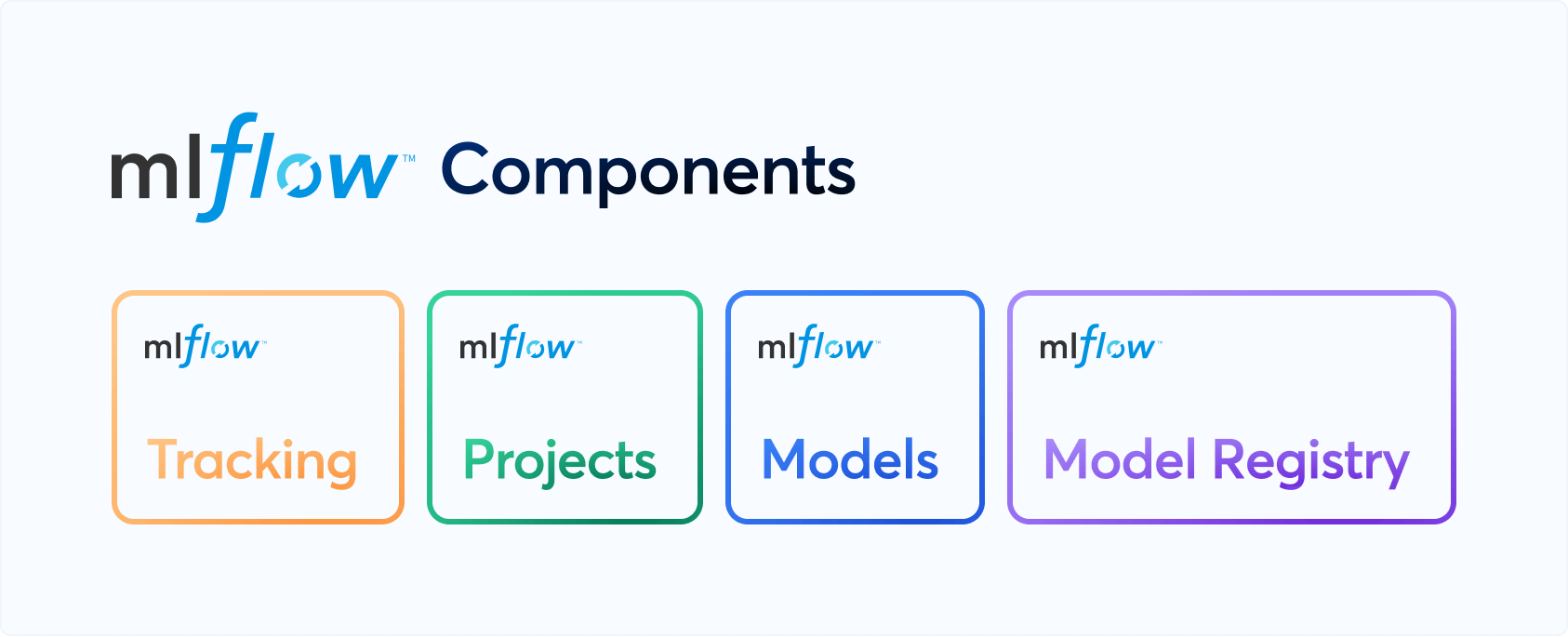
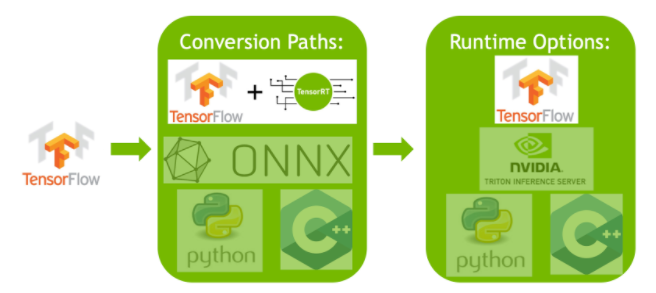
This demo is built using Ultralytics Explorer API. Visit API docs to try examples & learn more

", unsafe_allow_html=True, help=None, ) st.link_button("Ultrlaytics Explorer API", "https://docs.ultralytics.com/datasets/explorer/") def layout(): """Resets explorer session variables and provides documentation with a link to API docs.""" st.set_page_config(layout="wide", initial_sidebar_state="collapsed") st.markdown("

Ultralytics Explorer Demo

", unsafe_allow_html=True) if st.session_state.get("explorer") is None: init_explorer_form() return st.button(":arrow_backward: Select Dataset", on_click=reset_explorer) exp = st.session_state.get("explorer") col1, col2 = st.columns([0.75, 0.25], gap="small") imgs = [] if st.session_state.get("error"): st.error(st.session_state["error"]) else: if st.session_state.get("imgs"): imgs = st.session_state.get("imgs") else: imgs = exp.table.to_lance().to_table(columns=["im_file"]).to_pydict()["im_file"] st.session_state["res"] = exp.table.to_arrow() total_imgs, selected_imgs = len(imgs), [] with col1: subcol1, subcol2, subcol3, subcol4, subcol5 = st.columns(5) with subcol1: st.write("Max Images Displayed:") with subcol2: num = st.number_input( "Max Images Displayed", min_value=0, max_value=total_imgs, value=min(500, total_imgs), key="num_imgs_displayed", label_visibility="collapsed", ) with subcol3: st.write("Start Index:") with subcol4: start_idx = st.number_input( "Start Index", min_value=0, max_value=total_imgs, value=0, key="start_index", label_visibility="collapsed", ) with subcol5: reset = st.button("Reset", use_container_width=False, key="reset") if reset: st.session_state["imgs"] = None st.experimental_rerun() query_form() ai_query_form() if total_imgs: labels, boxes, masks, kpts, classes = None, None, None, None, None task = exp.model.task if st.session_state.get("display_labels"): labels = st.session_state.get("res").to_pydict()["labels"][start_idx : start_idx + num] boxes = st.session_state.get("res").to_pydict()["bboxes"][start_idx : start_idx + num] masks = st.session_state.get("res").to_pydict()["masks"][start_idx : start_idx + num] kpts = st.session_state.get("res").to_pydict()["keypoints"][start_idx : start_idx + num] classes = st.session_state.get("res").to_pydict()["cls"][start_idx : start_idx + num] imgs_displayed = imgs[start_idx : start_idx + num] selected_imgs = image_select( f"Total samples: {total_imgs}", images=imgs_displayed, use_container_width=False, # indices=[i for i in range(num)] if select_all else None, labels=labels, classes=classes, bboxes=boxes, masks=masks if task == "segment" else None, kpts=kpts if task == "pose" else None, ) with col2: similarity_form(selected_imgs) display_labels = st.checkbox("Labels", value=False, key="display_labels") utralytics_explorer_docs_callback() if __name__ == "__main__": layout() ================================================ FILE: ultralytics/data/explorer/utils.py ================================================ # Ultralytics YOLO 🚀, AGPL-3.0 license import getpass from typing import List import cv2 import numpy as np import pandas as pd from ultralytics.data.augment import LetterBox from ultralytics.utils import LOGGER as logger from ultralytics.utils import SETTINGS from ultralytics.utils.checks import check_requirements from ultralytics.utils.ops import xyxy2xywh from ultralytics.utils.plotting import plot_images def get_table_schema(vector_size): """Extracts and returns the schema of a database table.""" from lancedb.pydantic import LanceModel, Vector class Schema(LanceModel): im_file: str labels: List[str] cls: List[int] bboxes: List[List[float]] masks: List[List[List[int]]] keypoints: List[List[List[float]]] vector: Vector(vector_size) return Schema def get_sim_index_schema(): """Returns a LanceModel schema for a database table with specified vector size.""" from lancedb.pydantic import LanceModel class Schema(LanceModel): idx: int im_file: str count: int sim_im_files: List[str] return Schema def sanitize_batch(batch, dataset_info): """Sanitizes input batch for inference, ensuring correct format and dimensions.""" batch["cls"] = batch["cls"].flatten().int().tolist() box_cls_pair = sorted(zip(batch["bboxes"].tolist(), batch["cls"]), key=lambda x: x[1]) batch["bboxes"] = [box for box, _ in box_cls_pair] batch["cls"] = [cls for _, cls in box_cls_pair] batch["labels"] = [dataset_info["names"][i] for i in batch["cls"]] batch["masks"] = batch["masks"].tolist() if "masks" in batch else [[[]]] batch["keypoints"] = batch["keypoints"].tolist() if "keypoints" in batch else [[[]]] return batch def plot_query_result(similar_set, plot_labels=True): """ Plot images from the similar set. Args: similar_set (list): Pyarrow or pandas object containing the similar data points plot_labels (bool): Whether to plot labels or not """ similar_set = ( similar_set.to_dict(orient="list") if isinstance(similar_set, pd.DataFrame) else similar_set.to_pydict() ) empty_masks = [[[]]] empty_boxes = [[]] images = similar_set.get("im_file", []) bboxes = similar_set.get("bboxes", []) if similar_set.get("bboxes") is not empty_boxes else [] masks = similar_set.get("masks") if similar_set.get("masks")[0] != empty_masks else [] kpts = similar_set.get("keypoints") if similar_set.get("keypoints")[0] != empty_masks else [] cls = similar_set.get("cls", []) plot_size = 640 imgs, batch_idx, plot_boxes, plot_masks, plot_kpts = [], [], [], [], [] for i, imf in enumerate(images): im = cv2.imread(imf) im = cv2.cvtColor(im, cv2.COLOR_BGR2RGB) h, w = im.shape[:2] r = min(plot_size / h, plot_size / w) imgs.append(LetterBox(plot_size, center=False)(image=im).transpose(2, 0, 1)) if plot_labels: if len(bboxes) > i and len(bboxes[i]) > 0: box = np.array(bboxes[i], dtype=np.float32) box[:, [0, 2]] *= r box[:, [1, 3]] *= r plot_boxes.append(box) if len(masks) > i and len(masks[i]) > 0: mask = np.array(masks[i], dtype=np.uint8)[0] plot_masks.append(LetterBox(plot_size, center=False)(image=mask)) if len(kpts) > i and kpts[i] is not None: kpt = np.array(kpts[i], dtype=np.float32) kpt[:, :, :2] *= r plot_kpts.append(kpt) batch_idx.append(np.ones(len(np.array(bboxes[i], dtype=np.float32))) * i) imgs = np.stack(imgs, axis=0) masks = np.stack(plot_masks, axis=0) if plot_masks else np.zeros(0, dtype=np.uint8) kpts = np.concatenate(plot_kpts, axis=0) if plot_kpts else np.zeros((0, 51), dtype=np.float32) boxes = xyxy2xywh(np.concatenate(plot_boxes, axis=0)) if plot_boxes else np.zeros(0, dtype=np.float32) batch_idx = np.concatenate(batch_idx, axis=0) cls = np.concatenate([np.array(c, dtype=np.int32) for c in cls], axis=0) return plot_images( imgs, batch_idx, cls, bboxes=boxes, masks=masks, kpts=kpts, max_subplots=len(images), save=False, threaded=False ) def prompt_sql_query(query): """Plots images with optional labels from a similar data set.""" check_requirements("openai>=1.6.1") from openai import OpenAI if not SETTINGS["openai_api_key"]: logger.warning("OpenAI API key not found in settings. Please enter your API key below.") openai_api_key = getpass.getpass("OpenAI API key: ") SETTINGS.update({"openai_api_key": openai_api_key}) openai = OpenAI(api_key=SETTINGS["openai_api_key"]) messages = [ { "role": "system", "content": """ You are a helpful data scientist proficient in SQL. You need to output exactly one SQL query based on the following schema and a user request. You only need to output the format with fixed selection statement that selects everything from "'table'", like `SELECT * from 'table'` Schema: im_file: string not null labels: list not null child 0, item: string cls: list not null child 0, item: int64 bboxes: list> not null child 0, item: list child 0, item: double masks: list>> not null child 0, item: list> child 0, item: list child 0, item: int64 keypoints: list>> not null child 0, item: list> child 0, item: list child 0, item: double vector: fixed_size_list[256] not null child 0, item: float Some details about the schema: - the "labels" column contains the string values like 'person' and 'dog' for the respective objects in each image - the "cls" column contains the integer values on these classes that map them the labels Example of a correct query: request - Get all data points that contain 2 or more people and at least one dog correct query- SELECT * FROM 'table' WHERE ARRAY_LENGTH(cls) >= 2 AND ARRAY_LENGTH(FILTER(labels, x -> x = 'person')) >= 2 AND ARRAY_LENGTH(FILTER(labels, x -> x = 'dog')) >= 1; """, }, {"role": "user", "content": f"{query}"}, ] response = openai.chat.completions.create(model="gpt-3.5-turbo", messages=messages) return response.choices[0].message.content ================================================ FILE: ultralytics/data/loaders.py ================================================ # Ultralytics YOLO 🚀, AGPL-3.0 license import glob import math import os import time from dataclasses import dataclass from pathlib import Path from threading import Thread from urllib.parse import urlparse import cv2 import numpy as np import requests import torch from PIL import Image from ultralytics.data.utils import IMG_FORMATS, VID_FORMATS from ultralytics.utils import LOGGER, is_colab, is_kaggle, ops from ultralytics.utils.checks import check_requirements @dataclass class SourceTypes: """Class to represent various types of input sources for predictions.""" stream: bool = False screenshot: bool = False from_img: bool = False tensor: bool = False class LoadStreams: """ Stream Loader for various types of video streams, Supports RTSP, RTMP, HTTP, and TCP streams. Attributes: sources (str): The source input paths or URLs for the video streams. vid_stride (int): Video frame-rate stride, defaults to 1. buffer (bool): Whether to buffer input streams, defaults to False. running (bool): Flag to indicate if the streaming thread is running. mode (str): Set to 'stream' indicating real-time capture. imgs (list): List of image frames for each stream. fps (list): List of FPS for each stream. frames (list): List of total frames for each stream. threads (list): List of threads for each stream. shape (list): List of shapes for each stream. caps (list): List of cv2.VideoCapture objects for each stream. bs (int): Batch size for processing. Methods: __init__: Initialize the stream loader. update: Read stream frames in daemon thread. close: Close stream loader and release resources. __iter__: Returns an iterator object for the class. __next__: Returns source paths, transformed, and original images for processing. __len__: Return the length of the sources object. Example: ```bash yolo predict source='rtsp://example.com/media.mp4' ``` """ def __init__(self, sources="file.streams", vid_stride=1, buffer=False): """Initialize instance variables and check for consistent input stream shapes.""" torch.backends.cudnn.benchmark = True # faster for fixed-size inference self.buffer = buffer # buffer input streams self.running = True # running flag for Thread self.mode = "stream" self.vid_stride = vid_stride # video frame-rate stride sources = Path(sources).read_text().rsplit() if os.path.isfile(sources) else [sources] n = len(sources) self.bs = n self.fps = [0] * n # frames per second self.frames = [0] * n self.threads = [None] * n self.caps = [None] * n # video capture objects self.imgs = [[] for _ in range(n)] # images self.shape = [[] for _ in range(n)] # image shapes self.sources = [ops.clean_str(x) for x in sources] # clean source names for later for i, s in enumerate(sources): # index, source # Start thread to read frames from video stream st = f"{i + 1}/{n}: {s}... " if urlparse(s).hostname in ("www.youtube.com", "youtube.com", "youtu.be"): # if source is YouTube video # YouTube format i.e. 'https://www.youtube.com/watch?v=Zgi9g1ksQHc' or 'https://youtu.be/LNwODJXcvt4' s = get_best_youtube_url(s) s = eval(s) if s.isnumeric() else s # i.e. s = '0' local webcam if s == 0 and (is_colab() or is_kaggle()): raise NotImplementedError( "'source=0' webcam not supported in Colab and Kaggle notebooks. " "Try running 'source=0' in a local environment." ) self.caps[i] = cv2.VideoCapture(s) # store video capture object if not self.caps[i].isOpened(): raise ConnectionError(f"{st}Failed to open {s}") w = int(self.caps[i].get(cv2.CAP_PROP_FRAME_WIDTH)) h = int(self.caps[i].get(cv2.CAP_PROP_FRAME_HEIGHT)) fps = self.caps[i].get(cv2.CAP_PROP_FPS) # warning: may return 0 or nan self.frames[i] = max(int(self.caps[i].get(cv2.CAP_PROP_FRAME_COUNT)), 0) or float( "inf" ) # infinite stream fallback self.fps[i] = max((fps if math.isfinite(fps) else 0) % 100, 0) or 30 # 30 FPS fallback success, im = self.caps[i].read() # guarantee first frame if not success or im is None: raise ConnectionError(f"{st}Failed to read images from {s}") self.imgs[i].append(im) self.shape[i] = im.shape self.threads[i] = Thread(target=self.update, args=([i, self.caps[i], s]), daemon=True) LOGGER.info(f"{st}Success ✅ ({self.frames[i]} frames of shape {w}x{h} at {self.fps[i]:.2f} FPS)") self.threads[i].start() LOGGER.info("") # newline def update(self, i, cap, stream): """Read stream `i` frames in daemon thread.""" n, f = 0, self.frames[i] # frame number, frame array while self.running and cap.isOpened() and n < (f - 1): if len(self.imgs[i]) < 30: # keep a <=30-image buffer n += 1 cap.grab() # .read() = .grab() followed by .retrieve() if n % self.vid_stride == 0: success, im = cap.retrieve() if not success: im = np.zeros(self.shape[i], dtype=np.uint8) LOGGER.warning("WARNING ⚠️ Video stream unresponsive, please check your IP camera connection.") cap.open(stream) # re-open stream if signal was lost if self.buffer: self.imgs[i].append(im) else: self.imgs[i] = [im] else: time.sleep(0.01) # wait until the buffer is empty def close(self): """Close stream loader and release resources.""" self.running = False # stop flag for Thread for thread in self.threads: if thread.is_alive(): thread.join(timeout=5) # Add timeout for cap in self.caps: # Iterate through the stored VideoCapture objects try: cap.release() # release video capture except Exception as e: LOGGER.warning(f"WARNING ⚠️ Could not release VideoCapture object: {e}") cv2.destroyAllWindows() def __iter__(self): """Iterates through YOLO image feed and re-opens unresponsive streams.""" self.count = -1 return self def __next__(self): """Returns source paths, transformed and original images for processing.""" self.count += 1 images = [] for i, x in enumerate(self.imgs): # Wait until a frame is available in each buffer while not x: if not self.threads[i].is_alive() or cv2.waitKey(1) == ord("q"): # q to quit self.close() raise StopIteration time.sleep(1 / min(self.fps)) x = self.imgs[i] if not x: LOGGER.warning(f"WARNING ⚠️ Waiting for stream {i}") # Get and remove the first frame from imgs buffer if self.buffer: images.append(x.pop(0)) # Get the last frame, and clear the rest from the imgs buffer else: images.append(x.pop(-1) if x else np.zeros(self.shape[i], dtype=np.uint8)) x.clear() return self.sources, images, [""] * self.bs def __len__(self): """Return the length of the sources object.""" return self.bs # 1E12 frames = 32 streams at 30 FPS for 30 years class LoadScreenshots: """ YOLOv8 screenshot dataloader. This class manages the loading of screenshot images for processing with YOLOv8. Suitable for use with `yolo predict source=screen`. Attributes: source (str): The source input indicating which screen to capture. screen (int): The screen number to capture. left (int): The left coordinate for screen capture area. top (int): The top coordinate for screen capture area. width (int): The width of the screen capture area. height (int): The height of the screen capture area. mode (str): Set to 'stream' indicating real-time capture. frame (int): Counter for captured frames. sct (mss.mss): Screen capture object from `mss` library. bs (int): Batch size, set to 1. monitor (dict): Monitor configuration details. Methods: __iter__: Returns an iterator object. __next__: Captures the next screenshot and returns it. """ def __init__(self, source): """Source = [screen_number left top width height] (pixels).""" check_requirements("mss") import mss # noqa source, *params = source.split() self.screen, left, top, width, height = 0, None, None, None, None # default to full screen 0 if len(params) == 1: self.screen = int(params[0]) elif len(params) == 4: left, top, width, height = (int(x) for x in params) elif len(params) == 5: self.screen, left, top, width, height = (int(x) for x in params) self.mode = "stream" self.frame = 0 self.sct = mss.mss() self.bs = 1 self.fps = 30 # Parse monitor shape monitor = self.sct.monitors[self.screen] self.top = monitor["top"] if top is None else (monitor["top"] + top) self.left = monitor["left"] if left is None else (monitor["left"] + left) self.width = width or monitor["width"] self.height = height or monitor["height"] self.monitor = {"left": self.left, "top": self.top, "width": self.width, "height": self.height} def __iter__(self): """Returns an iterator of the object.""" return self def __next__(self): """mss screen capture: get raw pixels from the screen as np array.""" im0 = np.asarray(self.sct.grab(self.monitor))[:, :, :3] # BGRA to BGR s = f"screen {self.screen} (LTWH): {self.left},{self.top},{self.width},{self.height}: " self.frame += 1 return [str(self.screen)], [im0], [s] # screen, img, string class LoadImagesAndVideos: """ YOLOv8 image/video dataloader. This class manages the loading and pre-processing of image and video data for YOLOv8. It supports loading from various formats, including single image files, video files, and lists of image and video paths. Attributes: files (list): List of image and video file paths. nf (int): Total number of files (images and videos). video_flag (list): Flags indicating whether a file is a video (True) or an image (False). mode (str): Current mode, 'image' or 'video'. vid_stride (int): Stride for video frame-rate, defaults to 1. bs (int): Batch size, set to 1 for this class. cap (cv2.VideoCapture): Video capture object for OpenCV. frame (int): Frame counter for video. frames (int): Total number of frames in the video. count (int): Counter for iteration, initialized at 0 during `__iter__()`. Methods: _new_video(path): Create a new cv2.VideoCapture object for a given video path. """ def __init__(self, path, batch=1, vid_stride=1): """Initialize the Dataloader and raise FileNotFoundError if file not found.""" parent = None if isinstance(path, str) and Path(path).suffix == ".txt": # *.txt file with img/vid/dir on each line parent = Path(path).parent path = Path(path).read_text().splitlines() # list of sources files = [] for p in sorted(path) if isinstance(path, (list, tuple)) else [path]: a = str(Path(p).absolute()) # do not use .resolve() https://github.com/ultralytics/ultralytics/issues/2912 if "*" in a: files.extend(sorted(glob.glob(a, recursive=True))) # glob elif os.path.isdir(a): files.extend(sorted(glob.glob(os.path.join(a, "*.*")))) # dir elif os.path.isfile(a): files.append(a) # files (absolute or relative to CWD) elif parent and (parent / p).is_file(): files.append(str((parent / p).absolute())) # files (relative to *.txt file parent) else: raise FileNotFoundError(f"{p} does not exist") images = [x for x in files if x.split(".")[-1].lower() in IMG_FORMATS] videos = [x for x in files if x.split(".")[-1].lower() in VID_FORMATS] ni, nv = len(images), len(videos) self.files = images + videos self.nf = ni + nv # number of files self.ni = ni # number of images self.video_flag = [False] * ni + [True] * nv self.mode = "image" self.vid_stride = vid_stride # video frame-rate stride self.bs = batch if any(videos): self._new_video(videos[0]) # new video else: self.cap = None if self.nf == 0: raise FileNotFoundError( f"No images or videos found in {p}. " f"Supported formats are:\nimages: {IMG_FORMATS}\nvideos: {VID_FORMATS}" ) def __iter__(self): """Returns an iterator object for VideoStream or ImageFolder.""" self.count = 0 return self def __next__(self): """Returns the next batch of images or video frames along with their paths and metadata.""" paths, imgs, info = [], [], [] while len(imgs) < self.bs: if self.count >= self.nf: # end of file list if len(imgs) > 0: return paths, imgs, info # return last partial batch else: raise StopIteration path = self.files[self.count] if self.video_flag[self.count]: self.mode = "video" if not self.cap or not self.cap.isOpened(): self._new_video(path) for _ in range(self.vid_stride): success = self.cap.grab() if not success: break # end of video or failure if success: success, im0 = self.cap.retrieve() if success: self.frame += 1 paths.append(path) imgs.append(im0) info.append(f"video {self.count + 1}/{self.nf} (frame {self.frame}/{self.frames}) {path}: ") if self.frame == self.frames: # end of video self.count += 1 self.cap.release() else: # Move to the next file if the current video ended or failed to open self.count += 1 if self.cap: self.cap.release() if self.count < self.nf: self._new_video(self.files[self.count]) else: self.mode = "image" im0 = cv2.imread(path) # BGR if im0 is None: raise FileNotFoundError(f"Image Not Found {path}") paths.append(path) imgs.append(im0) info.append(f"image {self.count + 1}/{self.nf} {path}: ") self.count += 1 # move to the next file if self.count >= self.ni: # end of image list break return paths, imgs, info def _new_video(self, path): """Creates a new video capture object for the given path.""" self.frame = 0 self.cap = cv2.VideoCapture(path) self.fps = int(self.cap.get(cv2.CAP_PROP_FPS)) if not self.cap.isOpened(): raise FileNotFoundError(f"Failed to open video {path}") self.frames = int(self.cap.get(cv2.CAP_PROP_FRAME_COUNT) / self.vid_stride) def __len__(self): """Returns the number of batches in the object.""" return math.ceil(self.nf / self.bs) # number of files class LoadPilAndNumpy: """ Load images from PIL and Numpy arrays for batch processing. This class is designed to manage loading and pre-processing of image data from both PIL and Numpy formats. It performs basic validation and format conversion to ensure that the images are in the required format for downstream processing. Attributes: paths (list): List of image paths or autogenerated filenames. im0 (list): List of images stored as Numpy arrays. mode (str): Type of data being processed, defaults to 'image'. bs (int): Batch size, equivalent to the length of `im0`. Methods: _single_check(im): Validate and format a single image to a Numpy array. """ def __init__(self, im0): """Initialize PIL and Numpy Dataloader.""" if not isinstance(im0, list): im0 = [im0] self.paths = [getattr(im, "filename", f"image{i}.jpg") for i, im in enumerate(im0)] self.im0 = [self._single_check(im) for im in im0] self.mode = "image" self.bs = len(self.im0) @staticmethod def _single_check(im): """Validate and format an image to numpy array.""" assert isinstance(im, (Image.Image, np.ndarray)), f"Expected PIL/np.ndarray image type, but got {type(im)}" if isinstance(im, Image.Image): if im.mode != "RGB": im = im.convert("RGB") im = np.asarray(im)[:, :, ::-1] im = np.ascontiguousarray(im) # contiguous return im def __len__(self): """Returns the length of the 'im0' attribute.""" return len(self.im0) def __next__(self): """Returns batch paths, images, processed images, None, ''.""" if self.count == 1: # loop only once as it's batch inference raise StopIteration self.count += 1 return self.paths, self.im0, [""] * self.bs def __iter__(self): """Enables iteration for class LoadPilAndNumpy.""" self.count = 0 return self class LoadTensor: """ Load images from torch.Tensor data. This class manages the loading and pre-processing of image data from PyTorch tensors for further processing. Attributes: im0 (torch.Tensor): The input tensor containing the image(s). bs (int): Batch size, inferred from the shape of `im0`. mode (str): Current mode, set to 'image'. paths (list): List of image paths or filenames. count (int): Counter for iteration, initialized at 0 during `__iter__()`. Methods: _single_check(im, stride): Validate and possibly modify the input tensor. """ def __init__(self, im0) -> None: """Initialize Tensor Dataloader.""" self.im0 = self._single_check(im0) self.bs = self.im0.shape[0] self.mode = "image" self.paths = [getattr(im, "filename", f"image{i}.jpg") for i, im in enumerate(im0)] @staticmethod def _single_check(im, stride=32): """Validate and format an image to torch.Tensor.""" s = ( f"WARNING ⚠️ torch.Tensor inputs should be BCHW i.e. shape(1, 3, 640, 640) " f"divisible by stride {stride}. Input shape{tuple(im.shape)} is incompatible." ) if len(im.shape) != 4: if len(im.shape) != 3: raise ValueError(s) LOGGER.warning(s) im = im.unsqueeze(0) if im.shape[2] % stride or im.shape[3] % stride: raise ValueError(s) if im.max() > 1.0 + torch.finfo(im.dtype).eps: # torch.float32 eps is 1.2e-07 LOGGER.warning( f"WARNING ⚠️ torch.Tensor inputs should be normalized 0.0-1.0 but max value is {im.max()}. " f"Dividing input by 255." ) im = im.float() / 255.0 return im def __iter__(self): """Returns an iterator object.""" self.count = 0 return self def __next__(self): """Return next item in the iterator.""" if self.count == 1: raise StopIteration self.count += 1 return self.paths, self.im0, [""] * self.bs def __len__(self): """Returns the batch size.""" return self.bs def autocast_list(source): """Merges a list of source of different types into a list of numpy arrays or PIL images.""" files = [] for im in source: if isinstance(im, (str, Path)): # filename or uri files.append(Image.open(requests.get(im, stream=True).raw if str(im).startswith("http") else im)) elif isinstance(im, (Image.Image, np.ndarray)): # PIL or np Image files.append(im) else: raise TypeError( f"type {type(im).__name__} is not a supported Ultralytics prediction source type. \n" f"See https://docs.ultralytics.com/modes/predict for supported source types." ) return files def get_best_youtube_url(url, use_pafy=True): """ Retrieves the URL of the best quality MP4 video stream from a given YouTube video. This function uses the pafy or yt_dlp library to extract the video info from YouTube. It then finds the highest quality MP4 format that has video codec but no audio codec, and returns the URL of this video stream. Args: url (str): The URL of the YouTube video. use_pafy (bool): Use the pafy package, default=True, otherwise use yt_dlp package. Returns: (str): The URL of the best quality MP4 video stream, or None if no suitable stream is found. """ if use_pafy: check_requirements(("pafy", "youtube_dl==2020.12.2")) import pafy # noqa return pafy.new(url).getbestvideo(preftype="mp4").url else: check_requirements("yt-dlp") import yt_dlp with yt_dlp.YoutubeDL({"quiet": True}) as ydl: info_dict = ydl.extract_info(url, download=False) # extract info for f in reversed(info_dict.get("formats", [])): # reversed because best is usually last # Find a format with video codec, no audio, *.mp4 extension at least 1920x1080 size good_size = (f.get("width") or 0) >= 1920 or (f.get("height") or 0) >= 1080 if good_size and f["vcodec"] != "none" and f["acodec"] == "none" and f["ext"] == "mp4": return f.get("url") # Define constants LOADERS = (LoadStreams, LoadPilAndNumpy, LoadImagesAndVideos, LoadScreenshots) ================================================ FILE: ultralytics/data/scripts/download_weights.sh ================================================ #!/bin/bash # Ultralytics YOLO 🚀, AGPL-3.0 license # Download latest models from https://github.com/ultralytics/assets/releases # Example usage: bash ultralytics/data/scripts/download_weights.sh # parent # └── weights # ├── yolov8n.pt ← downloads here # ├── yolov8s.pt # └── ... python - < gap, f"invalid crop_size gap pair [{crop_size} {gap}]" step = crop_size - gap xn = 1 if w <= crop_size else ceil((w - crop_size) / step + 1) xs = [step * i for i in range(xn)] if len(xs) > 1 and xs[-1] + crop_size > w: xs[-1] = w - crop_size yn = 1 if h <= crop_size else ceil((h - crop_size) / step + 1) ys = [step * i for i in range(yn)] if len(ys) > 1 and ys[-1] + crop_size > h: ys[-1] = h - crop_size start = np.array(list(itertools.product(xs, ys)), dtype=np.int64) stop = start + crop_size windows.append(np.concatenate([start, stop], axis=1)) windows = np.concatenate(windows, axis=0) im_in_wins = windows.copy() im_in_wins[:, 0::2] = np.clip(im_in_wins[:, 0::2], 0, w) im_in_wins[:, 1::2] = np.clip(im_in_wins[:, 1::2], 0, h) im_areas = (im_in_wins[:, 2] - im_in_wins[:, 0]) * (im_in_wins[:, 3] - im_in_wins[:, 1]) win_areas = (windows[:, 2] - windows[:, 0]) * (windows[:, 3] - windows[:, 1]) im_rates = im_areas / win_areas if not (im_rates > im_rate_thr).any(): max_rate = im_rates.max() im_rates[abs(im_rates - max_rate) < eps] = 1 return windows[im_rates > im_rate_thr] def get_window_obj(anno, windows, iof_thr=0.7): """Get objects for each window.""" h, w = anno["ori_size"] label = anno["label"] if len(label): label[:, 1::2] *= w label[:, 2::2] *= h iofs = bbox_iof(label[:, 1:], windows) # Unnormalized and misaligned coordinates return [(label[iofs[:, i] >= iof_thr]) for i in range(len(windows))] # window_anns else: return [np.zeros((0, 9), dtype=np.float32) for _ in range(len(windows))] # window_anns def crop_and_save(anno, windows, window_objs, im_dir, lb_dir): """ Crop images and save new labels. Args: anno (dict): Annotation dict, including `filepath`, `label`, `ori_size` as its keys. windows (list): A list of windows coordinates. window_objs (list): A list of labels inside each window. im_dir (str): The output directory path of images. lb_dir (str): The output directory path of labels. Notes: The directory structure assumed for the DOTA dataset: - data_root - images - train - val - labels - train - val """ im = cv2.imread(anno["filepath"]) name = Path(anno["filepath"]).stem for i, window in enumerate(windows): x_start, y_start, x_stop, y_stop = window.tolist() new_name = f"{name}__{x_stop - x_start}__{x_start}___{y_start}" patch_im = im[y_start:y_stop, x_start:x_stop] ph, pw = patch_im.shape[:2] cv2.imwrite(str(Path(im_dir) / f"{new_name}.jpg"), patch_im) label = window_objs[i] if len(label) == 0: continue label[:, 1::2] -= x_start label[:, 2::2] -= y_start label[:, 1::2] /= pw label[:, 2::2] /= ph with open(Path(lb_dir) / f"{new_name}.txt", "w") as f: for lb in label: formatted_coords = ["{:.6g}".format(coord) for coord in lb[1:]] f.write(f"{int(lb[0])} {' '.join(formatted_coords)}\n") def split_images_and_labels(data_root, save_dir, split="train", crop_sizes=[1024], gaps=[200]): """ Split both images and labels. Notes: The directory structure assumed for the DOTA dataset: - data_root - images - split - labels - split and the output directory structure is: - save_dir - images - split - labels - split """ im_dir = Path(save_dir) / "images" / split im_dir.mkdir(parents=True, exist_ok=True) lb_dir = Path(save_dir) / "labels" / split lb_dir.mkdir(parents=True, exist_ok=True) annos = load_yolo_dota(data_root, split=split) for anno in tqdm(annos, total=len(annos), desc=split): windows = get_windows(anno["ori_size"], crop_sizes, gaps) window_objs = get_window_obj(anno, windows) crop_and_save(anno, windows, window_objs, str(im_dir), str(lb_dir)) def split_trainval(data_root, save_dir, crop_size=1024, gap=200, rates=[1.0]): """ Split train and val set of DOTA. Notes: The directory structure assumed for the DOTA dataset: - data_root - images - train - val - labels - train - val and the output directory structure is: - save_dir - images - train - val - labels - train - val """ crop_sizes, gaps = [], [] for r in rates: crop_sizes.append(int(crop_size / r)) gaps.append(int(gap / r)) for split in ["train", "val"]: split_images_and_labels(data_root, save_dir, split, crop_sizes, gaps) def split_test(data_root, save_dir, crop_size=1024, gap=200, rates=[1.0]): """ Split test set of DOTA, labels are not included within this set. Notes: The directory structure assumed for the DOTA dataset: - data_root - images - test and the output directory structure is: - save_dir - images - test """ crop_sizes, gaps = [], [] for r in rates: crop_sizes.append(int(crop_size / r)) gaps.append(int(gap / r)) save_dir = Path(save_dir) / "images" / "test" save_dir.mkdir(parents=True, exist_ok=True) im_dir = Path(data_root) / "images" / "test" assert im_dir.exists(), f"Can't find {im_dir}, please check your data root." im_files = glob(str(im_dir / "*")) for im_file in tqdm(im_files, total=len(im_files), desc="test"): w, h = exif_size(Image.open(im_file)) windows = get_windows((h, w), crop_sizes=crop_sizes, gaps=gaps) im = cv2.imread(im_file) name = Path(im_file).stem for window in windows: x_start, y_start, x_stop, y_stop = window.tolist() new_name = f"{name}__{x_stop - x_start}__{x_start}___{y_start}" patch_im = im[y_start:y_stop, x_start:x_stop] cv2.imwrite(str(save_dir / f"{new_name}.jpg"), patch_im) if __name__ == "__main__": split_trainval(data_root="DOTAv2", save_dir="DOTAv2-split") split_test(data_root="DOTAv2", save_dir="DOTAv2-split") ================================================ FILE: ultralytics/data/utils.py ================================================ # Ultralytics YOLO 🚀, AGPL-3.0 license import contextlib import hashlib import json import os import random import subprocess import time import zipfile from multiprocessing.pool import ThreadPool from pathlib import Path from tarfile import is_tarfile import cv2 import numpy as np from PIL import Image, ImageOps from ultralytics.nn.autobackend import check_class_names from ultralytics.utils import ( DATASETS_DIR, LOGGER, NUM_THREADS, ROOT, SETTINGS_YAML, TQDM, clean_url, colorstr, emojis, yaml_load, yaml_save, ) from ultralytics.utils.checks import check_file, check_font, is_ascii from ultralytics.utils.downloads import download, safe_download, unzip_file from ultralytics.utils.ops import segments2boxes HELP_URL = "See https://docs.ultralytics.com/datasets/detect for dataset formatting guidance." IMG_FORMATS = {"bmp", "dng", "jpeg", "jpg", "mpo", "png", "tif", "tiff", "webp", "pfm"} # image suffixes VID_FORMATS = {"asf", "avi", "gif", "m4v", "mkv", "mov", "mp4", "mpeg", "mpg", "ts", "wmv", "webm"} # video suffixes PIN_MEMORY = str(os.getenv("PIN_MEMORY", True)).lower() == "true" # global pin_memory for dataloaders def img2label_paths(img_paths): """Define label paths as a function of image paths.""" sa, sb = f"{os.sep}images{os.sep}", f"{os.sep}labels{os.sep}" # /images/, /labels/ substrings return [sb.join(x.rsplit(sa, 1)).rsplit(".", 1)[0] + ".txt" for x in img_paths] def get_hash(paths): """Returns a single hash value of a list of paths (files or dirs).""" size = sum(os.path.getsize(p) for p in paths if os.path.exists(p)) # sizes h = hashlib.sha256(str(size).encode()) # hash sizes h.update("".join(paths).encode()) # hash paths return h.hexdigest() # return hash def exif_size(img: Image.Image): """Returns exif-corrected PIL size.""" s = img.size # (width, height) if img.format == "JPEG": # only support JPEG images with contextlib.suppress(Exception): exif = img.getexif() if exif: rotation = exif.get(274, None) # the EXIF key for the orientation tag is 274 if rotation in [6, 8]: # rotation 270 or 90 s = s[1], s[0] return s def verify_image(args): """Verify one image.""" (im_file, cls), prefix = args # Number (found, corrupt), message nf, nc, msg = 0, 0, "" try: im = Image.open(im_file) im.verify() # PIL verify shape = exif_size(im) # image size shape = (shape[1], shape[0]) # hw assert (shape[0] > 9) & (shape[1] > 9), f"image size {shape} <10 pixels" assert im.format.lower() in IMG_FORMATS, f"invalid image format {im.format}" if im.format.lower() in ("jpg", "jpeg"): with open(im_file, "rb") as f: f.seek(-2, 2) if f.read() != b"\xff\xd9": # corrupt JPEG ImageOps.exif_transpose(Image.open(im_file)).save(im_file, "JPEG", subsampling=0, quality=100) msg = f"{prefix}WARNING ⚠️ {im_file}: corrupt JPEG restored and saved" nf = 1 except Exception as e: nc = 1 msg = f"{prefix}WARNING ⚠️ {im_file}: ignoring corrupt image/label: {e}" return (im_file, cls), nf, nc, msg def verify_image_label(args): """Verify one image-label pair.""" im_file, lb_file, prefix, keypoint, num_cls, nkpt, ndim = args # Number (missing, found, empty, corrupt), message, segments, keypoints nm, nf, ne, nc, msg, segments, keypoints = 0, 0, 0, 0, "", [], None try: # Verify images im = Image.open(im_file) im.verify() # PIL verify shape = exif_size(im) # image size shape = (shape[1], shape[0]) # hw assert (shape[0] > 9) & (shape[1] > 9), f"image size {shape} <10 pixels" assert im.format.lower() in IMG_FORMATS, f"invalid image format {im.format}" if im.format.lower() in ("jpg", "jpeg"): with open(im_file, "rb") as f: f.seek(-2, 2) if f.read() != b"\xff\xd9": # corrupt JPEG ImageOps.exif_transpose(Image.open(im_file)).save(im_file, "JPEG", subsampling=0, quality=100) msg = f"{prefix}WARNING ⚠️ {im_file}: corrupt JPEG restored and saved" # Verify labels if os.path.isfile(lb_file): nf = 1 # label found with open(lb_file) as f: lb = [x.split() for x in f.read().strip().splitlines() if len(x)] if any(len(x) > 6 for x in lb) and (not keypoint): # is segment classes = np.array([x[0] for x in lb], dtype=np.float32) segments = [np.array(x[1:], dtype=np.float32).reshape(-1, 2) for x in lb] # (cls, xy1...) lb = np.concatenate((classes.reshape(-1, 1), segments2boxes(segments)), 1) # (cls, xywh) lb = np.array(lb, dtype=np.float32) nl = len(lb) if nl: if keypoint: assert lb.shape[1] == (5 + nkpt * ndim), f"labels require {(5 + nkpt * ndim)} columns each" points = lb[:, 5:].reshape(-1, ndim)[:, :2] else: assert lb.shape[1] == 5, f"labels require 5 columns, {lb.shape[1]} columns detected" points = lb[:, 1:] assert points.max() <= 1, f"non-normalized or out of bounds coordinates {points[points > 1]}" assert lb.min() >= 0, f"negative label values {lb[lb < 0]}" # All labels max_cls = lb[:, 0].max() # max label count assert max_cls <= num_cls, ( f"Label class {int(max_cls)} exceeds dataset class count {num_cls}. " f"Possible class labels are 0-{num_cls - 1}" ) _, i = np.unique(lb, axis=0, return_index=True) if len(i) < nl: # duplicate row check lb = lb[i] # remove duplicates if segments: segments = [segments[x] for x in i] msg = f"{prefix}WARNING ⚠️ {im_file}: {nl - len(i)} duplicate labels removed" else: ne = 1 # label empty lb = np.zeros((0, (5 + nkpt * ndim) if keypoint else 5), dtype=np.float32) else: nm = 1 # label missing lb = np.zeros((0, (5 + nkpt * ndim) if keypoints else 5), dtype=np.float32) if keypoint: keypoints = lb[:, 5:].reshape(-1, nkpt, ndim) if ndim == 2: kpt_mask = np.where((keypoints[..., 0] < 0) | (keypoints[..., 1] < 0), 0.0, 1.0).astype(np.float32) keypoints = np.concatenate([keypoints, kpt_mask[..., None]], axis=-1) # (nl, nkpt, 3) lb = lb[:, :5] return im_file, lb, shape, segments, keypoints, nm, nf, ne, nc, msg except Exception as e: nc = 1 msg = f"{prefix}WARNING ⚠️ {im_file}: ignoring corrupt image/label: {e}" return [None, None, None, None, None, nm, nf, ne, nc, msg] def polygon2mask(imgsz, polygons, color=1, downsample_ratio=1): """ Convert a list of polygons to a binary mask of the specified image size. Args: imgsz (tuple): The size of the image as (height, width). polygons (list[np.ndarray]): A list of polygons. Each polygon is an array with shape [N, M], where N is the number of polygons, and M is the number of points such that M % 2 = 0. color (int, optional): The color value to fill in the polygons on the mask. Defaults to 1. downsample_ratio (int, optional): Factor by which to downsample the mask. Defaults to 1. Returns: (np.ndarray): A binary mask of the specified image size with the polygons filled in. """ mask = np.zeros(imgsz, dtype=np.uint8) polygons = np.asarray(polygons, dtype=np.int32) polygons = polygons.reshape((polygons.shape[0], -1, 2)) cv2.fillPoly(mask, polygons, color=color) nh, nw = (imgsz[0] // downsample_ratio, imgsz[1] // downsample_ratio) # Note: fillPoly first then resize is trying to keep the same loss calculation method when mask-ratio=1 return cv2.resize(mask, (nw, nh)) def polygons2masks(imgsz, polygons, color, downsample_ratio=1): """ Convert a list of polygons to a set of binary masks of the specified image size. Args: imgsz (tuple): The size of the image as (height, width). polygons (list[np.ndarray]): A list of polygons. Each polygon is an array with shape [N, M], where N is the number of polygons, and M is the number of points such that M % 2 = 0. color (int): The color value to fill in the polygons on the masks. downsample_ratio (int, optional): Factor by which to downsample each mask. Defaults to 1. Returns: (np.ndarray): A set of binary masks of the specified image size with the polygons filled in. """ return np.array([polygon2mask(imgsz, [x.reshape(-1)], color, downsample_ratio) for x in polygons]) def polygons2masks_overlap(imgsz, segments, downsample_ratio=1): """Return a (640, 640) overlap mask.""" masks = np.zeros( (imgsz[0] // downsample_ratio, imgsz[1] // downsample_ratio), dtype=np.int32 if len(segments) > 255 else np.uint8, ) areas = [] ms = [] for si in range(len(segments)): mask = polygon2mask(imgsz, [segments[si].reshape(-1)], downsample_ratio=downsample_ratio, color=1) ms.append(mask) areas.append(mask.sum()) areas = np.asarray(areas) index = np.argsort(-areas) ms = np.array(ms)[index] for i in range(len(segments)): mask = ms[i] * (i + 1) masks = masks + mask masks = np.clip(masks, a_min=0, a_max=i + 1) return masks, index def find_dataset_yaml(path: Path) -> Path: """ Find and return the YAML file associated with a Detect, Segment or Pose dataset. This function searches for a YAML file at the root level of the provided directory first, and if not found, it performs a recursive search. It prefers YAML files that have the same stem as the provided path. An AssertionError is raised if no YAML file is found or if multiple YAML files are found. Args: path (Path): The directory path to search for the YAML file. Returns: (Path): The path of the found YAML file. """ files = list(path.glob("*.yaml")) or list(path.rglob("*.yaml")) # try root level first and then recursive assert files, f"No YAML file found in '{path.resolve()}'" if len(files) > 1: files = [f for f in files if f.stem == path.stem] # prefer *.yaml files that match assert len(files) == 1, f"Expected 1 YAML file in '{path.resolve()}', but found {len(files)}.\n{files}" return files[0] def check_det_dataset(dataset, autodownload=True): """ Download, verify, and/or unzip a dataset if not found locally. This function checks the availability of a specified dataset, and if not found, it has the option to download and unzip the dataset. It then reads and parses the accompanying YAML data, ensuring key requirements are met and also resolves paths related to the dataset. Args: dataset (str): Path to the dataset or dataset descriptor (like a YAML file). autodownload (bool, optional): Whether to automatically download the dataset if not found. Defaults to True. Returns: (dict): Parsed dataset information and paths. """ file = check_file(dataset) # Download (optional) extract_dir = "" if zipfile.is_zipfile(file) or is_tarfile(file): new_dir = safe_download(file, dir=DATASETS_DIR, unzip=True, delete=False) file = find_dataset_yaml(DATASETS_DIR / new_dir) extract_dir, autodownload = file.parent, False # Read YAML data = yaml_load(file, append_filename=True) # dictionary # Checks for k in "train", "val": if k not in data: if k != "val" or "validation" not in data: raise SyntaxError( emojis(f"{dataset} '{k}:' key missing ❌.\n'train' and 'val' are required in all data YAMLs.") ) LOGGER.info("WARNING ⚠️ renaming data YAML 'validation' key to 'val' to match YOLO format.") data["val"] = data.pop("validation") # replace 'validation' key with 'val' key if "names" not in data and "nc" not in data: raise SyntaxError(emojis(f"{dataset} key missing ❌.\n either 'names' or 'nc' are required in all data YAMLs.")) if "names" in data and "nc" in data and len(data["names"]) != data["nc"]: raise SyntaxError(emojis(f"{dataset} 'names' length {len(data['names'])} and 'nc: {data['nc']}' must match.")) if "names" not in data: data["names"] = [f"class_{i}" for i in range(data["nc"])] else: data["nc"] = len(data["names"]) data["names"] = check_class_names(data["names"]) # Resolve paths path = Path(extract_dir or data.get("path") or Path(data.get("yaml_file", "")).parent) # dataset root if not path.is_absolute(): path = (DATASETS_DIR / path).resolve() # Set paths data["path"] = path # download scripts for k in "train", "val", "test": if data.get(k): # prepend path if isinstance(data[k], str): x = (path / data[k]).resolve() if not x.exists() and data[k].startswith("../"): x = (path / data[k][3:]).resolve() data[k] = str(x) else: data[k] = [str((path / x).resolve()) for x in data[k]] # Parse YAML val, s = (data.get(x) for x in ("val", "download")) if val: val = [Path(x).resolve() for x in (val if isinstance(val, list) else [val])] # val path if not all(x.exists() for x in val): name = clean_url(dataset) # dataset name with URL auth stripped m = f"\nDataset '{name}' images not found ⚠️, missing path '{[x for x in val if not x.exists()][0]}'" if s and autodownload: LOGGER.warning(m) else: m += f"\nNote dataset download directory is '{DATASETS_DIR}'. You can update this in '{SETTINGS_YAML}'" raise FileNotFoundError(m) t = time.time() r = None # success if s.startswith("http") and s.endswith(".zip"): # URL safe_download(url=s, dir=DATASETS_DIR, delete=True) elif s.startswith("bash "): # bash script LOGGER.info(f"Running {s} ...") r = os.system(s) else: # python script exec(s, {"yaml": data}) dt = f"({round(time.time() - t, 1)}s)" s = f"success ✅ {dt}, saved to {colorstr('bold', DATASETS_DIR)}" if r in (0, None) else f"failure {dt} ❌" LOGGER.info(f"Dataset download {s}\n") check_font("Arial.ttf" if is_ascii(data["names"]) else "Arial.Unicode.ttf") # download fonts return data # dictionary def check_cls_dataset(dataset, split=""): """ Checks a classification dataset such as Imagenet. This function accepts a `dataset` name and attempts to retrieve the corresponding dataset information. If the dataset is not found locally, it attempts to download the dataset from the internet and save it locally. Args: dataset (str | Path): The name of the dataset. split (str, optional): The split of the dataset. Either 'val', 'test', or ''. Defaults to ''. Returns: (dict): A dictionary containing the following keys: - 'train' (Path): The directory path containing the training set of the dataset. - 'val' (Path): The directory path containing the validation set of the dataset. - 'test' (Path): The directory path containing the test set of the dataset. - 'nc' (int): The number of classes in the dataset. - 'names' (dict): A dictionary of class names in the dataset. """ # Download (optional if dataset=https://file.zip is passed directly) if str(dataset).startswith(("http:/", "https:/")): dataset = safe_download(dataset, dir=DATASETS_DIR, unzip=True, delete=False) elif Path(dataset).suffix in (".zip", ".tar", ".gz"): file = check_file(dataset) dataset = safe_download(file, dir=DATASETS_DIR, unzip=True, delete=False) dataset = Path(dataset) data_dir = (dataset if dataset.is_dir() else (DATASETS_DIR / dataset)).resolve() if not data_dir.is_dir(): LOGGER.warning(f"\nDataset not found ⚠️, missing path {data_dir}, attempting download...") t = time.time() if str(dataset) == "imagenet": subprocess.run(f"bash {ROOT / 'data/scripts/get_imagenet.sh'}", shell=True, check=True) else: url = f"https://github.com/ultralytics/yolov5/releases/download/v1.0/{dataset}.zip" download(url, dir=data_dir.parent) s = f"Dataset download success ✅ ({time.time() - t:.1f}s), saved to {colorstr('bold', data_dir)}\n" LOGGER.info(s) train_set = data_dir / "train" val_set = ( data_dir / "val" if (data_dir / "val").exists() else data_dir / "validation" if (data_dir / "validation").exists() else None ) # data/test or data/val test_set = data_dir / "test" if (data_dir / "test").exists() else None # data/val or data/test if split == "val" and not val_set: LOGGER.warning("WARNING ⚠️ Dataset 'split=val' not found, using 'split=test' instead.") elif split == "test" and not test_set: LOGGER.warning("WARNING ⚠️ Dataset 'split=test' not found, using 'split=val' instead.") nc = len([x for x in (data_dir / "train").glob("*") if x.is_dir()]) # number of classes names = [x.name for x in (data_dir / "train").iterdir() if x.is_dir()] # class names list names = dict(enumerate(sorted(names))) # Print to console for k, v in {"train": train_set, "val": val_set, "test": test_set}.items(): prefix = f'{colorstr(f"{k}:")} {v}...' if v is None: LOGGER.info(prefix) else: files = [path for path in v.rglob("*.*") if path.suffix[1:].lower() in IMG_FORMATS] nf = len(files) # number of files nd = len({file.parent for file in files}) # number of directories if nf == 0: if k == "train": raise FileNotFoundError(emojis(f"{dataset} '{k}:' no training images found ❌ ")) else: LOGGER.warning(f"{prefix} found {nf} images in {nd} classes: WARNING ⚠️ no images found") elif nd != nc: LOGGER.warning(f"{prefix} found {nf} images in {nd} classes: ERROR ❌️ requires {nc} classes, not {nd}") else: LOGGER.info(f"{prefix} found {nf} images in {nd} classes ✅ ") return {"train": train_set, "val": val_set, "test": test_set, "nc": nc, "names": names} class HUBDatasetStats: """ A class for generating HUB dataset JSON and `-hub` dataset directory. Args: path (str): Path to data.yaml or data.zip (with data.yaml inside data.zip). Default is 'coco8.yaml'. task (str): Dataset task. Options are 'detect', 'segment', 'pose', 'classify'. Default is 'detect'. autodownload (bool): Attempt to download dataset if not found locally. Default is False. Example: Download *.zip files from https://github.com/ultralytics/hub/tree/main/example_datasets i.e. https://github.com/ultralytics/hub/raw/main/example_datasets/coco8.zip for coco8.zip. ```python from ultralytics.data.utils import HUBDatasetStats stats = HUBDatasetStats('path/to/coco8.zip', task='detect') # detect dataset stats = HUBDatasetStats('path/to/coco8-seg.zip', task='segment') # segment dataset stats = HUBDatasetStats('path/to/coco8-pose.zip', task='pose') # pose dataset stats = HUBDatasetStats('path/to/imagenet10.zip', task='classify') # classification dataset stats.get_json(save=True) stats.process_images() ``` """ def __init__(self, path="coco8.yaml", task="detect", autodownload=False): """Initialize class.""" path = Path(path).resolve() LOGGER.info(f"Starting HUB dataset checks for {path}....") self.task = task # detect, segment, pose, classify if self.task == "classify": unzip_dir = unzip_file(path) data = check_cls_dataset(unzip_dir) data["path"] = unzip_dir else: # detect, segment, pose _, data_dir, yaml_path = self._unzip(Path(path)) try: # Load YAML with checks data = yaml_load(yaml_path) data["path"] = "" # strip path since YAML should be in dataset root for all HUB datasets yaml_save(yaml_path, data) data = check_det_dataset(yaml_path, autodownload) # dict data["path"] = data_dir # YAML path should be set to '' (relative) or parent (absolute) except Exception as e: raise Exception("error/HUB/dataset_stats/init") from e self.hub_dir = Path(f'{data["path"]}-hub') self.im_dir = self.hub_dir / "images" self.stats = {"nc": len(data["names"]), "names": list(data["names"].values())} # statistics dictionary self.data = data @staticmethod def _unzip(path): """Unzip data.zip.""" if not str(path).endswith(".zip"): # path is data.yaml return False, None, path unzip_dir = unzip_file(path, path=path.parent) assert unzip_dir.is_dir(), ( f"Error unzipping {path}, {unzip_dir} not found. " f"path/to/abc.zip MUST unzip to path/to/abc/" ) return True, str(unzip_dir), find_dataset_yaml(unzip_dir) # zipped, data_dir, yaml_path def _hub_ops(self, f): """Saves a compressed image for HUB previews.""" compress_one_image(f, self.im_dir / Path(f).name) # save to dataset-hub def get_json(self, save=False, verbose=False): """Return dataset JSON for Ultralytics HUB.""" def _round(labels): """Update labels to integer class and 4 decimal place floats.""" if self.task == "detect": coordinates = labels["bboxes"] elif self.task == "segment": coordinates = [x.flatten() for x in labels["segments"]] elif self.task == "pose": n = labels["keypoints"].shape[0] coordinates = np.concatenate((labels["bboxes"], labels["keypoints"].reshape(n, -1)), 1) else: raise ValueError("Undefined dataset task.") zipped = zip(labels["cls"], coordinates) return [[int(c[0]), *(round(float(x), 4) for x in points)] for c, points in zipped] for split in "train", "val", "test": self.stats[split] = None # predefine path = self.data.get(split) # Check split if path is None: # no split continue files = [f for f in Path(path).rglob("*.*") if f.suffix[1:].lower() in IMG_FORMATS] # image files in split if not files: # no images continue # Get dataset statistics if self.task == "classify": from torchvision.datasets import ImageFolder dataset = ImageFolder(self.data[split]) x = np.zeros(len(dataset.classes)).astype(int) for im in dataset.imgs: x[im[1]] += 1 self.stats[split] = { "instance_stats": {"total": len(dataset), "per_class": x.tolist()}, "image_stats": {"total": len(dataset), "unlabelled": 0, "per_class": x.tolist()}, "labels": [{Path(k).name: v} for k, v in dataset.imgs], } else: from ultralytics.data import YOLODataset dataset = YOLODataset(img_path=self.data[split], data=self.data, task=self.task) x = np.array( [ np.bincount(label["cls"].astype(int).flatten(), minlength=self.data["nc"]) for label in TQDM(dataset.labels, total=len(dataset), desc="Statistics") ] ) # shape(128x80) self.stats[split] = { "instance_stats": {"total": int(x.sum()), "per_class": x.sum(0).tolist()}, "image_stats": { "total": len(dataset), "unlabelled": int(np.all(x == 0, 1).sum()), "per_class": (x > 0).sum(0).tolist(), }, "labels": [{Path(k).name: _round(v)} for k, v in zip(dataset.im_files, dataset.labels)], } # Save, print and return if save: self.hub_dir.mkdir(parents=True, exist_ok=True) # makes dataset-hub/ stats_path = self.hub_dir / "stats.json" LOGGER.info(f"Saving {stats_path.resolve()}...") with open(stats_path, "w") as f: json.dump(self.stats, f) # save stats.json if verbose: LOGGER.info(json.dumps(self.stats, indent=2, sort_keys=False)) return self.stats def process_images(self): """Compress images for Ultralytics HUB.""" from ultralytics.data import YOLODataset # ClassificationDataset self.im_dir.mkdir(parents=True, exist_ok=True) # makes dataset-hub/images/ for split in "train", "val", "test": if self.data.get(split) is None: continue dataset = YOLODataset(img_path=self.data[split], data=self.data) with ThreadPool(NUM_THREADS) as pool: for _ in TQDM(pool.imap(self._hub_ops, dataset.im_files), total=len(dataset), desc=f"{split} images"): pass LOGGER.info(f"Done. All images saved to {self.im_dir}") return self.im_dir def compress_one_image(f, f_new=None, max_dim=1920, quality=50): """ Compresses a single image file to reduced size while preserving its aspect ratio and quality using either the Python Imaging Library (PIL) or OpenCV library. If the input image is smaller than the maximum dimension, it will not be resized. Args: f (str): The path to the input image file. f_new (str, optional): The path to the output image file. If not specified, the input file will be overwritten. max_dim (int, optional): The maximum dimension (width or height) of the output image. Default is 1920 pixels. quality (int, optional): The image compression quality as a percentage. Default is 50%. Example: ```python from pathlib import Path from ultralytics.data.utils import compress_one_image for f in Path('path/to/dataset').rglob('*.jpg'): compress_one_image(f) ``` """ try: # use PIL im = Image.open(f) r = max_dim / max(im.height, im.width) # ratio if r < 1.0: # image too large im = im.resize((int(im.width * r), int(im.height * r))) im.save(f_new or f, "JPEG", quality=quality, optimize=True) # save except Exception as e: # use OpenCV LOGGER.info(f"WARNING ⚠️ HUB ops PIL failure {f}: {e}") im = cv2.imread(f) im_height, im_width = im.shape[:2] r = max_dim / max(im_height, im_width) # ratio if r < 1.0: # image too large im = cv2.resize(im, (int(im_width * r), int(im_height * r)), interpolation=cv2.INTER_AREA) cv2.imwrite(str(f_new or f), im) def autosplit(path=DATASETS_DIR / "coco8/images", weights=(0.9, 0.1, 0.0), annotated_only=False): """ Automatically split a dataset into train/val/test splits and save the resulting splits into autosplit_*.txt files. Args: path (Path, optional): Path to images directory. Defaults to DATASETS_DIR / 'coco8/images'. weights (list | tuple, optional): Train, validation, and test split fractions. Defaults to (0.9, 0.1, 0.0). annotated_only (bool, optional): If True, only images with an associated txt file are used. Defaults to False. Example: ```python from ultralytics.data.utils import autosplit autosplit() ``` """ path = Path(path) # images dir files = sorted(x for x in path.rglob("*.*") if x.suffix[1:].lower() in IMG_FORMATS) # image files only n = len(files) # number of files random.seed(0) # for reproducibility indices = random.choices([0, 1, 2], weights=weights, k=n) # assign each image to a split txt = ["autosplit_train.txt", "autosplit_val.txt", "autosplit_test.txt"] # 3 txt files for x in txt: if (path.parent / x).exists(): (path.parent / x).unlink() # remove existing LOGGER.info(f"Autosplitting images from {path}" + ", using *.txt labeled images only" * annotated_only) for i, img in TQDM(zip(indices, files), total=n): if not annotated_only or Path(img2label_paths([str(img)])[0]).exists(): # check label with open(path.parent / txt[i], "a") as f: f.write(f"./{img.relative_to(path.parent).as_posix()}" + "\n") # add image to txt file ================================================ FILE: ultralytics/engine/__init__.py ================================================ # Ultralytics YOLO 🚀, AGPL-3.0 license ================================================ FILE: ultralytics/engine/exporter.py ================================================ # Ultralytics YOLO 🚀, AGPL-3.0 license """ Export a YOLOv8 PyTorch model to other formats. TensorFlow exports authored by https://github.com/zldrobit Format | `format=argument` | Model --- | --- | --- PyTorch | - | yolov8n.pt TorchScript | `torchscript` | yolov8n.torchscript ONNX | `onnx` | yolov8n.onnx OpenVINO | `openvino` | yolov8n_openvino_model/ TensorRT | `engine` | yolov8n.engine CoreML | `coreml` | yolov8n.mlpackage TensorFlow SavedModel | `saved_model` | yolov8n_saved_model/ TensorFlow GraphDef | `pb` | yolov8n.pb TensorFlow Lite | `tflite` | yolov8n.tflite TensorFlow Edge TPU | `edgetpu` | yolov8n_edgetpu.tflite TensorFlow.js | `tfjs` | yolov8n_web_model/ PaddlePaddle | `paddle` | yolov8n_paddle_model/ NCNN | `ncnn` | yolov8n_ncnn_model/ Requirements: $ pip install "ultralytics[export]" Python: from ultralytics import YOLO model = YOLO('yolov8n.pt') results = model.export(format='onnx') CLI: $ yolo mode=export model=yolov8n.pt format=onnx Inference: $ yolo predict model=yolov8n.pt # PyTorch yolov8n.torchscript # TorchScript yolov8n.onnx # ONNX Runtime or OpenCV DNN with dnn=True yolov8n_openvino_model # OpenVINO yolov8n.engine # TensorRT yolov8n.mlpackage # CoreML (macOS-only) yolov8n_saved_model # TensorFlow SavedModel yolov8n.pb # TensorFlow GraphDef yolov8n.tflite # TensorFlow Lite yolov8n_edgetpu.tflite # TensorFlow Edge TPU yolov8n_paddle_model # PaddlePaddle yolov8n_ncnn_model # NCNN TensorFlow.js: $ cd .. && git clone https://github.com/zldrobit/tfjs-yolov5-example.git && cd tfjs-yolov5-example $ npm install $ ln -s ../../yolov5/yolov8n_web_model public/yolov8n_web_model $ npm start """ import json import os import shutil import subprocess import time import warnings from copy import deepcopy from datetime import datetime from pathlib import Path import numpy as np import torch from ultralytics.cfg import get_cfg from ultralytics.data.dataset import YOLODataset from ultralytics.data.utils import check_det_dataset from ultralytics.nn.autobackend import check_class_names, default_class_names from ultralytics.nn.modules import C2f, Detect, RTDETRDecoder, v10Detect from ultralytics.nn.tasks import DetectionModel, SegmentationModel, WorldModel from ultralytics.utils import ( ARM64, DEFAULT_CFG, LINUX, LOGGER, MACOS, ROOT, WINDOWS, __version__, callbacks, colorstr, get_default_args, yaml_save, ) from ultralytics.utils.checks import PYTHON_VERSION, check_imgsz, check_is_path_safe, check_requirements, check_version from ultralytics.utils.downloads import attempt_download_asset, get_github_assets from ultralytics.utils.files import file_size, spaces_in_path from ultralytics.utils.ops import Profile from ultralytics.utils.torch_utils import TORCH_1_13, get_latest_opset, select_device, smart_inference_mode def export_formats(): """YOLOv8 export formats.""" import pandas x = [ ["PyTorch", "-", ".pt", True, True], ["TorchScript", "torchscript", ".torchscript", True, True], ["ONNX", "onnx", ".onnx", True, True], ["OpenVINO", "openvino", "_openvino_model", True, False], ["TensorRT", "engine", ".engine", False, True], ["CoreML", "coreml", ".mlpackage", True, False], ["TensorFlow SavedModel", "saved_model", "_saved_model", True, True], ["TensorFlow GraphDef", "pb", ".pb", True, True], ["TensorFlow Lite", "tflite", ".tflite", True, False], ["TensorFlow Edge TPU", "edgetpu", "_edgetpu.tflite", True, False], ["TensorFlow.js", "tfjs", "_web_model", True, False], ["PaddlePaddle", "paddle", "_paddle_model", True, True], ["NCNN", "ncnn", "_ncnn_model", True, True], ] return pandas.DataFrame(x, columns=["Format", "Argument", "Suffix", "CPU", "GPU"]) def gd_outputs(gd): """TensorFlow GraphDef model output node names.""" name_list, input_list = [], [] for node in gd.node: # tensorflow.core.framework.node_def_pb2.NodeDef name_list.append(node.name) input_list.extend(node.input) return sorted(f"{x}:0" for x in list(set(name_list) - set(input_list)) if not x.startswith("NoOp")) def try_export(inner_func): """YOLOv8 export decorator, i..e @try_export.""" inner_args = get_default_args(inner_func) def outer_func(*args, **kwargs): """Export a model.""" prefix = inner_args["prefix"] try: with Profile() as dt: f, model = inner_func(*args, **kwargs) LOGGER.info(f"{prefix} export success ✅ {dt.t:.1f}s, saved as '{f}' ({file_size(f):.1f} MB)") return f, model except Exception as e: LOGGER.info(f"{prefix} export failure ❌ {dt.t:.1f}s: {e}") raise e return outer_func class Exporter: """ A class for exporting a model. Attributes: args (SimpleNamespace): Configuration for the exporter. callbacks (list, optional): List of callback functions. Defaults to None. """ def __init__(self, cfg=DEFAULT_CFG, overrides=None, _callbacks=None): """ Initializes the Exporter class. Args: cfg (str, optional): Path to a configuration file. Defaults to DEFAULT_CFG. overrides (dict, optional): Configuration overrides. Defaults to None. _callbacks (dict, optional): Dictionary of callback functions. Defaults to None. """ self.args = get_cfg(cfg, overrides) if self.args.format.lower() in ("coreml", "mlmodel"): # fix attempt for protobuf<3.20.x errors os.environ["PROTOCOL_BUFFERS_PYTHON_IMPLEMENTATION"] = "python" # must run before TensorBoard callback self.callbacks = _callbacks or callbacks.get_default_callbacks() callbacks.add_integration_callbacks(self) @smart_inference_mode() def __call__(self, model=None): """Returns list of exported files/dirs after running callbacks.""" self.run_callbacks("on_export_start") t = time.time() fmt = self.args.format.lower() # to lowercase if fmt in ("tensorrt", "trt"): # 'engine' aliases fmt = "engine" if fmt in ("mlmodel", "mlpackage", "mlprogram", "apple", "ios", "coreml"): # 'coreml' aliases fmt = "coreml" fmts = tuple(export_formats()["Argument"][1:]) # available export formats flags = [x == fmt for x in fmts] if sum(flags) != 1: raise ValueError(f"Invalid export format='{fmt}'. Valid formats are {fmts}") jit, onnx, xml, engine, coreml, saved_model, pb, tflite, edgetpu, tfjs, paddle, ncnn = flags # export booleans # Device if fmt == "engine" and self.args.device is None: LOGGER.warning("WARNING ⚠️ TensorRT requires GPU export, automatically assigning device=0") self.args.device = "0" self.device = select_device("cpu" if self.args.device is None else self.args.device) # Checks if not hasattr(model, "names"): model.names = default_class_names() model.names = check_class_names(model.names) if self.args.half and onnx and self.device.type == "cpu": LOGGER.warning("WARNING ⚠️ half=True only compatible with GPU export, i.e. use device=0") self.args.half = False assert not self.args.dynamic, "half=True not compatible with dynamic=True, i.e. use only one." self.imgsz = check_imgsz(self.args.imgsz, stride=model.stride, min_dim=2) # check image size if self.args.optimize: assert not ncnn, "optimize=True not compatible with format='ncnn', i.e. use optimize=False" assert self.device.type == "cpu", "optimize=True not compatible with cuda devices, i.e. use device='cpu'" if edgetpu and not LINUX: raise SystemError("Edge TPU export only supported on Linux. See https://coral.ai/docs/edgetpu/compiler/") if isinstance(model, WorldModel): LOGGER.warning( "WARNING ⚠️ YOLOWorld (original version) export is not supported to any format.\n" "WARNING ⚠️ YOLOWorldv2 models (i.e. 'yolov8s-worldv2.pt') only support export to " "(torchscript, onnx, openvino, engine, coreml) formats. " "See https://docs.ultralytics.com/models/yolo-world for details." ) # Input im = torch.zeros(self.args.batch, 3, *self.imgsz).to(self.device) file = Path( getattr(model, "pt_path", None) or getattr(model, "yaml_file", None) or model.yaml.get("yaml_file", "") ) if file.suffix in {".yaml", ".yml"}: file = Path(file.name) # Update model model = deepcopy(model).to(self.device) for p in model.parameters(): p.requires_grad = False model.eval() model.float() model = model.fuse() for m in model.modules(): if isinstance(m, (Detect, RTDETRDecoder)): # includes all Detect subclasses like Segment, Pose, OBB m.dynamic = self.args.dynamic m.export = True m.format = self.args.format if isinstance(m, v10Detect): m.max_det = self.args.max_det elif isinstance(m, C2f) and not any((saved_model, pb, tflite, edgetpu, tfjs)): # EdgeTPU does not support FlexSplitV while split provides cleaner ONNX graph m.forward = m.forward_split y = None for _ in range(2): y = model(im) # dry runs if self.args.half and onnx and self.device.type != "cpu": im, model = im.half(), model.half() # to FP16 # Filter warnings warnings.filterwarnings("ignore", category=torch.jit.TracerWarning) # suppress TracerWarning warnings.filterwarnings("ignore", category=UserWarning) # suppress shape prim::Constant missing ONNX warning warnings.filterwarnings("ignore", category=DeprecationWarning) # suppress CoreML np.bool deprecation warning # Assign self.im = im self.model = model self.file = file self.output_shape = ( tuple(y.shape) if isinstance(y, torch.Tensor) else tuple(tuple(x.shape if isinstance(x, torch.Tensor) else []) for x in y) ) self.pretty_name = Path(self.model.yaml.get("yaml_file", self.file)).stem.replace("yolo", "YOLO") data = model.args["data"] if hasattr(model, "args") and isinstance(model.args, dict) else "" description = f'Ultralytics {self.pretty_name} model {f"trained on {data}" if data else ""}' self.metadata = { "description": description, "author": "Ultralytics", "date": datetime.now().isoformat(), "version": __version__, "license": "AGPL-3.0 License (https://ultralytics.com/license)", "docs": "https://docs.ultralytics.com", "stride": int(max(model.stride)), "task": model.task, "batch": self.args.batch, "imgsz": self.imgsz, "names": model.names, } # model metadata if model.task == "pose": self.metadata["kpt_shape"] = model.model[-1].kpt_shape LOGGER.info( f"\n{colorstr('PyTorch:')} starting from '{file}' with input shape {tuple(im.shape)} BCHW and " f'output shape(s) {self.output_shape} ({file_size(file):.1f} MB)' ) # Exports f = [""] * len(fmts) # exported filenames if jit or ncnn: # TorchScript f[0], _ = self.export_torchscript() if engine: # TensorRT required before ONNX f[1], _ = self.export_engine() if onnx: # ONNX f[2], _ = self.export_onnx() if xml: # OpenVINO f[3], _ = self.export_openvino() if coreml: # CoreML f[4], _ = self.export_coreml() if any((saved_model, pb, tflite, edgetpu, tfjs)): # TensorFlow formats self.args.int8 |= edgetpu f[5], keras_model = self.export_saved_model() if pb or tfjs: # pb prerequisite to tfjs f[6], _ = self.export_pb(keras_model=keras_model) if tflite: f[7], _ = self.export_tflite(keras_model=keras_model, nms=False, agnostic_nms=self.args.agnostic_nms) if edgetpu: f[8], _ = self.export_edgetpu(tflite_model=Path(f[5]) / f"{self.file.stem}_full_integer_quant.tflite") if tfjs: f[9], _ = self.export_tfjs() if paddle: # PaddlePaddle f[10], _ = self.export_paddle() if ncnn: # NCNN f[11], _ = self.export_ncnn() # Finish f = [str(x) for x in f if x] # filter out '' and None if any(f): f = str(Path(f[-1])) square = self.imgsz[0] == self.imgsz[1] s = ( "" if square else f"WARNING ⚠️ non-PyTorch val requires square images, 'imgsz={self.imgsz}' will not " f"work. Use export 'imgsz={max(self.imgsz)}' if val is required." ) imgsz = self.imgsz[0] if square else str(self.imgsz)[1:-1].replace(" ", "") predict_data = f"data={data}" if model.task == "segment" and fmt == "pb" else "" q = "int8" if self.args.int8 else "half" if self.args.half else "" # quantization LOGGER.info( f'\nExport complete ({time.time() - t:.1f}s)' f"\nResults saved to {colorstr('bold', file.parent.resolve())}" f'\nPredict: yolo predict task={model.task} model={f} imgsz={imgsz} {q} {predict_data}' f'\nValidate: yolo val task={model.task} model={f} imgsz={imgsz} data={data} {q} {s}' f'\nVisualize: https://netron.app' ) self.run_callbacks("on_export_end") return f # return list of exported files/dirs @try_export def export_torchscript(self, prefix=colorstr("TorchScript:")): """YOLOv8 TorchScript model export.""" LOGGER.info(f"\n{prefix} starting export with torch {torch.__version__}...") f = self.file.with_suffix(".torchscript") ts = torch.jit.trace(self.model, self.im, strict=False) extra_files = {"config.txt": json.dumps(self.metadata)} # torch._C.ExtraFilesMap() if self.args.optimize: # https://pytorch.org/tutorials/recipes/mobile_interpreter.html LOGGER.info(f"{prefix} optimizing for mobile...") from torch.utils.mobile_optimizer import optimize_for_mobile optimize_for_mobile(ts)._save_for_lite_interpreter(str(f), _extra_files=extra_files) else: ts.save(str(f), _extra_files=extra_files) return f, None @try_export def export_onnx(self, prefix=colorstr("ONNX:")): """YOLOv8 ONNX export.""" requirements = ["onnx>=1.12.0"] if self.args.simplify: requirements += ["onnxsim>=0.4.33", "onnxruntime-gpu" if torch.cuda.is_available() else "onnxruntime"] if ARM64: check_requirements("cmake") # 'cmake' is needed to build onnxsim on aarch64 check_requirements(requirements) import onnx # noqa opset_version = self.args.opset or get_latest_opset() LOGGER.info(f"\n{prefix} starting export with onnx {onnx.__version__} opset {opset_version}...") f = str(self.file.with_suffix(".onnx")) output_names = ["output0", "output1"] if isinstance(self.model, SegmentationModel) else ["output0"] dynamic = self.args.dynamic if dynamic: dynamic = {"images": {0: "batch", 2: "height", 3: "width"}} # shape(1,3,640,640) if isinstance(self.model, SegmentationModel): dynamic["output0"] = {0: "batch", 2: "anchors"} # shape(1, 116, 8400) dynamic["output1"] = {0: "batch", 2: "mask_height", 3: "mask_width"} # shape(1,32,160,160) elif isinstance(self.model, DetectionModel): dynamic["output0"] = {0: "batch", 2: "anchors"} # shape(1, 84, 8400) torch.onnx.export( self.model.cpu() if dynamic else self.model, # dynamic=True only compatible with cpu self.im.cpu() if dynamic else self.im, f, verbose=False, opset_version=opset_version, do_constant_folding=True, # WARNING: DNN inference with torch>=1.12 may require do_constant_folding=False input_names=["images"], output_names=output_names, dynamic_axes=dynamic or None, ) # Checks model_onnx = onnx.load(f) # load onnx model # onnx.checker.check_model(model_onnx) # check onnx model # Simplify if self.args.simplify: try: import onnxsim LOGGER.info(f"{prefix} simplifying with onnxsim {onnxsim.__version__}...") # subprocess.run(f'onnxsim "{f}" "{f}"', shell=True) model_onnx, check = onnxsim.simplify(model_onnx) assert check, "Simplified ONNX model could not be validated" except Exception as e: LOGGER.info(f"{prefix} simplifier failure: {e}") # Metadata for k, v in self.metadata.items(): meta = model_onnx.metadata_props.add() meta.key, meta.value = k, str(v) onnx.save(model_onnx, f) return f, model_onnx @try_export def export_openvino(self, prefix=colorstr("OpenVINO:")): """YOLOv8 OpenVINO export.""" check_requirements("openvino>=2024.0.0") # requires openvino: https://pypi.org/project/openvino/ import openvino as ov LOGGER.info(f"\n{prefix} starting export with openvino {ov.__version__}...") assert TORCH_1_13, f"OpenVINO export requires torch>=1.13.0 but torch=={torch.__version__} is installed" ov_model = ov.convert_model( self.model.cpu(), input=None if self.args.dynamic else [self.im.shape], example_input=self.im, ) def serialize(ov_model, file): """Set RT info, serialize and save metadata YAML.""" ov_model.set_rt_info("YOLOv8", ["model_info", "model_type"]) ov_model.set_rt_info(True, ["model_info", "reverse_input_channels"]) ov_model.set_rt_info(114, ["model_info", "pad_value"]) ov_model.set_rt_info([255.0], ["model_info", "scale_values"]) ov_model.set_rt_info(self.args.iou, ["model_info", "iou_threshold"]) ov_model.set_rt_info([v.replace(" ", "_") for v in self.model.names.values()], ["model_info", "labels"]) if self.model.task != "classify": ov_model.set_rt_info("fit_to_window_letterbox", ["model_info", "resize_type"]) ov.runtime.save_model(ov_model, file, compress_to_fp16=self.args.half) yaml_save(Path(file).parent / "metadata.yaml", self.metadata) # add metadata.yaml if self.args.int8: fq = str(self.file).replace(self.file.suffix, f"_int8_openvino_model{os.sep}") fq_ov = str(Path(fq) / self.file.with_suffix(".xml").name) if not self.args.data: self.args.data = DEFAULT_CFG.data or "coco128.yaml" LOGGER.warning( f"{prefix} WARNING ⚠️ INT8 export requires a missing 'data' arg for calibration. " f"Using default 'data={self.args.data}'." ) check_requirements("nncf>=2.8.0") import nncf def transform_fn(data_item): """Quantization transform function.""" assert ( data_item["img"].dtype == torch.uint8 ), "Input image must be uint8 for the quantization preprocessing" im = data_item["img"].numpy().astype(np.float32) / 255.0 # uint8 to fp16/32 and 0 - 255 to 0.0 - 1.0 return np.expand_dims(im, 0) if im.ndim == 3 else im # Generate calibration data for integer quantization LOGGER.info(f"{prefix} collecting INT8 calibration images from 'data={self.args.data}'") data = check_det_dataset(self.args.data) dataset = YOLODataset(data["val"], data=data, imgsz=self.imgsz[0], augment=False) n = len(dataset) if n < 300: LOGGER.warning(f"{prefix} WARNING ⚠️ >300 images recommended for INT8 calibration, found {n} images.") quantization_dataset = nncf.Dataset(dataset, transform_fn) ignored_scope = None if isinstance(self.model.model[-1], Detect): # Includes all Detect subclasses like Segment, Pose, OBB, WorldDetect head_module_name = ".".join(list(self.model.named_modules())[-1][0].split(".")[:2]) ignored_scope = nncf.IgnoredScope( # ignore operations patterns=[ f".*{head_module_name}/.*/Add", f".*{head_module_name}/.*/Sub*", f".*{head_module_name}/.*/Mul*", f".*{head_module_name}/.*/Div*", f".*{head_module_name}\\.dfl.*", ], types=["Sigmoid"], ) quantized_ov_model = nncf.quantize( ov_model, quantization_dataset, preset=nncf.QuantizationPreset.MIXED, ignored_scope=ignored_scope ) serialize(quantized_ov_model, fq_ov) return fq, None f = str(self.file).replace(self.file.suffix, f"_openvino_model{os.sep}") f_ov = str(Path(f) / self.file.with_suffix(".xml").name) serialize(ov_model, f_ov) return f, None @try_export def export_paddle(self, prefix=colorstr("PaddlePaddle:")): """YOLOv8 Paddle export.""" check_requirements(("paddlepaddle", "x2paddle")) import x2paddle # noqa from x2paddle.convert import pytorch2paddle # noqa LOGGER.info(f"\n{prefix} starting export with X2Paddle {x2paddle.__version__}...") f = str(self.file).replace(self.file.suffix, f"_paddle_model{os.sep}") pytorch2paddle(module=self.model, save_dir=f, jit_type="trace", input_examples=[self.im]) # export yaml_save(Path(f) / "metadata.yaml", self.metadata) # add metadata.yaml return f, None @try_export def export_ncnn(self, prefix=colorstr("NCNN:")): """ YOLOv8 NCNN export using PNNX https://github.com/pnnx/pnnx. """ check_requirements("ncnn") import ncnn # noqa LOGGER.info(f"\n{prefix} starting export with NCNN {ncnn.__version__}...") f = Path(str(self.file).replace(self.file.suffix, f"_ncnn_model{os.sep}")) f_ts = self.file.with_suffix(".torchscript") name = Path("pnnx.exe" if WINDOWS else "pnnx") # PNNX filename pnnx = name if name.is_file() else ROOT / name if not pnnx.is_file(): LOGGER.warning( f"{prefix} WARNING ⚠️ PNNX not found. Attempting to download binary file from " "https://github.com/pnnx/pnnx/.\nNote PNNX Binary file must be placed in current working directory " f"or in {ROOT}. See PNNX repo for full installation instructions." ) system = "macos" if MACOS else "windows" if WINDOWS else "linux-aarch64" if ARM64 else "linux" _, assets = get_github_assets(repo="pnnx/pnnx", retry=True) if assets: url = [x for x in assets if f"{system}.zip" in x][0] else: url = f"https://github.com/pnnx/pnnx/releases/download/20240226/pnnx-20240226-{system}.zip" LOGGER.warning(f"{prefix} WARNING ⚠️ PNNX GitHub assets not found, using default {url}") asset = attempt_download_asset(url, repo="pnnx/pnnx", release="latest") if check_is_path_safe(Path.cwd(), asset): # avoid path traversal security vulnerability unzip_dir = Path(asset).with_suffix("") (unzip_dir / name).rename(pnnx) # move binary to ROOT shutil.rmtree(unzip_dir) # delete unzip dir Path(asset).unlink() # delete zip pnnx.chmod(0o777) # set read, write, and execute permissions for everyone ncnn_args = [ f'ncnnparam={f / "model.ncnn.param"}', f'ncnnbin={f / "model.ncnn.bin"}', f'ncnnpy={f / "model_ncnn.py"}', ] pnnx_args = [ f'pnnxparam={f / "model.pnnx.param"}', f'pnnxbin={f / "model.pnnx.bin"}', f'pnnxpy={f / "model_pnnx.py"}', f'pnnxonnx={f / "model.pnnx.onnx"}', ] cmd = [ str(pnnx), str(f_ts), *ncnn_args, *pnnx_args, f"fp16={int(self.args.half)}", f"device={self.device.type}", f'inputshape="{[self.args.batch, 3, *self.imgsz]}"', ] f.mkdir(exist_ok=True) # make ncnn_model directory LOGGER.info(f"{prefix} running '{' '.join(cmd)}'") subprocess.run(cmd, check=True) # Remove debug files pnnx_files = [x.split("=")[-1] for x in pnnx_args] for f_debug in ("debug.bin", "debug.param", "debug2.bin", "debug2.param", *pnnx_files): Path(f_debug).unlink(missing_ok=True) yaml_save(f / "metadata.yaml", self.metadata) # add metadata.yaml return str(f), None @try_export def export_coreml(self, prefix=colorstr("CoreML:")): """YOLOv8 CoreML export.""" mlmodel = self.args.format.lower() == "mlmodel" # legacy *.mlmodel export format requested check_requirements("coremltools>=6.0,<=6.2" if mlmodel else "coremltools>=7.0") import coremltools as ct # noqa LOGGER.info(f"\n{prefix} starting export with coremltools {ct.__version__}...") assert not WINDOWS, "CoreML export is not supported on Windows, please run on macOS or Linux." f = self.file.with_suffix(".mlmodel" if mlmodel else ".mlpackage") if f.is_dir(): shutil.rmtree(f) bias = [0.0, 0.0, 0.0] scale = 1 / 255 classifier_config = None if self.model.task == "classify": classifier_config = ct.ClassifierConfig(list(self.model.names.values())) if self.args.nms else None model = self.model elif self.model.task == "detect": model = IOSDetectModel(self.model, self.im) if self.args.nms else self.model else: if self.args.nms: LOGGER.warning(f"{prefix} WARNING ⚠️ 'nms=True' is only available for Detect models like 'yolov8n.pt'.") # TODO CoreML Segment and Pose model pipelining model = self.model ts = torch.jit.trace(model.eval(), self.im, strict=False) # TorchScript model ct_model = ct.convert( ts, inputs=[ct.ImageType("image", shape=self.im.shape, scale=scale, bias=bias)], classifier_config=classifier_config, convert_to="neuralnetwork" if mlmodel else "mlprogram", ) bits, mode = (8, "kmeans") if self.args.int8 else (16, "linear") if self.args.half else (32, None) if bits < 32: if "kmeans" in mode: check_requirements("scikit-learn") # scikit-learn package required for k-means quantization if mlmodel: ct_model = ct.models.neural_network.quantization_utils.quantize_weights(ct_model, bits, mode) elif bits == 8: # mlprogram already quantized to FP16 import coremltools.optimize.coreml as cto op_config = cto.OpPalettizerConfig(mode="kmeans", nbits=bits, weight_threshold=512) config = cto.OptimizationConfig(global_config=op_config) ct_model = cto.palettize_weights(ct_model, config=config) if self.args.nms and self.model.task == "detect": if mlmodel: # coremltools<=6.2 NMS export requires Python<3.11 check_version(PYTHON_VERSION, "<3.11", name="Python ", hard=True) weights_dir = None else: ct_model.save(str(f)) # save otherwise weights_dir does not exist weights_dir = str(f / "Data/com.apple.CoreML/weights") ct_model = self._pipeline_coreml(ct_model, weights_dir=weights_dir) m = self.metadata # metadata dict ct_model.short_description = m.pop("description") ct_model.author = m.pop("author") ct_model.license = m.pop("license") ct_model.version = m.pop("version") ct_model.user_defined_metadata.update({k: str(v) for k, v in m.items()}) try: ct_model.save(str(f)) # save *.mlpackage except Exception as e: LOGGER.warning( f"{prefix} WARNING ⚠️ CoreML export to *.mlpackage failed ({e}), reverting to *.mlmodel export. " f"Known coremltools Python 3.11 and Windows bugs https://github.com/apple/coremltools/issues/1928." ) f = f.with_suffix(".mlmodel") ct_model.save(str(f)) return f, ct_model @try_export def export_engine(self, prefix=colorstr("TensorRT:")): """YOLOv8 TensorRT export https://developer.nvidia.com/tensorrt.""" assert self.im.device.type != "cpu", "export running on CPU but must be on GPU, i.e. use 'device=0'" f_onnx, _ = self.export_onnx() # run before trt import https://github.com/ultralytics/ultralytics/issues/7016 try: import tensorrt as trt # noqa except ImportError: if LINUX: check_requirements("nvidia-tensorrt", cmds="-U --index-url https://pypi.ngc.nvidia.com") import tensorrt as trt # noqa check_version(trt.__version__, "7.0.0", hard=True) # require tensorrt>=7.0.0 self.args.simplify = True LOGGER.info(f"\n{prefix} starting export with TensorRT {trt.__version__}...") assert Path(f_onnx).exists(), f"failed to export ONNX file: {f_onnx}" f = self.file.with_suffix(".engine") # TensorRT engine file logger = trt.Logger(trt.Logger.INFO) if self.args.verbose: logger.min_severity = trt.Logger.Severity.VERBOSE builder = trt.Builder(logger) config = builder.create_builder_config() config.max_workspace_size = self.args.workspace * 1 << 30 # config.set_memory_pool_limit(trt.MemoryPoolType.WORKSPACE, workspace << 30) # fix TRT 8.4 deprecation notice flag = 1 << int(trt.NetworkDefinitionCreationFlag.EXPLICIT_BATCH) network = builder.create_network(flag) parser = trt.OnnxParser(network, logger) if not parser.parse_from_file(f_onnx): raise RuntimeError(f"failed to load ONNX file: {f_onnx}") inputs = [network.get_input(i) for i in range(network.num_inputs)] outputs = [network.get_output(i) for i in range(network.num_outputs)] for inp in inputs: LOGGER.info(f'{prefix} input "{inp.name}" with shape{inp.shape} {inp.dtype}') for out in outputs: LOGGER.info(f'{prefix} output "{out.name}" with shape{out.shape} {out.dtype}') if self.args.dynamic: shape = self.im.shape if shape[0] <= 1: LOGGER.warning(f"{prefix} WARNING ⚠️ 'dynamic=True' model requires max batch size, i.e. 'batch=16'") profile = builder.create_optimization_profile() for inp in inputs: profile.set_shape(inp.name, (1, *shape[1:]), (max(1, shape[0] // 2), *shape[1:]), shape) config.add_optimization_profile(profile) LOGGER.info( f"{prefix} building FP{16 if builder.platform_has_fast_fp16 and self.args.half else 32} engine as {f}" ) if builder.platform_has_fast_fp16 and self.args.half: config.set_flag(trt.BuilderFlag.FP16) del self.model torch.cuda.empty_cache() # Write file with builder.build_engine(network, config) as engine, open(f, "wb") as t: # Metadata meta = json.dumps(self.metadata) t.write(len(meta).to_bytes(4, byteorder="little", signed=True)) t.write(meta.encode()) # Model t.write(engine.serialize()) return f, None @try_export def export_saved_model(self, prefix=colorstr("TensorFlow SavedModel:")): """YOLOv8 TensorFlow SavedModel export.""" cuda = torch.cuda.is_available() try: import tensorflow as tf # noqa except ImportError: suffix = "-macos" if MACOS else "-aarch64" if ARM64 else "" if cuda else "-cpu" version = "" if ARM64 else "<=2.13.1" check_requirements(f"tensorflow{suffix}{version}") import tensorflow as tf # noqa if ARM64: check_requirements("cmake") # 'cmake' is needed to build onnxsim on aarch64 check_requirements( ( "onnx>=1.12.0", "onnx2tf>=1.15.4,<=1.17.5", "sng4onnx>=1.0.1", "onnxsim>=0.4.33", "onnx_graphsurgeon>=0.3.26", "tflite_support", "flatbuffers>=23.5.26,<100", # update old 'flatbuffers' included inside tensorflow package "onnxruntime-gpu" if cuda else "onnxruntime", ), cmds="--extra-index-url https://pypi.ngc.nvidia.com", ) # onnx_graphsurgeon only on NVIDIA LOGGER.info(f"\n{prefix} starting export with tensorflow {tf.__version__}...") check_version( tf.__version__, "<=2.13.1", name="tensorflow", verbose=True, msg="https://github.com/ultralytics/ultralytics/issues/5161", ) import onnx2tf f = Path(str(self.file).replace(self.file.suffix, "_saved_model")) if f.is_dir(): shutil.rmtree(f) # delete output folder # Pre-download calibration file to fix https://github.com/PINTO0309/onnx2tf/issues/545 onnx2tf_file = Path("calibration_image_sample_data_20x128x128x3_float32.npy") if not onnx2tf_file.exists(): attempt_download_asset(f"{onnx2tf_file}.zip", unzip=True, delete=True) # Export to ONNX self.args.simplify = True f_onnx, _ = self.export_onnx() # Export to TF tmp_file = f / "tmp_tflite_int8_calibration_images.npy" # int8 calibration images file np_data = None if self.args.int8: verbosity = "info" if self.args.data: # Generate calibration data for integer quantization LOGGER.info(f"{prefix} collecting INT8 calibration images from 'data={self.args.data}'") data = check_det_dataset(self.args.data) dataset = YOLODataset(data["val"], data=data, imgsz=self.imgsz[0], augment=False) images = [] for i, batch in enumerate(dataset): if i >= 100: # maximum number of calibration images break im = batch["img"].permute(1, 2, 0)[None] # list to nparray, CHW to BHWC images.append(im) f.mkdir() images = torch.cat(images, 0).float() # mean = images.view(-1, 3).mean(0) # imagenet mean [123.675, 116.28, 103.53] # std = images.view(-1, 3).std(0) # imagenet std [58.395, 57.12, 57.375] np.save(str(tmp_file), images.numpy()) # BHWC np_data = [["images", tmp_file, [[[[0, 0, 0]]]], [[[[255, 255, 255]]]]]] else: verbosity = "error" LOGGER.info(f"{prefix} starting TFLite export with onnx2tf {onnx2tf.__version__}...") onnx2tf.convert( input_onnx_file_path=f_onnx, output_folder_path=str(f), not_use_onnxsim=True, verbosity=verbosity, output_integer_quantized_tflite=self.args.int8, quant_type="per-tensor", # "per-tensor" (faster) or "per-channel" (slower but more accurate) custom_input_op_name_np_data_path=np_data, ) yaml_save(f / "metadata.yaml", self.metadata) # add metadata.yaml # Remove/rename TFLite models if self.args.int8: tmp_file.unlink(missing_ok=True) for file in f.rglob("*_dynamic_range_quant.tflite"): file.rename(file.with_name(file.stem.replace("_dynamic_range_quant", "_int8") + file.suffix)) for file in f.rglob("*_integer_quant_with_int16_act.tflite"): file.unlink() # delete extra fp16 activation TFLite files # Add TFLite metadata for file in f.rglob("*.tflite"): f.unlink() if "quant_with_int16_act.tflite" in str(f) else self._add_tflite_metadata(file) return str(f), tf.saved_model.load(f, tags=None, options=None) # load saved_model as Keras model @try_export def export_pb(self, keras_model, prefix=colorstr("TensorFlow GraphDef:")): """YOLOv8 TensorFlow GraphDef *.pb export https://github.com/leimao/Frozen_Graph_TensorFlow.""" import tensorflow as tf # noqa from tensorflow.python.framework.convert_to_constants import convert_variables_to_constants_v2 # noqa LOGGER.info(f"\n{prefix} starting export with tensorflow {tf.__version__}...") f = self.file.with_suffix(".pb") m = tf.function(lambda x: keras_model(x)) # full model m = m.get_concrete_function(tf.TensorSpec(keras_model.inputs[0].shape, keras_model.inputs[0].dtype)) frozen_func = convert_variables_to_constants_v2(m) frozen_func.graph.as_graph_def() tf.io.write_graph(graph_or_graph_def=frozen_func.graph, logdir=str(f.parent), name=f.name, as_text=False) return f, None @try_export def export_tflite(self, keras_model, nms, agnostic_nms, prefix=colorstr("TensorFlow Lite:")): """YOLOv8 TensorFlow Lite export.""" import tensorflow as tf # noqa LOGGER.info(f"\n{prefix} starting export with tensorflow {tf.__version__}...") saved_model = Path(str(self.file).replace(self.file.suffix, "_saved_model")) if self.args.int8: f = saved_model / f"{self.file.stem}_int8.tflite" # fp32 in/out elif self.args.half: f = saved_model / f"{self.file.stem}_float16.tflite" # fp32 in/out else: f = saved_model / f"{self.file.stem}_float32.tflite" return str(f), None @try_export def export_edgetpu(self, tflite_model="", prefix=colorstr("Edge TPU:")): """YOLOv8 Edge TPU export https://coral.ai/docs/edgetpu/models-intro/.""" LOGGER.warning(f"{prefix} WARNING ⚠️ Edge TPU known bug https://github.com/ultralytics/ultralytics/issues/1185") cmd = "edgetpu_compiler --version" help_url = "https://coral.ai/docs/edgetpu/compiler/" assert LINUX, f"export only supported on Linux. See {help_url}" if subprocess.run(cmd, stdout=subprocess.DEVNULL, stderr=subprocess.DEVNULL, shell=True).returncode != 0: LOGGER.info(f"\n{prefix} export requires Edge TPU compiler. Attempting install from {help_url}") sudo = subprocess.run("sudo --version >/dev/null", shell=True).returncode == 0 # sudo installed on system for c in ( "curl https://packages.cloud.google.com/apt/doc/apt-key.gpg | sudo apt-key add -", 'echo "deb https://packages.cloud.google.com/apt coral-edgetpu-stable main" | ' "sudo tee /etc/apt/sources.list.d/coral-edgetpu.list", "sudo apt-get update", "sudo apt-get install edgetpu-compiler", ): subprocess.run(c if sudo else c.replace("sudo ", ""), shell=True, check=True) ver = subprocess.run(cmd, shell=True, capture_output=True, check=True).stdout.decode().split()[-1] LOGGER.info(f"\n{prefix} starting export with Edge TPU compiler {ver}...") f = str(tflite_model).replace(".tflite", "_edgetpu.tflite") # Edge TPU model cmd = f'edgetpu_compiler -s -d -k 10 --out_dir "{Path(f).parent}" "{tflite_model}"' LOGGER.info(f"{prefix} running '{cmd}'") subprocess.run(cmd, shell=True) self._add_tflite_metadata(f) return f, None @try_export def export_tfjs(self, prefix=colorstr("TensorFlow.js:")): """YOLOv8 TensorFlow.js export.""" check_requirements("tensorflowjs") if ARM64: # Fix error: `np.object` was a deprecated alias for the builtin `object` when exporting to TF.js on ARM64 check_requirements("numpy==1.23.5") import tensorflow as tf import tensorflowjs as tfjs # noqa LOGGER.info(f"\n{prefix} starting export with tensorflowjs {tfjs.__version__}...") f = str(self.file).replace(self.file.suffix, "_web_model") # js dir f_pb = str(self.file.with_suffix(".pb")) # *.pb path gd = tf.Graph().as_graph_def() # TF GraphDef with open(f_pb, "rb") as file: gd.ParseFromString(file.read()) outputs = ",".join(gd_outputs(gd)) LOGGER.info(f"\n{prefix} output node names: {outputs}") quantization = "--quantize_float16" if self.args.half else "--quantize_uint8" if self.args.int8 else "" with spaces_in_path(f_pb) as fpb_, spaces_in_path(f) as f_: # exporter can not handle spaces in path cmd = ( "tensorflowjs_converter " f'--input_format=tf_frozen_model {quantization} --output_node_names={outputs} "{fpb_}" "{f_}"' ) LOGGER.info(f"{prefix} running '{cmd}'") subprocess.run(cmd, shell=True) if " " in f: LOGGER.warning(f"{prefix} WARNING ⚠️ your model may not work correctly with spaces in path '{f}'.") # f_json = Path(f) / 'model.json' # *.json path # with open(f_json, 'w') as j: # sort JSON Identity_* in ascending order # subst = re.sub( # r'{"outputs": {"Identity.?.?": {"name": "Identity.?.?"}, ' # r'"Identity.?.?": {"name": "Identity.?.?"}, ' # r'"Identity.?.?": {"name": "Identity.?.?"}, ' # r'"Identity.?.?": {"name": "Identity.?.?"}}}', # r'{"outputs": {"Identity": {"name": "Identity"}, ' # r'"Identity_1": {"name": "Identity_1"}, ' # r'"Identity_2": {"name": "Identity_2"}, ' # r'"Identity_3": {"name": "Identity_3"}}}', # f_json.read_text(), # ) # j.write(subst) yaml_save(Path(f) / "metadata.yaml", self.metadata) # add metadata.yaml return f, None def _add_tflite_metadata(self, file): """Add metadata to *.tflite models per https://www.tensorflow.org/lite/models/convert/metadata.""" from tflite_support import flatbuffers # noqa from tflite_support import metadata as _metadata # noqa from tflite_support import metadata_schema_py_generated as _metadata_fb # noqa # Create model info model_meta = _metadata_fb.ModelMetadataT() model_meta.name = self.metadata["description"] model_meta.version = self.metadata["version"] model_meta.author = self.metadata["author"] model_meta.license = self.metadata["license"] # Label file tmp_file = Path(file).parent / "temp_meta.txt" with open(tmp_file, "w") as f: f.write(str(self.metadata)) label_file = _metadata_fb.AssociatedFileT() label_file.name = tmp_file.name label_file.type = _metadata_fb.AssociatedFileType.TENSOR_AXIS_LABELS # Create input info input_meta = _metadata_fb.TensorMetadataT() input_meta.name = "image" input_meta.description = "Input image to be detected." input_meta.content = _metadata_fb.ContentT() input_meta.content.contentProperties = _metadata_fb.ImagePropertiesT() input_meta.content.contentProperties.colorSpace = _metadata_fb.ColorSpaceType.RGB input_meta.content.contentPropertiesType = _metadata_fb.ContentProperties.ImageProperties # Create output info output1 = _metadata_fb.TensorMetadataT() output1.name = "output" output1.description = "Coordinates of detected objects, class labels, and confidence score" output1.associatedFiles = [label_file] if self.model.task == "segment": output2 = _metadata_fb.TensorMetadataT() output2.name = "output" output2.description = "Mask protos" output2.associatedFiles = [label_file] # Create subgraph info subgraph = _metadata_fb.SubGraphMetadataT() subgraph.inputTensorMetadata = [input_meta] subgraph.outputTensorMetadata = [output1, output2] if self.model.task == "segment" else [output1] model_meta.subgraphMetadata = [subgraph] b = flatbuffers.Builder(0) b.Finish(model_meta.Pack(b), _metadata.MetadataPopulator.METADATA_FILE_IDENTIFIER) metadata_buf = b.Output() populator = _metadata.MetadataPopulator.with_model_file(str(file)) populator.load_metadata_buffer(metadata_buf) populator.load_associated_files([str(tmp_file)]) populator.populate() tmp_file.unlink() def _pipeline_coreml(self, model, weights_dir=None, prefix=colorstr("CoreML Pipeline:")): """YOLOv8 CoreML pipeline.""" import coremltools as ct # noqa LOGGER.info(f"{prefix} starting pipeline with coremltools {ct.__version__}...") _, _, h, w = list(self.im.shape) # BCHW # Output shapes spec = model.get_spec() out0, out1 = iter(spec.description.output) if MACOS: from PIL import Image img = Image.new("RGB", (w, h)) # w=192, h=320 out = model.predict({"image": img}) out0_shape = out[out0.name].shape # (3780, 80) out1_shape = out[out1.name].shape # (3780, 4) else: # linux and windows can not run model.predict(), get sizes from PyTorch model output y out0_shape = self.output_shape[2], self.output_shape[1] - 4 # (3780, 80) out1_shape = self.output_shape[2], 4 # (3780, 4) # Checks names = self.metadata["names"] nx, ny = spec.description.input[0].type.imageType.width, spec.description.input[0].type.imageType.height _, nc = out0_shape # number of anchors, number of classes # _, nc = out0.type.multiArrayType.shape assert len(names) == nc, f"{len(names)} names found for nc={nc}" # check # Define output shapes (missing) out0.type.multiArrayType.shape[:] = out0_shape # (3780, 80) out1.type.multiArrayType.shape[:] = out1_shape # (3780, 4) # spec.neuralNetwork.preprocessing[0].featureName = '0' # Flexible input shapes # from coremltools.models.neural_network import flexible_shape_utils # s = [] # shapes # s.append(flexible_shape_utils.NeuralNetworkImageSize(320, 192)) # s.append(flexible_shape_utils.NeuralNetworkImageSize(640, 384)) # (height, width) # flexible_shape_utils.add_enumerated_image_sizes(spec, feature_name='image', sizes=s) # r = flexible_shape_utils.NeuralNetworkImageSizeRange() # shape ranges # r.add_height_range((192, 640)) # r.add_width_range((192, 640)) # flexible_shape_utils.update_image_size_range(spec, feature_name='image', size_range=r) # Print # print(spec.description) # Model from spec model = ct.models.MLModel(spec, weights_dir=weights_dir) # 3. Create NMS protobuf nms_spec = ct.proto.Model_pb2.Model() nms_spec.specificationVersion = 5 for i in range(2): decoder_output = model._spec.description.output[i].SerializeToString() nms_spec.description.input.add() nms_spec.description.input[i].ParseFromString(decoder_output) nms_spec.description.output.add() nms_spec.description.output[i].ParseFromString(decoder_output) nms_spec.description.output[0].name = "confidence" nms_spec.description.output[1].name = "coordinates" output_sizes = [nc, 4] for i in range(2): ma_type = nms_spec.description.output[i].type.multiArrayType ma_type.shapeRange.sizeRanges.add() ma_type.shapeRange.sizeRanges[0].lowerBound = 0 ma_type.shapeRange.sizeRanges[0].upperBound = -1 ma_type.shapeRange.sizeRanges.add() ma_type.shapeRange.sizeRanges[1].lowerBound = output_sizes[i] ma_type.shapeRange.sizeRanges[1].upperBound = output_sizes[i] del ma_type.shape[:] nms = nms_spec.nonMaximumSuppression nms.confidenceInputFeatureName = out0.name # 1x507x80 nms.coordinatesInputFeatureName = out1.name # 1x507x4 nms.confidenceOutputFeatureName = "confidence" nms.coordinatesOutputFeatureName = "coordinates" nms.iouThresholdInputFeatureName = "iouThreshold" nms.confidenceThresholdInputFeatureName = "confidenceThreshold" nms.iouThreshold = 0.45 nms.confidenceThreshold = 0.25 nms.pickTop.perClass = True nms.stringClassLabels.vector.extend(names.values()) nms_model = ct.models.MLModel(nms_spec) # 4. Pipeline models together pipeline = ct.models.pipeline.Pipeline( input_features=[ ("image", ct.models.datatypes.Array(3, ny, nx)), ("iouThreshold", ct.models.datatypes.Double()), ("confidenceThreshold", ct.models.datatypes.Double()), ], output_features=["confidence", "coordinates"], ) pipeline.add_model(model) pipeline.add_model(nms_model) # Correct datatypes pipeline.spec.description.input[0].ParseFromString(model._spec.description.input[0].SerializeToString()) pipeline.spec.description.output[0].ParseFromString(nms_model._spec.description.output[0].SerializeToString()) pipeline.spec.description.output[1].ParseFromString(nms_model._spec.description.output[1].SerializeToString()) # Update metadata pipeline.spec.specificationVersion = 5 pipeline.spec.description.metadata.userDefined.update( {"IoU threshold": str(nms.iouThreshold), "Confidence threshold": str(nms.confidenceThreshold)} ) # Save the model model = ct.models.MLModel(pipeline.spec, weights_dir=weights_dir) model.input_description["image"] = "Input image" model.input_description["iouThreshold"] = f"(optional) IoU threshold override (default: {nms.iouThreshold})" model.input_description["confidenceThreshold"] = ( f"(optional) Confidence threshold override (default: {nms.confidenceThreshold})" ) model.output_description["confidence"] = 'Boxes × Class confidence (see user-defined metadata "classes")' model.output_description["coordinates"] = "Boxes × [x, y, width, height] (relative to image size)" LOGGER.info(f"{prefix} pipeline success") return model def add_callback(self, event: str, callback): """Appends the given callback.""" self.callbacks[event].append(callback) def run_callbacks(self, event: str): """Execute all callbacks for a given event.""" for callback in self.callbacks.get(event, []): callback(self) class IOSDetectModel(torch.nn.Module): """Wrap an Ultralytics YOLO model for Apple iOS CoreML export.""" def __init__(self, model, im): """Initialize the IOSDetectModel class with a YOLO model and example image.""" super().__init__() _, _, h, w = im.shape # batch, channel, height, width self.model = model self.nc = len(model.names) # number of classes if w == h: self.normalize = 1.0 / w # scalar else: self.normalize = torch.tensor([1.0 / w, 1.0 / h, 1.0 / w, 1.0 / h]) # broadcast (slower, smaller) def forward(self, x): """Normalize predictions of object detection model with input size-dependent factors.""" xywh, cls = self.model(x)[0].transpose(0, 1).split((4, self.nc), 1) return cls, xywh * self.normalize # confidence (3780, 80), coordinates (3780, 4) ================================================ FILE: ultralytics/engine/model.py ================================================ # Ultralytics YOLO 🚀, AGPL-3.0 license import inspect import sys from pathlib import Path from typing import Union import numpy as np import torch from ultralytics.cfg import TASK2DATA, get_cfg, get_save_dir from ultralytics.hub.utils import HUB_WEB_ROOT from ultralytics.nn.tasks import attempt_load_one_weight, guess_model_task, nn, yaml_model_load from ultralytics.utils import ASSETS, DEFAULT_CFG_DICT, LOGGER, RANK, SETTINGS, callbacks, checks, emojis, yaml_load class Model(nn.Module): """ A base class for implementing YOLO models, unifying APIs across different model types. This class provides a common interface for various operations related to YOLO models, such as training, validation, prediction, exporting, and benchmarking. It handles different types of models, including those loaded from local files, Ultralytics HUB, or Triton Server. The class is designed to be flexible and extendable for different tasks and model configurations. Args: model (Union[str, Path], optional): Path or name of the model to load or create. This can be a local file path, a model name from Ultralytics HUB, or a Triton Server model. Defaults to 'yolov8n.pt'. task (Any, optional): The task type associated with the YOLO model. This can be used to specify the model's application domain, such as object detection, segmentation, etc. Defaults to None. verbose (bool, optional): If True, enables verbose output during the model's operations. Defaults to False. Attributes: callbacks (dict): A dictionary of callback functions for various events during model operations. predictor (BasePredictor): The predictor object used for making predictions. model (nn.Module): The underlying PyTorch model. trainer (BaseTrainer): The trainer object used for training the model. ckpt (dict): The checkpoint data if the model is loaded from a *.pt file. cfg (str): The configuration of the model if loaded from a *.yaml file. ckpt_path (str): The path to the checkpoint file. overrides (dict): A dictionary of overrides for model configuration. metrics (dict): The latest training/validation metrics. session (HUBTrainingSession): The Ultralytics HUB session, if applicable. task (str): The type of task the model is intended for. model_name (str): The name of the model. Methods: __call__: Alias for the predict method, enabling the model instance to be callable. _new: Initializes a new model based on a configuration file. _load: Loads a model from a checkpoint file. _check_is_pytorch_model: Ensures that the model is a PyTorch model. reset_weights: Resets the model's weights to their initial state. load: Loads model weights from a specified file. save: Saves the current state of the model to a file. info: Logs or returns information about the model. fuse: Fuses Conv2d and BatchNorm2d layers for optimized inference. predict: Performs object detection predictions. track: Performs object tracking. val: Validates the model on a dataset. benchmark: Benchmarks the model on various export formats. export: Exports the model to different formats. train: Trains the model on a dataset. tune: Performs hyperparameter tuning. _apply: Applies a function to the model's tensors. add_callback: Adds a callback function for an event. clear_callback: Clears all callbacks for an event. reset_callbacks: Resets all callbacks to their default functions. _get_hub_session: Retrieves or creates an Ultralytics HUB session. is_triton_model: Checks if a model is a Triton Server model. is_hub_model: Checks if a model is an Ultralytics HUB model. _reset_ckpt_args: Resets checkpoint arguments when loading a PyTorch model. _smart_load: Loads the appropriate module based on the model task. task_map: Provides a mapping from model tasks to corresponding classes. Raises: FileNotFoundError: If the specified model file does not exist or is inaccessible. ValueError: If the model file or configuration is invalid or unsupported. ImportError: If required dependencies for specific model types (like HUB SDK) are not installed. TypeError: If the model is not a PyTorch model when required. AttributeError: If required attributes or methods are not implemented or available. NotImplementedError: If a specific model task or mode is not supported. """ def __init__( self, model: Union[str, Path] = "yolov8n.pt", task: str = None, verbose: bool = False, ) -> None: """ Initializes a new instance of the YOLO model class. This constructor sets up the model based on the provided model path or name. It handles various types of model sources, including local files, Ultralytics HUB models, and Triton Server models. The method initializes several important attributes of the model and prepares it for operations like training, prediction, or export. Args: model (Union[str, Path], optional): The path or model file to load or create. This can be a local file path, a model name from Ultralytics HUB, or a Triton Server model. Defaults to 'yolov8n.pt'. task (Any, optional): The task type associated with the YOLO model, specifying its application domain. Defaults to None. verbose (bool, optional): If True, enables verbose output during the model's initialization and subsequent operations. Defaults to False. Raises: FileNotFoundError: If the specified model file does not exist or is inaccessible. ValueError: If the model file or configuration is invalid or unsupported. ImportError: If required dependencies for specific model types (like HUB SDK) are not installed. """ super().__init__() self.callbacks = callbacks.get_default_callbacks() self.predictor = None # reuse predictor self.model = None # model object self.trainer = None # trainer object self.ckpt = None # if loaded from *.pt self.cfg = None # if loaded from *.yaml self.ckpt_path = None self.overrides = {} # overrides for trainer object self.metrics = None # validation/training metrics self.session = None # HUB session self.task = task # task type model = str(model).strip() # Check if Ultralytics HUB model from https://hub.ultralytics.com if self.is_hub_model(model): # Fetch model from HUB checks.check_requirements("hub-sdk>=0.0.6") self.session = self._get_hub_session(model) model = self.session.model_file # Check if Triton Server model elif self.is_triton_model(model): self.model_name = self.model = model self.task = task return # Load or create new YOLO model if Path(model).suffix in (".yaml", ".yml"): self._new(model, task=task, verbose=verbose) else: self._load(model, task=task) def __call__( self, source: Union[str, Path, int, list, tuple, np.ndarray, torch.Tensor] = None, stream: bool = False, **kwargs, ) -> list: """ An alias for the predict method, enabling the model instance to be callable. This method simplifies the process of making predictions by allowing the model instance to be called directly with the required arguments for prediction. Args: source (str | Path | int | PIL.Image | np.ndarray, optional): The source of the image for making predictions. Accepts various types, including file paths, URLs, PIL images, and numpy arrays. Defaults to None. stream (bool, optional): If True, treats the input source as a continuous stream for predictions. Defaults to False. **kwargs (any): Additional keyword arguments for configuring the prediction process. Returns: (List[ultralytics.engine.results.Results]): A list of prediction results, encapsulated in the Results class. """ return self.predict(source, stream, **kwargs) @staticmethod def _get_hub_session(model: str): """Creates a session for Hub Training.""" from ultralytics.hub.session import HUBTrainingSession session = HUBTrainingSession(model) return session if session.client.authenticated else None @staticmethod def is_triton_model(model: str) -> bool: """Is model a Triton Server URL string, i.e. :////""" from urllib.parse import urlsplit url = urlsplit(model) return url.netloc and url.path and url.scheme in {"http", "grpc"} @staticmethod def is_hub_model(model: str) -> bool: """Check if the provided model is a HUB model.""" return any( ( model.startswith(f"{HUB_WEB_ROOT}/models/"), # i.e. https://hub.ultralytics.com/models/MODEL_ID [len(x) for x in model.split("_")] == [42, 20], # APIKEY_MODEL len(model) == 20 and not Path(model).exists() and all(x not in model for x in "./\\"), # MODEL ) ) def _new(self, cfg: str, task=None, model=None, verbose=False) -> None: """ Initializes a new model and infers the task type from the model definitions. Args: cfg (str): model configuration file task (str | None): model task model (BaseModel): Customized model. verbose (bool): display model info on load """ cfg_dict = yaml_model_load(cfg) self.cfg = cfg self.task = task or guess_model_task(cfg_dict) self.model = (model or self._smart_load("model"))(cfg_dict, verbose=verbose and RANK == -1) # build model self.overrides["model"] = self.cfg self.overrides["task"] = self.task # Below added to allow export from YAMLs self.model.args = {**DEFAULT_CFG_DICT, **self.overrides} # combine default and model args (prefer model args) self.model.task = self.task self.model_name = cfg def _load(self, weights: str, task=None) -> None: """ Initializes a new model and infers the task type from the model head. Args: weights (str): model checkpoint to be loaded task (str | None): model task """ if weights.lower().startswith(("https://", "http://", "rtsp://", "rtmp://", "tcp://")): weights = checks.check_file(weights) # automatically download and return local filename weights = checks.check_model_file_from_stem(weights) # add suffix, i.e. yolov8n -> yolov8n.pt if Path(weights).suffix == ".pt": self.model, self.ckpt = attempt_load_one_weight(weights) self.task = self.model.args["task"] self.overrides = self.model.args = self._reset_ckpt_args(self.model.args) self.ckpt_path = self.model.pt_path else: weights = checks.check_file(weights) # runs in all cases, not redundant with above call self.model, self.ckpt = weights, None self.task = task or guess_model_task(weights) self.ckpt_path = weights self.overrides["model"] = weights self.overrides["task"] = self.task self.model_name = weights def _check_is_pytorch_model(self) -> None: """Raises TypeError is model is not a PyTorch model.""" pt_str = isinstance(self.model, (str, Path)) and Path(self.model).suffix == ".pt" pt_module = isinstance(self.model, nn.Module) if not (pt_module or pt_str): raise TypeError( f"model='{self.model}' should be a *.pt PyTorch model to run this method, but is a different format. " f"PyTorch models can train, val, predict and export, i.e. 'model.train(data=...)', but exported " f"formats like ONNX, TensorRT etc. only support 'predict' and 'val' modes, " f"i.e. 'yolo predict model=yolov8n.onnx'.\nTo run CUDA or MPS inference please pass the device " f"argument directly in your inference command, i.e. 'model.predict(source=..., device=0)'" ) def reset_weights(self) -> "Model": """ Resets the model parameters to randomly initialized values, effectively discarding all training information. This method iterates through all modules in the model and resets their parameters if they have a 'reset_parameters' method. It also ensures that all parameters have 'requires_grad' set to True, enabling them to be updated during training. Returns: self (ultralytics.engine.model.Model): The instance of the class with reset weights. Raises: AssertionError: If the model is not a PyTorch model. """ self._check_is_pytorch_model() for m in self.model.modules(): if hasattr(m, "reset_parameters"): m.reset_parameters() for p in self.model.parameters(): p.requires_grad = True return self def load(self, weights: Union[str, Path] = "yolov8n.pt") -> "Model": """ Loads parameters from the specified weights file into the model. This method supports loading weights from a file or directly from a weights object. It matches parameters by name and shape and transfers them to the model. Args: weights (str | Path): Path to the weights file or a weights object. Defaults to 'yolov8n.pt'. Returns: self (ultralytics.engine.model.Model): The instance of the class with loaded weights. Raises: AssertionError: If the model is not a PyTorch model. """ self._check_is_pytorch_model() if isinstance(weights, (str, Path)): weights, self.ckpt = attempt_load_one_weight(weights) self.model.load(weights) return self def save(self, filename: Union[str, Path] = "saved_model.pt", use_dill=True) -> None: """ Saves the current model state to a file. This method exports the model's checkpoint (ckpt) to the specified filename. Args: filename (str | Path): The name of the file to save the model to. Defaults to 'saved_model.pt'. use_dill (bool): Whether to try using dill for serialization if available. Defaults to True. Raises: AssertionError: If the model is not a PyTorch model. """ self._check_is_pytorch_model() from ultralytics import __version__ from datetime import datetime updates = { "date": datetime.now().isoformat(), "version": __version__, "license": "AGPL-3.0 License (https://ultralytics.com/license)", "docs": "https://docs.ultralytics.com", } torch.save({**self.ckpt, **updates}, filename, use_dill=use_dill) def info(self, detailed: bool = False, verbose: bool = True): """ Logs or returns model information. This method provides an overview or detailed information about the model, depending on the arguments passed. It can control the verbosity of the output. Args: detailed (bool): If True, shows detailed information about the model. Defaults to False. verbose (bool): If True, prints the information. If False, returns the information. Defaults to True. Returns: (list): Various types of information about the model, depending on the 'detailed' and 'verbose' parameters. Raises: AssertionError: If the model is not a PyTorch model. """ self._check_is_pytorch_model() return self.model.info(detailed=detailed, verbose=verbose) def fuse(self): """ Fuses Conv2d and BatchNorm2d layers in the model. This method optimizes the model by fusing Conv2d and BatchNorm2d layers, which can improve inference speed. Raises: AssertionError: If the model is not a PyTorch model. """ self._check_is_pytorch_model() self.model.fuse() def embed( self, source: Union[str, Path, int, list, tuple, np.ndarray, torch.Tensor] = None, stream: bool = False, **kwargs, ) -> list: """ Generates image embeddings based on the provided source. This method is a wrapper around the 'predict()' method, focusing on generating embeddings from an image source. It allows customization of the embedding process through various keyword arguments. Args: source (str | int | PIL.Image | np.ndarray): The source of the image for generating embeddings. The source can be a file path, URL, PIL image, numpy array, etc. Defaults to None. stream (bool): If True, predictions are streamed. Defaults to False. **kwargs (any): Additional keyword arguments for configuring the embedding process. Returns: (List[torch.Tensor]): A list containing the image embeddings. Raises: AssertionError: If the model is not a PyTorch model. """ if not kwargs.get("embed"): kwargs["embed"] = [len(self.model.model) - 2] # embed second-to-last layer if no indices passed return self.predict(source, stream, **kwargs) def predict( self, source: Union[str, Path, int, list, tuple, np.ndarray, torch.Tensor] = None, stream: bool = False, predictor=None, **kwargs, ) -> list: """ Performs predictions on the given image source using the YOLO model. This method facilitates the prediction process, allowing various configurations through keyword arguments. It supports predictions with custom predictors or the default predictor method. The method handles different types of image sources and can operate in a streaming mode. It also provides support for SAM-type models through 'prompts'. The method sets up a new predictor if not already present and updates its arguments with each call. It also issues a warning and uses default assets if the 'source' is not provided. The method determines if it is being called from the command line interface and adjusts its behavior accordingly, including setting defaults for confidence threshold and saving behavior. Args: source (str | int | PIL.Image | np.ndarray, optional): The source of the image for making predictions. Accepts various types, including file paths, URLs, PIL images, and numpy arrays. Defaults to ASSETS. stream (bool, optional): Treats the input source as a continuous stream for predictions. Defaults to False. predictor (BasePredictor, optional): An instance of a custom predictor class for making predictions. If None, the method uses a default predictor. Defaults to None. **kwargs (any): Additional keyword arguments for configuring the prediction process. These arguments allow for further customization of the prediction behavior. Returns: (List[ultralytics.engine.results.Results]): A list of prediction results, encapsulated in the Results class. Raises: AttributeError: If the predictor is not properly set up. """ if source is None: source = ASSETS LOGGER.warning(f"WARNING ⚠️ 'source' is missing. Using 'source={source}'.") is_cli = (sys.argv[0].endswith("yolo") or sys.argv[0].endswith("ultralytics")) and any( x in sys.argv for x in ("predict", "track", "mode=predict", "mode=track") ) custom = {"conf": 0.25, "batch": 1, "save": is_cli, "mode": "predict"} # method defaults args = {**self.overrides, **custom, **kwargs} # highest priority args on the right prompts = args.pop("prompts", None) # for SAM-type models if not self.predictor: self.predictor = predictor or self._smart_load("predictor")(overrides=args, _callbacks=self.callbacks) self.predictor.setup_model(model=self.model, verbose=is_cli) else: # only update args if predictor is already setup self.predictor.args = get_cfg(self.predictor.args, args) if "project" in args or "name" in args: self.predictor.save_dir = get_save_dir(self.predictor.args) if prompts and hasattr(self.predictor, "set_prompts"): # for SAM-type models self.predictor.set_prompts(prompts) return self.predictor.predict_cli(source=source) if is_cli else self.predictor(source=source, stream=stream) def track( self, source: Union[str, Path, int, list, tuple, np.ndarray, torch.Tensor] = None, stream: bool = False, persist: bool = False, **kwargs, ) -> list: """ Conducts object tracking on the specified input source using the registered trackers. This method performs object tracking using the model's predictors and optionally registered trackers. It is capable of handling different types of input sources such as file paths or video streams. The method supports customization of the tracking process through various keyword arguments. It registers trackers if they are not already present and optionally persists them based on the 'persist' flag. The method sets a default confidence threshold specifically for ByteTrack-based tracking, which requires low confidence predictions as input. The tracking mode is explicitly set in the keyword arguments. Args: source (str, optional): The input source for object tracking. It can be a file path, URL, or video stream. stream (bool, optional): Treats the input source as a continuous video stream. Defaults to False. persist (bool, optional): Persists the trackers between different calls to this method. Defaults to False. **kwargs (any): Additional keyword arguments for configuring the tracking process. These arguments allow for further customization of the tracking behavior. Returns: (List[ultralytics.engine.results.Results]): A list of tracking results, encapsulated in the Results class. Raises: AttributeError: If the predictor does not have registered trackers. """ if not hasattr(self.predictor, "trackers"): from ultralytics.trackers import register_tracker register_tracker(self, persist) kwargs["conf"] = kwargs.get("conf") or 0.1 # ByteTrack-based method needs low confidence predictions as input kwargs["batch"] = kwargs.get("batch") or 1 # batch-size 1 for tracking in videos kwargs["mode"] = "track" return self.predict(source=source, stream=stream, **kwargs) def val( self, validator=None, **kwargs, ): """ Validates the model using a specified dataset and validation configuration. This method facilitates the model validation process, allowing for a range of customization through various settings and configurations. It supports validation with a custom validator or the default validation approach. The method combines default configurations, method-specific defaults, and user-provided arguments to configure the validation process. After validation, it updates the model's metrics with the results obtained from the validator. The method supports various arguments that allow customization of the validation process. For a comprehensive list of all configurable options, users should refer to the 'configuration' section in the documentation. Args: validator (BaseValidator, optional): An instance of a custom validator class for validating the model. If None, the method uses a default validator. Defaults to None. **kwargs (any): Arbitrary keyword arguments representing the validation configuration. These arguments are used to customize various aspects of the validation process. Returns: (dict): Validation metrics obtained from the validation process. Raises: AssertionError: If the model is not a PyTorch model. """ custom = {"rect": True} # method defaults args = {**self.overrides, **custom, **kwargs, "mode": "val"} # highest priority args on the right validator = (validator or self._smart_load("validator"))(args=args, _callbacks=self.callbacks) validator(model=self.model) self.metrics = validator.metrics return validator.metrics def benchmark( self, **kwargs, ): """ Benchmarks the model across various export formats to evaluate performance. This method assesses the model's performance in different export formats, such as ONNX, TorchScript, etc. It uses the 'benchmark' function from the ultralytics.utils.benchmarks module. The benchmarking is configured using a combination of default configuration values, model-specific arguments, method-specific defaults, and any additional user-provided keyword arguments. The method supports various arguments that allow customization of the benchmarking process, such as dataset choice, image size, precision modes, device selection, and verbosity. For a comprehensive list of all configurable options, users should refer to the 'configuration' section in the documentation. Args: **kwargs (any): Arbitrary keyword arguments to customize the benchmarking process. These are combined with default configurations, model-specific arguments, and method defaults. Returns: (dict): A dictionary containing the results of the benchmarking process. Raises: AssertionError: If the model is not a PyTorch model. """ self._check_is_pytorch_model() from ultralytics.utils.benchmarks import benchmark custom = {"verbose": False} # method defaults args = {**DEFAULT_CFG_DICT, **self.model.args, **custom, **kwargs, "mode": "benchmark"} return benchmark( model=self, data=kwargs.get("data"), # if no 'data' argument passed set data=None for default datasets imgsz=args["imgsz"], half=args["half"], int8=args["int8"], device=args["device"], verbose=kwargs.get("verbose"), ) def export( self, **kwargs, ): """ Exports the model to a different format suitable for deployment. This method facilitates the export of the model to various formats (e.g., ONNX, TorchScript) for deployment purposes. It uses the 'Exporter' class for the export process, combining model-specific overrides, method defaults, and any additional arguments provided. The combined arguments are used to configure export settings. The method supports a wide range of arguments to customize the export process. For a comprehensive list of all possible arguments, refer to the 'configuration' section in the documentation. Args: **kwargs (any): Arbitrary keyword arguments to customize the export process. These are combined with the model's overrides and method defaults. Returns: (object): The exported model in the specified format, or an object related to the export process. Raises: AssertionError: If the model is not a PyTorch model. """ self._check_is_pytorch_model() from .exporter import Exporter custom = {"imgsz": self.model.args["imgsz"], "batch": 1, "data": None, "verbose": False} # method defaults args = {**self.overrides, **custom, **kwargs, "mode": "export"} # highest priority args on the right return Exporter(overrides=args, _callbacks=self.callbacks)(model=self.model) def train( self, trainer=None, **kwargs, ): """ Trains the model using the specified dataset and training configuration. This method facilitates model training with a range of customizable settings and configurations. It supports training with a custom trainer or the default training approach defined in the method. The method handles different scenarios, such as resuming training from a checkpoint, integrating with Ultralytics HUB, and updating model and configuration after training. When using Ultralytics HUB, if the session already has a loaded model, the method prioritizes HUB training arguments and issues a warning if local arguments are provided. It checks for pip updates and combines default configurations, method-specific defaults, and user-provided arguments to configure the training process. After training, it updates the model and its configurations, and optionally attaches metrics. Args: trainer (BaseTrainer, optional): An instance of a custom trainer class for training the model. If None, the method uses a default trainer. Defaults to None. **kwargs (any): Arbitrary keyword arguments representing the training configuration. These arguments are used to customize various aspects of the training process. Returns: (dict | None): Training metrics if available and training is successful; otherwise, None. Raises: AssertionError: If the model is not a PyTorch model. PermissionError: If there is a permission issue with the HUB session. ModuleNotFoundError: If the HUB SDK is not installed. """ self._check_is_pytorch_model() if hasattr(self.session, "model") and self.session.model.id: # Ultralytics HUB session with loaded model if any(kwargs): LOGGER.warning("WARNING ⚠️ using HUB training arguments, ignoring local training arguments.") kwargs = self.session.train_args # overwrite kwargs checks.check_pip_update_available() overrides = yaml_load(checks.check_yaml(kwargs["cfg"])) if kwargs.get("cfg") else self.overrides custom = {"data": DEFAULT_CFG_DICT["data"] or TASK2DATA[self.task]} # method defaults args = {**overrides, **custom, **kwargs, "mode": "train"} # highest priority args on the right if args.get("resume"): args["resume"] = self.ckpt_path self.trainer = (trainer or self._smart_load("trainer"))(overrides=args, _callbacks=self.callbacks) if not args.get("resume"): # manually set model only if not resuming self.trainer.model = self.trainer.get_model(weights=self.model if self.ckpt else None, cfg=self.model.yaml) self.model = self.trainer.model if SETTINGS["hub"] is True and not self.session: # Create a model in HUB try: self.session = self._get_hub_session(self.model_name) if self.session: self.session.create_model(args) # Check model was created if not getattr(self.session.model, "id", None): self.session = None except (PermissionError, ModuleNotFoundError): # Ignore PermissionError and ModuleNotFoundError which indicates hub-sdk not installed pass self.trainer.hub_session = self.session # attach optional HUB session self.trainer.train() # Update model and cfg after training if RANK in (-1, 0): ckpt = self.trainer.best if self.trainer.best.exists() else self.trainer.last self.model, _ = attempt_load_one_weight(ckpt) self.overrides = self.model.args self.metrics = getattr(self.trainer.validator, "metrics", None) # TODO: no metrics returned by DDP return self.metrics def tune( self, use_ray=False, iterations=10, *args, **kwargs, ): """ Conducts hyperparameter tuning for the model, with an option to use Ray Tune. This method supports two modes of hyperparameter tuning: using Ray Tune or a custom tuning method. When Ray Tune is enabled, it leverages the 'run_ray_tune' function from the ultralytics.utils.tuner module. Otherwise, it uses the internal 'Tuner' class for tuning. The method combines default, overridden, and custom arguments to configure the tuning process. Args: use_ray (bool): If True, uses Ray Tune for hyperparameter tuning. Defaults to False. iterations (int): The number of tuning iterations to perform. Defaults to 10. *args (list): Variable length argument list for additional arguments. **kwargs (any): Arbitrary keyword arguments. These are combined with the model's overrides and defaults. Returns: (dict): A dictionary containing the results of the hyperparameter search. Raises: AssertionError: If the model is not a PyTorch model. """ self._check_is_pytorch_model() if use_ray: from ultralytics.utils.tuner import run_ray_tune return run_ray_tune(self, max_samples=iterations, *args, **kwargs) else: from .tuner import Tuner custom = {} # method defaults args = {**self.overrides, **custom, **kwargs, "mode": "train"} # highest priority args on the right return Tuner(args=args, _callbacks=self.callbacks)(model=self, iterations=iterations) def _apply(self, fn) -> "Model": """Apply to(), cpu(), cuda(), half(), float() to model tensors that are not parameters or registered buffers.""" self._check_is_pytorch_model() self = super()._apply(fn) # noqa self.predictor = None # reset predictor as device may have changed self.overrides["device"] = self.device # was str(self.device) i.e. device(type='cuda', index=0) -> 'cuda:0' return self @property def names(self) -> list: """ Retrieves the class names associated with the loaded model. This property returns the class names if they are defined in the model. It checks the class names for validity using the 'check_class_names' function from the ultralytics.nn.autobackend module. Returns: (list | None): The class names of the model if available, otherwise None. """ from ultralytics.nn.autobackend import check_class_names return check_class_names(self.model.names) if hasattr(self.model, "names") else None @property def device(self) -> torch.device: """ Retrieves the device on which the model's parameters are allocated. This property is used to determine whether the model's parameters are on CPU or GPU. It only applies to models that are instances of nn.Module. Returns: (torch.device | None): The device (CPU/GPU) of the model if it is a PyTorch model, otherwise None. """ return next(self.model.parameters()).device if isinstance(self.model, nn.Module) else None @property def transforms(self): """ Retrieves the transformations applied to the input data of the loaded model. This property returns the transformations if they are defined in the model. Returns: (object | None): The transform object of the model if available, otherwise None. """ return self.model.transforms if hasattr(self.model, "transforms") else None def add_callback(self, event: str, func) -> None: """ Adds a callback function for a specified event. This method allows the user to register a custom callback function that is triggered on a specific event during model training or inference. Args: event (str): The name of the event to attach the callback to. func (callable): The callback function to be registered. Raises: ValueError: If the event name is not recognized. """ self.callbacks[event].append(func) def clear_callback(self, event: str) -> None: """ Clears all callback functions registered for a specified event. This method removes all custom and default callback functions associated with the given event. Args: event (str): The name of the event for which to clear the callbacks. Raises: ValueError: If the event name is not recognized. """ self.callbacks[event] = [] def reset_callbacks(self) -> None: """ Resets all callbacks to their default functions. This method reinstates the default callback functions for all events, removing any custom callbacks that were added previously. """ for event in callbacks.default_callbacks.keys(): self.callbacks[event] = [callbacks.default_callbacks[event][0]] @staticmethod def _reset_ckpt_args(args: dict) -> dict: """Reset arguments when loading a PyTorch model.""" include = {"imgsz", "data", "task", "single_cls"} # only remember these arguments when loading a PyTorch model return {k: v for k, v in args.items() if k in include} # def __getattr__(self, attr): # """Raises error if object has no requested attribute.""" # name = self.__class__.__name__ # raise AttributeError(f"'{name}' object has no attribute '{attr}'. See valid attributes below.\n{self.__doc__}") def _smart_load(self, key: str): """Load model/trainer/validator/predictor.""" try: return self.task_map[self.task][key] except Exception as e: name = self.__class__.__name__ mode = inspect.stack()[1][3] # get the function name. raise NotImplementedError( emojis(f"WARNING ⚠️ '{name}' model does not support '{mode}' mode for '{self.task}' task yet.") ) from e @property def task_map(self) -> dict: """ Map head to model, trainer, validator, and predictor classes. Returns: task_map (dict): The map of model task to mode classes. """ raise NotImplementedError("Please provide task map for your model!") ================================================ FILE: ultralytics/engine/predictor.py ================================================ # Ultralytics YOLO 🚀, AGPL-3.0 license """ Run prediction on images, videos, directories, globs, YouTube, webcam, streams, etc. Usage - sources: $ yolo mode=predict model=yolov8n.pt source=0 # webcam img.jpg # image vid.mp4 # video screen # screenshot path/ # directory list.txt # list of images list.streams # list of streams 'path/*.jpg' # glob 'https://youtu.be/LNwODJXcvt4' # YouTube 'rtsp://example.com/media.mp4' # RTSP, RTMP, HTTP, TCP stream Usage - formats: $ yolo mode=predict model=yolov8n.pt # PyTorch yolov8n.torchscript # TorchScript yolov8n.onnx # ONNX Runtime or OpenCV DNN with dnn=True yolov8n_openvino_model # OpenVINO yolov8n.engine # TensorRT yolov8n.mlpackage # CoreML (macOS-only) yolov8n_saved_model # TensorFlow SavedModel yolov8n.pb # TensorFlow GraphDef yolov8n.tflite # TensorFlow Lite yolov8n_edgetpu.tflite # TensorFlow Edge TPU yolov8n_paddle_model # PaddlePaddle yolov8n_ncnn_model # NCNN """ import platform import re import threading from pathlib import Path import cv2 import numpy as np import torch from ultralytics.cfg import get_cfg, get_save_dir from ultralytics.data import load_inference_source from ultralytics.data.augment import LetterBox, classify_transforms from ultralytics.nn.autobackend import AutoBackend from ultralytics.utils import DEFAULT_CFG, LOGGER, MACOS, WINDOWS, callbacks, colorstr, ops from ultralytics.utils.checks import check_imgsz, check_imshow from ultralytics.utils.files import increment_path from ultralytics.utils.torch_utils import select_device, smart_inference_mode STREAM_WARNING = """ WARNING ⚠️ inference results will accumulate in RAM unless `stream=True` is passed, causing potential out-of-memory errors for large sources or long-running streams and videos. See https://docs.ultralytics.com/modes/predict/ for help. Example: results = model(source=..., stream=True) # generator of Results objects for r in results: boxes = r.boxes # Boxes object for bbox outputs masks = r.masks # Masks object for segment masks outputs probs = r.probs # Class probabilities for classification outputs """ class BasePredictor: """ BasePredictor. A base class for creating predictors. Attributes: args (SimpleNamespace): Configuration for the predictor. save_dir (Path): Directory to save results. done_warmup (bool): Whether the predictor has finished setup. model (nn.Module): Model used for prediction. data (dict): Data configuration. device (torch.device): Device used for prediction. dataset (Dataset): Dataset used for prediction. vid_writer (dict): Dictionary of {save_path: video_writer, ...} writer for saving video output. """ def __init__(self, cfg=DEFAULT_CFG, overrides=None, _callbacks=None): """ Initializes the BasePredictor class. Args: cfg (str, optional): Path to a configuration file. Defaults to DEFAULT_CFG. overrides (dict, optional): Configuration overrides. Defaults to None. """ self.args = get_cfg(cfg, overrides) self.save_dir = get_save_dir(self.args) if self.args.conf is None: self.args.conf = 0.25 # default conf=0.25 self.done_warmup = False if self.args.show: self.args.show = check_imshow(warn=True) # Usable if setup is done self.model = None self.data = self.args.data # data_dict self.imgsz = None self.device = None self.dataset = None self.vid_writer = {} # dict of {save_path: video_writer, ...} self.plotted_img = None self.source_type = None self.seen = 0 self.windows = [] self.batch = None self.results = None self.transforms = None self.callbacks = _callbacks or callbacks.get_default_callbacks() self.txt_path = None self._lock = threading.Lock() # for automatic thread-safe inference callbacks.add_integration_callbacks(self) def preprocess(self, im): """ Prepares input image before inference. Args: im (torch.Tensor | List(np.ndarray)): BCHW for tensor, [(HWC) x B] for list. """ not_tensor = not isinstance(im, torch.Tensor) if not_tensor: im = np.stack(self.pre_transform(im)) im = im[..., ::-1].transpose((0, 3, 1, 2)) # BGR to RGB, BHWC to BCHW, (n, 3, h, w) im = np.ascontiguousarray(im) # contiguous im = torch.from_numpy(im) im = im.to(self.device) im = im.half() if self.model.fp16 else im.float() # uint8 to fp16/32 if not_tensor: im /= 255 # 0 - 255 to 0.0 - 1.0 return im def inference(self, im, *args, **kwargs): """Runs inference on a given image using the specified model and arguments.""" visualize = ( increment_path(self.save_dir / Path(self.batch[0][0]).stem, mkdir=True) if self.args.visualize and (not self.source_type.tensor) else False ) return self.model(im, augment=self.args.augment, visualize=visualize, embed=self.args.embed, *args, **kwargs) def pre_transform(self, im): """ Pre-transform input image before inference. Args: im (List(np.ndarray)): (N, 3, h, w) for tensor, [(h, w, 3) x N] for list. Returns: (list): A list of transformed images. """ same_shapes = len({x.shape for x in im}) == 1 letterbox = LetterBox(self.imgsz, auto=same_shapes and self.model.pt, stride=self.model.stride) return [letterbox(image=x) for x in im] def postprocess(self, preds, img, orig_imgs): """Post-processes predictions for an image and returns them.""" return preds def __call__(self, source=None, model=None, stream=False, *args, **kwargs): """Performs inference on an image or stream.""" self.stream = stream if stream: return self.stream_inference(source, model, *args, **kwargs) else: return list(self.stream_inference(source, model, *args, **kwargs)) # merge list of Result into one def predict_cli(self, source=None, model=None): """ Method used for CLI prediction. It uses always generator as outputs as not required by CLI mode. """ gen = self.stream_inference(source, model) for _ in gen: # noqa, running CLI inference without accumulating any outputs (do not modify) pass def setup_source(self, source): """Sets up source and inference mode.""" self.imgsz = check_imgsz(self.args.imgsz, stride=self.model.stride, min_dim=2) # check image size self.transforms = ( getattr( self.model.model, "transforms", classify_transforms(self.imgsz[0], crop_fraction=self.args.crop_fraction), ) if self.args.task == "classify" else None ) self.dataset = load_inference_source( source=source, batch=self.args.batch, vid_stride=self.args.vid_stride, buffer=self.args.stream_buffer, ) self.source_type = self.dataset.source_type if not getattr(self, "stream", True) and ( self.source_type.stream or self.source_type.screenshot or len(self.dataset) > 1000 # many images or any(getattr(self.dataset, "video_flag", [False])) ): # videos LOGGER.warning(STREAM_WARNING) self.vid_writer = {} @smart_inference_mode() def stream_inference(self, source=None, model=None, *args, **kwargs): """Streams real-time inference on camera feed and saves results to file.""" if self.args.verbose: LOGGER.info("") # Setup model if not self.model: self.setup_model(model) with self._lock: # for thread-safe inference # Setup source every time predict is called self.setup_source(source if source is not None else self.args.source) # Check if save_dir/ label file exists if self.args.save or self.args.save_txt: (self.save_dir / "labels" if self.args.save_txt else self.save_dir).mkdir(parents=True, exist_ok=True) # Warmup model if not self.done_warmup: self.model.warmup(imgsz=(1 if self.model.pt or self.model.triton else self.dataset.bs, 3, *self.imgsz)) self.done_warmup = True self.seen, self.windows, self.batch = 0, [], None profilers = ( ops.Profile(device=self.device), ops.Profile(device=self.device), ops.Profile(device=self.device), ) self.run_callbacks("on_predict_start") for self.batch in self.dataset: self.run_callbacks("on_predict_batch_start") paths, im0s, s = self.batch # Preprocess with profilers[0]: im = self.preprocess(im0s) # Inference with profilers[1]: preds = self.inference(im, *args, **kwargs) if self.args.embed: yield from [preds] if isinstance(preds, torch.Tensor) else preds # yield embedding tensors continue # Postprocess with profilers[2]: self.results = self.postprocess(preds, im, im0s) self.run_callbacks("on_predict_postprocess_end") # Visualize, save, write results n = len(im0s) for i in range(n): self.seen += 1 self.results[i].speed = { "preprocess": profilers[0].dt * 1e3 / n, "inference": profilers[1].dt * 1e3 / n, "postprocess": profilers[2].dt * 1e3 / n, } if self.args.verbose or self.args.save or self.args.save_txt or self.args.show: s[i] += self.write_results(i, Path(paths[i]), im, s) # Print batch results if self.args.verbose: LOGGER.info("\n".join(s)) self.run_callbacks("on_predict_batch_end") yield from self.results # Release assets for v in self.vid_writer.values(): if isinstance(v, cv2.VideoWriter): v.release() # Print final results if self.args.verbose and self.seen: t = tuple(x.t / self.seen * 1e3 for x in profilers) # speeds per image LOGGER.info( f"Speed: %.1fms preprocess, %.1fms inference, %.1fms postprocess per image at shape " f"{(min(self.args.batch, self.seen), 3, *im.shape[2:])}" % t ) if self.args.save or self.args.save_txt or self.args.save_crop: nl = len(list(self.save_dir.glob("labels/*.txt"))) # number of labels s = f"\n{nl} label{'s' * (nl > 1)} saved to {self.save_dir / 'labels'}" if self.args.save_txt else "" LOGGER.info(f"Results saved to {colorstr('bold', self.save_dir)}{s}") self.run_callbacks("on_predict_end") def setup_model(self, model, verbose=True): """Initialize YOLO model with given parameters and set it to evaluation mode.""" self.model = AutoBackend( weights=model or self.args.model, device=select_device(self.args.device, verbose=verbose), dnn=self.args.dnn, data=self.args.data, fp16=self.args.half, batch=self.args.batch, fuse=True, verbose=verbose, ) self.device = self.model.device # update device self.args.half = self.model.fp16 # update half self.model.eval() def write_results(self, i, p, im, s): """Write inference results to a file or directory.""" string = "" # print string if len(im.shape) == 3: im = im[None] # expand for batch dim if self.source_type.stream or self.source_type.from_img or self.source_type.tensor: # batch_size >= 1 string += f"{i}: " frame = self.dataset.count else: match = re.search(r"frame (\d+)/", s[i]) frame = int(match.group(1)) if match else None # 0 if frame undetermined self.txt_path = self.save_dir / "labels" / (p.stem + ("" if self.dataset.mode == "image" else f"_{frame}")) string += "%gx%g " % im.shape[2:] result = self.results[i] result.save_dir = self.save_dir.__str__() # used in other locations string += result.verbose() + f"{result.speed['inference']:.1f}ms" # Add predictions to image if self.args.save or self.args.show: self.plotted_img = result.plot( line_width=self.args.line_width, boxes=self.args.show_boxes, conf=self.args.show_conf, labels=self.args.show_labels, im_gpu=None if self.args.retina_masks else im[i], ) # Save results if self.args.save_txt: result.save_txt(f"{self.txt_path}.txt", save_conf=self.args.save_conf) if self.args.save_crop: result.save_crop(save_dir=self.save_dir / "crops", file_name=self.txt_path.stem) if self.args.show: self.show(str(p)) if self.args.save: self.save_predicted_images(str(self.save_dir / (p.name or "tmp.jpg")), frame) return string def save_predicted_images(self, save_path="", frame=0): """Save video predictions as mp4 at specified path.""" im = self.plotted_img # Save videos and streams if self.dataset.mode in {"stream", "video"}: fps = self.dataset.fps if self.dataset.mode == "video" else 30 frames_path = f'{save_path.split(".", 1)[0]}_frames/' if save_path not in self.vid_writer: # new video if self.args.save_frames: Path(frames_path).mkdir(parents=True, exist_ok=True) suffix, fourcc = (".mp4", "avc1") if MACOS else (".avi", "WMV2") if WINDOWS else (".avi", "MJPG") self.vid_writer[save_path] = cv2.VideoWriter( filename=str(Path(save_path).with_suffix(suffix)), fourcc=cv2.VideoWriter_fourcc(*fourcc), fps=fps, # integer required, floats produce error in MP4 codec frameSize=(im.shape[1], im.shape[0]), # (width, height) ) # Save video self.vid_writer[save_path].write(im) if self.args.save_frames: cv2.imwrite(f"{frames_path}{frame}.jpg", im) # Save images else: cv2.imwrite(save_path, im) def show(self, p=""): """Display an image in a window using OpenCV imshow().""" im = self.plotted_img if platform.system() == "Linux" and p not in self.windows: self.windows.append(p) cv2.namedWindow(p, cv2.WINDOW_NORMAL | cv2.WINDOW_KEEPRATIO) # allow window resize (Linux) cv2.resizeWindow(p, im.shape[1], im.shape[0]) # (width, height) cv2.imshow(p, im) cv2.waitKey(300 if self.dataset.mode == "image" else 1) # 1 millisecond def run_callbacks(self, event: str): """Runs all registered callbacks for a specific event.""" for callback in self.callbacks.get(event, []): callback(self) def add_callback(self, event: str, func): """Add callback.""" self.callbacks[event].append(func) ================================================ FILE: ultralytics/engine/results.py ================================================ # Ultralytics YOLO 🚀, AGPL-3.0 license """ Ultralytics Results, Boxes and Masks classes for handling inference results. Usage: See https://docs.ultralytics.com/modes/predict/ """ from copy import deepcopy from functools import lru_cache from pathlib import Path import numpy as np import torch from ultralytics.data.augment import LetterBox from ultralytics.utils import LOGGER, SimpleClass, ops from ultralytics.utils.plotting import Annotator, colors, save_one_box from ultralytics.utils.torch_utils import smart_inference_mode class BaseTensor(SimpleClass): """Base tensor class with additional methods for easy manipulation and device handling.""" def __init__(self, data, orig_shape) -> None: """ Initialize BaseTensor with data and original shape. Args: data (torch.Tensor | np.ndarray): Predictions, such as bboxes, masks and keypoints. orig_shape (tuple): Original shape of image. """ assert isinstance(data, (torch.Tensor, np.ndarray)) self.data = data self.orig_shape = orig_shape @property def shape(self): """Return the shape of the data tensor.""" return self.data.shape def cpu(self): """Return a copy of the tensor on CPU memory.""" return self if isinstance(self.data, np.ndarray) else self.__class__(self.data.cpu(), self.orig_shape) def numpy(self): """Return a copy of the tensor as a numpy array.""" return self if isinstance(self.data, np.ndarray) else self.__class__(self.data.numpy(), self.orig_shape) def cuda(self): """Return a copy of the tensor on GPU memory.""" return self.__class__(torch.as_tensor(self.data).cuda(), self.orig_shape) def to(self, *args, **kwargs): """Return a copy of the tensor with the specified device and dtype.""" return self.__class__(torch.as_tensor(self.data).to(*args, **kwargs), self.orig_shape) def __len__(self): # override len(results) """Return the length of the data tensor.""" return len(self.data) def __getitem__(self, idx): """Return a BaseTensor with the specified index of the data tensor.""" return self.__class__(self.data[idx], self.orig_shape) class Results(SimpleClass): """ A class for storing and manipulating inference results. Attributes: orig_img (numpy.ndarray): Original image as a numpy array. orig_shape (tuple): Original image shape in (height, width) format. boxes (Boxes, optional): Object containing detection bounding boxes. masks (Masks, optional): Object containing detection masks. probs (Probs, optional): Object containing class probabilities for classification tasks. keypoints (Keypoints, optional): Object containing detected keypoints for each object. speed (dict): Dictionary of preprocess, inference, and postprocess speeds (ms/image). names (dict): Dictionary of class names. path (str): Path to the image file. Methods: update(boxes=None, masks=None, probs=None, obb=None): Updates object attributes with new detection results. cpu(): Returns a copy of the Results object with all tensors on CPU memory. numpy(): Returns a copy of the Results object with all tensors as numpy arrays. cuda(): Returns a copy of the Results object with all tensors on GPU memory. to(*args, **kwargs): Returns a copy of the Results object with tensors on a specified device and dtype. new(): Returns a new Results object with the same image, path, and names. plot(...): Plots detection results on an input image, returning an annotated image. show(): Show annotated results to screen. save(filename): Save annotated results to file. verbose(): Returns a log string for each task, detailing detections and classifications. save_txt(txt_file, save_conf=False): Saves detection results to a text file. save_crop(save_dir, file_name=Path("im.jpg")): Saves cropped detection images. tojson(normalize=False): Converts detection results to JSON format. """ def __init__(self, orig_img, path, names, boxes=None, masks=None, probs=None, keypoints=None, obb=None) -> None: """ Initialize the Results class. Args: orig_img (numpy.ndarray): The original image as a numpy array. path (str): The path to the image file. names (dict): A dictionary of class names. boxes (torch.tensor, optional): A 2D tensor of bounding box coordinates for each detection. masks (torch.tensor, optional): A 3D tensor of detection masks, where each mask is a binary image. probs (torch.tensor, optional): A 1D tensor of probabilities of each class for classification task. keypoints (torch.tensor, optional): A 2D tensor of keypoint coordinates for each detection. obb (torch.tensor, optional): A 2D tensor of oriented bounding box coordinates for each detection. """ self.orig_img = orig_img self.orig_shape = orig_img.shape[:2] self.boxes = Boxes(boxes, self.orig_shape) if boxes is not None else None # native size boxes self.masks = Masks(masks, self.orig_shape) if masks is not None else None # native size or imgsz masks self.probs = Probs(probs) if probs is not None else None self.keypoints = Keypoints(keypoints, self.orig_shape) if keypoints is not None else None self.obb = OBB(obb, self.orig_shape) if obb is not None else None self.speed = {"preprocess": None, "inference": None, "postprocess": None} # milliseconds per image self.names = names self.path = path self.save_dir = None self._keys = "boxes", "masks", "probs", "keypoints", "obb" def __getitem__(self, idx): """Return a Results object for the specified index.""" return self._apply("__getitem__", idx) def __len__(self): """Return the number of detections in the Results object.""" for k in self._keys: v = getattr(self, k) if v is not None: return len(v) def update(self, boxes=None, masks=None, probs=None, obb=None): """Update the boxes, masks, and probs attributes of the Results object.""" if boxes is not None: self.boxes = Boxes(ops.clip_boxes(boxes, self.orig_shape), self.orig_shape) if masks is not None: self.masks = Masks(masks, self.orig_shape) if probs is not None: self.probs = probs if obb is not None: self.obb = OBB(obb, self.orig_shape) def _apply(self, fn, *args, **kwargs): """ Applies a function to all non-empty attributes and returns a new Results object with modified attributes. This function is internally called by methods like .to(), .cuda(), .cpu(), etc. Args: fn (str): The name of the function to apply. *args: Variable length argument list to pass to the function. **kwargs: Arbitrary keyword arguments to pass to the function. Returns: Results: A new Results object with attributes modified by the applied function. """ r = self.new() for k in self._keys: v = getattr(self, k) if v is not None: setattr(r, k, getattr(v, fn)(*args, **kwargs)) return r def cpu(self): """Return a copy of the Results object with all tensors on CPU memory.""" return self._apply("cpu") def numpy(self): """Return a copy of the Results object with all tensors as numpy arrays.""" return self._apply("numpy") def cuda(self): """Return a copy of the Results object with all tensors on GPU memory.""" return self._apply("cuda") def to(self, *args, **kwargs): """Return a copy of the Results object with tensors on the specified device and dtype.""" return self._apply("to", *args, **kwargs) def new(self): """Return a new Results object with the same image, path, and names.""" return Results(orig_img=self.orig_img, path=self.path, names=self.names) def plot( self, conf=True, line_width=None, font_size=None, font="Arial.ttf", pil=False, img=None, im_gpu=None, kpt_radius=5, kpt_line=True, labels=True, boxes=True, masks=True, probs=True, show=False, save=False, filename=None, ): """ Plots the detection results on an input RGB image. Accepts a numpy array (cv2) or a PIL Image. Args: conf (bool): Whether to plot the detection confidence score. line_width (float, optional): The line width of the bounding boxes. If None, it is scaled to the image size. font_size (float, optional): The font size of the text. If None, it is scaled to the image size. font (str): The font to use for the text. pil (bool): Whether to return the image as a PIL Image. img (numpy.ndarray): Plot to another image. if not, plot to original image. im_gpu (torch.Tensor): Normalized image in gpu with shape (1, 3, 640, 640), for faster mask plotting. kpt_radius (int, optional): Radius of the drawn keypoints. Default is 5. kpt_line (bool): Whether to draw lines connecting keypoints. labels (bool): Whether to plot the label of bounding boxes. boxes (bool): Whether to plot the bounding boxes. masks (bool): Whether to plot the masks. probs (bool): Whether to plot classification probability show (bool): Whether to display the annotated image directly. save (bool): Whether to save the annotated image to `filename`. filename (str): Filename to save image to if save is True. Returns: (numpy.ndarray): A numpy array of the annotated image. Example: ```python from PIL import Image from ultralytics import YOLO model = YOLO('yolov8n.pt') results = model('bus.jpg') # results list for r in results: im_array = r.plot() # plot a BGR numpy array of predictions im = Image.fromarray(im_array[..., ::-1]) # RGB PIL image im.show() # show image im.save('results.jpg') # save image ``` """ if img is None and isinstance(self.orig_img, torch.Tensor): img = (self.orig_img[0].detach().permute(1, 2, 0).contiguous() * 255).to(torch.uint8).cpu().numpy() names = self.names is_obb = self.obb is not None pred_boxes, show_boxes = self.obb if is_obb else self.boxes, boxes pred_masks, show_masks = self.masks, masks pred_probs, show_probs = self.probs, probs annotator = Annotator( deepcopy(self.orig_img if img is None else img), line_width, font_size, font, pil or (pred_probs is not None and show_probs), # Classify tasks default to pil=True example=names, ) # Plot Segment results if pred_masks and show_masks: if im_gpu is None: img = LetterBox(pred_masks.shape[1:])(image=annotator.result()) im_gpu = ( torch.as_tensor(img, dtype=torch.float16, device=pred_masks.data.device) .permute(2, 0, 1) .flip(0) .contiguous() / 255 ) idx = pred_boxes.cls if pred_boxes else range(len(pred_masks)) annotator.masks(pred_masks.data, colors=[colors(x, True) for x in idx], im_gpu=im_gpu) # Plot Detect results if pred_boxes is not None and show_boxes: for d in reversed(pred_boxes): c, conf, id = int(d.cls), float(d.conf) if conf else None, None if d.id is None else int(d.id.item()) name = ("" if id is None else f"id:{id} ") + names[c] label = (f"{name} {conf:.2f}" if conf else name) if labels else None box = d.xyxyxyxy.reshape(-1, 4, 2).squeeze() if is_obb else d.xyxy.squeeze() annotator.box_label(box, label, color=colors(c, True), rotated=is_obb) # Plot Classify results if pred_probs is not None and show_probs: text = ",\n".join(f"{names[j] if names else j} {pred_probs.data[j]:.2f}" for j in pred_probs.top5) x = round(self.orig_shape[0] * 0.03) annotator.text([x, x], text, txt_color=(255, 255, 255)) # TODO: allow setting colors # Plot Pose results if self.keypoints is not None: for k in reversed(self.keypoints.data): annotator.kpts(k, self.orig_shape, radius=kpt_radius, kpt_line=kpt_line) # Show results if show: annotator.show(self.path) # Save results if save: annotator.save(filename) return annotator.result() def show(self, *args, **kwargs): """Show annotated results image.""" self.plot(show=True, *args, **kwargs) def save(self, filename=None, *args, **kwargs): """Save annotated results image.""" if not filename: filename = f"results_{Path(self.path).name}" self.plot(save=True, filename=filename, *args, **kwargs) return filename def verbose(self): """Return log string for each task.""" log_string = "" probs = self.probs boxes = self.boxes if len(self) == 0: return log_string if probs is not None else f"{log_string}(no detections), " if probs is not None: log_string += f"{', '.join(f'{self.names[j]} {probs.data[j]:.2f}' for j in probs.top5)}, " if boxes: for c in boxes.cls.unique(): n = (boxes.cls == c).sum() # detections per class log_string += f"{n} {self.names[int(c)]}{'s' * (n > 1)}, " return log_string def save_txt(self, txt_file, save_conf=False): """ Save predictions into txt file. Args: txt_file (str): txt file path. save_conf (bool): save confidence score or not. """ is_obb = self.obb is not None boxes = self.obb if is_obb else self.boxes masks = self.masks probs = self.probs kpts = self.keypoints texts = [] if probs is not None: # Classify [texts.append(f"{probs.data[j]:.2f} {self.names[j]}") for j in probs.top5] elif boxes: # Detect/segment/pose for j, d in enumerate(boxes): c, conf, id = int(d.cls), float(d.conf), None if d.id is None else int(d.id.item()) line = (c, *(d.xyxyxyxyn.view(-1) if is_obb else d.xywhn.view(-1))) if masks: seg = masks[j].xyn[0].copy().reshape(-1) # reversed mask.xyn, (n,2) to (n*2) line = (c, *seg) if kpts is not None: kpt = torch.cat((kpts[j].xyn, kpts[j].conf[..., None]), 2) if kpts[j].has_visible else kpts[j].xyn line += (*kpt.reshape(-1).tolist(),) line += (conf,) * save_conf + (() if id is None else (id,)) texts.append(("%g " * len(line)).rstrip() % line) if texts: Path(txt_file).parent.mkdir(parents=True, exist_ok=True) # make directory with open(txt_file, "a") as f: f.writelines(text + "\n" for text in texts) def save_crop(self, save_dir, file_name=Path("im.jpg")): """ Save cropped predictions to `save_dir/cls/file_name.jpg`. Args: save_dir (str | pathlib.Path): Save path. file_name (str | pathlib.Path): File name. """ if self.probs is not None: LOGGER.warning("WARNING ⚠️ Classify task do not support `save_crop`.") return if self.obb is not None: LOGGER.warning("WARNING ⚠️ OBB task do not support `save_crop`.") return for d in self.boxes: save_one_box( d.xyxy, self.orig_img.copy(), file=Path(save_dir) / self.names[int(d.cls)] / f"{Path(file_name)}.jpg", BGR=True, ) def summary(self, normalize=False, decimals=5): """Convert the results to a summarized format.""" if self.probs is not None: LOGGER.warning("Warning: Classify results do not support the `summary()` method yet.") return # Create list of detection dictionaries results = [] data = self.boxes.data.cpu().tolist() h, w = self.orig_shape if normalize else (1, 1) for i, row in enumerate(data): # xyxy, track_id if tracking, conf, class_id box = { "x1": round(row[0] / w, decimals), "y1": round(row[1] / h, decimals), "x2": round(row[2] / w, decimals), "y2": round(row[3] / h, decimals), } conf = round(row[-2], decimals) class_id = int(row[-1]) result = {"name": self.names[class_id], "class": class_id, "confidence": conf, "box": box} if self.boxes.is_track: result["track_id"] = int(row[-3]) # track ID if self.masks: result["segments"] = { "x": (self.masks.xy[i][:, 0] / w).round(decimals).tolist(), "y": (self.masks.xy[i][:, 1] / h).round(decimals).tolist(), } if self.keypoints is not None: x, y, visible = self.keypoints[i].data[0].cpu().unbind(dim=1) # torch Tensor result["keypoints"] = { "x": (x / w).numpy().round(decimals).tolist(), # decimals named argument required "y": (y / h).numpy().round(decimals).tolist(), "visible": visible.numpy().round(decimals).tolist(), } results.append(result) return results def tojson(self, normalize=False, decimals=5): """Convert the results to JSON format.""" import json return json.dumps(self.summary(normalize=normalize, decimals=decimals), indent=2) class Boxes(BaseTensor): """ Manages detection boxes, providing easy access and manipulation of box coordinates, confidence scores, class identifiers, and optional tracking IDs. Supports multiple formats for box coordinates, including both absolute and normalized forms. Attributes: data (torch.Tensor): The raw tensor containing detection boxes and their associated data. orig_shape (tuple): The original image size as a tuple (height, width), used for normalization. is_track (bool): Indicates whether tracking IDs are included in the box data. Properties: xyxy (torch.Tensor | numpy.ndarray): Boxes in [x1, y1, x2, y2] format. conf (torch.Tensor | numpy.ndarray): Confidence scores for each box. cls (torch.Tensor | numpy.ndarray): Class labels for each box. id (torch.Tensor | numpy.ndarray, optional): Tracking IDs for each box, if available. xywh (torch.Tensor | numpy.ndarray): Boxes in [x, y, width, height] format, calculated on demand. xyxyn (torch.Tensor | numpy.ndarray): Normalized [x1, y1, x2, y2] boxes, relative to `orig_shape`. xywhn (torch.Tensor | numpy.ndarray): Normalized [x, y, width, height] boxes, relative to `orig_shape`. Methods: cpu(): Moves the boxes to CPU memory. numpy(): Converts the boxes to a numpy array format. cuda(): Moves the boxes to CUDA (GPU) memory. to(device, dtype=None): Moves the boxes to the specified device. """ def __init__(self, boxes, orig_shape) -> None: """ Initialize the Boxes class. Args: boxes (torch.Tensor | numpy.ndarray): A tensor or numpy array containing the detection boxes, with shape (num_boxes, 6) or (num_boxes, 7). The last two columns contain confidence and class values. If present, the third last column contains track IDs. orig_shape (tuple): Original image size, in the format (height, width). """ if boxes.ndim == 1: boxes = boxes[None, :] n = boxes.shape[-1] assert n in (6, 7), f"expected 6 or 7 values but got {n}" # xyxy, track_id, conf, cls super().__init__(boxes, orig_shape) self.is_track = n == 7 self.orig_shape = orig_shape @property def xyxy(self): """Return the boxes in xyxy format.""" return self.data[:, :4] @property def conf(self): """Return the confidence values of the boxes.""" return self.data[:, -2] @property def cls(self): """Return the class values of the boxes.""" return self.data[:, -1] @property def id(self): """Return the track IDs of the boxes (if available).""" return self.data[:, -3] if self.is_track else None @property @lru_cache(maxsize=2) # maxsize 1 should suffice def xywh(self): """Return the boxes in xywh format.""" return ops.xyxy2xywh(self.xyxy) @property @lru_cache(maxsize=2) def xyxyn(self): """Return the boxes in xyxy format normalized by original image size.""" xyxy = self.xyxy.clone() if isinstance(self.xyxy, torch.Tensor) else np.copy(self.xyxy) xyxy[..., [0, 2]] /= self.orig_shape[1] xyxy[..., [1, 3]] /= self.orig_shape[0] return xyxy @property @lru_cache(maxsize=2) def xywhn(self): """Return the boxes in xywh format normalized by original image size.""" xywh = ops.xyxy2xywh(self.xyxy) xywh[..., [0, 2]] /= self.orig_shape[1] xywh[..., [1, 3]] /= self.orig_shape[0] return xywh class Masks(BaseTensor): """ A class for storing and manipulating detection masks. Attributes: xy (list): A list of segments in pixel coordinates. xyn (list): A list of normalized segments. Methods: cpu(): Returns the masks tensor on CPU memory. numpy(): Returns the masks tensor as a numpy array. cuda(): Returns the masks tensor on GPU memory. to(device, dtype): Returns the masks tensor with the specified device and dtype. """ def __init__(self, masks, orig_shape) -> None: """Initialize the Masks class with the given masks tensor and original image shape.""" if masks.ndim == 2: masks = masks[None, :] super().__init__(masks, orig_shape) @property @lru_cache(maxsize=1) def xyn(self): """Return normalized segments.""" return [ ops.scale_coords(self.data.shape[1:], x, self.orig_shape, normalize=True) for x in ops.masks2segments(self.data) ] @property @lru_cache(maxsize=1) def xy(self): """Return segments in pixel coordinates.""" return [ ops.scale_coords(self.data.shape[1:], x, self.orig_shape, normalize=False) for x in ops.masks2segments(self.data) ] class Keypoints(BaseTensor): """ A class for storing and manipulating detection keypoints. Attributes: xy (torch.Tensor): A collection of keypoints containing x, y coordinates for each detection. xyn (torch.Tensor): A normalized version of xy with coordinates in the range [0, 1]. conf (torch.Tensor): Confidence values associated with keypoints if available, otherwise None. Methods: cpu(): Returns a copy of the keypoints tensor on CPU memory. numpy(): Returns a copy of the keypoints tensor as a numpy array. cuda(): Returns a copy of the keypoints tensor on GPU memory. to(device, dtype): Returns a copy of the keypoints tensor with the specified device and dtype. """ @smart_inference_mode() # avoid keypoints < conf in-place error def __init__(self, keypoints, orig_shape) -> None: """Initializes the Keypoints object with detection keypoints and original image size.""" if keypoints.ndim == 2: keypoints = keypoints[None, :] if keypoints.shape[2] == 3: # x, y, conf mask = keypoints[..., 2] < 0.5 # points with conf < 0.5 (not visible) keypoints[..., :2][mask] = 0 super().__init__(keypoints, orig_shape) self.has_visible = self.data.shape[-1] == 3 @property @lru_cache(maxsize=1) def xy(self): """Returns x, y coordinates of keypoints.""" return self.data[..., :2] @property @lru_cache(maxsize=1) def xyn(self): """Returns normalized x, y coordinates of keypoints.""" xy = self.xy.clone() if isinstance(self.xy, torch.Tensor) else np.copy(self.xy) xy[..., 0] /= self.orig_shape[1] xy[..., 1] /= self.orig_shape[0] return xy @property @lru_cache(maxsize=1) def conf(self): """Returns confidence values of keypoints if available, else None.""" return self.data[..., 2] if self.has_visible else None class Probs(BaseTensor): """ A class for storing and manipulating classification predictions. Attributes: top1 (int): Index of the top 1 class. top5 (list[int]): Indices of the top 5 classes. top1conf (torch.Tensor): Confidence of the top 1 class. top5conf (torch.Tensor): Confidences of the top 5 classes. Methods: cpu(): Returns a copy of the probs tensor on CPU memory. numpy(): Returns a copy of the probs tensor as a numpy array. cuda(): Returns a copy of the probs tensor on GPU memory. to(): Returns a copy of the probs tensor with the specified device and dtype. """ def __init__(self, probs, orig_shape=None) -> None: """Initialize the Probs class with classification probabilities and optional original shape of the image.""" super().__init__(probs, orig_shape) @property @lru_cache(maxsize=1) def top1(self): """Return the index of top 1.""" return int(self.data.argmax()) @property @lru_cache(maxsize=1) def top5(self): """Return the indices of top 5.""" return (-self.data).argsort(0)[:5].tolist() # this way works with both torch and numpy. @property @lru_cache(maxsize=1) def top1conf(self): """Return the confidence of top 1.""" return self.data[self.top1] @property @lru_cache(maxsize=1) def top5conf(self): """Return the confidences of top 5.""" return self.data[self.top5] class OBB(BaseTensor): """ A class for storing and manipulating Oriented Bounding Boxes (OBB). Args: boxes (torch.Tensor | numpy.ndarray): A tensor or numpy array containing the detection boxes, with shape (num_boxes, 7) or (num_boxes, 8). The last two columns contain confidence and class values. If present, the third last column contains track IDs, and the fifth column from the left contains rotation. orig_shape (tuple): Original image size, in the format (height, width). Attributes: xywhr (torch.Tensor | numpy.ndarray): The boxes in [x_center, y_center, width, height, rotation] format. conf (torch.Tensor | numpy.ndarray): The confidence values of the boxes. cls (torch.Tensor | numpy.ndarray): The class values of the boxes. id (torch.Tensor | numpy.ndarray): The track IDs of the boxes (if available). xyxyxyxyn (torch.Tensor | numpy.ndarray): The rotated boxes in xyxyxyxy format normalized by orig image size. xyxyxyxy (torch.Tensor | numpy.ndarray): The rotated boxes in xyxyxyxy format. xyxy (torch.Tensor | numpy.ndarray): The horizontal boxes in xyxyxyxy format. data (torch.Tensor): The raw OBB tensor (alias for `boxes`). Methods: cpu(): Move the object to CPU memory. numpy(): Convert the object to a numpy array. cuda(): Move the object to CUDA memory. to(*args, **kwargs): Move the object to the specified device. """ def __init__(self, boxes, orig_shape) -> None: """Initialize the Boxes class.""" if boxes.ndim == 1: boxes = boxes[None, :] n = boxes.shape[-1] assert n in (7, 8), f"expected 7 or 8 values but got {n}" # xywh, rotation, track_id, conf, cls super().__init__(boxes, orig_shape) self.is_track = n == 8 self.orig_shape = orig_shape @property def xywhr(self): """Return the rotated boxes in xywhr format.""" return self.data[:, :5] @property def conf(self): """Return the confidence values of the boxes.""" return self.data[:, -2] @property def cls(self): """Return the class values of the boxes.""" return self.data[:, -1] @property def id(self): """Return the track IDs of the boxes (if available).""" return self.data[:, -3] if self.is_track else None @property @lru_cache(maxsize=2) def xyxyxyxy(self): """Return the boxes in xyxyxyxy format, (N, 4, 2).""" return ops.xywhr2xyxyxyxy(self.xywhr) @property @lru_cache(maxsize=2) def xyxyxyxyn(self): """Return the boxes in xyxyxyxy format, (N, 4, 2).""" xyxyxyxyn = self.xyxyxyxy.clone() if isinstance(self.xyxyxyxy, torch.Tensor) else np.copy(self.xyxyxyxy) xyxyxyxyn[..., 0] /= self.orig_shape[1] xyxyxyxyn[..., 1] /= self.orig_shape[0] return xyxyxyxyn @property @lru_cache(maxsize=2) def xyxy(self): """ Return the horizontal boxes in xyxy format, (N, 4). Accepts both torch and numpy boxes. """ x1 = self.xyxyxyxy[..., 0].min(1).values x2 = self.xyxyxyxy[..., 0].max(1).values y1 = self.xyxyxyxy[..., 1].min(1).values y2 = self.xyxyxyxy[..., 1].max(1).values xyxy = [x1, y1, x2, y2] return np.stack(xyxy, axis=-1) if isinstance(self.data, np.ndarray) else torch.stack(xyxy, dim=-1) ================================================ FILE: ultralytics/engine/trainer.py ================================================ # Ultralytics YOLO 🚀, AGPL-3.0 license """ Train a model on a dataset. Usage: $ yolo mode=train model=yolov8n.pt data=coco128.yaml imgsz=640 epochs=100 batch=16 """ import math import os import subprocess import time import warnings from copy import deepcopy from datetime import datetime, timedelta from pathlib import Path import numpy as np import torch from torch import distributed as dist from torch import nn, optim from ultralytics.cfg import get_cfg, get_save_dir from ultralytics.data.utils import check_cls_dataset, check_det_dataset from ultralytics.nn.tasks import attempt_load_one_weight, attempt_load_weights from ultralytics.utils import ( DEFAULT_CFG, LOGGER, RANK, TQDM, __version__, callbacks, clean_url, colorstr, emojis, yaml_save, ) from ultralytics.utils.autobatch import check_train_batch_size from ultralytics.utils.checks import check_amp, check_file, check_imgsz, check_model_file_from_stem, print_args from ultralytics.utils.dist import ddp_cleanup, generate_ddp_command from ultralytics.utils.files import get_latest_run from ultralytics.utils.torch_utils import ( EarlyStopping, ModelEMA, de_parallel, init_seeds, one_cycle, select_device, strip_optimizer, ) class BaseTrainer: """ BaseTrainer. A base class for creating trainers. Attributes: args (SimpleNamespace): Configuration for the trainer. validator (BaseValidator): Validator instance. model (nn.Module): Model instance. callbacks (defaultdict): Dictionary of callbacks. save_dir (Path): Directory to save results. wdir (Path): Directory to save weights. last (Path): Path to the last checkpoint. best (Path): Path to the best checkpoint. save_period (int): Save checkpoint every x epochs (disabled if < 1). batch_size (int): Batch size for training. epochs (int): Number of epochs to train for. start_epoch (int): Starting epoch for training. device (torch.device): Device to use for training. amp (bool): Flag to enable AMP (Automatic Mixed Precision). scaler (amp.GradScaler): Gradient scaler for AMP. data (str): Path to data. trainset (torch.utils.data.Dataset): Training dataset. testset (torch.utils.data.Dataset): Testing dataset. ema (nn.Module): EMA (Exponential Moving Average) of the model. resume (bool): Resume training from a checkpoint. lf (nn.Module): Loss function. scheduler (torch.optim.lr_scheduler._LRScheduler): Learning rate scheduler. best_fitness (float): The best fitness value achieved. fitness (float): Current fitness value. loss (float): Current loss value. tloss (float): Total loss value. loss_names (list): List of loss names. csv (Path): Path to results CSV file. """ def __init__(self, cfg=DEFAULT_CFG, overrides=None, _callbacks=None): """ Initializes the BaseTrainer class. Args: cfg (str, optional): Path to a configuration file. Defaults to DEFAULT_CFG. overrides (dict, optional): Configuration overrides. Defaults to None. """ self.args = get_cfg(cfg, overrides) self.check_resume(overrides) self.device = select_device(self.args.device, self.args.batch) self.validator = None self.metrics = None self.plots = {} init_seeds(self.args.seed + 1 + RANK, deterministic=self.args.deterministic) # Dirs self.save_dir = get_save_dir(self.args) self.args.name = self.save_dir.name # update name for loggers self.wdir = self.save_dir / "weights" # weights dir if RANK in (-1, 0): self.wdir.mkdir(parents=True, exist_ok=True) # make dir self.args.save_dir = str(self.save_dir) yaml_save(self.save_dir / "args.yaml", vars(self.args)) # save run args self.last, self.best = self.wdir / "last.pt", self.wdir / "best.pt" # checkpoint paths self.save_period = self.args.save_period self.batch_size = self.args.batch self.epochs = self.args.epochs self.start_epoch = 0 if RANK == -1: print_args(vars(self.args)) # Device if self.device.type in ("cpu", "mps"): self.args.workers = 0 # faster CPU training as time dominated by inference, not dataloading # Model and Dataset self.model = check_model_file_from_stem(self.args.model) # add suffix, i.e. yolov8n -> yolov8n.pt try: if self.args.task == "classify": self.data = check_cls_dataset(self.args.data) elif self.args.data.split(".")[-1] in ("yaml", "yml") or self.args.task in ( "detect", "segment", "pose", "obb", ): self.data = check_det_dataset(self.args.data) if "yaml_file" in self.data: self.args.data = self.data["yaml_file"] # for validating 'yolo train data=url.zip' usage except Exception as e: raise RuntimeError(emojis(f"Dataset '{clean_url(self.args.data)}' error ❌ {e}")) from e self.trainset, self.testset = self.get_dataset(self.data) self.ema = None # Optimization utils init self.lf = None self.scheduler = None # Epoch level metrics self.best_fitness = None self.fitness = None self.loss = None self.tloss = None self.loss_names = ["Loss"] self.csv = self.save_dir / "results.csv" self.plot_idx = [0, 1, 2] # Callbacks self.callbacks = _callbacks or callbacks.get_default_callbacks() if RANK in (-1, 0): callbacks.add_integration_callbacks(self) def add_callback(self, event: str, callback): """Appends the given callback.""" self.callbacks[event].append(callback) def set_callback(self, event: str, callback): """Overrides the existing callbacks with the given callback.""" self.callbacks[event] = [callback] def run_callbacks(self, event: str): """Run all existing callbacks associated with a particular event.""" for callback in self.callbacks.get(event, []): callback(self) def train(self): """Allow device='', device=None on Multi-GPU systems to default to device=0.""" if isinstance(self.args.device, str) and len(self.args.device): # i.e. device='0' or device='0,1,2,3' world_size = len(self.args.device.split(",")) elif isinstance(self.args.device, (tuple, list)): # i.e. device=[0, 1, 2, 3] (multi-GPU from CLI is list) world_size = len(self.args.device) elif torch.cuda.is_available(): # i.e. device=None or device='' or device=number world_size = 1 # default to device 0 else: # i.e. device='cpu' or 'mps' world_size = 0 # Run subprocess if DDP training, else train normally if world_size > 1 and "LOCAL_RANK" not in os.environ: # Argument checks if self.args.rect: LOGGER.warning("WARNING ⚠️ 'rect=True' is incompatible with Multi-GPU training, setting 'rect=False'") self.args.rect = False if self.args.batch == -1: LOGGER.warning( "WARNING ⚠️ 'batch=-1' for AutoBatch is incompatible with Multi-GPU training, setting " "default 'batch=16'" ) self.args.batch = 16 # Command cmd, file = generate_ddp_command(world_size, self) try: LOGGER.info(f'{colorstr("DDP:")} debug command {" ".join(cmd)}') subprocess.run(cmd, check=True) except Exception as e: raise e finally: ddp_cleanup(self, str(file)) else: self._do_train(world_size) def _setup_scheduler(self): """Initialize training learning rate scheduler.""" if self.args.cos_lr: self.lf = one_cycle(1, self.args.lrf, self.epochs) # cosine 1->hyp['lrf'] else: self.lf = lambda x: max(1 - x / self.epochs, 0) * (1.0 - self.args.lrf) + self.args.lrf # linear self.scheduler = optim.lr_scheduler.LambdaLR(self.optimizer, lr_lambda=self.lf) def _setup_ddp(self, world_size): """Initializes and sets the DistributedDataParallel parameters for training.""" torch.cuda.set_device(RANK) self.device = torch.device("cuda", RANK) # LOGGER.info(f'DDP info: RANK {RANK}, WORLD_SIZE {world_size}, DEVICE {self.device}') os.environ["NCCL_BLOCKING_WAIT"] = "1" # set to enforce timeout dist.init_process_group( backend="nccl" if dist.is_nccl_available() else "gloo", timeout=timedelta(seconds=10800), # 3 hours rank=RANK, world_size=world_size, ) def _setup_train(self, world_size): """Builds dataloaders and optimizer on correct rank process.""" # Model self.run_callbacks("on_pretrain_routine_start") ckpt = self.setup_model() self.model = self.model.to(self.device) self.set_model_attributes() # Freeze layers freeze_list = ( self.args.freeze if isinstance(self.args.freeze, list) else range(self.args.freeze) if isinstance(self.args.freeze, int) else [] ) always_freeze_names = [".dfl"] # always freeze these layers freeze_layer_names = [f"model.{x}." for x in freeze_list] + always_freeze_names for k, v in self.model.named_parameters(): # v.register_hook(lambda x: torch.nan_to_num(x)) # NaN to 0 (commented for erratic training results) if any(x in k for x in freeze_layer_names): LOGGER.info(f"Freezing layer '{k}'") v.requires_grad = False elif not v.requires_grad and v.dtype.is_floating_point: # only floating point Tensor can require gradients LOGGER.info( f"WARNING ⚠️ setting 'requires_grad=True' for frozen layer '{k}'. " "See ultralytics.engine.trainer for customization of frozen layers." ) v.requires_grad = True # Check AMP self.amp = torch.tensor(self.args.amp).to(self.device) # True or False if self.amp and RANK in (-1, 0): # Single-GPU and DDP callbacks_backup = callbacks.default_callbacks.copy() # backup callbacks as check_amp() resets them self.amp = torch.tensor(check_amp(self.model), device=self.device) callbacks.default_callbacks = callbacks_backup # restore callbacks if RANK > -1 and world_size > 1: # DDP dist.broadcast(self.amp, src=0) # broadcast the tensor from rank 0 to all other ranks (returns None) self.amp = bool(self.amp) # as boolean self.scaler = torch.cuda.amp.GradScaler(enabled=self.amp) if world_size > 1: self.model = nn.parallel.DistributedDataParallel(self.model, device_ids=[RANK]) # Check imgsz gs = max(int(self.model.stride.max() if hasattr(self.model, "stride") else 32), 32) # grid size (max stride) self.args.imgsz = check_imgsz(self.args.imgsz, stride=gs, floor=gs, max_dim=1) self.stride = gs # for multiscale training # Batch size if self.batch_size == -1 and RANK == -1: # single-GPU only, estimate best batch size self.args.batch = self.batch_size = check_train_batch_size(self.model, self.args.imgsz, self.amp) # Dataloaders batch_size = self.batch_size // max(world_size, 1) self.train_loader = self.get_dataloader(self.trainset, batch_size=batch_size, rank=RANK, mode="train") if RANK in (-1, 0): # Note: When training DOTA dataset, double batch size could get OOM on images with >2000 objects. self.test_loader = self.get_dataloader( self.testset, batch_size=batch_size if self.args.task == "obb" else batch_size * 2, rank=-1, mode="val" ) self.validator = self.get_validator() metric_keys = self.validator.metrics.keys + self.label_loss_items(prefix="val") self.metrics = dict(zip(metric_keys, [0] * len(metric_keys))) self.ema = ModelEMA(self.model) if self.args.plots: self.plot_training_labels() # Optimizer self.accumulate = max(round(self.args.nbs / self.batch_size), 1) # accumulate loss before optimizing weight_decay = self.args.weight_decay * self.batch_size * self.accumulate / self.args.nbs # scale weight_decay iterations = math.ceil(len(self.train_loader.dataset) / max(self.batch_size, self.args.nbs)) * self.epochs self.optimizer = self.build_optimizer( model=self.model, name=self.args.optimizer, lr=self.args.lr0, momentum=self.args.momentum, decay=weight_decay, iterations=iterations, ) # Scheduler self._setup_scheduler() self.stopper, self.stop = EarlyStopping(patience=self.args.patience), False self.resume_training(ckpt) self.scheduler.last_epoch = self.start_epoch - 1 # do not move self.run_callbacks("on_pretrain_routine_end") def _do_train(self, world_size=1): """Train completed, evaluate and plot if specified by arguments.""" if world_size > 1: self._setup_ddp(world_size) self._setup_train(world_size) nb = len(self.train_loader) # number of batches nw = max(round(self.args.warmup_epochs * nb), 100) if self.args.warmup_epochs > 0 else -1 # warmup iterations last_opt_step = -1 self.epoch_time = None self.epoch_time_start = time.time() self.train_time_start = time.time() self.run_callbacks("on_train_start") LOGGER.info( f'Image sizes {self.args.imgsz} train, {self.args.imgsz} val\n' f'Using {self.train_loader.num_workers * (world_size or 1)} dataloader workers\n' f"Logging results to {colorstr('bold', self.save_dir)}\n" f'Starting training for ' + (f"{self.args.time} hours..." if self.args.time else f"{self.epochs} epochs...") ) if self.args.close_mosaic: base_idx = (self.epochs - self.args.close_mosaic) * nb self.plot_idx.extend([base_idx, base_idx + 1, base_idx + 2]) epoch = self.start_epoch while True: self.epoch = epoch self.run_callbacks("on_train_epoch_start") self.model.train() if RANK != -1: self.train_loader.sampler.set_epoch(epoch) pbar = enumerate(self.train_loader) # Update dataloader attributes (optional) if epoch == (self.epochs - self.args.close_mosaic): self._close_dataloader_mosaic() self.train_loader.reset() if RANK in (-1, 0): LOGGER.info(self.progress_string()) pbar = TQDM(enumerate(self.train_loader), total=nb) self.tloss = None self.optimizer.zero_grad() for i, batch in pbar: self.run_callbacks("on_train_batch_start") # Warmup ni = i + nb * epoch if ni <= nw: xi = [0, nw] # x interp self.accumulate = max(1, int(np.interp(ni, xi, [1, self.args.nbs / self.batch_size]).round())) for j, x in enumerate(self.optimizer.param_groups): # Bias lr falls from 0.1 to lr0, all other lrs rise from 0.0 to lr0 x["lr"] = np.interp( ni, xi, [self.args.warmup_bias_lr if j == 0 else 0.0, x["initial_lr"] * self.lf(epoch)] ) if "momentum" in x: x["momentum"] = np.interp(ni, xi, [self.args.warmup_momentum, self.args.momentum]) # Forward with torch.cuda.amp.autocast(self.amp): batch = self.preprocess_batch(batch) self.loss, self.loss_items = self.model(batch) if RANK != -1: self.loss *= world_size self.tloss = ( (self.tloss * i + self.loss_items) / (i + 1) if self.tloss is not None else self.loss_items ) # Backward self.scaler.scale(self.loss).backward() # Optimize - https://pytorch.org/docs/master/notes/amp_examples.html if ni - last_opt_step >= self.accumulate: self.optimizer_step() last_opt_step = ni # Timed stopping if self.args.time: self.stop = (time.time() - self.train_time_start) > (self.args.time * 3600) if RANK != -1: # if DDP training broadcast_list = [self.stop if RANK == 0 else None] dist.broadcast_object_list(broadcast_list, 0) # broadcast 'stop' to all ranks self.stop = broadcast_list[0] if self.stop: # training time exceeded break # Log mem = f"{torch.cuda.memory_reserved() / 1E9 if torch.cuda.is_available() else 0:.3g}G" # (GB) loss_len = self.tloss.shape[0] if len(self.tloss.shape) else 1 losses = self.tloss if loss_len > 1 else torch.unsqueeze(self.tloss, 0) if RANK in (-1, 0): pbar.set_description( ("%11s" * 2 + "%11.4g" * (2 + loss_len)) % (f"{epoch + 1}/{self.epochs}", mem, *losses, batch["cls"].shape[0], batch["img"].shape[-1]) ) self.run_callbacks("on_batch_end") if self.args.plots and ni in self.plot_idx: self.plot_training_samples(batch, ni) self.run_callbacks("on_train_batch_end") self.lr = {f"lr/pg{ir}": x["lr"] for ir, x in enumerate(self.optimizer.param_groups)} # for loggers self.run_callbacks("on_train_epoch_end") if RANK in (-1, 0): final_epoch = epoch + 1 == self.epochs self.ema.update_attr(self.model, include=["yaml", "nc", "args", "names", "stride", "class_weights"]) # Validation if (self.args.val and (((epoch+1) % self.args.val_period == 0) or (self.epochs - epoch) <= 10)) \ or final_epoch or self.stopper.possible_stop or self.stop: self.metrics, self.fitness = self.validate() self.save_metrics(metrics={**self.label_loss_items(self.tloss), **self.metrics, **self.lr}) self.stop |= self.stopper(epoch + 1, self.fitness) or final_epoch if self.args.time: self.stop |= (time.time() - self.train_time_start) > (self.args.time * 3600) # Save model if self.args.save or final_epoch: self.save_model() self.run_callbacks("on_model_save") # Scheduler t = time.time() self.epoch_time = t - self.epoch_time_start self.epoch_time_start = t with warnings.catch_warnings(): warnings.simplefilter("ignore") # suppress 'Detected lr_scheduler.step() before optimizer.step()' if self.args.time: mean_epoch_time = (t - self.train_time_start) / (epoch - self.start_epoch + 1) self.epochs = self.args.epochs = math.ceil(self.args.time * 3600 / mean_epoch_time) self._setup_scheduler() self.scheduler.last_epoch = self.epoch # do not move self.stop |= epoch >= self.epochs # stop if exceeded epochs self.scheduler.step() self.run_callbacks("on_fit_epoch_end") torch.cuda.empty_cache() # clear GPU memory at end of epoch, may help reduce CUDA out of memory errors # Early Stopping if RANK != -1: # if DDP training broadcast_list = [self.stop if RANK == 0 else None] dist.broadcast_object_list(broadcast_list, 0) # broadcast 'stop' to all ranks self.stop = broadcast_list[0] if self.stop: break # must break all DDP ranks epoch += 1 if RANK in (-1, 0): # Do final val with best.pt LOGGER.info( f"\n{epoch - self.start_epoch + 1} epochs completed in " f"{(time.time() - self.train_time_start) / 3600:.3f} hours." ) self.final_eval() if self.args.plots: self.plot_metrics() self.run_callbacks("on_train_end") torch.cuda.empty_cache() self.run_callbacks("teardown") def save_model(self): """Save model training checkpoints with additional metadata.""" import pandas as pd # scope for faster startup metrics = {**self.metrics, **{"fitness": self.fitness}} results = {k.strip(): v for k, v in pd.read_csv(self.csv).to_dict(orient="list").items()} ckpt = { "epoch": self.epoch, "best_fitness": self.best_fitness, "model": deepcopy(de_parallel(self.model)).half(), "ema": deepcopy(self.ema.ema).half(), "updates": self.ema.updates, "optimizer": self.optimizer.state_dict(), "train_args": vars(self.args), # save as dict "train_metrics": metrics, "train_results": results, "date": datetime.now().isoformat(), "version": __version__, "license": "AGPL-3.0 (https://ultralytics.com/license)", "docs": "https://docs.ultralytics.com", } # Save last and best torch.save(ckpt, self.last) if self.best_fitness == self.fitness: torch.save(ckpt, self.best) if (self.save_period > 0) and (self.epoch > 0) and (self.epoch % self.save_period == 0): torch.save(ckpt, self.wdir / f"epoch{self.epoch}.pt") @staticmethod def get_dataset(data): """ Get train, val path from data dict if it exists. Returns None if data format is not recognized. """ return data["train"], data.get("val") or data.get("test") def setup_model(self): """Load/create/download model for any task.""" if isinstance(self.model, torch.nn.Module): # if model is loaded beforehand. No setup needed return model, weights = self.model, None ckpt = None if str(model).endswith(".pt"): weights, ckpt = attempt_load_one_weight(model) cfg = ckpt["model"].yaml else: cfg = model self.model = self.get_model(cfg=cfg, weights=weights, verbose=RANK == -1) # calls Model(cfg, weights) return ckpt def optimizer_step(self): """Perform a single step of the training optimizer with gradient clipping and EMA update.""" self.scaler.unscale_(self.optimizer) # unscale gradients torch.nn.utils.clip_grad_norm_(self.model.parameters(), max_norm=10.0) # clip gradients self.scaler.step(self.optimizer) self.scaler.update() self.optimizer.zero_grad() if self.ema: self.ema.update(self.model) def preprocess_batch(self, batch): """Allows custom preprocessing model inputs and ground truths depending on task type.""" return batch def validate(self): """ Runs validation on test set using self.validator. The returned dict is expected to contain "fitness" key. """ metrics = self.validator(self) fitness = metrics.pop("fitness", -self.loss.detach().cpu().numpy()) # use loss as fitness measure if not found if not self.best_fitness or self.best_fitness < fitness: self.best_fitness = fitness return metrics, fitness def get_model(self, cfg=None, weights=None, verbose=True): """Get model and raise NotImplementedError for loading cfg files.""" raise NotImplementedError("This task trainer doesn't support loading cfg files") def get_validator(self): """Returns a NotImplementedError when the get_validator function is called.""" raise NotImplementedError("get_validator function not implemented in trainer") def get_dataloader(self, dataset_path, batch_size=16, rank=0, mode="train"): """Returns dataloader derived from torch.data.Dataloader.""" raise NotImplementedError("get_dataloader function not implemented in trainer") def build_dataset(self, img_path, mode="train", batch=None): """Build dataset.""" raise NotImplementedError("build_dataset function not implemented in trainer") def label_loss_items(self, loss_items=None, prefix="train"): """ Returns a loss dict with labelled training loss items tensor. Note: This is not needed for classification but necessary for segmentation & detection """ return {"loss": loss_items} if loss_items is not None else ["loss"] def set_model_attributes(self): """To set or update model parameters before training.""" self.model.names = self.data["names"] def build_targets(self, preds, targets): """Builds target tensors for training YOLO model.""" pass def progress_string(self): """Returns a string describing training progress.""" return "" # TODO: may need to put these following functions into callback def plot_training_samples(self, batch, ni): """Plots training samples during YOLO training.""" pass def plot_training_labels(self): """Plots training labels for YOLO model.""" pass def save_metrics(self, metrics): """Saves training metrics to a CSV file.""" keys, vals = list(metrics.keys()), list(metrics.values()) n = len(metrics) + 1 # number of cols s = "" if self.csv.exists() else (("%23s," * n % tuple(["epoch"] + keys)).rstrip(",") + "\n") # header with open(self.csv, "a") as f: f.write(s + ("%23.5g," * n % tuple([self.epoch + 1] + vals)).rstrip(",") + "\n") def plot_metrics(self): """Plot and display metrics visually.""" pass def on_plot(self, name, data=None): """Registers plots (e.g. to be consumed in callbacks)""" path = Path(name) self.plots[path] = {"data": data, "timestamp": time.time()} def final_eval(self): """Performs final evaluation and validation for object detection YOLO model.""" for f in self.last, self.best: if f.exists(): strip_optimizer(f) # strip optimizers if f is self.best: LOGGER.info(f"\nValidating {f}...") self.validator.args.plots = self.args.plots self.metrics = self.validator(model=f) self.metrics.pop("fitness", None) self.run_callbacks("on_fit_epoch_end") def check_resume(self, overrides): """Check if resume checkpoint exists and update arguments accordingly.""" resume = self.args.resume if resume: try: exists = isinstance(resume, (str, Path)) and Path(resume).exists() last = Path(check_file(resume) if exists else get_latest_run()) # Check that resume data YAML exists, otherwise strip to force re-download of dataset ckpt_args = attempt_load_weights(last).args if not Path(ckpt_args["data"]).exists(): ckpt_args["data"] = self.args.data resume = True self.args = get_cfg(ckpt_args) self.args.model = self.args.resume = str(last) # reinstate model for k in "imgsz", "batch", "device": # allow arg updates to reduce memory or update device on resume if k in overrides: setattr(self.args, k, overrides[k]) except Exception as e: raise FileNotFoundError( "Resume checkpoint not found. Please pass a valid checkpoint to resume from, " "i.e. 'yolo train resume model=path/to/last.pt'" ) from e self.resume = resume def resume_training(self, ckpt): """Resume YOLO training from given epoch and best fitness.""" if ckpt is None or not self.resume: return best_fitness = 0.0 start_epoch = ckpt["epoch"] + 1 if ckpt["optimizer"] is not None: self.optimizer.load_state_dict(ckpt["optimizer"]) # optimizer best_fitness = ckpt["best_fitness"] if self.ema and ckpt.get("ema"): self.ema.ema.load_state_dict(ckpt["ema"].float().state_dict()) # EMA self.ema.updates = ckpt["updates"] assert start_epoch > 0, ( f"{self.args.model} training to {self.epochs} epochs is finished, nothing to resume.\n" f"Start a new training without resuming, i.e. 'yolo train model={self.args.model}'" ) LOGGER.info(f"Resuming training {self.args.model} from epoch {start_epoch + 1} to {self.epochs} total epochs") if self.epochs < start_epoch: LOGGER.info( f"{self.model} has been trained for {ckpt['epoch']} epochs. Fine-tuning for {self.epochs} more epochs." ) self.epochs += ckpt["epoch"] # finetune additional epochs self.best_fitness = best_fitness self.start_epoch = start_epoch if start_epoch > (self.epochs - self.args.close_mosaic): self._close_dataloader_mosaic() def _close_dataloader_mosaic(self): """Update dataloaders to stop using mosaic augmentation.""" if hasattr(self.train_loader.dataset, "mosaic"): self.train_loader.dataset.mosaic = False if hasattr(self.train_loader.dataset, "close_mosaic"): LOGGER.info("Closing dataloader mosaic") self.train_loader.dataset.close_mosaic(hyp=self.args) def build_optimizer(self, model, name="auto", lr=0.001, momentum=0.9, decay=1e-5, iterations=1e5): """ Constructs an optimizer for the given model, based on the specified optimizer name, learning rate, momentum, weight decay, and number of iterations. Args: model (torch.nn.Module): The model for which to build an optimizer. name (str, optional): The name of the optimizer to use. If 'auto', the optimizer is selected based on the number of iterations. Default: 'auto'. lr (float, optional): The learning rate for the optimizer. Default: 0.001. momentum (float, optional): The momentum factor for the optimizer. Default: 0.9. decay (float, optional): The weight decay for the optimizer. Default: 1e-5. iterations (float, optional): The number of iterations, which determines the optimizer if name is 'auto'. Default: 1e5. Returns: (torch.optim.Optimizer): The constructed optimizer. """ g = [], [], [] # optimizer parameter groups bn = tuple(v for k, v in nn.__dict__.items() if "Norm" in k) # normalization layers, i.e. BatchNorm2d() if name == "auto": LOGGER.info( f"{colorstr('optimizer:')} 'optimizer=auto' found, " f"ignoring 'lr0={self.args.lr0}' and 'momentum={self.args.momentum}' and " f"determining best 'optimizer', 'lr0' and 'momentum' automatically... " ) nc = getattr(model, "nc", 10) # number of classes lr_fit = round(0.002 * 5 / (4 + nc), 6) # lr0 fit equation to 6 decimal places name, lr, momentum = ("SGD", 0.01, 0.9) if iterations > 10000 else ("AdamW", lr_fit, 0.9) self.args.warmup_bias_lr = 0.0 # no higher than 0.01 for Adam for module_name, module in model.named_modules(): for param_name, param in module.named_parameters(recurse=False): fullname = f"{module_name}.{param_name}" if module_name else param_name if "bias" in fullname: # bias (no decay) g[2].append(param) elif isinstance(module, bn): # weight (no decay) g[1].append(param) else: # weight (with decay) g[0].append(param) if name in ("Adam", "Adamax", "AdamW", "NAdam", "RAdam"): optimizer = getattr(optim, name, optim.Adam)(g[2], lr=lr, betas=(momentum, 0.999), weight_decay=0.0) elif name == "RMSProp": optimizer = optim.RMSprop(g[2], lr=lr, momentum=momentum) elif name == "SGD": optimizer = optim.SGD(g[2], lr=lr, momentum=momentum, nesterov=True) else: raise NotImplementedError( f"Optimizer '{name}' not found in list of available optimizers " f"[Adam, AdamW, NAdam, RAdam, RMSProp, SGD, auto]." "To request support for addition optimizers please visit https://github.com/ultralytics/ultralytics." ) optimizer.add_param_group({"params": g[0], "weight_decay": decay}) # add g0 with weight_decay optimizer.add_param_group({"params": g[1], "weight_decay": 0.0}) # add g1 (BatchNorm2d weights) LOGGER.info( f"{colorstr('optimizer:')} {type(optimizer).__name__}(lr={lr}, momentum={momentum}) with parameter groups " f'{len(g[1])} weight(decay=0.0), {len(g[0])} weight(decay={decay}), {len(g[2])} bias(decay=0.0)' ) return optimizer ================================================ FILE: ultralytics/engine/tuner.py ================================================ # Ultralytics YOLO 🚀, AGPL-3.0 license """ This module provides functionalities for hyperparameter tuning of the Ultralytics YOLO models for object detection, instance segmentation, image classification, pose estimation, and multi-object tracking. Hyperparameter tuning is the process of systematically searching for the optimal set of hyperparameters that yield the best model performance. This is particularly crucial in deep learning models like YOLO, where small changes in hyperparameters can lead to significant differences in model accuracy and efficiency. Example: Tune hyperparameters for YOLOv8n on COCO8 at imgsz=640 and epochs=30 for 300 tuning iterations. ```python from ultralytics import YOLO model = YOLO('yolov8n.pt') model.tune(data='coco8.yaml', epochs=10, iterations=300, optimizer='AdamW', plots=False, save=False, val=False) ``` """ import random import shutil import subprocess import time import numpy as np import torch from ultralytics.cfg import get_cfg, get_save_dir from ultralytics.utils import DEFAULT_CFG, LOGGER, callbacks, colorstr, remove_colorstr, yaml_print, yaml_save from ultralytics.utils.plotting import plot_tune_results class Tuner: """ Class responsible for hyperparameter tuning of YOLO models. The class evolves YOLO model hyperparameters over a given number of iterations by mutating them according to the search space and retraining the model to evaluate their performance. Attributes: space (dict): Hyperparameter search space containing bounds and scaling factors for mutation. tune_dir (Path): Directory where evolution logs and results will be saved. tune_csv (Path): Path to the CSV file where evolution logs are saved. Methods: _mutate(hyp: dict) -> dict: Mutates the given hyperparameters within the bounds specified in `self.space`. __call__(): Executes the hyperparameter evolution across multiple iterations. Example: Tune hyperparameters for YOLOv8n on COCO8 at imgsz=640 and epochs=30 for 300 tuning iterations. ```python from ultralytics import YOLO model = YOLO('yolov8n.pt') model.tune(data='coco8.yaml', epochs=10, iterations=300, optimizer='AdamW', plots=False, save=False, val=False) ``` Tune with custom search space. ```python from ultralytics import YOLO model = YOLO('yolov8n.pt') model.tune(space={key1: val1, key2: val2}) # custom search space dictionary ``` """ def __init__(self, args=DEFAULT_CFG, _callbacks=None): """ Initialize the Tuner with configurations. Args: args (dict, optional): Configuration for hyperparameter evolution. """ self.space = args.pop("space", None) or { # key: (min, max, gain(optional)) # 'optimizer': tune.choice(['SGD', 'Adam', 'AdamW', 'NAdam', 'RAdam', 'RMSProp']), "lr0": (1e-5, 1e-1), # initial learning rate (i.e. SGD=1E-2, Adam=1E-3) "lrf": (0.0001, 0.1), # final OneCycleLR learning rate (lr0 * lrf) "momentum": (0.7, 0.98, 0.3), # SGD momentum/Adam beta1 "weight_decay": (0.0, 0.001), # optimizer weight decay 5e-4 "warmup_epochs": (0.0, 5.0), # warmup epochs (fractions ok) "warmup_momentum": (0.0, 0.95), # warmup initial momentum "box": (1.0, 20.0), # box loss gain "cls": (0.2, 4.0), # cls loss gain (scale with pixels) "dfl": (0.4, 6.0), # dfl loss gain "hsv_h": (0.0, 0.1), # image HSV-Hue augmentation (fraction) "hsv_s": (0.0, 0.9), # image HSV-Saturation augmentation (fraction) "hsv_v": (0.0, 0.9), # image HSV-Value augmentation (fraction) "degrees": (0.0, 45.0), # image rotation (+/- deg) "translate": (0.0, 0.9), # image translation (+/- fraction) "scale": (0.0, 0.95), # image scale (+/- gain) "shear": (0.0, 10.0), # image shear (+/- deg) "perspective": (0.0, 0.001), # image perspective (+/- fraction), range 0-0.001 "flipud": (0.0, 1.0), # image flip up-down (probability) "fliplr": (0.0, 1.0), # image flip left-right (probability) "bgr": (0.0, 1.0), # image channel bgr (probability) "mosaic": (0.0, 1.0), # image mixup (probability) "mixup": (0.0, 1.0), # image mixup (probability) "copy_paste": (0.0, 1.0), # segment copy-paste (probability) } self.args = get_cfg(overrides=args) self.tune_dir = get_save_dir(self.args, name="tune") self.tune_csv = self.tune_dir / "tune_results.csv" self.callbacks = _callbacks or callbacks.get_default_callbacks() self.prefix = colorstr("Tuner: ") callbacks.add_integration_callbacks(self) LOGGER.info( f"{self.prefix}Initialized Tuner instance with 'tune_dir={self.tune_dir}'\n" f"{self.prefix}💡 Learn about tuning at https://docs.ultralytics.com/guides/hyperparameter-tuning" ) def _mutate(self, parent="single", n=5, mutation=0.8, sigma=0.2): """ Mutates the hyperparameters based on bounds and scaling factors specified in `self.space`. Args: parent (str): Parent selection method: 'single' or 'weighted'. n (int): Number of parents to consider. mutation (float): Probability of a parameter mutation in any given iteration. sigma (float): Standard deviation for Gaussian random number generator. Returns: (dict): A dictionary containing mutated hyperparameters. """ if self.tune_csv.exists(): # if CSV file exists: select best hyps and mutate # Select parent(s) x = np.loadtxt(self.tune_csv, ndmin=2, delimiter=",", skiprows=1) fitness = x[:, 0] # first column n = min(n, len(x)) # number of previous results to consider x = x[np.argsort(-fitness)][:n] # top n mutations w = x[:, 0] - x[:, 0].min() + 1e-6 # weights (sum > 0) if parent == "single" or len(x) == 1: # x = x[random.randint(0, n - 1)] # random selection x = x[random.choices(range(n), weights=w)[0]] # weighted selection elif parent == "weighted": x = (x * w.reshape(n, 1)).sum(0) / w.sum() # weighted combination # Mutate r = np.random # method r.seed(int(time.time())) g = np.array([v[2] if len(v) == 3 else 1.0 for k, v in self.space.items()]) # gains 0-1 ng = len(self.space) v = np.ones(ng) while all(v == 1): # mutate until a change occurs (prevent duplicates) v = (g * (r.random(ng) < mutation) * r.randn(ng) * r.random() * sigma + 1).clip(0.3, 3.0) hyp = {k: float(x[i + 1] * v[i]) for i, k in enumerate(self.space.keys())} else: hyp = {k: getattr(self.args, k) for k in self.space.keys()} # Constrain to limits for k, v in self.space.items(): hyp[k] = max(hyp[k], v[0]) # lower limit hyp[k] = min(hyp[k], v[1]) # upper limit hyp[k] = round(hyp[k], 5) # significant digits return hyp def __call__(self, model=None, iterations=10, cleanup=True): """ Executes the hyperparameter evolution process when the Tuner instance is called. This method iterates through the number of iterations, performing the following steps in each iteration: 1. Load the existing hyperparameters or initialize new ones. 2. Mutate the hyperparameters using the `mutate` method. 3. Train a YOLO model with the mutated hyperparameters. 4. Log the fitness score and mutated hyperparameters to a CSV file. Args: model (Model): A pre-initialized YOLO model to be used for training. iterations (int): The number of generations to run the evolution for. cleanup (bool): Whether to delete iteration weights to reduce storage space used during tuning. Note: The method utilizes the `self.tune_csv` Path object to read and log hyperparameters and fitness scores. Ensure this path is set correctly in the Tuner instance. """ t0 = time.time() best_save_dir, best_metrics = None, None (self.tune_dir / "weights").mkdir(parents=True, exist_ok=True) for i in range(iterations): # Mutate hyperparameters mutated_hyp = self._mutate() LOGGER.info(f"{self.prefix}Starting iteration {i + 1}/{iterations} with hyperparameters: {mutated_hyp}") metrics = {} train_args = {**vars(self.args), **mutated_hyp} save_dir = get_save_dir(get_cfg(train_args)) weights_dir = save_dir / "weights" try: # Train YOLO model with mutated hyperparameters (run in subprocess to avoid dataloader hang) cmd = ["yolo", "train", *(f"{k}={v}" for k, v in train_args.items())] return_code = subprocess.run(cmd, check=True).returncode ckpt_file = weights_dir / ("best.pt" if (weights_dir / "best.pt").exists() else "last.pt") metrics = torch.load(ckpt_file)["train_metrics"] assert return_code == 0, "training failed" except Exception as e: LOGGER.warning(f"WARNING ❌️ training failure for hyperparameter tuning iteration {i + 1}\n{e}") # Save results and mutated_hyp to CSV fitness = metrics.get("fitness", 0.0) log_row = [round(fitness, 5)] + [mutated_hyp[k] for k in self.space.keys()] headers = "" if self.tune_csv.exists() else (",".join(["fitness"] + list(self.space.keys())) + "\n") with open(self.tune_csv, "a") as f: f.write(headers + ",".join(map(str, log_row)) + "\n") # Get best results x = np.loadtxt(self.tune_csv, ndmin=2, delimiter=",", skiprows=1) fitness = x[:, 0] # first column best_idx = fitness.argmax() best_is_current = best_idx == i if best_is_current: best_save_dir = save_dir best_metrics = {k: round(v, 5) for k, v in metrics.items()} for ckpt in weights_dir.glob("*.pt"): shutil.copy2(ckpt, self.tune_dir / "weights") elif cleanup: shutil.rmtree(ckpt_file.parent) # remove iteration weights/ dir to reduce storage space # Plot tune results plot_tune_results(self.tune_csv) # Save and print tune results header = ( f'{self.prefix}{i + 1}/{iterations} iterations complete ✅ ({time.time() - t0:.2f}s)\n' f'{self.prefix}Results saved to {colorstr("bold", self.tune_dir)}\n' f'{self.prefix}Best fitness={fitness[best_idx]} observed at iteration {best_idx + 1}\n' f'{self.prefix}Best fitness metrics are {best_metrics}\n' f'{self.prefix}Best fitness model is {best_save_dir}\n' f'{self.prefix}Best fitness hyperparameters are printed below.\n' ) LOGGER.info("\n" + header) data = {k: float(x[best_idx, i + 1]) for i, k in enumerate(self.space.keys())} yaml_save( self.tune_dir / "best_hyperparameters.yaml", data=data, header=remove_colorstr(header.replace(self.prefix, "# ")) + "\n", ) yaml_print(self.tune_dir / "best_hyperparameters.yaml") ================================================ FILE: ultralytics/engine/validator.py ================================================ # Ultralytics YOLO 🚀, AGPL-3.0 license """ Check a model's accuracy on a test or val split of a dataset. Usage: $ yolo mode=val model=yolov8n.pt data=coco128.yaml imgsz=640 Usage - formats: $ yolo mode=val model=yolov8n.pt # PyTorch yolov8n.torchscript # TorchScript yolov8n.onnx # ONNX Runtime or OpenCV DNN with dnn=True yolov8n_openvino_model # OpenVINO yolov8n.engine # TensorRT yolov8n.mlpackage # CoreML (macOS-only) yolov8n_saved_model # TensorFlow SavedModel yolov8n.pb # TensorFlow GraphDef yolov8n.tflite # TensorFlow Lite yolov8n_edgetpu.tflite # TensorFlow Edge TPU yolov8n_paddle_model # PaddlePaddle yolov8n_ncnn_model # NCNN """ import json import time from pathlib import Path import numpy as np import torch from ultralytics.cfg import get_cfg, get_save_dir from ultralytics.data.utils import check_cls_dataset, check_det_dataset from ultralytics.nn.autobackend import AutoBackend from ultralytics.utils import LOGGER, TQDM, callbacks, colorstr, emojis from ultralytics.utils.checks import check_imgsz from ultralytics.utils.ops import Profile from ultralytics.utils.torch_utils import de_parallel, select_device, smart_inference_mode class BaseValidator: """ BaseValidator. A base class for creating validators. Attributes: args (SimpleNamespace): Configuration for the validator. dataloader (DataLoader): Dataloader to use for validation. pbar (tqdm): Progress bar to update during validation. model (nn.Module): Model to validate. data (dict): Data dictionary. device (torch.device): Device to use for validation. batch_i (int): Current batch index. training (bool): Whether the model is in training mode. names (dict): Class names. seen: Records the number of images seen so far during validation. stats: Placeholder for statistics during validation. confusion_matrix: Placeholder for a confusion matrix. nc: Number of classes. iouv: (torch.Tensor): IoU thresholds from 0.50 to 0.95 in spaces of 0.05. jdict (dict): Dictionary to store JSON validation results. speed (dict): Dictionary with keys 'preprocess', 'inference', 'loss', 'postprocess' and their respective batch processing times in milliseconds. save_dir (Path): Directory to save results. plots (dict): Dictionary to store plots for visualization. callbacks (dict): Dictionary to store various callback functions. """ def __init__(self, dataloader=None, save_dir=None, pbar=None, args=None, _callbacks=None): """ Initializes a BaseValidator instance. Args: dataloader (torch.utils.data.DataLoader): Dataloader to be used for validation. save_dir (Path, optional): Directory to save results. pbar (tqdm.tqdm): Progress bar for displaying progress. args (SimpleNamespace): Configuration for the validator. _callbacks (dict): Dictionary to store various callback functions. """ self.args = get_cfg(overrides=args) self.dataloader = dataloader self.pbar = pbar self.stride = None self.data = None self.device = None self.batch_i = None self.training = True self.names = None self.seen = None self.stats = None self.confusion_matrix = None self.nc = None self.iouv = None self.jdict = None self.speed = {"preprocess": 0.0, "inference": 0.0, "loss": 0.0, "postprocess": 0.0} self.save_dir = save_dir or get_save_dir(self.args) (self.save_dir / "labels" if self.args.save_txt else self.save_dir).mkdir(parents=True, exist_ok=True) if self.args.conf is None: self.args.conf = 0.001 # default conf=0.001 self.args.imgsz = check_imgsz(self.args.imgsz, max_dim=1) self.plots = {} self.callbacks = _callbacks or callbacks.get_default_callbacks() @smart_inference_mode() def __call__(self, trainer=None, model=None): """Supports validation of a pre-trained model if passed or a model being trained if trainer is passed (trainer gets priority). """ self.training = trainer is not None augment = self.args.augment and (not self.training) if self.training: self.device = trainer.device self.data = trainer.data # self.args.half = self.device.type != "cpu" # force FP16 val during training model = trainer.ema.ema or trainer.model model = model.half() if self.args.half else model.float() # self.model = model self.loss = torch.zeros_like(trainer.loss_items, device=trainer.device) self.args.plots &= trainer.stopper.possible_stop or (trainer.epoch == trainer.epochs - 1) model.eval() else: callbacks.add_integration_callbacks(self) model = AutoBackend( weights=model or self.args.model, device=select_device(self.args.device, self.args.batch), dnn=self.args.dnn, data=self.args.data, fp16=self.args.half, ) # self.model = model self.device = model.device # update device self.args.half = model.fp16 # update half stride, pt, jit, engine = model.stride, model.pt, model.jit, model.engine imgsz = check_imgsz(self.args.imgsz, stride=stride) if engine: self.args.batch = model.batch_size elif not pt and not jit: self.args.batch = 1 # export.py models default to batch-size 1 LOGGER.info(f"Forcing batch=1 square inference (1,3,{imgsz},{imgsz}) for non-PyTorch models") if str(self.args.data).split(".")[-1] in ("yaml", "yml"): self.data = check_det_dataset(self.args.data) elif self.args.task == "classify": self.data = check_cls_dataset(self.args.data, split=self.args.split) else: raise FileNotFoundError(emojis(f"Dataset '{self.args.data}' for task={self.args.task} not found ❌")) if self.device.type in ("cpu", "mps"): self.args.workers = 0 # faster CPU val as time dominated by inference, not dataloading if not pt: self.args.rect = False self.stride = model.stride # used in get_dataloader() for padding self.dataloader = self.dataloader or self.get_dataloader(self.data.get(self.args.split), self.args.batch) model.eval() model.warmup(imgsz=(1 if pt else self.args.batch, 3, imgsz, imgsz)) # warmup self.run_callbacks("on_val_start") dt = ( Profile(device=self.device), Profile(device=self.device), Profile(device=self.device), Profile(device=self.device), ) bar = TQDM(self.dataloader, desc=self.get_desc(), total=len(self.dataloader)) self.init_metrics(de_parallel(model)) self.jdict = [] # empty before each val for batch_i, batch in enumerate(bar): self.run_callbacks("on_val_batch_start") self.batch_i = batch_i # Preprocess with dt[0]: batch = self.preprocess(batch) # Inference with dt[1]: preds = model(batch["img"], augment=augment) # Loss with dt[2]: if self.training: self.loss += model.loss(batch, preds)[1] # Postprocess with dt[3]: preds = self.postprocess(preds) self.update_metrics(preds, batch) if self.args.plots and batch_i < 3: self.plot_val_samples(batch, batch_i) self.plot_predictions(batch, preds, batch_i) self.run_callbacks("on_val_batch_end") stats = self.get_stats() self.check_stats(stats) self.speed = dict(zip(self.speed.keys(), (x.t / len(self.dataloader.dataset) * 1e3 for x in dt))) self.finalize_metrics() if not (self.args.save_json and self.is_coco and len(self.jdict)): self.print_results() self.run_callbacks("on_val_end") if self.training: model.float() if self.args.save_json and self.jdict: with open(str(self.save_dir / "predictions.json"), "w") as f: LOGGER.info(f"Saving {f.name}...") json.dump(self.jdict, f) # flatten and save stats = self.eval_json(stats) # update stats stats['fitness'] = stats['metrics/mAP50-95(B)'] results = {**stats, **trainer.label_loss_items(self.loss.cpu() / len(self.dataloader), prefix="val")} return {k: round(float(v), 5) for k, v in results.items()} # return results as 5 decimal place floats else: LOGGER.info( "Speed: %.1fms preprocess, %.1fms inference, %.1fms loss, %.1fms postprocess per image" % tuple(self.speed.values()) ) if self.args.save_json and self.jdict: with open(str(self.save_dir / "predictions.json"), "w") as f: LOGGER.info(f"Saving {f.name}...") json.dump(self.jdict, f) # flatten and save stats = self.eval_json(stats) # update stats if self.args.plots or self.args.save_json: LOGGER.info(f"Results saved to {colorstr('bold', self.save_dir)}") return stats def match_predictions(self, pred_classes, true_classes, iou, use_scipy=False): """ Matches predictions to ground truth objects (pred_classes, true_classes) using IoU. Args: pred_classes (torch.Tensor): Predicted class indices of shape(N,). true_classes (torch.Tensor): Target class indices of shape(M,). iou (torch.Tensor): An NxM tensor containing the pairwise IoU values for predictions and ground of truth use_scipy (bool): Whether to use scipy for matching (more precise). Returns: (torch.Tensor): Correct tensor of shape(N,10) for 10 IoU thresholds. """ # Dx10 matrix, where D - detections, 10 - IoU thresholds correct = np.zeros((pred_classes.shape[0], self.iouv.shape[0])).astype(bool) # LxD matrix where L - labels (rows), D - detections (columns) correct_class = true_classes[:, None] == pred_classes iou = iou * correct_class # zero out the wrong classes iou = iou.cpu().numpy() for i, threshold in enumerate(self.iouv.cpu().tolist()): if use_scipy: # WARNING: known issue that reduces mAP in https://github.com/ultralytics/ultralytics/pull/4708 import scipy # scope import to avoid importing for all commands cost_matrix = iou * (iou >= threshold) if cost_matrix.any(): labels_idx, detections_idx = scipy.optimize.linear_sum_assignment(cost_matrix, maximize=True) valid = cost_matrix[labels_idx, detections_idx] > 0 if valid.any(): correct[detections_idx[valid], i] = True else: matches = np.nonzero(iou >= threshold) # IoU > threshold and classes match matches = np.array(matches).T if matches.shape[0]: if matches.shape[0] > 1: matches = matches[iou[matches[:, 0], matches[:, 1]].argsort()[::-1]] matches = matches[np.unique(matches[:, 1], return_index=True)[1]] # matches = matches[matches[:, 2].argsort()[::-1]] matches = matches[np.unique(matches[:, 0], return_index=True)[1]] correct[matches[:, 1].astype(int), i] = True return torch.tensor(correct, dtype=torch.bool, device=pred_classes.device) def add_callback(self, event: str, callback): """Appends the given callback.""" self.callbacks[event].append(callback) def run_callbacks(self, event: str): """Runs all callbacks associated with a specified event.""" for callback in self.callbacks.get(event, []): callback(self) def get_dataloader(self, dataset_path, batch_size): """Get data loader from dataset path and batch size.""" raise NotImplementedError("get_dataloader function not implemented for this validator") def build_dataset(self, img_path): """Build dataset.""" raise NotImplementedError("build_dataset function not implemented in validator") def preprocess(self, batch): """Preprocesses an input batch.""" return batch def postprocess(self, preds): """Describes and summarizes the purpose of 'postprocess()' but no details mentioned.""" return preds def init_metrics(self, model): """Initialize performance metrics for the YOLO model.""" pass def update_metrics(self, preds, batch): """Updates metrics based on predictions and batch.""" pass def finalize_metrics(self, *args, **kwargs): """Finalizes and returns all metrics.""" pass def get_stats(self): """Returns statistics about the model's performance.""" return {} def check_stats(self, stats): """Checks statistics.""" pass def print_results(self): """Prints the results of the model's predictions.""" pass def get_desc(self): """Get description of the YOLO model.""" pass @property def metric_keys(self): """Returns the metric keys used in YOLO training/validation.""" return [] def on_plot(self, name, data=None): """Registers plots (e.g. to be consumed in callbacks)""" self.plots[Path(name)] = {"data": data, "timestamp": time.time()} # TODO: may need to put these following functions into callback def plot_val_samples(self, batch, ni): """Plots validation samples during training.""" pass def plot_predictions(self, batch, preds, ni): """Plots YOLO model predictions on batch images.""" pass def pred_to_json(self, preds, batch): """Convert predictions to JSON format.""" pass def eval_json(self, stats): """Evaluate and return JSON format of prediction statistics.""" pass ================================================ FILE: ultralytics/hub/__init__.py ================================================ # Ultralytics YOLO 🚀, AGPL-3.0 license import requests from ultralytics.data.utils import HUBDatasetStats from ultralytics.hub.auth import Auth from ultralytics.hub.utils import HUB_API_ROOT, HUB_WEB_ROOT, PREFIX from ultralytics.utils import LOGGER, SETTINGS, checks def login(api_key: str = None, save=True) -> bool: """ Log in to the Ultralytics HUB API using the provided API key. The session is not stored; a new session is created when needed using the saved SETTINGS or the HUB_API_KEY environment variable if successfully authenticated. Args: api_key (str, optional): API key to use for authentication. If not provided, it will be retrieved from SETTINGS or HUB_API_KEY environment variable. save (bool, optional): Whether to save the API key to SETTINGS if authentication is successful. Returns: (bool): True if authentication is successful, False otherwise. """ checks.check_requirements("hub-sdk>=0.0.6") from hub_sdk import HUBClient api_key_url = f"{HUB_WEB_ROOT}/settings?tab=api+keys" # set the redirect URL saved_key = SETTINGS.get("api_key") active_key = api_key or saved_key credentials = {"api_key": active_key} if active_key and active_key != "" else None # set credentials client = HUBClient(credentials) # initialize HUBClient if client.authenticated: # Successfully authenticated with HUB if save and client.api_key != saved_key: SETTINGS.update({"api_key": client.api_key}) # update settings with valid API key # Set message based on whether key was provided or retrieved from settings log_message = ( "New authentication successful ✅" if client.api_key == api_key or not credentials else "Authenticated ✅" ) LOGGER.info(f"{PREFIX}{log_message}") return True else: # Failed to authenticate with HUB LOGGER.info(f"{PREFIX}Get API key from {api_key_url} and then run 'yolo hub login API_KEY'") return False def logout(): """ Log out of Ultralytics HUB by removing the API key from the settings file. To log in again, use 'yolo hub login'. Example: ```python from ultralytics import hub hub.logout() ``` """ SETTINGS["api_key"] = "" SETTINGS.save() LOGGER.info(f"{PREFIX}logged out ✅. To log in again, use 'yolo hub login'.") def reset_model(model_id=""): """Reset a trained model to an untrained state.""" r = requests.post(f"{HUB_API_ROOT}/model-reset", json={"modelId": model_id}, headers={"x-api-key": Auth().api_key}) if r.status_code == 200: LOGGER.info(f"{PREFIX}Model reset successfully") return LOGGER.warning(f"{PREFIX}Model reset failure {r.status_code} {r.reason}") def export_fmts_hub(): """Returns a list of HUB-supported export formats.""" from ultralytics.engine.exporter import export_formats return list(export_formats()["Argument"][1:]) + ["ultralytics_tflite", "ultralytics_coreml"] def export_model(model_id="", format="torchscript"): """Export a model to all formats.""" assert format in export_fmts_hub(), f"Unsupported export format '{format}', valid formats are {export_fmts_hub()}" r = requests.post( f"{HUB_API_ROOT}/v1/models/{model_id}/export", json={"format": format}, headers={"x-api-key": Auth().api_key} ) assert r.status_code == 200, f"{PREFIX}{format} export failure {r.status_code} {r.reason}" LOGGER.info(f"{PREFIX}{format} export started ✅") def get_export(model_id="", format="torchscript"): """Get an exported model dictionary with download URL.""" assert format in export_fmts_hub(), f"Unsupported export format '{format}', valid formats are {export_fmts_hub()}" r = requests.post( f"{HUB_API_ROOT}/get-export", json={"apiKey": Auth().api_key, "modelId": model_id, "format": format}, headers={"x-api-key": Auth().api_key}, ) assert r.status_code == 200, f"{PREFIX}{format} get_export failure {r.status_code} {r.reason}" return r.json() def check_dataset(path="", task="detect"): """ Function for error-checking HUB dataset Zip file before upload. It checks a dataset for errors before it is uploaded to the HUB. Usage examples are given below. Args: path (str, optional): Path to data.zip (with data.yaml inside data.zip). Defaults to ''. task (str, optional): Dataset task. Options are 'detect', 'segment', 'pose', 'classify'. Defaults to 'detect'. Example: ```python from ultralytics.hub import check_dataset check_dataset('path/to/coco8.zip', task='detect') # detect dataset check_dataset('path/to/coco8-seg.zip', task='segment') # segment dataset check_dataset('path/to/coco8-pose.zip', task='pose') # pose dataset ``` """ HUBDatasetStats(path=path, task=task).get_json() LOGGER.info(f"Checks completed correctly ✅. Upload this dataset to {HUB_WEB_ROOT}/datasets/.") ================================================ FILE: ultralytics/hub/auth.py ================================================ # Ultralytics YOLO 🚀, AGPL-3.0 license import requests from ultralytics.hub.utils import HUB_API_ROOT, HUB_WEB_ROOT, PREFIX, request_with_credentials from ultralytics.utils import LOGGER, SETTINGS, emojis, is_colab API_KEY_URL = f"{HUB_WEB_ROOT}/settings?tab=api+keys" class Auth: """ Manages authentication processes including API key handling, cookie-based authentication, and header generation. The class supports different methods of authentication: 1. Directly using an API key. 2. Authenticating using browser cookies (specifically in Google Colab). 3. Prompting the user to enter an API key. Attributes: id_token (str or bool): Token used for identity verification, initialized as False. api_key (str or bool): API key for authentication, initialized as False. model_key (bool): Placeholder for model key, initialized as False. """ id_token = api_key = model_key = False def __init__(self, api_key="", verbose=False): """ Initialize the Auth class with an optional API key. Args: api_key (str, optional): May be an API key or a combination API key and model ID, i.e. key_id """ # Split the input API key in case it contains a combined key_model and keep only the API key part api_key = api_key.split("_")[0] # Set API key attribute as value passed or SETTINGS API key if none passed self.api_key = api_key or SETTINGS.get("api_key", "") # If an API key is provided if self.api_key: # If the provided API key matches the API key in the SETTINGS if self.api_key == SETTINGS.get("api_key"): # Log that the user is already logged in if verbose: LOGGER.info(f"{PREFIX}Authenticated ✅") return else: # Attempt to authenticate with the provided API key success = self.authenticate() # If the API key is not provided and the environment is a Google Colab notebook elif is_colab(): # Attempt to authenticate using browser cookies success = self.auth_with_cookies() else: # Request an API key success = self.request_api_key() # Update SETTINGS with the new API key after successful authentication if success: SETTINGS.update({"api_key": self.api_key}) # Log that the new login was successful if verbose: LOGGER.info(f"{PREFIX}New authentication successful ✅") elif verbose: LOGGER.info(f"{PREFIX}Get API key from {API_KEY_URL} and then run 'yolo hub login API_KEY'") def request_api_key(self, max_attempts=3): """ Prompt the user to input their API key. Returns the model ID. """ import getpass for attempts in range(max_attempts): LOGGER.info(f"{PREFIX}Login. Attempt {attempts + 1} of {max_attempts}") input_key = getpass.getpass(f"Enter API key from {API_KEY_URL} ") self.api_key = input_key.split("_")[0] # remove model id if present if self.authenticate(): return True raise ConnectionError(emojis(f"{PREFIX}Failed to authenticate ❌")) def authenticate(self) -> bool: """ Attempt to authenticate with the server using either id_token or API key. Returns: (bool): True if authentication is successful, False otherwise. """ try: if header := self.get_auth_header(): r = requests.post(f"{HUB_API_ROOT}/v1/auth", headers=header) if not r.json().get("success", False): raise ConnectionError("Unable to authenticate.") return True raise ConnectionError("User has not authenticated locally.") except ConnectionError: self.id_token = self.api_key = False # reset invalid LOGGER.warning(f"{PREFIX}Invalid API key ⚠️") return False def auth_with_cookies(self) -> bool: """ Attempt to fetch authentication via cookies and set id_token. User must be logged in to HUB and running in a supported browser. Returns: (bool): True if authentication is successful, False otherwise. """ if not is_colab(): return False # Currently only works with Colab try: authn = request_with_credentials(f"{HUB_API_ROOT}/v1/auth/auto") if authn.get("success", False): self.id_token = authn.get("data", {}).get("idToken", None) self.authenticate() return True raise ConnectionError("Unable to fetch browser authentication details.") except ConnectionError: self.id_token = False # reset invalid return False def get_auth_header(self): """ Get the authentication header for making API requests. Returns: (dict): The authentication header if id_token or API key is set, None otherwise. """ if self.id_token: return {"authorization": f"Bearer {self.id_token}"} elif self.api_key: return {"x-api-key": self.api_key} # else returns None ================================================ FILE: ultralytics/hub/session.py ================================================ # Ultralytics YOLO 🚀, AGPL-3.0 license import threading import time from http import HTTPStatus from pathlib import Path import requests from ultralytics.hub.utils import HUB_WEB_ROOT, HELP_MSG, PREFIX, TQDM from ultralytics.utils import LOGGER, SETTINGS, __version__, checks, emojis, is_colab from ultralytics.utils.errors import HUBModelError AGENT_NAME = f"python-{__version__}-colab" if is_colab() else f"python-{__version__}-local" class HUBTrainingSession: """ HUB training session for Ultralytics HUB YOLO models. Handles model initialization, heartbeats, and checkpointing. Attributes: agent_id (str): Identifier for the instance communicating with the server. model_id (str): Identifier for the YOLO model being trained. model_url (str): URL for the model in Ultralytics HUB. api_url (str): API URL for the model in Ultralytics HUB. auth_header (dict): Authentication header for the Ultralytics HUB API requests. rate_limits (dict): Rate limits for different API calls (in seconds). timers (dict): Timers for rate limiting. metrics_queue (dict): Queue for the model's metrics. model (dict): Model data fetched from Ultralytics HUB. alive (bool): Indicates if the heartbeat loop is active. """ def __init__(self, identifier): """ Initialize the HUBTrainingSession with the provided model identifier. Args: identifier (str): Model identifier used to initialize the HUB training session. It can be a URL string or a model key with specific format. Raises: ValueError: If the provided model identifier is invalid. ConnectionError: If connecting with global API key is not supported. ModuleNotFoundError: If hub-sdk package is not installed. """ from hub_sdk import HUBClient self.rate_limits = { "metrics": 3.0, "ckpt": 900.0, "heartbeat": 300.0, } # rate limits (seconds) self.metrics_queue = {} # holds metrics for each epoch until upload self.metrics_upload_failed_queue = {} # holds metrics for each epoch if upload failed self.timers = {} # holds timers in ultralytics/utils/callbacks/hub.py # Parse input api_key, model_id, self.filename = self._parse_identifier(identifier) # Get credentials active_key = api_key or SETTINGS.get("api_key") credentials = {"api_key": active_key} if active_key else None # set credentials # Initialize client self.client = HUBClient(credentials) if model_id: self.load_model(model_id) # load existing model else: self.model = self.client.model() # load empty model def load_model(self, model_id): """Loads an existing model from Ultralytics HUB using the provided model identifier.""" self.model = self.client.model(model_id) if not self.model.data: # then model does not exist raise ValueError(emojis("❌ The specified HUB model does not exist")) # TODO: improve error handling self.model_url = f"{HUB_WEB_ROOT}/models/{self.model.id}" self._set_train_args() # Start heartbeats for HUB to monitor agent self.model.start_heartbeat(self.rate_limits["heartbeat"]) LOGGER.info(f"{PREFIX}View model at {self.model_url} 🚀") def create_model(self, model_args): """Initializes a HUB training session with the specified model identifier.""" payload = { "config": { "batchSize": model_args.get("batch", -1), "epochs": model_args.get("epochs", 300), "imageSize": model_args.get("imgsz", 640), "patience": model_args.get("patience", 100), "device": model_args.get("device", ""), "cache": model_args.get("cache", "ram"), }, "dataset": {"name": model_args.get("data")}, "lineage": { "architecture": { "name": self.filename.replace(".pt", "").replace(".yaml", ""), }, "parent": {}, }, "meta": {"name": self.filename}, } if self.filename.endswith(".pt"): payload["lineage"]["parent"]["name"] = self.filename self.model.create_model(payload) # Model could not be created # TODO: improve error handling if not self.model.id: return self.model_url = f"{HUB_WEB_ROOT}/models/{self.model.id}" # Start heartbeats for HUB to monitor agent self.model.start_heartbeat(self.rate_limits["heartbeat"]) LOGGER.info(f"{PREFIX}View model at {self.model_url} 🚀") def _parse_identifier(self, identifier): """ Parses the given identifier to determine the type of identifier and extract relevant components. The method supports different identifier formats: - A HUB URL, which starts with HUB_WEB_ROOT followed by '/models/' - An identifier containing an API key and a model ID separated by an underscore - An identifier that is solely a model ID of a fixed length - A local filename that ends with '.pt' or '.yaml' Args: identifier (str): The identifier string to be parsed. Returns: (tuple): A tuple containing the API key, model ID, and filename as applicable. Raises: HUBModelError: If the identifier format is not recognized. """ # Initialize variables api_key, model_id, filename = None, None, None # Check if identifier is a HUB URL if identifier.startswith(f"{HUB_WEB_ROOT}/models/"): # Extract the model_id after the HUB_WEB_ROOT URL model_id = identifier.split(f"{HUB_WEB_ROOT}/models/")[-1] else: # Split the identifier based on underscores only if it's not a HUB URL parts = identifier.split("_") # Check if identifier is in the format of API key and model ID if len(parts) == 2 and len(parts[0]) == 42 and len(parts[1]) == 20: api_key, model_id = parts # Check if identifier is a single model ID elif len(parts) == 1 and len(parts[0]) == 20: model_id = parts[0] # Check if identifier is a local filename elif identifier.endswith(".pt") or identifier.endswith(".yaml"): filename = identifier else: raise HUBModelError( f"model='{identifier}' could not be parsed. Check format is correct. " f"Supported formats are Ultralytics HUB URL, apiKey_modelId, modelId, local pt or yaml file." ) return api_key, model_id, filename def _set_train_args(self): """ Initializes training arguments and creates a model entry on the Ultralytics HUB. This method sets up training arguments based on the model's state and updates them with any additional arguments provided. It handles different states of the model, such as whether it's resumable, pretrained, or requires specific file setup. Raises: ValueError: If the model is already trained, if required dataset information is missing, or if there are issues with the provided training arguments. """ if self.model.is_trained(): raise ValueError(emojis(f"Model is already trained and uploaded to {self.model_url} 🚀")) if self.model.is_resumable(): # Model has saved weights self.train_args = {"data": self.model.get_dataset_url(), "resume": True} self.model_file = self.model.get_weights_url("last") else: # Model has no saved weights self.train_args = self.model.data.get("train_args") # new response # Set the model file as either a *.pt or *.yaml file self.model_file = ( self.model.get_weights_url("parent") if self.model.is_pretrained() else self.model.get_architecture() ) if "data" not in self.train_args: # RF bug - datasets are sometimes not exported raise ValueError("Dataset may still be processing. Please wait a minute and try again.") self.model_file = checks.check_yolov5u_filename(self.model_file, verbose=False) # YOLOv5->YOLOv5u self.model_id = self.model.id def request_queue( self, request_func, retry=3, timeout=30, thread=True, verbose=True, progress_total=None, *args, **kwargs, ): def retry_request(): """Attempts to call `request_func` with retries, timeout, and optional threading.""" t0 = time.time() # Record the start time for the timeout for i in range(retry + 1): if (time.time() - t0) > timeout: LOGGER.warning(f"{PREFIX}Timeout for request reached. {HELP_MSG}") break # Timeout reached, exit loop response = request_func(*args, **kwargs) if response is None: LOGGER.warning(f"{PREFIX}Received no response from the request. {HELP_MSG}") time.sleep(2**i) # Exponential backoff before retrying continue # Skip further processing and retry if progress_total: self._show_upload_progress(progress_total, response) if HTTPStatus.OK <= response.status_code < HTTPStatus.MULTIPLE_CHOICES: # if request related to metrics upload if kwargs.get("metrics"): self.metrics_upload_failed_queue = {} return response # Success, no need to retry if i == 0: # Initial attempt, check status code and provide messages message = self._get_failure_message(response, retry, timeout) if verbose: LOGGER.warning(f"{PREFIX}{message} {HELP_MSG} ({response.status_code})") if not self._should_retry(response.status_code): LOGGER.warning(f"{PREFIX}Request failed. {HELP_MSG} ({response.status_code}") break # Not an error that should be retried, exit loop time.sleep(2**i) # Exponential backoff for retries # if request related to metrics upload and exceed retries if response is None and kwargs.get("metrics"): self.metrics_upload_failed_queue.update(kwargs.get("metrics", None)) return response if thread: # Start a new thread to run the retry_request function threading.Thread(target=retry_request, daemon=True).start() else: # If running in the main thread, call retry_request directly return retry_request() def _should_retry(self, status_code): """Determines if a request should be retried based on the HTTP status code.""" retry_codes = { HTTPStatus.REQUEST_TIMEOUT, HTTPStatus.BAD_GATEWAY, HTTPStatus.GATEWAY_TIMEOUT, } return status_code in retry_codes def _get_failure_message(self, response: requests.Response, retry: int, timeout: int): """ Generate a retry message based on the response status code. Args: response: The HTTP response object. retry: The number of retry attempts allowed. timeout: The maximum timeout duration. Returns: (str): The retry message. """ if self._should_retry(response.status_code): return f"Retrying {retry}x for {timeout}s." if retry else "" elif response.status_code == HTTPStatus.TOO_MANY_REQUESTS: # rate limit headers = response.headers return ( f"Rate limit reached ({headers['X-RateLimit-Remaining']}/{headers['X-RateLimit-Limit']}). " f"Please retry after {headers['Retry-After']}s." ) else: try: return response.json().get("message", "No JSON message.") except AttributeError: return "Unable to read JSON." def upload_metrics(self): """Upload model metrics to Ultralytics HUB.""" return self.request_queue(self.model.upload_metrics, metrics=self.metrics_queue.copy(), thread=True) def upload_model( self, epoch: int, weights: str, is_best: bool = False, map: float = 0.0, final: bool = False, ) -> None: """ Upload a model checkpoint to Ultralytics HUB. Args: epoch (int): The current training epoch. weights (str): Path to the model weights file. is_best (bool): Indicates if the current model is the best one so far. map (float): Mean average precision of the model. final (bool): Indicates if the model is the final model after training. """ if Path(weights).is_file(): progress_total = Path(weights).stat().st_size if final else None # Only show progress if final self.request_queue( self.model.upload_model, epoch=epoch, weights=weights, is_best=is_best, map=map, final=final, retry=10, timeout=3600, thread=not final, progress_total=progress_total, ) else: LOGGER.warning(f"{PREFIX}WARNING ⚠️ Model upload issue. Missing model {weights}.") def _show_upload_progress(self, content_length: int, response: requests.Response) -> None: """ Display a progress bar to track the upload progress of a file download. Args: content_length (int): The total size of the content to be downloaded in bytes. response (requests.Response): The response object from the file download request. Returns: None """ with TQDM(total=content_length, unit="B", unit_scale=True, unit_divisor=1024) as pbar: for data in response.iter_content(chunk_size=1024): pbar.update(len(data)) ================================================ FILE: ultralytics/hub/utils.py ================================================ # Ultralytics YOLO 🚀, AGPL-3.0 license import os import platform import random import sys import threading import time from pathlib import Path import requests from ultralytics.utils import ( ENVIRONMENT, LOGGER, ONLINE, RANK, SETTINGS, TESTS_RUNNING, TQDM, TryExcept, __version__, colorstr, get_git_origin_url, is_colab, is_git_dir, is_pip_package, ) from ultralytics.utils.downloads import GITHUB_ASSETS_NAMES HUB_API_ROOT = os.environ.get("ULTRALYTICS_HUB_API", "https://api.ultralytics.com") HUB_WEB_ROOT = os.environ.get("ULTRALYTICS_HUB_WEB", "https://hub.ultralytics.com") PREFIX = colorstr("Ultralytics HUB: ") HELP_MSG = "If this issue persists please visit https://github.com/ultralytics/hub/issues for assistance." def request_with_credentials(url: str) -> any: """ Make an AJAX request with cookies attached in a Google Colab environment. Args: url (str): The URL to make the request to. Returns: (any): The response data from the AJAX request. Raises: OSError: If the function is not run in a Google Colab environment. """ if not is_colab(): raise OSError("request_with_credentials() must run in a Colab environment") from google.colab import output # noqa from IPython import display # noqa display.display( display.Javascript( """ window._hub_tmp = new Promise((resolve, reject) => { const timeout = setTimeout(() => reject("Failed authenticating existing browser session"), 5000) fetch("%s", { method: 'POST', credentials: 'include' }) .then((response) => resolve(response.json())) .then((json) => { clearTimeout(timeout); }).catch((err) => { clearTimeout(timeout); reject(err); }); }); """ % url ) ) return output.eval_js("_hub_tmp") def requests_with_progress(method, url, **kwargs): """ Make an HTTP request using the specified method and URL, with an optional progress bar. Args: method (str): The HTTP method to use (e.g. 'GET', 'POST'). url (str): The URL to send the request to. **kwargs (any): Additional keyword arguments to pass to the underlying `requests.request` function. Returns: (requests.Response): The response object from the HTTP request. Note: - If 'progress' is set to True, the progress bar will display the download progress for responses with a known content length. - If 'progress' is a number then progress bar will display assuming content length = progress. """ progress = kwargs.pop("progress", False) if not progress: return requests.request(method, url, **kwargs) response = requests.request(method, url, stream=True, **kwargs) total = int(response.headers.get("content-length", 0) if isinstance(progress, bool) else progress) # total size try: pbar = TQDM(total=total, unit="B", unit_scale=True, unit_divisor=1024) for data in response.iter_content(chunk_size=1024): pbar.update(len(data)) pbar.close() except requests.exceptions.ChunkedEncodingError: # avoid 'Connection broken: IncompleteRead' warnings response.close() return response def smart_request(method, url, retry=3, timeout=30, thread=True, code=-1, verbose=True, progress=False, **kwargs): """ Makes an HTTP request using the 'requests' library, with exponential backoff retries up to a specified timeout. Args: method (str): The HTTP method to use for the request. Choices are 'post' and 'get'. url (str): The URL to make the request to. retry (int, optional): Number of retries to attempt before giving up. Default is 3. timeout (int, optional): Timeout in seconds after which the function will give up retrying. Default is 30. thread (bool, optional): Whether to execute the request in a separate daemon thread. Default is True. code (int, optional): An identifier for the request, used for logging purposes. Default is -1. verbose (bool, optional): A flag to determine whether to print out to console or not. Default is True. progress (bool, optional): Whether to show a progress bar during the request. Default is False. **kwargs (any): Keyword arguments to be passed to the requests function specified in method. Returns: (requests.Response): The HTTP response object. If the request is executed in a separate thread, returns None. """ retry_codes = (408, 500) # retry only these codes @TryExcept(verbose=verbose) def func(func_method, func_url, **func_kwargs): """Make HTTP requests with retries and timeouts, with optional progress tracking.""" r = None # response t0 = time.time() # initial time for timer for i in range(retry + 1): if (time.time() - t0) > timeout: break r = requests_with_progress(func_method, func_url, **func_kwargs) # i.e. get(url, data, json, files) if r.status_code < 300: # return codes in the 2xx range are generally considered "good" or "successful" break try: m = r.json().get("message", "No JSON message.") except AttributeError: m = "Unable to read JSON." if i == 0: if r.status_code in retry_codes: m += f" Retrying {retry}x for {timeout}s." if retry else "" elif r.status_code == 429: # rate limit h = r.headers # response headers m = ( f"Rate limit reached ({h['X-RateLimit-Remaining']}/{h['X-RateLimit-Limit']}). " f"Please retry after {h['Retry-After']}s." ) if verbose: LOGGER.warning(f"{PREFIX}{m} {HELP_MSG} ({r.status_code} #{code})") if r.status_code not in retry_codes: return r time.sleep(2**i) # exponential standoff return r args = method, url kwargs["progress"] = progress if thread: threading.Thread(target=func, args=args, kwargs=kwargs, daemon=True).start() else: return func(*args, **kwargs) class Events: """ A class for collecting anonymous event analytics. Event analytics are enabled when sync=True in settings and disabled when sync=False. Run 'yolo settings' to see and update settings YAML file. Attributes: url (str): The URL to send anonymous events. rate_limit (float): The rate limit in seconds for sending events. metadata (dict): A dictionary containing metadata about the environment. enabled (bool): A flag to enable or disable Events based on certain conditions. """ url = "https://www.google-analytics.com/mp/collect?measurement_id=G-X8NCJYTQXM&api_secret=QLQrATrNSwGRFRLE-cbHJw" def __init__(self): """Initializes the Events object with default values for events, rate_limit, and metadata.""" self.events = [] # events list self.rate_limit = 60.0 # rate limit (seconds) self.t = 0.0 # rate limit timer (seconds) self.metadata = { "cli": Path(sys.argv[0]).name == "yolo", "install": "git" if is_git_dir() else "pip" if is_pip_package() else "other", "python": ".".join(platform.python_version_tuple()[:2]), # i.e. 3.10 "version": __version__, "env": ENVIRONMENT, "session_id": round(random.random() * 1e15), "engagement_time_msec": 1000, } self.enabled = ( SETTINGS["sync"] and RANK in (-1, 0) and not TESTS_RUNNING and ONLINE and (is_pip_package() or get_git_origin_url() == "https://github.com/ultralytics/ultralytics.git") ) def __call__(self, cfg): """ Attempts to add a new event to the events list and send events if the rate limit is reached. Args: cfg (IterableSimpleNamespace): The configuration object containing mode and task information. """ if not self.enabled: # Events disabled, do nothing return # Attempt to add to events if len(self.events) < 25: # Events list limited to 25 events (drop any events past this) params = { **self.metadata, "task": cfg.task, "model": cfg.model if cfg.model in GITHUB_ASSETS_NAMES else "custom", } if cfg.mode == "export": params["format"] = cfg.format self.events.append({"name": cfg.mode, "params": params}) # Check rate limit t = time.time() if (t - self.t) < self.rate_limit: # Time is under rate limiter, wait to send return # Time is over rate limiter, send now data = {"client_id": SETTINGS["uuid"], "events": self.events} # SHA-256 anonymized UUID hash and events list # POST equivalent to requests.post(self.url, json=data) smart_request("post", self.url, json=data, retry=0, verbose=False) # Reset events and rate limit timer self.events = [] self.t = t # Run below code on hub/utils init ------------------------------------------------------------------------------------- events = Events() ================================================ FILE: ultralytics/models/__init__.py ================================================ # Ultralytics YOLO 🚀, AGPL-3.0 license from .rtdetr import RTDETR from .sam import SAM from .yolo import YOLO, YOLOWorld from .yolov10 import YOLOv10 __all__ = "YOLO", "RTDETR", "SAM", "YOLOWorld", "YOLOv10" # allow simpler import ================================================ FILE: ultralytics/models/fastsam/__init__.py ================================================ # Ultralytics YOLO 🚀, AGPL-3.0 license from .model import FastSAM from .predict import FastSAMPredictor from .prompt import FastSAMPrompt from .val import FastSAMValidator __all__ = "FastSAMPredictor", "FastSAM", "FastSAMPrompt", "FastSAMValidator" ================================================ FILE: ultralytics/models/fastsam/model.py ================================================ # Ultralytics YOLO 🚀, AGPL-3.0 license from pathlib import Path from ultralytics.engine.model import Model from .predict import FastSAMPredictor from .val import FastSAMValidator class FastSAM(Model): """ FastSAM model interface. Example: ```python from ultralytics import FastSAM model = FastSAM('last.pt') results = model.predict('ultralytics/assets/bus.jpg') ``` """ def __init__(self, model="FastSAM-x.pt"): """Call the __init__ method of the parent class (YOLO) with the updated default model.""" if str(model) == "FastSAM.pt": model = "FastSAM-x.pt" assert Path(model).suffix not in (".yaml", ".yml"), "FastSAM models only support pre-trained models." super().__init__(model=model, task="segment") @property def task_map(self): """Returns a dictionary mapping segment task to corresponding predictor and validator classes.""" return {"segment": {"predictor": FastSAMPredictor, "validator": FastSAMValidator}} ================================================ FILE: ultralytics/models/fastsam/predict.py ================================================ # Ultralytics YOLO 🚀, AGPL-3.0 license import torch from ultralytics.engine.results import Results from ultralytics.models.fastsam.utils import bbox_iou from ultralytics.models.yolo.detect.predict import DetectionPredictor from ultralytics.utils import DEFAULT_CFG, ops class FastSAMPredictor(DetectionPredictor): """ FastSAMPredictor is specialized for fast SAM (Segment Anything Model) segmentation prediction tasks in Ultralytics YOLO framework. This class extends the DetectionPredictor, customizing the prediction pipeline specifically for fast SAM. It adjusts post-processing steps to incorporate mask prediction and non-max suppression while optimizing for single-class segmentation. Attributes: cfg (dict): Configuration parameters for prediction. overrides (dict, optional): Optional parameter overrides for custom behavior. _callbacks (dict, optional): Optional list of callback functions to be invoked during prediction. """ def __init__(self, cfg=DEFAULT_CFG, overrides=None, _callbacks=None): """ Initializes the FastSAMPredictor class, inheriting from DetectionPredictor and setting the task to 'segment'. Args: cfg (dict): Configuration parameters for prediction. overrides (dict, optional): Optional parameter overrides for custom behavior. _callbacks (dict, optional): Optional list of callback functions to be invoked during prediction. """ super().__init__(cfg, overrides, _callbacks) self.args.task = "segment" def postprocess(self, preds, img, orig_imgs): """ Perform post-processing steps on predictions, including non-max suppression and scaling boxes to original image size, and returns the final results. Args: preds (list): The raw output predictions from the model. img (torch.Tensor): The processed image tensor. orig_imgs (list | torch.Tensor): The original image or list of images. Returns: (list): A list of Results objects, each containing processed boxes, masks, and other metadata. """ p = ops.non_max_suppression( preds[0], self.args.conf, self.args.iou, agnostic=self.args.agnostic_nms, max_det=self.args.max_det, nc=1, # set to 1 class since SAM has no class predictions classes=self.args.classes, ) full_box = torch.zeros(p[0].shape[1], device=p[0].device) full_box[2], full_box[3], full_box[4], full_box[6:] = img.shape[3], img.shape[2], 1.0, 1.0 full_box = full_box.view(1, -1) critical_iou_index = bbox_iou(full_box[0][:4], p[0][:, :4], iou_thres=0.9, image_shape=img.shape[2:]) if critical_iou_index.numel() != 0: full_box[0][4] = p[0][critical_iou_index][:, 4] full_box[0][6:] = p[0][critical_iou_index][:, 6:] p[0][critical_iou_index] = full_box if not isinstance(orig_imgs, list): # input images are a torch.Tensor, not a list orig_imgs = ops.convert_torch2numpy_batch(orig_imgs) results = [] proto = preds[1][-1] if len(preds[1]) == 3 else preds[1] # second output is len 3 if pt, but only 1 if exported for i, pred in enumerate(p): orig_img = orig_imgs[i] img_path = self.batch[0][i] if not len(pred): # save empty boxes masks = None elif self.args.retina_masks: pred[:, :4] = ops.scale_boxes(img.shape[2:], pred[:, :4], orig_img.shape) masks = ops.process_mask_native(proto[i], pred[:, 6:], pred[:, :4], orig_img.shape[:2]) # HWC else: masks = ops.process_mask(proto[i], pred[:, 6:], pred[:, :4], img.shape[2:], upsample=True) # HWC pred[:, :4] = ops.scale_boxes(img.shape[2:], pred[:, :4], orig_img.shape) results.append(Results(orig_img, path=img_path, names=self.model.names, boxes=pred[:, :6], masks=masks)) return results ================================================ FILE: ultralytics/models/fastsam/prompt.py ================================================ # Ultralytics YOLO 🚀, AGPL-3.0 license import os from pathlib import Path import cv2 import matplotlib.pyplot as plt import numpy as np import torch from PIL import Image from ultralytics.utils import TQDM class FastSAMPrompt: """ Fast Segment Anything Model class for image annotation and visualization. Attributes: device (str): Computing device ('cuda' or 'cpu'). results: Object detection or segmentation results. source: Source image or image path. clip: CLIP model for linear assignment. """ def __init__(self, source, results, device="cuda") -> None: """Initializes FastSAMPrompt with given source, results and device, and assigns clip for linear assignment.""" self.device = device self.results = results self.source = source # Import and assign clip try: import clip except ImportError: from ultralytics.utils.checks import check_requirements check_requirements("git+https://github.com/openai/CLIP.git") import clip self.clip = clip @staticmethod def _segment_image(image, bbox): """Segments the given image according to the provided bounding box coordinates.""" image_array = np.array(image) segmented_image_array = np.zeros_like(image_array) x1, y1, x2, y2 = bbox segmented_image_array[y1:y2, x1:x2] = image_array[y1:y2, x1:x2] segmented_image = Image.fromarray(segmented_image_array) black_image = Image.new("RGB", image.size, (255, 255, 255)) # transparency_mask = np.zeros_like((), dtype=np.uint8) transparency_mask = np.zeros((image_array.shape[0], image_array.shape[1]), dtype=np.uint8) transparency_mask[y1:y2, x1:x2] = 255 transparency_mask_image = Image.fromarray(transparency_mask, mode="L") black_image.paste(segmented_image, mask=transparency_mask_image) return black_image @staticmethod def _format_results(result, filter=0): """Formats detection results into list of annotations each containing ID, segmentation, bounding box, score and area. """ annotations = [] n = len(result.masks.data) if result.masks is not None else 0 for i in range(n): mask = result.masks.data[i] == 1.0 if torch.sum(mask) >= filter: annotation = { "id": i, "segmentation": mask.cpu().numpy(), "bbox": result.boxes.data[i], "score": result.boxes.conf[i], } annotation["area"] = annotation["segmentation"].sum() annotations.append(annotation) return annotations @staticmethod def _get_bbox_from_mask(mask): """Applies morphological transformations to the mask, displays it, and if with_contours is True, draws contours. """ mask = mask.astype(np.uint8) contours, hierarchy = cv2.findContours(mask, cv2.RETR_EXTERNAL, cv2.CHAIN_APPROX_SIMPLE) x1, y1, w, h = cv2.boundingRect(contours[0]) x2, y2 = x1 + w, y1 + h if len(contours) > 1: for b in contours: x_t, y_t, w_t, h_t = cv2.boundingRect(b) x1 = min(x1, x_t) y1 = min(y1, y_t) x2 = max(x2, x_t + w_t) y2 = max(y2, y_t + h_t) return [x1, y1, x2, y2] def plot( self, annotations, output, bbox=None, points=None, point_label=None, mask_random_color=True, better_quality=True, retina=False, with_contours=True, ): """ Plots annotations, bounding boxes, and points on images and saves the output. Args: annotations (list): Annotations to be plotted. output (str or Path): Output directory for saving the plots. bbox (list, optional): Bounding box coordinates [x1, y1, x2, y2]. Defaults to None. points (list, optional): Points to be plotted. Defaults to None. point_label (list, optional): Labels for the points. Defaults to None. mask_random_color (bool, optional): Whether to use random color for masks. Defaults to True. better_quality (bool, optional): Whether to apply morphological transformations for better mask quality. Defaults to True. retina (bool, optional): Whether to use retina mask. Defaults to False. with_contours (bool, optional): Whether to plot contours. Defaults to True. """ pbar = TQDM(annotations, total=len(annotations)) for ann in pbar: result_name = os.path.basename(ann.path) image = ann.orig_img[..., ::-1] # BGR to RGB original_h, original_w = ann.orig_shape # For macOS only # plt.switch_backend('TkAgg') plt.figure(figsize=(original_w / 100, original_h / 100)) # Add subplot with no margin. plt.subplots_adjust(top=1, bottom=0, right=1, left=0, hspace=0, wspace=0) plt.margins(0, 0) plt.gca().xaxis.set_major_locator(plt.NullLocator()) plt.gca().yaxis.set_major_locator(plt.NullLocator()) plt.imshow(image) if ann.masks is not None: masks = ann.masks.data if better_quality: if isinstance(masks[0], torch.Tensor): masks = np.array(masks.cpu()) for i, mask in enumerate(masks): mask = cv2.morphologyEx(mask.astype(np.uint8), cv2.MORPH_CLOSE, np.ones((3, 3), np.uint8)) masks[i] = cv2.morphologyEx(mask.astype(np.uint8), cv2.MORPH_OPEN, np.ones((8, 8), np.uint8)) self.fast_show_mask( masks, plt.gca(), random_color=mask_random_color, bbox=bbox, points=points, pointlabel=point_label, retinamask=retina, target_height=original_h, target_width=original_w, ) if with_contours: contour_all = [] temp = np.zeros((original_h, original_w, 1)) for i, mask in enumerate(masks): mask = mask.astype(np.uint8) if not retina: mask = cv2.resize(mask, (original_w, original_h), interpolation=cv2.INTER_NEAREST) contours, _ = cv2.findContours(mask, cv2.RETR_TREE, cv2.CHAIN_APPROX_SIMPLE) contour_all.extend(iter(contours)) cv2.drawContours(temp, contour_all, -1, (255, 255, 255), 2) color = np.array([0 / 255, 0 / 255, 1.0, 0.8]) contour_mask = temp / 255 * color.reshape(1, 1, -1) plt.imshow(contour_mask) # Save the figure save_path = Path(output) / result_name save_path.parent.mkdir(exist_ok=True, parents=True) plt.axis("off") plt.savefig(save_path, bbox_inches="tight", pad_inches=0, transparent=True) plt.close() pbar.set_description(f"Saving {result_name} to {save_path}") @staticmethod def fast_show_mask( annotation, ax, random_color=False, bbox=None, points=None, pointlabel=None, retinamask=True, target_height=960, target_width=960, ): """ Quickly shows the mask annotations on the given matplotlib axis. Args: annotation (array-like): Mask annotation. ax (matplotlib.axes.Axes): Matplotlib axis. random_color (bool, optional): Whether to use random color for masks. Defaults to False. bbox (list, optional): Bounding box coordinates [x1, y1, x2, y2]. Defaults to None. points (list, optional): Points to be plotted. Defaults to None. pointlabel (list, optional): Labels for the points. Defaults to None. retinamask (bool, optional): Whether to use retina mask. Defaults to True. target_height (int, optional): Target height for resizing. Defaults to 960. target_width (int, optional): Target width for resizing. Defaults to 960. """ n, h, w = annotation.shape # batch, height, width areas = np.sum(annotation, axis=(1, 2)) annotation = annotation[np.argsort(areas)] index = (annotation != 0).argmax(axis=0) if random_color: color = np.random.random((n, 1, 1, 3)) else: color = np.ones((n, 1, 1, 3)) * np.array([30 / 255, 144 / 255, 1.0]) transparency = np.ones((n, 1, 1, 1)) * 0.6 visual = np.concatenate([color, transparency], axis=-1) mask_image = np.expand_dims(annotation, -1) * visual show = np.zeros((h, w, 4)) h_indices, w_indices = np.meshgrid(np.arange(h), np.arange(w), indexing="ij") indices = (index[h_indices, w_indices], h_indices, w_indices, slice(None)) show[h_indices, w_indices, :] = mask_image[indices] if bbox is not None: x1, y1, x2, y2 = bbox ax.add_patch(plt.Rectangle((x1, y1), x2 - x1, y2 - y1, fill=False, edgecolor="b", linewidth=1)) # Draw point if points is not None: plt.scatter( [point[0] for i, point in enumerate(points) if pointlabel[i] == 1], [point[1] for i, point in enumerate(points) if pointlabel[i] == 1], s=20, c="y", ) plt.scatter( [point[0] for i, point in enumerate(points) if pointlabel[i] == 0], [point[1] for i, point in enumerate(points) if pointlabel[i] == 0], s=20, c="m", ) if not retinamask: show = cv2.resize(show, (target_width, target_height), interpolation=cv2.INTER_NEAREST) ax.imshow(show) @torch.no_grad() def retrieve(self, model, preprocess, elements, search_text: str, device) -> int: """Processes images and text with a model, calculates similarity, and returns softmax score.""" preprocessed_images = [preprocess(image).to(device) for image in elements] tokenized_text = self.clip.tokenize([search_text]).to(device) stacked_images = torch.stack(preprocessed_images) image_features = model.encode_image(stacked_images) text_features = model.encode_text(tokenized_text) image_features /= image_features.norm(dim=-1, keepdim=True) text_features /= text_features.norm(dim=-1, keepdim=True) probs = 100.0 * image_features @ text_features.T return probs[:, 0].softmax(dim=0) def _crop_image(self, format_results): """Crops an image based on provided annotation format and returns cropped images and related data.""" if os.path.isdir(self.source): raise ValueError(f"'{self.source}' is a directory, not a valid source for this function.") image = Image.fromarray(cv2.cvtColor(self.results[0].orig_img, cv2.COLOR_BGR2RGB)) ori_w, ori_h = image.size annotations = format_results mask_h, mask_w = annotations[0]["segmentation"].shape if ori_w != mask_w or ori_h != mask_h: image = image.resize((mask_w, mask_h)) cropped_boxes = [] cropped_images = [] not_crop = [] filter_id = [] for _, mask in enumerate(annotations): if np.sum(mask["segmentation"]) <= 100: filter_id.append(_) continue bbox = self._get_bbox_from_mask(mask["segmentation"]) # bbox from mask cropped_boxes.append(self._segment_image(image, bbox)) # save cropped image cropped_images.append(bbox) # save cropped image bbox return cropped_boxes, cropped_images, not_crop, filter_id, annotations def box_prompt(self, bbox): """Modifies the bounding box properties and calculates IoU between masks and bounding box.""" if self.results[0].masks is not None: assert bbox[2] != 0 and bbox[3] != 0 if os.path.isdir(self.source): raise ValueError(f"'{self.source}' is a directory, not a valid source for this function.") masks = self.results[0].masks.data target_height, target_width = self.results[0].orig_shape h = masks.shape[1] w = masks.shape[2] if h != target_height or w != target_width: bbox = [ int(bbox[0] * w / target_width), int(bbox[1] * h / target_height), int(bbox[2] * w / target_width), int(bbox[3] * h / target_height), ] bbox[0] = max(round(bbox[0]), 0) bbox[1] = max(round(bbox[1]), 0) bbox[2] = min(round(bbox[2]), w) bbox[3] = min(round(bbox[3]), h) # IoUs = torch.zeros(len(masks), dtype=torch.float32) bbox_area = (bbox[3] - bbox[1]) * (bbox[2] - bbox[0]) masks_area = torch.sum(masks[:, bbox[1] : bbox[3], bbox[0] : bbox[2]], dim=(1, 2)) orig_masks_area = torch.sum(masks, dim=(1, 2)) union = bbox_area + orig_masks_area - masks_area iou = masks_area / union max_iou_index = torch.argmax(iou) self.results[0].masks.data = torch.tensor(np.array([masks[max_iou_index].cpu().numpy()])) return self.results def point_prompt(self, points, pointlabel): # numpy """Adjusts points on detected masks based on user input and returns the modified results.""" if self.results[0].masks is not None: if os.path.isdir(self.source): raise ValueError(f"'{self.source}' is a directory, not a valid source for this function.") masks = self._format_results(self.results[0], 0) target_height, target_width = self.results[0].orig_shape h = masks[0]["segmentation"].shape[0] w = masks[0]["segmentation"].shape[1] if h != target_height or w != target_width: points = [[int(point[0] * w / target_width), int(point[1] * h / target_height)] for point in points] onemask = np.zeros((h, w)) for annotation in masks: mask = annotation["segmentation"] if isinstance(annotation, dict) else annotation for i, point in enumerate(points): if mask[point[1], point[0]] == 1 and pointlabel[i] == 1: onemask += mask if mask[point[1], point[0]] == 1 and pointlabel[i] == 0: onemask -= mask onemask = onemask >= 1 self.results[0].masks.data = torch.tensor(np.array([onemask])) return self.results def text_prompt(self, text): """Processes a text prompt, applies it to existing results and returns the updated results.""" if self.results[0].masks is not None: format_results = self._format_results(self.results[0], 0) cropped_boxes, cropped_images, not_crop, filter_id, annotations = self._crop_image(format_results) clip_model, preprocess = self.clip.load("ViT-B/32", device=self.device) scores = self.retrieve(clip_model, preprocess, cropped_boxes, text, device=self.device) max_idx = scores.argsort() max_idx = max_idx[-1] max_idx += sum(np.array(filter_id) <= int(max_idx)) self.results[0].masks.data = torch.tensor(np.array([annotations[max_idx]["segmentation"]])) return self.results def everything_prompt(self): """Returns the processed results from the previous methods in the class.""" return self.results ================================================ FILE: ultralytics/models/fastsam/utils.py ================================================ # Ultralytics YOLO 🚀, AGPL-3.0 license import torch def adjust_bboxes_to_image_border(boxes, image_shape, threshold=20): """ Adjust bounding boxes to stick to image border if they are within a certain threshold. Args: boxes (torch.Tensor): (n, 4) image_shape (tuple): (height, width) threshold (int): pixel threshold Returns: adjusted_boxes (torch.Tensor): adjusted bounding boxes """ # Image dimensions h, w = image_shape # Adjust boxes boxes[boxes[:, 0] < threshold, 0] = 0 # x1 boxes[boxes[:, 1] < threshold, 1] = 0 # y1 boxes[boxes[:, 2] > w - threshold, 2] = w # x2 boxes[boxes[:, 3] > h - threshold, 3] = h # y2 return boxes def bbox_iou(box1, boxes, iou_thres=0.9, image_shape=(640, 640), raw_output=False): """ Compute the Intersection-Over-Union of a bounding box with respect to an array of other bounding boxes. Args: box1 (torch.Tensor): (4, ) boxes (torch.Tensor): (n, 4) iou_thres (float): IoU threshold image_shape (tuple): (height, width) raw_output (bool): If True, return the raw IoU values instead of the indices Returns: high_iou_indices (torch.Tensor): Indices of boxes with IoU > thres """ boxes = adjust_bboxes_to_image_border(boxes, image_shape) # Obtain coordinates for intersections x1 = torch.max(box1[0], boxes[:, 0]) y1 = torch.max(box1[1], boxes[:, 1]) x2 = torch.min(box1[2], boxes[:, 2]) y2 = torch.min(box1[3], boxes[:, 3]) # Compute the area of intersection intersection = (x2 - x1).clamp(0) * (y2 - y1).clamp(0) # Compute the area of both individual boxes box1_area = (box1[2] - box1[0]) * (box1[3] - box1[1]) box2_area = (boxes[:, 2] - boxes[:, 0]) * (boxes[:, 3] - boxes[:, 1]) # Compute the area of union union = box1_area + box2_area - intersection # Compute the IoU iou = intersection / union # Should be shape (n, ) if raw_output: return 0 if iou.numel() == 0 else iou # return indices of boxes with IoU > thres return torch.nonzero(iou > iou_thres).flatten() ================================================ FILE: ultralytics/models/fastsam/val.py ================================================ # Ultralytics YOLO 🚀, AGPL-3.0 license from ultralytics.models.yolo.segment import SegmentationValidator from ultralytics.utils.metrics import SegmentMetrics class FastSAMValidator(SegmentationValidator): """ Custom validation class for fast SAM (Segment Anything Model) segmentation in Ultralytics YOLO framework. Extends the SegmentationValidator class, customizing the validation process specifically for fast SAM. This class sets the task to 'segment' and uses the SegmentMetrics for evaluation. Additionally, plotting features are disabled to avoid errors during validation. Attributes: dataloader: The data loader object used for validation. save_dir (str): The directory where validation results will be saved. pbar: A progress bar object. args: Additional arguments for customization. _callbacks: List of callback functions to be invoked during validation. """ def __init__(self, dataloader=None, save_dir=None, pbar=None, args=None, _callbacks=None): """ Initialize the FastSAMValidator class, setting the task to 'segment' and metrics to SegmentMetrics. Args: dataloader (torch.utils.data.DataLoader): Dataloader to be used for validation. save_dir (Path, optional): Directory to save results. pbar (tqdm.tqdm): Progress bar for displaying progress. args (SimpleNamespace): Configuration for the validator. _callbacks (dict): Dictionary to store various callback functions. Notes: Plots for ConfusionMatrix and other related metrics are disabled in this class to avoid errors. """ super().__init__(dataloader, save_dir, pbar, args, _callbacks) self.args.task = "segment" self.args.plots = False # disable ConfusionMatrix and other plots to avoid errors self.metrics = SegmentMetrics(save_dir=self.save_dir, on_plot=self.on_plot) ================================================ FILE: ultralytics/models/nas/__init__.py ================================================ # Ultralytics YOLO 🚀, AGPL-3.0 license from .model import NAS from .predict import NASPredictor from .val import NASValidator __all__ = "NASPredictor", "NASValidator", "NAS" ================================================ FILE: ultralytics/models/nas/model.py ================================================ # Ultralytics YOLO 🚀, AGPL-3.0 license """ YOLO-NAS model interface. Example: ```python from ultralytics import NAS model = NAS('yolo_nas_s') results = model.predict('ultralytics/assets/bus.jpg') ``` """ from pathlib import Path import torch from ultralytics.engine.model import Model from ultralytics.utils.torch_utils import model_info, smart_inference_mode from .predict import NASPredictor from .val import NASValidator class NAS(Model): """ YOLO NAS model for object detection. This class provides an interface for the YOLO-NAS models and extends the `Model` class from Ultralytics engine. It is designed to facilitate the task of object detection using pre-trained or custom-trained YOLO-NAS models. Example: ```python from ultralytics import NAS model = NAS('yolo_nas_s') results = model.predict('ultralytics/assets/bus.jpg') ``` Attributes: model (str): Path to the pre-trained model or model name. Defaults to 'yolo_nas_s.pt'. Note: YOLO-NAS models only support pre-trained models. Do not provide YAML configuration files. """ def __init__(self, model="yolo_nas_s.pt") -> None: """Initializes the NAS model with the provided or default 'yolo_nas_s.pt' model.""" assert Path(model).suffix not in (".yaml", ".yml"), "YOLO-NAS models only support pre-trained models." super().__init__(model, task="detect") @smart_inference_mode() def _load(self, weights: str, task: str): """Loads an existing NAS model weights or creates a new NAS model with pretrained weights if not provided.""" import super_gradients suffix = Path(weights).suffix if suffix == ".pt": self.model = torch.load(weights) elif suffix == "": self.model = super_gradients.training.models.get(weights, pretrained_weights="coco") # Standardize model self.model.fuse = lambda verbose=True: self.model self.model.stride = torch.tensor([32]) self.model.names = dict(enumerate(self.model._class_names)) self.model.is_fused = lambda: False # for info() self.model.yaml = {} # for info() self.model.pt_path = weights # for export() self.model.task = "detect" # for export() def info(self, detailed=False, verbose=True): """ Logs model info. Args: detailed (bool): Show detailed information about model. verbose (bool): Controls verbosity. """ return model_info(self.model, detailed=detailed, verbose=verbose, imgsz=640) @property def task_map(self): """Returns a dictionary mapping tasks to respective predictor and validator classes.""" return {"detect": {"predictor": NASPredictor, "validator": NASValidator}} ================================================ FILE: ultralytics/models/nas/predict.py ================================================ # Ultralytics YOLO 🚀, AGPL-3.0 license import torch from ultralytics.engine.predictor import BasePredictor from ultralytics.engine.results import Results from ultralytics.utils import ops class NASPredictor(BasePredictor): """ Ultralytics YOLO NAS Predictor for object detection. This class extends the `BasePredictor` from Ultralytics engine and is responsible for post-processing the raw predictions generated by the YOLO NAS models. It applies operations like non-maximum suppression and scaling the bounding boxes to fit the original image dimensions. Attributes: args (Namespace): Namespace containing various configurations for post-processing. Example: ```python from ultralytics import NAS model = NAS('yolo_nas_s') predictor = model.predictor # Assumes that raw_preds, img, orig_imgs are available results = predictor.postprocess(raw_preds, img, orig_imgs) ``` Note: Typically, this class is not instantiated directly. It is used internally within the `NAS` class. """ def postprocess(self, preds_in, img, orig_imgs): """Postprocess predictions and returns a list of Results objects.""" # Cat boxes and class scores boxes = ops.xyxy2xywh(preds_in[0][0]) preds = torch.cat((boxes, preds_in[0][1]), -1).permute(0, 2, 1) preds = ops.non_max_suppression( preds, self.args.conf, self.args.iou, agnostic=self.args.agnostic_nms, max_det=self.args.max_det, classes=self.args.classes, ) if not isinstance(orig_imgs, list): # input images are a torch.Tensor, not a list orig_imgs = ops.convert_torch2numpy_batch(orig_imgs) results = [] for i, pred in enumerate(preds): orig_img = orig_imgs[i] pred[:, :4] = ops.scale_boxes(img.shape[2:], pred[:, :4], orig_img.shape) img_path = self.batch[0][i] results.append(Results(orig_img, path=img_path, names=self.model.names, boxes=pred)) return results ================================================ FILE: ultralytics/models/nas/val.py ================================================ # Ultralytics YOLO 🚀, AGPL-3.0 license import torch from ultralytics.models.yolo.detect import DetectionValidator from ultralytics.utils import ops __all__ = ["NASValidator"] class NASValidator(DetectionValidator): """ Ultralytics YOLO NAS Validator for object detection. Extends `DetectionValidator` from the Ultralytics models package and is designed to post-process the raw predictions generated by YOLO NAS models. It performs non-maximum suppression to remove overlapping and low-confidence boxes, ultimately producing the final detections. Attributes: args (Namespace): Namespace containing various configurations for post-processing, such as confidence and IoU thresholds. lb (torch.Tensor): Optional tensor for multilabel NMS. Example: ```python from ultralytics import NAS model = NAS('yolo_nas_s') validator = model.validator # Assumes that raw_preds are available final_preds = validator.postprocess(raw_preds) ``` Note: This class is generally not instantiated directly but is used internally within the `NAS` class. """ def postprocess(self, preds_in): """Apply Non-maximum suppression to prediction outputs.""" boxes = ops.xyxy2xywh(preds_in[0][0]) preds = torch.cat((boxes, preds_in[0][1]), -1).permute(0, 2, 1) return ops.non_max_suppression( preds, self.args.conf, self.args.iou, labels=self.lb, multi_label=False, agnostic=self.args.single_cls, max_det=self.args.max_det, max_time_img=0.5, ) ================================================ FILE: ultralytics/models/rtdetr/__init__.py ================================================ # Ultralytics YOLO 🚀, AGPL-3.0 license from .model import RTDETR from .predict import RTDETRPredictor from .val import RTDETRValidator __all__ = "RTDETRPredictor", "RTDETRValidator", "RTDETR" ================================================ FILE: ultralytics/models/rtdetr/model.py ================================================ # Ultralytics YOLO 🚀, AGPL-3.0 license """ Interface for Baidu's RT-DETR, a Vision Transformer-based real-time object detector. RT-DETR offers real-time performance and high accuracy, excelling in accelerated backends like CUDA with TensorRT. It features an efficient hybrid encoder and IoU-aware query selection for enhanced detection accuracy. For more information on RT-DETR, visit: https://arxiv.org/pdf/2304.08069.pdf """ from ultralytics.engine.model import Model from ultralytics.nn.tasks import RTDETRDetectionModel from .predict import RTDETRPredictor from .train import RTDETRTrainer from .val import RTDETRValidator class RTDETR(Model): """ Interface for Baidu's RT-DETR model. This Vision Transformer-based object detector provides real-time performance with high accuracy. It supports efficient hybrid encoding, IoU-aware query selection, and adaptable inference speed. Attributes: model (str): Path to the pre-trained model. Defaults to 'rtdetr-l.pt'. """ def __init__(self, model="rtdetr-l.pt") -> None: """ Initializes the RT-DETR model with the given pre-trained model file. Supports .pt and .yaml formats. Args: model (str): Path to the pre-trained model. Defaults to 'rtdetr-l.pt'. Raises: NotImplementedError: If the model file extension is not 'pt', 'yaml', or 'yml'. """ super().__init__(model=model, task="detect") @property def task_map(self) -> dict: """ Returns a task map for RT-DETR, associating tasks with corresponding Ultralytics classes. Returns: dict: A dictionary mapping task names to Ultralytics task classes for the RT-DETR model. """ return { "detect": { "predictor": RTDETRPredictor, "validator": RTDETRValidator, "trainer": RTDETRTrainer, "model": RTDETRDetectionModel, } } ================================================ FILE: ultralytics/models/rtdetr/predict.py ================================================ # Ultralytics YOLO 🚀, AGPL-3.0 license import torch from ultralytics.data.augment import LetterBox from ultralytics.engine.predictor import BasePredictor from ultralytics.engine.results import Results from ultralytics.utils import ops class RTDETRPredictor(BasePredictor): """ RT-DETR (Real-Time Detection Transformer) Predictor extending the BasePredictor class for making predictions using Baidu's RT-DETR model. This class leverages the power of Vision Transformers to provide real-time object detection while maintaining high accuracy. It supports key features like efficient hybrid encoding and IoU-aware query selection. Example: ```python from ultralytics.utils import ASSETS from ultralytics.models.rtdetr import RTDETRPredictor args = dict(model='rtdetr-l.pt', source=ASSETS) predictor = RTDETRPredictor(overrides=args) predictor.predict_cli() ``` Attributes: imgsz (int): Image size for inference (must be square and scale-filled). args (dict): Argument overrides for the predictor. """ def postprocess(self, preds, img, orig_imgs): """ Postprocess the raw predictions from the model to generate bounding boxes and confidence scores. The method filters detections based on confidence and class if specified in `self.args`. Args: preds (list): List of [predictions, extra] from the model. img (torch.Tensor): Processed input images. orig_imgs (list or torch.Tensor): Original, unprocessed images. Returns: (list[Results]): A list of Results objects containing the post-processed bounding boxes, confidence scores, and class labels. """ if not isinstance(preds, (list, tuple)): # list for PyTorch inference but list[0] Tensor for export inference preds = [preds, None] nd = preds[0].shape[-1] bboxes, scores = preds[0].split((4, nd - 4), dim=-1) if not isinstance(orig_imgs, list): # input images are a torch.Tensor, not a list orig_imgs = ops.convert_torch2numpy_batch(orig_imgs) results = [] for i, bbox in enumerate(bboxes): # (300, 4) bbox = ops.xywh2xyxy(bbox) score, cls = scores[i].max(-1, keepdim=True) # (300, 1) idx = score.squeeze(-1) > self.args.conf # (300, ) if self.args.classes is not None: idx = (cls == torch.tensor(self.args.classes, device=cls.device)).any(1) & idx pred = torch.cat([bbox, score, cls], dim=-1)[idx] # filter orig_img = orig_imgs[i] oh, ow = orig_img.shape[:2] pred[..., [0, 2]] *= ow pred[..., [1, 3]] *= oh img_path = self.batch[0][i] results.append(Results(orig_img, path=img_path, names=self.model.names, boxes=pred)) return results def pre_transform(self, im): """ Pre-transforms the input images before feeding them into the model for inference. The input images are letterboxed to ensure a square aspect ratio and scale-filled. The size must be square(640) and scaleFilled. Args: im (list[np.ndarray] |torch.Tensor): Input images of shape (N,3,h,w) for tensor, [(h,w,3) x N] for list. Returns: (list): List of pre-transformed images ready for model inference. """ letterbox = LetterBox(self.imgsz, auto=False, scaleFill=True) return [letterbox(image=x) for x in im] ================================================ FILE: ultralytics/models/rtdetr/train.py ================================================ # Ultralytics YOLO 🚀, AGPL-3.0 license from copy import copy import torch from ultralytics.models.yolo.detect import DetectionTrainer from ultralytics.nn.tasks import RTDETRDetectionModel from ultralytics.utils import RANK, colorstr from .val import RTDETRDataset, RTDETRValidator class RTDETRTrainer(DetectionTrainer): """ Trainer class for the RT-DETR model developed by Baidu for real-time object detection. Extends the DetectionTrainer class for YOLO to adapt to the specific features and architecture of RT-DETR. This model leverages Vision Transformers and has capabilities like IoU-aware query selection and adaptable inference speed. Notes: - F.grid_sample used in RT-DETR does not support the `deterministic=True` argument. - AMP training can lead to NaN outputs and may produce errors during bipartite graph matching. Example: ```python from ultralytics.models.rtdetr.train import RTDETRTrainer args = dict(model='rtdetr-l.yaml', data='coco8.yaml', imgsz=640, epochs=3) trainer = RTDETRTrainer(overrides=args) trainer.train() ``` """ def get_model(self, cfg=None, weights=None, verbose=True): """ Initialize and return an RT-DETR model for object detection tasks. Args: cfg (dict, optional): Model configuration. Defaults to None. weights (str, optional): Path to pre-trained model weights. Defaults to None. verbose (bool): Verbose logging if True. Defaults to True. Returns: (RTDETRDetectionModel): Initialized model. """ model = RTDETRDetectionModel(cfg, nc=self.data["nc"], verbose=verbose and RANK == -1) if weights: model.load(weights) return model def build_dataset(self, img_path, mode="val", batch=None): """ Build and return an RT-DETR dataset for training or validation. Args: img_path (str): Path to the folder containing images. mode (str): Dataset mode, either 'train' or 'val'. batch (int, optional): Batch size for rectangle training. Defaults to None. Returns: (RTDETRDataset): Dataset object for the specific mode. """ return RTDETRDataset( img_path=img_path, imgsz=self.args.imgsz, batch_size=batch, augment=mode == "train", hyp=self.args, rect=False, cache=self.args.cache or None, prefix=colorstr(f"{mode}: "), data=self.data, ) def get_validator(self): """ Returns a DetectionValidator suitable for RT-DETR model validation. Returns: (RTDETRValidator): Validator object for model validation. """ self.loss_names = "giou_loss", "cls_loss", "l1_loss" return RTDETRValidator(self.test_loader, save_dir=self.save_dir, args=copy(self.args)) def preprocess_batch(self, batch): """ Preprocess a batch of images. Scales and converts the images to float format. Args: batch (dict): Dictionary containing a batch of images, bboxes, and labels. Returns: (dict): Preprocessed batch. """ batch = super().preprocess_batch(batch) bs = len(batch["img"]) batch_idx = batch["batch_idx"] gt_bbox, gt_class = [], [] for i in range(bs): gt_bbox.append(batch["bboxes"][batch_idx == i].to(batch_idx.device)) gt_class.append(batch["cls"][batch_idx == i].to(device=batch_idx.device, dtype=torch.long)) return batch ================================================ FILE: ultralytics/models/rtdetr/val.py ================================================ # Ultralytics YOLO 🚀, AGPL-3.0 license import torch from ultralytics.data import YOLODataset from ultralytics.data.augment import Compose, Format, v8_transforms from ultralytics.models.yolo.detect import DetectionValidator from ultralytics.utils import colorstr, ops __all__ = ("RTDETRValidator",) # tuple or list class RTDETRDataset(YOLODataset): """ Real-Time DEtection and TRacking (RT-DETR) dataset class extending the base YOLODataset class. This specialized dataset class is designed for use with the RT-DETR object detection model and is optimized for real-time detection and tracking tasks. """ def __init__(self, *args, data=None, **kwargs): """Initialize the RTDETRDataset class by inheriting from the YOLODataset class.""" super().__init__(*args, data=data, **kwargs) # NOTE: add stretch version load_image for RTDETR mosaic def load_image(self, i, rect_mode=False): """Loads 1 image from dataset index 'i', returns (im, resized hw).""" return super().load_image(i=i, rect_mode=rect_mode) def build_transforms(self, hyp=None): """Temporary, only for evaluation.""" if self.augment: hyp.mosaic = hyp.mosaic if self.augment and not self.rect else 0.0 hyp.mixup = hyp.mixup if self.augment and not self.rect else 0.0 transforms = v8_transforms(self, self.imgsz, hyp, stretch=True) else: # transforms = Compose([LetterBox(new_shape=(self.imgsz, self.imgsz), auto=False, scaleFill=True)]) transforms = Compose([]) transforms.append( Format( bbox_format="xywh", normalize=True, return_mask=self.use_segments, return_keypoint=self.use_keypoints, batch_idx=True, mask_ratio=hyp.mask_ratio, mask_overlap=hyp.overlap_mask, ) ) return transforms class RTDETRValidator(DetectionValidator): """ RTDETRValidator extends the DetectionValidator class to provide validation capabilities specifically tailored for the RT-DETR (Real-Time DETR) object detection model. The class allows building of an RTDETR-specific dataset for validation, applies Non-maximum suppression for post-processing, and updates evaluation metrics accordingly. Example: ```python from ultralytics.models.rtdetr import RTDETRValidator args = dict(model='rtdetr-l.pt', data='coco8.yaml') validator = RTDETRValidator(args=args) validator() ``` Note: For further details on the attributes and methods, refer to the parent DetectionValidator class. """ def build_dataset(self, img_path, mode="val", batch=None): """ Build an RTDETR Dataset. Args: img_path (str): Path to the folder containing images. mode (str): `train` mode or `val` mode, users are able to customize different augmentations for each mode. batch (int, optional): Size of batches, this is for `rect`. Defaults to None. """ return RTDETRDataset( img_path=img_path, imgsz=self.args.imgsz, batch_size=batch, augment=False, # no augmentation hyp=self.args, rect=False, # no rect cache=self.args.cache or None, prefix=colorstr(f"{mode}: "), data=self.data, ) def postprocess(self, preds): """Apply Non-maximum suppression to prediction outputs.""" if not isinstance(preds, (list, tuple)): # list for PyTorch inference but list[0] Tensor for export inference preds = [preds, None] bs, _, nd = preds[0].shape bboxes, scores = preds[0].split((4, nd - 4), dim=-1) bboxes *= self.args.imgsz outputs = [torch.zeros((0, 6), device=bboxes.device)] * bs for i, bbox in enumerate(bboxes): # (300, 4) bbox = ops.xywh2xyxy(bbox) score, cls = scores[i].max(-1) # (300, ) # Do not need threshold for evaluation as only got 300 boxes here # idx = score > self.args.conf pred = torch.cat([bbox, score[..., None], cls[..., None]], dim=-1) # filter # Sort by confidence to correctly get internal metrics pred = pred[score.argsort(descending=True)] outputs[i] = pred # [idx] return outputs def _prepare_batch(self, si, batch): """Prepares a batch for training or inference by applying transformations.""" idx = batch["batch_idx"] == si cls = batch["cls"][idx].squeeze(-1) bbox = batch["bboxes"][idx] ori_shape = batch["ori_shape"][si] imgsz = batch["img"].shape[2:] ratio_pad = batch["ratio_pad"][si] if len(cls): bbox = ops.xywh2xyxy(bbox) # target boxes bbox[..., [0, 2]] *= ori_shape[1] # native-space pred bbox[..., [1, 3]] *= ori_shape[0] # native-space pred return dict(cls=cls, bbox=bbox, ori_shape=ori_shape, imgsz=imgsz, ratio_pad=ratio_pad) def _prepare_pred(self, pred, pbatch): """Prepares and returns a batch with transformed bounding boxes and class labels.""" predn = pred.clone() predn[..., [0, 2]] *= pbatch["ori_shape"][1] / self.args.imgsz # native-space pred predn[..., [1, 3]] *= pbatch["ori_shape"][0] / self.args.imgsz # native-space pred return predn.float() ================================================ FILE: ultralytics/models/sam/__init__.py ================================================ # Ultralytics YOLO 🚀, AGPL-3.0 license from .model import SAM from .predict import Predictor __all__ = "SAM", "Predictor" # tuple or list ================================================ FILE: ultralytics/models/sam/amg.py ================================================ # Ultralytics YOLO 🚀, AGPL-3.0 license import math from itertools import product from typing import Any, Generator, List, Tuple import numpy as np import torch def is_box_near_crop_edge( boxes: torch.Tensor, crop_box: List[int], orig_box: List[int], atol: float = 20.0 ) -> torch.Tensor: """Return a boolean tensor indicating if boxes are near the crop edge.""" crop_box_torch = torch.as_tensor(crop_box, dtype=torch.float, device=boxes.device) orig_box_torch = torch.as_tensor(orig_box, dtype=torch.float, device=boxes.device) boxes = uncrop_boxes_xyxy(boxes, crop_box).float() near_crop_edge = torch.isclose(boxes, crop_box_torch[None, :], atol=atol, rtol=0) near_image_edge = torch.isclose(boxes, orig_box_torch[None, :], atol=atol, rtol=0) near_crop_edge = torch.logical_and(near_crop_edge, ~near_image_edge) return torch.any(near_crop_edge, dim=1) def batch_iterator(batch_size: int, *args) -> Generator[List[Any], None, None]: """Yield batches of data from the input arguments.""" assert args and all(len(a) == len(args[0]) for a in args), "Batched iteration must have same-size inputs." n_batches = len(args[0]) // batch_size + int(len(args[0]) % batch_size != 0) for b in range(n_batches): yield [arg[b * batch_size : (b + 1) * batch_size] for arg in args] def calculate_stability_score(masks: torch.Tensor, mask_threshold: float, threshold_offset: float) -> torch.Tensor: """ Computes the stability score for a batch of masks. The stability score is the IoU between the binary masks obtained by thresholding the predicted mask logits at high and low values. Notes: - One mask is always contained inside the other. - Save memory by preventing unnecessary cast to torch.int64 """ intersections = (masks > (mask_threshold + threshold_offset)).sum(-1, dtype=torch.int16).sum(-1, dtype=torch.int32) unions = (masks > (mask_threshold - threshold_offset)).sum(-1, dtype=torch.int16).sum(-1, dtype=torch.int32) return intersections / unions def build_point_grid(n_per_side: int) -> np.ndarray: """Generate a 2D grid of evenly spaced points in the range [0,1]x[0,1].""" offset = 1 / (2 * n_per_side) points_one_side = np.linspace(offset, 1 - offset, n_per_side) points_x = np.tile(points_one_side[None, :], (n_per_side, 1)) points_y = np.tile(points_one_side[:, None], (1, n_per_side)) return np.stack([points_x, points_y], axis=-1).reshape(-1, 2) def build_all_layer_point_grids(n_per_side: int, n_layers: int, scale_per_layer: int) -> List[np.ndarray]: """Generate point grids for all crop layers.""" return [build_point_grid(int(n_per_side / (scale_per_layer**i))) for i in range(n_layers + 1)] def generate_crop_boxes( im_size: Tuple[int, ...], n_layers: int, overlap_ratio: float ) -> Tuple[List[List[int]], List[int]]: """ Generates a list of crop boxes of different sizes. Each layer has (2**i)**2 boxes for the ith layer. """ crop_boxes, layer_idxs = [], [] im_h, im_w = im_size short_side = min(im_h, im_w) # Original image crop_boxes.append([0, 0, im_w, im_h]) layer_idxs.append(0) def crop_len(orig_len, n_crops, overlap): """Crops bounding boxes to the size of the input image.""" return int(math.ceil((overlap * (n_crops - 1) + orig_len) / n_crops)) for i_layer in range(n_layers): n_crops_per_side = 2 ** (i_layer + 1) overlap = int(overlap_ratio * short_side * (2 / n_crops_per_side)) crop_w = crop_len(im_w, n_crops_per_side, overlap) crop_h = crop_len(im_h, n_crops_per_side, overlap) crop_box_x0 = [int((crop_w - overlap) * i) for i in range(n_crops_per_side)] crop_box_y0 = [int((crop_h - overlap) * i) for i in range(n_crops_per_side)] # Crops in XYWH format for x0, y0 in product(crop_box_x0, crop_box_y0): box = [x0, y0, min(x0 + crop_w, im_w), min(y0 + crop_h, im_h)] crop_boxes.append(box) layer_idxs.append(i_layer + 1) return crop_boxes, layer_idxs def uncrop_boxes_xyxy(boxes: torch.Tensor, crop_box: List[int]) -> torch.Tensor: """Uncrop bounding boxes by adding the crop box offset.""" x0, y0, _, _ = crop_box offset = torch.tensor([[x0, y0, x0, y0]], device=boxes.device) # Check if boxes has a channel dimension if len(boxes.shape) == 3: offset = offset.unsqueeze(1) return boxes + offset def uncrop_points(points: torch.Tensor, crop_box: List[int]) -> torch.Tensor: """Uncrop points by adding the crop box offset.""" x0, y0, _, _ = crop_box offset = torch.tensor([[x0, y0]], device=points.device) # Check if points has a channel dimension if len(points.shape) == 3: offset = offset.unsqueeze(1) return points + offset def uncrop_masks(masks: torch.Tensor, crop_box: List[int], orig_h: int, orig_w: int) -> torch.Tensor: """Uncrop masks by padding them to the original image size.""" x0, y0, x1, y1 = crop_box if x0 == 0 and y0 == 0 and x1 == orig_w and y1 == orig_h: return masks # Coordinate transform masks pad_x, pad_y = orig_w - (x1 - x0), orig_h - (y1 - y0) pad = (x0, pad_x - x0, y0, pad_y - y0) return torch.nn.functional.pad(masks, pad, value=0) def remove_small_regions(mask: np.ndarray, area_thresh: float, mode: str) -> Tuple[np.ndarray, bool]: """Remove small disconnected regions or holes in a mask, returning the mask and a modification indicator.""" import cv2 # type: ignore assert mode in {"holes", "islands"} correct_holes = mode == "holes" working_mask = (correct_holes ^ mask).astype(np.uint8) n_labels, regions, stats, _ = cv2.connectedComponentsWithStats(working_mask, 8) sizes = stats[:, -1][1:] # Row 0 is background label small_regions = [i + 1 for i, s in enumerate(sizes) if s < area_thresh] if not small_regions: return mask, False fill_labels = [0] + small_regions if not correct_holes: # If every region is below threshold, keep largest fill_labels = [i for i in range(n_labels) if i not in fill_labels] or [int(np.argmax(sizes)) + 1] mask = np.isin(regions, fill_labels) return mask, True def batched_mask_to_box(masks: torch.Tensor) -> torch.Tensor: """ Calculates boxes in XYXY format around masks. Return [0,0,0,0] for an empty mask. For input shape C1xC2x...xHxW, the output shape is C1xC2x...x4. """ # torch.max below raises an error on empty inputs, just skip in this case if torch.numel(masks) == 0: return torch.zeros(*masks.shape[:-2], 4, device=masks.device) # Normalize shape to CxHxW shape = masks.shape h, w = shape[-2:] masks = masks.flatten(0, -3) if len(shape) > 2 else masks.unsqueeze(0) # Get top and bottom edges in_height, _ = torch.max(masks, dim=-1) in_height_coords = in_height * torch.arange(h, device=in_height.device)[None, :] bottom_edges, _ = torch.max(in_height_coords, dim=-1) in_height_coords = in_height_coords + h * (~in_height) top_edges, _ = torch.min(in_height_coords, dim=-1) # Get left and right edges in_width, _ = torch.max(masks, dim=-2) in_width_coords = in_width * torch.arange(w, device=in_width.device)[None, :] right_edges, _ = torch.max(in_width_coords, dim=-1) in_width_coords = in_width_coords + w * (~in_width) left_edges, _ = torch.min(in_width_coords, dim=-1) # If the mask is empty the right edge will be to the left of the left edge. # Replace these boxes with [0, 0, 0, 0] empty_filter = (right_edges < left_edges) | (bottom_edges < top_edges) out = torch.stack([left_edges, top_edges, right_edges, bottom_edges], dim=-1) out = out * (~empty_filter).unsqueeze(-1) # Return to original shape return out.reshape(*shape[:-2], 4) if len(shape) > 2 else out[0] ================================================ FILE: ultralytics/models/sam/build.py ================================================ # Ultralytics YOLO 🚀, AGPL-3.0 license # Copyright (c) Meta Platforms, Inc. and affiliates. # All rights reserved. # This source code is licensed under the license found in the # LICENSE file in the root directory of this source tree. from functools import partial import torch from ultralytics.utils.downloads import attempt_download_asset from .modules.decoders import MaskDecoder from .modules.encoders import ImageEncoderViT, PromptEncoder from .modules.sam import Sam from .modules.tiny_encoder import TinyViT from .modules.transformer import TwoWayTransformer def build_sam_vit_h(checkpoint=None): """Build and return a Segment Anything Model (SAM) h-size model.""" return _build_sam( encoder_embed_dim=1280, encoder_depth=32, encoder_num_heads=16, encoder_global_attn_indexes=[7, 15, 23, 31], checkpoint=checkpoint, ) def build_sam_vit_l(checkpoint=None): """Build and return a Segment Anything Model (SAM) l-size model.""" return _build_sam( encoder_embed_dim=1024, encoder_depth=24, encoder_num_heads=16, encoder_global_attn_indexes=[5, 11, 17, 23], checkpoint=checkpoint, ) def build_sam_vit_b(checkpoint=None): """Build and return a Segment Anything Model (SAM) b-size model.""" return _build_sam( encoder_embed_dim=768, encoder_depth=12, encoder_num_heads=12, encoder_global_attn_indexes=[2, 5, 8, 11], checkpoint=checkpoint, ) def build_mobile_sam(checkpoint=None): """Build and return Mobile Segment Anything Model (Mobile-SAM).""" return _build_sam( encoder_embed_dim=[64, 128, 160, 320], encoder_depth=[2, 2, 6, 2], encoder_num_heads=[2, 4, 5, 10], encoder_global_attn_indexes=None, mobile_sam=True, checkpoint=checkpoint, ) def _build_sam( encoder_embed_dim, encoder_depth, encoder_num_heads, encoder_global_attn_indexes, checkpoint=None, mobile_sam=False ): """Builds the selected SAM model architecture.""" prompt_embed_dim = 256 image_size = 1024 vit_patch_size = 16 image_embedding_size = image_size // vit_patch_size image_encoder = ( TinyViT( img_size=1024, in_chans=3, num_classes=1000, embed_dims=encoder_embed_dim, depths=encoder_depth, num_heads=encoder_num_heads, window_sizes=[7, 7, 14, 7], mlp_ratio=4.0, drop_rate=0.0, drop_path_rate=0.0, use_checkpoint=False, mbconv_expand_ratio=4.0, local_conv_size=3, layer_lr_decay=0.8, ) if mobile_sam else ImageEncoderViT( depth=encoder_depth, embed_dim=encoder_embed_dim, img_size=image_size, mlp_ratio=4, norm_layer=partial(torch.nn.LayerNorm, eps=1e-6), num_heads=encoder_num_heads, patch_size=vit_patch_size, qkv_bias=True, use_rel_pos=True, global_attn_indexes=encoder_global_attn_indexes, window_size=14, out_chans=prompt_embed_dim, ) ) sam = Sam( image_encoder=image_encoder, prompt_encoder=PromptEncoder( embed_dim=prompt_embed_dim, image_embedding_size=(image_embedding_size, image_embedding_size), input_image_size=(image_size, image_size), mask_in_chans=16, ), mask_decoder=MaskDecoder( num_multimask_outputs=3, transformer=TwoWayTransformer( depth=2, embedding_dim=prompt_embed_dim, mlp_dim=2048, num_heads=8, ), transformer_dim=prompt_embed_dim, iou_head_depth=3, iou_head_hidden_dim=256, ), pixel_mean=[123.675, 116.28, 103.53], pixel_std=[58.395, 57.12, 57.375], ) if checkpoint is not None: checkpoint = attempt_download_asset(checkpoint) with open(checkpoint, "rb") as f: state_dict = torch.load(f) sam.load_state_dict(state_dict) sam.eval() # sam.load_state_dict(torch.load(checkpoint), strict=True) # sam.eval() return sam sam_model_map = { "sam_h.pt": build_sam_vit_h, "sam_l.pt": build_sam_vit_l, "sam_b.pt": build_sam_vit_b, "mobile_sam.pt": build_mobile_sam, } def build_sam(ckpt="sam_b.pt"): """Build a SAM model specified by ckpt.""" model_builder = None ckpt = str(ckpt) # to allow Path ckpt types for k in sam_model_map.keys(): if ckpt.endswith(k): model_builder = sam_model_map.get(k) if not model_builder: raise FileNotFoundError(f"{ckpt} is not a supported SAM model. Available models are: \n {sam_model_map.keys()}") return model_builder(ckpt) ================================================ FILE: ultralytics/models/sam/model.py ================================================ # Ultralytics YOLO 🚀, AGPL-3.0 license """ SAM model interface. This module provides an interface to the Segment Anything Model (SAM) from Ultralytics, designed for real-time image segmentation tasks. The SAM model allows for promptable segmentation with unparalleled versatility in image analysis, and has been trained on the SA-1B dataset. It features zero-shot performance capabilities, enabling it to adapt to new image distributions and tasks without prior knowledge. Key Features: - Promptable segmentation - Real-time performance - Zero-shot transfer capabilities - Trained on SA-1B dataset """ from pathlib import Path from ultralytics.engine.model import Model from ultralytics.utils.torch_utils import model_info from .build import build_sam from .predict import Predictor class SAM(Model): """ SAM (Segment Anything Model) interface class. SAM is designed for promptable real-time image segmentation. It can be used with a variety of prompts such as bounding boxes, points, or labels. The model has capabilities for zero-shot performance and is trained on the SA-1B dataset. """ def __init__(self, model="sam_b.pt") -> None: """ Initializes the SAM model with a pre-trained model file. Args: model (str): Path to the pre-trained SAM model file. File should have a .pt or .pth extension. Raises: NotImplementedError: If the model file extension is not .pt or .pth. """ if model and Path(model).suffix not in (".pt", ".pth"): raise NotImplementedError("SAM prediction requires pre-trained *.pt or *.pth model.") super().__init__(model=model, task="segment") def _load(self, weights: str, task=None): """ Loads the specified weights into the SAM model. Args: weights (str): Path to the weights file. task (str, optional): Task name. Defaults to None. """ self.model = build_sam(weights) def predict(self, source, stream=False, bboxes=None, points=None, labels=None, **kwargs): """ Performs segmentation prediction on the given image or video source. Args: source (str): Path to the image or video file, or a PIL.Image object, or a numpy.ndarray object. stream (bool, optional): If True, enables real-time streaming. Defaults to False. bboxes (list, optional): List of bounding box coordinates for prompted segmentation. Defaults to None. points (list, optional): List of points for prompted segmentation. Defaults to None. labels (list, optional): List of labels for prompted segmentation. Defaults to None. Returns: (list): The model predictions. """ overrides = dict(conf=0.25, task="segment", mode="predict", imgsz=1024) kwargs.update(overrides) prompts = dict(bboxes=bboxes, points=points, labels=labels) return super().predict(source, stream, prompts=prompts, **kwargs) def __call__(self, source=None, stream=False, bboxes=None, points=None, labels=None, **kwargs): """ Alias for the 'predict' method. Args: source (str): Path to the image or video file, or a PIL.Image object, or a numpy.ndarray object. stream (bool, optional): If True, enables real-time streaming. Defaults to False. bboxes (list, optional): List of bounding box coordinates for prompted segmentation. Defaults to None. points (list, optional): List of points for prompted segmentation. Defaults to None. labels (list, optional): List of labels for prompted segmentation. Defaults to None. Returns: (list): The model predictions. """ return self.predict(source, stream, bboxes, points, labels, **kwargs) def info(self, detailed=False, verbose=True): """ Logs information about the SAM model. Args: detailed (bool, optional): If True, displays detailed information about the model. Defaults to False. verbose (bool, optional): If True, displays information on the console. Defaults to True. Returns: (tuple): A tuple containing the model's information. """ return model_info(self.model, detailed=detailed, verbose=verbose) @property def task_map(self): """ Provides a mapping from the 'segment' task to its corresponding 'Predictor'. Returns: (dict): A dictionary mapping the 'segment' task to its corresponding 'Predictor'. """ return {"segment": {"predictor": Predictor}} ================================================ FILE: ultralytics/models/sam/modules/__init__.py ================================================ # Ultralytics YOLO 🚀, AGPL-3.0 license ================================================ FILE: ultralytics/models/sam/modules/decoders.py ================================================ # Ultralytics YOLO 🚀, AGPL-3.0 license from typing import List, Tuple, Type import torch from torch import nn from torch.nn import functional as F from ultralytics.nn.modules import LayerNorm2d class MaskDecoder(nn.Module): """ Decoder module for generating masks and their associated quality scores, using a transformer architecture to predict masks given image and prompt embeddings. Attributes: transformer_dim (int): Channel dimension for the transformer module. transformer (nn.Module): The transformer module used for mask prediction. num_multimask_outputs (int): Number of masks to predict for disambiguating masks. iou_token (nn.Embedding): Embedding for the IoU token. num_mask_tokens (int): Number of mask tokens. mask_tokens (nn.Embedding): Embedding for the mask tokens. output_upscaling (nn.Sequential): Neural network sequence for upscaling the output. output_hypernetworks_mlps (nn.ModuleList): Hypernetwork MLPs for generating masks. iou_prediction_head (nn.Module): MLP for predicting mask quality. """ def __init__( self, *, transformer_dim: int, transformer: nn.Module, num_multimask_outputs: int = 3, activation: Type[nn.Module] = nn.GELU, iou_head_depth: int = 3, iou_head_hidden_dim: int = 256, ) -> None: """ Predicts masks given an image and prompt embeddings, using a transformer architecture. Args: transformer_dim (int): the channel dimension of the transformer module transformer (nn.Module): the transformer used to predict masks num_multimask_outputs (int): the number of masks to predict when disambiguating masks activation (nn.Module): the type of activation to use when upscaling masks iou_head_depth (int): the depth of the MLP used to predict mask quality iou_head_hidden_dim (int): the hidden dimension of the MLP used to predict mask quality """ super().__init__() self.transformer_dim = transformer_dim self.transformer = transformer self.num_multimask_outputs = num_multimask_outputs self.iou_token = nn.Embedding(1, transformer_dim) self.num_mask_tokens = num_multimask_outputs + 1 self.mask_tokens = nn.Embedding(self.num_mask_tokens, transformer_dim) self.output_upscaling = nn.Sequential( nn.ConvTranspose2d(transformer_dim, transformer_dim // 4, kernel_size=2, stride=2), LayerNorm2d(transformer_dim // 4), activation(), nn.ConvTranspose2d(transformer_dim // 4, transformer_dim // 8, kernel_size=2, stride=2), activation(), ) self.output_hypernetworks_mlps = nn.ModuleList( [MLP(transformer_dim, transformer_dim, transformer_dim // 8, 3) for _ in range(self.num_mask_tokens)] ) self.iou_prediction_head = MLP(transformer_dim, iou_head_hidden_dim, self.num_mask_tokens, iou_head_depth) def forward( self, image_embeddings: torch.Tensor, image_pe: torch.Tensor, sparse_prompt_embeddings: torch.Tensor, dense_prompt_embeddings: torch.Tensor, multimask_output: bool, ) -> Tuple[torch.Tensor, torch.Tensor]: """ Predict masks given image and prompt embeddings. Args: image_embeddings (torch.Tensor): the embeddings from the image encoder image_pe (torch.Tensor): positional encoding with the shape of image_embeddings sparse_prompt_embeddings (torch.Tensor): the embeddings of the points and boxes dense_prompt_embeddings (torch.Tensor): the embeddings of the mask inputs multimask_output (bool): Whether to return multiple masks or a single mask. Returns: torch.Tensor: batched predicted masks torch.Tensor: batched predictions of mask quality """ masks, iou_pred = self.predict_masks( image_embeddings=image_embeddings, image_pe=image_pe, sparse_prompt_embeddings=sparse_prompt_embeddings, dense_prompt_embeddings=dense_prompt_embeddings, ) # Select the correct mask or masks for output mask_slice = slice(1, None) if multimask_output else slice(0, 1) masks = masks[:, mask_slice, :, :] iou_pred = iou_pred[:, mask_slice] # Prepare output return masks, iou_pred def predict_masks( self, image_embeddings: torch.Tensor, image_pe: torch.Tensor, sparse_prompt_embeddings: torch.Tensor, dense_prompt_embeddings: torch.Tensor, ) -> Tuple[torch.Tensor, torch.Tensor]: """ Predicts masks. See 'forward' for more details. """ # Concatenate output tokens output_tokens = torch.cat([self.iou_token.weight, self.mask_tokens.weight], dim=0) output_tokens = output_tokens.unsqueeze(0).expand(sparse_prompt_embeddings.shape[0], -1, -1) tokens = torch.cat((output_tokens, sparse_prompt_embeddings), dim=1) # Expand per-image data in batch direction to be per-mask src = torch.repeat_interleave(image_embeddings, tokens.shape[0], dim=0) src = src + dense_prompt_embeddings pos_src = torch.repeat_interleave(image_pe, tokens.shape[0], dim=0) b, c, h, w = src.shape # Run the transformer hs, src = self.transformer(src, pos_src, tokens) iou_token_out = hs[:, 0, :] mask_tokens_out = hs[:, 1 : (1 + self.num_mask_tokens), :] # Upscale mask embeddings and predict masks using the mask tokens src = src.transpose(1, 2).view(b, c, h, w) upscaled_embedding = self.output_upscaling(src) hyper_in_list: List[torch.Tensor] = [ self.output_hypernetworks_mlps[i](mask_tokens_out[:, i, :]) for i in range(self.num_mask_tokens) ] hyper_in = torch.stack(hyper_in_list, dim=1) b, c, h, w = upscaled_embedding.shape masks = (hyper_in @ upscaled_embedding.view(b, c, h * w)).view(b, -1, h, w) # Generate mask quality predictions iou_pred = self.iou_prediction_head(iou_token_out) return masks, iou_pred class MLP(nn.Module): """ MLP (Multi-Layer Perceptron) model lightly adapted from https://github.com/facebookresearch/MaskFormer/blob/main/mask_former/modeling/transformer/transformer_predictor.py """ def __init__( self, input_dim: int, hidden_dim: int, output_dim: int, num_layers: int, sigmoid_output: bool = False, ) -> None: """ Initializes the MLP (Multi-Layer Perceptron) model. Args: input_dim (int): The dimensionality of the input features. hidden_dim (int): The dimensionality of the hidden layers. output_dim (int): The dimensionality of the output layer. num_layers (int): The number of hidden layers. sigmoid_output (bool, optional): Apply a sigmoid activation to the output layer. Defaults to False. """ super().__init__() self.num_layers = num_layers h = [hidden_dim] * (num_layers - 1) self.layers = nn.ModuleList(nn.Linear(n, k) for n, k in zip([input_dim] + h, h + [output_dim])) self.sigmoid_output = sigmoid_output def forward(self, x): """Executes feedforward within the neural network module and applies activation.""" for i, layer in enumerate(self.layers): x = F.relu(layer(x)) if i < self.num_layers - 1 else layer(x) if self.sigmoid_output: x = torch.sigmoid(x) return x ================================================ FILE: ultralytics/models/sam/modules/encoders.py ================================================ # Ultralytics YOLO 🚀, AGPL-3.0 license from typing import Any, Optional, Tuple, Type import numpy as np import torch import torch.nn as nn import torch.nn.functional as F from ultralytics.nn.modules import LayerNorm2d, MLPBlock class ImageEncoderViT(nn.Module): """ An image encoder using Vision Transformer (ViT) architecture for encoding an image into a compact latent space. The encoder takes an image, splits it into patches, and processes these patches through a series of transformer blocks. The encoded patches are then processed through a neck to generate the final encoded representation. This class and its supporting functions below lightly adapted from the ViTDet backbone available at https://github.com/facebookresearch/detectron2/blob/main/detectron2/modeling/backbone/vit.py. Attributes: img_size (int): Dimension of input images, assumed to be square. patch_embed (PatchEmbed): Module for patch embedding. pos_embed (nn.Parameter, optional): Absolute positional embedding for patches. blocks (nn.ModuleList): List of transformer blocks for processing patch embeddings. neck (nn.Sequential): Neck module to further process the output. """ def __init__( self, img_size: int = 1024, patch_size: int = 16, in_chans: int = 3, embed_dim: int = 768, depth: int = 12, num_heads: int = 12, mlp_ratio: float = 4.0, out_chans: int = 256, qkv_bias: bool = True, norm_layer: Type[nn.Module] = nn.LayerNorm, act_layer: Type[nn.Module] = nn.GELU, use_abs_pos: bool = True, use_rel_pos: bool = False, rel_pos_zero_init: bool = True, window_size: int = 0, global_attn_indexes: Tuple[int, ...] = (), ) -> None: """ Args: img_size (int): Input image size. patch_size (int): Patch size. in_chans (int): Number of input image channels. embed_dim (int): Patch embedding dimension. depth (int): Depth of ViT. num_heads (int): Number of attention heads in each ViT block. mlp_ratio (float): Ratio of mlp hidden dim to embedding dim. qkv_bias (bool): If True, add a learnable bias to query, key, value. norm_layer (nn.Module): Normalization layer. act_layer (nn.Module): Activation layer. use_abs_pos (bool): If True, use absolute positional embeddings. use_rel_pos (bool): If True, add relative positional embeddings to the attention map. rel_pos_zero_init (bool): If True, zero initialize relative positional parameters. window_size (int): Window size for window attention blocks. global_attn_indexes (list): Indexes for blocks using global attention. """ super().__init__() self.img_size = img_size self.patch_embed = PatchEmbed( kernel_size=(patch_size, patch_size), stride=(patch_size, patch_size), in_chans=in_chans, embed_dim=embed_dim, ) self.pos_embed: Optional[nn.Parameter] = None if use_abs_pos: # Initialize absolute positional embedding with pretrain image size. self.pos_embed = nn.Parameter(torch.zeros(1, img_size // patch_size, img_size // patch_size, embed_dim)) self.blocks = nn.ModuleList() for i in range(depth): block = Block( dim=embed_dim, num_heads=num_heads, mlp_ratio=mlp_ratio, qkv_bias=qkv_bias, norm_layer=norm_layer, act_layer=act_layer, use_rel_pos=use_rel_pos, rel_pos_zero_init=rel_pos_zero_init, window_size=window_size if i not in global_attn_indexes else 0, input_size=(img_size // patch_size, img_size // patch_size), ) self.blocks.append(block) self.neck = nn.Sequential( nn.Conv2d( embed_dim, out_chans, kernel_size=1, bias=False, ), LayerNorm2d(out_chans), nn.Conv2d( out_chans, out_chans, kernel_size=3, padding=1, bias=False, ), LayerNorm2d(out_chans), ) def forward(self, x: torch.Tensor) -> torch.Tensor: """Processes input through patch embedding, applies positional embedding if present, and passes through blocks and neck. """ x = self.patch_embed(x) if self.pos_embed is not None: x = x + self.pos_embed for blk in self.blocks: x = blk(x) return self.neck(x.permute(0, 3, 1, 2)) class PromptEncoder(nn.Module): """ Encodes different types of prompts, including points, boxes, and masks, for input to SAM's mask decoder. The encoder produces both sparse and dense embeddings for the input prompts. Attributes: embed_dim (int): Dimension of the embeddings. input_image_size (Tuple[int, int]): Size of the input image as (H, W). image_embedding_size (Tuple[int, int]): Spatial size of the image embedding as (H, W). pe_layer (PositionEmbeddingRandom): Module for random position embedding. num_point_embeddings (int): Number of point embeddings for different types of points. point_embeddings (nn.ModuleList): List of point embeddings. not_a_point_embed (nn.Embedding): Embedding for points that are not a part of any label. mask_input_size (Tuple[int, int]): Size of the input mask. mask_downscaling (nn.Sequential): Neural network for downscaling the mask. no_mask_embed (nn.Embedding): Embedding for cases where no mask is provided. """ def __init__( self, embed_dim: int, image_embedding_size: Tuple[int, int], input_image_size: Tuple[int, int], mask_in_chans: int, activation: Type[nn.Module] = nn.GELU, ) -> None: """ Encodes prompts for input to SAM's mask decoder. Args: embed_dim (int): The prompts' embedding dimension image_embedding_size (tuple(int, int)): The spatial size of the image embedding, as (H, W). input_image_size (int): The padded size of the image as input to the image encoder, as (H, W). mask_in_chans (int): The number of hidden channels used for encoding input masks. activation (nn.Module): The activation to use when encoding input masks. """ super().__init__() self.embed_dim = embed_dim self.input_image_size = input_image_size self.image_embedding_size = image_embedding_size self.pe_layer = PositionEmbeddingRandom(embed_dim // 2) self.num_point_embeddings: int = 4 # pos/neg point + 2 box corners point_embeddings = [nn.Embedding(1, embed_dim) for _ in range(self.num_point_embeddings)] self.point_embeddings = nn.ModuleList(point_embeddings) self.not_a_point_embed = nn.Embedding(1, embed_dim) self.mask_input_size = (4 * image_embedding_size[0], 4 * image_embedding_size[1]) self.mask_downscaling = nn.Sequential( nn.Conv2d(1, mask_in_chans // 4, kernel_size=2, stride=2), LayerNorm2d(mask_in_chans // 4), activation(), nn.Conv2d(mask_in_chans // 4, mask_in_chans, kernel_size=2, stride=2), LayerNorm2d(mask_in_chans), activation(), nn.Conv2d(mask_in_chans, embed_dim, kernel_size=1), ) self.no_mask_embed = nn.Embedding(1, embed_dim) def get_dense_pe(self) -> torch.Tensor: """ Returns the positional encoding used to encode point prompts, applied to a dense set of points the shape of the image encoding. Returns: torch.Tensor: Positional encoding with shape 1x(embed_dim)x(embedding_h)x(embedding_w) """ return self.pe_layer(self.image_embedding_size).unsqueeze(0) def _embed_points(self, points: torch.Tensor, labels: torch.Tensor, pad: bool) -> torch.Tensor: """Embeds point prompts.""" points = points + 0.5 # Shift to center of pixel if pad: padding_point = torch.zeros((points.shape[0], 1, 2), device=points.device) padding_label = -torch.ones((labels.shape[0], 1), device=labels.device) points = torch.cat([points, padding_point], dim=1) labels = torch.cat([labels, padding_label], dim=1) point_embedding = self.pe_layer.forward_with_coords(points, self.input_image_size) point_embedding[labels == -1] = 0.0 point_embedding[labels == -1] += self.not_a_point_embed.weight point_embedding[labels == 0] += self.point_embeddings[0].weight point_embedding[labels == 1] += self.point_embeddings[1].weight return point_embedding def _embed_boxes(self, boxes: torch.Tensor) -> torch.Tensor: """Embeds box prompts.""" boxes = boxes + 0.5 # Shift to center of pixel coords = boxes.reshape(-1, 2, 2) corner_embedding = self.pe_layer.forward_with_coords(coords, self.input_image_size) corner_embedding[:, 0, :] += self.point_embeddings[2].weight corner_embedding[:, 1, :] += self.point_embeddings[3].weight return corner_embedding def _embed_masks(self, masks: torch.Tensor) -> torch.Tensor: """Embeds mask inputs.""" return self.mask_downscaling(masks) def _get_batch_size( self, points: Optional[Tuple[torch.Tensor, torch.Tensor]], boxes: Optional[torch.Tensor], masks: Optional[torch.Tensor], ) -> int: """Gets the batch size of the output given the batch size of the input prompts.""" if points is not None: return points[0].shape[0] elif boxes is not None: return boxes.shape[0] elif masks is not None: return masks.shape[0] else: return 1 def _get_device(self) -> torch.device: """Returns the device of the first point embedding's weight tensor.""" return self.point_embeddings[0].weight.device def forward( self, points: Optional[Tuple[torch.Tensor, torch.Tensor]], boxes: Optional[torch.Tensor], masks: Optional[torch.Tensor], ) -> Tuple[torch.Tensor, torch.Tensor]: """ Embeds different types of prompts, returning both sparse and dense embeddings. Args: points (tuple(torch.Tensor, torch.Tensor), None): point coordinates and labels to embed. boxes (torch.Tensor, None): boxes to embed masks (torch.Tensor, None): masks to embed Returns: torch.Tensor: sparse embeddings for the points and boxes, with shape BxNx(embed_dim), where N is determined by the number of input points and boxes. torch.Tensor: dense embeddings for the masks, in the shape Bx(embed_dim)x(embed_H)x(embed_W) """ bs = self._get_batch_size(points, boxes, masks) sparse_embeddings = torch.empty((bs, 0, self.embed_dim), device=self._get_device()) if points is not None: coords, labels = points point_embeddings = self._embed_points(coords, labels, pad=(boxes is None)) sparse_embeddings = torch.cat([sparse_embeddings, point_embeddings], dim=1) if boxes is not None: box_embeddings = self._embed_boxes(boxes) sparse_embeddings = torch.cat([sparse_embeddings, box_embeddings], dim=1) if masks is not None: dense_embeddings = self._embed_masks(masks) else: dense_embeddings = self.no_mask_embed.weight.reshape(1, -1, 1, 1).expand( bs, -1, self.image_embedding_size[0], self.image_embedding_size[1] ) return sparse_embeddings, dense_embeddings class PositionEmbeddingRandom(nn.Module): """Positional encoding using random spatial frequencies.""" def __init__(self, num_pos_feats: int = 64, scale: Optional[float] = None) -> None: """Initializes a position embedding using random spatial frequencies.""" super().__init__() if scale is None or scale <= 0.0: scale = 1.0 self.register_buffer("positional_encoding_gaussian_matrix", scale * torch.randn((2, num_pos_feats))) # Set non-deterministic for forward() error 'cumsum_cuda_kernel does not have a deterministic implementation' torch.use_deterministic_algorithms(False) torch.backends.cudnn.deterministic = False def _pe_encoding(self, coords: torch.Tensor) -> torch.Tensor: """Positionally encode points that are normalized to [0,1].""" # Assuming coords are in [0, 1]^2 square and have d_1 x ... x d_n x 2 shape coords = 2 * coords - 1 coords = coords @ self.positional_encoding_gaussian_matrix coords = 2 * np.pi * coords # Outputs d_1 x ... x d_n x C shape return torch.cat([torch.sin(coords), torch.cos(coords)], dim=-1) def forward(self, size: Tuple[int, int]) -> torch.Tensor: """Generate positional encoding for a grid of the specified size.""" h, w = size device: Any = self.positional_encoding_gaussian_matrix.device grid = torch.ones((h, w), device=device, dtype=torch.float32) y_embed = grid.cumsum(dim=0) - 0.5 x_embed = grid.cumsum(dim=1) - 0.5 y_embed = y_embed / h x_embed = x_embed / w pe = self._pe_encoding(torch.stack([x_embed, y_embed], dim=-1)) return pe.permute(2, 0, 1) # C x H x W def forward_with_coords(self, coords_input: torch.Tensor, image_size: Tuple[int, int]) -> torch.Tensor: """Positionally encode points that are not normalized to [0,1].""" coords = coords_input.clone() coords[:, :, 0] = coords[:, :, 0] / image_size[1] coords[:, :, 1] = coords[:, :, 1] / image_size[0] return self._pe_encoding(coords.to(torch.float)) # B x N x C class Block(nn.Module): """Transformer blocks with support of window attention and residual propagation blocks.""" def __init__( self, dim: int, num_heads: int, mlp_ratio: float = 4.0, qkv_bias: bool = True, norm_layer: Type[nn.Module] = nn.LayerNorm, act_layer: Type[nn.Module] = nn.GELU, use_rel_pos: bool = False, rel_pos_zero_init: bool = True, window_size: int = 0, input_size: Optional[Tuple[int, int]] = None, ) -> None: """ Args: dim (int): Number of input channels. num_heads (int): Number of attention heads in each ViT block. mlp_ratio (float): Ratio of mlp hidden dim to embedding dim. qkv_bias (bool): If True, add a learnable bias to query, key, value. norm_layer (nn.Module): Normalization layer. act_layer (nn.Module): Activation layer. use_rel_pos (bool): If True, add relative positional embeddings to the attention map. rel_pos_zero_init (bool): If True, zero initialize relative positional parameters. window_size (int): Window size for window attention blocks. If it equals 0, then use global attention. input_size (tuple(int, int), None): Input resolution for calculating the relative positional parameter size. """ super().__init__() self.norm1 = norm_layer(dim) self.attn = Attention( dim, num_heads=num_heads, qkv_bias=qkv_bias, use_rel_pos=use_rel_pos, rel_pos_zero_init=rel_pos_zero_init, input_size=input_size if window_size == 0 else (window_size, window_size), ) self.norm2 = norm_layer(dim) self.mlp = MLPBlock(embedding_dim=dim, mlp_dim=int(dim * mlp_ratio), act=act_layer) self.window_size = window_size def forward(self, x: torch.Tensor) -> torch.Tensor: """Executes a forward pass through the transformer block with window attention and non-overlapping windows.""" shortcut = x x = self.norm1(x) # Window partition if self.window_size > 0: H, W = x.shape[1], x.shape[2] x, pad_hw = window_partition(x, self.window_size) x = self.attn(x) # Reverse window partition if self.window_size > 0: x = window_unpartition(x, self.window_size, pad_hw, (H, W)) x = shortcut + x return x + self.mlp(self.norm2(x)) class Attention(nn.Module): """Multi-head Attention block with relative position embeddings.""" def __init__( self, dim: int, num_heads: int = 8, qkv_bias: bool = True, use_rel_pos: bool = False, rel_pos_zero_init: bool = True, input_size: Optional[Tuple[int, int]] = None, ) -> None: """ Initialize Attention module. Args: dim (int): Number of input channels. num_heads (int): Number of attention heads. qkv_bias (bool): If True, add a learnable bias to query, key, value. rel_pos_zero_init (bool): If True, zero initialize relative positional parameters. input_size (tuple(int, int), None): Input resolution for calculating the relative positional parameter size. """ super().__init__() self.num_heads = num_heads head_dim = dim // num_heads self.scale = head_dim**-0.5 self.qkv = nn.Linear(dim, dim * 3, bias=qkv_bias) self.proj = nn.Linear(dim, dim) self.use_rel_pos = use_rel_pos if self.use_rel_pos: assert input_size is not None, "Input size must be provided if using relative positional encoding." # Initialize relative positional embeddings self.rel_pos_h = nn.Parameter(torch.zeros(2 * input_size[0] - 1, head_dim)) self.rel_pos_w = nn.Parameter(torch.zeros(2 * input_size[1] - 1, head_dim)) def forward(self, x: torch.Tensor) -> torch.Tensor: """Applies the forward operation including attention, normalization, MLP, and indexing within window limits.""" B, H, W, _ = x.shape # qkv with shape (3, B, nHead, H * W, C) qkv = self.qkv(x).reshape(B, H * W, 3, self.num_heads, -1).permute(2, 0, 3, 1, 4) # q, k, v with shape (B * nHead, H * W, C) q, k, v = qkv.reshape(3, B * self.num_heads, H * W, -1).unbind(0) attn = (q * self.scale) @ k.transpose(-2, -1) if self.use_rel_pos: attn = add_decomposed_rel_pos(attn, q, self.rel_pos_h, self.rel_pos_w, (H, W), (H, W)) attn = attn.softmax(dim=-1) x = (attn @ v).view(B, self.num_heads, H, W, -1).permute(0, 2, 3, 1, 4).reshape(B, H, W, -1) return self.proj(x) def window_partition(x: torch.Tensor, window_size: int) -> Tuple[torch.Tensor, Tuple[int, int]]: """ Partition into non-overlapping windows with padding if needed. Args: x (tensor): input tokens with [B, H, W, C]. window_size (int): window size. Returns: windows: windows after partition with [B * num_windows, window_size, window_size, C]. (Hp, Wp): padded height and width before partition """ B, H, W, C = x.shape pad_h = (window_size - H % window_size) % window_size pad_w = (window_size - W % window_size) % window_size if pad_h > 0 or pad_w > 0: x = F.pad(x, (0, 0, 0, pad_w, 0, pad_h)) Hp, Wp = H + pad_h, W + pad_w x = x.view(B, Hp // window_size, window_size, Wp // window_size, window_size, C) windows = x.permute(0, 1, 3, 2, 4, 5).contiguous().view(-1, window_size, window_size, C) return windows, (Hp, Wp) def window_unpartition( windows: torch.Tensor, window_size: int, pad_hw: Tuple[int, int], hw: Tuple[int, int] ) -> torch.Tensor: """ Window unpartition into original sequences and removing padding. Args: windows (tensor): input tokens with [B * num_windows, window_size, window_size, C]. window_size (int): window size. pad_hw (Tuple): padded height and width (Hp, Wp). hw (Tuple): original height and width (H, W) before padding. Returns: x: unpartitioned sequences with [B, H, W, C]. """ Hp, Wp = pad_hw H, W = hw B = windows.shape[0] // (Hp * Wp // window_size // window_size) x = windows.view(B, Hp // window_size, Wp // window_size, window_size, window_size, -1) x = x.permute(0, 1, 3, 2, 4, 5).contiguous().view(B, Hp, Wp, -1) if Hp > H or Wp > W: x = x[:, :H, :W, :].contiguous() return x def get_rel_pos(q_size: int, k_size: int, rel_pos: torch.Tensor) -> torch.Tensor: """ Get relative positional embeddings according to the relative positions of query and key sizes. Args: q_size (int): size of query q. k_size (int): size of key k. rel_pos (Tensor): relative position embeddings (L, C). Returns: Extracted positional embeddings according to relative positions. """ max_rel_dist = int(2 * max(q_size, k_size) - 1) # Interpolate rel pos if needed. if rel_pos.shape[0] != max_rel_dist: # Interpolate rel pos. rel_pos_resized = F.interpolate( rel_pos.reshape(1, rel_pos.shape[0], -1).permute(0, 2, 1), size=max_rel_dist, mode="linear", ) rel_pos_resized = rel_pos_resized.reshape(-1, max_rel_dist).permute(1, 0) else: rel_pos_resized = rel_pos # Scale the coords with short length if shapes for q and k are different. q_coords = torch.arange(q_size)[:, None] * max(k_size / q_size, 1.0) k_coords = torch.arange(k_size)[None, :] * max(q_size / k_size, 1.0) relative_coords = (q_coords - k_coords) + (k_size - 1) * max(q_size / k_size, 1.0) return rel_pos_resized[relative_coords.long()] def add_decomposed_rel_pos( attn: torch.Tensor, q: torch.Tensor, rel_pos_h: torch.Tensor, rel_pos_w: torch.Tensor, q_size: Tuple[int, int], k_size: Tuple[int, int], ) -> torch.Tensor: """ Calculate decomposed Relative Positional Embeddings from mvitv2 paper at https://github.com/facebookresearch/mvit/blob/main/mvit/models/attention.py. Args: attn (Tensor): attention map. q (Tensor): query q in the attention layer with shape (B, q_h * q_w, C). rel_pos_h (Tensor): relative position embeddings (Lh, C) for height axis. rel_pos_w (Tensor): relative position embeddings (Lw, C) for width axis. q_size (Tuple): spatial sequence size of query q with (q_h, q_w). k_size (Tuple): spatial sequence size of key k with (k_h, k_w). Returns: attn (Tensor): attention map with added relative positional embeddings. """ q_h, q_w = q_size k_h, k_w = k_size Rh = get_rel_pos(q_h, k_h, rel_pos_h) Rw = get_rel_pos(q_w, k_w, rel_pos_w) B, _, dim = q.shape r_q = q.reshape(B, q_h, q_w, dim) rel_h = torch.einsum("bhwc,hkc->bhwk", r_q, Rh) rel_w = torch.einsum("bhwc,wkc->bhwk", r_q, Rw) attn = (attn.view(B, q_h, q_w, k_h, k_w) + rel_h[:, :, :, :, None] + rel_w[:, :, :, None, :]).view( B, q_h * q_w, k_h * k_w ) return attn class PatchEmbed(nn.Module): """Image to Patch Embedding.""" def __init__( self, kernel_size: Tuple[int, int] = (16, 16), stride: Tuple[int, int] = (16, 16), padding: Tuple[int, int] = (0, 0), in_chans: int = 3, embed_dim: int = 768, ) -> None: """ Initialize PatchEmbed module. Args: kernel_size (Tuple): kernel size of the projection layer. stride (Tuple): stride of the projection layer. padding (Tuple): padding size of the projection layer. in_chans (int): Number of input image channels. embed_dim (int): Patch embedding dimension. """ super().__init__() self.proj = nn.Conv2d(in_chans, embed_dim, kernel_size=kernel_size, stride=stride, padding=padding) def forward(self, x: torch.Tensor) -> torch.Tensor: """Computes patch embedding by applying convolution and transposing resulting tensor.""" return self.proj(x).permute(0, 2, 3, 1) # B C H W -> B H W C ================================================ FILE: ultralytics/models/sam/modules/sam.py ================================================ # Ultralytics YOLO 🚀, AGPL-3.0 license # Copyright (c) Meta Platforms, Inc. and affiliates. # All rights reserved. # This source code is licensed under the license found in the # LICENSE file in the root directory of this source tree. from typing import List import torch from torch import nn from .decoders import MaskDecoder from .encoders import ImageEncoderViT, PromptEncoder class Sam(nn.Module): """ Sam (Segment Anything Model) is designed for object segmentation tasks. It uses image encoders to generate image embeddings, and prompt encoders to encode various types of input prompts. These embeddings are then used by the mask decoder to predict object masks. Attributes: mask_threshold (float): Threshold value for mask prediction. image_format (str): Format of the input image, default is 'RGB'. image_encoder (ImageEncoderViT): The backbone used to encode the image into embeddings. prompt_encoder (PromptEncoder): Encodes various types of input prompts. mask_decoder (MaskDecoder): Predicts object masks from the image and prompt embeddings. pixel_mean (List[float]): Mean pixel values for image normalization. pixel_std (List[float]): Standard deviation values for image normalization. """ mask_threshold: float = 0.0 image_format: str = "RGB" def __init__( self, image_encoder: ImageEncoderViT, prompt_encoder: PromptEncoder, mask_decoder: MaskDecoder, pixel_mean: List[float] = (123.675, 116.28, 103.53), pixel_std: List[float] = (58.395, 57.12, 57.375), ) -> None: """ Initialize the Sam class to predict object masks from an image and input prompts. Note: All forward() operations moved to SAMPredictor. Args: image_encoder (ImageEncoderViT): The backbone used to encode the image into image embeddings. prompt_encoder (PromptEncoder): Encodes various types of input prompts. mask_decoder (MaskDecoder): Predicts masks from the image embeddings and encoded prompts. pixel_mean (List[float], optional): Mean values for normalizing pixels in the input image. Defaults to (123.675, 116.28, 103.53). pixel_std (List[float], optional): Std values for normalizing pixels in the input image. Defaults to (58.395, 57.12, 57.375). """ super().__init__() self.image_encoder = image_encoder self.prompt_encoder = prompt_encoder self.mask_decoder = mask_decoder self.register_buffer("pixel_mean", torch.Tensor(pixel_mean).view(-1, 1, 1), False) self.register_buffer("pixel_std", torch.Tensor(pixel_std).view(-1, 1, 1), False) ================================================ FILE: ultralytics/models/sam/modules/tiny_encoder.py ================================================ # Ultralytics YOLO 🚀, AGPL-3.0 license # -------------------------------------------------------- # TinyViT Model Architecture # Copyright (c) 2022 Microsoft # Adapted from LeViT and Swin Transformer # LeViT: (https://github.com/facebookresearch/levit) # Swin: (https://github.com/microsoft/swin-transformer) # Build the TinyViT Model # -------------------------------------------------------- import itertools from typing import Tuple import torch import torch.nn as nn import torch.nn.functional as F import torch.utils.checkpoint as checkpoint from ultralytics.utils.instance import to_2tuple class Conv2d_BN(torch.nn.Sequential): """A sequential container that performs 2D convolution followed by batch normalization.""" def __init__(self, a, b, ks=1, stride=1, pad=0, dilation=1, groups=1, bn_weight_init=1): """Initializes the MBConv model with given input channels, output channels, expansion ratio, activation, and drop path. """ super().__init__() self.add_module("c", torch.nn.Conv2d(a, b, ks, stride, pad, dilation, groups, bias=False)) bn = torch.nn.BatchNorm2d(b) torch.nn.init.constant_(bn.weight, bn_weight_init) torch.nn.init.constant_(bn.bias, 0) self.add_module("bn", bn) class PatchEmbed(nn.Module): """Embeds images into patches and projects them into a specified embedding dimension.""" def __init__(self, in_chans, embed_dim, resolution, activation): """Initialize the PatchMerging class with specified input, output dimensions, resolution and activation function. """ super().__init__() img_size: Tuple[int, int] = to_2tuple(resolution) self.patches_resolution = (img_size[0] // 4, img_size[1] // 4) self.num_patches = self.patches_resolution[0] * self.patches_resolution[1] self.in_chans = in_chans self.embed_dim = embed_dim n = embed_dim self.seq = nn.Sequential( Conv2d_BN(in_chans, n // 2, 3, 2, 1), activation(), Conv2d_BN(n // 2, n, 3, 2, 1), ) def forward(self, x): """Runs input tensor 'x' through the PatchMerging model's sequence of operations.""" return self.seq(x) class MBConv(nn.Module): """Mobile Inverted Bottleneck Conv (MBConv) layer, part of the EfficientNet architecture.""" def __init__(self, in_chans, out_chans, expand_ratio, activation, drop_path): """Initializes a convolutional layer with specified dimensions, input resolution, depth, and activation function. """ super().__init__() self.in_chans = in_chans self.hidden_chans = int(in_chans * expand_ratio) self.out_chans = out_chans self.conv1 = Conv2d_BN(in_chans, self.hidden_chans, ks=1) self.act1 = activation() self.conv2 = Conv2d_BN(self.hidden_chans, self.hidden_chans, ks=3, stride=1, pad=1, groups=self.hidden_chans) self.act2 = activation() self.conv3 = Conv2d_BN(self.hidden_chans, out_chans, ks=1, bn_weight_init=0.0) self.act3 = activation() # NOTE: `DropPath` is needed only for training. # self.drop_path = DropPath(drop_path) if drop_path > 0. else nn.Identity() self.drop_path = nn.Identity() def forward(self, x): """Implements the forward pass for the model architecture.""" shortcut = x x = self.conv1(x) x = self.act1(x) x = self.conv2(x) x = self.act2(x) x = self.conv3(x) x = self.drop_path(x) x += shortcut return self.act3(x) class PatchMerging(nn.Module): """Merges neighboring patches in the feature map and projects to a new dimension.""" def __init__(self, input_resolution, dim, out_dim, activation): """Initializes the ConvLayer with specific dimension, input resolution, depth, activation, drop path, and other optional parameters. """ super().__init__() self.input_resolution = input_resolution self.dim = dim self.out_dim = out_dim self.act = activation() self.conv1 = Conv2d_BN(dim, out_dim, 1, 1, 0) stride_c = 1 if out_dim in [320, 448, 576] else 2 self.conv2 = Conv2d_BN(out_dim, out_dim, 3, stride_c, 1, groups=out_dim) self.conv3 = Conv2d_BN(out_dim, out_dim, 1, 1, 0) def forward(self, x): """Applies forward pass on the input utilizing convolution and activation layers, and returns the result.""" if x.ndim == 3: H, W = self.input_resolution B = len(x) # (B, C, H, W) x = x.view(B, H, W, -1).permute(0, 3, 1, 2) x = self.conv1(x) x = self.act(x) x = self.conv2(x) x = self.act(x) x = self.conv3(x) return x.flatten(2).transpose(1, 2) class ConvLayer(nn.Module): """ Convolutional Layer featuring multiple MobileNetV3-style inverted bottleneck convolutions (MBConv). Optionally applies downsample operations to the output, and provides support for gradient checkpointing. """ def __init__( self, dim, input_resolution, depth, activation, drop_path=0.0, downsample=None, use_checkpoint=False, out_dim=None, conv_expand_ratio=4.0, ): """ Initializes the ConvLayer with the given dimensions and settings. Args: dim (int): The dimensionality of the input and output. input_resolution (Tuple[int, int]): The resolution of the input image. depth (int): The number of MBConv layers in the block. activation (Callable): Activation function applied after each convolution. drop_path (Union[float, List[float]]): Drop path rate. Single float or a list of floats for each MBConv. downsample (Optional[Callable]): Function for downsampling the output. None to skip downsampling. use_checkpoint (bool): Whether to use gradient checkpointing to save memory. out_dim (Optional[int]): The dimensionality of the output. None means it will be the same as `dim`. conv_expand_ratio (float): Expansion ratio for the MBConv layers. """ super().__init__() self.dim = dim self.input_resolution = input_resolution self.depth = depth self.use_checkpoint = use_checkpoint # Build blocks self.blocks = nn.ModuleList( [ MBConv( dim, dim, conv_expand_ratio, activation, drop_path[i] if isinstance(drop_path, list) else drop_path, ) for i in range(depth) ] ) # Patch merging layer self.downsample = ( None if downsample is None else downsample(input_resolution, dim=dim, out_dim=out_dim, activation=activation) ) def forward(self, x): """Processes the input through a series of convolutional layers and returns the activated output.""" for blk in self.blocks: x = checkpoint.checkpoint(blk, x) if self.use_checkpoint else blk(x) return x if self.downsample is None else self.downsample(x) class Mlp(nn.Module): """ Multi-layer Perceptron (MLP) for transformer architectures. This layer takes an input with in_features, applies layer normalization and two fully-connected layers. """ def __init__(self, in_features, hidden_features=None, out_features=None, act_layer=nn.GELU, drop=0.0): """Initializes Attention module with the given parameters including dimension, key_dim, number of heads, etc.""" super().__init__() out_features = out_features or in_features hidden_features = hidden_features or in_features self.norm = nn.LayerNorm(in_features) self.fc1 = nn.Linear(in_features, hidden_features) self.fc2 = nn.Linear(hidden_features, out_features) self.act = act_layer() self.drop = nn.Dropout(drop) def forward(self, x): """Applies operations on input x and returns modified x, runs downsample if not None.""" x = self.norm(x) x = self.fc1(x) x = self.act(x) x = self.drop(x) x = self.fc2(x) return self.drop(x) class Attention(torch.nn.Module): """ Multi-head attention module with support for spatial awareness, applying attention biases based on spatial resolution. Implements trainable attention biases for each unique offset between spatial positions in the resolution grid. Attributes: ab (Tensor, optional): Cached attention biases for inference, deleted during training. """ def __init__( self, dim, key_dim, num_heads=8, attn_ratio=4, resolution=(14, 14), ): """ Initializes the Attention module. Args: dim (int): The dimensionality of the input and output. key_dim (int): The dimensionality of the keys and queries. num_heads (int, optional): Number of attention heads. Default is 8. attn_ratio (float, optional): Attention ratio, affecting the dimensions of the value vectors. Default is 4. resolution (Tuple[int, int], optional): Spatial resolution of the input feature map. Default is (14, 14). Raises: AssertionError: If `resolution` is not a tuple of length 2. """ super().__init__() assert isinstance(resolution, tuple) and len(resolution) == 2 self.num_heads = num_heads self.scale = key_dim**-0.5 self.key_dim = key_dim self.nh_kd = nh_kd = key_dim * num_heads self.d = int(attn_ratio * key_dim) self.dh = int(attn_ratio * key_dim) * num_heads self.attn_ratio = attn_ratio h = self.dh + nh_kd * 2 self.norm = nn.LayerNorm(dim) self.qkv = nn.Linear(dim, h) self.proj = nn.Linear(self.dh, dim) points = list(itertools.product(range(resolution[0]), range(resolution[1]))) N = len(points) attention_offsets = {} idxs = [] for p1 in points: for p2 in points: offset = (abs(p1[0] - p2[0]), abs(p1[1] - p2[1])) if offset not in attention_offsets: attention_offsets[offset] = len(attention_offsets) idxs.append(attention_offsets[offset]) self.attention_biases = torch.nn.Parameter(torch.zeros(num_heads, len(attention_offsets))) self.register_buffer("attention_bias_idxs", torch.LongTensor(idxs).view(N, N), persistent=False) @torch.no_grad() def train(self, mode=True): """Sets the module in training mode and handles attribute 'ab' based on the mode.""" super().train(mode) if mode and hasattr(self, "ab"): del self.ab else: self.ab = self.attention_biases[:, self.attention_bias_idxs] def forward(self, x): # x """Performs forward pass over the input tensor 'x' by applying normalization and querying keys/values.""" B, N, _ = x.shape # B, N, C # Normalization x = self.norm(x) qkv = self.qkv(x) # (B, N, num_heads, d) q, k, v = qkv.view(B, N, self.num_heads, -1).split([self.key_dim, self.key_dim, self.d], dim=3) # (B, num_heads, N, d) q = q.permute(0, 2, 1, 3) k = k.permute(0, 2, 1, 3) v = v.permute(0, 2, 1, 3) self.ab = self.ab.to(self.attention_biases.device) attn = (q @ k.transpose(-2, -1)) * self.scale + ( self.attention_biases[:, self.attention_bias_idxs] if self.training else self.ab ) attn = attn.softmax(dim=-1) x = (attn @ v).transpose(1, 2).reshape(B, N, self.dh) return self.proj(x) class TinyViTBlock(nn.Module): """TinyViT Block that applies self-attention and a local convolution to the input.""" def __init__( self, dim, input_resolution, num_heads, window_size=7, mlp_ratio=4.0, drop=0.0, drop_path=0.0, local_conv_size=3, activation=nn.GELU, ): """ Initializes the TinyViTBlock. Args: dim (int): The dimensionality of the input and output. input_resolution (Tuple[int, int]): Spatial resolution of the input feature map. num_heads (int): Number of attention heads. window_size (int, optional): Window size for attention. Default is 7. mlp_ratio (float, optional): Ratio of mlp hidden dim to embedding dim. Default is 4. drop (float, optional): Dropout rate. Default is 0. drop_path (float, optional): Stochastic depth rate. Default is 0. local_conv_size (int, optional): The kernel size of the local convolution. Default is 3. activation (torch.nn, optional): Activation function for MLP. Default is nn.GELU. Raises: AssertionError: If `window_size` is not greater than 0. AssertionError: If `dim` is not divisible by `num_heads`. """ super().__init__() self.dim = dim self.input_resolution = input_resolution self.num_heads = num_heads assert window_size > 0, "window_size must be greater than 0" self.window_size = window_size self.mlp_ratio = mlp_ratio # NOTE: `DropPath` is needed only for training. # self.drop_path = DropPath(drop_path) if drop_path > 0. else nn.Identity() self.drop_path = nn.Identity() assert dim % num_heads == 0, "dim must be divisible by num_heads" head_dim = dim // num_heads window_resolution = (window_size, window_size) self.attn = Attention(dim, head_dim, num_heads, attn_ratio=1, resolution=window_resolution) mlp_hidden_dim = int(dim * mlp_ratio) mlp_activation = activation self.mlp = Mlp(in_features=dim, hidden_features=mlp_hidden_dim, act_layer=mlp_activation, drop=drop) pad = local_conv_size // 2 self.local_conv = Conv2d_BN(dim, dim, ks=local_conv_size, stride=1, pad=pad, groups=dim) def forward(self, x): """Applies attention-based transformation or padding to input 'x' before passing it through a local convolution. """ H, W = self.input_resolution B, L, C = x.shape assert L == H * W, "input feature has wrong size" res_x = x if H == self.window_size and W == self.window_size: x = self.attn(x) else: x = x.view(B, H, W, C) pad_b = (self.window_size - H % self.window_size) % self.window_size pad_r = (self.window_size - W % self.window_size) % self.window_size padding = pad_b > 0 or pad_r > 0 if padding: x = F.pad(x, (0, 0, 0, pad_r, 0, pad_b)) pH, pW = H + pad_b, W + pad_r nH = pH // self.window_size nW = pW // self.window_size # Window partition x = ( x.view(B, nH, self.window_size, nW, self.window_size, C) .transpose(2, 3) .reshape(B * nH * nW, self.window_size * self.window_size, C) ) x = self.attn(x) # Window reverse x = x.view(B, nH, nW, self.window_size, self.window_size, C).transpose(2, 3).reshape(B, pH, pW, C) if padding: x = x[:, :H, :W].contiguous() x = x.view(B, L, C) x = res_x + self.drop_path(x) x = x.transpose(1, 2).reshape(B, C, H, W) x = self.local_conv(x) x = x.view(B, C, L).transpose(1, 2) return x + self.drop_path(self.mlp(x)) def extra_repr(self) -> str: """Returns a formatted string representing the TinyViTBlock's parameters: dimension, input resolution, number of attentions heads, window size, and MLP ratio. """ return ( f"dim={self.dim}, input_resolution={self.input_resolution}, num_heads={self.num_heads}, " f"window_size={self.window_size}, mlp_ratio={self.mlp_ratio}" ) class BasicLayer(nn.Module): """A basic TinyViT layer for one stage in a TinyViT architecture.""" def __init__( self, dim, input_resolution, depth, num_heads, window_size, mlp_ratio=4.0, drop=0.0, drop_path=0.0, downsample=None, use_checkpoint=False, local_conv_size=3, activation=nn.GELU, out_dim=None, ): """ Initializes the BasicLayer. Args: dim (int): The dimensionality of the input and output. input_resolution (Tuple[int, int]): Spatial resolution of the input feature map. depth (int): Number of TinyViT blocks. num_heads (int): Number of attention heads. window_size (int): Local window size. mlp_ratio (float, optional): Ratio of mlp hidden dim to embedding dim. Default is 4. drop (float, optional): Dropout rate. Default is 0. drop_path (float | tuple[float], optional): Stochastic depth rate. Default is 0. downsample (nn.Module | None, optional): Downsample layer at the end of the layer. Default is None. use_checkpoint (bool, optional): Whether to use checkpointing to save memory. Default is False. local_conv_size (int, optional): Kernel size of the local convolution. Default is 3. activation (torch.nn, optional): Activation function for MLP. Default is nn.GELU. out_dim (int | None, optional): The output dimension of the layer. Default is None. Raises: ValueError: If `drop_path` is a list of float but its length doesn't match `depth`. """ super().__init__() self.dim = dim self.input_resolution = input_resolution self.depth = depth self.use_checkpoint = use_checkpoint # Build blocks self.blocks = nn.ModuleList( [ TinyViTBlock( dim=dim, input_resolution=input_resolution, num_heads=num_heads, window_size=window_size, mlp_ratio=mlp_ratio, drop=drop, drop_path=drop_path[i] if isinstance(drop_path, list) else drop_path, local_conv_size=local_conv_size, activation=activation, ) for i in range(depth) ] ) # Patch merging layer self.downsample = ( None if downsample is None else downsample(input_resolution, dim=dim, out_dim=out_dim, activation=activation) ) def forward(self, x): """Performs forward propagation on the input tensor and returns a normalized tensor.""" for blk in self.blocks: x = checkpoint.checkpoint(blk, x) if self.use_checkpoint else blk(x) return x if self.downsample is None else self.downsample(x) def extra_repr(self) -> str: """Returns a string representation of the extra_repr function with the layer's parameters.""" return f"dim={self.dim}, input_resolution={self.input_resolution}, depth={self.depth}" class LayerNorm2d(nn.Module): """A PyTorch implementation of Layer Normalization in 2D.""" def __init__(self, num_channels: int, eps: float = 1e-6) -> None: """Initialize LayerNorm2d with the number of channels and an optional epsilon.""" super().__init__() self.weight = nn.Parameter(torch.ones(num_channels)) self.bias = nn.Parameter(torch.zeros(num_channels)) self.eps = eps def forward(self, x: torch.Tensor) -> torch.Tensor: """Perform a forward pass, normalizing the input tensor.""" u = x.mean(1, keepdim=True) s = (x - u).pow(2).mean(1, keepdim=True) x = (x - u) / torch.sqrt(s + self.eps) return self.weight[:, None, None] * x + self.bias[:, None, None] class TinyViT(nn.Module): """ The TinyViT architecture for vision tasks. Attributes: img_size (int): Input image size. in_chans (int): Number of input channels. num_classes (int): Number of classification classes. embed_dims (List[int]): List of embedding dimensions for each layer. depths (List[int]): List of depths for each layer. num_heads (List[int]): List of number of attention heads for each layer. window_sizes (List[int]): List of window sizes for each layer. mlp_ratio (float): Ratio of MLP hidden dimension to embedding dimension. drop_rate (float): Dropout rate for drop layers. drop_path_rate (float): Drop path rate for stochastic depth. use_checkpoint (bool): Use checkpointing for efficient memory usage. mbconv_expand_ratio (float): Expansion ratio for MBConv layer. local_conv_size (int): Local convolution kernel size. layer_lr_decay (float): Layer-wise learning rate decay. Note: This implementation is generalized to accept a list of depths, attention heads, embedding dimensions and window sizes, which allows you to create a "stack" of TinyViT models of varying configurations. """ def __init__( self, img_size=224, in_chans=3, num_classes=1000, embed_dims=[96, 192, 384, 768], depths=[2, 2, 6, 2], num_heads=[3, 6, 12, 24], window_sizes=[7, 7, 14, 7], mlp_ratio=4.0, drop_rate=0.0, drop_path_rate=0.1, use_checkpoint=False, mbconv_expand_ratio=4.0, local_conv_size=3, layer_lr_decay=1.0, ): """ Initializes the TinyViT model. Args: img_size (int, optional): The input image size. Defaults to 224. in_chans (int, optional): Number of input channels. Defaults to 3. num_classes (int, optional): Number of classification classes. Defaults to 1000. embed_dims (List[int], optional): List of embedding dimensions for each layer. Defaults to [96, 192, 384, 768]. depths (List[int], optional): List of depths for each layer. Defaults to [2, 2, 6, 2]. num_heads (List[int], optional): List of number of attention heads for each layer. Defaults to [3, 6, 12, 24]. window_sizes (List[int], optional): List of window sizes for each layer. Defaults to [7, 7, 14, 7]. mlp_ratio (float, optional): Ratio of MLP hidden dimension to embedding dimension. Defaults to 4. drop_rate (float, optional): Dropout rate. Defaults to 0. drop_path_rate (float, optional): Drop path rate for stochastic depth. Defaults to 0.1. use_checkpoint (bool, optional): Whether to use checkpointing for efficient memory usage. Defaults to False. mbconv_expand_ratio (float, optional): Expansion ratio for MBConv layer. Defaults to 4.0. local_conv_size (int, optional): Local convolution kernel size. Defaults to 3. layer_lr_decay (float, optional): Layer-wise learning rate decay. Defaults to 1.0. """ super().__init__() self.img_size = img_size self.num_classes = num_classes self.depths = depths self.num_layers = len(depths) self.mlp_ratio = mlp_ratio activation = nn.GELU self.patch_embed = PatchEmbed( in_chans=in_chans, embed_dim=embed_dims[0], resolution=img_size, activation=activation ) patches_resolution = self.patch_embed.patches_resolution self.patches_resolution = patches_resolution # Stochastic depth dpr = [x.item() for x in torch.linspace(0, drop_path_rate, sum(depths))] # stochastic depth decay rule # Build layers self.layers = nn.ModuleList() for i_layer in range(self.num_layers): kwargs = dict( dim=embed_dims[i_layer], input_resolution=( patches_resolution[0] // (2 ** (i_layer - 1 if i_layer == 3 else i_layer)), patches_resolution[1] // (2 ** (i_layer - 1 if i_layer == 3 else i_layer)), ), # input_resolution=(patches_resolution[0] // (2 ** i_layer), # patches_resolution[1] // (2 ** i_layer)), depth=depths[i_layer], drop_path=dpr[sum(depths[:i_layer]) : sum(depths[: i_layer + 1])], downsample=PatchMerging if (i_layer < self.num_layers - 1) else None, use_checkpoint=use_checkpoint, out_dim=embed_dims[min(i_layer + 1, len(embed_dims) - 1)], activation=activation, ) if i_layer == 0: layer = ConvLayer(conv_expand_ratio=mbconv_expand_ratio, **kwargs) else: layer = BasicLayer( num_heads=num_heads[i_layer], window_size=window_sizes[i_layer], mlp_ratio=self.mlp_ratio, drop=drop_rate, local_conv_size=local_conv_size, **kwargs, ) self.layers.append(layer) # Classifier head self.norm_head = nn.LayerNorm(embed_dims[-1]) self.head = nn.Linear(embed_dims[-1], num_classes) if num_classes > 0 else torch.nn.Identity() # Init weights self.apply(self._init_weights) self.set_layer_lr_decay(layer_lr_decay) self.neck = nn.Sequential( nn.Conv2d( embed_dims[-1], 256, kernel_size=1, bias=False, ), LayerNorm2d(256), nn.Conv2d( 256, 256, kernel_size=3, padding=1, bias=False, ), LayerNorm2d(256), ) def set_layer_lr_decay(self, layer_lr_decay): """Sets the learning rate decay for each layer in the TinyViT model.""" decay_rate = layer_lr_decay # Layers -> blocks (depth) depth = sum(self.depths) lr_scales = [decay_rate ** (depth - i - 1) for i in range(depth)] def _set_lr_scale(m, scale): """Sets the learning rate scale for each layer in the model based on the layer's depth.""" for p in m.parameters(): p.lr_scale = scale self.patch_embed.apply(lambda x: _set_lr_scale(x, lr_scales[0])) i = 0 for layer in self.layers: for block in layer.blocks: block.apply(lambda x: _set_lr_scale(x, lr_scales[i])) i += 1 if layer.downsample is not None: layer.downsample.apply(lambda x: _set_lr_scale(x, lr_scales[i - 1])) assert i == depth for m in [self.norm_head, self.head]: m.apply(lambda x: _set_lr_scale(x, lr_scales[-1])) for k, p in self.named_parameters(): p.param_name = k def _check_lr_scale(m): """Checks if the learning rate scale attribute is present in module's parameters.""" for p in m.parameters(): assert hasattr(p, "lr_scale"), p.param_name self.apply(_check_lr_scale) def _init_weights(self, m): """Initializes weights for linear layers and layer normalization in the given module.""" if isinstance(m, nn.Linear): # NOTE: This initialization is needed only for training. # trunc_normal_(m.weight, std=.02) if m.bias is not None: nn.init.constant_(m.bias, 0) elif isinstance(m, nn.LayerNorm): nn.init.constant_(m.bias, 0) nn.init.constant_(m.weight, 1.0) @torch.jit.ignore def no_weight_decay_keywords(self): """Returns a dictionary of parameter names where weight decay should not be applied.""" return {"attention_biases"} def forward_features(self, x): """Runs the input through the model layers and returns the transformed output.""" x = self.patch_embed(x) # x input is (N, C, H, W) x = self.layers[0](x) start_i = 1 for i in range(start_i, len(self.layers)): layer = self.layers[i] x = layer(x) B, _, C = x.shape x = x.view(B, 64, 64, C) x = x.permute(0, 3, 1, 2) return self.neck(x) def forward(self, x): """Executes a forward pass on the input tensor through the constructed model layers.""" return self.forward_features(x) ================================================ FILE: ultralytics/models/sam/modules/transformer.py ================================================ # Ultralytics YOLO 🚀, AGPL-3.0 license import math from typing import Tuple, Type import torch from torch import Tensor, nn from ultralytics.nn.modules import MLPBlock class TwoWayTransformer(nn.Module): """ A Two-Way Transformer module that enables the simultaneous attention to both image and query points. This class serves as a specialized transformer decoder that attends to an input image using queries whose positional embedding is supplied. This is particularly useful for tasks like object detection, image segmentation, and point cloud processing. Attributes: depth (int): The number of layers in the transformer. embedding_dim (int): The channel dimension for the input embeddings. num_heads (int): The number of heads for multihead attention. mlp_dim (int): The internal channel dimension for the MLP block. layers (nn.ModuleList): The list of TwoWayAttentionBlock layers that make up the transformer. final_attn_token_to_image (Attention): The final attention layer applied from the queries to the image. norm_final_attn (nn.LayerNorm): The layer normalization applied to the final queries. """ def __init__( self, depth: int, embedding_dim: int, num_heads: int, mlp_dim: int, activation: Type[nn.Module] = nn.ReLU, attention_downsample_rate: int = 2, ) -> None: """ A transformer decoder that attends to an input image using queries whose positional embedding is supplied. Args: depth (int): number of layers in the transformer embedding_dim (int): the channel dimension for the input embeddings num_heads (int): the number of heads for multihead attention. Must divide embedding_dim mlp_dim (int): the channel dimension internal to the MLP block activation (nn.Module): the activation to use in the MLP block """ super().__init__() self.depth = depth self.embedding_dim = embedding_dim self.num_heads = num_heads self.mlp_dim = mlp_dim self.layers = nn.ModuleList() for i in range(depth): self.layers.append( TwoWayAttentionBlock( embedding_dim=embedding_dim, num_heads=num_heads, mlp_dim=mlp_dim, activation=activation, attention_downsample_rate=attention_downsample_rate, skip_first_layer_pe=(i == 0), ) ) self.final_attn_token_to_image = Attention(embedding_dim, num_heads, downsample_rate=attention_downsample_rate) self.norm_final_attn = nn.LayerNorm(embedding_dim) def forward( self, image_embedding: Tensor, image_pe: Tensor, point_embedding: Tensor, ) -> Tuple[Tensor, Tensor]: """ Args: image_embedding (torch.Tensor): image to attend to. Should be shape B x embedding_dim x h x w for any h and w. image_pe (torch.Tensor): the positional encoding to add to the image. Must have same shape as image_embedding. point_embedding (torch.Tensor): the embedding to add to the query points. Must have shape B x N_points x embedding_dim for any N_points. Returns: (torch.Tensor): the processed point_embedding (torch.Tensor): the processed image_embedding """ # BxCxHxW -> BxHWxC == B x N_image_tokens x C bs, c, h, w = image_embedding.shape image_embedding = image_embedding.flatten(2).permute(0, 2, 1) image_pe = image_pe.flatten(2).permute(0, 2, 1) # Prepare queries queries = point_embedding keys = image_embedding # Apply transformer blocks and final layernorm for layer in self.layers: queries, keys = layer( queries=queries, keys=keys, query_pe=point_embedding, key_pe=image_pe, ) # Apply the final attention layer from the points to the image q = queries + point_embedding k = keys + image_pe attn_out = self.final_attn_token_to_image(q=q, k=k, v=keys) queries = queries + attn_out queries = self.norm_final_attn(queries) return queries, keys class TwoWayAttentionBlock(nn.Module): """ An attention block that performs both self-attention and cross-attention in two directions: queries to keys and keys to queries. This block consists of four main layers: (1) self-attention on sparse inputs, (2) cross-attention of sparse inputs to dense inputs, (3) an MLP block on sparse inputs, and (4) cross-attention of dense inputs to sparse inputs. Attributes: self_attn (Attention): The self-attention layer for the queries. norm1 (nn.LayerNorm): Layer normalization following the first attention block. cross_attn_token_to_image (Attention): Cross-attention layer from queries to keys. norm2 (nn.LayerNorm): Layer normalization following the second attention block. mlp (MLPBlock): MLP block that transforms the query embeddings. norm3 (nn.LayerNorm): Layer normalization following the MLP block. norm4 (nn.LayerNorm): Layer normalization following the third attention block. cross_attn_image_to_token (Attention): Cross-attention layer from keys to queries. skip_first_layer_pe (bool): Whether to skip the positional encoding in the first layer. """ def __init__( self, embedding_dim: int, num_heads: int, mlp_dim: int = 2048, activation: Type[nn.Module] = nn.ReLU, attention_downsample_rate: int = 2, skip_first_layer_pe: bool = False, ) -> None: """ A transformer block with four layers: (1) self-attention of sparse inputs, (2) cross attention of sparse inputs to dense inputs, (3) mlp block on sparse inputs, and (4) cross attention of dense inputs to sparse inputs. Args: embedding_dim (int): the channel dimension of the embeddings num_heads (int): the number of heads in the attention layers mlp_dim (int): the hidden dimension of the mlp block activation (nn.Module): the activation of the mlp block skip_first_layer_pe (bool): skip the PE on the first layer """ super().__init__() self.self_attn = Attention(embedding_dim, num_heads) self.norm1 = nn.LayerNorm(embedding_dim) self.cross_attn_token_to_image = Attention(embedding_dim, num_heads, downsample_rate=attention_downsample_rate) self.norm2 = nn.LayerNorm(embedding_dim) self.mlp = MLPBlock(embedding_dim, mlp_dim, activation) self.norm3 = nn.LayerNorm(embedding_dim) self.norm4 = nn.LayerNorm(embedding_dim) self.cross_attn_image_to_token = Attention(embedding_dim, num_heads, downsample_rate=attention_downsample_rate) self.skip_first_layer_pe = skip_first_layer_pe def forward(self, queries: Tensor, keys: Tensor, query_pe: Tensor, key_pe: Tensor) -> Tuple[Tensor, Tensor]: """Apply self-attention and cross-attention to queries and keys and return the processed embeddings.""" # Self attention block if self.skip_first_layer_pe: queries = self.self_attn(q=queries, k=queries, v=queries) else: q = queries + query_pe attn_out = self.self_attn(q=q, k=q, v=queries) queries = queries + attn_out queries = self.norm1(queries) # Cross attention block, tokens attending to image embedding q = queries + query_pe k = keys + key_pe attn_out = self.cross_attn_token_to_image(q=q, k=k, v=keys) queries = queries + attn_out queries = self.norm2(queries) # MLP block mlp_out = self.mlp(queries) queries = queries + mlp_out queries = self.norm3(queries) # Cross attention block, image embedding attending to tokens q = queries + query_pe k = keys + key_pe attn_out = self.cross_attn_image_to_token(q=k, k=q, v=queries) keys = keys + attn_out keys = self.norm4(keys) return queries, keys class Attention(nn.Module): """An attention layer that allows for downscaling the size of the embedding after projection to queries, keys, and values. """ def __init__( self, embedding_dim: int, num_heads: int, downsample_rate: int = 1, ) -> None: """ Initializes the Attention model with the given dimensions and settings. Args: embedding_dim (int): The dimensionality of the input embeddings. num_heads (int): The number of attention heads. downsample_rate (int, optional): The factor by which the internal dimensions are downsampled. Defaults to 1. Raises: AssertionError: If 'num_heads' does not evenly divide the internal dimension (embedding_dim / downsample_rate). """ super().__init__() self.embedding_dim = embedding_dim self.internal_dim = embedding_dim // downsample_rate self.num_heads = num_heads assert self.internal_dim % num_heads == 0, "num_heads must divide embedding_dim." self.q_proj = nn.Linear(embedding_dim, self.internal_dim) self.k_proj = nn.Linear(embedding_dim, self.internal_dim) self.v_proj = nn.Linear(embedding_dim, self.internal_dim) self.out_proj = nn.Linear(self.internal_dim, embedding_dim) @staticmethod def _separate_heads(x: Tensor, num_heads: int) -> Tensor: """Separate the input tensor into the specified number of attention heads.""" b, n, c = x.shape x = x.reshape(b, n, num_heads, c // num_heads) return x.transpose(1, 2) # B x N_heads x N_tokens x C_per_head @staticmethod def _recombine_heads(x: Tensor) -> Tensor: """Recombine the separated attention heads into a single tensor.""" b, n_heads, n_tokens, c_per_head = x.shape x = x.transpose(1, 2) return x.reshape(b, n_tokens, n_heads * c_per_head) # B x N_tokens x C def forward(self, q: Tensor, k: Tensor, v: Tensor) -> Tensor: """Compute the attention output given the input query, key, and value tensors.""" # Input projections q = self.q_proj(q) k = self.k_proj(k) v = self.v_proj(v) # Separate into heads q = self._separate_heads(q, self.num_heads) k = self._separate_heads(k, self.num_heads) v = self._separate_heads(v, self.num_heads) # Attention _, _, _, c_per_head = q.shape attn = q @ k.permute(0, 1, 3, 2) # B x N_heads x N_tokens x N_tokens attn = attn / math.sqrt(c_per_head) attn = torch.softmax(attn, dim=-1) # Get output out = attn @ v out = self._recombine_heads(out) return self.out_proj(out) ================================================ FILE: ultralytics/models/sam/predict.py ================================================ # Ultralytics YOLO 🚀, AGPL-3.0 license """ Generate predictions using the Segment Anything Model (SAM). SAM is an advanced image segmentation model offering features like promptable segmentation and zero-shot performance. This module contains the implementation of the prediction logic and auxiliary utilities required to perform segmentation using SAM. It forms an integral part of the Ultralytics framework and is designed for high-performance, real-time image segmentation tasks. """ import numpy as np import torch import torch.nn.functional as F import torchvision from ultralytics.data.augment import LetterBox from ultralytics.engine.predictor import BasePredictor from ultralytics.engine.results import Results from ultralytics.utils import DEFAULT_CFG, ops from ultralytics.utils.torch_utils import select_device from .amg import ( batch_iterator, batched_mask_to_box, build_all_layer_point_grids, calculate_stability_score, generate_crop_boxes, is_box_near_crop_edge, remove_small_regions, uncrop_boxes_xyxy, uncrop_masks, ) from .build import build_sam class Predictor(BasePredictor): """ Predictor class for the Segment Anything Model (SAM), extending BasePredictor. The class provides an interface for model inference tailored to image segmentation tasks. With advanced architecture and promptable segmentation capabilities, it facilitates flexible and real-time mask generation. The class is capable of working with various types of prompts such as bounding boxes, points, and low-resolution masks. Attributes: cfg (dict): Configuration dictionary specifying model and task-related parameters. overrides (dict): Dictionary containing values that override the default configuration. _callbacks (dict): Dictionary of user-defined callback functions to augment behavior. args (namespace): Namespace to hold command-line arguments or other operational variables. im (torch.Tensor): Preprocessed input image tensor. features (torch.Tensor): Extracted image features used for inference. prompts (dict): Collection of various prompt types, such as bounding boxes and points. segment_all (bool): Flag to control whether to segment all objects in the image or only specified ones. """ def __init__(self, cfg=DEFAULT_CFG, overrides=None, _callbacks=None): """ Initialize the Predictor with configuration, overrides, and callbacks. The method sets up the Predictor object and applies any configuration overrides or callbacks provided. It initializes task-specific settings for SAM, such as retina_masks being set to True for optimal results. Args: cfg (dict): Configuration dictionary. overrides (dict, optional): Dictionary of values to override default configuration. _callbacks (dict, optional): Dictionary of callback functions to customize behavior. """ if overrides is None: overrides = {} overrides.update(dict(task="segment", mode="predict", imgsz=1024)) super().__init__(cfg, overrides, _callbacks) self.args.retina_masks = True self.im = None self.features = None self.prompts = {} self.segment_all = False def preprocess(self, im): """ Preprocess the input image for model inference. The method prepares the input image by applying transformations and normalization. It supports both torch.Tensor and list of np.ndarray as input formats. Args: im (torch.Tensor | List[np.ndarray]): BCHW tensor format or list of HWC numpy arrays. Returns: (torch.Tensor): The preprocessed image tensor. """ if self.im is not None: return self.im not_tensor = not isinstance(im, torch.Tensor) if not_tensor: im = np.stack(self.pre_transform(im)) im = im[..., ::-1].transpose((0, 3, 1, 2)) im = np.ascontiguousarray(im) im = torch.from_numpy(im) im = im.to(self.device) im = im.half() if self.model.fp16 else im.float() if not_tensor: im = (im - self.mean) / self.std return im def pre_transform(self, im): """ Perform initial transformations on the input image for preprocessing. The method applies transformations such as resizing to prepare the image for further preprocessing. Currently, batched inference is not supported; hence the list length should be 1. Args: im (List[np.ndarray]): List containing images in HWC numpy array format. Returns: (List[np.ndarray]): List of transformed images. """ assert len(im) == 1, "SAM model does not currently support batched inference" letterbox = LetterBox(self.args.imgsz, auto=False, center=False) return [letterbox(image=x) for x in im] def inference(self, im, bboxes=None, points=None, labels=None, masks=None, multimask_output=False, *args, **kwargs): """ Perform image segmentation inference based on the given input cues, using the currently loaded image. This method leverages SAM's (Segment Anything Model) architecture consisting of image encoder, prompt encoder, and mask decoder for real-time and promptable segmentation tasks. Args: im (torch.Tensor): The preprocessed input image in tensor format, with shape (N, C, H, W). bboxes (np.ndarray | List, optional): Bounding boxes with shape (N, 4), in XYXY format. points (np.ndarray | List, optional): Points indicating object locations with shape (N, 2), in pixel coordinates. labels (np.ndarray | List, optional): Labels for point prompts, shape (N, ). 1 for foreground and 0 for background. masks (np.ndarray, optional): Low-resolution masks from previous predictions. Shape should be (N, H, W). For SAM, H=W=256. multimask_output (bool, optional): Flag to return multiple masks. Helpful for ambiguous prompts. Defaults to False. Returns: (tuple): Contains the following three elements. - np.ndarray: The output masks in shape CxHxW, where C is the number of generated masks. - np.ndarray: An array of length C containing quality scores predicted by the model for each mask. - np.ndarray: Low-resolution logits of shape CxHxW for subsequent inference, where H=W=256. """ # Override prompts if any stored in self.prompts bboxes = self.prompts.pop("bboxes", bboxes) points = self.prompts.pop("points", points) masks = self.prompts.pop("masks", masks) if all(i is None for i in [bboxes, points, masks]): return self.generate(im, *args, **kwargs) return self.prompt_inference(im, bboxes, points, labels, masks, multimask_output) def prompt_inference(self, im, bboxes=None, points=None, labels=None, masks=None, multimask_output=False): """ Internal function for image segmentation inference based on cues like bounding boxes, points, and masks. Leverages SAM's specialized architecture for prompt-based, real-time segmentation. Args: im (torch.Tensor): The preprocessed input image in tensor format, with shape (N, C, H, W). bboxes (np.ndarray | List, optional): Bounding boxes with shape (N, 4), in XYXY format. points (np.ndarray | List, optional): Points indicating object locations with shape (N, 2), in pixel coordinates. labels (np.ndarray | List, optional): Labels for point prompts, shape (N, ). 1 for foreground and 0 for background. masks (np.ndarray, optional): Low-resolution masks from previous predictions. Shape should be (N, H, W). For SAM, H=W=256. multimask_output (bool, optional): Flag to return multiple masks. Helpful for ambiguous prompts. Defaults to False. Returns: (tuple): Contains the following three elements. - np.ndarray: The output masks in shape CxHxW, where C is the number of generated masks. - np.ndarray: An array of length C containing quality scores predicted by the model for each mask. - np.ndarray: Low-resolution logits of shape CxHxW for subsequent inference, where H=W=256. """ features = self.model.image_encoder(im) if self.features is None else self.features src_shape, dst_shape = self.batch[1][0].shape[:2], im.shape[2:] r = 1.0 if self.segment_all else min(dst_shape[0] / src_shape[0], dst_shape[1] / src_shape[1]) # Transform input prompts if points is not None: points = torch.as_tensor(points, dtype=torch.float32, device=self.device) points = points[None] if points.ndim == 1 else points # Assuming labels are all positive if users don't pass labels. if labels is None: labels = np.ones(points.shape[0]) labels = torch.as_tensor(labels, dtype=torch.int32, device=self.device) points *= r # (N, 2) --> (N, 1, 2), (N, ) --> (N, 1) points, labels = points[:, None, :], labels[:, None] if bboxes is not None: bboxes = torch.as_tensor(bboxes, dtype=torch.float32, device=self.device) bboxes = bboxes[None] if bboxes.ndim == 1 else bboxes bboxes *= r if masks is not None: masks = torch.as_tensor(masks, dtype=torch.float32, device=self.device).unsqueeze(1) points = (points, labels) if points is not None else None # Embed prompts sparse_embeddings, dense_embeddings = self.model.prompt_encoder(points=points, boxes=bboxes, masks=masks) # Predict masks pred_masks, pred_scores = self.model.mask_decoder( image_embeddings=features, image_pe=self.model.prompt_encoder.get_dense_pe(), sparse_prompt_embeddings=sparse_embeddings, dense_prompt_embeddings=dense_embeddings, multimask_output=multimask_output, ) # (N, d, H, W) --> (N*d, H, W), (N, d) --> (N*d, ) # `d` could be 1 or 3 depends on `multimask_output`. return pred_masks.flatten(0, 1), pred_scores.flatten(0, 1) def generate( self, im, crop_n_layers=0, crop_overlap_ratio=512 / 1500, crop_downscale_factor=1, point_grids=None, points_stride=32, points_batch_size=64, conf_thres=0.88, stability_score_thresh=0.95, stability_score_offset=0.95, crop_nms_thresh=0.7, ): """ Perform image segmentation using the Segment Anything Model (SAM). This function segments an entire image into constituent parts by leveraging SAM's advanced architecture and real-time performance capabilities. It can optionally work on image crops for finer segmentation. Args: im (torch.Tensor): Input tensor representing the preprocessed image with dimensions (N, C, H, W). crop_n_layers (int): Specifies the number of layers for additional mask predictions on image crops. Each layer produces 2**i_layer number of image crops. crop_overlap_ratio (float): Determines the extent of overlap between crops. Scaled down in subsequent layers. crop_downscale_factor (int): Scaling factor for the number of sampled points-per-side in each layer. point_grids (list[np.ndarray], optional): Custom grids for point sampling normalized to [0,1]. Used in the nth crop layer. points_stride (int, optional): Number of points to sample along each side of the image. Exclusive with 'point_grids'. points_batch_size (int): Batch size for the number of points processed simultaneously. conf_thres (float): Confidence threshold [0,1] for filtering based on the model's mask quality prediction. stability_score_thresh (float): Stability threshold [0,1] for mask filtering based on mask stability. stability_score_offset (float): Offset value for calculating stability score. crop_nms_thresh (float): IoU cutoff for Non-Maximum Suppression (NMS) to remove duplicate masks between crops. Returns: (tuple): A tuple containing segmented masks, confidence scores, and bounding boxes. """ self.segment_all = True ih, iw = im.shape[2:] crop_regions, layer_idxs = generate_crop_boxes((ih, iw), crop_n_layers, crop_overlap_ratio) if point_grids is None: point_grids = build_all_layer_point_grids(points_stride, crop_n_layers, crop_downscale_factor) pred_masks, pred_scores, pred_bboxes, region_areas = [], [], [], [] for crop_region, layer_idx in zip(crop_regions, layer_idxs): x1, y1, x2, y2 = crop_region w, h = x2 - x1, y2 - y1 area = torch.tensor(w * h, device=im.device) points_scale = np.array([[w, h]]) # w, h # Crop image and interpolate to input size crop_im = F.interpolate(im[..., y1:y2, x1:x2], (ih, iw), mode="bilinear", align_corners=False) # (num_points, 2) points_for_image = point_grids[layer_idx] * points_scale crop_masks, crop_scores, crop_bboxes = [], [], [] for (points,) in batch_iterator(points_batch_size, points_for_image): pred_mask, pred_score = self.prompt_inference(crop_im, points=points, multimask_output=True) # Interpolate predicted masks to input size pred_mask = F.interpolate(pred_mask[None], (h, w), mode="bilinear", align_corners=False)[0] idx = pred_score > conf_thres pred_mask, pred_score = pred_mask[idx], pred_score[idx] stability_score = calculate_stability_score( pred_mask, self.model.mask_threshold, stability_score_offset ) idx = stability_score > stability_score_thresh pred_mask, pred_score = pred_mask[idx], pred_score[idx] # Bool type is much more memory-efficient. pred_mask = pred_mask > self.model.mask_threshold # (N, 4) pred_bbox = batched_mask_to_box(pred_mask).float() keep_mask = ~is_box_near_crop_edge(pred_bbox, crop_region, [0, 0, iw, ih]) if not torch.all(keep_mask): pred_bbox, pred_mask, pred_score = pred_bbox[keep_mask], pred_mask[keep_mask], pred_score[keep_mask] crop_masks.append(pred_mask) crop_bboxes.append(pred_bbox) crop_scores.append(pred_score) # Do nms within this crop crop_masks = torch.cat(crop_masks) crop_bboxes = torch.cat(crop_bboxes) crop_scores = torch.cat(crop_scores) keep = torchvision.ops.nms(crop_bboxes, crop_scores, self.args.iou) # NMS crop_bboxes = uncrop_boxes_xyxy(crop_bboxes[keep], crop_region) crop_masks = uncrop_masks(crop_masks[keep], crop_region, ih, iw) crop_scores = crop_scores[keep] pred_masks.append(crop_masks) pred_bboxes.append(crop_bboxes) pred_scores.append(crop_scores) region_areas.append(area.expand(len(crop_masks))) pred_masks = torch.cat(pred_masks) pred_bboxes = torch.cat(pred_bboxes) pred_scores = torch.cat(pred_scores) region_areas = torch.cat(region_areas) # Remove duplicate masks between crops if len(crop_regions) > 1: scores = 1 / region_areas keep = torchvision.ops.nms(pred_bboxes, scores, crop_nms_thresh) pred_masks, pred_bboxes, pred_scores = pred_masks[keep], pred_bboxes[keep], pred_scores[keep] return pred_masks, pred_scores, pred_bboxes def setup_model(self, model, verbose=True): """ Initializes the Segment Anything Model (SAM) for inference. This method sets up the SAM model by allocating it to the appropriate device and initializing the necessary parameters for image normalization and other Ultralytics compatibility settings. Args: model (torch.nn.Module): A pre-trained SAM model. If None, a model will be built based on configuration. verbose (bool): If True, prints selected device information. Attributes: model (torch.nn.Module): The SAM model allocated to the chosen device for inference. device (torch.device): The device to which the model and tensors are allocated. mean (torch.Tensor): The mean values for image normalization. std (torch.Tensor): The standard deviation values for image normalization. """ device = select_device(self.args.device, verbose=verbose) if model is None: model = build_sam(self.args.model) model.eval() self.model = model.to(device) self.device = device self.mean = torch.tensor([123.675, 116.28, 103.53]).view(-1, 1, 1).to(device) self.std = torch.tensor([58.395, 57.12, 57.375]).view(-1, 1, 1).to(device) # Ultralytics compatibility settings self.model.pt = False self.model.triton = False self.model.stride = 32 self.model.fp16 = False self.done_warmup = True def postprocess(self, preds, img, orig_imgs): """ Post-processes SAM's inference outputs to generate object detection masks and bounding boxes. The method scales masks and boxes to the original image size and applies a threshold to the mask predictions. The SAM model uses advanced architecture and promptable segmentation tasks to achieve real-time performance. Args: preds (tuple): The output from SAM model inference, containing masks, scores, and optional bounding boxes. img (torch.Tensor): The processed input image tensor. orig_imgs (list | torch.Tensor): The original, unprocessed images. Returns: (list): List of Results objects containing detection masks, bounding boxes, and other metadata. """ # (N, 1, H, W), (N, 1) pred_masks, pred_scores = preds[:2] pred_bboxes = preds[2] if self.segment_all else None names = dict(enumerate(str(i) for i in range(len(pred_masks)))) if not isinstance(orig_imgs, list): # input images are a torch.Tensor, not a list orig_imgs = ops.convert_torch2numpy_batch(orig_imgs) results = [] for i, masks in enumerate([pred_masks]): orig_img = orig_imgs[i] if pred_bboxes is not None: pred_bboxes = ops.scale_boxes(img.shape[2:], pred_bboxes.float(), orig_img.shape, padding=False) cls = torch.arange(len(pred_masks), dtype=torch.int32, device=pred_masks.device) pred_bboxes = torch.cat([pred_bboxes, pred_scores[:, None], cls[:, None]], dim=-1) masks = ops.scale_masks(masks[None].float(), orig_img.shape[:2], padding=False)[0] masks = masks > self.model.mask_threshold # to bool img_path = self.batch[0][i] results.append(Results(orig_img, path=img_path, names=names, masks=masks, boxes=pred_bboxes)) # Reset segment-all mode. self.segment_all = False return results def setup_source(self, source): """ Sets up the data source for inference. This method configures the data source from which images will be fetched for inference. The source could be a directory, a video file, or other types of image data sources. Args: source (str | Path): The path to the image data source for inference. """ if source is not None: super().setup_source(source) def set_image(self, image): """ Preprocesses and sets a single image for inference. This function sets up the model if not already initialized, configures the data source to the specified image, and preprocesses the image for feature extraction. Only one image can be set at a time. Args: image (str | np.ndarray): Image file path as a string, or a np.ndarray image read by cv2. Raises: AssertionError: If more than one image is set. """ if self.model is None: model = build_sam(self.args.model) self.setup_model(model) self.setup_source(image) assert len(self.dataset) == 1, "`set_image` only supports setting one image!" for batch in self.dataset: im = self.preprocess(batch[1]) self.features = self.model.image_encoder(im) self.im = im break def set_prompts(self, prompts): """Set prompts in advance.""" self.prompts = prompts def reset_image(self): """Resets the image and its features to None.""" self.im = None self.features = None @staticmethod def remove_small_regions(masks, min_area=0, nms_thresh=0.7): """ Perform post-processing on segmentation masks generated by the Segment Anything Model (SAM). Specifically, this function removes small disconnected regions and holes from the input masks, and then performs Non-Maximum Suppression (NMS) to eliminate any newly created duplicate boxes. Args: masks (torch.Tensor): A tensor containing the masks to be processed. Shape should be (N, H, W), where N is the number of masks, H is height, and W is width. min_area (int): The minimum area below which disconnected regions and holes will be removed. Defaults to 0. nms_thresh (float): The IoU threshold for the NMS algorithm. Defaults to 0.7. Returns: (tuple([torch.Tensor, List[int]])): - new_masks (torch.Tensor): The processed masks with small regions removed. Shape is (N, H, W). - keep (List[int]): The indices of the remaining masks post-NMS, which can be used to filter the boxes. """ if len(masks) == 0: return masks # Filter small disconnected regions and holes new_masks = [] scores = [] for mask in masks: mask = mask.cpu().numpy().astype(np.uint8) mask, changed = remove_small_regions(mask, min_area, mode="holes") unchanged = not changed mask, changed = remove_small_regions(mask, min_area, mode="islands") unchanged = unchanged and not changed new_masks.append(torch.as_tensor(mask).unsqueeze(0)) # Give score=0 to changed masks and 1 to unchanged masks so NMS prefers masks not needing postprocessing scores.append(float(unchanged)) # Recalculate boxes and remove any new duplicates new_masks = torch.cat(new_masks, dim=0) boxes = batched_mask_to_box(new_masks) keep = torchvision.ops.nms(boxes.float(), torch.as_tensor(scores), nms_thresh) return new_masks[keep].to(device=masks.device, dtype=masks.dtype), keep ================================================ FILE: ultralytics/models/utils/__init__.py ================================================ # Ultralytics YOLO 🚀, AGPL-3.0 license ================================================ FILE: ultralytics/models/utils/loss.py ================================================ # Ultralytics YOLO 🚀, AGPL-3.0 license import torch import torch.nn as nn import torch.nn.functional as F from ultralytics.utils.loss import FocalLoss, VarifocalLoss from ultralytics.utils.metrics import bbox_iou from .ops import HungarianMatcher class DETRLoss(nn.Module): """ DETR (DEtection TRansformer) Loss class. This class calculates and returns the different loss components for the DETR object detection model. It computes classification loss, bounding box loss, GIoU loss, and optionally auxiliary losses. Attributes: nc (int): The number of classes. loss_gain (dict): Coefficients for different loss components. aux_loss (bool): Whether to compute auxiliary losses. use_fl (bool): Use FocalLoss or not. use_vfl (bool): Use VarifocalLoss or not. use_uni_match (bool): Whether to use a fixed layer to assign labels for the auxiliary branch. uni_match_ind (int): The fixed indices of a layer to use if `use_uni_match` is True. matcher (HungarianMatcher): Object to compute matching cost and indices. fl (FocalLoss or None): Focal Loss object if `use_fl` is True, otherwise None. vfl (VarifocalLoss or None): Varifocal Loss object if `use_vfl` is True, otherwise None. device (torch.device): Device on which tensors are stored. """ def __init__( self, nc=80, loss_gain=None, aux_loss=True, use_fl=True, use_vfl=False, use_uni_match=False, uni_match_ind=0 ): """ DETR loss function. Args: nc (int): The number of classes. loss_gain (dict): The coefficient of loss. aux_loss (bool): If 'aux_loss = True', loss at each decoder layer are to be used. use_vfl (bool): Use VarifocalLoss or not. use_uni_match (bool): Whether to use a fixed layer to assign labels for auxiliary branch. uni_match_ind (int): The fixed indices of a layer. """ super().__init__() if loss_gain is None: loss_gain = {"class": 1, "bbox": 5, "giou": 2, "no_object": 0.1, "mask": 1, "dice": 1} self.nc = nc self.matcher = HungarianMatcher(cost_gain={"class": 2, "bbox": 5, "giou": 2}) self.loss_gain = loss_gain self.aux_loss = aux_loss self.fl = FocalLoss() if use_fl else None self.vfl = VarifocalLoss() if use_vfl else None self.use_uni_match = use_uni_match self.uni_match_ind = uni_match_ind self.device = None def _get_loss_class(self, pred_scores, targets, gt_scores, num_gts, postfix=""): """Computes the classification loss based on predictions, target values, and ground truth scores.""" # Logits: [b, query, num_classes], gt_class: list[[n, 1]] name_class = f"loss_class{postfix}" bs, nq = pred_scores.shape[:2] # one_hot = F.one_hot(targets, self.nc + 1)[..., :-1] # (bs, num_queries, num_classes) one_hot = torch.zeros((bs, nq, self.nc + 1), dtype=torch.int64, device=targets.device) one_hot.scatter_(2, targets.unsqueeze(-1), 1) one_hot = one_hot[..., :-1] gt_scores = gt_scores.view(bs, nq, 1) * one_hot if self.fl: if num_gts and self.vfl: loss_cls = self.vfl(pred_scores, gt_scores, one_hot) else: loss_cls = self.fl(pred_scores, one_hot.float()) loss_cls /= max(num_gts, 1) / nq else: loss_cls = nn.BCEWithLogitsLoss(reduction="none")(pred_scores, gt_scores).mean(1).sum() # YOLO CLS loss return {name_class: loss_cls.squeeze() * self.loss_gain["class"]} def _get_loss_bbox(self, pred_bboxes, gt_bboxes, postfix=""): """Calculates and returns the bounding box loss and GIoU loss for the predicted and ground truth bounding boxes. """ # Boxes: [b, query, 4], gt_bbox: list[[n, 4]] name_bbox = f"loss_bbox{postfix}" name_giou = f"loss_giou{postfix}" loss = {} if len(gt_bboxes) == 0: loss[name_bbox] = torch.tensor(0.0, device=self.device) loss[name_giou] = torch.tensor(0.0, device=self.device) return loss loss[name_bbox] = self.loss_gain["bbox"] * F.l1_loss(pred_bboxes, gt_bboxes, reduction="sum") / len(gt_bboxes) loss[name_giou] = 1.0 - bbox_iou(pred_bboxes, gt_bboxes, xywh=True, GIoU=True) loss[name_giou] = loss[name_giou].sum() / len(gt_bboxes) loss[name_giou] = self.loss_gain["giou"] * loss[name_giou] return {k: v.squeeze() for k, v in loss.items()} # This function is for future RT-DETR Segment models # def _get_loss_mask(self, masks, gt_mask, match_indices, postfix=''): # # masks: [b, query, h, w], gt_mask: list[[n, H, W]] # name_mask = f'loss_mask{postfix}' # name_dice = f'loss_dice{postfix}' # # loss = {} # if sum(len(a) for a in gt_mask) == 0: # loss[name_mask] = torch.tensor(0., device=self.device) # loss[name_dice] = torch.tensor(0., device=self.device) # return loss # # num_gts = len(gt_mask) # src_masks, target_masks = self._get_assigned_bboxes(masks, gt_mask, match_indices) # src_masks = F.interpolate(src_masks.unsqueeze(0), size=target_masks.shape[-2:], mode='bilinear')[0] # # TODO: torch does not have `sigmoid_focal_loss`, but it's not urgent since we don't use mask branch for now. # loss[name_mask] = self.loss_gain['mask'] * F.sigmoid_focal_loss(src_masks, target_masks, # torch.tensor([num_gts], dtype=torch.float32)) # loss[name_dice] = self.loss_gain['dice'] * self._dice_loss(src_masks, target_masks, num_gts) # return loss # This function is for future RT-DETR Segment models # @staticmethod # def _dice_loss(inputs, targets, num_gts): # inputs = F.sigmoid(inputs).flatten(1) # targets = targets.flatten(1) # numerator = 2 * (inputs * targets).sum(1) # denominator = inputs.sum(-1) + targets.sum(-1) # loss = 1 - (numerator + 1) / (denominator + 1) # return loss.sum() / num_gts def _get_loss_aux( self, pred_bboxes, pred_scores, gt_bboxes, gt_cls, gt_groups, match_indices=None, postfix="", masks=None, gt_mask=None, ): """Get auxiliary losses.""" # NOTE: loss class, bbox, giou, mask, dice loss = torch.zeros(5 if masks is not None else 3, device=pred_bboxes.device) if match_indices is None and self.use_uni_match: match_indices = self.matcher( pred_bboxes[self.uni_match_ind], pred_scores[self.uni_match_ind], gt_bboxes, gt_cls, gt_groups, masks=masks[self.uni_match_ind] if masks is not None else None, gt_mask=gt_mask, ) for i, (aux_bboxes, aux_scores) in enumerate(zip(pred_bboxes, pred_scores)): aux_masks = masks[i] if masks is not None else None loss_ = self._get_loss( aux_bboxes, aux_scores, gt_bboxes, gt_cls, gt_groups, masks=aux_masks, gt_mask=gt_mask, postfix=postfix, match_indices=match_indices, ) loss[0] += loss_[f"loss_class{postfix}"] loss[1] += loss_[f"loss_bbox{postfix}"] loss[2] += loss_[f"loss_giou{postfix}"] # if masks is not None and gt_mask is not None: # loss_ = self._get_loss_mask(aux_masks, gt_mask, match_indices, postfix) # loss[3] += loss_[f'loss_mask{postfix}'] # loss[4] += loss_[f'loss_dice{postfix}'] loss = { f"loss_class_aux{postfix}": loss[0], f"loss_bbox_aux{postfix}": loss[1], f"loss_giou_aux{postfix}": loss[2], } # if masks is not None and gt_mask is not None: # loss[f'loss_mask_aux{postfix}'] = loss[3] # loss[f'loss_dice_aux{postfix}'] = loss[4] return loss @staticmethod def _get_index(match_indices): """Returns batch indices, source indices, and destination indices from provided match indices.""" batch_idx = torch.cat([torch.full_like(src, i) for i, (src, _) in enumerate(match_indices)]) src_idx = torch.cat([src for (src, _) in match_indices]) dst_idx = torch.cat([dst for (_, dst) in match_indices]) return (batch_idx, src_idx), dst_idx def _get_assigned_bboxes(self, pred_bboxes, gt_bboxes, match_indices): """Assigns predicted bounding boxes to ground truth bounding boxes based on the match indices.""" pred_assigned = torch.cat( [ t[i] if len(i) > 0 else torch.zeros(0, t.shape[-1], device=self.device) for t, (i, _) in zip(pred_bboxes, match_indices) ] ) gt_assigned = torch.cat( [ t[j] if len(j) > 0 else torch.zeros(0, t.shape[-1], device=self.device) for t, (_, j) in zip(gt_bboxes, match_indices) ] ) return pred_assigned, gt_assigned def _get_loss( self, pred_bboxes, pred_scores, gt_bboxes, gt_cls, gt_groups, masks=None, gt_mask=None, postfix="", match_indices=None, ): """Get losses.""" if match_indices is None: match_indices = self.matcher( pred_bboxes, pred_scores, gt_bboxes, gt_cls, gt_groups, masks=masks, gt_mask=gt_mask ) idx, gt_idx = self._get_index(match_indices) pred_bboxes, gt_bboxes = pred_bboxes[idx], gt_bboxes[gt_idx] bs, nq = pred_scores.shape[:2] targets = torch.full((bs, nq), self.nc, device=pred_scores.device, dtype=gt_cls.dtype) targets[idx] = gt_cls[gt_idx] gt_scores = torch.zeros([bs, nq], device=pred_scores.device) if len(gt_bboxes): gt_scores[idx] = bbox_iou(pred_bboxes.detach(), gt_bboxes, xywh=True).squeeze(-1) loss = {} loss.update(self._get_loss_class(pred_scores, targets, gt_scores, len(gt_bboxes), postfix)) loss.update(self._get_loss_bbox(pred_bboxes, gt_bboxes, postfix)) # if masks is not None and gt_mask is not None: # loss.update(self._get_loss_mask(masks, gt_mask, match_indices, postfix)) return loss def forward(self, pred_bboxes, pred_scores, batch, postfix="", **kwargs): """ Args: pred_bboxes (torch.Tensor): [l, b, query, 4] pred_scores (torch.Tensor): [l, b, query, num_classes] batch (dict): A dict includes: gt_cls (torch.Tensor) with shape [num_gts, ], gt_bboxes (torch.Tensor): [num_gts, 4], gt_groups (List(int)): a list of batch size length includes the number of gts of each image. postfix (str): postfix of loss name. """ self.device = pred_bboxes.device match_indices = kwargs.get("match_indices", None) gt_cls, gt_bboxes, gt_groups = batch["cls"], batch["bboxes"], batch["gt_groups"] total_loss = self._get_loss( pred_bboxes[-1], pred_scores[-1], gt_bboxes, gt_cls, gt_groups, postfix=postfix, match_indices=match_indices ) if self.aux_loss: total_loss.update( self._get_loss_aux( pred_bboxes[:-1], pred_scores[:-1], gt_bboxes, gt_cls, gt_groups, match_indices, postfix ) ) return total_loss class RTDETRDetectionLoss(DETRLoss): """ Real-Time DeepTracker (RT-DETR) Detection Loss class that extends the DETRLoss. This class computes the detection loss for the RT-DETR model, which includes the standard detection loss as well as an additional denoising training loss when provided with denoising metadata. """ def forward(self, preds, batch, dn_bboxes=None, dn_scores=None, dn_meta=None): """ Forward pass to compute the detection loss. Args: preds (tuple): Predicted bounding boxes and scores. batch (dict): Batch data containing ground truth information. dn_bboxes (torch.Tensor, optional): Denoising bounding boxes. Default is None. dn_scores (torch.Tensor, optional): Denoising scores. Default is None. dn_meta (dict, optional): Metadata for denoising. Default is None. Returns: (dict): Dictionary containing the total loss and, if applicable, the denoising loss. """ pred_bboxes, pred_scores = preds total_loss = super().forward(pred_bboxes, pred_scores, batch) # Check for denoising metadata to compute denoising training loss if dn_meta is not None: dn_pos_idx, dn_num_group = dn_meta["dn_pos_idx"], dn_meta["dn_num_group"] assert len(batch["gt_groups"]) == len(dn_pos_idx) # Get the match indices for denoising match_indices = self.get_dn_match_indices(dn_pos_idx, dn_num_group, batch["gt_groups"]) # Compute the denoising training loss dn_loss = super().forward(dn_bboxes, dn_scores, batch, postfix="_dn", match_indices=match_indices) total_loss.update(dn_loss) else: # If no denoising metadata is provided, set denoising loss to zero total_loss.update({f"{k}_dn": torch.tensor(0.0, device=self.device) for k in total_loss.keys()}) return total_loss @staticmethod def get_dn_match_indices(dn_pos_idx, dn_num_group, gt_groups): """ Get the match indices for denoising. Args: dn_pos_idx (List[torch.Tensor]): List of tensors containing positive indices for denoising. dn_num_group (int): Number of denoising groups. gt_groups (List[int]): List of integers representing the number of ground truths for each image. Returns: (List[tuple]): List of tuples containing matched indices for denoising. """ dn_match_indices = [] idx_groups = torch.as_tensor([0, *gt_groups[:-1]]).cumsum_(0) for i, num_gt in enumerate(gt_groups): if num_gt > 0: gt_idx = torch.arange(end=num_gt, dtype=torch.long) + idx_groups[i] gt_idx = gt_idx.repeat(dn_num_group) assert len(dn_pos_idx[i]) == len(gt_idx), "Expected the same length, " f"but got {len(dn_pos_idx[i])} and {len(gt_idx)} respectively." dn_match_indices.append((dn_pos_idx[i], gt_idx)) else: dn_match_indices.append((torch.zeros([0], dtype=torch.long), torch.zeros([0], dtype=torch.long))) return dn_match_indices ================================================ FILE: ultralytics/models/utils/ops.py ================================================ # Ultralytics YOLO 🚀, AGPL-3.0 license import torch import torch.nn as nn import torch.nn.functional as F from scipy.optimize import linear_sum_assignment from ultralytics.utils.metrics import bbox_iou from ultralytics.utils.ops import xywh2xyxy, xyxy2xywh class HungarianMatcher(nn.Module): """ A module implementing the HungarianMatcher, which is a differentiable module to solve the assignment problem in an end-to-end fashion. HungarianMatcher performs optimal assignment over the predicted and ground truth bounding boxes using a cost function that considers classification scores, bounding box coordinates, and optionally, mask predictions. Attributes: cost_gain (dict): Dictionary of cost coefficients: 'class', 'bbox', 'giou', 'mask', and 'dice'. use_fl (bool): Indicates whether to use Focal Loss for the classification cost calculation. with_mask (bool): Indicates whether the model makes mask predictions. num_sample_points (int): The number of sample points used in mask cost calculation. alpha (float): The alpha factor in Focal Loss calculation. gamma (float): The gamma factor in Focal Loss calculation. Methods: forward(pred_bboxes, pred_scores, gt_bboxes, gt_cls, gt_groups, masks=None, gt_mask=None): Computes the assignment between predictions and ground truths for a batch. _cost_mask(bs, num_gts, masks=None, gt_mask=None): Computes the mask cost and dice cost if masks are predicted. """ def __init__(self, cost_gain=None, use_fl=True, with_mask=False, num_sample_points=12544, alpha=0.25, gamma=2.0): """Initializes HungarianMatcher with cost coefficients, Focal Loss, mask prediction, sample points, and alpha gamma factors. """ super().__init__() if cost_gain is None: cost_gain = {"class": 1, "bbox": 5, "giou": 2, "mask": 1, "dice": 1} self.cost_gain = cost_gain self.use_fl = use_fl self.with_mask = with_mask self.num_sample_points = num_sample_points self.alpha = alpha self.gamma = gamma def forward(self, pred_bboxes, pred_scores, gt_bboxes, gt_cls, gt_groups, masks=None, gt_mask=None): """ Forward pass for HungarianMatcher. This function computes costs based on prediction and ground truth (classification cost, L1 cost between boxes and GIoU cost between boxes) and finds the optimal matching between predictions and ground truth based on these costs. Args: pred_bboxes (Tensor): Predicted bounding boxes with shape [batch_size, num_queries, 4]. pred_scores (Tensor): Predicted scores with shape [batch_size, num_queries, num_classes]. gt_cls (torch.Tensor): Ground truth classes with shape [num_gts, ]. gt_bboxes (torch.Tensor): Ground truth bounding boxes with shape [num_gts, 4]. gt_groups (List[int]): List of length equal to batch size, containing the number of ground truths for each image. masks (Tensor, optional): Predicted masks with shape [batch_size, num_queries, height, width]. Defaults to None. gt_mask (List[Tensor], optional): List of ground truth masks, each with shape [num_masks, Height, Width]. Defaults to None. Returns: (List[Tuple[Tensor, Tensor]]): A list of size batch_size, each element is a tuple (index_i, index_j), where: - index_i is the tensor of indices of the selected predictions (in order) - index_j is the tensor of indices of the corresponding selected ground truth targets (in order) For each batch element, it holds: len(index_i) = len(index_j) = min(num_queries, num_target_boxes) """ bs, nq, nc = pred_scores.shape if sum(gt_groups) == 0: return [(torch.tensor([], dtype=torch.long), torch.tensor([], dtype=torch.long)) for _ in range(bs)] # We flatten to compute the cost matrices in a batch # [batch_size * num_queries, num_classes] pred_scores = pred_scores.detach().view(-1, nc) pred_scores = F.sigmoid(pred_scores) if self.use_fl else F.softmax(pred_scores, dim=-1) # [batch_size * num_queries, 4] pred_bboxes = pred_bboxes.detach().view(-1, 4) # Compute the classification cost pred_scores = pred_scores[:, gt_cls] if self.use_fl: neg_cost_class = (1 - self.alpha) * (pred_scores**self.gamma) * (-(1 - pred_scores + 1e-8).log()) pos_cost_class = self.alpha * ((1 - pred_scores) ** self.gamma) * (-(pred_scores + 1e-8).log()) cost_class = pos_cost_class - neg_cost_class else: cost_class = -pred_scores # Compute the L1 cost between boxes cost_bbox = (pred_bboxes.unsqueeze(1) - gt_bboxes.unsqueeze(0)).abs().sum(-1) # (bs*num_queries, num_gt) # Compute the GIoU cost between boxes, (bs*num_queries, num_gt) cost_giou = 1.0 - bbox_iou(pred_bboxes.unsqueeze(1), gt_bboxes.unsqueeze(0), xywh=True, GIoU=True).squeeze(-1) # Final cost matrix C = ( self.cost_gain["class"] * cost_class + self.cost_gain["bbox"] * cost_bbox + self.cost_gain["giou"] * cost_giou ) # Compute the mask cost and dice cost if self.with_mask: C += self._cost_mask(bs, gt_groups, masks, gt_mask) # Set invalid values (NaNs and infinities) to 0 (fixes ValueError: matrix contains invalid numeric entries) C[C.isnan() | C.isinf()] = 0.0 C = C.view(bs, nq, -1).cpu() indices = [linear_sum_assignment(c[i]) for i, c in enumerate(C.split(gt_groups, -1))] gt_groups = torch.as_tensor([0, *gt_groups[:-1]]).cumsum_(0) # (idx for queries, idx for gt) return [ (torch.tensor(i, dtype=torch.long), torch.tensor(j, dtype=torch.long) + gt_groups[k]) for k, (i, j) in enumerate(indices) ] # This function is for future RT-DETR Segment models # def _cost_mask(self, bs, num_gts, masks=None, gt_mask=None): # assert masks is not None and gt_mask is not None, 'Make sure the input has `mask` and `gt_mask`' # # all masks share the same set of points for efficient matching # sample_points = torch.rand([bs, 1, self.num_sample_points, 2]) # sample_points = 2.0 * sample_points - 1.0 # # out_mask = F.grid_sample(masks.detach(), sample_points, align_corners=False).squeeze(-2) # out_mask = out_mask.flatten(0, 1) # # tgt_mask = torch.cat(gt_mask).unsqueeze(1) # sample_points = torch.cat([a.repeat(b, 1, 1, 1) for a, b in zip(sample_points, num_gts) if b > 0]) # tgt_mask = F.grid_sample(tgt_mask, sample_points, align_corners=False).squeeze([1, 2]) # # with torch.cuda.amp.autocast(False): # # binary cross entropy cost # pos_cost_mask = F.binary_cross_entropy_with_logits(out_mask, torch.ones_like(out_mask), reduction='none') # neg_cost_mask = F.binary_cross_entropy_with_logits(out_mask, torch.zeros_like(out_mask), reduction='none') # cost_mask = torch.matmul(pos_cost_mask, tgt_mask.T) + torch.matmul(neg_cost_mask, 1 - tgt_mask.T) # cost_mask /= self.num_sample_points # # # dice cost # out_mask = F.sigmoid(out_mask) # numerator = 2 * torch.matmul(out_mask, tgt_mask.T) # denominator = out_mask.sum(-1, keepdim=True) + tgt_mask.sum(-1).unsqueeze(0) # cost_dice = 1 - (numerator + 1) / (denominator + 1) # # C = self.cost_gain['mask'] * cost_mask + self.cost_gain['dice'] * cost_dice # return C def get_cdn_group( batch, num_classes, num_queries, class_embed, num_dn=100, cls_noise_ratio=0.5, box_noise_scale=1.0, training=False ): """ Get contrastive denoising training group. This function creates a contrastive denoising training group with positive and negative samples from the ground truths (gt). It applies noise to the class labels and bounding box coordinates, and returns the modified labels, bounding boxes, attention mask and meta information. Args: batch (dict): A dict that includes 'gt_cls' (torch.Tensor with shape [num_gts, ]), 'gt_bboxes' (torch.Tensor with shape [num_gts, 4]), 'gt_groups' (List(int)) which is a list of batch size length indicating the number of gts of each image. num_classes (int): Number of classes. num_queries (int): Number of queries. class_embed (torch.Tensor): Embedding weights to map class labels to embedding space. num_dn (int, optional): Number of denoising. Defaults to 100. cls_noise_ratio (float, optional): Noise ratio for class labels. Defaults to 0.5. box_noise_scale (float, optional): Noise scale for bounding box coordinates. Defaults to 1.0. training (bool, optional): If it's in training mode. Defaults to False. Returns: (Tuple[Optional[Tensor], Optional[Tensor], Optional[Tensor], Optional[Dict]]): The modified class embeddings, bounding boxes, attention mask and meta information for denoising. If not in training mode or 'num_dn' is less than or equal to 0, the function returns None for all elements in the tuple. """ if (not training) or num_dn <= 0: return None, None, None, None gt_groups = batch["gt_groups"] total_num = sum(gt_groups) max_nums = max(gt_groups) if max_nums == 0: return None, None, None, None num_group = num_dn // max_nums num_group = 1 if num_group == 0 else num_group # Pad gt to max_num of a batch bs = len(gt_groups) gt_cls = batch["cls"] # (bs*num, ) gt_bbox = batch["bboxes"] # bs*num, 4 b_idx = batch["batch_idx"] # Each group has positive and negative queries. dn_cls = gt_cls.repeat(2 * num_group) # (2*num_group*bs*num, ) dn_bbox = gt_bbox.repeat(2 * num_group, 1) # 2*num_group*bs*num, 4 dn_b_idx = b_idx.repeat(2 * num_group).view(-1) # (2*num_group*bs*num, ) # Positive and negative mask # (bs*num*num_group, ), the second total_num*num_group part as negative samples neg_idx = torch.arange(total_num * num_group, dtype=torch.long, device=gt_bbox.device) + num_group * total_num if cls_noise_ratio > 0: # Half of bbox prob mask = torch.rand(dn_cls.shape) < (cls_noise_ratio * 0.5) idx = torch.nonzero(mask).squeeze(-1) # Randomly put a new one here new_label = torch.randint_like(idx, 0, num_classes, dtype=dn_cls.dtype, device=dn_cls.device) dn_cls[idx] = new_label if box_noise_scale > 0: known_bbox = xywh2xyxy(dn_bbox) diff = (dn_bbox[..., 2:] * 0.5).repeat(1, 2) * box_noise_scale # 2*num_group*bs*num, 4 rand_sign = torch.randint_like(dn_bbox, 0, 2) * 2.0 - 1.0 rand_part = torch.rand_like(dn_bbox) rand_part[neg_idx] += 1.0 rand_part *= rand_sign known_bbox += rand_part * diff known_bbox.clip_(min=0.0, max=1.0) dn_bbox = xyxy2xywh(known_bbox) dn_bbox = torch.logit(dn_bbox, eps=1e-6) # inverse sigmoid num_dn = int(max_nums * 2 * num_group) # total denoising queries # class_embed = torch.cat([class_embed, torch.zeros([1, class_embed.shape[-1]], device=class_embed.device)]) dn_cls_embed = class_embed[dn_cls] # bs*num * 2 * num_group, 256 padding_cls = torch.zeros(bs, num_dn, dn_cls_embed.shape[-1], device=gt_cls.device) padding_bbox = torch.zeros(bs, num_dn, 4, device=gt_bbox.device) map_indices = torch.cat([torch.tensor(range(num), dtype=torch.long) for num in gt_groups]) pos_idx = torch.stack([map_indices + max_nums * i for i in range(num_group)], dim=0) map_indices = torch.cat([map_indices + max_nums * i for i in range(2 * num_group)]) padding_cls[(dn_b_idx, map_indices)] = dn_cls_embed padding_bbox[(dn_b_idx, map_indices)] = dn_bbox tgt_size = num_dn + num_queries attn_mask = torch.zeros([tgt_size, tgt_size], dtype=torch.bool) # Match query cannot see the reconstruct attn_mask[num_dn:, :num_dn] = True # Reconstruct cannot see each other for i in range(num_group): if i == 0: attn_mask[max_nums * 2 * i : max_nums * 2 * (i + 1), max_nums * 2 * (i + 1) : num_dn] = True if i == num_group - 1: attn_mask[max_nums * 2 * i : max_nums * 2 * (i + 1), : max_nums * i * 2] = True else: attn_mask[max_nums * 2 * i : max_nums * 2 * (i + 1), max_nums * 2 * (i + 1) : num_dn] = True attn_mask[max_nums * 2 * i : max_nums * 2 * (i + 1), : max_nums * 2 * i] = True dn_meta = { "dn_pos_idx": [p.reshape(-1) for p in pos_idx.cpu().split(list(gt_groups), dim=1)], "dn_num_group": num_group, "dn_num_split": [num_dn, num_queries], } return ( padding_cls.to(class_embed.device), padding_bbox.to(class_embed.device), attn_mask.to(class_embed.device), dn_meta, ) ================================================ FILE: ultralytics/models/yolo/__init__.py ================================================ # Ultralytics YOLO 🚀, AGPL-3.0 license from ultralytics.models.yolo import classify, detect, obb, pose, segment from .model import YOLO, YOLOWorld __all__ = "classify", "segment", "detect", "pose", "obb", "YOLO", "YOLOWorld" ================================================ FILE: ultralytics/models/yolo/classify/__init__.py ================================================ # Ultralytics YOLO 🚀, AGPL-3.0 license from ultralytics.models.yolo.classify.predict import ClassificationPredictor from ultralytics.models.yolo.classify.train import ClassificationTrainer from ultralytics.models.yolo.classify.val import ClassificationValidator __all__ = "ClassificationPredictor", "ClassificationTrainer", "ClassificationValidator" ================================================ FILE: ultralytics/models/yolo/classify/predict.py ================================================ # Ultralytics YOLO 🚀, AGPL-3.0 license import cv2 import torch from PIL import Image from ultralytics.engine.predictor import BasePredictor from ultralytics.engine.results import Results from ultralytics.utils import DEFAULT_CFG, ops class ClassificationPredictor(BasePredictor): """ A class extending the BasePredictor class for prediction based on a classification model. Notes: - Torchvision classification models can also be passed to the 'model' argument, i.e. model='resnet18'. Example: ```python from ultralytics.utils import ASSETS from ultralytics.models.yolo.classify import ClassificationPredictor args = dict(model='yolov8n-cls.pt', source=ASSETS) predictor = ClassificationPredictor(overrides=args) predictor.predict_cli() ``` """ def __init__(self, cfg=DEFAULT_CFG, overrides=None, _callbacks=None): """Initializes ClassificationPredictor setting the task to 'classify'.""" super().__init__(cfg, overrides, _callbacks) self.args.task = "classify" self._legacy_transform_name = "ultralytics.yolo.data.augment.ToTensor" def preprocess(self, img): """Converts input image to model-compatible data type.""" if not isinstance(img, torch.Tensor): is_legacy_transform = any( self._legacy_transform_name in str(transform) for transform in self.transforms.transforms ) if is_legacy_transform: # to handle legacy transforms img = torch.stack([self.transforms(im) for im in img], dim=0) else: img = torch.stack( [self.transforms(Image.fromarray(cv2.cvtColor(im, cv2.COLOR_BGR2RGB))) for im in img], dim=0 ) img = (img if isinstance(img, torch.Tensor) else torch.from_numpy(img)).to(self.model.device) return img.half() if self.model.fp16 else img.float() # uint8 to fp16/32 def postprocess(self, preds, img, orig_imgs): """Post-processes predictions to return Results objects.""" if not isinstance(orig_imgs, list): # input images are a torch.Tensor, not a list orig_imgs = ops.convert_torch2numpy_batch(orig_imgs) results = [] for i, pred in enumerate(preds): orig_img = orig_imgs[i] img_path = self.batch[0][i] results.append(Results(orig_img, path=img_path, names=self.model.names, probs=pred)) return results ================================================ FILE: ultralytics/models/yolo/classify/train.py ================================================ # Ultralytics YOLO 🚀, AGPL-3.0 license import torch import torchvision from ultralytics.data import ClassificationDataset, build_dataloader from ultralytics.engine.trainer import BaseTrainer from ultralytics.models import yolo from ultralytics.nn.tasks import ClassificationModel, attempt_load_one_weight from ultralytics.utils import DEFAULT_CFG, LOGGER, RANK, colorstr from ultralytics.utils.plotting import plot_images, plot_results from ultralytics.utils.torch_utils import is_parallel, strip_optimizer, torch_distributed_zero_first class ClassificationTrainer(BaseTrainer): """ A class extending the BaseTrainer class for training based on a classification model. Notes: - Torchvision classification models can also be passed to the 'model' argument, i.e. model='resnet18'. Example: ```python from ultralytics.models.yolo.classify import ClassificationTrainer args = dict(model='yolov8n-cls.pt', data='imagenet10', epochs=3) trainer = ClassificationTrainer(overrides=args) trainer.train() ``` """ def __init__(self, cfg=DEFAULT_CFG, overrides=None, _callbacks=None): """Initialize a ClassificationTrainer object with optional configuration overrides and callbacks.""" if overrides is None: overrides = {} overrides["task"] = "classify" if overrides.get("imgsz") is None: overrides["imgsz"] = 224 super().__init__(cfg, overrides, _callbacks) def set_model_attributes(self): """Set the YOLO model's class names from the loaded dataset.""" self.model.names = self.data["names"] def get_model(self, cfg=None, weights=None, verbose=True): """Returns a modified PyTorch model configured for training YOLO.""" model = ClassificationModel(cfg, nc=self.data["nc"], verbose=verbose and RANK == -1) if weights: model.load(weights) for m in model.modules(): if not self.args.pretrained and hasattr(m, "reset_parameters"): m.reset_parameters() if isinstance(m, torch.nn.Dropout) and self.args.dropout: m.p = self.args.dropout # set dropout for p in model.parameters(): p.requires_grad = True # for training return model def setup_model(self): """Load, create or download model for any task.""" if isinstance(self.model, torch.nn.Module): # if model is loaded beforehand. No setup needed return model, ckpt = str(self.model), None # Load a YOLO model locally, from torchvision, or from Ultralytics assets if model.endswith(".pt"): self.model, ckpt = attempt_load_one_weight(model, device="cpu") for p in self.model.parameters(): p.requires_grad = True # for training elif model.split(".")[-1] in ("yaml", "yml"): self.model = self.get_model(cfg=model) elif model in torchvision.models.__dict__: self.model = torchvision.models.__dict__[model](weights="IMAGENET1K_V1" if self.args.pretrained else None) else: raise FileNotFoundError(f"ERROR: model={model} not found locally or online. Please check model name.") ClassificationModel.reshape_outputs(self.model, self.data["nc"]) return ckpt def build_dataset(self, img_path, mode="train", batch=None): """Creates a ClassificationDataset instance given an image path, and mode (train/test etc.).""" return ClassificationDataset(root=img_path, args=self.args, augment=mode == "train", prefix=mode) def get_dataloader(self, dataset_path, batch_size=16, rank=0, mode="train"): """Returns PyTorch DataLoader with transforms to preprocess images for inference.""" with torch_distributed_zero_first(rank): # init dataset *.cache only once if DDP dataset = self.build_dataset(dataset_path, mode) loader = build_dataloader(dataset, batch_size, self.args.workers, rank=rank) # Attach inference transforms if mode != "train": if is_parallel(self.model): self.model.module.transforms = loader.dataset.torch_transforms else: self.model.transforms = loader.dataset.torch_transforms return loader def preprocess_batch(self, batch): """Preprocesses a batch of images and classes.""" batch["img"] = batch["img"].to(self.device) batch["cls"] = batch["cls"].to(self.device) return batch def progress_string(self): """Returns a formatted string showing training progress.""" return ("\n" + "%11s" * (4 + len(self.loss_names))) % ( "Epoch", "GPU_mem", *self.loss_names, "Instances", "Size", ) def get_validator(self): """Returns an instance of ClassificationValidator for validation.""" self.loss_names = ["loss"] return yolo.classify.ClassificationValidator(self.test_loader, self.save_dir, _callbacks=self.callbacks) def label_loss_items(self, loss_items=None, prefix="train"): """ Returns a loss dict with labelled training loss items tensor. Not needed for classification but necessary for segmentation & detection """ keys = [f"{prefix}/{x}" for x in self.loss_names] if loss_items is None: return keys loss_items = [round(float(loss_items), 5)] return dict(zip(keys, loss_items)) def plot_metrics(self): """Plots metrics from a CSV file.""" plot_results(file=self.csv, classify=True, on_plot=self.on_plot) # save results.png def final_eval(self): """Evaluate trained model and save validation results.""" for f in self.last, self.best: if f.exists(): strip_optimizer(f) # strip optimizers if f is self.best: LOGGER.info(f"\nValidating {f}...") self.validator.args.data = self.args.data self.validator.args.plots = self.args.plots self.metrics = self.validator(model=f) self.metrics.pop("fitness", None) self.run_callbacks("on_fit_epoch_end") LOGGER.info(f"Results saved to {colorstr('bold', self.save_dir)}") def plot_training_samples(self, batch, ni): """Plots training samples with their annotations.""" plot_images( images=batch["img"], batch_idx=torch.arange(len(batch["img"])), cls=batch["cls"].view(-1), # warning: use .view(), not .squeeze() for Classify models fname=self.save_dir / f"train_batch{ni}.jpg", on_plot=self.on_plot, ) ================================================ FILE: ultralytics/models/yolo/classify/val.py ================================================ # Ultralytics YOLO 🚀, AGPL-3.0 license import torch from ultralytics.data import ClassificationDataset, build_dataloader from ultralytics.engine.validator import BaseValidator from ultralytics.utils import LOGGER from ultralytics.utils.metrics import ClassifyMetrics, ConfusionMatrix from ultralytics.utils.plotting import plot_images class ClassificationValidator(BaseValidator): """ A class extending the BaseValidator class for validation based on a classification model. Notes: - Torchvision classification models can also be passed to the 'model' argument, i.e. model='resnet18'. Example: ```python from ultralytics.models.yolo.classify import ClassificationValidator args = dict(model='yolov8n-cls.pt', data='imagenet10') validator = ClassificationValidator(args=args) validator() ``` """ def __init__(self, dataloader=None, save_dir=None, pbar=None, args=None, _callbacks=None): """Initializes ClassificationValidator instance with args, dataloader, save_dir, and progress bar.""" super().__init__(dataloader, save_dir, pbar, args, _callbacks) self.targets = None self.pred = None self.args.task = "classify" self.metrics = ClassifyMetrics() def get_desc(self): """Returns a formatted string summarizing classification metrics.""" return ("%22s" + "%11s" * 2) % ("classes", "top1_acc", "top5_acc") def init_metrics(self, model): """Initialize confusion matrix, class names, and top-1 and top-5 accuracy.""" self.names = model.names self.nc = len(model.names) self.confusion_matrix = ConfusionMatrix(nc=self.nc, conf=self.args.conf, task="classify") self.pred = [] self.targets = [] def preprocess(self, batch): """Preprocesses input batch and returns it.""" batch["img"] = batch["img"].to(self.device, non_blocking=True) batch["img"] = batch["img"].half() if self.args.half else batch["img"].float() batch["cls"] = batch["cls"].to(self.device) return batch def update_metrics(self, preds, batch): """Updates running metrics with model predictions and batch targets.""" n5 = min(len(self.names), 5) self.pred.append(preds.argsort(1, descending=True)[:, :n5]) self.targets.append(batch["cls"]) def finalize_metrics(self, *args, **kwargs): """Finalizes metrics of the model such as confusion_matrix and speed.""" self.confusion_matrix.process_cls_preds(self.pred, self.targets) if self.args.plots: for normalize in True, False: self.confusion_matrix.plot( save_dir=self.save_dir, names=self.names.values(), normalize=normalize, on_plot=self.on_plot ) self.metrics.speed = self.speed self.metrics.confusion_matrix = self.confusion_matrix self.metrics.save_dir = self.save_dir def get_stats(self): """Returns a dictionary of metrics obtained by processing targets and predictions.""" self.metrics.process(self.targets, self.pred) return self.metrics.results_dict def build_dataset(self, img_path): """Creates and returns a ClassificationDataset instance using given image path and preprocessing parameters.""" return ClassificationDataset(root=img_path, args=self.args, augment=False, prefix=self.args.split) def get_dataloader(self, dataset_path, batch_size): """Builds and returns a data loader for classification tasks with given parameters.""" dataset = self.build_dataset(dataset_path) return build_dataloader(dataset, batch_size, self.args.workers, rank=-1) def print_results(self): """Prints evaluation metrics for YOLO object detection model.""" pf = "%22s" + "%11.3g" * len(self.metrics.keys) # print format LOGGER.info(pf % ("all", self.metrics.top1, self.metrics.top5)) def plot_val_samples(self, batch, ni): """Plot validation image samples.""" plot_images( images=batch["img"], batch_idx=torch.arange(len(batch["img"])), cls=batch["cls"].view(-1), # warning: use .view(), not .squeeze() for Classify models fname=self.save_dir / f"val_batch{ni}_labels.jpg", names=self.names, on_plot=self.on_plot, ) def plot_predictions(self, batch, preds, ni): """Plots predicted bounding boxes on input images and saves the result.""" plot_images( batch["img"], batch_idx=torch.arange(len(batch["img"])), cls=torch.argmax(preds, dim=1), fname=self.save_dir / f"val_batch{ni}_pred.jpg", names=self.names, on_plot=self.on_plot, ) # pred ================================================ FILE: ultralytics/models/yolo/detect/__init__.py ================================================ # Ultralytics YOLO 🚀, AGPL-3.0 license from .predict import DetectionPredictor from .train import DetectionTrainer from .val import DetectionValidator __all__ = "DetectionPredictor", "DetectionTrainer", "DetectionValidator" ================================================ FILE: ultralytics/models/yolo/detect/predict.py ================================================ # Ultralytics YOLO 🚀, AGPL-3.0 license from ultralytics.engine.predictor import BasePredictor from ultralytics.engine.results import Results from ultralytics.utils import ops class DetectionPredictor(BasePredictor): """ A class extending the BasePredictor class for prediction based on a detection model. Example: ```python from ultralytics.utils import ASSETS from ultralytics.models.yolo.detect import DetectionPredictor args = dict(model='yolov8n.pt', source=ASSETS) predictor = DetectionPredictor(overrides=args) predictor.predict_cli() ``` """ def postprocess(self, preds, img, orig_imgs): """Post-processes predictions and returns a list of Results objects.""" preds = ops.non_max_suppression( preds, self.args.conf, self.args.iou, agnostic=self.args.agnostic_nms, max_det=self.args.max_det, classes=self.args.classes, ) if not isinstance(orig_imgs, list): # input images are a torch.Tensor, not a list orig_imgs = ops.convert_torch2numpy_batch(orig_imgs) results = [] for i, pred in enumerate(preds): orig_img = orig_imgs[i] pred[:, :4] = ops.scale_boxes(img.shape[2:], pred[:, :4], orig_img.shape) img_path = self.batch[0][i] results.append(Results(orig_img, path=img_path, names=self.model.names, boxes=pred)) return results ================================================ FILE: ultralytics/models/yolo/detect/train.py ================================================ # Ultralytics YOLO 🚀, AGPL-3.0 license import math import random from copy import copy import numpy as np import torch.nn as nn from ultralytics.data import build_dataloader, build_yolo_dataset from ultralytics.engine.trainer import BaseTrainer from ultralytics.models import yolo from ultralytics.nn.tasks import DetectionModel from ultralytics.utils import LOGGER, RANK from ultralytics.utils.plotting import plot_images, plot_labels, plot_results from ultralytics.utils.torch_utils import de_parallel, torch_distributed_zero_first class DetectionTrainer(BaseTrainer): """ A class extending the BaseTrainer class for training based on a detection model. Example: ```python from ultralytics.models.yolo.detect import DetectionTrainer args = dict(model='yolov8n.pt', data='coco8.yaml', epochs=3) trainer = DetectionTrainer(overrides=args) trainer.train() ``` """ def build_dataset(self, img_path, mode="train", batch=None): """ Build YOLO Dataset. Args: img_path (str): Path to the folder containing images. mode (str): `train` mode or `val` mode, users are able to customize different augmentations for each mode. batch (int, optional): Size of batches, this is for `rect`. Defaults to None. """ gs = max(int(de_parallel(self.model).stride.max() if self.model else 0), 32) return build_yolo_dataset(self.args, img_path, batch, self.data, mode=mode, rect=mode == "val", stride=gs) def get_dataloader(self, dataset_path, batch_size=16, rank=0, mode="train"): """Construct and return dataloader.""" assert mode in ["train", "val"] with torch_distributed_zero_first(rank): # init dataset *.cache only once if DDP dataset = self.build_dataset(dataset_path, mode, batch_size) shuffle = mode == "train" if getattr(dataset, "rect", False) and shuffle: LOGGER.warning("WARNING ⚠️ 'rect=True' is incompatible with DataLoader shuffle, setting shuffle=False") shuffle = False workers = self.args.workers if mode == "train" else self.args.workers * 2 return build_dataloader(dataset, batch_size, workers, shuffle, rank) # return dataloader def preprocess_batch(self, batch): """Preprocesses a batch of images by scaling and converting to float.""" batch["img"] = batch["img"].to(self.device, non_blocking=True).float() / 255 if self.args.multi_scale: imgs = batch["img"] sz = ( random.randrange(self.args.imgsz * 0.5, self.args.imgsz * 1.5 + self.stride) // self.stride * self.stride ) # size sf = sz / max(imgs.shape[2:]) # scale factor if sf != 1: ns = [ math.ceil(x * sf / self.stride) * self.stride for x in imgs.shape[2:] ] # new shape (stretched to gs-multiple) imgs = nn.functional.interpolate(imgs, size=ns, mode="bilinear", align_corners=False) batch["img"] = imgs return batch def set_model_attributes(self): """Nl = de_parallel(self.model).model[-1].nl # number of detection layers (to scale hyps).""" # self.args.box *= 3 / nl # scale to layers # self.args.cls *= self.data["nc"] / 80 * 3 / nl # scale to classes and layers # self.args.cls *= (self.args.imgsz / 640) ** 2 * 3 / nl # scale to image size and layers self.model.nc = self.data["nc"] # attach number of classes to model self.model.names = self.data["names"] # attach class names to model self.model.args = self.args # attach hyperparameters to model # TODO: self.model.class_weights = labels_to_class_weights(dataset.labels, nc).to(device) * nc def get_model(self, cfg=None, weights=None, verbose=True): """Return a YOLO detection model.""" model = DetectionModel(cfg, nc=self.data["nc"], verbose=verbose and RANK == -1) if weights: model.load(weights) return model def get_validator(self): """Returns a DetectionValidator for YOLO model validation.""" self.loss_names = "box_loss", "cls_loss", "dfl_loss" return yolo.detect.DetectionValidator( self.test_loader, save_dir=self.save_dir, args=copy(self.args), _callbacks=self.callbacks ) def label_loss_items(self, loss_items=None, prefix="train"): """ Returns a loss dict with labelled training loss items tensor. Not needed for classification but necessary for segmentation & detection """ keys = [f"{prefix}/{x}" for x in self.loss_names] if loss_items is not None: loss_items = [round(float(x), 5) for x in loss_items] # convert tensors to 5 decimal place floats return dict(zip(keys, loss_items)) else: return keys def progress_string(self): """Returns a formatted string of training progress with epoch, GPU memory, loss, instances and size.""" return ("\n" + "%11s" * (4 + len(self.loss_names))) % ( "Epoch", "GPU_mem", *self.loss_names, "Instances", "Size", ) def plot_training_samples(self, batch, ni): """Plots training samples with their annotations.""" plot_images( images=batch["img"], batch_idx=batch["batch_idx"], cls=batch["cls"].squeeze(-1), bboxes=batch["bboxes"], paths=batch["im_file"], fname=self.save_dir / f"train_batch{ni}.jpg", on_plot=self.on_plot, ) def plot_metrics(self): """Plots metrics from a CSV file.""" plot_results(file=self.csv, on_plot=self.on_plot) # save results.png def plot_training_labels(self): """Create a labeled training plot of the YOLO model.""" boxes = np.concatenate([lb["bboxes"] for lb in self.train_loader.dataset.labels], 0) cls = np.concatenate([lb["cls"] for lb in self.train_loader.dataset.labels], 0) plot_labels(boxes, cls.squeeze(), names=self.data["names"], save_dir=self.save_dir, on_plot=self.on_plot) ================================================ FILE: ultralytics/models/yolo/detect/val.py ================================================ # Ultralytics YOLO 🚀, AGPL-3.0 license import os from pathlib import Path import numpy as np import torch from ultralytics.data import build_dataloader, build_yolo_dataset, converter from ultralytics.engine.validator import BaseValidator from ultralytics.utils import LOGGER, ops from ultralytics.utils.checks import check_requirements from ultralytics.utils.metrics import ConfusionMatrix, DetMetrics, box_iou from ultralytics.utils.plotting import output_to_target, plot_images class DetectionValidator(BaseValidator): """ A class extending the BaseValidator class for validation based on a detection model. Example: ```python from ultralytics.models.yolo.detect import DetectionValidator args = dict(model='yolov8n.pt', data='coco8.yaml') validator = DetectionValidator(args=args) validator() ``` """ def __init__(self, dataloader=None, save_dir=None, pbar=None, args=None, _callbacks=None): """Initialize detection model with necessary variables and settings.""" super().__init__(dataloader, save_dir, pbar, args, _callbacks) self.nt_per_class = None self.is_coco = False self.class_map = None self.args.task = "detect" self.metrics = DetMetrics(save_dir=self.save_dir, on_plot=self.on_plot) self.iouv = torch.linspace(0.5, 0.95, 10) # IoU vector for mAP@0.5:0.95 self.niou = self.iouv.numel() self.lb = [] # for autolabelling def preprocess(self, batch): """Preprocesses batch of images for YOLO training.""" batch["img"] = batch["img"].to(self.device, non_blocking=True) batch["img"] = (batch["img"].half() if self.args.half else batch["img"].float()) / 255 for k in ["batch_idx", "cls", "bboxes"]: batch[k] = batch[k].to(self.device) if self.args.save_hybrid: height, width = batch["img"].shape[2:] nb = len(batch["img"]) bboxes = batch["bboxes"] * torch.tensor((width, height, width, height), device=self.device) self.lb = ( [ torch.cat([batch["cls"][batch["batch_idx"] == i], bboxes[batch["batch_idx"] == i]], dim=-1) for i in range(nb) ] if self.args.save_hybrid else [] ) # for autolabelling return batch def init_metrics(self, model): """Initialize evaluation metrics for YOLO.""" val = self.data.get(self.args.split, "") # validation path self.is_coco = isinstance(val, str) and "coco" in val and val.endswith(f"{os.sep}val2017.txt") # is COCO self.class_map = converter.coco80_to_coco91_class() if self.is_coco else list(range(1000)) self.args.save_json |= self.is_coco # run on final val if training COCO self.names = model.names self.nc = len(model.names) self.metrics.names = self.names self.metrics.plot = self.args.plots self.confusion_matrix = ConfusionMatrix(nc=self.nc, conf=self.args.conf) self.seen = 0 self.jdict = [] self.stats = dict(tp=[], conf=[], pred_cls=[], target_cls=[]) def get_desc(self): """Return a formatted string summarizing class metrics of YOLO model.""" return ("%22s" + "%11s" * 6) % ("Class", "Images", "Instances", "Box(P", "R", "mAP50", "mAP50-95)") def postprocess(self, preds): """Apply Non-maximum suppression to prediction outputs.""" return ops.non_max_suppression( preds, self.args.conf, self.args.iou, labels=self.lb, multi_label=True, agnostic=self.args.single_cls, max_det=self.args.max_det, ) def _prepare_batch(self, si, batch): """Prepares a batch of images and annotations for validation.""" idx = batch["batch_idx"] == si cls = batch["cls"][idx].squeeze(-1) bbox = batch["bboxes"][idx] ori_shape = batch["ori_shape"][si] imgsz = batch["img"].shape[2:] ratio_pad = batch["ratio_pad"][si] if len(cls): bbox = ops.xywh2xyxy(bbox) * torch.tensor(imgsz, device=self.device)[[1, 0, 1, 0]] # target boxes ops.scale_boxes(imgsz, bbox, ori_shape, ratio_pad=ratio_pad) # native-space labels return dict(cls=cls, bbox=bbox, ori_shape=ori_shape, imgsz=imgsz, ratio_pad=ratio_pad) def _prepare_pred(self, pred, pbatch): """Prepares a batch of images and annotations for validation.""" predn = pred.clone() ops.scale_boxes( pbatch["imgsz"], predn[:, :4], pbatch["ori_shape"], ratio_pad=pbatch["ratio_pad"] ) # native-space pred return predn def update_metrics(self, preds, batch): """Metrics.""" for si, pred in enumerate(preds): self.seen += 1 npr = len(pred) stat = dict( conf=torch.zeros(0, device=self.device), pred_cls=torch.zeros(0, device=self.device), tp=torch.zeros(npr, self.niou, dtype=torch.bool, device=self.device), ) pbatch = self._prepare_batch(si, batch) cls, bbox = pbatch.pop("cls"), pbatch.pop("bbox") nl = len(cls) stat["target_cls"] = cls if npr == 0: if nl: for k in self.stats.keys(): self.stats[k].append(stat[k]) if self.args.plots: self.confusion_matrix.process_batch(detections=None, gt_bboxes=bbox, gt_cls=cls) continue # Predictions if self.args.single_cls: pred[:, 5] = 0 predn = self._prepare_pred(pred, pbatch) stat["conf"] = predn[:, 4] stat["pred_cls"] = predn[:, 5] # Evaluate if nl: stat["tp"] = self._process_batch(predn, bbox, cls) if self.args.plots: self.confusion_matrix.process_batch(predn, bbox, cls) for k in self.stats.keys(): self.stats[k].append(stat[k]) # Save if self.args.save_json: self.pred_to_json(predn, batch["im_file"][si]) if self.args.save_txt: file = self.save_dir / "labels" / f'{Path(batch["im_file"][si]).stem}.txt' self.save_one_txt(predn, self.args.save_conf, pbatch["ori_shape"], file) def finalize_metrics(self, *args, **kwargs): """Set final values for metrics speed and confusion matrix.""" self.metrics.speed = self.speed self.metrics.confusion_matrix = self.confusion_matrix def get_stats(self): """Returns metrics statistics and results dictionary.""" stats = {k: torch.cat(v, 0).cpu().numpy() for k, v in self.stats.items()} # to numpy if len(stats) and stats["tp"].any(): self.metrics.process(**stats) self.nt_per_class = np.bincount( stats["target_cls"].astype(int), minlength=self.nc ) # number of targets per class return self.metrics.results_dict def print_results(self): """Prints training/validation set metrics per class.""" pf = "%22s" + "%11i" * 2 + "%11.3g" * len(self.metrics.keys) # print format LOGGER.info(pf % ("all", self.seen, self.nt_per_class.sum(), *self.metrics.mean_results())) if self.nt_per_class.sum() == 0: LOGGER.warning(f"WARNING ⚠️ no labels found in {self.args.task} set, can not compute metrics without labels") # Print results per class if self.args.verbose and not self.training and self.nc > 1 and len(self.stats): for i, c in enumerate(self.metrics.ap_class_index): LOGGER.info(pf % (self.names[c], self.seen, self.nt_per_class[c], *self.metrics.class_result(i))) if self.args.plots: for normalize in True, False: self.confusion_matrix.plot( save_dir=self.save_dir, names=self.names.values(), normalize=normalize, on_plot=self.on_plot ) def _process_batch(self, detections, gt_bboxes, gt_cls): """ Return correct prediction matrix. Args: detections (torch.Tensor): Tensor of shape [N, 6] representing detections. Each detection is of the format: x1, y1, x2, y2, conf, class. labels (torch.Tensor): Tensor of shape [M, 5] representing labels. Each label is of the format: class, x1, y1, x2, y2. Returns: (torch.Tensor): Correct prediction matrix of shape [N, 10] for 10 IoU levels. """ iou = box_iou(gt_bboxes, detections[:, :4]) return self.match_predictions(detections[:, 5], gt_cls, iou) def build_dataset(self, img_path, mode="val", batch=None): """ Build YOLO Dataset. Args: img_path (str): Path to the folder containing images. mode (str): `train` mode or `val` mode, users are able to customize different augmentations for each mode. batch (int, optional): Size of batches, this is for `rect`. Defaults to None. """ return build_yolo_dataset(self.args, img_path, batch, self.data, mode=mode, stride=self.stride) def get_dataloader(self, dataset_path, batch_size): """Construct and return dataloader.""" dataset = self.build_dataset(dataset_path, batch=batch_size, mode="val") return build_dataloader(dataset, batch_size, self.args.workers, shuffle=False, rank=-1) # return dataloader def plot_val_samples(self, batch, ni): """Plot validation image samples.""" plot_images( batch["img"], batch["batch_idx"], batch["cls"].squeeze(-1), batch["bboxes"], paths=batch["im_file"], fname=self.save_dir / f"val_batch{ni}_labels.jpg", names=self.names, on_plot=self.on_plot, ) def plot_predictions(self, batch, preds, ni): """Plots predicted bounding boxes on input images and saves the result.""" plot_images( batch["img"], *output_to_target(preds, max_det=self.args.max_det), paths=batch["im_file"], fname=self.save_dir / f"val_batch{ni}_pred.jpg", names=self.names, on_plot=self.on_plot, ) # pred def save_one_txt(self, predn, save_conf, shape, file): """Save YOLO detections to a txt file in normalized coordinates in a specific format.""" gn = torch.tensor(shape)[[1, 0, 1, 0]] # normalization gain whwh for *xyxy, conf, cls in predn.tolist(): xywh = (ops.xyxy2xywh(torch.tensor(xyxy).view(1, 4)) / gn).view(-1).tolist() # normalized xywh line = (cls, *xywh, conf) if save_conf else (cls, *xywh) # label format with open(file, "a") as f: f.write(("%g " * len(line)).rstrip() % line + "\n") def pred_to_json(self, predn, filename): """Serialize YOLO predictions to COCO json format.""" stem = Path(filename).stem image_id = int(stem) if stem.isnumeric() else stem box = ops.xyxy2xywh(predn[:, :4]) # xywh box[:, :2] -= box[:, 2:] / 2 # xy center to top-left corner for p, b in zip(predn.tolist(), box.tolist()): self.jdict.append( { "image_id": image_id, "category_id": self.class_map[int(p[5])], "bbox": [round(x, 3) for x in b], "score": round(p[4], 5), } ) def eval_json(self, stats): """Evaluates YOLO output in JSON format and returns performance statistics.""" if self.args.save_json and self.is_coco and len(self.jdict): anno_json = self.data["path"] / "annotations/instances_val2017.json" # annotations pred_json = self.save_dir / "predictions.json" # predictions LOGGER.info(f"\nEvaluating pycocotools mAP using {pred_json} and {anno_json}...") try: # https://github.com/cocodataset/cocoapi/blob/master/PythonAPI/pycocoEvalDemo.ipynb check_requirements("pycocotools>=2.0.6") from pycocotools.coco import COCO # noqa from pycocotools.cocoeval import COCOeval # noqa for x in anno_json, pred_json: assert x.is_file(), f"{x} file not found" anno = COCO(str(anno_json)) # init annotations api pred = anno.loadRes(str(pred_json)) # init predictions api (must pass string, not Path) eval = COCOeval(anno, pred, "bbox") if self.is_coco: eval.params.imgIds = [int(Path(x).stem) for x in self.dataloader.dataset.im_files] # images to eval eval.evaluate() eval.accumulate() eval.summarize() stats[self.metrics.keys[-1]], stats[self.metrics.keys[-2]] = eval.stats[:2] # update mAP50-95 and mAP50 except Exception as e: LOGGER.warning(f"pycocotools unable to run: {e}") return stats ================================================ FILE: ultralytics/models/yolo/model.py ================================================ # Ultralytics YOLO 🚀, AGPL-3.0 license from pathlib import Path from ultralytics.engine.model import Model from ultralytics.models import yolo from ultralytics.nn.tasks import ClassificationModel, DetectionModel, OBBModel, PoseModel, SegmentationModel, WorldModel from ultralytics.utils import yaml_load, ROOT class YOLO(Model): """YOLO (You Only Look Once) object detection model.""" def __init__(self, model="yolov8n.pt", task=None, verbose=False): """Initialize YOLO model, switching to YOLOWorld if model filename contains '-world'.""" path = Path(model) if "-world" in path.stem and path.suffix in {".pt", ".yaml", ".yml"}: # if YOLOWorld PyTorch model new_instance = YOLOWorld(path) self.__class__ = type(new_instance) self.__dict__ = new_instance.__dict__ elif "yolov10" in path.stem: from ultralytics import YOLOv10 new_instance = YOLOv10(path) self.__class__ = type(new_instance) self.__dict__ = new_instance.__dict__ else: # Continue with default YOLO initialization super().__init__(model=model, task=task, verbose=verbose) @property def task_map(self): """Map head to model, trainer, validator, and predictor classes.""" return { "classify": { "model": ClassificationModel, "trainer": yolo.classify.ClassificationTrainer, "validator": yolo.classify.ClassificationValidator, "predictor": yolo.classify.ClassificationPredictor, }, "detect": { "model": DetectionModel, "trainer": yolo.detect.DetectionTrainer, "validator": yolo.detect.DetectionValidator, "predictor": yolo.detect.DetectionPredictor, }, "segment": { "model": SegmentationModel, "trainer": yolo.segment.SegmentationTrainer, "validator": yolo.segment.SegmentationValidator, "predictor": yolo.segment.SegmentationPredictor, }, "pose": { "model": PoseModel, "trainer": yolo.pose.PoseTrainer, "validator": yolo.pose.PoseValidator, "predictor": yolo.pose.PosePredictor, }, "obb": { "model": OBBModel, "trainer": yolo.obb.OBBTrainer, "validator": yolo.obb.OBBValidator, "predictor": yolo.obb.OBBPredictor, }, } class YOLOWorld(Model): """YOLO-World object detection model.""" def __init__(self, model="yolov8s-world.pt") -> None: """ Initializes the YOLOv8-World model with the given pre-trained model file. Supports *.pt and *.yaml formats. Args: model (str | Path): Path to the pre-trained model. Defaults to 'yolov8s-world.pt'. """ super().__init__(model=model, task="detect") # Assign default COCO class names when there are no custom names if not hasattr(self.model, "names"): self.model.names = yaml_load(ROOT / "cfg/datasets/coco8.yaml").get("names") @property def task_map(self): """Map head to model, validator, and predictor classes.""" return { "detect": { "model": WorldModel, "validator": yolo.detect.DetectionValidator, "predictor": yolo.detect.DetectionPredictor, } } def set_classes(self, classes): """ Set classes. Args: classes (List(str)): A list of categories i.e ["person"]. """ self.model.set_classes(classes) # Remove background if it's given background = " " if background in classes: classes.remove(background) self.model.names = classes # Reset method class names # self.predictor = None # reset predictor otherwise old names remain if self.predictor: self.predictor.model.names = classes ================================================ FILE: ultralytics/models/yolo/obb/__init__.py ================================================ # Ultralytics YOLO 🚀, AGPL-3.0 license from .predict import OBBPredictor from .train import OBBTrainer from .val import OBBValidator __all__ = "OBBPredictor", "OBBTrainer", "OBBValidator" ================================================ FILE: ultralytics/models/yolo/obb/predict.py ================================================ # Ultralytics YOLO 🚀, AGPL-3.0 license import torch from ultralytics.engine.results import Results from ultralytics.models.yolo.detect.predict import DetectionPredictor from ultralytics.utils import DEFAULT_CFG, ops class OBBPredictor(DetectionPredictor): """ A class extending the DetectionPredictor class for prediction based on an Oriented Bounding Box (OBB) model. Example: ```python from ultralytics.utils import ASSETS from ultralytics.models.yolo.obb import OBBPredictor args = dict(model='yolov8n-obb.pt', source=ASSETS) predictor = OBBPredictor(overrides=args) predictor.predict_cli() ``` """ def __init__(self, cfg=DEFAULT_CFG, overrides=None, _callbacks=None): """Initializes OBBPredictor with optional model and data configuration overrides.""" super().__init__(cfg, overrides, _callbacks) self.args.task = "obb" def postprocess(self, preds, img, orig_imgs): """Post-processes predictions and returns a list of Results objects.""" preds = ops.non_max_suppression( preds, self.args.conf, self.args.iou, agnostic=self.args.agnostic_nms, max_det=self.args.max_det, nc=len(self.model.names), classes=self.args.classes, rotated=True, ) if not isinstance(orig_imgs, list): # input images are a torch.Tensor, not a list orig_imgs = ops.convert_torch2numpy_batch(orig_imgs) results = [] for pred, orig_img, img_path in zip(preds, orig_imgs, self.batch[0]): rboxes = ops.regularize_rboxes(torch.cat([pred[:, :4], pred[:, -1:]], dim=-1)) rboxes[:, :4] = ops.scale_boxes(img.shape[2:], rboxes[:, :4], orig_img.shape, xywh=True) # xywh, r, conf, cls obb = torch.cat([rboxes, pred[:, 4:6]], dim=-1) results.append(Results(orig_img, path=img_path, names=self.model.names, obb=obb)) return results ================================================ FILE: ultralytics/models/yolo/obb/train.py ================================================ # Ultralytics YOLO 🚀, AGPL-3.0 license from copy import copy from ultralytics.models import yolo from ultralytics.nn.tasks import OBBModel from ultralytics.utils import DEFAULT_CFG, RANK class OBBTrainer(yolo.detect.DetectionTrainer): """ A class extending the DetectionTrainer class for training based on an Oriented Bounding Box (OBB) model. Example: ```python from ultralytics.models.yolo.obb import OBBTrainer args = dict(model='yolov8n-obb.pt', data='dota8.yaml', epochs=3) trainer = OBBTrainer(overrides=args) trainer.train() ``` """ def __init__(self, cfg=DEFAULT_CFG, overrides=None, _callbacks=None): """Initialize a OBBTrainer object with given arguments.""" if overrides is None: overrides = {} overrides["task"] = "obb" super().__init__(cfg, overrides, _callbacks) def get_model(self, cfg=None, weights=None, verbose=True): """Return OBBModel initialized with specified config and weights.""" model = OBBModel(cfg, ch=3, nc=self.data["nc"], verbose=verbose and RANK == -1) if weights: model.load(weights) return model def get_validator(self): """Return an instance of OBBValidator for validation of YOLO model.""" self.loss_names = "box_loss", "cls_loss", "dfl_loss" return yolo.obb.OBBValidator(self.test_loader, save_dir=self.save_dir, args=copy(self.args)) ================================================ FILE: ultralytics/models/yolo/obb/val.py ================================================ # Ultralytics YOLO 🚀, AGPL-3.0 license from pathlib import Path import torch from ultralytics.models.yolo.detect import DetectionValidator from ultralytics.utils import LOGGER, ops from ultralytics.utils.metrics import OBBMetrics, batch_probiou from ultralytics.utils.plotting import output_to_rotated_target, plot_images class OBBValidator(DetectionValidator): """ A class extending the DetectionValidator class for validation based on an Oriented Bounding Box (OBB) model. Example: ```python from ultralytics.models.yolo.obb import OBBValidator args = dict(model='yolov8n-obb.pt', data='dota8.yaml') validator = OBBValidator(args=args) validator(model=args['model']) ``` """ def __init__(self, dataloader=None, save_dir=None, pbar=None, args=None, _callbacks=None): """Initialize OBBValidator and set task to 'obb', metrics to OBBMetrics.""" super().__init__(dataloader, save_dir, pbar, args, _callbacks) self.args.task = "obb" self.metrics = OBBMetrics(save_dir=self.save_dir, plot=True, on_plot=self.on_plot) def init_metrics(self, model): """Initialize evaluation metrics for YOLO.""" super().init_metrics(model) val = self.data.get(self.args.split, "") # validation path self.is_dota = isinstance(val, str) and "DOTA" in val # is COCO def postprocess(self, preds): """Apply Non-maximum suppression to prediction outputs.""" return ops.non_max_suppression( preds, self.args.conf, self.args.iou, labels=self.lb, nc=self.nc, multi_label=True, agnostic=self.args.single_cls, max_det=self.args.max_det, rotated=True, ) def _process_batch(self, detections, gt_bboxes, gt_cls): """ Return correct prediction matrix. Args: detections (torch.Tensor): Tensor of shape [N, 7] representing detections. Each detection is of the format: x1, y1, x2, y2, conf, class, angle. gt_bboxes (torch.Tensor): Tensor of shape [M, 5] representing rotated boxes. Each box is of the format: x1, y1, x2, y2, angle. labels (torch.Tensor): Tensor of shape [M] representing labels. Returns: (torch.Tensor): Correct prediction matrix of shape [N, 10] for 10 IoU levels. """ iou = batch_probiou(gt_bboxes, torch.cat([detections[:, :4], detections[:, -1:]], dim=-1)) return self.match_predictions(detections[:, 5], gt_cls, iou) def _prepare_batch(self, si, batch): """Prepares and returns a batch for OBB validation.""" idx = batch["batch_idx"] == si cls = batch["cls"][idx].squeeze(-1) bbox = batch["bboxes"][idx] ori_shape = batch["ori_shape"][si] imgsz = batch["img"].shape[2:] ratio_pad = batch["ratio_pad"][si] if len(cls): bbox[..., :4].mul_(torch.tensor(imgsz, device=self.device)[[1, 0, 1, 0]]) # target boxes ops.scale_boxes(imgsz, bbox, ori_shape, ratio_pad=ratio_pad, xywh=True) # native-space labels return dict(cls=cls, bbox=bbox, ori_shape=ori_shape, imgsz=imgsz, ratio_pad=ratio_pad) def _prepare_pred(self, pred, pbatch): """Prepares and returns a batch for OBB validation with scaled and padded bounding boxes.""" predn = pred.clone() ops.scale_boxes( pbatch["imgsz"], predn[:, :4], pbatch["ori_shape"], ratio_pad=pbatch["ratio_pad"], xywh=True ) # native-space pred return predn def plot_predictions(self, batch, preds, ni): """Plots predicted bounding boxes on input images and saves the result.""" plot_images( batch["img"], *output_to_rotated_target(preds, max_det=self.args.max_det), paths=batch["im_file"], fname=self.save_dir / f"val_batch{ni}_pred.jpg", names=self.names, on_plot=self.on_plot, ) # pred def pred_to_json(self, predn, filename): """Serialize YOLO predictions to COCO json format.""" stem = Path(filename).stem image_id = int(stem) if stem.isnumeric() else stem rbox = torch.cat([predn[:, :4], predn[:, -1:]], dim=-1) poly = ops.xywhr2xyxyxyxy(rbox).view(-1, 8) for i, (r, b) in enumerate(zip(rbox.tolist(), poly.tolist())): self.jdict.append( { "image_id": image_id, "category_id": self.class_map[int(predn[i, 5].item())], "score": round(predn[i, 4].item(), 5), "rbox": [round(x, 3) for x in r], "poly": [round(x, 3) for x in b], } ) def save_one_txt(self, predn, save_conf, shape, file): """Save YOLO detections to a txt file in normalized coordinates in a specific format.""" gn = torch.tensor(shape)[[1, 0]] # normalization gain whwh for *xywh, conf, cls, angle in predn.tolist(): xywha = torch.tensor([*xywh, angle]).view(1, 5) xyxyxyxy = (ops.xywhr2xyxyxyxy(xywha) / gn).view(-1).tolist() # normalized xywh line = (cls, *xyxyxyxy, conf) if save_conf else (cls, *xyxyxyxy) # label format with open(file, "a") as f: f.write(("%g " * len(line)).rstrip() % line + "\n") def eval_json(self, stats): """Evaluates YOLO output in JSON format and returns performance statistics.""" if self.args.save_json and self.is_dota and len(self.jdict): import json import re from collections import defaultdict pred_json = self.save_dir / "predictions.json" # predictions pred_txt = self.save_dir / "predictions_txt" # predictions pred_txt.mkdir(parents=True, exist_ok=True) data = json.load(open(pred_json)) # Save split results LOGGER.info(f"Saving predictions with DOTA format to {pred_txt}...") for d in data: image_id = d["image_id"] score = d["score"] classname = self.names[d["category_id"]].replace(" ", "-") p = d["poly"] with open(f'{pred_txt / f"Task1_{classname}"}.txt', "a") as f: f.writelines(f"{image_id} {score} {p[0]} {p[1]} {p[2]} {p[3]} {p[4]} {p[5]} {p[6]} {p[7]}\n") # Save merged results, this could result slightly lower map than using official merging script, # because of the probiou calculation. pred_merged_txt = self.save_dir / "predictions_merged_txt" # predictions pred_merged_txt.mkdir(parents=True, exist_ok=True) merged_results = defaultdict(list) LOGGER.info(f"Saving merged predictions with DOTA format to {pred_merged_txt}...") for d in data: image_id = d["image_id"].split("__")[0] pattern = re.compile(r"\d+___\d+") x, y = (int(c) for c in re.findall(pattern, d["image_id"])[0].split("___")) bbox, score, cls = d["rbox"], d["score"], d["category_id"] bbox[0] += x bbox[1] += y bbox.extend([score, cls]) merged_results[image_id].append(bbox) for image_id, bbox in merged_results.items(): bbox = torch.tensor(bbox) max_wh = torch.max(bbox[:, :2]).item() * 2 c = bbox[:, 6:7] * max_wh # classes scores = bbox[:, 5] # scores b = bbox[:, :5].clone() b[:, :2] += c # 0.3 could get results close to the ones from official merging script, even slightly better. i = ops.nms_rotated(b, scores, 0.3) bbox = bbox[i] b = ops.xywhr2xyxyxyxy(bbox[:, :5]).view(-1, 8) for x in torch.cat([b, bbox[:, 5:7]], dim=-1).tolist(): classname = self.names[int(x[-1])].replace(" ", "-") p = [round(i, 3) for i in x[:-2]] # poly score = round(x[-2], 3) with open(f'{pred_merged_txt / f"Task1_{classname}"}.txt', "a") as f: f.writelines(f"{image_id} {score} {p[0]} {p[1]} {p[2]} {p[3]} {p[4]} {p[5]} {p[6]} {p[7]}\n") return stats ================================================ FILE: ultralytics/models/yolo/pose/__init__.py ================================================ # Ultralytics YOLO 🚀, AGPL-3.0 license from .predict import PosePredictor from .train import PoseTrainer from .val import PoseValidator __all__ = "PoseTrainer", "PoseValidator", "PosePredictor" ================================================ FILE: ultralytics/models/yolo/pose/predict.py ================================================ # Ultralytics YOLO 🚀, AGPL-3.0 license from ultralytics.engine.results import Results from ultralytics.models.yolo.detect.predict import DetectionPredictor from ultralytics.utils import DEFAULT_CFG, LOGGER, ops class PosePredictor(DetectionPredictor): """ A class extending the DetectionPredictor class for prediction based on a pose model. Example: ```python from ultralytics.utils import ASSETS from ultralytics.models.yolo.pose import PosePredictor args = dict(model='yolov8n-pose.pt', source=ASSETS) predictor = PosePredictor(overrides=args) predictor.predict_cli() ``` """ def __init__(self, cfg=DEFAULT_CFG, overrides=None, _callbacks=None): """Initializes PosePredictor, sets task to 'pose' and logs a warning for using 'mps' as device.""" super().__init__(cfg, overrides, _callbacks) self.args.task = "pose" if isinstance(self.args.device, str) and self.args.device.lower() == "mps": LOGGER.warning( "WARNING ⚠️ Apple MPS known Pose bug. Recommend 'device=cpu' for Pose models. " "See https://github.com/ultralytics/ultralytics/issues/4031." ) def postprocess(self, preds, img, orig_imgs): """Return detection results for a given input image or list of images.""" preds = ops.non_max_suppression( preds, self.args.conf, self.args.iou, agnostic=self.args.agnostic_nms, max_det=self.args.max_det, classes=self.args.classes, nc=len(self.model.names), ) if not isinstance(orig_imgs, list): # input images are a torch.Tensor, not a list orig_imgs = ops.convert_torch2numpy_batch(orig_imgs) results = [] for i, pred in enumerate(preds): orig_img = orig_imgs[i] pred[:, :4] = ops.scale_boxes(img.shape[2:], pred[:, :4], orig_img.shape).round() pred_kpts = pred[:, 6:].view(len(pred), *self.model.kpt_shape) if len(pred) else pred[:, 6:] pred_kpts = ops.scale_coords(img.shape[2:], pred_kpts, orig_img.shape) img_path = self.batch[0][i] results.append( Results(orig_img, path=img_path, names=self.model.names, boxes=pred[:, :6], keypoints=pred_kpts) ) return results ================================================ FILE: ultralytics/models/yolo/pose/train.py ================================================ # Ultralytics YOLO 🚀, AGPL-3.0 license from copy import copy from ultralytics.models import yolo from ultralytics.nn.tasks import PoseModel from ultralytics.utils import DEFAULT_CFG, LOGGER from ultralytics.utils.plotting import plot_images, plot_results class PoseTrainer(yolo.detect.DetectionTrainer): """ A class extending the DetectionTrainer class for training based on a pose model. Example: ```python from ultralytics.models.yolo.pose import PoseTrainer args = dict(model='yolov8n-pose.pt', data='coco8-pose.yaml', epochs=3) trainer = PoseTrainer(overrides=args) trainer.train() ``` """ def __init__(self, cfg=DEFAULT_CFG, overrides=None, _callbacks=None): """Initialize a PoseTrainer object with specified configurations and overrides.""" if overrides is None: overrides = {} overrides["task"] = "pose" super().__init__(cfg, overrides, _callbacks) if isinstance(self.args.device, str) and self.args.device.lower() == "mps": LOGGER.warning( "WARNING ⚠️ Apple MPS known Pose bug. Recommend 'device=cpu' for Pose models. " "See https://github.com/ultralytics/ultralytics/issues/4031." ) def get_model(self, cfg=None, weights=None, verbose=True): """Get pose estimation model with specified configuration and weights.""" model = PoseModel(cfg, ch=3, nc=self.data["nc"], data_kpt_shape=self.data["kpt_shape"], verbose=verbose) if weights: model.load(weights) return model def set_model_attributes(self): """Sets keypoints shape attribute of PoseModel.""" super().set_model_attributes() self.model.kpt_shape = self.data["kpt_shape"] def get_validator(self): """Returns an instance of the PoseValidator class for validation.""" self.loss_names = "box_loss", "pose_loss", "kobj_loss", "cls_loss", "dfl_loss" return yolo.pose.PoseValidator( self.test_loader, save_dir=self.save_dir, args=copy(self.args), _callbacks=self.callbacks ) def plot_training_samples(self, batch, ni): """Plot a batch of training samples with annotated class labels, bounding boxes, and keypoints.""" images = batch["img"] kpts = batch["keypoints"] cls = batch["cls"].squeeze(-1) bboxes = batch["bboxes"] paths = batch["im_file"] batch_idx = batch["batch_idx"] plot_images( images, batch_idx, cls, bboxes, kpts=kpts, paths=paths, fname=self.save_dir / f"train_batch{ni}.jpg", on_plot=self.on_plot, ) def plot_metrics(self): """Plots training/val metrics.""" plot_results(file=self.csv, pose=True, on_plot=self.on_plot) # save results.png ================================================ FILE: ultralytics/models/yolo/pose/val.py ================================================ # Ultralytics YOLO 🚀, AGPL-3.0 license from pathlib import Path import numpy as np import torch from ultralytics.models.yolo.detect import DetectionValidator from ultralytics.utils import LOGGER, ops from ultralytics.utils.checks import check_requirements from ultralytics.utils.metrics import OKS_SIGMA, PoseMetrics, box_iou, kpt_iou from ultralytics.utils.plotting import output_to_target, plot_images class PoseValidator(DetectionValidator): """ A class extending the DetectionValidator class for validation based on a pose model. Example: ```python from ultralytics.models.yolo.pose import PoseValidator args = dict(model='yolov8n-pose.pt', data='coco8-pose.yaml') validator = PoseValidator(args=args) validator() ``` """ def __init__(self, dataloader=None, save_dir=None, pbar=None, args=None, _callbacks=None): """Initialize a 'PoseValidator' object with custom parameters and assigned attributes.""" super().__init__(dataloader, save_dir, pbar, args, _callbacks) self.sigma = None self.kpt_shape = None self.args.task = "pose" self.metrics = PoseMetrics(save_dir=self.save_dir, on_plot=self.on_plot) if isinstance(self.args.device, str) and self.args.device.lower() == "mps": LOGGER.warning( "WARNING ⚠️ Apple MPS known Pose bug. Recommend 'device=cpu' for Pose models. " "See https://github.com/ultralytics/ultralytics/issues/4031." ) def preprocess(self, batch): """Preprocesses the batch by converting the 'keypoints' data into a float and moving it to the device.""" batch = super().preprocess(batch) batch["keypoints"] = batch["keypoints"].to(self.device).float() return batch def get_desc(self): """Returns description of evaluation metrics in string format.""" return ("%22s" + "%11s" * 10) % ( "Class", "Images", "Instances", "Box(P", "R", "mAP50", "mAP50-95)", "Pose(P", "R", "mAP50", "mAP50-95)", ) def postprocess(self, preds): """Apply non-maximum suppression and return detections with high confidence scores.""" return ops.non_max_suppression( preds, self.args.conf, self.args.iou, labels=self.lb, multi_label=True, agnostic=self.args.single_cls, max_det=self.args.max_det, nc=self.nc, ) def init_metrics(self, model): """Initiate pose estimation metrics for YOLO model.""" super().init_metrics(model) self.kpt_shape = self.data["kpt_shape"] is_pose = self.kpt_shape == [17, 3] nkpt = self.kpt_shape[0] self.sigma = OKS_SIGMA if is_pose else np.ones(nkpt) / nkpt self.stats = dict(tp_p=[], tp=[], conf=[], pred_cls=[], target_cls=[]) def _prepare_batch(self, si, batch): """Prepares a batch for processing by converting keypoints to float and moving to device.""" pbatch = super()._prepare_batch(si, batch) kpts = batch["keypoints"][batch["batch_idx"] == si] h, w = pbatch["imgsz"] kpts = kpts.clone() kpts[..., 0] *= w kpts[..., 1] *= h kpts = ops.scale_coords(pbatch["imgsz"], kpts, pbatch["ori_shape"], ratio_pad=pbatch["ratio_pad"]) pbatch["kpts"] = kpts return pbatch def _prepare_pred(self, pred, pbatch): """Prepares and scales keypoints in a batch for pose processing.""" predn = super()._prepare_pred(pred, pbatch) nk = pbatch["kpts"].shape[1] pred_kpts = predn[:, 6:].view(len(predn), nk, -1) ops.scale_coords(pbatch["imgsz"], pred_kpts, pbatch["ori_shape"], ratio_pad=pbatch["ratio_pad"]) return predn, pred_kpts def update_metrics(self, preds, batch): """Metrics.""" for si, pred in enumerate(preds): self.seen += 1 npr = len(pred) stat = dict( conf=torch.zeros(0, device=self.device), pred_cls=torch.zeros(0, device=self.device), tp=torch.zeros(npr, self.niou, dtype=torch.bool, device=self.device), tp_p=torch.zeros(npr, self.niou, dtype=torch.bool, device=self.device), ) pbatch = self._prepare_batch(si, batch) cls, bbox = pbatch.pop("cls"), pbatch.pop("bbox") nl = len(cls) stat["target_cls"] = cls if npr == 0: if nl: for k in self.stats.keys(): self.stats[k].append(stat[k]) if self.args.plots: self.confusion_matrix.process_batch(detections=None, gt_bboxes=bbox, gt_cls=cls) continue # Predictions if self.args.single_cls: pred[:, 5] = 0 predn, pred_kpts = self._prepare_pred(pred, pbatch) stat["conf"] = predn[:, 4] stat["pred_cls"] = predn[:, 5] # Evaluate if nl: stat["tp"] = self._process_batch(predn, bbox, cls) stat["tp_p"] = self._process_batch(predn, bbox, cls, pred_kpts, pbatch["kpts"]) if self.args.plots: self.confusion_matrix.process_batch(predn, bbox, cls) for k in self.stats.keys(): self.stats[k].append(stat[k]) # Save if self.args.save_json: self.pred_to_json(predn, batch["im_file"][si]) # if self.args.save_txt: # save_one_txt(predn, save_conf, shape, file=save_dir / 'labels' / f'{path.stem}.txt') def _process_batch(self, detections, gt_bboxes, gt_cls, pred_kpts=None, gt_kpts=None): """ Return correct prediction matrix. Args: detections (torch.Tensor): Tensor of shape [N, 6] representing detections. Each detection is of the format: x1, y1, x2, y2, conf, class. labels (torch.Tensor): Tensor of shape [M, 5] representing labels. Each label is of the format: class, x1, y1, x2, y2. pred_kpts (torch.Tensor, optional): Tensor of shape [N, 51] representing predicted keypoints. 51 corresponds to 17 keypoints each with 3 values. gt_kpts (torch.Tensor, optional): Tensor of shape [N, 51] representing ground truth keypoints. Returns: torch.Tensor: Correct prediction matrix of shape [N, 10] for 10 IoU levels. """ if pred_kpts is not None and gt_kpts is not None: # `0.53` is from https://github.com/jin-s13/xtcocoapi/blob/master/xtcocotools/cocoeval.py#L384 area = ops.xyxy2xywh(gt_bboxes)[:, 2:].prod(1) * 0.53 iou = kpt_iou(gt_kpts, pred_kpts, sigma=self.sigma, area=area) else: # boxes iou = box_iou(gt_bboxes, detections[:, :4]) return self.match_predictions(detections[:, 5], gt_cls, iou) def plot_val_samples(self, batch, ni): """Plots and saves validation set samples with predicted bounding boxes and keypoints.""" plot_images( batch["img"], batch["batch_idx"], batch["cls"].squeeze(-1), batch["bboxes"], kpts=batch["keypoints"], paths=batch["im_file"], fname=self.save_dir / f"val_batch{ni}_labels.jpg", names=self.names, on_plot=self.on_plot, ) def plot_predictions(self, batch, preds, ni): """Plots predictions for YOLO model.""" pred_kpts = torch.cat([p[:, 6:].view(-1, *self.kpt_shape) for p in preds], 0) plot_images( batch["img"], *output_to_target(preds, max_det=self.args.max_det), kpts=pred_kpts, paths=batch["im_file"], fname=self.save_dir / f"val_batch{ni}_pred.jpg", names=self.names, on_plot=self.on_plot, ) # pred def pred_to_json(self, predn, filename): """Converts YOLO predictions to COCO JSON format.""" stem = Path(filename).stem image_id = int(stem) if stem.isnumeric() else stem box = ops.xyxy2xywh(predn[:, :4]) # xywh box[:, :2] -= box[:, 2:] / 2 # xy center to top-left corner for p, b in zip(predn.tolist(), box.tolist()): self.jdict.append( { "image_id": image_id, "category_id": self.class_map[int(p[5])], "bbox": [round(x, 3) for x in b], "keypoints": p[6:], "score": round(p[4], 5), } ) def eval_json(self, stats): """Evaluates object detection model using COCO JSON format.""" if self.args.save_json and self.is_coco and len(self.jdict): anno_json = self.data["path"] / "annotations/person_keypoints_val2017.json" # annotations pred_json = self.save_dir / "predictions.json" # predictions LOGGER.info(f"\nEvaluating pycocotools mAP using {pred_json} and {anno_json}...") try: # https://github.com/cocodataset/cocoapi/blob/master/PythonAPI/pycocoEvalDemo.ipynb check_requirements("pycocotools>=2.0.6") from pycocotools.coco import COCO # noqa from pycocotools.cocoeval import COCOeval # noqa for x in anno_json, pred_json: assert x.is_file(), f"{x} file not found" anno = COCO(str(anno_json)) # init annotations api pred = anno.loadRes(str(pred_json)) # init predictions api (must pass string, not Path) for i, eval in enumerate([COCOeval(anno, pred, "bbox"), COCOeval(anno, pred, "keypoints")]): if self.is_coco: eval.params.imgIds = [int(Path(x).stem) for x in self.dataloader.dataset.im_files] # im to eval eval.evaluate() eval.accumulate() eval.summarize() idx = i * 4 + 2 stats[self.metrics.keys[idx + 1]], stats[self.metrics.keys[idx]] = eval.stats[ :2 ] # update mAP50-95 and mAP50 except Exception as e: LOGGER.warning(f"pycocotools unable to run: {e}") return stats ================================================ FILE: ultralytics/models/yolo/segment/__init__.py ================================================ # Ultralytics YOLO 🚀, AGPL-3.0 license from .predict import SegmentationPredictor from .train import SegmentationTrainer from .val import SegmentationValidator __all__ = "SegmentationPredictor", "SegmentationTrainer", "SegmentationValidator" ================================================ FILE: ultralytics/models/yolo/segment/predict.py ================================================ # Ultralytics YOLO 🚀, AGPL-3.0 license from ultralytics.engine.results import Results from ultralytics.models.yolo.detect.predict import DetectionPredictor from ultralytics.utils import DEFAULT_CFG, ops class SegmentationPredictor(DetectionPredictor): """ A class extending the DetectionPredictor class for prediction based on a segmentation model. Example: ```python from ultralytics.utils import ASSETS from ultralytics.models.yolo.segment import SegmentationPredictor args = dict(model='yolov8n-seg.pt', source=ASSETS) predictor = SegmentationPredictor(overrides=args) predictor.predict_cli() ``` """ def __init__(self, cfg=DEFAULT_CFG, overrides=None, _callbacks=None): """Initializes the SegmentationPredictor with the provided configuration, overrides, and callbacks.""" super().__init__(cfg, overrides, _callbacks) self.args.task = "segment" def postprocess(self, preds, img, orig_imgs): """Applies non-max suppression and processes detections for each image in an input batch.""" p = ops.non_max_suppression( preds[0], self.args.conf, self.args.iou, agnostic=self.args.agnostic_nms, max_det=self.args.max_det, nc=len(self.model.names), classes=self.args.classes, ) if not isinstance(orig_imgs, list): # input images are a torch.Tensor, not a list orig_imgs = ops.convert_torch2numpy_batch(orig_imgs) results = [] proto = preds[1][-1] if isinstance(preds[1], tuple) else preds[1] # tuple if PyTorch model or array if exported for i, pred in enumerate(p): orig_img = orig_imgs[i] img_path = self.batch[0][i] if not len(pred): # save empty boxes masks = None elif self.args.retina_masks: pred[:, :4] = ops.scale_boxes(img.shape[2:], pred[:, :4], orig_img.shape) masks = ops.process_mask_native(proto[i], pred[:, 6:], pred[:, :4], orig_img.shape[:2]) # HWC else: masks = ops.process_mask(proto[i], pred[:, 6:], pred[:, :4], img.shape[2:], upsample=True) # HWC pred[:, :4] = ops.scale_boxes(img.shape[2:], pred[:, :4], orig_img.shape) results.append(Results(orig_img, path=img_path, names=self.model.names, boxes=pred[:, :6], masks=masks)) return results ================================================ FILE: ultralytics/models/yolo/segment/train.py ================================================ # Ultralytics YOLO 🚀, AGPL-3.0 license from copy import copy from ultralytics.models import yolo from ultralytics.nn.tasks import SegmentationModel from ultralytics.utils import DEFAULT_CFG, RANK from ultralytics.utils.plotting import plot_images, plot_results class SegmentationTrainer(yolo.detect.DetectionTrainer): """ A class extending the DetectionTrainer class for training based on a segmentation model. Example: ```python from ultralytics.models.yolo.segment import SegmentationTrainer args = dict(model='yolov8n-seg.pt', data='coco8-seg.yaml', epochs=3) trainer = SegmentationTrainer(overrides=args) trainer.train() ``` """ def __init__(self, cfg=DEFAULT_CFG, overrides=None, _callbacks=None): """Initialize a SegmentationTrainer object with given arguments.""" if overrides is None: overrides = {} overrides["task"] = "segment" super().__init__(cfg, overrides, _callbacks) def get_model(self, cfg=None, weights=None, verbose=True): """Return SegmentationModel initialized with specified config and weights.""" model = SegmentationModel(cfg, ch=3, nc=self.data["nc"], verbose=verbose and RANK == -1) if weights: model.load(weights) return model def get_validator(self): """Return an instance of SegmentationValidator for validation of YOLO model.""" self.loss_names = "box_loss", "seg_loss", "cls_loss", "dfl_loss" return yolo.segment.SegmentationValidator( self.test_loader, save_dir=self.save_dir, args=copy(self.args), _callbacks=self.callbacks ) def plot_training_samples(self, batch, ni): """Creates a plot of training sample images with labels and box coordinates.""" plot_images( batch["img"], batch["batch_idx"], batch["cls"].squeeze(-1), batch["bboxes"], masks=batch["masks"], paths=batch["im_file"], fname=self.save_dir / f"train_batch{ni}.jpg", on_plot=self.on_plot, ) def plot_metrics(self): """Plots training/val metrics.""" plot_results(file=self.csv, segment=True, on_plot=self.on_plot) # save results.png ================================================ FILE: ultralytics/models/yolo/segment/val.py ================================================ # Ultralytics YOLO 🚀, AGPL-3.0 license from multiprocessing.pool import ThreadPool from pathlib import Path import numpy as np import torch import torch.nn.functional as F from ultralytics.models.yolo.detect import DetectionValidator from ultralytics.utils import LOGGER, NUM_THREADS, ops from ultralytics.utils.checks import check_requirements from ultralytics.utils.metrics import SegmentMetrics, box_iou, mask_iou from ultralytics.utils.plotting import output_to_target, plot_images class SegmentationValidator(DetectionValidator): """ A class extending the DetectionValidator class for validation based on a segmentation model. Example: ```python from ultralytics.models.yolo.segment import SegmentationValidator args = dict(model='yolov8n-seg.pt', data='coco8-seg.yaml') validator = SegmentationValidator(args=args) validator() ``` """ def __init__(self, dataloader=None, save_dir=None, pbar=None, args=None, _callbacks=None): """Initialize SegmentationValidator and set task to 'segment', metrics to SegmentMetrics.""" super().__init__(dataloader, save_dir, pbar, args, _callbacks) self.plot_masks = None self.process = None self.args.task = "segment" self.metrics = SegmentMetrics(save_dir=self.save_dir, on_plot=self.on_plot) def preprocess(self, batch): """Preprocesses batch by converting masks to float and sending to device.""" batch = super().preprocess(batch) batch["masks"] = batch["masks"].to(self.device).float() return batch def init_metrics(self, model): """Initialize metrics and select mask processing function based on save_json flag.""" super().init_metrics(model) self.plot_masks = [] if self.args.save_json: check_requirements("pycocotools>=2.0.6") self.process = ops.process_mask_upsample # more accurate else: self.process = ops.process_mask # faster self.stats = dict(tp_m=[], tp=[], conf=[], pred_cls=[], target_cls=[]) def get_desc(self): """Return a formatted description of evaluation metrics.""" return ("%22s" + "%11s" * 10) % ( "Class", "Images", "Instances", "Box(P", "R", "mAP50", "mAP50-95)", "Mask(P", "R", "mAP50", "mAP50-95)", ) def postprocess(self, preds): """Post-processes YOLO predictions and returns output detections with proto.""" p = ops.non_max_suppression( preds[0], self.args.conf, self.args.iou, labels=self.lb, multi_label=True, agnostic=self.args.single_cls, max_det=self.args.max_det, nc=self.nc, ) proto = preds[1][-1] if len(preds[1]) == 3 else preds[1] # second output is len 3 if pt, but only 1 if exported return p, proto def _prepare_batch(self, si, batch): """Prepares a batch for training or inference by processing images and targets.""" prepared_batch = super()._prepare_batch(si, batch) midx = [si] if self.args.overlap_mask else batch["batch_idx"] == si prepared_batch["masks"] = batch["masks"][midx] return prepared_batch def _prepare_pred(self, pred, pbatch, proto): """Prepares a batch for training or inference by processing images and targets.""" predn = super()._prepare_pred(pred, pbatch) pred_masks = self.process(proto, pred[:, 6:], pred[:, :4], shape=pbatch["imgsz"]) return predn, pred_masks def update_metrics(self, preds, batch): """Metrics.""" for si, (pred, proto) in enumerate(zip(preds[0], preds[1])): self.seen += 1 npr = len(pred) stat = dict( conf=torch.zeros(0, device=self.device), pred_cls=torch.zeros(0, device=self.device), tp=torch.zeros(npr, self.niou, dtype=torch.bool, device=self.device), tp_m=torch.zeros(npr, self.niou, dtype=torch.bool, device=self.device), ) pbatch = self._prepare_batch(si, batch) cls, bbox = pbatch.pop("cls"), pbatch.pop("bbox") nl = len(cls) stat["target_cls"] = cls if npr == 0: if nl: for k in self.stats.keys(): self.stats[k].append(stat[k]) if self.args.plots: self.confusion_matrix.process_batch(detections=None, gt_bboxes=bbox, gt_cls=cls) continue # Masks gt_masks = pbatch.pop("masks") # Predictions if self.args.single_cls: pred[:, 5] = 0 predn, pred_masks = self._prepare_pred(pred, pbatch, proto) stat["conf"] = predn[:, 4] stat["pred_cls"] = predn[:, 5] # Evaluate if nl: stat["tp"] = self._process_batch(predn, bbox, cls) stat["tp_m"] = self._process_batch( predn, bbox, cls, pred_masks, gt_masks, self.args.overlap_mask, masks=True ) if self.args.plots: self.confusion_matrix.process_batch(predn, bbox, cls) for k in self.stats.keys(): self.stats[k].append(stat[k]) pred_masks = torch.as_tensor(pred_masks, dtype=torch.uint8) if self.args.plots and self.batch_i < 3: self.plot_masks.append(pred_masks[:15].cpu()) # filter top 15 to plot # Save if self.args.save_json: pred_masks = ops.scale_image( pred_masks.permute(1, 2, 0).contiguous().cpu().numpy(), pbatch["ori_shape"], ratio_pad=batch["ratio_pad"][si], ) self.pred_to_json(predn, batch["im_file"][si], pred_masks) # if self.args.save_txt: # save_one_txt(predn, save_conf, shape, file=save_dir / 'labels' / f'{path.stem}.txt') def finalize_metrics(self, *args, **kwargs): """Sets speed and confusion matrix for evaluation metrics.""" self.metrics.speed = self.speed self.metrics.confusion_matrix = self.confusion_matrix def _process_batch(self, detections, gt_bboxes, gt_cls, pred_masks=None, gt_masks=None, overlap=False, masks=False): """ Return correct prediction matrix. Args: detections (array[N, 6]), x1, y1, x2, y2, conf, class labels (array[M, 5]), class, x1, y1, x2, y2 Returns: correct (array[N, 10]), for 10 IoU levels """ if masks: if overlap: nl = len(gt_cls) index = torch.arange(nl, device=gt_masks.device).view(nl, 1, 1) + 1 gt_masks = gt_masks.repeat(nl, 1, 1) # shape(1,640,640) -> (n,640,640) gt_masks = torch.where(gt_masks == index, 1.0, 0.0) if gt_masks.shape[1:] != pred_masks.shape[1:]: gt_masks = F.interpolate(gt_masks[None], pred_masks.shape[1:], mode="bilinear", align_corners=False)[0] gt_masks = gt_masks.gt_(0.5) iou = mask_iou(gt_masks.view(gt_masks.shape[0], -1), pred_masks.view(pred_masks.shape[0], -1)) else: # boxes iou = box_iou(gt_bboxes, detections[:, :4]) return self.match_predictions(detections[:, 5], gt_cls, iou) def plot_val_samples(self, batch, ni): """Plots validation samples with bounding box labels.""" plot_images( batch["img"], batch["batch_idx"], batch["cls"].squeeze(-1), batch["bboxes"], masks=batch["masks"], paths=batch["im_file"], fname=self.save_dir / f"val_batch{ni}_labels.jpg", names=self.names, on_plot=self.on_plot, ) def plot_predictions(self, batch, preds, ni): """Plots batch predictions with masks and bounding boxes.""" plot_images( batch["img"], *output_to_target(preds[0], max_det=15), # not set to self.args.max_det due to slow plotting speed torch.cat(self.plot_masks, dim=0) if len(self.plot_masks) else self.plot_masks, paths=batch["im_file"], fname=self.save_dir / f"val_batch{ni}_pred.jpg", names=self.names, on_plot=self.on_plot, ) # pred self.plot_masks.clear() def pred_to_json(self, predn, filename, pred_masks): """ Save one JSON result. Examples: >>> result = {"image_id": 42, "category_id": 18, "bbox": [258.15, 41.29, 348.26, 243.78], "score": 0.236} """ from pycocotools.mask import encode # noqa def single_encode(x): """Encode predicted masks as RLE and append results to jdict.""" rle = encode(np.asarray(x[:, :, None], order="F", dtype="uint8"))[0] rle["counts"] = rle["counts"].decode("utf-8") return rle stem = Path(filename).stem image_id = int(stem) if stem.isnumeric() else stem box = ops.xyxy2xywh(predn[:, :4]) # xywh box[:, :2] -= box[:, 2:] / 2 # xy center to top-left corner pred_masks = np.transpose(pred_masks, (2, 0, 1)) with ThreadPool(NUM_THREADS) as pool: rles = pool.map(single_encode, pred_masks) for i, (p, b) in enumerate(zip(predn.tolist(), box.tolist())): self.jdict.append( { "image_id": image_id, "category_id": self.class_map[int(p[5])], "bbox": [round(x, 3) for x in b], "score": round(p[4], 5), "segmentation": rles[i], } ) def eval_json(self, stats): """Return COCO-style object detection evaluation metrics.""" if self.args.save_json and self.is_coco and len(self.jdict): anno_json = self.data["path"] / "annotations/instances_val2017.json" # annotations pred_json = self.save_dir / "predictions.json" # predictions LOGGER.info(f"\nEvaluating pycocotools mAP using {pred_json} and {anno_json}...") try: # https://github.com/cocodataset/cocoapi/blob/master/PythonAPI/pycocoEvalDemo.ipynb check_requirements("pycocotools>=2.0.6") from pycocotools.coco import COCO # noqa from pycocotools.cocoeval import COCOeval # noqa for x in anno_json, pred_json: assert x.is_file(), f"{x} file not found" anno = COCO(str(anno_json)) # init annotations api pred = anno.loadRes(str(pred_json)) # init predictions api (must pass string, not Path) for i, eval in enumerate([COCOeval(anno, pred, "bbox"), COCOeval(anno, pred, "segm")]): if self.is_coco: eval.params.imgIds = [int(Path(x).stem) for x in self.dataloader.dataset.im_files] # im to eval eval.evaluate() eval.accumulate() eval.summarize() idx = i * 4 + 2 stats[self.metrics.keys[idx + 1]], stats[self.metrics.keys[idx]] = eval.stats[ :2 ] # update mAP50-95 and mAP50 except Exception as e: LOGGER.warning(f"pycocotools unable to run: {e}") return stats ================================================ FILE: ultralytics/models/yolov10/__init__.py ================================================ from .model import YOLOv10 from .predict import YOLOv10DetectionPredictor from .val import YOLOv10DetectionValidator __all__ = "YOLOv10DetectionPredictor", "YOLOv10DetectionValidator", "YOLOv10" ================================================ FILE: ultralytics/models/yolov10/card.py ================================================ card_template_text = """ --- license: agpl-3.0 library_name: ultralytics repo_url: https://github.com/THU-MIG/yolov10 tags: - object-detection - computer-vision - yolov10 datasets: - detection-datasets/coco inference: false --- ### Model Description [YOLOv10: Real-Time End-to-End Object Detection](https://arxiv.org/abs/2405.14458v1) - arXiv: https://arxiv.org/abs/2405.14458v1 - github: https://github.com/THU-MIG/yolov10 ### Installation ``` pip install git+https://github.com/THU-MIG/yolov10.git ``` ### Training and validation ```python from ultralytics import YOLOv10 model = YOLOv10.from_pretrained('jameslahm/yolov10n') # Training model.train(...) # after training, one can push to the hub model.push_to_hub("your-hf-username/yolov10-finetuned") # Validation model.val(...) ``` ### Inference Here's an end-to-end example showcasing inference on a cats image: ```python from ultralytics import YOLOv10 model = YOLOv10.from_pretrained('jameslahm/yolov10n') source = 'http://images.cocodataset.org/val2017/000000039769.jpg' model.predict(source=source, save=True) ``` which shows: ![image/png](https://cdn-uploads.huggingface.co/production/uploads/628ece6054698ce61d1e7be3/tBwAsKcQA_96HCYQp7BRr.png) ### BibTeX Entry and Citation Info ``` @article{wang2024yolov10, title={YOLOv10: Real-Time End-to-End Object Detection}, author={Wang, Ao and Chen, Hui and Liu, Lihao and Chen, Kai and Lin, Zijia and Han, Jungong and Ding, Guiguang}, journal={arXiv preprint arXiv:2405.14458}, year={2024} } ``` """.strip() ================================================ FILE: ultralytics/models/yolov10/model.py ================================================ from ultralytics.engine.model import Model from ultralytics.nn.tasks import YOLOv10DetectionModel from .val import YOLOv10DetectionValidator from .predict import YOLOv10DetectionPredictor from .train import YOLOv10DetectionTrainer from huggingface_hub import PyTorchModelHubMixin from .card import card_template_text class YOLOv10(Model, PyTorchModelHubMixin, model_card_template=card_template_text): def __init__(self, model="yolov10n.pt", task=None, verbose=False, names=None): super().__init__(model=model, task=task, verbose=verbose) if names is not None: setattr(self.model, 'names', names) def push_to_hub(self, repo_name, **kwargs): config = kwargs.get('config', {}) config['names'] = self.names config['model'] = self.model.yaml['yaml_file'] config['task'] = self.task kwargs['config'] = config super().push_to_hub(repo_name, **kwargs) @property def task_map(self): """Map head to model, trainer, validator, and predictor classes.""" return { "detect": { "model": YOLOv10DetectionModel, "trainer": YOLOv10DetectionTrainer, "validator": YOLOv10DetectionValidator, "predictor": YOLOv10DetectionPredictor, }, } ================================================ FILE: ultralytics/models/yolov10/predict.py ================================================ from ultralytics.models.yolo.detect import DetectionPredictor import torch from ultralytics.utils import ops from ultralytics.engine.results import Results class YOLOv10DetectionPredictor(DetectionPredictor): def postprocess(self, preds, img, orig_imgs): if isinstance(preds, dict): preds = preds["one2one"] if isinstance(preds, (list, tuple)): preds = preds[0] if preds.shape[-1] == 6: pass else: preds = preds.transpose(-1, -2) bboxes, scores, labels = ops.v10postprocess(preds, self.args.max_det, preds.shape[-1]-4) bboxes = ops.xywh2xyxy(bboxes) preds = torch.cat([bboxes, scores.unsqueeze(-1), labels.unsqueeze(-1)], dim=-1) mask = preds[..., 4] > self.args.conf if self.args.classes is not None: mask = mask & (preds[..., 5:6] == torch.tensor(self.args.classes, device=preds.device).unsqueeze(0)).any(2) preds = [p[mask[idx]] for idx, p in enumerate(preds)] if not isinstance(orig_imgs, list): # input images are a torch.Tensor, not a list orig_imgs = ops.convert_torch2numpy_batch(orig_imgs) results = [] for i, pred in enumerate(preds): orig_img = orig_imgs[i] pred[:, :4] = ops.scale_boxes(img.shape[2:], pred[:, :4], orig_img.shape) img_path = self.batch[0][i] results.append(Results(orig_img, path=img_path, names=self.model.names, boxes=pred)) return results ================================================ FILE: ultralytics/models/yolov10/train.py ================================================ from ultralytics.models.yolo.detect import DetectionTrainer from .val import YOLOv10DetectionValidator from .model import YOLOv10DetectionModel from copy import copy from ultralytics.utils import RANK class YOLOv10DetectionTrainer(DetectionTrainer): def get_validator(self): """Returns a DetectionValidator for YOLO model validation.""" self.loss_names = "box_om", "cls_om", "dfl_om", "box_oo", "cls_oo", "dfl_oo", return YOLOv10DetectionValidator( self.test_loader, save_dir=self.save_dir, args=copy(self.args), _callbacks=self.callbacks ) def get_model(self, cfg=None, weights=None, verbose=True): """Return a YOLO detection model.""" model = YOLOv10DetectionModel(cfg, nc=self.data["nc"], verbose=verbose and RANK == -1) if weights: model.load(weights) return model ================================================ FILE: ultralytics/models/yolov10/val.py ================================================ from ultralytics.models.yolo.detect import DetectionValidator from ultralytics.utils import ops import torch class YOLOv10DetectionValidator(DetectionValidator): def __init__(self, *args, **kwargs): super().__init__(*args, **kwargs) self.args.save_json |= self.is_coco def postprocess(self, preds): if isinstance(preds, dict): preds = preds["one2one"] if isinstance(preds, (list, tuple)): preds = preds[0] # Acknowledgement: Thanks to sanha9999 in #190 and #181! if preds.shape[-1] == 6: return preds else: preds = preds.transpose(-1, -2) boxes, scores, labels = ops.v10postprocess(preds, self.args.max_det, self.nc) bboxes = ops.xywh2xyxy(boxes) return torch.cat([bboxes, scores.unsqueeze(-1), labels.unsqueeze(-1)], dim=-1) ================================================ FILE: ultralytics/nn/Addmodules/DualConv.py ================================================ import torch import torch.nn as nn __all__ = ['C2f_Dual'] def autopad(k, p=None, d=1): # kernel, padding, dilation """Pad to 'same' shape outputs.""" if d > 1: k = d * (k - 1) + 1 if isinstance(k, int) else [d * (x - 1) + 1 for x in k] # actual kernel-size if p is None: p = k // 2 if isinstance(k, int) else [x // 2 for x in k] # auto-pad return p class Conv(nn.Module): """Standard convolution with args(ch_in, ch_out, kernel, stride, padding, groups, dilation, activation).""" default_act = nn.SiLU() # default activation def __init__(self, c1, c2, k=1, s=1, p=None, g=1, d=1, act=True): """Initialize Conv layer with given arguments including activation.""" super().__init__() self.conv = nn.Conv2d(c1, c2, k, s, autopad(k, p, d), groups=g, dilation=d, bias=False) self.bn = nn.BatchNorm2d(c2) self.act = self.default_act if act is True else act if isinstance(act, nn.Module) else nn.Identity() def forward(self, x): """Apply convolution, batch normalization and activation to input tensor.""" return self.act(self.bn(self.conv(x))) def forward_fuse(self, x): """Perform transposed convolution of 2D data.""" return self.act(self.conv(x)) class DualConv(nn.Module): def __init__(self, in_channels, out_channels, stride=1, g=4): """ Initialize the DualConv class. :param input_channels: the number of input channels :param output_channels: the number of output channels :param stride: convolution stride :param g: the value of G used in DualConv """ super(DualConv, self).__init__() # Group Convolution self.gc = nn.Conv2d(in_channels, out_channels, kernel_size=3, stride=stride, padding=1, groups=g, bias=False) # Pointwise Convolution self.pwc = nn.Conv2d(in_channels, out_channels, kernel_size=1, stride=stride, bias=False) def forward(self, input_data): """ Define how DualConv processes the input images or input feature maps. :param input_data: input images or input feature maps :return: return output feature maps """ return self.gc(input_data) + self.pwc(input_data) class Bottleneck(nn.Module): # Standard bottleneck with DCN def __init__(self, c1, c2, shortcut=True, g=1, k=(3, 3), e=0.5): # ch_in, ch_out, shortcut, groups, kernels, expand super().__init__() c_ = int(c2 * e) # hidden channels self.cv1 = Conv(c1, c_, k[0], 1) self.cv2 = DualConv(c2, c_) self.add = shortcut and c1 == c2 def forward(self, x): return x + self.cv2(self.cv1(x)) if self.add else self.cv2(self.cv1(x)) class C2f_Dual(nn.Module): # CSP Bottleneck with 2 convolutions def __init__(self, c1, c2, n=1, shortcut=False, g=1, e=0.5): # ch_in, ch_out, number, shortcut, groups, expansion super().__init__() self.c = int(c2 * e) # hidden channels self.cv1 = Conv(c1, 2 * self.c, 1, 1) self.cv2 = Conv((2 + n) * self.c, c2, 1) # optional act=FReLU(c2) self.m = nn.ModuleList(Bottleneck(self.c, self.c, shortcut, g, k=(3, 3), e=1.0) for _ in range(n)) def forward(self, x): y = list(self.cv1(x).split((self.c, self.c), 1)) y.extend(m(y[-1]) for m in self.m) return self.cv2(torch.cat(y, 1)) if __name__ == "__main__": # Generating Sample image image_size = (1, 64, 224, 224) image = torch.rand(*image_size) # Model model = C2f_Dual(64, 64) out = model(image) print(out.size()) ================================================ FILE: ultralytics/nn/Addmodules/EMAttention.py ================================================ import torch from torch import nn __all__ = ['EMA', 'C2f_EMA', 'PSAEMA'] class EMA(nn.Module): def __init__(self, channels, factor=16): super(EMA, self).__init__() self.groups = factor assert channels // self.groups > 0 self.softmax = nn.Softmax(-1) self.agp = nn.AdaptiveAvgPool2d((1, 1)) self.pool_h = nn.AdaptiveAvgPool2d((None, 1)) self.pool_w = nn.AdaptiveAvgPool2d((1, None)) self.gn = nn.GroupNorm(channels // self.groups, channels // self.groups) self.conv1x1 = nn.Conv2d(channels // self.groups, channels // self.groups, kernel_size=1, stride=1, padding=0) self.conv3x3 = nn.Conv2d(channels // self.groups, channels // self.groups, kernel_size=3, stride=1, padding=1) def forward(self, x): b, c, h, w = x.size() group_x = x.reshape(b * self.groups, -1, h, w) # b*g,c//g,h,w x_h = self.pool_h(group_x) x_w = self.pool_w(group_x).permute(0, 1, 3, 2) hw = self.conv1x1(torch.cat([x_h, x_w], dim=2)) x_h, x_w = torch.split(hw, [h, w], dim=2) x1 = self.gn(group_x * x_h.sigmoid() * x_w.permute(0, 1, 3, 2).sigmoid()) x2 = self.conv3x3(group_x) x11 = self.softmax(self.agp(x1).reshape(b * self.groups, -1, 1).permute(0, 2, 1)) x12 = x2.reshape(b * self.groups, c // self.groups, -1) # b*g, c//g, hw x21 = self.softmax(self.agp(x2).reshape(b * self.groups, -1, 1).permute(0, 2, 1)) x22 = x1.reshape(b * self.groups, c // self.groups, -1) # b*g, c//g, hw weights = (torch.matmul(x11, x12) + torch.matmul(x21, x22)).reshape(b * self.groups, 1, h, w) return (group_x * weights.sigmoid()).reshape(b, c, h, w) def autopad(k, p=None, d=1): # kernel, padding, dilation """Pad to 'same' shape outputs.""" if d > 1: k = d * (k - 1) + 1 if isinstance(k, int) else [d * (x - 1) + 1 for x in k] # actual kernel-size if p is None: p = k // 2 if isinstance(k, int) else [x // 2 for x in k] # auto-pad return p class Conv(nn.Module): """Standard convolution with args(ch_in, ch_out, kernel, stride, padding, groups, dilation, activation).""" default_act = nn.SiLU() # default activation def __init__(self, c1, c2, k=1, s=1, p=None, g=1, d=1, act=True): """Initialize Conv layer with given arguments including activation.""" super().__init__() self.conv = nn.Conv2d(c1, c2, k, s, autopad(k, p, d), groups=g, dilation=d, bias=False) self.bn = nn.BatchNorm2d(c2) self.act = self.default_act if act is True else act if isinstance(act, nn.Module) else nn.Identity() def forward(self, x): """Apply convolution, batch normalization and activation to input tensor.""" return self.act(self.bn(self.conv(x))) def forward_fuse(self, x): """Perform transposed convolution of 2D data.""" return self.act(self.conv(x)) class Bottleneck(nn.Module): """Standard bottleneck.""" def __init__(self, c1, c2, shortcut=True, g=1, k=(3, 3), e=0.5): """Initializes a bottleneck module with given input/output channels, shortcut option, group, kernels, and expansion. """ super().__init__() c_ = int(c2 * e) # hidden channels self.cv1 = Conv(c1, c_, k[0], 1) self.cv2 = Conv(c_, c2, k[1], 1, g=g) self.add = shortcut and c1 == c2 self.Attention = EMA(c2) def forward(self, x): """'forward()' applies the YOLO FPN to input data.""" return x + self.Attention(self.cv2(self.cv1(x))) if self.add else self.Attention(self.cv2(self.cv1(x))) class C2f_EMA(nn.Module): """Faster Implementation of CSP Bottleneck with 2 convolutions.""" def __init__(self, c1, c2, n=1, shortcut=False, g=1, e=0.5): """Initialize CSP bottleneck layer with two convolutions with arguments ch_in, ch_out, number, shortcut, groups, expansion. """ super().__init__() self.c = int(c2 * e) # hidden channels self.cv1 = Conv(c1, 2 * self.c, 1, 1) self.cv2 = Conv((2 + n) * self.c, c2, 1) # optional act=FReLU(c2) self.m = nn.ModuleList(Bottleneck(self.c, self.c, shortcut, g, k=((3, 3), (3, 3)), e=1.0) for _ in range(n)) def forward(self, x): """Forward pass through C2f layer.""" y = list(self.cv1(x).chunk(2, 1)) y.extend(m(y[-1]) for m in self.m) return self.cv2(torch.cat(y, 1)) def forward_split(self, x): """Forward pass using split() instead of chunk().""" y = list(self.cv1(x).split((self.c, self.c), 1)) y.extend(m(y[-1]) for m in self.m) return self.cv2(torch.cat(y, 1)) class PSAEMA(nn.Module): def __init__(self, c1, c2, e=0.5): super().__init__() assert (c1 == c2) self.c = int(c1 * e) self.cv1 = Conv(c1, 2 * self.c, 1, 1) self.cv2 = Conv(2 * self.c, c1, 1) self.attn = EMA(self.c) self.ffn = nn.Sequential( Conv(self.c, self.c * 2, 1), Conv(self.c * 2, self.c, 1, act=False) ) def forward(self, x): a, b = self.cv1(x).split((self.c, self.c), dim=1) b = b + self.attn(b) b = b + self.ffn(b) return self.cv2(torch.cat((a, b), 1)) ================================================ FILE: ultralytics/nn/Addmodules/__init__.py ================================================ from .DualConv import * from .EMAttention import * from .starnet import * ================================================ FILE: ultralytics/nn/Addmodules/mobilenetv4.py ================================================ from typing import Optional import torch import torch.nn as nn import torch.nn.functional as F __all__ = ['MobileNetV4ConvLarge', 'MobileNetV4ConvSmall', 'MobileNetV4ConvMedium', 'MobileNetV4HybridMedium', 'MobileNetV4HybridLarge'] MNV4ConvSmall_BLOCK_SPECS = { "conv0": { "block_name": "convbn", "num_blocks": 1, "block_specs": [ [3, 32, 3, 2] ] }, "layer1": { "block_name": "convbn", "num_blocks": 2, "block_specs": [ [32, 32, 3, 2], [32, 32, 1, 1] ] }, "layer2": { "block_name": "convbn", "num_blocks": 2, "block_specs": [ [32, 96, 3, 2], [96, 64, 1, 1] ] }, "layer3": { "block_name": "uib", "num_blocks": 6, "block_specs": [ [64, 96, 5, 5, True, 2, 3], [96, 96, 0, 3, True, 1, 2], [96, 96, 0, 3, True, 1, 2], [96, 96, 0, 3, True, 1, 2], [96, 96, 0, 3, True, 1, 2], [96, 96, 3, 0, True, 1, 4], ] }, "layer4": { "block_name": "uib", "num_blocks": 6, "block_specs": [ [96, 128, 3, 3, True, 2, 6], [128, 128, 5, 5, True, 1, 4], [128, 128, 0, 5, True, 1, 4], [128, 128, 0, 5, True, 1, 3], [128, 128, 0, 3, True, 1, 4], [128, 128, 0, 3, True, 1, 4], ] }, "layer5": { "block_name": "convbn", "num_blocks": 2, "block_specs": [ [128, 960, 1, 1], [960, 1280, 1, 1] ] } } MNV4ConvMedium_BLOCK_SPECS = { "conv0": { "block_name": "convbn", "num_blocks": 1, "block_specs": [ [3, 32, 3, 2] ] }, "layer1": { "block_name": "fused_ib", "num_blocks": 1, "block_specs": [ [32, 48, 2, 4.0, True] ] }, "layer2": { "block_name": "uib", "num_blocks": 2, "block_specs": [ [48, 80, 3, 5, True, 2, 4], [80, 80, 3, 3, True, 1, 2] ] }, "layer3": { "block_name": "uib", "num_blocks": 8, "block_specs": [ [80, 160, 3, 5, True, 2, 6], [160, 160, 3, 3, True, 1, 4], [160, 160, 3, 3, True, 1, 4], [160, 160, 3, 5, True, 1, 4], [160, 160, 3, 3, True, 1, 4], [160, 160, 3, 0, True, 1, 4], [160, 160, 0, 0, True, 1, 2], [160, 160, 3, 0, True, 1, 4] ] }, "layer4": { "block_name": "uib", "num_blocks": 11, "block_specs": [ [160, 256, 5, 5, True, 2, 6], [256, 256, 5, 5, True, 1, 4], [256, 256, 3, 5, True, 1, 4], [256, 256, 3, 5, True, 1, 4], [256, 256, 0, 0, True, 1, 4], [256, 256, 3, 0, True, 1, 4], [256, 256, 3, 5, True, 1, 2], [256, 256, 5, 5, True, 1, 4], [256, 256, 0, 0, True, 1, 4], [256, 256, 0, 0, True, 1, 4], [256, 256, 5, 0, True, 1, 2] ] }, "layer5": { "block_name": "convbn", "num_blocks": 2, "block_specs": [ [256, 960, 1, 1], [960, 1280, 1, 1] ] } } MNV4ConvLarge_BLOCK_SPECS = { "conv0": { "block_name": "convbn", "num_blocks": 1, "block_specs": [ [3, 24, 3, 2] ] }, "layer1": { "block_name": "fused_ib", "num_blocks": 1, "block_specs": [ [24, 48, 2, 4.0, True] ] }, "layer2": { "block_name": "uib", "num_blocks": 2, "block_specs": [ [48, 96, 3, 5, True, 2, 4], [96, 96, 3, 3, True, 1, 4] ] }, "layer3": { "block_name": "uib", "num_blocks": 11, "block_specs": [ [96, 192, 3, 5, True, 2, 4], [192, 192, 3, 3, True, 1, 4], [192, 192, 3, 3, True, 1, 4], [192, 192, 3, 3, True, 1, 4], [192, 192, 3, 5, True, 1, 4], [192, 192, 5, 3, True, 1, 4], [192, 192, 5, 3, True, 1, 4], [192, 192, 5, 3, True, 1, 4], [192, 192, 5, 3, True, 1, 4], [192, 192, 5, 3, True, 1, 4], [192, 192, 3, 0, True, 1, 4] ] }, "layer4": { "block_name": "uib", "num_blocks": 13, "block_specs": [ [192, 512, 5, 5, True, 2, 4], [512, 512, 5, 5, True, 1, 4], [512, 512, 5, 5, True, 1, 4], [512, 512, 5, 5, True, 1, 4], [512, 512, 5, 0, True, 1, 4], [512, 512, 5, 3, True, 1, 4], [512, 512, 5, 0, True, 1, 4], [512, 512, 5, 0, True, 1, 4], [512, 512, 5, 3, True, 1, 4], [512, 512, 5, 5, True, 1, 4], [512, 512, 5, 0, True, 1, 4], [512, 512, 5, 0, True, 1, 4], [512, 512, 5, 0, True, 1, 4] ] }, "layer5": { "block_name": "convbn", "num_blocks": 2, "block_specs": [ [512, 960, 1, 1], [960, 1280, 1, 1] ] } } def mhsa(num_heads, key_dim, value_dim, px): if px == 24: kv_strides = 2 elif px == 12: kv_strides = 1 query_h_strides = 1 query_w_strides = 1 use_layer_scale = True use_multi_query = True use_residual = True return [ num_heads, key_dim, value_dim, query_h_strides, query_w_strides, kv_strides, use_layer_scale, use_multi_query, use_residual ] MNV4HybridConvMedium_BLOCK_SPECS = { "conv0": { "block_name": "convbn", "num_blocks": 1, "block_specs": [ [3, 32, 3, 2] ] }, "layer1": { "block_name": "fused_ib", "num_blocks": 1, "block_specs": [ [32, 48, 2, 4.0, True] ] }, "layer2": { "block_name": "uib", "num_blocks": 2, "block_specs": [ [48, 80, 3, 5, True, 2, 4], [80, 80, 3, 3, True, 1, 2] ] }, "layer3": { "block_name": "uib", "num_blocks": 8, "block_specs": [ [80, 160, 3, 5, True, 2, 6], [160, 160, 0, 0, True, 1, 2], [160, 160, 3, 3, True, 1, 4], [160, 160, 3, 5, True, 1, 4, mhsa(4, 64, 64, 24)], [160, 160, 3, 3, True, 1, 4, mhsa(4, 64, 64, 24)], [160, 160, 3, 0, True, 1, 4, mhsa(4, 64, 64, 24)], [160, 160, 3, 3, True, 1, 4, mhsa(4, 64, 64, 24)], [160, 160, 3, 0, True, 1, 4] ] }, "layer4": { "block_name": "uib", "num_blocks": 12, "block_specs": [ [160, 256, 5, 5, True, 2, 6], [256, 256, 5, 5, True, 1, 4], [256, 256, 3, 5, True, 1, 4], [256, 256, 3, 5, True, 1, 4], [256, 256, 0, 0, True, 1, 2], [256, 256, 3, 5, True, 1, 2], [256, 256, 0, 0, True, 1, 2], [256, 256, 0, 0, True, 1, 4, mhsa(4, 64, 64, 12)], [256, 256, 3, 0, True, 1, 4, mhsa(4, 64, 64, 12)], [256, 256, 5, 5, True, 1, 4, mhsa(4, 64, 64, 12)], [256, 256, 5, 0, True, 1, 4, mhsa(4, 64, 64, 12)], [256, 256, 5, 0, True, 1, 4] ] }, "layer5": { "block_name": "convbn", "num_blocks": 2, "block_specs": [ [256, 960, 1, 1], [960, 1280, 1, 1] ] } } MNV4HybridConvLarge_BLOCK_SPECS = { "conv0": { "block_name": "convbn", "num_blocks": 1, "block_specs": [ [3, 24, 3, 2] ] }, "layer1": { "block_name": "fused_ib", "num_blocks": 1, "block_specs": [ [24, 48, 2, 4.0, True] ] }, "layer2": { "block_name": "uib", "num_blocks": 2, "block_specs": [ [48, 96, 3, 5, True, 2, 4], [96, 96, 3, 3, True, 1, 4] ] }, "layer3": { "block_name": "uib", "num_blocks": 11, "block_specs": [ [96, 192, 3, 5, True, 2, 4], [192, 192, 3, 3, True, 1, 4], [192, 192, 3, 3, True, 1, 4], [192, 192, 3, 3, True, 1, 4], [192, 192, 3, 5, True, 1, 4], [192, 192, 5, 3, True, 1, 4], [192, 192, 5, 3, True, 1, 4, mhsa(8, 48, 48, 24)], [192, 192, 5, 3, True, 1, 4, mhsa(8, 48, 48, 24)], [192, 192, 5, 3, True, 1, 4, mhsa(8, 48, 48, 24)], [192, 192, 5, 3, True, 1, 4, mhsa(8, 48, 48, 24)], [192, 192, 3, 0, True, 1, 4] ] }, "layer4": { "block_name": "uib", "num_blocks": 14, "block_specs": [ [192, 512, 5, 5, True, 2, 4], [512, 512, 5, 5, True, 1, 4], [512, 512, 5, 5, True, 1, 4], [512, 512, 5, 5, True, 1, 4], [512, 512, 5, 0, True, 1, 4], [512, 512, 5, 3, True, 1, 4], [512, 512, 5, 0, True, 1, 4], [512, 512, 5, 0, True, 1, 4], [512, 512, 5, 3, True, 1, 4], [512, 512, 5, 5, True, 1, 4, mhsa(8, 64, 64, 12)], [512, 512, 5, 0, True, 1, 4, mhsa(8, 64, 64, 12)], [512, 512, 5, 0, True, 1, 4, mhsa(8, 64, 64, 12)], [512, 512, 5, 0, True, 1, 4, mhsa(8, 64, 64, 12)], [512, 512, 5, 0, True, 1, 4] ] }, "layer5": { "block_name": "convbn", "num_blocks": 2, "block_specs": [ [512, 960, 1, 1], [960, 1280, 1, 1] ] } } MODEL_SPECS = { "MobileNetV4ConvSmall": MNV4ConvSmall_BLOCK_SPECS, "MobileNetV4ConvMedium": MNV4ConvMedium_BLOCK_SPECS, "MobileNetV4ConvLarge": MNV4ConvLarge_BLOCK_SPECS, "MobileNetV4HybridMedium": MNV4HybridConvMedium_BLOCK_SPECS, "MobileNetV4HybridLarge": MNV4HybridConvLarge_BLOCK_SPECS } def make_divisible( value: float, divisor: int, min_value: Optional[float] = None, round_down_protect: bool = True, ) -> int: """ This function is copied from here "https://github.com/tensorflow/models/blob/master/official/vision/modeling/layers/nn_layers.py" This is to ensure that all layers have channels that are divisible by 8. Args: value: A `float` of original value. divisor: An `int` of the divisor that need to be checked upon. min_value: A `float` of minimum value threshold. round_down_protect: A `bool` indicating whether round down more than 10% will be allowed. Returns: The adjusted value in `int` that is divisible against divisor. """ if min_value is None: min_value = divisor new_value = max(min_value, int(value + divisor / 2) // divisor * divisor) # Make sure that round down does not go down by more than 10%. if round_down_protect and new_value < 0.9 * value: new_value += divisor return int(new_value) def conv_2d(inp, oup, kernel_size=3, stride=1, groups=1, bias=False, norm=True, act=True): conv = nn.Sequential() padding = (kernel_size - 1) // 2 conv.add_module('conv', nn.Conv2d(inp, oup, kernel_size, stride, padding, bias=bias, groups=groups)) if norm: conv.add_module('BatchNorm2d', nn.BatchNorm2d(oup)) if act: conv.add_module('Activation', nn.ReLU6()) return conv class InvertedResidual(nn.Module): def __init__(self, inp, oup, stride, expand_ratio, act=False, squeeze_excitation=False): super(InvertedResidual, self).__init__() self.stride = stride assert stride in [1, 2] hidden_dim = int(round(inp * expand_ratio)) self.block = nn.Sequential() if expand_ratio != 1: self.block.add_module('exp_1x1', conv_2d(inp, hidden_dim, kernel_size=3, stride=stride)) if squeeze_excitation: self.block.add_module('conv_3x3', conv_2d(hidden_dim, hidden_dim, kernel_size=3, stride=stride, groups=hidden_dim)) self.block.add_module('red_1x1', conv_2d(hidden_dim, oup, kernel_size=1, stride=1, act=act)) self.use_res_connect = self.stride == 1 and inp == oup def forward(self, x): if self.use_res_connect: return x + self.block(x) else: return self.block(x) class UniversalInvertedBottleneckBlock(nn.Module): def __init__(self, inp, oup, start_dw_kernel_size, middle_dw_kernel_size, middle_dw_downsample, stride, expand_ratio ): """An inverted bottleneck block with optional depthwises. Referenced from here https://github.com/tensorflow/models/blob/master/official/vision/modeling/layers/nn_blocks.py """ super().__init__() # Starting depthwise conv. self.start_dw_kernel_size = start_dw_kernel_size if self.start_dw_kernel_size: stride_ = stride if not middle_dw_downsample else 1 self._start_dw_ = conv_2d(inp, inp, kernel_size=start_dw_kernel_size, stride=stride_, groups=inp, act=False) # Expansion with 1x1 convs. expand_filters = make_divisible(inp * expand_ratio, 8) self._expand_conv = conv_2d(inp, expand_filters, kernel_size=1) # Middle depthwise conv. self.middle_dw_kernel_size = middle_dw_kernel_size if self.middle_dw_kernel_size: stride_ = stride if middle_dw_downsample else 1 self._middle_dw = conv_2d(expand_filters, expand_filters, kernel_size=middle_dw_kernel_size, stride=stride_, groups=expand_filters) # Projection with 1x1 convs. self._proj_conv = conv_2d(expand_filters, oup, kernel_size=1, stride=1, act=False) # Ending depthwise conv. # this not used # _end_dw_kernel_size = 0 # self._end_dw = conv_2d(oup, oup, kernel_size=_end_dw_kernel_size, stride=stride, groups=inp, act=False) def forward(self, x): if self.start_dw_kernel_size: x = self._start_dw_(x) # print("_start_dw_", x.shape) x = self._expand_conv(x) # print("_expand_conv", x.shape) if self.middle_dw_kernel_size: x = self._middle_dw(x) # print("_middle_dw", x.shape) x = self._proj_conv(x) # print("_proj_conv", x.shape) return x class MultiQueryAttentionLayerWithDownSampling(nn.Module): def __init__(self, inp, num_heads, key_dim, value_dim, query_h_strides, query_w_strides, kv_strides, dw_kernel_size=3, dropout=0.0): """Multi Query Attention with spatial downsampling. Referenced from here https://github.com/tensorflow/models/blob/master/official/vision/modeling/layers/nn_blocks.py 3 parameters are introduced for the spatial downsampling: 1. kv_strides: downsampling factor on Key and Values only. 2. query_h_strides: vertical strides on Query only. 3. query_w_strides: horizontal strides on Query only. This is an optimized version. 1. Projections in Attention is explict written out as 1x1 Conv2D. 2. Additional reshapes are introduced to bring a up to 3x speed up. """ super().__init__() self.num_heads = num_heads self.key_dim = key_dim self.value_dim = value_dim self.query_h_strides = query_h_strides self.query_w_strides = query_w_strides self.kv_strides = kv_strides self.dw_kernel_size = dw_kernel_size self.dropout = dropout self.head_dim = key_dim // num_heads if self.query_h_strides > 1 or self.query_w_strides > 1: self._query_downsampling_norm = nn.BatchNorm2d(inp) self._query_proj = conv_2d(inp, num_heads * key_dim, 1, 1, norm=False, act=False) if self.kv_strides > 1: self._key_dw_conv = conv_2d(inp, inp, dw_kernel_size, kv_strides, groups=inp, norm=True, act=False) self._value_dw_conv = conv_2d(inp, inp, dw_kernel_size, kv_strides, groups=inp, norm=True, act=False) self._key_proj = conv_2d(inp, key_dim, 1, 1, norm=False, act=False) self._value_proj = conv_2d(inp, key_dim, 1, 1, norm=False, act=False) self._output_proj = conv_2d(num_heads * key_dim, inp, 1, 1, norm=False, act=False) self.dropout = nn.Dropout(p=dropout) def forward(self, x): batch_size, seq_length, _, _ = x.size() if self.query_h_strides > 1 or self.query_w_strides > 1: q = F.avg_pool2d(self.query_h_stride, self.query_w_stride) q = self._query_downsampling_norm(q) q = self._query_proj(q) else: q = self._query_proj(x) px = q.size(2) q = q.view(batch_size, self.num_heads, -1, self.key_dim) # [batch_size, num_heads, seq_length, key_dim] if self.kv_strides > 1: k = self._key_dw_conv(x) k = self._key_proj(k) v = self._value_dw_conv(x) v = self._value_proj(v) else: k = self._key_proj(x) v = self._value_proj(x) k = k.view(batch_size, self.key_dim, -1) # [batch_size, key_dim, seq_length] v = v.view(batch_size, -1, self.key_dim) # [batch_size, seq_length, key_dim] # calculate attn score attn_score = torch.matmul(q, k) / (self.head_dim ** 0.5) attn_score = self.dropout(attn_score) attn_score = F.softmax(attn_score, dim=-1) context = torch.matmul(attn_score, v) context = context.view(batch_size, self.num_heads * self.key_dim, px, px) output = self._output_proj(context) return output class MNV4LayerScale(nn.Module): def __init__(self, init_value): """LayerScale as introduced in CaiT: https://arxiv.org/abs/2103.17239 Referenced from here https://github.com/tensorflow/models/blob/master/official/vision/modeling/layers/nn_blocks.py As used in MobileNetV4. Attributes: init_value (float): value to initialize the diagonal matrix of LayerScale. """ super().__init__() self.init_value = init_value def forward(self, x): gamma = self.init_value * torch.ones(x.size(-1), dtype=x.dtype, device=x.device) return x * gamma class MultiHeadSelfAttentionBlock(nn.Module): def __init__( self, inp, num_heads, key_dim, value_dim, query_h_strides, query_w_strides, kv_strides, use_layer_scale, use_multi_query, use_residual=True ): super().__init__() self.query_h_strides = query_h_strides self.query_w_strides = query_w_strides self.kv_strides = kv_strides self.use_layer_scale = use_layer_scale self.use_multi_query = use_multi_query self.use_residual = use_residual self._input_norm = nn.BatchNorm2d(inp) if self.use_multi_query: self.multi_query_attention = MultiQueryAttentionLayerWithDownSampling( inp, num_heads, key_dim, value_dim, query_h_strides, query_w_strides, kv_strides ) else: self.multi_head_attention = nn.MultiheadAttention(inp, num_heads, kdim=key_dim) if self.use_layer_scale: self.layer_scale_init_value = 1e-5 self.layer_scale = MNV4LayerScale(self.layer_scale_init_value) def forward(self, x): # Not using CPE, skipped # input norm shortcut = x x = self._input_norm(x) # multi query if self.use_multi_query: x = self.multi_query_attention(x) else: x = self.multi_head_attention(x, x) # layer scale if self.use_layer_scale: x = self.layer_scale(x) # use residual if self.use_residual: x = x + shortcut return x def build_blocks(layer_spec): if not layer_spec.get('block_name'): return nn.Sequential() block_names = layer_spec['block_name'] layers = nn.Sequential() if block_names == "convbn": schema_ = ['inp', 'oup', 'kernel_size', 'stride'] for i in range(layer_spec['num_blocks']): args = dict(zip(schema_, layer_spec['block_specs'][i])) layers.add_module(f"convbn_{i}", conv_2d(**args)) elif block_names == "uib": schema_ = ['inp', 'oup', 'start_dw_kernel_size', 'middle_dw_kernel_size', 'middle_dw_downsample', 'stride', 'expand_ratio', 'msha'] for i in range(layer_spec['num_blocks']): args = dict(zip(schema_, layer_spec['block_specs'][i])) msha = args.pop("msha") if "msha" in args else 0 layers.add_module(f"uib_{i}", UniversalInvertedBottleneckBlock(**args)) if msha: msha_schema_ = [ "inp", "num_heads", "key_dim", "value_dim", "query_h_strides", "query_w_strides", "kv_strides", "use_layer_scale", "use_multi_query", "use_residual" ] args = dict(zip(msha_schema_, [args['oup']] + (msha))) layers.add_module(f"msha_{i}", MultiHeadSelfAttentionBlock(**args)) elif block_names == "fused_ib": schema_ = ['inp', 'oup', 'stride', 'expand_ratio', 'act'] for i in range(layer_spec['num_blocks']): args = dict(zip(schema_, layer_spec['block_specs'][i])) layers.add_module(f"fused_ib_{i}", InvertedResidual(**args)) else: raise NotImplementedError return layers class MobileNetV4(nn.Module): def __init__(self, model): # MobileNetV4ConvSmall MobileNetV4ConvMedium MobileNetV4ConvLarge # MobileNetV4HybridMedium MobileNetV4HybridLarge """Params to initiate MobilenNetV4 Args: model : support 5 types of models as indicated in "https://github.com/tensorflow/models/blob/master/official/vision/modeling/backbones/mobilenet.py" """ super().__init__() assert model in MODEL_SPECS.keys() self.model = model self.spec = MODEL_SPECS[self.model] # conv0 self.conv0 = build_blocks(self.spec['conv0']) # layer1 self.layer1 = build_blocks(self.spec['layer1']) # layer2 self.layer2 = build_blocks(self.spec['layer2']) # layer3 self.layer3 = build_blocks(self.spec['layer3']) # layer4 self.layer4 = build_blocks(self.spec['layer4']) # layer5 self.layer5 = build_blocks(self.spec['layer5']) self.width_list = [i.size(1) for i in self.forward(torch.randn(1, 3, 640, 640))] def forward(self, x): x0 = self.conv0(x) x1 = self.layer1(x0) x2 = self.layer2(x1) x3 = self.layer3(x2) x4 = self.layer4(x3) # x5 = self.layer5(x4) # x5 = nn.functional.adaptive_avg_pool2d(x5, 1) return [x1, x2, x3, x4] def MobileNetV4ConvSmall(): model = MobileNetV4('MobileNetV4ConvSmall') return model def MobileNetV4ConvMedium(): model = MobileNetV4('MobileNetV4ConvMedium') return model def MobileNetV4ConvLarge(): model = MobileNetV4('MobileNetV4ConvLarge') return model def MobileNetV4HybridMedium(): model = MobileNetV4('MobileNetV4HybridMedium') return model def MobileNetV4HybridLarge(): model = MobileNetV4('MobileNetV4HybridLarge') return model if __name__ == "__main__": # Generating Sample image image_size = (1, 3, 640, 640) image = torch.rand(*image_size) # Model model = MobileNetV4HybridLarge() out = model(image) for i in range(len(out)): print(out[i].shape) ================================================ FILE: ultralytics/nn/Addmodules/starnet.py ================================================ """ Implementation of Prof-of-Concept Network: StarNet. We make StarNet as simple as possible [to show the key contribution of element-wise multiplication]: - like NO layer-scale in network design, - and NO EMA during training, - which would improve the performance further. Created by: Xu Ma (Email: ma.xu1@northeastern.edu) Modified Date: Mar/29/2024 """ import torch import torch.nn as nn from timm.models.layers import DropPath, trunc_normal_ from timm.models.registry import register_model from ultralytics.nn.modules import (Conv, Bottleneck, C2f) model_urls = { "starnet_s1": "https://github.com/ma-xu/Rewrite-the-Stars/releases/download/checkpoints_v1/starnet_s1.pth.tar", "starnet_s2": "https://github.com/ma-xu/Rewrite-the-Stars/releases/download/checkpoints_v1/starnet_s2.pth.tar", "starnet_s3": "https://github.com/ma-xu/Rewrite-the-Stars/releases/download/checkpoints_v1/starnet_s3.pth.tar", "starnet_s4": "https://github.com/ma-xu/Rewrite-the-Stars/releases/download/checkpoints_v1/starnet_s4.pth.tar", } class ConvBN(torch.nn.Sequential): def __init__(self, in_planes, out_planes, kernel_size=1, stride=1, padding=0, dilation=1, groups=1, with_bn=True): super().__init__() self.add_module('conv', torch.nn.Conv2d(in_planes, out_planes, kernel_size, stride, padding, dilation, groups)) if with_bn: self.add_module('bn', torch.nn.BatchNorm2d(out_planes)) torch.nn.init.constant_(self.bn.weight, 1) torch.nn.init.constant_(self.bn.bias, 0) class StarNetBlock(nn.Module): def __init__(self, dim, mlp_ratio=3, drop_path=0.): super().__init__() self.dwconv = ConvBN(dim, dim, 7, 1, (7 - 1) // 2, groups=dim, with_bn=True) self.f1 = ConvBN(dim, mlp_ratio * dim, 1, with_bn=False) self.f2 = ConvBN(dim, mlp_ratio * dim, 1, with_bn=False) self.g = ConvBN(mlp_ratio * dim, dim, 1, with_bn=True) self.dwconv2 = ConvBN(dim, dim, 7, 1, (7 - 1) // 2, groups=dim, with_bn=False) self.act = nn.ReLU6() self.drop_path = DropPath(drop_path) if drop_path > 0. else nn.Identity() def forward(self, x): input = x x = self.dwconv(x) x1, x2 = self.f1(x), self.f2(x) x = self.act(x1) * x2 x = self.dwconv2(self.g(x)) x = input + self.drop_path(x) return x class StarNet(nn.Module): def __init__(self, base_dim=32, depths=[3, 3, 12, 5], mlp_ratio=4, drop_path_rate=0.0, num_classes=1000, **kwargs): super().__init__() self.num_classes = num_classes self.in_channel = 32 # stem layer self.stem = nn.Sequential(ConvBN(3, self.in_channel, kernel_size=3, stride=2, padding=1), nn.ReLU6()) dpr = [x.item() for x in torch.linspace(0, drop_path_rate, sum(depths))] # stochastic depth # build stages self.stages = nn.ModuleList() cur = 0 for i_layer in range(len(depths)): embed_dim = base_dim * 2 ** i_layer down_sampler = ConvBN(self.in_channel, embed_dim, 3, 2, 1) self.in_channel = embed_dim blocks = [StarNetBlock(self.in_channel, mlp_ratio, dpr[cur + i]) for i in range(depths[i_layer])] cur += depths[i_layer] self.stages.append(nn.Sequential(down_sampler, *blocks)) self.channel = [i.size(1) for i in self.forward(torch.randn(1, 3, 640, 640))] self.apply(self._init_weights) def _init_weights(self, m): if isinstance(m, nn.Linear or nn.Conv2d): trunc_normal_(m.weight, std=.02) if isinstance(m, nn.Linear) and m.bias is not None: nn.init.constant_(m.bias, 0) elif isinstance(m, nn.LayerNorm or nn.BatchNorm2d): nn.init.constant_(m.bias, 0) nn.init.constant_(m.weight, 1.0) def forward(self, x): features = [] x = self.stem(x) features.append(x) for stage in self.stages: x = stage(x) features.append(x) return features def starnet_s1(pretrained=False, **kwargs): model = StarNet(24, [2, 2, 8, 3], **kwargs) if pretrained: url = model_urls['starnet_s1'] checkpoint = torch.hub.load_state_dict_from_url(url=url, map_location="cpu") model.load_state_dict(checkpoint["state_dict"], strict=False) return model def starnet_s2(pretrained=False, **kwargs): model = StarNet(32, [1, 2, 6, 2], **kwargs) if pretrained: url = model_urls['starnet_s2'] checkpoint = torch.hub.load_state_dict_from_url(url=url, map_location="cpu") model.load_state_dict(checkpoint["state_dict"], strict=False) return model def starnet_s3(pretrained=False, **kwargs): model = StarNet(32, [2, 2, 8, 4], **kwargs) if pretrained: url = model_urls['starnet_s3'] checkpoint = torch.hub.load_state_dict_from_url(url=url, map_location="cpu") model.load_state_dict(checkpoint["state_dict"], strict=False) return model def starnet_s4(pretrained=False, **kwargs): model = StarNet(32, [3, 3, 12, 5], **kwargs) if pretrained: url = model_urls['starnet_s4'] checkpoint = torch.hub.load_state_dict_from_url(url=url, map_location="cpu") model.load_state_dict(checkpoint["state_dict"], strict=False) return model # very small networks # def starnet_s050(pretrained=False, **kwargs): return StarNet(16, [1, 1, 3, 1], 3, **kwargs) def starnet_s100(pretrained=False, **kwargs): return StarNet(20, [1, 2, 4, 1], 4, **kwargs) def starnet_s150(pretrained=False, **kwargs): return StarNet(24, [1, 2, 4, 2], 3, **kwargs) ================================================ FILE: ultralytics/nn/__init__.py ================================================ # Ultralytics YOLO 🚀, AGPL-3.0 license from .tasks import ( BaseModel, ClassificationModel, DetectionModel, SegmentationModel, attempt_load_one_weight, attempt_load_weights, guess_model_scale, guess_model_task, parse_model, torch_safe_load, yaml_model_load, ) __all__ = ( "attempt_load_one_weight", "attempt_load_weights", "parse_model", "yaml_model_load", "guess_model_task", "guess_model_scale", "torch_safe_load", "DetectionModel", "SegmentationModel", "ClassificationModel", "BaseModel", ) ================================================ FILE: ultralytics/nn/autobackend.py ================================================ # Ultralytics YOLO 🚀, AGPL-3.0 license import ast import contextlib import json import platform import zipfile from collections import OrderedDict, namedtuple from pathlib import Path import cv2 import numpy as np import torch import torch.nn as nn from PIL import Image from ultralytics.utils import ARM64, LINUX, LOGGER, ROOT, yaml_load from ultralytics.utils.checks import check_requirements, check_suffix, check_version, check_yaml from ultralytics.utils.downloads import attempt_download_asset, is_url def check_class_names(names): """ Check class names. Map imagenet class codes to human-readable names if required. Convert lists to dicts. """ if isinstance(names, list): # names is a list names = dict(enumerate(names)) # convert to dict if isinstance(names, dict): # Convert 1) string keys to int, i.e. '0' to 0, and non-string values to strings, i.e. True to 'True' names = {int(k): str(v) for k, v in names.items()} n = len(names) if max(names.keys()) >= n: raise KeyError( f"{n}-class dataset requires class indices 0-{n - 1}, but you have invalid class indices " f"{min(names.keys())}-{max(names.keys())} defined in your dataset YAML." ) if isinstance(names[0], str) and names[0].startswith("n0"): # imagenet class codes, i.e. 'n01440764' names_map = yaml_load(ROOT / "cfg/datasets/ImageNet.yaml")["map"] # human-readable names names = {k: names_map[v] for k, v in names.items()} return names def default_class_names(data=None): """Applies default class names to an input YAML file or returns numerical class names.""" if data: with contextlib.suppress(Exception): return yaml_load(check_yaml(data))["names"] return {i: f"class{i}" for i in range(999)} # return default if above errors class AutoBackend(nn.Module): """ Handles dynamic backend selection for running inference using Ultralytics YOLO models. The AutoBackend class is designed to provide an abstraction layer for various inference engines. It supports a wide range of formats, each with specific naming conventions as outlined below: Supported Formats and Naming Conventions: | Format | File Suffix | |-----------------------|------------------| | PyTorch | *.pt | | TorchScript | *.torchscript | | ONNX Runtime | *.onnx | | ONNX OpenCV DNN | *.onnx (dnn=True)| | OpenVINO | *openvino_model/ | | CoreML | *.mlpackage | | TensorRT | *.engine | | TensorFlow SavedModel | *_saved_model | | TensorFlow GraphDef | *.pb | | TensorFlow Lite | *.tflite | | TensorFlow Edge TPU | *_edgetpu.tflite | | PaddlePaddle | *_paddle_model | | NCNN | *_ncnn_model | This class offers dynamic backend switching capabilities based on the input model format, making it easier to deploy models across various platforms. """ @torch.no_grad() def __init__( self, weights="yolov8n.pt", device=torch.device("cpu"), dnn=False, data=None, fp16=False, batch=1, fuse=True, verbose=True, ): """ Initialize the AutoBackend for inference. Args: weights (str): Path to the model weights file. Defaults to 'yolov8n.pt'. device (torch.device): Device to run the model on. Defaults to CPU. dnn (bool): Use OpenCV DNN module for ONNX inference. Defaults to False. data (str | Path | optional): Path to the additional data.yaml file containing class names. Optional. fp16 (bool): Enable half-precision inference. Supported only on specific backends. Defaults to False. batch (int): Batch-size to assume for inference. fuse (bool): Fuse Conv2D + BatchNorm layers for optimization. Defaults to True. verbose (bool): Enable verbose logging. Defaults to True. """ super().__init__() w = str(weights[0] if isinstance(weights, list) else weights) nn_module = isinstance(weights, torch.nn.Module) ( pt, jit, onnx, xml, engine, coreml, saved_model, pb, tflite, edgetpu, tfjs, paddle, ncnn, triton, ) = self._model_type(w) fp16 &= pt or jit or onnx or xml or engine or nn_module or triton # FP16 nhwc = coreml or saved_model or pb or tflite or edgetpu # BHWC formats (vs torch BCWH) stride = 32 # default stride model, metadata = None, None # Set device cuda = torch.cuda.is_available() and device.type != "cpu" # use CUDA if cuda and not any([nn_module, pt, jit, engine, onnx]): # GPU dataloader formats device = torch.device("cpu") cuda = False # Download if not local if not (pt or triton or nn_module): w = attempt_download_asset(w) # In-memory PyTorch model if nn_module: model = weights.to(device) model = model.fuse(verbose=verbose) if fuse else model if hasattr(model, "kpt_shape"): kpt_shape = model.kpt_shape # pose-only stride = max(int(model.stride.max()), 32) # model stride names = model.module.names if hasattr(model, "module") else model.names # get class names model.half() if fp16 else model.float() self.model = model # explicitly assign for to(), cpu(), cuda(), half() pt = True # PyTorch elif pt: from ultralytics.nn.tasks import attempt_load_weights model = attempt_load_weights( weights if isinstance(weights, list) else w, device=device, inplace=True, fuse=fuse ) if hasattr(model, "kpt_shape"): kpt_shape = model.kpt_shape # pose-only stride = max(int(model.stride.max()), 32) # model stride names = model.module.names if hasattr(model, "module") else model.names # get class names model.half() if fp16 else model.float() self.model = model # explicitly assign for to(), cpu(), cuda(), half() # TorchScript elif jit: LOGGER.info(f"Loading {w} for TorchScript inference...") extra_files = {"config.txt": ""} # model metadata model = torch.jit.load(w, _extra_files=extra_files, map_location=device) model.half() if fp16 else model.float() if extra_files["config.txt"]: # load metadata dict metadata = json.loads(extra_files["config.txt"], object_hook=lambda x: dict(x.items())) # ONNX OpenCV DNN elif dnn: LOGGER.info(f"Loading {w} for ONNX OpenCV DNN inference...") check_requirements("opencv-python>=4.5.4") net = cv2.dnn.readNetFromONNX(w) # ONNX Runtime elif onnx: LOGGER.info(f"Loading {w} for ONNX Runtime inference...") check_requirements(("onnx", "onnxruntime-gpu" if cuda else "onnxruntime")) import onnxruntime providers = ["CUDAExecutionProvider", "CPUExecutionProvider"] if cuda else ["CPUExecutionProvider"] session = onnxruntime.InferenceSession(w, providers=providers) output_names = [x.name for x in session.get_outputs()] metadata = session.get_modelmeta().custom_metadata_map # OpenVINO elif xml: LOGGER.info(f"Loading {w} for OpenVINO inference...") check_requirements("openvino>=2024.0.0") import openvino as ov core = ov.Core() w = Path(w) if not w.is_file(): # if not *.xml w = next(w.glob("*.xml")) # get *.xml file from *_openvino_model dir ov_model = core.read_model(model=str(w), weights=w.with_suffix(".bin")) if ov_model.get_parameters()[0].get_layout().empty: ov_model.get_parameters()[0].set_layout(ov.Layout("NCHW")) # OpenVINO inference modes are 'LATENCY', 'THROUGHPUT' (not recommended), or 'CUMULATIVE_THROUGHPUT' inference_mode = "CUMULATIVE_THROUGHPUT" if batch > 1 else "LATENCY" LOGGER.info(f"Using OpenVINO {inference_mode} mode for batch={batch} inference...") ov_compiled_model = core.compile_model( ov_model, device_name="AUTO", # AUTO selects best available device, do not modify config={"PERFORMANCE_HINT": inference_mode}, ) input_name = ov_compiled_model.input().get_any_name() metadata = w.parent / "metadata.yaml" # TensorRT elif engine: LOGGER.info(f"Loading {w} for TensorRT inference...") try: import tensorrt as trt # noqa https://developer.nvidia.com/nvidia-tensorrt-download except ImportError: if LINUX: check_requirements("nvidia-tensorrt", cmds="-U --index-url https://pypi.ngc.nvidia.com") import tensorrt as trt # noqa check_version(trt.__version__, "7.0.0", hard=True) # require tensorrt>=7.0.0 if device.type == "cpu": device = torch.device("cuda:0") Binding = namedtuple("Binding", ("name", "dtype", "shape", "data", "ptr")) logger = trt.Logger(trt.Logger.INFO) # Read file with open(w, "rb") as f, trt.Runtime(logger) as runtime: meta_len = int.from_bytes(f.read(4), byteorder="little") # read metadata length metadata = json.loads(f.read(meta_len).decode("utf-8")) # read metadata model = runtime.deserialize_cuda_engine(f.read()) # read engine context = model.create_execution_context() bindings = OrderedDict() output_names = [] fp16 = False # default updated below dynamic = False for i in range(model.num_bindings): name = model.get_binding_name(i) dtype = trt.nptype(model.get_binding_dtype(i)) if model.binding_is_input(i): if -1 in tuple(model.get_binding_shape(i)): # dynamic dynamic = True context.set_binding_shape(i, tuple(model.get_profile_shape(0, i)[2])) if dtype == np.float16: fp16 = True else: # output output_names.append(name) shape = tuple(context.get_binding_shape(i)) im = torch.from_numpy(np.empty(shape, dtype=dtype)).to(device) bindings[name] = Binding(name, dtype, shape, im, int(im.data_ptr())) binding_addrs = OrderedDict((n, d.ptr) for n, d in bindings.items()) batch_size = bindings["images"].shape[0] # if dynamic, this is instead max batch size # CoreML elif coreml: LOGGER.info(f"Loading {w} for CoreML inference...") import coremltools as ct model = ct.models.MLModel(w) metadata = dict(model.user_defined_metadata) # TF SavedModel elif saved_model: LOGGER.info(f"Loading {w} for TensorFlow SavedModel inference...") import tensorflow as tf keras = False # assume TF1 saved_model model = tf.keras.models.load_model(w) if keras else tf.saved_model.load(w) metadata = Path(w) / "metadata.yaml" # TF GraphDef elif pb: # https://www.tensorflow.org/guide/migrate#a_graphpb_or_graphpbtxt LOGGER.info(f"Loading {w} for TensorFlow GraphDef inference...") import tensorflow as tf from ultralytics.engine.exporter import gd_outputs def wrap_frozen_graph(gd, inputs, outputs): """Wrap frozen graphs for deployment.""" x = tf.compat.v1.wrap_function(lambda: tf.compat.v1.import_graph_def(gd, name=""), []) # wrapped ge = x.graph.as_graph_element return x.prune(tf.nest.map_structure(ge, inputs), tf.nest.map_structure(ge, outputs)) gd = tf.Graph().as_graph_def() # TF GraphDef with open(w, "rb") as f: gd.ParseFromString(f.read()) frozen_func = wrap_frozen_graph(gd, inputs="x:0", outputs=gd_outputs(gd)) # TFLite or TFLite Edge TPU elif tflite or edgetpu: # https://www.tensorflow.org/lite/guide/python#install_tensorflow_lite_for_python try: # https://coral.ai/docs/edgetpu/tflite-python/#update-existing-tf-lite-code-for-the-edge-tpu from tflite_runtime.interpreter import Interpreter, load_delegate except ImportError: import tensorflow as tf Interpreter, load_delegate = tf.lite.Interpreter, tf.lite.experimental.load_delegate if edgetpu: # TF Edge TPU https://coral.ai/software/#edgetpu-runtime LOGGER.info(f"Loading {w} for TensorFlow Lite Edge TPU inference...") delegate = {"Linux": "libedgetpu.so.1", "Darwin": "libedgetpu.1.dylib", "Windows": "edgetpu.dll"}[ platform.system() ] interpreter = Interpreter(model_path=w, experimental_delegates=[load_delegate(delegate)]) else: # TFLite LOGGER.info(f"Loading {w} for TensorFlow Lite inference...") interpreter = Interpreter(model_path=w) # load TFLite model interpreter.allocate_tensors() # allocate input_details = interpreter.get_input_details() # inputs output_details = interpreter.get_output_details() # outputs # Load metadata with contextlib.suppress(zipfile.BadZipFile): with zipfile.ZipFile(w, "r") as model: meta_file = model.namelist()[0] metadata = ast.literal_eval(model.read(meta_file).decode("utf-8")) # TF.js elif tfjs: raise NotImplementedError("YOLOv8 TF.js inference is not currently supported.") # PaddlePaddle elif paddle: LOGGER.info(f"Loading {w} for PaddlePaddle inference...") check_requirements("paddlepaddle-gpu" if cuda else "paddlepaddle") import paddle.inference as pdi # noqa w = Path(w) if not w.is_file(): # if not *.pdmodel w = next(w.rglob("*.pdmodel")) # get *.pdmodel file from *_paddle_model dir config = pdi.Config(str(w), str(w.with_suffix(".pdiparams"))) if cuda: config.enable_use_gpu(memory_pool_init_size_mb=2048, device_id=0) predictor = pdi.create_predictor(config) input_handle = predictor.get_input_handle(predictor.get_input_names()[0]) output_names = predictor.get_output_names() metadata = w.parents[1] / "metadata.yaml" # NCNN elif ncnn: LOGGER.info(f"Loading {w} for NCNN inference...") check_requirements("git+https://github.com/Tencent/ncnn.git" if ARM64 else "ncnn") # requires NCNN import ncnn as pyncnn net = pyncnn.Net() net.opt.use_vulkan_compute = cuda w = Path(w) if not w.is_file(): # if not *.param w = next(w.glob("*.param")) # get *.param file from *_ncnn_model dir net.load_param(str(w)) net.load_model(str(w.with_suffix(".bin"))) metadata = w.parent / "metadata.yaml" # NVIDIA Triton Inference Server elif triton: check_requirements("tritonclient[all]") from ultralytics.utils.triton import TritonRemoteModel model = TritonRemoteModel(w) # Any other format (unsupported) else: from ultralytics.engine.exporter import export_formats raise TypeError( f"model='{w}' is not a supported model format. " f"See https://docs.ultralytics.com/modes/predict for help.\n\n{export_formats()}" ) # Load external metadata YAML if isinstance(metadata, (str, Path)) and Path(metadata).exists(): metadata = yaml_load(metadata) if metadata: for k, v in metadata.items(): if k in ("stride", "batch"): metadata[k] = int(v) elif k in ("imgsz", "names", "kpt_shape") and isinstance(v, str): metadata[k] = eval(v) stride = metadata["stride"] task = metadata["task"] batch = metadata["batch"] imgsz = metadata["imgsz"] names = metadata["names"] kpt_shape = metadata.get("kpt_shape") elif not (pt or triton or nn_module): LOGGER.warning(f"WARNING ⚠️ Metadata not found for 'model={weights}'") # Check names if "names" not in locals(): # names missing names = default_class_names(data) names = check_class_names(names) # Disable gradients if pt: for p in model.parameters(): p.requires_grad = False self.__dict__.update(locals()) # assign all variables to self def forward(self, im, augment=False, visualize=False, embed=None): """ Runs inference on the YOLOv8 MultiBackend model. Args: im (torch.Tensor): The image tensor to perform inference on. augment (bool): whether to perform data augmentation during inference, defaults to False visualize (bool): whether to visualize the output predictions, defaults to False embed (list, optional): A list of feature vectors/embeddings to return. Returns: (tuple): Tuple containing the raw output tensor, and processed output for visualization (if visualize=True) """ b, ch, h, w = im.shape # batch, channel, height, width if self.fp16 and im.dtype != torch.float16: im = im.half() # to FP16 if self.nhwc: im = im.permute(0, 2, 3, 1) # torch BCHW to numpy BHWC shape(1,320,192,3) # PyTorch if self.pt or self.nn_module: y = self.model(im, augment=augment, visualize=visualize, embed=embed) # TorchScript elif self.jit: y = self.model(im) # ONNX OpenCV DNN elif self.dnn: im = im.cpu().numpy() # torch to numpy self.net.setInput(im) y = self.net.forward() # ONNX Runtime elif self.onnx: im = im.cpu().numpy() # torch to numpy y = self.session.run(self.output_names, {self.session.get_inputs()[0].name: im}) # OpenVINO elif self.xml: im = im.cpu().numpy() # FP32 if self.inference_mode in {"THROUGHPUT", "CUMULATIVE_THROUGHPUT"}: # optimized for larger batch-sizes n = im.shape[0] # number of images in batch results = [None] * n # preallocate list with None to match the number of images def callback(request, userdata): """Places result in preallocated list using userdata index.""" results[userdata] = request.results # Create AsyncInferQueue, set the callback and start asynchronous inference for each input image async_queue = self.ov.runtime.AsyncInferQueue(self.ov_compiled_model) async_queue.set_callback(callback) for i in range(n): # Start async inference with userdata=i to specify the position in results list async_queue.start_async(inputs={self.input_name: im[i : i + 1]}, userdata=i) # keep image as BCHW async_queue.wait_all() # wait for all inference requests to complete y = np.concatenate([list(r.values())[0] for r in results]) else: # inference_mode = "LATENCY", optimized for fastest first result at batch-size 1 y = list(self.ov_compiled_model(im).values()) # TensorRT elif self.engine: if self.dynamic and im.shape != self.bindings["images"].shape: i = self.model.get_binding_index("images") self.context.set_binding_shape(i, im.shape) # reshape if dynamic self.bindings["images"] = self.bindings["images"]._replace(shape=im.shape) for name in self.output_names: i = self.model.get_binding_index(name) self.bindings[name].data.resize_(tuple(self.context.get_binding_shape(i))) s = self.bindings["images"].shape assert im.shape == s, f"input size {im.shape} {'>' if self.dynamic else 'not equal to'} max model size {s}" self.binding_addrs["images"] = int(im.data_ptr()) self.context.execute_v2(list(self.binding_addrs.values())) y = [self.bindings[x].data for x in sorted(self.output_names)] # CoreML elif self.coreml: im = im[0].cpu().numpy() im_pil = Image.fromarray((im * 255).astype("uint8")) # im = im.resize((192, 320), Image.BILINEAR) y = self.model.predict({"image": im_pil}) # coordinates are xywh normalized if "confidence" in y: raise TypeError( "Ultralytics only supports inference of non-pipelined CoreML models exported with " f"'nms=False', but 'model={w}' has an NMS pipeline created by an 'nms=True' export." ) # TODO: CoreML NMS inference handling # from ultralytics.utils.ops import xywh2xyxy # box = xywh2xyxy(y['coordinates'] * [[w, h, w, h]]) # xyxy pixels # conf, cls = y['confidence'].max(1), y['confidence'].argmax(1).astype(np.float32) # y = np.concatenate((box, conf.reshape(-1, 1), cls.reshape(-1, 1)), 1) elif len(y) == 1: # classification model y = list(y.values()) elif len(y) == 2: # segmentation model y = list(reversed(y.values())) # reversed for segmentation models (pred, proto) # PaddlePaddle elif self.paddle: im = im.cpu().numpy().astype(np.float32) self.input_handle.copy_from_cpu(im) self.predictor.run() y = [self.predictor.get_output_handle(x).copy_to_cpu() for x in self.output_names] # NCNN elif self.ncnn: mat_in = self.pyncnn.Mat(im[0].cpu().numpy()) with self.net.create_extractor() as ex: ex.input(self.net.input_names()[0], mat_in) y = [np.array(ex.extract(x)[1])[None] for x in self.net.output_names()] # NVIDIA Triton Inference Server elif self.triton: im = im.cpu().numpy() # torch to numpy y = self.model(im) # TensorFlow (SavedModel, GraphDef, Lite, Edge TPU) else: im = im.cpu().numpy() if self.saved_model: # SavedModel y = self.model(im, training=False) if self.keras else self.model(im) if not isinstance(y, list): y = [y] elif self.pb: # GraphDef y = self.frozen_func(x=self.tf.constant(im)) if len(y) == 2 and len(self.names) == 999: # segments and names not defined ip, ib = (0, 1) if len(y[0].shape) == 4 else (1, 0) # index of protos, boxes nc = y[ib].shape[1] - y[ip].shape[3] - 4 # y = (1, 160, 160, 32), (1, 116, 8400) self.names = {i: f"class{i}" for i in range(nc)} else: # Lite or Edge TPU details = self.input_details[0] integer = details["dtype"] in (np.int8, np.int16) # is TFLite quantized int8 or int16 model if integer: scale, zero_point = details["quantization"] im = (im / scale + zero_point).astype(details["dtype"]) # de-scale self.interpreter.set_tensor(details["index"], im) self.interpreter.invoke() y = [] for output in self.output_details: x = self.interpreter.get_tensor(output["index"]) if integer: scale, zero_point = output["quantization"] x = (x.astype(np.float32) - zero_point) * scale # re-scale if x.ndim > 2: # if task is not classification # Denormalize xywh by image size. See https://github.com/ultralytics/ultralytics/pull/1695 # xywh are normalized in TFLite/EdgeTPU to mitigate quantization error of integer models x[:, [0, 2]] *= w x[:, [1, 3]] *= h y.append(x) # TF segment fixes: export is reversed vs ONNX export and protos are transposed if len(y) == 2: # segment with (det, proto) output order reversed if len(y[1].shape) != 4: y = list(reversed(y)) # should be y = (1, 116, 8400), (1, 160, 160, 32) y[1] = np.transpose(y[1], (0, 3, 1, 2)) # should be y = (1, 116, 8400), (1, 32, 160, 160) y = [x if isinstance(x, np.ndarray) else x.numpy() for x in y] # for x in y: # print(type(x), len(x)) if isinstance(x, (list, tuple)) else print(type(x), x.shape) # debug shapes if isinstance(y, (list, tuple)): return self.from_numpy(y[0]) if len(y) == 1 else [self.from_numpy(x) for x in y] else: return self.from_numpy(y) def from_numpy(self, x): """ Convert a numpy array to a tensor. Args: x (np.ndarray): The array to be converted. Returns: (torch.Tensor): The converted tensor """ return torch.tensor(x).to(self.device) if isinstance(x, np.ndarray) else x def warmup(self, imgsz=(1, 3, 640, 640)): """ Warm up the model by running one forward pass with a dummy input. Args: imgsz (tuple): The shape of the dummy input tensor in the format (batch_size, channels, height, width) """ warmup_types = self.pt, self.jit, self.onnx, self.engine, self.saved_model, self.pb, self.triton, self.nn_module if any(warmup_types) and (self.device.type != "cpu" or self.triton): im = torch.empty(*imgsz, dtype=torch.half if self.fp16 else torch.float, device=self.device) # input for _ in range(2 if self.jit else 1): self.forward(im) # warmup @staticmethod def _model_type(p="path/to/model.pt"): """ This function takes a path to a model file and returns the model type. Possibles types are pt, jit, onnx, xml, engine, coreml, saved_model, pb, tflite, edgetpu, tfjs, ncnn or paddle. Args: p: path to the model file. Defaults to path/to/model.pt Examples: >>> model = AutoBackend(weights="path/to/model.onnx") >>> model_type = model._model_type() # returns "onnx" """ from ultralytics.engine.exporter import export_formats sf = list(export_formats().Suffix) # export suffixes if not is_url(p) and not isinstance(p, str): check_suffix(p, sf) # checks name = Path(p).name types = [s in name for s in sf] types[5] |= name.endswith(".mlmodel") # retain support for older Apple CoreML *.mlmodel formats types[8] &= not types[9] # tflite &= not edgetpu if any(types): triton = False else: from urllib.parse import urlsplit url = urlsplit(p) triton = bool(url.netloc) and bool(url.path) and url.scheme in {"http", "grpc"} return types + [triton] ================================================ FILE: ultralytics/nn/modules/__init__.py ================================================ # Ultralytics YOLO 🚀, AGPL-3.0 license """ Ultralytics modules. Example: Visualize a module with Netron. ```python from ultralytics.nn.modules import * import torch import os x = torch.ones(1, 128, 40, 40) m = Conv(128, 128) f = f'{m._get_name()}.onnx' torch.onnx.export(m, x, f) os.system(f'onnxsim {f} {f} && open {f}') ``` """ from .block import ( C1, C2, C3, C3TR, DFL, SPP, SPPF, Bottleneck, BottleneckCSP, C2f, C2fAttn, ImagePoolingAttn, C3Ghost, C3x, GhostBottleneck, HGBlock, HGStem, Proto, RepC3, ResNetLayer, ContrastiveHead, BNContrastiveHead, RepNCSPELAN4, ADown, SPPELAN, CBFuse, CBLinear, Silence, PSA, C2fCIB, SCDown, RepVGGDW ) from .conv import ( CBAM, ChannelAttention, Concat, Conv, Conv2, ConvTranspose, DWConv, DWConvTranspose2d, Focus, GhostConv, LightConv, RepConv, SpatialAttention, ) from .head import OBB, Classify, Detect, Pose, RTDETRDecoder, Segment, WorldDetect, v10Detect from .transformer import ( AIFI, MLP, DeformableTransformerDecoder, DeformableTransformerDecoderLayer, LayerNorm2d, MLPBlock, MSDeformAttn, TransformerBlock, TransformerEncoderLayer, TransformerLayer, ) __all__ = ( "Conv", "Conv2", "LightConv", "RepConv", "DWConv", "DWConvTranspose2d", "ConvTranspose", "Focus", "GhostConv", "ChannelAttention", "SpatialAttention", "CBAM", "Concat", "TransformerLayer", "TransformerBlock", "MLPBlock", "LayerNorm2d", "DFL", "HGBlock", "HGStem", "SPP", "SPPF", "C1", "C2", "C3", "C2f", "C2fAttn", "C3x", "C3TR", "C3Ghost", "GhostBottleneck", "Bottleneck", "BottleneckCSP", "Proto", "Detect", "Segment", "Pose", "Classify", "TransformerEncoderLayer", "RepC3", "RTDETRDecoder", "AIFI", "DeformableTransformerDecoder", "DeformableTransformerDecoderLayer", "MSDeformAttn", "MLP", "ResNetLayer", "OBB", "WorldDetect", "ImagePoolingAttn", "ContrastiveHead", "BNContrastiveHead", "RepNCSPELAN4", "ADown", "SPPELAN", "CBFuse", "CBLinear", "Silence", "PSA", "C2fCIB", "SCDown", "RepVGGDW", "v10Detect" ) ================================================ FILE: ultralytics/nn/modules/block.py ================================================ # Ultralytics YOLO 🚀, AGPL-3.0 license """Block modules.""" import torch import torch.nn as nn import torch.nn.functional as F from .conv import Conv, DWConv, GhostConv, LightConv, RepConv, autopad from .transformer import TransformerBlock from ultralytics.utils.torch_utils import fuse_conv_and_bn __all__ = ( "DFL", "HGBlock", "HGStem", "SPP", "SPPF", "C1", "C2", "C3", "C2f", "C2fAttn", "ImagePoolingAttn", "ContrastiveHead", "BNContrastiveHead", "C3x", "C3TR", "C3Ghost", "GhostBottleneck", "Bottleneck", "BottleneckCSP", "Proto", "RepC3", "ResNetLayer", "RepNCSPELAN4", "ADown", "SPPELAN", "CBFuse", "CBLinear", "Silence", ) class DFL(nn.Module): """ Integral module of Distribution Focal Loss (DFL). Proposed in Generalized Focal Loss https://ieeexplore.ieee.org/document/9792391 """ def __init__(self, c1=16): """Initialize a convolutional layer with a given number of input channels.""" super().__init__() self.conv = nn.Conv2d(c1, 1, 1, bias=False).requires_grad_(False) x = torch.arange(c1, dtype=torch.float) self.conv.weight.data[:] = nn.Parameter(x.view(1, c1, 1, 1)) self.c1 = c1 def forward(self, x): """Applies a transformer layer on input tensor 'x' and returns a tensor.""" b, _, a = x.shape # batch, channels, anchors return self.conv(x.view(b, 4, self.c1, a).transpose(2, 1).softmax(1)).view(b, 4, a) # return self.conv(x.view(b, self.c1, 4, a).softmax(1)).view(b, 4, a) class Proto(nn.Module): """YOLOv8 mask Proto module for segmentation models.""" def __init__(self, c1, c_=256, c2=32): """ Initializes the YOLOv8 mask Proto module with specified number of protos and masks. Input arguments are ch_in, number of protos, number of masks. """ super().__init__() self.cv1 = Conv(c1, c_, k=3) self.upsample = nn.ConvTranspose2d(c_, c_, 2, 2, 0, bias=True) # nn.Upsample(scale_factor=2, mode='nearest') self.cv2 = Conv(c_, c_, k=3) self.cv3 = Conv(c_, c2) def forward(self, x): """Performs a forward pass through layers using an upsampled input image.""" return self.cv3(self.cv2(self.upsample(self.cv1(x)))) class HGStem(nn.Module): """ StemBlock of PPHGNetV2 with 5 convolutions and one maxpool2d. https://github.com/PaddlePaddle/PaddleDetection/blob/develop/ppdet/modeling/backbones/hgnet_v2.py """ def __init__(self, c1, cm, c2): """Initialize the SPP layer with input/output channels and specified kernel sizes for max pooling.""" super().__init__() self.stem1 = Conv(c1, cm, 3, 2, act=nn.ReLU()) self.stem2a = Conv(cm, cm // 2, 2, 1, 0, act=nn.ReLU()) self.stem2b = Conv(cm // 2, cm, 2, 1, 0, act=nn.ReLU()) self.stem3 = Conv(cm * 2, cm, 3, 2, act=nn.ReLU()) self.stem4 = Conv(cm, c2, 1, 1, act=nn.ReLU()) self.pool = nn.MaxPool2d(kernel_size=2, stride=1, padding=0, ceil_mode=True) def forward(self, x): """Forward pass of a PPHGNetV2 backbone layer.""" x = self.stem1(x) x = F.pad(x, [0, 1, 0, 1]) x2 = self.stem2a(x) x2 = F.pad(x2, [0, 1, 0, 1]) x2 = self.stem2b(x2) x1 = self.pool(x) x = torch.cat([x1, x2], dim=1) x = self.stem3(x) x = self.stem4(x) return x class HGBlock(nn.Module): """ HG_Block of PPHGNetV2 with 2 convolutions and LightConv. https://github.com/PaddlePaddle/PaddleDetection/blob/develop/ppdet/modeling/backbones/hgnet_v2.py """ def __init__(self, c1, cm, c2, k=3, n=6, lightconv=False, shortcut=False, act=nn.ReLU()): """Initializes a CSP Bottleneck with 1 convolution using specified input and output channels.""" super().__init__() block = LightConv if lightconv else Conv self.m = nn.ModuleList(block(c1 if i == 0 else cm, cm, k=k, act=act) for i in range(n)) self.sc = Conv(c1 + n * cm, c2 // 2, 1, 1, act=act) # squeeze conv self.ec = Conv(c2 // 2, c2, 1, 1, act=act) # excitation conv self.add = shortcut and c1 == c2 def forward(self, x): """Forward pass of a PPHGNetV2 backbone layer.""" y = [x] y.extend(m(y[-1]) for m in self.m) y = self.ec(self.sc(torch.cat(y, 1))) return y + x if self.add else y class SPP(nn.Module): """Spatial Pyramid Pooling (SPP) layer https://arxiv.org/abs/1406.4729.""" def __init__(self, c1, c2, k=(5, 9, 13)): """Initialize the SPP layer with input/output channels and pooling kernel sizes.""" super().__init__() c_ = c1 // 2 # hidden channels self.cv1 = Conv(c1, c_, 1, 1) self.cv2 = Conv(c_ * (len(k) + 1), c2, 1, 1) self.m = nn.ModuleList([nn.MaxPool2d(kernel_size=x, stride=1, padding=x // 2) for x in k]) def forward(self, x): """Forward pass of the SPP layer, performing spatial pyramid pooling.""" x = self.cv1(x) return self.cv2(torch.cat([x] + [m(x) for m in self.m], 1)) class SPPF(nn.Module): """Spatial Pyramid Pooling - Fast (SPPF) layer for YOLOv5 by Glenn Jocher.""" def __init__(self, c1, c2, k=5): """ Initializes the SPPF layer with given input/output channels and kernel size. This module is equivalent to SPP(k=(5, 9, 13)). """ super().__init__() c_ = c1 // 2 # hidden channels self.cv1 = Conv(c1, c_, 1, 1) self.cv2 = Conv(c_ * 4, c2, 1, 1) self.m = nn.MaxPool2d(kernel_size=k, stride=1, padding=k // 2) def forward(self, x): """Forward pass through Ghost Convolution block.""" x = self.cv1(x) y1 = self.m(x) y2 = self.m(y1) return self.cv2(torch.cat((x, y1, y2, self.m(y2)), 1)) class C1(nn.Module): """CSP Bottleneck with 1 convolution.""" def __init__(self, c1, c2, n=1): """Initializes the CSP Bottleneck with configurations for 1 convolution with arguments ch_in, ch_out, number.""" super().__init__() self.cv1 = Conv(c1, c2, 1, 1) self.m = nn.Sequential(*(Conv(c2, c2, 3) for _ in range(n))) def forward(self, x): """Applies cross-convolutions to input in the C3 module.""" y = self.cv1(x) return self.m(y) + y class C2(nn.Module): """CSP Bottleneck with 2 convolutions.""" def __init__(self, c1, c2, n=1, shortcut=True, g=1, e=0.5): """Initializes the CSP Bottleneck with 2 convolutions module with arguments ch_in, ch_out, number, shortcut, groups, expansion. """ super().__init__() self.c = int(c2 * e) # hidden channels self.cv1 = Conv(c1, 2 * self.c, 1, 1) self.cv2 = Conv(2 * self.c, c2, 1) # optional act=FReLU(c2) # self.attention = ChannelAttention(2 * self.c) # or SpatialAttention() self.m = nn.Sequential(*(Bottleneck(self.c, self.c, shortcut, g, k=((3, 3), (3, 3)), e=1.0) for _ in range(n))) def forward(self, x): """Forward pass through the CSP bottleneck with 2 convolutions.""" a, b = self.cv1(x).chunk(2, 1) return self.cv2(torch.cat((self.m(a), b), 1)) class C2f(nn.Module): """Faster Implementation of CSP Bottleneck with 2 convolutions.""" def __init__(self, c1, c2, n=1, shortcut=False, g=1, e=0.5): """Initialize CSP bottleneck layer with two convolutions with arguments ch_in, ch_out, number, shortcut, groups, expansion. """ super().__init__() self.c = int(c2 * e) # hidden channels self.cv1 = Conv(c1, 2 * self.c, 1, 1) self.cv2 = Conv((2 + n) * self.c, c2, 1) # optional act=FReLU(c2) self.m = nn.ModuleList(Bottleneck(self.c, self.c, shortcut, g, k=((3, 3), (3, 3)), e=1.0) for _ in range(n)) def forward(self, x): """Forward pass through C2f layer.""" y = list(self.cv1(x).chunk(2, 1)) y.extend(m(y[-1]) for m in self.m) return self.cv2(torch.cat(y, 1)) def forward_split(self, x): """Forward pass using split() instead of chunk().""" y = list(self.cv1(x).split((self.c, self.c), 1)) y.extend(m(y[-1]) for m in self.m) return self.cv2(torch.cat(y, 1)) class C3(nn.Module): """CSP Bottleneck with 3 convolutions.""" def __init__(self, c1, c2, n=1, shortcut=True, g=1, e=0.5): """Initialize the CSP Bottleneck with given channels, number, shortcut, groups, and expansion values.""" super().__init__() c_ = int(c2 * e) # hidden channels self.cv1 = Conv(c1, c_, 1, 1) self.cv2 = Conv(c1, c_, 1, 1) self.cv3 = Conv(2 * c_, c2, 1) # optional act=FReLU(c2) self.m = nn.Sequential(*(Bottleneck(c_, c_, shortcut, g, k=((1, 1), (3, 3)), e=1.0) for _ in range(n))) def forward(self, x): """Forward pass through the CSP bottleneck with 2 convolutions.""" return self.cv3(torch.cat((self.m(self.cv1(x)), self.cv2(x)), 1)) class C3x(C3): """C3 module with cross-convolutions.""" def __init__(self, c1, c2, n=1, shortcut=True, g=1, e=0.5): """Initialize C3TR instance and set default parameters.""" super().__init__(c1, c2, n, shortcut, g, e) self.c_ = int(c2 * e) self.m = nn.Sequential(*(Bottleneck(self.c_, self.c_, shortcut, g, k=((1, 3), (3, 1)), e=1) for _ in range(n))) class RepC3(nn.Module): """Rep C3.""" def __init__(self, c1, c2, n=3, e=1.0): """Initialize CSP Bottleneck with a single convolution using input channels, output channels, and number.""" super().__init__() c_ = int(c2 * e) # hidden channels self.cv1 = Conv(c1, c2, 1, 1) self.cv2 = Conv(c1, c2, 1, 1) self.m = nn.Sequential(*[RepConv(c_, c_) for _ in range(n)]) self.cv3 = Conv(c_, c2, 1, 1) if c_ != c2 else nn.Identity() def forward(self, x): """Forward pass of RT-DETR neck layer.""" return self.cv3(self.m(self.cv1(x)) + self.cv2(x)) class C3TR(C3): """C3 module with TransformerBlock().""" def __init__(self, c1, c2, n=1, shortcut=True, g=1, e=0.5): """Initialize C3Ghost module with GhostBottleneck().""" super().__init__(c1, c2, n, shortcut, g, e) c_ = int(c2 * e) self.m = TransformerBlock(c_, c_, 4, n) class C3Ghost(C3): """C3 module with GhostBottleneck().""" def __init__(self, c1, c2, n=1, shortcut=True, g=1, e=0.5): """Initialize 'SPP' module with various pooling sizes for spatial pyramid pooling.""" super().__init__(c1, c2, n, shortcut, g, e) c_ = int(c2 * e) # hidden channels self.m = nn.Sequential(*(GhostBottleneck(c_, c_) for _ in range(n))) class GhostBottleneck(nn.Module): """Ghost Bottleneck https://github.com/huawei-noah/ghostnet.""" def __init__(self, c1, c2, k=3, s=1): """Initializes GhostBottleneck module with arguments ch_in, ch_out, kernel, stride.""" super().__init__() c_ = c2 // 2 self.conv = nn.Sequential( GhostConv(c1, c_, 1, 1), # pw DWConv(c_, c_, k, s, act=False) if s == 2 else nn.Identity(), # dw GhostConv(c_, c2, 1, 1, act=False), # pw-linear ) self.shortcut = ( nn.Sequential(DWConv(c1, c1, k, s, act=False), Conv(c1, c2, 1, 1, act=False)) if s == 2 else nn.Identity() ) def forward(self, x): """Applies skip connection and concatenation to input tensor.""" return self.conv(x) + self.shortcut(x) class Bottleneck(nn.Module): """Standard bottleneck.""" def __init__(self, c1, c2, shortcut=True, g=1, k=(3, 3), e=0.5): """Initializes a bottleneck module with given input/output channels, shortcut option, group, kernels, and expansion. """ super().__init__() c_ = int(c2 * e) # hidden channels self.cv1 = Conv(c1, c_, k[0], 1) self.cv2 = Conv(c_, c2, k[1], 1, g=g) self.add = shortcut and c1 == c2 def forward(self, x): """'forward()' applies the YOLO FPN to input data.""" return x + self.cv2(self.cv1(x)) if self.add else self.cv2(self.cv1(x)) class BottleneckCSP(nn.Module): """CSP Bottleneck https://github.com/WongKinYiu/CrossStagePartialNetworks.""" def __init__(self, c1, c2, n=1, shortcut=True, g=1, e=0.5): """Initializes the CSP Bottleneck given arguments for ch_in, ch_out, number, shortcut, groups, expansion.""" super().__init__() c_ = int(c2 * e) # hidden channels self.cv1 = Conv(c1, c_, 1, 1) self.cv2 = nn.Conv2d(c1, c_, 1, 1, bias=False) self.cv3 = nn.Conv2d(c_, c_, 1, 1, bias=False) self.cv4 = Conv(2 * c_, c2, 1, 1) self.bn = nn.BatchNorm2d(2 * c_) # applied to cat(cv2, cv3) self.act = nn.SiLU() self.m = nn.Sequential(*(Bottleneck(c_, c_, shortcut, g, e=1.0) for _ in range(n))) def forward(self, x): """Applies a CSP bottleneck with 3 convolutions.""" y1 = self.cv3(self.m(self.cv1(x))) y2 = self.cv2(x) return self.cv4(self.act(self.bn(torch.cat((y1, y2), 1)))) class ResNetBlock(nn.Module): """ResNet block with standard convolution layers.""" def __init__(self, c1, c2, s=1, e=4): """Initialize convolution with given parameters.""" super().__init__() c3 = e * c2 self.cv1 = Conv(c1, c2, k=1, s=1, act=True) self.cv2 = Conv(c2, c2, k=3, s=s, p=1, act=True) self.cv3 = Conv(c2, c3, k=1, act=False) self.shortcut = nn.Sequential(Conv(c1, c3, k=1, s=s, act=False)) if s != 1 or c1 != c3 else nn.Identity() def forward(self, x): """Forward pass through the ResNet block.""" return F.relu(self.cv3(self.cv2(self.cv1(x))) + self.shortcut(x)) class ResNetLayer(nn.Module): """ResNet layer with multiple ResNet blocks.""" def __init__(self, c1, c2, s=1, is_first=False, n=1, e=4): """Initializes the ResNetLayer given arguments.""" super().__init__() self.is_first = is_first if self.is_first: self.layer = nn.Sequential( Conv(c1, c2, k=7, s=2, p=3, act=True), nn.MaxPool2d(kernel_size=3, stride=2, padding=1) ) else: blocks = [ResNetBlock(c1, c2, s, e=e)] blocks.extend([ResNetBlock(e * c2, c2, 1, e=e) for _ in range(n - 1)]) self.layer = nn.Sequential(*blocks) def forward(self, x): """Forward pass through the ResNet layer.""" return self.layer(x) class MaxSigmoidAttnBlock(nn.Module): """Max Sigmoid attention block.""" def __init__(self, c1, c2, nh=1, ec=128, gc=512, scale=False): """Initializes MaxSigmoidAttnBlock with specified arguments.""" super().__init__() self.nh = nh self.hc = c2 // nh self.ec = Conv(c1, ec, k=1, act=False) if c1 != ec else None self.gl = nn.Linear(gc, ec) self.bias = nn.Parameter(torch.zeros(nh)) self.proj_conv = Conv(c1, c2, k=3, s=1, act=False) self.scale = nn.Parameter(torch.ones(1, nh, 1, 1)) if scale else 1.0 def forward(self, x, guide): """Forward process.""" bs, _, h, w = x.shape guide = self.gl(guide) guide = guide.view(bs, -1, self.nh, self.hc) embed = self.ec(x) if self.ec is not None else x embed = embed.view(bs, self.nh, self.hc, h, w) aw = torch.einsum("bmchw,bnmc->bmhwn", embed, guide) aw = aw.max(dim=-1)[0] aw = aw / (self.hc**0.5) aw = aw + self.bias[None, :, None, None] aw = aw.sigmoid() * self.scale x = self.proj_conv(x) x = x.view(bs, self.nh, -1, h, w) x = x * aw.unsqueeze(2) return x.view(bs, -1, h, w) class C2fAttn(nn.Module): """C2f module with an additional attn module.""" def __init__(self, c1, c2, n=1, ec=128, nh=1, gc=512, shortcut=False, g=1, e=0.5): """Initialize CSP bottleneck layer with two convolutions with arguments ch_in, ch_out, number, shortcut, groups, expansion. """ super().__init__() self.c = int(c2 * e) # hidden channels self.cv1 = Conv(c1, 2 * self.c, 1, 1) self.cv2 = Conv((3 + n) * self.c, c2, 1) # optional act=FReLU(c2) self.m = nn.ModuleList(Bottleneck(self.c, self.c, shortcut, g, k=((3, 3), (3, 3)), e=1.0) for _ in range(n)) self.attn = MaxSigmoidAttnBlock(self.c, self.c, gc=gc, ec=ec, nh=nh) def forward(self, x, guide): """Forward pass through C2f layer.""" y = list(self.cv1(x).chunk(2, 1)) y.extend(m(y[-1]) for m in self.m) y.append(self.attn(y[-1], guide)) return self.cv2(torch.cat(y, 1)) def forward_split(self, x, guide): """Forward pass using split() instead of chunk().""" y = list(self.cv1(x).split((self.c, self.c), 1)) y.extend(m(y[-1]) for m in self.m) y.append(self.attn(y[-1], guide)) return self.cv2(torch.cat(y, 1)) class ImagePoolingAttn(nn.Module): """ImagePoolingAttn: Enhance the text embeddings with image-aware information.""" def __init__(self, ec=256, ch=(), ct=512, nh=8, k=3, scale=False): """Initializes ImagePoolingAttn with specified arguments.""" super().__init__() nf = len(ch) self.query = nn.Sequential(nn.LayerNorm(ct), nn.Linear(ct, ec)) self.key = nn.Sequential(nn.LayerNorm(ec), nn.Linear(ec, ec)) self.value = nn.Sequential(nn.LayerNorm(ec), nn.Linear(ec, ec)) self.proj = nn.Linear(ec, ct) self.scale = nn.Parameter(torch.tensor([0.0]), requires_grad=True) if scale else 1.0 self.projections = nn.ModuleList([nn.Conv2d(in_channels, ec, kernel_size=1) for in_channels in ch]) self.im_pools = nn.ModuleList([nn.AdaptiveMaxPool2d((k, k)) for _ in range(nf)]) self.ec = ec self.nh = nh self.nf = nf self.hc = ec // nh self.k = k def forward(self, x, text): """Executes attention mechanism on input tensor x and guide tensor.""" bs = x[0].shape[0] assert len(x) == self.nf num_patches = self.k**2 x = [pool(proj(x)).view(bs, -1, num_patches) for (x, proj, pool) in zip(x, self.projections, self.im_pools)] x = torch.cat(x, dim=-1).transpose(1, 2) q = self.query(text) k = self.key(x) v = self.value(x) # q = q.reshape(1, text.shape[1], self.nh, self.hc).repeat(bs, 1, 1, 1) q = q.reshape(bs, -1, self.nh, self.hc) k = k.reshape(bs, -1, self.nh, self.hc) v = v.reshape(bs, -1, self.nh, self.hc) aw = torch.einsum("bnmc,bkmc->bmnk", q, k) aw = aw / (self.hc**0.5) aw = F.softmax(aw, dim=-1) x = torch.einsum("bmnk,bkmc->bnmc", aw, v) x = self.proj(x.reshape(bs, -1, self.ec)) return x * self.scale + text class ContrastiveHead(nn.Module): """Contrastive Head for YOLO-World compute the region-text scores according to the similarity between image and text features. """ def __init__(self): """Initializes ContrastiveHead with specified region-text similarity parameters.""" super().__init__() self.bias = nn.Parameter(torch.zeros([])) self.logit_scale = nn.Parameter(torch.ones([]) * torch.tensor(1 / 0.07).log()) def forward(self, x, w): """Forward function of contrastive learning.""" x = F.normalize(x, dim=1, p=2) w = F.normalize(w, dim=-1, p=2) x = torch.einsum("bchw,bkc->bkhw", x, w) return x * self.logit_scale.exp() + self.bias class BNContrastiveHead(nn.Module): """ Batch Norm Contrastive Head for YOLO-World using batch norm instead of l2-normalization. Args: embed_dims (int): Embed dimensions of text and image features. """ def __init__(self, embed_dims: int): """Initialize ContrastiveHead with region-text similarity parameters.""" super().__init__() self.norm = nn.BatchNorm2d(embed_dims) self.bias = nn.Parameter(torch.zeros([])) # use -1.0 is more stable self.logit_scale = nn.Parameter(-1.0 * torch.ones([])) def forward(self, x, w): """Forward function of contrastive learning.""" x = self.norm(x) w = F.normalize(w, dim=-1, p=2) x = torch.einsum("bchw,bkc->bkhw", x, w) return x * self.logit_scale.exp() + self.bias class RepBottleneck(nn.Module): """Rep bottleneck.""" def __init__(self, c1, c2, shortcut=True, g=1, k=(3, 3), e=0.5): """Initializes a RepBottleneck module with customizable in/out channels, shortcut option, groups and expansion ratio. """ super().__init__() c_ = int(c2 * e) # hidden channels self.cv1 = RepConv(c1, c_, k[0], 1) self.cv2 = Conv(c_, c2, k[1], 1, g=g) self.add = shortcut and c1 == c2 def forward(self, x): """Forward pass through RepBottleneck layer.""" return x + self.cv2(self.cv1(x)) if self.add else self.cv2(self.cv1(x)) class RepCSP(nn.Module): """Rep CSP Bottleneck with 3 convolutions.""" def __init__(self, c1, c2, n=1, shortcut=True, g=1, e=0.5): """Initializes RepCSP layer with given channels, repetitions, shortcut, groups and expansion ratio.""" super().__init__() c_ = int(c2 * e) # hidden channels self.cv1 = Conv(c1, c_, 1, 1) self.cv2 = Conv(c1, c_, 1, 1) self.cv3 = Conv(2 * c_, c2, 1) # optional act=FReLU(c2) self.m = nn.Sequential(*(RepBottleneck(c_, c_, shortcut, g, e=1.0) for _ in range(n))) def forward(self, x): """Forward pass through RepCSP layer.""" return self.cv3(torch.cat((self.m(self.cv1(x)), self.cv2(x)), 1)) class RepNCSPELAN4(nn.Module): """CSP-ELAN.""" def __init__(self, c1, c2, c3, c4, n=1): """Initializes CSP-ELAN layer with specified channel sizes, repetitions, and convolutions.""" super().__init__() self.c = c3 // 2 self.cv1 = Conv(c1, c3, 1, 1) self.cv2 = nn.Sequential(RepCSP(c3 // 2, c4, n), Conv(c4, c4, 3, 1)) self.cv3 = nn.Sequential(RepCSP(c4, c4, n), Conv(c4, c4, 3, 1)) self.cv4 = Conv(c3 + (2 * c4), c2, 1, 1) def forward(self, x): """Forward pass through RepNCSPELAN4 layer.""" y = list(self.cv1(x).chunk(2, 1)) y.extend((m(y[-1])) for m in [self.cv2, self.cv3]) return self.cv4(torch.cat(y, 1)) def forward_split(self, x): """Forward pass using split() instead of chunk().""" y = list(self.cv1(x).split((self.c, self.c), 1)) y.extend(m(y[-1]) for m in [self.cv2, self.cv3]) return self.cv4(torch.cat(y, 1)) class ADown(nn.Module): """ADown.""" def __init__(self, c1, c2): """Initializes ADown module with convolution layers to downsample input from channels c1 to c2.""" super().__init__() self.c = c2 // 2 self.cv1 = Conv(c1 // 2, self.c, 3, 2, 1) self.cv2 = Conv(c1 // 2, self.c, 1, 1, 0) def forward(self, x): """Forward pass through ADown layer.""" x = torch.nn.functional.avg_pool2d(x, 2, 1, 0, False, True) x1, x2 = x.chunk(2, 1) x1 = self.cv1(x1) x2 = torch.nn.functional.max_pool2d(x2, 3, 2, 1) x2 = self.cv2(x2) return torch.cat((x1, x2), 1) class SPPELAN(nn.Module): """SPP-ELAN.""" def __init__(self, c1, c2, c3, k=5): """Initializes SPP-ELAN block with convolution and max pooling layers for spatial pyramid pooling.""" super().__init__() self.c = c3 self.cv1 = Conv(c1, c3, 1, 1) self.cv2 = nn.MaxPool2d(kernel_size=k, stride=1, padding=k // 2) self.cv3 = nn.MaxPool2d(kernel_size=k, stride=1, padding=k // 2) self.cv4 = nn.MaxPool2d(kernel_size=k, stride=1, padding=k // 2) self.cv5 = Conv(4 * c3, c2, 1, 1) def forward(self, x): """Forward pass through SPPELAN layer.""" y = [self.cv1(x)] y.extend(m(y[-1]) for m in [self.cv2, self.cv3, self.cv4]) return self.cv5(torch.cat(y, 1)) class Silence(nn.Module): """Silence.""" def __init__(self): """Initializes the Silence module.""" super(Silence, self).__init__() def forward(self, x): """Forward pass through Silence layer.""" return x class CBLinear(nn.Module): """CBLinear.""" def __init__(self, c1, c2s, k=1, s=1, p=None, g=1): """Initializes the CBLinear module, passing inputs unchanged.""" super(CBLinear, self).__init__() self.c2s = c2s self.conv = nn.Conv2d(c1, sum(c2s), k, s, autopad(k, p), groups=g, bias=True) def forward(self, x): """Forward pass through CBLinear layer.""" outs = self.conv(x).split(self.c2s, dim=1) return outs class CBFuse(nn.Module): """CBFuse.""" def __init__(self, idx): """Initializes CBFuse module with layer index for selective feature fusion.""" super(CBFuse, self).__init__() self.idx = idx def forward(self, xs): """Forward pass through CBFuse layer.""" target_size = xs[-1].shape[2:] res = [F.interpolate(x[self.idx[i]], size=target_size, mode="nearest") for i, x in enumerate(xs[:-1])] out = torch.sum(torch.stack(res + xs[-1:]), dim=0) return out class RepVGGDW(torch.nn.Module): def __init__(self, ed) -> None: super().__init__() self.conv = Conv(ed, ed, 7, 1, 3, g=ed, act=False) self.conv1 = Conv(ed, ed, 3, 1, 1, g=ed, act=False) self.dim = ed self.act = nn.SiLU() def forward(self, x): return self.act(self.conv(x) + self.conv1(x)) def forward_fuse(self, x): return self.act(self.conv(x)) @torch.no_grad() def fuse(self): conv = fuse_conv_and_bn(self.conv.conv, self.conv.bn) conv1 = fuse_conv_and_bn(self.conv1.conv, self.conv1.bn) conv_w = conv.weight conv_b = conv.bias conv1_w = conv1.weight conv1_b = conv1.bias conv1_w = torch.nn.functional.pad(conv1_w, [2,2,2,2]) final_conv_w = conv_w + conv1_w final_conv_b = conv_b + conv1_b conv.weight.data.copy_(final_conv_w) conv.bias.data.copy_(final_conv_b) self.conv = conv del self.conv1 class CIB(nn.Module): """Standard bottleneck.""" def __init__(self, c1, c2, shortcut=True, e=0.5, lk=False): """Initializes a bottleneck module with given input/output channels, shortcut option, group, kernels, and expansion. """ super().__init__() c_ = int(c2 * e) # hidden channels self.cv1 = nn.Sequential( Conv(c1, c1, 3, g=c1), Conv(c1, 2 * c_, 1), Conv(2 * c_, 2 * c_, 3, g=2 * c_) if not lk else RepVGGDW(2 * c_), Conv(2 * c_, c2, 1), Conv(c2, c2, 3, g=c2), ) self.add = shortcut and c1 == c2 def forward(self, x): """'forward()' applies the YOLO FPN to input data.""" return x + self.cv1(x) if self.add else self.cv1(x) class C2fCIB(C2f): """Faster Implementation of CSP Bottleneck with 2 convolutions.""" def __init__(self, c1, c2, n=1, shortcut=False, lk=False, g=1, e=0.5): """Initialize CSP bottleneck layer with two convolutions with arguments ch_in, ch_out, number, shortcut, groups, expansion. """ super().__init__(c1, c2, n, shortcut, g, e) self.m = nn.ModuleList(CIB(self.c, self.c, shortcut, e=1.0, lk=lk) for _ in range(n)) class Attention(nn.Module): def __init__(self, dim, num_heads=8, attn_ratio=0.5): super().__init__() self.num_heads = num_heads self.head_dim = dim // num_heads self.key_dim = int(self.head_dim * attn_ratio) self.scale = self.key_dim ** -0.5 nh_kd = nh_kd = self.key_dim * num_heads h = dim + nh_kd * 2 self.qkv = Conv(dim, h, 1, act=False) self.proj = Conv(dim, dim, 1, act=False) self.pe = Conv(dim, dim, 3, 1, g=dim, act=False) def forward(self, x): B, C, H, W = x.shape N = H * W qkv = self.qkv(x) q, k, v = qkv.view(B, self.num_heads, self.key_dim*2 + self.head_dim, N).split([self.key_dim, self.key_dim, self.head_dim], dim=2) attn = ( (q.transpose(-2, -1) @ k) * self.scale ) attn = attn.softmax(dim=-1) x = (v @ attn.transpose(-2, -1)).view(B, C, H, W) + self.pe(v.reshape(B, C, H, W)) x = self.proj(x) return x class PSA(nn.Module): def __init__(self, c1, c2, e=0.5): super().__init__() assert(c1 == c2) self.c = int(c1 * e) self.cv1 = Conv(c1, 2 * self.c, 1, 1) self.cv2 = Conv(2 * self.c, c1, 1) self.attn = Attention(self.c, attn_ratio=0.5, num_heads=self.c // 64) self.ffn = nn.Sequential( Conv(self.c, self.c*2, 1), Conv(self.c*2, self.c, 1, act=False) ) def forward(self, x): a, b = self.cv1(x).split((self.c, self.c), dim=1) b = b + self.attn(b) b = b + self.ffn(b) return self.cv2(torch.cat((a, b), 1)) class SCDown(nn.Module): def __init__(self, c1, c2, k, s): super().__init__() self.cv1 = Conv(c1, c2, 1, 1) self.cv2 = Conv(c2, c2, k=k, s=s, g=c2, act=False) def forward(self, x): return self.cv2(self.cv1(x)) ================================================ FILE: ultralytics/nn/modules/conv.py ================================================ # Ultralytics YOLO 🚀, AGPL-3.0 license """Convolution modules.""" import math import numpy as np import torch import torch.nn as nn __all__ = ( "Conv", "Conv2", "LightConv", "DWConv", "DWConvTranspose2d", "ConvTranspose", "Focus", "GhostConv", "ChannelAttention", "SpatialAttention", "CBAM", "Concat", "RepConv", ) def autopad(k, p=None, d=1): # kernel, padding, dilation """Pad to 'same' shape outputs.""" if d > 1: k = d * (k - 1) + 1 if isinstance(k, int) else [d * (x - 1) + 1 for x in k] # actual kernel-size if p is None: p = k // 2 if isinstance(k, int) else [x // 2 for x in k] # auto-pad return p class Conv(nn.Module): """Standard convolution with args(ch_in, ch_out, kernel, stride, padding, groups, dilation, activation).""" default_act = nn.SiLU() # default activation def __init__(self, c1, c2, k=1, s=1, p=None, g=1, d=1, act=True): """Initialize Conv layer with given arguments including activation.""" super().__init__() self.conv = nn.Conv2d(c1, c2, k, s, autopad(k, p, d), groups=g, dilation=d, bias=False) self.bn = nn.BatchNorm2d(c2) self.act = self.default_act if act is True else act if isinstance(act, nn.Module) else nn.Identity() def forward(self, x): """Apply convolution, batch normalization and activation to input tensor.""" return self.act(self.bn(self.conv(x))) def forward_fuse(self, x): """Perform transposed convolution of 2D data.""" return self.act(self.conv(x)) class Conv2(Conv): """Simplified RepConv module with Conv fusing.""" def __init__(self, c1, c2, k=3, s=1, p=None, g=1, d=1, act=True): """Initialize Conv layer with given arguments including activation.""" super().__init__(c1, c2, k, s, p, g=g, d=d, act=act) self.cv2 = nn.Conv2d(c1, c2, 1, s, autopad(1, p, d), groups=g, dilation=d, bias=False) # add 1x1 conv def forward(self, x): """Apply convolution, batch normalization and activation to input tensor.""" return self.act(self.bn(self.conv(x) + self.cv2(x))) def forward_fuse(self, x): """Apply fused convolution, batch normalization and activation to input tensor.""" return self.act(self.bn(self.conv(x))) def fuse_convs(self): """Fuse parallel convolutions.""" w = torch.zeros_like(self.conv.weight.data) i = [x // 2 for x in w.shape[2:]] w[:, :, i[0] : i[0] + 1, i[1] : i[1] + 1] = self.cv2.weight.data.clone() self.conv.weight.data += w self.__delattr__("cv2") self.forward = self.forward_fuse class LightConv(nn.Module): """ Light convolution with args(ch_in, ch_out, kernel). https://github.com/PaddlePaddle/PaddleDetection/blob/develop/ppdet/modeling/backbones/hgnet_v2.py """ def __init__(self, c1, c2, k=1, act=nn.ReLU()): """Initialize Conv layer with given arguments including activation.""" super().__init__() self.conv1 = Conv(c1, c2, 1, act=False) self.conv2 = DWConv(c2, c2, k, act=act) def forward(self, x): """Apply 2 convolutions to input tensor.""" return self.conv2(self.conv1(x)) class DWConv(Conv): """Depth-wise convolution.""" def __init__(self, c1, c2, k=1, s=1, d=1, act=True): # ch_in, ch_out, kernel, stride, dilation, activation """Initialize Depth-wise convolution with given parameters.""" super().__init__(c1, c2, k, s, g=math.gcd(c1, c2), d=d, act=act) class DWConvTranspose2d(nn.ConvTranspose2d): """Depth-wise transpose convolution.""" def __init__(self, c1, c2, k=1, s=1, p1=0, p2=0): # ch_in, ch_out, kernel, stride, padding, padding_out """Initialize DWConvTranspose2d class with given parameters.""" super().__init__(c1, c2, k, s, p1, p2, groups=math.gcd(c1, c2)) class ConvTranspose(nn.Module): """Convolution transpose 2d layer.""" default_act = nn.SiLU() # default activation def __init__(self, c1, c2, k=2, s=2, p=0, bn=True, act=True): """Initialize ConvTranspose2d layer with batch normalization and activation function.""" super().__init__() self.conv_transpose = nn.ConvTranspose2d(c1, c2, k, s, p, bias=not bn) self.bn = nn.BatchNorm2d(c2) if bn else nn.Identity() self.act = self.default_act if act is True else act if isinstance(act, nn.Module) else nn.Identity() def forward(self, x): """Applies transposed convolutions, batch normalization and activation to input.""" return self.act(self.bn(self.conv_transpose(x))) def forward_fuse(self, x): """Applies activation and convolution transpose operation to input.""" return self.act(self.conv_transpose(x)) class Focus(nn.Module): """Focus wh information into c-space.""" def __init__(self, c1, c2, k=1, s=1, p=None, g=1, act=True): """Initializes Focus object with user defined channel, convolution, padding, group and activation values.""" super().__init__() self.conv = Conv(c1 * 4, c2, k, s, p, g, act=act) # self.contract = Contract(gain=2) def forward(self, x): """ Applies convolution to concatenated tensor and returns the output. Input shape is (b,c,w,h) and output shape is (b,4c,w/2,h/2). """ return self.conv(torch.cat((x[..., ::2, ::2], x[..., 1::2, ::2], x[..., ::2, 1::2], x[..., 1::2, 1::2]), 1)) # return self.conv(self.contract(x)) class GhostConv(nn.Module): """Ghost Convolution https://github.com/huawei-noah/ghostnet.""" def __init__(self, c1, c2, k=1, s=1, g=1, act=True): """Initializes the GhostConv object with input channels, output channels, kernel size, stride, groups and activation. """ super().__init__() c_ = c2 // 2 # hidden channels self.cv1 = Conv(c1, c_, k, s, None, g, act=act) self.cv2 = Conv(c_, c_, 5, 1, None, c_, act=act) def forward(self, x): """Forward propagation through a Ghost Bottleneck layer with skip connection.""" y = self.cv1(x) return torch.cat((y, self.cv2(y)), 1) class RepConv(nn.Module): """ RepConv is a basic rep-style block, including training and deploy status. This module is used in RT-DETR. Based on https://github.com/DingXiaoH/RepVGG/blob/main/repvgg.py """ default_act = nn.SiLU() # default activation def __init__(self, c1, c2, k=3, s=1, p=1, g=1, d=1, act=True, bn=False, deploy=False): """Initializes Light Convolution layer with inputs, outputs & optional activation function.""" super().__init__() assert k == 3 and p == 1 self.g = g self.c1 = c1 self.c2 = c2 self.act = self.default_act if act is True else act if isinstance(act, nn.Module) else nn.Identity() self.bn = nn.BatchNorm2d(num_features=c1) if bn and c2 == c1 and s == 1 else None self.conv1 = Conv(c1, c2, k, s, p=p, g=g, act=False) self.conv2 = Conv(c1, c2, 1, s, p=(p - k // 2), g=g, act=False) def forward_fuse(self, x): """Forward process.""" return self.act(self.conv(x)) def forward(self, x): """Forward process.""" id_out = 0 if self.bn is None else self.bn(x) return self.act(self.conv1(x) + self.conv2(x) + id_out) def get_equivalent_kernel_bias(self): """Returns equivalent kernel and bias by adding 3x3 kernel, 1x1 kernel and identity kernel with their biases.""" kernel3x3, bias3x3 = self._fuse_bn_tensor(self.conv1) kernel1x1, bias1x1 = self._fuse_bn_tensor(self.conv2) kernelid, biasid = self._fuse_bn_tensor(self.bn) return kernel3x3 + self._pad_1x1_to_3x3_tensor(kernel1x1) + kernelid, bias3x3 + bias1x1 + biasid def _pad_1x1_to_3x3_tensor(self, kernel1x1): """Pads a 1x1 tensor to a 3x3 tensor.""" if kernel1x1 is None: return 0 else: return torch.nn.functional.pad(kernel1x1, [1, 1, 1, 1]) def _fuse_bn_tensor(self, branch): """Generates appropriate kernels and biases for convolution by fusing branches of the neural network.""" if branch is None: return 0, 0 if isinstance(branch, Conv): kernel = branch.conv.weight running_mean = branch.bn.running_mean running_var = branch.bn.running_var gamma = branch.bn.weight beta = branch.bn.bias eps = branch.bn.eps elif isinstance(branch, nn.BatchNorm2d): if not hasattr(self, "id_tensor"): input_dim = self.c1 // self.g kernel_value = np.zeros((self.c1, input_dim, 3, 3), dtype=np.float32) for i in range(self.c1): kernel_value[i, i % input_dim, 1, 1] = 1 self.id_tensor = torch.from_numpy(kernel_value).to(branch.weight.device) kernel = self.id_tensor running_mean = branch.running_mean running_var = branch.running_var gamma = branch.weight beta = branch.bias eps = branch.eps std = (running_var + eps).sqrt() t = (gamma / std).reshape(-1, 1, 1, 1) return kernel * t, beta - running_mean * gamma / std def fuse_convs(self): """Combines two convolution layers into a single layer and removes unused attributes from the class.""" if hasattr(self, "conv"): return kernel, bias = self.get_equivalent_kernel_bias() self.conv = nn.Conv2d( in_channels=self.conv1.conv.in_channels, out_channels=self.conv1.conv.out_channels, kernel_size=self.conv1.conv.kernel_size, stride=self.conv1.conv.stride, padding=self.conv1.conv.padding, dilation=self.conv1.conv.dilation, groups=self.conv1.conv.groups, bias=True, ).requires_grad_(False) self.conv.weight.data = kernel self.conv.bias.data = bias for para in self.parameters(): para.detach_() self.__delattr__("conv1") self.__delattr__("conv2") if hasattr(self, "nm"): self.__delattr__("nm") if hasattr(self, "bn"): self.__delattr__("bn") if hasattr(self, "id_tensor"): self.__delattr__("id_tensor") class ChannelAttention(nn.Module): """Channel-attention module https://github.com/open-mmlab/mmdetection/tree/v3.0.0rc1/configs/rtmdet.""" def __init__(self, channels: int) -> None: """Initializes the class and sets the basic configurations and instance variables required.""" super().__init__() self.pool = nn.AdaptiveAvgPool2d(1) self.fc = nn.Conv2d(channels, channels, 1, 1, 0, bias=True) self.act = nn.Sigmoid() def forward(self, x: torch.Tensor) -> torch.Tensor: """Applies forward pass using activation on convolutions of the input, optionally using batch normalization.""" return x * self.act(self.fc(self.pool(x))) class SpatialAttention(nn.Module): """Spatial-attention module.""" def __init__(self, kernel_size=7): """Initialize Spatial-attention module with kernel size argument.""" super().__init__() assert kernel_size in (3, 7), "kernel size must be 3 or 7" padding = 3 if kernel_size == 7 else 1 self.cv1 = nn.Conv2d(2, 1, kernel_size, padding=padding, bias=False) self.act = nn.Sigmoid() def forward(self, x): """Apply channel and spatial attention on input for feature recalibration.""" return x * self.act(self.cv1(torch.cat([torch.mean(x, 1, keepdim=True), torch.max(x, 1, keepdim=True)[0]], 1))) class CBAM(nn.Module): """Convolutional Block Attention Module.""" def __init__(self, c1, kernel_size=7): """Initialize CBAM with given input channel (c1) and kernel size.""" super().__init__() self.channel_attention = ChannelAttention(c1) self.spatial_attention = SpatialAttention(kernel_size) def forward(self, x): """Applies the forward pass through C1 module.""" return self.spatial_attention(self.channel_attention(x)) class Concat(nn.Module): """Concatenate a list of tensors along dimension.""" def __init__(self, dimension=1): """Concatenates a list of tensors along a specified dimension.""" super().__init__() self.d = dimension def forward(self, x): """Forward pass for the YOLOv8 mask Proto module.""" return torch.cat(x, self.d) ================================================ FILE: ultralytics/nn/modules/head.py ================================================ # Ultralytics YOLO 🚀, AGPL-3.0 license """Model head modules.""" import math import torch import torch.nn as nn from torch.nn.init import constant_, xavier_uniform_ from ultralytics.utils.tal import TORCH_1_10, dist2bbox, dist2rbox, make_anchors from .block import DFL, Proto, ContrastiveHead, BNContrastiveHead from .conv import Conv from .transformer import MLP, DeformableTransformerDecoder, DeformableTransformerDecoderLayer from .utils import bias_init_with_prob, linear_init import copy from ultralytics.utils import ops __all__ = "Detect", "Segment", "Pose", "Classify", "OBB", "RTDETRDecoder" class Detect(nn.Module): """YOLOv8 Detect head for detection models.""" dynamic = False # force grid reconstruction export = False # export mode shape = None anchors = torch.empty(0) # init strides = torch.empty(0) # init def __init__(self, nc=80, ch=()): """Initializes the YOLOv8 detection layer with specified number of classes and channels.""" super().__init__() self.nc = nc # number of classes self.nl = len(ch) # number of detection layers self.reg_max = 16 # DFL channels (ch[0] // 16 to scale 4/8/12/16/20 for n/s/m/l/x) self.no = nc + self.reg_max * 4 # number of outputs per anchor self.stride = torch.zeros(self.nl) # strides computed during build c2, c3 = max((16, ch[0] // 4, self.reg_max * 4)), max(ch[0], min(self.nc, 100)) # channels self.cv2 = nn.ModuleList( nn.Sequential(Conv(x, c2, 3), Conv(c2, c2, 3), nn.Conv2d(c2, 4 * self.reg_max, 1)) for x in ch ) self.cv3 = nn.ModuleList(nn.Sequential(Conv(x, c3, 3), Conv(c3, c3, 3), nn.Conv2d(c3, self.nc, 1)) for x in ch) self.dfl = DFL(self.reg_max) if self.reg_max > 1 else nn.Identity() def inference(self, x): # Inference path shape = x[0].shape # BCHW x_cat = torch.cat([xi.view(shape[0], self.no, -1) for xi in x], 2) if self.dynamic or self.shape != shape: self.anchors, self.strides = (x.transpose(0, 1) for x in make_anchors(x, self.stride, 0.5)) self.shape = shape if self.export and self.format in ("saved_model", "pb", "tflite", "edgetpu", "tfjs"): # avoid TF FlexSplitV ops box = x_cat[:, : self.reg_max * 4] cls = x_cat[:, self.reg_max * 4 :] else: box, cls = x_cat.split((self.reg_max * 4, self.nc), 1) if self.export and self.format in ("tflite", "edgetpu"): # Precompute normalization factor to increase numerical stability # See https://github.com/ultralytics/ultralytics/issues/7371 grid_h = shape[2] grid_w = shape[3] grid_size = torch.tensor([grid_w, grid_h, grid_w, grid_h], device=box.device).reshape(1, 4, 1) norm = self.strides / (self.stride[0] * grid_size) dbox = self.decode_bboxes(self.dfl(box) * norm, self.anchors.unsqueeze(0) * norm[:, :2]) else: dbox = self.decode_bboxes(self.dfl(box), self.anchors.unsqueeze(0)) * self.strides y = torch.cat((dbox, cls.sigmoid()), 1) return y if self.export else (y, x) def forward_feat(self, x, cv2, cv3): y = [] for i in range(self.nl): y.append(torch.cat((cv2[i](x[i]), cv3[i](x[i])), 1)) return y def forward(self, x): """Concatenates and returns predicted bounding boxes and class probabilities.""" y = self.forward_feat(x, self.cv2, self.cv3) if self.training: return y return self.inference(y) def bias_init(self): """Initialize Detect() biases, WARNING: requires stride availability.""" m = self # self.model[-1] # Detect() module # cf = torch.bincount(torch.tensor(np.concatenate(dataset.labels, 0)[:, 0]).long(), minlength=nc) + 1 # ncf = math.log(0.6 / (m.nc - 0.999999)) if cf is None else torch.log(cf / cf.sum()) # nominal class frequency for a, b, s in zip(m.cv2, m.cv3, m.stride): # from a[-1].bias.data[:] = 1.0 # box b[-1].bias.data[: m.nc] = math.log(5 / m.nc / (640 / s) ** 2) # cls (.01 objects, 80 classes, 640 img) def decode_bboxes(self, bboxes, anchors): """Decode bounding boxes.""" if self.export: return dist2bbox(bboxes, anchors, xywh=False, dim=1) return dist2bbox(bboxes, anchors, xywh=True, dim=1) class Segment(Detect): """YOLOv8 Segment head for segmentation models.""" def __init__(self, nc=80, nm=32, npr=256, ch=()): """Initialize the YOLO model attributes such as the number of masks, prototypes, and the convolution layers.""" super().__init__(nc, ch) self.nm = nm # number of masks self.npr = npr # number of protos self.proto = Proto(ch[0], self.npr, self.nm) # protos self.detect = Detect.forward c4 = max(ch[0] // 4, self.nm) self.cv4 = nn.ModuleList(nn.Sequential(Conv(x, c4, 3), Conv(c4, c4, 3), nn.Conv2d(c4, self.nm, 1)) for x in ch) def forward(self, x): """Return model outputs and mask coefficients if training, otherwise return outputs and mask coefficients.""" p = self.proto(x[0]) # mask protos bs = p.shape[0] # batch size mc = torch.cat([self.cv4[i](x[i]).view(bs, self.nm, -1) for i in range(self.nl)], 2) # mask coefficients x = self.detect(self, x) if self.training: return x, mc, p return (torch.cat([x, mc], 1), p) if self.export else (torch.cat([x[0], mc], 1), (x[1], mc, p)) class OBB(Detect): """YOLOv8 OBB detection head for detection with rotation models.""" def __init__(self, nc=80, ne=1, ch=()): """Initialize OBB with number of classes `nc` and layer channels `ch`.""" super().__init__(nc, ch) self.ne = ne # number of extra parameters self.detect = Detect.forward c4 = max(ch[0] // 4, self.ne) self.cv4 = nn.ModuleList(nn.Sequential(Conv(x, c4, 3), Conv(c4, c4, 3), nn.Conv2d(c4, self.ne, 1)) for x in ch) def forward(self, x): """Concatenates and returns predicted bounding boxes and class probabilities.""" bs = x[0].shape[0] # batch size angle = torch.cat([self.cv4[i](x[i]).view(bs, self.ne, -1) for i in range(self.nl)], 2) # OBB theta logits # NOTE: set `angle` as an attribute so that `decode_bboxes` could use it. angle = (angle.sigmoid() - 0.25) * math.pi # [-pi/4, 3pi/4] # angle = angle.sigmoid() * math.pi / 2 # [0, pi/2] if not self.training: self.angle = angle x = self.detect(self, x) if self.training: return x, angle return torch.cat([x, angle], 1) if self.export else (torch.cat([x[0], angle], 1), (x[1], angle)) def decode_bboxes(self, bboxes, anchors): """Decode rotated bounding boxes.""" return dist2rbox(bboxes, self.angle, anchors, dim=1) class Pose(Detect): """YOLOv8 Pose head for keypoints models.""" def __init__(self, nc=80, kpt_shape=(17, 3), ch=()): """Initialize YOLO network with default parameters and Convolutional Layers.""" super().__init__(nc, ch) self.kpt_shape = kpt_shape # number of keypoints, number of dims (2 for x,y or 3 for x,y,visible) self.nk = kpt_shape[0] * kpt_shape[1] # number of keypoints total self.detect = Detect.forward c4 = max(ch[0] // 4, self.nk) self.cv4 = nn.ModuleList(nn.Sequential(Conv(x, c4, 3), Conv(c4, c4, 3), nn.Conv2d(c4, self.nk, 1)) for x in ch) def forward(self, x): """Perform forward pass through YOLO model and return predictions.""" bs = x[0].shape[0] # batch size kpt = torch.cat([self.cv4[i](x[i]).view(bs, self.nk, -1) for i in range(self.nl)], -1) # (bs, 17*3, h*w) x = self.detect(self, x) if self.training: return x, kpt pred_kpt = self.kpts_decode(bs, kpt) return torch.cat([x, pred_kpt], 1) if self.export else (torch.cat([x[0], pred_kpt], 1), (x[1], kpt)) def kpts_decode(self, bs, kpts): """Decodes keypoints.""" ndim = self.kpt_shape[1] if self.export: # required for TFLite export to avoid 'PLACEHOLDER_FOR_GREATER_OP_CODES' bug y = kpts.view(bs, *self.kpt_shape, -1) a = (y[:, :, :2] * 2.0 + (self.anchors - 0.5)) * self.strides if ndim == 3: a = torch.cat((a, y[:, :, 2:3].sigmoid()), 2) return a.view(bs, self.nk, -1) else: y = kpts.clone() if ndim == 3: y[:, 2::3] = y[:, 2::3].sigmoid() # sigmoid (WARNING: inplace .sigmoid_() Apple MPS bug) y[:, 0::ndim] = (y[:, 0::ndim] * 2.0 + (self.anchors[0] - 0.5)) * self.strides y[:, 1::ndim] = (y[:, 1::ndim] * 2.0 + (self.anchors[1] - 0.5)) * self.strides return y class Classify(nn.Module): """YOLOv8 classification head, i.e. x(b,c1,20,20) to x(b,c2).""" def __init__(self, c1, c2, k=1, s=1, p=None, g=1): """Initializes YOLOv8 classification head with specified input and output channels, kernel size, stride, padding, and groups. """ super().__init__() c_ = 1280 # efficientnet_b0 size self.conv = Conv(c1, c_, k, s, p, g) self.pool = nn.AdaptiveAvgPool2d(1) # to x(b,c_,1,1) self.drop = nn.Dropout(p=0.0, inplace=True) self.linear = nn.Linear(c_, c2) # to x(b,c2) def forward(self, x): """Performs a forward pass of the YOLO model on input image data.""" if isinstance(x, list): x = torch.cat(x, 1) x = self.linear(self.drop(self.pool(self.conv(x)).flatten(1))) return x if self.training else x.softmax(1) class WorldDetect(Detect): def __init__(self, nc=80, embed=512, with_bn=False, ch=()): """Initialize YOLOv8 detection layer with nc classes and layer channels ch.""" super().__init__(nc, ch) c3 = max(ch[0], min(self.nc, 100)) self.cv3 = nn.ModuleList(nn.Sequential(Conv(x, c3, 3), Conv(c3, c3, 3), nn.Conv2d(c3, embed, 1)) for x in ch) self.cv4 = nn.ModuleList(BNContrastiveHead(embed) if with_bn else ContrastiveHead() for _ in ch) def forward(self, x, text): """Concatenates and returns predicted bounding boxes and class probabilities.""" for i in range(self.nl): x[i] = torch.cat((self.cv2[i](x[i]), self.cv4[i](self.cv3[i](x[i]), text)), 1) if self.training: return x # Inference path shape = x[0].shape # BCHW x_cat = torch.cat([xi.view(shape[0], self.nc + self.reg_max * 4, -1) for xi in x], 2) if self.dynamic or self.shape != shape: self.anchors, self.strides = (x.transpose(0, 1) for x in make_anchors(x, self.stride, 0.5)) self.shape = shape if self.export and self.format in ("saved_model", "pb", "tflite", "edgetpu", "tfjs"): # avoid TF FlexSplitV ops box = x_cat[:, : self.reg_max * 4] cls = x_cat[:, self.reg_max * 4 :] else: box, cls = x_cat.split((self.reg_max * 4, self.nc), 1) if self.export and self.format in ("tflite", "edgetpu"): # Precompute normalization factor to increase numerical stability # See https://github.com/ultralytics/ultralytics/issues/7371 grid_h = shape[2] grid_w = shape[3] grid_size = torch.tensor([grid_w, grid_h, grid_w, grid_h], device=box.device).reshape(1, 4, 1) norm = self.strides / (self.stride[0] * grid_size) dbox = self.decode_bboxes(self.dfl(box) * norm, self.anchors.unsqueeze(0) * norm[:, :2]) else: dbox = self.decode_bboxes(self.dfl(box), self.anchors.unsqueeze(0)) * self.strides y = torch.cat((dbox, cls.sigmoid()), 1) return y if self.export else (y, x) class RTDETRDecoder(nn.Module): """ Real-Time Deformable Transformer Decoder (RTDETRDecoder) module for object detection. This decoder module utilizes Transformer architecture along with deformable convolutions to predict bounding boxes and class labels for objects in an image. It integrates features from multiple layers and runs through a series of Transformer decoder layers to output the final predictions. """ export = False # export mode def __init__( self, nc=80, ch=(512, 1024, 2048), hd=256, # hidden dim nq=300, # num queries ndp=4, # num decoder points nh=8, # num head ndl=6, # num decoder layers d_ffn=1024, # dim of feedforward dropout=0.0, act=nn.ReLU(), eval_idx=-1, # Training args nd=100, # num denoising label_noise_ratio=0.5, box_noise_scale=1.0, learnt_init_query=False, ): """ Initializes the RTDETRDecoder module with the given parameters. Args: nc (int): Number of classes. Default is 80. ch (tuple): Channels in the backbone feature maps. Default is (512, 1024, 2048). hd (int): Dimension of hidden layers. Default is 256. nq (int): Number of query points. Default is 300. ndp (int): Number of decoder points. Default is 4. nh (int): Number of heads in multi-head attention. Default is 8. ndl (int): Number of decoder layers. Default is 6. d_ffn (int): Dimension of the feed-forward networks. Default is 1024. dropout (float): Dropout rate. Default is 0. act (nn.Module): Activation function. Default is nn.ReLU. eval_idx (int): Evaluation index. Default is -1. nd (int): Number of denoising. Default is 100. label_noise_ratio (float): Label noise ratio. Default is 0.5. box_noise_scale (float): Box noise scale. Default is 1.0. learnt_init_query (bool): Whether to learn initial query embeddings. Default is False. """ super().__init__() self.hidden_dim = hd self.nhead = nh self.nl = len(ch) # num level self.nc = nc self.num_queries = nq self.num_decoder_layers = ndl # Backbone feature projection self.input_proj = nn.ModuleList(nn.Sequential(nn.Conv2d(x, hd, 1, bias=False), nn.BatchNorm2d(hd)) for x in ch) # NOTE: simplified version but it's not consistent with .pt weights. # self.input_proj = nn.ModuleList(Conv(x, hd, act=False) for x in ch) # Transformer module decoder_layer = DeformableTransformerDecoderLayer(hd, nh, d_ffn, dropout, act, self.nl, ndp) self.decoder = DeformableTransformerDecoder(hd, decoder_layer, ndl, eval_idx) # Denoising part self.denoising_class_embed = nn.Embedding(nc, hd) self.num_denoising = nd self.label_noise_ratio = label_noise_ratio self.box_noise_scale = box_noise_scale # Decoder embedding self.learnt_init_query = learnt_init_query if learnt_init_query: self.tgt_embed = nn.Embedding(nq, hd) self.query_pos_head = MLP(4, 2 * hd, hd, num_layers=2) # Encoder head self.enc_output = nn.Sequential(nn.Linear(hd, hd), nn.LayerNorm(hd)) self.enc_score_head = nn.Linear(hd, nc) self.enc_bbox_head = MLP(hd, hd, 4, num_layers=3) # Decoder head self.dec_score_head = nn.ModuleList([nn.Linear(hd, nc) for _ in range(ndl)]) self.dec_bbox_head = nn.ModuleList([MLP(hd, hd, 4, num_layers=3) for _ in range(ndl)]) self._reset_parameters() def forward(self, x, batch=None): """Runs the forward pass of the module, returning bounding box and classification scores for the input.""" from ultralytics.models.utils.ops import get_cdn_group # Input projection and embedding feats, shapes = self._get_encoder_input(x) # Prepare denoising training dn_embed, dn_bbox, attn_mask, dn_meta = get_cdn_group( batch, self.nc, self.num_queries, self.denoising_class_embed.weight, self.num_denoising, self.label_noise_ratio, self.box_noise_scale, self.training, ) embed, refer_bbox, enc_bboxes, enc_scores = self._get_decoder_input(feats, shapes, dn_embed, dn_bbox) # Decoder dec_bboxes, dec_scores = self.decoder( embed, refer_bbox, feats, shapes, self.dec_bbox_head, self.dec_score_head, self.query_pos_head, attn_mask=attn_mask, ) x = dec_bboxes, dec_scores, enc_bboxes, enc_scores, dn_meta if self.training: return x # (bs, 300, 4+nc) y = torch.cat((dec_bboxes.squeeze(0), dec_scores.squeeze(0).sigmoid()), -1) return y if self.export else (y, x) def _generate_anchors(self, shapes, grid_size=0.05, dtype=torch.float32, device="cpu", eps=1e-2): """Generates anchor bounding boxes for given shapes with specific grid size and validates them.""" anchors = [] for i, (h, w) in enumerate(shapes): sy = torch.arange(end=h, dtype=dtype, device=device) sx = torch.arange(end=w, dtype=dtype, device=device) grid_y, grid_x = torch.meshgrid(sy, sx, indexing="ij") if TORCH_1_10 else torch.meshgrid(sy, sx) grid_xy = torch.stack([grid_x, grid_y], -1) # (h, w, 2) valid_WH = torch.tensor([w, h], dtype=dtype, device=device) grid_xy = (grid_xy.unsqueeze(0) + 0.5) / valid_WH # (1, h, w, 2) wh = torch.ones_like(grid_xy, dtype=dtype, device=device) * grid_size * (2.0**i) anchors.append(torch.cat([grid_xy, wh], -1).view(-1, h * w, 4)) # (1, h*w, 4) anchors = torch.cat(anchors, 1) # (1, h*w*nl, 4) valid_mask = ((anchors > eps) & (anchors < 1 - eps)).all(-1, keepdim=True) # 1, h*w*nl, 1 anchors = torch.log(anchors / (1 - anchors)) anchors = anchors.masked_fill(~valid_mask, float("inf")) return anchors, valid_mask def _get_encoder_input(self, x): """Processes and returns encoder inputs by getting projection features from input and concatenating them.""" # Get projection features x = [self.input_proj[i](feat) for i, feat in enumerate(x)] # Get encoder inputs feats = [] shapes = [] for feat in x: h, w = feat.shape[2:] # [b, c, h, w] -> [b, h*w, c] feats.append(feat.flatten(2).permute(0, 2, 1)) # [nl, 2] shapes.append([h, w]) # [b, h*w, c] feats = torch.cat(feats, 1) return feats, shapes def _get_decoder_input(self, feats, shapes, dn_embed=None, dn_bbox=None): """Generates and prepares the input required for the decoder from the provided features and shapes.""" bs = feats.shape[0] # Prepare input for decoder anchors, valid_mask = self._generate_anchors(shapes, dtype=feats.dtype, device=feats.device) features = self.enc_output(valid_mask * feats) # bs, h*w, 256 enc_outputs_scores = self.enc_score_head(features) # (bs, h*w, nc) # Query selection # (bs, num_queries) topk_ind = torch.topk(enc_outputs_scores.max(-1).values, self.num_queries, dim=1).indices.view(-1) # (bs, num_queries) batch_ind = torch.arange(end=bs, dtype=topk_ind.dtype).unsqueeze(-1).repeat(1, self.num_queries).view(-1) # (bs, num_queries, 256) top_k_features = features[batch_ind, topk_ind].view(bs, self.num_queries, -1) # (bs, num_queries, 4) top_k_anchors = anchors[:, topk_ind].view(bs, self.num_queries, -1) # Dynamic anchors + static content refer_bbox = self.enc_bbox_head(top_k_features) + top_k_anchors enc_bboxes = refer_bbox.sigmoid() if dn_bbox is not None: refer_bbox = torch.cat([dn_bbox, refer_bbox], 1) enc_scores = enc_outputs_scores[batch_ind, topk_ind].view(bs, self.num_queries, -1) embeddings = self.tgt_embed.weight.unsqueeze(0).repeat(bs, 1, 1) if self.learnt_init_query else top_k_features if self.training: refer_bbox = refer_bbox.detach() if not self.learnt_init_query: embeddings = embeddings.detach() if dn_embed is not None: embeddings = torch.cat([dn_embed, embeddings], 1) return embeddings, refer_bbox, enc_bboxes, enc_scores # TODO def _reset_parameters(self): """Initializes or resets the parameters of the model's various components with predefined weights and biases.""" # Class and bbox head init bias_cls = bias_init_with_prob(0.01) / 80 * self.nc # NOTE: the weight initialization in `linear_init` would cause NaN when training with custom datasets. # linear_init(self.enc_score_head) constant_(self.enc_score_head.bias, bias_cls) constant_(self.enc_bbox_head.layers[-1].weight, 0.0) constant_(self.enc_bbox_head.layers[-1].bias, 0.0) for cls_, reg_ in zip(self.dec_score_head, self.dec_bbox_head): # linear_init(cls_) constant_(cls_.bias, bias_cls) constant_(reg_.layers[-1].weight, 0.0) constant_(reg_.layers[-1].bias, 0.0) linear_init(self.enc_output[0]) xavier_uniform_(self.enc_output[0].weight) if self.learnt_init_query: xavier_uniform_(self.tgt_embed.weight) xavier_uniform_(self.query_pos_head.layers[0].weight) xavier_uniform_(self.query_pos_head.layers[1].weight) for layer in self.input_proj: xavier_uniform_(layer[0].weight) class v10Detect(Detect): max_det = 300 def __init__(self, nc=80, ch=()): super().__init__(nc, ch) c3 = max(ch[0], min(self.nc, 100)) # channels self.cv3 = nn.ModuleList(nn.Sequential(nn.Sequential(Conv(x, x, 3, g=x), Conv(x, c3, 1)), \ nn.Sequential(Conv(c3, c3, 3, g=c3), Conv(c3, c3, 1)), \ nn.Conv2d(c3, self.nc, 1)) for i, x in enumerate(ch)) self.one2one_cv2 = copy.deepcopy(self.cv2) self.one2one_cv3 = copy.deepcopy(self.cv3) def forward(self, x): one2one = self.forward_feat([xi.detach() for xi in x], self.one2one_cv2, self.one2one_cv3) if not self.export: one2many = super().forward(x) if not self.training: one2one = self.inference(one2one) if not self.export: return {"one2many": one2many, "one2one": one2one} else: assert(self.max_det != -1) boxes, scores, labels = ops.v10postprocess(one2one.permute(0, 2, 1), self.max_det, self.nc) return torch.cat([boxes, scores.unsqueeze(-1), labels.unsqueeze(-1).to(boxes.dtype)], dim=-1) else: return {"one2many": one2many, "one2one": one2one} def bias_init(self): super().bias_init() """Initialize Detect() biases, WARNING: requires stride availability.""" m = self # self.model[-1] # Detect() module # cf = torch.bincount(torch.tensor(np.concatenate(dataset.labels, 0)[:, 0]).long(), minlength=nc) + 1 # ncf = math.log(0.6 / (m.nc - 0.999999)) if cf is None else torch.log(cf / cf.sum()) # nominal class frequency for a, b, s in zip(m.one2one_cv2, m.one2one_cv3, m.stride): # from a[-1].bias.data[:] = 1.0 # box b[-1].bias.data[: m.nc] = math.log(5 / m.nc / (640 / s) ** 2) # cls (.01 objects, 80 classes, 640 img) ================================================ FILE: ultralytics/nn/modules/transformer.py ================================================ # Ultralytics YOLO 🚀, AGPL-3.0 license """Transformer modules.""" import math import torch import torch.nn as nn import torch.nn.functional as F from torch.nn.init import constant_, xavier_uniform_ from .conv import Conv from .utils import _get_clones, inverse_sigmoid, multi_scale_deformable_attn_pytorch __all__ = ( "TransformerEncoderLayer", "TransformerLayer", "TransformerBlock", "MLPBlock", "LayerNorm2d", "AIFI", "DeformableTransformerDecoder", "DeformableTransformerDecoderLayer", "MSDeformAttn", "MLP", ) class TransformerEncoderLayer(nn.Module): """Defines a single layer of the transformer encoder.""" def __init__(self, c1, cm=2048, num_heads=8, dropout=0.0, act=nn.GELU(), normalize_before=False): """Initialize the TransformerEncoderLayer with specified parameters.""" super().__init__() from ...utils.torch_utils import TORCH_1_9 if not TORCH_1_9: raise ModuleNotFoundError( "TransformerEncoderLayer() requires torch>=1.9 to use nn.MultiheadAttention(batch_first=True)." ) self.ma = nn.MultiheadAttention(c1, num_heads, dropout=dropout, batch_first=True) # Implementation of Feedforward model self.fc1 = nn.Linear(c1, cm) self.fc2 = nn.Linear(cm, c1) self.norm1 = nn.LayerNorm(c1) self.norm2 = nn.LayerNorm(c1) self.dropout = nn.Dropout(dropout) self.dropout1 = nn.Dropout(dropout) self.dropout2 = nn.Dropout(dropout) self.act = act self.normalize_before = normalize_before @staticmethod def with_pos_embed(tensor, pos=None): """Add position embeddings to the tensor if provided.""" return tensor if pos is None else tensor + pos def forward_post(self, src, src_mask=None, src_key_padding_mask=None, pos=None): """Performs forward pass with post-normalization.""" q = k = self.with_pos_embed(src, pos) src2 = self.ma(q, k, value=src, attn_mask=src_mask, key_padding_mask=src_key_padding_mask)[0] src = src + self.dropout1(src2) src = self.norm1(src) src2 = self.fc2(self.dropout(self.act(self.fc1(src)))) src = src + self.dropout2(src2) return self.norm2(src) def forward_pre(self, src, src_mask=None, src_key_padding_mask=None, pos=None): """Performs forward pass with pre-normalization.""" src2 = self.norm1(src) q = k = self.with_pos_embed(src2, pos) src2 = self.ma(q, k, value=src2, attn_mask=src_mask, key_padding_mask=src_key_padding_mask)[0] src = src + self.dropout1(src2) src2 = self.norm2(src) src2 = self.fc2(self.dropout(self.act(self.fc1(src2)))) return src + self.dropout2(src2) def forward(self, src, src_mask=None, src_key_padding_mask=None, pos=None): """Forward propagates the input through the encoder module.""" if self.normalize_before: return self.forward_pre(src, src_mask, src_key_padding_mask, pos) return self.forward_post(src, src_mask, src_key_padding_mask, pos) class AIFI(TransformerEncoderLayer): """Defines the AIFI transformer layer.""" def __init__(self, c1, cm=2048, num_heads=8, dropout=0, act=nn.GELU(), normalize_before=False): """Initialize the AIFI instance with specified parameters.""" super().__init__(c1, cm, num_heads, dropout, act, normalize_before) def forward(self, x): """Forward pass for the AIFI transformer layer.""" c, h, w = x.shape[1:] pos_embed = self.build_2d_sincos_position_embedding(w, h, c) # Flatten [B, C, H, W] to [B, HxW, C] x = super().forward(x.flatten(2).permute(0, 2, 1), pos=pos_embed.to(device=x.device, dtype=x.dtype)) return x.permute(0, 2, 1).view([-1, c, h, w]).contiguous() @staticmethod def build_2d_sincos_position_embedding(w, h, embed_dim=256, temperature=10000.0): """Builds 2D sine-cosine position embedding.""" assert embed_dim % 4 == 0, "Embed dimension must be divisible by 4 for 2D sin-cos position embedding" grid_w = torch.arange(w, dtype=torch.float32) grid_h = torch.arange(h, dtype=torch.float32) grid_w, grid_h = torch.meshgrid(grid_w, grid_h, indexing="ij") pos_dim = embed_dim // 4 omega = torch.arange(pos_dim, dtype=torch.float32) / pos_dim omega = 1.0 / (temperature**omega) out_w = grid_w.flatten()[..., None] @ omega[None] out_h = grid_h.flatten()[..., None] @ omega[None] return torch.cat([torch.sin(out_w), torch.cos(out_w), torch.sin(out_h), torch.cos(out_h)], 1)[None] class TransformerLayer(nn.Module): """Transformer layer https://arxiv.org/abs/2010.11929 (LayerNorm layers removed for better performance).""" def __init__(self, c, num_heads): """Initializes a self-attention mechanism using linear transformations and multi-head attention.""" super().__init__() self.q = nn.Linear(c, c, bias=False) self.k = nn.Linear(c, c, bias=False) self.v = nn.Linear(c, c, bias=False) self.ma = nn.MultiheadAttention(embed_dim=c, num_heads=num_heads) self.fc1 = nn.Linear(c, c, bias=False) self.fc2 = nn.Linear(c, c, bias=False) def forward(self, x): """Apply a transformer block to the input x and return the output.""" x = self.ma(self.q(x), self.k(x), self.v(x))[0] + x return self.fc2(self.fc1(x)) + x class TransformerBlock(nn.Module): """Vision Transformer https://arxiv.org/abs/2010.11929.""" def __init__(self, c1, c2, num_heads, num_layers): """Initialize a Transformer module with position embedding and specified number of heads and layers.""" super().__init__() self.conv = None if c1 != c2: self.conv = Conv(c1, c2) self.linear = nn.Linear(c2, c2) # learnable position embedding self.tr = nn.Sequential(*(TransformerLayer(c2, num_heads) for _ in range(num_layers))) self.c2 = c2 def forward(self, x): """Forward propagates the input through the bottleneck module.""" if self.conv is not None: x = self.conv(x) b, _, w, h = x.shape p = x.flatten(2).permute(2, 0, 1) return self.tr(p + self.linear(p)).permute(1, 2, 0).reshape(b, self.c2, w, h) class MLPBlock(nn.Module): """Implements a single block of a multi-layer perceptron.""" def __init__(self, embedding_dim, mlp_dim, act=nn.GELU): """Initialize the MLPBlock with specified embedding dimension, MLP dimension, and activation function.""" super().__init__() self.lin1 = nn.Linear(embedding_dim, mlp_dim) self.lin2 = nn.Linear(mlp_dim, embedding_dim) self.act = act() def forward(self, x: torch.Tensor) -> torch.Tensor: """Forward pass for the MLPBlock.""" return self.lin2(self.act(self.lin1(x))) class MLP(nn.Module): """Implements a simple multi-layer perceptron (also called FFN).""" def __init__(self, input_dim, hidden_dim, output_dim, num_layers): """Initialize the MLP with specified input, hidden, output dimensions and number of layers.""" super().__init__() self.num_layers = num_layers h = [hidden_dim] * (num_layers - 1) self.layers = nn.ModuleList(nn.Linear(n, k) for n, k in zip([input_dim] + h, h + [output_dim])) def forward(self, x): """Forward pass for the entire MLP.""" for i, layer in enumerate(self.layers): x = F.relu(layer(x)) if i < self.num_layers - 1 else layer(x) return x class LayerNorm2d(nn.Module): """ 2D Layer Normalization module inspired by Detectron2 and ConvNeXt implementations. Original implementations in https://github.com/facebookresearch/detectron2/blob/main/detectron2/layers/batch_norm.py and https://github.com/facebookresearch/ConvNeXt/blob/main/models/convnext.py. """ def __init__(self, num_channels, eps=1e-6): """Initialize LayerNorm2d with the given parameters.""" super().__init__() self.weight = nn.Parameter(torch.ones(num_channels)) self.bias = nn.Parameter(torch.zeros(num_channels)) self.eps = eps def forward(self, x): """Perform forward pass for 2D layer normalization.""" u = x.mean(1, keepdim=True) s = (x - u).pow(2).mean(1, keepdim=True) x = (x - u) / torch.sqrt(s + self.eps) return self.weight[:, None, None] * x + self.bias[:, None, None] class MSDeformAttn(nn.Module): """ Multiscale Deformable Attention Module based on Deformable-DETR and PaddleDetection implementations. https://github.com/fundamentalvision/Deformable-DETR/blob/main/models/ops/modules/ms_deform_attn.py """ def __init__(self, d_model=256, n_levels=4, n_heads=8, n_points=4): """Initialize MSDeformAttn with the given parameters.""" super().__init__() if d_model % n_heads != 0: raise ValueError(f"d_model must be divisible by n_heads, but got {d_model} and {n_heads}") _d_per_head = d_model // n_heads # Better to set _d_per_head to a power of 2 which is more efficient in a CUDA implementation assert _d_per_head * n_heads == d_model, "`d_model` must be divisible by `n_heads`" self.im2col_step = 64 self.d_model = d_model self.n_levels = n_levels self.n_heads = n_heads self.n_points = n_points self.sampling_offsets = nn.Linear(d_model, n_heads * n_levels * n_points * 2) self.attention_weights = nn.Linear(d_model, n_heads * n_levels * n_points) self.value_proj = nn.Linear(d_model, d_model) self.output_proj = nn.Linear(d_model, d_model) self._reset_parameters() def _reset_parameters(self): """Reset module parameters.""" constant_(self.sampling_offsets.weight.data, 0.0) thetas = torch.arange(self.n_heads, dtype=torch.float32) * (2.0 * math.pi / self.n_heads) grid_init = torch.stack([thetas.cos(), thetas.sin()], -1) grid_init = ( (grid_init / grid_init.abs().max(-1, keepdim=True)[0]) .view(self.n_heads, 1, 1, 2) .repeat(1, self.n_levels, self.n_points, 1) ) for i in range(self.n_points): grid_init[:, :, i, :] *= i + 1 with torch.no_grad(): self.sampling_offsets.bias = nn.Parameter(grid_init.view(-1)) constant_(self.attention_weights.weight.data, 0.0) constant_(self.attention_weights.bias.data, 0.0) xavier_uniform_(self.value_proj.weight.data) constant_(self.value_proj.bias.data, 0.0) xavier_uniform_(self.output_proj.weight.data) constant_(self.output_proj.bias.data, 0.0) def forward(self, query, refer_bbox, value, value_shapes, value_mask=None): """ Perform forward pass for multiscale deformable attention. https://github.com/PaddlePaddle/PaddleDetection/blob/develop/ppdet/modeling/transformers/deformable_transformer.py Args: query (torch.Tensor): [bs, query_length, C] refer_bbox (torch.Tensor): [bs, query_length, n_levels, 2], range in [0, 1], top-left (0,0), bottom-right (1, 1), including padding area value (torch.Tensor): [bs, value_length, C] value_shapes (List): [n_levels, 2], [(H_0, W_0), (H_1, W_1), ..., (H_{L-1}, W_{L-1})] value_mask (Tensor): [bs, value_length], True for non-padding elements, False for padding elements Returns: output (Tensor): [bs, Length_{query}, C] """ bs, len_q = query.shape[:2] len_v = value.shape[1] assert sum(s[0] * s[1] for s in value_shapes) == len_v value = self.value_proj(value) if value_mask is not None: value = value.masked_fill(value_mask[..., None], float(0)) value = value.view(bs, len_v, self.n_heads, self.d_model // self.n_heads) sampling_offsets = self.sampling_offsets(query).view(bs, len_q, self.n_heads, self.n_levels, self.n_points, 2) attention_weights = self.attention_weights(query).view(bs, len_q, self.n_heads, self.n_levels * self.n_points) attention_weights = F.softmax(attention_weights, -1).view(bs, len_q, self.n_heads, self.n_levels, self.n_points) # N, Len_q, n_heads, n_levels, n_points, 2 num_points = refer_bbox.shape[-1] if num_points == 2: offset_normalizer = torch.as_tensor(value_shapes, dtype=query.dtype, device=query.device).flip(-1) add = sampling_offsets / offset_normalizer[None, None, None, :, None, :] sampling_locations = refer_bbox[:, :, None, :, None, :] + add elif num_points == 4: add = sampling_offsets / self.n_points * refer_bbox[:, :, None, :, None, 2:] * 0.5 sampling_locations = refer_bbox[:, :, None, :, None, :2] + add else: raise ValueError(f"Last dim of reference_points must be 2 or 4, but got {num_points}.") output = multi_scale_deformable_attn_pytorch(value, value_shapes, sampling_locations, attention_weights) return self.output_proj(output) class DeformableTransformerDecoderLayer(nn.Module): """ Deformable Transformer Decoder Layer inspired by PaddleDetection and Deformable-DETR implementations. https://github.com/PaddlePaddle/PaddleDetection/blob/develop/ppdet/modeling/transformers/deformable_transformer.py https://github.com/fundamentalvision/Deformable-DETR/blob/main/models/deformable_transformer.py """ def __init__(self, d_model=256, n_heads=8, d_ffn=1024, dropout=0.0, act=nn.ReLU(), n_levels=4, n_points=4): """Initialize the DeformableTransformerDecoderLayer with the given parameters.""" super().__init__() # Self attention self.self_attn = nn.MultiheadAttention(d_model, n_heads, dropout=dropout) self.dropout1 = nn.Dropout(dropout) self.norm1 = nn.LayerNorm(d_model) # Cross attention self.cross_attn = MSDeformAttn(d_model, n_levels, n_heads, n_points) self.dropout2 = nn.Dropout(dropout) self.norm2 = nn.LayerNorm(d_model) # FFN self.linear1 = nn.Linear(d_model, d_ffn) self.act = act self.dropout3 = nn.Dropout(dropout) self.linear2 = nn.Linear(d_ffn, d_model) self.dropout4 = nn.Dropout(dropout) self.norm3 = nn.LayerNorm(d_model) @staticmethod def with_pos_embed(tensor, pos): """Add positional embeddings to the input tensor, if provided.""" return tensor if pos is None else tensor + pos def forward_ffn(self, tgt): """Perform forward pass through the Feed-Forward Network part of the layer.""" tgt2 = self.linear2(self.dropout3(self.act(self.linear1(tgt)))) tgt = tgt + self.dropout4(tgt2) return self.norm3(tgt) def forward(self, embed, refer_bbox, feats, shapes, padding_mask=None, attn_mask=None, query_pos=None): """Perform the forward pass through the entire decoder layer.""" # Self attention q = k = self.with_pos_embed(embed, query_pos) tgt = self.self_attn(q.transpose(0, 1), k.transpose(0, 1), embed.transpose(0, 1), attn_mask=attn_mask)[ 0 ].transpose(0, 1) embed = embed + self.dropout1(tgt) embed = self.norm1(embed) # Cross attention tgt = self.cross_attn( self.with_pos_embed(embed, query_pos), refer_bbox.unsqueeze(2), feats, shapes, padding_mask ) embed = embed + self.dropout2(tgt) embed = self.norm2(embed) # FFN return self.forward_ffn(embed) class DeformableTransformerDecoder(nn.Module): """ Implementation of Deformable Transformer Decoder based on PaddleDetection. https://github.com/PaddlePaddle/PaddleDetection/blob/develop/ppdet/modeling/transformers/deformable_transformer.py """ def __init__(self, hidden_dim, decoder_layer, num_layers, eval_idx=-1): """Initialize the DeformableTransformerDecoder with the given parameters.""" super().__init__() self.layers = _get_clones(decoder_layer, num_layers) self.num_layers = num_layers self.hidden_dim = hidden_dim self.eval_idx = eval_idx if eval_idx >= 0 else num_layers + eval_idx def forward( self, embed, # decoder embeddings refer_bbox, # anchor feats, # image features shapes, # feature shapes bbox_head, score_head, pos_mlp, attn_mask=None, padding_mask=None, ): """Perform the forward pass through the entire decoder.""" output = embed dec_bboxes = [] dec_cls = [] last_refined_bbox = None refer_bbox = refer_bbox.sigmoid() for i, layer in enumerate(self.layers): output = layer(output, refer_bbox, feats, shapes, padding_mask, attn_mask, pos_mlp(refer_bbox)) bbox = bbox_head[i](output) refined_bbox = torch.sigmoid(bbox + inverse_sigmoid(refer_bbox)) if self.training: dec_cls.append(score_head[i](output)) if i == 0: dec_bboxes.append(refined_bbox) else: dec_bboxes.append(torch.sigmoid(bbox + inverse_sigmoid(last_refined_bbox))) elif i == self.eval_idx: dec_cls.append(score_head[i](output)) dec_bboxes.append(refined_bbox) break last_refined_bbox = refined_bbox refer_bbox = refined_bbox.detach() if self.training else refined_bbox return torch.stack(dec_bboxes), torch.stack(dec_cls) ================================================ FILE: ultralytics/nn/modules/utils.py ================================================ # Ultralytics YOLO 🚀, AGPL-3.0 license """Module utils.""" import copy import math import numpy as np import torch import torch.nn as nn import torch.nn.functional as F from torch.nn.init import uniform_ __all__ = "multi_scale_deformable_attn_pytorch", "inverse_sigmoid" def _get_clones(module, n): """Create a list of cloned modules from the given module.""" return nn.ModuleList([copy.deepcopy(module) for _ in range(n)]) def bias_init_with_prob(prior_prob=0.01): """Initialize conv/fc bias value according to a given probability value.""" return float(-np.log((1 - prior_prob) / prior_prob)) # return bias_init def linear_init(module): """Initialize the weights and biases of a linear module.""" bound = 1 / math.sqrt(module.weight.shape[0]) uniform_(module.weight, -bound, bound) if hasattr(module, "bias") and module.bias is not None: uniform_(module.bias, -bound, bound) def inverse_sigmoid(x, eps=1e-5): """Calculate the inverse sigmoid function for a tensor.""" x = x.clamp(min=0, max=1) x1 = x.clamp(min=eps) x2 = (1 - x).clamp(min=eps) return torch.log(x1 / x2) def multi_scale_deformable_attn_pytorch( value: torch.Tensor, value_spatial_shapes: torch.Tensor, sampling_locations: torch.Tensor, attention_weights: torch.Tensor, ) -> torch.Tensor: """ Multiscale deformable attention. https://github.com/IDEA-Research/detrex/blob/main/detrex/layers/multi_scale_deform_attn.py """ bs, _, num_heads, embed_dims = value.shape _, num_queries, num_heads, num_levels, num_points, _ = sampling_locations.shape value_list = value.split([H_ * W_ for H_, W_ in value_spatial_shapes], dim=1) sampling_grids = 2 * sampling_locations - 1 sampling_value_list = [] for level, (H_, W_) in enumerate(value_spatial_shapes): # bs, H_*W_, num_heads, embed_dims -> # bs, H_*W_, num_heads*embed_dims -> # bs, num_heads*embed_dims, H_*W_ -> # bs*num_heads, embed_dims, H_, W_ value_l_ = value_list[level].flatten(2).transpose(1, 2).reshape(bs * num_heads, embed_dims, H_, W_) # bs, num_queries, num_heads, num_points, 2 -> # bs, num_heads, num_queries, num_points, 2 -> # bs*num_heads, num_queries, num_points, 2 sampling_grid_l_ = sampling_grids[:, :, :, level].transpose(1, 2).flatten(0, 1) # bs*num_heads, embed_dims, num_queries, num_points sampling_value_l_ = F.grid_sample( value_l_, sampling_grid_l_, mode="bilinear", padding_mode="zeros", align_corners=False ) sampling_value_list.append(sampling_value_l_) # (bs, num_queries, num_heads, num_levels, num_points) -> # (bs, num_heads, num_queries, num_levels, num_points) -> # (bs, num_heads, 1, num_queries, num_levels*num_points) attention_weights = attention_weights.transpose(1, 2).reshape( bs * num_heads, 1, num_queries, num_levels * num_points ) output = ( (torch.stack(sampling_value_list, dim=-2).flatten(-2) * attention_weights) .sum(-1) .view(bs, num_heads * embed_dims, num_queries) ) return output.transpose(1, 2).contiguous() ================================================ FILE: ultralytics/nn/tasks.py ================================================ # Ultralytics YOLO 🚀, AGPL-3.0 license import contextlib from copy import deepcopy from pathlib import Path import torch import torch.nn as nn from Addmodules import * from ultralytics.nn.modules import ( AIFI, C1, C2, C3, C3TR, OBB, SPP, SPPF, Bottleneck, BottleneckCSP, C2f, C2fAttn, ImagePoolingAttn, C3Ghost, C3x, Classify, Concat, Conv, Conv2, ConvTranspose, Detect, DWConv, DWConvTranspose2d, Focus, GhostBottleneck, GhostConv, HGBlock, HGStem, Pose, RepC3, RepConv, ResNetLayer, RTDETRDecoder, Segment, WorldDetect, RepNCSPELAN4, ADown, SPPELAN, CBFuse, CBLinear, Silence, C2fCIB, PSA, SCDown, RepVGGDW, v10Detect ) from ultralytics.utils import DEFAULT_CFG_DICT, DEFAULT_CFG_KEYS, LOGGER, colorstr, emojis, yaml_load from ultralytics.utils.checks import check_requirements, check_suffix, check_yaml from ultralytics.utils.loss import v8ClassificationLoss, v8DetectionLoss, v8OBBLoss, v8PoseLoss, v8SegmentationLoss, v10DetectLoss from ultralytics.utils.plotting import feature_visualization from ultralytics.utils.torch_utils import ( fuse_conv_and_bn, fuse_deconv_and_bn, initialize_weights, intersect_dicts, make_divisible, model_info, scale_img, time_sync, ) try: import thop except ImportError: thop = None class BaseModel(nn.Module): """The BaseModel class serves as a base class for all the models in the Ultralytics YOLO family.""" def forward(self, x, *args, **kwargs): """ Forward pass of the model on a single scale. Wrapper for `_forward_once` method. Args: x (torch.Tensor | dict): The input image tensor or a dict including image tensor and gt labels. Returns: (torch.Tensor): The output of the network. """ if isinstance(x, dict): # for cases of training and validating while training. return self.loss(x, *args, **kwargs) return self.predict(x, *args, **kwargs) def predict(self, x, profile=False, visualize=False, augment=False, embed=None): """ Perform a forward pass through the network. Args: x (torch.Tensor): The input tensor to the model. profile (bool): Print the computation time of each layer if True, defaults to False. visualize (bool): Save the feature maps of the model if True, defaults to False. augment (bool): Augment image during prediction, defaults to False. embed (list, optional): A list of feature vectors/embeddings to return. Returns: (torch.Tensor): The last output of the model. """ if augment: return self._predict_augment(x) return self._predict_once(x, profile, visualize, embed) def _predict_once(self, x, profile=False, visualize=False, embed=None): """ Perform a forward pass through the network. Args: x (torch.Tensor): The input tensor to the model. profile (bool): Print the computation time of each layer if True, defaults to False. visualize (bool): Save the feature maps of the model if True, defaults to False. embed (list, optional): A list of feature vectors/embeddings to return. Returns: (torch.Tensor): The last output of the model. """ y, dt, embeddings = [], [], [] # outputs for m in self.model: if m.f != -1: # if not from previous layer x = y[m.f] if isinstance(m.f, int) else [x if j == -1 else y[j] for j in m.f] # from earlier layers if profile: self._profile_one_layer(m, x, dt) if hasattr(m, 'backbone'): x = m(x) if len(x) != 5: # 0 - 5 x.insert(0, None) for index, i in enumerate(x): if index in self.save: y.append(i) else: y.append(None) x = x[-1] # 最后一个输出传给下一层 else: x = m(x) # run y.append(x if m.i in self.save else None) # save output if visualize: feature_visualization(x, m.type, m.i, save_dir=visualize) if embed and m.i in embed: embeddings.append(nn.functional.adaptive_avg_pool2d(x, (1, 1)).squeeze(-1).squeeze(-1)) # flatten if m.i == max(embed): return torch.unbind(torch.cat(embeddings, 1), dim=0) return x def _predict_augment(self, x): """Perform augmentations on input image x and return augmented inference.""" LOGGER.warning( f"WARNING ⚠️ {self.__class__.__name__} does not support augmented inference yet. " f"Reverting to single-scale inference instead." ) return self._predict_once(x) def _profile_one_layer(self, m, x, dt): """ Profile the computation time and FLOPs of a single layer of the model on a given input. Appends the results to the provided list. Args: m (nn.Module): The layer to be profiled. x (torch.Tensor): The input data to the layer. dt (list): A list to store the computation time of the layer. Returns: None """ c = m == self.model[-1] and isinstance(x, list) # is final layer list, copy input as inplace fix flops = thop.profile(m, inputs=[x.copy() if c else x], verbose=False)[0] / 1e9 * 2 if thop else 0 # FLOPs t = time_sync() for _ in range(10): m(x.copy() if c else x) dt.append((time_sync() - t) * 100) if m == self.model[0]: LOGGER.info(f"{'time (ms)':>10s} {'GFLOPs':>10s} {'params':>10s} module") LOGGER.info(f"{dt[-1]:10.2f} {flops:10.2f} {m.np:10.0f} {m.type}") if c: LOGGER.info(f"{sum(dt):10.2f} {'-':>10s} {'-':>10s} Total") def fuse(self, verbose=True): """ Fuse the `Conv2d()` and `BatchNorm2d()` layers of the model into a single layer, in order to improve the computation efficiency. Returns: (nn.Module): The fused model is returned. """ if not self.is_fused(): for m in self.model.modules(): if isinstance(m, (Conv, Conv2, DWConv)) and hasattr(m, "bn"): if isinstance(m, Conv2): m.fuse_convs() m.conv = fuse_conv_and_bn(m.conv, m.bn) # update conv delattr(m, "bn") # remove batchnorm m.forward = m.forward_fuse # update forward if isinstance(m, ConvTranspose) and hasattr(m, "bn"): m.conv_transpose = fuse_deconv_and_bn(m.conv_transpose, m.bn) delattr(m, "bn") # remove batchnorm m.forward = m.forward_fuse # update forward if isinstance(m, RepConv): m.fuse_convs() m.forward = m.forward_fuse # update forward if isinstance(m, RepVGGDW): m.fuse() m.forward = m.forward_fuse self.info(verbose=verbose) return self def is_fused(self, thresh=10): """ Check if the model has less than a certain threshold of BatchNorm layers. Args: thresh (int, optional): The threshold number of BatchNorm layers. Default is 10. Returns: (bool): True if the number of BatchNorm layers in the model is less than the threshold, False otherwise. """ bn = tuple(v for k, v in nn.__dict__.items() if "Norm" in k) # normalization layers, i.e. BatchNorm2d() return sum(isinstance(v, bn) for v in self.modules()) < thresh # True if < 'thresh' BatchNorm layers in model def info(self, detailed=False, verbose=True, imgsz=640): """ Prints model information. Args: detailed (bool): if True, prints out detailed information about the model. Defaults to False verbose (bool): if True, prints out the model information. Defaults to False imgsz (int): the size of the image that the model will be trained on. Defaults to 640 """ return model_info(self, detailed=detailed, verbose=verbose, imgsz=imgsz) def _apply(self, fn): """ Applies a function to all the tensors in the model that are not parameters or registered buffers. Args: fn (function): the function to apply to the model Returns: (BaseModel): An updated BaseModel object. """ self = super()._apply(fn) m = self.model[-1] # Detect() if isinstance(m, Detect): # includes all Detect subclasses like Segment, Pose, OBB, WorldDetect m.stride = fn(m.stride) m.anchors = fn(m.anchors) m.strides = fn(m.strides) return self def load(self, weights, verbose=True): """ Load the weights into the model. Args: weights (dict | torch.nn.Module): The pre-trained weights to be loaded. verbose (bool, optional): Whether to log the transfer progress. Defaults to True. """ model = weights["model"] if isinstance(weights, dict) else weights # torchvision models are not dicts csd = model.float().state_dict() # checkpoint state_dict as FP32 csd = intersect_dicts(csd, self.state_dict()) # intersect self.load_state_dict(csd, strict=False) # load if verbose: LOGGER.info(f"Transferred {len(csd)}/{len(self.model.state_dict())} items from pretrained weights") def loss(self, batch, preds=None): """ Compute loss. Args: batch (dict): Batch to compute loss on preds (torch.Tensor | List[torch.Tensor]): Predictions. """ if not hasattr(self, "criterion"): self.criterion = self.init_criterion() preds = self.forward(batch["img"]) if preds is None else preds return self.criterion(preds, batch) def init_criterion(self): """Initialize the loss criterion for the BaseModel.""" raise NotImplementedError("compute_loss() needs to be implemented by task heads") class DetectionModel(BaseModel): """YOLOv8 detection model.""" def __init__(self, cfg="yolov8n.yaml", ch=3, nc=None, verbose=True): # model, input channels, number of classes """Initialize the YOLOv8 detection model with the given config and parameters.""" super().__init__() self.yaml = cfg if isinstance(cfg, dict) else yaml_model_load(cfg) # cfg dict # Define model ch = self.yaml["ch"] = self.yaml.get("ch", ch) # input channels if nc and nc != self.yaml["nc"]: LOGGER.info(f"Overriding model.yaml nc={self.yaml['nc']} with nc={nc}") self.yaml["nc"] = nc # override YAML value self.model, self.save = parse_model(deepcopy(self.yaml), ch=ch, verbose=verbose) # model, savelist self.names = {i: f"{i}" for i in range(self.yaml["nc"])} # default names dict self.inplace = self.yaml.get("inplace", True) # Build strides m = self.model[-1] # Detect() if isinstance(m, Detect): # includes all Detect subclasses like Segment, Pose, OBB, WorldDetect s = 640 # 2x min stride m.inplace = self.inplace forward = lambda x: self.forward(x)[0] if isinstance(m, (Segment, Pose, OBB)) else self.forward(x) if isinstance(m, v10Detect): forward = lambda x: self.forward(x)["one2many"] m.stride = torch.tensor([s / x.shape[-2] for x in forward(torch.zeros(1, ch, s, s))]) # forward self.stride = m.stride m.bias_init() # only run once else: self.stride = torch.Tensor([32]) # default stride for i.e. RTDETR # Init weights, biases initialize_weights(self) if verbose: self.info() LOGGER.info("") def _predict_augment(self, x): """Perform augmentations on input image x and return augmented inference and train outputs.""" img_size = x.shape[-2:] # height, width s = [1, 0.83, 0.67] # scales f = [None, 3, None] # flips (2-ud, 3-lr) y = [] # outputs for si, fi in zip(s, f): xi = scale_img(x.flip(fi) if fi else x, si, gs=int(self.stride.max())) yi = super().predict(xi) # forward if isinstance(yi, dict): yi = yi["one2one"] # yolov10 outputs if isinstance(yi, (list, tuple)): yi = yi[0] yi = self._descale_pred(yi, fi, si, img_size) y.append(yi) y = self._clip_augmented(y) # clip augmented tails return torch.cat(y, -1), None # augmented inference, train @staticmethod def _descale_pred(p, flips, scale, img_size, dim=1): """De-scale predictions following augmented inference (inverse operation).""" p[:, :4] /= scale # de-scale x, y, wh, cls = p.split((1, 1, 2, p.shape[dim] - 4), dim) if flips == 2: y = img_size[0] - y # de-flip ud elif flips == 3: x = img_size[1] - x # de-flip lr return torch.cat((x, y, wh, cls), dim) def _clip_augmented(self, y): """Clip YOLO augmented inference tails.""" nl = self.model[-1].nl # number of detection layers (P3-P5) g = sum(4**x for x in range(nl)) # grid points e = 1 # exclude layer count i = (y[0].shape[-1] // g) * sum(4**x for x in range(e)) # indices y[0] = y[0][..., :-i] # large i = (y[-1].shape[-1] // g) * sum(4 ** (nl - 1 - x) for x in range(e)) # indices y[-1] = y[-1][..., i:] # small return y def init_criterion(self): """Initialize the loss criterion for the DetectionModel.""" return v8DetectionLoss(self) class OBBModel(DetectionModel): """YOLOv8 Oriented Bounding Box (OBB) model.""" def __init__(self, cfg="yolov8n-obb.yaml", ch=3, nc=None, verbose=True): """Initialize YOLOv8 OBB model with given config and parameters.""" super().__init__(cfg=cfg, ch=ch, nc=nc, verbose=verbose) def init_criterion(self): """Initialize the loss criterion for the model.""" return v8OBBLoss(self) class SegmentationModel(DetectionModel): """YOLOv8 segmentation model.""" def __init__(self, cfg="yolov8n-seg.yaml", ch=3, nc=None, verbose=True): """Initialize YOLOv8 segmentation model with given config and parameters.""" super().__init__(cfg=cfg, ch=ch, nc=nc, verbose=verbose) def init_criterion(self): """Initialize the loss criterion for the SegmentationModel.""" return v8SegmentationLoss(self) class PoseModel(DetectionModel): """YOLOv8 pose model.""" def __init__(self, cfg="yolov8n-pose.yaml", ch=3, nc=None, data_kpt_shape=(None, None), verbose=True): """Initialize YOLOv8 Pose model.""" if not isinstance(cfg, dict): cfg = yaml_model_load(cfg) # load model YAML if any(data_kpt_shape) and list(data_kpt_shape) != list(cfg["kpt_shape"]): LOGGER.info(f"Overriding model.yaml kpt_shape={cfg['kpt_shape']} with kpt_shape={data_kpt_shape}") cfg["kpt_shape"] = data_kpt_shape super().__init__(cfg=cfg, ch=ch, nc=nc, verbose=verbose) def init_criterion(self): """Initialize the loss criterion for the PoseModel.""" return v8PoseLoss(self) class ClassificationModel(BaseModel): """YOLOv8 classification model.""" def __init__(self, cfg="yolov8n-cls.yaml", ch=3, nc=None, verbose=True): """Init ClassificationModel with YAML, channels, number of classes, verbose flag.""" super().__init__() self._from_yaml(cfg, ch, nc, verbose) def _from_yaml(self, cfg, ch, nc, verbose): """Set YOLOv8 model configurations and define the model architecture.""" self.yaml = cfg if isinstance(cfg, dict) else yaml_model_load(cfg) # cfg dict # Define model ch = self.yaml["ch"] = self.yaml.get("ch", ch) # input channels if nc and nc != self.yaml["nc"]: LOGGER.info(f"Overriding model.yaml nc={self.yaml['nc']} with nc={nc}") self.yaml["nc"] = nc # override YAML value elif not nc and not self.yaml.get("nc", None): raise ValueError("nc not specified. Must specify nc in model.yaml or function arguments.") self.model, self.save = parse_model(deepcopy(self.yaml), ch=ch, verbose=verbose) # model, savelist self.stride = torch.Tensor([1]) # no stride constraints self.names = {i: f"{i}" for i in range(self.yaml["nc"])} # default names dict self.info() @staticmethod def reshape_outputs(model, nc): """Update a TorchVision classification model to class count 'n' if required.""" name, m = list((model.model if hasattr(model, "model") else model).named_children())[-1] # last module if isinstance(m, Classify): # YOLO Classify() head if m.linear.out_features != nc: m.linear = nn.Linear(m.linear.in_features, nc) elif isinstance(m, nn.Linear): # ResNet, EfficientNet if m.out_features != nc: setattr(model, name, nn.Linear(m.in_features, nc)) elif isinstance(m, nn.Sequential): types = [type(x) for x in m] if nn.Linear in types: i = types.index(nn.Linear) # nn.Linear index if m[i].out_features != nc: m[i] = nn.Linear(m[i].in_features, nc) elif nn.Conv2d in types: i = types.index(nn.Conv2d) # nn.Conv2d index if m[i].out_channels != nc: m[i] = nn.Conv2d(m[i].in_channels, nc, m[i].kernel_size, m[i].stride, bias=m[i].bias is not None) def init_criterion(self): """Initialize the loss criterion for the ClassificationModel.""" return v8ClassificationLoss() class RTDETRDetectionModel(DetectionModel): """ RTDETR (Real-time DEtection and Tracking using Transformers) Detection Model class. This class is responsible for constructing the RTDETR architecture, defining loss functions, and facilitating both the training and inference processes. RTDETR is an object detection and tracking model that extends from the DetectionModel base class. Attributes: cfg (str): The configuration file path or preset string. Default is 'rtdetr-l.yaml'. ch (int): Number of input channels. Default is 3 (RGB). nc (int, optional): Number of classes for object detection. Default is None. verbose (bool): Specifies if summary statistics are shown during initialization. Default is True. Methods: init_criterion: Initializes the criterion used for loss calculation. loss: Computes and returns the loss during training. predict: Performs a forward pass through the network and returns the output. """ def __init__(self, cfg="rtdetr-l.yaml", ch=3, nc=None, verbose=True): """ Initialize the RTDETRDetectionModel. Args: cfg (str): Configuration file name or path. ch (int): Number of input channels. nc (int, optional): Number of classes. Defaults to None. verbose (bool, optional): Print additional information during initialization. Defaults to True. """ super().__init__(cfg=cfg, ch=ch, nc=nc, verbose=verbose) def init_criterion(self): """Initialize the loss criterion for the RTDETRDetectionModel.""" from ultralytics.models.utils.loss import RTDETRDetectionLoss return RTDETRDetectionLoss(nc=self.nc, use_vfl=True) def loss(self, batch, preds=None): """ Compute the loss for the given batch of data. Args: batch (dict): Dictionary containing image and label data. preds (torch.Tensor, optional): Precomputed model predictions. Defaults to None. Returns: (tuple): A tuple containing the total loss and main three losses in a tensor. """ if not hasattr(self, "criterion"): self.criterion = self.init_criterion() img = batch["img"] # NOTE: preprocess gt_bbox and gt_labels to list. bs = len(img) batch_idx = batch["batch_idx"] gt_groups = [(batch_idx == i).sum().item() for i in range(bs)] targets = { "cls": batch["cls"].to(img.device, dtype=torch.long).view(-1), "bboxes": batch["bboxes"].to(device=img.device), "batch_idx": batch_idx.to(img.device, dtype=torch.long).view(-1), "gt_groups": gt_groups, } preds = self.predict(img, batch=targets) if preds is None else preds dec_bboxes, dec_scores, enc_bboxes, enc_scores, dn_meta = preds if self.training else preds[1] if dn_meta is None: dn_bboxes, dn_scores = None, None else: dn_bboxes, dec_bboxes = torch.split(dec_bboxes, dn_meta["dn_num_split"], dim=2) dn_scores, dec_scores = torch.split(dec_scores, dn_meta["dn_num_split"], dim=2) dec_bboxes = torch.cat([enc_bboxes.unsqueeze(0), dec_bboxes]) # (7, bs, 300, 4) dec_scores = torch.cat([enc_scores.unsqueeze(0), dec_scores]) loss = self.criterion( (dec_bboxes, dec_scores), targets, dn_bboxes=dn_bboxes, dn_scores=dn_scores, dn_meta=dn_meta ) # NOTE: There are like 12 losses in RTDETR, backward with all losses but only show the main three losses. return sum(loss.values()), torch.as_tensor( [loss[k].detach() for k in ["loss_giou", "loss_class", "loss_bbox"]], device=img.device ) def predict(self, x, profile=False, visualize=False, batch=None, augment=False, embed=None): """ Perform a forward pass through the model. Args: x (torch.Tensor): The input tensor. profile (bool, optional): If True, profile the computation time for each layer. Defaults to False. visualize (bool, optional): If True, save feature maps for visualization. Defaults to False. batch (dict, optional): Ground truth data for evaluation. Defaults to None. augment (bool, optional): If True, perform data augmentation during inference. Defaults to False. embed (list, optional): A list of feature vectors/embeddings to return. Returns: (torch.Tensor): Model's output tensor. """ y, dt, embeddings = [], [], [] # outputs for m in self.model[:-1]: # except the head part if m.f != -1: # if not from previous layer x = y[m.f] if isinstance(m.f, int) else [x if j == -1 else y[j] for j in m.f] # from earlier layers if profile: self._profile_one_layer(m, x, dt) x = m(x) # run y.append(x if m.i in self.save else None) # save output if visualize: feature_visualization(x, m.type, m.i, save_dir=visualize) if embed and m.i in embed: embeddings.append(nn.functional.adaptive_avg_pool2d(x, (1, 1)).squeeze(-1).squeeze(-1)) # flatten if m.i == max(embed): return torch.unbind(torch.cat(embeddings, 1), dim=0) head = self.model[-1] x = head([y[j] for j in head.f], batch) # head inference return x class WorldModel(DetectionModel): """YOLOv8 World Model.""" def __init__(self, cfg="yolov8s-world.yaml", ch=3, nc=None, verbose=True): """Initialize YOLOv8 world model with given config and parameters.""" self.txt_feats = torch.randn(1, nc or 80, 512) # features placeholder self.clip_model = None # CLIP model placeholder super().__init__(cfg=cfg, ch=ch, nc=nc, verbose=verbose) def set_classes(self, text): """Perform a forward pass with optional profiling, visualization, and embedding extraction.""" try: import clip except ImportError: check_requirements("git+https://github.com/openai/CLIP.git") import clip if not getattr(self, "clip_model", None): # for backwards compatibility of models lacking clip_model attribute self.clip_model = clip.load("ViT-B/32")[0] device = next(self.clip_model.parameters()).device text_token = clip.tokenize(text).to(device) txt_feats = self.clip_model.encode_text(text_token).to(dtype=torch.float32) txt_feats = txt_feats / txt_feats.norm(p=2, dim=-1, keepdim=True) self.txt_feats = txt_feats.reshape(-1, len(text), txt_feats.shape[-1]).detach() self.model[-1].nc = len(text) def init_criterion(self): """Initialize the loss criterion for the model.""" raise NotImplementedError def predict(self, x, profile=False, visualize=False, augment=False, embed=None): """ Perform a forward pass through the model. Args: x (torch.Tensor): The input tensor. profile (bool, optional): If True, profile the computation time for each layer. Defaults to False. visualize (bool, optional): If True, save feature maps for visualization. Defaults to False. augment (bool, optional): If True, perform data augmentation during inference. Defaults to False. embed (list, optional): A list of feature vectors/embeddings to return. Returns: (torch.Tensor): Model's output tensor. """ txt_feats = self.txt_feats.to(device=x.device, dtype=x.dtype) if len(txt_feats) != len(x): txt_feats = txt_feats.repeat(len(x), 1, 1) ori_txt_feats = txt_feats.clone() y, dt, embeddings = [], [], [] # outputs for m in self.model: # except the head part if m.f != -1: # if not from previous layer x = y[m.f] if isinstance(m.f, int) else [x if j == -1 else y[j] for j in m.f] # from earlier layers if profile: self._profile_one_layer(m, x, dt) if isinstance(m, C2fAttn): x = m(x, txt_feats) elif isinstance(m, WorldDetect): x = m(x, ori_txt_feats) elif isinstance(m, ImagePoolingAttn): txt_feats = m(x, txt_feats) else: x = m(x) # run y.append(x if m.i in self.save else None) # save output if visualize: feature_visualization(x, m.type, m.i, save_dir=visualize) if embed and m.i in embed: embeddings.append(nn.functional.adaptive_avg_pool2d(x, (1, 1)).squeeze(-1).squeeze(-1)) # flatten if m.i == max(embed): return torch.unbind(torch.cat(embeddings, 1), dim=0) return x class YOLOv10DetectionModel(DetectionModel): def init_criterion(self): return v10DetectLoss(self) class Ensemble(nn.ModuleList): """Ensemble of models.""" def __init__(self): """Initialize an ensemble of models.""" super().__init__() def forward(self, x, augment=False, profile=False, visualize=False): """Function generates the YOLO network's final layer.""" y = [module(x, augment, profile, visualize)[0] for module in self] # y = torch.stack(y).max(0)[0] # max ensemble # y = torch.stack(y).mean(0) # mean ensemble y = torch.cat(y, 2) # nms ensemble, y shape(B, HW, C) return y, None # inference, train output # Functions ------------------------------------------------------------------------------------------------------------ @contextlib.contextmanager def temporary_modules(modules=None): """ Context manager for temporarily adding or modifying modules in Python's module cache (`sys.modules`). This function can be used to change the module paths during runtime. It's useful when refactoring code, where you've moved a module from one location to another, but you still want to support the old import paths for backwards compatibility. Args: modules (dict, optional): A dictionary mapping old module paths to new module paths. Example: ```python with temporary_modules({'old.module.path': 'new.module.path'}): import old.module.path # this will now import new.module.path ``` Note: The changes are only in effect inside the context manager and are undone once the context manager exits. Be aware that directly manipulating `sys.modules` can lead to unpredictable results, especially in larger applications or libraries. Use this function with caution. """ if not modules: modules = {} import importlib import sys try: # Set modules in sys.modules under their old name for old, new in modules.items(): sys.modules[old] = importlib.import_module(new) yield finally: # Remove the temporary module paths for old in modules: if old in sys.modules: del sys.modules[old] def torch_safe_load(weight): """ This function attempts to load a PyTorch model with the torch.load() function. If a ModuleNotFoundError is raised, it catches the error, logs a warning message, and attempts to install the missing module via the check_requirements() function. After installation, the function again attempts to load the model using torch.load(). Args: weight (str): The file path of the PyTorch model. Returns: (dict): The loaded PyTorch model. """ from ultralytics.utils.downloads import attempt_download_asset check_suffix(file=weight, suffix=".pt") file = attempt_download_asset(weight) # search online if missing locally try: with temporary_modules( { "ultralytics.yolo.utils": "ultralytics.utils", "ultralytics.yolo.v8": "ultralytics.models.yolo", "ultralytics.yolo.data": "ultralytics.data", } ): # for legacy 8.0 Classify and Pose models ckpt = torch.load(file, map_location="cpu") except ModuleNotFoundError as e: # e.name is missing module name if e.name == "models": raise TypeError( emojis( f"ERROR ❌️ {weight} appears to be an Ultralytics YOLOv5 model originally trained " f"with https://github.com/ultralytics/yolov5.\nThis model is NOT forwards compatible with " f"YOLOv8 at https://github.com/ultralytics/ultralytics." f"\nRecommend fixes are to train a new model using the latest 'ultralytics' package or to " f"run a command with an official YOLOv8 model, i.e. 'yolo predict model=yolov8n.pt'" ) ) from e LOGGER.warning( f"WARNING ⚠️ {weight} appears to require '{e.name}', which is not in ultralytics requirements." f"\nAutoInstall will run now for '{e.name}' but this feature will be removed in the future." f"\nRecommend fixes are to train a new model using the latest 'ultralytics' package or to " f"run a command with an official YOLOv8 model, i.e. 'yolo predict model=yolov8n.pt'" ) check_requirements(e.name) # install missing module ckpt = torch.load(file, map_location="cpu") if not isinstance(ckpt, dict): # File is likely a YOLO instance saved with i.e. torch.save(model, "saved_model.pt") LOGGER.warning( f"WARNING ⚠️ The file '{weight}' appears to be improperly saved or formatted. " f"For optimal results, use model.save('filename.pt') to correctly save YOLO models." ) ckpt = {"model": ckpt.model} return ckpt, file # load def attempt_load_weights(weights, device=None, inplace=True, fuse=False): """Loads an ensemble of models weights=[a,b,c] or a single model weights=[a] or weights=a.""" ensemble = Ensemble() for w in weights if isinstance(weights, list) else [weights]: ckpt, w = torch_safe_load(w) # load ckpt args = {**DEFAULT_CFG_DICT, **ckpt["train_args"]} if "train_args" in ckpt else None # combined args model = (ckpt.get("ema") or ckpt["model"]).to(device).float() # FP32 model # Model compatibility updates model.args = args # attach args to model model.pt_path = w # attach *.pt file path to model model.task = guess_model_task(model) if not hasattr(model, "stride"): model.stride = torch.tensor([32.0]) # Append ensemble.append(model.fuse().eval() if fuse and hasattr(model, "fuse") else model.eval()) # model in eval mode # Module updates for m in ensemble.modules(): if hasattr(m, "inplace"): m.inplace = inplace elif isinstance(m, nn.Upsample) and not hasattr(m, "recompute_scale_factor"): m.recompute_scale_factor = None # torch 1.11.0 compatibility # Return model if len(ensemble) == 1: return ensemble[-1] # Return ensemble LOGGER.info(f"Ensemble created with {weights}\n") for k in "names", "nc", "yaml": setattr(ensemble, k, getattr(ensemble[0], k)) ensemble.stride = ensemble[int(torch.argmax(torch.tensor([m.stride.max() for m in ensemble])))].stride assert all(ensemble[0].nc == m.nc for m in ensemble), f"Models differ in class counts {[m.nc for m in ensemble]}" return ensemble def attempt_load_one_weight(weight, device=None, inplace=True, fuse=False): """Loads a single model weights.""" ckpt, weight = torch_safe_load(weight) # load ckpt args = {**DEFAULT_CFG_DICT, **(ckpt.get("train_args", {}))} # combine model and default args, preferring model args model = (ckpt.get("ema") or ckpt["model"]).to(device).float() # FP32 model # Model compatibility updates model.args = {k: v for k, v in args.items() if k in DEFAULT_CFG_KEYS} # attach args to model model.pt_path = weight # attach *.pt file path to model model.task = guess_model_task(model) if not hasattr(model, "stride"): model.stride = torch.tensor([32.0]) model = model.fuse().eval() if fuse and hasattr(model, "fuse") else model.eval() # model in eval mode # Module updates for m in model.modules(): if hasattr(m, "inplace"): m.inplace = inplace elif isinstance(m, nn.Upsample) and not hasattr(m, "recompute_scale_factor"): m.recompute_scale_factor = None # torch 1.11.0 compatibility # Return model and ckpt return model, ckpt def parse_model(d, ch, verbose=True): # model_dict, input_channels(3) """Parse a YOLO model.yaml dictionary into a PyTorch model.""" import ast # Args max_channels = float("inf") nc, act, scales = (d.get(x) for x in ("nc", "activation", "scales")) depth, width, kpt_shape = (d.get(x, 1.0) for x in ("depth_multiple", "width_multiple", "kpt_shape")) if scales: scale = d.get("scale") if not scale: scale = tuple(scales.keys())[0] LOGGER.warning(f"WARNING ⚠️ no model scale passed. Assuming scale='{scale}'.") depth, width, max_channels = scales[scale] if act: Conv.default_act = eval(act) # redefine default activation, i.e. Conv.default_act = nn.SiLU() if verbose: LOGGER.info(f"{colorstr('activation:')} {act}") # print if verbose: LOGGER.info(f"\n{'':>3}{'from':>20}{'n':>3}{'params':>10} {'module':<45}{'arguments':<30}") ch = [ch] layers, save, c2 = [], [], ch[-1] # layers, savelist, ch out backbone = False for i, (f, n, m, args) in enumerate(d["backbone"] + d["head"]): # from, number, module, args t = m m = getattr(torch.nn, m[3:]) if "nn." in m else globals()[m] # get module for j, a in enumerate(args): if isinstance(a, str): with contextlib.suppress(ValueError): args[j] = locals()[a] if a in locals() else ast.literal_eval(a) n = n_ = max(round(n * depth), 1) if n > 1 else n # depth gain if m in { Classify, Conv, ConvTranspose, GhostConv, Bottleneck, GhostBottleneck, SPP, SPPF, DWConv, Focus, BottleneckCSP, C1, C2, C2f, RepNCSPELAN4, ADown, SPPELAN, C2fAttn, C3, C3TR, C3Ghost, nn.ConvTranspose2d, DWConvTranspose2d, C3x, RepC3, PSA, SCDown, C2fCIB, C2f_Dual, C2f_EMA, PSAEMA }: c1, c2 = ch[f], args[0] if c2 != nc: # if c2 not equal to number of classes (i.e. for Classify() output) c2 = make_divisible(min(c2, max_channels) * width, 8) if m is C2fAttn: args[1] = make_divisible(min(args[1], max_channels // 2) * width, 8) # embed channels args[2] = int( max(round(min(args[2], max_channels // 2 // 32)) * width, 1) if args[2] > 1 else args[2] ) # num heads args = [c1, c2, *args[1:]] if m in (BottleneckCSP, C1, C2, C2f, C2fAttn, C3, C3TR, C3Ghost, C3x, RepC3, C2fCIB, C2f_Dual, C2f_EMA): args.insert(2, n) # number of repeats n = 1 #------------------------注意力机制----------------------------- elif m in {EMA}: c2 = ch[f] args = [c2, *args] # ------------------------注意力机制----------------------------- # ------------------------backbone----------------------------- # elif isinstance(m, str): # t = m # if len(args) == 2: # m = timm.create_model(m, pretrained=args[0], pretrained_cfg_overlay={'file': args[1]}, # features_only=True) # elif len(args) == 1: # m = timm.create_model(m, pretrained=args[0], features_only=True) # c2 = m.feature_info.channels() elif m in { starnet_s1, starnet_s2, starnet_s3, starnet_s4 }: m = m(*args) c2 = m.width_list # 返回通道列表 backbone = True # ------------------------backbone----------------------------- elif m is AIFI: args = [ch[f], *args] elif m in {HGStem, HGBlock}: c1, cm, c2 = ch[f], args[0], args[1] args = [c1, cm, c2, *args[2:]] if m is HGBlock: args.insert(4, n) # number of repeats n = 1 elif m is ResNetLayer: c2 = args[1] if args[3] else args[1] * 4 elif m is nn.BatchNorm2d: args = [ch[f]] elif m is Concat: c2 = sum(ch[x] for x in f) elif m in {Detect, WorldDetect, Segment, Pose, OBB, ImagePoolingAttn, v10Detect}: args.append([ch[x] for x in f]) if m is Segment: args[2] = make_divisible(min(args[2], max_channels) * width, 8) elif m is RTDETRDecoder: # special case, channels arg must be passed in index 1 args.insert(1, [ch[x] for x in f]) elif m is CBLinear: c2 = args[0] c1 = ch[f] args = [c1, c2, *args[1:]] elif m is CBFuse: c2 = ch[f[-1]] else: c2 = ch[f] if isinstance(c2, list): m_ = m m_.backbone = True else: m_ = nn.Sequential(*(m(*args) for _ in range(n))) if n > 1 else m(*args) # module t = str(m)[8:-2].replace('__main__.', '') # module type m.np = sum(x.numel() for x in m_.parameters()) # number params m_.i, m_.f, m_.type = i + 4 if backbone else i, f, t # attach index, 'from' index, type if verbose: LOGGER.info(f'{i:>3}{str(f):>20}{n_:>3}{m.np:10.0f} {t:<45}{str(args):<30}') # print save.extend( x % (i + 4 if backbone else i) for x in ([f] if isinstance(f, int) else f) if x != -1) # append to savelist layers.append(m_) if i == 0: ch = [] if isinstance(c2, list): ch.extend(c2) if len(c2) != 5: ch.insert(0, 0) else: ch.append(c2) return nn.Sequential(*layers), sorted(save) def yaml_model_load(path): """Load a YOLOv8 model from a YAML file.""" import re path = Path(path) if path.stem in (f"yolov{d}{x}6" for x in "nsmlx" for d in (5, 8)): new_stem = re.sub(r"(\d+)([nslmx])6(.+)?$", r"\1\2-p6\3", path.stem) LOGGER.warning(f"WARNING ⚠️ Ultralytics YOLO P6 models now use -p6 suffix. Renaming {path.stem} to {new_stem}.") path = path.with_name(new_stem + path.suffix) if "v10" not in str(path): unified_path = re.sub(r"(\d+)([nsblmx])(.+)?$", r"\1\3", str(path)) # i.e. yolov8x.yaml -> yolov8.yaml else: unified_path = path yaml_file = check_yaml(unified_path, hard=False) or check_yaml(path) d = yaml_load(yaml_file) # model dict d["scale"] = guess_model_scale(path) d["yaml_file"] = str(path) return d def guess_model_scale(model_path): """ Takes a path to a YOLO model's YAML file as input and extracts the size character of the model's scale. The function uses regular expression matching to find the pattern of the model scale in the YAML file name, which is denoted by n, s, m, l, or x. The function returns the size character of the model scale as a string. Args: model_path (str | Path): The path to the YOLO model's YAML file. Returns: (str): The size character of the model's scale, which can be n, s, m, l, or x. """ with contextlib.suppress(AttributeError): import re return re.search(r"yolov\d+([nsblmx])", Path(model_path).stem).group(1) # n, s, m, l, or x return "" def guess_model_task(model): """ Guess the task of a PyTorch model from its architecture or configuration. Args: model (nn.Module | dict): PyTorch model or model configuration in YAML format. Returns: (str): Task of the model ('detect', 'segment', 'classify', 'pose'). Raises: SyntaxError: If the task of the model could not be determined. """ def cfg2task(cfg): """Guess from YAML dictionary.""" m = cfg["head"][-1][-2].lower() # output module name if m in {"classify", "classifier", "cls", "fc"}: return "classify" if m == "detect" or m == "v10detect": return "detect" if m == "segment": return "segment" if m == "pose": return "pose" if m == "obb": return "obb" # Guess from model cfg if isinstance(model, dict): with contextlib.suppress(Exception): return cfg2task(model) # Guess from PyTorch model if isinstance(model, nn.Module): # PyTorch model for x in "model.args", "model.model.args", "model.model.model.args": with contextlib.suppress(Exception): return eval(x)["task"] for x in "model.yaml", "model.model.yaml", "model.model.model.yaml": with contextlib.suppress(Exception): return cfg2task(eval(x)) for m in model.modules(): if isinstance(m, Segment): return "segment" elif isinstance(m, Classify): return "classify" elif isinstance(m, Pose): return "pose" elif isinstance(m, OBB): return "obb" elif isinstance(m, (Detect, WorldDetect, v10Detect)): return "detect" # Guess from model filename if isinstance(model, (str, Path)): model = Path(model) if "-seg" in model.stem or "segment" in model.parts: return "segment" elif "-cls" in model.stem or "classify" in model.parts: return "classify" elif "-pose" in model.stem or "pose" in model.parts: return "pose" elif "-obb" in model.stem or "obb" in model.parts: return "obb" elif "detect" in model.parts: return "detect" # Unable to determine task from model LOGGER.warning( "WARNING ⚠️ Unable to automatically guess model task, assuming 'task=detect'. " "Explicitly define task for your model, i.e. 'task=detect', 'segment', 'classify','pose' or 'obb'." ) return "detect" # assume detect ================================================ FILE: ultralytics/print_model.py ================================================ from ultralytics import YOLOv10 # 加载训练好的模型或者网络结构配置文件 model = YOLOv10('F:\\xianyu\\2024.7.8\\yolov10\\runs\detect\\batch_size=32\\25\\YOLOv10n-tov8-2+EMA-25-2\\weights\\best.pt') # 打印模型参数信息 print(model.info()) ================================================ FILE: ultralytics/solutions/__init__.py ================================================ # Ultralytics YOLO 🚀, AGPL-3.0 license ================================================ FILE: ultralytics/solutions/ai_gym.py ================================================ # Ultralytics YOLO 🚀, AGPL-3.0 license import cv2 from ultralytics.utils.checks import check_imshow from ultralytics.utils.plotting import Annotator class AIGym: """A class to manage the gym steps of people in a real-time video stream based on their poses.""" def __init__(self): """Initializes the AIGym with default values for Visual and Image parameters.""" # Image and line thickness self.im0 = None self.tf = None # Keypoints and count information self.keypoints = None self.poseup_angle = None self.posedown_angle = None self.threshold = 0.001 # Store stage, count and angle information self.angle = None self.count = None self.stage = None self.pose_type = "pushup" self.kpts_to_check = None # Visual Information self.view_img = False self.annotator = None # Check if environment support imshow self.env_check = check_imshow(warn=True) def set_args( self, kpts_to_check, line_thickness=2, view_img=False, pose_up_angle=145.0, pose_down_angle=90.0, pose_type="pullup", ): """ Configures the AIGym line_thickness, save image and view image parameters. Args: kpts_to_check (list): 3 keypoints for counting line_thickness (int): Line thickness for bounding boxes. view_img (bool): display the im0 pose_up_angle (float): Angle to set pose position up pose_down_angle (float): Angle to set pose position down pose_type (str): "pushup", "pullup" or "abworkout" """ self.kpts_to_check = kpts_to_check self.tf = line_thickness self.view_img = view_img self.poseup_angle = pose_up_angle self.posedown_angle = pose_down_angle self.pose_type = pose_type def start_counting(self, im0, results, frame_count): """ Function used to count the gym steps. Args: im0 (ndarray): Current frame from the video stream. results (list): Pose estimation data frame_count (int): store current frame count """ self.im0 = im0 if frame_count == 1: self.count = [0] * len(results[0]) self.angle = [0] * len(results[0]) self.stage = ["-" for _ in results[0]] self.keypoints = results[0].keypoints.data self.annotator = Annotator(im0, line_width=2) for ind, k in enumerate(reversed(self.keypoints)): if self.pose_type in ["pushup", "pullup"]: self.angle[ind] = self.annotator.estimate_pose_angle( k[int(self.kpts_to_check[0])].cpu(), k[int(self.kpts_to_check[1])].cpu(), k[int(self.kpts_to_check[2])].cpu(), ) self.im0 = self.annotator.draw_specific_points(k, self.kpts_to_check, shape=(640, 640), radius=10) if self.pose_type == "abworkout": self.angle[ind] = self.annotator.estimate_pose_angle( k[int(self.kpts_to_check[0])].cpu(), k[int(self.kpts_to_check[1])].cpu(), k[int(self.kpts_to_check[2])].cpu(), ) self.im0 = self.annotator.draw_specific_points(k, self.kpts_to_check, shape=(640, 640), radius=10) if self.angle[ind] > self.poseup_angle: self.stage[ind] = "down" if self.angle[ind] < self.posedown_angle and self.stage[ind] == "down": self.stage[ind] = "up" self.count[ind] += 1 self.annotator.plot_angle_and_count_and_stage( angle_text=self.angle[ind], count_text=self.count[ind], stage_text=self.stage[ind], center_kpt=k[int(self.kpts_to_check[1])], line_thickness=self.tf, ) if self.pose_type == "pushup": if self.angle[ind] > self.poseup_angle: self.stage[ind] = "up" if self.angle[ind] < self.posedown_angle and self.stage[ind] == "up": self.stage[ind] = "down" self.count[ind] += 1 self.annotator.plot_angle_and_count_and_stage( angle_text=self.angle[ind], count_text=self.count[ind], stage_text=self.stage[ind], center_kpt=k[int(self.kpts_to_check[1])], line_thickness=self.tf, ) if self.pose_type == "pullup": if self.angle[ind] > self.poseup_angle: self.stage[ind] = "down" if self.angle[ind] < self.posedown_angle and self.stage[ind] == "down": self.stage[ind] = "up" self.count[ind] += 1 self.annotator.plot_angle_and_count_and_stage( angle_text=self.angle[ind], count_text=self.count[ind], stage_text=self.stage[ind], center_kpt=k[int(self.kpts_to_check[1])], line_thickness=self.tf, ) self.annotator.kpts(k, shape=(640, 640), radius=1, kpt_line=True) if self.env_check and self.view_img: cv2.imshow("Ultralytics YOLOv8 AI GYM", self.im0) if cv2.waitKey(1) & 0xFF == ord("q"): return return self.im0 if __name__ == "__main__": AIGym() ================================================ FILE: ultralytics/solutions/distance_calculation.py ================================================ # Ultralytics YOLO 🚀, AGPL-3.0 license import math import cv2 from ultralytics.utils.checks import check_imshow from ultralytics.utils.plotting import Annotator, colors class DistanceCalculation: """A class to calculate distance between two objects in real-time video stream based on their tracks.""" def __init__(self): """Initializes the distance calculation class with default values for Visual, Image, track and distance parameters. """ # Visual & im0 information self.im0 = None self.annotator = None self.view_img = False self.line_color = (255, 255, 0) self.centroid_color = (255, 0, 255) # Predict/track information self.clss = None self.names = None self.boxes = None self.line_thickness = 2 self.trk_ids = None # Distance calculation information self.centroids = [] self.pixel_per_meter = 10 # Mouse event self.left_mouse_count = 0 self.selected_boxes = {} # Check if environment support imshow self.env_check = check_imshow(warn=True) def set_args( self, names, pixels_per_meter=10, view_img=False, line_thickness=2, line_color=(255, 255, 0), centroid_color=(255, 0, 255), ): """ Configures the distance calculation and display parameters. Args: names (dict): object detection classes names pixels_per_meter (int): Number of pixels in meter view_img (bool): Flag indicating frame display line_thickness (int): Line thickness for bounding boxes. line_color (RGB): color of centroids line centroid_color (RGB): colors of bbox centroids """ self.names = names self.pixel_per_meter = pixels_per_meter self.view_img = view_img self.line_thickness = line_thickness self.line_color = line_color self.centroid_color = centroid_color def mouse_event_for_distance(self, event, x, y, flags, param): """ This function is designed to move region with mouse events in a real-time video stream. Args: event (int): The type of mouse event (e.g., cv2.EVENT_MOUSEMOVE, cv2.EVENT_LBUTTONDOWN, etc.). x (int): The x-coordinate of the mouse pointer. y (int): The y-coordinate of the mouse pointer. flags (int): Any flags associated with the event (e.g., cv2.EVENT_FLAG_CTRLKEY, cv2.EVENT_FLAG_SHIFTKEY, etc.). param (dict): Additional parameters you may want to pass to the function. """ global selected_boxes global left_mouse_count if event == cv2.EVENT_LBUTTONDOWN: self.left_mouse_count += 1 if self.left_mouse_count <= 2: for box, track_id in zip(self.boxes, self.trk_ids): if box[0] < x < box[2] and box[1] < y < box[3] and track_id not in self.selected_boxes: self.selected_boxes[track_id] = [] self.selected_boxes[track_id] = box if event == cv2.EVENT_RBUTTONDOWN: self.selected_boxes = {} self.left_mouse_count = 0 def extract_tracks(self, tracks): """ Extracts results from the provided data. Args: tracks (list): List of tracks obtained from the object tracking process. """ self.boxes = tracks[0].boxes.xyxy.cpu() self.clss = tracks[0].boxes.cls.cpu().tolist() self.trk_ids = tracks[0].boxes.id.int().cpu().tolist() def calculate_centroid(self, box): """ Calculate the centroid of bounding box. Args: box (list): Bounding box data """ return int((box[0] + box[2]) // 2), int((box[1] + box[3]) // 2) def calculate_distance(self, centroid1, centroid2): """ Calculate distance between two centroids. Args: centroid1 (point): First bounding box data centroid2 (point): Second bounding box data """ pixel_distance = math.sqrt((centroid1[0] - centroid2[0]) ** 2 + (centroid1[1] - centroid2[1]) ** 2) return pixel_distance / self.pixel_per_meter, (pixel_distance / self.pixel_per_meter) * 1000 def start_process(self, im0, tracks): """ Calculate distance between two bounding boxes based on tracking data. Args: im0 (nd array): Image tracks (list): List of tracks obtained from the object tracking process. """ self.im0 = im0 if tracks[0].boxes.id is None: if self.view_img: self.display_frames() return self.extract_tracks(tracks) self.annotator = Annotator(self.im0, line_width=2) for box, cls, track_id in zip(self.boxes, self.clss, self.trk_ids): self.annotator.box_label(box, color=colors(int(cls), True), label=self.names[int(cls)]) if len(self.selected_boxes) == 2: for trk_id, _ in self.selected_boxes.items(): if trk_id == track_id: self.selected_boxes[track_id] = box if len(self.selected_boxes) == 2: for trk_id, box in self.selected_boxes.items(): centroid = self.calculate_centroid(self.selected_boxes[trk_id]) self.centroids.append(centroid) distance_m, distance_mm = self.calculate_distance(self.centroids[0], self.centroids[1]) self.annotator.plot_distance_and_line( distance_m, distance_mm, self.centroids, self.line_color, self.centroid_color ) self.centroids = [] if self.view_img and self.env_check: self.display_frames() return im0 def display_frames(self): """Display frame.""" cv2.namedWindow("Ultralytics Distance Estimation") cv2.setMouseCallback("Ultralytics Distance Estimation", self.mouse_event_for_distance) cv2.imshow("Ultralytics Distance Estimation", self.im0) if cv2.waitKey(1) & 0xFF == ord("q"): return if __name__ == "__main__": DistanceCalculation() ================================================ FILE: ultralytics/solutions/heatmap.py ================================================ # Ultralytics YOLO 🚀, AGPL-3.0 license from collections import defaultdict import cv2 import numpy as np from ultralytics.utils.checks import check_imshow, check_requirements from ultralytics.utils.plotting import Annotator check_requirements("shapely>=2.0.0") from shapely.geometry import LineString, Point, Polygon class Heatmap: """A class to draw heatmaps in real-time video stream based on their tracks.""" def __init__(self): """Initializes the heatmap class with default values for Visual, Image, track, count and heatmap parameters.""" # Visual information self.annotator = None self.view_img = False self.shape = "circle" # Image information self.imw = None self.imh = None self.im0 = None self.view_in_counts = True self.view_out_counts = True # Heatmap colormap and heatmap np array self.colormap = None self.heatmap = None self.heatmap_alpha = 0.5 # Predict/track information self.boxes = None self.track_ids = None self.clss = None self.track_history = defaultdict(list) # Region & Line Information self.count_reg_pts = None self.counting_region = None self.line_dist_thresh = 15 self.region_thickness = 5 self.region_color = (255, 0, 255) # Object Counting Information self.in_counts = 0 self.out_counts = 0 self.counting_list = [] self.count_txt_thickness = 0 self.count_txt_color = (0, 0, 0) self.count_color = (255, 255, 255) # Decay factor self.decay_factor = 0.99 # Check if environment support imshow self.env_check = check_imshow(warn=True) def set_args( self, imw, imh, colormap=cv2.COLORMAP_JET, heatmap_alpha=0.5, view_img=False, view_in_counts=True, view_out_counts=True, count_reg_pts=None, count_txt_thickness=2, count_txt_color=(0, 0, 0), count_color=(255, 255, 255), count_reg_color=(255, 0, 255), region_thickness=5, line_dist_thresh=15, decay_factor=0.99, shape="circle", ): """ Configures the heatmap colormap, width, height and display parameters. Args: colormap (cv2.COLORMAP): The colormap to be set. imw (int): The width of the frame. imh (int): The height of the frame. heatmap_alpha (float): alpha value for heatmap display view_img (bool): Flag indicating frame display view_in_counts (bool): Flag to control whether to display the incounts on video stream. view_out_counts (bool): Flag to control whether to display the outcounts on video stream. count_reg_pts (list): Object counting region points count_txt_thickness (int): Text thickness for object counting display count_txt_color (RGB color): count text color value count_color (RGB color): count text background color value count_reg_color (RGB color): Color of object counting region region_thickness (int): Object counting Region thickness line_dist_thresh (int): Euclidean Distance threshold for line counter decay_factor (float): value for removing heatmap area after object passed shape (str): Heatmap shape, rect or circle shape supported """ self.imw = imw self.imh = imh self.heatmap_alpha = heatmap_alpha self.view_img = view_img self.view_in_counts = view_in_counts self.view_out_counts = view_out_counts self.colormap = colormap # Region and line selection if count_reg_pts is not None: if len(count_reg_pts) == 2: print("Line Counter Initiated.") self.count_reg_pts = count_reg_pts self.counting_region = LineString(count_reg_pts) elif len(count_reg_pts) == 4: print("Region Counter Initiated.") self.count_reg_pts = count_reg_pts self.counting_region = Polygon(self.count_reg_pts) else: print("Region or line points Invalid, 2 or 4 points supported") print("Using Line Counter Now") self.counting_region = Polygon([(20, 400), (1260, 400)]) # dummy points # Heatmap new frame self.heatmap = np.zeros((int(self.imh), int(self.imw)), dtype=np.float32) self.count_txt_thickness = count_txt_thickness self.count_txt_color = count_txt_color self.count_color = count_color self.region_color = count_reg_color self.region_thickness = region_thickness self.decay_factor = decay_factor self.line_dist_thresh = line_dist_thresh self.shape = shape # shape of heatmap, if not selected if self.shape not in ["circle", "rect"]: print("Unknown shape value provided, 'circle' & 'rect' supported") print("Using Circular shape now") self.shape = "circle" def extract_results(self, tracks): """ Extracts results from the provided data. Args: tracks (list): List of tracks obtained from the object tracking process. """ self.boxes = tracks[0].boxes.xyxy.cpu() self.clss = tracks[0].boxes.cls.cpu().tolist() self.track_ids = tracks[0].boxes.id.int().cpu().tolist() def generate_heatmap(self, im0, tracks): """ Generate heatmap based on tracking data. Args: im0 (nd array): Image tracks (list): List of tracks obtained from the object tracking process. """ self.im0 = im0 if tracks[0].boxes.id is None: self.heatmap = np.zeros((int(self.imh), int(self.imw)), dtype=np.float32) if self.view_img and self.env_check: self.display_frames() return im0 self.heatmap *= self.decay_factor # decay factor self.extract_results(tracks) self.annotator = Annotator(self.im0, self.count_txt_thickness, None) if self.count_reg_pts is not None: # Draw counting region if self.view_in_counts or self.view_out_counts: self.annotator.draw_region( reg_pts=self.count_reg_pts, color=self.region_color, thickness=self.region_thickness ) for box, cls, track_id in zip(self.boxes, self.clss, self.track_ids): if self.shape == "circle": center = (int((box[0] + box[2]) // 2), int((box[1] + box[3]) // 2)) radius = min(int(box[2]) - int(box[0]), int(box[3]) - int(box[1])) // 2 y, x = np.ogrid[0 : self.heatmap.shape[0], 0 : self.heatmap.shape[1]] mask = (x - center[0]) ** 2 + (y - center[1]) ** 2 <= radius**2 self.heatmap[int(box[1]) : int(box[3]), int(box[0]) : int(box[2])] += ( 2 * mask[int(box[1]) : int(box[3]), int(box[0]) : int(box[2])] ) else: self.heatmap[int(box[1]) : int(box[3]), int(box[0]) : int(box[2])] += 2 # Store tracking hist track_line = self.track_history[track_id] track_line.append((float((box[0] + box[2]) / 2), float((box[1] + box[3]) / 2))) if len(track_line) > 30: track_line.pop(0) # Count objects if len(self.count_reg_pts) == 4: if self.counting_region.contains(Point(track_line[-1])) and track_id not in self.counting_list: self.counting_list.append(track_id) if box[0] < self.counting_region.centroid.x: self.out_counts += 1 else: self.in_counts += 1 elif len(self.count_reg_pts) == 2: distance = Point(track_line[-1]).distance(self.counting_region) if distance < self.line_dist_thresh and track_id not in self.counting_list: self.counting_list.append(track_id) if box[0] < self.counting_region.centroid.x: self.out_counts += 1 else: self.in_counts += 1 else: for box, cls in zip(self.boxes, self.clss): if self.shape == "circle": center = (int((box[0] + box[2]) // 2), int((box[1] + box[3]) // 2)) radius = min(int(box[2]) - int(box[0]), int(box[3]) - int(box[1])) // 2 y, x = np.ogrid[0 : self.heatmap.shape[0], 0 : self.heatmap.shape[1]] mask = (x - center[0]) ** 2 + (y - center[1]) ** 2 <= radius**2 self.heatmap[int(box[1]) : int(box[3]), int(box[0]) : int(box[2])] += ( 2 * mask[int(box[1]) : int(box[3]), int(box[0]) : int(box[2])] ) else: self.heatmap[int(box[1]) : int(box[3]), int(box[0]) : int(box[2])] += 2 # Normalize, apply colormap to heatmap and combine with original image heatmap_normalized = cv2.normalize(self.heatmap, None, 0, 255, cv2.NORM_MINMAX) heatmap_colored = cv2.applyColorMap(heatmap_normalized.astype(np.uint8), self.colormap) incount_label = f"In Count : {self.in_counts}" outcount_label = f"OutCount : {self.out_counts}" # Display counts based on user choice counts_label = None if not self.view_in_counts and not self.view_out_counts: counts_label = None elif not self.view_in_counts: counts_label = outcount_label elif not self.view_out_counts: counts_label = incount_label else: counts_label = f"{incount_label} {outcount_label}" if self.count_reg_pts is not None and counts_label is not None: self.annotator.count_labels( counts=counts_label, count_txt_size=self.count_txt_thickness, txt_color=self.count_txt_color, color=self.count_color, ) self.im0 = cv2.addWeighted(self.im0, 1 - self.heatmap_alpha, heatmap_colored, self.heatmap_alpha, 0) if self.env_check and self.view_img: self.display_frames() return self.im0 def display_frames(self): """Display frame.""" cv2.imshow("Ultralytics Heatmap", self.im0) if cv2.waitKey(1) & 0xFF == ord("q"): return if __name__ == "__main__": Heatmap() ================================================ FILE: ultralytics/solutions/object_counter.py ================================================ # Ultralytics YOLO 🚀, AGPL-3.0 license from collections import defaultdict import cv2 from ultralytics.utils.checks import check_imshow, check_requirements from ultralytics.utils.plotting import Annotator, colors check_requirements("shapely>=2.0.0") from shapely.geometry import LineString, Point, Polygon class ObjectCounter: """A class to manage the counting of objects in a real-time video stream based on their tracks.""" def __init__(self): """Initializes the Counter with default values for various tracking and counting parameters.""" # Mouse events self.is_drawing = False self.selected_point = None # Region & Line Information self.reg_pts = [(20, 400), (1260, 400)] self.line_dist_thresh = 15 self.counting_region = None self.region_color = (255, 0, 255) self.region_thickness = 5 # Image and annotation Information self.im0 = None self.tf = None self.view_img = False self.view_in_counts = True self.view_out_counts = True self.names = None # Classes names self.annotator = None # Annotator self.window_name = "Ultralytics YOLOv8 Object Counter" # Object counting Information self.in_counts = 0 self.out_counts = 0 self.counting_dict = {} self.count_txt_thickness = 0 self.count_txt_color = (0, 0, 0) self.count_color = (255, 255, 255) # Tracks info self.track_history = defaultdict(list) self.track_thickness = 2 self.draw_tracks = False self.track_color = (0, 255, 0) # Check if environment support imshow self.env_check = check_imshow(warn=True) def set_args( self, classes_names, reg_pts, count_reg_color=(255, 0, 255), line_thickness=2, track_thickness=2, view_img=False, view_in_counts=True, view_out_counts=True, draw_tracks=False, count_txt_thickness=2, count_txt_color=(0, 0, 0), count_color=(255, 255, 255), track_color=(0, 255, 0), region_thickness=5, line_dist_thresh=15, ): """ Configures the Counter's image, bounding box line thickness, and counting region points. Args: line_thickness (int): Line thickness for bounding boxes. view_img (bool): Flag to control whether to display the video stream. view_in_counts (bool): Flag to control whether to display the incounts on video stream. view_out_counts (bool): Flag to control whether to display the outcounts on video stream. reg_pts (list): Initial list of points defining the counting region. classes_names (dict): Classes names track_thickness (int): Track thickness draw_tracks (Bool): draw tracks count_txt_thickness (int): Text thickness for object counting display count_txt_color (RGB color): count text color value count_color (RGB color): count text background color value count_reg_color (RGB color): Color of object counting region track_color (RGB color): color for tracks region_thickness (int): Object counting Region thickness line_dist_thresh (int): Euclidean Distance threshold for line counter """ self.tf = line_thickness self.view_img = view_img self.view_in_counts = view_in_counts self.view_out_counts = view_out_counts self.track_thickness = track_thickness self.draw_tracks = draw_tracks # Region and line selection if len(reg_pts) == 2: print("Line Counter Initiated.") self.reg_pts = reg_pts self.counting_region = LineString(self.reg_pts) elif len(reg_pts) >= 3: print("Region Counter Initiated.") self.reg_pts = reg_pts self.counting_region = Polygon(self.reg_pts) else: print("Invalid Region points provided, region_points must be 2 for lines or >= 3 for polygons.") print("Using Line Counter Now") self.counting_region = LineString(self.reg_pts) self.names = classes_names self.track_color = track_color self.count_txt_thickness = count_txt_thickness self.count_txt_color = count_txt_color self.count_color = count_color self.region_color = count_reg_color self.region_thickness = region_thickness self.line_dist_thresh = line_dist_thresh def mouse_event_for_region(self, event, x, y, flags, params): """ This function is designed to move region with mouse events in a real-time video stream. Args: event (int): The type of mouse event (e.g., cv2.EVENT_MOUSEMOVE, cv2.EVENT_LBUTTONDOWN, etc.). x (int): The x-coordinate of the mouse pointer. y (int): The y-coordinate of the mouse pointer. flags (int): Any flags associated with the event (e.g., cv2.EVENT_FLAG_CTRLKEY, cv2.EVENT_FLAG_SHIFTKEY, etc.). params (dict): Additional parameters you may want to pass to the function. """ if event == cv2.EVENT_LBUTTONDOWN: for i, point in enumerate(self.reg_pts): if ( isinstance(point, (tuple, list)) and len(point) >= 2 and (abs(x - point[0]) < 10 and abs(y - point[1]) < 10) ): self.selected_point = i self.is_drawing = True break elif event == cv2.EVENT_MOUSEMOVE: if self.is_drawing and self.selected_point is not None: self.reg_pts[self.selected_point] = (x, y) self.counting_region = Polygon(self.reg_pts) elif event == cv2.EVENT_LBUTTONUP: self.is_drawing = False self.selected_point = None def extract_and_process_tracks(self, tracks): """Extracts and processes tracks for object counting in a video stream.""" # Annotator Init and region drawing self.annotator = Annotator(self.im0, self.tf, self.names) if tracks[0].boxes.id is not None: boxes = tracks[0].boxes.xyxy.cpu() clss = tracks[0].boxes.cls.cpu().tolist() track_ids = tracks[0].boxes.id.int().cpu().tolist() # Extract tracks for box, track_id, cls in zip(boxes, track_ids, clss): # Draw bounding box self.annotator.box_label(box, label=f"{track_id}:{self.names[cls]}", color=colors(int(track_id), True)) # Draw Tracks track_line = self.track_history[track_id] track_line.append((float((box[0] + box[2]) / 2), float((box[1] + box[3]) / 2))) if len(track_line) > 30: track_line.pop(0) # Draw track trails if self.draw_tracks: self.annotator.draw_centroid_and_tracks( track_line, color=self.track_color, track_thickness=self.track_thickness ) prev_position = self.track_history[track_id][-2] if len(self.track_history[track_id]) > 1 else None centroid = Point((box[:2] + box[2:]) / 2) # Count objects if len(self.reg_pts) >= 3: # any polygon is_inside = self.counting_region.contains(centroid) current_position = "in" if is_inside else "out" if prev_position is not None: if self.counting_dict[track_id] != current_position and is_inside: self.in_counts += 1 self.counting_dict[track_id] = "in" elif self.counting_dict[track_id] != current_position and not is_inside: self.out_counts += 1 self.counting_dict[track_id] = "out" else: self.counting_dict[track_id] = current_position else: self.counting_dict[track_id] = current_position elif len(self.reg_pts) == 2: if prev_position is not None: is_inside = (box[0] - prev_position[0]) * ( self.counting_region.centroid.x - prev_position[0] ) > 0 current_position = "in" if is_inside else "out" if self.counting_dict[track_id] != current_position and is_inside: self.in_counts += 1 self.counting_dict[track_id] = "in" elif self.counting_dict[track_id] != current_position and not is_inside: self.out_counts += 1 self.counting_dict[track_id] = "out" else: self.counting_dict[track_id] = current_position else: self.counting_dict[track_id] = None incount_label = f"In Count : {self.in_counts}" outcount_label = f"OutCount : {self.out_counts}" # Display counts based on user choice counts_label = None if not self.view_in_counts and not self.view_out_counts: counts_label = None elif not self.view_in_counts: counts_label = outcount_label elif not self.view_out_counts: counts_label = incount_label else: counts_label = f"{incount_label} {outcount_label}" if counts_label is not None: self.annotator.count_labels( counts=counts_label, count_txt_size=self.count_txt_thickness, txt_color=self.count_txt_color, color=self.count_color, ) def display_frames(self): """Display frame.""" if self.env_check: self.annotator.draw_region(reg_pts=self.reg_pts, color=self.region_color, thickness=self.region_thickness) cv2.namedWindow(self.window_name) if len(self.reg_pts) == 4: # only add mouse event If user drawn region cv2.setMouseCallback(self.window_name, self.mouse_event_for_region, {"region_points": self.reg_pts}) cv2.imshow(self.window_name, self.im0) # Break Window if cv2.waitKey(1) & 0xFF == ord("q"): return def start_counting(self, im0, tracks): """ Main function to start the object counting process. Args: im0 (ndarray): Current frame from the video stream. tracks (list): List of tracks obtained from the object tracking process. """ self.im0 = im0 # store image self.extract_and_process_tracks(tracks) # draw region even if no objects if self.view_img: self.display_frames() return self.im0 if __name__ == "__main__": ObjectCounter() ================================================ FILE: ultralytics/solutions/speed_estimation.py ================================================ # Ultralytics YOLO 🚀, AGPL-3.0 license from collections import defaultdict from time import time import cv2 import numpy as np from ultralytics.utils.checks import check_imshow from ultralytics.utils.plotting import Annotator, colors class SpeedEstimator: """A class to estimation speed of objects in real-time video stream based on their tracks.""" def __init__(self): """Initializes the speed-estimator class with default values for Visual, Image, track and speed parameters.""" # Visual & im0 information self.im0 = None self.annotator = None self.view_img = False # Region information self.reg_pts = [(20, 400), (1260, 400)] self.region_thickness = 3 # Predict/track information self.clss = None self.names = None self.boxes = None self.trk_ids = None self.trk_pts = None self.line_thickness = 2 self.trk_history = defaultdict(list) # Speed estimator information self.current_time = 0 self.dist_data = {} self.trk_idslist = [] self.spdl_dist_thresh = 10 self.trk_previous_times = {} self.trk_previous_points = {} # Check if environment support imshow self.env_check = check_imshow(warn=True) def set_args( self, reg_pts, names, view_img=False, line_thickness=2, region_thickness=5, spdl_dist_thresh=10, ): """ Configures the speed estimation and display parameters. Args: reg_pts (list): Initial list of points defining the speed calculation region. names (dict): object detection classes names view_img (bool): Flag indicating frame display line_thickness (int): Line thickness for bounding boxes. region_thickness (int): Speed estimation region thickness spdl_dist_thresh (int): Euclidean distance threshold for speed line """ if reg_pts is None: print("Region points not provided, using default values") else: self.reg_pts = reg_pts self.names = names self.view_img = view_img self.line_thickness = line_thickness self.region_thickness = region_thickness self.spdl_dist_thresh = spdl_dist_thresh def extract_tracks(self, tracks): """ Extracts results from the provided data. Args: tracks (list): List of tracks obtained from the object tracking process. """ self.boxes = tracks[0].boxes.xyxy.cpu() self.clss = tracks[0].boxes.cls.cpu().tolist() self.trk_ids = tracks[0].boxes.id.int().cpu().tolist() def store_track_info(self, track_id, box): """ Store track data. Args: track_id (int): object track id. box (list): object bounding box data """ track = self.trk_history[track_id] bbox_center = (float((box[0] + box[2]) / 2), float((box[1] + box[3]) / 2)) track.append(bbox_center) if len(track) > 30: track.pop(0) self.trk_pts = np.hstack(track).astype(np.int32).reshape((-1, 1, 2)) return track def plot_box_and_track(self, track_id, box, cls, track): """ Plot track and bounding box. Args: track_id (int): object track id. box (list): object bounding box data cls (str): object class name track (list): tracking history for tracks path drawing """ speed_label = f"{int(self.dist_data[track_id])}km/ph" if track_id in self.dist_data else self.names[int(cls)] bbox_color = colors(int(track_id)) if track_id in self.dist_data else (255, 0, 255) self.annotator.box_label(box, speed_label, bbox_color) cv2.polylines(self.im0, [self.trk_pts], isClosed=False, color=(0, 255, 0), thickness=1) cv2.circle(self.im0, (int(track[-1][0]), int(track[-1][1])), 5, bbox_color, -1) def calculate_speed(self, trk_id, track): """ Calculation of object speed. Args: trk_id (int): object track id. track (list): tracking history for tracks path drawing """ if not self.reg_pts[0][0] < track[-1][0] < self.reg_pts[1][0]: return if self.reg_pts[1][1] - self.spdl_dist_thresh < track[-1][1] < self.reg_pts[1][1] + self.spdl_dist_thresh: direction = "known" elif self.reg_pts[0][1] - self.spdl_dist_thresh < track[-1][1] < self.reg_pts[0][1] + self.spdl_dist_thresh: direction = "known" else: direction = "unknown" if self.trk_previous_times[trk_id] != 0 and direction != "unknown" and trk_id not in self.trk_idslist: self.trk_idslist.append(trk_id) time_difference = time() - self.trk_previous_times[trk_id] if time_difference > 0: dist_difference = np.abs(track[-1][1] - self.trk_previous_points[trk_id][1]) speed = dist_difference / time_difference self.dist_data[trk_id] = speed self.trk_previous_times[trk_id] = time() self.trk_previous_points[trk_id] = track[-1] def estimate_speed(self, im0, tracks, region_color=(255, 0, 0)): """ Calculate object based on tracking data. Args: im0 (nd array): Image tracks (list): List of tracks obtained from the object tracking process. region_color (tuple): Color to use when drawing regions. """ self.im0 = im0 if tracks[0].boxes.id is None: if self.view_img and self.env_check: self.display_frames() return im0 self.extract_tracks(tracks) self.annotator = Annotator(self.im0, line_width=2) self.annotator.draw_region(reg_pts=self.reg_pts, color=region_color, thickness=self.region_thickness) for box, trk_id, cls in zip(self.boxes, self.trk_ids, self.clss): track = self.store_track_info(trk_id, box) if trk_id not in self.trk_previous_times: self.trk_previous_times[trk_id] = 0 self.plot_box_and_track(trk_id, box, cls, track) self.calculate_speed(trk_id, track) if self.view_img and self.env_check: self.display_frames() return im0 def display_frames(self): """Display frame.""" cv2.imshow("Ultralytics Speed Estimation", self.im0) if cv2.waitKey(1) & 0xFF == ord("q"): return if __name__ == "__main__": SpeedEstimator() ================================================ FILE: ultralytics/trackers/README.md ================================================ # Multi-Object Tracking with Ultralytics YOLO YOLOv8 trackers visualization Object tracking in the realm of video analytics is a critical task that not only identifies the location and class of objects within the frame but also maintains a unique ID for each detected object as the video progresses. The applications are limitless—ranging from surveillance and security to real-time sports analytics. ## Why Choose Ultralytics YOLO for Object Tracking? The output from Ultralytics trackers is consistent with standard object detection but has the added value of object IDs. This makes it easy to track objects in video streams and perform subsequent analytics. Here's why you should consider using Ultralytics YOLO for your object tracking needs: - **Efficiency:** Process video streams in real-time without compromising accuracy. - **Flexibility:** Supports multiple tracking algorithms and configurations. - **Ease of Use:** Simple Python API and CLI options for quick integration and deployment. - **Customizability:** Easy to use with custom trained YOLO models, allowing integration into domain-specific applications. **Video Tutorial:** [Object Detection and Tracking with Ultralytics YOLOv8](https://www.youtube.com/embed/hHyHmOtmEgs?si=VNZtXmm45Nb9s-N-). ## Features at a Glance Ultralytics YOLO extends its object detection features to provide robust and versatile object tracking: - **Real-Time Tracking:** Seamlessly track objects in high-frame-rate videos. - **Multiple Tracker Support:** Choose from a variety of established tracking algorithms. - **Customizable Tracker Configurations:** Tailor the tracking algorithm to meet specific requirements by adjusting various parameters. ## Available Trackers Ultralytics YOLO supports the following tracking algorithms. They can be enabled by passing the relevant YAML configuration file such as `tracker=tracker_type.yaml`: - [BoT-SORT](https://github.com/NirAharon/BoT-SORT) - Use `botsort.yaml` to enable this tracker. - [ByteTrack](https://github.com/ifzhang/ByteTrack) - Use `bytetrack.yaml` to enable this tracker. The default tracker is BoT-SORT. ## Tracking To run the tracker on video streams, use a trained Detect, Segment or Pose model such as YOLOv8n, YOLOv8n-seg and YOLOv8n-pose. #### Python ```python from ultralytics import YOLO # Load an official or custom model model = YOLO("yolov8n.pt") # Load an official Detect model model = YOLO("yolov8n-seg.pt") # Load an official Segment model model = YOLO("yolov8n-pose.pt") # Load an official Pose model model = YOLO("path/to/best.pt") # Load a custom trained model # Perform tracking with the model results = model.track( source="https://youtu.be/LNwODJXcvt4", show=True ) # Tracking with default tracker results = model.track( source="https://youtu.be/LNwODJXcvt4", show=True, tracker="bytetrack.yaml" ) # Tracking with ByteTrack tracker ``` #### CLI ```bash # Perform tracking with various models using the command line interface yolo track model=yolov8n.pt source="https://youtu.be/LNwODJXcvt4" # Official Detect model yolo track model=yolov8n-seg.pt source="https://youtu.be/LNwODJXcvt4" # Official Segment model yolo track model=yolov8n-pose.pt source="https://youtu.be/LNwODJXcvt4" # Official Pose model yolo track model=path/to/best.pt source="https://youtu.be/LNwODJXcvt4" # Custom trained model # Track using ByteTrack tracker yolo track model=path/to/best.pt tracker="bytetrack.yaml" ``` As can be seen in the above usage, tracking is available for all Detect, Segment and Pose models run on videos or streaming sources. ## Configuration ### Tracking Arguments Tracking configuration shares properties with Predict mode, such as `conf`, `iou`, and `show`. For further configurations, refer to the [Predict](https://docs.ultralytics.com/modes/predict/) model page. #### Python ```python from ultralytics import YOLO # Configure the tracking parameters and run the tracker model = YOLO("yolov8n.pt") results = model.track( source="https://youtu.be/LNwODJXcvt4", conf=0.3, iou=0.5, show=True ) ``` #### CLI ```bash # Configure tracking parameters and run the tracker using the command line interface yolo track model=yolov8n.pt source="https://youtu.be/LNwODJXcvt4" conf=0.3, iou=0.5 show ``` ### Tracker Selection Ultralytics also allows you to use a modified tracker configuration file. To do this, simply make a copy of a tracker config file (for example, `custom_tracker.yaml`) from [ultralytics/cfg/trackers](https://github.com/ultralytics/ultralytics/tree/main/ultralytics/cfg/trackers) and modify any configurations (except the `tracker_type`) as per your needs. #### Python ```python from ultralytics import YOLO # Load the model and run the tracker with a custom configuration file model = YOLO("yolov8n.pt") results = model.track( source="https://youtu.be/LNwODJXcvt4", tracker="custom_tracker.yaml" ) ``` #### CLI ```bash # Load the model and run the tracker with a custom configuration file using the command line interface yolo track model=yolov8n.pt source="https://youtu.be/LNwODJXcvt4" tracker='custom_tracker.yaml' ``` For a comprehensive list of tracking arguments, refer to the [ultralytics/cfg/trackers](https://github.com/ultralytics/ultralytics/tree/main/ultralytics/cfg/trackers) page. ## Python Examples ### Persisting Tracks Loop Here is a Python script using OpenCV (`cv2`) and YOLOv8 to run object tracking on video frames. This script still assumes you have already installed the necessary packages (`opencv-python` and `ultralytics`). The `persist=True` argument tells the tracker than the current image or frame is the next in a sequence and to expect tracks from the previous image in the current image. #### Python ```python import cv2 from ultralytics import YOLO # Load the YOLOv8 model model = YOLO("yolov8n.pt") # Open the video file video_path = "path/to/video.mp4" cap = cv2.VideoCapture(video_path) # Loop through the video frames while cap.isOpened(): # Read a frame from the video success, frame = cap.read() if success: # Run YOLOv8 tracking on the frame, persisting tracks between frames results = model.track(frame, persist=True) # Visualize the results on the frame annotated_frame = results[0].plot() # Display the annotated frame cv2.imshow("YOLOv8 Tracking", annotated_frame) # Break the loop if 'q' is pressed if cv2.waitKey(1) & 0xFF == ord("q"): break else: # Break the loop if the end of the video is reached break # Release the video capture object and close the display window cap.release() cv2.destroyAllWindows() ``` Please note the change from `model(frame)` to `model.track(frame)`, which enables object tracking instead of simple detection. This modified script will run the tracker on each frame of the video, visualize the results, and display them in a window. The loop can be exited by pressing 'q'. ### Plotting Tracks Over Time Visualizing object tracks over consecutive frames can provide valuable insights into the movement patterns and behavior of detected objects within a video. With Ultralytics YOLOv8, plotting these tracks is a seamless and efficient process. In the following example, we demonstrate how to utilize YOLOv8's tracking capabilities to plot the movement of detected objects across multiple video frames. This script involves opening a video file, reading it frame by frame, and utilizing the YOLO model to identify and track various objects. By retaining the center points of the detected bounding boxes and connecting them, we can draw lines that represent the paths followed by the tracked objects. #### Python ```python from collections import defaultdict import cv2 import numpy as np from ultralytics import YOLO # Load the YOLOv8 model model = YOLO("yolov8n.pt") # Open the video file video_path = "path/to/video.mp4" cap = cv2.VideoCapture(video_path) # Store the track history track_history = defaultdict(lambda: []) # Loop through the video frames while cap.isOpened(): # Read a frame from the video success, frame = cap.read() if success: # Run YOLOv8 tracking on the frame, persisting tracks between frames results = model.track(frame, persist=True) # Get the boxes and track IDs boxes = results[0].boxes.xywh.cpu() track_ids = results[0].boxes.id.int().cpu().tolist() # Visualize the results on the frame annotated_frame = results[0].plot() # Plot the tracks for box, track_id in zip(boxes, track_ids): x, y, w, h = box track = track_history[track_id] track.append((float(x), float(y))) # x, y center point if len(track) > 30: # retain 90 tracks for 90 frames track.pop(0) # Draw the tracking lines points = np.hstack(track).astype(np.int32).reshape((-1, 1, 2)) cv2.polylines( annotated_frame, [points], isClosed=False, color=(230, 230, 230), thickness=10, ) # Display the annotated frame cv2.imshow("YOLOv8 Tracking", annotated_frame) # Break the loop if 'q' is pressed if cv2.waitKey(1) & 0xFF == ord("q"): break else: # Break the loop if the end of the video is reached break # Release the video capture object and close the display window cap.release() cv2.destroyAllWindows() ``` ### Multithreaded Tracking Multithreaded tracking provides the capability to run object tracking on multiple video streams simultaneously. This is particularly useful when handling multiple video inputs, such as from multiple surveillance cameras, where concurrent processing can greatly enhance efficiency and performance. In the provided Python script, we make use of Python's `threading` module to run multiple instances of the tracker concurrently. Each thread is responsible for running the tracker on one video file, and all the threads run simultaneously in the background. To ensure that each thread receives the correct parameters (the video file and the model to use), we define a function `run_tracker_in_thread` that accepts these parameters and contains the main tracking loop. This function reads the video frame by frame, runs the tracker, and displays the results. Two different models are used in this example: `yolov8n.pt` and `yolov8n-seg.pt`, each tracking objects in a different video file. The video files are specified in `video_file1` and `video_file2`. The `daemon=True` parameter in `threading.Thread` means that these threads will be closed as soon as the main program finishes. We then start the threads with `start()` and use `join()` to make the main thread wait until both tracker threads have finished. Finally, after all threads have completed their task, the windows displaying the results are closed using `cv2.destroyAllWindows()`. #### Python ```python import threading import cv2 from ultralytics import YOLO def run_tracker_in_thread(filename, model): video = cv2.VideoCapture(filename) frames = int(video.get(cv2.CAP_PROP_FRAME_COUNT)) for _ in range(frames): ret, frame = video.read() if ret: results = model.track(source=frame, persist=True) res_plotted = results[0].plot() cv2.imshow("p", res_plotted) if cv2.waitKey(1) == ord("q"): break # Load the models model1 = YOLO("yolov8n.pt") model2 = YOLO("yolov8n-seg.pt") # Define the video files for the trackers video_file1 = "path/to/video1.mp4" video_file2 = "path/to/video2.mp4" # Create the tracker threads tracker_thread1 = threading.Thread( target=run_tracker_in_thread, args=(video_file1, model1), daemon=True ) tracker_thread2 = threading.Thread( target=run_tracker_in_thread, args=(video_file2, model2), daemon=True ) # Start the tracker threads tracker_thread1.start() tracker_thread2.start() # Wait for the tracker threads to finish tracker_thread1.join() tracker_thread2.join() # Clean up and close windows cv2.destroyAllWindows() ``` This example can easily be extended to handle more video files and models by creating more threads and applying the same methodology. ## Contribute New Trackers Are you proficient in multi-object tracking and have successfully implemented or adapted a tracking algorithm with Ultralytics YOLO? We invite you to contribute to our Trackers section in [ultralytics/cfg/trackers](https://github.com/ultralytics/ultralytics/tree/main/ultralytics/cfg/trackers)! Your real-world applications and solutions could be invaluable for users working on tracking tasks. By contributing to this section, you help expand the scope of tracking solutions available within the Ultralytics YOLO framework, adding another layer of functionality and utility for the community. To initiate your contribution, please refer to our [Contributing Guide](https://docs.ultralytics.com/help/contributing) for comprehensive instructions on submitting a Pull Request (PR) 🛠️. We are excited to see what you bring to the table! Together, let's enhance the tracking capabilities of the Ultralytics YOLO ecosystem 🙏! ================================================ FILE: ultralytics/trackers/__init__.py ================================================ # Ultralytics YOLO 🚀, AGPL-3.0 license from .bot_sort import BOTSORT from .byte_tracker import BYTETracker from .track import register_tracker __all__ = "register_tracker", "BOTSORT", "BYTETracker" # allow simpler import ================================================ FILE: ultralytics/trackers/basetrack.py ================================================ # Ultralytics YOLO 🚀, AGPL-3.0 license """This module defines the base classes and structures for object tracking in YOLO.""" from collections import OrderedDict import numpy as np class TrackState: """ Enumeration class representing the possible states of an object being tracked. Attributes: New (int): State when the object is newly detected. Tracked (int): State when the object is successfully tracked in subsequent frames. Lost (int): State when the object is no longer tracked. Removed (int): State when the object is removed from tracking. """ New = 0 Tracked = 1 Lost = 2 Removed = 3 class BaseTrack: """ Base class for object tracking, providing foundational attributes and methods. Attributes: _count (int): Class-level counter for unique track IDs. track_id (int): Unique identifier for the track. is_activated (bool): Flag indicating whether the track is currently active. state (TrackState): Current state of the track. history (OrderedDict): Ordered history of the track's states. features (list): List of features extracted from the object for tracking. curr_feature (any): The current feature of the object being tracked. score (float): The confidence score of the tracking. start_frame (int): The frame number where tracking started. frame_id (int): The most recent frame ID processed by the track. time_since_update (int): Frames passed since the last update. location (tuple): The location of the object in the context of multi-camera tracking. Methods: end_frame: Returns the ID of the last frame where the object was tracked. next_id: Increments and returns the next global track ID. activate: Abstract method to activate the track. predict: Abstract method to predict the next state of the track. update: Abstract method to update the track with new data. mark_lost: Marks the track as lost. mark_removed: Marks the track as removed. reset_id: Resets the global track ID counter. """ _count = 0 def __init__(self): """Initializes a new track with unique ID and foundational tracking attributes.""" self.track_id = 0 self.is_activated = False self.state = TrackState.New self.history = OrderedDict() self.features = [] self.curr_feature = None self.score = 0 self.start_frame = 0 self.frame_id = 0 self.time_since_update = 0 self.location = (np.inf, np.inf) @property def end_frame(self): """Return the last frame ID of the track.""" return self.frame_id @staticmethod def next_id(): """Increment and return the global track ID counter.""" BaseTrack._count += 1 return BaseTrack._count def activate(self, *args): """Abstract method to activate the track with provided arguments.""" raise NotImplementedError def predict(self): """Abstract method to predict the next state of the track.""" raise NotImplementedError def update(self, *args, **kwargs): """Abstract method to update the track with new observations.""" raise NotImplementedError def mark_lost(self): """Mark the track as lost.""" self.state = TrackState.Lost def mark_removed(self): """Mark the track as removed.""" self.state = TrackState.Removed @staticmethod def reset_id(): """Reset the global track ID counter.""" BaseTrack._count = 0 ================================================ FILE: ultralytics/trackers/bot_sort.py ================================================ # Ultralytics YOLO 🚀, AGPL-3.0 license from collections import deque import numpy as np from .basetrack import TrackState from .byte_tracker import BYTETracker, STrack from .utils import matching from .utils.gmc import GMC from .utils.kalman_filter import KalmanFilterXYWH class BOTrack(STrack): """ An extended version of the STrack class for YOLOv8, adding object tracking features. Attributes: shared_kalman (KalmanFilterXYWH): A shared Kalman filter for all instances of BOTrack. smooth_feat (np.ndarray): Smoothed feature vector. curr_feat (np.ndarray): Current feature vector. features (deque): A deque to store feature vectors with a maximum length defined by `feat_history`. alpha (float): Smoothing factor for the exponential moving average of features. mean (np.ndarray): The mean state of the Kalman filter. covariance (np.ndarray): The covariance matrix of the Kalman filter. Methods: update_features(feat): Update features vector and smooth it using exponential moving average. predict(): Predicts the mean and covariance using Kalman filter. re_activate(new_track, frame_id, new_id): Reactivates a track with updated features and optionally new ID. update(new_track, frame_id): Update the YOLOv8 instance with new track and frame ID. tlwh: Property that gets the current position in tlwh format `(top left x, top left y, width, height)`. multi_predict(stracks): Predicts the mean and covariance of multiple object tracks using shared Kalman filter. convert_coords(tlwh): Converts tlwh bounding box coordinates to xywh format. tlwh_to_xywh(tlwh): Convert bounding box to xywh format `(center x, center y, width, height)`. Usage: bo_track = BOTrack(tlwh, score, cls, feat) bo_track.predict() bo_track.update(new_track, frame_id) """ shared_kalman = KalmanFilterXYWH() def __init__(self, tlwh, score, cls, feat=None, feat_history=50): """Initialize YOLOv8 object with temporal parameters, such as feature history, alpha and current features.""" super().__init__(tlwh, score, cls) self.smooth_feat = None self.curr_feat = None if feat is not None: self.update_features(feat) self.features = deque([], maxlen=feat_history) self.alpha = 0.9 def update_features(self, feat): """Update features vector and smooth it using exponential moving average.""" feat /= np.linalg.norm(feat) self.curr_feat = feat if self.smooth_feat is None: self.smooth_feat = feat else: self.smooth_feat = self.alpha * self.smooth_feat + (1 - self.alpha) * feat self.features.append(feat) self.smooth_feat /= np.linalg.norm(self.smooth_feat) def predict(self): """Predicts the mean and covariance using Kalman filter.""" mean_state = self.mean.copy() if self.state != TrackState.Tracked: mean_state[6] = 0 mean_state[7] = 0 self.mean, self.covariance = self.kalman_filter.predict(mean_state, self.covariance) def re_activate(self, new_track, frame_id, new_id=False): """Reactivates a track with updated features and optionally assigns a new ID.""" if new_track.curr_feat is not None: self.update_features(new_track.curr_feat) super().re_activate(new_track, frame_id, new_id) def update(self, new_track, frame_id): """Update the YOLOv8 instance with new track and frame ID.""" if new_track.curr_feat is not None: self.update_features(new_track.curr_feat) super().update(new_track, frame_id) @property def tlwh(self): """Get current position in bounding box format `(top left x, top left y, width, height)`.""" if self.mean is None: return self._tlwh.copy() ret = self.mean[:4].copy() ret[:2] -= ret[2:] / 2 return ret @staticmethod def multi_predict(stracks): """Predicts the mean and covariance of multiple object tracks using shared Kalman filter.""" if len(stracks) <= 0: return multi_mean = np.asarray([st.mean.copy() for st in stracks]) multi_covariance = np.asarray([st.covariance for st in stracks]) for i, st in enumerate(stracks): if st.state != TrackState.Tracked: multi_mean[i][6] = 0 multi_mean[i][7] = 0 multi_mean, multi_covariance = BOTrack.shared_kalman.multi_predict(multi_mean, multi_covariance) for i, (mean, cov) in enumerate(zip(multi_mean, multi_covariance)): stracks[i].mean = mean stracks[i].covariance = cov def convert_coords(self, tlwh): """Converts Top-Left-Width-Height bounding box coordinates to X-Y-Width-Height format.""" return self.tlwh_to_xywh(tlwh) @staticmethod def tlwh_to_xywh(tlwh): """Convert bounding box to format `(center x, center y, width, height)`.""" ret = np.asarray(tlwh).copy() ret[:2] += ret[2:] / 2 return ret class BOTSORT(BYTETracker): """ An extended version of the BYTETracker class for YOLOv8, designed for object tracking with ReID and GMC algorithm. Attributes: proximity_thresh (float): Threshold for spatial proximity (IoU) between tracks and detections. appearance_thresh (float): Threshold for appearance similarity (ReID embeddings) between tracks and detections. encoder (object): Object to handle ReID embeddings, set to None if ReID is not enabled. gmc (GMC): An instance of the GMC algorithm for data association. args (object): Parsed command-line arguments containing tracking parameters. Methods: get_kalmanfilter(): Returns an instance of KalmanFilterXYWH for object tracking. init_track(dets, scores, cls, img): Initialize track with detections, scores, and classes. get_dists(tracks, detections): Get distances between tracks and detections using IoU and (optionally) ReID. multi_predict(tracks): Predict and track multiple objects with YOLOv8 model. Usage: bot_sort = BOTSORT(args, frame_rate) bot_sort.init_track(dets, scores, cls, img) bot_sort.multi_predict(tracks) Note: The class is designed to work with the YOLOv8 object detection model and supports ReID only if enabled via args. """ def __init__(self, args, frame_rate=30): """Initialize YOLOv8 object with ReID module and GMC algorithm.""" super().__init__(args, frame_rate) # ReID module self.proximity_thresh = args.proximity_thresh self.appearance_thresh = args.appearance_thresh if args.with_reid: # Haven't supported BoT-SORT(reid) yet self.encoder = None self.gmc = GMC(method=args.gmc_method) def get_kalmanfilter(self): """Returns an instance of KalmanFilterXYWH for object tracking.""" return KalmanFilterXYWH() def init_track(self, dets, scores, cls, img=None): """Initialize track with detections, scores, and classes.""" if len(dets) == 0: return [] if self.args.with_reid and self.encoder is not None: features_keep = self.encoder.inference(img, dets) return [BOTrack(xyxy, s, c, f) for (xyxy, s, c, f) in zip(dets, scores, cls, features_keep)] # detections else: return [BOTrack(xyxy, s, c) for (xyxy, s, c) in zip(dets, scores, cls)] # detections def get_dists(self, tracks, detections): """Get distances between tracks and detections using IoU and (optionally) ReID embeddings.""" dists = matching.iou_distance(tracks, detections) dists_mask = dists > self.proximity_thresh # TODO: mot20 # if not self.args.mot20: dists = matching.fuse_score(dists, detections) if self.args.with_reid and self.encoder is not None: emb_dists = matching.embedding_distance(tracks, detections) / 2.0 emb_dists[emb_dists > self.appearance_thresh] = 1.0 emb_dists[dists_mask] = 1.0 dists = np.minimum(dists, emb_dists) return dists def multi_predict(self, tracks): """Predict and track multiple objects with YOLOv8 model.""" BOTrack.multi_predict(tracks) def reset(self): """Reset tracker.""" super().reset() self.gmc.reset_params() ================================================ FILE: ultralytics/trackers/byte_tracker.py ================================================ # Ultralytics YOLO 🚀, AGPL-3.0 license import numpy as np from .basetrack import BaseTrack, TrackState from .utils import matching from .utils.kalman_filter import KalmanFilterXYAH from ..utils.ops import xywh2ltwh from ..utils import LOGGER class STrack(BaseTrack): """ Single object tracking representation that uses Kalman filtering for state estimation. This class is responsible for storing all the information regarding individual tracklets and performs state updates and predictions based on Kalman filter. Attributes: shared_kalman (KalmanFilterXYAH): Shared Kalman filter that is used across all STrack instances for prediction. _tlwh (np.ndarray): Private attribute to store top-left corner coordinates and width and height of bounding box. kalman_filter (KalmanFilterXYAH): Instance of Kalman filter used for this particular object track. mean (np.ndarray): Mean state estimate vector. covariance (np.ndarray): Covariance of state estimate. is_activated (bool): Boolean flag indicating if the track has been activated. score (float): Confidence score of the track. tracklet_len (int): Length of the tracklet. cls (any): Class label for the object. idx (int): Index or identifier for the object. frame_id (int): Current frame ID. start_frame (int): Frame where the object was first detected. Methods: predict(): Predict the next state of the object using Kalman filter. multi_predict(stracks): Predict the next states for multiple tracks. multi_gmc(stracks, H): Update multiple track states using a homography matrix. activate(kalman_filter, frame_id): Activate a new tracklet. re_activate(new_track, frame_id, new_id): Reactivate a previously lost tracklet. update(new_track, frame_id): Update the state of a matched track. convert_coords(tlwh): Convert bounding box to x-y-aspect-height format. tlwh_to_xyah(tlwh): Convert tlwh bounding box to xyah format. """ shared_kalman = KalmanFilterXYAH() def __init__(self, xywh, score, cls): """Initialize new STrack instance.""" super().__init__() # xywh+idx or xywha+idx assert len(xywh) in [5, 6], f"expected 5 or 6 values but got {len(xywh)}" self._tlwh = np.asarray(xywh2ltwh(xywh[:4]), dtype=np.float32) self.kalman_filter = None self.mean, self.covariance = None, None self.is_activated = False self.score = score self.tracklet_len = 0 self.cls = cls self.idx = xywh[-1] self.angle = xywh[4] if len(xywh) == 6 else None def predict(self): """Predicts mean and covariance using Kalman filter.""" mean_state = self.mean.copy() if self.state != TrackState.Tracked: mean_state[7] = 0 self.mean, self.covariance = self.kalman_filter.predict(mean_state, self.covariance) @staticmethod def multi_predict(stracks): """Perform multi-object predictive tracking using Kalman filter for given stracks.""" if len(stracks) <= 0: return multi_mean = np.asarray([st.mean.copy() for st in stracks]) multi_covariance = np.asarray([st.covariance for st in stracks]) for i, st in enumerate(stracks): if st.state != TrackState.Tracked: multi_mean[i][7] = 0 multi_mean, multi_covariance = STrack.shared_kalman.multi_predict(multi_mean, multi_covariance) for i, (mean, cov) in enumerate(zip(multi_mean, multi_covariance)): stracks[i].mean = mean stracks[i].covariance = cov @staticmethod def multi_gmc(stracks, H=np.eye(2, 3)): """Update state tracks positions and covariances using a homography matrix.""" if len(stracks) > 0: multi_mean = np.asarray([st.mean.copy() for st in stracks]) multi_covariance = np.asarray([st.covariance for st in stracks]) R = H[:2, :2] R8x8 = np.kron(np.eye(4, dtype=float), R) t = H[:2, 2] for i, (mean, cov) in enumerate(zip(multi_mean, multi_covariance)): mean = R8x8.dot(mean) mean[:2] += t cov = R8x8.dot(cov).dot(R8x8.transpose()) stracks[i].mean = mean stracks[i].covariance = cov def activate(self, kalman_filter, frame_id): """Start a new tracklet.""" self.kalman_filter = kalman_filter self.track_id = self.next_id() self.mean, self.covariance = self.kalman_filter.initiate(self.convert_coords(self._tlwh)) self.tracklet_len = 0 self.state = TrackState.Tracked if frame_id == 1: self.is_activated = True self.frame_id = frame_id self.start_frame = frame_id def re_activate(self, new_track, frame_id, new_id=False): """Reactivates a previously lost track with a new detection.""" self.mean, self.covariance = self.kalman_filter.update( self.mean, self.covariance, self.convert_coords(new_track.tlwh) ) self.tracklet_len = 0 self.state = TrackState.Tracked self.is_activated = True self.frame_id = frame_id if new_id: self.track_id = self.next_id() self.score = new_track.score self.cls = new_track.cls self.angle = new_track.angle self.idx = new_track.idx def update(self, new_track, frame_id): """ Update the state of a matched track. Args: new_track (STrack): The new track containing updated information. frame_id (int): The ID of the current frame. """ self.frame_id = frame_id self.tracklet_len += 1 new_tlwh = new_track.tlwh self.mean, self.covariance = self.kalman_filter.update( self.mean, self.covariance, self.convert_coords(new_tlwh) ) self.state = TrackState.Tracked self.is_activated = True self.score = new_track.score self.cls = new_track.cls self.angle = new_track.angle self.idx = new_track.idx def convert_coords(self, tlwh): """Convert a bounding box's top-left-width-height format to its x-y-aspect-height equivalent.""" return self.tlwh_to_xyah(tlwh) @property def tlwh(self): """Get current position in bounding box format (top left x, top left y, width, height).""" if self.mean is None: return self._tlwh.copy() ret = self.mean[:4].copy() ret[2] *= ret[3] ret[:2] -= ret[2:] / 2 return ret @property def xyxy(self): """Convert bounding box to format (min x, min y, max x, max y), i.e., (top left, bottom right).""" ret = self.tlwh.copy() ret[2:] += ret[:2] return ret @staticmethod def tlwh_to_xyah(tlwh): """Convert bounding box to format (center x, center y, aspect ratio, height), where the aspect ratio is width / height. """ ret = np.asarray(tlwh).copy() ret[:2] += ret[2:] / 2 ret[2] /= ret[3] return ret @property def xywh(self): """Get current position in bounding box format (center x, center y, width, height).""" ret = np.asarray(self.tlwh).copy() ret[:2] += ret[2:] / 2 return ret @property def xywha(self): """Get current position in bounding box format (center x, center y, width, height, angle).""" if self.angle is None: LOGGER.warning("WARNING ⚠️ `angle` attr not found, returning `xywh` instead.") return self.xywh return np.concatenate([self.xywh, self.angle[None]]) @property def result(self): """Get current tracking results.""" coords = self.xyxy if self.angle is None else self.xywha return coords.tolist() + [self.track_id, self.score, self.cls, self.idx] def __repr__(self): """Return a string representation of the BYTETracker object with start and end frames and track ID.""" return f"OT_{self.track_id}_({self.start_frame}-{self.end_frame})" class BYTETracker: """ BYTETracker: A tracking algorithm built on top of YOLOv8 for object detection and tracking. The class is responsible for initializing, updating, and managing the tracks for detected objects in a video sequence. It maintains the state of tracked, lost, and removed tracks over frames, utilizes Kalman filtering for predicting the new object locations, and performs data association. Attributes: tracked_stracks (list[STrack]): List of successfully activated tracks. lost_stracks (list[STrack]): List of lost tracks. removed_stracks (list[STrack]): List of removed tracks. frame_id (int): The current frame ID. args (namespace): Command-line arguments. max_time_lost (int): The maximum frames for a track to be considered as 'lost'. kalman_filter (object): Kalman Filter object. Methods: update(results, img=None): Updates object tracker with new detections. get_kalmanfilter(): Returns a Kalman filter object for tracking bounding boxes. init_track(dets, scores, cls, img=None): Initialize object tracking with detections. get_dists(tracks, detections): Calculates the distance between tracks and detections. multi_predict(tracks): Predicts the location of tracks. reset_id(): Resets the ID counter of STrack. joint_stracks(tlista, tlistb): Combines two lists of stracks. sub_stracks(tlista, tlistb): Filters out the stracks present in the second list from the first list. remove_duplicate_stracks(stracksa, stracksb): Removes duplicate stracks based on IoU. """ def __init__(self, args, frame_rate=30): """Initialize a YOLOv8 object to track objects with given arguments and frame rate.""" self.tracked_stracks = [] # type: list[STrack] self.lost_stracks = [] # type: list[STrack] self.removed_stracks = [] # type: list[STrack] self.frame_id = 0 self.args = args self.max_time_lost = int(frame_rate / 30.0 * args.track_buffer) self.kalman_filter = self.get_kalmanfilter() self.reset_id() def update(self, results, img=None): """Updates object tracker with new detections and returns tracked object bounding boxes.""" self.frame_id += 1 activated_stracks = [] refind_stracks = [] lost_stracks = [] removed_stracks = [] scores = results.conf bboxes = results.xywhr if hasattr(results, "xywhr") else results.xywh # Add index bboxes = np.concatenate([bboxes, np.arange(len(bboxes)).reshape(-1, 1)], axis=-1) cls = results.cls remain_inds = scores > self.args.track_high_thresh inds_low = scores > self.args.track_low_thresh inds_high = scores < self.args.track_high_thresh inds_second = np.logical_and(inds_low, inds_high) dets_second = bboxes[inds_second] dets = bboxes[remain_inds] scores_keep = scores[remain_inds] scores_second = scores[inds_second] cls_keep = cls[remain_inds] cls_second = cls[inds_second] detections = self.init_track(dets, scores_keep, cls_keep, img) # Add newly detected tracklets to tracked_stracks unconfirmed = [] tracked_stracks = [] # type: list[STrack] for track in self.tracked_stracks: if not track.is_activated: unconfirmed.append(track) else: tracked_stracks.append(track) # Step 2: First association, with high score detection boxes strack_pool = self.joint_stracks(tracked_stracks, self.lost_stracks) # Predict the current location with KF self.multi_predict(strack_pool) if hasattr(self, "gmc") and img is not None: warp = self.gmc.apply(img, dets) STrack.multi_gmc(strack_pool, warp) STrack.multi_gmc(unconfirmed, warp) dists = self.get_dists(strack_pool, detections) matches, u_track, u_detection = matching.linear_assignment(dists, thresh=self.args.match_thresh) for itracked, idet in matches: track = strack_pool[itracked] det = detections[idet] if track.state == TrackState.Tracked: track.update(det, self.frame_id) activated_stracks.append(track) else: track.re_activate(det, self.frame_id, new_id=False) refind_stracks.append(track) # Step 3: Second association, with low score detection boxes association the untrack to the low score detections detections_second = self.init_track(dets_second, scores_second, cls_second, img) r_tracked_stracks = [strack_pool[i] for i in u_track if strack_pool[i].state == TrackState.Tracked] # TODO dists = matching.iou_distance(r_tracked_stracks, detections_second) matches, u_track, u_detection_second = matching.linear_assignment(dists, thresh=0.5) for itracked, idet in matches: track = r_tracked_stracks[itracked] det = detections_second[idet] if track.state == TrackState.Tracked: track.update(det, self.frame_id) activated_stracks.append(track) else: track.re_activate(det, self.frame_id, new_id=False) refind_stracks.append(track) for it in u_track: track = r_tracked_stracks[it] if track.state != TrackState.Lost: track.mark_lost() lost_stracks.append(track) # Deal with unconfirmed tracks, usually tracks with only one beginning frame detections = [detections[i] for i in u_detection] dists = self.get_dists(unconfirmed, detections) matches, u_unconfirmed, u_detection = matching.linear_assignment(dists, thresh=0.7) for itracked, idet in matches: unconfirmed[itracked].update(detections[idet], self.frame_id) activated_stracks.append(unconfirmed[itracked]) for it in u_unconfirmed: track = unconfirmed[it] track.mark_removed() removed_stracks.append(track) # Step 4: Init new stracks for inew in u_detection: track = detections[inew] if track.score < self.args.new_track_thresh: continue track.activate(self.kalman_filter, self.frame_id) activated_stracks.append(track) # Step 5: Update state for track in self.lost_stracks: if self.frame_id - track.end_frame > self.max_time_lost: track.mark_removed() removed_stracks.append(track) self.tracked_stracks = [t for t in self.tracked_stracks if t.state == TrackState.Tracked] self.tracked_stracks = self.joint_stracks(self.tracked_stracks, activated_stracks) self.tracked_stracks = self.joint_stracks(self.tracked_stracks, refind_stracks) self.lost_stracks = self.sub_stracks(self.lost_stracks, self.tracked_stracks) self.lost_stracks.extend(lost_stracks) self.lost_stracks = self.sub_stracks(self.lost_stracks, self.removed_stracks) self.tracked_stracks, self.lost_stracks = self.remove_duplicate_stracks(self.tracked_stracks, self.lost_stracks) self.removed_stracks.extend(removed_stracks) if len(self.removed_stracks) > 1000: self.removed_stracks = self.removed_stracks[-999:] # clip remove stracks to 1000 maximum return np.asarray([x.result for x in self.tracked_stracks if x.is_activated], dtype=np.float32) def get_kalmanfilter(self): """Returns a Kalman filter object for tracking bounding boxes.""" return KalmanFilterXYAH() def init_track(self, dets, scores, cls, img=None): """Initialize object tracking with detections and scores using STrack algorithm.""" return [STrack(xyxy, s, c) for (xyxy, s, c) in zip(dets, scores, cls)] if len(dets) else [] # detections def get_dists(self, tracks, detections): """Calculates the distance between tracks and detections using IoU and fuses scores.""" dists = matching.iou_distance(tracks, detections) # TODO: mot20 # if not self.args.mot20: dists = matching.fuse_score(dists, detections) return dists def multi_predict(self, tracks): """Returns the predicted tracks using the YOLOv8 network.""" STrack.multi_predict(tracks) @staticmethod def reset_id(): """Resets the ID counter of STrack.""" STrack.reset_id() def reset(self): """Reset tracker.""" self.tracked_stracks = [] # type: list[STrack] self.lost_stracks = [] # type: list[STrack] self.removed_stracks = [] # type: list[STrack] self.frame_id = 0 self.kalman_filter = self.get_kalmanfilter() self.reset_id() @staticmethod def joint_stracks(tlista, tlistb): """Combine two lists of stracks into a single one.""" exists = {} res = [] for t in tlista: exists[t.track_id] = 1 res.append(t) for t in tlistb: tid = t.track_id if not exists.get(tid, 0): exists[tid] = 1 res.append(t) return res @staticmethod def sub_stracks(tlista, tlistb): """DEPRECATED CODE in https://github.com/ultralytics/ultralytics/pull/1890/ stracks = {t.track_id: t for t in tlista} for t in tlistb: tid = t.track_id if stracks.get(tid, 0): del stracks[tid] return list(stracks.values()) """ track_ids_b = {t.track_id for t in tlistb} return [t for t in tlista if t.track_id not in track_ids_b] @staticmethod def remove_duplicate_stracks(stracksa, stracksb): """Remove duplicate stracks with non-maximum IoU distance.""" pdist = matching.iou_distance(stracksa, stracksb) pairs = np.where(pdist < 0.15) dupa, dupb = [], [] for p, q in zip(*pairs): timep = stracksa[p].frame_id - stracksa[p].start_frame timeq = stracksb[q].frame_id - stracksb[q].start_frame if timep > timeq: dupb.append(q) else: dupa.append(p) resa = [t for i, t in enumerate(stracksa) if i not in dupa] resb = [t for i, t in enumerate(stracksb) if i not in dupb] return resa, resb ================================================ FILE: ultralytics/trackers/track.py ================================================ # Ultralytics YOLO 🚀, AGPL-3.0 license from functools import partial from pathlib import Path import torch from ultralytics.utils import IterableSimpleNamespace, yaml_load from ultralytics.utils.checks import check_yaml from .bot_sort import BOTSORT from .byte_tracker import BYTETracker # A mapping of tracker types to corresponding tracker classes TRACKER_MAP = {"bytetrack": BYTETracker, "botsort": BOTSORT} def on_predict_start(predictor: object, persist: bool = False) -> None: """ Initialize trackers for object tracking during prediction. Args: predictor (object): The predictor object to initialize trackers for. persist (bool, optional): Whether to persist the trackers if they already exist. Defaults to False. Raises: AssertionError: If the tracker_type is not 'bytetrack' or 'botsort'. """ if hasattr(predictor, "trackers") and persist: return tracker = check_yaml(predictor.args.tracker) cfg = IterableSimpleNamespace(**yaml_load(tracker)) if cfg.tracker_type not in ["bytetrack", "botsort"]: raise AssertionError(f"Only 'bytetrack' and 'botsort' are supported for now, but got '{cfg.tracker_type}'") trackers = [] for _ in range(predictor.dataset.bs): tracker = TRACKER_MAP[cfg.tracker_type](args=cfg, frame_rate=30) trackers.append(tracker) if predictor.dataset.mode != "stream": # only need one tracker for other modes. break predictor.trackers = trackers predictor.vid_path = [None] * predictor.dataset.bs # for determining when to reset tracker on new video def on_predict_postprocess_end(predictor: object, persist: bool = False) -> None: """ Postprocess detected boxes and update with object tracking. Args: predictor (object): The predictor object containing the predictions. persist (bool, optional): Whether to persist the trackers if they already exist. Defaults to False. """ path, im0s = predictor.batch[:2] is_obb = predictor.args.task == "obb" is_stream = predictor.dataset.mode == "stream" for i in range(len(im0s)): tracker = predictor.trackers[i if is_stream else 0] vid_path = predictor.save_dir / Path(path[i]).name if not persist and predictor.vid_path[i if is_stream else 0] != vid_path: tracker.reset() predictor.vid_path[i if is_stream else 0] = vid_path det = (predictor.results[i].obb if is_obb else predictor.results[i].boxes).cpu().numpy() if len(det) == 0: continue tracks = tracker.update(det, im0s[i]) if len(tracks) == 0: continue idx = tracks[:, -1].astype(int) predictor.results[i] = predictor.results[i][idx] update_args = dict() update_args["obb" if is_obb else "boxes"] = torch.as_tensor(tracks[:, :-1]) predictor.results[i].update(**update_args) def register_tracker(model: object, persist: bool) -> None: """ Register tracking callbacks to the model for object tracking during prediction. Args: model (object): The model object to register tracking callbacks for. persist (bool): Whether to persist the trackers if they already exist. """ model.add_callback("on_predict_start", partial(on_predict_start, persist=persist)) model.add_callback("on_predict_postprocess_end", partial(on_predict_postprocess_end, persist=persist)) ================================================ FILE: ultralytics/trackers/utils/__init__.py ================================================ # Ultralytics YOLO 🚀, AGPL-3.0 license ================================================ FILE: ultralytics/trackers/utils/gmc.py ================================================ # Ultralytics YOLO 🚀, AGPL-3.0 license import copy import cv2 import numpy as np from ultralytics.utils import LOGGER class GMC: """ Generalized Motion Compensation (GMC) class for tracking and object detection in video frames. This class provides methods for tracking and detecting objects based on several tracking algorithms including ORB, SIFT, ECC, and Sparse Optical Flow. It also supports downscaling of frames for computational efficiency. Attributes: method (str): The method used for tracking. Options include 'orb', 'sift', 'ecc', 'sparseOptFlow', 'none'. downscale (int): Factor by which to downscale the frames for processing. prevFrame (np.ndarray): Stores the previous frame for tracking. prevKeyPoints (list): Stores the keypoints from the previous frame. prevDescriptors (np.ndarray): Stores the descriptors from the previous frame. initializedFirstFrame (bool): Flag to indicate if the first frame has been processed. Methods: __init__(self, method='sparseOptFlow', downscale=2): Initializes a GMC object with the specified method and downscale factor. apply(self, raw_frame, detections=None): Applies the chosen method to a raw frame and optionally uses provided detections. applyEcc(self, raw_frame, detections=None): Applies the ECC algorithm to a raw frame. applyFeatures(self, raw_frame, detections=None): Applies feature-based methods like ORB or SIFT to a raw frame. applySparseOptFlow(self, raw_frame, detections=None): Applies the Sparse Optical Flow method to a raw frame. """ def __init__(self, method: str = "sparseOptFlow", downscale: int = 2) -> None: """ Initialize a video tracker with specified parameters. Args: method (str): The method used for tracking. Options include 'orb', 'sift', 'ecc', 'sparseOptFlow', 'none'. downscale (int): Downscale factor for processing frames. """ super().__init__() self.method = method self.downscale = max(1, int(downscale)) if self.method == "orb": self.detector = cv2.FastFeatureDetector_create(20) self.extractor = cv2.ORB_create() self.matcher = cv2.BFMatcher(cv2.NORM_HAMMING) elif self.method == "sift": self.detector = cv2.SIFT_create(nOctaveLayers=3, contrastThreshold=0.02, edgeThreshold=20) self.extractor = cv2.SIFT_create(nOctaveLayers=3, contrastThreshold=0.02, edgeThreshold=20) self.matcher = cv2.BFMatcher(cv2.NORM_L2) elif self.method == "ecc": number_of_iterations = 5000 termination_eps = 1e-6 self.warp_mode = cv2.MOTION_EUCLIDEAN self.criteria = (cv2.TERM_CRITERIA_EPS | cv2.TERM_CRITERIA_COUNT, number_of_iterations, termination_eps) elif self.method == "sparseOptFlow": self.feature_params = dict( maxCorners=1000, qualityLevel=0.01, minDistance=1, blockSize=3, useHarrisDetector=False, k=0.04 ) elif self.method in {"none", "None", None}: self.method = None else: raise ValueError(f"Error: Unknown GMC method:{method}") self.prevFrame = None self.prevKeyPoints = None self.prevDescriptors = None self.initializedFirstFrame = False def apply(self, raw_frame: np.array, detections: list = None) -> np.array: """ Apply object detection on a raw frame using specified method. Args: raw_frame (np.ndarray): The raw frame to be processed. detections (list): List of detections to be used in the processing. Returns: (np.ndarray): Processed frame. Examples: >>> gmc = GMC() >>> gmc.apply(np.array([[1, 2, 3], [4, 5, 6]])) array([[1, 2, 3], [4, 5, 6]]) """ if self.method in ["orb", "sift"]: return self.applyFeatures(raw_frame, detections) elif self.method == "ecc": return self.applyEcc(raw_frame) elif self.method == "sparseOptFlow": return self.applySparseOptFlow(raw_frame) else: return np.eye(2, 3) def applyEcc(self, raw_frame: np.array) -> np.array: """ Apply ECC algorithm to a raw frame. Args: raw_frame (np.ndarray): The raw frame to be processed. Returns: (np.ndarray): Processed frame. Examples: >>> gmc = GMC() >>> gmc.applyEcc(np.array([[1, 2, 3], [4, 5, 6]])) array([[1, 2, 3], [4, 5, 6]]) """ height, width, _ = raw_frame.shape frame = cv2.cvtColor(raw_frame, cv2.COLOR_BGR2GRAY) H = np.eye(2, 3, dtype=np.float32) # Downscale image if self.downscale > 1.0: frame = cv2.GaussianBlur(frame, (3, 3), 1.5) frame = cv2.resize(frame, (width // self.downscale, height // self.downscale)) width = width // self.downscale height = height // self.downscale # Handle first frame if not self.initializedFirstFrame: # Initialize data self.prevFrame = frame.copy() # Initialization done self.initializedFirstFrame = True return H # Run the ECC algorithm. The results are stored in warp_matrix. # (cc, H) = cv2.findTransformECC(self.prevFrame, frame, H, self.warp_mode, self.criteria) try: (_, H) = cv2.findTransformECC(self.prevFrame, frame, H, self.warp_mode, self.criteria, None, 1) except Exception as e: LOGGER.warning(f"WARNING: find transform failed. Set warp as identity {e}") return H def applyFeatures(self, raw_frame: np.array, detections: list = None) -> np.array: """ Apply feature-based methods like ORB or SIFT to a raw frame. Args: raw_frame (np.ndarray): The raw frame to be processed. detections (list): List of detections to be used in the processing. Returns: (np.ndarray): Processed frame. Examples: >>> gmc = GMC() >>> gmc.applyFeatures(np.array([[1, 2, 3], [4, 5, 6]])) array([[1, 2, 3], [4, 5, 6]]) """ height, width, _ = raw_frame.shape frame = cv2.cvtColor(raw_frame, cv2.COLOR_BGR2GRAY) H = np.eye(2, 3) # Downscale image if self.downscale > 1.0: frame = cv2.resize(frame, (width // self.downscale, height // self.downscale)) width = width // self.downscale height = height // self.downscale # Find the keypoints mask = np.zeros_like(frame) mask[int(0.02 * height) : int(0.98 * height), int(0.02 * width) : int(0.98 * width)] = 255 if detections is not None: for det in detections: tlbr = (det[:4] / self.downscale).astype(np.int_) mask[tlbr[1] : tlbr[3], tlbr[0] : tlbr[2]] = 0 keypoints = self.detector.detect(frame, mask) # Compute the descriptors keypoints, descriptors = self.extractor.compute(frame, keypoints) # Handle first frame if not self.initializedFirstFrame: # Initialize data self.prevFrame = frame.copy() self.prevKeyPoints = copy.copy(keypoints) self.prevDescriptors = copy.copy(descriptors) # Initialization done self.initializedFirstFrame = True return H # Match descriptors knnMatches = self.matcher.knnMatch(self.prevDescriptors, descriptors, 2) # Filter matches based on smallest spatial distance matches = [] spatialDistances = [] maxSpatialDistance = 0.25 * np.array([width, height]) # Handle empty matches case if len(knnMatches) == 0: # Store to next iteration self.prevFrame = frame.copy() self.prevKeyPoints = copy.copy(keypoints) self.prevDescriptors = copy.copy(descriptors) return H for m, n in knnMatches: if m.distance < 0.9 * n.distance: prevKeyPointLocation = self.prevKeyPoints[m.queryIdx].pt currKeyPointLocation = keypoints[m.trainIdx].pt spatialDistance = ( prevKeyPointLocation[0] - currKeyPointLocation[0], prevKeyPointLocation[1] - currKeyPointLocation[1], ) if (np.abs(spatialDistance[0]) < maxSpatialDistance[0]) and ( np.abs(spatialDistance[1]) < maxSpatialDistance[1] ): spatialDistances.append(spatialDistance) matches.append(m) meanSpatialDistances = np.mean(spatialDistances, 0) stdSpatialDistances = np.std(spatialDistances, 0) inliers = (spatialDistances - meanSpatialDistances) < 2.5 * stdSpatialDistances goodMatches = [] prevPoints = [] currPoints = [] for i in range(len(matches)): if inliers[i, 0] and inliers[i, 1]: goodMatches.append(matches[i]) prevPoints.append(self.prevKeyPoints[matches[i].queryIdx].pt) currPoints.append(keypoints[matches[i].trainIdx].pt) prevPoints = np.array(prevPoints) currPoints = np.array(currPoints) # Draw the keypoint matches on the output image # if False: # import matplotlib.pyplot as plt # matches_img = np.hstack((self.prevFrame, frame)) # matches_img = cv2.cvtColor(matches_img, cv2.COLOR_GRAY2BGR) # W = self.prevFrame.shape[1] # for m in goodMatches: # prev_pt = np.array(self.prevKeyPoints[m.queryIdx].pt, dtype=np.int_) # curr_pt = np.array(keypoints[m.trainIdx].pt, dtype=np.int_) # curr_pt[0] += W # color = np.random.randint(0, 255, 3) # color = (int(color[0]), int(color[1]), int(color[2])) # # matches_img = cv2.line(matches_img, prev_pt, curr_pt, tuple(color), 1, cv2.LINE_AA) # matches_img = cv2.circle(matches_img, prev_pt, 2, tuple(color), -1) # matches_img = cv2.circle(matches_img, curr_pt, 2, tuple(color), -1) # # plt.figure() # plt.imshow(matches_img) # plt.show() # Find rigid matrix if prevPoints.shape[0] > 4: H, inliers = cv2.estimateAffinePartial2D(prevPoints, currPoints, cv2.RANSAC) # Handle downscale if self.downscale > 1.0: H[0, 2] *= self.downscale H[1, 2] *= self.downscale else: LOGGER.warning("WARNING: not enough matching points") # Store to next iteration self.prevFrame = frame.copy() self.prevKeyPoints = copy.copy(keypoints) self.prevDescriptors = copy.copy(descriptors) return H def applySparseOptFlow(self, raw_frame: np.array) -> np.array: """ Apply Sparse Optical Flow method to a raw frame. Args: raw_frame (np.ndarray): The raw frame to be processed. Returns: (np.ndarray): Processed frame. Examples: >>> gmc = GMC() >>> gmc.applySparseOptFlow(np.array([[1, 2, 3], [4, 5, 6]])) array([[1, 2, 3], [4, 5, 6]]) """ height, width, _ = raw_frame.shape frame = cv2.cvtColor(raw_frame, cv2.COLOR_BGR2GRAY) H = np.eye(2, 3) # Downscale image if self.downscale > 1.0: frame = cv2.resize(frame, (width // self.downscale, height // self.downscale)) # Find the keypoints keypoints = cv2.goodFeaturesToTrack(frame, mask=None, **self.feature_params) # Handle first frame if not self.initializedFirstFrame: self.prevFrame = frame.copy() self.prevKeyPoints = copy.copy(keypoints) self.initializedFirstFrame = True return H # Find correspondences matchedKeypoints, status, _ = cv2.calcOpticalFlowPyrLK(self.prevFrame, frame, self.prevKeyPoints, None) # Leave good correspondences only prevPoints = [] currPoints = [] for i in range(len(status)): if status[i]: prevPoints.append(self.prevKeyPoints[i]) currPoints.append(matchedKeypoints[i]) prevPoints = np.array(prevPoints) currPoints = np.array(currPoints) # Find rigid matrix if (prevPoints.shape[0] > 4) and (prevPoints.shape[0] == prevPoints.shape[0]): H, _ = cv2.estimateAffinePartial2D(prevPoints, currPoints, cv2.RANSAC) if self.downscale > 1.0: H[0, 2] *= self.downscale H[1, 2] *= self.downscale else: LOGGER.warning("WARNING: not enough matching points") self.prevFrame = frame.copy() self.prevKeyPoints = copy.copy(keypoints) return H def reset_params(self) -> None: """Reset parameters.""" self.prevFrame = None self.prevKeyPoints = None self.prevDescriptors = None self.initializedFirstFrame = False ================================================ FILE: ultralytics/trackers/utils/kalman_filter.py ================================================ # Ultralytics YOLO 🚀, AGPL-3.0 license import numpy as np import scipy.linalg class KalmanFilterXYAH: """ For bytetrack. A simple Kalman filter for tracking bounding boxes in image space. The 8-dimensional state space (x, y, a, h, vx, vy, va, vh) contains the bounding box center position (x, y), aspect ratio a, height h, and their respective velocities. Object motion follows a constant velocity model. The bounding box location (x, y, a, h) is taken as direct observation of the state space (linear observation model). """ def __init__(self): """Initialize Kalman filter model matrices with motion and observation uncertainty weights.""" ndim, dt = 4, 1.0 # Create Kalman filter model matrices self._motion_mat = np.eye(2 * ndim, 2 * ndim) for i in range(ndim): self._motion_mat[i, ndim + i] = dt self._update_mat = np.eye(ndim, 2 * ndim) # Motion and observation uncertainty are chosen relative to the current state estimate. These weights control # the amount of uncertainty in the model. self._std_weight_position = 1.0 / 20 self._std_weight_velocity = 1.0 / 160 def initiate(self, measurement: np.ndarray) -> tuple: """ Create track from unassociated measurement. Args: measurement (ndarray): Bounding box coordinates (x, y, a, h) with center position (x, y), aspect ratio a, and height h. Returns: (tuple[ndarray, ndarray]): Returns the mean vector (8 dimensional) and covariance matrix (8x8 dimensional) of the new track. Unobserved velocities are initialized to 0 mean. """ mean_pos = measurement mean_vel = np.zeros_like(mean_pos) mean = np.r_[mean_pos, mean_vel] std = [ 2 * self._std_weight_position * measurement[3], 2 * self._std_weight_position * measurement[3], 1e-2, 2 * self._std_weight_position * measurement[3], 10 * self._std_weight_velocity * measurement[3], 10 * self._std_weight_velocity * measurement[3], 1e-5, 10 * self._std_weight_velocity * measurement[3], ] covariance = np.diag(np.square(std)) return mean, covariance def predict(self, mean: np.ndarray, covariance: np.ndarray) -> tuple: """ Run Kalman filter prediction step. Args: mean (ndarray): The 8 dimensional mean vector of the object state at the previous time step. covariance (ndarray): The 8x8 dimensional covariance matrix of the object state at the previous time step. Returns: (tuple[ndarray, ndarray]): Returns the mean vector and covariance matrix of the predicted state. Unobserved velocities are initialized to 0 mean. """ std_pos = [ self._std_weight_position * mean[3], self._std_weight_position * mean[3], 1e-2, self._std_weight_position * mean[3], ] std_vel = [ self._std_weight_velocity * mean[3], self._std_weight_velocity * mean[3], 1e-5, self._std_weight_velocity * mean[3], ] motion_cov = np.diag(np.square(np.r_[std_pos, std_vel])) mean = np.dot(mean, self._motion_mat.T) covariance = np.linalg.multi_dot((self._motion_mat, covariance, self._motion_mat.T)) + motion_cov return mean, covariance def project(self, mean: np.ndarray, covariance: np.ndarray) -> tuple: """ Project state distribution to measurement space. Args: mean (ndarray): The state's mean vector (8 dimensional array). covariance (ndarray): The state's covariance matrix (8x8 dimensional). Returns: (tuple[ndarray, ndarray]): Returns the projected mean and covariance matrix of the given state estimate. """ std = [ self._std_weight_position * mean[3], self._std_weight_position * mean[3], 1e-1, self._std_weight_position * mean[3], ] innovation_cov = np.diag(np.square(std)) mean = np.dot(self._update_mat, mean) covariance = np.linalg.multi_dot((self._update_mat, covariance, self._update_mat.T)) return mean, covariance + innovation_cov def multi_predict(self, mean: np.ndarray, covariance: np.ndarray) -> tuple: """ Run Kalman filter prediction step (Vectorized version). Args: mean (ndarray): The Nx8 dimensional mean matrix of the object states at the previous time step. covariance (ndarray): The Nx8x8 covariance matrix of the object states at the previous time step. Returns: (tuple[ndarray, ndarray]): Returns the mean vector and covariance matrix of the predicted state. Unobserved velocities are initialized to 0 mean. """ std_pos = [ self._std_weight_position * mean[:, 3], self._std_weight_position * mean[:, 3], 1e-2 * np.ones_like(mean[:, 3]), self._std_weight_position * mean[:, 3], ] std_vel = [ self._std_weight_velocity * mean[:, 3], self._std_weight_velocity * mean[:, 3], 1e-5 * np.ones_like(mean[:, 3]), self._std_weight_velocity * mean[:, 3], ] sqr = np.square(np.r_[std_pos, std_vel]).T motion_cov = [np.diag(sqr[i]) for i in range(len(mean))] motion_cov = np.asarray(motion_cov) mean = np.dot(mean, self._motion_mat.T) left = np.dot(self._motion_mat, covariance).transpose((1, 0, 2)) covariance = np.dot(left, self._motion_mat.T) + motion_cov return mean, covariance def update(self, mean: np.ndarray, covariance: np.ndarray, measurement: np.ndarray) -> tuple: """ Run Kalman filter correction step. Args: mean (ndarray): The predicted state's mean vector (8 dimensional). covariance (ndarray): The state's covariance matrix (8x8 dimensional). measurement (ndarray): The 4 dimensional measurement vector (x, y, a, h), where (x, y) is the center position, a the aspect ratio, and h the height of the bounding box. Returns: (tuple[ndarray, ndarray]): Returns the measurement-corrected state distribution. """ projected_mean, projected_cov = self.project(mean, covariance) chol_factor, lower = scipy.linalg.cho_factor(projected_cov, lower=True, check_finite=False) kalman_gain = scipy.linalg.cho_solve( (chol_factor, lower), np.dot(covariance, self._update_mat.T).T, check_finite=False ).T innovation = measurement - projected_mean new_mean = mean + np.dot(innovation, kalman_gain.T) new_covariance = covariance - np.linalg.multi_dot((kalman_gain, projected_cov, kalman_gain.T)) return new_mean, new_covariance def gating_distance( self, mean: np.ndarray, covariance: np.ndarray, measurements: np.ndarray, only_position: bool = False, metric: str = "maha", ) -> np.ndarray: """ Compute gating distance between state distribution and measurements. A suitable distance threshold can be obtained from `chi2inv95`. If `only_position` is False, the chi-square distribution has 4 degrees of freedom, otherwise 2. Args: mean (ndarray): Mean vector over the state distribution (8 dimensional). covariance (ndarray): Covariance of the state distribution (8x8 dimensional). measurements (ndarray): An Nx4 matrix of N measurements, each in format (x, y, a, h) where (x, y) is the bounding box center position, a the aspect ratio, and h the height. only_position (bool, optional): If True, distance computation is done with respect to the bounding box center position only. Defaults to False. metric (str, optional): The metric to use for calculating the distance. Options are 'gaussian' for the squared Euclidean distance and 'maha' for the squared Mahalanobis distance. Defaults to 'maha'. Returns: (np.ndarray): Returns an array of length N, where the i-th element contains the squared distance between (mean, covariance) and `measurements[i]`. """ mean, covariance = self.project(mean, covariance) if only_position: mean, covariance = mean[:2], covariance[:2, :2] measurements = measurements[:, :2] d = measurements - mean if metric == "gaussian": return np.sum(d * d, axis=1) elif metric == "maha": cholesky_factor = np.linalg.cholesky(covariance) z = scipy.linalg.solve_triangular(cholesky_factor, d.T, lower=True, check_finite=False, overwrite_b=True) return np.sum(z * z, axis=0) # square maha else: raise ValueError("Invalid distance metric") class KalmanFilterXYWH(KalmanFilterXYAH): """ For BoT-SORT. A simple Kalman filter for tracking bounding boxes in image space. The 8-dimensional state space (x, y, w, h, vx, vy, vw, vh) contains the bounding box center position (x, y), width w, height h, and their respective velocities. Object motion follows a constant velocity model. The bounding box location (x, y, w, h) is taken as direct observation of the state space (linear observation model). """ def initiate(self, measurement: np.ndarray) -> tuple: """ Create track from unassociated measurement. Args: measurement (ndarray): Bounding box coordinates (x, y, w, h) with center position (x, y), width, and height. Returns: (tuple[ndarray, ndarray]): Returns the mean vector (8 dimensional) and covariance matrix (8x8 dimensional) of the new track. Unobserved velocities are initialized to 0 mean. """ mean_pos = measurement mean_vel = np.zeros_like(mean_pos) mean = np.r_[mean_pos, mean_vel] std = [ 2 * self._std_weight_position * measurement[2], 2 * self._std_weight_position * measurement[3], 2 * self._std_weight_position * measurement[2], 2 * self._std_weight_position * measurement[3], 10 * self._std_weight_velocity * measurement[2], 10 * self._std_weight_velocity * measurement[3], 10 * self._std_weight_velocity * measurement[2], 10 * self._std_weight_velocity * measurement[3], ] covariance = np.diag(np.square(std)) return mean, covariance def predict(self, mean, covariance) -> tuple: """ Run Kalman filter prediction step. Args: mean (ndarray): The 8 dimensional mean vector of the object state at the previous time step. covariance (ndarray): The 8x8 dimensional covariance matrix of the object state at the previous time step. Returns: (tuple[ndarray, ndarray]): Returns the mean vector and covariance matrix of the predicted state. Unobserved velocities are initialized to 0 mean. """ std_pos = [ self._std_weight_position * mean[2], self._std_weight_position * mean[3], self._std_weight_position * mean[2], self._std_weight_position * mean[3], ] std_vel = [ self._std_weight_velocity * mean[2], self._std_weight_velocity * mean[3], self._std_weight_velocity * mean[2], self._std_weight_velocity * mean[3], ] motion_cov = np.diag(np.square(np.r_[std_pos, std_vel])) mean = np.dot(mean, self._motion_mat.T) covariance = np.linalg.multi_dot((self._motion_mat, covariance, self._motion_mat.T)) + motion_cov return mean, covariance def project(self, mean, covariance) -> tuple: """ Project state distribution to measurement space. Args: mean (ndarray): The state's mean vector (8 dimensional array). covariance (ndarray): The state's covariance matrix (8x8 dimensional). Returns: (tuple[ndarray, ndarray]): Returns the projected mean and covariance matrix of the given state estimate. """ std = [ self._std_weight_position * mean[2], self._std_weight_position * mean[3], self._std_weight_position * mean[2], self._std_weight_position * mean[3], ] innovation_cov = np.diag(np.square(std)) mean = np.dot(self._update_mat, mean) covariance = np.linalg.multi_dot((self._update_mat, covariance, self._update_mat.T)) return mean, covariance + innovation_cov def multi_predict(self, mean, covariance) -> tuple: """ Run Kalman filter prediction step (Vectorized version). Args: mean (ndarray): The Nx8 dimensional mean matrix of the object states at the previous time step. covariance (ndarray): The Nx8x8 covariance matrix of the object states at the previous time step. Returns: (tuple[ndarray, ndarray]): Returns the mean vector and covariance matrix of the predicted state. Unobserved velocities are initialized to 0 mean. """ std_pos = [ self._std_weight_position * mean[:, 2], self._std_weight_position * mean[:, 3], self._std_weight_position * mean[:, 2], self._std_weight_position * mean[:, 3], ] std_vel = [ self._std_weight_velocity * mean[:, 2], self._std_weight_velocity * mean[:, 3], self._std_weight_velocity * mean[:, 2], self._std_weight_velocity * mean[:, 3], ] sqr = np.square(np.r_[std_pos, std_vel]).T motion_cov = [np.diag(sqr[i]) for i in range(len(mean))] motion_cov = np.asarray(motion_cov) mean = np.dot(mean, self._motion_mat.T) left = np.dot(self._motion_mat, covariance).transpose((1, 0, 2)) covariance = np.dot(left, self._motion_mat.T) + motion_cov return mean, covariance def update(self, mean, covariance, measurement) -> tuple: """ Run Kalman filter correction step. Args: mean (ndarray): The predicted state's mean vector (8 dimensional). covariance (ndarray): The state's covariance matrix (8x8 dimensional). measurement (ndarray): The 4 dimensional measurement vector (x, y, w, h), where (x, y) is the center position, w the width, and h the height of the bounding box. Returns: (tuple[ndarray, ndarray]): Returns the measurement-corrected state distribution. """ return super().update(mean, covariance, measurement) ================================================ FILE: ultralytics/trackers/utils/matching.py ================================================ # Ultralytics YOLO 🚀, AGPL-3.0 license import numpy as np import scipy from scipy.spatial.distance import cdist from ultralytics.utils.metrics import bbox_ioa, batch_probiou try: import lap # for linear_assignment assert lap.__version__ # verify package is not directory except (ImportError, AssertionError, AttributeError): from ultralytics.utils.checks import check_requirements check_requirements("lapx>=0.5.2") # update to lap package from https://github.com/rathaROG/lapx import lap def linear_assignment(cost_matrix: np.ndarray, thresh: float, use_lap: bool = True) -> tuple: """ Perform linear assignment using scipy or lap.lapjv. Args: cost_matrix (np.ndarray): The matrix containing cost values for assignments. thresh (float): Threshold for considering an assignment valid. use_lap (bool, optional): Whether to use lap.lapjv. Defaults to True. Returns: Tuple with: - matched indices - unmatched indices from 'a' - unmatched indices from 'b' """ if cost_matrix.size == 0: return np.empty((0, 2), dtype=int), tuple(range(cost_matrix.shape[0])), tuple(range(cost_matrix.shape[1])) if use_lap: # Use lap.lapjv # https://github.com/gatagat/lap _, x, y = lap.lapjv(cost_matrix, extend_cost=True, cost_limit=thresh) matches = [[ix, mx] for ix, mx in enumerate(x) if mx >= 0] unmatched_a = np.where(x < 0)[0] unmatched_b = np.where(y < 0)[0] else: # Use scipy.optimize.linear_sum_assignment # https://docs.scipy.org/doc/scipy/reference/generated/scipy.optimize.linear_sum_assignment.html x, y = scipy.optimize.linear_sum_assignment(cost_matrix) # row x, col y matches = np.asarray([[x[i], y[i]] for i in range(len(x)) if cost_matrix[x[i], y[i]] <= thresh]) if len(matches) == 0: unmatched_a = list(np.arange(cost_matrix.shape[0])) unmatched_b = list(np.arange(cost_matrix.shape[1])) else: unmatched_a = list(set(np.arange(cost_matrix.shape[0])) - set(matches[:, 0])) unmatched_b = list(set(np.arange(cost_matrix.shape[1])) - set(matches[:, 1])) return matches, unmatched_a, unmatched_b def iou_distance(atracks: list, btracks: list) -> np.ndarray: """ Compute cost based on Intersection over Union (IoU) between tracks. Args: atracks (list[STrack] | list[np.ndarray]): List of tracks 'a' or bounding boxes. btracks (list[STrack] | list[np.ndarray]): List of tracks 'b' or bounding boxes. Returns: (np.ndarray): Cost matrix computed based on IoU. """ if atracks and isinstance(atracks[0], np.ndarray) or btracks and isinstance(btracks[0], np.ndarray): atlbrs = atracks btlbrs = btracks else: atlbrs = [track.xywha if track.angle is not None else track.xyxy for track in atracks] btlbrs = [track.xywha if track.angle is not None else track.xyxy for track in btracks] ious = np.zeros((len(atlbrs), len(btlbrs)), dtype=np.float32) if len(atlbrs) and len(btlbrs): if len(atlbrs[0]) == 5 and len(btlbrs[0]) == 5: ious = batch_probiou( np.ascontiguousarray(atlbrs, dtype=np.float32), np.ascontiguousarray(btlbrs, dtype=np.float32), ).numpy() else: ious = bbox_ioa( np.ascontiguousarray(atlbrs, dtype=np.float32), np.ascontiguousarray(btlbrs, dtype=np.float32), iou=True, ) return 1 - ious # cost matrix def embedding_distance(tracks: list, detections: list, metric: str = "cosine") -> np.ndarray: """ Compute distance between tracks and detections based on embeddings. Args: tracks (list[STrack]): List of tracks. detections (list[BaseTrack]): List of detections. metric (str, optional): Metric for distance computation. Defaults to 'cosine'. Returns: (np.ndarray): Cost matrix computed based on embeddings. """ cost_matrix = np.zeros((len(tracks), len(detections)), dtype=np.float32) if cost_matrix.size == 0: return cost_matrix det_features = np.asarray([track.curr_feat for track in detections], dtype=np.float32) # for i, track in enumerate(tracks): # cost_matrix[i, :] = np.maximum(0.0, cdist(track.smooth_feat.reshape(1,-1), det_features, metric)) track_features = np.asarray([track.smooth_feat for track in tracks], dtype=np.float32) cost_matrix = np.maximum(0.0, cdist(track_features, det_features, metric)) # Normalized features return cost_matrix def fuse_score(cost_matrix: np.ndarray, detections: list) -> np.ndarray: """ Fuses cost matrix with detection scores to produce a single similarity matrix. Args: cost_matrix (np.ndarray): The matrix containing cost values for assignments. detections (list[BaseTrack]): List of detections with scores. Returns: (np.ndarray): Fused similarity matrix. """ if cost_matrix.size == 0: return cost_matrix iou_sim = 1 - cost_matrix det_scores = np.array([det.score for det in detections]) det_scores = np.expand_dims(det_scores, axis=0).repeat(cost_matrix.shape[0], axis=0) fuse_sim = iou_sim * det_scores return 1 - fuse_sim # fuse_cost ================================================ FILE: ultralytics/utils/__init__.py ================================================ # Ultralytics YOLO 🚀, AGPL-3.0 license import contextlib import inspect import logging.config import os import platform import re import subprocess import sys import threading import time import urllib import uuid from pathlib import Path from types import SimpleNamespace from typing import Union import cv2 import matplotlib.pyplot as plt import numpy as np import torch import yaml from tqdm import tqdm as tqdm_original from ultralytics import __version__ # PyTorch Multi-GPU DDP Constants RANK = int(os.getenv("RANK", -1)) LOCAL_RANK = int(os.getenv("LOCAL_RANK", -1)) # https://pytorch.org/docs/stable/elastic/run.html # Other Constants FILE = Path(__file__).resolve() ROOT = FILE.parents[1] # YOLO ASSETS = ROOT / "assets" # default images DEFAULT_CFG_PATH = ROOT / "cfg/default.yaml" NUM_THREADS = min(8, max(1, os.cpu_count() - 1)) # number of YOLOv5 multiprocessing threads AUTOINSTALL = str(os.getenv("YOLO_AUTOINSTALL", True)).lower() == "true" # global auto-install mode VERBOSE = str(os.getenv("YOLO_VERBOSE", True)).lower() == "true" # global verbose mode TQDM_BAR_FORMAT = "{l_bar}{bar:10}{r_bar}" if VERBOSE else None # tqdm bar format LOGGING_NAME = "ultralytics" MACOS, LINUX, WINDOWS = (platform.system() == x for x in ["Darwin", "Linux", "Windows"]) # environment booleans ARM64 = platform.machine() in ("arm64", "aarch64") # ARM64 booleans HELP_MSG = """ Usage examples for running YOLOv8: 1. Install the ultralytics package: pip install ultralytics 2. Use the Python SDK: from ultralytics import YOLO # Load a model model = YOLO('yolov8n.yaml') # build a new model from scratch model = YOLO("yolov8n.pt") # load a pretrained model (recommended for training) # Use the model results = model.train(data="coco128.yaml", epochs=3) # train the model results = model.val() # evaluate model performance on the validation set results = model('https://ultralytics.com/images/bus.jpg') # predict on an image success = model.export(format='onnx') # export the model to ONNX format 3. Use the command line interface (CLI): YOLOv8 'yolo' CLI commands use the following syntax: yolo TASK MODE ARGS Where TASK (optional) is one of [detect, segment, classify] MODE (required) is one of [train, val, predict, export] ARGS (optional) are any number of custom 'arg=value' pairs like 'imgsz=320' that override defaults. See all ARGS at https://docs.ultralytics.com/usage/cfg or with 'yolo cfg' - Train a detection model for 10 epochs with an initial learning_rate of 0.01 yolo detect train data=coco128.yaml model=yolov8n.pt epochs=10 lr0=0.01 - Predict a YouTube video using a pretrained segmentation model at image size 320: yolo segment predict model=yolov8n-seg.pt source='https://youtu.be/LNwODJXcvt4' imgsz=320 - Val a pretrained detection model at batch-size 1 and image size 640: yolo detect val model=yolov8n.pt data=coco128.yaml batch=1 imgsz=640 - Export a YOLOv8n classification model to ONNX format at image size 224 by 128 (no TASK required) yolo export model=yolov8n-cls.pt format=onnx imgsz=224,128 - Run special commands: yolo help yolo checks yolo version yolo settings yolo copy-cfg yolo cfg Docs: https://docs.ultralytics.com Community: https://community.ultralytics.com GitHub: https://github.com/ultralytics/ultralytics """ # Settings torch.set_printoptions(linewidth=320, precision=4, profile="default") np.set_printoptions(linewidth=320, formatter={"float_kind": "{:11.5g}".format}) # format short g, %precision=5 cv2.setNumThreads(0) # prevent OpenCV from multithreading (incompatible with PyTorch DataLoader) os.environ["NUMEXPR_MAX_THREADS"] = str(NUM_THREADS) # NumExpr max threads os.environ["CUBLAS_WORKSPACE_CONFIG"] = ":4096:8" # for deterministic training os.environ["TF_CPP_MIN_LOG_LEVEL"] = "2" # suppress verbose TF compiler warnings in Colab class TQDM(tqdm_original): """ Custom Ultralytics tqdm class with different default arguments. Args: *args (list): Positional arguments passed to original tqdm. **kwargs (any): Keyword arguments, with custom defaults applied. """ def __init__(self, *args, **kwargs): """ Initialize custom Ultralytics tqdm class with different default arguments. Note these can still be overridden when calling TQDM. """ kwargs["disable"] = not VERBOSE or kwargs.get("disable", False) # logical 'and' with default value if passed kwargs.setdefault("bar_format", TQDM_BAR_FORMAT) # override default value if passed super().__init__(*args, **kwargs) class SimpleClass: """Ultralytics SimpleClass is a base class providing helpful string representation, error reporting, and attribute access methods for easier debugging and usage. """ def __str__(self): """Return a human-readable string representation of the object.""" attr = [] for a in dir(self): v = getattr(self, a) if not callable(v) and not a.startswith("_"): if isinstance(v, SimpleClass): # Display only the module and class name for subclasses s = f"{a}: {v.__module__}.{v.__class__.__name__} object" else: s = f"{a}: {repr(v)}" attr.append(s) return f"{self.__module__}.{self.__class__.__name__} object with attributes:\n\n" + "\n".join(attr) def __repr__(self): """Return a machine-readable string representation of the object.""" return self.__str__() def __getattr__(self, attr): """Custom attribute access error message with helpful information.""" name = self.__class__.__name__ raise AttributeError(f"'{name}' object has no attribute '{attr}'. See valid attributes below.\n{self.__doc__}") class IterableSimpleNamespace(SimpleNamespace): """Ultralytics IterableSimpleNamespace is an extension class of SimpleNamespace that adds iterable functionality and enables usage with dict() and for loops. """ def __iter__(self): """Return an iterator of key-value pairs from the namespace's attributes.""" return iter(vars(self).items()) def __str__(self): """Return a human-readable string representation of the object.""" return "\n".join(f"{k}={v}" for k, v in vars(self).items()) def __getattr__(self, attr): """Custom attribute access error message with helpful information.""" name = self.__class__.__name__ raise AttributeError( f""" '{name}' object has no attribute '{attr}'. This may be caused by a modified or out of date ultralytics 'default.yaml' file.\nPlease update your code with 'pip install -U ultralytics' and if necessary replace {DEFAULT_CFG_PATH} with the latest version from https://github.com/ultralytics/ultralytics/blob/main/ultralytics/cfg/default.yaml """ ) def get(self, key, default=None): """Return the value of the specified key if it exists; otherwise, return the default value.""" return getattr(self, key, default) def plt_settings(rcparams=None, backend="Agg"): """ Decorator to temporarily set rc parameters and the backend for a plotting function. Example: decorator: @plt_settings({"font.size": 12}) context manager: with plt_settings({"font.size": 12}): Args: rcparams (dict): Dictionary of rc parameters to set. backend (str, optional): Name of the backend to use. Defaults to 'Agg'. Returns: (Callable): Decorated function with temporarily set rc parameters and backend. This decorator can be applied to any function that needs to have specific matplotlib rc parameters and backend for its execution. """ if rcparams is None: rcparams = {"font.size": 11} def decorator(func): """Decorator to apply temporary rc parameters and backend to a function.""" def wrapper(*args, **kwargs): """Sets rc parameters and backend, calls the original function, and restores the settings.""" original_backend = plt.get_backend() if backend.lower() != original_backend.lower(): plt.close("all") # auto-close()ing of figures upon backend switching is deprecated since 3.8 plt.switch_backend(backend) with plt.rc_context(rcparams): result = func(*args, **kwargs) if backend != original_backend: plt.close("all") plt.switch_backend(original_backend) return result return wrapper return decorator def set_logging(name=LOGGING_NAME, verbose=True): """Sets up logging for the given name with UTF-8 encoding support.""" level = logging.INFO if verbose and RANK in {-1, 0} else logging.ERROR # rank in world for Multi-GPU trainings # Configure the console (stdout) encoding to UTF-8 formatter = logging.Formatter("%(message)s") # Default formatter if WINDOWS and sys.stdout.encoding != "utf-8": try: if hasattr(sys.stdout, "reconfigure"): sys.stdout.reconfigure(encoding="utf-8") elif hasattr(sys.stdout, "buffer"): import io sys.stdout = io.TextIOWrapper(sys.stdout.buffer, encoding="utf-8") else: sys.stdout.encoding = "utf-8" except Exception as e: print(f"Creating custom formatter for non UTF-8 environments due to {e}") class CustomFormatter(logging.Formatter): def format(self, record): """Sets up logging with UTF-8 encoding and configurable verbosity.""" return emojis(super().format(record)) formatter = CustomFormatter("%(message)s") # Use CustomFormatter to eliminate UTF-8 output as last recourse # Create and configure the StreamHandler stream_handler = logging.StreamHandler(sys.stdout) stream_handler.setFormatter(formatter) stream_handler.setLevel(level) logger = logging.getLogger(name) logger.setLevel(level) logger.addHandler(stream_handler) logger.propagate = False return logger # Set logger LOGGER = set_logging(LOGGING_NAME, verbose=VERBOSE) # define globally (used in train.py, val.py, predict.py, etc.) for logger in "sentry_sdk", "urllib3.connectionpool": logging.getLogger(logger).setLevel(logging.CRITICAL + 1) def emojis(string=""): """Return platform-dependent emoji-safe version of string.""" return string.encode().decode("ascii", "ignore") if WINDOWS else string class ThreadingLocked: """ A decorator class for ensuring thread-safe execution of a function or method. This class can be used as a decorator to make sure that if the decorated function is called from multiple threads, only one thread at a time will be able to execute the function. Attributes: lock (threading.Lock): A lock object used to manage access to the decorated function. Example: ```python from ultralytics.utils import ThreadingLocked @ThreadingLocked() def my_function(): # Your code here pass ``` """ def __init__(self): """Initializes the decorator class for thread-safe execution of a function or method.""" self.lock = threading.Lock() def __call__(self, f): """Run thread-safe execution of function or method.""" from functools import wraps @wraps(f) def decorated(*args, **kwargs): """Applies thread-safety to the decorated function or method.""" with self.lock: return f(*args, **kwargs) return decorated def yaml_save(file="data.yaml", data=None, header=""): """ Save YAML data to a file. Args: file (str, optional): File name. Default is 'data.yaml'. data (dict): Data to save in YAML format. header (str, optional): YAML header to add. Returns: (None): Data is saved to the specified file. """ if data is None: data = {} file = Path(file) if not file.parent.exists(): # Create parent directories if they don't exist file.parent.mkdir(parents=True, exist_ok=True) # Convert Path objects to strings valid_types = int, float, str, bool, list, tuple, dict, type(None) for k, v in data.items(): if not isinstance(v, valid_types): data[k] = str(v) # Dump data to file in YAML format with open(file, "w", errors="ignore", encoding="utf-8") as f: if header: f.write(header) yaml.safe_dump(data, f, sort_keys=False, allow_unicode=True) def yaml_load(file="data.yaml", append_filename=False): """ Load YAML data from a file. Args: file (str, optional): File name. Default is 'data.yaml'. append_filename (bool): Add the YAML filename to the YAML dictionary. Default is False. Returns: (dict): YAML data and file name. """ assert Path(file).suffix in (".yaml", ".yml"), f"Attempting to load non-YAML file {file} with yaml_load()" with open(file, errors="ignore", encoding="utf-8") as f: s = f.read() # string # Remove special characters if not s.isprintable(): s = re.sub(r"[^\x09\x0A\x0D\x20-\x7E\x85\xA0-\uD7FF\uE000-\uFFFD\U00010000-\U0010ffff]+", "", s) # Add YAML filename to dict and return data = yaml.safe_load(s) or {} # always return a dict (yaml.safe_load() may return None for empty files) if append_filename: data["yaml_file"] = str(file) return data def yaml_print(yaml_file: Union[str, Path, dict]) -> None: """ Pretty prints a YAML file or a YAML-formatted dictionary. Args: yaml_file: The file path of the YAML file or a YAML-formatted dictionary. Returns: (None) """ yaml_dict = yaml_load(yaml_file) if isinstance(yaml_file, (str, Path)) else yaml_file dump = yaml.dump(yaml_dict, sort_keys=False, allow_unicode=True) LOGGER.info(f"Printing '{colorstr('bold', 'black', yaml_file)}'\n\n{dump}") # Default configuration DEFAULT_CFG_DICT = yaml_load(DEFAULT_CFG_PATH) for k, v in DEFAULT_CFG_DICT.items(): if isinstance(v, str) and v.lower() == "none": DEFAULT_CFG_DICT[k] = None DEFAULT_CFG_KEYS = DEFAULT_CFG_DICT.keys() DEFAULT_CFG = IterableSimpleNamespace(**DEFAULT_CFG_DICT) def is_ubuntu() -> bool: """ Check if the OS is Ubuntu. Returns: (bool): True if OS is Ubuntu, False otherwise. """ with contextlib.suppress(FileNotFoundError): with open("/etc/os-release") as f: return "ID=ubuntu" in f.read() return False def is_colab(): """ Check if the current script is running inside a Google Colab notebook. Returns: (bool): True if running inside a Colab notebook, False otherwise. """ return "COLAB_RELEASE_TAG" in os.environ or "COLAB_BACKEND_VERSION" in os.environ def is_kaggle(): """ Check if the current script is running inside a Kaggle kernel. Returns: (bool): True if running inside a Kaggle kernel, False otherwise. """ return os.environ.get("PWD") == "/kaggle/working" and os.environ.get("KAGGLE_URL_BASE") == "https://www.kaggle.com" def is_jupyter(): """ Check if the current script is running inside a Jupyter Notebook. Verified on Colab, Jupyterlab, Kaggle, Paperspace. Returns: (bool): True if running inside a Jupyter Notebook, False otherwise. """ with contextlib.suppress(Exception): from IPython import get_ipython return get_ipython() is not None return False def is_docker() -> bool: """ Determine if the script is running inside a Docker container. Returns: (bool): True if the script is running inside a Docker container, False otherwise. """ file = Path("/proc/self/cgroup") if file.exists(): with open(file) as f: return "docker" in f.read() else: return False def is_online() -> bool: """ Check internet connectivity by attempting to connect to a known online host. Returns: (bool): True if connection is successful, False otherwise. """ import socket for host in "1.1.1.1", "8.8.8.8", "223.5.5.5": # Cloudflare, Google, AliDNS: try: test_connection = socket.create_connection(address=(host, 53), timeout=2) except (socket.timeout, socket.gaierror, OSError): continue else: # If the connection was successful, close it to avoid a ResourceWarning test_connection.close() return True return False ONLINE = is_online() def is_pip_package(filepath: str = __name__) -> bool: """ Determines if the file at the given filepath is part of a pip package. Args: filepath (str): The filepath to check. Returns: (bool): True if the file is part of a pip package, False otherwise. """ import importlib.util # Get the spec for the module spec = importlib.util.find_spec(filepath) # Return whether the spec is not None and the origin is not None (indicating it is a package) return spec is not None and spec.origin is not None def is_dir_writeable(dir_path: Union[str, Path]) -> bool: """ Check if a directory is writeable. Args: dir_path (str | Path): The path to the directory. Returns: (bool): True if the directory is writeable, False otherwise. """ return os.access(str(dir_path), os.W_OK) def is_pytest_running(): """ Determines whether pytest is currently running or not. Returns: (bool): True if pytest is running, False otherwise. """ return ("PYTEST_CURRENT_TEST" in os.environ) or ("pytest" in sys.modules) or ("pytest" in Path(sys.argv[0]).stem) def is_github_action_running() -> bool: """ Determine if the current environment is a GitHub Actions runner. Returns: (bool): True if the current environment is a GitHub Actions runner, False otherwise. """ return "GITHUB_ACTIONS" in os.environ and "GITHUB_WORKFLOW" in os.environ and "RUNNER_OS" in os.environ def is_git_dir(): """ Determines whether the current file is part of a git repository. If the current file is not part of a git repository, returns None. Returns: (bool): True if current file is part of a git repository. """ return get_git_dir() is not None def get_git_dir(): """ Determines whether the current file is part of a git repository and if so, returns the repository root directory. If the current file is not part of a git repository, returns None. Returns: (Path | None): Git root directory if found or None if not found. """ for d in Path(__file__).parents: if (d / ".git").is_dir(): return d def get_git_origin_url(): """ Retrieves the origin URL of a git repository. Returns: (str | None): The origin URL of the git repository or None if not git directory. """ if is_git_dir(): with contextlib.suppress(subprocess.CalledProcessError): origin = subprocess.check_output(["git", "config", "--get", "remote.origin.url"]) return origin.decode().strip() def get_git_branch(): """ Returns the current git branch name. If not in a git repository, returns None. Returns: (str | None): The current git branch name or None if not a git directory. """ if is_git_dir(): with contextlib.suppress(subprocess.CalledProcessError): origin = subprocess.check_output(["git", "rev-parse", "--abbrev-ref", "HEAD"]) return origin.decode().strip() def get_default_args(func): """ Returns a dictionary of default arguments for a function. Args: func (callable): The function to inspect. Returns: (dict): A dictionary where each key is a parameter name, and each value is the default value of that parameter. """ signature = inspect.signature(func) return {k: v.default for k, v in signature.parameters.items() if v.default is not inspect.Parameter.empty} def get_ubuntu_version(): """ Retrieve the Ubuntu version if the OS is Ubuntu. Returns: (str): Ubuntu version or None if not an Ubuntu OS. """ if is_ubuntu(): with contextlib.suppress(FileNotFoundError, AttributeError): with open("/etc/os-release") as f: return re.search(r'VERSION_ID="(\d+\.\d+)"', f.read())[1] def get_user_config_dir(sub_dir="yolov10"): """ Return the appropriate config directory based on the environment operating system. Args: sub_dir (str): The name of the subdirectory to create. Returns: (Path): The path to the user config directory. """ if WINDOWS: path = Path.home() / "AppData" / "Roaming" / sub_dir elif MACOS: # macOS path = Path.home() / "Library" / "Application Support" / sub_dir elif LINUX: path = Path.home() / ".config" / sub_dir else: raise ValueError(f"Unsupported operating system: {platform.system()}") # GCP and AWS lambda fix, only /tmp is writeable if not is_dir_writeable(path.parent): LOGGER.warning( f"WARNING ⚠️ user config directory '{path}' is not writeable, defaulting to '/tmp' or CWD." "Alternatively you can define a YOLO_CONFIG_DIR environment variable for this path." ) path = Path("/tmp") / sub_dir if is_dir_writeable("/tmp") else Path().cwd() / sub_dir # Create the subdirectory if it does not exist path.mkdir(parents=True, exist_ok=True) return path USER_CONFIG_DIR = Path(os.getenv("YOLO_CONFIG_DIR") or get_user_config_dir()) # Ultralytics settings dir SETTINGS_YAML = USER_CONFIG_DIR / "settings.yaml" def colorstr(*input): """ Colors a string based on the provided color and style arguments. Utilizes ANSI escape codes. See https://en.wikipedia.org/wiki/ANSI_escape_code for more details. This function can be called in two ways: - colorstr('color', 'style', 'your string') - colorstr('your string') In the second form, 'blue' and 'bold' will be applied by default. Args: *input (str): A sequence of strings where the first n-1 strings are color and style arguments, and the last string is the one to be colored. Supported Colors and Styles: Basic Colors: 'black', 'red', 'green', 'yellow', 'blue', 'magenta', 'cyan', 'white' Bright Colors: 'bright_black', 'bright_red', 'bright_green', 'bright_yellow', 'bright_blue', 'bright_magenta', 'bright_cyan', 'bright_white' Misc: 'end', 'bold', 'underline' Returns: (str): The input string wrapped with ANSI escape codes for the specified color and style. Examples: >>> colorstr('blue', 'bold', 'hello world') >>> '\033[34m\033[1mhello world\033[0m' """ *args, string = input if len(input) > 1 else ("blue", "bold", input[0]) # color arguments, string colors = { "black": "\033[30m", # basic colors "red": "\033[31m", "green": "\033[32m", "yellow": "\033[33m", "blue": "\033[34m", "magenta": "\033[35m", "cyan": "\033[36m", "white": "\033[37m", "bright_black": "\033[90m", # bright colors "bright_red": "\033[91m", "bright_green": "\033[92m", "bright_yellow": "\033[93m", "bright_blue": "\033[94m", "bright_magenta": "\033[95m", "bright_cyan": "\033[96m", "bright_white": "\033[97m", "end": "\033[0m", # misc "bold": "\033[1m", "underline": "\033[4m", } return "".join(colors[x] for x in args) + f"{string}" + colors["end"] def remove_colorstr(input_string): """ Removes ANSI escape codes from a string, effectively un-coloring it. Args: input_string (str): The string to remove color and style from. Returns: (str): A new string with all ANSI escape codes removed. Examples: >>> remove_colorstr(colorstr('blue', 'bold', 'hello world')) >>> 'hello world' """ ansi_escape = re.compile(r"\x1B\[[0-9;]*[A-Za-z]") return ansi_escape.sub("", input_string) class TryExcept(contextlib.ContextDecorator): """ Ultralytics TryExcept class. Use as @TryExcept() decorator or 'with TryExcept():' context manager. Examples: As a decorator: >>> @TryExcept(msg="Error occurred in func", verbose=True) >>> def func(): >>> # Function logic here >>> pass As a context manager: >>> with TryExcept(msg="Error occurred in block", verbose=True): >>> # Code block here >>> pass """ def __init__(self, msg="", verbose=True): """Initialize TryExcept class with optional message and verbosity settings.""" self.msg = msg self.verbose = verbose def __enter__(self): """Executes when entering TryExcept context, initializes instance.""" pass def __exit__(self, exc_type, value, traceback): """Defines behavior when exiting a 'with' block, prints error message if necessary.""" if self.verbose and value: print(emojis(f"{self.msg}{': ' if self.msg else ''}{value}")) return True class Retry(contextlib.ContextDecorator): """ Retry class for function execution with exponential backoff. Can be used as a decorator or a context manager to retry a function or block of code on exceptions, up to a specified number of times with an exponentially increasing delay between retries. Examples: Example usage as a decorator: >>> @Retry(times=3, delay=2) >>> def test_func(): >>> # Replace with function logic that may raise exceptions >>> return True Example usage as a context manager: >>> with Retry(times=3, delay=2): >>> # Replace with code block that may raise exceptions >>> pass """ def __init__(self, times=3, delay=2): """Initialize Retry class with specified number of retries and delay.""" self.times = times self.delay = delay self._attempts = 0 def __call__(self, func): """Decorator implementation for Retry with exponential backoff.""" def wrapped_func(*args, **kwargs): """Applies retries to the decorated function or method.""" self._attempts = 0 while self._attempts < self.times: try: return func(*args, **kwargs) except Exception as e: self._attempts += 1 print(f"Retry {self._attempts}/{self.times} failed: {e}") if self._attempts >= self.times: raise e time.sleep(self.delay * (2**self._attempts)) # exponential backoff delay return wrapped_func def __enter__(self): """Enter the runtime context related to this object.""" self._attempts = 0 def __exit__(self, exc_type, exc_value, traceback): """Exit the runtime context related to this object with exponential backoff.""" if exc_type is not None: self._attempts += 1 if self._attempts < self.times: print(f"Retry {self._attempts}/{self.times} failed: {exc_value}") time.sleep(self.delay * (2**self._attempts)) # exponential backoff delay return True # Suppresses the exception and retries return False # Re-raises the exception if retries are exhausted def threaded(func): """ Multi-threads a target function by default and returns the thread or function result. Use as @threaded decorator. The function runs in a separate thread unless 'threaded=False' is passed. """ def wrapper(*args, **kwargs): """Multi-threads a given function based on 'threaded' kwarg and returns the thread or function result.""" if kwargs.pop("threaded", True): # run in thread thread = threading.Thread(target=func, args=args, kwargs=kwargs, daemon=True) thread.start() return thread else: return func(*args, **kwargs) return wrapper def set_sentry(): """ Initialize the Sentry SDK for error tracking and reporting. Only used if sentry_sdk package is installed and sync=True in settings. Run 'yolo settings' to see and update settings YAML file. Conditions required to send errors (ALL conditions must be met or no errors will be reported): - sentry_sdk package is installed - sync=True in YOLO settings - pytest is not running - running in a pip package installation - running in a non-git directory - running with rank -1 or 0 - online environment - CLI used to run package (checked with 'yolo' as the name of the main CLI command) The function also configures Sentry SDK to ignore KeyboardInterrupt and FileNotFoundError exceptions and to exclude events with 'out of memory' in their exception message. Additionally, the function sets custom tags and user information for Sentry events. """ def before_send(event, hint): """ Modify the event before sending it to Sentry based on specific exception types and messages. Args: event (dict): The event dictionary containing information about the error. hint (dict): A dictionary containing additional information about the error. Returns: dict: The modified event or None if the event should not be sent to Sentry. """ if "exc_info" in hint: exc_type, exc_value, tb = hint["exc_info"] if exc_type in (KeyboardInterrupt, FileNotFoundError) or "out of memory" in str(exc_value): return None # do not send event event["tags"] = { "sys_argv": sys.argv[0], "sys_argv_name": Path(sys.argv[0]).name, "install": "git" if is_git_dir() else "pip" if is_pip_package() else "other", "os": ENVIRONMENT, } return event if ( SETTINGS["sync"] and RANK in (-1, 0) and Path(sys.argv[0]).name == "yolo" and not TESTS_RUNNING and ONLINE and is_pip_package() and not is_git_dir() ): # If sentry_sdk package is not installed then return and do not use Sentry try: import sentry_sdk # noqa except ImportError: return sentry_sdk.init( dsn="https://5ff1556b71594bfea135ff0203a0d290@o4504521589325824.ingest.sentry.io/4504521592406016", debug=False, traces_sample_rate=1.0, release=__version__, environment="production", # 'dev' or 'production' before_send=before_send, ignore_errors=[KeyboardInterrupt, FileNotFoundError], ) sentry_sdk.set_user({"id": SETTINGS["uuid"]}) # SHA-256 anonymized UUID hash class SettingsManager(dict): """ Manages Ultralytics settings stored in a YAML file. Args: file (str | Path): Path to the Ultralytics settings YAML file. Default is USER_CONFIG_DIR / 'settings.yaml'. version (str): Settings version. In case of local version mismatch, new default settings will be saved. """ def __init__(self, file=SETTINGS_YAML, version="0.0.4"): """Initialize the SettingsManager with default settings, load and validate current settings from the YAML file. """ import copy import hashlib from ultralytics.utils.checks import check_version from ultralytics.utils.torch_utils import torch_distributed_zero_first git_dir = get_git_dir() root = git_dir or Path() datasets_root = (root.parent if git_dir and is_dir_writeable(root.parent) else root).resolve() self.file = Path(file) self.version = version self.defaults = { "settings_version": version, "datasets_dir": str(datasets_root / "datasets"), "weights_dir": str(root / "weights"), "runs_dir": str(root / "runs"), "uuid": hashlib.sha256(str(uuid.getnode()).encode()).hexdigest(), "sync": True, "api_key": "", "openai_api_key": "", "clearml": True, # integrations "comet": True, "dvc": True, "hub": True, "mlflow": True, "neptune": True, "raytune": True, "tensorboard": True, "wandb": True, } super().__init__(copy.deepcopy(self.defaults)) with torch_distributed_zero_first(RANK): if not self.file.exists(): self.save() self.load() correct_keys = self.keys() == self.defaults.keys() correct_types = all(type(a) is type(b) for a, b in zip(self.values(), self.defaults.values())) correct_version = check_version(self["settings_version"], self.version) help_msg = ( f"\nView settings with 'yolo settings' or at '{self.file}'" "\nUpdate settings with 'yolo settings key=value', i.e. 'yolo settings runs_dir=path/to/dir'. " "For help see https://docs.ultralytics.com/quickstart/#ultralytics-settings." ) if not (correct_keys and correct_types and correct_version): LOGGER.warning( "WARNING ⚠️ Ultralytics settings reset to default values. This may be due to a possible problem " f"with your settings or a recent ultralytics package update. {help_msg}" ) self.reset() if self.get("datasets_dir") == self.get("runs_dir"): LOGGER.warning( f"WARNING ⚠️ Ultralytics setting 'datasets_dir: {self.get('datasets_dir')}' " f"must be different than 'runs_dir: {self.get('runs_dir')}'. " f"Please change one to avoid possible issues during training. {help_msg}" ) def load(self): """Loads settings from the YAML file.""" super().update(yaml_load(self.file)) def save(self): """Saves the current settings to the YAML file.""" yaml_save(self.file, dict(self)) def update(self, *args, **kwargs): """Updates a setting value in the current settings.""" super().update(*args, **kwargs) self.save() def reset(self): """Resets the settings to default and saves them.""" self.clear() self.update(self.defaults) self.save() def deprecation_warn(arg, new_arg, version=None): """Issue a deprecation warning when a deprecated argument is used, suggesting an updated argument.""" if not version: version = float(__version__[:3]) + 0.2 # deprecate after 2nd major release LOGGER.warning( f"WARNING ⚠️ '{arg}' is deprecated and will be removed in 'ultralytics {version}' in the future. " f"Please use '{new_arg}' instead." ) def clean_url(url): """Strip auth from URL, i.e. https://url.com/file.txt?auth -> https://url.com/file.txt.""" url = Path(url).as_posix().replace(":/", "://") # Pathlib turns :// -> :/, as_posix() for Windows return urllib.parse.unquote(url).split("?")[0] # '%2F' to '/', split https://url.com/file.txt?auth def url2file(url): """Convert URL to filename, i.e. https://url.com/file.txt?auth -> file.txt.""" return Path(clean_url(url)).name # Run below code on utils init ------------------------------------------------------------------------------------ # Check first-install steps PREFIX = colorstr("Ultralytics: ") SETTINGS = SettingsManager() # initialize settings DATASETS_DIR = Path(SETTINGS["datasets_dir"]) # global datasets directory WEIGHTS_DIR = Path(SETTINGS["weights_dir"]) # global weights directory RUNS_DIR = Path(SETTINGS["runs_dir"]) # global runs directory ENVIRONMENT = ( "Colab" if is_colab() else "Kaggle" if is_kaggle() else "Jupyter" if is_jupyter() else "Docker" if is_docker() else platform.system() ) TESTS_RUNNING = is_pytest_running() or is_github_action_running() set_sentry() # Apply monkey patches from .patches import imread, imshow, imwrite, torch_save torch.save = torch_save if WINDOWS: # Apply cv2 patches for non-ASCII and non-UTF characters in image paths cv2.imread, cv2.imwrite, cv2.imshow = imread, imwrite, imshow ================================================ FILE: ultralytics/utils/autobatch.py ================================================ # Ultralytics YOLO 🚀, AGPL-3.0 license """Functions for estimating the best YOLO batch size to use a fraction of the available CUDA memory in PyTorch.""" from copy import deepcopy import numpy as np import torch from ultralytics.utils import DEFAULT_CFG, LOGGER, colorstr from ultralytics.utils.torch_utils import profile def check_train_batch_size(model, imgsz=640, amp=True): """ Check YOLO training batch size using the autobatch() function. Args: model (torch.nn.Module): YOLO model to check batch size for. imgsz (int): Image size used for training. amp (bool): If True, use automatic mixed precision (AMP) for training. Returns: (int): Optimal batch size computed using the autobatch() function. """ with torch.cuda.amp.autocast(amp): return autobatch(deepcopy(model).train(), imgsz) # compute optimal batch size def autobatch(model, imgsz=640, fraction=0.60, batch_size=DEFAULT_CFG.batch): """ Automatically estimate the best YOLO batch size to use a fraction of the available CUDA memory. Args: model (torch.nn.module): YOLO model to compute batch size for. imgsz (int, optional): The image size used as input for the YOLO model. Defaults to 640. fraction (float, optional): The fraction of available CUDA memory to use. Defaults to 0.60. batch_size (int, optional): The default batch size to use if an error is detected. Defaults to 16. Returns: (int): The optimal batch size. """ # Check device prefix = colorstr("AutoBatch: ") LOGGER.info(f"{prefix}Computing optimal batch size for imgsz={imgsz}") device = next(model.parameters()).device # get model device if device.type == "cpu": LOGGER.info(f"{prefix}CUDA not detected, using default CPU batch-size {batch_size}") return batch_size if torch.backends.cudnn.benchmark: LOGGER.info(f"{prefix} ⚠️ Requires torch.backends.cudnn.benchmark=False, using default batch-size {batch_size}") return batch_size # Inspect CUDA memory gb = 1 << 30 # bytes to GiB (1024 ** 3) d = str(device).upper() # 'CUDA:0' properties = torch.cuda.get_device_properties(device) # device properties t = properties.total_memory / gb # GiB total r = torch.cuda.memory_reserved(device) / gb # GiB reserved a = torch.cuda.memory_allocated(device) / gb # GiB allocated f = t - (r + a) # GiB free LOGGER.info(f"{prefix}{d} ({properties.name}) {t:.2f}G total, {r:.2f}G reserved, {a:.2f}G allocated, {f:.2f}G free") # Profile batch sizes batch_sizes = [1, 2, 4, 8, 16] try: img = [torch.empty(b, 3, imgsz, imgsz) for b in batch_sizes] results = profile(img, model, n=3, device=device) # Fit a solution y = [x[2] for x in results if x] # memory [2] p = np.polyfit(batch_sizes[: len(y)], y, deg=1) # first degree polynomial fit b = int((f * fraction - p[1]) / p[0]) # y intercept (optimal batch size) if None in results: # some sizes failed i = results.index(None) # first fail index if b >= batch_sizes[i]: # y intercept above failure point b = batch_sizes[max(i - 1, 0)] # select prior safe point if b < 1 or b > 1024: # b outside of safe range b = batch_size LOGGER.info(f"{prefix}WARNING ⚠️ CUDA anomaly detected, using default batch-size {batch_size}.") fraction = (np.polyval(p, b) + r + a) / t # actual fraction predicted LOGGER.info(f"{prefix}Using batch-size {b} for {d} {t * fraction:.2f}G/{t:.2f}G ({fraction * 100:.0f}%) ✅") return b except Exception as e: LOGGER.warning(f"{prefix}WARNING ⚠️ error detected: {e}, using default batch-size {batch_size}.") return batch_size ================================================ FILE: ultralytics/utils/benchmarks.py ================================================ # Ultralytics YOLO 🚀, AGPL-3.0 license """ Benchmark a YOLO model formats for speed and accuracy. Usage: from ultralytics.utils.benchmarks import ProfileModels, benchmark ProfileModels(['yolov8n.yaml', 'yolov8s.yaml']).profile() benchmark(model='yolov8n.pt', imgsz=160) Format | `format=argument` | Model --- | --- | --- PyTorch | - | yolov8n.pt TorchScript | `torchscript` | yolov8n.torchscript ONNX | `onnx` | yolov8n.onnx OpenVINO | `openvino` | yolov8n_openvino_model/ TensorRT | `engine` | yolov8n.engine CoreML | `coreml` | yolov8n.mlpackage TensorFlow SavedModel | `saved_model` | yolov8n_saved_model/ TensorFlow GraphDef | `pb` | yolov8n.pb TensorFlow Lite | `tflite` | yolov8n.tflite TensorFlow Edge TPU | `edgetpu` | yolov8n_edgetpu.tflite TensorFlow.js | `tfjs` | yolov8n_web_model/ PaddlePaddle | `paddle` | yolov8n_paddle_model/ NCNN | `ncnn` | yolov8n_ncnn_model/ """ import glob import platform import time from pathlib import Path import numpy as np import torch.cuda from ultralytics import YOLO, YOLOWorld from ultralytics.cfg import TASK2DATA, TASK2METRIC from ultralytics.engine.exporter import export_formats from ultralytics.utils import ASSETS, LINUX, LOGGER, MACOS, TQDM, WEIGHTS_DIR from ultralytics.utils.checks import IS_PYTHON_3_12, check_requirements, check_yolo from ultralytics.utils.files import file_size from ultralytics.utils.torch_utils import select_device def benchmark( model=WEIGHTS_DIR / "yolov8n.pt", data=None, imgsz=160, half=False, int8=False, device="cpu", verbose=False ): """ Benchmark a YOLO model across different formats for speed and accuracy. Args: model (str | Path | optional): Path to the model file or directory. Default is Path(SETTINGS['weights_dir']) / 'yolov8n.pt'. data (str, optional): Dataset to evaluate on, inherited from TASK2DATA if not passed. Default is None. imgsz (int, optional): Image size for the benchmark. Default is 160. half (bool, optional): Use half-precision for the model if True. Default is False. int8 (bool, optional): Use int8-precision for the model if True. Default is False. device (str, optional): Device to run the benchmark on, either 'cpu' or 'cuda'. Default is 'cpu'. verbose (bool | float | optional): If True or a float, assert benchmarks pass with given metric. Default is False. Returns: df (pandas.DataFrame): A pandas DataFrame with benchmark results for each format, including file size, metric, and inference time. Example: ```python from ultralytics.utils.benchmarks import benchmark benchmark(model='yolov8n.pt', imgsz=640) ``` """ import pandas as pd pd.options.display.max_columns = 10 pd.options.display.width = 120 device = select_device(device, verbose=False) if isinstance(model, (str, Path)): model = YOLO(model) y = [] t0 = time.time() for i, (name, format, suffix, cpu, gpu) in export_formats().iterrows(): # index, (name, format, suffix, CPU, GPU) emoji, filename = "❌", None # export defaults try: # Checks if i == 9: # Edge TPU assert LINUX, "Edge TPU export only supported on Linux" elif i == 7: # TF GraphDef assert model.task != "obb", "TensorFlow GraphDef not supported for OBB task" elif i in {5, 10}: # CoreML and TF.js assert MACOS or LINUX, "export only supported on macOS and Linux" if i in {3, 5}: # CoreML and OpenVINO assert not IS_PYTHON_3_12, "CoreML and OpenVINO not supported on Python 3.12" if i in {6, 7, 8, 9, 10}: # All TF formats assert not isinstance(model, YOLOWorld), "YOLOWorldv2 TensorFlow exports not supported by onnx2tf yet" if i in {11}: # Paddle assert not isinstance(model, YOLOWorld), "YOLOWorldv2 Paddle exports not supported yet" if i in {12}: # NCNN assert not isinstance(model, YOLOWorld), "YOLOWorldv2 NCNN exports not supported yet" if "cpu" in device.type: assert cpu, "inference not supported on CPU" if "cuda" in device.type: assert gpu, "inference not supported on GPU" # Export if format == "-": filename = model.ckpt_path or model.cfg exported_model = model # PyTorch format else: filename = model.export(imgsz=imgsz, format=format, half=half, int8=int8, device=device, verbose=False) exported_model = YOLO(filename, task=model.task) assert suffix in str(filename), "export failed" emoji = "❎" # indicates export succeeded # Predict assert model.task != "pose" or i != 7, "GraphDef Pose inference is not supported" assert i not in (9, 10), "inference not supported" # Edge TPU and TF.js are unsupported assert i != 5 or platform.system() == "Darwin", "inference only supported on macOS>=10.13" # CoreML exported_model.predict(ASSETS / "bus.jpg", imgsz=imgsz, device=device, half=half) # Validate data = data or TASK2DATA[model.task] # task to dataset, i.e. coco8.yaml for task=detect key = TASK2METRIC[model.task] # task to metric, i.e. metrics/mAP50-95(B) for task=detect results = exported_model.val( data=data, batch=1, imgsz=imgsz, plots=False, device=device, half=half, int8=int8, verbose=False ) metric, speed = results.results_dict[key], results.speed["inference"] y.append([name, "✅", round(file_size(filename), 1), round(metric, 4), round(speed, 2)]) except Exception as e: if verbose: assert type(e) is AssertionError, f"Benchmark failure for {name}: {e}" LOGGER.warning(f"ERROR ❌️ Benchmark failure for {name}: {e}") y.append([name, emoji, round(file_size(filename), 1), None, None]) # mAP, t_inference # Print results check_yolo(device=device) # print system info df = pd.DataFrame(y, columns=["Format", "Status❔", "Size (MB)", key, "Inference time (ms/im)"]) name = Path(model.ckpt_path).name s = f"\nBenchmarks complete for {name} on {data} at imgsz={imgsz} ({time.time() - t0:.2f}s)\n{df}\n" LOGGER.info(s) with open("benchmarks.log", "a", errors="ignore", encoding="utf-8") as f: f.write(s) if verbose and isinstance(verbose, float): metrics = df[key].array # values to compare to floor floor = verbose # minimum metric floor to pass, i.e. = 0.29 mAP for YOLOv5n assert all(x > floor for x in metrics if pd.notna(x)), f"Benchmark failure: metric(s) < floor {floor}" return df class ProfileModels: """ ProfileModels class for profiling different models on ONNX and TensorRT. This class profiles the performance of different models, returning results such as model speed and FLOPs. Attributes: paths (list): Paths of the models to profile. num_timed_runs (int): Number of timed runs for the profiling. Default is 100. num_warmup_runs (int): Number of warmup runs before profiling. Default is 10. min_time (float): Minimum number of seconds to profile for. Default is 60. imgsz (int): Image size used in the models. Default is 640. Methods: profile(): Profiles the models and prints the result. Example: ```python from ultralytics.utils.benchmarks import ProfileModels ProfileModels(['yolov8n.yaml', 'yolov8s.yaml'], imgsz=640).profile() ``` """ def __init__( self, paths: list, num_timed_runs=100, num_warmup_runs=10, min_time=60, imgsz=640, half=True, trt=True, device=None, ): """ Initialize the ProfileModels class for profiling models. Args: paths (list): List of paths of the models to be profiled. num_timed_runs (int, optional): Number of timed runs for the profiling. Default is 100. num_warmup_runs (int, optional): Number of warmup runs before the actual profiling starts. Default is 10. min_time (float, optional): Minimum time in seconds for profiling a model. Default is 60. imgsz (int, optional): Size of the image used during profiling. Default is 640. half (bool, optional): Flag to indicate whether to use half-precision floating point for profiling. trt (bool, optional): Flag to indicate whether to profile using TensorRT. Default is True. device (torch.device, optional): Device used for profiling. If None, it is determined automatically. """ self.paths = paths self.num_timed_runs = num_timed_runs self.num_warmup_runs = num_warmup_runs self.min_time = min_time self.imgsz = imgsz self.half = half self.trt = trt # run TensorRT profiling self.device = device or torch.device(0 if torch.cuda.is_available() else "cpu") def profile(self): """Logs the benchmarking results of a model, checks metrics against floor and returns the results.""" files = self.get_files() if not files: print("No matching *.pt or *.onnx files found.") return table_rows = [] output = [] for file in files: engine_file = file.with_suffix(".engine") if file.suffix in (".pt", ".yaml", ".yml"): model = YOLO(str(file)) model.fuse() # to report correct params and GFLOPs in model.info() model_info = model.info() if self.trt and self.device.type != "cpu" and not engine_file.is_file(): engine_file = model.export( format="engine", half=self.half, imgsz=self.imgsz, device=self.device, verbose=False ) onnx_file = model.export( format="onnx", half=self.half, imgsz=self.imgsz, simplify=True, device=self.device, verbose=False ) elif file.suffix == ".onnx": model_info = self.get_onnx_model_info(file) onnx_file = file else: continue t_engine = self.profile_tensorrt_model(str(engine_file)) t_onnx = self.profile_onnx_model(str(onnx_file)) table_rows.append(self.generate_table_row(file.stem, t_onnx, t_engine, model_info)) output.append(self.generate_results_dict(file.stem, t_onnx, t_engine, model_info)) self.print_table(table_rows) return output def get_files(self): """Returns a list of paths for all relevant model files given by the user.""" files = [] for path in self.paths: path = Path(path) if path.is_dir(): extensions = ["*.pt", "*.onnx", "*.yaml"] files.extend([file for ext in extensions for file in glob.glob(str(path / ext))]) elif path.suffix in {".pt", ".yaml", ".yml"}: # add non-existing files.append(str(path)) else: files.extend(glob.glob(str(path))) print(f"Profiling: {sorted(files)}") return [Path(file) for file in sorted(files)] def get_onnx_model_info(self, onnx_file: str): """Retrieves the information including number of layers, parameters, gradients and FLOPs for an ONNX model file. """ return 0.0, 0.0, 0.0, 0.0 # return (num_layers, num_params, num_gradients, num_flops) @staticmethod def iterative_sigma_clipping(data, sigma=2, max_iters=3): """Applies an iterative sigma clipping algorithm to the given data times number of iterations.""" data = np.array(data) for _ in range(max_iters): mean, std = np.mean(data), np.std(data) clipped_data = data[(data > mean - sigma * std) & (data < mean + sigma * std)] if len(clipped_data) == len(data): break data = clipped_data return data def profile_tensorrt_model(self, engine_file: str, eps: float = 1e-3): """Profiles the TensorRT model, measuring average run time and standard deviation among runs.""" if not self.trt or not Path(engine_file).is_file(): return 0.0, 0.0 # Model and input model = YOLO(engine_file) input_data = np.random.rand(self.imgsz, self.imgsz, 3).astype(np.float32) # must be FP32 # Warmup runs elapsed = 0.0 for _ in range(3): start_time = time.time() for _ in range(self.num_warmup_runs): model(input_data, imgsz=self.imgsz, verbose=False) elapsed = time.time() - start_time # Compute number of runs as higher of min_time or num_timed_runs num_runs = max(round(self.min_time / (elapsed + eps) * self.num_warmup_runs), self.num_timed_runs * 50) # Timed runs run_times = [] for _ in TQDM(range(num_runs), desc=engine_file): results = model(input_data, imgsz=self.imgsz, verbose=False) run_times.append(results[0].speed["inference"]) # Convert to milliseconds run_times = self.iterative_sigma_clipping(np.array(run_times), sigma=2, max_iters=3) # sigma clipping return np.mean(run_times), np.std(run_times) def profile_onnx_model(self, onnx_file: str, eps: float = 1e-3): """Profiles an ONNX model by executing it multiple times and returns the mean and standard deviation of run times. """ check_requirements("onnxruntime") import onnxruntime as ort # Session with either 'TensorrtExecutionProvider', 'CUDAExecutionProvider', 'CPUExecutionProvider' sess_options = ort.SessionOptions() sess_options.graph_optimization_level = ort.GraphOptimizationLevel.ORT_ENABLE_ALL sess_options.intra_op_num_threads = 8 # Limit the number of threads sess = ort.InferenceSession(onnx_file, sess_options, providers=["CPUExecutionProvider"]) input_tensor = sess.get_inputs()[0] input_type = input_tensor.type # Mapping ONNX datatype to numpy datatype if "float16" in input_type: input_dtype = np.float16 elif "float" in input_type: input_dtype = np.float32 elif "double" in input_type: input_dtype = np.float64 elif "int64" in input_type: input_dtype = np.int64 elif "int32" in input_type: input_dtype = np.int32 else: raise ValueError(f"Unsupported ONNX datatype {input_type}") input_data = np.random.rand(*input_tensor.shape).astype(input_dtype) input_name = input_tensor.name output_name = sess.get_outputs()[0].name # Warmup runs elapsed = 0.0 for _ in range(3): start_time = time.time() for _ in range(self.num_warmup_runs): sess.run([output_name], {input_name: input_data}) elapsed = time.time() - start_time # Compute number of runs as higher of min_time or num_timed_runs num_runs = max(round(self.min_time / (elapsed + eps) * self.num_warmup_runs), self.num_timed_runs) # Timed runs run_times = [] for _ in TQDM(range(num_runs), desc=onnx_file): start_time = time.time() sess.run([output_name], {input_name: input_data}) run_times.append((time.time() - start_time) * 1000) # Convert to milliseconds run_times = self.iterative_sigma_clipping(np.array(run_times), sigma=2, max_iters=5) # sigma clipping return np.mean(run_times), np.std(run_times) def generate_table_row(self, model_name, t_onnx, t_engine, model_info): """Generates a formatted string for a table row that includes model performance and metric details.""" layers, params, gradients, flops = model_info return ( f"| {model_name:18s} | {self.imgsz} | - | {t_onnx[0]:.2f} ± {t_onnx[1]:.2f} ms | {t_engine[0]:.2f} ± " f"{t_engine[1]:.2f} ms | {params / 1e6:.1f} | {flops:.1f} |" ) @staticmethod def generate_results_dict(model_name, t_onnx, t_engine, model_info): """Generates a dictionary of model details including name, parameters, GFLOPS and speed metrics.""" layers, params, gradients, flops = model_info return { "model/name": model_name, "model/parameters": params, "model/GFLOPs": round(flops, 3), "model/speed_ONNX(ms)": round(t_onnx[0], 3), "model/speed_TensorRT(ms)": round(t_engine[0], 3), } @staticmethod def print_table(table_rows): """Formats and prints a comparison table for different models with given statistics and performance data.""" gpu = torch.cuda.get_device_name(0) if torch.cuda.is_available() else "GPU" header = ( f"| Model | size
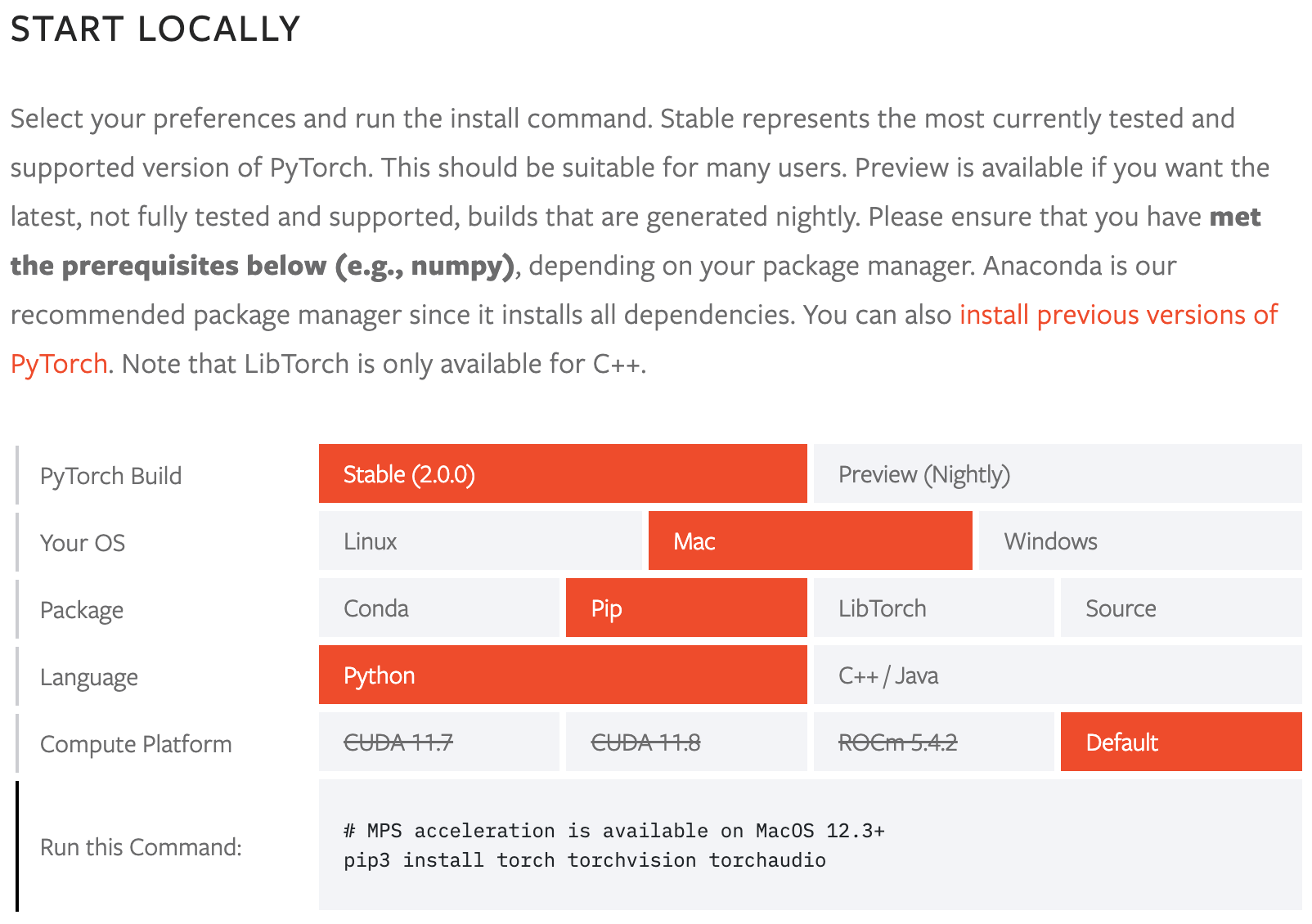
(pixels) | mAPval
50-95 | Speed
CPU ONNX
(ms) | " f"Speed
{gpu} TensorRT
(ms) | params
(M) | FLOPs
(B) |" ) separator = ( "|-------------|---------------------|--------------------|------------------------------|" "-----------------------------------|------------------|-----------------|" ) print(f"\n\n{header}") print(separator) for row in table_rows: print(row) ================================================ FILE: ultralytics/utils/callbacks/__init__.py ================================================ # Ultralytics YOLO 🚀, AGPL-3.0 license from .base import add_integration_callbacks, default_callbacks, get_default_callbacks __all__ = "add_integration_callbacks", "default_callbacks", "get_default_callbacks" ================================================ FILE: ultralytics/utils/callbacks/base.py ================================================ # Ultralytics YOLO 🚀, AGPL-3.0 license """Base callbacks.""" from collections import defaultdict from copy import deepcopy # Trainer callbacks ---------------------------------------------------------------------------------------------------- def on_pretrain_routine_start(trainer): """Called before the pretraining routine starts.""" pass def on_pretrain_routine_end(trainer): """Called after the pretraining routine ends.""" pass def on_train_start(trainer): """Called when the training starts.""" pass def on_train_epoch_start(trainer): """Called at the start of each training epoch.""" pass def on_train_batch_start(trainer): """Called at the start of each training batch.""" pass def optimizer_step(trainer): """Called when the optimizer takes a step.""" pass def on_before_zero_grad(trainer): """Called before the gradients are set to zero.""" pass def on_train_batch_end(trainer): """Called at the end of each training batch.""" pass def on_train_epoch_end(trainer): """Called at the end of each training epoch.""" pass def on_fit_epoch_end(trainer): """Called at the end of each fit epoch (train + val).""" pass def on_model_save(trainer): """Called when the model is saved.""" pass def on_train_end(trainer): """Called when the training ends.""" pass def on_params_update(trainer): """Called when the model parameters are updated.""" pass def teardown(trainer): """Called during the teardown of the training process.""" pass # Validator callbacks -------------------------------------------------------------------------------------------------- def on_val_start(validator): """Called when the validation starts.""" pass def on_val_batch_start(validator): """Called at the start of each validation batch.""" pass def on_val_batch_end(validator): """Called at the end of each validation batch.""" pass def on_val_end(validator): """Called when the validation ends.""" pass # Predictor callbacks -------------------------------------------------------------------------------------------------- def on_predict_start(predictor): """Called when the prediction starts.""" pass def on_predict_batch_start(predictor): """Called at the start of each prediction batch.""" pass def on_predict_batch_end(predictor): """Called at the end of each prediction batch.""" pass def on_predict_postprocess_end(predictor): """Called after the post-processing of the prediction ends.""" pass def on_predict_end(predictor): """Called when the prediction ends.""" pass # Exporter callbacks --------------------------------------------------------------------------------------------------- def on_export_start(exporter): """Called when the model export starts.""" pass def on_export_end(exporter): """Called when the model export ends.""" pass default_callbacks = { # Run in trainer "on_pretrain_routine_start": [on_pretrain_routine_start], "on_pretrain_routine_end": [on_pretrain_routine_end], "on_train_start": [on_train_start], "on_train_epoch_start": [on_train_epoch_start], "on_train_batch_start": [on_train_batch_start], "optimizer_step": [optimizer_step], "on_before_zero_grad": [on_before_zero_grad], "on_train_batch_end": [on_train_batch_end], "on_train_epoch_end": [on_train_epoch_end], "on_fit_epoch_end": [on_fit_epoch_end], # fit = train + val "on_model_save": [on_model_save], "on_train_end": [on_train_end], "on_params_update": [on_params_update], "teardown": [teardown], # Run in validator "on_val_start": [on_val_start], "on_val_batch_start": [on_val_batch_start], "on_val_batch_end": [on_val_batch_end], "on_val_end": [on_val_end], # Run in predictor "on_predict_start": [on_predict_start], "on_predict_batch_start": [on_predict_batch_start], "on_predict_postprocess_end": [on_predict_postprocess_end], "on_predict_batch_end": [on_predict_batch_end], "on_predict_end": [on_predict_end], # Run in exporter "on_export_start": [on_export_start], "on_export_end": [on_export_end], } def get_default_callbacks(): """ Return a copy of the default_callbacks dictionary with lists as default values. Returns: (defaultdict): A defaultdict with keys from default_callbacks and empty lists as default values. """ return defaultdict(list, deepcopy(default_callbacks)) def add_integration_callbacks(instance): """ Add integration callbacks from various sources to the instance's callbacks. Args: instance (Trainer, Predictor, Validator, Exporter): An object with a 'callbacks' attribute that is a dictionary of callback lists. """ # Load HUB callbacks from .hub import callbacks as hub_cb callbacks_list = [hub_cb] # Load training callbacks if "Trainer" in instance.__class__.__name__: from .clearml import callbacks as clear_cb from .comet import callbacks as comet_cb from .dvc import callbacks as dvc_cb from .mlflow import callbacks as mlflow_cb from .neptune import callbacks as neptune_cb from .raytune import callbacks as tune_cb from .tensorboard import callbacks as tb_cb from .wb import callbacks as wb_cb callbacks_list.extend([clear_cb, comet_cb, dvc_cb, mlflow_cb, neptune_cb, tune_cb, tb_cb, wb_cb]) # Add the callbacks to the callbacks dictionary for callbacks in callbacks_list: for k, v in callbacks.items(): if v not in instance.callbacks[k]: instance.callbacks[k].append(v) ================================================ FILE: ultralytics/utils/callbacks/clearml.py ================================================ # Ultralytics YOLO 🚀, AGPL-3.0 license from ultralytics.utils import LOGGER, SETTINGS, TESTS_RUNNING try: assert not TESTS_RUNNING # do not log pytest assert SETTINGS["clearml"] is True # verify integration is enabled import clearml from clearml import Task from clearml.binding.frameworks.pytorch_bind import PatchPyTorchModelIO from clearml.binding.matplotlib_bind import PatchedMatplotlib assert hasattr(clearml, "__version__") # verify package is not directory except (ImportError, AssertionError): clearml = None def _log_debug_samples(files, title="Debug Samples") -> None: """ Log files (images) as debug samples in the ClearML task. Args: files (list): A list of file paths in PosixPath format. title (str): A title that groups together images with the same values. """ import re if task := Task.current_task(): for f in files: if f.exists(): it = re.search(r"_batch(\d+)", f.name) iteration = int(it.groups()[0]) if it else 0 task.get_logger().report_image( title=title, series=f.name.replace(it.group(), ""), local_path=str(f), iteration=iteration ) def _log_plot(title, plot_path) -> None: """ Log an image as a plot in the plot section of ClearML. Args: title (str): The title of the plot. plot_path (str): The path to the saved image file. """ import matplotlib.image as mpimg import matplotlib.pyplot as plt img = mpimg.imread(plot_path) fig = plt.figure() ax = fig.add_axes([0, 0, 1, 1], frameon=False, aspect="auto", xticks=[], yticks=[]) # no ticks ax.imshow(img) Task.current_task().get_logger().report_matplotlib_figure( title=title, series="", figure=fig, report_interactive=False ) def on_pretrain_routine_start(trainer): """Runs at start of pretraining routine; initializes and connects/ logs task to ClearML.""" try: if task := Task.current_task(): # Make sure the automatic pytorch and matplotlib bindings are disabled! # We are logging these plots and model files manually in the integration PatchPyTorchModelIO.update_current_task(None) PatchedMatplotlib.update_current_task(None) else: task = Task.init( project_name=trainer.args.project or "YOLOv8", task_name=trainer.args.name, tags=["YOLOv8"], output_uri=True, reuse_last_task_id=False, auto_connect_frameworks={"pytorch": False, "matplotlib": False}, ) LOGGER.warning( "ClearML Initialized a new task. If you want to run remotely, " "please add clearml-init and connect your arguments before initializing YOLO." ) task.connect(vars(trainer.args), name="General") except Exception as e: LOGGER.warning(f"WARNING ⚠️ ClearML installed but not initialized correctly, not logging this run. {e}") def on_train_epoch_end(trainer): """Logs debug samples for the first epoch of YOLO training and report current training progress.""" if task := Task.current_task(): # Log debug samples if trainer.epoch == 1: _log_debug_samples(sorted(trainer.save_dir.glob("train_batch*.jpg")), "Mosaic") # Report the current training progress for k, v in trainer.label_loss_items(trainer.tloss, prefix="train").items(): task.get_logger().report_scalar("train", k, v, iteration=trainer.epoch) for k, v in trainer.lr.items(): task.get_logger().report_scalar("lr", k, v, iteration=trainer.epoch) def on_fit_epoch_end(trainer): """Reports model information to logger at the end of an epoch.""" if task := Task.current_task(): # You should have access to the validation bboxes under jdict task.get_logger().report_scalar( title="Epoch Time", series="Epoch Time", value=trainer.epoch_time, iteration=trainer.epoch ) for k, v in trainer.metrics.items(): task.get_logger().report_scalar("val", k, v, iteration=trainer.epoch) if trainer.epoch == 0: from ultralytics.utils.torch_utils import model_info_for_loggers for k, v in model_info_for_loggers(trainer).items(): task.get_logger().report_single_value(k, v) def on_val_end(validator): """Logs validation results including labels and predictions.""" if Task.current_task(): # Log val_labels and val_pred _log_debug_samples(sorted(validator.save_dir.glob("val*.jpg")), "Validation") def on_train_end(trainer): """Logs final model and its name on training completion.""" if task := Task.current_task(): # Log final results, CM matrix + PR plots files = [ "results.png", "confusion_matrix.png", "confusion_matrix_normalized.png", *(f"{x}_curve.png" for x in ("F1", "PR", "P", "R")), ] files = [(trainer.save_dir / f) for f in files if (trainer.save_dir / f).exists()] # filter for f in files: _log_plot(title=f.stem, plot_path=f) # Report final metrics for k, v in trainer.validator.metrics.results_dict.items(): task.get_logger().report_single_value(k, v) # Log the final model task.update_output_model(model_path=str(trainer.best), model_name=trainer.args.name, auto_delete_file=False) callbacks = ( { "on_pretrain_routine_start": on_pretrain_routine_start, "on_train_epoch_end": on_train_epoch_end, "on_fit_epoch_end": on_fit_epoch_end, "on_val_end": on_val_end, "on_train_end": on_train_end, } if clearml else {} ) ================================================ FILE: ultralytics/utils/callbacks/comet.py ================================================ # Ultralytics YOLO 🚀, AGPL-3.0 license from ultralytics.utils import LOGGER, RANK, SETTINGS, TESTS_RUNNING, ops try: assert not TESTS_RUNNING # do not log pytest assert SETTINGS["comet"] is True # verify integration is enabled import comet_ml assert hasattr(comet_ml, "__version__") # verify package is not directory import os from pathlib import Path # Ensures certain logging functions only run for supported tasks COMET_SUPPORTED_TASKS = ["detect"] # Names of plots created by YOLOv8 that are logged to Comet EVALUATION_PLOT_NAMES = "F1_curve", "P_curve", "R_curve", "PR_curve", "confusion_matrix" LABEL_PLOT_NAMES = "labels", "labels_correlogram" _comet_image_prediction_count = 0 except (ImportError, AssertionError): comet_ml = None def _get_comet_mode(): """Returns the mode of comet set in the environment variables, defaults to 'online' if not set.""" return os.getenv("COMET_MODE", "online") def _get_comet_model_name(): """Returns the model name for Comet from the environment variable 'COMET_MODEL_NAME' or defaults to 'YOLOv8'.""" return os.getenv("COMET_MODEL_NAME", "YOLOv8") def _get_eval_batch_logging_interval(): """Get the evaluation batch logging interval from environment variable or use default value 1.""" return int(os.getenv("COMET_EVAL_BATCH_LOGGING_INTERVAL", 1)) def _get_max_image_predictions_to_log(): """Get the maximum number of image predictions to log from the environment variables.""" return int(os.getenv("COMET_MAX_IMAGE_PREDICTIONS", 100)) def _scale_confidence_score(score): """Scales the given confidence score by a factor specified in an environment variable.""" scale = float(os.getenv("COMET_MAX_CONFIDENCE_SCORE", 100.0)) return score * scale def _should_log_confusion_matrix(): """Determines if the confusion matrix should be logged based on the environment variable settings.""" return os.getenv("COMET_EVAL_LOG_CONFUSION_MATRIX", "false").lower() == "true" def _should_log_image_predictions(): """Determines whether to log image predictions based on a specified environment variable.""" return os.getenv("COMET_EVAL_LOG_IMAGE_PREDICTIONS", "true").lower() == "true" def _get_experiment_type(mode, project_name): """Return an experiment based on mode and project name.""" if mode == "offline": return comet_ml.OfflineExperiment(project_name=project_name) return comet_ml.Experiment(project_name=project_name) def _create_experiment(args): """Ensures that the experiment object is only created in a single process during distributed training.""" if RANK not in (-1, 0): return try: comet_mode = _get_comet_mode() _project_name = os.getenv("COMET_PROJECT_NAME", args.project) experiment = _get_experiment_type(comet_mode, _project_name) experiment.log_parameters(vars(args)) experiment.log_others( { "eval_batch_logging_interval": _get_eval_batch_logging_interval(), "log_confusion_matrix_on_eval": _should_log_confusion_matrix(), "log_image_predictions": _should_log_image_predictions(), "max_image_predictions": _get_max_image_predictions_to_log(), } ) experiment.log_other("Created from", "yolov8") except Exception as e: LOGGER.warning(f"WARNING ⚠️ Comet installed but not initialized correctly, not logging this run. {e}") def _fetch_trainer_metadata(trainer): """Returns metadata for YOLO training including epoch and asset saving status.""" curr_epoch = trainer.epoch + 1 train_num_steps_per_epoch = len(trainer.train_loader.dataset) // trainer.batch_size curr_step = curr_epoch * train_num_steps_per_epoch final_epoch = curr_epoch == trainer.epochs save = trainer.args.save save_period = trainer.args.save_period save_interval = curr_epoch % save_period == 0 save_assets = save and save_period > 0 and save_interval and not final_epoch return dict(curr_epoch=curr_epoch, curr_step=curr_step, save_assets=save_assets, final_epoch=final_epoch) def _scale_bounding_box_to_original_image_shape(box, resized_image_shape, original_image_shape, ratio_pad): """ YOLOv8 resizes images during training and the label values are normalized based on this resized shape. This function rescales the bounding box labels to the original image shape. """ resized_image_height, resized_image_width = resized_image_shape # Convert normalized xywh format predictions to xyxy in resized scale format box = ops.xywhn2xyxy(box, h=resized_image_height, w=resized_image_width) # Scale box predictions from resized image scale back to original image scale box = ops.scale_boxes(resized_image_shape, box, original_image_shape, ratio_pad) # Convert bounding box format from xyxy to xywh for Comet logging box = ops.xyxy2xywh(box) # Adjust xy center to correspond top-left corner box[:2] -= box[2:] / 2 box = box.tolist() return box def _format_ground_truth_annotations_for_detection(img_idx, image_path, batch, class_name_map=None): """Format ground truth annotations for detection.""" indices = batch["batch_idx"] == img_idx bboxes = batch["bboxes"][indices] if len(bboxes) == 0: LOGGER.debug(f"COMET WARNING: Image: {image_path} has no bounding boxes labels") return None cls_labels = batch["cls"][indices].squeeze(1).tolist() if class_name_map: cls_labels = [str(class_name_map[label]) for label in cls_labels] original_image_shape = batch["ori_shape"][img_idx] resized_image_shape = batch["resized_shape"][img_idx] ratio_pad = batch["ratio_pad"][img_idx] data = [] for box, label in zip(bboxes, cls_labels): box = _scale_bounding_box_to_original_image_shape(box, resized_image_shape, original_image_shape, ratio_pad) data.append( { "boxes": [box], "label": f"gt_{label}", "score": _scale_confidence_score(1.0), } ) return {"name": "ground_truth", "data": data} def _format_prediction_annotations_for_detection(image_path, metadata, class_label_map=None): """Format YOLO predictions for object detection visualization.""" stem = image_path.stem image_id = int(stem) if stem.isnumeric() else stem predictions = metadata.get(image_id) if not predictions: LOGGER.debug(f"COMET WARNING: Image: {image_path} has no bounding boxes predictions") return None data = [] for prediction in predictions: boxes = prediction["bbox"] score = _scale_confidence_score(prediction["score"]) cls_label = prediction["category_id"] if class_label_map: cls_label = str(class_label_map[cls_label]) data.append({"boxes": [boxes], "label": cls_label, "score": score}) return {"name": "prediction", "data": data} def _fetch_annotations(img_idx, image_path, batch, prediction_metadata_map, class_label_map): """Join the ground truth and prediction annotations if they exist.""" ground_truth_annotations = _format_ground_truth_annotations_for_detection( img_idx, image_path, batch, class_label_map ) prediction_annotations = _format_prediction_annotations_for_detection( image_path, prediction_metadata_map, class_label_map ) annotations = [ annotation for annotation in [ground_truth_annotations, prediction_annotations] if annotation is not None ] return [annotations] if annotations else None def _create_prediction_metadata_map(model_predictions): """Create metadata map for model predictions by groupings them based on image ID.""" pred_metadata_map = {} for prediction in model_predictions: pred_metadata_map.setdefault(prediction["image_id"], []) pred_metadata_map[prediction["image_id"]].append(prediction) return pred_metadata_map def _log_confusion_matrix(experiment, trainer, curr_step, curr_epoch): """Log the confusion matrix to Comet experiment.""" conf_mat = trainer.validator.confusion_matrix.matrix names = list(trainer.data["names"].values()) + ["background"] experiment.log_confusion_matrix( matrix=conf_mat, labels=names, max_categories=len(names), epoch=curr_epoch, step=curr_step ) def _log_images(experiment, image_paths, curr_step, annotations=None): """Logs images to the experiment with optional annotations.""" if annotations: for image_path, annotation in zip(image_paths, annotations): experiment.log_image(image_path, name=image_path.stem, step=curr_step, annotations=annotation) else: for image_path in image_paths: experiment.log_image(image_path, name=image_path.stem, step=curr_step) def _log_image_predictions(experiment, validator, curr_step): """Logs predicted boxes for a single image during training.""" global _comet_image_prediction_count task = validator.args.task if task not in COMET_SUPPORTED_TASKS: return jdict = validator.jdict if not jdict: return predictions_metadata_map = _create_prediction_metadata_map(jdict) dataloader = validator.dataloader class_label_map = validator.names batch_logging_interval = _get_eval_batch_logging_interval() max_image_predictions = _get_max_image_predictions_to_log() for batch_idx, batch in enumerate(dataloader): if (batch_idx + 1) % batch_logging_interval != 0: continue image_paths = batch["im_file"] for img_idx, image_path in enumerate(image_paths): if _comet_image_prediction_count >= max_image_predictions: return image_path = Path(image_path) annotations = _fetch_annotations( img_idx, image_path, batch, predictions_metadata_map, class_label_map, ) _log_images( experiment, [image_path], curr_step, annotations=annotations, ) _comet_image_prediction_count += 1 def _log_plots(experiment, trainer): """Logs evaluation plots and label plots for the experiment.""" plot_filenames = [trainer.save_dir / f"{plots}.png" for plots in EVALUATION_PLOT_NAMES] _log_images(experiment, plot_filenames, None) label_plot_filenames = [trainer.save_dir / f"{labels}.jpg" for labels in LABEL_PLOT_NAMES] _log_images(experiment, label_plot_filenames, None) def _log_model(experiment, trainer): """Log the best-trained model to Comet.ml.""" model_name = _get_comet_model_name() experiment.log_model(model_name, file_or_folder=str(trainer.best), file_name="best.pt", overwrite=True) def on_pretrain_routine_start(trainer): """Creates or resumes a CometML experiment at the start of a YOLO pre-training routine.""" experiment = comet_ml.get_global_experiment() is_alive = getattr(experiment, "alive", False) if not experiment or not is_alive: _create_experiment(trainer.args) def on_train_epoch_end(trainer): """Log metrics and save batch images at the end of training epochs.""" experiment = comet_ml.get_global_experiment() if not experiment: return metadata = _fetch_trainer_metadata(trainer) curr_epoch = metadata["curr_epoch"] curr_step = metadata["curr_step"] experiment.log_metrics(trainer.label_loss_items(trainer.tloss, prefix="train"), step=curr_step, epoch=curr_epoch) if curr_epoch == 1: _log_images(experiment, trainer.save_dir.glob("train_batch*.jpg"), curr_step) def on_fit_epoch_end(trainer): """Logs model assets at the end of each epoch.""" experiment = comet_ml.get_global_experiment() if not experiment: return metadata = _fetch_trainer_metadata(trainer) curr_epoch = metadata["curr_epoch"] curr_step = metadata["curr_step"] save_assets = metadata["save_assets"] experiment.log_metrics(trainer.metrics, step=curr_step, epoch=curr_epoch) experiment.log_metrics(trainer.lr, step=curr_step, epoch=curr_epoch) if curr_epoch == 1: from ultralytics.utils.torch_utils import model_info_for_loggers experiment.log_metrics(model_info_for_loggers(trainer), step=curr_step, epoch=curr_epoch) if not save_assets: return _log_model(experiment, trainer) if _should_log_confusion_matrix(): _log_confusion_matrix(experiment, trainer, curr_step, curr_epoch) if _should_log_image_predictions(): _log_image_predictions(experiment, trainer.validator, curr_step) def on_train_end(trainer): """Perform operations at the end of training.""" experiment = comet_ml.get_global_experiment() if not experiment: return metadata = _fetch_trainer_metadata(trainer) curr_epoch = metadata["curr_epoch"] curr_step = metadata["curr_step"] plots = trainer.args.plots _log_model(experiment, trainer) if plots: _log_plots(experiment, trainer) _log_confusion_matrix(experiment, trainer, curr_step, curr_epoch) _log_image_predictions(experiment, trainer.validator, curr_step) experiment.end() global _comet_image_prediction_count _comet_image_prediction_count = 0 callbacks = ( { "on_pretrain_routine_start": on_pretrain_routine_start, "on_train_epoch_end": on_train_epoch_end, "on_fit_epoch_end": on_fit_epoch_end, "on_train_end": on_train_end, } if comet_ml else {} ) ================================================ FILE: ultralytics/utils/callbacks/dvc.py ================================================ # Ultralytics YOLO 🚀, AGPL-3.0 license from ultralytics.utils import LOGGER, SETTINGS, TESTS_RUNNING, checks try: assert not TESTS_RUNNING # do not log pytest assert SETTINGS["dvc"] is True # verify integration is enabled import dvclive assert checks.check_version("dvclive", "2.11.0", verbose=True) import os import re from pathlib import Path # DVCLive logger instance live = None _processed_plots = {} # `on_fit_epoch_end` is called on final validation (probably need to be fixed) for now this is the way we # distinguish final evaluation of the best model vs last epoch validation _training_epoch = False except (ImportError, AssertionError, TypeError): dvclive = None def _log_images(path, prefix=""): """Logs images at specified path with an optional prefix using DVCLive.""" if live: name = path.name # Group images by batch to enable sliders in UI if m := re.search(r"_batch(\d+)", name): ni = m[1] new_stem = re.sub(r"_batch(\d+)", "_batch", path.stem) name = (Path(new_stem) / ni).with_suffix(path.suffix) live.log_image(os.path.join(prefix, name), path) def _log_plots(plots, prefix=""): """Logs plot images for training progress if they have not been previously processed.""" for name, params in plots.items(): timestamp = params["timestamp"] if _processed_plots.get(name) != timestamp: _log_images(name, prefix) _processed_plots[name] = timestamp def _log_confusion_matrix(validator): """Logs the confusion matrix for the given validator using DVCLive.""" targets = [] preds = [] matrix = validator.confusion_matrix.matrix names = list(validator.names.values()) if validator.confusion_matrix.task == "detect": names += ["background"] for ti, pred in enumerate(matrix.T.astype(int)): for pi, num in enumerate(pred): targets.extend([names[ti]] * num) preds.extend([names[pi]] * num) live.log_sklearn_plot("confusion_matrix", targets, preds, name="cf.json", normalized=True) def on_pretrain_routine_start(trainer): """Initializes DVCLive logger for training metadata during pre-training routine.""" try: global live live = dvclive.Live(save_dvc_exp=True, cache_images=True) LOGGER.info("DVCLive is detected and auto logging is enabled (run 'yolo settings dvc=False' to disable).") except Exception as e: LOGGER.warning(f"WARNING ⚠️ DVCLive installed but not initialized correctly, not logging this run. {e}") def on_pretrain_routine_end(trainer): """Logs plots related to the training process at the end of the pretraining routine.""" _log_plots(trainer.plots, "train") def on_train_start(trainer): """Logs the training parameters if DVCLive logging is active.""" if live: live.log_params(trainer.args) def on_train_epoch_start(trainer): """Sets the global variable _training_epoch value to True at the start of training each epoch.""" global _training_epoch _training_epoch = True def on_fit_epoch_end(trainer): """Logs training metrics and model info, and advances to next step on the end of each fit epoch.""" global _training_epoch if live and _training_epoch: all_metrics = {**trainer.label_loss_items(trainer.tloss, prefix="train"), **trainer.metrics, **trainer.lr} for metric, value in all_metrics.items(): live.log_metric(metric, value) if trainer.epoch == 0: from ultralytics.utils.torch_utils import model_info_for_loggers for metric, value in model_info_for_loggers(trainer).items(): live.log_metric(metric, value, plot=False) _log_plots(trainer.plots, "train") _log_plots(trainer.validator.plots, "val") live.next_step() _training_epoch = False def on_train_end(trainer): """Logs the best metrics, plots, and confusion matrix at the end of training if DVCLive is active.""" if live: # At the end log the best metrics. It runs validator on the best model internally. all_metrics = {**trainer.label_loss_items(trainer.tloss, prefix="train"), **trainer.metrics, **trainer.lr} for metric, value in all_metrics.items(): live.log_metric(metric, value, plot=False) _log_plots(trainer.plots, "val") _log_plots(trainer.validator.plots, "val") _log_confusion_matrix(trainer.validator) if trainer.best.exists(): live.log_artifact(trainer.best, copy=True, type="model") live.end() callbacks = ( { "on_pretrain_routine_start": on_pretrain_routine_start, "on_pretrain_routine_end": on_pretrain_routine_end, "on_train_start": on_train_start, "on_train_epoch_start": on_train_epoch_start, "on_fit_epoch_end": on_fit_epoch_end, "on_train_end": on_train_end, } if dvclive else {} ) ================================================ FILE: ultralytics/utils/callbacks/hub.py ================================================ # Ultralytics YOLO 🚀, AGPL-3.0 license import json from time import time from ultralytics.hub.utils import HUB_WEB_ROOT, PREFIX, events from ultralytics.utils import LOGGER, SETTINGS def on_pretrain_routine_end(trainer): """Logs info before starting timer for upload rate limit.""" session = getattr(trainer, "hub_session", None) if session: # Start timer for upload rate limit session.timers = { "metrics": time(), "ckpt": time(), } # start timer on session.rate_limit def on_fit_epoch_end(trainer): """Uploads training progress metrics at the end of each epoch.""" session = getattr(trainer, "hub_session", None) if session: # Upload metrics after val end all_plots = { **trainer.label_loss_items(trainer.tloss, prefix="train"), **trainer.metrics, } if trainer.epoch == 0: from ultralytics.utils.torch_utils import model_info_for_loggers all_plots = {**all_plots, **model_info_for_loggers(trainer)} session.metrics_queue[trainer.epoch] = json.dumps(all_plots) # If any metrics fail to upload, add them to the queue to attempt uploading again. if session.metrics_upload_failed_queue: session.metrics_queue.update(session.metrics_upload_failed_queue) if time() - session.timers["metrics"] > session.rate_limits["metrics"]: session.upload_metrics() session.timers["metrics"] = time() # reset timer session.metrics_queue = {} # reset queue def on_model_save(trainer): """Saves checkpoints to Ultralytics HUB with rate limiting.""" session = getattr(trainer, "hub_session", None) if session: # Upload checkpoints with rate limiting is_best = trainer.best_fitness == trainer.fitness if time() - session.timers["ckpt"] > session.rate_limits["ckpt"]: LOGGER.info(f"{PREFIX}Uploading checkpoint {HUB_WEB_ROOT}/models/{session.model.id}") session.upload_model(trainer.epoch, trainer.last, is_best) session.timers["ckpt"] = time() # reset timer def on_train_end(trainer): """Upload final model and metrics to Ultralytics HUB at the end of training.""" session = getattr(trainer, "hub_session", None) if session: # Upload final model and metrics with exponential standoff LOGGER.info(f"{PREFIX}Syncing final model...") session.upload_model( trainer.epoch, trainer.best, map=trainer.metrics.get("metrics/mAP50-95(B)", 0), final=True, ) session.alive = False # stop heartbeats LOGGER.info(f"{PREFIX}Done ✅\n" f"{PREFIX}View model at {session.model_url} 🚀") def on_train_start(trainer): """Run events on train start.""" events(trainer.args) def on_val_start(validator): """Runs events on validation start.""" events(validator.args) def on_predict_start(predictor): """Run events on predict start.""" events(predictor.args) def on_export_start(exporter): """Run events on export start.""" events(exporter.args) callbacks = ( { "on_pretrain_routine_end": on_pretrain_routine_end, "on_fit_epoch_end": on_fit_epoch_end, "on_model_save": on_model_save, "on_train_end": on_train_end, "on_train_start": on_train_start, "on_val_start": on_val_start, "on_predict_start": on_predict_start, "on_export_start": on_export_start, } if SETTINGS["hub"] is True else {} ) # verify enabled ================================================ FILE: ultralytics/utils/callbacks/mlflow.py ================================================ # Ultralytics YOLO 🚀, AGPL-3.0 license """ MLflow Logging for Ultralytics YOLO. This module enables MLflow logging for Ultralytics YOLO. It logs metrics, parameters, and model artifacts. For setting up, a tracking URI should be specified. The logging can be customized using environment variables. Commands: 1. To set a project name: `export MLFLOW_EXPERIMENT_NAME=` or use the project= argument 2. To set a run name: `export MLFLOW_RUN=` or use the name= argument 3. To start a local MLflow server: mlflow server --backend-store-uri runs/mlflow It will by default start a local server at http://127.0.0.1:5000. To specify a different URI, set the MLFLOW_TRACKING_URI environment variable. 4. To kill all running MLflow server instances: ps aux | grep 'mlflow' | grep -v 'grep' | awk '{print $2}' | xargs kill -9 """ from ultralytics.utils import LOGGER, RUNS_DIR, SETTINGS, TESTS_RUNNING, colorstr try: import os assert not TESTS_RUNNING or "test_mlflow" in os.environ.get("PYTEST_CURRENT_TEST", "") # do not log pytest assert SETTINGS["mlflow"] is True # verify integration is enabled import mlflow assert hasattr(mlflow, "__version__") # verify package is not directory from pathlib import Path PREFIX = colorstr("MLflow: ") SANITIZE = lambda x: {k.replace("(", "").replace(")", ""): float(v) for k, v in x.items()} except (ImportError, AssertionError): mlflow = None def on_pretrain_routine_end(trainer): """ Log training parameters to MLflow at the end of the pretraining routine. This function sets up MLflow logging based on environment variables and trainer arguments. It sets the tracking URI, experiment name, and run name, then starts the MLflow run if not already active. It finally logs the parameters from the trainer. Args: trainer (ultralytics.engine.trainer.BaseTrainer): The training object with arguments and parameters to log. Global: mlflow: The imported mlflow module to use for logging. Environment Variables: MLFLOW_TRACKING_URI: The URI for MLflow tracking. If not set, defaults to 'runs/mlflow'. MLFLOW_EXPERIMENT_NAME: The name of the MLflow experiment. If not set, defaults to trainer.args.project. MLFLOW_RUN: The name of the MLflow run. If not set, defaults to trainer.args.name. MLFLOW_KEEP_RUN_ACTIVE: Boolean indicating whether to keep the MLflow run active after the end of the training phase. """ global mlflow uri = os.environ.get("MLFLOW_TRACKING_URI") or str(RUNS_DIR / "mlflow") LOGGER.debug(f"{PREFIX} tracking uri: {uri}") mlflow.set_tracking_uri(uri) # Set experiment and run names experiment_name = os.environ.get("MLFLOW_EXPERIMENT_NAME") or trainer.args.project or "/Shared/YOLOv8" run_name = os.environ.get("MLFLOW_RUN") or trainer.args.name mlflow.set_experiment(experiment_name) mlflow.autolog() try: active_run = mlflow.active_run() or mlflow.start_run(run_name=run_name) LOGGER.info(f"{PREFIX}logging run_id({active_run.info.run_id}) to {uri}") if Path(uri).is_dir(): LOGGER.info(f"{PREFIX}view at http://127.0.0.1:5000 with 'mlflow server --backend-store-uri {uri}'") LOGGER.info(f"{PREFIX}disable with 'yolo settings mlflow=False'") mlflow.log_params(dict(trainer.args)) except Exception as e: LOGGER.warning(f"{PREFIX}WARNING ⚠️ Failed to initialize: {e}\n" f"{PREFIX}WARNING ⚠️ Not tracking this run") def on_train_epoch_end(trainer): """Log training metrics at the end of each train epoch to MLflow.""" if mlflow: mlflow.log_metrics( metrics={ **SANITIZE(trainer.lr), **SANITIZE(trainer.label_loss_items(trainer.tloss, prefix="train")), }, step=trainer.epoch, ) def on_fit_epoch_end(trainer): """Log training metrics at the end of each fit epoch to MLflow.""" if mlflow: mlflow.log_metrics(metrics=SANITIZE(trainer.metrics), step=trainer.epoch) def on_train_end(trainer): """Log model artifacts at the end of the training.""" if mlflow: mlflow.log_artifact(str(trainer.best.parent)) # log save_dir/weights directory with best.pt and last.pt for f in trainer.save_dir.glob("*"): # log all other files in save_dir if f.suffix in {".png", ".jpg", ".csv", ".pt", ".yaml"}: mlflow.log_artifact(str(f)) keep_run_active = os.environ.get("MLFLOW_KEEP_RUN_ACTIVE", "False").lower() in ("true") if keep_run_active: LOGGER.info(f"{PREFIX}mlflow run still alive, remember to close it using mlflow.end_run()") else: mlflow.end_run() LOGGER.debug(f"{PREFIX}mlflow run ended") LOGGER.info( f"{PREFIX}results logged to {mlflow.get_tracking_uri()}\n" f"{PREFIX}disable with 'yolo settings mlflow=False'" ) callbacks = ( { "on_pretrain_routine_end": on_pretrain_routine_end, "on_train_epoch_end": on_train_epoch_end, "on_fit_epoch_end": on_fit_epoch_end, "on_train_end": on_train_end, } if mlflow else {} ) ================================================ FILE: ultralytics/utils/callbacks/neptune.py ================================================ # Ultralytics YOLO 🚀, AGPL-3.0 license from ultralytics.utils import LOGGER, SETTINGS, TESTS_RUNNING try: assert not TESTS_RUNNING # do not log pytest assert SETTINGS["neptune"] is True # verify integration is enabled import neptune from neptune.types import File assert hasattr(neptune, "__version__") run = None # NeptuneAI experiment logger instance except (ImportError, AssertionError): neptune = None def _log_scalars(scalars, step=0): """Log scalars to the NeptuneAI experiment logger.""" if run: for k, v in scalars.items(): run[k].append(value=v, step=step) def _log_images(imgs_dict, group=""): """Log scalars to the NeptuneAI experiment logger.""" if run: for k, v in imgs_dict.items(): run[f"{group}/{k}"].upload(File(v)) def _log_plot(title, plot_path): """ Log plots to the NeptuneAI experiment logger. Args: title (str): Title of the plot. plot_path (PosixPath | str): Path to the saved image file. """ import matplotlib.image as mpimg import matplotlib.pyplot as plt img = mpimg.imread(plot_path) fig = plt.figure() ax = fig.add_axes([0, 0, 1, 1], frameon=False, aspect="auto", xticks=[], yticks=[]) # no ticks ax.imshow(img) run[f"Plots/{title}"].upload(fig) def on_pretrain_routine_start(trainer): """Callback function called before the training routine starts.""" try: global run run = neptune.init_run(project=trainer.args.project or "YOLOv8", name=trainer.args.name, tags=["YOLOv8"]) run["Configuration/Hyperparameters"] = {k: "" if v is None else v for k, v in vars(trainer.args).items()} except Exception as e: LOGGER.warning(f"WARNING ⚠️ NeptuneAI installed but not initialized correctly, not logging this run. {e}") def on_train_epoch_end(trainer): """Callback function called at end of each training epoch.""" _log_scalars(trainer.label_loss_items(trainer.tloss, prefix="train"), trainer.epoch + 1) _log_scalars(trainer.lr, trainer.epoch + 1) if trainer.epoch == 1: _log_images({f.stem: str(f) for f in trainer.save_dir.glob("train_batch*.jpg")}, "Mosaic") def on_fit_epoch_end(trainer): """Callback function called at end of each fit (train+val) epoch.""" if run and trainer.epoch == 0: from ultralytics.utils.torch_utils import model_info_for_loggers run["Configuration/Model"] = model_info_for_loggers(trainer) _log_scalars(trainer.metrics, trainer.epoch + 1) def on_val_end(validator): """Callback function called at end of each validation.""" if run: # Log val_labels and val_pred _log_images({f.stem: str(f) for f in validator.save_dir.glob("val*.jpg")}, "Validation") def on_train_end(trainer): """Callback function called at end of training.""" if run: # Log final results, CM matrix + PR plots files = [ "results.png", "confusion_matrix.png", "confusion_matrix_normalized.png", *(f"{x}_curve.png" for x in ("F1", "PR", "P", "R")), ] files = [(trainer.save_dir / f) for f in files if (trainer.save_dir / f).exists()] # filter for f in files: _log_plot(title=f.stem, plot_path=f) # Log the final model run[f"weights/{trainer.args.name or trainer.args.task}/{trainer.best.name}"].upload(File(str(trainer.best))) callbacks = ( { "on_pretrain_routine_start": on_pretrain_routine_start, "on_train_epoch_end": on_train_epoch_end, "on_fit_epoch_end": on_fit_epoch_end, "on_val_end": on_val_end, "on_train_end": on_train_end, } if neptune else {} ) ================================================ FILE: ultralytics/utils/callbacks/raytune.py ================================================ # Ultralytics YOLO 🚀, AGPL-3.0 license from ultralytics.utils import SETTINGS try: assert SETTINGS["raytune"] is True # verify integration is enabled import ray from ray import tune from ray.air import session except (ImportError, AssertionError): tune = None def on_fit_epoch_end(trainer): """Sends training metrics to Ray Tune at end of each epoch.""" if ray.tune.is_session_enabled(): metrics = trainer.metrics metrics["epoch"] = trainer.epoch session.report(metrics) callbacks = ( { "on_fit_epoch_end": on_fit_epoch_end, } if tune else {} ) ================================================ FILE: ultralytics/utils/callbacks/tensorboard.py ================================================ # Ultralytics YOLO 🚀, AGPL-3.0 license import contextlib from ultralytics.utils import LOGGER, SETTINGS, TESTS_RUNNING, colorstr try: # WARNING: do not move SummaryWriter import due to protobuf bug https://github.com/ultralytics/ultralytics/pull/4674 from torch.utils.tensorboard import SummaryWriter assert not TESTS_RUNNING # do not log pytest assert SETTINGS["tensorboard"] is True # verify integration is enabled WRITER = None # TensorBoard SummaryWriter instance PREFIX = colorstr("TensorBoard: ") # Imports below only required if TensorBoard enabled import warnings from copy import deepcopy from ultralytics.utils.torch_utils import de_parallel, torch except (ImportError, AssertionError, TypeError, AttributeError): # TypeError for handling 'Descriptors cannot not be created directly.' protobuf errors in Windows # AttributeError: module 'tensorflow' has no attribute 'io' if 'tensorflow' not installed SummaryWriter = None def _log_scalars(scalars, step=0): """Logs scalar values to TensorBoard.""" if WRITER: for k, v in scalars.items(): WRITER.add_scalar(k, v, step) def _log_tensorboard_graph(trainer): """Log model graph to TensorBoard.""" # Input image imgsz = trainer.args.imgsz imgsz = (imgsz, imgsz) if isinstance(imgsz, int) else imgsz p = next(trainer.model.parameters()) # for device, type im = torch.zeros((1, 3, *imgsz), device=p.device, dtype=p.dtype) # input image (must be zeros, not empty) with warnings.catch_warnings(): warnings.simplefilter("ignore", category=UserWarning) # suppress jit trace warning warnings.simplefilter("ignore", category=torch.jit.TracerWarning) # suppress jit trace warning # Try simple method first (YOLO) with contextlib.suppress(Exception): trainer.model.eval() # place in .eval() mode to avoid BatchNorm statistics changes WRITER.add_graph(torch.jit.trace(de_parallel(trainer.model), im, strict=False), []) LOGGER.info(f"{PREFIX}model graph visualization added ✅") return # Fallback to TorchScript export steps (RTDETR) try: model = deepcopy(de_parallel(trainer.model)) model.eval() model = model.fuse(verbose=False) for m in model.modules(): if hasattr(m, "export"): # Detect, RTDETRDecoder (Segment and Pose use Detect base class) m.export = True m.format = "torchscript" model(im) # dry run WRITER.add_graph(torch.jit.trace(model, im, strict=False), []) LOGGER.info(f"{PREFIX}model graph visualization added ✅") except Exception as e: LOGGER.warning(f"{PREFIX}WARNING ⚠️ TensorBoard graph visualization failure {e}") def on_pretrain_routine_start(trainer): """Initialize TensorBoard logging with SummaryWriter.""" if SummaryWriter: try: global WRITER WRITER = SummaryWriter(str(trainer.save_dir)) LOGGER.info(f"{PREFIX}Start with 'tensorboard --logdir {trainer.save_dir}', view at http://localhost:6006/") except Exception as e: LOGGER.warning(f"{PREFIX}WARNING ⚠️ TensorBoard not initialized correctly, not logging this run. {e}") def on_train_start(trainer): """Log TensorBoard graph.""" if WRITER: _log_tensorboard_graph(trainer) def on_train_epoch_end(trainer): """Logs scalar statistics at the end of a training epoch.""" _log_scalars(trainer.label_loss_items(trainer.tloss, prefix="train"), trainer.epoch + 1) _log_scalars(trainer.lr, trainer.epoch + 1) def on_fit_epoch_end(trainer): """Logs epoch metrics at end of training epoch.""" _log_scalars(trainer.metrics, trainer.epoch + 1) callbacks = ( { "on_pretrain_routine_start": on_pretrain_routine_start, "on_train_start": on_train_start, "on_fit_epoch_end": on_fit_epoch_end, "on_train_epoch_end": on_train_epoch_end, } if SummaryWriter else {} ) ================================================ FILE: ultralytics/utils/callbacks/wb.py ================================================ # Ultralytics YOLO 🚀, AGPL-3.0 license from ultralytics.utils import SETTINGS, TESTS_RUNNING from ultralytics.utils.torch_utils import model_info_for_loggers try: assert not TESTS_RUNNING # do not log pytest assert SETTINGS["wandb"] is True # verify integration is enabled import wandb as wb assert hasattr(wb, "__version__") # verify package is not directory import numpy as np import pandas as pd _processed_plots = {} except (ImportError, AssertionError): wb = None def _custom_table(x, y, classes, title="Precision Recall Curve", x_title="Recall", y_title="Precision"): """ Create and log a custom metric visualization to wandb.plot.pr_curve. This function crafts a custom metric visualization that mimics the behavior of wandb's default precision-recall curve while allowing for enhanced customization. The visual metric is useful for monitoring model performance across different classes. Args: x (List): Values for the x-axis; expected to have length N. y (List): Corresponding values for the y-axis; also expected to have length N. classes (List): Labels identifying the class of each point; length N. title (str, optional): Title for the plot; defaults to 'Precision Recall Curve'. x_title (str, optional): Label for the x-axis; defaults to 'Recall'. y_title (str, optional): Label for the y-axis; defaults to 'Precision'. Returns: (wandb.Object): A wandb object suitable for logging, showcasing the crafted metric visualization. """ df = pd.DataFrame({"class": classes, "y": y, "x": x}).round(3) fields = {"x": "x", "y": "y", "class": "class"} string_fields = {"title": title, "x-axis-title": x_title, "y-axis-title": y_title} return wb.plot_table( "wandb/area-under-curve/v0", wb.Table(dataframe=df), fields=fields, string_fields=string_fields ) def _plot_curve( x, y, names=None, id="precision-recall", title="Precision Recall Curve", x_title="Recall", y_title="Precision", num_x=100, only_mean=False, ): """ Log a metric curve visualization. This function generates a metric curve based on input data and logs the visualization to wandb. The curve can represent aggregated data (mean) or individual class data, depending on the 'only_mean' flag. Args: x (np.ndarray): Data points for the x-axis with length N. y (np.ndarray): Corresponding data points for the y-axis with shape CxN, where C is the number of classes. names (list, optional): Names of the classes corresponding to the y-axis data; length C. Defaults to []. id (str, optional): Unique identifier for the logged data in wandb. Defaults to 'precision-recall'. title (str, optional): Title for the visualization plot. Defaults to 'Precision Recall Curve'. x_title (str, optional): Label for the x-axis. Defaults to 'Recall'. y_title (str, optional): Label for the y-axis. Defaults to 'Precision'. num_x (int, optional): Number of interpolated data points for visualization. Defaults to 100. only_mean (bool, optional): Flag to indicate if only the mean curve should be plotted. Defaults to True. Note: The function leverages the '_custom_table' function to generate the actual visualization. """ # Create new x if names is None: names = [] x_new = np.linspace(x[0], x[-1], num_x).round(5) # Create arrays for logging x_log = x_new.tolist() y_log = np.interp(x_new, x, np.mean(y, axis=0)).round(3).tolist() if only_mean: table = wb.Table(data=list(zip(x_log, y_log)), columns=[x_title, y_title]) wb.run.log({title: wb.plot.line(table, x_title, y_title, title=title)}) else: classes = ["mean"] * len(x_log) for i, yi in enumerate(y): x_log.extend(x_new) # add new x y_log.extend(np.interp(x_new, x, yi)) # interpolate y to new x classes.extend([names[i]] * len(x_new)) # add class names wb.log({id: _custom_table(x_log, y_log, classes, title, x_title, y_title)}, commit=False) def _log_plots(plots, step): """Logs plots from the input dictionary if they haven't been logged already at the specified step.""" for name, params in plots.items(): timestamp = params["timestamp"] if _processed_plots.get(name) != timestamp: wb.run.log({name.stem: wb.Image(str(name))}, step=step) _processed_plots[name] = timestamp def on_pretrain_routine_start(trainer): """Initiate and start project if module is present.""" wb.run or wb.init(project=trainer.args.project or "YOLOv8", name=trainer.args.name, config=vars(trainer.args)) def on_fit_epoch_end(trainer): """Logs training metrics and model information at the end of an epoch.""" wb.run.log(trainer.metrics, step=trainer.epoch + 1) _log_plots(trainer.plots, step=trainer.epoch + 1) _log_plots(trainer.validator.plots, step=trainer.epoch + 1) if trainer.epoch == 0: wb.run.log(model_info_for_loggers(trainer), step=trainer.epoch + 1) def on_train_epoch_end(trainer): """Log metrics and save images at the end of each training epoch.""" wb.run.log(trainer.label_loss_items(trainer.tloss, prefix="train"), step=trainer.epoch + 1) wb.run.log(trainer.lr, step=trainer.epoch + 1) if trainer.epoch == 1: _log_plots(trainer.plots, step=trainer.epoch + 1) def on_train_end(trainer): """Save the best model as an artifact at end of training.""" _log_plots(trainer.validator.plots, step=trainer.epoch + 1) _log_plots(trainer.plots, step=trainer.epoch + 1) art = wb.Artifact(type="model", name=f"run_{wb.run.id}_model") if trainer.best.exists(): art.add_file(trainer.best) wb.run.log_artifact(art, aliases=["best"]) for curve_name, curve_values in zip(trainer.validator.metrics.curves, trainer.validator.metrics.curves_results): x, y, x_title, y_title = curve_values _plot_curve( x, y, names=list(trainer.validator.metrics.names.values()), id=f"curves/{curve_name}", title=curve_name, x_title=x_title, y_title=y_title, ) wb.run.finish() # required or run continues on dashboard callbacks = ( { "on_pretrain_routine_start": on_pretrain_routine_start, "on_train_epoch_end": on_train_epoch_end, "on_fit_epoch_end": on_fit_epoch_end, "on_train_end": on_train_end, } if wb else {} ) ================================================ FILE: ultralytics/utils/checks.py ================================================ # Ultralytics YOLO 🚀, AGPL-3.0 license import contextlib import glob import inspect import math import os import platform import re import shutil import subprocess import time from importlib import metadata from pathlib import Path from typing import Optional import cv2 import numpy as np import requests import torch from matplotlib import font_manager from ultralytics.utils import ( ASSETS, AUTOINSTALL, LINUX, LOGGER, ONLINE, ROOT, USER_CONFIG_DIR, SimpleNamespace, ThreadingLocked, TryExcept, clean_url, colorstr, downloads, emojis, is_colab, is_docker, is_github_action_running, is_jupyter, is_kaggle, is_online, is_pip_package, url2file, ) PYTHON_VERSION = platform.python_version() def parse_requirements(file_path=ROOT.parent / "requirements.txt", package=""): """ Parse a requirements.txt file, ignoring lines that start with '#' and any text after '#'. Args: file_path (Path): Path to the requirements.txt file. package (str, optional): Python package to use instead of requirements.txt file, i.e. package='ultralytics'. Returns: (List[Dict[str, str]]): List of parsed requirements as dictionaries with `name` and `specifier` keys. Example: ```python from ultralytics.utils.checks import parse_requirements parse_requirements(package='ultralytics') ``` """ if package: requires = [x for x in metadata.distribution(package).requires if "extra == " not in x] else: requires = Path(file_path).read_text().splitlines() requirements = [] for line in requires: line = line.strip() if line and not line.startswith("#"): line = line.split("#")[0].strip() # ignore inline comments match = re.match(r"([a-zA-Z0-9-_]+)\s*([<>!=~]+.*)?", line) if match: requirements.append(SimpleNamespace(name=match[1], specifier=match[2].strip() if match[2] else "")) return requirements def parse_version(version="0.0.0") -> tuple: """ Convert a version string to a tuple of integers, ignoring any extra non-numeric string attached to the version. This function replaces deprecated 'pkg_resources.parse_version(v)'. Args: version (str): Version string, i.e. '2.0.1+cpu' Returns: (tuple): Tuple of integers representing the numeric part of the version and the extra string, i.e. (2, 0, 1) """ try: return tuple(map(int, re.findall(r"\d+", version)[:3])) # '2.0.1+cpu' -> (2, 0, 1) except Exception as e: LOGGER.warning(f"WARNING ⚠️ failure for parse_version({version}), returning (0, 0, 0): {e}") return 0, 0, 0 def is_ascii(s) -> bool: """ Check if a string is composed of only ASCII characters. Args: s (str): String to be checked. Returns: (bool): True if the string is composed only of ASCII characters, False otherwise. """ # Convert list, tuple, None, etc. to string s = str(s) # Check if the string is composed of only ASCII characters return all(ord(c) < 128 for c in s) def check_imgsz(imgsz, stride=32, min_dim=1, max_dim=2, floor=0): """ Verify image size is a multiple of the given stride in each dimension. If the image size is not a multiple of the stride, update it to the nearest multiple of the stride that is greater than or equal to the given floor value. Args: imgsz (int | cList[int]): Image size. stride (int): Stride value. min_dim (int): Minimum number of dimensions. max_dim (int): Maximum number of dimensions. floor (int): Minimum allowed value for image size. Returns: (List[int]): Updated image size. """ # Convert stride to integer if it is a tensor stride = int(stride.max() if isinstance(stride, torch.Tensor) else stride) # Convert image size to list if it is an integer if isinstance(imgsz, int): imgsz = [imgsz] elif isinstance(imgsz, (list, tuple)): imgsz = list(imgsz) elif isinstance(imgsz, str): # i.e. '640' or '[640,640]' imgsz = [int(imgsz)] if imgsz.isnumeric() else eval(imgsz) else: raise TypeError( f"'imgsz={imgsz}' is of invalid type {type(imgsz).__name__}. " f"Valid imgsz types are int i.e. 'imgsz=640' or list i.e. 'imgsz=[640,640]'" ) # Apply max_dim if len(imgsz) > max_dim: msg = ( "'train' and 'val' imgsz must be an integer, while 'predict' and 'export' imgsz may be a [h, w] list " "or an integer, i.e. 'yolo export imgsz=640,480' or 'yolo export imgsz=640'" ) if max_dim != 1: raise ValueError(f"imgsz={imgsz} is not a valid image size. {msg}") LOGGER.warning(f"WARNING ⚠️ updating to 'imgsz={max(imgsz)}'. {msg}") imgsz = [max(imgsz)] # Make image size a multiple of the stride sz = [max(math.ceil(x / stride) * stride, floor) for x in imgsz] # Print warning message if image size was updated if sz != imgsz: LOGGER.warning(f"WARNING ⚠️ imgsz={imgsz} must be multiple of max stride {stride}, updating to {sz}") # Add missing dimensions if necessary sz = [sz[0], sz[0]] if min_dim == 2 and len(sz) == 1 else sz[0] if min_dim == 1 and len(sz) == 1 else sz return sz def check_version( current: str = "0.0.0", required: str = "0.0.0", name: str = "version", hard: bool = False, verbose: bool = False, msg: str = "", ) -> bool: """ Check current version against the required version or range. Args: current (str): Current version or package name to get version from. required (str): Required version or range (in pip-style format). name (str, optional): Name to be used in warning message. hard (bool, optional): If True, raise an AssertionError if the requirement is not met. verbose (bool, optional): If True, print warning message if requirement is not met. msg (str, optional): Extra message to display if verbose. Returns: (bool): True if requirement is met, False otherwise. Example: ```python # Check if current version is exactly 22.04 check_version(current='22.04', required='==22.04') # Check if current version is greater than or equal to 22.04 check_version(current='22.10', required='22.04') # assumes '>=' inequality if none passed # Check if current version is less than or equal to 22.04 check_version(current='22.04', required='<=22.04') # Check if current version is between 20.04 (inclusive) and 22.04 (exclusive) check_version(current='21.10', required='>20.04,<22.04') ``` """ if not current: # if current is '' or None LOGGER.warning(f"WARNING ⚠️ invalid check_version({current}, {required}) requested, please check values.") return True elif not current[0].isdigit(): # current is package name rather than version string, i.e. current='ultralytics' try: name = current # assigned package name to 'name' arg current = metadata.version(current) # get version string from package name except metadata.PackageNotFoundError as e: if hard: raise ModuleNotFoundError(emojis(f"WARNING ⚠️ {current} package is required but not installed")) from e else: return False if not required: # if required is '' or None return True op = "" version = "" result = True c = parse_version(current) # '1.2.3' -> (1, 2, 3) for r in required.strip(",").split(","): op, version = re.match(r"([^0-9]*)([\d.]+)", r).groups() # split '>=22.04' -> ('>=', '22.04') v = parse_version(version) # '1.2.3' -> (1, 2, 3) if op == "==" and c != v: result = False elif op == "!=" and c == v: result = False elif op in (">=", "") and not (c >= v): # if no constraint passed assume '>=required' result = False elif op == "<=" and not (c <= v): result = False elif op == ">" and not (c > v): result = False elif op == "<" and not (c < v): result = False if not result: warning = f"WARNING ⚠️ {name}{op}{version} is required, but {name}=={current} is currently installed {msg}" if hard: raise ModuleNotFoundError(emojis(warning)) # assert version requirements met if verbose: LOGGER.warning(warning) return result def check_latest_pypi_version(package_name="ultralytics"): """ Returns the latest version of a PyPI package without downloading or installing it. Parameters: package_name (str): The name of the package to find the latest version for. Returns: (str): The latest version of the package. """ with contextlib.suppress(Exception): requests.packages.urllib3.disable_warnings() # Disable the InsecureRequestWarning response = requests.get(f"https://pypi.org/pypi/{package_name}/json", timeout=3) if response.status_code == 200: return response.json()["info"]["version"] def check_pip_update_available(): """ Checks if a new version of the ultralytics package is available on PyPI. Returns: (bool): True if an update is available, False otherwise. """ if ONLINE and is_pip_package(): with contextlib.suppress(Exception): from ultralytics import __version__ latest = check_latest_pypi_version() if check_version(__version__, f"<{latest}"): # check if current version is < latest version LOGGER.info( f"New https://pypi.org/project/ultralytics/{latest} available 😃 " f"Update with 'pip install -U ultralytics'" ) return True return False @ThreadingLocked() def check_font(font="Arial.ttf"): """ Find font locally or download to user's configuration directory if it does not already exist. Args: font (str): Path or name of font. Returns: file (Path): Resolved font file path. """ name = Path(font).name # Check USER_CONFIG_DIR file = USER_CONFIG_DIR / name if file.exists(): return file # Check system fonts matches = [s for s in font_manager.findSystemFonts() if font in s] if any(matches): return matches[0] # Download to USER_CONFIG_DIR if missing url = f"https://ultralytics.com/assets/{name}" if downloads.is_url(url, check=True): downloads.safe_download(url=url, file=file) return file def check_python(minimum: str = "3.8.0") -> bool: """ Check current python version against the required minimum version. Args: minimum (str): Required minimum version of python. Returns: (bool): Whether the installed Python version meets the minimum constraints. """ return check_version(PYTHON_VERSION, minimum, name="Python ", hard=True) @TryExcept() def check_requirements(requirements=ROOT.parent / "requirements.txt", exclude=(), install=True, cmds=""): """ Check if installed dependencies meet YOLOv8 requirements and attempt to auto-update if needed. Args: requirements (Union[Path, str, List[str]]): Path to a requirements.txt file, a single package requirement as a string, or a list of package requirements as strings. exclude (Tuple[str]): Tuple of package names to exclude from checking. install (bool): If True, attempt to auto-update packages that don't meet requirements. cmds (str): Additional commands to pass to the pip install command when auto-updating. Example: ```python from ultralytics.utils.checks import check_requirements # Check a requirements.txt file check_requirements('path/to/requirements.txt') # Check a single package check_requirements('ultralytics>=8.0.0') # Check multiple packages check_requirements(['numpy', 'ultralytics>=8.0.0']) ``` """ prefix = colorstr("red", "bold", "requirements:") check_python() # check python version check_torchvision() # check torch-torchvision compatibility if isinstance(requirements, Path): # requirements.txt file file = requirements.resolve() assert file.exists(), f"{prefix} {file} not found, check failed." requirements = [f"{x.name}{x.specifier}" for x in parse_requirements(file) if x.name not in exclude] elif isinstance(requirements, str): requirements = [requirements] pkgs = [] for r in requirements: r_stripped = r.split("/")[-1].replace(".git", "") # replace git+https://org/repo.git -> 'repo' match = re.match(r"([a-zA-Z0-9-_]+)([<>!=~]+.*)?", r_stripped) name, required = match[1], match[2].strip() if match[2] else "" try: assert check_version(metadata.version(name), required) # exception if requirements not met except (AssertionError, metadata.PackageNotFoundError): pkgs.append(r) s = " ".join(f'"{x}"' for x in pkgs) # console string if s: if install and AUTOINSTALL: # check environment variable n = len(pkgs) # number of packages updates LOGGER.info(f"{prefix} Ultralytics requirement{'s' * (n > 1)} {pkgs} not found, attempting AutoUpdate...") try: t = time.time() assert is_online(), "AutoUpdate skipped (offline)" LOGGER.info(subprocess.check_output(f"pip install --no-cache {s} {cmds}", shell=True).decode()) dt = time.time() - t LOGGER.info( f"{prefix} AutoUpdate success ✅ {dt:.1f}s, installed {n} package{'s' * (n > 1)}: {pkgs}\n" f"{prefix} ⚠️ {colorstr('bold', 'Restart runtime or rerun command for updates to take effect')}\n" ) except Exception as e: LOGGER.warning(f"{prefix} ❌ {e}") return False else: return False return True def check_torchvision(): """ Checks the installed versions of PyTorch and Torchvision to ensure they're compatible. This function checks the installed versions of PyTorch and Torchvision, and warns if they're incompatible according to the provided compatibility table based on: https://github.com/pytorch/vision#installation. The compatibility table is a dictionary where the keys are PyTorch versions and the values are lists of compatible Torchvision versions. """ import torchvision # Compatibility table compatibility_table = {"2.0": ["0.15"], "1.13": ["0.14"], "1.12": ["0.13"]} # Extract only the major and minor versions v_torch = ".".join(torch.__version__.split("+")[0].split(".")[:2]) v_torchvision = ".".join(torchvision.__version__.split("+")[0].split(".")[:2]) if v_torch in compatibility_table: compatible_versions = compatibility_table[v_torch] if all(v_torchvision != v for v in compatible_versions): print( f"WARNING ⚠️ torchvision=={v_torchvision} is incompatible with torch=={v_torch}.\n" f"Run 'pip install torchvision=={compatible_versions[0]}' to fix torchvision or " "'pip install -U torch torchvision' to update both.\n" "For a full compatibility table see https://github.com/pytorch/vision#installation" ) def check_suffix(file="yolov8n.pt", suffix=".pt", msg=""): """Check file(s) for acceptable suffix.""" if file and suffix: if isinstance(suffix, str): suffix = (suffix,) for f in file if isinstance(file, (list, tuple)) else [file]: s = Path(f).suffix.lower().strip() # file suffix if len(s): assert s in suffix, f"{msg}{f} acceptable suffix is {suffix}, not {s}" def check_yolov5u_filename(file: str, verbose: bool = True): """Replace legacy YOLOv5 filenames with updated YOLOv5u filenames.""" if "yolov3" in file or "yolov5" in file: if "u.yaml" in file: file = file.replace("u.yaml", ".yaml") # i.e. yolov5nu.yaml -> yolov5n.yaml elif ".pt" in file and "u" not in file: original_file = file file = re.sub(r"(.*yolov5([nsmlx]))\.pt", "\\1u.pt", file) # i.e. yolov5n.pt -> yolov5nu.pt file = re.sub(r"(.*yolov5([nsmlx])6)\.pt", "\\1u.pt", file) # i.e. yolov5n6.pt -> yolov5n6u.pt file = re.sub(r"(.*yolov3(|-tiny|-spp))\.pt", "\\1u.pt", file) # i.e. yolov3-spp.pt -> yolov3-sppu.pt if file != original_file and verbose: LOGGER.info( f"PRO TIP 💡 Replace 'model={original_file}' with new 'model={file}'.\nYOLOv5 'u' models are " f"trained with https://github.com/ultralytics/ultralytics and feature improved performance vs " f"standard YOLOv5 models trained with https://github.com/ultralytics/yolov5.\n" ) return file def check_model_file_from_stem(model="yolov8n"): """Return a model filename from a valid model stem.""" if model and not Path(model).suffix and Path(model).stem in downloads.GITHUB_ASSETS_STEMS: return Path(model).with_suffix(".pt") # add suffix, i.e. yolov8n -> yolov8n.pt else: return model def check_file(file, suffix="", download=True, hard=True): """Search/download file (if necessary) and return path.""" check_suffix(file, suffix) # optional file = str(file).strip() # convert to string and strip spaces file = check_yolov5u_filename(file) # yolov5n -> yolov5nu if ( not file or ("://" not in file and Path(file).exists()) # '://' check required in Windows Python<3.10 or file.lower().startswith("grpc://") ): # file exists or gRPC Triton images return file elif download and file.lower().startswith(("https://", "http://", "rtsp://", "rtmp://", "tcp://")): # download url = file # warning: Pathlib turns :// -> :/ file = url2file(file) # '%2F' to '/', split https://url.com/file.txt?auth if Path(file).exists(): LOGGER.info(f"Found {clean_url(url)} locally at {file}") # file already exists else: downloads.safe_download(url=url, file=file, unzip=False) return file else: # search files = glob.glob(str(ROOT / "**" / file), recursive=True) or glob.glob(str(ROOT.parent / file)) # find file if not files and hard: raise FileNotFoundError(f"'{file}' does not exist") elif len(files) > 1 and hard: raise FileNotFoundError(f"Multiple files match '{file}', specify exact path: {files}") return files[0] if len(files) else [] if hard else file # return file def check_yaml(file, suffix=(".yaml", ".yml"), hard=True): """Search/download YAML file (if necessary) and return path, checking suffix.""" return check_file(file, suffix, hard=hard) def check_is_path_safe(basedir, path): """ Check if the resolved path is under the intended directory to prevent path traversal. Args: basedir (Path | str): The intended directory. path (Path | str): The path to check. Returns: (bool): True if the path is safe, False otherwise. """ base_dir_resolved = Path(basedir).resolve() path_resolved = Path(path).resolve() return path_resolved.is_file() and path_resolved.parts[: len(base_dir_resolved.parts)] == base_dir_resolved.parts def check_imshow(warn=False): """Check if environment supports image displays.""" try: if LINUX: assert "DISPLAY" in os.environ and not is_docker() and not is_colab() and not is_kaggle() cv2.imshow("test", np.zeros((8, 8, 3), dtype=np.uint8)) # show a small 8-pixel image cv2.waitKey(1) cv2.destroyAllWindows() cv2.waitKey(1) return True except Exception as e: if warn: LOGGER.warning(f"WARNING ⚠️ Environment does not support cv2.imshow() or PIL Image.show()\n{e}") return False def check_yolo(verbose=True, device=""): """Return a human-readable YOLO software and hardware summary.""" import psutil from ultralytics.utils.torch_utils import select_device if is_jupyter(): if check_requirements("wandb", install=False): os.system("pip uninstall -y wandb") # uninstall wandb: unwanted account creation prompt with infinite hang if is_colab(): shutil.rmtree("sample_data", ignore_errors=True) # remove colab /sample_data directory if verbose: # System info gib = 1 << 30 # bytes per GiB ram = psutil.virtual_memory().total total, used, free = shutil.disk_usage("/") s = f"({os.cpu_count()} CPUs, {ram / gib:.1f} GB RAM, {(total - free) / gib:.1f}/{total / gib:.1f} GB disk)" with contextlib.suppress(Exception): # clear display if ipython is installed from IPython import display display.clear_output() else: s = "" select_device(device=device, newline=False) LOGGER.info(f"Setup complete ✅ {s}") def collect_system_info(): """Collect and print relevant system information including OS, Python, RAM, CPU, and CUDA.""" import psutil from ultralytics.utils import ENVIRONMENT, is_git_dir from ultralytics.utils.torch_utils import get_cpu_info ram_info = psutil.virtual_memory().total / (1024**3) # Convert bytes to GB check_yolo() LOGGER.info( f"\n{'OS':<20}{platform.platform()}\n" f"{'Environment':<20}{ENVIRONMENT}\n" f"{'Python':<20}{PYTHON_VERSION}\n" f"{'Install':<20}{'git' if is_git_dir() else 'pip' if is_pip_package() else 'other'}\n" f"{'RAM':<20}{ram_info:.2f} GB\n" f"{'CPU':<20}{get_cpu_info()}\n" f"{'CUDA':<20}{torch.version.cuda if torch and torch.cuda.is_available() else None}\n" ) for r in parse_requirements(package="ultralytics"): try: current = metadata.version(r.name) is_met = "✅ " if check_version(current, str(r.specifier), hard=True) else "❌ " except metadata.PackageNotFoundError: current = "(not installed)" is_met = "❌ " LOGGER.info(f"{r.name:<20}{is_met}{current}{r.specifier}") if is_github_action_running(): LOGGER.info( f"\nRUNNER_OS: {os.getenv('RUNNER_OS')}\n" f"GITHUB_EVENT_NAME: {os.getenv('GITHUB_EVENT_NAME')}\n" f"GITHUB_WORKFLOW: {os.getenv('GITHUB_WORKFLOW')}\n" f"GITHUB_ACTOR: {os.getenv('GITHUB_ACTOR')}\n" f"GITHUB_REPOSITORY: {os.getenv('GITHUB_REPOSITORY')}\n" f"GITHUB_REPOSITORY_OWNER: {os.getenv('GITHUB_REPOSITORY_OWNER')}\n" ) def check_amp(model): """ This function checks the PyTorch Automatic Mixed Precision (AMP) functionality of a YOLOv8 model. If the checks fail, it means there are anomalies with AMP on the system that may cause NaN losses or zero-mAP results, so AMP will be disabled during training. Args: model (nn.Module): A YOLOv8 model instance. Example: ```python from ultralytics import YOLO from ultralytics.utils.checks import check_amp model = YOLO('yolov8n.pt').model.cuda() check_amp(model) ``` Returns: (bool): Returns True if the AMP functionality works correctly with YOLOv8 model, else False. """ device = next(model.parameters()).device # get model device if device.type in ("cpu", "mps"): return False # AMP only used on CUDA devices def amp_allclose(m, im): """All close FP32 vs AMP results.""" a = m(im, device=device, verbose=False)[0].boxes.data # FP32 inference with torch.cuda.amp.autocast(True): b = m(im, device=device, verbose=False)[0].boxes.data # AMP inference del m return a.shape == b.shape and torch.allclose(a, b.float(), atol=0.5) # close to 0.5 absolute tolerance im = ASSETS / "bus.jpg" # image to check prefix = colorstr("AMP: ") LOGGER.info(f"{prefix}running Automatic Mixed Precision (AMP) checks with YOLOv8n...") warning_msg = "Setting 'amp=True'. If you experience zero-mAP or NaN losses you can disable AMP with amp=False." try: from ultralytics import YOLO assert amp_allclose(YOLO("yolov8n.pt"), im) LOGGER.info(f"{prefix}checks passed ✅") except ConnectionError: LOGGER.warning(f"{prefix}checks skipped ⚠️, offline and unable to download YOLOv8n. {warning_msg}") except (AttributeError, ModuleNotFoundError): LOGGER.warning( f"{prefix}checks skipped ⚠️. " f"Unable to load YOLOv8n due to possible Ultralytics package modifications. {warning_msg}" ) except AssertionError: LOGGER.warning( f"{prefix}checks failed ❌. Anomalies were detected with AMP on your system that may lead to " f"NaN losses or zero-mAP results, so AMP will be disabled during training." ) return False return True def git_describe(path=ROOT): # path must be a directory """Return human-readable git description, i.e. v5.0-5-g3e25f1e https://git-scm.com/docs/git-describe.""" with contextlib.suppress(Exception): return subprocess.check_output(f"git -C {path} describe --tags --long --always", shell=True).decode()[:-1] return "" def print_args(args: Optional[dict] = None, show_file=True, show_func=False): """Print function arguments (optional args dict).""" def strip_auth(v): """Clean longer Ultralytics HUB URLs by stripping potential authentication information.""" return clean_url(v) if (isinstance(v, str) and v.startswith("http") and len(v) > 100) else v x = inspect.currentframe().f_back # previous frame file, _, func, _, _ = inspect.getframeinfo(x) if args is None: # get args automatically args, _, _, frm = inspect.getargvalues(x) args = {k: v for k, v in frm.items() if k in args} try: file = Path(file).resolve().relative_to(ROOT).with_suffix("") except ValueError: file = Path(file).stem s = (f"{file}: " if show_file else "") + (f"{func}: " if show_func else "") LOGGER.info(colorstr(s) + ", ".join(f"{k}={strip_auth(v)}" for k, v in args.items())) def cuda_device_count() -> int: """ Get the number of NVIDIA GPUs available in the environment. Returns: (int): The number of NVIDIA GPUs available. """ try: # Run the nvidia-smi command and capture its output output = subprocess.check_output( ["nvidia-smi", "--query-gpu=count", "--format=csv,noheader,nounits"], encoding="utf-8" ) # Take the first line and strip any leading/trailing white space first_line = output.strip().split("\n")[0] return int(first_line) except (subprocess.CalledProcessError, FileNotFoundError, ValueError): # If the command fails, nvidia-smi is not found, or output is not an integer, assume no GPUs are available return 0 def cuda_is_available() -> bool: """ Check if CUDA is available in the environment. Returns: (bool): True if one or more NVIDIA GPUs are available, False otherwise. """ return cuda_device_count() > 0 # Define constants IS_PYTHON_3_12 = PYTHON_VERSION.startswith("3.12") ================================================ FILE: ultralytics/utils/dist.py ================================================ # Ultralytics YOLO 🚀, AGPL-3.0 license import os import shutil import socket import sys import tempfile from . import USER_CONFIG_DIR from .torch_utils import TORCH_1_9 def find_free_network_port() -> int: """ Finds a free port on localhost. It is useful in single-node training when we don't want to connect to a real main node but have to set the `MASTER_PORT` environment variable. """ with socket.socket(socket.AF_INET, socket.SOCK_STREAM) as s: s.bind(("127.0.0.1", 0)) return s.getsockname()[1] # port def generate_ddp_file(trainer): """Generates a DDP file and returns its file name.""" module, name = f"{trainer.__class__.__module__}.{trainer.__class__.__name__}".rsplit(".", 1) content = f""" # Ultralytics Multi-GPU training temp file (should be automatically deleted after use) overrides = {vars(trainer.args)} if __name__ == "__main__": from {module} import {name} from ultralytics.utils import DEFAULT_CFG_DICT cfg = DEFAULT_CFG_DICT.copy() cfg.update(save_dir='') # handle the extra key 'save_dir' trainer = {name}(cfg=cfg, overrides=overrides) results = trainer.train() """ (USER_CONFIG_DIR / "DDP").mkdir(exist_ok=True) with tempfile.NamedTemporaryFile( prefix="_temp_", suffix=f"{id(trainer)}.py", mode="w+", encoding="utf-8", dir=USER_CONFIG_DIR / "DDP", delete=False, ) as file: file.write(content) return file.name def generate_ddp_command(world_size, trainer): """Generates and returns command for distributed training.""" import __main__ # noqa local import to avoid https://github.com/Lightning-AI/lightning/issues/15218 if not trainer.resume: shutil.rmtree(trainer.save_dir) # remove the save_dir file = generate_ddp_file(trainer) dist_cmd = "torch.distributed.run" if TORCH_1_9 else "torch.distributed.launch" port = find_free_network_port() cmd = [sys.executable, "-m", dist_cmd, "--nproc_per_node", f"{world_size}", "--master_port", f"{port}", file] return cmd, file def ddp_cleanup(trainer, file): """Delete temp file if created.""" if f"{id(trainer)}.py" in file: # if temp_file suffix in file os.remove(file) ================================================ FILE: ultralytics/utils/downloads.py ================================================ # Ultralytics YOLO 🚀, AGPL-3.0 license import contextlib import re import shutil import subprocess from itertools import repeat from multiprocessing.pool import ThreadPool from pathlib import Path from urllib import parse, request import requests import torch from ultralytics.utils import LOGGER, TQDM, checks, clean_url, emojis, is_online, url2file # Define Ultralytics GitHub assets maintained at https://github.com/ultralytics/assets GITHUB_ASSETS_REPO = "ultralytics/assets" GITHUB_ASSETS_NAMES = ( [f"yolov8{k}{suffix}.pt" for k in "nsmlx" for suffix in ("", "-cls", "-seg", "-pose", "-obb")] + [f"yolov5{k}{resolution}u.pt" for k in "nsmlx" for resolution in ("", "6")] + [f"yolov3{k}u.pt" for k in ("", "-spp", "-tiny")] + [f"yolov8{k}-world.pt" for k in "smlx"] + [f"yolov8{k}-worldv2.pt" for k in "smlx"] + [f"yolov9{k}.pt" for k in "ce"] + [f"yolo_nas_{k}.pt" for k in "sml"] + [f"sam_{k}.pt" for k in "bl"] + [f"FastSAM-{k}.pt" for k in "sx"] + [f"rtdetr-{k}.pt" for k in "lx"] + ["mobile_sam.pt"] + ["calibration_image_sample_data_20x128x128x3_float32.npy.zip"] ) GITHUB_ASSETS_STEMS = [Path(k).stem for k in GITHUB_ASSETS_NAMES] def is_url(url, check=False): """ Validates if the given string is a URL and optionally checks if the URL exists online. Args: url (str): The string to be validated as a URL. check (bool, optional): If True, performs an additional check to see if the URL exists online. Defaults to True. Returns: (bool): Returns True for a valid URL. If 'check' is True, also returns True if the URL exists online. Returns False otherwise. Example: ```python valid = is_url("https://www.example.com") ``` """ with contextlib.suppress(Exception): url = str(url) result = parse.urlparse(url) assert all([result.scheme, result.netloc]) # check if is url if check: with request.urlopen(url) as response: return response.getcode() == 200 # check if exists online return True return False def delete_dsstore(path, files_to_delete=(".DS_Store", "__MACOSX")): """ Deletes all ".DS_store" files under a specified directory. Args: path (str, optional): The directory path where the ".DS_store" files should be deleted. files_to_delete (tuple): The files to be deleted. Example: ```python from ultralytics.utils.downloads import delete_dsstore delete_dsstore('path/to/dir') ``` Note: ".DS_store" files are created by the Apple operating system and contain metadata about folders and files. They are hidden system files and can cause issues when transferring files between different operating systems. """ for file in files_to_delete: matches = list(Path(path).rglob(file)) LOGGER.info(f"Deleting {file} files: {matches}") for f in matches: f.unlink() def zip_directory(directory, compress=True, exclude=(".DS_Store", "__MACOSX"), progress=True): """ Zips the contents of a directory, excluding files containing strings in the exclude list. The resulting zip file is named after the directory and placed alongside it. Args: directory (str | Path): The path to the directory to be zipped. compress (bool): Whether to compress the files while zipping. Default is True. exclude (tuple, optional): A tuple of filename strings to be excluded. Defaults to ('.DS_Store', '__MACOSX'). progress (bool, optional): Whether to display a progress bar. Defaults to True. Returns: (Path): The path to the resulting zip file. Example: ```python from ultralytics.utils.downloads import zip_directory file = zip_directory('path/to/dir') ``` """ from zipfile import ZIP_DEFLATED, ZIP_STORED, ZipFile delete_dsstore(directory) directory = Path(directory) if not directory.is_dir(): raise FileNotFoundError(f"Directory '{directory}' does not exist.") # Unzip with progress bar files_to_zip = [f for f in directory.rglob("*") if f.is_file() and all(x not in f.name for x in exclude)] zip_file = directory.with_suffix(".zip") compression = ZIP_DEFLATED if compress else ZIP_STORED with ZipFile(zip_file, "w", compression) as f: for file in TQDM(files_to_zip, desc=f"Zipping {directory} to {zip_file}...", unit="file", disable=not progress): f.write(file, file.relative_to(directory)) return zip_file # return path to zip file def unzip_file(file, path=None, exclude=(".DS_Store", "__MACOSX"), exist_ok=False, progress=True): """ Unzips a *.zip file to the specified path, excluding files containing strings in the exclude list. If the zipfile does not contain a single top-level directory, the function will create a new directory with the same name as the zipfile (without the extension) to extract its contents. If a path is not provided, the function will use the parent directory of the zipfile as the default path. Args: file (str): The path to the zipfile to be extracted. path (str, optional): The path to extract the zipfile to. Defaults to None. exclude (tuple, optional): A tuple of filename strings to be excluded. Defaults to ('.DS_Store', '__MACOSX'). exist_ok (bool, optional): Whether to overwrite existing contents if they exist. Defaults to False. progress (bool, optional): Whether to display a progress bar. Defaults to True. Raises: BadZipFile: If the provided file does not exist or is not a valid zipfile. Returns: (Path): The path to the directory where the zipfile was extracted. Example: ```python from ultralytics.utils.downloads import unzip_file dir = unzip_file('path/to/file.zip') ``` """ from zipfile import BadZipFile, ZipFile, is_zipfile if not (Path(file).exists() and is_zipfile(file)): raise BadZipFile(f"File '{file}' does not exist or is a bad zip file.") if path is None: path = Path(file).parent # default path # Unzip the file contents with ZipFile(file) as zipObj: files = [f for f in zipObj.namelist() if all(x not in f for x in exclude)] top_level_dirs = {Path(f).parts[0] for f in files} if len(top_level_dirs) > 1 or (len(files) > 1 and not files[0].endswith("/")): # Zip has multiple files at top level path = extract_path = Path(path) / Path(file).stem # i.e. ../datasets/coco8 else: # Zip has 1 top-level directory extract_path = path # i.e. ../datasets path = Path(path) / list(top_level_dirs)[0] # i.e. ../datasets/coco8 # Check if destination directory already exists and contains files if path.exists() and any(path.iterdir()) and not exist_ok: # If it exists and is not empty, return the path without unzipping LOGGER.warning(f"WARNING ⚠️ Skipping {file} unzip as destination directory {path} is not empty.") return path for f in TQDM(files, desc=f"Unzipping {file} to {Path(path).resolve()}...", unit="file", disable=not progress): # Ensure the file is within the extract_path to avoid path traversal security vulnerability if ".." in Path(f).parts: LOGGER.warning(f"Potentially insecure file path: {f}, skipping extraction.") continue zipObj.extract(f, extract_path) return path # return unzip dir def check_disk_space(url="https://ultralytics.com/assets/coco128.zip", path=Path.cwd(), sf=1.5, hard=True): """ Check if there is sufficient disk space to download and store a file. Args: url (str, optional): The URL to the file. Defaults to 'https://ultralytics.com/assets/coco128.zip'. path (str | Path, optional): The path or drive to check the available free space on. sf (float, optional): Safety factor, the multiplier for the required free space. Defaults to 2.0. hard (bool, optional): Whether to throw an error or not on insufficient disk space. Defaults to True. Returns: (bool): True if there is sufficient disk space, False otherwise. """ try: r = requests.head(url) # response assert r.status_code < 400, f"URL error for {url}: {r.status_code} {r.reason}" # check response except Exception: return True # requests issue, default to True # Check file size gib = 1 << 30 # bytes per GiB data = int(r.headers.get("Content-Length", 0)) / gib # file size (GB) total, used, free = (x / gib for x in shutil.disk_usage(path)) # bytes if data * sf < free: return True # sufficient space # Insufficient space text = ( f"WARNING ⚠️ Insufficient free disk space {free:.1f} GB < {data * sf:.3f} GB required, " f"Please free {data * sf - free:.1f} GB additional disk space and try again." ) if hard: raise MemoryError(text) LOGGER.warning(text) return False def get_google_drive_file_info(link): """ Retrieves the direct download link and filename for a shareable Google Drive file link. Args: link (str): The shareable link of the Google Drive file. Returns: (str): Direct download URL for the Google Drive file. (str): Original filename of the Google Drive file. If filename extraction fails, returns None. Example: ```python from ultralytics.utils.downloads import get_google_drive_file_info link = "https://drive.google.com/file/d/1cqT-cJgANNrhIHCrEufUYhQ4RqiWG_lJ/view?usp=drive_link" url, filename = get_google_drive_file_info(link) ``` """ file_id = link.split("/d/")[1].split("/view")[0] drive_url = f"https://drive.google.com/uc?export=download&id={file_id}" filename = None # Start session with requests.Session() as session: response = session.get(drive_url, stream=True) if "quota exceeded" in str(response.content.lower()): raise ConnectionError( emojis( f"❌ Google Drive file download quota exceeded. " f"Please try again later or download this file manually at {link}." ) ) for k, v in response.cookies.items(): if k.startswith("download_warning"): drive_url += f"&confirm={v}" # v is token cd = response.headers.get("content-disposition") if cd: filename = re.findall('filename="(.+)"', cd)[0] return drive_url, filename def safe_download( url, file=None, dir=None, unzip=True, delete=False, curl=False, retry=3, min_bytes=1e0, exist_ok=False, progress=True, ): """ Downloads files from a URL, with options for retrying, unzipping, and deleting the downloaded file. Args: url (str): The URL of the file to be downloaded. file (str, optional): The filename of the downloaded file. If not provided, the file will be saved with the same name as the URL. dir (str, optional): The directory to save the downloaded file. If not provided, the file will be saved in the current working directory. unzip (bool, optional): Whether to unzip the downloaded file. Default: True. delete (bool, optional): Whether to delete the downloaded file after unzipping. Default: False. curl (bool, optional): Whether to use curl command line tool for downloading. Default: False. retry (int, optional): The number of times to retry the download in case of failure. Default: 3. min_bytes (float, optional): The minimum number of bytes that the downloaded file should have, to be considered a successful download. Default: 1E0. exist_ok (bool, optional): Whether to overwrite existing contents during unzipping. Defaults to False. progress (bool, optional): Whether to display a progress bar during the download. Default: True. Example: ```python from ultralytics.utils.downloads import safe_download link = "https://ultralytics.com/assets/bus.jpg" path = safe_download(link) ``` """ gdrive = url.startswith("https://drive.google.com/") # check if the URL is a Google Drive link if gdrive: url, file = get_google_drive_file_info(url) f = Path(dir or ".") / (file or url2file(url)) # URL converted to filename if "://" not in str(url) and Path(url).is_file(): # URL exists ('://' check required in Windows Python<3.10) f = Path(url) # filename elif not f.is_file(): # URL and file do not exist desc = f"Downloading {url if gdrive else clean_url(url)} to '{f}'" LOGGER.info(f"{desc}...") f.parent.mkdir(parents=True, exist_ok=True) # make directory if missing check_disk_space(url, path=f.parent) for i in range(retry + 1): try: if curl or i > 0: # curl download with retry, continue s = "sS" * (not progress) # silent r = subprocess.run(["curl", "-#", f"-{s}L", url, "-o", f, "--retry", "3", "-C", "-"]).returncode assert r == 0, f"Curl return value {r}" else: # urllib download method = "torch" if method == "torch": torch.hub.download_url_to_file(url, f, progress=progress) else: with request.urlopen(url) as response, TQDM( total=int(response.getheader("Content-Length", 0)), desc=desc, disable=not progress, unit="B", unit_scale=True, unit_divisor=1024, ) as pbar: with open(f, "wb") as f_opened: for data in response: f_opened.write(data) pbar.update(len(data)) if f.exists(): if f.stat().st_size > min_bytes: break # success f.unlink() # remove partial downloads except Exception as e: if i == 0 and not is_online(): raise ConnectionError(emojis(f"❌ Download failure for {url}. Environment is not online.")) from e elif i >= retry: raise ConnectionError(emojis(f"❌ Download failure for {url}. Retry limit reached.")) from e LOGGER.warning(f"⚠️ Download failure, retrying {i + 1}/{retry} {url}...") if unzip and f.exists() and f.suffix in ("", ".zip", ".tar", ".gz"): from zipfile import is_zipfile unzip_dir = (dir or f.parent).resolve() # unzip to dir if provided else unzip in place if is_zipfile(f): unzip_dir = unzip_file(file=f, path=unzip_dir, exist_ok=exist_ok, progress=progress) # unzip elif f.suffix in (".tar", ".gz"): LOGGER.info(f"Unzipping {f} to {unzip_dir}...") subprocess.run(["tar", "xf" if f.suffix == ".tar" else "xfz", f, "--directory", unzip_dir], check=True) if delete: f.unlink() # remove zip return unzip_dir def get_github_assets(repo="ultralytics/assets", version="latest", retry=False): """ Retrieve the specified version's tag and assets from a GitHub repository. If the version is not specified, the function fetches the latest release assets. Args: repo (str, optional): The GitHub repository in the format 'owner/repo'. Defaults to 'ultralytics/assets'. version (str, optional): The release version to fetch assets from. Defaults to 'latest'. retry (bool, optional): Flag to retry the request in case of a failure. Defaults to False. Returns: (tuple): A tuple containing the release tag and a list of asset names. Example: ```python tag, assets = get_github_assets(repo='ultralytics/assets', version='latest') ``` """ if version != "latest": version = f"tags/{version}" # i.e. tags/v6.2 url = f"https://api.github.com/repos/{repo}/releases/{version}" r = requests.get(url) # github api if r.status_code != 200 and r.reason != "rate limit exceeded" and retry: # failed and not 403 rate limit exceeded r = requests.get(url) # try again if r.status_code != 200: LOGGER.warning(f"⚠️ GitHub assets check failure for {url}: {r.status_code} {r.reason}") return "", [] data = r.json() return data["tag_name"], [x["name"] for x in data["assets"]] # tag, assets i.e. ['yolov8n.pt', 'yolov8s.pt', ...] def attempt_download_asset(file, repo="ultralytics/assets", release="v8.1.0", **kwargs): """ Attempt to download a file from GitHub release assets if it is not found locally. The function checks for the file locally first, then tries to download it from the specified GitHub repository release. Args: file (str | Path): The filename or file path to be downloaded. repo (str, optional): The GitHub repository in the format 'owner/repo'. Defaults to 'ultralytics/assets'. release (str, optional): The specific release version to be downloaded. Defaults to 'v8.1.0'. **kwargs (any): Additional keyword arguments for the download process. Returns: (str): The path to the downloaded file. Example: ```python file_path = attempt_download_asset('yolov5s.pt', repo='ultralytics/assets', release='latest') ``` """ from ultralytics.utils import SETTINGS # scoped for circular import # YOLOv3/5u updates file = str(file) file = checks.check_yolov5u_filename(file) file = Path(file.strip().replace("'", "")) if file.exists(): return str(file) elif (SETTINGS["weights_dir"] / file).exists(): return str(SETTINGS["weights_dir"] / file) else: # URL specified name = Path(parse.unquote(str(file))).name # decode '%2F' to '/' etc. download_url = f"https://github.com/{repo}/releases/download" if str(file).startswith(("http:/", "https:/")): # download url = str(file).replace(":/", "://") # Pathlib turns :// -> :/ file = url2file(name) # parse authentication https://url.com/file.txt?auth... if Path(file).is_file(): LOGGER.info(f"Found {clean_url(url)} locally at {file}") # file already exists else: safe_download(url=url, file=file, min_bytes=1e5, **kwargs) elif repo == GITHUB_ASSETS_REPO and name in GITHUB_ASSETS_NAMES: safe_download(url=f"{download_url}/{release}/{name}", file=file, min_bytes=1e5, **kwargs) else: tag, assets = get_github_assets(repo, release) if not assets: tag, assets = get_github_assets(repo) # latest release if name in assets: safe_download(url=f"{download_url}/{tag}/{name}", file=file, min_bytes=1e5, **kwargs) return str(file) def download(url, dir=Path.cwd(), unzip=True, delete=False, curl=False, threads=1, retry=3, exist_ok=False): """ Downloads files from specified URLs to a given directory. Supports concurrent downloads if multiple threads are specified. Args: url (str | list): The URL or list of URLs of the files to be downloaded. dir (Path, optional): The directory where the files will be saved. Defaults to the current working directory. unzip (bool, optional): Flag to unzip the files after downloading. Defaults to True. delete (bool, optional): Flag to delete the zip files after extraction. Defaults to False. curl (bool, optional): Flag to use curl for downloading. Defaults to False. threads (int, optional): Number of threads to use for concurrent downloads. Defaults to 1. retry (int, optional): Number of retries in case of download failure. Defaults to 3. exist_ok (bool, optional): Whether to overwrite existing contents during unzipping. Defaults to False. Example: ```python download('https://ultralytics.com/assets/example.zip', dir='path/to/dir', unzip=True) ``` """ dir = Path(dir) dir.mkdir(parents=True, exist_ok=True) # make directory if threads > 1: with ThreadPool(threads) as pool: pool.map( lambda x: safe_download( url=x[0], dir=x[1], unzip=unzip, delete=delete, curl=curl, retry=retry, exist_ok=exist_ok, progress=threads <= 1, ), zip(url, repeat(dir)), ) pool.close() pool.join() else: for u in [url] if isinstance(url, (str, Path)) else url: safe_download(url=u, dir=dir, unzip=unzip, delete=delete, curl=curl, retry=retry, exist_ok=exist_ok) ================================================ FILE: ultralytics/utils/errors.py ================================================ # Ultralytics YOLO 🚀, AGPL-3.0 license from ultralytics.utils import emojis class HUBModelError(Exception): """ Custom exception class for handling errors related to model fetching in Ultralytics YOLO. This exception is raised when a requested model is not found or cannot be retrieved. The message is also processed to include emojis for better user experience. Attributes: message (str): The error message displayed when the exception is raised. Note: The message is automatically processed through the 'emojis' function from the 'ultralytics.utils' package. """ def __init__(self, message="Model not found. Please check model URL and try again."): """Create an exception for when a model is not found.""" super().__init__(emojis(message)) ================================================ FILE: ultralytics/utils/files.py ================================================ # Ultralytics YOLO 🚀, AGPL-3.0 license import contextlib import glob import os import shutil import tempfile from contextlib import contextmanager from datetime import datetime from pathlib import Path class WorkingDirectory(contextlib.ContextDecorator): """Usage: @WorkingDirectory(dir) decorator or 'with WorkingDirectory(dir):' context manager.""" def __init__(self, new_dir): """Sets the working directory to 'new_dir' upon instantiation.""" self.dir = new_dir # new dir self.cwd = Path.cwd().resolve() # current dir def __enter__(self): """Changes the current directory to the specified directory.""" os.chdir(self.dir) def __exit__(self, exc_type, exc_val, exc_tb): # noqa """Restore the current working directory on context exit.""" os.chdir(self.cwd) @contextmanager def spaces_in_path(path): """ Context manager to handle paths with spaces in their names. If a path contains spaces, it replaces them with underscores, copies the file/directory to the new path, executes the context code block, then copies the file/directory back to its original location. Args: path (str | Path): The original path. Yields: (Path): Temporary path with spaces replaced by underscores if spaces were present, otherwise the original path. Example: ```python with ultralytics.utils.files import spaces_in_path with spaces_in_path('/path/with spaces') as new_path: # Your code here ``` """ # If path has spaces, replace them with underscores if " " in str(path): string = isinstance(path, str) # input type path = Path(path) # Create a temporary directory and construct the new path with tempfile.TemporaryDirectory() as tmp_dir: tmp_path = Path(tmp_dir) / path.name.replace(" ", "_") # Copy file/directory if path.is_dir(): # tmp_path.mkdir(parents=True, exist_ok=True) shutil.copytree(path, tmp_path) elif path.is_file(): tmp_path.parent.mkdir(parents=True, exist_ok=True) shutil.copy2(path, tmp_path) try: # Yield the temporary path yield str(tmp_path) if string else tmp_path finally: # Copy file/directory back if tmp_path.is_dir(): shutil.copytree(tmp_path, path, dirs_exist_ok=True) elif tmp_path.is_file(): shutil.copy2(tmp_path, path) # Copy back the file else: # If there are no spaces, just yield the original path yield path def increment_path(path, exist_ok=False, sep="", mkdir=False): """ Increments a file or directory path, i.e. runs/exp --> runs/exp{sep}2, runs/exp{sep}3, ... etc. If the path exists and exist_ok is not set to True, the path will be incremented by appending a number and sep to the end of the path. If the path is a file, the file extension will be preserved. If the path is a directory, the number will be appended directly to the end of the path. If mkdir is set to True, the path will be created as a directory if it does not already exist. Args: path (str, pathlib.Path): Path to increment. exist_ok (bool, optional): If True, the path will not be incremented and returned as-is. Defaults to False. sep (str, optional): Separator to use between the path and the incrementation number. Defaults to ''. mkdir (bool, optional): Create a directory if it does not exist. Defaults to False. Returns: (pathlib.Path): Incremented path. """ path = Path(path) # os-agnostic if path.exists() and not exist_ok: path, suffix = (path.with_suffix(""), path.suffix) if path.is_file() else (path, "") # Method 1 for n in range(2, 9999): p = f"{path}{sep}{n}{suffix}" # increment path if not os.path.exists(p): break path = Path(p) if mkdir: path.mkdir(parents=True, exist_ok=True) # make directory return path def file_age(path=__file__): """Return days since last file update.""" dt = datetime.now() - datetime.fromtimestamp(Path(path).stat().st_mtime) # delta return dt.days # + dt.seconds / 86400 # fractional days def file_date(path=__file__): """Return human-readable file modification date, i.e. '2021-3-26'.""" t = datetime.fromtimestamp(Path(path).stat().st_mtime) return f"{t.year}-{t.month}-{t.day}" def file_size(path): """Return file/dir size (MB).""" if isinstance(path, (str, Path)): mb = 1 << 20 # bytes to MiB (1024 ** 2) path = Path(path) if path.is_file(): return path.stat().st_size / mb elif path.is_dir(): return sum(f.stat().st_size for f in path.glob("**/*") if f.is_file()) / mb return 0.0 def get_latest_run(search_dir="."): """Return path to most recent 'last.pt' in /runs (i.e. to --resume from).""" last_list = glob.glob(f"{search_dir}/**/last*.pt", recursive=True) return max(last_list, key=os.path.getctime) if last_list else "" def update_models(model_names=("yolov8n.pt",), source_dir=Path("."), update_names=False): """ Updates and re-saves specified YOLO models in an 'updated_models' subdirectory. Args: model_names (tuple, optional): Model filenames to update, defaults to ("yolov8n.pt"). source_dir (Path, optional): Directory containing models and target subdirectory, defaults to current directory. update_names (bool, optional): Update model names from a data YAML. Example: ```python from ultralytics.utils.files import update_models model_names = (f"rtdetr-{size}.pt" for size in "lx") update_models(model_names) ``` """ from ultralytics import YOLO from ultralytics.nn.autobackend import default_class_names target_dir = source_dir / "updated_models" target_dir.mkdir(parents=True, exist_ok=True) # Ensure target directory exists for model_name in model_names: model_path = source_dir / model_name print(f"Loading model from {model_path}") # Load model model = YOLO(model_path) model.half() if update_names: # update model names from a dataset YAML model.model.names = default_class_names("coco8.yaml") # Define new save path save_path = target_dir / model_name # Save model using model.save() print(f"Re-saving {model_name} model to {save_path}") model.save(save_path, use_dill=False) ================================================ FILE: ultralytics/utils/instance.py ================================================ # Ultralytics YOLO 🚀, AGPL-3.0 license from collections import abc from itertools import repeat from numbers import Number from typing import List import numpy as np from .ops import ltwh2xywh, ltwh2xyxy, xywh2ltwh, xywh2xyxy, xyxy2ltwh, xyxy2xywh def _ntuple(n): """From PyTorch internals.""" def parse(x): """Parse bounding boxes format between XYWH and LTWH.""" return x if isinstance(x, abc.Iterable) else tuple(repeat(x, n)) return parse to_2tuple = _ntuple(2) to_4tuple = _ntuple(4) # `xyxy` means left top and right bottom # `xywh` means center x, center y and width, height(YOLO format) # `ltwh` means left top and width, height(COCO format) _formats = ["xyxy", "xywh", "ltwh"] __all__ = ("Bboxes",) # tuple or list class Bboxes: """ A class for handling bounding boxes. The class supports various bounding box formats like 'xyxy', 'xywh', and 'ltwh'. Bounding box data should be provided in numpy arrays. Attributes: bboxes (numpy.ndarray): The bounding boxes stored in a 2D numpy array. format (str): The format of the bounding boxes ('xyxy', 'xywh', or 'ltwh'). Note: This class does not handle normalization or denormalization of bounding boxes. """ def __init__(self, bboxes, format="xyxy") -> None: """Initializes the Bboxes class with bounding box data in a specified format.""" assert format in _formats, f"Invalid bounding box format: {format}, format must be one of {_formats}" bboxes = bboxes[None, :] if bboxes.ndim == 1 else bboxes assert bboxes.ndim == 2 assert bboxes.shape[1] == 4 self.bboxes = bboxes self.format = format # self.normalized = normalized def convert(self, format): """Converts bounding box format from one type to another.""" assert format in _formats, f"Invalid bounding box format: {format}, format must be one of {_formats}" if self.format == format: return elif self.format == "xyxy": func = xyxy2xywh if format == "xywh" else xyxy2ltwh elif self.format == "xywh": func = xywh2xyxy if format == "xyxy" else xywh2ltwh else: func = ltwh2xyxy if format == "xyxy" else ltwh2xywh self.bboxes = func(self.bboxes) self.format = format def areas(self): """Return box areas.""" self.convert("xyxy") return (self.bboxes[:, 2] - self.bboxes[:, 0]) * (self.bboxes[:, 3] - self.bboxes[:, 1]) # def denormalize(self, w, h): # if not self.normalized: # return # assert (self.bboxes <= 1.0).all() # self.bboxes[:, 0::2] *= w # self.bboxes[:, 1::2] *= h # self.normalized = False # # def normalize(self, w, h): # if self.normalized: # return # assert (self.bboxes > 1.0).any() # self.bboxes[:, 0::2] /= w # self.bboxes[:, 1::2] /= h # self.normalized = True def mul(self, scale): """ Args: scale (tuple | list | int): the scale for four coords. """ if isinstance(scale, Number): scale = to_4tuple(scale) assert isinstance(scale, (tuple, list)) assert len(scale) == 4 self.bboxes[:, 0] *= scale[0] self.bboxes[:, 1] *= scale[1] self.bboxes[:, 2] *= scale[2] self.bboxes[:, 3] *= scale[3] def add(self, offset): """ Args: offset (tuple | list | int): the offset for four coords. """ if isinstance(offset, Number): offset = to_4tuple(offset) assert isinstance(offset, (tuple, list)) assert len(offset) == 4 self.bboxes[:, 0] += offset[0] self.bboxes[:, 1] += offset[1] self.bboxes[:, 2] += offset[2] self.bboxes[:, 3] += offset[3] def __len__(self): """Return the number of boxes.""" return len(self.bboxes) @classmethod def concatenate(cls, boxes_list: List["Bboxes"], axis=0) -> "Bboxes": """ Concatenate a list of Bboxes objects into a single Bboxes object. Args: boxes_list (List[Bboxes]): A list of Bboxes objects to concatenate. axis (int, optional): The axis along which to concatenate the bounding boxes. Defaults to 0. Returns: Bboxes: A new Bboxes object containing the concatenated bounding boxes. Note: The input should be a list or tuple of Bboxes objects. """ assert isinstance(boxes_list, (list, tuple)) if not boxes_list: return cls(np.empty(0)) assert all(isinstance(box, Bboxes) for box in boxes_list) if len(boxes_list) == 1: return boxes_list[0] return cls(np.concatenate([b.bboxes for b in boxes_list], axis=axis)) def __getitem__(self, index) -> "Bboxes": """ Retrieve a specific bounding box or a set of bounding boxes using indexing. Args: index (int, slice, or np.ndarray): The index, slice, or boolean array to select the desired bounding boxes. Returns: Bboxes: A new Bboxes object containing the selected bounding boxes. Raises: AssertionError: If the indexed bounding boxes do not form a 2-dimensional matrix. Note: When using boolean indexing, make sure to provide a boolean array with the same length as the number of bounding boxes. """ if isinstance(index, int): return Bboxes(self.bboxes[index].view(1, -1)) b = self.bboxes[index] assert b.ndim == 2, f"Indexing on Bboxes with {index} failed to return a matrix!" return Bboxes(b) class Instances: """ Container for bounding boxes, segments, and keypoints of detected objects in an image. Attributes: _bboxes (Bboxes): Internal object for handling bounding box operations. keypoints (ndarray): keypoints(x, y, visible) with shape [N, 17, 3]. Default is None. normalized (bool): Flag indicating whether the bounding box coordinates are normalized. segments (ndarray): Segments array with shape [N, 1000, 2] after resampling. Args: bboxes (ndarray): An array of bounding boxes with shape [N, 4]. segments (list | ndarray, optional): A list or array of object segments. Default is None. keypoints (ndarray, optional): An array of keypoints with shape [N, 17, 3]. Default is None. bbox_format (str, optional): The format of bounding boxes ('xywh' or 'xyxy'). Default is 'xywh'. normalized (bool, optional): Whether the bounding box coordinates are normalized. Default is True. Examples: ```python # Create an Instances object instances = Instances( bboxes=np.array([[10, 10, 30, 30], [20, 20, 40, 40]]), segments=[np.array([[5, 5], [10, 10]]), np.array([[15, 15], [20, 20]])], keypoints=np.array([[[5, 5, 1], [10, 10, 1]], [[15, 15, 1], [20, 20, 1]]]) ) ``` Note: The bounding box format is either 'xywh' or 'xyxy', and is determined by the `bbox_format` argument. This class does not perform input validation, and it assumes the inputs are well-formed. """ def __init__(self, bboxes, segments=None, keypoints=None, bbox_format="xywh", normalized=True) -> None: """ Args: bboxes (ndarray): bboxes with shape [N, 4]. segments (list | ndarray): segments. keypoints (ndarray): keypoints(x, y, visible) with shape [N, 17, 3]. """ self._bboxes = Bboxes(bboxes=bboxes, format=bbox_format) self.keypoints = keypoints self.normalized = normalized self.segments = segments def convert_bbox(self, format): """Convert bounding box format.""" self._bboxes.convert(format=format) @property def bbox_areas(self): """Calculate the area of bounding boxes.""" return self._bboxes.areas() def scale(self, scale_w, scale_h, bbox_only=False): """This might be similar with denormalize func but without normalized sign.""" self._bboxes.mul(scale=(scale_w, scale_h, scale_w, scale_h)) if bbox_only: return self.segments[..., 0] *= scale_w self.segments[..., 1] *= scale_h if self.keypoints is not None: self.keypoints[..., 0] *= scale_w self.keypoints[..., 1] *= scale_h def denormalize(self, w, h): """Denormalizes boxes, segments, and keypoints from normalized coordinates.""" if not self.normalized: return self._bboxes.mul(scale=(w, h, w, h)) self.segments[..., 0] *= w self.segments[..., 1] *= h if self.keypoints is not None: self.keypoints[..., 0] *= w self.keypoints[..., 1] *= h self.normalized = False def normalize(self, w, h): """Normalize bounding boxes, segments, and keypoints to image dimensions.""" if self.normalized: return self._bboxes.mul(scale=(1 / w, 1 / h, 1 / w, 1 / h)) self.segments[..., 0] /= w self.segments[..., 1] /= h if self.keypoints is not None: self.keypoints[..., 0] /= w self.keypoints[..., 1] /= h self.normalized = True def add_padding(self, padw, padh): """Handle rect and mosaic situation.""" assert not self.normalized, "you should add padding with absolute coordinates." self._bboxes.add(offset=(padw, padh, padw, padh)) self.segments[..., 0] += padw self.segments[..., 1] += padh if self.keypoints is not None: self.keypoints[..., 0] += padw self.keypoints[..., 1] += padh def __getitem__(self, index) -> "Instances": """ Retrieve a specific instance or a set of instances using indexing. Args: index (int, slice, or np.ndarray): The index, slice, or boolean array to select the desired instances. Returns: Instances: A new Instances object containing the selected bounding boxes, segments, and keypoints if present. Note: When using boolean indexing, make sure to provide a boolean array with the same length as the number of instances. """ segments = self.segments[index] if len(self.segments) else self.segments keypoints = self.keypoints[index] if self.keypoints is not None else None bboxes = self.bboxes[index] bbox_format = self._bboxes.format return Instances( bboxes=bboxes, segments=segments, keypoints=keypoints, bbox_format=bbox_format, normalized=self.normalized, ) def flipud(self, h): """Flips the coordinates of bounding boxes, segments, and keypoints vertically.""" if self._bboxes.format == "xyxy": y1 = self.bboxes[:, 1].copy() y2 = self.bboxes[:, 3].copy() self.bboxes[:, 1] = h - y2 self.bboxes[:, 3] = h - y1 else: self.bboxes[:, 1] = h - self.bboxes[:, 1] self.segments[..., 1] = h - self.segments[..., 1] if self.keypoints is not None: self.keypoints[..., 1] = h - self.keypoints[..., 1] def fliplr(self, w): """Reverses the order of the bounding boxes and segments horizontally.""" if self._bboxes.format == "xyxy": x1 = self.bboxes[:, 0].copy() x2 = self.bboxes[:, 2].copy() self.bboxes[:, 0] = w - x2 self.bboxes[:, 2] = w - x1 else: self.bboxes[:, 0] = w - self.bboxes[:, 0] self.segments[..., 0] = w - self.segments[..., 0] if self.keypoints is not None: self.keypoints[..., 0] = w - self.keypoints[..., 0] def clip(self, w, h): """Clips bounding boxes, segments, and keypoints values to stay within image boundaries.""" ori_format = self._bboxes.format self.convert_bbox(format="xyxy") self.bboxes[:, [0, 2]] = self.bboxes[:, [0, 2]].clip(0, w) self.bboxes[:, [1, 3]] = self.bboxes[:, [1, 3]].clip(0, h) if ori_format != "xyxy": self.convert_bbox(format=ori_format) self.segments[..., 0] = self.segments[..., 0].clip(0, w) self.segments[..., 1] = self.segments[..., 1].clip(0, h) if self.keypoints is not None: self.keypoints[..., 0] = self.keypoints[..., 0].clip(0, w) self.keypoints[..., 1] = self.keypoints[..., 1].clip(0, h) def remove_zero_area_boxes(self): """ Remove zero-area boxes, i.e. after clipping some boxes may have zero width or height. This removes them. """ good = self.bbox_areas > 0 if not all(good): self._bboxes = self._bboxes[good] if len(self.segments): self.segments = self.segments[good] if self.keypoints is not None: self.keypoints = self.keypoints[good] return good def update(self, bboxes, segments=None, keypoints=None): """Updates instance variables.""" self._bboxes = Bboxes(bboxes, format=self._bboxes.format) if segments is not None: self.segments = segments if keypoints is not None: self.keypoints = keypoints def __len__(self): """Return the length of the instance list.""" return len(self.bboxes) @classmethod def concatenate(cls, instances_list: List["Instances"], axis=0) -> "Instances": """ Concatenates a list of Instances objects into a single Instances object. Args: instances_list (List[Instances]): A list of Instances objects to concatenate. axis (int, optional): The axis along which the arrays will be concatenated. Defaults to 0. Returns: Instances: A new Instances object containing the concatenated bounding boxes, segments, and keypoints if present. Note: The `Instances` objects in the list should have the same properties, such as the format of the bounding boxes, whether keypoints are present, and if the coordinates are normalized. """ assert isinstance(instances_list, (list, tuple)) if not instances_list: return cls(np.empty(0)) assert all(isinstance(instance, Instances) for instance in instances_list) if len(instances_list) == 1: return instances_list[0] use_keypoint = instances_list[0].keypoints is not None bbox_format = instances_list[0]._bboxes.format normalized = instances_list[0].normalized cat_boxes = np.concatenate([ins.bboxes for ins in instances_list], axis=axis) cat_segments = np.concatenate([b.segments for b in instances_list], axis=axis) cat_keypoints = np.concatenate([b.keypoints for b in instances_list], axis=axis) if use_keypoint else None return cls(cat_boxes, cat_segments, cat_keypoints, bbox_format, normalized) @property def bboxes(self): """Return bounding boxes.""" return self._bboxes.bboxes ================================================ FILE: ultralytics/utils/loss.py ================================================ # Ultralytics YOLO 🚀, AGPL-3.0 license import torch import torch.nn as nn import torch.nn.functional as F from ultralytics.utils.metrics import OKS_SIGMA from ultralytics.utils.ops import crop_mask, xywh2xyxy, xyxy2xywh from ultralytics.utils.tal import RotatedTaskAlignedAssigner, TaskAlignedAssigner, dist2bbox, dist2rbox, make_anchors from .metrics import bbox_iou, probiou from .tal import bbox2dist class VarifocalLoss(nn.Module): """ Varifocal loss by Zhang et al. https://arxiv.org/abs/2008.13367. """ def __init__(self): """Initialize the VarifocalLoss class.""" super().__init__() @staticmethod def forward(pred_score, gt_score, label, alpha=0.75, gamma=2.0): """Computes varfocal loss.""" weight = alpha * pred_score.sigmoid().pow(gamma) * (1 - label) + gt_score * label with torch.cuda.amp.autocast(enabled=False): loss = ( (F.binary_cross_entropy_with_logits(pred_score.float(), gt_score.float(), reduction="none") * weight) .mean(1) .sum() ) return loss class FocalLoss(nn.Module): """Wraps focal loss around existing loss_fcn(), i.e. criteria = FocalLoss(nn.BCEWithLogitsLoss(), gamma=1.5).""" def __init__(self): """Initializer for FocalLoss class with no parameters.""" super().__init__() @staticmethod def forward(pred, label, gamma=1.5, alpha=0.25): """Calculates and updates confusion matrix for object detection/classification tasks.""" loss = F.binary_cross_entropy_with_logits(pred, label, reduction="none") # p_t = torch.exp(-loss) # loss *= self.alpha * (1.000001 - p_t) ** self.gamma # non-zero power for gradient stability # TF implementation https://github.com/tensorflow/addons/blob/v0.7.1/tensorflow_addons/losses/focal_loss.py pred_prob = pred.sigmoid() # prob from logits p_t = label * pred_prob + (1 - label) * (1 - pred_prob) modulating_factor = (1.0 - p_t) ** gamma loss *= modulating_factor if alpha > 0: alpha_factor = label * alpha + (1 - label) * (1 - alpha) loss *= alpha_factor return loss.mean(1).sum() class BboxLoss(nn.Module): """Criterion class for computing training losses during training.""" def __init__(self, reg_max, use_dfl=False): """Initialize the BboxLoss module with regularization maximum and DFL settings.""" super().__init__() self.reg_max = reg_max self.use_dfl = use_dfl def forward(self, pred_dist, pred_bboxes, anchor_points, target_bboxes, target_scores, target_scores_sum, fg_mask): """IoU loss.""" weight = target_scores.sum(-1)[fg_mask].unsqueeze(-1) iou = bbox_iou(pred_bboxes[fg_mask], target_bboxes[fg_mask], xywh=False, CIoU=True) loss_iou = ((1.0 - iou) * weight).sum() / target_scores_sum # DFL loss if self.use_dfl: target_ltrb = bbox2dist(anchor_points, target_bboxes, self.reg_max) loss_dfl = self._df_loss(pred_dist[fg_mask].view(-1, self.reg_max + 1), target_ltrb[fg_mask]) * weight loss_dfl = loss_dfl.sum() / target_scores_sum else: loss_dfl = torch.tensor(0.0).to(pred_dist.device) return loss_iou, loss_dfl @staticmethod def _df_loss(pred_dist, target): """ Return sum of left and right DFL losses. Distribution Focal Loss (DFL) proposed in Generalized Focal Loss https://ieeexplore.ieee.org/document/9792391 """ tl = target.long() # target left tr = tl + 1 # target right wl = tr - target # weight left wr = 1 - wl # weight right return ( F.cross_entropy(pred_dist, tl.view(-1), reduction="none").view(tl.shape) * wl + F.cross_entropy(pred_dist, tr.view(-1), reduction="none").view(tl.shape) * wr ).mean(-1, keepdim=True) class RotatedBboxLoss(BboxLoss): """Criterion class for computing training losses during training.""" def __init__(self, reg_max, use_dfl=False): """Initialize the BboxLoss module with regularization maximum and DFL settings.""" super().__init__(reg_max, use_dfl) def forward(self, pred_dist, pred_bboxes, anchor_points, target_bboxes, target_scores, target_scores_sum, fg_mask): """IoU loss.""" weight = target_scores.sum(-1)[fg_mask].unsqueeze(-1) iou = probiou(pred_bboxes[fg_mask], target_bboxes[fg_mask]) loss_iou = ((1.0 - iou) * weight).sum() / target_scores_sum # DFL loss if self.use_dfl: target_ltrb = bbox2dist(anchor_points, xywh2xyxy(target_bboxes[..., :4]), self.reg_max) loss_dfl = self._df_loss(pred_dist[fg_mask].view(-1, self.reg_max + 1), target_ltrb[fg_mask]) * weight loss_dfl = loss_dfl.sum() / target_scores_sum else: loss_dfl = torch.tensor(0.0).to(pred_dist.device) return loss_iou, loss_dfl class KeypointLoss(nn.Module): """Criterion class for computing training losses.""" def __init__(self, sigmas) -> None: """Initialize the KeypointLoss class.""" super().__init__() self.sigmas = sigmas def forward(self, pred_kpts, gt_kpts, kpt_mask, area): """Calculates keypoint loss factor and Euclidean distance loss for predicted and actual keypoints.""" d = (pred_kpts[..., 0] - gt_kpts[..., 0]).pow(2) + (pred_kpts[..., 1] - gt_kpts[..., 1]).pow(2) kpt_loss_factor = kpt_mask.shape[1] / (torch.sum(kpt_mask != 0, dim=1) + 1e-9) # e = d / (2 * (area * self.sigmas) ** 2 + 1e-9) # from formula e = d / ((2 * self.sigmas).pow(2) * (area + 1e-9) * 2) # from cocoeval return (kpt_loss_factor.view(-1, 1) * ((1 - torch.exp(-e)) * kpt_mask)).mean() class v8DetectionLoss: """Criterion class for computing training losses.""" def __init__(self, model, tal_topk=10): # model must be de-paralleled """Initializes v8DetectionLoss with the model, defining model-related properties and BCE loss function.""" device = next(model.parameters()).device # get model device h = model.args # hyperparameters m = model.model[-1] # Detect() module self.bce = nn.BCEWithLogitsLoss(reduction="none") self.hyp = h self.stride = m.stride # model strides self.nc = m.nc # number of classes self.no = m.no self.reg_max = m.reg_max self.device = device self.use_dfl = m.reg_max > 1 self.assigner = TaskAlignedAssigner(topk=tal_topk, num_classes=self.nc, alpha=0.5, beta=6.0) self.bbox_loss = BboxLoss(m.reg_max - 1, use_dfl=self.use_dfl).to(device) self.proj = torch.arange(m.reg_max, dtype=torch.float, device=device) def preprocess(self, targets, batch_size, scale_tensor): """Preprocesses the target counts and matches with the input batch size to output a tensor.""" if targets.shape[0] == 0: out = torch.zeros(batch_size, 0, 5, device=self.device) else: i = targets[:, 0] # image index _, counts = i.unique(return_counts=True) counts = counts.to(dtype=torch.int32) out = torch.zeros(batch_size, counts.max(), 5, device=self.device) for j in range(batch_size): matches = i == j n = matches.sum() if n: out[j, :n] = targets[matches, 1:] out[..., 1:5] = xywh2xyxy(out[..., 1:5].mul_(scale_tensor)) return out def bbox_decode(self, anchor_points, pred_dist): """Decode predicted object bounding box coordinates from anchor points and distribution.""" if self.use_dfl: b, a, c = pred_dist.shape # batch, anchors, channels pred_dist = pred_dist.view(b, a, 4, c // 4).softmax(3).matmul(self.proj.type(pred_dist.dtype)) # pred_dist = pred_dist.view(b, a, c // 4, 4).transpose(2,3).softmax(3).matmul(self.proj.type(pred_dist.dtype)) # pred_dist = (pred_dist.view(b, a, c // 4, 4).softmax(2) * self.proj.type(pred_dist.dtype).view(1, 1, -1, 1)).sum(2) return dist2bbox(pred_dist, anchor_points, xywh=False) def __call__(self, preds, batch): """Calculate the sum of the loss for box, cls and dfl multiplied by batch size.""" loss = torch.zeros(3, device=self.device) # box, cls, dfl feats = preds[1] if isinstance(preds, tuple) else preds pred_distri, pred_scores = torch.cat([xi.view(feats[0].shape[0], self.no, -1) for xi in feats], 2).split( (self.reg_max * 4, self.nc), 1 ) pred_scores = pred_scores.permute(0, 2, 1).contiguous() pred_distri = pred_distri.permute(0, 2, 1).contiguous() dtype = pred_scores.dtype batch_size = pred_scores.shape[0] imgsz = torch.tensor(feats[0].shape[2:], device=self.device, dtype=dtype) * self.stride[0] # image size (h,w) anchor_points, stride_tensor = make_anchors(feats, self.stride, 0.5) # Targets targets = torch.cat((batch["batch_idx"].view(-1, 1), batch["cls"].view(-1, 1), batch["bboxes"]), 1) targets = self.preprocess(targets.to(self.device), batch_size, scale_tensor=imgsz[[1, 0, 1, 0]]) gt_labels, gt_bboxes = targets.split((1, 4), 2) # cls, xyxy mask_gt = gt_bboxes.sum(2, keepdim=True).gt_(0) # Pboxes pred_bboxes = self.bbox_decode(anchor_points, pred_distri) # xyxy, (b, h*w, 4) _, target_bboxes, target_scores, fg_mask, _ = self.assigner( pred_scores.detach().sigmoid(), (pred_bboxes.detach() * stride_tensor).type(gt_bboxes.dtype), anchor_points * stride_tensor, gt_labels, gt_bboxes, mask_gt, ) target_scores_sum = max(target_scores.sum(), 1) # Cls loss # loss[1] = self.varifocal_loss(pred_scores, target_scores, target_labels) / target_scores_sum # VFL way loss[1] = self.bce(pred_scores, target_scores.to(dtype)).sum() / target_scores_sum # BCE # Bbox loss if fg_mask.sum(): target_bboxes /= stride_tensor loss[0], loss[2] = self.bbox_loss( pred_distri, pred_bboxes, anchor_points, target_bboxes, target_scores, target_scores_sum, fg_mask ) loss[0] *= self.hyp.box # box gain loss[1] *= self.hyp.cls # cls gain loss[2] *= self.hyp.dfl # dfl gain return loss.sum() * batch_size, loss.detach() # loss(box, cls, dfl) class v8SegmentationLoss(v8DetectionLoss): """Criterion class for computing training losses.""" def __init__(self, model): # model must be de-paralleled """Initializes the v8SegmentationLoss class, taking a de-paralleled model as argument.""" super().__init__(model) self.overlap = model.args.overlap_mask def __call__(self, preds, batch): """Calculate and return the loss for the YOLO model.""" loss = torch.zeros(4, device=self.device) # box, cls, dfl feats, pred_masks, proto = preds if len(preds) == 3 else preds[1] batch_size, _, mask_h, mask_w = proto.shape # batch size, number of masks, mask height, mask width pred_distri, pred_scores = torch.cat([xi.view(feats[0].shape[0], self.no, -1) for xi in feats], 2).split( (self.reg_max * 4, self.nc), 1 ) # B, grids, .. pred_scores = pred_scores.permute(0, 2, 1).contiguous() pred_distri = pred_distri.permute(0, 2, 1).contiguous() pred_masks = pred_masks.permute(0, 2, 1).contiguous() dtype = pred_scores.dtype imgsz = torch.tensor(feats[0].shape[2:], device=self.device, dtype=dtype) * self.stride[0] # image size (h,w) anchor_points, stride_tensor = make_anchors(feats, self.stride, 0.5) # Targets try: batch_idx = batch["batch_idx"].view(-1, 1) targets = torch.cat((batch_idx, batch["cls"].view(-1, 1), batch["bboxes"]), 1) targets = self.preprocess(targets.to(self.device), batch_size, scale_tensor=imgsz[[1, 0, 1, 0]]) gt_labels, gt_bboxes = targets.split((1, 4), 2) # cls, xyxy mask_gt = gt_bboxes.sum(2, keepdim=True).gt_(0) except RuntimeError as e: raise TypeError( "ERROR ❌ segment dataset incorrectly formatted or not a segment dataset.\n" "This error can occur when incorrectly training a 'segment' model on a 'detect' dataset, " "i.e. 'yolo train model=yolov8n-seg.pt data=coco8.yaml'.\nVerify your dataset is a " "correctly formatted 'segment' dataset using 'data=coco8-seg.yaml' " "as an example.\nSee https://docs.ultralytics.com/datasets/segment/ for help." ) from e # Pboxes pred_bboxes = self.bbox_decode(anchor_points, pred_distri) # xyxy, (b, h*w, 4) _, target_bboxes, target_scores, fg_mask, target_gt_idx = self.assigner( pred_scores.detach().sigmoid(), (pred_bboxes.detach() * stride_tensor).type(gt_bboxes.dtype), anchor_points * stride_tensor, gt_labels, gt_bboxes, mask_gt, ) target_scores_sum = max(target_scores.sum(), 1) # Cls loss # loss[1] = self.varifocal_loss(pred_scores, target_scores, target_labels) / target_scores_sum # VFL way loss[2] = self.bce(pred_scores, target_scores.to(dtype)).sum() / target_scores_sum # BCE if fg_mask.sum(): # Bbox loss loss[0], loss[3] = self.bbox_loss( pred_distri, pred_bboxes, anchor_points, target_bboxes / stride_tensor, target_scores, target_scores_sum, fg_mask, ) # Masks loss masks = batch["masks"].to(self.device).float() if tuple(masks.shape[-2:]) != (mask_h, mask_w): # downsample masks = F.interpolate(masks[None], (mask_h, mask_w), mode="nearest")[0] loss[1] = self.calculate_segmentation_loss( fg_mask, masks, target_gt_idx, target_bboxes, batch_idx, proto, pred_masks, imgsz, self.overlap ) # WARNING: lines below prevent Multi-GPU DDP 'unused gradient' PyTorch errors, do not remove else: loss[1] += (proto * 0).sum() + (pred_masks * 0).sum() # inf sums may lead to nan loss loss[0] *= self.hyp.box # box gain loss[1] *= self.hyp.box # seg gain loss[2] *= self.hyp.cls # cls gain loss[3] *= self.hyp.dfl # dfl gain return loss.sum() * batch_size, loss.detach() # loss(box, cls, dfl) @staticmethod def single_mask_loss( gt_mask: torch.Tensor, pred: torch.Tensor, proto: torch.Tensor, xyxy: torch.Tensor, area: torch.Tensor ) -> torch.Tensor: """ Compute the instance segmentation loss for a single image. Args: gt_mask (torch.Tensor): Ground truth mask of shape (n, H, W), where n is the number of objects. pred (torch.Tensor): Predicted mask coefficients of shape (n, 32). proto (torch.Tensor): Prototype masks of shape (32, H, W). xyxy (torch.Tensor): Ground truth bounding boxes in xyxy format, normalized to [0, 1], of shape (n, 4). area (torch.Tensor): Area of each ground truth bounding box of shape (n,). Returns: (torch.Tensor): The calculated mask loss for a single image. Notes: The function uses the equation pred_mask = torch.einsum('in,nhw->ihw', pred, proto) to produce the predicted masks from the prototype masks and predicted mask coefficients. """ pred_mask = torch.einsum("in,nhw->ihw", pred, proto) # (n, 32) @ (32, 80, 80) -> (n, 80, 80) loss = F.binary_cross_entropy_with_logits(pred_mask, gt_mask, reduction="none") return (crop_mask(loss, xyxy).mean(dim=(1, 2)) / area).sum() def calculate_segmentation_loss( self, fg_mask: torch.Tensor, masks: torch.Tensor, target_gt_idx: torch.Tensor, target_bboxes: torch.Tensor, batch_idx: torch.Tensor, proto: torch.Tensor, pred_masks: torch.Tensor, imgsz: torch.Tensor, overlap: bool, ) -> torch.Tensor: """ Calculate the loss for instance segmentation. Args: fg_mask (torch.Tensor): A binary tensor of shape (BS, N_anchors) indicating which anchors are positive. masks (torch.Tensor): Ground truth masks of shape (BS, H, W) if `overlap` is False, otherwise (BS, ?, H, W). target_gt_idx (torch.Tensor): Indexes of ground truth objects for each anchor of shape (BS, N_anchors). target_bboxes (torch.Tensor): Ground truth bounding boxes for each anchor of shape (BS, N_anchors, 4). batch_idx (torch.Tensor): Batch indices of shape (N_labels_in_batch, 1). proto (torch.Tensor): Prototype masks of shape (BS, 32, H, W). pred_masks (torch.Tensor): Predicted masks for each anchor of shape (BS, N_anchors, 32). imgsz (torch.Tensor): Size of the input image as a tensor of shape (2), i.e., (H, W). overlap (bool): Whether the masks in `masks` tensor overlap. Returns: (torch.Tensor): The calculated loss for instance segmentation. Notes: The batch loss can be computed for improved speed at higher memory usage. For example, pred_mask can be computed as follows: pred_mask = torch.einsum('in,nhw->ihw', pred, proto) # (i, 32) @ (32, 160, 160) -> (i, 160, 160) """ _, _, mask_h, mask_w = proto.shape loss = 0 # Normalize to 0-1 target_bboxes_normalized = target_bboxes / imgsz[[1, 0, 1, 0]] # Areas of target bboxes marea = xyxy2xywh(target_bboxes_normalized)[..., 2:].prod(2) # Normalize to mask size mxyxy = target_bboxes_normalized * torch.tensor([mask_w, mask_h, mask_w, mask_h], device=proto.device) for i, single_i in enumerate(zip(fg_mask, target_gt_idx, pred_masks, proto, mxyxy, marea, masks)): fg_mask_i, target_gt_idx_i, pred_masks_i, proto_i, mxyxy_i, marea_i, masks_i = single_i if fg_mask_i.any(): mask_idx = target_gt_idx_i[fg_mask_i] if overlap: gt_mask = masks_i == (mask_idx + 1).view(-1, 1, 1) gt_mask = gt_mask.float() else: gt_mask = masks[batch_idx.view(-1) == i][mask_idx] loss += self.single_mask_loss( gt_mask, pred_masks_i[fg_mask_i], proto_i, mxyxy_i[fg_mask_i], marea_i[fg_mask_i] ) # WARNING: lines below prevents Multi-GPU DDP 'unused gradient' PyTorch errors, do not remove else: loss += (proto * 0).sum() + (pred_masks * 0).sum() # inf sums may lead to nan loss return loss / fg_mask.sum() class v8PoseLoss(v8DetectionLoss): """Criterion class for computing training losses.""" def __init__(self, model): # model must be de-paralleled """Initializes v8PoseLoss with model, sets keypoint variables and declares a keypoint loss instance.""" super().__init__(model) self.kpt_shape = model.model[-1].kpt_shape self.bce_pose = nn.BCEWithLogitsLoss() is_pose = self.kpt_shape == [17, 3] nkpt = self.kpt_shape[0] # number of keypoints sigmas = torch.from_numpy(OKS_SIGMA).to(self.device) if is_pose else torch.ones(nkpt, device=self.device) / nkpt self.keypoint_loss = KeypointLoss(sigmas=sigmas) def __call__(self, preds, batch): """Calculate the total loss and detach it.""" loss = torch.zeros(5, device=self.device) # box, cls, dfl, kpt_location, kpt_visibility feats, pred_kpts = preds if isinstance(preds[0], list) else preds[1] pred_distri, pred_scores = torch.cat([xi.view(feats[0].shape[0], self.no, -1) for xi in feats], 2).split( (self.reg_max * 4, self.nc), 1 ) # B, grids, .. pred_scores = pred_scores.permute(0, 2, 1).contiguous() pred_distri = pred_distri.permute(0, 2, 1).contiguous() pred_kpts = pred_kpts.permute(0, 2, 1).contiguous() dtype = pred_scores.dtype imgsz = torch.tensor(feats[0].shape[2:], device=self.device, dtype=dtype) * self.stride[0] # image size (h,w) anchor_points, stride_tensor = make_anchors(feats, self.stride, 0.5) # Targets batch_size = pred_scores.shape[0] batch_idx = batch["batch_idx"].view(-1, 1) targets = torch.cat((batch_idx, batch["cls"].view(-1, 1), batch["bboxes"]), 1) targets = self.preprocess(targets.to(self.device), batch_size, scale_tensor=imgsz[[1, 0, 1, 0]]) gt_labels, gt_bboxes = targets.split((1, 4), 2) # cls, xyxy mask_gt = gt_bboxes.sum(2, keepdim=True).gt_(0) # Pboxes pred_bboxes = self.bbox_decode(anchor_points, pred_distri) # xyxy, (b, h*w, 4) pred_kpts = self.kpts_decode(anchor_points, pred_kpts.view(batch_size, -1, *self.kpt_shape)) # (b, h*w, 17, 3) _, target_bboxes, target_scores, fg_mask, target_gt_idx = self.assigner( pred_scores.detach().sigmoid(), (pred_bboxes.detach() * stride_tensor).type(gt_bboxes.dtype), anchor_points * stride_tensor, gt_labels, gt_bboxes, mask_gt, ) target_scores_sum = max(target_scores.sum(), 1) # Cls loss # loss[1] = self.varifocal_loss(pred_scores, target_scores, target_labels) / target_scores_sum # VFL way loss[3] = self.bce(pred_scores, target_scores.to(dtype)).sum() / target_scores_sum # BCE # Bbox loss if fg_mask.sum(): target_bboxes /= stride_tensor loss[0], loss[4] = self.bbox_loss( pred_distri, pred_bboxes, anchor_points, target_bboxes, target_scores, target_scores_sum, fg_mask ) keypoints = batch["keypoints"].to(self.device).float().clone() keypoints[..., 0] *= imgsz[1] keypoints[..., 1] *= imgsz[0] loss[1], loss[2] = self.calculate_keypoints_loss( fg_mask, target_gt_idx, keypoints, batch_idx, stride_tensor, target_bboxes, pred_kpts ) loss[0] *= self.hyp.box # box gain loss[1] *= self.hyp.pose # pose gain loss[2] *= self.hyp.kobj # kobj gain loss[3] *= self.hyp.cls # cls gain loss[4] *= self.hyp.dfl # dfl gain return loss.sum() * batch_size, loss.detach() # loss(box, cls, dfl) @staticmethod def kpts_decode(anchor_points, pred_kpts): """Decodes predicted keypoints to image coordinates.""" y = pred_kpts.clone() y[..., :2] *= 2.0 y[..., 0] += anchor_points[:, [0]] - 0.5 y[..., 1] += anchor_points[:, [1]] - 0.5 return y def calculate_keypoints_loss( self, masks, target_gt_idx, keypoints, batch_idx, stride_tensor, target_bboxes, pred_kpts ): """ Calculate the keypoints loss for the model. This function calculates the keypoints loss and keypoints object loss for a given batch. The keypoints loss is based on the difference between the predicted keypoints and ground truth keypoints. The keypoints object loss is a binary classification loss that classifies whether a keypoint is present or not. Args: masks (torch.Tensor): Binary mask tensor indicating object presence, shape (BS, N_anchors). target_gt_idx (torch.Tensor): Index tensor mapping anchors to ground truth objects, shape (BS, N_anchors). keypoints (torch.Tensor): Ground truth keypoints, shape (N_kpts_in_batch, N_kpts_per_object, kpts_dim). batch_idx (torch.Tensor): Batch index tensor for keypoints, shape (N_kpts_in_batch, 1). stride_tensor (torch.Tensor): Stride tensor for anchors, shape (N_anchors, 1). target_bboxes (torch.Tensor): Ground truth boxes in (x1, y1, x2, y2) format, shape (BS, N_anchors, 4). pred_kpts (torch.Tensor): Predicted keypoints, shape (BS, N_anchors, N_kpts_per_object, kpts_dim). Returns: (tuple): Returns a tuple containing: - kpts_loss (torch.Tensor): The keypoints loss. - kpts_obj_loss (torch.Tensor): The keypoints object loss. """ batch_idx = batch_idx.flatten() batch_size = len(masks) # Find the maximum number of keypoints in a single image max_kpts = torch.unique(batch_idx, return_counts=True)[1].max() # Create a tensor to hold batched keypoints batched_keypoints = torch.zeros( (batch_size, max_kpts, keypoints.shape[1], keypoints.shape[2]), device=keypoints.device ) # TODO: any idea how to vectorize this? # Fill batched_keypoints with keypoints based on batch_idx for i in range(batch_size): keypoints_i = keypoints[batch_idx == i] batched_keypoints[i, : keypoints_i.shape[0]] = keypoints_i # Expand dimensions of target_gt_idx to match the shape of batched_keypoints target_gt_idx_expanded = target_gt_idx.unsqueeze(-1).unsqueeze(-1) # Use target_gt_idx_expanded to select keypoints from batched_keypoints selected_keypoints = batched_keypoints.gather( 1, target_gt_idx_expanded.expand(-1, -1, keypoints.shape[1], keypoints.shape[2]) ) # Divide coordinates by stride selected_keypoints /= stride_tensor.view(1, -1, 1, 1) kpts_loss = 0 kpts_obj_loss = 0 if masks.any(): gt_kpt = selected_keypoints[masks] area = xyxy2xywh(target_bboxes[masks])[:, 2:].prod(1, keepdim=True) pred_kpt = pred_kpts[masks] kpt_mask = gt_kpt[..., 2] != 0 if gt_kpt.shape[-1] == 3 else torch.full_like(gt_kpt[..., 0], True) kpts_loss = self.keypoint_loss(pred_kpt, gt_kpt, kpt_mask, area) # pose loss if pred_kpt.shape[-1] == 3: kpts_obj_loss = self.bce_pose(pred_kpt[..., 2], kpt_mask.float()) # keypoint obj loss return kpts_loss, kpts_obj_loss class v8ClassificationLoss: """Criterion class for computing training losses.""" def __call__(self, preds, batch): """Compute the classification loss between predictions and true labels.""" loss = torch.nn.functional.cross_entropy(preds, batch["cls"], reduction="mean") loss_items = loss.detach() return loss, loss_items class v8OBBLoss(v8DetectionLoss): def __init__(self, model): """ Initializes v8OBBLoss with model, assigner, and rotated bbox loss. Note model must be de-paralleled. """ super().__init__(model) self.assigner = RotatedTaskAlignedAssigner(topk=10, num_classes=self.nc, alpha=0.5, beta=6.0) self.bbox_loss = RotatedBboxLoss(self.reg_max - 1, use_dfl=self.use_dfl).to(self.device) def preprocess(self, targets, batch_size, scale_tensor): """Preprocesses the target counts and matches with the input batch size to output a tensor.""" if targets.shape[0] == 0: out = torch.zeros(batch_size, 0, 6, device=self.device) else: i = targets[:, 0] # image index _, counts = i.unique(return_counts=True) counts = counts.to(dtype=torch.int32) out = torch.zeros(batch_size, counts.max(), 6, device=self.device) for j in range(batch_size): matches = i == j n = matches.sum() if n: bboxes = targets[matches, 2:] bboxes[..., :4].mul_(scale_tensor) out[j, :n] = torch.cat([targets[matches, 1:2], bboxes], dim=-1) return out def __call__(self, preds, batch): """Calculate and return the loss for the YOLO model.""" loss = torch.zeros(3, device=self.device) # box, cls, dfl feats, pred_angle = preds if isinstance(preds[0], list) else preds[1] batch_size = pred_angle.shape[0] # batch size, number of masks, mask height, mask width pred_distri, pred_scores = torch.cat([xi.view(feats[0].shape[0], self.no, -1) for xi in feats], 2).split( (self.reg_max * 4, self.nc), 1 ) # b, grids, .. pred_scores = pred_scores.permute(0, 2, 1).contiguous() pred_distri = pred_distri.permute(0, 2, 1).contiguous() pred_angle = pred_angle.permute(0, 2, 1).contiguous() dtype = pred_scores.dtype imgsz = torch.tensor(feats[0].shape[2:], device=self.device, dtype=dtype) * self.stride[0] # image size (h,w) anchor_points, stride_tensor = make_anchors(feats, self.stride, 0.5) # targets try: batch_idx = batch["batch_idx"].view(-1, 1) targets = torch.cat((batch_idx, batch["cls"].view(-1, 1), batch["bboxes"].view(-1, 5)), 1) rw, rh = targets[:, 4] * imgsz[0].item(), targets[:, 5] * imgsz[1].item() targets = targets[(rw >= 2) & (rh >= 2)] # filter rboxes of tiny size to stabilize training targets = self.preprocess(targets.to(self.device), batch_size, scale_tensor=imgsz[[1, 0, 1, 0]]) gt_labels, gt_bboxes = targets.split((1, 5), 2) # cls, xywhr mask_gt = gt_bboxes.sum(2, keepdim=True).gt_(0) except RuntimeError as e: raise TypeError( "ERROR ❌ OBB dataset incorrectly formatted or not a OBB dataset.\n" "This error can occur when incorrectly training a 'OBB' model on a 'detect' dataset, " "i.e. 'yolo train model=yolov8n-obb.pt data=dota8.yaml'.\nVerify your dataset is a " "correctly formatted 'OBB' dataset using 'data=dota8.yaml' " "as an example.\nSee https://docs.ultralytics.com/datasets/obb/ for help." ) from e # Pboxes pred_bboxes = self.bbox_decode(anchor_points, pred_distri, pred_angle) # xyxy, (b, h*w, 4) bboxes_for_assigner = pred_bboxes.clone().detach() # Only the first four elements need to be scaled bboxes_for_assigner[..., :4] *= stride_tensor _, target_bboxes, target_scores, fg_mask, _ = self.assigner( pred_scores.detach().sigmoid(), bboxes_for_assigner.type(gt_bboxes.dtype), anchor_points * stride_tensor, gt_labels, gt_bboxes, mask_gt, ) target_scores_sum = max(target_scores.sum(), 1) # Cls loss # loss[1] = self.varifocal_loss(pred_scores, target_scores, target_labels) / target_scores_sum # VFL way loss[1] = self.bce(pred_scores, target_scores.to(dtype)).sum() / target_scores_sum # BCE # Bbox loss if fg_mask.sum(): target_bboxes[..., :4] /= stride_tensor loss[0], loss[2] = self.bbox_loss( pred_distri, pred_bboxes, anchor_points, target_bboxes, target_scores, target_scores_sum, fg_mask ) else: loss[0] += (pred_angle * 0).sum() loss[0] *= self.hyp.box # box gain loss[1] *= self.hyp.cls # cls gain loss[2] *= self.hyp.dfl # dfl gain return loss.sum() * batch_size, loss.detach() # loss(box, cls, dfl) def bbox_decode(self, anchor_points, pred_dist, pred_angle): """ Decode predicted object bounding box coordinates from anchor points and distribution. Args: anchor_points (torch.Tensor): Anchor points, (h*w, 2). pred_dist (torch.Tensor): Predicted rotated distance, (bs, h*w, 4). pred_angle (torch.Tensor): Predicted angle, (bs, h*w, 1). Returns: (torch.Tensor): Predicted rotated bounding boxes with angles, (bs, h*w, 5). """ if self.use_dfl: b, a, c = pred_dist.shape # batch, anchors, channels pred_dist = pred_dist.view(b, a, 4, c // 4).softmax(3).matmul(self.proj.type(pred_dist.dtype)) return torch.cat((dist2rbox(pred_dist, pred_angle, anchor_points), pred_angle), dim=-1) class v10DetectLoss: def __init__(self, model): self.one2many = v8DetectionLoss(model, tal_topk=10) self.one2one = v8DetectionLoss(model, tal_topk=1) def __call__(self, preds, batch): one2many = preds["one2many"] loss_one2many = self.one2many(one2many, batch) one2one = preds["one2one"] loss_one2one = self.one2one(one2one, batch) return loss_one2many[0] + loss_one2one[0], torch.cat((loss_one2many[1], loss_one2one[1])) ================================================ FILE: ultralytics/utils/metrics.py ================================================ # Ultralytics YOLO 🚀, AGPL-3.0 license """Model validation metrics.""" import math import warnings from pathlib import Path import matplotlib.pyplot as plt import numpy as np import torch from ultralytics.utils import LOGGER, SimpleClass, TryExcept, plt_settings OKS_SIGMA = ( np.array([0.26, 0.25, 0.25, 0.35, 0.35, 0.79, 0.79, 0.72, 0.72, 0.62, 0.62, 1.07, 1.07, 0.87, 0.87, 0.89, 0.89]) / 10.0 ) def bbox_ioa(box1, box2, iou=False, eps=1e-7): """ Calculate the intersection over box2 area given box1 and box2. Boxes are in x1y1x2y2 format. Args: box1 (np.ndarray): A numpy array of shape (n, 4) representing n bounding boxes. box2 (np.ndarray): A numpy array of shape (m, 4) representing m bounding boxes. iou (bool): Calculate the standard IoU if True else return inter_area/box2_area. eps (float, optional): A small value to avoid division by zero. Defaults to 1e-7. Returns: (np.ndarray): A numpy array of shape (n, m) representing the intersection over box2 area. """ # Get the coordinates of bounding boxes b1_x1, b1_y1, b1_x2, b1_y2 = box1.T b2_x1, b2_y1, b2_x2, b2_y2 = box2.T # Intersection area inter_area = (np.minimum(b1_x2[:, None], b2_x2) - np.maximum(b1_x1[:, None], b2_x1)).clip(0) * ( np.minimum(b1_y2[:, None], b2_y2) - np.maximum(b1_y1[:, None], b2_y1) ).clip(0) # Box2 area area = (b2_x2 - b2_x1) * (b2_y2 - b2_y1) if iou: box1_area = (b1_x2 - b1_x1) * (b1_y2 - b1_y1) area = area + box1_area[:, None] - inter_area # Intersection over box2 area return inter_area / (area + eps) def box_iou(box1, box2, eps=1e-7): """ Calculate intersection-over-union (IoU) of boxes. Both sets of boxes are expected to be in (x1, y1, x2, y2) format. Based on https://github.com/pytorch/vision/blob/master/torchvision/ops/boxes.py Args: box1 (torch.Tensor): A tensor of shape (N, 4) representing N bounding boxes. box2 (torch.Tensor): A tensor of shape (M, 4) representing M bounding boxes. eps (float, optional): A small value to avoid division by zero. Defaults to 1e-7. Returns: (torch.Tensor): An NxM tensor containing the pairwise IoU values for every element in box1 and box2. """ # NOTE: need float32 to get accurate iou values box1 = torch.as_tensor(box1, dtype=torch.float32) box2 = torch.as_tensor(box2, dtype=torch.float32) # inter(N,M) = (rb(N,M,2) - lt(N,M,2)).clamp(0).prod(2) (a1, a2), (b1, b2) = box1.unsqueeze(1).chunk(2, 2), box2.unsqueeze(0).chunk(2, 2) inter = (torch.min(a2, b2) - torch.max(a1, b1)).clamp_(0).prod(2) # IoU = inter / (area1 + area2 - inter) return inter / ((a2 - a1).prod(2) + (b2 - b1).prod(2) - inter + eps) def bbox_iou(box1, box2, xywh=True, GIoU=False, DIoU=False, CIoU=False, eps=1e-7): """ Calculate Intersection over Union (IoU) of box1(1, 4) to box2(n, 4). Args: box1 (torch.Tensor): A tensor representing a single bounding box with shape (1, 4). box2 (torch.Tensor): A tensor representing n bounding boxes with shape (n, 4). xywh (bool, optional): If True, input boxes are in (x, y, w, h) format. If False, input boxes are in (x1, y1, x2, y2) format. Defaults to True. GIoU (bool, optional): If True, calculate Generalized IoU. Defaults to False. DIoU (bool, optional): If True, calculate Distance IoU. Defaults to False. CIoU (bool, optional): If True, calculate Complete IoU. Defaults to False. eps (float, optional): A small value to avoid division by zero. Defaults to 1e-7. Returns: (torch.Tensor): IoU, GIoU, DIoU, or CIoU values depending on the specified flags. """ # Get the coordinates of bounding boxes if xywh: # transform from xywh to xyxy (x1, y1, w1, h1), (x2, y2, w2, h2) = box1.chunk(4, -1), box2.chunk(4, -1) w1_, h1_, w2_, h2_ = w1 / 2, h1 / 2, w2 / 2, h2 / 2 b1_x1, b1_x2, b1_y1, b1_y2 = x1 - w1_, x1 + w1_, y1 - h1_, y1 + h1_ b2_x1, b2_x2, b2_y1, b2_y2 = x2 - w2_, x2 + w2_, y2 - h2_, y2 + h2_ else: # x1, y1, x2, y2 = box1 b1_x1, b1_y1, b1_x2, b1_y2 = box1.chunk(4, -1) b2_x1, b2_y1, b2_x2, b2_y2 = box2.chunk(4, -1) w1, h1 = b1_x2 - b1_x1, b1_y2 - b1_y1 + eps w2, h2 = b2_x2 - b2_x1, b2_y2 - b2_y1 + eps # Intersection area inter = (b1_x2.minimum(b2_x2) - b1_x1.maximum(b2_x1)).clamp_(0) * ( b1_y2.minimum(b2_y2) - b1_y1.maximum(b2_y1) ).clamp_(0) # Union Area union = w1 * h1 + w2 * h2 - inter + eps # IoU iou = inter / union if CIoU or DIoU or GIoU: cw = b1_x2.maximum(b2_x2) - b1_x1.minimum(b2_x1) # convex (smallest enclosing box) width ch = b1_y2.maximum(b2_y2) - b1_y1.minimum(b2_y1) # convex height if CIoU or DIoU: # Distance or Complete IoU https://arxiv.org/abs/1911.08287v1 c2 = cw.pow(2) + ch.pow(2) + eps # convex diagonal squared rho2 = ( (b2_x1 + b2_x2 - b1_x1 - b1_x2).pow(2) + (b2_y1 + b2_y2 - b1_y1 - b1_y2).pow(2) ) / 4 # center dist**2 if CIoU: # https://github.com/Zzh-tju/DIoU-SSD-pytorch/blob/master/utils/box/box_utils.py#L47 v = (4 / math.pi**2) * ((w2 / h2).atan() - (w1 / h1).atan()).pow(2) with torch.no_grad(): alpha = v / (v - iou + (1 + eps)) return iou - (rho2 / c2 + v * alpha) # CIoU return iou - rho2 / c2 # DIoU c_area = cw * ch + eps # convex area return iou - (c_area - union) / c_area # GIoU https://arxiv.org/pdf/1902.09630.pdf return iou # IoU def mask_iou(mask1, mask2, eps=1e-7): """ Calculate masks IoU. Args: mask1 (torch.Tensor): A tensor of shape (N, n) where N is the number of ground truth objects and n is the product of image width and height. mask2 (torch.Tensor): A tensor of shape (M, n) where M is the number of predicted objects and n is the product of image width and height. eps (float, optional): A small value to avoid division by zero. Defaults to 1e-7. Returns: (torch.Tensor): A tensor of shape (N, M) representing masks IoU. """ intersection = torch.matmul(mask1, mask2.T).clamp_(0) union = (mask1.sum(1)[:, None] + mask2.sum(1)[None]) - intersection # (area1 + area2) - intersection return intersection / (union + eps) def kpt_iou(kpt1, kpt2, area, sigma, eps=1e-7): """ Calculate Object Keypoint Similarity (OKS). Args: kpt1 (torch.Tensor): A tensor of shape (N, 17, 3) representing ground truth keypoints. kpt2 (torch.Tensor): A tensor of shape (M, 17, 3) representing predicted keypoints. area (torch.Tensor): A tensor of shape (N,) representing areas from ground truth. sigma (list): A list containing 17 values representing keypoint scales. eps (float, optional): A small value to avoid division by zero. Defaults to 1e-7. Returns: (torch.Tensor): A tensor of shape (N, M) representing keypoint similarities. """ d = (kpt1[:, None, :, 0] - kpt2[..., 0]).pow(2) + (kpt1[:, None, :, 1] - kpt2[..., 1]).pow(2) # (N, M, 17) sigma = torch.tensor(sigma, device=kpt1.device, dtype=kpt1.dtype) # (17, ) kpt_mask = kpt1[..., 2] != 0 # (N, 17) e = d / (2 * sigma).pow(2) / (area[:, None, None] + eps) / 2 # from cocoeval # e = d / ((area[None, :, None] + eps) * sigma) ** 2 / 2 # from formula return ((-e).exp() * kpt_mask[:, None]).sum(-1) / (kpt_mask.sum(-1)[:, None] + eps) def _get_covariance_matrix(boxes): """ Generating covariance matrix from obbs. Args: boxes (torch.Tensor): A tensor of shape (N, 5) representing rotated bounding boxes, with xywhr format. Returns: (torch.Tensor): Covariance metrixs corresponding to original rotated bounding boxes. """ # Gaussian bounding boxes, ignore the center points (the first two columns) because they are not needed here. gbbs = torch.cat((boxes[:, 2:4].pow(2) / 12, boxes[:, 4:]), dim=-1) a, b, c = gbbs.split(1, dim=-1) cos = c.cos() sin = c.sin() cos2 = cos.pow(2) sin2 = sin.pow(2) return a * cos2 + b * sin2, a * sin2 + b * cos2, (a - b) * cos * sin def probiou(obb1, obb2, CIoU=False, eps=1e-7): """ Calculate the prob IoU between oriented bounding boxes, https://arxiv.org/pdf/2106.06072v1.pdf. Args: obb1 (torch.Tensor): A tensor of shape (N, 5) representing ground truth obbs, with xywhr format. obb2 (torch.Tensor): A tensor of shape (N, 5) representing predicted obbs, with xywhr format. eps (float, optional): A small value to avoid division by zero. Defaults to 1e-7. Returns: (torch.Tensor): A tensor of shape (N, ) representing obb similarities. """ x1, y1 = obb1[..., :2].split(1, dim=-1) x2, y2 = obb2[..., :2].split(1, dim=-1) a1, b1, c1 = _get_covariance_matrix(obb1) a2, b2, c2 = _get_covariance_matrix(obb2) t1 = ( ((a1 + a2) * (y1 - y2).pow(2) + (b1 + b2) * (x1 - x2).pow(2)) / ((a1 + a2) * (b1 + b2) - (c1 + c2).pow(2) + eps) ) * 0.25 t2 = (((c1 + c2) * (x2 - x1) * (y1 - y2)) / ((a1 + a2) * (b1 + b2) - (c1 + c2).pow(2) + eps)) * 0.5 t3 = ( ((a1 + a2) * (b1 + b2) - (c1 + c2).pow(2)) / (4 * ((a1 * b1 - c1.pow(2)).clamp_(0) * (a2 * b2 - c2.pow(2)).clamp_(0)).sqrt() + eps) + eps ).log() * 0.5 bd = (t1 + t2 + t3).clamp(eps, 100.0) hd = (1.0 - (-bd).exp() + eps).sqrt() iou = 1 - hd if CIoU: # only include the wh aspect ratio part w1, h1 = obb1[..., 2:4].split(1, dim=-1) w2, h2 = obb2[..., 2:4].split(1, dim=-1) v = (4 / math.pi**2) * ((w2 / h2).atan() - (w1 / h1).atan()).pow(2) with torch.no_grad(): alpha = v / (v - iou + (1 + eps)) return iou - v * alpha # CIoU return iou def batch_probiou(obb1, obb2, eps=1e-7): """ Calculate the prob IoU between oriented bounding boxes, https://arxiv.org/pdf/2106.06072v1.pdf. Args: obb1 (torch.Tensor | np.ndarray): A tensor of shape (N, 5) representing ground truth obbs, with xywhr format. obb2 (torch.Tensor | np.ndarray): A tensor of shape (M, 5) representing predicted obbs, with xywhr format. eps (float, optional): A small value to avoid division by zero. Defaults to 1e-7. Returns: (torch.Tensor): A tensor of shape (N, M) representing obb similarities. """ obb1 = torch.from_numpy(obb1) if isinstance(obb1, np.ndarray) else obb1 obb2 = torch.from_numpy(obb2) if isinstance(obb2, np.ndarray) else obb2 x1, y1 = obb1[..., :2].split(1, dim=-1) x2, y2 = (x.squeeze(-1)[None] for x in obb2[..., :2].split(1, dim=-1)) a1, b1, c1 = _get_covariance_matrix(obb1) a2, b2, c2 = (x.squeeze(-1)[None] for x in _get_covariance_matrix(obb2)) t1 = ( ((a1 + a2) * (y1 - y2).pow(2) + (b1 + b2) * (x1 - x2).pow(2)) / ((a1 + a2) * (b1 + b2) - (c1 + c2).pow(2) + eps) ) * 0.25 t2 = (((c1 + c2) * (x2 - x1) * (y1 - y2)) / ((a1 + a2) * (b1 + b2) - (c1 + c2).pow(2) + eps)) * 0.5 t3 = ( ((a1 + a2) * (b1 + b2) - (c1 + c2).pow(2)) / (4 * ((a1 * b1 - c1.pow(2)).clamp_(0) * (a2 * b2 - c2.pow(2)).clamp_(0)).sqrt() + eps) + eps ).log() * 0.5 bd = (t1 + t2 + t3).clamp(eps, 100.0) hd = (1.0 - (-bd).exp() + eps).sqrt() return 1 - hd def smooth_BCE(eps=0.1): """ Computes smoothed positive and negative Binary Cross-Entropy targets. This function calculates positive and negative label smoothing BCE targets based on a given epsilon value. For implementation details, refer to https://github.com/ultralytics/yolov3/issues/238#issuecomment-598028441. Args: eps (float, optional): The epsilon value for label smoothing. Defaults to 0.1. Returns: (tuple): A tuple containing the positive and negative label smoothing BCE targets. """ return 1.0 - 0.5 * eps, 0.5 * eps class ConfusionMatrix: """ A class for calculating and updating a confusion matrix for object detection and classification tasks. Attributes: task (str): The type of task, either 'detect' or 'classify'. matrix (np.ndarray): The confusion matrix, with dimensions depending on the task. nc (int): The number of classes. conf (float): The confidence threshold for detections. iou_thres (float): The Intersection over Union threshold. """ def __init__(self, nc, conf=0.25, iou_thres=0.45, task="detect"): """Initialize attributes for the YOLO model.""" self.task = task self.matrix = np.zeros((nc + 1, nc + 1)) if self.task == "detect" else np.zeros((nc, nc)) self.nc = nc # number of classes self.conf = 0.25 if conf in (None, 0.001) else conf # apply 0.25 if default val conf is passed self.iou_thres = iou_thres def process_cls_preds(self, preds, targets): """ Update confusion matrix for classification task. Args: preds (Array[N, min(nc,5)]): Predicted class labels. targets (Array[N, 1]): Ground truth class labels. """ preds, targets = torch.cat(preds)[:, 0], torch.cat(targets) for p, t in zip(preds.cpu().numpy(), targets.cpu().numpy()): self.matrix[p][t] += 1 def process_batch(self, detections, gt_bboxes, gt_cls): """ Update confusion matrix for object detection task. Args: detections (Array[N, 6] | Array[N, 7]): Detected bounding boxes and their associated information. Each row should contain (x1, y1, x2, y2, conf, class) or with an additional element `angle` when it's obb. gt_bboxes (Array[M, 4]| Array[N, 5]): Ground truth bounding boxes with xyxy/xyxyr format. gt_cls (Array[M]): The class labels. """ if gt_cls.shape[0] == 0: # Check if labels is empty if detections is not None: detections = detections[detections[:, 4] > self.conf] detection_classes = detections[:, 5].int() for dc in detection_classes: self.matrix[dc, self.nc] += 1 # false positives return if detections is None: gt_classes = gt_cls.int() for gc in gt_classes: self.matrix[self.nc, gc] += 1 # background FN return detections = detections[detections[:, 4] > self.conf] gt_classes = gt_cls.int() detection_classes = detections[:, 5].int() is_obb = detections.shape[1] == 7 and gt_bboxes.shape[1] == 5 # with additional `angle` dimension iou = ( batch_probiou(gt_bboxes, torch.cat([detections[:, :4], detections[:, -1:]], dim=-1)) if is_obb else box_iou(gt_bboxes, detections[:, :4]) ) x = torch.where(iou > self.iou_thres) if x[0].shape[0]: matches = torch.cat((torch.stack(x, 1), iou[x[0], x[1]][:, None]), 1).cpu().numpy() if x[0].shape[0] > 1: matches = matches[matches[:, 2].argsort()[::-1]] matches = matches[np.unique(matches[:, 1], return_index=True)[1]] matches = matches[matches[:, 2].argsort()[::-1]] matches = matches[np.unique(matches[:, 0], return_index=True)[1]] else: matches = np.zeros((0, 3)) n = matches.shape[0] > 0 m0, m1, _ = matches.transpose().astype(int) for i, gc in enumerate(gt_classes): j = m0 == i if n and sum(j) == 1: self.matrix[detection_classes[m1[j]], gc] += 1 # correct else: self.matrix[self.nc, gc] += 1 # true background if n: for i, dc in enumerate(detection_classes): if not any(m1 == i): self.matrix[dc, self.nc] += 1 # predicted background def matrix(self): """Returns the confusion matrix.""" return self.matrix def tp_fp(self): """Returns true positives and false positives.""" tp = self.matrix.diagonal() # true positives fp = self.matrix.sum(1) - tp # false positives # fn = self.matrix.sum(0) - tp # false negatives (missed detections) return (tp[:-1], fp[:-1]) if self.task == "detect" else (tp, fp) # remove background class if task=detect @TryExcept("WARNING ⚠️ ConfusionMatrix plot failure") @plt_settings() def plot(self, normalize=True, save_dir="", names=(), on_plot=None): """ Plot the confusion matrix using seaborn and save it to a file. Args: normalize (bool): Whether to normalize the confusion matrix. save_dir (str): Directory where the plot will be saved. names (tuple): Names of classes, used as labels on the plot. on_plot (func): An optional callback to pass plots path and data when they are rendered. """ import seaborn as sn array = self.matrix / ((self.matrix.sum(0).reshape(1, -1) + 1e-9) if normalize else 1) # normalize columns array[array < 0.005] = np.nan # don't annotate (would appear as 0.00) fig, ax = plt.subplots(1, 1, figsize=(12, 9), tight_layout=True) nc, nn = self.nc, len(names) # number of classes, names sn.set(font_scale=1.0 if nc < 50 else 0.8) # for label size labels = (0 < nn < 99) and (nn == nc) # apply names to ticklabels ticklabels = (list(names) + ["background"]) if labels else "auto" with warnings.catch_warnings(): warnings.simplefilter("ignore") # suppress empty matrix RuntimeWarning: All-NaN slice encountered sn.heatmap( array, ax=ax, annot=nc < 30, annot_kws={"size": 8}, cmap="Blues", fmt=".2f" if normalize else ".0f", square=True, vmin=0.0, xticklabels=ticklabels, yticklabels=ticklabels, ).set_facecolor((1, 1, 1)) title = "Confusion Matrix" + " Normalized" * normalize ax.set_xlabel("True") ax.set_ylabel("Predicted") ax.set_title(title) plot_fname = Path(save_dir) / f'{title.lower().replace(" ", "_")}.png' fig.savefig(plot_fname, dpi=250) plt.close(fig) if on_plot: on_plot(plot_fname) def print(self): """Print the confusion matrix to the console.""" for i in range(self.nc + 1): LOGGER.info(" ".join(map(str, self.matrix[i]))) def smooth(y, f=0.05): """Box filter of fraction f.""" nf = round(len(y) * f * 2) // 2 + 1 # number of filter elements (must be odd) p = np.ones(nf // 2) # ones padding yp = np.concatenate((p * y[0], y, p * y[-1]), 0) # y padded return np.convolve(yp, np.ones(nf) / nf, mode="valid") # y-smoothed @plt_settings() def plot_pr_curve(px, py, ap, save_dir=Path("pr_curve.png"), names=(), on_plot=None): """Plots a precision-recall curve.""" fig, ax = plt.subplots(1, 1, figsize=(9, 6), tight_layout=True) py = np.stack(py, axis=1) if 0 < len(names) < 21: # display per-class legend if < 21 classes for i, y in enumerate(py.T): ax.plot(px, y, linewidth=1, label=f"{names[i]} {ap[i, 0]:.3f}") # plot(recall, precision) else: ax.plot(px, py, linewidth=1, color="grey") # plot(recall, precision) ax.plot(px, py.mean(1), linewidth=3, color="blue", label="all classes %.3f mAP@0.5" % ap[:, 0].mean()) ax.set_xlabel("Recall") ax.set_ylabel("Precision") ax.set_xlim(0, 1) ax.set_ylim(0, 1) ax.legend(bbox_to_anchor=(1.04, 1), loc="upper left") ax.set_title("Precision-Recall Curve") fig.savefig(save_dir, dpi=250) plt.close(fig) if on_plot: on_plot(save_dir) @plt_settings() def plot_mc_curve(px, py, save_dir=Path("mc_curve.png"), names=(), xlabel="Confidence", ylabel="Metric", on_plot=None): """Plots a metric-confidence curve.""" fig, ax = plt.subplots(1, 1, figsize=(9, 6), tight_layout=True) if 0 < len(names) < 21: # display per-class legend if < 21 classes for i, y in enumerate(py): ax.plot(px, y, linewidth=1, label=f"{names[i]}") # plot(confidence, metric) else: ax.plot(px, py.T, linewidth=1, color="grey") # plot(confidence, metric) y = smooth(py.mean(0), 0.05) ax.plot(px, y, linewidth=3, color="blue", label=f"all classes {y.max():.2f} at {px[y.argmax()]:.3f}") ax.set_xlabel(xlabel) ax.set_ylabel(ylabel) ax.set_xlim(0, 1) ax.set_ylim(0, 1) ax.legend(bbox_to_anchor=(1.04, 1), loc="upper left") ax.set_title(f"{ylabel}-Confidence Curve") fig.savefig(save_dir, dpi=250) plt.close(fig) if on_plot: on_plot(save_dir) def compute_ap(recall, precision): """ Compute the average precision (AP) given the recall and precision curves. Args: recall (list): The recall curve. precision (list): The precision curve. Returns: (float): Average precision. (np.ndarray): Precision envelope curve. (np.ndarray): Modified recall curve with sentinel values added at the beginning and end. """ # Append sentinel values to beginning and end mrec = np.concatenate(([0.0], recall, [1.0])) mpre = np.concatenate(([1.0], precision, [0.0])) # Compute the precision envelope mpre = np.flip(np.maximum.accumulate(np.flip(mpre))) # Integrate area under curve method = "interp" # methods: 'continuous', 'interp' if method == "interp": x = np.linspace(0, 1, 101) # 101-point interp (COCO) ap = np.trapz(np.interp(x, mrec, mpre), x) # integrate else: # 'continuous' i = np.where(mrec[1:] != mrec[:-1])[0] # points where x-axis (recall) changes ap = np.sum((mrec[i + 1] - mrec[i]) * mpre[i + 1]) # area under curve return ap, mpre, mrec def ap_per_class( tp, conf, pred_cls, target_cls, plot=False, on_plot=None, save_dir=Path(), names=(), eps=1e-16, prefix="" ): """ Computes the average precision per class for object detection evaluation. Args: tp (np.ndarray): Binary array indicating whether the detection is correct (True) or not (False). conf (np.ndarray): Array of confidence scores of the detections. pred_cls (np.ndarray): Array of predicted classes of the detections. target_cls (np.ndarray): Array of true classes of the detections. plot (bool, optional): Whether to plot PR curves or not. Defaults to False. on_plot (func, optional): A callback to pass plots path and data when they are rendered. Defaults to None. save_dir (Path, optional): Directory to save the PR curves. Defaults to an empty path. names (tuple, optional): Tuple of class names to plot PR curves. Defaults to an empty tuple. eps (float, optional): A small value to avoid division by zero. Defaults to 1e-16. prefix (str, optional): A prefix string for saving the plot files. Defaults to an empty string. Returns: (tuple): A tuple of six arrays and one array of unique classes, where: tp (np.ndarray): True positive counts at threshold given by max F1 metric for each class.Shape: (nc,). fp (np.ndarray): False positive counts at threshold given by max F1 metric for each class. Shape: (nc,). p (np.ndarray): Precision values at threshold given by max F1 metric for each class. Shape: (nc,). r (np.ndarray): Recall values at threshold given by max F1 metric for each class. Shape: (nc,). f1 (np.ndarray): F1-score values at threshold given by max F1 metric for each class. Shape: (nc,). ap (np.ndarray): Average precision for each class at different IoU thresholds. Shape: (nc, 10). unique_classes (np.ndarray): An array of unique classes that have data. Shape: (nc,). p_curve (np.ndarray): Precision curves for each class. Shape: (nc, 1000). r_curve (np.ndarray): Recall curves for each class. Shape: (nc, 1000). f1_curve (np.ndarray): F1-score curves for each class. Shape: (nc, 1000). x (np.ndarray): X-axis values for the curves. Shape: (1000,). prec_values: Precision values at mAP@0.5 for each class. Shape: (nc, 1000). """ # Sort by objectness i = np.argsort(-conf) tp, conf, pred_cls = tp[i], conf[i], pred_cls[i] # Find unique classes unique_classes, nt = np.unique(target_cls, return_counts=True) nc = unique_classes.shape[0] # number of classes, number of detections # Create Precision-Recall curve and compute AP for each class x, prec_values = np.linspace(0, 1, 1000), [] # Average precision, precision and recall curves ap, p_curve, r_curve = np.zeros((nc, tp.shape[1])), np.zeros((nc, 1000)), np.zeros((nc, 1000)) for ci, c in enumerate(unique_classes): i = pred_cls == c n_l = nt[ci] # number of labels n_p = i.sum() # number of predictions if n_p == 0 or n_l == 0: continue # Accumulate FPs and TPs fpc = (1 - tp[i]).cumsum(0) tpc = tp[i].cumsum(0) # Recall recall = tpc / (n_l + eps) # recall curve r_curve[ci] = np.interp(-x, -conf[i], recall[:, 0], left=0) # negative x, xp because xp decreases # Precision precision = tpc / (tpc + fpc) # precision curve p_curve[ci] = np.interp(-x, -conf[i], precision[:, 0], left=1) # p at pr_score # AP from recall-precision curve for j in range(tp.shape[1]): ap[ci, j], mpre, mrec = compute_ap(recall[:, j], precision[:, j]) if plot and j == 0: prec_values.append(np.interp(x, mrec, mpre)) # precision at mAP@0.5 prec_values = np.array(prec_values) # (nc, 1000) # Compute F1 (harmonic mean of precision and recall) f1_curve = 2 * p_curve * r_curve / (p_curve + r_curve + eps) names = [v for k, v in names.items() if k in unique_classes] # list: only classes that have data names = dict(enumerate(names)) # to dict if plot: plot_pr_curve(x, prec_values, ap, save_dir / f"{prefix}PR_curve.png", names, on_plot=on_plot) plot_mc_curve(x, f1_curve, save_dir / f"{prefix}F1_curve.png", names, ylabel="F1", on_plot=on_plot) plot_mc_curve(x, p_curve, save_dir / f"{prefix}P_curve.png", names, ylabel="Precision", on_plot=on_plot) plot_mc_curve(x, r_curve, save_dir / f"{prefix}R_curve.png", names, ylabel="Recall", on_plot=on_plot) i = smooth(f1_curve.mean(0), 0.1).argmax() # max F1 index p, r, f1 = p_curve[:, i], r_curve[:, i], f1_curve[:, i] # max-F1 precision, recall, F1 values tp = (r * nt).round() # true positives fp = (tp / (p + eps) - tp).round() # false positives return tp, fp, p, r, f1, ap, unique_classes.astype(int), p_curve, r_curve, f1_curve, x, prec_values class Metric(SimpleClass): """ Class for computing evaluation metrics for YOLOv8 model. Attributes: p (list): Precision for each class. Shape: (nc,). r (list): Recall for each class. Shape: (nc,). f1 (list): F1 score for each class. Shape: (nc,). all_ap (list): AP scores for all classes and all IoU thresholds. Shape: (nc, 10). ap_class_index (list): Index of class for each AP score. Shape: (nc,). nc (int): Number of classes. Methods: ap50(): AP at IoU threshold of 0.5 for all classes. Returns: List of AP scores. Shape: (nc,) or []. ap(): AP at IoU thresholds from 0.5 to 0.95 for all classes. Returns: List of AP scores. Shape: (nc,) or []. mp(): Mean precision of all classes. Returns: Float. mr(): Mean recall of all classes. Returns: Float. map50(): Mean AP at IoU threshold of 0.5 for all classes. Returns: Float. map75(): Mean AP at IoU threshold of 0.75 for all classes. Returns: Float. map(): Mean AP at IoU thresholds from 0.5 to 0.95 for all classes. Returns: Float. mean_results(): Mean of results, returns mp, mr, map50, map. class_result(i): Class-aware result, returns p[i], r[i], ap50[i], ap[i]. maps(): mAP of each class. Returns: Array of mAP scores, shape: (nc,). fitness(): Model fitness as a weighted combination of metrics. Returns: Float. update(results): Update metric attributes with new evaluation results. """ def __init__(self) -> None: """Initializes a Metric instance for computing evaluation metrics for the YOLOv8 model.""" self.p = [] # (nc, ) self.r = [] # (nc, ) self.f1 = [] # (nc, ) self.all_ap = [] # (nc, 10) self.ap_class_index = [] # (nc, ) self.nc = 0 @property def ap50(self): """ Returns the Average Precision (AP) at an IoU threshold of 0.5 for all classes. Returns: (np.ndarray, list): Array of shape (nc,) with AP50 values per class, or an empty list if not available. """ return self.all_ap[:, 0] if len(self.all_ap) else [] @property def ap(self): """ Returns the Average Precision (AP) at an IoU threshold of 0.5-0.95 for all classes. Returns: (np.ndarray, list): Array of shape (nc,) with AP50-95 values per class, or an empty list if not available. """ return self.all_ap.mean(1) if len(self.all_ap) else [] @property def mp(self): """ Returns the Mean Precision of all classes. Returns: (float): The mean precision of all classes. """ return self.p.mean() if len(self.p) else 0.0 @property def mr(self): """ Returns the Mean Recall of all classes. Returns: (float): The mean recall of all classes. """ return self.r.mean() if len(self.r) else 0.0 @property def map50(self): """ Returns the mean Average Precision (mAP) at an IoU threshold of 0.5. Returns: (float): The mAP at an IoU threshold of 0.5. """ return self.all_ap[:, 0].mean() if len(self.all_ap) else 0.0 @property def map75(self): """ Returns the mean Average Precision (mAP) at an IoU threshold of 0.75. Returns: (float): The mAP at an IoU threshold of 0.75. """ return self.all_ap[:, 5].mean() if len(self.all_ap) else 0.0 @property def map(self): """ Returns the mean Average Precision (mAP) over IoU thresholds of 0.5 - 0.95 in steps of 0.05. Returns: (float): The mAP over IoU thresholds of 0.5 - 0.95 in steps of 0.05. """ return self.all_ap.mean() if len(self.all_ap) else 0.0 def mean_results(self): """Mean of results, return mp, mr, map50, map.""" return [self.mp, self.mr, self.map50, self.map] def class_result(self, i): """Class-aware result, return p[i], r[i], ap50[i], ap[i].""" return self.p[i], self.r[i], self.ap50[i], self.ap[i] @property def maps(self): """MAP of each class.""" maps = np.zeros(self.nc) + self.map for i, c in enumerate(self.ap_class_index): maps[c] = self.ap[i] return maps def fitness(self): """Model fitness as a weighted combination of metrics.""" w = [0.0, 0.0, 0.1, 0.9] # weights for [P, R, mAP@0.5, mAP@0.5:0.95] return (np.array(self.mean_results()) * w).sum() def update(self, results): """ Updates the evaluation metrics of the model with a new set of results. Args: results (tuple): A tuple containing the following evaluation metrics: - p (list): Precision for each class. Shape: (nc,). - r (list): Recall for each class. Shape: (nc,). - f1 (list): F1 score for each class. Shape: (nc,). - all_ap (list): AP scores for all classes and all IoU thresholds. Shape: (nc, 10). - ap_class_index (list): Index of class for each AP score. Shape: (nc,). Side Effects: Updates the class attributes `self.p`, `self.r`, `self.f1`, `self.all_ap`, and `self.ap_class_index` based on the values provided in the `results` tuple. """ ( self.p, self.r, self.f1, self.all_ap, self.ap_class_index, self.p_curve, self.r_curve, self.f1_curve, self.px, self.prec_values, ) = results @property def curves(self): """Returns a list of curves for accessing specific metrics curves.""" return [] @property def curves_results(self): """Returns a list of curves for accessing specific metrics curves.""" return [ [self.px, self.prec_values, "Recall", "Precision"], [self.px, self.f1_curve, "Confidence", "F1"], [self.px, self.p_curve, "Confidence", "Precision"], [self.px, self.r_curve, "Confidence", "Recall"], ] class DetMetrics(SimpleClass): """ This class is a utility class for computing detection metrics such as precision, recall, and mean average precision (mAP) of an object detection model. Args: save_dir (Path): A path to the directory where the output plots will be saved. Defaults to current directory. plot (bool): A flag that indicates whether to plot precision-recall curves for each class. Defaults to False. on_plot (func): An optional callback to pass plots path and data when they are rendered. Defaults to None. names (tuple of str): A tuple of strings that represents the names of the classes. Defaults to an empty tuple. Attributes: save_dir (Path): A path to the directory where the output plots will be saved. plot (bool): A flag that indicates whether to plot the precision-recall curves for each class. on_plot (func): An optional callback to pass plots path and data when they are rendered. names (tuple of str): A tuple of strings that represents the names of the classes. box (Metric): An instance of the Metric class for storing the results of the detection metrics. speed (dict): A dictionary for storing the execution time of different parts of the detection process. Methods: process(tp, conf, pred_cls, target_cls): Updates the metric results with the latest batch of predictions. keys: Returns a list of keys for accessing the computed detection metrics. mean_results: Returns a list of mean values for the computed detection metrics. class_result(i): Returns a list of values for the computed detection metrics for a specific class. maps: Returns a dictionary of mean average precision (mAP) values for different IoU thresholds. fitness: Computes the fitness score based on the computed detection metrics. ap_class_index: Returns a list of class indices sorted by their average precision (AP) values. results_dict: Returns a dictionary that maps detection metric keys to their computed values. curves: TODO curves_results: TODO """ def __init__(self, save_dir=Path("."), plot=False, on_plot=None, names=()) -> None: """Initialize a DetMetrics instance with a save directory, plot flag, callback function, and class names.""" self.save_dir = save_dir self.plot = plot self.on_plot = on_plot self.names = names self.box = Metric() self.speed = {"preprocess": 0.0, "inference": 0.0, "loss": 0.0, "postprocess": 0.0} self.task = "detect" def process(self, tp, conf, pred_cls, target_cls): """Process predicted results for object detection and update metrics.""" results = ap_per_class( tp, conf, pred_cls, target_cls, plot=self.plot, save_dir=self.save_dir, names=self.names, on_plot=self.on_plot, )[2:] self.box.nc = len(self.names) self.box.update(results) @property def keys(self): """Returns a list of keys for accessing specific metrics.""" return ["metrics/precision(B)", "metrics/recall(B)", "metrics/mAP50(B)", "metrics/mAP50-95(B)"] def mean_results(self): """Calculate mean of detected objects & return precision, recall, mAP50, and mAP50-95.""" return self.box.mean_results() def class_result(self, i): """Return the result of evaluating the performance of an object detection model on a specific class.""" return self.box.class_result(i) @property def maps(self): """Returns mean Average Precision (mAP) scores per class.""" return self.box.maps @property def fitness(self): """Returns the fitness of box object.""" return self.box.fitness() @property def ap_class_index(self): """Returns the average precision index per class.""" return self.box.ap_class_index @property def results_dict(self): """Returns dictionary of computed performance metrics and statistics.""" return dict(zip(self.keys + ["fitness"], self.mean_results() + [self.fitness])) @property def curves(self): """Returns a list of curves for accessing specific metrics curves.""" return ["Precision-Recall(B)", "F1-Confidence(B)", "Precision-Confidence(B)", "Recall-Confidence(B)"] @property def curves_results(self): """Returns dictionary of computed performance metrics and statistics.""" return self.box.curves_results class SegmentMetrics(SimpleClass): """ Calculates and aggregates detection and segmentation metrics over a given set of classes. Args: save_dir (Path): Path to the directory where the output plots should be saved. Default is the current directory. plot (bool): Whether to save the detection and segmentation plots. Default is False. on_plot (func): An optional callback to pass plots path and data when they are rendered. Defaults to None. names (list): List of class names. Default is an empty list. Attributes: save_dir (Path): Path to the directory where the output plots should be saved. plot (bool): Whether to save the detection and segmentation plots. on_plot (func): An optional callback to pass plots path and data when they are rendered. names (list): List of class names. box (Metric): An instance of the Metric class to calculate box detection metrics. seg (Metric): An instance of the Metric class to calculate mask segmentation metrics. speed (dict): Dictionary to store the time taken in different phases of inference. Methods: process(tp_m, tp_b, conf, pred_cls, target_cls): Processes metrics over the given set of predictions. mean_results(): Returns the mean of the detection and segmentation metrics over all the classes. class_result(i): Returns the detection and segmentation metrics of class `i`. maps: Returns the mean Average Precision (mAP) scores for IoU thresholds ranging from 0.50 to 0.95. fitness: Returns the fitness scores, which are a single weighted combination of metrics. ap_class_index: Returns the list of indices of classes used to compute Average Precision (AP). results_dict: Returns the dictionary containing all the detection and segmentation metrics and fitness score. """ def __init__(self, save_dir=Path("."), plot=False, on_plot=None, names=()) -> None: """Initialize a SegmentMetrics instance with a save directory, plot flag, callback function, and class names.""" self.save_dir = save_dir self.plot = plot self.on_plot = on_plot self.names = names self.box = Metric() self.seg = Metric() self.speed = {"preprocess": 0.0, "inference": 0.0, "loss": 0.0, "postprocess": 0.0} self.task = "segment" def process(self, tp, tp_m, conf, pred_cls, target_cls): """ Processes the detection and segmentation metrics over the given set of predictions. Args: tp (list): List of True Positive boxes. tp_m (list): List of True Positive masks. conf (list): List of confidence scores. pred_cls (list): List of predicted classes. target_cls (list): List of target classes. """ results_mask = ap_per_class( tp_m, conf, pred_cls, target_cls, plot=self.plot, on_plot=self.on_plot, save_dir=self.save_dir, names=self.names, prefix="Mask", )[2:] self.seg.nc = len(self.names) self.seg.update(results_mask) results_box = ap_per_class( tp, conf, pred_cls, target_cls, plot=self.plot, on_plot=self.on_plot, save_dir=self.save_dir, names=self.names, prefix="Box", )[2:] self.box.nc = len(self.names) self.box.update(results_box) @property def keys(self): """Returns a list of keys for accessing metrics.""" return [ "metrics/precision(B)", "metrics/recall(B)", "metrics/mAP50(B)", "metrics/mAP50-95(B)", "metrics/precision(M)", "metrics/recall(M)", "metrics/mAP50(M)", "metrics/mAP50-95(M)", ] def mean_results(self): """Return the mean metrics for bounding box and segmentation results.""" return self.box.mean_results() + self.seg.mean_results() def class_result(self, i): """Returns classification results for a specified class index.""" return self.box.class_result(i) + self.seg.class_result(i) @property def maps(self): """Returns mAP scores for object detection and semantic segmentation models.""" return self.box.maps + self.seg.maps @property def fitness(self): """Get the fitness score for both segmentation and bounding box models.""" return self.seg.fitness() + self.box.fitness() @property def ap_class_index(self): """Boxes and masks have the same ap_class_index.""" return self.box.ap_class_index @property def results_dict(self): """Returns results of object detection model for evaluation.""" return dict(zip(self.keys + ["fitness"], self.mean_results() + [self.fitness])) @property def curves(self): """Returns a list of curves for accessing specific metrics curves.""" return [ "Precision-Recall(B)", "F1-Confidence(B)", "Precision-Confidence(B)", "Recall-Confidence(B)", "Precision-Recall(M)", "F1-Confidence(M)", "Precision-Confidence(M)", "Recall-Confidence(M)", ] @property def curves_results(self): """Returns dictionary of computed performance metrics and statistics.""" return self.box.curves_results + self.seg.curves_results class PoseMetrics(SegmentMetrics): """ Calculates and aggregates detection and pose metrics over a given set of classes. Args: save_dir (Path): Path to the directory where the output plots should be saved. Default is the current directory. plot (bool): Whether to save the detection and segmentation plots. Default is False. on_plot (func): An optional callback to pass plots path and data when they are rendered. Defaults to None. names (list): List of class names. Default is an empty list. Attributes: save_dir (Path): Path to the directory where the output plots should be saved. plot (bool): Whether to save the detection and segmentation plots. on_plot (func): An optional callback to pass plots path and data when they are rendered. names (list): List of class names. box (Metric): An instance of the Metric class to calculate box detection metrics. pose (Metric): An instance of the Metric class to calculate mask segmentation metrics. speed (dict): Dictionary to store the time taken in different phases of inference. Methods: process(tp_m, tp_b, conf, pred_cls, target_cls): Processes metrics over the given set of predictions. mean_results(): Returns the mean of the detection and segmentation metrics over all the classes. class_result(i): Returns the detection and segmentation metrics of class `i`. maps: Returns the mean Average Precision (mAP) scores for IoU thresholds ranging from 0.50 to 0.95. fitness: Returns the fitness scores, which are a single weighted combination of metrics. ap_class_index: Returns the list of indices of classes used to compute Average Precision (AP). results_dict: Returns the dictionary containing all the detection and segmentation metrics and fitness score. """ def __init__(self, save_dir=Path("."), plot=False, on_plot=None, names=()) -> None: """Initialize the PoseMetrics class with directory path, class names, and plotting options.""" super().__init__(save_dir, plot, names) self.save_dir = save_dir self.plot = plot self.on_plot = on_plot self.names = names self.box = Metric() self.pose = Metric() self.speed = {"preprocess": 0.0, "inference": 0.0, "loss": 0.0, "postprocess": 0.0} self.task = "pose" def process(self, tp, tp_p, conf, pred_cls, target_cls): """ Processes the detection and pose metrics over the given set of predictions. Args: tp (list): List of True Positive boxes. tp_p (list): List of True Positive keypoints. conf (list): List of confidence scores. pred_cls (list): List of predicted classes. target_cls (list): List of target classes. """ results_pose = ap_per_class( tp_p, conf, pred_cls, target_cls, plot=self.plot, on_plot=self.on_plot, save_dir=self.save_dir, names=self.names, prefix="Pose", )[2:] self.pose.nc = len(self.names) self.pose.update(results_pose) results_box = ap_per_class( tp, conf, pred_cls, target_cls, plot=self.plot, on_plot=self.on_plot, save_dir=self.save_dir, names=self.names, prefix="Box", )[2:] self.box.nc = len(self.names) self.box.update(results_box) @property def keys(self): """Returns list of evaluation metric keys.""" return [ "metrics/precision(B)", "metrics/recall(B)", "metrics/mAP50(B)", "metrics/mAP50-95(B)", "metrics/precision(P)", "metrics/recall(P)", "metrics/mAP50(P)", "metrics/mAP50-95(P)", ] def mean_results(self): """Return the mean results of box and pose.""" return self.box.mean_results() + self.pose.mean_results() def class_result(self, i): """Return the class-wise detection results for a specific class i.""" return self.box.class_result(i) + self.pose.class_result(i) @property def maps(self): """Returns the mean average precision (mAP) per class for both box and pose detections.""" return self.box.maps + self.pose.maps @property def fitness(self): """Computes classification metrics and speed using the `targets` and `pred` inputs.""" return self.pose.fitness() + self.box.fitness() @property def curves(self): """Returns a list of curves for accessing specific metrics curves.""" return [ "Precision-Recall(B)", "F1-Confidence(B)", "Precision-Confidence(B)", "Recall-Confidence(B)", "Precision-Recall(P)", "F1-Confidence(P)", "Precision-Confidence(P)", "Recall-Confidence(P)", ] @property def curves_results(self): """Returns dictionary of computed performance metrics and statistics.""" return self.box.curves_results + self.pose.curves_results class ClassifyMetrics(SimpleClass): """ Class for computing classification metrics including top-1 and top-5 accuracy. Attributes: top1 (float): The top-1 accuracy. top5 (float): The top-5 accuracy. speed (Dict[str, float]): A dictionary containing the time taken for each step in the pipeline. Properties: fitness (float): The fitness of the model, which is equal to top-5 accuracy. results_dict (Dict[str, Union[float, str]]): A dictionary containing the classification metrics and fitness. keys (List[str]): A list of keys for the results_dict. Methods: process(targets, pred): Processes the targets and predictions to compute classification metrics. """ def __init__(self) -> None: """Initialize a ClassifyMetrics instance.""" self.top1 = 0 self.top5 = 0 self.speed = {"preprocess": 0.0, "inference": 0.0, "loss": 0.0, "postprocess": 0.0} self.task = "classify" def process(self, targets, pred): """Target classes and predicted classes.""" pred, targets = torch.cat(pred), torch.cat(targets) correct = (targets[:, None] == pred).float() acc = torch.stack((correct[:, 0], correct.max(1).values), dim=1) # (top1, top5) accuracy self.top1, self.top5 = acc.mean(0).tolist() @property def fitness(self): """Returns mean of top-1 and top-5 accuracies as fitness score.""" return (self.top1 + self.top5) / 2 @property def results_dict(self): """Returns a dictionary with model's performance metrics and fitness score.""" return dict(zip(self.keys + ["fitness"], [self.top1, self.top5, self.fitness])) @property def keys(self): """Returns a list of keys for the results_dict property.""" return ["metrics/accuracy_top1", "metrics/accuracy_top5"] @property def curves(self): """Returns a list of curves for accessing specific metrics curves.""" return [] @property def curves_results(self): """Returns a list of curves for accessing specific metrics curves.""" return [] class OBBMetrics(SimpleClass): def __init__(self, save_dir=Path("."), plot=False, on_plot=None, names=()) -> None: self.save_dir = save_dir self.plot = plot self.on_plot = on_plot self.names = names self.box = Metric() self.speed = {"preprocess": 0.0, "inference": 0.0, "loss": 0.0, "postprocess": 0.0} def process(self, tp, conf, pred_cls, target_cls): """Process predicted results for object detection and update metrics.""" results = ap_per_class( tp, conf, pred_cls, target_cls, plot=self.plot, save_dir=self.save_dir, names=self.names, on_plot=self.on_plot, )[2:] self.box.nc = len(self.names) self.box.update(results) @property def keys(self): """Returns a list of keys for accessing specific metrics.""" return ["metrics/precision(B)", "metrics/recall(B)", "metrics/mAP50(B)", "metrics/mAP50-95(B)"] def mean_results(self): """Calculate mean of detected objects & return precision, recall, mAP50, and mAP50-95.""" return self.box.mean_results() def class_result(self, i): """Return the result of evaluating the performance of an object detection model on a specific class.""" return self.box.class_result(i) @property def maps(self): """Returns mean Average Precision (mAP) scores per class.""" return self.box.maps @property def fitness(self): """Returns the fitness of box object.""" return self.box.fitness() @property def ap_class_index(self): """Returns the average precision index per class.""" return self.box.ap_class_index @property def results_dict(self): """Returns dictionary of computed performance metrics and statistics.""" return dict(zip(self.keys + ["fitness"], self.mean_results() + [self.fitness])) @property def curves(self): """Returns a list of curves for accessing specific metrics curves.""" return [] @property def curves_results(self): """Returns a list of curves for accessing specific metrics curves.""" return [] ================================================ FILE: ultralytics/utils/ops.py ================================================ # Ultralytics YOLO 🚀, AGPL-3.0 license import contextlib import math import re import time import cv2 import numpy as np import torch import torch.nn.functional as F import torchvision from ultralytics.utils import LOGGER from ultralytics.utils.metrics import batch_probiou class Profile(contextlib.ContextDecorator): """ YOLOv8 Profile class. Use as a decorator with @Profile() or as a context manager with 'with Profile():'. Example: ```python from ultralytics.utils.ops import Profile with Profile(device=device) as dt: pass # slow operation here print(dt) # prints "Elapsed time is 9.5367431640625e-07 s" ``` """ def __init__(self, t=0.0, device: torch.device = None): """ Initialize the Profile class. Args: t (float): Initial time. Defaults to 0.0. device (torch.device): Devices used for model inference. Defaults to None (cpu). """ self.t = t self.device = device self.cuda = bool(device and str(device).startswith("cuda")) def __enter__(self): """Start timing.""" self.start = self.time() return self def __exit__(self, type, value, traceback): # noqa """Stop timing.""" self.dt = self.time() - self.start # delta-time self.t += self.dt # accumulate dt def __str__(self): """Returns a human-readable string representing the accumulated elapsed time in the profiler.""" return f"Elapsed time is {self.t} s" def time(self): """Get current time.""" if self.cuda: torch.cuda.synchronize(self.device) return time.time() def segment2box(segment, width=640, height=640): """ Convert 1 segment label to 1 box label, applying inside-image constraint, i.e. (xy1, xy2, ...) to (xyxy). Args: segment (torch.Tensor): the segment label width (int): the width of the image. Defaults to 640 height (int): The height of the image. Defaults to 640 Returns: (np.ndarray): the minimum and maximum x and y values of the segment. """ x, y = segment.T # segment xy inside = (x >= 0) & (y >= 0) & (x <= width) & (y <= height) x = x[inside] y = y[inside] return ( np.array([x.min(), y.min(), x.max(), y.max()], dtype=segment.dtype) if any(x) else np.zeros(4, dtype=segment.dtype) ) # xyxy def scale_boxes(img1_shape, boxes, img0_shape, ratio_pad=None, padding=True, xywh=False): """ Rescales bounding boxes (in the format of xyxy by default) from the shape of the image they were originally specified in (img1_shape) to the shape of a different image (img0_shape). Args: img1_shape (tuple): The shape of the image that the bounding boxes are for, in the format of (height, width). boxes (torch.Tensor): the bounding boxes of the objects in the image, in the format of (x1, y1, x2, y2) img0_shape (tuple): the shape of the target image, in the format of (height, width). ratio_pad (tuple): a tuple of (ratio, pad) for scaling the boxes. If not provided, the ratio and pad will be calculated based on the size difference between the two images. padding (bool): If True, assuming the boxes is based on image augmented by yolo style. If False then do regular rescaling. xywh (bool): The box format is xywh or not, default=False. Returns: boxes (torch.Tensor): The scaled bounding boxes, in the format of (x1, y1, x2, y2) """ if ratio_pad is None: # calculate from img0_shape gain = min(img1_shape[0] / img0_shape[0], img1_shape[1] / img0_shape[1]) # gain = old / new pad = ( round((img1_shape[1] - img0_shape[1] * gain) / 2 - 0.1), round((img1_shape[0] - img0_shape[0] * gain) / 2 - 0.1), ) # wh padding else: gain = ratio_pad[0][0] pad = ratio_pad[1] if padding: boxes[..., 0] -= pad[0] # x padding boxes[..., 1] -= pad[1] # y padding if not xywh: boxes[..., 2] -= pad[0] # x padding boxes[..., 3] -= pad[1] # y padding boxes[..., :4] /= gain return clip_boxes(boxes, img0_shape) def make_divisible(x, divisor): """ Returns the nearest number that is divisible by the given divisor. Args: x (int): The number to make divisible. divisor (int | torch.Tensor): The divisor. Returns: (int): The nearest number divisible by the divisor. """ if isinstance(divisor, torch.Tensor): divisor = int(divisor.max()) # to int return math.ceil(x / divisor) * divisor def nms_rotated(boxes, scores, threshold=0.45): """ NMS for obbs, powered by probiou and fast-nms. Args: boxes (torch.Tensor): (N, 5), xywhr. scores (torch.Tensor): (N, ). threshold (float): IoU threshold. Returns: """ if len(boxes) == 0: return np.empty((0,), dtype=np.int8) sorted_idx = torch.argsort(scores, descending=True) boxes = boxes[sorted_idx] ious = batch_probiou(boxes, boxes).triu_(diagonal=1) pick = torch.nonzero(ious.max(dim=0)[0] < threshold).squeeze_(-1) return sorted_idx[pick] def non_max_suppression( prediction, conf_thres=0.25, iou_thres=0.45, classes=None, agnostic=False, multi_label=False, labels=(), max_det=300, nc=0, # number of classes (optional) max_time_img=0.05, max_nms=30000, max_wh=7680, in_place=True, rotated=False, ): """ Perform non-maximum suppression (NMS) on a set of boxes, with support for masks and multiple labels per box. Args: prediction (torch.Tensor): A tensor of shape (batch_size, num_classes + 4 + num_masks, num_boxes) containing the predicted boxes, classes, and masks. The tensor should be in the format output by a model, such as YOLO. conf_thres (float): The confidence threshold below which boxes will be filtered out. Valid values are between 0.0 and 1.0. iou_thres (float): The IoU threshold below which boxes will be filtered out during NMS. Valid values are between 0.0 and 1.0. classes (List[int]): A list of class indices to consider. If None, all classes will be considered. agnostic (bool): If True, the model is agnostic to the number of classes, and all classes will be considered as one. multi_label (bool): If True, each box may have multiple labels. labels (List[List[Union[int, float, torch.Tensor]]]): A list of lists, where each inner list contains the apriori labels for a given image. The list should be in the format output by a dataloader, with each label being a tuple of (class_index, x1, y1, x2, y2). max_det (int): The maximum number of boxes to keep after NMS. nc (int, optional): The number of classes output by the model. Any indices after this will be considered masks. max_time_img (float): The maximum time (seconds) for processing one image. max_nms (int): The maximum number of boxes into torchvision.ops.nms(). max_wh (int): The maximum box width and height in pixels. in_place (bool): If True, the input prediction tensor will be modified in place. Returns: (List[torch.Tensor]): A list of length batch_size, where each element is a tensor of shape (num_boxes, 6 + num_masks) containing the kept boxes, with columns (x1, y1, x2, y2, confidence, class, mask1, mask2, ...). """ # Checks assert 0 <= conf_thres <= 1, f"Invalid Confidence threshold {conf_thres}, valid values are between 0.0 and 1.0" assert 0 <= iou_thres <= 1, f"Invalid IoU {iou_thres}, valid values are between 0.0 and 1.0" if isinstance(prediction, (list, tuple)): # YOLOv8 model in validation model, output = (inference_out, loss_out) prediction = prediction[0] # select only inference output bs = prediction.shape[0] # batch size nc = nc or (prediction.shape[1] - 4) # number of classes nm = prediction.shape[1] - nc - 4 mi = 4 + nc # mask start index xc = prediction[:, 4:mi].amax(1) > conf_thres # candidates # Settings # min_wh = 2 # (pixels) minimum box width and height time_limit = 2.0 + max_time_img * bs # seconds to quit after multi_label &= nc > 1 # multiple labels per box (adds 0.5ms/img) prediction = prediction.transpose(-1, -2) # shape(1,84,6300) to shape(1,6300,84) if not rotated: if in_place: prediction[..., :4] = xywh2xyxy(prediction[..., :4]) # xywh to xyxy else: prediction = torch.cat((xywh2xyxy(prediction[..., :4]), prediction[..., 4:]), dim=-1) # xywh to xyxy t = time.time() output = [torch.zeros((0, 6 + nm), device=prediction.device)] * bs for xi, x in enumerate(prediction): # image index, image inference # Apply constraints # x[((x[:, 2:4] < min_wh) | (x[:, 2:4] > max_wh)).any(1), 4] = 0 # width-height x = x[xc[xi]] # confidence # Cat apriori labels if autolabelling if labels and len(labels[xi]) and not rotated: lb = labels[xi] v = torch.zeros((len(lb), nc + nm + 4), device=x.device) v[:, :4] = xywh2xyxy(lb[:, 1:5]) # box v[range(len(lb)), lb[:, 0].long() + 4] = 1.0 # cls x = torch.cat((x, v), 0) # If none remain process next image if not x.shape[0]: continue # Detections matrix nx6 (xyxy, conf, cls) box, cls, mask = x.split((4, nc, nm), 1) if multi_label: i, j = torch.where(cls > conf_thres) x = torch.cat((box[i], x[i, 4 + j, None], j[:, None].float(), mask[i]), 1) else: # best class only conf, j = cls.max(1, keepdim=True) x = torch.cat((box, conf, j.float(), mask), 1)[conf.view(-1) > conf_thres] # Filter by class if classes is not None: x = x[(x[:, 5:6] == torch.tensor(classes, device=x.device)).any(1)] # Check shape n = x.shape[0] # number of boxes if not n: # no boxes continue if n > max_nms: # excess boxes x = x[x[:, 4].argsort(descending=True)[:max_nms]] # sort by confidence and remove excess boxes # Batched NMS c = x[:, 5:6] * (0 if agnostic else max_wh) # classes scores = x[:, 4] # scores if rotated: boxes = torch.cat((x[:, :2] + c, x[:, 2:4], x[:, -1:]), dim=-1) # xywhr i = nms_rotated(boxes, scores, iou_thres) else: boxes = x[:, :4] + c # boxes (offset by class) i = torchvision.ops.nms(boxes, scores, iou_thres) # NMS i = i[:max_det] # limit detections # # Experimental # merge = False # use merge-NMS # if merge and (1 < n < 3E3): # Merge NMS (boxes merged using weighted mean) # # Update boxes as boxes(i,4) = weights(i,n) * boxes(n,4) # from .metrics import box_iou # iou = box_iou(boxes[i], boxes) > iou_thres # IoU matrix # weights = iou * scores[None] # box weights # x[i, :4] = torch.mm(weights, x[:, :4]).float() / weights.sum(1, keepdim=True) # merged boxes # redundant = True # require redundant detections # if redundant: # i = i[iou.sum(1) > 1] # require redundancy output[xi] = x[i] if (time.time() - t) > time_limit: LOGGER.warning(f"WARNING ⚠️ NMS time limit {time_limit:.3f}s exceeded") break # time limit exceeded return output def clip_boxes(boxes, shape): """ Takes a list of bounding boxes and a shape (height, width) and clips the bounding boxes to the shape. Args: boxes (torch.Tensor): the bounding boxes to clip shape (tuple): the shape of the image Returns: (torch.Tensor | numpy.ndarray): Clipped boxes """ if isinstance(boxes, torch.Tensor): # faster individually (WARNING: inplace .clamp_() Apple MPS bug) boxes[..., 0] = boxes[..., 0].clamp(0, shape[1]) # x1 boxes[..., 1] = boxes[..., 1].clamp(0, shape[0]) # y1 boxes[..., 2] = boxes[..., 2].clamp(0, shape[1]) # x2 boxes[..., 3] = boxes[..., 3].clamp(0, shape[0]) # y2 else: # np.array (faster grouped) boxes[..., [0, 2]] = boxes[..., [0, 2]].clip(0, shape[1]) # x1, x2 boxes[..., [1, 3]] = boxes[..., [1, 3]].clip(0, shape[0]) # y1, y2 return boxes def clip_coords(coords, shape): """ Clip line coordinates to the image boundaries. Args: coords (torch.Tensor | numpy.ndarray): A list of line coordinates. shape (tuple): A tuple of integers representing the size of the image in the format (height, width). Returns: (torch.Tensor | numpy.ndarray): Clipped coordinates """ if isinstance(coords, torch.Tensor): # faster individually (WARNING: inplace .clamp_() Apple MPS bug) coords[..., 0] = coords[..., 0].clamp(0, shape[1]) # x coords[..., 1] = coords[..., 1].clamp(0, shape[0]) # y else: # np.array (faster grouped) coords[..., 0] = coords[..., 0].clip(0, shape[1]) # x coords[..., 1] = coords[..., 1].clip(0, shape[0]) # y return coords def scale_image(masks, im0_shape, ratio_pad=None): """ Takes a mask, and resizes it to the original image size. Args: masks (np.ndarray): resized and padded masks/images, [h, w, num]/[h, w, 3]. im0_shape (tuple): the original image shape ratio_pad (tuple): the ratio of the padding to the original image. Returns: masks (torch.Tensor): The masks that are being returned. """ # Rescale coordinates (xyxy) from im1_shape to im0_shape im1_shape = masks.shape if im1_shape[:2] == im0_shape[:2]: return masks if ratio_pad is None: # calculate from im0_shape gain = min(im1_shape[0] / im0_shape[0], im1_shape[1] / im0_shape[1]) # gain = old / new pad = (im1_shape[1] - im0_shape[1] * gain) / 2, (im1_shape[0] - im0_shape[0] * gain) / 2 # wh padding else: # gain = ratio_pad[0][0] pad = ratio_pad[1] top, left = int(pad[1]), int(pad[0]) # y, x bottom, right = int(im1_shape[0] - pad[1]), int(im1_shape[1] - pad[0]) if len(masks.shape) < 2: raise ValueError(f'"len of masks shape" should be 2 or 3, but got {len(masks.shape)}') masks = masks[top:bottom, left:right] masks = cv2.resize(masks, (im0_shape[1], im0_shape[0])) if len(masks.shape) == 2: masks = masks[:, :, None] return masks def xyxy2xywh(x): """ Convert bounding box coordinates from (x1, y1, x2, y2) format to (x, y, width, height) format where (x1, y1) is the top-left corner and (x2, y2) is the bottom-right corner. Args: x (np.ndarray | torch.Tensor): The input bounding box coordinates in (x1, y1, x2, y2) format. Returns: y (np.ndarray | torch.Tensor): The bounding box coordinates in (x, y, width, height) format. """ assert x.shape[-1] == 4, f"input shape last dimension expected 4 but input shape is {x.shape}" y = torch.empty_like(x) if isinstance(x, torch.Tensor) else np.empty_like(x) # faster than clone/copy y[..., 0] = (x[..., 0] + x[..., 2]) / 2 # x center y[..., 1] = (x[..., 1] + x[..., 3]) / 2 # y center y[..., 2] = x[..., 2] - x[..., 0] # width y[..., 3] = x[..., 3] - x[..., 1] # height return y def xywh2xyxy(x): """ Convert bounding box coordinates from (x, y, width, height) format to (x1, y1, x2, y2) format where (x1, y1) is the top-left corner and (x2, y2) is the bottom-right corner. Args: x (np.ndarray | torch.Tensor): The input bounding box coordinates in (x, y, width, height) format. Returns: y (np.ndarray | torch.Tensor): The bounding box coordinates in (x1, y1, x2, y2) format. """ assert x.shape[-1] == 4, f"input shape last dimension expected 4 but input shape is {x.shape}" y = torch.empty_like(x) if isinstance(x, torch.Tensor) else np.empty_like(x) # faster than clone/copy dw = x[..., 2] / 2 # half-width dh = x[..., 3] / 2 # half-height y[..., 0] = x[..., 0] - dw # top left x y[..., 1] = x[..., 1] - dh # top left y y[..., 2] = x[..., 0] + dw # bottom right x y[..., 3] = x[..., 1] + dh # bottom right y return y def xywhn2xyxy(x, w=640, h=640, padw=0, padh=0): """ Convert normalized bounding box coordinates to pixel coordinates. Args: x (np.ndarray | torch.Tensor): The bounding box coordinates. w (int): Width of the image. Defaults to 640 h (int): Height of the image. Defaults to 640 padw (int): Padding width. Defaults to 0 padh (int): Padding height. Defaults to 0 Returns: y (np.ndarray | torch.Tensor): The coordinates of the bounding box in the format [x1, y1, x2, y2] where x1,y1 is the top-left corner, x2,y2 is the bottom-right corner of the bounding box. """ assert x.shape[-1] == 4, f"input shape last dimension expected 4 but input shape is {x.shape}" y = torch.empty_like(x) if isinstance(x, torch.Tensor) else np.empty_like(x) # faster than clone/copy y[..., 0] = w * (x[..., 0] - x[..., 2] / 2) + padw # top left x y[..., 1] = h * (x[..., 1] - x[..., 3] / 2) + padh # top left y y[..., 2] = w * (x[..., 0] + x[..., 2] / 2) + padw # bottom right x y[..., 3] = h * (x[..., 1] + x[..., 3] / 2) + padh # bottom right y return y def xyxy2xywhn(x, w=640, h=640, clip=False, eps=0.0): """ Convert bounding box coordinates from (x1, y1, x2, y2) format to (x, y, width, height, normalized) format. x, y, width and height are normalized to image dimensions. Args: x (np.ndarray | torch.Tensor): The input bounding box coordinates in (x1, y1, x2, y2) format. w (int): The width of the image. Defaults to 640 h (int): The height of the image. Defaults to 640 clip (bool): If True, the boxes will be clipped to the image boundaries. Defaults to False eps (float): The minimum value of the box's width and height. Defaults to 0.0 Returns: y (np.ndarray | torch.Tensor): The bounding box coordinates in (x, y, width, height, normalized) format """ if clip: x = clip_boxes(x, (h - eps, w - eps)) assert x.shape[-1] == 4, f"input shape last dimension expected 4 but input shape is {x.shape}" y = torch.empty_like(x) if isinstance(x, torch.Tensor) else np.empty_like(x) # faster than clone/copy y[..., 0] = ((x[..., 0] + x[..., 2]) / 2) / w # x center y[..., 1] = ((x[..., 1] + x[..., 3]) / 2) / h # y center y[..., 2] = (x[..., 2] - x[..., 0]) / w # width y[..., 3] = (x[..., 3] - x[..., 1]) / h # height return y def xywh2ltwh(x): """ Convert the bounding box format from [x, y, w, h] to [x1, y1, w, h], where x1, y1 are the top-left coordinates. Args: x (np.ndarray | torch.Tensor): The input tensor with the bounding box coordinates in the xywh format Returns: y (np.ndarray | torch.Tensor): The bounding box coordinates in the xyltwh format """ y = x.clone() if isinstance(x, torch.Tensor) else np.copy(x) y[..., 0] = x[..., 0] - x[..., 2] / 2 # top left x y[..., 1] = x[..., 1] - x[..., 3] / 2 # top left y return y def xyxy2ltwh(x): """ Convert nx4 bounding boxes from [x1, y1, x2, y2] to [x1, y1, w, h], where xy1=top-left, xy2=bottom-right. Args: x (np.ndarray | torch.Tensor): The input tensor with the bounding boxes coordinates in the xyxy format Returns: y (np.ndarray | torch.Tensor): The bounding box coordinates in the xyltwh format. """ y = x.clone() if isinstance(x, torch.Tensor) else np.copy(x) y[..., 2] = x[..., 2] - x[..., 0] # width y[..., 3] = x[..., 3] - x[..., 1] # height return y def ltwh2xywh(x): """ Convert nx4 boxes from [x1, y1, w, h] to [x, y, w, h] where xy1=top-left, xy=center. Args: x (torch.Tensor): the input tensor Returns: y (np.ndarray | torch.Tensor): The bounding box coordinates in the xywh format. """ y = x.clone() if isinstance(x, torch.Tensor) else np.copy(x) y[..., 0] = x[..., 0] + x[..., 2] / 2 # center x y[..., 1] = x[..., 1] + x[..., 3] / 2 # center y return y def xyxyxyxy2xywhr(corners): """ Convert batched Oriented Bounding Boxes (OBB) from [xy1, xy2, xy3, xy4] to [xywh, rotation]. Rotation values are expected in degrees from 0 to 90. Args: corners (numpy.ndarray | torch.Tensor): Input corners of shape (n, 8). Returns: (numpy.ndarray | torch.Tensor): Converted data in [cx, cy, w, h, rotation] format of shape (n, 5). """ is_torch = isinstance(corners, torch.Tensor) points = corners.cpu().numpy() if is_torch else corners points = points.reshape(len(corners), -1, 2) rboxes = [] for pts in points: # NOTE: Use cv2.minAreaRect to get accurate xywhr, # especially some objects are cut off by augmentations in dataloader. (x, y), (w, h), angle = cv2.minAreaRect(pts) rboxes.append([x, y, w, h, angle / 180 * np.pi]) return ( torch.tensor(rboxes, device=corners.device, dtype=corners.dtype) if is_torch else np.asarray(rboxes, dtype=points.dtype) ) # rboxes def xywhr2xyxyxyxy(rboxes): """ Convert batched Oriented Bounding Boxes (OBB) from [xywh, rotation] to [xy1, xy2, xy3, xy4]. Rotation values should be in degrees from 0 to 90. Args: rboxes (numpy.ndarray | torch.Tensor): Boxes in [cx, cy, w, h, rotation] format of shape (n, 5) or (b, n, 5). Returns: (numpy.ndarray | torch.Tensor): Converted corner points of shape (n, 4, 2) or (b, n, 4, 2). """ is_numpy = isinstance(rboxes, np.ndarray) cos, sin = (np.cos, np.sin) if is_numpy else (torch.cos, torch.sin) ctr = rboxes[..., :2] w, h, angle = (rboxes[..., i : i + 1] for i in range(2, 5)) cos_value, sin_value = cos(angle), sin(angle) vec1 = [w / 2 * cos_value, w / 2 * sin_value] vec2 = [-h / 2 * sin_value, h / 2 * cos_value] vec1 = np.concatenate(vec1, axis=-1) if is_numpy else torch.cat(vec1, dim=-1) vec2 = np.concatenate(vec2, axis=-1) if is_numpy else torch.cat(vec2, dim=-1) pt1 = ctr + vec1 + vec2 pt2 = ctr + vec1 - vec2 pt3 = ctr - vec1 - vec2 pt4 = ctr - vec1 + vec2 return np.stack([pt1, pt2, pt3, pt4], axis=-2) if is_numpy else torch.stack([pt1, pt2, pt3, pt4], dim=-2) def ltwh2xyxy(x): """ It converts the bounding box from [x1, y1, w, h] to [x1, y1, x2, y2] where xy1=top-left, xy2=bottom-right. Args: x (np.ndarray | torch.Tensor): the input image Returns: y (np.ndarray | torch.Tensor): the xyxy coordinates of the bounding boxes. """ y = x.clone() if isinstance(x, torch.Tensor) else np.copy(x) y[..., 2] = x[..., 2] + x[..., 0] # width y[..., 3] = x[..., 3] + x[..., 1] # height return y def segments2boxes(segments): """ It converts segment labels to box labels, i.e. (cls, xy1, xy2, ...) to (cls, xywh) Args: segments (list): list of segments, each segment is a list of points, each point is a list of x, y coordinates Returns: (np.ndarray): the xywh coordinates of the bounding boxes. """ boxes = [] for s in segments: x, y = s.T # segment xy boxes.append([x.min(), y.min(), x.max(), y.max()]) # cls, xyxy return xyxy2xywh(np.array(boxes)) # cls, xywh def resample_segments(segments, n=1000): """ Inputs a list of segments (n,2) and returns a list of segments (n,2) up-sampled to n points each. Args: segments (list): a list of (n,2) arrays, where n is the number of points in the segment. n (int): number of points to resample the segment to. Defaults to 1000 Returns: segments (list): the resampled segments. """ for i, s in enumerate(segments): s = np.concatenate((s, s[0:1, :]), axis=0) x = np.linspace(0, len(s) - 1, n) xp = np.arange(len(s)) segments[i] = ( np.concatenate([np.interp(x, xp, s[:, i]) for i in range(2)], dtype=np.float32).reshape(2, -1).T ) # segment xy return segments def crop_mask(masks, boxes): """ It takes a mask and a bounding box, and returns a mask that is cropped to the bounding box. Args: masks (torch.Tensor): [n, h, w] tensor of masks boxes (torch.Tensor): [n, 4] tensor of bbox coordinates in relative point form Returns: (torch.Tensor): The masks are being cropped to the bounding box. """ _, h, w = masks.shape x1, y1, x2, y2 = torch.chunk(boxes[:, :, None], 4, 1) # x1 shape(n,1,1) r = torch.arange(w, device=masks.device, dtype=x1.dtype)[None, None, :] # rows shape(1,1,w) c = torch.arange(h, device=masks.device, dtype=x1.dtype)[None, :, None] # cols shape(1,h,1) return masks * ((r >= x1) * (r < x2) * (c >= y1) * (c < y2)) def process_mask_upsample(protos, masks_in, bboxes, shape): """ Takes the output of the mask head, and applies the mask to the bounding boxes. This produces masks of higher quality but is slower. Args: protos (torch.Tensor): [mask_dim, mask_h, mask_w] masks_in (torch.Tensor): [n, mask_dim], n is number of masks after nms bboxes (torch.Tensor): [n, 4], n is number of masks after nms shape (tuple): the size of the input image (h,w) Returns: (torch.Tensor): The upsampled masks. """ c, mh, mw = protos.shape # CHW masks = (masks_in @ protos.float().view(c, -1)).sigmoid().view(-1, mh, mw) masks = F.interpolate(masks[None], shape, mode="bilinear", align_corners=False)[0] # CHW masks = crop_mask(masks, bboxes) # CHW return masks.gt_(0.5) def process_mask(protos, masks_in, bboxes, shape, upsample=False): """ Apply masks to bounding boxes using the output of the mask head. Args: protos (torch.Tensor): A tensor of shape [mask_dim, mask_h, mask_w]. masks_in (torch.Tensor): A tensor of shape [n, mask_dim], where n is the number of masks after NMS. bboxes (torch.Tensor): A tensor of shape [n, 4], where n is the number of masks after NMS. shape (tuple): A tuple of integers representing the size of the input image in the format (h, w). upsample (bool): A flag to indicate whether to upsample the mask to the original image size. Default is False. Returns: (torch.Tensor): A binary mask tensor of shape [n, h, w], where n is the number of masks after NMS, and h and w are the height and width of the input image. The mask is applied to the bounding boxes. """ c, mh, mw = protos.shape # CHW ih, iw = shape masks = (masks_in @ protos.float().view(c, -1)).sigmoid().view(-1, mh, mw) # CHW width_ratio = mw / iw height_ratio = mh / ih downsampled_bboxes = bboxes.clone() downsampled_bboxes[:, 0] *= width_ratio downsampled_bboxes[:, 2] *= width_ratio downsampled_bboxes[:, 3] *= height_ratio downsampled_bboxes[:, 1] *= height_ratio masks = crop_mask(masks, downsampled_bboxes) # CHW if upsample: masks = F.interpolate(masks[None], shape, mode="bilinear", align_corners=False)[0] # CHW return masks.gt_(0.5) def process_mask_native(protos, masks_in, bboxes, shape): """ It takes the output of the mask head, and crops it after upsampling to the bounding boxes. Args: protos (torch.Tensor): [mask_dim, mask_h, mask_w] masks_in (torch.Tensor): [n, mask_dim], n is number of masks after nms bboxes (torch.Tensor): [n, 4], n is number of masks after nms shape (tuple): the size of the input image (h,w) Returns: masks (torch.Tensor): The returned masks with dimensions [h, w, n] """ c, mh, mw = protos.shape # CHW masks = (masks_in @ protos.float().view(c, -1)).sigmoid().view(-1, mh, mw) masks = scale_masks(masks[None], shape)[0] # CHW masks = crop_mask(masks, bboxes) # CHW return masks.gt_(0.5) def scale_masks(masks, shape, padding=True): """ Rescale segment masks to shape. Args: masks (torch.Tensor): (N, C, H, W). shape (tuple): Height and width. padding (bool): If True, assuming the boxes is based on image augmented by yolo style. If False then do regular rescaling. """ mh, mw = masks.shape[2:] gain = min(mh / shape[0], mw / shape[1]) # gain = old / new pad = [mw - shape[1] * gain, mh - shape[0] * gain] # wh padding if padding: pad[0] /= 2 pad[1] /= 2 top, left = (int(pad[1]), int(pad[0])) if padding else (0, 0) # y, x bottom, right = (int(mh - pad[1]), int(mw - pad[0])) masks = masks[..., top:bottom, left:right] masks = F.interpolate(masks, shape, mode="bilinear", align_corners=False) # NCHW return masks def scale_coords(img1_shape, coords, img0_shape, ratio_pad=None, normalize=False, padding=True): """ Rescale segment coordinates (xy) from img1_shape to img0_shape. Args: img1_shape (tuple): The shape of the image that the coords are from. coords (torch.Tensor): the coords to be scaled of shape n,2. img0_shape (tuple): the shape of the image that the segmentation is being applied to. ratio_pad (tuple): the ratio of the image size to the padded image size. normalize (bool): If True, the coordinates will be normalized to the range [0, 1]. Defaults to False. padding (bool): If True, assuming the boxes is based on image augmented by yolo style. If False then do regular rescaling. Returns: coords (torch.Tensor): The scaled coordinates. """ if ratio_pad is None: # calculate from img0_shape gain = min(img1_shape[0] / img0_shape[0], img1_shape[1] / img0_shape[1]) # gain = old / new pad = (img1_shape[1] - img0_shape[1] * gain) / 2, (img1_shape[0] - img0_shape[0] * gain) / 2 # wh padding else: gain = ratio_pad[0][0] pad = ratio_pad[1] if padding: coords[..., 0] -= pad[0] # x padding coords[..., 1] -= pad[1] # y padding coords[..., 0] /= gain coords[..., 1] /= gain coords = clip_coords(coords, img0_shape) if normalize: coords[..., 0] /= img0_shape[1] # width coords[..., 1] /= img0_shape[0] # height return coords def regularize_rboxes(rboxes): """ Regularize rotated boxes in range [0, pi/2]. Args: rboxes (torch.Tensor): (N, 5), xywhr. Returns: (torch.Tensor): The regularized boxes. """ x, y, w, h, t = rboxes.unbind(dim=-1) # Swap edge and angle if h >= w w_ = torch.where(w > h, w, h) h_ = torch.where(w > h, h, w) t = torch.where(w > h, t, t + math.pi / 2) % math.pi return torch.stack([x, y, w_, h_, t], dim=-1) # regularized boxes def masks2segments(masks, strategy="largest"): """ It takes a list of masks(n,h,w) and returns a list of segments(n,xy) Args: masks (torch.Tensor): the output of the model, which is a tensor of shape (batch_size, 160, 160) strategy (str): 'concat' or 'largest'. Defaults to largest Returns: segments (List): list of segment masks """ segments = [] for x in masks.int().cpu().numpy().astype("uint8"): c = cv2.findContours(x, cv2.RETR_EXTERNAL, cv2.CHAIN_APPROX_SIMPLE)[0] if c: if strategy == "concat": # concatenate all segments c = np.concatenate([x.reshape(-1, 2) for x in c]) elif strategy == "largest": # select largest segment c = np.array(c[np.array([len(x) for x in c]).argmax()]).reshape(-1, 2) else: c = np.zeros((0, 2)) # no segments found segments.append(c.astype("float32")) return segments def convert_torch2numpy_batch(batch: torch.Tensor) -> np.ndarray: """ Convert a batch of FP32 torch tensors (0.0-1.0) to a NumPy uint8 array (0-255), changing from BCHW to BHWC layout. Args: batch (torch.Tensor): Input tensor batch of shape (Batch, Channels, Height, Width) and dtype torch.float32. Returns: (np.ndarray): Output NumPy array batch of shape (Batch, Height, Width, Channels) and dtype uint8. """ return (batch.permute(0, 2, 3, 1).contiguous() * 255).clamp(0, 255).to(torch.uint8).cpu().numpy() def clean_str(s): """ Cleans a string by replacing special characters with underscore _ Args: s (str): a string needing special characters replaced Returns: (str): a string with special characters replaced by an underscore _ """ return re.sub(pattern="[|@#!¡·$€%&()=?¿^*;:,¨´><+]", repl="_", string=s) def v10postprocess(preds, max_det, nc=80): assert(4 + nc == preds.shape[-1]) boxes, scores = preds.split([4, nc], dim=-1) max_scores = scores.amax(dim=-1) max_scores, index = torch.topk(max_scores, max_det, dim=-1) index = index.unsqueeze(-1) boxes = torch.gather(boxes, dim=1, index=index.repeat(1, 1, boxes.shape[-1])) scores = torch.gather(scores, dim=1, index=index.repeat(1, 1, scores.shape[-1])) scores, index = torch.topk(scores.flatten(1), max_det, dim=-1) labels = index % nc index = index // nc boxes = boxes.gather(dim=1, index=index.unsqueeze(-1).repeat(1, 1, boxes.shape[-1])) return boxes, scores, labels ================================================ FILE: ultralytics/utils/patches.py ================================================ # Ultralytics YOLO 🚀, AGPL-3.0 license """Monkey patches to update/extend functionality of existing functions.""" import time from pathlib import Path import cv2 import numpy as np import torch # OpenCV Multilanguage-friendly functions ------------------------------------------------------------------------------ _imshow = cv2.imshow # copy to avoid recursion errors def imread(filename: str, flags: int = cv2.IMREAD_COLOR): """ Read an image from a file. Args: filename (str): Path to the file to read. flags (int, optional): Flag that can take values of cv2.IMREAD_*. Defaults to cv2.IMREAD_COLOR. Returns: (np.ndarray): The read image. """ return cv2.imdecode(np.fromfile(filename, np.uint8), flags) def imwrite(filename: str, img: np.ndarray, params=None): """ Write an image to a file. Args: filename (str): Path to the file to write. img (np.ndarray): Image to write. params (list of ints, optional): Additional parameters. See OpenCV documentation. Returns: (bool): True if the file was written, False otherwise. """ try: cv2.imencode(Path(filename).suffix, img, params)[1].tofile(filename) return True except Exception: return False def imshow(winname: str, mat: np.ndarray): """ Displays an image in the specified window. Args: winname (str): Name of the window. mat (np.ndarray): Image to be shown. """ _imshow(winname.encode("unicode_escape").decode(), mat) # PyTorch functions ---------------------------------------------------------------------------------------------------- _torch_save = torch.save # copy to avoid recursion errors def torch_save(*args, use_dill=True, **kwargs): """ Optionally use dill to serialize lambda functions where pickle does not, adding robustness with 3 retries and exponential standoff in case of save failure. Args: *args (tuple): Positional arguments to pass to torch.save. use_dill (bool): Whether to try using dill for serialization if available. Defaults to True. **kwargs (any): Keyword arguments to pass to torch.save. """ try: assert use_dill import dill as pickle except (AssertionError, ImportError): import pickle if "pickle_module" not in kwargs: kwargs["pickle_module"] = pickle for i in range(4): # 3 retries try: return _torch_save(*args, **kwargs) except RuntimeError as e: # unable to save, possibly waiting for device to flush or antivirus scan if i == 3: raise e time.sleep((2**i) / 2) # exponential standoff: 0.5s, 1.0s, 2.0s ================================================ FILE: ultralytics/utils/plotting.py ================================================ # Ultralytics YOLO 🚀, AGPL-3.0 license import contextlib import math import warnings from pathlib import Path import cv2 import matplotlib.pyplot as plt import numpy as np import torch from PIL import Image, ImageDraw, ImageFont from PIL import __version__ as pil_version from ultralytics.utils import LOGGER, TryExcept, ops, plt_settings, threaded from .checks import check_font, check_version, is_ascii from .files import increment_path class Colors: """ Ultralytics default color palette https://ultralytics.com/. This class provides methods to work with the Ultralytics color palette, including converting hex color codes to RGB values. Attributes: palette (list of tuple): List of RGB color values. n (int): The number of colors in the palette. pose_palette (np.ndarray): A specific color palette array with dtype np.uint8. """ def __init__(self): """Initialize colors as hex = matplotlib.colors.TABLEAU_COLORS.values().""" hexs = ( "FF3838", "FF9D97", "FF701F", "FFB21D", "CFD231", "48F90A", "92CC17", "3DDB86", "1A9334", "00D4BB", "2C99A8", "00C2FF", "344593", "6473FF", "0018EC", "8438FF", "520085", "CB38FF", "FF95C8", "FF37C7", ) self.palette = [self.hex2rgb(f"#{c}") for c in hexs] self.n = len(self.palette) self.pose_palette = np.array( [ [255, 128, 0], [255, 153, 51], [255, 178, 102], [230, 230, 0], [255, 153, 255], [153, 204, 255], [255, 102, 255], [255, 51, 255], [102, 178, 255], [51, 153, 255], [255, 153, 153], [255, 102, 102], [255, 51, 51], [153, 255, 153], [102, 255, 102], [51, 255, 51], [0, 255, 0], [0, 0, 255], [255, 0, 0], [255, 255, 255], ], dtype=np.uint8, ) def __call__(self, i, bgr=False): """Converts hex color codes to RGB values.""" c = self.palette[int(i) % self.n] return (c[2], c[1], c[0]) if bgr else c @staticmethod def hex2rgb(h): """Converts hex color codes to RGB values (i.e. default PIL order).""" return tuple(int(h[1 + i : 1 + i + 2], 16) for i in (0, 2, 4)) colors = Colors() # create instance for 'from utils.plots import colors' class Annotator: """ Ultralytics Annotator for train/val mosaics and JPGs and predictions annotations. Attributes: im (Image.Image or numpy array): The image to annotate. pil (bool): Whether to use PIL or cv2 for drawing annotations. font (ImageFont.truetype or ImageFont.load_default): Font used for text annotations. lw (float): Line width for drawing. skeleton (List[List[int]]): Skeleton structure for keypoints. limb_color (List[int]): Color palette for limbs. kpt_color (List[int]): Color palette for keypoints. """ def __init__(self, im, line_width=None, font_size=None, font="Arial.ttf", pil=False, example="abc"): """Initialize the Annotator class with image and line width along with color palette for keypoints and limbs.""" non_ascii = not is_ascii(example) # non-latin labels, i.e. asian, arabic, cyrillic input_is_pil = isinstance(im, Image.Image) self.pil = pil or non_ascii or input_is_pil self.lw = line_width or max(round(sum(im.size if input_is_pil else im.shape) / 2 * 0.003), 2) if self.pil: # use PIL self.im = im if input_is_pil else Image.fromarray(im) self.draw = ImageDraw.Draw(self.im) try: font = check_font("Arial.Unicode.ttf" if non_ascii else font) size = font_size or max(round(sum(self.im.size) / 2 * 0.035), 12) self.font = ImageFont.truetype(str(font), size) except Exception: self.font = ImageFont.load_default() # Deprecation fix for w, h = getsize(string) -> _, _, w, h = getbox(string) if check_version(pil_version, "9.2.0"): self.font.getsize = lambda x: self.font.getbbox(x)[2:4] # text width, height else: # use cv2 assert im.data.contiguous, "Image not contiguous. Apply np.ascontiguousarray(im) to Annotator input images." self.im = im if im.flags.writeable else im.copy() self.tf = max(self.lw - 1, 1) # font thickness self.sf = self.lw / 3 # font scale # Pose self.skeleton = [ [16, 14], [14, 12], [17, 15], [15, 13], [12, 13], [6, 12], [7, 13], [6, 7], [6, 8], [7, 9], [8, 10], [9, 11], [2, 3], [1, 2], [1, 3], [2, 4], [3, 5], [4, 6], [5, 7], ] self.limb_color = colors.pose_palette[[9, 9, 9, 9, 7, 7, 7, 0, 0, 0, 0, 0, 16, 16, 16, 16, 16, 16, 16]] self.kpt_color = colors.pose_palette[[16, 16, 16, 16, 16, 0, 0, 0, 0, 0, 0, 9, 9, 9, 9, 9, 9]] def box_label(self, box, label="", color=(128, 128, 128), txt_color=(255, 255, 255), rotated=False): """Add one xyxy box to image with label.""" if isinstance(box, torch.Tensor): box = box.tolist() if self.pil or not is_ascii(label): if rotated: p1 = box[0] # NOTE: PIL-version polygon needs tuple type. self.draw.polygon([tuple(b) for b in box], width=self.lw, outline=color) else: p1 = (box[0], box[1]) self.draw.rectangle(box, width=self.lw, outline=color) # box if label: w, h = self.font.getsize(label) # text width, height outside = p1[1] - h >= 0 # label fits outside box self.draw.rectangle( (p1[0], p1[1] - h if outside else p1[1], p1[0] + w + 1, p1[1] + 1 if outside else p1[1] + h + 1), fill=color, ) # self.draw.text((box[0], box[1]), label, fill=txt_color, font=self.font, anchor='ls') # for PIL>8.0 self.draw.text((p1[0], p1[1] - h if outside else p1[1]), label, fill=txt_color, font=self.font) else: # cv2 if rotated: p1 = [int(b) for b in box[0]] # NOTE: cv2-version polylines needs np.asarray type. cv2.polylines(self.im, [np.asarray(box, dtype=int)], True, color, self.lw) else: p1, p2 = (int(box[0]), int(box[1])), (int(box[2]), int(box[3])) cv2.rectangle(self.im, p1, p2, color, thickness=self.lw, lineType=cv2.LINE_AA) if label: w, h = cv2.getTextSize(label, 0, fontScale=self.sf, thickness=self.tf)[0] # text width, height outside = p1[1] - h >= 3 p2 = p1[0] + w, p1[1] - h - 3 if outside else p1[1] + h + 3 cv2.rectangle(self.im, p1, p2, color, -1, cv2.LINE_AA) # filled cv2.putText( self.im, label, (p1[0], p1[1] - 2 if outside else p1[1] + h + 2), 0, self.sf, txt_color, thickness=self.tf, lineType=cv2.LINE_AA, ) def masks(self, masks, colors, im_gpu, alpha=0.5, retina_masks=False): """ Plot masks on image. Args: masks (tensor): Predicted masks on cuda, shape: [n, h, w] colors (List[List[Int]]): Colors for predicted masks, [[r, g, b] * n] im_gpu (tensor): Image is in cuda, shape: [3, h, w], range: [0, 1] alpha (float): Mask transparency: 0.0 fully transparent, 1.0 opaque retina_masks (bool): Whether to use high resolution masks or not. Defaults to False. """ if self.pil: # Convert to numpy first self.im = np.asarray(self.im).copy() if len(masks) == 0: self.im[:] = im_gpu.permute(1, 2, 0).contiguous().cpu().numpy() * 255 if im_gpu.device != masks.device: im_gpu = im_gpu.to(masks.device) colors = torch.tensor(colors, device=masks.device, dtype=torch.float32) / 255.0 # shape(n,3) colors = colors[:, None, None] # shape(n,1,1,3) masks = masks.unsqueeze(3) # shape(n,h,w,1) masks_color = masks * (colors * alpha) # shape(n,h,w,3) inv_alpha_masks = (1 - masks * alpha).cumprod(0) # shape(n,h,w,1) mcs = masks_color.max(dim=0).values # shape(n,h,w,3) im_gpu = im_gpu.flip(dims=[0]) # flip channel im_gpu = im_gpu.permute(1, 2, 0).contiguous() # shape(h,w,3) im_gpu = im_gpu * inv_alpha_masks[-1] + mcs im_mask = im_gpu * 255 im_mask_np = im_mask.byte().cpu().numpy() self.im[:] = im_mask_np if retina_masks else ops.scale_image(im_mask_np, self.im.shape) if self.pil: # Convert im back to PIL and update draw self.fromarray(self.im) def kpts(self, kpts, shape=(640, 640), radius=5, kpt_line=True): """ Plot keypoints on the image. Args: kpts (tensor): Predicted keypoints with shape [17, 3]. Each keypoint has (x, y, confidence). shape (tuple): Image shape as a tuple (h, w), where h is the height and w is the width. radius (int, optional): Radius of the drawn keypoints. Default is 5. kpt_line (bool, optional): If True, the function will draw lines connecting keypoints for human pose. Default is True. Note: `kpt_line=True` currently only supports human pose plotting. """ if self.pil: # Convert to numpy first self.im = np.asarray(self.im).copy() nkpt, ndim = kpts.shape is_pose = nkpt == 17 and ndim in {2, 3} kpt_line &= is_pose # `kpt_line=True` for now only supports human pose plotting for i, k in enumerate(kpts): color_k = [int(x) for x in self.kpt_color[i]] if is_pose else colors(i) x_coord, y_coord = k[0], k[1] if x_coord % shape[1] != 0 and y_coord % shape[0] != 0: if len(k) == 3: conf = k[2] if conf < 0.5: continue cv2.circle(self.im, (int(x_coord), int(y_coord)), radius, color_k, -1, lineType=cv2.LINE_AA) if kpt_line: ndim = kpts.shape[-1] for i, sk in enumerate(self.skeleton): pos1 = (int(kpts[(sk[0] - 1), 0]), int(kpts[(sk[0] - 1), 1])) pos2 = (int(kpts[(sk[1] - 1), 0]), int(kpts[(sk[1] - 1), 1])) if ndim == 3: conf1 = kpts[(sk[0] - 1), 2] conf2 = kpts[(sk[1] - 1), 2] if conf1 < 0.5 or conf2 < 0.5: continue if pos1[0] % shape[1] == 0 or pos1[1] % shape[0] == 0 or pos1[0] < 0 or pos1[1] < 0: continue if pos2[0] % shape[1] == 0 or pos2[1] % shape[0] == 0 or pos2[0] < 0 or pos2[1] < 0: continue cv2.line(self.im, pos1, pos2, [int(x) for x in self.limb_color[i]], thickness=2, lineType=cv2.LINE_AA) if self.pil: # Convert im back to PIL and update draw self.fromarray(self.im) def rectangle(self, xy, fill=None, outline=None, width=1): """Add rectangle to image (PIL-only).""" self.draw.rectangle(xy, fill, outline, width) def text(self, xy, text, txt_color=(255, 255, 255), anchor="top", box_style=False): """Adds text to an image using PIL or cv2.""" if anchor == "bottom": # start y from font bottom w, h = self.font.getsize(text) # text width, height xy[1] += 1 - h if self.pil: if box_style: w, h = self.font.getsize(text) self.draw.rectangle((xy[0], xy[1], xy[0] + w + 1, xy[1] + h + 1), fill=txt_color) # Using `txt_color` for background and draw fg with white color txt_color = (255, 255, 255) if "\n" in text: lines = text.split("\n") _, h = self.font.getsize(text) for line in lines: self.draw.text(xy, line, fill=txt_color, font=self.font) xy[1] += h else: self.draw.text(xy, text, fill=txt_color, font=self.font) else: if box_style: w, h = cv2.getTextSize(text, 0, fontScale=self.sf, thickness=self.tf)[0] # text width, height outside = xy[1] - h >= 3 p2 = xy[0] + w, xy[1] - h - 3 if outside else xy[1] + h + 3 cv2.rectangle(self.im, xy, p2, txt_color, -1, cv2.LINE_AA) # filled # Using `txt_color` for background and draw fg with white color txt_color = (255, 255, 255) cv2.putText(self.im, text, xy, 0, self.sf, txt_color, thickness=self.tf, lineType=cv2.LINE_AA) def fromarray(self, im): """Update self.im from a numpy array.""" self.im = im if isinstance(im, Image.Image) else Image.fromarray(im) self.draw = ImageDraw.Draw(self.im) def result(self): """Return annotated image as array.""" return np.asarray(self.im) def show(self, title=None): """Show the annotated image.""" Image.fromarray(np.asarray(self.im)[..., ::-1]).show(title) def save(self, filename="image.jpg"): """Save the annotated image to 'filename'.""" cv2.imwrite(filename, np.asarray(self.im)) def draw_region(self, reg_pts=None, color=(0, 255, 0), thickness=5): """ Draw region line. Args: reg_pts (list): Region Points (for line 2 points, for region 4 points) color (tuple): Region Color value thickness (int): Region area thickness value """ cv2.polylines(self.im, [np.array(reg_pts, dtype=np.int32)], isClosed=True, color=color, thickness=thickness) def draw_centroid_and_tracks(self, track, color=(255, 0, 255), track_thickness=2): """ Draw centroid point and track trails. Args: track (list): object tracking points for trails display color (tuple): tracks line color track_thickness (int): track line thickness value """ points = np.hstack(track).astype(np.int32).reshape((-1, 1, 2)) cv2.polylines(self.im, [points], isClosed=False, color=color, thickness=track_thickness) cv2.circle(self.im, (int(track[-1][0]), int(track[-1][1])), track_thickness * 2, color, -1) def count_labels(self, counts=0, count_txt_size=2, color=(255, 255, 255), txt_color=(0, 0, 0)): """ Plot counts for object counter. Args: counts (int): objects counts value count_txt_size (int): text size for counts display color (tuple): background color of counts display txt_color (tuple): text color of counts display """ self.tf = count_txt_size tl = self.tf or round(0.002 * (self.im.shape[0] + self.im.shape[1]) / 2) + 1 tf = max(tl - 1, 1) # Get text size for in_count and out_count t_size_in = cv2.getTextSize(str(counts), 0, fontScale=tl / 2, thickness=tf)[0] # Calculate positions for counts label text_width = t_size_in[0] text_x = (self.im.shape[1] - text_width) // 2 # Center x-coordinate text_y = t_size_in[1] # Create a rounded rectangle for in_count cv2.rectangle( self.im, (text_x - 5, text_y - 5), (text_x + text_width + 7, text_y + t_size_in[1] + 7), color, -1 ) cv2.putText( self.im, str(counts), (text_x, text_y + t_size_in[1]), 0, tl / 2, txt_color, self.tf, lineType=cv2.LINE_AA ) @staticmethod def estimate_pose_angle(a, b, c): """ Calculate the pose angle for object. Args: a (float) : The value of pose point a b (float): The value of pose point b c (float): The value o pose point c Returns: angle (degree): Degree value of angle between three points """ a, b, c = np.array(a), np.array(b), np.array(c) radians = np.arctan2(c[1] - b[1], c[0] - b[0]) - np.arctan2(a[1] - b[1], a[0] - b[0]) angle = np.abs(radians * 180.0 / np.pi) if angle > 180.0: angle = 360 - angle return angle def draw_specific_points(self, keypoints, indices=[2, 5, 7], shape=(640, 640), radius=2): """ Draw specific keypoints for gym steps counting. Args: keypoints (list): list of keypoints data to be plotted indices (list): keypoints ids list to be plotted shape (tuple): imgsz for model inference radius (int): Keypoint radius value """ for i, k in enumerate(keypoints): if i in indices: x_coord, y_coord = k[0], k[1] if x_coord % shape[1] != 0 and y_coord % shape[0] != 0: if len(k) == 3: conf = k[2] if conf < 0.5: continue cv2.circle(self.im, (int(x_coord), int(y_coord)), radius, (0, 255, 0), -1, lineType=cv2.LINE_AA) return self.im def plot_angle_and_count_and_stage(self, angle_text, count_text, stage_text, center_kpt, line_thickness=2): """ Plot the pose angle, count value and step stage. Args: angle_text (str): angle value for workout monitoring count_text (str): counts value for workout monitoring stage_text (str): stage decision for workout monitoring center_kpt (int): centroid pose index for workout monitoring line_thickness (int): thickness for text display """ angle_text, count_text, stage_text = (f" {angle_text:.2f}", f"Steps : {count_text}", f" {stage_text}") font_scale = 0.6 + (line_thickness / 10.0) # Draw angle (angle_text_width, angle_text_height), _ = cv2.getTextSize(angle_text, 0, font_scale, line_thickness) angle_text_position = (int(center_kpt[0]), int(center_kpt[1])) angle_background_position = (angle_text_position[0], angle_text_position[1] - angle_text_height - 5) angle_background_size = (angle_text_width + 2 * 5, angle_text_height + 2 * 5 + (line_thickness * 2)) cv2.rectangle( self.im, angle_background_position, ( angle_background_position[0] + angle_background_size[0], angle_background_position[1] + angle_background_size[1], ), (255, 255, 255), -1, ) cv2.putText(self.im, angle_text, angle_text_position, 0, font_scale, (0, 0, 0), line_thickness) # Draw Counts (count_text_width, count_text_height), _ = cv2.getTextSize(count_text, 0, font_scale, line_thickness) count_text_position = (angle_text_position[0], angle_text_position[1] + angle_text_height + 20) count_background_position = ( angle_background_position[0], angle_background_position[1] + angle_background_size[1] + 5, ) count_background_size = (count_text_width + 10, count_text_height + 10 + (line_thickness * 2)) cv2.rectangle( self.im, count_background_position, ( count_background_position[0] + count_background_size[0], count_background_position[1] + count_background_size[1], ), (255, 255, 255), -1, ) cv2.putText(self.im, count_text, count_text_position, 0, font_scale, (0, 0, 0), line_thickness) # Draw Stage (stage_text_width, stage_text_height), _ = cv2.getTextSize(stage_text, 0, font_scale, line_thickness) stage_text_position = (int(center_kpt[0]), int(center_kpt[1]) + angle_text_height + count_text_height + 40) stage_background_position = (stage_text_position[0], stage_text_position[1] - stage_text_height - 5) stage_background_size = (stage_text_width + 10, stage_text_height + 10) cv2.rectangle( self.im, stage_background_position, ( stage_background_position[0] + stage_background_size[0], stage_background_position[1] + stage_background_size[1], ), (255, 255, 255), -1, ) cv2.putText(self.im, stage_text, stage_text_position, 0, font_scale, (0, 0, 0), line_thickness) def seg_bbox(self, mask, mask_color=(255, 0, 255), det_label=None, track_label=None): """ Function for drawing segmented object in bounding box shape. Args: mask (list): masks data list for instance segmentation area plotting mask_color (tuple): mask foreground color det_label (str): Detection label text track_label (str): Tracking label text """ cv2.polylines(self.im, [np.int32([mask])], isClosed=True, color=mask_color, thickness=2) label = f"Track ID: {track_label}" if track_label else det_label text_size, _ = cv2.getTextSize(label, 0, 0.7, 1) cv2.rectangle( self.im, (int(mask[0][0]) - text_size[0] // 2 - 10, int(mask[0][1]) - text_size[1] - 10), (int(mask[0][0]) + text_size[0] // 2 + 5, int(mask[0][1] + 5)), mask_color, -1, ) cv2.putText( self.im, label, (int(mask[0][0]) - text_size[0] // 2, int(mask[0][1]) - 5), 0, 0.7, (255, 255, 255), 2 ) def plot_distance_and_line(self, distance_m, distance_mm, centroids, line_color, centroid_color): """ Plot the distance and line on frame. Args: distance_m (float): Distance between two bbox centroids in meters. distance_mm (float): Distance between two bbox centroids in millimeters. centroids (list): Bounding box centroids data. line_color (RGB): Distance line color. centroid_color (RGB): Bounding box centroid color. """ (text_width_m, text_height_m), _ = cv2.getTextSize( f"Distance M: {distance_m:.2f}m", cv2.FONT_HERSHEY_SIMPLEX, 0.8, 2 ) cv2.rectangle(self.im, (15, 25), (15 + text_width_m + 10, 25 + text_height_m + 20), (255, 255, 255), -1) cv2.putText( self.im, f"Distance M: {distance_m:.2f}m", (20, 50), cv2.FONT_HERSHEY_SIMPLEX, 0.8, (0, 0, 0), 2, cv2.LINE_AA, ) (text_width_mm, text_height_mm), _ = cv2.getTextSize( f"Distance MM: {distance_mm:.2f}mm", cv2.FONT_HERSHEY_SIMPLEX, 0.8, 2 ) cv2.rectangle(self.im, (15, 75), (15 + text_width_mm + 10, 75 + text_height_mm + 20), (255, 255, 255), -1) cv2.putText( self.im, f"Distance MM: {distance_mm:.2f}mm", (20, 100), cv2.FONT_HERSHEY_SIMPLEX, 0.8, (0, 0, 0), 2, cv2.LINE_AA, ) cv2.line(self.im, centroids[0], centroids[1], line_color, 3) cv2.circle(self.im, centroids[0], 6, centroid_color, -1) cv2.circle(self.im, centroids[1], 6, centroid_color, -1) def visioneye(self, box, center_point, color=(235, 219, 11), pin_color=(255, 0, 255), thickness=2, pins_radius=10): """ Function for pinpoint human-vision eye mapping and plotting. Args: box (list): Bounding box coordinates center_point (tuple): center point for vision eye view color (tuple): object centroid and line color value pin_color (tuple): visioneye point color value thickness (int): int value for line thickness pins_radius (int): visioneye point radius value """ center_bbox = int((box[0] + box[2]) / 2), int((box[1] + box[3]) / 2) cv2.circle(self.im, center_point, pins_radius, pin_color, -1) cv2.circle(self.im, center_bbox, pins_radius, color, -1) cv2.line(self.im, center_point, center_bbox, color, thickness) @TryExcept() # known issue https://github.com/ultralytics/yolov5/issues/5395 @plt_settings() def plot_labels(boxes, cls, names=(), save_dir=Path(""), on_plot=None): """Plot training labels including class histograms and box statistics.""" import pandas as pd import seaborn as sn # Filter matplotlib>=3.7.2 warning and Seaborn use_inf and is_categorical FutureWarnings warnings.filterwarnings("ignore", category=UserWarning, message="The figure layout has changed to tight") warnings.filterwarnings("ignore", category=FutureWarning) # Plot dataset labels LOGGER.info(f"Plotting labels to {save_dir / 'labels.jpg'}... ") nc = int(cls.max() + 1) # number of classes boxes = boxes[:1000000] # limit to 1M boxes x = pd.DataFrame(boxes, columns=["x", "y", "width", "height"]) # Seaborn correlogram sn.pairplot(x, corner=True, diag_kind="auto", kind="hist", diag_kws=dict(bins=50), plot_kws=dict(pmax=0.9)) plt.savefig(save_dir / "labels_correlogram.jpg", dpi=200) plt.close() # Matplotlib labels ax = plt.subplots(2, 2, figsize=(8, 8), tight_layout=True)[1].ravel() y = ax[0].hist(cls, bins=np.linspace(0, nc, nc + 1) - 0.5, rwidth=0.8) for i in range(nc): y[2].patches[i].set_color([x / 255 for x in colors(i)]) ax[0].set_ylabel("instances") if 0 < len(names) < 30: ax[0].set_xticks(range(len(names))) ax[0].set_xticklabels(list(names.values()), rotation=90, fontsize=10) else: ax[0].set_xlabel("classes") sn.histplot(x, x="x", y="y", ax=ax[2], bins=50, pmax=0.9) sn.histplot(x, x="width", y="height", ax=ax[3], bins=50, pmax=0.9) # Rectangles boxes[:, 0:2] = 0.5 # center boxes = ops.xywh2xyxy(boxes) * 1000 img = Image.fromarray(np.ones((1000, 1000, 3), dtype=np.uint8) * 255) for cls, box in zip(cls[:500], boxes[:500]): ImageDraw.Draw(img).rectangle(box, width=1, outline=colors(cls)) # plot ax[1].imshow(img) ax[1].axis("off") for a in [0, 1, 2, 3]: for s in ["top", "right", "left", "bottom"]: ax[a].spines[s].set_visible(False) fname = save_dir / "labels.jpg" plt.savefig(fname, dpi=200) plt.close() if on_plot: on_plot(fname) def save_one_box(xyxy, im, file=Path("im.jpg"), gain=1.02, pad=10, square=False, BGR=False, save=True): """ Save image crop as {file} with crop size multiple {gain} and {pad} pixels. Save and/or return crop. This function takes a bounding box and an image, and then saves a cropped portion of the image according to the bounding box. Optionally, the crop can be squared, and the function allows for gain and padding adjustments to the bounding box. Args: xyxy (torch.Tensor or list): A tensor or list representing the bounding box in xyxy format. im (numpy.ndarray): The input image. file (Path, optional): The path where the cropped image will be saved. Defaults to 'im.jpg'. gain (float, optional): A multiplicative factor to increase the size of the bounding box. Defaults to 1.02. pad (int, optional): The number of pixels to add to the width and height of the bounding box. Defaults to 10. square (bool, optional): If True, the bounding box will be transformed into a square. Defaults to False. BGR (bool, optional): If True, the image will be saved in BGR format, otherwise in RGB. Defaults to False. save (bool, optional): If True, the cropped image will be saved to disk. Defaults to True. Returns: (numpy.ndarray): The cropped image. Example: ```python from ultralytics.utils.plotting import save_one_box xyxy = [50, 50, 150, 150] im = cv2.imread('image.jpg') cropped_im = save_one_box(xyxy, im, file='cropped.jpg', square=True) ``` """ if not isinstance(xyxy, torch.Tensor): # may be list xyxy = torch.stack(xyxy) b = ops.xyxy2xywh(xyxy.view(-1, 4)) # boxes if square: b[:, 2:] = b[:, 2:].max(1)[0].unsqueeze(1) # attempt rectangle to square b[:, 2:] = b[:, 2:] * gain + pad # box wh * gain + pad xyxy = ops.xywh2xyxy(b).long() xyxy = ops.clip_boxes(xyxy, im.shape) crop = im[int(xyxy[0, 1]) : int(xyxy[0, 3]), int(xyxy[0, 0]) : int(xyxy[0, 2]), :: (1 if BGR else -1)] if save: file.parent.mkdir(parents=True, exist_ok=True) # make directory f = str(increment_path(file).with_suffix(".jpg")) # cv2.imwrite(f, crop) # save BGR, https://github.com/ultralytics/yolov5/issues/7007 chroma subsampling issue Image.fromarray(crop[..., ::-1]).save(f, quality=95, subsampling=0) # save RGB return crop @threaded def plot_images( images, batch_idx, cls, bboxes=np.zeros(0, dtype=np.float32), confs=None, masks=np.zeros(0, dtype=np.uint8), kpts=np.zeros((0, 51), dtype=np.float32), paths=None, fname="images.jpg", names=None, on_plot=None, max_subplots=16, save=True, conf_thres=0.25, ): """Plot image grid with labels.""" if isinstance(images, torch.Tensor): images = images.cpu().float().numpy() if isinstance(cls, torch.Tensor): cls = cls.cpu().numpy() if isinstance(bboxes, torch.Tensor): bboxes = bboxes.cpu().numpy() if isinstance(masks, torch.Tensor): masks = masks.cpu().numpy().astype(int) if isinstance(kpts, torch.Tensor): kpts = kpts.cpu().numpy() if isinstance(batch_idx, torch.Tensor): batch_idx = batch_idx.cpu().numpy() max_size = 1920 # max image size bs, _, h, w = images.shape # batch size, _, height, width bs = min(bs, max_subplots) # limit plot images ns = np.ceil(bs**0.5) # number of subplots (square) if np.max(images[0]) <= 1: images *= 255 # de-normalise (optional) # Build Image mosaic = np.full((int(ns * h), int(ns * w), 3), 255, dtype=np.uint8) # init for i in range(bs): x, y = int(w * (i // ns)), int(h * (i % ns)) # block origin mosaic[y : y + h, x : x + w, :] = images[i].transpose(1, 2, 0) # Resize (optional) scale = max_size / ns / max(h, w) if scale < 1: h = math.ceil(scale * h) w = math.ceil(scale * w) mosaic = cv2.resize(mosaic, tuple(int(x * ns) for x in (w, h))) # Annotate fs = int((h + w) * ns * 0.01) # font size annotator = Annotator(mosaic, line_width=round(fs / 10), font_size=fs, pil=True, example=names) for i in range(bs): x, y = int(w * (i // ns)), int(h * (i % ns)) # block origin annotator.rectangle([x, y, x + w, y + h], None, (255, 255, 255), width=2) # borders if paths: annotator.text((x + 5, y + 5), text=Path(paths[i]).name[:40], txt_color=(220, 220, 220)) # filenames if len(cls) > 0: idx = batch_idx == i classes = cls[idx].astype("int") labels = confs is None if len(bboxes): boxes = bboxes[idx] conf = confs[idx] if confs is not None else None # check for confidence presence (label vs pred) is_obb = boxes.shape[-1] == 5 # xywhr boxes = ops.xywhr2xyxyxyxy(boxes) if is_obb else ops.xywh2xyxy(boxes) if len(boxes): if boxes[:, :4].max() <= 1.1: # if normalized with tolerance 0.1 boxes[..., 0::2] *= w # scale to pixels boxes[..., 1::2] *= h elif scale < 1: # absolute coords need scale if image scales boxes[..., :4] *= scale boxes[..., 0::2] += x boxes[..., 1::2] += y for j, box in enumerate(boxes.astype(np.int64).tolist()): c = classes[j] color = colors(c) c = names.get(c, c) if names else c if labels or conf[j] > conf_thres: label = f"{c}" if labels else f"{c} {conf[j]:.1f}" annotator.box_label(box, label, color=color, rotated=is_obb) elif len(classes): for c in classes: color = colors(c) c = names.get(c, c) if names else c annotator.text((x, y), f"{c}", txt_color=color, box_style=True) # Plot keypoints if len(kpts): kpts_ = kpts[idx].copy() if len(kpts_): if kpts_[..., 0].max() <= 1.01 or kpts_[..., 1].max() <= 1.01: # if normalized with tolerance .01 kpts_[..., 0] *= w # scale to pixels kpts_[..., 1] *= h elif scale < 1: # absolute coords need scale if image scales kpts_ *= scale kpts_[..., 0] += x kpts_[..., 1] += y for j in range(len(kpts_)): if labels or conf[j] > conf_thres: annotator.kpts(kpts_[j]) # Plot masks if len(masks): if idx.shape[0] == masks.shape[0]: # overlap_masks=False image_masks = masks[idx] else: # overlap_masks=True image_masks = masks[[i]] # (1, 640, 640) nl = idx.sum() index = np.arange(nl).reshape((nl, 1, 1)) + 1 image_masks = np.repeat(image_masks, nl, axis=0) image_masks = np.where(image_masks == index, 1.0, 0.0) im = np.asarray(annotator.im).copy() for j in range(len(image_masks)): if labels or conf[j] > conf_thres: color = colors(classes[j]) mh, mw = image_masks[j].shape if mh != h or mw != w: mask = image_masks[j].astype(np.uint8) mask = cv2.resize(mask, (w, h)) mask = mask.astype(bool) else: mask = image_masks[j].astype(bool) with contextlib.suppress(Exception): im[y : y + h, x : x + w, :][mask] = ( im[y : y + h, x : x + w, :][mask] * 0.4 + np.array(color) * 0.6 ) annotator.fromarray(im) if not save: return np.asarray(annotator.im) annotator.im.save(fname) # save if on_plot: on_plot(fname) @plt_settings() def plot_results(file="path/to/results.csv", dir="", segment=False, pose=False, classify=False, on_plot=None): """ Plot training results from a results CSV file. The function supports various types of data including segmentation, pose estimation, and classification. Plots are saved as 'results.png' in the directory where the CSV is located. Args: file (str, optional): Path to the CSV file containing the training results. Defaults to 'path/to/results.csv'. dir (str, optional): Directory where the CSV file is located if 'file' is not provided. Defaults to ''. segment (bool, optional): Flag to indicate if the data is for segmentation. Defaults to False. pose (bool, optional): Flag to indicate if the data is for pose estimation. Defaults to False. classify (bool, optional): Flag to indicate if the data is for classification. Defaults to False. on_plot (callable, optional): Callback function to be executed after plotting. Takes filename as an argument. Defaults to None. Example: ```python from ultralytics.utils.plotting import plot_results plot_results('path/to/results.csv', segment=True) ``` """ import pandas as pd from scipy.ndimage import gaussian_filter1d save_dir = Path(file).parent if file else Path(dir) if classify: fig, ax = plt.subplots(2, 2, figsize=(6, 6), tight_layout=True) index = [1, 4, 2, 3] elif segment: fig, ax = plt.subplots(2, 8, figsize=(18, 6), tight_layout=True) index = [1, 2, 3, 4, 5, 6, 9, 10, 13, 14, 15, 16, 7, 8, 11, 12] elif pose: fig, ax = plt.subplots(2, 9, figsize=(21, 6), tight_layout=True) index = [1, 2, 3, 4, 5, 6, 7, 10, 11, 14, 15, 16, 17, 18, 8, 9, 12, 13] else: fig, ax = plt.subplots(2, 5, figsize=(12, 6), tight_layout=True) index = [1, 2, 3, 4, 5, 8, 9, 10, 6, 7] ax = ax.ravel() files = list(save_dir.glob("results*.csv")) assert len(files), f"No results.csv files found in {save_dir.resolve()}, nothing to plot." for f in files: try: data = pd.read_csv(f) s = [x.strip() for x in data.columns] x = data.values[:, 0] for i, j in enumerate(index): y = data.values[:, j].astype("float") # y[y == 0] = np.nan # don't show zero values ax[i].plot(x, y, marker=".", label=f.stem, linewidth=2, markersize=8) # actual results ax[i].plot(x, gaussian_filter1d(y, sigma=3), ":", label="smooth", linewidth=2) # smoothing line ax[i].set_title(s[j], fontsize=12) # if j in [8, 9, 10]: # share train and val loss y axes # ax[i].get_shared_y_axes().join(ax[i], ax[i - 5]) except Exception as e: LOGGER.warning(f"WARNING: Plotting error for {f}: {e}") ax[1].legend() fname = save_dir / "results.png" fig.savefig(fname, dpi=200) plt.close() if on_plot: on_plot(fname) def plt_color_scatter(v, f, bins=20, cmap="viridis", alpha=0.8, edgecolors="none"): """ Plots a scatter plot with points colored based on a 2D histogram. Args: v (array-like): Values for the x-axis. f (array-like): Values for the y-axis. bins (int, optional): Number of bins for the histogram. Defaults to 20. cmap (str, optional): Colormap for the scatter plot. Defaults to 'viridis'. alpha (float, optional): Alpha for the scatter plot. Defaults to 0.8. edgecolors (str, optional): Edge colors for the scatter plot. Defaults to 'none'. Examples: >>> v = np.random.rand(100) >>> f = np.random.rand(100) >>> plt_color_scatter(v, f) """ # Calculate 2D histogram and corresponding colors hist, xedges, yedges = np.histogram2d(v, f, bins=bins) colors = [ hist[ min(np.digitize(v[i], xedges, right=True) - 1, hist.shape[0] - 1), min(np.digitize(f[i], yedges, right=True) - 1, hist.shape[1] - 1), ] for i in range(len(v)) ] # Scatter plot plt.scatter(v, f, c=colors, cmap=cmap, alpha=alpha, edgecolors=edgecolors) def plot_tune_results(csv_file="tune_results.csv"): """ Plot the evolution results stored in an 'tune_results.csv' file. The function generates a scatter plot for each key in the CSV, color-coded based on fitness scores. The best-performing configurations are highlighted on the plots. Args: csv_file (str, optional): Path to the CSV file containing the tuning results. Defaults to 'tune_results.csv'. Examples: >>> plot_tune_results('path/to/tune_results.csv') """ import pandas as pd from scipy.ndimage import gaussian_filter1d # Scatter plots for each hyperparameter csv_file = Path(csv_file) data = pd.read_csv(csv_file) num_metrics_columns = 1 keys = [x.strip() for x in data.columns][num_metrics_columns:] x = data.values fitness = x[:, 0] # fitness j = np.argmax(fitness) # max fitness index n = math.ceil(len(keys) ** 0.5) # columns and rows in plot plt.figure(figsize=(10, 10), tight_layout=True) for i, k in enumerate(keys): v = x[:, i + num_metrics_columns] mu = v[j] # best single result plt.subplot(n, n, i + 1) plt_color_scatter(v, fitness, cmap="viridis", alpha=0.8, edgecolors="none") plt.plot(mu, fitness.max(), "k+", markersize=15) plt.title(f"{k} = {mu:.3g}", fontdict={"size": 9}) # limit to 40 characters plt.tick_params(axis="both", labelsize=8) # Set axis label size to 8 if i % n != 0: plt.yticks([]) file = csv_file.with_name("tune_scatter_plots.png") # filename plt.savefig(file, dpi=200) plt.close() LOGGER.info(f"Saved {file}") # Fitness vs iteration x = range(1, len(fitness) + 1) plt.figure(figsize=(10, 6), tight_layout=True) plt.plot(x, fitness, marker="o", linestyle="none", label="fitness") plt.plot(x, gaussian_filter1d(fitness, sigma=3), ":", label="smoothed", linewidth=2) # smoothing line plt.title("Fitness vs Iteration") plt.xlabel("Iteration") plt.ylabel("Fitness") plt.grid(True) plt.legend() file = csv_file.with_name("tune_fitness.png") # filename plt.savefig(file, dpi=200) plt.close() LOGGER.info(f"Saved {file}") def output_to_target(output, max_det=300): """Convert model output to target format [batch_id, class_id, x, y, w, h, conf] for plotting.""" targets = [] for i, o in enumerate(output): box, conf, cls = o[:max_det, :6].cpu().split((4, 1, 1), 1) j = torch.full((conf.shape[0], 1), i) targets.append(torch.cat((j, cls, ops.xyxy2xywh(box), conf), 1)) targets = torch.cat(targets, 0).numpy() return targets[:, 0], targets[:, 1], targets[:, 2:-1], targets[:, -1] def output_to_rotated_target(output, max_det=300): """Convert model output to target format [batch_id, class_id, x, y, w, h, conf] for plotting.""" targets = [] for i, o in enumerate(output): box, conf, cls, angle = o[:max_det].cpu().split((4, 1, 1, 1), 1) j = torch.full((conf.shape[0], 1), i) targets.append(torch.cat((j, cls, box, angle, conf), 1)) targets = torch.cat(targets, 0).numpy() return targets[:, 0], targets[:, 1], targets[:, 2:-1], targets[:, -1] def feature_visualization(x, module_type, stage, n=32, save_dir=Path("runs/detect/exp")): """ Visualize feature maps of a given model module during inference. Args: x (torch.Tensor): Features to be visualized. module_type (str): Module type. stage (int): Module stage within the model. n (int, optional): Maximum number of feature maps to plot. Defaults to 32. save_dir (Path, optional): Directory to save results. Defaults to Path('runs/detect/exp'). """ for m in ["Detect", "Pose", "Segment"]: if m in module_type: return _, channels, height, width = x.shape # batch, channels, height, width if height > 1 and width > 1: f = save_dir / f"stage{stage}_{module_type.split('.')[-1]}_features.png" # filename blocks = torch.chunk(x[0].cpu(), channels, dim=0) # select batch index 0, block by channels n = min(n, channels) # number of plots _, ax = plt.subplots(math.ceil(n / 8), 8, tight_layout=True) # 8 rows x n/8 cols ax = ax.ravel() plt.subplots_adjust(wspace=0.05, hspace=0.05) for i in range(n): ax[i].imshow(blocks[i].squeeze()) # cmap='gray' ax[i].axis("off") LOGGER.info(f"Saving {f}... ({n}/{channels})") plt.savefig(f, dpi=300, bbox_inches="tight") plt.close() np.save(str(f.with_suffix(".npy")), x[0].cpu().numpy()) # npy save ================================================ FILE: ultralytics/utils/tal.py ================================================ # Ultralytics YOLO 🚀, AGPL-3.0 license import torch import torch.nn as nn from .checks import check_version from .metrics import bbox_iou, probiou from .ops import xywhr2xyxyxyxy TORCH_1_10 = check_version(torch.__version__, "1.10.0") class TaskAlignedAssigner(nn.Module): """ A task-aligned assigner for object detection. This class assigns ground-truth (gt) objects to anchors based on the task-aligned metric, which combines both classification and localization information. Attributes: topk (int): The number of top candidates to consider. num_classes (int): The number of object classes. alpha (float): The alpha parameter for the classification component of the task-aligned metric. beta (float): The beta parameter for the localization component of the task-aligned metric. eps (float): A small value to prevent division by zero. """ def __init__(self, topk=13, num_classes=80, alpha=1.0, beta=6.0, eps=1e-9): """Initialize a TaskAlignedAssigner object with customizable hyperparameters.""" super().__init__() self.topk = topk self.num_classes = num_classes self.bg_idx = num_classes self.alpha = alpha self.beta = beta self.eps = eps @torch.no_grad() def forward(self, pd_scores, pd_bboxes, anc_points, gt_labels, gt_bboxes, mask_gt): """ Compute the task-aligned assignment. Reference code is available at https://github.com/Nioolek/PPYOLOE_pytorch/blob/master/ppyoloe/assigner/tal_assigner.py. Args: pd_scores (Tensor): shape(bs, num_total_anchors, num_classes) pd_bboxes (Tensor): shape(bs, num_total_anchors, 4) anc_points (Tensor): shape(num_total_anchors, 2) gt_labels (Tensor): shape(bs, n_max_boxes, 1) gt_bboxes (Tensor): shape(bs, n_max_boxes, 4) mask_gt (Tensor): shape(bs, n_max_boxes, 1) Returns: target_labels (Tensor): shape(bs, num_total_anchors) target_bboxes (Tensor): shape(bs, num_total_anchors, 4) target_scores (Tensor): shape(bs, num_total_anchors, num_classes) fg_mask (Tensor): shape(bs, num_total_anchors) target_gt_idx (Tensor): shape(bs, num_total_anchors) """ self.bs = pd_scores.shape[0] self.n_max_boxes = gt_bboxes.shape[1] if self.n_max_boxes == 0: device = gt_bboxes.device return ( torch.full_like(pd_scores[..., 0], self.bg_idx).to(device), torch.zeros_like(pd_bboxes).to(device), torch.zeros_like(pd_scores).to(device), torch.zeros_like(pd_scores[..., 0]).to(device), torch.zeros_like(pd_scores[..., 0]).to(device), ) mask_pos, align_metric, overlaps = self.get_pos_mask( pd_scores, pd_bboxes, gt_labels, gt_bboxes, anc_points, mask_gt ) target_gt_idx, fg_mask, mask_pos = self.select_highest_overlaps(mask_pos, overlaps, self.n_max_boxes) # Assigned target target_labels, target_bboxes, target_scores = self.get_targets(gt_labels, gt_bboxes, target_gt_idx, fg_mask) # Normalize align_metric *= mask_pos pos_align_metrics = align_metric.amax(dim=-1, keepdim=True) # b, max_num_obj pos_overlaps = (overlaps * mask_pos).amax(dim=-1, keepdim=True) # b, max_num_obj norm_align_metric = (align_metric * pos_overlaps / (pos_align_metrics + self.eps)).amax(-2).unsqueeze(-1) target_scores = target_scores * norm_align_metric return target_labels, target_bboxes, target_scores, fg_mask.bool(), target_gt_idx def get_pos_mask(self, pd_scores, pd_bboxes, gt_labels, gt_bboxes, anc_points, mask_gt): """Get in_gts mask, (b, max_num_obj, h*w).""" mask_in_gts = self.select_candidates_in_gts(anc_points, gt_bboxes) # Get anchor_align metric, (b, max_num_obj, h*w) align_metric, overlaps = self.get_box_metrics(pd_scores, pd_bboxes, gt_labels, gt_bboxes, mask_in_gts * mask_gt) # Get topk_metric mask, (b, max_num_obj, h*w) mask_topk = self.select_topk_candidates(align_metric, topk_mask=mask_gt.expand(-1, -1, self.topk).bool()) # Merge all mask to a final mask, (b, max_num_obj, h*w) mask_pos = mask_topk * mask_in_gts * mask_gt return mask_pos, align_metric, overlaps def get_box_metrics(self, pd_scores, pd_bboxes, gt_labels, gt_bboxes, mask_gt): """Compute alignment metric given predicted and ground truth bounding boxes.""" na = pd_bboxes.shape[-2] mask_gt = mask_gt.bool() # b, max_num_obj, h*w overlaps = torch.zeros([self.bs, self.n_max_boxes, na], dtype=pd_bboxes.dtype, device=pd_bboxes.device) bbox_scores = torch.zeros([self.bs, self.n_max_boxes, na], dtype=pd_scores.dtype, device=pd_scores.device) ind = torch.zeros([2, self.bs, self.n_max_boxes], dtype=torch.long) # 2, b, max_num_obj ind[0] = torch.arange(end=self.bs).view(-1, 1).expand(-1, self.n_max_boxes) # b, max_num_obj ind[1] = gt_labels.squeeze(-1) # b, max_num_obj # Get the scores of each grid for each gt cls bbox_scores[mask_gt] = pd_scores[ind[0], :, ind[1]][mask_gt] # b, max_num_obj, h*w # (b, max_num_obj, 1, 4), (b, 1, h*w, 4) pd_boxes = pd_bboxes.unsqueeze(1).expand(-1, self.n_max_boxes, -1, -1)[mask_gt] gt_boxes = gt_bboxes.unsqueeze(2).expand(-1, -1, na, -1)[mask_gt] overlaps[mask_gt] = self.iou_calculation(gt_boxes, pd_boxes) align_metric = bbox_scores.pow(self.alpha) * overlaps.pow(self.beta) return align_metric, overlaps def iou_calculation(self, gt_bboxes, pd_bboxes): """IoU calculation for horizontal bounding boxes.""" return bbox_iou(gt_bboxes, pd_bboxes, xywh=False, CIoU=True).squeeze(-1).clamp_(0) def select_topk_candidates(self, metrics, largest=True, topk_mask=None): """ Select the top-k candidates based on the given metrics. Args: metrics (Tensor): A tensor of shape (b, max_num_obj, h*w), where b is the batch size, max_num_obj is the maximum number of objects, and h*w represents the total number of anchor points. largest (bool): If True, select the largest values; otherwise, select the smallest values. topk_mask (Tensor): An optional boolean tensor of shape (b, max_num_obj, topk), where topk is the number of top candidates to consider. If not provided, the top-k values are automatically computed based on the given metrics. Returns: (Tensor): A tensor of shape (b, max_num_obj, h*w) containing the selected top-k candidates. """ # (b, max_num_obj, topk) topk_metrics, topk_idxs = torch.topk(metrics, self.topk, dim=-1, largest=largest) if topk_mask is None: topk_mask = (topk_metrics.max(-1, keepdim=True)[0] > self.eps).expand_as(topk_idxs) # (b, max_num_obj, topk) topk_idxs.masked_fill_(~topk_mask, 0) # (b, max_num_obj, topk, h*w) -> (b, max_num_obj, h*w) count_tensor = torch.zeros(metrics.shape, dtype=torch.int8, device=topk_idxs.device) ones = torch.ones_like(topk_idxs[:, :, :1], dtype=torch.int8, device=topk_idxs.device) for k in range(self.topk): # Expand topk_idxs for each value of k and add 1 at the specified positions count_tensor.scatter_add_(-1, topk_idxs[:, :, k : k + 1], ones) # count_tensor.scatter_add_(-1, topk_idxs, torch.ones_like(topk_idxs, dtype=torch.int8, device=topk_idxs.device)) # Filter invalid bboxes count_tensor.masked_fill_(count_tensor > 1, 0) return count_tensor.to(metrics.dtype) def get_targets(self, gt_labels, gt_bboxes, target_gt_idx, fg_mask): """ Compute target labels, target bounding boxes, and target scores for the positive anchor points. Args: gt_labels (Tensor): Ground truth labels of shape (b, max_num_obj, 1), where b is the batch size and max_num_obj is the maximum number of objects. gt_bboxes (Tensor): Ground truth bounding boxes of shape (b, max_num_obj, 4). target_gt_idx (Tensor): Indices of the assigned ground truth objects for positive anchor points, with shape (b, h*w), where h*w is the total number of anchor points. fg_mask (Tensor): A boolean tensor of shape (b, h*w) indicating the positive (foreground) anchor points. Returns: (Tuple[Tensor, Tensor, Tensor]): A tuple containing the following tensors: - target_labels (Tensor): Shape (b, h*w), containing the target labels for positive anchor points. - target_bboxes (Tensor): Shape (b, h*w, 4), containing the target bounding boxes for positive anchor points. - target_scores (Tensor): Shape (b, h*w, num_classes), containing the target scores for positive anchor points, where num_classes is the number of object classes. """ # Assigned target labels, (b, 1) batch_ind = torch.arange(end=self.bs, dtype=torch.int64, device=gt_labels.device)[..., None] target_gt_idx = target_gt_idx + batch_ind * self.n_max_boxes # (b, h*w) target_labels = gt_labels.long().flatten()[target_gt_idx] # (b, h*w) # Assigned target boxes, (b, max_num_obj, 4) -> (b, h*w, 4) target_bboxes = gt_bboxes.view(-1, gt_bboxes.shape[-1])[target_gt_idx] # Assigned target scores target_labels.clamp_(0) # 10x faster than F.one_hot() target_scores = torch.zeros( (target_labels.shape[0], target_labels.shape[1], self.num_classes), dtype=torch.int64, device=target_labels.device, ) # (b, h*w, 80) target_scores.scatter_(2, target_labels.unsqueeze(-1), 1) fg_scores_mask = fg_mask[:, :, None].repeat(1, 1, self.num_classes) # (b, h*w, 80) target_scores = torch.where(fg_scores_mask > 0, target_scores, 0) return target_labels, target_bboxes, target_scores @staticmethod def select_candidates_in_gts(xy_centers, gt_bboxes, eps=1e-9): """ Select the positive anchor center in gt. Args: xy_centers (Tensor): shape(h*w, 2) gt_bboxes (Tensor): shape(b, n_boxes, 4) Returns: (Tensor): shape(b, n_boxes, h*w) """ n_anchors = xy_centers.shape[0] bs, n_boxes, _ = gt_bboxes.shape lt, rb = gt_bboxes.view(-1, 1, 4).chunk(2, 2) # left-top, right-bottom bbox_deltas = torch.cat((xy_centers[None] - lt, rb - xy_centers[None]), dim=2).view(bs, n_boxes, n_anchors, -1) # return (bbox_deltas.min(3)[0] > eps).to(gt_bboxes.dtype) return bbox_deltas.amin(3).gt_(eps) @staticmethod def select_highest_overlaps(mask_pos, overlaps, n_max_boxes): """ If an anchor box is assigned to multiple gts, the one with the highest IoU will be selected. Args: mask_pos (Tensor): shape(b, n_max_boxes, h*w) overlaps (Tensor): shape(b, n_max_boxes, h*w) Returns: target_gt_idx (Tensor): shape(b, h*w) fg_mask (Tensor): shape(b, h*w) mask_pos (Tensor): shape(b, n_max_boxes, h*w) """ # (b, n_max_boxes, h*w) -> (b, h*w) fg_mask = mask_pos.sum(-2) if fg_mask.max() > 1: # one anchor is assigned to multiple gt_bboxes mask_multi_gts = (fg_mask.unsqueeze(1) > 1).expand(-1, n_max_boxes, -1) # (b, n_max_boxes, h*w) max_overlaps_idx = overlaps.argmax(1) # (b, h*w) is_max_overlaps = torch.zeros(mask_pos.shape, dtype=mask_pos.dtype, device=mask_pos.device) is_max_overlaps.scatter_(1, max_overlaps_idx.unsqueeze(1), 1) mask_pos = torch.where(mask_multi_gts, is_max_overlaps, mask_pos).float() # (b, n_max_boxes, h*w) fg_mask = mask_pos.sum(-2) # Find each grid serve which gt(index) target_gt_idx = mask_pos.argmax(-2) # (b, h*w) return target_gt_idx, fg_mask, mask_pos class RotatedTaskAlignedAssigner(TaskAlignedAssigner): def iou_calculation(self, gt_bboxes, pd_bboxes): """IoU calculation for rotated bounding boxes.""" return probiou(gt_bboxes, pd_bboxes).squeeze(-1).clamp_(0) @staticmethod def select_candidates_in_gts(xy_centers, gt_bboxes): """ Select the positive anchor center in gt for rotated bounding boxes. Args: xy_centers (Tensor): shape(h*w, 2) gt_bboxes (Tensor): shape(b, n_boxes, 5) Returns: (Tensor): shape(b, n_boxes, h*w) """ # (b, n_boxes, 5) --> (b, n_boxes, 4, 2) corners = xywhr2xyxyxyxy(gt_bboxes) # (b, n_boxes, 1, 2) a, b, _, d = corners.split(1, dim=-2) ab = b - a ad = d - a # (b, n_boxes, h*w, 2) ap = xy_centers - a norm_ab = (ab * ab).sum(dim=-1) norm_ad = (ad * ad).sum(dim=-1) ap_dot_ab = (ap * ab).sum(dim=-1) ap_dot_ad = (ap * ad).sum(dim=-1) return (ap_dot_ab >= 0) & (ap_dot_ab <= norm_ab) & (ap_dot_ad >= 0) & (ap_dot_ad <= norm_ad) # is_in_box def make_anchors(feats, strides, grid_cell_offset=0.5): """Generate anchors from features.""" anchor_points, stride_tensor = [], [] assert feats is not None dtype, device = feats[0].dtype, feats[0].device for i, stride in enumerate(strides): _, _, h, w = feats[i].shape sx = torch.arange(end=w, device=device, dtype=dtype) + grid_cell_offset # shift x sy = torch.arange(end=h, device=device, dtype=dtype) + grid_cell_offset # shift y sy, sx = torch.meshgrid(sy, sx, indexing="ij") if TORCH_1_10 else torch.meshgrid(sy, sx) anchor_points.append(torch.stack((sx, sy), -1).view(-1, 2)) stride_tensor.append(torch.full((h * w, 1), stride, dtype=dtype, device=device)) return torch.cat(anchor_points), torch.cat(stride_tensor) def dist2bbox(distance, anchor_points, xywh=True, dim=-1): """Transform distance(ltrb) to box(xywh or xyxy).""" assert(distance.shape[dim] == 4) lt, rb = distance.split([2, 2], dim) x1y1 = anchor_points - lt x2y2 = anchor_points + rb if xywh: c_xy = (x1y1 + x2y2) / 2 wh = x2y2 - x1y1 return torch.cat((c_xy, wh), dim) # xywh bbox return torch.cat((x1y1, x2y2), dim) # xyxy bbox def bbox2dist(anchor_points, bbox, reg_max): """Transform bbox(xyxy) to dist(ltrb).""" x1y1, x2y2 = bbox.chunk(2, -1) return torch.cat((anchor_points - x1y1, x2y2 - anchor_points), -1).clamp_(0, reg_max - 0.01) # dist (lt, rb) def dist2rbox(pred_dist, pred_angle, anchor_points, dim=-1): """ Decode predicted object bounding box coordinates from anchor points and distribution. Args: pred_dist (torch.Tensor): Predicted rotated distance, (bs, h*w, 4). pred_angle (torch.Tensor): Predicted angle, (bs, h*w, 1). anchor_points (torch.Tensor): Anchor points, (h*w, 2). Returns: (torch.Tensor): Predicted rotated bounding boxes, (bs, h*w, 4). """ lt, rb = pred_dist.split(2, dim=dim) cos, sin = torch.cos(pred_angle), torch.sin(pred_angle) # (bs, h*w, 1) xf, yf = ((rb - lt) / 2).split(1, dim=dim) x, y = xf * cos - yf * sin, xf * sin + yf * cos xy = torch.cat([x, y], dim=dim) + anchor_points return torch.cat([xy, lt + rb], dim=dim) ================================================ FILE: ultralytics/utils/torch_utils.py ================================================ # Ultralytics YOLO 🚀, AGPL-3.0 license import math import os import random import time from contextlib import contextmanager from copy import deepcopy from pathlib import Path from typing import Union import numpy as np import torch import torch.distributed as dist import torch.nn as nn import torch.nn.functional as F import torchvision from ultralytics.utils import DEFAULT_CFG_DICT, DEFAULT_CFG_KEYS, LOGGER, __version__ from ultralytics.utils.checks import PYTHON_VERSION, check_version try: import thop except ImportError: thop = None # Version checks (all default to version>=min_version) TORCH_1_9 = check_version(torch.__version__, "1.9.0") TORCH_1_13 = check_version(torch.__version__, "1.13.0") TORCH_2_0 = check_version(torch.__version__, "2.0.0") TORCHVISION_0_10 = check_version(torchvision.__version__, "0.10.0") TORCHVISION_0_11 = check_version(torchvision.__version__, "0.11.0") TORCHVISION_0_13 = check_version(torchvision.__version__, "0.13.0") @contextmanager def torch_distributed_zero_first(local_rank: int): """Decorator to make all processes in distributed training wait for each local_master to do something.""" initialized = torch.distributed.is_available() and torch.distributed.is_initialized() if initialized and local_rank not in (-1, 0): dist.barrier(device_ids=[local_rank]) yield if initialized and local_rank == 0: dist.barrier(device_ids=[0]) def smart_inference_mode(): """Applies torch.inference_mode() decorator if torch>=1.9.0 else torch.no_grad() decorator.""" def decorate(fn): """Applies appropriate torch decorator for inference mode based on torch version.""" if TORCH_1_9 and torch.is_inference_mode_enabled(): return fn # already in inference_mode, act as a pass-through else: return (torch.inference_mode if TORCH_1_9 else torch.no_grad)()(fn) return decorate def get_cpu_info(): """Return a string with system CPU information, i.e. 'Apple M2'.""" import cpuinfo # pip install py-cpuinfo k = "brand_raw", "hardware_raw", "arch_string_raw" # info keys sorted by preference (not all keys always available) info = cpuinfo.get_cpu_info() # info dict string = info.get(k[0] if k[0] in info else k[1] if k[1] in info else k[2], "unknown") return string.replace("(R)", "").replace("CPU ", "").replace("@ ", "") def select_device(device="", batch=0, newline=False, verbose=True): """ Selects the appropriate PyTorch device based on the provided arguments. The function takes a string specifying the device or a torch.device object and returns a torch.device object representing the selected device. The function also validates the number of available devices and raises an exception if the requested device(s) are not available. Args: device (str | torch.device, optional): Device string or torch.device object. Options are 'None', 'cpu', or 'cuda', or '0' or '0,1,2,3'. Defaults to an empty string, which auto-selects the first available GPU, or CPU if no GPU is available. batch (int, optional): Batch size being used in your model. Defaults to 0. newline (bool, optional): If True, adds a newline at the end of the log string. Defaults to False. verbose (bool, optional): If True, logs the device information. Defaults to True. Returns: (torch.device): Selected device. Raises: ValueError: If the specified device is not available or if the batch size is not a multiple of the number of devices when using multiple GPUs. Examples: >>> select_device('cuda:0') device(type='cuda', index=0) >>> select_device('cpu') device(type='cpu') Note: Sets the 'CUDA_VISIBLE_DEVICES' environment variable for specifying which GPUs to use. """ if isinstance(device, torch.device): return device s = f"Ultralytics YOLOv{__version__} 🚀 Python-{PYTHON_VERSION} torch-{torch.__version__} " device = str(device).lower() for remove in "cuda:", "none", "(", ")", "[", "]", "'", " ": device = device.replace(remove, "") # to string, 'cuda:0' -> '0' and '(0, 1)' -> '0,1' cpu = device == "cpu" mps = device in ("mps", "mps:0") # Apple Metal Performance Shaders (MPS) if cpu or mps: os.environ["CUDA_VISIBLE_DEVICES"] = "-1" # force torch.cuda.is_available() = False elif device: # non-cpu device requested if device == "cuda": device = "0" visible = os.environ.get("CUDA_VISIBLE_DEVICES", None) os.environ["CUDA_VISIBLE_DEVICES"] = device # set environment variable - must be before assert is_available() if not (torch.cuda.is_available() and torch.cuda.device_count() >= len(device.split(","))): LOGGER.info(s) install = ( "See https://pytorch.org/get-started/locally/ for up-to-date torch install instructions if no " "CUDA devices are seen by torch.\n" if torch.cuda.device_count() == 0 else "" ) raise ValueError( f"Invalid CUDA 'device={device}' requested." f" Use 'device=cpu' or pass valid CUDA device(s) if available," f" i.e. 'device=0' or 'device=0,1,2,3' for Multi-GPU.\n" f"\ntorch.cuda.is_available(): {torch.cuda.is_available()}" f"\ntorch.cuda.device_count(): {torch.cuda.device_count()}" f"\nos.environ['CUDA_VISIBLE_DEVICES']: {visible}\n" f"{install}" ) if not cpu and not mps and torch.cuda.is_available(): # prefer GPU if available devices = device.split(",") if device else "0" # range(torch.cuda.device_count()) # i.e. 0,1,6,7 n = len(devices) # device count if n > 1 and batch > 0 and batch % n != 0: # check batch_size is divisible by device_count raise ValueError( f"'batch={batch}' must be a multiple of GPU count {n}. Try 'batch={batch // n * n}' or " f"'batch={batch // n * n + n}', the nearest batch sizes evenly divisible by {n}." ) space = " " * (len(s) + 1) for i, d in enumerate(devices): p = torch.cuda.get_device_properties(i) s += f"{'' if i == 0 else space}CUDA:{d} ({p.name}, {p.total_memory / (1 << 20):.0f}MiB)\n" # bytes to MB arg = "cuda:0" elif mps and TORCH_2_0 and torch.backends.mps.is_available(): # Prefer MPS if available s += f"MPS ({get_cpu_info()})\n" arg = "mps" else: # revert to CPU s += f"CPU ({get_cpu_info()})\n" arg = "cpu" if verbose: LOGGER.info(s if newline else s.rstrip()) return torch.device(arg) def time_sync(): """PyTorch-accurate time.""" if torch.cuda.is_available(): torch.cuda.synchronize() return time.time() def fuse_conv_and_bn(conv, bn): """Fuse Conv2d() and BatchNorm2d() layers https://tehnokv.com/posts/fusing-batchnorm-and-conv/.""" fusedconv = ( nn.Conv2d( conv.in_channels, conv.out_channels, kernel_size=conv.kernel_size, stride=conv.stride, padding=conv.padding, dilation=conv.dilation, groups=conv.groups, bias=True, ) .requires_grad_(False) .to(conv.weight.device) ) # Prepare filters w_conv = conv.weight.clone().view(conv.out_channels, -1) w_bn = torch.diag(bn.weight.div(torch.sqrt(bn.eps + bn.running_var))) fusedconv.weight.copy_(torch.mm(w_bn, w_conv).view(fusedconv.weight.shape)) # Prepare spatial bias b_conv = torch.zeros(conv.weight.shape[0], device=conv.weight.device) if conv.bias is None else conv.bias b_bn = bn.bias - bn.weight.mul(bn.running_mean).div(torch.sqrt(bn.running_var + bn.eps)) fusedconv.bias.copy_(torch.mm(w_bn, b_conv.reshape(-1, 1)).reshape(-1) + b_bn) return fusedconv def fuse_deconv_and_bn(deconv, bn): """Fuse ConvTranspose2d() and BatchNorm2d() layers.""" fuseddconv = ( nn.ConvTranspose2d( deconv.in_channels, deconv.out_channels, kernel_size=deconv.kernel_size, stride=deconv.stride, padding=deconv.padding, output_padding=deconv.output_padding, dilation=deconv.dilation, groups=deconv.groups, bias=True, ) .requires_grad_(False) .to(deconv.weight.device) ) # Prepare filters w_deconv = deconv.weight.clone().view(deconv.out_channels, -1) w_bn = torch.diag(bn.weight.div(torch.sqrt(bn.eps + bn.running_var))) fuseddconv.weight.copy_(torch.mm(w_bn, w_deconv).view(fuseddconv.weight.shape)) # Prepare spatial bias b_conv = torch.zeros(deconv.weight.shape[1], device=deconv.weight.device) if deconv.bias is None else deconv.bias b_bn = bn.bias - bn.weight.mul(bn.running_mean).div(torch.sqrt(bn.running_var + bn.eps)) fuseddconv.bias.copy_(torch.mm(w_bn, b_conv.reshape(-1, 1)).reshape(-1) + b_bn) return fuseddconv def model_info(model, detailed=False, verbose=True, imgsz=640): """ Model information. imgsz may be int or list, i.e. imgsz=640 or imgsz=[640, 320]. """ if not verbose: return n_p = get_num_params(model) # number of parameters n_g = get_num_gradients(model) # number of gradients n_l = len(list(model.modules())) # number of layers if detailed: LOGGER.info( f"{'layer':>5} {'name':>40} {'gradient':>9} {'parameters':>12} {'shape':>20} {'mu':>10} {'sigma':>10}" ) for i, (name, p) in enumerate(model.named_parameters()): name = name.replace("module_list.", "") LOGGER.info( "%5g %40s %9s %12g %20s %10.3g %10.3g %10s" % (i, name, p.requires_grad, p.numel(), list(p.shape), p.mean(), p.std(), p.dtype) ) flops = get_flops(model, imgsz) fused = " (fused)" if getattr(model, "is_fused", lambda: False)() else "" fs = f", {flops:.1f} GFLOPs" if flops else "" yaml_file = getattr(model, "yaml_file", "") or getattr(model, "yaml", {}).get("yaml_file", "") model_name = Path(yaml_file).stem.replace("yolo", "YOLO") or "Model" LOGGER.info(f"{model_name} summary{fused}: {n_l} layers, {n_p} parameters, {n_g} gradients{fs}") return n_l, n_p, n_g, flops def get_num_params(model): """Return the total number of parameters in a YOLO model.""" return sum(x.numel() for x in model.parameters()) def get_num_gradients(model): """Return the total number of parameters with gradients in a YOLO model.""" return sum(x.numel() for x in model.parameters() if x.requires_grad) def model_info_for_loggers(trainer): """ Return model info dict with useful model information. Example: YOLOv8n info for loggers ```python results = {'model/parameters': 3151904, 'model/GFLOPs': 8.746, 'model/speed_ONNX(ms)': 41.244, 'model/speed_TensorRT(ms)': 3.211, 'model/speed_PyTorch(ms)': 18.755} ``` """ if trainer.args.profile: # profile ONNX and TensorRT times from ultralytics.utils.benchmarks import ProfileModels results = ProfileModels([trainer.last], device=trainer.device).profile()[0] results.pop("model/name") else: # only return PyTorch times from most recent validation results = { "model/parameters": get_num_params(trainer.model), "model/GFLOPs": round(get_flops(trainer.model), 3), } results["model/speed_PyTorch(ms)"] = round(trainer.validator.speed["inference"], 3) return results def get_flops(model, imgsz=640): """Return a YOLO model's FLOPs.""" if not thop: return 0.0 # if not installed return 0.0 GFLOPs try: model = de_parallel(model) p = next(model.parameters()) if not isinstance(imgsz, list): imgsz = [imgsz, imgsz] # expand if int/float try: # Use stride size for input tensor # stride = max(int(model.stride.max()), 32) if hasattr(model, "stride") else 32 # max stride # im = torch.empty((1, p.shape[1], stride, stride), device=p.device) # input image in BCHW format # flops = thop.profile(deepcopy(model), inputs=[im], verbose=False)[0] / 1e9 * 2 # stride GFLOPs # return flops * imgsz[0] / stride * imgsz[1] / stride # imgsz GFLOPs raise Exception except Exception: # Use actual image size for input tensor (i.e. required for RTDETR models) im = torch.empty((1, p.shape[1], *imgsz), device=p.device) # input image in BCHW format return thop.profile(deepcopy(model), inputs=[im], verbose=False)[0] / 1e9 * 2 # imgsz GFLOPs except Exception: return 0.0 def get_flops_with_torch_profiler(model, imgsz=640): """Compute model FLOPs (thop alternative).""" if TORCH_2_0: model = de_parallel(model) p = next(model.parameters()) stride = (max(int(model.stride.max()), 32) if hasattr(model, "stride") else 32) * 2 # max stride im = torch.zeros((1, p.shape[1], stride, stride), device=p.device) # input image in BCHW format with torch.profiler.profile(with_flops=True) as prof: model(im) flops = sum(x.flops for x in prof.key_averages()) / 1e9 imgsz = imgsz if isinstance(imgsz, list) else [imgsz, imgsz] # expand if int/float flops = flops * imgsz[0] / stride * imgsz[1] / stride # 640x640 GFLOPs return flops return 0 def initialize_weights(model): """Initialize model weights to random values.""" for m in model.modules(): t = type(m) if t is nn.Conv2d: pass # nn.init.kaiming_normal_(m.weight, mode='fan_out', nonlinearity='relu') elif t is nn.BatchNorm2d: m.eps = 1e-3 m.momentum = 0.03 elif t in [nn.Hardswish, nn.LeakyReLU, nn.ReLU, nn.ReLU6, nn.SiLU]: m.inplace = True def scale_img(img, ratio=1.0, same_shape=False, gs=32): """Scales and pads an image tensor of shape img(bs,3,y,x) based on given ratio and grid size gs, optionally retaining the original shape. """ if ratio == 1.0: return img h, w = img.shape[2:] s = (int(h * ratio), int(w * ratio)) # new size img = F.interpolate(img, size=s, mode="bilinear", align_corners=False) # resize if not same_shape: # pad/crop img h, w = (math.ceil(x * ratio / gs) * gs for x in (h, w)) return F.pad(img, [0, w - s[1], 0, h - s[0]], value=0.447) # value = imagenet mean def make_divisible(x, divisor): """Returns nearest x divisible by divisor.""" if isinstance(divisor, torch.Tensor): divisor = int(divisor.max()) # to int return math.ceil(x / divisor) * divisor def copy_attr(a, b, include=(), exclude=()): """Copies attributes from object 'b' to object 'a', with options to include/exclude certain attributes.""" for k, v in b.__dict__.items(): if (len(include) and k not in include) or k.startswith("_") or k in exclude: continue else: setattr(a, k, v) def get_latest_opset(): """Return second-most (for maturity) recently supported ONNX opset by this version of torch.""" return max(int(k[14:]) for k in vars(torch.onnx) if "symbolic_opset" in k) - 1 # opset def intersect_dicts(da, db, exclude=()): """Returns a dictionary of intersecting keys with matching shapes, excluding 'exclude' keys, using da values.""" return {k: v for k, v in da.items() if k in db and all(x not in k for x in exclude) and v.shape == db[k].shape} def is_parallel(model): """Returns True if model is of type DP or DDP.""" return isinstance(model, (nn.parallel.DataParallel, nn.parallel.DistributedDataParallel)) def de_parallel(model): """De-parallelize a model: returns single-GPU model if model is of type DP or DDP.""" return model.module if is_parallel(model) else model def one_cycle(y1=0.0, y2=1.0, steps=100): """Returns a lambda function for sinusoidal ramp from y1 to y2 https://arxiv.org/pdf/1812.01187.pdf.""" return lambda x: max((1 - math.cos(x * math.pi / steps)) / 2, 0) * (y2 - y1) + y1 def init_seeds(seed=0, deterministic=False): """Initialize random number generator (RNG) seeds https://pytorch.org/docs/stable/notes/randomness.html.""" random.seed(seed) np.random.seed(seed) torch.manual_seed(seed) torch.cuda.manual_seed(seed) torch.cuda.manual_seed_all(seed) # for Multi-GPU, exception safe # torch.backends.cudnn.benchmark = True # AutoBatch problem https://github.com/ultralytics/yolov5/issues/9287 if deterministic: if TORCH_2_0: torch.use_deterministic_algorithms(True, warn_only=True) # warn if deterministic is not possible torch.backends.cudnn.deterministic = True os.environ["CUBLAS_WORKSPACE_CONFIG"] = ":4096:8" os.environ["PYTHONHASHSEED"] = str(seed) else: LOGGER.warning("WARNING ⚠️ Upgrade to torch>=2.0.0 for deterministic training.") else: torch.use_deterministic_algorithms(False) torch.backends.cudnn.deterministic = False class ModelEMA: """Updated Exponential Moving Average (EMA) from https://github.com/rwightman/pytorch-image-models Keeps a moving average of everything in the model state_dict (parameters and buffers) For EMA details see https://www.tensorflow.org/api_docs/python/tf/train/ExponentialMovingAverage To disable EMA set the `enabled` attribute to `False`. """ def __init__(self, model, decay=0.9999, tau=2000, updates=0): """Create EMA.""" self.ema = deepcopy(de_parallel(model)).eval() # FP32 EMA self.updates = updates # number of EMA updates self.decay = lambda x: decay * (1 - math.exp(-x / tau)) # decay exponential ramp (to help early epochs) for p in self.ema.parameters(): p.requires_grad_(False) self.enabled = True def update(self, model): """Update EMA parameters.""" if self.enabled: self.updates += 1 d = self.decay(self.updates) msd = de_parallel(model).state_dict() # model state_dict for k, v in self.ema.state_dict().items(): if v.dtype.is_floating_point: # true for FP16 and FP32 v *= d v += (1 - d) * msd[k].detach() # assert v.dtype == msd[k].dtype == torch.float32, f'{k}: EMA {v.dtype}, model {msd[k].dtype}' def update_attr(self, model, include=(), exclude=("process_group", "reducer")): """Updates attributes and saves stripped model with optimizer removed.""" if self.enabled: copy_attr(self.ema, model, include, exclude) def strip_optimizer(f: Union[str, Path] = "best.pt", s: str = "") -> None: """ Strip optimizer from 'f' to finalize training, optionally save as 's'. Args: f (str): file path to model to strip the optimizer from. Default is 'best.pt'. s (str): file path to save the model with stripped optimizer to. If not provided, 'f' will be overwritten. Returns: None Example: ```python from pathlib import Path from ultralytics.utils.torch_utils import strip_optimizer for f in Path('path/to/weights').rglob('*.pt'): strip_optimizer(f) ``` """ x = torch.load(f, map_location=torch.device("cpu")) if "model" not in x: LOGGER.info(f"Skipping {f}, not a valid Ultralytics model.") return if hasattr(x["model"], "args"): x["model"].args = dict(x["model"].args) # convert from IterableSimpleNamespace to dict args = {**DEFAULT_CFG_DICT, **x["train_args"]} if "train_args" in x else None # combine args if x.get("ema"): x["model"] = x["ema"] # replace model with ema for k in "optimizer", "best_fitness", "ema", "updates": # keys x[k] = None x["epoch"] = -1 x["model"].half() # to FP16 for p in x["model"].parameters(): p.requires_grad = False x["train_args"] = {k: v for k, v in args.items() if k in DEFAULT_CFG_KEYS} # strip non-default keys # x['model'].args = x['train_args'] torch.save(x, s or f) mb = os.path.getsize(s or f) / 1e6 # file size LOGGER.info(f"Optimizer stripped from {f},{f' saved as {s},' if s else ''} {mb:.1f}MB") def profile(input, ops, n=10, device=None): """ Ultralytics speed, memory and FLOPs profiler. Example: ```python from ultralytics.utils.torch_utils import profile input = torch.randn(16, 3, 640, 640) m1 = lambda x: x * torch.sigmoid(x) m2 = nn.SiLU() profile(input, [m1, m2], n=100) # profile over 100 iterations ``` """ results = [] if not isinstance(device, torch.device): device = select_device(device) LOGGER.info( f"{'Params':>12s}{'GFLOPs':>12s}{'GPU_mem (GB)':>14s}{'forward (ms)':>14s}{'backward (ms)':>14s}" f"{'input':>24s}{'output':>24s}" ) for x in input if isinstance(input, list) else [input]: x = x.to(device) x.requires_grad = True for m in ops if isinstance(ops, list) else [ops]: m = m.to(device) if hasattr(m, "to") else m # device m = m.half() if hasattr(m, "half") and isinstance(x, torch.Tensor) and x.dtype is torch.float16 else m tf, tb, t = 0, 0, [0, 0, 0] # dt forward, backward try: flops = thop.profile(m, inputs=[x], verbose=False)[0] / 1e9 * 2 if thop else 0 # GFLOPs except Exception: flops = 0 try: for _ in range(n): t[0] = time_sync() y = m(x) t[1] = time_sync() try: (sum(yi.sum() for yi in y) if isinstance(y, list) else y).sum().backward() t[2] = time_sync() except Exception: # no backward method # print(e) # for debug t[2] = float("nan") tf += (t[1] - t[0]) * 1000 / n # ms per op forward tb += (t[2] - t[1]) * 1000 / n # ms per op backward mem = torch.cuda.memory_reserved() / 1e9 if torch.cuda.is_available() else 0 # (GB) s_in, s_out = (tuple(x.shape) if isinstance(x, torch.Tensor) else "list" for x in (x, y)) # shapes p = sum(x.numel() for x in m.parameters()) if isinstance(m, nn.Module) else 0 # parameters LOGGER.info(f"{p:12}{flops:12.4g}{mem:>14.3f}{tf:14.4g}{tb:14.4g}{str(s_in):>24s}{str(s_out):>24s}") results.append([p, flops, mem, tf, tb, s_in, s_out]) except Exception as e: LOGGER.info(e) results.append(None) torch.cuda.empty_cache() return results class EarlyStopping: """Early stopping class that stops training when a specified number of epochs have passed without improvement.""" def __init__(self, patience=50): """ Initialize early stopping object. Args: patience (int, optional): Number of epochs to wait after fitness stops improving before stopping. """ self.best_fitness = 0.0 # i.e. mAP self.best_epoch = 0 self.patience = patience or float("inf") # epochs to wait after fitness stops improving to stop self.possible_stop = False # possible stop may occur next epoch def __call__(self, epoch, fitness): """ Check whether to stop training. Args: epoch (int): Current epoch of training fitness (float): Fitness value of current epoch Returns: (bool): True if training should stop, False otherwise """ if fitness is None: # check if fitness=None (happens when val=False) return False if fitness >= self.best_fitness: # >= 0 to allow for early zero-fitness stage of training self.best_epoch = epoch self.best_fitness = fitness delta = epoch - self.best_epoch # epochs without improvement self.possible_stop = delta >= (self.patience - 1) # possible stop may occur next epoch stop = delta >= self.patience # stop training if patience exceeded if stop: LOGGER.info( f"Stopping training early as no improvement observed in last {self.patience} epochs. " f"Best results observed at epoch {self.best_epoch}, best model saved as best.pt.\n" f"To update EarlyStopping(patience={self.patience}) pass a new patience value, " f"i.e. `patience=300` or use `patience=0` to disable EarlyStopping." ) return stop ================================================ FILE: ultralytics/utils/triton.py ================================================ # Ultralytics YOLO 🚀, AGPL-3.0 license from typing import List from urllib.parse import urlsplit import numpy as np class TritonRemoteModel: """ Client for interacting with a remote Triton Inference Server model. Attributes: endpoint (str): The name of the model on the Triton server. url (str): The URL of the Triton server. triton_client: The Triton client (either HTTP or gRPC). InferInput: The input class for the Triton client. InferRequestedOutput: The output request class for the Triton client. input_formats (List[str]): The data types of the model inputs. np_input_formats (List[type]): The numpy data types of the model inputs. input_names (List[str]): The names of the model inputs. output_names (List[str]): The names of the model outputs. """ def __init__(self, url: str, endpoint: str = "", scheme: str = ""): """ Initialize the TritonRemoteModel. Arguments may be provided individually or parsed from a collective 'url' argument of the form ://// Args: url (str): The URL of the Triton server. endpoint (str): The name of the model on the Triton server. scheme (str): The communication scheme ('http' or 'grpc'). """ if not endpoint and not scheme: # Parse all args from URL string splits = urlsplit(url) endpoint = splits.path.strip("/").split("/")[0] scheme = splits.scheme url = splits.netloc self.endpoint = endpoint self.url = url # Choose the Triton client based on the communication scheme if scheme == "http": import tritonclient.http as client # noqa self.triton_client = client.InferenceServerClient(url=self.url, verbose=False, ssl=False) config = self.triton_client.get_model_config(endpoint) else: import tritonclient.grpc as client # noqa self.triton_client = client.InferenceServerClient(url=self.url, verbose=False, ssl=False) config = self.triton_client.get_model_config(endpoint, as_json=True)["config"] # Sort output names alphabetically, i.e. 'output0', 'output1', etc. config["output"] = sorted(config["output"], key=lambda x: x.get("name")) # Define model attributes type_map = {"TYPE_FP32": np.float32, "TYPE_FP16": np.float16, "TYPE_UINT8": np.uint8} self.InferRequestedOutput = client.InferRequestedOutput self.InferInput = client.InferInput self.input_formats = [x["data_type"] for x in config["input"]] self.np_input_formats = [type_map[x] for x in self.input_formats] self.input_names = [x["name"] for x in config["input"]] self.output_names = [x["name"] for x in config["output"]] def __call__(self, *inputs: np.ndarray) -> List[np.ndarray]: """ Call the model with the given inputs. Args: *inputs (List[np.ndarray]): Input data to the model. Returns: (List[np.ndarray]): Model outputs. """ infer_inputs = [] input_format = inputs[0].dtype for i, x in enumerate(inputs): if x.dtype != self.np_input_formats[i]: x = x.astype(self.np_input_formats[i]) infer_input = self.InferInput(self.input_names[i], [*x.shape], self.input_formats[i].replace("TYPE_", "")) infer_input.set_data_from_numpy(x) infer_inputs.append(infer_input) infer_outputs = [self.InferRequestedOutput(output_name) for output_name in self.output_names] outputs = self.triton_client.infer(model_name=self.endpoint, inputs=infer_inputs, outputs=infer_outputs) return [outputs.as_numpy(output_name).astype(input_format) for output_name in self.output_names] ================================================ FILE: ultralytics/utils/tuner.py ================================================ # Ultralytics YOLO 🚀, AGPL-3.0 license import subprocess from ultralytics.cfg import TASK2DATA, TASK2METRIC, get_save_dir from ultralytics.utils import DEFAULT_CFG, DEFAULT_CFG_DICT, LOGGER, NUM_THREADS, checks def run_ray_tune( model, space: dict = None, grace_period: int = 10, gpu_per_trial: int = None, max_samples: int = 10, **train_args ): """ Runs hyperparameter tuning using Ray Tune. Args: model (YOLO): Model to run the tuner on. space (dict, optional): The hyperparameter search space. Defaults to None. grace_period (int, optional): The grace period in epochs of the ASHA scheduler. Defaults to 10. gpu_per_trial (int, optional): The number of GPUs to allocate per trial. Defaults to None. max_samples (int, optional): The maximum number of trials to run. Defaults to 10. train_args (dict, optional): Additional arguments to pass to the `train()` method. Defaults to {}. Returns: (dict): A dictionary containing the results of the hyperparameter search. Example: ```python from ultralytics import YOLO # Load a YOLOv8n model model = YOLO('yolov8n.pt') # Start tuning hyperparameters for YOLOv8n training on the COCO8 dataset result_grid = model.tune(data='coco8.yaml', use_ray=True) ``` """ LOGGER.info("💡 Learn about RayTune at https://docs.ultralytics.com/integrations/ray-tune") if train_args is None: train_args = {} try: subprocess.run("pip install ray[tune]<=2.9.3".split(), check=True) # do not add single quotes here import ray from ray import tune from ray.air import RunConfig from ray.air.integrations.wandb import WandbLoggerCallback from ray.tune.schedulers import ASHAScheduler except ImportError: raise ModuleNotFoundError('Ray Tune required but not found. To install run: pip install "ray[tune]<=2.9.3"') try: import wandb assert hasattr(wandb, "__version__") except (ImportError, AssertionError): wandb = False checks.check_version(ray.__version__, "<=2.9.3", "ray") default_space = { # 'optimizer': tune.choice(['SGD', 'Adam', 'AdamW', 'NAdam', 'RAdam', 'RMSProp']), "lr0": tune.uniform(1e-5, 1e-1), "lrf": tune.uniform(0.01, 1.0), # final OneCycleLR learning rate (lr0 * lrf) "momentum": tune.uniform(0.6, 0.98), # SGD momentum/Adam beta1 "weight_decay": tune.uniform(0.0, 0.001), # optimizer weight decay 5e-4 "warmup_epochs": tune.uniform(0.0, 5.0), # warmup epochs (fractions ok) "warmup_momentum": tune.uniform(0.0, 0.95), # warmup initial momentum "box": tune.uniform(0.02, 0.2), # box loss gain "cls": tune.uniform(0.2, 4.0), # cls loss gain (scale with pixels) "hsv_h": tune.uniform(0.0, 0.1), # image HSV-Hue augmentation (fraction) "hsv_s": tune.uniform(0.0, 0.9), # image HSV-Saturation augmentation (fraction) "hsv_v": tune.uniform(0.0, 0.9), # image HSV-Value augmentation (fraction) "degrees": tune.uniform(0.0, 45.0), # image rotation (+/- deg) "translate": tune.uniform(0.0, 0.9), # image translation (+/- fraction) "scale": tune.uniform(0.0, 0.9), # image scale (+/- gain) "shear": tune.uniform(0.0, 10.0), # image shear (+/- deg) "perspective": tune.uniform(0.0, 0.001), # image perspective (+/- fraction), range 0-0.001 "flipud": tune.uniform(0.0, 1.0), # image flip up-down (probability) "fliplr": tune.uniform(0.0, 1.0), # image flip left-right (probability) "bgr": tune.uniform(0.0, 1.0), # image channel BGR (probability) "mosaic": tune.uniform(0.0, 1.0), # image mixup (probability) "mixup": tune.uniform(0.0, 1.0), # image mixup (probability) "copy_paste": tune.uniform(0.0, 1.0), # segment copy-paste (probability) } # Put the model in ray store task = model.task model_in_store = ray.put(model) def _tune(config): """ Trains the YOLO model with the specified hyperparameters and additional arguments. Args: config (dict): A dictionary of hyperparameters to use for training. Returns: None """ model_to_train = ray.get(model_in_store) # get the model from ray store for tuning model_to_train.reset_callbacks() config.update(train_args) results = model_to_train.train(**config) return results.results_dict # Get search space if not space: space = default_space LOGGER.warning("WARNING ⚠️ search space not provided, using default search space.") # Get dataset data = train_args.get("data", TASK2DATA[task]) space["data"] = data if "data" not in train_args: LOGGER.warning(f'WARNING ⚠️ data not provided, using default "data={data}".') # Define the trainable function with allocated resources trainable_with_resources = tune.with_resources(_tune, {"cpu": NUM_THREADS, "gpu": gpu_per_trial or 0}) # Define the ASHA scheduler for hyperparameter search asha_scheduler = ASHAScheduler( time_attr="epoch", metric=TASK2METRIC[task], mode="max", max_t=train_args.get("epochs") or DEFAULT_CFG_DICT["epochs"] or 100, grace_period=grace_period, reduction_factor=3, ) # Define the callbacks for the hyperparameter search tuner_callbacks = [WandbLoggerCallback(project="YOLOv8-tune")] if wandb else [] # Create the Ray Tune hyperparameter search tuner tune_dir = get_save_dir(DEFAULT_CFG, name="tune").resolve() # must be absolute dir tune_dir.mkdir(parents=True, exist_ok=True) tuner = tune.Tuner( trainable_with_resources, param_space=space, tune_config=tune.TuneConfig(scheduler=asha_scheduler, num_samples=max_samples), run_config=RunConfig(callbacks=tuner_callbacks, storage_path=tune_dir), ) # Run the hyperparameter search tuner.fit() # Return the results of the hyperparameter search return tuner.get_results() ================================================ FILE: ultralytics/yolov10_train.py ================================================ from ultralytics import YOLOv10 # Load a model # model = YOLOv10.from_pretrained('jameslahm/yolov10n') model = YOLOv10('cfg/models/v10/yolov10n+C2f-DualConv.yaml') # train model.train(data='cfg/datasets/data.yaml', cache=False, imgsz=640, epochs=30, batch=16, device='0', optimizer='SGD', # using SGD )