Showing preview only (922K chars total). Download the full file or copy to clipboard to get everything.
Repository: PromtEngineer/localGPT
Branch: main
Commit: 4d41c7d1713b
Files: 134
Total size: 878.8 KB
Directory structure:
gitextract_pt0n86zf/

├── .github/
│   ├── ISSUE_TEMPLATE/
│   │   ├── bug_report.md
│   │   └── feature_request.md
│   └── pull_request_template.md
├── .gitignore
├── CONTRIBUTING.md
├── DOCKER_README.md
├── DOCKER_TROUBLESHOOTING.md
├── Dockerfile.backend
├── Dockerfile.frontend
├── Dockerfile.rag-api
├── Documentation/
│   ├── api_reference.md
│   ├── architecture_overview.md
│   ├── deployment_guide.md
│   ├── docker_usage.md
│   ├── improvement_plan.md
│   ├── indexing_pipeline.md
│   ├── installation_guide.md
│   ├── prompt_inventory.md
│   ├── quick_start.md
│   ├── retrieval_pipeline.md
│   ├── system_overview.md
│   ├── triage_system.md
│   └── verifier.md
├── LICENSE
├── README.md
├── WATSONX_README.md
├── backend/
│   ├── README.md
│   ├── database.py
│   ├── ollama_client.py
│   ├── requirements.txt
│   ├── server.py
│   ├── simple_pdf_processor.py
│   ├── test_backend.py
│   └── test_ollama_connectivity.py
├── batch_indexing_config.json
├── create_index_script.py
├── demo_batch_indexing.py
├── docker-compose.local-ollama.yml
├── docker-compose.yml
├── docker.env
├── env.example.watsonx
├── eslint.config.mjs
├── next.config.ts
├── package.json
├── postcss.config.mjs
├── rag_system/
│   ├── DOCUMENTATION.md
│   ├── README.md
│   ├── __init__.py
│   ├── agent/
│   │   ├── __init__.py
│   │   ├── loop.py
│   │   └── verifier.py
│   ├── api_server.py
│   ├── api_server_with_progress.py
│   ├── factory.py
│   ├── indexing/
│   │   ├── __init__.py
│   │   ├── contextualizer.py
│   │   ├── embedders.py
│   │   ├── graph_extractor.py
│   │   ├── latechunk.py
│   │   ├── multimodal.py
│   │   ├── overview_builder.py
│   │   └── representations.py
│   ├── ingestion/
│   │   ├── __init__.py
│   │   ├── chunking.py
│   │   ├── docling_chunker.py
│   │   └── document_converter.py
│   ├── main.py
│   ├── pipelines/
│   │   ├── __init__.py
│   │   ├── indexing_pipeline.py
│   │   └── retrieval_pipeline.py
│   ├── requirements.txt
│   ├── rerankers/
│   │   ├── __init__.py
│   │   ├── reranker.py
│   │   └── sentence_pruner.py
│   ├── retrieval/
│   │   ├── __init__.py
│   │   ├── query_transformer.py
│   │   └── retrievers.py
│   └── utils/
│       ├── batch_processor.py
│       ├── logging_utils.py
│       ├── ollama_client.py
│       ├── validate_model_config.py
│       └── watsonx_client.py
├── requirements-docker.txt
├── requirements.txt
├── run_system.py
├── setup_rag_system.sh
├── simple_create_index.sh
├── src/
│   ├── app/
│   │   ├── globals.css
│   │   ├── layout.tsx
│   │   └── page.tsx
│   ├── components/
│   │   ├── IndexForm.tsx
│   │   ├── IndexPicker.tsx
│   │   ├── IndexWizard.tsx
│   │   ├── LandingMenu.tsx
│   │   ├── Markdown.tsx
│   │   ├── ModelSelect.tsx
│   │   ├── SessionIndexInfo.tsx
│   │   ├── demo.tsx
│   │   └── ui/
│   │       ├── AccordionGroup.tsx
│   │       ├── GlassInput.tsx
│   │       ├── GlassSelect.tsx
│   │       ├── GlassToggle.tsx
│   │       ├── InfoTooltip.tsx
│   │       ├── avatar.tsx
│   │       ├── badge.tsx
│   │       ├── button.tsx
│   │       ├── chat-bubble-demo.tsx
│   │       ├── chat-bubble.tsx
│   │       ├── chat-input.tsx
│   │       ├── chat-settings-modal.tsx
│   │       ├── conversation-page.tsx
│   │       ├── dropdown-menu.tsx
│   │       ├── empty-chat-state.tsx
│   │       ├── localgpt-chat.tsx
│   │       ├── message-loading.tsx
│   │       ├── quick-chat.tsx
│   │       ├── scroll-area.tsx
│   │       ├── separator.tsx
│   │       ├── session-chat.tsx
│   │       ├── session-sidebar.tsx
│   │       ├── sidebar.tsx
│   │       ├── skeleton.tsx
│   │       └── textarea.tsx
│   ├── lib/
│   │   ├── api.ts
│   │   ├── types.ts
│   │   └── utils.ts
│   ├── test-upload.html
│   └── utils/
│       └── textNormalization.ts
├── start-docker.sh
├── system_health_check.py
├── tailwind.config.js
├── test_docker_build.sh
├── test_markdown_streaming.js
└── tsconfig.json
================================================
FILE CONTENTS
================================================
================================================
FILE: .github/ISSUE_TEMPLATE/bug_report.md
================================================
---
name: Bug report
about: Create a report to help us improve LocalGPT
title: '[BUG] '
labels: 'bug'
assignees: ''
---
## 🐛 Bug Description
A clear and concise description of what the bug is.
## 🔄 Steps to Reproduce
1. Go to '...'
2. Click on '...'
3. Scroll down to '...'
4. See error
## ✅ Expected Behavior
A clear and concise description of what you expected to happen.
## ❌ Actual Behavior
A clear and concise description of what actually happened.
## 📸 Screenshots
If applicable, add screenshots to help explain your problem.
## 🖥️ Environment Information
**Desktop/Server:**
- OS: [e.g. macOS 13.4, Ubuntu 20.04, Windows 11]
- Python Version: [e.g. 3.11.5]
- Node.js Version: [e.g. 23.10.0]
- Ollama Version: [e.g. 0.9.5]
- Docker Version: [e.g. 24.0.6] (if using Docker)
**Browser (if web interface issue):**
- Browser: [e.g. Chrome, Safari, Firefox]
- Version: [e.g. 118.0.0.0]
## 📋 System Health Check
Please run `python system_health_check.py` and paste the output:
```
[Paste system health check output here]
```
## 📝 Error Logs
Please include relevant error messages or logs:
```
[Paste error logs here]
```
## 🔧 Configuration
- Deployment method: [Docker / Direct Python]
- Models used: [e.g. qwen3:0.6b, qwen3:8b]
- Document types: [e.g. PDF, DOCX, TXT]
## 📎 Additional Context
Add any other context about the problem here.
## 🤔 Possible Solution
If you have ideas for fixing the issue, please share them here.
================================================
FILE: .github/ISSUE_TEMPLATE/feature_request.md
================================================
---
name: Feature request
about: Suggest an idea for LocalGPT
title: '[FEATURE] '
labels: 'enhancement'
assignees: ''
---
## 🚀 Feature Request
### 📝 Is your feature request related to a problem? Please describe.
A clear and concise description of what the problem is. Ex. I'm always frustrated when [...]
### 💡 Describe the solution you'd like
A clear and concise description of what you want to happen.
### 🔄 Describe alternatives you've considered
A clear and concise description of any alternative solutions or features you've considered.
### 🎯 Use Case
Describe the specific use case or scenario where this feature would be valuable:
- Who would use this feature?
- When would they use it?
- How would it improve their workflow?
### 📋 Acceptance Criteria
What would need to be implemented for this feature to be considered complete?
- [ ] Criterion 1
- [ ] Criterion 2
- [ ] Criterion 3
### 🏗️ Implementation Ideas
If you have ideas about how this could be implemented, please share:
- Which components would be affected?
- Any technical considerations?
- Potential challenges?
### 📊 Priority
How important is this feature to you?
- [ ] Critical - Blocking my use case
- [ ] High - Would significantly improve my workflow
- [ ] Medium - Nice to have
- [ ] Low - Minor improvement
### 📎 Additional Context
Add any other context, screenshots, mockups, or examples about the feature request here.
### 🔗 Related Issues
Link any related issues or discussions:
================================================
FILE: .github/pull_request_template.md
================================================
## 📝 Description
Brief description of what this PR does.
Fixes #(issue number) <!-- If applicable -->
## 🎯 Type of Change
- [ ] 🐛 Bug fix (non-breaking change which fixes an issue)
- [ ] ✨ New feature (non-breaking change which adds functionality)
- [ ] 💥 Breaking change (fix or feature that would cause existing functionality to not work as expected)
- [ ] 📚 Documentation update
- [ ] 🧪 Test improvements
- [ ] 🔧 Code refactoring
- [ ] 🎨 UI/UX improvements
## 🧪 Testing
### Test Environment
- [ ] Tested with Docker deployment
- [ ] Tested with direct Python deployment
- [ ] Tested on macOS
- [ ] Tested on Linux
- [ ] Tested on Windows
### Test Cases
- [ ] All existing tests pass
- [ ] New tests added for new functionality
- [ ] Manual testing completed
- [ ] System health check passes
```bash
# Commands used for testing
python system_health_check.py
python run_system.py --health
# Add any specific test commands here
```
## 📋 Checklist
### Code Quality
- [ ] Code follows the project's coding standards
- [ ] Self-review of the code completed
- [ ] Code is properly commented
- [ ] Type hints added (Python)
- [ ] No console.log statements left in production code
### Documentation
- [ ] Documentation updated (if applicable)
- [ ] API documentation updated (if applicable)
- [ ] README updated (if applicable)
- [ ] CONTRIBUTING.md guidelines followed
### Dependencies
- [ ] No new dependencies added, or new dependencies are justified
- [ ] requirements.txt updated (if applicable)
- [ ] package.json updated (if applicable)
## 🖥️ Screenshots (if applicable)
Add screenshots to help reviewers understand the changes.
## 📊 Performance Impact
Describe any performance implications:
- [ ] No performance impact
- [ ] Performance improved
- [ ] Performance may be affected (explain below)
## 🔄 Migration Notes
If this is a breaking change, describe what users need to do:
- [ ] No migration needed
- [ ] Migration steps documented below
## 📎 Additional Notes
Any additional information that reviewers should know.
================================================
FILE: .gitignore
================================================
# See https://help.github.com/articles/ignoring-files/ for more about ignoring files.
# dependencies
/node_modules
/.pnp
.pnp.*
.yarn/*
!.yarn/patches
!.yarn/plugins
!.yarn/releases
!.yarn/versions
# testing
/coverage
# next.js
/.next/
/out/
# production
/build
# misc
.DS_Store
*.pem
# debug
npm-debug.log*
yarn-debug.log*
yarn-error.log*
.pnpm-debug.log*
# env files (can opt-in for committing if needed)
.env*
# vercel
.vercel
# typescript
*.tsbuildinfo
next-env.d.ts
# Python
__pycache__/
*.pyc
# Local Data
/index_store
/shared_uploads
chat_history.db
*.pkl
# Backend generated files
backend/shared_uploads/
# Vector DB artefacts
lancedb/
index_store/overviews/
# Logs and runtime output
logs/
*.log
# SQLite or other database files
*.db
#backend/*.db
# backend/chat_history.db
backend/chroma_db/
backend/chroma_db/**
# Document and user-uploaded files (PDFs, images, etc.)
rag_system/documents/
*.pdf
# Ensure docker.env remains tracked
!docker.env
!backend/chat_data.db
================================================
FILE: CONTRIBUTING.md
================================================
# Contributing to LocalGPT
Thank you for your interest in contributing to LocalGPT! This guide will help you get started with contributing to our private document intelligence platform.
## 🚀 Quick Start for Contributors
### Prerequisites
- Python 3.8+ (we test with 3.11.5)
- Node.js 16+ (we test with 23.10.0)
- Git
- Ollama (for local AI models)
### Development Setup
1. **Fork and Clone**
```bash
# Fork the repository on GitHub, then clone your fork
git clone https://github.com/YOUR_USERNAME/multimodal_rag.git
cd multimodal_rag
# Add upstream remote
git remote add upstream https://github.com/PromtEngineer/multimodal_rag.git
```
2. **Set Up Development Environment**
```bash
# Install Python dependencies
pip install -r requirements.txt
# Install Node.js dependencies
npm install
# Install Ollama and models
curl -fsSL https://ollama.ai/install.sh | sh
ollama pull qwen3:0.6b
ollama pull qwen3:8b
```
3. **Verify Setup**
```bash
# Run health check
python system_health_check.py
# Start development system
python run_system.py --mode dev
```
## 📋 Development Workflow
### Branch Strategy
We use a feature branch workflow:
- `main` - Production-ready code
- `docker` - Docker deployment features and documentation
- `feature/*` - New features
- `fix/*` - Bug fixes
- `docs/*` - Documentation updates
### Making Changes
1. **Create a Feature Branch**
```bash
# Update your main branch
git checkout main
git pull upstream main
# Create feature branch
git checkout -b feature/your-feature-name
```
2. **Make Your Changes**
- Follow our [coding standards](#coding-standards)
- Write tests for new functionality
- Update documentation as needed
3. **Test Your Changes**
```bash
# Run health checks
python system_health_check.py
# Test specific components
python -m pytest tests/ -v
# Test system integration
python run_system.py --health
```
4. **Commit Your Changes**
```bash
git add .
git commit -m "feat: add new feature description"
```
5. **Push and Create PR**
```bash
git push origin feature/your-feature-name
# Create pull request on GitHub
```
## 🎯 Types of Contributions
### 🐛 Bug Fixes
- Check existing issues first
- Include reproduction steps
- Add tests to prevent regression
### ✨ New Features
- Discuss in issues before implementing
- Follow existing architecture patterns
- Include comprehensive tests
- Update documentation
### 📚 Documentation
- Fix typos and improve clarity
- Add examples and use cases
- Update API documentation
- Improve setup guides
### 🧪 Testing
- Add unit tests
- Improve integration tests
- Add performance benchmarks
- Test edge cases
## 📝 Coding Standards
### Python Code Style
We follow PEP 8 with some modifications:
```python
# Use type hints
def process_document(file_path: str, config: Dict[str, Any]) -> ProcessingResult:
"""Process a document with the given configuration.
Args:
file_path: Path to the document file
config: Processing configuration dictionary
Returns:
ProcessingResult object with metadata and chunks
"""
pass
# Use descriptive variable names
embedding_model_name = "Qwen/Qwen3-Embedding-0.6B"
retrieval_results = retriever.search(query, top_k=20)
# Use dataclasses for structured data
@dataclass
class IndexingConfig:
embedding_batch_size: int = 50
enable_late_chunking: bool = True
chunk_size: int = 512
```
### TypeScript/React Code Style
```typescript
// Use TypeScript interfaces
interface ChatMessage {
id: string;
content: string;
role: 'user' | 'assistant';
timestamp: Date;
sources?: DocumentSource[];
}
// Use functional components with hooks
const ChatInterface: React.FC<ChatProps> = ({ sessionId }) => {
const [messages, setMessages] = useState<ChatMessage[]>([]);
const handleSendMessage = useCallback(async (content: string) => {
// Implementation
}, [sessionId]);
return (
<div className="chat-interface">
{/* Component JSX */}
</div>
);
};
```
### File Organization
```
rag_system/
├── agent/ # ReAct agent implementation
├── indexing/ # Document processing and indexing
├── retrieval/ # Search and retrieval components
├── pipelines/ # End-to-end processing pipelines
├── rerankers/ # Result reranking implementations
└── utils/ # Shared utilities
src/
├── components/ # React components
├── lib/ # Utility functions and API clients
└── app/ # Next.js app router pages
```
## 🧪 Testing Guidelines
### Unit Tests
```python
# Test file: tests/test_embeddings.py
import pytest
from rag_system.indexing.embedders import HuggingFaceEmbedder
def test_embedding_generation():
embedder = HuggingFaceEmbedder("sentence-transformers/all-MiniLM-L6-v2")
embeddings = embedder.create_embeddings(["test text"])
assert embeddings.shape[0] == 1
assert embeddings.shape[1] == 384 # Model dimension
assert embeddings.dtype == np.float32
```
### Integration Tests
```python
# Test file: tests/test_integration.py
def test_end_to_end_indexing():
"""Test complete document indexing pipeline."""
agent = get_agent("test")
result = agent.index_documents(["test_document.pdf"])
assert result.success
assert len(result.indexed_chunks) > 0
```
### Frontend Tests
```typescript
// Test file: src/components/__tests__/ChatInterface.test.tsx
import { render, screen, fireEvent } from '@testing-library/react';
import { ChatInterface } from '../ChatInterface';
test('sends message when form is submitted', async () => {
render(<ChatInterface sessionId="test-session" />);
const input = screen.getByPlaceholderText('Type your message...');
const button = screen.getByRole('button', { name: /send/i });
fireEvent.change(input, { target: { value: 'test message' } });
fireEvent.click(button);
expect(screen.getByText('test message')).toBeInTheDocument();
});
```
## 📖 Documentation Standards
### Code Documentation
```python
def create_index(
documents: List[str],
config: IndexingConfig,
progress_callback: Optional[Callable[[float], None]] = None
) -> IndexingResult:
"""Create a searchable index from documents.
This function processes documents through the complete indexing pipeline:
1. Text extraction and chunking
2. Embedding generation
3. Vector database storage
4. BM25 index creation
Args:
documents: List of document file paths to index
config: Indexing configuration with model settings and parameters
progress_callback: Optional callback function for progress updates
Returns:
IndexingResult containing success status, metrics, and any errors
Raises:
IndexingError: If document processing fails
ModelLoadError: If embedding model cannot be loaded
Example:
>>> config = IndexingConfig(embedding_batch_size=32)
>>> result = create_index(["doc1.pdf", "doc2.pdf"], config)
>>> print(f"Indexed {result.chunk_count} chunks")
"""
```
### API Documentation
```python
# Use OpenAPI/FastAPI documentation
@app.post("/chat", response_model=ChatResponse)
async def chat_endpoint(request: ChatRequest) -> ChatResponse:
"""Chat with indexed documents.
Send a natural language query and receive an AI-generated response
based on the indexed document collection.
- **query**: The user's question or prompt
- **session_id**: Chat session identifier
- **search_type**: Type of search (vector, hybrid, bm25)
- **retrieval_k**: Number of documents to retrieve
Returns a response with the AI-generated answer and source documents.
"""
```
## 🔧 Development Tools
### Recommended VS Code Extensions
```json
{
"recommendations": [
"ms-python.python",
"ms-python.pylint",
"ms-python.black-formatter",
"bradlc.vscode-tailwindcss",
"esbenp.prettier-vscode",
"ms-vscode.vscode-typescript-next"
]
}
```
### Pre-commit Hooks
```bash
# Install pre-commit
pip install pre-commit
# Set up hooks
pre-commit install
# Run manually
pre-commit run --all-files
```
### Development Scripts
```bash
# Lint Python code
python -m pylint rag_system/
# Format Python code
python -m black rag_system/
# Type check
python -m mypy rag_system/
# Lint TypeScript
npm run lint
# Format TypeScript
npm run format
```
## 🐛 Issue Reporting
### Bug Reports
When reporting bugs, please include:
1. **Environment Information**
```
- OS: macOS 13.4
- Python: 3.11.5
- Node.js: 23.10.0
- Ollama: 0.9.5
```
2. **Steps to Reproduce**
```
1. Start system with `python run_system.py`
2. Upload document via web interface
3. Ask question "What is this document about?"
4. Error occurs during response generation
```
3. **Expected vs Actual Behavior**
4. **Error Messages and Logs**
5. **Screenshots (if applicable)**
### Feature Requests
Include:
- **Use Case**: Why is this feature needed?
- **Proposed Solution**: How should it work?
- **Alternatives**: What other approaches were considered?
- **Additional Context**: Any relevant examples or references
## 📦 Release Process
### Version Numbering
We use semantic versioning (semver):
- `MAJOR.MINOR.PATCH`
- Major: Breaking changes
- Minor: New features (backward compatible)
- Patch: Bug fixes
### Release Checklist
- [ ] All tests pass
- [ ] Documentation updated
- [ ] Version bumped in relevant files
- [ ] Changelog updated
- [ ] Docker images built and tested
- [ ] Release notes prepared
## 🤝 Community Guidelines
### Code of Conduct
- Be respectful and inclusive
- Focus on constructive feedback
- Help others learn and grow
- Maintain professional communication
### Getting Help
- **GitHub Issues**: For bugs and feature requests
- **GitHub Discussions**: For questions and general discussion
- **Documentation**: Check existing docs first
- **Code Review**: Provide thoughtful, actionable feedback
## 🎯 Project Priorities
### Current Focus Areas
1. **Performance Optimization**: Improving indexing and retrieval speed
2. **Model Support**: Adding more embedding and generation models
3. **User Experience**: Enhancing the web interface
4. **Documentation**: Improving setup and usage guides
5. **Testing**: Expanding test coverage
### Architecture Goals
- **Modularity**: Components should be loosely coupled
- **Extensibility**: Easy to add new models and features
- **Performance**: Optimize for speed and memory usage
- **Reliability**: Robust error handling and recovery
- **Privacy**: Keep user data secure and local
## 📚 Additional Resources
### Learning Resources
- [RAG System Architecture Overview](Documentation/architecture_overview.md)
- [API Reference](Documentation/api_reference.md)
- [Deployment Guide](Documentation/deployment_guide.md)
- [Troubleshooting Guide](DOCKER_TROUBLESHOOTING.md)
### External References
- [LangChain Documentation](https://python.langchain.com/)
- [Ollama Documentation](https://ollama.ai/docs)
- [Next.js Documentation](https://nextjs.org/docs)
- [FastAPI Documentation](https://fastapi.tiangolo.com/)
---
## 🙏 Thank You!
Thank you for contributing to LocalGPT! Your contributions help make private document intelligence accessible to everyone.
For questions about contributing, please:
1. Check existing documentation
2. Search existing issues
3. Create a new issue with the `question` label
4. Join our community discussions
Happy coding! 🚀
================================================
FILE: DOCKER_README.md
================================================
# 🐳 LocalGPT Docker Deployment Guide
This guide covers running LocalGPT using Docker containers with local Ollama for optimal performance.
## 🚀 Quick Start
### Complete Setup (5 Minutes)
```bash
# 1. Install Ollama locally
curl -fsSL https://ollama.ai/install.sh | sh
# 2. Start Ollama server
ollama serve
# 3. Install required models (in another terminal)
ollama pull qwen3:0.6b
ollama pull qwen3:8b
# 4. Clone and start LocalGPT
git clone https://github.com/your-org/rag-system.git
cd rag-system
./start-docker.sh
# 5. Access the application
open http://localhost:3000
```
## 📋 Prerequisites
- **Docker Desktop** installed and running
- **Ollama** installed locally (required for best performance)
- **8GB+ RAM** (16GB recommended for larger models)
- **10GB+ free disk space**
## 🏗️ Architecture
### Current Setup (Local Ollama + Docker Containers)
```
┌─────────────────┐ ┌─────────────────┐ ┌─────────────────┐
│ Frontend │────│ Backend │────│ RAG API │
│ (Container) │ │ (Container) │ │ (Container) │
│ Port: 3000 │ │ Port: 8000 │ │ Port: 8001 │
└─────────────────┘ └─────────────────┘ └─────────────────┘
│
│ API calls
▼
┌─────────────────┐
│ Ollama │
│ (Local/Host) │
│ Port: 11434 │
└─────────────────┘
```
**Why Local Ollama?**
- ✅ Better performance (direct GPU access)
- ✅ Simpler setup (one less container)
- ✅ Easier model management
- ✅ More reliable connection
## 🛠️ Container Details
### Frontend Container (rag-frontend)
- **Image**: Custom Node.js 18 build
- **Port**: 3000
- **Purpose**: Next.js web interface
- **Health Check**: HTTP GET to /
- **Memory**: ~500MB
### Backend Container (rag-backend)
- **Image**: Custom Python 3.11 build
- **Port**: 8000
- **Purpose**: Session management, chat history, API gateway
- **Health Check**: HTTP GET to /health
- **Memory**: ~300MB
### RAG API Container (rag-api)
- **Image**: Custom Python 3.11 build
- **Port**: 8001
- **Purpose**: Document indexing, retrieval, AI processing
- **Health Check**: HTTP GET to /models
- **Memory**: ~2GB (varies with model usage)
## 📂 Volume Mounts & Data
### Persistent Data
- `./lancedb/` → Vector database storage
- `./index_store/` → Document indexes and metadata
- `./shared_uploads/` → Uploaded document files
- `./backend/chat_data.db` → SQLite chat history database
### Shared Between Containers
All containers share access to document storage and databases through bind mounts.
## 🔧 Configuration
### Environment Variables (docker.env)
```bash
# Ollama Configuration
OLLAMA_HOST=http://host.docker.internal:11434
# Service Configuration
NODE_ENV=production
RAG_API_URL=http://rag-api:8001
NEXT_PUBLIC_API_URL=http://localhost:8000
# Database Paths (inside containers)
DATABASE_PATH=/app/backend/chat_data.db
LANCEDB_PATH=/app/lancedb
UPLOADS_PATH=/app/shared_uploads
```
### Model Configuration
The system uses these models by default:
- **Embedding**: `Qwen/Qwen3-Embedding-0.6B` (1024 dimensions)
- **Generation**: `qwen3:0.6b` (fast) or `qwen3:8b` (high quality)
- **Reranking**: Built-in cross-encoder
## 🎯 Management Commands
### Start/Stop Services
```bash
# Start all services
./start-docker.sh
# Stop all services
./start-docker.sh stop
# Restart services
./start-docker.sh stop && ./start-docker.sh
```
### Monitor Services
```bash
# Check container status
./start-docker.sh status
docker compose ps
# View live logs
./start-docker.sh logs
docker compose logs -f
# View specific service logs
docker compose logs -f rag-api
docker compose logs -f backend
docker compose logs -f frontend
```
### Manual Docker Compose
```bash
# Start manually
docker compose --env-file docker.env up --build -d
# Stop manually
docker compose down
# Rebuild specific service
docker compose build --no-cache rag-api
docker compose up -d rag-api
```
### Health Checks
```bash
# Test all endpoints
curl -f http://localhost:3000 && echo "✅ Frontend OK"
curl -f http://localhost:8000/health && echo "✅ Backend OK"
curl -f http://localhost:8001/models && echo "✅ RAG API OK"
curl -f http://localhost:11434/api/tags && echo "✅ Ollama OK"
```
## 🐞 Debugging
### Access Container Shells
```bash
# RAG API container (most debugging happens here)
docker compose exec rag-api bash
# Backend container
docker compose exec backend bash
# Frontend container
docker compose exec frontend sh
```
### Common Debug Commands
```bash
# Test RAG system initialization
docker compose exec rag-api python -c "
from rag_system.main import get_agent
agent = get_agent('default')
print('✅ RAG System OK')
"
# Test Ollama connection from container
docker compose exec rag-api curl http://host.docker.internal:11434/api/tags
# Check environment variables
docker compose exec rag-api env | grep OLLAMA
# View Python packages
docker compose exec rag-api pip list | grep -E "(torch|transformers|lancedb)"
```
### Resource Monitoring
```bash
# Monitor container resources
docker stats
# Check disk usage
docker system df
df -h ./lancedb ./shared_uploads
# Check memory usage by service
docker stats --format "table {{.Name}}\t{{.CPUPerc}}\t{{.MemUsage}}\t{{.MemPerc}}"
```
## 🚨 Troubleshooting
### Common Issues
#### Container Won't Start
```bash
# Check logs for specific error
docker compose logs [service-name]
# Rebuild from scratch
./start-docker.sh stop
docker system prune -f
./start-docker.sh
# Check for port conflicts
lsof -i :3000 -i :8000 -i :8001
```
#### Can't Connect to Ollama
```bash
# Verify Ollama is running
curl http://localhost:11434/api/tags
# Restart Ollama
pkill ollama
ollama serve
# Test from container
docker compose exec rag-api curl http://host.docker.internal:11434/api/tags
```
#### Memory Issues
```bash
# Check memory usage
docker stats --no-stream
free -h # On host
# Increase Docker memory limit
# Docker Desktop → Settings → Resources → Memory → 8GB+
# Use smaller models
ollama pull qwen3:0.6b # Instead of qwen3:8b
```
#### Frontend Build Errors
```bash
# Clean build
docker compose build --no-cache frontend
docker compose up -d frontend
# Check frontend logs
docker compose logs frontend
```
#### Database/Storage Issues
```bash
# Check file permissions
ls -la backend/chat_data.db
ls -la lancedb/
# Reset permissions
chmod 664 backend/chat_data.db
chmod -R 755 lancedb/ shared_uploads/
# Test database access
docker compose exec backend sqlite3 /app/backend/chat_data.db ".tables"
```
### Performance Issues
#### Slow Response Times
- Use faster models: `qwen3:0.6b` instead of `qwen3:8b`
- Increase Docker memory allocation
- Ensure SSD storage for databases
- Monitor with `docker stats`
#### High Memory Usage
- Reduce batch sizes in configuration
- Use smaller embedding models
- Clear unused Docker resources: `docker system prune`
### Complete Reset
```bash
# Nuclear option - reset everything
./start-docker.sh stop
docker system prune -a --volumes
rm -rf lancedb/* shared_uploads/* backend/chat_data.db
./start-docker.sh
```
## 🏆 Success Criteria
Your Docker deployment is successful when:
- ✅ `./start-docker.sh status` shows all containers healthy
- ✅ All health checks pass (see commands above)
- ✅ You can access http://localhost:3000
- ✅ You can upload documents and create indexes
- ✅ You can chat with your documents
- ✅ No errors in container logs
### Performance Benchmarks
**Good Performance:**
- Container startup: < 2 minutes
- Index creation: < 2 min per 100MB document
- Query response: < 30 seconds
- Memory usage: < 4GB total containers
**Optimal Performance:**
- Container startup: < 1 minute
- Index creation: < 1 min per 100MB document
- Query response: < 10 seconds
- Memory usage: < 2GB total containers
## 📚 Additional Resources
- **Detailed Troubleshooting**: See `DOCKER_TROUBLESHOOTING.md`
- **Complete Documentation**: See `Documentation/docker_usage.md`
- **System Architecture**: See `Documentation/architecture_overview.md`
- **Direct Development**: See main `README.md` for non-Docker setup
---
**Happy Dockerizing! 🐳** Need help? Check the troubleshooting guide or open an issue.
================================================
FILE: DOCKER_TROUBLESHOOTING.md
================================================
# 🐳 Docker Troubleshooting Guide - LocalGPT
_Last updated: 2025-01-07_
This guide helps diagnose and fix Docker-related issues with LocalGPT's containerized deployment.
---
## 🏁 Quick Health Check
### System Status Check
```bash
# Check Docker daemon
docker version
# Check Ollama status
curl http://localhost:11434/api/tags
# Check containers
./start-docker.sh status
# Test all endpoints
curl -f http://localhost:3000 && echo "✅ Frontend OK"
curl -f http://localhost:8000/health && echo "✅ Backend OK"
curl -f http://localhost:8001/models && echo "✅ RAG API OK"
curl -f http://localhost:11434/api/tags && echo "✅ Ollama OK"
```
### Expected Success Output
```
✅ Frontend OK
✅ Backend OK
✅ RAG API OK
✅ Ollama OK
```
---
## 🚨 Common Issues & Solutions
### 1. Docker Daemon Issues
#### Problem: "Cannot connect to Docker daemon"
```
Cannot connect to the Docker daemon at unix:///var/run/docker.sock. Is the docker daemon running?
```
#### Solution A: Restart Docker Desktop (macOS/Windows)
```bash
# Quit Docker Desktop completely
# macOS: Click Docker icon → "Quit Docker Desktop"
# Windows: Right-click Docker icon → "Quit Docker Desktop"
# Wait for it to fully shut down
sleep 10
# Start Docker Desktop
open -a Docker # macOS
# Windows: Click Docker Desktop from Start menu
# Wait for Docker to be ready (2-3 minutes)
docker version
```
#### Solution B: Linux Docker Service
```bash
# Check Docker service status
sudo systemctl status docker
# Restart Docker service
sudo systemctl restart docker
# Enable auto-start
sudo systemctl enable docker
# Test connection
docker version
```
#### Solution C: Hard Reset
```bash
# Kill all Docker processes
sudo pkill -f docker
# Remove socket files
sudo rm -f /var/run/docker.sock
sudo rm -f /Users/prompt/.docker/run/docker.sock # macOS
# Restart Docker Desktop
open -a Docker # macOS
```
### 2. Ollama Connection Issues
#### Problem: RAG API can't connect to Ollama
```
ConnectionError: Failed to connect to Ollama at http://host.docker.internal:11434
```
#### Solution A: Verify Ollama is Running
```bash
# Check if Ollama is running
curl http://localhost:11434/api/tags
# If not running, start it
ollama serve
# Install required models
ollama pull qwen3:0.6b
ollama pull qwen3:8b
```
#### Solution B: Test from Container
```bash
# Test Ollama connection from RAG API container
docker compose exec rag-api curl http://host.docker.internal:11434/api/tags
# If this fails, check Docker network settings
docker network ls
docker network inspect rag_system_old_default
```
#### Solution C: Alternative Ollama Host
```bash
# Edit docker.env to use different host
echo "OLLAMA_HOST=http://172.17.0.1:11434" >> docker.env
# Or use IP address
echo "OLLAMA_HOST=http://$(ipconfig getifaddr en0):11434" >> docker.env # macOS
```
### 3. Container Build Failures
#### Problem: Frontend build fails
```
ERROR: Failed to build frontend container
```
#### Solution: Clean Build
```bash
# Stop containers
./start-docker.sh stop
# Clean Docker cache
docker system prune -f
docker builder prune -f
# Rebuild frontend only
docker compose build --no-cache frontend
docker compose up -d frontend
# Check logs
docker compose logs frontend
```
#### Problem: Python package installation fails
```
ERROR: Could not install packages due to an EnvironmentError
```
#### Solution: Update Dependencies
```bash
# Check requirements file exists
ls -la requirements-docker.txt
# Test package installation locally
pip install -r requirements-docker.txt --dry-run
# Rebuild with updated base image
docker compose build --no-cache --pull rag-api
```
### 4. Port Conflicts
#### Problem: "Port already in use"
```
Error starting userland proxy: listen tcp4 0.0.0.0:3000: bind: address already in use
```
#### Solution: Find and Kill Conflicting Processes
```bash
# Check what's using the ports
lsof -i :3000 -i :8000 -i :8001
# Kill specific processes
pkill -f "npm run dev" # Frontend
pkill -f "server.py" # Backend
pkill -f "api_server" # RAG API
# Or kill by port
sudo kill -9 $(lsof -t -i:3000)
sudo kill -9 $(lsof -t -i:8000)
sudo kill -9 $(lsof -t -i:8001)
# Restart containers
./start-docker.sh
```
### 5. Memory Issues
#### Problem: Containers crash due to OOM (Out of Memory)
```
Container killed due to memory limit
```
#### Solution: Increase Docker Memory
```bash
# Check current memory usage
docker stats --no-stream
# Increase Docker Desktop memory allocation
# Docker Desktop → Settings → Resources → Memory → 8GB+
# Monitor memory usage
docker stats
# Use smaller models if needed
ollama pull qwen3:0.6b # Instead of qwen3:8b
```
#### Problem: System running slow
```bash
# Check host memory
free -h # Linux
vm_stat # macOS
# Clean up Docker resources
docker system prune -f
docker volume prune -f
```
### 6. Volume Mount Issues
#### Problem: Permission denied accessing files
```
Permission denied: /app/lancedb
```
#### Solution: Fix Permissions
```bash
# Create directories if they don't exist
mkdir -p lancedb index_store shared_uploads backend
# Fix permissions
chmod -R 755 lancedb index_store shared_uploads
chmod 664 backend/chat_data.db
# Check ownership
ls -la lancedb/ shared_uploads/ backend/
# Reset permissions if needed
sudo chown -R $USER:$USER lancedb shared_uploads backend
```
#### Problem: Database file not found
```
No such file or directory: '/app/backend/chat_data.db'
```
#### Solution: Initialize Database
```bash
# Create empty database file
touch backend/chat_data.db
# Or initialize with schema
python -c "
from backend.database import ChatDatabase
db = ChatDatabase()
db.init_database()
print('Database initialized')
"
# Restart containers
./start-docker.sh stop
./start-docker.sh
```
---
## 🔍 Advanced Debugging
### Container-Level Debugging
#### Access Container Shells
```bash
# RAG API container (most issues happen here)
docker compose exec rag-api bash
# Check environment variables
docker compose exec rag-api env | grep -E "(OLLAMA|RAG|NODE)"
# Test Python imports
docker compose exec rag-api python -c "
import sys
print('Python version:', sys.version)
from rag_system.main import get_agent
print('✅ RAG system imports work')
"
# Backend container
docker compose exec backend bash
python -c "
from backend.database import ChatDatabase
print('✅ Database imports work')
"
# Frontend container
docker compose exec frontend sh
npm --version
node --version
```
#### Check Container Resources
```bash
# Monitor real-time resource usage
docker stats
# Check individual container health
docker compose ps
docker inspect rag-api --format='{{.State.Health.Status}}'
# View container configurations
docker compose config
```
#### Network Debugging
```bash
# Check network connectivity
docker compose exec rag-api ping backend
docker compose exec backend ping rag-api
docker compose exec rag-api ping host.docker.internal
# Check DNS resolution
docker compose exec rag-api nslookup host.docker.internal
# Test HTTP connections
docker compose exec rag-api curl -v http://backend:8000/health
docker compose exec rag-api curl -v http://host.docker.internal:11434/api/tags
```
### Log Analysis
#### Container Logs
```bash
# View all logs
./start-docker.sh logs
# Follow specific service logs
docker compose logs -f rag-api
docker compose logs -f backend
docker compose logs -f frontend
# Search for errors
docker compose logs rag-api 2>&1 | grep -i error
docker compose logs backend 2>&1 | grep -i "traceback\|error"
# Save logs to file
docker compose logs > docker-debug.log 2>&1
```
#### System Logs
```bash
# Docker daemon logs (Linux)
journalctl -u docker.service -f
# macOS: Check Console app for Docker logs
# Windows: Check Event Viewer
```
---
## 🧪 Testing & Validation
### Manual Container Testing
#### Test Individual Containers
```bash
# Test RAG API alone
docker build -f Dockerfile.rag-api -t test-rag-api .
docker run --rm -p 8001:8001 -e OLLAMA_HOST=http://host.docker.internal:11434 test-rag-api &
sleep 30
curl http://localhost:8001/models
pkill -f test-rag-api
# Test Backend alone
docker build -f Dockerfile.backend -t test-backend .
docker run --rm -p 8000:8000 test-backend &
sleep 30
curl http://localhost:8000/health
pkill -f test-backend
```
#### Integration Testing
```bash
# Full system test
./start-docker.sh
# Wait for all services to be ready
sleep 60
# Test complete workflow
curl -X POST http://localhost:8000/sessions \
-H "Content-Type: application/json" \
-d '{"title": "Test Session"}'
# Test document upload (if you have a test PDF)
# curl -X POST http://localhost:8000/upload -F "file=@test.pdf"
# Clean up
./start-docker.sh stop
```
### Automated Testing Script
Create `test-docker-health.sh`:
```bash
#!/bin/bash
set -e
echo "🐳 Docker Health Test Starting..."
# Start containers
./start-docker.sh
# Wait for services
echo "⏳ Waiting for services to start..."
sleep 60
# Test endpoints
echo "🔍 Testing endpoints..."
curl -f http://localhost:3000 && echo "✅ Frontend OK" || echo "❌ Frontend FAIL"
curl -f http://localhost:8000/health && echo "✅ Backend OK" || echo "❌ Backend FAIL"
curl -f http://localhost:8001/models && echo "✅ RAG API OK" || echo "❌ RAG API FAIL"
curl -f http://localhost:11434/api/tags && echo "✅ Ollama OK" || echo "❌ Ollama FAIL"
# Test container health
echo "🔍 Checking container health..."
docker compose ps
echo "🎉 Health test complete!"
```
---
## 🔄 Recovery Procedures
### Complete System Reset
#### Soft Reset
```bash
# Stop containers
./start-docker.sh stop
# Clean up Docker resources
docker system prune -f
# Restart containers
./start-docker.sh
```
#### Hard Reset (⚠️ Deletes all data)
```bash
# Stop everything
./start-docker.sh stop
# Remove all containers, images, and volumes
docker system prune -a --volumes
# Remove local data (CAUTION: This deletes all your documents and chat history)
rm -rf lancedb/* shared_uploads/* backend/chat_data.db
# Rebuild from scratch
./start-docker.sh
```
#### Selective Reset
Reset only specific components:
```bash
# Reset just the database
./start-docker.sh stop
rm backend/chat_data.db
./start-docker.sh
# Reset just vector storage
./start-docker.sh stop
rm -rf lancedb/*
./start-docker.sh
# Reset just uploaded documents
rm -rf shared_uploads/*
```
---
## 📊 Performance Optimization
### Resource Monitoring
```bash
# Monitor containers continuously
watch -n 5 'docker stats --no-stream'
# Check disk usage
docker system df
du -sh lancedb shared_uploads backend
# Monitor host resources
htop # Linux
top # macOS/Windows
```
### Performance Tuning
```bash
# Use smaller models for better performance
ollama pull qwen3:0.6b # Instead of qwen3:8b
# Reduce Docker memory if needed
# Docker Desktop → Settings → Resources → Memory
# Clean up regularly
docker system prune -f
docker volume prune -f
```
---
## 🆘 When All Else Fails
### Alternative Deployment Options
#### 1. Direct Development (No Docker)
```bash
# Stop Docker containers
./start-docker.sh stop
# Use direct development instead
python run_system.py
```
#### 2. Minimal Docker (RAG API only)
```bash
# Run only RAG API in Docker
docker build -f Dockerfile.rag-api -t rag-api .
docker run -p 8001:8001 rag-api
# Run other components directly
cd backend && python server.py &
npm run dev
```
#### 3. Hybrid Approach
```bash
# Run some services in Docker, others directly
docker compose up -d rag-api
cd backend && python server.py &
npm run dev
```
### Getting Help
#### Diagnostic Information to Collect
```bash
# System information
docker version
docker compose version
uname -a
# Container information
docker compose ps
docker compose config
# Resource information
docker stats --no-stream
docker system df
# Error logs
docker compose logs > docker-errors.log 2>&1
```
#### Support Channels
1. **Check GitHub Issues**: Search existing issues for similar problems
2. **Documentation**: Review the complete documentation in `Documentation/`
3. **Create Issue**: Include diagnostic information above
---
## ✅ Success Checklist
Your Docker deployment is working correctly when:
- ✅ `docker version` shows Docker is running
- ✅ `curl http://localhost:11434/api/tags` shows Ollama is accessible
- ✅ `./start-docker.sh status` shows all containers healthy
- ✅ All health check URLs return 200 OK
- ✅ You can access the frontend at http://localhost:3000
- ✅ You can create document indexes successfully
- ✅ You can chat with your documents
- ✅ No error messages in container logs
**If all boxes are checked, your Docker deployment is successful! 🎉**
---
**Still having issues?** Check the main `DOCKER_README.md` or create an issue with your diagnostic information.
================================================
FILE: Dockerfile.backend
================================================
FROM python:3.11-slim
# Set working directory
WORKDIR /app
# Install system dependencies
RUN apt-get update && apt-get install -y \
curl \
&& rm -rf /var/lib/apt/lists/*
# Copy requirements and install Python dependencies (using Docker-specific requirements)
COPY requirements-docker.txt ./requirements.txt
RUN pip install --no-cache-dir -r requirements.txt
# Copy backend code and dependencies
COPY backend/ ./backend/
COPY rag_system/ ./rag_system/
# Create necessary directories and initialize database
RUN mkdir -p shared_uploads logs backend
# Expose port
EXPOSE 8000
# Health check
HEALTHCHECK --interval=30s --timeout=10s --start-period=30s --retries=3 \
CMD curl -f http://localhost:8000/health || exit 1
# Run the backend server
WORKDIR /app/backend
CMD ["python", "server.py"]
================================================
FILE: Dockerfile.frontend
================================================
FROM node:18-alpine
# Set working directory
WORKDIR /app
# Install dependencies (including dev dependencies for build)
COPY package.json package-lock.json ./
RUN npm ci
# Copy source code and configuration files
COPY src/ ./src/
COPY public/ ./public/
COPY next.config.ts ./
COPY tsconfig.json ./
COPY tailwind.config.js ./
COPY postcss.config.mjs ./
COPY eslint.config.mjs ./
# Build the application (skip linting for Docker)
ENV NEXT_LINT=false
RUN npm run build
# Expose port
EXPOSE 3000
# Health check
HEALTHCHECK --interval=30s --timeout=10s --start-period=60s --retries=3 \
CMD curl -f http://localhost:3000 || exit 1
# Start the application
CMD ["npm", "start"]
================================================
FILE: Dockerfile.rag-api
================================================
FROM python:3.11-slim
# Set working directory
WORKDIR /app
# Install system dependencies
RUN apt-get update && apt-get install -y \
curl \
build-essential \
&& rm -rf /var/lib/apt/lists/*
# Copy requirements and install Python dependencies (using Docker-specific requirements)
COPY requirements-docker.txt ./requirements.txt
RUN pip install --no-cache-dir -r requirements.txt
# Copy RAG system code and backend dependencies
COPY rag_system/ ./rag_system/
COPY backend/ ./backend/
# Create necessary directories
RUN mkdir -p lancedb index_store shared_uploads logs
# Expose port
EXPOSE 8001
# Health check
HEALTHCHECK --interval=30s --timeout=10s --start-period=60s --retries=3 \
CMD curl -f http://localhost:8001/models || exit 1
# Run the RAG API server
CMD ["python", "-m", "rag_system.api_server"]
================================================
FILE: Documentation/api_reference.md
================================================
# 📚 API Reference (Backend & RAG API)
_Last updated: 2025-01-07_
---
## Backend HTTP API (Python `backend/server.py`)
**Base URL**: `http://localhost:8000`
| Endpoint | Method | Description | Request Body | Success Response |
|----------|--------|-------------|--------------|------------------|
| `/health` | GET | Health probe incl. Ollama status & DB stats | – | 200 JSON `{ status, ollama_running, available_models, database_stats }` |
| `/chat` | POST | Stateless chat (no session) | `{ message:str, model?:str, conversation_history?:[{role,content}]}` | 200 `{ response:str, model:str, message_count:int }` |
| `/sessions` | GET | List all sessions | – | `{ sessions:ChatSession[], total:int }` |
| `/sessions` | POST | Create session | `{ title?:str, model?:str }` | 201 `{ session:ChatSession, session_id }` |
| `/sessions/<id>` | GET | Get session + msgs | – | `{ session, messages }` |
| `/sessions/<id>` | DELETE | Delete session | – | `{ message, deleted_session_id }` |
| `/sessions/<id>/rename` | POST | Rename session | `{ title:str }` | `{ message, session }` |
| `/sessions/<id>/messages` | POST | Session chat (builds history) | See ChatRequest + retrieval opts ▼ | `{ response, session, user_message_id, ai_message_id }` |
| `/sessions/<id>/documents` | GET | List uploaded docs | – | `{ files:string[], file_count:int, session }` |
| `/sessions/<id>/upload` | POST multipart | Upload docs to session | field `files[]` | `{ message, uploaded_files, processing_results?, session_documents?, total_session_documents? }` |
| `/sessions/<id>/index` | POST | Trigger RAG indexing for session | `{ latechunk?, doclingChunk?, chunkSize?, ... }` | `{ message }` |
| `/sessions/<id>/indexes` | GET | List indexes linked to session | – | `{ indexes, total }` |
| `/sessions/<sid>/indexes/<idxid>` | POST | Link index to session | – | `{ message }` |
| `/sessions/cleanup` | GET | Remove empty sessions | – | `{ message, cleanup_count }` |
| `/models` | GET | List generation / embedding models | – | `{ generation_models:str[], embedding_models:str[] }` |
| `/indexes` | GET | List all indexes | – | `{ indexes, total }` |
| `/indexes` | POST | Create index | `{ name:str, description?:str, metadata?:dict }` | `{ index_id }` |
| `/indexes/<id>` | GET | Get single index | – | `{ index }` |
| `/indexes/<id>` | DELETE | Delete index | – | `{ message, index_id }` |
| `/indexes/<id>/upload` | POST multipart | Upload docs to index | field `files[]` | `{ message, uploaded_files }` |
| `/indexes/<id>/build` | POST | Build / rebuild index (RAG) | `{ latechunk?, doclingChunk?, ...}` | 200 `{ response?, message?}` (idempotent) |
---
## RAG API (Python `rag_system/api_server.py`)
**Base URL**: `http://localhost:8001`
| Endpoint | Method | Description | Request Body | Success Response |
|----------|--------|-------------|--------------|------------------|
| `/chat` | POST | Run RAG query with full pipeline | See RAG ChatRequest ▼ | `{ answer:str, source_documents:[], reasoning?:str, confidence?:float }` |
| `/chat/stream` | POST | Run RAG query with SSE streaming | Same as /chat | Server-Sent Events stream |
| `/index` | POST | Index documents with full configuration | See Index Request ▼ | `{ message:str, indexed_files:[], table_name:str }` |
| `/models` | GET | List available models | – | `{ generation_models:str[], embedding_models:str[] }` |
### RAG ChatRequest (Advanced Options)
```jsonc
{
"query": "string", // Required – user question
"session_id": "string", // Optional – for session context
"table_name": "string", // Optional – specific index table
"compose_sub_answers": true, // Optional – compose sub-answers
"query_decompose": true, // Optional – decompose complex queries
"ai_rerank": false, // Optional – AI-powered reranking
"context_expand": false, // Optional – context expansion
"verify": true, // Optional – answer verification
"retrieval_k": 20, // Optional – number of chunks to retrieve
"context_window_size": 1, // Optional – context window size
"reranker_top_k": 10, // Optional – top-k after reranking
"search_type": "hybrid", // Optional – "hybrid|dense|fts"
"dense_weight": 0.7, // Optional – dense search weight (0-1)
"force_rag": false, // Optional – bypass triage, force RAG
"provence_prune": false, // Optional – sentence-level pruning
"provence_threshold": 0.8, // Optional – pruning threshold
"model": "qwen3:8b" // Optional – generation model override
}
```
### Index Request (Document Indexing)
```jsonc
{
"file_paths": ["path1.pdf", "path2.pdf"], // Required – files to index
"session_id": "string", // Required – session identifier
"chunk_size": 512, // Optional – chunk size (default: 512)
"chunk_overlap": 64, // Optional – chunk overlap (default: 64)
"enable_latechunk": true, // Optional – enable late chunking
"enable_docling_chunk": false, // Optional – enable DocLing chunking
"retrieval_mode": "hybrid", // Optional – "hybrid|dense|fts"
"window_size": 2, // Optional – context window
"enable_enrich": true, // Optional – enable enrichment
"embedding_model": "Qwen/Qwen3-Embedding-0.6B", // Optional – embedding model
"enrich_model": "qwen3:0.6b", // Optional – enrichment model
"overview_model_name": "qwen3:0.6b", // Optional – overview model
"batch_size_embed": 50, // Optional – embedding batch size
"batch_size_enrich": 25 // Optional – enrichment batch size
}
```
> **Note on CORS** – All endpoints include `Access-Control-Allow-Origin: *` header.
---
## Frontend Wrapper (`src/lib/api.ts`)
The React/Next.js frontend calls the backend via a typed wrapper. Important methods & payloads:
| Method | Backend Endpoint | Payload Shape |
|--------|------------------|---------------|
| `checkHealth()` | `/health` | – |
| `sendMessage({ message, model?, conversation_history? })` | `/chat` | ChatRequest |
| `getSessions()` | `/sessions` | – |
| `createSession(title?, model?)` | `/sessions` | – |
| `getSession(sessionId)` | `/sessions/<id>` | – |
| `sendSessionMessage(sessionId, message, opts)` | `/sessions/<id>/messages` | `ChatRequest + retrieval opts` |
| `uploadFiles(sessionId, files[])` | `/sessions/<id>/upload` | multipart |
| `indexDocuments(sessionId)` | `/sessions/<id>/index` | opts similar to buildIndex |
| `buildIndex(indexId, opts)` | `/indexes/<id>/build` | Index build options |
| `linkIndexToSession` | `/sessions/<sid>/indexes/<idx>` | – |
---
## Payload Definitions (Canonical)
### ChatRequest (frontend ⇄ backend)
```jsonc
{
"message": "string", // Required – raw user text
"model": "string", // Optional – generation model id
"conversation_history": [ // Optional – prior turn list
{ "role": "user|assistant", "content": "string" }
]
}
```
### Session Chat Extended Options
```jsonc
{
"composeSubAnswers": true,
"decompose": true,
"aiRerank": false,
"contextExpand": false,
"verify": true,
"retrievalK": 10,
"contextWindowSize": 5,
"rerankerTopK": 20,
"searchType": "fts|hybrid|dense",
"denseWeight": 0.75,
"force_rag": false
}
```
### Index Build Options
```jsonc
{
"latechunk": true,
"doclingChunk": false,
"chunkSize": 512,
"chunkOverlap": 64,
"retrievalMode": "hybrid|dense|fts",
"windowSize": 2,
"enableEnrich": true,
"embeddingModel": "Qwen/Qwen3-Embedding-0.6B",
"enrichModel": "qwen3:0.6b",
"overviewModel": "qwen3:0.6b",
"batchSizeEmbed": 64,
"batchSizeEnrich": 32
}
```
---
_This reference is derived from static code analysis of `backend/server.py`, `rag_system/api_server.py`, and `src/lib/api.ts`. Keep it in sync with route or type changes._
================================================
FILE: Documentation/architecture_overview.md
================================================
# 🏗️ System Architecture Overview
_Last updated: 2025-07-06_
This document explains how data and control flow through the Advanced **RAG System** — from a user's browser all the way to model inference and back. It is intended as the **ground-truth reference** for engineers and integrators.
---
## 1. Bird's-Eye Diagram
```mermaid
flowchart LR
subgraph Client
U["👤 User (Browser)"]
FE["Next.js Front-end\nReact Components"]
U --> FE
end
subgraph Network
FE -->|HTTP/JSON| BE["Python HTTP Server\nbackend/server.py"]
end
subgraph Core["rag_system core package"]
BE --> LOOP["Agent Loop\n(rag_system/agent/loop.py)"]
BE --> IDX["Indexing Pipeline\n(pipelines/indexing_pipeline.py)"]
LOOP --> RP["Retrieval Pipeline\n(pipelines/retrieval_pipeline.py)"]
LOOP --> VER["Verifier (Grounding Check)"]
RP --> RET["Retrievers\nBM25 | Dense | Hybrid"]
RP --> RER["AI Reranker"]
RP --> SYNT["Answer Synthesiser"]
end
subgraph Storage
LDB[("LanceDB Vector Tables")]
SQL[("SQLite – chat & metadata")]
end
subgraph Models
OLLAMA["Ollama Server\n(qwen3, etc.)"]
HF["HuggingFace Hosted\nEmbedding/Reranker Models"]
end
%% data edges
IDX -->|chunks & embeddings| LDB
RET -->|vector search| LDB
LOOP -->|LLM calls| OLLAMA
RP -->|LLM calls| OLLAMA
VER -->|LLM calls| OLLAMA
RP -->|rerank| HF
BE -->|CRUD| SQL
```
---
### Data-flow Narrative
1. **User** interacts with the Next.js UI; messages are posted via `src/lib/api.ts`.
2. **backend/server.py** receives JSON over HTTP, applies CORS, and proxies the request into `rag_system`.
3. **Agent Loop** decides (via _Triage_) whether to perform Retrieval-Augmented Generation (RAG) or direct LLM answering.
4. If RAG is chosen:
1. **Retrieval Pipeline** fetches candidates from **LanceDB** using BM25 + dense vectors.
2. **AI Reranker** (HF model) sorts snippets.
3. **Answer Synthesiser** calls **Ollama** to write the final answer.
5. Answers can be **Verified** for grounding (optional flag).
6. Index-building is an offline path triggered from the UI — PDF/📄 files are chunked, embedded and stored in LanceDB.
---
## 2. Component Documents
The table below links to deep-dives for each major component.
| **Component** | **Documentation** |
|---------------|-------------------|
| Agent Loop | [`system_overview.md`](system_overview.md) |
| Indexing Pipeline | [`indexing_pipeline.md`](indexing_pipeline.md) |
| Retrieval Pipeline | [`retrieval_pipeline.md`](retrieval_pipeline.md) |
| Verifier | [`verifier.md`](verifier.md) |
| Triage System | [`triage_system.md`](triage_system.md) |
---
> **Change-management**: whenever architecture changes (new micro-service, different DB, etc.) update this overview diagram first, then individual component docs.
================================================
FILE: Documentation/deployment_guide.md
================================================
# 🚀 RAG System Deployment Guide
_Last updated: 2025-01-07_
This guide provides comprehensive instructions for deploying the RAG system using both Docker and direct development approaches.
---
## 🎯 Deployment Options
### Option 1: Docker Deployment (Production) 🐳
- **Best for**: Production environments, containerized deployments, scaling
- **Pros**: Isolated, reproducible, easy to manage
- **Cons**: Slightly more complex setup, resource overhead
### Option 2: Direct Development (Development) 💻
- **Best for**: Development, debugging, customization
- **Pros**: Direct access to code, faster iteration, easier debugging
- **Cons**: More dependencies to manage
---
## 1. Prerequisites
### 1.1 System Requirements
#### **Minimum Requirements**
- **CPU**: 4 cores, 2.5GHz+
- **RAM**: 8GB (16GB recommended)
- **Storage**: 50GB free space
- **OS**: Linux, macOS, or Windows with WSL2
#### **Recommended Requirements**
- **CPU**: 8+ cores, 3.0GHz+
- **RAM**: 32GB+ (for large models)
- **Storage**: 200GB+ SSD
- **GPU**: NVIDIA GPU with 8GB+ VRAM (optional, for acceleration)
### 1.2 Common Dependencies
**Both deployment methods require:**
```bash
# Ollama (required for both approaches)
curl -fsSL https://ollama.ai/install.sh | sh
# Git for cloning
git 2.30+
```
### 1.3 Docker-Specific Dependencies
**For Docker deployment:**
```bash
# Docker & Docker Compose
Docker Engine 24.0+
Docker Compose 2.20+
```
### 1.4 Direct Development Dependencies
**For direct development:**
```bash
# Python & Node.js
Python 3.8+
Node.js 16+
npm 8+
```
---
## 2. 🐳 Docker Deployment
### 2.1 Installation
#### **Step 1: Install Docker**
**Ubuntu/Debian:**
```bash
# Install Docker
curl -fsSL https://get.docker.com -o get-docker.sh
sudo sh get-docker.sh
sudo usermod -aG docker $USER
newgrp docker
# Install Docker Compose V2
sudo apt-get update
sudo apt-get install docker-compose-plugin
```
**macOS:**
```bash
# Install Docker Desktop
brew install --cask docker
# Or download from: https://www.docker.com/products/docker-desktop
```
**Windows:**
```bash
# Install Docker Desktop with WSL2 backend
# Download from: https://www.docker.com/products/docker-desktop
```
#### **Step 2: Clone Repository**
```bash
git clone https://github.com/your-org/rag-system.git
cd rag-system
```
#### **Step 3: Install Ollama**
```bash
# Install Ollama (runs locally even with Docker)
curl -fsSL https://ollama.ai/install.sh | sh
# Start Ollama
ollama serve
# In another terminal, install models
ollama pull qwen3:0.6b
ollama pull qwen3:8b
```
#### **Step 4: Launch Docker System**
```bash
# Start all containers using the convenience script
./start-docker.sh
# Or manually:
docker compose --env-file docker.env up --build -d
```
#### **Step 5: Verify Deployment**
```bash
# Check container status
docker compose ps
# Test all endpoints
curl http://localhost:3000 # Frontend
curl http://localhost:8000/health # Backend
curl http://localhost:8001/models # RAG API
curl http://localhost:11434/api/tags # Ollama
```
### 2.2 Docker Management
#### **Container Operations**
```bash
# Start system
./start-docker.sh
# Stop system
./start-docker.sh stop
# View logs
./start-docker.sh logs
# Check status
./start-docker.sh status
# Manual Docker Compose commands
docker compose ps # Check status
docker compose logs -f # Follow logs
docker compose down # Stop all containers
docker compose up --build -d # Rebuild and restart
```
#### **Individual Container Management**
```bash
# Restart specific service
docker compose restart rag-api
# View specific service logs
docker compose logs -f backend
# Execute commands in container
docker compose exec rag-api python -c "print('Hello')"
```
---
## 3. 💻 Direct Development
### 3.1 Installation
#### **Step 1: Install Dependencies**
**Python Dependencies:**
```bash
# Clone repository
git clone https://github.com/your-org/rag-system.git
cd rag-system
# Create virtual environment (recommended)
python -m venv venv
source venv/bin/activate # On Windows: venv\Scripts\activate
# Install Python packages
pip install -r requirements.txt
```
**Node.js Dependencies:**
```bash
# Install Node.js dependencies
npm install
```
#### **Step 2: Install and Configure Ollama**
```bash
# Install Ollama
curl -fsSL https://ollama.ai/install.sh | sh
# Start Ollama
ollama serve
# In another terminal, install models
ollama pull qwen3:0.6b
ollama pull qwen3:8b
```
#### **Step 3: Launch System**
**Option A: Integrated Launcher (Recommended)**
```bash
# Start all components with one command
python run_system.py
```
**Option B: Manual Component Startup**
```bash
# Terminal 1: RAG API
python -m rag_system.api_server
# Terminal 2: Backend
cd backend && python server.py
# Terminal 3: Frontend
npm run dev
# Access at http://localhost:3000
```
#### **Step 4: Verify Installation**
```bash
# Check system health
python system_health_check.py
# Test endpoints
curl http://localhost:3000 # Frontend
curl http://localhost:8000/health # Backend
curl http://localhost:8001/models # RAG API
```
### 3.2 Direct Development Management
#### **System Operations**
```bash
# Start system
python run_system.py
# Check system health
python system_health_check.py
# Stop system
# Press Ctrl+C in terminal running run_system.py
```
#### **Individual Component Management**
```bash
# Start components individually
python -m rag_system.api_server # RAG API on port 8001
cd backend && python server.py # Backend on port 8000
npm run dev # Frontend on port 3000
# Development tools
npm run build # Build frontend for production
pip install -r requirements.txt --upgrade # Update Python packages
```
---
## 4. Architecture Comparison
### 4.1 Docker Architecture
```mermaid
graph TB
subgraph "Docker Containers"
Frontend[Frontend Container<br/>Next.js<br/>Port 3000]
Backend[Backend Container<br/>Python API<br/>Port 8000]
RAG[RAG API Container<br/>Document Processing<br/>Port 8001]
end
subgraph "Local System"
Ollama[Ollama Server<br/>Port 11434]
end
Frontend --> Backend
Backend --> RAG
RAG --> Ollama
```
### 4.2 Direct Development Architecture
```mermaid
graph TB
subgraph "Local Processes"
Frontend[Next.js Dev Server<br/>Port 3000]
Backend[Python Backend<br/>Port 8000]
RAG[RAG API<br/>Port 8001]
Ollama[Ollama Server<br/>Port 11434]
end
Frontend --> Backend
Backend --> RAG
RAG --> Ollama
```
---
## 5. Configuration
### 5.1 Environment Variables
#### **Docker Configuration (`docker.env`)**
```bash
# Ollama Configuration
OLLAMA_HOST=http://host.docker.internal:11434
# Service Configuration
NODE_ENV=production
RAG_API_URL=http://rag-api:8001
NEXT_PUBLIC_API_URL=http://localhost:8000
```
#### **Direct Development Configuration**
```bash
# Environment variables are set automatically by run_system.py
# Override in environment if needed:
export OLLAMA_HOST=http://localhost:11434
export RAG_API_URL=http://localhost:8001
```
### 5.2 Model Configuration
#### **Default Models**
```python
# Embedding Models
EMBEDDING_MODELS = [
"Qwen/Qwen3-Embedding-0.6B", # Fast, 1024 dimensions
"Qwen/Qwen3-Embedding-4B", # High quality, 2048 dimensions
]
# Generation Models
GENERATION_MODELS = [
"qwen3:0.6b", # Fast responses
"qwen3:8b", # High quality
]
```
### 5.3 Performance Tuning
#### **Memory Settings**
```bash
# For Docker: Increase memory allocation
# Docker Desktop → Settings → Resources → Memory → 16GB+
# For Direct Development: Monitor with
htop # or top on macOS
```
#### **Model Settings**
```python
# Batch sizes (adjust based on available RAM)
EMBEDDING_BATCH_SIZE = 50 # Reduce if OOM
ENRICHMENT_BATCH_SIZE = 25 # Reduce if OOM
# Chunk settings
CHUNK_SIZE = 512 # Text chunk size
CHUNK_OVERLAP = 64 # Overlap between chunks
```
---
## 6. Operational Procedures
### 6.1 System Monitoring
#### **Health Checks**
```bash
# Comprehensive system check
curl -f http://localhost:3000 && echo "✅ Frontend OK"
curl -f http://localhost:8000/health && echo "✅ Backend OK"
curl -f http://localhost:8001/models && echo "✅ RAG API OK"
curl -f http://localhost:11434/api/tags && echo "✅ Ollama OK"
```
#### **Performance Monitoring**
```bash
# Docker monitoring
docker stats
# Direct development monitoring
htop # Overall system
nvidia-smi # GPU usage (if available)
```
### 6.2 Log Management
#### **Docker Logs**
```bash
# All services
docker compose logs -f
# Specific service
docker compose logs -f rag-api
# Save logs to file
docker compose logs > system.log 2>&1
```
#### **Direct Development Logs**
```bash
# Logs are printed to terminal
# Redirect to file if needed:
python run_system.py > system.log 2>&1
```
### 6.3 Backup and Restore
#### **Data Backup**
```bash
# Create backup directory
mkdir -p backups/$(date +%Y%m%d)
# Backup databases and indexes
cp -r backend/chat_data.db backups/$(date +%Y%m%d)/
cp -r lancedb backups/$(date +%Y%m%d)/
cp -r index_store backups/$(date +%Y%m%d)/
# For Docker: also backup volumes
docker compose down
docker run --rm -v rag_system_old_ollama_data:/data -v $(pwd)/backups:/backup alpine tar czf /backup/ollama_models_$(date +%Y%m%d).tar.gz -C /data .
```
#### **Data Restore**
```bash
# Stop system
./start-docker.sh stop # Docker
# Or Ctrl+C for direct development
# Restore files
cp -r backups/YYYYMMDD/* ./
# Restart system
./start-docker.sh # Docker
python run_system.py # Direct development
```
---
## 7. Troubleshooting
### 7.1 Common Issues
#### **Port Conflicts**
```bash
# Check what's using ports
lsof -i :3000 -i :8000 -i :8001 -i :11434
# For Docker: Stop conflicting containers
./start-docker.sh stop
# For Direct: Kill processes
pkill -f "npm run dev"
pkill -f "server.py"
pkill -f "api_server"
```
#### **Docker Issues**
```bash
# Docker daemon not running
docker version # Check if daemon responds
# Restart Docker Desktop (macOS/Windows)
# Or restart docker service (Linux)
sudo systemctl restart docker
# Clear Docker cache
docker system prune -f
```
#### **Ollama Issues**
```bash
# Check Ollama status
curl http://localhost:11434/api/tags
# Restart Ollama
pkill ollama
ollama serve
# Reinstall models
ollama pull qwen3:0.6b
ollama pull qwen3:8b
```
### 7.2 Performance Issues
#### **Memory Problems**
```bash
# Check memory usage
free -h # Linux
vm_stat # macOS
docker stats # Docker containers
# Solutions:
# 1. Increase system RAM
# 2. Reduce batch sizes in configuration
# 3. Use smaller models (qwen3:0.6b instead of qwen3:8b)
```
#### **Slow Response Times**
```bash
# Check model loading
curl http://localhost:11434/api/tags
# Monitor component response times
time curl http://localhost:8001/models
# Solutions:
# 1. Use SSD storage
# 2. Increase CPU cores
# 3. Use GPU acceleration (if available)
```
---
## 8. Production Considerations
### 8.1 Security
#### **Network Security**
```bash
# Use reverse proxy (nginx/traefik) for production
# Enable HTTPS/TLS
# Restrict port access with firewall
```
#### **Data Security**
```bash
# Enable authentication in production
# Encrypt sensitive data
# Regular security updates
```
### 8.2 Scaling
#### **Horizontal Scaling**
```bash
# Use Docker Swarm or Kubernetes
# Load balance frontend and backend
# Scale RAG API instances based on load
```
#### **Resource Optimization**
```bash
# Use dedicated GPU nodes for AI workloads
# Implement model caching
# Optimize batch processing
```
---
## 9. Success Criteria
### 9.1 Deployment Verification
Your deployment is successful when:
- ✅ All health checks pass
- ✅ Frontend loads at http://localhost:3000
- ✅ You can create document indexes
- ✅ You can chat with uploaded documents
- ✅ No error messages in logs
### 9.2 Performance Benchmarks
**Acceptable Performance:**
- Index creation: < 2 minutes per 100MB document
- Query response: < 30 seconds for complex questions
- Memory usage: < 8GB total system memory
**Optimal Performance:**
- Index creation: < 1 minute per 100MB document
- Query response: < 10 seconds for complex questions
- Memory usage: < 16GB total system memory
---
**Happy Deploying! 🚀**
================================================
FILE: Documentation/docker_usage.md
================================================
# 🐳 Docker Usage Guide - RAG System
_Last updated: 2025-01-07_
This guide provides practical Docker commands and procedures for running the RAG system in containerized environments with local Ollama.
---
## 📋 Prerequisites
### Required Setup
- Docker Desktop installed and running
- Ollama installed locally (even for Docker deployment)
- 8GB+ RAM available
### Architecture Overview
```
┌─────────────────────────────────────┐
│ Docker Containers │
├─────────────────────────────────────┤
│ Frontend (Port 3000) │
│ Backend (Port 8000) │
│ RAG API (Port 8001) │
└─────────────────────────────────────┘
│
▼
┌─────────────────────────────────────┐
│ Local System │
├─────────────────────────────────────┤
│ Ollama Server (Port 11434) │
└─────────────────────────────────────┘
```
---
## 1. Quick Start Commands
### Step 1: Clone and Setup
```bash
# Clone repository
git clone <your-repository-url>
cd rag_system_old
# Verify Docker is running
docker version
```
### Step 2: Install and Configure Ollama (Required)
**⚠️ Important**: Even with Docker, Ollama must be installed locally for optimal performance.
```bash
# Install Ollama
curl -fsSL https://ollama.ai/install.sh | sh
# Start Ollama (in one terminal)
ollama serve
# Install required models (in another terminal)
ollama pull qwen3:0.6b # Fast model (650MB)
ollama pull qwen3:8b # High-quality model (4.7GB)
# Verify models are installed
ollama list
# Test Ollama connection
curl http://localhost:11434/api/tags
```
### Step 3: Start Docker Containers
```bash
# Start all containers
./start-docker.sh
# Stop all containers
./start-docker.sh stop
# View logs
./start-docker.sh logs
# Check status
./start-docker.sh status
# Restart containers
./start-docker.sh stop
./start-docker.sh
```
### 1.2 Service Access
Once running, access the system at:
- **Frontend**: http://localhost:3000
- **Backend API**: http://localhost:8000
- **RAG API**: http://localhost:8001
- **Ollama**: http://localhost:11434
---
## 2. Container Management
### 2.1 Using the Convenience Script
```bash
# Start all containers
./start-docker.sh
# Stop all containers
./start-docker.sh stop
# View logs
./start-docker.sh logs
# Check status
./start-docker.sh status
# Restart containers
./start-docker.sh stop
./start-docker.sh
```
### 2.2 Manual Docker Compose Commands
```bash
# Start all services
docker compose --env-file docker.env up --build -d
# Check status
docker compose ps
# View logs
docker compose logs -f
# Stop all services
docker compose down
# Force rebuild
docker compose build --no-cache
docker compose up --build -d
```
### 2.3 Individual Service Management
```bash
# Start specific service
docker compose up -d frontend
docker compose up -d backend
docker compose up -d rag-api
# Restart specific service
docker compose restart rag-api
# Stop specific service
docker compose stop backend
# View specific service logs
docker compose logs -f rag-api
```
---
## 3. Development Workflow
### 3.1 Code Changes
```bash
# After frontend changes
docker compose restart frontend
# After backend changes
docker compose restart backend
# After RAG system changes
docker compose restart rag-api
# Rebuild after dependency changes
docker compose build --no-cache rag-api
docker compose up -d rag-api
```
### 3.2 Debugging Containers
```bash
# Access container shell
docker compose exec frontend sh
docker compose exec backend bash
docker compose exec rag-api bash
# Run commands in container
docker compose exec rag-api python -c "from rag_system.main import get_agent; print('✅ RAG System OK')"
docker compose exec backend curl http://localhost:8000/health
# Check environment variables
docker compose exec rag-api env | grep OLLAMA
```
### 3.3 Development vs Production
```bash
# Development mode (if docker-compose.dev.yml exists)
docker compose -f docker-compose.yml -f docker-compose.dev.yml up -d
# Production mode (default)
docker compose --env-file docker.env up -d
```
---
## 4. Logging & Monitoring
### 4.1 Log Management
```bash
# View all logs
docker compose logs
# View specific service logs
docker compose logs frontend
docker compose logs backend
docker compose logs rag-api
# Follow logs in real-time
docker compose logs -f
# View last N lines
docker compose logs --tail=100
# View logs with timestamps
docker compose logs -t
# Save logs to file
docker compose logs > system.log 2>&1
# View logs since specific time
docker compose logs --since=2h
docker compose logs --since=2025-01-01T00:00:00
```
### 4.2 System Monitoring
```bash
# Monitor resource usage
docker stats
# Monitor specific containers
docker stats rag-frontend rag-backend rag-api
# Check container health
docker compose ps
# System information
docker system info
docker system df
```
---
## 5. Ollama Integration
### 5.1 Ollama Setup
```bash
# Install Ollama (one-time setup)
curl -fsSL https://ollama.ai/install.sh | sh
# Start Ollama server
ollama serve
# Check Ollama status
curl http://localhost:11434/api/tags
# Install models
ollama pull qwen3:0.6b # Fast model
ollama pull qwen3:8b # High-quality model
# List installed models
ollama list
```
### 5.2 Ollama Management
```bash
# Check model status from container
docker compose exec rag-api curl http://host.docker.internal:11434/api/tags
# Test Ollama connection
curl -X POST http://localhost:11434/api/generate \
-H "Content-Type: application/json" \
-d '{"model": "qwen3:0.6b", "prompt": "Hello", "stream": false}'
# Monitor Ollama logs (if running with logs)
# Ollama logs appear in the terminal where you ran 'ollama serve'
```
### 5.3 Model Management
```bash
# Update models
ollama pull qwen3:0.6b
ollama pull qwen3:8b
# Remove unused models
ollama rm old-model-name
# Check model information
ollama show qwen3:0.6b
```
---
## 6. Data Management
### 6.1 Volume Management
```bash
# List volumes
docker volume ls
# View volume usage
docker system df -v
# Backup volumes
docker run --rm -v rag_system_old_lancedb:/data -v $(pwd)/backup:/backup alpine tar czf /backup/lancedb_backup.tar.gz -C /data .
# Clean unused volumes
docker volume prune
```
### 6.2 Database Management
```bash
# Access SQLite database
docker compose exec backend sqlite3 /app/backend/chat_data.db
# Backup database
cp backend/chat_data.db backup/chat_data_$(date +%Y%m%d).db
# Check LanceDB tables from container
docker compose exec rag-api python -c "
import lancedb
db = lancedb.connect('/app/lancedb')
print('Tables:', db.table_names())
"
```
### 6.3 File Management
```bash
# Access shared files
docker compose exec rag-api ls -la /app/shared_uploads
# Copy files to/from containers
docker cp local_file.pdf rag-api:/app/shared_uploads/
docker cp rag-api:/app/shared_uploads/file.pdf ./local_file.pdf
# Check disk usage
docker compose exec rag-api df -h
```
---
## 7. Troubleshooting
### 7.1 Common Issues
#### Container Won't Start
```bash
# Check Docker daemon
docker version
# Check for port conflicts
lsof -i :3000 -i :8000 -i :8001
# Check container logs
docker compose logs [service-name]
# Restart Docker Desktop
# macOS/Windows: Restart Docker Desktop
# Linux: sudo systemctl restart docker
```
#### Ollama Connection Issues
```bash
# Check Ollama is running
curl http://localhost:11434/api/tags
# Restart Ollama
pkill ollama
ollama serve
# Check from container
docker compose exec rag-api curl http://host.docker.internal:11434/api/tags
```
#### Performance Issues
```bash
# Check resource usage
docker stats
# Increase Docker memory (Docker Desktop Settings)
# Recommended: 8GB+ for Docker
# Check container health
docker compose ps
```
### 7.2 Reset and Clean
```bash
# Stop everything
./start-docker.sh stop
# Clean containers and images
docker system prune -a
# Clean volumes (⚠️ deletes data)
docker volume prune
# Complete reset (⚠️ deletes everything)
docker compose down -v
docker system prune -a --volumes
```
### 7.3 Health Checks
```bash
# Comprehensive health check
curl -f http://localhost:3000 && echo "✅ Frontend OK"
curl -f http://localhost:8000/health && echo "✅ Backend OK"
curl -f http://localhost:8001/models && echo "✅ RAG API OK"
curl -f http://localhost:11434/api/tags && echo "✅ Ollama OK"
# Check all container status
docker compose ps
# Test model loading
docker compose exec rag-api python -c "
from rag_system.main import get_agent
agent = get_agent('default')
print('✅ RAG System initialized successfully')
"
```
---
## 8. Advanced Usage
### 8.1 Production Deployment
```bash
# Use production environment
export NODE_ENV=production
# Start with resource limits
docker compose --env-file docker.env up -d
# Enable automatic restarts
docker update --restart unless-stopped $(docker ps -q)
```
### 8.2 Scaling
```bash
# Scale specific services
docker compose up -d --scale backend=2 --scale rag-api=2
# Use Docker Swarm for clustering
docker swarm init
docker stack deploy -c docker-compose.yml rag-system
```
### 8.3 Security
```bash
# Scan images for vulnerabilities
docker scout cves rag-frontend
docker scout cves rag-backend
docker scout cves rag-api
# Update base images
docker compose build --no-cache --pull
```
---
## 9. Configuration
### 9.1 Environment Variables
The system uses `docker.env` for configuration:
```bash
# Ollama configuration
OLLAMA_HOST=http://host.docker.internal:11434
# Service configuration
NODE_ENV=production
RAG_API_URL=http://rag-api:8001
NEXT_PUBLIC_API_URL=http://localhost:8000
```
### 9.2 Custom Configuration
```bash
# Create custom environment file
cp docker.env docker.custom.env
# Edit custom configuration
nano docker.custom.env
# Use custom configuration
docker compose --env-file docker.custom.env up -d
```
---
## 10. Success Checklist
Your Docker deployment is successful when:
- ✅ All containers are running: `docker compose ps`
- ✅ Ollama is accessible: `curl http://localhost:11434/api/tags`
- ✅ Frontend loads: `curl http://localhost:3000`
- ✅ Backend responds: `curl http://localhost:8000/health`
- ✅ RAG API works: `curl http://localhost:8001/models`
- ✅ You can create indexes and chat with documents
### Performance Expectations
**Acceptable Performance:**
- Container startup: < 2 minutes
- Memory usage: < 4GB Docker containers + Ollama
- Response time: < 30 seconds for complex queries
**Optimal Performance:**
- Container startup: < 1 minute
- Memory usage: < 2GB Docker containers + Ollama
- Response time: < 10 seconds for complex queries
---
**Happy Containerizing! 🐳**
================================================
FILE: Documentation/improvement_plan.md
================================================
# RAG System – Improvement Road-map
_Revision: 2025-07-05_
This document captures high-impact enhancements identified during the July 2025 code-review. Items are grouped by theme and include a short rationale plus suggested implementation notes. **No code has been changed – this file is planning only.**
---
## 1. Retrieval Accuracy & Speed
| ID | Item | Rationale | Notes |
|----|------|-----------|-------|
| 1.1 | Late-chunk result merging | Returned snippets can be single late-chunks → fragmented. | After retrieval, gather sibling chunks (±1) and concatenate before reranking / display. |
| 1.2 | Tiered retrieval (ANN pre-filter) | Large indexes → LanceDB full scan can be slow. | Use in-memory FAISS/HNSW to narrow to top-N, then exact LanceDB search. |
| 1.3 | Dynamic fusion weights | Different corpora favour dense vs BM25 differently. | Learn weight on small validation set; store in index `metadata`. |
| 1.4 | Query expansion via KG | Use extracted entities to enrich queries. | Requires Graph-RAG path clean-up first. |
## 2. Routing / Triage
| ID | Item | Rationale |
|----|------|-----------|
| 2.1 | Embed + cache document overviews | LLM router costs tokens; cosine-similarity pre-check is cheaper. |
| 2.2 | Session-level routing memo | Avoid repeated LLM triage for follow-up queries. |
| 2.3 | Remove legacy pattern rules | Simplifies maintenance once overview & ML routing mature. |
## 3. Indexing Pipeline
| ID | Item | Rationale |
|----|------|-----------|
| 3.1 | Parallel document conversion | PDF→MD + chunking is serial today; speed gains possible. |
| 3.2 | Incremental indexing | Re-embedding whole corpus wastes time. |
| 3.3 | Auto GPU dtype selection | Use FP16 on CUDA / MPS for memory and speed. |
| 3.4 | Post-build health check | Catch broken indexes (dim mismatch etc.) early. |
## 4. Embedding Model Management
* **Registry file** mapping tag → dims/source/license. UI & backend validate against it.
* **Embedder pool** caches loaded HF/Ollama weights per model to save RAM.
## 5. Database & Storage
* LanceDB table GC for orphaned tables.
* Scheduled SQLite `VACUUM` when fragmentation > X %.
## 6. Observability & Ops
* JSON structured logging.
* `/metrics` endpoint for Prometheus.
* Deep health-probe (`/health/deep`) exercising end-to-end query.
## 7. Front-end UX
* SSE-driven progress bar for indexing.
* Matched-term highlighting in retrieved snippets.
* Preset buttons (Fast / Balanced / High-Recall) for retrieval settings.
## 8. Testing & CI
* Replace deleted BM25 tests with LanceDB hybrid tests.
* Integration test: build → query → assert ≥1 doc.
* GitHub Action that spins up Ollama, pulls small embedding model, runs smoke test.
## 9. Codebase Hygiene
* Graph-RAG integration (currently disabled, can be implemented if needed).
* Consolidate duplicate config keys (`embedding_model_name`, etc.).
* Run `mypy --strict`, pylint, and black in CI.
---
### 🧹 System Cleanup (Priority: **HIGH**)
Reduce complexity and improve maintainability.
* **✅ COMPLETED**: Remove experimental DSPy integration and unused modules (35+ files removed)
* **✅ COMPLETED**: Clean up duplicate or obsolete documentation files
* **✅ COMPLETED**: Remove unused import statements and dependencies
* **✅ COMPLETED**: Consolidate similar configuration files
* **✅ COMPLETED**: Remove broken or non-functional ReAct agent implementation
### Priority Matrix (suggested order)
1. **Critical reliability**: 3.4, 5.1, 9.2
2. **User-visible wins**: 1.1, 7.1, 7.2
3. **Performance**: 1.2, 3.1, 3.3
4. **Long-term maintainability**: 2.3, 9.1, 9.3
Feel free to rearrange based on team objectives and resource availability.
================================================
FILE: Documentation/indexing_pipeline.md
================================================
# 🗂️ Indexing Pipeline
_Implementation entry-point: `rag_system/pipelines/indexing_pipeline.py` + helpers in `indexing/` & `ingestion/`._
## Overview
Transforms raw documents (PDF, TXT, etc.) into search-ready **chunks** with embeddings, storing them in LanceDB and generating auxiliary assets (overviews, context summaries).
## High-Level Diagram
```mermaid
flowchart TD
A["Uploaded Files"] --> B{Converter}
B -->|PDF→text| C["Plain Text"]
C --> D{Chunker}
D -->|docling| D1[DocLing Chunking]
D -->|latechunk| D2[Late Chunking]
D -->|standard| D3[Fixed-size]
D1 & D2 & D3 --> E["Contextual Enricher"]
E -->|local ctx summary| F["Embedding Generator"]
F -->|vectors| G[(LanceDB Table)]
E --> H["Overview Builder"]
H -->|JSONL| OVR[[`index_store/overviews/<idx>.jsonl`]]
```
## Steps in Detail
| Step | Module | Key Classes | Notes |
|------|--------|------------|-------|
| Conversion | `ingestion/pdf_converter.py` | `PDFConverter` | Uses `Docling` library to extract text with structure preservation. |
| Chunking | `ingestion/chunking.py`, `indexing/latechunk.py`, `ingestion/docling_chunker.py` | `MarkdownRecursiveChunker`, `DoclingChunker` | Controlled by flags `latechunk`, `doclingChunk`, `chunkSize`, `chunkOverlap`. |
| Contextual Enrichment | `indexing/contextualizer.py` | `ContextualEnricher` | Generates per-chunk summaries (LLM call). |
| Embedding | `indexing/embedders.py`, `indexing/representations.py` | `QwenEmbedder`, `EmbeddingGenerator` | Batch size tunable (`batchSizeEmbed`). Uses Qwen3-Embedding models. |
| LanceDB Ingest | `index_store/lancedb/…` | – | Each index has a dedicated table `text_pages_<index_id>`. |
| Overview | `indexing/overview_builder.py` | `OverviewBuilder` | First-N chunks summarised for triage routing. |
### Control Flow (Code)
1. **backend/server.py → handle_build_index()** collects files + opts and POSTs to `/index` endpoint on advanced RAG API (local process).
2. **indexing_pipeline.IndexingPipeline.run()** orchestrates conversion → chunking → enrichment → embedding → storage.
3. Metadata (chunk_size, models, etc.) stored in SQLite `indexes` table.
## Configuration Flags
| Flag | Description | Default |
|------|-------------|---------|
| `latechunk` | Merge k adjacent sibling chunks at query time | false |
| `doclingChunk` | Use DocLing structural chunking | false |
| `chunkSize` / `chunkOverlap` | Standard fixed slicing | 512 / 64 |
| `enableEnrich` | Run contextual summaries | true |
| `embeddingModel` | Override embedder | `Qwen/Qwen3-Embedding-0.6B` |
| `overviewModel` | Model used in `OverviewBuilder` | `qwen3:0.6b` |
| `batchSizeEmbed / Enrich` | Batch sizes | 50 / 25 |
## Error Handling
* Duplicate LanceDB table ➟ now idempotent (commit `af99b38`).
* Failed PDF parse ➟ chunker skips file, logs warning.
## Extension Ideas
* Add OCR layer before PDF conversion.
* Store embeddings in Remote LanceDB instance (update URL in config).
## Detailed Implementation Analysis
### Pipeline Architecture Pattern
The `IndexingPipeline` uses a **sequential processing pattern** with parallel batch operations. Each stage processes all documents before moving to the next stage, enabling efficient memory usage and progress tracking.
```python
def run(self, file_paths: List[str]):
with timer("Complete Indexing Pipeline"):
# Stage 1: Document Processing & Chunking
all_chunks = []
doc_chunks_map = {}
# Stage 2: Contextual Enrichment (optional)
if self.contextual_enricher:
all_chunks = self.contextual_enricher.enrich_batch(all_chunks)
# Stage 3: Dense Indexing (embedding + storage)
if self.vector_indexer:
self.vector_indexer.index_chunks(all_chunks, table_name)
# Stage 4: Graph Extraction (optional)
if self.graph_extractor:
self.graph_extractor.extract_and_store(all_chunks)
```
### Document Processing Deep-Dive
#### PDF Conversion Strategy
```python
# PDFConverter uses Docling for robust text extraction with structure
def convert_to_markdown(self, file_path: str) -> List[Tuple[str, Dict, Any]]:
# Quick heuristic: if PDF has text layer, skip OCR for speed
use_ocr = not self._pdf_has_text(file_path)
converter = self.converter_ocr if use_ocr else self.converter_no_ocr
result = converter.convert(file_path)
markdown_content = result.document.export_to_markdown()
metadata = {"source": file_path}
# Return DoclingDocument object for advanced chunkers
return [(markdown_content, metadata, result.document)]
```
**Benefits**:
- Preserves document structure (headings, lists, tables)
- Automatic OCR fallback for image-based PDFs
- Maintains page-level metadata for source attribution
- Structured output supports advanced chunking strategies
#### Chunking Strategy Selection
```python
# Dynamic chunker selection based on config
chunker_mode = config.get("chunker_mode", "legacy")
if chunker_mode == "docling":
self.chunker = DoclingChunker(
max_tokens=chunk_size,
overlap=overlap_sentences,
tokenizer_model="Qwen/Qwen3-Embedding-0.6B"
)
else:
self.chunker = MarkdownRecursiveChunker(
max_chunk_size=chunk_size,
min_chunk_size=min(chunk_overlap, chunk_size // 4)
)
```
#### Recursive Markdown Chunking Algorithm
```python
def chunk(self, text: str, document_id: str, metadata: Dict) -> List[Dict]:
# Priority hierarchy for splitting
separators = [
"\n\n# ", # H1 headers (highest priority)
"\n\n## ", # H2 headers
"\n\n### ", # H3 headers
"\n\n", # Paragraph breaks
"\n", # Line breaks
". ", # Sentence boundaries
" " # Word boundaries (last resort)
]
chunks = []
current_chunk = ""
for separator in separators:
if len(current_chunk) <= self.max_chunk_size:
continue
# Split on current separator
parts = current_chunk.split(separator)
# Reassemble with overlap
for i, part in enumerate(parts):
if len(part) > self.max_chunk_size:
# Recursively split large parts
continue
# Add overlap from previous chunk
if i > 0 and len(chunks) > 0:
overlap_text = chunks[-1]["text"][-self.chunk_overlap:]
part = overlap_text + separator + part
chunks.append({
"text": part,
"document_id": document_id,
"metadata": {**metadata, "chunk_index": len(chunks)}
})
```
### DocLing Chunking Implementation
#### Token-Aware Sentence Packing
```python
class DoclingChunker:
def __init__(self, max_tokens: int = 512, overlap: int = 1,
tokenizer_model: str = "Qwen/Qwen3-Embedding-0.6B"):
self.tokenizer = AutoTokenizer.from_pretrained(tokenizer_model)
self.max_tokens = max_tokens
self.overlap = overlap # sentences of overlap
def split_markdown(self, markdown: str, document_id: str, metadata: Dict):
sentences = self._sentence_split(markdown)
chunks = []
window = []
while sentences:
# Add sentences until token limit
while (sentences and
self._token_len(" ".join(window + [sentences[0]])) <= self.max_tokens):
window.append(sentences.pop(0))
if not window: # Single sentence > limit
window.append(sentences.pop(0))
# Create chunk
chunk_text = " ".join(window)
chunks.append({
"chunk_id": f"{document_id}_{len(chunks)}",
"text": chunk_text,
"metadata": {
**metadata,
"chunk_index": len(chunks),
"heading_path": metadata.get("heading_path", []),
"block_type": metadata.get("block_type", "paragraph")
}
})
# Add overlap for next chunk
if self.overlap and sentences:
overlap_sentences = window[-self.overlap:]
sentences = overlap_sentences + sentences
window = []
return chunks
```
#### Document Structure Preservation
```python
def chunk_document(self, doc, document_id: str, metadata: Dict):
"""Walk DoclingDocument tree and emit structured chunks."""
chunks = []
current_heading_path = []
buffer = []
# Process document elements in reading order
for txt_item in doc.texts:
role = getattr(txt_item, "role", None)
if role == "heading":
self._flush_buffer(buffer, chunks, current_heading_path)
level = getattr(txt_item, "level", 1)
# Update heading hierarchy
current_heading_path = current_heading_path[:level-1]
current_heading_path.append(txt_item.text.strip())
continue
# Accumulate text in token-aware buffer
text_piece = txt_item.text
if self._buffer_would_exceed_limit(buffer, text_piece):
self._flush_buffer(buffer, chunks, current_heading_path)
buffer.append(text_piece)
self._flush_buffer(buffer, chunks, current_heading_path)
return chunks
```
### Contextual Enrichment Implementation
#### Batch Processing Pattern
```python
class ContextualEnricher:
def enrich_batch(self, chunks: List[Dict]) -> List[Dict]:
enriched_chunks = []
# Process in batches to manage memory
for i in range(0, len(chunks), self.batch_size):
batch = chunks[i:i + self.batch_size]
# Parallel enrichment within batch
with concurrent.futures.ThreadPoolExecutor(max_workers=4) as executor:
futures = [
executor.submit(self._enrich_single_chunk, chunk)
for chunk in batch
]
for future in concurrent.futures.as_completed(futures):
enriched_chunks.append(future.result())
return enriched_chunks
```
#### Contextual Prompt Engineering
```python
def _generate_context_summary(self, chunk_text: str, surrounding_context: str) -> str:
prompt = f"""
Analyze this text chunk and provide a concise summary that captures:
1. Main topics and key information
2. Context within the broader document
3. Relevance for search and retrieval
Document Context:
{surrounding_context}
Chunk to Analyze:
{chunk_text}
Summary (max 2 sentences):
"""
response = self.llm_client.complete(
prompt=prompt,
model=self.ollama_config["enrichment_model"] # qwen3:0.6b
)
return response.strip()
```
### Embedding Generation Pipeline
#### Model Selection Strategy
```python
def select_embedder(model_name: str, ollama_host: str = None):
"""Select appropriate embedder based on model name."""
if "Qwen3-Embedding" in model_name:
return QwenEmbedder(model_name=model_name)
elif "bge-" in model_name:
return BGEEmbedder(model_name=model_name)
elif ollama_host and model_name in ["nomic-embed-text"]:
return OllamaEmbedder(model_name=model_name, host=ollama_host)
else:
# Default to Qwen embedder
return QwenEmbedder(model_name="Qwen/Qwen3-Embedding-0.6B")
```
#### Batch Embedding Generation
```python
class QwenEmbedder:
def create_embeddings(self, texts: List[str]) -> np.ndarray:
"""Generate embeddings in batches for efficiency."""
embeddings = []
for i in range(0, len(texts), self.batch_size):
batch = texts[i:i + self.batch_size]
# Tokenize and encode
inputs = self.tokenizer(
batch,
padding=True,
truncation=True,
max_length=512,
return_tensors='pt'
)
with torch.no_grad():
outputs = self.model(**inputs)
# Mean pooling over token embeddings
batch_embeddings = outputs.last_hidden_state.mean(dim=1)
embeddings.append(batch_embeddings.cpu().numpy())
return np.vstack(embeddings)
```
### LanceDB Storage Implementation
#### Table Management Strategy
```python
class LanceDBManager:
def create_table_if_not_exists(self, table_name: str, schema: Schema):
"""Create LanceDB table with proper schema."""
try:
table = self.db.open_table(table_name)
print(f"Table {table_name} already exists")
return table
except FileNotFoundError:
# Table doesn't exist, create it
table = self.db.create_table(
table_name,
schema=schema,
mode="create"
)
print(f"Created new table: {table_name}")
return table
def index_chunks(self, chunks: List[Dict], table_name: str):
"""Store chunks with embeddings in LanceDB."""
table = self.get_table(table_name)
# Prepare data for insertion
records = []
for chunk in chunks:
record = {
"chunk_id": chunk["chunk_id"],
"text": chunk["text"],
"vector": chunk["embedding"].tolist(),
"metadata": json.dumps(chunk["metadata"]),
"document_id": chunk["metadata"]["document_id"],
"chunk_index": chunk["metadata"]["chunk_index"]
}
records.append(record)
# Batch insert
table.add(records)
# Create vector index for fast similarity search
table.create_index("vector", config=IvfPq(num_partitions=256))
```
### Overview Building for Query Routing
#### Document Summarization Strategy
```python
class OverviewBuilder:
def build_overview(self, chunks: List[Dict], document_id: str) -> Dict:
"""Generate document overview for query routing."""
# Take first N chunks for overview (usually most important)
sample_chunks = chunks[:self.max_chunks_for_overview]
combined_text = "\n\n".join([c["text"] for c in sample_chunks])
overview_prompt = f"""
Analyze this document and create a brief overview that includes:
1. Main topic and purpose
2. Key themes and concepts
3. Document type and domain
4. Relevant search keywords
Document text:
{combined_text}
Overview (max 3 sentences):
"""
overview = self.llm_client.complete(
prompt=overview_prompt,
model=self.overview_model # qwen3:0.6b for speed
)
return {
"document_id": document_id,
"overview": overview.strip(),
"chunk_count": len(chunks),
"keywords": self._extract_keywords(combined_text),
"created_at": datetime.now().isoformat()
}
def save_overview(self, overview: Dict):
"""Save overview to JSONL file for query routing."""
overview_path = f"./index_store/overviews/{overview['document_id']}.jsonl"
with open(overview_path, 'w') as f:
json.dump(overview, f)
```
### Performance Optimizations
#### Memory Management
```python
class IndexingPipeline:
def __init__(self, config: Dict, ollama_client: OllamaClient, ollama_config: Dict):
# Lazy initialization to save memory
self._pdf_converter = None
self._chunker = None
self._embedder = None
def _get_embedder(self):
"""Lazy load embedder to avoid memory overhead."""
if self._embedder is None:
model_name = self.config.get("embedding_model_name", "Qwen/Qwen3-Embedding-0.6B")
self._embedder = select_embedder(model_name)
return self._embedder
def process_document_batch(self, file_paths: List[str]):
"""Process documents in batches to manage memory."""
for batch_start in range(0, len(file_paths), self.batch_size):
batch = file_paths[batch_start:batch_start + self.batch_size]
# Process batch
self._process_batch(batch)
# Cleanup to free memory
if hasattr(self, '_embedder') and self._embedder:
self._embedder.cleanup()
```
#### Parallel Processing
```python
def run_parallel_processing(self, file_paths: List[str]):
"""Process multiple documents in parallel."""
with concurrent.futures.ProcessPoolExecutor(max_workers=4) as executor:
futures = []
for file_path in file_paths:
future = executor.submit(self._process_single_file, file_path)
futures.append(future)
# Collect results
results = []
for future in concurrent.futures.as_completed(futures):
try:
result = future.result(timeout=300) # 5 minute timeout
results.append(result)
except Exception as e:
print(f"Error processing file: {e}")
return results
```
### Error Handling and Recovery
#### Graceful Degradation
```python
def run(self, file_paths: List[str], table_name: str):
"""Main pipeline with comprehensive error handling."""
processed_files = []
failed_files = []
for file_path in file_paths:
try:
# Attempt processing
chunks = self._process_single_file(file_path)
if chunks:
# Store successfully processed chunks
self._store_chunks(chunks, table_name)
processed_files.append(file_path)
else:
print(f"⚠️ No chunks generated from {file_path}")
failed_files.append((file_path, "No chunks generated"))
except Exception as e:
print(f"❌ Error processing {file_path}: {e}")
failed_files.append((file_path, str(e)))
continue # Continue with other files
# Return summary
return {
"processed": len(processed_files),
"failed": len(failed_files),
"processed_files": processed_files,
"failed_files": failed_files
}
```
#### Recovery Mechanisms
```python
def recover_from_partial_failure(self, table_name: str, document_id: str):
"""Recover from partial indexing failures."""
try:
# Check what was already processed
table = self.db_manager.get_table(table_name)
existing_chunks = table.search().where(f"document_id = '{document_id}'").to_list()
if existing_chunks:
print(f"Found {len(existing_chunks)} existing chunks for {document_id}")
return True
# Cleanup partial data
self._cleanup_partial_data(table_name, document_id)
return False
except Exception as e:
print(f"Recovery failed: {e}")
return False
```
### Configuration and Customization
#### Pipeline Configuration Options
```python
DEFAULT_CONFIG = {
"chunking": {
"strategy": "docling", # "docling", "recursive", "fixed"
"max_tokens": 512,
"overlap": 64,
"min_chunk_size": 100
},
"embedding": {
"model_name": "Qwen/Qwen3-Embedding-0.6B",
"batch_size": 32,
"max_length": 512
},
"enrichment": {
"enabled": True,
"model": "qwen3:0.6b",
"batch_size": 16
},
"overview": {
"enabled": True,
"max_chunks": 5,
"model": "qwen3:0.6b"
},
"storage": {
"create_index": True,
"index_type": "IvfPq",
"num_partitions": 256
}
}
```
#### Custom Processing Hooks
```python
class IndexingPipeline:
def __init__(self, config: Dict, hooks: Dict = None):
self.hooks = hooks or {}
def _run_hook(self, hook_name: str, *args, **kwargs):
"""Execute custom processing hooks."""
if hook_name in self.hooks:
return self.hooks[hook_name](*args, **kwargs)
return None
def process_chunk(self, chunk: Dict) -> Dict:
"""Process single chunk with custom hooks."""
# Pre-processing hook
chunk = self._run_hook("pre_chunk_process", chunk) or chunk
# Standard processing
if self.contextual_enricher:
chunk = self.contextual_enricher.enrich_chunk(chunk)
# Post-processing hook
chunk = self._run_hook("post_chunk_process", chunk) or chunk
return chunk
```
---
## Current Implementation Status
### Completed Features ✅
- DocLing-based PDF processing with OCR fallback
- Multiple chunking strategies (DocLing, Recursive, Fixed-size)
- Qwen3-Embedding-0.6B integration
- Contextual enrichment with qwen3:0.6b
- LanceDB storage with vector indexing
- Overview generation for query routing
- Batch processing and parallel execution
- Comprehensive error handling
### In Development 🚧
- Graph extraction and knowledge graph building
- Multimodal processing for images and tables
- Advanced late-chunking optimization
- Distributed processing support
### Planned Features 📋
- Custom model fine-tuning pipeline
- Real-time incremental indexing
- Cross-document relationship extraction
- Advanced metadata enrichment
---
## Performance Benchmarks
| Document Type | Processing Speed | Memory Usage | Storage Efficiency |
|---------------|------------------|--------------|-------------------|
| Text PDFs | 2-5 pages/sec | 2-4GB | 1MB/100 pages |
| Image PDFs | 0.5-1 page/sec | 4-8GB | 2MB/100 pages |
| Technical Docs | 1-3 pages/sec | 3-6GB | 1.5MB/100 pages |
| Research Papers | 2-4 pages/sec | 2-4GB | 1.2MB/100 pages |
## Extension Points
### Custom Chunkers
```python
class CustomChunker(BaseChunker):
def chunk(self, text: str, document_id: str, metadata: Dict) -> List[Dict]:
# Implement custom chunking logic
pass
```
### Custom Embedders
```python
class CustomEmbedder(BaseEmbedder):
def create_embeddings(self, texts: List[str]) -> np.ndarray:
# Implement custom embedding generation
pass
```
### Custom Enrichers
```python
class CustomEnricher(BaseEnricher):
def enrich_chunk(self, chunk: Dict) -> Dict:
# Implement custom enrichment logic
pass
```
================================================
FILE: Documentation/installation_guide.md
================================================
# 📦 RAG System Installation Guide
_Last updated: 2025-01-07_
This guide provides step-by-step instructions for installing and setting up the RAG system using either Docker or direct development approaches.
---
## 🎯 Installation Options
### Option 1: Docker Deployment (Production Ready) 🐳
- **Best for**: Production environments, isolated setups, easy management
- **Requirements**: Docker Desktop + Local Ollama
- **Setup time**: ~10 minutes
### Option 2: Direct Development (Developer Friendly) 💻
- **Best for**: Development, customization, debugging
- **Requirements**: Python + Node.js + Ollama
- **Setup time**: ~15 minutes
---
## 1. Prerequisites
### 1.1 System Requirements
#### **Minimum Requirements**
- **CPU**: 4 cores, 2.5GHz+
- **RAM**: 8GB (16GB recommended)
- **Storage**: 50GB free space
- **OS**: macOS 10.15+, Ubuntu 20.04+, Windows 10+
#### **Recommended Requirements**
- **CPU**: 8+ cores, 3.0GHz+
- **RAM**: 32GB+ (for large models)
- **Storage**: 200GB+ SSD
- **GPU**: NVIDIA GPU with 8GB+ VRAM (optional)
### 1.2 Common Dependencies
**Required for both approaches:**
- **Ollama**: AI model runtime (always required)
- **Git**: 2.30+ for cloning repository
**Docker-specific:**
- **Docker Desktop**: 24.0+ with Docker Compose
**Direct Development-specific:**
- **Python**: 3.8+
- **Node.js**: 16+ with npm
---
## 2. Ollama Installation (Required for Both)
### 2.1 Install Ollama
#### **macOS/Linux:**
```bash
# Install Ollama
curl -fsSL https://ollama.ai/install.sh | sh
# Verify installation
ollama --version
```
#### **Windows:**
```bash
# Download from: https://ollama.ai/download
# Run the installer and follow setup wizard
```
### 2.2 Configure Ollama
```bash
# Start Ollama server
ollama serve
# In another terminal, install required models
ollama pull qwen3:0.6b # Fast model (650MB)
ollama pull qwen3:8b # High-quality model (4.7GB)
# Verify models are installed
ollama list
# Test Ollama
ollama run qwen3:0.6b "Hello, how are you?"
```
**⚠️ Important**: Keep Ollama running (`ollama serve`) for the entire setup process.
---
## 3. 🐳 Docker Installation & Setup
### 3.1 Install Docker
#### **macOS:**
```bash
# Install Docker Desktop via Homebrew
brew install --cask docker
# Or download from: https://www.docker.com/products/docker-desktop/
# Start Docker Desktop from Applications
# Verify installation
docker --version
docker compose version
```
#### **Ubuntu/Debian:**
```bash
# Update system
sudo apt-get update
# Install Docker using convenience script
curl -fsSL https://get.docker.com -o get-docker.sh
sudo sh get-docker.sh
# Add user to docker group
sudo usermod -aG docker $USER
newgrp docker
# Install Docker Compose V2
sudo apt-get install docker-compose-plugin
# Verify installation
docker --version
docker compose version
```
#### **Windows:**
1. Download Docker Desktop from https://www.docker.com/products/docker-desktop/
2. Run installer and enable WSL 2 integration
3. Restart computer and start Docker Desktop
4. Verify in PowerShell: `docker --version`
### 3.2 Clone and Setup RAG System
```bash
# Clone repository
git clone <your-repository-url>
cd rag_system_old
# Verify Ollama is running
curl http://localhost:11434/api/tags
# Start Docker containers
./start-docker.sh
# Wait for containers to start (2-3 minutes)
sleep 120
# Verify deployment
./start-docker.sh status
```
### 3.3 Test Docker Deployment
```bash
# Test all endpoints
curl -f http://localhost:3000 && echo "✅ Frontend OK"
curl -f http://localhost:8000/health && echo "✅ Backend OK"
curl -f http://localhost:8001/models && echo "✅ RAG API OK"
curl -f http://localhost:11434/api/tags && echo "✅ Ollama OK"
# Access the application
open http://localhost:3000
```
---
## 4. 💻 Direct Development Setup
### 4.1 Install Development Dependencies
#### **Python Setup:**
```bash
# Clone repository
git clone https://github.com/your-org/rag-system.git
cd rag-system
# Create virtual environment (recommended)
python -m venv venv
# Activate virtual environment
source venv/bin/activate # macOS/Linux
# venv\Scripts\activate # Windows
# Install Python dependencies
pip install -r requirements.txt
# Verify Python setup
python -c "import torch; print('✅ PyTorch OK')"
python -c "import transformers; print('✅ Transformers OK')"
python -c "import lancedb; print('✅ LanceDB OK')"
```
#### **Node.js Setup:**
```bash
# Install Node.js dependencies
npm install
# Verify Node.js setup
node --version # Should be 16+
npm --version
npm list --depth=0
```
### 4.2 Start Direct Development
```bash
# Ensure Ollama is running
curl http://localhost:11434/api/tags
# Start all components with one command
python run_system.py
# Or start components manually in separate terminals:
# Terminal 1: python -m rag_system.api_server
# Terminal 2: cd backend && python server.py
# Terminal 3: npm run dev
```
### 4.3 Test Direct Development
```bash
# Check system health
python system_health_check.py
# Test endpoints
curl -f http://localhost:3000 && echo "✅ Frontend OK"
curl -f http://localhost:8000/health && echo "✅ Backend OK"
curl -f http://localhost:8001/models && echo "✅ RAG API OK"
# Access the application
open http://localhost:3000
```
---
## 5. Detailed Installation Steps
### 5.1 Repository Setup
```bash
# Clone repository
git clone https://github.com/your-org/rag-system.git
cd rag-system
# Check repository structure
ls -la
# Create required directories
mkdir -p lancedb index_store shared_uploads logs backend
touch backend/chat_data.db
# Set permissions
chmod -R 755 lancedb index_store shared_uploads
chmod 664 backend/chat_data.db
```
### 5.2 Configuration
#### **Environment Variables**
For Docker (automatic via `docker.env`):
```bash
OLLAMA_HOST=http://host.docker.internal:11434
NODE_ENV=production
RAG_API_URL=http://rag-api:8001
NEXT_PUBLIC_API_URL=http://localhost:8000
```
For Direct Development (set automatically by `run_system.py`):
```bash
OLLAMA_HOST=http://localhost:11434
RAG_API_URL=http://localhost:8001
NEXT_PUBLIC_API_URL=http://localhost:8000
```
#### **Model Configuration**
The system defaults to these models:
- **Embedding**: `Qwen/Qwen3-Embedding-0.6B` (1024 dimensions)
- **Generation**: `qwen3:0.6b` for fast responses, `qwen3:8b` for quality
- **Reranking**: Built-in cross-encoder
### 5.3 Database Initialization
```bash
# Initialize SQLite database
python -c "
from backend.database import ChatDatabase
db = ChatDatabase()
db.init_database()
print('✅ Database initialized')
"
# Verify database
sqlite3 backend/chat_data.db ".tables"
```
---
## 6. Verification & Testing
### 6.1 System Health Checks
#### **Comprehensive Health Check:**
```bash
# For Docker deployment
./start-docker.sh status
docker compose ps
# For Direct development
python system_health_check.py
# Universal health check
curl -f http://localhost:3000 && echo "✅ Frontend OK"
curl -f http://localhost:8000/health && echo "✅ Backend OK"
curl -f http://localhost:8001/models && echo "✅ RAG API OK"
curl -f http://localhost:11434/api/tags && echo "✅ Ollama OK"
```
#### **RAG System Test:**
```bash
# Test RAG system initialization
python -c "
from rag_system.main import get_agent
agent = get_agent('default')
print('✅ RAG System initialized successfully')
"
# Test embedding generation
python -c "
from rag_system.main import get_agent
agent = get_agent('default')
embedder = agent.retrieval_pipeline._get_text_embedder()
test_emb = embedder.create_embeddings(['Hello world'])
print(f'✅ Embedding generated: {test_emb.shape}')
"
```
### 6.2 Functional Testing
#### **Document Upload Test:**
1. Access http://localhost:3000
2. Click "Create New Index"
3. Upload a PDF document
4. Configure settings and build index
5. Test chat functionality
#### **API Testing:**
```bash
# Test session creation
curl -X POST http://localhost:8000/sessions \
-H "Content-Type: application/json" \
-d '{"title": "Test Session"}'
# Test models endpoint
curl http://localhost:8001/models
# Test health endpoints
curl http://localhost:8000/health
curl http://localhost:8001/health
```
---
## 7. Troubleshooting Installation
### 7.1 Common Issues
#### **Ollama Issues:**
```bash
# Ollama not responding
curl http://localhost:11434/api/tags
# If fails, restart Ollama
pkill ollama
ollama serve
# Reinstall models if needed
ollama pull qwen3:0.6b
ollama pull qwen3:8b
```
#### **Docker Issues:**
```bash
# Docker daemon not running
docker version
# Restart Docker Desktop (macOS/Windows)
# Or restart docker service (Linux)
sudo systemctl restart docker
# Clear Docker cache if build fails
docker system prune -f
```
#### **Python Issues:**
```bash
# Check Python version
python --version # Should be 3.8+
# Check virtual environment
which python
pip list | grep torch
# Reinstall dependencies
pip install -r requirements.txt --force-reinstall
```
#### **Node.js Issues:**
```bash
# Check Node version
node --version # Should be 16+
# Clear and reinstall
rm -rf node_modules package-lock.json
npm install
```
### 7.2 Performance Issues
#### **Memory Problems:**
```bash
# Check system memory
free -h # Linux
vm_stat # macOS
# For Docker: Increase memory allocation
# Docker Desktop → Settings → Resources → Memory → 8GB+
# Use smaller models
ollama pull qwen3:0.6b # Instead of qwen3:8b
```
#### **Slow Performance:**
- Use SSD storage for databases (`lancedb/`, `shared_uploads/`)
- Increase CPU cores if possible
- Close unnecessary applications
- Use smaller batch sizes in configuration
---
## 8. Post-Installation Setup
### 8.1 Model Optimization
```bash
# Install additional models (optional)
ollama pull nomic-embed-text # Alternative embedding model
ollama pull llama3.1:8b # Alternative generation model
# Test model switching
curl -X POST http://localhost:8001/chat \
-H "Content-Type: application/json" \
-d '{"query": "Hello", "model": "qwen3:8b"}'
```
### 8.2 Security Configuration
```bash
# Set proper file permissions
chmod 600 backend/chat_data.db # Restrict database access
chmod 700 lancedb/ # Restrict vector DB access
# Configure firewall (production)
sudo ufw allow 3000/tcp # Frontend
sudo ufw deny 8000/tcp # Backend (internal only)
sudo ufw deny 8001/tcp # RAG API (internal only)
```
### 8.3 Backup Setup
```bash
# Create backup script
cat > backup_system.sh << 'EOF'
#!/bin/bash
BACKUP_DIR="backups/$(date +%Y%m%d_%H%M%S)"
mkdir -p "$BACKUP_DIR"
# Backup databases and indexes
cp -r backend/chat_data.db "$BACKUP_DIR/"
cp -r lancedb "$BACKUP_DIR/"
cp -r index_store "$BACKUP_DIR/"
cp -r shared_uploads "$BACKUP_DIR/"
echo "Backup completed: $BACKUP_DIR"
EOF
chmod +x backup_system.sh
```
---
## 9. Success Criteria
### 9.1 Installation Complete When:
- ✅ All health checks pass without errors
- ✅ Frontend loads at http://localhost:3000
- ✅ All models are installed and responding
- ✅ You can create document indexes
- ✅ You can chat with uploaded documents
- ✅ No error messages in logs/terminal
### 9.2 Performance Benchmarks
**Acceptable Performance:**
- System startup: < 5 minutes
- Index creation: < 2 minutes per 100MB document
- Query response: < 30 seconds
- Memory usage: < 8GB total
**Optimal Performance:**
- System startup: < 2 minutes
- Index creation: < 1 minute per 100MB document
- Query response: < 10 seconds
- Memory usage: < 4GB total
---
## 10. Next Steps
### 10.1 Getting Started
1. **Upload Documents**: Create your first index with PDF documents
2. **Explore Features**: Try different query types and models
3. **Customize**: Adjust model settings and chunk sizes
4. **Scale**: Add more documents and create multiple indexes
### 10.2 Additional Resources
- **Quick Start**: See `Documentation/quick_start.md`
- **Docker Usage**: See `Documentation/docker_usage.md`
- **System Architecture**: See `Documentation/architecture_overview.md`
- **API Reference**: See `Documentation/api_reference.md`
---
**Congratulations! 🎉** Your RAG system is now ready to use. Visit http://localhost:3000 to start chatting with your documents.
================================================
FILE: Documentation/prompt_inventory.md
================================================
# 📜 Prompt Inventory (Ground-Truth)
_All generation / verification prompts currently hard-coded in the codebase._
_Last updated: 2025-07-06_
> Edit process: if you change a prompt in code, please **update this file** or, once we migrate to the central registry, delete the entry here.
---
## 1. Indexing / Context Enrichment
| ID | File & Lines | Variable / Builder | Purpose |
|----|--------------|--------------------|---------|
| `overview_builder.default` | `rag_system/indexing/overview_builder.py` `12-21` | `DEFAULT_PROMPT` | Generate 1-paragraph document overview for search-time routing.
| `contextualizer.system` | `rag_system/indexing/contextualizer.py` `11` | `SYSTEM_PROMPT` | System instruction: explain summarisation role.
| `contextualizer.local_context` | same file `13-15` | `LOCAL_CONTEXT_PROMPT_TEMPLATE` | Human message – wraps neighbouring chunks.
| `contextualizer.chunk` | same file `17-19` | `CHUNK_PROMPT_TEMPLATE` | Human message – shows the target chunk.
| `graph_extractor.entities` | `rag_system/indexing/graph_extractor.py` `20-31` | `entity_prompt` | Ask LLM to list entities.
| `graph_extractor.relationships` | same file `53-64` | `relationship_prompt` | Ask LLM to list relationships.
## 2. Retrieval / Query Transformation
| ID | File & Lines | Purpose |
|----|--------------|---------|
| `query_transformer.expand` | `rag_system/retrieval/query_transformer.py` `10-26` | Produce query rewrites (keywords, boolean). |
| `hyde.hypothetical_doc` | same `115-122` | HyDE hypothetical document generator. |
| `graph_query.translate` | same `124-140` | Translate user question to JSON KG query. |
## 3. Pipeline Answer Synthesis
| ID | File & Lines | Purpose |
|----|--------------|---------|
| `retrieval_pipeline.synth_final` | `rag_system/pipelines/retrieval_pipeline.py` `217-256` | Turn verified facts into answer (with directives 1-6). |
## 4. Agent – Classical Loop
| ID | File & Lines | Purpose |
|----|--------------|---------|
| `agent.loop.initial_thought` | `rag_system/agent/loop.py` `157-180` | First LLM call to think about query. |
| `agent.loop.verify_path` | same `190-205` | Secondary thought loop. |
| `agent.loop.compose_sub` | same `506-542` | Compose answer from sub-answers. |
| `agent.loop.router` | same `648-660` | Decide which subsystem handles query. |
## 5. Verifier
| ID | File & Lines | Purpose |
|----|--------------|---------|
| `verifier.fact_check` | `rag_system/agent/verifier.py` `18-58` | Strict JSON-format grounding verifier. |
## 6. Backend Router (Fast path)
| ID | File & Lines | Purpose |
|----|--------------|---------|
| `backend.router` | `backend/server.py` `435-448` | Decide "RAG vs direct LLM" before heavy processing. |
## 7. Miscellaneous
| ID | File & Lines | Purpose |
|----|--------------|---------|
| `vision.placeholder` | `rag_system/utils/ollama_client.py` `169` | Dummy prompt for VLM colour check. |
---
### Missing / To-Do
1. Verify whether **ReActAgent.PROMPT_TEMPLATE** captures every placeholder – some earlier lines may need explicit ID when we move to central registry.
2. Search TS/JS code once the backend prompts are ported (currently none).
---
**Next step:** create `rag_system/prompts/registry.yaml` and start moving each prompt above into a key–value entry with identical IDs. Update callers gradually using the helper proposed earlier.
================================================
FILE: Documentation/quick_start.md
================================================
# ⚡ Quick Start Guide - RAG System
_Get up and running in 5 minutes!_
---
## 🚀 Choose Your Deployment Method
### Option 1: Docker Deployment (Production Ready) 🐳
Best for: Production deployments, isolated environments, easy scaling
### Option 2: Direct Development (Developer Friendly) 💻
Best for: Development, customization, debugging, faster iteration
---
## 🐳 Docker Deployment
### Prerequisites
- Docker Desktop installed and running
- 8GB+ RAM available
- Internet connection
### Step 1: Clone and Setup
```bash
# Clone repository
git clone <your-repository-url>
cd rag_system_old
# Ensure Docker is running
docker version
```
### Step 2: Install Ollama Locally
**Even with Docker, Ollama runs locally for better performance:**
```bash
# Install Ollama
curl -fsSL https://ollama.ai/install.sh | sh
# Start Ollama (in one terminal)
ollama serve
# Install models (in another terminal)
ollama pull qwen3:0.6b
ollama pull qwen3:8b
```
### Step 3: Start Docker Containers
```bash
# Start all containers
./start-docker.sh
# Or manually:
docker compose --env-file docker.env up --build -d
```
### Step 4: Verify Deployment
```bash
# Check container status
docker compose ps
# Test endpoints
curl http://localhost:3000 # Frontend
curl http://localhost:8000/health # Backend
curl http://localhost:8001/models # RAG API
```
### Step 5: Access Application
Open your browser to: **http://localhost:3000**
---
## 💻 Direct Development
### Prerequisites
- Python 3.8+
- Node.js 16+ and npm
- 8GB+ RAM available
### Step 1: Clone and Install Dependencies
```bash
# Clone repository
git clone <your-repository-url>
cd rag_system_old
# Install Python dependencies
pip install -r requirements.txt
# Install Node.js dependencies
npm install
```
### Step 2: Install and Configure Ollama
```bash
# Install Ollama
curl -fsSL https://ollama.ai/install.sh | sh
# Start Ollama (in one terminal)
ollama serve
# Install models (in another terminal)
ollama pull qwen3:0.6b
ollama pull qwen3:8b
```
### Step 3: Start the System
```bash
# Start all components with one command
python run_system.py
```
**Or start components manually in separate terminals:**
```bash
# Terminal 1: RAG API
python -m rag_system.api_server
# Terminal 2: Backend
cd backend && python server.py
# Terminal 3: Frontend
npm run dev
```
### Step 4: Verify Installation
```bash
# Check system health
python system_health_check.py
# Test endpoints
curl http://localhost:3000 # Frontend
curl http://localhost:8000/health # Backend
curl http://localhost:8001/models # RAG API
```
### Step 5: Access Application
Open your browser to: **http://localhost:3000**
---
## 🎯 First Use Guide
### 1. Create a Chat Session
- Click "New Chat" in the interface
- Give your session a descriptive name
### 2. Upload Documents
- Click "Create New Index" button
- Upload PDF files from your computer
- Configure processing options:
- **Chunk Size**: 512 (recommended)
- **Embedding Model**: Qwen/Qwen3-Embedding-0.6B
- **Enable Enrichment**: Yes
- Click "Build Index" and wait for processing
### 3. Start Chatting
- Select your built index
- Ask questions about your documents:
- "What is this document about?"
- "Summarize the key points"
- "What are the main findings?"
- "Compare the arguments in section 3 and 5"
---
## 🔧 Management Commands
### Docker Commands
```bash
# Container management
./start-docker.sh # Start all containers
./start-docker.sh stop # Stop all containers
./start-docker.sh logs # View logs
./start-docker.sh status # Check status
# Manual Docker Compose
docker compose ps # Check status
docker compose logs -f # Follow logs
docker compose down # Stop containers
docker compose up --build -d # Rebuild and start
```
### Direct Development Commands
```bash
# System management
python run_system.py # Start all services
python system_health_check.py # Check system health
# Individual components
python -m rag_system.api_server # RAG API only
cd backend && python server.py # Backend only
npm run dev # Frontend only
# Stop: Press Ctrl+C in terminal running services
```
---
## 🆘 Quick Troubleshooting
### Docker Issues
**Containers not starting?**
```bash
# Check Docker daemon
docker version
# Restart Docker Desktop and try again
./start-docker.sh
```
**Port conflicts?**
```bash
# Check what's using ports
lsof -i :3000 -i :8000 -i :8001
# Stop conflicting processes
./start-docker.sh stop
```
### Direct Development Issues
**Import errors?**
```bash
# Check Python installation
python --version # Should be 3.8+
# Reinstall dependencies
pip install -r requirements.txt --force-reinstall
```
**Node.js errors?**
```bash
# Check Node version
node --version # Should be 16+
# Reinstall dependencies
rm -rf node_modules package-lock.json
npm install
```
### Common Issues
**Ollama not responding?**
```bash
# Check if Ollama is running
curl http://localhost:11434/api/tags
# Restart Ollama
pkill ollama
ollama serve
```
**Out of memory?**
```bash
# Check memory usage
docker stats # For Docker
htop # For direct development
# Recommended: 16GB+ RAM for optimal performance
```
---
## 📊 System Verification
Run this comprehensive check:
```bash
# Check all endpoints
curl -f http://localhost:3000 && echo "✅ Frontend OK"
curl -f http://localhost:8000/health && echo "✅ Backend OK"
curl -f http://localhost:8001/models && echo "✅ RAG API OK"
curl -f http://localhost:11434/api/tags && echo "✅ Ollama OK"
# For Docker: Check containers
docker compose ps
```
---
## 🎉 Success!
If you see:
- ✅ All services responding
- ✅ Frontend accessible at http://localhost:3000
- ✅ No error messages
You're ready to start using LocalGPT!
### What's Next?
1. **📚 Upload Documents**: Add your PDF files to create indexes
2. **💬 Start Chatting**: Ask questions about your documents
3. **🔧 Customize**: Explore different models and settings
4. **📖 Learn More**: Check the full documentation below
### 📁 Key Files
```
rag-system/
├── 🐳 start-docker.sh # Docker deployment script
├── 🏃 run_system.py # Direct development launcher
├── 🩺 system_health_check.py # System verification
├── 📋 requirements.txt # Python dependencies
├── 📦 package.json # Node.js dependencies
├── 📁 Documentation/ # Complete documentation
└── 📁 rag_system/ # Core system code
```
### 📖 Additional Resources
- **🏗️ Architecture**: See `Documentation/architecture_overview.md`
- **🔧 Configuration**: See `Documentation/system_overview.md`
- **🚀 Deployment**: See `Documentation/deployment_guide.md`
- **🐛 Troubleshooting**: See `DOCKER_TROUBLESHOOTING.md`
---
**Happy RAG-ing! 🚀**
---
## 🛠️ Indexing Scripts
The repository includes several convenient scripts for document indexing:
### Simple Index Creation Script
For quick document indexing without the UI:
```bash
# Basic usage
./simple_create_index.sh "Index Name" "document.pdf"
# Multiple documents
./simple_create_index.sh "Research Papers" "paper1.pdf" "paper2.pdf" "notes.txt"
# Using wildcards
./simple_create_index.sh "Invoice Collection" ./invoices/*.pdf
```
**Supported file types**: PDF, TXT, DOCX, MD
### Batch Indexing Script
For processing large document collections:
```bash
# Using the Python batch indexing script
python demo_batch_indexing.py
# Or using the direct indexing script
python create_index_script.py
```
These scripts automatically:
- ✅ Check prerequisites (Ollama running, Python dependencies)
- ✅ Validate document formats
- ✅ Create database entries
- ✅ Process documents with the RAG pipeline
- ✅ Generate searchable indexes
---
================================================
FILE: Documentation/retrieval_pipeline.md
================================================
# 📥 Retrieval Pipeline
_Maps to `rag_system/pipelines/retrieval_pipeline.py` and helpers in `retrieval/`, `rerankers/`._
## Role
Given a **user query** and one or more indexed tables, retrieve the most relevant text chunks and synthesise an answer.
## Sub-components
| Stage | Module | Key Classes / Fns | Notes |
|-------|--------|-------------------|-------|
| Query Pre-processing | `retrieval/query_transformer.py` | `QueryTransformer`, `HyDEGenerator`, `GraphQueryTranslator` | Expands, rewrites, or translates the raw query. |
| Retrieval | `retrieval/retrievers.py` | `BM25Retriever`, `DenseRetriever`, `HybridRetriever` | Abstract over LanceDB vector + FTS search. |
| Reranking | `rerankers/reranker.py` | `ColBERTSmall`, fallback `bge-reranker` | Optionally improves result ordering. |
| Synthesis | `pipelines/retrieval_pipeline.py` | `_synthesize_final_answer()` | Calls LLM with evidence snippets. |
## End-to-End Flow
```mermaid
flowchart LR
Q["User Query"] --> XT["Query Transformer"]
XT -->|variants| RETRIEVE
subgraph Retrieval
RET_BM25[BM25] --> MERGE
RET_DENSE[Dense Vector] --> MERGE
style RET_BM25 fill:#444,stroke:#ccc,color:#fff
style RET_DENSE fill:#444,stroke:#ccc,color:#fff
end
MERGE --> RERANK
RERANK --> K[["Top-K Chunks"]]
K --> SYNTH["Answer Synthesiser\n(LLM)"]
SYNTH --> A["Answer + Sources"]
```
### Narrative
1. **Query Transformer** may expand the query (keyword list, HyDE doc, KG translation) depending on `searchType`.
2. **Retrievers** execute BM25 and/or dense similarity against LanceDB. Combination controlled by `retrievalMode` and `denseWeight`.
3. **Reranker** (if `aiRerank=true` or hybrid search) scores snippets; top `rerankerTopK` chosen.
4. **Synthesiser** streams an LLM completion using the prompt described in `prompt_inventory.md` (`retrieval_pipeline.synth_final`).
## Configuration Flags (passed from UI → backend)
| Flag | Default | Effect |
|------|---------|--------|
| `searchType` | `fts` | UI label (FTS / Dense / Hybrid). |
| `retrievalK` | 10 | Initial candidate count per retriever. |
| `contextWindowSize` | 5 | How many adjacent chunks to merge (late-chunk). |
| `rerankerTopK` | 20 | How many docs to pass into AI reranker. |
| `denseWeight` | 0.5 | When `hybrid`, linear mix weight. |
| `aiRerank` | bool | Toggle reranker. |
| `verify` | bool | If true, pass answer to **Verifier** component. |
## Interfaces
* Reads from **LanceDB** tables `text_pages_<index>`.
* Calls **Ollama** generation model specified in `PIPELINE_CONFIGS`.
* Exposes `RetrievalPipeline.answer_stream()` iterator consumed by SSE API.
## Extension Points
* Plug new retriever by inheriting `BaseRetriever` and registering in `retrievers.py`.
* Swap reranker model via `EXTERNAL_MODELS['reranker_model']`.
* Custom answer prompt can be overridden by passing `prompt_override` to `_synthesize_final_answer()` (not yet surfaced in UI).
## Detailed Implementation Analysis
### Core Architecture Pattern
The `RetrievalPipeline` uses **lazy initialization** for all components to avoid heavy memory usage during startup. Each component (embedder, retrievers, rerankers) is only loaded when first accessed via private `_get_*()` methods.
```python
def _get_text_embedder(self):
if self.text_embedder is None:
self.text_embedder = select_embedder(
self.config.get("embedding_model_name", "Qwen/Qwen3-Embedding-0.6B"),
self.ollama_config.get("host")
)
return self.text_embedder
```
### Thread Safety Implementation
**Critical Issue**: ColBERT reranker and model loading are not thread-safe. The system uses multiple locks:
```python
# Global locks to prevent race conditions
_rerank_lock: Lock = Lock() # Protects .rank() calls
_ai_reranker_init_lock: Lock = Lock() # Prevents concurrent model loading
_sentence_pruner_lock: Lock = Lock() # Serializes Provence model init
```
When multiple queries run in parallel, only one thread can initialize heavy models or perform reranking operations.
### Retrieval Strategy Deep-Dive
#### 1. Multi-Vector Dense Retrieval (`_get_dense_retriever()`)
```python
self.dense_retriever = MultiVectorRetriever(
db_manager, # LanceDB connection
text_embedder, # Qwen3-Embedding embedder
vision_model=None, # Optional multimodal
fusion_config={} # Score combination rules
)
```
**Process**:
1. Query → embedding vector (1024D for Qwen3-Embedding-0.6B)
2. LanceDB ANN search using IVF-PQ index
3. Cosine similarity scoring
4. Returns top-K with metadata
#### 2. BM25 Full-Text Search (`_get_bm25_retriever()`)
```python
# Uses SQLite FTS5 under the hood
SELECT chunk_id, text, bm25(fts_table) as score
FROM fts_table
WHERE fts_table MATCH ?
ORDER BY bm25(fts_table)
LIMIT ?
```
**Token Processing**:
- Stemming via Porter algorithm
- Stop-word removal
- N-gram tokenization (configurable)
#### 3. Hybrid Score Fusion
When both retrievers are enabled:
```python
final_score = (1 - dense_weight) * bm25_score + dense_weight * dense_score
```
Default `dense_weight = 0.7` favors semantic over lexical matching (updated from 0.5).
### Late-Chunk Merging Algorithm
**Problem**: Small chunks lose context; large chunks dilute relevance.
**Solution**: Retrieve small chunks, then expand with neighbors.
```python
def _get_surrounding_chunks_lancedb(self, chunk, window_size):
start_index = max(0, chunk_index - window_size)
end_index = chunk_index + window_size
sql_filter = f"document_id = '{document_id}' AND chunk_index >= {start_index} AND chunk_index <= {end_index}"
results = tbl.search().where(sql_filter).to_list()
# Sort by chunk_index to maintain document order
return sorted(results, key=lambda x: x.get("chunk_index", 0))
```
**Benefits**:
- Maintains granular search precision
- Provides richer context for answer generation
- Configurable window size (default: 5 chunks = ~2500 tokens)
### AI Reranker Implementation
#### ColBERT Strategy (via rerankers-lib)
```python
from rerankers import Reranker
self.ai_reranker = Reranker("answerdotai/answerai-colbert-small-v1", model_type="colbert")
# Usage
scores = reranker.rank(query, [doc.text for doc in candidates])
```
**ColBERT Architecture**:
- **Query encoding**: Each token → 128D vector
- **Document encoding**: Each token → 128D vector
- **Interaction**: MaxSim between all query-doc token pairs
- **Advantage**: Fine-grained token-level matching
#### Fallback: BGE Cross-Encoder
```python
# When ColBERT fails/unavailable
from sentence_transformers import CrossEncoder
model = CrossEncoder('BAAI/bge-reranker-base')
scores = model.predict([(query, doc.text) for doc in candidates])
```
### Answer Synthesis Pipeline
#### Prompt Engineering Pattern
```python
def _synthesize_final_answer(self, query: str, facts: str, *, event_callback=None):
prompt = f"""
You are an AI assistant specialised in answering questions from retrieved context.
Context you receive
• VERIFIED FACTS – text snippets retrieved from the user's documents.
• ORIGINAL QUESTION – the user's actual query.
Instructions
1. Evaluate each snippet for relevance to the ORIGINAL QUESTION
2. Synthesise an answer **using only information from relevant snippets**
3. If snippets contradict, mention the contradiction explicitly
4. If insufficient information: "I could not find that information in the provided documents."
5. Provide thorough, well-structured answer with relevant numbers/names
6. Do **not** introduce external knowledge
––––– Retrieved Snippets –––––
{facts}
––––––––––––––––––––––––––––––
ORIGINAL QUESTION: "{query}"
"""
response = self.llm_client.complete_stream(
prompt=prompt,
model=self.ollama_config["generation_model"] # qwen3:8b
)
for chunk in response:
if event_callback:
event_callback({"type": "answer_chunk", "content": chunk})
yield chunk
```
**Advanced Features**:
- **Source Attribution**: Automatic citation generation
- **Confidence Scoring**: Based on retrieval scores and snippet relevance
- **Answer Verification**: Optional grounding check via Verifier component
### Query Processing and Transformation
#### Query Decomposition
```python
class QueryDecomposer:
def decompose_query(self, query: str) -> List[str]:
"""Break complex queries into simpler sub-queries."""
decomposition_prompt = f"""
Break down this complex question into 2-4 simpler sub-questions that would help answer the original question.
Original question: {query}
Sub-questions:
1.
2.
3.
4.
"""
response = self.llm_client.complete(
prompt=decomposition_prompt,
model=self.enrichment_model # qwen3:0.6b for speed
)
# Parse response into list of sub-queries
return self._parse_subqueries(response)
```
#### HyDE (Hypothetical Document Embeddings)
```python
class HyDEGenerator:
def generate_hypothetical_doc(self, query: str) -> str:
"""Generate hypothetical document that would answer the query."""
hyde_prompt = f"""
Generate a hypothetical document passage that would perfectly answer this question:
Question: {query}
Hypothetical passage:
"""
response = self.llm_client.complete(
prompt=hyde_prompt,
model=self.enrichment_model
)
return response.strip()
```
### Caching and Performance Optimization
#### Semantic Query Caching
```python
class RetrievalPipeline:
def __init__(self, config, ollama_client, ollama_config):
# TTL cache for embeddings and results
self.query_cache = TTLCache(maxsize=100, ttl=300) # 5 min TTL
self.embedding_cache = LRUCache(maxsize=500)
self.semantic_threshold = 0.98 # Similarity threshold for cache hits
def get_cached_result(self, query: str, session_id: str = None) -> Optional[Dict]:
"""Check for semantically similar cached queries."""
query_embedding = self._get_text_embedder().create_embeddings([query])[0]
for cached_query, cached_data in self.query_cache.items():
cached_embedding = cached_data["embedding"]
similarity = cosine_similarity([query_embedding], [cached_embedding])[0][0]
if similarity > self.semantic_threshold:
# Check session scope if configured
if self.cache_scope == "session" and cached_data.get("session_id") != session_id:
continue
print(f"🎯 Cache hit: {similarity:.3f} similarity")
return cached_data["result"]
return None
```
#### Batch Processing Optimizations
```python
def process_query_batch(self, queries: List[str]) -> List[Dict]:
"""Process multiple queries efficiently."""
# Batch embed all queries
query_embeddings = self._get_text_embedder().create_embeddings(queries)
# Batch search
results = []
for i, query in enumerate(queries):
embedding = query_embeddings[i]
# Search with pre-computed embedding
dense_results = self._search_dense_with_embedding(embedding)
bm25_results = self._search_bm25(query)
# Combine and rerank
combined = self._combine_results(dense_results, bm25_results)
reranked = self._rerank_batch([query], [combined])[0]
results.append(reranked)
return results
```
### Advanced Search Features
#### Conversational Context Integration
```python
def answer_with_history(self, query: str, conversation_history: List[Dict], **kwargs):
"""Answer query with conversation context."""
# Build conversational context
context_prompt = self._build_conversation_context(conversation_history)
# Expand query with context
expanded_query = f"{context_prompt}\n\nCurrent question: {query}"
# Process with expanded context
return self.answer_stream(expanded_query, **kwargs)
def _build_conversation_context(self, history: List[Dict]) -> str:
"""Build context from conversation history."""
context_parts = []
for turn in history[-3:]: # Last 3 turns for context
if turn.get("role") == "user":
context_parts.append(f"Previous question: {turn['content']}")
elif turn.get("role") == "assistant":
# Extract key points from previous answers
context_parts.append(f"Previous context: {turn['content'][:200]}...")
return "\n".join(context_parts)
```
#### Multi-Index Search
```python
def search_multiple_indexes(self, query: str, index_ids: List[str], **kwargs):
"""Search across multiple document indexes."""
all_results = []
for index_id in index_ids:
table_name = f"text_pages_{index_id}"
try:
# Search individual index
index_results = self._search_single_index(query, table_name, **kwargs)
# Add index metadata
for result in index_results:
result["source_index"] = index_id
all_results.extend(index_results)
except Exception as e:
print(f"⚠️ Error searching index {index_id}: {e}")
continue
# Global reranking across all indexes
if len(all_results) > kwargs.get("retrieval_k", 20):
all_results = self._rerank_global(query, all_results, **kwargs)
return all_results
```
### Error Handling and Resilience
#### Graceful Degradation
```python
def answer_stream(self, query: str, **kwargs):
"""Main answer method with comprehensive error handling."""
try:
# Try full pipeline
return self._answer_stream_full_pipeline(query, **kwargs)
except Exception as e:
print(f"⚠️ Full pipeline failed: {e}")
try:
# Fallback: Dense-only search
kwargs["search_type"] = "dense"
kwargs["ai_rerank"] = False
return self._answer_stream_fallback(query, **kwargs)
except Exception as e2:
print(f"⚠️ Fallback failed: {e2}")
# Last resort: Direct LLM answer
return self._direct_llm_answer(query)
def _direct_llm_answer(self, query: str):
"""Direct LLM answer as last resort."""
prompt = f"""
The document retrieval system is temporarily unavailable.
Please provide a helpful response acknowledging this limitation.
User question: {query}
Response:
"""
response = self.llm_client.complete_stream(
prompt=prompt,
model=self.ollama_config["generation_model"]
)
yield "⚠️ Document search unavailable. Providing general response:\n\n"
for chunk in response:
yield chunk
```
#### Recovery Mechanisms
```python
def recover_from_embedding_failure(self, query: str, **kwargs):
"""Recover when embedding model fails."""
print("🔄 Attempting embedding model recovery...")
# Try to reinitialize embedder
try:
self.text_embedder = None # Clear failed instance
embedder = self._get_text_embedder() # Reinitialize
# Test with simple query
test_embedding = embedder.create_embeddings(["test"])
if test_embedding is not None:
print("✅ Embedding model recovered")
return True
except Exception as e:
print(f"❌ Recovery failed: {e}")
# Fallback to BM25-only search
kwargs["search_type"] = "bm25"
kwargs["ai_rerank"] = False
print("🔄 Falling back to keyword search only")
return False
```
### Performance Monitoring and Metrics
#### Query Performance Tracking
```python
class PerformanceTracker:
def __init__(self):
self.metrics = {
"query_count": 0,
"avg_response_time": 0,
"cache_hit_rate": 0,
"error_rate": 0,
"embedding_time": 0,
"retrieval_time": 0,
"reranking_time": 0,
"synthesis_time": 0
}
@contextmanager
def track_query(self, query: str):
"""Context manager for tracking query performance."""
start_time = time.time()
try:
yield
# Success metrics
duration = time.time() - start_time
self.metrics["query_count"] += 1
self.metrics["avg_response_time"] = (
(self.metrics["avg_response_time"] * (self.metrics["query_count"] - 1) + duration)
/ self.metrics["query_count"]
)
except Exception as e:
# Error metrics
self.metrics["error_rate"] = (
self.metrics["error_rate"] * self.metrics["query_count"] + 1
) / (self.metrics["query_count"] + 1)
raise e
finally:
self.metrics["query_count"] += 1
```
#### Resource Usage Monitoring
```python
def monitor_memory_usage(self):
"""Monitor memory usage of pipeline components."""
import psutil
import gc
process = psutil.Process()
memory_info = process.memory_info()
print(f"Memory Usage: {memory_info.rss / 1024 / 1024:.1f} MB")
# Component-specific monitoring
if hasattr(self, 'text_embedder') and self.text_embedder:
print(f"Embedder loaded: {type(self.text_embedder).__name__}")
if hasattr(self, 'ai_reranker') and self.ai_reranker:
print(f"Reranker loaded: {type(self.ai_reranker).__name__}")
# Suggest cleanup if memory usage is high
if memory_info.rss > 8 * 1024 * 1024 * 1024: # 8GB
print("⚠️ High memory usage detected - consider cleanup")
gc.collect()
```
---
## Configuration Reference
### Default Pipeline Configuration
```python
RETRIEVAL_CONFIG = {
"retriever": "multivector",
"search_type": "hybrid",
"retrieval_k": 20,
"reranker_top_k": 10,
"dense_weight": 0.7,
"late_chunking": {
"enabled": True,
"window_size": 5
},
"ai_rerank": True,
"verify_answers": False,
"cache_enabled": True,
"cache_ttl": 300,
"semantic_cache_threshold": 0.98
}
```
### Model Configuration
```python
MODEL_CONFIG = {
"embedding_model": "Qwen/Qwen3-Embedding-0.6B",
"generation_model": "qwen3:8b",
"enrichment_model": "qwen3:0.6b",
"reranker_model": "answerdotai/answerai-colbert-small-v1",
"fallback_reranker": "BAAI/bge-reranker-base"
}
```
### Performance Tuning
```python
PERFORMANCE_CONFIG = {
"batch_sizes": {
"embedding": 32,
"reranking": 16,
"synthesis": 1
},
"timeouts": {
"embedding": 30,
"retrieval": 60,
"reranking": 30,
"synthesis": 120
},
"memory_limits": {
"max_cache_size": 1000,
"max_results_per_query": 100,
"chunk_size_limit": 2048
}
}
```
## Extension Examples
### Custom Retriever Implementation
```python
class CustomRetriever(BaseRetriever):
def search(self, query: str, k: int = 10) -> List[Dict]:
"""Implement custom search logic."""
# Your custom retrieval implementation
pass
def get_embeddings(self, texts: List[str]) -> np.ndarray:
"""Generate embeddings for custom retrieval."""
# Your custom embedding logic
pass
```
### Custom Reranker Implementation
```python
class CustomReranker(BaseReranker):
def rank(self, query: str, documents: List[Dict]) -> List[Dict]:
"""Implement custom reranking logic."""
# Your custom reranking implementation
pass
```
### Custom Query Transformer
```python
class CustomQueryTransformer:
def transform(self, query: str, context: Dict = None) -> str:
"""Transform query based on context."""
# Your custom query transformation logic
pass
```
================================================
FILE: Documentation/system_overview.md
================================================
# 🏗️ RAG System - Complete System Overview
_Last updated: 2025-01-09_
This document provides a comprehensive overview of the Advanced Retrieval-Augmented Generation (RAG) System, covering its architecture, components, data flow, and operational characteristics.
---
## 1. System Architecture
### 1.1 High-Level Architecture
The RAG system implements a sophisticated 4-tier microservices architecture:
```mermaid
graph TB
subgraph "Client Layer"
Browser[👤 User Browser]
UI[Next.js Frontend<br/>React/TypeScript]
Browser --> UI
end
subgraph "API Gateway Layer"
Backend[Backend Server<br/>Python HTTP Server<br/>Port 8000]
UI -->|REST API| Backend
end
subgraph "Processing Layer"
RAG[RAG API Server<br/>Document Processing<br/>Port 8001]
Backend -->|Internal API| RAG
end
subgraph "LLM Service Layer"
Ollama[Ollama Server<br/>LLM Inference<br/>Port 11434]
RAG -->|Model Calls| Ollama
end
subgraph "Storage Layer"
SQLite[(SQLite Database<br/>Sessions & Metadata)]
LanceDB[(LanceDB<br/>Vector Embeddings)]
FileSystem[File System<br/>Documents & Indexes]
Backend --> SQLite
RAG --> LanceDB
RAG --> FileSystem
end
```
### 1.2 Component Breakdown
| Component | Technology | Port | Purpose |
|-----------|------------|------|---------|
| **Frontend** | Next.js 15, React 19, TypeScript | 3000 | User interface, chat interactions |
| **Backend** | Python 3.11, HTTP Server | 8000 | API gateway, session management, routing |
| **RAG API** | Python 3.11, Advanced NLP | 8001 | Document processing, retrieval, generation |
| **Ollama** | Go-based LLM server | 11434 | Local LLM inference (embedding, generation) |
| **SQLite** | Embedded database | - | Sessions, messages, index metadata |
| **LanceDB** | Vector database | - | Document embeddings, similarity search |
---
## 2. Core Functionality
### 2.1 Intelligent Dual-Layer Routing
The system's key innovation is its **dual-layer routing architecture** that optimizes both speed and intelligence:
#### **Layer 1: Speed Optimization Routing**
- **Location**: `backend/server.py`
- **Purpose**: Route simple queries to Direct LLM (~1.3s) vs complex queries to RAG Pipeline (~20s)
- **Decision Logic**: Pattern matching, keyword detection, query complexity analysis
```python
# Example routing decisions
"Hello!" → Direct LLM (greeting pattern)
"What does the document say about pricing?" → RAG Pipeline (document keyword)
"What's 2+2?" → Direct LLM (simple + short)
"Summarize the key findings from the report" → RAG Pipeline (complex + indicators)
```
#### **Layer 2: Intelligence Optimization Routing**
- **Location**: `rag_system/agent/loop.py`
- **Purpose**: Within RAG pipeline, route to optimal processing method
- **Methods**:
- `direct_answer`: General knowledge queries
- `rag_query`: Document-specific queries requiring retrieval
- `graph_query`: Entity relationship queries (future feature)
### 2.2 Document Processing Pipeline
#### **Indexing Process**
1. **Document Upload**: PDF files uploaded via web interface
2. **Text Extraction**: Docling library extracts text with layout preservation
3. **Chunking**: Intelligent chunking with configurable strategies (DocLing, Late Chunking, Standard)
4. **Embedding**: Text converted to vector embeddings using Qwen models
5. **Storage**: Vectors stored in LanceDB with metadata in SQLite
#### **Retrieval Process**
1. **Query Processing**: User query analyzed and contextualized
2. **Embedding**: Query converted to vector embedding
3. **Search**: Hybrid search combining vector similarity and BM25 keyword matching
4. **Reranking**: AI-powered reranking for relevance optimization
5. **Synthesis**: LLM generates final answer using retrieved context
### 2.3 Advanced Features
#### **Query Decomposition**
- Complex queries automatically broken into sub-queries
- Parallel processing of sub-queries for efficiency
- Intelligent composition of final answers
#### **Contextual Enrichment**
- Conversation history integration
- Context-aware query expansion
- Session-based memory management
#### **Verification System**
- Answer verification against source documents
- Confidence scoring and grounding checks
- Source attribution and citation
---
## 3. Data Architecture
### 3.1 Storage Systems
#### **SQLite Database** (`backend/chat_data.db`)
```sql
-- Core tables
sessions -- Chat sessions with metadata
messages -- Individual messages and responses
indexes -- Document index metadata
session_indexes -- Links sessions to their indexes
```
#### **LanceDB Vector Store** (`./lancedb/`)
```
tables/
├── text_pages_[uuid] -- Document text embeddings
├── image_pages_[uuid] -- Image embeddings (future)
└── metadata_[uuid] -- Document metadata
```
#### **File System** (`./index_store/`)
```
index_store/
├── overviews/ -- Document summaries for routing
├── bm25/ -- BM25 keyword indexes
└── graph/ -- Knowledge graph data
```
### 3.2 Data Flow
1. **Document Upload** → File System (`shared_uploads/`)
2. **Processing** → Embeddings stored in LanceDB
3. **Metadata** → Index info stored in SQLite
4. **Query** → Search LanceDB + SQLite coordination
5. **Response** → Message history stored in SQLite
---
## 4. Model Architecture
### 4.1 Configurable Model Pipeline
The system supports multiple embedding and generation models with automatic switching:
#### **Current Model Configuration**
```python
EXTERNAL_MODELS = {
"embedding_model": "Qwen/Qwen3-Embedding-0.6B", # 1024D
"reranker_model": "answerdotai/answerai-colbert-small-v1", # ColBERT reranker
"vision_model": "Qwen/Qwen-VL-Chat", # Vision model for multimodal
"fallback_reranker": "BAAI/bge-reranker-base", # Backup reranker
}
OLLAMA_CONFIG = {
"generation_model": "qwen3:8b", # High-quality generation
"enrichment_model": "qwen3:0.6b", # Fast enrichment/routing
"host": "http://localhost:11434"
}
```
#### **Model Switching**
- **Per-Session**: Each chat session can use different embedding models
- **Automatic**: System automatically switches models based on index metadata
- **Dynamic**: Models loaded just-in-time to optimize memory usage
### 4.2 Supported Models
#### **Embedding Models**
- `Qwen/Qwen3-Embedding-0.6B` (1024D) - Default, fast and high-quality
#### **Generation Models** (via Ollama)
- `qwen3:8b` - Primary generation model (high quality)
- `qwen3:0.6b` - Fast enrichment and routing model
#### **Reranking Models**
- `answerdotai/answerai-colbert-small-v1` - Primary ColBERT reranker
- `BAAI/bge-reranker-base` - Fallback cross-encoder reranker
#### **Vision Models** (Multimodal)
- `Qwen/Qwen-VL-Chat` - Vision-language model for image processing
---
## 5. Pipeline Configurations
### 5.1 Default Production Pipeline
```python
PIPELINE_CONFIGS = {
"default": {
"description": "Production-ready pipeline with hybrid search, AI reranking, and verification",
"storage": {
"lancedb_uri": "./lancedb",
"text_table_name": "text_pages_v3",
"bm25_path": "./index_store/bm25",
"graph_path": "./index_store/graph/knowledge_graph.gml"
},
"retrieval": {
"retriever": "multivector",
"search_type": "hybrid",
"late_chunking": {
"enabled": True,
"table_suffix": "_lc_v3"
},
"dense": {
"enabled": True,
"weight": 0.7
},
"bm25": {
"enabled": True,
"index_name": "rag_bm25_index"
}
},
"embedding_model_name": "Qwen/Qwen3-Embedding-0.6B",
"reranker": {
"enabled": True,
"model_name": "answerdotai/answerai-colbert-small-v1",
"top_k": 20
}
}
}
```
### 5.2 Processing Options
#### **Chunking Strategies**
- **Standard**: Fixed-size chunks with overlap
- **DocLing**: Structure-aware chunking using DocLing library
- **Late Chunking**: Small chunks expanded at query time
#### **Enrichment Options**
- **Contextual Enrichment**: AI-generated chunk summaries
- **Overview Building**: Document-level summaries for routing
- **Graph Extraction**: Entity and relationship extraction
---
## 6. Performance Characteristics
### 6.1 Response Times
| Operation | Time Range | Notes |
|-----------|------------|-------|
| Simple Chat | 1-3 seconds | Direct LLM, no retrieval |
| Document Query | 5-15 seconds | Includes retrieval and reranking |
| Complex Analysis | 15-30 seconds | Multi-step reasoning |
| Document Indexing | 2-5 min/100MB | Depends on enrichment settings |
### 6.2 Memory Usage
| Component | Memory Usage | Notes |
|-----------|--------------|-------|
| Embedding Model | 1-2GB | Qwen3-Embedding-0.6B |
| Generation Model | 8-16GB | qwen3:8b |
| Reranker Model | 500MB-1GB | ColBERT reranker |
| Database Cache | 500MB-2GB | LanceDB and SQLite |
### 6.3 Scalability
- **Concurrent Users**: 5-10 users with 16GB RAM
- **Document Capacity**: 10,000+ documents per index
- **Query Throughput**: 10-20 queries/minute per instance
- **Storage**: Approximately 1MB per 100 pages indexed
---
## 7. Security & Privacy
### 7.1 Data Privacy
- **Local Processing**: All AI models run locally via Ollama
- **No External Calls**: No data sent to external APIs
- **Document Isolation**: Documents stored locally with session-based access
- **User Isolation**: Each session maintains separate context
---
## 8. Configuration & Customization
### 8.1 Model Configuration
Models can be configured in `rag_system/main.py`:
```python
# Embedding model configuration
EXTERNAL_MODELS = {
"embedding_model": "Qwen/Qwen3-Embedding-0.6B", # Your preferred model
"reranker_model": "answerdotai/answerai-colbert-small-v1",
}
# Generation model configuration
OLLAMA_CONFIG = {
"generation_model": "qwen3:8b", # Your LLM model
"enrichment_model": "qwen3:0.6b", # Your fast model
}
```
### 8.2 Pipeline Configuration
Processing behavior configured in `PIPELINE_CONFIGS`:
```python
PIPELINE_CONFIGS = {
"retrieval": {
"search_type": "hybrid",
"dense": {"weight": 0.7},
"bm25": {"enabled": True}
},
"chunking": {
"chunk_size": 512,
"chunk_overlap": 64,
"enable_latechunk": True,
"enable_docling": True
}
}
```
### 8.3 UI Configuration
Frontend behavior configured in environment variables:
```bash
NEXT_PUBLIC_API_URL=http://localhost:8000
NEXT_PUBLIC_ENABLE_STREAMING=true
NEXT_PUBLIC_MAX_FILE_SIZE=50MB
```
---
## 9. Monitoring & Observability
### 9.1 Logging System
- **Structured Logging**: JSON-formatted logs with timestamps
- **Log Levels**: DEBUG, INFO, WARNING, ERROR
- **Log Rotation**: Automatic log file rotation
- **Component Isolation**: Separate logs per service
### 9.2 Health Monitoring
- **Health Endpoints**: `/health` on all services
- **Service Dependencies**: Cascading health checks
- **Performance Metrics**: Response times, error rates
- **Resource Monitoring**: Memory, CPU, disk usage
### 9.3 Debugging Features
- **Debug Mode**: Detailed operation tracing
- **Query Inspection**: Step-by-step query processing
- **Model Switching Logs**: Embedding model change tracking
- **Error Reporting**: Comprehensive error context
---
## ⚙️ Configuration Modes
The system supports multiple configuration modes optimized for different use cases:
### **Default Mode** (`"default"`)
- **Description**: Production-ready pipeline with full features
- **Search**: Hybrid (dense + BM25) with 0.7 dense weight
- **Reranking**: AI-powered ColBERT reranker
- **Query Processing**: Query decomposition enabled
- **Verification**: Grounding verification enabled
- **Performance**: ~3-8 seconds per query
- **Memory**: ~10-16GB (with models loaded)
### **Fast Mode** (`"fast"`)
- **Description**: Speed-optimized pipeline with minimal overhead
- **Search**: Vector-only (no BM25, no late chunking)
- **Reranking**: Disabled
- **Query Processing**: Single-pass, no decomposition
- **Verification**: Disabled
- **Performance**: ~1-3 seconds per query
- **Memory**: ~8-12GB (with models loaded)
### **BM25 Mode** (`"bm25"`)
- **Description**: Traditional keyword-based search
- **Search**: BM25 only
- **Use Case**: Exact keyword matching, legacy compatibility
### **Graph RAG Mode** (`"graph_rag"`)
- **Description**: Knowledge graph integration (currently disabled)
- **Status**: Available for future implementation
- **Use Case**: Relationship-aware retrieval
---
## 10. Development & Extension
### 10.1 Architecture Principles
- **Modular Design**: Clear separation of concerns
- **Configuration-Driven**: Behavior controlled via config files
- **Lazy Loading**: Components loaded on-demand
- **Thread Safety**: Proper synchronization for concurrent access
### 10.2 Extension Points
- **Custom Retrievers**: Implement `BaseRetriever` interface
- **Custom Chunkers**: Extend chunking strategies
- **Custom Models**: Add new embedding or generation models
- **Custom Pipelines**: Create specialized processing workflows
### 10.3 Testing Strategy
- **Unit Tests**: Individual component testing
- **Integration Tests**: End-to-end workflow testing
- **Performance Tests**: Load and stress testing
- **Health Checks**: Automated system validation
---
> **Note**: This overview reflects the current implementation as of 2025-01-09. For the latest changes, check the git history and individual component documentation.
================================================
FILE: Documentation/triage_system.md
================================================
# 🔀 Triage / Routing System
_Maps to `rag_system/agent/loop.Agent._should_use_rag`, `_route_using_overviews`, and the fast-path router in `backend/server.py`._
## Purpose
Determine, for every incoming query, whether it should be answered by:
1. **Direct LLM Generation** (no retrieval) — faster, cheaper.
2. **Retrieval-Augmented Generation (RAG)** — when the answer likely requires document context.
## Decision Signals
| Signal | Source | Notes |
|--------|--------|-------|
| Keyword/regex check | `backend/server.py` (fast path) | Hard-coded quick wins (`what time`, `define`, etc.). |
| Index presence | SQLite (session → indexes) | If no indexes linked, direct LLM. |
| Overview routing | `_route_using_overviews()` | Uses document overviews and enrichment model to predict relevance. |
| LLM router prompt | `agent/loop.py` lines 648-665 | Final arbitrator (Ollama call, JSON output). |
## High-level Flow
```mermaid
flowchart TD
Q["Incoming Query"] --> S1{Session\nHas Indexes?}
S1 -- no --> LLM["Direct LLM Generation"]
S1 -- yes --> S2{Fast Regex\nHeuristics}
S2 -- match--> LLM
S2 -- no --> S3{Overview\nRelevance > τ?}
S3 -- low --> LLM
S3 -- high --> S4[LLM Router\n(prompt @648)]
S4 -- "route: RAG" --> RAG["Retrieval Pipeline"]
S4 -- "route: DIRECT" --> LLM
```
## Detailed Sequence (Code-level)
1. **backend/server.py**
* `handle_session_chat()` builds `router_prompt` (line ~435) and makes a **first pass** decision before calling the heavy agent code.
2. **agent.loop._should_use_rag()**
* Re-evaluates using richer features (e.g., token count, query type).
3. **Overviews Phase** (`_route_using_overviews()`)
* Loads JSONL overviews file per index.
* Calls enrichment model (`qwen3:0.6b`) with prompt: _"Does this overview mention … ? "_ → returns yes/no.
4. **LLM Router** (prompt lines 648-665)
* JSON-only response `{ "route": "RAG" | "DIRECT" }`.
## Interfaces & Dependencies
| Component | Calls / Data |
|-----------|--------------|
| SQLite `chat_sessions` | Reads `indexes` column to know linked index IDs. |
| LanceDB Overviews | Reads `index_store/overviews/<idx>.jsonl`. |
| `OllamaClient` | Generates LLM router decision. |
## Config Flags
* `PIPELINE_CONFIGS.triage.enabled` – global toggle.
* Env var `TRIAGE_OVERVIEW_THRESHOLD` – min similarity score to prefer RAG (default 0.35).
## Failure / Fallback Modes
1. If overview file missing → skip to LLM router.
2. If LLM router errors → default to RAG (safer) but log warning.
---
_Keep this document updated whenever routing heuristics, thresholds, or prompt wording change._
================================================
FILE: Documentation/verifier.md
================================================
# ✅ Answer Verifier
_File: `rag_system/agent/verifier.py`_
## Objective
Assess whether an answer produced by RAG is **grounded** in the retrieved context snippets.
## Prompt (see `prompt_inventory.md` `verifier.fact_check`)
Strict JSON schema:
```jsonc
{
"verdict": "SUPPORTED" | "NOT_SUPPORTED" | "NEEDS_CLARIFICATION",
"is_grounded": true | false,
"reasoning": "< ≤30 words >",
"confidence_score": 0-100
}
```
## Sequence Diagram
```mermaid
sequenceDiagram
participant RP as Retrieval Pipeline
participant V as Verifier
participant LLM as Ollama
RP->>V: query, context, answer
V->>LLM: verification prompt
LLM-->>V: JSON verdict
V-->>RP: VerificationResult
```
## Usage Sites
| Caller | Code | When |
|--------|------|------|
| `RetrievalPipeline.answer_stream()` | `pipelines/retrieval_pipeline.py` | If `verify=true` flag from frontend. |
| `Agent.loop.run()` | fallback path | Experimental for composed answers. |
## Config
| Flag | Default | Meaning |
|------|---------|---------|
| `verify` | false | Frontend toggle; if true verifier runs. |
| `generation_model` | `qwen3:8b` | Same model as answer generation.
## Failure Modes
* If LLM returns invalid JSON → parse exception handled, result = NOT_SUPPORTED.
* If verification call times out → pipeline logs but still returns answer (unverified).
---
_Keep updated when schema or usage flags change._
================================================
FILE: LICENSE
================================================
MIT License
Copyright (c) 2025 PromptEngineer
Permission is hereby granted, free of charge, to any person obtaining a copy
of this software and associated documentation files (the "Software"), to deal
in the Software without restriction, including without limitation the rights
to use, copy, modify, merge, publish, distribute, sublicense, and/or sell
copies of the Software, and to permit persons to whom the Software is
furnished to do so, subject to the following conditions:
The above copyright notice and this permission notice shall be included in all
copies or substantial portions of the Software.
THE SOFTWARE IS PROVIDED "AS IS", WITHOUT WARRANTY OF ANY KIND, EXPRESS OR
IMPLIED, INCLUDING BUT NOT LIMITED TO THE WARRANTIES OF MERCHANTABILITY,
FITNESS FOR A PARTICULAR PURPOSE AND NONINFRINGEMENT. IN NO EVENT SHALL THE
AUTHORS OR COPYRIGHT HOLDERS BE LIABLE FOR ANY CLAIM, DAMAGES OR OTHER
LIABILITY, WHETHER IN AN ACTION OF CONTRACT, TORT OR OTHERWISE, ARISING FROM,
OUT OF OR IN CONNECTION WITH THE SOFTWARE OR THE USE OR OTHER DEALINGS IN THE
SOFTWARE.
================================================
FILE: README.md
================================================
# LocalGPT - Private Document Intelligence Platform
<div align="center">
<p align="center">
<a href="https://trendshift.io/repositories/2947" target="_blank"><img src="https://trendshift.io/api/badge/repositories/2947" alt="PromtEngineer%2FlocalGPT | Trendshift" style="width: 250px; height: 55px;" width="250" height="55"/></a>
</p>
[](https://github.com/PromtEngineer/localGPT/stargazers)
[](https://github.com/PromtEngineer/localGPT/network/members)
[](https://github.com/PromtEngineer/localGPT/issues)
[](https://github.com/PromtEngineer/localGPT/pulls)
[](https://www.python.org/downloads/)
[](LICENSE)
[](https://www.docker.com/)
<p align="center">
<a href="https://x.com/engineerrprompt">
<img src="https://img.shields.io/badge/Follow%20on%20X-000000?style=for-the-badge&logo=x&logoColor=white" alt="Follow on X" />
</a>
<a href="https://discord.gg/tUDWAFGc">
<img src="https://img.shields.io/badge/Join%20our%20Discord-5865F2?style=for-the-badge&logo=discord&logoColor=white" alt="Join our Discord" />
</a>
</p>
</div>
## 🚀 What is LocalGPT?
LocalGPT is a **fully private, on-premise Document Intelligence platform**. Ask questions, summarise, and uncover insights from your files with state-of-the-art AI—no data ever leaves your machine.
More than a traditional RAG (Retrieval-Augmented Generation) tool, LocalGPT features a **hybrid search engine** that blends semantic similarity, keyword matching, and [Late Chunking](https://jina.ai/news/late-chunking-in-long-context-embedding-models/) for long-context precision. A **smart router** automatically selects between RAG and direct LLM answering for every query, while **contextual enrichment** and sentence-level [Context Pruning](https://huggingface.co/naver/provence-reranker-debertav3-v1) surface only the most relevant content. An independent **verification** pass adds an extra layer of accuracy.
The architecture is **modular and lightweight**—enable only the components you need. With a pure-Python core and minimal dependencies, LocalGPT is simple to deploy, run, and maintain on any infrastructure.The system has minimal dependencies on frameworks and libraries, making it easy to deploy and maintain. The RAG system is pure python and does not require any additional dependencies.
## ▶️ Video
Watch this [video](https://youtu.be/JTbtGH3secI) to get started with LocalGPT.
| Home | Create Index | Chat |
|------|--------------|------|
|  |  |  |
## ✨ Features
- **Utmost Privacy**: Your data remains on your computer, ensuring 100% security.
- **Versatile Model Support**: Seamlessly integrate a variety of open-source models via Ollama.
- **Diverse Embeddings**: Choose from a range of open-source embeddings.
- **Reuse Your LLM**: Once downloaded, reuse your LLM without the need for repeated downloads.
- **Chat History**: Remembers your previous conversations (in a session).
- **API**: LocalGPT has an API that you can use for building RAG Applications.
- **GPU, CPU, HPU & MPS Support**: Supports multiple platforms out of the box, Chat with your data using `CUDA`, `CPU`, `HPU (Intel® Gaudi®)` or `MPS` and more!
### 📖 Document Processing
- **Multi-format Support**: PDF, DOCX, TXT, Markdown, and more (Currently only PDF is supported)
- **Contextual Enrichment**: Enhanced document understanding with AI-generated context, inspired by [Contextual Retrieval](https://www.anthropic.com/news/contextual-retrieval)
- **Batch Processing**: Handle multiple documents simultaneously
### 🤖 AI-Powered Chat
- **Natural Language Queries**: Ask questions in plain English
- **Source Attribution**: Every answer includes document references
- **Smart Routing**: Automatically chooses between RAG and direct LLM responses
- **Query Decomposition**: Breaks complex queries into sub-questions for better answers
- **Semantic Caching**: TTL-based caching with similarity matching for faster responses
- **Session-Aware History**: Maintains conversation context across interactions
- **Answer Verification**: Independent verification pass for accuracy
- **Multiple AI Models**: Ollama for inference, HuggingFace for embeddings and reranking
### 🛠️ Developer-Friendly
- **RESTful APIs**: Complete API access for integration
- **Real-time Progress**: Live updates during document processing
- **Flexible Configuration**: Customize models, chunk sizes, and search parameters
- **Extensible Architecture**: Plugin system for custom components
### 🎨 Modern Interface
- **Intuitive Web UI**: Clean, responsive design
- **Session Management**: Organize conversations by topic
- **Index Management**: Easy document collection management
- **Real-time Chat**: Streaming responses for immediate feedback
---
## 🚀 Quick Start
Note: The installation is currently only tested on macOS.
### Prerequisites
- Python 3.8 or higher (tested with Python 3.11.5)
- Node.js 16+ and npm (tested with Node.js 23.10.0, npm 10.9.2)
- Docker (optional, for containerized deployment)
- 8GB+ RAM (16GB+ recommended)
- Ollama (required for both deployment approaches)
### ***NOTE***
Before this brach is moved to the main branch, please clone this branch for instalation:
```bash
git clone -b localgpt-v2 https://github.com/PromtEngineer/localGPT.git
cd localGPT
```
### Option 1: Docker Deployment
```bash
# Clone the repository
git clone https://github.com/PromtEngineer/localGPT.git
cd localGPT
# Install Ollama locally (required even for Docker)
curl -fsSL https://ollama.ai/install.sh | sh
ollama pull qwen3:0.6b
ollama pull qwen3:8b
# Start Ollama
ollama serve
# Start with Docker (in a new terminal)
./start-docker.sh
# Access the application
open http://localhost:3000
```
**Docker Management Commands:**
```bash
# Check container status
docker compose ps
# View logs
docker compose logs -f
# Stop containers
./start-docker.sh stop
```
### Option 2: Direct Development (Recommended for Development)
```bash
# Clone the repository
git clone https://github.com/PromtEngineer/localGPT.git
cd localGPT
# Install Python dependencies
pip install -r requirements.txt
# Key dependencies installed:
# - torch==2.4.1, transformers==4.51.0 (AI models)
# - lancedb (vector database)
# - rank_bm25, fuzzywuzzy (search algorithms)
# - sentence_transformers, rerankers (embedding/reranking)
# - docling (document processing)
# - colpali-engine (multimodal processing - support coming soon)
# Install Node.js dependencies
npm install
# Install and start Ollama
curl -fsSL https://ollama.ai/install.sh | sh
ollama pull qwen3:0.6b
ollama pull qwen3:8b
ollama serve
# Start the system (in a new terminal)
python run_system.py
# Access the application
open http://localhost:3000
```
**System Management:**
```bash
# Check system health (comprehensive diagnostics)
python system_health_check.py
# Check service status and health
python run_system.py --health
# Start in production mode
python run_system.py --mode prod
# Skip frontend (backend + RAG API only)
python run_system.py --no-frontend
# View aggregated logs
python run_system.py --logs-only
# Stop all services
python run_system.py --stop
# Or press Ctrl+C in the terminal running python run_system.py
```
**Service Architecture:**
The `run_system.py` launcher manages four key services:
- **Ollama Server** (port 11434): AI model serving
- **RAG API Server** (port 8001): Document processing and retrieval
- **Backend Server** (port 8000): Session management and API endpoints
- **Frontend Server** (port 3000): React/Next.js web interface
### Option 3: Manual Component Startup
```bash
# Terminal 1: Start Ollama
ollama serve
# Terminal 2: Start RAG API
python -m rag_system.api_server
# Terminal 3: Start Backend
cd backend && python server.py
# Terminal 4: Start Frontend
npm run dev
# Access at http://localhost:3000
```
---
### Detailed Installation
#### 1. Install System Dependencies
**Ubuntu/Debian:**
```bash
sudo apt update
sudo apt install python3.8 python3-pip nodejs npm docker.io docker-compose
```
**macOS:**
```bash
brew install python@3.8 node npm docker docker-compose
```
**Windows:**
```bash
# Install Python 3.8+, Node.js, and Docker Desktop
# Then use PowerShell or WSL2
```
#### 2. Install AI Models
**Install Ollama (Recommended):**
```bash
# Install Ollama
curl -fsSL https://ollama.ai/install.sh | sh
# Pull recommended models
ollama pull qwen3:0.6b # Fast generation model
ollama pull qwen3:8b # High-quality generation model
```
#### 3. Configure Environment
```bash
# Copy environment template
cp .env.example .env
# Edit configuration
nano .env
```
**Key Configuration Options:**
```env
# AI Models (referenced in rag_system/main.py)
OLLAMA_HOST=http://localhost:11434
# Database Paths (used by backend and RAG system)
DATABASE_PATH=./backend/chat_data.db
VECTOR_DB_PATH=./lancedb
# Server Settings (used by run_system.py)
BACKEND_PORT=8000
FRONTEND_PORT=3000
RAG_API_PORT=8001
# Optional: Override default models
GENERATION_MODEL=qwen3:8b
ENRICHMENT_MODEL=qwen3:0.6b
EMBEDDING_MODEL=Qwen/Qwen3-Embedding-0.6B
RERANKER_MODEL=answerdotai/answerai-colbert-small-v1
```
#### 4. Initialize the System
```bash
# Run system health check
python system_health_check.py
# Initialize databases
python -c "from backend.database import ChatDatabase; ChatDatabase().init_database()"
# Test installation
python -c "from rag_system.main import get_agent; print('✅ Installation successful!')"
# Validate complete setup
python run_system.py --health
```
---
## 🎯 Getting Started
### 1. Create Your First Index
An **index** is a collection of processed documents that you can chat with.
#### Using the Web Interface:
1. Open http://localhost:3000
2. Click "Create New Index"
3. Upload your documents (PDF, DOCX, TXT)
4. Configure processing options
5. Click "Build Index"
#### Using Scripts:
```bash
# Simple script approach
./simple_create_index.sh "My Documents" "path/to/document.pdf"
# Interactive script
python create_index_script.py
```
#### Using API:
```bash
# Create index
curl -X POST http://localhost:8000/indexes \
-H "Content-Type: application/json" \
-d '{"name": "My Index", "description": "My documents"}'
# Upload documents
curl -X POST http://localhost:8000/indexes/INDEX_ID/upload \
-F "files=@document.pdf"
# Build index
curl -X POST http://localhost:8000/indexes/INDEX_ID/build
```
### 2. Start Chatting
Once your index is built:
1. **Create a Chat Session**: Click "New Chat" or use an existing session
2. **Select Your Index**: Choose which document collection to query
3. **Ask Questions**: Type natural language questions about your documents
4. **Get Answers**: Receive AI-generated responses with source citations
### 3. Advanced Features
#### Custom Model Configuration
```bash
# Use different models for different tasks
curl -X POST http://localhost:8000/sessions \
-H "Content-Type: application/json" \
-d '{
"title": "High Quality Session",
"model": "qwen3:8b",
"embedding_model": "Qwen/Qwen3-Embedding-4B"
}'
```
#### Batch Document Processing
```bash
# Process multiple documents at once
python demo_batch_indexing.py --config batch_indexing_config.json
```
#### API Integration
```python
import requests
# Chat with your documents via API
response = requests.post('http://localhost:8000/chat', json={
'query': 'What are the key findings in the research papers?',
'session_id': 'your-session-id',
'search_type': 'hybrid',
'retrieval_k': 20
})
print(response.json()['response'])
```
---
## 🔧 Configuration
### Model Configuration
LocalGPT supports multiple AI model providers with centralized configuration:
#### Ollama Models (Local Inference)
```python
OLLAMA_CONFIG = {
"host": "http://localhost:11434",
"generation_model": "qwen3:8b", # Main text generation
"enrichment_model": "qwen3:0.6b" # Lightweight routing/enrichment
}
```
#### External Models (HuggingFace Direct)
```python
EXTERNAL_MODELS = {
"embedding_model": "Qwen/Qwen3-Embedding-0.6B", # 1024 dimensions
"reranker_model": "answerdotai/answerai-colbert-small-v1", # ColBERT reranker
"fallback_reranker": "BAAI/bge-reranker-base" # Backup reranker
}
```
### Pipeline Configuration
LocalGPT offers two main pipeline configurations:
#### Default Pipeline (Production-Ready)
```python
"default": {
"description": "Production-ready pipeline with hybrid search, AI reranking, and verification",
"storage": {
"lancedb_uri": "./lancedb",
"text_table_name": "text_pages_v3",
"bm25_path": "./index_store/bm25"
},
"retrieval": {
"retriever": "multivector",
"search_type": "hybrid",
"late_chunking": {"enabled": True},
"dense": {"enabled": True, "weight": 0.7},
"bm25": {"enabled": True}
},
"reranker": {
"enabled": True,
"type": "ai",
"strategy": "rerankers-lib",
"model_name": "answerdotai/answerai-colbert-small-v1",
"top_k": 10
},
"query_decomposition": {"enabled": True, "max_sub_queries": 3},
"verification": {"enabled": True},
"retrieval_k": 20,
"contextual_enricher": {"enabled": True, "window_size": 1}
}
```
#### Fast Pipeline (Speed-Optimized)
```python
"fast": {
"description": "Speed-optimized pipeline with minimal overhead",
"retrieval": {
"search_type": "vector_only",
"late_chunking": {"enabled": False}
},
"reranker": {"enabled": False},
"query_decomposition": {"enabled": False},
"verification": {"enabled": False},
"retrieval_k": 10,
"contextual_enricher": {"enabled": False}
}
```
### Search Configuration
```python
SEARCH_CONFIG = {
'hybrid': {
'dense_weight': 0.7,
'sparse_weight': 0.3,
'retrieval_k': 20,
'reranker_top_k': 10
}
}
```
---
## 🛠️ Troubleshooting
### Common Issues
#### Installation Problems
```bash
# Check Python version
python --version # Should be 3.8+
# Check dependencies
pip list | grep -E "(torch|transformers|lancedb)"
# Reinstall dependencies
pip install -r requirements.txt --force-reinstall
```
#### Model Loading Issues
```bash
# Check Ollama status
ollama list
curl http://localhost:11434/api/tags
# Pull missing models
ollama pull qwen3:0.6b
```
#### Database Issues
```bash
# Check database connectivity
python -c "from backend.database import ChatDatabase; db = ChatDatabase(); print('✅ Database OK')"
# Reset database (WARNING: This deletes all data)
rm backend/chat_data.db
python -c "from backend.database import ChatDatabase; ChatDatabase().init_database()"
```
#### Performance Issues
```bash
# Check system resources
python system_health_check.py
# Monitor memory usage
htop # or Task Manager on Windows
# Optimize for low-memory systems
export PYTORCH_CUDA_ALLOC_CONF=max_split_size_mb:512
```
### Getting Help
1. **Check Logs**: The system creates structured logs in the `logs/` directory:
- `logs/system.log`: Main system events and errors
- `logs/ollama.log`: Ollama server logs
- `logs/rag-api.log`: RAG API processing logs
- `logs/backend.log`: Backend server logs
- `logs/frontend.log`: Frontend build and runtime logs
2. **System Health**: Run comprehensive diagnostics:
```bash
python system_health_check.py # Full system diagnostics
python run_system.py --health # Service status check
```
3. **Health Endpoints**: Check individual service health:
- Backend: `http://localhost:8000/health`
- RAG API: `http://localhost:8001/health`
- Ollama: `http://localhost:11434/api/tags`
4. **Documentation**: Check the [Technical Documentation](TECHNICAL_DOCS.md)
5. **GitHub Issues**: Report bugs and request features
6. **Community**: Join our Discord/Slack community
---
## 🔗 API Reference
### Core Endpoints
#### Chat API
```http
# Session-based chat (recommended)
POST /sessions/{session_id}/chat
Content-Type: application/json
{
"query": "What are the main topics discussed?",
"search_type": "hybrid",
"retrieval_k": 20,
"ai_rerank": true,
"context_window_size": 5
}
# Legacy chat endpoint
POST /chat
Content-Type: application/json
{
"query": "What are the main topics discussed?",
"session_id": "uuid",
"search_type": "hybrid",
"retrieval_k": 20
}
```
#### Index Management
```http
# Create index
POST /indexes
Content-Type: application/json
{
"name": "My Index",
"description": "Description",
"config": "default"
}
# Get all indexes
GET /indexes
# Get specific index
GET /indexes/{id}
# Upload documents to index
POST /indexes/{id}/upload
Content-Type: multipart/form-data
files: [file1.pdf, file2.pdf, ...]
# Build index (process uploaded documents)
POST /indexes/{id}/build
Content-Type: application/json
{
"config_mode": "default",
"enable_enrich": true,
"chunk_size": 512
}
# Delete index
DELETE /indexes/{id}
```
#### Session Management
```http
# Create session
POST /sessions
Content-Type: application/json
{
"title": "My Session",
"model": "qwen3:0.6b"
}
# Get all sessions
GET /sessions
# Get specific session
GET /sessions/{session_id}
# Get session documents
GET /sessions/{session_id}/documents
# Get session indexes
GET /sessions/{session_id}/indexes
# Link index to session
POST /sessions/{session_id}/indexes/{index_id}
# Delete session
DELETE /sessions/{session_id}
# Rename session
POST /sessions/{session_id}/rename
Content-Type: application/json
{
"new_title": "Updated Session Name"
}
```
### Advanced Features
#### Query Decomposition
The system can break complex queries into sub-questions for better answers:
```http
POST /sessions/{session_id}/chat
Content-Type: application/json
{
"query": "Compare the methodologies and analyze their effectiveness",
"query_decompose": true,
"compose_sub_answers": true
}
```
#### Answer Verification
Independent verification pass for accuracy using a separate verification model:
```http
POST /sessions/{session_id}/chat
Content-Type: application/json
{
"query": "What are the key findings?",
"verify": true
}
```
#### Contextual Enrichment
Document context enrichment during indexing for better understanding:
```bash
# Enable during index building
POST /indexes/{id}/build
{
"enable_enrich": true,
"window_size": 2
}
```
#### Late Chunking
Better context preservation by chunking after embedding:
```bash
# Configure in pipeline
"late_chunking": {"enabled": true}
```
#### Streaming Chat
```http
POST /chat/stream
Content-Type: application/json
{
"query": "Explain the methodology",
"session_id": "uuid",
"stream": true
}
```
#### Batch Processing
```bash
# Using the batch indexing script
python demo_batch_indexing.py --config batch_indexing_config.json
# Example batch configuration (batch_indexing_config.json):
{
"index_name": "Sample Batch Index",
"index_description": "Example batch index configuration",
"documents": [
"./rag_system/documents/invoice_1039.pdf",
"./rag_system/documents/invoice_1041.pdf"
],
"processing": {
"chunk_size": 512,
"chunk_overlap": 64,
"enable_enrich": true,
"enable_latechunk": true,
"enable_docling": true,
"embedding_model": "Qwen/Qwen3-Embedding-0.6B",
"generation_model": "qwen3:0.6b",
"retrieval_mode": "hybrid",
"window_size": 2
}
}
```
```http
# API endpoint for batch processing
POST /batch/index
Content-Type: application/json
{
"file_paths": ["doc1.pdf", "doc2.pdf"],
"config": {
"chunk_size": 512,
"enable_enrich": true,
"enable_latechunk": true,
"enable_docling": true
}
}
```
For complete API documentation, see [API_REFERENCE.md](API_REFERENCE.md).
---
## 🏗️ Architecture
LocalGPT is built with a modular, scalable architecture:
```mermaid
graph TB
UI[Web Interface] --> API[Backend API]
API --> Agent[RAG Agent]
Agent --> Retrieval[Retrieval Pipeline]
Agent --> Generation[Generation Pipeline]
Retrieval --> Vector[Vector Search]
Retrieval --> BM25[BM25 Search]
Retrieval --> Rerank[Reranking]
Vector --> LanceDB[(LanceDB)]
BM25 --> BM25DB[(BM25 Index)]
Generation --> Ollama[Ollama Models]
Generation --> HF[Hugging Face Models]
API --> SQLite[(SQLite DB)]
```
Overview of the Retrieval Agent
```mermaid
graph TD
classDef llmcall fill:#e6f3ff,stroke:#007bff;
classDef pipeline fill:#e6ffe6,stroke:#28a745;
classDef cache fill:#fff3e0,stroke:#fd7e14;
classDef logic fill:#f8f9fa,stroke:#6c757d;
classDef thread stroke-dasharray: 5 5;
A(Start: Agent.run) --> B_asyncio.run(_run_async);
B --> C{_run_async};
C --> C1[Get Chat History];
C1 --> T1[Build Triage Prompt <br/> Query + Doc Overviews ];
T1 --> T2["(asyncio.to_thread)<br/>LLM Triage: RAG or LLM_DIRECT?"]; class T2 llmcall,thread;
T2 --> T3{Decision?};
T3 -- RAG --> RAG_Path;
T3 -- LLM_DIRECT --> LLM_Path;
subgraph RAG Path
RAG_Path --> R1[Format Query + History];
R1 --> R2["(asyncio.to_thread)<br/>Generate Query Embedding"]; class R2 pipeline,thread;
R2 --> R3{{Check Semantic Cache}}; class R3 cache;
R3 -- Hit --> R_Cache_Hit(Return Cached Result);
R_Cache_Hit --> R_Hist_Update;
R3 -- Miss --> R4{Decomposition <br/> Enabled?};
R4 -- Yes --> R5["(asyncio.to_thread)<br/>Decompose Raw Query"]; class R5 llmcall,thread;
R5 --> R6{{Run Sub-Queries <br/> Parallel RAG Pipeline}}; class R6 pipeline,thread;
R6 --> R7[Collect Results & Docs];
R7 --> R8["(asyncio.to_thread)<br/>Compose Final Answer"]; class R8 llmcall,thread;
R8 --> V1(RAG Answer);
R4 -- No --> R9["(asyncio.to_thread)<br/>Run Single Query <br/>(RAG Pipeline)"]; class R9 pipeline,thread;
R9 --> V1;
V1 --> V2{{Verification <br/> await verify_async}}; class V2 llmcall;
V2 --> V3(Final RAG Result);
V3 --> R_Cache_Store{{Store in Semantic Cache}}; class R_Cache_Store cache;
R_Cache_Store --> FinalResult;
end
subgraph Direct LLM Path
LLM_Path --> L1[Format Query + History];
L1 --> L2["(asyncio.to_thread)<br/>Generate Direct LLM Answer <br/> (No RAG)"]; class L2 llmcall,thread;
L2 --> FinalResult(Final Direct Result);
end
FinalResult --> R_Hist_Update(Update Chat History);
R_Hist_Update --> ZZZ(End: Return Result);
```
---
## 🤝 Contributing
We welcome contributions from developers of all skill levels! LocalGPT is an open-source project that benefits from community involvement.
### 🚀 Quick Start for Contributors
```bash
# Fork and clone the repository
git clone https://github.com/PromtEngineer/localGPT.git
cd localGPT
# Set up development environment
pip install -r requirements.txt
npm install
# Install Ollama and models
curl -fsSL https://ollama.ai/install.sh | sh
ollama pull qwen3:0.6b qwen3:8b
# Verify setup
python system_health_check.py
python run_system.py --mode dev
```
### 📋 How to Contribute
1. **🐛 Report Bugs**: Use our [bug report template](.github/ISSUE_TEMPLATE/bug_report.md)
2. **💡 Request Features**: Use our [feature request template](.github/ISSUE_TEMPLATE/feature_request.md)
3. **🔧 Submit Code**: Follow our [development workflow](CONTRIBUTING.md#development-workflow)
4. **📚 Improve Docs**: Help make our documentation better
### 📖 Detailed Guidelines
For comprehensive contributing guidelines, including:
- Development setup and workflow
- Coding standards and best practices
- Testing requirements
- Documentation standards
- Release process
**👉 See our [CONTRIBUTING.md](CONTRIBUTING.md) guide**
---
## 📄 License
This project is licensed under the MIT License - see the [LICENSE](LICENSE) file for details. For models, please check their respective licenses.
---
## 📞 Support
- **Documentation**: [Technical Docs](TECHNICAL_DOCS.md)
- **Issues**: [GitHub Issues](https://github.com/PromtEngineer/localGPT/issues)
- **Discussions**: [GitHub Discussions](https://github.com/PromtEngineer/localGPT/discussions)
- **Business Deployment and Customization**: [Contact Us](https://tally.so/r/wv6R2d)
---
<div align="center">
## Star History
[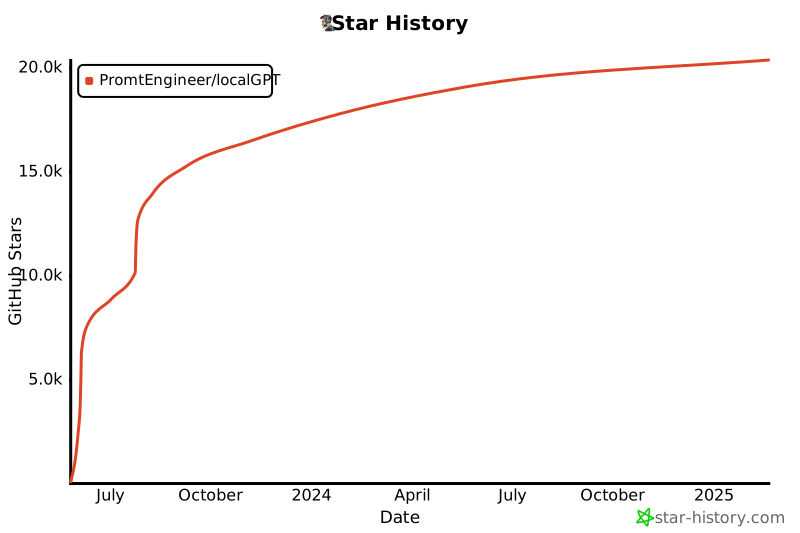](https://star-history.com/#PromtEngineer/localGPT&Date)
================================================
FILE: WATSONX_README.md
================================================
# Watson X Integration with Granite Models
This branch adds support for IBM Watson X AI with Granite models as an alternative to Ollama for running LocalGPT.
## Overview
LocalGPT now supports two LLM backends:
1. **Ollama** (default): Run models locally using Ollama
2. **Watson X**: Use IBM's Granite models hosted on Watson X AI
## What Changed
- Added `WatsonXClient` class in `rag_system/utils/watsonx_client.py` that provides an Ollama-compatible interface for Watson X
- Updated `factory.py` and `main.py` to support backend switching via environment variable
- Added `ibm-watsonx-ai` SDK dependency to `requirements.txt`
- Configuration now supports both backends through environment variables
## Prerequisites
To use Watson X with Granite models, you need:
1. IBM Cloud account with Watson X access
2. Watson X API key
3. Watson X project ID
### Getting Your Credentials
1. Go to [IBM Cloud](https://cloud.ibm.com/)
2. Navigate to Watson X AI service
3. Create or select a project
4. Get your API key from IBM Cloud IAM
5. Copy your project ID from the Watson X project settings
## Configuration
### Environment Variables
Create a `.env` file or set these environment variables:
```bash
# Choose LLM backend (default: ollama)
LLM_BACKEND=watsonx
# Watson X Configuration
WATSONX_API_KEY=your_api_key_here
WATSONX_PROJECT_ID=your_project_id_here
WATSONX_URL=https://us-south.ml.cloud.ibm.com
# Model Configuration
WATSONX_GENERATION_MODEL=ibm/granite-13b-chat-v2
WATSONX_ENRICHMENT_MODEL=ibm/granite-8b-japanese
```
### Available Granite Models
Watson X offers several Granite models:
- `ibm/granite-13b-chat-v2` - General purpose chat model
- `ibm/granite-13b-instruct-v2` - Instruction-following model
- `ibm/granite-20b-multilingual` - Multilingual support
- `ibm/granite-8b-japanese` - Lightweight Japanese model
- `ibm/granite-3b-code-instruct` - Code generation model
For a full list of available models, visit the [Watson X documentation](https://www.ibm.com/docs/en/watsonx/saas?topic=solutions-supported-foundation-models).
## Installation
1. Install the Watson X SDK:
```bash
pip install ibm-watsonx-ai>=1.3.39
```
Or install all dependencies:
```bash
pip install -r rag_system/requirements.txt
```
## Usage
### Running with Watson X
Once configured, simply set the environment variable and run as normal:
```bash
export LLM_BACKEND=watsonx
python -m rag_system.main api
```
Or in Python:
```python
import os
os.environ['LLM_BACKEND'] = 'watsonx'
from rag_system.factory import get_agent
# Get agent with Watson X backend
agent = get_agent(mode="default")
# Use as normal
result = agent.run("What is artificial intelligence?")
print(result)
```
### Switching Between Backends
You can easily switch between Ollama and Watson X:
```bash
# Use Ollama (local)
export LLM_BACKEND=ollama
python -m rag_system.main api
# Use Watson X (cloud)
export LLM_BACKEND=watsonx
python -m rag_system.main api
```
## Features
The Watson X client supports all the key features used by LocalGPT:
- ✅ Text generation / completion
- ✅ Async generation
- ✅ Streaming responses
- ✅ Embeddings (if using Watson X embedding models)
- ✅ Custom generation parameters (temperature, max_tokens, top_p, top_k)
- ⚠️ Image/multimodal support (limited, depends on model availability)
## API Compatibility
The `WatsonXClient` provides the same interface as `OllamaClient`:
```python
from rag_system.utils.watsonx_client import WatsonXClient
client = WatsonXClient(
api_key="your_api_key",
project_id="your_project_id"
)
# Generate completion
response = client.generate_completion(
model="ibm/granite-13b-chat-v2",
prompt="Explain quantum computing"
)
print(response['response'])
# Stream completion
for chunk in client.stream_completion(
model="ibm/granite-13b-chat-v2",
prompt="Write a story about AI"
):
print(chunk, end='', flush=True)
```
## Limitations
1. **Embedding Models**: Watson X uses different embedding models than Ollama. Make sure to configure embedding models appropriately in `main.py` if needed.
2. **Multimodal Support**: Image support varies by model availability in Watson X. Not all Granite models support multimodal inputs.
3. **Streaming**: Streaming support depends on the Watson X SDK version and may fall back to returning the full response at once.
4. **Rate Limits**: Watson X has API rate limits that may differ from local Ollama usage. Monitor your usage accordingly.
## Troubleshooting
### Authentication Errors
If you see authentication errors:
- Verify your API key is correct
- Check that your project ID matches an existing Watson X project
- Ensure your IBM Cloud account has Watson X access
### Model Not Found
If you get model not found errors:
- Verify the model ID is correct (e.g., `ibm/granite-13b-chat-v2`)
- Check that the model is available in your Watson X instance
- Some models may require additional permissions
### Connection Errors
If you experience connection issues:
- Check your internet connection
- Verify the Watson X URL is correct for your region
- Check IBM Cloud status page for service outages
## Cost Considerations
Unlike local Ollama, Watson X is a cloud service with usage-based pricing:
- Token-based pricing for generation
- Consider your query volume
- Monitor usage through IBM Cloud dashboard
## Reverting to Ollama
To switch back to local Ollama:
```bash
unset LLM_BACKEND # or set LLM_BACKEND=ollama
python -m rag_system.main api
```
## Support
For Watson X specific issues:
- [IBM Watson X Documentation](https://www.ibm.com/docs/en/watsonx/saas)
- [Watson X Developer Hub](https://www.ibm.com/watsonx/developer/)
- [IBM Cloud Support](https://cloud.ibm.com/docs/get-support)
For LocalGPT issues:
- [LocalGPT GitHub Issues](https://github.com/PromtEngineer/localGPT/issues)
## Contributing
If you find issues with the Watson X integration or want to add features:
1. Create an issue describing the problem/feature
2. Submit a pull request with your changes
3. Ensure all tests pass
## License
This integration follows the same license as LocalGPT (MIT License).
================================================
FILE: backend/README.md
================================================
# localGPT Backend
Simple Python backend that connects your frontend to Ollama for local LLM chat.
## Prerequisites
1. **Install Ollama** (if not already installed):
```bash
# Visit https://ollama.ai or run:
curl -fsSL https://ollama.ai/install.sh | sh
```
2. **Start Ollama**:
```bash
ollama serve
```
3. **Pull a model** (optional, server will suggest if needed):
```bash
ollama pull llama3.2
```
## Setup
1. **Install Python dependencies**:
```bash
pip install -r requirements.txt
```
2. **Test Ollama connection**:
```bash
python ollama_client.py
```
3. **Start the backend server**:
```bash
python server.py
```
Server will run on `http://localhost:8000`
## API Endpoints
### Health Check
```bash
GET /health
```
Returns server status and available models.
### Chat
```bash
POST /chat
Content-Type: application/json
{
"message": "Hello!",
"model": "llama3.2:latest",
"conversation_history": []
}
```
Returns:
```json
{
"response": "Hello! How can I help you?",
"model": "llama3.2:latest",
"message_count": 1
}
```
## Testing
Test the chat endpoint:
```bash
curl -X POST http://localhost:8000/chat \
-H "Content-Type: application/json" \
-d '{"message": "Hello!", "model": "llama3.2:latest"}'
```
## Frontend Integration
Your React frontend should connect to:
- **Backend**: `http://localhost:8000`
- **Chat endpoint**: `http://localhost:8000/chat`
## What's Next
This simple backend i
gitextract_pt0n86zf/ ├── .github/ │ ├── ISSUE_TEMPLATE/ │ │ ├── bug_report.md │ │ └── feature_request.md │ └── pull_request_template.md ├── .gitignore ├── CONTRIBUTING.md ├── DOCKER_README.md ├── DOCKER_TROUBLESHOOTING.md ├── Dockerfile.backend ├── Dockerfile.frontend ├── Dockerfile.rag-api ├── Documentation/ │ ├── api_reference.md │ ├── architecture_overview.md │ ├── deployment_guide.md │ ├── docker_usage.md │ ├── improvement_plan.md │ ├── indexing_pipeline.md │ ├── installation_guide.md │ ├── prompt_inventory.md │ ├── quick_start.md │ ├── retrieval_pipeline.md │ ├── system_overview.md │ ├── triage_system.md │ └── verifier.md ├── LICENSE ├── README.md ├── WATSONX_README.md ├── backend/ │ ├── README.md │ ├── database.py │ ├── ollama_client.py │ ├── requirements.txt │ ├── server.py │ ├── simple_pdf_processor.py │ ├── test_backend.py │ └── test_ollama_connectivity.py ├── batch_indexing_config.json ├── create_index_script.py ├── demo_batch_indexing.py ├── docker-compose.local-ollama.yml ├── docker-compose.yml ├── docker.env ├── env.example.watsonx ├── eslint.config.mjs ├── next.config.ts ├── package.json ├── postcss.config.mjs ├── rag_system/ │ ├── DOCUMENTATION.md │ ├── README.md │ ├── __init__.py │ ├── agent/ │ │ ├── __init__.py │ │ ├── loop.py │ │ └── verifier.py │ ├── api_server.py │ ├── api_server_with_progress.py │ ├── factory.py │ ├── indexing/ │ │ ├── __init__.py │ │ ├── contextualizer.py │ │ ├── embedders.py │ │ ├── graph_extractor.py │ │ ├── latechunk.py │ │ ├── multimodal.py │ │ ├── overview_builder.py │ │ └── representations.py │ ├── ingestion/ │ │ ├── __init__.py │ │ ├── chunking.py │ │ ├── docling_chunker.py │ │ └── document_converter.py │ ├── main.py │ ├── pipelines/ │ │ ├── __init__.py │ │ ├── indexing_pipeline.py │ │ └── retrieval_pipeline.py │ ├── requirements.txt │ ├── rerankers/ │ │ ├── __init__.py │ │ ├── reranker.py │ │ └── sentence_pruner.py │ ├── retrieval/ │ │ ├── __init__.py │ │ ├── query_transformer.py │ │ └── retrievers.py │ └── utils/ │ ├── batch_processor.py │ ├── logging_utils.py │ ├── ollama_client.py │ ├── validate_model_config.py │ └── watsonx_client.py ├── requirements-docker.txt ├── requirements.txt ├── run_system.py ├── setup_rag_system.sh ├── simple_create_index.sh ├── src/ │ ├── app/ │ │ ├── globals.css │ │ ├── layout.tsx │ │ └── page.tsx │ ├── components/ │ │ ├── IndexForm.tsx │ │ ├── IndexPicker.tsx │ │ ├── IndexWizard.tsx │ │ ├── LandingMenu.tsx │ │ ├── Markdown.tsx │ │ ├── ModelSelect.tsx │ │ ├── SessionIndexInfo.tsx │ │ ├── demo.tsx │ │ └── ui/ │ │ ├── AccordionGroup.tsx │ │ ├── GlassInput.tsx │ │ ├── GlassSelect.tsx │ │ ├── GlassToggle.tsx │ │ ├── InfoTooltip.tsx │ │ ├── avatar.tsx │ │ ├── badge.tsx │ │ ├── button.tsx │ │ ├── chat-bubble-demo.tsx │ │ ├── chat-bubble.tsx │ │ ├── chat-input.tsx │ │ ├── chat-settings-modal.tsx │ │ ├── conversation-page.tsx │ │ ├── dropdown-menu.tsx │ │ ├── empty-chat-state.tsx │ │ ├── localgpt-chat.tsx │ │ ├── message-loading.tsx │ │ ├── quick-chat.tsx │ │ ├── scroll-area.tsx │ │ ├── separator.tsx │ │ ├── session-chat.tsx │ │ ├── session-sidebar.tsx │ │ ├── sidebar.tsx │ │ ├── skeleton.tsx │ │ └── textarea.tsx │ ├── lib/ │ │ ├── api.ts │ │ ├── types.ts │ │ └── utils.ts │ ├── test-upload.html │ └── utils/ │ └── textNormalization.ts ├── start-docker.sh ├── system_health_check.py ├── tailwind.config.js ├── test_docker_build.sh ├── test_markdown_streaming.js └── tsconfig.json
SYMBOL INDEX (476 symbols across 78 files)

FILE: backend/database.py
  class ChatDatabase (line 7) | class ChatDatabase:
    method __init__ (line 8) | def __init__(self, db_path: str = None):
    method init_database (line 20) | def init_database(self):
    method create_session (line 108) | def create_session(self, title: str, model: str) -> str:
    method get_sessions (line 124) | def get_sessions(self, limit: int = 50) -> List[Dict]:
    method get_session (line 141) | def get_session(self, session_id: str) -> Optional[Dict]:
    method add_message (line 157) | def add_message(self, session_id: str, content: str, sender: str, meta...
    method get_messages (line 184) | def get_messages(self, session_id: str, limit: int = 100) -> List[Dict]:
    method get_conversation_history (line 206) | def get_conversation_history(self, session_id: str) -> List[Dict]:
    method update_session_title (line 219) | def update_session_title(self, session_id: str, title: str):
    method delete_session (line 230) | def delete_session(self, session_id: str) -> bool:
    method cleanup_empty_sessions (line 243) | def cleanup_empty_sessions(self) -> int:
    method get_stats (line 272) | def get_stats(self) -> Dict:
    method add_document_to_session (line 302) | def add_document_to_session(self, session_id: str, file_path: str) -> ...
    method get_documents_for_session (line 315) | def get_documents_for_session(self, session_id: str) -> List[str]:
    method create_index (line 328) | def create_index(self, name: str, description: str|None = None, metada...
    method get_index (line 342) | def get_index(self, index_id: str) -> dict | None:
    method list_indexes (line 358) | def list_indexes(self) -> list[dict]:
    method add_document_to_index (line 374) | def add_document_to_index(self, index_id: str, filename: str, stored_p...
    method link_index_to_session (line 380) | def link_index_to_session(self, session_id: str, index_id: str):
    method get_indexes_for_session (line 386) | def get_indexes_for_session(self, session_id: str) -> list[str]:
    method delete_index (line 393) | def delete_index(self, index_id: str) -> bool:
    method update_index_metadata (line 428) | def update_index_metadata(self, index_id: str, updates: dict):
    method inspect_and_populate_index_metadata (line 443) | def inspect_and_populate_index_metadata(self, index_id: str) -> dict:
  function generate_session_title (line 639) | def generate_session_title(first_message: str, max_length: int = 50) -> ...

FILE: backend/ollama_client.py
  class OllamaClient (line 6) | class OllamaClient:
    method __init__ (line 7) | def __init__(self, base_url: Optional[str] = None):
    method is_ollama_running (line 13) | def is_ollama_running(self) -> bool:
    method list_models (line 21) | def list_models(self) -> List[str]:
    method pull_model (line 33) | def pull_model(self, model_name: str) -> bool:
    method chat (line 57) | def chat(self, message: str, model: str = "llama3.2", conversation_his...
    method chat_stream (line 111) | def chat_stream(self, message: str, model: str = "llama3.2", conversat...
  function main (line 169) | def main():

FILE: backend/server.py
  class ReusableTCPServer (line 33) | class ReusableTCPServer(socketserver.TCPServer):
  class ChatHandler (line 36) | class ChatHandler(http.server.BaseHTTPRequestHandler):
    method __init__ (line 37) | def __init__(self, *args, **kwargs):
    method do_OPTIONS (line 41) | def do_OPTIONS(self):
    method do_GET (line 49) | def do_GET(self):
    method do_POST (line 84) | def do_POST(self):
    method do_DELETE (line 121) | def do_DELETE(self):
    method handle_chat (line 135) | def handle_chat(self):
    method handle_get_sessions (line 177) | def handle_get_sessions(self):
    method handle_cleanup_sessions (line 190) | def handle_cleanup_sessions(self):
    method handle_get_session (line 203) | def handle_get_session(self, session_id: str):
    method handle_get_session_documents (line 224) | def handle_get_session_documents(self, session_id: str):
    method handle_create_session (line 245) | def handle_create_session(self):
    method handle_session_chat (line 272) | def handle_session_chat(self, session_id: str):
    method _should_use_rag (line 342) | def _should_use_rag(self, message: str, idx_ids: List[str]) -> bool:
    method _load_document_overviews (line 368) | def _load_document_overviews(self, idx_ids: List[str]) -> List[str]:
    method _route_using_overviews (line 440) | def _route_using_overviews(self, query: str, overviews: List[str]) -> ...
    method _simple_pattern_routing (line 506) | def _simple_pattern_routing(self, message: str, idx_ids: List[str]) ->...
    method _handle_direct_llm_query (line 554) | def _handle_direct_llm_query(self, session_id: str, message: str, sess...
    method _handle_rag_query (line 582) | def _handle_rag_query(self, session_id: str, message: str, data: dict,...
    method handle_delete_session (line 647) | def handle_delete_session(self, session_id: str):
    method handle_file_upload (line 658) | def handle_file_upload(self, session_id: str):
    method handle_index_documents (line 698) | def handle_index_documents(self, session_id: str):
    method handle_pdf_upload (line 733) | def handle_pdf_upload(self, session_id: str):
    method handle_get_models (line 746) | def handle_get_models(self):
    method handle_get_indexes (line 784) | def handle_get_indexes(self):
    method handle_get_index (line 791) | def handle_get_index(self, index_id: str):
    method handle_create_index (line 801) | def handle_create_index(self):
    method handle_index_file_upload (line 842) | def handle_index_file_upload(self, index_id: str):
    method handle_build_index (line 863) | def handle_build_index(self, index_id: str):
    method handle_link_index_to_session (line 988) | def handle_link_index_to_session(self, session_id: str, index_id: str):
    method handle_get_session_indexes (line 995) | def handle_get_session_indexes(self, session_id: str):
    method handle_delete_index (line 1014) | def handle_delete_index(self, index_id: str):
    method handle_rename_session (line 1025) | def handle_rename_session(self, session_id: str):
    method send_json_response (line 1059) | def send_json_response(self, data, status_code: int = 200):
    method log_message (line 1078) | def log_message(self, format, *args):
  function main (line 1082) | def main():

FILE: backend/simple_pdf_processor.py
  class SimplePDFProcessor (line 13) | class SimplePDFProcessor:
    method __init__ (line 14) | def __init__(self, db_path: str = "chat_data.db"):
    method init_database (line 20) | def init_database(self):
    method extract_text_from_pdf (line 36) | def extract_text_from_pdf(self, pdf_bytes: bytes) -> str:
    method process_pdf (line 66) | def process_pdf(self, pdf_bytes: bytes, filename: str, session_id: str...
    method get_session_documents (line 114) | def get_session_documents(self, session_id: str) -> List[Dict[str, Any]]:
    method get_document_content (line 136) | def get_document_content(self, session_id: str) -> str:
    method delete_session_documents (line 166) | def delete_session_documents(self, session_id: str) -> bool:
  function initialize_simple_pdf_processor (line 192) | def initialize_simple_pdf_processor():
  function get_simple_pdf_processor (line 202) | def get_simple_pdf_processor():

FILE: backend/test_backend.py
  function test_health_endpoint (line 8) | def test_health_endpoint():
  function test_chat_endpoint (line 26) | def test_chat_endpoint():
  function test_conversation_history (line 59) | def test_conversation_history():
  function main (line 124) | def main():

FILE: backend/test_ollama_connectivity.py
  function test_ollama_connectivity (line 6) | def test_ollama_connectivity():

FILE: create_index_script.py
  class IndexCreator (line 36) | class IndexCreator:
    method __init__ (line 39) | def __init__(self, config_path: Optional[str] = None):
    method _load_config (line 58) | def _load_config(self, config_path: Optional[str] = None) -> dict:
    method get_user_input (line 70) | def get_user_input(self, prompt: str, default: str = "") -> str:
    method select_documents (line 77) | def select_documents(self) -> List[str]:
    method configure_processing (line 143) | def configure_processing(self) -> dict:
    method create_index_interactive (line 177) | def create_index_interactive(self) -> None:
    method test_index (line 239) | def test_index(self, index_id: str) -> None:
    method batch_create_from_config (line 260) | def batch_create_from_config(self, config_file: str) -> None:
  function create_sample_batch_config (line 314) | def create_sample_batch_config():
  function main (line 342) | def main():

FILE: demo_batch_indexing.py
  class BatchIndexingDemo (line 45) | class BatchIndexingDemo:
    method __init__ (line 48) | def __init__(self, config_path: str):
    method _load_config (line 68) | def _load_config(self) -> Dict[str, Any]:
    method _merge_configurations (line 82) | def _merge_configurations(self) -> Dict[str, Any]:
    method validate_documents (line 102) | def validate_documents(self, documents: List[str]) -> List[str]:
    method create_indexes (line 127) | def create_indexes(self) -> List[str]:
    method create_single_index (line 139) | def create_single_index(self, index_config: Dict[str, Any]) -> Optiona...
    method demonstrate_features (line 197) | def demonstrate_features(self):
    method run_demo (line 220) | def run_demo(self):
  function create_sample_config (line 254) | def create_sample_config():
  function main (line 333) | def main():

FILE: rag_system/__init__.py
  function _hf_auto_login (line 33) | def _hf_auto_login() -> None:

FILE: rag_system/agent/loop.py
  class Agent (line 13) | class Agent:
    method __init__ (line 17) | def __init__(self, pipeline_configs: Dict[str, Dict], llm_client: Olla...
    method _load_overviews (line 55) | def _load_overviews(self, path: str):
    method load_overviews_for_indexes (line 74) | def load_overviews_for_indexes(self, idx_ids: list[str]):
    method _cosine_similarity (line 104) | def _cosine_similarity(self, v1: np.ndarray, v2: np.ndarray) -> float:
    method _find_in_semantic_cache (line 125) | def _find_in_semantic_cache(self, query_embedding: np.ndarray, session...
    method _format_query_with_history (line 152) | def _format_query_with_history(self, query: str, history: list) -> str:
    method _triage_query_async (line 171) | async def _triage_query_async(self, query: str, history: list) -> str:
    method _run_graph_query (line 221) | def _run_graph_query(self, query: str, history: list) -> Dict[str, Any]:
    method _get_cache_key (line 232) | def _get_cache_key(self, query: str, query_type: str) -> str:
    method _cache_result (line 237) | def _cache_result(self, cache_key: str, result: Dict[str, Any], sessio...
    method run (line 251) | def run(self, query: str, table_name: str = None, session_id: str = No...
    method _run_async (line 260) | async def _run_async(self, query: str, table_name: str = None, session...
    method _route_via_overviews (line 639) | def _route_via_overviews(self, query: str) -> str | None:

FILE: rag_system/agent/verifier.py
  class VerificationResult (line 4) | class VerificationResult:
    method __init__ (line 5) | def __init__(self, is_grounded: bool, reasoning: str, verdict: str, co...
  class Verifier (line 11) | class Verifier:
    method __init__ (line 15) | def __init__(self, llm_client: OllamaClient, llm_model: str):
    method verify_async (line 23) | async def verify_async(self, query: str, context: str, answer: str) ->...

FILE: rag_system/api_server.py
  function _apply_index_embedding_model (line 42) | def _apply_index_embedding_model(idx_ids):
  function _get_table_name_for_session (line 71) | def _get_table_name_for_session(session_id):
  class AdvancedRagApiHandler (line 115) | class AdvancedRagApiHandler(http.server.BaseHTTPRequestHandler):
    method do_OPTIONS (line 116) | def do_OPTIONS(self):
    method do_POST (line 124) | def do_POST(self):
    method do_GET (line 137) | def do_GET(self):
    method handle_chat (line 145) | def handle_chat(self):
    method handle_chat_stream (line 304) | def handle_chat_stream(self):
    method handle_index (line 501) | def handle_index(self):
    method handle_models (line 692) | def handle_models(self):
    method send_json_response (line 734) | def send_json_response(self, data, status_code=200):
  function start_server (line 743) | def start_server(port=8001):

FILE: rag_system/api_server_with_progress.py
  class ServerSentEventsHandler (line 29) | class ServerSentEventsHandler:
    method add_connection (line 35) | def add_connection(cls, session_id: str, response_handler):
    method remove_connection (line 41) | def remove_connection(cls, session_id: str):
    method send_event (line 48) | def send_event(cls, session_id: str, event_type: str, data: Dict[str, ...
  class RealtimeProgressTracker (line 63) | class RealtimeProgressTracker(ProgressTracker):
    method __init__ (line 66) | def __init__(self, total_items: int, operation_name: str, session_id: ...
    method update (line 89) | def update(self, items_processed: int, errors: int = 0, current_step: ...
    method finish (line 116) | def finish(self):
    method _send_progress_update (line 132) | def _send_progress_update(self, final: bool = False):
  function run_indexing_with_progress (line 145) | def run_indexing_with_progress(file_paths: List[str], session_id: str):
  class EnhancedRagApiHandler (line 238) | class EnhancedRagApiHandler(http.server.BaseHTTPRequestHandler):
    method do_OPTIONS (line 241) | def do_OPTIONS(self):
    method do_GET (line 249) | def do_GET(self):
    method do_POST (line 260) | def do_POST(self):
    method handle_chat (line 271) | def handle_chat(self):
    method handle_index_with_progress (line 294) | def handle_index_with_progress(self):
    method handle_progress_status (line 340) | def handle_progress_status(self):
    method handle_progress_stream (line 360) | def handle_progress_stream(self):
    method send_json_response (line 404) | def send_json_response(self, data, status_code=200):
  function start_enhanced_server (line 413) | def start_enhanced_server(port=8000):

FILE: rag_system/factory.py
  function get_agent (line 3) | def get_agent(mode: str = "default"):
  function get_indexing_pipeline (line 50) | def get_indexing_pipeline(mode: str = "default"):

FILE: rag_system/indexing/contextualizer.py
  class ContextualEnricher (line 28) | class ContextualEnricher:
    method __init__ (line 33) | def __init__(self, llm_client: OllamaClient, llm_model: str, batch_siz...
    method _generate_summary (line 39) | def _generate_summary(self, local_context_text: str, chunk_text: str) ...
    method enrich_chunks (line 82) | def enrich_chunks(self, chunks: List[Dict[str, Any]], window_size: int...
    method enrich_chunks_sequential (line 146) | def enrich_chunks_sequential(self, chunks: List[Dict[str, Any]], windo...

FILE: rag_system/indexing/embedders.py
  class LanceDBManager (line 8) | class LanceDBManager:
    method __init__ (line 9) | def __init__(self, db_path: str):
    method get_table (line 14) | def get_table(self, table_name: str):
    method create_table (line 17) | def create_table(self, table_name: str, schema: pa.Schema, mode: str =...
  class VectorIndexer (line 21) | class VectorIndexer:
    method __init__ (line 27) | def __init__(self, db_manager: LanceDBManager):
    method index (line 30) | def index(self, table_name: str, chunks: List[Dict[str, Any]], embeddi...

FILE: rag_system/indexing/graph_extractor.py
  class GraphExtractor (line 5) | class GraphExtractor:
    method __init__ (line 9) | def __init__(self, llm_client: OllamaClient, llm_model: str):
    method extract (line 14) | def extract(self, chunks: List[Dict[str, Any]]) -> Dict[str, List[Dict]]:

FILE: rag_system/indexing/latechunk.py
  class LateChunkEncoder (line 21) | class LateChunkEncoder:
    method __init__ (line 24) | def __init__(self, model_name: str = "Qwen/Qwen3-Embedding-0.6B", *, m...
    method encode (line 43) | def encode(self, text: str, chunk_spans: List[Tuple[int, int]]) -> Lis...

FILE: rag_system/indexing/multimodal.py
  class LocalVisionModel (line 13) | class LocalVisionModel:
    method __init__ (line 17) | def __init__(self, model_name: str = "vidore/colqwen2-v1.0", device: s...
    method embed_image (line 26) | def embed_image(self, image: Image.Image) -> torch.Tensor:
  class MultimodalProcessor (line 36) | class MultimodalProcessor:
    method __init__ (line 40) | def __init__(self, vision_model: LocalVisionModel, text_embedder: Qwen...
    method process_and_index (line 46) | def process_and_index(

FILE: rag_system/indexing/overview_builder.py
  class OverviewBuilder (line 8) | class OverviewBuilder:
    method __init__ (line 21) | def __init__(self, llm_client, model: str = "qwen3:0.6b", first_n_chun...
    method build_and_store (line 31) | def build_and_store(self, doc_id: str, chunks: List[Dict[str, Any]]):

FILE: rag_system/indexing/representations.py
  class EmbeddingModel (line 8) | class EmbeddingModel(Protocol):
    method create_embeddings (line 9) | def create_embeddings(self, texts: List[str]) -> np.ndarray: ...
  class QwenEmbedder (line 15) | class QwenEmbedder(EmbeddingModel):
    method __init__ (line 19) | def __init__(self, model_name: str = "Qwen/Qwen3-Embedding-0.6B"):
    method create_embeddings (line 45) | def create_embeddings(self, texts: List[str]) -> np.ndarray:
  class EmbeddingGenerator (line 74) | class EmbeddingGenerator:
    method __init__ (line 75) | def __init__(self, embedding_model: EmbeddingModel, batch_size: int = ...
    method generate (line 79) | def generate(self, chunks: List[Dict[str, Any]]) -> List[np.ndarray]:
  class OllamaEmbedder (line 106) | class OllamaEmbedder(EmbeddingModel):
    method __init__ (line 108) | def __init__(self, model_name: str, host: str | None = None, timeout: ...
    method _embed_single (line 113) | def _embed_single(self, text: str):
    method create_embeddings (line 125) | def create_embeddings(self, texts: List[str]):
  function select_embedder (line 145) | def select_embedder(model_name: str, ollama_host: str | None = None):

FILE: rag_system/ingestion/chunking.py
  class MarkdownRecursiveChunker (line 5) | class MarkdownRecursiveChunker:
    method __init__ (line 11) | def __init__(self, max_chunk_size: int = 1500, min_chunk_size: int = 2...
    method _token_len (line 29) | def _token_len(self, text: str) -> int:
    method _split_text (line 36) | def _split_text(self, text: str, separators: List[str]) -> List[str]:
    method chunk (line 80) | def chunk(self, text: str, document_id: str, document_metadata: Option...
  function create_contextual_window (line 128) | def create_contextual_window(all_chunks: List[Dict[str, Any]], chunk_ind...

FILE: rag_system/ingestion/docling_chunker.py
  class DoclingChunker (line 19) | class DoclingChunker:
    method __init__ (line 20) | def __init__(self, *, max_tokens: int = 512, overlap: int = 1, tokeniz...
    method _token_len (line 40) | def _token_len(self, text: str) -> int:
    method split_markdown (line 47) | def split_markdown(self, markdown: str, *, document_id: str, metadata:...
    method chunk_document (line 88) | def chunk_document(self, doc, *, document_id: str, metadata: Dict[str,...
    method chunk (line 249) | def chunk(self, text: str, document_id: str, document_metadata: Dict[s...

FILE: rag_system/ingestion/document_converter.py
  class DocumentConverter (line 8) | class DocumentConverter:
    method __init__ (line 24) | def __init__(self):
    method convert_to_markdown (line 54) | def convert_to_markdown(self, file_path: str) -> List[Tuple[str, Dict[...
    method _convert_pdf_to_markdown (line 77) | def _convert_pdf_to_markdown(self, pdf_path: str) -> List[Tuple[str, D...
    method _convert_txt_to_markdown (line 97) | def _convert_txt_to_markdown(self, file_path: str) -> List[Tuple[str, ...
    method _convert_general_to_markdown (line 113) | def _convert_general_to_markdown(self, file_path: str, input_format: I...
    method _perform_conversion (line 118) | def _perform_conversion(self, file_path: str, converter, format_msg: s...

FILE: rag_system/main.py
  function get_agent (line 167) | def get_agent(mode: str = "default") -> Agent:
  function validate_model_config (line 211) | def validate_model_config():
  function run_indexing (line 242) | def run_indexing(docs_path: str, config_mode: str = "default"):
  function run_chat (line 264) | def run_chat(query: str):
  function show_graph (line 283) | def show_graph():
  function run_api_server (line 313) | def run_api_server():
  function main (line 318) | def main():

FILE: rag_system/pipelines/indexing_pipeline.py
  class IndexingPipeline (line 13) | class IndexingPipeline:
    method __init__ (line 14) | def __init__(self, config: Dict[str, Any], ollama_client: OllamaClient...
    method run (line 131) | def run(self, file_paths: List[str] | None = None, *, documents: List[...
    method _print_final_statistics (line 341) | def _print_final_statistics(self, num_files: int, num_chunks: int):

FILE: rag_system/pipelines/retrieval_pipeline.py
  class RetrievalPipeline (line 43) | class RetrievalPipeline:
    method __init__ (line 47) | def __init__(self, config: Dict[str, Any], ollama_client: OllamaClient...
    method _get_db_manager (line 66) | def _get_db_manager(self):
    method _get_text_embedder (line 75) | def _get_text_embedder(self):
    method _get_dense_retriever (line 84) | def _get_dense_retriever(self):
    method _get_bm25_retriever (line 106) | def _get_bm25_retriever(self):
    method _get_graph_retriever (line 120) | def _get_graph_retriever(self):
    method _get_reranker (line 125) | def _get_reranker(self):
    method _get_ai_reranker (line 135) | def _get_ai_reranker(self):
    method _get_sentence_pruner (line 163) | def _get_sentence_pruner(self):
    method _get_surrounding_chunks_lancedb (line 170) | def _get_surrounding_chunks_lancedb(self, chunk: Dict[str, Any], windo...
    method _synthesize_final_answer (line 219) | def _synthesize_final_answer(self, query: str, facts: str, *, event_ca...
    method run (line 259) | def run(self, query: str, table_name: str = None, window_size_override...
    method list_document_titles (line 515) | def list_document_titles(self, max_items: int = 25) -> List[str]:
    method retriever (line 558) | def retriever(self):
    method update_embedding_model (line 565) | def update_embedding_model(self, model_name: str):

FILE: rag_system/rerankers/reranker.py
  class QwenReranker (line 5) | class QwenReranker:
    method __init__ (line 9) | def __init__(self, model_name: str = "BAAI/bge-reranker-base"):
    method _format_instruction (line 26) | def _format_instruction(self, query: str, doc: str):
    method rerank (line 30) | def rerank(self, query: str, documents: List[Dict[str, Any]], top_k: i...

FILE: rag_system/rerankers/sentence_pruner.py
  class SentencePruner (line 20) | class SentencePruner:
    method __init__ (line 26) | def __init__(self, model_name: str = "naver/provence-reranker-debertav...
    method _ensure_model (line 33) | def _ensure_model(self) -> None:
    method prune_documents (line 58) | def prune_documents(

FILE: rag_system/retrieval/query_transformer.py
  class QueryDecomposer (line 5) | class QueryDecomposer:
    method __init__ (line 6) | def __init__(self, llm_client: OllamaClient, llm_model: str):
    method decompose (line 10) | def decompose(self, query: str, chat_history: List[Dict[str, Any]] | N...
  class HyDEGenerator (line 294) | class HyDEGenerator:
    method __init__ (line 295) | def __init__(self, llm_client: OllamaClient, llm_model: str):
    method generate (line 299) | def generate(self, query: str) -> str:
  class GraphQueryTranslator (line 304) | class GraphQueryTranslator:
    method __init__ (line 305) | def __init__(self, llm_client: OllamaClient, llm_model: str):
    method _generate_translation_prompt (line 309) | def _generate_translation_prompt(self, query: str) -> str:
    method translate (line 321) | def translate(self, query: str) -> Dict[str, Any]:

FILE: rag_system/retrieval/retrievers.py
  class GraphRetriever (line 27) | class GraphRetriever:
    method __init__ (line 28) | def __init__(self, graph_path: str):
    method retrieve (line 31) | def retrieve(self, query: str, k: int = 5, score_cutoff: int = 80) -> ...
  class MultiVectorRetriever (line 55) | class MultiVectorRetriever:
    method __init__ (line 59) | def __init__(self, db_manager: LanceDBManager, text_embedder: QwenEmbe...
    method retrieve (line 72) | def retrieve(self, text_query: str, table_name: str, k: int, reranker=...

FILE: rag_system/utils/batch_processor.py
  function timer (line 12) | def timer(operation_name: str):
  class ProgressTracker (line 21) | class ProgressTracker:
    method __init__ (line 24) | def __init__(self, total_items: int, operation_name: str = "Processing"):
    method update (line 33) | def update(self, items_processed: int, errors: int = 0):
    method _report_progress (line 43) | def _report_progress(self):
    method finish (line 59) | def finish(self):
  class BatchProcessor (line 69) | class BatchProcessor:
    method __init__ (line 72) | def __init__(self, batch_size: int = 50, enable_gc: bool = True):
    method process_in_batches (line 76) | def process_in_batches(
    method batch_iterator (line 130) | def batch_iterator(self, items: List[Any]) -> Iterator[List[Any]]:
  class StreamingProcessor (line 135) | class StreamingProcessor:
    method __init__ (line 138) | def __init__(self, enable_gc_interval: int = 100):
    method process_streaming (line 141) | def process_streaming(
  function batch_chunks_by_document (line 189) | def batch_chunks_by_document(chunks: List[Dict[str, Any]]) -> Dict[str, ...
  function estimate_memory_usage (line 199) | def estimate_memory_usage(chunks: List[Dict[str, Any]]) -> float:
  function dummy_process_func (line 211) | def dummy_process_func(batch):

FILE: rag_system/utils/logging_utils.py
  function log_query (line 15) | def log_query(query: str, sub_queries: List[str] | None = None) -> None:
  function log_retrieval_results (line 26) | def log_retrieval_results(results: List[Dict], k: int) -> None:

FILE: rag_system/utils/ollama_client.py
  class OllamaClient (line 9) | class OllamaClient:
    method __init__ (line 13) | def __init__(self, host: str = "http://localhost:11434"):
    method _image_to_base64 (line 18) | def _image_to_base64(self, image: Image.Image) -> str:
    method generate_embedding (line 24) | def generate_embedding(self, model: str, text: str) -> List[float]:
    method generate_completion (line 36) | def generate_completion(
    method generate_completion_async (line 88) | async def generate_completion_async(
    method stream_completion (line 121) | def stream_completion(

FILE: rag_system/utils/validate_model_config.py
  function print_header (line 27) | def print_header(title: str):
  function print_section (line 33) | def print_section(title: str):
  function validate_configuration_consistency (line 39) | def validate_configuration_consistency():
  function print_model_usage_map (line 90) | def print_model_usage_map():
  function test_validation_function (line 138) | def test_validation_function():
  function check_pipeline_configurations (line 154) | def check_pipeline_configurations():
  function main (line 179) | def main():

FILE: rag_system/utils/watsonx_client.py
  class WatsonXClient (line 8) | class WatsonXClient:
    method __init__ (line 13) | def __init__(
    method _image_to_base64 (line 55) | def _image_to_base64(self, image: Image.Image) -> str:
    method generate_embedding (line 61) | def generate_embedding(self, model: str, text: str) -> List[float]:
    method generate_completion (line 82) | def generate_completion(
    method generate_completion_async (line 149) | async def generate_completion_async(
    method stream_completion (line 177) | def stream_completion(

FILE: run_system.py
  class ServiceConfig (line 40) | class ServiceConfig:
  class ColoredFormatter (line 50) | class ColoredFormatter(logging.Formatter):
    method format (line 71) | def format(self, record):
  class ServiceManager (line 85) | class ServiceManager:
    method __init__ (line 88) | def __init__(self, mode: str = "dev", logs_dir: str = "logs"):
    method setup_logging (line 107) | def setup_logging(self):
    method _get_service_configs (line 125) | def _get_service_configs(self) -> Dict[str, ServiceConfig]:
    method _signal_handler (line 168) | def _signal_handler(self, signum, frame):
    method is_port_in_use (line 174) | def is_port_in_use(self, port: int) -> bool:
    method check_prerequisites (line 187) | def check_prerequisites(self) -> bool:
    method _command_exists (line 213) | def _command_exists(self, command: str) -> bool:
    method ensure_models (line 222) | def ensure_models(self):
    method start_service (line 248) | def start_service(self, service_name: str, config: ServiceConfig) -> b...
    method _monitor_service_logs (line 305) | def _monitor_service_logs(self, service_name: str, process: subprocess...
    method health_check (line 337) | def health_check(self, service_name: str, config: ServiceConfig) -> bool:
    method start_all (line 346) | def start_all(self, skip_frontend: bool = False) -> bool:
    method _start_ollama (line 391) | def _start_ollama(self) -> bool:
    method _print_status_summary (line 406) | def _print_status_summary(self):
    method shutdown (line 428) | def shutdown(self):
    method _stop_service (line 442) | def _stop_service(self, service_name: str):
    method monitor (line 469) | def monitor(self):
  function main (line 491) | def main():

FILE: src/app/layout.tsx
  function RootLayout (line 20) | function RootLayout({

FILE: src/app/page.tsx
  function Home (line 3) | function Home() {

FILE: src/components/IndexForm.tsx
  type Props (line 10) | interface Props {
  function IndexForm (line 15) | function IndexForm({ onClose, onIndexed }: Props) {

FILE: src/components/IndexPicker.tsx
  type Props (line 4) | interface Props {
  function IndexPicker (line 9) | function IndexPicker({ onSelect, onClose }: Props) {

FILE: src/components/IndexWizard.tsx
  type Props (line 5) | interface Props {
  function IndexWizard (line 9) | function IndexWizard({ onClose }: Props) {

FILE: src/components/LandingMenu.tsx
  type Props (line 5) | interface Props {
  function LandingMenu (line 9) | function LandingMenu({ onSelect }: Props) {

FILE: src/components/Markdown.tsx
  type MarkdownProps (line 12) | interface MarkdownProps {
  function Markdown (line 17) | function Markdown({ text, className = '' }: MarkdownProps) {

FILE: src/components/ModelSelect.tsx
  type Props (line 4) | interface Props {
  function ModelSelect (line 12) | function ModelSelect({ value, onChange, type, className, placeholder }: ...

FILE: src/components/SessionIndexInfo.tsx
  type Props (line 4) | interface Props {
  function SessionIndexInfo (line 9) | function SessionIndexInfo({ sessionId, onClose }: Props) {

FILE: src/components/demo.tsx
  function Demo (line 14) | function Demo() {

FILE: src/components/ui/AccordionGroup.tsx
  type Props (line 4) | interface Props {
  function AccordionGroup (line 10) | function AccordionGroup({ title, children, defaultOpen }: Props) {

FILE: src/components/ui/GlassInput.tsx
  function GlassInput (line 4) | function GlassInput(props: InputHTMLAttributes<HTMLInputElement>) {

FILE: src/components/ui/GlassSelect.tsx
  function GlassSelect (line 4) | function GlassSelect(props: SelectHTMLAttributes<HTMLSelectElement>) {

FILE: src/components/ui/GlassToggle.tsx
  type Props (line 4) | interface Props {
  function GlassToggle (line 9) | function GlassToggle({ checked, onChange }: Props) {

FILE: src/components/ui/InfoTooltip.tsx
  type Props (line 4) | interface Props {
  function InfoTooltip (line 12) | function InfoTooltip({ text, className = "", size = 14 }: Props) {

FILE: src/components/ui/avatar.tsx
  function Avatar (line 8) | function Avatar({
  function AvatarImage (line 24) | function AvatarImage({
  function AvatarFallback (line 37) | function AvatarFallback({

FILE: src/components/ui/badge.tsx
  function Badge (line 28) | function Badge({

FILE: src/components/ui/button.tsx
  function Button (line 38) | function Button({

FILE: src/components/ui/chat-bubble-demo.tsx
  function ChatBubbleVariants (line 28) | function ChatBubbleVariants() {
  function ChatBubbleAiLayout (line 48) | function ChatBubbleAiLayout() {
  function ChatBubbleStates (line 87) | function ChatBubbleStates() {

FILE: src/components/ui/chat-bubble.tsx
  type ChatBubbleProps (line 9) | interface ChatBubbleProps {
  function ChatBubble (line 16) | function ChatBubble({
  type ChatBubbleMessageProps (line 35) | interface ChatBubbleMessageProps {
  function ChatBubbleMessage (line 42) | function ChatBubbleMessage({
  type ChatBubbleAvatarProps (line 67) | interface ChatBubbleAvatarProps {
  function ChatBubbleAvatar (line 73) | function ChatBubbleAvatar({
  type ChatBubbleActionProps (line 86) | interface ChatBubbleActionProps {
  function ChatBubbleAction (line 92) | function ChatBubbleAction({
  function ChatBubbleActionWrapper (line 109) | function ChatBubbleActionWrapper({

FILE: src/components/ui/chat-input.tsx
  type ChatInputProps (line 9) | interface ChatInputProps {
  function ChatInput (line 19) | function ChatInput({

FILE: src/components/ui/chat-settings-modal.tsx
  type ToggleOption (line 6) | interface ToggleOption {
  type SliderOption (line 13) | interface SliderOption {
  type DropdownOption (line 24) | interface DropdownOption {
  type SettingOption (line 32) | type SettingOption = ToggleOption | SliderOption | DropdownOption;
  type Props (line 34) | interface Props {
  function ChatSettingsModal (line 55) | function ChatSettingsModal({ options, onClose }: Props) {

FILE: src/components/ui/conversation-page.tsx
  type ConversationPageProps (line 15) | interface ConversationPageProps {
  function Citation (line 32) | function Citation({doc, idx}: {doc:any, idx:number}){
  function CitationsBlock (line 43) | function CitationsBlock({docs}:{docs:any[]}){
  function StepIcon (line 70) | function StepIcon({ status }: { status: 'pending' | 'active' | 'done' | ...
  function ThinkingText (line 93) | function ThinkingText({ text }: { text: string }) {
  function StructuredMessageBlock (line 120) | function StructuredMessageBlock({ content }: { content: Array<Record<str...
  function ConversationPage (line 200) | function ConversationPage({

FILE: src/components/ui/dropdown-menu.tsx
  function DropdownMenu (line 9) | function DropdownMenu({
  function DropdownMenuPortal (line 15) | function DropdownMenuPortal({
  function DropdownMenuTrigger (line 23) | function DropdownMenuTrigger({
  function DropdownMenuContent (line 34) | function DropdownMenuContent({
  function DropdownMenuGroup (line 54) | function DropdownMenuGroup({
  function DropdownMenuItem (line 62) | function DropdownMenuItem({
  function DropdownMenuCheckboxItem (line 85) | function DropdownMenuCheckboxItem({
  function DropdownMenuRadioGroup (line 111) | function DropdownMenuRadioGroup({
  function DropdownMenuRadioItem (line 122) | function DropdownMenuRadioItem({
  function DropdownMenuLabel (line 146) | function DropdownMenuLabel({
  function DropdownMenuSeparator (line 166) | function DropdownMenuSeparator({
  function DropdownMenuShortcut (line 179) | function DropdownMenuShortcut({
  function DropdownMenuSub (line 195) | function DropdownMenuSub({
  function DropdownMenuSubTrigger (line 201) | function DropdownMenuSubTrigger({
  function DropdownMenuSubContent (line 225) | function DropdownMenuSubContent({

FILE: src/components/ui/empty-chat-state.tsx
  type UseAutoResizeTextareaProps (line 16) | interface UseAutoResizeTextareaProps {
  function useAutoResizeTextarea (line 21) | function useAutoResizeTextarea({
  type EmptyChatStateProps (line 72) | interface EmptyChatStateProps {
  function EmptyChatState (line 78) | function EmptyChatState({

FILE: src/components/ui/localgpt-chat.tsx
  type UseAutoResizeTextareaProps (line 13) | interface UseAutoResizeTextareaProps {
  function useAutoResizeTextarea (line 18) | function useAutoResizeTextarea({
  function LocalGPTChat (line 69) | function LocalGPTChat() {

FILE: src/components/ui/message-loading.tsx
  function MessageLoading (line 3) | function MessageLoading() {

FILE: src/components/ui/quick-chat.tsx
  type QuickChatProps (line 9) | interface QuickChatProps {
  function QuickChat (line 15) | function QuickChat({ sessionId: externalSessionId, onSessionChange, clas...

FILE: src/components/ui/scroll-area.tsx
  function ScrollArea (line 8) | function ScrollArea({
  function ScrollBar (line 31) | function ScrollBar({

FILE: src/components/ui/separator.tsx
  function Separator (line 8) | function Separator({

FILE: src/components/ui/session-chat.tsx
  type SessionChatProps (line 18) | interface SessionChatProps {
  type SessionChatRef (line 26) | interface SessionChatRef {

FILE: src/components/ui/session-sidebar.tsx
  type SessionSidebarRef (line 10) | interface SessionSidebarRef {
  type SessionSidebarProps (line 14) | interface SessionSidebarProps {
  function SessionSidebar (line 23) | function SessionSidebar({

FILE: src/components/ui/sidebar.tsx
  function SessionNavBar (line 79) | function SessionNavBar() {

FILE: src/components/ui/skeleton.tsx
  function Skeleton (line 3) | function Skeleton({ className, ...props }: React.ComponentProps<"div">) {

FILE: src/components/ui/textarea.tsx
  function Textarea (line 5) | function Textarea({ className, ...props }: React.ComponentProps<"textare...

FILE: src/lib/api.ts
  constant API_BASE_URL (line 1) | const API_BASE_URL = 'http://localhost:8000';
  type Step (line 16) | interface Step {
  type ChatMessage (line 23) | interface ChatMessage {
  type ChatSession (line 32) | interface ChatSession {
  type ChatRequest (line 41) | interface ChatRequest {
  type ChatResponse (line 50) | interface ChatResponse {
  type HealthResponse (line 56) | interface HealthResponse {
  type ModelsResponse (line 67) | interface ModelsResponse {
  type SessionResponse (line 72) | interface SessionResponse {
  type SessionChatResponse (line 77) | interface SessionChatResponse {
  class ChatAPI (line 84) | class ChatAPI {
    method checkHealth (line 85) | async checkHealth(): Promise<HealthResponse> {
    method sendMessage (line 98) | async sendMessage(request: ChatRequest): Promise<ChatResponse> {
    method messagesToHistory (line 125) | messagesToHistory(messages: ChatMessage[]): Array<{ role: 'user' | 'as...
    method getSessions (line 135) | async getSessions(): Promise<SessionResponse> {
    method createSession (line 148) | async createSession(title: string = 'New Chat', model: string = 'llama...
    method getSession (line 170) | async getSession(sessionId: string): Promise<{ session: ChatSession; m...
    method sendSessionMessage (line 183) | async sendSessionMessage(
    method deleteSession (line 240) | async deleteSession(sessionId: string): Promise<{ message: string; del...
    method renameSession (line 258) | async renameSession(sessionId: string, newTitle: string): Promise<{ me...
    method cleanupEmptySessions (line 280) | async cleanupEmptySessions(): Promise<{ message: string; cleanup_count...
    method uploadFiles (line 296) | async uploadFiles(sessionId: string, files: File[]): Promise<{
    method indexDocuments (line 322) | async indexDocuments(sessionId: string): Promise<{ message: string }> {
    method uploadPDFs (line 343) | async uploadPDFs(sessionId: string, files: File[]): Promise<{
    method convertDbMessage (line 396) | convertDbMessage(dbMessage: Record<string, unknown>): ChatMessage {
    method createMessage (line 407) | createMessage(
    method getModels (line 422) | async getModels(): Promise<ModelsResponse> {
    method getSessionDocuments (line 430) | async getSessionDocuments(sessionId: string): Promise<{ files: string[...
    method createIndex (line 440) | async createIndex(name: string, description?: string, metadata: Record...
    method uploadFilesToIndex (line 453) | async uploadFilesToIndex(indexId: string, files: File[]): Promise<{ me...
    method buildIndex (line 464) | async buildIndex(indexId: string, opts: {
    method linkIndexToSession (line 512) | async linkIndexToSession(sessionId: string, indexId: string): Promise<...
    method listIndexes (line 521) | async listIndexes(): Promise<{ indexes: any[]; total: number }> {
    method getSessionIndexes (line 529) | async getSessionIndexes(sessionId: string): Promise<{ indexes: any[]; ...
    method deleteIndex (line 535) | async deleteIndex(indexId: string): Promise<{ message: string }> {
    method streamSessionMessage (line 547) | async streamSessionMessage(

FILE: src/lib/types.ts
  type AttachedFile (line 1) | interface AttachedFile {

FILE: src/lib/utils.ts
  function cn (line 4) | function cn(...inputs: ClassValue[]) {

FILE: src/utils/textNormalization.ts
  function normalizeWhitespace (line 6) | function normalizeWhitespace(text: string): string {
  function normalizeStreamingToken (line 30) | function normalizeStreamingToken(currentText: string, newToken: string):...
  function hasExcessiveWhitespace (line 45) | function hasExcessiveWhitespace(text: string): boolean {

FILE: system_health_check.py
  function print_status (line 11) | def print_status(message, success=None):
  function check_imports (line 20) | def check_imports():
  function check_configurations (line 31) | def check_configurations():
  function check_agent_initialization (line 56) | def check_agent_initialization():
  function check_embedding_model (line 69) | def check_embedding_model(agent):
  function check_database_access (line 93) | def check_database_access():
  function check_sample_query (line 116) | def check_sample_query(agent):
  function main (line 146) | def main():

FILE: test_markdown_streaming.js
  function currentCleanup (line 45) | function currentCleanup(text) {
  function improvedCleanup (line 49) | function improvedCleanup(text) {
Condensed preview — 134 files, each showing path, character count, and a content snippet. Download the .json file or copy for the full structured content (945K chars).
[
  {
    "path": ".github/ISSUE_TEMPLATE/bug_report.md",
    "chars": 1441,
    "preview": "---\nname: Bug report\nabout: Create a report to help us improve LocalGPT\ntitle: '[BUG] '\nlabels: 'bug'\nassignees: ''\n\n---"
  },
  {
    "path": ".github/ISSUE_TEMPLATE/feature_request.md",
    "chars": 1470,
    "preview": "---\nname: Feature request\nabout: Suggest an idea for LocalGPT\ntitle: '[FEATURE] '\nlabels: 'enhancement'\nassignees: ''\n\n-"
  },
  {
    "path": ".github/pull_request_template.md",
    "chars": 2043,
    "preview": "## 📝 Description\n\nBrief description of what this PR does.\n\nFixes #(issue number) <!-- If applicable -->\n\n## 🎯 Type of Ch"
  },
  {
    "path": ".gitignore",
    "chars": 995,
    "preview": "# See https://help.github.com/articles/ignoring-files/ for more about ignoring files.\n\n# dependencies\n/node_modules\n/.pn"
  },
  {
    "path": "CONTRIBUTING.md",
    "chars": 11645,
    "preview": "# Contributing to LocalGPT\n\nThank you for your interest in contributing to LocalGPT! This guide will help you get starte"
  },
  {
    "path": "DOCKER_README.md",
    "chars": 8503,
    "preview": "# 🐳 LocalGPT Docker Deployment Guide\n\nThis guide covers running LocalGPT using Docker containers with local Ollama for o"
  },
  {
    "path": "DOCKER_TROUBLESHOOTING.md",
    "chars": 12669,
    "preview": "# 🐳 Docker Troubleshooting Guide - LocalGPT\n\n_Last updated: 2025-01-07_\n\nThis guide helps diagnose and fix Docker-relate"
  },
  {
    "path": "Dockerfile.backend",
    "chars": 808,
    "preview": "FROM python:3.11-slim\n\n# Set working directory\nWORKDIR /app\n\n# Install system dependencies\nRUN apt-get update && apt-get"
  },
  {
    "path": "Dockerfile.frontend",
    "chars": 680,
    "preview": "FROM node:18-alpine\n\n# Set working directory\nWORKDIR /app\n\n# Install dependencies (including dev dependencies for build)"
  },
  {
    "path": "Dockerfile.rag-api",
    "chars": 825,
    "preview": "FROM python:3.11-slim\n\n# Set working directory\nWORKDIR /app\n\n# Install system dependencies\nRUN apt-get update && apt-get"
  },
  {
    "path": "Documentation/api_reference.md",
    "chars": 8111,
    "preview": "# 📚 API Reference (Backend & RAG API)\n\n_Last updated: 2025-01-07_\n\n---\n\n## Backend HTTP API (Python `backend/server.py`)"
  },
  {
    "path": "Documentation/architecture_overview.md",
    "chars": 2907,
    "preview": "# 🏗️ System Architecture Overview\n\n_Last updated: 2025-07-06_\n\nThis document explains how data and control flow through "
  },
  {
    "path": "Documentation/deployment_guide.md",
    "chars": 12334,
    "preview": "# 🚀 RAG System Deployment Guide\n\n_Last updated: 2025-01-07_\n\nThis guide provides comprehensive instructions for deployin"
  },
  {
    "path": "Documentation/docker_usage.md",
    "chars": 10632,
    "preview": "# 🐳 Docker Usage Guide - RAG System\n\n_Last updated: 2025-01-07_\n\nThis guide provides practical Docker commands and proce"
  },
  {
    "path": "Documentation/improvement_plan.md",
    "chars": 3679,
    "preview": "# RAG System – Improvement Road-map\n\n_Revision: 2025-07-05_\n\nThis document captures high-impact enhancements identified "
  },
  {
    "path": "Documentation/indexing_pipeline.md",
    "chars": 22811,
    "preview": "# 🗂️ Indexing Pipeline\n\n_Implementation entry-point: `rag_system/pipelines/indexing_pipeline.py` + helpers in `indexing/"
  },
  {
    "path": "Documentation/installation_guide.md",
    "chars": 12097,
    "preview": "# 📦 RAG System Installation Guide\n\n_Last updated: 2025-01-07_\n\nThis guide provides step-by-step instructions for install"
  },
  {
    "path": "Documentation/prompt_inventory.md",
    "chars": 3367,
    "preview": "# 📜 Prompt Inventory (Ground-Truth)\n\n_All generation / verification prompts currently hard-coded in the codebase._  \n_La"
  },
  {
    "path": "Documentation/quick_start.md",
    "chars": 7819,
    "preview": "# ⚡ Quick Start Guide - RAG System\n\n_Get up and running in 5 minutes!_\n\n---\n\n## 🚀 Choose Your Deployment Method\n\n### Opt"
  },
  {
    "path": "Documentation/retrieval_pipeline.md",
    "chars": 20173,
    "preview": "# 📥 Retrieval Pipeline\n\n_Maps to `rag_system/pipelines/retrieval_pipeline.py` and helpers in `retrieval/`, `rerankers/`."
  },
  {
    "path": "Documentation/system_overview.md",
    "chars": 13697,
    "preview": "# 🏗️ RAG System - Complete System Overview\n\n_Last updated: 2025-01-09_\n\nThis document provides a comprehensive overview "
  },
  {
    "path": "Documentation/triage_system.md",
    "chars": 2619,
    "preview": "# 🔀 Triage / Routing System\n\n_Maps to `rag_system/agent/loop.Agent._should_use_rag`, `_route_using_overviews`, and the f"
  },
  {
    "path": "Documentation/verifier.md",
    "chars": 1404,
    "preview": "# ✅ Answer Verifier\n\n_File: `rag_system/agent/verifier.py`_\n\n## Objective\nAssess whether an answer produced by RAG is **"
  },
  {
    "path": "LICENSE",
    "chars": 1071,
    "preview": "MIT License\n\nCopyright (c) 2025 PromptEngineer\n\nPermission is hereby granted, free of charge, to any person obtaining a "
  },
  {
    "path": "README.md",
    "chars": 25017,
    "preview": "# LocalGPT - Private Document Intelligence Platform\n\n<div align=\"center\">\n\n<p align=\"center\">\n<a href=\"https://trendshif"
  },
  {
    "path": "WATSONX_README.md",
    "chars": 6118,
    "preview": "# Watson X Integration with Granite Models\n\nThis branch adds support for IBM Watson X AI with Granite models as an alter"
  },
  {
    "path": "backend/README.md",
    "chars": 1664,
    "preview": "# localGPT Backend\n\nSimple Python backend that connects your frontend to Ollama for local LLM chat.\n\n## Prerequisites\n\n1"
  },
  {
    "path": "backend/database.py",
    "chars": 29670,
    "preview": "import sqlite3\nimport uuid\nimport json\nfrom datetime import datetime\nfrom typing import List, Dict, Optional, Tuple\n\ncla"
  },
  {
    "path": "backend/ollama_client.py",
    "chars": 7628,
    "preview": "import requests\nimport json\nimport os\nfrom typing import List, Dict, Optional\n\nclass OllamaClient:\n    def __init__(self"
  },
  {
    "path": "backend/requirements.txt",
    "chars": 30,
    "preview": "requests\npython-dotenv\nPyPDF2 "
  },
  {
    "path": "backend/server.py",
    "chars": 50722,
    "preview": "import json\nimport http.server\nimport socketserver\nimport cgi\nimport os\nimport uuid\nfrom urllib.parse import urlparse, p"
  },
  {
    "path": "backend/simple_pdf_processor.py",
    "chars": 7286,
    "preview": "\"\"\"\nSimple PDF Processing Service\nHandles PDF upload and text extraction for RAG functionality\n\"\"\"\n\nimport uuid\nfrom typ"
  },
  {
    "path": "backend/test_backend.py",
    "chars": 5050,
    "preview": "#!/usr/bin/env python3\n\"\"\"\nSimple test script for the localGPT backend\n\"\"\"\n\nimport requests\n\ndef test_health_endpoint():"
  },
  {
    "path": "backend/test_ollama_connectivity.py",
    "chars": 1103,
    "preview": "#!/usr/bin/env python3\n\nimport os\nimport sys\n\ndef test_ollama_connectivity():\n    \"\"\"Test Ollama connectivity from withi"
  },
  {
    "path": "batch_indexing_config.json",
    "chars": 514,
    "preview": "{\n  \"index_name\": \"Sample Batch Index\",\n  \"index_description\": \"Example batch index configuration\",\n  \"documents\": [\n   "
  },
  {
    "path": "create_index_script.py",
    "chars": 14080,
    "preview": "#!/usr/bin/env python3\n\"\"\"\nInteractive Index Creation Script for LocalGPT RAG System\n\nThis script provides a user-friend"
  },
  {
    "path": "demo_batch_indexing.py",
    "chars": 13929,
    "preview": "#!/usr/bin/env python3\n\"\"\"\nDemo Batch Indexing Script for LocalGPT RAG System\n\nThis script demonstrates how to perform b"
  },
  {
    "path": "docker-compose.local-ollama.yml",
    "chars": 1824,
    "preview": "services:\n  # RAG API server (connects to host Ollama)\n  rag-api:\n    build:\n      context: .\n      dockerfile: Dockerfi"
  },
  {
    "path": "docker-compose.yml",
    "chars": 2536,
    "preview": "services:\n  # Ollama service for LLM inference (optional - can use host Ollama instead)\n  ollama:\n    image: ollama/olla"
  },
  {
    "path": "docker.env",
    "chars": 456,
    "preview": "# Docker environment configuration\n# Set this to use local Ollama instance running on host\n# Note: Using Docker gateway "
  },
  {
    "path": "env.example.watsonx",
    "chars": 2319,
    "preview": "# ====================================================================\n# LocalGPT Watson X Configuration Example\n# ====="
  },
  {
    "path": "eslint.config.mjs",
    "chars": 393,
    "preview": "import { dirname } from \"path\";\nimport { fileURLToPath } from \"url\";\nimport { FlatCompat } from \"@eslint/eslintrc\";\n\ncon"
  },
  {
    "path": "next.config.ts",
    "chars": 450,
    "preview": "import type { NextConfig } from \"next\";\n\nconst nextConfig: NextConfig = {\n  /* config options here */\n  eslint: {\n    //"
  },
  {
    "path": "package.json",
    "chars": 1040,
    "preview": "{\n  \"name\": \"multimodal_rag\",\n  \"version\": \"0.1.0\",\n  \"private\": true,\n  \"scripts\": {\n    \"dev\": \"next dev\",\n    \"build\""
  },
  {
    "path": "postcss.config.mjs",
    "chars": 81,
    "preview": "const config = {\n  plugins: [\"@tailwindcss/postcss\"],\n};\n\nexport default config;\n"
  },
  {
    "path": "rag_system/DOCUMENTATION.md",
    "chars": 3424,
    "preview": "# RAG System Documentation\n\nThis document provides a detailed overview of the RAG (Retrieval-Augmented Generation) syste"
  },
  {
    "path": "rag_system/README.md",
    "chars": 6922,
    "preview": "# Multimodal RAG System\n\nThis document provides a detailed overview of the multimodal Retrieval-Augmented Generation (RA"
  },
  {
    "path": "rag_system/__init__.py",
    "chars": 2303,
    "preview": "import logging\nimport os\n\n# ---------------------------------------------------------\n# Global logging setup for the ent"
  },
  {
    "path": "rag_system/agent/__init__.py",
    "chars": 0,
    "preview": ""
  },
  {
    "path": "rag_system/agent/loop.py",
    "chars": 35626,
    "preview": "from typing import Dict, Any, Optional\nimport json\nimport time, asyncio, os\nimport numpy as np\nimport concurrent.futures"
  },
  {
    "path": "rag_system/agent/verifier.py",
    "chars": 3475,
    "preview": "import json\nfrom rag_system.utils.ollama_client import OllamaClient\n\nclass VerificationResult:\n    def __init__(self, is"
  },
  {
    "path": "rag_system/api_server.py",
    "chars": 37360,
    "preview": "import json\nimport http.server\nimport socketserver\nfrom urllib.parse import urlparse, parse_qs\nimport os\nimport requests"
  },
  {
    "path": "rag_system/api_server_with_progress.py",
    "chars": 17641,
    "preview": "import json\nimport threading\nimport time\nfrom typing import Dict, List, Any\nimport logging\nfrom urllib.parse import urlp"
  },
  {
    "path": "rag_system/factory.py",
    "chars": 2998,
    "preview": "from dotenv import load_dotenv\n\ndef get_agent(mode: str = \"default\"):\n    \"\"\"\n    Factory function to get an instance of"
  },
  {
    "path": "rag_system/indexing/__init__.py",
    "chars": 0,
    "preview": ""
  },
  {
    "path": "rag_system/indexing/contextualizer.py",
    "chars": 8528,
    "preview": "from typing import List, Dict, Any\nfrom rag_system.utils.ollama_client import OllamaClient\nfrom rag_system.ingestion.chu"
  },
  {
    "path": "rag_system/indexing/embedders.py",
    "chars": 6526,
    "preview": "# from rag_system.indexing.representations import BM25Generator\nimport lancedb\nimport pyarrow as pa\nfrom typing import L"
  },
  {
    "path": "rag_system/indexing/graph_extractor.py",
    "chars": 3558,
    "preview": "from typing import List, Dict, Any\nimport json\nfrom rag_system.utils.ollama_client import OllamaClient\n\nclass GraphExtra"
  },
  {
    "path": "rag_system/indexing/latechunk.py",
    "chars": 3675,
    "preview": "from __future__ import annotations\n\n\"\"\"Late Chunking encoder.\n\nThis helper feeds the *entire* document to the embedding "
  },
  {
    "path": "rag_system/indexing/multimodal.py",
    "chars": 5170,
    "preview": "import fitz  # PyMuPDF\nfrom PIL import Image\nimport torch\nimport os\nfrom typing import List, Dict, Any\n\nfrom rag_system."
  },
  {
    "path": "rag_system/indexing/overview_builder.py",
    "chars": 2135,
    "preview": "from __future__ import annotations\n\nimport os, json, logging, re\nfrom typing import List, Dict, Any\n\nlogger = logging.ge"
  },
  {
    "path": "rag_system/indexing/representations.py",
    "chars": 7504,
    "preview": "from typing import List, Dict, Any, Protocol\nimport numpy as np\nfrom transformers import AutoModel, AutoTokenizer\nimport"
  },
  {
    "path": "rag_system/ingestion/__init__.py",
    "chars": 0,
    "preview": ""
  },
  {
    "path": "rag_system/ingestion/chunking.py",
    "chars": 6257,
    "preview": "from typing import List, Dict, Any, Optional\nimport re\nfrom transformers import AutoTokenizer\n\nclass MarkdownRecursiveCh"
  },
  {
    "path": "rag_system/ingestion/docling_chunker.py",
    "chars": 11470,
    "preview": "from __future__ import annotations\n\n\"\"\"Docling-aware chunker (simplified).\n\nFor now we proxy the old MarkdownRecursiveCh"
  },
  {
    "path": "rag_system/ingestion/document_converter.py",
    "chars": 6126,
    "preview": "from typing import List, Tuple, Dict, Any\nfrom docling.document_converter import DocumentConverter as DoclingConverter, "
  },
  {
    "path": "rag_system/main.py",
    "chars": 13146,
    "preview": "import os\nimport json\nimport sys\nimport argparse\nfrom dotenv import load_dotenv\n\n# Load environment variables from .env "
  },
  {
    "path": "rag_system/pipelines/__init__.py",
    "chars": 0,
    "preview": ""
  },
  {
    "path": "rag_system/pipelines/indexing_pipeline.py",
    "chars": 19915,
    "preview": "from typing import List, Dict, Any\nimport os\nimport networkx as nx\nfrom rag_system.ingestion.document_converter import D"
  },
  {
    "path": "rag_system/pipelines/retrieval_pipeline.py",
    "chars": 27730,
    "preview": "import pymupdf\nfrom typing import List, Dict, Any, Tuple, Optional\nfrom PIL import Image\nimport concurrent.futures\nimpor"
  },
  {
    "path": "rag_system/requirements.txt",
    "chars": 219,
    "preview": "colpali-engine\nPyMuPDF\nPillow\ntransformers==4.51.0\ntorch==2.4.1\ntorchvision==0.19.1\nlancedb\nrank_bm25\nfuzzywuzzy\npython-"
  },
  {
    "path": "rag_system/rerankers/__init__.py",
    "chars": 0,
    "preview": ""
  },
  {
    "path": "rag_system/rerankers/reranker.py",
    "chars": 4678,
    "preview": "from transformers import AutoModelForSequenceClassification, AutoTokenizer\nimport torch\nfrom typing import List, Dict, A"
  },
  {
    "path": "rag_system/rerankers/sentence_pruner.py",
    "chars": 4839,
    "preview": "from __future__ import annotations\n\n\"\"\"Sentence-level context pruning using the Provence model (ICLR 2025).\n\nThis lightw"
  },
  {
    "path": "rag_system/retrieval/__init__.py",
    "chars": 0,
    "preview": ""
  },
  {
    "path": "rag_system/retrieval/query_transformer.py",
    "chars": 11453,
    "preview": "from typing import List, Any, Dict\nimport json\nfrom rag_system.utils.ollama_client import OllamaClient\n\nclass QueryDecom"
  },
  {
    "path": "rag_system/retrieval/retrievers.py",
    "chars": 8181,
    "preview": "import lancedb\nimport pickle\nimport json\nfrom typing import List, Dict, Any\nimport numpy as np\nimport networkx as nx\nimp"
  },
  {
    "path": "rag_system/utils/batch_processor.py",
    "chars": 8321,
    "preview": "import time\nimport logging\nfrom typing import List, Dict, Any, Callable, Optional, Iterator\nfrom contextlib import conte"
  },
  {
    "path": "rag_system/utils/logging_utils.py",
    "chars": 1333,
    "preview": "import logging\nfrom typing import List, Dict\nfrom textwrap import shorten\n\nlogger = logging.getLogger(\"rag-system\")\n\n# G"
  },
  {
    "path": "rag_system/utils/ollama_client.py",
    "chars": 6753,
    "preview": "import requests\nimport json\nfrom typing import List, Dict, Any\nimport base64\nfrom io import BytesIO\nfrom PIL import Imag"
  },
  {
    "path": "rag_system/utils/validate_model_config.py",
    "chars": 7994,
    "preview": "#!/usr/bin/env python3\n\"\"\"\nModel Configuration Validation Script\n=====================================\n\nThis script vali"
  },
  {
    "path": "rag_system/utils/watsonx_client.py",
    "chars": 8415,
    "preview": "import json\nfrom typing import List, Dict, Any, Optional\nimport base64\nfrom io import BytesIO\nfrom PIL import Image\n\n\ncl"
  },
  {
    "path": "requirements-docker.txt",
    "chars": 497,
    "preview": "requests\npython-dotenv\nPyPDF2\ncolpali-engine\nPyMuPDF\nPillow\ntransformers==4.51.0\ntorch==2.4.1\ntorchvision==0.19.1\nlanced"
  },
  {
    "path": "requirements.txt",
    "chars": 358,
    "preview": "requests\npython-dotenv\nPyPDF2\ncolpali-engine\nrequests\npython-dotenv\nPyPDF2\ncolpali-engine\nPyMuPDF\nPillow\ntransformers==4"
  },
  {
    "path": "run_system.py",
    "chars": 19945,
    "preview": "#!/usr/bin/env python3\n\"\"\"\nRAG System Unified Launcher\n===========================\n\nA comprehensive launcher that starts"
  },
  {
    "path": "setup_rag_system.sh",
    "chars": 15986,
    "preview": "#!/bin/bash\n# setup_rag_system.sh - Complete RAG System Setup Script\n# This script handles Docker installation, system s"
  },
  {
    "path": "simple_create_index.sh",
    "chars": 6186,
    "preview": "#!/bin/bash\n\n# Simple Index Creation Script for LocalGPT RAG System\n# Usage: ./simple_create_index.sh \"Index Name\" \"path"
  },
  {
    "path": "src/app/globals.css",
    "chars": 4711,
    "preview": "@import \"tailwindcss\";\n@import \"tw-animate-css\";\n\n@custom-variant dark (&:is(.dark *));\n\n@theme inline {\n  --color-backg"
  },
  {
    "path": "src/app/layout.tsx",
    "chars": 749,
    "preview": "import type { Metadata } from \"next\";\nimport { Geist, Geist_Mono } from \"next/font/google\";\nimport \"./globals.css\";\n\ncon"
  },
  {
    "path": "src/app/page.tsx",
    "chars": 173,
    "preview": "import { Demo } from \"@/components/demo\";\n\nexport default function Home() {\n  return (\n    <main className=\"flex flex-co"
  },
  {
    "path": "src/components/IndexForm.tsx",
    "chars": 11372,
    "preview": "\"use client\";\nimport { useState } from 'react';\nimport { GlassInput } from '@/components/ui/GlassInput';\nimport { GlassT"
  },
  {
    "path": "src/components/IndexPicker.tsx",
    "chars": 4204,
    "preview": "import { useEffect, useState } from 'react';\nimport { chatAPI } from '@/lib/api';\n\ninterface Props {\n  onSelect: (indexI"
  },
  {
    "path": "src/components/IndexWizard.tsx",
    "chars": 2608,
    "preview": "\"use client\";\nimport { useState } from 'react';\nimport { ModelSelect } from '@/components/ModelSelect';\n\ninterface Props"
  },
  {
    "path": "src/components/LandingMenu.tsx",
    "chars": 1854,
    "preview": "\"use client\";\n\nimport React from 'react';\n\ninterface Props {\n  onSelect: (mode: 'INDEX' | 'CHAT_EXISTING' | 'QUICK_CHAT'"
  },
  {
    "path": "src/components/Markdown.tsx",
    "chars": 966,
    "preview": "// eslint-disable-next-line @typescript-eslint/ban-ts-comment\n// @ts-nocheck\n'use client'\n\nimport dynamic from 'next/dyn"
  },
  {
    "path": "src/components/ModelSelect.tsx",
    "chars": 2017,
    "preview": "import { useEffect, useState } from 'react';\nimport { chatAPI, ModelsResponse } from '@/lib/api';\n\ninterface Props {\n  v"
  },
  {
    "path": "src/components/SessionIndexInfo.tsx",
    "chars": 17087,
    "preview": "import { useEffect, useState } from 'react';\nimport { chatAPI, ChatSession } from '@/lib/api';\n\ninterface Props {\n  sess"
  },
  {
    "path": "src/components/demo.tsx",
    "chars": 9318,
    "preview": "\"use client\";\n\nimport { useState, useEffect } from \"react\"\nimport { LocalGPTChat } from \"@/components/ui/localgpt-chat\"\n"
  },
  {
    "path": "src/components/ui/AccordionGroup.tsx",
    "chars": 840,
    "preview": "\"use client\";\nimport React from 'react';\n\ninterface Props {\n  title: React.ReactNode;\n  children: React.ReactNode;\n  def"
  },
  {
    "path": "src/components/ui/GlassInput.tsx",
    "chars": 398,
    "preview": "\"use client\";\nimport React, { InputHTMLAttributes } from 'react';\n\nexport function GlassInput(props: InputHTMLAttributes"
  },
  {
    "path": "src/components/ui/GlassSelect.tsx",
    "chars": 439,
    "preview": "\"use client\";\nimport React, { SelectHTMLAttributes } from 'react';\n\nexport function GlassSelect(props: SelectHTMLAttribu"
  },
  {
    "path": "src/components/ui/GlassToggle.tsx",
    "chars": 541,
    "preview": "\"use client\";\nimport React from 'react';\n\ninterface Props {\n  checked: boolean;\n  onChange: (v: boolean) => void;\n}\n\nexp"
  },
  {
    "path": "src/components/ui/InfoTooltip.tsx",
    "chars": 1049,
    "preview": "import { useState } from \"react\";\nimport { Info } from \"lucide-react\";\n\ninterface Props {\n  text: string;\n  className?: "
  },
  {
    "path": "src/components/ui/avatar.tsx",
    "chars": 1108,
    "preview": "\"use client\"\n\nimport * as React from \"react\"\nimport * as AvatarPrimitive from \"@radix-ui/react-avatar\"\n\nimport { cn } fr"
  },
  {
    "path": "src/components/ui/badge.tsx",
    "chars": 1631,
    "preview": "import * as React from \"react\"\nimport { Slot } from \"@radix-ui/react-slot\"\nimport { cva, type VariantProps } from \"class"
  },
  {
    "path": "src/components/ui/button.tsx",
    "chars": 2123,
    "preview": "import * as React from \"react\"\nimport { Slot } from \"@radix-ui/react-slot\"\nimport { cva, type VariantProps } from \"class"
  },
  {
    "path": "src/components/ui/chat-bubble-demo.tsx",
    "chars": 3194,
    "preview": "\"use client\"\n\nimport {\n  ChatBubble,\n  ChatBubbleAvatar,\n  ChatBubbleMessage\n} from \"@/components/ui/chat-bubble\"\nimport"
  },
  {
    "path": "src/components/ui/chat-bubble.tsx",
    "chars": 2390,
    "preview": "\"use client\"\n\nimport * as React from \"react\"\nimport { cn } from \"@/lib/utils\"\nimport { Avatar, AvatarFallback, AvatarIma"
  },
  {
    "path": "src/components/ui/chat-input.tsx",
    "chars": 7809,
    "preview": "\"use client\"\n\nimport * as React from \"react\"\nimport { useState, useRef } from \"react\"\nimport { ArrowUp, Settings as Sett"
  },
  {
    "path": "src/components/ui/chat-settings-modal.tsx",
    "chars": 8419,
    "preview": "\"use client\";\n\nimport { GlassToggle } from '@/components/ui/GlassToggle';\nimport { InfoTooltip } from '@/components/ui/I"
  },
  {
    "path": "src/components/ui/conversation-page.tsx",
    "chars": 17386,
    "preview": "\"use client\"\n\nimport * as React from \"react\"\nimport { useRef, useEffect, useState } from \"react\"\nimport {\n  ChatBubbleAv"
  },
  {
    "path": "src/components/ui/dropdown-menu.tsx",
    "chars": 8284,
    "preview": "\"use client\"\n\nimport * as React from \"react\"\nimport * as DropdownMenuPrimitive from \"@radix-ui/react-dropdown-menu\"\nimpo"
  },
  {
    "path": "src/components/ui/empty-chat-state.tsx",
    "chars": 12114,
    "preview": "\"use client\";\n\nimport { useEffect, useRef, useCallback } from \"react\";\nimport { useState } from \"react\";\nimport { Textar"
  },
  {
    "path": "src/components/ui/localgpt-chat.tsx",
    "chars": 6354,
    "preview": "\"use client\";\n\nimport { useEffect, useRef, useCallback } from \"react\";\nimport { useState } from \"react\";\nimport { Textar"
  },
  {
    "path": "src/components/ui/message-loading.tsx",
    "chars": 1203,
    "preview": "\"use client\"\n\nfunction MessageLoading() {\n  return (\n    <svg\n      width=\"24\"\n      height=\"24\"\n      viewBox=\"0 0 24 2"
  },
  {
    "path": "src/components/ui/quick-chat.tsx",
    "chars": 5096,
    "preview": "\"use client\";\n\nimport React, { useState, useEffect } from 'react';\nimport { ChatInput } from '@/components/ui/chat-input"
  },
  {
    "path": "src/components/ui/scroll-area.tsx",
    "chars": 1659,
    "preview": "\"use client\"\n\nimport * as React from \"react\"\nimport * as ScrollAreaPrimitive from \"@radix-ui/react-scroll-area\"\n\nimport "
  },
  {
    "path": "src/components/ui/separator.tsx",
    "chars": 699,
    "preview": "\"use client\"\n\nimport * as React from \"react\"\nimport * as SeparatorPrimitive from \"@radix-ui/react-separator\"\n\nimport { c"
  },
  {
    "path": "src/components/ui/session-chat.tsx",
    "chars": 29487,
    "preview": "\"use client\"\n\nimport * as React from \"react\"\nimport { ConversationPage } from \"./conversation-page\"\nimport { ChatInput }"
  },
  {
    "path": "src/components/ui/session-sidebar.tsx",
    "chars": 8533,
    "preview": "\"use client\"\n\nimport * as React from \"react\"\nimport { useState, useEffect } from \"react\"\nimport { Plus, MessageSquare, M"
  },
  {
    "path": "src/components/ui/sidebar.tsx",
    "chars": 10507,
    "preview": "\"use client\";\n\nimport { cn } from \"@/lib/utils\";\nimport { ScrollArea } from \"@/components/ui/scroll-area\";\nimport { moti"
  },
  {
    "path": "src/components/ui/skeleton.tsx",
    "chars": 276,
    "preview": "import { cn } from \"@/lib/utils\"\n\nfunction Skeleton({ className, ...props }: React.ComponentProps<\"div\">) {\n  return (\n "
  },
  {
    "path": "src/components/ui/textarea.tsx",
    "chars": 759,
    "preview": "import * as React from \"react\"\n\nimport { cn } from \"@/lib/utils\"\n\nfunction Textarea({ className, ...props }: React.Compo"
  },
  {
    "path": "src/lib/api.ts",
    "chars": 20885,
    "preview": "const API_BASE_URL = 'http://localhost:8000';\n\n// 🆕 Simple UUID generator for client-side message IDs\nexport const gener"
  },
  {
    "path": "src/lib/types.ts",
    "chars": 110,
    "preview": "export interface AttachedFile {\n  id: string;\n  name: string;\n  size: number;\n  type: string;\n  file: File;\n} "
  },
  {
    "path": "src/lib/utils.ts",
    "chars": 166,
    "preview": "import { clsx, type ClassValue } from \"clsx\"\nimport { twMerge } from \"tailwind-merge\"\n\nexport function cn(...inputs: Cla"
  },
  {
    "path": "src/test-upload.html",
    "chars": 1779,
    "preview": "<!DOCTYPE html>\n<html>\n<head>\n    <title>Test PDF Upload</title>\n</head>\n<body>\n    <h1>Test PDF Upload</h1>\n    <form i"
  },
  {
    "path": "src/utils/textNormalization.ts",
    "chars": 1407,
    "preview": "/**\n * Comprehensive text normalization utility for cleaning up excessive whitespace\n * in streaming markdown responses "
  },
  {
    "path": "start-docker.sh",
    "chars": 4504,
    "preview": "#!/bin/bash\n\n# LocalGPT Docker Startup Script\n# This script provides easy options for running LocalGPT in Docker\n\nset -e"
  },
  {
    "path": "system_health_check.py",
    "chars": 6313,
    "preview": "#!/usr/bin/env python3\n\"\"\"\nSystem Health Check for RAG System\nQuick validation of configurations, models, and data acces"
  },
  {
    "path": "tailwind.config.js",
    "chars": 209,
    "preview": "/** @type {import('tailwindcss').Config} */\nmodule.exports = {\n  content: [\n    './src/**/*.{js,ts,jsx,tsx}',\n    './src"
  },
  {
    "path": "test_docker_build.sh",
    "chars": 2537,
    "preview": "#!/bin/bash\n\n# Test Docker builds individually\necho \"🐳 Testing Docker builds individually...\"\n\n# Function to check if Do"
  },
  {
    "path": "test_markdown_streaming.js",
    "chars": 1694,
    "preview": "\nconst testMarkdownWithExcessiveNewlines = `# Test Response\n\nThis is a test response with excessive newlines.\n\n\n\nHere's "
  },
  {
    "path": "tsconfig.json",
    "chars": 602,
    "preview": "{\n  \"compilerOptions\": {\n    \"target\": \"ES2017\",\n    \"lib\": [\"dom\", \"dom.iterable\", \"esnext\"],\n    \"allowJs\": true,\n    "
  }
]
About this extraction
This page contains the full source code of the PromtEngineer/localGPT GitHub repository, extracted and formatted as plain text for AI agents and large language models (LLMs). The extraction includes 134 files (878.8 KB), approximately 205.0k tokens, and a symbol index with 476 extracted functions, classes, methods, constants, and types. Use this with OpenClaw, Claude, ChatGPT, Cursor, Windsurf, or any other AI tool that accepts text input. You can copy the full output to your clipboard or download it as a .txt file.
Extracted by GitExtract — free GitHub repo to text converter for AI. Built by Nikandr Surkov.