Repository: RhetTbull/textinator
Branch: main
Commit: 92444b7a157f
Files: 28
Total size: 144.6 KB
Directory structure:
gitextract_2g6uulbl/

├── .all-contributorsrc
├── .bumpversion.cfg
├── .gitignore
├── .isort.cfg
├── .pre-commit-config.yaml
├── CHANGELOG.md
├── LICENSE
├── README.md
├── build.sh
├── dev_requirements.txt
├── entitlements.plist
├── icon.icns
├── requirements.txt
├── setup.py
├── src/
│   ├── README.md
│   ├── appkitgui.py
│   ├── confirmation_window.py
│   ├── loginitems.py
│   ├── macvision.py
│   ├── pasteboard.py
│   ├── textinator.py
│   └── utils.py
└── tests/
    ├── __init__.py
    ├── conftest.py
    ├── data/
    │   └── Textinator.plist
    ├── loginitems.py
    ├── pasteboard.py
    └── test_textinator.py
================================================
FILE CONTENTS
================================================
================================================
FILE: .all-contributorsrc
================================================
{
"files": [
"README.md"
],
"imageSize": 75,
"badgeTemplate": "[](#contributors)",
"commit": false,
"commitConvention": "angular",
"contributors": [
{
"login": "bwagner",
"name": "Bernhard Wagner",
"avatar_url": "https://avatars.githubusercontent.com/u/447049?v=4",
"profile": "https://github.com/bwagner",
"contributions": [
"ideas",
"code",
"test"
]
}
],
"contributorsPerLine": 7,
"skipCi": true,
"repoType": "github",
"repoHost": "https://github.com",
"projectName": "textinator",
"projectOwner": "RhetTbull",
"commitType": "docs"
}
================================================
FILE: .bumpversion.cfg
================================================
[bumpversion]
current_version = 0.10.1
parse = (?P<major>\d+)\.(?P<minor>\d+)\.(?P<patch>\d+)
serialize = {major}.{minor}.{patch}
[bumpversion:file:src/textinator.py]
parse = __version__\s=\s\"(?P<major>\d+)\.(?P<minor>\d+)\.(?P<patch>\d+)\"
serialize = {major}.{minor}.{patch}
[bumpversion:file:setup.py]
parse = __version__\s=\s\"(?P<major>\d+)\.(?P<minor>\d+)\.(?P<patch>\d+)\"
serialize = {major}.{minor}.{patch}
================================================
FILE: .gitignore
================================================
.metrics
.DS_store
__pycache__
.coverage
.condaauto
t.out
.vscode/
.tox/
.idea/
dist/
build/
working/
.mypy_cache/
cli.spec
*.pyc
docsrc/_build/
venv/
.python-version
cov.xml
.eggs/
pyrightconfig.json
================================================
FILE: .isort.cfg
================================================
[settings]
profile=black
multi_line_output=3
================================================
FILE: .pre-commit-config.yaml
================================================
# See https://pre-commit.com for more information
# See https://pre-commit.com/hooks.html for more hooks
repos:
- repo: https://github.com/pre-commit/pre-commit-hooks
rev: v3.2.0
hooks:
- id: trailing-whitespace
- id: end-of-file-fixer
- id: check-yaml
- id: check-added-large-files
- repo: https://github.com/psf/black
rev: 22.10.0
hooks:
- id: black
- repo: https://github.com/pycqa/isort
rev: 5.12.0
hooks:
- id: isort
================================================
FILE: CHANGELOG.md
================================================
### Changelog
All notable changes to this project will be documented in this file. Dates are displayed in UTC.
Generated by [`auto-changelog`](https://github.com/CookPete/auto-changelog).
#### [v0.10.1](https://github.com/RhetTbull/textinator/compare/v0.10.0...v0.10.1)
> 4 May 2024
- Version bump [`0d8fd5b`](https://github.com/RhetTbull/textinator/commit/0d8fd5b66cf33f6f9f538922e5d16f74585fe93c)
- Fixed window level [`e3f1708`](https://github.com/RhetTbull/textinator/commit/e3f170835966b386c504e781e2512578acf20eac)
#### [v0.10.0](https://github.com/RhetTbull/textinator/compare/v0.9.2...v0.10.0)
> 4 May 2024
- Feat may 2024 [`#33`](https://github.com/RhetTbull/textinator/pull/33)
- FIXES: custom locations for screenshots (Issue #29) [`#30`](https://github.com/RhetTbull/textinator/pull/30)
- Added confirmation window, #18 [`2c0b84b`](https://github.com/RhetTbull/textinator/commit/2c0b84beb24a21f8f1d947f04637fd390a26eab3)
- Implemented #29 [`b38c918`](https://github.com/RhetTbull/textinator/commit/b38c918f56f12791718c8637c3ea2a35ce68e41a)
- Add Show Last Detected Text menu, #32 [`d335b5c`](https://github.com/RhetTbull/textinator/commit/d335b5c0be896177384a00b8d0716278074a2097)
- Added test for show last text detection, #32 [`21214e7`](https://github.com/RhetTbull/textinator/commit/21214e7aece4406f867882d7e0acd875eb40c8c2)
- Version bump [`52f4c4c`](https://github.com/RhetTbull/textinator/commit/52f4c4c311f0f9445f0e330d891cfda19bc3a0b5)
#### [v0.9.2](https://github.com/RhetTbull/textinator/compare/v0.9.1...v0.9.2)
> 2 December 2023
- ADDS: isort, black pre-commit [`#28`](https://github.com/RhetTbull/textinator/pull/28)
- FIXES: issue #26: menu entry capitalization [`#27`](https://github.com/RhetTbull/textinator/pull/27)
- docs: add bwagner as a contributor for test [`#25`](https://github.com/RhetTbull/textinator/pull/25)
- FIXES: tests on 14.1.1 (Sonoma) Apple M1 Max [`#24`](https://github.com/RhetTbull/textinator/pull/24)
- Fixes #19 [`#23`](https://github.com/RhetTbull/textinator/pull/23)
- Merge pull request #23 from RhetTbull/auto_switch_icon_19 [`#19`](https://github.com/RhetTbull/textinator/issues/19)
- Fixes #19 [`#19`](https://github.com/RhetTbull/textinator/issues/19)
- Added test for #16 [`55471ab`](https://github.com/RhetTbull/textinator/commit/55471ab2d764bc3e80193257fc5c0f4327b6f93f)
- Updated build script [`0df7b0e`](https://github.com/RhetTbull/textinator/commit/0df7b0e1ce2166f900d5f70bbe215e0097662aa2)
- Updated dependencies for python 3.11 [`8ea99e8`](https://github.com/RhetTbull/textinator/commit/8ea99e81fd0e14938563b8ce2c7fd72f47ca54ab)
- Updated README developer notes, #22 [`22d6bda`](https://github.com/RhetTbull/textinator/commit/22d6bda87f5a9f37a0ef2d54b8c6bd64de208542)
- Updated dependencies, #21 [`502cb6b`](https://github.com/RhetTbull/textinator/commit/502cb6b6f372f3e1a83358c3c84b4801da085a68)
#### [v0.9.1](https://github.com/RhetTbull/textinator/compare/v0.9.0...v0.9.1)
> 25 October 2022
- Add tests [`#15`](https://github.com/RhetTbull/textinator/pull/15)
- Added Services menu action for detecting text in image files #5 [`#13`](https://github.com/RhetTbull/textinator/pull/13)
- Added initial tests [`86a562c`](https://github.com/RhetTbull/textinator/commit/86a562c46bf2bead5cb621999c3cdfa536c36483)
- Added tests [`327908d`](https://github.com/RhetTbull/textinator/commit/327908deaa9696404280b652a432c5b60a51ee10)
- Improved comments, some refactoring [`c7a18be`](https://github.com/RhetTbull/textinator/commit/c7a18bed9c6754ee69c0092b8064b0a19945ef49)
- Updated comments [`b11e7b1`](https://github.com/RhetTbull/textinator/commit/b11e7b1c5744a4d6b8ff58f6afd9fa63547cce18)
- Updated docs with developer notes [`299cfbf`](https://github.com/RhetTbull/textinator/commit/299cfbfd8a7a440e637c8ccda2458503644f961b)
#### [v0.9.0](https://github.com/RhetTbull/textinator/compare/v0.8.2...v0.9.0)
> 21 October 2022
- Feature screenshot in clipboard 004 [`#12`](https://github.com/RhetTbull/textinator/pull/12)
- Refactored textinator to separate src folder [`29492bd`](https://github.com/RhetTbull/textinator/commit/29492bd6214aa3d1fb96b809cb486e8bf46d9e00)
- Implemented #4, clipboard detection [`82ffe10`](https://github.com/RhetTbull/textinator/commit/82ffe10bc074ea7cdf8f105fda697b506b893558)
- Updated dependencies, #11 [`972565d`](https://github.com/RhetTbull/textinator/commit/972565daf6278f05b56f0f3cbab141cbc1b22295)
- Refactored source code [`e235d72`](https://github.com/RhetTbull/textinator/commit/e235d72946f30a76abc4f1c5595608b916a797e0)
- Version bump [`f1dbcd5`](https://github.com/RhetTbull/textinator/commit/f1dbcd5772c17fa6c3bbbcd0fba67441864d05fb)
#### [v0.8.2](https://github.com/RhetTbull/textinator/compare/v0.8.1...v0.8.2)
> 18 October 2022
- Bug fix for pause/resume [`eebae51`](https://github.com/RhetTbull/textinator/commit/eebae51fd70f1faf41efe3d080f6652735fcef2e)
- Bumped version [`110ffee`](https://github.com/RhetTbull/textinator/commit/110ffee612f96aa7d72c6ba879feadab88de98b5)
#### [v0.8.1](https://github.com/RhetTbull/textinator/compare/v0.8.0...v0.8.1)
> 18 October 2022
- docs: add bwagner as a contributor for code [`#9`](https://github.com/RhetTbull/textinator/pull/9)
- FIXES: typo in function call .initWithCompletionHandler_ [`#8`](https://github.com/RhetTbull/textinator/pull/8)
- docs: add bwagner as a contributor for ideas [`#7`](https://github.com/RhetTbull/textinator/pull/7)
- docs: create .all-contributorsrc [skip ci] [`725b6c9`](https://github.com/RhetTbull/textinator/commit/725b6c92017297b0c22366a85afd09bb1de1f5ca)
- docs: update README.md [skip ci] [`ec70e57`](https://github.com/RhetTbull/textinator/commit/ec70e57314b1df4a4a4d9ae7443719e9874fb5cf)
- Added pause/resume, #3 [`4c33e6a`](https://github.com/RhetTbull/textinator/commit/4c33e6ac655e74d5050a24c6c89a8209d9aacd8c)
- Bumped version [`44bd293`](https://github.com/RhetTbull/textinator/commit/44bd293ff2e5786b239856a99e042a46280f980e)
- Updated all-contributors badge [`6337c32`](https://github.com/RhetTbull/textinator/commit/6337c3236e30affd78708611b6c9333b418db959)
#### [v0.8.0](https://github.com/RhetTbull/textinator/compare/v0.7.2...v0.8.0)
> 28 September 2022
- Added 'Start Textinator on login' option [`209b317`](https://github.com/RhetTbull/textinator/commit/209b3172683aede28dab76b5b7009df33cff417f)
- Fixed unnecessary import [`614f362`](https://github.com/RhetTbull/textinator/commit/614f362b570aaa5270348e16d2edd93868cd2b4f)
- Updated dependencies [`cf18c41`](https://github.com/RhetTbull/textinator/commit/cf18c41bce33136180924b9761a8a65c1f09c446)
#### [v0.7.2](https://github.com/RhetTbull/textinator/compare/v0.7.0...v0.7.2)
> 18 September 2022
- Fixed logging problem [`ae1db74`](https://github.com/RhetTbull/textinator/commit/ae1db7412701218288525346139e6dacdb3526c4)
#### [v0.7.0](https://github.com/RhetTbull/textinator/compare/0.4.0...v0.7.0)
> 18 September 2022
- Request Desktop access if needed [`fe70412`](https://github.com/RhetTbull/textinator/commit/fe70412f073195cbffd163a2733af3dff9e4a14c)
- Added QR code scanning [`1096439`](https://github.com/RhetTbull/textinator/commit/10964399032a1237917c97bc2e97a38c1947f9e5)
- Updated logging [`fc6a53b`](https://github.com/RhetTbull/textinator/commit/fc6a53b6bbee197f85a0aa2942bbf8646439b987)
#### 0.4.0
> 21 June 2022
- First commit [`b8f5671`](https://github.com/RhetTbull/textinator/commit/b8f567110016a4e51764f4f3a8d34aecb80c732c)
- Feature complete [`b738d4c`](https://github.com/RhetTbull/textinator/commit/b738d4c65fa648f72f7474ba62ef9187f097af32)
- Added language selection, #2 [`01365e4`](https://github.com/RhetTbull/textinator/commit/01365e4224a2beaf28a262e2ba868184ba481b72)
================================================
FILE: LICENSE
================================================
MIT License
Copyright (c) 2019-2021 Rhet Turnbull
Permission is hereby granted, free of charge, to any person obtaining a copy
of this software and associated documentation files (the "Software"), to deal
in the Software without restriction, including without limitation the rights
to use, copy, modify, merge, publish, distribute, sublicense, and/or sell
copies of the Software, and to permit persons to whom the Software is
furnished to do so, subject to the following conditions:
The above copyright notice and this permission notice shall be included in all
copies or substantial portions of the Software.
THE SOFTWARE IS PROVIDED "AS IS", WITHOUT WARRANTY OF ANY KIND, EXPRESS OR
IMPLIED, INCLUDING BUT NOT LIMITED TO THE WARRANTIES OF MERCHANTABILITY,
FITNESS FOR A PARTICULAR PURPOSE AND NONINFRINGEMENT. IN NO EVENT SHALL THE
AUTHORS OR COPYRIGHT HOLDERS BE LIABLE FOR ANY CLAIM, DAMAGES OR OTHER
LIABILITY, WHETHER IN AN ACTION OF CONTRACT, TORT OR OTHERWISE, ARISING FROM,
OUT OF OR IN CONNECTION WITH THE SOFTWARE OR THE USE OR OTHER DEALINGS IN THE
SOFTWARE.
================================================
FILE: README.md
================================================
# Textinator
<!-- ALL-CONTRIBUTORS-BADGE:START - Do not remove or modify this section -->
[](#contributors)
<!-- ALL-CONTRIBUTORS-BADGE:END -->
Simple macOS StatusBar / menu bar app to perform automatic text detection on screenshots.
## Overview
Install the app per [instructions](#installation) below. Then, take a screenshot of a region of the screen using ⌘ + ⇧ + 4 (`Cmd + Shift + 4`). The app will automatically detect any text in the screenshot and copy it to your clipboard.
[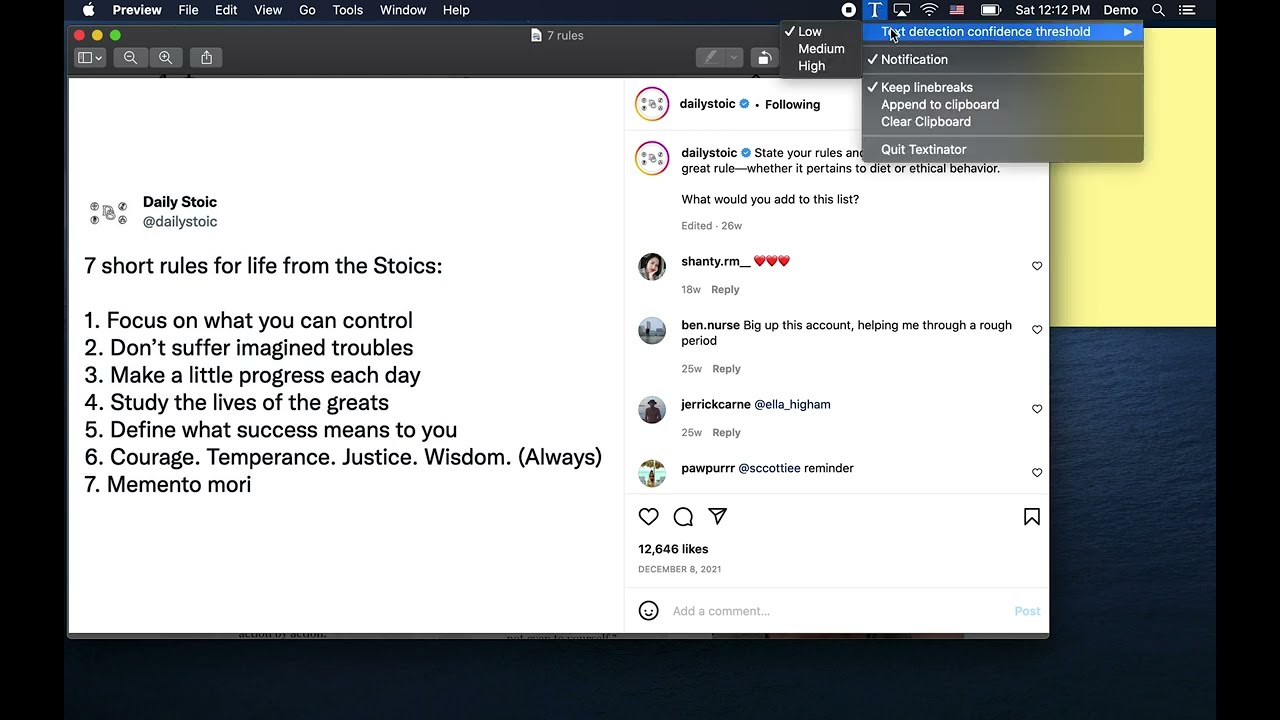](https://youtu.be/K_3MXOeBBdY)
## Installation
Download and open the latest installer DMG from the [release](https://github.com/RhetTbull/textinator/releases) page then drag the Textinator icon to Applications and follow instructions below to grant Desktop access and optionally grant Full Disk Access.
To launch Textinator the first time you'll need to right-click on the app icon and select "Open" otherwise you may get a warning about unknown developer as the app is not signed with an Apple Developer ID.

Alternatively, to build from source:
- clone the repo
- cd into the repo directory
- create a virtual environment and activate it
- python3 -m pip install -r requirements.txt
- python3 setup.py py2app
- Copy dist/textinator.app to /Applications
- Follow instructions below to grant Desktop and optionally Full Disk Access
See also [Developer Notes](#developer-notes) below.
Grant Desktop access:
Textinator works by monitoring the file system for new screenshots. The macOS security model prevents apps from accessing files and folders without the user's explicit permission. The first time you launch Textinator, you will be prompted to grant it access to your Desktop.

The default location for new screenshots on your Mac is the Desktop folder so Desktop access should be sufficient in most cases. If you want Textinator to detect screenshots in other locations or if you have [changed the default location for new screenshots](https://support.apple.com/en-us/HT201361), you will need to grant Full Disk Access.
Grant Full Disk Access:
- Open System Settings...>Privacy & Security> Full Disk Access
- Click the padlock if locked to unlock it and add Textinator to the list of allowed apps

## Upgrading
To upgrade to the latest version, download the latest installer DMG from [releases](https://github.com/RhetTbull/textinator/releases) and drag the Textinator icon to Applications. If you have previously granted Textinator Full Disk Access, you will need to remove Textinator from Full Disk Access and re-add it per the instructions above. (This is a limitation of the macOS security model and not something Textinator can control.)
## Usage
- Launch Textinator from the Applications folder
- Grant Desktop access if prompted
- Click the menu bar icon to see preferences

- Press ⌘ + ⇧ + 4 (`Cmd + Shift + 4`) to take a screenshot then paste the detected text wherever you'd like it to be.
- Textinator can also monitor the clipboard for changes which means you can also copy an image from any app or press Control + ⌘ + ⇧ + 4 (`Ctrl + Cmd + Shift + 4`) to take a screenshot and copy it to the clipboard without creating a screenshot file. Textinator will then detect any text in the image and copy it to the clipboard, overwriting the copied image. This feature can be disabled by unchecking the "Detect text in images on clipboard" checkbox in the menu.
- You can also use Textinator from the [Services menu](https://macreports.com/what-is-the-services-menu-in-macos/) in Finder (and other apps). To use this feature, right click on an image file in Finder and select `Services > Detect Text With Textinator` from the context menu. Alternatively, you can select `Finder > Services > Detect text with Textinator` from the menu bar.
## Settings
- `Text detection threshold confidence`: The confidence threshold for text detection. The higher the value, the more accurate the text detection will be but a higher setting may result in some text not being detected (because the detected text was below the specified threshold). The default value is 'Low' which is equivalent to a [VNRecognizeTextRequest](https://developer.apple.com/documentation/vision/vnrecognizetextrequest?language=objc) confidence threshold of `0.3` (Medium = `0.5`, High = `0.8`).
- `Text recognition language`: Select language for text recognition (languages listed by [ISO code](https://en.wikipedia.org/wiki/List_of_ISO_639-1_codes) and are limited to those which your version of macOS supports).
- `Always detect English`: If checked, always attempts to detect English text in addition to the primary language selected by `Text recognition language` setting.
- `Detect text in images on clipboard`: If checked, Textinator will monitor the clipboard for changes and detect any text in any images copied to the clipboard. This feature can be disabled by unchecking the "Detect text in images on clipboard" checkbox in the menu.
- `Pause text detection`: If checked, Textinator will not detect text in screenshots or images copied to the clipboard. If paused, the menu bar icon will change and the menu will show `Resume text detection` instead of `Pause text detection`.
- `Detect QR Codes`: In addition to detecting text, also detect QR codes and copy the decoded payload text to the clipboard.
- `Notification`: Whether or not to show a notification when text is detected.
- `Keep linebreaks`: Whether or not to keep linebreaks in the detected text; if not set, linebreaks will be stripped.
- `Append to clipboard`: Append to the clipboard instead of overwriting it.
- `Clear clipboard`: Clear the clipboard.
- `Confirm clipboard changes`: Show a confirmation dialog with detected text before copying to the clipboard.
- `Start Textinator on login`: Add Textinator to the Login Items list so it will launch automatically when you login. This will cause Textinator to prompt for permission to send AppleScript events to the System Events app (see screnshot below).
- `About Textinator`: Show the about dialog.
- `Quit Textinator`: Quit Textinator.
When you first select `Start Textinator on login`, you will be prompted to allow Textinator to send AppleScript events to the System Events app. This is required to add Textinator to the Login Items list. The screenshot below shows the prompt you will see.

## Inspiration
I heard [mikeckennedy](https://github.com/mikeckennedy) mention [Text Sniper](https://textsniper.app/) on [Python Bytes](https://pythonbytes.fm/) podcast [#284](https://pythonbytes.fm/episodes/show/284/spicy-git-for-engineers) and thought "That's neat! I bet I could make a clone in Python!" and here it is. You should listen to Python Bytes if you don't already and you should go buy Text Sniper!
This project took a few hours and the whole thing is a few hundred lines of Python. It was fun to show that you can build a really useful macOS native app in just a little bit of Python.
Textinator was featured on [Talk Python to Me](https://www.youtube.com/watch?v=ndFFgJhrUhQ&t=810s)! Thanks [Michael Kennedy](https://twitter.com/mkennedy) for hosting me!
## How Textinator Works
Textinator is built with [rumps (Ridiculously Uncomplicated macOS Python Statusbar apps)](https://github.com/jaredks/rumps) which is a python package for creating simple macOS Statusbar apps.
At startup, Textinator starts a persistent [NSMetadataQuery Spotlight query](https://developer.apple.com/documentation/foundation/nsmetadataquery?language=objc) (using the [pyobjc](https://pyobjc.readthedocs.io/en/latest/) Python-to-Objective-C bridge) to detect when a new screenshot is created.
When the user creates screenshot, the `NSMetadataQuery` query is fired and Textinator performs text detection using a [Vision](https://developer.apple.com/documentation/vision?language=objc) [VNRecognizeTextRequest](https://developer.apple.com/documentation/vision/vnrecognizetextrequest?language=objc) call.
Textinator can also monitor the clipboard and detect text in images copied to the clipboard.
## Notes
- If building with [pyenv](https://github.com/pyenv/pyenv) installed python, you'll need to build the python with framework support:
- `env PYTHON_CONFIGURE_OPTS="--enable-framework" pyenv install -v 3.9.11`
- Requires a minimum of macOS Catalina (10.15). Tested on macOS Catalina (10.15.7), Big Sur (11.6.4), Ventura (13.5.1); should work on Catalina or newer.
## License
MIT License
## See Also
[Text Sniper](https://textsniper.app/) which inspired this project.
## Contributors ✨
Thanks goes to these wonderful people ([emoji key](https://allcontributors.org/docs/en/emoji-key)):
<!-- ALL-CONTRIBUTORS-LIST:START - Do not remove or modify this section -->
<!-- prettier-ignore-start -->
<!-- markdownlint-disable -->
<table>
<tbody>
<tr>
<td align="center" valign="top" width="14.28%"><a href="https://github.com/bwagner"><img src="https://avatars.githubusercontent.com/u/447049?v=4?s=75" width="75px;" alt="Bernhard Wagner"/><br /><sub><b>Bernhard Wagner</b></sub></a><br /><a href="#ideas-bwagner" title="Ideas, Planning, & Feedback">🤔</a> <a href="https://github.com/RhetTbull/textinator/commits?author=bwagner" title="Code">💻</a> <a href="https://github.com/RhetTbull/textinator/commits?author=bwagner" title="Tests">⚠️</a></td>
</tr>
</tbody>
</table>
<!-- markdownlint-restore -->
<!-- prettier-ignore-end -->
<!-- ALL-CONTRIBUTORS-LIST:END -->
This project follows the [all-contributors](https://github.com/all-contributors/all-contributors) specification. Contributions of any kind welcome!
## Developer Notes
If you want to work on Textinator yourself or contribute changes, here are some notes:
Clone the repo and cd into the repo directory.
`git clone git@github.com:RhetTbull/textinator.git`
`cd textinator`
If you want to contribute back to Textinator, fork the repo and clone your fork instead.
Install requirements and development requirements via pip:
```console
python3 -m pip install -r requirements.txt -r dev_requirements.txt
pre-commit install
```
See also notes below about [Testing](#testing).
Building the DMG for distribution requires [create-dmg](https://github.com/create-dmg/create-dmg) which can be installed with [homebrew](https://brew.sh/):
`brew install create-dmg`
To build Textinator, run the `build.sh` script:
`./build.sh`
This script cleans out old build files, builds the app with [py2app](https://py2app.readthedocs.io/en/latest/), signs the app, and builds the DMG.
Textinator stores it's preferences in `~/Library/Application\ Support/Textinator/Textinator.plist`. This is non-standard (by convention, apps store their preferences in `~/Library/Preferences/`), but RUMPS doesn't provide a method to access the Preferences folder and it does provide a method to access the Application Support folder (`rumps.App.open()`), so I went with that.
The preferences can be read from the command line with:
`defaults read ~/Library/Application\ Support/Textinator/Textinator.plist`
For development and debugging it may be helpful to enable the debug log by setting `debug=1` in `Textinator.plist`. You can do this from the command line with:
`defaults write ~/Library/Application\ Support/Textinator/Textinator.plist debug -bool true`
Similarly, you can disable the debug log with:
`defaults write ~/Library/Application\ Support/Textinator/Textinator.plist debug -bool false`
When `debug` is enabled, Textinator will log to `~/Library/Application\ Support/Textinator/Textinator.log`. I find this more convenient than using the macOS Console app. Textinator will always log to the Console log as well so you can use Console if you prefer and filter on `Textinator`.
Most features of the app can be tested by simply running the `textinator.py` script: `python3 src/textinator.py`. The `Services menu` feature requires the app be built and installed because it needs runtime access to information in the app bundle's `Info.plist` which is built by `py2app`.
The version number is incremented by [bump2version](https://github.com/c4urself/bump2version) which is installed via `python3 -m pip install -r dev_requirements.txt`. To increment the version number, run `bumpversion patch` or `bumpversion minor` or `bumpversion major` as appropriate. See `bumpversion --help` for more information.
I've tried to document the code well so that you can use Textinator as a template for your own apps. Some of the features (such as creating a Services menu item) are not well documented (especially with respect to doing these things in python) and took me a lot of trial and error to figure out. I hope that this project will help others who want to build macOS native apps in python.
## Testing
Textinator uses [pytest](https://docs.pytest.org/en/7.1.x/) to run unit tests. To run the tests, run `pytest` from the project root directory. Before running the tests, you'll need to install the development requirements via `python3 -m pip install -r dev_requirements.txt`. You will also need to enable your Terminal app to control your computer in `System Preferences > Security & Privacy > Privacy > Accessibility`. This is because the testing uses System Events scripting via applescript to simulate user actions such as clicking menu items. Your Terminal will also need to be granted Full Disk Access in `System Preferences > Security & Privacy > Privacy > Full Disk Access`.
The test suite requires the built app to be installed in `/Applications/Textinator.app`. Before running tests, uses `./build.sh` to build the app then copy `dist/Textinator.app` to `/Applications/Textinator.app`.
The tests will modify the Textinator preferences but will backup your original preferences and restore them when testing is completed. The tests will also modify the clipboard and will create temporary files on the Desktop which will be cleaned up when testing is completed.
The test suite is slow due to required sleeps to allow the app to respond, Spotlight to index new files, etc. (Takes approximately 5 minutes to run on my MacBook Air). Because the test suite interacts with the user interface, it is best not to touch the keyboard or mouse while the tests are running.
The Services menu item is not tested by the test suite so this feature should be tested manually.
================================================
FILE: build.sh
================================================
#!/bin/sh
# Build, sign and package Textinator as a DMG file for release
# this requires create-dmg: `brew install create-dmg` to install
# build with py2app
echo "Cleaning up old build files..."
test -d dist && rm -rf dist/
test -d build && rm -rf build/
echo "Running py2app"
python3 setup.py py2app
# TODO: this doesn't appear to be needed (only for sandboxed apps)
# py2app will sign the app with the ad-hoc certificate
# sign with ad-hoc certificate (if you have an Apple Developer ID, you can use your developer certificate instead)
# for the app to send AppleEvents to other apps, it needs to be signed and include the
# com.apple.security.automation.apple-events entitlement in the entitlements file
# --force: force signing even if the app is already signed
# --deep: recursively sign all embedded frameworks and plugins
# --options=runtime: Preserve the hardened runtime version
# --entitlements: use specified the entitlements file
# -s -: sign the code at the path(s) given using this identity; "-" means use the ad-hoc certificate
# echo "Signing with codesign"
# codesign \
# --force \
# --deep \
# --options=runtime \
# --preserve-metadata=identifier,entitlements,flags,runtime \
# --entitlements=entitlements.plist \
# -s - \
# dist/Textinator.app
# create installer DMG
# to add a background image to the DMG, add the following to the create-dmg command:
# --background "installer_background.png" \
echo "Creating DMG"
test -f Textinator-Installer.dmg && rm Textinator-Installer.dmg
create-dmg \
--volname "Textinator Installer" \
--volicon "icon.icns" \
--window-pos 200 120 \
--window-size 800 400 \
--icon-size 100 \
--icon "Textinator.app" 200 190 \
--hide-extension "Textinator.app" \
--app-drop-link 600 185 \
"Textinator-Installer.dmg" \
"dist/"
================================================
FILE: dev_requirements.txt
================================================
bump2version>=1.0.1,<2.0.0
osxmetadata>=1.0.0,<2.0.0
pytest>=7.1.3,<8.0.0
pre-commit
================================================
FILE: entitlements.plist
================================================
<?xml version="1.0" encoding="UTF-8"?>
<!DOCTYPE plist PUBLIC "-//Apple//DTD PLIST 1.0//EN" "http://www.apple.com/DTDs/PropertyList-1.0.dtd">
<plist version="1.0">
<dict>
<key>com.apple.security.automation.apple-events</key>
<true/>
</dict>
</plist>
================================================
FILE: requirements.txt
================================================
py-applescript==1.0.3
py2app>=0.28.6
pyobjc-core>=9.2
pyobjc-framework-cocoa>=9.2
pyobjc-framework-coreml>=9.2
pyobjc-framework-quartz>=9.2
pyobjc-framework-vision>=9.2
rumps>=0.4.0,<0.5.0
wheel>=0.41.2
================================================
FILE: setup.py
================================================
"""
This is a setup.py script generated by py2applet
Usage:
python setup.py py2app
"""
from setuptools import setup
# The version number; do not change this manually! It is updated by bumpversion (https://github.com/c4urself/bump2version)
__version__ = "0.10.1"
# The file that contains the main application
APP = ["src/textinator.py"]
# Include additional python modules here; probably not the best way to do this
# but I couldn't figure out how else to get py2app to include modules in the src/ folder
DATA_FILES = [
"src/appkitgui.py",
"src/confirmation_window.py",
"src/icon.png",
"src/icon_paused.png",
"src/loginitems.py",
"src/macvision.py",
"src/pasteboard.py",
"src/utils.py",
]
# These values will be included by py2app into the Info.plist file in the App bundle
# See https://developer.apple.com/documentation/bundleresources/information_property_list?language=objc
# for more information
PLIST = {
# LSUIElement tells the OS that this app is a background app that doesn't appear in the Dock
"LSUIElement": True,
# CFBundleShortVersionString is the version number that appears in the App's About box
"CFBundleShortVersionString": __version__,
# CFBundleVersion is the build version (here we use the same value as the short version)
"CFBundleVersion": __version__,
# NSDesktopFolderUsageDescription is the message that appears when the app asks for permission to access the Desktop folder
# Likewise for NSDocumentsFolderUsageDescription and NSDownloadsFolderUsageDescription
"NSDesktopFolderUsageDescription": "Textinator needs access to your Desktop folder to detect new screenshots. "
"If you have changed the default location for screenshots, "
"you will also need to grant Textinator full disk access in "
"System Preferences > Security & Privacy > Privacy > Full Disk Access.",
"NSDocumentsFolderUsageDescription": "Textinator needs access to your Documents folder to detect new screenshots. ",
"NSDownloadsFolderUsageDescription": "Textinator needs access to your Downloads folder to detect new screenshots. ",
# NSAppleEventsUsageDescription is the message that appears when the app asks for permission to send Apple events
"NSAppleEventsUsageDescription": "Textinator needs permission to send AppleScript events to add itself to Login Items.",
# NSServices is a list of services that the app provides that will appear in the Services menu
# For more information on NSServices, see: https://developer.apple.com/documentation/bundleresources/information_property_list/nsservices?language=objc
"NSServices": [
{
"NSMenuItem": {"default": "Detect Text With Textinator"},
"NSMessage": "detectTextInImage",
"NSPortName": "Textinator",
"NSUserData": "detectTextInImage",
"NSRequiredContext": {"NSTextContent": "FilePath"},
"NSSendTypes": ["NSPasteboardTypeURL"],
"NSSendFileTypes": ["public.image"],
},
],
}
# Options for py2app
OPTIONS = {
# The icon file to use for the app (this is App icon in Finder, not the status bar icon)
"iconfile": "icon.icns",
"plist": PLIST,
}
setup(
app=APP,
data_files=DATA_FILES,
name="Textinator",
options={"py2app": OPTIONS},
setup_requires=["py2app"],
)
================================================
FILE: src/README.md
================================================
# Source files for Textinator
The source files are organized as individual python modules (files), not as a package. Any files added to `src` directory must also be added as in the `setup.py` `DATA_FILES` list to be included by py2app in the app bundle.
`textinatory.py` is the main module and is the entry point for the app. It contains the `Textinator` class which is the main app class.
================================================
FILE: src/appkitgui.py
================================================
"""Toolkit to help create a native macOS GUI with AppKit
Copyright (c) 2023, Rhet Turnbull; licensed under MIT License.
"""
from __future__ import annotations
import datetime
import os
import zoneinfo
from collections.abc import Iterable
from dataclasses import dataclass
from typing import Any, Callable
import AppKit
from AppKit import (
NSApp,
NSBox,
NSButton,
NSComboBox,
NSDatePicker,
NSImageView,
NSScrollView,
NSStackView,
NSTextField,
NSTextView,
NSTimeZone,
NSView,
)
from Foundation import NSURL, NSDate, NSLog, NSMakeRect, NSMakeSize, NSObject
from objc import objc_method, python_method, super
################################################################################
# Constants
################################################################################
# margin between window edge and content
EDGE_INSET = 20
# padding between elements
PADDING = 8
################################################################################
# Window and Application
################################################################################
def window(
title: str | None = None,
size: tuple[int, int] = (600, 600),
mask: int = AppKit.NSWindowStyleMaskTitled
| AppKit.NSWindowStyleMaskClosable
| AppKit.NSWindowStyleMaskResizable,
) -> AppKit.NSWindow:
"""Create a window with a title and size"""
new_window = AppKit.NSWindow.alloc().initWithContentRect_styleMask_backing_defer_(
NSMakeRect(0, 0, *size),
mask,
AppKit.NSBackingStoreBuffered,
False,
)
new_window.center()
if title is not None:
new_window.setTitle_(title)
return new_window
def main_view(
window: AppKit.NSWindow,
align: int = AppKit.NSLayoutAttributeLeft,
padding: int = PADDING,
edge_inset: tuple[float, float, float, float] | float = EDGE_INSET,
) -> AppKit.NSView:
"""Create a main NSStackView for the window which contains all other views
Args:
window: the NSWindow to attach the view to
align: NSLayoutAttribute alignment constant
padding: padding between elements
edge_inset: The geometric padding, in points, inside the stack view, surrounding its views (NSEdgeInsets)
"""
# This uses appkitgui.StackView which is a subclass of NSStackView
# that supports some list methods such as append, extend, remove, ...
main_view = StackView.stackViewWithViews_(None)
main_view.setOrientation_(AppKit.NSUserInterfaceLayoutOrientationVertical)
main_view.setSpacing_(padding)
if isinstance(edge_inset, (int, float)):
# use even insets
edge_insets = (edge_inset, edge_inset, edge_inset, edge_inset)
else:
edge_insets = edge_inset
main_view.setEdgeInsets_(edge_insets)
main_view.setDistribution_(AppKit.NSStackViewDistributionFill)
main_view.setAlignment_(align)
window.contentView().addSubview_(main_view)
top_constraint = main_view.topAnchor().constraintEqualToAnchor_(
main_view.superview().topAnchor()
)
top_constraint.setActive_(True)
bottom_constraint = main_view.bottomAnchor().constraintEqualToAnchor_(
main_view.superview().bottomAnchor()
)
bottom_constraint.setActive_(True)
left_constraint = main_view.leftAnchor().constraintEqualToAnchor_(
main_view.superview().leftAnchor()
)
left_constraint.setActive_(True)
right_constraint = main_view.rightAnchor().constraintEqualToAnchor_(
main_view.superview().rightAnchor()
)
right_constraint.setActive_(True)
return main_view
################################################################################
# Custom views and control classes
################################################################################
class StackView(NSStackView):
"""NSStackView that supports list methods for adding child views"""
@python_method
def append(self, view: NSView):
"""Add view to stack"""
self.addArrangedSubview_(view)
@python_method
def extend(self, views: Iterable[NSView]):
"""Extend stack with the contents of views"""
for view in views:
self.append(view)
@python_method
def insert(self, i: int, view: NSView):
"""Insert view at index i"""
self.insertArrangedSubview_atIndex_(view, i)
@python_method
def remove(self, view: NSView):
"""Remove view from the stack"""
self.removeArrangedSubview_(view)
class ScrolledStackView(NSScrollView):
"""A scrollable stack view; use self.documentView() or self.stack to access the stack view"""
def initWithStack_(
self,
stack: NSStackView | StackView,
vscroll: bool = False,
hscroll: bool = False,
):
self = super().init()
if not self:
return
self.stack: NSStackView | StackView = stack
self.setHasVerticalScroller_(vscroll)
self.setHasHorizontalScroller_(hscroll)
self.setBorderType_(AppKit.NSNoBorder)
self.setTranslatesAutoresizingMaskIntoConstraints_(False)
self.setDrawsBackground_(False)
self.setAutohidesScrollers_(True)
self.setDocumentView_(self.stack)
return self
@python_method
def append(self, view: NSView):
"""Add view to stack"""
self.documentView().addArrangedSubview_(view)
@python_method
def extend(self, views: Iterable[NSView]):
"""Extend stack with the contents of views"""
for view in views:
self.documentView().append(view)
@python_method
def insert(self, i: int, view: NSView):
"""Insert view at index i"""
self.documentView().insertArrangedSubview_atIndex_(view, i)
@python_method
def remove(self, view: NSView):
"""Remove view from the stack"""
self.documentView().removeArrangedSubview_(view)
def setSpacing_(self, spacing):
self.stack.setSpacing_(spacing)
def setOrientation_(self, orientation):
self.stack.setOrientation_(orientation)
def setDistribution_(self, distribution):
self.stack.setDistribution_(distribution)
def setAlignment_(self, alignment):
self.stack.setAlignment_(alignment)
def setEdgeInsets_(self, edge_inset):
self.stack.setEdgeInsets_(edge_inset)
class LinkLabel(NSTextField):
"""Uneditable text field that displays a clickable link"""
def initWithText_URL_(self, text: str, url: str):
self = super().init()
if not self:
return
attr_str = self.attributedStringWithLinkToURL_text_(url, text)
self.setAttributedStringValue_(attr_str)
self.url = NSURL.URLWithString_(url)
self.setBordered_(False)
self.setSelectable_(False)
self.setEditable_(False)
self.setBezeled_(False)
self.setDrawsBackground_(False)
return self
def resetCursorRects(self):
self.addCursorRect_cursor_(self.bounds(), AppKit.NSCursor.pointingHandCursor())
def mouseDown_(self, event):
AppKit.NSWorkspace.sharedWorkspace().openURL_(self.url)
def mouseEntered_(self, event):
AppKit.NSCursor.pointingHandCursor().push()
def mouseExited_(self, event):
AppKit.NSCursor.pop()
def attributedStringWithLinkToURL_text_(self, url: str, text: str):
linkAttributes = {
AppKit.NSLinkAttributeName: NSURL.URLWithString_(url),
AppKit.NSUnderlineStyleAttributeName: AppKit.NSUnderlineStyleSingle,
AppKit.NSForegroundColorAttributeName: AppKit.NSColor.linkColor(),
# AppKit.NSCursorAttributeName: AppKit.NSCursor.pointingHandCursor(),
}
return AppKit.NSAttributedString.alloc().initWithString_attributes_(
text, linkAttributes
)
class ComboBoxDelegate(NSObject):
"""Helper class to handle combo box events"""
def initWithTarget_Action_(self, target: NSObject, action: Callable | str | None):
self = super().init()
if not self:
return
self.target = target
self.action_change = action
return self
@objc_method
def comboBoxSelectionDidChange_(self, notification):
if self.action_change:
if type(self.action_change) == str:
self.target.performSelector_withObject_(
self.action_change, notification.object()
)
else:
self.action_change(notification.object())
class ComboBox(NSComboBox):
"""NSComboBox that stores a reference to its delegate
Note:
This is required to maintain a reference to the delegate, otherwise it will
not be retained after the ComboBox is created.
"""
def setDelegate_(self, delegate: NSObject | None):
self.delegate = delegate
if delegate is not None:
super().setDelegate_(delegate)
class ScrollViewWithTextView(NSScrollView):
def initWithSize_VScroll_(self, size: tuple[float, float], vscroll: bool):
self = super().initWithFrame_(NSMakeRect(0, 0, *size))
if not self:
return
self.setBorderType_(AppKit.NSBezelBorder)
self.setHasVerticalScroller_(vscroll)
self.setDrawsBackground_(True)
self.setAutohidesScrollers_(True)
self.setAutoresizingMask_(
AppKit.NSViewWidthSizable | AppKit.NSViewHeightSizable
)
self.setTranslatesAutoresizingMaskIntoConstraints_(False)
width_constraint = self.widthAnchor().constraintEqualToConstant_(size[0])
width_constraint.setActive_(True)
height_constraint = self.heightAnchor().constraintEqualToConstant_(size[1])
height_constraint.setActive_(True)
contentSize = self.contentSize()
self.textView = NSTextView.alloc().initWithFrame_(self.contentView().frame())
self.textView.setMinSize_(NSMakeSize(0.0, contentSize.height))
self.textView.setMaxSize_(NSMakeSize(float("inf"), float("inf")))
self.textView.setVerticallyResizable_(True)
self.textView.setHorizontallyResizable_(False)
self.setDocumentView_(self.textView)
return self
# provide access to some of the text view's methods
def string(self):
return self.textView.string()
def setString_(self, text: str):
self.textView.setString_(text)
def setEditable_(self, editable: bool):
self.textView.setEditable_(editable)
def setSelectable_(self, selectable: bool):
self.textView.setSelectable_(selectable)
def setFont_(self, font: AppKit.NSFont):
self.textView.setFont_(font)
def setTextColor_(self, color: AppKit.NSColor):
self.textView.setTextColor_(color)
def setBackgroundColor_(self, color: AppKit.NSColor):
self.textView.setBackgroundColor_(color)
################################################################################
# Helper functions to create views and controls
################################################################################
def hstack(
align: int = AppKit.NSLayoutAttributeTop,
distribute: int | None = AppKit.NSStackViewDistributionFill,
vscroll: bool = False,
hscroll: bool = False,
views: (
Iterable[AppKit.NSView] | AppKit.NSArray | AppKit.NSMutableArray | None
) = None,
edge_inset: tuple[float, float, float, float] | float = 0,
) -> StackView:
"""Create a horizontal StackView
Args:
align:NSLayoutAttribute alignment constant
distribute: NSStackViewDistribution distrubution constant
vscroll: True to add vertical scrollbar
hscroll: True to add horizontal scrollbar
views: iterable of NSViews to add to the stack
edge_inset: The geometric padding, in points, inside the stack view, surrounding its views (NSEdgeInsets)
Returns: StackView
"""
hstack = StackView.stackViewWithViews_(views)
hstack.setSpacing_(PADDING)
hstack.setOrientation_(AppKit.NSUserInterfaceLayoutOrientationHorizontal)
if distribute is not None:
hstack.setDistribution_(distribute)
hstack.setAlignment_(align)
hstack.setTranslatesAutoresizingMaskIntoConstraints_(False)
hstack.setHuggingPriority_forOrientation_(
AppKit.NSLayoutPriorityDefaultHigh,
AppKit.NSLayoutConstraintOrientationHorizontal,
)
if edge_inset:
if isinstance(edge_inset, (int, float)):
# use even insets
edge_insets = (edge_inset, edge_inset, edge_inset, edge_inset)
else:
edge_insets = edge_inset
hstack.setEdgeInsets_(edge_insets)
if vscroll or hscroll:
scroll_view = ScrolledStackView.alloc().initWithStack_(hstack, vscroll, hscroll)
return scroll_view
return hstack
def vstack(
align: int = AppKit.NSLayoutAttributeLeft,
distribute: int | None = None,
vscroll: bool = False,
hscroll: bool = False,
views: AppKit.NSArray | AppKit.NSMutableArray | None = None,
edge_inset: tuple[float, float, float, float] | float = 0,
) -> StackView | ScrolledStackView:
"""Create a vertical StackView
Args:
align:NSLayoutAttribute alignment constant
distribute: NSStackViewDistribution distrubution constant
vscroll: True to add vertical scrollbar
hscroll: True to add horizontal scrollbar
views: iterable of NSViews to add to the stack
edge_inset: The geometric padding, in points, inside the stack view, surrounding its views (NSEdgeInsets)
Returns: StackView
"""
vstack = StackView.stackViewWithViews_(views)
vstack.setSpacing_(PADDING)
vstack.setOrientation_(AppKit.NSUserInterfaceLayoutOrientationVertical)
if distribute is not None:
vstack.setDistribution_(distribute)
vstack.setAlignment_(align)
vstack.setTranslatesAutoresizingMaskIntoConstraints_(False)
# TODO: set priority as arg? or let user set it later?
vstack.setHuggingPriority_forOrientation_(
AppKit.NSLayoutPriorityDefaultHigh,
AppKit.NSLayoutConstraintOrientationVertical,
)
if edge_inset:
if isinstance(edge_inset, (int, float)):
# use even insets
edge_insets = (edge_inset, edge_inset, edge_inset, edge_inset)
else:
edge_insets = edge_inset
vstack.setEdgeInsets_(edge_insets)
if vscroll or hscroll:
scroll_view = ScrolledStackView.alloc().initWithStack_(vstack, vscroll, hscroll)
return scroll_view
return vstack
def hspacer() -> NSStackView:
"""Create a horizontal spacer"""
return vstack()
def label(value: str) -> NSTextField:
"""Create a label"""
label = NSTextField.labelWithString_(value)
label.setEditable_(False)
label.setBordered_(False)
label.setBackgroundColor_(AppKit.NSColor.clearColor())
return label
def link(text: str, url: str) -> NSTextField:
"""Create a clickable link label"""
return LinkLabel.alloc().initWithText_URL_(text, url)
def button(title: str, target: NSObject, action: Callable | str | None) -> NSButton:
"""Create a button"""
button = NSButton.buttonWithTitle_target_action_(title, target, action)
button.setTranslatesAutoresizingMaskIntoConstraints_(False)
# set hugging priority and compression resistance to prevent button from resizing
set_hugging_priority(button)
set_compression_resistance(button)
return button
def checkbox(title: str, target: NSObject, action: Callable | str | None) -> NSButton:
"""Create a checkbox button"""
checkbox = NSButton.buttonWithTitle_target_action_(title, target, action)
checkbox.setButtonType_(AppKit.NSButtonTypeSwitch) # Switch button type
return checkbox
def radio_button(
title: str, target: NSObject, action: Callable | str | None
) -> NSButton:
"""Create a radio button"""
radio_button = NSButton.buttonWithTitle_target_action_(title, target, action)
radio_button.setButtonType_(AppKit.NSRadioButton)
return radio_button
def combo_box(
values: list[str] | None,
target: NSObject,
editable: bool = False,
action_return: Callable | str | None = None,
action_change: Callable | str | None = None,
delegate: NSObject | None = None,
width: float | None = None,
) -> NSComboBox:
"""Create a combo box
Args:
values: list of values to populate the combo box with
target: target to send action to
editable: whether the combo box is editable
action_return: action to send when return is pressed (only called if editable is True)
action_change: action to send when the selection is changed
delegate: delegate to handle events; if not provided a default delegate is automatically created
width: width of the combo box; if None, the combo box will resize to the contents
Note:
In order to handle certain events such as return being pressed, a delegate is
required. If a delegate is not provided, a default delegate is automatically
created which will call the action_return callback when return is pressed.
If a delegate is provided, it may implement the following methods:
- comboBoxSelectionDidChange
- comboBox_textView_doCommandBySelector
"""
combo_box = ComboBox.alloc().initWithFrame_(NSMakeRect(0, 0, 100, 25))
combo_box.setTarget_(target)
delegate = delegate or ComboBoxDelegate.alloc().initWithTarget_Action_(
target, action_change
)
combo_box.setDelegate_(delegate)
if values:
combo_box.addItemsWithObjectValues_(values)
combo_box.selectItemAtIndex_(0)
if action_return:
combo_box.setAction_(action_return)
combo_box.setCompletes_(True)
combo_box.setEditable_(editable)
if width is not None:
constrain_to_width(combo_box, width)
return combo_box
def hseparator() -> NSBox:
"""Create a horizontal separator"""
separator = NSBox.alloc().init()
separator.setBoxType_(AppKit.NSBoxSeparator)
separator.setTranslatesAutoresizingMaskIntoConstraints_(False)
return separator
def image_view(
path: str | os.PathLike,
width: int | None = None,
height: int | None = None,
scale: int = AppKit.NSImageScaleProportionallyUpOrDown,
align: int = AppKit.NSImageAlignCenter,
) -> NSImageView:
"""Create an image view from a an image file.
Args:
path: path to the image file
width: width to constrain the image to; if None, the image will not be constrained
height: height to constrain the image to; if None, the image will not be constrained
scale: scaling mode for the image
align: alignment mode for the image
Returns: NSImageView
Note: if only one of width or height set, the other will be scaled to maintain aspect ratio.
If image is smaller than the specified width or height and scale is set to AppKit.NSImageScaleNone,
the image frame will be larger than the image and the image will be aligned according to align.
"""
image = AppKit.NSImage.alloc().initByReferencingFile_(str(path))
image_view = NSImageView.imageViewWithImage_(image)
image_view.setImageScaling_(scale)
image_view.setImageAlignment_(align)
image_view.setTranslatesAutoresizingMaskIntoConstraints_(False)
# if width or height set, constrain to that size
# if only one of width or height is set, constrain to that size and scale the other to maintain aspect ratio
# if this is not done, the NSImageView intrinsic size may be larger than the window and thus disrupt the layout
if width:
image_view.widthAnchor().constraintEqualToConstant_(width).setActive_(True)
if not height:
aspect_ratio = image.size().width / image.size().height
scaled_height = width / aspect_ratio
image_view.heightAnchor().constraintEqualToConstant_(
scaled_height
).setActive_(True)
if height:
image_view.heightAnchor().constraintEqualToConstant_(height).setActive_(True)
if not width:
aspect_ratio = image.size().width / image.size().height
scaled_width = height * aspect_ratio
image_view.widthAnchor().constraintEqualToConstant_(
scaled_width
).setActive_(True)
return image_view
def date_picker(
style: int = AppKit.NSDatePickerStyleClockAndCalendar,
elements: int = AppKit.NSDatePickerElementFlagYearMonthDay,
mode: int = AppKit.NSDatePickerModeSingle,
date: datetime.date | datetime.datetime | None = None,
target: NSObject | None = None,
action: Callable | str | None = None,
size: tuple[int, int] = (200, 50),
) -> NSDatePicker:
"""Create a date picker
Args:
style: style of the date picker, an AppKit.NSDatePickerStyle
elements: elements to display in the date picker, an AppKit.NSDatePickerElementFlag
mode: mode of the date picker, an AppKit.NSDatePickerMode
date: initial date of the date picker; if None, defaults to the current date
target: target to send action to
action: action to send when the date is changed
size: size of the date picker
Returns: NSDatePicker
"""
date = date or datetime.date.today()
date_picker = NSDatePicker.alloc().initWithFrame_(NSMakeRect(0, 0, *size))
date_picker.setDatePickerStyle_(style)
date_picker.setDatePickerElements_(elements)
date_picker.setDatePickerMode_(mode)
date_picker.setDateValue_(date)
date_picker.setTimeZone_(NSTimeZone.localTimeZone())
date_picker.setTranslatesAutoresizingMaskIntoConstraints_(False)
if target:
date_picker.setTarget_(target)
if action:
date_picker.setAction_(action)
return date_picker
def time_picker(
style: int = AppKit.NSDatePickerStyleTextFieldAndStepper,
elements: int = AppKit.NSDatePickerElementFlagHourMinute,
mode: int = AppKit.NSDatePickerModeSingle,
time: datetime.datetime | datetime.time | None = None,
target: NSObject | None = None,
action: Callable | str | None = None,
) -> NSDatePicker:
"""Create a time picker
Args:
style: style of the date picker, an AppKit.NSDatePickerStyle
elements: elements to display in the date picker, an AppKit.NSDatePickerElementFlag
mode: mode of the date picker, an AppKit.NSDatePickerMode
time: initial time of the date picker; if None, defaults to the current time
target: target to send action to
action: action to send when the date is changed
Returns: NSDatePicker
Note: This function is a wrapper around date_picker, with the date picker style set to
display a time picker.
"""
# if time is only a time, convert to datetime with today's date
# as the date picker requires a datetime or date
if isinstance(time, datetime.time):
time = datetime.datetime.combine(datetime.date.today(), time)
time = time or datetime.datetime.now()
return date_picker(
style=style,
elements=elements,
mode=mode,
date=time,
target=target,
action=action,
)
def text_view(
size: tuple[float, float] = (400, 100), vscroll: bool = True
) -> NSTextView:
"""Create a text view with optional vertical scroll"""
return ScrollViewWithTextView.alloc().initWithSize_VScroll_(size, vscroll)
def text_field(
size: tuple[float, float] = (200, 25),
placeholder: str | None = None,
target: NSObject | None = None,
action: Callable | str | None = None,
) -> NSTextField:
"""Create a text field"""
text_field = NSTextField.alloc().initWithFrame_(NSMakeRect(0, 0, *size))
text_field.setBezeled_(True)
text_field.setBezelStyle_(AppKit.NSTextFieldSquareBezel)
text_field.setTranslatesAutoresizingMaskIntoConstraints_(False)
width_constraint = text_field.widthAnchor().constraintEqualToConstant_(size[0])
width_constraint.setActive_(True)
height_constraint = text_field.heightAnchor().constraintEqualToConstant_(size[1])
height_constraint.setActive_(True)
if placeholder:
text_field.setPlaceholderString_(placeholder)
if target:
text_field.setTarget_(target)
if action:
text_field.setAction_(action)
return text_field
################################################################################
# Menus
################################################################################
def menu_bar() -> AppKit.NSMenuItem:
"""Create the app's menu bar"""
menu = menu_with_submenu(None)
NSApp.setMainMenu_(menu)
return menu
def menu_main() -> AppKit.NSMenu:
"""Return app's main menu"""
return NSApp.mainMenu()
def menu_with_submenu(
title: str | None = None, parent: AppKit.NSMenu | None = None
) -> AppKit.NSMenu:
"""Create a menu with a submenu"""
if title:
menu = AppKit.NSMenu.alloc().initWithTitle_(title)
else:
menu = AppKit.NSMenu.alloc().init()
sub_menu = menu_item(title)
sub_menu.setSubmenu_(menu)
if parent:
parent.addItem_(sub_menu)
return menu
def menu_item(
title: str | None,
parent: AppKit.NSMenu | None = None,
target: NSObject | None = None,
action: Callable | str | None = None,
key: str | None = None,
) -> AppKit.NSMenuItem:
"""Create a menu item and optionally add it to a parent menu"""
key = key or ""
title = title or ""
item = AppKit.NSMenuItem.alloc().initWithTitle_action_keyEquivalent_(
title, action, key
)
if target:
item.setTarget_(target)
if parent:
parent.addItem_(item)
return item
@dataclass
class MenuItem:
title: str
target: NSObject | None = None
action: Callable | str | None = None
key: str | None = None
def menus_from_dict(
menus: dict[str, Iterable[MenuItem | dict]],
target: NSObject | None = None,
parent: AppKit.NSMenu | None = None,
) -> dict[str, list[AppKit.NSMenu | dict]]:
"""Create menus from a dict
Args:
menus: dict of
target: the default target object for menu items (for example, window class's self)
parent: the parent menu; if None, uses the app's top-level menu as parent
Returns:
dict of menus and their children
Note:
target may be specified in the target argument and will be used as the default target for all menu items
unless the menu item specifies a different target in the MenuItem.target field.
.When calling this from your app, leave parent = None to add the menu items to the app's top-level menu
"""
top_level_menus = {}
parent = parent or menu_main()
for title, value in menus.items():
top_menu = menu_with_submenu(title, parent)
top_level_menus[title] = [top_menu]
if isinstance(value, Iterable):
for item in value:
if isinstance(item, dict):
top_level_menus[title].append(
menus_from_dict(item, target, top_menu)
)
else:
child_item = menu_item(
title=item.title,
parent=top_menu,
action=item.action,
target=item.target or target,
key=item.key,
)
top_level_menus[title].append({item.title: child_item})
return top_level_menus
################################################################################
# Utility Functions
################################################################################
def min_with_index(values: list[float]) -> tuple[int, int]:
"""Return the minimum value and index of the minimum value in a list"""
min_value = min(values)
min_index = values.index(min_value)
return min_value, min_index
def nsdate_to_datetime(nsdate: NSDate):
"""Convert an NSDate to a datetime in the specified timezone
Args:
nsdate: NSDate to convert
Returns: naive datetime.datetime
Note: timezone is the identifier of the timezone to convert to, e.g. "America/New_York" or "US/Eastern"
"""
# NSDate's reference date is 2001-01-01 00:00:00 +0000
reference_date = datetime.datetime(2001, 1, 1, tzinfo=datetime.timezone.utc)
seconds_since_ref = nsdate.timeIntervalSinceReferenceDate()
dt = reference_date + datetime.timedelta(seconds=seconds_since_ref)
# all NSDates are naive; use local timezone to adjust from UTC to local
timezone = NSTimeZone.localTimeZone().name()
try:
tz = zoneinfo.ZoneInfo(timezone)
except zoneinfo.ZoneInfoNotFoundError:
raise ValueError(f"Invalid timezone: {timezone}")
dt = dt.astimezone(tz=tz)
return dt.replace(tzinfo=None)
################################################################################
# Constraint helper functions
################################################################################
def set_hugging_priority(
view: NSView,
priority: float = AppKit.NSLayoutPriorityDefaultHigh,
orientation: int = AppKit.NSLayoutConstraintOrientationHorizontal,
):
"""Set content hugging priority for a view"""
view.setContentHuggingPriority_forOrientation_(
priority,
orientation,
)
def set_compression_resistance(
view: NSView,
priority: float = AppKit.NSLayoutPriorityDefaultHigh,
orientation: int = AppKit.NSLayoutConstraintOrientationHorizontal,
):
"""Set content compression resistance for a view"""
view.setContentCompressionResistancePriority_forOrientation_(priority, orientation)
def constrain_stacks_side_by_side(
*stacks: NSStackView,
weights: list[float] | None = None,
parent: NSStackView | None = None,
padding: int = 0,
edge_inset: float = 0,
):
"""Constrain a list of NSStackViews to be side by side optionally using weighted widths
Args:
*stacks: NSStackViews to constrain
weights: optional weights to use for each stack
parent: NSStackView to constrain the stacks to; if None, uses stacks[0].superview()
padding: padding between stacks
edge_inset: padding between stacks and parent
Note:
If weights are provided, the stacks will be constrained to be side by side with
widths proportional to the weights. For example, if 2 stacks are provided with
weights = [1, 2], the first stack will be half the width of the second stack.
"""
if len(stacks) < 2:
raise ValueError("Must provide at least two stacks")
parent = parent or stacks[0].superview()
if weights is not None:
min_weight, min_index = min_with_index(weights)
else:
min_weight, min_index = 1.0, 0
for i, stack in enumerate(stacks):
if i == 0:
stack.leadingAnchor().constraintEqualToAnchor_constant_(
parent.leadingAnchor(), edge_inset
).setActive_(True)
else:
stack.leadingAnchor().constraintEqualToAnchor_constant_(
stacks[i - 1].trailingAnchor(), padding
).setActive_(True)
if i == len(stacks) - 1:
stack.trailingAnchor().constraintEqualToAnchor_constant_(
parent.trailingAnchor(), -edge_inset
).setActive_(True)
stack.topAnchor().constraintEqualToAnchor_constant_(
parent.topAnchor(), edge_inset
).setActive_(True)
stack.bottomAnchor().constraintEqualToAnchor_constant_(
parent.bottomAnchor(), -edge_inset
).setActive_(True)
if not weights:
continue
weight = weights[i] / min_weight
AppKit.NSLayoutConstraint.constraintWithItem_attribute_relatedBy_toItem_attribute_multiplier_constant_(
stack,
AppKit.NSLayoutAttributeWidth,
AppKit.NSLayoutRelationEqual,
stacks[min_index],
AppKit.NSLayoutAttributeWidth,
weight,
0.0,
).setActive_(
True
)
def constrain_stacks_top_to_bottom(
*stacks: NSStackView,
weights: list[float] | None = None,
parent: NSStackView | None = None,
padding: int = 0,
edge_inset: float = 0,
):
"""Constrain a list of NSStackViews to be top to bottom optionally using weighted widths
Args:
*stacks: NSStackViews to constrain
weights: optional weights to use for each stack
parent: NSStackView to constrain the stacks to; if None, uses stacks[0].superview()
padding: padding between stacks
edge_inset: padding between stacks and parent
Note:
If weights are provided, the stacks will be constrained to be top to bottom with
widths proportional to the weights. For example, if 2 stacks are provided with
weights = [1, 2], the first stack will be half the width of the second stack.
"""
if len(stacks) < 2:
raise ValueError("Must provide at least two stacks")
parent = parent or stacks[0].superview()
if weights is not None:
min_weight, min_index = min_with_index(weights)
else:
min_weight, min_index = 1.0, 0
for i, stack in enumerate(stacks):
if i == 0:
stack.topAnchor().constraintEqualToAnchor_constant_(
parent.topAnchor(), edge_inset
).setActive_(True)
else:
stack.topAnchor().constraintEqualToAnchor_constant_(
stacks[i - 1].bottomAnchor(), padding
).setActive_(True)
if i == len(stacks) - 1:
stack.bottomAnchor().constraintEqualToAnchor_constant_(
parent.bottomAnchor(), -edge_inset
).setActive_(True)
stack.leadingAnchor().constraintEqualToAnchor_constant_(
parent.leadingAnchor(), edge_inset
).setActive_(True)
stack.trailingAnchor().constraintEqualToAnchor_constant_(
parent.trailingAnchor(), -edge_inset
).setActive_(True)
if not weights:
continue
weight = weights[i] / min_weight
AppKit.NSLayoutConstraint.constraintWithItem_attribute_relatedBy_toItem_attribute_multiplier_constant_(
stack,
AppKit.NSLayoutAttributeHeight,
AppKit.NSLayoutRelationEqual,
stacks[min_index],
AppKit.NSLayoutAttributeHeight,
weight,
0.0,
).setActive_(
True
)
def constrain_to_parent_width(
view: NSView, parent: NSView | None = None, edge_inset: float = 0
):
"""Constrain an NSView to the width of its parent
Args:
view: NSView to constrain
parent: NSView to constrain the control to; if None, uses view.superview()
edge_inset: margin between control and parent
"""
parent = parent or view.superview()
view.rightAnchor().constraintEqualToAnchor_constant_(
parent.rightAnchor(), -edge_inset
).setActive_(True)
view.leftAnchor().constraintEqualToAnchor_constant_(
parent.leftAnchor(), edge_inset
).setActive_(True)
def constrain_to_width(view: NSView, width: float | None = None):
"""Constrain an NSView to a fixed width
Args:
view: NSView to constrain
width: width to constrain to; if None, does not apply a width constraint
"""
if width is not None:
view.widthAnchor().constraintEqualToConstant_(width).setActive_(True)
def constrain_to_height(view: NSView, height: float | None = None):
"""Constrain an NSView to a fixed height
Args:
view: NSView to constrain
height: height to constrain to; if None, does not apply a height constraint
"""
if height is not None:
view.heightAnchor().constraintEqualToConstant_(height).setActive_(True)
def constrain_center_x_to_parent(view: NSView, parent: NSView | None = None):
"""Constrain an NSView to the center of its parent along the x-axis
Args:
view: NSView to constrain
parent: NSView to constrain the control to; if None, uses view.superview()
"""
parent = parent or view.superview()
view.centerXAnchor().constraintEqualToAnchor_(parent.centerXAnchor()).setActive_(
True
)
def constrain_center_y_to_parent(view: NSView, parent: NSView | None = None):
"""Constrain an NSView to the center of its parent along the y-axis
Args:
view: NSView to constrain
parent: NSView to constrain the control to; if None, uses view.superview()
"""
parent = parent or view.superview()
view.centerYAnchor().constraintEqualToAnchor_(parent.centerYAnchor()).setActive_(
True
)
def constrain_trailing_anchor_to_parent(
view: NSView, parent: NSView | None = None, edge_inset: float = EDGE_INSET
):
"""Constrain an NSView's trailing anchor to it's parent
Args:
view: NSView to constrain
parent: NSView to constrain the control to; if None, uses view.superview()
inset: inset from trailing edge to apply to constraint (inset will be subtracted from trailing edge)
"""
parent = parent or view.superview()
view.trailingAnchor().constraintEqualToAnchor_constant_(
parent.trailingAnchor(), -edge_inset
).setActive_(True)
================================================
FILE: src/confirmation_window.py
================================================
"""Display a window with text detection contents before copying to clipboard"""
from __future__ import annotations
from typing import TYPE_CHECKING
import AppKit
import objc
from AppKit import NSObject, NSWindow
from Foundation import NSLog
from objc import python_method
import appkitgui as gui
from pasteboard import Pasteboard
if TYPE_CHECKING:
from textinator import Textinator
# constants
EDGE_INSET = 20
EDGE_INSETS = (EDGE_INSET, EDGE_INSET, EDGE_INSET, EDGE_INSET)
PADDING = 8
WINDOW_WIDTH = 500
WINDOW_HEIGHT = 600
class ConfirmationWindow(NSObject):
"""Confirmation Window to confirm text before copying to clipboard"""
def init(self):
"""Initialize the ConfirmationWindow"""
self = objc.super(ConfirmationWindow, self).init()
if self is None:
return None
return self
@python_method
def create_window(self) -> NSWindow:
"""Create the NSWindow object"""
# use @python_method decorator to tell objc this is called using python
# conventions, not objc conventions
self.window = gui.window(
"Textinator",
(WINDOW_WIDTH, WINDOW_HEIGHT),
mask=AppKit.NSWindowStyleMaskTitled | AppKit.NSWindowStyleMaskClosable,
)
self.main_view = gui.main_view(
self.window, padding=PADDING, edge_inset=EDGE_INSETS
)
self.text_view = gui.text_view(
size=(WINDOW_WIDTH - 2 * EDGE_INSET, WINDOW_HEIGHT - 50)
)
self.main_view.append(self.text_view)
gui.constrain_to_parent_width(self.text_view, edge_inset=EDGE_INSET)
self.hstack = gui.hstack(align=AppKit.NSLayoutAttributeCenterY)
self.main_view.append(self.hstack)
self.button_cancel = gui.button("Cancel", self, self.buttonCancel_)
self.button_copy = gui.button(
"Copy to clipboard", self, self.buttonCopyToClipboard_
)
self.button_copy.setKeyEquivalent_("\r") # Return key
self.button_copy.setKeyEquivalentModifierMask_(0) # No modifier keys
self.hstack.extend([self.button_cancel, self.button_copy])
gui.constrain_trailing_anchor_to_parent(self.hstack, edge_inset=EDGE_INSET)
@python_method
def show(self, text: str, app: Textinator):
"""Create and show the window"""
if not hasattr(self, "window"):
self.create_window()
self.app = app
self.log = app.log
with objc.autorelease_pool():
self.log(f"Showing confirmation window with text: {text}")
self.text_view.setString_(text)
self.window.makeKeyAndOrderFront_(None)
self.window.setIsVisible_(True)
self.window.setLevel_(AppKit.NSFloatingWindowLevel + 1)
self.window.setReleasedWhenClosed_(False)
self.window.makeFirstResponder_(self.button_copy)
return self.window
def buttonCancel_(self, sender):
"""Cancel button action"""
self.log("Cancel button clicked, closing window without copying text")
self.window.close()
def buttonCopyToClipboard_(self, sender):
"""Copy to clipboard button action"""
text = self.text_view.string()
self.log(f"Text to copy: {text}")
if self.app.append.state:
clipboard_text = (
self.app.pasteboard.paste() if self.app.pasteboard.has_text() else ""
)
clipboard_text = f"{clipboard_text}\n{text}" if clipboard_text else text
else:
clipboard_text = text
self.log(f"Setting clipboard text to: {clipboard_text}")
self.app.pasteboard.copy(clipboard_text)
self.window.close()
================================================
FILE: src/loginitems.py
================================================
"""Utilities for working with System Preferences > Users & Groups > Login Items on macOS."""
from typing import List
import applescript
__all__ = ["add_login_item", "list_login_items", "remove_login_item"]
# The following functions are used to manipulate the Login Items list in System Preferences
# To use these, your app must include the com.apple.security.automation.apple-events entitlement
# in its entitlements file during signing and must have the NSAppleEventsUsageDescription key in
# its Info.plist file
# These functions use AppleScript to interact with System Preferences. I know of no other way to
# do this programmatically from Python. If you know of a better way, please let me know!
def add_login_item(app_name: str, app_path: str, hidden: bool = False):
"""Add app to login items"""
scpt = (
'tell application "System Events" to make login item at end with properties '
+ f'{{name:"{app_name}", path:"{app_path}", hidden:{"true" if hidden else "false"}}}'
)
applescript.AppleScript(scpt).run()
def remove_login_item(app_name: str):
"""Remove app from login items"""
scpt = f'tell application "System Events" to delete login item "{app_name}"'
applescript.AppleScript(scpt).run()
def list_login_items() -> List[str]:
"""Return list of login items"""
scpt = 'tell application "System Events" to get the name of every login item'
return applescript.AppleScript(scpt).run()
================================================
FILE: src/macvision.py
================================================
"""Use macOS Vision API to detect text and QR codes in images"""
from typing import List, Optional, Tuple
import objc
import Quartz
import Vision
from Foundation import NSURL, NSDictionary, NSLog
from utils import get_mac_os_version
__all__ = [
"ciiimage_from_file",
"detect_qrcodes_in_ciimage",
"detect_qrcodes_in_file",
"detect_text_in_ciimage",
"detect_text_in_file",
"get_supported_vision_languages",
]
def get_supported_vision_languages() -> Tuple[Tuple[str], Tuple[str]]:
"""Get supported languages for text detection from Vision framework.
Returns: Tuple of ((language code), (error))
"""
with objc.autorelease_pool():
revision = Vision.VNRecognizeTextRequestRevision1
if get_mac_os_version() >= ("11", "0", "0"):
revision = Vision.VNRecognizeTextRequestRevision2
if get_mac_os_version() < ("12", "0", "0"):
return Vision.VNRecognizeTextRequest.supportedRecognitionLanguagesForTextRecognitionLevel_revision_error_(
Vision.VNRequestTextRecognitionLevelAccurate, revision, None
)
results = []
handler = make_request_handler(results)
textRequest = Vision.VNRecognizeTextRequest.alloc().initWithCompletionHandler_(
handler
)
return textRequest.supportedRecognitionLanguagesAndReturnError_(None)
def ciimage_from_file(filepath: str) -> Quartz.CIImage:
"""Create a Quartz.CIImage from a file
Args:
filepath: path to the image file
Returns:
Quartz.CIImage
"""
with objc.autorelease_pool():
input_url = NSURL.fileURLWithPath_(filepath)
return Quartz.CIImage.imageWithContentsOfURL_(input_url)
def detect_text_in_file(
img_path: str,
orientation: Optional[int] = None,
languages: Optional[List[str]] = None,
) -> List[Tuple[str, float]]:
"""process image file at img_path with VNRecognizeTextRequest and return list of results
Args:
img_path: path to the image file
orientation: optional EXIF orientation (if known, passing orientation may improve quality of results)
languages: optional languages to use for text detection as list of ISO language code strings; default is ["en-US"]
Returns:
List of results where each result is a list of [text, confidence]
"""
input_image = ciimage_from_file(img_path)
return detect_text_in_ciimage(input_image, orientation, languages)
def detect_text_in_ciimage(
image: Quartz.CIImage,
orientation: Optional[int] = None,
languages: Optional[List[str]] = None,
) -> List[Tuple[str, float]]:
"""process CIImage with VNRecognizeTextRequest and return list of results
This code originally developed for https://github.com/RhetTbull/osxphotos
Args:
image: CIIImage to process
orientation: optional EXIF orientation (if known, passing orientation may improve quality of results)
languages: optional languages to use for text detection as list of ISO language code strings; default is ["en-US"]
Returns:
List of results where each result is a list of [text, confidence]
"""
with objc.autorelease_pool():
vision_options = NSDictionary.dictionaryWithDictionary_({})
if orientation is None:
vision_handler = (
Vision.VNImageRequestHandler.alloc().initWithCIImage_options_(
image, vision_options
)
)
elif 1 <= orientation <= 8:
vision_handler = Vision.VNImageRequestHandler.alloc().initWithCIImage_orientation_options_(
image, orientation, vision_options
)
else:
raise ValueError("orientation must be between 1 and 8")
results = []
handler = make_request_handler(results)
vision_request = (
Vision.VNRecognizeTextRequest.alloc().initWithCompletionHandler_(handler)
)
languages = languages or ["en-US"]
vision_request.setRecognitionLanguages_(languages)
vision_request.setUsesLanguageCorrection_(True)
success, error = vision_handler.performRequests_error_([vision_request], None)
if not success:
raise ValueError(f"Vision request failed: {error}")
return [(str(result[0]), float(result[1])) for result in results]
def make_request_handler(results):
"""results: list to store results"""
if not isinstance(results, list):
raise ValueError("results must be a list")
def handler(request, error):
if error:
NSLog(f"Error! {error}")
else:
observations = request.results()
for text_observation in observations:
recognized_text = text_observation.topCandidates_(1)[0]
results.append([recognized_text.string(), recognized_text.confidence()])
return handler
def detect_qrcodes_in_file(img_path: str) -> List[str]:
"""Detect QR Codes in image files using CIDetector and return text of the found QR Codes
Args:
img_path: path to the image file
Returns:
List of QR Code payload texts found in the image
"""
input_image = ciimage_from_file(img_path)
return detect_qrcodes_in_ciimage(input_image)
def detect_qrcodes_in_ciimage(image: Quartz.CIImage) -> List[str]:
"""Detect QR Codes in image using CIDetector and return text of the found QR Codes
Args:
input_image: CIImage to process
Returns:
List of QR Code payload texts found in the image
"""
with objc.autorelease_pool():
context = Quartz.CIContext.contextWithOptions_(None)
options = NSDictionary.dictionaryWithDictionary_(
{"CIDetectorAccuracy": Quartz.CIDetectorAccuracyHigh}
)
detector = Quartz.CIDetector.detectorOfType_context_options_(
Quartz.CIDetectorTypeQRCode, context, options
)
results = []
features = detector.featuresInImage_(image)
if not features:
return []
for idx in range(features.count()):
feature = features.objectAtIndex_(idx)
results.append(feature.messageString())
return results
================================================
FILE: src/pasteboard.py
================================================
"""macOS Pasteboard/Clipboard access using native APIs
Author: Rhet Turnbull <rturnbull+git@gmail.com>
License: MIT License, copyright 2022 Rhet Turnbull
Original Source: https://github.com/RhetTbull/textinator
Version: 1.1.0, 2022-10-26
"""
import os
import typing as t
from AppKit import (
NSPasteboard,
NSPasteboardTypePNG,
NSPasteboardTypeString,
NSPasteboardTypeTIFF,
)
from Foundation import NSData
# shortcuts for types
PNG = "PNG"
TIFF = "TIFF"
__all__ = ["Pasteboard", "PasteboardTypeError", "PNG", "TIFF"]
class PasteboardError(Exception):
"""Base class for Pasteboard exceptions"""
...
class PasteboardTypeError(PasteboardError):
"""Invalid type specified"""
...
class Pasteboard:
"""macOS Pasteboard/Clipboard Class"""
def __init__(self):
self.pasteboard = NSPasteboard.generalPasteboard()
self._change_count = self.pasteboard.changeCount()
def copy(self, text):
"""Copy text to clipboard
Args:
text (str): Text to copy to clipboard
"""
self.set_text(text)
def paste(self):
"""Retrieve text from clipboard
Returns: str
"""
return self.get_text()
def append(self, text: str):
"""Append text to clipboard
Args:
text (str): Text to append to clipboard
"""
new_text = self.get_text() + text
self.set_text(new_text)
def clear(self):
"""Clear Clipboard"""
self.pasteboard.clearContents()
self._change_count = self.pasteboard.changeCount()
def copy_image(self, filename: t.Union[str, os.PathLike], format: str):
"""Copy image to clipboard from filename
Args:
filename (os.PathLike): Filename of image to copy to clipboard
format (str): Format of image to copy, "PNG" or "TIFF"
"""
if not isinstance(filename, str):
filename = str(filename)
self.set_image(filename, format)
def paste_image(
self,
filename: t.Union[str, os.PathLike],
format: str,
overwrite: bool = False,
):
"""Paste image from clipboard to filename in PNG format
Args:
filename (os.PathLike): Filename of image to paste to
format (str): Format of image to paste, "PNG" or "TIFF"
overwrite (bool): Overwrite existing file
Raises:
FileExistsError: If file exists and overwrite is False
"""
if not isinstance(filename, str):
filename = str(filename)
self.get_image(filename, format, overwrite)
def set_text(self, text: str):
"""Set text on clipboard
Args:
text (str): Text to set on clipboard
"""
self.pasteboard.clearContents()
self.pasteboard.setString_forType_(text, NSPasteboardTypeString)
self._change_count = self.pasteboard.changeCount()
def get_text(self) -> str:
"""Return text from clipboard
Returns: str
"""
return self.pasteboard.stringForType_(NSPasteboardTypeString) or ""
def get_image(
self,
filename: t.Union[str, os.PathLike],
format: str,
overwrite: bool = False,
):
"""Save image from clipboard to filename in PNG format
Args:
filename (os.PathLike): Filename of image to save to
format (str): Format of image to save, "PNG" or "TIFF"
overwrite (bool): Overwrite existing file
Raises:
FileExistsError: If file exists and overwrite is False
PasteboardTypeError: If format is not "PNG" or "TIFF"
"""
if format not in (PNG, TIFF):
raise PasteboardTypeError("Invalid format, must be PNG or TIFF")
if not isinstance(filename, str):
filename = str(filename)
if not overwrite and os.path.exists(filename):
raise FileExistsError(f"File '{filename}' already exists")
data = self.get_image_data(format)
data.writeToFile_atomically_(filename, True)
def set_image(self, filename: t.Union[str, os.PathLike], format: str):
"""Set image on clipboard from file in either PNG or TIFF format
Args:
filename (os.PathLike): Filename of image to set on clipboard
format (str): Format of image to set, "PNG" or "TIFF"
"""
if not isinstance(filename, str):
filename = str(filename)
data = NSData.dataWithContentsOfFile_(filename)
self.set_image_data(data, format)
def get_image_data(self, format: str) -> NSData:
"""Return image data from clipboard as NSData in PNG or TIFF format
Args:
format (str): Format of image to return, "PNG" or "TIFF"
Returns: NSData of image in PNG or TIFF format
Raises:
PasteboardTypeError if clipboard does not contain image in the specified type or type is invalid
"""
if format not in (PNG, TIFF):
raise PasteboardTypeError("Invalid format, must be PNG or TIFF")
pb_type = NSPasteboardTypePNG if format == PNG else NSPasteboardTypeTIFF
if pb_type == NSPasteboardTypePNG and not self._has_png():
raise PasteboardTypeError("Clipboard does not contain PNG image")
return self.pasteboard.dataForType_(pb_type)
def set_image_data(self, image_data: NSData, format: str):
"""Set image data on clipboard from NSData in a supported image format
Args:
image_data (NSData): Image data to set on clipboard
format (str): Format of image to set, "PNG" or "TIFF"
Raises: PasteboardTypeError if format is not "PNG" or "TIFF"
"""
if format not in (PNG, TIFF):
raise PasteboardTypeError("Invalid format, must be PNG or TIFF")
format_type = NSPasteboardTypePNG if format == PNG else NSPasteboardTypeTIFF
self.pasteboard.clearContents()
self.pasteboard.setData_forType_(image_data, format_type)
self._change_count = self.pasteboard.changeCount()
def set_text_and_image(
self, text: str, filename: t.Union[str, os.PathLike], format: str
):
"""Set both text from str and image from file in either PNG or TIFF format
Args:
text (str): Text to set on clipboard
filename (os.PathLike): Filename of image to set on clipboard
format (str): Format of image to set, "PNG" or "TIFF"
"""
if not isinstance(filename, str):
filename = str(filename)
data = NSData.dataWithContentsOfFile_(filename)
self.set_text_and_image_data(text, data, format)
def set_text_and_image_data(self, text: str, image_data: NSData, format: str):
"""Set both text and image data on clipboard from NSData in a supported image format
Args:
text (str): Text to set on clipboard
image_data (NSData): Image data to set on clipboard
format (str): Format of image to set, "PNG" or "TIFF"
Raises: PasteboardTypeError if format is not "PNG" or "TIFF"
"""
self.set_image_data(image_data, format)
self.pasteboard.setString_forType_(text, NSPasteboardTypeString)
self._change_count = self.pasteboard.changeCount()
def has_changed(self) -> bool:
"""Return True if clipboard has been changed by another process since last check
Returns: bool
"""
if self.pasteboard.changeCount() != self._change_count:
self._change_count = self.pasteboard.changeCount()
return True
return False
def has_image(self, format: t.Optional[str] = None) -> bool:
"""Return True if clipboard has image otherwise False
Args:
format (str): Format of image to check for, "PNG" or "TIFF" or None to check for any image
Returns:
True if clipboard has image otherwise False
Raises:
PasteboardTypeError if format is not "PNG" or "TIFF"
"""
if format is None:
return self.pasteboard.types().containsObject_(
NSPasteboardTypeTIFF
) or self.pasteboard.types().containsObject_(NSPasteboardTypePNG)
elif format == PNG:
return self._has_png()
elif format == TIFF:
return self._has_tiff()
else:
raise PasteboardTypeError("Invalid format, must be PNG or TIFF")
def has_text(self) -> bool:
"""Return True if clipboard has text, otherwise False
Returns: bool
"""
return self.pasteboard.types().containsObject_(NSPasteboardTypeString)
def _has_png(self) -> bool:
"""Return True if clipboard can paste PNG image otherwise False
Returns: bool
"""
return bool(self.pasteboard.availableTypeFromArray_([NSPasteboardTypePNG]))
def _has_tiff(self) -> bool:
"""Return True if clipboard can paste TIFF image otherwise False
Returns: bool
"""
return bool(self.pasteboard.availableTypeFromArray_([NSPasteboardTypeTIFF]))
================================================
FILE: src/textinator.py
================================================
"""Simple MacOS menu bar / status bar app that automatically perform text detection on screenshots.
Also detects text on clipboard images and image files via the Services menu.
Runs on Catalina (10.15) and later.
"""
import contextlib
import datetime
import plistlib
import typing as t
import objc
import Quartz
import rumps
from AppKit import NSApplication, NSPasteboardTypeFileURL
from Foundation import (
NSURL,
NSLog,
NSMetadataQuery,
NSMetadataQueryDidFinishGatheringNotification,
NSMetadataQueryDidStartGatheringNotification,
NSMetadataQueryDidUpdateNotification,
NSMetadataQueryGatheringProgressNotification,
NSNotificationCenter,
NSObject,
NSPredicate,
NSString,
NSUTF8StringEncoding,
)
from confirmation_window import ConfirmationWindow
from loginitems import add_login_item, list_login_items, remove_login_item
from macvision import (
ciimage_from_file,
detect_qrcodes_in_ciimage,
detect_text_in_ciimage,
get_supported_vision_languages,
)
from pasteboard import TIFF, Pasteboard
from utils import get_app_path, get_screenshot_location, verify_directory_access
# do not manually change the version; use bump2version per the README
__version__ = "0.10.1"
APP_NAME = "Textinator"
APP_ICON = "icon.png"
APP_ICON_PAUSED = "icon_paused.png"
# default confidence threshold for text detection
CONFIDENCE = {"LOW": 0.3, "MEDIUM": 0.5, "HIGH": 0.8}
CONFIDENCE_DEFAULT = "LOW"
# default language for text detection
LANGUAGE_DEFAULT = "en-US"
LANGUAGE_ENGLISH = "en-US"
# where to store saved state, will reside in Application Support/APP_NAME
CONFIG_FILE = f"{APP_NAME}.plist"
# optional logging to file if debug enabled (will always log to Console via NSLog)
LOG_FILE = f"{APP_NAME}.log"
# how often (in seconds) to check for new screenshots on the clipboard
CLIPBOARD_CHECK_INTERVAL = 2
class Textinator(rumps.App):
"""MacOS Menu Bar App to automatically perform text detection on screenshots."""
def __init__(self, *args, **kwargs):
super(Textinator, self).__init__(*args, **kwargs)
# set "debug" to true in the config file to enable debug logging
self._debug = False
# pause / resume text detection
self._paused = False
# set the icon to a PNG file in the current directory
# this immediately updates the menu bar icon
# py2app will place the icon in the app bundle Resources folder
self.icon = APP_ICON
# ensure icon matches menu bar dark/light state
self.template = True
# the log method uses NSLog to log to the unified log
self.log("started")
# get list of supported languages for language menu
languages, _ = get_supported_vision_languages()
languages = languages or [LANGUAGE_DEFAULT]
self.log(f"supported languages: {languages}")
self.recognition_language = (
LANGUAGE_DEFAULT if LANGUAGE_DEFAULT in languages else languages[0]
)
# menus
self.confidence = rumps.MenuItem("Text Detection Confidence Threshold")
self.confidence_low = rumps.MenuItem("Low", self.on_confidence)
self.confidence_medium = rumps.MenuItem("Medium", self.on_confidence)
self.confidence_high = rumps.MenuItem("High", self.on_confidence)
self.language = rumps.MenuItem("Text Recognition Language")
for language in languages:
self.language.add(rumps.MenuItem(language, self.on_language))
self.language_english = rumps.MenuItem("Always Detect English", self.on_toggle)
self.detect_clipboard = rumps.MenuItem(
"Detect Text in Images on Clipboard", self.on_toggle
)
self.qrcodes = rumps.MenuItem("Detect QR Codes", self.on_toggle)
self.pause = rumps.MenuItem("Pause Text Detection", self.on_pause)
self.show_notification = rumps.MenuItem("Notification", self.on_toggle)
self.linebreaks = rumps.MenuItem("Keep Linebreaks", self.on_toggle)
self.append = rumps.MenuItem("Append to Clipboard", self.on_toggle)
self.clear_clipboard = rumps.MenuItem(
"Clear Clipboard", self.on_clear_clipboard
)
self.confirmation = rumps.MenuItem("Confirm Clipboard Changes", self.on_toggle)
self.show_last_detetection = rumps.MenuItem(
"Show Last Text Detection", self.on_show_last_detection
)
self.start_on_login = rumps.MenuItem(
f"Start {APP_NAME} on Login", self.on_start_on_login
)
self.about = rumps.MenuItem(f"About {APP_NAME}", self.on_about)
self.quit = rumps.MenuItem(f"Quit {APP_NAME}", self.on_quit)
self.menu = [
[
self.confidence,
[self.confidence_low, self.confidence_medium, self.confidence_high],
],
self.language,
self.language_english,
self.detect_clipboard,
self.pause,
None,
self.qrcodes,
None,
self.show_notification,
None,
self.linebreaks,
self.append,
self.clear_clipboard,
self.confirmation,
self.show_last_detetection,
None,
self.start_on_login,
self.about,
self.quit,
]
# load config from plist file and init menu state
self.load_config()
# set icon to auto switch between light and dark mode
self.template = True
# track all screenshots already seen
self._screenshots = {}
# Need to verify access to the screenshot folder; default is ~/Desktop
# When this is called for the first time, the user will be prompted to grant access
# and shown the message assigned to NSDesktopFolderUsageDescription in the Info.plist file
self.verify_screenshot_access()
# initialize the service provider class which handles actions from the Services menu
# pass reference to self so the service provider can access the app's methods and state
self.service_provider = ServiceProvider.alloc().initWithApp_(self)
# register the service provider with the Services menu
NSApplication.sharedApplication().setServicesProvider_(self.service_provider)
# Create a Pasteboard instance which will be used by clipboard_watcher() to detect changes
# to the pasteboard (which everyone but Apple calls the clipboard)
self.pasteboard = Pasteboard()
# will hold ConfirmationWindow if needed
self.confirmation_window = None
# last detected text is stored
self.last_detected_text = None
# start the spotlight query
self.start_query()
def log(self, msg: str):
"""Log a message to unified log."""
NSLog(f"{APP_NAME} {__version__} {msg}")
# if debug set in config, also log to file
# file will be created in Application Support folder
if self._debug:
with self.open(LOG_FILE, "a") as f:
f.write(f"{datetime.datetime.now().isoformat()} - {msg}\n")
def verify_screenshot_access(self):
"""Verify screenshot access and alert user if needed"""
if screenshot_location := get_screenshot_location():
if verify_directory_access(screenshot_location):
self.log(f"screenshot location access ok: {screenshot_location}")
else:
self.log(
f"Error: could not access default screenshot location {screenshot_location}"
)
rumps.alert(
f"Error: {APP_NAME} could not access the default screenshot location {screenshot_location} \n"
f"You may need to enable Full Disk Access for {APP_NAME} in System Settings...>Privacy & Security> Full Disk Access"
)
else:
self.log(f"Error: could not determine default screenshot location")
rumps.alert(
f"Error: {APP_NAME} could not determine the default screenshot location. "
)
def load_config(self):
"""Load config from plist file in Application Support folder.
The usual app convention is to store config in ~/Library/Preferences but
rumps.App.open() provides a convenient self.open() method to access the
Application Support folder so that's what is used here.
The config info is saved as a plist file (property list) which is an Apple standard
for storing structured data. JSON or another format could be used but I stuck with
plist so that the config file could be easily edited manually if needed and that's
what is expected by macOS apps.
"""
self.config = {}
with contextlib.suppress(FileNotFoundError):
with self.open(CONFIG_FILE, "rb") as f:
with contextlib.suppress(Exception):
# don't crash if config file is malformed
self.config = plistlib.load(f)
if not self.config:
# file didn't exist or was malformed, create a new one
# initialize config with default values
self.config = {
"confidence": CONFIDENCE_DEFAULT,
"linebreaks": True,
"append": False,
"notification": True,
"language": self.recognition_language,
"always_detect_english": True,
"detect_qrcodes": False,
"start_on_login": False,
"confirmation": False,
"detect_clipboard": True,
}
self.log(f"loaded config: {self.config}")
# update the menu state to match the loaded config
self.append.state = self.config.get("append", False)
self.linebreaks.state = self.config.get("linebreaks", True)
self.show_notification.state = self.config.get("notification", True)
self.set_confidence_state(self.config.get("confidence", CONFIDENCE_DEFAULT))
self.recognition_language = self.config.get(
"language", self.recognition_language
)
self.set_language_menu_state(self.recognition_language)
self.language_english.state = self.config.get("always_detect_english", True)
self.detect_clipboard.state = self.config.get("detect_clipboard", True)
self.confirmation.state = self.config.get("confirmation", False)
self.qrcodes.state = self.config.get("detect_qrcodes", False)
self._debug = self.config.get("debug", False)
self.start_on_login.state = self.config.get("start_on_login", False)
# save config because it may have been updated with default values
self.save_config()
def save_config(self):
"""Write config to plist file in Application Support folder.
See docstring on load_config() for additional information.
"""
self.config["linebreaks"] = self.linebreaks.state
self.config["append"] = self.append.state
self.config["notification"] = self.show_notification.state
self.config["confidence"] = self.get_confidence_state()
self.config["language"] = self.recognition_language
self.config["always_detect_english"] = self.language_english.state
self.config["detect_clipboard"] = self.detect_clipboard.state
self.config["confirmation"] = self.confirmation.state
self.config["detect_qrcodes"] = self.qrcodes.state
self.config["debug"] = self._debug
self.config["start_on_login"] = self.start_on_login.state
with self.open(CONFIG_FILE, "wb+") as f:
plistlib.dump(self.config, f)
self.log(f"saved config: {self.config}")
def on_language(self, sender):
"""Change language."""
self.recognition_language = sender.title
self.set_language_menu_state(sender.title)
self.save_config()
def on_pause(self, sender):
"""Pause/resume text detection."""
if self._paused:
self._paused = False
self.icon = APP_ICON
sender.title = "Pause Text Detection"
else:
self._paused = True
self.icon = APP_ICON_PAUSED
sender.title = "Resume text detection"
def on_toggle(self, sender):
"""Toggle sender state."""
sender.state = not sender.state
self.save_config()
def on_clear_clipboard(self, sender):
"""Clear the clipboard"""
self.pasteboard.clear()
def on_confidence(self, sender):
"""Change confidence threshold."""
self.clear_confidence_state()
sender.state = True
self.save_config()
def on_show_last_detection(self, sender):
"""Show last detected text"""
self.confirmation_window = (
self.confirmation_window or ConfirmationWindow.alloc().init()
)
self.confirmation_window.show(self.last_detected_text or "", self)
def clear_confidence_state(self):
"""Clear confidence menu state"""
self.confidence_low.state = False
self.confidence_medium.state = False
self.confidence_high.state = False
def get_confidence_state(self):
"""Get confidence threshold state."""
if self.confidence_low.state:
return "LOW"
elif self.confidence_medium.state:
return "MEDIUM"
elif self.confidence_high.state:
return "HIGH"
else:
return CONFIDENCE_DEFAULT
def set_confidence_state(self, confidence):
"""Set confidence threshold state."""
self.clear_confidence_state()
if confidence == "LOW":
self.confidence_low.state = True
elif confidence == "MEDIUM":
self.confidence_medium.state = True
elif confidence == "HIGH":
self.confidence_high.state = True
else:
raise ValueError(f"Unknown confidence threshold: {confidence}")
def set_language_menu_state(self, language):
"""Set the language menu state"""
for item in self.language.values():
item.state = False
if item.title == language:
item.state = True
def on_start_on_login(self, sender):
"""Configure app to start on login or toggle this setting."""
self.start_on_login.state = not self.start_on_login.state
if self.start_on_login.state:
app_path = get_app_path()
self.log(f"adding app to login items with path {app_path}")
if APP_NAME not in list_login_items():
add_login_item(APP_NAME, app_path, hidden=False)
else:
self.log("removing app from login items")
if APP_NAME in list_login_items():
remove_login_item(APP_NAME)
self.save_config()
def on_about(self, sender):
"""Display about dialog."""
rumps.alert(
title=f"About {APP_NAME}",
message=f"{APP_NAME} Version {__version__}\n\n"
f"{APP_NAME} is a simple utility to recognize text in screenshots.\n\n"
f"{APP_NAME} is open source and licensed under the MIT license.\n\n"
"Copyright 2022 by Rhet Turnbull\n"
"https://github.com/RhetTbull/textinator",
ok="OK",
)
def on_quit(self, sender):
"""Cleanup before quitting."""
self.log("quitting")
NSNotificationCenter.defaultCenter().removeObserver_(self)
self.query.stopQuery()
self.query.setDelegate_(None)
self.query.release()
rumps.quit_application()
def start_query(self):
"""Start the NSMetdataQuery Spotlight query to monitor for screenshot files."""
self.query = NSMetadataQuery.alloc().init()
# screenshots all have metadata property kMDItemIsScreenCapture set to 1
# this can be viewed with the command line tool mdls
self.query.setPredicate_(
NSPredicate.predicateWithFormat_("kMDItemIsScreenCapture = 1")
)
# configure the query to post notifications, which our query_updated method will handle
nf = NSNotificationCenter.defaultCenter()
nf.addObserver_selector_name_object_(
self,
"query_updated:",
None,
self.query,
)
self.query.setDelegate_(self)
self.query.startQuery()
def initialize_screenshots(self, notif):
"""Track all screenshots already seen or that existed on app startup.
The Spotlight query will return *all* screenshots on the computer so track those results
when returned and only process new screenshots.
"""
results = notif.object().results()
for item in results:
path = item.valueForAttribute_(
"kMDItemPath"
).stringByResolvingSymlinksInPath()
self._screenshots[path] = True
def process_screenshot(self, notif):
"""Process a new screenshot and detect text (and QR codes if requested)."""
results = notif.object().results()
for item in results:
path = item.valueForAttribute_(
"kMDItemPath"
).stringByResolvingSymlinksInPath()
if path in self._screenshots:
# we've already seen this screenshot or screenshot existed at app startup, skip it
continue
if self._paused:
# don't process screenshots if paused but still add to seen list
self.log(f"skipping screenshot because app is paused: {path}")
self._screenshots[path] = "__SKIPPED__"
continue
self.log(f"processing new screenshot: {path}")
screenshot_image = ciimage_from_file(path)
if screenshot_image is None:
self.log(f"failed to load screenshot image: {path}")
continue
detected_text = self.process_image(screenshot_image)
self._screenshots[path] = detected_text
if self.show_notification.state:
self.notification(
title="Processed Screenshot",
subtitle=f"{path}",
message=(
f"Detected text: {detected_text}"
if detected_text
else "No text detected"
),
)
def process_image(self, image: Quartz.CIImage) -> str:
"""Process an image and detect text (and QR codes if requested).
Updates the clipboard with the detected text.
Args:
image: Quartz.CIImage
Returns:
String of detected text or empty string if no text detected.
"""
# if "Always Detect English" checked, add English to list of languages to detect
languages = (
[self.recognition_language, LANGUAGE_ENGLISH]
if self.language_english.state
and self.recognition_language != LANGUAGE_ENGLISH
else [self.recognition_language]
)
detected_text = detect_text_in_ciimage(image, languages=languages)
confidence = CONFIDENCE[self.get_confidence_state()]
text = "\n".join(
result[0] for result in detected_text if result[1] >= confidence
)
if self.qrcodes.state:
# Also detect QR codes and copy the text from the QR code payload
if detected_qrcodes := detect_qrcodes_in_ciimage(image):
text = (
text + "\n" + "\n".join(detected_qrcodes)
if text
else "\n".join(detected_qrcodes)
)
if text:
if not self.linebreaks.state:
text = text.replace("\n", " ")
self.last_detected_text = text
if self.append.state:
clipboard_text = (
self.pasteboard.paste() if self.pasteboard.has_text() else ""
)
clipboard_text = f"{clipboard_text}\n{text}" if clipboard_text else text
else:
clipboard_text = text
if self.confirmation.state:
# display confirmation dialog
verb = "Append" if self.append.state else "Copy"
self.confirmation_window = (
self.confirmation_window or ConfirmationWindow.alloc().init()
)
self.confirmation_window.show(text, self)
else:
self.pasteboard.copy(clipboard_text)
return text
def query_updated_(self, notif):
"""Receives and processes notifications from the Spotlight query.
The trailing _ in the name is required by PyObjC to conform to Objective-C calling conventions.
Reference: https://pyobjc.readthedocs.io/en/latest/core/intro.html#underscores-and-lots-of-them
"""
if notif.name() == NSMetadataQueryDidStartGatheringNotification:
# The query has just started
self.log("search: query started")
elif notif.name() == NSMetadataQueryDidFinishGatheringNotification:
# The query has just finished
# log all results so we don't try to do text detection on previous screenshots
self.log("search: finished gathering")
self.initialize_screenshots(notif)
elif notif.name() == NSMetadataQueryGatheringProgressNotification:
# The query is still gathering results...
self.log("search: gathering progress")
elif notif.name() == NSMetadataQueryDidUpdateNotification:
# There's a new result available
self.log("search: an update happened.")
self.process_screenshot(notif)
@rumps.timer(CLIPBOARD_CHECK_INTERVAL)
def clipboard_watcher(self, sender):
"""Watch the clipboard (pasteboard) for changes.
Uses rumps.timer decorator to run every CLIPBOARD_CHECK_INTERVAL seconds.
The timer runs even if detect_clipboard is not checked or app is paused
but won't process images in those cases.
"""
if not self.detect_clipboard.state:
return
if self.pasteboard.has_changed() and self.pasteboard.has_image():
# image is on the pasteboard, process it
self.log("new image on clipboard")
if self.pasteboard.has_text():
# some apps like Excel copy an image representation of the text to the clipboard
# in addition to the text, in this case do not do text detection, see #16
self.log("clipboard has text, skipping")
return
if self._paused:
self.log("skipping clipboard image because app is paused")
return
self.process_clipboard_image()
def process_clipboard_image(self):
"""Process the image on the clipboard."""
if image_data := self.pasteboard.get_image_data(TIFF):
image = Quartz.CIImage.imageWithData_(image_data)
detected_text = self.process_image(image)
self.log("processed clipboard image")
if self.show_notification.state:
self.notification(
title="Processed Clipboard Image",
subtitle="",
message=(
f"Detected text: {detected_text}"
if detected_text
else "No text detected"
),
)
else:
self.log("failed to get image data from pasteboard")
def notification(self, title, subtitle, message):
"""Display a notification."""
self.log(f"notification: {title} - {subtitle} - {message}")
rumps.notification(title, subtitle, message)
def serviceSelector(fn):
"""Decorator to convert a method to a selector to handle an NSServices message."""
return objc.selector(fn, signature=b"v@:@@o^@")
def ErrorValue(e):
"""Handler for errors returned by the service."""
NSLog(f"{APP_NAME} {__version__} error: {e}")
return e
class ServiceProvider(NSObject):
"""Service provider class to handle messages from the Services menu
Initialize with ServiceProvider.alloc().initWithApp_(app)
"""
app: t.Optional[Textinator] = None
def initWithApp_(self, app: Textinator):
self = objc.super(ServiceProvider, self).init()
self.app = app
return self
@serviceSelector
def detectTextInImage_userData_error_(
self, pasteboard, userdata, error
) -> t.Optional[str]:
"""Detect text in an image on the clipboard.
This method will be called by the Services menu when the user selects "Detect Text With Textinator".
It is specified in the setup.py NSMessage attribute. The method name in NSMessage is `detectTextInImage`
but the actual Objective-C signature is `detectTextInImage:userData:error:` hence the matching underscores
in the python method name.
Args:
pasteboard: NSPasteboard object containing the URLs of the image files to process
userdata: Unused, passed by the Services menu as value of NSUserData attribute in setup.py;
can be used to pass additional data to the service if needed
error: Unused; in Objective-C, error is a pointer to an NSError object that will be set if an error occurs;
when using pyobjc, errors are returned as str values and the actual error argument is ignored.
Returns:
error: str value containing the error message if an error occurs, otherwise None
Note: because this method is explicitly invoked by the user via the Services menu, it will
be called and files processed even if the app is paused.
"""
self.app.log("detectTextInImage_userData_error_ called via Services menu")
try:
for item in pasteboard.pasteboardItems():
# pasteboard will contain one or more URLs to image files passed by the Services menu
pb_url_data = item.dataForType_(NSPasteboardTypeFileURL)
pb_url = NSURL.URLWithString_(
NSString.alloc().initWithData_encoding_(
pb_url_data, NSUTF8StringEncoding
)
)
self.app.log(f"processing file from Services menu: {pb_url.path()}")
image = Quartz.CIImage.imageWithContentsOfURL_(pb_url)
detected_text = self.app.process_image(image)
if self.app.show_notification.state:
self.app.notification(
title="Processed Image",
subtitle=f"{pb_url.path()}",
message=(
f"Detected text: {detected_text}"
if detected_text
else "No text detected"
),
)
except Exception as e:
return ErrorValue(e)
return None
if __name__ == "__main__":
Textinator(name=APP_NAME, quit_button=None).run()
================================================
FILE: src/utils.py
================================================
"""macOS specific utilities used by Textinator"""
import os
import platform
from typing import Tuple
import objc
from Foundation import (
NSURL,
NSBundle,
NSDesktopDirectory,
NSFileManager,
NSLog,
NSUserDefaults,
NSUserDomainMask,
)
__all__ = [
"get_app_path",
"get_mac_os_version",
"get_screenshot_location",
"verify_directory_access",
"verify_screenshot_access",
]
def verify_directory_access(path: str) -> str | None:
"""Verify that the app has access to the specified directory
Args:
path: str path to the directory to verify access to.
Returns: path if access is verified, None otherwise.
"""
with objc.autorelease_pool():
path_url = NSURL.fileURLWithPath_(path)
(
directory_files,
error,
) = NSFileManager.defaultManager().contentsOfDirectoryAtURL_includingPropertiesForKeys_options_error_(
path_url, [], 0, None
)
if error:
NSLog(f"verify_directory_access: {error.localizedDescription()}")
return None
return path
def get_screenshot_location() -> str:
"""Return path to the default location for screenshots
First checks the custom screenshot location from com.apple.screencapture.
If not set or inaccessible, assumes Desktop.
If the App has NSDesktopFolderUsageDescription set in Info.plist,
user will be prompted to grant Desktop access the first time this is run
if the screenshot location is the Desktop.
Returns: str path to the screenshot location.
"""
with objc.autorelease_pool():
# Check for custom screenshot location
screencapture_defaults = NSUserDefaults.alloc().initWithSuiteName_(
"com.apple.screencapture"
)
if custom_location := screencapture_defaults.stringForKey_("location"):
return os.path.expanduser(custom_location)
# Fallback to Desktop if no custom location or if it's inaccessible
(
desktop_url,
error,
) = NSFileManager.defaultManager().URLForDirectory_inDomain_appropriateForURL_create_error_(
NSDesktopDirectory, NSUserDomainMask, None, False, None
)
return str(desktop_url.path()) if not error else os.path.expanduser("~/Desktop")
def verify_screenshot_access() -> str | None:
"""Verify that the app has access to the user's screenshot location or Desktop
First checks the custom screenshot location from com.apple.screencapture.
If not set or inaccessible, checks the Desktop.
If the App has NSDesktopFolderUsageDescription set in Info.plist,
user will be prompted to grant Desktop access the first time this is run.
Returns: path to screenshot location if access otherwise None
"""
with objc.autorelease_pool():
screenshot_location = get_screenshot_location()
return verify_directory_access(screenshot_location)
def get_mac_os_version() -> Tuple[str, str, str]:
"""Returns tuple of str in form (version, major, minor) containing OS version, e.g. 10.13.6 = ("10", "13", "6")"""
version = platform.mac_ver()[0].split(".")
if len(version) == 2:
(ver, major) = version
minor = "0"
elif len(version) == 3:
(ver, major, minor) = version
else:
raise (
ValueError(
f"Could not parse version string: {platform.mac_ver()} {version}"
)
)
# python might return 10.16 instead of 11.0 for Big Sur and above
if ver == "10" and int(major) >= 16:
ver = str(11 + int(major) - 16)
major = minor
minor = "0"
return (ver, major, minor)
def get_app_path() -> str:
"""Return path to the bundle containing this script"""
# Note: This must be called from an app bundle built with py2app or you'll get
# the path of the python interpreter instead of the actual app
return NSBundle.mainBundle().bundlePath()
================================================
FILE: tests/__init__.py
================================================
================================================
FILE: tests/conftest.py
================================================
"""Test configuration for pytest for Textinator tests."""
import os
import pathlib
import shutil
import tempfile
import time
import typing as t
from contextlib import contextmanager
from io import TextIOWrapper
import applescript
import CoreServices
import pytest
from applescript import kMissingValue
from osxmetadata.mditem import set_mditem_metadata
from .loginitems import add_login_item, list_login_items, remove_login_item
from .pasteboard import Pasteboard
def click_menu_item(menu_item: str, sub_menu_item: t.Optional[str] = None) -> bool:
"""Click menu_item in Textinator's status bar menu.
This uses AppleScript and System Events to click on the menu item.
Args:
menu_item: Name of menu item to click.
sub_menu_item: Name of sub menu item to click or None if no sub menu item.
Returns:
True if menu item was successfully clicked, False otherwise.
Note: in many status bar apps, the actual menu bar you want to click is menu bar 2;
menu bar 1 is the Apple menu. In RUMPS apps, it appears that the menu bar you want is
menu bar 1. This may be different for other apps.
"""
scpt = applescript.AppleScript(
"""
on click_menu_item(process_, menu_item_name_, submenu_item_name_)
try
tell application "System Events" to tell process process_
tell menu bar item 1 of menu bar 1
click
click menu item menu_item_name_ of menu 1
if submenu_item_name_ is not missing value then
click menu item submenu_item_name_ of menu 1 of menu item menu_item_name_ of menu 1
end if
end tell
end tell
on error
return false
end try
return true
end click_menu_item
"""
)
sub_menu_item = sub_menu_item or kMissingValue
return_value = scpt.call("click_menu_item", "Textinator", menu_item, sub_menu_item)
time.sleep(5)
return return_value
def click_window_button(window: int, button: int) -> bool:
""" "Click a button in a Textinator window.
Args:
window: window number (1 = first window)
button: button number (1 = first button, if yes/no, 1 = yes, 2 = no)
Returns:
True if successful, False otherwise
"""
scpt = applescript.AppleScript(
"""
on click_window_button(process_, window_number_, button_number_)
try
tell application "System Events" to tell process process_
tell button button_number_ of window window_number_
click
end tell
end tell
on error
return false
end try
return true
end click_window_button
"""
)
return scpt.call("click_window_button", "Textinator", window, button)
def process_is_running(process_name: str) -> bool:
"""Return True if process_name is running, False otherwise"""
scpt = applescript.AppleScript(
"""
on process_is_running(process_name_)
tell application "System Events"
set process_list to (name of every process)
end tell
return process_name_ is in process_list
end process_is_running
"""
)
return scpt.call("process_is_running", process_name)
@contextmanager
def copy_to_desktop(filepath):
"""Fixture to copy file to Desktop in a temporary directory."""
filepath = pathlib.Path(filepath)
desktop_path = pathlib.Path("~/Desktop").expanduser()
with tempfile.TemporaryDirectory(dir=desktop_path, prefix="Textinator-") as tempdir:
tempdir_path = pathlib.Path(tempdir)
shutil.copy(filepath, tempdir_path)
yield tempdir_path / filepath.name
def mark_screenshot(filepath: t.Union[str, pathlib.Path]) -> bool:
"""Mark a file as screenshot so Spotlight will index it.
Args:
filepath: Fully resolved path to file to mark as screenshot.
Returns:
True if file was marked as screenshot, False otherwise.
Note: This uses a private Apple API exposed by osxmetadata to set the appropriate metadata.
"""
filepath = filepath if isinstance(filepath, str) else str(filepath)
mditem = CoreServices.MDItemCreate(None, str(filepath))
return set_mditem_metadata(mditem, "kMDItemIsScreenCapture", True)
@pytest.fixture
def pb():
"""Return pasteboard"""
return Pasteboard()
def app_support_dir() -> pathlib.Path:
"""Return path to Textinator's app support directory"""
return pathlib.Path("~/Library/Application Support/Textinator").expanduser()
@contextmanager
def log_file() -> TextIOWrapper:
"""Return Textinator's log file, opened for reading from end"""
log_filepath = app_support_dir() / "Textinator.log"
lf = log_filepath.open("r")
lf.seek(0, os.SEEK_END)
yield lf
lf.close()
def backup_log():
"""Backup log file"""
log_path = app_support_dir() / "Textinator.log"
if log_path.exists():
log_path.rename(log_path.with_suffix(".log.bak"))
def restore_log():
"""Restore log file from backup"""
log_path = app_support_dir() / "Textinator.log.bak"
if log_path.exists():
log_path.rename(log_path.parent / log_path.stem)
def backup_plist():
"""Backup plist file"""
plist_path = app_support_dir() / "Textinator.plist"
if plist_path.exists():
plist_path.rename(plist_path.with_suffix(".plist.bak"))
def restore_plist():
"""Restore plist file from backup"""
plist_path = app_support_dir() / "Textinator.plist.bak"
if plist_path.exists():
plist_path.rename(plist_path.parent / plist_path.stem)
@pytest.fixture(autouse=True, scope="session")
def setup_teardown():
"""Fixture to execute asserts before and after test session is run"""
# setup
os.system("killall Textinator")
# backup_log()
backup_plist()
shutil.copy("tests/data/Textinator.plist", app_support_dir() / "Textinator.plist")
login_item = "Textinator" in list_login_items()
if login_item:
remove_login_item("Textinator")
os.system("open -a Textinator")
time.sleep(5)
yield # run tests
# teardown
os.system("killall Textinator")
# restore_log()
restore_plist()
if login_item:
add_login_item("Textinator", "/Applications/Textinator.app", False)
os.system("open -a Textinator")
@pytest.fixture
def suspend_capture(pytestconfig):
"""Context manager fixture that suspends capture of stdout/stderr for the duration of the context manager."""
class suspend_guard:
def __init__(self):
self.capmanager = pytestconfig.pluginmanager.getplugin("capturemanager")
def __enter__(self):
self.capmanager.suspend_global_capture(in_=True)
def __exit__(self, _1, _2, _3):
self.capmanager.resume_global_capture()
yield suspend_guard()
================================================
FILE: tests/data/Textinator.plist
================================================
<?xml version="1.0" encoding="UTF-8"?>
<!DOCTYPE plist PUBLIC "-//Apple//DTD PLIST 1.0//EN" "http://www.apple.com/DTDs/PropertyList-1.0.dtd">
<plist version="1.0">
<dict>
<key>always_detect_english</key>
<integer>1</integer>
<key>append</key>
<integer>0</integer>
<key>confidence</key>
<string>LOW</string>
<key>confirmation</key>
<integer>0</integer>
<key>debug</key>
<true/>
<key>detect_clipboard</key>
<integer>1</integer>
<key>detect_qrcodes</key>
<integer>0</integer>
<key>language</key>
<string>en-US</string>
<key>linebreaks</key>
<integer>1</integer>
<key>notification</key>
<integer>1</integer>
<key>start_on_login</key>
<integer>0</integer>
</dict>
</plist>
================================================
FILE: tests/loginitems.py
================================================
"""Utilities for working with System Preferences > Users & Groups > Login Items on macOS."""
from typing import List
import applescript
__all__ = ["add_login_item", "list_login_items", "remove_login_item"]
# The following functions are used to manipulate the Login Items list in System Preferences
# To use these, your app must include the com.apple.security.automation.apple-events entitlement
# in its entitlements file during signing and must have the NSAppleEventsUsageDescription key in
# its Info.plist file
# These functions use AppleScript to interact with System Preferences. I know of no other way to
# do this programmatically from Python. If you know of a better way, please let me know!
def add_login_item(app_name: str, app_path: str, hidden: bool = False):
"""Add app to login items"""
scpt = (
'tell application "System Events" to make login item at end with properties '
+ f'{{name:"{app_name}", path:"{app_path}", hidden:{"true" if hidden else "false"}}}'
)
applescript.AppleScript(scpt).run()
def remove_login_item(app_name: str):
"""Remove app from login items"""
scpt = f'tell application "System Events" to delete login item "{app_name}"'
applescript.AppleScript(scpt).run()
def list_login_items() -> List[str]:
"""Return list of login items"""
scpt = 'tell application "System Events" to get the name of every login item'
return applescript.AppleScript(scpt).run()
================================================
FILE: tests/pasteboard.py
================================================
"""macOS Pasteboard/Clipboard access using native APIs
Author: Rhet Turnbull <rturnbull+git@gmail.com>
License: MIT License, copyright 2022 Rhet Turnbull
Original Source: https://github.com/RhetTbull/textinator
Version: 1.1.0, 2022-10-26
"""
import os
import typing as t
from AppKit import (
NSPasteboard,
NSPasteboardTypePNG,
NSPasteboardTypeString,
NSPasteboardTypeTIFF,
)
from Foundation import NSData
# shortcuts for types
PNG = "PNG"
TIFF = "TIFF"
__all__ = ["Pasteboard", "PasteboardTypeError", "PNG", "TIFF"]
class PasteboardError(Exception):
"""Base class for Pasteboard exceptions"""
...
class PasteboardTypeError(PasteboardError):
"""Invalid type specified"""
...
class Pasteboard:
"""macOS Pasteboard/Clipboard Class"""
def __init__(self):
self.pasteboard = NSPasteboard.generalPasteboard()
self._change_count = self.pasteboard.changeCount()
def copy(self, text):
"""Copy text to clipboard
Args:
text (str): Text to copy to clipboard
"""
self.set_text(text)
def paste(self):
"""Retrieve text from clipboard
Returns: str
"""
return self.get_text()
def append(self, text: str):
"""Append text to clipboard
Args:
text (str): Text to append to clipboard
"""
new_text = self.get_text() + text
self.set_text(new_text)
def clear(self):
"""Clear clipboard"""
self.pasteboard.clearContents()
self._change_count = self.pasteboard.changeCount()
def copy_image(self, filename: t.Union[str, os.PathLike], format: str):
"""Copy image to clipboard from filename
Args:
filename (os.PathLike): Filename of image to copy to clipboard
format (str): Format of image to copy, "PNG" or "TIFF"
"""
if not isinstance(filename, str):
filename = str(filename)
self.set_image(filename, format)
def paste_image(
self,
filename: t.Union[str, os.PathLike],
format: str,
overwrite: bool = False,
):
"""Paste image from clipboard to filename in PNG format
Args:
filename (os.PathLike): Filename of image to paste to
format (str): Format of image to paste, "PNG" or "TIFF"
overwrite (bool): Overwrite existing file
Raises:
FileExistsError: If file exists and overwrite is False
"""
if not isinstance(filename, str):
filename = str(filename)
self.get_image(filename, format, overwrite)
def set_text(self, text: str):
"""Set text on clipboard
Args:
text (str): Text to set on clipboard
"""
self.pasteboard.clearContents()
self.pasteboard.setString_forType_(text, NSPasteboardTypeString)
self._change_count = self.pasteboard.changeCount()
def get_text(self) -> str:
"""Return text from clipboard
Returns: str
"""
return self.pasteboard.stringForType_(NSPasteboardTypeString) or ""
def get_image(
self,
filename: t.Union[str, os.PathLike],
format: str,
overwrite: bool = False,
):
"""Save image from clipboard to filename in PNG format
Args:
filename (os.PathLike): Filename of image to save to
format (str): Format of image to save, "PNG" or "TIFF"
overwrite (bool): Overwrite existing file
Raises:
FileExistsError: If file exists and overwrite is False
PasteboardTypeError: If format is not "PNG" or "TIFF"
"""
if format not in (PNG, TIFF):
raise PasteboardTypeError("Invalid format, must be PNG or TIFF")
if not isinstance(filename, str):
filename = str(filename)
if not overwrite and os.path.exists(filename):
raise FileExistsError(f"File '{filename}' already exists")
data = self.get_image_data(format)
data.writeToFile_atomically_(filename, True)
def set_image(self, filename: t.Union[str, os.PathLike], format: str):
"""Set image on clipboard from file in either PNG or TIFF format
Args:
filename (os.PathLike): Filename of image to set on clipboard
format (str): Format of image to set, "PNG" or "TIFF"
"""
if not isinstance(filename, str):
filename = str(filename)
data = NSData.dataWithContentsOfFile_(filename)
self.set_image_data(data, format)
def get_image_data(self, format: str) -> NSData:
"""Return image data from clipboard as NSData in PNG or TIFF format
Args:
format (str): Format of image to return, "PNG" or "TIFF"
Returns: NSData of image in PNG or TIFF format
Raises:
PasteboardTypeError if clipboard does not contain image in the specified type or type is invalid
"""
if format not in (PNG, TIFF):
raise PasteboardTypeError("Invalid format, must be PNG or TIFF")
pb_type = NSPasteboardTypePNG if format == PNG else NSPasteboardTypeTIFF
if pb_type == NSPasteboardTypePNG and not self._has_png():
raise PasteboardTypeError("Clipboard does not contain PNG image")
return self.pasteboard.dataForType_(pb_type)
def set_image_data(self, image_data: NSData, format: str):
"""Set image data on clipboard from NSData in a supported image format
Args:
image_data (NSData): Image data to set on clipboard
format (str): Format of image to set, "PNG" or "TIFF"
Raises: PasteboardTypeError if format is not "PNG" or "TIFF"
"""
if format not in (PNG, TIFF):
raise PasteboardTypeError("Invalid format, must be PNG or TIFF")
format_type = NSPasteboardTypePNG if format == PNG else NSPasteboardTypeTIFF
self.pasteboard.clearContents()
self.pasteboard.setData_forType_(image_data, format_type)
self._change_count = self.pasteboard.changeCount()
def set_text_and_image(
self, text: str, filename: t.Union[str, os.PathLike], format: str
):
"""Set both text from str and image from file in either PNG or TIFF format
Args:
text (str): Text to set on clipboard
filename (os.PathLike): Filename of image to set on clipboard
format (str): Format of image to set, "PNG" or "TIFF"
"""
if not isinstance(filename, str):
filename = str(filename)
data = NSData.dataWithContentsOfFile_(filename)
self.set_text_and_image_data(text, data, format)
def set_text_and_image_data(self, text: str, image_data: NSData, format: str):
"""Set both text and image data on clipboard from NSData in a supported image format
Args:
text (str): Text to set on clipboard
image_data (NSData): Image data to set on clipboard
format (str): Format of image to set, "PNG" or "TIFF"
Raises: PasteboardTypeError if format is not "PNG" or "TIFF"
"""
self.set_image_data(image_data, format)
self.pasteboard.setString_forType_(text, NSPasteboardTypeString)
self._change_count = self.pasteboard.changeCount()
def has_changed(self) -> bool:
"""Return True if clipboard has been changed by another process since last check
Returns: bool
"""
if self.pasteboard.changeCount() != self._change_count:
self._change_count = self.pasteboard.changeCount()
return True
return False
def has_image(self, format: t.Optional[str] = None) -> bool:
"""Return True if clipboard has image otherwise False
Args:
format (str): Format of image to check for, "PNG" or "TIFF" or None to check for any image
Returns:
True if clipboard has image otherwise False
Raises:
PasteboardTypeError if format is not "PNG" or "TIFF"
"""
if format is None:
return self.pasteboard.types().containsObject_(
NSPasteboardTypeTIFF
) or self.pasteboard.types().containsObject_(NSPasteboardTypePNG)
elif format == PNG:
return self._has_png()
elif format == TIFF:
return self._has_tiff()
else:
raise PasteboardTypeError("Invalid format, must be PNG or TIFF")
def has_text(self) -> bool:
"""Return True if clipboard has text, otherwise False
Returns: bool
"""
return self.pasteboard.types().containsObject_(NSPasteboardTypeString)
def _has_png(self) -> bool:
"""Return True if clipboard can paste PNG image otherwise False
Returns: bool
"""
return bool(self.pasteboard.availableTypeFromArray_([NSPasteboardTypePNG]))
def _has_tiff(self) -> bool:
"""Return True if clipboard can paste TIFF image otherwise False
Returns: bool
"""
return bool(self.pasteboard.availableTypeFromArray_([NSPasteboardTypeTIFF]))
================================================
FILE: tests/test_textinator.py
================================================
"""Tests for Textinator"""
import os
from time import sleep
from .conftest import (
click_menu_item,
click_window_button,
copy_to_desktop,
log_file,
mark_screenshot,
process_is_running,
)
from .loginitems import list_login_items, remove_login_item
TEST_FILE_HELLO_WORLD = "tests/data/hello_world.png"
TEST_FILE_HELLO_WORLD_LINEBREAK = "tests/data/hello_world_linebreaks.png"
TEST_FILE_HELLO = "tests/data/hello.png"
TEST_FILE_WORLD = "tests/data/world.png"
TEST_QRCODE = "tests/data/qrcode.png"
TEST_QRCODE_WITH_TEXT = "tests/data/qrcode_with_text.png"
def test_screenshot_basic(pb):
"""Test screenshot detection"""
pb.clear()
with log_file() as log:
with copy_to_desktop(TEST_FILE_HELLO_WORLD) as filepath:
mark_screenshot(filepath)
sleep(5)
assert pb.get_text() == "Hello World"
assert "notification: Processed Screenshot" in log.read()
def test_screenshot_linebreak(pb):
"""Test screenshot detection with linebreaks"""
pb.clear()
with log_file() as log:
with copy_to_desktop(TEST_FILE_HELLO_WORLD_LINEBREAK) as filepath:
mark_screenshot(filepath)
sleep(5)
assert pb.get_text() == "Hello\nWorld"
assert "notification: Processed Screenshot" in log.read()
def test_screenshot_no_notification(pb):
"""Test screenshot detection with no notification"""
assert click_menu_item("Notification")
pb.clear()
with log_file() as log:
with copy_to_desktop(TEST_FILE_HELLO_WORLD) as filepath:
mark_screenshot(filepath)
sleep(5)
assert pb.get_text() == "Hello World"
assert "notification:" not in log.read()
# turn notification back on
assert click_menu_item("Notification")
def test_screenshot_append(pb):
"""Test screenshot detection with append"""
assert click_menu_item("Append to Clipboard")
pb.clear()
with copy_to_desktop(TEST_FILE_HELLO) as filepath:
mark_screenshot(filepath)
sleep(5)
with copy_to_desktop(TEST_FILE_WORLD) as filepath:
mark_screenshot(filepath)
sleep(5)
assert pb.get_text() == "Hello\nWorld"
# turn append off
assert click_menu_item("Append to Clipboard")
def test_screenshot_qrcode(pb):
"""Test screenshot detection with QR code"""
assert click_menu_item("Detect QR Codes")
# set confidence to high because sometimes the QR code is detected as text
assert click_menu_item("Text Detection Confidence Threshold", "High")
pb.clear()
with copy_to_desktop(TEST_QRCODE) as filepath:
mark_screenshot(filepath)
sleep(5)
assert pb.get_text() == "https://github.com/RhetTbull/textinator"
assert click_menu_item("Detect QR Codes")
assert click_menu_item("Text Detection Confidence Threshold", "Low")
def test_screenshot_qrcode_with_text(pb):
"""Test screenshot detection with QR code and text"""
assert click_menu_item("Detect QR Codes")
pb.clear()
with copy_to_desktop(TEST_QRCODE_WITH_TEXT) as filepath:
mark_screenshot(filepath)
sleep(5)
text = pb.get_text()
assert "https://github.com/RhetTbull/textinator" in text
assert "SCAN ME" in text
assert click_menu_item("Detect QR Codes")
def test_screenshot_qrcode_with_text_no_detect(pb):
"""Test screenshot detection with QR code and text when QR code detection is off"""
pb.clear()
with copy_to_desktop(TEST_QRCODE_WITH_TEXT) as filepath:
mark_screenshot(filepath)
sleep(5)
text = pb.get_text()
assert "https://github.com/RhetTbull/textinator" not in text
assert "SCAN ME" in text
def test_pause(pb):
"""Test pause"""
pb.clear()
pb.set_text("Paused")
assert click_menu_item("Pause Text Detection")
with log_file() as log:
with copy_to_desktop(TEST_FILE_HELLO_WORLD) as filepath:
mark_screenshot(filepath)
sleep(5)
assert pb.get_text() == "Paused"
assert "skipping screenshot because app is paused:" in log.read()
with log_file() as log:
assert click_menu_item("Resume text detection")
with copy_to_desktop(TEST_FILE_HELLO_WORLD) as filepath:
mark_screenshot(filepath)
sleep(5)
assert pb.get_text() == "Hello World"
assert "notification: Processed Screenshot" in log.read()
def test_confidence(pb):
"""Test text detection confidence menu"""
pb.clear()
with log_file() as log:
assert click_menu_item("Text Detection Confidence Threshold", "Medium")
assert "'confidence': 'MEDIUM'" in log.read()
with copy_to_desktop(TEST_FILE_HELLO_WORLD) as filepath:
mark_screenshot(filepath)
sleep(5)
assert pb.get_text() == "Hello World"
assert click_menu_item("Text Detection Confidence Threshold", "Low")
assert "'confidence': 'LOW'" in log.read()
def test_clipboard_basic(pb):
"""Test clipboard detection"""
pb.clear()
pb.set_image(TEST_FILE_HELLO_WORLD, "PNG")
sleep(5)
assert pb.get_text() == "Hello World"
def test_clipboard_text_and_image(pb):
"""Test clipboard detection when clipboard has text and image (#16)"""
pb.clear()
with log_file() as log:
pb.set_text_and_image("Alt Text", TEST_FILE_HELLO_WORLD, "PNG")
sleep(5)
assert "clipboard has text, skipping" in log.read()
assert pb.get_text() == "Alt Text"
def test_clipboard_no_clipboard(pb):
"""Test clipboard detection does not run when "Detect Text in Images on Clipboard" is off"""
assert click_menu_item("Detect Text in Images on Clipboard")
pb.clear()
pb.set_image(TEST_FILE_HELLO_WORLD, "PNG")
sleep(5)
assert pb.get_text() == ""
assert click_menu_item("Detect Text in Images on Clipboard")
def test_clear_clipboard(pb):
"""Test Clear Clipboard menu item works"""
pb.set_text("Hello World")
assert click_menu_item("Clear Clipboard")
assert pb.get_text() == ""
def test_confirm_clipboard_changes_yes(pb):
"""Test Confirm Clipboard Changes menu item works when pressing Yes"""
pb.clear()
with log_file() as log:
assert click_menu_item("Confirm Clipboard Changes")
assert "'confirmation': 1" in log.read()
with copy_to_desktop(TEST_FILE_HELLO_WORLD) as filepath:
mark_screenshot(filepath)
sleep(5)
assert click_window_button(1, 2) # button 1 is Yes
sleep(5)
assert pb.get_text() == "Hello World"
assert click_menu_item("Confirm Clipboard Changes")
def test_confirm_clipboard_changes_no(pb):
"""Test Confirm Clipboard Changes menu item works when pressing No"""
pb.set_text("Nope")
with log_file() as log:
assert click_menu_item("Confirm Clipboard Changes")
assert "'confirmation': 1" in log.read()
with copy_to_desktop(TEST_FILE_HELLO_WORLD) as filepath:
mark_screenshot(filepath)
sleep(5)
assert click_window_button(1, 1) # button 2 is "No"
sleep(5)
assert pb.get_text() == "Nope"
assert click_menu_item("Confirm Clipboard Changes")
def test_show_last_text_detection(pb):
"""Test Show Last Text Detection menu item works"""
pb.clear()
with copy_to_desktop(TEST_FILE_HELLO_WORLD) as filepath:
mark_screenshot(filepath)
sleep(5)
with log_file() as log:
assert click_menu_item("Show Last Text Detection")
assert "Showing confirmation window" in log.read()
assert click_window_button(1, 2) # button 1 is Yes
sleep(5)
assert pb.get_text() == "Hello World"
assert click_menu_item("Confirm Clipboard Changes")
def test_enable_start_on_login():
"""Test Start Textinator on Login menu item works"""
# setup_teardown() should have removed the login item if it existed
assert "Textinator" not in list_login_items()
assert click_menu_item("Start Textinator on Login")
assert "Textinator" in list_login_items()
assert click_menu_item("Start Textinator on Login")
assert "Textinator" not in list_login_items()
def test_about():
"""Test About dialog"""
assert click_menu_item("About Textinator")
assert click_window_button(1, 1)
def test_quit():
"""Test Quit menu item"""
assert process_is_running("Textinator")
assert click_menu_item("Quit Textinator")
assert not process_is_running("Textinator")
os.system("open -a Textinator")
gitextract_2g6uulbl/
├── .all-contributorsrc
├── .bumpversion.cfg
├── .gitignore
├── .isort.cfg
├── .pre-commit-config.yaml
├── CHANGELOG.md
├── LICENSE
├── README.md
├── build.sh
├── dev_requirements.txt
├── entitlements.plist
├── icon.icns
├── requirements.txt
├── setup.py
├── src/
│ ├── README.md
│ ├── appkitgui.py
│ ├── confirmation_window.py
│ ├── loginitems.py
│ ├── macvision.py
│ ├── pasteboard.py
│ ├── textinator.py
│ └── utils.py
└── tests/
├── __init__.py
├── conftest.py
├── data/
│ └── Textinator.plist
├── loginitems.py
├── pasteboard.py
└── test_textinator.py
SYMBOL INDEX (207 symbols across 11 files)

FILE: src/appkitgui.py
  function window (line 49) | def window(
  function main_view (line 69) | def main_view(
  class StackView (line 124) | class StackView(NSStackView):
    method append (line 128) | def append(self, view: NSView):
    method extend (line 133) | def extend(self, views: Iterable[NSView]):
    method insert (line 139) | def insert(self, i: int, view: NSView):
    method remove (line 144) | def remove(self, view: NSView):
  class ScrolledStackView (line 149) | class ScrolledStackView(NSScrollView):
    method initWithStack_ (line 152) | def initWithStack_(
    method append (line 175) | def append(self, view: NSView):
    method extend (line 180) | def extend(self, views: Iterable[NSView]):
    method insert (line 186) | def insert(self, i: int, view: NSView):
    method remove (line 191) | def remove(self, view: NSView):
    method setSpacing_ (line 195) | def setSpacing_(self, spacing):
    method setOrientation_ (line 198) | def setOrientation_(self, orientation):
    method setDistribution_ (line 201) | def setDistribution_(self, distribution):
    method setAlignment_ (line 204) | def setAlignment_(self, alignment):
    method setEdgeInsets_ (line 207) | def setEdgeInsets_(self, edge_inset):
  class LinkLabel (line 211) | class LinkLabel(NSTextField):
    method initWithText_URL_ (line 214) | def initWithText_URL_(self, text: str, url: str):
    method resetCursorRects (line 231) | def resetCursorRects(self):
    method mouseDown_ (line 234) | def mouseDown_(self, event):
    method mouseEntered_ (line 237) | def mouseEntered_(self, event):
    method mouseExited_ (line 240) | def mouseExited_(self, event):
    method attributedStringWithLinkToURL_text_ (line 243) | def attributedStringWithLinkToURL_text_(self, url: str, text: str):
  class ComboBoxDelegate (line 255) | class ComboBoxDelegate(NSObject):
    method initWithTarget_Action_ (line 258) | def initWithTarget_Action_(self, target: NSObject, action: Callable | ...
    method comboBoxSelectionDidChange_ (line 268) | def comboBoxSelectionDidChange_(self, notification):
  class ComboBox (line 278) | class ComboBox(NSComboBox):
    method setDelegate_ (line 286) | def setDelegate_(self, delegate: NSObject | None):
  class ScrollViewWithTextView (line 292) | class ScrollViewWithTextView(NSScrollView):
    method initWithSize_VScroll_ (line 293) | def initWithSize_VScroll_(self, size: tuple[float, float], vscroll: bo...
    method string (line 322) | def string(self):
    method setString_ (line 325) | def setString_(self, text: str):
    method setEditable_ (line 328) | def setEditable_(self, editable: bool):
    method setSelectable_ (line 331) | def setSelectable_(self, selectable: bool):
    method setFont_ (line 334) | def setFont_(self, font: AppKit.NSFont):
    method setTextColor_ (line 337) | def setTextColor_(self, color: AppKit.NSColor):
    method setBackgroundColor_ (line 340) | def setBackgroundColor_(self, color: AppKit.NSColor):
  function hstack (line 349) | def hstack(
  function vstack (line 395) | def vstack(
  function hspacer (line 441) | def hspacer() -> NSStackView:
  function label (line 446) | def label(value: str) -> NSTextField:
  function link (line 455) | def link(text: str, url: str) -> NSTextField:
  function button (line 460) | def button(title: str, target: NSObject, action: Callable | str | None) ...
  function checkbox (line 472) | def checkbox(title: str, target: NSObject, action: Callable | str | None...
  function radio_button (line 479) | def radio_button(
  function combo_box (line 488) | def combo_box(
  function hseparator (line 538) | def hseparator() -> NSBox:
  function image_view (line 546) | def image_view(
  function date_picker (line 598) | def date_picker(
  function time_picker (line 636) | def time_picker(
  function text_view (line 675) | def text_view(
  function text_field (line 682) | def text_field(
  function menu_bar (line 712) | def menu_bar() -> AppKit.NSMenuItem:
  function menu_main (line 719) | def menu_main() -> AppKit.NSMenu:
  function menu_with_submenu (line 724) | def menu_with_submenu(
  function menu_item (line 739) | def menu_item(
  class MenuItem (line 760) | class MenuItem:
  function menus_from_dict (line 767) | def menus_from_dict(
  function min_with_index (line 815) | def min_with_index(values: list[float]) -> tuple[int, int]:
  function nsdate_to_datetime (line 822) | def nsdate_to_datetime(nsdate: NSDate):
  function set_hugging_priority (line 852) | def set_hugging_priority(
  function set_compression_resistance (line 864) | def set_compression_resistance(
  function constrain_stacks_side_by_side (line 873) | def constrain_stacks_side_by_side(
  function constrain_stacks_top_to_bottom (line 944) | def constrain_stacks_top_to_bottom(
  function constrain_to_parent_width (line 1015) | def constrain_to_parent_width(
  function constrain_to_width (line 1034) | def constrain_to_width(view: NSView, width: float | None = None):
  function constrain_to_height (line 1045) | def constrain_to_height(view: NSView, height: float | None = None):
  function constrain_center_x_to_parent (line 1056) | def constrain_center_x_to_parent(view: NSView, parent: NSView | None = N...
  function constrain_center_y_to_parent (line 1069) | def constrain_center_y_to_parent(view: NSView, parent: NSView | None = N...
  function constrain_trailing_anchor_to_parent (line 1082) | def constrain_trailing_anchor_to_parent(

FILE: src/confirmation_window.py
  class ConfirmationWindow (line 27) | class ConfirmationWindow(NSObject):
    method init (line 30) | def init(self):
    method create_window (line 38) | def create_window(self) -> NSWindow:
    method show (line 68) | def show(self, text: str, app: Textinator):
    method buttonCancel_ (line 87) | def buttonCancel_(self, sender):
    method buttonCopyToClipboard_ (line 92) | def buttonCopyToClipboard_(self, sender):

FILE: src/loginitems.py
  function add_login_item (line 17) | def add_login_item(app_name: str, app_path: str, hidden: bool = False):
  function remove_login_item (line 26) | def remove_login_item(app_name: str):
  function list_login_items (line 32) | def list_login_items() -> List[str]:

FILE: src/macvision.py
  function get_supported_vision_languages (line 22) | def get_supported_vision_languages() -> Tuple[Tuple[str], Tuple[str]]:
  function ciimage_from_file (line 46) | def ciimage_from_file(filepath: str) -> Quartz.CIImage:
  function detect_text_in_file (line 60) | def detect_text_in_file(
  function detect_text_in_ciimage (line 79) | def detect_text_in_ciimage(
  function make_request_handler (line 125) | def make_request_handler(results):
  function detect_qrcodes_in_file (line 142) | def detect_qrcodes_in_file(img_path: str) -> List[str]:
  function detect_qrcodes_in_ciimage (line 156) | def detect_qrcodes_in_ciimage(image: Quartz.CIImage) -> List[str]:

FILE: src/pasteboard.py
  class PasteboardError (line 30) | class PasteboardError(Exception):
  class PasteboardTypeError (line 36) | class PasteboardTypeError(PasteboardError):
  class Pasteboard (line 42) | class Pasteboard:
    method __init__ (line 45) | def __init__(self):
    method copy (line 49) | def copy(self, text):
    method paste (line 57) | def paste(self):
    method append (line 64) | def append(self, text: str):
    method clear (line 73) | def clear(self):
    method copy_image (line 78) | def copy_image(self, filename: t.Union[str, os.PathLike], format: str):
    method paste_image (line 89) | def paste_image(
    method set_text (line 109) | def set_text(self, text: str):
    method get_text (line 119) | def get_text(self) -> str:
    method get_image (line 126) | def get_image(
    method set_image (line 155) | def set_image(self, filename: t.Union[str, os.PathLike], format: str):
    method get_image_data (line 167) | def get_image_data(self, format: str) -> NSData:
    method set_image_data (line 186) | def set_image_data(self, image_data: NSData, format: str):
    method set_text_and_image (line 203) | def set_text_and_image(
    method set_text_and_image_data (line 218) | def set_text_and_image_data(self, text: str, image_data: NSData, forma...
    method has_changed (line 232) | def has_changed(self) -> bool:
    method has_image (line 242) | def has_image(self, format: t.Optional[str] = None) -> bool:
    method has_text (line 265) | def has_text(self) -> bool:
    method _has_png (line 272) | def _has_png(self) -> bool:
    method _has_tiff (line 279) | def _has_tiff(self) -> bool:

FILE: src/textinator.py
  class Textinator (line 68) | class Textinator(rumps.App):
    method __init__ (line 71) | def __init__(self, *args, **kwargs):
    method log (line 186) | def log(self, msg: str):
    method verify_screenshot_access (line 196) | def verify_screenshot_access(self):
    method load_config (line 215) | def load_config(self):
    method save_config (line 269) | def save_config(self):
    method on_language (line 289) | def on_language(self, sender):
    method on_pause (line 295) | def on_pause(self, sender):
    method on_toggle (line 306) | def on_toggle(self, sender):
    method on_clear_clipboard (line 311) | def on_clear_clipboard(self, sender):
    method on_confidence (line 315) | def on_confidence(self, sender):
    method on_show_last_detection (line 321) | def on_show_last_detection(self, sender):
    method clear_confidence_state (line 328) | def clear_confidence_state(self):
    method get_confidence_state (line 334) | def get_confidence_state(self):
    method set_confidence_state (line 345) | def set_confidence_state(self, confidence):
    method set_language_menu_state (line 357) | def set_language_menu_state(self, language):
    method on_start_on_login (line 364) | def on_start_on_login(self, sender):
    method on_about (line 378) | def on_about(self, sender):
    method on_quit (line 390) | def on_quit(self, sender):
    method start_query (line 399) | def start_query(self):
    method initialize_screenshots (line 420) | def initialize_screenshots(self, notif):
    method process_screenshot (line 433) | def process_screenshot(self, notif):
    method process_image (line 471) | def process_image(self, image: Quartz.CIImage) -> str:
    method query_updated_ (line 528) | def query_updated_(self, notif):
    method clipboard_watcher (line 550) | def clipboard_watcher(self, sender):
    method process_clipboard_image (line 572) | def process_clipboard_image(self):
    method notification (line 591) | def notification(self, title, subtitle, message):
  function serviceSelector (line 597) | def serviceSelector(fn):
  function ErrorValue (line 602) | def ErrorValue(e):
  class ServiceProvider (line 608) | class ServiceProvider(NSObject):
    method initWithApp_ (line 616) | def initWithApp_(self, app: Textinator):
    method detectTextInImage_userData_error_ (line 622) | def detectTextInImage_userData_error_(

FILE: src/utils.py
  function verify_directory_access (line 27) | def verify_directory_access(path: str) -> str | None:
  function get_screenshot_location (line 49) | def get_screenshot_location() -> str:
  function verify_screenshot_access (line 79) | def verify_screenshot_access() -> str | None:
  function get_mac_os_version (line 95) | def get_mac_os_version() -> Tuple[str, str, str]:
  function get_app_path (line 119) | def get_app_path() -> str:

FILE: tests/conftest.py
  function click_menu_item (line 22) | def click_menu_item(menu_item: str, sub_menu_item: t.Optional[str] = Non...
  function click_window_button (line 64) | def click_window_button(window: int, button: int) -> bool:
  function process_is_running (line 93) | def process_is_running(process_name: str) -> bool:
  function copy_to_desktop (line 109) | def copy_to_desktop(filepath):
  function mark_screenshot (line 119) | def mark_screenshot(filepath: t.Union[str, pathlib.Path]) -> bool:
  function pb (line 136) | def pb():
  function app_support_dir (line 141) | def app_support_dir() -> pathlib.Path:
  function log_file (line 147) | def log_file() -> TextIOWrapper:
  function backup_log (line 156) | def backup_log():
  function restore_log (line 163) | def restore_log():
  function backup_plist (line 170) | def backup_plist():
  function restore_plist (line 177) | def restore_plist():
  function setup_teardown (line 185) | def setup_teardown():
  function suspend_capture (line 217) | def suspend_capture(pytestconfig):

FILE: tests/loginitems.py
  function add_login_item (line 17) | def add_login_item(app_name: str, app_path: str, hidden: bool = False):
  function remove_login_item (line 26) | def remove_login_item(app_name: str):
  function list_login_items (line 32) | def list_login_items() -> List[str]:

FILE: tests/pasteboard.py
  class PasteboardError (line 30) | class PasteboardError(Exception):
  class PasteboardTypeError (line 36) | class PasteboardTypeError(PasteboardError):
  class Pasteboard (line 42) | class Pasteboard:
    method __init__ (line 45) | def __init__(self):
    method copy (line 49) | def copy(self, text):
    method paste (line 57) | def paste(self):
    method append (line 64) | def append(self, text: str):
    method clear (line 73) | def clear(self):
    method copy_image (line 78) | def copy_image(self, filename: t.Union[str, os.PathLike], format: str):
    method paste_image (line 89) | def paste_image(
    method set_text (line 109) | def set_text(self, text: str):
    method get_text (line 119) | def get_text(self) -> str:
    method get_image (line 126) | def get_image(
    method set_image (line 155) | def set_image(self, filename: t.Union[str, os.PathLike], format: str):
    method get_image_data (line 167) | def get_image_data(self, format: str) -> NSData:
    method set_image_data (line 186) | def set_image_data(self, image_data: NSData, format: str):
    method set_text_and_image (line 203) | def set_text_and_image(
    method set_text_and_image_data (line 218) | def set_text_and_image_data(self, text: str, image_data: NSData, forma...
    method has_changed (line 232) | def has_changed(self) -> bool:
    method has_image (line 242) | def has_image(self, format: t.Optional[str] = None) -> bool:
    method has_text (line 265) | def has_text(self) -> bool:
    method _has_png (line 272) | def _has_png(self) -> bool:
    method _has_tiff (line 279) | def _has_tiff(self) -> bool:

FILE: tests/test_textinator.py
  function test_screenshot_basic (line 24) | def test_screenshot_basic(pb):
  function test_screenshot_linebreak (line 35) | def test_screenshot_linebreak(pb):
  function test_screenshot_no_notification (line 46) | def test_screenshot_no_notification(pb):
  function test_screenshot_append (line 60) | def test_screenshot_append(pb):
  function test_screenshot_qrcode (line 75) | def test_screenshot_qrcode(pb):
  function test_screenshot_qrcode_with_text (line 89) | def test_screenshot_qrcode_with_text(pb):
  function test_screenshot_qrcode_with_text_no_detect (line 102) | def test_screenshot_qrcode_with_text_no_detect(pb):
  function test_pause (line 113) | def test_pause(pb):
  function test_confidence (line 133) | def test_confidence(pb):
  function test_clipboard_basic (line 147) | def test_clipboard_basic(pb):
  function test_clipboard_text_and_image (line 155) | def test_clipboard_text_and_image(pb):
  function test_clipboard_no_clipboard (line 165) | def test_clipboard_no_clipboard(pb):
  function test_clear_clipboard (line 175) | def test_clear_clipboard(pb):
  function test_confirm_clipboard_changes_yes (line 182) | def test_confirm_clipboard_changes_yes(pb):
  function test_confirm_clipboard_changes_no (line 197) | def test_confirm_clipboard_changes_no(pb):
  function test_show_last_text_detection (line 213) | def test_show_last_text_detection(pb):
  function test_enable_start_on_login (line 228) | def test_enable_start_on_login():
  function test_about (line 238) | def test_about():
  function test_quit (line 244) | def test_quit():
Condensed preview — 28 files, each showing path, character count, and a content snippet. Download the .json file or copy for the full structured content (156K chars).
[
{
"path": ".all-contributorsrc",
"chars": 753,
"preview": "{\n \"files\": [\n \"README.md\"\n ],\n \"imageSize\": 75,\n \"badgeTemplate\": \"[\\.(?P<minor>\\d+)\\.(?P<patch>\\d+)\nserialize = {major}.{minor"
},
{
"path": ".gitignore",
"chars": 201,
"preview": ".metrics\n.DS_store\n__pycache__\n.coverage\n.condaauto\nt.out\n.vscode/\n.tox/\n.idea/\ndist/\nbuild/\nworking/\n.mypy_cache/\ncli.s"
},
{
"path": ".isort.cfg",
"chars": 45,
"preview": "[settings]\nprofile=black\nmulti_line_output=3\n"
},
{
"path": ".pre-commit-config.yaml",
"chars": 488,
"preview": "# See https://pre-commit.com for more information\n# See https://pre-commit.com/hooks.html for more hooks\nrepos:\n- repo"
},
{
"path": "CHANGELOG.md",
"chars": 7683,
"preview": "### Changelog\n\nAll notable changes to this project will be documented in this file. Dates are displayed in UTC.\n\nGenerat"
},
{
"path": "LICENSE",
"chars": 1075,
"preview": "MIT License\n\nCopyright (c) 2019-2021 Rhet Turnbull\n\nPermission is hereby granted, free of charge, to any person obtainin"
},
{
"path": "README.md",
"chars": 14718,
"preview": "# Textinator\n<!-- ALL-CONTRIBUTORS-BADGE:START - Do not remove or modify this section -->\n[, not as a package. An"
},
{
"path": "src/appkitgui.py",
"chars": 37539,
"preview": "\"\"\"Toolkit to help create a native macOS GUI with AppKit\n\nCopyright (c) 2023, Rhet Turnbull; licensed under MIT License."
},
{
"path": "src/confirmation_window.py",
"chars": 3716,
"preview": "\"\"\"Display a window with text detection contents before copying to clipboard\"\"\"\n\nfrom __future__ import annotations\n\nfro"
},
{
"path": "src/loginitems.py",
"chars": 1455,
"preview": "\"\"\"Utilities for working with System Preferences > Users & Groups > Login Items on macOS.\"\"\"\n\nfrom typing import List\n\ni"
},
{
"path": "src/macvision.py",
"chars": 6252,
"preview": "\"\"\"Use macOS Vision API to detect text and QR codes in images\"\"\"\n\nfrom typing import List, Optional, Tuple\n\nimport objc\n"
},
{
"path": "src/pasteboard.py",
"chars": 9219,
"preview": "\"\"\"macOS Pasteboard/Clipboard access using native APIs\n\nAuthor: Rhet Turnbull <rturnbull+git@gmail.com>\n\nLicense: MIT Li"
},
{
"path": "src/textinator.py",
"chars": 27428,
"preview": "\"\"\"Simple MacOS menu bar / status bar app that automatically perform text detection on screenshots.\n\nAlso detects text o"
},
{
"path": "src/utils.py",
"chars": 3995,
"preview": "\"\"\"macOS specific utilities used by Textinator\"\"\"\n\nimport os\nimport platform\nfrom typing import Tuple\n\nimport objc\nfrom "
},
{
"path": "tests/__init__.py",
"chars": 0,
"preview": ""
},
{
"path": "tests/conftest.py",
"chars": 7019,
"preview": "\"\"\"Test configuration for pytest for Textinator tests.\"\"\"\n\nimport os\nimport pathlib\nimport shutil\nimport tempfile\nimport"
},
{
"path": "tests/data/Textinator.plist",
"chars": 690,
"preview": "<?xml version=\"1.0\" encoding=\"UTF-8\"?>\n<!DOCTYPE plist PUBLIC \"-//Apple//DTD PLIST 1.0//EN\" \"http://www.apple.com/DTDs/P"
},
{
"path": "tests/loginitems.py",
"chars": 1455,
"preview": "\"\"\"Utilities for working with System Preferences > Users & Groups > Login Items on macOS.\"\"\"\n\nfrom typing import List\n\ni"
},
{
"path": "tests/pasteboard.py",
"chars": 9219,
"preview": "\"\"\"macOS Pasteboard/Clipboard access using native APIs\n\nAuthor: Rhet Turnbull <rturnbull+git@gmail.com>\n\nLicense: MIT Li"
},
{
"path": "tests/test_textinator.py",
"chars": 8566,
"preview": "\"\"\"Tests for Textinator\"\"\"\n\nimport os\nfrom time import sleep\n\nfrom .conftest import (\n click_menu_item,\n click_win"
}
]
// ... and 1 more files (download for full content)
About this extraction
This page contains the full source code of the RhetTbull/textinator GitHub repository, extracted and formatted as plain text for AI agents and large language models (LLMs). The extraction includes 28 files (144.6 KB), approximately 34.9k tokens, and a symbol index with 207 extracted functions, classes, methods, constants, and types. Use this with OpenClaw, Claude, ChatGPT, Cursor, Windsurf, or any other AI tool that accepts text input. You can copy the full output to your clipboard or download it as a .txt file.
Extracted by GitExtract — free GitHub repo to text converter for AI. Built by Nikandr Surkov.