Showing preview only (6,654K chars total). Download the full file or copy to clipboard to get everything.
Repository: Seeed-Projects/Tutorial-of-AI-Kit-with-Raspberry-Pi-From-Zero-to-Hero
Branch: main
Commit: 0dbd9d3163aa
Files: 81
Total size: 60.9 MB
Directory structure:
gitextract_bmp43dz6/

├── .docs/
│   ├── .gitignore
│   ├── babel.config.js
│   ├── docusaurus.config.ts
│   ├── package.json
│   ├── plugins/
│   │   └── tailwindcss.ts
│   ├── sidebars.ts
│   ├── src/
│   │   ├── config/
│   │   │   ├── global.ts
│   │   │   └── links.ts
│   │   ├── css/
│   │   │   └── custom.css
│   │   └── pages/
│   │       └── index.tsx
│   ├── static/
│   │   └── .nojekyll
│   ├── tailwind.config.js
│   └── tsconfig.json
├── .github/
│   ├── ISSUE_TEMPLATE/
│   │   ├── bug_report.md
│   │   └── feature_request.md
│   └── workflows/
│       └── build-deploy.yml
├── CONTRIBUTION.md
├── LICENSE
├── README.md
├── articles/
│   ├── .gitignore
│   ├── Chapter_1-Introduction_to_AI/
│   │   ├── Introduction_of_Artificial_Intelligence.md
│   │   ├── Introduction_of_Computer_Vision.md
│   │   ├── Introduction_of_Convolutional_Neural_Network.md
│   │   ├── Introduction_of_Large_Language_Model.md
│   │   ├── Introduction_to_Deep_Neural_Network.md
│   │   └── index.md
│   ├── Chapter_2-Configuring_the_RaspberryPi_Environment/
│   │   ├── Introduction_to_Hailo_in_Raspberry_Pi_Environment.md
│   │   ├── Introduction_to_OpenCV.md
│   │   ├── Introduction_to_Pytorch_in_Raspberry_Pi_Environment.md
│   │   ├── Introduction_to_TensorFlow_in_Raspberry_Pi_Environment.md
│   │   ├── Introduction_to_Ultralytics_in_Raspberry_Pi_Environment.md
│   │   └── index.md
│   ├── Chapter_3-Computer_Vision_Projects_and_Practical_Applications/
│   │   ├── .gitkeep
│   │   ├── Accelerating_the_MediaPipe_models_with_Hailo_NPU.md
│   │   ├── Make_Your_Own_Web_Application_with_Hailo_and_Using_Flask.md
│   │   ├── Run_Clip_Application_with_Hailo_NPU.md
│   │   ├── Run_Custom_Models_with_Hailo_NPU.md
│   │   ├── Run_Yolov8_on_Hailo_Environment.md
│   │   ├── Using_Hailo8_to_accelerate_facial_recognition.md
│   │   ├── Using_YOLOv8_and_AI_Box_for_fall_climbing_and_tracking_detection.md
│   │   └── index.md
│   ├── Chapter_4-Large_Language_Model/
│   │   ├── .gitkeep
│   │   ├── Distributed_Inference_of_DeepSeek_model_on_Raspberry_Pi.md
│   │   ├── Run_DeepSeek_on_Raspberry_Pi_AI_Box.md
│   │   ├── Run_Gemma2_on_RaspberryPi.md
│   │   ├── Run_Llama_on_RaspberryPi.md
│   │   ├── Run_Multimodal_on_Raspberry.md
│   │   ├── Run_Phi3.5_on_Raspberryi.md
│   │   ├── Setup_Ollama_on_RaspberryPi.md
│   │   ├── Use_Ollama_with_Python.md
│   │   └── index.md
│   ├── Chapter_5-Custom_Model_Development_and_Deployment/
│   │   ├── .ipynb_checkpoints/
│   │   │   └── Deploy_Your_Model-checkpoint.ipynb
│   │   ├── Convert_Your_Model.ipynb
│   │   ├── Deploy_Your_Model.ipynb
│   │   ├── Training_Your_Model.ipynb
│   │   └── index.md
│   ├── Chapter_6-RaspberryPi_and_AIoT/
│   │   ├── .gitkeep
│   │   ├── A_Simple_Project_with_Ollama.md
│   │   ├── Car_Park_Solution_Management_with_Thingsboard.md
│   │   ├── DIY_AI_Surveillance_Using_Frigate_NVR_and_Hailo_on_reComputer_with_Home_Assistant.md
│   │   ├── Real_time_OCR_with_hailo.md
│   │   ├── Retrieval_Augmented_Generation_Project.md
│   │   ├── Smart_Retail_with_reComputerR11_and_AIkit.md
│   │   ├── hailo_tools.md
│   │   └── index.md
│   ├── Overview.md
│   └── ipynb_template.tpl
├── convert.sh
├── models/
│   ├── Chapter2/
│   │   ├── 2.tflite
│   │   ├── best_float16.tflite
│   │   ├── coco.txt
│   │   └── imagenet-classes.txt
│   ├── Chapter3/
│   │   ├── yolov8n_renamed.hef
│   │   ├── yolov8n_renamed_cow.hef
│   │   └── yolov8n_renamed_licenceplate.hef
│   └── Chapter5/
│       ├── best.onnx
│       └── yolov8n.hef
├── notebook/
│   ├── Chapter1/
│   │   └── TensorFlow_CNN.ipynb
│   └── Chapter2/
│       └── yolov11n_to_convert_tflite.ipynb
└── pictures/
    ├── Chapter1/
    │   └── aiusecases.jfif
    └── Chapter2/
        └── tfkeras.jfif
================================================
FILE CONTENTS
================================================
================================================
FILE: .docs/.gitignore
================================================
# Dependencies
/node_modules
# Production
/build
# Generated files
.docusaurus
.cache-loader
# Misc
.DS_Store
.env.local
.env.development.local
.env.test.local
.env.production.local
npm-debug.log*
yarn-debug.log*
yarn-error.log*
================================================
FILE: .docs/babel.config.js
================================================
module.exports = {
presets: [require.resolve('@docusaurus/core/lib/babel/preset')],
};
================================================
FILE: .docs/docusaurus.config.ts
================================================
import type { Config } from "@docusaurus/types";
import { siteConfig } from "./src/config/global";
import { linksConfig } from "./src/config/links";
import type * as Preset from "@docusaurus/preset-classic";
import { themes as prismThemes } from "prism-react-renderer";
import tailwindCssPlugin from "./plugins/tailwindcss";
const config: Config = {
url: siteConfig.url,
title: siteConfig.title,
baseUrl: siteConfig.base,
favicon: siteConfig.favicon,
tagline: siteConfig.description,
themeConfig: {
image: siteConfig.social,
navbar: {
title: siteConfig.title,
items: linksConfig.navigators,
logo: { src: siteConfig.logo },
},
i18n: { defaultLocale: "en", locales: ["en"] },
footer: { style: "light", copyright: siteConfig.copyright },
prism: { theme: prismThemes.github, darkTheme: prismThemes.dracula },
themeConfig: {
colorMode: {
disableSwitch: true,
respectPrefersColorScheme: true,
},
},
} satisfies Preset.ThemeConfig,
presets: [
[
"classic",
{
docs: { sidebarPath: "./sidebars.ts", path: "../articles" },
theme: { customCss: "./src/css/custom.css" },
} satisfies Preset.Options,
],
],
plugins: [tailwindCssPlugin],
onBrokenLinks: "throw",
onBrokenMarkdownLinks: "warn",
};
export default config;
================================================
FILE: .docs/package.json
================================================
{
"name": "tutorial-of-ai-kit",
"private": true,
"scripts": {
"docusaurus": "docusaurus",
"start": "docusaurus start",
"build": "docusaurus build",
"swizzle": "docusaurus swizzle",
"deploy": "docusaurus deploy",
"clear": "docusaurus clear",
"serve": "docusaurus serve",
"write-translations": "docusaurus write-translations",
"write-heading-ids": "docusaurus write-heading-ids",
"typecheck": "tsc"
},
"dependencies": {
"@docusaurus/core": "3.0.1",
"@docusaurus/preset-classic": "3.0.1",
"@mdx-js/react": "^3.0.0",
"clsx": "^2.0.0",
"prism-react-renderer": "^2.3.0",
"react": "^18.0.0",
"react-dom": "^18.0.0"
},
"devDependencies": {
"@docusaurus/module-type-aliases": "3.0.1",
"@docusaurus/tsconfig": "3.0.1",
"@docusaurus/types": "3.0.1",
"autoprefixer": "^10.4.20",
"postcss": "^8.4.47",
"tailwindcss": "^3.4.14",
"tailwindcss-animated": "^1.1.2",
"typescript": "~5.2.2"
},
"browserslist": {
"production": [
">0.5%",
"not dead",
"not op_mini all"
],
"development": [
"last 3 chrome version",
"last 3 firefox version",
"last 5 safari version"
]
},
"engines": {
"node": ">=18.0"
}
}
================================================
FILE: .docs/plugins/tailwindcss.ts
================================================
const tailwindCssPlugin = (context, options) => {
return {
name: "tailwindcss-plugin",
configurePostCss(postcssOptions) {
postcssOptions.plugins = [
require("postcss-import"),
require("tailwindcss"),
require("autoprefixer"),
];
return postcssOptions;
},
};
};
export default tailwindCssPlugin;
================================================
FILE: .docs/sidebars.ts
================================================
import type { SidebarsConfig } from "@docusaurus/plugin-content-docs";
const sidebars: SidebarsConfig = {
tutorialSidebar: [{ type: "autogenerated", dirName: "." }],
};
export default sidebars;
================================================
FILE: .docs/src/config/global.ts
================================================
export const siteConfig = {
base: "/Tutorial-of-AI-Kit-with-Raspberry-Pi-From-Zero-to-Hero/",
title: "AI ❤️ Raspberry Pi",
logo: "img/logo.png",
favicon: "img/favicon.ico",
social: "img/social-card.png",
url: "https://seeed-projects.github.io",
copyright: `© ${new Date().getFullYear()} Seeed Studio. All Rights Reserved.`,
description: "Tutorial of AI Kit with Raspberry Pi From Zero to Hero",
};
================================================
FILE: .docs/src/config/links.ts
================================================
import { NavbarItem } from "@docusaurus/theme-common";
interface ILinkConfig {
actions: { label: string; to: string }[];
navigators: NavbarItem[];
}
export const linksConfig: ILinkConfig = {
actions: [
{
label: "Get Started",
to: "/docs/overview",
},
],
navigators: [
{
type: "docSidebar",
sidebarId: "tutorialSidebar",
position: "left",
label: "Documentation",
},
{
label: "Contributing",
position: "right",
href: "https://github.com/Seeed-Projects/Tutorial-of-AI-Kit-with-Raspberry-Pi-From-Zero-to-Hero/blob/main/CONTRIBUTION.md",
},
{
label: "GitHub",
position: "right",
href: "https://github.com/Seeed-Projects/Tutorial-of-AI-Kit-with-Raspberry-Pi-From-Zero-to-Hero",
},
],
};
================================================
FILE: .docs/src/css/custom.css
================================================
@tailwind base;
@tailwind components;
@tailwind utilities;
:root {
--ifm-color-primary: #7c3aed;
--ifm-footer-padding-vertical: 0.5rem;
--docusaurus-highlighted-code-line-bg: rgba(0, 0, 0, 0.1);
}
[data-theme="dark"] {
--ifm-color-black: #fff;
--ifm-footer-padding-vertical: 0.5rem;
--docusaurus-highlighted-code-line-bg: rgba(0, 0, 0, 0.3);
}
.footer__copyright {
font-size: 0.7rem;
}
================================================
FILE: .docs/src/pages/index.tsx
================================================
import Layout from "@theme/Layout";
import { siteConfig } from "../config/global";
import { linksConfig } from "../config/links";
import Link from "@docusaurus/Link";
const App = () => {
const { actions } = linksConfig;
const { title, description } = siteConfig;
return (
<Layout
title="Welcome"
noFooter={true}
wrapperClassName="min-h-screen flex items-center justify-center"
description={description}
>
<div className="flex flex-col md:flex-row items-center z-10 space-x-8">
<div className="flex flex-col items-start mx-6">
<h1 className="animate-fade-right text-4xl xl:text-6xl text-green-900 dark:text-green-500 font-bold">
{title}
</h1>
<h5 className="animate-fade-right animate-delay-[400ms] text-md xl:text-lg tracking-wider text-gray-700 dark:text-gray-300">
{description}
</h5>
<Link
className="animate-fade-right animate-delay-[800ms] duration-300 text-white hover:no-underline hover:text-white transition-all uppercase py-3 px-6 rounded-full shadow-xl bg-green-600 hover:bg-green-800 sm:mt-4"
to={actions[0].to}
>
{actions[0].label}
</Link>
</div>
<div className="animate-fade-up animate-delay-[600ms] hidden md:flex items-center justify-center xl:justify-end w-1/2 xl:w-4/6 px-10">
<svg
xmlns="http://www.w3.org/2000/svg"
viewBox="0 0 224.72 285.53"
className="w-full animate-wiggle animate-infinite animate-duration-[5000ms]"
>
<defs />
<path
fill="#f8efea"
d="M176.35 86.3C137.21 55.43 77.72 58 41.11 91.69 18.56 112.44 2.23 148.43 9.4 179.32c5.32 23 23 38.47 42.1 50.39 22.19 13.88 45.92 29.51 73.47 25.2 21.46-3.36 39.46-18.9 51-37.31 7.37-11.79 12.47-24.79 16.73-38 3.32-10.3 9.23-21.92 10.59-32.51 2.97-23.34-8.83-46.51-26.94-60.79z"
/>
<path
fill="#efe5e1"
d="M211.5 116.34a29.4 29.4 0 000-8c-.07-.57-.05-1.4-.81-1.44s-.74.78-.82 1.28a56.37 56.37 0 01-2.75 9.61 3 3 0 01-1.88 2 54.1 54.1 0 00-10.5 6.07 3.08 3.08 0 01-1.3.61c1-1.8 2.07-3.58 3.07-5.39a136.65 136.65 0 008.73-18.62c1.25-3.42 2.86-6.7 3.82-10.23a63.07 63.07 0 002.67-17.47c0-.3.14-.71-.18-.81s-.76.24-.91.61c-1.55 3.69-3.77 7-5.37 10.71-1.93 4.4-2.94 9.06-4.19 13.65a167.18 167.18 0 01-6.34 18.53c-.94 2.34-2 4.62-3.12 6.9a4 4 0 01-1.58 1.87 50.52 50.52 0 002.96-15.1c.08-1.34 1.13-2.34 1.83-3.44a37.67 37.67 0 004.42-9.44 2.41 2.41 0 00.19-1.33 1.07 1.07 0 00-.54-.86c-.43-.17-.66.19-.86.46-1.05 1.4-2.09 2.81-3.35 4.53a11.5 11.5 0 01.49-3.83c.51-3 1.2-5.94 1.78-8.92.12-.65.45-1.51-.38-1.89s-1.28.45-1.67 1a21 21 0 00-2.71 5.4 73.39 73.39 0 00-3.59 13.2 10.64 10.64 0 01-1.77 4 45.31 45.31 0 00-3.67 8.13 82.59 82.59 0 00-4.92 26.68c0 .25.06.56-.07.74a32.13 32.13 0 01-5.9 6.82c.41-1.06.89-2.1 1.22-3.18a122 122 0 005.17-34.94 115.71 115.71 0 012.24-20.68 1.64 1.64 0 00.1-.6c-.1-.45.35-1.11-.34-1.33s-.95.39-1.23.87a49.32 49.32 0 00-6 18.63c-1.31 9.73-1.07 19.55-1.6 29.33a55.23 55.23 0 01-3.84 16.28c-1.41-13.59-5.1-26.76-4-40.42.15-1.86.5-3.69.66-5.55.05-.6.31-1.26-.53-1.5s-1.14.35-1.43.86c-1.78 3.14-3.28 6.34-3.57 10-.51 6.66-.29 13.24 1.87 19.61 1.09 3.2 2.51 6.29 3.77 9.44a21 21 0 01.61 13.2c-.4 1.59-1.71 2.94-2.58 4.41a51.59 51.59 0 00-3.19 6.51c-.2.48-.67 1.24-.11 1.52a1.58 1.58 0 001.83-.63 20.5 20.5 0 001.55-2.6c.66-1.24 1.18-2.57 1.89-3.78a8 8 0 011.94-2c3.55-2.87 7.85-2.73 11.92-2.9 11.52-.49 19.81-6.47 26.8-14.93a55.4 55.4 0 004.07-5.44c.23-.36.55-.64.16-1s-.83-.17-1.16.17c-.84.88-1.69 1.75-2.47 2.67-3.87 4.61-8.87 7.43-14.48 9.37-5.08 1.75-10.36 2.9-15.21 5.27-2.14 1-4.22 2.22-6.33 3.31-.48.25-1.08.67-1.51.18s.26-.79.47-1.18c1-1.9 2.95-2.87 4.52-4.2a72.2 72.2 0 0112.43-8.14 51.92 51.92 0 0022.23-22.7 33.11 33.11 0 001.31-3.06 2.13 2.13 0 01.85-1 52.51 52.51 0 0012.94-13.85 16.13 16.13 0 001.29-3.23c.12-.33.4-.8-.13-1.05s-.72.16-1 .5a59.92 59.92 0 01-8 8.27c-1.18 1.12-2.41 2.19-3.91 3.46zm-8.2 9.92c-4.44 7-9 13.51-15.37 18.49-3.33 2.63-6.91 4.94-10.31 7.49-1.93 1.45-3.71 3.08-5.56 4.63a13.49 13.49 0 011.67-2.86c4.19-5.44 9-10.42 12.5-16.37a13.69 13.69 0 016-5.34 66.57 66.57 0 007.78-4.46 10.79 10.79 0 013.29-1.58zm-22.6 15.34a135.6 135.6 0 016.12-22 94.88 94.88 0 01-1 13c-.55 3.68-3.29 6.06-5.12 9zM139.89 49.85a32.57 32.57 0 00-2.72-8.38c-.27-.58-.54-1.46-1.36-1.24s-.5 1.07-.41 1.63a63.14 63.14 0 01.41 11.08 3.3 3.3 0 01-1.31 2.73 60.18 60.18 0 00-9 10 3.41 3.41 0 01-1.16 1.09c.46-2.25.95-4.49 1.37-6.74a149.77 149.77 0 002.78-22.64c.14-4 .71-8.06.51-12.11A70.48 70.48 0 00125.82 6c-.11-.32-.1-.8-.47-.8-.53 0-.72.51-.76 1-.36 4.43-1.54 8.72-2 13.15-.5 5.3 0 10.56.3 15.83a185.15 185.15 0 01-.29 21.72c-.18 2.79-.54 5.58-.91 8.35a4.38 4.38 0 01-1 2.52 55.86 55.86 0 00-2.17-16.94c-.38-1.44.38-2.86.74-4.25A41.61 41.61 0 00120.67 35a2.67 2.67 0 00-.25-1.47c-.21-.35-.45-.69-.87-.72s-.63.42-.75.78c-.62 1.84-1.23 3.68-2 5.93a12.81 12.81 0 01-.8-4.21c-.49-3.32-.79-6.68-1.2-10-.1-.73 0-1.75-1-1.87s-1.2.92-1.43 1.62a24.29 24.29 0 00-1 6.62 81.48 81.48 0 00.83 15.13 12 12 0 01-.49 4.79 49.59 49.59 0 00-1.07 9.85 91.58 91.58 0 004 29.82c.07.26.25.57.18.8a35.82 35.82 0 01-3.87 9.23c.07-1.26.21-2.52.19-3.77a135.1 135.1 0 00-6.6-38.62 128.34 128.34 0 01-4.78-22.58 1.7 1.7 0 00-.1-.66c-.26-.44 0-1.29-.82-1.29s-.86.74-1 1.34a54.4 54.4 0 00.06 21.72c2 10.72 5.62 21 8.43 31.48a61.33 61.33 0 011.67 18.55C101.81 93.62 93.37 81 89.81 66.23c-.49-2-.75-4.06-1.22-6.07-.15-.66-.11-1.44-1.08-1.41s-1.08.77-1.21 1.41C85.5 64.08 85 68 86 72c1.75 7.2 4.25 14.06 8.74 20 2.25 3 4.81 5.77 7.22 8.65a23.26 23.26 0 015.2 13.71c.12 1.81-.79 3.69-1.2 5.54a56.25 56.25 0 00-1.11 8c0 .58-.28 1.54.4 1.64a1.73 1.73 0 001.71-1.3 22.65 22.65 0 00.75-3.26c.26-1.55.35-3.12.69-4.65a8.69 8.69 0 011.34-2.78c2.75-4.25 7.34-5.59 11.56-7.18 12-4.49 18.67-13.66 23.12-25a63.73 63.73 0 002.41-7.14c.12-.46.36-.87-.19-1.15s-.94.1-1.17.58c-.58 1.21-1.18 2.42-1.68 3.67-2.49 6.19-6.79 10.89-12 14.87-4.74 3.6-9.91 6.63-14.22 10.8-1.89 1.83-3.67 3.79-5.52 5.68-.42.42-.92 1.07-1.53.7s0-.92.09-1.4c.44-2.36 2.12-4 3.31-6a79.54 79.54 0 0110.28-12.85 57.59 57.59 0 0015.6-31.59 34.91 34.91 0 00.32-3.68 2.48 2.48 0 01.55-1.36 58.09 58.09 0 008.87-19 17 17 0 00.24-3.85c0-.4.16-1-.5-1.07s-.7.42-.85.86a67.85 67.85 0 01-5.55 11.48c-.88 1.53-1.88 3.08-2.99 4.93zm-5.23 13.3c-2.24 8.95-4.86 17.35-9.81 24.79-2.61 3.92-5.59 7.59-8.29 11.45-1.54 2.19-2.86 4.53-4.27 6.8a14.9 14.9 0 01.78-3.6c2.54-7.17 5.87-14.08 7.52-21.55a15.24 15.24 0 014.48-7.71 73.94 73.94 0 006.66-7.33 11.63 11.63 0 012.93-2.85zm-18.52 24A147.8 147.8 0 01115 61.8a106.87 106.87 0 013.38 14c.73 4.13-1.33 7.58-2.24 11.31z"
/>
<path
fill="#efe5e1"
d="M86.43 59.59A33.82 33.82 0 0080 53.12c-.52-.4-1.17-1.09-1.83-.5s0 1.22.38 1.69a66 66 0 015.52 10 3.42 3.42 0 01.06 3.13 62.55 62.55 0 00-3.63 13.39 3.42 3.42 0 01-.5 1.57c-.62-2.29-1.21-4.58-1.87-6.85a155.53 155.53 0 00-7.94-22.16C68.44 49.6 67.09 45.64 65 42a72.52 72.52 0 00-11.91-16.34c-.24-.24-.45-.69-.8-.52s-.42.81-.25 1.24c1.73 4.25 2.63 8.76 4.29 13 2 5.13 4.92 9.73 7.62 14.46A193.35 193.35 0 0173.77 74c1.12 2.65 2.08 5.39 3 8.11a4.69 4.69 0 01.23 2.8 57.85 57.85 0 00-9.86-14.6c-1-1.16-1-2.82-1.3-4.27a43.06 43.06 0 00-4-11.23 2.81 2.81 0 00-.92-1.24 1.21 1.21 0 00-1.13-.26c-.48.21-.38.68-.33 1.06.28 2 .58 4 .94 6.39a13 13 0 01-2.69-3.51c-2-2.84-3.83-5.79-5.76-8.67-.43-.63-.85-1.6-1.83-1.23s-.68 1.4-.57 2.14a24.48 24.48 0 002.16 6.57 82.49 82.49 0 007.78 13.56 12.58 12.58 0 011.77 4.65 51.22 51.22 0 003.58 9.57c4.29 9.6 10.42 17.95 17.54 25.62.2.21.5.42.54.66a36.57 36.57 0 01.72 10.3c-.52-1.19-1-2.42-1.58-3.56a139.07 139.07 0 00-24-32.53 131.84 131.84 0 01-14.88-18.58 2.17 2.17 0 00-.4-.56c-.45-.28-.62-1.18-1.36-.8s-.45 1.08-.29 1.69a56.31 56.31 0 0010.13 20c6.8 9 14.92 16.74 22.38 25.1a63.09 63.09 0 0110.12 16.33C71.65 117.61 58 109.9 47.87 97.93c-1.38-1.63-2.58-3.39-3.94-5-.44-.54-.77-1.28-1.64-.8s-.65 1.21-.47 1.86c1.09 4 2.46 7.8 5.22 11 5 5.82 10.45 11 17.35 14.4 3.47 1.72 7.11 3.09 10.67 4.62a23.92 23.92 0 0111.15 10.23c1 1.61 1 3.76 1.47 5.66a58.65 58.65 0 002.67 7.86c.23.55.46 1.54 1.13 1.32a1.82 1.82 0 001-2 24.24 24.24 0 00-.83-3.36c-.48-1.54-1.13-3-1.52-4.6a8.74 8.74 0 010-3.19c.56-5.2 4.16-8.56 7.32-12 9-9.7 10.87-21.25 9.72-33.75a64.58 64.58 0 00-1.1-7.7c-.1-.48-.07-1-.7-1s-.82.54-.81 1.08c0 1.39 0 2.78.15 4.16.58 6.87-1.2 13.19-4.19 19.3-2.7 5.51-6.06 10.71-8.1 16.55-.9 2.57-1.62 5.2-2.45 7.8-.19.58-.35 1.41-1.09 1.36-.56 0-.42-.85-.56-1.34-.69-2.38.07-4.71.27-7a82.52 82.52 0 013.53-16.63 59.52 59.52 0 00-.27-36.37c-.4-1.2-.9-2.38-1.42-3.54a2.56 2.56 0 01-.12-1.5 59.87 59.87 0 00-.66-21.68A17.79 17.79 0 0088 40c-.17-.38-.32-1-1-.75s-.46.71-.39 1.19a68.78 68.78 0 01.2 13.15c-.05 1.91-.21 3.79-.38 6zm1.36 14.68c2.08 9.3 3.56 18.26 2.46 27.41-.59 4.83-1.63 9.59-2.33 14.41-.4 2.72-.53 5.49-.78 8.24a15.16 15.16 0 01-1-3.67c-1-7.8-1.12-15.71-3.07-23.37a15.7 15.7 0 01.55-9.18 74.93 74.93 0 002.71-9.89 12.36 12.36 0 011.46-3.95zm-6 30.69A153.18 153.18 0 0169 82.16a108.19 108.19 0 019.62 11.36c2.62 3.48 2.32 7.58 3.21 11.48z"
/>
<path
fill="#bfbdb6"
d="M122.75 114.06a46.46 46.46 0 01-8.48-4.64c-.87-.61-1.71-1.26-2.53-1.91a1.49 1.49 0 00-1.66-.21c-.66.34-.28.93 0 1.32 2.58 4.2 6.65 6.47 11.9 7.09.9.1 1.3.24 1.29 1.09s.11 1.76.18 2.63c0 .55-.13.74-.71.42a6.34 6.34 0 00-2.37-.8c-3-.36-5.21-2.36-8.12-2.86-1-.17-2.15-.75-2.73.37s.51 1.77 1.4 2.26a23 23 0 0011.39 2.87c1.08 0 1.43.25 1.41 1.18a25.39 25.39 0 00.18 2.75c.1.94-.31 1.1-1.18.7a41.18 41.18 0 00-7.1-2.49 19.61 19.61 0 00-2-.39 1.52 1.52 0 00-1.7.77c-.37.71.07 1.19.67 1.55a14.89 14.89 0 003.84 1.5 27.84 27.84 0 006.5 1.13c.82 0 1 .34 1 1-.24 4.58-.26 9.19-2 13.63a7.65 7.65 0 00-.42 1.56c0 .3-.19.77.3.88s.55-.36.7-.67a38.22 38.22 0 002.91-11.63c.17-1.33.28-2.67.37-4 0-.6.22-.84 1-.87 3.26-.12 6.08-1.48 8.91-2.79.68-.32 1.19-.88.79-1.62a1.43 1.43 0 00-1.86-.55 65.74 65.74 0 00-7.67 2.7c-.8.36-1.06.26-1-.53v-3.22c0-.46.15-.51.67-.51a23 23 0 0012.62-3.69 5.45 5.45 0 00.6-.44c.64-.57 1.5-1.16.88-2.05s-1.51-.37-2.29-.07a52.26 52.26 0 00-5 2.36 27.64 27.64 0 01-6.76 2.16c-.62.13-.88 0-.89-.58 0-1-.07-2.07-.14-3.1 0-.5.19-.65.72-.73 4.47-.61 7.11-3.3 9.16-6.63.28-.47.41-1 0-1.39s-1-.17-1.46 0a6.92 6.92 0 00-2.14 1.28c-1.84 1.45-3.67 2.92-5.51 4.38-.66.53-1.11.57-1.11-.4a5.46 5.46 0 010-.8c.2-1.15-1.09-2.58.08-3.37a19.09 19.09 0 013.38-2.07c1.37-.55 2.7-1.18 4-1.81a5.15 5.15 0 002-1.47c.33-.44.56-.92.17-1.39a1.33 1.33 0 00-1.41-.3 12.71 12.71 0 00-2.73 1 25 25 0 00-6.1 4.07l-.52-3c-.1-.58.4-.79.8-1.08 2.1-1.48 4.2-2.95 6.28-4.45a7 7 0 001.76-1.84c.26-.42.46-.85 0-1.27a1.27 1.27 0 00-1.42-.16 6.28 6.28 0 00-2 1.24 35.15 35.15 0 00-5.1 4.83.61.61 0 01-.7.3c-.09-1.19-.18-2.42-.28-3.66 0-.34.24-.41.48-.57a29.07 29.07 0 008-8 3.92 3.92 0 00.41-.85 1 1 0 00-.27-1.16 1.37 1.37 0 00-1.34-.06 3.93 3.93 0 00-1.48.91 27.19 27.19 0 00-5.5 6.11 1.28 1.28 0 01-.72.53c-.11-1.54-.25-3.08-.33-4.62 0-.36.4-.58.64-.84a63.66 63.66 0 005.42-6.92A8.39 8.39 0 00130 79.7c.16-.6.23-1.23-.46-1.51s-1.21.21-1.53.73c-1 1.55-1.88 3.12-2.84 4.67a13.13 13.13 0 01-2.34 3.24c-.14-1.87-.23-3.74-.44-5.6a3.79 3.79 0 011.61-3.31 16.14 16.14 0 004-4.82 10.89 10.89 0 00.45-1.2c.18-.56.19-1.11-.46-1.4s-1.06.13-1.42.53a24.73 24.73 0 00-2.59 4.12c-.35.59-.51 1.32-1.39 1.71a36.47 36.47 0 01.8-5.42c.11-.55.64-.8 1-1.14a21.8 21.8 0 006.37-8.87 7 7 0 00.26-.77.58.58 0 00-.36-.77.68.68 0 00-.78.27c-.73.86-1.46 1.72-2.17 2.6-1 1.3-2.07 2.62-3.24 3.88a5.7 5.7 0 01.61-3.16c1.89-3 4.45-5.69 6.23-8.79.32-.56 1-1.25.25-1.74s-1.28.32-1.72.8c-1.54 1.7-3 3.49-4.37 5.31.4-2.4.19-4.81 1.77-7a57.89 57.89 0 003.85-6.93c.74-1.43.61-2.37-.29-2.65-1.42-.45-1.78.69-2.39 1.44-.32.39-.43.91-1 1.32 0-2-.08-3.81-.07-5.66a20.83 20.83 0 00-.85-6.23 4.55 4.55 0 00-.44-1.07c-.35-.59-.63-1.42-1.61-1.16s-.8 1-.74 1.67c.36 4 .67 7.93 1.36 11.86.47 2.75-.17 5.49-.59 8.25a6.74 6.74 0 01-.81-2.6 41.12 41.12 0 00-1.74-5.3 5.05 5.05 0 00-.24-.53c-.37-.62-.64-1.52-1.7-1.16s-.66 1.24-.47 1.91c1.27 4.26 2.59 8.52 3.87 12.78a2.92 2.92 0 01.15 1.13c-.21 1.71-.47 3.42-.78 5.14a28.68 28.68 0 00-3.86-7.27c-.37-.57-.76-1.37-1.73-.95s-.82 1.22-.57 1.93a15.91 15.91 0 004.71 7.2 2.57 2.57 0 011 2.47c-.31 1.74-.6 3.48-.94 5.44a7.46 7.46 0 01-1.9-2.71 21 21 0 00-2.06-4.53 12 12 0 00-.94-1.22c-.41-.45-.91-.9-1.62-.56s-.63 1-.39 1.61c1.34 3.47 3.07 6.7 6.3 9.09.19.14.42.28.41.54a22.12 22.12 0 01-.34 3.09c-.87-1.36-1.63-2.73-2.58-4a4.09 4.09 0 00-1.47-1.39 1.78 1.78 0 00-1.92.1 1.23 1.23 0 00-.32 1.6 5.86 5.86 0 001.26 1.84 10.93 10.93 0 002.29 2.12c3.4 1.88 3.15 4.77 2.83 7.85a4.32 4.32 0 01-1.42-1.36 12 12 0 00-3.7-3.09c-.6-.31-1.3-.69-1.86-.13s0 1.13.48 1.58a1.37 1.37 0 00.18.16c2.58 1.77 4.35 4.2 6.41 6.39a1.08 1.08 0 01.28.73c.08 1.11.17 2.21.25 3.32-.5.1-.51-.24-.66-.44a18.54 18.54 0 00-6.28-5.56 5.21 5.21 0 00-.67-.33 1.92 1.92 0 00-2.24.19c-.67.72-.22 1.41.36 2a31 31 0 008.57 5.82c.66.3 1 .61 1 1.27 0 1.19.1 2.38.2 3.56.07.8-.28.76-.85.43a2.45 2.45 0 01-.42-.25c-2.51-2.3-5.63-3.92-8.3-6-.41-.33-.83-.81-1.41-.36s-.21 1 .13 1.43a19.41 19.41 0 005.19 4.63 22.69 22.69 0 004.79 2.36c.83.26 1.17.58 1.15 1.35a18.4 18.4 0 00.13 1.93c-.65 0-.82-.4-1.09-.65a20.26 20.26 0 00-7.73-4.49 6.71 6.71 0 00-1-.25c-.73-.12-1.49-.19-1.94.52s0 1.27.57 1.71a10.8 10.8 0 001.65 1.06c2.49 1.31 5 2.6 7.49 3.89a3.21 3.21 0 001.41.49.77.77 0 01.82.73c.11 1.55.21 3.15.35 4.9zM168.29 113.68a39.8 39.8 0 008.29-.62c.9-.17 1.78-.38 2.66-.6a1.31 1.31 0 011.38.42c.4.51-.12.83-.45 1.06-3.51 2.37-7.51 2.71-11.85 1.32-.74-.24-1.1-.27-1.39.4s-.71 1.34-1.08 2c-.23.41-.16.63.4.58a5.39 5.39 0 012.15.21c2.46.78 4.92 0 7.38.65.83.21 1.95.17 2 1.25s-1 1.22-1.9 1.28a19.74 19.74 0 01-9.95-1.8c-.84-.39-1.21-.31-1.53.42a19.24 19.24 0 01-1.12 2.1c-.41.7-.14 1 .68 1a35.26 35.26 0 016.46.57 16.76 16.76 0 011.7.4 1.32 1.32 0 011.06 1.21c0 .69-.48.91-1.08 1a12.82 12.82 0 01-3.54-.19 24.09 24.09 0 01-5.5-1.43c-.65-.28-.93-.09-1.12.42-1.44 3.68-3.07 7.3-3.32 11.38a5.76 5.76 0 01-.22 1.37c-.07.26-.13.68-.55.58s-.31-.47-.31-.76a33.13 33.13 0 011.85-10.16c.34-1.1.73-2.19 1.14-3.27.18-.48.11-.73-.46-1-2.51-1.26-4.24-3.33-6-5.36-.42-.49-.62-1.11 0-1.55a1.23 1.23 0 011.65.23 56.41 56.41 0 015.05 4.84c.5.57.74.58 1 0 .37-.85.75-1.69 1.14-2.53.17-.36.06-.45-.34-.63A19.8 19.8 0 01154 111a3.86 3.86 0 01-.32-.56c-.3-.67-.76-1.44 0-1.91s1.31.25 1.82.75a46.55 46.55 0 013.1 3.64 23.61 23.61 0 004.53 4.1c.44.31.69.29.9-.14.4-.8.79-1.6 1.22-2.38.2-.38.08-.58-.31-.83-3.29-2.07-4.4-5.12-4.82-8.46-.06-.46 0-.91.51-1.07s.84.21 1.15.49a6.08 6.08 0 011.23 1.76c.93 1.8 1.84 3.6 2.76 5.4.34.65.67.84 1 .08a5.15 5.15 0 00.33-.61c.25-1 1.77-1.64 1.13-2.67a16.48 16.48 0 00-1.91-2.82c-.88-.92-1.69-1.89-2.52-2.85a4.53 4.53 0 01-1-1.86c-.11-.46-.11-.91.36-1.14a1.13 1.13 0 011.21.26 10.92 10.92 0 011.79 1.74 21.41 21.41 0 013.34 5.36l1.46-2.16c.29-.42 0-.76-.24-1.12-1.12-1.91-2.24-3.81-3.34-5.73a5.74 5.74 0 01-.72-2.07c-.06-.42-.06-.82.43-1a1.08 1.08 0 011.17.37 5.39 5.39 0 011.13 1.69 30.59 30.59 0 012.15 5.58c0 .16 0 .35.45.49.49-.9 1-1.84 1.52-2.77.14-.26-.05-.41-.18-.62a25.15 25.15 0 01-3.43-9.08 4.39 4.39 0 010-.81.82.82 0 01.63-.81 1.16 1.16 0 011.08.36 3.33 3.33 0 01.84 1.24 22.92 22.92 0 012.14 6.74 1.11 1.11 0 00.37.67c.64-1.17 1.29-2.32 1.9-3.5.15-.28-.1-.6-.19-.89a51.44 51.44 0 01-1.79-7.35 7 7 0 01-.06-2.32c.09-.53.26-1 .9-1s.87.6.94 1.12c.2 1.56.36 3.11.56 4.67a11.12 11.12 0 00.69 3.37c.77-1.42 1.51-2.85 2.33-4.24a3.24 3.24 0 00-.08-3.16 13.94 13.94 0 01-1.4-5.19 8.14 8.14 0 01.08-1.1c0-.5.24-.94.86-.93s.78.48.92.92a20.92 20.92 0 01.56 4.15 2.71 2.71 0 00.49 1.83 32.52 32.52 0 001.3-4.53c.11-.47-.22-.86-.41-1.27a18.68 18.68 0 01-1.83-9.21 5.2 5.2 0 01.06-.69.52.52 0 01.56-.48.58.58 0 01.51.49c.28.93.54 1.87.78 2.8.36 1.4.7 2.8 1.17 4.2a5 5 0 00.64-2.69c-.41-3-1.47-6-1.76-9.1-.05-.56-.35-1.34.42-1.46s.9.7 1.07 1.24c.6 1.88 1.07 3.78 1.54 5.71.53-2 1.55-3.83 1.11-6.14a50.17 50.17 0 01-.56-6.81c-.07-1.38.37-2.07 1.17-2 1.28.15 1.16 1.18 1.37 2a3.83 3.83 0 00.34 1.41c.72-1.53 1.42-3 2.06-4.42a17.81 17.81 0 012.89-4.58 4.7 4.7 0 01.72-.69c.48-.34 1-.88 1.68-.33s.26 1.08 0 1.57c-1.68 3-3.34 6-5.28 8.82-1.35 2-1.82 4.36-2.47 6.67.76-.39 1.06-1.16 1.56-1.74a34.34 34.34 0 013.19-3.52 2.9 2.9 0 01.38-.33c.51-.36 1-1 1.74-.3s.08 1.2-.31 1.65c-2.51 2.9-5.05 5.77-7.57 8.65a2.46 2.46 0 00-.52.84c-.45 1.41-.85 2.84-1.22 4.3a24.88 24.88 0 015.6-4.31c.49-.31 1.08-.8 1.7-.12s.21 1.25-.25 1.71a13.62 13.62 0 01-6.25 4 2.22 2.22 0 00-1.64 1.59c-.38 1.47-.77 2.94-1.2 4.6a6.4 6.4 0 002.46-1.45 17.38 17.38 0 013.22-2.82 10 10 0 011.17-.62c.48-.21 1-.39 1.47.14s.14 1-.27 1.4a16.59 16.59 0 01-8.16 4.88c-.21 0-.44.07-.52.28a20.4 20.4 0 00-.83 2.54c1.17-.75 2.25-1.56 3.45-2.21a3.47 3.47 0 011.64-.57 1.52 1.52 0 011.47.76 1.06 1.06 0 01-.32 1.36 4.73 4.73 0 01-1.64 1 9.45 9.45 0 01-2.55.85c-3.33.26-4.17 2.62-5 5.15a3.8 3.8 0 001.6-.56 10.24 10.24 0 014-1.11c.58 0 1.26-.08 1.5.56s-.41.87-.93 1.07h-.2c-2.65.48-4.9 1.75-7.3 2.73a1 1 0 00-.48.48c-.46.84-.91 1.68-1.37 2.51.36.26.48 0 .67-.11a16.07 16.07 0 016.9-2.12 3.43 3.43 0 01.64 0c.71 0 1.43.19 1.69.94s-.33 1.19-1 1.4a26.66 26.66 0 01-8.79 1.52 1.11 1.11 0 00-1.21.66c-.43.92-.92 1.82-1.42 2.71-.34.6-.05.7.52.64a1.47 1.47 0 00.42 0c2.78-.9 5.8-1.06 8.64-1.77.44-.11.94-.34 1.24.21s-.19.87-.61 1.08a16.63 16.63 0 01-5.72 1.79 19 19 0 01-4.59.14c-.74-.09-1.13 0-1.38.66s-.52 1-.79 1.47c.51.23.78 0 1.09-.13a17.37 17.37 0 017.65-.77 6.19 6.19 0 01.86.15c.61.16 1.24.38 1.33 1.09s-.46 1-1.05 1.14a8.42 8.42 0 01-1.67.25c-2.42.14-4.84.26-7.25.38a2.67 2.67 0 01-1.28-.11.67.67 0 00-.91.28c-.69 1.11-1.35 2.33-2.06 3.65z"
/>
<path
fill="#efe5e1"
d="M134.24 143.76a31.46 31.46 0 016.36-5.57c.51-.33 1.16-.93 1.73-.34s-.12 1.12-.46 1.54a60.33 60.33 0 00-5.8 8.92 3.18 3.18 0 00-.26 2.88 58 58 0 012.46 12.66 3.22 3.22 0 00.41 1.47c.73-2.08 1.43-4.16 2.19-6.22a144.41 144.41 0 018.85-20c1.87-3.39 3.38-7 5.53-10.21a67.25 67.25 0 0112.16-14.33c.24-.21.47-.61.78-.43s.33.78.14 1.17c-1.88 3.81-3 7.93-4.84 11.78-2.19 4.61-5.22 8.68-8 12.88A177.66 177.66 0 00145 158c-1.22 2.39-2.29 4.85-3.36 7.32a4.24 4.24 0 00-.39 2.58 53.6 53.6 0 0110.12-12.9c1-1 1.09-2.54 1.48-3.86a40 40 0 014.5-10.14 2.71 2.71 0 01.93-1.09 1.11 1.11 0 011.06-.15c.44.21.31.65.24 1-.39 1.82-.8 3.64-1.29 5.85a12.1 12.1 0 002.72-3.07c2-2.49 3.93-5.11 5.92-7.64.44-.56.9-1.43 1.78-1s.54 1.35.38 2a23.24 23.24 0 01-2.44 5.95 77.45 77.45 0 01-8.12 12 11.55 11.55 0 00-1.95 4.19 47.37 47.37 0 01-4 8.62 87.42 87.42 0 01-18 22.56c-.19.18-.49.35-.54.57a34.41 34.41 0 00-1.36 9.5c.57-1.07 1.07-2.17 1.7-3.2a129.67 129.67 0 0124.43-28.52 123.62 123.62 0 0015-16.24c.13-.17.23-.4.41-.49.43-.24.64-1 1.3-.66s.35 1 .16 1.59a52.34 52.34 0 01-10.73 17.85c-6.9 7.84-15 14.5-22.42 21.76a58.44 58.44 0 00-10.47 14.44c11.89-8.36 25-14.59 35.24-25 1.39-1.42 2.61-3 4-4.4.45-.47.81-1.13 1.58-.63s.52 1.16.31 1.76c-1.28 3.61-2.8 7.05-5.57 9.87-5 5.06-10.42 9.47-17 12.18-3.33 1.36-6.8 2.38-10.2 3.57a22.32 22.32 0 00-11 8.72c-1 1.43-1.16 3.42-1.74 5.15a53.93 53.93 0 01-3 7.1c-.24.5-.52 1.4-1.14 1.15a1.68 1.68 0 01-.77-1.91 22.32 22.32 0 011-3.06c.55-1.39 1.25-2.74 1.72-4.16a8.22 8.22 0 00.26-3c-.18-4.85-3.29-8.21-6-11.59-7.65-9.59-8.64-20.42-6.73-31.93a59.22 59.22 0 011.53-7.06c.13-.43.13-.89.72-.85s.72.55.68 1c-.12 1.28-.23 2.57-.43 3.84-1 6.33.23 12.31 2.6 18.16 2.13 5.3 4.89 10.34 6.39 15.88.65 2.45 1.15 4.93 1.75 7.4.13.55.22 1.33.91 1.33.53 0 .45-.76.61-1.2.8-2.16.26-4.37.23-6.55a77.4 77.4 0 00-2.16-15.65 55.3 55.3 0 012.69-33.68c.45-1.09 1-2.14 1.55-3.18a2.27 2.27 0 00.21-1.38 55.88 55.88 0 012.08-20 17.07 17.07 0 011.69-3.29c.19-.33.36-.89.94-.63s.37.69.28 1.13a64.57 64.57 0 00-1.08 12.17c0 1.86.03 3.62.03 5.68zM132 157.27c-2.56 8.47-4.53 16.67-4.12 25.23.22 4.51.87 9 1.19 13.5.19 2.55.12 5.13.17 7.69a14.31 14.31 0 001.13-3.34c1.44-7.16 2.09-14.48 4.41-21.44a14.58 14.58 0 00.1-8.55A72.06 72.06 0 01133 161a11.39 11.39 0 00-1-3.73zm3.46 28.83a142.79 142.79 0 0013.38-20.26 101.3 101.3 0 00-9.68 9.87c-2.61 3.01-2.61 6.87-3.7 10.39zM20 119.66a31.49 31.49 0 01-2.1-8.19c-.07-.6-.31-1.45.47-1.69s.95.61 1.17 1.1a59.36 59.36 0 005.35 9.19 3.17 3.17 0 002.46 1.54 58.23 58.23 0 0112.4 3.5 3.17 3.17 0 001.5.3c-1.52-1.59-3.07-3.15-4.57-4.76a145.19 145.19 0 01-13.87-16.91c-2.18-3.19-4.7-6.16-6.61-9.54a67.34 67.34 0 01-7.35-17.31c-.08-.31-.33-.69 0-.88s.85 0 1.11.39c2.56 3.4 5.72 6.27 8.33 9.63 3.13 4 5.4 8.57 7.88 13a179.56 179.56 0 0011.38 17.46c1.58 2.16 3.3 4.23 5 6.29a4.23 4.23 0 002.12 1.51 53.67 53.67 0 01-6.93-14.83c-.43-1.36-1.78-2.12-2.78-3.06a40.23 40.23 0 01-7-8.58 2.72 2.72 0 01-.55-1.32 1.13 1.13 0 01.34-1c.39-.28.72 0 1 .25 1.45 1.16 2.89 2.35 4.65 3.79a12.18 12.18 0 00-1.52-3.82c-1.3-2.94-2.79-5.81-4.16-8.73-.3-.64-.86-1.44-.11-2s1.45.12 2 .57a22.87 22.87 0 014.2 4.85A78 78 0 0140.85 103a11.72 11.72 0 002.86 3.63 47.37 47.37 0 015.92 7.37 87.76 87.76 0 0112 26.21c.07.26.09.6.26.75a34.7 34.7 0 007.87 5.49c-.7-1-1.46-1.93-2.09-3a129.84 129.84 0 01-14.46-34.66 122.18 122.18 0 00-7.72-20.74 1.66 1.66 0 01-.25-.59c0-.49-.65-1.05 0-1.46s1.08.16 1.49.57a52.3 52.3 0 0111.1 17.63c3.9 9.69 6.21 19.88 9.32 29.82A58.24 58.24 0 0075.37 150c-2.11-14.38-1.74-28.92-6.44-42.72-.64-1.88-1.47-3.67-2.13-5.54-.21-.61-.65-1.23.15-1.69s1.27.06 1.71.52c2.65 2.76 5 5.67 6.3 9.42 2.27 6.73 3.76 13.57 3.2 20.7-.29 3.59-.94 7.15-1.42 10.72a22.26 22.26 0 002.83 13.76c.82 1.53 2.52 2.59 3.81 3.88a53.83 53.83 0 015 5.88c.33.44 1 1.1.51 1.53a1.67 1.67 0 01-2-.17 21.24 21.24 0 01-2.34-2.29c-1-1.12-1.89-2.34-2.94-3.41a8.57 8.57 0 00-2.52-1.59c-4.41-2-8.81-.76-13 .12-12 2.51-22.12-1.49-31.53-8.37a62.76 62.76 0 01-5.62-4.55c-.33-.31-.73-.52-.44-1s.82-.4 1.25-.13c1.09.69 2.2 1.36 3.24 2.11 5.2 3.74 11.09 5.34 17.38 5.87 5.69.48 11.44.28 17.06 1.45 2.48.51 4.92 1.19 7.38 1.77.56.13 1.3.4 1.6-.22s-.47-.74-.79-1.08c-1.57-1.69-3.79-2.2-5.75-3.16a76.61 76.61 0 00-14.94-5.12A55.3 55.3 0 0126 129.08a34.82 34.82 0 01-2.14-2.82 2.27 2.27 0 00-1.14-.81 55.68 55.68 0 01-17-10.89 16.82 16.82 0 01-2.17-3c-.21-.32-.63-.72-.14-1.12s.78 0 1.13.26A64.16 64.16 0 0015 117.15c1.55.85 3.13 1.58 5 2.51zm11 8.09c6.41 6.1 12.85 11.55 20.67 15 4.12 1.84 8.42 3.28 12.59 5 2.36 1 4.63 2.21 6.94 3.32a14.75 14.75 0 00-2.47-2.52c-5.74-4.5-12-8.39-17.16-13.59a14.54 14.54 0 00-7.58-4 69.68 69.68 0 01-9.17-2.56 11.44 11.44 0 00-3.82-.65zm27.3 9.9a142.67 142.67 0 00-12.06-21.08 100.33 100.33 0 004.45 13.09c1.53 3.7 4.98 5.43 7.63 7.99z"
/>
<path
fill="#efe5e1"
d="M103.25 106.27a29.47 29.47 0 00-4.55-6.66c-.39-.43-.85-1.14-1.51-.73s-.16 1.07.06 1.53a58.23 58.23 0 013.22 9.63 3 3 0 01-.45 2.73 55.27 55.27 0 00-5.3 11.11 3.06 3.06 0 01-.73 1.26c-.18-2.09-.32-4.19-.53-6.28a138.17 138.17 0 00-3.4-20.59c-.91-3.58-1.45-7.26-2.67-10.76a64.27 64.27 0 00-7.81-16.15c-.17-.25-.29-.68-.61-.58s-.5.64-.42 1c.83 4 .89 8.06 1.66 12.05.92 4.79 2.75 9.27 4.34 13.82a172.67 172.67 0 015.35 19.15c.56 2.5.95 5 1.35 7.56a4.1 4.1 0 01-.25 2.48 51.37 51.37 0 00-6.27-14.31c-.7-1.17-.4-2.61-.45-3.93a38.53 38.53 0 00-1.72-10.4A2.58 2.58 0 0082 97a1.1 1.1 0 00-.95-.4c-.45.1-.44.53-.46.88-.08 1.77-.13 3.55-.2 5.71a11.59 11.59 0 01-1.79-3.49c-1.29-2.79-2.41-5.66-3.64-8.48-.27-.62-.49-1.53-1.39-1.37s-.83 1.12-.84 1.79a21.48 21.48 0 00.83 6.07 73.81 73.81 0 004.62 13.07 10.91 10.91 0 01.8 4.34 45.73 45.73 0 001.6 8.92 83.57 83.57 0 0011.22 25.14c.13.22.37.44.36.66a32.28 32.28 0 01-1 9.1c-.26-1.12-.46-2.26-.8-3.36a123.75 123.75 0 00-15.75-32.2 116.91 116.91 0 01-10-18.6 2.07 2.07 0 00-.26-.56c-.35-.31-.35-1.12-1.06-.91s-.56.87-.52 1.43a49.83 49.83 0 005.65 19.06c4.49 8.9 10.34 17 15.51 25.46a55.9 55.9 0 016.22 15.86c-9-10.57-19.65-19.47-26.58-31.53-1-1.64-1.71-3.37-2.64-5-.3-.54-.47-1.23-1.3-.95s-.76.95-.71 1.55c.32 3.64.9 7.18 2.79 10.45 3.4 5.87 7.37 11.25 12.84 15.33 2.75 2.06 5.71 3.83 8.57 5.74a21.26 21.26 0 018.1 10.7c.57 1.55.26 3.44.37 5.17a52.6 52.6 0 001.08 7.28c.11.52.15 1.42.78 1.33a1.59 1.59 0 001.16-1.58 19.65 19.65 0 00-.19-3.06c-.17-1.42-.49-2.83-.59-4.26a7.81 7.81 0 01.47-2.78c1.32-4.45 5-6.81 8.3-9.29 9.36-7 12.87-16.8 13.86-27.89a58.62 58.62 0 00.27-6.89c0-.43.1-.85-.46-1s-.8.33-.88.81c-.19 1.21-.4 2.43-.52 3.65-.6 6.08-3.16 11.32-6.74 16.16-3.24 4.39-7 8.38-9.7 13.15-1.2 2.1-2.25 4.28-3.39 6.41-.26.48-.53 1.18-1.16 1s-.24-.8-.28-1.25c-.22-2.18.81-4.1 1.36-6.11a72.55 72.55 0 015.74-13.94 52.81 52.81 0 005.56-31.77c-.15-1.11-.41-2.21-.67-3.31a2.25 2.25 0 01.13-1.33 53 53 0 002.88-19 16.26 16.26 0 00-.78-3.44c-.09-.35-.12-.91-.71-.81s-.51.55-.53 1a61.49 61.49 0 01-1.92 11.51c-.47 1.58-.91 3.2-1.41 5.1zm-1.16 13c.34 8.45.2 16.5-2.23 24.3-1.28 4.12-3 8.11-4.33 12.2-.78 2.31-1.34 4.71-2 7.06a13.6 13.6 0 01-.25-3.35c.39-7 1.53-13.88 1.06-20.87a13.91 13.91 0 011.94-7.92 65.69 65.69 0 003.94-8.2 11.09 11.09 0 011.87-3.2zM92 145.11a136.49 136.49 0 01-7.53-21.93 96.51 96.51 0 016.59 11.44c1.7 3.38.78 6.98.94 10.49z"
/>
<path
fill="#bfbdb6"
d="M148.67 87.82a49.65 49.65 0 0010.05-2.64c1.06-.41 2.1-.87 3.13-1.33a1.61 1.61 0 011.79.2c.6.54 0 1-.31 1.39-3.79 3.71-8.63 5-14.27 4.31-1-.12-1.41-.09-1.62.8s-.57 1.81-.87 2.7c-.2.56-.06.81.62.62a7 7 0 012.69-.22c3.21.41 6.05-1.1 9.22-.87 1.07.07 2.43-.23 2.75 1.09s-1 1.72-2 2a24.68 24.68 0 01-12.63 0c-1.12-.29-1.55-.1-1.78.87a25.66 25.66 0 01-.9 2.82c-.35 1 0 1.23 1 1a44.11 44.11 0 018.06-.76c.73 0 1.46 0 2.18.12a1.64 1.64 0 011.58 1.24c.2.84-.39 1.23-1.1 1.44a16.15 16.15 0 01-4.4.58 30.56 30.56 0 01-7.07-.52c-.87-.19-1.17.1-1.3.77-.94 4.84-2.11 9.65-1.5 14.72a7.81 7.81 0 010 1.74c0 .33 0 .86-.55.84s-.48-.51-.55-.87a41 41 0 010-12.89c.17-1.44.4-2.86.66-4.28.11-.64 0-.93-.79-1.15-3.37-1-6-3.13-8.57-5.23-.63-.51-1-1.23-.4-1.89a1.51 1.51 0 012.08-.09 70 70 0 017.29 4.8c.75.59 1 .54 1.23-.28.25-1.13.53-2.25.83-3.36.13-.48 0-.57-.57-.71a24.66 24.66 0 01-12.21-7.13 4.85 4.85 0 01-.51-.61c-.52-.76-1.27-1.6-.39-2.37s1.67 0 2.41.52A58.09 58.09 0 01136.6 89a29.32 29.32 0 006.49 4c.61.29.91.21 1.08-.38.3-1.07.61-2.14 1-3.2.16-.5 0-.73-.57-.94-4.51-1.8-6.55-5.29-7.83-9.3-.17-.56-.17-1.14.39-1.44s1.08.08 1.53.35a7.55 7.55 0 011.9 1.88c1.55 2 3.07 4 4.61 6 .56.72 1 .88 1.26-.13a5.24 5.24 0 00.27-.82c.08-1.26 1.8-2.42.78-3.54a21.34 21.34 0 00-3-3c-1.29-.92-2.51-1.93-3.74-2.93a5.48 5.48 0 01-1.66-2c-.23-.54-.34-1.1.18-1.48a1.43 1.43 0 011.55 0 13.34 13.34 0 012.59 1.74 26.88 26.88 0 015.32 5.82c.5-1.14.9-2.06 1.31-3 .25-.58-.21-.93-.56-1.33-1.8-2.09-3.61-4.17-5.39-6.28a7.35 7.35 0 01-1.36-2.38c-.16-.5-.26-1 .31-1.32a1.37 1.37 0 011.53.2 6.92 6.92 0 011.77 1.81 38.47 38.47 0 013.89 6.38c.09.19.13.42.66.5.4-1.22.81-2.49 1.24-3.75.12-.35-.14-.49-.36-.72a31.21 31.21 0 01-6.25-10.38 4.26 4.26 0 01-.21-1 1 1 0 01.58-1.14 1.47 1.47 0 011.42.2 4.12 4.12 0 011.3 1.33 28.94 28.94 0 014.16 7.8 1.31 1.31 0 00.61.74c.52-1.58 1.06-3.15 1.54-4.73.11-.37-.26-.71-.44-1.05a66.81 66.81 0 01-3.86-8.62 8.78 8.78 0 01-.59-2.84c0-.67.08-1.34.87-1.46s1.2.53 1.41 1.16c.6 1.87 1.15 3.75 1.74 5.61a13.7 13.7 0 001.61 4c.63-1.92 1.21-3.85 1.91-5.74.52-1.41 0-2.59-.82-3.86a17.45 17.45 0 01-2.89-6.06 12.47 12.47 0 01-.15-1.37c0-.63.09-1.21.84-1.34s1.07.42 1.35.92a26.33 26.33 0 011.62 5c.22.7.2 1.5 1 2.13a39.42 39.42 0 00.58-5.85c0-.6-.47-1-.78-1.47A23.25 23.25 0 01154 30.83a8.52 8.52 0 01-.08-.87c0-.35.14-.66.58-.71a.73.73 0 01.74.49c.54 1.08 1.08 2.17 1.59 3.27.75 1.63 1.48 3.27 2.38 4.89a6.2 6.2 0 00.18-3.45c-1.19-3.66-3.17-7.1-4.22-10.79-.19-.67-.72-1.56.19-1.88s1.26.66 1.59 1.28c1.17 2.17 2.18 4.4 3.18 6.67.2-2.6 1-5.07 0-7.8a62.27 62.27 0 01-2.22-8.24c-.4-1.68 0-2.63 1-2.69 1.6-.09 1.69 1.19 2.13 2.13a4.65 4.65 0 00.73 1.65c.54-2 1.08-3.95 1.54-5.89a22.62 22.62 0 012.51-6.28 5.7 5.7 0 01.74-1c.51-.52 1-1.31 2-.79s.57 1.27.34 1.94c-1.4 4-2.76 8.1-4.5 12-1.21 2.74-1.25 5.76-1.52 8.75.83-.65 1-1.66 1.52-2.5a44.42 44.42 0 013.12-5 4.66 4.66 0 01.39-.49c.54-.56 1.06-1.42 2.07-.76s.37 1.46 0 2.1c-2.43 4.12-4.91 8.22-7.36 12.34a3 3 0 00-.44 1.14c-.23 1.84-.41 3.68-.53 5.56a30.86 30.86 0 015.91-6.55c.53-.5 1.14-1.23 2-.54s.54 1.49.09 2.16a17 17 0 01-6.78 6.29 2.76 2.76 0 00-1.66 2.32c-.13 1.9-.28 3.79-.44 5.93a8.08 8.08 0 002.69-2.34 23.07 23.07 0 013.32-4.2 16.22 16.22 0 011.3-1c.55-.36 1.19-.71 1.84-.17s.4 1.19 0 1.78c-2.28 3.27-4.94 6.19-8.92 7.85-.24.1-.52.19-.57.46a25.13 25.13 0 00-.45 3.31c1.27-1.19 2.41-2.43 3.74-3.5a4.38 4.38 0 011.89-1.07 1.89 1.89 0 012 .61 1.31 1.31 0 01-.08 1.74 6.26 6.26 0 01-1.79 1.6 11.92 11.92 0 01-2.94 1.62c-4 1.07-4.53 4.15-5 7.45a4.71 4.71 0 001.84-1 12.8 12.8 0 014.66-2.26c.7-.17 1.53-.39 2 .35s-.31 1.16-.91 1.52l-.23.12c-3.15 1.18-5.62 3.25-8.35 5a1.17 1.17 0 00-.48.69l-1.12 3.4c.5.23.6-.12.8-.29a20 20 0 018-4.17 4.91 4.91 0 01.78-.17c.89-.1 1.8-.09 2.29.78s-.14 1.53-.87 1.94a33.62 33.62 0 01-10.46 3.86c-.78.13-1.15.38-1.34 1.07-.32 1.23-.71 2.45-1.13 3.66-.28.81.09.86.78.67a2.44 2.44 0 00.5-.16c3.22-1.74 6.89-2.62 10.22-4.13.52-.24 1.08-.63 1.57 0s0 1.1-.5 1.47a20.6 20.6 0 01-6.63 3.48 24.08 24.08 0 01-5.61 1.21c-.92.06-1.37.31-1.54 1.12a19.94 19.94 0 01-.64 2c.68.17 1-.21 1.31-.4a21.51 21.51 0 019.23-2.68 7.79 7.79 0 011.08 0c.8.06 1.61.19 1.89 1s-.34 1.32-1 1.64a11.39 11.39 0 01-2 .68c-2.94.72-5.88 1.41-8.83 2.11a3.39 3.39 0 01-1.59.15.83.83 0 00-1.05.55c-.69 1.53-1.21 3.14-1.8 4.96z"
/>
<path
fill="#90a899"
d="M153.47 203a38.22 38.22 0 004-5.17 1.79 1.79 0 00.26-1.81c-.61-1.52-1.19-3-1.74-4.58a7.51 7.51 0 01.81-7 2.59 2.59 0 014.7.24 8.19 8.19 0 01.6 4.9 33.33 33.33 0 01-1.15 4.84c1.68-1.58 3.42-3 5.21-4.4a33.78 33.78 0 017.63-4.68 9.22 9.22 0 013-.76c2-.13 3.08 1.09 2.59 3.07a6.59 6.59 0 01-3.26 4.06 10.65 10.65 0 01-5.24 1.35c-1.67.07-3.34 0-5 .15a5.12 5.12 0 00-3.06 1.26c-1.81 1.57-3.13 3.56-5.06 5.32a2.23 2.23 0 001.56-.56 16.85 16.85 0 018.58-2.35 8 8 0 015.75 2.07 2.47 2.47 0 01-.74 4.27 6.88 6.88 0 01-3.7.44 54.37 54.37 0 01-5.9-1.27c-1-.22-1.93-.4-2.91-.55a6.44 6.44 0 00-6.4 2.86c-3.8 5-7.47 10.05-11.23 15.06-1.29 1.72-2.71 3.35-4.17 5.14 3.28-1.79 6.06-4.09 9.15-5.89a39 39 0 0121.12-5.4c2 .06 4 .13 5.94.16a14.79 14.79 0 005.4-.68c.42-.15.88-.47 1.21.08s-.18.91-.55 1.21a36 36 0 01-6.3 3.83c-5 2.49-10.13 4.81-15.82 5.41-3.4.36-6.81.63-10.18 1.23a40.9 40.9 0 00-17.23 7 26.34 26.34 0 00-5.94 5.46 9.75 9.75 0 01-.93 1c-.15.16-.32.38-.57.23s-.21-.45-.1-.71a7.64 7.64 0 011.41-2.05 42.69 42.69 0 016.25-5.62 16.7 16.7 0 002.71-2.6c2.53-3 5.28-5.77 7.62-8.91 2.54-3.41 5.1-6.8 7.65-10.2.52-.7 1-1.41 1.59-2.08.4-.48.28-.64-.21-1a16.25 16.25 0 01-5.63-7.42v-.11c-.51-1.8-.11-3.45 1-4.13 1.27-.78 2.89-.42 4.31 1a10.31 10.31 0 012.97 8.29zm22.23 11.78a65.53 65.53 0 00-16.7.83c-5.19 1.21-13.16 4.92-14.89 7 4.83-2.07 9.8-2.87 14.79-3.6a86.3 86.3 0 0015.38-3.59 2.94 2.94 0 001.42-.63zm-.12 1.5l-1.08.32a97.72 97.72 0 01-18.2 4.06c-3.42.45-6.87.78-10.12 2.08a36.94 36.94 0 00-6 3.08 51.82 51.82 0 016.21-1.37c3.58-.46 7.15-1 10.73-1.34a42.78 42.78 0 0018.46-6.82zm-9.52-24.4a56.39 56.39 0 006.65-.18c2.25-.38 4.2-1.27 5.32-3.41a2 2 0 00.14-2.15c-.46-.62-1.26-.41-1.92-.29a15.52 15.52 0 00-5.1 2.15 25.12 25.12 0 00-5.09 3.89zm-7.18 2.86c.17-.14.32-.2.37-.32a18.37 18.37 0 001.9-6.73 5.55 5.55 0 00-.44-2.54 1.76 1.76 0 00-3.31-.14 6.5 6.5 0 00-.57 4.62 31.7 31.7 0 002.05 5.12zm-9.48 7.31a10.2 10.2 0 001.87 1.66c.41.26.7.3.73-.32a10.61 10.61 0 00-3-8.19 2 2 0 00-2.49-.56c-.92.56-.7 1.59-.49 2.48a6 6 0 00.47 1.15 13.42 13.42 0 002.91 3.79zm10.49-1.67a51.13 51.13 0 017.6 1.41 9.76 9.76 0 004.4.07 1.23 1.23 0 001-.84 1.17 1.17 0 00-.58-1.15 5.76 5.76 0 00-2.24-1.08 13.38 13.38 0 00-10.18 1.6z"
/>
<path
fill="#dadc80"
d="M81.08 46.24c1.3-1.89 2.2-3.94 3.55-5.73C86.55 38 88.48 35.43 90.5 33a34.87 34.87 0 005.73-10c.16-.42.23-1 .88-.89s.51.74.45 1.17c-1.21 8.84-4.62 16.45-12.13 21.79C84.15 46 83 47 81.73 48a1.65 1.65 0 00-.66 1.52 17.47 17.47 0 001.49 6.65 98.11 98.11 0 016.63 21.63c.5 2.82.86 5.65 1.21 8.52.38-2.3 1.3-4.44 1.11-6.87a68.16 68.16 0 011.73-19.14c1.26-6 3.31-11.75 5.09-17.59a53.64 53.64 0 002.23-12.42c0-.47-.06-.95-.07-1.42 0-.28-.18-.72.27-.76s.46.4.53.68c.28 1.1.56 2.2.75 3.32a111.15 111.15 0 011.69 12.73c.49 8.21-1.19 16.06-4 23.72A93.71 93.71 0 0193.55 82c-1.71 3-2.21 6.36-2.59 9.71-.76 6.77-.42 13.62-1.26 20.41a17.24 17.24 0 002-3.62 52.69 52.69 0 013.53-6.5c1.18-1.75 1.23-3.71 1.25-5.64A41.31 41.31 0 01104 73.6a46.32 46.32 0 016.17-7.73c.18-.17.26-.59.6-.43s.18.51.13.83c-.54 3.48-2.12 6.62-3.26 9.91-1.93 5.59-4 11.15-6.29 16.59a3.79 3.79 0 00-.1.53c1.22-1.29 2.29-2.44 3.38-3.58A66.49 66.49 0 01120.9 77c3-1.66 5.76-3.8 8.63-5.72.33-.22.7-.71 1.12-.4s0 .79-.11 1.18c-1.24 5.76-4.56 10.33-8.67 14.3-2.88 2.8-6.49 4.65-10 6.53-3.81 2-7.63 4-11.32 6.27-2.47 1.51-4.75 3.23-5.83 6.08a4 4 0 00-.14.41c.25.22.4 0 .54-.08a35.21 35.21 0 0114.36-5.6c4-.72 8-1.4 12-2.08.36-.06.88-.34 1 .17s-.41.53-.72.67a44.65 44.65 0 00-5.25 3.1 41 41 0 01-10.42 4.82 29.36 29.36 0 01-5.59.83 36.49 36.49 0 00-6.48 1.14 2.35 2.35 0 00-1.76 1.53c-.62 1.61-1.18 3.28-1.91 4.79-2.35 4.91-1.93 10.24-2.73 15.38-.62 4-1.09 8-1.37 12.05a71.84 71.84 0 00.69 14.63 63.18 63.18 0 001.1 6.77c.53-.22.51-.7.66-1.08a49.67 49.67 0 015.43-10.95c1.18-1.67.91-3.68.89-5.58 0-3.08-.65-6.1-1-9.15-.47-4.65-.42-9.25 1.17-13.72a15.62 15.62 0 014.58-6.76c.43-.37 1-.75 1 .2-.19 5.2.93 10.44-.33 15.62a28.92 28.92 0 01-1.71 5.24c-1.68 3.62-3.23 7.24-2.71 11.42.26.09.33-.26.49-.43.42-.47.79-1 1.22-1.44a32.67 32.67 0 006.43-10.07c2.17-5.21 5.72-9.62 9.69-13.69a75.26 75.26 0 009.65-11.28c.2-.3.37-.61.54-.91s.24-.82.68-.65.24.65.15 1c-.21.84-.4 1.68-.6 2.51a44.84 44.84 0 01-6.9 15.89 32.15 32.15 0 01-10 9.06c-4.15 2.46-7.1 6.11-10 9.89 1.39-.11 2.79.13 4.12-.39a24.9 24.9 0 005.41-2.77 49.88 49.88 0 0117-7.24c2.48-.62 5-.91 7.5-1.47a22.33 22.33 0 002.95-1.26c-.09 1-.78 1.39-1.21 2-4.36 5.78-10.28 9.09-17.22 10.69a28.32 28.32 0 01-6.56.74c-3.39 0-6.76.37-10.13.57a5.48 5.48 0 00-4.37 2.57 33.08 33.08 0 00-5.3 14.34c-.42 3 .58 5.42 1.43 8a91 91 0 0019 33 42.58 42.58 0 004.46 4c.34.29.93.61.62 1.13s-.94.23-1.37 0a16.46 16.46 0 01-4-3c-6.71-6.53-11.62-14.33-15.77-22.65a86.19 86.19 0 01-7.12-21.91c-.56-2.85-1-5.72-1.32-8.62-.1-1-.92-1.51-1.42-2.22s-1-1.53-2.19-1.18a.89.89 0 01-.66-.21 2.21 2.21 0 00-2.43-.08c-3.57 1.38-7.06 3-10.7 4.16-6.58 2.16-13 1.46-19.32-1.07-2.33-.93-4.58-2.07-6.87-3.1-.41-.19-.79-.34-.8-.89s.5-.7.86-.84a39.87 39.87 0 017.63-1.85c8.45-1.41 16.74-.53 25 1.54 1.81.46 3.7.6 5.56.88.13 0 .29-.08.58-.17a9.87 9.87 0 00-3-1.83c-2.19-1-4.52-1.56-6.78-2.33a51.78 51.78 0 01-26.11-19.08 6 6 0 01-.39-.59c-.17-.28-.28-.62 0-.87s.65-.13 1 .09a49 49 0 008 4.48c1.56.73 3.11 1.5 4.72 2.11a45.41 45.41 0 0115.5 10.11c1.14 1.09 2.26 2.19 3.31 3.36 2.11 2.34 4.85 3.84 7.37 5.63.59.42 1.07.48 1-.56-.6-5.32 0-10.58.54-15.86.15-1.36-.53-2.82-.83-4.22A62.33 62.33 0 0081 119.46a6.44 6.44 0 00-3.45-3c-.66-.32-1.3.18-1.91.36-1.6.5-3.14 1.22-4.76 1.64a19.72 19.72 0 01-14.15-1.72 46.08 46.08 0 01-10.27-7.25c-.23-.21-.54-.44-.34-.78s.51-.07.74 0c3 1.35 6.3 1 9.5 1.19a83.9 83.9 0 0114.48 1.6 18.55 18.55 0 017.76 3.83c.24-.48-.09-.74-.24-1-.68-1.24-1.49-2.42-2.07-3.71a8.7 8.7 0 00-4.06-4.19C69 104.71 66.59 102 64 99.59 57.33 93.51 52.65 86 48.77 78c-1-2-2-4-2.91-6-.12-.24-.34-.44-.1-.77 1.2 1.13 2.38 2.25 3.57 3.36 4.82 4.48 10.12 8.4 14.93 12.88 4.28 4 8.16 8.29 10.36 13.84a20.87 20.87 0 011.2 4 12.26 12.26 0 001.68 4.48c1.3 2 2.44 4.2 3.84 6.22-.63-2.35-1.33-4.69-1.87-7.06a94.83 94.83 0 01-1.73-13.44 33.2 33.2 0 00-1.86-9.08A19.47 19.47 0 0074 82.64c-.18-.27-.59-.66-.22-.92s.6.24.79.49a48.2 48.2 0 016.81 12.3 39.2 39.2 0 012.75 14.71c-.07 3-.39 6-.61 8.93a8.82 8.82 0 00.52 4.16 30 30 0 011.44 5.1 2.48 2.48 0 001 1.72c.23-1.87.47-3.62.68-5.38.75-6.46 1.6-12.91 2-19.41.3-4.54.38-9.09.29-13.64a84.1 84.1 0 00-.79-9.4 87.56 87.56 0 00-3-13.77 2.55 2.55 0 00-1-1.3 27.54 27.54 0 00-12-5 17 17 0 00-6.81.4 55.11 55.11 0 01-12.3 1.1c-9.59-.19-16.9-5.2-23.7-11.26-.48-.43-1.34-1-1-1.71s1.26-.13 1.89 0c7.82 1.63 15.58 3.58 23.48 4.89 5.35.89 10.39 2.89 15.4 4.91a6.66 6.66 0 003.07.51c-.79-.51-1.43-.91-2-1.33-3.9-2.67-7.39-5.88-11.25-8.61a73.43 73.43 0 00-11-6.6c-.33-.15-.94-.22-.82-.67s.71-.32 1.13-.26c1.7.26 3.39.57 5.09.77a20.6 20.6 0 019.89 4.37 57.36 57.36 0 0110.21 10.14 13.76 13.76 0 006.13 4.61c1.51.54 2.94 1.29 4.4 1.94.34-.47 0-.8-.12-1.14C81.43 55 77.79 47 72 40.17a2.66 2.66 0 00-2.21-1.12 64 64 0 01-19.46-3.71c-3.06-1.11-6.1-2.29-9.09-3.58a22.56 22.56 0 00-5.11-1.7c-.24 0-.45-.13-.47-.59 5.27.25 10.54-.12 15.79.65a49.16 49.16 0 0115.18 4.63 21.41 21.41 0 00-4.59-4.58 52.44 52.44 0 00-7.67-3.58C49.06 24.4 43.74 22.16 39 18.86a45.87 45.87 0 01-8-7.4 18.22 18.22 0 00-4.79-4.13c-.31-.17-.7-.4-.58-.8s.6-.3.91-.28a40.48 40.48 0 017.93 1.64 51.08 51.08 0 0128.09 19.42c2.87 3.9 6.24 7.38 9.33 11.1a11.87 11.87 0 001.86 2.37c-1.28-5.78-2.17-11.51-3.61-17.15-1.25-4.85-2.28-9.77-3.82-14.55a33.06 33.06 0 00-2.17-5.31c-.16-.28-.31-.58 0-.85s.62 0 .81.19c1.64 1.82 3.71 3.17 5.3 5a19.77 19.77 0 014.5 12.29A67.47 67.47 0 0174 31.31a25.94 25.94 0 001.46 11c.91 2.82 3 4.93 4.07 7.6h.31c.1-1.17.26-2.35.3-3.52 0-1.5.64-2.91.72-4.39.11-2.31.21-4.62.15-6.93a89.38 89.38 0 012.19-20.24c.76-3.68 1.51-7.36 2.22-11a9.62 9.62 0 00.18-3c0-.35.09-.69.43-.74s.56.27.6.59c.75 6.62 2.51 13.15 1.4 19.9a60.41 60.41 0 01-3.34 12A87.93 87.93 0 0081.31 43a18.43 18.43 0 00-.23 3.24z"
/>
<path
fill="#9c9c75"
d="M81.08 46.24c1.3-1.89 2.2-3.94 3.55-5.73C86.55 38 88.48 35.43 90.5 33a34.87 34.87 0 005.73-10c.16-.42.23-1 .88-.89s.51.74.45 1.17c-1.21 8.84-4.62 16.45-12.13 21.79C84.15 46 83 47 81.73 48a1.65 1.65 0 00-.66 1.52 17.47 17.47 0 001.49 6.65 98.11 98.11 0 016.63 21.63c.5 2.82.86 5.65 1.21 8.52.38-2.3 1.3-4.44 1.11-6.87a68.16 68.16 0 011.73-19.14c1.26-6 3.31-11.75 5.09-17.59a53.64 53.64 0 002.23-12.42c0-.47-.06-.95-.07-1.42 0-.28-.18-.72.27-.76s.46.4.53.68c.28 1.1.56 2.2.75 3.32a111.15 111.15 0 011.69 12.73c.49 8.21-1.19 16.06-4 23.72A93.71 93.71 0 0193.55 82c-1.71 3-2.21 6.36-2.59 9.71-.76 6.77-.42 13.62-1.26 20.41a17.24 17.24 0 002-3.62 52.69 52.69 0 013.53-6.5c1.18-1.75 1.23-3.71 1.25-5.64A41.31 41.31 0 01104 73.6a46.32 46.32 0 016.17-7.73c.18-.17.26-.59.6-.43s.18.51.13.83c-.54 3.48-2.12 6.62-3.26 9.91-1.93 5.59-4 11.15-6.29 16.59a3.79 3.79 0 00-.1.53c1.22-1.29 2.29-2.44 3.38-3.58A66.49 66.49 0 01120.9 77c3-1.66 5.76-3.8 8.63-5.72.33-.22.7-.71 1.12-.4s0 .79-.11 1.18c-1.24 5.76-4.56 10.33-8.67 14.3-2.88 2.8-6.49 4.65-10 6.53-3.81 2-7.63 4-11.32 6.27-2.47 1.51-4.75 3.23-5.83 6.08a4 4 0 00-.14.41c.25.22.4 0 .54-.08a35.21 35.21 0 0114.36-5.6c4-.72 8-1.4 12-2.08.36-.06.88-.34 1 .17s-.41.53-.72.67a44.65 44.65 0 00-5.25 3.1 41 41 0 01-10.42 4.82 29.36 29.36 0 01-5.59.83 36.49 36.49 0 00-6.48 1.14 2.35 2.35 0 00-1.76 1.53c-.62 1.61-1.18 3.28-1.91 4.79-2.35 4.91-1.93 10.24-2.73 15.38-.62 4-1.09 8-1.37 12.05a71.84 71.84 0 00.69 14.63 63.18 63.18 0 001.1 6.77c.53-.22.51-.7.66-1.08a49.67 49.67 0 015.43-10.95c1.18-1.67.91-3.68.89-5.58 0-3.08-.65-6.1-1-9.15-.47-4.65-.42-9.25 1.17-13.72a15.62 15.62 0 014.58-6.76c.43-.37 1-.75 1 .2-.19 5.2.93 10.44-.33 15.62a28.92 28.92 0 01-1.71 5.24c-1.68 3.62-3.23 7.24-2.71 11.42.26.09.33-.26.49-.43.42-.47.79-1 1.22-1.44a32.67 32.67 0 006.43-10.07c2.17-5.21 5.72-9.62 9.69-13.69a75.26 75.26 0 009.65-11.28c.2-.3.37-.61.54-.91s.24-.82.68-.65.24.65.15 1c-.21.84-.4 1.68-.6 2.51a44.84 44.84 0 01-6.9 15.89 32.15 32.15 0 01-10 9.06c-4.15 2.46-7.1 6.11-10 9.89 1.39-.11 2.79.13 4.12-.39a24.9 24.9 0 005.41-2.77 49.88 49.88 0 0117-7.24c2.48-.62 5-.91 7.5-1.47a22.33 22.33 0 002.95-1.26c-.09 1-.78 1.39-1.21 2-4.36 5.78-10.28 9.09-17.22 10.69a28.32 28.32 0 01-6.56.74c-3.39 0-6.76.37-10.13.57a5.48 5.48 0 00-4.37 2.57 33.08 33.08 0 00-5.3 14.34c-.42 3 .58 5.42 1.43 8a91 91 0 0019 33 42.58 42.58 0 004.46 4c.34.29.93.61.62 1.13s-.94.23-1.37 0a16.46 16.46 0 01-4-3c-6.71-6.53-11.62-14.33-15.77-22.65a86.19 86.19 0 01-7.12-21.91c-.56-2.85-1-5.72-1.32-8.62-.1-1-.92-1.51-1.42-2.22s-1-1.53-2.19-1.18a.89.89 0 01-.66-.21 2.21 2.21 0 00-2.43-.08c-3.57 1.38-7.06 3-10.7 4.16-6.58 2.16-13 1.46-19.32-1.07-2.33-.93-4.58-2.07-6.87-3.1-.41-.19-.79-.34-.8-.89s.5-.7.86-.84a39.87 39.87 0 017.63-1.85c8.45-1.41 16.74-.53 25 1.54 1.81.46 3.7.6 5.56.88.13 0 .29-.08.58-.17a9.87 9.87 0 00-3-1.83c-2.19-1-4.52-1.56-6.78-2.33a51.78 51.78 0 01-26.11-19.08 6 6 0 01-.39-.59c-.17-.28-.28-.62 0-.87s.65-.13 1 .09a49 49 0 008 4.48c1.56.73 3.11 1.5 4.72 2.11a45.41 45.41 0 0115.5 10.11c1.14 1.09 2.26 2.19 3.31 3.36 2.11 2.34 4.85 3.84 7.37 5.63.59.42 1.07.48 1-.56-.6-5.32 0-10.58.54-15.86.15-1.36-.53-2.82-.83-4.22A62.33 62.33 0 0081 119.46a6.44 6.44 0 00-3.45-3c-.66-.32-1.3.18-1.91.36-1.6.5-3.14 1.22-4.76 1.64a19.72 19.72 0 01-14.15-1.72 46.08 46.08 0 01-10.27-7.25c-.23-.21-.54-.44-.34-.78s.51-.07.74 0c3 1.35 6.3 1 9.5 1.19a83.9 83.9 0 0114.48 1.6 18.55 18.55 0 017.76 3.83c.24-.48-.09-.74-.24-1-.68-1.24-1.49-2.42-2.07-3.71a8.7 8.7 0 00-4.06-4.19C69 104.71 66.59 102 64 99.59 57.33 93.51 52.65 86 48.77 78c-1-2-2-4-2.91-6-.12-.24-.34-.44-.1-.77 1.2 1.13 2.38 2.25 3.57 3.36 4.82 4.48 10.12 8.4 14.93 12.88 4.28 4 8.16 8.29 10.36 13.84a20.87 20.87 0 011.2 4 12.26 12.26 0 001.68 4.48c1.3 2 2.44 4.2 3.84 6.22-.63-2.35-1.33-4.69-1.87-7.06a94.83 94.83 0 01-1.73-13.44 33.2 33.2 0 00-1.86-9.08A19.47 19.47 0 0074 82.64c-.18-.27-.59-.66-.22-.92s.6.24.79.49a48.2 48.2 0 016.81 12.3 39.2 39.2 0 012.75 14.71c-.07 3-.39 6-.61 8.93a8.82 8.82 0 00.52 4.16 30 30 0 011.44 5.1 2.48 2.48 0 001 1.72c.23-1.87.47-3.62.68-5.38.75-6.46 1.6-12.91 2-19.41.3-4.54.38-9.09.29-13.64a84.1 84.1 0 00-.79-9.4 87.56 87.56 0 00-3-13.77 2.55 2.55 0 00-1-1.3 27.54 27.54 0 00-12-5 17 17 0 00-6.81.4 55.11 55.11 0 01-12.3 1.1c-9.59-.19-16.9-5.2-23.7-11.26-.48-.43-1.34-1-1-1.71s1.26-.13 1.89 0c7.82 1.63 15.58 3.58 23.48 4.89 5.35.89 10.39 2.89 15.4 4.91a6.66 6.66 0 003.07.51c-.79-.51-1.43-.91-2-1.33-3.9-2.67-7.39-5.88-11.25-8.61a73.43 73.43 0 00-11-6.6c-.33-.15-.94-.22-.82-.67s.71-.32 1.13-.26c1.7.26 3.39.57 5.09.77a20.6 20.6 0 019.89 4.37 57.36 57.36 0 0110.21 10.14 13.76 13.76 0 006.13 4.61c1.51.54 2.94 1.29 4.4 1.94.34-.47 0-.8-.12-1.14C81.43 55 77.79 47 72 40.17a2.66 2.66 0 00-2.21-1.12 64 64 0 01-19.46-3.71c-3.06-1.11-6.1-2.29-9.09-3.58a22.56 22.56 0 00-5.11-1.7c-.24 0-.45-.13-.47-.59 5.27.25 10.54-.12 15.79.65a49.16 49.16 0 0115.18 4.63 21.41 21.41 0 00-4.59-4.58 52.44 52.44 0 00-7.67-3.58C49.06 24.4 43.74 22.16 39 18.86a45.87 45.87 0 01-8-7.4 18.22 18.22 0 00-4.79-4.13c-.31-.17-.7-.4-.58-.8s.6-.3.91-.28a40.48 40.48 0 017.93 1.64 51.08 51.08 0 0128.09 19.42c2.87 3.9 6.24 7.38 9.33 11.1a11.87 11.87 0 001.86 2.37c-1.28-5.78-2.17-11.51-3.61-17.15-1.25-4.85-2.28-9.77-3.82-14.55a33.06 33.06 0 00-2.17-5.31c-.16-.28-.31-.58 0-.85s.62 0 .81.19c1.64 1.82 3.71 3.17 5.3 5a19.77 19.77 0 014.5 12.29A67.47 67.47 0 0174 31.31a25.94 25.94 0 001.46 11c.91 2.82 3 4.93 4.07 7.6h.31c.1-1.17.26-2.35.3-3.52 0-1.5.64-2.91.72-4.39.11-2.31.21-4.62.15-6.93a89.38 89.38 0 012.19-20.24c.76-3.68 1.51-7.36 2.22-11a9.62 9.62 0 00.18-3c0-.35.09-.69.43-.74s.56.27.6.59c.75 6.62 2.51 13.15 1.4 19.9a60.41 60.41 0 01-3.34 12A87.93 87.93 0 0081.31 43a18.43 18.43 0 00-.23 3.24zM42.45 151.7a6.9 6.9 0 00.72.38c4.24 1.75 8.71 2.1 13.22 2.1 3.71 0 7.33-.87 11-1.25 2.71-.28 5.42-.42 8.13-.62a5.87 5.87 0 00.59-.05c.17 0 .44.07.47-.06-11.27-2.15-22.58-3.91-34.13-.5zm32.35-46.31a13.61 13.61 0 00-1-4c-2.19-5.47-6.09-9.68-10.31-13.56-3.85-3.53-8-6.77-12-10.14-.55-.46-1.09-.94-1.74-1.51a1.88 1.88 0 00.63 1.27c3.89 5.18 8.3 9.93 12.44 14.92 2.53 3.06 5.62 5.59 8.31 8.49 1.36 1.38 2.44 3.01 3.67 4.53zM60.16 28.1c-9.47-7-18.73-14.4-30-19.07A8.24 8.24 0 0032 11.22 50.11 50.11 0 0039.17 18a71 71 0 0013.65 7.08c2.43 1.08 4.89 2.03 7.34 3.02zm41.71 9.29a3 3 0 00-.24 1.46 56 56 0 01-1.21 11.9c-1.24 4.89-2.62 9.74-3.73 14.66-1 4.48-1.67 9-2.92 13.45 0 .08.06.19.13.4 6.97-13.2 10.66-26.91 7.97-41.87zm-1.07-1.47c-.74 2.92-1.36 5.84-2.24 8.69-2.57 8.3-5.2 16.58-5.86 25.32-.18 2.33-.24 4.67-.35 7a.71.71 0 00.45-.46c3.07-11.63 7.06-23.05 7.83-35.19.11-1.78.12-3.57.17-5.36zm-.39 59.85l.21.16c1.53-1.29 3-2.61 4.58-3.86 3.78-3 8.06-5.29 12.18-7.79A32.11 32.11 0 00128.71 73l-1.16.7c-2 1.25-3.91 2.62-6 3.75a65 65 0 00-19.93 16.64c-.4.57-.8 1.13-1.21 1.68zm-1.28 3.32c.23-.13.47-.25.69-.4A99.53 99.53 0 01111 92.37c6.06-3 11.51-6.73 15.37-12.48a21.77 21.77 0 002.77-6 2.91 2.91 0 00-.83.85 33.51 33.51 0 01-11.14 10.66A122.89 122.89 0 00106 92.54a33.26 33.26 0 00-6.87 6.55zM67 60.78l.06-.31c-1.74-.19-3.48-.38-5.21-.55a112.15 112.15 0 01-12.11-1.36c-6.14-1.28-11.7-4-17.23-6.8-.35-.17-.66-.58-1.2-.35C41.3 61.79 53.56 63.47 67 60.78zm-.4-1.38a48.69 48.69 0 00-10.17-3.54c-4.58-.94-9.19-1.75-13.75-2.82-3.28-.77-6.56-1.57-9.84-2.36l-.22.36a1.73 1.73 0 01.46.12 62.41 62.41 0 0015.45 6.18C53 58.4 57.61 58.6 62.2 59zm7.4 47.17c-.26-.44-.43-.78-.65-1.1A45.12 45.12 0 0067.22 98c-4-4-7.77-8.22-11.39-12.56-2.06-2.44-4.14-4.91-6.11-7.44C55.46 89.43 63 99.39 74 106.57zm29.74 33.62c2-2.19 3.71-4.16 5.49-6.09a108 108 0 0010.22-12.36 27.37 27.37 0 003.55-7.84 4.39 4.39 0 00-.93 1q-4.19 5.37-8.82 10.32a52.29 52.29 0 00-7.37 9.77 18.88 18.88 0 00-2.19 5.2zM75 146.7c-4.44-4.62-9.2-8.8-15.11-11.46-4.17-1.89-8.36-3.75-12.34-6-.14-.08-.33-.27-.69.25C55.18 137 65.53 141.14 75 146.7zM30.27 8.12C41.7 13 51.49 20.45 61.45 27.66A51.2 51.2 0 0030.27 8.12zm101.6 129.72c-7.25.14-24.3 6.67-26.73 10.09a86.38 86.38 0 0026.73-10.09zM97.32 98.49A13.6 13.6 0 0099.19 94c1-3.3 1.53-6.7 2.64-10 1.64-4.8 4.15-9.2 6.19-13.82.15-.34.49-.66.3-1.2-7.08 8.64-11.69 18.08-11 29.51zM49.22 111a29 29 0 004.24 3.18c5 3.13 10.28 5 16.28 3.7a22.72 22.72 0 005.09-2c-14.06-.56-16.14-1.22-25.61-4.88zm25.35-50.72l.19-.27c-1.2-1.4-2.38-2.82-3.61-4.19A46.39 46.39 0 0059.61 46a19 19 0 00-8.19-2C60 48.21 66.84 54.89 74.57 60.28zm3.15 28.84c.21 1 .5 2 .62 2.95.52 4.33 1 8.67 1.48 13a73.16 73.16 0 002.55 10.42 39.72 39.72 0 00-4.65-26.37zM76.06 153a73.89 73.89 0 00-10.9 1 46.71 46.71 0 01-13.35.71c-.94-.12-1.87-.54-2.83-.09 9.28 4.23 18.23 2.21 27.08-1.62zm-24.19-42.28c7.62 3.3 15.69 3.7 23.79 3.94-7.54-3.66-15.77-3.25-23.79-3.94zm22.3 36.55c-8.38-4.67-17-9-24.71-14.73a44.24 44.24 0 0024.71 14.73zm25.83-27.9c-2.61 7-3.31 14.06-3.46 21.19 3.3-6.56 4.21-13.56 3.46-21.19zM43.25 31.24c4.56 2.84 22.75 7.39 25.87 6.37-8.75-2.48-17.23-4.76-25.87-6.37zm77.67 89.51c-3.83 6.56-9.53 11.58-14.15 17.47 6.99-3.99 11.9-9.67 14.15-17.47zM130 140c-7.09 3.32-14.24 6.47-21.92 8.23 8.17-.35 15.84-2.13 21.92-8.23zM82.21 33.49c2-8 3.71-16.15 3.42-24.52-1.88 8.03-3.51 16.18-3.42 24.52zm17 85.14c-4.06 3.42-6.07 16-3.56 22.29a68.36 68.36 0 013.52-22.29zm-3-12.24c6.58-2.9 13.94-3.3 20.47-6.41-7.22.89-14.31 2.13-20.47 6.41zm19.71-5.13c-.08 0-.13-.08-.15-.07-4.88 2-10.2 2.49-15.15 4.24-.77.28-1.55.52-2.33.75a8.5 8.5 0 00-2.05.8c6.93-.51 13.69-1.75 19.68-5.72zM86.44 8.61a91.14 91.14 0 01-3 23.76c3.1-7.66 4.76-15.49 3-23.76zM64.83 35.45a48.65 48.65 0 00-21.37-4.85c7.19 1.33 14.25 3.24 21.37 4.85zm43.75 35.79c-3 4.22-8.12 18.21-7.77 21 3.35-6.76 4.75-14.16 7.77-21zM67.92 10.36c1.49 6.24 3.33 12.37 4.73 18.64-.24-6.58-1.13-13-4.73-18.64zm5.49 14.32c.88-8.28-2.41-15.1-5.29-16.77a51.08 51.08 0 015.29 16.77zm10.74 19.78c4.43-3 7.91-6.78 9.61-12-2.99 4.2-6.24 8.15-9.61 12zm.56-2.29c3.76-4.07 7.86-7.89 10-13.18-3.13 4.55-7.07 8.48-10 13.18z"
/>
<path
fill="#f8efea"
d="M161.1 264.06c-.82-5.75-6.35-9.1-11.92-7.85-5.85 1.31-8.92 6.63-9.59 12.23a26.45 26.45 0 00-.08 5.79c-1.17 3.57-1.63 7.35 1.69 9.89 4.61 3.54 10.27-.32 13.49-3.87 3.79-4.16 7.23-10.37 6.41-16.19zM124.18 270.91a4.38 4.38 0 00-1.92-3.05 6.58 6.58 0 00-2.33-2.33c-2.66-1.49-5.32.45-5.61 3.21a7 7 0 003.94 6.72 4.1 4.1 0 004.48-.31 4.2 4.2 0 001.44-4.24z"
/>
<path
fill="#90a899"
d="M23.25 123.35a6.59 6.59 0 00-6.95-3.1 6.77 6.77 0 00-5 1.91c-4.21 4.31-2.85 15 3.81 16.28 4.32.86 7.7-1.94 9.07-5.85a11.37 11.37 0 00-.93-9.24zM35.89 124.27a2.7 2.7 0 102.69 2.7 2.73 2.73 0 00-2.69-2.7zM19.89 95.66a.71.71 0 000 1.42.71.71 0 000-1.42zM2.34 106.82a1.42 1.42 0 000 2.84 1.42 1.42 0 000-2.84zM6.53 84.09A3.66 3.66 0 004.79 82l-.15-.16a2.44 2.44 0 00-2.86-.37 2.34 2.34 0 00-1.09 1.6 5.5 5.5 0 00-.47.93 4 4 0 00.3 3.26 3.31 3.31 0 002 1.5 3.42 3.42 0 002.14-.16 3.28 3.28 0 001.53-1.36 4 4 0 00.34-3.15zM30.21 92.12a1.68 1.68 0 000 3.35 1.68 1.68 0 000-3.35zM18.86 109.86a1 1 0 000 1.93 1 1 0 000-1.93z"
/>
<path
fill="#faf6e0"
d="M125 187.34a10.63 10.63 0 00-2.48-3.78c-1.31-1.47-1.75-3.45-3.07-4.89-2.52-2.75-3.71-6.13-4.55-9.67 0-.14-.1-.27-.27-.72-.11.64-.19 1-.23 1.31a5.91 5.91 0 01-1.32 3.11 2.92 2.92 0 01-3.17 1.25 3.3 3.3 0 00-2.1.09c-1.11.41-3.19-.95-3.81-2.41s-.41-3.29-.55-4.94v-.72c-.57.3-.67.87-1 1.28-1.54 2.14-5.55 2.92-7.44 1.42a5.77 5.77 0 01-1.74-6.49 10.82 10.82 0 012.73-4.67c.36-.31.32-.56-.11-.76-.61-.29-1.24-.56-1.83-.89-2.27-1.24-2.44-2.44-1.57-4.81 1-2.82 3.07-4.09 5.74-4.73 2.07-.49 3.78 0 6.36 1.82.23-.29 0-.54-.07-.8a6.65 6.65 0 011.16-6.83 15.52 15.52 0 001.26-1.75c1.3-2.13 4.37-1.5 5.49-.1a6.51 6.51 0 011.45 4.57c1-.76 1.83-1.35 2.62-2 2.3-2 5-1.88 7.65-1.27 1.16.26 1.6 1.31 1.75 2.43a5.8 5.8 0 01-1.67 4.89 9.57 9.57 0 01-5.49 3 5.79 5.79 0 00-2.27.63c1.19.22 2.1.45 3 .55 4.38.45 7 3.23 8.79 6.89 1 2 .31 3.52-1.9 4.28a4.29 4.29 0 00-1.73 1.06 4.74 4.74 0 01-6.83.28c-1.15-1-2.26-2.06-3.38-3.08-.26.24-.13.41-.06.58a40.79 40.79 0 012.31 7.74 28.28 28.28 0 002.8 7.43 17.14 17.14 0 001.09 1.57c.18-1 .3-1.87.49-2.69 1-4.18 3.38-7.56 6.26-10.65a29.81 29.81 0 014.2-3.82 4.22 4.22 0 00.58-.54c.25-.25.32-.84.74-.71s.39.68.35 1.11c-.21 2.35.28 4.74-.78 7a26 26 0 01-5.36 7.67 50.21 50.21 0 00-3.86 3.86 1.73 1.73 0 00-.16 2.42 31.35 31.35 0 014.13 7.31c.24.61.89.82 1.39 1.1s.41-.32.5-.56c.49-1.4 1-2.81 1.44-4.21 2.58-7.32 5.54-14.49 8.46-21.67a6.69 6.69 0 00.45-3.08 20.93 20.93 0 00-2.08-7.87 5.54 5.54 0 00-2.71-2.73 4.11 4.11 0 01-2.25-5.36 2.27 2.27 0 011.92-1.56 2.43 2.43 0 012.39 1 6.5 6.5 0 011.1 4.1 9.7 9.7 0 00.89 4.38 48.77 48.77 0 011.74 4.93c.11.31.23.62.41 1.08 4.5-10.9 7.47-21.91 6.9-33.71-.48.12-.52.54-.66.84a35.25 35.25 0 01-6.06 9c-1.28 1.38-2.06 3.17-3.63 4.31-2.48 1.81-5.2 1.85-8 1.22a1.59 1.59 0 01-1.12-.74 40 40 0 00-3.23-5 1.46 1.46 0 01-.09-1.72 3.18 3.18 0 00.25-3c-1-3 .16-5.26 2.29-7.21a26.78 26.78 0 0112.3-6.81 29.48 29.48 0 007.14-2.36c-2.49-.33-4.76-1.39-7.16-2a19.86 19.86 0 01-9.77-5.08 11.92 11.92 0 01-3.21-7.14c-.15-1.35.6-2.49 1.17-3.64a4.42 4.42 0 00.36-3.17c-.49-2 .14-2.78 2.16-2.89a23.14 23.14 0 003.71-.5 7.94 7.94 0 013.84.11 49.87 49.87 0 014.75 1.58 7.69 7.69 0 014.34 4.11 25.09 25.09 0 012.2 7.25c.28 2.06.8 4.09.9 6.17 0 .2-.06.47.33.64.55-1.64 1.09-3.27 1.63-4.91 1.7-5.2 4.35-9.81 8.79-13.13a13.36 13.36 0 0112.22-2.09 3.1 3.1 0 012.18 2.27c.48 1.63.49 3.36 1.19 5a3.44 3.44 0 01-.17 1.79c-1.26 5.8-5.13 9.29-10.19 11.9a30.93 30.93 0 01-9.31 3.09 4.67 4.67 0 00-.67.14c-.26.07-.58.15-.52.48s.36.24.59.24a24.33 24.33 0 004.43-.23c3.93-.65 7.84-1.37 11.79-1.87a8.67 8.67 0 018 3.29 8.12 8.12 0 003.12 2.69 3.48 3.48 0 011.76 2 10.16 10.16 0 01.67 4.44 2.91 2.91 0 01-2 2.82 6.3 6.3 0 00-3 2.52c-2.06 3-4.72 3.78-8.1 2.33a30.59 30.59 0 01-8.74-6.21 11.75 11.75 0 00-2.24-1.69c1.11 1.45 2.26 2.86 3.32 4.34a21.37 21.37 0 013.68 12.24 5.27 5.27 0 01-1.18 3.57c-.28.32-.24.71-.34 1.07-.8 2.8-2 3.84-4.84 4.17a2.61 2.61 0 00-1.48.76c-1.76 1.49-2.9 1.57-4.63 0a22.68 22.68 0 01-6.9-11.42 19.39 19.39 0 00-.73-2.46c-2.44 13-7.11 25.34-11.8 37.68 1.9-1.71 4-3.07 5.9-4.67.71-.6 1-1.69 1.58-2.47a35.15 35.15 0 019.53-9.3c7.5-4.68 15.8-7 24.43-8.4 2.85-.45 5.7-.9 8.55-1.29 1.2-.17 2.42-.16 3.63-.25.2 0 .38 0 .48.18a.51.51 0 01-.23.68c-.64.42-1.3.79-1.92 1.22a42.25 42.25 0 00-8.65 8.81 38.52 38.52 0 01-5.11 5.79c-4.3 3.61-9.49 5.09-14.86 6.11-4.48.86-8.95.31-13.39-.3a3.93 3.93 0 00-3.73 1.29c-2.42 2.57-5.07 4.91-7.49 7.5a9.18 9.18 0 00-1.93 3.23c-2.19 6-4.36 12-6.17 18.14a63 63 0 00-2.93 18.07c0 1.44.18 2.88.27 4.32a4 4 0 010 .91c-.07.53.09 1.24-.76 1.29s-1-.55-1.17-1.16a22.48 22.48 0 01-.08-9.52c1.25-5.3 1.78-10.74 3.38-16a6.25 6.25 0 01.26-.87c1.27-2.56.43-5-.59-7.32a2.87 2.87 0 00-2.32-1.73 8.39 8.39 0 00-4.64.82 25.3 25.3 0 01-18.64.79 8.14 8.14 0 00-3.24-.56c-.29 0-.66.09-.79-.27s.21-.52.44-.71a17.87 17.87 0 016.15-3.11c5.62-1.79 11.19-1.15 16.74.41a37 37 0 015.26 1.91z"
/>
<path
fill="#9c9c75"
d="M125 187.34a10.63 10.63 0 00-2.48-3.78c-1.31-1.47-1.75-3.45-3.07-4.89-2.52-2.75-3.71-6.13-4.55-9.67 0-.14-.1-.27-.27-.72-.11.64-.19 1-.23 1.31a5.91 5.91 0 01-1.32 3.11 2.92 2.92 0 01-3.17 1.25 3.3 3.3 0 00-2.1.09c-1.11.41-3.19-.95-3.81-2.41s-.41-3.29-.55-4.94v-.72c-.57.3-.67.87-1 1.28-1.54 2.14-5.55 2.92-7.44 1.42a5.77 5.77 0 01-1.74-6.49 10.82 10.82 0 012.73-4.67c.36-.31.32-.56-.11-.76-.61-.29-1.24-.56-1.83-.89-2.27-1.24-2.44-2.44-1.57-4.81 1-2.82 3.07-4.09 5.74-4.73 2.07-.49 3.78 0 6.36 1.82.23-.29 0-.54-.07-.8a6.65 6.65 0 011.16-6.83 15.52 15.52 0 001.26-1.75c1.3-2.13 4.37-1.5 5.49-.1a6.51 6.51 0 011.45 4.57c1-.76 1.83-1.35 2.62-2 2.3-2 5-1.88 7.65-1.27 1.16.26 1.6 1.31 1.75 2.43a5.8 5.8 0 01-1.67 4.89 9.57 9.57 0 01-5.49 3 5.79 5.79 0 00-2.27.63c1.19.22 2.1.45 3 .55 4.38.45 7 3.23 8.79 6.89 1 2 .31 3.52-1.9 4.28a4.29 4.29 0 00-1.73 1.06 4.74 4.74 0 01-6.83.28c-1.15-1-2.26-2.06-3.38-3.08-.26.24-.13.41-.06.58a40.79 40.79 0 012.31 7.74 28.28 28.28 0 002.8 7.43 17.14 17.14 0 001.09 1.57c.18-1 .3-1.87.49-2.69 1-4.18 3.38-7.56 6.26-10.65a29.81 29.81 0 014.2-3.82 4.22 4.22 0 00.58-.54c.25-.25.32-.84.74-.71s.39.68.35 1.11c-.21 2.35.28 4.74-.78 7a26 26 0 01-5.36 7.67 50.21 50.21 0 00-3.86 3.86 1.73 1.73 0 00-.16 2.42 31.35 31.35 0 014.13 7.31c.24.61.89.82 1.39 1.1s.41-.32.5-.56c.49-1.4 1-2.81 1.44-4.21 2.58-7.32 5.54-14.49 8.46-21.67a6.69 6.69 0 00.45-3.08 20.93 20.93 0 00-2.08-7.87 5.54 5.54 0 00-2.71-2.73 4.11 4.11 0 01-2.25-5.36 2.27 2.27 0 011.92-1.56 2.43 2.43 0 012.39 1 6.5 6.5 0 011.1 4.1 9.7 9.7 0 00.89 4.38 48.77 48.77 0 011.74 4.93c.11.31.23.62.41 1.08 4.5-10.9 7.47-21.91 6.9-33.71-.48.12-.52.54-.66.84a35.25 35.25 0 01-6.06 9c-1.28 1.38-2.06 3.17-3.63 4.31-2.48 1.81-5.2 1.85-8 1.22a1.59 1.59 0 01-1.12-.74 40 40 0 00-3.23-5 1.46 1.46 0 01-.09-1.72 3.18 3.18 0 00.25-3c-1-3 .16-5.26 2.29-7.21a26.78 26.78 0 0112.3-6.81 29.48 29.48 0 007.14-2.36c-2.49-.33-4.76-1.39-7.16-2a19.86 19.86 0 01-9.77-5.08 11.92 11.92 0 01-3.21-7.14c-.15-1.35.6-2.49 1.17-3.64a4.42 4.42 0 00.36-3.17c-.49-2 .14-2.78 2.16-2.89a23.14 23.14 0 003.71-.5 7.94 7.94 0 013.84.11 49.87 49.87 0 014.75 1.58 7.69 7.69 0 014.34 4.11 25.09 25.09 0 012.2 7.25c.28 2.06.8 4.09.9 6.17 0 .2-.06.47.33.64.55-1.64 1.09-3.27 1.63-4.91 1.7-5.2 4.35-9.81 8.79-13.13a13.36 13.36 0 0112.22-2.09 3.1 3.1 0 012.18 2.27c.48 1.63.49 3.36 1.19 5a3.44 3.44 0 01-.17 1.79c-1.26 5.8-5.13 9.29-10.19 11.9a30.93 30.93 0 01-9.31 3.09 4.67 4.67 0 00-.67.14c-.26.07-.58.15-.52.48s.36.24.59.24a24.33 24.33 0 004.43-.23c3.93-.65 7.84-1.37 11.79-1.87a8.67 8.67 0 018 3.29 8.12 8.12 0 003.12 2.69 3.48 3.48 0 011.76 2 10.16 10.16 0 01.67 4.44 2.91 2.91 0 01-2 2.82 6.3 6.3 0 00-3 2.52c-2.06 3-4.72 3.78-8.1 2.33a30.59 30.59 0 01-8.74-6.21 11.75 11.75 0 00-2.24-1.69c1.11 1.45 2.26 2.86 3.32 4.34a21.37 21.37 0 013.68 12.24 5.27 5.27 0 01-1.18 3.57c-.28.32-.24.71-.34 1.07-.8 2.8-2 3.84-4.84 4.17a2.61 2.61 0 00-1.48.76c-1.76 1.49-2.9 1.57-4.63 0a22.68 22.68 0 01-6.9-11.42 19.39 19.39 0 00-.73-2.46c-2.44 13-7.11 25.34-11.8 37.68 1.9-1.71 4-3.07 5.9-4.67.71-.6 1-1.69 1.58-2.47a35.15 35.15 0 019.53-9.3c7.5-4.68 15.8-7 24.43-8.4 2.85-.45 5.7-.9 8.55-1.29 1.2-.17 2.42-.16 3.63-.25.2 0 .38 0 .48.18a.51.51 0 01-.23.68c-.64.42-1.3.79-1.92 1.22a42.25 42.25 0 00-8.65 8.81 38.52 38.52 0 01-5.11 5.79c-4.3 3.61-9.49 5.09-14.86 6.11-4.48.86-8.95.31-13.39-.3a3.93 3.93 0 00-3.73 1.29c-2.42 2.57-5.07 4.91-7.49 7.5a9.18 9.18 0 00-1.93 3.23c-2.19 6-4.36 12-6.17 18.14a63 63 0 00-2.93 18.07c0 1.44.18 2.88.27 4.32a4 4 0 010 .91c-.07.53.09 1.24-.76 1.29s-1-.55-1.17-1.16a22.48 22.48 0 01-.08-9.52c1.25-5.3 1.78-10.74 3.38-16a6.25 6.25 0 01.26-.87c1.27-2.56.43-5-.59-7.32a2.87 2.87 0 00-2.32-1.73 8.39 8.39 0 00-4.64.82 25.3 25.3 0 01-18.64.79 8.14 8.14 0 00-3.24-.56c-.29 0-.66.09-.79-.27s.21-.52.44-.71a17.87 17.87 0 016.15-3.11c5.62-1.79 11.19-1.15 16.74.41a37 37 0 015.26 1.91zm21.41-18.47a35.16 35.16 0 0019.9-1.12 24.07 24.07 0 0010.84-7c1.93-2.28 3.69-4.71 5.77-6.87.85-.87 1.74-1.71 2.61-2.57l-.15-.27c-1.22.78-2.66.91-3.95 1.43-3.4 1.38-6.85 2.57-10.32 3.73-6.49 2.17-12.89 4.64-18.7 8.36a42.07 42.07 0 00-5.99 4.31zM142 121.59c-1.43 1.44-3 2.52-4.41 3.79-3.75 3.4-6.18 7.68-8.51 12-.11.2-.12.44-.21.65-.3.77.05 1.18.73 1.51 2.13 1 6.26.21 7.89-1.54 1.06-1.13 1.86-2.45 2.84-3.65a44.93 44.93 0 008.36-15.55c.12-.39.39-.82 0-1.17s-.8-.07-1.14.15c-1.89 1.31-3.76 2.6-5.55 3.81zm14.39.39a22.5 22.5 0 00-2.77-3.22c-.43-.42-.77-.38-1.3-.14s-.55.57-.45 1.07a153 153 0 003.74 16.25 35.1 35.1 0 005.44 11.39c.75 1 1.58.85 2.5.71s.3-1 .48-1.48a1.79 1.79 0 00.07-.56c0-1.93.59-3.84.27-5.75a40 40 0 00-7.96-18.25zm27.55 4.2a4.32 4.32 0 001.3-3.46c-.18-1.3-1.17-1.79-2.11-2.26a40.1 40.1 0 00-17.21-4.23c-3.34-.09-6.68.3-10 .09-.26 0-.66-.3-.77.14s.37.42.62.53c1.81.77 3.75 1.22 5.49 2.17a83.9 83.9 0 009.74 4.33 64.87 64.87 0 0010.89 2.77 3.36 3.36 0 002.11-.08zm-29.6 19.16a17.68 17.68 0 003.18 3.4 2.16 2.16 0 002.91.11c.56-.36.6-.66.16-1.15a24.68 24.68 0 01-4.46-8.11 106 106 0 01-4.84-19.23 8 8 0 00-.23-1.1 1.53 1.53 0 00-1.18-1c-.56-.08-.4.62-.47 1a46.26 46.26 0 00-.37 11.81 26.29 26.29 0 005.32 14.27zm-8.94 22.39c2.65-1.64 4.94-3.22 7.38-4.52a137.43 137.43 0 0113.22-6.05c5.71-2.3 11.74-3.74 17.38-6.25a15.89 15.89 0 003.82-1.91 2 2 0 00-.5 0c-5.12 1.12-10.35 1.57-15.45 2.69-8.69 1.92-16.58 5.41-22.76 12.07a14.13 14.13 0 00-3.07 3.97zm17.45-62.07a29.79 29.79 0 006-5.61c2-2.76 3.93-5.55 4.86-8.9.13-.46.26-.91-.3-1.17s-.94-.6-1.47-.19a35.3 35.3 0 00-2.9 2.38c-2.09 2.07-4.07 4.25-6.16 6.32a63.08 63.08 0 00-9.08 10.82 6.51 6.51 0 00-.58 1.22.56.56 0 00.23.78.61.61 0 00.81 0c2.94-2.37 6.45-3.78 8.61-5.65zm-15.66 5a27.39 27.39 0 00-5.78-8.6c-3.48-3.7-8-5.8-12.3-8.6-.2.85-.1 1.7-.29 2.5a1.76 1.76 0 00.32 1.64 30.75 30.75 0 007.49 7.3 82.42 82.42 0 0010.58 5.74zm35.3 16.17c-10-1.27-18.65-5.69-27.57-9.44a.7.7 0 00.29.38c3.16 2.19 6.59 4 9.44 6.61a48.19 48.19 0 007.25 6c2.73 1.67 5.7 1.67 7.59-.17 1.04-1.05 1.93-2.21 3.02-3.4zm-11.56-37.51a11.27 11.27 0 00-3.68.15 15.79 15.79 0 00-9.88 7.14c-2.82 4.19-4.32 8.93-5.92 13.64-.09.27-.5.69 0 .85a.8.8 0 001-.49 28.67 28.67 0 015.09-7.6c4.22-4.74 8.85-9.01 13.39-13.69zm3.85 2.7a86.13 86.13 0 01-5 7.92 18.17 18.17 0 01-3.1 3.45c-3.44 3.06-7.43 5.36-11.33 7.79-.27.17-.91.14-.61.69a.75.75 0 001.1.21 8.24 8.24 0 012.62-.72 25.15 25.15 0 008.85-3.36 27.13 27.13 0 004.93-4.18c2.52-2.68 4.51-7.38 2.54-11.82zm-46.67 45.18a40.71 40.71 0 018.72-11.68 46 46 0 0110.95-8.22.89.89 0 00.52-1.18c-.19-.51-.67-.11-1 0-2.24 1-4.49 1.94-6.69 3a43.13 43.13 0 00-9.38 6.35 20 20 0 00-5.13 6.12 3 3 0 00.81 3.84 2.47 2.47 0 011.2 1.77zm21.5-26.32a2.94 2.94 0 000-.69 19.89 19.89 0 01-.9-4.44 56.31 56.31 0 00-1.92-9 7.26 7.26 0 00-2.79-4.06c-3.1-2.19-6.49-3.39-10.37-2.5-1.07.24-2.16.36-3.55.59 1.41.47 2.5.79 3.56 1.17a22.89 22.89 0 0112.18 10.36 39.89 39.89 0 013.12 7.49c.12.38.12.82.67 1.08zm35.23 10.2a2.89 2.89 0 00-1.36-2.63 19.15 19.15 0 01-3.84-3.12c-2.52-2.54-5.63-3-9.14-2.35-4.93.92-9.87 2-14.95 1.45-.25.94.18 1.26 1 1.23.34 0 .68.06 1 0a109.7 109.7 0 0111 .27c5.82.49 11.45 1.27 16.29 5.15zm-19.63 26.05a.64.64 0 00.55-.41c1.31-2.56 2.42-5.2 2-8.14a26.57 26.57 0 00-7.51-15.31 17.53 17.53 0 00-4.95-3.84 38.43 38.43 0 014.53 6.38c3.88 6.57 6.34 13.5 5.38 21.32zM147 112c-3.34-2.08-6.84-3.84-10.11-6a30.45 30.45 0 01-8.44-8.45c-.49 1.57-.75 2.88 0 4.18a16.66 16.66 0 004.43 5.27c4.17 3.18 9.19 4 14.12 5zm-47.71 76.52c7.53 3.28 14.84 2.54 21.72-1.05-7.12-.82-14.43-.12-21.72 1.05zm29.79-97.31c-.19.88 0 1.53 1 1.8a4 4 0 011 .57c3.33 2.14 6.62 4.35 9.8 6.71a17.17 17.17 0 014.84 5.17c.62 1.07 1.27 2.12 2 3.29-2.14-8.75-10-16.39-18.64-17.54zm-2.45 38.44a3.06 3.06 0 00.4-.41 22.4 22.4 0 013.87-4.24 52.92 52.92 0 0116.1-9.43c.35-.13.77-.18.63-.83-3 1.13-5.93 2.05-8.91 3a27.26 27.26 0 00-9.61 5c-2.42 2.06-3.33 4.41-2.48 6.91zM112 154c.75.67 1.35 1.22 2 1.75 2.91 2.45 5.75 5 9.34 6.49a3.47 3.47 0 003.68-.59c.69-.51.83-.92 0-1.52-4.35-3.05-9.29-4.7-14.33-6.14a2.66 2.66 0 00-.69.01zm16 6.13a10.1 10.1 0 00-3.19-5.37 7.83 7.83 0 00-5.3-2.55 14.67 14.67 0 01-2.35-.42 9.83 9.83 0 00-4.85.06c-.29.09-.71.06-.69.58s.34.54.66.66l.43.14c5.2 1.77 10.51 3.37 15.29 6.9zM112 151c3 .07 5.3-1.38 7.83-1.92a7 7 0 002.88-1.53c1.4-1.1 2.51-2.42 2.4-4.38 0-.62-.06-.85-.84-.56-4.73 1.7-8.44 4.88-12.27 8.39zm-5.64 3.42a2.15 2.15 0 00-1.11.27 30.45 30.45 0 00-6.35 4.55 15.57 15.57 0 00-4.18 6.89.9.9 0 000 .43 4 4 0 003.06 2.06c.39 0 .36-.18.36-.48a11.79 11.79 0 011.33-5.14 22.24 22.24 0 016.88-8.63zm3.45 3a48.14 48.14 0 001.47 15.91 2.28 2.28 0 001.46-1.65 11.89 11.89 0 000-8.13 35 35 0 00-2.94-6.15zm13.63 20.31c5.17-4.22 9.16-9.13 9.2-16.37a91.67 91.67 0 00-9.21 16.35zm-16.15-23.1c-3.13.66-8.69 9.64-8.5 13.8.92-.37 2-.38 2.6-1.29a25.94 25.94 0 002.78-5.67 17.26 17.26 0 012.54-5.55 1.85 1.85 0 00.57-1.31zm1.45 2.45c-1.62 3.25-2.16 10-1.42 14.07.29 1.53.86 2.42 2.48 2.53.66 0 1 .06.79-.77a54.51 54.51 0 01-1.59-10.09c-.15-1.92-.21-3.82-.27-5.76zm15.69 5.87a19.16 19.16 0 01-7.53-4.11c-1.62-1.28-3.21-2.6-4.84-3.88-.31-.24-.69-.84-1.13-.45s.18.78.39 1.11c1.92 3.06 4.7 5.32 7.3 7.73 1.89 1.73 3.69 1.57 5.8-.42zm-16.36-7.41c-.5 0-.66.44-.85.79-.5.93-1 1.84-1.48 2.81a18 18 0 00-1 12c.33 1.31 1.43 1.88 2.64 2.47-1.38-6.22-1.38-7.78.68-18.09zm2.8-17.15A2.62 2.62 0 00109 138a1.14 1.14 0 00-1 .83 10.47 10.47 0 00-.57 3.67 25.29 25.29 0 001.27 7.21c.09.3.21.73.67.63s.25-.49.27-.77c.12-1.13.2-2.26.33-3.39.27-2.26.9-4.46 1-6.74a4.8 4.8 0 01-.11-1.07zm11.3 39.61c3.06-5.33 6-10.47 9-15.62-4.92 4.18-9.41 10.02-9 15.62zm-16.07-25.77c-3.43-1-10.14.07-13 1.93 1.66 1.58 4 2.18 5.52 1.27a23.28 23.28 0 017.48-3.2zm-6 35.44c6.67-.8 13.34-1.52 20.08-1-6.82-2.06-13.56-2.54-20.09 1zm-7.37-34c3.88-2.13 8.12-2.27 12.38-2.46a20.54 20.54 0 00-9.28-1.59c-1.19.09-2.41.06-2.63 1.67 0 .24-.28.44-.41.67a1.49 1.49 0 00-.07 1.69zm19.36-3.71c1.13-.45 1.66-1.4 2.44-2.05a39.58 39.58 0 019.65-6.11c.42-.18.61-.32.2-.69a4.48 4.48 0 00-3.45-.23 19.79 19.79 0 00-6.28 5.44 17.16 17.16 0 00-2.57 3.62zm-17.88 15.71a11.61 11.61 0 012.31-4.78 44.31 44.31 0 017.19-6.06c.5-.34 1.15-.45 1.54-1.11a1.89 1.89 0 00-.42 0c-3.61 1.45-7 3.29-9.49 6.35-1.2 1.52-2.17 3.24-1.13 5.6zM133.39 148c1.16 1.56 2.32 1.66 3.25.45.54-.71.19-1.46 0-2.16-.41-1.61-1.37-2.36-2.47-2s-1.56 1.63-1.07 3.14a4.32 4.32 0 00.29.57zm-26.27-8a4.5 4.5 0 00-1.73 2.62 8.18 8.18 0 001.8 7.55c.17.2.24.67.63.48s.12-.52.07-.81c-.48-3.17-1.46-6.28-.77-9.84zm3.08 8.77c.78-1.09 1.24-2.33 2-3.42 1.51-2.21 1.4-3.89-.45-6.32a49.84 49.84 0 00-1.55 9.73zm-15.42.23c4.19-1 8 .75 11.82 1.87a9.63 9.63 0 00-1.69-1.35c-.64-.4-1.37-.65-2-1.07a6.94 6.94 0 00-8.13.55zm25.61-8.49c-3.62-.17-8.14 5-9.15 9.08 2.76-3.45 5.17-6.92 9.15-9.06z"
/>
<path
fill="#90a899"
d="M63.31 253.41a50.14 50.14 0 0011.89-2.95 42 42 0 0015.57-11.27 109.08 109.08 0 009.55-12.3c.6-.9 1.05-1 1.88-.22 2 1.78 4 3.49 6.06 5.21.58.49.73.81 0 1.26-9.42 5.55-17.11 13.21-25.3 20.26a52.51 52.51 0 01-7.57 6 3.51 3.51 0 00-.6.64 11.1 11.1 0 003.19-.51 46.17 46.17 0 0025.38-15.13c2.33-2.74 4.51-5.59 6.65-8.46 1.07-1.43 1.2-1.44 2.43 0s2.55 3 3.83 4.55c.4.47.86 1.16 1.54.74s.24-1.18-.12-1.74a42.75 42.75 0 00-4.87-6.12c-.41-.43-.65-.8-.33-1.37 3-5.5 3.85-11.49 3.83-17.72 0-7.31-1.06-14.58-1.6-21.87 0-.57-.06-1.14-.09-1.71s.08-1-.59-1.14-.66.4-.86.78c-4.47 8.54-5.81 17.83-5.72 27.42a53.12 53.12 0 001.59 10.5c.09.4.35.8.07 1.35a20.42 20.42 0 01-1.89-1.5 34 34 0 00-3.07-2.68c-1.77-1.4-1.66-1.36-1-3.49a36.78 36.78 0 001.14-12.88c-.6-8.62-3.06-16.94-5.14-25.31-.31-1.26-.68-2.5-1-3.74-.11-.36-.17-.87-.58-.91-.59-.06-.53.55-.64.93a44.19 44.19 0 00-1.07 7.59c-.64 6.92-1.13 13.83.39 20.81.95 4.39 1.6 8.83 3.25 13.19l-6.27-4a.73.73 0 01-.29-1c2.31-6.54.91-13.07-.57-19.6-1.85-8.2-5-16.05-7.17-24.16-.22-.83-.37-1.68-.58-2.52-.07-.29-.25-.56-.58-.54s-.4.33-.43.62c-.14 1.66-.31 3.31-.43 5-.47 6.46-.93 12.91.21 19.41a86.88 86.88 0 005.85 19.71 1.67 1.67 0 01.17.78c-2-1-4.11-1.75-5.9-3.13-.25-.2-.55-.44-.4-.85 1.18-3.3.15-6.58-.4-9.86-1.09-6.56-3.85-12.66-5.79-19-1.19-3.85-3-7.5-4-11.4-.26-1-.51-2-.77-2.92-.09-.35-.31-.66-.67-.66s-.32.44-.32.67c.07 8.14-.72 16.36 1.76 24.34 1.86 6 3.16 12.21 6.86 17.82a13.05 13.05 0 01-2.9-1.19 24.05 24.05 0 00-2.81-1.14c-1.49-.47-2-1.26-2.23-2.92a55.1 55.1 0 00-5.74-18.35c-2.56-5-5-10.12-7.65-15.07-1.73-3.19-2.7-6.69-4.36-9.91-.19-.38-.14-1.14-.81-.95-.45.12-.29.73-.25 1.15 1.45 15.29 5.82 29.67 14.58 42.66l.46.69a58.29 58.29 0 01-5.86-2.3.74.74 0 01-.29-.47c-2.36-11.18-9-20.33-15-29.74-3.82-5.93-7.58-11.88-11.38-17.82-.22-.34-.38-1-.87-.79s-.29.74-.16 1.14c3.33 10.47 6 21.2 11.82 30.77a75.5 75.5 0 005.7 8.2 50.12 50.12 0 006.7 7.2C55 200.12 51 199.14 48.28 196c-3.31-3.9-6.25-8.11-9.4-12.15C34 177.58 28.64 171.76 23.2 166a93.46 93.46 0 01-10.14-12.24c-.56-.83-.74-1.87-1.71-2.78a18.32 18.32 0 001.47 8.55 69 69 0 0013.61 21.37 59.91 59.91 0 005.21 4.86c4.94 4.14 9.7 8.52 15.2 12 1.86 1.17 3.83 2.19 5.71 3.42-2.12-.39-4.26-.7-6.36-1.18a122.19 122.19 0 00-27.32-3.07 29.16 29.16 0 01-10.08-1.43.61.61 0 00-.73.15 14.22 14.22 0 004.29 3.06 64.09 64.09 0 0031.8 8.8 51.16 51.16 0 0010.7-1.13 53.56 53.56 0 006.88-1.33 1.06 1.06 0 01.7 0c1.37.57 2.73 1.17 4.47 1.92-2.86.74-5.33 1.41-7.81 2-8.89 2.2-17.54 5.23-26.52 7.11-3 .62-6 1.09-9 1.65-.38.08-1-.07-1 .53s.59.58 1 .66c10.89 2.16 21.61 2 32.06-1.6a54.68 54.68 0 0014.13-6.9c1.87-1.35 3.09-1.05 4.77-.14s3.35 1.47 5.14 2.6c-1.77.73-3.34 1.35-4.89 2A263.85 263.85 0 0046 229.19c-3.49 2-6.58 4.71-10.4 6.22-.23.09-.45.16-.42.46a.59.59 0 00.56.56 10 10 0 001.72.11c8.22-.49 16.31-1.53 23.77-5.14A51.94 51.94 0 0076.92 220c1.6-1.73 3.35-3.32 5-5a1 1 0 011.36-.25c1.74 1 3.5 1.86 5.26 2.79.7.37.65.63 0 1-11 6.65-21 14.7-31.29 22.42a61.53 61.53 0 01-4.75 3.27c-.22.13-.79.12-.59.61s.59.28.9.23c1.27-.19 2.56-.34 3.82-.62a52.36 52.36 0 0025-13 68.61 68.61 0 0010-11.15c.36-.53.72-.7 1.29-.34a59.93 59.93 0 015.42 3.67c.8.63.08.85-.29 1.11-3.47 2.51-7 5-10.26 7.74-6.5 5.42-13.18 10.61-19.36 16.4-1.33 1.24-2.82 2.32-4.27 3.43a1.5 1.5 0 00-.85 1.1z"
/>
<path
fill="#d7d7d7"
d="M184.28 29.89c-3.32.06-6.19 3.32-5.07 6.64v.12c-.73 3.15 2.75 4.85 5.44 4.13a5 5 0 003.46-3.18 5.81 5.81 0 00.75-1.64 4.79 4.79 0 00-4.58-6.07zM177.08 45a2.08 2.08 0 00-2.08 2.09 2.06 2.06 0 102.08-2.09zM195.23 33.17a.94.94 0 000 1.87.94.94 0 000-1.87zM198.44 19c-2.88 0-2.88 4.46 0 4.46s2.88-4.46 0-4.46zM208.33 38.67a1.92 1.92 0 00-1-.86 1.78 1.78 0 00-1.77 0 2.11 2.11 0 00-1 2.4 2.15 2.15 0 001.72 1.48 2 2 0 002.05-1 2.16 2.16 0 000-2.02zM184.31 12.9a2.2 2.2 0 102.19 2.19 2.21 2.21 0 00-2.19-2.19zM206.19 7.68a1.37 1.37 0 00-1.81.11c-.24.27-.5.54-.73.83a5.16 5.16 0 00-.5 1 1.23 1.23 0 000 1.12.45.45 0 00.45.5h.1a1 1 0 00.84 0 4.36 4.36 0 00.52-.11 2.58 2.58 0 001.43-1.58 1.4 1.4 0 00-.3-1.87zM202.08 63a1.39 1.39 0 00-.83.29 1.12 1.12 0 00-.36.39c-.14.36-.17.44-.1.24a.88.88 0 000 .91c-.07-.2 0-.12.1.24l.22.27a1.42 1.42 0 001 .41 1.38 1.38 0 100-2.75z"
/>
</svg>
</div>
</div>
</Layout>
);
};
export default App;
================================================
FILE: .docs/static/.nojekyll
================================================
================================================
FILE: .docs/tailwind.config.js
================================================
/** @type {import('tailwindcss').Config} */
module.exports = {
corePlugins: {
preflight: false,
container: false,
},
darkMode: ["class", '[data-theme="dark"]'],
content: ["./src/**/*.{js,jsx,ts,tsx,html}"],
theme: {
extend: {
borderRadius: {
sm: "4px",
},
screens: {
sm: "0px",
lg: "997px",
},
colors: {},
},
},
plugins: [require("tailwindcss-animated")],
}
================================================
FILE: .docs/tsconfig.json
================================================
{
// This file is not used in compilation. It is here just for a nice editor experience.
"extends": "@docusaurus/tsconfig",
"compilerOptions": {
"baseUrl": "."
}
}
================================================
FILE: .github/ISSUE_TEMPLATE/bug_report.md
================================================
---
name: Bug report
about: Create a report to help us improve
---
### Description
<!-- A clear and concise description of what the issue is about. What are you trying to do? -->
### Expected behaviour
<!-- What did you expect to happen? -->
### What is happening instead?
<!-- Please, give full error messages and/or log. -->
### Additional context
<!-- Add any other context about the problem here. If applicable, add screenshots to help explain your problem. -->
### How to reproduce?
<!-- Tell us how to reproduce this issue. How can someone who is starting from scratch reproduce this behaviour as minimally as possible? -->
### Files
<!-- A list of relevant files for this issue. Large files can be uploaded one-by-one or in a tarball/zipfile. -->
================================================
FILE: .github/ISSUE_TEMPLATE/feature_request.md
================================================
---
name: Feature request
about: Suggest an idea for this project
---
### Is your feature request related to a problem? Please describe
<!-- Add a clear and concise description of what the problem is. E.g. *I'm always frustrated when [...]* -->
### Describe the solution you'd like
<!-- Add a clear and concise description of what you want to happen. -->
### Describe alternatives you've considered
<!-- Add a clear and concise description of any alternative solutions or features you've considered. -->
### Additional context
<!-- Add any other context or screenshots about the feature request here. -->
================================================
FILE: .github/workflows/build-deploy.yml
================================================
name: Build and Deploy
on:
push:
branches:
- main
jobs:
build:
runs-on: ubuntu-latest
steps:
- name: Checkout code
uses: actions/checkout@v4
- name: Setup Python
uses: actions/setup-python@v4
with:
python-version: "3.10"
- name: Setup Node.js
uses: actions/setup-node@v4
with:
node-version: "18.14.0"
- name: Setup nbconvert
run: pip install nbconvert
- name: Convert notebooks
run: bash ./convert.sh
- name: Setup dependencies
working-directory: ./.docs
run: npm ci
- name: Build docs
working-directory: ./.docs
run: npm run build
- name: Upload artifact
uses: actions/upload-artifact@v4
with:
name: production-files
path: ./.docs/build
deploy:
runs-on: ubuntu-latest
needs: build
steps:
- name: Download artifact
uses: actions/download-artifact@v4
with:
name: production-files
path: ./.docs/build
- name: Deploy on GitHub Pages
uses: peaceiris/actions-gh-pages@v4
with:
github_token: ${{ secrets.GITHUB_TOKEN }}
publish_branch: gh-pages
publish_dir: ./.docs/build
================================================
FILE: CONTRIBUTION.md
================================================
# Contributor Guidelines
## Project Directory Structure
```shell
.
├── articles
│ ├── Chapter 1 - Introduction to AI
│ ├── Chapter 2 - Configuring the RaspberryPi Environment
│ ├── Chapter 3 - Computer Vision Projects and Practical Applications
│ ├── Chapter 4 - Large Language Model
│ ├── Chapter 5 - Custom Model Development and Deployment
│ └── Chapter 6 - Raspberry Pi and AIoT
├── ContributorGuidelines.md
├── LICENSE
├── models
├── README.md
└── resource
```
### articles
```articles``` is the main directory of the project, and you can create subfolders named with your project name in ```Chapter 6: Raspberry Pi and AIoT```.
### models
```models``` is the folder you can store your models in ```.hef``` format, which can be directly deployed on the AI kit. The folder will be like:```/models/Chapter<x>/xxxx.hef```.
### pictures
```pictures``` is the folder you can store your pictures, your pictures can help you showcase your project. The folder will be like:```/pictures/Chapter<x>/xxxx_1.png```.
### resource
```resource``` is the folder you can store your ```Node-RED``` work flow. The folder will be like:```/resource/Chapterx/xxx.Json```.
## Contribution Process
### Fork Project
Open [Tutorial-of-AI-Kit-with-Raspberry-Pi-From-Zero-to-Hero](https://github.com/Seeed-Projects/Tutorial-of-AI-Kit-with-Raspberry-Pi-From-Zero-to-Hero) and ```Fork``` the project. And create a folder in the project's Chapter directory that you would like to contribute.

### Clone Project
Clone your forked project from your own repository URL.
```shell
$ git clone https://github.com/<YourName>/Tutorial-of-AI-Kit-with-Raspberry-Pi-From-Zero-to-Hero.git
```
### Create your project
Choose one chapter in ```articles``` folder that you want to contribute, and create your project.

### Dataset
You should update your dataset to your [Google Drive](https://drive.google.com/drive/home) and then use command line to download it in your project. You can use it in Jupyter Notebook as follows:
```
%pip install gdown
!gdown https://drive.google.com/uc?id=1AtnoXEk8_2nhEspZ6BMMIoCxE9WYaC1S -O ../resource/
```
### Code
Your code should be Jupyter Notebook format and leave the necessary comments, remember to keep the result of your code. The following code is an example of your code:

### Push
Make sure your code works, then you can push your code to your own repository.
```shell
git add .
git commit -m "update: <ThePathOfYourProject>"
git push
```
### Open a Pull Request
Open your forked repository and create a pull request by clicking on the ```Pull Request``` button.

================================================
FILE: LICENSE
================================================
MIT License
Copyright (c) 2024 Seeed-Projects
Permission is hereby granted, free of charge, to any person obtaining a copy
of this software and associated documentation files (the "Software"), to deal
in the Software without restriction, including without limitation the rights
to use, copy, modify, merge, publish, distribute, sublicense, and/or sell
copies of the Software, and to permit persons to whom the Software is
furnished to do so, subject to the following conditions:
The above copyright notice and this permission notice shall be included in all
copies or substantial portions of the Software.
THE SOFTWARE IS PROVIDED "AS IS", WITHOUT WARRANTY OF ANY KIND, EXPRESS OR
IMPLIED, INCLUDING BUT NOT LIMITED TO THE WARRANTIES OF MERCHANTABILITY,
FITNESS FOR A PARTICULAR PURPOSE AND NONINFRINGEMENT. IN NO EVENT SHALL THE
AUTHORS OR COPYRIGHT HOLDERS BE LIABLE FOR ANY CLAIM, DAMAGES OR OTHER
LIABILITY, WHETHER IN AN ACTION OF CONTRACT, TORT OR OTHERWISE, ARISING FROM,
OUT OF OR IN CONNECTION WITH THE SOFTWARE OR THE USE OR OTHER DEALINGS IN THE
SOFTWARE.
================================================
FILE: README.md
================================================
[![Contributors][contributors-shield]][contributors-url]
[![Forks][forks-shield]][forks-url]
[![Stargazers][stars-shield]][stars-url]
[![Issues][issues-shield]][issues-url]
[![MIT License][license-shield]][license-url]
<p align="center">
<img src="pictures/README/banner.png" alt="Banner" width="100%" />
</p>
<h3 align="center">
<a href="https://seeed-projects.github.io/Tutorial-of-AI-Kit-with-Raspberry-Pi-From-Zero-to-Hero/">
Tutorial of AI Kit with Raspberry Pi From Zero to Hero
</a>
</h3>
<p align="center">
- Play your AI Kit from Beginner to Expert -
<br />
<a href="https://seeed-projects.github.io/Tutorial-of-AI-Kit-with-Raspberry-Pi-From-Zero-to-Hero/">
<img src="pictures/README/portal.png" alt="Portal Animation" width="30%">
</a>
<br />
<a href="https://github.com/Seeed-Projects/Tutorial-of-AI-Kit-with-Raspberry-Pi-From-Zero-to-Hero/issues/new?labels=bug&template=bug_report.md">Report Bug</a> |
<a href="https://github.com/Seeed-Projects/Tutorial-of-AI-Kit-with-Raspberry-Pi-From-Zero-to-Hero/issues/new?labels=enhancement&template=feature_request.md">Request Feature</a>
</p>
## 🛠️ About The Project
This course is designed to teach you how to harness the power of AI on the Raspberry Pi, with a particular focus on using an AI kit to perform essential computer vision tasks. Throughout the course, you'll learn how to integrate AI into real-world IoT (Internet of Things) applications, from object detection and image classification to more complex visual recognition tasks. We will guide you step-by-step through setting up your Raspberry Pi, using AI frameworks, and deploying these models in various practical scenarios. Whether you are a hobbyist, a student, or a professional, this course will provide you with the foundational knowledge and hands-on experience necessary to bring AI-driven solutions to life on resource-constrained devices like the Raspberry Pi.
## 📚 Pre-requisites
### For Vision&LLM object
| reComputer AI R2130 |
| :----------------------------------------------------------------------------------------------------------------: |
|  |
| [**Purchase Now**](https://www.seeedstudio.com/reComputer-AI-R2130-12-p-6368.html?utm_source=PiAICourse&utm_medium=github&utm_campaign=Course) |
### For LLM object
| Raspberry Pi 5 Starter Kit |
| :----------------------------------------------------------------------------------------------------------------: |
|  |
| [**Purchase Now**](https://www.seeedstudio.com/Raspberry-Pi5-8GB-Kit-p-6254.html?utm_source=PiAICourse&utm_medium=github&utm_campaign=Course) |
### For AIoT objects
| Raspberry Pi AI Kit | reComputer R1100 |
| :----------------------------------------------------------------------------------------------------------------: | :-----------------------------------------------------------------------------------------------------------: |
|  |  |
| [**Purchase Now**](https://www.seeedstudio.com/Raspberry-Pi-Al-HAT-26-TOPS-p-6243.html?utm_source=PiAICourse&utm_medium=github&utm_campaign=Course) | [**Purchase Now**](https://www.seeedstudio.com/reComputer-R1125-10-p-6256.html?utm_source=PiAICourse&utm_medium=github&utm_campaign=Course) |
## 📚 Recommended Reading
### Machine Learning
[Introduction to Machine Learning with Python](https://github.com/amueller/introduction_to_ml_with_python)
[Hands-On Machine Learning with Scikit-Learn, Keras, and TensorFlow](http://14.139.161.31/OddSem-0822-1122/Hands-On_Machine_Learning_with_Scikit-Learn-Keras-and-TensorFlow-2nd-Edition-Aurelien-Geron.pdf)
### Computer Vision
[Programming Computer Vision with Python](https://programmingcomputervision.com/downloads/ProgrammingComputerVision_CCdraft.pdf)
[Deep Learning for Computer Vision](https://machinelearningmastery.com/deep-learning-for-computer-vision/)
### Large Language Model
[Deep Learning for Natural Language Processing: Creating Neural Networks with Python](https://oku.ozturkibrahim.com/docs_python/Deep_Learning_for_Natural_Language_Processing.pdf)
## 🧱 Built With
* [![Raspberry Pi][Raspberry Pi.js]][Raspberry Pi-url]
* [![Seeed Studio][Seeed Studio.js]][Seeed Studio-url]
* [![HAILO][HAILO.js]][HAILO-url]
* [![Python][Python.js]][Python-url]
* [![Node Red][Node Red.js]][Node Red-url]
* [![TensorFlow][TensorFlow.com]][TensorFlow-url]
* [![OpenCV][OpenCV.com]][OpenCV-url]
* [![Pytorch][Pytorch.com]][Pytorch-url]
## 🗺️ Roadmap
⏳ Indicates in progress, ✔️ indicates completed.
### Chapter 1 [In Progress, Expected Completion: November 2024]
- ✔️ Introduction of Artificial Intelligence
- ✔️ Introduction of Deep Neural Network
- ✔️ Introduction of Convolutional Neural Network
- ✔️ Introduction of Computer Vision
- ✔️ Introduction of Large Language Model
### Chapter 2 [In Progress, Expected Completion: December 2024]
- ✔️ Introduction to Pytorch in Raspberry Pi Environment
- ✔️ Introduction to TensorFlow in Raspberry Pi Environment
- ✔️ Introduction to OpenCV in Raspberry Pi Environment
- ✔️ Introduction to Ultralytics in Raspberry Pi Environment
- ✔️ Introduction to Hailo in Raspberry Pi Environment
### Chapter 3 [In Progress, Expected Completion: January 2025]
- ✔️ Running AI Tasks with Hailo -With AI Kit
- ✔️ Deploying Custom AI Models Across Applications with Hailo NPU
- ✔️ Run Clip Application with Hailo NPU
### Chapter 4 [Completed: November 2024]
- ✔️ Setup Ollama on Raspberry Pi
- ✔️ Run Llama on Raspberry Pi
- ✔️ Run Gemma2 on RaspberryPi
- ✔️ Run Phi3.5 on RaspberryPi
- ✔️ Run Multimodal on RaspberryPi
- ✔️ Use Ollama with Python
### Chapter 5 [In Progress, Expected Completion: December 2024]
- ✔️ Training
- ✔️ Converting
- ✔️ Deploying
### Chapter 6
- ✔️ Smart Retail with reComputerR11 and AI kit
- ✔️ Hailo-Powered Car Park Management with ThingsBoard
Open for everyone to contribute
See the [open issues](https://github.com/Seeed-Projects/Tutorial-of-AI-Kit-with-Raspberry-Pi-From-Zero-to-Hero/issues) for a full list of proposed features (and known issues).
## 🤝 Contributing
Contributions are what make the open source community such an amazing place to learn, inspire, and create. Any contributions you make are **greatly appreciated**.
If you have a suggestion that would make this better, please follow this [Contributor Guidelines](CONTRIBUTION.md) and contribute your own code.
Don't forget to give the project a star! Thanks again!
## 💞 Top contributors:
<a href="https://github.com/Seeed-Projects/Tutorial-of-AI-Kit-with-Raspberry-Pi-From-Zero-to-Hero/graphs/contributors">
<img src="https://contrib.rocks/image?repo=Seeed-Projects/Tutorial-of-AI-Kit-with-Raspberry-Pi-From-Zero-to-Hero" alt="contrib.rocks image" />
</a>
## 📄 License
Distributed under the MIT License. See `LICENSE` for more information.
## 🌟 Star History
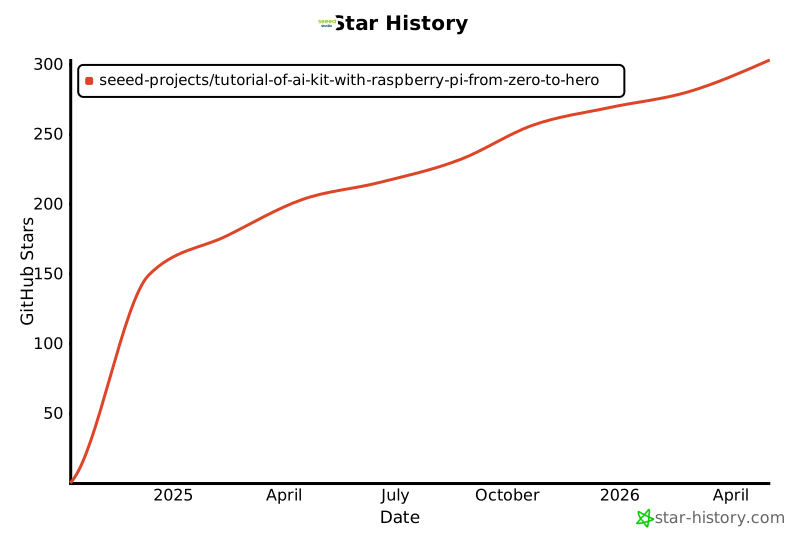
[contributors-shield]: https://img.shields.io/github/contributors/Seeed-Projects/Tutorial-of-AI-Kit-with-Raspberry-Pi-From-Zero-to-Hero.svg?style=for-the-badge
[contributors-url]: https://github.com/Seeed-Projects/Tutorial-of-AI-Kit-with-Raspberry-Pi-From-Zero-to-Hero/graphs/contributors
[forks-shield]: https://img.shields.io/github/forks/Seeed-Projects/Tutorial-of-AI-Kit-with-Raspberry-Pi-From-Zero-to-Hero.svg?style=for-the-badge
[forks-url]: https://github.com/Seeed-Projects/Tutorial-of-AI-Kit-with-Raspberry-Pi-From-Zero-to-Hero/network/members
[stars-shield]: https://img.shields.io/github/stars/Seeed-Projects/Tutorial-of-AI-Kit-with-Raspberry-Pi-From-Zero-to-Hero.svg?style=for-the-badge
[stars-url]: https://github.com/Seeed-Projects/Tutorial-of-AI-Kit-with-Raspberry-Pi-From-Zero-to-Hero/stargazers
[issues-shield]: https://img.shields.io/github/issues/Seeed-Projects/Tutorial-of-AI-Kit-with-Raspberry-Pi-From-Zero-to-Hero.svg?style=for-the-badge
[issues-url]: https://github.com/Seeed-Projects/Tutorial-of-AI-Kit-with-Raspberry-Pi-From-Zero-to-Hero/issues
[license-shield]: https://img.shields.io/github/license/Seeed-Projects/Tutorial-of-AI-Kit-with-Raspberry-Pi-From-Zero-to-Hero.svg?style=for-the-badge
[license-url]: https://github.com/Seeed-Projects/Tutorial-of-AI-Kit-with-Raspberry-Pi-From-Zero-to-Hero/blob/master/LICENSE.txt
[product-screenshot]: images/screenshot.png
[Python.js]: https://img.shields.io/badge/Python-3776AB?style=for-the-badge&logo=python&logoColor=white
[Python-url]: https://www.python.org/
[Raspberry Pi.js]: https://img.shields.io/badge/Raspberry%20Pi-A22846?style=for-the-badge&logo=raspberry-pi&logoColor=white
[Raspberry Pi-url]: https://www.raspberrypi.com/
[HAILO.js]: https://img.shields.io/badge/HAILO-blue?style=for-the-badge&logo=https://hailo.ai/wp-content/uploads/2023/08/Hailo.png&logoColor=white
[HAILO-url]: https://hailo.ai/
[Seeed Studio.js]: https://img.shields.io/badge/SeeedStudio-green?style=for-the-badge&logo=<https://media-cdn.seeedstudio.com/media/logo/stores/4/logo_2018_horizontal.png>&logoColor=white
[Seeed Studio-url]: https://www.seeedstudio.com/
[Node Red.js]: https://img.shields.io/badge/Node-RED-%2300B4A0?style=for-the-badge&logo=node-red&logoColor=white
[Node Red-url]: https://nodered.org/
[TensorFlow.com]: https://img.shields.io/badge/TensorFlow-2.17-orange?logo=tensorflow
[TensorFlow-url]: https://www.tensorflow.org/
[OpenCV.com]: https://img.shields.io/badge/OpenCV-v4.5.3-blue?logo=opencv
[OpenCV-url]: https://opencv.org/
[Pytorch.com]: https://img.shields.io/badge/PyTorch-v1.12.0-red?logo=pytorch
[Pytorch-url]: https://pytorch.org/
================================================
FILE: articles/.gitignore
================================================
*_files
================================================
FILE: articles/Chapter_1-Introduction_to_AI/Introduction_of_Artificial_Intelligence.md
================================================
---
sidebar_position: 1
---
# Introduction of Artificial Intelligence
## Introduction
AI, or Artificial Intelligence, is a field of computer science focused on creating systems capable of performing tasks that typically require human intelligence. This includes problem-solving, reasoning, learning, perception, and language understanding.

## Types of AI Based on Capability
**Narrow AI (Weak AI)**:Designed to perform a specific task, such as facial recognition, spam filtering, or voice assistants like Siri. Narrow AI operates under a limited set of constraints and does not possess general intelligence.
**General AI (Strong AI)**:Hypothetical AI that could perform any intellectual task a human can. It would have reasoning abilities, problem-solving skills, and emotional intelligence, but it’s not yet a reality.
**Superintelligent AI**:AI surpassing human intelligence across all fields, from science to creativity. This remains theoretical.
## What is the difference between machine learning, deep learning, and artificial intelligence?

**Artificial Intelligence (AI)**: The broad field focused on creating systems that can perform tasks requiring human intelligence, like decision-making, problem-solving, and language understanding. AI is the overall goal of making machines "smart."
**Machine Learning (ML)**: A subset of AI where systems learn from data and improve over time without explicit programming. ML uses algorithms that identify patterns in data and make predictions or decisions based on those patterns.
**Deep Neural Networks (DNN)**: A specific type of ML that uses multi-layered neural networks to analyze complex data. DNNs are part of Deep Learning (a subset of ML), enabling tasks like image recognition, language translation, and advanced speech processing by mimicking how the human brain processes information.
[Reference](https://www.atomcamp.com/how-to-learn-ai-skills-a-beginners-guide-in-2024/)
## How AI works?

Artificial intelligence (AI) systems operate by converting various data types like text, images, audio, and video into numbers that represent patterns, relationships, and features. Through mathematical models, AI then analyzes these patterns, enabling it to make decisions, recognize objects, translate languages, and more. Here are some of the core technologies powering AI:
### Neural Networks
Modeled after the human brain, these networks identify complex data patterns, especially in tasks like image and speech recognition.
### Natural Language Processing (NLP)
NLP enables AI to understand and generate human language, powering applications like chatbots, translations, and text analysis.
### Computer Vision (CV)
CV allows AI to "see" and interpret images or videos, used in facial recognition, self-driving cars, and medical imaging.
### Speech Recognition
Converts spoken language to text, making voice assistants and automated transcription possible.
### Generative AI (Gen AI)
Creates new content—text, images, and more—based on patterns in data, used in tools like GPT and image generation.
[Reference](https://swisscognitive.ch/2021/08/28/fields-of-artificial-intelligence/)
## Current Uses of AI

**Healthcare**: AI helps doctors diagnose faster, predict patient outcomes, and discover new treatments.
**Finance**: AI detects fraud, assists with customer service, and optimizes stock trading.
**Retail**: AI personalizes shopping experiences, forecasts demand, and manages inventory.
**Transportation**: AI powers self-driving cars, improves traffic flow, and optimizes routes.
**Manufacturing**: AI predicts maintenance needs, checks quality, and automates processes.
[Reference](https://www.linkedin.com/pulse/guide-real-world-ai-machine-learning-use-cases-imtiaz-adam/)
## Benefits of AI in IIoT
**Predictive Maintenance**: AI predicts equipment issues before they happen, reducing downtime and repair costs.
**Operational Efficiency**: AI finds process improvements to cut costs and save energy.
**Quality Control**: AI catches product defects early, ensuring high-quality output.
**Supply Chain Optimization**: AI predicts demand and optimizes inventory, making delivery faster and cheaper.
**Worker Safety**: AI monitors for hazards to keep workplaces safer.
**Real-Time Monitoring**: AI tracks and adjusts equipment in real-time, minimizing delays.
**Energy Management**: AI reduces energy use by managing equipment smartly.
**Inventory Management**: AI tracks and forecasts stock needs, preventing shortages and excess.
================================================
FILE: articles/Chapter_1-Introduction_to_AI/Introduction_of_Computer_Vision.md
================================================
---
sidebar_position: 4
---
# Mastering Computer Vision with Seeed Studio
## Introduction
Computer vision is a branch of artificial intelligence that enables machines to interpret and understand visual data, such as images and videos, similar to human perception. By leveraging machine learning and neural networks, computer vision systems can identify objects, recognize patterns, and make decisions based on visual input. This technology powers applications like facial recognition, object detection, and automated monitoring across various industries.

## Use Cases
- **Security and Safety**:Imagine you have a security system that automatically detects when someone enters your backyard. A camera, powered by computer vision, recognizes human figures in real-time and sends alerts to your phone. It can even distinguish between a person, an animal, or an object, helping to prevent false alarms. In more advanced systems, facial recognition can identify who the person is, adding an extra layer of security.
- **Operational Efficiency in Industry**:In a factory, computer vision is used to monitor assembly lines for defects. As products move along the line, high-speed cameras capture detailed images, and AI instantly analyzes them to detect issues like cracks, improper assembly, or missing parts. The system alerts the workers or even stops the production line to prevent faulty products from being shipped, improving operational efficiency and reducing waste.
- **Healthcare**:In a hospital, computer vision aids doctors in diagnosing diseases. For example, it analyzes medical images such as X-rays, MRIs, or CT scans, highlighting areas of concern that might indicate tumors or other abnormalities. This assists radiologists by providing a second opinion, leading to faster and more accurate diagnoses, ultimately saving lives.
- **Sports Performance Analysis**:Imagine you're a coach for a soccer team, and you use computer vision to analyze your players’ movements during a game. Cameras track each player's positioning, speed, and interactions with the ball, providing data on performance and areas for improvement. The system highlights key moments and tactics, helping coaches strategize better for future matches and allowing players to refine their skills with precision.
- **Autonomous Vehicles/Self-driving Cars**:Picture yourself in a self-driving car that navigates through a busy city. Computer vision systems continuously scan the road, detecting pedestrians, other vehicles, road signs, and obstacles. When a pedestrian suddenly crosses the street, the system instantly recognizes it and applies the brakes. These vision-powered systems are crucial for ensuring the safety and smooth operation of autonomous vehicles.
- **Agriculture**:In a large farm, computer vision drones fly over fields, capturing images of crops. The AI analyzes the images to assess plant health, detect diseases, and even identify weeds. Farmers receive real-time data on which parts of their crops need more water, nutrients, or pest control. This technology helps optimize crop yields and reduces waste, making farming more sustainable and efficient.
## Computer Vision Tasks

Here are computer vision tasks described in day-to-day applications with technical insights:
### Image Classification
Imagine you’re using a photo app that automatically categorizes your vacation photos into folders like “beach,” “mountains,” or “city.” The app scans each image and assigns it to a category based on the dominant features, making it easier for you to organize and retrieve your photos.
**Technical Insight**: In image classification, a neural network processes the image as input and assigns a label (or class) based on its trained categories, such as "dog" or "car."
### Object Detection
Think of a security camera that can not only see but identify objects. When someone walks into your yard, it detects the person, identifies their location, and sends an alert. It can also differentiate between objects like cars, packages, or animals.
**Technical Insight**: Object detection involves identifying objects within an image and marking their location with bounding boxes, usually combining image classification with localization techniques.
### Object Tracking
Picture watching a soccer match on TV, where the camera tracks the ball’s movement as it flies across the field. The system follows the object continuously, making sure you never lose sight of the action.
**Technical Insight**: Object tracking continuously follows an object over time in video frames, relying on algorithms like Kalman filters or optical flow to predict the object's position as it moves.
### Segmentation
Imagine using a photo editor to isolate yourself from the background in an image to create a perfect portrait. The editor identifies each pixel that belongs to you and separates it from the rest of the scene.
**Technical Insight**: Segmentation involves partitioning an image into meaningful segments (pixels belonging to the same object), such as foreground and background, using techniques like Mask R-CNN.
### Content-Based Image Retrieval
You upload a picture of a dress to an online store, and it instantly shows you similar dresses available for purchase. The system searches the store's image database based on visual content rather than keywords.
**Technical Insight**: Content-based image retrieval (CBIR) matches images by analyzing visual features like color, texture, and shape rather than relying on metadata, using feature extraction algorithms.
### Pose Estimation
Imagine using your phone's camera for a fitness app that tracks your body movements during workouts, providing real-time feedback on your posture and form. Pose estimation identifies key points of your body, like joints, and maps them to ensure you're exercising correctly, improving safety and performance.
**Technical Insight**:Pose estimation involves detecting and tracking human body keypoints (like elbows, knees, etc.) in an image or video. Techniques like OpenPose and deep learning models analyze these points to estimate the position and movement of a person, commonly used in sports, gaming, and health applications.
## How Do Computer Vision and Image Processing Differ, and Where Do They Overlap?
Computer vision and image processing are related but different. Image processing focuses on modifying or enhancing images using techniques like filtering or smoothing, while computer vision aims to understand and interpret the content of images to perform tasks like object recognition. In many cases, image processing is used as a step to help computer vision systems analyze images more effectively.
## Become a Computer Vision Champ: Unlock the Power of AI in Visual Data!
If you want to master computer vision, this course is your gateway to success. Let's explore the roadmap to becoming a champion in this transformative field:
### Introduction to Computer Vision with OpenCV

Start with the basics—learn how to read and write images, perform manipulations like grayscale conversion, blurring, resizing, and more. Master face detection, color and shape detection, and perspective transformations to build your foundation.
### Deep Learning

Dive into the world of AI! Get a solid introduction to TensorFlow and neural networks, and explore CNN architectures like LeNet, AlexNet, and VGG16. Learn how object detection works and explore popular architectures such as YOLO, EfficientDet, and MobileNetSSD.
### Raspberry Pi and Hailo Accelerator Integration

Discover the power of the Raspberry Pi, a low-cost, energy-efficient platform perfect for edge AI applications. Supercharge it with the Hailo accelerator for real-time predictions. You'll integrate them, implement pretrained models, and even build a custom object detection system!
## Next Steps: Think Smart, Apply Smart!
Once you've mastered the core skills, it’s time to explore where computer vision can make a real impact. Here’s how you can apply it to smart, real-world applications:
1. **Smart Parking Systems**
Build systems that automatically detect available parking spots and guide drivers efficiently, reducing congestion and improving parking management.
2. **Intelligent Retail and E-Commerce Systems**
From smart shopping carts that track items to smart shelves that monitor stock, and even smart refrigerators that suggest recipes based on their contents, computer vision is revolutionizing the shopping experience.
3. **Security and Monitoring Systems**
Develop intelligent security systems that detect intruders, or create monitoring systems for elderly or child care, ensuring safety with real-time alerts and personalized features.
**The future is smart—let’s get ready to build it!**
================================================
FILE: articles/Chapter_1-Introduction_to_AI/Introduction_of_Convolutional_Neural_Network.md
================================================
---
sidebar_position: 3
---
# Introduction of Convolutional Neural Network
## Convolution Neural Network
Convolutional Neural Networks (CNNs) are a specialized type of deep learning model designed to process and analyze visual data, such as images and videos. They are particularly effective at recognizing patterns and spatial hierarchies within images, making them ideal for tasks like object detection, image classification, and facial recognition. Unlike traditional neural networks, CNNs use convolutional layers to automatically learn local features, which allows them to excel in capturing visual information. This makes CNNs the state-of-the-art approach for many image-related AI applications.

[References](https://towardsdatascience.com/a-comprehensive-guide-to-convolutional-neural-networks-the-eli5-way-3bd2b1164a53)
### Why CNN is Different from DNN
- **CNN is designed for image data**:
- CNNs are specialized for processing and analyzing images by automatically learning patterns like edges, shapes, and textures.
- DNNs are more general and can be used for various tasks, but they don't excel at spatial pattern recognition like CNNs.
- **Local feature learning vs. Global feature learning**:
- CNN uses convolutional layers that focus on small regions of an image (local features), capturing spatial relationships.
- DNNs use fully connected layers that consider the entire input (global features), making them less effective for image data.
- **CNN uses fewer parameters**:
- CNN’s convolutional layers are sparsely connected (not every neuron connects to every input), reducing the number of parameters and computation.
- DNN’s layers are fully connected, which increases the number of parameters, making them less efficient for image processing tasks.
- **Better for spatial data**:
- CNN is excellent for image-related tasks like object detection and classification because it recognizes spatial hierarchies in data.
- DNNs, although effective, do not naturally handle spatial information in the same way.
### Basic CNN Structure
**Convolution Layer:**
- Extracts features from the image by applying filters (kernels) that detect patterns like edges, textures, etc.
- Output: Feature maps that represent learned patterns.

[References](https://compneuro.neuromatch.io/tutorials/W1D5_DeepLearning/student/W1D5_Tutorial2.html)
**Pooling Layer**
- Reduces the size of feature maps (down-sampling) to make computation more efficient.
- Common technique: Max-pooling, where the maximum value in a region is taken to reduce data size.

**Fully Connected Layer (FC)**:
- A traditional layer where all neurons are connected to every neuron in the previous layer.
- Helps in combining the features extracted by convolution layers to make final predictions.
**Output Layer**:
- The final layer where the model gives its prediction, such as identifying the object in an image.
[References](https://www.youtube.com/watch?v=CXOGvCMLrkA)
## What are the Popular Image Classification architectures?
**LeNet**
- LeNet, developed by Yann LeCun in 1998, is one of the first CNN models, designed for handwritten digit recognition (like the MNIST dataset).
- It has a simple structure with two convolutional layers followed by pooling layers, and fully connected layers for classification.
- LeNet laid the foundation for modern CNNs and is used in early computer vision tasks like digit classification.

**VGG16**
- VGG16, created by the Visual Geometry Group at Oxford, is a deep CNN with 16 layers, primarily used for image classification tasks.
- It uses small 3x3 convolution filters and stacks multiple layers together to capture detailed features, followed by fully connected layers.
- VGG16 is popular for its simplicity and effectiveness in large-scale image classification and object detection tasks.

Here’s a comparative chart of popular CNN architectures
Here’s a comparative chart of popular CNN architectures
| Architecture | Year | Key Features | Use Cases |
|--------------|------|---------------------------------------|--------------------------------------|
| LeNet | 1998 | Simple 5-layer network, uses Tanh | Handwritten digit recognition |
| VGG16 | 2014 | Deep network with 16 layers, uniform 3x3 filters | Image classification, object detection |
| ResNet | 2015 | Residual connections, deep network with skip connections | Image classification, object detection, face recognition |
| MobileNet | 2017 | Lightweight network, depthwise separable convolutions | Mobile and edge applications, real-time object detection |
| EfficientNet | 2019 | Scaled CNN models, compound scaling for accuracy vs. efficiency | Image classification, object detection, mobile applications |
## Object Detection
Object detection is a computer vision technique that identifies and localizes objects within images or video by marking them with bounding boxes. Unlike simple image classification, which only labels an entire image, object detection provides spatial information, detecting multiple objects and their positions simultaneously. It enables applications ranging from autonomous driving to real-time surveillance by combining classification and localization tasks. This makes it a crucial step toward understanding visual scenes in depth.
## Object Detection Architectures
**Two-Stage Detectors**
Two-stage detectors work in two main steps. First, they generate region proposals—likely areas in the image where objects might be located. Then, in the second stage, they refine these proposals and classify them into specific object categories. This approach balances accuracy by focusing on the most relevant parts of an image, which improves detection but can slow down processing.
Ex: R-CNN, Fast RCNN

**Single-Stage Detectors**
Single-stage detectors streamline the process by predicting bounding boxes and class labels in a single pass over the image. Instead of generating region proposals first, they treat object detection as a dense prediction problem—examining the entire image at once, making them faster than two-stage methods. These models are generally more suitable for real-time applications, though sometimes less accurate.
Ex: SSD and Yolo

Here’s a chart comparing popular object detection architectures
| **Architecture** | **Year** | **Key Features** | **Use Cases** |
|------------------------|----------|--------------------------------------------------------------------------------------------------------|-------------------------------------------|
| **R-CNN** | 2014 | Two-stage detector, Selective search to generate region proposals, Slow and high memory usage | Object detection in high-resolution images (e.g., satellite, medical imaging) |
| **SSD (Single Shot Detector)** | 2016 | Single-stage detector, Multi-scale feature maps, Balances speed and accuracy | Real-time detection, self-driving cars, security cameras |
| **YOLO (You Only Look Once)** | 2016 | Single-stage detector, Divides image into grid cells, Fast, optimized for real-time applications | Surveillance, autonomous vehicles, video analysis |
| **SSD_MobileNet** | 2017 | MobileNet backbone for lightweight, mobile-friendly performance, Suitable for edge devices | Mobile and IoT devices, embedded systems, robotics |
| **EfficientDet** | 2020 | EfficientNet backbone, Uses compound scaling, High accuracy with lower computation | Real-time applications on limited hardware, drones, edge AI |
================================================
FILE: articles/Chapter_1-Introduction_to_AI/Introduction_of_Large_Language_Model.md
================================================
---
sidebar_position: 5
---
# Generative AI (GenAI)
Generative AI is an artificial intelligence system capable of creating new, original content across various mediums such as **text, images, audio, and video**. These systems learn patterns from existing data and use that knowledge to generate novel outputs that didn't previously exist. **Large Language Models (LLMs)**, **Small Language Models (SLMs)**, and **multimodal models** can all be considered types of GenAI when used for generative tasks.
GenAI provides the conceptual framework for AI-driven content creation, with LLMs serving as powerful general-purpose text generators. SLMs adapt this technology for edge computing, while multimodal models extend GenAI capabilities across different data types. Together, they represent a spectrum of generative AI technologies, each with its strengths and applications, collectively driving AI-powered content creation and understanding.
## Large Language Models (LLMs)
Large Language Models (LLMs) are advanced artificial intelligence systems that understand, process, and generate human-like text. These models are characterized by their massive scale in terms of the amount of data they are trained on and the number of parameters they contain. Critical aspects of LLMs include:
1. **Size**: LLMs typically contain billions of parameters. For example, GPT-3 has 175 billion parameters, while some newer models exceed a trillion parameters.
2. **Training Data**: They are trained on vast amounts of text data, often including books, websites, and other diverse sources, amounting to hundreds of gigabytes or even terabytes of text.
3. **Architecture**: Most LLMs use [transformer-based architectures](https://en.wikipedia.org/wiki/Transformer_(deep_learning_architecture)), which allow them to process and generate text by paying attention to different parts of the input simultaneously.
4. **Capabilities**: LLMs can perform a wide range of language tasks without specific fine-tuning, including:
- Text generation
- Translation
- Summarization
- Question answering
- Code generation
- Logical reasoning
5. **Few-shot Learning**: They can often understand and perform new tasks with minimal examples or instructions.
6. **Resource-Intensive**: Due to their size, LLMs typically require significant computational resources to run, often needing powerful GPUs or TPUs.
7. **Continual Development**: The field of LLMs is rapidly evolving, with new models and techniques constantly emerging.
8. **Ethical Considerations**: The use of LLMs raises important questions about bias, misinformation, and the environmental impact of training such large models.
9. **Applications**: LLMs are used in various fields, including content creation, customer service, research assistance, and software development.
10. **Limitations**: Despite their power, LLMs can produce incorrect or biased information and lack true understanding or reasoning capabilities.
We must note that we use large models beyond text, calling them *multi-modal models*. These models integrate and process information from multiple types of input simultaneously. They are designed to understand and generate content across various forms of data, such as text, images, audio, and video.
Certainly. Let's define open and closed models in the context of AI and language models:
## Closed vs Open Models:
**Closed models**, also called proprietary models, are AI models whose internal workings, code, and training data are not publicly disclosed. Examples: GPT-4 (by OpenAI), Claude (by Anthropic), Gemini (by Google).
**Open models**, also known as open-source models, are AI models whose underlying code, architecture, and often training data are publicly available and accessible. Examples: Gemma (by Google), LLaMA (by Meta) and Phi (by Microsoft)/
Open models are particularly relevant for running models on edge devices like Raspberry Pi as they can be more easily adapted, optimized, and deployed in resource-constrained environments. Still, it is crucial to verify their Licenses. Open models come with various open-source licenses that may affect their use in commercial applications, while closed models have clear, albeit restrictive, terms of service.

## Small Language Models (SLMs)
In the context of edge computing on devices like Raspberry Pi, full-scale LLMs are typically too large and resource-intensive to run directly. This limitation has driven the development of smaller, more efficient models, such as the Small Language Models (SLMs).
SLMs are compact versions of LLMs designed to run efficiently on resource-constrained devices such as smartphones, IoT devices, and single-board computers like the Raspberry Pi. These models are significantly smaller in size and computational requirements than their larger counterparts while still retaining impressive language understanding and generation capabilities.
Key characteristics of SLMs include:
1. **Reduced parameter count**: Typically ranging from a few hundred million to a few billion parameters, compared to two-digit billions in larger models.
2. **Lower memory footprint**: Requiring, at most, a few gigabytes of memory rather than tens or hundreds of gigabytes.
3. **Faster inference time**: Can generate responses in milliseconds to seconds on edge devices.
4. **Energy efficiency**: Consuming less power, making them suitable for battery-powered devices.
5. **Privacy-preserving**: Enabling on-device processing without sending data to cloud servers.
6. **Offline functionality**: Operating without an internet connection.
SLMs achieve their compact size through various techniques such as knowledge distillation, model pruning, and quantization. While they may not match the broad capabilities of larger models, SLMs excel in specific tasks and domains, making them ideal for targeted applications on edge devices.
> We will generally consider SLMs, language models with less than 5 billion parameters quantized to 4 bits.
Examples of SLMs include compressed versions of models like Meta Llama, Microsoft PHI, and Google Gemma. These models enable a wide range of natural language processing tasks directly on edge devices, from text classification and sentiment analysis to question answering and limited text generation.
For more information on SLMs, the paper, [LLM Pruning and Distillation in Practice: The Minitron Approach](https://arxiv.org/pdf/2408.11796), provides an approach applying pruning and distillation to obtain SLMs from LLMs. And, [SMALL LANGUAGE MODELS: SURVEY, MEASUREMENTS, AND INSIGHTS](https://arxiv.org/pdf/2409.15790), presents a comprehensive survey and analysis of Small Language Models (SLMs), which are language models with 100 million to 5 billion parameters designed for resource-constrained devices.
## Conclusion
This chapter introduces some basic concepts of large language models. And The potential of running LLMs on the edge extends far beyond simple data processing, as in this lab's examples. Here are some innovative suggestions for using this project:
**1. Smart Home Automation:**
- Integrate SLMs to interpret voice commands or analyze sensor data for intelligent home automation. This could include real-time monitoring and control of home devices, security systems, and energy management, all processed locally without relying on cloud services.
**2. Field Data Collection and Analysis:**
- Deploy SLMs on Raspberry Pi in remote or mobile setups for real-time data collection and analysis. This can be used in agriculture to monitor crop health, in environmental studies for wildlife tracking, or in disaster response for situational awareness and resource management.
**3. Educational Tools:**
- Create interactive educational tools that leverage SLMs to provide instant feedback, language translation, and tutoring. This can be particularly useful in developing regions with limited access to advanced technology and internet connectivity.
**4. Healthcare Applications:**
- Use SLMs for medical diagnostics and patient monitoring. They can provide real-time analysis of symptoms and suggest potential treatments. This can be integrated into telemedicine platforms or portable health devices.
**5. Local Business Intelligence:**
- Implement SLMs in retail or small business environments to analyze customer behavior, manage inventory, and optimize operations. The ability to process data locally ensures privacy and reduces dependency on external services.
**6. Industrial IoT:**
- Integrate SLMs into industrial IoT systems for predictive maintenance, quality control, and process optimization. The Raspberry Pi can serve as a localized data processing unit, reducing latency and improving the reliability of automated systems.
**7. Autonomous Vehicles:**
- Use SLMs to process sensory data from autonomous vehicles, enabling real-time decision-making and navigation. This can be applied to drones, robots, and self-driving cars for enhanced autonomy and safety.
**8. Cultural Heritage and Tourism:**
- Implement SLMs to provide interactive and informative cultural heritage sites and museum guides. Visitors can use these systems to get real-time information and insights, enhancing their experience without internet connectivity.
**9. Artistic and Creative Projects:**
- Use SLMs to analyze and generate creative content, such as music, art, and literature. This can foster innovative projects in the creative industries and allow for unique interactive experiences in exhibitions and performances.
**10. Customized Assistive Technologies:**
- Develop assistive technologies for individuals with disabilities, providing personalized and adaptive support through real-time text-to-speech, language translation, and other accessible tools.
================================================
FILE: articles/Chapter_1-Introduction_to_AI/Introduction_to_Deep_Neural_Network.md
================================================
---
sidebar_position: 2
---
# Introduction to DNN
## What is Deep Learning?
Deep learning is a type of artificial intelligence where computers learn to understand data in a way similar to how the human brain works. It uses layers of "neurons" to recognize patterns in things like images, text, and sounds. By analyzing large amounts of data, deep learning helps computers make decisions and predictions without needing specific instructions for every task. It's the technology behind many modern tools, such as facial recognition, voice assistants, and self-driving cars.
## Why Deep Learning
- Efficiently processes unstructured data (e.g., images, text, audio).
- Discovers hidden relationships and patterns in large datasets.
- Excels at handling complex tasks like image recognition, natural language processing, and more.
## What are the components of a deep learning network?
A deep neural network (DNN) is built from layers of artificial "neurons," inspired by how the human brain works. Here's a simple breakdown of the key components and concepts:

- **Input layer**: This is where your data enters the network. Each input is converted into numbers, which are then passed to the next layer.
- **Hidden layers**: These are the layers between the input and output. The more hidden layers you have, the deeper your network. Each neuron in a hidden layer takes inputs, processes them, and passes the result to the next layer. Hidden layers help the network learn complex patterns.
- **Output layer**: This final layer provides the result, which could be a classification (e.g., yes or no) or a range of values depending on the task.
- **Weights and biases**: Every connection between neurons has a weight, which determines the importance of the input. Bias is an extra value that helps the neuron make better decisions.
- **Activation function**: Each neuron uses an activation function to decide if it should "fire" or not. This function simulates the way real neurons work, making the network learn and adjust.
If you're ready to dive deep, [this guide](https://www.3blue1brown.com/lessons/neural-networks) is perfect for exploring every detail.
In essence, a DNN learns by adjusting its weights and biases through training on data, gradually improving its predictions. The goal is to get better at recognizing patterns and making accurate decisions.
## What is a Neuron?
A neuron (or perceptron) in a neural network works by receiving inputs, each multiplied by a weight that shows its importance. It then adds these weighted inputs together, and if the sum passes a certain threshold, the neuron "fires" by sending an output signal. This output is passed through an activation function, which helps decide whether the neuron should activate (e.g., output a 1) or stay inactive (e.g., output a 0). The result is then sent to the next neuron in the network to continue the process.

## How Neural Network training?
- **Feed data into the network**: Input your training data into the network through the input layer.
- **Forward propagation**: The data moves through the hidden layers, and the network makes a prediction based on its current weights and biases.
- **Calculate loss**: Compare the network's prediction to the actual target (desired output) and calculate the error, known as loss.
- **Backpropagation**: Adjust the weights and biases by passing the error backward through the network to minimize the loss.
- **Repeat and optimize**: Continue feeding data and adjusting weights through multiple iterations (epochs) until the network learns to make accurate predictions.

================================================
FILE: articles/Chapter_1-Introduction_to_AI/index.md
================================================
---
title: Chapter 1 - Introduction to AI
---
================================================
FILE: articles/Chapter_2-Configuring_the_RaspberryPi_Environment/Introduction_to_Hailo_in_Raspberry_Pi_Environment.md
================================================
---
sidebar_position: 5
---
# Introduction to Hailo in Raspberry Pi Environment
## What is Hailo?
[Hailo](https://hailo.ai/) offers cutting-edge AI processors uniquely tailored for high-performance deep learning applications on edge devices. The company's solutions focus on enabling the next era of generative AI on the edge, alongside perception and video enhancement, powered by advanced AI accelerators and vision processors.
### Key Features:
- **Hailo-8 NPU Dataflow Architecture**
- Differs from the traditional Von Neumann architecture.
- Implements a distributed memory fabric combined with pipeline elements for low-power memory access.
### Architecture -Hailo AI Software Suite Overview
The **Hailo AI Software Suite** provides powerful tools to run AI models efficiently on hardware accelerators. It is designed to integrate seamlessly with existing deep learning frameworks, offering smooth workflows for developers.

The process involves generating a HEF (Hailo Executable Binary File) from an ONNX file in the Model Build Environment. Once created, the HEF file is transferred to the inference machine (Runtime Environment), where it is used to execute inference with the HailoRT API. The provided script facilitates the conversion of an ONNX file into a HEF file within the Model Build Environment.We will discuss futher more on 5th chapter.
### Hailo Dataflow Compiler (DFC)
The Hailo Dataflow Compiler (DFC) enables users to integrate AI models into their projects with ease. It is compatible with popular frameworks like TensorFlow Lite (TFLite) and ONNX, allowing conversion and compilation of models into the Hailo HEF format, optimized for running on Hailo AI accelerators. The DFC enhances the performance of devices like the Raspberry Pi AI Kit, making them adaptable to specific use cases. To access the DFC, users need to create an account on the Hailo website and download the latest version.

### Runtime Software Suite
The **Hailo Runtime (HailoRT)** is a production-grade, lightweight, and scalable runtime software. It provides a robust library with intuitive APIs for optimized performance and supports building fast pipelines for AI applications. HailoRT operates on the Hailo AI Vision Processor or the host processor when using the Hailo AI Accelerator. This ensures high-throughput inferencing with one or more Hailo devices. Standard framework support includes **GStreamer** and **ONNX Runtime**, simplifying integration with existing AI workflows.
### Hailo Model Zoo
The **Hailo Model Zoo** offers a collection of pre-trained deep learning models for various computer vision tasks, enabling rapid prototyping on Hailo devices. These models come with binary HEF files fully supported by the Hailo toolchain. Developers can explore the **Hailo Model Zoo GitHub repository**, which includes common models and architectures, along with resources to replicate Hailo's published performance.
References: Check their [**GitHub repository**](https://github.com/hailo-ai/hailo_model_zoo) for the most updated details.
## Hardware Preparation
### Raspberry Pi AI Kit

[**Purchase Now**](https://www.seeedstudio.com/Raspberry-Pi-AI-Kit-p-5900.html?utm_source=PiAICourse&utm_medium=github&utm_campaign=Course)
The Raspberry Pi AI Kit is designed to elevate edge IoT devices with Hailo AI capabilities. It includes:
- **13 TOPS Performance** High AI processing power.
- **Effective Heat Dissipation** Ensures stable operation.
- **Modular Design** Compatible with Raspberry Pi 5, CM4-powered IoT gateways, and controllers with M.2 slots.
Additional Resources: Read the following article to learn how to connect your Raspberry Pi 5:
[Raspberry Pi AI Kit Documentation](https://www.raspberrypi.com/documentation/accessories/ai-kit.html)
### AI HAT+ (26 TOPS)

[**Purchase Now**](https://www.seeedstudio.com/Raspberry-Pi-Al-HAT-26-TOPS-p-6243.html)
- **Built-in Hailo AI Accelerator** Offers 26 TOPS of AI performance.
- **PCIe Gen 3 Communication** Harnesses Raspberry Pi 5's PCIe Gen 3 interface for optimal throughput.
- **Post-efficient & Power-efficient** High performance without breaking the bank.
### reComputer AI R2130-12

[**Purchase Now**](https://www.seeedstudio.com/reComputer-AI-R2130-12-p-6368.html)
- **Compact Design**: Optimized thermal architecture suitable for deployment in resource-constrained environments.
- **Performance** 26 Tera-Operations Per Second (TOPS), powered by the Hailo AI Accelerator.
- **Connectivity**
- 2x HDMI 4Kp60.
- 1x Ethernet Port.
- 2x USB 3.0.
- 2x USB 2.0.
- **Expandability**: PCIe 2.0 dual M.2 slot supports both AI accelerators and SSD storage.
## Installing Hailo Software on Raspberry Pi 5
### Step 1: Update the System
```bash
sudo apt update
sudo apt full-upgrade
```
### Step 2: Configure PCIe Settings
```bash
# Enable the PCIe external connector
dtparam=pciex1
# Force Gen 3.0 speeds (optional, comment to use Gen 2)
dtparam=pciex1_gen=3
```
### Step 3: Install Hailo Software
```bash
sudo apt install hailo-all
sudo reboot
```
### Step 4: Verify Installation
- Check software and firmware installation:
```bash
hailortcli fw-control identify
```

- Verify the Hailo-8L connection
```bash
lspci | grep Hailo
```

## Installing Hailo Software on reComputer R1000
### Step 1: Update System and Configure PCIe to Gen 3
#### Update System
- Open a terminal on the reComputer R1000.
- Run the following commands to update your system.
```bash
sudo apt update
sudo apt full-up
```
#### Configure PCIe to Gen 3
- Open the Raspberry Pi configuration tool:
```bash
sudo raspi-config
```
- Navigate to **6 Advanced Options**

- Next A8 PCIe Speed

- Choose **Yes** to enable PCIe Gen 3 mode.
- Click **Finish** to exit the configuration.
### Step 2: Install Hailo Software
- Install the Hailo software by running
```bash
sudo apt install hailo-all
sudo reboot
```
- Verify the installation:
```bash
hailortcli fw-control identify
```
- Check if the Hailo-8L is connected
```bash
lspci | grep Hailo
```
In this chapter, we have discussed how to set up the Raspberry Pi for your AI project. In the next chapter, we will discuss how to run a pretrained model as well as how to use your custom data model.
================================================
FILE: articles/Chapter_2-Configuring_the_RaspberryPi_Environment/Introduction_to_OpenCV.md
================================================
---
sidebar_position: 3
---
# Introduction to OpenCV in Raspberry Pi Environment
## Introduction
OpenCV (Open Source Computer Vision Library) is a powerful open-source library used for real-time computer vision and image processing tasks. It provides tools for tasks like object detection, face recognition, image manipulation, and video analysis, and is widely used in applications such as surveillance, robotics, and augmented reality.
In this course, we will install OpenCV on a Raspberry Pi environment and explore the basics of image manipulations, **such as reading and writing images/video feed, applying filters, and detecting shapes. OpenCV is widely used for real-time computer vision tasks, enabling projects like object detection, face recognition, and video analysis.**
## Installation
Here’s the step-by-step process for installing OpenCV on a Raspberry Pi 5 environment running the latest 64-bit OS (Bookworm distribution)
**Step 01: Create a Directory for the Course**
First, let's create a directory called my_opencv_course and navigate into it:
```bash
mkdir my_opencv_course
cd my_opencv_course
```
**Step 02: Create a Virtual Environment**
In this directory, create a virtual environment using the following command:
```bash
python -m venv --system-site-packages env
```
**Step 03: Activate the Virtual Environment**
Now, activate the virtual environment:
```bash
source env/bin/activate
```
**Step 04 :Install OpenCV**
```bash
pip3 install opencv-contrib-python
```
**Step 05: Verify the Installation**
To confirm that OpenCV has been installed correctly, run the following in Python:
```bash
python
```
Then, within the Python interpreter:
```bash
import cv2
print(cv2.__version__)
```
If the version prints successfully (e.g., 4.10.x), then OpenCV has been installed properly.

## Read an Image
**Step 01: Create a new Folder on Desktop. This case I used file name as OpenCV_Files**

**Step 02: Place the image file lenna.png inside this folder.**

**Step 03: Open the Python interpreter.**

**Step 04: Write the following code to read and display the image. Save it as Lesson1.py on OpenCV_Files folder**
```bash
import cv2
import os
# Define the path to the image
image_path = os.path.expanduser('/home/pi/Desktop/OpenCV_Files/lenna.png')
# Read the image
image = cv2.imread(image_path)
# Check if the image was loaded correctly
if image is None:
print("Error: Image not found!")
else:
# Display the image in a window
cv2.imshow('Lenna Image', image)
# Wait for a key press and then close the window
cv2.waitKey(0)
cv2.destroyAllWindows()
```
**Step 05: Go to Terminal and activate the virtual environment that we created.**
```bash
cd my_opencv_course
source env/bin/activate
```
Step 06: Navigate the folder that you saved python file.
```bash
cd /home/pi/Desktop/OpenCV_Files
```
Step 07: Run the python script
```bash
python Lesson1.py
```

Press any key to exit the image view. Congratulations! Now you know how to read an image.
## Capturing Video Feed from a USB Camera using OpenCV
**Step 1: Plug in the USB Camera**
**Step 2: Verify the Camera is Detected**
Open the terminal and run the following command
```bash
ls /dev/video*
```

**Step 3: Write the Python Script to Capture Video Feed.**
Open Thonny or a text editor and create a new Python script.
```bash
import cv2
# Capture video feed from the first connected camera (USB)
cap = cv2.VideoCapture(0)
# Check if the camera opened successfully
if not cap.isOpened():
print("Error: Could not open camera.")
else:
while True:
# Read a frame from the camera
ret, frame = cap.read()
# If the frame is read successfully, display it
if ret:
cv2.imshow('USB Camera Feed', frame)
# Press 'q' to exit the video feed window
if cv2.waitKey(1) & 0xFF == ord('q'):
break
# Release the camera and close the window
cap.release()
cv2.destroyAllWindows()
```
**Step 04: Save it as Lesson2.py on OpenCV_Files folder**

**Step 05: Go to Terminal and activate the virtual environment that we created.**
```bash
cd my_opencv_course
source env/bin/activate
```
**Step 06: Navigate the folder that you saved python file.**
```bash
cd /home/pi/Desktop/OpenCV_Files
```
**Step 07: Run the python script**
```bash
python Lesson2.py
```

## Basic Image Manipulations
**What is Image Manipulation?**
Image manipulation refers to the process of altering or analyzing images to achieve certain objectives such as enhancing visual quality, detecting objects, or extracting meaningful information. By transforming images through various techniques, we can simplify their representation and prepare them for tasks like object recognition, edge detection, or machine learning applications. Image manipulation is crucial in fields like medical imaging, computer vision, and digital media.
**Why is Image Manipulation Important?**
Image manipulations are fundamental because they allow computers to understand and process visual information more effectively. Operations like filtering, detecting edges, or adjusting pixel intensity help simplify the complexity of images, making it easier to detect objects, shapes, or features. These techniques are the building blocks for advanced applications such as face recognition, autonomous vehicles, and smart surveillance systems.
**Common Image Manipulation Methods:**
- 1.**Grayscale Conversion**: Converts an image from color (RGB) to grayscale, simplifying the data by removing color information and focusing only on intensity levels. This is useful for reducing computational complexity and is often a preprocessing step for further analysis like edge detection.
- 2.**Blurring and Edge Detection (Canny)**: Blurring smooths an image, reducing noise and detail, while edge detection (like the Canny method) identifies sharp changes in intensity, marking the boundaries of objects in an image.
- 3.**Dilation and Erosion**: Morphological operations that modify the shape of objects in binary or grayscale images. Dilation expands object boundaries, making features more prominent, while erosion shrinks boundaries, removing noise or small features.
**Step 01: Write the following code to read and display the image. Save it as Lesson3.py on OpenCV_Files folder**
```bash
import cv2
import numpy as np
# Load the image
image_path = '/home/pi/Desktop/OpenCV_Files/lenna.png'
image = cv2.imread(image_path)
# Function to resize the images to the same width and height
def resize_image(image, width=300, height=300):
return cv2.resize(image, (width, height))
# Grayscale Conversion
gray_image = cv2.cvtColor(image, cv2.COLOR_BGR2GRAY)
# Blurring the image (Gaussian Blur)
blurred_image = cv2.GaussianBlur(gray_image, (5, 5), 0)
# Edge Detection (Canny)
edges = cv2.Canny(blurred_image, 100, 200)
# Dilation and Erosion
dilated_image = cv2.dilate(edges, np.ones((3, 3), np.uint8), iterations=1)
eroded_image = cv2.erode(dilated_image, np.ones((3, 3), np.uint8), iterations=1)
# Resize the images
resized_original = resize_image(image)
resized_gray = resize_image(gray_image)
resized_blur = resize_image(blurred_image)
resized_edges = resize_image(edges)
resized_dilate = resize_image(dilated_image)
resized_erode = resize_image(eroded_image)
# Stack images into a grid (2 rows and 3 columns)
# Convert grayscale images to BGR so they can be tiled with color images
resized_gray_bgr = cv2.cvtColor(resized_gray, cv2.COLOR_GRAY2BGR)
resized_blur_bgr = cv2.cvtColor(resized_blur, cv2.COLOR_GRAY2BGR)
resized_edges_bgr = cv2.cvtColor(resized_edges, cv2.COLOR_GRAY2BGR)
resized_dilate_bgr = cv2.cvtColor(resized_dilate, cv2.COLOR_GRAY2BGR)
resized_erode_bgr = cv2.cvtColor(resized_erode, cv2.COLOR_GRAY2BGR)
# Create a grid of images (tiles)
top_row = np.hstack((resized_original, resized_gray_bgr, resized_blur_bgr))
bottom_row = np.hstack((resized_edges_bgr, resized_dilate_bgr, resized_erode_bgr))
# Combine the two rows into one final image
final_image = np.vstack((top_row, bottom_row))
# Display the final tiled image
cv2.imshow("Image Manipulations in Tiles", final_image)
# Wait for any key press to close
cv2.waitKey(0)
cv2.destroyAllWindows()
```
**Step 02: Go to Terminal and activate the virtual environment that we created.**
```bash
cd my_opencv_course
source env/bin/activate
```
**Step 03: Navigate the folder that you saved python file.**
```bash
cd /home/pi/Desktop/OpenCV_Files
```
**Step 04: Run the python script**
```bash
python Lesson3.py
```

Press q to exit.
**Exercise: Experiment with Image Manipulation Parameters**
Change the parameters of each function to explore how they affect the image manipulation. For example, try changing the kernel size in cv2.GaussianBlur() from (5, 5) to (3, 3) and observe the differences in the blurred image.
**Suggestions**
- Grayscale Conversion: You can experiment with different color spaces by using cv2.COLOR_BGR2HSV or cv2.COLOR_BGR2LAB instead of cv2.COLOR_BGR2GRAY.
- Blurring: Modify the kernel size (e.g., from (5, 5) to (3, 3)) in cv2.GaussianBlur() to see how the image becomes more or less blurred.
- Edge Detection (Canny): Adjust the thresholds (e.g., from 100, 200 to 50, 150) to make the edge detection more or less sensitive.
- Dilation and Erosion: Try different kernel sizes in cv2.dilate() and cv2.erode() (e.g., use a larger kernel like 5x5) to see how the object boundaries change.
## Drawing on A image
In object detection, you often see bounding boxes highlighting detected objects, along with the class name and probability score. OpenCV allows you to easily add shapes like rectangles and overlay text onto video frames or images. This is useful for visualizing real-time detection results, such as displaying the FPS or labeling objects. Here's how you can draw a rectangle and add text, like FPS, on a live video feed using OpenCV.
**Step 01: Write the following code to read and display the image. Save it as Lesson3.py on OpenCV_Files folder**
```bash
import cv2
import time
# Capture video feed from the first camera (USB or internal)
cap = cv2.VideoCapture(0)
# Get the starting time for FPS calculation
prev_frame_time = 0
# Infinite loop for continuous video feed
while True:
# Capture the video frame-by-frame
ret, frame = cap.read()
# Check if the frame was successfully captured
if not ret:
print("Error: Unable to capture video.")
break
# Get the current time for FPS calculation
new_frame_time = time.time()
# Calculate the FPS (frames per second)
fps = 1 / (new_frame_time - prev_frame_time)
prev_frame_time = new_frame_time
# Convert FPS to an integer
fps = int(fps)
# Convert FPS to a string
fps_text = f"FPS: {fps}"
# Draw a rectangle on the frame
# Arguments: frame, start_point, end_point, color (BGR), thickness
cv2.rectangle(frame, (50, 50), (300, 300), (0, 255, 0), 2)
# Add text inside the rectangle
cv2.putText(frame, "Object Class: Example", (60, 100), cv2.FONT_HERSHEY_SIMPLEX, 0.7, (0, 255, 0), 2)
# Add FPS text at the top of the frame
cv2.putText(frame, fps_text, (10, 40), cv2.FONT_HERSHEY_SIMPLEX, 1, (255, 0, 0), 2)
# Display the resulting frame
cv2.imshow('Video Stream with Bounding Box and FPS', frame)
# Press 'q' to quit the video feed
if cv2.waitKey(1) & 0xFF == ord('q'):
break
# Release the video capture object and close all windows
cap.release()
cv2.destroyAllWindows()
```
**Step 02: Go to Terminal and activate the virtual environment that we created.**
```bash
cd my_opencv_course
source env/bin/activate
```
**Step 03: Navigate the folder that you saved python file.**
```bash
cd /home/pi/Desktop/OpenCV_Files
```
**Step 04: Run the python script**
```bash
python Lesson4.py
```

================================================
FILE: articles/Chapter_2-Configuring_the_RaspberryPi_Environment/Introduction_to_Pytorch_in_Raspberry_Pi_Environment.md
================================================
---
sidebar_position: 1
---
# Introduction to Pytorch in Raspberry Pi Environment
## What is PyTorch?

PyTorch is an open-source machine learning framework developed by Facebook's AI Research lab (FAIR). It is known for its flexibility, dynamic computation graphs, and strong community support. PyTorch simplifies the development of deep learning models, making it a popular choice for researchers and practitioners alike.
### Brief History
- **2016**: PyTorch was released by Facebook as an open-source library, combining features of Torch (a Lua-based framework) and Python for easy usability.
- **2019**: Gained significant momentum when Facebook partnered with Microsoft to create ONNX (Open Neural Network Exchange) for model interoperability.
- **2022**: PyTorch became part of the PyTorch Foundation, ensuring community-driven development.
### Why Use PyTorch?
- **Dynamic Graphs**: PyTorch uses dynamic computation graphs, allowing flexibility in building and debugging models.
- **Pythonic**: Integrates seamlessly with Python, making it intuitive for Python developers.
- **Community Support**: A vibrant ecosystem with numerous tutorials, forums, and open-source projects.
- **Accelerated Research**: Its ease of use accelerates model experimentation and implementation.
### What Are Dynamic Computation Graphs?
- A computation graph represents the operations performed on data (e.g., tensors) in a deep learning model.
- Dynamic Graphs (PyTorch):The computation graph is built on the fly as operations are executed.
- Each forward pass can construct a different graph, allowing for greater flexibility and adaptability.
- You don’t need to define the entire graph beforehand; it evolves during runtime.
### Who Uses PyTorch?
- **Research Organizations**: MIT, Stanford, OpenAI, and FAIR.
- **Companies**: Facebook (Meta), Tesla (autonomous driving), Disney (AI for animation), and Microsoft.
- **Domains**: Used in computer vision, natural language processing, reinforcement learning, and more.
## PyTorch vs TensorFlow: Feature Comparison

## PyTorch vs TensorFlow: Feature Comparison
| **Feature** | **PyTorch** | **TensorFlow** |
|--------------------------|---------------------------------------------|---------------------------------------------|
| **Computation Graph** | Dynamic (easier for debugging) | Static (optimized for deployment) |
| **Ease of Use** | Intuitive and Pythonic | Requires a steeper learning curve |
| **Community** | Popular in academia and research | Widely used in production and enterprises |
| **Frameworks Built On** | Lightning, Detectron2, Hugging Face | Keras, TFX, TensorFlow Lite |
| **Deployment** | TorchServe, ONNX | TensorFlow Serving, TensorFlow.js |
| **Performance** | Efficient but depends on optimization | Better optimization for large-scale tasks |
## What is QNNPACK?
QNNPACK (Quantized Neural Network PACKage) is a high-performance kernel library developed by Facebook for running quantized neural networks efficiently on ARM CPUs. It is optimized for low-power devices, such as mobile phones and Raspberry Pi, and is a critical component for executing PyTorch's quantized models. It supports operations like convolutions, fully connected layers, and more, tailored for low-precision inference.
## Setting Up the Environment for PyTorch Classification
**Create a Virtual Environment**
```bash
mkdir my_pytorch_course
cd my_pytorch_course
python -m venv --system-site-packages env
source env/bin/activate
```
**Install Required Libraries**
```bash
pip install torch torchvision torchaudio opencv-python numpy
```
**Prepare Your Directory**
- Create a folder on your Desktop named pytorch.
- Inside the pytorch folder, create the following files:
- pytorch_test.py (for your Python code).
- [imagenet-classes.txt](https://raw.githubusercontent.com/Seeed-Projects/Tutorial-of-AI-Kit-with-Raspberry-Pi-From-Zero-to-Hero/refs/heads/main/models/Chapter2/imagenet-classes.txt) (contains ImageNet class labels).

## Python Code (pytorch_test.py)
Copy the provided Python code into the file pytorch_test.py:
```bash
import time
import torch
import numpy as np
from torchvision import models, transforms
import cv2
from PIL import Image
torch.set_num_threads(torch.get_num_threads())
# Ensure qnnpack backend is used for quantized models
torch.backends.quantized.engine = 'qnnpack'
# Load the ImageNet class labels
with open("imagenet-classes.txt", "r") as f:
classes = [line.strip() for line in f.readlines()]
# Initialize webcam
cap = cv2.VideoCapture(0, cv2.CAP_V4L2)
cap.set(cv2.CAP_PROP_FRAME_WIDTH, 224)
cap.set(cv2.CAP_PROP_FRAME_HEIGHT, 224)
cap.set(cv2.CAP_PROP_FPS, 36)
# Preprocessing pipeline
preprocess = transforms.Compose([
transforms.ToTensor(),
transforms.Normalize(mean=[0.485, 0.456, 0.406], std=[0.229, 0.224, 0.225]),
])
# Load MobileNetV2 quantized model
net = models.quantization.mobilenet_v2(pretrained=True, quantize=True)
net = torch.jit.script(net) # Optimize model for inference
# Performance logging
started = time.time()
last_logged = time.time()
frame_count = 0
# Real-time inference
with torch.no_grad():
while True:
# Read frame from webcam
ret, frame = cap.read()
if not ret:
print("Failed to capture frame. Exiting...")
break
# Convert BGR to RGB
image = cv2.cvtColor(frame, cv2.COLOR_BGR2RGB)
# Preprocess image
input_tensor = preprocess(image)
input_batch = input_tensor.unsqueeze(0)
# Perform inference
output = net(input_batch)
probabilities = output[0].softmax(dim=0)
# Get top-10 predictions
top = list(enumerate(probabilities))
top.sort(key=lambda x: x[1], reverse=True)
top_predictions = [(classes[idx], val.item()) for idx, val in top[:3]]
# Display predictions on the frame
for i, (label, prob) in enumerate(top_predictions):
text = f"{prob * 100:.2f}% {label}"
cv2.putText(frame, text, (10, 25 + i * 20), cv2.FONT_HERSHEY_SIMPLEX, 1, (0, 255, 0), 2, cv2.LINE_AA)
# Show the frame
cv2.imshow("Real-time Object Recognition", frame)
# Log fps
frame_count += 1
now = time.time()
if now - last_logged > 1:
print(f"{frame_count / (now - last_logged):.2f} fps")
last_logged = now
frame_count = 0
# Exit on pressing 'q'
if cv2.waitKey(1) & 0xFF == ord('q'):
break
# Release resources
cap.release()
cv2.destroyAllWindows()
```
## How to Run the Code
**Navigate to the pytorch directory**
```bash
cd /home/pi/Desktop/pytorch
```
**Run the Python script**
```bash
python pytorch_test.py
```
**Check Output**
A window will open showing the real-time webcam feed.The top-3 predictions (with confidence percentages) will be displayed on the video feed.

Futher references :
[Pytorch Documentation](https://pytorch.org/docs/stable/index.html)
[Pytorch Course](https://www.learnpytorch.io/)
================================================
FILE: articles/Chapter_2-Configuring_the_RaspberryPi_Environment/Introduction_to_TensorFlow_in_Raspberry_Pi_Environment.md
================================================
---
sidebar_position: 2
---
# Introduction to TensorFlow in Raspberry Pi Environment

As you are familiar with the basics of DNNs, CNNs, and object detection, let’s move on to the TensorFlow machine learning library!
So, what is [TensorFlow](https://www.tensorflow.org/), and why is it so popular among people in the ML domain?
TensorFlow is an open-source platform created by Google for machine learning (ML) and artificial intelligence (AI) applications. It’s designed to help developers and researchers build and train powerful ML models quickly and efficiently. By offering a set of flexible tools, libraries, and community resources, TensorFlow has become a go-to platform for everything from simple ML models to complex deep learning architectures.
## What is Tensor?

A **tensor** is a mathematical object that stores data in multiple dimensions. Think of it like a container for numbers, similar to a list or table.
For example, a single number (like 5) is a 0-dimensional tensor, a list of numbers (like [1, 2, 3]) is a 1-dimensional tensor, and a grid of numbers is a 2-dimensional tensor (like a table). Tensors can even go beyond these dimensions, forming cubes or more complex shapes.
They’re essential in machine learning because they can hold vast amounts of data, like images or text, in ways that make it easy for computers to process and analyze. This flexibility makes tensors a key part of tools like TensorFlow, where they're used to train AI models.
[Reference](https://dev.to/mmithrakumar/scalars-vectors-matrices-and-tensors-with-tensorflow-2-0-1f66)
## How TensorFlow Works

At its core, TensorFlow works with tensors (multi-dimensional arrays) and uses these to perform operations on data. It organizes computations into graphs where nodes represent operations (like adding or multiplying) and edges represent data flowing between them. This makes TensorFlow incredibly efficient at handling large amounts of data, which is key in ML tasks.
[Reference](https://www.analyticsvidhya.com/blog/2016/10/an-introduction-to-implementing-neural-networks-using-tensorflow/)
## Key Highlights of TensorFlow:
1. **Powerful and Versatile**: Supports a wide range of tasks, from image recognition to speech processing, on small devices to large servers.
2. **Easy-to-Build Models with Keras**: Integrated Keras API simplifies neural network building for beginners and advanced users alike.
3. **Flexible Deployment**: Models can run on CPUs, GPUs, mobile devices, IoT, and browsers.
4. **Supports Advanced AI Research**: Offers low-level tools for deep customization, popular in both academia and industry.
## What is Keras and TensorFlow Relationship?

Keras is a high-level API that runs on top of TensorFlow, making it easier to build, train, and test deep learning models. Here’s how they relate:
**Keras as Part of TensorFlow**: Originally, Keras was an independent library that could work with multiple backends (including TensorFlow, Theano, and CNTK). Now, it’s officially integrated within TensorFlow as tf.keras, so users can access it directly in TensorFlow.
**Simplifying TensorFlow**: Keras provides a simple interface to TensorFlow’s powerful features, making it easier for beginners to build
models without needing to dive into complex, lower-level TensorFlow code.
**Streamlined Workflow**: Keras allows for quick prototyping and testing of neural networks, while TensorFlow handles the more intensive computations and optimization behind the scenes.
## Building a Machine Learning Pipeline with TensorFlow

**Data Collection:**
Use TensorFlow to gather and preprocess data efficiently from various sources (e.g., images).
**Data Preprocessing:**
Leverage TensorFlow's tools for data cleaning, normalization, and augmentation to enhance model performance.
**Model Development:**
Utilize TensorFlow/Keras to build and train deep learning models with layers suitable for tasks like classification or detection.
Easy experimentation with architectures and hyperparameters to optimize model performance.
**Training and Evaluation:**
Utilize built-in functions for training models on large datasets with GPU acceleration.
Employ TensorFlow’s evaluation metrics to assess model accuracy and performance.
**Model Saving and Exporting:**
Use TensorFlow’s capabilities to save trained models in various formats (e.g., SavedModel) for easy deployment.
**Deployment on Raspberry Pi:**
Convert models to TensorFlow Lite format for efficient inference on the Raspberry Pi.
Utilize TensorFlow Lite to run predictions with low latency and minimal resource usage.
## Let's Create
Now let's talk about building a model, as well as training and validation. With the building blocks of CNNs in mind, let's create one using a dataset provided by TensorFlow. We will use Google Colab to build the model. You can explore datasets from TensorFlow at TensorFlow Datasets Overview. The dataset we will use is the CIFAR-10 dataset.
Here’s a simple explanation of what each line does in our model definition:
1.**models.Sequential()**: Initializes a sequential model, which allows you to build a linear stack of layers.
2.**model.add(layers.Conv2D(32, (3, 3), activation='relu', input_shape=(32, 32, 3)))**: Adds a convolutional layer with 32 filters, a 3x3 kernel, ReLU activation, and input shape for 32x32 RGB images.
3.**model.add(layers.MaxPooling2D((2, 2)))**: Adds a max pooling layer that reduces the spatial dimensions by taking the maximum value from each 2x2 region.
4.**model.add(layers.Dense(64, activation='relu'))**: Adds a fully connected (dense) layer with 64 units and ReLU activation to learn complex patterns.
## LiteRT (TensorFlow Lite)

LiteRT (short for Lite Runtime), formerly known as TensorFlow Lite (TFLite), is Google’s high-performance runtime specifically designed for on-device AI. It enables developers to deploy machine learning models on resource-constrained devices like smartphones, IoT devices, and single-board computers such as the Raspberry Pi. LiteRT provides a library of ready-to-run models covering a wide range of AI tasks. Additionally, it supports the conversion of models built in TensorFlow, PyTorch, and JAX to the LiteRT format through AI Edge conversion and optimization tools. For devices with limited resources, such as the Raspberry Pi, quantizing models is essential. Quantization reduces model size and memory usage by lowering the precision of model weights, which not only speeds up inference but also reduces the power consumption—making LiteRT ideal for edge AI applications.
[Reference 1](https://www.kaggle.com/code/ashusma/understanding-tf-lite-and-model-optimization)
[Reference 2](https://ai.google.dev/edge/litert/models/model_analyzer)
We have created a Colab tutorial to train a model using the CIFAR-10 dataset. You can run each cell one by one to get hands-on experience.
<a target="_blank" href="https://colab.research.google.com/github/Seeed-Projects/Tutorial-of-AI-Kit-with-Raspberry-Pi-From-Zero-to-Hero/blob/main/notebook/Chapter1/TensorFlow_CNN.ipynb">
<img src="https://colab.research.google.com/assets/colab-badge.svg" alt="Open In Colab"/>
</a>
In this lesson, we will set up a Raspberry Pi to run image classification using a pre-trained EfficientNet model and a standard dataset.
This guide will walk you through the environment setup, model preparation, and running a live image classification script.
## Prepare Your Raspberry Pi
First, let's create a folder for your TensorFlow course and set up a virtual environment.
```bash
mkdir my_tf_course
cd my_tf_course
python -m venv --system-site-packages env
source env/bin/activate
```
## Install TensorFlow and OpenCV
```bash
pip3 install opencv-contrib-python tensorflow
```

## Download the EfficientNet Model and Labels
Download the [EfficientNet pre-trained model](../../models/Chapter2/2.tflite) and the [imagenet-classes.txt](../../models/Chapter2/imagenet-classes.txt) file (which contains the labels).
Copy these files to a folder on your Desktop named `tf_files`.

## Create the Python Script
```bash
import os
import cv2
import numpy as np
import tensorflow as tf
# Define paths as variables
MODEL_PATH = os.path.expanduser("/home/pi/Desktop/tf_files/2.tflite") # Adjust as needed
LABELS_PATH = os.path.expanduser("/home/pi/Desktop/tf_files/imagenet-classes.txt") # Adjust as needed
# Load the TFLite model
interpreter = tf.lite.Interpreter(model_path=MODEL_PATH)
interpreter.allocate_tensors()
# Get input and output details for the model
input_details = interpreter.get_input_details()
output_details = interpreter.get_output_details()
# Load labels (assuming they are in a text file, one label per line)
with open(LABELS_PATH, 'r') as f:
labels = [line.strip() for line in f.readlines()]
# Function to preprocess image
def preprocess_image(image):
image = cv2.resize(image, (224, 224))
image = np.expand_dims(image, axis=0).astype(np.uint8)
return image
# Function to get top 3 predictions
def get_top_3_predictions(interpreter, image):
interpreter.set_tensor(input_details[0]['index'], image)
interpreter.invoke()
output = interpreter.get_tensor(output_details[0]['index'])
output = np.squeeze(output)
top_3_indices = output.argsort()[-3:][::-1]
return top_3_indices, output[top_3_indices]
# Start webcam capture
cap = cv2.VideoCapture(0)
while True:
ret, frame = cap.read()
if not ret:
break
image = preprocess_image(frame)
top_3_indices, top_3_probs = get_top_3_predictions(interpreter, image)
# Display the predictions with class names
for i, (idx, prob) in enumerate(zip(top_3_indices, top_3_probs)):
label = labels[idx] if idx < len(labels) else "Unknown"
cv2.putText(frame, f"Top {i+1}: {label} ({prob:.2f})", (10, 30 + i * 30),
cv2.FONT_HERSHEY_SIMPLEX, 1, (255, 0, 0), 2)
cv2.imshow('Webcam Feed - Top 3 Predictions', frame)
if cv2.waitKey(1) & 0xFF == ord('q'):
break
cap.release()
cv2.destroyAllWindows()
```
## Run the Script
Navigate to the folder where your Python file (tflesson1.py) is saved.
```bash
cd /home/pi/Desktop/tf_files
```

Run the Python script to start the webcam feed with predictions.
```bash
python tflesson1.py
```

================================================
FILE: articles/Chapter_2-Configuring_the_RaspberryPi_Environment/Introduction_to_Ultralytics_in_Raspberry_Pi_Environment.md
================================================
---
sidebar_position: 4
---
# Introduction to Ultralytics in Raspberry Pi Environment
## Who is Ultralytics?

[Ultralytics](https://www.ultralytics.com/) is a company and open-source organization known for developing YOLOv5 and YOLOv8,YOLO11 popular deep learning models for real-time object detection. YOLO, short for "You Only Look Once," is a family of object detection models designed for high-speed, accurate detection in images and video. Ultralytics has made significant contributions to YOLO by optimizing its models for both performance and accessibility, making it popular in applications like surveillance, autonomous vehicles, robotics, and more.
Ultralytics offers a diverse suite of models designed for specialized tasks such as **object detection, instance segmentation, image classification, pose estimation, and multi-object tracking.**
**YOLO11** Ultralytics’ latest YOLO series delivers state-of-the-art (SOTA) performance across various tasks.
In this tutorial, we’ll explore deploying YOLO11 on a Raspberry Pi. In the next tutorial, we’ll dive into how to harness this remarkable architecture using the Hailo Accelerator.
## Ultralytics on Raspberry Pi Environment
### Step 1: Train and Export the Model
**Ultralytics** provides the **COCO dataset** labels, which can be used to train the model. Initially, the model weights are provided in .pt format. To use the model on resource-constrained devices like the Raspberry Pi, we need to convert the weights into a quantized format.
For this, you can use the following Colab code to convert the model to a **TensorFlow Lite (TFLite)** format. In this case, we will train the **YOLO11n** model with an image size of 224x224, and then convert the trained model into the TFLite format for efficient deployment on the Raspberry Pi.
<a target="_blank" href="https://colab.research.google.com/github/Seeed-Projects/Tutorial-of-AI-Kit-with-Raspberry-Pi-From-Zero-to-Hero/blob/main/notebook/Chapter2/yolov11n_to_convert_tflite.ipynb">
<img src="https://colab.research.google.com/assets/colab-badge.svg" alt="Open In Colab"/>
</a>
After running each cell in the Colab notebook, you'll generate two TFLite model files: one with 32-bit floating-point precision and the other with 16-bit precision. You can test either of these, but for this example, we will proceed with the 16-bit floating-point model. Download this file to continue.

Let's Go to Raspberry Pi
### Step 2: Set Up a Project Directory
```bash
mkdir my_ultralytics
cd my_ultralytics
```
### Step 3: Create a Virtual Environment and Activate the virtual environment
```bash
python -m venv --system-site-packages env
source env/bin/activate
```
### Step 4: Install Required Libraries
```bash
pip install ultralytics tensorflow
sudo reboot
```

### Step 5: Set Up the Code
**Open Thonny Python IDE** and paste the following code snippet. Save the file on your desktop in a folder named `Yolo_Files` with the filename `test_yolo_coco.py`:
```bash
import cv2
import time
from ultralytics import YOLO
# Load COCO class names
with open("coco.txt", "r") as f:
class_names = f.read().splitlines()
# Load the YOLOv8 model (TFLite version)
model = YOLO("best_float16.tflite")
# Open the webcam
cap = cv2.VideoCapture(0)
count = 0
# Initialize variables for FPS calculation
prev_time = 0
while True:
ret, frame = cap.read()
if not ret:
break
count += 1
if count % 3 != 0:
continue
current_time = time.time()
# Run YOLOv8 detection on the frame
results = model(frame, conf=0.7, imgsz=224)
for result in results:
boxes = result.boxes
for box in boxes:
x1, y1, x2, y2 = map(int, box.xyxy[0])
confidence = box.conf[0]
class_id = int(box.cls[0])
class_name = class_names[class_id]
# Draw the bounding box
cv2.rectangle(frame, (x1, y1), (x2, y2), (0, 255, 0), 2)
# Label the detection
label = f'{class_name} {confidence:.2f}'
cv2.putText(frame, label, (x1, y1 - 5), cv2.FONT_HERSHEY_SIMPLEX, 0.5, (0, 0, 0), 2)
# Calculate and display FPS
fps = 1 / (current_time - prev_time)
prev_time = current_time
cv2.putText(frame, f'FPS: {fps:.2f}', (10, 30), cv2.FONT_HERSHEY_SIMPLEX, 1, (0, 255, 0), 2)
# Display the frame
cv2.imshow("Webcam", frame)
if cv2.waitKey(1) & 0xFF == ord("q"):
break
cap.release()
cv2.destroyAllWindows()
```
### Step 6: Download the Necessary Files
Save the following files in the Yolo_Files folder
- **best_float16.tflite**: [The TFLite mode](../../models/Chapter2/best_float16.tflite) file.
- **coco.txt**: A text file containing the [COCO dataset labels](../../models/Chapter2/coco.txt).

### Step 7: Activate the virtual Environment
```bash
cd my_ultralytics
source env/bin/activate
```
### Step 8: Run the YOLOv8 Model
Navigate to the Yolo_Files folder and Run the Python script
```bash
cd /home/pi/Desktop/Yolo_Files
python test_yolo_coco.py
```

Press `q` to quit the application while it’s running.
You may notice a slight delay in the FPS (frames per second) while running this model, as it relies on the Raspberry Pi’s CPU for inference. CPU-only mode can limit real-time performance, making it challenging for tasks that require quick responsiveness. This is where the **Hailo accelerator** (the AI Kit for Raspberry Pi) becomes essential, offering optimized processing that enhances real-time performance for applications like object detection, tracking, and other AI-driven tasks.
## Other Resources
[Quick Start Guide: Raspberry Pi with Ultralytics YOLO11](https://docs.ultralytics.com/guides/raspberry-pi/)
[Model Export with Ultralytics YOLO](https://docs.ultralytics.com/modes/export/)
[A Guide on YOLO11 Model Export to TFLite for Deployment](https://docs.ultralytics.com/integrations/tflite/#deployment-options-in-tflite)
================================================
FILE: articles/Chapter_2-Configuring_the_RaspberryPi_Environment/index.md
================================================
---
title: Chapter 2 - Configuring the Raspberry Pi Environment
---
================================================
FILE: articles/Chapter_3-Computer_Vision_Projects_and_Practical_Applications/.gitkeep
================================================
================================================
FILE: articles/Chapter_3-Computer_Vision_Projects_and_Practical_Applications/Accelerating_the_MediaPipe_models_with_Hailo_NPU.md
================================================
---
sidebar_position: 4
---
# Accelerating the MediaPipe models with Hailo NPU
## Overview
[MediaPipe](https://github.com/google-ai-edge/mediapipe) is an open-source framework created by Google for constructing machine learning pipelines that handle time-series data, including video and audio. It provides customizable solutions for a wide range of applications, particularly in computer vision and on-device machine learning tasks.
This article outlines the process of deploying a MediaPipe model on an AI Box to enhance hand detection, gesture landmarks, and face landmarks.
## Prepare Hardware
> **Note:**
> Please connect a USB camera to the AI Box.
<div class="table-center">
<table align="center">
<tr>
<th>reComputer AI R2130</th>
</tr>
<tr>
<td><div style={{textAlign:'center'}}><img src="https://media-cdn.seeedstudio.com/media/catalog/product/cache/bb49d3ec4ee05b6f018e93f896b8a25d/1/_/1_24_1.jpg" style={{width:600, height:'auto'}}/></div></td>
</tr>
<tr>
<td><div class="get_one_now_container" style={{textAlign: 'center'}}>
<a class="get_one_now_item" href="https://www.seeedstudio.com/reComputer-AI-R2130-12-p-6368.html">
<strong><span><font color={'FFFFFF'} size={"4"}> Get One Now 🖱️</font></span></strong>
</a>
</div></td>
</tr>
</table>
</div>
## Install Hailo Software & Verify Installation
### update the system:
```
sudo apt update
sudo apt full-upgrade
```
:::note
Sometimes you may encounter the following issues during updates.
```
Get:1 http://deb.debian.org/debian bookworm InRelease [151 kB]
Get:2 http://deb.debian.org/debian-security bookworm-security InRelease [48.0 kB]
Get:3 http://deb.debian.org/debian bookworm-updates InRelease [55.4 kB]
Get:4 http://archive.raspberrypi.com/debian bookworm InRelease [39.0 kB]
Reading package lists... Done
E: Release file for http://deb.debian.org/debian/dists/bookworm/InRelease is not valid yet (invalid for another 58d 8h 26min 35s). Updates for this repository will not be applied.
E: Release file for http://deb.debian.org/debian-security/dists/bookworm-security/InRelease is not valid yet (invalid for another 84d 18h 23min 59s). Updates for this repository will not be applied.
E: Release file for http://archive.raspberrypi.com/debian/dists/bookworm/InRelease is not valid yet (invalid for another 84d 13h 13min 5s). Updates for this repository will not be applied.
E: Release file for http://deb.debian.org/debian/dists/bookworm-updates/InRelease is not valid yet (invalid for another 85d 0h 52min 29s). Updates for this repository will not be applied.
```
This is because the time on the Raspberry Pi is set incorrectly, and you need to manually set the time on the Raspberry Pi with command below:
```
# This command only you can connect google.com
sudo date -s "$(wget -qSO- --max-redirect=0 google.com 2>&1 | grep Date: | cut -d' ' -f5-8)Z"
```
After set your raspberry time, you can update your raspberry.
:::
### Set pcie to gen2/gen3(gen3 is faster than gen2):
Add following text to ```/boot/firmware/config.txt```
```bash
# Enable the PCIe external connector
dtparam=pciex1
# Force Gen 3.0 speeds
dtparam=pciex1_gen=3
```
:::note
If you want to use gen2, please comment dtparam=pciex1_gen=3
:::
### Install hailo-all and reboot:
Open terminal on the AI Box, and input command as follows to install Hailo software.
```
sudo apt install hailo-all
sudo apt-get -y install libblas-dev nlohmann-json3-dev
sudo reboot
```
### Check Software and Hardware:
Open terminal on the AI Box, and input command as follows to check if hailo-all have been installed.
```
hailortcli fw-control identify
```
The right result show as bellow:
<p style={{textAlign: 'center'}}><img src="https://files.seeedstudio.com/wiki/reComputer-R1000/YOLOV8/check_software.png" alt="pir" width={1000} height="auto"/></p>
Open terminal on the AI Box, and input command as follows to check if hailo-8L have been connected.
```
lspci | grep Hailo
```
The right result show as bellow:
<p style={{textAlign: 'center'}}><img src="https://files.seeedstudio.com/wiki/reComputer-R1000/YOLOV8/check_hardware.png" alt="pir" width={1000} height="auto"/></p>
## Run Project
### Install Project
```
git clone https://github.com/AlbertaBeef/blaze_app_python
```
### Install the hailo model
Input the command below you will download the model:
```
cd blaze_app_python
sudo chmod 755 ./blaze_hailo/models/get_hailo8_models.sh
./blaze_hailo/models/get_hailo8_models.sh
unzip ./blaze_hailo/models/blaze_hailo8_models.zip
mv ./blaze_hailo/models/hailo8/* ./blaze_hailo/models/
```
### Install necessary lib
```
python -m venv .env && source .env/bin/activate
pip install numpy opencv-python plotly
```
### Run the project
```
cd ./blaze_hailo
python blaze_detect_live.py --blaze hand -f
```
## Result
Coming soon...
================================================
FILE: articles/Chapter_3-Computer_Vision_Projects_and_Practical_Applications/Make_Your_Own_Web_Application_with_Hailo_and_Using_Flask.md
================================================
---
sidebar_position: 5
---
# Make your Own Web Application with Hailo and Using Flask

This tutorial walks you through setting up a Hailo-based web application using Flask. It covers installing necessary dependencies, setting up the environment, and running the server. Here’s a step-by-step breakdown:
### Step 1: Update the System
Open a terminal on your reComputer AI Box and run the following commands to update your system:
```
sudo apt update
sudo apt full-upgrade
```
### Step 2: Set PCIe to Gen3
Follow the [tutorial](https://seeed-projects.github.io/Tutorial-of-AI-Kit-with-Raspberry-Pi-From-Zero-to-Hero/docs/Chapter_2-Configuring_the_RaspberryPi_Environment/Introduction_to_Hailo_in_Raspberry_Pi_Environment#installing-hailo-software-on-raspberry-pi-5) to set PCIe to Gen3 as required for the Hailo device.
### Step 3: Install Dependencies for NPU
```
sudo apt install hailo-all
```
### Step 4: Set Up the Project Environment
- **Create a New Directory**
```
mkdir Hailo-Web-App
cd Hailo-Web-App
```
- **Create and Activate a Virtual Environment**
```
python -m venv --system-site-packages env
source env/bin/activate
```
- **Clone the Repository**
```
git clone https://github.com/KasunThushara/Hailo-Web.git
cd Hailo-Web
```
- **Install Python Dependencies**
```
pip install -r requirements.txt
```
- **Grant Execution Permission to the Download Script**
```
chmod +x download_resources.sh
```
- **Run the Resource Download Script**
```
./download_resources.sh
```
### Step 5: Start the Server
- **Navigate Back to the Project Directory at New Terminal**
```
cd Hailo-Web-App
```
- **Activate the Virtual Environment (if not already activated)**
```
source env/bin/activate
```
- **Navigate to the Hailo-Web Directory**
```
cd Hailo-Web
```
- **Start the Server**
```
python3 server.py
```
### Step 6: Access the Web UI
Once the server is running, open a web browser and visit:
```
http://<pi-ip-address>:5000
```
### What You Will Do on the Web UI:
- Choose the vision task (e.g., object detection, pose estimation).
- Upload the relevant files for the selected task.
- View the results directly on the web interface.
This setup provides a user-friendly interface for interacting with the Hailo device for various vision tasks.
================================================
FILE: articles/Chapter_3-Computer_Vision_Projects_and_Practical_Applications/Run_Clip_Application_with_Hailo_NPU.md
================================================
---
sidebar_position: 3
---
# Run Clip Application with Hailo NPU
## Overview
[CLIP](https://github.com/openai/CLIP)(Contrastive Language-Image Pre-Training) is a neural network trained on a variety of (image, text) pairs. It can be instructed in natural language to predict the most relevant text snippet, given an image, without directly optimizing for the task, similarly to the zero-shot capabilities of GPT-2 and 3. We found CLIP matches the performance of the original ResNet50 on ImageNet “zero-shot” without using any of the original 1.28M labeled examples, overcoming several major challenges in computer vision.
This wiki will teach you how to deploy the clip application on a [Raspberry Pi5](https://www.seeedstudio.com/Raspberry-Pi-5-8GB-p-5810.html) or [Recomputer r1000](https://www.seeedstudio.com/reComputer-R1000-Series-Optional-Accessories.html), clip will inference on [AI kit](https://www.seeedstudio.com/Raspberry-Pi-AI-Kit-p-5900.html).
## Install Hailo Software & Verify Installation
### update the system:
```
sudo apt update
sudo apt full-upgrade
```
:::note
Sometimes you may encounter the following issues during updates.
```
Get:1 http://deb.debian.org/debian bookworm InRelease [151 kB]
Get:2 http://deb.debian.org/debian-security bookworm-security InRelease [48.0 kB]
Get:3 http://deb.debian.org/debian bookworm-updates InRelease [55.4 kB]
Get:4 http://archive.raspberrypi.com/debian bookworm InRelease [39.0 kB]
Reading package lists... Done
E: Release file for http://deb.debian.org/debian/dists/bookworm/InRelease is not valid yet (invalid for another 58d 8h 26min 35s). Updates for this repository will not be applied.
E: Release file for http://deb.debian.org/debian-security/dists/bookworm-security/InRelease is not valid yet (invalid for another 84d 18h 23min 59s). Updates for this repository will not be applied.
E: Release file for http://archive.raspberrypi.com/debian/dists/bookworm/InRelease is not valid yet (invalid for another 84d 13h 13min 5s). Updates for this repository will not be applied.
E: Release file for http://deb.debian.org/debian/dists/bookworm-updates/InRelease is not valid yet (invalid for another 85d 0h 52min 29s). Updates for this repository will not be applied.
```
This is because the time on the Raspberry Pi is set incorrectly, and you need to manually set the time on the Raspberry Pi with command below:
```
# This command only you can connect google.com
sudo date -s "$(wget -qSO- --max-redirect=0 google.com 2>&1 | grep Date: | cut -d' ' -f5-8)Z"
```
After set your raspberry time, you can update your raspberry.
:::
### Set pcie to gen2/gen3(gen3 is faster than gen2):
Add following text to ```/boot/firmware/config.txt```
```
#Enable the PCIe external connector
dtparam=pciex1
#Force Gen 3.0 speeds
dtparam=pciex1_gen=3
```
:::note
If you want to use gen2, please comment dtparam=pciex1_gen=3
:::
### Install hailo-all and reboot:
Open terminal on the Raspberry Pi5, and input command as follows to install Hailo software.
```
sudo apt install hailo-all
sudo apt-get -y install libblas-dev nlohmann-json3-dev
sudo reboot
```
### Check Software and Hardware:
Open terminal on the Raspberry Pi5, and input command as follows to check if hailo-all have been installed.
```
hailortcli fw-control identify
```
The right result show as bellow:
<p style={{textAlign: 'center'}}><img src="https://files.seeedstudio.com/wiki/reComputer-R1000/YOLOV8/check_software.png" alt="pir" width={1000} height="auto"/></p>
Open terminal on the Raspberry Pi5, and input command as follows to check if hailo-8L have been connected.
```
lspci | grep Hailo
```
The right result show as bellow:
<p style={{textAlign: 'center'}}><img src="https://files.seeedstudio.com/wiki/reComputer-R1000/YOLOV8/check_hardware.png" alt="pir" width={1000} height="auto"/></p>
## Run Project
### Install Project
```
git clone https://github.com/hailo-ai/hailo-CLIP.git
cd hailo-CLIP
python3 -m pip install -v -e .
```
### Run the project
Input the command below you will see a clip demo:
```
clip_app --input demo
```
And if you want to use your camera, you should input command below after you make sure raspberry connect your own camera:
```
clip_app --input /dev/video0
```
## Result
In the video shown below, you can see that when I input "banana," the CLIP model recognizes a banana, and when I input "apple," the model recognizes an apple. You only need to input different words, and the CLIP model will recognize different objects.
<iframe width="800" height="400" src="https://www.youtube.com/embed/JMHtqSmAGCA" title="CLIP Zero Shot Classification on Raspberry Pi 5 with Hailo AI Accelerator" frameborder="0" allow="accelerometer; autoplay; clipboard-write; encrypted-media; gyroscope; picture-in-picture; web-share" referrerpolicy="strict-origin-when-cross-origin" allowfullscreen></iframe>
================================================
FILE: articles/Chapter_3-Computer_Vision_Projects_and_Practical_Applications/Run_Custom_Models_with_Hailo_NPU.md
================================================
---
sidebar_position: 2
---
# Deploying Custom AI Models Across Applications with Hailo NPU
## Overview
In the previous chapter, we explored the **Hailo Model Zoo**, which provides a range of pre-trained models on the COCO dataset. These models include architectures like YOLOv5, YOLOv8, and MobileNet SSD, catering to various tasks such as pose estimation and object detection. While these models are powerful and useful for many IIoT projects, they are limited to detecting objects defined in the COCO dataset (e.g., people, cars, buses, traffic lights, and elephants). For reference, visit [this site](https://cocodataset.org/#explore) .
However, real-world use cases often require models tailored to specific applications. To address this need, you can create custom models using **transfer learning**, which will be discussed in **Chapter 5**. With transfer learning, you can train models on your unique datasets, enabling you to customize your AI solutions for various projects.
## Custom Applications of YOLOv8n with Transfer Learning
Here are some practical examples of using transfer learning with the **YOLOv8n architecture** for different application domains. These examples demonstrate how tailored models can unlock new possibilities:
### 1. Security and Surveillance
**Model Purpose**: Detecting vehicle [license plates](../../models/Chapter3/yolov8n_renamed_licenceplate.hef) to enhance parking lot monitoring and identify abnormalities.
**Dataset**: Sourced from Roboflow, this dataset enables the detection of vehicle license plates. The model helps identify suspicious activities and abnormal conditions in parking areas, improving security services.
**Applications**:
- Monitoring unauthorized vehicles.
- Detecting abnormal parking behaviors.
- Enhancing surveillance in high-security zones.
**Example Output**

### 2. Smart Cities
**Model Purpose**: [Traffic monitoring](../../models/Chapter3/yolov8n_renamed.hef) for efficient urban management.
**Dataset**: A Roboflow dataset focused on car detection enables the model to monitor traffic effectively. This can be extended to count vehicles, detect traffic violations, and optimize signal timings.
**Applications**:
- Vehicle counting for traffic density analysis.
- Detecting red light violations.
- Optimizing traffic signal operations.
**Example Output**

### 3. Livestock Monitoring
**Model Purpose**: Tracking and monitoring [livestock](../../models/Chapter3/yolov8n_renamed_cow.hef) health and movement using drones and cameras.
**Dataset**: This Roboflow dataset focuses on detecting cows. The model can be extended to indoor and outdoor monitoring scenarios, providing insights into animal behavior and health.
Applications:
- Tracking livestock movements in large farms.
- Monitoring health parameters using additional sensors.
- Enhancing farm productivity with automated data collection.
**Example Output**

## Next Steps
In **Chapter 5**, we will dive into the details of transfer learning, covering:
- How to prepare custom datasets.
- Fine-tuning pre-trained models.
- Deploying custom models on the Hailo NPU.
By the end of Chapter 5, you’ll be equipped to create and deploy custom AI solutions for any project domain.
================================================
FILE: articles/Chapter_3-Computer_Vision_Projects_and_Practical_Applications/Run_Yolov8_on_Hailo_Environment.md
================================================
---
sidebar_position: 1
---
# Running AI Tasks with Hailo -With AI Kit
## Introduction
In the last chapter, we showed you how to set up the Raspberry Pi for various AI tasks. In this chapter, we will discuss how to perform **object detection and pose estimation** using the Hailo environment.
If you haven't set up your device yet, please follow the [previous tutorial](https://seeed-projects.github.io/Tutorial-of-AI-Kit-with-Raspberry-Pi-From-Zero-to-Hero/docs/Chapter_2-Configuring_the_RaspberryPi_Environment/Introduction_to_Hailo_in_Raspberry_Pi_Environment) first and then return to this one.
The Hailo Model Zoo is a collection of pre-trained models using the **COCO dataset** for 80 classes. You can find various models trained by the Hailo team. In this tutorial, we will test **YOLOv8**, but you can explore other models, each with different architectures. The Hailo Model Zoo provides pre-trained models for high-performance deep learning applications.
Hailo provides different pre-trained models in ONNX/TF formats, as well as pre-compiled HEF (Hailo Executable Format) binary files to execute on Hailo devices.
Link to [Model Zoo](https://github.com/hailo-ai/hailo_model_zoo)
In this tutorial, we will demonstrate object detection and pose estimation in the Hailo environment.
## Object Detection
- Clone the repository:
```bash
git clone https://github.com/Seeed-Projects/Benchmarking-YOLOv8-on-Raspberry-PI-reComputer-r1000-and-AIkit-Hailo-8L.git
```
- Navigate to directory
```bash
cd Benchmarking-YOLOv8-on-Raspberry-PI-reComputer-r1000-and-AIkit-Hailo-8L
```
- Run object detection:
```bash
bash ./run.sh object-detection-hailo
```

We measured the inference speed of YOLOv8 for object detection with a **640×640** input resolution using the AI kit. With Hailo acceleration, it reached **29.5** FPS.
## Pose Estimation
- Clone the repository (if not already):
```bash
git clone https://github.com/Seeed-Projects/Benchmarking-YOLOv8-on-Raspberry-PI-reComputer-r1000-and-AIkit-Hailo-8L.git
```
- Navigate to directory
```bash
cd Benchmarking-YOLOv8-on-Raspberry-PI-reComputer-r1000-and-AIkit-Hailo-8L
```
- Run object detection:
```bash
bash run.sh pose-estimation-hailo
```

The inference speed of YOLOv8 for pose estimation with a **640×640** input resolution using Hailo acceleration and the AI kit reached **27** FPS.
================================================
FILE: articles/Chapter_3-Computer_Vision_Projects_and_Practical_Applications/Using_Hailo8_to_accelerate_facial_recognition.md
================================================
---
sidebar_position: 7
---
# Using Hailo8 to accelerate facial recognition
## Overview
This wiki will guide you through using a reComputer equipped with a `Hailo` NPU to implement real-time facial recognition. In this project, we use `SCRFD-10G` for efficient face detection, capable of quickly and accurately detecting faces of various scales, including small faces, ensuring real-time performance. At the same time, we employ the `ArcFace-MobileFaceNet` model for lightweight face recognition, which leverages the ArcFace loss function to enhance recognition accuracy and enable efficient identity verification.
## Prepare Hardware
<div class="table-center">
<table align="center">
<tr>
<th>reComputer AI Industrial R2000</th>
<th>reComputer AI R2000</th>
</tr>
<tr>
<td><div style={{textAlign:'center'}}><img src="https://media-cdn.seeedstudio.com/media/catalog/product/cache/bb49d3ec4ee05b6f018e93f896b8a25d/2/-/2-114993595-recomputer-ai-industrial-r2135-12.jpg" style={{width:250, height:'auto'}}/></div></td>
<td><div style={{textAlign:'center'}}><img src="https://media-cdn.seeedstudio.com/media/catalog/product/cache/bb49d3ec4ee05b6f018e93f896b8a25d/1/_/1_24_1.jpg" style={{width:250, height:'auto'}}/></div></td>
</tr>
<tr>
<td><div class="get_one_now_container" style={{textAlign: 'center'}}>
<a class="get_one_now_item" href="https://www.seeedstudio.com/reComputer-AI-Industrial-R2135-12-p-6432.html" target="_blank">
<strong><span><font color={'FFFFFF'} size={"4"}> Get One Now 🖱️</font></span></strong>
</a>
</div></td>
<td><div class="get_one_now_container" style={{textAlign: 'center'}}>
<a class="get_one_now_item" href="https://www.seeedstudio.com/reComputer-AI-R2130-12-p-6368.html" target="_blank">
<strong><span><font color={'FFFFFF'} size={"4"}> Get One Now 🖱️</font></span></strong>
</a>
</div></td>
</tr>
</table>
</div>
<div style={{ color: 'red', fontWeight: 'bold' }}>
Note: You need a USB camera as the input.
</div>
## Install Hailo Software & Verify Installation
### update the system
```bash
sudo apt update
sudo apt full-upgrade
```
:::note
Sometimes you may encounter the following issues during updates.
```
Get:1 http://deb.debian.org/debian bookworm InRelease [151 kB]
Get:2 http://deb.debian.org/debian-security bookworm-security InRelease [48.0 kB]
Get:3 http://deb.debian.org/debian bookworm-updates InRelease [55.4 kB]
Get:4 http://archive.raspberrypi.com/debian bookworm InRelease [39.0 kB]
Reading package lists... Done
E: Release file for http://deb.debian.org/debian/dists/bookworm/InRelease is not valid yet (invalid for another 58d 8h 26min 35s). Updates for this repository will not be applied.
E: Release file for http://deb.debian.org/debian-security/dists/bookworm-security/InRelease is not valid yet (invalid for another 84d 18h 23min 59s). Updates for this repository will not be applied.
E: Release file for http://archive.raspberrypi.com/debian/dists/bookworm/InRelease is not valid yet (invalid for another 84d 13h 13min 5s). Updates for this repository will not be applied.
E: Release file for http://deb.debian.org/debian/dists/bookworm-updates/InRelease is not valid yet (invalid for another 85d 0h 52min 29s). Updates for this repository will not be applied.
```
This is because the time on the Raspberry Pi is set incorrectly, and you need to manually set the time on the Raspberry Pi with command below:
```
# This command only you can connect google.com
sudo date -s "$(wget -qSO- --max-redirect=0 google.com 2>&1 | grep Date: | cut -d' ' -f5-8)Z"
```
After set your raspberry time, you can update your ras
gitextract_bmp43dz6/
├── .docs/
│ ├── .gitignore
│ ├── babel.config.js
│ ├── docusaurus.config.ts
│ ├── package.json
│ ├── plugins/
│ │ └── tailwindcss.ts
│ ├── sidebars.ts
│ ├── src/
│ │ ├── config/
│ │ │ ├── global.ts
│ │ │ └── links.ts
│ │ ├── css/
│ │ │ └── custom.css
│ │ └── pages/
│ │ └── index.tsx
│ ├── static/
│ │ └── .nojekyll
│ ├── tailwind.config.js
│ └── tsconfig.json
├── .github/
│ ├── ISSUE_TEMPLATE/
│ │ ├── bug_report.md
│ │ └── feature_request.md
│ └── workflows/
│ └── build-deploy.yml
├── CONTRIBUTION.md
├── LICENSE
├── README.md
├── articles/
│ ├── .gitignore
│ ├── Chapter_1-Introduction_to_AI/
│ │ ├── Introduction_of_Artificial_Intelligence.md
│ │ ├── Introduction_of_Computer_Vision.md
│ │ ├── Introduction_of_Convolutional_Neural_Network.md
│ │ ├── Introduction_of_Large_Language_Model.md
│ │ ├── Introduction_to_Deep_Neural_Network.md
│ │ └── index.md
│ ├── Chapter_2-Configuring_the_RaspberryPi_Environment/
│ │ ├── Introduction_to_Hailo_in_Raspberry_Pi_Environment.md
│ │ ├── Introduction_to_OpenCV.md
│ │ ├── Introduction_to_Pytorch_in_Raspberry_Pi_Environment.md
│ │ ├── Introduction_to_TensorFlow_in_Raspberry_Pi_Environment.md
│ │ ├── Introduction_to_Ultralytics_in_Raspberry_Pi_Environment.md
│ │ └── index.md
│ ├── Chapter_3-Computer_Vision_Projects_and_Practical_Applications/
│ │ ├── .gitkeep
│ │ ├── Accelerating_the_MediaPipe_models_with_Hailo_NPU.md
│ │ ├── Make_Your_Own_Web_Application_with_Hailo_and_Using_Flask.md
│ │ ├── Run_Clip_Application_with_Hailo_NPU.md
│ │ ├── Run_Custom_Models_with_Hailo_NPU.md
│ │ ├── Run_Yolov8_on_Hailo_Environment.md
│ │ ├── Using_Hailo8_to_accelerate_facial_recognition.md
│ │ ├── Using_YOLOv8_and_AI_Box_for_fall_climbing_and_tracking_detection.md
│ │ └── index.md
│ ├── Chapter_4-Large_Language_Model/
│ │ ├── .gitkeep
│ │ ├── Distributed_Inference_of_DeepSeek_model_on_Raspberry_Pi.md
│ │ ├── Run_DeepSeek_on_Raspberry_Pi_AI_Box.md
│ │ ├── Run_Gemma2_on_RaspberryPi.md
│ │ ├── Run_Llama_on_RaspberryPi.md
│ │ ├── Run_Multimodal_on_Raspberry.md
│ │ ├── Run_Phi3.5_on_Raspberryi.md
│ │ ├── Setup_Ollama_on_RaspberryPi.md
│ │ ├── Use_Ollama_with_Python.md
│ │ └── index.md
│ ├── Chapter_5-Custom_Model_Development_and_Deployment/
│ │ ├── .ipynb_checkpoints/
│ │ │ └── Deploy_Your_Model-checkpoint.ipynb
│ │ ├── Convert_Your_Model.ipynb
│ │ ├── Deploy_Your_Model.ipynb
│ │ ├── Training_Your_Model.ipynb
│ │ └── index.md
│ ├── Chapter_6-RaspberryPi_and_AIoT/
│ │ ├── .gitkeep
│ │ ├── A_Simple_Project_with_Ollama.md
│ │ ├── Car_Park_Solution_Management_with_Thingsboard.md
│ │ ├── DIY_AI_Surveillance_Using_Frigate_NVR_and_Hailo_on_reComputer_with_Home_Assistant.md
│ │ ├── Real_time_OCR_with_hailo.md
│ │ ├── Retrieval_Augmented_Generation_Project.md
│ │ ├── Smart_Retail_with_reComputerR11_and_AIkit.md
│ │ ├── hailo_tools.md
│ │ └── index.md
│ ├── Overview.md
│ └── ipynb_template.tpl
├── convert.sh
├── models/
│ ├── Chapter2/
│ │ ├── 2.tflite
│ │ ├── best_float16.tflite
│ │ ├── coco.txt
│ │ └── imagenet-classes.txt
│ ├── Chapter3/
│ │ ├── yolov8n_renamed.hef
│ │ ├── yolov8n_renamed_cow.hef
│ │ └── yolov8n_renamed_licenceplate.hef
│ └── Chapter5/
│ ├── best.onnx
│ └── yolov8n.hef
├── notebook/
│ ├── Chapter1/
│ │ └── TensorFlow_CNN.ipynb
│ └── Chapter2/
│ └── yolov11n_to_convert_tflite.ipynb
└── pictures/
├── Chapter1/
│ └── aiusecases.jfif
└── Chapter2/
└── tfkeras.jfif
SYMBOL INDEX (2 symbols across 2 files)

FILE: .docs/plugins/tailwindcss.ts
  method configurePostCss (line 4) | configurePostCss(postcssOptions) {

FILE: .docs/src/config/links.ts
  type ILinkConfig (line 3) | interface ILinkConfig {
Condensed preview — 81 files, each showing path, character count, and a content snippet. Download the .json file or copy for the full structured content (6,674K chars).
[
{
"path": ".docs/.gitignore",
"chars": 233,
"preview": "# Dependencies\n/node_modules\n\n# Production\n/build\n\n# Generated files\n.docusaurus\n.cache-loader\n\n# Misc\n.DS_Store\n.env.lo"
},
{
"path": ".docs/babel.config.js",
"chars": 89,
"preview": "module.exports = {\n presets: [require.resolve('@docusaurus/core/lib/babel/preset')],\n};\n"
},
{
"path": ".docs/docusaurus.config.ts",
"chars": 1493,
"preview": "import type { Config } from \"@docusaurus/types\";\nimport { siteConfig } from \"./src/config/global\";\nimport { linksConfig "
},
{
"path": ".docs/package.json",
"chars": 1262,
"preview": "{\n \"name\": \"tutorial-of-ai-kit\",\n \"private\": true,\n \"scripts\": {\n \"docusaurus\": \"docusaurus\",\n \"start\": \"docusa"
},
{
"path": ".docs/plugins/tailwindcss.ts",
"chars": 411,
"preview": "const tailwindCssPlugin = (context, options) => {\n return {\n name: \"tailwindcss-plugin\",\n configurePost"
},
{
"path": ".docs/sidebars.ts",
"chars": 200,
"preview": "import type { SidebarsConfig } from \"@docusaurus/plugin-content-docs\";\n\nconst sidebars: SidebarsConfig = {\n tutorialS"
},
{
"path": ".docs/src/config/global.ts",
"chars": 430,
"preview": "export const siteConfig = {\n base: \"/Tutorial-of-AI-Kit-with-Raspberry-Pi-From-Zero-to-Hero/\",\n title: \"AI ❤️ Rasp"
},
{
"path": ".docs/src/config/links.ts",
"chars": 915,
"preview": "import { NavbarItem } from \"@docusaurus/theme-common\";\n\ninterface ILinkConfig {\n actions: { label: string; to: string"
},
{
"path": ".docs/src/css/custom.css",
"chars": 417,
"preview": "@tailwind base;\n@tailwind components;\n@tailwind utilities;\n\n:root {\n --ifm-color-primary: #7c3aed;\n --ifm-footer-p"
},
{
"path": ".docs/src/pages/index.tsx",
"chars": 68374,
"preview": "import Layout from \"@theme/Layout\";\nimport { siteConfig } from \"../config/global\";\nimport { linksConfig } from \"../confi"
},
{
"path": ".docs/static/.nojekyll",
"chars": 0,
"preview": ""
},
{
"path": ".docs/tailwind.config.js",
"chars": 527,
"preview": "/** @type {import('tailwindcss').Config} */\nmodule.exports = {\n corePlugins: {\n preflight: false,\n cont"
},
{
"path": ".docs/tsconfig.json",
"chars": 176,
"preview": "{\n // This file is not used in compilation. It is here just for a nice editor experience.\n \"extends\": \"@docusaurus/tsc"
},
{
"path": ".github/ISSUE_TEMPLATE/bug_report.md",
"chars": 765,
"preview": "---\nname: Bug report\nabout: Create a report to help us improve\n---\n\n### Description\n\n<!-- A clear and concise descriptio"
},
{
"path": ".github/ISSUE_TEMPLATE/feature_request.md",
"chars": 615,
"preview": "---\nname: Feature request\nabout: Suggest an idea for this project\n---\n\n### Is your feature request related to a problem?"
},
{
"path": ".github/workflows/build-deploy.yml",
"chars": 1571,
"preview": "name: Build and Deploy\n\non:\n push:\n branches:\n - main\n\njobs:\n build:\n runs-on: ubuntu-lat"
},
{
"path": "CONTRIBUTION.md",
"chars": 2868,
"preview": "# Contributor Guidelines\n\n## Project Directory Structure\n\n```shell\n.\n├── articles\n│ ├── Chapter 1 - Introduction to AI"
},
{
"path": "LICENSE",
"chars": 1071,
"preview": "MIT License\n\nCopyright (c) 2024 Seeed-Projects\n\nPermission is hereby granted, free of charge, to any person obtaining a "
},
{
"path": "README.md",
"chars": 10676,
"preview": "[![Contributors][contributors-shield]][contributors-url]\r\n[![Forks][forks-shield]][forks-url]\r\n[![Stargazers][stars-shie"
},
{
"path": "articles/.gitignore",
"chars": 8,
"preview": "*_files\n"
},
{
"path": "articles/Chapter_1-Introduction_to_AI/Introduction_of_Artificial_Intelligence.md",
"chars": 4748,
"preview": "---\nsidebar_position: 1\n---\n\n# Introduction of Artificial Intelligence\n\n## Introduction\n\nAI, or Artificial Intelligence,"
},
{
"path": "articles/Chapter_1-Introduction_to_AI/Introduction_of_Computer_Vision.md",
"chars": 9030,
"preview": "---\nsidebar_position: 4\n---\n\n# Mastering Computer Vision with Seeed Studio\n\n## Introduction\n\nComputer vision is a branch"
},
{
"path": "articles/Chapter_1-Introduction_to_AI/Introduction_of_Convolutional_Neural_Network.md",
"chars": 8097,
"preview": "---\nsidebar_position: 3\n---\n\n# Introduction of Convolutional Neural Network\n\n## Convolution Neural Network \n\nConvolution"
},
{
"path": "articles/Chapter_1-Introduction_to_AI/Introduction_of_Large_Language_Model.md",
"chars": 9901,
"preview": "---\nsidebar_position: 5\n---\n\n# Generative AI (GenAI)\n\nGenerative AI is an artificial intelligence system capable of crea"
},
{
"path": "articles/Chapter_1-Introduction_to_AI/Introduction_to_Deep_Neural_Network.md",
"chars": 3748,
"preview": "---\nsidebar_position: 2\n---\n\n# Introduction to DNN\n\n## What is Deep Learning?\n\nDeep learning is a type of artificial int"
},
{
"path": "articles/Chapter_1-Introduction_to_AI/index.md",
"chars": 45,
"preview": "---\ntitle: Chapter 1 - Introduction to AI\n---"
},
{
"path": "articles/Chapter_2-Configuring_the_RaspberryPi_Environment/Introduction_to_Hailo_in_Raspberry_Pi_Environment.md",
"chars": 7051,
"preview": "---\nsidebar_position: 5\n---\n\n# Introduction to Hailo in Raspberry Pi Environment\n\n## What is Hailo?\n\n[Hailo](https://hai"
},
{
"path": "articles/Chapter_2-Configuring_the_RaspberryPi_Environment/Introduction_to_OpenCV.md",
"chars": 12431,
"preview": "---\nsidebar_position: 3\n---\n\n# Introduction to OpenCV in Raspberry Pi Environment\n\n## Introduction \n\nOpenCV (Open Source"
},
{
"path": "articles/Chapter_2-Configuring_the_RaspberryPi_Environment/Introduction_to_Pytorch_in_Raspberry_Pi_Environment.md",
"chars": 7545,
"preview": "---\nsidebar_position: 1\n---\n\n# Introduction to Pytorch in Raspberry Pi Environment\n\n\n## What is PyTorch?\n\n![pytorchlogo]"
},
{
"path": "articles/Chapter_2-Configuring_the_RaspberryPi_Environment/Introduction_to_TensorFlow_in_Raspberry_Pi_Environment.md",
"chars": 10814,
"preview": "---\nsidebar_position: 2\n---\n\n# Introduction to TensorFlow in Raspberry Pi Environment\n\n("
},
{
"path": "articles/Chapter_3-Computer_Vision_Projects_and_Practical_Applications/Run_Custom_Models_with_Hailo_NPU.md",
"chars": 3365,
"preview": "---\nsidebar_position: 2\n---\n\n# Deploying Custom AI Models Across Applications with Hailo NPU\n\n\n## Overview\n\n\nIn the prev"
},
{
"path": "articles/Chapter_3-Computer_Vision_Projects_and_Practical_Applications/Run_Yolov8_on_Hailo_Environment.md",
"chars": 2529,
"preview": "---\nsidebar_position: 1\n---\n\n# Running AI Tasks with Hailo -With AI Kit \n\n\n## Introduction \n\nIn the last chapter, we sho"
},
{
"path": "articles/Chapter_3-Computer_Vision_Projects_and_Practical_Applications/Using_Hailo8_to_accelerate_facial_recognition.md",
"chars": 6126,
"preview": "---\nsidebar_position: 7\n---\n\n# Using Hailo8 to accelerate facial recognition\n\n## Overview\n\nThis wiki will guide you thro"
},
{
"path": "articles/Chapter_3-Computer_Vision_Projects_and_Practical_Applications/Using_YOLOv8_and_AI_Box_for_fall_climbing_and_tracking_detection.md",
"chars": 4530,
"preview": "---\nsidebar_position: 6\n---\n\n\n# Using YOLOv8 and AI Box for all climbing and tracking detection\n\n\n## Introduction\n\nThis "
},
{
"path": "articles/Chapter_3-Computer_Vision_Projects_and_Practical_Applications/index.md",
"chars": 78,
"preview": "---\ntitle: Chapter 3 - Computer Vision Projects and Practical Applications\n---"
},
{
"path": "articles/Chapter_4-Large_Language_Model/.gitkeep",
"chars": 0,
"preview": ""
},
{
"path": "articles/Chapter_4-Large_Language_Model/Distributed_Inference_of_DeepSeek_model_on_Raspberry_Pi.md",
"chars": 3681,
"preview": "---\nsidebar_position: 8\n---\n\n# Distributed Inference of DeepSeek model on Raspberry Pi\n\n## Introduction\n\nThis wiki expla"
},
{
"path": "articles/Chapter_4-Large_Language_Model/Run_DeepSeek_on_Raspberry_Pi_AI_Box.md",
"chars": 2456,
"preview": "---\nsidebar_position: 7\n---\n\n# Deploy DeepSeek on Raspberry Pi AI Box\n\n## Introduction\n\nThis article explains how to dep"
},
{
"path": "articles/Chapter_4-Large_Language_Model/Run_Gemma2_on_RaspberryPi.md",
"chars": 2037,
"preview": "---\nsidebar_position: 3\n---\n\n# Google Gemma 2 2B\n## Introduction\nLet's install [Gemma 2](https://ollama.com/library/gemm"
},
{
"path": "articles/Chapter_4-Large_Language_Model/Run_Llama_on_RaspberryPi.md",
"chars": 4939,
"preview": "---\nsidebar_position: 2\n---\n\n# Meta Llama 3.2 1B/3B\n\n## Introduction\n\n syst"
},
{
"path": "articles/Chapter_4-Large_Language_Model/Run_Phi3.5_on_Raspberryi.md",
"chars": 3045,
"preview": "---\nsidebar_position: 4\n---\n\n# Microsoft Phi3.5 3.8B\n## Introduction\nLet's pull a bigger (but still tiny) model, the [PH"
},
{
"path": "articles/Chapter_4-Large_Language_Model/Setup_Ollama_on_RaspberryPi.md",
"chars": 4886,
"preview": "---\nsidebar_position: 1\n---\n\n# Setup Ollama on RaspberryPi\n## Introduction\n\n"
},
{
"path": "articles/Chapter_6-RaspberryPi_and_AIoT/hailo_tools.md",
"chars": 7822,
"preview": "---\nsidebar_position: 8\n---\n\n# Hailo Toolbox Quick Start Guide\n\nThis document will introduce how to install and use the "
},
{
"path": "articles/Chapter_6-RaspberryPi_and_AIoT/index.md",
"chars": 48,
"preview": "---\ntitle: Chapter 6 - Raspberry Pi and AIoT\n---"
},
{
"path": "articles/Overview.md",
"chars": 13273,
"preview": "---\nsidebar_position: 1\n---\n\n[ %}\n{% if line.sta"
},
{
"path": "convert.sh",
"chars": 889,
"preview": "#!/bin/bash\n\nset -euo pipefail\n\nARTICLES_DIR=\"./articles\"\nIPYNB_TEMPLATE=\"./articles/ipynb_template.tpl\"\n\ncheckNbConvert"
},
{
"path": "models/Chapter2/coco.txt",
"chars": 620,
"preview": "person\nbicycle\ncar\nmotorcycle\nairplane\nbus\ntrain\ntruck\nboat\ntraffic light\nfire hydrant\nstop sign\nparking meter\nbench\nbir"
},
{
"path": "models/Chapter2/imagenet-classes.txt",
"chars": 21675,
"preview": "tench, Tinca tinca\ngoldfish, Carassius auratus\ngreat white shark, white shark, man-eater, man-eating shark, Carcharodon "
},
{
"path": "notebook/Chapter1/TensorFlow_CNN.ipynb",
"chars": 229988,
"preview": "{\n \"nbformat\": 4,\n \"nbformat_minor\": 0,\n \"metadata\": {\n \"colab\": {\n \"provenance\": [],\n \"authorship_tag\":"
},
{
"path": "notebook/Chapter2/yolov11n_to_convert_tflite.ipynb",
"chars": 131223,
"preview": "{\n \"nbformat\": 4,\n \"nbformat_minor\": 0,\n \"metadata\": {\n \"colab\": {\n \"provenance\": [],\n \"gpuType\": \"T4\",\n"
}
]
// ... and 9 more files (download for full content)
About this extraction
This page contains the full source code of the Seeed-Projects/Tutorial-of-AI-Kit-with-Raspberry-Pi-From-Zero-to-Hero GitHub repository, extracted and formatted as plain text for AI agents and large language models (LLMs). The extraction includes 81 files (60.9 MB), approximately 1.7M tokens, and a symbol index with 2 extracted functions, classes, methods, constants, and types. Use this with OpenClaw, Claude, ChatGPT, Cursor, Windsurf, or any other AI tool that accepts text input. You can copy the full output to your clipboard or download it as a .txt file.
Extracted by GitExtract — free GitHub repo to text converter for AI. Built by Nikandr Surkov.