Repository: TheRemote/Legendary-Java-Minecraft-Geyser-Floodgate
Branch: main
Commit: de2f69c9da1e
Files: 19
Total size: 68.2 KB
Directory structure:
gitextract_bw5n7aq_/
├── .github/
│ ├── FUNDING.yml
│ └── workflows/
│ └── auto-assign-issue.yml
├── Build.Dockerfile
├── CODE_OF_CONDUCT.md
├── CONTRIBUTING.md
├── LICENSE
├── README.md
├── build.sh
├── bukkit.yml
├── config.yml
├── docker-compose.yml
├── kubernetes/
│ ├── 01-namespace.yaml
│ ├── 02-pvc.yaml
│ ├── 03-deployment.yaml
│ └── 04-service.yaml
├── paper-global.yml
├── server.properties
├── spigot.yml
└── start.sh
================================================
FILE CONTENTS
================================================
================================================
FILE: .github/FUNDING.yml
================================================
github: [TheRemote]
================================================
FILE: .github/workflows/auto-assign-issue.yml
================================================
name: Issue assignment
on:
issues:
types: [opened]
jobs:
auto-assign:
runs-on: ubuntu-latest
steps:
- name: 'Auto-assign issue'
uses: pozil/auto-assign-issue@v1
with:
repo-token: ${{ secrets.GITHUB_TOKEN }}
assignees: TheRemote
================================================
FILE: Build.Dockerfile
================================================
# Minecraft Java Paper Server + Geyser + Floodgate Docker Container
# Author: James A. Chambers - https://jamesachambers.com/minecraft-java-bedrock-server-together-geyser-floodgate/
# GitHub Repository: https://github.com/TheRemote/Legendary-Java-Minecraft-Geyser-Floodgate
# Use Ubuntu rolling version
FROM ubuntu:rolling
# Fetch dependencies
RUN apt update && DEBIAN_FRONTEND=noninteractive apt-get install openjdk-25-jre-headless tzdata sudo curl unzip net-tools gawk openssl findutils pigz libc6 libcrypt1 apt-utils libcurl4-openssl-dev ca-certificates binfmt-support nano jq -yqq && rm -rf /var/cache/apt/*
# Set port environment variable
ENV Port=25565
# Set Bedrock port environment variable
ENV BedrockPort=19132
# Optional maximum memory Minecraft is allowed to use
ENV MaxMemory=
# Optional Paper Minecraft Version override
ENV Version="26.1.2"
# Optional Timezone
ENV TZ="America/Denver"
# Optional folder to ignore during backup operations
ENV NoBackup=""
# Number of rolling backups to keep
ENV BackupCount=10
# Optional switch to skip permissions check
ENV NoPermCheck=""
# Optional switch to tell curl to suppress the progress meter which generates much less noise in the logs
ENV QuietCurl=""
# Optional switch to disable ViaVersion
ENV NoViaVersion=""
# Optional switch to use ViaVersion snapshot from Jenkins CI instead of stable GitHub releases
ENV ViaVersionSnapshot=""
# IPV4 Ports
EXPOSE 25565/tcp
EXPOSE 19132/tcp
EXPOSE 19132/udp
# Copy scripts to minecraftbe folder and make them executable
RUN mkdir /scripts
COPY *.sh /scripts/
COPY *.yml /scripts/
COPY server.properties /scripts/
RUN chmod -R +x /scripts/*.sh
# Set entrypoint to start.sh script
ENTRYPOINT ["/bin/bash", "/scripts/start.sh"]
================================================
FILE: CODE_OF_CONDUCT.md
================================================
# Contributor Covenant Code of Conduct
## Our Pledge
We as members, contributors, and leaders pledge to make participation in our
community a harassment-free experience for everyone, regardless of age, body
size, visible or invisible disability, ethnicity, sex characteristics, gender
identity and expression, level of experience, education, socio-economic status,
nationality, personal appearance, race, religion, or sexual identity
and orientation.
We pledge to act and interact in ways that contribute to an open, welcoming,
diverse, inclusive, and healthy community.
## Our Standards
Examples of behavior that contributes to a positive environment for our
community include:
* Demonstrating empathy and kindness toward other people
* Being respectful of differing opinions, viewpoints, and experiences
* Giving and gracefully accepting constructive feedback
* Accepting responsibility and apologizing to those affected by our mistakes,
and learning from the experience
* Focusing on what is best not just for us as individuals, but for the
overall community
Examples of unacceptable behavior include:
* The use of sexualized language or imagery, and sexual attention or
advances of any kind
* Trolling, insulting or derogatory comments, and personal or political attacks
* Public or private harassment
* Publishing others' private information, such as a physical or email
address, without their explicit permission
* Other conduct which could reasonably be considered inappropriate in a
professional setting
## Enforcement Responsibilities
Community leaders are responsible for clarifying and enforcing our standards of
acceptable behavior and will take appropriate and fair corrective action in
response to any behavior that they deem inappropriate, threatening, offensive,
or harmful.
Community leaders have the right and responsibility to remove, edit, or reject
comments, commits, code, wiki edits, issues, and other contributions that are
not aligned to this Code of Conduct, and will communicate reasons for moderation
decisions when appropriate.
## Scope
This Code of Conduct applies within all community spaces, and also applies when
an individual is officially representing the community in public spaces.
Examples of representing our community include using an official e-mail address,
posting via an official social media account, or acting as an appointed
representative at an online or offline event.
## Enforcement
Instances of abusive, harassing, or otherwise unacceptable behavior may be
reported to the community leaders responsible for enforcement at
05jchambers@gmail.com.
All complaints will be reviewed and investigated promptly and fairly.
All community leaders are obligated to respect the privacy and security of the
reporter of any incident.
## Enforcement Guidelines
Community leaders will follow these Community Impact Guidelines in determining
the consequences for any action they deem in violation of this Code of Conduct:
### 1. Correction
**Community Impact**: Use of inappropriate language or other behavior deemed
unprofessional or unwelcome in the community.
**Consequence**: A private, written warning from community leaders, providing
clarity around the nature of the violation and an explanation of why the
behavior was inappropriate. A public apology may be requested.
### 2. Warning
**Community Impact**: A violation through a single incident or series
of actions.
**Consequence**: A warning with consequences for continued behavior. No
interaction with the people involved, including unsolicited interaction with
those enforcing the Code of Conduct, for a specified period of time. This
includes avoiding interactions in community spaces as well as external channels
like social media. Violating these terms may lead to a temporary or
permanent ban.
### 3. Temporary Ban
**Community Impact**: A serious violation of community standards, including
sustained inappropriate behavior.
**Consequence**: A temporary ban from any sort of interaction or public
communication with the community for a specified period of time. No public or
private interaction with the people involved, including unsolicited interaction
with those enforcing the Code of Conduct, is allowed during this period.
Violating these terms may lead to a permanent ban.
### 4. Permanent Ban
**Community Impact**: Demonstrating a pattern of violation of community
standards, including sustained inappropriate behavior, harassment of an
individual, or aggression toward or disparagement of classes of individuals.
**Consequence**: A permanent ban from any sort of public interaction within
the community.
## Attribution
This Code of Conduct is adapted from the [Contributor Covenant][homepage],
version 2.0, available at
https://www.contributor-covenant.org/version/2/0/code_of_conduct.html.
Community Impact Guidelines were inspired by [Mozilla's code of conduct
enforcement ladder](https://github.com/mozilla/diversity).
[homepage]: https://www.contributor-covenant.org
For answers to common questions about this code of conduct, see the FAQ at
https://www.contributor-covenant.org/faq. Translations are available at
https://www.contributor-covenant.org/translations.
================================================
FILE: CONTRIBUTING.md
================================================
# Contributing
Hello! Everyone is welcome to contribute to the project. That could include reporting issues, pull requests, fixing bugs, writing documentation, translations, anything!
## Looking for support?
The best places to get support are the project's issues section or my blog's comments section.
## How to report a bug
Think you found a bug? Please check the list of open issues to see if your bug has already been reported. If it hasn't please submit a new issue.
Here are a few tips for writing *great* bug reports:
* Describe the specific problem (e.g., "server won't load and log files are showing this specific crash" versus "getting an error")
* Include the steps to reproduce the bug, what you expected to happen, and what happened instead
* Check that you are using the latest version of the project and its dependencies
* Include what version of the project your using, as well as any relevant dependencies
* Only include one bug per issue. If you have discovered two bugs, please file two issues
* Even if you don't know how to fix the bug, including a failing test may help others track it down
* Always include error output and log files when possible
## How to suggest a feature or enhancement
Feature requests are welcome. But take a moment to find out whether your idea fits with the scope and goals of the project. Sometimes it makes more sense to fork the project if it's beyond the scope of this specific project.
Open an issue which describes the feature you would like to see, why you want it, how it should work, etc.
## How to propose changes
Here's a few general guidelines for proposing changes:
* Each pull request should implement **one** feature or bug fix. If you want to add or fix more than one thing, submit more than one pull request
* Do not commit changes to files that are irrelevant to your feature or bug fix
* Write a good commit message describing what you are changing and why
At a high level, [the process for proposing changes](https://guides.github.com/introduction/flow/) is:
1. Fork and clone the project
2. Make your change, add tests, and make sure the tests still pass
3. Push to your fork and submit a pull request
4. Pat your self on the back and wait for your pull request to be reviewed and merged
================================================
FILE: LICENSE
================================================
MIT License
Copyright (c) 2022 James A. Chambers
Permission is hereby granted, free of charge, to any person obtaining a copy
of this software and associated documentation files (the "Software"), to deal
in the Software without restriction, including without limitation the rights
to use, copy, modify, merge, publish, distribute, sublicense, and/or sell
copies of the Software, and to permit persons to whom the Software is
furnished to do so, subject to the following conditions:
The above copyright notice and this permission notice shall be included in all
copies or substantial portions of the Software.
THE SOFTWARE IS PROVIDED "AS IS", WITHOUT WARRANTY OF ANY KIND, EXPRESS OR
IMPLIED, INCLUDING BUT NOT LIMITED TO THE WARRANTIES OF MERCHANTABILITY,
FITNESS FOR A PARTICULAR PURPOSE AND NONINFRINGEMENT. IN NO EVENT SHALL THE
AUTHORS OR COPYRIGHT HOLDERS BE LIABLE FOR ANY CLAIM, DAMAGES OR OTHER
LIABILITY, WHETHER IN AN ACTION OF CONTRACT, TORT OR OTHERWISE, ARISING FROM,
OUT OF OR IN CONNECTION WITH THE SOFTWARE OR THE USE OR OTHER DEALINGS IN THE
SOFTWARE.
================================================
FILE: README.md
================================================
# Legendary Java Minecraft + Geyser + Floodgate + Paper Dedicated Server for Docker
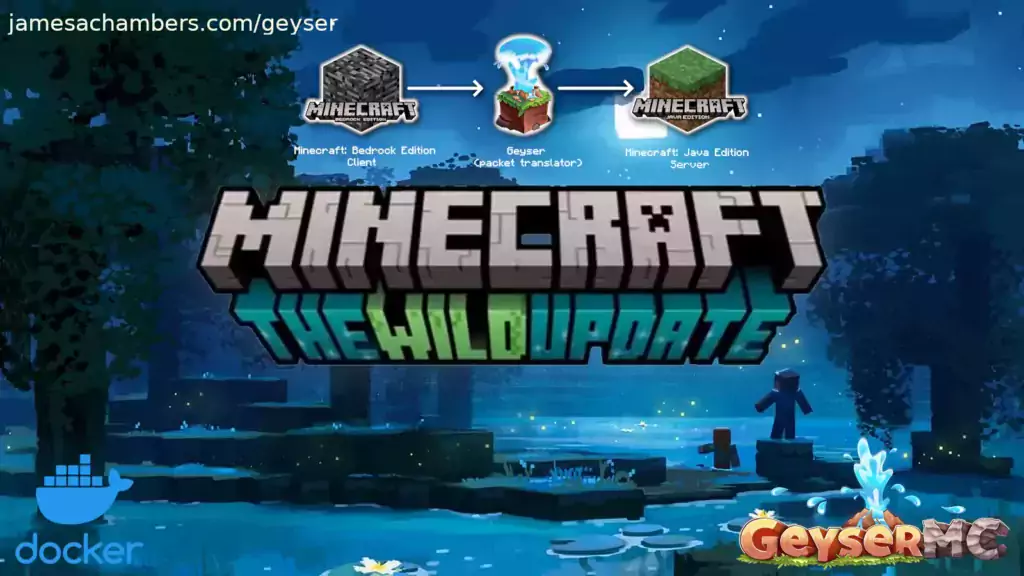 This is the Docker containerized version of my Minecraft Java Paper Dedicated Server for Linux/Raspberry Pi scripts but with Geyser and Floodgate included.
Geyser and Floodgate allow Minecraft Bedrock players to join your Java server!
My main blog article (and the best place for support) is here.
This is the Docker containerized version of my Minecraft Java Paper Dedicated Server for Linux/Raspberry Pi scripts but with Geyser and Floodgate included.
Geyser and Floodgate allow Minecraft Bedrock players to join your Java server!
My main blog article (and the best place for support) is here.
The version without Floodgate and Geyser is here.
The official GitHub repository is located here.
The official Docker Hub repository is located here.
The Bedrock version of the Docker container is available here. This is for Java Minecraft but Bedrock players can connect to it.
Features
- Sets up fully operational Minecraft server that allows both Java and Bedrock clients to connect
- Runs the highly efficient "Paper" Minecraft server
- Runs Geyser to allow Bedrock clients to connect and Floodgate to allow them to authenticate with their Bedrock credentials to a Java server
- Uses named Docker volume for safe and easy to access storage of server data files (which enables more advanced Docker features such as automatic volume backups)
- Plugin support for Paper + Spigot + Bukkit
- Installs and configures OpenJDK
- Automatic backups to minecraft/backups when server restarts
- Updates automatically to the latest version when server is started
- Runs on all Docker platforms including Raspberry Pi
- Runs on all Kubernetes platforms including Raspberry Pi
Docker Usage
First you must create a named Docker volume. This can be done with:
docker volume create yourvolumename
Now you may launch the server and open the ports necessary with one of the following Docker launch commands:
With default ports:
docker run -it -v yourvolumename:/minecraft -p 25565:25565 -p 19132:19132/udp -p 19132:19132 --restart unless-stopped 05jchambers/legendary-minecraft-geyser-floodgate:latest
With custom ports (this example uses 12345 for the Java port and 54321 for the Bedrock port):
docker run -it -v yourvolumename:/minecraft -p 12345:12345 -e Port=12345 -p 54321:54321/udp -p 54321:54321 -e BedrockPort=54321 --restart unless-stopped 05jchambers/legendary-minecraft-geyser-floodgate:latest
With a custom Minecraft version (add -e Version=1.X.X, must be present on Paper's API servers to work):
docker run -it -v yourvolumename:/minecraft -p 25565:25565 -p 19132:19132/udp -p 19132:19132 -e Version=1.17.1 --restart unless-stopped 05jchambers/legendary-minecraft-geyser-floodgate:latest
With a maximum memory limit in megabytes (optional, prevents crashes on platforms with limited memory, -e MaxMemory=2048):
docker run -it -v yourvolumename:/minecraft -p 25565:25565 -p 19132:19132/udp -p 19132:19132 -e MaxMemory=2048 --restart unless-stopped 05jchambers/legendary-minecraft-geyser-floodgate:latest
Using a different timezone:
docker run -it -v yourvolumename:/minecraft -p 25565:25565 -p 19132:19132/udp -p 19132:19132 -e TZ="America/Denver" --restart unless-stopped 05jchambers/legendary-minecraft-geyser-floodgate:latest
Skipping backups on certain folders (comma separated):
docker run -it -v yourvolumename:/minecraft -p 25565:25565 -p 19132:19132/udp -p 19132:19132 -e NoBackup="plugins/ftp,plugins/test2" --restart unless-stopped 05jchambers/legendary-minecraft-geyser-floodgate:latest
Skipping permissions check:
docker run -it -v yourvolumename:/minecraft -p 25565:25565 -p 19132:19132/udp -p 19132:19132 -e NoPermCheck="Y" --restart unless-stopped 05jchambers/legendary-minecraft-geyser-floodgate:latest
Kubernetes Usage
First you must create a suitable PVC using your preferred StorageClass.
To run within Kubernetes, you must pass the enviroment variable `k8s="True"`
alongside any others you require:
        env:
        - name: MaxMemory
          value: '1024'
        - name: TZ
          value: Europe/London
        - name: k8s
          value: "True"
Be aware that terminal features will not be available when running in kubernetes
The pod can be exposed using a LoadBalancer or TCP/UDP Ingress service. See example manifests in the /kubernetes folder of the repo. The examples are based on Longhorn
storage backend and a LoadBalancer service - these will need altering to be suitable
for your environment.
Configuration / Accessing Server Files
The server data is stored where Docker stores your volumes. This is typically a folder on the host OS that is shared and mounted with the container.
You can find your exact path by typing: docker volume inspect yourvolumename
This will give you the fully qualified path to your volume like this:
{
        "CreatedAt": "2022-05-09T21:08:34-06:00",
        "Driver": "local",
        "Labels": {},
        "Mountpoint": "/var/lib/docker/volumes/yourvolumename/_data",
        "Name": "yourvolumename",
        "Options": {},
        "Scope": "local"
    }
On Linux it's typically available at: /var/lib/docker/volumes/yourvolumename/_data
On Windows it's at C:\ProgramData\DockerDesktop
but may be located at something more like \wsl$\docker-desktop-data\version-pack-data\community\docker\volumes\
if you are using WSL (Windows Subsystem for Linux
On Mac it's typically ~/Library/Containers/com.docker.docker/Data/vms/0/
If you are using Docker Desktop on Mac then you need to access the Docker VM with the following command first:
screen ~/Library/Containers/com.docker.docker/Data/com.docker.driver.amd64-linux/tty
You can then normally access the Docker volumes using the path you found in the first step with docker volume inspect
Most people will want to edit server.properties. You can make the changes to the file and then restart the container to make them effective.
Backups are stored in the "backups" folder
The Geyser configuration is located in plugins/Geyser-Spigot/config.yml
The Floodgate configuration is located in plugins/floodgate/config.yml
TZ (timezone) Environment Variable
You can change the timezone from the default "America/Denver" to own timezone using this environment variable: docker run -it -v yourvolumename:/minecraft -p 25565:25565 -p 19132:19132/udp -p 19132:19132 -e TZ="America/Denver" --restart unless-stopped 05jchambers/legendary-minecraft-geyser-floodgate:latest
A list of Linux timezones is available here
BackupCount Environment Variable
By default the server keeps 10 rolling backups that occur each time the container restarts. You can override this using the BackupCount environment variable:docker run -it -v yourvolumename:/minecraft -p 25565:25565 -p 19132:19132/udp -p 19132:19132 -e BackupCount=20 --restart unless-stopped 05jchambers/legendary-minecraft-geyser-floodgate:latest
QuietCurl Environment Variable
You can use the QuietCurl environment variable to suppress curl's download output. This will keep your logs tidier but may make it harder to diagnose if something is going wrong. If things are working well it's safe to enable this option and turn it back off so you can see the output if you need to:docker run -it -v yourvolumename:/minecraft -p 25565:25565 -p 19132:19132/udp -p 19132:19132 -e QuietCurl=Y --restart unless-stopped 05jchambers/legendary-minecraft-geyser-floodgate:latest
Plugins
This is a "Paper" Minecraft server which has plugin compatibility with Paper / Spigot / Bukkit.
Installation is simple. There is a "plugins" folder on your Docker named volume.
Navigate to your server files on your host operating system (see accessing server files section if you don't know where this is) and you will see the "plugins" folder.
You just need to drop the extracted version of the plugin (a .jar file) into this folder and restart the container. That's it!
Some plugins have dependencies so make sure you read the installation guide first for the plugin you are looking at.
A popular place to get plugins is: https://dev.bukkit.org/bukkit-plugins
Troubleshooting Note - Oracle Virtual Machines
A very common problem people have with the Oracle Virtual Machine tutorials out there that typically show you how to use a free VM is that the VM is much more difficult to configure than just about any other product / offering out there.
The symptom you will have is that nobody will be able to connect.
It is because there are several steps you need to take to open the ports on the Oracle VM. You need to both:
- Set the ingress ports (TCP/UDP) in the Virtual Cloud Network (VCN) security list
- *and* set the ingress ports in a Network Security Group assigned to your instance
Both of these settings are typically required before you will be able to connect to your VM instance. This is purely configuration related and has nothing to do with the script or the Minecraft server itself.
I do not recommend this platform due to the configuration difficulty but the people who have gone through the pain of configuring an Oracle VM have had good experiences with it after that point. Just keep in mind it's going to be a rough ride through the configuration for most people.
Here are some additional links:
- https://jamesachambers.com/official-minecraft-bedrock-dedicated-server-on-raspberry-pi/comment-page-8/#comment-13946
- https://jamesachambers.com/minecraft-bedrock-edition-ubuntu-dedicated-server-guide/comment-page-53/#comment-13936
- https://jamesachambers.com/minecraft-bedrock-edition-ubuntu-dedicated-server-guide/comment-page-49/#comment-13377
- https://jamesachambers.com/legendary-minecraft-bedrock-container/comment-page-2/#comment-13706
Troubleshooting Note - Hyper-V
There is a weird bug in Hyper-V that breaks UDP connections on the Minecraft server. There are two fixes for this. The simplest fix is that you have to use a Generation 1 VM with the Legacy LAN network driver.
See the following links:
- https://jamesachambers.com/minecraft-bedrock-edition-ubuntu-dedicated-server-guide/comment-page-54/#comment-13863
- https://jamesachambers.com/minecraft-bedrock-edition-ubuntu-dedicated-server-guide/comment-page-56/#comment-14207
There is a second fix that was shared by bpsimons here.
You need to install ethtool first with sudo apt install ethtool. Next in your /etc/network/interfaces file add "offload-tx off" to the bottom as the issue appears to be with TX offloading.
Here's an example:# The primary network interface
auto eth0
iface eth0 inet static
address 192.168.1.5
netmask 255.255.255.0
network 192.168.1.0
broadcast 192.168.1.255
gateway 192.168.1.1
offload-tx off
This can also be done non-persistently with the following ethtool command: ethtool -K eth0 tx off
Buy A Coffee / Donate
People have expressed some interest in this (you are all saints, thank you, truly)
- PayPal: 05jchambers@gmail.com
- Venmo: @JamesAChambers
- CashApp: $theremote
- Bitcoin (BTC): 3H6wkPnL1Kvne7dJQS8h7wB4vndB9KxZP7
Update History
- May 3rd 2026
- Update to 26.1.2
- Update OpenJDK to OpenJDK 25
- January 25th 2026
- Update to 1.21.11
- Implement fixes to move to Paper API v3
- July 26th 2025
- Updated build process to use buildx for multi-arch builds
- July 24th 2025
- Updated default version to 1.21.8 (remember, you never need to wait for updates to change Minecraft versions, just use -e Version=1.21.4)
- February 8th 2025
- Updated default version to 1.21.4 (remember, you never need to wait for updates to change Minecraft versions, just use -e Version=1.21.4)
- Fixed Paper API URLs yet again
- December 1st 2024
- Fixed ViaVersion updates
- Container no longer runs server as root and instead creates a user named "minecraft"
- Updated default version to 1.21.3 (remember, you never need to wait for updates to change Minecraft versions, just use -e Version=1.21.3)
- June 29th 2024
- Updated default version to 1.21 (remember, you never need to wait for updates to change Minecraft versions, just use -e Version=1.21)
- May 19th 2024
- Updated OpenJDK version to 21
- Updated default version to 1.20.6
- April 27th 2024
- Updated default version to 1.20.5 (remember, you never need to wait for updates to change Minecraft versions, just use -e Version=1.20.5)
- December 13th 2023
- Updated default version to 1.20.4 (remember, you never need to wait for updates to change Minecraft versions, just use -e Version=1.20.4)
- November 26th 2023
- Fix Geyser and Spigot updates after they stopped using Jenkins (downloads every server start, no MD5 anymore unfortunately to check for updates with)
- October 1st 2023
- Update default version to 1.20.2 (remember, you never need to update for Minecraft version updates, just use -e Version=1.20.2)
- June 9th 2023
- Update default version to 1.20 (remember, you never need to update for Minecraft version updates, just use -e Version=1.20)
- April 18th 2023
- Add NoViaVersion environment variable to disable using ViaVersion in case of incompatible plugins
- March 25th 2023
- Migrate paper.yml to paper-global.yml (thanks karl007, Issue #21)
- March 16th 2023
- March 15th 2023
- Add ViaVersion plugin to allow players on newer clients to connect to the server (very helpful when waiting for new updates to be released)
- Fix Geyser and Floodgate update checks
- January 25th 2023
- Removed check for terminal and will let the Minecraft server throw an error if environment is not appropriate
- January 14th 2023
- Change google.com connectivity change to papermc.io as Google is blocked in some countries causing the connectivity check to fail when a connection to papermc.io would have succeeded (thanks Misakaou, Issue #14
- January 12th 2023
- Remove broken ScheduleRestart environment variable -- this needs to be done in your OS using docker restart (typically with crontab in Linux or Task Scheduler in Windows)
- December 7th 2022
- Update to 1.19.3 (thanks WarpOverload, issue #9)
- November 19th 2022
- Add "QuietCurl" environment variable which will suppress the progress meter on curl keeping the logs much tidier (thanks willman42, PR #6
- Remove fixpermissions.sh and add 3 lines into main start.sh file
- November 7th 2022
- Fail immediately if ran without an interactive terminal (as the Minecraft server won't work without one)
- October 30th 2022
- Add RISC architecture support
- Switch from ubuntu:latest to ubuntu:rolling
- Switch from using Adoptium to using ubuntu:rolling OpenJDK
- Removed SetupMinecraft.sh
- Fix bug with new ScheduleRestart environment variable
- October 21st 2022
- Added new environment variable "BackupCount" to control the number of backups the container keeps
- NoBackup optional environment variable can now be multiple paths to files to skip backups on separated by a comma. Example: plugins/test,plugins/test2
- October 20th 2022
- Added new environment variable "NoBackup" to skip a folder from backup activities
- Added new environment variable "NoPermCheck" to skip permissions check during startup
- Added new environment variable "ScheduleRestart" -- this schedules the container to shut down at a certain time which combined with the --restart switch gives daily reboot functionality
- October 8th 2022
- September 27th 2022
- Fix SIGTERM catching in certain situations by running java with the "exec" command which passes execution completely to that process (thanks vp-en)
- Remove screen dependency
- September 20th 2022
- Fixed Geyser update code (thanks vp-en)
- Update to OpenJDK 18.0.2.1
- August 29th 2022
- Add environment variables section to docker-compose.yml template
- Add optional TZ environment variable to set timezone
- August 28th 2022
- Additional fix for #2 by adding a default config.yml for the server to use for Geyser (thanks vecnar, issue #2)
- August 27th 2022
- Fix broken Geyser-Spigot config.yml issue (thanks vecnar, issue #2)
- August 22nd 2022
- Add NoScreen environment variable -- disables screen which prevents needing an interactive terminal (but disables some logging)
- Fix issue #1 (thanks Sam7, issue #1)
- August 18th 2022
- Test rolling back OpenJDK version slightly to earlier version of OpenJDK 18 previous to 10th-11th gen Intel CPU bugs
- August 17th 2022
- Add XX:-UseAESCTRIntrinsics to java launch line to prevent encryption issue on 10th Gen Intel processors
- August 10th 2022
- Adjust query.port in server.properties to be the same as the main server port to keep the "ping port" working properly
- Add enforce-secure-profile=false to default server.properties to prevent login errors
- Add text editor inside the container (nano) for diagnostic/troubleshooting purposes
- August 6th 2022
================================================
FILE: build.sh
================================================
# Make sure you have binfmt installed with:
# docker run --rm --privileged tonistiigi/binfmt --install all
docker buildx build --sbom=true --provenance=true --platform 'linux/amd64,linux/amd64/v2,linux/amd64/v3,linux/arm64,linux/arm/v7,linux/riscv64,linux/s390x,linux/ppc64le' --tag 05jchambers/legendary-minecraft-geyser-floodgate:latest --push -f Build.Dockerfile .
================================================
FILE: bukkit.yml
================================================
settings:
allow-end: true
warn-on-overload: false
permissions-file: permissions.yml
update-folder: update
plugin-profiling: false
connection-throttle: 4000
query-plugins: true
deprecated-verbose: default
shutdown-message: Server closed
minimum-api: none
spawn-limits:
monsters: 70
animals: 10
water-animals: 5
water-ambient: 20
water-underground-creature: 5
axolotls: 5
ambient: 15
chunk-gc:
period-in-ticks: 600
ticks-per:
animal-spawns: 400
monster-spawns: 2
water-spawns: 1
water-ambient-spawns: 1
water-underground-creature-spawns: 1
axolotl-spawns: 1
ambient-spawns: 1
autosave: 18000
aliases: now-in-commands.yml
================================================
FILE: config.yml
================================================
# --------------------------------
# Geyser Configuration File
#
# A bridge between Minecraft: Bedrock Edition and Minecraft: Java Edition.
#
# GitHub: https://github.com/GeyserMC/Geyser
# Discord: https://discord.geysermc.org/
# --------------------------------
bedrock:
# The IP address that will listen for connections.
# There is no reason to change this unless you want to limit what IPs can connect to your server.
address: 0.0.0.0
# The port that will listen for connections
port: 19132
# Some hosting services change your Java port everytime you start the server and require the same port to be used for Bedrock.
# This option makes the Bedrock port the same as the Java port every time you start the server.
# This option is for the plugin version only.
clone-remote-port: false
# The MOTD that will be broadcasted to Minecraft: Bedrock Edition clients. This is irrelevant if "passthrough-motd" is set to true
# If either of these are empty, the respective string will default to "Geyser"
motd1: "Geyser"
motd2: "Another Geyser server."
# The Server Name that will be sent to Minecraft: Bedrock Edition clients. This is visible in both the pause menu and the settings menu.
server-name: "Geyser"
# How much to compress network traffic to the Bedrock client. The higher the number, the more CPU usage used, but
# the smaller the bandwidth used. Does not have any effect below -1 or above 9. Set to -1 to disable.
compression-level: 6
# Whether to enable PROXY protocol or not for clients. You DO NOT WANT this feature unless you run UDP reverse proxy
# in front of your Geyser instance.
enable-proxy-protocol: false
# A list of allowed PROXY protocol speaking proxy IP addresses/subnets. Only effective when "enable-proxy-protocol" is enabled, and
# should really only be used when you are not able to use a proper firewall (usually true with shared hosting providers etc.).
# Keeping this list empty means there is no IP address whitelist.
# Both IP addresses and subnets are supported.
#proxy-protocol-whitelisted-ips: [ "127.0.0.1", "172.18.0.0/16" ]
remote:
# The IP address of the remote (Java Edition) server
# If it is "auto", for standalone version the remote address will be set to 127.0.0.1,
# for plugin versions, it is recommended to keep this as "auto" so Geyser will automatically configure address, port, and auth-type.
# Leave as "auto" if floodgate is installed.
address: auto
# The port of the remote (Java Edition) server
# For plugin versions, if address has been set to "auto", the port will also follow the server's listening port.
port: 25565
# Authentication type. Can be offline, online, or floodgate (see https://github.com/GeyserMC/Geyser/wiki/Floodgate).
# For plugin versions, it's recommended to keep the `address` field to "auto" so Floodgate support is automatically configured.
# If Floodgate is installed and `address:` is set to "auto", then "auth-type: floodgate" will automatically be used.
auth-type: online
# Allow for password-based authentication methods through Geyser. Only useful in online mode.
# If this is false, users must authenticate to Microsoft using a code provided by Geyser on their desktop.
allow-password-authentication: true
# Whether to enable PROXY protocol or not while connecting to the server.
# This is useful only when:
# 1) Your server supports PROXY protocol (it probably doesn't)
# 2) You run Velocity or BungeeCord with the option enabled in the proxy's main config.
# IF YOU DON'T KNOW WHAT THIS IS, DON'T TOUCH IT!
use-proxy-protocol: false
# Forward the hostname that the Bedrock client used to connect over to the Java server
# This is designed to be used for forced hosts on proxies
forward-hostname: false
# Floodgate uses encryption to ensure use from authorised sources.
# This should point to the public key generated by Floodgate (BungeeCord, Spigot or Velocity)
# You can ignore this when not using Floodgate.
# If you're using a plugin version of Floodgate on the same server, the key will automatically be picked up from Floodgate.
floodgate-key-file: key.pem
# For online mode authentication type only.
# Stores a list of Bedrock players that should have their Java Edition account saved after login.
# This saves a token that can be reused to authenticate the player later. This does not save emails or passwords,
# but you should still be cautious when adding to this list and giving others access to this Geyser instance's files.
# Removing a name from this list will delete its cached login information on the next Geyser startup.
# The file that tokens will be saved in is in the same folder as this config, named "saved-refresh-tokens.json".
saved-user-logins:
- ThisExampleUsernameShouldBeLongEnoughToNeverBeAnXboxUsername
- ThisOtherExampleUsernameShouldAlsoBeLongEnough
# Specify how many seconds to wait while user authorizes Geyser to access their Microsoft account.
# User is allowed to disconnect from the server during this period.
pending-authentication-timeout: 120
# Bedrock clients can freeze when opening up the command prompt for the first time if given a lot of commands.
# Disabling this will prevent command suggestions from being sent and solve freezing for Bedrock clients.
command-suggestions: true
# The following three options enable "ping passthrough" - the MOTD, player count and/or protocol name gets retrieved from the Java server.
# Relay the MOTD from the remote server to Bedrock players.
passthrough-motd: false
# Relay the protocol name (e.g. BungeeCord [X.X], Paper 1.X) - only really useful when using a custom protocol name!
# This will also show up on sites like MCSrvStatus.
passthrough-protocol-name: false
# Relay the player count and max players from the remote server to Bedrock players.
passthrough-player-counts: false
# Enable LEGACY ping passthrough. There is no need to enable this unless your MOTD or player count does not appear properly.
# This option does nothing on standalone.
legacy-ping-passthrough: false
# How often to ping the remote server, in seconds. Only relevant for standalone or legacy ping passthrough.
# Increase if you are getting BrokenPipe errors.
ping-passthrough-interval: 3
# Whether to forward player ping to the server. While enabling this will allow Bedrock players to have more accurate
# ping, it may also cause players to time out more easily.
forward-player-ping: false
# Maximum amount of players that can connect. This is only visual at this time and does not actually limit player count.
max-players: 100
# If debug messages should be sent through console
debug-mode: false
# Allow third party capes to be visible. Currently allowing:
# OptiFine capes, LabyMod capes, 5Zig capes and MinecraftCapes
allow-third-party-capes: true
# Allow third party deadmau5 ears to be visible. Currently allowing:
# MinecraftCapes
allow-third-party-ears: false
# Allow a fake cooldown indicator to be sent. Bedrock players do not see a cooldown as they still use 1.8 combat
# Can be title, actionbar or false
show-cooldown: title
# Controls if coordinates are shown to players.
show-coordinates: true
# Whether Bedrock players are blocked from performing their scaffolding-style bridging.
disable-bedrock-scaffolding: false
# Whether Bedrock players can right-click outside of their inventory to replace armor in their inventory, even if the
# armor slot is already occupied (which Java Edition doesn't allow)
always-quick-change-armor: false
# If set, when a Bedrock player performs any emote, it will swap the offhand and mainhand items, just like the Java Edition keybind
# There are three options this can be set to:
# disabled - the default/fallback, which doesn't apply this workaround
# no-emotes - emotes will NOT be sent to other Bedrock clients and offhand will be swapped. This effectively disables all emotes from being seen.
# emotes-and-offhand - emotes will be sent to Bedrock clients and offhand will be swapped
emote-offhand-workaround: "disabled"
# The default locale if we dont have the one the client requested. Uncomment to not use the default system language.
# default-locale: en_us
# Specify how many days images will be cached to disk to save downloading them from the internet.
# A value of 0 is disabled. (Default: 0)
cache-images: 0
# Allows custom skulls to be displayed. Keeping them enabled may cause a performance decrease on older/weaker devices.
allow-custom-skulls: true
# The maximum number of custom skulls to be displayed per player. Increasing this may decrease performance on weaker devices.
# Setting this to -1 will cause all custom skulls to be displayed regardless of distance or number.
max-visible-custom-skulls: 128
# The radius in blocks around the player in which custom skulls are displayed.
custom-skull-render-distance: 32
# Whether to add (at this time, only) the furnace minecart as a separate item in the game, which normally does not exist in Bedrock Edition.
# This should only need to be disabled if using a proxy that does not use the "transfer packet" style of server switching.
# If this is disabled, furnace minecart items will be mapped to hopper minecart items.
# This option requires a restart of Geyser in order to change its setting.
add-non-bedrock-items: true
# Bedrock prevents building and displaying blocks above Y127 in the Nether.
# This config option works around that by changing the Nether dimension ID to the End ID.
# The main downside to this is that the entire Nether will have the same red fog rather than having different fog for each biome.
above-bedrock-nether-building: false
# Force clients to load all resource packs if there are any.
# If set to false, it allows the user to connect to the server even if they don't
# want to download the resource packs.
force-resource-packs: true
# Allows Xbox achievements to be unlocked.
# THIS DISABLES ALL COMMANDS FROM SUCCESSFULLY RUNNING FOR BEDROCK IN-GAME, as otherwise Bedrock thinks you are cheating.
xbox-achievements-enabled: false
# Whether player IP addresses will be logged by the server.
log-player-ip-addresses: true
# Whether to alert the console and operators that a new Geyser version is available that supports a Bedrock version
# that this Geyser version does not support. It's recommended to keep this option enabled, as many Bedrock platforms
# auto-update.
notify-on-new-bedrock-update: true
# bStats is a stat tracker that is entirely anonymous and tracks only basic information
# about Geyser, such as how many people are online, how many servers are using Geyser,
# what OS is being used, etc. You can learn more about bStats here: https://bstats.org/.
# https://bstats.org/plugin/server-implementation/GeyserMC
metrics:
# If metrics should be enabled
enabled: true
# UUID of server, don't change!
uuid: 96e45ad9-512d-4907-8a92-1ec5ebed6d5f
# ADVANCED OPTIONS - DO NOT TOUCH UNLESS YOU KNOW WHAT YOU ARE DOING!
# Geyser updates the Scoreboard after every Scoreboard packet, but when Geyser tries to handle
# a lot of scoreboard packets per second can cause serious lag.
# This option allows you to specify after how many Scoreboard packets per seconds
# the Scoreboard updates will be limited to four updates per second.
scoreboard-packet-threshold: 20
# Allow connections from ProxyPass and Waterdog.
# See https://www.spigotmc.org/wiki/firewall-guide/ for assistance - use UDP instead of TCP.
enable-proxy-connections: false
# The internet supports a maximum MTU of 1492 but could cause issues with packet fragmentation.
# 1400 is the default.
mtu: 1400
# Whether to connect directly into the Java server without creating a TCP connection.
# This should only be disabled if a plugin that interfaces with packets or the network does not work correctly with Geyser.
# If enabled on plugin versions, the remote address and port sections are ignored
# If disabled on plugin versions, expect performance decrease and latency increase
use-direct-connection: true
config-version: 4
================================================
FILE: docker-compose.yml
================================================
# Minecraft Java Paper Server + Geyser + Floodgate Docker Container - Docker Compose
# Author: James A. Chambers - https://jamesachambers.com/minecraft-java-bedrock-server-together-geyser-floodgate/
# GitHub Repository: https://github.com/TheRemote/Legendary-Java-Minecraft-Geyser-Floodgate
# To run multiple servers change the volume name under both "volumes" sections and select different ports
version: "3.5"
services:
minecraftbe:
image: 05jchambers/legendary-minecraft-geyser-floodgate:latest
restart: "unless-stopped"
ports:
- 25565:25565
- 19132:19132
- 19132:19132/udp
volumes:
- minecraft:/minecraft
stdin_open: true # docker run -i
tty: true # docker run -t
entrypoint: [ "/bin/bash", "/scripts/start.sh" ]
# Environment variables
environment:
Port: "25565"
BedrockPort: "19132"
TZ: "America/Denver" # Timezone
#BackupCount: 10 # Number of rolling backups to keep
#MaxMemory: 2048 # Maximum memory usage for Java
#Version: 1.19.3 # Use custom version
#NoBackup: "plugins" # Optional folder to skip during backups
#NoPermCheck: "Y" # Optional flag to skip permissions check
#NoViaVersion: "Y" # Optional flag to disable ViaVersion plugin
#QuietCurl: "Y" # Optional flag to reduce curl log output by suppressing progress meter
volumes:
minecraft:
driver: local
================================================
FILE: kubernetes/01-namespace.yaml
================================================
apiVersion: v1
kind: Namespace
metadata:
name: minecraft
labels:
name: minecraft
================================================
FILE: kubernetes/02-pvc.yaml
================================================
apiVersion: v1
kind: PersistentVolumeClaim
metadata:
name: minecraft-pvc
namespace: minecraft
spec:
accessModes:
- ReadWriteOnce
storageClassName: longhorn-retain
resources:
requests:
storage: 3Gi
================================================
FILE: kubernetes/03-deployment.yaml
================================================
apiVersion: apps/v1
kind: Deployment
metadata:
namespace: minecraft
name: minecraft
spec:
replicas: 1
selector:
matchLabels:
app: minecraft
template:
metadata:
labels:
app: minecraft
spec:
containers:
- name: minecraft
image: 05jchambers/legendary-minecraft-geyser-floodgate:latest
imagePullPolicy: IfNotPresent
volumeMounts:
- name: minecraft-data
mountPath: /minecraft
env:
- name: MaxMemory
value: '1024'
- name: k8s
value: "True"
resources:
limits:
cpu: 1500m
memory: 1024M
ephemeral-storage: 50Mi
requests:
cpu: 750m
memory: 750M
ephemeral-storage: 2Mi
ports:
- containerPort: 25565
name: java
- containerPort: 19132
name: bedrock-v4
- containerPort: 19133
name: bedrock-v6
volumes:
- name: minecraft-data
persistentVolumeClaim:
claimName: minecraft-pvc
================================================
FILE: kubernetes/04-service.yaml
================================================
apiVersion: v1
kind: Service
metadata:
name: minecraft
namespace: minecraft
spec:
type: LoadBalancer
ipFamilyPolicy: PreferDualStack
ipFamilies:
- IPv4
- IPv6
ports:
- name: java
port: 25565
protocol: TCP
targetPort: java
- name: bedrock-v4-udp
port: 19132
protocol: UDP
targetPort: bedrock-v4
- name: bedrock-v6-udp
port: 19133
protocol: UDP
targetPort: bedrock-v6
- name: bedrock-v4-tcp
port: 19132
protocol: TCP
targetPort: bedrock-v4
- name: bedrock-v6-tcp
port: 19133
protocol: TCP
targetPort: bedrock-v6
selector:
app: minecraft
================================================
FILE: paper-global.yml
================================================
# This is the global configuration file for Paper.
# As you can see, there's a lot to configure. Some options may impact gameplay, so use
# with caution, and make sure you know what each option does before configuring.
#
# If you need help with the configuration or have any questions related to Paper,
# join us in our Discord or check the docs page.
#
# The world configuration options have been moved inside
# their respective world folder. The files are named paper-world.yml
#
# Docs: https://docs.papermc.io/
# Discord: https://discord.gg/papermc
# Website: https://papermc.io/
_version: 28
async-chunks:
threads: -1
chunk-loading:
autoconfig-send-distance: true
enable-frustum-priority: false
global-max-chunk-load-rate: -1.0
global-max-chunk-send-rate: -1.0
global-max-concurrent-loads: 500.0
max-concurrent-sends: 2
min-load-radius: 2
player-max-chunk-load-rate: -1.0
player-max-concurrent-loads: 20.0
target-player-chunk-send-rate: 100.0
chunk-system:
gen-parallelism: default
io-threads: -1
worker-threads: -1
collisions:
enable-player-collisions: true
send-full-pos-for-hard-colliding-entities: true
commands:
fix-target-selector-tag-completion: true
suggest-player-names-when-null-tab-completions: true
time-command-affects-all-worlds: false
console:
enable-brigadier-completions: true
enable-brigadier-highlighting: true
has-all-permissions: false
item-validation:
book:
author: 8192
page: 16384
title: 8192
book-size:
page-max: 2560
total-multiplier: 0.98
display-name: 8192
lore-line: 8192
resolve-selectors-in-books: false
logging:
deobfuscate-stacktraces: true
log-player-ip-addresses: true
use-rgb-for-named-text-colors: true
messages:
kick:
authentication-servers-down:
connection-throttle: Connection throttled! Please wait before reconnecting.
flying-player:
flying-vehicle:
no-permission: I'm sorry, but you do not have permission to perform this command. Please
contact the server administrators if you believe that this is in error.
use-display-name-in-quit-message: false
misc:
chat-threads:
chat-executor-core-size: -1
chat-executor-max-size: -1
fix-entity-position-desync: true
lag-compensate-block-breaking: true
load-permissions-yml-before-plugins: true
max-joins-per-tick: 3
region-file-cache-size: 256
strict-advancement-dimension-check: false
use-alternative-luck-formula: false
use-dimension-type-for-custom-spawners: false
packet-limiter:
all-packets:
action: KICK
interval: 7.0
max-packet-rate: 500.0
kick-message:
overrides:
ServerboundPlaceRecipePacket:
action: DROP
interval: 4.0
max-packet-rate: 5.0
player-auto-save:
max-per-tick: -1
rate: -1
proxies:
bungee-cord:
online-mode: false
proxy-protocol: false
velocity:
enabled: false
online-mode: false
secret: ''
scoreboards:
save-empty-scoreboard-teams: false
track-plugin-scoreboards: false
spam-limiter:
incoming-packet-threshold: 300
recipe-spam-increment: 1
recipe-spam-limit: 20
tab-spam-increment: 1
tab-spam-limit: 500
timings:
enabled: true
hidden-config-entries:
- database
- settings.bungeecord-addresses
- settings.velocity-support.secret
- proxies.velocity.secret
history-interval: 300
history-length: 3600
server-name: Unknown Server
server-name-privacy: false
url: https://timings.aikar.co/
verbose: true
unsupported-settings:
allow-grindstone-overstacking: false
allow-headless-pistons: false
allow-permanent-block-break-exploits: false
allow-piston-duplication: false
perform-username-validation: true
watchdog:
early-warning-delay: 120000
early-warning-every: 60000
================================================
FILE: server.properties
================================================
# Minecraft server properties
enable-jmx-monitoring=false
rcon.port=25575
level-seed=
gamemode=survival
enable-command-block=false
enable-query=false
generator-settings={}
level-name=world
motd=A Minecraft Server
query.port=25565
pvp=true
generate-structures=true
difficulty=easy
network-compression-threshold=512
require-resource-pack=false
max-tick-time=120000
use-native-transport=true
max-players=20
online-mode=true
enable-status=true
allow-flight=false
broadcast-rcon-to-ops=true
view-distance=10
server-ip=
resource-pack-prompt=
allow-nether=true
server-port=25565
enable-rcon=false
sync-chunk-writes=true
op-permission-level=4
prevent-proxy-connections=false
hide-online-players=false
resource-pack=
entity-broadcast-range-percentage=100
simulation-distance=10
rcon.password=
player-idle-timeout=0
debug=false
force-gamemode=false
rate-limit=0
hardcore=false
white-list=false
broadcast-console-to-ops=true
spawn-npcs=true
spawn-animals=true
function-permission-level=2
level-type=default
text-filtering-config=
spawn-monsters=true
enforce-whitelist=false
resource-pack-sha1=
spawn-protection=0
max-world-size=29999984
enforce-secure-profile=false
================================================
FILE: spigot.yml
================================================
# This is the main configuration file for Spigot.
# As you can see, there's tons to configure. Some options may impact gameplay, so use
# with caution, and make sure you know what each option does before configuring.
# For a reference for any variable inside this file, check out the Spigot wiki at
# http://www.spigotmc.org/wiki/spigot-configuration/
#
# If you need help with the configuration or have any questions related to Spigot,
# join us at the Discord or drop by our forums and leave a post.
#
# Discord: https://www.spigotmc.org/go/discord
# Forums: http://www.spigotmc.org/
settings:
debug: false
sample-count: 12
bungeecord: false
player-shuffle: 0
user-cache-size: 1000
save-user-cache-on-stop-only: false
moved-wrongly-threshold: 0.0625
moved-too-quickly-multiplier: 10.0
timeout-time: 60
restart-on-crash: true
restart-script: ./start.sh
netty-threads: 4
attribute:
maxHealth:
max: 2048.0
movementSpeed:
max: 2048.0
attackDamage:
max: 2048.0
log-villager-deaths: true
log-named-deaths: true
messages:
whitelist: You are not whitelisted on this server!
unknown-command: Unknown command. Type "/help" for help.
server-full: The server is full!
outdated-client: Outdated client! Please use {0}
outdated-server: Outdated server! I'm still on {0}
restart: Server is restarting
advancements:
disable-saving: false
disabled:
- minecraft:story/disabled
players:
disable-saving: false
commands:
spam-exclusions:
- /skill
silent-commandblock-console: false
replace-commands:
- setblock
- summon
- testforblock
- tellraw
log: true
tab-complete: 0
send-namespaced: true
world-settings:
default:
below-zero-generation-in-existing-chunks: true
verbose: false
merge-radius:
exp: 6.0
item: 4.0
growth:
cactus-modifier: 100
cane-modifier: 100
melon-modifier: 100
mushroom-modifier: 100
pumpkin-modifier: 100
sapling-modifier: 100
beetroot-modifier: 100
carrot-modifier: 100
potato-modifier: 100
wheat-modifier: 100
netherwart-modifier: 100
vine-modifier: 100
cocoa-modifier: 100
bamboo-modifier: 100
sweetberry-modifier: 100
kelp-modifier: 100
twistingvines-modifier: 100
weepingvines-modifier: 100
cavevines-modifier: 100
glowberry-modifier: 100
entity-activation-range:
animals: 32
monsters: 32
raiders: 48
misc: 16
water: 16
villagers: 32
flying-monsters: 32
wake-up-inactive:
animals-max-per-tick: 4
animals-every: 1200
animals-for: 100
monsters-max-per-tick: 8
monsters-every: 400
monsters-for: 100
villagers-max-per-tick: 4
villagers-every: 600
villagers-for: 100
flying-monsters-max-per-tick: 8
flying-monsters-every: 200
flying-monsters-for: 100
villagers-work-immunity-after: 100
villagers-work-immunity-for: 20
villagers-active-for-panic: true
tick-inactive-villagers: true
ignore-spectators: false
entity-tracking-range:
players: 48
animals: 48
monsters: 48
misc: 32
other: 64
ticks-per:
hopper-transfer: 8
hopper-check: 1
hopper-amount: 1
dragon-death-sound-radius: 0
seed-village: 10387312
seed-desert: 14357617
seed-igloo: 14357618
seed-jungle: 14357619
seed-swamp: 14357620
seed-monument: 10387313
seed-shipwreck: 165745295
seed-ocean: 14357621
seed-outpost: 165745296
seed-endcity: 10387313
seed-slime: 987234911
seed-nether: 30084232
seed-mansion: 10387319
seed-fossil: 14357921
seed-portal: 34222645
seed-stronghold: default
hunger:
jump-walk-exhaustion: 0.05
jump-sprint-exhaustion: 0.2
combat-exhaustion: 0.1
regen-exhaustion: 6.0
swim-multiplier: 0.01
sprint-multiplier: 0.1
other-multiplier: 0.0
max-tnt-per-tick: 100
max-tick-time:
tile: 50
entity: 50
view-distance: default
simulation-distance: default
thunder-chance: 100000
item-despawn-rate: 6000
enable-zombie-pigmen-portal-spawns: true
wither-spawn-sound-radius: 0
arrow-despawn-rate: 1200
trident-despawn-rate: 1200
hanging-tick-frequency: 100
zombie-aggressive-towards-villager: true
nerf-spawner-mobs: false
mob-spawn-range: 6
end-portal-sound-radius: 0
config-version: 12
stats:
disable-saving: false
forced-stats: {}
================================================
FILE: start.sh
================================================
#!/bin/bash
# Legendary Paper Minecraft Java Server Docker + Geyser/Floodgate server startup script
# Author: James A. Chambers - https://jamesachambers.com/minecraft-java-bedrock-server-together-geyser-floodgate/
# GitHub Repository: https://github.com/TheRemote/Legendary-Java-Minecraft-Geyser-Floodgate
# If running as root, create 'minecraft' user and restart script as 'minecraft' user
if [ "$(id -u)" = '0' ]; then
echo "Script is running as root, switching to 'minecraft' user..."
if ! id minecraft >/dev/null 2>&1; then
echo "Creating 'minecraft' user..."
useradd -m -r -s /bin/bash minecraft
fi
chown -R minecraft:minecraft /minecraft
exec su minecraft -c "$0 $@"
fi
echo "Paper Minecraft Java Server Docker + Geyser/Floodgate script by James A. Chambers"
echo "Latest version always at https://github.com/TheRemote/Legendary-Java-Minecraft-Geyser-Floodgate"
echo "Don't forget to set up port forwarding on your router! The default port is 25565 and the Bedrock port is 19132"
if [ ! -d '/minecraft' ]; then
echo "ERROR: A named volume was not specified for the minecraft server data. Please create one with: docker volume create yourvolumename"
echo "Please pass the new volume to docker like this: docker run -it -v yourvolumename:/minecraft"
exit 1
fi
# Randomizer for user agent
RandNum=$(echo $((1 + $RANDOM % 5000)))
if [ -z "$Port" ]; then
Port="25565"
fi
echo "Port used: $Port"
if [ -z "$BedrockPort" ]; then
Port="19132"
fi
echo "Bedrock port used: $BedrockPort"
# Change directory to server directory
cd /minecraft
# Create backups/downloads folder if it doesn't exist
if [ ! -d "/minecraft/downloads" ]; then
mkdir -p /minecraft/downloads
fi
if [ ! -d "/minecraft/config" ]; then
mkdir -p /minecraft/config
fi
if [ ! -d "/minecraft/backups" ]; then
mkdir -p /minecraft/backups
fi
if [ ! -d "/minecraft/plugins/Geyser-Spigot" ]; then
mkdir -p /minecraft/plugins/Geyser-Spigot
fi
# Check if network interfaces are up
NetworkChecks=0
if [ -e '/sbin/route' ]; then
DefaultRoute=$(/sbin/route -n | awk '$4 == "UG" {print $2}')
else
DefaultRoute=$(route -n | awk '$4 == "UG" {print $2}')
fi
while [ -z "$DefaultRoute" ]; do
echo "Network interface not up, will try again in 1 second"
sleep 1
if [ -e '/sbin/route' ]; then
DefaultRoute=$(/sbin/route -n | awk '$4 == "UG" {print $2}')
else
DefaultRoute=$(route -n | awk '$4 == "UG" {print $2}')
fi
NetworkChecks=$((NetworkChecks + 1))
if [ $NetworkChecks -gt 20 ]; then
echo "Waiting for network interface to come up timed out - starting server without network connection ..."
break
fi
done
# Take ownership of server files and set correct permissions
if [ -z "$NoPermCheck" ]; then
echo "Taking ownership of all server files/folders in /minecraft..."
sudo -n chown -R $(whoami) /minecraft >/dev/null 2>&1
echo "Complete"
else
echo "Skipping permissions check due to NoPermCheck flag"
fi
# Back up server
if [ -d "world" ]; then
if [ -n "$(which pigz)" ]; then
echo "Backing up server (all cores) to cd minecraft/backups folder"
tarArgs=(-I pigz --exclude='./backups' --exclude='./cache' --exclude='./logs' --exclude='./paperclip.jar')
IFS=','
read -ra ADDR <<< "$NoBackup"
for i in "${ADDR[@]}"; do
tarArgs+=(--exclude="./$i")
done
tarArgs+=(-pvcf backups/$(date +%Y.%m.%d.%H.%M.%S).tar.gz ./*)
tar "${tarArgs[@]}"
else
echo "Backing up server (single core, pigz not found) to cd minecraft/backups folder"
tarArgs=(--exclude='./backups' --exclude='./cache' --exclude='./logs' --exclude='./paperclip.jar')
IFS=','
read -ra ADDR <<< "$NoBackup"
for i in "${ADDR[@]}"; do
tarArgs+=(--exclude="./$i")
done
tarArgs+=(-pvcf backups/$(date +%Y.%m.%d.%H.%M.%S).tar.gz ./*)
tar "${tarArgs[@]}"
fi
fi
# Rotate backups
if [ -d /minecraft/backups ]; then
Rotate=$(
pushd /minecraft/backups
ls -1tr | head -n -$BackupCount | xargs -d '\n' rm -f --
popd
)
fi
# Copy config files if this is a brand new server
if [ ! -e "/minecraft/bukkit.yml" ]; then
cp /scripts/bukkit.yml /minecraft/bukkit.yml
fi
if [ ! -e "/minecraft/config/paper-global.yml" ]; then
cp /scripts/paper-global.yml /minecraft/config/paper-global.yml
fi
if [ ! -e "/minecraft/spigot.yml" ]; then
cp /scripts/spigot.yml /minecraft/spigot.yml
fi
if [ ! -e "/minecraft/server.properties" ]; then
cp /scripts/server.properties /minecraft/server.properties
fi
if [ ! -e "/minecraft/plugins/Geyser-Spigot/config.yml" ]; then
cp /scripts/config.yml /minecraft/plugins/Geyser-Spigot/config.yml
fi
# Test internet connectivity first
# Update paperclip.jar
echo "Updating to most recent paperclip version ..."
# Test internet connectivity first
if [ -z "$QuietCurl" ]; then
curl -H "Accept-Encoding: identity" -H "Accept-Language: en" -L -A "Mozilla/5.0 (Windows NT 10.0; Win64; x64) AppleWebKit/537.36 (KHTML, like Gecko) Chrome/90.0.4.212 Safari/537.36" -s https://papermc.io -o /dev/null
else
curl --no-progress-meter -H "Accept-Encoding: identity" -H "Accept-Language: en" -L -A "Mozilla/5.0 (Windows NT 10.0; Win64; x64) AppleWebKit/537.36 (KHTML, like Gecko) Chrome/90.0.4.212 Safari/537.36" -s https://papermc.io -o /dev/null
fi
if [ "$?" != 0 ]; then
echo "Unable to connect to update website (internet connection may be down). Skipping update ..."
else
# Get latest build using PaperMC API v3
Build=$(curl -s -L "https://fill.papermc.io/v3/projects/paper/versions/$Version" | jq -r '.builds[0]' 2>/dev/null)
if [[ -n "$Build" && "$Build" != "null" ]]; then
echo "Latest paperclip build found: $Build"
# Get the SHA256 hash and filename for the download URL (pipe directly to avoid newline issues in commit messages)
SHA256=$(curl -s -L "https://fill.papermc.io/v3/projects/paper/versions/$Version/builds/$Build" | jq -r '.downloads["server:default"].checksums.sha256' 2>/dev/null)
FileName="paper-$Version-$Build.jar"
if [[ -n "$SHA256" && "$SHA256" != "null" ]]; then
echo "Downloading Paper $Version build $Build..."
if [ -z "$QuietCurl" ]; then
curl -H "Accept-Encoding: identity" -H "Accept-Language: en" -L -A "Mozilla/5.0 (Windows NT 10.0; Win64; x64) AppleWebKit/537.36 (KHTML, like Gecko) Chrome/90.0.4.212 Safari/537.36" -o /minecraft/paperclip.jar "https://fill-data.papermc.io/v1/objects/$SHA256/$FileName"
else
curl --no-progress-meter -H "Accept-Encoding: identity" -H "Accept-Language: en" -L -A "Mozilla/5.0 (Windows NT 10.0; Win64; x64) AppleWebKit/537.36 (KHTML, like Gecko) Chrome/90.0.4.212 Safari/537.36" -o /minecraft/paperclip.jar "https://fill-data.papermc.io/v1/objects/$SHA256/$FileName"
fi
else
echo "Unable to retrieve download info for Paper build $Build"
fi
else
echo "Unable to retrieve latest Paper build (got result of $Build)"
fi
# Update Floodgate
echo "Updating Floodgate..."
if [ -z "$QuietCurl" ]; then
curl -H "Accept-Encoding: identity" -H "Accept-Language: en" -L -A "Mozilla/5.0 (Windows NT 10.0; Win64; x64) AppleWebKit/537.36 (KHTML, like Gecko) Chrome/90.0.4.212 Safari/537.36" -o /minecraft/plugins/Floodgate-Spigot.jar "https://download.geysermc.org/v2/projects/floodgate/versions/latest/builds/latest/downloads/spigot"
else
curl --no-progress-meter -H "Accept-Encoding: identity" -H "Accept-Language: en" -L -A "Mozilla/5.0 (Windows NT 10.0; Win64; x64) AppleWebKit/537.36 (KHTML, like Gecko) Chrome/90.0.4.212 Safari/537.36" -o /minecraft/plugins/Floodgate-Spigot.jar "https://download.geysermc.org/v2/projects/floodgate/versions/latest/builds/latest/downloads/spigot"
fi
# Update Geyser
echo "Updating Geyser..."
if [ -z "$QuietCurl" ]; then
curl -H "Accept-Encoding: identity" -H "Accept-Language: en" -L -A "Mozilla/5.0 (Windows NT 10.0; Win64; x64) AppleWebKit/537.36 (KHTML, like Gecko) Chrome/90.0.4.212 Safari/537.36" -o /minecraft/plugins/Geyser-Spigot.jar "https://download.geysermc.org/v2/projects/geyser/versions/latest/builds/latest/downloads/spigot"
else
curl --no-progress-meter -H "Accept-Encoding: identity" -H "Accept-Language: en" -L -A "Mozilla/5.0 (Windows NT 10.0; Win64; x64) AppleWebKit/537.36 (KHTML, like Gecko) Chrome/90.0.4.212 Safari/537.36" -o /minecraft/plugins/Geyser-Spigot.jar "https://download.geysermc.org/v2/projects/geyser/versions/latest/builds/latest/downloads/spigot"
fi
if [ -z "$NoViaVersion" ]; then
if [ -n "$ViaVersionSnapshot" ]; then
# Update ViaVersion from Jenkins CI (snapshot/dev versions)
echo "Updating ViaVersion from Jenkins CI (snapshot)..."
ViaVersionVersion=$(curl -s -k -L "https://ci.viaversion.com/job/ViaVersion/lastBuild/artifact/build/libs/" | grep -oE 'href="ViaVersion[^"]+' | head -1 | sed 's/href="//')
if [ -n "$ViaVersionVersion" ]; then
echo "Found ViaVersion: $ViaVersionVersion"
if [ -z "$QuietCurl" ]; then
curl -H "Accept-Encoding: identity" -H "Accept-Language: en" -L -A "Mozilla/5.0 (Windows NT 10.0; Win64; x64) AppleWebKit/537.36 (KHTML, like Gecko) Chrome/90.0.4.212 Safari/537.36" -o /minecraft/plugins/ViaVersion.jar "https://ci.viaversion.com/job/ViaVersion/lastBuild/artifact/build/libs/$ViaVersionVersion"
else
curl --no-progress-meter -H "Accept-Encoding: identity" -H "Accept-Language: en" -L -A "Mozilla/5.0 (Windows NT 10.0; Win64; x64) AppleWebKit/537.36 (KHTML, like Gecko) Chrome/90.0.4.212 Safari/537.36" -o /minecraft/plugins/ViaVersion.jar "https://ci.viaversion.com/job/ViaVersion/lastBuild/artifact/build/libs/$ViaVersionVersion"
fi
else
echo "Unable to check for updates to ViaVersion!"
fi
else
# Update ViaVersion from GitHub Releases (stable versions) - default
ViaVersionURL=$(curl -s "https://api.github.com/repos/ViaVersion/ViaVersion/releases/latest" | jq -r '.assets[0].browser_download_url' 2>/dev/null)
if [[ -n "$ViaVersionURL" && "$ViaVersionURL" != "null" ]]; then
ViaVersionTag=$(curl -s "https://api.github.com/repos/ViaVersion/ViaVersion/releases/latest" | jq -r '.tag_name' 2>/dev/null)
echo "Updating ViaVersion to $ViaVersionTag..."
if [ -z "$QuietCurl" ]; then
curl -H "Accept-Encoding: identity" -H "Accept-Language: en" -L -A "Mozilla/5.0 (Windows NT 10.0; Win64; x64) AppleWebKit/537.36 (KHTML, like Gecko) Chrome/90.0.4.212 Safari/537.36" -o /minecraft/plugins/ViaVersion.jar "$ViaVersionURL"
else
curl --no-progress-meter -H "Accept-Encoding: identity" -H "Accept-Language: en" -L -A "Mozilla/5.0 (Windows NT 10.0; Win64; x64) AppleWebKit/537.36 (KHTML, like Gecko) Chrome/90.0.4.212 Safari/537.36" -o /minecraft/plugins/ViaVersion.jar "$ViaVersionURL"
fi
else
echo "Unable to check for updates to ViaVersion!"
fi
fi
else
echo "ViaVersion is disabled -- skipping"
fi
fi
# Accept EULA
AcceptEULA=$(echo eula=true >eula.txt)
# Change ports in server.properties
sed -i "/server-port=/c\server-port=$Port" /minecraft/server.properties
sed -i "/query\.port=/c\query\.port=$Port" /minecraft/server.properties
# Change Bedrock port in Geyser config
if [ -e /minecraft/plugins/Geyser-Spigot/config.yml ]; then
sed -i -z "s/ port: [0-9]*/ port: $BedrockPort/" /minecraft/plugins/Geyser-Spigot/config.yml
fi
# Start server
echo "Starting Minecraft server..."
if [[ -z "$MaxMemory" ]] || [[ "$MaxMemory" -le 0 ]]; then
exec java -XX:+UnlockDiagnosticVMOptions -XX:-UseAESCTRIntrinsics -DPaper.IgnoreJavaVersion=true -Xms400M -jar /minecraft/paperclip.jar
else
exec java -XX:+UnlockDiagnosticVMOptions -XX:-UseAESCTRIntrinsics -DPaper.IgnoreJavaVersion=true -Xms400M -Xmx${MaxMemory}M -jar /minecraft/paperclip.jar
fi
# Exit container
exit 0