Repository: VA3HDL/hamdashboard
Branch: main
Commit: c9f9b6c92e1e
Files: 9
Total size: 120.0 KB
Directory structure:
gitextract_72fn_dc0/

├── .gitignore
├── LICENSE
├── README.md
├── config.js
├── config.json
├── config_jsonp.js
├── hamdash.html
├── satellite.js
└── wheelzoom.js
================================================
FILE CONTENTS
================================================
================================================
FILE: .gitignore
================================================
.vscode
*sync*
================================================
FILE: LICENSE
================================================
MIT License
Copyright (c) 2024 Pablo Sabbag, VA3HDL
Permission is hereby granted, free of charge, to any person obtaining a copy
of this software and associated documentation files (the "Software"), to deal
in the Software without restriction, including without limitation the rights
to use, copy, modify, merge, publish, distribute, sublicense, and/or sell
copies of the Software, and to permit persons to whom the Software is
furnished to do so, subject to the following conditions:
The above copyright notice and this permission notice shall be included in all
copies or substantial portions of the Software.
THE SOFTWARE IS PROVIDED "AS IS", WITHOUT WARRANTY OF ANY KIND, EXPRESS OR
IMPLIED, INCLUDING BUT NOT LIMITED TO THE WARRANTIES OF MERCHANTABILITY,
FITNESS FOR A PARTICULAR PURPOSE AND NONINFRINGEMENT. IN NO EVENT SHALL THE
AUTHORS OR COPYRIGHT HOLDERS BE LIABLE FOR ANY CLAIM, DAMAGES OR OTHER
LIABILITY, WHETHER IN AN ACTION OF CONTRACT, TORT OR OTHERWISE, ARISING FROM,
OUT OF OR IN CONNECTION WITH THE SOFTWARE OR THE USE OR OTHER DEALINGS IN THE
SOFTWARE.
================================================
FILE: README.md
================================================
# Ham Dashboard (hamdashboard)
Live demo: [Hamdash Demo](https://va3hdl.github.io/hamdash/)
This repository provides a simple, browser-based ham radio dashboard that displays images, maps, web pages, and feeds in a configurable grid. It is lightweight, easy to host, and suitable for use on a local computer, Raspberry Pi, or a static host such as GitHub Pages or Cloudflare Pages.
Quick demo videos:
- Original presentation: [YouTube - VA3HDL presentation](https://www.youtube.com/watch?v=sIdqMQTGNSc)
- Spanish overview: [YouTube - VA3HDL en español](https://www.youtube.com/watch?v=IBMxELofKVA)
## User-submitted public dashboards
These live dashboards were shared by members of the ham community:
- [BCAT N4TDX](https://qsl.net/n/n5ng/BCAT/) — Steve N5NG (Brevard County ARES)
- Steve's config files (as .txt): <https://qsl.net/n5ng/config.txt> and <https://qsl.net/n5ng/HAM/config.txt>
- [FFX DEMS](https://kq4dne.github.io/WeatherDash/WeatherDash.html) — Sandy KQ4DNE
- [FFX ARES](https://kq4dne.github.io/hamdash/hamdash.html) — Sandy KQ4DNE
- [WA4MED](https://dashboard.wa4med.us/hamdash.html) — Matthew WA4MED
- [PY3TX](https://dashboard.py3tx.com/) — South America
- [VE7CAS](https://hamradio.smecher.bc.ca/) — Vancouver, BC
- [G0IKV](https://g0ikv.qsy.to/) — Southport, England
- [OK1SLM](https://www.qsl.net/ok1slm/) — Prague
- [VK3VSN](https://www.vicscan.com/hamdash/) — Melbourne, Australia
- [K6BCW](https://elihickox.com/radio/hamdashboard/hamdash.html) — San Francisco Bay Area
- [KN6PTQ](https://kn6ptq.com/) — San Francisco Bay Area
- [W2SZ](https://dashboard.w2sz.org/) — NE US
- [N2YQT](https://dashboard.tourge.net/) — NE US
- [KC2VWR](https://baef57ae.ham-desktop.pages.dev/) — NE US
- [KD2YFY](https://dash.kd2yfy.net/) — NE US
- [KD4VRD](https://hamdashboard-8fn.pages.dev/) — North Carolina
- [KD5PQJ](https://kd5pqj.com/dash/index.html) — Texas
- [N5GAH](http://n5gah.com/) — Texas
- [KJ7YYI](https://kj7yyi.net/ham-dash/) — Arizona
- [NQ0M](https://hamdash.nq0m.com/#) — Kansas
- [W3RDW](https://dashboard.w3rdw.radio/) — Ohio
- [W4QAL](https://w4qal.net/dashboard/index.html) — West Florida
## Quick start
1. Download the following files from this repository into a single folder: `hamdash.html`, `config.js`, and `wheelzoom.js`.
2. Open `hamdash.html` in your browser.
3. Use the right-side menu and select "Setup" to open the settings UI and configure your dashboard.
4. Alternatively, edit `config.js` in a text editor to set sources, menus, and layout.
5. Load configuration from the browser (Local Storage) or from `config.js`, then save your settings.
**Notes**
- For hosted (server) installations, store settings in `config.js` so the server serves the same configuration to all visitors.
- For personal use or testing, Local Storage keeps changes specific to your browser session.
- Now is possible to use a pure Json file format for the configuration load on hosted environments
- For file:// access (non-hosted usage) a newer JsonP-style format is available for the configuration load
## Settings UI
The settings UI provides buttons to manage configurations and backups:
<img src="https://github.com/VA3HDL/hamdashboard/blob/main/examples/settings_buttons.png?raw=true" width="800">
- Save Settings to Local Storage — Save current page settings in the browser.
- Reset to Defaults — Restore sample settings for testing.
- Backup Settings to JSON file — Download a JSON file with your settings.
- Restore Settings from JSON file — Load settings from a JSON backup.
- Import from `config.js` — Load settings defined in a `config.js` file (recommended for servers).
- Export to `config.js` — Export current settings in `config.js` format for hosting.
## Public dashboards and safety
The "Setup" UI cannot modify the server-side `config.js` file. When a visitor switches a public dashboard to Local Storage, the change affects only that visitor's browser. To hide the **Setup** option or **Load Cfg** option on public installations, add the following lines to your `config.js`:
```
const disableSetup = true;
const disableLdCfg = true;
```
## Video guides
- [Configuration instructions — Jason KM4ACK](https://youtu.be/9ZZXg60tN-o)
- [Raspberry Pi setup — Andreas M0FXB](https://www.youtube.com/watch?v=Km_vOCvCMFM)
- [Live stream — Frank KG6NLW](https://www.youtube.com/watch?v=rJHCpNHDbC0&t=140s)
- [Live stream — KM9G](https://www.youtube.com/watch?v=ohlHaSsf6B8=400s)
- [Ham Dashboard on Inovato Quadra — Peter KJ5AJB](https://www.youtube.com/watch?v=u07Oz-YSrQY)
- [French review — Jean-Benard F5SVP](https://www.youtube.com/watch?v=o9Dl9A5hqQI)
- [Spanish instructions — Jose EA8EE](https://www.youtube.com/watch?v=3CnsfB3zNuM)
## Getting help
Always check the [Q&A section](https://github.com/VA3HDL/hamdashboard/discussions/categories/q-a) for solutions to common issues.
## Docker
Michael Stevens maintains a Docker image: [michaelsteven/hamdashboard](https://registry.hub.docker.com/r/michaelsteven/hamdashboard)
## How to use
- Double-click an image to view full-screen; double-click again to close.
- Right-click an image to cycle to the next image (if multiple images are assigned to a tile).
- Tiles refresh independently (default refresh behavior: every 5 minutes for most sources).
- Tiles with iFrames: double click to unlock the tile and interact with the content
## Pi-Star iFrame embedding (fix)
If a remote site sets the `X-Frame-Options` header it may prevent embedding via iframes. On Pi-Star you can temporarily switch to read/write, edit the nginx security config, and restart nginx:
```bash
rpi-rw
sudo nano /etc/nginx/default.d/security.conf
# comment out: add_header X-Frame-Options "SAMEORIGIN";
sudo systemctl restart nginx.service
```
This screenshot shows Pi-Star settings:
<img src="https://github.com/VA3HDL/hamdashboard/blob/main/examples/pistar.png?raw=true" width="400">
## iFrame tips
If the source server forbids embedding and you cannot change its headers, options are limited. A local proxy that strips the header can work but adds complexity. Use the online tool to test a URL before adding it to a tile: [iFrame Tester online](https://iframetester.com/)
## Changelog highlights (most recent)
See the chronological entries below for full details. Notable recent changes:
- 2026.01.30 — Fixed RSS feeds not loading on some hosting situations due to a CORS issue.
- 2026.01.24 — Added 10 features:
1. JSON & JSONP Configuration Support (example .json and JsonP .js files added to the repo)
2. Dynamic Date Placeholders
3. Rotating Tile **Titles** - Requested by multiple users, see example in all 3 config files
4. Smart Mixed-Media Interactivity (for tiles mixing images, videos, iFrames)
5. Enhanced Full-Screen Navigation
6. Setup UI Improvements
7. Enhanced Breadcrumb Navigation to provide always a return path to previous configs
8. PREVIOUS Menu Button
9. Enhanced Config File Detection to support various file formats
10. File Picker Integration to load different dashboards on the fly
- 2026.01.22 — Added directives to load images and iframes with colors inverted. Full details on the release notes.
- 2026.01.17 — Ability to load any config files via the menu.
- 2025.11.12 — Switch between multiple config files (e.g., `satellite.js`) via the menu.
- 2025.04.02 — RSS feed refresh times configurable; feed ticker added.
- 2025.03.29 — Scrolling RSS ticker and clickable feed items.
- 2025.01.24 — Settings merged into `hamdash.html`; realtime variable changes enabled.
## Upgrade notes
- For simpler sintax you can now use Json or JsonP files for config files
- Read the specific upgrade notes in the changelog below before replacing `config.js`
- To use multiple config files, add a menu entry in `config.js` such as:
```
var aURL = [
["f3de21ff", "SATS", "satellite.js"],
["f3de21ff", "WX", "weather.js", "1", "R"]
];
```
**Rotating Tile Titles Usage:**
Pass an array as the first element of a tile configuration.
```javascript
// Example in config.js
[
["Radar CONUS", "Radar Local"],
"https://radar.com/map1.gif",
"https://radar.com/map2.gif"
]
```
## Example images
<img src="https://github.com/VA3HDL/hamdashboard/blob/main/examples/satellite.png?raw=true" width="600">
<img src="https://github.com/VA3HDL/hamdashboard/blob/main/examples/config.png?raw=true" width="600">
Grid examples
<img src="https://github.com/VA3HDL/hamdashboard/blob/main/examples/2x2.png?raw=true" width="200">
<img src="https://github.com/VA3HDL/hamdashboard/blob/main/examples/3x3.png?raw=true" width="200">
<img src="https://github.com/VA3HDL/hamdashboard/blob/main/examples/4x4.png?raw=true" width="200">
<img src="https://github.com/VA3HDL/hamdashboard/blob/main/examples/5x3.png?raw=true" width="200">
## More notes and history
The repository includes a detailed changelog documenting fixes, features, and upgrade instructions dating back through 2024. Please review the changelog entries below before performing upgrades.
[Releases & Change logs](https://github.com/VA3HDL/hamdashboard/releases)
## Host with Cloudflare Pages (free)
Tutorial contributed by Robert W3RDW:
[How to host your dashboard with Cloudflare Pages, free](https://w3rdw.radio/posts/hamdashboard/)
## Sample dashboards submitted by users


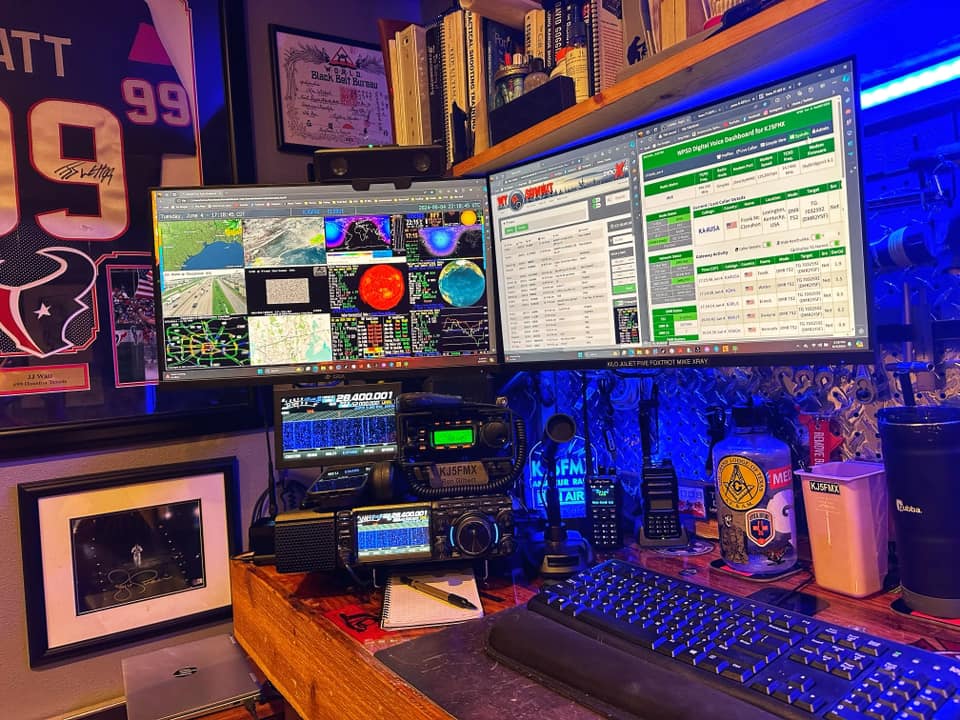
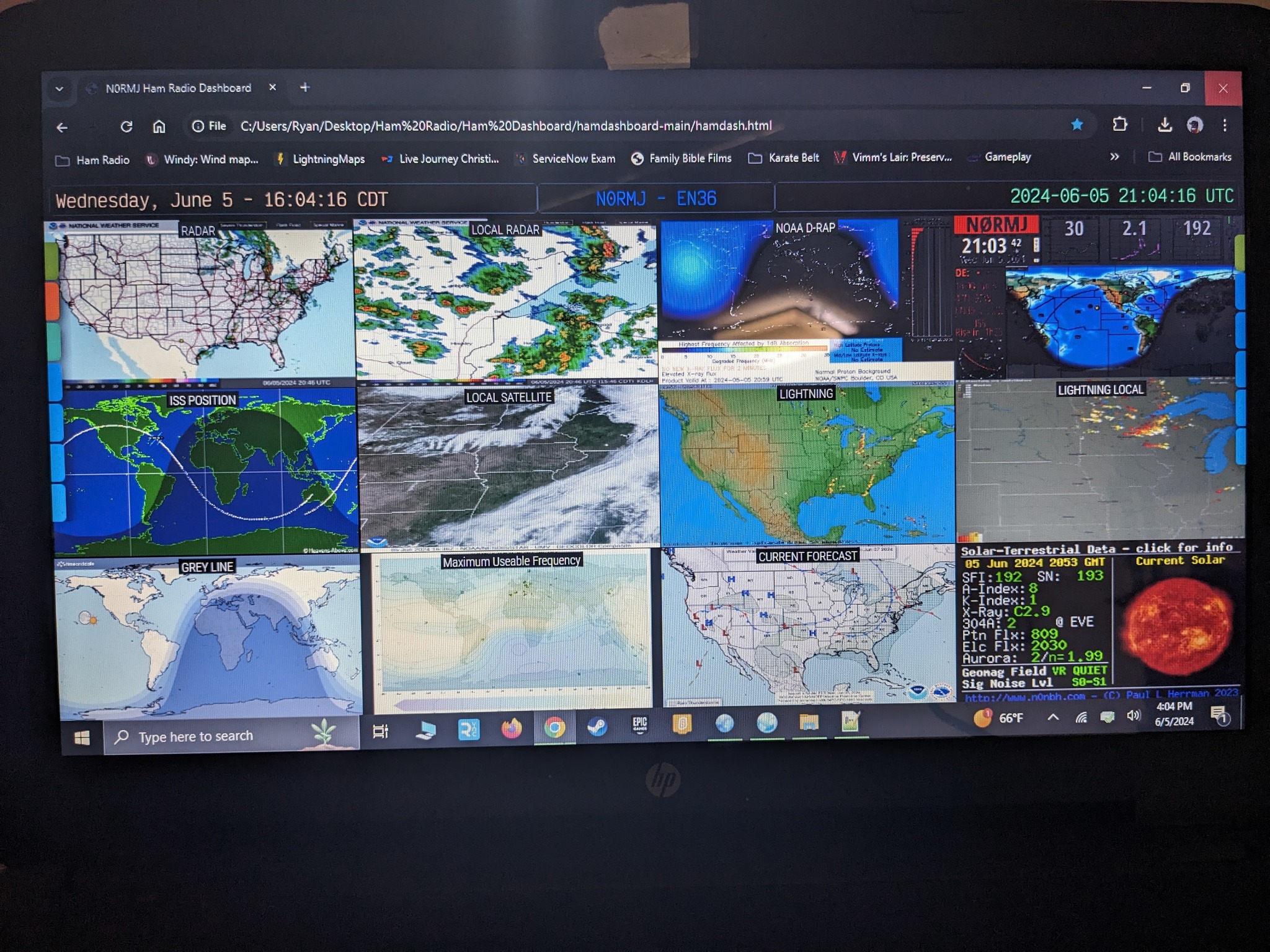

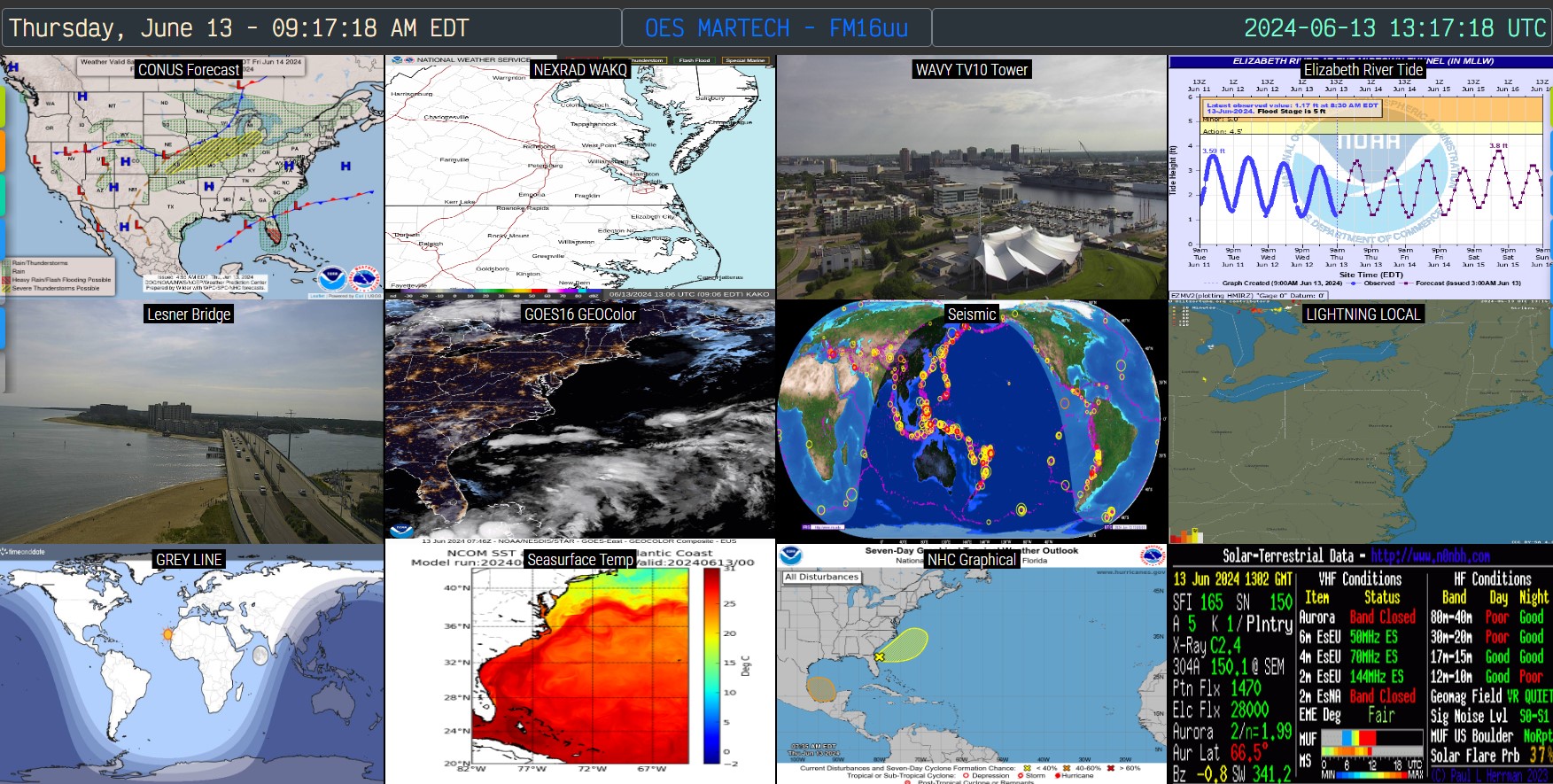

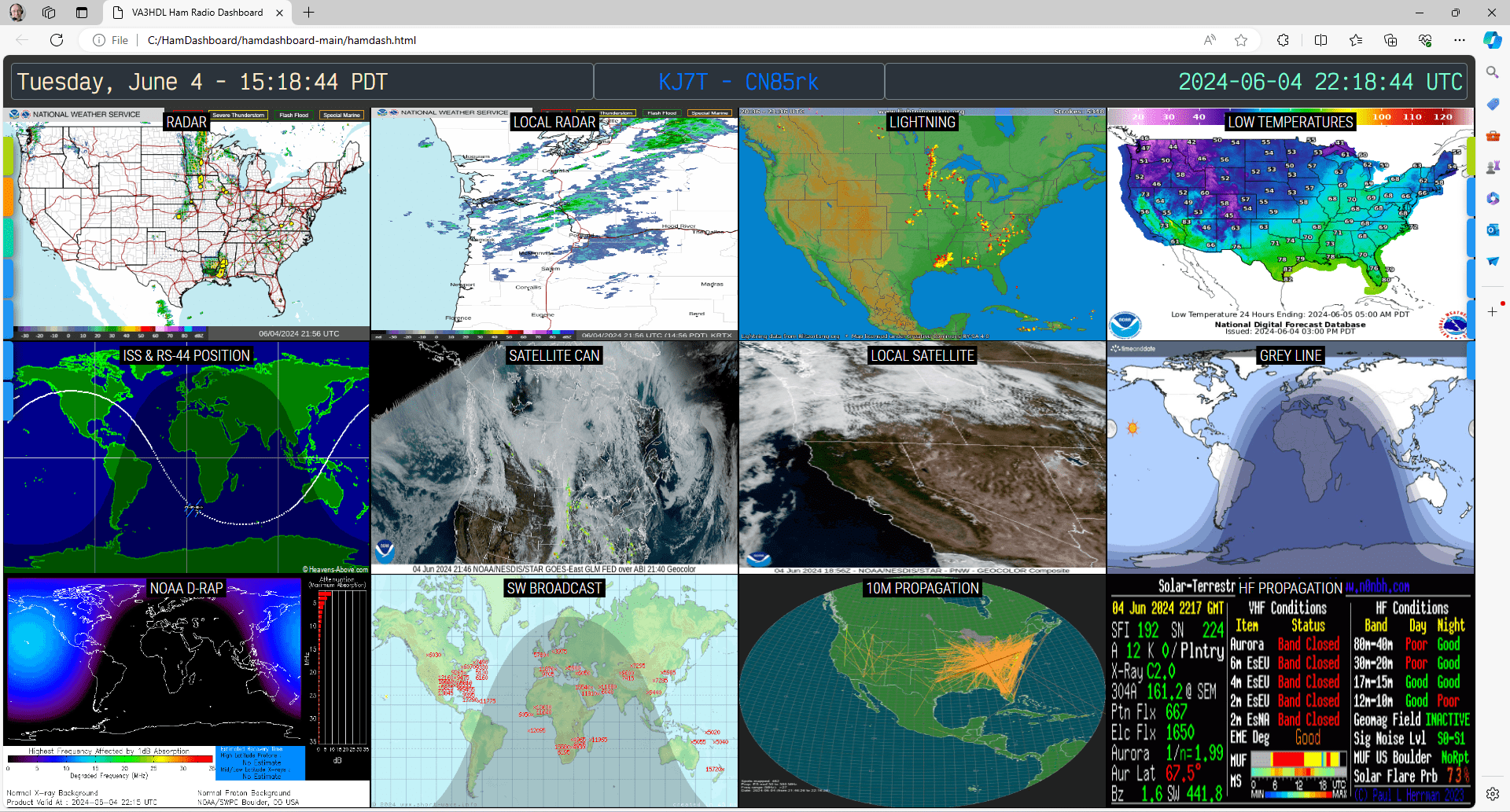
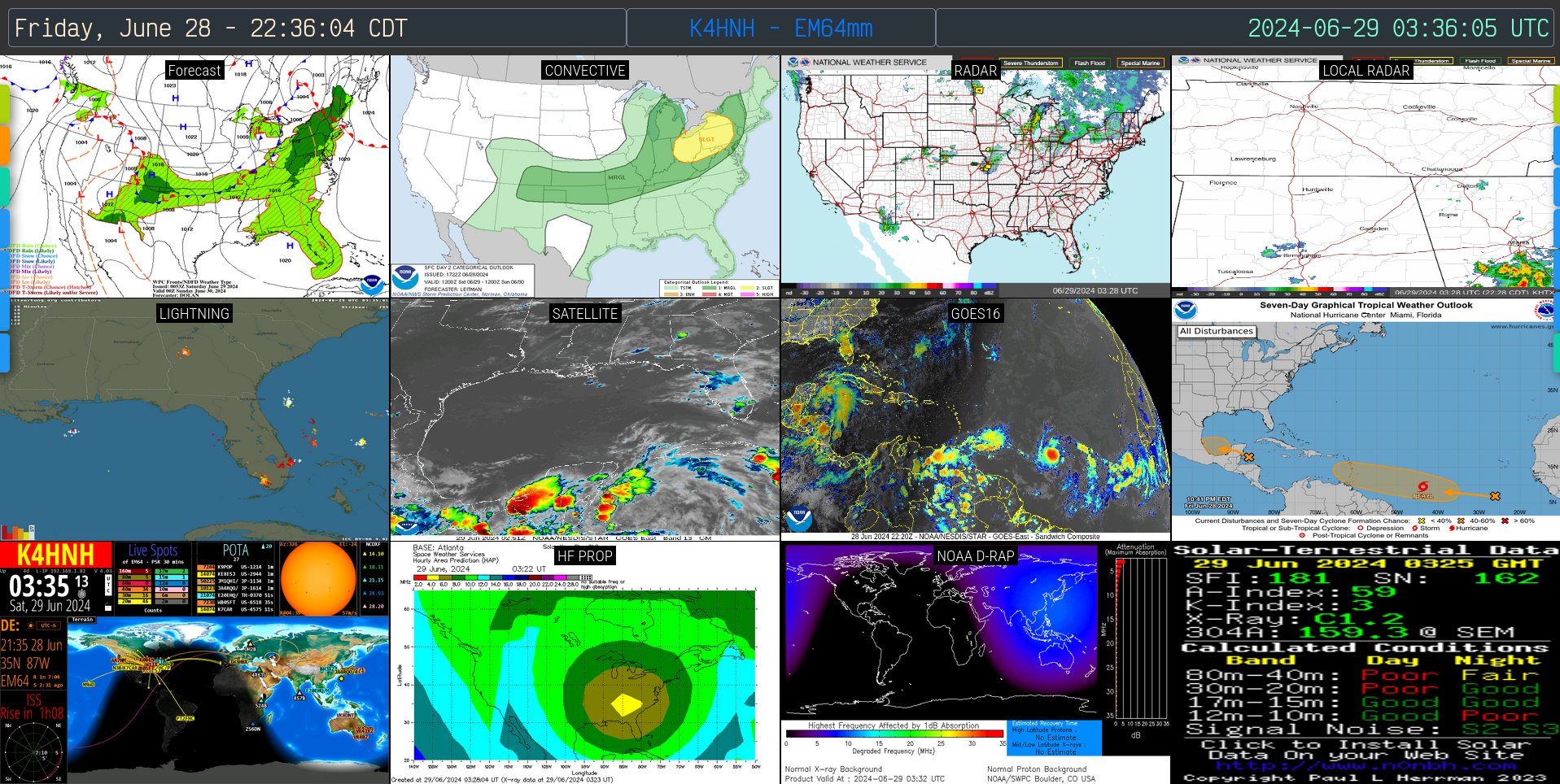
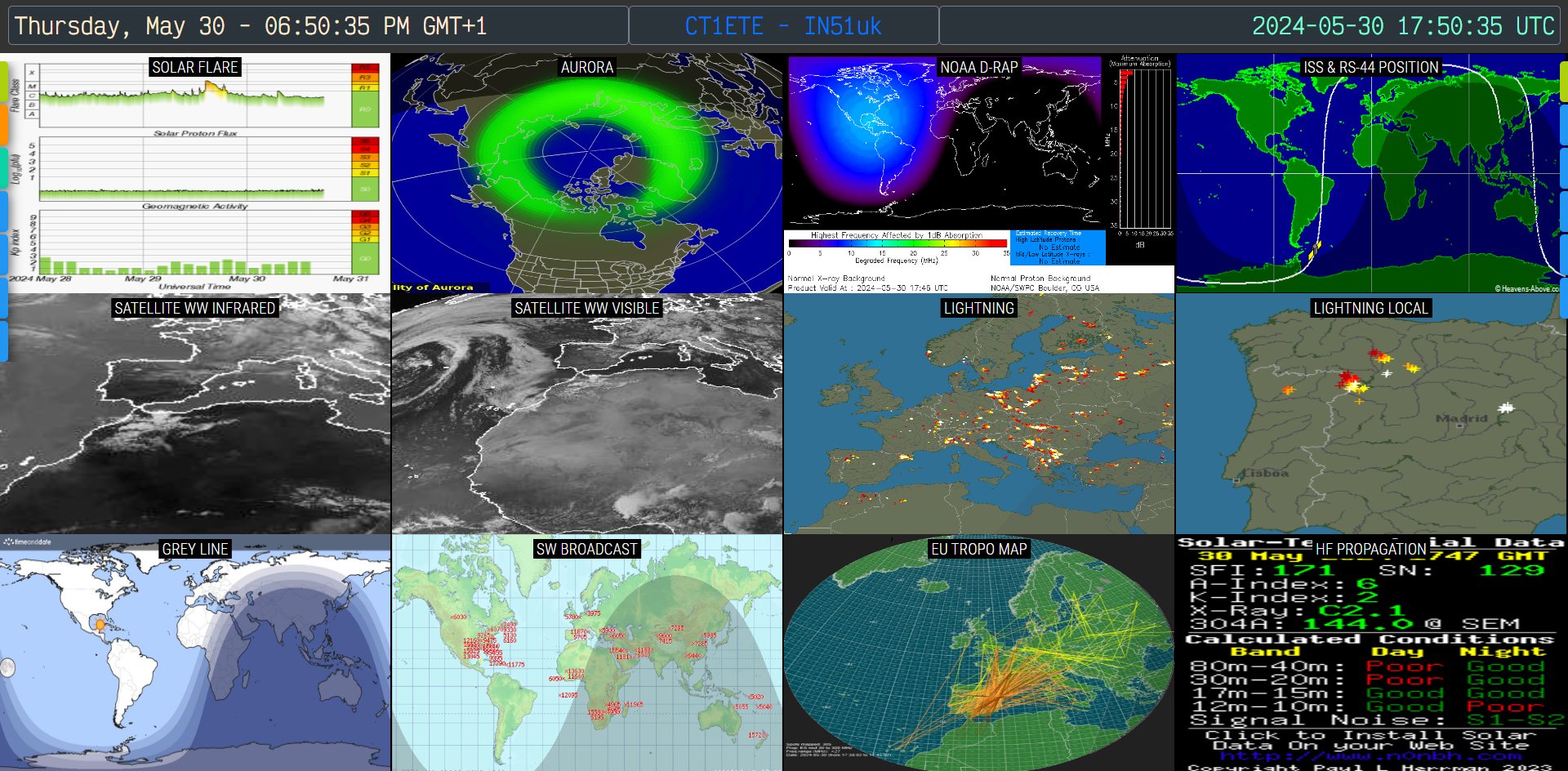
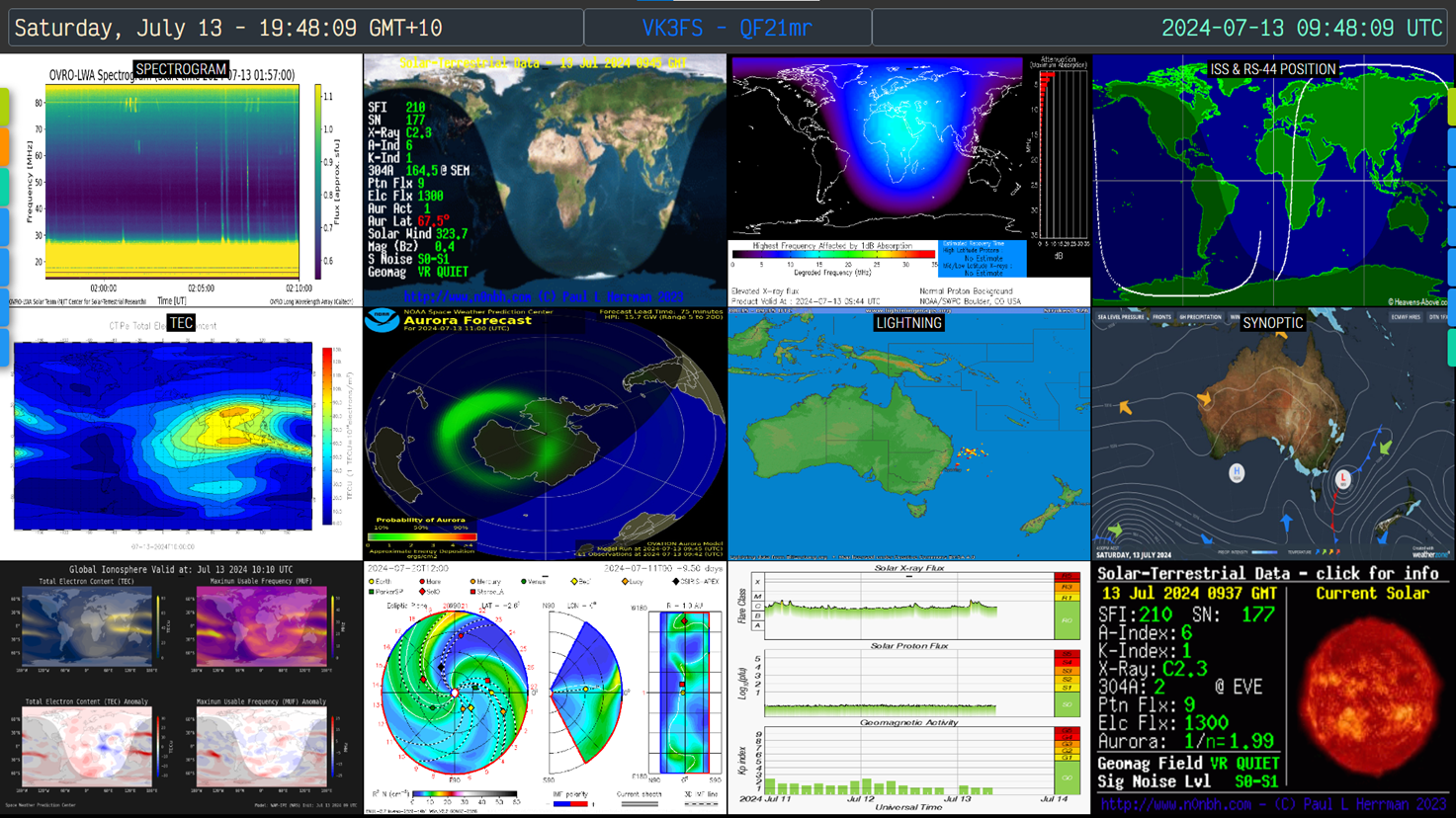
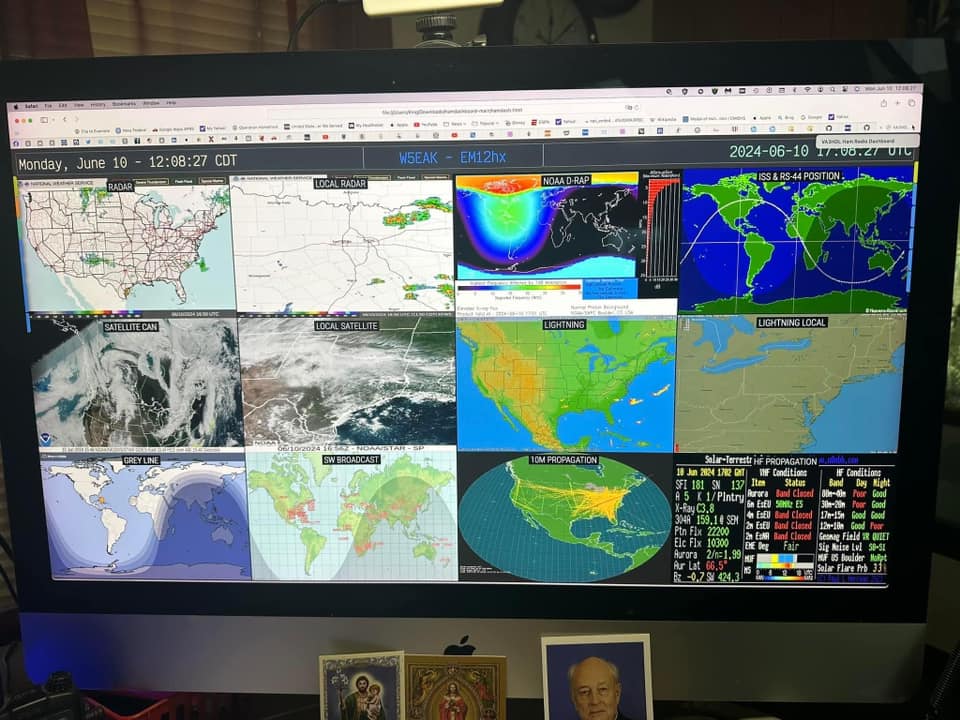


### Dual menu example

### Sources display example

================================================
FILE: config.js
================================================
const disableSetup = false;
const disableLdCfg = false;
var topBarCenterText = `VA3HDL - FN04ga - .js`;
// Grid layout
var layout_cols = 4;
var layout_rows = 3;
// Menu items
// Structure is as follows HTML Color code, Option, target URL, scaling 1=Original Size, side (optional, nothing is Left, "R" is Right)
// The values are [color code, menu text, target link, scale factor, side],
// add new lines following the structure for extra menu options. The comma at the end is important!
var aURL = [
["f3de21", "SATS", "satellite.js"],
["2196F3", "CLUBLOG", "https://clublog.org/livestream/VA3HDL", "1.7"],
[
"2196F3",
"CONTEST",
"https://www.contestcalendar.com/fivewkcal.html",
"1",
],
["2196F3", "DX CLUSTER", "https://dxcluster.ha8tks.hu/map/", "1"],
[
"2196F3",
"LIGHTNING",
"https://map.blitzortung.org/#3.87/36.5/-89.41",
"1",
"R",
],
["2196F3", "PISTAR", "http://pi-star.local/", "1.2"],
[
"2196F3",
"RADAR",
"dark|https://weather.gc.ca/?layers=alert,radar¢er=43.39961001,-78.53212031&zoom=6&alertTableFilterProv=ON",
"1",
"R"
],
["2196F3", "TIME.IS", "https://time.is/", "1", "R"],
[
"2196F3",
"WEATHER",
"https://openweathermap.org/weathermap?basemap=map&cities=true&layer=temperature&lat=44.0157&lon=-79.4591&zoom=5",
"1",
"R",
],
[
"2196F3",
"WINDS",
"https://earth.nullschool.net/#current/wind/surface/level/orthographic=-78.79,44.09,3000",
"1",
"R",
],
];
// Dashboard items
// Structure is Title, Image Source URL
// [Title, Image Source URL],
// the comma at the end is important!
// You can't add more items because there are only 12 placeholders on the dashboard
// but you can replace the titles and the images with anything you want.
var aIMG = [
[["Radar CONUS", "Radar Small"], "https://radar.weather.gov/ridge/standard/CONUS-LARGE_loop.gif", "https://radar.weather.gov/ridge/standard/CONUS_loop.gif"],
[
"LOCAL RADAR (inverted)",
"invert|https://radar.weather.gov/ridge/standard/KNQA_loop.gif",
],
[
"NOAA D-RAP (inverted)",
"invert|https://s.w-x.co/staticmaps/wu/wxtype/county_loc/bgm/animate.png",
],
[
"ISS POSITION",
"https://www.heavens-above.com/orbitdisplay.aspx?icon=iss&width=600&height=300&mode=M&satid=25544",
],
[
"SATELLITE CAN",
"https://cdn.star.nesdis.noaa.gov/GOES16/GLM/SECTOR/can/EXTENT3/GOES16-CAN-EXTENT3-1125x560.gif",
],
[
"SATELLITE CGL",
"https://cdn.star.nesdis.noaa.gov/GOES16/GLM/SECTOR/cgl/EXTENT3/GOES16-CGL-EXTENT3-600x600.gif",
],
[
"LIGHTNING",
"https://images.lightningmaps.org/blitzortung/america/index.php?animation=usa",
],
[
"LIGHTNING LOCAL",
"https://www.blitzortung.org/en/Images/image_b_ny.png",
],
["YOUTUBE EXAMPLE", "iframe|https://www.youtube.com/embed/fzPFaXAV_2Y?autoplay=1&mute=1"],
[
"WEBSITE EXAMPLE",
"iframe|https://globe.adsbexchange.com/?airport=YYZ",
],
["VIDEO EXAMPLE", "https://himawari8.nict.go.jp/movie/720/20240611_pifd.mp4"],
["HF PROPAGATION",
"https://www.hamqsl.com/solar101vhf.php"],
];
// Image rotation intervals in milliseconds per tile - If the line below is commented, all tiles will be rotated every 30000 milliseconds (30s)
var tileDelay = [
11200,10000,11000,10100,
10200,10500,10300,10600,
30400,60700,60900,10800
];
// RSS feed items
// Structure is [feed URL, refresh interval in minutes]
var aRSS = [
["https://www.amsat.org/feed/", 60], // Example RSS feed, refresh every 60 minutes
["https://daily.hamweekly.com/atom.xml", 120], // Example Atom feed, refresh every 120 minutes
];
================================================
FILE: config.json
================================================
{
"disableSetup": false,
"disableLdCfg": false,
"topBarCenterText": "VA3HDL - FN04ga - JSON",
"layout_cols": 4,
"layout_rows": 3,
"aURL": [
["f3de21", "SATS", "satellite.js"],
["2196F3", "CLUBLOG", "https://clublog.org/livestream/VA3HDL", "1.7"],
["2196F3", "CONTEST", "https://www.contestcalendar.com/fivewkcal.html", "1"],
["2196F3", "DX CLUSTER", "https://dxcluster.ha8tks.hu/map/", "1"],
["2196F3", "LIGHTNING", "https://map.blitzortung.org/#3.87/36.5/-89.41", "1", "R"],
["2196F3", "PISTAR", "http://pi-star.local/", "1.2"],
["2196F3", "RADAR", "dark|https://weather.gc.ca/?layers=alert,radar¢er=43.39961001,-78.53212031&zoom=6&alertTableFilterProv=ON", "1", "R"],
["2196F3", "TIME.IS", "https://time.is/", "1", "R"],
["2196F3", "WEATHER", "https://openweathermap.org/weathermap?basemap=map&cities=true&layer=temperature&lat=44.0157&lon=-79.4591&zoom=5", "1", "R"],
["2196F3", "WINDS", "https://earth.nullschool.net/#current/wind/surface/level/orthographic=-78.79,44.09,3000", "1", "R"]
],
"aIMG": [
[["Radar CONUS", "Radar Small"], ["https://radar.weather.gov/ridge/standard/CONUS-LARGE_loop.gif", "https://radar.weather.gov/ridge/standard/CONUS_loop.gif"], 60100],
["LOCAL RADAR (inverted)", "invert|https://radar.weather.gov/ridge/standard/KNQA_loop.gif", 10000],
["NOAA D-RAP (inverted)", "invert|https://s.w-x.co/staticmaps/wu/wxtype/county_loc/bgm/animate.png", 11000],
["ISS POSITION", "https://www.heavens-above.com/orbitdisplay.aspx?icon=iss&width=600&height=300&mode=M&satid=25544", 10100],
["SATELLITE CAN", "https://cdn.star.nesdis.noaa.gov/GOES16/GLM/SECTOR/can/EXTENT3/GOES16-CAN-EXTENT3-1125x560.gif", 10200],
["SATELLITE CGL", "https://cdn.star.nesdis.noaa.gov/GOES16/GLM/SECTOR/cgl/EXTENT3/GOES16-CGL-EXTENT3-600x600.gif", 10500],
["LIGHTNING", "https://images.lightningmaps.org/blitzortung/america/index.php?animation=usa", 10300],
["LIGHTNING LOCAL", "https://www.blitzortung.org/en/Images/image_b_ny.png", 10600],
["YOUTUBE EXAMPLE", "iframe|https://www.youtube.com/embed/fzPFaXAV_2Y?autoplay=1&mute=1", 30400],
["WEBSITE EXAMPLE", "iframe|https://globe.adsbexchange.com/?airport=YYZ", 60700],
["VIDEO EXAMPLE", "https://himawari8.nict.go.jp/movie/720/20240611_pifd.mp4", 60900],
["HF PROPAGATION", "https://www.hamqsl.com/solar101vhf.php", 10800]
],
"aRSS": [
["https://www.amsat.org/feed/", 60],
["https://daily.hamweekly.com/atom.xml", 120]
]
}
================================================
FILE: config_jsonp.js
================================================
window.hamdashConfig = {
"disableSetup": false,
"disableLdCfg": false,
"topBarCenterText": "VA3HDL-FN04ga-JsonP",
"layout_cols": 4,
"layout_rows": 3,
"aURL": [
["f3de21", "SATS", "satellite.js"],
["2196F3", "CLUBLOG", "https://clublog.org/livestream/VA3HDL", "1.7"],
["2196F3", "CONTEST", "https://www.contestcalendar.com/fivewkcal.html", "1"],
["2196F3", "DX CLUSTER", "https://dxcluster.ha8tks.hu/map/", "1"],
["2196F3", "LIGHTNING", "https://map.blitzortung.org/#3.87/36.5/-89.41", "1", "R"],
["2196F3", "PISTAR", "http://pi-star.local/", "1.2"],
["2196F3", "RADAR", "dark|https://weather.gc.ca/?layers=alert,radar¢er=43.39961001,-78.53212031&zoom=6&alertTableFilterProv=ON", "1", "R"],
["2196F3", "TIME.IS", "https://time.is/", "1", "R"],
["2196F3", "WEATHER", "https://openweathermap.org/weathermap?basemap=map&cities=true&layer=temperature&lat=44.0157&lon=-79.4591&zoom=5", "1", "R"],
["2196F3", "WINDS", "https://earth.nullschool.net/#current/wind/surface/level/orthographic=-78.79,44.09,3000", "1", "R"]
],
"aIMG": [
[["Radar CONUS", "Radar Small"], ["https://radar.weather.gov/ridge/standard/CONUS-LARGE_loop.gif", "https://radar.weather.gov/ridge/standard/CONUS_loop.gif"], 60100],
["LOCAL RADAR (inverted)", "invert|https://radar.weather.gov/ridge/standard/KNQA_loop.gif", 10000],
["NOAA D-RAP (inverted)", "invert|https://s.w-x.co/staticmaps/wu/wxtype/county_loc/bgm/animate.png", 11000],
["ISS POSITION", "https://www.heavens-above.com/orbitdisplay.aspx?icon=iss&width=600&height=300&mode=M&satid=25544", 10100],
["SATELLITE CAN", "https://cdn.star.nesdis.noaa.gov/GOES16/GLM/SECTOR/can/EXTENT3/GOES16-CAN-EXTENT3-1125x560.gif", 10200],
["SATELLITE CGL", "https://cdn.star.nesdis.noaa.gov/GOES16/GLM/SECTOR/cgl/EXTENT3/GOES16-CGL-EXTENT3-600x600.gif", 10500],
["LIGHTNING", "https://images.lightningmaps.org/blitzortung/america/index.php?animation=usa", 10300],
["LIGHTNING LOCAL", "https://www.blitzortung.org/en/Images/image_b_ny.png", 10600],
["YOUTUBE EXAMPLE", "iframe|https://www.youtube.com/embed/fzPFaXAV_2Y?autoplay=1&mute=1", 30400],
["WEBSITE EXAMPLE", "iframe|https://globe.adsbexchange.com/?airport=YYZ", 60700],
["VIDEO EXAMPLE", "https://himawari8.nict.go.jp/movie/720/20240611_pifd.mp4", 60900],
["HF PROPAGATION", "https://www.hamqsl.com/solar101vhf.php", 10800]
],
"aRSS": [
["https://www.amsat.org/feed/", 60],
["https://daily.hamweekly.com/atom.xml", 120]
]
};
================================================
FILE: hamdash.html
================================================
<!DOCTYPE html>
<html lang="en">
<head>
<meta charset="UTF-8" />
<meta http-equiv="Cache-Control" content="no-cache, no-store, must-revalidate" />
<meta http-equiv="Pragma" content="no-cache" />
<meta http-equiv="Expires" content="0" />
<meta http-equiv="Cache" content="no-cache" />
<meta http-equiv="Pragma-Control" content="no-cache" />
<meta http-equiv="Cache-directive" content="no-cache" />
<meta http-equiv="Pragma-directive" content="no-cache" />
<meta http-equiv="Cache-Control" content="no-cache" />
<meta http-equiv="Pragma-directive: no-cache" />
<meta http-equiv="Cache-directive: no-cache" />
<meta name="viewport" content="width=device-width, initial-scale=1.0" />
<meta name="description" content="VA3HDL Ham Radio Dashboard" />
<link rel="icon" href="data:image/svg+xml,<svg xmlns=%22http://www.w3.org/2000/svg%22 viewBox=%220 0 100 100%22><text y=%22.9em%22 font-size=%2290%22>📡</text></svg>">
<link rel="preconnect" href="https://fonts.googleapis.com" />
<link rel="preconnect" href="https://fonts.gstatic.com" crossorigin />
<link href="https://fonts.googleapis.com/css?family=Victor Mono|Audiowide|Bebas Neue" rel="stylesheet" />
<link href="https://fonts.googleapis.com/css2?family=Roboto+Condensed:wght@100..900&display=swap" rel="stylesheet" />
<title>Ham Radio Dashboard</title>
<!--
Hamdash
License: MIT
Copyright (c) 2026 Pablo Sabbag, VA3HDL
https://www.va3hdl.com/projects/hamdash
Credits:
Project inspired by the concept of DAVID A GOLD callsign N2MXX published at https://nject.us/HAMSHACK-DASHBOARD-O.html
--
.d8888. d888888b db db db d88888b .d8888.
88' YP `~~88~~' `8b d8' 88 88' 88' YP
`8bo. 88 `8bd8' 88 88ooooo `8bo.
`Y8b. 88 88 88 88~~~~~ `Y8b.
db 8D 88 88 88booo. 88. db 8D
`8888Y' YP YP Y88888P Y88888P `8888Y'
-->
<style>
body,
html {
background: black;
font-size: 100%;
max-width: 100%;
overflow-x: hidden;
height: 100%;
margin: 0;
justify-content: center;
align-items: center;
}
/* Style for the div containing the iframe */
.iframe-container {
background-color: black;
border: 0px none;
position: fixed;
height: 100%;
width: 100%;
z-index: -2;
justify-content: center;
align-items: center;
}
.img-zoom {
background-color: black;
left: 0px;
border: 0px none;
height: 100%;
width: 100%;
position: fixed;
overflow: hidden;
bottom: 0px;
z-index: -2;
}
/* Style for the iframe element */
.full-screen {
background-color: black;
border: 0px none;
height: 100%;
width: 98%;
margin-bottom: 0px;
margin-left: 1%;
justify-content: center;
align-items: center;
-ms-zoom: 1;
-moz-transform: scale(1);
-moz-transform-origin: 0 0;
-o-transform: scale(1);
-o-transform-origin: 0 0;
-webkit-transform: scale(1);
-webkit-transform-origin: 0 0;
}
.default-frame {
margin-top: 0px;
margin-bottom: 0px;
margin-left: 0px;
left: 0px;
border: 0px none;
height: 100%;
width: 100%;
position: fixed;
overflow: hidden;
bottom: 0px;
}
.top-bar {
display: grid;
grid-template-columns: 2fr 1fr 2fr;
background-color: #333;
color: #fff;
padding: 1vh;
border: 0px none;
overflow: hidden;
position: relative;
width: auto;
}
.child {
position: relative;
display: grid;
border: 1px solid hsl(210deg 8% 50%);
border-radius: 5px;
background: hsl(210deg 15% 20%);
color: white;
padding: 0.5vh;
font-family: "Victor Mono", sans-serif;
font-size: 1.4vw;
}
/* Default variables values for grid layout 4 cols x 3 rows */
:root {
--main-layout: auto auto auto auto;
--main-width: 24.9vw;
--main-height: 31vh;
}
/* Style for the dashboard container */
.dashboard {
display: grid;
grid-template-columns: var(--main-layout);
grid-gap: 0px;
border: 0px none;
margin-bottom: 0px;
overflow: hidden;
position: relative;
width: 100%;
}
/* Style for the image container */
.image-container {
position: relative;
float: inline-start;
margin-right: 0px;
border: 0px none;
height: var(--main-height);
width: var(--main-width);
overflow: hidden;
display: flex;
justify-content: center;
/* Horizontal centering */
align-items: center;
/* Vertical centering */
border-radius: 5px;
/* Rounded corners */
}
.iframe-tile {
position: absolute;
/* it must be absolute */
float: inline-start;
overflow: hidden;
border: 0px none;
display: flex;
height: var(--main-height);
width: var(--main-width);
margin: 0;
border-radius: 5px;
/* Rounded corners */
}
/* Style for the image */
.image-container img {
height: 100%;
width: 100%;
}
/* Style for the image titles */
.image-title {
position: absolute;
bottom: 6%;
left: 50%;
transform: translate(-50%, -50%);
color: white;
/* font color */
background-color: black;
font-size: 1vw;
border-left: 0.25vw solid black;
border-right: 0.25vw solid black;
font-family: "Roboto Condensed", sans-serif;
font-optical-sizing: auto;
font-weight: 300;
font-style: normal;
padding-top: 1px;
z-index: 2;
}
.click-overlay {
position: absolute;
top: 0;
left: 0;
width: 100%;
height: 100%;
background-color: transparent;
z-index: 1;
cursor: pointer;
}
/* Style for the full screen image */
.image-large {
display: block;
position: relative;
margin-left: auto;
margin-right: auto;
max-height: 100%;
max-width: 100%;
height: 100%;
width: auto;
}
.media {
height: 100%;
width: 100%;
cursor: pointer;
}
.hidden {
display: none;
}
/* Style for the left menu options */
.menuL {
display: grid;
grid-gap: 3px;
position: absolute;
height: auto;
width: auto;
margin-top: 10vh;
left: calc(-5.2vw - 0px);
z-index: 2;
transition: 0.3s;
}
/* Style for the right menu options */
.menuR {
display: grid;
grid-gap: 3px;
position: absolute;
height: auto;
width: 30px;
margin-top: 10vh;
right: -5px;
z-index: 2;
transition: 0.3s;
}
#myMenuL:hover {
width: 7vw;
left: 0px;
}
#myMenuR:hover {
width: 7vw;
right: 0px;
}
#mySidenavL a {
position: relative;
float: inline-start;
left: calc(-0.2vw - 10px);
transition: 0.3s;
padding-left: 15px;
padding-right: 15px;
padding-top: 12px;
padding-bottom: 8px;
width: 5vw;
text-decoration: none;
font-family: "Bebas Neue", sans-serif;
font-size: 1.2vw;
font-optical-sizing: auto;
font-weight: 300;
font-style: normal;
text-align: right;
color: white;
border-radius: 0 5px 5px 0;
box-shadow: 4px 4px 12px rgba(0, 0, 0, 0.5);
}
#mySidenavL a:hover {
left: 0;
}
#mySidenavR a {
position: relative;
float: inline-start;
right: calc(-0.2vw - 10px);
transition: 0.3s;
padding-left: 15px;
padding-right: 15px;
padding-top: 12px;
padding-bottom: 8px;
width: 7vw;
text-decoration: none;
font-family: "Bebas Neue", sans-serif;
font-size: 1.2vw;
font-optical-sizing: auto;
font-weight: 300;
font-style: normal;
text-align: left;
color: white;
border-radius: 5px 0px 0px 5px;
box-shadow: 4px 4px 12px rgba(0, 0, 0, 0.5);
}
#mySidenavR a:hover {
right: 0;
width: 7vw;
}
.menu-link.menu-core::before {
content: '★';
margin-right: 0px;
margin-left: 0px;
opacity: 0.8;
/*
position: absolute;
top: 1px;
left: 1px;
*/
}
.menu-link.menu-config::before {
content: '⚙️';
margin-right: 0px;
margin-left: 0px;
opacity: 0.8;
display: inline-block;
transform: scale(0.7);
transform-origin: center;
/*
position: absolute;
top: 1px;
left: 1px;
*/
}
.menu-link.menu-user::before {
content: '';
margin-right: 1px;
}
.overlay {
display: none;
position: fixed;
top: 0;
left: 0;
height: 100%;
width: 100%;
background-color: rgba(0, 0, 0, 0.8);
color: white;
padding: 50px;
box-sizing: border-box;
z-index: 3;
font-family: "Roboto Condensed", sans-serif;
}
.overlay-content {
background-color: #333;
padding: 20px;
border-radius: 10px;
max-height: 80vh;
/* Ensures the overlay content is scrollable if it exceeds the viewport height */
overflow-y: auto;
}
.close-btn {
cursor: pointer;
color: white;
float: right;
font-size: 20px;
}
/************************/
/* Settings page styles */
/************************/
.settings-Page {
display: none;
font-family: Arial, sans-serif;
margin-top: 37px;
background-color: aliceblue;
height: 98%;
width: 98%;
margin-left: 1%;
overflow-y: auto;
}
.fixed-section {
display: none;
text-align: center;
position: fixed;
top: 0;
left: 1%;
width: 98%;
background-color: cadetblue;
padding-top: 7px;
box-shadow: 0 2px 5px rgba(0, 0, 0, 0.1);
z-index: -3;
}
.section {
margin-bottom: 20px;
display: flex;
flex-wrap: wrap;
}
label {
margin: 2px;
font-weight: bold;
}
input[type="text"] {
width: 90%;
padding: 1px;
margin-right: 5px;
margin-bottom: 3px;
}
input[type="number"] {
width: 20%;
padding: 1px;
margin-bottom: 10px;
}
table {
width: 100%;
border-collapse: collapse;
margin-bottom: 10px;
}
table th,
table td {
border: 1px solid #ddd;
padding: 8px;
align-content: start;
}
table th {
background-color: #f4f4f4;
}
button {
padding: 5px 5px;
margin: 0 0 7px 0;
cursor: pointer;
background-image: linear-gradient(#f7f8fa, #e7e9ec);
border-color: #adb1b8 #a2a6ac #8d9096;
border-style: solid;
border-width: 1px;
border-radius: 3px;
box-shadow: rgba(255, 255, 255, 0.6) 0 1px 0 inset;
box-sizing: border-box;
color: #0f1111;
cursor: pointer;
font-family: "Amazon Ember", Arial, sans-serif;
font-size: 14px;
height: 23px;
font-size: 13px;
outline: 0;
overflow: hidden;
padding: 0 11px;
text-align: center;
text-decoration: none;
text-overflow: ellipsis;
user-select: none;
-webkit-user-select: none;
touch-action: manipulation;
white-space: nowrap;
}
button:active {
border-bottom-color: #a2a6ac;
}
button:active:hover {
border-bottom-color: #a2a6ac;
}
button:hover {
border-color: #a2a6ac #979aa1 #82858a;
}
button:focus {
border-color: #e77600;
box-shadow: rgba(228, 121, 17, 0.5) 0 0 3px 2px;
outline: 0;
}
.radio-group {
display: flex;
align-items: center;
}
.radio-group label {
margin-right: 15px;
padding-top: 5px;
font-weight: normal;
}
/************************/
/* Settings RSS styles */
/************************/
.rss-ticker {
position: fixed;
bottom: 0;
width: 100%;
background-color: rgba(0, 0, 0, 0.5);
overflow: hidden;
white-space: nowrap;
box-sizing: border-box;
padding: 3px 0;
font-family: "Victor Mono", sans-serif;
font-size: 1.4vh;
font-weight: bold;
}
.rss-ticker-content {
display: inline-block;
padding-left: 100%;
animation: ticker var(--ticker-duration, 90s) linear infinite;
animation-play-state: running;
/* Default state is running */
}
.rss-ticker-content a {
text-decoration: none;
color: #e77600;
}
@keyframes ticker {
0% {
transform: translateX(0%);
}
100% {
transform: translateX(-100%);
}
}
</style>
<!--
.d8888. .o88b. d8888b. d888888b d8888b. d888888b .d8888.
88' YP d8P Y8 88 `8D `88' 88 `8D `~~88~~' 88' YP
`8bo. 8P 88oobY' 88 88oodD' 88 `8bo.
`Y8b. 8b 88`8b 88 88~~~ 88 `Y8b.
db 8D Y8b d8 88 `88. .88. 88 88 db 8D
`8888Y' `Y88P' 88 YD Y888888P 88 YP `8888Y'
-->
<script src="wheelzoom.js"></script>
<script>
// Track critical page events
window.addEventListener('DOMContentLoaded', () => {
console.log('►►► DOMContentLoaded fired');
});
window.addEventListener('load', () => {
console.log('►►► Page fully loaded');
});
// Track script execution
console.log('►►► Script loaded and running');
// .d8888. d88888b d888888b d888888b d888888b d8b db d888b .d8888. .d8888. d88888b .o88b. d888888b d888888b .d88b. d8b db
// 88' YP 88' `~~88~~' `~~88~~' `88' 888o 88 88' Y8b 88' YP 88' YP 88' d8P Y8 `~~88~~' `88' .8P Y8. 888o 88
// `8bo. 88ooooo 88 88 88 88V8o 88 88 `8bo. `8bo. 88ooooo 8P 88 88 88 88 88V8o 88
// `Y8b. 88~~~~~ 88 88 88 88 V8o88 88 ooo `Y8b. `Y8b. 88~~~~~ 8b 88 88 88 88 88 V8o88
// db 8D 88. 88 88 .88. 88 V888 88. ~8~ db 8D db 8D 88. Y8b d8 88 .88. `8b d8' 88 V888
// `8888Y' Y88888P YP YP Y888888P VP V8P Y888P `8888Y' `8888Y' Y88888P `Y88P' YP Y888888P `Y88P' VP V8P
function getColumnHeaderTitle(tableId, columnNumber) {
const table = document.getElementById(tableId);
if (!table) {
console.error(`Table with id ${tableId} not found.`);
return null;
}
const headers = table.querySelectorAll("thead th");
if (columnNumber < 0 || columnNumber >= headers.length) {
console.error(`Invalid column number ${columnNumber}.`);
return null;
}
return headers[columnNumber].textContent;
}
document.addEventListener("DOMContentLoaded", () => {
// Default Values
const defaults = {
settingsSource: "localStorage",
topBarCenterText: "CALLSIGN - Locator",
layout_cols: 4,
layout_rows: 3,
aURL: [["2196F3", "Photos", "https://picsum.photos/", 1, "L"]],
aImages: [
["Tile 1", ["https://picsum.photos/seed/picsum/200/300"], 30000],
["Tile 2", ["https://picsum.photos/seed/picsum/200/300"], 30000],
["Tile 3", ["https://picsum.photos/seed/picsum/200/300"], 30000],
["Tile 4", ["https://picsum.photos/seed/picsum/200/300"], 30000],
["Tile 5", ["https://picsum.photos/seed/picsum/200/300"], 30000],
["Tile 6", ["https://picsum.photos/seed/picsum/200/300"], 30000],
["Tile 7", ["https://picsum.photos/seed/picsum/200/300"], 30000],
["Tile 8", ["https://picsum.photos/seed/picsum/200/300"], 30000],
["Tile 9", ["https://picsum.photos/seed/picsum/200/300"], 30000],
["Tile 10", ["https://picsum.photos/seed/picsum/200/300"], 30000],
["Tile 11", ["https://picsum.photos/seed/picsum/200/300"], 30000],
["Tile 12", ["https://picsum.photos/seed/picsum/200/300"], 30000],
],
aRSS: [
["https://www.amsat.org/feed/", 60], // Example RSS feed
["https://daily.hamweekly.com/atom.xml", 60], // Example Atom feed
],
};
// Load from LocalStorage or Defaults
settings = JSON.parse(localStorage.getItem("hamdash_config")) || {
...defaults,
};
if (settings.settingsSource) {
document.querySelector(
`input[name="settingsSource"][value="${settings.settingsSource}"]`
).checked = true;
}
// Utility to Update Dashboard Items to Match Layout
adjustDashboardItems = () => {
const totalItems = settings.layout_cols * settings.layout_rows;
const currentItems = settings.aImages.length;
if (currentItems < totalItems) {
// Add new placeholders if there are fewer items than needed
for (let i = currentItems; i < totalItems; i++) {
settings.aImages.push(["", [""], 5000]); // Default title, image array, and rotation interval
}
} else if (currentItems > totalItems) {
// Remove excess items
settings.aImages.splice(totalItems);
}
updateTable("dashboardTable", settings.aImages, [
"Tile Title",
"Tile URLs",
"URL Rotation Interval (ms)",
]);
};
updateMenuTable = () => {
updateTable("menuTable", settings.aURL, [
"Color",
"Text",
"URL",
"Scale",
"Side",
]);
};
updateFeedTable = () => {
updateTable("feedTable", settings.aRSS, [
"Feed URL",
"Refresh Interval (minutes)",
]);
};
// Utility to Update Tables
const updateTable = (tableId, data, columns) => {
const tbody = document.querySelector(`#${tableId} tbody`);
tbody.innerHTML = "";
data.forEach((item, index) => {
const row = document.createElement("tr");
columns.forEach((col, colIndex) => {
const cell = document.createElement("td");
if (tableId == "menuTable" && colIndex == 0) { // Color column for Menu options
const colorInput = document.createElement("input");
colorInput.type = "color";
colorInput.value = "#" + item[colIndex].replace("#", "");
colorInput.onchange = (e) => (item[colIndex] = e.target.value);
cell.appendChild(colorInput);
} else {
if (Array.isArray(item[colIndex])) {
// Handle array of image URLs
const container = document.createElement("div");
item[colIndex].forEach((url, urlIndex) => {
const textarea = document.createElement("input");
textarea.type =
getColumnHeaderTitle(tableId, colIndex) === ""
? "number"
: "text";
textarea.value = url;
textarea.onchange = (e) =>
(item[colIndex][urlIndex] = e.target.value);
container.appendChild(textarea);
const removeBtn = document.createElement("button");
removeBtn.textContent = "Remove URL";
removeBtn.onclick = () => {
item[colIndex].splice(urlIndex, 1);
updateTable(tableId, data, columns);
};
container.appendChild(document.createElement("br"));
container.appendChild(removeBtn);
container.appendChild(document.createElement("br"));
});
const addBtn = document.createElement("button");
addBtn.textContent = "Add URL";
addBtn.onclick = () => {
item[colIndex].push("");
updateTable(tableId, data, columns);
};
container.appendChild(addBtn);
cell.appendChild(container);
} else {
const input = document.createElement("input");
switch (getColumnHeaderTitle(tableId, colIndex)) {
case "Scale":
input.type = "number";
break;
case "URL Rotation Interval (ms)":
input.type = "number";
break;
default:
input.type = "text";
}
input.value = item[colIndex];
input.onchange = (e) =>
(item[colIndex] =
colIndex === 2 && tableId === "dashboardTable"
? parseInt(e.target.value, 10)
: e.target.value);
// ADD CONVERT TO ARRAY BUTTON FOR TITLES
if (tableId === "dashboardTable" && colIndex === 0 && !Array.isArray(item[colIndex])) {
const convertBtn = document.createElement("button");
convertBtn.textContent = "Convert to Array";
convertBtn.style.fontSize = "10px";
convertBtn.style.height = "18px";
convertBtn.onclick = () => {
item[colIndex] = [item[colIndex]];
updateTable(tableId, data, columns);
};
cell.appendChild(document.createElement("br"));
cell.appendChild(convertBtn);
}
cell.appendChild(input);
}
}
row.appendChild(cell);
});
const actionsCell = document.createElement("td");
const deleteBtn = document.createElement("button");
deleteBtn.textContent = "Delete";
deleteBtn.onclick = () => {
data.splice(index, 1);
updateTable(tableId, data, columns);
adjustDashboardItems();
};
actionsCell.appendChild(deleteBtn);
row.appendChild(actionsCell);
tbody.appendChild(row);
});
};
// Load Initial Data
document.getElementById("CenterText").value = settings.topBarCenterText;
document.getElementById("layout_cols").value = settings.layout_cols;
document.getElementById("layout_rows").value = settings.layout_rows;
updateMenuTable();
updateFeedTable();
adjustDashboardItems(); // Ensure dashboard items match layout on load
// Save Configuration
document.getElementById("saveConfig").onclick = () => {
settings.settingsSource = document.querySelector(
'input[name="settingsSource"]:checked'
).value;
settings.topBarCenterText =
document.getElementById("CenterText").value;
settings.layout_cols = parseInt(
document.getElementById("layout_cols").value,
10
);
settings.layout_rows = parseInt(
document.getElementById("layout_rows").value,
10
);
// Update aURL from the table
const menuTableRows = document.querySelectorAll("#menuTable tbody tr");
settings.aURL = Array.from(menuTableRows).map(row => {
const cells = row.querySelectorAll("td");
return [
cells[0].querySelector("input").value,
cells[1].querySelector("input").value,
cells[2].querySelector("input").value,
parseInt(cells[3].querySelector("input").value, 10),
cells[4].querySelector("input").value
];
});
// Update aRSS from the table
const feedTableRows = document.querySelectorAll("#feedTable tbody tr");
settings.aRSS = Array.from(feedTableRows).map(row => {
const cells = row.querySelectorAll("td");
return [
cells[0].querySelector("input").value, // Feed URL
parseInt(cells[1].querySelector("input").value, 10) // Refresh Interval
];
});
localStorage.setItem("hamdash_config", JSON.stringify(settings));
alert("Settings saved!");
updateInputs();
updateMenuTable();
updateFeedTable();
adjustDashboardItems();
};
// Reset to Defaults
document.getElementById("resetConfig").onclick = () => {
localStorage.setItem("hamdash_config", JSON.stringify(defaults));
alert("Settings reset to defaults!");
settings = defaults;
updateInputs();
updateMenuTable();
updateFeedTable();
adjustDashboardItems();
};
// Delete Configuration from local storage
document.getElementById("deleteConfig").onclick = () => {
window.localStorage.removeItem('hamdash_config');
alert("Deleted local storage settings!");
// settings = defaults;
updateInputs();
updateMenuTable();
updateFeedTable();
adjustDashboardItems();
};
// Backup Configuration
document.getElementById("backupConfig").onclick = () => {
const dataStr =
"data:text/json;charset=utf-8," +
encodeURIComponent(JSON.stringify(settings));
const downloadAnchorNode = document.createElement("a");
downloadAnchorNode.setAttribute("href", dataStr);
downloadAnchorNode.setAttribute(
"download",
"hamdash_config_backup.json"
);
document.body.appendChild(downloadAnchorNode);
downloadAnchorNode.click();
downloadAnchorNode.remove();
};
// Restore Configuration
document.getElementById("restoreConfig").onclick = () => {
const input = document.createElement("input");
input.type = "file";
input.accept = "application/json";
input.onchange = (event) => {
const file = event.target.files[0];
const reader = new FileReader();
reader.onload = (e) => {
settings = JSON.parse(e.target.result);
alert("\nSettings restored from backup!\n\nRemember to Save Settings to Local Storage, Backup, or Export\n\nif you want to make changes permanent.");
updateInputs();
updateMenuTable();
updateFeedTable();
adjustDashboardItems();
};
reader.readAsText(file);
};
input.click();
};
// Import config.js
document.getElementById("importConfig").onclick = () => {
const input = document.createElement("input");
input.type = "file";
input.accept = ".js";
input.onchange = (event) => {
const file = event.target.files[0];
const reader = new FileReader();
reader.onload = (e) => {
// Wrap the content in an IIFE to avoid polluting the global scope
const configScript = `(function() {
${e.target.result}
return {
topBarCenterText,
layout_cols,
layout_rows,
aURL,
aIMG,
aRSS,
tileDelay
};
})()`;
// Evaluate the IIFE and get the variables
const config = eval(configScript);
// Filter out sub-arrays from aURL containing "BACK" or "Refresh"
const filteredAURL = config.aURL.filter(
(item) =>
!item.some(
(subItem) =>
typeof subItem === "string" &&
(subItem.includes("BACK") ||
subItem.includes("Back") ||
subItem.includes("Refresh") ||
subItem.includes("Sources") ||
subItem.includes("Update") ||
subItem.includes("Help"))
)
);
// Create a JSON structure from the variables
const configJSON = {
topBarCenterText: config.topBarCenterText,
layout_cols: config.layout_cols,
layout_rows: config.layout_rows,
aURL: filteredAURL,
aImages: config.aIMG.map((item, index) => {
// Arrange all items from second to last in a sub-array
const [first, ...rest] = item;
return [first, rest, config.tileDelay[index]];
}),
aRSS: config.aRSS,
settingsSource: "localStorage",
};
settings = configJSON;
alert("\nSettings imported from config.js!\n\nRemember to Save Settings to Local Storage, Backup, or Export\n\nif you want to make changes permanent.");
updateInputs();
updateMenuTable();
updateFeedTable();
adjustDashboardItems();
};
reader.readAsText(file);
};
input.click();
};
document.getElementById("exportConfig").onclick = () => {
const configJSContent = `// CUT START
var disableSetup = false; // Manually set to true to disable setup page menu option
var topBarCenterText = "${settings.topBarCenterText}";
// Grid layout desired
var layout_cols = ${settings.layout_cols};
var layout_rows = ${settings.layout_rows};
// Menu items
// Structure is as follows: HTML Color code, Option, target URL, scaling 1=Original Size, side (optional, nothing is Left, "R" is Right)
// The values are [color code, menu text, target link, scale factor, side],
// add new lines following the structure for extra menu options. The comma at the end is important!
var aURL = ${JSON.stringify(settings.aURL, null, 2)};
// Feed items
// Structure is as follows: target URL
// The values are [target link]
var aRSS = ${JSON.stringify(settings.aRSS, null, 2)};
// Dashboard Tiles items
// Tile Structure is Title, Source URL
// To display a website on the tiles use "iframe|" keyword before the tile URL
// [Title, Source URL],
// the comma at the end is important!
var aIMG = ${JSON.stringify(settings.aImages.map(item => [item[0], ...item[1].flat()]), null, 2)};
// Image rotation intervals in milliseconds per tile - If the line below is commented, tiles will be rotated every 5000 milliseconds (5s)
var tileDelay = ${JSON.stringify(settings.aImages.map(item => item[2]), null, 2)};
// CUT END`;
const dataStr = "data:text/javascript;charset=utf-8," + encodeURIComponent(configJSContent);
const downloadAnchorNode = document.createElement("a");
downloadAnchorNode.setAttribute("href", dataStr);
downloadAnchorNode.setAttribute("download", "config.js");
document.body.appendChild(downloadAnchorNode);
downloadAnchorNode.click();
downloadAnchorNode.remove();
};
// Add New Menu Item
document.getElementById("addMenuItem").onclick = () => {
settings.aURL.push(["", "", "", "", ""]);
updateMenuTable();
};
// Add New Feed Item
document.getElementById("addFeedItem").onclick = () => {
settings.aRSS.push([""]);
updateFeedTable();
};
// Update Dashboard Items When Layout Changes
document
.getElementById("layout_cols")
.addEventListener("change", () => {
settings.layout_cols = parseInt(
document.getElementById("layout_cols").value,
10
);
adjustDashboardItems();
});
document
.getElementById("layout_rows")
.addEventListener("change", () => {
settings.layout_rows = parseInt(
document.getElementById("layout_rows").value,
10
);
adjustDashboardItems();
});
function updateInputs() {
if (settings.settingsSource) {
document.querySelector(
`input[name="settingsSource"][value="${settings.settingsSource}"]`
).checked = true;
}
document.getElementById("CenterText").value = settings.topBarCenterText;
document.getElementById("layout_cols").value = settings.layout_cols;
document.getElementById("layout_rows").value = settings.layout_rows;
}
// Function to update the variable and the display text
function updateValue() {
topBarCenterText = document.getElementById('CenterText').value;
layout_cols = document.getElementById('layout_cols').value;
layout_rows = document.getElementById('layout_rows').value;
document.getElementById('topBarCenter').textContent = topBarCenterText;
document.getElementById('layout_cols').textContent = layout_cols;
document.getElementById('layout_rows').textContent = layout_rows;
}
// Add an onblur event listener to the input field
document.getElementById('CenterText').onblur = updateValue;
document.getElementById('layout_cols').onblur = updateValue;
document.getElementById('layout_rows').onblur = updateValue;
}); // End of DOMContentLoaded here
// End Settings Section
// db db d888888b d888888b db d888888b d888888b db db .d8888. d88888b .o88b. d888888b d888888b .d88b. d8b db
// 88 88 `~~88~~' `88' 88 `88' `~~88~~' `8b d8' 88' YP 88' d8P Y8 `~~88~~' `88' .8P Y8. 888o 88
// 88 88 88 88 88 88 88 `8bd8' `8bo. 88ooooo 8P 88 88 88 88 88V8o 88
// 88 88 88 88 88 88 88 88 `Y8b. 88~~~~~ 8b 88 88 88 88 88 V8o88
// 88b d88 88 .88. 88booo. .88. 88 88 db 8D 88. Y8b d8 88 .88. `8b d8' 88 V888
// ~Y8888P' YP Y888888P Y88888P Y888888P YP YP `8888Y' Y88888P `Y88P' YP Y888888P `Y88P' VP V8P
function minimalConfiguration() {
// Default settings
window.disableSetup = false;
window.curSettingsSrc = "None";
window.topBarCenterText = "Use 'Setup' to configure your Ham Radio Dashboard";
window.layout_cols = 0;
window.layout_rows = 0;
window.aURL = [];
window.aIMG = [];
window.aRSS = [];
window.tileDelay = [];
start();
}
// Helper to replace date placeholders
function replaceDatePlaceholders(obj) {
const now = new Date();
const YYYYMMDD = now.toISOString().slice(0, 10).replace(/-/g, '');
const DATE_ISO = now.toISOString().slice(0, 10);
if (typeof obj === 'string') {
return obj.replace(/{{YYYYMMDD}}/g, YYYYMMDD).replace(/{{DATE_ISO}}/g, DATE_ISO);
} else if (Array.isArray(obj)) {
return obj.map(replaceDatePlaceholders);
} else if (typeof obj === 'object' && obj !== null) {
Object.keys(obj).forEach(key => {
obj[key] = replaceDatePlaceholders(obj[key]);
});
return obj;
}
return obj;
}
function processConfig(settings) {
// Handle dynamic placeholders
settings = replaceDatePlaceholders(settings);
// Copy settings to window variables
window.settingsSource = settings.settingsSource || "file";
if (settings.disableSetup !== undefined) window.disableSetup = settings.disableSetup;
if (settings.topBarCenterText) window.topBarCenterText = settings.topBarCenterText;
if (settings.layout_cols) window.layout_cols = settings.layout_cols;
if (settings.layout_rows) window.layout_rows = settings.layout_rows;
if (settings.aURL) window.aURL = settings.aURL;
if (settings.aRSS) window.aRSS = settings.aRSS;
// Handle aIMG (supports both nested [Title, [Urls], Delay] and flat [Title, Url1, Url2...] formats)
if (settings.aIMG) {
window.aIMG = [];
window.tileDelay = [];
JSON.parse(JSON.stringify(settings.aIMG)).forEach((subArray) => {
// subArray is [Title, [Urls], Delay]
// Extract delay
let delay = 30000;
if (subArray.length >= 3) {
delay = subArray[2];
}
window.tileDelay.push(delay);
// Extract URLs and flatten
// The main logic expects aIMG as [Title, Url1, Url2...]
let flattened = [subArray[0]]; // Title
if (Array.isArray(subArray[1])) {
flattened.push(...subArray[1]);
} else {
flattened.push(subArray[1]);
}
window.aIMG.push(flattened);
});
} else if (settings.aImages) {
// Fallback for old aImages (internal format)
window.aIMG = [];
window.tileDelay = [];
JSON.parse(JSON.stringify(settings.aImages)).forEach((subArray) => {
// subArray is [Title, [Urls], Delay]
// Extract delay
let delay = 30000;
if (subArray.length >= 3) {
delay = subArray[2];
}
window.tileDelay.push(delay);
// Extract URLs and flatten
let flattened = [subArray[0]]; // Title
if (Array.isArray(subArray[1])) {
flattened.push(...subArray[1]);
} else {
flattened.push(subArray[1]);
}
window.aIMG.push(flattened);
});
}
start();
}
// ====================================================================
// BREADCRUMB NAVIGATION SYSTEM
// ====================================================================
/**
* Parse and validate the breadcrumb parameter from the current URL
* @returns {Array<string>} Array of config filenames in the breadcrumb trail
*/
function getCurrentBreadcrumb() {
const urlParams = new URLSearchParams(window.location.search);
const breadcrumbParam = urlParams.get('breadcrumb');
if (!breadcrumbParam) return [];
// Handle both encoded (%2B) and unencoded (+) separators
// URLSearchParams automatically decodes %2B to +, so we can split on +
const configs = breadcrumbParam.split('+').map(c => c.trim()).filter(c => c);
// Validate config files (must end with .js or .json)
const validated = configs.filter(config => {
const valid = config.toLowerCase().endsWith('.js') || config.toLowerCase().endsWith('.json');
if (!valid) {
console.warn(`Breadcrumb: Skipping invalid config entry: ${config}`);
}
return valid;
});
return validated;
}
/**
* Build a navigation URL with proper breadcrumb tracking
* @param {string} targetConfig - The config file to navigate to
* @returns {string} Constructed URL with breadcrumb parameter
*/
function buildNavigationUrl(targetConfig) {
const urlParams = new URLSearchParams(window.location.search);
const currentConfig = urlParams.get('config') || 'config.js';
// Get current breadcrumb trail
let breadcrumb = getCurrentBreadcrumb();
// Determine if current config is root
const isCurrentRoot = (currentConfig === 'config.js' || currentConfig === 'config.json');
const isTargetRoot = (targetConfig === 'config.js' || targetConfig === 'config.json');
// If navigating to root, clear breadcrumb
if (isTargetRoot) {
return window.location.pathname + '?config=' + encodeURIComponent(targetConfig);
}
// Add current config to breadcrumb if not already root
if (!isCurrentRoot) {
// Prevent duplicate entries
if (!breadcrumb.includes(currentConfig)) {
breadcrumb.push(currentConfig);
}
} else {
// If current is root, start fresh breadcrumb from root
breadcrumb = [currentConfig];
}
// Limit breadcrumb depth to 10 items
if (breadcrumb.length > 10) {
breadcrumb = breadcrumb.slice(-10);
}
// Build URL with breadcrumb parameter
const breadcrumbStr = breadcrumb.join('+');
return window.location.pathname +
'?breadcrumb=' + encodeURIComponent(breadcrumbStr) +
'&config=' + encodeURIComponent(targetConfig);
}
/**
* Build URL for navigating back to previous config in breadcrumb trail
* @returns {string} URL for back navigation
*/
function buildPreviousUrl() {
const breadcrumb = getCurrentBreadcrumb();
if (breadcrumb.length === 0) {
// No breadcrumb, go to default root
return window.location.pathname + '?config=config.js';
}
// Get the last config from breadcrumb (the one to navigate to)
const previousConfig = breadcrumb[breadcrumb.length - 1];
// Remove the last item to create truncated breadcrumb
const truncatedBreadcrumb = breadcrumb.slice(0, -1);
if (truncatedBreadcrumb.length === 0) {
// Going back to root, no breadcrumb needed
return window.location.pathname + '?config=' + encodeURIComponent(previousConfig);
}
// Build URL with truncated breadcrumb
const breadcrumbStr = truncatedBreadcrumb.join('+');
return window.location.pathname +
'?breadcrumb=' + encodeURIComponent(breadcrumbStr) +
'&config=' + encodeURIComponent(previousConfig);
}
// ====================================================================
// END BREADCRUMB NAVIGATION SYSTEM
// ====================================================================
function ensureBackMenuItem(settings) {
// Get current breadcrumb trail
const breadcrumb = getCurrentBreadcrumb();
// Only add PREVIOUS menu item if we have breadcrumb history
if (breadcrumb.length === 0) {
// No breadcrumb history, no PREVIOUS menu needed
return;
}
// Initialize aURL if not exists
if (!settings.aURL) {
settings.aURL = [];
}
// Check if PREVIOUS menu item already exists
const hasPrevious = settings.aURL.some(item => {
if (!Array.isArray(item)) return false;
const title = String(item[1] || '').toLowerCase();
return title === 'previous' || title === 'prev';
});
if (hasPrevious) {
// Already has PREVIOUS menu item, skip
return;
}
// Get the previous config filename (last item in breadcrumb)
const previousConfig = breadcrumb[breadcrumb.length - 1];
// Add PREVIOUS menu item with color #212ff3
// Store just the config filename, MenuOpt() will handle the navigation
console.log(`Adding PREVIOUS menu item for breadcrumb navigation (back to: ${previousConfig})`);
settings.aURL.unshift(["212ff3", "PREVIOUS", previousConfig, "1", "R"]);
}
function loadScriptConfig(url, fallback) {
const script = document.createElement("script");
script.src = url;
script.onload = async () => {
console.log(`${url} loaded successfully (script)`);
// CHECK FOR NEW JSONP-STYLE CONFIG
if (window.hamdashConfig) {
console.log("Found window.hamdashConfig (JSONP)");
window.curSettingsSrc = `${url} (Data Object)`;
const settings = window.hamdashConfig;
// Ensure navigation
ensureBackMenuItem(settings);
processConfig(settings);
// Clear it so it doesn't pollute subsequent loads
window.hamdashConfig = undefined;
return;
}
// wait for config to finish any async work (Legacy JS logic support)
if (window.configReady && typeof window.configReady.then === "function") {
try { await window.configReady; } catch (e) { console.warn("configReady rejected:", e); }
}
// Legacy: config.js likely set window variables directly
window.curSettingsSrc = `${url} (Legacy JS)`;
// We still want to ensure back menu item even for legacy JS files if possible
// But for legacy, we have to inspect the global window.aURL
if (window.aURL) {
// Re-wrap in a temporary object to use our helper
const tempSettings = { aURL: window.aURL };
ensureBackMenuItem(tempSettings);
window.aURL = tempSettings.aURL;
}
start();
};
script.onerror = (error) => {
console.error(`Failed to load ${url}:`, error);
if (fallback) {
console.log("Attempting fallback...");
fallback();
} else {
minimalConfiguration();
}
};
document.head.appendChild(script);
}
async function loadJsonConfig(url, fallback) {
const isFileProtocol = window.location.protocol === "file:";
if (isFileProtocol) {
console.warn(`Loading JSON config ${url} via file:// protocol might fail due to CORS.`);
}
try {
const response = await fetch(url + "?_=" + Date.now());
if (!response.ok) {
throw new Error(`Status ${response.status}`);
}
const settings = await response.json();
console.log(`${url} loaded successfully`);
window.curSettingsSrc = `${url} (JSON)`;
ensureBackMenuItem(settings);
processConfig(settings);
} catch (e) {
console.error(`Failed to load ${url}:`, e);
if (fallback) {
console.log("Attempting fallback from JSON load...");
fallback(e);
} else {
minimalConfiguration();
}
}
}
async function loadConfig() {
const urlParams = new URLSearchParams(window.location.search);
let configParam = urlParams.get("config");
// Smart config parameter cleaning: handle double-encoded URLs
if (configParam) {
// Check for double encoding (e.g., %253D instead of %3D)
if (configParam.includes('%25')) {
console.warn('Detected double-encoded URL, attempting to clean...');
try {
configParam = decodeURIComponent(configParam);
} catch (e) {
console.error('Failed to decode config parameter:', e);
}
}
// Extract just the filename if it contains URL parameters or encoding issues
// This handles cases like "config.js?breadcrumb=..." being passed as the config param
if (configParam.includes('?')) {
const parts = configParam.split('?');
configParam = parts[0];
console.warn(`Config parameter contained URL params, extracted: ${configParam}`);
}
}
// Case 1: user specified a file
if (configParam) {
const isJson = configParam.toLowerCase().endsWith(".json");
if (isJson) {
loadJsonConfig(configParam, () => minimalConfiguration());
} else {
loadScriptConfig(configParam, () => minimalConfiguration());
}
return;
}
// Case 2: Default loading chain
// Try config.js -> config.json -> Minimal
console.log("No config specified, attempting default chain: config.js -> config.json");
loadScriptConfig("config.js", () => {
console.log("config.js failed, falling back to config.json");
loadJsonConfig("config.json", () => {
console.log("config.json failed, falling back to minimal");
minimalConfiguration();
});
});
}
// Open OS file picker and reload page with the selected filename as ?config=<filename>
function openConfigFileDialog() {
let input = document.getElementById('configFileInput');
if (!input) {
input = document.createElement('input');
input.type = 'file';
input.accept = '.js,text/javascript,.json,application/json';
input.id = 'configFileInput';
input.style.display = 'none';
input.addEventListener('change', (ev) => {
const file = ev.target.files && ev.target.files[0];
if (!file) return;
const filename = file.name;
// Use buildNavigationUrl to maintain breadcrumb chain
const newUrl = buildNavigationUrl(filename);
window.location.href = newUrl;
});
document.body.appendChild(input);
}
input.click();
}
async function main() {
try {
// Check if settings exist in localStorage
const settings = localStorage.getItem('hamdash_config');
if (settings) {
// console.log('Settings found in localStorage:', settings);
console.log('Settings found in localStorage');
// Parse the settings JSON string
const parsedSettings = JSON.parse(settings);
window.settingsSource = parsedSettings.settingsSource;
if (settingsSource === 'localStorage') {
console.log('Loading settings from localStorage');
window.curSettingsSrc = "Browser Local Storage";
processConfig(parsedSettings);
} else {
console.log('Settings found in localStorage but loading from file');
loadConfig();
}
} else {
console.log('No settings found in localStorage');
loadConfig();
}
} catch (error) {
console.error('Failed to load configuration:', error);
loadConfig();
}
}
var help = "Double click on an image to expand to full screen.\n";
help += "Double click again to close full screen view.\n";
help += "Right click on an image to display the next one.\n";
help += "Images rotates every 30 seconds automatically by default.\n";
const currentVersion = "v2026.01.30";
async function getLatestVersion() {
try {
const response = await fetch(
"https://api.github.com/repos/VA3HDL/hamdashboard/releases/latest"
);
const data = await response.json();
return data.tag_name;
} catch (error) {
console.error("Error fetching the latest version:", error);
return currentVersion; // Fallback to the current version if there's an error
}
}
function isNewVersionAvailable(currentVersion, latestVersion) {
return currentVersion !== latestVersion;
}
bUpdate = false;
async function checkForUpdates() {
const latestVersion = await getLatestVersion();
if (isNewVersionAvailable(currentVersion, latestVersion)) {
bUpdate = true;
}
}
const videoExtensions = [".mp4", ".webm", ".ogg", ".ogv"];
function isVideo(src) {
return videoExtensions.some((ext) => src.includes(ext));
}
function getVideoType(src) {
if (src.includes(".mp4")) return "video/mp4";
if (src.includes(".webm")) return "video/webm";
if (src.includes(".ogg") || src.includes(".ogv")) return "video/ogg";
return "";
}
function isFrame(src) {
return src.includes("iframe|") || src.includes("iframedark|");
}
function isDarkFrame(src) {
return src.includes("iframedark|");
}
function isDark(src) {
return src.includes("dark|");
}
function isInvert(src) {
return src.includes("invert|");
}
function oldformatArray(arr) {
return arr.join("<br>");
}
function formatArray(arr) {
return arr
.map((innerArray) =>
innerArray
.map((item) => (typeof item === "string" ? `"${item}"` : item))
.join(", ")
)
.join("<br>");
}
function setRot() {
if (typeof tileDelay === "undefined") {
// If no individual tile rotation is defined then default is 30s or 30000ms
aInt[0] = setInterval(() => slide(), 30000);
} else {
tileDelay.forEach(function (tile, i) {
if (tile > 0) {
aInt[i] = setInterval(() => slide(i), tile);
}
});
}
}
function rotStop() {
if (typeof tileDelay === "undefined") {
clearTimeout(aInt[0]);
} else {
tileDelay.forEach(function (tile, i) {
clearTimeout(aInt[i]);
});
}
}
// This function shows the embedded websites
function MenuOpt(num) {
window.stop();
rotStop();
// If the menu title or URL is a config filename (e.g. "satellite.js" or "traffic.json"), reload with breadcrumb tracking
const title = String(aURL[num][1] || "");
const link = String(aURL[num][2] || "");
const menuText = title;
// Special handling for PREVIOUS button - use buildPreviousUrl() to truncate breadcrumb
if (menuText.toUpperCase() === "PREVIOUS" || menuText.toUpperCase() === "PREV") {
const previousUrl = buildPreviousUrl();
window.location.href = previousUrl;
return;
}
// Check if this is a config file navigation (.js or .json)
const isConfigFile = title.toLowerCase().endsWith(".js") ||
title.toLowerCase().endsWith(".json") ||
link.toLowerCase().endsWith(".js") ||
link.toLowerCase().endsWith(".json");
if (isConfigFile) {
// Prefer the explicit URL if it contains the filename, otherwise use the title
const filename = (link.toLowerCase().endsWith(".js") || link.toLowerCase().endsWith(".json")) ? link : title;
// Use buildNavigationUrl for breadcrumb-aware navigation
const newUrl = buildNavigationUrl(filename);
window.location.href = newUrl;
return;
}
if (menuText.toLowerCase() == "refresh") {
location.reload();
setRot();
} else if (menuText.toLowerCase() == "load cfg") {
// open file picker and reload page with ?config=<filename>
openConfigFileDialog();
return;
} else if (menuText.toLowerCase() == "help") {
alert(help);
} else if (menuText.toLowerCase() == "setup") {
// Configure visualization
document.getElementById("FullScreen").style.display = "none";
document.getElementById("fixedSection").style.display = "block";
document.getElementById("settingsPage").style.display = "block";
document.getElementById("iFrameContainer").style.zIndex = 1;
document.getElementById("iFrameContainer").style.backgroundColor = "black";
if (curSettingsSrc === "local") {
document.querySelector(`input[name="settingsSource"][value="localStorage"]`).checked = true;
} else if (curSettingsSrc.includes("config.js")) {
document.querySelector(`input[name="settingsSource"][value="file"]`).checked = true;
}
window.settings.topBarCenterText = topBarCenterText;
window.settings.layout_cols = window.layout_cols;
window.settings.layout_rows = window.layout_rows;
document.getElementById("CenterText").value = window.settings.topBarCenterText;
document.getElementById("layout_cols").value = window.settings.layout_cols;
document.getElementById("layout_rows").value = window.settings.layout_rows;
filteredAURL = aURL.filter(
(item) =>
!item.some(
(subItem) =>
typeof subItem === "string" &&
(subItem.includes("BACK") ||
subItem.includes("Back") ||
subItem.includes("Refresh") ||
subItem.includes("Setup") ||
subItem.includes("Sources") ||
subItem.includes("Update") ||
subItem.includes("Help"))
)
);
window.settings.aURL = filteredAURL;
window.settings.aImages = aIMG.map((item, index) => {
const [first, ...rest] = item;
return [first, rest, tileDelay[index]];
});
window.settings.aRSS = aRSS;
// Update the visualization on the Setup page
updateMenuTable();
updateFeedTable();
adjustDashboardItems();
} else if (menuText.toLowerCase() == "sources") {
document.getElementById("array1").innerHTML =
"<br>" + formatArray(aURL) + "<br><br>";
document.getElementById("array2").innerHTML =
"<br>" + formatArray(aIMG) + "<br><br>";
document.getElementById("array3").innerHTML =
"<br>" + formatArray(aRSS) + "<br><br>";
document.getElementById("array4").innerHTML =
`<br>Copyright (c) 2026 Pablo Sabbag, VA3HDL | Open Source License: MIT<br>
<br>Dashboard codebase version: ${currentVersion}<br><br>`;
document.getElementById("overlay").style.display = "block";
} else if (menuText.toLowerCase() == "update") {
window
.open("https://github.com/VA3HDL/hamdashboard/releases/", "_blank")
.focus();
} else if (menuText.toLowerCase() == "back") {
document.getElementById("FullScreen").src = "about:blank";
document.getElementById("iFrameContainer").style.zIndex = -2;
document.getElementById("iFrameContainer").style.backgroundColor = "black";
document.getElementById("FullScreen").style.display = "none";
document.getElementById("settingsPage").style.display = "none";
setRot();
} else {
document.getElementById("iFrameContainer").style.zIndex = 1;
document.getElementById("FullScreen").style.display = "block";
var src = aURL[num][2];
if (isDark(src)) {
document.getElementById("FullScreen").style.filter = "invert(1) hue-rotate(180deg)";
src = src.replace("dark|", "");
} else {
document.getElementById("FullScreen").style.filter = "none";
}
document.getElementById("FullScreen").src = src;
document.getElementById("FullScreen").style.transform = "scale(" + aURL[num][3] + ")";
}
}
function hideOverlay() {
document.getElementById("overlay").style.display = "none";
}
// This function shows the larger images when double click to enlarge
function larger(event) {
var targetElement = event.target || event.srcElement;
if (largeShow == 1) {
// Start refreshes
setRot();
//
largeShow = 0;
document.getElementById("imgZoom").style.zIndex = -2;
} else {
// Stop refreshes
window.stop();
rotStop();
//
largeShow = 1;
// Extract index more robustly (handles ClickOverlayN or ImageN)
const idMatch = targetElement.id.match(/\d+/);
if (!idMatch) {
console.warn("Could not find index for zoom", targetElement.id);
return;
}
largeIdx = +idMatch[0];
const zoomContainer = document.getElementById("imgZoom");
const largeImg = document.getElementById("ImageLarge");
zoomContainer.style.zIndex = 3;
// Find the source from the actual tile image
const sourceImg = document.getElementById("Image" + largeIdx);
if (sourceImg) {
// WHEELZOOM COMPATIBILITY:
// If wheelzoom is active, sourceImg.src is a transparent placeholder.
// The real image is in style.backgroundImage
let realSrc = sourceImg.src;
if (sourceImg.style.backgroundImage) {
realSrc = sourceImg.style.backgroundImage.replace(/^url\(["']?/, "").replace(/["']?\)$/, "");
}
largeImg.src = realSrc;
}
}
}
// Image cache prevention
// Check if the image URL already include parameters, then avoid the random timestamp
function getImgURL(url) {
return url.includes("?") ? url : url + "?_=" + Date.now();
}
// Manually rotate images
function rotate(event) {
event.preventDefault();
var targetElement = event.target || event.srcElement;
if (largeShow == 1) {
i = largeIdx;
} else {
i = +targetElement.id.match(/\d+/)[0];
}
imgRot(i);
}
function imgRot(i) {
if (aIMG[i].length > 2) {
++aIdx[i];
if (aIdx[i] > aIMG[i].length - 1) {
aIdx[i] = 1;
}
}
// ROTATING TITLE LOGIC
const titleDiv = document.getElementById("Title" + i);
if (titleDiv && Array.isArray(aIMG[i][0])) {
titleDiv.innerHTML = aIMG[i][0][aIdx[i] - 1] || "";
}
// Conditional overlay visibility (Lock/Unlock based on content type)
const currentItem = aIMG[i][aIdx[i]];
const overlay = document.getElementById('ClickOverlay' + i);
if (overlay) {
if (isVideo(currentItem) || isFrame(currentItem)) {
overlay.style.display = 'block';
} else {
overlay.style.display = 'none';
}
}
// console.log("aIdx", aIdx);
// console.log("i", i, "aIdx[i]", aIdx[i], "aIMG[i][aIdx[i]]", aIMG[i][aIdx[i]]);
vid = document.getElementById("Video" + i);
img = document.getElementById("Image" + i);
ifr = document.getElementById("iFrame" + i);
const isImg = !isVideo(aIMG[i][aIdx[i]]) && !isFrame(aIMG[i][aIdx[i]]);
const url = getImgURL(aIMG[i][aIdx[i]]);
if (isVideo(aIMG[i][aIdx[i]])) {
// Is video
vid.src = url;
vid.classList.remove("hidden");
// Hide others
img.classList.add("hidden");
ifr.classList.add("hidden");
} else if (isFrame(aIMG[i][aIdx[i]])) {
// Is iFrame
var src = aIMG[i][aIdx[i]];
var newSrc = [];
if (isDarkFrame(src)) {
newSrc = src.split("iframedark|");
ifr.style.filter = "invert(1) hue-rotate(180deg)";
} else {
newSrc = src.split("iframe|");
ifr.style.filter = "none";
}
ifr.classList.remove("hidden");
// Handle optional scale parameter: prefix|URL|SCALE
var content = newSrc[1];
var contentParts = content.split("|");
ifr.src = contentParts[0];
if (contentParts[1]) {
ifr.style.transform = "scale(" + contentParts[1] + ")";
}
ifr.style.zIndex = 0;
// Hide others
vid.classList.add("hidden");
img.classList.add("hidden");
} else {
// Is image
var src = aIMG[i][aIdx[i]];
if (isInvert(src)) {
img.style.filter = "invert(1)";
src = src.replace("invert|", "");
} else {
img.style.filter = "none";
}
img.src = getImgURL(src);
img.classList.remove("hidden");
// Hide others
vid.classList.add("hidden");
ifr.classList.add("hidden");
}
// FULL SCREEN ROTATION SUPPORT
if (largeShow == 1 && i == largeIdx) {
const largeImg = document.getElementById("ImageLarge");
if (largeImg) {
if (isImg) {
largeImg.src = url;
} else {
// If we rotate into a non-image content, close the zoom view
larger();
}
}
}
}
// Automatically rotate images
function slide(i) {
// check all tiles or one tile
if (typeof i === "undefined") {
// get the locations with multiple images
aIMG.forEach(function (innerArray, i) {
imgRot(i);
});
} else {
// Only one tile as per timeout call
imgRot(i);
}
}
function updateTickerSpeed() {
const rssTickerContent = document.querySelector(".rss-ticker-content");
if (rssTickerContent) {
// Calculate the width of the content and the container
const contentWidth = rssTickerContent.scrollWidth;
const containerWidth = rssTickerContent.parentElement.offsetWidth;
// Define a base speed (e.g., 180px per second)
const baseSpeed = 180; // pixels per second
// Calculate the duration based on the content width
const duration = (contentWidth + containerWidth) / baseSpeed;
// Update the CSS variable for the animation duration
rssTickerContent.style.setProperty("--ticker-duration", `${duration}s`);
// console.log(`Updated ticker speed: ${duration}s`);
}
}
// .......##.......##....########...######...######.
// ......##.......##.....##.....##.##....##.##....##
// .....##.......##......##.....##.##.......##......
// ....##.......##.......########...######...######.
// ...##.......##........##...##.........##.......##
// ..##.......##.........##....##..##....##.##....##
// .##.......##..........##.....##..######...######.
// Store interval IDs to prevent duplicates
let rssIntervals = [];
let activeFetches = new Map(); // Track active fetch promises per feed URL
// Track proxy success/failure rates per feed
let proxyHealth = {};
// Function to fetch and display the RSS feed
function fetchAndDisplayRss() {
// Clear any existing intervals first
rssIntervals.forEach(intervalId => clearInterval(intervalId));
rssIntervals = [];
// List of CORS proxies to try (in order of preference)
const corsProxies = [
{
name: 'allorigins',
url: (feedUrl) => `https://api.allorigins.win/raw?url=${encodeURIComponent(feedUrl)}`
},
{
name: 'corsproxy',
url: (feedUrl) => `https://corsproxy.io/?url=${encodeURIComponent(feedUrl)}`
},
{
name: 'codetabs',
url: (feedUrl) => `https://api.codetabs.com/v1/proxy?quest=${encodeURIComponent(feedUrl)}`
},
{
name: 'thingproxy',
url: (feedUrl) => `https://thingproxy.freeboard.io/fetch/${feedUrl}`
}
];
const rssTickerContent = document.getElementById("rss-ticker-content");
if (!rssTickerContent) {
console.error("RSS ticker content element not found");
return;
}
const feedContents = new Array(aRSS.length).fill("");
let loadedFeeds = 0;
console.log("Fetching RSS feeds...");
aRSS.forEach(([rssUrl, interval], index) => {
const fetchFeed = async (retryCount = 0, maxRetries = 1) => {
// Prevent multiple simultaneous fetches of the same feed
if (activeFetches.has(rssUrl)) {
console.log(`⏸️ Fetch already in progress for ${rssUrl}, skipping...`);
return;
}
console.log(`📡 Fetching feed: ${rssUrl}${retryCount > 0 ? ` (retry ${retryCount})` : ''}`);
// Initialize proxy health tracking for this feed if needed
if (!proxyHealth[rssUrl]) {
proxyHealth[rssUrl] = {};
corsProxies.forEach(proxy => {
proxyHealth[rssUrl][proxy.name] = { successes: 0, failures: 0 };
});
}
// Sort proxies by success rate for this specific feed
const sortedProxies = [...corsProxies].sort((a, b) => {
const healthA = proxyHealth[rssUrl][a.name];
const healthB = proxyHealth[rssUrl][b.name];
const rateA = healthA.successes / (healthA.successes + healthA.failures + 1);
const rateB = healthB.successes / (healthB.successes + healthB.failures + 1);
return rateB - rateA;
});
// Create the fetch promise and store it
const fetchPromise = (async () => {
try {
// Try all proxies in parallel (race to success)
const proxyPromises = sortedProxies.map(async (proxy) => {
const proxyUrl = proxy.url(rssUrl);
try {
const controller = new AbortController();
const timeoutId = setTimeout(() => controller.abort(), 8000); // 8 second timeout
const response = await fetch(proxyUrl, {
signal: controller.signal,
cache: 'no-cache',
headers: {
'Accept': 'application/rss+xml, application/xml, text/xml, application/atom+xml'
}
});
clearTimeout(timeoutId);
if (!response.ok) {
throw new Error(`HTTP ${response.status}`);
}
const data = await response.text();
// Check if we actually got XML (not an HTML error page)
const trimmedData = data.trim();
if (!trimmedData.startsWith('<?xml') &&
!trimmedData.startsWith('<rss') &&
!trimmedData.startsWith('<feed') &&
!trimmedData.includes('<rss') &&
!trimmedData.includes('<feed')) {
throw new Error('Response is not XML');
}
const parser = new DOMParser();
const xmlDoc = parser.parseFromString(data, "text/xml");
// Check for XML parsing errors
const parserError = xmlDoc.querySelector('parsererror');
if (parserError) {
throw new Error('XML parsing error');
}
// Automatically detect whether the feed uses "item" or "entry" tags
let itmTag = "item"; // Default to RSS
if (xmlDoc.querySelector("entry")) {
itmTag = "entry"; // Switch to Atom if "entry" is found
}
const feedTitle = xmlDoc.querySelector("channel > title, feed > title")?.textContent || "Unknown Feed";
const lastUpdated = xmlDoc.querySelector("channel > lastBuildDate, feed > updated")?.textContent || "Unknown Time";
const items = xmlDoc.querySelectorAll(itmTag);
if (items.length === 0) {
throw new Error('No items found in feed');
}
// Success! Update proxy health
proxyHealth[rssUrl][proxy.name].successes++;
console.log(`✅ Loaded ${items.length} items from ${rssUrl} (${proxy.name})`);
let feedText = `<span style="font-size: 0.9em; color: #aaa;"> ${feedTitle} - Last Updated: ${lastUpdated} </span> - `;
items.forEach((item) => {
const title = item.querySelector("title")?.textContent || "No title";
// Handle both <link href="..."> and <link>...</link>
const linkElement = item.querySelector("link");
let link = "";
if (linkElement) {
if (linkElement.getAttribute("href")) {
link = linkElement.getAttribute("href");
} else {
link = linkElement.textContent.trim();
}
}
feedText += `<a href="${link}" target="_blank" style="margin-right: 50px;">${title}</a>`;
});
// Return the successful result
return { index, feedText, proxy: proxy.name };
} catch (error) {
// Update proxy health on failure
proxyHealth[rssUrl][proxy.name].failures++;
// Only log significant errors
if (!error.message.includes('aborted') && !error.message.includes('Failed to fetch')) {
console.warn(`❌ ${proxy.name} failed for ${rssUrl}: ${error.message}`);
}
throw error; // Re-throw to be caught by Promise.any
}
});
// Wait for the first successful proxy (race condition)
const result = await Promise.any(proxyPromises);
// Update the content for this feed (only once!)
feedContents[index] = result.feedText;
loadedFeeds++;
// Combine all feeds and update the ticker content
const displayContent = feedContents.filter(f => f).join("") ||
`<span style="color: #aaa;">Loading feeds... (${loadedFeeds}/${aRSS.length})</span>`;
rssTickerContent.innerHTML = displayContent;
// Update the ticker speed
updateTickerSpeed();
return result;
} catch (error) {
// All proxies failed
console.error(`🚫 All proxies failed for ${rssUrl}`);
// Try retry if we haven't exceeded max retries
if (retryCount < maxRetries) {
const retryDelay = (retryCount + 1) * 3000; // 3s, 6s
console.log(`⏳ Retrying ${rssUrl} in ${retryDelay/1000} seconds...`);
// Remove from active fetches before retry
activeFetches.delete(rssUrl);
await new Promise(resolve => setTimeout(resolve, retryDelay));
return fetchFeed(retryCount + 1, maxRetries);
} else {
// Final failure
console.error(`💀 Giving up on ${rssUrl} after ${maxRetries + 1} attempts`);
const domain = rssUrl.split('/')[2];
feedContents[index] = `<span style="color: #f88; margin-right: 50px;">⚠️ ${domain} unavailable</span>`;
rssTickerContent.innerHTML = feedContents.filter(f => f).join("") ||
'<span style="color: #f88;">Some feeds failed to load. Check console for details.</span>';
throw error;
}
} finally {
// Always remove from active fetches when done (success or failure)
activeFetches.delete(rssUrl);
}
})();
// Store the active fetch promise
activeFetches.set(rssUrl, fetchPromise);
// Wait for it to complete
return fetchPromise;
};
// Fetch the feed immediately
fetchFeed().catch(err => {
console.error(`Failed to initialize feed ${rssUrl}:`, err);
});
// Set up periodic refresh based on the interval (in minutes)
if (interval && interval > 0) {
const intervalId = setInterval(() => {
fetchFeed().catch(err => {
console.error(`Failed to refresh feed ${rssUrl}:`, err);
});
}, interval * 60 * 1000);
rssIntervals.push(intervalId);
}
});
}
// .d8888. d888888b .d8b. d8888b. d888888b
// 88' YP `~~88~~' d8' `8b 88 `8D `~~88~~'
// `8bo. 88 88ooo88 88oobY' 88
// `Y8b. 88 88~~~88 88`8b 88
// db 8D 88 88 88 88 `88. 88
// `8888Y' YP YP YP 88 YD YP
function start() {
// Configurable grid layout logic. Defaults to standard 4 columns by 3 rows if values are missing in config.js file.
var layout_cols = typeof window.layout_cols === "undefined" ? 4 : window.layout_cols;
var layout_rows = typeof window.layout_rows === "undefined" ? 3 : window.layout_rows;
var layout_grid = "auto ".repeat(layout_cols);
var layout_width = 99.6 / layout_cols + "vw";
var layout_height = 93 / layout_rows + "vh";
var iTiles = layout_cols * layout_rows;
document.documentElement.style.setProperty(
"--main-layout",
layout_grid
);
document.documentElement.style.setProperty(
"--main-width",
layout_width
);
document.documentElement.style.setProperty(
"--main-height",
layout_height
);
document.getElementById("currentSettingsSource").innerHTML = curSettingsSrc;
// Default variables initialization
window.largeShow = 0;
window.aIdx = [];
window.aInt = [];
for (var i = 1; i <= iTiles; i++) {
aIdx.push(1);
aInt.push(null);
}
if (!(aIMG.length == tileDelay.length && aIMG.length == iTiles)) {
var msg = "\nError detected on config.js file!\n\n";
msg += "The number of tile sources (" + aIMG.length + " in aIMG) and\n";
msg += "the tile delay (" + tileDelay.length + " in tileDelay) arrays should match\n";
msg += "the number of items each one contains and\n";
msg += "the number of tiles used on the layout specified (" + iTiles + ").";
alert(msg);
}
// Get the parent div for Menu container
var parentDivL = document.getElementById("myMenuL");
var parentDivR = document.getElementById("myMenuR");
// Preppend the Load Cfg option to the right side menu
if (typeof disableLdCfg === "undefined" || !disableLdCfg) {
aURL.unshift(
["FF0000", "Load Cfg", "", "1", "R"]
)
}
// Preppend the default options to the menu
aURL.unshift(
["add10d", "BACK", "", "1", "L"],
["0dd1a7", "Help", "", "1", "L"],
["add10d", "BACK", "", "1", "R"],
["ff9100", "Refresh", "?_=" + Date.now()],
);
// Append the Setup and Sources option to the right side menu
if (typeof disableSetup === "undefined" || !disableSetup) {
aURL.push(
["ff9100", "Setup", "", "1", "R"]
)
}
aURL.push(
["0dd1a7", "Sources", "", "1", "R"]
);
// Append the Update option to the right side menu if needed
if (bUpdate) {
aURL.push(["FF0000", "Update", "", "1", "R"]);
}
// Append the new div to the parent div
aURL.forEach(function (innerArray, index) {
const title = String(innerArray[1] || '').trim();
const link = String(innerArray[2] || '').trim();
const titleLower = title.toLowerCase();
const linkLower = link.toLowerCase();
const coreNames = ['back', 'refresh', 'load cfg', 'help', 'setup', 'sources', 'update'];
// Create a new div element
var newDiv = document.createElement("div");
var color = innerArray[0].replace("#", "");
let type = 'user';
if (coreNames.includes(titleLower))
type = 'core';
else if (titleLower.includes('.js') || linkLower.includes('.js'))
type = 'config';
newDiv.innerHTML = `<a href="#" class="menu-link menu-${type}" style="background-color:#${color};" onclick="MenuOpt(${index})">${innerArray[1]}</a>`;
if (innerArray[4] == "R") {
// Set some properties for the new div
newDiv.id = "mySidenavR";
newDiv.className = "sidenavR";
parentDivR.appendChild(newDiv);
} else {
// Set some properties for the new div
newDiv.id = "mySidenavL";
newDiv.className = "sidenav";
parentDivL.appendChild(newDiv);
}
});
// Get the parent div for Dashboard container
var parentDiv = document.getElementById("dash");
// Append the new div to the parent div
aIMG.forEach(function (innerArray, index) {
// Create a new div element
var newDiv = document.createElement("div");
newDiv.className = "image-container";
newDiv.id = `box${index}`;
// Add video placeholder containers
const video = document.createElement("video");
video.id = `Video${index}`;
video.classList.add("media", "hidden");
video.controls = true;
video.muted = true;
video.autoplay = true;
video.loop = true;
const source = document.createElement("source");
// Create a new img element
var newImg = document.createElement("img");
newImg.id = `Image${index}`;
newImg.classList.add("hidden");
newImg.oncontextmenu = rotate;
newImg.ondblclick = larger;
// append newIframes iFrameNN
var newFrame = document.createElement("iframe");
newFrame.className = "iframe-tile";
newFrame.id = `iFrame${index}`;
newFrame.classList.add("hidden");
// CLICK OVERLAY (Fix for missing right-click on video/iframe)
var clickOverlay = document.createElement("div");
clickOverlay.className = "click-overlay";
clickOverlay.id = `ClickOverlay${index}`;
clickOverlay.oncontextmenu = rotate;
// Initial visibility
const initialItem = innerArray[1];
if (isVideo(initialItem) || isFrame(initialItem)) {
clickOverlay.style.display = 'block';
} else {
clickOverlay.style.display = 'none';
}
clickOverlay.ondblclick = function (event) {
const currentItem = aIMG[index][aIdx[index]];
if (isVideo(currentItem) || isFrame(currentItem)) {
// If it's a video or iframe, UNLOCK it instead of zooming
console.log(`Unlocking tile ${index} for interaction`);
this.style.display = 'none';
} else {
// If it's an image, trigger the standard zoom
larger(event);
}
};
var newSrc = " ";
if (isVideo(innerArray[1])) {
// Is a video
video.classList.remove("hidden");
source.src = innerArray[1];
source.type = getVideoType(innerArray[1]);
video.appendChild(source);
} else if (isFrame(innerArray[1])) {
// Is iFrame
newFrame.classList.remove("hidden");
var src = innerArray[1];
var newSrc = [];
if (isDarkFrame(src)) {
newSrc = src.split("iframedark|");
newFrame.style.filter = "invert(1) hue-rotate(180deg)";
} else {
newSrc = src.split("iframe|");
newFrame.style.filter = "none";
}
var content = newSrc[1];
var contentParts = content.split("|");
newFrame.src = contentParts[0];
if (contentParts[1]) {
newFrame.style.transform = "scale(" + contentParts[1] + ")";
}
newFrame.style.zIndex = 0;
} else {
// Is an image
newImg.classList.remove("hidden");
var src = innerArray[1];
if (isInvert(src)) {
newImg.style.filter = "invert(1)";
src = src.replace("invert|", "");
} else {
newImg.style.filter = "none";
}
newImg.src = getImgURL(src);
newImg.onerror = function () {
text = "Failed to load image";
console.log(text, this.src);
if (this.src.includes("?")) {
// Retry without passing variables first to see if fixes the error
console.log("Trying without caching prevention");
newImg.src = this.src.split("?")[0];
} else {
el = `<svg xmlns="http://www.w3.org/2000/svg" width="480" height="330">
<g>
<text style="font-size:34px; line-height:1.25; white-space:pre; fill:#ffaa00; fill-opacity:1; stroke:#ffaa00; stroke-opacity:1;">
<tspan x="100" y="150">${text}</tspan>
</text>
</g>
</svg>`;
newImg.src = "data:image/svg+xml;base64," + window.btoa(el);
}
};
}
// append newDivs boxNN
newDiv.appendChild(video);
newDiv.appendChild(newImg);
newDiv.appendChild(newFrame);
newDiv.appendChild(clickOverlay);
parentDiv.appendChild(newDiv);
// Create a new div element for img title
var newTtl = document.createElement("div");
newTtl.className = "image-title";
newTtl.id = `Title${index}`;
let initialTitle = "";
if (Array.isArray(innerArray[0])) {
initialTitle = innerArray[0][0] || "";
} else {
initialTitle = innerArray[0];
}
if (initialTitle.length > 0 || Array.isArray(innerArray[0])) {
newTtl.innerHTML = initialTitle;
newDiv.appendChild(newTtl);
}
});
// assign wheelzoom functionality to all 12 images
wheelzoom(document.querySelectorAll("img"));
window.addEventListener("resize", function () {
"use strict";
window.location.reload();
});
if (typeof aRSS !== "undefined" && aRSS.length > 0) {
// Dynamically create the RSS ticker div
const rssTicker = document.createElement("div");
rssTicker.id = "rss-ticker";
rssTicker.className = "rss-ticker";
const rssTickerContent = document.createElement("div");
rssTickerContent.id = "rss-ticker-content";
rssTickerContent.className = "rss-ticker-content";
rssTicker.appendChild(rssTickerContent);
document.body.appendChild(rssTicker); // Add the ticker to the body
// Call the function to fetch and display RSS feeds
fetchAndDisplayRss();
// Add event listeners for pause and resume functionality
rssTickerContent.addEventListener("mouseenter", () => {
rssTickerContent.style.animationPlayState = "paused";
});
rssTickerContent.addEventListener("mouseleave", () => {
rssTickerContent.style.animationPlayState = "running";
});
}
setRot();
}
// This function update the time on the top bar
function updateTopBar() {
const now = new Date();
const localDate = now.toLocaleDateString("en-US", {
weekday: "long",
month: "long",
day: "numeric",
});
const localTime = now.toLocaleTimeString("en-US", {
hour12: false,
hour: "2-digit",
minute: "2-digit",
second: "2-digit",
timeZoneName: "short",
});
const utcDate = now.toISOString().slice(0, 10);
const utcTime = now.toISOString().slice(11, 19) + " UTC";
const topBarLeft = document.getElementById("topBarLeft");
topBarLeft.textContent = `${localDate} - ${localTime}`;
const topBarCenter = document.getElementById("topBarCenter");
topBarCenter.textContent = topBarCenterText;
const topBarRight = document.getElementById("topBarRight");
topBarRight.textContent = `${utcDate} ${utcTime}`;
}
// Update every second
setInterval(updateTopBar, 1000);
// Run the check when the application starts
checkForUpdates();
</script>
</head>
<!--
d8888b. .d88b. d8888b. db db
88 `8D .8P Y8. 88 `8D `8b d8'
88oooY' 88 88 88 88 `8bd8'
88~~~b. 88 88 88 88 88
88 8D `8b d8' 88 .8D 88
Y8888P' `Y88P' Y8888D' YP
-->
<body onload="main()">
<div id="iFrameContainer" class="iframe-container">
<iframe id="FullScreen" class="full-screen" src="" title="Zoom"></iframe>
<!-- Settings Page Div -->
<div id="settingsPage" class="settings-Page">
<div id="fixedSection" class="fixed-section">
<button id="saveConfig">Save Settings to Local Storage</button>
<button id="resetConfig">Reset to Defaults</button>
<button id="deleteConfig">Delete Settings from Local Storage</button>
<button id="backupConfig">Backup Settings to JSON file</button>
<button id="restoreConfig">Restore Settings from JSON file</button>
<button id="importConfig">Import from config.js file</button>
<button id="exportConfig">Export to config.js file</button>
</div>
<h1>Dashboard Setup</h1>
<div id="configForm">
<!-- Settings Source Selection -->
<label>Current Settings Source:</label><span id="currentSettingsSource"></span>
<div class="section">
<div class="radio-group">
<label>Select Settings Source:</label>
<input type="radio" id="sourceLocalStorage" name="settingsSource" value="localStorage" />
<label for="sourceLocalStorage">Browser Local Storage</label>
<input type="radio" id="sourceFile" name="settingsSource" value="file" />
<label for="sourceFile">config.js file</label>
<font size=2em>(Please choose the source of the settings for the next time the dashboard is loaded.)</font>
</div>
</div>
<!-- Top Bar Text -->
<div class="section">
<label for="CenterText">Top Bar Center Text:</label>
<input type="text" id="CenterText" />
</div>
<!-- Grid Layout -->
<div class="section">
<label>Grid Layout:</label>
<label for="layout_cols">Columns:</label>
<input type="number" id="layout_cols" min="1" />
<label for="layout_rows">Rows:</label>
<input type="number" id="layout_rows" min="1" />
<font size=2em>(The number of Dashboard Items table will adjust automatically for the grid layout selected
here.)</font>
</div>
<!-- Menu Items -->
<div class="section">
<label>Menu Items:</label>
<table id="menuTable">
<thead>
<tr>
<th>Color</th>
<th>Text</th>
<th>URL</th>
<th>Scale</th>
<th>Side</th>
<th>Actions</th>
</tr>
</thead>
<tbody></tbody>
</table>
<button id="addMenuItem">Add Menu Item</button>
</div>
<!-- Dashboard Items -->
<div class="section">
<label>Dashboard Items:</label>
<table id="dashboardTable">
<thead>
<tr>
<th>Tile Title</th>
<th>Tile URLs</th>
<th>URL Rotation Interval (ms)</th>
<th>Actions</th>
</tr>
</thead>
<tbody></tbody>
</table>
</div>
<!-- Feed Items -->
<div class="section">
<label>Feed Items:</label>
<table id="feedTable">
<thead>
<tr>
<th>Feed URL</th>
<th>Refresh Interval (minutes)</th>
<th>Actions</th>
</tr>
</thead>
<tbody></tbody>
</table>
<button id="addFeedItem">Add Feed Item</button>
</div>
</div>
</div> <!-- End of Div Settings page -->
</div>
<div id="imgZoom" class="img-zoom">
<img class="image-large" id="ImageLarge" alt="pic" ondblclick="larger(event);" oncontextmenu="rotate(event);" />
</div>
<div id="myMenuL" class="menuL">
<!-- Left Menu container -->
</div>
<div id="myMenuR" class="menuR">
<!-- Right Menu container -->
</div>
<div id="defaultFrame" class="default-frame">
<div class="top-bar">
<div id="topBarLeft" class="child" style="text-align: left; padding-left: 7px; color: blanchedalmond">
</div>
<div id="topBarCenter" class="child" style="text-align: center; color: rgb(0, 119, 255)">
</div>
<div id="topBarRight" class="child" style="text-align: right; padding-right: 5px; color: aquamarine">
</div>
</div>
<div id="dash" class="dashboard">
<!-- Images container -->
</div>
</div>
<div id="overlay" class="overlay">
<div class="close-btn" onclick="hideOverlay()">✖</div>
<div class="overlay-content">
<div class="array-container">
<div class="array-title">
<b>Full config.js file: </b>
<a href="config.js" target="_blank" style="color: white">(Open in new tab)</a>
<p></p>
</div>
</div>
<div class="array-container">
<div class="array-title"><b>Menu Options:</b></div>
<div id="array1" class="array-content"></div>
</div>
<div class="array-container">
<div class="array-title"><b>Image Sources:</b></div>
<div id="array2" class="array-content"></div>
</div>
<div class="array-container">
<div class="array-title"><b>Feed Sources:</b></div>
<div id="array3" class="array-content"></div>
</div>
<div class="array-container">
<div class="array-title"><b>Development by:</b></div>
<div id="array4" class="array-content"></div>
</div>
</div>
</div>
</body>
</html>
================================================
FILE: satellite.js
================================================
// CUT START
// const disableSetup = true;
var topBarCenterText = "Satellite Dashboard";
// Grid layout desired
var layout_cols = 2;
var layout_rows = 2;
// Menu items
// Structure is as follows HTML Color code, Option, target URL, scaling 1=Original Size, side (optional, nothing is Left, "R" is Right)
// The values are [color code, menu text, target link, scale factor, side],
// add new lines following the structure for extra menu options. The comma at the end is important!
var aURL = [
[
"2196F3",
"LIGHTNING",
"https://map.blitzortung.org/#3.87/36.5/-89.41",
"1",
"R",
],
[
"2196F3",
"RADAR",
"https://weather.gc.ca/?layers=alert,radar¢er=43.39961001,-78.53212031&zoom=6&alertTableFilterProv=ON",
"1",
"R",
],
[
"2196F3",
"WEATHER",
"https://openweathermap.org/weathermap?basemap=map&cities=true&layer=temperature&lat=44.0157&lon=-79.4591&zoom=5",
"1",
"R",
],
[
"2196F3",
"WINDS",
"https://earth.nullschool.net/#current/wind/surface/level/orthographic=-78.79,44.09,3000",
"1",
"R",
],
[
"2196F3",
"WINDY",
"https://embed.windy.com/embed2.html?lat=44.01&lon=-79.45&width=900&detailLat=44.01&detailLon=-79.45&height=600&zoom=8&level=surface&overlay=clouds&product=ecmwf&menu=&message=&marker=&calendar=now&pressure=&type=map&location=coordinates&detail=true&metricWind=km%2Fh&metricTemp=%C2%B0C&radarRange=-1",
"1",
"R"
]
];
// Dashboard items
// Structure is Title, Image Source URL
// [Title, Image Source URL],
// the comma at the end is important!
// You can't add more items because there are only 12 placeholders on the dashboard
// but you can replace the titles and the images with anything you want.
var currentDate = new Date();
var aIMG = [
// 1
["Radar NA", "https://radar.weather.gov/ridge/standard/CONUS-LARGE_loop.gif", "https://radar.weather.gov/ridge/standard/CONUS_loop.gif"],
// 2
[
"Radar Local",
"https://s.w-x.co/staticmaps/wu/wxtype/county_loc/bgm/animate.png",
],
// 3
[
"Satellite NA (inverted)",
"invert|https://cdn.star.nesdis.noaa.gov/GOES16/ABI/SECTOR/can/GEOCOLOR/GOES16-CAN-GEOCOLOR-1125x560.gif",
],
// 4
[
"Satellite Local (inverted)",
"invert|https://cdn.star.nesdis.noaa.gov/GOES16/GLM/SECTOR/cgl/EXTENT3/GOES16-CGL-EXTENT3-600x600.gif",
],
];
// Image rotation intervals in milliseconds per tile - If the line below is commented, tiles will be rotated every 5000 milliseconds (5s)
var tileDelay = [
60100, 60200, 300300, 60400,
];
var aRSS = [
["https://weather.gc.ca/rss/battleboard/onrm28_e.xml", 60],
];
// CUT END
================================================
FILE: wheelzoom.js
================================================
/*!
Wheelzoom 4.0.1
license: MIT
http://www.jacklmoore.com/wheelzoom
*/
window.wheelzoom = (function(){
var defaults = {
zoom: 0.10,
maxZoom: false,
initialZoom: 1,
initialX: 0.5,
initialY: 0.5,
};
var main = function(img, options){
if (!img || !img.nodeName || img.nodeName !== 'IMG') { return; }
var settings = {};
var width;
var height;
var bgWidth;
var bgHeight;
var bgPosX;
var bgPosY;
var previousEvent;
var transparentSpaceFiller;
function setSrcToBackground(img) {
img.style.backgroundRepeat = 'no-repeat';
img.style.backgroundImage = 'url("'+img.src+'")';
transparentSpaceFiller = 'data:image/svg+xml;base64,'+window.btoa('<svg xmlns="http://www.w3.org/2000/svg" width="'+img.naturalWidth+'" height="'+img.naturalHeight+'"></svg>');
img.src = transparentSpaceFiller;
}
function updateBgStyle() {
if (bgPosX > 0) {
bgPosX = 0;
} else if (bgPosX < width - bgWidth) {
bgPosX = width - bgWidth;
}
if (bgPosY > 0) {
bgPosY = 0;
} else if (bgPosY < height - bgHeight) {
bgPosY = height - bgHeight;
}
img.style.backgroundSize = bgWidth+'px '+bgHeight+'px';
img.style.backgroundPosition = bgPosX+'px '+bgPosY+'px';
}
function reset() {
bgWidth = width;
bgHeight = height;
bgPosX = bgPosY = 0;
updateBgStyle();
}
function onwheel(e) {
var deltaY = 0;
e.preventDefault();
if (e.deltaY) { // FireFox 17+ (IE9+, Chrome 31+?)
deltaY = e.deltaY;
} else if (e.wheelDelta) {
deltaY = -e.wheelDelta;
}
// As far as I know, there is no good cross-browser way to get the cursor position relative to the event target.
// We have to calculate the target element's position relative to the document, and subtrack that from the
// cursor's position relative to the document.
var rect = img.getBoundingClientRect();
var offsetX = e.pageX - rect.left - window.pageXOffset;
var offsetY = e.pageY - rect.top - window.pageYOffset;
// Record the offset between the bg edge and cursor:
var bgCursorX = offsetX - bgPosX;
var bgCursorY = offsetY - bgPosY;
// Use the previous offset to get the percent offset between the bg edge and cursor:
var bgRatioX = bgCursorX/bgWidth;
var bgRatioY = bgCursorY/bgHeight;
// Update the bg size:
if (deltaY < 0) {
bgWidth += bgWidth*settings.zoom;
bgHeight += bgHeight*settings.zoom;
} else {
bgWidth -= bgWidth*settings.zoom;
bgHeight -= bgHeight*settings.zoom;
}
if (settings.maxZoom) {
bgWidth = Math.min(width*settings.maxZoom, bgWidth);
bgHeight = Math.min(height*settings.maxZoom, bgHeight);
}
// Take the percent offset and apply it to the new size:
bgPosX = offsetX - (bgWidth * bgRatioX);
bgPosY = offsetY - (bgHeight * bgRatioY);
// Prevent zooming out beyond the starting size
if (bgWidth <= width || bgHeight <= height) {
reset();
} else {
updateBgStyle();
}
}
function drag(e) {
e.preventDefault();
bgPosX += (e.pageX - previousEvent.pageX);
bgPosY += (e.pageY - previousEvent.pageY);
previousEvent = e;
updateBgStyle();
}
function removeDrag() {
document.removeEventListener('mouseup', removeDrag);
document.removeEventListener('mousemove', drag);
}
// Make the background draggable
function draggable(e) {
e.preventDefault();
previousEvent = e;
document.addEventListener('mousemove', drag);
document.addEventListener('mouseup', removeDrag);
}
function load() {
var initial = Math.max(settings.initialZoom, 1);
if (img.src === transparentSpaceFiller) return;
var computedStyle = window.getComputedStyle(img, null);
width = parseInt(computedStyle.width, 10);
height = parseInt(computedStyle.height, 10);
bgWidth = width * initial;
bgHeight = height * initial;
bgPosX = -(bgWidth - width) * settings.initialX;
bgPosY = -(bgHeight - height) * settings.initialY;
setSrcToBackground(img);
img.style.backgroundSize = bgWidth+'px '+bgHeight+'px';
img.style.backgroundPosition = bgPosX+'px '+bgPosY+'px';
img.addEventListener('wheelzoom.reset', reset);
img.addEventListener('wheel', onwheel);
img.addEventListener('mousedown', draggable);
}
var destroy = function (originalProperties) {
img.removeEventListener('wheelzoom.destroy', destroy);
img.removeEventListener('wheelzoom.reset', reset);
img.removeEventListener('load', load);
img.removeEventListener('mouseup', removeDrag);
img.removeEventListener('mousemove', drag);
img.removeEventListener('mousedown', draggable);
img.removeEventListener('wheel', onwheel);
img.style.backgroundImage = originalProperties.backgroundImage;
img.style.backgroundRepeat = originalProperties.backgroundRepeat;
img.src = originalProperties.src;
}.bind(null, {
backgroundImage: img.style.backgroundImage,
backgroundRepeat: img.style.backgroundRepeat,
src: img.src
});
img.addEventListener('wheelzoom.destroy', destroy);
options = options || {};
Object.keys(defaults).forEach(function(key){
settings[key] = options[key] !== undefined ? options[key] : defaults[key];
});
if (img.complete) {
load();
}
img.addEventListener('load', load);
};
// Do nothing in IE9 or below
if (typeof window.btoa !== 'function') {
return function(elements) {
return elements;
};
} else {
return function(elements, options) {
if (elements && elements.length) {
Array.prototype.forEach.call(elements, function (node) {
main(node, options);
});
} else if (elements && elements.nodeName) {
main(elements, options);
}
return elements;
};
}
}());
gitextract_72fn_dc0/ ├── .gitignore ├── LICENSE ├── README.md ├── config.js ├── config.json ├── config_jsonp.js ├── hamdash.html ├── satellite.js └── wheelzoom.js
SYMBOL INDEX (8 symbols across 1 files)

FILE: wheelzoom.js
  function setSrcToBackground (line 28) | function setSrcToBackground(img) {
  function updateBgStyle (line 35) | function updateBgStyle() {
  function reset (line 52) | function reset() {
  function onwheel (line 59) | function onwheel(e) {
  function drag (line 111) | function drag(e) {
  function removeDrag (line 119) | function removeDrag() {
  function draggable (line 125) | function draggable(e) {
  function load (line 132) | function load() {
Condensed preview — 9 files, each showing path, character count, and a content snippet. Download the .json file or copy for the full structured content (129K chars).
[
  {
    "path": ".gitignore",
    "chars": 15,
    "preview": ".vscode\n*sync*\n"
  },
  {
    "path": "LICENSE",
    "chars": 1077,
    "preview": "MIT License\n\nCopyright (c) 2024 Pablo Sabbag, VA3HDL\n\nPermission is hereby granted, free of charge, to any person obtain"
  },
  {
    "path": "README.md",
    "chars": 11997,
    "preview": "# Ham Dashboard (hamdashboard)\n\nLive demo: [Hamdash Demo](https://va3hdl.github.io/hamdash/)\n\nThis repository provides a"
  },
  {
    "path": "config.js",
    "chars": 3652,
    "preview": "const disableSetup = false;\nconst disableLdCfg = false;\nvar topBarCenterText = `VA3HDL - FN04ga - .js`;\n\n// Grid layout\n"
  },
  {
    "path": "config.json",
    "chars": 2497,
    "preview": "{\n  \"disableSetup\": false,\n  \"disableLdCfg\": false,\n  \"topBarCenterText\": \"VA3HDL - FN04ga - JSON\",\n  \"layout_cols\": 4,\n"
  },
  {
    "path": "config_jsonp.js",
    "chars": 2518,
    "preview": "window.hamdashConfig = {\n  \"disableSetup\": false,\n  \"disableLdCfg\": false,\n  \"topBarCenterText\": \"VA3HDL-FN04ga-JsonP\",\n"
  },
  {
    "path": "hamdash.html",
    "chars": 92803,
    "preview": "<!DOCTYPE html>\n<html lang=\"en\">\n\n<head>\n  <meta charset=\"UTF-8\" />\n  <meta http-equiv=\"Cache-Control\" content=\"no-cache"
  },
  {
    "path": "satellite.js",
    "chars": 2643,
    "preview": "// CUT START\n// const disableSetup = true;\nvar topBarCenterText = \"Satellite Dashboard\";\n\n// Grid layout desired\nvar lay"
  },
  {
    "path": "wheelzoom.js",
    "chars": 5662,
    "preview": "/*!\n\tWheelzoom 4.0.1\n\tlicense: MIT\n\thttp://www.jacklmoore.com/wheelzoom\n*/\nwindow.wheelzoom = (function(){\n\tvar defaults"
  }
]
About this extraction
This page contains the full source code of the VA3HDL/hamdashboard GitHub repository, extracted and formatted as plain text for AI agents and large language models (LLMs). The extraction includes 9 files (120.0 KB), approximately 31.4k tokens, and a symbol index with 8 extracted functions, classes, methods, constants, and types. Use this with OpenClaw, Claude, ChatGPT, Cursor, Windsurf, or any other AI tool that accepts text input. You can copy the full output to your clipboard or download it as a .txt file.
Extracted by GitExtract — free GitHub repo to text converter for AI. Built by Nikandr Surkov.