Showing preview only (830K chars total). Download the full file or copy to clipboard to get everything.
Repository: YSGStudyHards/DotNetGuide
Branch: main
Commit: cae5fc3aa6fd
Files: 49
Total size: 801.4 KB
Directory structure:
gitextract_lvnl5zki/

├── .gitignore
├── DotNetGuidePractice/
│   ├── .gitignore
│   ├── DotNetGuidePractice.sln
│   └── HelloDotNetGuide/
│       ├── CSharp语法/
│       │   ├── CSharp12GrammarExercise.cs
│       │   ├── CSharp13GrammarExercise.cs
│       │   ├── ConstAndReadonlyExercise.cs
│       │   ├── DictionaryExercise.cs
│       │   ├── DifferenceBetweenAsAndIs.cs
│       │   ├── ExtensionMethodExercise.cs
│       │   ├── GotoExercise.cs
│       │   ├── LinqExercise.cs
│       │   └── YieldExercise.cs
│       ├── HelloDotNetGuide.csproj
│       ├── Program.cs
│       ├── 常见算法/
│       │   ├── List集合相关算法.cs
│       │   ├── 二分查找算法.cs
│       │   ├── 二叉搜索树算法.cs
│       │   ├── 冒泡排序算法.cs
│       │   ├── 哈希查找算法.cs
│       │   ├── 基数排序算法.cs
│       │   ├── 堆排序算法.cs
│       │   ├── 希尔排序算法.cs
│       │   ├── 归并排序算法.cs
│       │   ├── 快速排序算法.cs
│       │   ├── 插入排序算法.cs
│       │   ├── 桶排序算法.cs
│       │   ├── 线性查找算法.cs
│       │   ├── 计数排序算法.cs
│       │   ├── 选择排序算法.cs
│       │   └── 递归算法.cs
│       ├── 异步多线程编程/
│       │   ├── AsyncProgrammingExample.cs
│       │   ├── MultithreadingExample.cs
│       │   ├── ParallelExample.cs
│       │   ├── ReadFileAsyncExample.cs
│       │   ├── TaskDelayAndThreadSleepExample.cs
│       │   └── TaskWhenAllAndTaskWhenAnyExample.cs
│       ├── 数组相关/
│       │   └── ArrayDeduplication.cs
│       ├── 正则表达式/
│       │   └── RegularExpressions.cs
│       └── 设计模式/
│           └── 单例模式.cs
├── LICENSE
├── README.md
└── docs/
    ├── DotNet/
    │   ├── CsharpRecommendedBooks.md
    │   ├── DotNetLatestNews.md
    │   ├── DotNetProjectMonthly.md
    │   ├── DotNetProjectPicks.md
    │   ├── DotNetStudy.md
    │   └── DotNetWeekly.md
    ├── Linux/
    │   └── Linux.md
    └── 算法/
        └── C#经典算法面试题.md
================================================
FILE CONTENTS
================================================
================================================
FILE: .gitignore
================================================
## Ignore Visual Studio temporary files, build results, and
## files generated by popular Visual Studio add-ons.
##
## Get latest from https://github.com/github/gitignore/blob/master/VisualStudio.gitignore
# User-specific files
*.rsuser
*.suo
*.user
*.userosscache
*.sln.docstates
# User-specific files (MonoDevelop/Xamarin Studio)
*.userprefs
# Mono auto generated files
mono_crash.*
# Build results
[Dd]ebug/
[Dd]ebugPublic/
[Rr]elease/
[Rr]eleases/
x64/
x86/
[Aa][Rr][Mm]/
[Aa][Rr][Mm]64/
bld/
[Bb]in/
[Oo]bj/
[Ll]og/
[Ll]ogs/
# Visual Studio 2015/2017 cache/options directory
.vs/
# Uncomment if you have tasks that create the project's static files in wwwroot
#wwwroot/
# Visual Studio 2017 auto generated files
Generated\ Files/
# MSTest test Results
[Tt]est[Rr]esult*/
[Bb]uild[Ll]og.*
# NUnit
*.VisualState.xml
TestResult.xml
nunit-*.xml
# Build Results of an ATL Project
[Dd]ebugPS/
[Rr]eleasePS/
dlldata.c
# Benchmark Results
BenchmarkDotNet.Artifacts/
# .NET Core
project.lock.json
project.fragment.lock.json
artifacts/
# StyleCop
StyleCopReport.xml
# Files built by Visual Studio
*_i.c
*_p.c
*_h.h
*.ilk
*.meta
*.obj
*.iobj
*.pch
*.pdb
*.ipdb
*.pgc
*.pgd
*.rsp
*.sbr
*.tlb
*.tli
*.tlh
*.tmp
*.tmp_proj
*_wpftmp.csproj
*.log
*.vspscc
*.vssscc
.builds
*.pidb
*.svclog
*.scc
# Chutzpah Test files
_Chutzpah*
# Visual C++ cache files
ipch/
*.aps
*.ncb
*.opendb
*.opensdf
*.sdf
*.cachefile
*.VC.db
*.VC.VC.opendb
# Visual Studio profiler
*.psess
*.vsp
*.vspx
*.sap
# Visual Studio Trace Files
*.e2e
# TFS 2012 Local Workspace
$tf/
# Guidance Automation Toolkit
*.gpState
# ReSharper is a .NET coding add-in
_ReSharper*/
*.[Rr]e[Ss]harper
*.DotSettings.user
# TeamCity is a build add-in
_TeamCity*
# DotCover is a Code Coverage Tool
*.dotCover
# AxoCover is a Code Coverage Tool
.axoCover/*
!.axoCover/settings.json
# Visual Studio code coverage results
*.coverage
*.coveragexml
# NCrunch
_NCrunch_*
.*crunch*.local.xml
nCrunchTemp_*
# MightyMoose
*.mm.*
AutoTest.Net/
# Web workbench (sass)
.sass-cache/
# Installshield output folder
[Ee]xpress/
# DocProject is a documentation generator add-in
DocProject/buildhelp/
DocProject/Help/*.HxT
DocProject/Help/*.HxC
DocProject/Help/*.hhc
DocProject/Help/*.hhk
DocProject/Help/*.hhp
DocProject/Help/Html2
DocProject/Help/html
# Click-Once directory
publish/
# Publish Web Output
*.[Pp]ublish.xml
*.azurePubxml
# Note: Comment the next line if you want to checkin your web deploy settings,
# but database connection strings (with potential passwords) will be unencrypted
*.pubxml
*.publishproj
# Microsoft Azure Web App publish settings. Comment the next line if you want to
# checkin your Azure Web App publish settings, but sensitive information contained
# in these scripts will be unencrypted
PublishScripts/
# NuGet Packages
*.nupkg
# NuGet Symbol Packages
*.snupkg
# The packages folder can be ignored because of Package Restore
**/[Pp]ackages/*
# except build/, which is used as an MSBuild target.
!**/[Pp]ackages/build/
# Uncomment if necessary however generally it will be regenerated when needed
#!**/[Pp]ackages/repositories.config
# NuGet v3's project.json files produces more ignorable files
*.nuget.props
*.nuget.targets
# Microsoft Azure Build Output
csx/
*.build.csdef
# Microsoft Azure Emulator
ecf/
rcf/
# Windows Store app package directories and files
AppPackages/
BundleArtifacts/
Package.StoreAssociation.xml
_pkginfo.txt
*.appx
*.appxbundle
*.appxupload
# Visual Studio cache files
# files ending in .cache can be ignored
*.[Cc]ache
# but keep track of directories ending in .cache
!?*.[Cc]ache/
# Others
ClientBin/
~$*
*~
*.dbmdl
*.dbproj.schemaview
*.jfm
*.pfx
*.publishsettings
orleans.codegen.cs
# Including strong name files can present a security risk
# (https://github.com/github/gitignore/pull/2483#issue-259490424)
#*.snk
# Since there are multiple workflows, uncomment next line to ignore bower_components
# (https://github.com/github/gitignore/pull/1529#issuecomment-104372622)
#bower_components/
# RIA/Silverlight projects
Generated_Code/
# Backup & report files from converting an old project file
# to a newer Visual Studio version. Backup files are not needed,
# because we have git ;-)
_UpgradeReport_Files/
Backup*/
UpgradeLog*.XML
UpgradeLog*.htm
ServiceFabricBackup/
*.rptproj.bak
# SQL Server files
*.mdf
*.ldf
*.ndf
# Business Intelligence projects
*.rdl.data
*.bim.layout
*.bim_*.settings
*.rptproj.rsuser
*- [Bb]ackup.rdl
*- [Bb]ackup ([0-9]).rdl
*- [Bb]ackup ([0-9][0-9]).rdl
# Microsoft Fakes
FakesAssemblies/
# GhostDoc plugin setting file
*.GhostDoc.xml
# Node.js Tools for Visual Studio
.ntvs_analysis.dat
node_modules/
# Visual Studio 6 build log
*.plg
# Visual Studio 6 workspace options file
*.opt
# Visual Studio 6 auto-generated workspace file (contains which files were open etc.)
*.vbw
# Visual Studio LightSwitch build output
**/*.HTMLClient/GeneratedArtifacts
**/*.DesktopClient/GeneratedArtifacts
**/*.DesktopClient/ModelManifest.xml
**/*.Server/GeneratedArtifacts
**/*.Server/ModelManifest.xml
_Pvt_Extensions
# Paket dependency manager
.paket/paket.exe
paket-files/
# FAKE - F# Make
.fake/
# CodeRush personal settings
.cr/personal
# Python Tools for Visual Studio (PTVS)
__pycache__/
*.pyc
# Cake - Uncomment if you are using it
# tools/**
# !tools/packages.config
# Tabs Studio
*.tss
# Telerik's JustMock configuration file
*.jmconfig
# BizTalk build output
*.btp.cs
*.btm.cs
*.odx.cs
*.xsd.cs
# OpenCover UI analysis results
OpenCover/
# Azure Stream Analytics local run output
ASALocalRun/
# MSBuild Binary and Structured Log
*.binlog
# NVidia Nsight GPU debugger configuration file
*.nvuser
# MFractors (Xamarin productivity tool) working folder
.mfractor/
# Local History for Visual Studio
.localhistory/
# BeatPulse healthcheck temp database
healthchecksdb
# Backup folder for Package Reference Convert tool in Visual Studio 2017
MigrationBackup/
# Ionide (cross platform F# VS Code tools) working folder
.ionide/
================================================
FILE: DotNetGuidePractice/.gitignore
================================================
## Ignore Visual Studio temporary files, build results, and
## files generated by popular Visual Studio add-ons.
##
## Get latest from https://github.com/github/gitignore/blob/master/VisualStudio.gitignore
# User-specific files
*.rsuser
*.suo
*.user
*.userosscache
*.sln.docstates
# User-specific files (MonoDevelop/Xamarin Studio)
*.userprefs
# Mono auto generated files
mono_crash.*
# Build results
[Dd]ebug/
[Dd]ebugPublic/
[Rr]elease/
[Rr]eleases/
x64/
x86/
[Aa][Rr][Mm]/
[Aa][Rr][Mm]64/
bld/
[Bb]in/
[Oo]bj/
[Ll]og/
[Ll]ogs/
# Visual Studio 2015/2017 cache/options directory
.vs/
# Uncomment if you have tasks that create the project's static files in wwwroot
#wwwroot/
# Visual Studio 2017 auto generated files
Generated\ Files/
# MSTest test Results
[Tt]est[Rr]esult*/
[Bb]uild[Ll]og.*
# NUnit
*.VisualState.xml
TestResult.xml
nunit-*.xml
# Build Results of an ATL Project
[Dd]ebugPS/
[Rr]eleasePS/
dlldata.c
# Benchmark Results
BenchmarkDotNet.Artifacts/
# .NET Core
project.lock.json
project.fragment.lock.json
artifacts/
# StyleCop
StyleCopReport.xml
# Files built by Visual Studio
*_i.c
*_p.c
*_h.h
*.ilk
*.meta
*.obj
*.iobj
*.pch
*.pdb
*.ipdb
*.pgc
*.pgd
*.rsp
*.sbr
*.tlb
*.tli
*.tlh
*.tmp
*.tmp_proj
*_wpftmp.csproj
*.log
*.vspscc
*.vssscc
.builds
*.pidb
*.svclog
*.scc
# Chutzpah Test files
_Chutzpah*
# Visual C++ cache files
ipch/
*.aps
*.ncb
*.opendb
*.opensdf
*.sdf
*.cachefile
*.VC.db
*.VC.VC.opendb
# Visual Studio profiler
*.psess
*.vsp
*.vspx
*.sap
# Visual Studio Trace Files
*.e2e
# TFS 2012 Local Workspace
$tf/
# Guidance Automation Toolkit
*.gpState
# ReSharper is a .NET coding add-in
_ReSharper*/
*.[Rr]e[Ss]harper
*.DotSettings.user
# TeamCity is a build add-in
_TeamCity*
# DotCover is a Code Coverage Tool
*.dotCover
# AxoCover is a Code Coverage Tool
.axoCover/*
!.axoCover/settings.json
# Visual Studio code coverage results
*.coverage
*.coveragexml
# NCrunch
_NCrunch_*
.*crunch*.local.xml
nCrunchTemp_*
# MightyMoose
*.mm.*
AutoTest.Net/
# Web workbench (sass)
.sass-cache/
# Installshield output folder
[Ee]xpress/
# DocProject is a documentation generator add-in
DocProject/buildhelp/
DocProject/Help/*.HxT
DocProject/Help/*.HxC
DocProject/Help/*.hhc
DocProject/Help/*.hhk
DocProject/Help/*.hhp
DocProject/Help/Html2
DocProject/Help/html
# Click-Once directory
publish/
# Publish Web Output
*.[Pp]ublish.xml
*.azurePubxml
# Note: Comment the next line if you want to checkin your web deploy settings,
# but database connection strings (with potential passwords) will be unencrypted
*.pubxml
*.publishproj
# Microsoft Azure Web App publish settings. Comment the next line if you want to
# checkin your Azure Web App publish settings, but sensitive information contained
# in these scripts will be unencrypted
PublishScripts/
# NuGet Packages
*.nupkg
# NuGet Symbol Packages
*.snupkg
# The packages folder can be ignored because of Package Restore
**/[Pp]ackages/*
# except build/, which is used as an MSBuild target.
!**/[Pp]ackages/build/
# Uncomment if necessary however generally it will be regenerated when needed
#!**/[Pp]ackages/repositories.config
# NuGet v3's project.json files produces more ignorable files
*.nuget.props
*.nuget.targets
# Microsoft Azure Build Output
csx/
*.build.csdef
# Microsoft Azure Emulator
ecf/
rcf/
# Windows Store app package directories and files
AppPackages/
BundleArtifacts/
Package.StoreAssociation.xml
_pkginfo.txt
*.appx
*.appxbundle
*.appxupload
# Visual Studio cache files
# files ending in .cache can be ignored
*.[Cc]ache
# but keep track of directories ending in .cache
!?*.[Cc]ache/
# Others
ClientBin/
~$*
*~
*.dbmdl
*.dbproj.schemaview
*.jfm
*.pfx
*.publishsettings
orleans.codegen.cs
# Including strong name files can present a security risk
# (https://github.com/github/gitignore/pull/2483#issue-259490424)
#*.snk
# Since there are multiple workflows, uncomment next line to ignore bower_components
# (https://github.com/github/gitignore/pull/1529#issuecomment-104372622)
#bower_components/
# RIA/Silverlight projects
Generated_Code/
# Backup & report files from converting an old project file
# to a newer Visual Studio version. Backup files are not needed,
# because we have git ;-)
_UpgradeReport_Files/
Backup*/
UpgradeLog*.XML
UpgradeLog*.htm
ServiceFabricBackup/
*.rptproj.bak
# SQL Server files
*.mdf
*.ldf
*.ndf
# Business Intelligence projects
*.rdl.data
*.bim.layout
*.bim_*.settings
*.rptproj.rsuser
*- [Bb]ackup.rdl
*- [Bb]ackup ([0-9]).rdl
*- [Bb]ackup ([0-9][0-9]).rdl
# Microsoft Fakes
FakesAssemblies/
# GhostDoc plugin setting file
*.GhostDoc.xml
# Node.js Tools for Visual Studio
.ntvs_analysis.dat
node_modules/
# Visual Studio 6 build log
*.plg
# Visual Studio 6 workspace options file
*.opt
# Visual Studio 6 auto-generated workspace file (contains which files were open etc.)
*.vbw
# Visual Studio LightSwitch build output
**/*.HTMLClient/GeneratedArtifacts
**/*.DesktopClient/GeneratedArtifacts
**/*.DesktopClient/ModelManifest.xml
**/*.Server/GeneratedArtifacts
**/*.Server/ModelManifest.xml
_Pvt_Extensions
# Paket dependency manager
.paket/paket.exe
paket-files/
# FAKE - F# Make
.fake/
# CodeRush personal settings
.cr/personal
# Python Tools for Visual Studio (PTVS)
__pycache__/
*.pyc
# Cake - Uncomment if you are using it
# tools/**
# !tools/packages.config
# Tabs Studio
*.tss
# Telerik's JustMock configuration file
*.jmconfig
# BizTalk build output
*.btp.cs
*.btm.cs
*.odx.cs
*.xsd.cs
# OpenCover UI analysis results
OpenCover/
# Azure Stream Analytics local run output
ASALocalRun/
# MSBuild Binary and Structured Log
*.binlog
# NVidia Nsight GPU debugger configuration file
*.nvuser
# MFractors (Xamarin productivity tool) working folder
.mfractor/
# Local History for Visual Studio
.localhistory/
# BeatPulse healthcheck temp database
healthchecksdb
# Backup folder for Package Reference Convert tool in Visual Studio 2017
MigrationBackup/
# Ionide (cross platform F# VS Code tools) working folder
.ionide/
================================================
FILE: DotNetGuidePractice/DotNetGuidePractice.sln
================================================
Microsoft Visual Studio Solution File, Format Version 12.00
# Visual Studio Version 17
VisualStudioVersion = 17.6.33815.320
MinimumVisualStudioVersion = 10.0.40219.1
Project("{FAE04EC0-301F-11D3-BF4B-00C04F79EFBC}") = "HelloDotNetGuide", "HelloDotNetGuide\HelloDotNetGuide.csproj", "{56E91BBD-3DEC-4FD0-9945-B8EF990FEB67}"
EndProject
Global
GlobalSection(SolutionConfigurationPlatforms) = preSolution
Debug|Any CPU = Debug|Any CPU
Release|Any CPU = Release|Any CPU
EndGlobalSection
GlobalSection(ProjectConfigurationPlatforms) = postSolution
{56E91BBD-3DEC-4FD0-9945-B8EF990FEB67}.Debug|Any CPU.ActiveCfg = Debug|Any CPU
{56E91BBD-3DEC-4FD0-9945-B8EF990FEB67}.Debug|Any CPU.Build.0 = Debug|Any CPU
{56E91BBD-3DEC-4FD0-9945-B8EF990FEB67}.Release|Any CPU.ActiveCfg = Release|Any CPU
{56E91BBD-3DEC-4FD0-9945-B8EF990FEB67}.Release|Any CPU.Build.0 = Release|Any CPU
EndGlobalSection
GlobalSection(SolutionProperties) = preSolution
HideSolutionNode = FALSE
EndGlobalSection
GlobalSection(ExtensibilityGlobals) = postSolution
SolutionGuid = {AB470AF4-35AE-4E06-B95A-9003F6A9CBB6}
EndGlobalSection
EndGlobal
================================================
FILE: DotNetGuidePractice/HelloDotNetGuide/CSharp语法/CSharp12GrammarExercise.cs
================================================
using PointTest = (int item1, int item2);
namespace HelloDotNetGuide.CSharp语法
{
public class CSharp12GrammarExercise
{
public static void OutputPrint()
{
//使用 using 关键字为元组类型创建别名,并进行调用:
PointTest point = (10, 20);
Console.WriteLine($"输出:Item1={point.Item1}, Item2={point.Item2}");
//InlineArrays();
//CollectionExpressions();
//var person = new Person("追逐时光者", 30);
//Console.WriteLine($"{person.Name}, {person.Age}");
//// 创建 Distance 结构体实例
//Distance distance = new Distance(10, 55);
//// 访问 Magnitude 和 Direction 属性
//Console.WriteLine($"Magnitude: {distance.Magnitude},Direction: {distance.Direction}");
}
#region 默认 lambda 参数
public static void DefaultLambdaParameters()
{
Func<double, double> testcube = x => x * x * x;
Func<int, int, bool> testForEquality = (x, y) => x == y;
Func<int, string, bool> isTooLong = (int x, string s) => s.Length > x;
}
#endregion
#region 集合表达式
public static void CollectionExpressions()
{
// 创建一个数组
int[] array = [55, 99, 100, 33];
// 创建一个列表
List<string> list = ["one", "two", "three", "five", "追逐时光者"];
// 创建一个 Span
Span<char> span = ['a', 'b', 'c', 'd', 'e', 'f', 'h', 'i', 'k'];
// 创建一个交错二维数组
int[][] two2D = [[1, 2, 3], [4, 5, 6], [7, 8, 9], [88, 8, 9]];
int[] item0 = [88, 2, 3];
int[] item1 = [22, 5, 6];
int[] item2 = [7, 99, 9];
int[] totalList = [.. item0, .. item1, .. item2];
foreach (var element in totalList)
{
Console.Write($"{element}, ");
}
}
#endregion
#region 内联数组
public static void InlineArrays()
{
var buffer = new Buffer();
for (int i = 0; i < 20; i++)
{
buffer[i] = i;
}
foreach (var i in buffer)
{
Console.WriteLine(i);
}
}
#endregion
}
#region 主构造函数
public readonly struct Distance(double dx, double dy)
{
public readonly double Magnitude { get; } = Math.Sqrt(dx * dx + dy * dy);
public readonly double Direction { get; } = Math.Atan2(dy, dx);
}
public class Person(string name, int age)
{
public string Name => name;
public int Age => age;
}
#endregion
[System.Runtime.CompilerServices.InlineArray(20)]
public struct Buffer
{
private int _element0;
}
}
================================================
FILE: DotNetGuidePractice/HelloDotNetGuide/CSharp语法/CSharp13GrammarExercise.cs
================================================
using System.Runtime.CompilerServices;
namespace HelloDotNetGuide.CSharp语法
{
public class CSharp13GrammarExercise
{
#region params 集合
public static void SpanDataPrintRun()
{
Span<int> originalSpan = [1, 2, 3, 4, 5];
SpanDataPrint(originalSpan);
}
public static void SpanDataPrint<T>(params Span<T> spans)
{
for (int i = 0; i < spans.Length; i++)
{
Console.WriteLine(spans[i]);
}
}
#endregion
#region 新增Lock锁对象
private object _oldLock = new object();
private System.Threading.Lock _newLock = new System.Threading.Lock();
public void LockTest()
{
lock (_oldLock)
{
Console.WriteLine("Old lock");
}
lock (_newLock)
{
// 传统 lock 语法(优化版)
}
using (_newLock.EnterScope())
{
// 作用域自动释放(推荐写法)
}
_newLock.Enter();
try
{
// 显式 Enter/Exit 调用
}
finally { _newLock.Exit(); }
if (_newLock.TryEnter())
{
try
{
// 非阻塞尝试获取锁
}
finally { _newLock.Exit(); }
}
}
#endregion
#region 新的转义序列
public static void NewEscapeSequence()
{
Console.WriteLine("[31m红色文本[0m");
// C# 13 之前
Console.WriteLine("\u001b[31m红色文本\u001b[0m"); //输出红色文字
// C# 13 中
Console.WriteLine("\e[31m红色文本\e[0m");//功能相同,语法更简洁
}
#endregion
#region 隐式索引访问
public class Numbers
{
public int[] Datas { get; set; } = new int[8];
}
public static void ImplicitIndexAccess()
{
var countdown = new Numbers()
{
Datas =
{
[1] = 0,
[2] = 1,
// 从 C# 13 开始可以执行下面方式赋值
[^3] = 2,
[^4] = 3,
[^5] = 4
}
};
}
#endregion
#region 重载解析优先级
[OverloadResolutionPriority(1)] //优先调用
public static void PrintWay(params int[] numberList) { }
public static void PrintWay(params ReadOnlySpan<int> numberList) { }
#endregion
}
#region partial类型中现在允许使用部分属性和索引器
public partial class MyClass
{
public partial string Name { get; set; }
}
public partial class MyClass
{
private string _name;
public partial string Name
{
get => _name;
set => _name = value;
}
}
#endregion
}
================================================
FILE: DotNetGuidePractice/HelloDotNetGuide/CSharp语法/ConstAndReadonlyExercise.cs
================================================
namespace HelloDotNetGuide.CSharp语法
{
public enum UserRole
{
Admin,
User,
Guest
}
public class ConstAndReadonlyExercise
{
// const 初始化
public const int MaxCount = 0;
public const UserRole CurrentUserRole = UserRole.Admin;
// readonly 初始化
public readonly string _applicationName;
public ConstAndReadonlyExercise()
{
_applicationName = "HelloDotNetGuide_V2";
}
// 懒汉式单例模式示例
private static ConstAndReadonlyExercise? _instance;
private static readonly object _lockObj = new object();
public static ConstAndReadonlyExercise Instance
{
get
{
if (_instance == null)
{
lock (_lockObj)
{
_instance ??= new ConstAndReadonlyExercise();
}
}
return _instance;
}
}
/// <summary>
/// 反射修改 readonly 字段的值
/// </summary>
public static void UpdateApplicationNameValue()
{
var instance = new ConstAndReadonlyExercise();
Console.WriteLine($"初始值: {instance._applicationName}");
// 输出: 初始值: HelloDotNetGuide_V2
var field = instance.GetType().GetField("_applicationName");
field.SetValue(instance, "HelloDotNetGuide_V3");
Console.WriteLine($"修改后: {instance._applicationName}");
// 输出: 修改后: HelloDotNetGuide_V3
}
/// <summary>
/// 打印所有常量和只读字段的值
/// </summary>
public static void PrintAllValues()
{
Console.WriteLine($"MaxCount: {MaxCount}");
Console.WriteLine($"CurrentUserRole: {CurrentUserRole}");
Console.WriteLine($"ApplicationName: {Instance._applicationName}");
}
}
}
================================================
FILE: DotNetGuidePractice/HelloDotNetGuide/CSharp语法/DictionaryExercise.cs
================================================
namespace HelloDotNetGuide.CSharp语法
{
public class DictionaryExercise
{
public static void DictionaryOperation()
{
//创建一个Dictionary来存储学生学号ID和姓名
Dictionary<int, string> studentDic = new Dictionary<int, string>();
#region 添加元素
// Add方法(键必须唯一)
studentDic.Add(1, "大姚");
studentDic.Add(2, "小袁");
studentDic.Add(3, "Edwin");
// 索引器语法(键不存在时添加,存在时更新)
studentDic[4] = "Charlie";
studentDic[5] = "追逐时光者";
// 安全添加(避免异常)
bool isAdded = studentDic.TryAdd(6, "小明"); // 返回 false,因键已存在
#endregion
#region 访问元素
// 直接访问(键必须存在,否则会有异常)
var currentUserName = studentDic[1];
Console.WriteLine($"当前学生姓名: {currentUserName}");
// 安全访问(避免异常)
if (studentDic.TryGetValue(5, out var getUserName))
{
Console.WriteLine($"UserName:{getUserName}");
}
else
{
Console.WriteLine("当前学生ID不存在");
}
#endregion
#region
// 修改元素
studentDic[2] = "大西瓜";
Console.WriteLine($"修改后的名称:{studentDic[2]}");
#endregion
#region 删除元素
// 删除元素
bool isRemoved = studentDic.Remove(3);
Console.WriteLine($"删除结果:{isRemoved}");
#endregion
#region 检查键或值是否存在
// 检查键是否存在
if (studentDic.ContainsKey(1))
{
Console.WriteLine("存在");
}
else
{
Console.WriteLine("不存在");
}
bool isExistcontainsValue = studentDic.ContainsValue("追逐时光者");
Console.WriteLine($"是否存在:{isExistcontainsValue}");
#endregion
#region 遍历元素
// 遍历元素
foreach (KeyValuePair<int, string> student in studentDic)
{
Console.WriteLine($"ID: {student.Key}, Name: {student.Value}");
}
// 使用键的枚举器
foreach (var key in studentDic.Keys)
{
Console.WriteLine($"Key: {key}, Value: {studentDic[key]}");
}
// 使用值的枚举器
foreach (var value in studentDic.Values)
{
// 注意:这种方式不能直接获取键,只能获取值
Console.WriteLine($"Value: {value}");
}
#endregion
}
}
}
================================================
FILE: DotNetGuidePractice/HelloDotNetGuide/CSharp语法/DifferenceBetweenAsAndIs.cs
================================================
namespace HelloDotNetGuide.CSharp语法
{
public class DifferenceBetweenAsAndIs
{
public static void IsOperator()
{
#region 检查对象是否是某个特定类型
string title = "Hello DotNetGuide";
if (title is string)
{
Console.WriteLine("是 string 类型");
}
else
{
Console.WriteLine("不是 string 类型");
}
if (title is not null)
{
Console.WriteLine("不为 null");
}
else
{
Console.WriteLine("为 null");
}
#endregion
#region 模式匹配
object obj = "追逐时光者";
if (obj is string str)
{
Console.WriteLine($" {str}");
}
else
{
Console.WriteLine("不是指定类型");
}
#endregion
#region 列表模式
int[] empty = [];
int[] one = [1];
int[] odd = [1, 3, 5];
int[] even = [2, 4, 6];
int[] fib = [1, 1, 2, 3, 5];
Console.WriteLine(odd is [1, _, 2, ..]); // false
Console.WriteLine(fib is [1, _, 2, ..]); // true
Console.WriteLine(fib is [_, 1, 2, 3, ..]); // true
Console.WriteLine(fib is [.., 1, 2, 3, _]); // true
Console.WriteLine(even is [2, _, 6]); // true
Console.WriteLine(even is [2, .., 6]); // true
Console.WriteLine(odd is [.., 3, 5]); // true
Console.WriteLine(even is [.., 3, 5]); // false
Console.WriteLine(fib is [.., 3, 5]); // true
#endregion
}
public static void AsOperator()
{
object title = "Hello DotNetGuide";
string str = title as string;
if (str != null)
{
Console.WriteLine("是 string 类型: " + str);
}
else
{
Console.WriteLine("不是 string 类型");
}
int? num = title as int?;
if (num.HasValue)
{
Console.WriteLine("是 int 类型: " + num.Value);
}
else
{
Console.WriteLine("不是 int 类型");
}
IEnumerable<int> numbers = new List<int>() { 10, 20, 30 };
IList<int> indexable = numbers as IList<int>;
if (indexable != null)
{
Console.WriteLine(indexable[0] + indexable[indexable.Count - 1]); // output: 40
}
}
}
}
================================================
FILE: DotNetGuidePractice/HelloDotNetGuide/CSharp语法/ExtensionMethodExercise.cs
================================================
using System;
using System.Collections.Generic;
using System.Linq;
using System.Text;
using System.Threading.Tasks;
namespace HelloDotNetGuide.CSharp语法
{
public class ExtensionMethodExercise
{
public static void CheckEmail()
{
string email = "user@example.com";
//Console.WriteLine(email.IsValidEmail()); // True
}
}
/// <summary>
/// 扩展方法传统语法(C# 3.0 - 13)
/// 必须定义在静态类中
/// </summary>
public static class StringExtensions
{
// 必须是静态方法,第一个参数使用 this 修饰
public static bool IsNullOrEmpty(this string str)
{
return string.IsNullOrEmpty(str);
}
public static string Truncate(this string str, int maxLength)
{
if (string.IsNullOrEmpty(str) || str.Length <= maxLength)
return str;
return str.Substring(0, maxLength) + "...";
}
public static int WordCount(this string str)
{
return str.Split(' ', StringSplitOptions.RemoveEmptyEntries).Length;
}
// 判断字符串是否为有效的电子邮件格式
public static bool IsValidEmail(this string email)
{
if (string.IsNullOrWhiteSpace(email)) return false;
return System.Text.RegularExpressions.Regex.IsMatch(
email, @"^[^@\s]+@[^@\s]+\.[^@\.s]+$");
}
}
/// <summary>
/// 扩展方法 C# 14 新语法
/// </summary>
public static class NewStringExtensionsCSharp14
{
// 使用 extension 块,指定扩展的目标类型
extension(string str)
{
// 方法内部直接使用 'str'(即 this 上下文)
public bool IsNullOrEmpty()
{
return string.IsNullOrEmpty(str);
}
// 可直接定义方法(无需 this 参数)
public int WordCount()
{
return str.Split(' ', StringSplitOptions.RemoveEmptyEntries).Length;
}
public string Truncate(int maxLength)
{
if (string.IsNullOrEmpty(str) || str.Length <= maxLength)
return str;
return str.Substring(0, maxLength) + "...";
}
// 判断字符串是否为有效的电子邮件格式
public bool IsValidEmail()
{
if (string.IsNullOrWhiteSpace(str)) return false;
return System.Text.RegularExpressions.Regex.IsMatch(
str, @"^[^@\s]+@[^@\s]+\.[^@\.s]+$");
}
// 新增能力:可以定义属性!
public int LengthExcludingSpaces => str.Replace(" ", "").Length;
// 甚至可以定义静态成员(扩展类型的“静态上下文”)
public static string CreateGreeting(string name) => $"Hello, {name}!";
}
}
}
================================================
FILE: DotNetGuidePractice/HelloDotNetGuide/CSharp语法/GotoExercise.cs
================================================
namespace HelloDotNetGuide.CSharp语法
{
public class GotoExercise
{
/// <summary>
/// 使用goto进行代码重试示例
/// </summary>
public static void GotoRetryUseExample()
{
int retryCount = 0;
for (int i = 0; i < 10; i++)
{
retryLogic:
try
{
//模拟可能出错的操作
Random random = new Random();
int result = random.Next(0, 2);
if (result == 0)
{
throw new Exception("Error occurred");
}
Console.WriteLine("Operation successful on attempt: " + retryCount);
}
catch (Exception ex)
{
retryCount++;
if (retryCount < 3)
{
Console.WriteLine("Error occurred, retrying...");
goto retryLogic; //跳转到重试逻辑
}
else
{
Console.WriteLine("Max retry limit reached.");
return;
}
}
}
}
/// <summary>
/// 不使用goto进行代码重试示例
/// </summary>
public static void NonGotoRetryUseExample()
{
int retryCount = 0;
for (int i = 0; i < 10; i++)
{
while (retryCount < 3)
{
try
{
//模拟可能出错的操作
Random random = new Random();
int result = random.Next(0, 2);
if (result == 0)
{
throw new Exception("Error occurred");
}
Console.WriteLine("Operation successful on attempt: " + retryCount);
break;
}
catch (Exception ex)
{
retryCount++;
Console.WriteLine("Error occurred, retrying...");
}
}
if (retryCount == 3)
{
Console.WriteLine("Max retry limit reached.");
return;
}
}
}
/// <summary>
/// goto正常输出使用示例
/// </summary>
public static void GotoGeneralUseExample(int num)
{
if (num < 0)
{
goto LessThanZero;
}
else if (num == 0)
{
goto EqualToZero;
}
else
{
goto GreaterThanZero;
}
LessThanZero:
Console.WriteLine("数字小于零");
goto End;
EqualToZero:
Console.WriteLine("数字等于零");
goto End;
GreaterThanZero:
Console.WriteLine("数字大于零");
goto End;
End:
Console.WriteLine("End...");
}
/// <summary>
/// 不使用goto正常输出使用示例
/// </summary>
public static void NonGotoGeneralUseExample(int num)
{
if (num < 0)
{
Console.WriteLine("数字小于零");
}
else if (num == 0)
{
Console.WriteLine("数字等于零");
}
else
{
Console.WriteLine("数字大于零");
}
Console.WriteLine("End...");
}
}
}
================================================
FILE: DotNetGuidePractice/HelloDotNetGuide/CSharp语法/LinqExercise.cs
================================================
using static HelloDotNetGuide.CSharp语法.LinqExercise;
namespace HelloDotNetGuide.CSharp语法
{
public class LinqExercise
{
#region .NET 9 中 LINQ 新增的功能
public static void CountByExample()
{
var sourceText = "This is a test text. This is only a test. This is the best. This,This,This";
// 统计每个单词出现的次数
KeyValuePair<string, int> mostFrequentWord = sourceText
.Split([' ', '.', ','], StringSplitOptions.RemoveEmptyEntries)
.Select(word => word.ToLowerInvariant())
.CountBy(word => word)
.MaxBy(pair => pair.Value);
Console.WriteLine($"最常见的词是:'{mostFrequentWord.Key}' 出现次数: {mostFrequentWord.Value}");
}
public static void AggregateByExample()
{
(string id, int score)[] data =
[
("0", 88),
("1", 5),
("2", 4),
("1", 10),
("6", 5),
("4", 10),
("6", 25)];
// aggregatedData 是一个序列,包含按姓名分组并计算总分的元素
var aggregatedData =
data.AggregateBy(
keySelector: entry => entry.id,
seed: 0,
(totalScore, curr) => totalScore + curr.score
);
foreach (var item in aggregatedData)
{
Console.WriteLine(item);
}
}
public static void IndexExample()
{
var lines = new List<string> { "First line", "Second line", "Third line" };
foreach (var (index, line) in lines.Index())
{
Console.WriteLine($"Line {index + 1}: {line}");
}
}
#endregion
#region LINQ中常用方法
public class StudentInfo
{
public int StudentID { get; set; }
public string StudentName { get; set; }
public DateTime Birthday { get; set; }
public int ClassID { get; set; }
public string Address { get; set; }
public List<Course> Courses { get; set; } = new List<Course>();
}
public class Course
{
public int CourseID { get; set; }
public string CourseName { get; set; }
}
static List<Course> courses = new List<Course>()
{
new Course
{
CourseID = 101,
CourseName = "语文"
},
new Course
{
CourseID = 102,
CourseName = "数学"
},
new Course
{
CourseID = 103,
CourseName = "地理"
},
new Course
{
CourseID = 104,
CourseName = "历史"
}
};
static List<StudentInfo> students = new List<StudentInfo>
{
new StudentInfo
{
StudentID=1,
StudentName="大姚",
Birthday=Convert.ToDateTime("1997-10-25"),
ClassID=101,
Courses = new List<Course>
{
new Course { CourseID = 101, CourseName = "语文" },
new Course { CourseID = 102, CourseName = "数学" }
}
},
new StudentInfo
{
StudentID=2,
StudentName="李四",
Birthday=Convert.ToDateTime("1998-10-25"),
ClassID=101,
Courses = new List<Course>
{
new Course { CourseID = 101, CourseName = "语文" },
new Course { CourseID = 102, CourseName = "数学" }
}
},
new StudentInfo
{
StudentID=3,
StudentName="王五",
Birthday=Convert.ToDateTime("1999-10-25"),
ClassID=102,
Address="广州",
Courses = new List<Course>
{
new Course { CourseID = 101, CourseName = "语文" },
new Course { CourseID = 102, CourseName = "数学" }
}
},
new StudentInfo
{
StudentID=4,
StudentName="时光者",
Birthday=Convert.ToDateTime("1999-11-25"),
ClassID=102,
Address="深圳" ,
Courses = new List<Course>
{
new Course { CourseID = 104, CourseName = "历史" },
new Course { CourseID = 103, CourseName = "地理" }
}
}
};
public static void CommonMethodsInLINQ()
{
#region 基本查询方法
var femaleStudents = students.Where(s => s.StudentName == "追逐时光者");
var studentNames = students.Select(s => s.StudentName);
// 使用SelectMany展平所有学生的课程列表
// SelectMany用于将多个集合(嵌套集合,如集合的集合)`展平`为一个集合。
var allCourses = students.SelectMany(student => student.Courses).ToList();
// 输出所有课程的名称
foreach (var course in allCourses)
{
Console.WriteLine(course.CourseName);
}
#endregion
#region 转换方法
var studentList = students.ToList();
var studentArray = students.ToArray();
var studentDictionary = students.ToDictionary(s => s.StudentID, s => s.StudentName);
var studentLookup = students.ToLookup(s => s.ClassID, s => s.StudentName);
#endregion
#region 元素操作方法
var firstStudent = students.First();
var firstAdult = students.FirstOrDefault(s => s.Birthday <= DateTime.Now.AddYears(-18));
var onlyWangWu = students.Single(s => s.StudentName == "王五");
var wangWuOrDefault = students.SingleOrDefault(s => s.StudentName == "王六");
var lastStudent = students.Last();
var lastAdult = students.LastOrDefault(s => s.Birthday <= DateTime.Now.AddYears(-18));
var secondStudent = students.ElementAt(1);
var tenthStudentOrDefault = students.ElementAtOrDefault(9);
var nonEmptyStudents = students.DefaultIfEmpty(new StudentInfo { StudentID = 0, StudentName = "默认Student", Address = "默认" });
#endregion
#region 排序方法
var sortedByBirthdayAsc = students.OrderBy(s => s.Birthday);
var sortedByClassIDDesc = students.OrderByDescending(s => s.ClassID);
var sortedByNameThenClassID = students.OrderBy(s => s.StudentName).ThenBy(s => s.ClassID);
var sortedThenByDescending = students.OrderBy(s => s.StudentName).ThenBy(s => s.ClassID).ThenByDescending(x => x.Birthday);
#endregion
#region 聚合方法
int studentCount = students.Count();
int totalClassID = students.Sum(s => s.ClassID);
double averageAge = students.Average(s => DateTime.Now.Year - s.Birthday.Year);
int minClassID = students.Min(s => s.ClassID);
int maxClassID = students.Max(s => s.ClassID);
string concatenatedNames = students.Aggregate("", (acc, s) => acc == "" ? s.StudentName : acc + ", " + s.StudentName);
#endregion
#region 集合操作方法
var uniqueClassIDs = students.Select(s => s.ClassID).Distinct();//
var unionClassIDs = uniqueClassIDs.Union(new[] { 103, 104 });
var intersectClassIDs = uniqueClassIDs.Intersect(new[] { 101, 103 });
var exceptClassIDs = uniqueClassIDs.Except(new[] { 101 });
var concatClassIDs = uniqueClassIDs.Concat(new[] { 103, 104 });
#endregion
#region 分组与连接方法
var groupedByClassID = students.GroupBy(s => s.ClassID);
foreach (var group in groupedByClassID)
{
Console.WriteLine($"班级ID: {group.Key}");
foreach (var student in group)
{
Console.WriteLine($" 学生姓名: {student.StudentName}");
}
}
// 连接两个集合(内连接查询)
var otherStudent = new List<StudentInfo>
{
new StudentInfo
{
StudentID=4,
StudentName="摇一摇",
Birthday=Convert.ToDateTime("1997-10-25"),
ClassID=101,
Courses = new List<Course>
{
new Course { CourseID = 101, CourseName = "语文" },
new Course { CourseID = 102, CourseName = "数学" }
}
}
};
var listJoin = students.Join(
otherStudent, // 要连接的第二个集合
s1 => s1.StudentID, // 从第一个集合中提取键
s2 => s2.StudentID, // 从第二个集合中提取键
(s1, s2) => new // 结果选择器,指定如何从两个匹配元素创建结果
{
StudentID = s1.StudentID,
StudentName = s1.StudentName,
Birthday = s1.Birthday,
ClassID = s1.ClassID,
Address = s1.Address,
Courses = s1.Courses,
OtherStudentName = s2.StudentName
});
//使用 GroupJoin 方法实现两个集合的左连接(Left Join)
//目标:获取所有课程及选修学生(即使无人选修也要显示课程)
var courseStudentGroups = courses.GroupJoin(
students.SelectMany(
student => student.Courses,
(student, course) => new { Student = student, Course = course }
),
course => course.CourseID,
studentCoursePair => studentCoursePair.Course.CourseID,
// 结果投影:生成课程名称及对应的学生列表
(course, matchedStudents) => new
{
CourseName = course.CourseName,
Students = matchedStudents
.Select(pair => pair.Student.StudentName)
.DefaultIfEmpty("(无学生)")
.ToList()
}
).ToList();
// 输出结果
foreach (var group in courseStudentGroups)
{
Console.WriteLine("-------------------");
Console.WriteLine($"课程:{group.CourseName}");
Console.WriteLine($"选修学生:{string.Join(", ", group.Students)}");
Console.WriteLine("-------------------");
}
#endregion
#region 跳过与获取指定数量的元素
var skippedStudents = students.Skip(1);
var takenStudents = students.Take(2);
//数据分页查询(Skip + Take)
int pageNumber = 2;
int pageSize = 10;
var pagedUsers = skippedStudents
.OrderBy(u => u.ClassID) // 必须排序
.Skip((pageNumber - 1) * pageSize)
.Take(pageSize)
.ToList();
#endregion
#region 条件判断方法
bool allAdults = students.All(s => s.Birthday <= DateTime.Now.AddYears(-18));
bool anyAdults = students.Any(s => s.Birthday <= DateTime.Now.AddYears(-18));
bool containsWangWu = students.Contains(students.First(s => s.StudentName == "王五"));
#endregion
#region 使用查询语法
var querySyntaxResult = from student in students
where student.ClassID == 101
orderby student.StudentName ascending
select student;
Console.WriteLine("查询语法结果:");
foreach (var student in querySyntaxResult)
{
Console.WriteLine($"{student.StudentName}, ClassID: {student.ClassID}");
}
#endregion
#region 使用方法语法
var methodSyntaxResult = students
.Where(student => student.ClassID == 101)
.OrderBy(student => student.StudentName)
.ToList();
Console.WriteLine("方法语法结果:");
foreach (var student in methodSyntaxResult)
{
Console.WriteLine($"{student.StudentName}, ClassID: {student.ClassID}");
}
#endregion
#region 混合查询和方法语法
var mixedResult = (from student in students
where student.ClassID == 101
where student.Courses.Any(course => course.CourseName == "数学")
orderby student.StudentName ascending
select student)
.Take(2)
.ToList();
// 输出结果
Console.WriteLine("混合查询结果:");
foreach (var student in mixedResult)
{
Console.WriteLine($"{student.StudentName}, ClassID: {student.ClassID}");
}
#endregion
}
#endregion
#region ToDictionary 和 ToLookup
public static void ToDictionaryExamples()
{
var employeeList = new List<Employee>
{
new Employee { Id = 101, Name = "大姚", Department = "研发部", Salary = 15000, Age = 28, City = "北京" },
new Employee { Id = 102, Name = "小米", Department = "研发部", Salary = 18000, Age = 32, City = "上海" },
new Employee { Id = 103, Name = "王敏", Department = "销售部", Salary = 12000, Age = 26, City = "北京" }
// 如需演示重复键,可解除下面注释
//new Employee { Id = 103, Name = "王敏", Department = "销售部", Salary = 12000, Age = 26, City = "北京" }
};
// 最基础:键=Id,值=元素本身
// 如果存在重复 Id,会在此抛 System.ArgumentException:“An item with the same key has already been added. Key: 103”
Dictionary<int, Employee> dict1 = employeeList.ToDictionary(e => e.Id);
//System.Collections.Generic.KeyNotFoundException:“The given key '999' was not present in the dictionary.”
//var queryData = dict1[999];
// 安全取值方式:TryGetValue 避免 KeyNotFoundException
if (dict1.TryGetValue(101, out var emp101))
{
Console.WriteLine($"找到员工 101:{emp101.Name}");
}
else
{
Console.WriteLine("未找到员工 101");
}
//值修改
dict1[101].Name = "大姚修改名称";
// 指定键选择器 + 值选择器
Dictionary<int, string> dict2 = employeeList.ToDictionary(
e => e.Id, // 键:Id
e => e.Name // 值:姓名
);
// 指定比较器(如不区分大小写的姓名作为键)
var dictByNameIgnoreCase = employeeList.ToDictionary(
e => e.Name,
e => e,
StringComparer.OrdinalIgnoreCase);//不区分大小写
// 防重复键写法:先 GroupBy 再取 First()
// 若源数据可能有重复 Id,用此方式避免抛异常
var dictMerged = employeeList
.GroupBy(e => e.Id)
.ToDictionary(
g => g.Key,
g => g.First() // 或自定义合并逻辑
);
}
public static void ToLookupExamples()
{
var employeeList = new List<Employee>
{
new Employee { Id = 101, Name = "大姚", Department = "研发部", Salary = 15000, Age = 28, City = "北京" },
new Employee { Id = 102, Name = "小米", Department = "研发部", Salary = 18000, Age = 32, City = "上海" },
new Employee { Id = 103, Name = "王敏", Department = "销售部", Salary = 12000, Age = 26, City = "北京" },
new Employee { Id = 101, Name = "大姚", Department = "研发部", Salary = 15000, Age = 28, City = "北京" },
new Employee { Id = 102, Name = "小米", Department = "研发部", Salary = 18000, Age = 32, City = "上海" },
new Employee { Id = 103, Name = "王敏", Department = "销售部", Salary = 12000, Age = 26, City = "北京" }
};
// ToLookup:天然一对多分组;键重复不会抛异常
var lookupByDept = employeeList.ToLookup(
e => e.Department, // 键:部门
e => e // 值:元素本身(可省略,默认元素本身)
);
var lookupById = employeeList.ToLookup(
e => e.Id, // 键:部门
e => e // 值:元素本身(可省略,默认元素本身)
);
// 访问:查不到键时返回空序列,不抛异常
foreach (var emp in lookupByDept["研发部"])
{
Console.WriteLine($"研发部成员:{emp.Name}");
}
// 查一个不存在的键,不会抛异常,只是 foreach 不会进入
foreach (var emp in lookupByDept["不存在的部门"])
{
// 不会执行
}
// ToLookup 也可指定比较器
var lookupByCityIgnoreCase = employeeList.ToLookup(
e => e.City,
e => e.Name,
StringComparer.OrdinalIgnoreCase);//不区分大小写
}
#endregion
#region SelectMany 和 Select
/// <summary>
/// 演示 SelectMany 和 Select 方法的区别与用法
/// </summary>
public static void SelectManyAndSelectExamples()
{
var students = new List<StudentInfo>
{
new StudentInfo
{
StudentID=1,
StudentName="大姚",
Courses = new List<Course>
{
new Course { CourseID = 101, CourseName = "语文" },
new Course { CourseID = 102, CourseName = "数学" }
}
},
new StudentInfo
{
StudentID=2,
StudentName="李四",
Courses = new List<Course>
{
new Course { CourseID = 101, CourseName = "语文" },
new Course { CourseID = 103, CourseName = "地理" }
}
}
};
// 使用 SelectMany 展平课程列表(去重可加 Distinct())
var allCourses = students.SelectMany(student => student.Courses).ToList();
Console.WriteLine("使用 SelectMany 展平课程列表:");
foreach (var course in allCourses)
{
Console.WriteLine(course.CourseName);
}
// 使用 Select 获取嵌套的课程列表
var nestedCourses = students.Select(student => student.Courses).ToList();
Console.WriteLine("使用 Select 获取嵌套的课程列表:");
foreach (var courseList in nestedCourses)
{
Console.WriteLine("课程列表:");
foreach (var course in courseList)
{
Console.WriteLine(course.CourseName);
}
}
var nestedLists = new List<List<int>>
{
new List<int> { 1, 2 },
new List<int> { 3, 4, 5 },
new List<int> { 6,7,8,9,10 }
};
var flattened = nestedLists.SelectMany(x => x).ToList();
// 输出结果: [1, 2, 3, 4, 5, 6, 7, 8, 9, 10]
Console.WriteLine(string.Join(", ", flattened));
}
/// <summary>
/// SelectMany 字符串处理
/// </summary>
public static void StringProcessingExample()
{
var sentences = new List<string>
{
"Hello world",
"LINQ is powerful",
"SelectMany flattens"
};
var words = sentences
.SelectMany(sentence => sentence.Split(' '))
.Where(word => !string.IsNullOrEmpty(word))
.ToList();
// 拆分句子为单词
// 输出结果: Hello, world, LINQ, is, powerful, SelectMany, flattens
Console.WriteLine(string.Join(", ", words));
}
/// <summary>
/// SelectMany 生成笛卡尔积(慎用大集合)
/// </summary>
public static void CartesianProductExample()
{
var numbers = new[] { 1, 2, 3, 4 };
var letters = new[] { "A", "B", "G", "Y" };
// 所有 (number, letter) 组合
var combinations = numbers
.SelectMany(
num => letters,
(num, letter) => $"{num}{letter}"
)
.ToList();
// 输出结果: 1A, 1B, 1G, 1Y, 2A, 2B, 2G, 2Y, 3A, 3B, 3G, 3Y, 4A, 4B, 4G, 4Y
Console.WriteLine(string.Join(", ", combinations));
}
#endregion
}
public class Employee
{
public int Id { get; set; }
public string Name { get; set; }
public string Department { get; set; }
public decimal Salary { get; set; }
public int Age { get; set; }
public string City { get; set; }
}
}
================================================
FILE: DotNetGuidePractice/HelloDotNetGuide/CSharp语法/YieldExercise.cs
================================================
namespace HelloDotNetGuide.CSharp语法
{
public class YieldExercise
{
#region 传统迭代方式和yield关键字迭代方式对比
/// <summary>
/// 传统迭代方式和yield关键字迭代方式对比
/// </summary>
public static void IteratorComparisonRun()
{
Console.WriteLine("迭代器方法使用yield关键字:");
foreach (var number in GetNumbersWithYield())
{
Console.WriteLine(number);
}
Console.WriteLine("传统迭代方法返回一个List<int>");
var numbers = GetNumbersWithoutYield();
foreach (var number in numbers)
{
Console.WriteLine(number);
}
}
/// <summary>
/// 迭代器方法使用yield关键字
/// </summary>
/// <returns></returns>
public static IEnumerable<int> GetNumbersWithYield()
{
for (int i = 0; i < 6; i++)
{
yield return i;
}
}
/// <summary>
/// 传统迭代方法返回一个List<int>
/// </summary>
/// <returns></returns>
public static List<int> GetNumbersWithoutYield()
{
var numbers = new List<int>();
for (int i = 0; i < 6; i++)
{
numbers.Add(i);
}
return numbers;
}
#endregion
#region yield关键字延迟加载按需获取数据
/// <summary>
/// yield关键字延迟加载按需获取数据
/// </summary>
public static void LazyLoadingRun()
{
Console.WriteLine("yield延迟加载按需获取数据 开始...");
foreach (var number in GetEvenNumbers(11))
{
Console.WriteLine($"返回值 === {number} ===");
Thread.Sleep(500);
}
Console.WriteLine("yield延迟加载按需获取数据 结束...");
}
/// <summary>
/// 使用yield返回偶数的迭代器方法
/// </summary>
/// <returns></returns>
public static IEnumerable<int> GetEvenNumbers(int number)
{
for (int i = 1; i < number; i++)
{
Console.WriteLine($"Yielding {i}");
if (i % 2 == 0)
{
yield return i; //只在需要时生成偶数
}
}
}
#endregion
#region yield break显式示迭代结束
public static void YieldBreakRun()
{
Console.WriteLine(string.Join(" ", TakeWhilePositive(new int[] { 1, 3, 4, 5, -1, 3, 4 })));
//输出:1 3 4 5
Console.WriteLine(string.Join(" ", TakeWhilePositive(new int[] { 9, 8, 7, 6, 5, -5, 88, 100 })));
//输出:9 8 7 6 5
}
public static IEnumerable<int> TakeWhilePositive(IEnumerable<int> numbers)
{
foreach (int n in numbers)
{
if (n > 0)
{
yield return n;
}
else
{
yield break;
}
}
}
#endregion
}
}
================================================
FILE: DotNetGuidePractice/HelloDotNetGuide/HelloDotNetGuide.csproj
================================================
<Project Sdk="Microsoft.NET.Sdk">
<PropertyGroup>
<OutputType>Exe</OutputType>
<TargetFramework>net9.0</TargetFramework>
<ImplicitUsings>enable</ImplicitUsings>
<Nullable>enable</Nullable>
<LangVersion>14.0</LangVersion>
<!-- 指定 C# 14 -->
</PropertyGroup>
</Project>
================================================
FILE: DotNetGuidePractice/HelloDotNetGuide/Program.cs
================================================
using HelloDotNetGuide.CSharp语法;
using HelloDotNetGuide.常见算法;
using HelloDotNetGuide.异步多线程编程;
using HelloDotNetGuide.数组相关;
using HelloDotNetGuide.正则表达式;
using static HelloDotNetGuide.设计模式.单例模式;
namespace HelloDotNetGuide
{
public class Program
{
static void Main(string[] args)
{
Console.WriteLine("欢迎来到DotNetGuide练习空间!!!");
#region ExtensionMethodExercise
//ExtensionMethodExercise.CheckEmail();
#endregion
#region ParallelExample
//ParallelExample.ParallelForExample();
//ParallelExample.ParallelForEachExample();
//ParallelExample.ParallelForCounterexample();
#endregion
#region ConstAndReadonlyExercise
//ConstAndReadonlyExercise.UpdateApplicationNameValue();
#endregion
#region CSharp13GrammarExercise
//CSharp13GrammarExercise.SpanDataPrintRun();
//CSharp13GrammarExercise.NewEscapeSequence();
#endregion
#region DictionaryExercise
//DictionaryExercise.DictionaryOperation();
#endregion
#region YieldExercise
//YieldExercise.IteratorComparisonRun();
//YieldExercise.LazyLoadingRun();
//YieldExercise.YieldBreakRun();
#endregion
#region 正则表达式
//RegularExpressions.SplitString();
#endregion
#region LinqExercise
//LinqExercise.CountByExample();
//LinqExercise.AggregateByExample();
//LinqExercise.IndexExample();
//LinqExercise.CommonMethodsInLINQ();
//LinqExercise.ToDictionaryExamples();
//LinqExercise.ToLookupExamples();
//LinqExercise.SelectManyAndSelectExamples();
//LinqExercise.StringProcessingExample();
//LinqExercise.CartesianProductExample();
#endregion
#region 设计模式
//SingletonEager.Instance.DoSomething();
//SingletonLazy.Instance.DoSomething();
//SingletonByLazy.Instance.DoSomething();
#endregion
#region CSharp12GrammarExercise
//CSharp12GrammarExercise.OutputPrint();
#endregion
#region GotoExercise
//GotoExercise.GotoRetryUseExample();
//GotoExercise.NonGotoRetryUseExample();
#endregion
#region 异步多线程编程
//var getFileContent = ReadFileAsyncExample.ReadFileAsync("D:\\Desktop\\数据读取.txt").ConfigureAwait(false);
//MultithreadingExample.ParallelMethod();
//AsyncProgrammingExample.TestEAPAsync();
#endregion
#region 常见算法
//线性查找算法.LinearSearchRun();
//哈希查找算法.HashSearchFunctionRun(2);
//二分查找算法.BinarySearchRun();
//二叉搜索树算法.BinarySearchTreeRun();
//递归算法.RecursiveFactorial();
//递归算法.RecursiveArraySum();
//递归算法.FibonacciSum();
//递归算法.RecursiveAlgorithmSum();
//基数排序算法.RadixSortRun();
//桶排序算法.BucketSortRun();
//计数排序算法.CountingSortRun();
//堆排序算法.HeapSortRun();
//归并排序算法.MergeSortRun();
//希尔排序算法.ShellSortRun();
//插入排序算法.InsertionSortRun();
//快速排序算法.QuickSortRun();
//冒泡排序算法.RecursiveBubbleSortRun();
//List集合相关算法.GetAfterRemoveListData();
//选择排序算法.SelectionSortAlgorithmMain();
#endregion
#region 数组相关
//ArrayDeduplication.LoopTraversalDuplicate();
#endregion
}
}
}
================================================
FILE: DotNetGuidePractice/HelloDotNetGuide/常见算法/List集合相关算法.cs
================================================
namespace HelloDotNetGuide.常见算法
{
public class List集合相关算法
{
/// <summary>
/// 获取移除后的列表数据
/// 考察内容:C#List RemoveAt(按照索引移除)、Remove(按照对象移除)
/// </summary>
/// <returns></returns>
public static List<int> GetAfterRemoveListData()
{
List<int> list = new List<int>();
for (int i = 1; i <= 10; i++)
{
list.Add(i);
}
for (int i = 0; i < 5; i++)
{
list.RemoveAt(i);//单独使用输出结果:2,4,6,8,10,按照索引移除
list.Remove(i);//单独使用输出结果:5,6,7,8,9,10,按照对象移除
}
//以上两种同时使用时输出结果:6,7,9
return list;
}
}
}
================================================
FILE: DotNetGuidePractice/HelloDotNetGuide/常见算法/二分查找算法.cs
================================================
namespace HelloDotNetGuide.常见算法
{
public class 二分查找算法
{
/// <summary>
/// 二分查找算法
/// </summary>
/// <param name="arr">arr是已排序的数组</param>
/// <param name="target">target是要查找的目标值</param>
/// <returns>目标值在数组中的索引,如果未找到则返回-1</returns>
public static int BinarySearch(int[] arr, int target)
{
int left = 0; // 定义左指针
int right = arr.Length - 1; // 定义右指针
while (left <= right)
{
// 计算中间元素的索引
int mid = left + (right - left) / 2;
if (arr[mid] == target)
{
// 如果中间元素等于目标值
return mid; // 查找成功,返回索引
}
else if (arr[mid] < target)
{
// 如果目标值大于中间元素,则在右半部分查找
left = mid + 1;
}
else
{
// 如果目标值小于中间元素,则在左半部分查找
right = mid - 1;
}
}
// 未找到 target,返回-1
return -1;
}
public static void BinarySearchRun()
{
int[] arr = { 1, 3, 5, 7, 11, 13, 17, 19, 23, 29, 31, 37, 41, 43, 47, 53, 59 }; //注意:这里的数组是已排序的数组
int target = 31; //需要要查找的目标值
int result = BinarySearch(arr, target); //调用二分查找方法
if (result == -1)
{
Console.WriteLine("元素未找到");
}
else
{
Console.WriteLine($"元素找到,索引为:{result},值为:{arr[result]}");
}
}
}
}
================================================
FILE: DotNetGuidePractice/HelloDotNetGuide/常见算法/二叉搜索树算法.cs
================================================
namespace HelloDotNetGuide.常见算法
{
public class 二叉搜索树算法
{
public static void BinarySearchTreeRun()
{
var bst = new BinarySearchTree();
// 插入一些值到树中
bst.Insert(50);
bst.Insert(30);
bst.Insert(20);
bst.Insert(40);
bst.Insert(70);
bst.Insert(60);
bst.Insert(80);
bst.Insert(750);
Console.WriteLine("中序遍历(打印有序数组):");
bst.InorderTraversal();
Console.WriteLine("\n");
// 查找某些值
Console.WriteLine("Search for 40: " + bst.Search(40)); // 输出: True
Console.WriteLine("Search for 25: " + bst.Search(25)); // 输出: False
Console.WriteLine("\n");
// 删除某个值
bst.Delete(50);
Console.WriteLine("删除50后:");
bst.InorderTraversal();
}
}
/// <summary>
/// 定义二叉搜索树的节点结构
/// </summary>
public class TreeNode
{
public int Value;
public TreeNode Left;
public TreeNode Right;
public TreeNode(int value)
{
Value = value;
Left = null;
Right = null;
}
}
/// <summary>
/// 定义二叉搜索树类
/// </summary>
public class BinarySearchTree
{
private TreeNode root;
public BinarySearchTree()
{
root = null;
}
#region 插入节点
/// <summary>
/// 插入新值到二叉搜索树中
/// </summary>
/// <param name="value">value</param>
public void Insert(int value)
{
if (root == null)
{
root = new TreeNode(value);
}
else
{
InsertRec(root, value);
}
}
private void InsertRec(TreeNode node, int value)
{
if (value < node.Value)
{
if (node.Left == null)
{
node.Left = new TreeNode(value);
}
else
{
InsertRec(node.Left, value);
}
}
else if (value > node.Value)
{
if (node.Right == null)
{
node.Right = new TreeNode(value);
}
else
{
InsertRec(node.Right, value);
}
}
else
{
//值已经存在于树中,不再插入
return;
}
}
#endregion
#region 查找节点
/// <summary>
/// 查找某个值是否存在于二叉搜索树中
/// </summary>
/// <param name="value">value</param>
/// <returns></returns>
public bool Search(int value)
{
return SearchRec(root, value);
}
private bool SearchRec(TreeNode node, int value)
{
// 如果当前节点为空,表示未找到目标值
if (node == null)
{
return false;
}
// 如果找到目标值,返回true
if (node.Value == value)
{
return true;
}
// 递归查找左子树或右子树
if (value < node.Value)
{
return SearchRec(node.Left, value);
}
else
{
return SearchRec(node.Right, value);
}
}
#endregion
#region 中序遍历
/// <summary>
/// 中序遍历(打印有序数组)
/// </summary>
public void InorderTraversal()
{
InorderTraversalRec(root);
}
private void InorderTraversalRec(TreeNode root)
{
if (root != null)
{
InorderTraversalRec(root.Left);
Console.WriteLine(root.Value);
InorderTraversalRec(root.Right);
}
}
#endregion
#region 删除节点
/// <summary>
/// 删除某个值
/// </summary>
/// <param name="val">val</param>
public void Delete(int val)
{
root = DeleteNode(root, val);
}
private TreeNode DeleteNode(TreeNode node, int val)
{
if (node == null)
{
return null;
}
if (val < node.Value)
{
node.Left = DeleteNode(node.Left, val);
}
else if (val > node.Value)
{
node.Right = DeleteNode(node.Right, val);
}
else
{
// 节点有两个子节点
if (node.Left != null && node.Right != null)
{
// 使用右子树中的最小节点替换当前节点
TreeNode minNode = FindMin(node.Right);
node.Value = minNode.Value;
node.Right = DeleteNode(node.Right, minNode.Value);
}
// 节点有一个子节点或没有子节点
else
{
TreeNode? temp = node.Left != null ? node.Left : node.Right;
node = temp;
}
}
return node;
}
/// <summary>
/// 找到树中的最小节点
/// </summary>
/// <param name="node"></param>
/// <returns></returns>
private TreeNode FindMin(TreeNode node)
{
while (node.Left != null)
{
node = node.Left;
}
return node;
}
#endregion
}
}
================================================
FILE: DotNetGuidePractice/HelloDotNetGuide/常见算法/冒泡排序算法.cs
================================================
namespace HelloDotNetGuide.常见算法
{
public class 冒泡排序算法
{
/// <summary>
/// 双重循环方式实现冒泡排序
/// </summary>
public static void BubbleSort()
{
int[] arr = { 1, 8, 9, 5, 6, 2, 3, 4, 7 };
int arrLength = arr.Length;
for (int i = 0; i < arrLength - 1; i++)
{
for (int j = 0; j < arrLength - i - 1; j++)
{
if (arr[j] > arr[j + 1])
{
//交换arr[j]和arr[j+1]的值
int temp = arr[j];
arr[j] = arr[j + 1];
arr[j + 1] = temp;
}
}
}
Console.WriteLine("排序后结果:" + string.Join(", ", arr));
}
/// <summary>
/// 递归方式实现冒泡排序
/// </summary>
/// <param name="arr">arr</param>
/// <param name="arrLength">arrLength</param>
public static void RecursiveBubbleSort(int[] arr, int arrLength)
{
if (arrLength == 1)
return;
for (int i = 0; i < arrLength - 1; i++)
{
if (arr[i] > arr[i + 1])
{
//交换arr[i]和arr[i+1]的值
int temp = arr[i];
arr[i] = arr[i + 1];
arr[i + 1] = temp;
}
}
RecursiveBubbleSort(arr, arrLength - 1);
}
public static void RecursiveBubbleSortRun()
{
int[] arr = { 1, 8, 9, 5, 6, 2, 3, 4, 7 };
int arrLength = arr.Length;
RecursiveBubbleSort(arr, arrLength);
Console.WriteLine("排序后结果:" + string.Join(", ", arr));
}
}
}
================================================
FILE: DotNetGuidePractice/HelloDotNetGuide/常见算法/哈希查找算法.cs
================================================
namespace HelloDotNetGuide.常见算法
{
public class 哈希查找算法
{
/// <summary>
/// 哈希查找函数
/// </summary>
/// <param name="target">target</param>
public static void HashSearchFunctionRun(int target)
{
//创建一个字典来存储键值对
var dic = new Dictionary<int, string>();
dic.Add(1, "one");
dic.Add(2, "two");
dic.Add(3, "three");
//查找目标值是否在Dictionary中存在
//TryGetValue方法可以返回一个bool值和值,如果找到了目标值,则返回true和对应的值,否则返回false和默认值
string value;
if (dic.TryGetValue(target, out value))
{
Console.WriteLine("Found Data: " + value);
}
else
{
Console.WriteLine("Not Found Data.");
}
}
}
}
================================================
FILE: DotNetGuidePractice/HelloDotNetGuide/常见算法/基数排序算法.cs
================================================
namespace HelloDotNetGuide.常见算法
{
public class 基数排序算法
{
public static void RadixSort(int[] array)
{
if (array == null || array.Length < 2)
{
return;
}
//获取数组中的最大值,确定排序的位数
int max = GetMaxValue(array);
//进行基数排序
for (int exp = 1; max / exp > 0; exp *= 10)
{
CountingSort(array, exp);
}
}
private static void CountingSort(int[] array, int exp)
{
int arrayLength = array.Length;
int[] output = new int[arrayLength];
int[] count = new int[10];
//统计每个桶中的元素个数
for (int i = 0; i < arrayLength; i++)
{
count[(array[i] / exp) % 10]++;
}
//计算每个桶中最后一个元素的位置
for (int i = 1; i < 10; i++)
{
count[i] += count[i - 1];
}
//从原数组中取出元素,放入到输出数组中
for (int i = arrayLength - 1; i >= 0; i--)
{
output[count[(array[i] / exp) % 10] - 1] = array[i];
count[(array[i] / exp) % 10]--;
}
//将输出数组复制回原数组
for (int i = 0; i < arrayLength; i++)
{
array[i] = output[i];
}
}
private static int GetMaxValue(int[] arr)
{
int max = arr[0];
for (int i = 1; i < arr.Length; i++)
{
if (arr[i] > max)
{
max = arr[i];
}
}
return max;
}
public static void RadixSortRun()
{
int[] array = { 19, 27, 46, 48, 99, 888, 50, 2, 4, 44, 47, 36, 38, 15, 26, 5, 3 };
Console.WriteLine("排序前数组:" + string.Join(", ", array));
RadixSort(array);
Console.WriteLine("排序后数组:" + string.Join(", ", array));
}
}
}
================================================
FILE: DotNetGuidePractice/HelloDotNetGuide/常见算法/堆排序算法.cs
================================================
namespace HelloDotNetGuide.常见算法
{
public class 堆排序算法
{
public static void HeapSort(int[] array)
{
int arrayLength = array.Length;
//构建最大堆
for (int i = arrayLength / 2 - 1; i >= 0; i--)
Heapify(array, arrayLength, i);
//依次取出堆顶元素,并重新调整堆
for (int i = arrayLength - 1; i >= 0; i--)
{
//将堆顶元素与当前最后一个元素交换
int temp = array[0];
array[0] = array[i];
array[i] = temp;
//重新调整堆
Heapify(array, i, 0);
}
}
private static void Heapify(int[] arr, int n, int i)
{
int largest = i; //假设父节点最大
int left = 2 * i + 1; //左子节点
int right = 2 * i + 2; //右子节点
//如果左子节点大于父节点,则更新最大值
if (left < n && arr[left] > arr[largest])
largest = left;
//如果右子节点大于父节点和左子节点,则更新最大值
if (right < n && arr[right] > arr[largest])
largest = right;
//如果最大值不是当前父节点,则交换父节点和最大值,并继续向下调整堆
if (largest != i)
{
int swap = arr[i];
arr[i] = arr[largest];
arr[largest] = swap;
Heapify(arr, n, largest);
}
}
public static void HeapSortRun()
{
int[] array = { 19, 27, 46, 48, 50, 2, 4, 44, 47, 36, 38, 15, 26, 5, 3, 99, 888, 0, -1 };
Console.WriteLine("排序前数组:" + string.Join(", ", array));
HeapSort(array);
Console.WriteLine("排序后数组:" + string.Join(", ", array));
}
}
}
================================================
FILE: DotNetGuidePractice/HelloDotNetGuide/常见算法/希尔排序算法.cs
================================================
namespace HelloDotNetGuide.常见算法
{
public class 希尔排序算法
{
public static void ShellSort(int[] array)
{
int arrLength = array.Length;
// 初始化增量(初始间隔)为数组长度的一半
int gap = arrLength / 2;
// 不断缩小增量,直到增量为1
while (gap > 0)
{
// 对每个子序列进行插入排序
for (int i = gap; i < arrLength; i++)
{
int temp = array[i];
int j = i;
// 在子序列内部进行插入排序
while (j >= gap && array[j - gap] > temp)
{
array[j] = array[j - gap];
j -= gap;
}
array[j] = temp;
}
// 缩小增量
gap /= 2;
}
}
public static void ShellSortRun()
{
int[] array = { 19, 20, 22, 32, 34, 50, 99, 49, 1, 11, 11, 55, 35, 93, 96, 71, 70, 38, 78, 48 };
Console.WriteLine("排序前数组:" + string.Join(", ", array));
ShellSort(array);
Console.WriteLine("排序后数组:" + string.Join(", ", array));
}
}
}
================================================
FILE: DotNetGuidePractice/HelloDotNetGuide/常见算法/归并排序算法.cs
================================================
namespace HelloDotNetGuide.常见算法
{
public class 归并排序算法
{
public static void MergeSort(int[] arr, int left, int right)
{
if (left < right)
{
// 计算中间索引
int mid = (left + right) / 2;
// 对左半部分数组进行归并排序
MergeSort(arr, left, mid);
// 对右半部分数组进行归并排序
MergeSort(arr, mid + 1, right);
// 合并两个有序数组
Merge(arr, left, mid, right);
}
}
public static void Merge(int[] arr, int left, int mid, int right)
{
int n1 = mid - left + 1; // 左半部分数组的长度
int n2 = right - mid; // 右半部分数组的长度
// 创建临时数组
int[] leftArr = new int[n1];
int[] rightArr = new int[n2];
// 将数据拷贝到临时数组
for (int i = 0; i < n1; ++i)
{
leftArr[i] = arr[left + i];
}
for (int j = 0; j < n2; ++j)
{
rightArr[j] = arr[mid + 1 + j];
}
// 合并两个有序数组
int k = left; // 初始化合并后的数组索引
int p = 0; // 初始化左半部分数组的索引
int q = 0; // 初始化右半部分数组的索引
while (p < n1 && q < n2)
{
if (leftArr[p] <= rightArr[q])
{
arr[k] = leftArr[p];
p++;
}
else
{
arr[k] = rightArr[q];
q++;
}
k++;
}
// 复制左半部分数组的剩余元素
while (p < n1)
{
arr[k] = leftArr[p];
p++;
k++;
}
// 复制右半部分数组的剩余元素
while (q < n2)
{
arr[k] = rightArr[q];
q++;
k++;
}
}
public static void MergeSortRun()
{
int[] array = { 19, 27, 46, 48, 50, 2, 4, 44, 47, 36, 38, 15, 26, 5, 3 };
Console.WriteLine("排序前数组:" + string.Join(", ", array));
MergeSort(array, 0, array.Length - 1);
Console.WriteLine("排序后数组:" + string.Join(", ", array));
}
}
}
================================================
FILE: DotNetGuidePractice/HelloDotNetGuide/常见算法/快速排序算法.cs
================================================
namespace HelloDotNetGuide.常见算法
{
public class 快速排序算法
{
public static void Sort(int[] array, int low, int high)
{
if (low < high)
{
//将数组分割为两部分,并返回分割点的索引
int pivotIndex = Partition(array, low, high);
//递归对分割后的两部分进行排序
Sort(array, low, pivotIndex - 1);
Sort(array, pivotIndex + 1, high);
}
}
private static int Partition(int[] array, int low, int high)
{
//选择最后一个元素作为基准元素
int pivot = array[high];
int i = low - 1;
for (int j = low; j <= high - 1; j++)
{
//如果当前元素小于等于基准元素,则将它与i+1位置的元素交换
if (array[j] <= pivot)
{
i++;
Swap(array, i, j);
}
}
//将基准元素放置到正确的位置上
Swap(array, i + 1, high);
return i + 1; //返回基准元素的索引
}
private static void Swap(int[] array, int i, int j)
{
int temp = array[i];
array[i] = array[j];
array[j] = temp;
}
public static void QuickSortRun()
{
int[] array = { 2, 3, 5, 38, 19, 15, 26, 27, 36, 44, 47, 46, 50, 48, 4 };
Sort(array, 0, array.Length - 1);
Console.WriteLine("排序后结果:" + string.Join(", ", array));
}
}
}
================================================
FILE: DotNetGuidePractice/HelloDotNetGuide/常见算法/插入排序算法.cs
================================================
namespace HelloDotNetGuide.常见算法
{
public class 插入排序算法
{
public static void InsertionSort(int[] array)
{
int arrayLength = array.Length;//数组长度(时间复杂度为O(n^2))
for (int i = 1; i < arrayLength; ++i)
{
//定义临时变量
int temp = array[i];
int j = i - 1;
while (j >= 0 && array[j] > temp)
{
array[j + 1] = array[j];
j--;
}
array[j + 1] = temp;
}
}
public static void InsertionSortRun()
{
int[] array = { 26, 15, 5, 3, 38, 36, 44, 27, 47, 2, 46, 4, 50, 19, 48 };
Console.WriteLine("排序前:" + string.Join(", ", array));
InsertionSort(array);
Console.WriteLine("排序后:" + string.Join(", ", array));
}
}
}
================================================
FILE: DotNetGuidePractice/HelloDotNetGuide/常见算法/桶排序算法.cs
================================================
namespace HelloDotNetGuide.常见算法
{
public class 桶排序算法
{
public static void BucketSort(int[] array)
{
int arrLength = array.Length;
if (arrLength <= 1)
{
return;
}
//确定桶的数量
int maxValue = array[0], minValue = array[0];
for (int i = 1; i < arrLength; i++)
{
if (array[i] > maxValue)
maxValue = array[i];
if (array[i] < minValue)
minValue = array[i];
}
int bucketCount = (maxValue - minValue) / arrLength + 1;
//创建桶并将数据放入桶中
List<List<int>> buckets = new List<List<int>>(bucketCount);
for (int i = 0; i < bucketCount; i++)
{
buckets.Add(new List<int>());
}
for (int i = 0; i < arrLength; i++)
{
int bucketIndex = (array[i] - minValue) / arrLength;
buckets[bucketIndex].Add(array[i]);
}
//对每个非空的桶进行排序
int index = 0;
for (int i = 0; i < bucketCount; i++)
{
if (buckets[i].Count == 0)
{
continue;
}
int[] tempArr = buckets[i].ToArray();
Array.Sort(tempArr);
foreach (int num in tempArr)
{
array[index++] = num;
}
}
}
public static void BucketSortRun()
{
int[] array = { 19, 27, 46, 48, 50, 2, 4, 44, 47, 36, 38, 15, 26, 5, 3, 99, 888 };
Console.WriteLine("排序前数组:" + string.Join(", ", array));
BucketSort(array);
Console.WriteLine("排序后数组:" + string.Join(", ", array));
}
}
}
================================================
FILE: DotNetGuidePractice/HelloDotNetGuide/常见算法/线性查找算法.cs
================================================
namespace HelloDotNetGuide.常见算法
{
public class 线性查找算法
{
public static void LinearSearchRun()
{
int[] arr = { 2, 3, 4, 10, 40, 50, 100, 77, 88, 99 };
int target = 100;
int result = LinearSearch(arr, target);
// 输出结果
if (result == -1)
{
Console.WriteLine("元素未找到");
}
else
{
Console.WriteLine($"元素在索引 {result} 处找到,index = {result}");
}
}
/// <summary>
/// 线性查找函数
/// </summary>
/// <param name="arr">arr</param>
/// <param name="target">target</param>
/// <returns></returns>
public static int LinearSearch(int[] arr, int target)
{
// 遍历数组
for (int i = 0; i < arr.Length; i++)
{
// 如果找到目标值,返回其索引
if (arr[i] == target)
{
return i;
}
}
// 如果没有找到,则返回-1
return -1;
}
}
}
================================================
FILE: DotNetGuidePractice/HelloDotNetGuide/常见算法/计数排序算法.cs
================================================
namespace HelloDotNetGuide.常见算法
{
public class 计数排序算法
{
public static void CountingSort(int[] array)
{
int arrayLength = array.Length;
if (arrayLength <= 1) return;
int min = array[0];
int max = array[0];
//找出最大值和最小值
for (int i = 1; i < arrayLength; i++)
{
if (array[i] < min) min = array[i];
if (array[i] > max) max = array[i];
}
//统计每个元素出现的次数
int[] count = new int[max - min + 1];
//统计每个元素出现的次数
for (int i = 0; i < arrayLength; i++)
{
count[array[i] - min]++;
}
//根据count数组和min值确定每个元素的起始位置
for (int i = 1; i < count.Length; i++)
{
count[i] += count[i - 1];
}
//存储排序结果
int[] temp = new int[arrayLength];
//根据count数组和min值确定每个元素在temp数组中的位置
for (int i = arrayLength - 1; i >= 0; i--)
{
int index = count[array[i] - min] - 1;
temp[index] = array[i];
count[array[i] - min]--;
}
//将排序结果复制回原数组
for (int i = 0; i < arrayLength; i++)
{
array[i] = temp[i];
}
}
public static void CountingSortRun()
{
int[] array = { 19, 27, 46, 48, 50, 2, 4, 44, 47, 36, 38, 15, 26, 5, 3, 99, 888 };
Console.WriteLine("排序前数组:" + string.Join(", ", array));
CountingSort(array);
Console.WriteLine("排序后数组:" + string.Join(", ", array));
}
}
}
================================================
FILE: DotNetGuidePractice/HelloDotNetGuide/常见算法/选择排序算法.cs
================================================
namespace HelloDotNetGuide.常见算法
{
public class 选择排序算法
{
//选择排序(Selection Sort)是一种简单的排序算法,其实现原理如下:
//1、遍历待排序数组,从第一个元素开始。
//2、假设当前遍历的元素为最小值,将其索引保存为最小值索引(minIndex)。
//3、在剩余的未排序部分中,找到比当前最小值还要小的元素,并更新最小值索引。
//4、在遍历结束后,将找到的最小值与当前遍历位置的元素进行交换。
//5、重复步骤2到4,直到排序完成。
//选择排序算法的时间复杂度为O(n^2),其中n是待排序数组的大小。尽管其时间复杂度较高,但选择排序算法比较简单易懂,并且在某些特定情况下,例如对于小规模的数组来说,其性能可能表现得比其他高级排序算法要好。
public static void SelectionSortAlgorithmMain()
{
int[] array = { 64, 25, 12, 22, 11, 99, 3, 100 };
Console.WriteLine("原始数组: ");
PrintArray(array);
SelectionSortAlgorithm(array);
Console.WriteLine("排序后的数组: ");
PrintArray(array);
}
static void SelectionSortAlgorithm(int[] arr)
{
int n = arr.Length;
for (int i = 0; i < n - 1; i++)
{
// 在未排序部分中找到最小元素的索引
int minIndex = i;
for (int j = i + 1; j < n; j++)
{
if (arr[j] < arr[minIndex])
{
minIndex = j;
}
}
// 将最小元素与未排序部分的第一个元素交换位置
int temp = arr[minIndex];
arr[minIndex] = arr[i];
arr[i] = temp;
}
}
static void PrintArray(int[] arr)
{
int n = arr.Length;
for (int i = 0; i < n; ++i)
{
Console.Write(arr[i] + " ");
}
Console.WriteLine();
}
}
}
================================================
FILE: DotNetGuidePractice/HelloDotNetGuide/常见算法/递归算法.cs
================================================
namespace HelloDotNetGuide.常见算法
{
public class 递归算法
{
#region 使用C#语言编写的递归算法来计算1+2+3+4+…+100的结果
/// <summary>
/// 使用C#语言编写的递归算法来计算1+2+3+4+…+100的结果
/// 最终输出结果是:5050
/// </summary>
public static void RecursiveAlgorithmSum()
{
int result = SumNumbers(100);
Console.WriteLine("1+2+3+4+...+100 = " + result);
}
public static int SumNumbers(int n)
{
if (n == 1)
{
return 1;//递归结束条件
}
else
{
return n + SumNumbers(n - 1);
}
}
#endregion
#region C#使用递归算法来实现求解斐波纳契数列中第30位数的值
/// <summary>
/// 使用递归算法来实现求解斐波纳契数列中第30位数的值
/// 一列数的规则如下 : 1 、 1 、 2 、 3 、 5 、 8 、 13 、 21 、 34… 求第 30 位数是多少, 用递归算法实现
/// 最终输出结果为:832040
/// </summary>
public static void FibonacciSum()
{
int n = 30;
int result = Fibonacci(n);
Console.WriteLine("第 " + n + "位斐波那契数是:" + result);
}
public static int Fibonacci(int n)
{
if (n <= 0)
{
return 0;
}
else if (n > 0 && n <= 2)
{
return 1;
}
else
{
// 递归情况:调用自身计算前两个数字之和
return Fibonacci(n - 1) + Fibonacci(n - 2);
}
}
#endregion
#region C#递归算法数组求
/// <summary>
/// 递归算法数组求
/// 最终输出结果为:259
/// </summary>
public static void RecursiveArraySum()
{
int[] numbers = { 1, 88, 66, 4, 100 };
int sum = ArraySum(numbers, 0);
Console.WriteLine("数组元素的总和为:" + sum);
}
/// <summary>
/// 计算数组元素的总和
/// </summary>
/// <param name="arr">arr</param>
/// <param name="index">index</param>
/// <returns></returns>
public static int ArraySum(int[] arr, int index)
{
if (index >= arr.Length)
{
// 基本情况:数组为空或者已经遍历完所有元素
return 0;
}
else
{
// 递归调用:当前元素加上剩余元素的总和
return arr[index] + ArraySum(arr, index + 1);
}
}
#endregion
#region C#递归算法计算阶乘的方法
/// <summary>
/// C#递归算法计算阶乘的方法
/// 一个正整数的阶乘(factorial)是所有小于及等于该数的正整数的积,并且0的阶乘为1。自然数n的阶乘写作n!。1808年,基斯顿·卡曼引进这个表示法。
/// 亦即n!=1×2×3×...×(n-1)×n。阶乘亦可以递归方式定义:0!=1,n!=(n-1)!×n。
/// </summary>
public static void RecursiveFactorial()
{
int result = Factorial(5);
Console.WriteLine("5的阶乘为:" + result);//5!=120
}
public static int Factorial(int n)
{
if (n == 0 || n == 1)
{
return 1;
}
else
{
// 递归调用:当前数n乘以前面所有数的阶乘
return n * Factorial(n - 1);
}
}
#endregion
}
}
================================================
FILE: DotNetGuidePractice/HelloDotNetGuide/异步多线程编程/AsyncProgrammingExample.cs
================================================
using System.ComponentModel;
namespace HelloDotNetGuide.异步多线程编程
{
/// <summary>
/// .NET异步实现的四种方式
/// </summary>
public class AsyncProgrammingExample
{
#region TAP模式
/// <summary>
/// 异步方法(Async Method TAP模式)
/// </summary>
/// <returns></returns>
public static async Task TestDoSomeAsync()
{
await Task.Delay(1000 * 10).ConfigureAwait(false); //等待10秒
Console.WriteLine("Async Method Completed.");
}
/// <summary>
/// 任务并行库(TPL, Task Parallel Library TAP模式)
/// </summary>
public static void TestTaskParallel()
{
var task1 = Task.Run(() =>
{
Console.WriteLine("Task 1 Completed.");
});
var task2 = Task.Run(() =>
{
Console.WriteLine("Task 2 Completed.");
});
Task<int> task3 = Task.Factory.StartNew(() =>
{
Console.WriteLine("Task 3 Completed.");
return 20; // 返回一个整数值
});
//等待所有任务完成
Task.WaitAll(task1, task2, task3);
}
#endregion
#region APM模式
//注意:在 .NET Core 或 .NET 5+ 等新版本中,BeginInvoke 方法已经被弃用并不再支持,因此可能会导致 System.PlatformNotSupportedException 异常,不过在.NET FX环境是支持的。
/// <summary>
/// Asynchronous Programming Model(APM模式)
/// </summary>
public static void TestAPMAsync()
{
// 创建一个 AsyncCallback 委托,用于处理异步操作完成后的回调
var callback = new AsyncCallback(AsyncOperationCallback);
// 创建一个异步委托实例,表示要异步执行的操作
var asyncMethod = new Func<int, string>(AsyncMethod);
// 开始异步操作
var result = asyncMethod.BeginInvoke(88, callback, asyncMethod);
Console.WriteLine($"TestAPMAsync Completed.");
Console.ReadLine();
}
private static string AsyncMethod(int parameter)
{
Console.WriteLine("AsyncMethod开始执行了...");
return $"异步操作完成,参数为:{parameter}。";
}
private static void AsyncOperationCallback(IAsyncResult result)
{
try
{
// 从异步状态对象中获取返回的异步委托
Func<int, string> asyncMethod = (Func<int, string>)result.AsyncState;
string message = asyncMethod.EndInvoke(result);
Console.WriteLine(message);
}
catch (Exception ex)
{
Console.WriteLine($"异步操作发生异常:{ex.Message}");
}
}
#endregion
#region EAP模式
/// <summary>
/// Event-based Asynchronous Pattern(EAP模式)
/// </summary>
public static void TestEAPAsync()
{
var asyncObj = new MyAsyncClass();
// 订阅异步操作完成事件
asyncObj.OperationNameCompleted += AsyncObjOperationNameCompleted;
// 启动异步操作
asyncObj.DoWorkAsync(10);
Console.ReadLine();
}
/// <summary>
/// 异步操作完成事件的处理方法
/// </summary>
/// <param name="result">result</param>
private static void AsyncObjOperationNameCompleted(int result)
{
Console.WriteLine($"异步操作完成,结果为: {result}");
}
#endregion
}
public class MyAsyncClass : Component
{
/// <summary>
/// 声明一个委托类型,用于定义异步操作的方法签名
/// </summary>
/// <param name="arg"></param>
/// <returns></returns>
public delegate void MyAsyncDelegate(int arg);
/// <summary>
/// 声明一个事件,用于通知异步操作的完成
/// </summary>
public event MyAsyncDelegate OperationNameCompleted;
/// <summary>
/// 异步执行方法,接受一个参数 arg
/// </summary>
/// <param name="arg"></param>
public void DoWorkAsync(int arg)
{
// 将异步操作放入线程池中执行
ThreadPool.QueueUserWorkItem(new WaitCallback(DoWork), arg);
}
/// <summary>
/// 真正的异步操作
/// </summary>
/// <param name="obj"></param>
private void DoWork(object obj)
{
int arg = (int)obj;
int res = arg + 1;
// 触发事件,传递异步操作的结果
OperationNameCompleted?.Invoke(res);
}
}
}
================================================
FILE: DotNetGuidePractice/HelloDotNetGuide/异步多线程编程/MultithreadingExample.cs
================================================
namespace HelloDotNetGuide.异步多线程编程
{
/// <summary>
/// C#实现多线程的四种方式
/// </summary>
public class MultithreadingExample
{
/// <summary>
/// 使用 Thread 类
/// </summary>
public static void ThreadMethod()
{
var newThread = new Thread(WorkerMethod);
newThread.Start();
for (int i = 0; i < 8; i++)
{
Console.WriteLine($"ThreadMethod 主线程开始工作:{i}");
Thread.Sleep(100);
}
}
/// <summary>
/// 使用 ThreadPool 类
/// </summary>
public static void ThreadPoolMethod()
{
ThreadPool.QueueUserWorkItem(o => WorkerMethod());
for (int i = 0; i < 8; i++)
{
Console.WriteLine($"ThreadPoolMethod 主线程开始工作:{i}");
Thread.Sleep(100);
}
}
/// <summary>
/// 使用 Task 类
/// </summary>
public static void TaskMethod()
{
Task.Run(() => WorkerMethod());
for (int i = 0; i < 8; i++)
{
Console.WriteLine($"TaskMethod 主线程开始工作:{i}");
Task.Delay(100).Wait();
}
}
/// <summary>
/// 使用 Parallel 类
/// </summary>
public static void ParallelMethod()
{
Parallel.Invoke(WorkerMethod, WorkerMethodOther1, WorkerMethodOther2);
}
private static void WorkerMethod()
{
for (int i = 0; i < 8; i++)
{
Console.WriteLine($"WorkerMethod 辅助线程开始工作:{i}");
Thread.Sleep(100);
}
}
private static void WorkerMethodOther1()
{
for (int i = 0; i < 8; i++)
{
Console.WriteLine($"WorkerMethodOther1 辅助线程开始工作:{i}");
Thread.Sleep(100);
}
}
private static void WorkerMethodOther2()
{
for (int i = 0; i < 8; i++)
{
Console.WriteLine($"WorkerMethodOther2 辅助线程开始工作:{i}");
Thread.Sleep(100);
}
}
}
}
================================================
FILE: DotNetGuidePractice/HelloDotNetGuide/异步多线程编程/ParallelExample.cs
================================================
using System.Diagnostics;
namespace HelloDotNetGuide.异步多线程编程
{
public class ParallelExample
{
public static void ParallelForExample()
{
var length = 1000000;
var stopwatch = Stopwatch.StartNew();
// 统计普通 for 循环耗时
for (int i = 0; i < length; i++)
{
for (int j = 0; j < 1000; j++)
{
var sum = i * j;
}
}
stopwatch.Stop();
Console.WriteLine($"普通 for 循环耗时: {stopwatch.ElapsedMilliseconds} 毫秒");
stopwatch.Restart();
// 统计 Parallel.For 循环耗时
Parallel.For(0, length, i =>
{
for (int j = 0; j < 1000; j++)
{
var sum = i * j;
}
});
stopwatch.Stop();
Console.WriteLine($"Parallel.For 循环耗时: {stopwatch.ElapsedMilliseconds} 毫秒");
Console.ReadKey();
}
public static void ParallelForEachExample()
{
var length = 1000000;
var numbers = Enumerable.Range(0, length).ToList();
var stopwatch = Stopwatch.StartNew();
// 统计普通 foreach 循环耗时
foreach (var i in numbers)
{
for (int j = 0; j < 1000; j++)
{
var sum = i * j;
}
}
stopwatch.Stop();
Console.WriteLine($"普通 foreach 循环耗时: {stopwatch.ElapsedMilliseconds} 毫秒");
stopwatch.Restart();
// 统计 Parallel.ForEach 循环耗时
Parallel.ForEach(numbers, i =>
{
for (int j = 0; j < 1000; j++)
{
var sum = i * j;
}
});
stopwatch.Stop();
Console.WriteLine($"Parallel.ForEach 循环耗时: {stopwatch.ElapsedMilliseconds} 毫秒");
Console.ReadKey();
}
public static void ParallelForCounterexample()
{
object lockObj = new object();
var stopwatch = Stopwatch.StartNew();
long sumFor = 0;
for (int i = 0; i < 1000; i++)
{
sumFor += i; // 简单累加
}
stopwatch.Stop();
Console.WriteLine($"普通 for 循环: 结果 = {sumFor}, 耗时 = {stopwatch.ElapsedMilliseconds} 毫秒");
stopwatch.Restart();
long sumParallel = 0;
Parallel.For(0, 1000, i =>
{
// 因为多个线程同时修改同一个变量会导致计算结果丢失,lock 能确保每次只有一个线程可以修改,保证结果正确。
lock (lockObj)
{
sumParallel += i;
}
});
stopwatch.Stop();
Console.WriteLine($"Parallel.For: 结果 = {sumParallel}, 耗时 = {stopwatch.ElapsedMilliseconds} 毫秒");
Console.ReadKey();
}
}
}
================================================
FILE: DotNetGuidePractice/HelloDotNetGuide/异步多线程编程/ReadFileAsyncExample.cs
================================================
namespace HelloDotNetGuide.异步多线程编程
{
/// <summary>
/// 使用C#异步方法来进行文件内容读取操作
/// </summary>
public class ReadFileAsyncExample
{
/// <summary>
/// 异步方法读取文件内容
/// 当涉及到C#的异步编程时,你可以使用 async 和 await 关键字来实现
/// </summary>
/// <param name="filePath">文件地址</param>
/// <returns></returns>
public static async Task<string> ReadFileAsync(string filePath)
{
try
{
using (StreamReader reader = new StreamReader(filePath))
{
// 异步读取文件内容并等待完成
string content = await reader.ReadToEndAsync();
return content;
}
}
catch (FileNotFoundException)
{
return "文件未找到";
}
catch (Exception ex)
{
return $"发生错误:{ex.Message}";
}
}
}
}
================================================
FILE: DotNetGuidePractice/HelloDotNetGuide/异步多线程编程/TaskDelayAndThreadSleepExample.cs
================================================
using System.Diagnostics;
namespace HelloDotNetGuide.异步多线程编程
{
public class TaskDelayDemo
{
public async Task RunAsynchronousWorkAsync()
{
Console.WriteLine($"[线程 {Thread.CurrentThread.ManagedThreadId}] 开始异步工作...");
Stopwatch sw = Stopwatch.StartNew();
// 释放当前线程:3秒后,状态机恢复,可能会由同一个线程或另一个空闲线程继续执行
await Task.Delay(3000);
Console.WriteLine($"[线程 {Thread.CurrentThread.ManagedThreadId}] 异步工作完成,耗时: {sw.ElapsedMilliseconds}ms");
}
public async Task RunWithCancellationAsync(CancellationToken token)
{
try
{
// 高级用法:支持取消的延迟
Console.WriteLine("准备延迟 10 秒...");
// 如果在 10 秒内 token 被取消,这里会抛出 TaskCanceledException
await Task.Delay(10000, token);
Console.WriteLine("延迟正常结束");
}
catch (TaskCanceledException)
{
Console.WriteLine("延迟被提前取消了!");
}
}
}
public class ThreadSleepDemo
{
public void RunSynchronousWork()
{
Console.WriteLine($"[线程 {Thread.CurrentThread.ManagedThreadId}] 开始同步工作...");
Stopwatch sw = Stopwatch.StartNew();
// 此时,当前线程被彻底冻结,无法响应任何其他事件
Thread.Sleep(3000);
Console.WriteLine($"[线程 {Thread.CurrentThread.ManagedThreadId}] 同步工作完成,耗时: {sw.ElapsedMilliseconds}ms");
}
}
}
================================================
FILE: DotNetGuidePractice/HelloDotNetGuide/异步多线程编程/TaskWhenAllAndTaskWhenAnyExample.cs
================================================
using System.Diagnostics;
namespace HelloDotNetGuide.异步多线程编程
{
public class TaskWhenAllAndTaskWhenAnyExample
{
#region 并发执行多个任务等待全部完成
public static async Task TaskWhenAllExample()
{
var sw = Stopwatch.StartNew();
Task task1 = DoWorkAsync("任务A", 2000);
Task task2 = DoWorkAsync("任务B", 3000);
Task task3 = DoWorkAsync("任务C", 1000);
await Task.WhenAll(task1, task2, task3);
sw.Stop();
Console.WriteLine($"全部完成,总耗时:{sw.ElapsedMilliseconds} ms");
//三个任务几乎同时开始
//总耗时约等于 最长的那个任务
//不是 2000 + 3000 + 1000,而是接近 3000ms
}
private static async Task DoWorkAsync(string name, int delay)
{
Console.WriteLine($"{name} 开始,耗时 {delay} ms");
await Task.Delay(delay);
Console.WriteLine($"{name} 完成");
}
#endregion
#region 谁先完成就先处理谁
public static async Task TaskWhenAnyExample()
{
Task<string> task1 = GetDataAsync("接口A", 3000);
Task<string> task2 = GetDataAsync("接口B", 1000);
Task<string> task3 = GetDataAsync("接口C", 2000);
Task<string> completedTask = await Task.WhenAny(task1, task2, task3);
string result = await completedTask;
Console.WriteLine($"最先返回的结果:{result}");
//最先完成的是:接口B
}
private static async Task<string> GetDataAsync(string source, int delay)
{
await Task.Delay(delay);
return $"{source} 返回成功";
}
#endregion
}
}
================================================
FILE: DotNetGuidePractice/HelloDotNetGuide/数组相关/ArrayDeduplication.cs
================================================
namespace HelloDotNetGuide.数组相关
{
/// <summary>
/// C#数组数据去重的常见方式
/// </summary>
public class ArrayDeduplication
{
/// <summary>
/// 使用HashSet去重
/// TODO:HashSet是一个集合类,它的特点是不允许重复元素,可以方便地实现去重功能。
/// </summary>
public static void HashSetDuplicate()
{
var dataSource = new List<int>() { 1, 2, 3, 2, 5, 88, 99, 99, 100, 88, 30, 50, 15, 100, 99, 99, 2, 3 };
HashSet<int> uniqueData = new HashSet<int>(dataSource);
Console.WriteLine(string.Join(", ", uniqueData));
}
/// <summary>
/// 使用Linq的Distinct()方法去重
/// </summary>
public static void DistinctDuplicate()
{
var dataSource = new List<int>() { 1, 2, 3, 2, 5, 88, 99, 99, 100, 88, 30, 50, 15, 100, 99, 99, 2, 3 };
var uniqueData = dataSource.Distinct().ToList();
Console.WriteLine(string.Join(", ", uniqueData));
}
/// <summary>
/// 使用Linq的GroupBy()方法去重
/// </summary>
public static void GroupByDuplicate()
{
var dataSource = new List<int>() { 1, 2, 3, 2, 5, 88, 99, 99, 100, 88, 30, 50, 15, 100, 99, 99, 2, 3 };
//GroupBy()方法将原始集合中的元素进行分组,根据指定的键或条件进行分组。每个分组都会有一个唯一的键,通过将原始集合分组并选择每个分组中的第一个元素,实现了去重的效果。
var uniqueData = dataSource.GroupBy(item => item).Select(group => group.First()).ToList();
Console.WriteLine(string.Join(", ", uniqueData));
}
/// <summary>
/// 使用自定义的比较器和循环遍历
/// </summary>
public static void CustomEqualityComparerDuplicate()
{
var dataSource = new List<int>() { 1, 2, 3, 2, 5, 88, 99, 99, 100, 88, 30, 50, 15, 100, 99, 99, 2, 3 };
var uniqueData = new List<int>();
foreach (var item in dataSource)
{
if (!uniqueData.Contains(item, new CustomEqualityComparer()))
{
uniqueData.Add(item);
}
}
Console.WriteLine(string.Join(", ", uniqueData));
}
/// <summary>
/// 直接循环遍历去重
/// </summary>
public static void LoopTraversalDuplicate()
{
var dataSource = new List<int>() { 1, 2, 3, 2, 5, 88, 99, 99, 100, 88, 30, 50, 15, 100, 99, 99, 2, 3 };
var uniqueData = new List<int>();
foreach (var item in dataSource)
{
//if (!uniqueData.Any(x => x == item))
//if (!uniqueData.Exists(x => x == item))
if (!uniqueData.Contains(item))
{
uniqueData.Add(item);
}
}
Console.WriteLine(string.Join(", ", uniqueData));
}
}
/// <summary>
/// 自定义的比较器
/// </summary>
public class CustomEqualityComparer : IEqualityComparer<int>
{
public bool Equals(int x, int y)
{
return x == y;
}
public int GetHashCode(int obj)
{
return obj.GetHashCode();
}
}
}
================================================
FILE: DotNetGuidePractice/HelloDotNetGuide/正则表达式/RegularExpressions.cs
================================================
using System;
using System.Collections.Generic;
using System.Diagnostics;
using System.Linq;
using System.Text;
using System.Text.RegularExpressions;
using System.Threading.Tasks;
namespace HelloDotNetGuide.正则表达式
{
public class RegularExpressions
{
/// <summary>
/// 验证邮箱地址
/// </summary>
public static void VerifyEmailAddress()
{
string email = "edwin.doe@qq.com";
string pattern = @"^[a-zA-Z0-9._%+-]+@[a-zA-Z0-9.-]+\.[a-zA-Z]{2,}$";
var regex = new Regex(pattern);
bool isValid = regex.IsMatch(email);
Console.WriteLine($"{email} is valid email address: {isValid}");
}
/// <summary>
/// 验证手机号码
/// </summary>
public static void VerifyMobilePhone()
{
string mobile = "13812345678";
string pattern = @"^1[3-9]\d{9}$";
var regex = new Regex(pattern);
bool isValid = regex.IsMatch(mobile);
Console.WriteLine($"{mobile} is valid mobile phone number: {isValid}");
}
/// <summary>
/// 提取URL
/// </summary>
public static void ExtractUrl()
{
string url = "https://github.com/YSGStudyHards/DotNetGuide";
string pattern = @"^https?://(?:[a-zA-Z]|[0-9]|[$-_@.&+]|[!*\(\),]|(?:%[0-9a-fA-F][0-9a-fA-F]))+$";
var regex = new Regex(pattern);
Match match = regex.Match(url);
if (match.Success)
{
Console.WriteLine($"Found URL: {match.Value}"); //Output:https://github.com/YSGStudyHards/DotNetGuide
}
else
{
Console.WriteLine("No URL found.");
}
}
/// <summary>
/// 替换文本
/// </summary>
public static void ReplaceText()
{
string input = "The date is 2024/12/16.";
string pattern = @"(\d{4})/(\d{2})/(\d{2})";
string replacement = "$1-$2-$3";
var regex = new Regex(pattern);
string result = regex.Replace(input, replacement);
Console.WriteLine(result);//Output:The date is 2024-12-16.
}
/// <summary>
/// 分割字符串
/// </summary>
public static void SplitString()
{
string pattern = @"[;,]";
string input = "apple;banana,orange;grape";
var regex = new Regex(pattern);
string[] substrings = regex.Split(input);
foreach (string substring in substrings)
{
Console.WriteLine(substring);
//Output:
//apple
//banana
//orange
//grape
}
}
}
}
================================================
FILE: DotNetGuidePractice/HelloDotNetGuide/设计模式/单例模式.cs
================================================
namespace HelloDotNetGuide.设计模式
{
public class 单例模式
{
/// <summary>
/// 饿汉式单例模式
/// </summary>
public class SingletonEager
{
private SingletonEager() { }
private static readonly SingletonEager _instance = new SingletonEager();
public static SingletonEager Instance
{
get { return _instance; }
}
public void DoSomething()
{
Console.WriteLine("饿汉式单例模式.");
}
}
/// <summary>
/// 懒汉式单例模式
/// </summary>
public class SingletonLazy
{
private SingletonLazy() { }
private static SingletonLazy? _instance;
private static readonly object _lockObj = new object();
public static SingletonLazy Instance
{
get
{
if (_instance == null)
{
lock (_lockObj)
{
_instance ??= new SingletonLazy();
}
}
return _instance;
}
}
public void DoSomething()
{
Console.WriteLine("懒汉式单例模式.");
}
}
/// <summary>
/// 懒加载单例模式
/// </summary>
public sealed class SingletonByLazy
{
private static readonly Lazy<SingletonByLazy> _lazy = new Lazy<SingletonByLazy>(() => new SingletonByLazy());
public static SingletonByLazy Instance { get { return _lazy.Value; } }
private SingletonByLazy() { }
public void DoSomething()
{
Console.WriteLine("懒加载单例模式.");
}
}
}
}
================================================
FILE: LICENSE
================================================
MIT License
Copyright (c) 2023 追逐时光者
Permission is hereby granted, free of charge, to any person obtaining a copy
of this software and associated documentation files (the "Software"), to deal
in the Software without restriction, including without limitation the rights
to use, copy, modify, merge, publish, distribute, sublicense, and/or sell
copies of the Software, and to permit persons to whom the Software is
furnished to do so, subject to the following conditions:
The above copyright notice and this permission notice shall be included in all
copies or substantial portions of the Software.
THE SOFTWARE IS PROVIDED "AS IS", WITHOUT WARRANTY OF ANY KIND, EXPRESS OR
IMPLIED, INCLUDING BUT NOT LIMITED TO THE WARRANTIES OF MERCHANTABILITY,
FITNESS FOR A PARTICULAR PURPOSE AND NONINFRINGEMENT. IN NO EVENT SHALL THE
AUTHORS OR COPYRIGHT HOLDERS BE LIABLE FOR ANY CLAIM, DAMAGES OR OTHER
LIABILITY, WHETHER IN AN ACTION OF CONTRACT, TORT OR OTHERWISE, ARISING FROM,
OUT OF OR IN CONNECTION WITH THE SOFTWARE OR THE USE OR OTHER DEALINGS IN THE
SOFTWARE.
================================================
FILE: README.md
================================================
# 🌈C#/.NET/.NET Core学习、工作、面试指南
> 让现在的自己不再迷茫✨✨✨。

## 📚DotNetGuide简介
在当前技术生态中,关于Java、前端、Android、Golang...等相关技术的学习资料、工作心得、面试指南随处可见,但是咱们C#/.NET的相关学习资料、工作心得、面试指南却显得零散而稀缺。**我在QQ技术群、微信技术群、知乎里面经常会看到这样的提问:有没有好的C#/.NET相关的学习书籍、视频教程、项目框架和常见面试题推荐的?** 并不是没有人写,而是因为网上的资料和文章太零散了,缺少一个这方面汇总的知识库。作为一名.NET开发者而言当然是不想让这种现象普遍存在的,创建DotNetGuide知识库的初衷就是为了记录、收集和总结优质的.NET相关学习资料(学习路线、视频、文章、书籍、项目、框架...等)、开发实战教程、编程技巧练习、开发必备工具、技术前沿周刊、常见面试题、面试须知、简历模板、人才招聘、以及自己在学习和工作中的一些微薄见解,希望可以帮助到那些想要入门学习.NET或者正在使用.NET的同学。一个人的力量是十分有限的,由衷的欢迎大家可以在Issues中投稿或者直接提交PR一起完善我们的C#/.NET/.NET Core学习、工作、面试指南知识库🤞。
## 👨👩👦DotNetGuide技术社区
- DotNetGuide技术社区是一个面向.NET开发者的开源技术社区,旨在为开发者们提供全面的C#/.NET/.NET Core相关学习资料、技术分享和咨询、项目框架推荐、求职和招聘资讯、以及解决问题的平台。
- 在DotNetGuide技术社区中,开发者们可以分享自己的技术文章、项目经验、学习心得、遇到的疑难技术问题以及解决方案,并且还有机会结识志同道合的开发者。
- 我们致力于构建一个积极向上、和谐友善的.NET技术交流平台。无论您是初学者还是有丰富经验的开发者,我们都希望能为您提供更多的价值和成长机会。
> 欢迎关注作者(DotNetGuide官方公众号:**[追逐时光者](https://mp.weixin.qq.com/mp/appmsgalbum?__biz=MzIxMTUzNzM5Ng==&action=getalbum&album_id=1881849804402589699#wechat_redirect)**),与大姚一起沟通、交流学习、共同进步。
* **[🤖强大的.NET AI智能体](https://yuanqi.tencent.com/agent/RsFcawDgQn9a)**
* **[🎯DotNetGuide编程学院](https://www.yuque.com/ysgstudyhard/eonn6x/wbbtrsgegg6g9dhc)**
* **[😎了解作者&获取更多学习资料](https://mp.weixin.qq.com/s/dCyKG6n6l5ICTl24dKNqbw)**
* **[👨👩👦DotNetGuide技术社区微信交流群](https://mp.weixin.qq.com/s/07UYvW8uuspWaaBrWjw2MQ)**
<a href="https://www.yuque.com/ysgstudyhard/eonn6x/wbbtrsgegg6g9dhc"><img align="center" src="https://images.cnblogs.com/cnblogs_com/Can-daydayup/2447345/o_250302093353_DotNetGuideFaculty.jpg" width="58%"/></a>
## 🎉Issues宝藏存库
🙌知识库中有总结不足的地方,欢迎各位大佬给我提意见(**[💖留下您宝贵的建议](https://github.com/YSGStudyHards/DotNetGuide/issues/7)**)。
如果DotNetGuide知识库对大家有帮助的话记得给作者一个星星哟⭐(您的小星星就是对我最大的肯定和鼓励)!
> 点击下面的图片,前往 **[Issues](https://github.com/YSGStudyHards/DotNetGuide/issues?q=is%3Aissue+is%3Aopen+sort%3Acomments-desc)** 留下您压箱底的大宝藏👇:
[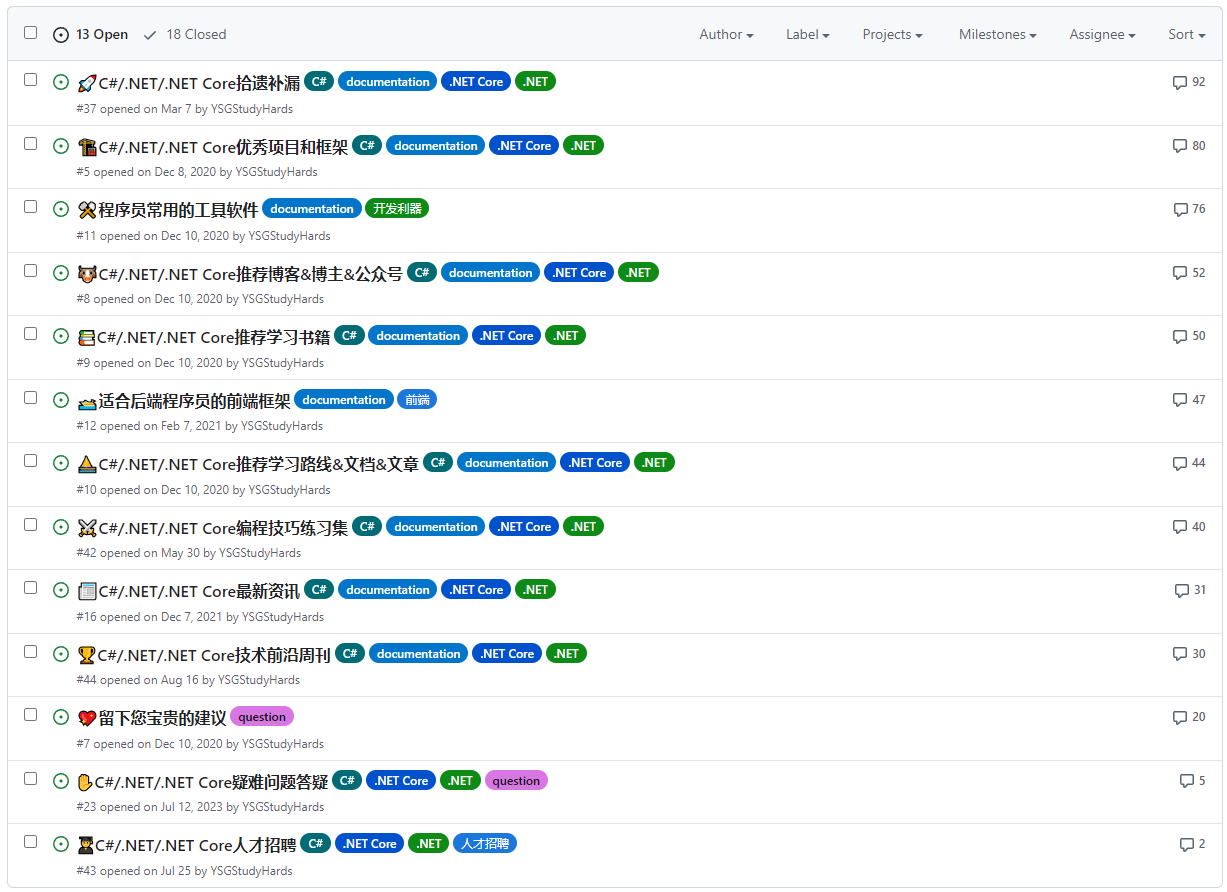](https://github.com/YSGStudyHards/DotNetGuide/issues?q=is%3Aissue+is%3Aopen+sort%3Acomments-desc)
## 🔍目录导航(善用Ctrl+F)
* [🏷️优质学习资料收录栈](https://github.com/YSGStudyHards/DotNetGuide?tab=readme-ov-file#%EF%B8%8F%E4%BC%98%E8%B4%A8%E5%AD%A6%E4%B9%A0%E8%B5%84%E6%96%99%E6%94%B6%E5%BD%95%E6%A0%88)
* [🏹编程效率提升技巧集](https://github.com/YSGStudyHards/DotNetGuide?tab=readme-ov-file#%E7%BC%96%E7%A8%8B%E6%95%88%E7%8E%87%E6%8F%90%E5%8D%87%E6%8A%80%E5%B7%A7%E9%9B%86)
* [⚒️程序员常用的工具软件](https://github.com/YSGStudyHards/DotNetGuide?tab=readme-ov-file#%EF%B8%8F%E7%A8%8B%E5%BA%8F%E5%91%98%E5%B8%B8%E7%94%A8%E7%9A%84%E5%B7%A5%E5%85%B7%E8%BD%AF%E4%BB%B6)
* [🔋C#/.NET/.NET Core充电站](https://github.com/YSGStudyHards/DotNetGuide?tab=readme-ov-file#cnetnet-core%E5%85%85%E7%94%B5%E7%AB%99)
* [👨🎓C#/.NET/.NET Core人才招聘](https://github.com/YSGStudyHards/DotNetGuide/issues/43)
* [🎁C#/.NET/.NET Core面试宝典](https://github.com/YSGStudyHards/DotNetGuide?tab=readme-ov-file#cnetnet-core%E9%9D%A2%E8%AF%95%E5%AE%9D%E5%85%B8)
* [🚀C#/.NET/.NET Core拾遗补漏](https://github.com/YSGStudyHards/DotNetGuide?tab=readme-ov-file#cnetnet-core%E6%8B%BE%E9%81%97%E8%A1%A5%E6%BC%8F)
* [📰C#/.NET/.NET Core最新资讯](https://github.com/YSGStudyHards/DotNetGuide/issues/16)
* [🕹C#/.NET/.NET Core学习路线集合](https://github.com/YSGStudyHards/DotNetGuide?tab=readme-ov-file#cnetnet-core%E5%AD%A6%E4%B9%A0%E8%B7%AF%E7%BA%BF%E9%9B%86%E5%90%88)
* [🥇C#/.NET/.NET Core开发实战教程](https://github.com/YSGStudyHards/DotNetGuide?tab=readme-ov-file#cnetnet-core%E5%BC%80%E5%8F%91%E5%AE%9E%E6%88%98%E6%95%99%E7%A8%8B)
* [✋C#/.NET/.NET Core疑难问题答疑](https://github.com/YSGStudyHards/DotNetGuide/issues/23)
* [📚C#/.NET/.NET Core推荐学习书籍](https://github.com/YSGStudyHards/DotNetGuide?tab=readme-ov-file#cnetnet-core%E6%8E%A8%E8%8D%90%E5%AD%A6%E4%B9%A0%E4%B9%A6%E7%B1%8D)
* [📺C#/.NET/.NET Core学习视频大全](https://github.com/YSGStudyHards/DotNetGuide?tab=readme-ov-file#cnetnet-core%E5%AD%A6%E4%B9%A0%E8%A7%86%E9%A2%91%E5%A4%A7%E5%85%A8)
* [🏗️C#/.NET/.NET Core优秀项目框架](https://github.com/YSGStudyHards/DotNetGuide?tab=readme-ov-file#%EF%B8%8Fcnetnet-core%E4%BC%98%E7%A7%80%E9%A1%B9%E7%9B%AE%E6%A1%86%E6%9E%B6)
* [🏆C#/.NET/.NET Core技术前沿周刊](https://github.com/YSGStudyHards/DotNetGuide?tab=readme-ov-file#cnetnet-core%E6%8A%80%E6%9C%AF%E5%89%8D%E6%B2%BF%E5%91%A8%E5%88%8A)
* [⚔C#/.NET/.NET Core编程技巧练习集](https://github.com/YSGStudyHards/DotNetGuide?tab=readme-ov-file#cnetnet-core%E7%BC%96%E7%A8%8B%E6%8A%80%E5%B7%A7%E7%BB%83%E4%B9%A0%E9%9B%86)
* [🌍Web前端开发指南](https://github.com/YSGStudyHards/DotNetGuide?tab=readme-ov-file#web%E5%89%8D%E7%AB%AF%E5%BC%80%E5%8F%91%E6%8C%87%E5%8D%97)
* [🤖AIGC&AI赋能](https://github.com/YSGStudyHards/DotNetGuide?tab=readme-ov-file#aigcai%E8%B5%8B%E8%83%BD)
* [🧱设计模式](https://github.com/YSGStudyHards/DotNetGuide?tab=readme-ov-file#%E8%AE%BE%E8%AE%A1%E6%A8%A1%E5%BC%8F)
* [🛠️数据结构](https://github.com/YSGStudyHards/DotNetGuide?tab=readme-ov-file#%EF%B8%8F%E6%95%B0%E6%8D%AE%E7%BB%93%E6%9E%84)
* [🧮逻辑算法](https://github.com/YSGStudyHards/DotNetGuide?tab=readme-ov-file#%E9%80%BB%E8%BE%91%E7%AE%97%E6%B3%95)
* [🍇关系型数据库](https://github.com/YSGStudyHards/DotNetGuide?tab=readme-ov-file#%E5%85%B3%E7%B3%BB%E5%9E%8B%E6%95%B0%E6%8D%AE%E5%BA%93sql)
* [🍉非关系型数据库](https://github.com/YSGStudyHards/DotNetGuide?tab=readme-ov-file#%E9%9D%9E%E5%85%B3%E7%B3%BB%E5%9E%8B%E6%95%B0%E6%8D%AE%E5%BA%93nosql)
* [💡系统设计](https://github.com/YSGStudyHards/DotNetGuide?tab=readme-ov-file#%E7%B3%BB%E7%BB%9F%E8%AE%BE%E8%AE%A1)
* [💻操作系统](https://github.com/YSGStudyHards/DotNetGuide?tab=readme-ov-file#%E6%93%8D%E4%BD%9C%E7%B3%BB%E7%BB%9F)
* [🛰️计算机网络](https://github.com/YSGStudyHards/DotNetGuide?tab=readme-ov-file#%EF%B8%8F%E8%AE%A1%E7%AE%97%E6%9C%BA%E7%BD%91%E7%BB%9C)
* [☁️容器技术](https://github.com/YSGStudyHards/DotNetGuide?tab=readme-ov-file#%EF%B8%8F%E5%AE%B9%E5%99%A8%E6%8A%80%E6%9C%AF)
* [🧰DevOps&CI&CD](https://github.com/YSGStudyHards/DotNetGuide?tab=readme-ov-file#devopscicd%E8%87%AA%E5%8A%A8%E5%8C%96%E5%B7%A5%E5%85%B7)
* [🧲版本控制工具](https://github.com/YSGStudyHards/DotNetGuide?tab=readme-ov-file#%E7%89%88%E6%9C%AC%E6%8E%A7%E5%88%B6%E5%B7%A5%E5%85%B7)
* [📨面试经验分享](https://github.com/YSGStudyHards/DotNetGuide?tab=readme-ov-file#%E9%9D%A2%E8%AF%95%E7%BB%8F%E9%AA%8C%E5%88%86%E4%BA%AB)
* [🙇面试须知](https://github.com/YSGStudyHards/DotNetGuide?tab=readme-ov-file#%E9%9D%A2%E8%AF%95%E9%A1%BB%E7%9F%A5)
* [👩💻简历模板](https://github.com/YSGStudyHards/DotNetGuide?tab=readme-ov-file#%E7%AE%80%E5%8E%86%E6%A8%A1%E6%9D%BF)
* [🧭宝藏指南](https://github.com/YSGStudyHards/DotNetGuide?tab=readme-ov-file#%E5%AE%9D%E8%97%8F%E6%8C%87%E5%8D%97)
* [⚖社区组织](https://github.com/YSGStudyHards/DotNetGuide?tab=readme-ov-file#%E7%A4%BE%E5%8C%BA%E7%BB%84%E7%BB%87)
## 🏷️优质学习资料收录栈
* [📝.NET的发展简史](https://www.yuque.com/ysgstudyhard/da6e0c/zvfr2h5wen2l6kz2)
* [🎃.NET常见术语表](https://www.yuque.com/ysgstudyhard/da6e0c/kyzpda9fsyu0yvcy)
* [🌟.NET中的新增功能](https://www.yuque.com/ysgstudyhard/da6e0c/hbm1b9h05g5z7qe6)
* [🥇高质量付费学习课程推荐](https://www.yuque.com/ysgstudyhard/da6e0c/nkoqf7)
* [🚤适合后端程序员的前端框架](https://github.com/YSGStudyHards/DotNetGuide/issues/12)
* [📚.NET应用程序体系结构文档](https://docs.microsoft.com/zh-cn/dotnet/architecture/)
* [🏄♂️一文带你了解.NET能做什么?](https://mp.weixin.qq.com/s/XMnvST5qUk2QJWKENB3jeQ)
* [🎯Java开发者快速上手.NET指南](https://mp.weixin.qq.com/s/ncn-xhr2_vXBfT5hI-R_CA)
* [🎯C#设计模式快速入门实战指南](https://mp.weixin.qq.com/s/9XqcJUdfFgbUkKclfHGz7Q)
* [🎯C#数据结构与算法实战入门指南](https://mp.weixin.qq.com/s/XPRmwWmoZa4zq29Kx-u4HA)
* [🎯C#/.NET/.NET Core自学入门指南](https://mp.weixin.qq.com/s/yY5Znvg6J2FcG5NSIFKBfA)
* [🎯2025年ASP.NET Core开发者学习指南](https://github.com/MoienTajik/AspNetCore-Developer-Roadmap/tree/master)
* [🎯ASP.NET Core Blazor简介和快速入门](https://mp.weixin.qq.com/s/hcZBhbTab02HqWqryB_oEA)
* [🎯C# LINQ快速入门实战指南,建议收藏学习](https://mp.weixin.qq.com/s/dYJLNMqaGGO9tLdODot9vg)
* [🥏值得推荐的.NET/.NET Core ORM框架汇总](https://www.cnblogs.com/Can-daydayup/p/15911410.html)
* [🧱.NET常见的几种项目架构模式,你知道几种?](https://mp.weixin.qq.com/s/kr1vlt4tj3dSyXyRv-GqOw)
* [🐮C#/.NET/.NET Core推荐博客&博主&公众号](https://github.com/YSGStudyHards/DotNetGuide/issues/8)
* [⛵C#/.NET/.NET Core推荐学习路线&文档&文章](https://github.com/YSGStudyHards/DotNetGuide/issues/10)
* [📚C#指南(微软提供的最权威,最全面的C#学习资料)](https://docs.microsoft.com/zh-cn/dotnet/csharp/)
* [📚.NET文档(微软提供的最权威,最全面的.NET学习资料)](https://docs.microsoft.com/zh-cn/dotnet/)
* [💥微软官方.NET免费教程(面向从初学者到高级开发人员)](https://dotnet.microsoft.com/zh-cn/learn)
* [☁️Azure文档(微软提供的最权威,最全面的Azure学习资料)](https://docs.azure.cn/zh-cn/?product=popular)
* [🔎面向开发人员和技术专业人员的Microsoft文档和学习主页](https://docs.microsoft.com/zh-cn/)
* [📚.NET MAUI(微软提供的最权威,最全面的.NET MAUI学习资料)](https://learn.microsoft.com/zh-cn/dotnet/maui/?view=net-maui-8.0)
* [🧀C#编程语言设计的官方存储库(C#功能讨论&提案&语言规范)](https://github.com/dotnet/csharplang)
[🔝返回目录](https://github.com/YSGStudyHards/DotNetGuide#%E7%9B%AE%E5%BD%95%E5%AF%BC%E8%88%AA%E5%96%84%E7%94%A8ctrlf)
## 🏹编程效率提升技巧集
### AI实用编程工具
* [AI编程助手:CodeGeeX ](https://codegeex.cn/zh-CN)
* [AI智能助手:代码小浣熊](https://raccoon.sensetime.com/code)
* [智能编码助手:通义灵码](https://tongyi.aliyun.com/lingma)
* [强大的AI编码助手:Fynix](https://www.fynix.ai/)
* [AI编程工具:CodeWhisperer](https://aws.amazon.com/cn/pm/codewhisperer)
* [AI辅助神器:GitHub Copilot](https://docs.github.com/zh/copilot/quickstart)
* [新一代AI开发编程助手:Trae](https://www.trae.cn)
* [智能编码助手:Baidu Comate](https://comate.baidu.com/zh)
* [高效的AI代码编辑助手:Cursor](https://www.cursor.com)
* [领先的开源AI代码助手:Continue](https://github.com/continuedev/continue)
* [免费好用的AI编程助手:Fitten Code](https://code.fittentech.com)
* [AI 时代的智能编程伙伴:CodeBuddy](https://copilot.tencent.com)
* [重新定义 AI 编程体验:Qoder](https://qoder.com)
### .NET相关开发环境
* [所有 .NET 版本下载](https://dotnet.microsoft.com/zh-cn/download/dotnet)
* [.NET Framework 版本下载](https://dotnet.microsoft.com/zh-cn/download/dotnet-framework)
* [.NET 和 ASP.NET Core 官方映像](https://hub.docker.com/_/microsoft-dotnet)
* [下载本地化的 .NET IntelliSense](https://dotnet.microsoft.com/zh-cn/download/intellisense)
### Visual Studio
* [Visual Studio 2026下载](https://visualstudio.microsoft.com/zh-hans/downloads/)
* [Visual Studio 2022下载](https://learn.microsoft.com/zh-cn/visualstudio/releases/2022/release-history#evergreen-bootstrappers)
* [Visual Studio for Mac下载](https://visualstudio.microsoft.com/zh-hans/vs/mac/)
* [Visual Studio常用快捷键](https://mp.weixin.qq.com/s/6Ekqufb4r2VvQGd9TifpEg)
* [Visual Studio的奇淫技巧](https://mp.weixin.qq.com/s/4vo2OvWdj9fMrKCIKi70Dg)
* [37款Visual Studio实用插件推荐](https://mp.weixin.qq.com/s/pPotUmbPPVWnF6F_jXvRIg)
* [使用Visual Studio分析.NET Dump](https://mp.weixin.qq.com/s/JDCsr-sH1Z7jMEcxNfjbmg)
* [使用Visual Studio调试 .NET源代码](https://mp.weixin.qq.com/s/LnFV2K2CoqiorArBM8XkDg)
* [Visual Studio 2022 Git多存储库管理](https://mp.weixin.qq.com/s/-X04QR3rgXAubCnMVGJosQ)
* [Visual Studio 2022进行文件差异比较](https://mp.weixin.qq.com/s/7eiN_RAf_DfPXM86pQOuuw)
* [Visual Studio中的四款代码格式化工具](https://mp.weixin.qq.com/s/AhQq4IJLEUiTuRqsjTGG_w)
* [Visual Studio IDE 详细介绍&使用文档](https://learn.microsoft.com/zh-cn/visualstudio/ide/?view=vs-2022)
* [在Visual Studio中查看EF Core查询计划](https://mp.weixin.qq.com/s/m0UKt78brvZVx5-GODlIKA)
* [Visual Studio 2022版本17.8中的实用功能](https://mp.weixin.qq.com/s/YnW9ifsHluV69HLnu4mc7A)
* [Visual Studio文件编码显示与修改扩展插件](https://mp.weixin.qq.com/s/EkxAdqceID7PCkNGtNSqwg)
* [Visual Studio实用的搜索、查找、替换技巧](https://mp.weixin.qq.com/s/Cijr_e1qOjNXOS1TtZjxgA)
* [Visual Studio中使用CodeGeeX AI编程助手](https://mp.weixin.qq.com/s/1r4QK1bYDH7MdOTNLZli-g)
* [合理使用Visual Studio 2022内置任务列表-TODO](https://mp.weixin.qq.com/s/Cc2kgPBjj-mjVigxceKtRw)
* [Visual Studio将JSON格式数据自动转化为对应的类](https://mp.weixin.qq.com/s/-5dL_b5pMLV0LQoVMsFjjQ)
* [Visual Studio 2026 现已正式发布,更快、更智能!](https://mp.weixin.qq.com/s/8TjLcw4RExpCohGJYgmBOA)
* [Visual Studio使用Git忽略不想上传到远程仓库的文件](https://mp.weixin.qq.com/s/T2Ya3NWlv1gQN7_FQcHWnw)
* [Visual Studio 2022 v17.13新版发布:强化稳定性和安全](https://mp.weixin.qq.com/s/tAgn_4ImjHlojWTgLDdlpw)
* [Visual Studio使用GitHub Copilot提高.NET开发工作效率](https://mp.weixin.qq.com/s/E731dDi00Bf_uL1iU2roGQ)
* [Visual Studio使用Web Deploy发布应用到指定服务器的IIS中](https://mp.weixin.qq.com/s/Z_nZ31j7X_fgGH4NG2sFBg)
* [一款实用的 Visual Studio 发布部署插件,助力提高部署效率!](https://mp.weixin.qq.com/s/U0oq-6jq0NCBMmZ81sZj-Q)
* [Visual Studio 2022 中的 EF Core 反向工程和模型可视化工具](https://mp.weixin.qq.com/s/nnJndy3C1VwZz5Yu1yPd_A)
* [使用 Visual Studio 快速创建 NuGet 程序包并发布到 NuGet 官网](https://mp.weixin.qq.com/s/bvTwu8aiKq2U3WoJ0zMkjw)
* [Visual Studio现已支持新的、更简洁的解决方案文件(slnx)格式](https://mp.weixin.qq.com/s/ysq58eg3Eiyie_0wY_k_Gg)
* [Visual Studio 2026 正式版下载与安装详细教程(附带产品密钥)!](https://mp.weixin.qq.com/s/wbZiTPjhKlFOeU3MgIbq0A)
* [Visual Studio 2026 预览体验版现已发布,一起来看看带来哪些新功能!](https://mp.weixin.qq.com/s/b5QWP8Bj9YJMRx2adyjDRg)
* [一个致力于为C#程序员提供更佳的编码体验和效率的Visual Studio扩展插件](https://mp.weixin.qq.com/s/UWuCIY4Q5PJeNClrQWPGEw)
### Visual Studio Code
* [VS Code下载](https://code.visualstudio.com/?wt.mc_id=vscom_downloads)
* [VS Code常用快捷键](https://mp.weixin.qq.com/s/BTja1gAsbWnPQ_b9uFr27g)
* [C# for Visual Studio Code](https://marketplace.visualstudio.com/items?itemName=ms-dotnettools.csharp)
* [Visual Studio Code的C#开发工具包](https://marketplace.visualstudio.com/items?itemName=ms-dotnettools.csdevkit)
* [37款Visual Studio Code实用插件推荐](https://mp.weixin.qq.com/s/Gen98f2ei9HzSbW1zRQHRw)
* [VS Code使用Git可视化管理源代码详细教程](https://mp.weixin.qq.com/s/nvlLTMP-svb4vqpAvIjkWA)
* [VS Code调试和发布ASP.NET Core Web应用](https://mp.weixin.qq.com/s/YxHpE1WljKWF6aZJkmBquA)
* [VS Code安装C#开发工具包并编写ASP.NET Core Web应用](https://mp.weixin.qq.com/s/kKVPdxp9p-7QZ45XMosDWw)
* [VS Code安装CodeGeeX AI编程助手提高.NET开发工作效率](https://mp.weixin.qq.com/s/xGFgBh_OsQ0hwOtUFQzxdg)
### .NET开发效率工具
* [JetBrains官方宣布 Rider 非商用免费开放!](https://mp.weixin.qq.com/s/9lGdDchHgHCQMlfgqpaXQg)
* [一个强大的在线.NET代码预览与分析利器 - SharpLab](https://sharplab.io)
* [一个方便易用的在线.NET代码编辑工具 - .NET Fiddle](https://mp.weixin.qq.com/s/jjcFweq6lmX6W9nKNa_diQ)
### GitHub使用指南
* [GitHub漫游指南](https://github.com/phodal/github)
* [C# GitHub趋势榜](https://github.com/trending/c%23?since=daily)
* [GitHub官方使用文档](https://docs.github.com/zh)
* [GitHub Issues 快速入门](https://docs.github.com/zh/issues/tracking-your-work-with-issues/quickstart)
* [如何给GitHub上的开源项目提交PR?](https://mp.weixin.qq.com/s/YJwW9AFPoEKuU_MXqL_Pcg)
* [我找回了我喜欢的GitHub Old Feed](https://mp.weixin.qq.com/s/liXDb4MGXlSrAryRDSkcbw)
* [五分钟教你使用GitHub寻找优质开源项目](https://www.cnblogs.com/Can-daydayup/p/17581307.html)
* [详细概述Gitee和GitHub生成/添加SSH公钥](https://mp.weixin.qq.com/s/B84wXcX_AlTfCphcL_4MHA)
* [30分钟快速搭建并部署一个免费的个人博客](https://mp.weixin.qq.com/s/x7uZvQvtipr2wbNzxqJ5Ng)
* [GitHub 汉化神器,2步快速解锁中文化 GitHub 界面!](https://mp.weixin.qq.com/s/z9vQKyMk_m5vtk6GKEG6GQ)
* [使用 GitDiagram 快速将 GitHub 仓库转换为交互式图表](https://mp.weixin.qq.com/s/OXNjmjC2xvaoAln2NkrwgA)
* [DeepWiki:AI驱动、免费且实用的 GitHub 源码阅读与分析神器!](https://mp.weixin.qq.com/s/QpISCYltDePhgj_QBtZCfg)
* [Zread:智谱AI推出的 Github 项目阅读神器,一键生成超详细中文文档!](https://mp.weixin.qq.com/s/hv3EPiLV2e8YL4590EDESg)
* [一个免费且实用的 GitHub 工具,可将 GitHub 的 README 翻译成多种语言!](https://mp.weixin.qq.com/s/UDmh8oFYYktQeQ5iCKeuBA)
### Git管理工具
* [GitHub Desktop使用教程](https://docs.github.com/zh/desktop)
* [10款实用便捷的Git可视化管理工具](https://mp.weixin.qq.com/s/18J-YoEArJS_rCxkx4-D5w)
* [最全面的SourceTree使用教程详解](https://mp.weixin.qq.com/s/thZS99hNOc6dM_pEDa3LMQ)
* [TortoiseGit使用教程(图文详细版)](https://mp.weixin.qq.com/s/nWX11NUogNSTAjg-NQJzBQ)
* 超详细的Visual Studio Git使用图解
* [VS Code使用Git可视化管理源代码详细教程](https://mp.weixin.qq.com/s/nvlLTMP-svb4vqpAvIjkWA)
[🔝返回目录](https://github.com/YSGStudyHards/DotNetGuide#%E7%9B%AE%E5%BD%95%E5%AF%BC%E8%88%AA%E5%96%84%E7%94%A8ctrlf)
## ⚒️程序员常用的工具软件
在当今这个技术日新月异的时代,开发者只有持续学习,才能紧跟时代的浪潮。为了助力开发者在高效学习与工作中实现平衡(告别996的束缚),众多卓越且实用的开发工具应运而生,它们如同强大的助力器,极大地提升了我们的工作效率与创造力。Awesome Tools,程序员常用高效实用工具、软件资源精选,办公效率提升利器。
* **实用效率工具公众号详细介绍专栏:** [前往订阅👉](https://mp.weixin.qq.com/mp/appmsgalbum?__biz=MzIxMTUzNzM5Ng==&action=getalbum&album_id=2983928075727978497&scene=126&sessionid=-1550706823#wechat_redirect)
* **欢迎PR或Issues投稿:** https://github.com/YSGStudyHards/Awesome-Tools/issues
* **Awesome Tools,程序员常用高效实用工具、软件资源精选:** https://github.com/YSGStudyHards/Awesome-Tools
[🔝返回目录](https://github.com/YSGStudyHards/DotNetGuide#%E7%9B%AE%E5%BD%95%E5%AF%BC%E8%88%AA%E5%96%84%E7%94%A8ctrlf)
## 🔋C#/.NET/.NET Core充电站
### 在线学习站
* [.NET官网](https://dotnet.microsoft.com/zh-cn/)
* [.NET开发者社区](https://dotnet.microsoft.com/zh-cn/platform/community)
* [.NET Blog官方博客](https://devblogs.microsoft.com/dotnet/)
* [.NET中文官方博客](https://devblogs.microsoft.com/dotnet-ch/?c=85&WT.mc_id=dotnet-35129-website)
* [Stack Overflow](https://stackoverflow.com/)
- [Stack Overflow C#问题专栏](https://stackoverflow.com/questions/tagged/c%23)
- [Stack Overflow .NET问题专栏](https://stackoverflow.com/questions/tagged/.net)
* [Visual Studio Blog](https://devblogs.microsoft.com/visualstudio/?cis=vshelp)
* [CSDN .NET社区论坛](https://bbs.csdn.net/forums/DotNET)
* [博客园 .NET技术专区](https://www.cnblogs.com/cate/108698/)
* [InfoQ .NET文章集合](https://www.infoq.com/dotnet/)
* [51CTO博客 .NET专栏](https://blog.51cto.com/nav/aspnet)
* [.NET在线源码查询](http://source.dot.net)
* [.NET Fx在线源码查询](https://referencesource.microsoft.com)
* [.NET API在线目录查询](https://apisof.net/catalog)
* [NuGet包下载趋势在线查询](https://nugettrends.com)
* [.NET在线的包管理器NuGet](https://www.nuget.org)
* [.NET开源模板大全在线搜索](https://www.nuget.org/packages?q=&includeComputedFrameworks=true&packagetype=template&prerel=true&sortby=totalDownloads-desc)
### Awesome Collection
* [Awesome .NET](https://github.com/quozd/awesome-dotnet)
* [Awesome .NET Core](https://github.com/thangchung/awesome-dotnet-core)
* [Awesome Abp](https://github.com/EasyAbp/awesome-abp)
* [Awesome Blazor](https://github.com/AdrienTorris/awesome-blazor)
* [Awesome Unity3D](https://github.com/insthync/awesome-unity3d)
* [Awesome Avalonia](https://github.com/AvaloniaCommunity/awesome-avalonia)
* [Awesome .NET WPF](https://github.com/Carlos487/awesome-wpf)
* [Awesome .NET MAUI](https://github.com/jsuarezruiz/awesome-dotnet-maui)
* [Awesome MonoGame](https://github.com/aloisdeniel/awesome-monogame)
* [Awesome Unity Tutorial](https://github.com/chutianshu1981/AwesomeUnityTutorial)
* [Awesome .NET WinForms](https://github.com/tbolon/awesome-dotnet-winforms)
* [Awesome Nuget Packages](https://github.com/mjebrahimi/Awesome-Nuget-Packages)
* [Awesome .NET Performance](https://github.com/adamsitnik/awesome-dot-net-performance)
* [Awesome Microservices .NET](https://github.com/mjebrahimi/Awesome-Microservices-DotNet)
[🔝返回目录](https://github.com/YSGStudyHards/DotNetGuide#%E7%9B%AE%E5%BD%95%E5%AF%BC%E8%88%AA%E5%96%84%E7%94%A8ctrlf)
## 🎁C#/.NET/.NET Core面试宝典
> 因为个人的能力和精力有限没法把涉及的所有知识点都总结归纳(现在主要是对一些常见的知识点进行了总结和归纳),希望有更多的小伙伴能加入和我一起完善这方面的相关知识点。对知识库有贡献者可获得更多学习资源。
**🐱🚀C#/.NET/.NET Core相关技术常见面试题汇总,不仅仅为了面试而学习,更多的是查漏补缺、扩充知识面和大家共同学习进步。**
* **面试宝典地址(点赞收藏不迷路):** [https://www.yuque.com/ysgstudyhard/da6e0c👉](https://www.yuque.com/ysgstudyhard/da6e0c)
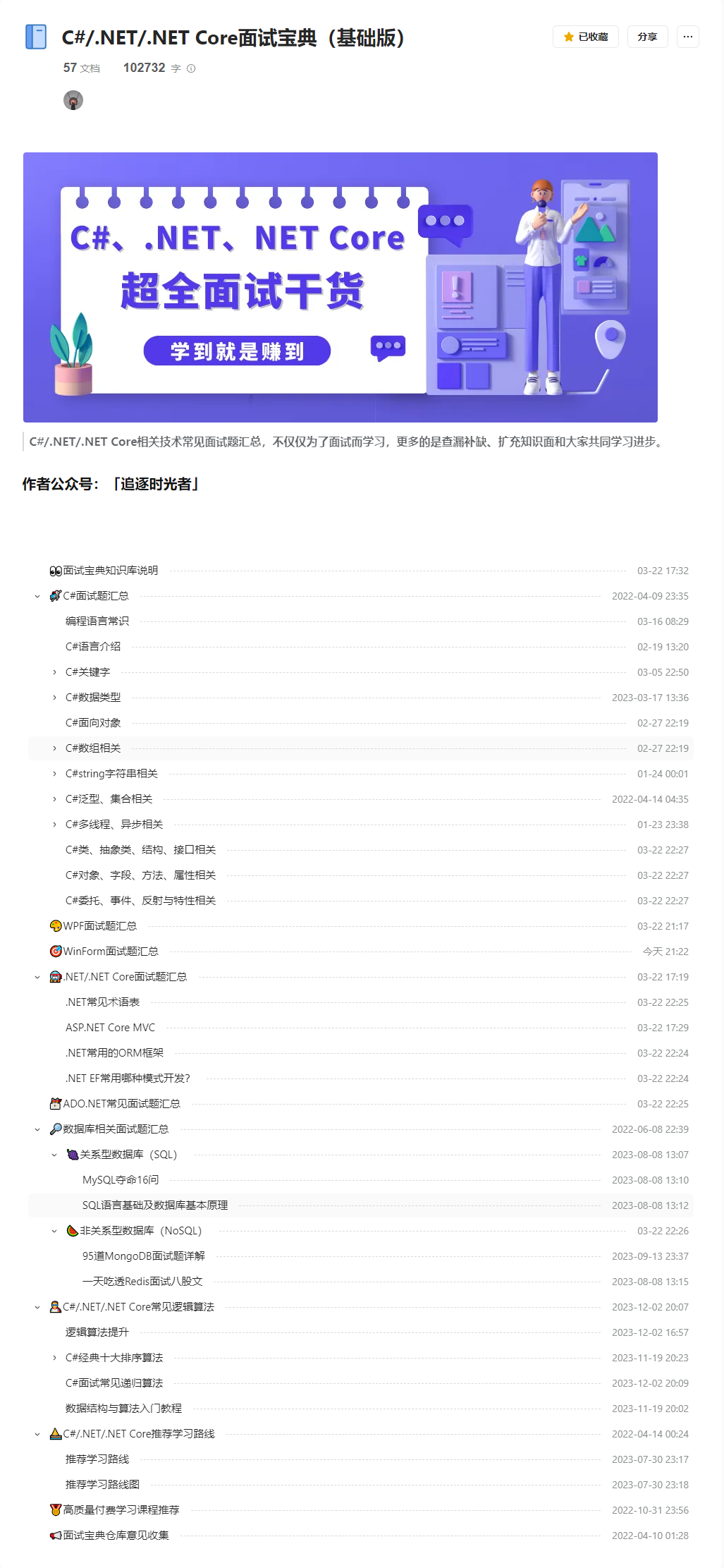
[🔝返回目录](https://github.com/YSGStudyHards/DotNetGuide#%E7%9B%AE%E5%BD%95%E5%AF%BC%E8%88%AA%E5%96%84%E7%94%A8ctrlf)
## 🚀C#/.NET/.NET Core拾遗补漏
在这个快速发展的技术世界中,时常会有一些重要的知识点、信息或细节被忽略或遗漏。《C#/.NET/.NET Core拾遗补漏》专栏我们将探讨一些可能被忽略或遗漏的重要知识点、信息或细节,以帮助大家更全面地了解这些技术栈的特性和发展方向。
* [✍C#/.NET/.NET Core拾遗补漏Issues投稿](https://github.com/YSGStudyHards/DotNetGuide/issues/37)
* [🚀C#/.NET/.NET Core拾遗补漏Gitee合集](https://gitee.com/ysgdaydayup/DotNetGuide/blob/main/docs/DotNet/DotNetStudy.md)
* [📚C#/.NET/.NET Core拾遗补漏GitHub合集](https://github.com/YSGStudyHards/DotNetGuide/blob/main/docs/DotNet/DotNetStudy.md)
[🔝返回目录](https://github.com/YSGStudyHards/DotNetGuide#%E7%9B%AE%E5%BD%95%E5%AF%BC%E8%88%AA%E5%96%84%E7%94%A8ctrlf)
## 🕹C#/.NET/.NET Core学习路线集合
C#、.NET、.NET Core、WPF、WinForm、MAUI、Avalonia、Unity 等相关技术学习、工作路线集合,无论你是 .NET 初学者还是希望进阶的 .NET 开发者,都能在这里找到清晰的学习路线与实用资源。内容将持续更新,助力 .NET 开发者高效掌握技术要点,少走弯路,稳步进阶!
* **C#/.NET/.NET Core学习路线集合地址:** [https://www.yuque.com/ysgstudyhard/lg56l0/ub8s6b0re9h26epr👉](https://www.yuque.com/ysgstudyhard/lg56l0/ub8s6b0re9h26epr)
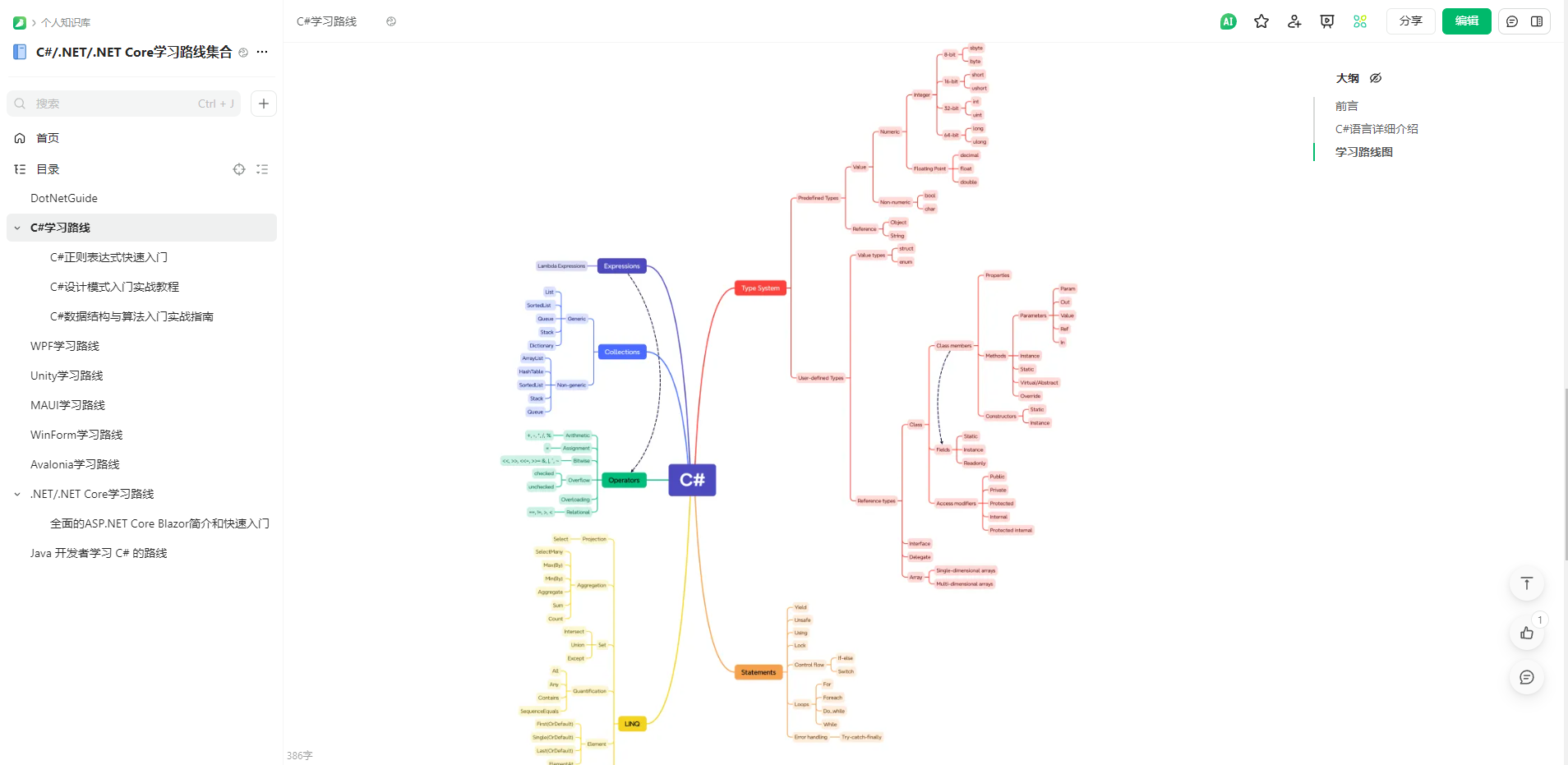
[🔝返回目录](https://github.com/YSGStudyHards/DotNetGuide#%E7%9B%AE%E5%BD%95%E5%AF%BC%E8%88%AA%E5%96%84%E7%94%A8ctrlf)
## 🥇C#/.NET/.NET Core开发实战教程
### 全面的.NET Core MongoDB入门到实战教程
* [MongoDB从入门到实战之MongoDB简介](https://mp.weixin.qq.com/s/lYCp7Bsw1GBQQea7eK7Kew)
* [MongoDB从入门到实战之MongoDB快速入门](https://mp.weixin.qq.com/s/Y_iaK3047lJUavMQQNpRcg)
* [MongoDB从入门到实战之Docker快速安装MongoDB](https://mp.weixin.qq.com/s/YRbgLNe7sJ7hNyDTT1k63A)
* [MongoDB从入门到实战之MongoDB工作常用操作命令](https://www.cnblogs.com/Can-daydayup/p/16840085.html)
* [MongoDB从入门到实战之.NET Core使用MongoDB开发ToDoList系统(1)-后端项目框架搭建](https://www.cnblogs.com/Can-daydayup/p/17020707.html)
* [MongoDB从入门到实战之.NET Core使用MongoDB开发ToDoList系统(2)-Swagger框架集成](https://www.cnblogs.com/Can-daydayup/p/17020885.html)
* [MongoDB从入门到实战之.NET Core使用MongoDB开发ToDoList系统(3)-系统数据集合设计](https://www.cnblogs.com/Can-daydayup/p/17033785.html)
* [MongoDB从入门到实战之.NET Core使用MongoDB开发ToDoList系统(4)-Mongo数据仓储和工作单元模式封装](https://www.cnblogs.com/Can-daydayup/p/17157135.html)
* [MongoDB从入门到实战之.NET Core使用MongoDB开发ToDoList系统(5)-Mongo数据仓储和工作单元模式实操](https://www.cnblogs.com/Can-daydayup/p/17294749.html)
* [MongoDB从入门到实战之.NET Core使用MongoDB开发ToDoList系统(6)-Blazor介绍和快速入门](https://www.cnblogs.com/Can-daydayup/p/17157143.html)
* [MongoDB从入门到实战之.NET Core使用MongoDB开发ToDoList系统(7)-Blazor UI框架选型](https://www.cnblogs.com/Can-daydayup/p/17439106.html)
* [MongoDB从入门到实战之.NET Core使用MongoDB开发ToDoList系统(8)-Ant Design Blazor前端框架搭建](https://www.cnblogs.com/Can-daydayup/p/17453162.html)
### .NET 9操作SQLite入门到实战详细教程
#### 选型、开发详细教程
* [第一天、SQLite 简介](https://mp.weixin.qq.com/s/wCKjqDv2hpvsu-01meSMNA)
* [第二天、在 Windows 上配置 SQLite环境](https://mp.weixin.qq.com/s/fbsLOfE1gQLG3OPpz3UZMA)
* [第三天、SQLite快速入门](https://mp.weixin.qq.com/s/wgMDqIdaQsMfOuiLl07ggw)
* [第四天、EasySQLite前后端项目框架搭建](https://mp.weixin.qq.com/s/RTqRsTrzn7LdTBcMmBtkVw)
* [第五天、引入 SQLite-net ORM 并封装常用方法](https://mp.weixin.qq.com/s/RIT7HnPlrLg5KFtJ6a_Biw)
* [第六天、后端班级管理相关接口完善和Swagger自定义配置](https://mp.weixin.qq.com/s/dI6tb7WtOyB6p1iqYraH5g)
* [第七天、BootstrapBlazor UI组件库引入(1)](https://mp.weixin.qq.com/s/UIeKSqym8ibLRvDwra8aww)
* [第七天、Blazor班级管理页面编写和接口对接(2)](https://mp.weixin.qq.com/s/lpXu5Hx_3F7nf970iBo-5A)
* [第七天、Blazor学生管理页面编写和接口对接(3)](https://mp.weixin.qq.com/s/9a6y8Lw1kGSjfddLQhQRoQ)
* [第八天、将 EasySQLite 从 .NET 8 升级到 .NET 9](https://mp.weixin.qq.com/s/EN5fu-RvBK-xX8lJMZ5QvA)
* [第九天、在 .NET 9 中使用 Scalar 替代 Swagger](https://mp.weixin.qq.com/s/oYYqRa_1Bwn65SdcPWelSQ)
* [第十天、将 EasySQLite 解决方案文件格式从 .sln 升级为更简洁的 .slnx](https://mp.weixin.qq.com/s/fNYD9GgbRik4gicn8DDT9g)
* [第十一天、在 .NET 9 中使用 Mapster 快速、高效的实现对象映射](https://mp.weixin.qq.com/s/QFEbHE2EWzzZN9VvnUwD4A)
#### 发布部署详细教程
* [Windows10 IIS Web服务器安装配置](https://mp.weixin.qq.com/s/oaqypmpHOTLA9_5sF6-W7Q)
* [在IIS上部署ASP.NET Core Web API和Blazor Wasm](https://mp.weixin.qq.com/s/MfScgBu0QMRT3D5aIT5A3w)
#### 拓展文章教程
* [10款值得推荐的Blazor UI组件库](https://mp.weixin.qq.com/s/HHqkwpXIi7p3K5eUnTcLTw)
* [全面的ASP.NET Core Blazor简介和快速入门](https://mp.weixin.qq.com/s/hcZBhbTab02HqWqryB_oEA)
* [.NET中使用BootstrapBlazor组件库Table实操篇](https://mp.weixin.qq.com/s/qFHUC9UKg_2wY2jSthI9Kw)
* [ASP.NET Core Web中使用AutoMapper进行对象映射](https://mp.weixin.qq.com/s/i4Wn0ox22gIffB8UwoBZXQ)
### .NET微信网页开发相关文章教程
* [微信网页开发官方详细文档](https://developers.weixin.qq.com/doc/offiaccount/OA_Web_Apps/iOS_WKWebview.html)
* [全面的.NET微信网页开发之JS-SDK使用步骤、配置信息和接口请求签名生成详解](https://mp.weixin.qq.com/s/zlSKXQg8IgzEFC-7v-Gngg)
* [.NET微信网页开发之通过UnionID机制解决多应用用户帐号统一问题](https://mp.weixin.qq.com/s/XiFxwEREJxmOuFLwZzDBww)
* [.NET微信网页开发之网页授权获取用户基本信息](https://mp.weixin.qq.com/s/5eGEt1JEVKflsR360NexHA)
* [.NET微信网页开发之使用微信JS-SDK自定义微信分享内容](https://mp.weixin.qq.com/s/_E6TXunEPt9j6U-5836rZQ)
* [.NET微信网页开发之使用微信JS-SDK调用微信扫一扫功能](https://mp.weixin.qq.com/s/dLeHIASFrrZZh3j1ggD41Q)
* [.NET微信网页开发之使用微信JS-SDK获取当前地理位置](https://mp.weixin.qq.com/s/j3_TKYiwk_ZqUQ4tj0Y9BQ)
### .NET Core NPOI实操教程
* [.NET Core使用NPOI导出复杂Word详解](https://www.cnblogs.com/Can-daydayup/p/11588531.html)
* [.NET之NPOI Excel数据导出和批量导入功能](https://www.cnblogs.com/Can-daydayup/p/10513764.html)
* [.NET Core使用NPOI导出复杂,美观的Excel详解](https://www.cnblogs.com/Can-daydayup/p/12501400.html)
* [.NET Core使用NPOI将Excel中的数据批量导入到MySQL](https://www.cnblogs.com/Can-daydayup/p/12593165.html)
### .NET高级调试系列-WinDbg调试实战教程
> 文章源于一线码农大佬,更多高级调试系列教程欢迎关注大佬的GitHub仓库[dotnetfly👉](https://github.com/ctripxchuang/dotnetfly)。
* [记一次 .NET某零售管理系统 存储不足分析](https://mp.weixin.qq.com/s?__biz=MjM5MzI5Mzg1OA==&mid=2247498809&idx=1&sn=5bfe1f19d60650436413154dddbd8dd6&chksm=a69b8f7491ec06626668e491b98c82c84b81b8b56673f8bc3795fd4fbc1be7aa3b6488377da5&token=515366489&lang=zh_CN#rd)
* [记一次 .NET某新能源MES 非托管泄露](https://mp.weixin.qq.com/s?__biz=MjM5MzI5Mzg1OA==&mid=2247498174&idx=1&sn=e74bc981a2cf505eed652b44746aa8e1&chksm=a69b8af391ec03e570ed0c4231ef2f268161130bf2e24ab6a1359e342d50b246c25660cdf99c&token=785224166&lang=zh_CN#rd)
* [记一次 .NET 某手术室行为信息系统 内存泄露分析](https://mp.weixin.qq.com/s?__biz=MjM5MzI5Mzg1OA==&mid=2247496819&idx=1&sn=48c91cbbc6ecd7783aac2308cf89110c&chksm=a69b873e91ec0e287b0c4cdd3112956271360e78a5c1f6a7f03207299c1719de03f9effbc77d&token=1657656528&lang=zh_CN#rd)
* [记一次 .NET 某传感器采集系统 线程爆高分析](https://mp.weixin.qq.com/s?__biz=MjM5MzI5Mzg1OA==&mid=2247496797&idx=1&sn=76c6a17a86b1333555ce278b91b8121b&chksm=a69b871091ec0e06f73e37a692448b605c7cd94a0a14290caff4b255b33d973dafbd3c4198c2&token=1657656528&lang=zh_CN#rd)
* [记一次.NET某企业ERP网站系统 崩溃分析](https://mp.weixin.qq.com/s?__biz=MjM5MzI5Mzg1OA==&mid=2247496710&idx=1&sn=2c2027c3020c0de6c9161920c4f9bb14&chksm=a69b874b91ec0e5d1ec0ed0b7124682944308f1c349851ad37e60f7fbbc156621f23a4f93ac5&token=143112780&lang=zh_CN#rd)
* [记一次 .NET 某医疗住院系统 崩溃分析](https://mp.weixin.qq.com/s?__biz=MjM5MzI5Mzg1OA==&mid=2247496658&idx=1&sn=f7e019eeef2cb478c84223c2c6841940&chksm=a69b809f91ec0989d649d3f9fbc59030713373adbd77874c9147388a5bb83b06a46759b9f5ab&token=143112780&lang=zh_CN#rd)
* [记一次 .NET某汽车零件采集系统 卡死分析](https://mp.weixin.qq.com/s?__biz=MjM5MzI5Mzg1OA==&mid=2247496599&idx=1&sn=b3673090594341e35703de20fadb72f2&chksm=a69b80da91ec09cc509d4665233b9b1340f519070e0a3226a085fe39d24113dd39c9bca3f5db&token=272209279&lang=zh_CN#rd)
* [记一次 .NET某家装ERP 内存暴涨分析](https://mp.weixin.qq.com/s?__biz=MjM5MzI5Mzg1OA==&mid=2247496557&idx=1&sn=65252d960b0e22a4c19e2b9696671440&chksm=a69b802091ec0936ebd715a4311db47797a8390a4c8ad0f3892bdd6a3f1afd9d6f658c0ff5e0&token=1227076055&lang=zh_CN#rd)
* [记一次 .NET某家装ERP 内存暴涨分析](https://mp.weixin.qq.com/s?__biz=MjM5MzI5Mzg1OA==&mid=2247496557&idx=1&sn=65252d960b0e22a4c19e2b9696671440&chksm=a69b802091ec0936ebd715a4311db47797a8390a4c8ad0f3892bdd6a3f1afd9d6f658c0ff5e0&token=1227076055&lang=zh_CN#rd)
* [记一次 .NET 某医保平台 CPU爆高分析](https://mp.weixin.qq.com/s?__biz=MjM5MzI5Mzg1OA==&mid=2247496507&idx=2&sn=2f78f01f01754259b9b059f30429bfd6&chksm=a69b807691ec0960db2f7adecf19e8466ef270ccb91b7f12569a6f978def54b05e65c0da0d4e&token=1227076055&lang=zh_CN#rd)
* [记一次 .NET 某游戏网站 CPU爆高分析](https://mp.weixin.qq.com/s?__biz=MjM5MzI5Mzg1OA==&mid=2247496418&idx=1&sn=f47f12b9aa479de45c5ea9bfd09f14ca&chksm=a69b81af91ec08b9d86ac97b14d0a5ae130f55d7204117cfe3659037dd417a92dbe5af3169fe&token=246753473&lang=zh_CN#rd)
* [记一次.NET 某安全生产系统 CPU爆高分析](https://mp.weixin.qq.com/s?__biz=MjM5MzI5Mzg1OA==&mid=2247495965&idx=1&sn=2087fb7e30e536bff7aee6f2928ae86c&chksm=a69b825091ec0b46e8a44099ded5a83b2a8d0ab88b58f6765d262f8eafd49dac5a80e3559f26&token=103031729&lang=zh_CN#rd)
* [记一次 .NET 某工控MES程序 崩溃分析](https://mp.weixin.qq.com/s?__biz=MjM5MzI5Mzg1OA==&mid=2247495943&idx=2&sn=c2e34e949edd8cb24c1a275f71e98891&chksm=a69b824a91ec0b5c727fdaa67e3f7a11a135d97eef00c19eddce537a06260314f23be10efd6b&token=103031729&lang=zh_CN#rd)
* [记一次 .NET 某工控软件 内存泄露分析](https://mp.weixin.qq.com/s?__biz=MjM5MzI5Mzg1OA==&mid=2247495897&idx=1&sn=2f81da9c5a6a3efc3433229469a2a908&chksm=a69b839491ec0a8272d3ecabd1ca2dd308beeb4127b40960a51e046a4be35a1ff019c66fb725&token=103031729&lang=zh_CN#rd)
* [记一次 .NET 某电子厂OA系统 非托管内存泄露分析](https://mp.weixin.qq.com/s?__biz=MjM5MzI5Mzg1OA==&mid=2247495866&idx=1&sn=9cc3c442b43855f0f8129b1c1911b2c2&chksm=a69b83f791ec0ae1b2d495dcbb8b334385b9f89d6c4bbee2e81188bb0e5a0fd792c4be1353ad&token=1751121168&lang=zh_CN#rd)
* [记一次 .NET 某自动化采集软件 崩溃分析](https://mp.weixin.qq.com/s?__biz=MjM5MzI5Mzg1OA==&mid=2247495763&idx=1&sn=f1ff8b53898edfc14d38e65e6028f977&chksm=a69b831e91ec0a0889913af94ba6ea92025eb64dab4201962ab47d5a2926294bbe25796ddc82&token=1946171397&lang=zh_CN#rd)
* [记一次.NET某工控图片上传CPU爆高分析](https://mp.weixin.qq.com/s?__biz=MjM5MzI5Mzg1OA==&mid=2247495731&idx=1&sn=289d6388bedc172fe6a2438e4304b99a&chksm=a69b837e91ec0a685f15f9dce9d843cc4b186542d1c1a156fc9272bb53775c16438aac04c0a8&token=1946171397&lang=zh_CN#rd)
* [记一次 .NET 某制造业 MES 系统崩溃分析](https://mp.weixin.qq.com/s?__biz=MjM5MzI5Mzg1OA==&mid=2247495663&idx=1&sn=eacf1e9e70184ce6349e90fa7bb63429&chksm=a69b9ca291ec15b497d0442d7729ca9aeb8638ce79db32ac5c0dcc7c3513a57a0a0c1de3e670&token=1947614004&lang=zh_CN#rd)
* [记一次 .NET 某医疗器械 程序崩溃分析](https://mp.weixin.qq.com/s?__biz=MjM5MzI5Mzg1OA==&mid=2247495591&idx=1&sn=ffa939a902fbec5e961afe1fcb4b8347&chksm=a69b9cea91ec15fc82aaaefb5d54dd0f2b24dab1dc1762804000051841f61e8600ba81003068&token=730191575&lang=zh_CN#rd)
* [记一次 .NET 某娱乐聊天流平台 CPU 爆高分析](https://mp.weixin.qq.com/s?__biz=MjM5MzI5Mzg1OA==&mid=2247495548&idx=1&sn=9f377a2c229981481a2af6eefd652a10&chksm=a69b9c3191ec1527596da4e18106e26e01ff678e4701c4ac1d2faff0a0b8e7a3dd46d02cfb1c&token=1362409699&lang=zh_CN#rd)
* [记一次 .NET 某企业OA后端服务 卡死分析](https://mp.weixin.qq.com/s?__biz=MjM5MzI5Mzg1OA==&mid=2247495503&idx=1&sn=9b3066ad6b3f846ede84cb18a355f294&chksm=a69b9c0291ec15140121b12fddf4d5c9645f4ccc824ea1cbc27f16b2f9694f02d09e22b3b715&token=1362409699&lang=zh_CN#rd)
* [记一次 .NET 某电子病历 CPU 爆高分析](https://mp.weixin.qq.com/s?__biz=MjM5MzI5Mzg1OA==&mid=2247495487&idx=1&sn=727e2a2d7afc15857e42c603b4d28114&chksm=a69b9c7291ec1564dadb868713b16b11587d53a56547c7dd0ccb8b74b5dbaaea1d044f2dd125&token=1007664770&lang=zh_CN#rd)
### C#开发PACS、RIS、3D医学影像处理系统系列教程
> 文章源于博客园乔克灬叔叔,更多C#开发PACS、RIS、3D医学影像处理系统系列教程欢迎关注[乔克灬叔叔博客👉](https://www.cnblogs.com/Uncle-Joker)。
* [C#开发PACS医学影像处理系统(一):开发背景和功能预览](https://www.cnblogs.com/Uncle-Joker/p/13646949.html)
* [C#开发PACS医学影像处理系统(二):界面布局之菜单栏](https://www.cnblogs.com/Uncle-Joker/p/13650213.html)
* [C#开发PACS医学影像处理系统(三):界面布局之工具栏](https://www.cnblogs.com/Uncle-Joker/p/13650330.html)
* [C#开发PACS医学影像处理系统(四):界面布局之状态栏](https://www.cnblogs.com/Uncle-Joker/p/13650514.html)
* [C#开发PACS医学影像处理系统(五):查询病人信息列表](https://www.cnblogs.com/Uncle-Joker/p/13651660.html)
* [C#开发PACS医学影像处理系统(六):加载Dicom影像](https://www.cnblogs.com/Uncle-Joker/p/13665748.html)
* [C#开发PACS医学影像处理系统(七):读取影像Dicom信息](https://www.cnblogs.com/Uncle-Joker/p/13666034.html)
* [C#开发PACS医学影像处理系统(八):单元格变换](https://www.cnblogs.com/Uncle-Joker/p/13666817.html)
* [C#开发PACS医学影像处理系统(九):序列控件与拖拽](https://www.cnblogs.com/Uncle-Joker/p/13672042.htm)
* [C#开发PACS医学影像处理系统(十):Dicom影像下载策略与算法](https://www.cnblogs.com/Uncle-Joker/p/13667467.html)
* [C#开发PACS医学影像处理系统(十一):Dicom影像挂片协议](https://www.cnblogs.com/Uncle-Joker/p/13677272.html)
* [C#开发PACS医学影像处理系统(十二):绘图处理之图形标记](https://www.cnblogs.com/Uncle-Joker/p/13677726.html)
* [C#开发PACS医学影像处理系统(十三):绘图处理之病灶测量](https://www.cnblogs.com/Uncle-Joker/p/13679635.html)
* [C#开发PACS医学影像处理系统(十四):处理Dicom影像窗宽窗位](https://www.cnblogs.com/Uncle-Joker/p/13683841.html)
* [C#开发PACS医学影像处理系统(十五):Dicom影像交叉定位线算法](https://www.cnblogs.com/Uncle-Joker/p/13686618.html)
* [C#开发PACS医学影像处理系统(十六):2D处理之影像平移和缩放](https://www.cnblogs.com/Uncle-Joker/p/13690213.html)
* [C#开发PACS医学影像处理系统(十七):2D处理之影像旋转和翻转](https://www.cnblogs.com/Uncle-Joker/p/13690483.html)
* [C#开发PACS医学影像处理系统(十八):Dicom使用LUT色彩增强和反色](https://www.cnblogs.com/Uncle-Joker/p/13690710.html)
* [C#开发PACS医学影像处理系统(十九):Dicom影像放大镜](https://www.cnblogs.com/Uncle-Joker/p/13690862.html)
### ASP.NET Core Blazor入门到实战教程
* [ASP.NET Core的Razor语法](https://learn.microsoft.com/zh-cn/aspnet/core/mvc/views/razor?view=aspnetcore-8.0)
* [值得推荐的Blazor UI组件库](https://mp.weixin.qq.com/s/HHqkwpXIi7p3K5eUnTcLTw)
* [ASP.NET Core Blazor 支持的平台](https://learn.microsoft.com/zh-cn/aspnet/core/blazor/supported-platforms?view=aspnetcore-8.0)
* [微软官方教程ASP.NET Core Blazor](https://learn.microsoft.com/zh-cn/aspnet/core/blazor/?view=aspnetcore-8.0)
* [全面的ASP.NET Core Blazor简介和快速入门](https://mp.weixin.qq.com/s/hcZBhbTab02HqWqryB_oEA)
* [生成Blazor待办事项列表应用](https://learn.microsoft.com/zh-cn/aspnet/core/blazor/tutorials/build-a-blazor-app?view=aspnetcore-8.0&pivots=server)
* [构建你的第一个 Blazor 应用](https://dotnet.microsoft.com/zh-cn/learn/aspnet/blazor-tutorial/intro)
* [使用 Blazor 构建 Web 应用程序](https://learn.microsoft.com/zh-cn/training/paths/build-web-apps-with-blazor/)
* [使用 Blazor 进行 Web 开发的简介](https://learn.microsoft.com/zh-cn/training/modules/blazor-introduction/)
* [使用 Blazor 生成可重用组件](https://learn.microsoft.com/zh-cn/training/modules/blazor-build-reusable-components/)
* [使用 Blazor 生成四子棋游戏](https://learn.microsoft.com/zh-cn/training/modules/dotnet-connect-four/)
* [与 Blazor Web 应用中的数据交互](https://learn.microsoft.com/zh-cn/training/modules/interact-with-data-blazor-web-apps/)
* [使用Blazor的ASP.NET Core SignalR](https://learn.microsoft.com/zh-cn/aspnet/core/blazor/tutorials/build-a-blazor-app?view=aspnetcore-6.0&pivots=server)
* [在Blazor中使用Chart.js快速创建图表](https://mp.weixin.qq.com/s/AfTWnRfS-aq32hdTn2VgdQ)
* [使用页面、路由和布局改进 Blazor 导航](https://learn.microsoft.com/zh-cn/training/modules/use-pages-routing-layouts-control-blazor-navigation/)
* [在Blazor Web应用中构建丰富的交互式组件](https://learn.microsoft.com/zh-cn/training/modules/blazor-build-rich-interactive-components/)
* [改进表单和验证在Blazor Web应用中的工作方式](https://learn.microsoft.com/zh-cn/training/modules/blazor-improve-how-forms-work/)
* [Blazor Server和WebAssembly应用程序入门指南](https://www.cnblogs.com/ittranslator/p/a-beginners-guide-to-blazor-server-and-webassembly-applications.html)
### ASP.NET Core从壹开始微服务[DDD]教程
> 文章源于博客园老张的哲学,更多.NET相关优质文章教程欢迎关注[老张的哲学👉](https://www.cnblogs.com/laozhang-is-phi/)
* [从壹开始微服务 [ DDD ] 之一 ║ D3模式设计初探 与 我的计划书](https://www.cnblogs.com/laozhang-is-phi/p/9806335.html)
* [从壹开始微服务 [ DDD ] 之二 ║ DDD入门 & 项目结构粗搭建](https://www.cnblogs.com/laozhang-is-phi/p/9832684.html)
* [从壹开始微服务 [ DDD ] 之三 ║ 简单说说:领域、子域、限界上下文](https://www.cnblogs.com/laozhang-is-phi/p/9845573.html)
* [从壹开始微服务 [ DDD ] 之四 ║让你明白DDD的小故事 & EFCore初探](https://www.cnblogs.com/laozhang-is-phi/p/9872450.html)
* [从壹开始微服务 [ DDD ] 之五 ║聚合:实体与值对象 (上)](https://www.cnblogs.com/laozhang-is-phi/p/9888502.html)
* [从壹开始微服务 [ DDD ] 之六 ║聚合 与 聚合根 (下)](https://www.cnblogs.com/laozhang-is-phi/p/9916785.html)
* [从壹开始微服务 [ DDD ] 之七 ║项目第一次实现 & CQRS初探](https://www.cnblogs.com/laozhang-is-phi/p/9931304.html)
* [从壹开始微服务 [ DDD ] 之八 ║剪不断理还乱的 值对象和Dto](https://www.cnblogs.com/laozhang-is-phi/p/9962759.html)
* [从壹开始微服务 [ DDD ] 之九 ║从军事故事中,明白领域命令验证(上)](https://www.cnblogs.com/laozhang-is-phi/p/9984740.html)
* [从壹开始微服务 [ DDD ] 之十 ║领域驱动【实战篇】:命令总线Bus分发(一)](https://www.cnblogs.com/laozhang-is-phi/p/10000662.html)
* [从壹开始微服务 [ DDD ] 之十一 ║ 基于源码分析,命令分发的过程(二)](https://www.cnblogs.com/laozhang-is-phi/p/10025913.html)
* [从壹开始微服务 [ DDD ] 之十二 ║ 核心篇【下】:事件驱动EDA 详解](https://www.cnblogs.com/laozhang-is-phi/p/10059878.html)
* [从壹开始微服务 [ DDD ] 之终篇 ║当事件溯源](https://www.cnblogs.com/laozhang-is-phi/p/10093444.html)
[🔝返回目录](https://github.com/YSGStudyHards/DotNetGuide#%E7%9B%AE%E5%BD%95%E5%AF%BC%E8%88%AA%E5%96%84%E7%94%A8ctrlf)
## 📚C#/.NET/.NET Core推荐学习书籍
古人云:“书中自有黄金屋,书中自有颜如玉”,说明了书籍的重要性。作为程序员,我们需要不断学习以提升自己的核心竞争力。以下是一些优秀的C#/.NET/.NET Core相关学习书籍,值得.NET开发者们学习和专研。书籍已分类,欢迎大家PR分享自己觉得不错的C#/.NET/.NET Core宝藏书籍。
* [📚C#/.NET/.NET Core推荐学习书籍Issues](https://github.com/YSGStudyHards/DotNetGuide/issues/9)
* [📖C#/.NET/.NET Core推荐学习书籍(Gitee已分类)](https://gitee.com/ysgdaydayup/DotNetGuide/blob/main/docs/DotNet/CsharpRecommendedBooks.md)
* [📖C#/.NET/.NET Core推荐学习书籍(GitHub已分类)](https://github.com/YSGStudyHards/DotNetGuide/blob/main/docs/DotNet/CsharpRecommendedBooks.md)
[🔝返回目录](https://github.com/YSGStudyHards/DotNetGuide#%E7%9B%AE%E5%BD%95%E5%AF%BC%E8%88%AA%E5%96%84%E7%94%A8ctrlf)
## 📺C#/.NET/.NET Core学习视频大全
精选 C#、.NET、.NET Core、Blazor、WPF、WinForm、Avalonia 等核心技术优质学习视频大全,助力 .NET 开发者高效入门与进阶,内容将持续更新同时也欢迎大家一起来完善和贡献自己觉得不错的 C#/.NET/.NET Core 学习视频资源!!!
> 关注微信公众号《[追逐时光者](https://mp.weixin.qq.com/s/dCyKG6n6l5ICTl24dKNqbw)》回复关键字:《学习视频》获取C#/.NET/.NET Core学习视频大全在线查阅地址。
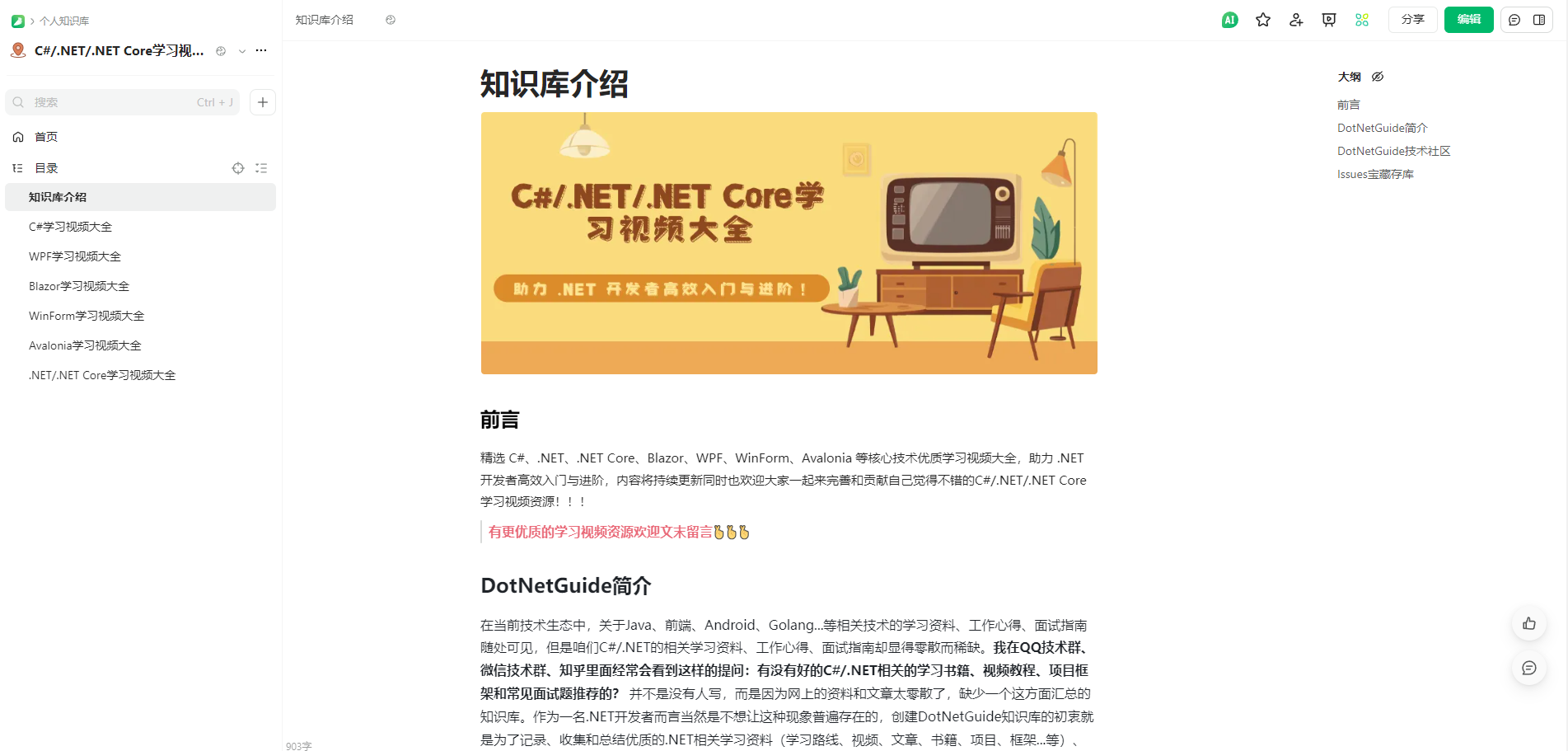
[🔝返回目录](https://github.com/YSGStudyHards/DotNetGuide#%E7%9B%AE%E5%BD%95%E5%AF%BC%E8%88%AA%E5%96%84%E7%94%A8ctrlf)
## 🏗️C#/.NET/.NET Core优秀项目框架
### C#/.NET/.NET Core项目宝库
> 为.NET开发者提供一个寻找优秀C#/.NET/.NET Core项目和框架的入口,通过了解和对比更多的项目和框架来选择最适合我们自己学习、工作开发的一套项目或者框架。优秀的项目不应该被埋没,欢迎大家一起加入这个组织共同完善、发展.NET社区!!这些都是非常优秀的项目和框架,排名不分先后,欢迎前往项目原址Star💖。大家可以在该[🏗️C#/.NET/.NET Core优秀项目和框架Issues](https://github.com/YSGStudyHards/DotNetGuide/issues/5)中留言,我会定期收录到项目宝库组织中。
* **[🎁C#/.NET/.NET Core项目宝库组织](https://github.com/dotNetTreasury)**
### C#/.NET/.NET Core优秀项目和框架Issues
> 为.NET开源勇士提供一个推荐自己优秀项目和框架的Issues,大家可以把自己写的或者感觉不错的C#/.NET/.NET Core项目or框架链接地址和描述提交到在这里,提供给广大.NET开发者们参考、学习和使用,并且我会定期在[公众号推广和分享👀](https://github.com/YSGStudyHards/DotNetGuide/blob/main/docs/DotNet/DotNetProjectMonthly.md)这些优秀项目和框架(注意:排名不分先后,都是十分优秀的开源框架和项目💖)。
* **[🏗️C#/.NET/.NET Core优秀项目和框架Issues](https://github.com/YSGStudyHards/DotNetGuide/issues/5)**
### C#/.NET/.NET Core优秀项目和框架精选
> 帮助开发者发现功能强大、性能优越、创新前沿、简单易用的C#/.NET/.NET Core优秀项目和框架,无论你是寻找灵感、学习新技术、改进代码质量,还是想拓展自己的技术视野,都能为你提供有价值的参考和指导。关注优秀项目和框架精选能让你及时了解C#、.NET和.NET Core领域的最新动态和最佳实践,提高开发效率和质量。坑已挖,欢迎大家[踊跃提交PR](https://github.com/YSGStudyHards/DotNetGuide/blob/main/docs/DotNet/DotNetProjectPicks.md)或者在该[🏗️C#/.NET/.NET Core优秀项目和框架Issues](https://github.com/YSGStudyHards/DotNetGuide/issues/5)中留言(**让优秀的项目和框架不被埋没**),我会定期收录、[公众号推广和分享👀](https://github.com/YSGStudyHards/DotNetGuide/blob/main/docs/DotNet/DotNetProjectMonthly.md)(注意:排名不分先后,都是十分优秀的开源项目和框架,每周定期更新分享💖)。
* **[💡C#/.NET/.NET Core优秀项目和框架Gitee精选](https://gitee.com/ysgdaydayup/DotNetGuide/blob/main/docs/DotNet/DotNetProjectPicks.md)**
* **[🔔C#/.NET/.NET Core优秀项目和框架GitHub精选](https://github.com/YSGStudyHards/DotNetGuide/blob/main/docs/DotNet/DotNetProjectPicks.md)**
[🔝返回目录](https://github.com/YSGStudyHards/DotNetGuide#%E7%9B%AE%E5%BD%95%E5%AF%BC%E8%88%AA%E5%96%84%E7%94%A8ctrlf)
## 🏆C#/.NET/.NET Core技术前沿周刊
C#/.NET/.NET Core技术前沿周刊,你的每周技术指南针!记录、追踪C#/.NET/.NET Core领域、生态的每周最新、最实用、最有价值的技术文章、社区动态、优质项目和学习资源等。让你时刻站在技术前沿,助力技术成长与视野拓宽。
> 欢迎投稿、推荐或自荐优质文章、项目、学习资源等。
- [🏆C#/.NET/.NET Core技术前沿周刊Issues](https://github.com/YSGStudyHards/DotNetGuide/issues/44)
- [📰C#/.NET/.NET Core技术前沿周刊Gitee汇总](https://gitee.com/ysgdaydayup/DotNetGuide/blob/main/docs/DotNet/DotNetWeekly.md)
- [📰C#/.NET/.NET Core技术前沿周刊GitHub汇总](https://github.com/YSGStudyHards/DotNetGuide/blob/main/docs/DotNet/DotNetWeekly.md)
[🔝返回目录](https://github.com/YSGStudyHards/DotNetGuide#%E7%9B%AE%E5%BD%95%E5%AF%BC%E8%88%AA%E5%96%84%E7%94%A8ctrlf)
## ⚔C#/.NET/.NET Core编程技巧练习集
C#/.NET/.NET Core编程常用语法、算法、技巧、中间件、类库、工作业务实操练习集,配套详细的文章教程和代码示例,助力快速掌握C#/.NET/.NET Core中各种编程常用语法、算法、技巧、中间件、类库、工作业务实操等等。
* **DotNetExercises源码仓库地址:** https://github.com/YSGStudyHards/DotNetExercises
* **想要学习C#/.NET/.NET Core什么技术欢迎Issues中留言:** https://github.com/YSGStudyHards/DotNetGuide/issues/42
### 文章详细教程
* [**1、QuestPDFExercise**](https://github.com/YSGStudyHards/DotNetExercises/tree/master/QuestPDFExercise):[.NET使用QuestPDF高效地生成PDF文档](https://mp.weixin.qq.com/s/ZLxDsDE-UQnYdLnVw4h3Kg)
* [**2、TimeCrontabExercise**](https://github.com/YSGStudyHards/DotNetExercises/tree/master/TimeCrontabExercise):[.NET 全能 Cron 表达式解析库](https://mp.weixin.qq.com/s/sO_TdFNNsUUQKePoEliTAA)
* [**3、BouncyCastleExercise**](https://github.com/YSGStudyHards/DotNetExercises/tree/master/BouncyCastleExercise):[C#版开源免费的Bouncy Castle密码库](https://mp.weixin.qq.com/s/_VLzuDkyELusgsjFO6Wkog)
* [**4、ScottPlotWinFormsExercise**](https://github.com/YSGStudyHards/DotNetExercises/tree/master/ScottPlotWinFormsExercise):[使用ScottPlot库在.NET WinForms中快速实现大型数据集的交互式显示
](https://mp.weixin.qq.com/s/d-nUV3pLQ5_MhyfV4rEzAg)
* [**5、ChartjsExercise**](https://github.com/YSGStudyHards/DotNetExercises/tree/master/ChartjsExercise):[在Blazor中使用Chart.js快速创建图表](https://mp.weixin.qq.com/s/AfTWnRfS-aq32hdTn2VgdQ)
* [**6、GenericRepositoryExercise**](https://github.com/YSGStudyHards/DotNetExercises/tree/master/GenericRepositoryExercise):[一个库帮你快速实现EF Core数据仓储模式](https://mp.weixin.qq.com/s/OQINTUyppNyh53GkOOaxMA)
* [**7、MultithreadingExample**](https://github.com/YSGStudyHards/DotNetGuide/blob/main/DotNetGuidePractice/HelloDotNetGuide/%E5%BC%82%E6%AD%A5%E5%A4%9A%E7%BA%BF%E7%A8%8B%E7%BC%96%E7%A8%8B/MultithreadingExample.cs):[C#实现多线程的几种方式](https://mp.weixin.qq.com/s/mnyoD9l6VNmjbTbvI0x1nA)
* [**8、AsyncProgrammingExample**](https://github.com/YSGStudyHards/DotNetGuide/blob/main/DotNetGuidePractice/HelloDotNetGuide/%E5%BC%82%E6%AD%A5%E5%A4%9A%E7%BA%BF%E7%A8%8B%E7%BC%96%E7%A8%8B/AsyncProgrammingExample.cs):[.NET实现异步的几种方式](https://mp.weixin.qq.com/s/4XQ9uVmLvnOQwnkYLHFNag)
* [**9、DotnetSpiderExercise**](https://github.com/YSGStudyHards/DotNetExercises/tree/master/DotnetSpiderExercise):[.NET快速实现网页数据抓取](https://mp.weixin.qq.com/s/Z4liThmMdTXJXXrSIZCUxg)
* [**10、MapsuiExercise**](https://github.com/YSGStudyHards/DotNetExercises/tree/master/MapsuiExercise):[一个 .NET 开源的地图组件库 - Mapsui](https://mp.weixin.qq.com/s/ltw3K87fqJO9qvSCQ0ao6g)
* [**11、SpectreExercise**](https://github.com/YSGStudyHards/DotNetExercises/tree/master/SpectreExercise):[一个库帮你轻松的创建漂亮的.NET控制台应用程序](https://mp.weixin.qq.com/s/K1yOmNQFyl3RObrnBbG8LA)
* [**12、IdGeneratorExercise**](https://github.com/YSGStudyHards/DotNetExercises/tree/master/IdGeneratorExercise):[.NET集成IdGenerator生成分布式全局唯一ID](https://mp.weixin.qq.com/s/U1qKb4nYkQNtbXmQJkxyPA)
* [**13、FusionCacheExercise**](https://github.com/YSGStudyHards/DotNetExercises/tree/master/FusionCacheExercise):[.NET开源强大、易于使用的缓存框架 - FusionCache](https://mp.weixin.qq.com/s/7CnK70qJRRb-OAqR9qAvAw)
* [**14、AutoMapperExercise**](https://github.com/YSGStudyHards/DotNetExercises/tree/master/AutoMapperExercise):[ASP.NET Core Web中使用AutoMapper进行对象映射](https://mp.weixin.qq.com/s/i4Wn0ox22gIffB8UwoBZXQ)
* [**15、CsvHelperExercise**](https://github.com/YSGStudyHards/DotNetExercises/tree/master/CsvHelperExercise):[.NET使用CsvHelper快速读取和写入CSV文件](https://mp.weixin.qq.com/s/md9kqIyVOKkvQv8xD7LCWA)
* [**16、FileCompDecompExercise**](https://github.com/YSGStudyHards/DotNetExercises/tree/master/FileCompDecompExercise):[.NET使用原生方法实现文件压缩和解压](https://mp.weixin.qq.com/s/CCV2QC9-TFIM45sSyKYLag)
* [**17、TerminalGuiExercise**](https://github.com/YSGStudyHards/DotNetExercises/tree/master/TerminalGuiExercise):[使用Terminal.Gui构建功能强大的.NET控制台应用](https://mp.weixin.qq.com/s/c9eonfbaHksv5vIc3tH0Ig)
* [**18、MLNETExercise**](https://github.com/YSGStudyHards/DotNetExercises/tree/master/MLNETExercise):[使用ML.NET训练一个属于自己的图像分类模型,对图像进行分类就这么简单!](https://mp.weixin.qq.com/s/TMC6Dzk-k_Xs13THNNhbbA)
* [**19、CSharp12GrammarExercise**](https://github.com/YSGStudyHards/DotNetGuide/blob/main/DotNetGuidePractice/HelloDotNetGuide/CSharp%E8%AF%AD%E6%B3%95/CSharp12GrammarExercise.cs):[C# 12 新增功能实操](https://mp.weixin.qq.com/s/P-f-cP9bpUD99RsB3lQOzA)
* [**20、FFmpegAudioAndVideoMerge**](https://github.com/YSGStudyHards/FFmpegAudioAndVideoMerge):[C#进程调用FFmpeg操作音视频](https://mp.weixin.qq.com/s/7mz0cUddAp0vhR7JnD3hNg)
[🔝返回目录](https://github.com/YSGStudyHards/DotNetGuide#%E7%9B%AE%E5%BD%95%E5%AF%BC%E8%88%AA%E5%96%84%E7%94%A8ctrlf)
## 🌍Web前端开发指南
### Web前端学习路线和教程
* [Vue官网](https://cn.vuejs.org/)
* [大圣编程自学网](https://shengxinjing.cn/)
* [前端学习路线图](https://github.com/CurrentVastStars/front-end-roadmap)
* [千古前端图文教程](https://web.qianguyihao.com/#%E5%89%8D%E8%A8%80)
* [HTML/CSS菜鸟教程](https://www.runoob.com/)
* [TypeScript使用教程](https://wangdoc.com/typescript/intro)
* [MDN Web前端学习路线图](https://developer.mozilla.org/zh-CN/docs/Learn_web_development)
* [2025 最新 Web 前端开发系统学习图文教程](https://www.arryblog.com/guide/web-learning-route.html)
### Web前端面试宝典和常见面试题
* [TCP/IP协议详解](https://zhuanlan.zhihu.com/p/33889997)
* [大前端面试宝典](https://lucifer.ren/fe-interview/#/?id=大前端面试宝典-图解前端)
* [前端3+1面试题库](https://github.com/haizlin/fe-interview)
* [宇宙最强的前端面试指南](https://github.com/azl397985856/fe-interview)
* [HTTP1.0、HTTP1.1 和 HTTP2.0 的区别](https://segmentfault.com/a/1190000016496448)
* [最新前端面试中常见的面试题(附答案)](https://blog.csdn.net/Jet_Lover/article/details/115637795)
* [面试分享:两年工作经验成功面试阿里P6总结](https://juejin.cn/post/6844903928442667015)
* [中高级前端面试-JavaScript手写代码无敌秘籍](https://juejin.cn/post/6844903809206976520)
* [写给女朋友的中级前端面试秘籍(含详细答案,15k级别)](https://juejin.cn/post/6844904115428917255)
* [中高级前端大厂面试秘籍,为你保驾护航金三银四,直通大厂(上篇)](https://juejin.cn/post/6844903776512393224)
* [中高级前端大厂面试秘籍,寒冬中为您保驾护航,直通大厂(中篇)](https://juejin.cn/post/6844903801153945608)
* [中高级前端大厂面试秘籍,寒冬中为您保驾护航,直通大厂(下篇)](https://juejin.cn/post/6844903830979608584)
* [经典面试题:在浏览器地址栏输入一个URL后回车,背后发生了什么?](https://www.cnblogs.com/cswiki/p/14429730.html)
### Web前端优质资源和文章汇总
* [适合后端程序员的前端框架](https://github.com/YSGStudyHards/DotNetGuide/issues/12)
* [开源实用的大屏数据展示模板](https://mp.weixin.qq.com/s/Aky1uQe3FnSlEy3YwjEWTw)
* [GitHub最全的前端资源汇总仓库](https://github.com/FrontEndGitHub/FrontEndGitHub)
* [一个优秀的前端都应该阅读这些文章](https://github.com/Nealyang/PersonalBlog/issues/48)
* [全网最全!1500+ 免费、美观的前端网页模板](https://mp.weixin.qq.com/s/vkw_N10cYi58tK_fho6lmQ)
* [找 Vue 后台管理系统模板看这个网站就够了!!!](https://mp.weixin.qq.com/s/3OhtBeNpp-heqbvs6gADiA)
[🔝返回目录](https://github.com/YSGStudyHards/DotNetGuide#%E7%9B%AE%E5%BD%95%E5%AF%BC%E8%88%AA%E5%96%84%E7%94%A8ctrlf)
## 🤖AIGC&AI赋能
### AI实用编程工具
* [AI编程助手:CodeGeeX ](https://codegeex.cn/zh-CN)
* [AI智能助手:代码小浣熊](https://raccoon.sensetime.com/code)
* [智能编码助手:通义灵码](https://tongyi.aliyun.com/lingma)
* [强大的AI编码助手:Fynix](https://www.fynix.ai/)
* [AI编程工具:CodeWhisperer](https://aws.amazon.com/cn/pm/codewhisperer)
* [AI辅助神器:GitHub Copilot](https://docs.github.com/zh/copilot/quickstart)
* [新一代AI开发编程助手:Trae](https://www.trae.cn)
* [智能编码助手:Baidu Comate](https://comate.baidu.com/zh)
* [高效的AI代码编辑助手:Cursor](https://www.cursor.com)
* [领先的开源AI代码助手:Continue](https://github.com/continuedev/continue)
* [免费好用的AI编程助手:Fitten Code](https://code.fittentech.com)
* [AI 时代的智能编程伙伴:CodeBuddy](https://copilot.tencent.com)
* [重新定义 AI 编程体验:Qoder](https://qoder.com)
### AI对话聊天助手
* [一个免费且强大的.NET AI智能体](https://mp.weixin.qq.com/s/BStnJHEyMntyMsHaPiX_Sg)
* [分享 5 个在微信中使用 DeepSeek 的方法,建议收藏!](https://mp.weixin.qq.com/s/D62jLkvDqxiIOiaxan80qA)
* [告别 DeepSeek 系统繁忙,七个 DeepSeek 曲线救国平替入口,官网崩溃也能用!](https://mp.weixin.qq.com/s/XNVeUE_kgLgF_0INcs5d6Q)
* [腾讯元宝接入 DeepSeek R1 模型,支持深度思考 + 联网搜索,好用不卡机!](https://mp.weixin.qq.com/s/xl5_WgfYf1QynT5pVqWNvg)
* [一个免费、快速、无限量使用的满血 DeepSeek R1 模型,支持深度思考和联网搜索!](https://mp.weixin.qq.com/s/-l4Jih7Ua3cXcf4RL4YXRw)
### AI实用效率工具
* [DeepSeek 官方推出的实用集成工具百宝箱,建议收藏!](https://mp.weixin.qq.com/s/mtdtty99MGIlcOv9rJLRnQ)
* [8款支持 C# 语言的 AI 辅助编程神器,高效编程利器!](https://mp.weixin.qq.com/s/KCiqOvJ6KF4gz1sr4B5XRg)
* [使用 GitDiagram 快速将 GitHub 仓库转换为交互式图表](https://mp.weixin.qq.com/s/OXNjmjC2xvaoAln2NkrwgA)
* [DeepWiki:AI驱动、免费且实用的 GitHub 源码阅读与分析神器!](https://mp.weixin.qq.com/s/QpISCYltDePhgj_QBtZCfg)
* [Zread:智谱AI推出的 Github 项目阅读神器,一键生成超详细中文文档!](https://mp.weixin.qq.com/s/hv3EPiLV2e8YL4590EDESg)
* [Doubao Seedream 4.0 爆火:多图融合 + 多样玩法,解锁 AI 图像创作新境界!](https://mp.weixin.qq.com/s/FWOLXAgeWfiwD6-KRpNO4A)
* [沉浸式翻译:一款免费的(原文/译文)AI 双语对照网页翻译插件,信息获取效率飙升!](https://mp.weixin.qq.com/s/9oRCNuhapNg1IVoCbLJlvA)
### AI提示词大全
* [LangGPT 结构化提示词知识库](https://langgptai.feishu.cn/wiki/RXdbwRyASiShtDky381ciwFEnpe)
* [DeepSeek 官方推出的提示词库,AI内容生成的精准导航仪!](https://mp.weixin.qq.com/s/zeY5qztR2tbgqwvwK6TWMQ)
* [2025年最好的AI提示词合集:ChatGPT、Claude、Gemini 提示词大全](https://github.com/holmquistc407/ai-tishici)
* [Prompt Optimizer:一款开源免费、功能强大的 AI 提示词优化神器](https://mp.weixin.qq.com/s/_98HOWPaFvHXb8dU8EtTVw)
* [WayToAGI:精选高效的AI提示词库,助力创作者和开发者解锁人工智能的潜力](https://www.waytoagi.com/zh/prompts)
* [PromptHub提供免费AI提示词大全,包含ChatGPT、Claude、Midjourney等主流AI工具的优质提示词模板](https://www.prompthub.xin)
* [PromptPilot:一款由字节跳动推出的 AI 提示词生成和优化工具,为你提供更精准,专业,可持续迭代提示词!](https://mp.weixin.qq.com/s/6Xj1V0N93Dg9AWlIRTXg1Q)
### AI实战从入门到精通
* [清华大学《AIGC发展研究报告3.0版》](https://mp.weixin.qq.com/s/T9VIEm-9UGRXv01QLjKAcA)
* [全面系统的AI学习路径,帮助普通人也能玩转AI](https://mp.weixin.qq.com/s/F5GF_ISFRQucs9aETJwmeQ)
* [利用腾讯元器,将公众号变身为强大的.NET AI智能体](https://mp.weixin.qq.com/s/kapZm6g9vN5YB8MiRcIXVg)
* [北京大学DeepSeek系列教程:《DeepSeek与AIGC应用》](https://mp.weixin.qq.com/s/r901bHIDrsd77B0yRI1Nuw)
* [北京大学DeepSeek系列教程:《DeepSeek提示词工程和落地场景》](https://mp.weixin.qq.com/s/Cj3T1DR57w4rx7_QGq0CQg)
* [清华大学推出的 DeepSeek 从入门到精通(104页)免费教程!](https://mp.weixin.qq.com/s/b94N2WSSNydwAlJiZineUw)
* [清华大学推出第二讲 DeepSeek 如何赋能职场应用?从提示语技巧到多场景应用!](https://mp.weixin.qq.com/s/z6Osmc3FtMpNl_MEcUeiOg)
* [清华大学推出第三讲普通人如何抓住 DeepSeek 红利,普通人必备的免费AI手册!](https://mp.weixin.qq.com/s/CWhRgwzx6Ya93hwgnnDU3A)
* [清华大学推出第四讲使用 DeepSeek + DeepResearch 让科研像聊天一样简单!](https://mp.weixin.qq.com/s/3inmjt8omsZFBXsjtoVn1A)
* [清华大学推出第五讲《DeepSeek与AI幻觉》,避免你的AI一本正经地胡说八道!](https://mp.weixin.qq.com/s/HtYVzjDGb2HhV4IuP0_SEw)
* [清华大学推出第六讲:使用DeepSeek赋能家庭教育,开启智能育儿新时代!](https://mp.weixin.qq.com/s/KT3P-L1SNtF8rSjGOF2edA)
* [我的公众号接入了DeepSeek-R1模型,成为了一个会深度思考的强大.NET AI智能体!](https://mp.weixin.qq.com/s/K1SJGSHLxDS_Qa17wo43EA)
* [⾄顶 AI 实验室推出的 DeepSeek 完全实用手册(207页包含技术原理,使用技巧,部署进展)](https://mp.weixin.qq.com/s/hsBr9gRiMMLqf-QKQ4oDDQ)
* [微软官方出品的 AI 初学者入门精品课程,21节课程教你构建生成式人工智能应用所需掌握的知识!](https://mp.weixin.qq.com/s/zy16qmxDPbxovRwHvKae6g)
[🔝返回目录](https://github.com/YSGStudyHards/DotNetGuide#%E7%9B%AE%E5%BD%95%E5%AF%BC%E8%88%AA%E5%96%84%E7%94%A8ctrlf)
## 🧱设计模式
> 设计模式(Design Pattern) 是一套被反复使用、多数人知晓的、经过分类编目的、代码设计经验的总结,使用设计模式是为了可重用代码、让代码更容易被他人理解并且保证代码可靠性。
> 面向对象结合设计模式,才能真正体会到程序变得可维护、可复用、可扩展、灵活性好。设计模式对于程序员而言并不陌生,每个程序员在编程时都会或多或少地接触到设计模式。无论是在大型程序的架构中,亦或是在源码的学习中,设计模式都扮演着非常重要的角色。
### 设计模式推荐学习教程
* [大话设计模式](http://www.ddooo.com/softdown/109592.htm)
* [图说设计模式](https://github.com/me115/design_patterns)
* [设计模式之禅(第2版)](https://www.kancloud.cn/sstd521/design/193489)
* [C#设计模式入门实战教程](https://mp.weixin.qq.com/s/9XqcJUdfFgbUkKclfHGz7Q)
* [史上最全设计模式导学目录](http://blog.csdn.net/lovelion/article/details/17517213)
* [design pattern 包教不包会](https://github.com/AlfredTheBest/Design-Pattern)
* [免费在线学习代码重构和设计模式](https://refactoringguru.cn/)
* [C#常见的23种设计模式(含源码)圣杰](https://github.com/sheng-jie/Design-Pattern)
* [23种面向对象设计模式示例代码(C#实现)Edison Zhou](https://github.com/EdisonChou/DesignPattern.Samples.CSharp)
### 经典的23种设计模式
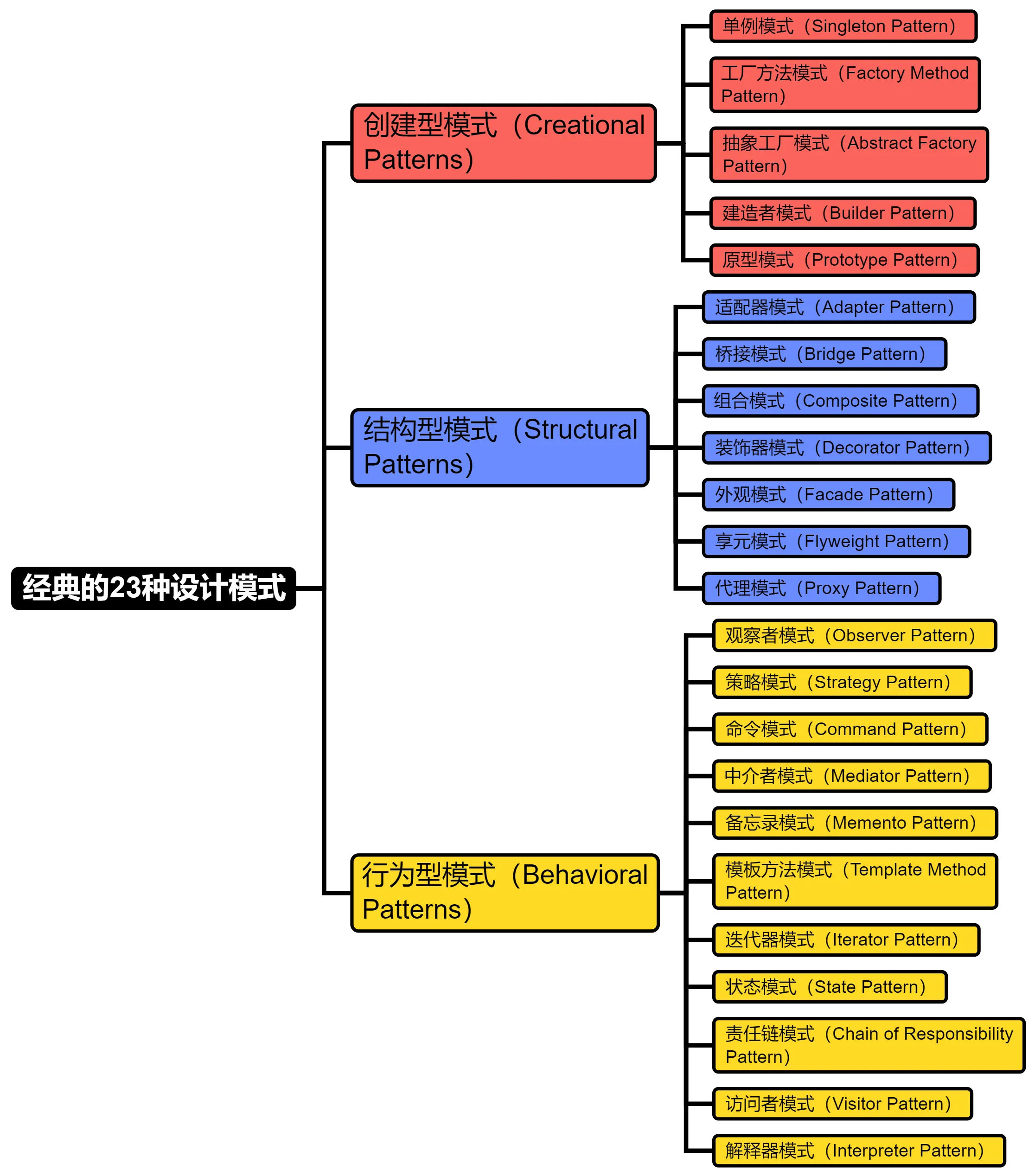
[🔝返回目录](https://github.com/YSGStudyHards/DotNetGuide#%E7%9B%AE%E5%BD%95%E5%AF%BC%E8%88%AA%E5%96%84%E7%94%A8ctrlf)
## 🛠️数据结构
> 数据结构是一种组织和存储数据的方式,它用于管理和操作数据的集合。数据结构可以定义为不同数据元素之间的关系,以及在存储和访问数据时使用的算法。它涉及到如何存储、组织和管理数据,以便能够高效地进行检索和操作。
* [数据结构-维基百科](https://zh.wikipedia.org/wiki/%E6%95%B0%E6%8D%AE%E7%BB%93%E6%9E%84)
* [八种数据结构分类](https://zhuanlan.zhihu.com/p/547679051)
* [数据结构知识点大汇总](https://zhuanlan.zhihu.com/p/356047870)
* [十三张图带你彻底了解所有数据结构](https://zhuanlan.zhihu.com/p/138523723)
## 🧮逻辑算法
> 逻辑算法是一种基于逻辑推理和结构化思维的算法设计方法。它是指通过逻辑关系和规则来解决问题的算法。逻辑算法通常使用形式化的逻辑语言和符号进行描述和表达,以便于机器或计算机程序的理解和执行。
### 逻辑算法提升
* [小浩算法](https://www.bookstack.cn/read/hello-algorithm/README.md)
* [Hello算法](https://www.hello-algo.com/)
* [AcWing在线题库](https://www.acwing.com/problem/)
* [牛客网基础算法](https://www.nowcoder.com/exam/intelligent?questionJobId=10&tagId=21000)
* [CodeTop企业题库](https://codetop.cc/home)
* [在线算法刷题平台-力扣](https://leetcode-cn.com/)
* [labuladong的算法小抄](https://labuladong.gitee.io/algo/)
* [VisuAlgo可视化学习算法](https://visualgo.net/zh)
* [程序员必须掌握的算法有哪些?](https://zhuanlan.zhihu.com/p/367994409)
### C#常见逻辑算法
* [C#经典十大排序算法](https://mp.weixin.qq.com/s/RZpAuht7yNLdG4Nb6TGinw)
* [C#冒泡排序算法](https://mp.weixin.qq.com/s/z_LPZ6QUFNJcwaEw_H5qbQ)
* [C#选择排序算法](https://mp.weixin.qq.com/s/B1QdqyP8HQgOv8tlSujtog)
* [C#插入排序算法](https://mp.weixin.qq.com/s/YEregZ_GOGgEltGUJadycw)
* [C#希尔排序算法](https://mp.weixin.qq.com/s/_t9QVuj_rLcNomyv7LcGMA)
* [C#归并排序算法](https://mp.weixin.qq.com/s/ToURWBfVIl7087Ago8fGdQ)
* [C#快速排序算法](https://mp.weixin.qq.com/s/7vms2Q4s7DBdFs31w4cfVA)
* [C#堆排序算法](https://mp.weixin.qq.com/s/zS_ESKzlg05ICqFPIaePkg)
* [C#计数排序算法](https://mp.weixin.qq.com/s/PA5NNqcy3CM9PSncWCsmEg)
* [C#桶排序算法](https://mp.weixin.qq.com/s/YzviDcm3-4E5Wf2jooylJQ)
* [C#基数排序算法](https://mp.weixin.qq.com/s/dCG-LLim4UGD1kIY2a3hmA)
* [C#经典查找算法](https://mp.weixin.qq.com/s/zj9oZBajcewU6yP4y8e_ow)
* [C#二分查找算法](https://mp.weixin.qq.com/s/uCuqv0zOI0ZsF48Q1LoCsQ)
* [C#线性查找算法](https://mp.weixin.qq.com/s/VKC5lEYCL7SHieNMaPOE3A)
* [C#二叉搜索树算法](https://mp.weixin.qq.com/s/qs8CZzjtmyXkQhkRWmqllA)
* [C#哈希查找算法](https://mp.weixin.qq.com/s/WaXCFshzuqVQD6YX2Kcw5g)
* [C#面试常见递归算法](https://mp.weixin.qq.com/s/1YouL0smeUszjcrbRRpQ9g)
* [C#经典算法面试题汇总](https://github.com/YSGStudyHards/DotNetGuide/blob/main/docs/%E7%AE%97%E6%B3%95/C%23%E7%BB%8F%E5%85%B8%E7%AE%97%E6%B3%95%E9%9D%A2%E8%AF%95%E9%A2%98.md)
[🔝返回目录](https://github.com/YSGStudyHards/DotNetGuide#%E7%9B%AE%E5%BD%95%E5%AF%BC%E8%88%AA%E5%96%84%E7%94%A8ctrlf)
## 🍇关系型数据库(SQL)
> 关系型数据库(SQL)库指的是使用关系模型(二维表格模型)来组织数据的数据库,是一种使用结构化查询语言(Structured Query Language,简称SQL)进行数据管理和操作的数据库类型。它采用表格的形式来组织和存储数据,通过定义表之间的关系来建立数据之间的联系。
### SQL和数据库相关
* [自学SQL网](http://xuesql.cn/)
* [SQL语法基础](http://www.cyc2018.xyz/%E6%95%B0%E6%8D%AE%E5%BA%93/SQL%20%E8%AF%AD%E6%B3%95.html#%E4%B8%80%E3%80%81%E5%9F%BA%E7%A1%80)
* [数据库系统原理](http://www.cyc2018.xyz/%E6%95%B0%E6%8D%AE%E5%BA%93/%E6%95%B0%E6%8D%AE%E5%BA%93%E7%B3%BB%E7%BB%9F%E5%8E%9F%E7%90%86.html#%E4%B8%80%E3%80%81%E4%BA%8B%E5%8A%A1)
* [闯关式SQL自学网](https://github.com/liyupi/sql-mother)
* [牛客网在线SQL练习](https://www.nowcoder.com/exam/oj?tab=SQL%E7%AF%87&topicId=199)
* [关系型数据库概念详解](https://www.cnblogs.com/Can-daydayup/p/14353082.html#_label1)
* [SQL常见100面试题解析](https://mp.weixin.qq.com/s/39VVuwQcWYWSmaCAUssQ5w)
* [7种系统设计中的数据库范式](https://mp.weixin.qq.com/s/h7y0UwFowIOoMh2UzN4iuA)
* [推荐几个不错的数据库设计工具](https://mp.weixin.qq.com/s/m7nUv_z-THQC-y-D9IoCIw)
* [一个不错的 SQL 编码风格的指南](https://mp.weixin.qq.com/s/OcE2zgKOqUkg6fdjNwstxA)
* [SQL 中的各种连接 JOIN 的区别总结](https://mp.weixin.qq.com/s/CWyIZA5Gy-OJspPPYQituA)
* [5 款免费又好用的数据库管理工具推荐](https://mp.weixin.qq.com/s/92p3zMZ1NPM6rtB_VFK-8Q)
* [JetBrains 宣布 DataGrip 面向非商业用途免费!](https://mp.weixin.qq.com/s/nrcqcVK9gv3yiB7LwOQjsg)
* [好消息!数据库管理神器 Navicat 推出免费精简版](https://mp.weixin.qq.com/s/W65BzGtr1Ens4ykZzGjkyA)
* [Navicat平替工具,一款免费开源的通用数据库工具](https://mp.weixin.qq.com/s/Iu45spN8r6qjhmKT6PX1Lg)
### MySQL
* [MySQL教程](https://www.runoob.com/mysql/mysql-tutorial.html)
* [MySQL源代码](https://github.com/mysql/mysql-server)
* [MySQL入门教程](https://www.w3cschool.cn/mysql/mysql-tutorial.html)
* [MySQL中文文档](https://www.mysqlzh.com/)
* [MySQL图解教程](https://github.com/xiaolincoder/CS-Base?tab=readme-ov-file#open_book%E5%9B%BE%E8%A7%A3-mysql)
* [MySQL知识汇总](https://www.cnblogs.com/Gao-yubo/p/15525872.html)
* [Awesome MySQL](https://github.com/shlomi-noach/awesome-mysql)
* [MySQL调优13连问](https://mp.weixin.qq.com/s/U68NCGkjGLHXahWmPMHwNA)
* [MySQL基础快速入门](https://mp.weixin.qq.com/s/pnbI7xSDk7_hQMLgVryPaA)
* [MySQL基础知识汇总](http://www.cyc2018.xyz/%E6%95%B0%E6%8D%AE%E5%BA%93/MySQL.html#%E4%B8%80%E3%80%81%E7%B4%A2%E5%BC%95)
* [21分钟MySQL入门教程](http://www.cnblogs.com/mr-wid/archive/2013/05/09/3068229.html)
* [MySQL入门到实战详细教程](https://mp.weixin.qq.com/s/XnYFIc4Oq6kQrLIhOXblig)
* [15个MySQL表设计的经验准则](https://mp.weixin.qq.com/s/j657b2Ihe7PXarCxawZemQ)
* [6本值得推荐的MySQL学习书籍](https://mp.weixin.qq.com/s/bPAKZsXwDxRy5mzEODFljw)
* [MySQL中,21个写SQL的好习惯](https://mp.weixin.qq.com/s/pN6azE6v4y9sk96FJqctBw)
* [26个SQL优化小技巧,收藏学习!](https://mp.weixin.qq.com/s/BRn6zBkBhA_3a5NHkqpj4Q)
* [MySQL日志15连问,你能抗住嘛?](https://mp.weixin.qq.com/s/uNvj1azCdQMVljgyox0CTg)
* [MySQL夺命16问,你能回答出几个?](https://mp.weixin.qq.com/s/eJepG60ll0gaEPVb1IAKVA)
* [MySQL入门教程(MySQL tutorial book)](https://github.com/jaywcjlove/mysql-tutorial)
* [MySQL索引背后的数据结构及算法原理](http://blog.codinglabs.org/articles/theory-of-mysql-index.html)
* [万字解析MySQL InnoDB锁机制实现原理](https://mp.weixin.qq.com/s/1iO33FX_eNTDi_S-DbKIeQ)
### Microsoft SQL Server
* [SQL Server教程](https://www.w3cschool.cn/sqlserver/sqlserver-1p6728kn.html)
* [Microsoft SQL文档](https://docs.microsoft.com/zh-cn/sql/?view=sql-server-ver15)
* [SQL Server技术文档](https://docs.microsoft.com/zh-cn/sql/sql-server/?view=sql-server-ver15)
* [SQL Server文章目录](https://www.cnblogs.com/CareySon/archive/2012/05/08/2489748.html)
* [SSMS管理工具快速入门](https://docs.microsoft.com/zh-cn/sql/ssms/quickstarts/ssms-connect-query-sql-server?view=sql-server-ver15)
### PostgreSQL
* [PostgreSQL教程](https://www.runoob.com/postgresql/postgresql-tutorial.html)
* [PostgreSQL开发指南](https://github.com/YSGStudyHards/postgresql_dev_guide)
* [PostgreSQL中文文档](http://www.postgres.cn/v2/document)
* [PostgreSQL 11.2 手册](http://www.postgres.cn/docs/11/)
* [PostgreSQL 12.2 手册](http://www.postgres.cn/docs/12/)
### Oracle
* [Oracle入门教程](https://www.w3cschool.cn/oraclejc/)
* [Oracle基础教程](https://www.oraclejsq.com/article/010100110.html)
* [Oracle快速入门视频教程](https://www.bilibili.com/video/BV1u54y1G7xq?spm_id_from=333.337.search-card.all.click)
### SQLite
* [SQLite简介](https://mp.weixin.qq.com/s/wCKjqDv2hpvsu-01meSMNA)
* [SQLite官网](https://www.sqlite.org/index.html)
* [SQLite教程](https://www.runoob.com/sqlite/sqlite-intro.html)
* [.NET操作SQLite实战教程](https://github.com/YSGStudyHards/EasySQLite)
* [7款实用的SQLite可视化管理工具](https://mp.weixin.qq.com/s/0nwhfbIWSl2rqaOuAuIX3g)
[🔝返回目录](https://github.com/YSGStudyHards/DotNetGuide#%E7%9B%AE%E5%BD%95%E5%AF%BC%E8%88%AA%E5%96%84%E7%94%A8ctrlf)
## 🍉非关系型数据库(NoSQL)
> 非关系型数据库又被称为 NoSQL(Not Only SQL ),意为不仅仅是 SQL。指的是与传统关系型数据库(RDBMS)相对应的一类数据库管理系统。与关系型数据库不同的是非关系型数据库不使用传统的表格和行列结构来存储数据,而是采用更灵活的数据模型,例如键值对、文档、列族、图形等形式。
### NoSQL相关概念
* [非关系型数据库概念详解](https://www.cnblogs.com/Can-daydayup/p/14353082.html#_label2)
* [常见的 NoSQL 数据库有哪些?](https://mp.weixin.qq.com/s/GUnXVSszDZ9vpPQG2BS3UA)
### Redis
* [Redis图解](https://github.com/MyBigKnowledgeBase/CS-Base#open_book-%E5%9B%BE%E8%A7%A3redis)
* [Redis中文文档](https://www.redis.com.cn/documentation.html)
* [Redis全景解析](https://mp.weixin.qq.com/s/kRpdvtRajvs9DuDt7UHGpQ)
* [Redis命令参考](http://doc.redisfans.com/)
* [Redis设计与实现](http://redisbook.com/)
* [Redis基础知识汇总](http://www.cyc2018.xyz/%E6%95%B0%E6%8D%AE%E5%BA%93/Redis.html#%E4%B8%80%E3%80%81%E6%A6%82%E8%BF%B0)
* [一天吃透Redis面试八股文](https://mp.weixin.qq.com/s/CiFSsOx_g9g-0PUGXDuvcQ)
* [带有详细注释的 Redis 2.6 代码](https://github.com/huangz1990/annotated_redis_source)
* [带有详细注释的 Redis 3.0 代码](https://github.com/huangz1990/redis-3.0-annotated)
* [面试前必须要知道的Redis面试题](https://mp.weixin.qq.com/s/3Fmv7h5p2QDtLxc9n1dp5A)
* [5款.NET开源免费的Redis客户端组件库](https://mp.weixin.qq.com/s/z7Wdch8pc0o696DuBY8v0A)
* [4款实用、跨平台的Redis可视化管理工具](https://mp.weixin.qq.com/s/hHQ69esiJbS_pspcid3FkA)
### MongoDB
* [MongoDB中文社区](https://mongoing.com/)
* [MongoDB高频面试题](https://mongoing.com/archives/docs/mongodb%e5%88%9d%e5%ad%a6%e8%80%85%e6%95%99%e7%a8%8b/mongodb%e9%ab%98%e9%a2%91%e9%9d%a2%e8%af%95%e9%a2%98)
* [MongoDB官方中文文档](https://www.mongodb.com/zh-cn/docs/)
* [95道MongoDB面试题详解](https://www.yuque.com/ysgstudyhard/da6e0c/eetrswgetml77m1h)
* [MongoDB从入门到实战之MongoDB简介](https://www.cnblogs.com/Can-daydayup/p/16797608.html)
* [MongoDB从入门到实战之MongoDB快速入门](https://www.cnblogs.com/Can-daydayup/p/16804415.html)
* [MongoDB从入门到实战之Docker快速安装MongoDB](https://www.cnblogs.com/Can-daydayup/p/16838976.html)
* [MongoDB从入门到实战之MongoDB工作常用操作命令](https://www.cnblogs.com/Can-daydayup/p/16840085.html)
* [MongoDB安全加固,防止数据库攻击删除勒索威胁](https://www.cnblogs.com/Can-daydayup/p/16970210.html)
### Memcached
* [Memcached入门教程](https://www.runoob.com/memcached/memcached-tutorial.html)
* [Memcached免费学习视频教程](https://www.php.cn/course/list/55.html)
[🔝返回目录](https://github.com/YSGStudyHards/DotNetGuide#%E7%9B%AE%E5%BD%95%E5%AF%BC%E8%88%AA%E5%96%84%E7%94%A8ctrlf)
## 💡系统设计
* [系统设计入门](https://github.com/donnemartin/system-design-primer)
* [系统与架构设计](https://github.com/zaiyunduan123/Java-Summarize/blob/master/notes/scene/Scene-Design.md)
* [秒杀系统设计与实现](https://github.com/qiurunze123/miaosha)
* [微服务:从设计到部署](https://github.com/DocsHome/microservices)
* [浅谈6种流行的API架构风格](https://mp.weixin.qq.com/s/HXi2SBQcjjAk-WExmiXyCA)
* [一个值得推荐的图解系统设计学习知识库](https://github.com/ByteByteGoHq/system-design-101)
[🔝返回目录](https://github.com/YSGStudyHards/DotNetGuide#%E7%9B%AE%E5%BD%95%E5%AF%BC%E8%88%AA%E5%96%84%E7%94%A8ctrlf)
## 💻操作系统
* [Linux](https://github.com/YSGStudyHards/DotNetGuide/blob/main/docs/Linux/Linux.md)
* [计算机操作系统](https://github.com/CyC2018/CS-Notes/blob/master/notes/%E8%AE%A1%E7%AE%97%E6%9C%BA%E6%93%8D%E4%BD%9C%E7%B3%BB%E7%BB%9F%20-%20%E7%9B%AE%E5%BD%95.md)
* [图解计算机操作系统](https://github.com/MyBigKnowledgeBase/CS-Base#open_book%E5%9B%BE%E8%A7%A3%E7%B3%BB%E7%BB%9F)
* [王道计算机考研操作系统视频教程](https://www.bilibili.com/video/BV1YE411D7nH?from=search&seid=13464543417132613798&spm_id_from=333.337.0.0)
[🔝返回目录](https://github.com/YSGStudyHards/DotNetGuide#%E7%9B%AE%E5%BD%95%E5%AF%BC%E8%88%AA%E5%96%84%E7%94%A8ctrlf)
## 🛰️计算机网络
* [HTTP](http://www.cyc2018.xyz/%E8%AE%A1%E7%AE%97%E6%9C%BA%E5%9F%BA%E7%A1%80/HTTP/HTTP.html#%E4%B8%80-%E3%80%81%E5%9F%BA%E7%A1%80%E6%A6%82%E5%BF%B5)
* [Socket](http://www.cyc2018.xyz/%E8%AE%A1%E7%AE%97%E6%9C%BA%E5%9F%BA%E7%A1%80/Socket/Socket.html#%E4%B8%80%E3%80%81i-o-%E6%A8%A1%E5%9E%8B)
* [什么是RPC?](https://www.jianshu.com/p/7d6853140e13)
* [TCP和UDP的区别](https://zhuanlan.zhihu.com/p/24860273)
* [计算机网络基础](http://www.cyc2018.xyz/%E8%AE%A1%E7%AE%97%E6%9C%BA%E5%9F%BA%E7%A1%80/%E7%BD%91%E7%BB%9C%E5%9F%BA%E7%A1%80/%E8%AE%A1%E7%AE%97%E6%9C%BA%E7%BD%91%E7%BB%9C%20-%20%E7%9B%AE%E5%BD%95.html#%E5%8F%82%E8%80%83%E9%93%BE%E6%8E%A5)
* [图解计算机网络](https://github.com/MyBigKnowledgeBase/CS-Base#open_book%E5%9B%BE%E8%A7%A3%E7%BD%91%E7%BB%9C)
* [全面的网络基础思维导图](https://mp.weixin.qq.com/s/2isYFwIIiZ9fJilnEaY6lQ)
* [学习网络技术的方法和路径](https://mp.weixin.qq.com/s/XY3TPLnr3bNIij_f3e7W1g)
[🔝返回目录](https://github.com/YSGStudyHards/DotNetGuide#%E7%9B%AE%E5%BD%95%E5%AF%BC%E8%88%AA%E5%96%84%E7%94%A8ctrlf)
## ☁️容器技术
### Kubernetes(K8s)
> Kubernetes是容器集群管理系统,是一个开源的平台,可以实现容器集群的自动化部署、自动扩缩容、维护等功能。
* [Kubernetes指南](https://github.com/feiskyer/kubernetes-handbook)
* [Kubernetes中文社区](https://www.kubernetes.org.cn/)
* [一文了解 Kubernetes](https://zhuanlan.zhihu.com/p/162928436)
* [Kubernetes(K8s) 解决了哪些问题?](https://www.zhihu.com/question/329365548/answer/1545488275)
* [在 Kubernetes 上优化 RabbitMQ 性能](https://mp.weixin.qq.com/s/GptvqgZB6HYYlDdEnx3ILw)
### Docker
> Docker是一个开源的应用容器引擎,基于Golang 语言开发,可以让开发者打包他们的应用以及依赖包到一个轻量级、可移植的容器中,然后发布到任何流行的 Linux 服务器。容器是一个沙箱机制,相互之间不会有影响(类似于我们手机上运行的 app),并且容器开销是很低的。Docker 是一个供开发人员和系统管理员构建、运行和与容器共享应用程序的平台。使用容器部署应用程序称为容器化。容器并不是新事物,但它们用于轻松部署应用程序却是新鲜的。
* [什么是Docker?](https://zhuanlan.zhihu.com/p/187505981)
* [.NET应用容器化](https://learn.microsoft.com/zh-cn/dotnet/core/docker/build-container?tabs=windows&pivots=dotnet-8-0)
* [Docker中文社区](https://www.docker.org.cn/)
* [.NET和Docker简介](https://learn.microsoft.com/zh-cn/dotnet/core/docker/introduction)
* [Docker官方文档教程](https://docs.docker.com/)
* [Docker从入门到实践](https://vuepress.mirror.docker-practice.com/)
* [Docker容器入门详解](https://mp.weixin.qq.com/s/RrMkeIWO0PePhXf3pTjsRQ)
* [Docker是怎么工作的?](https://mp.weixin.qq.com/s/_XK3MtVn-KKuVxf13TPwug)
* [CentOS 8.4安装Docker](https://mp.weixin.qq.com/s/-uwOq2iR0nvNfFJkzrLbUw)
* [Ubuntu 20.04安装Docker](https://mp.weixin.qq.com/s/aDw1uXMngvjjClE6oZmdJw)
* [Docker日常工作常用命令](https://mp.weixin.qq.com/s/fd-_oY624s0sh25Dkf6iGA)
* [全面的Docker快速入门教程](https://mp.weixin.qq.com/s/A5-al_qhQzYq5-1a4U7MAQ)
* [8个实用的Docker容器监控工具](https://mp.weixin.qq.com/s/x_p2FgIWIkFHdPruNi2oTQ)
* [Windows10 Docker安装详细教程](https://mp.weixin.qq.com/s/jYbIG1TgiZQaZqwJMpZ0eQ)
* [为什么不建议在Docker中跑MySQL?](https://mp.weixin.qq.com/s/l_TPbUwO3tt9mxEsRPtZgA)
* [Docker安装MySQL并使用Navicat连接](https://mp.weixin.qq.com/s/zxCPi_CtCVL33jNOZM3hOQ)
* [Docker安装MongoDB并使用Navicat连接](https://mp.weixin.qq.com/s/jp2qYzeuGxAX-fsDf4JK7g)
* [Docker初级、中级、高级实战教程和指南](https://github.com/collabnix/dockerlabs)
* [推荐 5 款实用的 Docker 可视化管理工具](https://mp.weixin.qq.com/s/3U0dqQqaP3yE3m9TmL9wyA)
* [十本你不容错过的Docker入门到精通书籍推荐](https://mp.weixin.qq.com/s/JCJXjq6RYS80Q2E9nbVOkg)
* [Docker安装MS SQL Server并使用Navicat远程连接](https://mp.weixin.qq.com/s/YFsGGnQPQ5JYCKEoJ0S0Rw)
* [Docker安装Redis并使用Another Redis Desktop Manager连接](https://mp.weixin.qq.com/s/CAc-PJWcLHHtE4Il5QTq9w)
### 容器编排平台
> 容器编排平台的主要作用是帮助用户有效地管理和调度大规模的容器化应用程序,从而提高应用程序的可靠性、弹性和可扩展性。
* [Rancher](https://docs.rancher.cn/docs/rancher2/overview/_index/)
* [Kubernetes](https://kubernetes.io/)
* [Docker Swarm](https://docs.docker.com/engine/swarm)
* [Apache Mesos](https://mesos-cn.gitbooks.io/mesos-cn/content/OverView/Mesos-Architecture.html)
[🔝返回目录](https://github.com/YSGStudyHards/DotNetGuide#%E7%9B%AE%E5%BD%95%E5%AF%BC%E8%88%AA%E5%96%84%E7%94%A8ctrlf)
## 🧰DevOps、CI&CD自动化工具
### DevOps
> DevOps 是软件开发(Development)和运营(Operations)的结合。代表着重视软件开发人员(Dev)和 IT 运维技术人员(Ops)之间沟通合作的文化;旨在透过自动化软件交付和架构变更的流程,使得构建、 测试、发布软件的过程能够更加地快捷、频繁和可靠。Gartner 咨询公司认为 DevOps 代表了 IT 文化的变化趋势。DevOps 可以很好地解释为人们一起工作以快速构思、构建和交付安全软件。DevOps 实践使软件开发(dev)和运营(ops)团队能够通过自动化、协作、快速反馈和迭代改进来加速交付。
* [DevOps,CI,CD,自动化简单介绍](https://mp.weixin.qq.com/s/7gZawUuKHSVe7e3ik_wEew)
* DevOps研发效能平台
* [Zadig](https://gitee.com/koderover/zadig)
* [PingCode](https://pingcode.com/)
* [CODING DevOps](https://cloud.tencent.com/product/coding)
* [Azure DevOps](https://azure.microsoft.com/zh-cn/products/devops/)
### 持续集成与部署(CI&CD)自动化工具
> 越来越多的工程团队正在采用敏捷开发,推动更短,更快的发布周期。代码库增长和创建新生产构建的频率导致持续集成和持续部署/交付工具的兴起。持续集成(CI)和持续交付/部署(CD)自动化工具是用于实现软件开发和发布流程自动化的工具。这些工具能够帮助开发团队更高效地集成代码、运行测试、进行构建和部署,从而提高软件开发的效率和质量。
* [Jenkins](https://www.jenkins.io/)
* [GitLab CI](https://about.gitlab.com/topics/ci-cd/)
* [Travis CI](https://travis-ci.org/)
* [Circle CI](https://circleci.com/)
* [TeamCity](https://www.jetbrains.com/teamcity)
* [Bamboo](https://www.atlassian.com/zh/software/bamboo)
* [Github Actions](https://github.com/features/actions)
* [Azure Pipelines](https://azure.microsoft.com/zh-cn/services/devops/pipelines/)
[🔝返回目录](https://github.com/YSGStudyHards/DotNetGuide#%E7%9B%AE%E5%BD%95%E5%AF%BC%E8%88%AA%E5%96%84%E7%94%A8ctrlf)
## 🧲版本控制工具
### Git
* [Git大全](https://gitee.com/all-about-git)
* [Git简明指南](https://rogerdudler.github.io/git-guide/index.zh.html)
* [Git参考手册](http://gitref.justjavac.com/)
* [Git的奇技淫巧](https://github.com/521xueweihan/git-tips)
* [Git教程-廖雪峰](https://www.liaoxuefeng.com/wiki/896043488029600)
* [猴子都能懂的Git入门](http://backlogtool.com/git-guide/cn/)
* [gitignore templates](https://github.com/github/gitignore)
* [Git从入门到实战详细教程](https://mp.weixin.qq.com/s/9BKDDndazxW-uFUzxH5Mxg)
* [工作中必备的12个Git命令](https://mp.weixin.qq.com/s/IKczx06dinmmGOkVKDaN3g)
* [最全面SourceTree使用教程详解](https://mp.weixin.qq.com/s/thZS99hNOc6dM_pEDa3LMQ)
* [Git开发、发布、缺陷分离模型概述](https://mp.weixin.qq.com/s/L4YOVenR1QPiftpi8-gy1A)
* [实际项目中如何使用Git做分支管理](https://mp.weixin.qq.com/s/WxPPZ8QrhR8opcqADlveMQ)
* [10款实用便捷的Git可视化管理工具](https://mp.weixin.qq.com/s/18J-YoEArJS_rCxkx4-D5w)
* [TortoiseGit使用教程(图文详细版)](https://mp.weixin.qq.com/s/nWX11NUogNSTAjg-NQJzBQ)
* [VS Code使用Git可视化管理源代码详细教程](https://mp.weixin.qq.com/s/nvlLTMP-svb4vqpAvIjkWA)
* [实际工作中 Git Commit 代码提交规范是什么样的?](https://mp.weixin.qq.com/s/6JhVIpS1smXoYhRyfSbbtg)
* [Git入门图文教程(1.5W字40图)--深入浅出、图文并茂](https://mp.weixin.qq.com/s/I6LgkVPJFwopnYeANq3uOQ)
* [Visual Studio使用Git忽略不想上传到远程仓库的文件](https://mp.weixin.qq.com/s/T2Ya3NWlv1gQN7_FQcHWnw)
* [在开发过程中使用git rebase还是git merge,优缺点分别是什么?](https://mp.weixin.qq.com/s/31p8oXyKJW7T2_0grcE7HQ)
### SVN
* [Subversion版本控制](https://svnbook.red-bean.com/nightly/zh/index.html)
* [SVN教程-菜鸟教程](https://www.runoob.com/svn/svn-tutorial.html)
* [SVN版本控制软件视频教程](https://www.bilibili.com/video/BV1mW411M7yR?p=5)
[🔝返回目录](https://github.com/YSGStudyHards/DotNetGuide#%E7%9B%AE%E5%BD%95%E5%AF%BC%E8%88%AA%E5%96%84%E7%94%A8ctrlf)
## 📨面试经验分享
* [.NET初级软件工程师面试经验分享](https://mp.weixin.qq.com/s/_I5bbp9q1Zr1xIxEghNrjA)
[🔝返回目录](https://github.com/YSGStudyHards/DotNetGuide#%E7%9B%AE%E5%BD%95%E5%AF%BC%E8%88%AA%E5%96%84%E7%94%A8ctrlf)
## 🙇面试须知
* [面试工作流程](https://zhuanlan.zhihu.com/p/121555573)
* [牛客网面试经验](https://www.nowcoder.com/interview/center?entranceType=%25E9%259D%25A2%25E8%25AF%2595%25E7%25BB%258F%25E9%25AA%258Ctab)
* [牛客网AI模拟面试](https://www.nowcoder.com/interview/ai/index?entranceType=AI%25E6%25A8%25A1%25E6%258B%259F%25E9%259D%25A2%25E8%25AF%2595tab)
* [程序员面试都需要准备什么?](https://zhuanlan.zhihu.com/p/137490246)
* [技术面试最后反问面试官的一些话](https://mp.weixin.qq.com/s/KLgrShenAhRA-7nGwju1lQ)
* [关于面试/谈Offer/程序员职场生涯等](https://github.com/lietoumai/Awesome-offer)
* [大厂面试,面试官看了直呼想要的简历](https://www.cnblogs.com/aobing/p/12117044.html)
* [程序员求职面试,顺利通关的25个步骤](https://zhuanlan.zhihu.com/p/337182098)
* [程序员写简历必须要注意的技术词汇拼写](https://github.com/StartInterview/Awesome-Tech-Words)
* [程序员应该有的一些好习惯+面试必知事项](https://github.com/CodingDocs/advanced-programmer#%E9%9D%A2%E8%AF%95%E5%BF%85%E7%9F%A5)
* [互联网寒冬下,如何写好一份.NET求职简历?](https://mp.weixin.qq.com/s/R6QtYjKYoeHNRAJv96qmgw)
* [面试第一步,先准备一份简洁、优雅的简历模板](https://mp.weixin.qq.com/s/nnlV8pgOw4xRlyeHjgd5FA)
* [面试常见的10个问题(成功率高达90%的回答技巧)](https://mp.weixin.qq.com/s/VxL7Lr_FCr37gJu_vGZNCw)
* [专科学历的程序员想要面试获胜必须要做的两个点](https://mp.weixin.qq.com/s/HrbIlWDY7oqFOWDonKD89A)
* [程序员面试时该如何做好自我介绍?附带介绍样板示例!](https://mp.weixin.qq.com/s/86Jyvfxl5Kl24lGa4858kA)
[🔝返回目录](https://github.com/YSGStudyHards/DotNetGuide#%E7%9B%AE%E5%BD%95%E5%AF%BC%E8%88%AA%E5%96%84%E7%94%A8ctrlf)
## 👩💻简历模板
| 项目描述 | 项目地址 |
| --- | --- |
| **mdnice resume**:在线简历排版工具,支持切换 4 种模版、自定义和导出功能(支持Markdown和富文本的在线简历排版工具)。| [https://github.com/mdnice/markdown-resume](https://github.com/mdnice/markdown-resume) |
| **冷熊简历**:是一款在线 MarkDown 简历书写工具,支持基本的 markdown 语法。| [http://cv.ftqq.com/?fr=github](http://cv.ftqq.com/?fr=github) |
| **Resume Generator**:在线简历生成器,支持在线预览、编辑和下载 PDF 简历。|[https://github.com/visiky/resume](https://github.com/visiky/resume)|
| **best resume ever**:快速、简单的制作多种漂亮的简历,打造你有史以来最好的简历。| [https://github.com/salomonelli/best-resume-ever](https://github.com/salomonelli/best-resume-ever) |
| **Magic Resume**:Magic Resume 是一个现代化的在线简历编辑器,让创建专业简历变得简单有趣。基于 Next.js 和 Motion 构建,支持实时预览和自定义主题。 | [https://github.com/JOYCEQL/magic-resume](https://github.com/JOYCEQL/magic-resume) |
|**codecv**:一款使用 markdown 制作简历的工具,它可以将你编写的markdown 简历转换为 PDF,支持多种模板,完全免费。|[https://github.com/acmenlei/codecv](https://github.com/acmenlei/codecv)|
| **OpenResume**:是一个强大的开源简历构建器和简历解析器,OpenResume 的目标是为每个人提供免费访问现代专业简历设计的机会,并使任何人都能自信地申请工作。| [https://github.com/xitanggg/open-resume](https://github.com/xitanggg/open-resume) |
| **猫步简历**:是一款开源免费的简历制作神器,支持导出超高清PDF、图片、源码级JSON数据等,AI简历生成、AI润色、AI语种翻译等。提供海量在线制作模版、主题任意切换、高度定制化的简历模块。使用猫步简历,您可以制作出一份独特、优美、专业的求职简历。 | [https://github.com/Hacker233/resume-design](https://github.com/Hacker233/resume-design) |
| **Dnd Resume**:是一个免费且开源的简历生成工具,帮助您轻松创建专业的简历。 | [https://github.com/Arman19941113/dnd-resume](https://github.com/Arman19941113/dnd-resume) |
| **ResumeToJob**:是一个免费开源的在线简历制作工具,帮助求职者快速创建专业、美观的简历。支持多种模板选择、实时编辑、PDF 导出等功能,同时保护您的隐私数据安全。 | [https://github.com/ltlylfun/ResumeToJob](https://github.com/ltlylfun/ResumeToJob) |
| **ResumeSample**:程序员简历模板系列,包括PHP程序员简历模板、iOS程序员简历模板、Android程序员简历模板、Web前端程序员简历模板、Java程序员简历模板、C/C++程序员简历模板、NodeJS程序员简历模板、架构师简历模板以及通用程序员简历模板。 | [https://github.com/geekcompany/ResumeSample](https://github.com/geekcompany/ResumeSample) |
| **Awesome Resume**:程序员简历例句,程序员简历范例,简历模版。 | [https://github.com/resumejob/awesome-resume](https://github.com/resumejob/awesome-resume) |
| **DeerResume**:好用的MarkDown在线简历工具,可在线预览、编辑、设置访问密码和生成PDF。 | [https://github.com/geekcompany/DeerResume](https://github.com/geekcompany/DeerResume) |
| **Markdown Resume**:用 markdown 语法来写的简历模版,非常简洁通用。 | [https://github.com/CyC2018/Markdown-Resume](https://github.com/CyC2018/Markdown-Resume) |
| **Awesome Resume for Chinese**:汇总收集中文的简历模板。 | [https://github.com/dyweb/awesome-resume-for-chinese](https://github.com/dyweb/awesome-resume-for-chinese) |
| **Markdown Resume Template**:BAT程序员自己的简历模板分享出来了。技术简历追求简单明了,避免没有必要的花哨修饰,大家可以fork到自己仓库中,基于这个模板进行修改。|[https://github.com/youngyangyang04/Markdown-Resume-Template](https://github.com/youngyangyang04/Markdown-Resume-Template)|
| **Resume template for Coder**:适合程序员的简历模板。|[https://github.com/byoungd/Resume-template-for-Coder](https://github.com/byoungd/Resume-template-for-Coder)|
|**latexcv**:一套简单易用、功能强大的 LaTeX 简历模板集合,所有模板均为自行设计和实现,未复制自其他模板集合。|[https://github.com/jankapunkt/latexcv](https://github.com/jankapunkt/latexcv)|
|**AI Job Resume**:AI 算法岗简历模板。 | [https://github.com/amusi/AI-Job-Resume](https://github.com/amusi/AI-Job-Resume) |
|**King of Pigeon**:计算机保研简历与文书实用模板。|[https://github.com/yuezih/King-of-Pigeon](https://github.com/yuezih/King-of-Pigeon)|
|**Deedy Resume**:适合应届毕业生的 LaTeX 简历模板。|[https://github.com/dyweb/Deedy-Resume-for-Chinese](https://github.com/dyweb/Deedy-Resume-for-Chinese)|
|**LapisCV**:基于 Markdown 格式,易于编辑,所见即所得。风格简洁正式,适用于大部分求职、求学场景。|[https://github.com/BingyanStudio/LapisCV](https://github.com/BingyanStudio/LapisCV)|
[🔝返回目录](https://github.com/YSGStudyHards/DotNetGuide#%E7%9B%AE%E5%BD%95%E5%AF%BC%E8%88%AA%E5%96%84%E7%94%A8ctrlf)
## 🧭宝藏指南
* [程序员技能图谱](https://github.com/MyBigKnowledgeBase/skill-map)
* [计算机自学指南](https://github.com/PKUFlyingPig/cs-self-learning)
* [Github-Trending](https://github.com/trending)
* [Markdown语法教程](https://markdown.com.cn/basic-syntax/)
* [经典编程书籍大全](https://github.com/jobbole/awesome-programming-books)
* [免费的编程资源大全](https://github.com/liyupi/free-programming-resources)
* [免费的接口服务收集](https://github.com/fangzesheng/free-api)
* [Awesome-Design-Tools](https://github.com/MyBigKnowledgeBase/Awesome-Design-Tools)
* [3款程序员常用的画图工具](https://mp.weixin.qq.com/s/t92aadaH1Os9vDPBI-rv8Q)
* [精选优质英语学习资源合集](https://github.com/knowledgefxg/learning-english)
* [免费的计算机编程类中文书籍](https://github.com/YSGStudyHards/free-programming-books-zh_CN)
* [10款程序员常用的API管理工具](https://mp.weixin.qq.com/s/i9WwbP8r2BJ3-fPGYbM_fg)
* [中国程序员容易发音错误的单词](https://github.com/shimohq/chinese-programmer-wrong-pronunciation)
* [推荐一些程序员常逛的开发者社区](https://mp.weixin.qq.com/s/F52kY4kqPovLcTlm5kFo7w)
* [架构师技术图谱,助你早日成为架构师](https://github.com/toutiaoio/awesome-architecture)
* [值得推荐的4款免费且功能强大的在线文档工具](https://mp.weixin.qq.com/s/Gdm2wHhiLB9I7ib2Ue5ysA)
* [中国独立开发者项目列表 -- 分享大家都在做什么](https://github.com/YSGStudyHards/chinese-independent-developer)
* [2款简洁好用的在线代码变量命名利器,让命名不再烦恼!](https://mp.weixin.qq.com/s/NfH7CtUqnLEtzoV7B5PUkw)
* [使用Typora+Docsify打造最强、最轻量级的个人&团队文档](https://github.com/YSGStudyHards/Docsify-Guide)
* [一个纯净无广、原版操作系统、服务器等资源免费下载的网站](https://mp.weixin.qq.com/s/3_YXIH_D4-iE3q80FC3kkg)
[🔝返回目录](https://github.com/YSGStudyHards/DotNetGuide#%E7%9B%AE%E5%BD%95%E5%AF%BC%E8%88%AA%E5%96%84%E7%94%A8ctrlf)
## ⚖社区组织
* [ASP.NET](https://github.com/aspnet)
* [Microsoft](https://github.com/microsoft)
* [.NET Platform](https://github.com/dotnet)
* [App vNext](https://github.com/App-vNext)
* [dotNET China](https://gitee.com/dotnetchina)
* [新生命开发团队](https://github.com/NewLifeX)
* [dotNetTreasury](https://github.com/dotNetTreasury)
* [.NET Foundation](https://github.com/dotnet-foundation)
* [Microsoft Docs](https://github.com/MicrosoftDocs)
* [Microsoft Azure](https://github.com/Azure)
* [.NET Core Community](https://github.com/dotnetcore)
* [Amazon Web Services](https://github.com/aws)
* [Organizations Ranking](https://gitstar-ranking.com/organizations)
* [.NET Application Architecture](https://github.com/dotnet-architecture)
[🔝返回目录](https://github.com/YSGStudyHards/DotNetGuide#%E7%9B%AE%E5%BD%95%E5%AF%BC%E8%88%AA%E5%96%84%E7%94%A8ctrlf)
𓆌𓆉𓆈𓃻𓄿𓅜𓃹𓆉𓆈𓃻𓄿𓅜𓆌𓆉𓆈𓃻𓄿𓅜𓃹𓆉𓃲𓃟𓃠𓃗𓃵𓆉𓇼𓆡𓆜𓆉𓃹𓃡𓃟𓃵𓆏𓅦𓄿𓅜𓆌𓆉𓆈𓃻𓄿𓅜𓆌𓆉𓆈𓃻𓄿𓅜𓃹𓆉
================================================
FILE: docs/DotNet/CsharpRecommendedBooks.md
================================================
# C#/.NET/.NET Core推荐学习书籍
## 前言
古人云:“书中自有黄金屋,书中自有颜如玉”,说明了书籍的重要性。作为程序员,我们需要不断学习以提升自己的核心竞争力。以下是一些优秀的C#/.NET/.NET Core相关学习书籍,值得.NET开发者们学习和专研。书籍已分类,欢迎大家PR分享自己觉得不错的C#/.NET/.NET Core宝藏书籍。
* [📚C#/.NET/.NET Core推荐学习书籍Issues](https://github.com/YSGStudyHards/DotNetGuide/issues/9)
* [📖C#/.NET/.NET Core推荐学习书籍(Gitee已分类)](https://gitee.com/ysgdaydayup/DotNetGuide/blob/main/docs/DotNet/CsharpRecommendedBooks.md)
* [📖C#/.NET/.NET Core推荐学习书籍(GitHub已分类)](https://github.com/YSGStudyHards/DotNetGuide/blob/main/docs/DotNet/CsharpRecommendedBooks.md)
## C#相关书籍
### [《CLR via C# 第4版框架设计》](https://book.douban.com/subject/26285940/)
《CLR via C#(第4版)》针对CLR和.NET Framework 4.5进行深入、全面的探讨,并结合实例介绍了如何利用它们进行设计、开发和调试。全书5部分共29章。第Ⅰ部分介绍CLR基础,第Ⅱ部分解释如何设计类型,第Ⅲ部分介绍基本类型,第Ⅳ部分以核心机制为主题,第Ⅴ部分重点介绍线程处理。
通过本书的阅读,读者可以掌握CLR和.NET Framework的精髓,轻松、高效地创建高性能应用程序。
### [《深入理解C#(第3版)》](https://book.douban.com/subject/25843328/)
本书是世界顶级技术专家“十年磨一剑”的经典之作,在C#和.NET领域享有盛誉。与其他泛泛介绍C#的书籍不同,本书深度探究C#的特性,并结合技术发展,引领读者深入C#的时空。作者从语言设计的动机出发,介绍支持这些特性的核心概念。作者将新的语言特性放在C#语言发展的背景之上,用极富实际意义的示例,向读者展示编写代码和设计解决方案的最佳方式。同时作者将多年的C#开发经验与读者分享,读者可咀其精华、免走弯路,使程序设计水平更上一层楼。 本书在第2版的基础上全面调整了C#语言的细节,改写了随着技术的发展已经不再适用的内容,并全面介绍了C# 5新增的大特性——异步,以及两个小特性,延续了读者期望的高标准。
### [《C#图解教程(第5版)》](https://www.ituring.com.cn/book/2665)
本书是广受赞誉的《C# 图解教程》的最新版本。作者在本书中创造了一种全新的可视化叙述方式,以图文并茂的形式、朴实简洁的文字,并辅以大量表格和代码示例,全面、直观地阐述了C# 语言的各种特性。新版本除了精心修订旧版内容外,还全面涵盖了C# 6.0 和C# 7.0 的新增特性,比如局部函数、throw 表达式、name of 和空条件运算符、using static 指令、异常过滤器,等等。通过本书,读者能够快速、深入地理解C#,为自己的编程生涯打下良好的基础。
### [《Learning hard C#学习笔记》](https://www.ituring.com.cn/book/1604)
本书是一本面向C#初学者的实用教程,由浅入深地讲解了C#的基础语法和重要特性,分析了在开发中必须掌握的技术要领和经验心得。语言浅显易懂、轻松幽默,通过精心选择的实例和详尽的代码全面介绍了C#最具特色的关键知识点,有助于初学者迅速从一个C#开发的门外汉成长为全面掌握技术要领的开发人员。
本书适合C#和.NET初学者、Web开发工程师以及计算机专业的学生阅读。
### [《C#高级编程(第11版)》](http://www.tup.com.cn/upload/books/yz/079458-01.pdf)
C# 7内幕指南,包括高级新特性。
目前Visual Studio 2017提供了C# 7。发布为NuGet包的每个.NET Core部分都进行了更新。阅读这本专家级指南是经验丰富的程序员提高效率的更快捷方式。C# 7以更快的速度完成更多工作,没有人比Christian Nagel更适合传播在现实世界中极有价值的权威信息。本书论述清晰,内容完整详尽,为开发人员展示了如何将.NET引入非微软平台,如何操作这些平台上的工具,例如Docker、Gulp和NPM。
★为需要新工具的高级开发人员介绍了C# 7和.NET Core 2.0的扩展新特性
★揭示了Visual Studio 2017的新技巧和切合实际的提示,包括新的用户界面、新增的模板、编辑器的改进等
★论述了计划工作流的全新方式,使编码更快,诊断和调试更精确,测试更频繁,发布更自信
★为开发在Android、iOS、Windows、Linux、网络和云上运行的应用程序提供了循序渐进的指南
★掌握Visual Studio的高效率特性,以加速AI革新
### [《C#8.0和.NET Core 3.0高级编程》](https://book.douban.com/subject/35249961/)
在《C#8.0和.NET Core 3.0高级编程》中,专家级作家Mark J. Price提供了开始编写C#应用程序所需的一切技能,适用于所有主流操作系统。
《C#8.0和.NET Core 3.0高级编程》使用当前最流行的Visual Studio Code编辑器开展编程任务,对上一版内容进行了全面的更新和扩展,新增了两章专门介绍内容管理系统(CMS)以及如何使用ML.NET进行机器学习。
《C#8.0和.NET Core 3.0高级编程》包含C#编程的所有主题,可分为三大部分,第一大部分介绍C#基础知识,包括面向对象编程以及新的C#8.0特性,比如可空引用类型、简化的switch模式匹配以及默认的接口方法。第二大部分介绍.NETStandard APl,包括管理和查询数据、监视和改进性能以及使用文件系统、异步流、序列化和加密等。第三大部分介绍如何构建和部署跨平台的应用程序,例如使用ASP.NET Core构建Web应用程序和使用Xamarin.Forms构建移动应用程序。
《C#8.0和.NET Core 3.0高级编程》还介绍了构建Windows桌面应用程序的三种技术——Windows Forms.WPF(WindowsPresentation Foundation)和UWP(UniversalWindows Platform)。
### [《Visual C#从入门到精通(第9版)》](https://book.douban.com/subject/30588226/)
C#作为微软的旗舰编程语言,深受程序员喜爱,是编写高效应用程序的语言。Visual C# 2017提供了大量新功能,《Visual C#从入门到精通(第9版)》围绕语言的基础知识和这些新功能全面介绍了如何利用Visual Studio 2017和.NETFramework4.6.1编写C#应用程序。《Visual C#从入门到精通(第9版)》沿袭深受读者欢迎的Stepby Step风格,通过合理的练习引导读者逐步构建在Windows 10上运行的应用程序、访问SQL Server数据库以及开发多线程应用等。
全书共27章,结构清晰,叙述清楚。所有练习均在Visual Studio 2017简体中文版上进行过全面演练。无论是刚开始接触面向对象编程的新手,还是打算迁移到C#的C、C++或Java程序员,都可以从《Visual C#从入门到精通(第9版)》汲取到新的知识。迅速掌握C#编程技术。
### [《C#并发编程经典实例(第2版)》](https://www.ituring.com.cn/book/2737)
本书全面讲解C#并发编程技术,侧重于.NET平台上较新、较实用的方法。新版内容全面更新,涉及异步编程基础、互操作、集合、常见场景及其处理技巧等,另外新增了关于异步流的章节。全书分为14章:第1章概览几种并发编程技术,包括异步编程、并行编程、响应式编程、数据流等;第2~6章对这些技术进行详细介绍;第7~13章深入探讨这些技术,内容包括测试技巧、互操作、取消、函数式面向对象编程、同步、调度等;第14章涉及并发编程中的一些常见场景,并配有对应的解决方案。全书共包含近90个配有源代码的实例,可用于各种应用程序的开发。
### [《C#敏捷开发实践》](https://www.ituring.com.cn/book/1530)
本书共分为敏捷基础、编写SOLID代码和自适应实例三大部分,将理论与实践相结合,介绍了当前使用Microsoft .NET Framework进行C#编程的最佳实践,详尽探讨了C#开发人员如何应用Scrum等敏捷方案实现高质量、自适应的代码,并给出大量代码示例,是.NET中高级程序员进阶的实用指南。 本书的读者对象为有一定经验的.NET开发人员。
### [《Effective C#(第3版)》](https://read.douban.com/ebook/122155300/)
在本书由世界知名的.NET专家Bill Wagner先生给出了50条建议,告诉你怎样充分利用C#6.0所具备的特性来编写健壮而高效的代码。这些建议反映了C#开发界的新进展,也令人体会到C#这门语言已经越来越成熟。除了提出许多种改善代码品质的新方式,例如怎样发挥泛型的优势之外,本书还针对LINQ给出了很多条建议。
### [《Effective C# 中文版改善C#程序的50种方法 第二版》](https://wizardforcel.gitbooks.io/effective-csharp/content/0.html)
本书围绕一些关于C#和.NET的重要主题,包括C#语言元素、.NET资源管理、使用C#表达设计、创建二进制组件和使用框架等,讲述了最常见的50个问题的解决方案,为程序员提供了改善C#和.NET程序的方法。本书通过将每个条款构建在之前的条款之上,并合理地利用之前的条款,来让读者最大限度地学习书中的内容,为其在不同情况下使用最佳构造提供指导。
### [《图解数据结构--使用C#》](http://www.tup.tsinghua.edu.cn/bookscenter/book_08183401.html)
这是一本综合讲述数据结构及其算法的入门书,全书采用图文讲解的方式,力求读者易于学习和掌握。 全书从基本的数据结构概念开始讲起,包括数组结构、队列、堆栈、树形结构、排序、查找等;接着介绍常用的算法,包括分治法、递归法、贪心法、动态规划法、迭代法、枚举法、回溯法等,并为每个经典的算法都提供了C#程序设计语言编写的完整范例程序;*后在每章末尾都安排了大量的习题,这些题目包含各类考试的例题,希望读者能灵活地应用所学的各种知识。 本书图文并茂,叙述简洁、清晰,范例丰富,可操作性强,针对具有一定编程能力又想提高编程“深度”的非信息专业类人员或学生,是一本数据结构普及型的教科书或自学参考书。
### [《C# 8.0核心技术指南》](https://book.douban.com/subject/35501223/)
本书全方位地介绍了 C# 的语言特性。在内容上,它兼顾了各种类型的读者。对于初学者,本书不论是介绍基本的语法,还是介绍高级的语言特性,都采用了讲解和示例结合的方法。而对于经验丰富的读者,本书的每一章都详尽而系统,是的案头参考书。
本书在前一版的基础上进行了大量的修订工作。不但将既有的内容和范例全部迁移到 .NET Core 之上,对 C# 8.0 与 .NET Core 3.x 提供的新特性进行了详细的介绍,还在部分示例中专门对编写跨平台运行的程序的技巧或陷阱进行了说明。可以说,本书从内容上涵盖了目前 C# 与 .NET Core 全新正式发行版的内容。
### [《C#本质论》](https://book.douban.com/subject/26242121/)
这是C#领域中一部广受好评的名作,作者用一种易于理解的方式详细介绍了C#语言的各个方面。《C#本质论(第4版)》共有21章和4个附录,介绍了C#语言的数据类型、操作符、方法、类、接口、异常处理等基本概念,深入讨论了泛型、迭代器、反射、线程和互操作性等高级主题,还介绍了LINQ技术,以及与其相关的扩展方法、分部方法、Lambda表达式、标准查询操作符和查询表达式等内容。每章开头的“思维导图”指明本章要讨论的主题,以及各个主题之间的层次关系。为了帮助读者理解各种C#构造,书中用丰富的示例演示每一种特性,而且为每个概念都提供了相应的规范和最佳实践,以确保代码能顺利编译、避免留下隐患,并获得最佳的可维护性。
### [《并行编程实战:基于C# 8和.NET Core 3》](http://www.tup.tsinghua.edu.cn/booksCenter/book_08679601.html)
本书详细阐述了与并行编程相关的基本解决方案,主要包括并行编程简介、任务并行性、实现数据并行、使用PLINQ、同步原语、使用并发集合、通过延迟初始化提高性能、异步编程详解、基于任务的异步编程基础、使用Visual Studio调试任务、编写并行和异步代码的单元测试用例、ASP.NET Core中的IIS和Kestrel、并行编程中的模式、分布式存储管理等内容。此外,本书还提供了相应的示例、代码,以帮助读者进一步理解相关方案的实现过程。 《并行编程实战: 基于C# 8和.NET Core 3》适合作为高等院校计算机及相关专业的教材和教学参考书,也可作为相关开发人员的自学读物和参考手册。
### [《C#上位机开发一本通》](https://book.douban.com/subject/36971549/)
本书针对自动化工程师,全面、深入地介绍了C#上位机开发的基础知识、设计思路与功能实现,旨在帮助读者快速掌握上位机开发的基本原理、技术要点和实践方法。本书内容主要包括C#基本语
gitextract_lvnl5zki/
├── .gitignore
├── DotNetGuidePractice/
│ ├── .gitignore
│ ├── DotNetGuidePractice.sln
│ └── HelloDotNetGuide/
│ ├── CSharp语法/
│ │ ├── CSharp12GrammarExercise.cs
│ │ ├── CSharp13GrammarExercise.cs
│ │ ├── ConstAndReadonlyExercise.cs
│ │ ├── DictionaryExercise.cs
│ │ ├── DifferenceBetweenAsAndIs.cs
│ │ ├── ExtensionMethodExercise.cs
│ │ ├── GotoExercise.cs
│ │ ├── LinqExercise.cs
│ │ └── YieldExercise.cs
│ ├── HelloDotNetGuide.csproj
│ ├── Program.cs
│ ├── 常见算法/
│ │ ├── List集合相关算法.cs
│ │ ├── 二分查找算法.cs
│ │ ├── 二叉搜索树算法.cs
│ │ ├── 冒泡排序算法.cs
│ │ ├── 哈希查找算法.cs
│ │ ├── 基数排序算法.cs
│ │ ├── 堆排序算法.cs
│ │ ├── 希尔排序算法.cs
│ │ ├── 归并排序算法.cs
│ │ ├── 快速排序算法.cs
│ │ ├── 插入排序算法.cs
│ │ ├── 桶排序算法.cs
│ │ ├── 线性查找算法.cs
│ │ ├── 计数排序算法.cs
│ │ ├── 选择排序算法.cs
│ │ └── 递归算法.cs
│ ├── 异步多线程编程/
│ │ ├── AsyncProgrammingExample.cs
│ │ ├── MultithreadingExample.cs
│ │ ├── ParallelExample.cs
│ │ ├── ReadFileAsyncExample.cs
│ │ ├── TaskDelayAndThreadSleepExample.cs
│ │ └── TaskWhenAllAndTaskWhenAnyExample.cs
│ ├── 数组相关/
│ │ └── ArrayDeduplication.cs
│ ├── 正则表达式/
│ │ └── RegularExpressions.cs
│ └── 设计模式/
│ └── 单例模式.cs
├── LICENSE
├── README.md
└── docs/
├── DotNet/
│ ├── CsharpRecommendedBooks.md
│ ├── DotNetLatestNews.md
│ ├── DotNetProjectMonthly.md
│ ├── DotNetProjectPicks.md
│ ├── DotNetStudy.md
│ └── DotNetWeekly.md
├── Linux/
│ └── Linux.md
└── 算法/
└── C#经典算法面试题.md
SYMBOL INDEX (198 symbols across 35 files)

FILE: DotNetGuidePractice/HelloDotNetGuide/CSharp语法/CSharp12GrammarExercise.cs
  class CSharp12GrammarExercise (line 5) | public class CSharp12GrammarExercise
    method OutputPrint (line 7) | public static void OutputPrint()
    method DefaultLambdaParameters (line 26) | public static void DefaultLambdaParameters()
    method CollectionExpressions (line 37) | public static void CollectionExpressions()
    method InlineArrays (line 65) | public static void InlineArrays()
  type Distance (line 84) | public readonly struct Distance(double dx, double dy)
  class Person (line 90) | public class Person(string name, int age)
  type Buffer (line 98) | [System.Runtime.CompilerServices.InlineArray(20)]

FILE: DotNetGuidePractice/HelloDotNetGuide/CSharp语法/CSharp13GrammarExercise.cs
  class CSharp13GrammarExercise (line 5) | public class CSharp13GrammarExercise
    method SpanDataPrintRun (line 9) | public static void SpanDataPrintRun()
    method SpanDataPrint (line 15) | public static void SpanDataPrint<T>(params Span<T> spans)
    method LockTest (line 30) | public void LockTest()
    method NewEscapeSequence (line 70) | public static void NewEscapeSequence()
    class Numbers (line 86) | public class Numbers
    method ImplicitIndexAccess (line 91) | public static void ImplicitIndexAccess()
    method PrintWay (line 112) | [OverloadResolutionPriority(1)] //优先调用
    method PrintWay (line 115) | public static void PrintWay(params ReadOnlySpan<int> numberList) { }
  class MyClass (line 122) | public partial class MyClass
  class MyClass (line 127) | public partial class MyClass

FILE: DotNetGuidePractice/HelloDotNetGuide/CSharp语法/ConstAndReadonlyExercise.cs
  type UserRole (line 3) | public enum UserRole
  class ConstAndReadonlyExercise (line 10) | public class ConstAndReadonlyExercise
    method ConstAndReadonlyExercise (line 19) | public ConstAndReadonlyExercise()
    method UpdateApplicationNameValue (line 46) | public static void UpdateApplicationNameValue()
    method PrintAllValues (line 62) | public static void PrintAllValues()

FILE: DotNetGuidePractice/HelloDotNetGuide/CSharp语法/DictionaryExercise.cs
  class DictionaryExercise (line 3) | public class DictionaryExercise
    method DictionaryOperation (line 5) | public static void DictionaryOperation()

FILE: DotNetGuidePractice/HelloDotNetGuide/CSharp语法/DifferenceBetweenAsAndIs.cs
  class DifferenceBetweenAsAndIs (line 3) | public class DifferenceBetweenAsAndIs
    method IsOperator (line 5) | public static void IsOperator()
    method AsOperator (line 67) | public static void AsOperator()

FILE: DotNetGuidePractice/HelloDotNetGuide/CSharp语法/ExtensionMethodExercise.cs
  class ExtensionMethodExercise (line 9) | public class ExtensionMethodExercise
    method CheckEmail (line 11) | public static void CheckEmail()
  class StringExtensions (line 22) | public static class StringExtensions
    method IsNullOrEmpty (line 25) | public static bool IsNullOrEmpty(this string str)
    method Truncate (line 30) | public static string Truncate(this string str, int maxLength)
    method WordCount (line 37) | public static int WordCount(this string str)
    method IsValidEmail (line 43) | public static bool IsValidEmail(this string email)
  class NewStringExtensionsCSharp14 (line 54) | public static class NewStringExtensionsCSharp14
    method extension (line 57) | extension(string str)

FILE: DotNetGuidePractice/HelloDotNetGuide/CSharp语法/GotoExercise.cs
  class GotoExercise (line 3) | public class GotoExercise
    method GotoRetryUseExample (line 8) | public static void GotoRetryUseExample()
    method NonGotoRetryUseExample (line 47) | public static void NonGotoRetryUseExample()
    method GotoGeneralUseExample (line 86) | public static void GotoGeneralUseExample(int num)
    method NonGotoGeneralUseExample (line 119) | public static void NonGotoGeneralUseExample(int num)

FILE: DotNetGuidePractice/HelloDotNetGuide/CSharp语法/LinqExercise.cs
  class LinqExercise (line 5) | public class LinqExercise
    method CountByExample (line 9) | public static void CountByExample()
    method AggregateByExample (line 23) | public static void AggregateByExample()
    method IndexExample (line 49) | public static void IndexExample()
    class StudentInfo (line 62) | public class StudentInfo
    class Course (line 72) | public class Course
    method CommonMethodsInLINQ (line 156) | public static void CommonMethodsInLINQ()
    method ToDictionaryExamples (line 383) | public static void ToDictionaryExamples()
    method ToLookupExamples (line 436) | public static void ToLookupExamples()
    method SelectManyAndSelectExamples (line 485) | public static void SelectManyAndSelectExamples()
    method StringProcessingExample (line 547) | public static void StringProcessingExample()
    method CartesianProductExample (line 569) | public static void CartesianProductExample()
  class Employee (line 589) | public class Employee

FILE: DotNetGuidePractice/HelloDotNetGuide/CSharp语法/YieldExercise.cs
  class YieldExercise (line 3) | public class YieldExercise
    method IteratorComparisonRun (line 10) | public static void IteratorComparisonRun()
    method GetNumbersWithYield (line 30) | public static IEnumerable<int> GetNumbersWithYield()
    method GetNumbersWithoutYield (line 42) | public static List<int> GetNumbersWithoutYield()
    method LazyLoadingRun (line 59) | public static void LazyLoadingRun()
    method GetEvenNumbers (line 76) | public static IEnumerable<int> GetEvenNumbers(int number)
    method YieldBreakRun (line 92) | public static void YieldBreakRun()
    method TakeWhilePositive (line 101) | public static IEnumerable<int> TakeWhilePositive(IEnumerable<int> numb...

FILE: DotNetGuidePractice/HelloDotNetGuide/Program.cs
  class Program (line 10) | public class Program
    method Main (line 12) | static void Main(string[] args)

FILE: DotNetGuidePractice/HelloDotNetGuide/常见算法/List集合相关算法.cs
  class List集合相关算法 (line 3) | public class List集合相关算法
    method GetAfterRemoveListData (line 10) | public static List<int> GetAfterRemoveListData()

FILE: DotNetGuidePractice/HelloDotNetGuide/常见算法/二分查找算法.cs
  class 二分查找算法 (line 3) | public class 二分查找算法
    method BinarySearch (line 11) | public static int BinarySearch(int[] arr, int target)
    method BinarySearchRun (line 42) | public static void BinarySearchRun()

FILE: DotNetGuidePractice/HelloDotNetGuide/常见算法/二叉搜索树算法.cs
  class 二叉搜索树算法 (line 3) | public class 二叉搜索树算法
    method BinarySearchTreeRun (line 5) | public static void BinarySearchTreeRun()
  class TreeNode (line 40) | public class TreeNode
    method TreeNode (line 46) | public TreeNode(int value)
  class BinarySearchTree (line 57) | public class BinarySearchTree
    method BinarySearchTree (line 61) | public BinarySearchTree()
    method Insert (line 72) | public void Insert(int value)
    method InsertRec (line 84) | private void InsertRec(TreeNode node, int value)
    method Search (line 124) | public bool Search(int value)
    method SearchRec (line 129) | private bool SearchRec(TreeNode node, int value)
    method InorderTraversal (line 161) | public void InorderTraversal()
    method InorderTraversalRec (line 166) | private void InorderTraversalRec(TreeNode root)
    method Delete (line 184) | public void Delete(int val)
    method DeleteNode (line 189) | private TreeNode DeleteNode(TreeNode node, int val)
    method FindMin (line 230) | private TreeNode FindMin(TreeNode node)

FILE: DotNetGuidePractice/HelloDotNetGuide/常见算法/冒泡排序算法.cs
  class 冒泡排序算法 (line 3) | public class 冒泡排序算法
    method BubbleSort (line 8) | public static void BubbleSort()
    method RecursiveBubbleSort (line 34) | public static void RecursiveBubbleSort(int[] arr, int arrLength)
    method RecursiveBubbleSortRun (line 53) | public static void RecursiveBubbleSortRun()

FILE: DotNetGuidePractice/HelloDotNetGuide/常见算法/哈希查找算法.cs
  class 哈希查找算法 (line 3) | public class 哈希查找算法
    method HashSearchFunctionRun (line 9) | public static void HashSearchFunctionRun(int target)

FILE: DotNetGuidePractice/HelloDotNetGuide/常见算法/基数排序算法.cs
  class 基数排序算法 (line 3) | public class 基数排序算法
    method RadixSort (line 5) | public static void RadixSort(int[] array)
    method CountingSort (line 22) | private static void CountingSort(int[] array, int exp)
    method GetMaxValue (line 54) | private static int GetMaxValue(int[] arr)
    method RadixSortRun (line 67) | public static void RadixSortRun()

FILE: DotNetGuidePractice/HelloDotNetGuide/常见算法/堆排序算法.cs
  class 堆排序算法 (line 3) | public class 堆排序算法
    method HeapSort (line 5) | public static void HeapSort(int[] array)
    method Heapify (line 26) | private static void Heapify(int[] arr, int n, int i)
    method HeapSortRun (line 51) | public static void HeapSortRun()

FILE: DotNetGuidePractice/HelloDotNetGuide/常见算法/希尔排序算法.cs
  class 希尔排序算法 (line 3) | public class 希尔排序算法
    method ShellSort (line 5) | public static void ShellSort(int[] array)
    method ShellSortRun (line 36) | public static void ShellSortRun()

FILE: DotNetGuidePractice/HelloDotNetGuide/常见算法/归并排序算法.cs
  class 归并排序算法 (line 3) | public class 归并排序算法
    method MergeSort (line 5) | public static void MergeSort(int[] arr, int left, int right)
    method Merge (line 23) | public static void Merge(int[] arr, int left, int mid, int right)
    method MergeSortRun (line 80) | public static void MergeSortRun()

FILE: DotNetGuidePractice/HelloDotNetGuide/常见算法/快速排序算法.cs
  class 快速排序算法 (line 3) | public class 快速排序算法
    method Sort (line 5) | public static void Sort(int[] array, int low, int high)
    method Partition (line 18) | private static int Partition(int[] array, int low, int high)
    method Swap (line 40) | private static void Swap(int[] array, int i, int j)
    method QuickSortRun (line 47) | public static void QuickSortRun()

FILE: DotNetGuidePractice/HelloDotNetGuide/常见算法/插入排序算法.cs
  class 插入排序算法 (line 3) | public class 插入排序算法
    method InsertionSort (line 5) | public static void InsertionSort(int[] array)
    method InsertionSortRun (line 24) | public static void InsertionSortRun()

FILE: DotNetGuidePractice/HelloDotNetGuide/常见算法/桶排序算法.cs
  class 桶排序算法 (line 3) | public class 桶排序算法
    method BucketSort (line 5) | public static void BucketSort(int[] array)
    method BucketSortRun (line 56) | public static void BucketSortRun()

FILE: DotNetGuidePractice/HelloDotNetGuide/常见算法/线性查找算法.cs
  class 线性查找算法 (line 3) | public class 线性查找算法
    method LinearSearchRun (line 5) | public static void LinearSearchRun()
    method LinearSearch (line 29) | public static int LinearSearch(int[] arr, int target)

FILE: DotNetGuidePractice/HelloDotNetGuide/常见算法/计数排序算法.cs
  class 计数排序算法 (line 3) | public class 计数排序算法
    method CountingSort (line 5) | public static void CountingSort(int[] array)
    method CountingSortRun (line 53) | public static void CountingSortRun()

FILE: DotNetGuidePractice/HelloDotNetGuide/常见算法/选择排序算法.cs
  class 选择排序算法 (line 3) | public class 选择排序算法
    method SelectionSortAlgorithmMain (line 13) | public static void SelectionSortAlgorithmMain()
    method SelectionSortAlgorithm (line 26) | static void SelectionSortAlgorithm(int[] arr)
    method PrintArray (line 49) | static void PrintArray(int[] arr)

FILE: DotNetGuidePractice/HelloDotNetGuide/常见算法/递归算法.cs
  class 递归算法 (line 3) | public class 递归算法
    method RecursiveAlgorithmSum (line 11) | public static void RecursiveAlgorithmSum()
    method SumNumbers (line 17) | public static int SumNumbers(int n)
    method FibonacciSum (line 38) | public static void FibonacciSum()
    method Fibonacci (line 45) | public static int Fibonacci(int n)
    method RecursiveArraySum (line 70) | public static void RecursiveArraySum()
    method ArraySum (line 83) | public static int ArraySum(int[] arr, int index)
    method RecursiveFactorial (line 106) | public static void RecursiveFactorial()
    method Factorial (line 112) | public static int Factorial(int n)

FILE: DotNetGuidePractice/HelloDotNetGuide/异步多线程编程/AsyncProgrammingExample.cs
  class AsyncProgrammingExample (line 8) | public class AsyncProgrammingExample
    method TestDoSomeAsync (line 16) | public static async Task TestDoSomeAsync()
    method TestTaskParallel (line 25) | public static void TestTaskParallel()
    method TestAPMAsync (line 56) | public static void TestAPMAsync()
    method AsyncMethod (line 71) | private static string AsyncMethod(int parameter)
    method AsyncOperationCallback (line 77) | private static void AsyncOperationCallback(IAsyncResult result)
    method TestEAPAsync (line 99) | public static void TestEAPAsync()
    method AsyncObjOperationNameCompleted (line 116) | private static void AsyncObjOperationNameCompleted(int result)
  class MyAsyncClass (line 124) | public class MyAsyncClass : Component
    method DoWorkAsync (line 142) | public void DoWorkAsync(int arg)
    method DoWork (line 152) | private void DoWork(object obj)

FILE: DotNetGuidePractice/HelloDotNetGuide/异步多线程编程/MultithreadingExample.cs
  class MultithreadingExample (line 6) | public class MultithreadingExample
    method ThreadMethod (line 11) | public static void ThreadMethod()
    method ThreadPoolMethod (line 26) | public static void ThreadPoolMethod()
    method TaskMethod (line 40) | public static void TaskMethod()
    method ParallelMethod (line 54) | public static void ParallelMethod()
    method WorkerMethod (line 59) | private static void WorkerMethod()
    method WorkerMethodOther1 (line 68) | private static void WorkerMethodOther1()
    method WorkerMethodOther2 (line 77) | private static void WorkerMethodOther2()

FILE: DotNetGuidePractice/HelloDotNetGuide/异步多线程编程/ParallelExample.cs
  class ParallelExample (line 5) | public class ParallelExample
    method ParallelForExample (line 7) | public static void ParallelForExample()
    method ParallelForEachExample (line 39) | public static void ParallelForEachExample()
    method ParallelForCounterexample (line 73) | public static void ParallelForCounterexample()

FILE: DotNetGuidePractice/HelloDotNetGuide/异步多线程编程/ReadFileAsyncExample.cs
  class ReadFileAsyncExample (line 6) | public class ReadFileAsyncExample
    method ReadFileAsync (line 14) | public static async Task<string> ReadFileAsync(string filePath)

FILE: DotNetGuidePractice/HelloDotNetGuide/异步多线程编程/TaskDelayAndThreadSleepExample.cs
  class TaskDelayDemo (line 5) | public class TaskDelayDemo
    method RunAsynchronousWorkAsync (line 7) | public async Task RunAsynchronousWorkAsync()
    method RunWithCancellationAsync (line 18) | public async Task RunWithCancellationAsync(CancellationToken token)
  class ThreadSleepDemo (line 35) | public class ThreadSleepDemo
    method RunSynchronousWork (line 37) | public void RunSynchronousWork()

FILE: DotNetGuidePractice/HelloDotNetGuide/异步多线程编程/TaskWhenAllAndTaskWhenAnyExample.cs
  class TaskWhenAllAndTaskWhenAnyExample (line 5) | public class TaskWhenAllAndTaskWhenAnyExample
    method TaskWhenAllExample (line 9) | public static async Task TaskWhenAllExample()
    method DoWorkAsync (line 26) | private static async Task DoWorkAsync(string name, int delay)
    method TaskWhenAnyExample (line 37) | public static async Task TaskWhenAnyExample()
    method GetDataAsync (line 50) | private static async Task<string> GetDataAsync(string source, int delay)

FILE: DotNetGuidePractice/HelloDotNetGuide/数组相关/ArrayDeduplication.cs
  class ArrayDeduplication (line 6) | public class ArrayDeduplication
    method HashSetDuplicate (line 12) | public static void HashSetDuplicate()
    method DistinctDuplicate (line 23) | public static void DistinctDuplicate()
    method GroupByDuplicate (line 34) | public static void GroupByDuplicate()
    method CustomEqualityComparerDuplicate (line 47) | public static void CustomEqualityComparerDuplicate()
    method LoopTraversalDuplicate (line 64) | public static void LoopTraversalDuplicate()
  class CustomEqualityComparer (line 84) | public class CustomEqualityComparer : IEqualityComparer<int>
    method Equals (line 86) | public bool Equals(int x, int y)
    method GetHashCode (line 91) | public int GetHashCode(int obj)

FILE: DotNetGuidePractice/HelloDotNetGuide/正则表达式/RegularExpressions.cs
  class RegularExpressions (line 11) | public class RegularExpressions
    method VerifyEmailAddress (line 16) | public static void VerifyEmailAddress()
    method VerifyMobilePhone (line 28) | public static void VerifyMobilePhone()
    method ExtractUrl (line 40) | public static void ExtractUrl()
    method ReplaceText (line 59) | public static void ReplaceText()
    method SplitString (line 72) | public static void SplitString()

FILE: DotNetGuidePractice/HelloDotNetGuide/设计模式/单例模式.cs
  class 单例模式 (line 3) | public class 单例模式
    class SingletonEager (line 8) | public class SingletonEager
      method SingletonEager (line 10) | private SingletonEager() { }
      method DoSomething (line 19) | public void DoSomething()
    class SingletonLazy (line 28) | public class SingletonLazy
      method SingletonLazy (line 30) | private SingletonLazy() { }
      method DoSomething (line 51) | public void DoSomething()
    class SingletonByLazy (line 60) | public sealed class SingletonByLazy
      method SingletonByLazy (line 66) | private SingletonByLazy() { }
      method DoSomething (line 68) | public void DoSomething()
Condensed preview — 49 files, each showing path, character count, and a content snippet. Download the .json file or copy for the full structured content (840K chars).
[
{
"path": ".gitignore",
"chars": 6002,
"preview": "## Ignore Visual Studio temporary files, build results, and\n## files generated by popular Visual Studio add-ons.\n##\n## G"
},
{
"path": "DotNetGuidePractice/.gitignore",
"chars": 6002,
"preview": "## Ignore Visual Studio temporary files, build results, and\n## files generated by popular Visual Studio add-ons.\n##\n## G"
},
{
"path": "DotNetGuidePractice/DotNetGuidePractice.sln",
"chars": 1127,
"preview": "\nMicrosoft Visual Studio Solution File, Format Version 12.00\n# Visual Studio Version 17\nVisualStudioVersion = 17.6.3381"
},
{
"path": "DotNetGuidePractice/HelloDotNetGuide/CSharp语法/CSharp12GrammarExercise.cs",
"chars": 2762,
"preview": "using PointTest = (int item1, int item2);\n\nnamespace HelloDotNetGuide.CSharp语法\n{\n public class CSharp12GrammarExerci"
},
{
"path": "DotNetGuidePractice/HelloDotNetGuide/CSharp语法/CSharp13GrammarExercise.cs",
"chars": 2905,
"preview": "using System.Runtime.CompilerServices;\n\nnamespace HelloDotNetGuide.CSharp语法\n{\n public class CSharp13GrammarExercise\n"
},
{
"path": "DotNetGuidePractice/HelloDotNetGuide/CSharp语法/ConstAndReadonlyExercise.cs",
"chars": 1931,
"preview": "namespace HelloDotNetGuide.CSharp语法\n{\n public enum UserRole\n {\n Admin,\n User,\n Guest\n }\n\n"
},
{
"path": "DotNetGuidePractice/HelloDotNetGuide/CSharp语法/DictionaryExercise.cs",
"chars": 2533,
"preview": "namespace HelloDotNetGuide.CSharp语法\n{\n public class DictionaryExercise\n {\n public static void DictionaryOp"
},
{
"path": "DotNetGuidePractice/HelloDotNetGuide/CSharp语法/DifferenceBetweenAsAndIs.cs",
"chars": 2646,
"preview": "namespace HelloDotNetGuide.CSharp语法\n{\n public class DifferenceBetweenAsAndIs\n {\n public static void IsOper"
},
{
"path": "DotNetGuidePractice/HelloDotNetGuide/CSharp语法/ExtensionMethodExercise.cs",
"chars": 2697,
"preview": "using System;\nusing System.Collections.Generic;\nusing System.Linq;\nusing System.Text;\nusing System.Threading.Tasks;\n\nna"
},
{
"path": "DotNetGuidePractice/HelloDotNetGuide/CSharp语法/GotoExercise.cs",
"chars": 3659,
"preview": "namespace HelloDotNetGuide.CSharp语法\n{\n public class GotoExercise\n {\n /// <summary>\n /// 使用goto进行代码重"
},
{
"path": "DotNetGuidePractice/HelloDotNetGuide/CSharp语法/LinqExercise.cs",
"chars": 20871,
"preview": "using static HelloDotNetGuide.CSharp语法.LinqExercise;\n\nnamespace HelloDotNetGuide.CSharp语法\n{\n public class LinqExerci"
},
{
"path": "DotNetGuidePractice/HelloDotNetGuide/CSharp语法/YieldExercise.cs",
"chars": 3011,
"preview": "namespace HelloDotNetGuide.CSharp语法\n{\n public class YieldExercise\n {\n #region 传统迭代方式和yield关键字迭代方式对比\n\n "
},
{
"path": "DotNetGuidePractice/HelloDotNetGuide/HelloDotNetGuide.csproj",
"chars": 283,
"preview": "<Project Sdk=\"Microsoft.NET.Sdk\">\n\n\t<PropertyGroup>\n\t\t<OutputType>Exe</OutputType>\n\t\t<TargetFramework>net9.0</TargetFram"
},
{
"path": "DotNetGuidePractice/HelloDotNetGuide/Program.cs",
"chars": 3718,
"preview": "using HelloDotNetGuide.CSharp语法;\nusing HelloDotNetGuide.常见算法;\nusing HelloDotNetGuide.异步多线程编程;\nusing HelloDotNetGuide.数组"
},
{
"path": "DotNetGuidePractice/HelloDotNetGuide/常见算法/List集合相关算法.cs",
"chars": 708,
"preview": "namespace HelloDotNetGuide.常见算法\n{\n public class List集合相关算法\n {\n /// <summary>\n /// 获取移除后的列表数据\n "
},
{
"path": "DotNetGuidePractice/HelloDotNetGuide/常见算法/二分查找算法.cs",
"chars": 1619,
"preview": "namespace HelloDotNetGuide.常见算法\n{\n public class 二分查找算法\n {\n /// <summary>\n /// 二分查找算法\n /// </"
},
{
"path": "DotNetGuidePractice/HelloDotNetGuide/常见算法/二叉搜索树算法.cs",
"chars": 5589,
"preview": "namespace HelloDotNetGuide.常见算法\n{\n public class 二叉搜索树算法\n {\n public static void BinarySearchTreeRun()\n "
},
{
"path": "DotNetGuidePractice/HelloDotNetGuide/常见算法/冒泡排序算法.cs",
"chars": 1777,
"preview": "namespace HelloDotNetGuide.常见算法\n{\n public class 冒泡排序算法\n {\n /// <summary>\n /// 双重循环方式实现冒泡排序\n "
},
{
"path": "DotNetGuidePractice/HelloDotNetGuide/常见算法/哈希查找算法.cs",
"chars": 819,
"preview": "namespace HelloDotNetGuide.常见算法\n{\n public class 哈希查找算法\n {\n /// <summary>\n /// 哈希查找函数\n /// </"
},
{
"path": "DotNetGuidePractice/HelloDotNetGuide/常见算法/基数排序算法.cs",
"chars": 1990,
"preview": "namespace HelloDotNetGuide.常见算法\n{\n public class 基数排序算法\n {\n public static void RadixSort(int[] array)\n "
},
{
"path": "DotNetGuidePractice/HelloDotNetGuide/常见算法/堆排序算法.cs",
"chars": 1676,
"preview": "namespace HelloDotNetGuide.常见算法\n{\n public class 堆排序算法\n {\n public static void HeapSort(int[] array)\n "
},
{
"path": "DotNetGuidePractice/HelloDotNetGuide/常见算法/希尔排序算法.cs",
"chars": 1196,
"preview": "namespace HelloDotNetGuide.常见算法\n{\n public class 希尔排序算法\n {\n public static void ShellSort(int[] array)\n "
},
{
"path": "DotNetGuidePractice/HelloDotNetGuide/常见算法/归并排序算法.cs",
"chars": 2269,
"preview": "namespace HelloDotNetGuide.常见算法\n{\n public class 归并排序算法\n {\n public static void MergeSort(int[] arr, int lef"
},
{
"path": "DotNetGuidePractice/HelloDotNetGuide/常见算法/快速排序算法.cs",
"chars": 1445,
"preview": "namespace HelloDotNetGuide.常见算法\n{\n public class 快速排序算法\n {\n public static void Sort(int[] array, int low, i"
},
{
"path": "DotNetGuidePractice/HelloDotNetGuide/常见算法/插入排序算法.cs",
"chars": 899,
"preview": "namespace HelloDotNetGuide.常见算法\n{\n public class 插入排序算法\n {\n public static void InsertionSort(int[] array)\n "
},
{
"path": "DotNetGuidePractice/HelloDotNetGuide/常见算法/桶排序算法.cs",
"chars": 1865,
"preview": "namespace HelloDotNetGuide.常见算法\n{\n public class 桶排序算法\n {\n public static void BucketSort(int[] array)\n "
},
{
"path": "DotNetGuidePractice/HelloDotNetGuide/常见算法/线性查找算法.cs",
"chars": 1084,
"preview": "namespace HelloDotNetGuide.常见算法\n{\n public class 线性查找算法\n {\n public static void LinearSearchRun()\n {\n"
},
{
"path": "DotNetGuidePractice/HelloDotNetGuide/常见算法/计数排序算法.cs",
"chars": 1698,
"preview": "namespace HelloDotNetGuide.常见算法\n{\n public class 计数排序算法\n {\n public static void CountingSort(int[] array)\n "
},
{
"path": "DotNetGuidePractice/HelloDotNetGuide/常见算法/选择排序算法.cs",
"chars": 1625,
"preview": "namespace HelloDotNetGuide.常见算法\n{\n public class 选择排序算法\n {\n //选择排序(Selection Sort)是一种简单的排序算法,其实现原理如下:\n "
},
{
"path": "DotNetGuidePractice/HelloDotNetGuide/常见算法/递归算法.cs",
"chars": 3110,
"preview": "namespace HelloDotNetGuide.常见算法\n{\n public class 递归算法\n {\n #region 使用C#语言编写的递归算法来计算1+2+3+4+…+100的结果\n\n "
},
{
"path": "DotNetGuidePractice/HelloDotNetGuide/异步多线程编程/AsyncProgrammingExample.cs",
"chars": 4332,
"preview": "using System.ComponentModel;\n\nnamespace HelloDotNetGuide.异步多线程编程\n{\n /// <summary>\n /// .NET异步实现的四种方式\n /// </su"
},
{
"path": "DotNetGuidePractice/HelloDotNetGuide/异步多线程编程/MultithreadingExample.cs",
"chars": 2190,
"preview": "namespace HelloDotNetGuide.异步多线程编程\n{\n /// <summary>\n /// C#实现多线程的四种方式\n /// </summary>\n public class Multith"
},
{
"path": "DotNetGuidePractice/HelloDotNetGuide/异步多线程编程/ParallelExample.cs",
"chars": 2923,
"preview": "using System.Diagnostics;\n\nnamespace HelloDotNetGuide.异步多线程编程\n{\n public class ParallelExample\n {\n public s"
},
{
"path": "DotNetGuidePractice/HelloDotNetGuide/异步多线程编程/ReadFileAsyncExample.cs",
"chars": 949,
"preview": "namespace HelloDotNetGuide.异步多线程编程\n{\n /// <summary>\n /// 使用C#异步方法来进行文件内容读取操作\n /// </summary>\n public class "
},
{
"path": "DotNetGuidePractice/HelloDotNetGuide/异步多线程编程/TaskDelayAndThreadSleepExample.cs",
"chars": 1467,
"preview": "using System.Diagnostics;\n\nnamespace HelloDotNetGuide.异步多线程编程\n{\n public class TaskDelayDemo\n {\n public asy"
},
{
"path": "DotNetGuidePractice/HelloDotNetGuide/异步多线程编程/TaskWhenAllAndTaskWhenAnyExample.cs",
"chars": 1624,
"preview": "using System.Diagnostics;\n\nnamespace HelloDotNetGuide.异步多线程编程\n{\n public class TaskWhenAllAndTaskWhenAnyExample\n {"
},
{
"path": "DotNetGuidePractice/HelloDotNetGuide/数组相关/ArrayDeduplication.cs",
"chars": 3099,
"preview": "namespace HelloDotNetGuide.数组相关\n{\n /// <summary>\n /// C#数组数据去重的常见方式\n /// </summary>\n public class ArrayDedu"
},
{
"path": "DotNetGuidePractice/HelloDotNetGuide/正则表达式/RegularExpressions.cs",
"chars": 2795,
"preview": "using System;\nusing System.Collections.Generic;\nusing System.Diagnostics;\nusing System.Linq;\nusing System.Text;\nusing S"
},
{
"path": "DotNetGuidePractice/HelloDotNetGuide/设计模式/单例模式.cs",
"chars": 1859,
"preview": "namespace HelloDotNetGuide.设计模式\n{\n public class 单例模式\n {\n /// <summary>\n /// 饿汉式单例模式\n /// </s"
},
{
"path": "LICENSE",
"chars": 1062,
"preview": "MIT License\n\nCopyright (c) 2023 追逐时光者\n\nPermission is hereby granted, free of charge, to any person obtaining a copy\nof t"
},
{
"path": "README.md",
"chars": 75224,
"preview": "# 🌈C#/.NET/.NET Core学习、工作、面试指南\n> 让现在的自己不再迷茫✨✨✨。\n\n\n* [Linux教程](https://github.com/dunwu/linux-tutorial)\n* [Linux命令大全]"
},
{
"path": "docs/算法/C#经典算法面试题.md",
"chars": 13453,
"preview": "# C#经典算法面试题\n> 🤞欢迎PR留下您的C#高频面试算法题!!!\n\n# 递归算法\n## C#递归算法计算阶乘的方法\n> 一个正整数的阶乘(factorial)是所有小于及等于该数的正整数的积,并且0的阶乘为1。自然数n的阶乘写作n!。"
}
]
About this extraction
This page contains the full source code of the YSGStudyHards/DotNetGuide GitHub repository, extracted and formatted as plain text for AI agents and large language models (LLMs). The extraction includes 49 files (801.4 KB), approximately 363.9k tokens, and a symbol index with 198 extracted functions, classes, methods, constants, and types. Use this with OpenClaw, Claude, ChatGPT, Cursor, Windsurf, or any other AI tool that accepts text input. You can copy the full output to your clipboard or download it as a .txt file.
Extracted by GitExtract — free GitHub repo to text converter for AI. Built by Nikandr Surkov.