
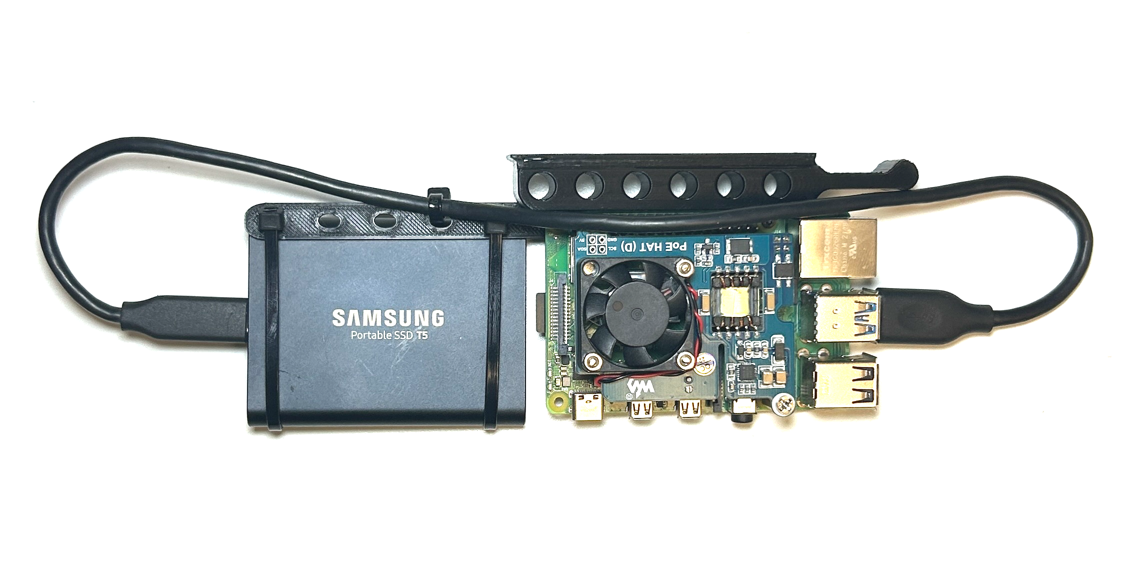
 Since this project needs to be "Enterprise-grade" we need a distinct and replicable compute unit that we can buy and build in bulk. I call this a "Node" which is a Raspberry Pi with a 1TB SSD and POE hat. I have also 3D printed a rack-mount solution (Source: [Merocle From UpTimeLabs](https://www.thingiverse.com/thing:4756812)) for easy install into a rack.
### [Console](./sections/console.md)
Since this project needs to be "Enterprise-grade" we need a distinct and replicable compute unit that we can buy and build in bulk. I call this a "Node" which is a Raspberry Pi with a 1TB SSD and POE hat. I have also 3D printed a rack-mount solution (Source: [Merocle From UpTimeLabs](https://www.thingiverse.com/thing:4756812)) for easy install into a rack.
### [Console](./sections/console.md)
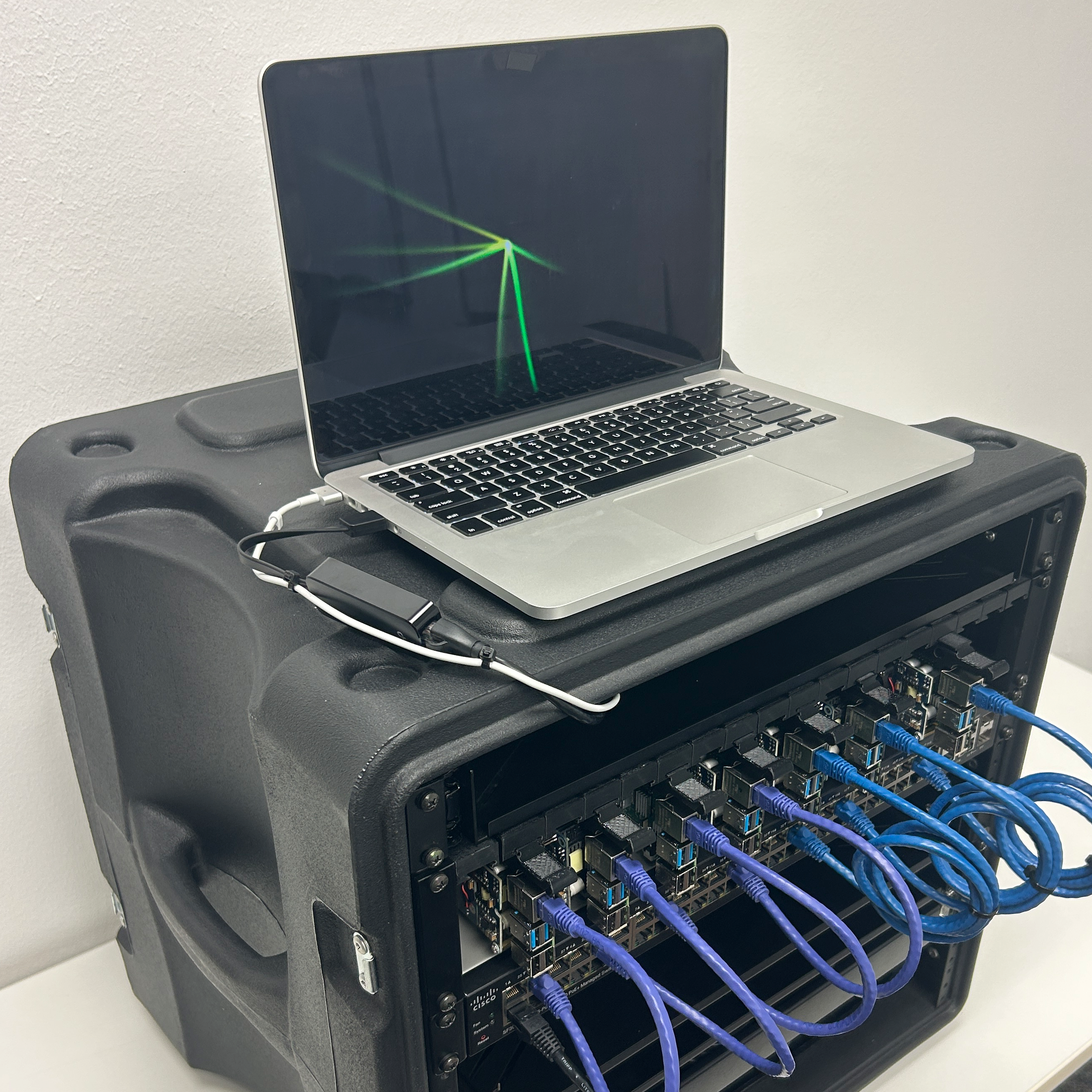
 We will need a "console" so we can locally interact with the infrastructure. In the past I have tried using a Raspberry Pi with a monitor and keyboard attached but I have found that using an old MacBook Pro works best for this. In this section I explain how to set-up the console so you can use it to store secrets, manage the network, provision K3s clusters and deploy pods.
### [Frontend](./frontend/ReadMe.md)
We will need a "console" so we can locally interact with the infrastructure. In the past I have tried using a Raspberry Pi with a monitor and keyboard attached but I have found that using an old MacBook Pro works best for this. In this section I explain how to set-up the console so you can use it to store secrets, manage the network, provision K3s clusters and deploy pods.
### [Frontend](./frontend/ReadMe.md)
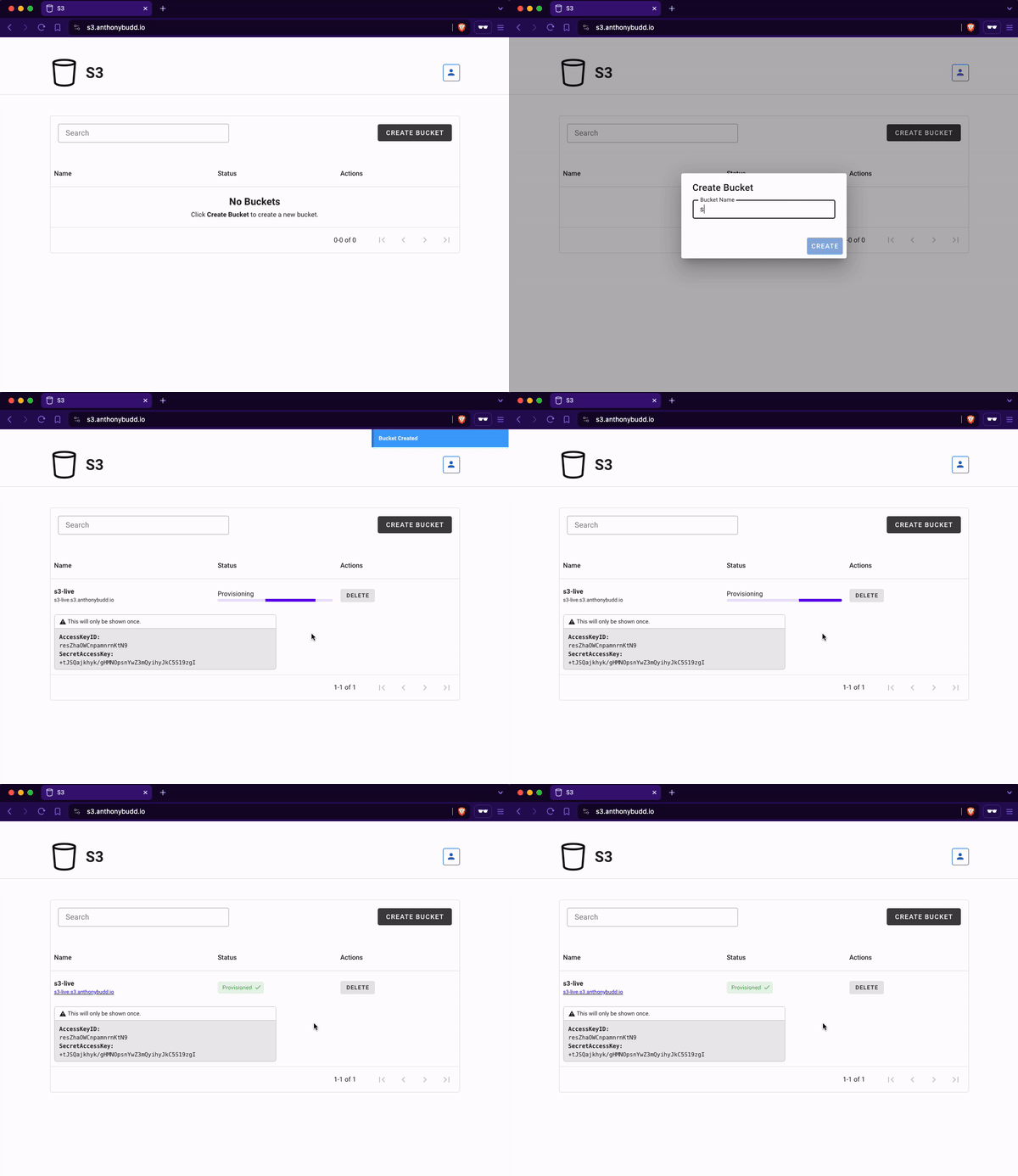
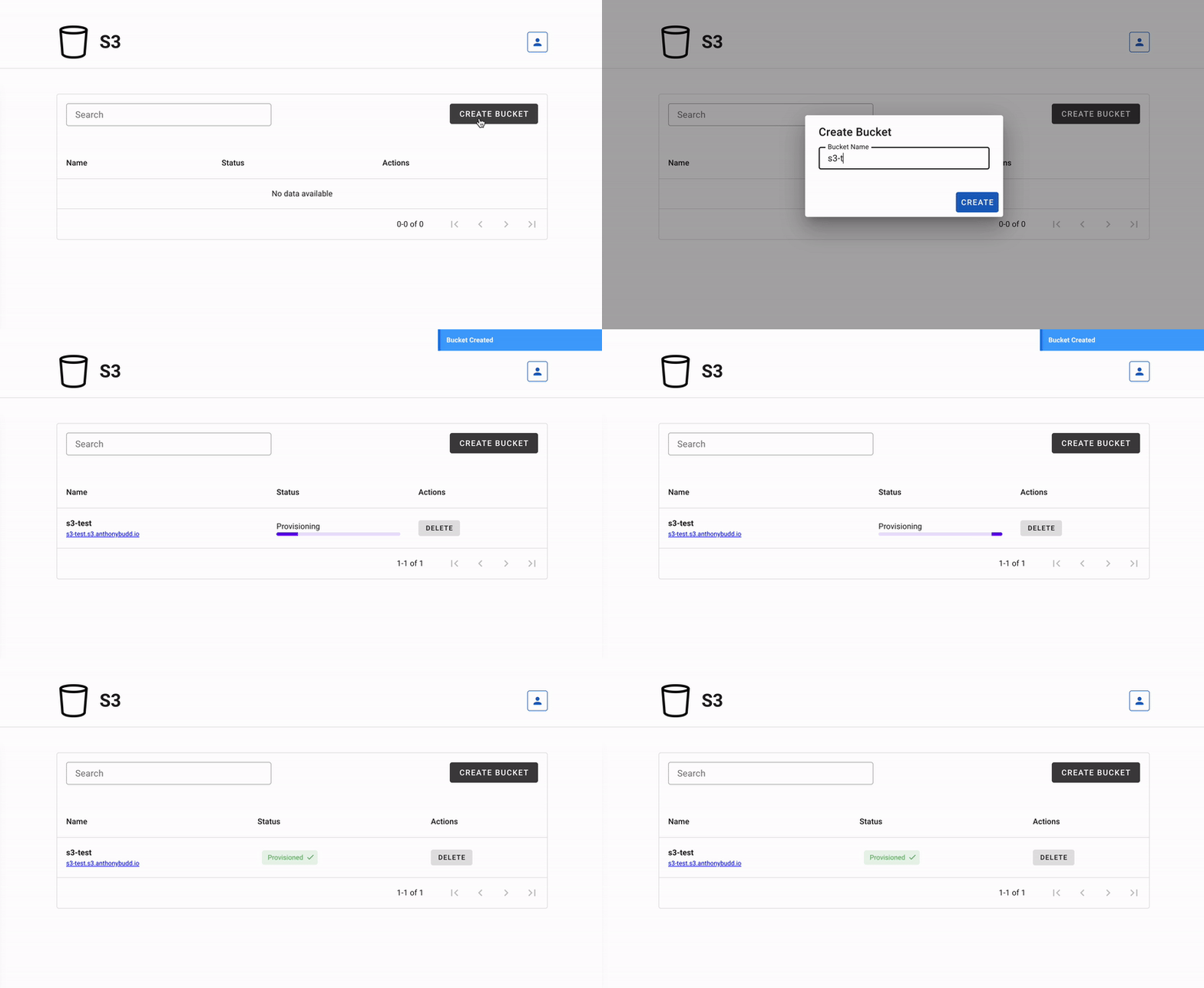 This represents the AWS management console found at [aws.amazon.com/console](https://aws.amazon.com/console/). This is a Vue.js SPA that makes HTTP requests to the [S3 REST API](./api/ReadMe.md) for users to create, manage and delete their S3 buckets.
### [API](./api/ReadMe.md)
```sh
curl -X POST \
-H 'Authorization: Bearer $JWT' \
-H 'Content-Type: application/json' \
-d '{ "name":"s3-test-bucket"}' \
https://s3-api.anthonybudd.io/buckets
```
This API simulates the back-end of the AWS Console. A user can sign-up, login, create a bucket then delete the bucket.
### [Source Control](./sections/gitlab.md)
This represents the AWS management console found at [aws.amazon.com/console](https://aws.amazon.com/console/). This is a Vue.js SPA that makes HTTP requests to the [S3 REST API](./api/ReadMe.md) for users to create, manage and delete their S3 buckets.
### [API](./api/ReadMe.md)
```sh
curl -X POST \
-H 'Authorization: Bearer $JWT' \
-H 'Content-Type: application/json' \
-d '{ "name":"s3-test-bucket"}' \
https://s3-api.anthonybudd.io/buckets
```
This API simulates the back-end of the AWS Console. A user can sign-up, login, create a bucket then delete the bucket.
### [Source Control](./sections/gitlab.md)
 We will need a way to store the code for the landing website, the front-end ui and the back-end REST API. We will also need CI/CD to compile the code and deploy it into our infrastructure. GitLab will work perfectly for these two tasks. This will allow us to commit code to the local GitLab instance, compile it into a Docker image, store the image in a repository and deploy from it directy into our local kubernetes cluster.
### [Networking](./sections/networking.md)
We will need a way to store the code for the landing website, the front-end ui and the back-end REST API. We will also need CI/CD to compile the code and deploy it into our infrastructure. GitLab will work perfectly for these two tasks. This will allow us to commit code to the local GitLab instance, compile it into a Docker image, store the image in a repository and deploy from it directy into our local kubernetes cluster.
### [Networking](./sections/networking.md)
 We will need a network for the nodes to communicate. For the a router I have chosen OpenWRT. This allows me to use a Raspberry Pi with a USB 3.0 Ethernet adapter so it can work as a router between the internet and the datacenter.
### [Automation](./sections/automated-bucket-deployment.md)
When you create an S3 bucket on AWS, everything is automated, there isn’t a human in a datacenter somewhere typing out CLI commands to get your bucket scheduled. I want my project to work the same way, when a user wants to create a bucket it must not require any human input to provision and deploy it.
### [Resource Utilization](./sections/storage-cluster.md)
AWS doesn't give each user their own dedicated server with a hard drive attached, instead the hardware is virtualized, allowing multiple tenants to share a single physical CPU. Similarly it would not be practical to assign a whole node and SSD to each bucket, to maximize resource utilization my platform must be able to allow multiple tenants to share the pool of compute and SSD storage space available. In addition, AWS S3 buckets can store an unlimited amount of data, so my platform will also need to allow a user to have a dynamically increasing volume that will auto-scale based on the storage space required.
### Notes
You will need to SSH into multiple devices simultaneously I have added an annotation (example: `[Console] nano /boot/config.txt`) to all commands in this repo, to show where you should be executing each command. Generally you will see `[Console]` and `[Node X]`.
Because this is still very much a work-in-progress you will see my notes in italics "_AB:_" throughout, please ignore.
================================================
FILE: ansible/.gitignore
================================================
Notes.md
================================================
FILE: ansible/.yamllint
================================================
---
extends: default
rules:
line-length:
max: 120
level: warning
truthy:
allowed-values: ['true', 'false', 'yes', 'no']
================================================
FILE: ansible/README.md
================================================
# Ansible
Source: [https://github.com/k3s-io/k3s-ansible](https://github.com/k3s-io/k3s-ansible)
================================================
FILE: ansible/ansible.cfg
================================================
[defaults]
nocows = True
roles_path = ./roles
inventory = ./hosts.ini
remote_tmp = $HOME/.ansible/tmp
local_tmp = $HOME/.ansible/tmp
pipelining = True
become = True
host_key_checking = False
deprecation_warnings = False
callback_whitelist = profile_tasks
================================================
FILE: ansible/inventory/.gitignore
================================================
*-cluster/
!exmaple/
!.gitignore
!sample/
================================================
FILE: ansible/inventory/example/group_vars/all.yml
================================================
---
k3s_version: v1.26.9+k3s1
ansible_user: node
systemd_dir: /etc/systemd/system
master_ip: "{{ hostvars[groups['master'][0]]['ansible_host'] | default(groups['master'][0]) }}"
extra_server_args: ""
extra_agent_args: ""
================================================
FILE: ansible/inventory/example/hosts.ini
================================================
[master]
10.0.0.5
[node]
10.0.0.5
10.0.0.6
10.0.0.7
[k3s_cluster:children]
master
node
================================================
FILE: ansible/reset.yml
================================================
---
- hosts: k3s_cluster
gather_facts: yes
become: yes
roles:
- role: reset
================================================
FILE: ansible/roles/download/tasks/main.yml
================================================
---
- name: Download k3s binary x64
get_url:
url: https://github.com/k3s-io/k3s/releases/download/{{ k3s_version }}/k3s
checksum: sha256:https://github.com/k3s-io/k3s/releases/download/{{ k3s_version }}/sha256sum-amd64.txt
dest: /usr/local/bin/k3s
owner: root
group: root
mode: 0755
when: ansible_facts.architecture == "x86_64"
- name: Download k3s binary arm64
get_url:
url: https://github.com/k3s-io/k3s/releases/download/{{ k3s_version }}/k3s-arm64
checksum: sha256:https://github.com/k3s-io/k3s/releases/download/{{ k3s_version }}/sha256sum-arm64.txt
dest: /usr/local/bin/k3s
owner: root
group: root
mode: 0755
when:
- ( ansible_facts.architecture is search("arm") and
ansible_facts.userspace_bits == "64" ) or
ansible_facts.architecture is search("aarch64")
- name: Download k3s binary armhf
get_url:
url: https://github.com/k3s-io/k3s/releases/download/{{ k3s_version }}/k3s-armhf
checksum: sha256:https://github.com/k3s-io/k3s/releases/download/{{ k3s_version }}/sha256sum-arm.txt
dest: /usr/local/bin/k3s
owner: root
group: root
mode: 0755
when:
- ansible_facts.architecture is search("arm")
- ansible_facts.userspace_bits == "32"
================================================
FILE: ansible/roles/k3s/master/tasks/main.yml
================================================
---
- name: Copy K3s service file
register: k3s_service
template:
src: "k3s.service.j2"
dest: "{{ systemd_dir }}/k3s.service"
owner: root
group: root
mode: 0644
- name: Enable and check K3s service
systemd:
name: k3s
daemon_reload: yes
state: restarted
enabled: yes
- name: Wait for node-token
wait_for:
path: /var/lib/rancher/k3s/server/node-token
- name: Register node-token file access mode
stat:
path: /var/lib/rancher/k3s/server
register: p
- name: Change file access node-token
file:
path: /var/lib/rancher/k3s/server
mode: "g+rx,o+rx"
- name: Read node-token from master
slurp:
src: /var/lib/rancher/k3s/server/node-token
register: node_token
- name: Store Master node-token
set_fact:
token: "{{ node_token.content | b64decode | regex_replace('\n', '') }}"
- name: Restore node-token file access
file:
path: /var/lib/rancher/k3s/server
mode: "{{ p.stat.mode }}"
- name: Create directory .kube
file:
path: ~{{ ansible_user }}/.kube
state: directory
owner: "{{ ansible_user }}"
mode: "u=rwx,g=rx,o="
- name: Copy config file to user home directory
copy:
src: /etc/rancher/k3s/k3s.yaml
dest: ~{{ ansible_user }}/.kube/config
remote_src: yes
owner: "{{ ansible_user }}"
mode: "u=rw,g=,o="
- name: Replace https://localhost:6443 by https://master-ip:6443
command: >-
k3s kubectl config set-cluster default
--server=https://{{ master_ip }}:6443
--kubeconfig ~{{ ansible_user }}/.kube/config
changed_when: true
- name: Create kubectl symlink
file:
src: /usr/local/bin/k3s
dest: /usr/local/bin/kubectl
state: link
- name: Create crictl symlink
file:
src: /usr/local/bin/k3s
dest: /usr/local/bin/crictl
state: link
================================================
FILE: ansible/roles/k3s/master/templates/k3s.service.j2
================================================
[Unit]
Description=Lightweight Kubernetes
Documentation=https://k3s.io
After=network-online.target
[Service]
Type=notify
ExecStartPre=-/sbin/modprobe br_netfilter
ExecStartPre=-/sbin/modprobe overlay
ExecStart=/usr/local/bin/k3s server {{ extra_server_args | default("") }}
KillMode=process
Delegate=yes
# Having non-zero Limit*s causes performance problems due to accounting overhead
# in the kernel. We recommend using cgroups to do container-local accounting.
LimitNOFILE=1048576
LimitNPROC=infinity
LimitCORE=infinity
TasksMax=infinity
TimeoutStartSec=0
Restart=always
RestartSec=5s
[Install]
WantedBy=multi-user.target
================================================
FILE: ansible/roles/k3s/node/tasks/main.yml
================================================
---
- name: Copy K3s service file
template:
src: "k3s.service.j2"
dest: "{{ systemd_dir }}/k3s-node.service"
owner: root
group: root
mode: 0755
- name: Enable and check K3s service
systemd:
name: k3s-node
daemon_reload: yes
state: restarted
enabled: yes
================================================
FILE: ansible/roles/k3s/node/templates/k3s.service.j2
================================================
[Unit]
Description=Lightweight Kubernetes
Documentation=https://k3s.io
After=network-online.target
[Service]
Type=notify
ExecStartPre=-/sbin/modprobe br_netfilter
ExecStartPre=-/sbin/modprobe overlay
ExecStart=/usr/local/bin/k3s agent --server https://{{ master_ip }}:6443 --token {{ hostvars[groups['master'][0]]['token'] }} {{ extra_agent_args | default("") }}
KillMode=process
Delegate=yes
# Having non-zero Limit*s causes performance problems due to accounting overhead
# in the kernel. We recommend using cgroups to do container-local accounting.
LimitNOFILE=1048576
LimitNPROC=infinity
LimitCORE=infinity
TasksMax=infinity
TimeoutStartSec=0
Restart=always
RestartSec=5s
[Install]
WantedBy=multi-user.target
================================================
FILE: ansible/roles/prereq/tasks/main.yml
================================================
---
- name: Set SELinux to disabled state
selinux:
state: disabled
when: ansible_distribution in ['CentOS', 'Red Hat Enterprise Linux']
- name: Enable IPv4 forwarding
sysctl:
name: net.ipv4.ip_forward
value: "1"
state: present
reload: yes
- name: Enable IPv6 forwarding
sysctl:
name: net.ipv6.conf.all.forwarding
value: "1"
state: present
reload: yes
- name: Add br_netfilter to /etc/modules-load.d/
copy:
content: "br_netfilter"
dest: /etc/modules-load.d/br_netfilter.conf
mode: "u=rw,g=,o="
when: ansible_distribution in ['CentOS', 'Red Hat Enterprise Linux']
- name: Load br_netfilter
modprobe:
name: br_netfilter
state: present
when: ansible_distribution in ['CentOS', 'Red Hat Enterprise Linux']
- name: Set bridge-nf-call-iptables (just to be sure)
sysctl:
name: "{{ item }}"
value: "1"
state: present
reload: yes
when: ansible_distribution in ['CentOS', 'Red Hat Enterprise Linux']
loop:
- net.bridge.bridge-nf-call-iptables
- net.bridge.bridge-nf-call-ip6tables
- name: Add /usr/local/bin to sudo secure_path
lineinfile:
line: 'Defaults secure_path = /sbin:/bin:/usr/sbin:/usr/bin:/usr/local/bin'
regexp: "Defaults(\\s)*secure_path(\\s)*="
state: present
insertafter: EOF
path: /etc/sudoers
validate: 'visudo -cf %s'
when: ansible_distribution in ['CentOS', 'Red Hat Enterprise Linux']
================================================
FILE: ansible/roles/raspberrypi/handlers/main.yml
================================================
---
- name: reboot
reboot:
================================================
FILE: ansible/roles/raspberrypi/tasks/main.yml
================================================
---
- name: Test for raspberry pi /proc/cpuinfo
command: grep -E "Raspberry Pi|BCM2708|BCM2709|BCM2835|BCM2836" /proc/cpuinfo
register: grep_cpuinfo_raspberrypi
failed_when: false
changed_when: false
- name: Test for raspberry pi /proc/device-tree/model
command: grep -E "Raspberry Pi" /proc/device-tree/model
register: grep_device_tree_model_raspberrypi
failed_when: false
changed_when: false
- name: Set raspberry_pi fact to true
set_fact:
raspberry_pi: true
when:
grep_cpuinfo_raspberrypi.rc == 0 or grep_device_tree_model_raspberrypi.rc == 0
- name: Set detected_distribution to Raspbian
set_fact:
detected_distribution: Raspbian
when: >
raspberry_pi|default(false) and
( ansible_facts.lsb.id|default("") == "Raspbian" or
ansible_facts.lsb.description|default("") is match("[Rr]aspbian.*") )
- name: Set detected_distribution to Raspbian (ARM64 on Debian Buster)
set_fact:
detected_distribution: Raspbian
when:
- ansible_facts.architecture is search("aarch64")
- raspberry_pi|default(false)
- ansible_facts.lsb.description|default("") is match("Debian.*buster")
- name: Set detected_distribution_major_version
set_fact:
detected_distribution_major_version: "{{ ansible_facts.lsb.major_release }}"
when:
- detected_distribution | default("") == "Raspbian"
- name: execute OS related tasks on the Raspberry Pi
include_tasks: "{{ item }}"
with_first_found:
- "prereq/{{ detected_distribution }}-{{ detected_distribution_major_version }}.yml"
- "prereq/{{ detected_distribution }}.yml"
- "prereq/{{ ansible_distribution }}-{{ ansible_distribution_major_version }}.yml"
- "prereq/{{ ansible_distribution }}.yml"
- "prereq/default.yml"
when:
- raspberry_pi|default(false)
================================================
FILE: ansible/roles/raspberrypi/tasks/prereq/CentOS.yml
================================================
---
- name: Enable cgroup via boot commandline if not already enabled for Centos
lineinfile:
path: /boot/cmdline.txt
backrefs: yes
regexp: '^((?!.*\bcgroup_enable=cpuset cgroup_memory=1 cgroup_enable=memory\b).*)$'
line: '\1 cgroup_enable=cpuset cgroup_memory=1 cgroup_enable=memory'
notify: reboot
================================================
FILE: ansible/roles/raspberrypi/tasks/prereq/Raspbian.yml
================================================
---
- name: Activating cgroup support
lineinfile:
path: /boot/cmdline.txt
regexp: '^((?!.*\bcgroup_enable=cpuset cgroup_memory=1 cgroup_enable=memory\b).*)$'
line: '\1 cgroup_enable=cpuset cgroup_memory=1 cgroup_enable=memory'
backrefs: true
notify: reboot
- name: Flush iptables before changing to iptables-legacy
iptables:
flush: true
changed_when: false # iptables flush always returns changed
- name: Changing to iptables-legacy
alternatives:
path: /usr/sbin/iptables-legacy
name: iptables
register: ip4_legacy
- name: Changing to ip6tables-legacy
alternatives:
path: /usr/sbin/ip6tables-legacy
name: ip6tables
register: ip6_legacy
================================================
FILE: ansible/roles/raspberrypi/tasks/prereq/Ubuntu.yml
================================================
---
- name: Enable cgroup via boot commandline if not already enabled for Ubuntu on a Raspberry Pi
lineinfile:
path: /boot/firmware/cmdline.txt
backrefs: yes
regexp: '^((?!.*\bcgroup_enable=cpuset cgroup_memory=1 cgroup_enable=memory\b).*)$'
line: '\1 cgroup_enable=cpuset cgroup_memory=1 cgroup_enable=memory'
notify: reboot
================================================
FILE: ansible/roles/raspberrypi/tasks/prereq/default.yml
================================================
---
================================================
FILE: ansible/roles/reset/tasks/main.yml
================================================
---
- name: Disable services
systemd:
name: "{{ item }}"
state: stopped
enabled: no
failed_when: false
with_items:
- k3s
- k3s-node
- name: pkill -9 -f "k3s/data/[^/]+/bin/containerd-shim-runc"
register: pkill_containerd_shim_runc
command: pkill -9 -f "k3s/data/[^/]+/bin/containerd-shim-runc"
changed_when: "pkill_containerd_shim_runc.rc == 0"
failed_when: false
- name: Umount k3s filesystems
include_tasks: umount_with_children.yml
with_items:
- /run/k3s
- /var/lib/kubelet
- /run/netns
- /var/lib/rancher/k3s
loop_control:
loop_var: mounted_fs
- name: Remove service files, binaries and data
file:
name: "{{ item }}"
state: absent
with_items:
- /usr/local/bin/k3s
- "{{ systemd_dir }}/k3s.service"
- "{{ systemd_dir }}/k3s-node.service"
- /etc/rancher/k3s
- /var/lib/kubelet
- /var/lib/rancher/k3s
- name: daemon_reload
systemd:
daemon_reload: yes
================================================
FILE: ansible/roles/reset/tasks/umount_with_children.yml
================================================
---
- name: Get the list of mounted filesystems
shell: set -o pipefail && cat /proc/mounts | awk '{ print $2}' | grep -E "^{{ mounted_fs }}"
register: get_mounted_filesystems
args:
executable: /bin/bash
failed_when: false
changed_when: get_mounted_filesystems.stdout | length > 0
check_mode: false
- name: Umount filesystem
mount:
path: "{{ item }}"
state: unmounted
with_items:
"{{ get_mounted_filesystems.stdout_lines | reverse | list }}"
================================================
FILE: ansible/site.yml
================================================
---
- hosts: k3s_cluster
gather_facts: yes
become: yes
roles:
- role: prereq
- role: download
- role: raspberrypi
- hosts: master
become: yes
roles:
- role: k3s/master
- hosts: node
become: yes
roles:
- role: k3s/node
================================================
FILE: api/.dockerignore
================================================
node_modules
package-lock.json
================================================
FILE: api/.eslintignore
================================================
src/database/
tests
================================================
FILE: api/.gitignore
================================================
node_modules/
.vol/
.env
dev.js
private.pem
public.pem
.DS_Store
*/.DS_Store
k8s/secrets.yml
kubeconfig.yml
================================================
FILE: api/.gitlab-ci.yml
================================================
stages:
- build
build-job:
image: docker:dind
stage: build
services:
- docker:dind
variables:
IMAGE_TAG: $CI_REGISTRY_IMAGE:$CI_COMMIT_REF_SLUG
script:
- docker login $CI_REGISTRY -u $CI_REGISTRY_USER -p $CI_REGISTRY_PASSWORD
- docker build -t $IMAGE_TAG .
- docker push $IMAGE_TAG
================================================
FILE: api/.sequelizerc
================================================
const path = require('path');
module.exports = {
'config': path.resolve('src/providers', 'connections.js'),
'models-path': path.resolve('src/', 'models'),
'seeders-path': path.resolve('src/database', 'seeders'),
'migrations-path': path.resolve('src/database', 'migrations')
}
================================================
FILE: api/Dockerfile
================================================
FROM node:20
RUN apt-get update && apt-get install -y curl nano
RUN curl -LO "https://dl.k8s.io/release/$(curl -L -s https://dl.k8s.io/release/stable.txt)/bin/linux/arm64/kubectl"
RUN install -o root -g root -m 0755 kubectl /usr/local/bin/kubectl
RUN npm install -g nodemon mocha sequelize sequelize-cli mysql2 eslint
WORKDIR /app
COPY . /app
RUN npm install
ENTRYPOINT [ "node", "/app/src/index.js" ]
================================================
FILE: api/LICENSE
================================================
The MIT License
Copyright Anthony C. Budd
Permission is hereby granted, free of charge, to any person obtaining a copy
of this software and associated documentation files (the "Software"), to deal
in the Software without restriction, including without limitation the rights
to use, copy, modify, merge, publish, distribute, sublicense, and/or sell
copies of the Software, and to permit persons to whom the Software is
furnished to do so, subject to the following conditions:
The above copyright notice and this permission notice shall be included in
all copies or substantial portions of the Software.
THE SOFTWARE IS PROVIDED "AS IS", WITHOUT WARRANTY OF ANY KIND, EXPRESS OR
IMPLIED, INCLUDING BUT NOT LIMITED TO THE WARRANTIES OF MERCHANTABILITY,
FITNESS FOR A PARTICULAR PURPOSE AND NONINFRINGEMENT. IN NO EVENT SHALL THE
AUTHORS OR COPYRIGHT HOLDERS BE LIABLE FOR ANY CLAIM, DAMAGES OR OTHER
LIABILITY, WHETHER IN AN ACTION OF CONTRACT, TORT OR OTHERWISE, ARISING FROM,
OUT OF OR IN CONNECTION WITH THE SOFTWARE OR THE USE OR OTHER DEALINGS IN
THE SOFTWARE.
================================================
FILE: api/ReadMe.md
================================================
# S3 API
This API simulates the back-end of the AWS Console. A user can sign-up, login, create a bucket then delete the bucket.
This API was built using my project [anthonybudd/express-api-boilerplate.](https://github.com/anthonybudd/express-api-boilerplate)
### Main Files
- Auth Controller: [./src/routes/Auth.js](./src/routes/auth.js)
- Bucket Controller: [./src/routes/Buckets.js](./src/routes/Buckets.js)
- Model: [./src/models/Bucket.js](./src/models/Bucket.js)
### Set-up
```
cp .env.example .env
npm install
# Private RSA key for JWT signing
openssl genrsa -out private.pem 2048
openssl rsa -in private.pem -outform PEM -pubout -out public.pem
# Start the app
docker compose up
npm run _db:refresh
npm run _test
```
### Routes
| Method | Route | Description | Payload | Response |
| ----------- | -------------------------------- | ------------------------------------- | ------------------------------------- | ----------------- |
| **Buckets** | | | | |
| GET | `/api/v1/buckets` | Get all buckets for the current user | -- | [Bucket, Bucket] |
| POST | `/api/v1/buckets` | Create new bucket | { name: "test-bucket" } | {Bucket} |
| GET | `/api/v1/buckets/:bucketID` | Get a single bucket | -- | {Bucket} |
| DELETE | `/api/v1/buckets/:bucketID` | Returns HTTP 202 {id} | -- | {bucketID} |
| **Auth** | | | | |
| POST | `/api/v1/auth/login` | Login | {email, password} | {accessToken} |
| POST | `/api/v1/auth/sign-up` | Sign-up | {email, password, firstName, tos} | {accessToken} |
| GET | `/api/v1/_authcheck` | Returns {auth: true} if has auth | -- | {auth: true} |
| **User** | | | | |
| GET | `/api/v1/user` | Get the current user | | {User} |
| POST | `/api/v1/user` | Update the current user | {firstName, lastName} | {User} |
================================================
FILE: api/docker-compose.yml
================================================
version: "3"
services:
s3-api:
build: .
entrypoint: "nodemon /app/src/index.js --watch /app --legacy-watch"
container_name: s3-api
volumes:
- ./:/app
- ./.vol/tmp:/tmp
links:
- s3-api-db
- s3-api-db-test
ports:
- "8888:80"
environment:
PORT: 80
s3-api-db:
image: mysql:oracle
container_name: s3-api-db
ports:
- "3306:3306"
volumes:
- ./.vol/s3-api:/var/lib/mysql
environment:
MYSQL_ROOT_PASSWORD: supersecret
MYSQL_DATABASE: $DB_DATABASE
MYSQL_USER: $DB_USERNAME
MYSQL_PASSWORD: $DB_PASSWORD
s3-api-db-test:
image: mysql:oracle
container_name: s3-api-db-test
ports:
- "3307:3306"
volumes:
- ./.vol/s3-api-test:/var/lib/mysql
environment:
MYSQL_ROOT_PASSWORD: supersecret
MYSQL_DATABASE: $DB_DATABASE
MYSQL_USER: $DB_USERNAME
MYSQL_PASSWORD: $DB_PASSWORD
================================================
FILE: api/k8s/Deploy.md
================================================
# Deploy
kubectl --kubeconfig=.kube/config create namespace s3-api
namespace/s3-api created
[Console]:~> kubectl --kubeconfig=.kube/config apply -f db.yml
service/s3-db created
deployment.apps/s3-db created
----
Find & Replace (case-sensaive, whole repo): "s3-api" => "your-api-name"
Save kubeconfig.yml to root of repo
### Namespace
Create a namespace
`kubectl --kubeconfig=./kubeconfig.yml create namespace s3-api`
### JWT
```
openssl genrsa -out private.pem 2048
openssl rsa -in private.pem -outform PEM -pubout -out public.pem
kubectl --kubeconfig=.kube/config --namespace=s3-api create secret generic s3-api-jwt-secret \
--from-file=./private.pem \
--from-file=./public.pem
rm ./private.pem ./public.pem
```
### Secrets
Make a new secrets config file
`cp secrets.example.yml secrets.yml`
__Add Secrets in Base64__
Hint: `echo -n 'my-secret-string' | base64`
Create the secrets
`kubectl --kubeconfig=./kubeconfig.yml apply -f ./k8s/secrets.yml`
### Build & Push Container Image
```
docker buildx build --platform linux/amd64 --push -t registry.digitalocean.com/s3-api/app:latest
```
### Create Deployment
```
kubectl --kubeconfig=./kubeconfig.yml apply -f ./k8s/api.deployment.yml
kubectl --kubeconfig=./kubeconfig.yml apply -f ./k8s/api.service.yml
```
### Deploy
```
docker buildx build --platform linux/amd64 --push -t registry.digitalocean.com/s3-api/app:latest . &&
kubectl --kubeconfig=./kubeconfig.yml rollout restart deployment s3-api && \
kubectl --kubeconfig=./kubeconfig.yml get pods -w
```
### Migrate
Migrate the DB
```
export POD="$(kubectl --kubeconfig=kubeconfig.yml --namespace=s3-api get pods --field-selector=status.phase==Running --no-headers -o custom-columns=":metadata.name")"
kubectl --kubeconfig=./kubeconfig.yml --namespace=s3-api exec -ti $POD -- /bin/bash -c 'sequelize db:migrate:undo:all && sequelize db:migrate && sequelize db:seed:all'
```
### SSL
ReadMore: https://www.digitalocean.com/community/tutorials/how-to-set-up-an-nginx-ingress-with-cert-manager-on-digitalocean-kubernetes
```
kubectl --kubeconfig=./kubeconfig.yml apply -f https://raw.githubusercontent.com/kubernetes/ingress-nginx/controller-v1.1.1/deploy/static/provider/do/deploy.yaml
kubectl --kubeconfig=./kubeconfig.yml get pods -n ingress-nginx -l app.kubernetes.io/name=ingress-nginx --watch
kubectl --kubeconfig=./kubeconfig.yml apply -f ./k8s/api.ingress.yml
kubectl --kubeconfig=./kubeconfig.yml apply -f https://github.com/jetstack/cert-manager/releases/download/v1.7.1/cert-manager.yaml
kubectl --kubeconfig=./kubeconfig.yml get pods --namespace cert-manager
kubectl --kubeconfig=./kubeconfig.yml create -f k8s/prod-issuer.yml
```
### Useful K8S commands
##### Set $POD as the name of the pod in K8s
`export POD="$(kubectl --kubeconfig=kubeconfig.yml --namespace=s3-api get pods --field-selector=status.phase==Running --no-headers -o custom-columns=":metadata.name")"`
##### Execute bash script inside running container
`kubectl --kubeconfig=kubeconfig.yml exec -ti $POD -- /bin/bash -c "sequelize db:migrate"`
##### Get logs for $POD
`kubectl --kubeconfig=kubeconfig.yml logs $POD`
##### Create a cron job
`kubectl --kubeconfig=kubeconfig.yml create job --from=cronjob/s3-api-cron-job s3-api-cron-job`
##### Delete all faild cron jobs
`kubectl --kubeconfig=kubeconfig.yml delete jobs --field-selector status.successful=0`
================================================
FILE: api/k8s/api.deployment.yml
================================================
apiVersion: apps/v1
kind: Deployment
metadata:
name: s3-api
namespace: s3-api
spec:
replicas: 1
selector:
matchLabels:
app: s3-api
template:
metadata:
labels:
app: s3-api
spec:
volumes:
- name: s3-api-jwt-secret
secret:
secretName: s3-api-jwt-secret
- name: storage-cluster-config
secret:
secretName: storage-cluster-config
containers:
- name: s3-api
image: gitlab.local:5050/anthonybudd/api:master
imagePullPolicy: Always
lifecycle:
postStart:
exec:
command: ["/bin/bash", "-c", "sequelize db:migrate"]
ports:
- containerPort: 80
volumeMounts:
- name: s3-api-jwt-secret
mountPath: "/app/private.pem"
subPath: private.pem
- name: s3-api-jwt-secret
mountPath: "/app/public.pem"
subPath: public.pem
- name: storage-k8s-config
mountPath: "/app/config"
subPath: storage-config
env:
- name: S3_ROOT
value: "s3.anthonybudd.io"
- name: K8S_CONFIG_PATH
value: "/app/k8s-config"
- name: NODE_ENV
value: "production"
- name: FRONTEND_URL
value: "https://s3.anthonybudd.io"
- name: BACKEND_URL
value: "https://s3-api.anthonybudd.io/api/v1"
- name: PORT
value: "80"
- name: PRIVATE_KEY_PATH
value: "/app/private.pem"
- name: PUBLIC_KEY_PATH
value: "/app/public.pem"
- name: DB_HOST
value: "s3-db"
- name: DB_PORT
value: "3306"
- name: DB_USERNAME
value: "app"
- name: DB_DATABASE
value: "app"
- name: DB_PASSWORD
valueFrom:
secretKeyRef:
name: s3-api-secrets
key: DB_PASSWORD
- name: HCAPTCHA_SECRET
valueFrom:
secretKeyRef:
name: s3-api-secrets
key: HCAPTCHA_SECRET
================================================
FILE: api/k8s/api.ingress.yml
================================================
apiVersion: networking.k8s.io/v1
kind: Ingress
metadata:
namespace: s3-api
name: s3-ingress
annotations:
kubernetes.io/ingress.class: "traefik"
spec:
rules:
- host: api.local
http:
paths:
- path: /
pathType: Prefix
backend:
service:
name: s3-api
port:
number: 80
================================================
FILE: api/k8s/api.service.yml
================================================
apiVersion: v1
kind: Service
metadata:
name: s3-api
namespace: s3-api
spec:
ports:
- port: 80
targetPort: 80
selector:
app: s3-api
================================================
FILE: api/k8s/api.ssl.ingress.yml
================================================
apiVersion: networking.k8s.io/v1
kind: Ingress
metadata:
namespace: s3-api
name: s3-ingress
annotations:
cert-manager.io/cluster-issuer: "letsencrypt-prod"
kubernetes.io/ingress.class: "traefik"
spec:
tls:
- hosts:
- s3-api.anthonybudd.io
secretName: s3-api-anthonybudd-io-cert
rules:
- host: s3-api.anthonybudd.io
http:
paths:
- path: /
pathType: Prefix
backend:
service:
name: s3-api
port:
number: 80
================================================
FILE: api/k8s/db.yml
================================================
apiVersion: v1
kind: Service
metadata:
name: s3-db
namespace: s3-api
spec:
selector:
app: s3-db
ports:
- protocol: TCP
port: 80
targetPort: 3306
---
apiVersion: apps/v1
kind: Deployment
metadata:
name: s3-db
namespace: s3-api
spec:
selector:
matchLabels:
app: s3-db
strategy:
type: Recreate
template:
metadata:
labels:
app: s3-db
spec:
containers:
- image: mysql:8
name: s3-db
env:
- name: MYSQL_ROOT_PASSWORD
value: password
- name: MYSQL_DATABASE
value: app
- name: MYSQL_USER
value: app
- name: MYSQL_PASSWORD
value: password
ports:
- containerPort: 3306
name: s3-db
# volumeMounts:
# - name: mysql-persistent-storage
# mountPath: /var/lib/mysql
# volumes:
# - name: mysql-persistent-storage
# persistentVolumeClaim:
# claimName: mysql-pv-claim
================================================
FILE: api/k8s/prod.clusterissuer.yml
================================================
apiVersion: cert-manager.io/v1
kind: ClusterIssuer
metadata:
name: letsencrypt-prod
namespace: cert-manager
spec:
acme:
email: YOUR_EMAIL_ADDRESS
server: https://acme-v02.api.letsencrypt.org/directory
privateKeySecretRef:
name: letsencrypt-prod
solvers:
- http01:
ingress:
class: traefik
================================================
FILE: api/k8s/secrets.example.yml
================================================
apiVersion: v1
kind: Secret
metadata:
name: s3-api-secrets
namespace: default
type: Opaque
data:
DB_PASSWORD:
================================================
FILE: api/k8s/sync.job.yml
================================================
apiVersion: batch/v1
kind: CronJob
metadata:
name: sync
namespace: s3-api
spec:
schedule: "* * * * *"
jobTemplate:
spec:
template:
spec:
restartPolicy: OnFailure
volumes:
- name: storage-k8s-config
secret:
secretName: storage-k8s-config
containers:
- name: s3-api
image: gitlab.local:5050/anthonybudd/api:main
imagePullPolicy: Always
command:
- /bin/bash
- -c
- "node /app/src/scripts/sync.js"
volumeMounts:
- name: storage-k8s-config
mountPath: "/app/storage-config"
subPath: storage-config
env:
- name: S3_ROOT
value: "s3.anthonybudd.io"
- name: K8S_CONFIG_PATH
value: "/app/storage-config"
- name: NODE_ENV
value: "production"
- name: FRONTEND_URL
value: "https://s3.anthonybudd.io"
- name: BACKEND_URL
value: "https://s3-api.anthonybudd.io/api/v1"
- name: PORT
value: "80"
- name: DB_HOST
value: "s3-db"
- name: DB_PORT
value: "3306"
- name: DB_USERNAME
value: "app"
- name: DB_DATABASE
value: "app"
- name: DB_PASSWORD
valueFrom:
secretKeyRef:
name: s3-api-secrets
key: DB_PASSWORD
- name: HCAPTCHA_SECRET
valueFrom:
secretKeyRef:
name: s3-api-secrets
key: HCAPTCHA_SECRET
================================================
FILE: api/package.json
================================================
{
"name": "s3-api-boilerplate",
"version": "1.0.0",
"main": "./src/index.js",
"author": "Anthony Budd",
"scripts": {
"start": "node ./src/",
"lint": "eslint src",
"_lint": "docker exec -ti s3-api npm run lint",
"jwt": "node ./src/scripts/jwt.js",
"_jwt": "docker exec -ti s3-api npm run jwt",
"env": "./src/scripts/env",
"db:migrate": "sequelize db:migrate",
"db:seed": "./src/scripts/seed",
"db:refresh": "./src/scripts/refresh",
"_db:refresh": "docker exec -ti s3-api npm run db:refresh",
"db:refresh-test": "node_modules/.bin/sequelize db:migrate:undo:all --env test && node_modules/.bin/sequelize db:migrate --env test && node_modules/.bin/sequelize db:seed:all --env test",
"test": "npm run db:refresh-test && mocha --exit --timeout 10000 tests",
"_test": "docker exec -ti s3-api npm run test"
},
"eslintConfig": {
"extends": "eslint:recommended",
"parserOptions": {
"ecmaVersion": 8,
"sourceType": "module"
},
"env": {
"node": true,
"es6": true
},
"rules": {
"no-console": 0,
"no-unused-vars": 1
}
},
"dependencies": {
"axios": "^0.24.0",
"bcrypt-nodejs": "0.0.3",
"cors": "^2.4.1",
"dotenv": "^10.0.0",
"express": "^4.8.5",
"express-fileupload": "^1.4.0",
"express-jwt": "^6.1.0",
"express-validator": "^6.13.0",
"faker": "^4.1.0",
"i": "^0.3.6",
"install": "^0.12.1",
"jsonwebtoken": "^5.7.0",
"jwt-decode": "^2.2.0",
"lodash": "^4.17.21",
"minimist": "^1.2.6",
"moment": "^2.30.1",
"morgan": "^1.9.1",
"mustache": "^3.2.1",
"mysql2": "^2.2.5",
"npm": "^7.20.6",
"passport": "^0.4.0",
"passport-jwt": "^4.0.0",
"passport-local": "^1.0.0",
"sequelize": "^6.11.0",
"sequelize-cli": "^6.3.0",
"sha256": "^0.2.0",
"uuid": "^3.4.0"
},
"devDependencies": {
"chai": "^3.2.0",
"chai-http": "^4.3.0",
"eslint": "^5.8.0",
"mocha": "^9.1.3",
"nyc": "^14.1.1",
"prettier": "^1.18.2"
}
}
================================================
FILE: api/postman.json
================================================
{
"info": {
"_postman_id": "994858ef-e55e-425c-9aac-1cf12496a933",
"name": "s3-api-Boilerplate",
"schema": "https://schema.getpostman.com/json/collection/v2.1.0/collection.json"
},
"item": [
{
"name": "Auth",
"item": [
{
"name": "/auth",
"event": [
{
"listen": "prerequest",
"script": {
"exec": [
""
],
"type": "text/javascript"
}
}
],
"protocolProfileBehavior": {
"disableBodyPruning": true
},
"request": {
"method": "GET",
"header": [
{
"key": "Authorization",
"value": "Bearer {{accessToken}}",
"type": "text"
}
],
"body": {
"mode": "urlencoded",
"urlencoded": []
},
"url": {
"raw": "{{hostname}}/_authcheck",
"host": [
"{{hostname}}"
],
"path": [
"_authcheck"
]
},
"description": "The body must have `username` and `password`. It returns `id_token` and `access_token` are signed with the secret located at the `config.json` file. The `id_token` will contain the `username` and the `extra` information sent, while the `access_token` will contain the `audience`, `jti`, `issuer` and `scope`."
},
"response": []
},
{
"name": "/auth/login",
"event": [
{
"listen": "test",
"script": {
"exec": [
"var jsonData = pm.response.json()",
"pm.collectionVariables.set(\"accessToken\", jsonData.data.accessToken);",
""
],
"type": "text/javascript"
}
},
{
"listen": "prerequest",
"script": {
"exec": [
""
],
"type": "text/javascript"
}
}
],
"request": {
"method": "POST",
"header": [
{
"key": "Content-Type",
"value": "application/x-www-form-urlencoded"
}
],
"body": {
"mode": "urlencoded",
"urlencoded": [
{
"key": "email",
"value": "user@example.com",
"type": "text"
},
{
"key": "password",
"value": "password",
"type": "text"
}
]
},
"url": {
"raw": "{{hostname}}/auth/login",
"host": [
"{{hostname}}"
],
"path": [
"auth",
"login"
]
},
"description": "The body must have `username` and `password`. It returns `id_token` and `access_token` are signed with the secret located at the `config.json` file. The `id_token` will contain the `username` and the `extra` information sent, while the `access_token` will contain the `audience`, `jti`, `issuer` and `scope`."
},
"response": []
},
{
"name": "/auth/sign-up",
"event": [
{
"listen": "test",
"script": {
"exec": [
"var jsonData = pm.response.json()",
"pm.collectionVariables.set(\"accessToken\", jsonData.data.accessToken);",
""
],
"type": "text/javascript"
}
}
],
"request": {
"method": "POST",
"header": [
{
"warning": "This is a duplicate header and will be overridden by the Content-Type header generated by Postman.",
"key": "Content-Type",
"value": "application/json"
}
],
"body": {
"mode": "urlencoded",
"urlencoded": [
{
"key": "email",
"value": "anthonybudd@example.com",
"type": "text"
},
{
"key": "password",
"value": "password",
"type": "text"
},
{
"key": "firstName",
"value": "Anthony",
"type": "text"
},
{
"key": "lastName",
"value": "Budd",
"type": "text"
},
{
"key": "groupName",
"value": "GitHub",
"type": "text"
},
{
"key": "tos",
"value": "2021-21-19",
"type": "text"
}
]
},
"url": {
"raw": "{{hostname}}/auth/sign-up",
"host": [
"{{hostname}}"
],
"path": [
"auth",
"sign-up"
]
},
"description": "The body must have `username` and `password`. It returns `id_token` and `access_token` are signed with the secret located at the `config.json` file. The `id_token` will contain the `username` and the `extra` information sent, while the `access_token` will contain the `audience`, `jti`, `issuer` and `scope`."
},
"response": []
}
]
}
],
"event": [
{
"listen": "prerequest",
"script": {
"type": "text/javascript",
"exec": [
""
]
}
},
{
"listen": "test",
"script": {
"type": "text/javascript",
"exec": [
""
]
}
}
],
"variable": [
{
"key": "hostname",
"value": "http://localhost:8888/api/v1"
},
{
"key": "accessToken",
"value": ""
}
]
}
================================================
FILE: api/requests.http
================================================
# Install VS Code extension rest-client
# URL: https://marketplace.visualstudio.com/items?itemName=humao.rest-client
@host=http://localhost:8888/api/v1
# @host=http://api.local/api/v1
@AccessToken=eyJ0eXAiOiJKV1QiLCJhbGciOiJSUzUxMiJ9.eyJpZCI6ImM0NjQ0NzMzLWRlZWEtNDdkOC1iMzVhLTg2ZjMwZmY5NjE4ZSIsImVtYWlsIjoidXNlckBleGFtcGxlLmNvbSIsImZpcnN0TmFtZSI6IlVzZXIiLCJsYXN0TmFtZSI6Ik9uZSIsImlhdCI6MTcxNTIxMzk0MiwiZXhwIjozNDMwNTE0MjgzfQ.khGH3zHxztsWmpwL9bWpwGr_VXcPFxGTCtgoCYJq9tz0H638kWKH_k_zLgjCQ1rD6N0fWh31pTE4l53RgUGz2iL8lAoYmq0ScwSgMmiWMKm6d1vxaN3UK0CivvZPku2Pn4MQ6p12xrfRxTUVCzxI_xP9hHEhG1VUbCA07JJnl-OJFQCwYVQWCmdK5daFe8wybddYLUCG0oAGpy7Kaf0_CBbJAeIccVCKI7fILgBxowVTwl7nqruzr3-k0biXuitkegNfHPyPwbs4AvIIYxdyLXZiT-Zz0JUazphQZncw4WBqB_PX4Eyoflf8xzQNRtgvdV3ANc6ZKeMG05jAp1IV3A
###########################################
# Auth
POST {{host}}/auth/login
content-type: application/json
{
"email": "user@example.com",
"password": "Password@1234"
}
### Check auth
GET {{host}}/_authcheck
Authorization: Bearer {{AccessToken}}
###########################################
# Buckets
GET {{host}}/buckets
Authorization: Bearer {{AccessToken}}
### Create Bucket
POST {{host}}/buckets
Authorization: Bearer {{AccessToken}}
content-type: application/json
{
"namespace": "x--xxctest",
"name": "x-0testx"
}
### Delete Bucket
DELETE {{host}}/buckets/fae8a1fb-bc90-4565-b567-1fe6846544de
Authorization: Bearer {{AccessToken}}
================================================
FILE: api/src/database/migrations/20180726090304-create-Users.js
================================================
module.exports = {
up: (queryInterface, Sequelize) => queryInterface.createTable('Users', {
id: {
type: Sequelize.UUID,
defaultValue: Sequelize.UUIDV4,
primaryKey: true,
allowNull: false,
unique: true
},
email: {
type: Sequelize.STRING,
allowNull: false,
unique: true
},
password: Sequelize.STRING,
firstName: Sequelize.STRING,
lastName: Sequelize.STRING,
bio: Sequelize.TEXT,
tos: Sequelize.STRING,
inviteKey: Sequelize.STRING,
passwordResetKey: Sequelize.STRING,
emailVerificationKey: Sequelize.STRING,
emailVerified: {
type: Sequelize.BOOLEAN,
defaultValue: false,
allowNull: false,
},
lastLoginAt: {
type: Sequelize.DATE,
allowNull: true,
},
createdAt: {
type: Sequelize.DATE,
allowNull: true,
},
updatedAt: {
type: Sequelize.DATE,
allowNull: true,
},
}),
down: (queryInterface, Sequelize) => queryInterface.dropTable('Users'),
};
================================================
FILE: api/src/database/migrations/20180726090404-create-Groups.js
================================================
module.exports = {
up: (queryInterface, Sequelize) => queryInterface.createTable('Groups', {
id: {
type: Sequelize.UUID,
defaultValue: Sequelize.UUIDV4,
primaryKey: true,
allowNull: false,
unique: true
},
name: Sequelize.STRING,
ownerID: Sequelize.UUID,
createdAt: {
type: Sequelize.DATE,
allowNull: true,
},
updatedAt: {
type: Sequelize.DATE,
allowNull: true,
},
deletedAt: {
type: Sequelize.DATE,
allowNull: true,
},
}),
down: (queryInterface, Sequelize) => queryInterface.dropTable('Groups')
};
================================================
FILE: api/src/database/migrations/20180726090405-create-GroupsUsers.js
================================================
module.exports = {
up: (queryInterface, Sequelize) => queryInterface.createTable('GroupsUsers', {
id: { // Not used. required by msq system var sql_require_primary_key
type: Sequelize.UUID,
defaultValue: Sequelize.UUIDV4,
primaryKey: true,
allowNull: false,
unique: true
},
groupID: {
type: Sequelize.UUID,
},
userID: {
type: Sequelize.UUID,
},
createdAt: {
type: Sequelize.DATE,
allowNull: true,
},
}).then(() => queryInterface.addConstraint('GroupsUsers', {
fields: ['groupID', 'userID'],
type: 'unique',
name: 'groupID_userID_index'
})),
down: (queryInterface, Sequelize) => queryInterface.dropTable('GroupsUsers'),
};
================================================
FILE: api/src/database/migrations/20240411041313-create-Buckets.js
================================================
module.exports = {
up: (queryInterface, Sequelize) => queryInterface.createTable('Buckets', {
id: {
type: Sequelize.UUID,
defaultValue: Sequelize.UUIDV4,
primaryKey: true,
allowNull: false,
unique: true
},
createdAt: {
type: Sequelize.DATE,
allowNull: true,
},
updatedAt: {
type: Sequelize.DATE,
allowNull: true,
},
deletedAt: {
type: Sequelize.DATE,
allowNull: true,
},
userID: {
type: Sequelize.UUID,
allowNull: true,
},
namespace: {
type: Sequelize.STRING,
allowNull: false,
},
name: {
type: Sequelize.STRING,
allowNull: false,
},
status: {
type: Sequelize.STRING,
allowNull: false,
},
bucketCreated: {
type: Sequelize.BOOLEAN,
allowNull: false,
defaultValue: false,
},
endpoint: {
type: Sequelize.STRING,
allowNull: false,
},
stdout: {
type: Sequelize.TEXT,
allowNull: true,
},
stderr: {
type: Sequelize.TEXT,
allowNull: true,
},
}),
down: (queryInterface, Sequelize) => queryInterface.dropTable('Buckets'),
};
================================================
FILE: api/src/database/migrations/20240430101608-create-Blacklist.js
================================================
module.exports = {
up: (queryInterface, Sequelize) => queryInterface.createTable('Blacklist', {
id: {
type: Sequelize.UUID,
defaultValue: Sequelize.UUIDV4,
primaryKey: true,
allowNull: false,
unique: true
},
value: {
type: Sequelize.STRING,
allowNull: false,
},
createdAt: {
type: Sequelize.DATE,
allowNull: true,
},
updatedAt: {
type: Sequelize.DATE,
allowNull: true,
},
}),
down: (queryInterface, Sequelize) => queryInterface.dropTable('Blacklist'),
};
================================================
FILE: api/src/database/seeders/20180726092449-Users.js
================================================
const bcrypt = require('bcrypt-nodejs');
const moment = require('moment');
const faker = require('faker');
const insert = [{
id: 'c4644733-deea-47d8-b35a-86f30ff9618e',
email: 'user@example.com',
password: bcrypt.hashSync('Password@1234', bcrypt.genSaltSync(10)),
firstName: 'User',
lastName: 'One',
tos: 'tos-version-2023-07-13',
createdAt: moment().format('YYYY-MM-DD HH:mm:ss'),
updatedAt: moment().format('YYYY-MM-DD HH:mm:ss'),
}, {
id: 'd700932c-4a11-427f-9183-d6c4b69368f9',
email: 'other.user@foobar.com',
password: bcrypt.hashSync('Password@1234', bcrypt.genSaltSync(10)),
firstName: faker.name.firstName(),
lastName: faker.name.lastName(),
tos: 'tos-version-2023-07-13',
inviteKey: '86f30ff9618e',
createdAt: moment().format('YYYY-MM-DD HH:mm:ss'),
updatedAt: moment().format('YYYY-MM-DD HH:mm:ss'),
}];
module.exports = {
up: (queryInterface, Sequelize) => queryInterface.bulkInsert('Users', insert).catch(err => console.log(err)),
down: (queryInterface, Sequelize) => { }
};
================================================
FILE: api/src/database/seeders/20180726093449-Group.js
================================================
const moment = require('moment');
const insert = [{
id: 'fdab7a99-2c38-444b-bcb3-f7cef61c275b',
ownerID: 'c4644733-deea-47d8-b35a-86f30ff9618e',
name: 'Group A',
createdAt: moment().format('YYYY-MM-DD HH:mm:ss'),
updatedAt: moment().format('YYYY-MM-DD HH:mm:ss'),
}, {
id: 'be1fcb4e-caf9-41c2-ac27-c06fa24da36a',
ownerID: 'd700932c-4a11-427f-9183-d6c4b69368f9',
name: 'Group B',
createdAt: moment().format('YYYY-MM-DD HH:mm:ss'),
updatedAt: moment().format('YYYY-MM-DD HH:mm:ss'),
}];
module.exports = {
up: (queryInterface, Sequelize) => queryInterface.bulkInsert('Groups', insert).catch(err => console.log(err)),
down: (queryInterface, Sequelize) => { }
};
================================================
FILE: api/src/database/seeders/20180726093449-GroupsUsers.js
================================================
const moment = require('moment');
const insert = [
{
id: '1872dcde-b79d-4f28-a36b-a22af519ac23',
userID: 'c4644733-deea-47d8-b35a-86f30ff9618e',
groupID: 'fdab7a99-2c38-444b-bcb3-f7cef61c275b',
createdAt: moment().format('YYYY-MM-DD HH:mm:ss'),
},
{
id: 'f4444505-cec7-4f91-948f-cdf3d4471c9e',
userID: 'c4644733-deea-47d8-b35a-86f30ff9618e',
groupID: 'be1fcb4e-caf9-41c2-ac27-c06fa24da36a',
createdAt: moment().add(1, 'min').format('YYYY-MM-DD HH:mm:ss'),
},
{
id: 'ed748a2d-453b-4bc8-b80d-bf1056e2b920',
userID: 'd700932c-4a11-427f-9183-d6c4b69368f9',
groupID: 'be1fcb4e-caf9-41c2-ac27-c06fa24da36a',
createdAt: moment().format('YYYY-MM-DD HH:mm:ss'),
}
];
module.exports = {
up: (queryInterface, Sequelize) => queryInterface.bulkInsert('GroupsUsers', insert).catch(err => console.log(err)),
down: (queryInterface, Sequelize) => { }
};
================================================
FILE: api/src/database/seeders/20240411041313-Buckets.js
================================================
const moment = require('moment');
const insert = [{
id: 'fae8a1fb-bc90-4565-b567-1fe6846544de',
createdAt: moment().format('YYYY-MM-DD HH:mm:ss'),
updatedAt: moment().format('YYYY-MM-DD HH:mm:ss'),
userID: 'c4644733-deea-47d8-b35a-86f30ff9618e',
namespace: 'test-bucket',
name: 'test-bucket',
status: 'Provisioned',
bucketCreated: 1,
endpoint: `test-bucket.${process.env.S3_ROOT}`,
}];
module.exports = {
up: (queryInterface, Sequelize) => queryInterface.bulkInsert('Buckets', insert).catch(err => console.log(err)),
down: (queryInterface, Sequelize) => { }
};
================================================
FILE: api/src/database/seeders/20240430101608-Blacklist.js
================================================
const { v4: uuidv4 } = require('uuid');
const blacklist = [
'about',
'aboutu',
'abuse',
'acme',
'ad',
'admanager',
'admin',
'admindashboard',
'administrator',
'ads',
'adsense',
'adult',
'adword',
'affiliate',
'affiliatepage',
'afp',
'alpha',
'anal',
'analytic',
'android',
'answer',
'anu',
'anus',
'ap',
'api',
'app',
'appengine',
'application',
'appnew',
'arse',
'asdf',
'a',
'as',
'ass',
'asset',
'asshole',
'atf',
'backup',
'ball',
'balls',
'ballsack',
'bank',
'base',
'bastard',
'beginner',
'beta',
'biatch',
'billing',
'binarie',
'binary',
'bitch',
'biz',
'blackberry',
'blog',
'blogsearch',
'bloody',
'blowjob',
'blowjobs',
'bollock',
'boner',
'boob',
'boobs',
'book',
'bugger',
'bum',
'butt',
'buttplug',
'buy',
'buzz',
'c',
'cache',
'calendar',
'cart',
'catalog',
'ceo',
'chart',
'chat',
'checkout',
'ci',
'cia',
'client',
'clitori',
'clitoris',
'cname',
'cnarne',
'cock',
'code',
'community',
'confirm',
'confirmation',
'contact',
'contact-u',
'contactu',
'content',
'controlpanel',
'coon',
'core',
'corp',
'countrie',
'country',
'cp',
'cpanel',
'crap',
'cs',
'cunt',
'cv',
'damn',
'dashboard',
'data',
'demo',
'deploy',
'deployment',
'desktop',
'dev',
'devel',
'developement',
'developer',
'development',
'dick',
'dike',
'dildo',
'dir',
'directory',
'discussion',
'dl',
'doc',
'document',
'donate',
'download',
'dyke',
'e',
'earth',
'email',
'enable',
'encrypted',
'engine',
'error',
'errorlog',
'fag',
'faggot',
'fbi',
'feature',
'feck',
'feed',
'feedburner',
'feedproxy',
'felching',
'fellate',
'fellatio',
'file',
'finance',
'flange',
'folder',
'forgotpassword',
'forum',
'friend',
'ftp',
'fuck',
'fudgepacker',
'fun',
'fusion',
'gadget',
'gear',
'geographic',
'gettingstarted',
'git',
'gitlab',
'gmail',
'go',
'goddamn',
'goto',
'gov',
'graph',
'group',
'hell',
'help',
'home',
'homo',
'html',
'htrnl',
'http',
'i',
'image',
'img',
'investor',
'invoice',
'io',
'ios',
'ipad',
'iphone',
'irnage',
'irng',
'item',
'j',
'jenkin',
'jerk',
'jira',
'jizz',
'job',
'join',
'js',
'knobend',
'lab',
'labia',
'legal',
'lesbo',
'list',
'lmao',
'lmfao',
'local',
'locale',
'location',
'log',
'login',
'logout',
'm',
'mail',
'manage',
'manager',
'map',
'marketing',
'me',
'media',
'message',
'misc',
'mm',
'mms',
'mobile',
'model',
'money',
'movie',
'muff',
'my',
'mystore',
'n',
'net',
'network',
'new',
'newsite',
'nigga',
'nigger',
'npm',
'ns',
'omg',
'online',
'order',
'org',
'other',
'p0rn',
'pack',
'packagist',
'page',
'partner',
'partnerpage',
'password',
'payment',
'peni',
'penis',
'people',
'person',
'pi',
'pis',
'piss',
'place',
'podcast',
'policy',
'poop',
'pop',
'pop3',
'popular',
'porn',
'pr0n',
'pricing',
'prick',
'print',
'privacy',
'private',
'prod',
'product',
'production',
'profile',
'promo',
'promotion',
'proxie',
'proxies',
'proxy',
'pube',
'public',
'purchase',
'pussy',
'queer',
'querie',
'queries',
'query',
'r',
'radio',
'random',
'reader',
'recover',
'redirect',
'register',
'registration',
'release',
'report',
'research',
'resolve',
'resolver',
'rnail',
'rnicrosoft',
'root',
'rs',
'rss',
'sale',
'sandbox',
'scholar',
'scrotum',
'search',
'secure',
'seminar',
'server',
'service',
'sex',
'sftp',
'sh1t',
'shit',
'shop',
'shopping',
'shortcut',
'signin',
'signup',
'site',
'sitemap',
'sitenew',
'sketchup',
'sky',
'slash',
'slashinvoice',
'slut',
'sm',
'smegma',
'sms',
'smtp',
'soap',
'software',
'sorry',
'spreadsheet',
'spunk',
'srntp',
'ssh',
'ssl',
'stage',
'staging',
'stat',
'static',
'statistic',
'statu',
'store',
'suggest',
'suggestquerie',
'suggestquery',
'support',
'survey',
'surveytool',
'svn',
'sync',
'sysadmin',
'talk',
'talkgadget',
'test',
'tester',
'testing',
'text',
'tit',
'tits',
'tool',
'toolbar',
'tosser',
'trac',
'translate',
'translation',
'translator',
'trend',
'turd',
'twat',
'txt',
'ul',
'upload',
'vagina',
'validation',
'vid',
'video',
'video-stat',
'voice',
'w',
'wank',
'wave',
'webdisk',
'webmail',
'webmaster',
'webrnail',
'whm',
'whoi',
'whore',
'wifi',
'wiki',
'wtf',
'ww',
'www',
'wwww',
'xhtml',
'xhtrnl',
'xml',
'xxx',
];
module.exports = {
up: (queryInterface, Sequelize) => queryInterface.bulkInsert('Blacklist', blacklist.map((value) => ({
id: uuidv4(),
value,
}))).catch(err => console.log(err)),
down: (queryInterface, Sequelize) => { }
};
================================================
FILE: api/src/index.js
================================================
require('dotenv').config();
require('./providers/passport');
const fileUpload = require('express-fileupload');
const express = require('express');
const morgan = require('morgan');
const cors = require('cors');
console.log('*************************************');
console.log('* Express API Boilerplate');
console.log('*');
console.log('* ENV');
console.log(`* NODE_ENV: ${process.env.NODE_ENV}`);
console.log(`* TEMP_FILE_DIR: ${process.env.TEMP_FILE_DIR}`);
if (!process.env.H_CAPTCHA_SECRET) console.log(`* H_CAPTCHA_SECRET: null ⚠️ Login/Sign-up requests will not require captcha validadation!`);
console.log('*');
console.log('*');
////////////////////////////////////////////////
// Express
const app = express();
app.disable('x-powered-by');
app.use(cors({
origin: '*',
credentials: true,
allowedHeaders: ['Content-Type', 'Authorization']
}));
app.use(express.json());
app.use(express.urlencoded({ extended: true }));
app.use(fileUpload({
limits: { fileSize: 50 * 1024 * 1024 },
tempFileDir: process.env.TEMP_FILE_DIR,
useTempFiles: true,
parseNested: true,
}));
app.get('/_readiness', (req, res) => res.send('healthy'));
app.get('/api/v1/_healthcheck', (req, res) => res.json({ status: 'ok' }));
if (typeof global.it !== 'function') app.use(morgan('[:date[iso]] HTTP/:http-version :status :method :url :response-time ms'));
////////////////////////////////////////////////
// HTTP
app.use('/api/v1/', require('./routes/auth'));
app.use('/api/v1/', require('./routes/user'));
app.use('/api/v1/', require('./routes/groups'));
app.use('/api/v1/', require('./routes/Buckets')); // AB: gen
////////////////////////////////////////////////
// Listen
let port = process.env.PORT || 80;
if (typeof global.it === 'function') port = 7777;
app.listen(port, () => console.log(`* Listening: http://127.0.0.1:${port}`));
module.exports = app;
================================================
FILE: api/src/models/Blacklist.js
================================================
const Sequelize = require('sequelize');
const db = require('./../providers/db');
const Blacklist = db.define('Blacklist', {
id: {
type: Sequelize.UUID,
defaultValue: Sequelize.UUIDV4,
primaryKey: true,
allowNull: false,
unique: true
},
value: {
type: Sequelize.STRING,
allowNull: false,
},
createdAt: {
type: Sequelize.DATE,
allowNull: true,
},
updatedAt: {
type: Sequelize.DATE,
allowNull: true,
},
}, {
tableName: 'Blacklist',
defaultScope: {
attributes: {
exclude: [
]
}
},
});
module.exports = Blacklist;
================================================
FILE: api/src/models/Bucket.js
================================================
const { exec } = require('child_process');
const db = require('./../providers/db');
const Sequelize = require('sequelize');
const tmp = require('tmp');
const fs = require('fs');
const Bucket = db.define('Bucket', {
id: {
type: Sequelize.UUID,
defaultValue: Sequelize.UUIDV4,
primaryKey: true,
allowNull: false,
unique: true
},
createdAt: {
type: Sequelize.DATE,
allowNull: true,
},
updatedAt: {
type: Sequelize.DATE,
allowNull: true,
},
deletedAt: {
type: Sequelize.DATE,
allowNull: true,
},
userID: {
type: Sequelize.UUID,
allowNull: true,
},
namespace: {
type: Sequelize.STRING,
allowNull: false,
},
name: {
type: Sequelize.STRING,
allowNull: false,
},
status: {
type: Sequelize.STRING,
allowNull: false,
},
bucketCreated: {
type: Sequelize.BOOLEAN,
allowNull: false,
defaultValue: false,
},
endpoint: {
type: Sequelize.STRING,
allowNull: false,
},
stdout: {
type: Sequelize.TEXT,
allowNull: true,
},
stderr: {
type: Sequelize.TEXT,
allowNull: true,
},
}, {
tableName: 'Buckets',
paranoid: true,
defaultScope: {
attributes: {
exclude: []
}
},
});
Bucket.prototype.createK3sAssets = async function () {
const generateAccessKeyID = () => {
const charSet = 'ABCDEFGHIJKLMNOPQRSTUVWXYZabcdefghijklmnopqrstuvwxyz23456789';
const length = 20;
let randomString = '';
for (let i = 0; i < length; i++) {
const randomIndex = Math.floor(Math.random() * charSet.length);
randomString += charSet.charAt(randomIndex);
}
return randomString;
};
const generateSecretAccessKey = () => {
const length = 40;
const charset = 'abcdefghijklmnopqrstuvwxyzABCDEFGHIJKLMNOPQRSTUVWXYZ0123456789+/';
let randomString = '';
for (let i = 0; i < length; i++) {
const randomIndex = Math.floor(Math.random() * charset.length);
randomString += charset.charAt(randomIndex);
}
return randomString;
};
const accessKeyID = generateAccessKeyID();
const secretAccessKey = generateSecretAccessKey();
tmp.file((err, path) => {
if (err) throw err;
fs.readFile('/app/src/providers/bucket.yml', 'utf8', (err, data) => {
if (err) throw err;
const result = data.replace(/NAMESPACE_HERE/g, this.namespace)
.replace(/BUCKETNAME_HERE/g, this.name)
.replace(/ROOTUSER/g, accessKeyID)
.replace(/ROOTPASSWORD/g, secretAccessKey);
fs.writeFile(path, result, 'utf8', (err) => {
if (err) throw err;
exec(`kubectl --kubeconfig=${process.env.K8S_CONFIG_PATH} apply -f ${path}`, (err, stdout, stderr) => {
if (err) console.error(err);
console.log(`stdout: ${stdout}`);
console.log(`stderr: ${stderr}`);
let status = 'Provisioning';
if (stderr) status = 'Error';
this.update({
status,
stdout,
stderr,
});
});
});
});
});
return {
accessKeyID,
secretAccessKey
};
};
Bucket.prototype.createBucket = async function () {
const command = `kubectl --kubeconfig=${process.env.K8S_CONFIG_PATH} -n ${this.namespace} exec minio-pod -- ./s3-create-bucket-script/create-bucket.sh`;
console.log(command);
exec(command, (err, stdout, stderr) => {
if (err) console.error(err);
console.log(`stdout: ${stdout}`);
console.log(`stderr: ${stderr}`);
if (stderr) {
this.update({
status: 'Error',
createStderr: `2: ${stderr}`,
});
} else {
this.update({ bucketCreated: true });
}
});
};
Bucket.prototype.sync = async function () {
if (this.status !== 'Error') {
exec(`kubectl --kubeconfig=${process.env.K8S_CONFIG_PATH} -n ${this.namespace} get pod minio-pod --no-headers -o custom-columns=":status.phase"`, (err, stdout, stderr) => {
if (err) console.error(err);
console.log(`stdout: ${stdout}`);
console.log(`stderr: ${stderr}`);
switch (stdout.trim()) {
case 'Running':
if (this.status !== 'Provisioned') this.update({ status: 'Provisioned' });
if (!this.bucketCreated) this.createBucket();
break;
}
});
}
};
Bucket.prototype.deleteK3sAssets = async function () {
exec(`kubectl --kubeconfig=${process.env.K8S_CONFIG_PATH} -n ${this.namespace} delete pod/minio-pod service/minio-svc ingress/minio-ing persistentvolumeclaim/minio-pvc namespace/${this.namespace}`, (err, stdout, stderr) => {
if (err) console.error(err);
if (stderr) console.log(`stderr: ${stderr}`);
console.log(`stdout: ${stdout}`);
this.update({
stdout,
stderr,
});
});
};
module.exports = Bucket;
================================================
FILE: api/src/models/Group.js
================================================
const Sequelize = require('sequelize');
const db = require('./../providers/db');
module.exports = db.define('Group', {
id: {
type: Sequelize.UUID,
defaultValue: Sequelize.UUIDV4,
primaryKey: true,
allowNull: false,
unique: true
},
name: Sequelize.STRING,
ownerID: Sequelize.UUID,
deletedAt: {
type: Sequelize.DATE,
allowNull: true,
},
}, {
tableName: 'Groups',
paranoid: true,
});
================================================
FILE: api/src/models/GroupsUsers.js
================================================
const Sequelize = require('sequelize');
const db = require('./../providers/db');
module.exports = db.define('GroupsUsers', {
id: { // Not used. required by msq system var sql_require_primary_key
type: Sequelize.UUID,
defaultValue: Sequelize.UUIDV4,
primaryKey: true,
allowNull: false,
unique: true
},
userID: Sequelize.UUID,
groupID: Sequelize.UUID,
}, {
tableName: 'GroupsUsers',
updatedAt: false,
});
================================================
FILE: api/src/models/User.js
================================================
const Sequelize = require('sequelize');
const db = require('./../providers/db');
module.exports = db.define('User', {
id: {
type: Sequelize.UUID,
defaultValue: Sequelize.UUIDV4,
primaryKey: true,
allowNull: false,
unique: true
},
email: {
type: Sequelize.STRING,
allowNull: false,
unique: true
},
password: Sequelize.STRING,
firstName: Sequelize.STRING,
lastName: Sequelize.STRING,
bio: Sequelize.TEXT,
tos: Sequelize.STRING,
inviteKey: Sequelize.STRING,
passwordResetKey: Sequelize.STRING,
emailVerificationKey: Sequelize.STRING,
emailVerified: {
type: Sequelize.BOOLEAN,
defaultValue: false,
allowNull: false,
},
lastLoginAt: {
type: Sequelize.DATE,
allowNull: true,
},
}, {
tableName: 'Users',
defaultScope: {
attributes: {
exclude: [
'password',
'passwordResetKey',
]
}
},
});
================================================
FILE: api/src/models/index.js
================================================
const User = require('./User');
const Group = require('./Group');
const GroupsUsers = require('./GroupsUsers');
const Bucket = require('./Bucket');
const Blacklist = require('./Blacklist');
User.belongsToMany(Group, {
through: GroupsUsers,
foreignKey: 'userID',
otherKey: 'groupID',
});
Group.belongsToMany(User, {
through: GroupsUsers,
foreignKey: 'groupID',
otherKey: 'userID',
});
module.exports = {
User,
Group,
GroupsUsers,
Bucket,
Blacklist,
};
================================================
FILE: api/src/providers/bucket.yml
================================================
apiVersion: v1
kind: Namespace
metadata:
name: NAMESPACE_HERE
labels:
name: NAMESPACE_HERE
---
apiVersion: v1
kind: Pod
metadata:
labels:
app: minio-pod
name: minio-pod
namespace: NAMESPACE_HERE
spec:
containers:
- name: minio-pod
image: quay.io/minio/minio:latest
env:
- name: MINIO_ROOT_USER
value: ROOTUSER
- name: MINIO_ROOT_PASSWORD
value: ROOTPASSWORD
- name: S3_NAMESPACE
value: NAMESPACE_HERE
- name: S3_BUCKET_NAME
value: BUCKETNAME_HERE
command:
- /bin/bash
- -c
args:
- minio server /data --console-address :9001
ports:
- name: http
containerPort: 80
- name: https
containerPort: 443
- name: console
containerPort: 9001
- name: api
containerPort: 9000
volumeMounts:
- name: longhornvolume
mountPath: /data
- name: s3-create-bucket-script
mountPath: /s3-create-bucket-script
volumes:
- name: s3-create-bucket-script
configMap:
name: s3-create-bucket-script
defaultMode: 0777
items:
- key: create-bucket.sh
path: create-bucket.sh
- name: longhornvolume
persistentVolumeClaim:
claimName: minio-pvc
---
apiVersion: v1
kind: Service
metadata:
name: minio-svc
namespace: NAMESPACE_HERE
spec:
selector:
app: minio-pod
ports:
- name: http
protocol: TCP
port: 80
targetPort: 9001
- name: api
port: 9000
protocol: TCP
---
apiVersion: networking.k8s.io/v1
kind: Ingress
metadata:
namespace: NAMESPACE_HERE
name: minio-ing
annotations:
cert-manager.io/cluster-issuer: "letsencrypt-prod"
kubernetes.io/ingress.class: "traefik"
spec:
tls:
- hosts:
- NAMESPACE_HERE.s3.anthonybudd.io
secretName: NAMESPACE_HERE-s3-anthonybudd-io-cert
- hosts:
- BUCKETNAME_HERE.NAMESPACE_HERE.s3.anthonybudd.io
secretName: BUCKETNAME_HERE-NAMESPACE_HERE-s3-anthonybudd-io-cert
rules:
- host: NAMESPACE_HERE.s3.anthonybudd.io
http:
paths:
- path: /
pathType: Prefix
backend:
service:
name: minio-svc
port:
number: 80
- host: BUCKETNAME_HERE.NAMESPACE_HERE.s3.anthonybudd.io
http:
paths:
- path: /
pathType: Prefix
backend:
service:
name: minio-svc
port:
number: 9000
---
apiVersion: v1
kind: PersistentVolumeClaim
metadata:
name: minio-pvc
namespace: NAMESPACE_HERE
spec:
accessModes:
- ReadWriteOnce
storageClassName: longhorn
resources:
requests:
storage: 5Gi
---
apiVersion: v1
kind: ConfigMap
metadata:
name: s3-create-bucket-script
namespace: NAMESPACE_HERE
data:
create-bucket.sh: |
#!/bin/bash
mc alias set local http://localhost:9000 "$MINIO_ROOT_USER" "$MINIO_ROOT_PASSWORD"
mc mb local/"$S3_BUCKET_NAME"
================================================
FILE: api/src/providers/connections.js
================================================
require('dotenv').config();
module.exports = {
development: {
username: process.env.DB_USERNAME,
password: process.env.DB_PASSWORD,
database: process.env.DB_DATABASE,
host: process.env.DB_HOST,
port: process.env.DB_PORT || '3306',
dialect: 'mysql',
},
production: {
username: process.env.DB_USERNAME,
password: process.env.DB_PASSWORD,
database: process.env.DB_DATABASE,
host: process.env.DB_HOST,
port: process.env.DB_PORT || '3306',
dialect: 'mysql',
},
test: {
username: process.env.DB_USERNAME,
password: process.env.DB_PASSWORD,
database: process.env.DB_DATABASE,
host: 's3-api-db-test',
port: process.env.DB_PORT || '3306',
dialect: 'mysql',
}
};
================================================
FILE: api/src/providers/db.js
================================================
const Sequelize = require('sequelize');
const connections = require('./connections');
const errorHandler = require('./errorHandler');
const connection = (typeof global.it === 'function') ? 'test' : (process.env.NODE_ENV || 'development');
const dbHost = connections[connection].host;
const dbPort = connections[connection].port;
const dbName = connections[connection].database;
const dbUser = connections[connection].username;
const dbPassword = connections[connection].password;
const dbDialect = connections[connection].dialect;
const sequelize = new Sequelize(dbName, dbUser, dbPassword, {
port: dbPort,
host: dbHost,
dialect: dbDialect,
logging: false,
pool: {
max: 5,
min: 0,
acquire: 30000,
idle: 10000,
},
});
sequelize.authenticate()
.then(() => ((typeof global.it !== 'function') ? console.log('* Sequelize: Connected') : ''))
.catch(err => errorHandler(err));
module.exports = sequelize;
================================================
FILE: api/src/providers/errorHandler.js
================================================
const crypto = require('crypto');
module.exports = (err, res) => {
if (err.isAxiosError) {
console.log(`Axios Error: ${err.request.path}`);
if (err.response && err.response.data) {
console.log(err.response.data);
} else {
console.error(err);
}
} else if (err.response && err.response.body) {
console.error(err);
console.error(err.response.body);
} else {
console.error(err);
}
if (res && !res.headersSent) res.status(500).json({
msg: `Error`,
code: crypto.randomBytes(32).toString('base64'),
});
};
================================================
FILE: api/src/providers/generateJWT.js
================================================
const jwt = require('jsonwebtoken');
const moment = require('moment');
const fs = require('fs');
module.exports = (user, expires) => {
const payload = {
id: user.id,
email: user.email,
firstName: user.firstName,
lastName: user.lastName,
displayName: user.displayName,
};
let expiresIn = moment(new Date()).add(1, 'day').unix();
if (Array.isArray(expires) && expires.length === 2) {
expiresIn = moment(new Date()).add(expires[0], expires[1]).unix();
} else if (typeof expires === 'string') {
expiresIn = moment(expires, 'YYYY-MM-DD HH:mmZ').unix();
}
return jwt.sign(payload, fs.readFileSync(process.env.PRIVATE_KEY_PATH, 'utf8'), {
expiresIn,
algorithm: 'RS512',
});
};
================================================
FILE: api/src/providers/hCaptcha.js
================================================
const axios = require('axios');
const qs = require('qs');
const hCaptcha = axios.create({
baseURL: 'https://hcaptcha.com',
});
module.exports = {
verify: async (response) => await hCaptcha.post('/siteverify',
qs.stringify({
response,
secret: process.env.H_CAPTCHA_SECRET,
}),
{
headers: {
'Content-Type': 'application/x-www-form-urlencoded'
}
}
),
axios: hCaptcha,
};
================================================
FILE: api/src/providers/passport.js
================================================
const LocalStrategy = require('passport-local').Strategy;
const { User, Group } = require('./../models');
const passportJWT = require('passport-jwt');
const ExtractJWT = passportJWT.ExtractJwt;
const JWTStrategy = passportJWT.Strategy;
const bcrypt = require('bcrypt-nodejs');
const passport = require('passport');
const fs = require('fs');
passport.use(new LocalStrategy({
usernameField: 'email',
passwordField: 'password'
}, async (email, password, cb) => {
const user = await User.unscoped().findOne({
where: { email },
include: [Group]
});
if (!user) return cb(null, false, { message: 'Incorrect email or password.' });
return bcrypt.compare(password, user.password, (err, compare) => {
if (compare) {
return cb(null, user, { message: 'Logged in successfully' });
} else {
return cb(null, false, { message: 'Incorrect email or password.' });
}
});
}));
passport.use(new JWTStrategy({
jwtFromRequest: ExtractJWT.fromExtractors([
ExtractJWT.fromAuthHeaderAsBearerToken(),
ExtractJWT.fromUrlQueryParameter('token'),
]),
secretOrKey: fs.readFileSync(process.env.PUBLIC_KEY_PATH, 'utf8'),
}, (jwtPayload, cb) => cb(null, jwtPayload)));
module.exports = passport;
================================================
FILE: api/src/routes/Buckets.js
================================================
const { body, validationResult, matchedData } = require('express-validator');
const errorHandler = require('./../providers/errorHandler');
const { Bucket, Blacklist } = require('./../models');
const middleware = require('./middleware');
const passport = require('passport');
const express = require('express');
const app = (module.exports = express.Router());
/**
* GET /api/v1/buckets
*
*/
app.get('/buckets', [
passport.authenticate('jwt', { session: false })
], async (req, res) => {
try {
return res.json(await Bucket.findAll({
where: {
userID: req.user.id,
}
}));
} catch (error) {
errorHandler(error, res);
}
});
/**
* POST /api/v1/buckets
*
* Create Bucket
*/
app.post('/buckets', [
passport.authenticate('jwt', { session: false }),
body('namespace')
.exists()
.notEmpty()
.matches(/^[a-z0-9-_]+$/),
body('namespace')
.custom(async (value) => {
const blacklist = await Blacklist.findOne({ where: { value } });
if (blacklist) throw new Error('This namespace is not allowed');
})
.custom(async (namespace, { req }) => {
const exists = await Bucket.findOne({
where: {
namespace: req.body.namespace
}
});
if (exists) throw new Error('Namespace already exists.');
}),
body('name')
.exists()
.notEmpty()
.matches(/^[a-z0-9-_]+$/),
body('name')
.custom(async (value) => {
const blacklist = await Blacklist.findOne({ where: { value } });
if (blacklist) throw new Error('This bucket name is not allowed');
})
.custom(async (name, { req }) => {
const exists = await Bucket.findOne({
where: {
name: req.body.name
}
});
if (exists) throw new Error('Bucket already exists.');
}),
], async (req, res) => {
try {
const errors = validationResult(req);
if (!errors.isEmpty()) return res.status(422).json({ errors: errors.mapped() });
const data = matchedData(req);
const bucket = await Bucket.create({
userID: req.user.id,
namespace: data.namespace,
name: data.name,
status: 'Provisioning',
endpoint: `${data.name}.${data.namespace}.${process.env.S3_ROOT}`,
});
const { accessKeyID, secretAccessKey } = await bucket.createK3sAssets();
return res.json({
...bucket.get({ plain: true }),
accessKeyID,
secretAccessKey,
});
} catch (error) {
return errorHandler(error, res);
}
});
/**
* DELETE /api/v1/buckets/:bucketID
*
* Delete Bucket
*/
app.delete('/buckets/:bucketID', [
passport.authenticate('jwt', { session: false }),
middleware.canAccessBucket,
], async (req, res) => {
try {
const bucket = await Bucket.findByPk(req.params.bucketID);
bucket.deleteK3sAssets();
await bucket.destroy();
return res.json({ id: req.params.bucketID });
} catch (error) {
return errorHandler(error, res);
}
});
================================================
FILE: api/src/routes/auth.js
================================================
const { body, validationResult, matchedData } = require('express-validator');
const { User, Group, GroupsUsers } = require('./../models');
const errorHandler = require('./../providers/errorHandler');
const generateJWT = require('./../providers/generateJWT');
const middleware = require('./middleware');
const bcrypt = require('bcrypt-nodejs');
const passport = require('passport');
const express = require('express');
const uuidv4 = require('uuid/v4');
const moment = require('moment');
const crypto = require('crypto');
const app = (module.exports = express.Router());
/**
* GET /api/v1/_authcheck
*
* Helper route for testing auth status
*/
app.get('/_authcheck', [
passport.authenticate('jwt', { session: false })
], (req, res) => res.json({
auth: true,
id: req.user.id,
}));
/**
* POST api/v1/auth/login
*
*/
app.post('/auth/login', [
body('email').notEmpty().toLowerCase(),
body('password').notEmpty(),
middleware.hCaptcha,
], async (req, res) => {
const errors = validationResult(req);
if (!errors.isEmpty()) return res.status(422).json({ errors: errors.mapped() });
passport.authenticate('local', { session: false }, (err, user) => {
if (err) return errorHandler(err, res);
if (!user) return res.status(401).json('Incorrect email or password');
req.login(user, { session: false }, (err) => {
if (err) return errorHandler(err, res);
res.json({
accessToken: generateJWT(user)
});
User.update({
lastLoginAt: moment(new Date()).format('YYYY-MM-DD HH:mm:ss'),
}, {
where: {
id: user.id
}
});
});
})(req, res);
});
/**
* POST /api/v1/auth/sign-up
*
*/
app.post('/auth/sign-up', [
body('email')
.notEmpty()
.isEmail()
.trim()
.toLowerCase()
.custom(async (email) => {
const user = await User.findOne({ where: { email } });
if (user) throw new Error('This email address is taken');
}),
body('password', 'Your password must be atleast 7 characters long')
.notEmpty()
.isLength({ min: 7 }),
body('firstName', 'You must provide your first name')
.notEmpty()
.exists(),
body('lastName')
.optional(),
body('groupName')
.optional(),
body('tos', 'You must accept the Terms of Service to use this platform')
.exists()
.notEmpty(),
middleware.hCaptcha,
], async (req, res) => {
try {
const errors = validationResult(req);
if (!errors.isEmpty()) return res.status(422).json({ errors: errors.mapped() });
const data = matchedData(req);
const userID = uuidv4();
const groupID = uuidv4();
const ucFirst = (string) => string.charAt(0).toUpperCase() + string.slice(1);
const nameArr = data.firstName.split(' ');
if (!data.lastName && nameArr.length >= 2) {
data.firstName = nameArr[0];
data.lastName = nameArr[1];
}
if (!data.lastName) data.lastName = '';
if (!data.groupName) data.groupName = data.firstName.concat("'s Team");
await Group.create({
id: groupID,
name: data.groupName,
ownerID: userID,
});
await GroupsUsers.create({ userID, groupID });
const user = await User.create({
id: userID,
email: data.email,
password: bcrypt.hashSync(data.password, bcrypt.genSaltSync(10)),
firstName: ucFirst(data.firstName),
lastName: ucFirst(data.lastName),
lastLoginAt: moment().format("YYYY-MM-DD HH:mm:ss"),
tos: data.tos,
emailVerificationKey: crypto.randomBytes(20).toString('hex'),
});
console.log(`\n\nEMAIL THIS TO THE USER\nEMAIL VERIFICATION LINK: ${process.env.FRONTEND_URL}/validate-email/${user.emailVerificationKey}\n\n`);
return passport.authenticate('local', { session: false }, (err, user) => {
if (err) return errorHandler(err, res);
req.login(user, { session: false }, (err) => {
if (err) return errorHandler(err, res);
res.json({
accessToken: generateJWT(user)
});
});
})(req, res);
} catch (error) {
return errorHandler(error, res);
}
});
/**
* GET /api/v1/auth/verify-email/:emailVerificationKey
*
* Verify Email
*/
app.get('/auth/verify-email', async (req, res) => {
const user = await User.findOne({
where: {
emailVerificationKey: req.params.emailVerificationKey
}
});
if (!user) return res.status(404).json({
msg: 'User not found',
code: 40402
});
await user.update({
emailVerified: true,
emailVerificationKey: null,
});
return res.json({ success: true });
});
/**
* POST /api/v1/auth/forgot
*
* Forgot Password
*/
app.post('/auth/forgot', [
body('email')
.isEmail()
.toLowerCase()
.custom(async (email) => {
const user = await User.findOne({ where: { email } });
if (!user) throw new Error('This email address does not exist');
}),
middleware.hCaptcha,
], async (req, res) => {
const errors = validationResult(req);
if (!errors.isEmpty()) return res.status(422).json({ errors: errors.mapped() });
const { email } = matchedData(req);
const user = await User.findOne({ where: { email } });
if (!user) return res.status(404).json({
msg: 'User not found',
code: 40401
});
const passwordResetKey = crypto.randomBytes(32).toString('base64').replace(/[^a-zA-Z0-9]/g, '');
await user.update({ passwordResetKey });
console.log(`\n\nEMAIL THIS TO THE USER\nPASSWORD RESET LINK: ${process.env.FRONTEND_URL}/reset/${passwordResetKey}\n\n`);
return res.json({ success: true });
});
/**
* GET /api/v1/auth/get-user-by-reset-key/:passwordResetKey
*
* Get users email
*/
app.get('/auth/get-user-by-reset-key/:passwordResetKey', async (req, res) => {
const user = await User.findOne({
where: {
passwordResetKey: req.params.passwordResetKey
},
});
if (!user) return res.status(404).send('Not found');
return res.json({
id: user.id,
email: user.email
});
});
/**
* POST /api/v1/auth/reset
*
* Update User's Password
*/
app.post('/auth/reset', [
body('email')
.isEmail()
.toLowerCase()
.custom(async (email) => {
const user = await User.findOne({ where: { email } });
if (!user) throw new Error('This email address does not exist');
}),
body('password').exists().isLength({ min: 7 }),
body('passwordResetKey', 'This link has expired')
.custom(async (passwordResetKey) => {
if (!passwordResetKey) throw new Error('This link has expired');
const user = await User.findOne({ where: { passwordResetKey } });
if (!user) throw new Error('This link has expired');
}),
middleware.hCaptcha,
], async (req, res) => {
const errors = validationResult(req);
if (!errors.isEmpty()) return res.status(422).json({ errors: errors.mapped() });
const { email, password, passwordResetKey } = matchedData(req);
const user = await User.findOne({
where: { email, passwordResetKey },
include: [Group],
});
if (!user) return res.status(404).send('Not found');
await user.update({
password: bcrypt.hashSync(password, bcrypt.genSaltSync(10)),
passwordResetKey: null,
});
return passport.authenticate('local', { session: false }, (err, user) => {
if (err) return errorHandler(err, res);
req.login(user, { session: false }, (err) => {
if (err) return errorHandler(err, res);
return res.json({ accessToken: generateJWT(user) });
});
})(req, res);
});
/**
* GET /api/v1/auth/get-user-by-invite-key/:inviteKey
*
* Get users email
*/
app.get('/auth/get-user-by-invite-key/:inviteKey', async (req, res) => {
const user = await User.findOne({
where: {
inviteKey: req.params.inviteKey
},
});
if (!user) return res.status(404).send('Not found');
return res.json({
id: user.id,
email: user.email
});
});
/**
* POST /api/v1/auth/invite
*
*/
app.post('/auth/invite', [
body('email', 'You must provide your email address')
.exists({ checkFalsy: true })
.isEmail()
.toLowerCase(),
body('password', 'Your password must be atleast 7 characters long')
.isLength({ min: 7 }),
body('firstName', 'You must provide your first name')
.exists(),
body('lastName'),
body('tos', 'You must accept the Terms of Service to use this platform')
.exists(),
body('inviteKey').exists(),
middleware.hCaptcha,
], async (req, res) => {
try {
const errors = validationResult(req);
if (!errors.isEmpty()) return res.status(422).json({ errors: errors.mapped() });
const data = matchedData(req);
const ucFirst = (string) => string.charAt(0).toUpperCase() + string.slice(1);
const user = await User.findOne({ where: { inviteKey: data.inviteKey } });
if (!user) return res.status(404).send('Not found');
await user.update({
password: bcrypt.hashSync(data.password, bcrypt.genSaltSync(10)),
firstName: ucFirst(data.firstName),
lastName: ucFirst(data.lastName),
lastLoginAt: moment().format('YYYY-MM-DD HH:mm:ss'),
tos: data.tos,
inviteKey: null,
emailVerified: true,
emailVerificationKey: null,
});
return passport.authenticate('local', { session: false }, (err, user) => {
if (err) return errorHandler(err, res);
req.login(user, { session: false }, (err) => {
if (err) return errorHandler(err, res);
return res.json({ accessToken: generateJWT(user) });
});
})(req, res);
} catch (error) {
return errorHandler(error, res);
}
});
================================================
FILE: api/src/routes/groups.js
================================================
const { body, validationResult, matchedData } = require('express-validator');
const { User, Group, GroupsUsers } = require('./../models');
const errorHandler = require('./../providers/errorHandler');
const middleware = require('./middleware');
const passport = require('passport');
const express = require('express');
const crypto = require('crypto');
const app = (module.exports = express.Router());
/**
* GET /api/v1/groups/:groupID
*
*/
app.get('/groups/:groupID', [
passport.authenticate('jwt', { session: false }),
middleware.isInGroup,
], async (req, res) => {
try {
const group = await Group.findByPk(req.params.groupID, {
include: (req.query.with === 'users') ? [User] : [],
});
return res.json(group);
} catch (error) {
return errorHandler(error, res);
}
});
/**
* POST /api/v1/groups/:groupID
*
*/
app.post('/groups/:groupID', [
passport.authenticate('jwt', { session: false }),
middleware.isInGroup,
body('name')
], async (req, res) => {
try {
const errors = validationResult(req);
if (!errors.isEmpty()) return res.status(422).json({ errors: errors.mapped() });
const data = matchedData(req);
await Group.update(data, {
where: {
id: req.params.groupID
}
});
return res.json(
await Group.findByPk(req.params.groupID)
);
} catch (error) {
return errorHandler(error, res);
}
});
/**
* POST /api/v1/groups/:groupID/users/invite
*
*/
app.post('/groups/:groupID/users/invite', [
passport.authenticate('jwt', { session: false }),
middleware.isGroupOwner,
body('email').isEmail().toLowerCase(),
], async (req, res) => {
try {
const errors = validationResult(req);
if (!errors.isEmpty()) return res.status(422).json({ errors: errors.mapped() });
const { email } = matchedData(req);
const groupID = req.params.groupID;
let user = await User.findOne({
where: { email }
});
if (user) {
if (user.id === req.user.id) return res.status(401).json({
msg: 'You cannot add yourself to a group',
code: 98644,
});
// Check if relationship already exists
const relationship = await GroupsUsers.findOne({
where: {
groupID,
userID: user.id
}
});
if (relationship) return res.json({
groupID,
userID: user.id
});
} else {
try {
user = await User.create({
email,
inviteKey: crypto.randomBytes(20).toString('hex'),
emailVerificationKey: crypto.randomBytes(20).toString('hex'),
});
console.log(`\n\nEMAIL THIS TO THE USER\nINVITE LINK: ${process.env.FRONTEND_URL}/invite/${user.inviteKey}\n\n`);
} catch (error) {
errorHandler(error);
}
}
// Delete all first
await GroupsUsers.destroy({
where: {
groupID,
userID: user.id,
}
});
await GroupsUsers.create({
groupID,
userID: user.id,
});
return res.json({
groupID,
userID: user.id,
});
} catch (error) {
return errorHandler(error, res);
}
});
/**
* DELETE /api/v1/groups/:groupID/users/:userID
*
*/
app.delete('/groups/:groupID/users/:userID', [
passport.authenticate('jwt', { session: false }),
middleware.isGroupOwner,
middleware.isNotSelf,
], async (req, res) => {
await GroupsUsers.destroy({
where: {
groupID: req.params.groupID,
userID: req.params.userID,
}
});
return res.json({
userID: req.params.userID,
groupID: req.params.groupID
});
});
================================================
FILE: api/src/routes/middleware/canAccessBucket.js
================================================
const { Bucket } = require('./../../models');
module.exports = async (req, res, next) => {
const bucketID = (req.params.bucketID || req.body.bucketID);
const bucket = await Bucket.findByPk(bucketID);
if (!bucket) return res.status(404).json({
msg: `Bucket does not exists.`,
code: 97924,
});
if (req.user.id === bucket.userID) {
return next();
} else {
return res.status(401).json({
msg: `You do not have access to bucket.id:${bucketID}`,
code: 49390,
});
}
};
================================================
FILE: api/src/routes/middleware/checkPassword.js
================================================
const errorHandler = require('./../../providers/errorHandler');
const { User } = require('./../../models');
const bcrypt = require('bcrypt-nodejs');
module.exports = (req, res, next) => {
if (!req.body.password) return res.status(422).json({
errors: {
components: {
location: 'body',
param: 'password',
msg: 'Password must be provided'
}
}
});
User.unscoped().findOne({ where: { id: req.user.id } }).then(user => {
if (!user) return res.status(401).json({
msg: 'Incorrect password',
code: 92294,
});
bcrypt.compare(req.body.password, user.password, (err, compare) => {
if (err) return res.status(401).json({
msg: 'Incorrect password',
code: 96294,
});
if (compare) {
return next();
} else {
return res.status(401).json({
msg: 'Incorrect password',
code: 92298,
});
}
});
}).catch(err => errorHandler(err, res));
};
================================================
FILE: api/src/routes/middleware/hCaptcha.js
================================================
const hCaptcha = require('./../../providers/hCaptcha');
module.exports = async (req, res, next) => {
if (!process.env.H_CAPTCHA_SECRET) {
console.log(`⚠️ Warning: H_CAPTCHA_SECRET not set, skipping captcha validadation`);
return next();
}
if (!req.body.htoken) return res.status(422).json({
errors: {
htoken: {
location: "body",
param: "htoken",
msg: "You must complete the captcha"
}
}
});
const { data } = await hCaptcha.verify(req.body.htoken);
if (data.success) return next();
return res.status(422).json({
errors: {
htoken: {
location: "body",
param: "htoken",
msg: 'Captcha validation failed.'
}
}
});
};
================================================
FILE: api/src/routes/middleware/index.js
================================================
const checkPassword = require('./checkPassword');
const isInGroup = require('./isInGroup');
const isNotSelf = require('./isNotSelf');
const isGroupOwner = require('./isGroupOwner');
const canAccessBucket = require('./canAccessBucket');
const hCaptcha = require('./hCaptcha');
module.exports = {
checkPassword,
isInGroup,
isNotSelf,
isGroupOwner,
canAccessBucket,
hCaptcha,
};
================================================
FILE: api/src/routes/middleware/isGroupOwner.js
================================================
const { Group } = require('./../../models');
module.exports = async (req, res, next) => {
const groupID = (req.params.groupID || req.body.groupID);
const group = await Group.findByPk(groupID);
if (group.ownerID === req.user.id) {
return next();
} else {
return res.status(401).json({
msg: `You are not the owner of this group ${groupID}`,
code: 55213,
});
}
};
================================================
FILE: api/src/routes/middleware/isInGroup.js
================================================
const { User, Group } = require('./../../models');
module.exports = async (req, res, next) => {
const groupID = (req.params.groupID || req.body.groupID);
const user = await User.findByPk(req.user.id, {
include: [Group],
});
if (!user) return res.status(401).json({
msg: `User not found`,
code: 40120,
});
const groups = user.Groups.map(({ id }) => (id));
if (Array.isArray(groups) && groups.includes(groupID)) {
return next();
} else {
return res.status(401).json({
msg: `You do not have access to group ${groupID} in [${groups.join(', ')}]`,
code: 65196,
});
}
};
================================================
FILE: api/src/routes/middleware/isNotSelf.js
================================================
module.exports = (req, res, next) => {
if (!req.user || !req.user.id) return res.status(401).json({
msg: 'Access error',
code: 18196,
});
if (req.user.id === req.body.userID) return res.status(401).json({
msg: 'Access error',
code: 18196,
});
return next();
};
================================================
FILE: api/src/routes/user.js
================================================
const { body, validationResult, matchedData } = require('express-validator');
const errorHandler = require('./../providers/errorHandler');
const { User, Group } = require('./../models');
const middleware = require('./middleware');
const bcrypt = require('bcrypt-nodejs');
const passport = require('passport');
const express = require('express');
const app = (module.exports = express.Router());
/**
* GET /api/v1/user
*
*/
app.get('/user', [
passport.authenticate('jwt', { session: false })
], async (req, res) => {
try {
const user = await User.findByPk(req.user.id, {
include: [Group],
});
if (!user) return res.status(404).send('User not found');
return res.json(user);
} catch (error) {
errorHandler(error, res);
}
});
/**
* POST /api/v1/user
*
*/
app.post('/user', [
passport.authenticate('jwt', { session: false }),
body('firstName').exists(),
body('lastName').exists(),
body('bio').exists(),
], async (req, res) => {
try {
const errors = validationResult(req);
if (!errors.isEmpty()) return res.status(422).json({ errors: errors.mapped() });
const data = matchedData(req);
await User.update(data, { where: { id: req.user.id } });
return res.json(
await User.findByPk(req.user.id)
);
} catch (error) {
return errorHandler(error, res);
}
});
/**
* POST /api/v1/user/update-password
*
* Update Password
*/
app.post('/user/update-password', [
passport.authenticate('jwt', { session: false }),
middleware.checkPassword,
body('password').exists(),
body('newPassword').exists(),
body('newPassword', 'Your password must be atleast 7 characters long').isLength({ min: 7 }),
], async (req, res) => {
try {
const errors = validationResult(req);
if (!errors.isEmpty()) return res.status(422).json({ errors: errors.mapped() });
const data = matchedData(req);
await User.unscoped().update({
password: bcrypt.hashSync(data.newPassword, bcrypt.genSaltSync(10)),
}, {
where: {
id: req.user.id,
}
});
return res.json({ success: true });
} catch (error) {
return errorHandler(error, res);
}
});
================================================
FILE: api/src/scripts/blacklist.js
================================================
/**
* node ./src/scripts/blacklist.js --value="bad_word"
* docker exec -ti s3-api node ./src/scripts/blacklist.js --value="bad_word"
*
*/
require('dotenv').config();
const argv = require('minimist')(process.argv.slice(2));
const { Blacklist } = require('./../models');
const db = require('./../providers/db');
if (!argv['value']) throw Error('You must provide --value argument');
(async function Main() {
try {
await Blacklist.create({
value: argv['value']
});
console.log(`Word added to blacklist: ${argv['value']}`);
} catch (err) {
console.error(err);
} finally {
db.connectionManager.close();
}
})();
================================================
FILE: api/src/scripts/buckets.js
================================================
/**
* node ./src/scripts/buckets.js
* docker exec -ti s3-api node ./src/scripts/buckets.js
*
*/
require('dotenv').config();
const { Bucket } = require('./../models');
const db = require('./../providers/db');
(async function Main() {
try {
const buckets = await Bucket.findAll();
for (let i = 0; i < buckets.length; i++) {
const bucket = buckets[i];
console.log(`${i} - ${bucket.id} [${bucket.status}] ${bucket.name}.${bucket.namespace}`);
}
} catch (err) {
console.error(err);
} finally {
db.connectionManager.close();
}
})();
================================================
FILE: api/src/scripts/deleteUser.js
================================================
/**
* node ./src/scripts/deleteUser.js --userID="fdab7a99-2c38-444b-bcb3-f7cef61c275b"
* docker exec -ti s3-api node ./src/scripts/deleteUser.js --userID="fdab7a99-2c38-444b-bcb3-f7cef61c275b"
*
*/
require('dotenv').config();
const argv = require('minimist')(process.argv.slice(2));
const { User } = require('./../models');
const db = require('./../providers/db');
if (!argv['userID']) throw Error('You must provide --userID argument');
(async function Main() {
try {
await User.destroy({
where: {
id: argv['userID'],
}
});
console.log(`User ${argv['userID']} deleted`);
} catch (err) {
console.error(err);
} finally {
db.connectionManager.close();
}
})();
================================================
FILE: api/src/scripts/env
================================================
#!/bin/bash
if [[ $NODE_ENV == "production" ]]
then
echo "NODE_ENV=production ⚠️"
else
echo "NODE_ENV=$NODE_ENV"
fi
================================================
FILE: api/src/scripts/forgotPassword.js
================================================
/**
* node ./src/scripts/forgotPassword.js --userID="c4644733-deea-47d8-b35a-86f30ff9618e"
* docker exec -ti s3-api node ./src/scripts/forgotPassword.js --userID="c4644733-deea-47d8-b35a-86f30ff9618e"
*
*/
require('dotenv').config();
const generateJWT = require('./../providers/generateJWT');
const argv = require('minimist')(process.argv.slice(2));
const { User, Group } = require('./../models');
const db = require('./../providers/db');
const crypto = require('crypto');
if (!argv['userID']) throw Error('You must provide --userID argument');
(async function Main() {
try {
const user = await User.findByPk(argv['userID']);
const passwordResetKey = crypto.randomBytes(32).toString('base64').replace(/[^a-zA-Z0-9]/g, '');
await user.update({ passwordResetKey });
console.log(`\n\nEMAIL THIS TO THE USER\nPASSWORD RESET LINK: ${process.env.FRONTEND_URL}/reset/${passwordResetKey}\n\n`);
} catch (err) {
console.error(err);
} finally {
db.connectionManager.close();
}
})();
================================================
FILE: api/src/scripts/generate.js
================================================
/**
* node ./src/scripts/generate.js --modelName="bucket"
* docker exec -ti s3-api node ./src/scripts/generate.js --modelName="bucket"
*/
require('dotenv').config();
const argv = require('minimist')(process.argv.slice(2));
const { v4: uuidv4 } = require('uuid');
const Mustache = require('mustache');
const moment = require('moment');
const path = require('path');
const fs = require('fs');
if (!argv['modelName']) throw Error('You must provide --modelName argument');
(async function Main() {
const ucFirst = (string) => (string.charAt(0).toUpperCase().concat(string.slice(1)));
const params = {
modelname: argv['modelName'].toLowerCase(),
modelName: argv['modelName'],
ModelName: ucFirst(argv['modelName']),
modelnames: argv['modelName'].toLowerCase().concat('s'),
modelNames: argv['modelName'].concat('s'),
ModelNames: ucFirst(argv['modelName']).concat('s'),
UUID: uuidv4(),
};
if (argv['v']) console.log(params);
const pathModel = path.resolve(`./src/models/${params.ModelName}.js`);
fs.writeFileSync(pathModel, Mustache.render(fs.readFileSync(path.resolve('./src/scripts/generator/Model.js'), 'utf8'), params));
console.log(`Created: ${pathModel}`);
const pathRoute = path.resolve(`./src/routes/${params.ModelNames}.js`);
fs.writeFileSync(pathRoute, Mustache.render(fs.readFileSync(path.resolve('./src/scripts/generator/Route.js'), 'utf8'), params));
console.log(`Created: ${pathRoute}`);
const pathMigration = path.resolve(`./src/database/migrations/${moment().format('YYYYMMDDHHmmss')}-create-${params.ModelNames}.js`);
fs.writeFileSync(pathMigration, Mustache.render(fs.readFileSync(path.resolve('./src/scripts/generator/Migration.js'), 'utf8'), params));
console.log(`Created: ${pathMigration}`);
const pathSeeder = path.resolve(`./src/database/seeders/${moment().format('YYYYMMDDHHmmss')}-${params.ModelNames}.js`);
fs.writeFileSync(pathSeeder, Mustache.render(fs.readFileSync(path.resolve('./src/scripts/generator/Seeder.js'), 'utf8'), params));
console.log(`Created: ${pathSeeder}`);
})();
================================================
FILE: api/src/scripts/generator/Migration.js
================================================
module.exports = {
up: (queryInterface, Sequelize) => queryInterface.createTable('{{ ModelNames }}', {
id: {
type: Sequelize.UUID,
defaultValue: Sequelize.UUIDV4,
primaryKey: true,
allowNull: false,
unique: true
},
createdAt: {
type: Sequelize.DATE,
allowNull: true,
},
updatedAt: {
type: Sequelize.DATE,
allowNull: true,
},
deletedAt: {
type: Sequelize.DATE,
allowNull: true,
},
}),
down: (queryInterface, Sequelize) => queryInterface.dropTable('{{ ModelNames }}'),
};
================================================
FILE: api/src/scripts/generator/Model.js
================================================
const Sequelize = require('sequelize');
const db = require('./../providers/db');
module.exports = db.define('{{ ModelName }}', {
id: {
type: Sequelize.UUID,
defaultValue: Sequelize.UUIDV4,
primaryKey: true,
allowNull: false,
unique: true
},
createdAt: {
type: Sequelize.DATE,
allowNull: true,
},
updatedAt: {
type: Sequelize.DATE,
allowNull: true,
},
deletedAt: {
type: Sequelize.DATE,
allowNull: true,
},
}, {
tableName: '{{ ModelNames }}',
paranoid: true,
defaultScope: {
attributes: {
exclude: [
]
}
},
});
================================================
FILE: api/src/scripts/generator/Route.js
================================================
const { body, validationResult, matchedData } = require('express-validator');
const errorHandler = require('./../providers/errorHandler');
const { {{ ModelName }}, Group } = require('./../models');
const middleware = require('./middleware');
const bcrypt = require('bcrypt-nodejs');
const passport = require('passport');
const express = require('express');
const app = (module.exports = express.Router());
/**
* GET /api/v1/{{ modelnames }}
*
*/
app.get('/{{ modelnames }}', [
passport.authenticate('jwt', { session: false })
], async (req, res) => {
try {
const {{ modelnames }} = await {{ ModelName }}.findAll();
return res.json({{ modelnames }});
} catch (error) {
errorHandler(error, res);
}
});
/**
* GET /api/v1/{{ modelnames }}/:{{ modelName }}ID
*
*/
app.get('/{{ modelnames }}/:{{ modelName }}ID', [
passport.authenticate('jwt', { session: false }),
], async (req, res) => {
try {
return res.json(
await {{ ModelName }}.findByPk(req.params.{{ modelName }}ID)
);
} catch (error) {
return errorHandler(error, res);
}
});
/**
* POST /api/v1/{{ modelnames }}/:{{ modelName }}ID
*
* Update {{ ModelName }}
*/
app.post('/{{ modelnames }}/:{{ modelName }}ID', [
passport.authenticate('jwt', { session: false }),
// body('field').exists(),
], async (req, res) => {
try {
const errors = validationResult(req);
if (!errors.isEmpty()) return res.status(422).json({ errors: errors.mapped() });
const data = matchedData(req);
await {{ ModelName }}.update(data, {
where: {
id: req.params.{{ modelName }}ID,
}
});
return res.json({ success: true });
} catch (error) {
return errorHandler(error, res);
}
});
================================================
FILE: api/src/scripts/generator/Seeder.js
================================================
const moment = require('moment');
const insert = [{
id: '{{ UUID }}',
createdAt: moment().format('YYYY-MM-DD HH:mm:ss'),
updatedAt: moment().format('YYYY-MM-DD HH:mm:ss'),
}];
module.exports = {
up: (queryInterface, Sequelize) => queryInterface.bulkInsert('{{ ModelNames }}', insert).catch(err => console.log(err)),
down: (queryInterface, Sequelize) => { }
};
================================================
FILE: api/src/scripts/inviteUser.js
================================================
/**
* node ./src/scripts/inviteUser.js --email="newuser@example.com" --groupID="fdab7a99-2c38-444b-bcb3-f7cef61c275b"
* docker exec -ti s3-api node ./src/scripts/inviteUser.js --email="newuser@example.com" --groupID="fdab7a99-2c38-444b-bcb3-f7cef61c275b"
*
*/
require('dotenv').config();
const generateJWT = require('./../providers/generateJWT');
const argv = require('minimist')(process.argv.slice(2));
const { User, Group, GroupsUsers } = require('./../models');
const db = require('./../providers/db');
const crypto = require('crypto');
if (!argv['email']) throw Error('You must provide --email argument');
if (!argv['groupID']) throw Error('You must provide --groupID argument');
(async function Main() {
try {
const email = argv['email'];
const groupID = argv['groupID'];
let user = await User.unscoped().findOne({
where: { email }
});
if (user) {
// Check if relationship already exists
const relationship = await GroupsUsers.findOne({
where: {
groupID,
userID: user.id
}
});
if (relationship) return console.log(`User already in this group`);
} else {
try {
user = await User.create({
email,
inviteKey: crypto.randomBytes(20).toString('hex')
});
console.log(user);
console.log(user.get({ plain: true }));
console.log(user.inviteKey);
console.log(`\n\nEMAIL THIS TO THE USER\nINVITE LINK: ${process.env.FRONTEND_URL}/invite/${user.inviteKey}\n\n`);
} catch (error) {
errorHandler(error);
}
}
// Delete all first
await GroupsUsers.destroy({
where: {
groupID,
userID: user.id,
}
});
await GroupsUsers.create({
groupID,
userID: user.id,
});
console.log(`User ${user.email} invited`);
} catch (err) {
console.error(err);
} finally {
db.connectionManager.close();
}
})();
================================================
FILE: api/src/scripts/jwt.js
================================================
/**
* node ./src/scripts/jwt.js --userID="c4644733-deea-47d8-b35a-86f30ff9618e"
* docker exec -ti s3-api node ./src/scripts/jwt.js --userID="c4644733-deea-47d8-b35a-86f30ff9618e"
*
*/
require('dotenv').config();
const generateJWT = require('./../providers/generateJWT');
const argv = require('minimist')(process.argv.slice(2));
const { User, Group } = require('./../models');
const db = require('./../providers/db');
if (!argv['userID']) throw Error('You must provide --userID argument');
(async function Main() {
try {
const user = await User.findByPk(argv['userID'], {
include: [Group]
});
console.log(`\n\nJWT:\n\n${generateJWT(user)}\n\n`);
} catch (err) {
console.error(err);
} finally {
db.connectionManager.close();
}
})();
================================================
FILE: api/src/scripts/refresh
================================================
#!/bin/bash
if [[ $NODE_ENV == "production" ]]
then
echo "ERROR: Can not refresh while in production"
else
sequelize db:migrate:undo:all
sequelize db:migrate
sequelize db:seed:all
fi
================================================
FILE: api/src/scripts/resetPassword.js
================================================
/**
* node ./src/scripts/resetPassword.js --userID="c4644733-deea-47d8-b35a-86f30ff9618e" --password="password"
* docker exec -ti s3-api node ./src/scripts/resetPassword.js --userID="c4644733-deea-47d8-b35a-86f30ff9618e" --password="password"
*
*/
require('dotenv').config();
const generateJWT = require('./../providers/generateJWT');
const argv = require('minimist')(process.argv.slice(2));
const { User, Group } = require('./../models');
const db = require('./../providers/db');
const bcrypt = require('bcrypt-nodejs');
if (!argv['userID']) throw Error('You must provide --userID argument');
if (!argv['password']) throw Error('You must provide --password argument');
(async function Main() {
try {
const user = await User.findByPk(argv['userID']);
await user.update({
password: bcrypt.hashSync(argv['password'], bcrypt.genSaltSync(10)),
passwordResetKey: null
});
console.log(`Password updated`);
} catch (err) {
console.error(err);
} finally {
db.connectionManager.close();
}
})();
================================================
FILE: api/src/scripts/seed
================================================
#!/bin/bash
if [[ $NODE_ENV == "production" ]]
then
echo "ERROR: Can not seed while in production"
else
sequelize db:seed:all
fi
================================================
FILE: api/src/scripts/sync.js
================================================
/**
* node ./src/scripts/sync.js
* docker exec -ti s3-api node ./src/scripts/sync.js
*
*/
require('dotenv').config();
const argv = require('minimist')(process.argv.slice(2));
const { Bucket } = require('./../models');
const db = require('./../providers/db');
(async function Main() {
try {
const buckets = await Bucket.findAll();
for (const bucket of buckets) {
await bucket.sync();
}
} catch (err) {
console.error(err);
}
})();
================================================
FILE: api/src/scripts/users.js
================================================
/**
* node ./src/scripts/users.js
* docker exec -ti s3-api node ./src/scripts/users.js
*
*/
require('dotenv').config();
const { User } = require('./../models');
const db = require('./../providers/db');
(async function Main() {
try {
const users = await User.findAll();
for (let i = 0; i < users.length; i++) {
const user = users[i];
console.log(`${i} - ${user.id}: ${user.email}`);
}
} catch (err) {
console.error(err);
} finally {
db.connectionManager.close();
}
})();
================================================
FILE: api/tests/Auth.js
================================================
const chai = require('chai');
const chaiHttp = require('chai-http');
const server = require('../src');
const should = chai.should();
const faker = require('faker');
chai.use(chaiHttp);
describe('Auth', () => {
/**
* GET api/v1/_authcheck
*
*/
describe('GET /api/v1/_authcheck', () => {
it('Should check auth status', (done) => {
chai.request(server)
.post('/api/v1/auth/login')
.send({
email: 'user@example.com',
password: 'Password@1234'
})
.end((err, res) => {
chai.request(server)
.get('/api/v1/_authcheck')
.set({
'Authorization': `Bearer ${res.body.accessToken}`,
})
.end((err, res) => {
res.should.have.status(200);
res.body.should.have.property('id');
done(err);
});
});
});
it('Should check bad headers', (done) => {
chai.request(server)
.get('/api/v1/_authcheck')
.set({
'Authorization': 'Bearer xx.xx.xx',
})
.end((err, res) => {
res.should.have.status(401);
done(err);
});
});
});
/**
* POST api/v1/auth/login
*
*/
describe('POST /api/v1/auth/login', () => {
it('Should return auth access token', (done) => {
chai.request(server)
.post('/api/v1/auth/login')
.send({
email: 'user@example.com',
password: 'Password@1234'
})
.end((err, res) => {
res.should.have.status(200);
res.should.be.json;
res.body.should.be.a('object');
res.body.should.have.property('accessToken');
done(err);
});
});
it('Should reject absent password', (done) => {
chai.request(server)
.post('/api/v1/auth/login')
.send({
email: 'user@example.com',
})
.end((err, res) => {
res.should.have.status(422);
done(err);
});
});
it('Should reject wrong password', (done) => {
chai.request(server)
.post('/api/v1/auth/login')
.send({
email: 'user@example.com',
password: 'BAD_PASSWORD'
})
.end((err, res) => {
res.should.have.status(401);
done(err);
});
});
});
/**
* POST api/v1/auth/sign-up
*
*/
describe('POST /api/v1/auth/sign-up', () => {
it('Should create a new user', (done) => {
chai.request(server)
.post('/api/v1/auth/sign-up')
.send({
email: faker.internet.email(),
password: 'Password@1234',
firstName: faker.name.firstName(),
lastName: faker.name.lastName(),
groupName: faker.company.bsBuzz(),
tos: '2020-03-20'
})
.end((err, res) => {
res.should.have.status(200);
res.should.be.json;
res.body.should.be.a('object');
res.body.should.have.property('accessToken');
done(err);
});
});
it('Should reject bad data', (done) => {
chai.request(server)
.post('/api/v1/auth/sign-up')
.send({
email: faker.internet.email(),
firstName: faker.name.firstName(),
})
.end((err, res) => {
res.should.have.status(422);
done(err);
});
});
it('Should reject bad email', (done) => {
chai.request(server)
.post('/api/v1/auth/sign-up')
.send({
email: 'anthonybudd@',
password: 'password',
firstName: faker.name.firstName(),
lastName: faker.name.lastName(),
groupName: faker.company.bsBuzz()
})
.end((err, res) => {
res.should.have.status(422);
done(err);
});
});
it('Should reject taken email', (done) => {
chai.request(server)
.post('/api/v1/auth/sign-up')
.send({
email: 'user@example.com',
password: 'also_bad_password',
firstName: faker.name.firstName(),
lastName: faker.name.lastName(),
groupName: faker.company.bsBuzz()
})
.end((err, res) => {
res.should.have.status(422);
done(err);
});
});
it('Should reject bad password', (done) => {
chai.request(server)
.post('/api/v1/auth/sign-up')
.send({
email: 'user@example.com',
password: '12345',
firstName: faker.name.firstName(),
lastName: faker.name.lastName(),
groupName: faker.company.bsBuzz()
})
.end((err, res) => {
res.should.have.status(422);
done(err);
});
});
});
});
================================================
FILE: api/tests/Group.js
================================================
require('dotenv').config();
const chai = require('chai');
const chaiHttp = require('chai-http');
const server = require('../src');
const should = chai.should();
chai.use(chaiHttp);
const GROUP_ID = 'fdab7a99-2c38-444b-bcb3-f7cef61c275b';
const OTHER_GROUP_ID = '190c8a70-34d1-4281-a775-850058453704';
describe('Groups', () => {
/**
* GET /api/v1/groups/:groupID
*
*/
describe('GET /api/v1/groups/:groupID', () => {
it('Should return the group', (done) => {
chai.request(server)
.get(`/api/v1/groups/${GROUP_ID}`)
.set({
'Authorization': `Bearer ${process.env.TEST_JWT}`,
})
.end((err, res) => {
res.should.have.status(200);
res.should.be.json;
res.body.should.be.a('object');
res.body.should.have.property('id');
res.body.should.have.property('name');
done();
});
});
it('Should reject bad group', (done) => {
chai.request(server)
.get(`/api/v1/groups/${OTHER_GROUP_ID}`)
.set({
'Authorization': `Bearer ${process.env.TEST_JWT}`,
})
.end((err, res) => {
res.should.have.status(401);
done();
});
});
});
/**
* POST /api/v1/groups/:groupID
*
*/
describe('POST /api/v1/groups/:groupID', () => {
it('Should update the group name', done => {
chai.request(server)
.post(`/api/v1/groups/${GROUP_ID}`)
.set({
'Authorization': `Bearer ${process.env.TEST_JWT}`,
})
.send({
name: 'Test Group'
})
.end((err, res) => {
res.should.have.status(200);
res.should.be.json;
res.body.should.be.a('object');
res.body.should.have.property('id');
res.body.should.have.property('name');
res.body.name.should.equal('Test Group');
done();
});
});
it('Should reject bad group', done => {
chai.request(server)
.post(`/api/v1/groups/${OTHER_GROUP_ID}`)
.set({
'Authorization': `Bearer ${process.env.TEST_JWT}`,
})
.send({
name: 'Test Group'
})
.end((err, res) => {
res.should.have.status(401);
done();
});
});
});
/**
* POST /api/v1/groups/:groupID/users/add
*
*/
describe('POST /api/v1/groups/:groupID/users/add', () => {
it('Should add user to the group', done => {
chai.request(server)
.post(`/api/v1/groups/${GROUP_ID}/users/add`)
.set({
'Authorization': `Bearer ${process.env.TEST_JWT}`,
})
.send({
userID: 'd700932c-4a11-427f-9183-d6c4b69368f9',
})
.end((err, res) => {
res.should.have.status(200);
res.should.be.json;
res.body.should.be.a('object');
res.body.should.have.property('userID');
res.body.should.have.property('groupID');
done();
});
});
it('Should reject bad userID', done => {
chai.request(server)
.post(`/api/v1/groups/${GROUP_ID}/users/add`)
.set({
'Authorization': `Bearer ${process.env.TEST_JWT}`,
})
.send({
userID: '00000000-0000-0000-0000-000000000000',
})
.end((err, res) => {
res.should.have.status(422);
done();
});
});
});
/**
* DELETE /api/v1/groups/:groupID/users/:userID
*
*/
describe('DELETE /api/v1/groups/:groupID/users/:userID', () => {
it('Should remove user from the group', done => {
chai.request(server)
.delete(`/api/v1/groups/${GROUP_ID}/users/d700932c-4a11-427f-9183-d6c4b69368f9`)
.set({
'Authorization': `Bearer ${process.env.TEST_JWT}`,
})
.end((err, res) => {
res.should.have.status(200);
res.should.be.json;
res.body.should.be.a('object');
res.body.should.have.property('userID');
res.body.should.have.property('groupID');
done();
});
});
});
});
================================================
FILE: api/tests/HealthCheck.js
================================================
const chai = require('chai');
const chaiHttp = require('chai-http');
const server = require('../src');
const should = chai.should();
chai.use(chaiHttp);
describe('DevOps', () => {
describe('GET /api/v1/_healthcheck', () => {
it('Should return system status', (done) => {
chai.request(server)
.get('/api/v1/_healthcheck')
.end((err, res) => {
res.should.have.status(200);
res.should.be.json;
res.body.should.be.a('object');
res.body.status.should.equal('ok');
done();
});
});
});
});
================================================
FILE: api/tests/User.js
================================================
require('dotenv').config();
const chai = require('chai');
const chaiHttp = require('chai-http');
const server = require('../src');
const should = chai.should();
chai.use(chaiHttp);
describe('User', () => {
/**
* GET /api/v1/user
*
*/
describe('GET /api/v1/user', () => {
it('Should return the user model', done => {
chai.request(server)
.get('/api/v1/user')
.set({
'Authorization': `Bearer ${process.env.TEST_JWT}`,
})
.end((err, res) => {
res.should.have.status(200);
res.should.be.json;
res.body.should.be.a('object');
res.body.should.have.property('id');
done();
});
});
it('Should reject bad access token', done => {
chai.request(server)
.get('/api/v1/user')
.set({
'Authorization': `Bearer BAD.TOKEN`,
})
.end((err, res) => {
res.should.have.status(401);
done();
});
});
});
/**
* POST /api/v1/user
*
*/
describe('POST /api/v1/user', () => {
it('Should update the current user', done => {
chai.request(server)
.post('/api/v1/user')
.set({
'Authorization': `Bearer ${process.env.TEST_JWT}`,
})
.send({
firstName: 'John',
lastName: 'Smith'
})
.end((err, res) => {
res.should.have.status(200);
res.should.be.json;
res.body.should.be.a('object');
done();
});
});
});
/**
* POST /api/v1/user/update-password
*
*/
describe('POST /api/v1/user/update-password', () => {
it('Should update the current users password', (done) => {
chai.request(server)
.post('/api/v1/user/update-password')
.set({
'Authorization': `Bearer ${process.env.TEST_JWT}`,
})
.send({
password: 'password',
newPassword: 'newpassword'
})
.end((err, res) => {
res.should.have.status(200);
res.should.be.json;
res.body.should.be.a('object');
done();
});
});
});
});
================================================
FILE: automation-test/.gitlab-ci.yml
================================================
stages:
- build
build-job:
image: docker:dind
stage: build
services:
- docker:dind
variables:
IMAGE_TAG: $CI_REGISTRY_IMAGE:$CI_COMMIT_REF_SLUG
script:
- docker login $CI_REGISTRY -u $CI_REGISTRY_USER -p $CI_REGISTRY_PASSWORD
- docker build -t $IMAGE_TAG .
- docker push $IMAGE_TAG
================================================
FILE: automation-test/Dockerfile
================================================
FROM ubuntu:noble
RUN apt-get update && apt-get install -y curl
RUN curl -LO "https://dl.k8s.io/release/$(curl -L -s https://dl.k8s.io/release/stable.txt)/bin/linux/arm64/kubectl"
RUN install -o root -g root -m 0755 kubectl /usr/local/bin/kubectl
COPY bucket.yml /root/bucket.yml
================================================
FILE: automation-test/bucket.yml
================================================
apiVersion: v1
kind: Namespace
metadata:
name: XXX
labels:
name: XXX
---
apiVersion: v1
kind: Pod
metadata:
labels:
app: XXX-pod
name: XXX-pod
namespace: XXX
spec:
containers:
- name: XXX-pod
image: quay.io/minio/minio:latest
env:
- name: MINIO_ROOT_USER
value: root
- name: MINIO_ROOT_PASSWORD
value: password
command:
- /bin/bash
- -c
args:
- minio server /data --console-address :9001
ports:
- containerPort: 9001
volumeMounts:
- name: longhornvolume
mountPath: /data
volumes:
- name: longhornvolume
persistentVolumeClaim:
claimName: XXX-pvc
---
apiVersion: v1
kind: Service
metadata:
name: XXX-svc
namespace: XXX
spec:
selector:
app: XXX-pod
ports:
- protocol: TCP
port: 80
targetPort: 9001
---
apiVersion: networking.k8s.io/v1
kind: Ingress
metadata:
namespace: XXX
name: XXX-ing
annotations:
kubernetes.io/ingress.class: "traefik"
spec:
rules:
- host: XXX.minio.local
http:
paths:
- path: /
pathType: Prefix
backend:
service:
name: XXX-svc
port:
number: 80
---
apiVersion: v1
kind: PersistentVolumeClaim
metadata:
name: XXX-pvc
namespace: XXX
spec:
accessModes:
- ReadWriteOnce
storageClassName: longhorn
resources:
requests:
storage: 5Gi
================================================
FILE: automation-test/deployment.yml
================================================
kind: Deployment
apiVersion: apps/v1
metadata:
name: automation-test-deployment
labels:
app: automation-test
spec:
replicas: 1
selector:
matchLabels:
app: automation-test
template:
metadata:
labels:
app: automation-test
spec:
volumes:
- name: storage-cluster-config
secret:
secretName: storage-cluster-config
containers:
- name: automation-test
image: gitlab.local:5050/anthonybudd/automation-test:master
imagePullPolicy: Always
ports:
- containerPort: 80
command: [ "/bin/bash", "-c", "--" ]
args: [ "while true; do sleep 30; done;" ]
volumeMounts:
- name: storage-cluster-config
mountPath: "/root/config"
subPath: config
================================================
FILE: aws-sdk-test/.gitignore
================================================
node_modules/
================================================
FILE: aws-sdk-test/index.js
================================================
const { S3Client, ListObjectsV2Command, PutObjectCommand } = require("@aws-sdk/client-s3");
const Bucket = 'kjdoewl';
const Namespace = 'gdiwk';
const accessKeyId = "kUoZRWyhUae7tFZNduTS";
const secretAccessKey = "qxYIqD/8WnvWYIkY7Rg7PSqSMrnxcVfBdpWgzz7z";
(async function () {
const client = new S3Client({
region: 'us-west-2',
endpoint: `https://${Bucket}.${Namespace}.s3.anthonybudd.io`,
forcePathStyle: true,
sslEnabled: true,
credentials: {
accessKeyId,
secretAccessKey
},
});
const Key = `${Date.now().toString()}.txt`;
await client.send(new PutObjectCommand({
Bucket,
Key,
Body: `The time now is ${new Date().toLocaleString()}`,
ACL: 'public-read',
ContentType: 'text/plain',
}));
console.log(`New object successfully written to: ${Bucket}://${Key}\n`);
const { Contents } = await client.send(new ListObjectsV2Command({ Bucket }));
console.log("Bucket Contents:");
console.log(Contents.map(({ Key }) => Key).join("\n"));
})();
================================================
FILE: aws-sdk-test/package.json
================================================
{
"name": "aws-sdk-test",
"version": "1.0.0",
"main": "index.js",
"scripts": {
"test": "echo \"Error: no test specified\" && exit 1"
},
"author": "",
"license": "ISC",
"description": "",
"dependencies": {
"@aws-sdk/client-s3": "^3.575.0",
"aws-sdk": "^2.1620.0"
}
}
================================================
FILE: deployment-test/.gitlab-ci.yml
================================================
stages:
- build
build-job:
image: docker:dind
stage: build
services:
- docker:dind
variables:
IMAGE_TAG: $CI_REGISTRY_IMAGE:$CI_COMMIT_REF_SLUG
script:
- docker login $CI_REGISTRY -u $CI_REGISTRY_USER -p $CI_REGISTRY_PASSWORD
- docker build -t $IMAGE_TAG .
- docker push $IMAGE_TAG
================================================
FILE: deployment-test/Dockerfile
================================================
FROM nginx:alpine
COPY . /usr/share/nginx/html
================================================
FILE: deployment-test/index.html
================================================
================================================
FILE: frontend/default.conf
================================================
server {
listen 80;
listen [::]:80;
server_name localhost;
#access_log /var/log/nginx/host.access.log main;
location / {
root /usr/share/nginx/html;
index index.html index.htm;
try_files $uri $uri/ /index.html =404;
}
#error_page 404 /404.html;
# redirect server error pages to the static page /50x.html
#
error_page 500 502 503 504 /50x.html;
location = /50x.html {
root /usr/share/nginx/html;
}
# proxy the PHP scripts to Apache listening on 127.0.0.1:80
#
#location ~ \.php$ {
# proxy_pass http://127.0.0.1;
#}
# pass the PHP scripts to FastCGI server listening on 127.0.0.1:9000
#
#location ~ \.php$ {
# root html;
# fastcgi_pass 127.0.0.1:9000;
# fastcgi_index index.php;
# fastcgi_param SCRIPT_FILENAME /scripts$fastcgi_script_name;
# include fastcgi_params;
#}
# deny access to .htaccess files, if Apache's document root
# concurs with nginx's one
#
#location ~ /\.ht {
# deny all;
#}
}
================================================
FILE: frontend/index.html
================================================
We will need a network for the nodes to communicate. For the a router I have chosen OpenWRT. This allows me to use a Raspberry Pi with a USB 3.0 Ethernet adapter so it can work as a router between the internet and the datacenter.
### [Automation](./sections/automated-bucket-deployment.md)
When you create an S3 bucket on AWS, everything is automated, there isn’t a human in a datacenter somewhere typing out CLI commands to get your bucket scheduled. I want my project to work the same way, when a user wants to create a bucket it must not require any human input to provision and deploy it.
### [Resource Utilization](./sections/storage-cluster.md)
AWS doesn't give each user their own dedicated server with a hard drive attached, instead the hardware is virtualized, allowing multiple tenants to share a single physical CPU. Similarly it would not be practical to assign a whole node and SSD to each bucket, to maximize resource utilization my platform must be able to allow multiple tenants to share the pool of compute and SSD storage space available. In addition, AWS S3 buckets can store an unlimited amount of data, so my platform will also need to allow a user to have a dynamically increasing volume that will auto-scale based on the storage space required.
### Notes
You will need to SSH into multiple devices simultaneously I have added an annotation (example: `[Console] nano /boot/config.txt`) to all commands in this repo, to show where you should be executing each command. Generally you will see `[Console]` and `[Node X]`.
Because this is still very much a work-in-progress you will see my notes in italics "_AB:_" throughout, please ignore.
================================================
FILE: ansible/.gitignore
================================================
Notes.md
================================================
FILE: ansible/.yamllint
================================================
---
extends: default
rules:
line-length:
max: 120
level: warning
truthy:
allowed-values: ['true', 'false', 'yes', 'no']
================================================
FILE: ansible/README.md
================================================
# Ansible
Source: [https://github.com/k3s-io/k3s-ansible](https://github.com/k3s-io/k3s-ansible)
================================================
FILE: ansible/ansible.cfg
================================================
[defaults]
nocows = True
roles_path = ./roles
inventory = ./hosts.ini
remote_tmp = $HOME/.ansible/tmp
local_tmp = $HOME/.ansible/tmp
pipelining = True
become = True
host_key_checking = False
deprecation_warnings = False
callback_whitelist = profile_tasks
================================================
FILE: ansible/inventory/.gitignore
================================================
*-cluster/
!exmaple/
!.gitignore
!sample/
================================================
FILE: ansible/inventory/example/group_vars/all.yml
================================================
---
k3s_version: v1.26.9+k3s1
ansible_user: node
systemd_dir: /etc/systemd/system
master_ip: "{{ hostvars[groups['master'][0]]['ansible_host'] | default(groups['master'][0]) }}"
extra_server_args: ""
extra_agent_args: ""
================================================
FILE: ansible/inventory/example/hosts.ini
================================================
[master]
10.0.0.5
[node]
10.0.0.5
10.0.0.6
10.0.0.7
[k3s_cluster:children]
master
node
================================================
FILE: ansible/reset.yml
================================================
---
- hosts: k3s_cluster
gather_facts: yes
become: yes
roles:
- role: reset
================================================
FILE: ansible/roles/download/tasks/main.yml
================================================
---
- name: Download k3s binary x64
get_url:
url: https://github.com/k3s-io/k3s/releases/download/{{ k3s_version }}/k3s
checksum: sha256:https://github.com/k3s-io/k3s/releases/download/{{ k3s_version }}/sha256sum-amd64.txt
dest: /usr/local/bin/k3s
owner: root
group: root
mode: 0755
when: ansible_facts.architecture == "x86_64"
- name: Download k3s binary arm64
get_url:
url: https://github.com/k3s-io/k3s/releases/download/{{ k3s_version }}/k3s-arm64
checksum: sha256:https://github.com/k3s-io/k3s/releases/download/{{ k3s_version }}/sha256sum-arm64.txt
dest: /usr/local/bin/k3s
owner: root
group: root
mode: 0755
when:
- ( ansible_facts.architecture is search("arm") and
ansible_facts.userspace_bits == "64" ) or
ansible_facts.architecture is search("aarch64")
- name: Download k3s binary armhf
get_url:
url: https://github.com/k3s-io/k3s/releases/download/{{ k3s_version }}/k3s-armhf
checksum: sha256:https://github.com/k3s-io/k3s/releases/download/{{ k3s_version }}/sha256sum-arm.txt
dest: /usr/local/bin/k3s
owner: root
group: root
mode: 0755
when:
- ansible_facts.architecture is search("arm")
- ansible_facts.userspace_bits == "32"
================================================
FILE: ansible/roles/k3s/master/tasks/main.yml
================================================
---
- name: Copy K3s service file
register: k3s_service
template:
src: "k3s.service.j2"
dest: "{{ systemd_dir }}/k3s.service"
owner: root
group: root
mode: 0644
- name: Enable and check K3s service
systemd:
name: k3s
daemon_reload: yes
state: restarted
enabled: yes
- name: Wait for node-token
wait_for:
path: /var/lib/rancher/k3s/server/node-token
- name: Register node-token file access mode
stat:
path: /var/lib/rancher/k3s/server
register: p
- name: Change file access node-token
file:
path: /var/lib/rancher/k3s/server
mode: "g+rx,o+rx"
- name: Read node-token from master
slurp:
src: /var/lib/rancher/k3s/server/node-token
register: node_token
- name: Store Master node-token
set_fact:
token: "{{ node_token.content | b64decode | regex_replace('\n', '') }}"
- name: Restore node-token file access
file:
path: /var/lib/rancher/k3s/server
mode: "{{ p.stat.mode }}"
- name: Create directory .kube
file:
path: ~{{ ansible_user }}/.kube
state: directory
owner: "{{ ansible_user }}"
mode: "u=rwx,g=rx,o="
- name: Copy config file to user home directory
copy:
src: /etc/rancher/k3s/k3s.yaml
dest: ~{{ ansible_user }}/.kube/config
remote_src: yes
owner: "{{ ansible_user }}"
mode: "u=rw,g=,o="
- name: Replace https://localhost:6443 by https://master-ip:6443
command: >-
k3s kubectl config set-cluster default
--server=https://{{ master_ip }}:6443
--kubeconfig ~{{ ansible_user }}/.kube/config
changed_when: true
- name: Create kubectl symlink
file:
src: /usr/local/bin/k3s
dest: /usr/local/bin/kubectl
state: link
- name: Create crictl symlink
file:
src: /usr/local/bin/k3s
dest: /usr/local/bin/crictl
state: link
================================================
FILE: ansible/roles/k3s/master/templates/k3s.service.j2
================================================
[Unit]
Description=Lightweight Kubernetes
Documentation=https://k3s.io
After=network-online.target
[Service]
Type=notify
ExecStartPre=-/sbin/modprobe br_netfilter
ExecStartPre=-/sbin/modprobe overlay
ExecStart=/usr/local/bin/k3s server {{ extra_server_args | default("") }}
KillMode=process
Delegate=yes
# Having non-zero Limit*s causes performance problems due to accounting overhead
# in the kernel. We recommend using cgroups to do container-local accounting.
LimitNOFILE=1048576
LimitNPROC=infinity
LimitCORE=infinity
TasksMax=infinity
TimeoutStartSec=0
Restart=always
RestartSec=5s
[Install]
WantedBy=multi-user.target
================================================
FILE: ansible/roles/k3s/node/tasks/main.yml
================================================
---
- name: Copy K3s service file
template:
src: "k3s.service.j2"
dest: "{{ systemd_dir }}/k3s-node.service"
owner: root
group: root
mode: 0755
- name: Enable and check K3s service
systemd:
name: k3s-node
daemon_reload: yes
state: restarted
enabled: yes
================================================
FILE: ansible/roles/k3s/node/templates/k3s.service.j2
================================================
[Unit]
Description=Lightweight Kubernetes
Documentation=https://k3s.io
After=network-online.target
[Service]
Type=notify
ExecStartPre=-/sbin/modprobe br_netfilter
ExecStartPre=-/sbin/modprobe overlay
ExecStart=/usr/local/bin/k3s agent --server https://{{ master_ip }}:6443 --token {{ hostvars[groups['master'][0]]['token'] }} {{ extra_agent_args | default("") }}
KillMode=process
Delegate=yes
# Having non-zero Limit*s causes performance problems due to accounting overhead
# in the kernel. We recommend using cgroups to do container-local accounting.
LimitNOFILE=1048576
LimitNPROC=infinity
LimitCORE=infinity
TasksMax=infinity
TimeoutStartSec=0
Restart=always
RestartSec=5s
[Install]
WantedBy=multi-user.target
================================================
FILE: ansible/roles/prereq/tasks/main.yml
================================================
---
- name: Set SELinux to disabled state
selinux:
state: disabled
when: ansible_distribution in ['CentOS', 'Red Hat Enterprise Linux']
- name: Enable IPv4 forwarding
sysctl:
name: net.ipv4.ip_forward
value: "1"
state: present
reload: yes
- name: Enable IPv6 forwarding
sysctl:
name: net.ipv6.conf.all.forwarding
value: "1"
state: present
reload: yes
- name: Add br_netfilter to /etc/modules-load.d/
copy:
content: "br_netfilter"
dest: /etc/modules-load.d/br_netfilter.conf
mode: "u=rw,g=,o="
when: ansible_distribution in ['CentOS', 'Red Hat Enterprise Linux']
- name: Load br_netfilter
modprobe:
name: br_netfilter
state: present
when: ansible_distribution in ['CentOS', 'Red Hat Enterprise Linux']
- name: Set bridge-nf-call-iptables (just to be sure)
sysctl:
name: "{{ item }}"
value: "1"
state: present
reload: yes
when: ansible_distribution in ['CentOS', 'Red Hat Enterprise Linux']
loop:
- net.bridge.bridge-nf-call-iptables
- net.bridge.bridge-nf-call-ip6tables
- name: Add /usr/local/bin to sudo secure_path
lineinfile:
line: 'Defaults secure_path = /sbin:/bin:/usr/sbin:/usr/bin:/usr/local/bin'
regexp: "Defaults(\\s)*secure_path(\\s)*="
state: present
insertafter: EOF
path: /etc/sudoers
validate: 'visudo -cf %s'
when: ansible_distribution in ['CentOS', 'Red Hat Enterprise Linux']
================================================
FILE: ansible/roles/raspberrypi/handlers/main.yml
================================================
---
- name: reboot
reboot:
================================================
FILE: ansible/roles/raspberrypi/tasks/main.yml
================================================
---
- name: Test for raspberry pi /proc/cpuinfo
command: grep -E "Raspberry Pi|BCM2708|BCM2709|BCM2835|BCM2836" /proc/cpuinfo
register: grep_cpuinfo_raspberrypi
failed_when: false
changed_when: false
- name: Test for raspberry pi /proc/device-tree/model
command: grep -E "Raspberry Pi" /proc/device-tree/model
register: grep_device_tree_model_raspberrypi
failed_when: false
changed_when: false
- name: Set raspberry_pi fact to true
set_fact:
raspberry_pi: true
when:
grep_cpuinfo_raspberrypi.rc == 0 or grep_device_tree_model_raspberrypi.rc == 0
- name: Set detected_distribution to Raspbian
set_fact:
detected_distribution: Raspbian
when: >
raspberry_pi|default(false) and
( ansible_facts.lsb.id|default("") == "Raspbian" or
ansible_facts.lsb.description|default("") is match("[Rr]aspbian.*") )
- name: Set detected_distribution to Raspbian (ARM64 on Debian Buster)
set_fact:
detected_distribution: Raspbian
when:
- ansible_facts.architecture is search("aarch64")
- raspberry_pi|default(false)
- ansible_facts.lsb.description|default("") is match("Debian.*buster")
- name: Set detected_distribution_major_version
set_fact:
detected_distribution_major_version: "{{ ansible_facts.lsb.major_release }}"
when:
- detected_distribution | default("") == "Raspbian"
- name: execute OS related tasks on the Raspberry Pi
include_tasks: "{{ item }}"
with_first_found:
- "prereq/{{ detected_distribution }}-{{ detected_distribution_major_version }}.yml"
- "prereq/{{ detected_distribution }}.yml"
- "prereq/{{ ansible_distribution }}-{{ ansible_distribution_major_version }}.yml"
- "prereq/{{ ansible_distribution }}.yml"
- "prereq/default.yml"
when:
- raspberry_pi|default(false)
================================================
FILE: ansible/roles/raspberrypi/tasks/prereq/CentOS.yml
================================================
---
- name: Enable cgroup via boot commandline if not already enabled for Centos
lineinfile:
path: /boot/cmdline.txt
backrefs: yes
regexp: '^((?!.*\bcgroup_enable=cpuset cgroup_memory=1 cgroup_enable=memory\b).*)$'
line: '\1 cgroup_enable=cpuset cgroup_memory=1 cgroup_enable=memory'
notify: reboot
================================================
FILE: ansible/roles/raspberrypi/tasks/prereq/Raspbian.yml
================================================
---
- name: Activating cgroup support
lineinfile:
path: /boot/cmdline.txt
regexp: '^((?!.*\bcgroup_enable=cpuset cgroup_memory=1 cgroup_enable=memory\b).*)$'
line: '\1 cgroup_enable=cpuset cgroup_memory=1 cgroup_enable=memory'
backrefs: true
notify: reboot
- name: Flush iptables before changing to iptables-legacy
iptables:
flush: true
changed_when: false # iptables flush always returns changed
- name: Changing to iptables-legacy
alternatives:
path: /usr/sbin/iptables-legacy
name: iptables
register: ip4_legacy
- name: Changing to ip6tables-legacy
alternatives:
path: /usr/sbin/ip6tables-legacy
name: ip6tables
register: ip6_legacy
================================================
FILE: ansible/roles/raspberrypi/tasks/prereq/Ubuntu.yml
================================================
---
- name: Enable cgroup via boot commandline if not already enabled for Ubuntu on a Raspberry Pi
lineinfile:
path: /boot/firmware/cmdline.txt
backrefs: yes
regexp: '^((?!.*\bcgroup_enable=cpuset cgroup_memory=1 cgroup_enable=memory\b).*)$'
line: '\1 cgroup_enable=cpuset cgroup_memory=1 cgroup_enable=memory'
notify: reboot
================================================
FILE: ansible/roles/raspberrypi/tasks/prereq/default.yml
================================================
---
================================================
FILE: ansible/roles/reset/tasks/main.yml
================================================
---
- name: Disable services
systemd:
name: "{{ item }}"
state: stopped
enabled: no
failed_when: false
with_items:
- k3s
- k3s-node
- name: pkill -9 -f "k3s/data/[^/]+/bin/containerd-shim-runc"
register: pkill_containerd_shim_runc
command: pkill -9 -f "k3s/data/[^/]+/bin/containerd-shim-runc"
changed_when: "pkill_containerd_shim_runc.rc == 0"
failed_when: false
- name: Umount k3s filesystems
include_tasks: umount_with_children.yml
with_items:
- /run/k3s
- /var/lib/kubelet
- /run/netns
- /var/lib/rancher/k3s
loop_control:
loop_var: mounted_fs
- name: Remove service files, binaries and data
file:
name: "{{ item }}"
state: absent
with_items:
- /usr/local/bin/k3s
- "{{ systemd_dir }}/k3s.service"
- "{{ systemd_dir }}/k3s-node.service"
- /etc/rancher/k3s
- /var/lib/kubelet
- /var/lib/rancher/k3s
- name: daemon_reload
systemd:
daemon_reload: yes
================================================
FILE: ansible/roles/reset/tasks/umount_with_children.yml
================================================
---
- name: Get the list of mounted filesystems
shell: set -o pipefail && cat /proc/mounts | awk '{ print $2}' | grep -E "^{{ mounted_fs }}"
register: get_mounted_filesystems
args:
executable: /bin/bash
failed_when: false
changed_when: get_mounted_filesystems.stdout | length > 0
check_mode: false
- name: Umount filesystem
mount:
path: "{{ item }}"
state: unmounted
with_items:
"{{ get_mounted_filesystems.stdout_lines | reverse | list }}"
================================================
FILE: ansible/site.yml
================================================
---
- hosts: k3s_cluster
gather_facts: yes
become: yes
roles:
- role: prereq
- role: download
- role: raspberrypi
- hosts: master
become: yes
roles:
- role: k3s/master
- hosts: node
become: yes
roles:
- role: k3s/node
================================================
FILE: api/.dockerignore
================================================
node_modules
package-lock.json
================================================
FILE: api/.eslintignore
================================================
src/database/
tests
================================================
FILE: api/.gitignore
================================================
node_modules/
.vol/
.env
dev.js
private.pem
public.pem
.DS_Store
*/.DS_Store
k8s/secrets.yml
kubeconfig.yml
================================================
FILE: api/.gitlab-ci.yml
================================================
stages:
- build
build-job:
image: docker:dind
stage: build
services:
- docker:dind
variables:
IMAGE_TAG: $CI_REGISTRY_IMAGE:$CI_COMMIT_REF_SLUG
script:
- docker login $CI_REGISTRY -u $CI_REGISTRY_USER -p $CI_REGISTRY_PASSWORD
- docker build -t $IMAGE_TAG .
- docker push $IMAGE_TAG
================================================
FILE: api/.sequelizerc
================================================
const path = require('path');
module.exports = {
'config': path.resolve('src/providers', 'connections.js'),
'models-path': path.resolve('src/', 'models'),
'seeders-path': path.resolve('src/database', 'seeders'),
'migrations-path': path.resolve('src/database', 'migrations')
}
================================================
FILE: api/Dockerfile
================================================
FROM node:20
RUN apt-get update && apt-get install -y curl nano
RUN curl -LO "https://dl.k8s.io/release/$(curl -L -s https://dl.k8s.io/release/stable.txt)/bin/linux/arm64/kubectl"
RUN install -o root -g root -m 0755 kubectl /usr/local/bin/kubectl
RUN npm install -g nodemon mocha sequelize sequelize-cli mysql2 eslint
WORKDIR /app
COPY . /app
RUN npm install
ENTRYPOINT [ "node", "/app/src/index.js" ]
================================================
FILE: api/LICENSE
================================================
The MIT License
Copyright Anthony C. Budd
Permission is hereby granted, free of charge, to any person obtaining a copy
of this software and associated documentation files (the "Software"), to deal
in the Software without restriction, including without limitation the rights
to use, copy, modify, merge, publish, distribute, sublicense, and/or sell
copies of the Software, and to permit persons to whom the Software is
furnished to do so, subject to the following conditions:
The above copyright notice and this permission notice shall be included in
all copies or substantial portions of the Software.
THE SOFTWARE IS PROVIDED "AS IS", WITHOUT WARRANTY OF ANY KIND, EXPRESS OR
IMPLIED, INCLUDING BUT NOT LIMITED TO THE WARRANTIES OF MERCHANTABILITY,
FITNESS FOR A PARTICULAR PURPOSE AND NONINFRINGEMENT. IN NO EVENT SHALL THE
AUTHORS OR COPYRIGHT HOLDERS BE LIABLE FOR ANY CLAIM, DAMAGES OR OTHER
LIABILITY, WHETHER IN AN ACTION OF CONTRACT, TORT OR OTHERWISE, ARISING FROM,
OUT OF OR IN CONNECTION WITH THE SOFTWARE OR THE USE OR OTHER DEALINGS IN
THE SOFTWARE.
================================================
FILE: api/ReadMe.md
================================================
# S3 API
This API simulates the back-end of the AWS Console. A user can sign-up, login, create a bucket then delete the bucket.
This API was built using my project [anthonybudd/express-api-boilerplate.](https://github.com/anthonybudd/express-api-boilerplate)
### Main Files
- Auth Controller: [./src/routes/Auth.js](./src/routes/auth.js)
- Bucket Controller: [./src/routes/Buckets.js](./src/routes/Buckets.js)
- Model: [./src/models/Bucket.js](./src/models/Bucket.js)
### Set-up
```
cp .env.example .env
npm install
# Private RSA key for JWT signing
openssl genrsa -out private.pem 2048
openssl rsa -in private.pem -outform PEM -pubout -out public.pem
# Start the app
docker compose up
npm run _db:refresh
npm run _test
```
### Routes
| Method | Route | Description | Payload | Response |
| ----------- | -------------------------------- | ------------------------------------- | ------------------------------------- | ----------------- |
| **Buckets** | | | | |
| GET | `/api/v1/buckets` | Get all buckets for the current user | -- | [Bucket, Bucket] |
| POST | `/api/v1/buckets` | Create new bucket | { name: "test-bucket" } | {Bucket} |
| GET | `/api/v1/buckets/:bucketID` | Get a single bucket | -- | {Bucket} |
| DELETE | `/api/v1/buckets/:bucketID` | Returns HTTP 202 {id} | -- | {bucketID} |
| **Auth** | | | | |
| POST | `/api/v1/auth/login` | Login | {email, password} | {accessToken} |
| POST | `/api/v1/auth/sign-up` | Sign-up | {email, password, firstName, tos} | {accessToken} |
| GET | `/api/v1/_authcheck` | Returns {auth: true} if has auth | -- | {auth: true} |
| **User** | | | | |
| GET | `/api/v1/user` | Get the current user | | {User} |
| POST | `/api/v1/user` | Update the current user | {firstName, lastName} | {User} |
================================================
FILE: api/docker-compose.yml
================================================
version: "3"
services:
s3-api:
build: .
entrypoint: "nodemon /app/src/index.js --watch /app --legacy-watch"
container_name: s3-api
volumes:
- ./:/app
- ./.vol/tmp:/tmp
links:
- s3-api-db
- s3-api-db-test
ports:
- "8888:80"
environment:
PORT: 80
s3-api-db:
image: mysql:oracle
container_name: s3-api-db
ports:
- "3306:3306"
volumes:
- ./.vol/s3-api:/var/lib/mysql
environment:
MYSQL_ROOT_PASSWORD: supersecret
MYSQL_DATABASE: $DB_DATABASE
MYSQL_USER: $DB_USERNAME
MYSQL_PASSWORD: $DB_PASSWORD
s3-api-db-test:
image: mysql:oracle
container_name: s3-api-db-test
ports:
- "3307:3306"
volumes:
- ./.vol/s3-api-test:/var/lib/mysql
environment:
MYSQL_ROOT_PASSWORD: supersecret
MYSQL_DATABASE: $DB_DATABASE
MYSQL_USER: $DB_USERNAME
MYSQL_PASSWORD: $DB_PASSWORD
================================================
FILE: api/k8s/Deploy.md
================================================
# Deploy
kubectl --kubeconfig=.kube/config create namespace s3-api
namespace/s3-api created
[Console]:~> kubectl --kubeconfig=.kube/config apply -f db.yml
service/s3-db created
deployment.apps/s3-db created
----
Find & Replace (case-sensaive, whole repo): "s3-api" => "your-api-name"
Save kubeconfig.yml to root of repo
### Namespace
Create a namespace
`kubectl --kubeconfig=./kubeconfig.yml create namespace s3-api`
### JWT
```
openssl genrsa -out private.pem 2048
openssl rsa -in private.pem -outform PEM -pubout -out public.pem
kubectl --kubeconfig=.kube/config --namespace=s3-api create secret generic s3-api-jwt-secret \
--from-file=./private.pem \
--from-file=./public.pem
rm ./private.pem ./public.pem
```
### Secrets
Make a new secrets config file
`cp secrets.example.yml secrets.yml`
__Add Secrets in Base64__
Hint: `echo -n 'my-secret-string' | base64`
Create the secrets
`kubectl --kubeconfig=./kubeconfig.yml apply -f ./k8s/secrets.yml`
### Build & Push Container Image
```
docker buildx build --platform linux/amd64 --push -t registry.digitalocean.com/s3-api/app:latest
```
### Create Deployment
```
kubectl --kubeconfig=./kubeconfig.yml apply -f ./k8s/api.deployment.yml
kubectl --kubeconfig=./kubeconfig.yml apply -f ./k8s/api.service.yml
```
### Deploy
```
docker buildx build --platform linux/amd64 --push -t registry.digitalocean.com/s3-api/app:latest . &&
kubectl --kubeconfig=./kubeconfig.yml rollout restart deployment s3-api && \
kubectl --kubeconfig=./kubeconfig.yml get pods -w
```
### Migrate
Migrate the DB
```
export POD="$(kubectl --kubeconfig=kubeconfig.yml --namespace=s3-api get pods --field-selector=status.phase==Running --no-headers -o custom-columns=":metadata.name")"
kubectl --kubeconfig=./kubeconfig.yml --namespace=s3-api exec -ti $POD -- /bin/bash -c 'sequelize db:migrate:undo:all && sequelize db:migrate && sequelize db:seed:all'
```
### SSL
ReadMore: https://www.digitalocean.com/community/tutorials/how-to-set-up-an-nginx-ingress-with-cert-manager-on-digitalocean-kubernetes
```
kubectl --kubeconfig=./kubeconfig.yml apply -f https://raw.githubusercontent.com/kubernetes/ingress-nginx/controller-v1.1.1/deploy/static/provider/do/deploy.yaml
kubectl --kubeconfig=./kubeconfig.yml get pods -n ingress-nginx -l app.kubernetes.io/name=ingress-nginx --watch
kubectl --kubeconfig=./kubeconfig.yml apply -f ./k8s/api.ingress.yml
kubectl --kubeconfig=./kubeconfig.yml apply -f https://github.com/jetstack/cert-manager/releases/download/v1.7.1/cert-manager.yaml
kubectl --kubeconfig=./kubeconfig.yml get pods --namespace cert-manager
kubectl --kubeconfig=./kubeconfig.yml create -f k8s/prod-issuer.yml
```
### Useful K8S commands
##### Set $POD as the name of the pod in K8s
`export POD="$(kubectl --kubeconfig=kubeconfig.yml --namespace=s3-api get pods --field-selector=status.phase==Running --no-headers -o custom-columns=":metadata.name")"`
##### Execute bash script inside running container
`kubectl --kubeconfig=kubeconfig.yml exec -ti $POD -- /bin/bash -c "sequelize db:migrate"`
##### Get logs for $POD
`kubectl --kubeconfig=kubeconfig.yml logs $POD`
##### Create a cron job
`kubectl --kubeconfig=kubeconfig.yml create job --from=cronjob/s3-api-cron-job s3-api-cron-job`
##### Delete all faild cron jobs
`kubectl --kubeconfig=kubeconfig.yml delete jobs --field-selector status.successful=0`
================================================
FILE: api/k8s/api.deployment.yml
================================================
apiVersion: apps/v1
kind: Deployment
metadata:
name: s3-api
namespace: s3-api
spec:
replicas: 1
selector:
matchLabels:
app: s3-api
template:
metadata:
labels:
app: s3-api
spec:
volumes:
- name: s3-api-jwt-secret
secret:
secretName: s3-api-jwt-secret
- name: storage-cluster-config
secret:
secretName: storage-cluster-config
containers:
- name: s3-api
image: gitlab.local:5050/anthonybudd/api:master
imagePullPolicy: Always
lifecycle:
postStart:
exec:
command: ["/bin/bash", "-c", "sequelize db:migrate"]
ports:
- containerPort: 80
volumeMounts:
- name: s3-api-jwt-secret
mountPath: "/app/private.pem"
subPath: private.pem
- name: s3-api-jwt-secret
mountPath: "/app/public.pem"
subPath: public.pem
- name: storage-k8s-config
mountPath: "/app/config"
subPath: storage-config
env:
- name: S3_ROOT
value: "s3.anthonybudd.io"
- name: K8S_CONFIG_PATH
value: "/app/k8s-config"
- name: NODE_ENV
value: "production"
- name: FRONTEND_URL
value: "https://s3.anthonybudd.io"
- name: BACKEND_URL
value: "https://s3-api.anthonybudd.io/api/v1"
- name: PORT
value: "80"
- name: PRIVATE_KEY_PATH
value: "/app/private.pem"
- name: PUBLIC_KEY_PATH
value: "/app/public.pem"
- name: DB_HOST
value: "s3-db"
- name: DB_PORT
value: "3306"
- name: DB_USERNAME
value: "app"
- name: DB_DATABASE
value: "app"
- name: DB_PASSWORD
valueFrom:
secretKeyRef:
name: s3-api-secrets
key: DB_PASSWORD
- name: HCAPTCHA_SECRET
valueFrom:
secretKeyRef:
name: s3-api-secrets
key: HCAPTCHA_SECRET
================================================
FILE: api/k8s/api.ingress.yml
================================================
apiVersion: networking.k8s.io/v1
kind: Ingress
metadata:
namespace: s3-api
name: s3-ingress
annotations:
kubernetes.io/ingress.class: "traefik"
spec:
rules:
- host: api.local
http:
paths:
- path: /
pathType: Prefix
backend:
service:
name: s3-api
port:
number: 80
================================================
FILE: api/k8s/api.service.yml
================================================
apiVersion: v1
kind: Service
metadata:
name: s3-api
namespace: s3-api
spec:
ports:
- port: 80
targetPort: 80
selector:
app: s3-api
================================================
FILE: api/k8s/api.ssl.ingress.yml
================================================
apiVersion: networking.k8s.io/v1
kind: Ingress
metadata:
namespace: s3-api
name: s3-ingress
annotations:
cert-manager.io/cluster-issuer: "letsencrypt-prod"
kubernetes.io/ingress.class: "traefik"
spec:
tls:
- hosts:
- s3-api.anthonybudd.io
secretName: s3-api-anthonybudd-io-cert
rules:
- host: s3-api.anthonybudd.io
http:
paths:
- path: /
pathType: Prefix
backend:
service:
name: s3-api
port:
number: 80
================================================
FILE: api/k8s/db.yml
================================================
apiVersion: v1
kind: Service
metadata:
name: s3-db
namespace: s3-api
spec:
selector:
app: s3-db
ports:
- protocol: TCP
port: 80
targetPort: 3306
---
apiVersion: apps/v1
kind: Deployment
metadata:
name: s3-db
namespace: s3-api
spec:
selector:
matchLabels:
app: s3-db
strategy:
type: Recreate
template:
metadata:
labels:
app: s3-db
spec:
containers:
- image: mysql:8
name: s3-db
env:
- name: MYSQL_ROOT_PASSWORD
value: password
- name: MYSQL_DATABASE
value: app
- name: MYSQL_USER
value: app
- name: MYSQL_PASSWORD
value: password
ports:
- containerPort: 3306
name: s3-db
# volumeMounts:
# - name: mysql-persistent-storage
# mountPath: /var/lib/mysql
# volumes:
# - name: mysql-persistent-storage
# persistentVolumeClaim:
# claimName: mysql-pv-claim
================================================
FILE: api/k8s/prod.clusterissuer.yml
================================================
apiVersion: cert-manager.io/v1
kind: ClusterIssuer
metadata:
name: letsencrypt-prod
namespace: cert-manager
spec:
acme:
email: YOUR_EMAIL_ADDRESS
server: https://acme-v02.api.letsencrypt.org/directory
privateKeySecretRef:
name: letsencrypt-prod
solvers:
- http01:
ingress:
class: traefik
================================================
FILE: api/k8s/secrets.example.yml
================================================
apiVersion: v1
kind: Secret
metadata:
name: s3-api-secrets
namespace: default
type: Opaque
data:
DB_PASSWORD:
================================================
FILE: api/k8s/sync.job.yml
================================================
apiVersion: batch/v1
kind: CronJob
metadata:
name: sync
namespace: s3-api
spec:
schedule: "* * * * *"
jobTemplate:
spec:
template:
spec:
restartPolicy: OnFailure
volumes:
- name: storage-k8s-config
secret:
secretName: storage-k8s-config
containers:
- name: s3-api
image: gitlab.local:5050/anthonybudd/api:main
imagePullPolicy: Always
command:
- /bin/bash
- -c
- "node /app/src/scripts/sync.js"
volumeMounts:
- name: storage-k8s-config
mountPath: "/app/storage-config"
subPath: storage-config
env:
- name: S3_ROOT
value: "s3.anthonybudd.io"
- name: K8S_CONFIG_PATH
value: "/app/storage-config"
- name: NODE_ENV
value: "production"
- name: FRONTEND_URL
value: "https://s3.anthonybudd.io"
- name: BACKEND_URL
value: "https://s3-api.anthonybudd.io/api/v1"
- name: PORT
value: "80"
- name: DB_HOST
value: "s3-db"
- name: DB_PORT
value: "3306"
- name: DB_USERNAME
value: "app"
- name: DB_DATABASE
value: "app"
- name: DB_PASSWORD
valueFrom:
secretKeyRef:
name: s3-api-secrets
key: DB_PASSWORD
- name: HCAPTCHA_SECRET
valueFrom:
secretKeyRef:
name: s3-api-secrets
key: HCAPTCHA_SECRET
================================================
FILE: api/package.json
================================================
{
"name": "s3-api-boilerplate",
"version": "1.0.0",
"main": "./src/index.js",
"author": "Anthony Budd",
"scripts": {
"start": "node ./src/",
"lint": "eslint src",
"_lint": "docker exec -ti s3-api npm run lint",
"jwt": "node ./src/scripts/jwt.js",
"_jwt": "docker exec -ti s3-api npm run jwt",
"env": "./src/scripts/env",
"db:migrate": "sequelize db:migrate",
"db:seed": "./src/scripts/seed",
"db:refresh": "./src/scripts/refresh",
"_db:refresh": "docker exec -ti s3-api npm run db:refresh",
"db:refresh-test": "node_modules/.bin/sequelize db:migrate:undo:all --env test && node_modules/.bin/sequelize db:migrate --env test && node_modules/.bin/sequelize db:seed:all --env test",
"test": "npm run db:refresh-test && mocha --exit --timeout 10000 tests",
"_test": "docker exec -ti s3-api npm run test"
},
"eslintConfig": {
"extends": "eslint:recommended",
"parserOptions": {
"ecmaVersion": 8,
"sourceType": "module"
},
"env": {
"node": true,
"es6": true
},
"rules": {
"no-console": 0,
"no-unused-vars": 1
}
},
"dependencies": {
"axios": "^0.24.0",
"bcrypt-nodejs": "0.0.3",
"cors": "^2.4.1",
"dotenv": "^10.0.0",
"express": "^4.8.5",
"express-fileupload": "^1.4.0",
"express-jwt": "^6.1.0",
"express-validator": "^6.13.0",
"faker": "^4.1.0",
"i": "^0.3.6",
"install": "^0.12.1",
"jsonwebtoken": "^5.7.0",
"jwt-decode": "^2.2.0",
"lodash": "^4.17.21",
"minimist": "^1.2.6",
"moment": "^2.30.1",
"morgan": "^1.9.1",
"mustache": "^3.2.1",
"mysql2": "^2.2.5",
"npm": "^7.20.6",
"passport": "^0.4.0",
"passport-jwt": "^4.0.0",
"passport-local": "^1.0.0",
"sequelize": "^6.11.0",
"sequelize-cli": "^6.3.0",
"sha256": "^0.2.0",
"uuid": "^3.4.0"
},
"devDependencies": {
"chai": "^3.2.0",
"chai-http": "^4.3.0",
"eslint": "^5.8.0",
"mocha": "^9.1.3",
"nyc": "^14.1.1",
"prettier": "^1.18.2"
}
}
================================================
FILE: api/postman.json
================================================
{
"info": {
"_postman_id": "994858ef-e55e-425c-9aac-1cf12496a933",
"name": "s3-api-Boilerplate",
"schema": "https://schema.getpostman.com/json/collection/v2.1.0/collection.json"
},
"item": [
{
"name": "Auth",
"item": [
{
"name": "/auth",
"event": [
{
"listen": "prerequest",
"script": {
"exec": [
""
],
"type": "text/javascript"
}
}
],
"protocolProfileBehavior": {
"disableBodyPruning": true
},
"request": {
"method": "GET",
"header": [
{
"key": "Authorization",
"value": "Bearer {{accessToken}}",
"type": "text"
}
],
"body": {
"mode": "urlencoded",
"urlencoded": []
},
"url": {
"raw": "{{hostname}}/_authcheck",
"host": [
"{{hostname}}"
],
"path": [
"_authcheck"
]
},
"description": "The body must have `username` and `password`. It returns `id_token` and `access_token` are signed with the secret located at the `config.json` file. The `id_token` will contain the `username` and the `extra` information sent, while the `access_token` will contain the `audience`, `jti`, `issuer` and `scope`."
},
"response": []
},
{
"name": "/auth/login",
"event": [
{
"listen": "test",
"script": {
"exec": [
"var jsonData = pm.response.json()",
"pm.collectionVariables.set(\"accessToken\", jsonData.data.accessToken);",
""
],
"type": "text/javascript"
}
},
{
"listen": "prerequest",
"script": {
"exec": [
""
],
"type": "text/javascript"
}
}
],
"request": {
"method": "POST",
"header": [
{
"key": "Content-Type",
"value": "application/x-www-form-urlencoded"
}
],
"body": {
"mode": "urlencoded",
"urlencoded": [
{
"key": "email",
"value": "user@example.com",
"type": "text"
},
{
"key": "password",
"value": "password",
"type": "text"
}
]
},
"url": {
"raw": "{{hostname}}/auth/login",
"host": [
"{{hostname}}"
],
"path": [
"auth",
"login"
]
},
"description": "The body must have `username` and `password`. It returns `id_token` and `access_token` are signed with the secret located at the `config.json` file. The `id_token` will contain the `username` and the `extra` information sent, while the `access_token` will contain the `audience`, `jti`, `issuer` and `scope`."
},
"response": []
},
{
"name": "/auth/sign-up",
"event": [
{
"listen": "test",
"script": {
"exec": [
"var jsonData = pm.response.json()",
"pm.collectionVariables.set(\"accessToken\", jsonData.data.accessToken);",
""
],
"type": "text/javascript"
}
}
],
"request": {
"method": "POST",
"header": [
{
"warning": "This is a duplicate header and will be overridden by the Content-Type header generated by Postman.",
"key": "Content-Type",
"value": "application/json"
}
],
"body": {
"mode": "urlencoded",
"urlencoded": [
{
"key": "email",
"value": "anthonybudd@example.com",
"type": "text"
},
{
"key": "password",
"value": "password",
"type": "text"
},
{
"key": "firstName",
"value": "Anthony",
"type": "text"
},
{
"key": "lastName",
"value": "Budd",
"type": "text"
},
{
"key": "groupName",
"value": "GitHub",
"type": "text"
},
{
"key": "tos",
"value": "2021-21-19",
"type": "text"
}
]
},
"url": {
"raw": "{{hostname}}/auth/sign-up",
"host": [
"{{hostname}}"
],
"path": [
"auth",
"sign-up"
]
},
"description": "The body must have `username` and `password`. It returns `id_token` and `access_token` are signed with the secret located at the `config.json` file. The `id_token` will contain the `username` and the `extra` information sent, while the `access_token` will contain the `audience`, `jti`, `issuer` and `scope`."
},
"response": []
}
]
}
],
"event": [
{
"listen": "prerequest",
"script": {
"type": "text/javascript",
"exec": [
""
]
}
},
{
"listen": "test",
"script": {
"type": "text/javascript",
"exec": [
""
]
}
}
],
"variable": [
{
"key": "hostname",
"value": "http://localhost:8888/api/v1"
},
{
"key": "accessToken",
"value": ""
}
]
}
================================================
FILE: api/requests.http
================================================
# Install VS Code extension rest-client
# URL: https://marketplace.visualstudio.com/items?itemName=humao.rest-client
@host=http://localhost:8888/api/v1
# @host=http://api.local/api/v1
@AccessToken=eyJ0eXAiOiJKV1QiLCJhbGciOiJSUzUxMiJ9.eyJpZCI6ImM0NjQ0NzMzLWRlZWEtNDdkOC1iMzVhLTg2ZjMwZmY5NjE4ZSIsImVtYWlsIjoidXNlckBleGFtcGxlLmNvbSIsImZpcnN0TmFtZSI6IlVzZXIiLCJsYXN0TmFtZSI6Ik9uZSIsImlhdCI6MTcxNTIxMzk0MiwiZXhwIjozNDMwNTE0MjgzfQ.khGH3zHxztsWmpwL9bWpwGr_VXcPFxGTCtgoCYJq9tz0H638kWKH_k_zLgjCQ1rD6N0fWh31pTE4l53RgUGz2iL8lAoYmq0ScwSgMmiWMKm6d1vxaN3UK0CivvZPku2Pn4MQ6p12xrfRxTUVCzxI_xP9hHEhG1VUbCA07JJnl-OJFQCwYVQWCmdK5daFe8wybddYLUCG0oAGpy7Kaf0_CBbJAeIccVCKI7fILgBxowVTwl7nqruzr3-k0biXuitkegNfHPyPwbs4AvIIYxdyLXZiT-Zz0JUazphQZncw4WBqB_PX4Eyoflf8xzQNRtgvdV3ANc6ZKeMG05jAp1IV3A
###########################################
# Auth
POST {{host}}/auth/login
content-type: application/json
{
"email": "user@example.com",
"password": "Password@1234"
}
### Check auth
GET {{host}}/_authcheck
Authorization: Bearer {{AccessToken}}
###########################################
# Buckets
GET {{host}}/buckets
Authorization: Bearer {{AccessToken}}
### Create Bucket
POST {{host}}/buckets
Authorization: Bearer {{AccessToken}}
content-type: application/json
{
"namespace": "x--xxctest",
"name": "x-0testx"
}
### Delete Bucket
DELETE {{host}}/buckets/fae8a1fb-bc90-4565-b567-1fe6846544de
Authorization: Bearer {{AccessToken}}
================================================
FILE: api/src/database/migrations/20180726090304-create-Users.js
================================================
module.exports = {
up: (queryInterface, Sequelize) => queryInterface.createTable('Users', {
id: {
type: Sequelize.UUID,
defaultValue: Sequelize.UUIDV4,
primaryKey: true,
allowNull: false,
unique: true
},
email: {
type: Sequelize.STRING,
allowNull: false,
unique: true
},
password: Sequelize.STRING,
firstName: Sequelize.STRING,
lastName: Sequelize.STRING,
bio: Sequelize.TEXT,
tos: Sequelize.STRING,
inviteKey: Sequelize.STRING,
passwordResetKey: Sequelize.STRING,
emailVerificationKey: Sequelize.STRING,
emailVerified: {
type: Sequelize.BOOLEAN,
defaultValue: false,
allowNull: false,
},
lastLoginAt: {
type: Sequelize.DATE,
allowNull: true,
},
createdAt: {
type: Sequelize.DATE,
allowNull: true,
},
updatedAt: {
type: Sequelize.DATE,
allowNull: true,
},
}),
down: (queryInterface, Sequelize) => queryInterface.dropTable('Users'),
};
================================================
FILE: api/src/database/migrations/20180726090404-create-Groups.js
================================================
module.exports = {
up: (queryInterface, Sequelize) => queryInterface.createTable('Groups', {
id: {
type: Sequelize.UUID,
defaultValue: Sequelize.UUIDV4,
primaryKey: true,
allowNull: false,
unique: true
},
name: Sequelize.STRING,
ownerID: Sequelize.UUID,
createdAt: {
type: Sequelize.DATE,
allowNull: true,
},
updatedAt: {
type: Sequelize.DATE,
allowNull: true,
},
deletedAt: {
type: Sequelize.DATE,
allowNull: true,
},
}),
down: (queryInterface, Sequelize) => queryInterface.dropTable('Groups')
};
================================================
FILE: api/src/database/migrations/20180726090405-create-GroupsUsers.js
================================================
module.exports = {
up: (queryInterface, Sequelize) => queryInterface.createTable('GroupsUsers', {
id: { // Not used. required by msq system var sql_require_primary_key
type: Sequelize.UUID,
defaultValue: Sequelize.UUIDV4,
primaryKey: true,
allowNull: false,
unique: true
},
groupID: {
type: Sequelize.UUID,
},
userID: {
type: Sequelize.UUID,
},
createdAt: {
type: Sequelize.DATE,
allowNull: true,
},
}).then(() => queryInterface.addConstraint('GroupsUsers', {
fields: ['groupID', 'userID'],
type: 'unique',
name: 'groupID_userID_index'
})),
down: (queryInterface, Sequelize) => queryInterface.dropTable('GroupsUsers'),
};
================================================
FILE: api/src/database/migrations/20240411041313-create-Buckets.js
================================================
module.exports = {
up: (queryInterface, Sequelize) => queryInterface.createTable('Buckets', {
id: {
type: Sequelize.UUID,
defaultValue: Sequelize.UUIDV4,
primaryKey: true,
allowNull: false,
unique: true
},
createdAt: {
type: Sequelize.DATE,
allowNull: true,
},
updatedAt: {
type: Sequelize.DATE,
allowNull: true,
},
deletedAt: {
type: Sequelize.DATE,
allowNull: true,
},
userID: {
type: Sequelize.UUID,
allowNull: true,
},
namespace: {
type: Sequelize.STRING,
allowNull: false,
},
name: {
type: Sequelize.STRING,
allowNull: false,
},
status: {
type: Sequelize.STRING,
allowNull: false,
},
bucketCreated: {
type: Sequelize.BOOLEAN,
allowNull: false,
defaultValue: false,
},
endpoint: {
type: Sequelize.STRING,
allowNull: false,
},
stdout: {
type: Sequelize.TEXT,
allowNull: true,
},
stderr: {
type: Sequelize.TEXT,
allowNull: true,
},
}),
down: (queryInterface, Sequelize) => queryInterface.dropTable('Buckets'),
};
================================================
FILE: api/src/database/migrations/20240430101608-create-Blacklist.js
================================================
module.exports = {
up: (queryInterface, Sequelize) => queryInterface.createTable('Blacklist', {
id: {
type: Sequelize.UUID,
defaultValue: Sequelize.UUIDV4,
primaryKey: true,
allowNull: false,
unique: true
},
value: {
type: Sequelize.STRING,
allowNull: false,
},
createdAt: {
type: Sequelize.DATE,
allowNull: true,
},
updatedAt: {
type: Sequelize.DATE,
allowNull: true,
},
}),
down: (queryInterface, Sequelize) => queryInterface.dropTable('Blacklist'),
};
================================================
FILE: api/src/database/seeders/20180726092449-Users.js
================================================
const bcrypt = require('bcrypt-nodejs');
const moment = require('moment');
const faker = require('faker');
const insert = [{
id: 'c4644733-deea-47d8-b35a-86f30ff9618e',
email: 'user@example.com',
password: bcrypt.hashSync('Password@1234', bcrypt.genSaltSync(10)),
firstName: 'User',
lastName: 'One',
tos: 'tos-version-2023-07-13',
createdAt: moment().format('YYYY-MM-DD HH:mm:ss'),
updatedAt: moment().format('YYYY-MM-DD HH:mm:ss'),
}, {
id: 'd700932c-4a11-427f-9183-d6c4b69368f9',
email: 'other.user@foobar.com',
password: bcrypt.hashSync('Password@1234', bcrypt.genSaltSync(10)),
firstName: faker.name.firstName(),
lastName: faker.name.lastName(),
tos: 'tos-version-2023-07-13',
inviteKey: '86f30ff9618e',
createdAt: moment().format('YYYY-MM-DD HH:mm:ss'),
updatedAt: moment().format('YYYY-MM-DD HH:mm:ss'),
}];
module.exports = {
up: (queryInterface, Sequelize) => queryInterface.bulkInsert('Users', insert).catch(err => console.log(err)),
down: (queryInterface, Sequelize) => { }
};
================================================
FILE: api/src/database/seeders/20180726093449-Group.js
================================================
const moment = require('moment');
const insert = [{
id: 'fdab7a99-2c38-444b-bcb3-f7cef61c275b',
ownerID: 'c4644733-deea-47d8-b35a-86f30ff9618e',
name: 'Group A',
createdAt: moment().format('YYYY-MM-DD HH:mm:ss'),
updatedAt: moment().format('YYYY-MM-DD HH:mm:ss'),
}, {
id: 'be1fcb4e-caf9-41c2-ac27-c06fa24da36a',
ownerID: 'd700932c-4a11-427f-9183-d6c4b69368f9',
name: 'Group B',
createdAt: moment().format('YYYY-MM-DD HH:mm:ss'),
updatedAt: moment().format('YYYY-MM-DD HH:mm:ss'),
}];
module.exports = {
up: (queryInterface, Sequelize) => queryInterface.bulkInsert('Groups', insert).catch(err => console.log(err)),
down: (queryInterface, Sequelize) => { }
};
================================================
FILE: api/src/database/seeders/20180726093449-GroupsUsers.js
================================================
const moment = require('moment');
const insert = [
{
id: '1872dcde-b79d-4f28-a36b-a22af519ac23',
userID: 'c4644733-deea-47d8-b35a-86f30ff9618e',
groupID: 'fdab7a99-2c38-444b-bcb3-f7cef61c275b',
createdAt: moment().format('YYYY-MM-DD HH:mm:ss'),
},
{
id: 'f4444505-cec7-4f91-948f-cdf3d4471c9e',
userID: 'c4644733-deea-47d8-b35a-86f30ff9618e',
groupID: 'be1fcb4e-caf9-41c2-ac27-c06fa24da36a',
createdAt: moment().add(1, 'min').format('YYYY-MM-DD HH:mm:ss'),
},
{
id: 'ed748a2d-453b-4bc8-b80d-bf1056e2b920',
userID: 'd700932c-4a11-427f-9183-d6c4b69368f9',
groupID: 'be1fcb4e-caf9-41c2-ac27-c06fa24da36a',
createdAt: moment().format('YYYY-MM-DD HH:mm:ss'),
}
];
module.exports = {
up: (queryInterface, Sequelize) => queryInterface.bulkInsert('GroupsUsers', insert).catch(err => console.log(err)),
down: (queryInterface, Sequelize) => { }
};
================================================
FILE: api/src/database/seeders/20240411041313-Buckets.js
================================================
const moment = require('moment');
const insert = [{
id: 'fae8a1fb-bc90-4565-b567-1fe6846544de',
createdAt: moment().format('YYYY-MM-DD HH:mm:ss'),
updatedAt: moment().format('YYYY-MM-DD HH:mm:ss'),
userID: 'c4644733-deea-47d8-b35a-86f30ff9618e',
namespace: 'test-bucket',
name: 'test-bucket',
status: 'Provisioned',
bucketCreated: 1,
endpoint: `test-bucket.${process.env.S3_ROOT}`,
}];
module.exports = {
up: (queryInterface, Sequelize) => queryInterface.bulkInsert('Buckets', insert).catch(err => console.log(err)),
down: (queryInterface, Sequelize) => { }
};
================================================
FILE: api/src/database/seeders/20240430101608-Blacklist.js
================================================
const { v4: uuidv4 } = require('uuid');
const blacklist = [
'about',
'aboutu',
'abuse',
'acme',
'ad',
'admanager',
'admin',
'admindashboard',
'administrator',
'ads',
'adsense',
'adult',
'adword',
'affiliate',
'affiliatepage',
'afp',
'alpha',
'anal',
'analytic',
'android',
'answer',
'anu',
'anus',
'ap',
'api',
'app',
'appengine',
'application',
'appnew',
'arse',
'asdf',
'a',
'as',
'ass',
'asset',
'asshole',
'atf',
'backup',
'ball',
'balls',
'ballsack',
'bank',
'base',
'bastard',
'beginner',
'beta',
'biatch',
'billing',
'binarie',
'binary',
'bitch',
'biz',
'blackberry',
'blog',
'blogsearch',
'bloody',
'blowjob',
'blowjobs',
'bollock',
'boner',
'boob',
'boobs',
'book',
'bugger',
'bum',
'butt',
'buttplug',
'buy',
'buzz',
'c',
'cache',
'calendar',
'cart',
'catalog',
'ceo',
'chart',
'chat',
'checkout',
'ci',
'cia',
'client',
'clitori',
'clitoris',
'cname',
'cnarne',
'cock',
'code',
'community',
'confirm',
'confirmation',
'contact',
'contact-u',
'contactu',
'content',
'controlpanel',
'coon',
'core',
'corp',
'countrie',
'country',
'cp',
'cpanel',
'crap',
'cs',
'cunt',
'cv',
'damn',
'dashboard',
'data',
'demo',
'deploy',
'deployment',
'desktop',
'dev',
'devel',
'developement',
'developer',
'development',
'dick',
'dike',
'dildo',
'dir',
'directory',
'discussion',
'dl',
'doc',
'document',
'donate',
'download',
'dyke',
'e',
'earth',
'email',
'enable',
'encrypted',
'engine',
'error',
'errorlog',
'fag',
'faggot',
'fbi',
'feature',
'feck',
'feed',
'feedburner',
'feedproxy',
'felching',
'fellate',
'fellatio',
'file',
'finance',
'flange',
'folder',
'forgotpassword',
'forum',
'friend',
'ftp',
'fuck',
'fudgepacker',
'fun',
'fusion',
'gadget',
'gear',
'geographic',
'gettingstarted',
'git',
'gitlab',
'gmail',
'go',
'goddamn',
'goto',
'gov',
'graph',
'group',
'hell',
'help',
'home',
'homo',
'html',
'htrnl',
'http',
'i',
'image',
'img',
'investor',
'invoice',
'io',
'ios',
'ipad',
'iphone',
'irnage',
'irng',
'item',
'j',
'jenkin',
'jerk',
'jira',
'jizz',
'job',
'join',
'js',
'knobend',
'lab',
'labia',
'legal',
'lesbo',
'list',
'lmao',
'lmfao',
'local',
'locale',
'location',
'log',
'login',
'logout',
'm',
'mail',
'manage',
'manager',
'map',
'marketing',
'me',
'media',
'message',
'misc',
'mm',
'mms',
'mobile',
'model',
'money',
'movie',
'muff',
'my',
'mystore',
'n',
'net',
'network',
'new',
'newsite',
'nigga',
'nigger',
'npm',
'ns',
'omg',
'online',
'order',
'org',
'other',
'p0rn',
'pack',
'packagist',
'page',
'partner',
'partnerpage',
'password',
'payment',
'peni',
'penis',
'people',
'person',
'pi',
'pis',
'piss',
'place',
'podcast',
'policy',
'poop',
'pop',
'pop3',
'popular',
'porn',
'pr0n',
'pricing',
'prick',
'print',
'privacy',
'private',
'prod',
'product',
'production',
'profile',
'promo',
'promotion',
'proxie',
'proxies',
'proxy',
'pube',
'public',
'purchase',
'pussy',
'queer',
'querie',
'queries',
'query',
'r',
'radio',
'random',
'reader',
'recover',
'redirect',
'register',
'registration',
'release',
'report',
'research',
'resolve',
'resolver',
'rnail',
'rnicrosoft',
'root',
'rs',
'rss',
'sale',
'sandbox',
'scholar',
'scrotum',
'search',
'secure',
'seminar',
'server',
'service',
'sex',
'sftp',
'sh1t',
'shit',
'shop',
'shopping',
'shortcut',
'signin',
'signup',
'site',
'sitemap',
'sitenew',
'sketchup',
'sky',
'slash',
'slashinvoice',
'slut',
'sm',
'smegma',
'sms',
'smtp',
'soap',
'software',
'sorry',
'spreadsheet',
'spunk',
'srntp',
'ssh',
'ssl',
'stage',
'staging',
'stat',
'static',
'statistic',
'statu',
'store',
'suggest',
'suggestquerie',
'suggestquery',
'support',
'survey',
'surveytool',
'svn',
'sync',
'sysadmin',
'talk',
'talkgadget',
'test',
'tester',
'testing',
'text',
'tit',
'tits',
'tool',
'toolbar',
'tosser',
'trac',
'translate',
'translation',
'translator',
'trend',
'turd',
'twat',
'txt',
'ul',
'upload',
'vagina',
'validation',
'vid',
'video',
'video-stat',
'voice',
'w',
'wank',
'wave',
'webdisk',
'webmail',
'webmaster',
'webrnail',
'whm',
'whoi',
'whore',
'wifi',
'wiki',
'wtf',
'ww',
'www',
'wwww',
'xhtml',
'xhtrnl',
'xml',
'xxx',
];
module.exports = {
up: (queryInterface, Sequelize) => queryInterface.bulkInsert('Blacklist', blacklist.map((value) => ({
id: uuidv4(),
value,
}))).catch(err => console.log(err)),
down: (queryInterface, Sequelize) => { }
};
================================================
FILE: api/src/index.js
================================================
require('dotenv').config();
require('./providers/passport');
const fileUpload = require('express-fileupload');
const express = require('express');
const morgan = require('morgan');
const cors = require('cors');
console.log('*************************************');
console.log('* Express API Boilerplate');
console.log('*');
console.log('* ENV');
console.log(`* NODE_ENV: ${process.env.NODE_ENV}`);
console.log(`* TEMP_FILE_DIR: ${process.env.TEMP_FILE_DIR}`);
if (!process.env.H_CAPTCHA_SECRET) console.log(`* H_CAPTCHA_SECRET: null ⚠️ Login/Sign-up requests will not require captcha validadation!`);
console.log('*');
console.log('*');
////////////////////////////////////////////////
// Express
const app = express();
app.disable('x-powered-by');
app.use(cors({
origin: '*',
credentials: true,
allowedHeaders: ['Content-Type', 'Authorization']
}));
app.use(express.json());
app.use(express.urlencoded({ extended: true }));
app.use(fileUpload({
limits: { fileSize: 50 * 1024 * 1024 },
tempFileDir: process.env.TEMP_FILE_DIR,
useTempFiles: true,
parseNested: true,
}));
app.get('/_readiness', (req, res) => res.send('healthy'));
app.get('/api/v1/_healthcheck', (req, res) => res.json({ status: 'ok' }));
if (typeof global.it !== 'function') app.use(morgan('[:date[iso]] HTTP/:http-version :status :method :url :response-time ms'));
////////////////////////////////////////////////
// HTTP
app.use('/api/v1/', require('./routes/auth'));
app.use('/api/v1/', require('./routes/user'));
app.use('/api/v1/', require('./routes/groups'));
app.use('/api/v1/', require('./routes/Buckets')); // AB: gen
////////////////////////////////////////////////
// Listen
let port = process.env.PORT || 80;
if (typeof global.it === 'function') port = 7777;
app.listen(port, () => console.log(`* Listening: http://127.0.0.1:${port}`));
module.exports = app;
================================================
FILE: api/src/models/Blacklist.js
================================================
const Sequelize = require('sequelize');
const db = require('./../providers/db');
const Blacklist = db.define('Blacklist', {
id: {
type: Sequelize.UUID,
defaultValue: Sequelize.UUIDV4,
primaryKey: true,
allowNull: false,
unique: true
},
value: {
type: Sequelize.STRING,
allowNull: false,
},
createdAt: {
type: Sequelize.DATE,
allowNull: true,
},
updatedAt: {
type: Sequelize.DATE,
allowNull: true,
},
}, {
tableName: 'Blacklist',
defaultScope: {
attributes: {
exclude: [
]
}
},
});
module.exports = Blacklist;
================================================
FILE: api/src/models/Bucket.js
================================================
const { exec } = require('child_process');
const db = require('./../providers/db');
const Sequelize = require('sequelize');
const tmp = require('tmp');
const fs = require('fs');
const Bucket = db.define('Bucket', {
id: {
type: Sequelize.UUID,
defaultValue: Sequelize.UUIDV4,
primaryKey: true,
allowNull: false,
unique: true
},
createdAt: {
type: Sequelize.DATE,
allowNull: true,
},
updatedAt: {
type: Sequelize.DATE,
allowNull: true,
},
deletedAt: {
type: Sequelize.DATE,
allowNull: true,
},
userID: {
type: Sequelize.UUID,
allowNull: true,
},
namespace: {
type: Sequelize.STRING,
allowNull: false,
},
name: {
type: Sequelize.STRING,
allowNull: false,
},
status: {
type: Sequelize.STRING,
allowNull: false,
},
bucketCreated: {
type: Sequelize.BOOLEAN,
allowNull: false,
defaultValue: false,
},
endpoint: {
type: Sequelize.STRING,
allowNull: false,
},
stdout: {
type: Sequelize.TEXT,
allowNull: true,
},
stderr: {
type: Sequelize.TEXT,
allowNull: true,
},
}, {
tableName: 'Buckets',
paranoid: true,
defaultScope: {
attributes: {
exclude: []
}
},
});
Bucket.prototype.createK3sAssets = async function () {
const generateAccessKeyID = () => {
const charSet = 'ABCDEFGHIJKLMNOPQRSTUVWXYZabcdefghijklmnopqrstuvwxyz23456789';
const length = 20;
let randomString = '';
for (let i = 0; i < length; i++) {
const randomIndex = Math.floor(Math.random() * charSet.length);
randomString += charSet.charAt(randomIndex);
}
return randomString;
};
const generateSecretAccessKey = () => {
const length = 40;
const charset = 'abcdefghijklmnopqrstuvwxyzABCDEFGHIJKLMNOPQRSTUVWXYZ0123456789+/';
let randomString = '';
for (let i = 0; i < length; i++) {
const randomIndex = Math.floor(Math.random() * charset.length);
randomString += charset.charAt(randomIndex);
}
return randomString;
};
const accessKeyID = generateAccessKeyID();
const secretAccessKey = generateSecretAccessKey();
tmp.file((err, path) => {
if (err) throw err;
fs.readFile('/app/src/providers/bucket.yml', 'utf8', (err, data) => {
if (err) throw err;
const result = data.replace(/NAMESPACE_HERE/g, this.namespace)
.replace(/BUCKETNAME_HERE/g, this.name)
.replace(/ROOTUSER/g, accessKeyID)
.replace(/ROOTPASSWORD/g, secretAccessKey);
fs.writeFile(path, result, 'utf8', (err) => {
if (err) throw err;
exec(`kubectl --kubeconfig=${process.env.K8S_CONFIG_PATH} apply -f ${path}`, (err, stdout, stderr) => {
if (err) console.error(err);
console.log(`stdout: ${stdout}`);
console.log(`stderr: ${stderr}`);
let status = 'Provisioning';
if (stderr) status = 'Error';
this.update({
status,
stdout,
stderr,
});
});
});
});
});
return {
accessKeyID,
secretAccessKey
};
};
Bucket.prototype.createBucket = async function () {
const command = `kubectl --kubeconfig=${process.env.K8S_CONFIG_PATH} -n ${this.namespace} exec minio-pod -- ./s3-create-bucket-script/create-bucket.sh`;
console.log(command);
exec(command, (err, stdout, stderr) => {
if (err) console.error(err);
console.log(`stdout: ${stdout}`);
console.log(`stderr: ${stderr}`);
if (stderr) {
this.update({
status: 'Error',
createStderr: `2: ${stderr}`,
});
} else {
this.update({ bucketCreated: true });
}
});
};
Bucket.prototype.sync = async function () {
if (this.status !== 'Error') {
exec(`kubectl --kubeconfig=${process.env.K8S_CONFIG_PATH} -n ${this.namespace} get pod minio-pod --no-headers -o custom-columns=":status.phase"`, (err, stdout, stderr) => {
if (err) console.error(err);
console.log(`stdout: ${stdout}`);
console.log(`stderr: ${stderr}`);
switch (stdout.trim()) {
case 'Running':
if (this.status !== 'Provisioned') this.update({ status: 'Provisioned' });
if (!this.bucketCreated) this.createBucket();
break;
}
});
}
};
Bucket.prototype.deleteK3sAssets = async function () {
exec(`kubectl --kubeconfig=${process.env.K8S_CONFIG_PATH} -n ${this.namespace} delete pod/minio-pod service/minio-svc ingress/minio-ing persistentvolumeclaim/minio-pvc namespace/${this.namespace}`, (err, stdout, stderr) => {
if (err) console.error(err);
if (stderr) console.log(`stderr: ${stderr}`);
console.log(`stdout: ${stdout}`);
this.update({
stdout,
stderr,
});
});
};
module.exports = Bucket;
================================================
FILE: api/src/models/Group.js
================================================
const Sequelize = require('sequelize');
const db = require('./../providers/db');
module.exports = db.define('Group', {
id: {
type: Sequelize.UUID,
defaultValue: Sequelize.UUIDV4,
primaryKey: true,
allowNull: false,
unique: true
},
name: Sequelize.STRING,
ownerID: Sequelize.UUID,
deletedAt: {
type: Sequelize.DATE,
allowNull: true,
},
}, {
tableName: 'Groups',
paranoid: true,
});
================================================
FILE: api/src/models/GroupsUsers.js
================================================
const Sequelize = require('sequelize');
const db = require('./../providers/db');
module.exports = db.define('GroupsUsers', {
id: { // Not used. required by msq system var sql_require_primary_key
type: Sequelize.UUID,
defaultValue: Sequelize.UUIDV4,
primaryKey: true,
allowNull: false,
unique: true
},
userID: Sequelize.UUID,
groupID: Sequelize.UUID,
}, {
tableName: 'GroupsUsers',
updatedAt: false,
});
================================================
FILE: api/src/models/User.js
================================================
const Sequelize = require('sequelize');
const db = require('./../providers/db');
module.exports = db.define('User', {
id: {
type: Sequelize.UUID,
defaultValue: Sequelize.UUIDV4,
primaryKey: true,
allowNull: false,
unique: true
},
email: {
type: Sequelize.STRING,
allowNull: false,
unique: true
},
password: Sequelize.STRING,
firstName: Sequelize.STRING,
lastName: Sequelize.STRING,
bio: Sequelize.TEXT,
tos: Sequelize.STRING,
inviteKey: Sequelize.STRING,
passwordResetKey: Sequelize.STRING,
emailVerificationKey: Sequelize.STRING,
emailVerified: {
type: Sequelize.BOOLEAN,
defaultValue: false,
allowNull: false,
},
lastLoginAt: {
type: Sequelize.DATE,
allowNull: true,
},
}, {
tableName: 'Users',
defaultScope: {
attributes: {
exclude: [
'password',
'passwordResetKey',
]
}
},
});
================================================
FILE: api/src/models/index.js
================================================
const User = require('./User');
const Group = require('./Group');
const GroupsUsers = require('./GroupsUsers');
const Bucket = require('./Bucket');
const Blacklist = require('./Blacklist');
User.belongsToMany(Group, {
through: GroupsUsers,
foreignKey: 'userID',
otherKey: 'groupID',
});
Group.belongsToMany(User, {
through: GroupsUsers,
foreignKey: 'groupID',
otherKey: 'userID',
});
module.exports = {
User,
Group,
GroupsUsers,
Bucket,
Blacklist,
};
================================================
FILE: api/src/providers/bucket.yml
================================================
apiVersion: v1
kind: Namespace
metadata:
name: NAMESPACE_HERE
labels:
name: NAMESPACE_HERE
---
apiVersion: v1
kind: Pod
metadata:
labels:
app: minio-pod
name: minio-pod
namespace: NAMESPACE_HERE
spec:
containers:
- name: minio-pod
image: quay.io/minio/minio:latest
env:
- name: MINIO_ROOT_USER
value: ROOTUSER
- name: MINIO_ROOT_PASSWORD
value: ROOTPASSWORD
- name: S3_NAMESPACE
value: NAMESPACE_HERE
- name: S3_BUCKET_NAME
value: BUCKETNAME_HERE
command:
- /bin/bash
- -c
args:
- minio server /data --console-address :9001
ports:
- name: http
containerPort: 80
- name: https
containerPort: 443
- name: console
containerPort: 9001
- name: api
containerPort: 9000
volumeMounts:
- name: longhornvolume
mountPath: /data
- name: s3-create-bucket-script
mountPath: /s3-create-bucket-script
volumes:
- name: s3-create-bucket-script
configMap:
name: s3-create-bucket-script
defaultMode: 0777
items:
- key: create-bucket.sh
path: create-bucket.sh
- name: longhornvolume
persistentVolumeClaim:
claimName: minio-pvc
---
apiVersion: v1
kind: Service
metadata:
name: minio-svc
namespace: NAMESPACE_HERE
spec:
selector:
app: minio-pod
ports:
- name: http
protocol: TCP
port: 80
targetPort: 9001
- name: api
port: 9000
protocol: TCP
---
apiVersion: networking.k8s.io/v1
kind: Ingress
metadata:
namespace: NAMESPACE_HERE
name: minio-ing
annotations:
cert-manager.io/cluster-issuer: "letsencrypt-prod"
kubernetes.io/ingress.class: "traefik"
spec:
tls:
- hosts:
- NAMESPACE_HERE.s3.anthonybudd.io
secretName: NAMESPACE_HERE-s3-anthonybudd-io-cert
- hosts:
- BUCKETNAME_HERE.NAMESPACE_HERE.s3.anthonybudd.io
secretName: BUCKETNAME_HERE-NAMESPACE_HERE-s3-anthonybudd-io-cert
rules:
- host: NAMESPACE_HERE.s3.anthonybudd.io
http:
paths:
- path: /
pathType: Prefix
backend:
service:
name: minio-svc
port:
number: 80
- host: BUCKETNAME_HERE.NAMESPACE_HERE.s3.anthonybudd.io
http:
paths:
- path: /
pathType: Prefix
backend:
service:
name: minio-svc
port:
number: 9000
---
apiVersion: v1
kind: PersistentVolumeClaim
metadata:
name: minio-pvc
namespace: NAMESPACE_HERE
spec:
accessModes:
- ReadWriteOnce
storageClassName: longhorn
resources:
requests:
storage: 5Gi
---
apiVersion: v1
kind: ConfigMap
metadata:
name: s3-create-bucket-script
namespace: NAMESPACE_HERE
data:
create-bucket.sh: |
#!/bin/bash
mc alias set local http://localhost:9000 "$MINIO_ROOT_USER" "$MINIO_ROOT_PASSWORD"
mc mb local/"$S3_BUCKET_NAME"
================================================
FILE: api/src/providers/connections.js
================================================
require('dotenv').config();
module.exports = {
development: {
username: process.env.DB_USERNAME,
password: process.env.DB_PASSWORD,
database: process.env.DB_DATABASE,
host: process.env.DB_HOST,
port: process.env.DB_PORT || '3306',
dialect: 'mysql',
},
production: {
username: process.env.DB_USERNAME,
password: process.env.DB_PASSWORD,
database: process.env.DB_DATABASE,
host: process.env.DB_HOST,
port: process.env.DB_PORT || '3306',
dialect: 'mysql',
},
test: {
username: process.env.DB_USERNAME,
password: process.env.DB_PASSWORD,
database: process.env.DB_DATABASE,
host: 's3-api-db-test',
port: process.env.DB_PORT || '3306',
dialect: 'mysql',
}
};
================================================
FILE: api/src/providers/db.js
================================================
const Sequelize = require('sequelize');
const connections = require('./connections');
const errorHandler = require('./errorHandler');
const connection = (typeof global.it === 'function') ? 'test' : (process.env.NODE_ENV || 'development');
const dbHost = connections[connection].host;
const dbPort = connections[connection].port;
const dbName = connections[connection].database;
const dbUser = connections[connection].username;
const dbPassword = connections[connection].password;
const dbDialect = connections[connection].dialect;
const sequelize = new Sequelize(dbName, dbUser, dbPassword, {
port: dbPort,
host: dbHost,
dialect: dbDialect,
logging: false,
pool: {
max: 5,
min: 0,
acquire: 30000,
idle: 10000,
},
});
sequelize.authenticate()
.then(() => ((typeof global.it !== 'function') ? console.log('* Sequelize: Connected') : ''))
.catch(err => errorHandler(err));
module.exports = sequelize;
================================================
FILE: api/src/providers/errorHandler.js
================================================
const crypto = require('crypto');
module.exports = (err, res) => {
if (err.isAxiosError) {
console.log(`Axios Error: ${err.request.path}`);
if (err.response && err.response.data) {
console.log(err.response.data);
} else {
console.error(err);
}
} else if (err.response && err.response.body) {
console.error(err);
console.error(err.response.body);
} else {
console.error(err);
}
if (res && !res.headersSent) res.status(500).json({
msg: `Error`,
code: crypto.randomBytes(32).toString('base64'),
});
};
================================================
FILE: api/src/providers/generateJWT.js
================================================
const jwt = require('jsonwebtoken');
const moment = require('moment');
const fs = require('fs');
module.exports = (user, expires) => {
const payload = {
id: user.id,
email: user.email,
firstName: user.firstName,
lastName: user.lastName,
displayName: user.displayName,
};
let expiresIn = moment(new Date()).add(1, 'day').unix();
if (Array.isArray(expires) && expires.length === 2) {
expiresIn = moment(new Date()).add(expires[0], expires[1]).unix();
} else if (typeof expires === 'string') {
expiresIn = moment(expires, 'YYYY-MM-DD HH:mmZ').unix();
}
return jwt.sign(payload, fs.readFileSync(process.env.PRIVATE_KEY_PATH, 'utf8'), {
expiresIn,
algorithm: 'RS512',
});
};
================================================
FILE: api/src/providers/hCaptcha.js
================================================
const axios = require('axios');
const qs = require('qs');
const hCaptcha = axios.create({
baseURL: 'https://hcaptcha.com',
});
module.exports = {
verify: async (response) => await hCaptcha.post('/siteverify',
qs.stringify({
response,
secret: process.env.H_CAPTCHA_SECRET,
}),
{
headers: {
'Content-Type': 'application/x-www-form-urlencoded'
}
}
),
axios: hCaptcha,
};
================================================
FILE: api/src/providers/passport.js
================================================
const LocalStrategy = require('passport-local').Strategy;
const { User, Group } = require('./../models');
const passportJWT = require('passport-jwt');
const ExtractJWT = passportJWT.ExtractJwt;
const JWTStrategy = passportJWT.Strategy;
const bcrypt = require('bcrypt-nodejs');
const passport = require('passport');
const fs = require('fs');
passport.use(new LocalStrategy({
usernameField: 'email',
passwordField: 'password'
}, async (email, password, cb) => {
const user = await User.unscoped().findOne({
where: { email },
include: [Group]
});
if (!user) return cb(null, false, { message: 'Incorrect email or password.' });
return bcrypt.compare(password, user.password, (err, compare) => {
if (compare) {
return cb(null, user, { message: 'Logged in successfully' });
} else {
return cb(null, false, { message: 'Incorrect email or password.' });
}
});
}));
passport.use(new JWTStrategy({
jwtFromRequest: ExtractJWT.fromExtractors([
ExtractJWT.fromAuthHeaderAsBearerToken(),
ExtractJWT.fromUrlQueryParameter('token'),
]),
secretOrKey: fs.readFileSync(process.env.PUBLIC_KEY_PATH, 'utf8'),
}, (jwtPayload, cb) => cb(null, jwtPayload)));
module.exports = passport;
================================================
FILE: api/src/routes/Buckets.js
================================================
const { body, validationResult, matchedData } = require('express-validator');
const errorHandler = require('./../providers/errorHandler');
const { Bucket, Blacklist } = require('./../models');
const middleware = require('./middleware');
const passport = require('passport');
const express = require('express');
const app = (module.exports = express.Router());
/**
* GET /api/v1/buckets
*
*/
app.get('/buckets', [
passport.authenticate('jwt', { session: false })
], async (req, res) => {
try {
return res.json(await Bucket.findAll({
where: {
userID: req.user.id,
}
}));
} catch (error) {
errorHandler(error, res);
}
});
/**
* POST /api/v1/buckets
*
* Create Bucket
*/
app.post('/buckets', [
passport.authenticate('jwt', { session: false }),
body('namespace')
.exists()
.notEmpty()
.matches(/^[a-z0-9-_]+$/),
body('namespace')
.custom(async (value) => {
const blacklist = await Blacklist.findOne({ where: { value } });
if (blacklist) throw new Error('This namespace is not allowed');
})
.custom(async (namespace, { req }) => {
const exists = await Bucket.findOne({
where: {
namespace: req.body.namespace
}
});
if (exists) throw new Error('Namespace already exists.');
}),
body('name')
.exists()
.notEmpty()
.matches(/^[a-z0-9-_]+$/),
body('name')
.custom(async (value) => {
const blacklist = await Blacklist.findOne({ where: { value } });
if (blacklist) throw new Error('This bucket name is not allowed');
})
.custom(async (name, { req }) => {
const exists = await Bucket.findOne({
where: {
name: req.body.name
}
});
if (exists) throw new Error('Bucket already exists.');
}),
], async (req, res) => {
try {
const errors = validationResult(req);
if (!errors.isEmpty()) return res.status(422).json({ errors: errors.mapped() });
const data = matchedData(req);
const bucket = await Bucket.create({
userID: req.user.id,
namespace: data.namespace,
name: data.name,
status: 'Provisioning',
endpoint: `${data.name}.${data.namespace}.${process.env.S3_ROOT}`,
});
const { accessKeyID, secretAccessKey } = await bucket.createK3sAssets();
return res.json({
...bucket.get({ plain: true }),
accessKeyID,
secretAccessKey,
});
} catch (error) {
return errorHandler(error, res);
}
});
/**
* DELETE /api/v1/buckets/:bucketID
*
* Delete Bucket
*/
app.delete('/buckets/:bucketID', [
passport.authenticate('jwt', { session: false }),
middleware.canAccessBucket,
], async (req, res) => {
try {
const bucket = await Bucket.findByPk(req.params.bucketID);
bucket.deleteK3sAssets();
await bucket.destroy();
return res.json({ id: req.params.bucketID });
} catch (error) {
return errorHandler(error, res);
}
});
================================================
FILE: api/src/routes/auth.js
================================================
const { body, validationResult, matchedData } = require('express-validator');
const { User, Group, GroupsUsers } = require('./../models');
const errorHandler = require('./../providers/errorHandler');
const generateJWT = require('./../providers/generateJWT');
const middleware = require('./middleware');
const bcrypt = require('bcrypt-nodejs');
const passport = require('passport');
const express = require('express');
const uuidv4 = require('uuid/v4');
const moment = require('moment');
const crypto = require('crypto');
const app = (module.exports = express.Router());
/**
* GET /api/v1/_authcheck
*
* Helper route for testing auth status
*/
app.get('/_authcheck', [
passport.authenticate('jwt', { session: false })
], (req, res) => res.json({
auth: true,
id: req.user.id,
}));
/**
* POST api/v1/auth/login
*
*/
app.post('/auth/login', [
body('email').notEmpty().toLowerCase(),
body('password').notEmpty(),
middleware.hCaptcha,
], async (req, res) => {
const errors = validationResult(req);
if (!errors.isEmpty()) return res.status(422).json({ errors: errors.mapped() });
passport.authenticate('local', { session: false }, (err, user) => {
if (err) return errorHandler(err, res);
if (!user) return res.status(401).json('Incorrect email or password');
req.login(user, { session: false }, (err) => {
if (err) return errorHandler(err, res);
res.json({
accessToken: generateJWT(user)
});
User.update({
lastLoginAt: moment(new Date()).format('YYYY-MM-DD HH:mm:ss'),
}, {
where: {
id: user.id
}
});
});
})(req, res);
});
/**
* POST /api/v1/auth/sign-up
*
*/
app.post('/auth/sign-up', [
body('email')
.notEmpty()
.isEmail()
.trim()
.toLowerCase()
.custom(async (email) => {
const user = await User.findOne({ where: { email } });
if (user) throw new Error('This email address is taken');
}),
body('password', 'Your password must be atleast 7 characters long')
.notEmpty()
.isLength({ min: 7 }),
body('firstName', 'You must provide your first name')
.notEmpty()
.exists(),
body('lastName')
.optional(),
body('groupName')
.optional(),
body('tos', 'You must accept the Terms of Service to use this platform')
.exists()
.notEmpty(),
middleware.hCaptcha,
], async (req, res) => {
try {
const errors = validationResult(req);
if (!errors.isEmpty()) return res.status(422).json({ errors: errors.mapped() });
const data = matchedData(req);
const userID = uuidv4();
const groupID = uuidv4();
const ucFirst = (string) => string.charAt(0).toUpperCase() + string.slice(1);
const nameArr = data.firstName.split(' ');
if (!data.lastName && nameArr.length >= 2) {
data.firstName = nameArr[0];
data.lastName = nameArr[1];
}
if (!data.lastName) data.lastName = '';
if (!data.groupName) data.groupName = data.firstName.concat("'s Team");
await Group.create({
id: groupID,
name: data.groupName,
ownerID: userID,
});
await GroupsUsers.create({ userID, groupID });
const user = await User.create({
id: userID,
email: data.email,
password: bcrypt.hashSync(data.password, bcrypt.genSaltSync(10)),
firstName: ucFirst(data.firstName),
lastName: ucFirst(data.lastName),
lastLoginAt: moment().format("YYYY-MM-DD HH:mm:ss"),
tos: data.tos,
emailVerificationKey: crypto.randomBytes(20).toString('hex'),
});
console.log(`\n\nEMAIL THIS TO THE USER\nEMAIL VERIFICATION LINK: ${process.env.FRONTEND_URL}/validate-email/${user.emailVerificationKey}\n\n`);
return passport.authenticate('local', { session: false }, (err, user) => {
if (err) return errorHandler(err, res);
req.login(user, { session: false }, (err) => {
if (err) return errorHandler(err, res);
res.json({
accessToken: generateJWT(user)
});
});
})(req, res);
} catch (error) {
return errorHandler(error, res);
}
});
/**
* GET /api/v1/auth/verify-email/:emailVerificationKey
*
* Verify Email
*/
app.get('/auth/verify-email', async (req, res) => {
const user = await User.findOne({
where: {
emailVerificationKey: req.params.emailVerificationKey
}
});
if (!user) return res.status(404).json({
msg: 'User not found',
code: 40402
});
await user.update({
emailVerified: true,
emailVerificationKey: null,
});
return res.json({ success: true });
});
/**
* POST /api/v1/auth/forgot
*
* Forgot Password
*/
app.post('/auth/forgot', [
body('email')
.isEmail()
.toLowerCase()
.custom(async (email) => {
const user = await User.findOne({ where: { email } });
if (!user) throw new Error('This email address does not exist');
}),
middleware.hCaptcha,
], async (req, res) => {
const errors = validationResult(req);
if (!errors.isEmpty()) return res.status(422).json({ errors: errors.mapped() });
const { email } = matchedData(req);
const user = await User.findOne({ where: { email } });
if (!user) return res.status(404).json({
msg: 'User not found',
code: 40401
});
const passwordResetKey = crypto.randomBytes(32).toString('base64').replace(/[^a-zA-Z0-9]/g, '');
await user.update({ passwordResetKey });
console.log(`\n\nEMAIL THIS TO THE USER\nPASSWORD RESET LINK: ${process.env.FRONTEND_URL}/reset/${passwordResetKey}\n\n`);
return res.json({ success: true });
});
/**
* GET /api/v1/auth/get-user-by-reset-key/:passwordResetKey
*
* Get users email
*/
app.get('/auth/get-user-by-reset-key/:passwordResetKey', async (req, res) => {
const user = await User.findOne({
where: {
passwordResetKey: req.params.passwordResetKey
},
});
if (!user) return res.status(404).send('Not found');
return res.json({
id: user.id,
email: user.email
});
});
/**
* POST /api/v1/auth/reset
*
* Update User's Password
*/
app.post('/auth/reset', [
body('email')
.isEmail()
.toLowerCase()
.custom(async (email) => {
const user = await User.findOne({ where: { email } });
if (!user) throw new Error('This email address does not exist');
}),
body('password').exists().isLength({ min: 7 }),
body('passwordResetKey', 'This link has expired')
.custom(async (passwordResetKey) => {
if (!passwordResetKey) throw new Error('This link has expired');
const user = await User.findOne({ where: { passwordResetKey } });
if (!user) throw new Error('This link has expired');
}),
middleware.hCaptcha,
], async (req, res) => {
const errors = validationResult(req);
if (!errors.isEmpty()) return res.status(422).json({ errors: errors.mapped() });
const { email, password, passwordResetKey } = matchedData(req);
const user = await User.findOne({
where: { email, passwordResetKey },
include: [Group],
});
if (!user) return res.status(404).send('Not found');
await user.update({
password: bcrypt.hashSync(password, bcrypt.genSaltSync(10)),
passwordResetKey: null,
});
return passport.authenticate('local', { session: false }, (err, user) => {
if (err) return errorHandler(err, res);
req.login(user, { session: false }, (err) => {
if (err) return errorHandler(err, res);
return res.json({ accessToken: generateJWT(user) });
});
})(req, res);
});
/**
* GET /api/v1/auth/get-user-by-invite-key/:inviteKey
*
* Get users email
*/
app.get('/auth/get-user-by-invite-key/:inviteKey', async (req, res) => {
const user = await User.findOne({
where: {
inviteKey: req.params.inviteKey
},
});
if (!user) return res.status(404).send('Not found');
return res.json({
id: user.id,
email: user.email
});
});
/**
* POST /api/v1/auth/invite
*
*/
app.post('/auth/invite', [
body('email', 'You must provide your email address')
.exists({ checkFalsy: true })
.isEmail()
.toLowerCase(),
body('password', 'Your password must be atleast 7 characters long')
.isLength({ min: 7 }),
body('firstName', 'You must provide your first name')
.exists(),
body('lastName'),
body('tos', 'You must accept the Terms of Service to use this platform')
.exists(),
body('inviteKey').exists(),
middleware.hCaptcha,
], async (req, res) => {
try {
const errors = validationResult(req);
if (!errors.isEmpty()) return res.status(422).json({ errors: errors.mapped() });
const data = matchedData(req);
const ucFirst = (string) => string.charAt(0).toUpperCase() + string.slice(1);
const user = await User.findOne({ where: { inviteKey: data.inviteKey } });
if (!user) return res.status(404).send('Not found');
await user.update({
password: bcrypt.hashSync(data.password, bcrypt.genSaltSync(10)),
firstName: ucFirst(data.firstName),
lastName: ucFirst(data.lastName),
lastLoginAt: moment().format('YYYY-MM-DD HH:mm:ss'),
tos: data.tos,
inviteKey: null,
emailVerified: true,
emailVerificationKey: null,
});
return passport.authenticate('local', { session: false }, (err, user) => {
if (err) return errorHandler(err, res);
req.login(user, { session: false }, (err) => {
if (err) return errorHandler(err, res);
return res.json({ accessToken: generateJWT(user) });
});
})(req, res);
} catch (error) {
return errorHandler(error, res);
}
});
================================================
FILE: api/src/routes/groups.js
================================================
const { body, validationResult, matchedData } = require('express-validator');
const { User, Group, GroupsUsers } = require('./../models');
const errorHandler = require('./../providers/errorHandler');
const middleware = require('./middleware');
const passport = require('passport');
const express = require('express');
const crypto = require('crypto');
const app = (module.exports = express.Router());
/**
* GET /api/v1/groups/:groupID
*
*/
app.get('/groups/:groupID', [
passport.authenticate('jwt', { session: false }),
middleware.isInGroup,
], async (req, res) => {
try {
const group = await Group.findByPk(req.params.groupID, {
include: (req.query.with === 'users') ? [User] : [],
});
return res.json(group);
} catch (error) {
return errorHandler(error, res);
}
});
/**
* POST /api/v1/groups/:groupID
*
*/
app.post('/groups/:groupID', [
passport.authenticate('jwt', { session: false }),
middleware.isInGroup,
body('name')
], async (req, res) => {
try {
const errors = validationResult(req);
if (!errors.isEmpty()) return res.status(422).json({ errors: errors.mapped() });
const data = matchedData(req);
await Group.update(data, {
where: {
id: req.params.groupID
}
});
return res.json(
await Group.findByPk(req.params.groupID)
);
} catch (error) {
return errorHandler(error, res);
}
});
/**
* POST /api/v1/groups/:groupID/users/invite
*
*/
app.post('/groups/:groupID/users/invite', [
passport.authenticate('jwt', { session: false }),
middleware.isGroupOwner,
body('email').isEmail().toLowerCase(),
], async (req, res) => {
try {
const errors = validationResult(req);
if (!errors.isEmpty()) return res.status(422).json({ errors: errors.mapped() });
const { email } = matchedData(req);
const groupID = req.params.groupID;
let user = await User.findOne({
where: { email }
});
if (user) {
if (user.id === req.user.id) return res.status(401).json({
msg: 'You cannot add yourself to a group',
code: 98644,
});
// Check if relationship already exists
const relationship = await GroupsUsers.findOne({
where: {
groupID,
userID: user.id
}
});
if (relationship) return res.json({
groupID,
userID: user.id
});
} else {
try {
user = await User.create({
email,
inviteKey: crypto.randomBytes(20).toString('hex'),
emailVerificationKey: crypto.randomBytes(20).toString('hex'),
});
console.log(`\n\nEMAIL THIS TO THE USER\nINVITE LINK: ${process.env.FRONTEND_URL}/invite/${user.inviteKey}\n\n`);
} catch (error) {
errorHandler(error);
}
}
// Delete all first
await GroupsUsers.destroy({
where: {
groupID,
userID: user.id,
}
});
await GroupsUsers.create({
groupID,
userID: user.id,
});
return res.json({
groupID,
userID: user.id,
});
} catch (error) {
return errorHandler(error, res);
}
});
/**
* DELETE /api/v1/groups/:groupID/users/:userID
*
*/
app.delete('/groups/:groupID/users/:userID', [
passport.authenticate('jwt', { session: false }),
middleware.isGroupOwner,
middleware.isNotSelf,
], async (req, res) => {
await GroupsUsers.destroy({
where: {
groupID: req.params.groupID,
userID: req.params.userID,
}
});
return res.json({
userID: req.params.userID,
groupID: req.params.groupID
});
});
================================================
FILE: api/src/routes/middleware/canAccessBucket.js
================================================
const { Bucket } = require('./../../models');
module.exports = async (req, res, next) => {
const bucketID = (req.params.bucketID || req.body.bucketID);
const bucket = await Bucket.findByPk(bucketID);
if (!bucket) return res.status(404).json({
msg: `Bucket does not exists.`,
code: 97924,
});
if (req.user.id === bucket.userID) {
return next();
} else {
return res.status(401).json({
msg: `You do not have access to bucket.id:${bucketID}`,
code: 49390,
});
}
};
================================================
FILE: api/src/routes/middleware/checkPassword.js
================================================
const errorHandler = require('./../../providers/errorHandler');
const { User } = require('./../../models');
const bcrypt = require('bcrypt-nodejs');
module.exports = (req, res, next) => {
if (!req.body.password) return res.status(422).json({
errors: {
components: {
location: 'body',
param: 'password',
msg: 'Password must be provided'
}
}
});
User.unscoped().findOne({ where: { id: req.user.id } }).then(user => {
if (!user) return res.status(401).json({
msg: 'Incorrect password',
code: 92294,
});
bcrypt.compare(req.body.password, user.password, (err, compare) => {
if (err) return res.status(401).json({
msg: 'Incorrect password',
code: 96294,
});
if (compare) {
return next();
} else {
return res.status(401).json({
msg: 'Incorrect password',
code: 92298,
});
}
});
}).catch(err => errorHandler(err, res));
};
================================================
FILE: api/src/routes/middleware/hCaptcha.js
================================================
const hCaptcha = require('./../../providers/hCaptcha');
module.exports = async (req, res, next) => {
if (!process.env.H_CAPTCHA_SECRET) {
console.log(`⚠️ Warning: H_CAPTCHA_SECRET not set, skipping captcha validadation`);
return next();
}
if (!req.body.htoken) return res.status(422).json({
errors: {
htoken: {
location: "body",
param: "htoken",
msg: "You must complete the captcha"
}
}
});
const { data } = await hCaptcha.verify(req.body.htoken);
if (data.success) return next();
return res.status(422).json({
errors: {
htoken: {
location: "body",
param: "htoken",
msg: 'Captcha validation failed.'
}
}
});
};
================================================
FILE: api/src/routes/middleware/index.js
================================================
const checkPassword = require('./checkPassword');
const isInGroup = require('./isInGroup');
const isNotSelf = require('./isNotSelf');
const isGroupOwner = require('./isGroupOwner');
const canAccessBucket = require('./canAccessBucket');
const hCaptcha = require('./hCaptcha');
module.exports = {
checkPassword,
isInGroup,
isNotSelf,
isGroupOwner,
canAccessBucket,
hCaptcha,
};
================================================
FILE: api/src/routes/middleware/isGroupOwner.js
================================================
const { Group } = require('./../../models');
module.exports = async (req, res, next) => {
const groupID = (req.params.groupID || req.body.groupID);
const group = await Group.findByPk(groupID);
if (group.ownerID === req.user.id) {
return next();
} else {
return res.status(401).json({
msg: `You are not the owner of this group ${groupID}`,
code: 55213,
});
}
};
================================================
FILE: api/src/routes/middleware/isInGroup.js
================================================
const { User, Group } = require('./../../models');
module.exports = async (req, res, next) => {
const groupID = (req.params.groupID || req.body.groupID);
const user = await User.findByPk(req.user.id, {
include: [Group],
});
if (!user) return res.status(401).json({
msg: `User not found`,
code: 40120,
});
const groups = user.Groups.map(({ id }) => (id));
if (Array.isArray(groups) && groups.includes(groupID)) {
return next();
} else {
return res.status(401).json({
msg: `You do not have access to group ${groupID} in [${groups.join(', ')}]`,
code: 65196,
});
}
};
================================================
FILE: api/src/routes/middleware/isNotSelf.js
================================================
module.exports = (req, res, next) => {
if (!req.user || !req.user.id) return res.status(401).json({
msg: 'Access error',
code: 18196,
});
if (req.user.id === req.body.userID) return res.status(401).json({
msg: 'Access error',
code: 18196,
});
return next();
};
================================================
FILE: api/src/routes/user.js
================================================
const { body, validationResult, matchedData } = require('express-validator');
const errorHandler = require('./../providers/errorHandler');
const { User, Group } = require('./../models');
const middleware = require('./middleware');
const bcrypt = require('bcrypt-nodejs');
const passport = require('passport');
const express = require('express');
const app = (module.exports = express.Router());
/**
* GET /api/v1/user
*
*/
app.get('/user', [
passport.authenticate('jwt', { session: false })
], async (req, res) => {
try {
const user = await User.findByPk(req.user.id, {
include: [Group],
});
if (!user) return res.status(404).send('User not found');
return res.json(user);
} catch (error) {
errorHandler(error, res);
}
});
/**
* POST /api/v1/user
*
*/
app.post('/user', [
passport.authenticate('jwt', { session: false }),
body('firstName').exists(),
body('lastName').exists(),
body('bio').exists(),
], async (req, res) => {
try {
const errors = validationResult(req);
if (!errors.isEmpty()) return res.status(422).json({ errors: errors.mapped() });
const data = matchedData(req);
await User.update(data, { where: { id: req.user.id } });
return res.json(
await User.findByPk(req.user.id)
);
} catch (error) {
return errorHandler(error, res);
}
});
/**
* POST /api/v1/user/update-password
*
* Update Password
*/
app.post('/user/update-password', [
passport.authenticate('jwt', { session: false }),
middleware.checkPassword,
body('password').exists(),
body('newPassword').exists(),
body('newPassword', 'Your password must be atleast 7 characters long').isLength({ min: 7 }),
], async (req, res) => {
try {
const errors = validationResult(req);
if (!errors.isEmpty()) return res.status(422).json({ errors: errors.mapped() });
const data = matchedData(req);
await User.unscoped().update({
password: bcrypt.hashSync(data.newPassword, bcrypt.genSaltSync(10)),
}, {
where: {
id: req.user.id,
}
});
return res.json({ success: true });
} catch (error) {
return errorHandler(error, res);
}
});
================================================
FILE: api/src/scripts/blacklist.js
================================================
/**
* node ./src/scripts/blacklist.js --value="bad_word"
* docker exec -ti s3-api node ./src/scripts/blacklist.js --value="bad_word"
*
*/
require('dotenv').config();
const argv = require('minimist')(process.argv.slice(2));
const { Blacklist } = require('./../models');
const db = require('./../providers/db');
if (!argv['value']) throw Error('You must provide --value argument');
(async function Main() {
try {
await Blacklist.create({
value: argv['value']
});
console.log(`Word added to blacklist: ${argv['value']}`);
} catch (err) {
console.error(err);
} finally {
db.connectionManager.close();
}
})();
================================================
FILE: api/src/scripts/buckets.js
================================================
/**
* node ./src/scripts/buckets.js
* docker exec -ti s3-api node ./src/scripts/buckets.js
*
*/
require('dotenv').config();
const { Bucket } = require('./../models');
const db = require('./../providers/db');
(async function Main() {
try {
const buckets = await Bucket.findAll();
for (let i = 0; i < buckets.length; i++) {
const bucket = buckets[i];
console.log(`${i} - ${bucket.id} [${bucket.status}] ${bucket.name}.${bucket.namespace}`);
}
} catch (err) {
console.error(err);
} finally {
db.connectionManager.close();
}
})();
================================================
FILE: api/src/scripts/deleteUser.js
================================================
/**
* node ./src/scripts/deleteUser.js --userID="fdab7a99-2c38-444b-bcb3-f7cef61c275b"
* docker exec -ti s3-api node ./src/scripts/deleteUser.js --userID="fdab7a99-2c38-444b-bcb3-f7cef61c275b"
*
*/
require('dotenv').config();
const argv = require('minimist')(process.argv.slice(2));
const { User } = require('./../models');
const db = require('./../providers/db');
if (!argv['userID']) throw Error('You must provide --userID argument');
(async function Main() {
try {
await User.destroy({
where: {
id: argv['userID'],
}
});
console.log(`User ${argv['userID']} deleted`);
} catch (err) {
console.error(err);
} finally {
db.connectionManager.close();
}
})();
================================================
FILE: api/src/scripts/env
================================================
#!/bin/bash
if [[ $NODE_ENV == "production" ]]
then
echo "NODE_ENV=production ⚠️"
else
echo "NODE_ENV=$NODE_ENV"
fi
================================================
FILE: api/src/scripts/forgotPassword.js
================================================
/**
* node ./src/scripts/forgotPassword.js --userID="c4644733-deea-47d8-b35a-86f30ff9618e"
* docker exec -ti s3-api node ./src/scripts/forgotPassword.js --userID="c4644733-deea-47d8-b35a-86f30ff9618e"
*
*/
require('dotenv').config();
const generateJWT = require('./../providers/generateJWT');
const argv = require('minimist')(process.argv.slice(2));
const { User, Group } = require('./../models');
const db = require('./../providers/db');
const crypto = require('crypto');
if (!argv['userID']) throw Error('You must provide --userID argument');
(async function Main() {
try {
const user = await User.findByPk(argv['userID']);
const passwordResetKey = crypto.randomBytes(32).toString('base64').replace(/[^a-zA-Z0-9]/g, '');
await user.update({ passwordResetKey });
console.log(`\n\nEMAIL THIS TO THE USER\nPASSWORD RESET LINK: ${process.env.FRONTEND_URL}/reset/${passwordResetKey}\n\n`);
} catch (err) {
console.error(err);
} finally {
db.connectionManager.close();
}
})();
================================================
FILE: api/src/scripts/generate.js
================================================
/**
* node ./src/scripts/generate.js --modelName="bucket"
* docker exec -ti s3-api node ./src/scripts/generate.js --modelName="bucket"
*/
require('dotenv').config();
const argv = require('minimist')(process.argv.slice(2));
const { v4: uuidv4 } = require('uuid');
const Mustache = require('mustache');
const moment = require('moment');
const path = require('path');
const fs = require('fs');
if (!argv['modelName']) throw Error('You must provide --modelName argument');
(async function Main() {
const ucFirst = (string) => (string.charAt(0).toUpperCase().concat(string.slice(1)));
const params = {
modelname: argv['modelName'].toLowerCase(),
modelName: argv['modelName'],
ModelName: ucFirst(argv['modelName']),
modelnames: argv['modelName'].toLowerCase().concat('s'),
modelNames: argv['modelName'].concat('s'),
ModelNames: ucFirst(argv['modelName']).concat('s'),
UUID: uuidv4(),
};
if (argv['v']) console.log(params);
const pathModel = path.resolve(`./src/models/${params.ModelName}.js`);
fs.writeFileSync(pathModel, Mustache.render(fs.readFileSync(path.resolve('./src/scripts/generator/Model.js'), 'utf8'), params));
console.log(`Created: ${pathModel}`);
const pathRoute = path.resolve(`./src/routes/${params.ModelNames}.js`);
fs.writeFileSync(pathRoute, Mustache.render(fs.readFileSync(path.resolve('./src/scripts/generator/Route.js'), 'utf8'), params));
console.log(`Created: ${pathRoute}`);
const pathMigration = path.resolve(`./src/database/migrations/${moment().format('YYYYMMDDHHmmss')}-create-${params.ModelNames}.js`);
fs.writeFileSync(pathMigration, Mustache.render(fs.readFileSync(path.resolve('./src/scripts/generator/Migration.js'), 'utf8'), params));
console.log(`Created: ${pathMigration}`);
const pathSeeder = path.resolve(`./src/database/seeders/${moment().format('YYYYMMDDHHmmss')}-${params.ModelNames}.js`);
fs.writeFileSync(pathSeeder, Mustache.render(fs.readFileSync(path.resolve('./src/scripts/generator/Seeder.js'), 'utf8'), params));
console.log(`Created: ${pathSeeder}`);
})();
================================================
FILE: api/src/scripts/generator/Migration.js
================================================
module.exports = {
up: (queryInterface, Sequelize) => queryInterface.createTable('{{ ModelNames }}', {
id: {
type: Sequelize.UUID,
defaultValue: Sequelize.UUIDV4,
primaryKey: true,
allowNull: false,
unique: true
},
createdAt: {
type: Sequelize.DATE,
allowNull: true,
},
updatedAt: {
type: Sequelize.DATE,
allowNull: true,
},
deletedAt: {
type: Sequelize.DATE,
allowNull: true,
},
}),
down: (queryInterface, Sequelize) => queryInterface.dropTable('{{ ModelNames }}'),
};
================================================
FILE: api/src/scripts/generator/Model.js
================================================
const Sequelize = require('sequelize');
const db = require('./../providers/db');
module.exports = db.define('{{ ModelName }}', {
id: {
type: Sequelize.UUID,
defaultValue: Sequelize.UUIDV4,
primaryKey: true,
allowNull: false,
unique: true
},
createdAt: {
type: Sequelize.DATE,
allowNull: true,
},
updatedAt: {
type: Sequelize.DATE,
allowNull: true,
},
deletedAt: {
type: Sequelize.DATE,
allowNull: true,
},
}, {
tableName: '{{ ModelNames }}',
paranoid: true,
defaultScope: {
attributes: {
exclude: [
]
}
},
});
================================================
FILE: api/src/scripts/generator/Route.js
================================================
const { body, validationResult, matchedData } = require('express-validator');
const errorHandler = require('./../providers/errorHandler');
const { {{ ModelName }}, Group } = require('./../models');
const middleware = require('./middleware');
const bcrypt = require('bcrypt-nodejs');
const passport = require('passport');
const express = require('express');
const app = (module.exports = express.Router());
/**
* GET /api/v1/{{ modelnames }}
*
*/
app.get('/{{ modelnames }}', [
passport.authenticate('jwt', { session: false })
], async (req, res) => {
try {
const {{ modelnames }} = await {{ ModelName }}.findAll();
return res.json({{ modelnames }});
} catch (error) {
errorHandler(error, res);
}
});
/**
* GET /api/v1/{{ modelnames }}/:{{ modelName }}ID
*
*/
app.get('/{{ modelnames }}/:{{ modelName }}ID', [
passport.authenticate('jwt', { session: false }),
], async (req, res) => {
try {
return res.json(
await {{ ModelName }}.findByPk(req.params.{{ modelName }}ID)
);
} catch (error) {
return errorHandler(error, res);
}
});
/**
* POST /api/v1/{{ modelnames }}/:{{ modelName }}ID
*
* Update {{ ModelName }}
*/
app.post('/{{ modelnames }}/:{{ modelName }}ID', [
passport.authenticate('jwt', { session: false }),
// body('field').exists(),
], async (req, res) => {
try {
const errors = validationResult(req);
if (!errors.isEmpty()) return res.status(422).json({ errors: errors.mapped() });
const data = matchedData(req);
await {{ ModelName }}.update(data, {
where: {
id: req.params.{{ modelName }}ID,
}
});
return res.json({ success: true });
} catch (error) {
return errorHandler(error, res);
}
});
================================================
FILE: api/src/scripts/generator/Seeder.js
================================================
const moment = require('moment');
const insert = [{
id: '{{ UUID }}',
createdAt: moment().format('YYYY-MM-DD HH:mm:ss'),
updatedAt: moment().format('YYYY-MM-DD HH:mm:ss'),
}];
module.exports = {
up: (queryInterface, Sequelize) => queryInterface.bulkInsert('{{ ModelNames }}', insert).catch(err => console.log(err)),
down: (queryInterface, Sequelize) => { }
};
================================================
FILE: api/src/scripts/inviteUser.js
================================================
/**
* node ./src/scripts/inviteUser.js --email="newuser@example.com" --groupID="fdab7a99-2c38-444b-bcb3-f7cef61c275b"
* docker exec -ti s3-api node ./src/scripts/inviteUser.js --email="newuser@example.com" --groupID="fdab7a99-2c38-444b-bcb3-f7cef61c275b"
*
*/
require('dotenv').config();
const generateJWT = require('./../providers/generateJWT');
const argv = require('minimist')(process.argv.slice(2));
const { User, Group, GroupsUsers } = require('./../models');
const db = require('./../providers/db');
const crypto = require('crypto');
if (!argv['email']) throw Error('You must provide --email argument');
if (!argv['groupID']) throw Error('You must provide --groupID argument');
(async function Main() {
try {
const email = argv['email'];
const groupID = argv['groupID'];
let user = await User.unscoped().findOne({
where: { email }
});
if (user) {
// Check if relationship already exists
const relationship = await GroupsUsers.findOne({
where: {
groupID,
userID: user.id
}
});
if (relationship) return console.log(`User already in this group`);
} else {
try {
user = await User.create({
email,
inviteKey: crypto.randomBytes(20).toString('hex')
});
console.log(user);
console.log(user.get({ plain: true }));
console.log(user.inviteKey);
console.log(`\n\nEMAIL THIS TO THE USER\nINVITE LINK: ${process.env.FRONTEND_URL}/invite/${user.inviteKey}\n\n`);
} catch (error) {
errorHandler(error);
}
}
// Delete all first
await GroupsUsers.destroy({
where: {
groupID,
userID: user.id,
}
});
await GroupsUsers.create({
groupID,
userID: user.id,
});
console.log(`User ${user.email} invited`);
} catch (err) {
console.error(err);
} finally {
db.connectionManager.close();
}
})();
================================================
FILE: api/src/scripts/jwt.js
================================================
/**
* node ./src/scripts/jwt.js --userID="c4644733-deea-47d8-b35a-86f30ff9618e"
* docker exec -ti s3-api node ./src/scripts/jwt.js --userID="c4644733-deea-47d8-b35a-86f30ff9618e"
*
*/
require('dotenv').config();
const generateJWT = require('./../providers/generateJWT');
const argv = require('minimist')(process.argv.slice(2));
const { User, Group } = require('./../models');
const db = require('./../providers/db');
if (!argv['userID']) throw Error('You must provide --userID argument');
(async function Main() {
try {
const user = await User.findByPk(argv['userID'], {
include: [Group]
});
console.log(`\n\nJWT:\n\n${generateJWT(user)}\n\n`);
} catch (err) {
console.error(err);
} finally {
db.connectionManager.close();
}
})();
================================================
FILE: api/src/scripts/refresh
================================================
#!/bin/bash
if [[ $NODE_ENV == "production" ]]
then
echo "ERROR: Can not refresh while in production"
else
sequelize db:migrate:undo:all
sequelize db:migrate
sequelize db:seed:all
fi
================================================
FILE: api/src/scripts/resetPassword.js
================================================
/**
* node ./src/scripts/resetPassword.js --userID="c4644733-deea-47d8-b35a-86f30ff9618e" --password="password"
* docker exec -ti s3-api node ./src/scripts/resetPassword.js --userID="c4644733-deea-47d8-b35a-86f30ff9618e" --password="password"
*
*/
require('dotenv').config();
const generateJWT = require('./../providers/generateJWT');
const argv = require('minimist')(process.argv.slice(2));
const { User, Group } = require('./../models');
const db = require('./../providers/db');
const bcrypt = require('bcrypt-nodejs');
if (!argv['userID']) throw Error('You must provide --userID argument');
if (!argv['password']) throw Error('You must provide --password argument');
(async function Main() {
try {
const user = await User.findByPk(argv['userID']);
await user.update({
password: bcrypt.hashSync(argv['password'], bcrypt.genSaltSync(10)),
passwordResetKey: null
});
console.log(`Password updated`);
} catch (err) {
console.error(err);
} finally {
db.connectionManager.close();
}
})();
================================================
FILE: api/src/scripts/seed
================================================
#!/bin/bash
if [[ $NODE_ENV == "production" ]]
then
echo "ERROR: Can not seed while in production"
else
sequelize db:seed:all
fi
================================================
FILE: api/src/scripts/sync.js
================================================
/**
* node ./src/scripts/sync.js
* docker exec -ti s3-api node ./src/scripts/sync.js
*
*/
require('dotenv').config();
const argv = require('minimist')(process.argv.slice(2));
const { Bucket } = require('./../models');
const db = require('./../providers/db');
(async function Main() {
try {
const buckets = await Bucket.findAll();
for (const bucket of buckets) {
await bucket.sync();
}
} catch (err) {
console.error(err);
}
})();
================================================
FILE: api/src/scripts/users.js
================================================
/**
* node ./src/scripts/users.js
* docker exec -ti s3-api node ./src/scripts/users.js
*
*/
require('dotenv').config();
const { User } = require('./../models');
const db = require('./../providers/db');
(async function Main() {
try {
const users = await User.findAll();
for (let i = 0; i < users.length; i++) {
const user = users[i];
console.log(`${i} - ${user.id}: ${user.email}`);
}
} catch (err) {
console.error(err);
} finally {
db.connectionManager.close();
}
})();
================================================
FILE: api/tests/Auth.js
================================================
const chai = require('chai');
const chaiHttp = require('chai-http');
const server = require('../src');
const should = chai.should();
const faker = require('faker');
chai.use(chaiHttp);
describe('Auth', () => {
/**
* GET api/v1/_authcheck
*
*/
describe('GET /api/v1/_authcheck', () => {
it('Should check auth status', (done) => {
chai.request(server)
.post('/api/v1/auth/login')
.send({
email: 'user@example.com',
password: 'Password@1234'
})
.end((err, res) => {
chai.request(server)
.get('/api/v1/_authcheck')
.set({
'Authorization': `Bearer ${res.body.accessToken}`,
})
.end((err, res) => {
res.should.have.status(200);
res.body.should.have.property('id');
done(err);
});
});
});
it('Should check bad headers', (done) => {
chai.request(server)
.get('/api/v1/_authcheck')
.set({
'Authorization': 'Bearer xx.xx.xx',
})
.end((err, res) => {
res.should.have.status(401);
done(err);
});
});
});
/**
* POST api/v1/auth/login
*
*/
describe('POST /api/v1/auth/login', () => {
it('Should return auth access token', (done) => {
chai.request(server)
.post('/api/v1/auth/login')
.send({
email: 'user@example.com',
password: 'Password@1234'
})
.end((err, res) => {
res.should.have.status(200);
res.should.be.json;
res.body.should.be.a('object');
res.body.should.have.property('accessToken');
done(err);
});
});
it('Should reject absent password', (done) => {
chai.request(server)
.post('/api/v1/auth/login')
.send({
email: 'user@example.com',
})
.end((err, res) => {
res.should.have.status(422);
done(err);
});
});
it('Should reject wrong password', (done) => {
chai.request(server)
.post('/api/v1/auth/login')
.send({
email: 'user@example.com',
password: 'BAD_PASSWORD'
})
.end((err, res) => {
res.should.have.status(401);
done(err);
});
});
});
/**
* POST api/v1/auth/sign-up
*
*/
describe('POST /api/v1/auth/sign-up', () => {
it('Should create a new user', (done) => {
chai.request(server)
.post('/api/v1/auth/sign-up')
.send({
email: faker.internet.email(),
password: 'Password@1234',
firstName: faker.name.firstName(),
lastName: faker.name.lastName(),
groupName: faker.company.bsBuzz(),
tos: '2020-03-20'
})
.end((err, res) => {
res.should.have.status(200);
res.should.be.json;
res.body.should.be.a('object');
res.body.should.have.property('accessToken');
done(err);
});
});
it('Should reject bad data', (done) => {
chai.request(server)
.post('/api/v1/auth/sign-up')
.send({
email: faker.internet.email(),
firstName: faker.name.firstName(),
})
.end((err, res) => {
res.should.have.status(422);
done(err);
});
});
it('Should reject bad email', (done) => {
chai.request(server)
.post('/api/v1/auth/sign-up')
.send({
email: 'anthonybudd@',
password: 'password',
firstName: faker.name.firstName(),
lastName: faker.name.lastName(),
groupName: faker.company.bsBuzz()
})
.end((err, res) => {
res.should.have.status(422);
done(err);
});
});
it('Should reject taken email', (done) => {
chai.request(server)
.post('/api/v1/auth/sign-up')
.send({
email: 'user@example.com',
password: 'also_bad_password',
firstName: faker.name.firstName(),
lastName: faker.name.lastName(),
groupName: faker.company.bsBuzz()
})
.end((err, res) => {
res.should.have.status(422);
done(err);
});
});
it('Should reject bad password', (done) => {
chai.request(server)
.post('/api/v1/auth/sign-up')
.send({
email: 'user@example.com',
password: '12345',
firstName: faker.name.firstName(),
lastName: faker.name.lastName(),
groupName: faker.company.bsBuzz()
})
.end((err, res) => {
res.should.have.status(422);
done(err);
});
});
});
});
================================================
FILE: api/tests/Group.js
================================================
require('dotenv').config();
const chai = require('chai');
const chaiHttp = require('chai-http');
const server = require('../src');
const should = chai.should();
chai.use(chaiHttp);
const GROUP_ID = 'fdab7a99-2c38-444b-bcb3-f7cef61c275b';
const OTHER_GROUP_ID = '190c8a70-34d1-4281-a775-850058453704';
describe('Groups', () => {
/**
* GET /api/v1/groups/:groupID
*
*/
describe('GET /api/v1/groups/:groupID', () => {
it('Should return the group', (done) => {
chai.request(server)
.get(`/api/v1/groups/${GROUP_ID}`)
.set({
'Authorization': `Bearer ${process.env.TEST_JWT}`,
})
.end((err, res) => {
res.should.have.status(200);
res.should.be.json;
res.body.should.be.a('object');
res.body.should.have.property('id');
res.body.should.have.property('name');
done();
});
});
it('Should reject bad group', (done) => {
chai.request(server)
.get(`/api/v1/groups/${OTHER_GROUP_ID}`)
.set({
'Authorization': `Bearer ${process.env.TEST_JWT}`,
})
.end((err, res) => {
res.should.have.status(401);
done();
});
});
});
/**
* POST /api/v1/groups/:groupID
*
*/
describe('POST /api/v1/groups/:groupID', () => {
it('Should update the group name', done => {
chai.request(server)
.post(`/api/v1/groups/${GROUP_ID}`)
.set({
'Authorization': `Bearer ${process.env.TEST_JWT}`,
})
.send({
name: 'Test Group'
})
.end((err, res) => {
res.should.have.status(200);
res.should.be.json;
res.body.should.be.a('object');
res.body.should.have.property('id');
res.body.should.have.property('name');
res.body.name.should.equal('Test Group');
done();
});
});
it('Should reject bad group', done => {
chai.request(server)
.post(`/api/v1/groups/${OTHER_GROUP_ID}`)
.set({
'Authorization': `Bearer ${process.env.TEST_JWT}`,
})
.send({
name: 'Test Group'
})
.end((err, res) => {
res.should.have.status(401);
done();
});
});
});
/**
* POST /api/v1/groups/:groupID/users/add
*
*/
describe('POST /api/v1/groups/:groupID/users/add', () => {
it('Should add user to the group', done => {
chai.request(server)
.post(`/api/v1/groups/${GROUP_ID}/users/add`)
.set({
'Authorization': `Bearer ${process.env.TEST_JWT}`,
})
.send({
userID: 'd700932c-4a11-427f-9183-d6c4b69368f9',
})
.end((err, res) => {
res.should.have.status(200);
res.should.be.json;
res.body.should.be.a('object');
res.body.should.have.property('userID');
res.body.should.have.property('groupID');
done();
});
});
it('Should reject bad userID', done => {
chai.request(server)
.post(`/api/v1/groups/${GROUP_ID}/users/add`)
.set({
'Authorization': `Bearer ${process.env.TEST_JWT}`,
})
.send({
userID: '00000000-0000-0000-0000-000000000000',
})
.end((err, res) => {
res.should.have.status(422);
done();
});
});
});
/**
* DELETE /api/v1/groups/:groupID/users/:userID
*
*/
describe('DELETE /api/v1/groups/:groupID/users/:userID', () => {
it('Should remove user from the group', done => {
chai.request(server)
.delete(`/api/v1/groups/${GROUP_ID}/users/d700932c-4a11-427f-9183-d6c4b69368f9`)
.set({
'Authorization': `Bearer ${process.env.TEST_JWT}`,
})
.end((err, res) => {
res.should.have.status(200);
res.should.be.json;
res.body.should.be.a('object');
res.body.should.have.property('userID');
res.body.should.have.property('groupID');
done();
});
});
});
});
================================================
FILE: api/tests/HealthCheck.js
================================================
const chai = require('chai');
const chaiHttp = require('chai-http');
const server = require('../src');
const should = chai.should();
chai.use(chaiHttp);
describe('DevOps', () => {
describe('GET /api/v1/_healthcheck', () => {
it('Should return system status', (done) => {
chai.request(server)
.get('/api/v1/_healthcheck')
.end((err, res) => {
res.should.have.status(200);
res.should.be.json;
res.body.should.be.a('object');
res.body.status.should.equal('ok');
done();
});
});
});
});
================================================
FILE: api/tests/User.js
================================================
require('dotenv').config();
const chai = require('chai');
const chaiHttp = require('chai-http');
const server = require('../src');
const should = chai.should();
chai.use(chaiHttp);
describe('User', () => {
/**
* GET /api/v1/user
*
*/
describe('GET /api/v1/user', () => {
it('Should return the user model', done => {
chai.request(server)
.get('/api/v1/user')
.set({
'Authorization': `Bearer ${process.env.TEST_JWT}`,
})
.end((err, res) => {
res.should.have.status(200);
res.should.be.json;
res.body.should.be.a('object');
res.body.should.have.property('id');
done();
});
});
it('Should reject bad access token', done => {
chai.request(server)
.get('/api/v1/user')
.set({
'Authorization': `Bearer BAD.TOKEN`,
})
.end((err, res) => {
res.should.have.status(401);
done();
});
});
});
/**
* POST /api/v1/user
*
*/
describe('POST /api/v1/user', () => {
it('Should update the current user', done => {
chai.request(server)
.post('/api/v1/user')
.set({
'Authorization': `Bearer ${process.env.TEST_JWT}`,
})
.send({
firstName: 'John',
lastName: 'Smith'
})
.end((err, res) => {
res.should.have.status(200);
res.should.be.json;
res.body.should.be.a('object');
done();
});
});
});
/**
* POST /api/v1/user/update-password
*
*/
describe('POST /api/v1/user/update-password', () => {
it('Should update the current users password', (done) => {
chai.request(server)
.post('/api/v1/user/update-password')
.set({
'Authorization': `Bearer ${process.env.TEST_JWT}`,
})
.send({
password: 'password',
newPassword: 'newpassword'
})
.end((err, res) => {
res.should.have.status(200);
res.should.be.json;
res.body.should.be.a('object');
done();
});
});
});
});
================================================
FILE: automation-test/.gitlab-ci.yml
================================================
stages:
- build
build-job:
image: docker:dind
stage: build
services:
- docker:dind
variables:
IMAGE_TAG: $CI_REGISTRY_IMAGE:$CI_COMMIT_REF_SLUG
script:
- docker login $CI_REGISTRY -u $CI_REGISTRY_USER -p $CI_REGISTRY_PASSWORD
- docker build -t $IMAGE_TAG .
- docker push $IMAGE_TAG
================================================
FILE: automation-test/Dockerfile
================================================
FROM ubuntu:noble
RUN apt-get update && apt-get install -y curl
RUN curl -LO "https://dl.k8s.io/release/$(curl -L -s https://dl.k8s.io/release/stable.txt)/bin/linux/arm64/kubectl"
RUN install -o root -g root -m 0755 kubectl /usr/local/bin/kubectl
COPY bucket.yml /root/bucket.yml
================================================
FILE: automation-test/bucket.yml
================================================
apiVersion: v1
kind: Namespace
metadata:
name: XXX
labels:
name: XXX
---
apiVersion: v1
kind: Pod
metadata:
labels:
app: XXX-pod
name: XXX-pod
namespace: XXX
spec:
containers:
- name: XXX-pod
image: quay.io/minio/minio:latest
env:
- name: MINIO_ROOT_USER
value: root
- name: MINIO_ROOT_PASSWORD
value: password
command:
- /bin/bash
- -c
args:
- minio server /data --console-address :9001
ports:
- containerPort: 9001
volumeMounts:
- name: longhornvolume
mountPath: /data
volumes:
- name: longhornvolume
persistentVolumeClaim:
claimName: XXX-pvc
---
apiVersion: v1
kind: Service
metadata:
name: XXX-svc
namespace: XXX
spec:
selector:
app: XXX-pod
ports:
- protocol: TCP
port: 80
targetPort: 9001
---
apiVersion: networking.k8s.io/v1
kind: Ingress
metadata:
namespace: XXX
name: XXX-ing
annotations:
kubernetes.io/ingress.class: "traefik"
spec:
rules:
- host: XXX.minio.local
http:
paths:
- path: /
pathType: Prefix
backend:
service:
name: XXX-svc
port:
number: 80
---
apiVersion: v1
kind: PersistentVolumeClaim
metadata:
name: XXX-pvc
namespace: XXX
spec:
accessModes:
- ReadWriteOnce
storageClassName: longhorn
resources:
requests:
storage: 5Gi
================================================
FILE: automation-test/deployment.yml
================================================
kind: Deployment
apiVersion: apps/v1
metadata:
name: automation-test-deployment
labels:
app: automation-test
spec:
replicas: 1
selector:
matchLabels:
app: automation-test
template:
metadata:
labels:
app: automation-test
spec:
volumes:
- name: storage-cluster-config
secret:
secretName: storage-cluster-config
containers:
- name: automation-test
image: gitlab.local:5050/anthonybudd/automation-test:master
imagePullPolicy: Always
ports:
- containerPort: 80
command: [ "/bin/bash", "-c", "--" ]
args: [ "while true; do sleep 30; done;" ]
volumeMounts:
- name: storage-cluster-config
mountPath: "/root/config"
subPath: config
================================================
FILE: aws-sdk-test/.gitignore
================================================
node_modules/
================================================
FILE: aws-sdk-test/index.js
================================================
const { S3Client, ListObjectsV2Command, PutObjectCommand } = require("@aws-sdk/client-s3");
const Bucket = 'kjdoewl';
const Namespace = 'gdiwk';
const accessKeyId = "kUoZRWyhUae7tFZNduTS";
const secretAccessKey = "qxYIqD/8WnvWYIkY7Rg7PSqSMrnxcVfBdpWgzz7z";
(async function () {
const client = new S3Client({
region: 'us-west-2',
endpoint: `https://${Bucket}.${Namespace}.s3.anthonybudd.io`,
forcePathStyle: true,
sslEnabled: true,
credentials: {
accessKeyId,
secretAccessKey
},
});
const Key = `${Date.now().toString()}.txt`;
await client.send(new PutObjectCommand({
Bucket,
Key,
Body: `The time now is ${new Date().toLocaleString()}`,
ACL: 'public-read',
ContentType: 'text/plain',
}));
console.log(`New object successfully written to: ${Bucket}://${Key}\n`);
const { Contents } = await client.send(new ListObjectsV2Command({ Bucket }));
console.log("Bucket Contents:");
console.log(Contents.map(({ Key }) => Key).join("\n"));
})();
================================================
FILE: aws-sdk-test/package.json
================================================
{
"name": "aws-sdk-test",
"version": "1.0.0",
"main": "index.js",
"scripts": {
"test": "echo \"Error: no test specified\" && exit 1"
},
"author": "",
"license": "ISC",
"description": "",
"dependencies": {
"@aws-sdk/client-s3": "^3.575.0",
"aws-sdk": "^2.1620.0"
}
}
================================================
FILE: deployment-test/.gitlab-ci.yml
================================================
stages:
- build
build-job:
image: docker:dind
stage: build
services:
- docker:dind
variables:
IMAGE_TAG: $CI_REGISTRY_IMAGE:$CI_COMMIT_REF_SLUG
script:
- docker login $CI_REGISTRY -u $CI_REGISTRY_USER -p $CI_REGISTRY_PASSWORD
- docker build -t $IMAGE_TAG .
- docker push $IMAGE_TAG
================================================
FILE: deployment-test/Dockerfile
================================================
FROM nginx:alpine
COPY . /usr/share/nginx/html
================================================
FILE: deployment-test/index.html
================================================
================================================
FILE: frontend/default.conf
================================================
server {
listen 80;
listen [::]:80;
server_name localhost;
#access_log /var/log/nginx/host.access.log main;
location / {
root /usr/share/nginx/html;
index index.html index.htm;
try_files $uri $uri/ /index.html =404;
}
#error_page 404 /404.html;
# redirect server error pages to the static page /50x.html
#
error_page 500 502 503 504 /50x.html;
location = /50x.html {
root /usr/share/nginx/html;
}
# proxy the PHP scripts to Apache listening on 127.0.0.1:80
#
#location ~ \.php$ {
# proxy_pass http://127.0.0.1;
#}
# pass the PHP scripts to FastCGI server listening on 127.0.0.1:9000
#
#location ~ \.php$ {
# root html;
# fastcgi_pass 127.0.0.1:9000;
# fastcgi_index index.php;
# fastcgi_param SCRIPT_FILENAME /scripts$fastcgi_script_name;
# include fastcgi_params;
#}
# deny access to .htaccess files, if Apache's document root
# concurs with nginx's one
#
#location ~ /\.ht {
# deny all;
#}
}
================================================
FILE: frontend/index.html
================================================
Welcome to S3.anthonybudd.io ("Service" or "API"). These Terms of Service ("Terms") govern your access to and use of the Service offered by Anthony Budd ("we," "us," or "our"). By accessing or using the Service, you ("you" or "your") agree to be bound by these Terms. If you do not agree to all of the Terms, you are not authorized to access or use the Service.
Account: Your account with the Service. API Key: A unique identifier used to access the Service. API Request: A request sent to the Service to perform an operation, such as uploading or downloading an object. Content: Any data, information, or materials you upload, store, or transmit through the Service. Object: A unit of data stored in the Service, identified by a unique key. Service: The s3.anthonybudd.io service, including all features, functionalities, and documentation offered by us.
3.1 You must be at least 18 years old to access or use the Service. 3.2 You are responsible for maintaining the confidentiality of your Account information, including your login credentials, and for all activities that occur under your Account. 3.3 You agree to notify us immediately of any unauthorized use of your Account or any other security breach. 3.4 We reserve the right to terminate or suspend your access to the Service at any time and for any reason, with or without notice.
4.1 You are solely responsible for all Content you upload, store, or transmit through the Service. 4.2 You represent and warrant that you have all necessary rights, licenses, and permissions to use, upload, store, and transmit the Content. 4.3 You agree not to upload, store, or transmit any Content that is: * Illegal, obscene, defamatory, threatening, harassing, or abusive. * Infringes on the intellectual property rights of any third party. * Contains viruses or other malicious code. * Violates any applicable laws or regulations.
5.1 You may use the Service only for lawful purposes and in accordance with these Terms. 5.2 You are responsible for ensuring that your use of the Service complies with all applicable laws and regulations. 5.3 You agree not to: * Reverse engineer, decompile, disassemble, or modify the Service. * Access or use the Service in a way that disrupts, overloads, or impairs the performance of the Service or any other user's use of the Service. * Use the Service to store or transmit any Content that violates these Terms. * Attempt to gain unauthorized access to the Service or any other user's Account.
6.1 The Service may offer free and paid tiers. Pricing information will be available on our website or within the Service. 6.2 For paid tiers, you agree to pay the applicable fees on time and in accordance with our payment terms. 6.3 We reserve the right to change our pricing at any time, with or without notice.
There is no Service Level Agreement (SLA) for the Service. We do not guarantee any specific level of uptime.
8.1 The Service and all underlying technology are protected by intellectual property rights, including copyrights, trademarks, and patents. You agree not to remove or alter any proprietary notices on the Service. 8.2 You grant us a non-exclusive, worldwide, royalty-free right to use, reproduce, modify, publish, distribute, and sublicense your Content solely for the purpose of providing the Service to you.
THE SERVICE IS PROVIDED "AS IS" AND "AS AVAILABLE" WITHOUT WARRANTY OF ANY KIND, EXPRESS OR IMPLIED, INCLUDING BUT NOT LIMITED TO THE WARRANTIES OF MERCHANTABILITY, FITNESS FOR A PARTICULAR PURPOSE, NON-INFRINGEMENT, OR COURSE OF DEALING. WE DO NOT WARRANT THAT THE SERVICE WILL BE UNINTERRUPTED, ERROR-FREE, OR VIRUS-FREE.
IN NO EVENT SHALL WE, OUR AFFILIATES, OR OUR LICENSORS BE LIABLE FOR ANY DIRECT, INDIRECT, INCIDENTAL, SPECIAL, CONSEQUENTIAL, OR PUNITIVE DAMAGES ARISING OUT OF OR RELATING TO YOUR USE OF THE SERVICE, INCLUDING BUT NOT LIMITED TO DAMAGES FOR LOSS OF PROFITS, DATA, GOODWILL, OR USE, EVEN IF WE HAVE BEEN ADVISED
{{ user.firstName }} {{ user.lastName }}
{{ user.id.split('-')[0].toUpperCase() }}
{{ errors.htoken.msg }}
{{ errors.htoken.msg }}
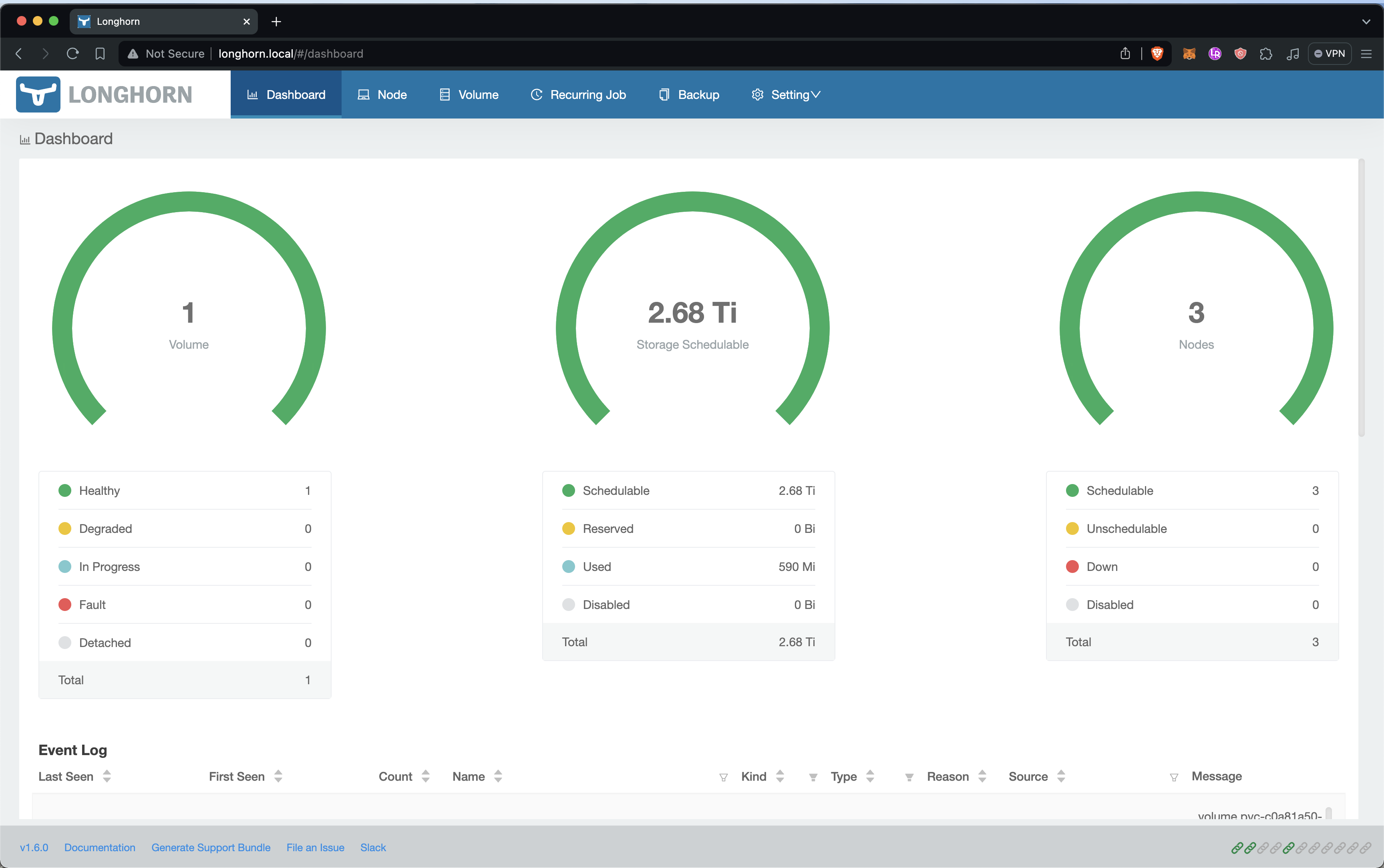
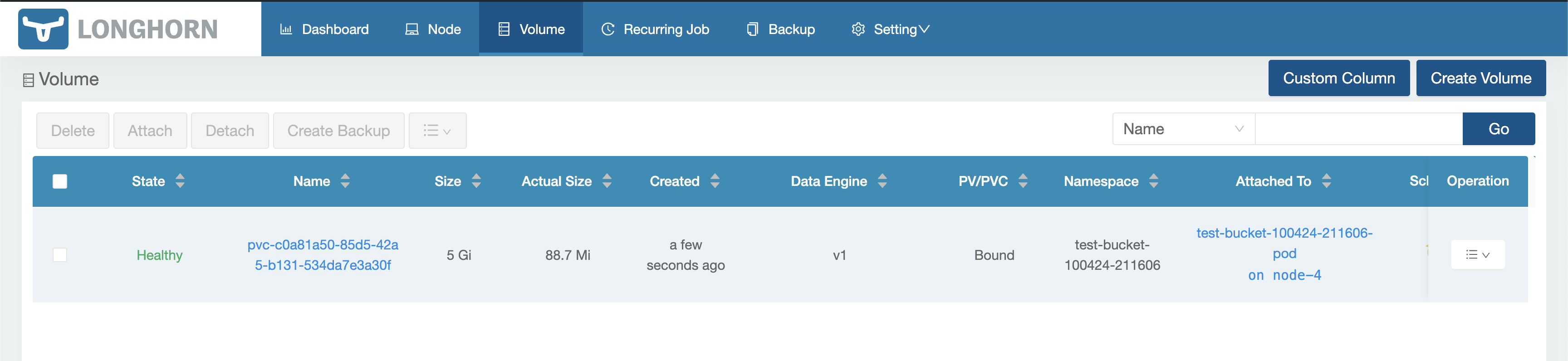 # Success!
When we go to `test-bucket-100424-211606.minio.local` we should be greeted by the Minio login screen. You can login with `root / password`.
You can change the login details by editing the env vars `MINIO_ROOT_USER` and `MINIO_ROOT_PASSWORD` in [bucket.yml](automation-test/bucket.yml)
This demonstrates that we can create new buckets for our users on our storage cluster programmatically.
# Success!
When we go to `test-bucket-100424-211606.minio.local` we should be greeted by the Minio login screen. You can login with `root / password`.
You can change the login details by editing the env vars `MINIO_ROOT_USER` and `MINIO_ROOT_PASSWORD` in [bucket.yml](automation-test/bucket.yml)
This demonstrates that we can create new buckets for our users on our storage cluster programmatically.
 ================================================
FILE: sections/console.md
================================================
# Console
The console will be the device we use for interacting with the infrastructure. Whenever you are not working with the infrastructure unplug the power and disconnect the network adapter from the MacBook.
_AB: USB networking, security reasons_
### MacBook Set-up
Do a standard MacBook Pro set-up.
- Update to latest version of MacOS
- Set-up full disk encryption
- Enable firewall
- Enable SSH - system prefernce -> secuity -> check "Remote login"
- Confirm SSH is allowed by the firewall
- Install Xcode
Additionally you should
- Disable wifi
- Prevent sleep while plugged-in
### SSH
SSH into the console to confirm everything is set-up correctly.
```
[Dev] ssh Console@10.0.0.XXX
```
Copy your SSH ID to the console so we can use public key authentication
```sh
[Dev] ssh-copy-id Console@10.0.0.XXX
```
SSH back into the console, this should not ask for a password.
```sh
[Dev] ssh Console@10.0.0.XXX
```
### Install Homebrew
```sh
[Console] /bin/bash -c "$(curl -fsSL https://raw.githubusercontent.com/Homebrew/install/HEAD/install.sh)"
```
Source: [https://brew.sh/](https://brew.sh/)
### Install Helm
```[Console] brew install helm```
### Install Ansible
```[Console] brew install ansible```
### Install Kubectl
```[Console] brew install kubectl```
### Install Pass
Pass is a CLI password manager, we will use this to securley manage the secrets for the infrastructure.
```[Console] brew install pass```
Source: [https://www.passwordstore.org/](https://www.passwordstore.org/)
We can create passwords now using the following command
```bash
pass generate node1/root 15
AccIEuEvvTXNgaQ
```
### Alias & ENV
To make life easier, add an environment variable and an alias command for each of the nodes in your infrastructure.
```sh
[Console] nano ~/.zshrc
export N1IP=10.0.0.XXX
alias sshn1="ssh node@$N1IP"
export N2IP=10.0.0.XXX
alias sshn2="ssh node@$N2IP"
...
```
================================================
FILE: sections/deploying-from-gitlab-to-k3s.md
================================================
# Deploying From GitLab Registry To Local K3s
We need to be able to deploy the SaaS front-end and REST API for S3 from our private GitLab Repo to our prod cluster.
### Make A New Repo
Make a new repo in GitLab with the following structure, all of the files can be found in [./deployment-test](./../deployment-test)
```sh
new-repo/
├─ .gitlab-ci.yml
├─ Dockerfile
├─ k8s.yml
└─ index.html
```
### Compile
Commit the files to the repo which should trigger a build in GitLab.
================================================
FILE: sections/console.md
================================================
# Console
The console will be the device we use for interacting with the infrastructure. Whenever you are not working with the infrastructure unplug the power and disconnect the network adapter from the MacBook.
_AB: USB networking, security reasons_
### MacBook Set-up
Do a standard MacBook Pro set-up.
- Update to latest version of MacOS
- Set-up full disk encryption
- Enable firewall
- Enable SSH - system prefernce -> secuity -> check "Remote login"
- Confirm SSH is allowed by the firewall
- Install Xcode
Additionally you should
- Disable wifi
- Prevent sleep while plugged-in
### SSH
SSH into the console to confirm everything is set-up correctly.
```
[Dev] ssh Console@10.0.0.XXX
```
Copy your SSH ID to the console so we can use public key authentication
```sh
[Dev] ssh-copy-id Console@10.0.0.XXX
```
SSH back into the console, this should not ask for a password.
```sh
[Dev] ssh Console@10.0.0.XXX
```
### Install Homebrew
```sh
[Console] /bin/bash -c "$(curl -fsSL https://raw.githubusercontent.com/Homebrew/install/HEAD/install.sh)"
```
Source: [https://brew.sh/](https://brew.sh/)
### Install Helm
```[Console] brew install helm```
### Install Ansible
```[Console] brew install ansible```
### Install Kubectl
```[Console] brew install kubectl```
### Install Pass
Pass is a CLI password manager, we will use this to securley manage the secrets for the infrastructure.
```[Console] brew install pass```
Source: [https://www.passwordstore.org/](https://www.passwordstore.org/)
We can create passwords now using the following command
```bash
pass generate node1/root 15
AccIEuEvvTXNgaQ
```
### Alias & ENV
To make life easier, add an environment variable and an alias command for each of the nodes in your infrastructure.
```sh
[Console] nano ~/.zshrc
export N1IP=10.0.0.XXX
alias sshn1="ssh node@$N1IP"
export N2IP=10.0.0.XXX
alias sshn2="ssh node@$N2IP"
...
```
================================================
FILE: sections/deploying-from-gitlab-to-k3s.md
================================================
# Deploying From GitLab Registry To Local K3s
We need to be able to deploy the SaaS front-end and REST API for S3 from our private GitLab Repo to our prod cluster.
### Make A New Repo
Make a new repo in GitLab with the following structure, all of the files can be found in [./deployment-test](./../deployment-test)
```sh
new-repo/
├─ .gitlab-ci.yml
├─ Dockerfile
├─ k8s.yml
└─ index.html
```
### Compile
Commit the files to the repo which should trigger a build in GitLab.
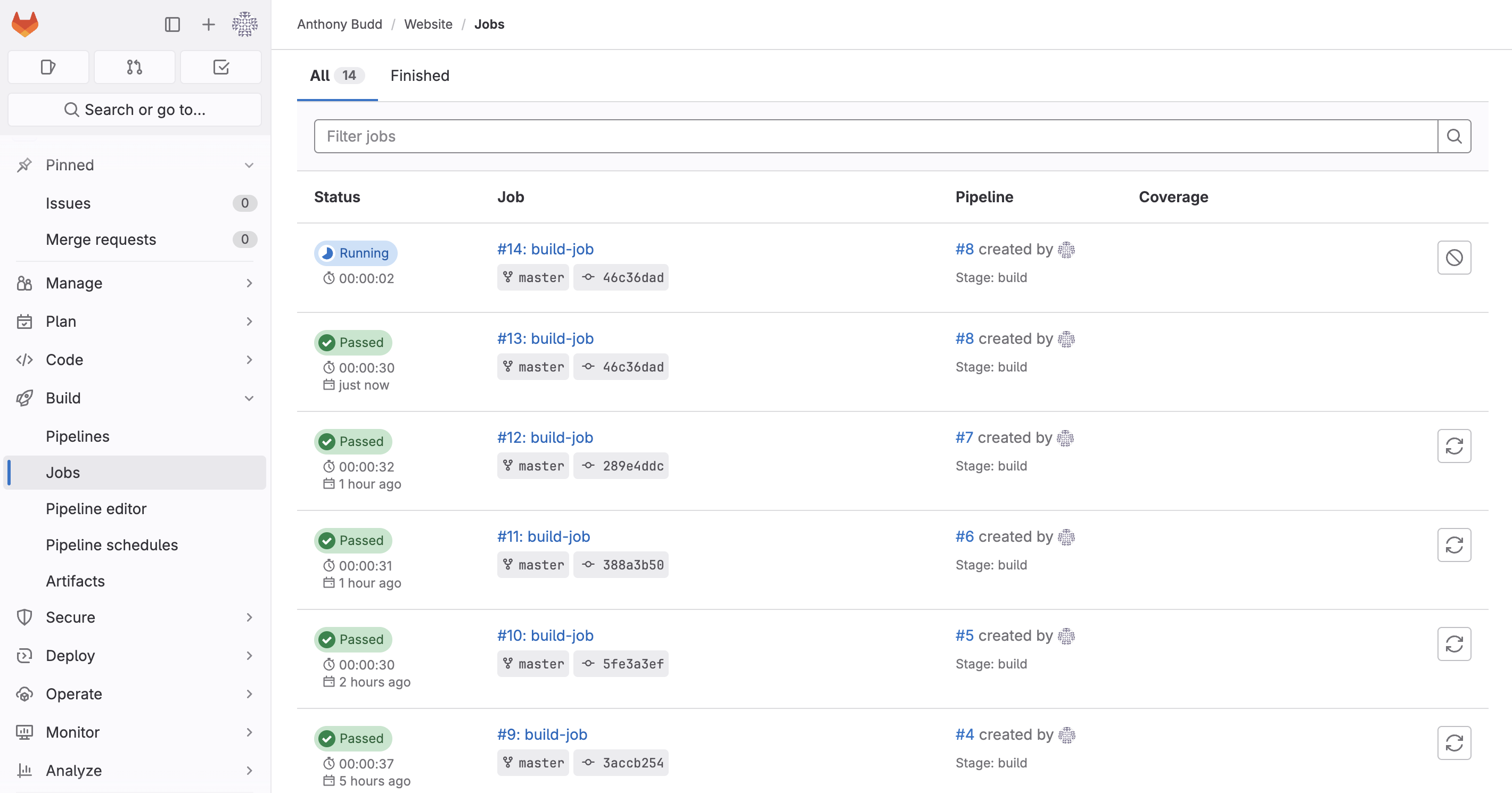 You should see that a new image has been pushed to the container registy by going to __Deploy -> Container Registry__
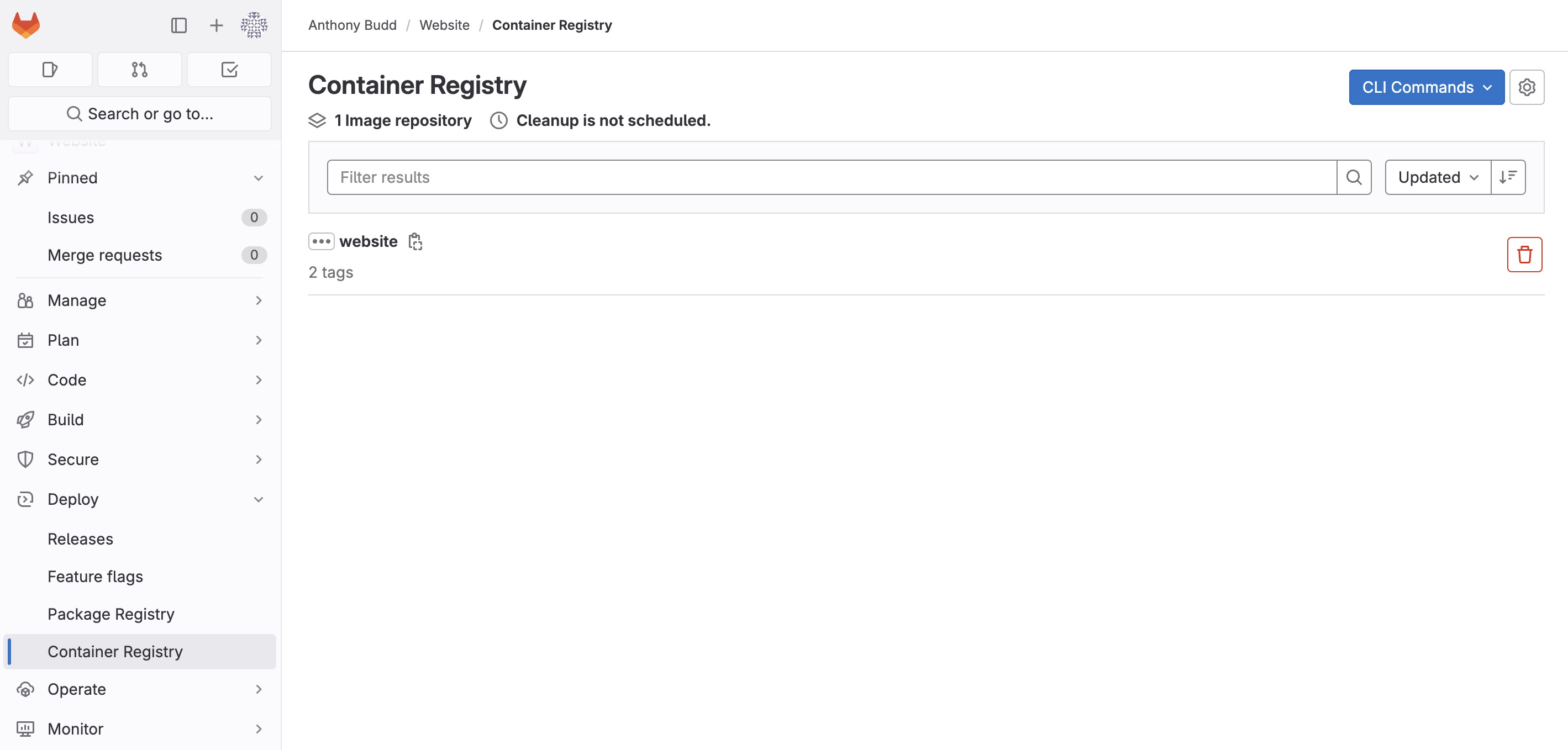 ### Deploy
From the Console run the following kubectl command to manually deploy the image from our private registry onto our cluster.
```
[Console] kubectl --kubeconfig=.kube/config apply -f ./deployment-test/k8s.yml
deployment.apps/website-deployment created
service/website-service created
ingress.networking.k8s.io/website-ingress created
```
Use `get pods` to see if the pod has deployed
```sh
[Console] kubectl --kubeconfig=.kube/config get pods
NAME READY STATUS RESTARTS AGE
website-deployment-77c6cfb55c-9fzvq 0/1 ImagePullBackOff 0 43s
```
This pod hasn't deployed and has the status `ImagePullBackOff` this is because Kubernetes (more specifically containerd) can't pull the image from our local GitLab container registry.
To find our more info about this we can use the `describe` command
```sh
[Console] kubectl --kubeconfig=.kube/config describe pod website-deployment-77c6cfb55c-9fzvq
Name: website-deployment-77c6cfb55c-9fzvq
Namespace: default
Priority: 0
Service Account: default
Node: node-2/10.0.0.217
Start Time: Wed, 10 Apr 2024 15:54:03 -0700
...
Events:
Type Reason Age From Message
---- ------ ---- ---- -------
Normal Scheduled 112s default-scheduler Successfully assigned default/website-deployment-77c6cfb55c-9fzvq to node-2
Normal Pulling 21s (x4 over 111s) kubelet Pulling image "gitlab.local:5050/anthonybudd/website:master"
Warning Failed 21s (x4 over 111s) kubelet Failed to pull image "gitlab.local:5050/anthonybudd/website:master": rpc error: code = Unknown desc = failed to pull and unpack image "gitlab.local:5050/anthonybudd/website:master": failed to resolve reference "gitlab.local:5050/anthonybudd/website:master": failed to do request: Head "https://gitlab.local:5050/v2/anthonybudd/website/manifests/master": dial tcp: lookup gitlab.local: no such host
Warning Failed 21s (x4 over 111s) kubelet Error: ErrImagePull
Normal BackOff 7s (x6 over 111s) kubelet Back-off pulling image "gitlab.local:5050/anthonybudd/website:master"
Warning Failed 7s (x6 over 111s) kubelet Error: ImagePullBackOff
```
It seems there is a problem connecting to gitlab.local from the node.
_AB: Trying to debug the above issue_
```
[Node 1] sudo apt install nmap
nmap -p 5050 gitlab.local
PORT STATE SERVICE
5050/tcp open mmcc
```
Solution
```
[Node X] sudo nano /etc/hosts
10.0.0.XXX gitlab.local
```
Updating out hosts file on each of the nodes solves the issue of not being able to reach gitlab.local
_AB: This isn't a great solution, seems too much to update each node's host file. Figure out why https://gitlab.local works but kube/cd can't reach the registry on gitlab.local:5050_
But the image is still not pulling 🙃
```
[Node 1] kubectl --kubeconfig=.kube/config describe pod website-deployment-77c6cfb55c-9fzvq
Events:
Type Reason Age From Message
---- ------ ---- ---- -------
Normal Scheduled 13s default-scheduler Successfully assigned default/website-deployment-77c6cfb55c-skg69 to node-1
Normal BackOff 12s kubelet Back-off pulling image "gitlab.local:5050/anthonybudd/website:master"
Warning Failed 12s kubelet Error: ImagePullBackOff
Normal Pulling 0s (x2 over 13s) kubelet Pulling image "gitlab.local:5050/anthonybudd/website:master"
Warning Failed 0s (x2 over 13s) kubelet Failed to pull image "gitlab.local:5050/anthonybudd/website:master": rpc error: code = Unknown desc = failed to pull and unpack image "gitlab.local:5050/anthonybudd/website:master": failed to resolve reference "gitlab.local:5050/anthonybudd/website:master": failed to do request: Head "https://gitlab.local:5050/v2/anthonybudd/website/manifests/master": tls: failed to verify certificate: x509: certificate signed by unknown authority
Warning Failed 0s (x2 over 13s) kubelet Error: ErrImagePull
```
This is because we are using a self-signed cert on GitLab.
We can fix this by adding the self signed .crt file to our trust store.
```
[GitLab Node] cat /etc/gitlab/ssl/gitlab.local.crt
-----BEGIN CERTIFICATE-----
MIIEADCCAuigAwIBAgIUUewxBRQiVhwq/OATC/JBVGLGtNkwDQYJKoZIhvcNAQEL
...
uyrPmdQ04E6sqfwHUPvtDxxceqzgVS2J0MISbGKa3uDxyQneJnysliILDhNyO/Fg
eSidLK9LN0iPX+GKIL06ieAdSZs=
-----END CERTIFICATE-----
[Node X] sudo nano /usr/local/share/ca-certificates/gitlab.local.crt
**Paste .crt**
[Node X] sudo update-ca-certificates
[Node X] openssl s_client -connect gitlab.local:5050
...
SSL handshake has read 1588 bytes and written 398 bytes
Verification: OK
```
# It Works 🎉
### Deploy
From the Console run the following kubectl command to manually deploy the image from our private registry onto our cluster.
```
[Console] kubectl --kubeconfig=.kube/config apply -f ./deployment-test/k8s.yml
deployment.apps/website-deployment created
service/website-service created
ingress.networking.k8s.io/website-ingress created
```
Use `get pods` to see if the pod has deployed
```sh
[Console] kubectl --kubeconfig=.kube/config get pods
NAME READY STATUS RESTARTS AGE
website-deployment-77c6cfb55c-9fzvq 0/1 ImagePullBackOff 0 43s
```
This pod hasn't deployed and has the status `ImagePullBackOff` this is because Kubernetes (more specifically containerd) can't pull the image from our local GitLab container registry.
To find our more info about this we can use the `describe` command
```sh
[Console] kubectl --kubeconfig=.kube/config describe pod website-deployment-77c6cfb55c-9fzvq
Name: website-deployment-77c6cfb55c-9fzvq
Namespace: default
Priority: 0
Service Account: default
Node: node-2/10.0.0.217
Start Time: Wed, 10 Apr 2024 15:54:03 -0700
...
Events:
Type Reason Age From Message
---- ------ ---- ---- -------
Normal Scheduled 112s default-scheduler Successfully assigned default/website-deployment-77c6cfb55c-9fzvq to node-2
Normal Pulling 21s (x4 over 111s) kubelet Pulling image "gitlab.local:5050/anthonybudd/website:master"
Warning Failed 21s (x4 over 111s) kubelet Failed to pull image "gitlab.local:5050/anthonybudd/website:master": rpc error: code = Unknown desc = failed to pull and unpack image "gitlab.local:5050/anthonybudd/website:master": failed to resolve reference "gitlab.local:5050/anthonybudd/website:master": failed to do request: Head "https://gitlab.local:5050/v2/anthonybudd/website/manifests/master": dial tcp: lookup gitlab.local: no such host
Warning Failed 21s (x4 over 111s) kubelet Error: ErrImagePull
Normal BackOff 7s (x6 over 111s) kubelet Back-off pulling image "gitlab.local:5050/anthonybudd/website:master"
Warning Failed 7s (x6 over 111s) kubelet Error: ImagePullBackOff
```
It seems there is a problem connecting to gitlab.local from the node.
_AB: Trying to debug the above issue_
```
[Node 1] sudo apt install nmap
nmap -p 5050 gitlab.local
PORT STATE SERVICE
5050/tcp open mmcc
```
Solution
```
[Node X] sudo nano /etc/hosts
10.0.0.XXX gitlab.local
```
Updating out hosts file on each of the nodes solves the issue of not being able to reach gitlab.local
_AB: This isn't a great solution, seems too much to update each node's host file. Figure out why https://gitlab.local works but kube/cd can't reach the registry on gitlab.local:5050_
But the image is still not pulling 🙃
```
[Node 1] kubectl --kubeconfig=.kube/config describe pod website-deployment-77c6cfb55c-9fzvq
Events:
Type Reason Age From Message
---- ------ ---- ---- -------
Normal Scheduled 13s default-scheduler Successfully assigned default/website-deployment-77c6cfb55c-skg69 to node-1
Normal BackOff 12s kubelet Back-off pulling image "gitlab.local:5050/anthonybudd/website:master"
Warning Failed 12s kubelet Error: ImagePullBackOff
Normal Pulling 0s (x2 over 13s) kubelet Pulling image "gitlab.local:5050/anthonybudd/website:master"
Warning Failed 0s (x2 over 13s) kubelet Failed to pull image "gitlab.local:5050/anthonybudd/website:master": rpc error: code = Unknown desc = failed to pull and unpack image "gitlab.local:5050/anthonybudd/website:master": failed to resolve reference "gitlab.local:5050/anthonybudd/website:master": failed to do request: Head "https://gitlab.local:5050/v2/anthonybudd/website/manifests/master": tls: failed to verify certificate: x509: certificate signed by unknown authority
Warning Failed 0s (x2 over 13s) kubelet Error: ErrImagePull
```
This is because we are using a self-signed cert on GitLab.
We can fix this by adding the self signed .crt file to our trust store.
```
[GitLab Node] cat /etc/gitlab/ssl/gitlab.local.crt
-----BEGIN CERTIFICATE-----
MIIEADCCAuigAwIBAgIUUewxBRQiVhwq/OATC/JBVGLGtNkwDQYJKoZIhvcNAQEL
...
uyrPmdQ04E6sqfwHUPvtDxxceqzgVS2J0MISbGKa3uDxyQneJnysliILDhNyO/Fg
eSidLK9LN0iPX+GKIL06ieAdSZs=
-----END CERTIFICATE-----
[Node X] sudo nano /usr/local/share/ca-certificates/gitlab.local.crt
**Paste .crt**
[Node X] sudo update-ca-certificates
[Node X] openssl s_client -connect gitlab.local:5050
...
SSL handshake has read 1588 bytes and written 398 bytes
Verification: OK
```
# It Works 🎉
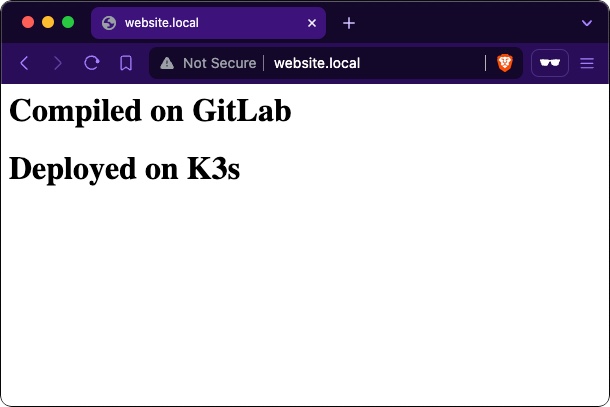 You have no idea how long that took me to resolve
================================================
FILE: sections/gitlab.md
================================================
# Installing GitLab on a Raspberry Pi 4
First you will need to build a single node. Flash the SD card with a copy of 32-bit Raspberry Pi OS 11 (bullseye). At time of writing, GitLab-CE is not supported on later versions of Raspberry Pi OS or running on a 64-bit OS. Set the hostname to `gitlab`.
Also follow the [default node set-up instructions](/sections/node.md)
You have no idea how long that took me to resolve
================================================
FILE: sections/gitlab.md
================================================
# Installing GitLab on a Raspberry Pi 4
First you will need to build a single node. Flash the SD card with a copy of 32-bit Raspberry Pi OS 11 (bullseye). At time of writing, GitLab-CE is not supported on later versions of Raspberry Pi OS or running on a 64-bit OS. Set the hostname to `gitlab`.
Also follow the [default node set-up instructions](/sections/node.md)
 Source: [https://about.gitlab.com/install/#raspberry-pi-os](https://about.gitlab.com/install/#raspberry-pi-os)
### Add `arm_64bit=0` to config.txt
For some insane reason when you select 32-bit Raspberry Pi OS in Raspberry Pi imager you actually get [a 32-bit userland on top of a 64-bit kernel.](https://github.com/raspberrypi/rpi-imager/issues/847#issuecomment-2035800759) This will cause issues with GitLab runner later. To get a full 32-bit OS add `arm_64bit=0` to the config.txt
- [gitlab-org/gitlab-runner issue:37336](https://gitlab.com/gitlab-org/gitlab-runner/-/issues/37336)
- [raspberrypi/rpi-imager issue:847](https://github.com/raspberrypi/rpi-imager/issues/847)
- [R Pi Docs: arm_64bit](https://www.raspberrypi.com/documentation/computers/config_txt.html#arm_64bit)
### Boot
Insert the SD card and boot the pi. From the console SSH into the GitLab node using your password.
```[Console] ssh gitlab@10.0.0.XXX```
If you connect successfully, add the console's key to authorized key file onto the GitLab node to enable passwordless public-key authentication.
```[Console] ssh-copy-id gitlab@10.0.0.XXX```
__Hint:__ Save the root password for the GitLab node in pass
```[Console] pass insert gitlab```
__Hint:__ Make an alias
```
[Console] nano ~/.zshrc
export GLIP=10.0.0.175
alias sshgl="ssh gitlab@$GLIP"
```
_AB: Firewall Settings?_
### Installing GitLab
Run the below commands to install GitLab.
```sh
[GitLab Node] sudo apt update && sudo apt upgrade -y
sudo apt-get install -y curl openssh-server ca-certificates apt-transport-https perl
curl https://packages.gitlab.com/gpg.key | sudo tee /etc/apt/trusted.gpg.d/gitlab.asc
sudo curl -sS https://packages.gitlab.com/install/repositories/gitlab/raspberry-pi2/script.deb.sh | sudo bash
sudo EXTERNAL_URL="https://gitlab.local" apt-get install gitlab-ce
```
_AB: More on securing gitlab?_
_AB:_ https://docs.gitlab.com/ee/security/index.html
### Setting-up GitLab
You should be able to access GitLab at https://gitlab.local
You can get the root password by running this command on the GitLab node.
```[GitLab Node] sudo cat /etc/gitlab/initial_root_password```
Use pass to generate a new password and update the GitLab root account with the new password.
```[Console] pass generate gitlab/gitlab-app-root 30```
#### Create a new user
Create a new user by going to __Admin Area -> Overview -> Users -> New user__
Becasue we have not set-up internet we will need to set this users password using the CLI
```[GitLab Node] sudo gitlab-rake "gitlab:password:reset[sidneyjones]"```
__Hint:__ This command might hang for 5mins before it prompts you to enter a password. IDK why this happens.
### Installing Docker for GitLab Runner
We will need to use GitLabs CI/CD feature to compile our code and deploy it. I am experimenting using GitLab to trigger the rollout of the deployment in K3s. I think the best solution would be to use ArgoCD but I want to get the whole thing working first then I will address CD.
First, install docker on the GitLab node
```sh
sudo apt-get update
# ca-certificates curl should already be installed
sudo apt-get install -y ca-certificates curl
sudo install -m 0755 -d /etc/apt/keyrings
sudo curl -fsSL https://download.docker.com/linux/raspbian/gpg -o /etc/apt/keyrings/docker.asc
sudo chmod a+r /etc/apt/keyrings/docker.asc
# Set up Docker's APT repository:
echo \
"deb [arch=$(dpkg --print-architecture) signed-by=/etc/apt/keyrings/docker.asc] https://download.docker.com/linux/raspbian \
$(. /etc/os-release && echo "$VERSION_CODENAME") stable" | \
sudo tee /etc/apt/sources.list.d/docker.list > /dev/null
sudo apt-get update
sudo apt-get install -y docker-ce docker-ce-cli containerd.io docker-buildx-plugin docker-compose-plugin
sudo docker run hello-world
```
Source: [https://docs.docker.com/engine/install/raspberry-pi-os/](https://docs.docker.com/engine/install/raspberry-pi-os/)
#### Docker Linux Post-install
```sh
sudo groupadd docker
sudo usermod -aG docker $USER
newgrp docker
docker run hello-world
```
Source: [https://docs.docker.com/engine/install/linux-postinstall/](https://docs.docker.com/engine/install/linux-postinstall/)
### Installing GitLab Runner
Next, install gitlab-runner on the GitLab node
```sh
curl -L "https://packages.gitlab.com/install/repositories/runner/gitlab-runner/script.deb.sh" | sudo bash
sudo apt-get install -y gitlab-runner
```
Source: [https://docs.gitlab.com/runner/install/linux-repository.html#installing-gitlab-runner](https://docs.gitlab.com/runner/install/linux-repository.html#installing-gitlab-runner)
#### Create a Runner
Create a new GitLab runner by going to __Admin Area -> CI/CD -> Runners -> New instance runner__
Make a note of the token, you will need this to register the runner.
Source: [https://about.gitlab.com/install/#raspberry-pi-os](https://about.gitlab.com/install/#raspberry-pi-os)
### Add `arm_64bit=0` to config.txt
For some insane reason when you select 32-bit Raspberry Pi OS in Raspberry Pi imager you actually get [a 32-bit userland on top of a 64-bit kernel.](https://github.com/raspberrypi/rpi-imager/issues/847#issuecomment-2035800759) This will cause issues with GitLab runner later. To get a full 32-bit OS add `arm_64bit=0` to the config.txt
- [gitlab-org/gitlab-runner issue:37336](https://gitlab.com/gitlab-org/gitlab-runner/-/issues/37336)
- [raspberrypi/rpi-imager issue:847](https://github.com/raspberrypi/rpi-imager/issues/847)
- [R Pi Docs: arm_64bit](https://www.raspberrypi.com/documentation/computers/config_txt.html#arm_64bit)
### Boot
Insert the SD card and boot the pi. From the console SSH into the GitLab node using your password.
```[Console] ssh gitlab@10.0.0.XXX```
If you connect successfully, add the console's key to authorized key file onto the GitLab node to enable passwordless public-key authentication.
```[Console] ssh-copy-id gitlab@10.0.0.XXX```
__Hint:__ Save the root password for the GitLab node in pass
```[Console] pass insert gitlab```
__Hint:__ Make an alias
```
[Console] nano ~/.zshrc
export GLIP=10.0.0.175
alias sshgl="ssh gitlab@$GLIP"
```
_AB: Firewall Settings?_
### Installing GitLab
Run the below commands to install GitLab.
```sh
[GitLab Node] sudo apt update && sudo apt upgrade -y
sudo apt-get install -y curl openssh-server ca-certificates apt-transport-https perl
curl https://packages.gitlab.com/gpg.key | sudo tee /etc/apt/trusted.gpg.d/gitlab.asc
sudo curl -sS https://packages.gitlab.com/install/repositories/gitlab/raspberry-pi2/script.deb.sh | sudo bash
sudo EXTERNAL_URL="https://gitlab.local" apt-get install gitlab-ce
```
_AB: More on securing gitlab?_
_AB:_ https://docs.gitlab.com/ee/security/index.html
### Setting-up GitLab
You should be able to access GitLab at https://gitlab.local
You can get the root password by running this command on the GitLab node.
```[GitLab Node] sudo cat /etc/gitlab/initial_root_password```
Use pass to generate a new password and update the GitLab root account with the new password.
```[Console] pass generate gitlab/gitlab-app-root 30```
#### Create a new user
Create a new user by going to __Admin Area -> Overview -> Users -> New user__
Becasue we have not set-up internet we will need to set this users password using the CLI
```[GitLab Node] sudo gitlab-rake "gitlab:password:reset[sidneyjones]"```
__Hint:__ This command might hang for 5mins before it prompts you to enter a password. IDK why this happens.
### Installing Docker for GitLab Runner
We will need to use GitLabs CI/CD feature to compile our code and deploy it. I am experimenting using GitLab to trigger the rollout of the deployment in K3s. I think the best solution would be to use ArgoCD but I want to get the whole thing working first then I will address CD.
First, install docker on the GitLab node
```sh
sudo apt-get update
# ca-certificates curl should already be installed
sudo apt-get install -y ca-certificates curl
sudo install -m 0755 -d /etc/apt/keyrings
sudo curl -fsSL https://download.docker.com/linux/raspbian/gpg -o /etc/apt/keyrings/docker.asc
sudo chmod a+r /etc/apt/keyrings/docker.asc
# Set up Docker's APT repository:
echo \
"deb [arch=$(dpkg --print-architecture) signed-by=/etc/apt/keyrings/docker.asc] https://download.docker.com/linux/raspbian \
$(. /etc/os-release && echo "$VERSION_CODENAME") stable" | \
sudo tee /etc/apt/sources.list.d/docker.list > /dev/null
sudo apt-get update
sudo apt-get install -y docker-ce docker-ce-cli containerd.io docker-buildx-plugin docker-compose-plugin
sudo docker run hello-world
```
Source: [https://docs.docker.com/engine/install/raspberry-pi-os/](https://docs.docker.com/engine/install/raspberry-pi-os/)
#### Docker Linux Post-install
```sh
sudo groupadd docker
sudo usermod -aG docker $USER
newgrp docker
docker run hello-world
```
Source: [https://docs.docker.com/engine/install/linux-postinstall/](https://docs.docker.com/engine/install/linux-postinstall/)
### Installing GitLab Runner
Next, install gitlab-runner on the GitLab node
```sh
curl -L "https://packages.gitlab.com/install/repositories/runner/gitlab-runner/script.deb.sh" | sudo bash
sudo apt-get install -y gitlab-runner
```
Source: [https://docs.gitlab.com/runner/install/linux-repository.html#installing-gitlab-runner](https://docs.gitlab.com/runner/install/linux-repository.html#installing-gitlab-runner)
#### Create a Runner
Create a new GitLab runner by going to __Admin Area -> CI/CD -> Runners -> New instance runner__
Make a note of the token, you will need this to register the runner.
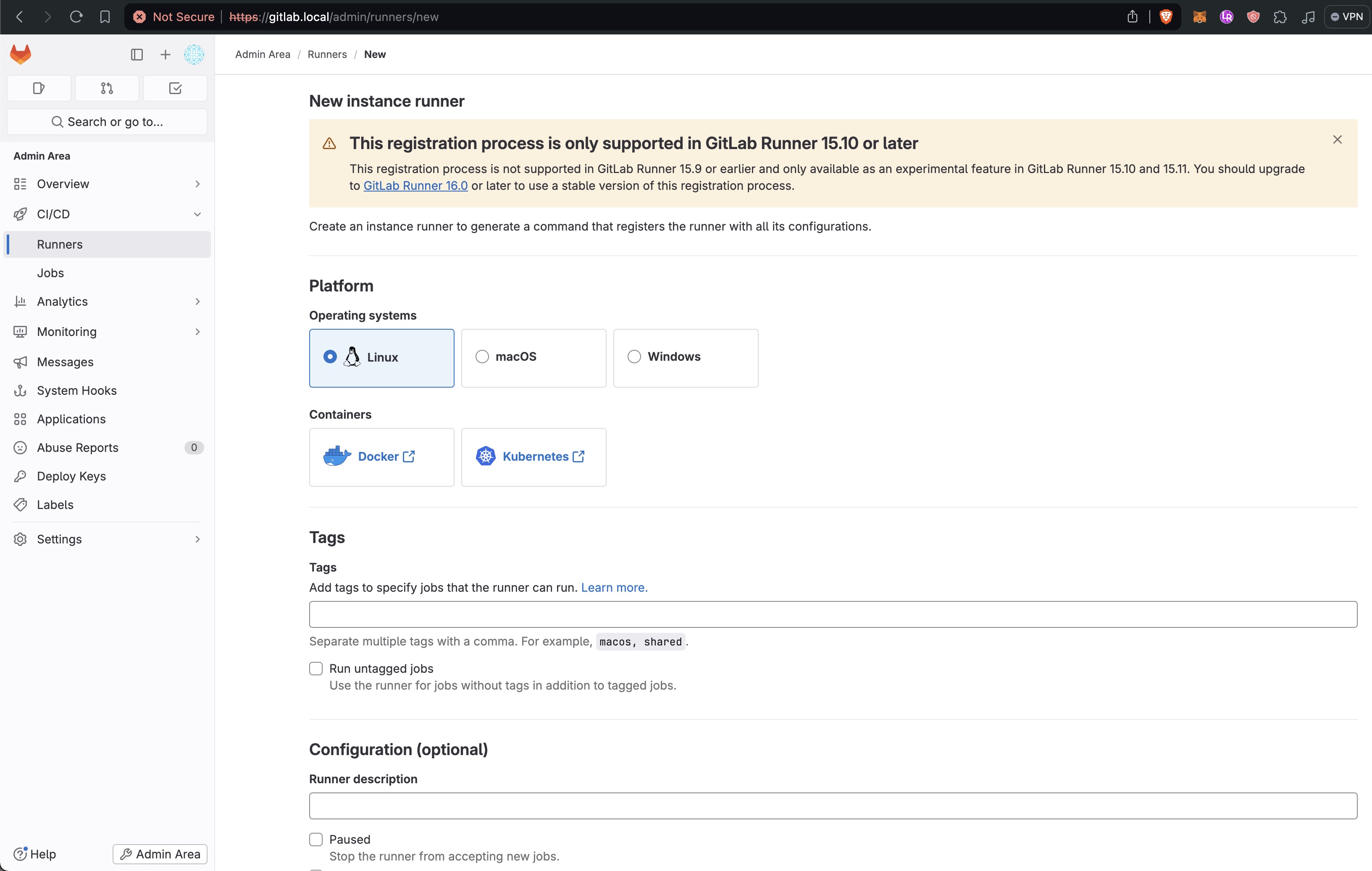 Because we are using a local GitLab instance `gitlab-runner register` will produce the error.
```
x509: certificate signed by unknown authority
```
To get around this we will need to create our own self signed certificate and pass the path to ther .crt file to the register command with `--tls-ca-file`
```sh
apt-get install -y openssl ca-certificates
cd /etc/gitlab/ssl/
sudo mv gitlab.local.key /tmp
sudo mv gitlab.local.crt /tmp
12
sudo openssl req -nodes -new -x509 -sha256 -keyout gitlab.local.key -out gitlab.local.crt -days 356 -subj "/C=US/ST=State/L=City/O=Organization/OU=Department/CN=*.gitlab.local" -addext "subjectAltName = DNS:localhost,DNS:gitlab.local,DNS:registry.gitlab.local"
sudo gitlab-ctl restart
```
Source: [https://docs.gitlab.com/runner/configuration/tls-self-signed.html](https://docs.gitlab.com/runner/configuration/tls-self-signed.html)
Notice `subjectAltName = ... DNS:registry.gitlab.local` without this Kubernetes will not be able to pull from images from the regsiett and will error with `ErrImagePull`
```
failed to do request: Head "https://registry.gitlab.local/v2/anthonybudd/website/manifests/main": tls: failed to verify certificate: x509: certificate signed by unknown authority
```
Update hosts file with
```sh
sudo nano /etc/hosts
127.0.0.1 gitlab.local
```
Now you can register the runner with GitLab.
```sh
gitlab-runner register \
--non-interactive \
--token TOKEN_HERE \
--url https://gitlab.local/ \
--executor docker \
--tls-ca-file /etc/gitlab/ssl/gitlab.local.crt
```
### Add `network_mode` and `volumes` to config.toml
Because we are using a local instance of GitLab you will need to add `network_mode = "host"` to the `[runners.docker]` section of the GitLab config file located at `/etc/gitlab-runner/config.toml`
You will also need to add `volumes = ["/var/run/docker.sock:/var/run/docker.sock", "/cache"]`
```toml
concurrent = 1
check_interval = 0
connection_max_age = "15m0s"
shutdown_timeout = 0
[session_server]
session_timeout = 1800
[[runners]]
name = "gitlab"
url = "https://gitlab.local"
id = 1
token = "TOKEN_HERE"
token_obtained_at = 2024-03-31T22:43:20Z
token_expires_at = 0001-01-01T00:00:00Z
tls-ca-file = "/etc/gitlab/ssl/gitlab.local.crt"
executor = "docker"
[runners.cache]
MaxUploadedArchiveSize = 0
[runners.docker]
tls_verify = false
image = "docker:dind"
privileged = false
disable_entrypoint_overwrite = false
oom_kill_disable = false
disable_cache = true
network_mode = "host"
volumes = ["/var/run/docker.sock:/var/run/docker.sock", "/cache"]
shm_size = 0
network_mtu = 0
```
Source: [https://gitlab.com/gitlab-org/gitlab-runner/-/issues/305](https://gitlab.com/gitlab-org/gitlab-runner/-/issues/305)
Finally start GitLab runner with
```[GitLab Node] sudo gitlab-runner run --config /etc/gitlab-runner/config.toml```
_AB: auto-start runner on boot?_
### Create a test repo
Log-out of the root GitLab account and login as your user account.
Create a new repo called `test`.
Using the GitLab web UI create a file called `.gitlab-ci.yml` and add the below to the file.
```
stages:
- build
build-job:
stage: build
script:
- echo "Compiling the code..."
- pwd
- ls
```
Commiting this file should trigger a build job. In the sidebar go to __Build -> Jobs__ and open the latest job. You should see that the `script` section in the ci file has successfully been called inside the repo. This shows that GitLab and GitLab runner are working as expected. You can delete the test repo.
Because we are using a local GitLab instance `gitlab-runner register` will produce the error.
```
x509: certificate signed by unknown authority
```
To get around this we will need to create our own self signed certificate and pass the path to ther .crt file to the register command with `--tls-ca-file`
```sh
apt-get install -y openssl ca-certificates
cd /etc/gitlab/ssl/
sudo mv gitlab.local.key /tmp
sudo mv gitlab.local.crt /tmp
12
sudo openssl req -nodes -new -x509 -sha256 -keyout gitlab.local.key -out gitlab.local.crt -days 356 -subj "/C=US/ST=State/L=City/O=Organization/OU=Department/CN=*.gitlab.local" -addext "subjectAltName = DNS:localhost,DNS:gitlab.local,DNS:registry.gitlab.local"
sudo gitlab-ctl restart
```
Source: [https://docs.gitlab.com/runner/configuration/tls-self-signed.html](https://docs.gitlab.com/runner/configuration/tls-self-signed.html)
Notice `subjectAltName = ... DNS:registry.gitlab.local` without this Kubernetes will not be able to pull from images from the regsiett and will error with `ErrImagePull`
```
failed to do request: Head "https://registry.gitlab.local/v2/anthonybudd/website/manifests/main": tls: failed to verify certificate: x509: certificate signed by unknown authority
```
Update hosts file with
```sh
sudo nano /etc/hosts
127.0.0.1 gitlab.local
```
Now you can register the runner with GitLab.
```sh
gitlab-runner register \
--non-interactive \
--token TOKEN_HERE \
--url https://gitlab.local/ \
--executor docker \
--tls-ca-file /etc/gitlab/ssl/gitlab.local.crt
```
### Add `network_mode` and `volumes` to config.toml
Because we are using a local instance of GitLab you will need to add `network_mode = "host"` to the `[runners.docker]` section of the GitLab config file located at `/etc/gitlab-runner/config.toml`
You will also need to add `volumes = ["/var/run/docker.sock:/var/run/docker.sock", "/cache"]`
```toml
concurrent = 1
check_interval = 0
connection_max_age = "15m0s"
shutdown_timeout = 0
[session_server]
session_timeout = 1800
[[runners]]
name = "gitlab"
url = "https://gitlab.local"
id = 1
token = "TOKEN_HERE"
token_obtained_at = 2024-03-31T22:43:20Z
token_expires_at = 0001-01-01T00:00:00Z
tls-ca-file = "/etc/gitlab/ssl/gitlab.local.crt"
executor = "docker"
[runners.cache]
MaxUploadedArchiveSize = 0
[runners.docker]
tls_verify = false
image = "docker:dind"
privileged = false
disable_entrypoint_overwrite = false
oom_kill_disable = false
disable_cache = true
network_mode = "host"
volumes = ["/var/run/docker.sock:/var/run/docker.sock", "/cache"]
shm_size = 0
network_mtu = 0
```
Source: [https://gitlab.com/gitlab-org/gitlab-runner/-/issues/305](https://gitlab.com/gitlab-org/gitlab-runner/-/issues/305)
Finally start GitLab runner with
```[GitLab Node] sudo gitlab-runner run --config /etc/gitlab-runner/config.toml```
_AB: auto-start runner on boot?_
### Create a test repo
Log-out of the root GitLab account and login as your user account.
Create a new repo called `test`.
Using the GitLab web UI create a file called `.gitlab-ci.yml` and add the below to the file.
```
stages:
- build
build-job:
stage: build
script:
- echo "Compiling the code..."
- pwd
- ls
```
Commiting this file should trigger a build job. In the sidebar go to __Build -> Jobs__ and open the latest job. You should see that the `script` section in the ci file has successfully been called inside the repo. This shows that GitLab and GitLab runner are working as expected. You can delete the test repo.
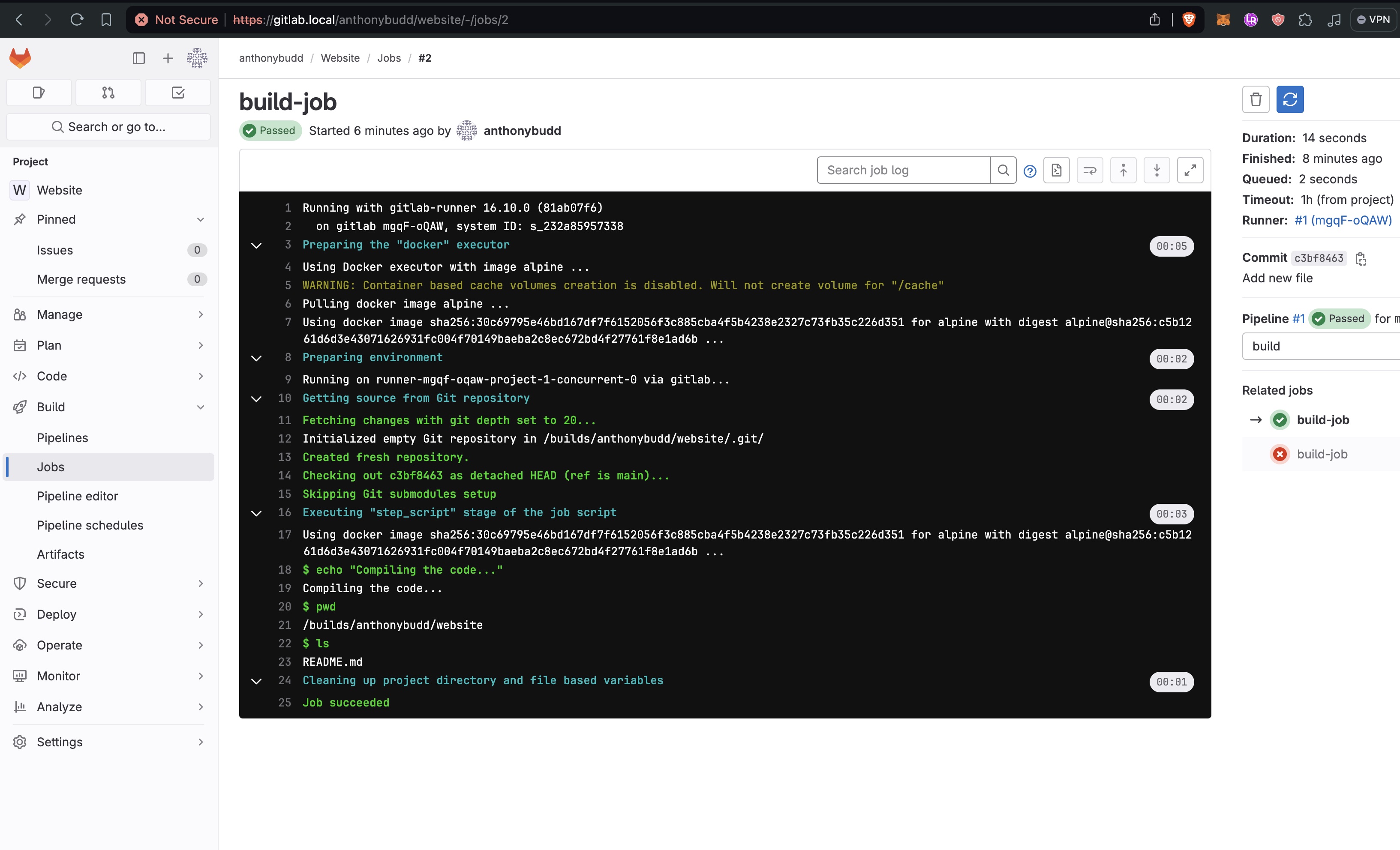 ================================================
FILE: sections/internet.md
================================================
# Connecting to the Internet
In a true datacenter we would request a static IP address from our ISP and point our DNS servers to that IP Address. However I cannot get a static IP at my office, to get around this and to make this project more useful I have decided to use OpenVPN, this will allow us to "rent" a static IP address from an existing cloud provider.
To do this we will set up a Digital Ocean Droplet running the latest version of Ubuntu.
Make sure you add the consoles public key to the droplet
_AB: add image_
__Note:__ Do not request a "Reserved IP" this causes issues with OpenVPN for some reason.
Install OpenVPN
```sh
[OpenVPNServer] wget https://git.io/vpn -O openvpn-install.sh
sudo chmod +x openvpn-install.sh
sudo bash openvpn-install.sh
```
You will see an interactive install script like this. When prompted name the clinet `node-1`
```
Welcome to this OpenVPN road warrior installer!
Which protocol should OpenVPN use?
1) UDP (recommended)
2) TCP
Protocol [1]: 1
What port should OpenVPN listen to?
Port [1194]:
Select a DNS server for the clients:
1) Current system resolvers
2) Google
3) 1.1.1.1
4) OpenDNS
5) Quad9
6) AdGuard
DNS server [1]: 2
Enter a name for the first client:
Name [client]: node-1
OpenVPN installation is ready to begin.
Press any key to continue...
```
```sh
[OpenVPNServer] sudo systemctl restart openvpn-server@server.service
```
### Node Set-up
Install OpenVPN onto the master node of each cluster
```
[Node X] apt-get install openvpn -y
```
Make a .ovpn config file on the VPN server and SCP it to the node
```
[Console] scp root@OPEN_VPN_SERVER_IP:/etc/openvpn/???/node-1.ovpn /tmp
mv /tmp/node-1.ovpn /tmp/node-1.config
scp /tmp/node-1.config node@$N1IP:/etc/openvpn
```
__Note:__ I'm deliberately renameing the file to .config, this is becasue the extension OpenVPN uses to autoload.
_AB: Confirm file path_
_AB: Add file to pass?_
```
[Node X] nano /etc/default/openvpn
# Uncomment this line
AUTOSTART="all"
```
_AB: This is probbably not that good of a set-up, i should probably improve this by moving openVPN to the OpenWRT raspberry pi_
### Install Nginx on the OpenVPN server
```[OpenVPNServer] sudo apt install -y nginx```
```sh
[OpenVPNServer] sudo nano /etc/hosts
PROD_CLUSTER_MASTER_NODE_IP app.YOUR_DOMAIN.com
PROD_CLUSTER_MASTER_NODE_IP api.YOUR_DOMAIN.com
```
/etc/nginx/nginx.conf
```
...
stream {
map $ssl_preread_server_name $targetBackend {
s3.anthonybudd.io 10.8.0.3:443;
s3-api.anthonybudd.io 10.8.0.3:443;
echo.s3.anthonybudd.io 10.8.0.4:443;
}
server {
listen 443;
proxy_pass $targetBackend;
ssl_preread on;
}
}
...
```
aster.s3.YOUR_DOMAIN.com
```sh
server {
listen 80;
server_name ~^(?
### Default Set-up Procedure
By default always do the following set-up procedure when creating a new node.
Unless otherwise specified always flash the SD card with 64-bit Raspberry Pi OS Lite.
#### Public Key Auth
```[Console] ssh-copy-id node@10.0.0.XXX```
#### Enable cpuset
```sh
[Node X] sudo nano /boot/firmware/cmdline.txt
cgroup_enable=cpuset cgroup_memory=1 cgroup_enable=memory
```
More on cgroups: [Downey.io/blog/exploring-cgroups-raspberry-pi](https://downey.io/blog/exploring-cgroups-raspberry-pi)
#### Disable WiFi & Bluetoooth
```sh
[Node X] sudo nano /boot/firmware/config.txt
dtoverlay=disable-wifi
dtoverlay=disable-bt
```
#### Run `node-config-script.sh`
This script will add some security changes to SSH and install Fail2Ban.
SCP the [node-config-script.sh](./../node/node-config-script.sh) to the node and run it.
_AB: Fail2Ban Config?_
_AB: Test Fail2Ban_
```sh
[Node X] curl https://raw.githubusercontent.com/anthonybudd/s3-from-scratch/master/node/node-config-script.sh -sSL | sh
# Or
[Console] scp ./node/node-config-script.sh node@10.0.0.XXX:~
[Console] ssh node@10.0.0.XXX
[Node X] sudo ~/node-config-script.sh
[Node X] sudo reboot
```
_AB: Is this enough? What more SSH changes should I make to improve security?_
================================================
FILE: sections/production-cluster.md
================================================
# K3S: Production cluster
This guide will cover how to set-up the production kubernetes cluster for hosting our public website, api and front-end.
_AB: Make cluster HA_
### Build nodes
Start by building two nodes, [following the default node set-up procedure](./node.md), and the install them into the infrastructure.
Once both nodes have booted-up, confirm that you can SSH into the nodes from the console.
```[Console] ssh node@10.0.0.XXX```
```[Console] ssh node@10.0.0.YYY```
### Install K3s
Clone this repo on the Console and make a copy of the `example` directory located at `./ansible/inventory/example`
```sh
[Console] cp -R ansible/inventory/example ansible/inventory/prod-cluster
```
Edit the `hosts.ini` located in `./ansible/inventory/prod-cluster` so node-1 IP address is the master list and node-2 is in the node list
```
[Console] nano ansible/inventory/prod-cluster/hosts.ini
```
```
[master]
10.0.0.XXX
[node]
10.0.0.YYY
[k3s_cluster:children]
master
node
```
#### Run the Ansible playbook
Run the Ansible playbook to install K3s across all of the nodes in our cluster.
```sh
[Console] ansible-playbook ansible/site.yml -i ansible/inventory/prod-cluster/hosts.ini
```
If the playbook completes successfully you should see output like this
```sh
PLAY RECAP ****************************************************************************************************
10.0.0.XXX : ok=21 changed=12 unreachable=0 failed=0 skipped=10 rescued=0 ignored=0
10.0.0.YYY : ok=10 changed=5 unreachable=0 failed=0 skipped=10 rescued=0 ignored=0
```
#### Test the nodes
Copy the kubernetes config file from the master node to the Console.
```
[Console] scp node@10.0.0.XXX:~/.kube/config ~/.kube/config
```
Test that all of the nodes are up and running by running this command.
```
[Console] kubectl --kubeconfig=.kube/config get nodes
```
You should get a response that looks like this.
```sh
NAME STATUS ROLES AGE VERSION
node-1 Ready control-plane,master 3m6s v1.26.9+k3s1
node-2 Ready
================================================
FILE: sections/internet.md
================================================
# Connecting to the Internet
In a true datacenter we would request a static IP address from our ISP and point our DNS servers to that IP Address. However I cannot get a static IP at my office, to get around this and to make this project more useful I have decided to use OpenVPN, this will allow us to "rent" a static IP address from an existing cloud provider.
To do this we will set up a Digital Ocean Droplet running the latest version of Ubuntu.
Make sure you add the consoles public key to the droplet
_AB: add image_
__Note:__ Do not request a "Reserved IP" this causes issues with OpenVPN for some reason.
Install OpenVPN
```sh
[OpenVPNServer] wget https://git.io/vpn -O openvpn-install.sh
sudo chmod +x openvpn-install.sh
sudo bash openvpn-install.sh
```
You will see an interactive install script like this. When prompted name the clinet `node-1`
```
Welcome to this OpenVPN road warrior installer!
Which protocol should OpenVPN use?
1) UDP (recommended)
2) TCP
Protocol [1]: 1
What port should OpenVPN listen to?
Port [1194]:
Select a DNS server for the clients:
1) Current system resolvers
2) Google
3) 1.1.1.1
4) OpenDNS
5) Quad9
6) AdGuard
DNS server [1]: 2
Enter a name for the first client:
Name [client]: node-1
OpenVPN installation is ready to begin.
Press any key to continue...
```
```sh
[OpenVPNServer] sudo systemctl restart openvpn-server@server.service
```
### Node Set-up
Install OpenVPN onto the master node of each cluster
```
[Node X] apt-get install openvpn -y
```
Make a .ovpn config file on the VPN server and SCP it to the node
```
[Console] scp root@OPEN_VPN_SERVER_IP:/etc/openvpn/???/node-1.ovpn /tmp
mv /tmp/node-1.ovpn /tmp/node-1.config
scp /tmp/node-1.config node@$N1IP:/etc/openvpn
```
__Note:__ I'm deliberately renameing the file to .config, this is becasue the extension OpenVPN uses to autoload.
_AB: Confirm file path_
_AB: Add file to pass?_
```
[Node X] nano /etc/default/openvpn
# Uncomment this line
AUTOSTART="all"
```
_AB: This is probbably not that good of a set-up, i should probably improve this by moving openVPN to the OpenWRT raspberry pi_
### Install Nginx on the OpenVPN server
```[OpenVPNServer] sudo apt install -y nginx```
```sh
[OpenVPNServer] sudo nano /etc/hosts
PROD_CLUSTER_MASTER_NODE_IP app.YOUR_DOMAIN.com
PROD_CLUSTER_MASTER_NODE_IP api.YOUR_DOMAIN.com
```
/etc/nginx/nginx.conf
```
...
stream {
map $ssl_preread_server_name $targetBackend {
s3.anthonybudd.io 10.8.0.3:443;
s3-api.anthonybudd.io 10.8.0.3:443;
echo.s3.anthonybudd.io 10.8.0.4:443;
}
server {
listen 443;
proxy_pass $targetBackend;
ssl_preread on;
}
}
...
```
aster.s3.YOUR_DOMAIN.com
```sh
server {
listen 80;
server_name ~^(?
### Default Set-up Procedure
By default always do the following set-up procedure when creating a new node.
Unless otherwise specified always flash the SD card with 64-bit Raspberry Pi OS Lite.
#### Public Key Auth
```[Console] ssh-copy-id node@10.0.0.XXX```
#### Enable cpuset
```sh
[Node X] sudo nano /boot/firmware/cmdline.txt
cgroup_enable=cpuset cgroup_memory=1 cgroup_enable=memory
```
More on cgroups: [Downey.io/blog/exploring-cgroups-raspberry-pi](https://downey.io/blog/exploring-cgroups-raspberry-pi)
#### Disable WiFi & Bluetoooth
```sh
[Node X] sudo nano /boot/firmware/config.txt
dtoverlay=disable-wifi
dtoverlay=disable-bt
```
#### Run `node-config-script.sh`
This script will add some security changes to SSH and install Fail2Ban.
SCP the [node-config-script.sh](./../node/node-config-script.sh) to the node and run it.
_AB: Fail2Ban Config?_
_AB: Test Fail2Ban_
```sh
[Node X] curl https://raw.githubusercontent.com/anthonybudd/s3-from-scratch/master/node/node-config-script.sh -sSL | sh
# Or
[Console] scp ./node/node-config-script.sh node@10.0.0.XXX:~
[Console] ssh node@10.0.0.XXX
[Node X] sudo ~/node-config-script.sh
[Node X] sudo reboot
```
_AB: Is this enough? What more SSH changes should I make to improve security?_
================================================
FILE: sections/production-cluster.md
================================================
# K3S: Production cluster
This guide will cover how to set-up the production kubernetes cluster for hosting our public website, api and front-end.
_AB: Make cluster HA_
### Build nodes
Start by building two nodes, [following the default node set-up procedure](./node.md), and the install them into the infrastructure.
Once both nodes have booted-up, confirm that you can SSH into the nodes from the console.
```[Console] ssh node@10.0.0.XXX```
```[Console] ssh node@10.0.0.YYY```
### Install K3s
Clone this repo on the Console and make a copy of the `example` directory located at `./ansible/inventory/example`
```sh
[Console] cp -R ansible/inventory/example ansible/inventory/prod-cluster
```
Edit the `hosts.ini` located in `./ansible/inventory/prod-cluster` so node-1 IP address is the master list and node-2 is in the node list
```
[Console] nano ansible/inventory/prod-cluster/hosts.ini
```
```
[master]
10.0.0.XXX
[node]
10.0.0.YYY
[k3s_cluster:children]
master
node
```
#### Run the Ansible playbook
Run the Ansible playbook to install K3s across all of the nodes in our cluster.
```sh
[Console] ansible-playbook ansible/site.yml -i ansible/inventory/prod-cluster/hosts.ini
```
If the playbook completes successfully you should see output like this
```sh
PLAY RECAP ****************************************************************************************************
10.0.0.XXX : ok=21 changed=12 unreachable=0 failed=0 skipped=10 rescued=0 ignored=0
10.0.0.YYY : ok=10 changed=5 unreachable=0 failed=0 skipped=10 rescued=0 ignored=0
```
#### Test the nodes
Copy the kubernetes config file from the master node to the Console.
```
[Console] scp node@10.0.0.XXX:~/.kube/config ~/.kube/config
```
Test that all of the nodes are up and running by running this command.
```
[Console] kubectl --kubeconfig=.kube/config get nodes
```
You should get a response that looks like this.
```sh
NAME STATUS ROLES AGE VERSION
node-1 Ready control-plane,master 3m6s v1.26.9+k3s1
node-2 Ready  _AB: k8s dashboard_
###
kubectl apply -f https://github.com/cert-manager/cert-manager/releases/download/v1.1.1/cert-manager.yaml
kubectl get pods --namespace cert-manager
NAME READY STATUS RESTARTS AGE
cert-manager-5c6866597-zw7kh 1/1 Running 0 2m
cert-manager-cainjector-577f6d9fd7-tr77l 1/1 Running 0 2m
cert-manager-webhook-787858fcdb-nlzsq 1/1 Running 0
================================================
FILE: sections/ssl.md
================================================
# SSL
kubectl apply -f https://raw.githubusercontent.com/kubernetes/ingress-nginx/controller-v1.10.1/deploy/static/provider/baremetal/deploy.yaml
```sh
helm --kubeconfig=.kube/storage-config repo add jetstack https://charts.jetstack.io --force-update
helm --kubeconfig=.kube/storage-config repo update
helm --kubeconfig=.kube/storage-config install \
cert-manager jetstack/cert-manager \
--namespace cert-manager \
--create-namespace \
--version v1.14.4 \
--set installCRDs=true
NAMESPACE: cert-manager
STATUS: deployed
REVISION: 1
TEST SUITE: None
NOTES:
cert-manager v1.14.4 has been deployed successfully!
In order to begin issuing certificates, you will need to set up a ClusterIssuer
or Issuer resource (for example, by creating a 'letsencrypt-staging' issuer).
More information on the different types of issuers and how to configure them
can be found in our documentation:
https://cert-manager.io/docs/configuration/
For information on how to configure cert-manager to automatically provision
Certificates for Ingress resources, take a look at the `ingress-shim`
documentation:
https://cert-manager.io/docs/usage/ingress/
kubectl --kubeconfig=.kube/storage-config -n cert-manager get pods
NAME READY STATUS RESTARTS AGE
cert-manager-cainjector-58c4f6d945-8thcs 1/1 Running 0 3m43s
cert-manager-5bfc55c5c6-zhmvs 1/1 Running 0 3m43s
cert-manager-webhook-7bd66d5b9c-dlqdr 1/1 Running 0 3m43s
```
kubectl --kubeconfig=.kube/storage-config get Issuers,ClusterIssuers,Certificates,CertificateRequests,Orders,Challenges --all-namespaces
kprod
```sh
apiVersion: cert-manager.io/v1
kind: ClusterIssuer
metadata:
name: letsencrypt-prod
namespace: cert-manager
spec:
acme:
# The ACME server URL
server: https://acme-v02.api.letsencrypt.org/directory
# Email address used for ACME registration
email: your_email_address_here
# Name of a secret used to store the ACME account private key
privateKeySecretRef:
name: letsencrypt-prod
# Enable the HTTP-01 challenge provider
solvers:
- http01:
ingress:
class: traefik
```
[VPN] apt install -y libnginx-mod-stream
[VPN] apt-get install nginx-extras
nano /etc/nignx/nginx.conf
stream {
server {
listen 443;
proxy_pass 10.8.0.3:443;
}
}
================================================
FILE: sections/storage-cluster.md
================================================
# K3S: Storage Cluster
This section will cover how to set-up the storage kubernetes cluster which will store of the data for our buckets.
### Build nodes
Start by building three nodes and the install them into the infrastructure.
Once both nodes have booted-up, confirm that you can SSH into the nodes from the console.
```[Console] ssh node@10.0.0.XXX```
```[Console] ssh node@10.0.0.YYY```
```[Console] ssh node@10.0.0.ZZZ```
### Install K3s
Clone this repo on the Console and make a copy of the `example` directory located at `./ansible/inventory/example`
```sh
[Console] cp -R ansible/inventory/example ansible/inventory/storage-cluster
```
Edit the `hosts.ini` located in `./ansible/inventory/storage-cluster` so node-3 IP address is the master list and node-4 and node 5 are in the node list
```
[Console] nano ansible/inventory/storage-cluster/hosts.ini
```
```
[master]
10.0.0.7
[node]
10.0.0.8
10.0.0.9
[k3s_cluster:children]
master
node
```
#### Run the Ansible playbook
Run the Ansible playbook to install K3s across all of the nodes in our cluster.
```sh
[Console] ansible-playbook ansible/site.yml -i ansible/inventory/storage-cluster/hosts.ini
```
If the playbook completes successfully you should see output like this
```sh
PLAY RECAP ****************************************************************************************************
10.0.0.XXX : ok=21 changed=12 unreachable=0 failed=0 skipped=10 rescued=0 ignored=0
10.0.0.YYY : ok=10 changed=5 unreachable=0 failed=0 skipped=10 rescued=0 ignored=0
10.0.0.ZZZ : ok=10 changed=5 unreachable=0 failed=0 skipped=10 rescued=0 ignored=0
```
#### Test the nodes
Copy the kubernetes config file from the master node to the Console. Remember to give the config file another name so it doesn't overwrite the prod-cluster config file.
```
[Console] scp node@10.0.0.XXX:.kube/config ~/.kube/storage-config
```
Test that all of the nodes are up and running by running this command.
```
[Console] kubectl --kubeconfig=.kube/storage-config get nodes
```
You should get a response that looks like this.
```sh
NAME STATUS ROLES AGE VERSION
node-1 Ready control-plane,master 1m49s v1.26.9+k3s1
node-2 Ready
_AB: k8s dashboard_
###
kubectl apply -f https://github.com/cert-manager/cert-manager/releases/download/v1.1.1/cert-manager.yaml
kubectl get pods --namespace cert-manager
NAME READY STATUS RESTARTS AGE
cert-manager-5c6866597-zw7kh 1/1 Running 0 2m
cert-manager-cainjector-577f6d9fd7-tr77l 1/1 Running 0 2m
cert-manager-webhook-787858fcdb-nlzsq 1/1 Running 0
================================================
FILE: sections/ssl.md
================================================
# SSL
kubectl apply -f https://raw.githubusercontent.com/kubernetes/ingress-nginx/controller-v1.10.1/deploy/static/provider/baremetal/deploy.yaml
```sh
helm --kubeconfig=.kube/storage-config repo add jetstack https://charts.jetstack.io --force-update
helm --kubeconfig=.kube/storage-config repo update
helm --kubeconfig=.kube/storage-config install \
cert-manager jetstack/cert-manager \
--namespace cert-manager \
--create-namespace \
--version v1.14.4 \
--set installCRDs=true
NAMESPACE: cert-manager
STATUS: deployed
REVISION: 1
TEST SUITE: None
NOTES:
cert-manager v1.14.4 has been deployed successfully!
In order to begin issuing certificates, you will need to set up a ClusterIssuer
or Issuer resource (for example, by creating a 'letsencrypt-staging' issuer).
More information on the different types of issuers and how to configure them
can be found in our documentation:
https://cert-manager.io/docs/configuration/
For information on how to configure cert-manager to automatically provision
Certificates for Ingress resources, take a look at the `ingress-shim`
documentation:
https://cert-manager.io/docs/usage/ingress/
kubectl --kubeconfig=.kube/storage-config -n cert-manager get pods
NAME READY STATUS RESTARTS AGE
cert-manager-cainjector-58c4f6d945-8thcs 1/1 Running 0 3m43s
cert-manager-5bfc55c5c6-zhmvs 1/1 Running 0 3m43s
cert-manager-webhook-7bd66d5b9c-dlqdr 1/1 Running 0 3m43s
```
kubectl --kubeconfig=.kube/storage-config get Issuers,ClusterIssuers,Certificates,CertificateRequests,Orders,Challenges --all-namespaces
kprod
```sh
apiVersion: cert-manager.io/v1
kind: ClusterIssuer
metadata:
name: letsencrypt-prod
namespace: cert-manager
spec:
acme:
# The ACME server URL
server: https://acme-v02.api.letsencrypt.org/directory
# Email address used for ACME registration
email: your_email_address_here
# Name of a secret used to store the ACME account private key
privateKeySecretRef:
name: letsencrypt-prod
# Enable the HTTP-01 challenge provider
solvers:
- http01:
ingress:
class: traefik
```
[VPN] apt install -y libnginx-mod-stream
[VPN] apt-get install nginx-extras
nano /etc/nignx/nginx.conf
stream {
server {
listen 443;
proxy_pass 10.8.0.3:443;
}
}
================================================
FILE: sections/storage-cluster.md
================================================
# K3S: Storage Cluster
This section will cover how to set-up the storage kubernetes cluster which will store of the data for our buckets.
### Build nodes
Start by building three nodes and the install them into the infrastructure.
Once both nodes have booted-up, confirm that you can SSH into the nodes from the console.
```[Console] ssh node@10.0.0.XXX```
```[Console] ssh node@10.0.0.YYY```
```[Console] ssh node@10.0.0.ZZZ```
### Install K3s
Clone this repo on the Console and make a copy of the `example` directory located at `./ansible/inventory/example`
```sh
[Console] cp -R ansible/inventory/example ansible/inventory/storage-cluster
```
Edit the `hosts.ini` located in `./ansible/inventory/storage-cluster` so node-3 IP address is the master list and node-4 and node 5 are in the node list
```
[Console] nano ansible/inventory/storage-cluster/hosts.ini
```
```
[master]
10.0.0.7
[node]
10.0.0.8
10.0.0.9
[k3s_cluster:children]
master
node
```
#### Run the Ansible playbook
Run the Ansible playbook to install K3s across all of the nodes in our cluster.
```sh
[Console] ansible-playbook ansible/site.yml -i ansible/inventory/storage-cluster/hosts.ini
```
If the playbook completes successfully you should see output like this
```sh
PLAY RECAP ****************************************************************************************************
10.0.0.XXX : ok=21 changed=12 unreachable=0 failed=0 skipped=10 rescued=0 ignored=0
10.0.0.YYY : ok=10 changed=5 unreachable=0 failed=0 skipped=10 rescued=0 ignored=0
10.0.0.ZZZ : ok=10 changed=5 unreachable=0 failed=0 skipped=10 rescued=0 ignored=0
```
#### Test the nodes
Copy the kubernetes config file from the master node to the Console. Remember to give the config file another name so it doesn't overwrite the prod-cluster config file.
```
[Console] scp node@10.0.0.XXX:.kube/config ~/.kube/storage-config
```
Test that all of the nodes are up and running by running this command.
```
[Console] kubectl --kubeconfig=.kube/storage-config get nodes
```
You should get a response that looks like this.
```sh
NAME STATUS ROLES AGE VERSION
node-1 Ready control-plane,master 1m49s v1.26.9+k3s1
node-2 Ready 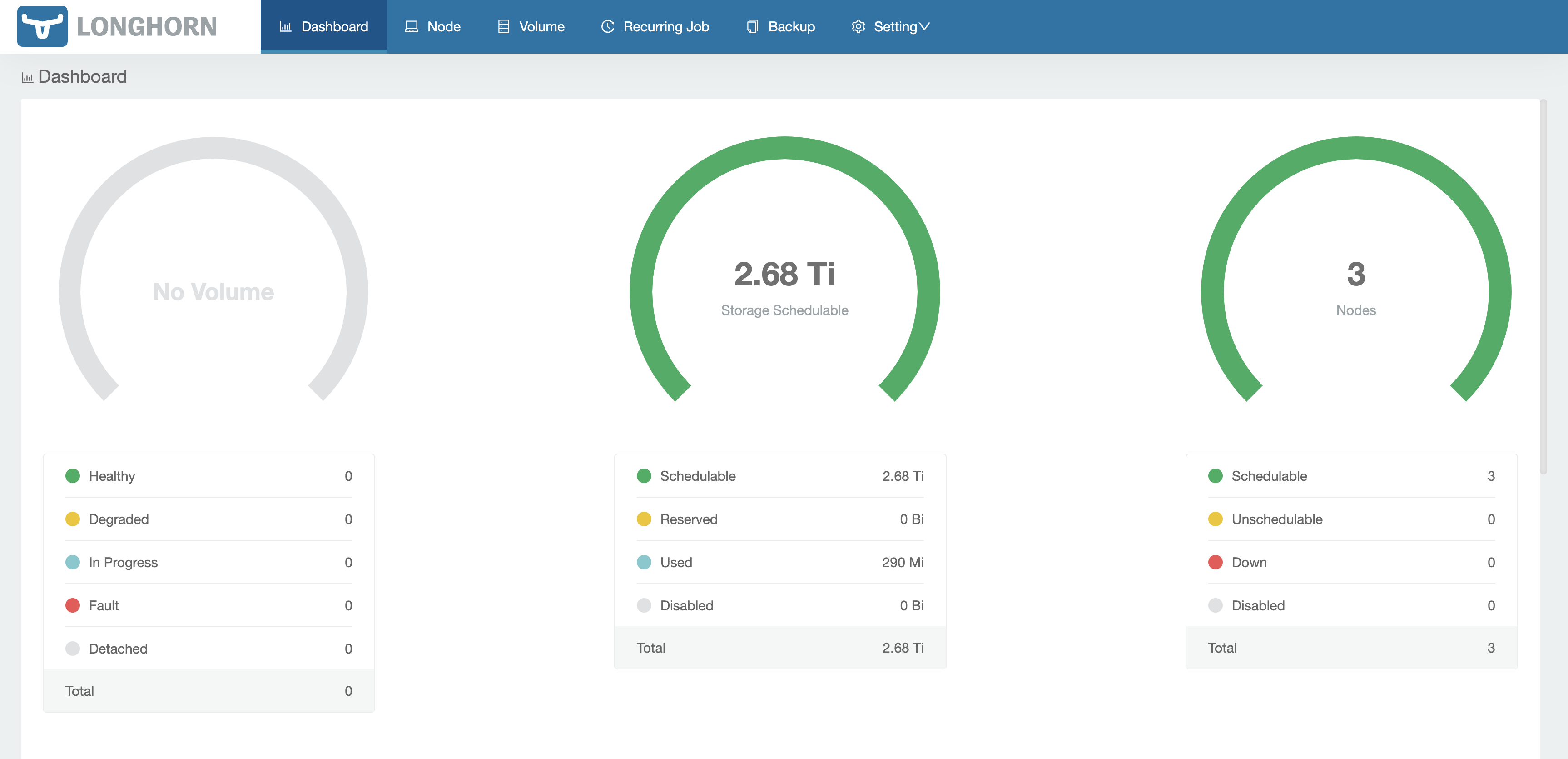 ### Configure Longhorn
By default Longhorn will save data to `/var/lib/longhorn` which is our SD card. To make our Longhorn nodes save to our SSD go to __Node__ in tha top menu.
For each of the Longhorn nodes click on __Edit node and Disks__ in the far right. Set Scheduling to Disable and then delete the existing disk. Click __Add Disk__ set the Name to `ssd` and the Path to `/ssd`. Click save.
### Configure Longhorn
By default Longhorn will save data to `/var/lib/longhorn` which is our SD card. To make our Longhorn nodes save to our SSD go to __Node__ in tha top menu.
For each of the Longhorn nodes click on __Edit node and Disks__ in the far right. Set Scheduling to Disable and then delete the existing disk. Click __Add Disk__ set the Name to `ssd` and the Path to `/ssd`. Click save.
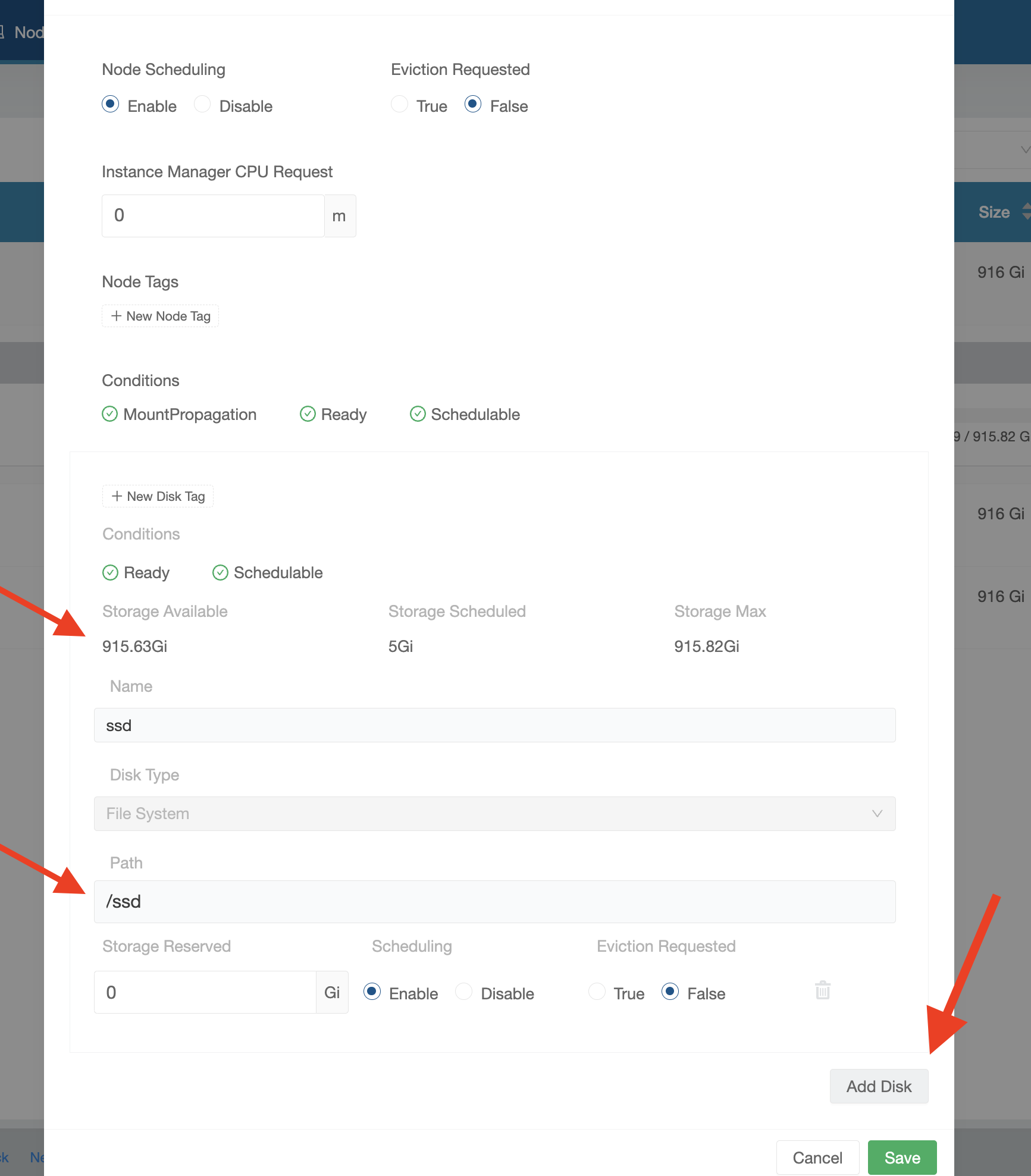 ### Set Longhorn to the default storageclass
You can set Longhorn as the default storage class by running the following
```
[Console] kubectl --kubeconfig=.kube/storage-config get storageclass
NAME PROVISIONER RECLAIMPOLICY VOLUMEBINDINGMODE ALLOWVOLUMEEXPANSION AGE
local-path (default) rancher.io/local-path Delete WaitForFirstConsumer false 2d
longhorn (default) driver.longhorn.io Delete Immediate true 2d
[Console] kubectl --kubeconfig=.kube/storage-config patch storageclass local-path -p '{"metadata": {"annotations":{"storageclass.kubernetes.io/is-default-class":"false"}}}'
storageclass.storage.k8s.io/local-path patched
[Console] kubectl --kubeconfig=.kube/storage-config get storageclass
NAME PROVISIONER RECLAIMPOLICY VOLUMEBINDINGMODE ALLOWVOLUMEEXPANSION AGE
longhorn (default) driver.longhorn.io Delete Immediate true 2d
local-path rancher.io/local-path Delete WaitForFirstConsumer false 2d
```
### Set Longhorn to the default storageclass
You can set Longhorn as the default storage class by running the following
```
[Console] kubectl --kubeconfig=.kube/storage-config get storageclass
NAME PROVISIONER RECLAIMPOLICY VOLUMEBINDINGMODE ALLOWVOLUMEEXPANSION AGE
local-path (default) rancher.io/local-path Delete WaitForFirstConsumer false 2d
longhorn (default) driver.longhorn.io Delete Immediate true 2d
[Console] kubectl --kubeconfig=.kube/storage-config patch storageclass local-path -p '{"metadata": {"annotations":{"storageclass.kubernetes.io/is-default-class":"false"}}}'
storageclass.storage.k8s.io/local-path patched
[Console] kubectl --kubeconfig=.kube/storage-config get storageclass
NAME PROVISIONER RECLAIMPOLICY VOLUMEBINDINGMODE ALLOWVOLUMEEXPANSION AGE
longhorn (default) driver.longhorn.io Delete Immediate true 2d
local-path rancher.io/local-path Delete WaitForFirstConsumer false 2d
```