Repository: b3nguang/Ollama-Scan
Branch: main
Commit: 485934a931c9
Files: 9
Total size: 80.1 KB
Directory structure:
gitextract__e2c2ppr/

├── .gitignore
├── .python-version
├── LICENSE
├── README.md
├── fofa_Ollama.py
├── main.py
├── ollamaAPI说明.md
├── pyproject.toml
└── requirements.txt
================================================
FILE CONTENTS
================================================
================================================
FILE: .gitignore
================================================
# Byte-compiled / optimized / DLL files
__pycache__/
*.py[cod]
*$py.class
# C extensions
*.so
# Distribution / packaging
.Python
build/
develop-eggs/
dist/
downloads/
eggs/
.eggs/
lib/
lib64/
parts/
sdist/
var/
wheels/
share/python-wheels/
*.egg-info/
.installed.cfg
*.egg
MANIFEST
# PyInstaller
# Usually these files are written by a python script from a template
# before PyInstaller builds the exe, so as to inject date/other infos into it.
*.manifest
*.spec
# Installer logs
pip-log.txt
pip-delete-this-directory.txt
# Unit test / coverage reports
htmlcov/
.tox/
.nox/
.coverage
.coverage.*
.cache
nosetests.xml
coverage.xml
*.cover
*.py,cover
.hypothesis/
.pytest_cache/
cover/
# Translations
*.mo
*.pot
# Django stuff:
*.log
local_settings.py
db.sqlite3
db.sqlite3-journal
# Flask stuff:
instance/
.webassets-cache
# Scrapy stuff:
.scrapy
# Sphinx documentation
docs/_build/
# PyBuilder
.pybuilder/
target/
# Jupyter Notebook
.ipynb_checkpoints
# IPython
profile_default/
ipython_config.py
# pyenv
# For a library or package, you might want to ignore these files since the code is
# intended to run in multiple environments; otherwise, check them in:
# .python-version
# pipenv
# According to pypa/pipenv#598, it is recommended to include Pipfile.lock in version control.
# However, in case of collaboration, if having platform-specific dependencies or dependencies
# having no cross-platform support, pipenv may install dependencies that don't work, or not
# install all needed dependencies.
#Pipfile.lock
# UV
# Similar to Pipfile.lock, it is generally recommended to include uv.lock in version control.
# This is especially recommended for binary packages to ensure reproducibility, and is more
# commonly ignored for libraries.
#uv.lock
# poetry
# Similar to Pipfile.lock, it is generally recommended to include poetry.lock in version control.
# This is especially recommended for binary packages to ensure reproducibility, and is more
# commonly ignored for libraries.
# https://python-poetry.org/docs/basic-usage/#commit-your-poetrylock-file-to-version-control
#poetry.lock
# pdm
# Similar to Pipfile.lock, it is generally recommended to include pdm.lock in version control.
#pdm.lock
# pdm stores project-wide configurations in .pdm.toml, but it is recommended to not include it
# in version control.
# https://pdm.fming.dev/latest/usage/project/#working-with-version-control
.pdm.toml
.pdm-python
.pdm-build/
# PEP 582; used by e.g. github.com/David-OConnor/pyflow and github.com/pdm-project/pdm
__pypackages__/
# Celery stuff
celerybeat-schedule
celerybeat.pid
# SageMath parsed files
*.sage.py
# Environments
.env
.venv
env/
venv/
ENV/
env.bak/
venv.bak/
# Spyder project settings
.spyderproject
.spyproject
# Rope project settings
.ropeproject
# mkdocs documentation
/site
# mypy
.mypy_cache/
.dmypy.json
dmypy.json
# Pyre type checker
.pyre/
# pytype static type analyzer
.pytype/
# Cython debug symbols
cython_debug/
# PyCharm
# JetBrains specific template is maintained in a separate JetBrains.gitignore that can
# be found at https://github.com/github/gitignore/blob/main/Global/JetBrains.gitignore
# and can be added to the global gitignore or merged into this file. For a more nuclear
# option (not recommended) you can uncomment the following to ignore the entire idea folder.
#.idea/
# PyPI configuration file
.pypirc
================================================
FILE: .python-version
================================================
3.12
================================================
FILE: LICENSE
================================================
MIT License
Copyright (c) 2025 本光
Permission is hereby granted, free of charge, to any person obtaining a copy
of this software and associated documentation files (the "Software"), to deal
in the Software without restriction, including without limitation the rights
to use, copy, modify, merge, publish, distribute, sublicense, and/or sell
copies of the Software, and to permit persons to whom the Software is
furnished to do so, subject to the following conditions:
The above copyright notice and this permission notice shall be included in all
copies or substantial portions of the Software.
THE SOFTWARE IS PROVIDED "AS IS", WITHOUT WARRANTY OF ANY KIND, EXPRESS OR
IMPLIED, INCLUDING BUT NOT LIMITED TO THE WARRANTIES OF MERCHANTABILITY,
FITNESS FOR A PARTICULAR PURPOSE AND NONINFRINGEMENT. IN NO EVENT SHALL THE
AUTHORS OR COPYRIGHT HOLDERS BE LIABLE FOR ANY CLAIM, DAMAGES OR OTHER
LIABILITY, WHETHER IN AN ACTION OF CONTRACT, TORT OR OTHERWISE, ARISING FROM,
OUT OF OR IN CONNECTION WITH THE SOFTWARE OR THE USE OR OTHER DEALINGS IN THE
SOFTWARE.
================================================
FILE: README.md
================================================
# Ollama-Scan
> 由于 Ollama 内部没有鉴权方式,我重构了一下代码,变成了命令行交互式的工具,提供自动补全。这是练手的工具,大家如果觉得好用可以多多 star,~~如果能冲到 100 个 star 那就更好了(~~,已经 100 star 了,感谢佬友们支持,如果有觉得不好用的地方还请多多提 issue
>
> Ollama 服务器发现我一般会使用 https://hunter.qianxin.com 配合语法 `app.name=“Ollama Server”&&is_domain=“False”`
一个基于 Ollama 的命令行工具,提供友好的交互式界面来管理和使用 Ollama 模型。


## ✨ 功能特性
- 📃 列出所有可用的模型
- 📥 拉取新的模型
- 🔍 查看模型详细信息
- 💬 与模型进行对话
- ⚡️ 查看运行中的模型进程
- 🎨 美观的命令行界面(使用 Rich 库)
- 🔄 交互式命令补全
## 🚀 安装
1. 克隆仓库:
```bash
git clone https://github.com/b3nguang/Ollama-Scan.git
cd Ollama-Scan
```
2. 安装依赖:
```bash
pip install -r requirements.txt
```
## 📖 使用方法
运行程序:
```bash
python main.py [--host HOST]
```
### 可用命令:
- `list` - 📃 列出所有可用模型
- `pull <model_name>` - 📥 拉取指定模型
- `show <model_name>` - 🔍 显示模型详细信息
- `chat <model_name>` - 💬 与指定模型对话
- `ps` - ⚡️ 显示运行中的模型进程
- `help` - ❓ 显示帮助信息
- `exit` - 🚪 退出程序
## 🛠️ 环境要求
- Python 3.6+
- Ollama 服务器
## 📝 作者
- b3nguang
## 📄 许可证
本项目采用 MIT 许可证
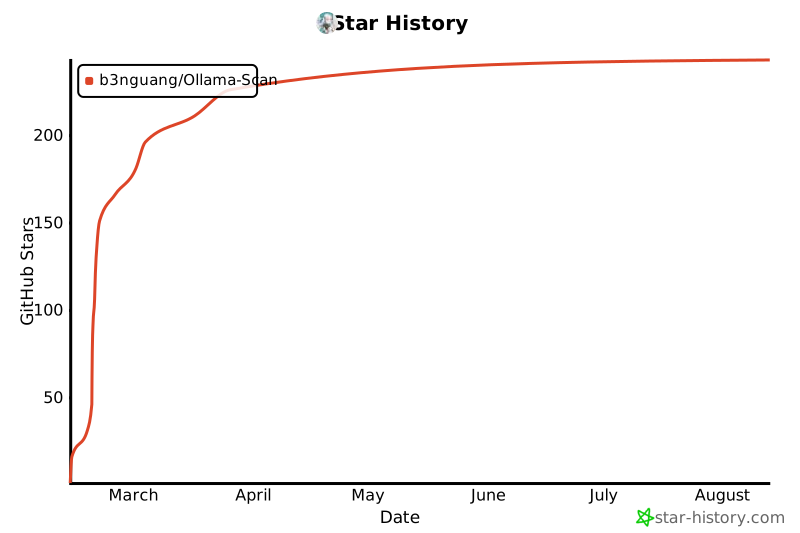
## 🌟 Star History
================================================
FILE: fofa_Ollama.py
================================================
"""
FOFA 查询与导出工具
描述:
本脚本用于通过 FOFA API 查询指定语法(如 `app="Ollama"`)的结果,并导出符合条件的链接。
支持自定义查询语句和导出条数,同时会检查每个链接是否为有效的 Ollama 服务,并将结果保存到本地文件。
功能:
1. 通过 FOFA API 查询指定语法的结果。
2. 检查查询结果中的链接是否为有效的 Ollama 服务。
3. 将有效的 Ollama 服务链接及其模型信息保存到本地文件。
4. 支持自定义查询语句和导出条数。
使用示例:
python3 fofa_Ollama.py -q -n 100
python3 fofa_Ollama.py --query --number 500
参数:
-q, --query FOFA 查询语句(默认:'app="Ollama"')
-n, --number 导出条数(默认:500)
作者: ruoji
时间: 2025-02-28
Github:https://github.com/RuoJi6
版本: 1.0
"""
import argparse
import base64
import csv
import os
from datetime import datetime
import httpx
import urllib3
# 禁用 InsecureRequestWarning 警告
urllib3.disable_warnings(urllib3.exceptions.InsecureRequestWarning)
fofa_key = "" # fofa_key 需要配置这个key!!!!!!!!!!!!!!!!!!!!!!!!!
class Colorpr:
@staticmethod
def color_red(test):
return f"\033[1;31m{test}\033[0m"
@staticmethod
def color_red_bd(test):
return f"[\033[1;31m+\033[0m] {test}"
@staticmethod
def color_blue_bd(test):
return f"[\033[34m-\033[0m] {test}"
@staticmethod
def color_blue(test):
return f"\033[34m{test}\033[0m"
@staticmethod
def color_yellow(test):
return f"\033[33m{test}\033[0m"
@staticmethod
def color_purple(test):
return f"\033[35m{test}\033[0m"
def formatted_time():
"""
功能描述: 返回系统当前时间 time:2024-12-07 19:15:31
参数:
返回值:
异常描述:
调用演示:
time_data = self.formatted_time()
"""
# 获取当前时间
now = datetime.now()
# 定义时间格式
time_format = "%Y-%m-%d %H:%M:%S"
# 按照定义的格式对当前时间进行格式化
return (
str(now.strftime(time_format))
.replace("http://", "")
.replace("https://", "")
.replace("/", "")
.replace(".", "_")
.replace(":", "_")
.replace("-", "_")
.replace(" ", "_")
)
def get_base64(value_b64encode=None, value_b64decode=None):
"""
功能描述: 加密解密base64
参数:
value_b64encode : 加密
value_b64decode : 解密
返回值:
异常描述:
调用演示:
fofa = self.get_config('fofa')
"""
if value_b64encode is not None:
# 进行Base64编码
return base64.b64encode(value_b64encode.encode("utf-8")).decode("utf-8")
elif value_b64decode is not None:
# 进行Base64解密
return base64.b64decode(value_b64decode).decode("utf-8")
def fofa_query(query, number):
number = int(number)
value_list = 0
data_list = []
# 使用httpx客户端,设置默认验证为False
with httpx.Client(verify=False) as client:
fofa_user_info = client.get(f"https://fofa.info/api/v1/info/my?key={fofa_key}")
if fofa_user_info.json()["error"] is not True:
i = 1
while True:
qbase64 = get_base64(query)
data = client.get(f"https://fofa.info/api/v1/search/all?&key={fofa_key}&qbase64={qbase64}&fields=link&page={i}&size={number}")
if data.json()["error"] is not True:
i = i + 1
value_list = value_list + len(data.json()["results"])
data_list.extend(data.json()["results"])
else:
print(f"[{Colorpr.color_blue('-')}]FOFA ERROR:" + data.json()["errmsg"])
break
print(f"[{Colorpr.color_red('+')}]导出fofa条数:{value_list}")
if value_list >= number:
break
return data_list
else:
print(f"[{Colorpr.color_blue('-')}]FOFA ERROR:" + fofa_user_info.json()["errmsg"])
if fofa_user_info.json()["errmsg"] == "[-700] 账号无效":
print(f"[{Colorpr.color_blue('-')}]配置FOFA KEY")
exit(0)
def fofa_check(fofa_data):
file_time_name = formatted_time() + ".txt"
csv_file_name = formatted_time() + ".csv"
# 创建CSV文件并写入表头
with open(csv_file_name, "a", newline="") as fcsv:
csv_writer = csv.writer(fcsv)
csv_writer.writerow(["IP", "URL", "模型名称"])
# 使用httpx客户端,设置默认超时和验证为False
with httpx.Client(timeout=30, verify=False) as client:
for url in fofa_data:
try:
fofa_url_data = client.get(url=url + "/api/tags")
fofa_url_data_json = fofa_url_data.json()
if len(fofa_url_data_json["models"]):
# 从URL中提取IP
ip = url.replace("http://", "").replace("https://", "").split(":")[0]
print(f"[{Colorpr.color_red('+')}]Ollama: " + url + " 模型数量:" + str(len(fofa_url_data_json["models"])))
# 写入TXT文件
with open(file_time_name, "a") as fOllama:
fOllama.write(url + "\n")
for models in fofa_url_data_json["models"]:
fOllama.write(str(models) + "\n")
fOllama.write("---------------------------------------\n\n")
# 写入CSV文件
with open(csv_file_name, "a", newline="") as fcsv:
csv_writer = csv.writer(fcsv)
for model in fofa_url_data_json["models"]:
csv_writer.writerow([ip, url, model["name"]])
except Exception as e:
print(f"[{Colorpr.color_blue('-')}]不存在:" + str(e))
if os.path.exists(file_time_name):
print(f"[{Colorpr.color_red('+')}]TXT文件保存为:{file_time_name}")
if os.path.exists(csv_file_name):
print(f"[{Colorpr.color_red('+')}]CSV文件保存为:{csv_file_name}")
if __name__ == "__main__":
parser = argparse.ArgumentParser(description="FOFA导出")
parser.add_argument(
"-q",
"--query",
default='app="Ollama"',
help="FOFA查询Ollama",
)
parser.add_argument(
"-n",
"--number",
default=500,
help="导出条数[默认500]",
)
# 解析命令行参数
args = parser.parse_args()
if args.query:
if os.path.exists("fofa_link.txt"):
os.remove("fofa_link.txt")
print(f"[{Colorpr.color_red('+')}]语法:" + args.query)
print(f"[{Colorpr.color_red('+')}]条数:" + str(args.number))
fofa_data_list = fofa_query(args.query, args.number)
fofa_check(fofa_data_list)
================================================
FILE: main.py
================================================
# -*- coding: utf-8 -*-
"""
@ Author: b3nguang
@ Date: 2025-02-18 12:04:37
"""
import argparse
import re
import sys
from typing import List, Tuple
import logging
import subprocess
from ollama import Client
from prompt_toolkit import PromptSession
from prompt_toolkit.completion import WordCompleter
from rich.console import Console
from rich.markdown import Markdown
from rich.panel import Panel
from rich.progress import Progress, SpinnerColumn, TextColumn
from rich.style import Style
from rich.table import Table
from httpx import Timeout, HTTPError, ReadTimeout
class OllamaShell:
def __init__(self, host: str = None):
if not host:
raise ValueError("必须提供 Ollama 服务器地址")
if not host.startswith(("http://", "https://")):
raise ValueError("服务器地址必须以 http:// 或 https:// 开头")
# 保存 host 地址
self.host = host
# 根据协议决定是否验证证书
self.verify_ssl = not (host.startswith("https://") and ":" in host.split("://")[1].split("/")[0])
self.client = Client(
host=host,
timeout=Timeout(30.0),
verify=self.verify_ssl
)
self.console = Console()
self.commands = {
"list": (self.list_models, "📃 列出可用模型"),
"pull": (self.pull_model, "📥 拉取模型"),
"show": (self.show_model, "🔍 显示模型详情"),
"chat": (self.chat_with_model, "💬 与模型对话"),
"ps": (self.show_processes, "⚡️ 显示运行中的模型"),
"help": (self.show_help, "❓ 显示帮助信息"),
"exit": (self.exit_shell, "🚪 退出程序"),
"rm": (self.delete_model, "🗑️ 删除指定模型"),
"version": (self.show_version, "📌 显示版本信息"),
}
def list_models(self, *args: List[str]) -> None:
"""列出所有可用的模型"""
try:
with Progress(
SpinnerColumn(),
TextColumn("[bold blue]获取模型列表..."),
transient=True,
) as progress:
progress.add_task("fetch")
models = self.client.list()
# self.console.print(
# f"[dim]DEBUG: type={type(models)}, value={models}[/dim]"
# )
table = Table(
title="📃 可用模型列表",
show_header=True,
header_style="bold magenta",
show_lines=True,
)
table.add_column("🤖 模型名称", style="cyan")
table.add_column("💾 大小", justify="right", style="green")
table.add_column("📅 修改时间", justify="right", style="yellow")
table.add_column("📋 格式", style="magenta")
table.add_column("🧩 参数量", style="blue")
table.add_column("🏷️ 量化等级", style="red")
if not models:
self.console.print("[red]❗️ 未找到模型[/red]")
return
# 处理模型列表
if hasattr(models, "models"):
model_list = models.models
elif isinstance(models, list):
model_list = models
else:
self.console.print(f"[yellow]⚠️ 返回值格式异常: {models}[/yellow]")
return
for model in model_list:
try:
# 获取基本信息
name = model.model
size = model.size
modified = model.modified_at
details = model.details
# 格式化大小
size_str = f"{size / (1024 * 1024 * 1024):.1f}GB" if size else "Unknown"
# 格式化时间
modified_str = modified.strftime("%Y-%m-%d %H:%M") if modified else "Unknown"
# 获取详细信息
format_str = details.format if details else "Unknown"
param_size = details.parameter_size if details else "Unknown"
quant_level = details.quantization_level if details else "Unknown"
# 添加到表格
table.add_row(
name,
size_str,
modified_str,
format_str,
str(param_size),
str(quant_level),
)
except Exception as e:
self.console.print(f"[yellow]⚠️ 警告: 处理模型信息时出错: {str(e)}[/yellow]")
continue
self.console.print(table)
except ConnectionError:
self.console.print("[red]连接服务器失败[/red]")
except TimeoutError:
self.console.print("[red]请求超时[/red]")
except HTTPError as e:
self.console.print(f"[red]HTTP 错误: {e.response.status_code}[/red]")
except Exception as e:
self.console.print("[red]发生未知错误[/red]")
logging.error(f"Unexpected error: {str(e)}")
def pull_model(self, *args: List[str]) -> None:
"""拉取指定的模型"""
if not args:
self.console.print("[red]错误: 请指定模型名称[/red]")
return
model_name = args[0]
# 修改模型名称验证,允许更多字符
if not re.match(r'^[a-zA-Z0-9_\-\./:]+$', model_name):
self.console.print("[red]错误: 模型名称包含非法字符[/red]")
return
self.console.print(f"\n[bold]📥 开始拉取模型: {model_name}[/bold]")
try:
with Progress(TextColumn("[bold blue]{task.description}"), transient=False) as progress:
task = progress.add_task("拉取中...", total=None)
for info in self.client.pull(model_name, stream=True):
if "status" in info:
progress.update(task, description=f"状态: {info['status']}")
if "completed" in info:
progress.update(
task,
description=f"进度: {info['completed']}/{info['total']} layers",
)
self.console.print("[green]✅ 模型拉取完成![/green]")
except ConnectionError:
self.console.print("[red]连接服务器失败[/red]")
except TimeoutError:
self.console.print("[red]请求超时[/red]")
except HTTPError as e:
self.console.print(f"[red]HTTP 错误: {e.response.status_code}[/red]")
except Exception as e:
self.console.print("[red]发生未知错误[/red]")
logging.error(f"Unexpected error: {str(e)}")
def show_model(self, *args: List[str]) -> None:
"""显示模型详细信息"""
if not args:
self.console.print("[red]错误: 请指定模型名称[/red]")
return
model_name = args[0]
try:
with Progress(
SpinnerColumn(),
TextColumn(f"[bold blue]获取模型 {model_name} 的信息..."),
transient=True,
) as progress:
progress.add_task("fetch")
info = self.client.show(model_name)
# self.console.print(f"[dim]DEBUG: type={type(info)}, value={info}[/dim]")
# 构建基本信息
basic_info = (
f"\n[bold cyan]模型名称:[/bold cyan] {model_name}\n"
+ f"[bold yellow]修改时间:[/bold yellow] {info.modified_at.strftime('%Y-%m-%d %H:%M')}\n"
+ f"[bold magenta]格式:[/bold magenta] {info.details.format}\n"
+ f"[bold blue]参数量:[/bold blue] {info.details.parameter_size}\n"
+ f"[bold red]量化等级:[/bold red] {info.details.quantization_level}\n"
)
# 添加模型信息
if hasattr(info, "modelinfo") and info.modelinfo:
model_info_str = "\n[bold white]模型信息:[/bold white]\n"
for key, value in info.modelinfo.items():
model_info_str += f" {key}: {value}\n"
basic_info += model_info_str
# 添加许可证信息
if hasattr(info, "license") and info.license:
basic_info += f"\n[bold white]许可证:[/bold white]\n{info.license}\n"
panel = Panel.fit(
basic_info,
title=f"模型详情 - {model_name}",
border_style="blue",
)
self.console.print(panel)
except ConnectionError:
self.console.print("[red]连接服务器失败[/red]")
except TimeoutError:
self.console.print("[red]请求超时[/red]")
except HTTPError as e:
self.console.print(f"[red]HTTP 错误: {e.response.status_code}[/red]")
except Exception as e:
self.console.print("[red]发生未知错误[/red]")
logging.error(f"Unexpected error: {str(e)}")
def show_processes(self, *args: List[str]) -> None:
"""显示运行中的模型进程"""
try:
with Progress(
SpinnerColumn(),
TextColumn("[bold blue]获取运行中的模型..."),
transient=True,
) as progress:
progress.add_task("fetch")
response = self.client.ps()
if not response or not hasattr(response, "models") or not response.models:
self.console.print("[yellow]⚠️ 没有正在运行的模型[/yellow]")
return
table = Table(
title="⚡️ 运行中的模型",
show_header=True,
header_style="bold magenta",
show_lines=True,
)
table.add_column("🤖 模型名称", style="cyan")
table.add_column("💾 模型大小", style="green")
table.add_column("📂 格式", style="yellow")
table.add_column("🧩 参数量", style="blue")
table.add_column("🏷️ 量化等级", style="red")
table.add_column("⏳ 过期时间", style="magenta")
for model in response.models:
# 格式化大小(转换为GB)
size_gb = model.size / (1024 * 1024 * 1024)
size_str = f"{size_gb:.1f}GB"
# 格式化过期时间
expires_str = model.expires_at.strftime("%Y-%m-%d %H:%M:%S") if model.expires_at else "Unknown"
table.add_row(
model.name,
size_str,
model.details.format if model.details else "Unknown",
model.details.parameter_size if model.details else "Unknown",
model.details.quantization_level if model.details else "Unknown",
expires_str,
)
self.console.print(table)
except ConnectionError:
self.console.print("[red]连接服务器失败[/red]")
except TimeoutError:
self.console.print("[red]请求超时[/red]")
except HTTPError as e:
self.console.print(f"[red]HTTP 错误: {e.response.status_code}[/red]")
except Exception as e:
self.console.print("[red]发生未知错误[/red]")
logging.error(f"Unexpected error: {str(e)}")
def chat_with_model(self, *args: List[str]) -> None:
"""与模型进行对话"""
if not args:
self.console.print("[red]错误: 请指定模型名称[/red]")
return
model_name = args[0]
self.console.print(f"\n[bold]💬 开始与 {model_name} 对话[/bold]")
self.console.print("[dim]🚪 输入 'exit' 结束对话[/dim]")
# 创建对话会话
chat_session = PromptSession()
while True:
try:
# 获取用户输入
message = chat_session.prompt("\n👤 你> ")
if message.lower() == "exit":
break
self.console.print("\n[bold blue]🤖 AI[/bold blue]")
with Progress(
SpinnerColumn(),
TextColumn("[bold blue]🤔 思考中..."),
transient=True,
) as progress:
progress.add_task("think")
stream = self.client.chat(
model=model_name,
messages=[{"role": "user", "content": message}],
stream=True,
)
response = ""
for chunk in stream:
content = chunk["message"]["content"]
response += content
# 处理思考标签
think_pattern = r"<think>(.*?)</think>"
parts = re.split(think_pattern, response, flags=re.DOTALL)
for i, part in enumerate(parts):
if i % 2 == 1: # 思考内容
think_panel = Panel(Markdown(part.strip()), title="思考过程", style=Style(color="grey70", italic=True), border_style="grey50")
self.console.print(think_panel)
self.console.print() # 添加空行
else: # 普通内容
if part.strip():
md = Markdown(part.strip())
self.console.print(md)
except KeyboardInterrupt:
self.console.print("\n[yellow]⛔️ 对话已取消[/yellow]")
break
except EOFError:
self.console.print("\n[yellow]👋 再见![/yellow]")
break
except ConnectionError:
self.console.print("[red]连接服务器失败[/red]")
break
except (TimeoutError, ReadTimeout):
self.console.print("[red]请求超时,请检查网络连接或服务器状态[/red]")
break
except HTTPError as e:
self.console.print(f"[red]HTTP 错误: {e.response.status_code}[/red]")
break
except Exception as e:
self.console.print(f"[red]发生未知错误: {str(e)}[/red]")
logging.error(f"Unexpected error: {str(e)}")
break
def show_help(self, *args: List[str]) -> None:
"""显示帮助信息"""
table = Table(title="✨ 命令列表", show_header=True, header_style="bold magenta")
table.add_column("📝 命令", style="cyan")
table.add_column("📄 说明", style="green")
table.add_column("用法", style="yellow", justify="left")
commands_help = [
("list", "📃 列出所有可用的模型", "list"),
("pull", "📥 拉取指定的模型", "pull <model_name>"),
("show", "🔍 显示模型详细信息", "show <model_name>"),
("chat", "💬 与模型进行对话", "chat <model_name>"),
("ps", "⚡️ 显示运行中的模型", "ps"),
("rm", "🗑️ 删除指定模型","rm <model_name>"),
("version", "📌 显示版本信息", "version"),
("help", "❓ 显示帮助信息", "help"),
("exit", "🚪 退出程序", "exit"),
]
for cmd, desc, usage in commands_help:
table.add_row(cmd, desc, usage)
self.console.print(table)
def exit_shell(self, *args: List[str]) -> None:
"""退出程序"""
self.console.print("[yellow]👋 再见!✨[/yellow]")
sys.exit(0)
def get_model_list(self) -> List[str]:
"""获取模型列表"""
try:
models = self.client.list()
if hasattr(models, "models"):
return [model.model for model in models.models]
elif isinstance(models, list):
return [model.model for model in models]
return []
except Exception:
return []
def get_command_completer(self) -> WordCompleter:
"""创建命令补全器"""
# 获取所有命令
commands = list(self.commands.keys())
# 获取所有模型
models = self.get_model_list()
# 创建补全器
word_list = commands + [f"{cmd} {model}" for cmd in ["chat", "show", "pull"] for model in models]
return WordCompleter(word_list, ignore_case=True)
def run(self) -> None:
"""运行交互式shell"""
self.console.print(
Panel.fit(
"👋 欢迎使用 Ollama Shell!输入 'help' 查看可用命令 ✨",
title="🤖 Ollama Shell",
border_style="green",
)
)
# 创建命令行会话
session = PromptSession()
while True:
try:
# 获取最新的补全器
completer = self.get_command_completer()
# 显示提示符并等待输入
command = session.prompt(
"\n🤖 ollama> ",
completer=completer,
complete_while_typing=True,
)
args = command.strip().split()
if not args:
continue
cmd, *cmd_args = args
if cmd in self.commands:
func, _ = self.commands[cmd]
func(*cmd_args)
else:
self.console.print(f"[red]❌ 未知命令: {cmd}[/red]")
self.console.print("[yellow]❓ 输入 'help' 查看可用命令[/yellow]")
except KeyboardInterrupt:
self.console.print("\n[yellow]⛔️ 操作已取消[/yellow]")
continue
except EOFError:
self.console.print("\n[yellow]👋 再见!✨[/yellow]")
break
except ConnectionError:
self.console.print("[red]连接服务器失败[/red]")
except TimeoutError:
self.console.print("[red]请求超时[/red]")
except HTTPError as e:
self.console.print(f"[red]HTTP 错误: {e.response.status_code}[/red]")
except Exception as e:
self.console.print("[red]发生未知错误[/red]")
logging.error(f"Unexpected error: {str(e)}")
break
def delete_model(self, *args: List[str]) -> None:
"""删除指定的模型"""
if not args:
self.console.print("[red]错误: 请指定要删除的模型名称[/red]")
return
model_name = args[0]
# 修改模型名称验证,允许更多字符
if not re.match(r'^[a-zA-Z0-9_\-\./:]+$', model_name):
self.console.print("[red]错误: 模型名称包含非法字符[/red]")
return
try:
# 确认删除
self.console.print(f"\n[yellow]⚠️ 确定要删除模型 {model_name} 吗?这个操作不可恢复![/yellow]")
self.console.print("[dim]输入 'yes' 确认删除,其他输入取消[/dim]")
# 创建确认会话
confirm_session = PromptSession()
confirm = confirm_session.prompt("\n确认> ")
if confirm.lower() != 'yes':
self.console.print("[yellow]已取消删除操作[/yellow]")
return
with Progress(
SpinnerColumn(),
TextColumn(f"[bold red]正在删除模型 {model_name}..."),
transient=True,
) as progress:
progress.add_task("delete")
self.client.delete(model_name)
self.console.print(f"[green]✅ 模型 {model_name} 已成功删除![/green]")
except ConnectionError:
self.console.print("[red]连接服务器失败[/red]")
except TimeoutError:
self.console.print("[red]请求超时[/red]")
except HTTPError as e:
self.console.print(f"[red]HTTP 错误: {e.response.status_code}[/red]")
except Exception as e:
self.console.print("[red]发生未知错误[/red]")
logging.error(f"Unexpected error: {str(e)}")
def show_version(self, *args: List[str]) -> None:
"""显示 Ollama 版本信息"""
try:
with Progress(
SpinnerColumn(),
TextColumn("[bold blue]获取版本信息..."),
transient=True,
) as progress:
progress.add_task("fetch")
# 使用保存的 verify_ssl 设置
import httpx
response = httpx.get(
f"{self.host}/api/version",
verify=self.verify_ssl
)
response.raise_for_status()
data = response.json()
if not data or 'version' not in data:
self.console.print("[yellow]⚠️ 无法获取版本信息[/yellow]")
return
version = data['version']
# 创建面板显示版本信息
panel = Panel.fit(
f"[bold cyan]Ollama 版本:[/bold cyan] {version}",
title="📌 版本信息",
border_style="green"
)
self.console.print(panel)
except ConnectionError:
self.console.print("[red]连接服务器失败[/red]")
except TimeoutError:
self.console.print("[red]请求超时[/red]")
except HTTPError as e:
self.console.print(f"[red]HTTP 错误: {e.response.status_code}[/red]")
except Exception as e:
self.console.print("[red]获取版本信息时发生错误[/red]")
logging.error(f"Version info error: {str(e)}")
def main():
# 创建命令行解析器
parser = argparse.ArgumentParser(description="Ollama Shell - 一个功能强大的 Ollama 命令行工具")
parser.add_argument(
"-H",
"--host",
default="http://localhost:11434",
help="Ollama 服务器地址,默认为 http://localhost:11434",
)
# 解析命令行参数
args = parser.parse_args()
# 创建 shell 实例
shell = OllamaShell(host=args.host)
shell.run()
if __name__ == "__main__":
main()
================================================
FILE: ollamaAPI说明.md
================================================
# API
## Endpoints
- [Generate a completion](#generate-a-completion)
- [Generate a chat completion](#generate-a-chat-completion)
- [Create a Model](#create-a-model)
- [List Local Models](#list-local-models)
- [Show Model Information](#show-model-information)
- [Copy a Model](#copy-a-model)
- [Delete a Model](#delete-a-model)
- [Pull a Model](#pull-a-model)
- [Push a Model](#push-a-model)
- [Generate Embeddings](#generate-embeddings)
- [List Running Models](#list-running-models)
- [Version](#version)
## Conventions
### Model names
Model names follow a `model:tag` format, where `model` can have an optional namespace such as `example/model`. Some examples are `orca-mini:3b-q4_1` and `llama3:70b`. The tag is optional and, if not provided, will default to `latest`. The tag is used to identify a specific version.
### Durations
All durations are returned in nanoseconds.
### Streaming responses
Certain endpoints stream responses as JSON objects. Streaming can be disabled by providing `{"stream": false}` for these endpoints.
## Generate a completion
```
POST /api/generate
```
Generate a response for a given prompt with a provided model. This is a streaming endpoint, so there will be a series of responses. The final response object will include statistics and additional data from the request.
### Parameters
- `model`: (required) the [model name](#model-names)
- `prompt`: the prompt to generate a response for
- `suffix`: the text after the model response
- `images`: (optional) a list of base64-encoded images (for multimodal models such as `llava`)
Advanced parameters (optional):
- `format`: the format to return a response in. Format can be `json` or a JSON schema
- `options`: additional model parameters listed in the documentation for the [Modelfile](./modelfile.md#valid-parameters-and-values) such as `temperature`
- `system`: system message to (overrides what is defined in the `Modelfile`)
- `template`: the prompt template to use (overrides what is defined in the `Modelfile`)
- `stream`: if `false` the response will be returned as a single response object, rather than a stream of objects
- `raw`: if `true` no formatting will be applied to the prompt. You may choose to use the `raw` parameter if you are specifying a full templated prompt in your request to the API
- `keep_alive`: controls how long the model will stay loaded into memory following the request (default: `5m`)
- `context` (deprecated): the context parameter returned from a previous request to `/generate`, this can be used to keep a short conversational memory
#### Structured outputs
Structured outputs are supported by providing a JSON schema in the `format` parameter. The model will generate a response that matches the schema. See the [structured outputs](#request-structured-outputs) example below.
#### JSON mode
Enable JSON mode by setting the `format` parameter to `json`. This will structure the response as a valid JSON object. See the JSON mode [example](#request-json-mode) below.
> [!IMPORTANT]
> It's important to instruct the model to use JSON in the `prompt`. Otherwise, the model may generate large amounts whitespace.
### Examples
#### Generate request (Streaming)
##### Request
```shell
curl http://localhost:11434/api/generate -d '{
"model": "llama3.2",
"prompt": "Why is the sky blue?"
}'
```
##### Response
A stream of JSON objects is returned:
```json
{
"model": "llama3.2",
"created_at": "2023-08-04T08:52:19.385406455-07:00",
"response": "The",
"done": false
}
```
The final response in the stream also includes additional data about the generation:
- `total_duration`: time spent generating the response
- `load_duration`: time spent in nanoseconds loading the model
- `prompt_eval_count`: number of tokens in the prompt
- `prompt_eval_duration`: time spent in nanoseconds evaluating the prompt
- `eval_count`: number of tokens in the response
- `eval_duration`: time in nanoseconds spent generating the response
- `context`: an encoding of the conversation used in this response, this can be sent in the next request to keep a conversational memory
- `response`: empty if the response was streamed, if not streamed, this will contain the full response
To calculate how fast the response is generated in tokens per second (token/s), divide `eval_count` / `eval_duration` * `10^9`.
```json
{
"model": "llama3.2",
"created_at": "2023-08-04T19:22:45.499127Z",
"response": "",
"done": true,
"context": [1, 2, 3],
"total_duration": 10706818083,
"load_duration": 6338219291,
"prompt_eval_count": 26,
"prompt_eval_duration": 130079000,
"eval_count": 259,
"eval_duration": 4232710000
}
```
#### Request (No streaming)
##### Request
A response can be received in one reply when streaming is off.
```shell
curl http://localhost:11434/api/generate -d '{
"model": "llama3.2",
"prompt": "Why is the sky blue?",
"stream": false
}'
```
##### Response
If `stream` is set to `false`, the response will be a single JSON object:
```json
{
"model": "llama3.2",
"created_at": "2023-08-04T19:22:45.499127Z",
"response": "The sky is blue because it is the color of the sky.",
"done": true,
"context": [1, 2, 3],
"total_duration": 5043500667,
"load_duration": 5025959,
"prompt_eval_count": 26,
"prompt_eval_duration": 325953000,
"eval_count": 290,
"eval_duration": 4709213000
}
```
#### Request (with suffix)
##### Request
```shell
curl http://localhost:11434/api/generate -d '{
"model": "codellama:code",
"prompt": "def compute_gcd(a, b):",
"suffix": " return result",
"options": {
"temperature": 0
},
"stream": false
}'
```
##### Response
```json
{
"model": "codellama:code",
"created_at": "2024-07-22T20:47:51.147561Z",
"response": "\n if a == 0:\n return b\n else:\n return compute_gcd(b % a, a)\n\ndef compute_lcm(a, b):\n result = (a * b) / compute_gcd(a, b)\n",
"done": true,
"done_reason": "stop",
"context": [...],
"total_duration": 1162761250,
"load_duration": 6683708,
"prompt_eval_count": 17,
"prompt_eval_duration": 201222000,
"eval_count": 63,
"eval_duration": 953997000
}
```
#### Request (Structured outputs)
##### Request
```shell
curl -X POST http://localhost:11434/api/generate -H "Content-Type: application/json" -d '{
"model": "llama3.1:8b",
"prompt": "Ollama is 22 years old and is busy saving the world. Respond using JSON",
"stream": false,
"format": {
"type": "object",
"properties": {
"age": {
"type": "integer"
},
"available": {
"type": "boolean"
}
},
"required": [
"age",
"available"
]
}
}'
```
##### Response
```json
{
"model": "llama3.1:8b",
"created_at": "2024-12-06T00:48:09.983619Z",
"response": "{\n \"age\": 22,\n \"available\": true\n}",
"done": true,
"done_reason": "stop",
"context": [1, 2, 3],
"total_duration": 1075509083,
"load_duration": 567678166,
"prompt_eval_count": 28,
"prompt_eval_duration": 236000000,
"eval_count": 16,
"eval_duration": 269000000
}
```
#### Request (JSON mode)
> [!IMPORTANT]
> When `format` is set to `json`, the output will always be a well-formed JSON object. It's important to also instruct the model to respond in JSON.
##### Request
```shell
curl http://localhost:11434/api/generate -d '{
"model": "llama3.2",
"prompt": "What color is the sky at different times of the day? Respond using JSON",
"format": "json",
"stream": false
}'
```
##### Response
```json
{
"model": "llama3.2",
"created_at": "2023-11-09T21:07:55.186497Z",
"response": "{\n\"morning\": {\n\"color\": \"blue\"\n},\n\"noon\": {\n\"color\": \"blue-gray\"\n},\n\"afternoon\": {\n\"color\": \"warm gray\"\n},\n\"evening\": {\n\"color\": \"orange\"\n}\n}\n",
"done": true,
"context": [1, 2, 3],
"total_duration": 4648158584,
"load_duration": 4071084,
"prompt_eval_count": 36,
"prompt_eval_duration": 439038000,
"eval_count": 180,
"eval_duration": 4196918000
}
```
The value of `response` will be a string containing JSON similar to:
```json
{
"morning": {
"color": "blue"
},
"noon": {
"color": "blue-gray"
},
"afternoon": {
"color": "warm gray"
},
"evening": {
"color": "orange"
}
}
```
#### Request (with images)
To submit images to multimodal models such as `llava` or `bakllava`, provide a list of base64-encoded `images`:
#### Request
```shell
curl http://localhost:11434/api/generate -d '{
"model": "llava",
"prompt":"What is in this picture?",
"stream": false,
"images": ["iVBORw0KGgoAAAANSUhEUgAAAG0AAABmCAYAAADBPx+VAAAACXBIWXMAAAsTAAALEwEAmpwYAAAAAXNSR0IArs4c6QAAAARnQU1BAACxjwv8YQUAAA3VSURBVHgB7Z27r0zdG8fX743i1bi1ikMoFMQloXRpKFFIqI7LH4BEQ+NWIkjQuSWCRIEoULk0gsK1kCBI0IhrQVT7tz/7zZo888yz1r7MnDl7z5xvsjkzs2fP3uu71nNfa7lkAsm7d++Sffv2JbNmzUqcc8m0adOSzZs3Z+/XES4ZckAWJEGWPiCxjsQNLWmQsWjRIpMseaxcuTKpG/7HP27I8P79e7dq1ars/yL4/v27S0ejqwv+cUOGEGGpKHR37tzJCEpHV9tnT58+dXXCJDdECBE2Ojrqjh071hpNECjx4cMHVycM1Uhbv359B2F79+51586daxN/+pyRkRFXKyRDAqxEp4yMlDDzXG1NPnnyJKkThoK0VFd1ELZu3TrzXKxKfW7dMBQ6bcuWLW2v0VlHjx41z717927ba22U9APcw7Nnz1oGEPeL3m3p2mTAYYnFmMOMXybPPXv2bNIPpFZr1NHn4HMw0KRBjg9NuRw95s8PEcz/6DZELQd/09C9QGq5RsmSRybqkwHGjh07OsJSsYYm3ijPpyHzoiacg35MLdDSIS/O1yM778jOTwYUkKNHWUzUWaOsylE00MyI0fcnOwIdjvtNdW/HZwNLGg+sR1kMepSNJXmIwxBZiG8tDTpEZzKg0GItNsosY8USkxDhD0Rinuiko2gfL/RbiD2LZAjU9zKQJj8RDR0vJBR1/Phx9+PHj9Z7REF4nTZkxzX4LCXHrV271qXkBAPGfP/atWvu/PnzHe4C97F48eIsRLZ9+3a3f/9+87dwP1JxaF7/3r17ba+5l4EcaVo0lj3SBq5kGTJSQmLWMjgYNei2GPT1MuMqGTDEFHzeQSP2wi/jGnkmPJ/nhccs44jvDAxpVcxnq0F6eT8h4ni/iIWpR5lPyA6ETkNXoSukvpJAD3AsXLiwpZs49+fPn5ke4j10TqYvegSfn0OnafC+Tv9ooA/JPkgQysqQNBzagXY55nO/oa1F7qvIPWkRL12WRpMWUvpVDYmxAPehxWSe8ZEXL20sadYIozfmNch4QJPAfeJgW3rNsnzphBKNJM2KKODo1rVOMRYik5ETy3ix4qWNI81qAAirizgMIc+yhTytx0JWZuNI03qsrgWlGtwjoS9XwgUhWGyhUaRZZQNNIEwCiXD16tXcAHUs79co0vSD8rrJCIW98pzvxpAWyyo3HYwqS0+H0BjStClcZJT5coMm6D2LOF8TolGJtK9fvyZpyiC5ePFi9nc/oJU4eiEP0jVoAnHa9wyJycITMP78+eMeP37sXrx44d6+fdt6f82aNdkx1pg9e3Zb5W+RSRE+n+VjksQWifvVaTKFhn5O8my63K8Qabdv33b379/PiAP//vuvW7BggZszZ072/+TJk91YgkafPn166zXB1rQHFvouAWHq9z3SEevSUerqCn2/dDCeta2jxYbr69evk4MHDyY7d+7MjhMnTiTPnz9Pfv/+nfQT2ggpO2dMF8cghuoM7Ygj5iWCqRlGFml0QC/ftGmTmzt3rmsaKDsgBSPh0/8yPeLLBihLkOKJc0jp8H8vUzcxIA1k6QJ/c78tWEyj5P3o4u9+jywNPdJi5rAH9x0KHcl4Hg570eQp3+vHXGyrmEeigzQsQsjavXt38ujRo44LQuDDhw+TW7duRS1HGgMxhNXHgflaNTOsHyKvHK5Ijo2jbFjJBQK9YwFd6RVMzfgRBmEfP37suBBm/p49e1qjEP2mwTViNRo0VJWH1deMXcNK08uUjVUu7s/zRaL+oLNxz1bpANco4npUgX4G2eFbpDFyQoQxojBCpEGSytmOH8qrH5Q9vuzD6ofQylkCUmh8DBAr+q8JCyVNtWQIidKQE9wNtLSQnS4jDSsxNHogzFuQBw4cyM61UKVsjfr3ooBkPSqqQHesUPWVtzi9/vQi1T+rJj7WiTz4Pt/l3LxUkr5P2VYZaZ4URpsE+st/dujQoaBBYokbrz/8TJNQYLSonrPS9kUaSkPeZyj1AWSj+d+VBoy1pIWVNed8P0Ll/ee5HdGRhrHhR5GGN0r4LGZBaj8oFDJitBTJzIZgFcmU0Y8ytWMZMzJOaXUSrUs5RxKnrxmbb5YXO9VGUhtpXldhEUogFr3IzIsvlpmdosVcGVGXFWp2oU9kLFL3dEkSz6NHEY1sjSRdIuDFWEhd8KxFqsRi1uM/nz9/zpxnwlESONdg6dKlbsaMGS4EHFHtjFIDHwKOo46l4TxSuxgDzi+rE2jg+BaFruOX4HXa0Nnf1lwAPufZeF8/r6zD97WK2qFnGjBxTw5qNGPxT+5T/r7/7RawFC3j4vTp09koCxkeHjqbHJqArmH5UrFKKksnxrK7FuRIs8STfBZv+luugXZ2pR/pP9Ois4z+TiMzUUkUjD0iEi1fzX8GmXyuxUBRcaUfykV0YZnlJGKQpOiGB76x5GeWkWWJc3mOrK6S7xdND+W5N6XyaRgtWJFe13GkaZnKOsYqGdOVVVbGupsyA/l7emTLHi7vwTdirNEt0qxnzAvBFcnQF16xh/TMpUuXHDowhlA9vQVraQhkudRdzOnK+04ZSP3DUhVSP61YsaLtd/ks7ZgtPcXqPqEafHkdqa84X6aCeL7YWlv6edGFHb+ZFICPlljHhg0bKuk0CSvVznWsotRu433alNdFrqG45ejoaPCaUkWERpLXjzFL2Rpllp7PJU2a/v7Ab8N05/9t27Z16KUqoFGsxnI9EosS2niSYg9SpU6B4JgTrvVW1flt1sT+0ADIJU2maXzcUTraGCRaL1Wp9rUMk16PMom8QhruxzvZIegJjFU7LLCePfS8uaQdPny4jTTL0dbee5mYokQsXTIWNY46kuMbnt8Kmec+LGWtOVIl9cT1rCB0V8WqkjAsRwta93TbwNYoGKsUSChN44lgBNCoHLHzquYKrU6qZ8lolCIN0Rh6cP0Q3U6I6IXILYOQI513hJaSKAorFpuHXJNfVlpRtmYBk1Su1obZr5dnKAO+L10Hrj3WZW+E3qh6IszE37F6EB+68mGpvKm4eb9bFrlzrok7fvr0Kfv727dvWRmdVTJHw0qiiCUSZ6wCK+7XL/AcsgNyL74DQQ730sv78Su7+t/A36MdY0sW5o40ahslXr58aZ5HtZB8GH64m9EmMZ7FpYw4T6QnrZfgenrhFxaSiSGXtPnz57e9TkNZLvTjeqhr734CNtrK41L40sUQckmj1lGKQ0rC37x544r8eNXRpnVE3ZZY7zXo8NomiO0ZUCj2uHz58rbXoZ6gc0uA+F6ZeKS/jhRDUq8MKrTho9fEkihMmhxtBI1DxKFY9XLpVcSkfoi8JGnToZO5sU5aiDQIW716ddt7ZLYtMQlhECdBGXZZMWldY5BHm5xgAroWj4C0hbYkSc/jBmggIrXJWlZM6pSETsEPGqZOndr2uuuR5rF169a2HoHPdurUKZM4CO1WTPqaDaAd+GFGKdIQkxAn9RuEWcTRyN2KSUgiSgF5aWzPTeA/lN5rZubMmR2bE4SIC4nJoltgAV/dVefZm72AtctUCJU2CMJ327hxY9t7EHbkyJFseq+EJSY16RPo3Dkq1kkr7+q0bNmyDuLQcZBEPYmHVdOBiJyIlrRDq41YPWfXOxUysi5fvtyaj+2BpcnsUV/oSoEMOk2CQGlr4ckhBwaetBhjCwH0ZHtJROPJkyc7UjcYLDjmrH7ADTEBXFfOYmB0k9oYBOjJ8b4aOYSe7QkKcYhFlq3QYLQhSidNmtS2RATwy8YOM3EQJsUjKiaWZ+vZToUQgzhkHXudb/PW5YMHD9yZM2faPsMwoc7RciYJXbGuBqJ1UIGKKLv915jsvgtJxCZDubdXr165mzdvtr1Hz5LONA8jrUwKPqsmVesKa49S3Q4WxmRPUEYdTjgiUcfUwLx589ySJUva3oMkP6IYddq6HMS4o55xBJBUeRjzfa4Zdeg56QZ43LhxoyPo7Lf1kNt7oO8wWAbNwaYjIv5lhyS7kRf96dvm5Jah8vfvX3flyhX35cuX6HfzFHOToS1H4BenCaHvO8pr8iDuwoUL7tevX+b5ZdbBair0xkFIlFDlW4ZknEClsp/TzXyAKVOmmHWFVSbDNw1l1+4f90U6IY/q4V27dpnE9bJ+v87QEydjqx/UamVVPRG+mwkNTYN+9tjkwzEx+atCm/X9WvWtDtAb68Wy9LXa1UmvCDDIpPkyOQ5ZwSzJ4jMrvFcr0rSjOUh+GcT4LSg5ugkW1Io0/SCDQBojh0hPlaJdah+tkVYrnTZowP8iq1F1TgMBBauufyB33x1v+NWFYmT5KmppgHC+NkAgbmRkpD3yn9QIseXymoTQFGQmIOKTxiZIWpvAatenVqRVXf2nTrAWMsPnKrMZHz6bJq5jvce6QK8J1cQNgKxlJapMPdZSR64/UivS9NztpkVEdKcrs5alhhWP9NeqlfWopzhZScI6QxseegZRGeg5a8C3Re1Mfl1ScP36ddcUaMuv24iOJtz7sbUjTS4qBvKmstYJoUauiuD3k5qhyr7QdUHMeCgLa1Ear9NquemdXgmum4fvJ6w1lqsuDhNrg1qSpleJK7K3TF0Q2jSd94uSZ60kK1e3qyVpQK6PVWXp2/FC3mp6jBhKKOiY2h3gtUV64TWM6wDETRPLDfSakXmH3w8g9Jlug8ZtTt4kVF0kLUYYmCCtD/DrQ5YhMGbA9L3ucdjh0y8kOHW5gU/VEEmJTcL4Pz/f7mgoAbYkAAAAAElFTkSuQmCC"]
}'
```
#### Response
```json
{
"model": "llava",
"created_at": "2023-11-03T15:36:02.583064Z",
"response": "A happy cartoon character, which is cute and cheerful.",
"done": true,
"context": [1, 2, 3],
"total_duration": 2938432250,
"load_duration": 2559292,
"prompt_eval_count": 1,
"prompt_eval_duration": 2195557000,
"eval_count": 44,
"eval_duration": 736432000
}
```
#### Request (Raw Mode)
In some cases, you may wish to bypass the templating system and provide a full prompt. In this case, you can use the `raw` parameter to disable templating. Also note that raw mode will not return a context.
##### Request
```shell
curl http://localhost:11434/api/generate -d '{
"model": "mistral",
"prompt": "[INST] why is the sky blue? [/INST]",
"raw": true,
"stream": false
}'
```
#### Request (Reproducible outputs)
For reproducible outputs, set `seed` to a number:
##### Request
```shell
curl http://localhost:11434/api/generate -d '{
"model": "mistral",
"prompt": "Why is the sky blue?",
"options": {
"seed": 123
}
}'
```
##### Response
```json
{
"model": "mistral",
"created_at": "2023-11-03T15:36:02.583064Z",
"response": " The sky appears blue because of a phenomenon called Rayleigh scattering.",
"done": true,
"total_duration": 8493852375,
"load_duration": 6589624375,
"prompt_eval_count": 14,
"prompt_eval_duration": 119039000,
"eval_count": 110,
"eval_duration": 1779061000
}
```
#### Generate request (With options)
If you want to set custom options for the model at runtime rather than in the Modelfile, you can do so with the `options` parameter. This example sets every available option, but you can set any of them individually and omit the ones you do not want to override.
##### Request
```shell
curl http://localhost:11434/api/generate -d '{
"model": "llama3.2",
"prompt": "Why is the sky blue?",
"stream": false,
"options": {
"num_keep": 5,
"seed": 42,
"num_predict": 100,
"top_k": 20,
"top_p": 0.9,
"min_p": 0.0,
"typical_p": 0.7,
"repeat_last_n": 33,
"temperature": 0.8,
"repeat_penalty": 1.2,
"presence_penalty": 1.5,
"frequency_penalty": 1.0,
"mirostat": 1,
"mirostat_tau": 0.8,
"mirostat_eta": 0.6,
"penalize_newline": true,
"stop": ["\n", "user:"],
"numa": false,
"num_ctx": 1024,
"num_batch": 2,
"num_gpu": 1,
"main_gpu": 0,
"low_vram": false,
"vocab_only": false,
"use_mmap": true,
"use_mlock": false,
"num_thread": 8
}
}'
```
##### Response
```json
{
"model": "llama3.2",
"created_at": "2023-08-04T19:22:45.499127Z",
"response": "The sky is blue because it is the color of the sky.",
"done": true,
"context": [1, 2, 3],
"total_duration": 4935886791,
"load_duration": 534986708,
"prompt_eval_count": 26,
"prompt_eval_duration": 107345000,
"eval_count": 237,
"eval_duration": 4289432000
}
```
#### Load a model
If an empty prompt is provided, the model will be loaded into memory.
##### Request
```shell
curl http://localhost:11434/api/generate -d '{
"model": "llama3.2"
}'
```
##### Response
A single JSON object is returned:
```json
{
"model": "llama3.2",
"created_at": "2023-12-18T19:52:07.071755Z",
"response": "",
"done": true
}
```
#### Unload a model
If an empty prompt is provided and the `keep_alive` parameter is set to `0`, a model will be unloaded from memory.
##### Request
```shell
curl http://localhost:11434/api/generate -d '{
"model": "llama3.2",
"keep_alive": 0
}'
```
##### Response
A single JSON object is returned:
```json
{
"model": "llama3.2",
"created_at": "2024-09-12T03:54:03.516566Z",
"response": "",
"done": true,
"done_reason": "unload"
}
```
## Generate a chat completion
```
POST /api/chat
```
Generate the next message in a chat with a provided model. This is a streaming endpoint, so there will be a series of responses. Streaming can be disabled using `"stream": false`. The final response object will include statistics and additional data from the request.
### Parameters
- `model`: (required) the [model name](#model-names)
- `messages`: the messages of the chat, this can be used to keep a chat memory
- `tools`: list of tools in JSON for the model to use if supported
The `message` object has the following fields:
- `role`: the role of the message, either `system`, `user`, `assistant`, or `tool`
- `content`: the content of the message
- `images` (optional): a list of images to include in the message (for multimodal models such as `llava`)
- `tool_calls` (optional): a list of tools in JSON that the model wants to use
Advanced parameters (optional):
- `format`: the format to return a response in. Format can be `json` or a JSON schema.
- `options`: additional model parameters listed in the documentation for the [Modelfile](./modelfile.md#valid-parameters-and-values) such as `temperature`
- `stream`: if `false` the response will be returned as a single response object, rather than a stream of objects
- `keep_alive`: controls how long the model will stay loaded into memory following the request (default: `5m`)
### Structured outputs
Structured outputs are supported by providing a JSON schema in the `format` parameter. The model will generate a response that matches the schema. See the [Chat request (Structured outputs)](#chat-request-structured-outputs) example below.
### Examples
#### Chat Request (Streaming)
##### Request
Send a chat message with a streaming response.
```shell
curl http://localhost:11434/api/chat -d '{
"model": "llama3.2",
"messages": [
{
"role": "user",
"content": "why is the sky blue?"
}
]
}'
```
##### Response
A stream of JSON objects is returned:
```json
{
"model": "llama3.2",
"created_at": "2023-08-04T08:52:19.385406455-07:00",
"message": {
"role": "assistant",
"content": "The",
"images": null
},
"done": false
}
```
Final response:
```json
{
"model": "llama3.2",
"created_at": "2023-08-04T19:22:45.499127Z",
"done": true,
"total_duration": 4883583458,
"load_duration": 1334875,
"prompt_eval_count": 26,
"prompt_eval_duration": 342546000,
"eval_count": 282,
"eval_duration": 4535599000
}
```
#### Chat request (No streaming)
##### Request
```shell
curl http://localhost:11434/api/chat -d '{
"model": "llama3.2",
"messages": [
{
"role": "user",
"content": "why is the sky blue?"
}
],
"stream": false
}'
```
##### Response
```json
{
"model": "llama3.2",
"created_at": "2023-12-12T14:13:43.416799Z",
"message": {
"role": "assistant",
"content": "Hello! How are you today?"
},
"done": true,
"total_duration": 5191566416,
"load_duration": 2154458,
"prompt_eval_count": 26,
"prompt_eval_duration": 383809000,
"eval_count": 298,
"eval_duration": 4799921000
}
```
#### Chat request (Structured outputs)
##### Request
```shell
curl -X POST http://localhost:11434/api/chat -H "Content-Type: application/json" -d '{
"model": "llama3.1",
"messages": [{"role": "user", "content": "Ollama is 22 years old and busy saving the world. Return a JSON object with the age and availability."}],
"stream": false,
"format": {
"type": "object",
"properties": {
"age": {
"type": "integer"
},
"available": {
"type": "boolean"
}
},
"required": [
"age",
"available"
]
},
"options": {
"temperature": 0
}
}'
```
##### Response
```json
{
"model": "llama3.1",
"created_at": "2024-12-06T00:46:58.265747Z",
"message": { "role": "assistant", "content": "{\"age\": 22, \"available\": false}" },
"done_reason": "stop",
"done": true,
"total_duration": 2254970291,
"load_duration": 574751416,
"prompt_eval_count": 34,
"prompt_eval_duration": 1502000000,
"eval_count": 12,
"eval_duration": 175000000
}
```
#### Chat request (With History)
Send a chat message with a conversation history. You can use this same approach to start the conversation using multi-shot or chain-of-thought prompting.
##### Request
```shell
curl http://localhost:11434/api/chat -d '{
"model": "llama3.2",
"messages": [
{
"role": "user",
"content": "why is the sky blue?"
},
{
"role": "assistant",
"content": "due to rayleigh scattering."
},
{
"role": "user",
"content": "how is that different than mie scattering?"
}
]
}'
```
##### Response
A stream of JSON objects is returned:
```json
{
"model": "llama3.2",
"created_at": "2023-08-04T08:52:19.385406455-07:00",
"message": {
"role": "assistant",
"content": "The"
},
"done": false
}
```
Final response:
```json
{
"model": "llama3.2",
"created_at": "2023-08-04T19:22:45.499127Z",
"done": true,
"total_duration": 8113331500,
"load_duration": 6396458,
"prompt_eval_count": 61,
"prompt_eval_duration": 398801000,
"eval_count": 468,
"eval_duration": 7701267000
}
```
#### Chat request (with images)
##### Request
Send a chat message with images. The images should be provided as an array, with the individual images encoded in Base64.
```shell
curl http://localhost:11434/api/chat -d '{
"model": "llava",
"messages": [
{
"role": "user",
"content": "what is in this image?",
"images": ["iVBORw0KGgoAAAANSUhEUgAAAG0AAABmCAYAAADBPx+VAAAACXBIWXMAAAsTAAALEwEAmpwYAAAAAXNSR0IArs4c6QAAAARnQU1BAACxjwv8YQUAAA3VSURBVHgB7Z27r0zdG8fX743i1bi1ikMoFMQloXRpKFFIqI7LH4BEQ+NWIkjQuSWCRIEoULk0gsK1kCBI0IhrQVT7tz/7zZo888yz1r7MnDl7z5xvsjkzs2fP3uu71nNfa7lkAsm7d++Sffv2JbNmzUqcc8m0adOSzZs3Z+/XES4ZckAWJEGWPiCxjsQNLWmQsWjRIpMseaxcuTKpG/7HP27I8P79e7dq1ars/yL4/v27S0ejqwv+cUOGEGGpKHR37tzJCEpHV9tnT58+dXXCJDdECBE2Ojrqjh071hpNECjx4cMHVycM1Uhbv359B2F79+51586daxN/+pyRkRFXKyRDAqxEp4yMlDDzXG1NPnnyJKkThoK0VFd1ELZu3TrzXKxKfW7dMBQ6bcuWLW2v0VlHjx41z717927ba22U9APcw7Nnz1oGEPeL3m3p2mTAYYnFmMOMXybPPXv2bNIPpFZr1NHn4HMw0KRBjg9NuRw95s8PEcz/6DZELQd/09C9QGq5RsmSRybqkwHGjh07OsJSsYYm3ijPpyHzoiacg35MLdDSIS/O1yM778jOTwYUkKNHWUzUWaOsylE00MyI0fcnOwIdjvtNdW/HZwNLGg+sR1kMepSNJXmIwxBZiG8tDTpEZzKg0GItNsosY8USkxDhD0Rinuiko2gfL/RbiD2LZAjU9zKQJj8RDR0vJBR1/Phx9+PHj9Z7REF4nTZkxzX4LCXHrV271qXkBAPGfP/atWvu/PnzHe4C97F48eIsRLZ9+3a3f/9+87dwP1JxaF7/3r17ba+5l4EcaVo0lj3SBq5kGTJSQmLWMjgYNei2GPT1MuMqGTDEFHzeQSP2wi/jGnkmPJ/nhccs44jvDAxpVcxnq0F6eT8h4ni/iIWpR5lPyA6ETkNXoSukvpJAD3AsXLiwpZs49+fPn5ke4j10TqYvegSfn0OnafC+Tv9ooA/JPkgQysqQNBzagXY55nO/oa1F7qvIPWkRL12WRpMWUvpVDYmxAPehxWSe8ZEXL20sadYIozfmNch4QJPAfeJgW3rNsnzphBKNJM2KKODo1rVOMRYik5ETy3ix4qWNI81qAAirizgMIc+yhTytx0JWZuNI03qsrgWlGtwjoS9XwgUhWGyhUaRZZQNNIEwCiXD16tXcAHUs79co0vSD8rrJCIW98pzvxpAWyyo3HYwqS0+H0BjStClcZJT5coMm6D2LOF8TolGJtK9fvyZpyiC5ePFi9nc/oJU4eiEP0jVoAnHa9wyJycITMP78+eMeP37sXrx44d6+fdt6f82aNdkx1pg9e3Zb5W+RSRE+n+VjksQWifvVaTKFhn5O8my63K8Qabdv33b379/PiAP//vuvW7BggZszZ072/+TJk91YgkafPn166zXB1rQHFvouAWHq9z3SEevSUerqCn2/dDCeta2jxYbr69evk4MHDyY7d+7MjhMnTiTPnz9Pfv/+nfQT2ggpO2dMF8cghuoM7Ygj5iWCqRlGFml0QC/ftGmTmzt3rmsaKDsgBSPh0/8yPeLLBihLkOKJc0jp8H8vUzcxIA1k6QJ/c78tWEyj5P3o4u9+jywNPdJi5rAH9x0KHcl4Hg570eQp3+vHXGyrmEeigzQsQsjavXt38ujRo44LQuDDhw+TW7duRS1HGgMxhNXHgflaNTOsHyKvHK5Ijo2jbFjJBQK9YwFd6RVMzfgRBmEfP37suBBm/p49e1qjEP2mwTViNRo0VJWH1deMXcNK08uUjVUu7s/zRaL+oLNxz1bpANco4npUgX4G2eFbpDFyQoQxojBCpEGSytmOH8qrH5Q9vuzD6ofQylkCUmh8DBAr+q8JCyVNtWQIidKQE9wNtLSQnS4jDSsxNHogzFuQBw4cyM61UKVsjfr3ooBkPSqqQHesUPWVtzi9/vQi1T+rJj7WiTz4Pt/l3LxUkr5P2VYZaZ4URpsE+st/dujQoaBBYokbrz/8TJNQYLSonrPS9kUaSkPeZyj1AWSj+d+VBoy1pIWVNed8P0Ll/ee5HdGRhrHhR5GGN0r4LGZBaj8oFDJitBTJzIZgFcmU0Y8ytWMZMzJOaXUSrUs5RxKnrxmbb5YXO9VGUhtpXldhEUogFr3IzIsvlpmdosVcGVGXFWp2oU9kLFL3dEkSz6NHEY1sjSRdIuDFWEhd8KxFqsRi1uM/nz9/zpxnwlESONdg6dKlbsaMGS4EHFHtjFIDHwKOo46l4TxSuxgDzi+rE2jg+BaFruOX4HXa0Nnf1lwAPufZeF8/r6zD97WK2qFnGjBxTw5qNGPxT+5T/r7/7RawFC3j4vTp09koCxkeHjqbHJqArmH5UrFKKksnxrK7FuRIs8STfBZv+luugXZ2pR/pP9Ois4z+TiMzUUkUjD0iEi1fzX8GmXyuxUBRcaUfykV0YZnlJGKQpOiGB76x5GeWkWWJc3mOrK6S7xdND+W5N6XyaRgtWJFe13GkaZnKOsYqGdOVVVbGupsyA/l7emTLHi7vwTdirNEt0qxnzAvBFcnQF16xh/TMpUuXHDowhlA9vQVraQhkudRdzOnK+04ZSP3DUhVSP61YsaLtd/ks7ZgtPcXqPqEafHkdqa84X6aCeL7YWlv6edGFHb+ZFICPlljHhg0bKuk0CSvVznWsotRu433alNdFrqG45ejoaPCaUkWERpLXjzFL2Rpllp7PJU2a/v7Ab8N05/9t27Z16KUqoFGsxnI9EosS2niSYg9SpU6B4JgTrvVW1flt1sT+0ADIJU2maXzcUTraGCRaL1Wp9rUMk16PMom8QhruxzvZIegJjFU7LLCePfS8uaQdPny4jTTL0dbee5mYokQsXTIWNY46kuMbnt8Kmec+LGWtOVIl9cT1rCB0V8WqkjAsRwta93TbwNYoGKsUSChN44lgBNCoHLHzquYKrU6qZ8lolCIN0Rh6cP0Q3U6I6IXILYOQI513hJaSKAorFpuHXJNfVlpRtmYBk1Su1obZr5dnKAO+L10Hrj3WZW+E3qh6IszE37F6EB+68mGpvKm4eb9bFrlzrok7fvr0Kfv727dvWRmdVTJHw0qiiCUSZ6wCK+7XL/AcsgNyL74DQQ730sv78Su7+t/A36MdY0sW5o40ahslXr58aZ5HtZB8GH64m9EmMZ7FpYw4T6QnrZfgenrhFxaSiSGXtPnz57e9TkNZLvTjeqhr734CNtrK41L40sUQckmj1lGKQ0rC37x544r8eNXRpnVE3ZZY7zXo8NomiO0ZUCj2uHz58rbXoZ6gc0uA+F6ZeKS/jhRDUq8MKrTho9fEkihMmhxtBI1DxKFY9XLpVcSkfoi8JGnToZO5sU5aiDQIW716ddt7ZLYtMQlhECdBGXZZMWldY5BHm5xgAroWj4C0hbYkSc/jBmggIrXJWlZM6pSETsEPGqZOndr2uuuR5rF169a2HoHPdurUKZM4CO1WTPqaDaAd+GFGKdIQkxAn9RuEWcTRyN2KSUgiSgF5aWzPTeA/lN5rZubMmR2bE4SIC4nJoltgAV/dVefZm72AtctUCJU2CMJ327hxY9t7EHbkyJFseq+EJSY16RPo3Dkq1kkr7+q0bNmyDuLQcZBEPYmHVdOBiJyIlrRDq41YPWfXOxUysi5fvtyaj+2BpcnsUV/oSoEMOk2CQGlr4ckhBwaetBhjCwH0ZHtJROPJkyc7UjcYLDjmrH7ADTEBXFfOYmB0k9oYBOjJ8b4aOYSe7QkKcYhFlq3QYLQhSidNmtS2RATwy8YOM3EQJsUjKiaWZ+vZToUQgzhkHXudb/PW5YMHD9yZM2faPsMwoc7RciYJXbGuBqJ1UIGKKLv915jsvgtJxCZDubdXr165mzdvtr1Hz5LONA8jrUwKPqsmVesKa49S3Q4WxmRPUEYdTjgiUcfUwLx589ySJUva3oMkP6IYddq6HMS4o55xBJBUeRjzfa4Zdeg56QZ43LhxoyPo7Lf1kNt7oO8wWAbNwaYjIv5lhyS7kRf96dvm5Jah8vfvX3flyhX35cuX6HfzFHOToS1H4BenCaHvO8pr8iDuwoUL7tevX+b5ZdbBair0xkFIlFDlW4ZknEClsp/TzXyAKVOmmHWFVSbDNw1l1+4f90U6IY/q4V27dpnE9bJ+v87QEydjqx/UamVVPRG+mwkNTYN+9tjkwzEx+atCm/X9WvWtDtAb68Wy9LXa1UmvCDDIpPkyOQ5ZwSzJ4jMrvFcr0rSjOUh+GcT4LSg5ugkW1Io0/SCDQBojh0hPlaJdah+tkVYrnTZowP8iq1F1TgMBBauufyB33x1v+NWFYmT5KmppgHC+NkAgbmRkpD3yn9QIseXymoTQFGQmIOKTxiZIWpvAatenVqRVXf2nTrAWMsPnKrMZHz6bJq5jvce6QK8J1cQNgKxlJapMPdZSR64/UivS9NztpkVEdKcrs5alhhWP9NeqlfWopzhZScI6QxseegZRGeg5a8C3Re1Mfl1ScP36ddcUaMuv24iOJtz7sbUjTS4qBvKmstYJoUauiuD3k5qhyr7QdUHMeCgLa1Ear9NquemdXgmum4fvJ6w1lqsuDhNrg1qSpleJK7K3TF0Q2jSd94uSZ60kK1e3qyVpQK6PVWXp2/FC3mp6jBhKKOiY2h3gtUV64TWM6wDETRPLDfSakXmH3w8g9Jlug8ZtTt4kVF0kLUYYmCCtD/DrQ5YhMGbA9L3ucdjh0y8kOHW5gU/VEEmJTcL4Pz/f7mgoAbYkAAAAAElFTkSuQmCC"]
}
]
}'
```
##### Response
```json
{
"model": "llava",
"created_at": "2023-12-13T22:42:50.203334Z",
"message": {
"role": "assistant",
"content": " The image features a cute, little pig with an angry facial expression. It's wearing a heart on its shirt and is waving in the air. This scene appears to be part of a drawing or sketching project.",
"images": null
},
"done": true,
"total_duration": 1668506709,
"load_duration": 1986209,
"prompt_eval_count": 26,
"prompt_eval_duration": 359682000,
"eval_count": 83,
"eval_duration": 1303285000
}
```
#### Chat request (Reproducible outputs)
##### Request
```shell
curl http://localhost:11434/api/chat -d '{
"model": "llama3.2",
"messages": [
{
"role": "user",
"content": "Hello!"
}
],
"options": {
"seed": 101,
"temperature": 0
}
}'
```
##### Response
```json
{
"model": "llama3.2",
"created_at": "2023-12-12T14:13:43.416799Z",
"message": {
"role": "assistant",
"content": "Hello! How are you today?"
},
"done": true,
"total_duration": 5191566416,
"load_duration": 2154458,
"prompt_eval_count": 26,
"prompt_eval_duration": 383809000,
"eval_count": 298,
"eval_duration": 4799921000
}
```
#### Chat request (with tools)
##### Request
```shell
curl http://localhost:11434/api/chat -d '{
"model": "llama3.2",
"messages": [
{
"role": "user",
"content": "What is the weather today in Paris?"
}
],
"stream": false,
"tools": [
{
"type": "function",
"function": {
"name": "get_current_weather",
"description": "Get the current weather for a location",
"parameters": {
"type": "object",
"properties": {
"location": {
"type": "string",
"description": "The location to get the weather for, e.g. San Francisco, CA"
},
"format": {
"type": "string",
"description": "The format to return the weather in, e.g. 'celsius' or 'fahrenheit'",
"enum": ["celsius", "fahrenheit"]
}
},
"required": ["location", "format"]
}
}
}
]
}'
```
##### Response
```json
{
"model": "llama3.2",
"created_at": "2024-07-22T20:33:28.123648Z",
"message": {
"role": "assistant",
"content": "",
"tool_calls": [
{
"function": {
"name": "get_current_weather",
"arguments": {
"format": "celsius",
"location": "Paris, FR"
}
}
}
]
},
"done_reason": "stop",
"done": true,
"total_duration": 885095291,
"load_duration": 3753500,
"prompt_eval_count": 122,
"prompt_eval_duration": 328493000,
"eval_count": 33,
"eval_duration": 552222000
}
```
#### Load a model
If the messages array is empty, the model will be loaded into memory.
##### Request
```shell
curl http://localhost:11434/api/chat -d '{
"model": "llama3.2",
"messages": []
}'
```
##### Response
```json
{
"model": "llama3.2",
"created_at":"2024-09-12T21:17:29.110811Z",
"message": {
"role": "assistant",
"content": ""
},
"done_reason": "load",
"done": true
}
```
#### Unload a model
If the messages array is empty and the `keep_alive` parameter is set to `0`, a model will be unloaded from memory.
##### Request
```shell
curl http://localhost:11434/api/chat -d '{
"model": "llama3.2",
"messages": [],
"keep_alive": 0
}'
```
##### Response
A single JSON object is returned:
```json
{
"model": "llama3.2",
"created_at":"2024-09-12T21:33:17.547535Z",
"message": {
"role": "assistant",
"content": ""
},
"done_reason": "unload",
"done": true
}
```
## Create a Model
```
POST /api/create
```
Create a model from:
* another model;
* a safetensors directory; or
* a GGUF file.
If you are creating a model from a safetensors directory or from a GGUF file, you must [create a blob](#create-a-blob) for each of the files and then use the file name and SHA256 digest associated with each blob in the `files` field.
### Parameters
- `model`: name of the model to create
- `from`: (optional) name of an existing model to create the new model from
- `files`: (optional) a dictionary of file names to SHA256 digests of blobs to create the model from
- `adapters`: (optional) a dictionary of file names to SHA256 digests of blobs for LORA adapters
- `template`: (optional) the prompt template for the model
- `license`: (optional) a string or list of strings containing the license or licenses for the model
- `system`: (optional) a string containing the system prompt for the model
- `parameters`: (optional) a dictionary of parameters for the model (see [Modelfile](./modelfile.md#valid-parameters-and-values) for a list of parameters)
- `messages`: (optional) a list of message objects used to create a conversation
- `stream`: (optional) if `false` the response will be returned as a single response object, rather than a stream of objects
- `quantize` (optional): quantize a non-quantized (e.g. float16) model
#### Quantization types
| Type | Recommended |
| --- | :-: |
| q2_K | |
| q3_K_L | |
| q3_K_M | |
| q3_K_S | |
| q4_0 | |
| q4_1 | |
| q4_K_M | * |
| q4_K_S | |
| q5_0 | |
| q5_1 | |
| q5_K_M | |
| q5_K_S | |
| q6_K | |
| q8_0 | * |
### Examples
#### Create a new model
Create a new model from an existing model.
##### Request
```shell
curl http://localhost:11434/api/create -d '{
"model": "mario",
"from": "llama3.2",
"system": "You are Mario from Super Mario Bros."
}'
```
##### Response
A stream of JSON objects is returned:
```json
{"status":"reading model metadata"}
{"status":"creating system layer"}
{"status":"using already created layer sha256:22f7f8ef5f4c791c1b03d7eb414399294764d7cc82c7e94aa81a1feb80a983a2"}
{"status":"using already created layer sha256:8c17c2ebb0ea011be9981cc3922db8ca8fa61e828c5d3f44cb6ae342bf80460b"}
{"status":"using already created layer sha256:7c23fb36d80141c4ab8cdbb61ee4790102ebd2bf7aeff414453177d4f2110e5d"}
{"status":"using already created layer sha256:2e0493f67d0c8c9c68a8aeacdf6a38a2151cb3c4c1d42accf296e19810527988"}
{"status":"using already created layer sha256:2759286baa875dc22de5394b4a925701b1896a7e3f8e53275c36f75a877a82c9"}
{"status":"writing layer sha256:df30045fe90f0d750db82a058109cecd6d4de9c90a3d75b19c09e5f64580bb42"}
{"status":"writing layer sha256:f18a68eb09bf925bb1b669490407c1b1251c5db98dc4d3d81f3088498ea55690"}
{"status":"writing manifest"}
{"status":"success"}
```
#### Quantize a model
Quantize a non-quantized model.
##### Request
```shell
curl http://localhost:11434/api/create -d '{
"model": "llama3.1:quantized",
"from": "llama3.1:8b-instruct-fp16",
"quantize": "q4_K_M"
}'
```
##### Response
A stream of JSON objects is returned:
```json
{"status":"quantizing F16 model to Q4_K_M"}
{"status":"creating new layer sha256:667b0c1932bc6ffc593ed1d03f895bf2dc8dc6df21db3042284a6f4416b06a29"}
{"status":"using existing layer sha256:11ce4ee3e170f6adebac9a991c22e22ab3f8530e154ee669954c4bc73061c258"}
{"status":"using existing layer sha256:0ba8f0e314b4264dfd19df045cde9d4c394a52474bf92ed6a3de22a4ca31a177"}
{"status":"using existing layer sha256:56bb8bd477a519ffa694fc449c2413c6f0e1d3b1c88fa7e3c9d88d3ae49d4dcb"}
{"status":"creating new layer sha256:455f34728c9b5dd3376378bfb809ee166c145b0b4c1f1a6feca069055066ef9a"}
{"status":"writing manifest"}
{"status":"success"}
```
#### Create a model from GGUF
Create a model from a GGUF file. The `files` parameter should be filled out with the file name and SHA256 digest of the GGUF file you wish to use. Use [/api/blobs/:digest](#push-a-blob) to push the GGUF file to the server before calling this API.
##### Request
```shell
curl http://localhost:11434/api/create -d '{
"model": "my-gguf-model",
"files": {
"test.gguf": "sha256:432f310a77f4650a88d0fd59ecdd7cebed8d684bafea53cbff0473542964f0c3"
}
}'
```
##### Response
A stream of JSON objects is returned:
```json
{"status":"parsing GGUF"}
{"status":"using existing layer sha256:432f310a77f4650a88d0fd59ecdd7cebed8d684bafea53cbff0473542964f0c3"}
{"status":"writing manifest"}
{"status":"success"}
```
#### Create a model from a Safetensors directory
The `files` parameter should include a dictionary of files for the safetensors model which includes the file names and SHA256 digest of each file. Use [/api/blobs/:digest](#push-a-blob) to first push each of the files to the server before calling this API. Files will remain in the cache until the Ollama server is restarted.
##### Request
```shell
curl http://localhost:11434/api/create -d '{
"model": "fred",
"files": {
"config.json": "sha256:dd3443e529fb2290423a0c65c2d633e67b419d273f170259e27297219828e389",
"generation_config.json": "sha256:88effbb63300dbbc7390143fbbdd9d9fa50587b37e8bfd16c8c90d4970a74a36",
"special_tokens_map.json": "sha256:b7455f0e8f00539108837bfa586c4fbf424e31f8717819a6798be74bef813d05",
"tokenizer.json": "sha256:bbc1904d35169c542dffbe1f7589a5994ec7426d9e5b609d07bab876f32e97ab",
"tokenizer_config.json": "sha256:24e8a6dc2547164b7002e3125f10b415105644fcf02bf9ad8b674c87b1eaaed6",
"model.safetensors": "sha256:1ff795ff6a07e6a68085d206fb84417da2f083f68391c2843cd2b8ac6df8538f"
}
}'
```
##### Response
A stream of JSON objects is returned:
```shell
{"status":"converting model"}
{"status":"creating new layer sha256:05ca5b813af4a53d2c2922933936e398958855c44ee534858fcfd830940618b6"}
{"status":"using autodetected template llama3-instruct"}
{"status":"using existing layer sha256:56bb8bd477a519ffa694fc449c2413c6f0e1d3b1c88fa7e3c9d88d3ae49d4dcb"}
{"status":"writing manifest"}
{"status":"success"}
```
## Check if a Blob Exists
```shell
HEAD /api/blobs/:digest
```
Ensures that the file blob (Binary Large Object) used with create a model exists on the server. This checks your Ollama server and not ollama.com.
### Query Parameters
- `digest`: the SHA256 digest of the blob
### Examples
#### Request
```shell
curl -I http://localhost:11434/api/blobs/sha256:29fdb92e57cf0827ded04ae6461b5931d01fa595843f55d36f5b275a52087dd2
```
#### Response
Return 200 OK if the blob exists, 404 Not Found if it does not.
## Push a Blob
```
POST /api/blobs/:digest
```
Push a file to the Ollama server to create a "blob" (Binary Large Object).
### Query Parameters
- `digest`: the expected SHA256 digest of the file
### Examples
#### Request
```shell
curl -T model.gguf -X POST http://localhost:11434/api/blobs/sha256:29fdb92e57cf0827ded04ae6461b5931d01fa595843f55d36f5b275a52087dd2
```
#### Response
Return 201 Created if the blob was successfully created, 400 Bad Request if the digest used is not expected.
## List Local Models
```
GET /api/tags
```
List models that are available locally.
### Examples
#### Request
```shell
curl http://localhost:11434/api/tags
```
#### Response
A single JSON object will be returned.
```json
{
"models": [
{
"name": "codellama:13b",
"modified_at": "2023-11-04T14:56:49.277302595-07:00",
"size": 7365960935,
"digest": "9f438cb9cd581fc025612d27f7c1a6669ff83a8bb0ed86c94fcf4c5440555697",
"details": {
"format": "gguf",
"family": "llama",
"families": null,
"parameter_size": "13B",
"quantization_level": "Q4_0"
}
},
{
"name": "llama3:latest",
"modified_at": "2023-12-07T09:32:18.757212583-08:00",
"size": 3825819519,
"digest": "fe938a131f40e6f6d40083c9f0f430a515233eb2edaa6d72eb85c50d64f2300e",
"details": {
"format": "gguf",
"family": "llama",
"families": null,
"parameter_size": "7B",
"quantization_level": "Q4_0"
}
}
]
}
```
## Show Model Information
```
POST /api/show
```
Show information about a model including details, modelfile, template, parameters, license, system prompt.
### Parameters
- `model`: name of the model to show
- `verbose`: (optional) if set to `true`, returns full data for verbose response fields
### Examples
#### Request
```shell
curl http://localhost:11434/api/show -d '{
"model": "llama3.2"
}'
```
#### Response
```json
{
"modelfile": "# Modelfile generated by \"ollama show\"\n# To build a new Modelfile based on this one, replace the FROM line with:\n# FROM llava:latest\n\nFROM /Users/matt/.ollama/models/blobs/sha256:200765e1283640ffbd013184bf496e261032fa75b99498a9613be4e94d63ad52\nTEMPLATE \"\"\"{{ .System }}\nUSER: {{ .Prompt }}\nASSISTANT: \"\"\"\nPARAMETER num_ctx 4096\nPARAMETER stop \"\u003c/s\u003e\"\nPARAMETER stop \"USER:\"\nPARAMETER stop \"ASSISTANT:\"",
"parameters": "num_keep 24\nstop \"<|start_header_id|>\"\nstop \"<|end_header_id|>\"\nstop \"<|eot_id|>\"",
"template": "{{ if .System }}<|start_header_id|>system<|end_header_id|>\n\n{{ .System }}<|eot_id|>{{ end }}{{ if .Prompt }}<|start_header_id|>user<|end_header_id|>\n\n{{ .Prompt }}<|eot_id|>{{ end }}<|start_header_id|>assistant<|end_header_id|>\n\n{{ .Response }}<|eot_id|>",
"details": {
"parent_model": "",
"format": "gguf",
"family": "llama",
"families": [
"llama"
],
"parameter_size": "8.0B",
"quantization_level": "Q4_0"
},
"model_info": {
"general.architecture": "llama",
"general.file_type": 2,
"general.parameter_count": 8030261248,
"general.quantization_version": 2,
"llama.attention.head_count": 32,
"llama.attention.head_count_kv": 8,
"llama.attention.layer_norm_rms_epsilon": 0.00001,
"llama.block_count": 32,
"llama.context_length": 8192,
"llama.embedding_length": 4096,
"llama.feed_forward_length": 14336,
"llama.rope.dimension_count": 128,
"llama.rope.freq_base": 500000,
"llama.vocab_size": 128256,
"tokenizer.ggml.bos_token_id": 128000,
"tokenizer.ggml.eos_token_id": 128009,
"tokenizer.ggml.merges": [], // populates if `verbose=true`
"tokenizer.ggml.model": "gpt2",
"tokenizer.ggml.pre": "llama-bpe",
"tokenizer.ggml.token_type": [], // populates if `verbose=true`
"tokenizer.ggml.tokens": [] // populates if `verbose=true`
}
}
```
## Copy a Model
```
POST /api/copy
```
Copy a model. Creates a model with another name from an existing model.
### Examples
#### Request
```shell
curl http://localhost:11434/api/copy -d '{
"source": "llama3.2",
"destination": "llama3-backup"
}'
```
#### Response
Returns a 200 OK if successful, or a 404 Not Found if the source model doesn't exist.
## Delete a Model
```
DELETE /api/delete
```
Delete a model and its data.
### Parameters
- `model`: model name to delete
### Examples
#### Request
```shell
curl -X DELETE http://localhost:11434/api/delete -d '{
"model": "llama3:13b"
}'
```
#### Response
Returns a 200 OK if successful, 404 Not Found if the model to be deleted doesn't exist.
## Pull a Model
```
POST /api/pull
```
Download a model from the ollama library. Cancelled pulls are resumed from where they left off, and multiple calls will share the same download progress.
### Parameters
- `model`: name of the model to pull
- `insecure`: (optional) allow insecure connections to the library. Only use this if you are pulling from your own library during development.
- `stream`: (optional) if `false` the response will be returned as a single response object, rather than a stream of objects
### Examples
#### Request
```shell
curl http://localhost:11434/api/pull -d '{
"model": "llama3.2"
}'
```
#### Response
If `stream` is not specified, or set to `true`, a stream of JSON objects is returned:
The first object is the manifest:
```json
{
"status": "pulling manifest"
}
```
Then there is a series of downloading responses. Until any of the download is completed, the `completed` key may not be included. The number of files to be downloaded depends on the number of layers specified in the manifest.
```json
{
"status": "downloading digestname",
"digest": "digestname",
"total": 2142590208,
"completed": 241970
}
```
After all the files are downloaded, the final responses are:
```json
{
"status": "verifying sha256 digest"
}
{
"status": "writing manifest"
}
{
"status": "removing any unused layers"
}
{
"status": "success"
}
```
if `stream` is set to false, then the response is a single JSON object:
```json
{
"status": "success"
}
```
## Push a Model
```
POST /api/push
```
Upload a model to a model library. Requires registering for ollama.ai and adding a public key first.
### Parameters
- `model`: name of the model to push in the form of `<namespace>/<model>:<tag>`
- `insecure`: (optional) allow insecure connections to the library. Only use this if you are pushing to your library during development.
- `stream`: (optional) if `false` the response will be returned as a single response object, rather than a stream of objects
### Examples
#### Request
```shell
curl http://localhost:11434/api/push -d '{
"model": "mattw/pygmalion:latest"
}'
```
#### Response
If `stream` is not specified, or set to `true`, a stream of JSON objects is returned:
```json
{ "status": "retrieving manifest" }
```
and then:
```json
{
"status": "starting upload",
"digest": "sha256:bc07c81de745696fdf5afca05e065818a8149fb0c77266fb584d9b2cba3711ab",
"total": 1928429856
}
```
Then there is a series of uploading responses:
```json
{
"status": "starting upload",
"digest": "sha256:bc07c81de745696fdf5afca05e065818a8149fb0c77266fb584d9b2cba3711ab",
"total": 1928429856
}
```
Finally, when the upload is complete:
```json
{"status":"pushing manifest"}
{"status":"success"}
```
If `stream` is set to `false`, then the response is a single JSON object:
```json
{ "status": "success" }
```
## Generate Embeddings
```
POST /api/embed
```
Generate embeddings from a model
### Parameters
- `model`: name of model to generate embeddings from
- `input`: text or list of text to generate embeddings for
Advanced parameters:
- `truncate`: truncates the end of each input to fit within context length. Returns error if `false` and context length is exceeded. Defaults to `true`
- `options`: additional model parameters listed in the documentation for the [Modelfile](./modelfile.md#valid-parameters-and-values) such as `temperature`
- `keep_alive`: controls how long the model will stay loaded into memory following the request (default: `5m`)
### Examples
#### Request
```shell
curl http://localhost:11434/api/embed -d '{
"model": "all-minilm",
"input": "Why is the sky blue?"
}'
```
#### Response
```json
{
"model": "all-minilm",
"embeddings": [[
0.010071029, -0.0017594862, 0.05007221, 0.04692972, 0.054916814,
0.008599704, 0.105441414, -0.025878139, 0.12958129, 0.031952348
]],
"total_duration": 14143917,
"load_duration": 1019500,
"prompt_eval_count": 8
}
```
#### Request (Multiple input)
```shell
curl http://localhost:11434/api/embed -d '{
"model": "all-minilm",
"input": ["Why is the sky blue?", "Why is the grass green?"]
}'
```
#### Response
```json
{
"model": "all-minilm",
"embeddings": [[
0.010071029, -0.0017594862, 0.05007221, 0.04692972, 0.054916814,
0.008599704, 0.105441414, -0.025878139, 0.12958129, 0.031952348
],[
-0.0098027075, 0.06042469, 0.025257962, -0.006364387, 0.07272725,
0.017194884, 0.09032035, -0.051705178, 0.09951512, 0.09072481
]]
}
```
## List Running Models
```
GET /api/ps
```
List models that are currently loaded into memory.
#### Examples
### Request
```shell
curl http://localhost:11434/api/ps
```
#### Response
A single JSON object will be returned.
```json
{
"models": [
{
"name": "mistral:latest",
"model": "mistral:latest",
"size": 5137025024,
"digest": "2ae6f6dd7a3dd734790bbbf58b8909a606e0e7e97e94b7604e0aa7ae4490e6d8",
"details": {
"parent_model": "",
"format": "gguf",
"family": "llama",
"families": [
"llama"
],
"parameter_size": "7.2B",
"quantization_level": "Q4_0"
},
"expires_at": "2024-06-04T14:38:31.83753-07:00",
"size_vram": 5137025024
}
]
}
```
## Generate Embedding
> Note: this endpoint has been superseded by `/api/embed`
```
POST /api/embeddings
```
Generate embeddings from a model
### Parameters
- `model`: name of model to generate embeddings from
- `prompt`: text to generate embeddings for
Advanced parameters:
- `options`: additional model parameters listed in the documentation for the [Modelfile](./modelfile.md#valid-parameters-and-values) such as `temperature`
- `keep_alive`: controls how long the model will stay loaded into memory following the request (default: `5m`)
### Examples
#### Request
```shell
curl http://localhost:11434/api/embeddings -d '{
"model": "all-minilm",
"prompt": "Here is an article about llamas..."
}'
```
#### Response
```json
{
"embedding": [
0.5670403838157654, 0.009260174818336964, 0.23178744316101074, -0.2916173040866852, -0.8924556970596313,
0.8785552978515625, -0.34576427936553955, 0.5742510557174683, -0.04222835972905159, -0.137906014919281
]
}
```
## Version
```
GET /api/version
```
Retrieve the Ollama version
### Examples
#### Request
```shell
curl http://localhost:11434/api/version
```
#### Response
```json
{
"version": "0.5.1"
}
```
================================================
FILE: pyproject.toml
================================================
[project]
name = "ollama-scan"
version = "0.1.0"
description = "Add your description here"
readme = "README.md"
requires-python = ">=3.12"
dependencies = [
"ollama>=0.4.7",
"prompt-toolkit>=3.0.50",
"rich>=13.9.4",
"urllib3>=2.3.0",
]
================================================
FILE: requirements.txt
================================================
ollama
prompt_toolkit
rich
urllib3
gitextract__e2c2ppr/ ├── .gitignore ├── .python-version ├── LICENSE ├── README.md ├── fofa_Ollama.py ├── main.py ├── ollamaAPI说明.md ├── pyproject.toml └── requirements.txt
SYMBOL INDEX (26 symbols across 2 files)

FILE: fofa_Ollama.py
  class Colorpr (line 44) | class Colorpr:
    method color_red (line 46) | def color_red(test):
    method color_red_bd (line 50) | def color_red_bd(test):
    method color_blue_bd (line 54) | def color_blue_bd(test):
    method color_blue (line 58) | def color_blue(test):
    method color_yellow (line 62) | def color_yellow(test):
    method color_purple (line 66) | def color_purple(test):
  function formatted_time (line 70) | def formatted_time():
  function get_base64 (line 96) | def get_base64(value_b64encode=None, value_b64decode=None):
  function fofa_query (line 115) | def fofa_query(query, number):
  function fofa_check (line 147) | def fofa_check(fofa_data):

FILE: main.py
  class OllamaShell (line 26) | class OllamaShell:
    method __init__ (line 27) | def __init__(self, host: str = None):
    method list_models (line 57) | def list_models(self, *args: List[str]) -> None:
    method pull_model (line 141) | def pull_model(self, *args: List[str]) -> None:
    method show_model (line 178) | def show_model(self, *args: List[str]) -> None:
    method show_processes (line 231) | def show_processes(self, *args: List[str]) -> None:
    method chat_with_model (line 288) | def chat_with_model(self, *args: List[str]) -> None:
    method show_help (line 360) | def show_help(self, *args: List[str]) -> None:
    method exit_shell (line 384) | def exit_shell(self, *args: List[str]) -> None:
    method get_model_list (line 389) | def get_model_list(self) -> List[str]:
    method get_command_completer (line 401) | def get_command_completer(self) -> WordCompleter:
    method run (line 411) | def run(self) -> None:
    method delete_model (line 464) | def delete_model(self, *args: List[str]) -> None:
    method show_version (line 509) | def show_version(self, *args: List[str]) -> None:
  function main (line 551) | def main():
Condensed preview — 9 files, each showing path, character count, and a content snippet. Download the .json file or copy for the full structured content (91K chars).
[
  {
    "path": ".gitignore",
    "chars": 3415,
    "preview": "# Byte-compiled / optimized / DLL files\n__pycache__/\n*.py[cod]\n*$py.class\n\n# C extensions\n*.so\n\n# Distribution / packagi"
  },
  {
    "path": ".python-version",
    "chars": 5,
    "preview": "3.12\n"
  },
  {
    "path": "LICENSE",
    "chars": 1059,
    "preview": "MIT License\n\nCopyright (c) 2025 本光\n\nPermission is hereby granted, free of charge, to any person obtaining a copy\nof this"
  },
  {
    "path": "README.md",
    "chars": 1228,
    "preview": "# Ollama-Scan\n\n> 由于 Ollama 内部没有鉴权方式,我重构了一下代码,变成了命令行交互式的工具,提供自动补全。这是练手的工具,大家如果觉得好用可以多多 star,~~如果能冲到 100 个 star 那就更好了(~~,已"
  },
  {
    "path": "fofa_Ollama.py",
    "chars": 6229,
    "preview": "\"\"\"\nFOFA 查询与导出工具\n\n描述:\n    本脚本用于通过 FOFA API 查询指定语法(如 `app=\"Ollama\"`)的结果,并导出符合条件的链接。\n    支持自定义查询语句和导出条数,同时会检查每个链接是否为有效的 Ol"
  },
  {
    "path": "main.py",
    "chars": 20668,
    "preview": "# -*- coding: utf-8 -*-\n\"\"\"\n@ Author: b3nguang\n@ Date: 2025-02-18 12:04:37\n\"\"\"\n\nimport argparse\nimport re\nimport sys\nfro"
  },
  {
    "path": "ollamaAPI说明.md",
    "chars": 49104,
    "preview": "# API\n\n## Endpoints\n\n- [Generate a completion](#generate-a-completion)\n- [Generate a chat completion](#generate-a-chat-c"
  },
  {
    "path": "pyproject.toml",
    "chars": 251,
    "preview": "[project]\nname = \"ollama-scan\"\nversion = \"0.1.0\"\ndescription = \"Add your description here\"\nreadme = \"README.md\"\nrequires"
  },
  {
    "path": "requirements.txt",
    "chars": 34,
    "preview": "ollama\nprompt_toolkit\nrich\nurllib3"
  }
]
About this extraction
This page contains the full source code of the b3nguang/Ollama-Scan GitHub repository, extracted and formatted as plain text for AI agents and large language models (LLMs). The extraction includes 9 files (80.1 KB), approximately 27.3k tokens, and a symbol index with 26 extracted functions, classes, methods, constants, and types. Use this with OpenClaw, Claude, ChatGPT, Cursor, Windsurf, or any other AI tool that accepts text input. You can copy the full output to your clipboard or download it as a .txt file.
Extracted by GitExtract — free GitHub repo to text converter for AI. Built by Nikandr Surkov.