# Easily opt-out from telemetry collection
Telemetry in software projects is a polarized issue: on the one hand it allows developers to improve their work by collecting various metrics, on the other hand - nobody likes to be spied on.
The goal of this project is to put you in control. See what data is collected by the tools you use and decide if you want to share it. Then use methods provided here to opt-in or opt-out.
## Usage
This project collects data about telemetry in applications in [machine-readable format](/data/) and makes it easy to create derivative works such as awesome-lists, configuration scripts, APIs, etc.
What you can do with it is only limited by your imagination. Here are several examples to get you started:
### 📜 Awesome list
The page you see has an [awesome-list of telemetry channels](#telemetry-channels) in various apps.
### 🧯 Scripts
[Scripts](https://github.com/beatcracker/toptout/blob/master/examples/) to disable all known telemetry channels in your shell session.
### 🚧 API
Get telemetry configuration data via API! See [openapi.yaml](https://github.com/beatcracker/toptout/blob/master/docs/api-docs/openapi.yaml) definition and try it online using [RapiDoc](https://toptout.me/api-docs).
Or try it in your shell! ⬇️
```shell
curl -X GET 'https://toptout.me/api/telemetry/id/powershell-core/' -H 'accept: application/json'
```
### 🤔 Future plans
- Automated tool that can ingest the data from the API. You could run it on your machine to detect and configure telemetry in all supported products.
- 🚧 [nikvoronin/toptout-cli](https://github.com/nikvoronin/toptout-cli)
- ???
## Details
### JSON data format
JSON telemetry data format description: [data/README](/data/README.md)
### Contributing
If the tool you're using is not here you can easily add it by creating a new JSON file describing its telemetry data channels. Pull requests are welcome!
See [CONTRIBUTING](/.github/CONTRIBUTING.md) for details on adding new telemetry data and running tests.
## Contributors
- Emanuel Bronshtein ([emanuelb](https://github.com/emanuelb), [e3amn2l](https://twitter.com/e3amn2l))
[Telemetry definitions](https://github.com/beatcracker/toptout/issues/created_by/emanuelb)
- Lars Wirzenius (https://liw.fi, [liw](https://toot.liw.fi/@liw))
[Readme review](https://liw.fi/readme-review/)
## Related projects
- [Console Do Not Track (DNT)](https://consoledonottrack.com)
A proposed unified standard for opting out of telemetry for TUI/console apps: `export DO_NOT_TRACK=1`
Git: [git.eeqj.de/sneak/consoledonottrack.com](https://git.eeqj.de/sneak/consoledonottrack.com)
- [privacy.sexy](https://privacy.sexy/)
Web tool to enforce privacy & security best-practices on Windows, because privacy is sexy 🍑🍆
GitHub: [undergroundwires/privacy.sexy](https://github.com/undergroundwires/privacy.sexy)
- [Distro Telemetry Watch](https://www.summertime.tech/dtw.EN.html)
List of Linux distributions, ranked by included telemetry.
- [rljacobson/OptOutEnv](https://github.com/rljacobson/OptOutEnv)
A lot of software enables telemetry by default unless an environment variable is set. This repository collects telemetry opt-out environment variables from across the web.
- [herrbischoff/telemetry](https://github.com/herrbischoff/telemetry)
How to disable most data collection happening in your software and on your devices.
- [rfletcher/cli-privacy](https://github.com/rfletcher/cli-privacy)
CLI Privacy: Opt-out of third-party tracking in your terminal.
## Telemetry channels
Below is automatically generated list of known telemetry channels for various applications.
Total count: **152**
- [Applications](#applications)
- [Atom](#atom)
- [Brave](#brave)
- [Canvas LMS](#canvas-lms)
- [Eternal Terminal](#eternal-terminal)
- [Firefox](#firefox)
- [Homebrew](#homebrew)
- [Lens](#lens)
- [LYNX VFX](#lynx-vfx)
- [Microsoft 365 | Enterprise](#microsoft-365--enterprise)
- [Microsoft calculator](#microsoft-calculator)
- [Quickwit](#quickwit)
- [Ubiquiti UISP Management System](#ubiquiti-uisp-management-system)
- [VSCode](#vscode)
- [Windows Terminal](#windows-terminal)
- [winget](#winget)
- [Cloud](#cloud)
- [Automagica](#automagica)
- [AWS SAM CLI](#aws-sam-cli)
- [Azure CLI](#azure-cli)
- [Google Cloud SDK](#google-cloud-sdk)
- [Hoockdeck CLI](#hoockdeck-cli)
- [Netdata](#netdata)
- [Netlify CLI](#netlify-cli)
- [Scaleway CLI (v2)](#scaleway-cli-v2)
- [Stripe CLI](#stripe-cli)
- [Tilt](#tilt)
- [Communications](#communications)
- [Mattermost Server](#mattermost-server)
- [Database](#database)
- [Aerospike](#aerospike)
- [Feast](#feast)
- [InfluxDB](#influxdb)
- [Materialize](#materialize)
- [Meltano](#meltano)
- [Quilt](#quilt)
- [TimescaleDB](#timescaledb)
- [Development](#development)
- [aliBuild](#alibuild)
- [Angular](#angular)
- [Appc Daemon](#appc-daemon)
- [App Center CLI](#app-center-cli)
- [Arduino CLI](#arduino-cli)
- [AWS Amplify CLI](#aws-amplify-cli)
- [Bot Framework CLI](#bot-framework-cli)
- [BuildBuddy](#buildbuddy)
- [Capacitor](#capacitor)
- [Carbon Design System](#carbon-design-system)
- [choosenim](#choosenim)
- [CocoaPods](#cocoapods)
- [code-server](#code-server)
- [Apache Cordova CLI](#apache-cordova-cli)
- [Cube.js](#cubejs)
- [Dagster](#dagster)
- [Docker Desktop](#docker-desktop)
- [.NET Interactive](#net-interactive)
- [dotnet-svcutil](#dotnet-svcutil)
- [DVC](#dvc)
- [Ember CLI](#ember-cli)
- [Fastlane](#fastlane)
- [Flagsmith API](#flagsmith-api)
- [Flutter](#flutter)
- [Gatsby](#gatsby)
- [Golang](#golang)
- [Hasura GraphQL engine](#hasura-graphql-engine)
- [Humbug](#humbug)
- [ImageGear](#imagegear)
- [Ionic CLI](#ionic-cli)
- [Local WP](#local-wp)
- [MeiliSearch](#meilisearch)
- [ML.NET CLI](#mlnet-cli)
- [mssql-cli](#mssql-cli)
- [.NET Core SDK](#net-core-sdk)
- [Next.js](#nextjs)
- [NocoDB](#nocodb)
- [Nuxt.js](#nuxtjs)
- [One Codex API - Python Client Library and CLI](#one-codex-api---python-client-library-and-cli)
- [Ory](#ory)
- [Oryx](#oryx)
- [otel-launcher-node](#otel-launcher-node)
- [Pants](#pants)
- [Microsoft Power Platform CLI](#microsoft-power-platform-cli)
- [Prisma](#prisma)
- [projector-cli](#projector-cli)
- [PROSE Code Accelerator SDK](#prose-code-accelerator-sdk)
- [pytket](#pytket)
- [REST API Fuzz Testing (RAFT)](#rest-api-fuzz-testing-raft)
- [Rasa](#rasa)
- [react-admin](#react-admin)
- [React Native for Windows + macOS](#react-native-for-windows--macos)
- [ReportPortal (JS client)](#reportportal-js-client)
- [ReportPortal (Pytest plugin)](#reportportal-pytest-plugin)
- [RESTler](#restler)
- [Rockset CLI](#rockset-cli)
- [Testim Root Cause](#testim-root-cause)
- [Rover CLI](#rover-cli)
- [Salto CLI](#salto-cli)
- [Serverless Framework](#serverless-framework)
- [Salesforce CLI](#salesforce-cli)
- [SKU](#sku)
- [Stencil](#stencil)
- [Strapi](#strapi)
- [Tuist](#tuist)
- [TYPO3](#typo3)
- [vstest](#vstest)
- [VueDX](#vuedx)
- [WAPM CLI](#wapm-cli)
- [Warp](#warp)
- [webhint](#webhint)
- [Webiny](#webiny)
- [Yarn 2](#yarn-2)
- [DevOps](#devops)
- [AutomatedLab](#automatedlab)
- [AutoSPInstaller Online](#autospinstaller-online)
- [Batect](#batect)
- [Chef Automate](#chef-automate)
- [Chef Workstation](#chef-workstation)
- [Consul](#consul)
- [Dagger](#dagger)
- [decK](#deck)
- [Earthly](#earthly)
- [F5 BIG-IP Terraform provider](#f5-big-ip-terraform-provider)
- [F5 CLI](#f5-cli)
- [Infracost](#infracost)
- [k0s](#k0s)
- [Kics](#kics)
- [kPow](#kpow)
- [kubeapt](#kubeapt)
- [MSLab](#mslab)
- [Nuke](#nuke)
- [OpenVZ](#openvz)
- [Packer](#packer)
- [PnP PowerShell](#pnp-powershell)
- [Pulumi](#pulumi)
- [Azure Service Fabric CLI](#azure-service-fabric-cli)
- [Skaffold](#skaffold)
- [Telepresence](#telepresence)
- [Terraform](#terraform)
- [Terraform Provider for Azure](#terraform-provider-for-azure)
- [Cloud Development Kit for Terraform](#cloud-development-kit-for-terraform)
- [Vagrant](#vagrant)
- [Weave Net](#weave-net)
- [werf](#werf)
- [WKSctl](#wksctl)
- [Drivers](#drivers)
- [Nvidia drivers](#nvidia-drivers)
- [Operating systems](#operating-systems)
- [Windows 10](#windows-10)
- [Other](#other)
- [AccessMap](#accessmap)
- [Shells](#shells)
- [Oh My Zsh](#oh-my-zsh)
- [PowerShell Core](#powershell-core)
- [VSCode extension](#vscode-extension)
- [Azure Application Insights (VSCode)](#azure-application-insights-vscode)
- [docs-yaml (VSCode)](#docs-yaml-vscode)
- [ESP-IDF (VSCode)](#esp-idf-vscode)
- [JavaScript debugger (VSCode)](#javascript-debugger-vscode)
- [Julia (VSCode)](#julia-vscode)
- [PrintCode (VSCode)](#printcode-vscode)
- [REST Client (VSCode)](#rest-client-vscode)
- [Serverless IDE (VSCode)](#serverless-ide-vscode)
- [Terminal (VSCode)](#terminal-vscode)
## Applications
### [Atom](https://atom.io)
> Help improve Atom by sending usage statistics, exceptions and deprecations to the team.
- [Telemetry details](https://github.com/atom/metrics)
- [Privacy policy](https://help.github.com/articles/github-privacy-policy/)
List of known telemetry channels:
#### Usage data
| Official | Usage data | Update check | Error report |
| :------: | :--------: | :----------: | :----------: |
| ✔ | ✔ | ❌ | ❌ |
> The user's decision is stored at core.telemetryConsent. The three possible values are `undecided`, `no` and `limited`. The intent is that consent is given if and only if limited is chosen.
Use methods described below to opt-out of this telemetry channel.
##### 1. Edit config file (plaintext)
###### Scope: 👤 User
| OS | Path |
| ------- | --------------------------------- |
| Linux | `$HOME/.atom/init.coffee` |
| macOS | `$HOME/.atom/init.coffee` |
| Windows | `%USERPROFILE%\.atom\init.coffee` |
###### Content
```none
atom.config.set('core.telemetryConsent', 'no')
```
#### Update check
| Official | Usage data | Update check | Error report |
| :------: | :--------: | :----------: | :----------: |
| ✔ | ❌ | ✔ | ❌ |
> "Automatically Update" is enabled by default in Core Settings of the Settings View, which will allow Atom to check for updates automatically.
Use methods described below to opt-out of this telemetry channel.
##### 1. Edit config file (plaintext)
###### Scope: 👤 User
| OS | Path |
| ------- | --------------------------------- |
| Linux | `$HOME/.atom/init.coffee` |
| macOS | `$HOME/.atom/init.coffee` |
| Windows | `%USERPROFILE%\.atom\init.coffee` |
###### Content
```none
atom.config.set('core.automaticallyUpdate', 'false')
```
### [Brave](https://brave.com/)
> Brave collects anonymized usage metrics and can send crash reports.
- [Privacy policy](https://brave.com/privacy/browser/)
List of known telemetry channels:
#### [Usage data](https://support.brave.com/hc/en-us/articles/4403568397837-Brave-Search-FAQ)
| Official | Usage data | Update check | Error report |
| :------: | :--------: | :----------: | :----------: |
| ✔ | ✔ | ❌ | ❌ |
Use methods described below to opt-out of this telemetry channel.
##### 1. Visit link(s) for more details
1. [Usage data](https://support.brave.com/hc/en-us/articles/4403624081805-How-do-I-use-customize-Brave-Search-)
> Sending anonymous usage metrics is optional and can be disabled in Search settings.
#### Crash data
| Official | Usage data | Update check | Error report |
| :------: | :--------: | :----------: | :----------: |
| ✔ | ❌ | ❌ | ✔ |
Use methods described below to opt-out of this telemetry channel.
##### 1. Visit link(s) for more details
1. [Crash reports](https://support.brave.com/hc/en-us/articles/360017905872-How-do-I-enable-or-disable-automatic-crash-reporting-)
> Enable or disable automatic crash reporting
### [Canvas LMS](https://github.com/instructure/canvas-lms)
> The software may collect information about you and your use of the software.
- [Privacy policy](https://www.instructure.com/canvas/privacy)
List of known telemetry channels:
#### [Usage data | Official](https://github.com/instructure/canvas-lms/blob/dc0e7b50e838fcca6f111082293b8faf415aff28/lib/tasks/db_load_data.rake#L154)
| Official | Usage data | Update check | Error report |
| :------: | :--------: | :----------: | :----------: |
| ❌ | ✔ | ❌ | ❌ |
> To help our developers better serve you, Instructure would like to collect some usage data about your Canvas installation.
Use methods described below to opt-out of this telemetry channel.
##### 1. Set environment variable
###### Scope: ⧉ Process
```none
CANVAS_LMS_STATS_COLLECTION=opt_out
```
#### [Usage data | Unofficial](https://github.com/instructure/canvas-lms/blob/dc0e7b50e838fcca6f111082293b8faf415aff28/lib/tasks/db_load_data.rake#L16)
| Official | Usage data | Update check | Error report |
| :------: | :--------: | :----------: | :----------: |
| ❌ | ✔ | ❌ | ❌ |
> Entered data will not be sent to the telemetry service.
Use methods described below to opt-out of this telemetry channel.
##### 1. Set environment variable
###### Scope: ⧉ Process
```none
TELEMETRY_OPT_IN=
```
### [Eternal Terminal](https://github.com/MisterTea/EternalTerminal)
> Eternal Terminal collects crashes and errors in order to help us improve your experience. The data collected is anonymous.
- [Telemetry details](https://github.com/MisterTea/EternalTerminal/blob/55aafce51b7199908423efb4d4e69a4f61b22069/src/terminal/TelemetryService.cpp#L117-L120)
- Privacy policy: ❌
List of known telemetry channels:
#### Crash data
| Official | Usage data | Update check | Error report |
| :------: | :--------: | :----------: | :----------: |
| ✔ | ❌ | ❌ | ✔ |
Use methods described below to opt-out of this telemetry channel.
##### 1. Set environment variable
###### Scope: ⧉ Process
```none
ET_NO_TELEMETRY=ANY_VALUE
```
### [Firefox](https://www.mozilla.org/firefox/)
> Telemetry collects information about your Firefox browsing experience to improve Firefox features, browser performance and stability.
- [Telemetry details](https://wiki.allizom.org/Telemetry/FAQ)
- [Privacy policy](https://www.mozilla.org/privacy/firefox/)
List of known telemetry channels:
#### [Enable policies (macOS)](https://github.com/mozilla/policy-templates/tree/master/mac)
| Official | Usage data | Update check | Error report |
| :------: | :--------: | :----------: | :----------: |
| ✔ | ❌ | ❌ | ❌ |
> Enable Firefox policies so the telemetry can be configured.
Use methods described below to opt-out of this telemetry channel.
##### 1. Run command
###### Scope: 💻 Machine
| OS | Command |
| ----- | ---------------------------------------------------------------------------------------------- |
| macOS | `defaults write /Library/Preferences/org.mozilla.firefox EnterprisePoliciesEnabled -bool TRUE` |
#### [Usage data](https://github.com/mozilla/policy-templates/blob/master/README.md)
| Official | Usage data | Update check | Error report |
| :------: | :--------: | :----------: | :----------: |
| ✔ | ✔ | ❌ | ❌ |
> Examples of the kind of data Telemetry sends to Mozilla includes start-up time, time between cycle collector runs, memory heap used, whether hardware graphics acceleration or Java is enabled, and more.
Telemetry does not collect any bookmarks or passwords. It may collect anonymized site visit information in some circumstances, such as when a secure browsing connection fails to connect, or for some experiments.
Use methods described below to opt-out of this telemetry channel.
##### 1. Run command
###### Scope: 💻 Machine
| OS | Command |
| ----- | ------------------------------------------------------------------------------------- |
| macOS | `defaults write /Library/Preferences/org.mozilla.firefox DisableTelemetry -bool TRUE` |
##### 2. Edit config file (JSON)
###### Scope: 💻 Machine
| OS | Path |
| ------- | ------------------------------------------------------------------------- |
| Linux | `distribution/policies.json` |
| macOS | `/Applications/Firefox.app/Contents/Resources/distribution/policies.json` |
| Windows | `distribution\policies.json` |
###### Content
```json
{
"policies": {
"DisableTelemetry": true
}
}
```
##### 3. Set registry key
###### Scope: 💻 Machine
- Path: `HKEY_LOCAL_MACHINE\Software\Policies\Mozilla\Firefox\DisableTelemetry`
- Type: `REG_DWORD`
- Value: `1`
Example:
```shell
reg add HKEY_LOCAL_MACHINE\Software\Policies\Mozilla\Firefox /v DisableTelemetry /d 1 /t REG_DWORD /f
```
###### Scope: 👤 User
- Path: `HKEY_CURRENT_USER\Software\Policies\Mozilla\Firefox\DisableTelemetry`
- Type: `REG_DWORD`
- Value: `1`
Example:
```shell
reg add HKEY_CURRENT_USER\Software\Policies\Mozilla\Firefox /v DisableTelemetry /d 1 /t REG_DWORD /f
```
### [Homebrew](https://brew.sh)
> Homebrew has begun gathering anonymous aggregate user behaviour analytics and reporting these to Google Analytics.
- [Telemetry details](https://docs.brew.sh/Analytics)
- Privacy policy: ❌
List of known telemetry channels:
#### Usage data
| Official | Usage data | Update check | Error report |
| :------: | :--------: | :----------: | :----------: |
| ✔ | ✔ | ❌ | ❌ |
Use methods described below to opt-out of this telemetry channel.
##### 1. Set environment variable
###### Scope: ⧉ Process
```none
HOMEBREW_NO_ANALYTICS=1
```
##### 2. Run command
###### Scope: 👤 User
```shell
brew analytics off
```
#### [Usage data (alternate environment variable)](https://github.com/Homebrew/brew/blob/6ad92949e910041416d84a53966ec46b873e069f/Library/Homebrew/utils/analytics.sh#L38)
| Official | Usage data | Update check | Error report |
| :------: | :--------: | :----------: | :----------: |
| ❌ | ✔ | ❌ | ❌ |
Use methods described below to opt-out of this telemetry channel.
##### 1. Set environment variable
###### Scope: ⧉ Process
```none
HOMEBREW_NO_ANALYTICS_THIS_RUN=1
```
#### [Update check](https://docs.brew.sh/Manpage)
| Official | Usage data | Update check | Error report |
| :------: | :--------: | :----------: | :----------: |
| ✔ | ❌ | ✔ | ❌ |
> By default,`brew` command will try to fetch newest version of Homebrew and all formulae from GitHub.
Use methods described below to opt-out of this telemetry channel.
##### 1. Set environment variable
###### Scope: ⧉ Process
```none
HOMEBREW_NO_AUTO_UPDATE=1
```
### [Lens](https://k8slens.dev/)
> Lens collects telemetry data, which is used to help us understand how to improve the product. For example, this usage data helps us to debug issues and to prioritize new features.
- [Telemetry details](https://docs.k8slens.dev/getting-started/preferences)
- [Privacy policy](https://www.mirantis.com/company/privacy-policy/)
List of known telemetry channels:
#### Usage data
| Official | Usage data | Update check | Error report |
| :------: | :--------: | :----------: | :----------: |
| ✔ | ✔ | ❌ | ❌ |
Use methods described below to opt-out of this telemetry channel.
##### 1. Visit link(s) for more details
1. [Disable usage data reporting](https://docs.k8slens.dev/v4.1.2/getting-started/preferences/#disable-telemetry-reporting)
> If you don't wish to send usage data to Mirantis, you can disable the "Telemetry & Usage Tracking" in the Lens preferences.
### [LYNX VFX](https://github.com/LucaScheller/VFX-LYNX)
> When using LYNX, non personal data can be optionally collected via Google Analytics. This helps us get feedback and prioritize the development to give you the best possible version of our product in future releases.
- [Telemetry details](https://github.com/LucaScheller/VFX-LYNX#analytics)
- [Privacy policy](https://www.lucascheller.de/imprint-privacypolicy/)
List of known telemetry channels:
#### Usage data
| Official | Usage data | Update check | Error report |
| :------: | :--------: | :----------: | :----------: |
| ✔ | ✔ | ❌ | ❌ |
Use methods described below to opt-out of this telemetry channel.
##### 1. Set environment variable
###### Scope: ⧉ Process
```none
LYNX_ANALYTICS=0
```
##### 2. Edit config file (JSON)
###### Scope: 👤 User
| OS | Path |
| ----- | ------------------ |
| Linux | `/etc/LYNX.config` |
###### Content
```json
{
"ANALYTICS": {
"enabled": 0
}
}
```
### [Microsoft 365 | Enterprise](https://www.microsoft.com/en-us/microsoft-365/enterprise)
> Microsoft is committed to providing you with the information and controls you need to make choices about how your data is collected and used when you’re using Microsoft 365 Apps for enterprise (previously named Office 365 ProPlus).
- [Telemetry details](https://docs.microsoft.com/en-us/deployoffice/privacy/manage-privacy-controls)
- [Privacy policy](https://privacy.microsoft.com/en-us/privacystatement)
List of known telemetry channels:
#### [Diagnostic data](https://docs.microsoft.com/en-us/deployoffice/privacy/overview-privacy-controls#diagnostic-data-sent-from-microsoft-365-apps-for-enterprise-to-microsoftd)
| Official | Usage data | Update check | Error report |
| :------: | :--------: | :----------: | :----------: |
| ✔ | ✔ | ❌ | ❌ |
> Configure the level of client software diagnostic data sent by Office to Microsoft.
Use methods described below to opt-out of this telemetry channel.
##### 1. Run command
###### Scope: 💻 Machine
| OS | Command |
| ----- | --------------------------------------------------------------------------------------------- |
| macOS | `defaults write com.microsoft.office DiagnosticDataTypePreference -string ZeroDiagnosticData` |
##### 2. Set registry key
###### Scope: 👤 User
- Path: `HKEY_CURRENT_USER\Software\Policies\Microsoft\office\16.0\common\privacy\SendTelemetry`
- Type: `REG_DWORD`
- Value: `3`
Example:
```shell
reg add HKEY_CURRENT_USER\Software\Policies\Microsoft\office\16.0\common\privacy /v SendTelemetry /d 3 /t REG_DWORD /f
```
### [Microsoft calculator](https://github.com/Microsoft/calculator)
> This project collects usage data and sends it to Microsoft to help improve our products and services.
- [Telemetry details](https://github.com/microsoft/calculator#diagnostic-data)
- [Privacy policy](https://go.microsoft.com/fwlink/?LinkId=521839)
List of known telemetry channels:
#### Diagnostic data
| Official | Usage data | Update check | Error report |
| :------: | :--------: | :----------: | :----------: |
| ✔ | ✔ | ❌ | ❌ |
> Diagnostic data is disabled in development builds by default, and can be enabled with the SEND_DIAGNOSTICS build flag.
### [Quickwit](https://quickwit.io/)
> Quickwit Inc. collects anonymous data regarding general usage to help us drive our development.
- [Telemetry details](https://quickwit.io/docs/reference/telemetry)
- Privacy policy: ❌
List of known telemetry channels:
#### Usage data
| Official | Usage data | Update check | Error report |
| :------: | :--------: | :----------: | :----------: |
| ✔ | ✔ | ❌ | ❌ |
Use methods described below to opt-out of this telemetry channel.
##### 1. Set environment variable
###### Scope: ⧉ Process
```none
DISABLE_QUICKWIT_TELEMETRY=1
```
### [Ubiquiti UISP Management System](https://help.ui.com/hc/en-us/categories/360003421733-UISP-Management-System)
> The UISP local controller collects certain telemetry and error information and reports it to Ubiquiti for the purpose of improving the product and the user experience.
- [Telemetry details](https://help.ui.com/hc/en-us/articles/360038387413-UISP-Telemetry-and-Error-Reporting)
- [Privacy policy](https://www.ui.com/legal/privacypolicy/)
List of known telemetry channels:
#### Usage data
| Official | Usage data | Update check | Error report |
| :------: | :--------: | :----------: | :----------: |
| ✔ | ✔ | ❌ | ❌ |
Use methods described below to opt-out of this telemetry channel.
##### 1. Visit link(s) for more details
1. [Usage data | via web-ui](https://help.ui.com/hc/en-us/articles/360038387413-UISP-Telemetry-and-Error-Reporting#2)
> Telemetry and error reporting for both Network and CRM modules can be disabled in `Settings → UISP`.
### [VSCode](https://code.visualstudio.com/)
> Visual Studio Code collects telemetry data, which is used to help understand how to improve the product.
- [Telemetry details](https://code.visualstudio.com/docs/getstarted/telemetry)
- [Privacy policy](https://go.microsoft.com/fwlink/?LinkID=528096)
List of known telemetry channels:
#### Usage data
| Official | Usage data | Update check | Error report |
| :------: | :--------: | :----------: | :----------: |
| ✔ | ✔ | ❌ | ❌ |
> VS Code collects usage data that helps to debug issues, such as slow start-up times, and to prioritize new features.
Use methods described below to opt-out of this telemetry channel.
##### 1. Edit config file (JSON)
###### Scope: 👤 User
| OS | Path |
| ------- | ----------------------------------------------------------- |
| Linux | `$HOME/.config/Code/User/settings.json` |
| macOS | `$HOME/Library/Application Support/Code/User/settings.json` |
| Windows | `%APPDATA%\Code\User\settings.json` |
###### Content
```json
{
"telemetry.enableTelemetry": false
}
```
#### Crash data
| Official | Usage data | Update check | Error report |
| :------: | :--------: | :----------: | :----------: |
| ✔ | ❌ | ❌ | ✔ |
> VS Code collects data about any crashes that occur and sends it to Microsoft to help improve our products and services.
Use methods described below to opt-out of this telemetry channel.
##### 1. Edit config file (JSON)
###### Scope: 👤 User
| OS | Path |
| ------- | ----------------------------------------------------------- |
| Linux | `$HOME/.config/Code/User/settings.json` |
| macOS | `$HOME/Library/Application Support/Code/User/settings.json` |
| Windows | `%APPDATA%\Code\User\settings.json` |
###### Content
```json
{
"telemetry.enableCrashReporter": false
}
```
### [Windows Terminal](https://github.com/microsoft/terminal)
> The Windows Terminal client is instrumented to collect usage and diagnostic (error) data and sends it to Microsoft to help improve the product.
- [Telemetry details](https://github.com/microsoft/terminal/issues/5331)
- Privacy policy: ❌
List of known telemetry channels:
#### [Usage and Diagnostic data](https://support.microsoft.com/en-us/help/4468236/diagnostics-feedback-and-privacy-in-windows-10-microsoft-privacy)
| Official | Usage data | Update check | Error report |
| :------: | :--------: | :----------: | :----------: |
| ✔ | ✔ | ❌ | ✔ |
> The Windows Terminal client respects machine wide privacy settings and users can opt-out on their device, as documented in the Microsoft Windows privacy statement.
Use methods described below to opt-out of this telemetry channel.
##### 1. Visit link(s) for more details
1. [support.microsoft.com | Diagnostics, feedback, and privacy in Windows 10](https://support.microsoft.com/en-us/windows/diagnostics-feedback-and-privacy-in-windows-10-28808a2b-a31b-dd73-dcd3-4559a5199319)
> To opt-out, go to 'Start', then select 'Settings' > 'Privacy' > 'Diagnostics & feedback', and select 'Basic'.
##### 2. Set registry key
###### Scope: 💻 Machine
- Path: `HKEY_LOCAL_MACHINE\Software\Policies\Microsoft\Windows\DataCollection\AllowTelemetry`
- Type: `REG_DWORD`
- Value: `1`
Example:
```shell
reg add HKEY_LOCAL_MACHINE\Software\Policies\Microsoft\Windows\DataCollection /v AllowTelemetry /d 1 /t REG_DWORD /f
```
### [winget](https://github.com/microsoft/winget-cli)
> The winget.exe client is instrumented to collect usage and diagnostic (error) data and sends it to Microsoft to help improve the product.
- [Telemetry details](https://github.com/microsoft/winget-cli#datatelemetry)
- [Privacy policy](https://github.com/microsoft/winget-cli/blob/master/privacy.md)
List of known telemetry channels:
#### [Usage and Diagnostic data](https://support.microsoft.com/en-us/help/4468236/diagnostics-feedback-and-privacy-in-windows-10-microsoft-privacy)
| Official | Usage data | Update check | Error report |
| :------: | :--------: | :----------: | :----------: |
| ✔ | ✔ | ❌ | ✔ |
> The winget.exe client respects machine wide privacy settings and users can opt-out on their device, as documented in the Microsoft Windows privacy statement.
Use methods described below to opt-out of this telemetry channel.
##### 1. Visit link(s) for more details
1. [support.microsoft.com | Diagnostics, feedback, and privacy in Windows 10](https://support.microsoft.com/en-us/windows/diagnostics-feedback-and-privacy-in-windows-10-28808a2b-a31b-dd73-dcd3-4559a5199319)
> To opt-out, go to 'Start', then select 'Settings' > 'Privacy' > 'Diagnostics & feedback', and select 'Basic'.
##### 2. Set registry key
###### Scope: 💻 Machine
- Path: `HKEY_LOCAL_MACHINE\Software\Policies\Microsoft\Windows\DataCollection\AllowTelemetry`
- Type: `REG_DWORD`
- Value: `1`
Example:
```shell
reg add HKEY_LOCAL_MACHINE\Software\Policies\Microsoft\Windows\DataCollection /v AllowTelemetry /d 1 /t REG_DWORD /f
```
## Cloud
### [Automagica](https://automagica.com/)
> This allows us to collect information on the usage of certain Automagica functionalities in order for us to keep improving the software.
- [Telemetry details](https://telemetry.automagica.com/)
- [Privacy policy](https://automagica.com/privacy-policy/)
List of known telemetry channels:
#### Usage data
| Official | Usage data | Update check | Error report |
| :------: | :--------: | :----------: | :----------: |
| ✔ | ✔ | ❌ | ❌ |
Use methods described below to opt-out of this telemetry channel.
##### 1. Set environment variable
###### Scope: ⧉ Process
```none
AUTOMAGICA_NO_TELEMETRY=ANY_VALUE
```
### [AWS SAM CLI](https://aws.amazon.com/serverless/sam/)
> At AWS, we develop and launch services based on what we learn from interactions with customers. We use customer feedback to iterate on our product. Telemetry is additional information that helps us to better understand our customers’ needs, diagnose issues, and deliver features that improve the customer experience. The AWS SAM CLI collects telemetry, such as generic usage metrics, system and environment information, and errors.
- [Telemetry details](https://docs.aws.amazon.com/serverless-application-model/latest/developerguide/serverless-sam-telemetry.html)
- [Privacy policy](https://aws.amazon.com/compliance/data-privacy-faq/)
List of known telemetry channels:
#### Usage data
| Official | Usage data | Update check | Error report |
| :------: | :--------: | :----------: | :----------: |
| ✔ | ✔ | ❌ | ❌ |
Use methods described below to opt-out of this telemetry channel.
##### 1. Set environment variable
###### Scope: ⧉ Process
```none
SAM_CLI_TELEMETRY=0
```
### [Azure CLI](https://docs.microsoft.com/en-us/cli/azure)
> Allow Microsoft to collect anonymous data on the usage of the CLI.
- [Telemetry details](https://docs.microsoft.com/en-us/cli/azure/azure-cli-configuration)
- [Privacy policy](https://aka.ms/AzureCliLegal)
List of known telemetry channels:
#### Usage data
| Official | Usage data | Update check | Error report |
| :------: | :--------: | :----------: | :----------: |
| ✔ | ✔ | ❌ | ❌ |
Use methods described below to opt-out of this telemetry channel.
##### 1. Set environment variable
###### Scope: ⧉ Process
```none
AZURE_CORE_COLLECT_TELEMETRY=0
```
##### 2. Run command
###### Scope: 👤 User
```shell
az configure -d collect_telemetry=0
```
### [Google Cloud SDK](https://cloud.google.com/sdk)
> Unless you opt-in during Google Cloud SDK installation, Cloud SDK software does not collect usage statistics. You can help Google to prioritize Google Cloud SDK features and improvements by permitting Cloud SDK to send command-line command usage statistics to Google.
- [Telemetry details](https://cloud.google.com/sdk/usage-statistics)
- [Privacy policy](https://policies.google.com/privacy)
List of known telemetry channels:
#### Usage data
| Official | Usage data | Update check | Error report |
| :------: | :--------: | :----------: | :----------: |
| ✔ | ✔ | ❌ | ❌ |
Use methods described below to opt-out of this telemetry channel.
##### 1. Set environment variable
###### Scope: ⧉ Process
```none
CLOUDSDK_CORE_DISABLE_USAGE_REPORTING=true
```
##### 2. Run command
###### Scope: 👤 User
```shell
gcloud config set disable_usage_reporting true
```
### [Hoockdeck CLI](https://hookdeck.com/)
> Telemetry data is sent to Hookdeck.
- [Privacy policy](https://hookdeck.com/terms)
List of known telemetry channels:
#### [Usage data](https://github.com/hookdeck/hookdeck-cli/blob/8c2e18bfd5d413e1d2418c5a73d56791b3bfb513/pkg/hookdeck/client.go#L56-L61)
| Official | Usage data | Update check | Error report |
| :------: | :--------: | :----------: | :----------: |
| ❌ | ✔ | ❌ | ❌ |
Use methods described below to opt-out of this telemetry channel.
##### 1. Set environment variable
###### Scope: ⧉ Process
```none
HOOKDECK_CLI_TELEMETRY_OPTOUT=ANY_VALUE
```
### [Netdata](https://www.netdata.cloud)
> By default, Netdata collects anonymous usage information from the open-source monitoring agent using the open-source product analytics platform [PostHog](https://github.com/PostHog/posthog). We self-host our PostHog instance, which means your data is never sent or processed by any third parties outside of the Netdata infrastructure.
- [Telemetry details](https://learn.netdata.cloud/docs/agent/anonymous-statistics)
- [Privacy policy](https://learn.netdata.cloud/docs/agent/privacy-policy/)
List of known telemetry channels:
#### Usage data
| Official | Usage data | Update check | Error report |
| :------: | :--------: | :----------: | :----------: |
| ✔ | ✔ | ❌ | ❌ |
Use methods described below to opt-out of this telemetry channel.
##### 1. Set environment variable
###### Scope: ⧉ Process
```none
DO_NOT_TRACK=1
```
##### 2. Visit link(s) for more details
1. [Usage data | using empty file](https://learn.netdata.cloud/docs/agent/anonymous-statistics)
> Create an empty file called `.opt-out-from-anonymous-statistics` in your Netdata configuration directory (usually `/etc/netdata`).
2. [Usage data | using installer option](https://learn.netdata.cloud/docs/agent/anonymous-statistics)
> Pass the option `--disable-telemetry` to any of the installer scripts in the [installation docs](https://learn.netdata.cloud/docs/agent/packaging/installer).
### [Netlify CLI](https://netlify.com)
> By default, Netlify collects data on usage of Netlify CLI commands. We do this to improve the reliability and performance of Netlify CLI, and to help drive new features and improvements.
- [Telemetry details](https://docs.netlify.com/cli/get-started/#usage-data-collection)
- [Privacy policy](https://www.netlify.com/privacy/)
List of known telemetry channels:
#### Usage data
| Official | Usage data | Update check | Error report |
| :------: | :--------: | :----------: | :----------: |
| ✔ | ✔ | ❌ | ❌ |
Use methods described below to opt-out of this telemetry channel.
##### 1. Run command
###### Scope: 👤 User
```shell
netlify --telemetry-disable
```
##### 2. Edit config file (JSON)
###### Scope: 👤 User
| OS | Path |
| ------- | ------------------------------------ |
| Linux | `$HOME/.netlify/config.json` |
| macOS | `$HOME/.netlify/config.json` |
| Windows | `%USERPROFILE%\.netlify\config.json` |
###### Content
```json
{
"telemetryDisabled": true
}
```
### [Scaleway CLI (v2)](https://www.scaleway.com/en/cli/)
> Send usage statistics and diagnostics.
- [Telemetry details](https://github.com/scaleway/scaleway-cli/blob/master/docs/commands/config.md)
- [Privacy policy](https://www.scaleway.com/en/privacy-policy/)
List of known telemetry channels:
#### Usage data
| Official | Usage data | Update check | Error report |
| :------: | :--------: | :----------: | :----------: |
| ✔ | ✔ | ❌ | ❌ |
Use methods described below to opt-out of this telemetry channel.
##### 1. Run command
###### Scope: 👤 User
```shell
scw config set send-telemetry=false
```
### [Stripe CLI](https://stripe.com/docs/stripe-cli)
> The Stripe CLI includes a telemetry feature that collects some usage data. This feature is enabled by default.
- [Telemetry details](https://github.com/stripe/stripe-cli/wiki/telemetry)
- [Privacy policy](https://stripe.com/privacy)
List of known telemetry channels:
#### Usage data
| Official | Usage data | Update check | Error report |
| :------: | :--------: | :----------: | :----------: |
| ✔ | ✔ | ❌ | ❌ |
Use methods described below to opt-out of this telemetry channel.
##### 1. Set environment variable
###### Scope: ⧉ Process
```none
STRIPE_CLI_TELEMETRY_OPTOUT=1
```
### [Tilt](https://tilt.dev)
> Tilt sends anonymized data about how you use it.
- [Telemetry details](https://docs.tilt.dev/telemetry_faq.html)
- Privacy policy: ❌
List of known telemetry channels:
#### Usage data
| Official | Usage data | Update check | Error report |
| :------: | :--------: | :----------: | :----------: |
| ✔ | ✔ | ❌ | ❌ |
Use methods described below to opt-out of this telemetry channel.
##### 1. Set environment variable
###### Scope: ⧉ Process
```none
DO_NOT_TRACK=1
```
## Communications
### [Mattermost Server](https://mattermost.com/)
> As described in the privacy policy in each Mattermost server, telemetry data optionally shared from your Mattermost servers is used to identify security and reliability issues, to analyze and fix software problems, to help improve the quality of Mattermost software and related services, and to make design decisions for future releases.
- [Telemetry details](https://docs.mattermost.com/manage/telemetry.html)
- [Privacy policy](https://about.mattermost.com/default-privacy-policy/)
List of known telemetry channels:
#### [Diagnostic data](https://docs.mattermost.com/manage/telemetry.html#error-and-diagnostics-reporting-feature)
| Official | Usage data | Update check | Error report |
| :------: | :--------: | :----------: | :----------: |
| ❌ | ❌ | ❌ | ✔ |
- [Telemetry details](https://github.com/mattermost/mattermost-server/issues/9466)
Use methods described below to opt-out of this telemetry channel.
##### 1. Set environment variable
###### Scope: ⧉ Process
```none
MM_LOGSETTINGS_ENABLEDIAGNOSTICS=false
```
#### [Security Update Check](https://docs.mattermost.com/manage/telemetry.html#security-update-check-feature)
| Official | Usage data | Update check | Error report |
| :------: | :--------: | :----------: | :----------: |
| ❌ | ❌ | ✔ | ❌ |
- [Telemetry details](https://github.com/mattermost/mattermost-server/issues/9466)
Use methods described below to opt-out of this telemetry channel.
##### 1. Set environment variable
###### Scope: ⧉ Process
```none
MM_SERVICESETTINGS_ENABLESECURITYFIXALERT=false
```
## Database
### [Aerospike](https://aerospike.com/)
> Aerospike Telemetry is a feature that allows us to collect certain use data - not the database data - on your Aerospike Community Edition server use.
- [Telemetry details](https://aerospike.com/aerospike-telemetry/)
- [Privacy policy](https://aerospike.com/forms/privacy-policy/)
List of known telemetry channels:
#### Usage data
| Official | Usage data | Update check | Error report |
| :------: | :--------: | :----------: | :----------: |
| ✔ | ✔ | ❌ | ❌ |
Use methods described below to opt-out of this telemetry channel.
##### 1. Run command
###### Scope: 💻 Machine
```shell
/opt/aerospike/telemetry/telemetry.py /etc/aerospike/telemetry.conf --disable
```
##### 2. Edit config file (INI)
###### Scope: 💻 Machine
Path: `/etc/aerospike/telemetry.conf`
###### Content
```ini
[main]
disable = true
```
### [Feast](https://feast.dev/)
> The Feast maintainers use anonymous usage statistics to help shape the Feast roadmap.
- [Telemetry details](https://docs.feast.dev/feast-on-kubernetes/advanced-1/telemetry)
- Privacy policy: ❌
List of known telemetry channels:
#### Usage data
| Official | Usage data | Update check | Error report |
| :------: | :--------: | :----------: | :----------: |
| ✔ | ✔ | ❌ | ❌ |
Use methods described below to opt-out of this telemetry channel.
##### 1. Set environment variable
###### Scope: ⧉ Process
```none
FEAST_TELEMETRY=False
```
### [InfluxDB](https://www.influxdata.com/)
> InfluxData collects information about the usage of InfluxDB. This “phone home” capability is intended to provide us with information about the broader user community and an understanding of how the platform is being used.
- [Telemetry details](https://www.influxdata.com/telemetry/)
- [Privacy policy](https://www.influxdata.com/legal/privacy-policy/)
List of known telemetry channels:
#### [Usage data](https://docs.influxdata.com/influxdb/v2.0/reference/config-options/)
| Official | Usage data | Update check | Error report |
| :------: | :--------: | :----------: | :----------: |
| ✔ | ✔ | ❌ | ❌ |
Use methods described below to opt-out of this telemetry channel.
##### 1. Set environment variable
###### Scope: ⧉ Process
```none
INFLUXD_REPORTING_DISABLED=true
```
##### 2. Visit link(s) for more details
1. [Disable usage data reporting](https://docs.influxdata.com/influxdb/v2.0/get-started/#influxdb-phone-home)
> Telemetry reporting is enabled by default. However, we’ve made it as easy as possible to ‘opt-out’ of the reporting. Simply start the InfluxDB process with the --reporting-disabled flag
##### 3. Edit config file (YAML)
###### Scope: 👤 User
| OS | Path |
| ------- | ----------------------------------- |
| Linux | `$INFLUXD_CONFIG_PATH/config.yaml` |
| macOS | `$INFLUXD_CONFIG_PATH/config.yaml` |
| Windows | `%INFLUXD_CONFIG_PATH%\config.yaml` |
###### Content
```yaml
telemetry:
enabled: false
```
### [Materialize](https://materialize.com/)
> Unless disabled, upon startup and once an hour materialized reports some anonymous telemetry data to a central server operated by materialize.com.
- [Telemetry details](https://materialize.io/docs/cli/#telemetry)
- [Privacy policy](https://materialize.com/privacy-policy/)
List of known telemetry channels:
#### Usage data
| Official | Usage data | Update check | Error report |
| :------: | :--------: | :----------: | :----------: |
| ✔ | ✔ | ❌ | ❌ |
Use methods described below to opt-out of this telemetry channel.
##### 1. Visit link(s) for more details
1. [Disable telemetry for a single invocation](https://materialize.com/docs/cli/#telemetry)
> If you would like to disable telemetry collection or uploading for a single invocation, pass the `--disable-telemetry` flag, for example:
> ```shell
> materialized --disable-telemetry
> ```
### [Meltano](https://www.meltano.com/)
> By default, Meltano shares anonymous usage data with the Meltano team using Google Analytics.
- [Telemetry details](https://www.meltano.com/docs/settings.html#send-anonymous-usage-stats)
- [Privacy policy](https://www.meltano.com/privacy.html/)
List of known telemetry channels:
#### Usage data
| Official | Usage data | Update check | Error report |
| :------: | :--------: | :----------: | :----------: |
| ✔ | ✔ | ❌ | ❌ |
Use methods described below to opt-out of this telemetry channel.
##### 1. Set environment variable
###### Scope: ⧉ Process
```none
MELTANO_DISABLE_TRACKING=True
```
##### 2. Visit link(s) for more details
1. [New project](https://www.meltano.com/docs/command-line-interface.html#init)
> When creating a new project, pass `--no_usage_stats` to meltano init
2. [Existing project](https://www.meltano.com/docs/settings.html#send-anonymous-usage-stats)
> In an existing project, disable `send_anonymous_usage_stats` setting
### [Quilt](https://quiltdata.com/)
> Quilt collect anonymous usage statistics to find bugs and prioritize features.
- [Telemetry details](https://docs.quiltdata.com/more/faq#does-quilt3-collect-anonymous-usage-statistics)
- Privacy policy: ❌
List of known telemetry channels:
#### Usage data
| Official | Usage data | Update check | Error report |
| :------: | :--------: | :----------: | :----------: |
| ✔ | ✔ | ❌ | ❌ |
Use methods described below to opt-out of this telemetry channel.
##### 1. Set environment variable
###### Scope: ⧉ Process
```none
QUILT_DISABLE_USAGE_METRICS=True
```
##### 2. Run command
###### Scope: 👤 User
```shell
quilt3 disable-telemetry
```
### [TimescaleDB](https://www.timescale.com/)
> We enable anonymous usage sharing to help us better understand and assist TimescaleDB users, as well as provide automated version checks.
- [Telemetry details](https://docs.timescale.com/latest/using-timescaledb/telemetry)
- [Privacy policy](https://www.timescale.com/legal/privacy)
List of known telemetry channels:
#### Usage data
| Official | Usage data | Update check | Error report |
| :------: | :--------: | :----------: | :----------: |
| ✔ | ✔ | ❌ | ❌ |
Use methods described below to opt-out of this telemetry channel.
##### 1. Run command
###### Scope: 💻 Machine
```shell
psql -c "ALTER SYSTEM SET timescaledb.telemetry_level=off"
```
##### 2. Edit config file (plaintext)
###### Scope: 👤 User
| OS | Path |
| ------- | -------------------------------------------------------------------------- |
| Linux | `/usr/local/var/postgres/postgresql.conf` |
| macOS | `./Library/PostgreSQL/{postgres_version}/share/postgresql/postgresql.conf` |
| Windows | `%ProgramFiles%\PostgreSQL\{postgres_version}\postgresql.conf` |
###### Content
```none
timescaledb.telemetry_level=off
```
## Development
### [aliBuild](https://github.com/alisw/alibuild)
> aliBuild has begun gathering anonymous aggregate user behaviour analytics.
- [Telemetry details](https://github.com/alisw/alibuild/blob/master/ANALYTICS.md)
- Privacy policy: ❌
List of known telemetry channels:
#### Usage data
| Official | Usage data | Update check | Error report |
| :------: | :--------: | :----------: | :----------: |
| ✔ | ✔ | ❌ | ❌ |
Use methods described below to opt-out of this telemetry channel.
##### 1. Set environment variable
###### Scope: ⧉ Process
```none
ALIBUILD_NO_ANALYTICS=1
```
##### 2. Run command
###### Scope: 👤 User
```shell
aliBuild analytics off
```
### [Angular](https://angular.io)
> When installing the Angular CLI or upgrading an existing version, you are prompted to allow global collection of usage statistics. If you say no or skip the prompt, no data is collected.
- [Telemetry details](https://angular.io/cli/analytics)
- Privacy policy: ❌
List of known telemetry channels:
#### [Usage data](https://angular.io/analytics)
| Official | Usage data | Update check | Error report |
| :------: | :--------: | :----------: | :----------: |
| ✔ | ✔ | ❌ | ❌ |
- [Telemetry details](https://github.com/angular/angular-cli/blob/master/docs/design/analytics.md#disabling-usage-analytics)
> Share usage data with Angular team.
Use methods described below to opt-out of this telemetry channel.
##### 1. Set environment variable
###### Scope: ⧉ Process
```none
NG_CLI_ANALYTICS=false
```
##### 2. Run command
###### Scope: 👤 User
```shell
ng analytics off
```
#### [Usage data (custom)](https://angular.io/cli/usage-analytics-gathering)
| Official | Usage data | Update check | Error report |
| :------: | :--------: | :----------: | :----------: |
| ✔ | ✔ | ❌ | ❌ |
- [Telemetry details](https://angular.io/cli/usage-analytics-gathering)
> Gather usage data in your own Google Analytics. This configuration option is separate from and in addition to other usage analytics that your users may be sharing with Google.
Use methods described below to opt-out of this telemetry channel.
##### 1. Set environment variable
###### Scope: ⧉ Process
```none
NG_CLI_ANALYTICS_SHARE=false
```
##### 2. Run command
###### Scope: 👤 User
```shell
ng config --global --remove cli.analyticsSharing
```
##### 3. Edit config file (JSON)
###### Scope: 👤 User
| OS | Path |
| ------- | ------------------------------------ |
| Linux | `$HOME/.angular-config.json` |
| macOS | `$HOME/.angular-config.json` |
| Windows | `%USERPROFILE%\.angular-config.json` |
###### Content
```json
{
"cli": {
"analyticsSharing": "<- REMOVE THIS KEY"
}
}
```
### [Appc Daemon](https://github.com/appcelerator/appc-daemon)
> The telemetry system is implemented in the appcd-telemetry pacakge and provides a service for collecting time and counter-based information and sending it to the Appc cloud for processing.
- [Telemetry details](https://github.com/appcelerator/appc-daemon/blob/master/docs/Development/appcd/Architecture/Telemetry.md)
- [Privacy policy](https://www.axway.com/en/privacy-statement)
List of known telemetry channels:
#### Usage data
| Official | Usage data | Update check | Error report |
| :------: | :--------: | :----------: | :----------: |
| ✔ | ✔ | ❌ | ❌ |
Use methods described below to opt-out of this telemetry channel.
##### 1. Set environment variable
###### Scope: ⧉ Process
```none
APPCD_TELEMETRY=0
```
##### 2. Run command
###### Scope: 👤 User
```shell
appcd config set telemetry.enabled false --force
```
### [App Center CLI](https://github.com/microsoft/appcenter-cli/)
> App Center CLI would like to collect data about how users use CLI commands and some problems they encounter.
- Privacy policy: ❌
List of known telemetry channels:
#### Usage data (command)
| Official | Usage data | Update check | Error report |
| :------: | :--------: | :----------: | :----------: |
| ✔ | ✔ | ❌ | ❌ |
Use methods described below to opt-out of this telemetry channel.
##### 1. Run command
###### Scope: 👤 User
```shell
appcenter telemetry off
```
#### [Usage data (env. var)](https://github.com/microsoft/appcenter-cli/blob/master/src/util/profile/telemetry.ts)
| Official | Usage data | Update check | Error report |
| :------: | :--------: | :----------: | :----------: |
| ❌ | ✔ | ❌ | ❌ |
Use methods described below to opt-out of this telemetry channel.
##### 1. Set environment variable
###### Scope: ⧉ Process
```none
MOBILE_CENTER_TELEMETRY=off
```
#### [Usage data (JSON file)](https://github.com/microsoft/appcenter-cli/blob/master/src/util/profile/telemetry.ts)
| Official | Usage data | Update check | Error report |
| :------: | :--------: | :----------: | :----------: |
| ❌ | ✔ | ❌ | ❌ |
> Empty JSON file will disable telemetry.
Use methods described below to opt-out of this telemetry channel.
##### 1. Edit config file (plaintext)
###### Scope: 👤 User
| OS | Path |
| ------- | ------------------------------------------------ |
| Linux | `$HOME/.appcenter-cli/telemetryEnabled.json` |
| macOS | `$HOME/.appcenter-cli/telemetryEnabled.json` |
| Windows | `%APPDATA%\.appcenter-cli\telemetryEnabled.json` |
###### Content
```none
false
```
### [Arduino CLI](https://arduino.github.io/arduino-cli/latest/)
> No data is currently gathered from users of the CLI. Arduino CLI can be launched as a gRPC server via the daemon command. To provide observability for the gRPC server activities besides logs, the daemon mode activates and exposes by default a Prometheus endpoint (http://localhost:9090/metrics) that can be fetched for metrics data
- [Telemetry details](https://arduino.github.io/arduino-cli/latest/getting-started/#using-the-daemon-mode-and-the-grpc-interface)
- Privacy policy: ❌
List of known telemetry channels:
#### Internal metrics
| Official | Usage data | Update check | Error report |
| :------: | :--------: | :----------: | :----------: |
| ✔ | ❌ | ❌ | ❌ |
Use methods described below to opt-out of this telemetry channel.
##### 1. Set environment variable
###### Scope: ⧉ Process
```none
ARDUINO_METRICS_ENABLED=false
```
##### 2. Visit link(s) for more details
1. [Internal metrics (config file)](https://arduino.github.io/arduino-cli/latest/getting-started/#using-the-daemon-mode-and-the-grpc-interface)
> The metrics settings are exposed via the metrics section in the CLI configuration
### [AWS Amplify CLI](https://aws.amazon.com/amplify/)
> AWS Amplify CLI sends anonymized information such as system metadata, usage metrics and errors.
- [Telemetry details](https://docs.amplify.aws/cli/reference/usage-data/)
- [Privacy policy](https://aws.amazon.com/compliance/data-privacy-faq/)
List of known telemetry channels:
#### Usage data
| Official | Usage data | Update check | Error report |
| :------: | :--------: | :----------: | :----------: |
| ✔ | ✔ | ❌ | ❌ |
Use methods described below to opt-out of this telemetry channel.
##### 1. Run command
###### Scope: 👤 User
```shell
amplify configure --usage-data-off
```
### [Bot Framework CLI](https://github.com/microsoft/botframework-cli)
> Privacy is very important to us. BF CLI contains optional instrumentation that is designed to help us improve the tool based on anonymous usage patterns. It is disabled, opted-out by default.
- [Telemetry details](https://github.com/microsoft/botframework-cli#privacy)
- [Privacy policy](https://privacy.microsoft.com/en-us/privacystatement)
List of known telemetry channels:
#### [Usage data](https://github.com/microsoft/botframework-cli/tree/main/packages/cli#bf-configsettelemetry)
| Official | Usage data | Update check | Error report |
| :------: | :--------: | :----------: | :----------: |
| ✔ | ✔ | ❌ | ❌ |
Use methods described below to opt-out of this telemetry channel.
##### 1. Set environment variable
###### Scope: ⧉ Process
```none
BF_CLI_TELEMETRY=false
```
##### 2. Run command
###### Scope: 👤 User
```shell
bf config:set:telemetry --disable
```
### [BuildBuddy](https://www.buildbuddy.io/)
> At BuildBuddy, we collect telemetry for the purpose of helping us build a better BuildBuddy.
- [Telemetry details](https://docs.buildbuddy.io/docs/config-telemetry/)
- [Privacy policy](https://www.buildbuddy.io/privacy)
List of known telemetry channels:
#### Usage data
| Official | Usage data | Update check | Error report |
| :------: | :--------: | :----------: | :----------: |
| ✔ | ✔ | ❌ | ❌ |
> The telemetry data we collect is reported once per day and contains only aggregate stats like invocation counts and feature usage information. Our telemetry infrastructure is also used to report when important security updates are available.
Use methods described below to opt-out of this telemetry channel.
##### 1. Visit link(s) for more details
1. [Telemetry | Using commandline flag](https://docs.buildbuddy.io/docs/config-telemetry/)
> Provide `---disable_telemetry=true` flag.
#### Usage data (Google Analytics(
| Official | Usage data | Update check | Error report |
| :------: | :--------: | :----------: | :----------: |
| ✔ | ✔ | ❌ | ❌ |
> We also use Google Analytics to collect pseudonymized usage data about how users are using the BuildBuddy product and how well it is performing.
Use methods described below to opt-out of this telemetry channel.
##### 1. Visit link(s) for more details
1. [Google Analytics | Using commandline flag](https://docs.buildbuddy.io/docs/config-telemetry/)
> Provide `--disable_ga=true` flag.
### [Capacitor](https://capacitorjs.com)
> Capacitor collects anonymous telemetry data about general usage. This is an opt-in program that provides insight to the Capacitor team to help improve the product.
- [Telemetry details](https://capacitorjs.com/telemetry)
- [Privacy policy](https://ionic.io/privacy)
List of known telemetry channels:
#### Usage data
| Official | Usage data | Update check | Error report |
| :------: | :--------: | :----------: | :----------: |
| ✔ | ✔ | ❌ | ❌ |
Use methods described below to opt-out of this telemetry channel.
##### 1. Run command
###### Scope: 👤 User
```shell
nx cap telemetry off
```
### [Carbon Design System](https://www.carbondesignsystem.com/)
> Carbon contains a telemetry feature that collects usage information for IBM and Carbon Design System properties.
- [Telemetry details](https://www.carbondesignsystem.com/help/faq/#telemetry)
- [Privacy policy](https://www.ibm.com/privacy)
List of known telemetry channels:
#### Usage data
| Official | Usage data | Update check | Error report |
| :------: | :--------: | :----------: | :----------: |
| ✔ | ✔ | ❌ | ❌ |
Use methods described below to opt-out of this telemetry channel.
##### 1. Set environment variable
###### Scope: ⧉ Process
```none
CARBON_TELEMETRY_DISABLED=1
```
### [choosenim](https://github.com/dom96/choosenim)
> Starting with version 0.3.0, choosenim has the ability to gather anonymous aggregate user behaviour analytics and to report them to Google Analytics.
- [Telemetry details](https://github.com/dom96/choosenim/blob/master/analytics.md)
- Privacy policy: ❌
List of known telemetry channels:
#### Usage data
| Official | Usage data | Update check | Error report |
| :------: | :--------: | :----------: | :----------: |
| ✔ | ✔ | ❌ | ❌ |
Use methods described below to opt-out of this telemetry channel.
##### 1. Set environment variable
###### Scope: ⧉ Process
```none
CHOOSENIM_NO_ANALYTICS=1
```
### [CocoaPods](https://cocoapods.org/)
> First up, we don't want to know anything about your app. So in order to know unique targets we use your project's target UUID as an identifier. These are a hash of your MAC address, Xcode's process id and the time of target creation (but we only know the UUID/hash, so your MAC address is unknown to us). These UUIDs never change in a project's lifetime (contrary to, for example, the bundle identifier). We double hash it just to be super safe.
- [Telemetry details](https://blog.cocoapods.org/Stats/)
- Privacy policy: ❌
List of known telemetry channels:
#### Usage data
| Official | Usage data | Update check | Error report |
| :------: | :--------: | :----------: | :----------: |
| ✔ | ✔ | ❌ | ❌ |
Use methods described below to opt-out of this telemetry channel.
##### 1. Set environment variable
###### Scope: ⧉ Process
```none
COCOAPODS_DISABLE_STATS=true
```
### [code-server](https://github.com/cdr/code-server)
> We use the data collected only to improve code-server.
- [Telemetry details](https://github.com/cdr/code-server/blob/main/docs/FAQ.md#how-can-i-disable-telemetry)
- [Privacy policy](https://coder.com/legal/privacy-policy)
List of known telemetry channels:
#### Usage data
| Official | Usage data | Update check | Error report |
| :------: | :--------: | :----------: | :----------: |
| ❌ | ✔ | ❌ | ❌ |
Use methods described below to opt-out of this telemetry channel.
##### 1. Visit link(s) for more details
1. [Using commandline flag](https://github.com/cdr/code-server/blob/main/docs/FAQ.md#how-can-i-disable-telemetry)
> Use the `--disable-telemetry` flag to completely disable telemetry.
### [Apache Cordova CLI](https://cordova.apache.org)
> We use the gathered information to help us make our tool more useful and to better understand how it is used. We do not track or collect personally identifiable information or associate gathered data with any personally identifying information from other sources.
- [Telemetry details](https://cordova.apache.org/docs/en/latest/reference/cordova-cli/#global-command-list)
- [Privacy policy](https://cordova.apache.org/privacy/)
List of known telemetry channels:
#### Usage data
| Official | Usage data | Update check | Error report |
| :------: | :--------: | :----------: | :----------: |
| ✔ | ✔ | ❌ | ❌ |
Use methods described below to opt-out of this telemetry channel.
##### 1. Set environment variable
###### Scope: ⧉ Process
```none
CI=ANY_VALUE
```
##### 2. Run command
###### Scope: 👤 User
```shell
cordova telemetry off
```
### [Cube.js](https://cube.dev/)
> Cube.js collects high-level anonymous usage statistics for servers started in development mode. It doesn't track any credentials, schema contents or queries issued. This statistics is used solely for the purpose of constant cube.js improvement.
- [Telemetry details](https://cube.dev/docs/config#options-reference-telemetry)
- [Privacy policy](https://cube.dev/privacy-policy)
List of known telemetry channels:
#### [Usage data](https://cube.dev/docs/reference/environment-variables#general)
| Official | Usage data | Update check | Error report |
| :------: | :--------: | :----------: | :----------: |
| ✔ | ✔ | ❌ | ❌ |
Use methods described below to opt-out of this telemetry channel.
##### 1. Set environment variable
###### Scope: ⧉ Process
```none
CUBEJS_TELEMETRY=false
```
#### Usage data (per-project)
| Official | Usage data | Update check | Error report |
| :------: | :--------: | :----------: | :----------: |
| ✔ | ✔ | ❌ | ❌ |
Use methods described below to opt-out of this telemetry channel.
##### 1. Visit link(s) for more details
1. [Disable per-project usage data reporting](https://cube.dev/docs/config#options-reference-telemetry)
> You can opt out by setting telemetry option to false: `module.exports = { telemetry: false, };`
### [Dagster](https://dagster.io/)
> As an open source project, we collect usage statistics to better understand how users engage with Dagster and to inform development priorities.
- [Telemetry details](https://docs.dagster.io/getting-started/telemetry)
- Privacy policy: ❌
List of known telemetry channels:
#### Usage data (config file)
| Official | Usage data | Update check | Error report |
| :------: | :--------: | :----------: | :----------: |
| ✔ | ✔ | ❌ | ❌ |
Use methods described below to opt-out of this telemetry channel.
##### 1. Edit config file (YAML)
###### Scope: 👤 User
| OS | Path |
| ------- | ----------------------------- |
| Linux | `$DAGSTER_HOME/dagster.yaml` |
| macOS | `$DAGSTER_HOME/dagster.yaml` |
| Windows | `%DAGSTER_HOME%\dagster.yaml` |
###### Content
```yaml
telemetry:
enabled: false
```
#### [Usage data (environment variable)](https://github.com/dagster-io/dagster/blob/master/python_modules/dagit/dagit/telemetry.py)
| Official | Usage data | Update check | Error report |
| :------: | :--------: | :----------: | :----------: |
| ❌ | ✔ | ❌ | ❌ |
Use methods described below to opt-out of this telemetry channel.
##### 1. Set environment variable
###### Scope: ⧉ Process
```none
DAGSTER_DISABLE_TELEMETRY=ANY_VALUE
```
### [Docker Desktop](https://www.docker.com/products/docker-desktop)
> Docker Desktop tracks all app interactions, checks for updates and sends crash reports.
- [Privacy policy](https://www.docker.com/legal/privacy)
List of known telemetry channels:
#### [Usage data](https://github.com/docker/for-mac/issues/2122)
| Official | Usage data | Update check | Error report |
| :------: | :--------: | :----------: | :----------: |
| ❌ | ✔ | ❌ | ❌ |
> All app interactions are tracked via [segment.com](https://segment.com/)
Use methods described below to opt-out of this telemetry channel.
##### 1. Visit link(s) for more details
1. [Block tracking](https://linuxize.com/post/how-to-edit-your-hosts-file/)
> Add this record to your hosts file to block access to Segment
> ```
> 0.0.0.0 api.segment.io
> ```
#### [Customer experience data](https://github.com/docker/for-mac/issues/2122)
| Official | Usage data | Update check | Error report |
| :------: | :--------: | :----------: | :----------: |
| ❌ | ✔ | ❌ | ❌ |
> Customer experience is tracked via [www.wootric.com](https://www.wootric.com/)
Use methods described below to opt-out of this telemetry channel.
##### 1. Visit link(s) for more details
1. [Block tracking](https://linuxize.com/post/how-to-edit-your-hosts-file/)
> Add this record to your hosts file to block access to Wootric
> ```
> 0.0.0.0 api.wootric.com
> ```
#### [Crash data](https://github.com/docker/for-mac/issues/2122)
| Official | Usage data | Update check | Error report |
| :------: | :--------: | :----------: | :----------: |
| ❌ | ❌ | ❌ | ✔ |
> Crash reports are uploaded to the [www.bugsnag.com](https://www.bugsnag.com/)
Use methods described below to opt-out of this telemetry channel.
##### 1. Visit link(s) for more details
1. [Block crash reports](https://linuxize.com/post/how-to-edit-your-hosts-file/)
> Add this record to your hosts file to block access to Bugsnag
> ```
> 0.0.0.0 notify.bugsnag.com
> 0.0.0.0 sessions.bugsnag.com
> ```
#### [Update check](https://docs.docker.com/docker-for-windows/install/#automatic-updates)
| Official | Usage data | Update check | Error report |
| :------: | :--------: | :----------: | :----------: |
| ❌ | ❌ | ✔ | ❌ |
> Updates are forced, unless you upgrade to a paid plan
Use methods described below to opt-out of this telemetry channel.
##### 1. Visit link(s) for more details
1. [Block update check](https://linuxize.com/post/how-to-edit-your-hosts-file/)
> Add this record to your hosts file to block update checks
> ```
> 0.0.0.0 desktop.docker.com
> ```
2. [github.com | RektInator/kill-docker-auto-update](https://github.com/RektInator/kill-docker-auto-update)
> This repository contains patched binaries that disable the auto-updating process of Docker Desktop. If you rather patch the binaries yourself, the instructions can be found under [Patching Docker Manually](https://github.com/RektInator/kill-docker-auto-update#patching-docker-manually).
### [.NET Interactive](https://github.com/dotnet/interactive)
> Telemetry is collected when .NET Interactive is started. Once .NET Interactive is running, we do not collect telemetry from any further user actions.
- [Telemetry details](https://github.com/dotnet/interactive/blob/main/docs/README.md#telemetry)
- Privacy policy: ❌
List of known telemetry channels:
#### Usage data
| Official | Usage data | Update check | Error report |
| :------: | :--------: | :----------: | :----------: |
| ✔ | ✔ | ❌ | ❌ |
Use methods described below to opt-out of this telemetry channel.
##### 1. Set environment variable
###### Scope: ⧉ Process
```none
DOTNET_INTERACTIVE_CLI_TELEMETRY_OPTOUT=1
```
### [dotnet-svcutil](https://docs.microsoft.com/en-us/dotnet/core/additional-tools/dotnet-svcutil-guide)
> Anonymous telemetry information collection.
- [Telemetry details](https://github.com/dotnet/wcf/blob/main/release-notes/dotnet-svcutil-notes.md)
- Privacy policy: ❌
List of known telemetry channels:
#### Usage data
| Official | Usage data | Update check | Error report |
| :------: | :--------: | :----------: | :----------: |
| ✔ | ✔ | ❌ | ❌ |
Use methods described below to opt-out of this telemetry channel.
##### 1. Set environment variable
###### Scope: ⧉ Process
```none
DOTNET_SVCUTIL_TELEMETRY_OPTOUT=1
```
### [DVC](https://dvc.org/)
> To help us better understand how DVC is used and improve it, DVC captures and reports anonymized usage statistics.
- [Telemetry details](https://dvc.org/doc/user-guide/analytics)
- [Privacy policy](https://dvc.org/doc/user-guide/privacy)
List of known telemetry channels:
#### Usage Analytics
| Official | Usage data | Update check | Error report |
| :------: | :--------: | :----------: | :----------: |
| ✔ | ✔ | ❌ | ❌ |
Use methods described below to opt-out of this telemetry channel.
##### 1. Run command
###### Scope: 💻 Machine
```shell
dvc config core.analytics false --system
```
###### Scope: 👤 User
```shell
dvc config core.analytics false --global
```
### [Ember CLI](https://cli.emberjs.com/)
> Ember-cli tracks (only) the following data points: ember-cli version, build/rebuild/live-reload times, how many errors occurred.
- [Telemetry details](https://github.com/ember-cli/ember-cli/blob/master/docs/analytics.md)
- Privacy policy: ❌
List of known telemetry channels:
#### Usage data
| Official | Usage data | Update check | Error report |
| :------: | :--------: | :----------: | :----------: |
| ✔ | ✔ | ❌ | ❌ |
Use methods described below to opt-out of this telemetry channel.
##### 1. Edit config file (JSON)
###### Scope: 👤 User
| OS | Path |
| ------- | -------------------------- |
| Linux | `$HOME/.ember-cli` |
| macOS | `$HOME/.ember-cli` |
| Windows | `%USERPROFILE%\.ember-cli` |
###### Content
```json
{
"disableAnalytics": true
}
```
##### 2. Visit link(s) for more details
1. [Disable usage data reporting](https://github.com/ember-cli/ember-cli/pull/2923)
> You can also disable analytics on per-command basis by adding '--disable-analytics' option
### [Fastlane](https://fastlane.tools/)
> fastlane tracks a few key metrics to understand how developers are using the tool and to help us know what areas need improvement. No personal/sensitive information is ever collected.
- [Telemetry details](https://docs.fastlane.tools/#metrics)
- [Privacy policy](https://www.google.com/policies/privacy/)
List of known telemetry channels:
#### Usage data
| Official | Usage data | Update check | Error report |
| :------: | :--------: | :----------: | :----------: |
| ✔ | ✔ | ❌ | ❌ |
Use methods described below to opt-out of this telemetry channel.
##### 1. Set environment variable
###### Scope: ⧉ Process
```none
FASTLANE_OPT_OUT_USAGE=YES
```
##### 2. Visit link(s) for more details
1. [Per-project (Fastfile)](http://docs.fastlane.tools/actions/opt_out_usage/#opt_out_usage)
> Add `opt_out_usage` at the top of your Fastfile to disable metrics collection.
### [Flagsmith API](https://flagsmith.com/)
> Flagsmith collects information about self hosted installations. This helps us understand how the platform is being used. This data is never shared outside of the organisation, and is anonymous by design.
- [Telemetry details](https://flagsmith.com/privacy-policy/)
- [Privacy policy](https://docs.flagsmith.com/deployment-overview/#api-telemetry)
List of known telemetry channels:
#### Usage data
| Official | Usage data | Update check | Error report |
| :------: | :--------: | :----------: | :----------: |
| ✔ | ✔ | ❌ | ❌ |
Use methods described below to opt-out of this telemetry channel.
##### 1. Set environment variable
###### Scope: ⧉ Process
```none
TELEMETRY_DISABLED=ANY_VALUE
```
### [Flutter](https://flutter.dev/)
> If you have not opted-out of Flutter's analytics and crash reporting, when a flutter command crashes it attempts to send a crash report to Google in order to help Google contribute improvements to Flutter over time.
- [Telemetry details](https://flutter.dev/docs/reference/crash-reporting)
- [Privacy policy](https://policies.google.com/privacy)
List of known telemetry channels:
#### Crash reporting
| Official | Usage data | Update check | Error report |
| :------: | :--------: | :----------: | :----------: |
| ✔ | ❌ | ❌ | ✔ |
Use methods described below to opt-out of this telemetry channel.
##### 1. Run command
###### Scope: 👤 User
```shell
flutter config --no-analytics
```
### [Gatsby](https://www.gatsbyjs.org)
> Gatsby contains a telemetry feature that collects anonymous usage information that is used to help improve Gatsby for all users. The Gatsby user base is growing very rapidly. It’s important that our small team and the greater community will better understand the usage patterns, so we can best decide how to design future features and prioritize current work.
- [Telemetry details](https://www.gatsbyjs.org/docs/telemetry/)
- [Privacy policy](https://www.gatsbyjs.com/privacy-policy/)
List of known telemetry channels:
#### Usage data
| Official | Usage data | Update check | Error report |
| :------: | :--------: | :----------: | :----------: |
| ✔ | ✔ | ❌ | ❌ |
Use methods described below to opt-out of this telemetry channel.
##### 1. Set environment variable
###### Scope: ⧉ Process
```none
GATSBY_TELEMETRY_DISABLED=1
```
##### 2. Run command
###### Scope: 👤 User
```shell
gatsby telemetry --disable
```
### [Golang](https://go.dev/)
> Instrumentation will be added to the Go command-line tools written and distributed by the Go team, such as the `go` command, the Go compiler, `gopls`, and `govulncheck`.
- [Telemetry details](https://research.swtch.com/telemetry-intro)
- [Privacy policy](https://policies.google.com/privacy)
List of known telemetry channels:
#### [Usage data](https://github.com/golang/go/discussions/58409)
| Official | Usage data | Update check | Error report |
| :------: | :--------: | :----------: | :----------: |
| ✔ | ✔ | ❌ | ❌ |
> Disable usage data reporting.
Use methods described below to opt-out of this telemetry channel.
##### 1. Set environment variable
###### Scope: ⧉ Process
```none
GOTELEMETRY=off
```
### [Hasura GraphQL engine](https://hasura.io)
> The Hasura GraphQL engine collects anonymous telemetry data that helps the Hasura team in understanding how the product is being used and in deciding what to focus on next.
- [Telemetry details](https://docs.hasura.io/1.0/graphql/manual/guides/telemetry.html)
- [Privacy policy](https://hasura.io/legal/hasura-privacy-policy)
List of known telemetry channels:
#### Usage data (CLI and Console)
| Official | Usage data | Update check | Error report |
| :------: | :--------: | :----------: | :----------: |
| ✔ | ✔ | ❌ | ❌ |
> The CLI collects each execution event, along with a randomly generated UUID. The execution event contains the command name, timestamp and whether the execution resulted in an error or not. Error messages, arguments and flags are not recorded. The CLI also collects the server version and UUID that it is talking to. The operating system platform and architecture is also noted along with the CLI version.
Use methods described below to opt-out of this telemetry channel.
##### 1. Set environment variable
###### Scope: ⧉ Process
```none
HASURA_GRAPHQL_ENABLE_TELEMETRY=false
```
##### 2. Edit config file (JSON)
###### Scope: 👤 User
| OS | Path |
| ------- | ----------------------------------- |
| Linux | `$HOME/.hasura/config.json` |
| macOS | `$HOME/.hasura/config.json` |
| Windows | `%USERPROFILE%\.hasura\config.json` |
###### Content
```json
{
"enable_telemetry": false
}
```
### [Humbug](https://github.com/bugout-dev/humbug)
> Humbug lets you collect basic system information and crash reports while respecting your users' privacy.
- Privacy policy: ❌
List of known telemetry channels:
#### [Usage data](https://github.com/bugout-dev/humbug/issues/13)
| Official | Usage data | Update check | Error report |
| :------: | :--------: | :----------: | :----------: |
| ✔ | ✔ | ❌ | ❌ |
> For people who want to opt out of any Humbug reporting across any tool with a single setting.
Use methods described below to opt-out of this telemetry channel.
##### 1. Set environment variable
###### Scope: ⧉ Process
```none
BUGGER_OFF=1
```
### [ImageGear](https://www.accusoft.com/products/imagegear-collection/imagegear/)
> By using the TOOLKIT with an Evaluation License, you hereby agree to allow ACCUSOFT to collect and monitor data about which of the TOOLKIT API calls you use and which of our sample programs you use. We use this tracking information to determine which areas of the TOOLKIT are most (and least) popular to improve our SDK capabilities and our samples in the future. The tracking information is anonymized in such a way that neither ACCUSOFT nor anybody else can associate this information with you. Please note that no usage data is collected for a licensed TOOLKIT.
- [Telemetry details](https://www.accusoft.com/company/legal/toolkit-software-license-agreement/)
- [Privacy policy](https://www.accusoft.com/company/privacy-statement/)
List of known telemetry channels:
#### [Usage data](https://help.accusoft.com/ImageGear/v18.8/Linux/Installation.html)
| Official | Usage data | Update check | Error report |
| :------: | :--------: | :----------: | :----------: |
| ❌ | ✔ | ❌ | ❌ |
> ImageGear for C and C++
Use methods described below to opt-out of this telemetry channel.
##### 1. Set environment variable
###### Scope: ⧉ Process
| OS | Variable Name |
| ----- | ---------------- |
| Linux | `IG_PRO_OPT_OUT` |
Value: `YES`
### [Ionic CLI](https://ionicframework.com/)
> The CLI sends usage data to Ionic to create a better experience.
- [Telemetry details](https://ionicframework.com/docs/cli/configuration#telemetry)
- [Privacy policy](https://ionicframework.com/privacy)
List of known telemetry channels:
#### Usage data
| Official | Usage data | Update check | Error report |
| :------: | :--------: | :----------: | :----------: |
| ✔ | ✔ | ❌ | ❌ |
Use methods described below to opt-out of this telemetry channel.
##### 1. Run command
###### Scope: 👤 User
```shell
ionic config set --global telemetry false
```
### [Local WP](https://localwp.com/)
> App interactions are tracked via [segment.com](https://segment.com/)
- [Telemetry details](https://localwp.com/legal/privacy-policy/)
- Privacy policy: ❌
List of known telemetry channels:
#### [Usage data](https://twitter.com/Bjorn_W/status/1417492807154085889)
| Official | Usage data | Update check | Error report |
| :------: | :--------: | :----------: | :----------: |
| ❌ | ✔ | ❌ | ❌ |
Use methods described below to opt-out of this telemetry channel.
##### 1. Visit link(s) for more details
1. [Block tracking](https://linuxize.com/post/how-to-edit-your-hosts-file/)
> Add this record to your hosts file to block access to Segment
> ```
> 0.0.0.0 api.segment.io
> ```
### [MeiliSearch](https://github.com/meilisearch/MeiliSearch)
> MeiliSearch collects anonymous data regarding general usage. This helps us better understand developers' usage of MeiliSearch features. We also use Sentry to make us crash and error reports.
- [Telemetry details](https://github.com/meilisearch/MeiliSearch/blob/main/README.md#telemetry)
- Privacy policy: ❌
List of known telemetry channels:
#### Usage data and crash reports
| Official | Usage data | Update check | Error report |
| :------: | :--------: | :----------: | :----------: |
| ✔ | ✔ | ❌ | ❌ |
Use methods described below to opt-out of this telemetry channel.
##### 1. Set environment variable
###### Scope: ⧉ Process
```none
MEILI_NO_ANALYTICS=true
```
### [ML.NET CLI](https://docs.microsoft.com/en-us/dotnet/machine-learning/automate-training-with-cli)
> The ML.NET CLI includes a telemetry feature that collects anonymous usage data that is aggregated for use by Microsoft.
- [Telemetry details](https://docs.microsoft.com/en-us/dotnet/machine-learning/resources/ml-net-cli-telemetry)
- [Privacy policy](https://privacy.microsoft.com/en-us/privacystatement)
List of known telemetry channels:
#### Usage data
| Official | Usage data | Update check | Error report |
| :------: | :--------: | :----------: | :----------: |
| ✔ | ✔ | ❌ | ❌ |
Use methods described below to opt-out of this telemetry channel.
##### 1. Set environment variable
###### Scope: ⧉ Process
```none
MLDOTNET_CLI_TELEMETRY_OPTOUT=True
```
### [mssql-cli](https://github.com/dbcli/mssql-cli)
> By default, Microsoft collects anonymous usage data in order to improve the user experience. The usage data collected allows the team to prioritize features and bug fixes.
- [Telemetry details](https://github.com/dbcli/mssql-cli/blob/master/doc/telemetry_guide.md)
- [Privacy policy](https://privacy.microsoft.com/en-us/privacystatement)
List of known telemetry channels:
#### Usage data
| Official | Usage data | Update check | Error report |
| :------: | :--------: | :----------: | :----------: |
| ✔ | ✔ | ❌ | ❌ |
Use methods described below to opt-out of this telemetry channel.
##### 1. Set environment variable
###### Scope: ⧉ Process
```none
MSSQL_CLI_TELEMETRY_OPTOUT=True
```
### [.NET Core SDK](https://docs.microsoft.com/en-us/dotnet/core/tools/index)
> The NET Core SDK includes a telemetry feature that collects usage data and exception information when the .NET Core CLI crashes. The .NET Core CLI comes with the .NET Core SDK and is the set of verbs that enable you to build, test, and publish your .NET Core apps. It's important that the .NET team understands how the tools are used so they can be improved. Information on failures helps the team resolve problems and fix bugs.
- [Telemetry details](https://docs.microsoft.com/en-us/dotnet/core/tools/telemetry)
- [Privacy policy](https://go.microsoft.com/fwlink/?LinkID=528096)
List of known telemetry channels:
#### Usage data
| Official | Usage data | Update check | Error report |
| :------: | :--------: | :----------: | :----------: |
| ✔ | ✔ | ❌ | ❌ |
Use methods described below to opt-out of this telemetry channel.
##### 1. Set environment variable
###### Scope: ⧉ Process
```none
DOTNET_CLI_TELEMETRY_OPTOUT=true
```
### [Next.js](https://nextjs.org)
> Next.js collects completely anonymous telemetry data about general usage. Participation in this anonymous program is optional, and you may opt-out if you'd not like to share any information.
- [Telemetry details](https://nextjs.org/telemetry)
- [Privacy policy](https://zeit.co/security#policy)
List of known telemetry channels:
#### Usage data
| Official | Usage data | Update check | Error report |
| :------: | :--------: | :----------: | :----------: |
| ✔ | ✔ | ❌ | ❌ |
Use methods described below to opt-out of this telemetry channel.
##### 1. Set environment variable
###### Scope: ⧉ Process
```none
NEXT_TELEMETRY_DISABLED=1
```
##### 2. Run command
###### Scope: 👤 User
```shell
npx next telemetry disable
```
### [NocoDB](https://www.nocodb.com/)
> NocoDB collects telemetry.
- [Telemetry details](https://github.com/nocodb/nocodb/blob/master/README.md#environment-variables)
- Privacy policy: ❌
List of known telemetry channels:
#### Usage data
| Official | Usage data | Update check | Error report |
| :------: | :--------: | :----------: | :----------: |
| ✔ | ✔ | ❌ | ❌ |
Use methods described below to opt-out of this telemetry channel.
##### 1. Set environment variable
###### Scope: ⧉ Process
```none
NC_DISABLE_TELE=1
```
### [Nuxt.js](https://nuxtjs.org/)
> Nuxt Telemetry collects anonymous telemetry data about general usage. This helps us to accurately gauge feature usage and customization across all our users.
- [Telemetry details](https://nuxtjs.org/docs/2.x/configuration-glossary/configuration-telemetry)
- Privacy policy: ❌
List of known telemetry channels:
#### Usage data
| Official | Usage data | Update check | Error report |
| :------: | :--------: | :----------: | :----------: |
| ✔ | ✔ | ❌ | ❌ |
Use methods described below to opt-out of this telemetry channel.
##### 1. Set environment variable
###### Scope: ⧉ Process
```none
NUXT_TELEMETRY_DISABLED=1
```
##### 2. Run command
###### Scope: 👤 User
```shell
npx nuxt telemetry disable --global
```
### [One Codex API - Python Client Library and CLI](https://www.onecodex.com/)
> One Codex CLI logs errors to One Codex's Sentry server.
- [Telemetry details](https://github.com/onecodex/onecodex/pull/62)
- Privacy policy: ❌
List of known telemetry channels:
#### Usage data
| Official | Usage data | Update check | Error report |
| :------: | :--------: | :----------: | :----------: |
| ❌ | ✔ | ❌ | ❌ |
Use methods described below to opt-out of this telemetry channel.
##### 1. Set environment variable
###### Scope: ⧉ Process
```none
ONE_CODEX_NO_TELEMETRY=True
```
### [Ory](https://www.ory.sh/)
> Ory's services collect summarized, anonymized data that can optionally be turned off.
- [Telemetry details](https://www.ory.sh/docs/ecosystem/sqa/)
- [Privacy policy](https://www.ory.sh/docs/ecosystem/sqa/#data-privacy)
List of known telemetry channels:
#### Usage data
| Official | Usage data | Update check | Error report |
| :------: | :--------: | :----------: | :----------: |
| ❌ | ✔ | ❌ | ❌ |
Use methods described below to opt-out of this telemetry channel.
##### 1. Set environment variable
###### Scope: ⧉ Process
```none
SQA_OPT_OUT=true
```
##### 2. Visit link(s) for more details
1. [Using commandline flag](https://www.ory.sh/docs/ecosystem/sqa/#opt-out)
> Provide `--sqa-opt-out` flag to Ory product.
2. [Using config file](https://www.ory.sh/docs/ecosystem/sqa/#opt-out)
> Set the yaml configuration key (if supported by Ory product):
> ```yaml
> sqa.opt_out=true
> ```
### [Oryx](https://github.com/microsoft/Oryx)
> When utilized within Azure services, this project collects usage data and sends it to Microsoft to help improve our products and services.
- [Telemetry details](https://github.com/microsoft/Oryx#datatelemetry)
- [Privacy policy](https://privacy.microsoft.com/en-us/privacystatement)
List of known telemetry channels:
#### Usage data
| Official | Usage data | Update check | Error report |
| :------: | :--------: | :----------: | :----------: |
| ✔ | ✔ | ❌ | ❌ |
Use methods described below to opt-out of this telemetry channel.
##### 1. Set environment variable
###### Scope: ⧉ Process
```none
ORYX_DISABLE_TELEMETRY=true
```
### [otel-launcher-node](https://github.com/lightstep/otel-launcher-node/)
> Launcher automatically collects and sends host metrics to Lightstep.
- [Telemetry details](https://github.com/lightstep/otel-launcher-node/blob/master/CHANGELOG.md#0130)
- Privacy policy: ❌
List of known telemetry channels:
#### Usage data
| Official | Usage data | Update check | Error report |
| :------: | :--------: | :----------: | :----------: |
| ✔ | ✔ | ❌ | ❌ |
Use methods described below to opt-out of this telemetry channel.
##### 1. Set environment variable
###### Scope: ⧉ Process
```none
LS_METRICS_HOST_ENABLED=0
```
### [Pants](https://www.pantsbuild.org/)
> Pants can optionally send anonymized telemetry to the Pants project. This data helps us develop and improve Pants by detecting bugs, analyzing usage patterns, and so on. Telemetry is sent in the background, so it doesn't slow down your Pants runs. No telemetry is sent until you opt in to this feature.
- [Telemetry details](https://www.pantsbuild.org/docs/anonymous-telemetry)
- [Privacy policy](https://www.pantsbuild.org/docs/anonymous-telemetry#data-policies)
List of known telemetry channels:
#### [Usage data](https://www.pantsbuild.org/docs/reference-anonymous-telemetry)
| Official | Usage data | Update check | Error report |
| :------: | :--------: | :----------: | :----------: |
| ❌ | ✔ | ❌ | ❌ |
Use methods described below to opt-out of this telemetry channel.
##### 1. Set environment variable
###### Scope: ⧉ Process
```none
PANTS_ANONYMOUS_TELEMETRY_ENABLED=false
```
##### 2. Visit link(s) for more details
1. [Using commandline flag](https://www.pantsbuild.org/docs/reference-anonymous-telemetry#section-enabled)
> Provide `--no-anonymous-telemetry-enabled` flag.
2. [Using config file](https://www.pantsbuild.org/docs/anonymous-telemetry#opting-in-to-telemetry)
> To explicitly opt out of telemetry and silence any logging about it add this to your `pants.toml`:
> ```toml
> [anonymous-telemetry]
> enabled = false
> ```
### [Microsoft Power Platform CLI](https://docs.microsoft.com/en-us/powerapps/developer/data-platform/powerapps-cli)
> The software may collect information about you and your use of the software and send it to Microsoft. Microsoft may use this information to provide services and improve our products and services.
- [Telemetry details](https://docs.microsoft.com/en-us/powerapps/developer/data-platform/powerapps-cli#telemetry)
- [Privacy policy](https://privacy.microsoft.com/en-us/privacystatement)
List of known telemetry channels:
#### Usage data
| Official | Usage data | Update check | Error report |
| :------: | :--------: | :----------: | :----------: |
| ✔ | ✔ | ❌ | ❌ |
Use methods described below to opt-out of this telemetry channel.
##### 1. Run command
###### Scope: 👤 User
```shell
pac telemetry disable
```
### [Prisma](https://www.prisma.io/)
> Telemetry helps us better understand how many users are using our products and how often they are using our products.
- [Telemetry details](https://www.prisma.io/docs/concepts/more/telemetry)
- [Privacy policy](https://pris.ly/privacy)
List of known telemetry channels:
#### [Usage data](https://www.prisma.io/docs/concepts/more/telemetry#usage-data)
| Official | Usage data | Update check | Error report |
| :------: | :--------: | :----------: | :----------: |
| ✔ | ✔ | ❌ | ❌ |
> Invocations of the prisma CLI and general usage of Studio results in data being sent to the telemetry server at https://checkpoint.prisma.io.
Use methods described below to opt-out of this telemetry channel.
##### 1. Set environment variable
###### Scope: ⧉ Process
```none
CHECKPOINT_DISABLE=1
```
#### [Error reporting](https://www.prisma.io/docs/concepts/more/telemetry#error-reporting)
| Official | Usage data | Update check | Error report |
| :------: | :--------: | :----------: | :----------: |
| ✔ | ❌ | ❌ | ✔ |
> Before an error report is submitted, there will always be a prompt asking you to confirm or deny the submission of the error report!
Use methods described below to opt-out of this telemetry channel.
##### 1. Visit link(s) for more details
1. [Disable error reporting](https://www.prisma.io/docs/concepts/more/telemetry#error-reporting-1)
> You can opt-out of data collection by responding to the interactive prompt with no.
### [projector-cli](https://github.com/projector-cli/projector-cli)
> Projector uses Application Insights to better understand and fix errors that come up in the CLI.
- [Telemetry details](https://github.com/projector-cli/projector-cli/blob/main/README.md#application-telemetry)
- Privacy policy: ❌
List of known telemetry channels:
#### Usage data
| Official | Usage data | Update check | Error report |
| :------: | :--------: | :----------: | :----------: |
| ✔ | ✔ | ❌ | ❌ |
Use methods described below to opt-out of this telemetry channel.
##### 1. Set environment variable
###### Scope: ⧉ Process
```none
TELEMETRY_ENABLED=0
```
### [PROSE Code Accelerator SDK](https://www.microsoft.com/en-us/research/group/prose/)
> PROSE sends telemetry information for the purpose of improving the product. The data collected is not used to identify any person.
- [Telemetry details](https://docs.microsoft.com/en-us/python/api/overview/azure/prose/config#configuration-settings)
- [Privacy policy](https://privacy.microsoft.com/en-us/privacystatement)
List of known telemetry channels:
#### Usage data
| Official | Usage data | Update check | Error report |
| :------: | :--------: | :----------: | :----------: |
| ✔ | ✔ | ❌ | ❌ |
Use methods described below to opt-out of this telemetry channel.
##### 1. Set environment variable
###### Scope: ⧉ Process
```none
PROSE_TELEMETRY_OPTOUT=ANY_VALUE
```
##### 2. Edit config file (JSON)
###### Scope: 👤 User
| OS | Path |
| ------- | ----------------------------------------- |
| Linux | `$HOME/.config/prose/config.json` |
| macOS | `$HOME/.config/prose/config.json` |
| Windows | `%USERPROFILE%\.config\prose\config.json` |
###### Content
```json
{
"telemetry_opt_out": true
}
```
### [pytket](https://github.com/CQCL/pytket)
> pytket features a telemetry module which can be used to keep track of pyktet usage and will provide usage analytics and error reporting at a later date. Telemetry is disabled by default.
- [Telemetry details](https://github.com/CQCL/pytket#telemetry)
- [Privacy policy](https://cqcl.github.io/pytket/build/html/telemetry_data_policy.html)
List of known telemetry channels:
#### Diagnostic data
| Official | Usage data | Update check | Error report |
| :------: | :--------: | :----------: | :----------: |
| ✔ | ✔ | ❌ | ❌ |
> Once a user has opted in to telemetry they will be assigned a telemetry ID by making an HTTP request to a CQC server with some information about their system. The telemetry feature will not collect any Personally Identifiable Information (PII).
Use methods described below to opt-out of this telemetry channel.
##### 1. Edit config file (JSON)
###### Scope: 👤 User
| OS | Path |
| ------- | ------------------------------------------ |
| Linux | `$HOME/.config/pytket/config.json` |
| macOS | `$HOME/.config/pytket/config.json` |
| Windows | `%USERPROFILE%\.config\pytket\config.json` |
###### Content
```json
{
"enable_telemetry": false
}
```
### [REST API Fuzz Testing (RAFT)](https://github.com/microsoft/rest-api-fuzz-testing)
> By default, we collect anonymous usage data from your RAFT instance, which helps us understand how users use RAFT and the problems they experience, which in turn, helps us improve the quality of the offering over time.
- [Telemetry details](https://github.com/microsoft/rest-api-fuzz-testing/blob/main/docs/how-to-deploy.md#telemetry)
- [Privacy policy](https://privacy.microsoft.com/en-us/privacystatement)
List of known telemetry channels:
#### [Usage data](https://github.com/microsoft/rest-api-fuzz-testing/blob/main/docs/how-to-deploy.md#telemetry)
| Official | Usage data | Update check | Error report |
| :------: | :--------: | :----------: | :----------: |
| ✔ | ✔ | ❌ | ❌ |
Use methods described below to opt-out of this telemetry channel.
##### 1. Visit link(s) for more details
1. [Disable metrics in config file](https://github.com/microsoft/rest-api-fuzz-testing/blob/main/docs/how-to-deploy.md#telemetry)
> The first time you use this command, RAFT will create an empty 'defaults.json' file in the CLI directory on your local machine. Set the 'metricsOptIn' field in this file set to 'false'
### [Rasa](https://rasa.com/)
> Rasa uses telemetry to report anonymous usage information. This information is essential to help improve Rasa Open Source for all users.
- [Telemetry details](https://rasa.com/docs/rasa/telemetry/telemetry)
- [Privacy policy](https://rasa.com/privacy-policy/)
List of known telemetry channels:
#### Usage data
| Official | Usage data | Update check | Error report |
| :------: | :--------: | :----------: | :----------: |
| ✔ | ✔ | ❌ | ❌ |
Use methods described below to opt-out of this telemetry channel.
##### 1. Set environment variable
###### Scope: ⧉ Process
```none
RASA_TELEMETRY_ENABLED=false
```
##### 2. Run command
###### Scope: 👤 User
```shell
rasa telemetry disable
```
### [react-admin](https://marmelab.com/react-admin/)
> In production, react-admin applications send an anonymous request on mount to a telemetry server operated by marmelab.
- [Telemetry details](https://github.com/marmelab/react-admin/blob/master/CHANGELOG.md#v3110)
- [Privacy policy](https://marmelab.com/en/legal)
List of known telemetry channels:
#### Domain stats
| Official | Usage data | Update check | Error report |
| :------: | :--------: | :----------: | :----------: |
| ✔ | ✔ | ❌ | ❌ |
Use methods described below to opt-out of this telemetry channel.
##### 1. Visit link(s) for more details
1. [Domain stats | via code](https://marmelab.com/react-admin/Admin.html#disabletelemetry)
> You can opt out of telemetry by simply adding `disableTelemetry` to the `` component:
> ```js
> // in src/App.js
> import * as React from "react";
> import { Admin } from 'react-admin';
>
> const App = () => (
>
> // ...
>
> );
> ```
### [React Native for Windows + macOS](https://microsoft.github.io/react-native-windows/)
> Some build-time tools will send telemetry to Microsoft by default. No telemetry is collected or transmitted in the final app.
- [Privacy policy](https://privacy.microsoft.com/en-us/privacystatement)
List of known telemetry channels:
#### Usage data
| Official | Usage data | Update check | Error report |
| :------: | :--------: | :----------: | :----------: |
| ✔ | ✔ | ❌ | ❌ |
Use methods described below to opt-out of this telemetry channel.
##### 1. Visit link(s) for more details
1. [react-native-windows/cli | Using commandline flag](https://github.com/microsoft/react-native-windows/blob/master/packages/@react-native-windows/cli/README.md)
> Provide `--no-telemetry` flag.
2. [react-native-windows-init | Using commandline flag](https://github.com/microsoft/react-native-windows/blob/master/packages/react-native-windows-init/README.md)
> Provide `--no-telemetry` flag.
### [ReportPortal (JS client)](https://github.com/reportportal/client-javascript)
> ReportPortal collects only information about agent name and version. This information is sent to Google analytics on the launch start.
- [Telemetry details](https://github.com/reportportal/client-javascript/blob/master/README.md)
- Privacy policy: ❌
List of known telemetry channels:
#### Usage data
| Official | Usage data | Update check | Error report |
| :------: | :--------: | :----------: | :----------: |
| ✔ | ✔ | ❌ | ❌ |
Use methods described below to opt-out of this telemetry channel.
##### 1. Set environment variable
###### Scope: ⧉ Process
```none
REPORTPORTAL_CLIENT_JS_NO_ANALYTICS=true
```
### [ReportPortal (Pytest plugin)](https://github.com/reportportal/agent-python-pytest)
> ReportPortal collects information about agent name and its version only. This information is sent to Google analytics on the launch start.
- [Telemetry details](https://github.com/reportportal/agent-python-pytest/blob/master/README.rst#integration-with-ga)
- Privacy policy: ❌
List of known telemetry channels:
#### Usage data
| Official | Usage data | Update check | Error report |
| :------: | :--------: | :----------: | :----------: |
| ✔ | ✔ | ❌ | ❌ |
Use methods described below to opt-out of this telemetry channel.
##### 1. Set environment variable
###### Scope: ⧉ Process
```none
AGENT_NO_ANALYTICS=1
```
### [RESTler](https://github.com/microsoft/restler-fuzzer)
> RESTler collects telemetry in order to understand usage and prioritize improvements.
- [Telemetry details](https://github.com/microsoft/restler-fuzzer/tree/main#data-collection)
- [Privacy policy](https://privacy.microsoft.com/en-us/privacystatement)
List of known telemetry channels:
#### [Usage data](https://github.com/microsoft/restler-fuzzer/blob/main/docs/user-guide/Telemetry.md)
| Official | Usage data | Update check | Error report |
| :------: | :--------: | :----------: | :----------: |
| ✔ | ✔ | ❌ | ❌ |
Use methods described below to opt-out of this telemetry channel.
##### 1. Set environment variable
###### Scope: ⧉ Process
```none
RESTLER_TELEMETRY_OPTOUT=1
```
### [Rockset CLI](https://rockset.com/)
> The Rockset CLI includes a telemetry feature that collects some usage data. This feature is enabled by default. We never log any sensitive data, query text, or query result data.
- [Telemetry details](https://github.com/rockset/rockset-js/blob/master/packages/cli/README.md#telemetry)
- [Privacy policy](https://rockset.com/legal/privacy-policy)
List of known telemetry channels:
#### Usage data
| Official | Usage data | Update check | Error report |
| :------: | :--------: | :----------: | :----------: |
| ✔ | ✔ | ❌ | ❌ |
Use methods described below to opt-out of this telemetry channel.
##### 1. Set environment variable
###### Scope: ⧉ Process
```none
ROCKSET_CLI_TELEMETRY_OPTOUT=1
```
### [Testim Root Cause](https://github.com/testimio/root-cause)
> As part of an incubating feature, we are collection some basic telemetry & usage statistics.
- [Telemetry details](https://github.com/testimio/root-cause/blob/main/docs/failure-suggestions-telemetry.md)
- Privacy policy: ❌
List of known telemetry channels:
#### Usage data
| Official | Usage data | Update check | Error report |
| :------: | :--------: | :----------: | :----------: |
| ✔ | ✔ | ❌ | ❌ |
Use methods described below to opt-out of this telemetry channel.
##### 1. Set environment variable
###### Scope: ⧉ Process
```none
SUGGESTIONS_OPT_OUT=ANY_VALUE
```
### [Rover CLI](https://www.apollographql.com/docs/rover/)
> By default, Rover collects some anonymous usage data to help us improve the tool.
- [Telemetry details](https://www.apollographql.com/docs/rover/privacy/)
- [Privacy policy](https://www.apollographql.com/Apollo-Privacy-Policy.pdf)
List of known telemetry channels:
#### Usage data
| Official | Usage data | Update check | Error report |
| :------: | :--------: | :----------: | :----------: |
| ✔ | ✔ | ❌ | ❌ |
Use methods described below to opt-out of this telemetry channel.
##### 1. Set environment variable
###### Scope: ⧉ Process
```none
APOLLO_TELEMETRY_DISABLED=1
```
### [Salto CLI](https://www.salto.io/)
> Telemetry refers to the collection of non personally identifiable data. The data is being used to improve the product's performance, as well as detect bugs and issues.
- [Telemetry details](https://github.com/salto-io/salto/blob/master/docs/telemetry.md)
- [Privacy policy](https://www.salto.io/privacy-policy)
List of known telemetry channels:
#### Usage data
| Official | Usage data | Update check | Error report |
| :------: | :--------: | :----------: | :----------: |
| ✔ | ✔ | ❌ | ❌ |
Use methods described below to opt-out of this telemetry channel.
##### 1. Set environment variable
###### Scope: ⧉ Process
```none
SALTO_TELEMETRY_DISABLE=1
```
##### 2. Edit config file (plaintext)
###### Scope: 👤 User
| OS | Path |
| ------- | ----------------------------------------------- |
| Linux | `$HOME/.salto/salto.config/config.nacl` |
| macOS | `$HOME/.salto/salto.config/config.nacl` |
| Windows | `%USERPROFILE%\.salto\salto.config\config.nacl` |
###### Content
```none
AppConfig:
telemetry: false
```
### [Serverless Framework](https://www.serverless.com/)
> Serverless Framework collects anonymous telemetry data in order to better understand the needs of our users and to help drive better prioritization of improvements and more informed decisions.
- [Telemetry details](https://www.serverless.com/framework/docs/telemetry/)
- [Privacy policy](https://app.serverless.com/legal/privacy)
List of known telemetry channels:
#### Usage data
| Official | Usage data | Update check | Error report |
| :------: | :--------: | :----------: | :----------: |
| ✔ | ✔ | ❌ | ❌ |
Use methods described below to opt-out of this telemetry channel.
##### 1. Set environment variable
###### Scope: ⧉ Process
```none
SLS_TELEMETRY_DISABLED=1
```
##### 2. Run command
###### Scope: 👤 User
```shell
serverless slstats --disable
```
#### [Usage data (alternate environment variable)](https://github.com/serverless/serverless/blob/18d4d69eb3b1220814ab031690b6ef899280a93a/lib/utils/telemetry/are-disabled.js#L5-L9)
| Official | Usage data | Update check | Error report |
| :------: | :--------: | :----------: | :----------: |
| ❌ | ✔ | ❌ | ❌ |
Use methods described below to opt-out of this telemetry channel.
##### 1. Set environment variable
###### Scope: ⧉ Process
```none
SLS_TRACKING_DISABLED=1
```
### [Salesforce CLI](https://developer.salesforce.com/tools/sfdxcli)
> Salesforce collects usage data and metrics (telemetry) to help improve Salesforce CLI. We collect anonymous information related to the use of the CLI and plug-ins, such as which commands and parameters were run, and performance and error data.
- [Telemetry details](https://developer.salesforce.com/docs/atlas.en-us.sfdx_setup.meta/sfdx_setup/sfdx_dev_cli_telemetry.htm)
- [Privacy policy](https://www.salesforce.com/company/privacy.jsp)
List of known telemetry channels:
#### Usage data
| Official | Usage data | Update check | Error report |
| :------: | :--------: | :----------: | :----------: |
| ✔ | ✔ | ❌ | ❌ |
Use methods described below to opt-out of this telemetry channel.
##### 1. Set environment variable
###### Scope: ⧉ Process
```none
SFDX_DISABLE_TELEMETRY=true
```
##### 2. Run command
###### Scope: 👤 User
```shell
sfdx config:set disableTelemetry=true --global
```
#### [Usage data (alternate environment variable)](https://github.com/forcedotcom/sfdx-core/blob/31fc950dd3fea9696d15e28ad944f07a08349e60/src/config/envVars.ts#L176-L179)
| Official | Usage data | Update check | Error report |
| :------: | :--------: | :----------: | :----------: |
| ❌ | ✔ | ❌ | ❌ |
Use methods described below to opt-out of this telemetry channel.
##### 1. Set environment variable
###### Scope: ⧉ Process
```none
SF_DISABLE_TELEMETRY=true
```
### [SKU](https://github.com/seek-oss/sku)
> To help us improve sku, please install our private telemetry package that gives us insights on usage, errors and performance.
- [Telemetry details](https://github.com/seek-oss/sku/pull/495)
- Privacy policy: ❌
List of known telemetry channels:
#### Usage data
| Official | Usage data | Update check | Error report |
| :------: | :--------: | :----------: | :----------: |
| ✔ | ✔ | ❌ | ❌ |
Use methods described below to opt-out of this telemetry channel.
##### 1. Set environment variable
###### Scope: ⧉ Process
```none
SKU_TELEMETRY=false
```
### [Stencil](https://stenciljs.com/)
> As of version 2.7.0, Stencil collects anonymous telemetry data about usage of our command line interface.
- [Telemetry details](https://stenciljs.com/telemetry)
- [Privacy policy](https://ionic.io/privacy)
List of known telemetry channels:
#### Usage data
| Official | Usage data | Update check | Error report |
| :------: | :--------: | :----------: | :----------: |
| ✔ | ✔ | ❌ | ❌ |
Use methods described below to opt-out of this telemetry channel.
##### 1. Run command
###### Scope: 👤 User
```shell
npx stencil telemetry off
```
### [Strapi](https://strapi.io/)
> Strapi contains a feature in which anonymous and otherwise non-sensitive data is collected. This data is collectively aggregated for all our users, which when taken together give us a better global understanding of how users are interacting and using Strapi.
- [Telemetry details](https://strapi.io/documentation/developer-docs/latest/getting-started/usage-information.html)
- [Privacy policy](https://strapi.io/privacy)
List of known telemetry channels:
#### [Usage data](https://strapi.io/documentation/developer-docs/latest/setup-deployment-guides/configurations.html#environment)
| Official | Usage data | Update check | Error report |
| :------: | :--------: | :----------: | :----------: |
| ✔ | ✔ | ❌ | ❌ |
> Don't send telemetry usage data to Strapi.
Use methods described below to opt-out of this telemetry channel.
##### 1. Set environment variable
###### Scope: ⧉ Process
```none
STRAPI_TELEMETRY_DISABLED=true
```
#### Usage data (per-project)
| Official | Usage data | Update check | Error report |
| :------: | :--------: | :----------: | :----------: |
| ✔ | ✔ | ❌ | ❌ |
Use methods described below to opt-out of this telemetry channel.
##### 1. Visit link(s) for more details
1. [Disable per-project usage data reporting](https://strapi.io/documentation/developer-docs/latest/getting-started/usage-information.html#opt-out)
> Should you decide to opt-out, you may do so by removing the 'uuid' property in the 'package.json' file located within the root of your project. This will automatically disable this feature.
#### [Update check](https://strapi.io/documentation/developer-docs/latest/setup-deployment-guides/configurations.html#environment)
| Official | Usage data | Update check | Error report |
| :------: | :--------: | :----------: | :----------: |
| ✔ | ❌ | ✔ | ❌ |
> Don't show the notification message about updating strapi in the terminal.
Use methods described below to opt-out of this telemetry channel.
##### 1. Set environment variable
###### Scope: ⧉ Process
```none
STRAPI_DISABLE_UPDATE_NOTIFICATION=true
```
### [Tuist](https://tuist.io/)
> Tuist sends some anonymous analytics events to track the usage of the tool.
- [Telemetry details](https://docs.tuist.io/guides/stats/)
- Privacy policy: ❌
List of known telemetry channels:
#### Usage data
| Official | Usage data | Update check | Error report |
| :------: | :--------: | :----------: | :----------: |
| ✔ | ✔ | ❌ | ❌ |
Use methods described below to opt-out of this telemetry channel.
##### 1. Set environment variable
###### Scope: ⧉ Process
```none
TUIST_STATS_OPT_OUT=1
```
### [TYPO3](https://github.com/instructure/canvas-lms)
> Since TYPO3 CMS 6.2, the Install Tool allows integrators to update the TYPO3 Core with a click of a button.
- [Privacy policy](https://www.instructure.com/canvas/privacy)
List of known telemetry channels:
#### [Update check](https://docs.typo3.org/m/typo3/guide-installation/master/en-us/Legacy/Index.html#disabling-the-core-updater)
| Official | Usage data | Update check | Error report |
| :------: | :--------: | :----------: | :----------: |
| ✔ | ❌ | ✔ | ❌ |
> The Core Updater functionality can be turned off, in order to avoid users using it, i.e. if you use your own update mechanism. This feature is already disabled when TYPO3 is installed via Composer.
Use methods described below to opt-out of this telemetry channel.
##### 1. Set environment variable
###### Scope: ⧉ Process
```none
TYPO3_DISABLE_CORE_UPDATER=1
```
#### [Update check (Apache compatibility)](https://forge.typo3.org/issues/53188)
| Official | Usage data | Update check | Error report |
| :------: | :--------: | :----------: | :----------: |
| ✔ | ❌ | ✔ | ❌ |
> Using Apache `mod_rewrite` in certain setups makes environment variables from original requests available in the target request as `REDIRECT_`.
Use methods described below to opt-out of this telemetry channel.
##### 1. Set environment variable
###### Scope: ⧉ Process
```none
REDIRECT_TYPO3_DISABLE_CORE_UPDATER=1
```
### [vstest](https://github.com/microsoft/vstest/)
> Going forward vstest platform will enable collection of rich telemetry data points to helps us and any vstest consuming platform in making the right choices to improve end user experience.
- [Telemetry details](https://github.com/Microsoft/vstest-docs/blob/main/RFCs/0015-Telemetry.md)
- [Privacy policy](https://privacy.microsoft.com/en-us/privacystatement)
List of known telemetry channels:
#### [Usage data](https://github.com/microsoft/vstest/blob/main/src/vstest.console/TestPlatformHelpers/TestRequestManager.cs#L1047)
| Official | Usage data | Update check | Error report |
| :------: | :--------: | :----------: | :----------: |
| ❌ | ✔ | ❌ | ❌ |
Use methods described below to opt-out of this telemetry channel.
##### 1. Set environment variable
###### Scope: ⧉ Process
```none
VSTEST_TELEMETRY_OPTEDIN=0
```
### [VueDX](https://github.com/znck/vue-developer-experience)
> This package contains telemetry and submits various actions to Sentry.io.
- [Telemetry details](https://github.com/znck/vue-developer-experience)
- Privacy policy: ❌
List of known telemetry channels:
#### Usage data
| Official | Usage data | Update check | Error report |
| :------: | :--------: | :----------: | :----------: |
| ✔ | ✔ | ❌ | ❌ |
Use methods described below to opt-out of this telemetry channel.
##### 1. Set environment variable
###### Scope: ⧉ Process
```none
VUEDX_TELEMETRY=off
```
### [WAPM CLI](https://wasmer.io/)
> During the alpha, telemetry (specifically error logging to Sentry) is enabled by default in the WAPM CLI. We send and record information such as IP address, operating system name and version, and the error/panic message.
- [Telemetry details](https://docs.wasmer.io/ecosystem/wapm/cli#telemetry)
- Privacy policy: ❌
List of known telemetry channels:
#### Usage data
| Official | Usage data | Update check | Error report |
| :------: | :--------: | :----------: | :----------: |
| ✔ | ✔ | ❌ | ❌ |
Use methods described below to opt-out of this telemetry channel.
##### 1. Run command
###### Scope: 👤 User
```shell
wapm config set telemetry.enabled false
```
### [Warp](https://www.warp.dev)
> For our beta phase, we do send telemetry by default and associate it with the logged in user.
- [Privacy policy](https://www.warp.dev/privacy)
List of known telemetry channels:
#### [Usage data](https://docs.warp.dev/getting-started/privacy)
| Official | Usage data | Update check | Error report |
| :------: | :--------: | :----------: | :----------: |
| ❌ | ✔ | ❌ | ❌ |
- [Telemetry details](https://github.com/warpdotdev/Warp/issues/1346)
> All app interactions are tracked via [segment.com](https://segment.com/)
Use methods described below to opt-out of this telemetry channel.
##### 1. Visit link(s) for more details
1. [Block tracking](https://linuxize.com/post/how-to-edit-your-hosts-file/)
> Add this record to your hosts file to block access to Segment
> ```
> 0.0.0.0 api.segment.io
> ```
### [webhint](https://webhint.io/)
> At the end of the second run webhint we will ask if you want to send limited usage information to help us to build a better product.
- [Telemetry details](https://webhint.io/docs/user-guide/telemetry/summary/)
- Privacy policy: ❌
List of known telemetry channels:
#### Usage data
| Official | Usage data | Update check | Error report |
| :------: | :--------: | :----------: | :----------: |
| ✔ | ✔ | ❌ | ❌ |
Use methods described below to opt-out of this telemetry channel.
##### 1. Set environment variable
###### Scope: ⧉ Process
```none
HINT_TELEMETRY=off
```
##### 2. Run command
###### Scope: 👤 User
```shell
hint --telemetry=off
```
### [Webiny](https://www.webiny.com/)
> By default, Webiny collects anonymous usage information, which is exclusively used for improving the product and understanding usage patterns.
- [Telemetry details](https://www.webiny.com/telemetry/)
- [Privacy policy](https://www.webiny.com/privacy-policy)
List of known telemetry channels:
#### [Usage data (env. var)](https://github.com/webiny/webiny-js/blob/0240c2000d1743160c601ae4ce40dd2f949d4d07/packages/telemetry/react.js#L9)
| Official | Usage data | Update check | Error report |
| :------: | :--------: | :----------: | :----------: |
| ❌ | ✔ | ❌ | ❌ |
Use methods described below to opt-out of this telemetry channel.
##### 1. Set environment variable
###### Scope: ⧉ Process
```none
REACT_APP_WEBINY_TELEMETRY=false
```
#### [Usage data (command)](https://www.webiny.com/docs/key-topics/webiny-cli/#yarn-webiny-disable-tracking)
| Official | Usage data | Update check | Error report |
| :------: | :--------: | :----------: | :----------: |
| ✔ | ✔ | ❌ | ❌ |
Use methods described below to opt-out of this telemetry channel.
##### 1. Run command
###### Scope: 👤 User
```shell
yarn webiny disable-tracking
```
### [Yarn 2](https://yarnpkg.com/)
> Data are sent via batches, roughly every seven days. This prevents us from tracking your usage with a too high granularity, leaving us only the most useful information to do our job efficiently.
- [Telemetry details](https://yarnpkg.com/advanced/telemetry)
- Privacy policy: ❌
List of known telemetry channels:
#### [Usage data](https://yarnpkg.com/advanced/telemetry)
| Official | Usage data | Update check | Error report |
| :------: | :--------: | :----------: | :----------: |
| ✔ | ✔ | ❌ | ❌ |
Use methods described below to opt-out of this telemetry channel.
##### 1. Set environment variable
###### Scope: ⧉ Process
```none
YARN_ENABLE_TELEMETRY=0
```
##### 2. Run command
###### Scope: 👤 User
```shell
yarn config set --home enableTelemetry 0
```
#### [Usage data (per-project)](https://yarnpkg.com/advanced/telemetry)
| Official | Usage data | Update check | Error report |
| :------: | :--------: | :----------: | :----------: |
| ✔ | ✔ | ❌ | ❌ |
Use methods described below to opt-out of this telemetry channel.
##### 1. Visit link(s) for more details
1. [Disable per-project usage data reporting](https://yarnpkg.com/advanced/telemetry#how-can-i-disable-it)
> To disable it on a project (including for anyone who would clone it), run: yarn config set enableTelemetry 0
## DevOps
### [AutomatedLab](https://github.com/AutomatedLab/AutomatedLab)
> AutomatedLab will start to collect telemetry starting with version 5.0. This is an opt-out collection and you will be asked once to specify whether or not you want to send us telemetry data.
- [Telemetry details](https://github.com/AutomatedLab/AutomatedLab/wiki/Lab-Telemetry)
- Privacy policy: ❌
List of known telemetry channels:
#### Usage data
| Official | Usage data | Update check | Error report |
| :------: | :--------: | :----------: | :----------: |
| ✔ | ✔ | ❌ | ❌ |
Use methods described below to opt-out of this telemetry channel.
##### 1. Set environment variable
###### Scope: ⧉ Process
```none
AUTOMATEDLAB_TELEMETRY_OPTIN=0
```
##### 2. Run command
###### Scope: 👤 User
| OS | Command |
| ------- | ------------------------------------------------------------------------------------------------------------------------------------------------------------------------ |
| Other | `pwsh -NoLogo -NoProfile -NonInteractive -ExecutionPolicy Bypass -Command "Import-Module AutomatedLab -ErrorAction Stop ; Disable-LabTelemetry -ErrorAction Stop"` |
| Windows | `powershell -NoLogo -NoProfile -NonInteractive -ExecutionPolicy Bypass -Command "Import-Module AutomatedLab -ErrorAction Stop ; Disable-LabTelemetry -ErrorAction Stop"` |
#### Usage data (legacy env. var.)
| Official | Usage data | Update check | Error report |
| :------: | :--------: | :----------: | :----------: |
| ✔ | ✔ | ❌ | ❌ |
Use methods described below to opt-out of this telemetry channel.
##### 1. Set environment variable
###### Scope: ⧉ Process
```none
AUTOMATEDLAB_TELEMETRY_OPTOUT=1
```
### [AutoSPInstaller Online](https://github.com/IvanJosipovic/AutoSPInstallerOnline)
> Telemetry is disabled by default
- [Privacy policy](https://autospinstaller.com/Privacy)
List of known telemetry channels:
#### [Usage data](https://github.com/IvanJosipovic/AutoSPInstallerOnline/blob/3b4d0e3a7220632a00e36194ce540b8b34e9ed18/AutoSPInstaller.Core/Startup.cs#L36)
| Official | Usage data | Update check | Error report |
| :------: | :--------: | :----------: | :----------: |
| ❌ | ✔ | ❌ | ❌ |
Use methods described below to opt-out of this telemetry channel.
##### 1. Set environment variable
###### Scope: ⧉ Process
```none
DisableTelemetry=True
```
### [Batect](https://batect.dev/)
> No personally identifiable information or telemetry information is sent to the API as part of this process.
- [Telemetry details](https://batect.dev/privacy/#what-data-is-collected-and-how-it-is-used)
- [Privacy policy](https://batect.dev/privacy/)
List of known telemetry channels:
#### Usage data
| Official | Usage data | Update check | Error report |
| :------: | :--------: | :----------: | :----------: |
| ✔ | ✔ | ❌ | ❌ |
Use methods described below to opt-out of this telemetry channel.
##### 1. Set environment variable
###### Scope: ⧉ Process
```none
BATECT_ENABLE_TELEMETRY=false
```
##### 2. Run command
###### Scope: 👤 User
```shell
batect --permanently-disable-telemetry
```
##### 3. Visit link(s) for more details
1. [Disable telemetry collection by blocking network access to telemetry host.](https://batect.dev/privacy/#how-to-opt-out-4)
> If you wish to block telemetry data uploads at the network level, block access to `api.abacus.batect.dev`.
> Note that the IP address of this host name can change at any time, so it is best to block the host name, not the IP address.
#### Usage data (per-invocation)
| Official | Usage data | Update check | Error report |
| :------: | :--------: | :----------: | :----------: |
| ✔ | ✔ | ❌ | ❌ |
Use methods described below to opt-out of this telemetry channel.
##### 1. Visit link(s) for more details
1. [Disable telemetry collection or uploading for a single invocation.](https://batect.dev/docs/reference/cli/#--no-telemetry)
> If you would like to disable telemetry collection or uploading for a single invocation, pass the --no-telemetry flag, for example: ./batect --no-telemetry the-task
#### [Update check](https://batect.dev/privacy/#how-to-opt-out-2)
| Official | Usage data | Update check | Error report |
| :------: | :--------: | :----------: | :----------: |
| ✔ | ❌ | ✔ | ❌ |
> Batect checks for updated versions and displays a reminder to the user if a newer version is available. It automatically checks for updates at most once every 36 hours.
Use methods described below to opt-out of this telemetry channel.
##### 1. Visit link(s) for more details
1. [Disable update check](https://batect.dev/docs/reference/cli/#--no-update-notification)
> Passing this flag will disable both the update check and notification: `--no-update-notification`.
### [Chef Automate](https://docs.chef.io/workstation/)
> Users of this Chef Automate server may elect to share user-anonymized usage data with Chef Software, Inc. Chef uses this shared data to improve Chef Automate.
- [Telemetry details](https://docs.chef.io/automate/telemetry/)
- [Privacy policy](https://www.chef.io/privacy-policy/)
List of known telemetry channels:
#### Usage data
| Official | Usage data | Update check | Error report |
| :------: | :--------: | :----------: | :----------: |
| ✔ | ✔ | ❌ | ❌ |
Use methods described below to opt-out of this telemetry channel.
##### 1. Visit link(s) for more details
1. [Server-side configuration](https://docs.chef.io/automate/telemetry/)
> Admins can opt out of telemetry for the Automate server and all of its users, by editing an existing `configuration.toml` or create a new TOML file.
2. [Individual user configuration](https://docs.chef.io/automate/telemetry/)
> Individual users can opt out of telemetry by unchecking the telemetry box on the welcome pop-up the first time they log into Automate. To opt out of telemetry at any later point in time, navigate to the profile icon, select “About Chef Automate” from the drop-down, and uncheck the telemetry checkbox.
### [Chef Workstation](https://docs.chef.io/workstation/)
> In order to continually improve Chef Workstation, we collect information to help us identify bugs and understand how people interact with Chef Workstation.
- [Telemetry details](https://docs.chef.io/workstation/privacy/)
- [Privacy policy](https://www.chef.io/privacy-policy/)
List of known telemetry channels:
#### [Usage data](https://docs.chef.io/workstation/privacy/#opting-out)
| Official | Usage data | Update check | Error report |
| :------: | :--------: | :----------: | :----------: |
| ✔ | ✔ | ❌ | ❌ |
Use methods described below to opt-out of this telemetry channel.
##### 1. Set environment variable
###### Scope: ⧉ Process
```none
CHEF_TELEMETRY_OPT_OUT=1
```
##### 2. Edit config file (TOML)
###### Scope: 👤 User
| OS | Path |
| ------- | --------------------------------------------- |
| Linux | `$HOME/.chef-workstation/config.toml` |
| macOS | `$HOME/.chef-workstation/config.toml` |
| Windows | `%USERPROFILE%\.chef-workstation\config.toml` |
###### Content
```toml
[telemetry]
enabled=false
```
### [Consul](https://www.consul.io/)
> Consul makes use of a HashiCorp service called Checkpoint which is used to check for updates and critical security bulletins.
- [Telemetry details](https://www.consul.io/docs/troubleshoot/faq#q-what-is-checkpoint-does-consul-call-home)
- [Privacy policy](https://hashicorp.com/privacy)
List of known telemetry channels:
#### [Update check](https://www.consul.io/docs/agent/options#disable_update_check)
| Official | Usage data | Update check | Error report |
| :------: | :--------: | :----------: | :----------: |
| ✔ | ❌ | ✔ | ❌ |
> Disables automatic checking for security bulletins and new version releases. This is disabled in Consul Enterprise.
Use methods described below to opt-out of this telemetry channel.
##### 1. Set environment variable
###### Scope: ⧉ Process
```none
CHECKPOINT_DISABLE=ANY_VALUE
```
##### 2. Edit config file (JSON)
###### Scope: 👤 User
Path: `some-dir/example.json`
###### Content
```json
{
"disable_update_check": true
}
```
#### [Update check signature](https://www.consul.io/docs/agent/options#disable_anonymous_signature)
| Official | Usage data | Update check | Error report |
| :------: | :--------: | :----------: | :----------: |
| ✔ | ❌ | ✔ | ❌ |
> Disables providing an anonymous signature for de-duplication with the update check
Use methods described below to opt-out of this telemetry channel.
##### 1. Edit config file (JSON)
###### Scope: 👤 User
Path: `some-dir/example.json`
###### Content
```json
{
"disable_anonymous_signature": true
}
```
### [Dagger](https://dagger.io/)
> By default, the dagger CLI sends anonymized telemetry to dagger.io
- [Telemetry details](https://docs.dagger.io/1218/cli-telemetry)
- Privacy policy: ❌
List of known telemetry channels:
#### Usage data
| Official | Usage data | Update check | Error report |
| :------: | :--------: | :----------: | :----------: |
| ✔ | ✔ | ❌ | ❌ |
Use methods described below to opt-out of this telemetry channel.
##### 1. Set environment variable
###### Scope: ⧉ Process
```none
DO_NOT_TRACK=1
```
### [decK](https://github.com/Kong/deck)
> decK collects anonymized data to track feature adoption.
- [Telemetry details](https://docs.konghq.com/deck/commands/#analytics)
- [Privacy policy](http://konghq.com/privacy/)
List of known telemetry channels:
#### Usage data
| Official | Usage data | Update check | Error report |
| :------: | :--------: | :----------: | :----------: |
| ✔ | ✔ | ❌ | ❌ |
Use methods described below to opt-out of this telemetry channel.
##### 1. Set environment variable
###### Scope: ⧉ Process
```none
DECK_ANALYTICS=off
```
### [Earthly](https://earthly.dev/)
> By default, Earthly collects anonymized data which we use for measuring performance of the earthly command.
- [Telemetry details](https://docs.earthly.dev/docs/misc/data-collection)
- [Privacy policy](https://earthly.dev/privacy-policy)
List of known telemetry channels:
#### [Usage data](https://github.com/earthly/earthly/blob/main/CHANGELOG.md#v0518---2021-07-08)
| Official | Usage data | Update check | Error report |
| :------: | :--------: | :----------: | :----------: |
| ✔ | ✔ | ❌ | ❌ |
> Disable usage data reporting
Use methods described below to opt-out of this telemetry channel.
##### 1. Set environment variable
###### Scope: ⧉ Process
```none
EARTHLY_DISABLE_ANALYTICS=1
```
##### 2. Edit config file (YAML)
###### Scope: 👤 User
| OS | Path |
| ------- | ----------------------------------- |
| Linux | `$HOME/.earthly/config.yml` |
| macOS | `$HOME/.earthly/config.yml` |
| Windows | `%USERPROFILE%\.earthly\config.yml` |
###### Content
```yaml
global:
disable_analytics: true
```
### [F5 BIG-IP Terraform provider](https://registry.terraform.io/providers/F5Networks/bigip/latest/docs)
> The F5 BIG-IP provider gathers non-identifiable usage data for the purposes of improving the product as outlined in the end user license agreement for BIG-IP.
- [Telemetry details](https://registry.terraform.io/providers/F5Networks/bigip/latest/docs#note)
- [Privacy policy](https://www.f5.com/company/policies/privacy-policy)
List of known telemetry channels:
#### Usage data
| Official | Usage data | Update check | Error report |
| :------: | :--------: | :----------: | :----------: |
| ✔ | ✔ | ❌ | ❌ |
Use methods described below to opt-out of this telemetry channel.
##### 1. Set environment variable
###### Scope: ⧉ Process
```none
TEEM_DISABLE=true
```
### [F5 CLI](https://clouddocs.f5.com/sdk/f5-cli/)
> F5 collects non-personal telemetry data to help improve the CLI.
- [Telemetry details](https://clouddocs.f5.com/sdk/f5-cli/examples/faq.html)
- [Privacy policy](https://www.f5.com/company/policies/privacy-policy)
List of known telemetry channels:
#### Usage data
| Official | Usage data | Update check | Error report |
| :------: | :--------: | :----------: | :----------: |
| ✔ | ✔ | ❌ | ❌ |
Use methods described below to opt-out of this telemetry channel.
##### 1. Set environment variable
###### Scope: ⧉ Process
```none
F5_ALLOW_TELEMETRY=false
```
### [Infracost](https://www.infracost.io/)
> When using a self-hosted Cloud Pricing API, Infracost CLI will send telemetry data.
- [Privacy policy](https://www.infracost.io/docs/privacy-policy)
List of known telemetry channels:
#### [Usage data](https://www.infracost.io/docs/integrations/environment_variables/#infracost_self_hosted_telemetry)
| Official | Usage data | Update check | Error report |
| :------: | :--------: | :----------: | :----------: |
| ✔ | ✔ | ❌ | ❌ |
> Opt-out of telemetry when using a self-hosted Cloud Pricing API.
Use methods described below to opt-out of this telemetry channel.
##### 1. Set environment variable
###### Scope: ⧉ Process
```none
INFRACOST_SELF_HOSTED_TELEMETRY=false
```
#### [Update check](https://www.infracost.io/docs/integrations/environment_variables/#infracost_skip_update_check)
| Official | Usage data | Update check | Error report |
| :------: | :--------: | :----------: | :----------: |
| ✔ | ❌ | ✔ | ❌ |
> Skip the Infracost update check.
Use methods described below to opt-out of this telemetry channel.
##### 1. Set environment variable
###### Scope: ⧉ Process
```none
INFRACOST_SKIP_UPDATE_CHECK=true
```
### [k0s](https://k0sproject.io/)
> To improve the end-user experience k0s is configured by default to collect telemetry data from clusters and send it to the k0s development team.
- [Telemetry details](https://docs.k0sproject.io/v1.22.2+k0s.0/configuration/#spectelemetry)
- [Privacy policy](https://www.mirantis.com/company/privacy-policy/)
List of known telemetry channels:
#### Usage data
| Official | Usage data | Update check | Error report |
| :------: | :--------: | :----------: | :----------: |
| ✔ | ✔ | ❌ | ❌ |
Use methods described below to opt-out of this telemetry channel.
##### 1. Visit link(s) for more details
1. [Disable usage data reporting](https://docs.k0sproject.io/v1.22.2+k0s.0/configuration/#spectelemetry)
> To disable the telemetry function, change the enabled setting to `false`:
> ```yaml
> spec:
> telemetry:
> enabled: true
> ```
### [Kics](https://kics.io/)
> Kics is using Sentry's application monitoring platform for crash reports collection: https://sentry.io/
- [Telemetry details](https://github.com/Checkmarx/kics/blob/master/docs/commands.md#disable-telemetry)
- Privacy policy: ❌
List of known telemetry channels:
#### [Usage data (current)](https://github.com/Checkmarx/kics/issues/3876)
| Official | Usage data | Update check | Error report |
| :------: | :--------: | :----------: | :----------: |
| ✔ | ✔ | ❌ | ❌ |
Use methods described below to opt-out of this telemetry channel.
##### 1. Set environment variable
###### Scope: ⧉ Process
```none
DISABLE_CRASH_REPORT=1
```
#### [Usage data (legacy)](https://github.com/Checkmarx/kics/issues/3876)
| Official | Usage data | Update check | Error report |
| :------: | :--------: | :----------: | :----------: |
| ✔ | ✔ | ❌ | ❌ |
Use methods described below to opt-out of this telemetry channel.
##### 1. Set environment variable
###### Scope: ⧉ Process
```none
KICS_COLLECT_TELEMETRY=0
```
### [kPow](https://kpow.io/)
> The kPow UI records product usage with Google Analytics. We receive the standard Google Analytics data set (page views, location, etc). We also receive a small number of custom events when you take user action (topic-create, topic-delete, sample-topic, etc).
- [Telemetry details](https://docs.kpow.io/about/data-collection)
- [Privacy policy](https://operatr.io/privacy/)
List of known telemetry channels:
#### [Usage data](https://docs.kpow.io/about/data-collection#how-do-i-opt-out)
| Official | Usage data | Update check | Error report |
| :------: | :--------: | :----------: | :----------: |
| ✔ | ✔ | ❌ | ❌ |
> Trial users cannot opt out of product telemetry. Licensed users can configure the following environment variable to opt out of product telemetry.
Use methods described below to opt-out of this telemetry channel.
##### 1. Set environment variable
###### Scope: ⧉ Process
```none
ALLOW_UI_ANALYTICS=false
```
### [kubeapt](https://github.com/twosson/kubeapt)
> The software may collect information about you and your use of the software.
- [Telemetry details](https://github.com/twosson/kubeapt#environment-variables)
- Privacy policy: ❌
List of known telemetry channels:
#### Usage data
| Official | Usage data | Update check | Error report |
| :------: | :--------: | :----------: | :----------: |
| ✔ | ✔ | ❌ | ❌ |
Use methods described below to opt-out of this telemetry channel.
##### 1. Set environment variable
###### Scope: ⧉ Process
```none
DASH_DISABLE_TELEMETRY=ANY_VALUE
```
### [MSLab](https://github.com/microsoft/MSLab)
> The software may collect information about you and your use of the software and send it to Microsoft. Microsoft may use this information to provide services and improve our products and services.
- [Telemetry details](https://github.com/microsoft/MSLab/blob/master/Docs/mslab-telemetry.md)
- [Privacy policy](https://privacy.microsoft.com/en-us/privacystatement)
List of known telemetry channels:
#### Usage data
| Official | Usage data | Update check | Error report |
| :------: | :--------: | :----------: | :----------: |
| ✔ | ✔ | ❌ | ❌ |
Use methods described below to opt-out of this telemetry channel.
##### 1. Set environment variable
###### Scope: ⧉ Process
```none
MSLAB_TELEMETRY_LEVEL=None
```
### [Nuke](https://nuke.build/)
> As an effort to improve NUKE and to provide you with a better and more tailored experience, we include a telemetry feature that collects anonymous usage data and enables us to make more informed decisions for the future development.
- [Telemetry details](https://nuke.build/docs/getting-started/telemetry.html)
- Privacy policy: ❌
List of known telemetry channels:
#### Usage data
| Official | Usage data | Update check | Error report |
| :------: | :--------: | :----------: | :----------: |
| ✔ | ✔ | ❌ | ❌ |
Use methods described below to opt-out of this telemetry channel.
##### 1. Set environment variable
###### Scope: ⧉ Process
```none
NUKE_TELEMETRY_OPTOUT=1
```
### [OpenVZ](https://openvz.org/)
> vzstats is a tool to gather OpenVZ usage statistics.
- [Telemetry details](https://wiki.openvz.org/Vzstats)
- [Privacy policy](https://wiki.openvz.org/Vzstats#What_about_my_privacy.3F)
List of known telemetry channels:
#### Usage data
| Official | Usage data | Update check | Error report |
| :------: | :--------: | :----------: | :----------: |
| ✔ | ✔ | ❌ | ❌ |
Use methods described below to opt-out of this telemetry channel.
##### 1. Visit link(s) for more details
1. [Disable usage data reporting](https://wiki.openvz.org/Vzstats#How_to_opt-out)
> You can completely disable vzstats client on a machine by executing the following command:
> ```shell
> mkdir -p /etc/vz
> touch /etc/vz/vzstats-disable
> ```
### [Packer](https://www.packer.io/)
> When Packer is invoked it sometimes calls out to checkpoint.hashicorp.com to look for new versions of Packer.
- [Telemetry details](https://www.packer.io/docs/other/environment-variables.html#checkpoint_disable)
- [Privacy policy](https://hashicorp.com/privacy)
List of known telemetry channels:
#### Update check
| Official | Usage data | Update check | Error report |
| :------: | :--------: | :----------: | :----------: |
| ✔ | ❌ | ✔ | ❌ |
Use methods described below to opt-out of this telemetry channel.
##### 1. Set environment variable
###### Scope: ⧉ Process
```none
CHECKPOINT_DISABLE=1
```
### [PnP PowerShell](https://pnp.github.io/powershell/)
> By default PnP PowerShell will report its usage to the PnP Team.
- [Telemetry details](https://pnp.github.io/powershell/articles/configuration.html)
- Privacy policy: ❌
List of known telemetry channels:
#### [Usage data (env. var)](https://pnp.github.io/powershell/articles/configuration.html#disable-or-enable-telemetry)
| Official | Usage data | Update check | Error report |
| :------: | :--------: | :----------: | :----------: |
| ✔ | ✔ | ❌ | ❌ |
> By default PnP PowerShell will report its usage to the PnP Team. We collection information about the version of PnP PowerShell and the cmdlet executed. Notice that we will not include parameters used and we will not include any values of parameters.
Use methods described below to opt-out of this telemetry channel.
##### 1. Set environment variable
###### Scope: ⧉ Process
```none
PNPPOWERSHELL_DISABLETELEMETRY=true
```
#### [Usage data (cmdlet)](https://pnp.github.io/powershell/cmdlets/Enable-PnPPowerShellTelemetry.html?q=telemetry)
| Official | Usage data | Update check | Error report |
| :------: | :--------: | :----------: | :----------: |
| ✔ | ✔ | ❌ | ❌ |
> In order to help to make PnP PowerShell better, we can track anonymous telemetry. We track the version of the cmdlets you are using, which cmdlet you are executing and which version of SharePoint you are connecting to.
Use methods described below to opt-out of this telemetry channel.
##### 1. Run command
###### Scope: 👤 User
| OS | Command |
| ------- | ------------------------------------------------------------------------------------------------------------------------------------------------------------------------------------------- |
| Other | `pwsh -NoLogo -NoProfile -NonInteractive -ExecutionPolicy Bypass -Command "Import-Module PnP.PowerShell -ErrorAction Stop ; Disable-PnPPowerShellTelemetry -Force -ErrorAction Stop"` |
| Windows | `powershell -NoLogo -NoProfile -NonInteractive -ExecutionPolicy Bypass -Command "Import-Module PnP.PowerShell -ErrorAction Stop ; Disable-PnPPowerShellTelemetry -Force -ErrorAction Stop"` |
#### [Update check](https://pnp.github.io/powershell/articles/updatenotifications.html)
| Official | Usage data | Update check | Error report |
| :------: | :--------: | :----------: | :----------: |
| ✔ | ❌ | ✔ | ❌ |
> One time per PowerShell session PnP PowerShell will check for new versions when you execute `Connect-PnPOnline`.
Use methods described below to opt-out of this telemetry channel.
##### 1. Set environment variable
###### Scope: ⧉ Process
```none
PNPPOWERSHELL_UPDATECHECK=false
```
### [Pulumi](https://www.pulumi.com/)
> Pulumi tries to access pulumi.com to get the latest version.
- [Telemetry details](https://www.pulumi.com/docs/reference/cli/environment-variables/)
- Privacy policy: ❌
List of known telemetry channels:
#### Update check
| Official | Usage data | Update check | Error report |
| :------: | :--------: | :----------: | :----------: |
| ✔ | ❌ | ✔ | ❌ |
Use methods described below to opt-out of this telemetry channel.
##### 1. Set environment variable
###### Scope: ⧉ Process
```none
PULUMI_SKIP_UPDATE_CHECK=true
```
### [Azure Service Fabric CLI](https://docs.microsoft.com/en-us/azure/service-fabric/service-fabric-sfctl)
> Sfctl telemetry collects command name without parameters provided or their values, sfctl version, OS type, python version, the success or failure of the command, the error message returned.
- [Telemetry details](https://docs.microsoft.com/en-us/azure/service-fabric/service-fabric-sfctl-settings-telemetry)
- [Privacy policy](https://privacy.microsoft.com/en-us/privacystatement)
List of known telemetry channels:
#### Usage data
| Official | Usage data | Update check | Error report |
| :------: | :--------: | :----------: | :----------: |
| ✔ | ✔ | ❌ | ❌ |
Use methods described below to opt-out of this telemetry channel.
##### 1. Run command
###### Scope: 👤 User
```shell
sfctl settings telemetry set_telemetry --off
```
### [Skaffold](https://skaffold.dev/)
> To help prioritize features and work on improving Skaffold, we collect anonymized Skaffold usage data. Usage data does not include any argument values or personal information.
- [Telemetry details](https://skaffold.dev/docs/resources/telemetry/)
- [Privacy policy](https://policies.google.com/privacy)
List of known telemetry channels:
#### Usage data
| Official | Usage data | Update check | Error report |
| :------: | :--------: | :----------: | :----------: |
| ✔ | ✔ | ❌ | ❌ |
Use methods described below to opt-out of this telemetry channel.
##### 1. Run command
###### Scope: 👤 User
```shell
skaffold config set --global collect-metrics false
```
### [Telepresence](https://www.telepresence.io/)
> Telepresence collects some basic information about its users so it can send important client notices, such as new version availability and security bulletins. We also use the information to aggregate basic usage analytics anonymously.
- [Telemetry details](https://github.com/telepresenceio/telepresence#usage-reporting)
- Privacy policy: ❌
List of known telemetry channels:
#### Usage data
| Official | Usage data | Update check | Error report |
| :------: | :--------: | :----------: | :----------: |
| ✔ | ✔ | ❌ | ❌ |
Use methods described below to opt-out of this telemetry channel.
##### 1. Set environment variable
###### Scope: ⧉ Process
```none
SCOUT_DISABLE=1
```
### [Terraform](https://www.terraform.io/)
> The Terraform CLI commands interact with the HashiCorp service Checkpoint to check for the availability of new versions and for critical security bulletins about the current version.
- [Telemetry details](https://www.terraform.io/docs/commands/index.html#upgrade-and-security-bulletin-checks)
- [Privacy policy](https://hashicorp.com/privacy)
List of known telemetry channels:
#### [Update check](https://www.terraform.io/docs/commands/index.html#disable_checkpoint)
| Official | Usage data | Update check | Error report |
| :------: | :--------: | :----------: | :----------: |
| ✔ | ❌ | ✔ | ❌ |
> Disable checkpoint calls entirely.
Use methods described below to opt-out of this telemetry channel.
##### 1. Set environment variable
###### Scope: ⧉ Process
```none
CHECKPOINT_DISABLE=ANY_VALUE
```
##### 2. Edit config file (plaintext)
###### Scope: 👤 User
| OS | Path |
| ------- | ------------------------ |
| Linux | `$HOME/.terraformrc` |
| macOS | `$HOME/.terraformrc` |
| Windows | `%APPDATA%\terraform.rc` |
###### Content
```none
disable_checkpoint = true
```
#### [Update check signature](https://www.terraform.io/docs/commands/index.html#disable_checkpoint_signature)
| Official | Usage data | Update check | Error report |
| :------: | :--------: | :----------: | :----------: |
| ✔ | ❌ | ✔ | ❌ |
> Disable the use of an anonymous signature in checkpoint requests. This allows Terraform to check for security bulletins but does not send the anonymous signature in these requests.
Use methods described below to opt-out of this telemetry channel.
##### 1. Edit config file (plaintext)
###### Scope: 👤 User
| OS | Path |
| ------- | ------------------------ |
| Linux | `$HOME/.terraformrc` |
| macOS | `$HOME/.terraformrc` |
| Windows | `%APPDATA%\terraform.rc` |
###### Content
```none
disable_checkpoint_signature = true
```
### [Terraform Provider for Azure](https://registry.terraform.io/providers/hashicorp/azurerm/latest)
> If a custom `partner_id` is not specified, Azure provider will send the Terraform Partner ID to Microsoft to facilitate partner resource usage attribution.
- Privacy policy: ❌
List of known telemetry channels:
#### [Usage data](https://registry.terraform.io/providers/hashicorp/azurerm/latest/docs#disable_terraform_partner_id)
| Official | Usage data | Update check | Error report |
| :------: | :--------: | :----------: | :----------: |
| ✔ | ✔ | ❌ | ❌ |
> if a custom `partner_id` is not specified, Azure provider will send the Terraform Partner ID to Microsoft to facilitate partner resource usage attribution.
Use methods described below to opt-out of this telemetry channel.
##### 1. Set environment variable
###### Scope: ⧉ Process
```none
ARM_DISABLE_TERRAFORM_PARTNER_ID=true
```
### [Cloud Development Kit for Terraform](https://github.com/hashicorp/terraform-cdk)
> CDK for Terraform CLI (cdktf-cli) interacts with a HashiCorp service called Checkpoint to report project metrics such as cdktf version, project language, provider name, platform name, and other details that help guide the project maintainers with feature and roadmap decisions.
- [Telemetry details](https://github.com/hashicorp/terraform-cdk/blob/master/docs/working-with-cdk-for-terraform/telemetry.md)
- [Privacy policy](https://hashicorp.com/privacy)
List of known telemetry channels:
#### Usage data
| Official | Usage data | Update check | Error report |
| :------: | :--------: | :----------: | :----------: |
| ✔ | ✔ | ❌ | ❌ |
Use methods described below to opt-out of this telemetry channel.
##### 1. Set environment variable
###### Scope: ⧉ Process
```none
CHECKPOINT_DISABLE=ANY_VALUE
```
### [Vagrant](https://www.vagrantup.com/)
> Vagrant interacts with HashiCorp services to provide update notifications.
- [Telemetry details](https://www.vagrantup.com/docs/other/environmental-variables)
- [Privacy policy](https://hashicorp.com/privacy)
List of known telemetry channels:
#### [Vagrant update check](https://www.vagrantup.com/docs/other/environmental-variables#vagrant_checkpoint_disable)
| Official | Usage data | Update check | Error report |
| :------: | :--------: | :----------: | :----------: |
| ✔ | ❌ | ✔ | ❌ |
> Vagrant does occasional network calls to check whether the version of Vagrant that is running locally is up to date.
Use methods described below to opt-out of this telemetry channel.
##### 1. Set environment variable
###### Scope: ⧉ Process
```none
VAGRANT_CHECKPOINT_DISABLE=ANY_VALUE
```
#### [Vagrant box update check](https://www.vagrantup.com/docs/other/environmental-variables#vagrant_box_update_check_disable)
| Official | Usage data | Update check | Error report |
| :------: | :--------: | :----------: | :----------: |
| ✔ | ❌ | ✔ | ❌ |
> By default, Vagrant will query the metadata API server to see if a newer box version is available for download.
Use methods described below to opt-out of this telemetry channel.
##### 1. Set environment variable
###### Scope: ⧉ Process
```none
VAGRANT_BOX_UPDATE_CHECK_DISABLE=ANY_VALUE
```
### [Weave Net](https://www.weave.works/)
> Weave Net periodically contacts Weaveworks servers for available versions. New versions are announced in the log and in the status summary.
- [Telemetry details](https://www.weave.works/docs/net/latest/install/installing-weave/#checkpoint)
- [Privacy policy](https://www.weave.works/weaveworks-privacy-policy/)
List of known telemetry channels:
#### Update check
| Official | Usage data | Update check | Error report |
| :------: | :--------: | :----------: | :----------: |
| ✔ | ❌ | ✔ | ❌ |
Use methods described below to opt-out of this telemetry channel.
##### 1. Set environment variable
###### Scope: ⧉ Process
```none
CHECKPOINT_DISABLE=1
```
### [werf](https://werf.io/)
> We collect anonymous usage data to improve werf’s features and steer its development in the right direction.
- [Telemetry details](https://werf.io/documentation/v1.2/resources/telemetry.html)
- Privacy policy: ❌
List of known telemetry channels:
#### Usage data
| Official | Usage data | Update check | Error report |
| :------: | :--------: | :----------: | :----------: |
| ✔ | ✔ | ❌ | ❌ |
> Disable usage data reporting
Use methods described below to opt-out of this telemetry channel.
##### 1. Set environment variable
###### Scope: ⧉ Process
```none
WERF_TELEMETRY=0
```
### [WKSctl](https://www.weave.works/oss/wksctl/)
> wksctl contacts Weaveworks servers for available versions. When a new version is available, wksctl will print out a message along with a URL to download it.
- [Telemetry details](https://wksctl.readthedocs.io/en/latest/faq/#checkpoint-and-how-to-disable-it)
- [Privacy policy](https://www.weave.works/weaveworks-privacy-policy/)
List of known telemetry channels:
#### Update check
| Official | Usage data | Update check | Error report |
| :------: | :--------: | :----------: | :----------: |
| ✔ | ❌ | ✔ | ❌ |
Use methods described below to opt-out of this telemetry channel.
##### 1. Set environment variable
###### Scope: ⧉ Process
```none
CHECKPOINT_DISABLE=1
```
## Drivers
### [Nvidia drivers](https://www.nvidia.com/en-us/geforce/geforce-experience/)
> Details on your device and network configurations, how you are using our products or services (including the software you are using), and details on how your system is performing, so we can optimize hardware and software configurations.
- [Privacy policy](https://www.nvidia.com/en-us/about-nvidia/privacy-policy/)
List of known telemetry channels:
#### [Diagnostic data](https://www.gamersnexus.net/industry/2672-geforce-experience-data-transfer-analysis)
| Official | Usage data | Update check | Error report |
| :------: | :--------: | :----------: | :----------: |
| ❌ | ✔ | ❌ | ❌ |
> Analyzing GeForce Experience Data Transfers with Packet Monitoring
Use methods described below to opt-out of this telemetry channel.
##### 1. Visit link(s) for more details
1. [NVCleanstall](https://www.techpowerup.com/nvcleanstall/)
> Our free software lets you customize the NVIDIA GeForce Driver package by removing components that you don't need (or want).
2. [Disable Nvidia Telemetry](https://github.com/NateShoffner/Disable-Nvidia-Telemetry)
> Disable Nvidia Telemetry is a utility that allows you to disable the telemetry services Nvidia bundles with their drivers.
## Operating systems
### [Windows 10](https://www.microsoft.com/windows/)
> Microsoft collects Windows diagnostic data to solve problems and to keep Windows up to date, secure, and operating properly.
- [Telemetry details](https://support.microsoft.com/en-us/help/4468236/diagnostics-feedback-and-privacy-in-windows-10-microsoft-privacy)
- [Privacy policy](https://privacy.microsoft.com/privacystatement)
List of known telemetry channels:
#### [Usage data | Enterprise](https://docs.microsoft.com/en-us/windows/privacy/configure-windows-diagnostic-data-in-your-organization)
| Official | Usage data | Update check | Error report |
| :------: | :--------: | :----------: | :----------: |
| ✔ | ✔ | ❌ | ❌ |
> Applies to: Windows 10 Enterprise/Education, Windows Server 2016 and newer
Use methods described below to opt-out of this telemetry channel.
##### 1. Set registry key
###### Scope: 💻 Machine
- Path: `HKEY_LOCAL_MACHINE\Software\Policies\Microsoft\Windows\DataCollection\AllowTelemetry`
- Type: `REG_DWORD`
- Value: `0`
Example:
```shell
reg add HKEY_LOCAL_MACHINE\Software\Policies\Microsoft\Windows\DataCollection /v AllowTelemetry /d 0 /t REG_DWORD /f
```
#### Usage data
| Official | Usage data | Update check | Error report |
| :------: | :--------: | :----------: | :----------: |
| ❌ | ✔ | ❌ | ❌ |
> There is no official way to disable telemetry in all other Windows editions (Home/Pro/etc...)
Use methods described below to opt-out of this telemetry channel.
##### 1. Visit link(s) for more details
1. [ghacks.net | Comparison of Windows 10 Privacy tools](https://www.ghacks.net/2015/08/14/comparison-of-windows-10-privacy-tools/)
> We update the listing regularly. Please let us know about any updates that we may have missed, and about new programs that you found that are not on it already.
2. [github.com | Windows 10 Sophia Script](https://github.com/farag2/Windows-10-Sophia-Script)
> A PowerShell module for Windows 10 fine-tuning and automating the routine tasks 🏆
3. [github.com | crazy-max/WindowsSpyBlocker](https://github.com/crazy-max/WindowsSpyBlocker)
> 🛡 Block spying and tracking on Windows
4. [github.com | builtbybel/Privatezilla](https://github.com/builtbybel/privatezilla)
> Privatezilla is the simplest way to perform a quick privacy and security check of your Windows 10 copy.
5. [github.com | builtbybel/SharpApp](https://github.com/builtbybel/sharpapp)
> 💩⭐️🚀A #app with cutting edge technology to minimize windows-10 telemetry and maximize privacy plus many more
## Other
### [AccessMap](https://www.accessmap.io/)
> AccessMap tracks website interactions to do research on user interactions and root out bugs.
- [Telemetry details](https://github.com/AccessMap/accessmap/blob/master/README.md#analytics)
- Privacy policy: ❌
List of known telemetry channels:
#### Usage data
| Official | Usage data | Update check | Error report |
| :------: | :--------: | :----------: | :----------: |
| ✔ | ✔ | ❌ | ❌ |
Use methods described below to opt-out of this telemetry channel.
##### 1. Set environment variable
###### Scope: ⧉ Process
```none
ANALYTICS=no
```
## Shells
### [Oh My Zsh](https://ohmyz.sh/)
> By default, you will be prompted to check for upgrades every few weeks.
- [Telemetry details](https://github.com/ohmyzsh/ohmyzsh/tree/master#getting-updates)
- Privacy policy: ❌
List of known telemetry channels:
#### Update check
| Official | Usage data | Update check | Error report |
| :------: | :--------: | :----------: | :----------: |
| ✔ | ❌ | ✔ | ❌ |
Use methods described below to opt-out of this telemetry channel.
##### 1. Set environment variable
###### Scope: ⧉ Process
```none
DISABLE_AUTO_UPDATE=true
```
### [PowerShell Core](https://github.com/powershell/powershell)
> PowerShell Core sends basic telemetry data to Microsoft and queries an online service to determine if a newer version is available.
- [Privacy policy](https://privacy.microsoft.com/privacystatement)
List of known telemetry channels:
#### [Usage data](https://docs.microsoft.com/en-us/powershell/module/microsoft.powershell.core/about/about_telemetry)
| Official | Usage data | Update check | Error report |
| :------: | :--------: | :----------: | :----------: |
| ✔ | ✔ | ❌ | ❌ |
> PowerShell sends basic telemetry data to Microsoft. This data allows us to better understand the environments where PowerShell is used and enables us to prioritize new features and fixes.
Use methods described below to opt-out of this telemetry channel.
##### 1. Set environment variable
###### Scope: ⧉ Process
```none
POWERSHELL_TELEMETRY_OPTOUT=1
```
##### 2. Visit link(s) for more details
1. [Disable telemetry in PowerShell Core 6.0](https://docs.microsoft.com/en-us/powershell/scripting/whats-new/what-s-new-in-powershell-core-61#telemetry-can-only-be-disabled-with-an-environment-variable)
> You can opt-out from telemetry by creating 'DELETE_ME_TO_DISABLE_CONSOLEHOST_TELEMETRY' file in the directory where 'pwsh' binary is installed.
#### [Update check](https://docs.microsoft.com/en-us/powershell/module/microsoft.powershell.core/about/about_update_notification)
| Official | Usage data | Update check | Error report |
| :------: | :--------: | :----------: | :----------: |
| ✔ | ❌ | ✔ | ❌ |
> PowerShell uses update notifications to alert users to the existence of updates to PowerShell. Once per day, PowerShell queries an online service to determine if a newer version is available.
Use methods described below to opt-out of this telemetry channel.
##### 1. Set environment variable
###### Scope: ⧉ Process
```none
POWERSHELL_UPDATECHECK=Off
```
## VSCode extension
### [Azure Application Insights (VSCode)](https://marketplace.visualstudio.com/items?itemName=VisualStudioOnlineApplicationInsights.application-insights)
> The software may collect information about you and your use of the software and send it to Microsoft.
- [Telemetry details](https://github.com/microsoft/applicationinsights-vscode/blob/master/README.md#privacy-statement)
- [Privacy policy](https://privacy.microsoft.com/en-us/privacystatement)
List of known telemetry channels:
#### Usage data
| Official | Usage data | Update check | Error report |
| :------: | :--------: | :----------: | :----------: |
| ❌ | ✔ | ❌ | ❌ |
Use methods described below to opt-out of this telemetry channel.
##### 1. Set environment variable
###### Scope: ⧉ Process
```none
AITOOLSVSCODE_DISABLETELEMETRY=ANY_VALUE
```
### [docs-yaml (VSCode)](https://marketplace.visualstudio.com/items?itemName=docsmsft.docs-yaml)
> The software may collect information about you and your use of the software and send it to Microsoft.
- [Telemetry details](https://github.com/microsoft/docs-yaml/blob/main/PRIVACY.md)
- [Privacy policy](https://privacy.microsoft.com/en-us/privacystatement)
List of known telemetry channels:
#### Usage data
| Official | Usage data | Update check | Error report |
| :------: | :--------: | :----------: | :----------: |
| ❌ | ✔ | ❌ | ❌ |
Use methods described below to opt-out of this telemetry channel.
##### 1. Edit config file (JSON)
###### Scope: 👤 User
| OS | Path |
| ------- | ----------------------------------------------------------- |
| Linux | `$HOME/.config/Code/User/settings.json` |
| macOS | `$HOME/Library/Application Support/Code/User/settings.json` |
| Windows | `%APPDATA%\Code\User\settings.json` |
###### Content
```json
{
"docsYaml.telemetry.enableTelemetry": false
}
```
##### 2. Visit link(s) for more details
1. [Usage data](https://github.com/microsoft/docs-yaml/blob/main/PRIVACY.md)
> Follow the steps below to disable data collection:
>
> 1. In Visual Studio Code: _File_ > _Preferences_ > _Settings_
> 1. Navigate to _Extensions_ > _Docs Yaml_
> 1. Uncheck _Enable usage data and errors to be sent to an online service._
### [ESP-IDF (VSCode)](https://marketplace.visualstudio.com/items?itemName=espressif.esp-idf-extension)
> We collect telemetry data, from vscode extension which is used to help understand how to improve the extension. For example, this usage data helps to debug issues, such as slow start-up times, and to prioritize new features.
- [Telemetry details](https://github.com/espressif/vscode-esp-idf-extension/blob/master/docs/TELEMETRY.md)
- Privacy policy: ❌
List of known telemetry channels:
#### Usage data
| Official | Usage data | Update check | Error report |
| :------: | :--------: | :----------: | :----------: |
| ✔ | ✔ | ❌ | ❌ |
Use methods described below to opt-out of this telemetry channel.
##### 1. Edit config file (JSON)
###### Scope: 👤 User
| OS | Path |
| ------- | ----------------------------------------------------------- |
| Linux | `$HOME/.config/Code/User/settings.json` |
| macOS | `$HOME/Library/Application Support/Code/User/settings.json` |
| Windows | `%APPDATA%\Code\User\settings.json` |
###### Content
```json
{
"idf.telemetry": false
}
```
### [JavaScript debugger (VSCode)](https://marketplace.visualstudio.com/items?itemName=ms-vscode.js-debug)
> The software may collect information about you and your use of the software.
- Privacy policy: ❌
List of known telemetry channels:
#### [Usage data](https://github.com/microsoft/vscode-js-debug/blob/12ec6df97f45b25b168e1eac8a17b802af73806f/src/ioc.ts#L168)
| Official | Usage data | Update check | Error report |
| :------: | :--------: | :----------: | :----------: |
| ❌ | ✔ | ❌ | ❌ |
Use methods described below to opt-out of this telemetry channel.
##### 1. Set environment variable
###### Scope: ⧉ Process
```none
DA_TEST_DISABLE_TELEMETRY=1
```
### [Julia (VSCode)](https://www.julia-vscode.org/)
> You can help improve the Julia VS Code extension by sending usage statistics and exceptions to the development team. By default, telemetry and crash report data are not collected, but rather the user has to opt-in to have their data sent.
- [Telemetry details](https://www.julia-vscode.org/docs/stable/userguide/privacy/#Collecting-Data-1)
- [Privacy policy](https://www.julia-vscode.org/docs/stable/userguide/privacy/#Using-Collected-Data-1)
List of known telemetry channels:
#### Usage data
| Official | Usage data | Update check | Error report |
| :------: | :--------: | :----------: | :----------: |
| ✔ | ✔ | ❌ | ❌ |
> Anonymous, non-identifying usage and error data is sent to the development team.
Use methods described below to opt-out of this telemetry channel.
##### 1. Edit config file (JSON)
###### Scope: 👤 User
| OS | Path |
| ------- | ----------------------------------------------------------- |
| Linux | `$HOME/.config/Code/User/settings.json` |
| macOS | `$HOME/Library/Application Support/Code/User/settings.json` |
| Windows | `%APPDATA%\Code\User\settings.json` |
###### Content
```json
{
"julia.enableTelemetry": false
}
```
#### Crash data
| Official | Usage data | Update check | Error report |
| :------: | :--------: | :----------: | :----------: |
| ✔ | ❌ | ❌ | ✔ |
> Stack traces from errors in the extension are sent to the development team. Those stack traces can contain identifying information, for example filenames.
Use methods described below to opt-out of this telemetry channel.
##### 1. Edit config file (JSON)
###### Scope: 👤 User
| OS | Path |
| ------- | ----------------------------------------------------------- |
| Linux | `$HOME/.config/Code/User/settings.json` |
| macOS | `$HOME/Library/Application Support/Code/User/settings.json` |
| Windows | `%APPDATA%\Code\User\settings.json` |
###### Content
```json
{
"julia.enableCrashReporter": false
}
```
### [PrintCode (VSCode)](https://marketplace.visualstudio.com/items?itemName=nobuhito.printcode)
> PrintCode records product usage with Google Analytics.
- [Telemetry details](https://github.com/nobuhito/vscode.printcode/blob/master/README.md#configuration-options)
- Privacy policy: ❌
List of known telemetry channels:
#### Usage data
| Official | Usage data | Update check | Error report |
| :------: | :--------: | :----------: | :----------: |
| ✔ | ✔ | ❌ | ❌ |
Use methods described below to opt-out of this telemetry channel.
##### 1. Edit config file (JSON)
###### Scope: 👤 User
| OS | Path |
| ------- | ----------------------------------------------------------- |
| Linux | `$HOME/.config/Code/User/settings.json` |
| macOS | `$HOME/Library/Application Support/Code/User/settings.json` |
| Windows | `%APPDATA%\Code\User\settings.json` |
###### Content
```json
{
"printcode.disableTelemetry": true
}
```
### [REST Client (VSCode)](https://marketplace.visualstudio.com/items?itemName=humao.rest-client)
> REST Client sends out anonymous usage data.
- [Telemetry details](https://github.com/Huachao/vscode-restclient#settings)
- Privacy policy: ❌
List of known telemetry channels:
#### Usage data
| Official | Usage data | Update check | Error report |
| :------: | :--------: | :----------: | :----------: |
| ✔ | ✔ | ❌ | ❌ |
Use methods described below to opt-out of this telemetry channel.
##### 1. Edit config file (JSON)
###### Scope: 👤 User
| OS | Path |
| ------- | ----------------------------------------------------------- |
| Linux | `$HOME/.config/Code/User/settings.json` |
| macOS | `$HOME/Library/Application Support/Code/User/settings.json` |
| Windows | `%APPDATA%\Code\User\settings.json` |
###### Content
```json
{
"rest-client.enableTelemetry": false
}
```
### [Serverless IDE (VSCode)](https://marketplace.visualstudio.com/items?itemName=ThreadHeap.serverless-ide-vscode)
> ServerlessIDE collects anonymous information related to the usage of the extensions, such as which commands were run, as well as performance and error data.
- [Telemetry details](https://github.com/threadheap/serverless-ide-vscode/blob/master/packages/vscode/README.md#telemetry)
- Privacy policy: ❌
List of known telemetry channels:
#### Usage data and crash reports
| Official | Usage data | Update check | Error report |
| :------: | :--------: | :----------: | :----------: |
| ✔ | ✔ | ❌ | ✔ |
> We also respect the global telemetry setting [telemetry.enableTelemetry](https://toptout.me/#/?id=vscode); if that is set to false, ServerlessIDE telemetry is disabled.
Use methods described below to opt-out of this telemetry channel.
##### 1. Edit config file (JSON)
###### Scope: 👤 User
| OS | Path |
| ------- | ----------------------------------------------------------- |
| Linux | `$HOME/.config/Code/User/settings.json` |
| macOS | `$HOME/Library/Application Support/Code/User/settings.json` |
| Windows | `%APPDATA%\Code\User\settings.json` |
###### Content
```json
{
"serverlessIDE.telemetry.enableTelemetry": false
}
```
### [Terminal (VSCode)](https://marketplace.visualstudio.com/items?itemName=formulahendry.terminal)
> Terminal uses Application Insights to track telemetry data. By default, telemetry data collection is turned on.
- [Telemetry details](https://github.com/formulahendry/vscode-terminal/tree/master#telemetry-data)
- Privacy policy: ❌
List of known telemetry channels:
#### Usage data
| Official | Usage data | Update check | Error report |
| :------: | :--------: | :----------: | :----------: |
| ✔ | ✔ | ❌ | ❌ |
Use methods described below to opt-out of this telemetry channel.
##### 1. Edit config file (JSON)
###### Scope: 👤 User
| OS | Path |
| ------- | ----------------------------------------------------------- |
| Linux | `$HOME/.config/Code/User/settings.json` |
| macOS | `$HOME/Library/Application Support/Code/User/settings.json` |
| Windows | `%APPDATA%\Code\User\settings.json` |
###### Content
```json
{
"terminal.enableAppInsights": false
}
```
================================================
FILE: build.ps1
================================================
#Requires -Version 7
# PSScriptAnalyzer doesn't handle scriptblocks well
[Diagnostics.CodeAnalysis.SuppressMessageAttribute('PSUseUsingScopeModifierInNewRunspaces', '')]
[Diagnostics.CodeAnalysis.SuppressMessageAttribute('PSReviewUnusedParameter', '')]
[CmdletBinding()]
Param(
[Parameter(Position = 0, ValueFromRemainingArguments)]
[ValidateSet(
'api',
'api-json',
'api-schema-lint',
'api-schema-bundle',
'content',
'content-readme',
'content-shell',
'test',
'test-schema',
'test-code',
'test-data',
'clean'
)]
[string[]]$Tasks
)
#region Common variables
$LF = "`n"
$PackageDirPath = "$PSScriptRoot/.packages"
$Dependencies = @{
InvokeBuild = '5.8.8'
Pester = '5.3.1'
PSScriptAnalyzer = '1.20.0'
}
#endregion
#region Common functions
<#
.Synopsis Restore dependencies
#>
function Restore-Dependency {
[CmdletBinding()]
Param(
[Parameter(Mandatory = $true , ValueFromPipeline, Position = 0)]
[ValidateNotNullOrEmpty()]
[hashtable]$InputObject,
[ValidateNotNullOrEmpty()]
[string]$OutDir
)
Begin {
filter Get-RelativePath {
param (
[string]
$BasePath = $PSScriptRoot
)
"$_".Replace($BasePath, '.')
}
function Clear-Directory {
[CmdletBinding()]
param (
[Parameter(Mandatory)]
[ValidateNotNullOrEmpty()]
[string]$Path,
[ValidateNotNullOrEmpty()]
[string[]]$Exclude
)
if ([System.IO.Directory]::Exists($Path)) {
foreach (
$item in [System.IO.Directory]::EnumerateDirectories($Path)
) {
$name = [System.IO.Path]::GetFileName($item)
if ( $name -notin $Exclude) {
Write-Information "Removing : $($item | Get-RelativePath)" -InformationAction Continue
[System.IO.Directory]::Delete($item, $true)
}
}
}
}
function Use-Directory {
[CmdletBinding()]
param (
[Parameter(Mandatory)]
[ValidateNotNullOrEmpty()]
[string]$Path
)
if (-not [System.IO.Directory]::Exists($Path) ) {
Write-Information "Creating : $($Path | Get-RelativePath)" -InformationAction Continue
[void][System.IO.Directory]::CreateDirectory($Path)
}
}
}
Process {
# Clear all stale packages
Clear-Directory -Path $OutDir -Exclude $InputObject.Keys
# Ensure dir exists
Use-Directory -Path $OutDir
foreach ($kv in $InputObject.GetEnumerator()) {
$name = $kv.Name
$version = $kv.Value
Write-Information "Dependency : $name v$version" -InformationAction Continue
# Clear stale package versions
Clear-Directory -Path "$OutDir/$name" -Exclude $version
# Ensure package dir exists
Use-Directory -Path "$OutDir/$name/$version"
# Download package
$nupkg = "$OutDir/$name/$version/$name.$version.nupkg"
if (-not [System.IO.File]::Exists($nupkg)) {
$OldPP = $ProgressPreference
try {
$ProgressPreference = 'SilentlyContinue'
Write-Information "Downloading: $name.$version.nupkg" -InformationAction Continue
Invoke-RestMethod -Uri "https://www.powershellgallery.com/api/v2/package/$name/$version" -OutFile $nupkg
}
finally {
$ProgressPreference = $OldPP
}
}
# Extract package
$nuspec = "$OutDir/$name/$version/$name.nuspec"
if (
-not [System.IO.File]::Exists($nuspec)
) {
Write-Information "Extracting : $name.$version.nupkg -> $("$OutDir/$name/$version" | Get-RelativePath)" -InformationAction Continue
[System.IO.Compression.ZipFile]::ExtractToDirectory($nupkg, "$OutDir/$name/$version", $true)
}
}
}
}
<#
.Synopsis Given string 'TEST' produce centered padded string '---TEST---'
#>
function Get-PaddedString {
[CmdletBinding()]
Param(
[Parameter(Mandatory = $true, ValueFromPipeline = $true, Position = 0)]
[string[]]$InputObject,
[Parameter(Position = 1)]
[ValidateNotNullOrEmpty()]
[int]$Width = $(
if ($host.UI.RawUI.WindowSize.Width) {
$host.UI.RawUI.WindowSize.Width
}
else {
79
}
),
[Parameter(Position = 2)]
[ValidateNotNullOrEmpty()]
[string]$PaddingChar = '-'
)
Process {
foreach ($item in $InputObject) {
$item.PadLeft(
$item.Length + [System.Math]::Floor($Width / 2 - $item.Length / 2),
$PaddingChar
).PadRight(
$Width,
$PaddingChar
)
}
}
}
#endregion
#region Bootstrap
# If direct call: ensure packages and call the local Invoke-Build
if ([System.IO.Path]::GetFileName($MyInvocation.ScriptName) -ne 'Invoke-Build.ps1') {
$ErrorActionPreference = 'Stop'
# Install packages
'{1}{0}{1}' -f ('=::[ Bootstrap ]::=' | Get-PaddedString -Width 100), [System.Environment]::NewLine |
Write-Information -InformationAction Continue
$Dependencies | Restore-Dependency -OutDir $PackageDirPath
@(
''
'-' | Get-PaddedString -Width 100
''
) | Write-Information -InformationAction Continue
$ib = Join-Path -Path $PackageDirPath -ChildPath 'InvokeBuild' -AdditionalChildPath ($Dependencies.InvokeBuild, 'Invoke-Build.ps1')
# Call Invoke-Build
& $ib -Task $Tasks -File $MyInvocation.MyCommand.Path @PSBoundParameters
return
}
#endregion
#region Build output customization
# Set custom task header
Set-BuildHeader {
Param($Path)
Write-Build Magenta (
'{1}{0}{1}' -f ("=::[ $Path ]::=" | Get-PaddedString -Width 100), [System.Environment]::NewLine
)
}
#endregion
#region Tasks
task . -Jobs @(
'test'
'content'
'api'
)
task content -Jobs @(
'content-readme'
'content-shell'
)
task api -Jobs @(
'api-json'
'api-schema-lint'
'api-schema-bundle'
)
task test -Jobs @(
'test-schema'
'test-code'
'test-data'
)
task clean {
Write-Build Yellow 'Clearing local package directory'
Remove-BuildItem @(
$PackageDirPath
)
}
task test-schema {
Write-Build White 'Testing JSON Schema'
exec {
& 'npx' @(
'--yes'
'--package=ajv-formats@2.1.1'
'--package=ajv-cli@5.0.0'
"--call=ajv compile --spec=draft2020 --validate-formats=true --verbose --all-errors --strict=true --strict-required=log --strict-types=log -c ajv-formats -s '$BuildRoot/schema/toptout.schema.json'"
)
}
}
task test-code {
$TestPath = "$BuildRoot/tests/code.tests.ps1"
$Result = ForEach-Object -UseNewRunspace -Parallel {
$Global:ErrorActionPreference = 'Stop'
Import-Module -Name "${using:PackageDirPath}/Pester"
Import-Module -Name "${using:PackageDirPath}/PSScriptAnalyzer"
Invoke-Pester -Path $using:TestPath -Output Detailed -PassThru
}
assert($Result.FailedCount -eq 0) ('Failed tests: {0}' -f $Result.FailedCount)
}
task test-data {
$TestPath = "$BuildRoot/tests/data.tests.ps1"
$Result = ForEach-Object -UseNewRunspace -Parallel {
$Global:ErrorActionPreference = 'Stop'
Import-Module -Name "${using:PackageDirPath}/Pester"
Invoke-Pester -Path $using:TestPath -Output Detailed -PassThru
}
assert($Result.FailedCount -eq 0) ('Failed tests: {0}' -f $Result.FailedCount)
}
task content-readme {
. "$BuildRoot/helpers/common.ps1"
. "$BuildRoot/helpers/readme.ps1"
$ReadmePath = "$BuildRoot/README.md"
$DataDir = "$BuildRoot/data"
$DataFiles = Get-ChildItem $DataDir -Filter '*.json' -File |
# HACK: Quick fix for x-plat locale-based sorting issues - avoid '.' in compared strings
# https://github.com/PowerShell/PowerShell/issues/8824
# https://aakinshin.net/posts/how-sorting-order-depends-on-runtime-and-operating-system/
Sort-Object -Property BaseName
Write-Build White ('Processing data files: {0}' -f $DataFiles.Count)
$DataFiles | ForEach-Object {
Write-Build Gray (' - {0}' -f $_.Name)
}
$data = $DataFiles | ForEach-Object {
$_ | Get-Content -Raw | ConvertFrom-Json -Depth 100 -AsHashtable
} | Group-Object -Property category_name -AsHashTable -AsString
$Categories = $data.Keys | Sort-Object
$document = $(
@'
# Easily opt-out from telemetry collection
Telemetry in software projects is a polarized issue: on the one hand it allows developers to improve their work by collecting various metrics, on the other hand - nobody likes to be spied on.
The goal of this project is to put you in control. See what data is collected by the tools you use and decide if you want to share it. Then use methods provided here to opt-in or opt-out.
## Usage
This project collects data about telemetry in applications in [machine-readable format](/data/) and makes it easy to create derivative works such as awesome-lists, configuration scripts, APIs, etc.
What you can do with it is only limited by your imagination. Here are several examples to get you started:
### 📜 Awesome list
The page you see has an [awesome-list of telemetry channels](#telemetry-channels) in various apps.
### 🧯 Scripts
[Scripts](https://github.com/beatcracker/toptout/blob/master/examples/) to disable all known telemetry channels in your shell session.
### 🚧 API
Get telemetry configuration data via API! See [openapi.yaml](https://github.com/beatcracker/toptout/blob/master/docs/api-docs/openapi.yaml) definition and try it online using [RapiDoc](https://toptout.me/api-docs).
Or try it in your shell! ⬇️
```shell
curl -X GET 'https://toptout.me/api/telemetry/id/powershell-core/' -H 'accept: application/json'
```
### 🤔 Future plans
- Automated tool that can ingest the data from the API. You could run it on your machine to detect and configure telemetry in all supported products.
- 🚧 [nikvoronin/toptout-cli](https://github.com/nikvoronin/toptout-cli)
- ???
## Details
### JSON data format
JSON telemetry data format description: [data/README](/data/README.md)
### Contributing
If the tool you're using is not here you can easily add it by creating a new JSON file describing its telemetry data channels. Pull requests are welcome!
See [CONTRIBUTING](/.github/CONTRIBUTING.md) for details on adding new telemetry data and running tests.
## Contributors
- Emanuel Bronshtein ([emanuelb](https://github.com/emanuelb), [e3amn2l](https://twitter.com/e3amn2l))
[Telemetry definitions](https://github.com/beatcracker/toptout/issues/created_by/emanuelb)
- Lars Wirzenius (https://liw.fi, [liw](https://toot.liw.fi/@liw))
[Readme review](https://liw.fi/readme-review/)
## Related projects
- [Console Do Not Track (DNT)](https://consoledonottrack.com)
A proposed unified standard for opting out of telemetry for TUI/console apps: `export DO_NOT_TRACK=1`
Git: [git.eeqj.de/sneak/consoledonottrack.com](https://git.eeqj.de/sneak/consoledonottrack.com)
- [privacy.sexy](https://privacy.sexy/)
Web tool to enforce privacy & security best-practices on Windows, because privacy is sexy 🍑🍆
GitHub: [undergroundwires/privacy.sexy](https://github.com/undergroundwires/privacy.sexy)
- [Distro Telemetry Watch](https://www.summertime.tech/dtw.EN.html)
List of Linux distributions, ranked by included telemetry.
- [rljacobson/OptOutEnv](https://github.com/rljacobson/OptOutEnv)
A lot of software enables telemetry by default unless an environment variable is set. This repository collects telemetry opt-out environment variables from across the web.
- [herrbischoff/telemetry](https://github.com/herrbischoff/telemetry)
How to disable most data collection happening in your software and on your devices.
- [rfletcher/cli-privacy](https://github.com/rfletcher/cli-privacy)
CLI Privacy: Opt-out of third-party tracking in your terminal.
'@
'## Telemetry channels' | Add-Newline
'Below is automatically generated list of known telemetry channels for various applications.' | Add-Newline
'Total count: **{0}**' -f $DataFiles.Count | Add-Newline
$Categories | ForEach-Object {
# https://gist.github.com/asabaylus/3071099#gistcomment-1593627
# https://github.com/jch/html-pipeline/blob/master/lib/html/pipeline/toc_filter.rb
'- [{0}](#{1})' -f $_, ($_ | ConvertTo-Anchor)
$data.$_.name | ForEach-Object {
' - [{0}](#{1})' -f $_, ($_ | ConvertTo-Anchor)
}
}
Add-Newline
$Categories | ForEach-Object {
'## {0}' -f $_ | Add-Newline
$data.$_ | Sort-Object -Property id | ForEach-Object {
$_ | ConvertTo-Readme
}
}
)
Write-Build White 'Generating MARKDOWN:'
Write-Build Gray (' - {0}: {1}' -f 'README.md', $ReadmePath)
($document -join $LF).Trim() + $LF | Out-File -LiteralPath $ReadmePath -Encoding utf8NoBOM -NoNewline -Force
}
task content-shell {
. "$BuildRoot/helpers/common.ps1"
. "$BuildRoot/helpers/shell.ps1"
$DataDir = "$BuildRoot/data"
$ShellScriptDir = "$BuildRoot/examples"
$DataFiles = Get-ChildItem $DataDir -Filter '*.json' -File |
# HACK: Quick fix for x-plat locale-based sorting issues - avoid '.' in compared strings
# https://github.com/PowerShell/PowerShell/issues/8824
# https://aakinshin.net/posts/how-sorting-order-depends-on-runtime-and-operating-system/
Sort-Object -Property BaseName
Write-Build White ('Processing data files: {0}' -f $DataFiles.Count)
$DataFiles | ForEach-Object {
Write-Build Gray (' - {0}' -f $_.Name)
}
$data = $DataFiles | ForEach-Object {
$_ | Get-Content -Raw | ConvertFrom-Json -Depth 100 -AsHashtable
} | Group-Object -Property category_name -AsHashTable -AsString
$Categories = $data.Keys | Sort-Object
$ShellList = @(
'bash'
'pwsh'
)
Write-Build White ('Generating SHELL SCRIPT(s): {0}' -f $ShellList.Count)
foreach ($Shell in $ShellList) {
$ShellScript = $Categories | Sort-Object | ForEach-Object -Begin {
Get-ShellScriptHelper -Shell $Shell
} -Process {
$data.$_ | Sort-Object -Property id | ConvertTo-ShellScript -Shell $Shell
}
$ShellScriptName = 'toptout_{0}.{1}' -f $Shell, ($Shell | Get-ShellScriptExtension)
Write-Build Gray (' - {0}: {1}' -f $Shell, "$ShellScriptDir/$ShellScriptName")
($ShellScript -join $LF).Trim() + $LF | Out-File -LiteralPath "$ShellScriptDir/$ShellScriptName" -Encoding utf8NoBOM -NoNewline -Force
}
}
task api-json {
. "$BuildRoot/helpers/common.ps1"
$DataDir = "$BuildRoot/data"
$ApiDir = "$BuildRoot/docs/api"
Remove-BuildItem $ApiDir
$DataFiles = Get-ChildItem $DataDir -Filter '*.json' -File |
# HACK: Quick fix for x-plat locale-based sorting issues - avoid '.' in compared strings
# https://github.com/PowerShell/PowerShell/issues/8824
# https://aakinshin.net/posts/how-sorting-order-depends-on-runtime-and-operating-system/
Sort-Object -Property BaseName
Write-Build White ('Processing data files: {0}' -f $DataFiles.Count)
$DataFiles | ForEach-Object {
Write-Build Gray (' - {0}' -f $_.Name)
}
$data = $DataFiles | ForEach-Object {
$_ | Get-Content -Raw | ConvertFrom-Json -Depth 100
}
Write-Build White 'Generating API'
Write-Build White ' category/'
New-Item -Path "$ApiDir/category" -ItemType Directory > $null
$data.category_id | Sort-Object -Unique | ConvertTo-Json -Depth 100 -Compress |
Out-File -LiteralPath "$ApiDir/category/index.json" -Encoding utf8NoBOM -NoNewline -Force
Write-Build White ' id/'
New-Item -Path "$ApiDir/id" -ItemType Directory > $null
@($data.id) | ConvertTo-Json -Depth 100 -Compress |
Out-File -LiteralPath "$ApiDir/id/index.json" -Encoding utf8NoBOM -NoNewline -Force
Write-Build White ' telemetry/'
New-Item -Path "$ApiDir/telemetry" -ItemType Directory > $null
ConvertTo-Json -InputObject @($data) -Depth 100 -Compress |
Out-File -LiteralPath "$ApiDir/telemetry/index.json" -Encoding utf8NoBOM -NoNewline -Force
Write-Build White ' telemetry/id/'
$data | ForEach-Object {
$id = $_.id
Write-Build White " $id/"
New-Item -Path "$ApiDir/telemetry/id/$id" -ItemType Directory > $null
$_ | ConvertTo-Json -Depth 100 -Compress |
Out-File -LiteralPath "$ApiDir/telemetry/id/$id/index.json" -Encoding utf8NoBOM -NoNewline -Force
}
Write-Build White ' telemetry/category/'
$data_by_category_id = $data | Group-Object -Property category_id
$data_by_category_id | ForEach-Object {
$category_id = $_.Name
Write-Build White " $category_id/"
New-Item -Path "$ApiDir/telemetry/category/$category_id" -ItemType Directory > $null
ConvertTo-Json -InputObject @($_.Group) -Depth 100 -Compress |
Out-File -LiteralPath "$ApiDir/telemetry/category/$category_id/index.json" -Encoding utf8NoBOM -NoNewline -Force
}
}
task api-schema-lint {
Write-Build White 'Linting OpenAPI schema'
exec {
& 'npx' @(
'--yes'
'@redocly/cli@1.0.0-beta.100'
'lint'
"$BuildRoot/schema/openapi.yaml"
"--config=$BuildRoot/schema/.redocly.lint-ignore.yaml"
'--extends'
'recommended'
)
}
}
task api-schema-bundle {
Write-Build White 'Bundling OpenAPI schema'
exec {
& 'npx' @(
'--yes'
'@redocly/cli@1.0.0-beta.100'
'bundle'
"$BuildRoot/schema/openapi.yaml"
'--output'
"$BuildRoot/docs/api-docs/openapi.yaml"
"--config=$BuildRoot/schema/.redocly.lint-ignore.yaml"
)
}
}
#endregion
================================================
FILE: data/README.md
================================================
# Telemetry data files
The telemetry data file is a JSON document conforming to the JSON Schema: [toptout.schema.json](https://github.com/beatcracker/toptout/blob/master/schema/toptout.schema.json). See [JSON Schema](https://json-schema.org) website for more information.
- [IDE support](#ide-support)
- [Basic example](#basic-example)
- [Telemetry channel targets](#telemetry-channel-targets)
- [No operation](#no-operation)
- [Environment variable](#environment-variable)
- [Execute command](#execute-command)
- [Windows registry](#windows-registry)
- [INI file](#ini-file)
- [JSON file](#json-file)
- [Plaintext file](#plaintext-file)
- [TOML file](#toml-file)
- [XML file](#xml-file)
- [YAML file](#yaml-file)
## IDE support
You can use [Visual Studio Code](https://code.visualstudio.com/) to get instant data file validation against schema, information about properties on hover and autocomplete support.
## Basic example
Describes a product that has one telemetry channel which is controlled by the environment variable.
```json5
{
// Product unique ID. Use [a-z0-9-] character set. Must be unique across all files.
"id": "foo-bar",
// Friendly name of the product. No leading/trailing whitespace allowed.
"name": "Foo Bar",
// Optional. Provide executable name(s) if presence of this product can be detected by PATH environment variable lookup. No leading/trailing whitespace allowed.
"executable_name": [
"foobar"
],
// Unique category id. Use [a-z0-9-] character set. The API generator uses it to group products.
"category_id": "development",
// Friendly category name. The README generator uses it to group products. No leading/trailing whitespace allowed.
"category_name": "Development",
// Short description of the collected telemetry. Usually copied from the product's documentation. No leading/trailing whitespace allowed.
"description": "All your base are belong to us.",
// Contains links to the main product page, telemetry and privacy policy.
"links": {
// Link to the product's website. Mandatory.
"main": "https://example.com",
// Link to the product's general telemetry description. Optional.
"telemetry": "https://example.com/telemetry",
// Link to the product's privacy policy. Optional.
"privacy": "https://example.com/privacy"
},
// Telemetry channels list. Contains name and optionally description and opt-in/out methods.
// Optional, since you may wish to add a product that contains telemetry but doesn't provide a way to control it.
"telemetry": [
{
// Telemetry channel unique ID. Use [a-z0-9-] character set.
// Must be unique in this list.
"id": "usage-data",
// Friendly name of the channel. No leading/trailing whitespace allowed.
"name": "Usage data",
// Optional description
"description": "Disable usage data reporting",
// Describes telemetry channel traits
"traits": {
// Specify, if this channel officially supports opt-in/opt-out
"official": true,
// Specify, if this channel provides usage data
"usage_data": true,
// Specify, if this channel provides update checks
"update_check": false,
// Specify, if this channel provides error reports
"error_report": false
},
// Optional links
"links": {
// Link to the specific telemetry channel description. Optional.
"main": "https://example.com/foobar/telemetry#usage-data",
// Link to the specific telemetry channel details. Optional.
"telemetry": "https://example.com/foobar/telemetry#usage-data-opt-out",
// Link to the telemetry channel privacy policy. Optional.
"privacy": "https://example.com/foobar/privacy#usage-data"
},
// Target object.
// Optional, since you may wish to describe telemetry channels that don't provide a ways to control them.
"target": {
// "Environment variable" target.
// Set or remove environment variable.
//
// Environment variables are by design configured in process scope.
// There are mechanisms to configure them for every new process, but it's up to OS/shell.
"env": {
// Target scope. You can use multiple scopes.
// machine - configures telemetry channel for all users of the computer
// user - configures telemetry channel for current user of the computer
// process - configureDescribe s telemetry channel for process only
"scope": {
"process": {
// Path object. Contains environment variable name for various OSes.
// Allowed keys: default, linux, macos, windows
"path": {
// Use the 'default' key if the environment variable name is the same on any OS.
"default": "TELEMETRY_OPTOUT"
},
// Value object.
"value": {
// Set environment variable to this value to opt-out of this telemetry channel
"opt_out": "false",
// Set environment variable to this value to opt-in into this telemetry channel.
// Set to 'null' value (not literal "null" string) to indicate that environment variable should not exist.
"opt_in": null
}
}
}
}
}
}
]
}
```
## Telemetry channel targets
Product can have multiple telemetry channels. Some of them could be controlled by multiple methods. Currently supported methods are:
- [No operation](#no-operation)
- [Environment variable](#environment-variable)
- [Execute command](#execute-command)
- [Windows registry](#windows-registry)
- [INI file](#ini-file)
- [JSON file](#json-file)
- [Plaintext file](#plaintext-file)
- [TOML file](#toml-file)
- [XML file](#xml-file)
- [YAML file](#yaml-file)
### No operation
Indicates that user should visit an external link to get details about configuring this telemetry channel. Use this for links to third-party telemetry configuration tools, that are not supported by this schema. You can use `markdown` in the description field.
```json5
"noop": [
{
"name": "Disable FooBar telemetry",
"description": "This unofficial patch disables telemetry in [FooBar](https://example.com/foobar) app.",
"link": "https://example.com/foobar-telemetry-patch"
},
{
"name": "Block FooBar telemetry hosts",
"description": "This hosts file will block [FooBar](https://example.com/foobar) app telemetry endpoints.",
"link": "https://example.com/foobar-telemetry-hosts"
}
]
```
### Environment variable
Indicates that this specific telemetry channel is controlled by the environment variable.
```json5
"env": {
// Target scope. You can use multiple scopes.
// machine - configures telemetry channel for all users of the computer
// user - configures telemetry channel for current user of the computer
// process - configures telemetry channel for process only
"scope": {
// Environment variables are by design configured per process.
// There are mechanisms to configure them for every new process, but it's up to OS/shell.
"process": {
// Path object. Contains environment variable name for various OSes.
// Allowed keys: default, linux, macos, windows
// If there is no OS-specific key and no default - this OS is not supported.
"path": {
// Use the 'default' key if the environment variable name is the same on any OS.
"default": "FOOBAR_TELEMETRY"
},
// Value object.
"value": {
// Set environment variable to this value to opt-out of this telemetry channel
"opt_out": "false",
// Set environment variable to this value to opt-in into this telemetry channel.
// Set to 'null' value (not literal "null" string) to indicate that environment variable should not exist.
"opt_in": null
}
}
}
}
```
### Execute command
Indicates that this specific telemetry channel is controlled by executing shell command.
```json5
"exec": {
// Target scope. You can use multiple scopes.
// machine - configures telemetry channel for all users of the computer
// user - configures telemetry channel for current user of the computer
// process - configures telemetry channel for process only
"scope": {
// In this example, executing shell command will configure per-user preference
"user": {
// Path object. Contains executable name for various OSes.
// Allowed keys: default, linux, macos, windows
// If there is no OS-specific key and no default - this OS is not supported.
"path": {
// Use the 'default' key if the executable name is the same on any OS.
"default": "foobar"
},
"value": {
// Use this arguments to opt-out of this telemetry channel.
"opt_out": "--telemetry-disable",
// Use this arguments to opt-in into this telemetry channel.
"opt_in": "--telemetry-enable"
}
}
}
}
```
### Windows registry
Indicates that this specific telemetry channel is controlled by setting the Windows registry keys and values.
```json5
"registry": {
// Target scope. You can use multiple scopes.
// machine - configures telemetry channel for all users of the computer
// user - configures telemetry channel for current user of the computer
// process - configures telemetry channel for process only
"scope": {
// Scope with paths to the machine-wide configuration
"machine": {
// Root key. See a schema for the list of allowed values.
"root": "HKEY_LOCAL_MACHINE",
// Registry key path
"path": "Software\\FooBar",
// Registry key name
"key": "telemetry",
// Registry key type. See a schema for the list of allowed values.
"type": "REG_DWORD",
// Always use use strings for registry values.
// For REG_BINARY/DWORD_*/REG_QWORD_* use hex-string representation of the data. E.g.:
// REG_BINARY: 01000110 01101111 01101111 01000010 01100001 01110010 -> "466f6f426172" (hex string)
// REG_DWORD: 777 (decimal) -> "309" (hex)
"value": {
// Use this value to opt-out of this telemetry channel.
"opt_out": "0",
// Use this value to opt-in into this telemetry channel.
"opt_in": "1"
},
}
}
}
```
### INI file
Indicates that this specific telemetry channel is controlled by setting the value in the INI file.
```json5
"ini_file": {
// Target scope. You can use multiple scopes.
// machine - configures telemetry channel for all users of the computer
// user - configures telemetry channel for current user of the computer
// process - configures telemetry channel for process only
"scope": {
// In this example, paths point to the per-user configuration file
"user": {
// Path object. Contains file path for various OSes.
// Allowed keys: default, linux, macos, windows
// If there is no OS-specific key and no default - this OS is not supported.
"path": {
"linux": "$HOME/.foobar/config.ini",
"macos": "$HOME/.foobar/config.ini",
"windows": "%USERPROFILE%\\.foobar\\config.ini"
},
// Selector of the telemetry channel control setting in the INI object.
"selector": {
// INI files can be with some massaging treated as TOML,
// so specify Dasel selector (https://github.com/TomWright/dasel)
"dasel": ".telemetry.enable"
},
// Use strings for values
"value": {
// Use this value to opt-out of this telemetry channel.
"opt_out": "false",
// Use this value to opt-in into this telemetry channel.
"opt_in": "true"
},
// Friendly example. Must denote disabled telemetry.
// Used by README generator.
"display_value": "[telemetry]\nenable = false"
}
}
}
```
### JSON file
Indicates that this specific telemetry channel is controlled by setting the value in the JSON file.
```json5
"json_file": {
// Target scope. You can use multiple scopes.
// machine - configures telemetry channel for all users of the computer
// user - configures telemetry channel for current user of the computer
// process - configures telemetry channel for process only
"scope": {
// In this example, paths point to the per-user configuration file
"user": {
// Path object. Contains file path for various OSes.
// Allowed keys: default, linux, macos, windows
// If there is no OS-specific key and no default - this OS is not supported.
"path": {
"linux": "$HOME/.foobar/config.json",
"macos": "$HOME/.foobar/config.json",
"windows": "%USERPROFILE%\\.foobar\\config.json"
},
// Selector of the telemetry channel control setting in the JSON object.
"selector": {
// Specify as Dasel selector (https://github.com/TomWright/dasel)
"dasel": ".telemetry",
// Specify as JSON Pointer (https://tools.ietf.org/html/rfc6901)
"json_pointer": "/telemetry"
},
// Use string/number/boolean types, i.e.: 0/"FooBar"/false
"value": {
// Use this value to opt-out of this telemetry channel.
"opt_out": false,
// Use this value to opt-in into this telemetry channel.
"opt_in": true
},
// Friendly example. Must denote disabled telemetry.
// Used by README generator.
"display_value": "{\"telemetry\":false}"
}
}
}
```
### Plaintext file
Indicates that this specific telemetry channel is controlled by setting the value in the plaintext file.
```json5
"plain_file": {
// Target scope. You can use multiple scopes.
// machine - configures telemetry channel for all users of the computer
// user - configures telemetry channel for current user of the computer
// process - configures telemetry channel for process only
"scope": {
// Scope with paths to the machine-wide configuration file
"machine": {
// Path object. Contains file path for various OSes.
// Allowed keys: default, linux, macos, windows
// If there is no OS-specific key and no default - this OS is not supported.
"path": {
"linux": "/opt/foobar/config.cfg",
"macos": "Applications/Foobar.app/config.cfg",
"windows": "%ProgramFiles%\\foobar\\config.cfg"
},
// Selector of the telemetry channel control setting in the plaintext file.
"selector": {
// Specify as RE2 regex (https://github.com/google/re2/wiki/Syntax)
"regex": "^[ \\t]*telemetry[ \\t].+$"
},
"value": {
// Use this value to opt-out of this telemetry channel.
// Specify full string.
"opt_out": "telemetry off",
// Use this value to opt-in into this telemetry channel.
// Specify full string.
"opt_in": "telemetry on"
},
// Friendly example. Must denote disabled telemetry.
// Used by README generator.
"display_value": "telemetry off"
},
// Scope with paths to the per-user configuration file
"user": {
// Path object. Contains file path for various OSes.
// Allowed keys: default, linux, macos, windows
// If there is no OS-specific key and no default - this OS is not supported.
"path": {
"linux": "$HOME/.foobar/config.cfg",
"macos": "$HOME/.foobar/config.cfg",
"windows": "%USERPROFILE%\\.foobar\\config.cfg"
},
// Selector of the telemetry channel control setting in the plaintext file.
"selector": {
// Specify as RE2 regex (https://github.com/google/re2/wiki/Syntax)
"regex": "^[ \\t]*telemetry[ \\t].+$"
},
"value": {
// Use this value to opt-out of this telemetry channel.
// Specify full string.
"opt_out": "telemetry off",
// Use this value to opt-in into this telemetry channel.
// Specify full string.
"opt_in": "telemetry on"
},
// Friendly example. Must denote disabled telemetry.
// Used by README generator.
"display_value": "telemetry off"
}
}
}
```
### TOML file
Indicates that this specific telemetry channel is controlled by setting the value in the TOML file.
```json5
"toml_file": {
// Target scope. You can use multiple scopes.
// machine - configures telemetry channel for all users of the computer
// user - configures telemetry channel for current user of the computer
// process - configures telemetry channel for process only
"scope": {
// In this example, paths point to the per-user configuration file
"user": {
// Path object. Contains file path for various OSes.
// Allowed keys: default, linux, macos, windows
// If there is no OS-specific key and no default - this OS is not supported.
"path": {
"linux": "$HOME/.foobar/config.toml",
"macos": "$HOME/.foobar/config.toml",
"windows": "%USERPROFILE%\\.foobar\\config.toml"
},
// Selector of the telemetry channel control setting in the TOML object.
"selector": {
// Specify as Dasel selector (https://github.com/TomWright/dasel)
"dasel": ".telemetry.enable",
},
// Use string/number/boolean types, i.e.: 0/"FooBar"/false
"value": {
// Use this value to opt-out of this telemetry channel.
"opt_out": false,
// Use this value to opt-in into this telemetry channel.
"opt_in": true
},
// Friendly example. Must denote disabled telemetry.
// Used by README generator.
"display_value": "[telemetry]\nenable=false"
}
}
}
```
### XML file
Indicates that this specific telemetry channel is controlled by setting the value in the XML file.
```json5
"xml_file": {
// Target scope. You can use multiple scopes.
// machine - configures telemetry channel for all users of the computer
// user - configures telemetry channel for current user of the computer
// process - configures telemetry channel for process only
"scope": {
// In this example, paths point to the per-user configuration file
"user": {
// Path object. Contains file path for various OSes.
// Allowed keys: default, linux, macos, windows
// If there is no OS-specific key and no default - this OS is not supported.
"path": {
"linux": "$HOME/.foobar/config.xml",
"macos": "$HOME/.foobar/config.xml",
"windows": "%USERPROFILE%\\.foobar\\config.xml"
},
// Selector of the telemetry channel control setting in the XML object.
"selector": {
// Specify as Dasel selector (https://github.com/TomWright/dasel)
"dasel": ".telemetry.enable",
// Specify as XML Path Language (https://developer.mozilla.org/docs/Web/XPath)
"xpath": "/telemetry/enable"
},
// Use string/number/boolean types, i.e.: 0/"FooBar"/false
"value": {
// Use this value to opt-out of this telemetry channel.
"opt_out": false,
// Use this value to opt-in into this telemetry channel.
"opt_in": true
},
// Friendly example. Must denote disabled telemetry.
// Used by README generator.
"display_value": "\n false\n"
}
}
}
```
### YAML file
Indicates that this specific telemetry channel is controlled by setting the value in the YAML file.
```json5
"yaml_file": {
// Target scope. You can use multiple scopes.
// machine - configures telemetry channel for all users of the computer
// user - configures telemetry channel for current user of the computer
// process - configures telemetry channel for process only
"scope": {
// In this example, paths point to the per-user configuration file
"user": {
// Path object. Contains file path for various OSes.
// Allowed keys: default, linux, macos, windows
// If there is no OS-specific key and no default - this OS is not supported.
"path": {
"linux": "$HOME/.foobar/config.yaml",
"macos": "$HOME/.foobar/config.yaml",
"windows": "%USERPROFILE%\\.foobar\\config.yaml"
},
// Selector of the telemetry channel control setting in the YAML object.
"selector": {
// Specify as Dasel selector (https://github.com/TomWright/dasel)
"dasel": ".telemetry.enable",
},
// Use string/number/boolean types, i.e.: 0/"FooBar"/false
"value": {
// Use this value to opt-out of this telemetry channel.
"opt_out": false,
// Use this value to opt-in into this telemetry channel.
"opt_in": true
},
// Friendly example. Must denote disabled telemetry.
// Used by README generator.
"display_value": "telemetry:\n enable: false"
}
}
}
```
================================================
FILE: data/accessmap.json
================================================
{
"id": "accessmap",
"name": "AccessMap",
"category_id": "other",
"category_name": "Other",
"description": "AccessMap tracks website interactions to do research on user interactions and root out bugs.",
"links": {
"main": "https://www.accessmap.io/",
"telemetry": "https://github.com/AccessMap/accessmap/blob/master/README.md#analytics"
},
"telemetry": [
{
"id": "usage-data",
"name": "Usage data",
"traits": {
"official": true,
"usage_data": true,
"update_check": false,
"error_report": false
},
"target": {
"env": {
"scope": {
"process": {
"path": {
"default": "ANALYTICS"
},
"value": {
"opt_out": "no",
"opt_in": null
}
}
}
}
}
}
]
}
================================================
FILE: data/aerospike.json
================================================
{
"id": "aerospike",
"name": "Aerospike",
"executable_name": [
"/opt/aerospike/telemetry/telemetry.py"
],
"category_id": "database",
"category_name": "Database",
"description": "Aerospike Telemetry is a feature that allows us to collect certain use data - not the database data - on your Aerospike Community Edition server use.",
"links": {
"main": "https://aerospike.com/",
"telemetry": "https://aerospike.com/aerospike-telemetry/",
"privacy": "https://aerospike.com/forms/privacy-policy/"
},
"telemetry": [
{
"id": "usage-data",
"name": "Usage data",
"traits": {
"official": true,
"usage_data": true,
"update_check": false,
"error_report": false
},
"target": {
"exec": {
"scope": {
"machine": {
"path": {
"default": "/opt/aerospike/telemetry/telemetry.py"
},
"value": {
"opt_out": [
"/etc/aerospike/telemetry.conf",
"--disable"
],
"opt_in": [
"/etc/aerospike/telemetry.conf",
"--enable"
]
}
}
}
},
"ini_file": {
"scope": {
"machine": {
"path": {
"default": "/etc/aerospike/telemetry.conf"
},
"selector": {
"dasel": ".main.disable"
},
"value": {
"opt_out": "true",
"opt_in": "false"
},
"display_value": "[main]\ndisable = true"
}
}
}
}
}
]
}
================================================
FILE: data/alibuild.json
================================================
{
"id": "alibuild",
"name": "aliBuild",
"executable_name": [
"aliBuild"
],
"category_id": "development",
"category_name": "Development",
"description": "aliBuild has begun gathering anonymous aggregate user behaviour analytics.",
"links": {
"main": "https://github.com/alisw/alibuild",
"telemetry": "https://github.com/alisw/alibuild/blob/master/ANALYTICS.md"
},
"telemetry": [
{
"id": "usage-data",
"name": "Usage data",
"traits": {
"official": true,
"usage_data": true,
"update_check": false,
"error_report": false
},
"target": {
"env": {
"scope": {
"process": {
"path": {
"default": "ALIBUILD_NO_ANALYTICS"
},
"value": {
"opt_out": "1",
"opt_in": null
}
}
}
},
"exec": {
"scope": {
"user": {
"path": {
"default": "aliBuild"
},
"value": {
"opt_out": [
"analytics",
"off"
],
"opt_in": [
"analytics",
"on"
]
}
}
}
}
}
}
]
}
================================================
FILE: data/angular.json
================================================
{
"id": "angular",
"name": "Angular",
"executable_name": [
"ng"
],
"category_id": "development",
"category_name": "Development",
"description": "When installing the Angular CLI or upgrading an existing version, you are prompted to allow global collection of usage statistics. If you say no or skip the prompt, no data is collected.",
"links": {
"main": "https://angular.io",
"telemetry": "https://angular.io/cli/analytics"
},
"telemetry": [
{
"id": "usage-data",
"name": "Usage data",
"description": "Share usage data with Angular team.",
"traits": {
"official": true,
"usage_data": true,
"update_check": false,
"error_report": false
},
"links": {
"main": "https://angular.io/analytics",
"telemetry": "https://github.com/angular/angular-cli/blob/master/docs/design/analytics.md#disabling-usage-analytics"
},
"target": {
"env": {
"scope": {
"process": {
"path": {
"default": "NG_CLI_ANALYTICS"
},
"value": {
"opt_out": "false",
"opt_in": null
}
}
}
},
"exec": {
"scope": {
"user": {
"path": {
"default": "ng"
},
"value": {
"opt_out": [
"analytics",
"off"
],
"opt_in": [
"analytics",
"on"
]
}
}
}
}
}
},
{
"id": "usage-data-custom",
"name": "Usage data (custom)",
"description": "Gather usage data in your own Google Analytics. This configuration option is separate from and in addition to other usage analytics that your users may be sharing with Google.",
"traits": {
"official": true,
"usage_data": true,
"update_check": false,
"error_report": false
},
"links": {
"main": "https://angular.io/cli/usage-analytics-gathering",
"telemetry": "https://angular.io/cli/usage-analytics-gathering"
},
"target": {
"env": {
"scope": {
"process": {
"path": {
"default": "NG_CLI_ANALYTICS_SHARE"
},
"value": {
"opt_out": "false",
"opt_in": null
}
}
}
},
"exec": {
"scope": {
"user": {
"path": {
"default": "ng"
},
"value": {
"opt_out": [
"config",
"--global",
"--remove",
"cli.analyticsSharing"
],
"opt_in": [
"config",
"--global",
"cli.analyticsSharing.tracking",
""
]
}
}
}
},
"json_file": {
"scope": {
"user": {
"path": {
"linux": "$HOME/.angular-config.json",
"macos": "$HOME/.angular-config.json",
"windows": "%USERPROFILE%\\.angular-config.json"
},
"selector": {
"dasel": ".cli.analyticsSharing",
"json_pointer": "/cli/analyticsSharing"
},
"value": {
"opt_out": null,
"opt_in": ""
},
"display_value": "{\"cli\": {\"analyticsSharing\": \"<- REMOVE THIS KEY\"}}"
}
}
}
}
}
]
}
================================================
FILE: data/appc-daemon.json
================================================
{
"id": "appc-daemon",
"name": "Appc Daemon",
"executable_name": [
"appcd"
],
"category_id": "development",
"category_name": "Development",
"description": "The telemetry system is implemented in the appcd-telemetry pacakge and provides a service for collecting time and counter-based information and sending it to the Appc cloud for processing.",
"links": {
"main": "https://github.com/appcelerator/appc-daemon",
"telemetry": "https://github.com/appcelerator/appc-daemon/blob/master/docs/Development/appcd/Architecture/Telemetry.md",
"privacy": "https://www.axway.com/en/privacy-statement"
},
"telemetry": [
{
"id": "usage-data",
"name": "Usage data",
"traits": {
"official": true,
"usage_data": true,
"update_check": false,
"error_report": false
},
"target": {
"env": {
"scope": {
"process": {
"path": {
"default": "APPCD_TELEMETRY"
},
"value": {
"opt_out": "0",
"opt_in": null
}
}
}
},
"exec": {
"scope": {
"user": {
"path": {
"default": "appcd"
},
"value": {
"opt_out": [
"config",
"set",
"telemetry.enabled",
"false",
"--force"
],
"opt_in": [
"config",
"set",
"telemetry.enabled",
"true",
"--force"
]
}
}
}
}
}
}
]
}
================================================
FILE: data/appcenter-cli.json
================================================
{
"id": "appcenter-cli",
"name": "App Center CLI",
"executable_name": [
"appcenter"
],
"category_id": "development",
"category_name": "Development",
"description": "App Center CLI would like to collect data about how users use CLI commands and some problems they encounter.",
"links": {
"main": "https://github.com/microsoft/appcenter-cli/"
},
"telemetry": [
{
"id": "usage-data-exec",
"name": "Usage data (command)",
"traits": {
"official": true,
"usage_data": true,
"update_check": false,
"error_report": false
},
"target": {
"exec": {
"scope": {
"user": {
"path": {
"default": "appcenter"
},
"value": {
"opt_out": [
"telemetry",
"off"
],
"opt_in": [
"telemetry",
"on"
]
}
}
}
}
}
},
{
"id": "usage-data-env",
"name": "Usage data (env. var)",
"traits": {
"official": false,
"usage_data": true,
"update_check": false,
"error_report": false
},
"links": {
"main": "https://github.com/microsoft/appcenter-cli/blob/master/src/util/profile/telemetry.ts"
},
"target": {
"env": {
"scope": {
"process": {
"path": {
"default": "MOBILE_CENTER_TELEMETRY"
},
"value": {
"opt_out": "off",
"opt_in": null
}
}
}
}
}
},
{
"id": "usage-data-file",
"name": "Usage data (JSON file)",
"traits": {
"official": false,
"usage_data": true,
"update_check": false,
"error_report": false
},
"description": "Empty JSON file will disable telemetry.",
"links": {
"main": "https://github.com/microsoft/appcenter-cli/blob/master/src/util/profile/telemetry.ts"
},
"target": {
"plain_file": {
"scope": {
"user": {
"path": {
"linux": "$HOME/.appcenter-cli/telemetryEnabled.json",
"macos": "$HOME/.appcenter-cli/telemetryEnabled.json",
"windows": "%APPDATA%\\.appcenter-cli\\telemetryEnabled.json"
},
"selector": {
"regex": "^(.+)$"
},
"value": {
"opt_out": "false",
"opt_in": "true"
},
"display_value": "false"
}
}
}
}
}
]
}
================================================
FILE: data/arduino-cli.json
================================================
{
"id": "arduino-cli",
"name": "Arduino CLI",
"executable_name": [
"arduino-cli"
],
"category_id": "development",
"category_name": "Development",
"description": "No data is currently gathered from users of the CLI. Arduino CLI can be launched as a gRPC server via the daemon command. To provide observability for the gRPC server activities besides logs, the daemon mode activates and exposes by default a Prometheus endpoint (http://localhost:9090/metrics) that can be fetched for metrics data",
"links": {
"main": "https://arduino.github.io/arduino-cli/latest/",
"telemetry": "https://arduino.github.io/arduino-cli/latest/getting-started/#using-the-daemon-mode-and-the-grpc-interface"
},
"telemetry": [
{
"id": "internal-metrics",
"name": "Internal metrics",
"traits": {
"official": true,
"usage_data": false,
"update_check": false,
"error_report": false
},
"target": {
"env": {
"scope": {
"process": {
"path": {
"default": "ARDUINO_METRICS_ENABLED"
},
"value": {
"opt_out": "false",
"opt_in": "true"
}
}
}
},
"noop": [
{
"name": "Internal metrics (config file)",
"description": "The metrics settings are exposed via the metrics section in the CLI configuration",
"link": "https://arduino.github.io/arduino-cli/latest/getting-started/#using-the-daemon-mode-and-the-grpc-interface"
}
]
}
}
]
}
================================================
FILE: data/atom.json
================================================
{
"id": "atom",
"name": "Atom",
"executable_name": [
"atom"
],
"category_id": "applications",
"category_name": "Applications",
"description": "Help improve Atom by sending usage statistics, exceptions and deprecations to the team.",
"links": {
"main": "https://atom.io",
"telemetry": "https://github.com/atom/metrics",
"privacy": "https://help.github.com/articles/github-privacy-policy/"
},
"telemetry": [
{
"id": "usage-data",
"name": "Usage data",
"traits": {
"official": true,
"usage_data": true,
"update_check": false,
"error_report": false
},
"description": "The user's decision is stored at core.telemetryConsent. The three possible values are `undecided`, `no` and `limited`. The intent is that consent is given if and only if limited is chosen.",
"target": {
"plain_file": {
"scope": {
"user": {
"path": {
"linux": "$HOME/.atom/init.coffee",
"macos": "$HOME/.atom/init.coffee",
"windows": "%USERPROFILE%\\.atom\\init.coffee"
},
"selector": {
"regex": "^[ \\t]*atom.config.set\\([ \\t]*'core.telemetryConsent'[ \\t]*,[ \\t]*'\\w+'[ \\t]*\\)[ \\t]*$"
},
"value": {
"opt_out": "atom.config.set('core.telemetryConsent', 'no')",
"opt_in": "atom.config.set('core.telemetryConsent', 'limited')"
},
"display_value": "atom.config.set('core.telemetryConsent', 'no')"
}
}
}
}
},
{
"id": "update-check",
"name": "Update check",
"traits": {
"official": true,
"usage_data": false,
"update_check": true,
"error_report": false
},
"description": "\"Automatically Update\" is enabled by default in Core Settings of the Settings View, which will allow Atom to check for updates automatically.",
"target": {
"plain_file": {
"scope": {
"user": {
"path": {
"linux": "$HOME/.atom/init.coffee",
"macos": "$HOME/.atom/init.coffee",
"windows": "%USERPROFILE%\\.atom\\init.coffee"
},
"selector": {
"regex": "^[ \\t]*atom.config.set\\([ \\t]*'core.automaticallyUpdate'[ \\t]*,[ \\t]*'\\w+'[ \\t]*\\)[ \\t]*$"
},
"value": {
"opt_out": "atom.config.set('core.automaticallyUpdate', 'false')",
"opt_in": "atom.config.set('core.automaticallyUpdate', 'true')"
},
"display_value": "atom.config.set('core.automaticallyUpdate', 'false')"
}
}
}
}
}
]
}
================================================
FILE: data/automagica.json
================================================
{
"id": "automagica",
"name": "Automagica",
"executable_name": [
"automagica"
],
"category_id": "cloud",
"category_name": "Cloud",
"description": "This allows us to collect information on the usage of certain Automagica functionalities in order for us to keep improving the software.",
"links": {
"main": "https://automagica.com/",
"telemetry": "https://telemetry.automagica.com/",
"privacy": "https://automagica.com/privacy-policy/"
},
"telemetry": [
{
"id": "usage-data",
"name": "Usage data",
"traits": {
"official": true,
"usage_data": true,
"update_check": false,
"error_report": false
},
"target": {
"env": {
"scope": {
"process": {
"path": {
"default": "AUTOMAGICA_NO_TELEMETRY"
},
"value": {
"opt_out": "ANY_VALUE",
"opt_in": null
}
}
}
}
}
}
]
}
================================================
FILE: data/automated-lab.json
================================================
{
"id": "automated-lab",
"name": "AutomatedLab",
"category_id": "devops",
"category_name": "DevOps",
"description": "AutomatedLab will start to collect telemetry starting with version 5.0. This is an opt-out collection and you will be asked once to specify whether or not you want to send us telemetry data.",
"links": {
"main": "https://github.com/AutomatedLab/AutomatedLab",
"telemetry": "https://github.com/AutomatedLab/AutomatedLab/wiki/Lab-Telemetry"
},
"telemetry": [
{
"id": "usage-data",
"name": "Usage data",
"traits": {
"official": true,
"usage_data": true,
"update_check": false,
"error_report": false
},
"target": {
"env": {
"scope": {
"process": {
"path": {
"default": "AUTOMATEDLAB_TELEMETRY_OPTIN"
},
"value": {
"opt_out": "0",
"opt_in": "1"
}
}
}
},
"exec": {
"scope": {
"user": {
"path": {
"default": "pwsh",
"windows": "powershell"
},
"value": {
"opt_out": [
"-NoLogo",
"-NoProfile",
"-NonInteractive",
"-ExecutionPolicy",
"Bypass",
"-Command",
"Import-Module AutomatedLab -ErrorAction Stop ; Disable-LabTelemetry -ErrorAction Stop"
],
"opt_in": [
"-NoLogo",
"-NoProfile",
"-NonInteractive",
"-ExecutionPolicy",
"Bypass",
"-Command",
"Import-Module AutomatedLab -ErrorAction Stop ; Enable-LabTelemetry -ErrorAction Stop"
]
}
}
}
}
}
},
{
"id": "usage-data-legacy-env",
"name": "Usage data (legacy env. var.)",
"traits": {
"official": true,
"usage_data": true,
"update_check": false,
"error_report": false
},
"target": {
"env": {
"scope": {
"process": {
"path": {
"default": "AUTOMATEDLAB_TELEMETRY_OPTOUT"
},
"value": {
"opt_out": "1",
"opt_in": "0"
}
}
}
}
}
}
]
}
================================================
FILE: data/autospinstaller-online.json
================================================
{
"id": "autospinstaller-online",
"name": "AutoSPInstaller Online",
"category_id": "devops",
"category_name": "DevOps",
"description": "Telemetry is disabled by default",
"links": {
"main": "https://github.com/IvanJosipovic/AutoSPInstallerOnline",
"privacy": "https://autospinstaller.com/Privacy"
},
"telemetry": [
{
"id": "usage-data",
"name": "Usage data",
"links": {
"main": "https://github.com/IvanJosipovic/AutoSPInstallerOnline/blob/3b4d0e3a7220632a00e36194ce540b8b34e9ed18/AutoSPInstaller.Core/Startup.cs#L36"
},
"traits": {
"official": false,
"usage_data": true,
"update_check": false,
"error_report": false
},
"target": {
"env": {
"scope": {
"process": {
"path": {
"default": "DisableTelemetry"
},
"value": {
"opt_out": "True",
"opt_in": "False"
}
}
}
}
}
}
]
}
================================================
FILE: data/aws-amplify-cli.json
================================================
{
"id": "aws-amplify-cli",
"name": "AWS Amplify CLI",
"executable_name": [
"amplify"
],
"category_id": "development",
"category_name": "Development",
"description": "AWS Amplify CLI sends anonymized information such as system metadata, usage metrics and errors.",
"links": {
"main": "https://aws.amazon.com/amplify/",
"telemetry": "https://docs.amplify.aws/cli/reference/usage-data/",
"privacy": "https://aws.amazon.com/compliance/data-privacy-faq/"
},
"telemetry": [
{
"id": "usage-data",
"name": "Usage data",
"traits": {
"official": true,
"usage_data": true,
"update_check": false,
"error_report": false
},
"target": {
"exec": {
"scope": {
"user": {
"path": {
"default": "amplify"
},
"value": {
"opt_out": [
"configure",
"--usage-data-off"
],
"opt_in": [
"configure",
"--usage-data-on"
]
}
}
}
}
}
}
]
}
================================================
FILE: data/aws-sam-cli.json
================================================
{
"id": "aws-sam-cli",
"name": "AWS SAM CLI",
"executable_name": [
"sam"
],
"category_id": "cloud",
"category_name": "Cloud",
"description": "At AWS, we develop and launch services based on what we learn from interactions with customers. We use customer feedback to iterate on our product. Telemetry is additional information that helps us to better understand our customers’ needs, diagnose issues, and deliver features that improve the customer experience. The AWS SAM CLI collects telemetry, such as generic usage metrics, system and environment information, and errors.",
"links": {
"main": "https://aws.amazon.com/serverless/sam/",
"telemetry": "https://docs.aws.amazon.com/serverless-application-model/latest/developerguide/serverless-sam-telemetry.html",
"privacy": "https://aws.amazon.com/compliance/data-privacy-faq/"
},
"telemetry": [
{
"id": "usage-data",
"name": "Usage data",
"traits": {
"official": true,
"usage_data": true,
"update_check": false,
"error_report": false
},
"target": {
"env": {
"scope": {
"process": {
"path": {
"default": "SAM_CLI_TELEMETRY"
},
"value": {
"opt_out": "0",
"opt_in": null
}
}
}
}
}
}
]
}
================================================
FILE: data/azure-cli.json
================================================
{
"id": "azure-cli",
"name": "Azure CLI",
"executable_name": [
"az"
],
"category_id": "cloud",
"category_name": "Cloud",
"description": "Allow Microsoft to collect anonymous data on the usage of the CLI.",
"links": {
"main": "https://docs.microsoft.com/en-us/cli/azure",
"telemetry": "https://docs.microsoft.com/en-us/cli/azure/azure-cli-configuration",
"privacy": "https://aka.ms/AzureCliLegal"
},
"telemetry": [
{
"id": "usage-data",
"name": "Usage data",
"traits": {
"official": true,
"usage_data": true,
"update_check": false,
"error_report": false
},
"target": {
"env": {
"scope": {
"process": {
"path": {
"default": "AZURE_CORE_COLLECT_TELEMETRY"
},
"value": {
"opt_out": "0",
"opt_in": null
}
}
}
},
"exec": {
"scope": {
"user": {
"path": {
"default": "az"
},
"value": {
"opt_out": [
"configure",
"-d",
"collect_telemetry=0"
],
"opt_in": [
"configure",
"-d",
"collect_telemetry=1"
]
}
}
}
}
}
}
]
}
================================================
FILE: data/batect.json
================================================
{
"id": "batect",
"name": "Batect",
"executable_name": [
"batect"
],
"category_id": "devops",
"category_name": "DevOps",
"description": "No personally identifiable information or telemetry information is sent to the API as part of this process.",
"links": {
"main": "https://batect.dev/",
"telemetry": "https://batect.dev/privacy/#what-data-is-collected-and-how-it-is-used",
"privacy": "https://batect.dev/privacy/"
},
"telemetry": [
{
"id": "usage-data",
"name": "Usage data",
"traits": {
"official": true,
"usage_data": true,
"update_check": false,
"error_report": false
},
"target": {
"env": {
"scope": {
"process": {
"path": {
"default": "BATECT_ENABLE_TELEMETRY"
},
"value": {
"opt_out": "false",
"opt_in": null
}
}
}
},
"exec": {
"scope": {
"user": {
"path": {
"default": "batect"
},
"value": {
"opt_out": [
"--permanently-disable-telemetry"
],
"opt_in": [
"--permanently-enable-telemetry"
]
}
}
}
},
"noop": [
{
"name": "Disable telemetry collection by blocking network access to telemetry host.",
"description": "If you wish to block telemetry data uploads at the network level, block access to `api.abacus.batect.dev`.\nNote that the IP address of this host name can change at any time, so it is best to block the host name, not the IP address.",
"link": "https://batect.dev/privacy/#how-to-opt-out-4"
}
]
}
},
{
"id": "usage-data-invocation",
"name": "Usage data (per-invocation)",
"traits": {
"official": true,
"usage_data": true,
"update_check": false,
"error_report": false
},
"target": {
"noop": [
{
"name": "Disable telemetry collection or uploading for a single invocation.",
"description": "If you would like to disable telemetry collection or uploading for a single invocation, pass the --no-telemetry flag, for example: ./batect --no-telemetry the-task",
"link": "https://batect.dev/docs/reference/cli/#--no-telemetry"
}
]
}
},
{
"id": "update-check",
"name": "Update check",
"description": "Batect checks for updated versions and displays a reminder to the user if a newer version is available. It automatically checks for updates at most once every 36 hours.",
"links": {
"main": "https://batect.dev/privacy/#how-to-opt-out-2"
},
"traits": {
"official": true,
"usage_data": false,
"update_check": true,
"error_report": false
},
"target": {
"noop": [
{
"name": "Disable update check",
"description": "Passing this flag will disable both the update check and notification: `--no-update-notification`.",
"link": "https://batect.dev/docs/reference/cli/#--no-update-notification"
}
]
}
}
]
}
================================================
FILE: data/botframework-cli.json
================================================
{
"id": "botframework-cli",
"name": "Bot Framework CLI",
"executable_name": [
"bf"
],
"category_id": "development",
"category_name": "Development",
"description": "Privacy is very important to us. BF CLI contains optional instrumentation that is designed to help us improve the tool based on anonymous usage patterns. It is disabled, opted-out by default.",
"links": {
"main": "https://github.com/microsoft/botframework-cli",
"telemetry": "https://github.com/microsoft/botframework-cli#privacy",
"privacy": "https://privacy.microsoft.com/en-us/privacystatement"
},
"telemetry": [
{
"id": "usage-data",
"name": "Usage data",
"traits": {
"official": true,
"usage_data": true,
"update_check": false,
"error_report": false
},
"links": {
"main": "https://github.com/microsoft/botframework-cli/tree/main/packages/cli#bf-configsettelemetry"
},
"target": {
"env": {
"scope": {
"process": {
"path": {
"default": "BF_CLI_TELEMETRY"
},
"value": {
"opt_out": "false",
"opt_in": "true"
}
}
}
},
"exec": {
"scope": {
"user": {
"path": {
"default": "bf"
},
"value": {
"opt_out": [
"config:set:telemetry",
"--disable"
],
"opt_in": [
"config:set:telemetry",
"--enable"
]
}
}
}
}
}
}
]
}
================================================
FILE: data/brave.json
================================================
{
"id": "brave",
"name": "Brave",
"executable_name": [
"brave"
],
"category_id": "applications",
"category_name": "Applications",
"description": "Brave collects anonymized usage metrics and can send crash reports.",
"links": {
"main": "https://brave.com/",
"privacy": "https://brave.com/privacy/browser/"
},
"telemetry": [
{
"id": "usage-data",
"name": "Usage data",
"links": {
"main": "https://support.brave.com/hc/en-us/articles/4403568397837-Brave-Search-FAQ"
},
"traits": {
"official": true,
"usage_data": true,
"update_check": false,
"error_report": false
},
"target": {
"noop": [
{
"name": "Usage data",
"description": "Sending anonymous usage metrics is optional and can be disabled in Search settings.",
"link": "https://support.brave.com/hc/en-us/articles/4403624081805-How-do-I-use-customize-Brave-Search-"
}
]
}
},
{
"id": "crash-data",
"name": "Crash data",
"traits": {
"official": true,
"usage_data": false,
"update_check": false,
"error_report": true
},
"target": {
"noop": [
{
"name": "Crash reports",
"description": "Enable or disable automatic crash reporting",
"link": "https://support.brave.com/hc/en-us/articles/360017905872-How-do-I-enable-or-disable-automatic-crash-reporting-"
}
]
}
}
]
}
================================================
FILE: data/buildbuddy.json
================================================
{
"id": "buildbuddy",
"name": "BuildBuddy",
"category_id": "development",
"category_name": "Development",
"description": "At BuildBuddy, we collect telemetry for the purpose of helping us build a better BuildBuddy.",
"links": {
"main": "https://www.buildbuddy.io/",
"telemetry": "https://docs.buildbuddy.io/docs/config-telemetry/",
"privacy": "https://www.buildbuddy.io/privacy"
},
"telemetry": [
{
"id": "usage-data",
"name": "Usage data",
"description": "The telemetry data we collect is reported once per day and contains only aggregate stats like invocation counts and feature usage information. Our telemetry infrastructure is also used to report when important security updates are available.",
"traits": {
"official": true,
"usage_data": true,
"update_check": false,
"error_report": false
},
"target": {
"noop": [
{
"name": "Telemetry | Using commandline flag",
"description": "Provide `---disable_telemetry=true` flag.",
"link": "https://docs.buildbuddy.io/docs/config-telemetry/"
}
]
}
},
{
"id": "usage-data-google-analytics",
"name": "Usage data (Google Analytics(",
"description": "We also use Google Analytics to collect pseudonymized usage data about how users are using the BuildBuddy product and how well it is performing.",
"traits": {
"official": true,
"usage_data": true,
"update_check": false,
"error_report": false
},
"target": {
"noop": [
{
"name": "Google Analytics | Using commandline flag",
"description": "Provide `--disable_ga=true` flag.",
"link": "https://docs.buildbuddy.io/docs/config-telemetry/"
}
]
}
}
]
}
================================================
FILE: data/canvas-lms.json
================================================
{
"id": "canvas-lms",
"name": "Canvas LMS",
"category_id": "applications",
"category_name": "Applications",
"description": "The software may collect information about you and your use of the software.",
"links": {
"main": "https://github.com/instructure/canvas-lms",
"privacy": "https://www.instructure.com/canvas/privacy"
},
"telemetry": [
{
"id": "usage-data-official",
"name": "Usage data | Official",
"description": "To help our developers better serve you, Instructure would like to collect some usage data about your Canvas installation.",
"links": {
"main": "https://github.com/instructure/canvas-lms/blob/dc0e7b50e838fcca6f111082293b8faf415aff28/lib/tasks/db_load_data.rake#L154"
},
"traits": {
"official": false,
"usage_data": true,
"update_check": false,
"error_report": false
},
"target": {
"env": {
"scope": {
"process": {
"path": {
"default": "CANVAS_LMS_STATS_COLLECTION"
},
"value": {
"opt_out": "opt_out",
"opt_in": "opt_in"
}
}
}
}
}
},
{
"id": "usage-data-unofficial",
"name": "Usage data | Unofficial",
"description": "Entered data will not be sent to the telemetry service.",
"links": {
"main": "https://github.com/instructure/canvas-lms/blob/dc0e7b50e838fcca6f111082293b8faf415aff28/lib/tasks/db_load_data.rake#L16"
},
"traits": {
"official": false,
"usage_data": true,
"update_check": false,
"error_report": false
},
"target": {
"env": {
"scope": {
"process": {
"path": {
"default": "TELEMETRY_OPT_IN"
},
"value": {
"opt_out": null,
"opt_in": "ANY_VALUE"
}
}
}
}
}
}
]
}
================================================
FILE: data/capacitor.json
================================================
{
"id": "capacitor",
"name": "Capacitor",
"executable_name": [
"cap"
],
"category_id": "development",
"category_name": "Development",
"description": "Capacitor collects anonymous telemetry data about general usage. This is an opt-in program that provides insight to the Capacitor team to help improve the product.",
"links": {
"main": "https://capacitorjs.com",
"telemetry": "https://capacitorjs.com/telemetry",
"privacy": "https://ionic.io/privacy"
},
"telemetry": [
{
"id": "usage-data",
"name": "Usage data",
"traits": {
"official": true,
"usage_data": true,
"update_check": false,
"error_report": false
},
"target": {
"exec": {
"scope": {
"user": {
"path": {
"default": "nx"
},
"value": {
"opt_out": [
"cap",
"telemetry",
"off"
],
"opt_in": [
"cap",
"telemetry",
"on"
]
}
}
}
}
}
}
]
}
================================================
FILE: data/carbon-design-system.json
================================================
{
"id": "carbon-design-system",
"name": "Carbon Design System",
"category_id": "development",
"category_name": "Development",
"description": "Carbon contains a telemetry feature that collects usage information for IBM and Carbon Design System properties.",
"links": {
"main": "https://www.carbondesignsystem.com/",
"telemetry": "https://www.carbondesignsystem.com/help/faq/#telemetry",
"privacy": "https://www.ibm.com/privacy"
},
"telemetry": [
{
"id": "usage-data",
"name": "Usage data",
"traits": {
"official": true,
"usage_data": true,
"update_check": false,
"error_report": false
},
"target": {
"env": {
"scope": {
"process": {
"path": {
"default": "CARBON_TELEMETRY_DISABLED"
},
"value": {
"opt_out": "1",
"opt_in": null
}
}
}
}
}
}
]
}
================================================
FILE: data/chef-automate.json
================================================
{
"id": "chef-automate",
"name": "Chef Automate",
"executable_name": [
"chef-automate"
],
"category_id": "devops",
"category_name": "DevOps",
"description": "Users of this Chef Automate server may elect to share user-anonymized usage data with Chef Software, Inc. Chef uses this shared data to improve Chef Automate.",
"links": {
"main": "https://docs.chef.io/workstation/",
"telemetry": "https://docs.chef.io/automate/telemetry/",
"privacy": "https://www.chef.io/privacy-policy/"
},
"telemetry": [
{
"id": "usage-data",
"name": "Usage data",
"traits": {
"official": true,
"usage_data": true,
"update_check": false,
"error_report": false
},
"target": {
"noop": [
{
"name": "Server-side configuration",
"description": "Admins can opt out of telemetry for the Automate server and all of its users, by editing an existing `configuration.toml` or create a new TOML file.",
"link": "https://docs.chef.io/automate/telemetry/"
},
{
"name": "Individual user configuration",
"description": "Individual users can opt out of telemetry by unchecking the telemetry box on the welcome pop-up the first time they log into Automate. To opt out of telemetry at any later point in time, navigate to the profile icon, select “About Chef Automate” from the drop-down, and uncheck the telemetry checkbox.",
"link": "https://docs.chef.io/automate/telemetry/"
}
]
}
}
]
}
================================================
FILE: data/chef-workstation.json
================================================
{
"id": "chef-workstation",
"name": "Chef Workstation",
"executable_name": [
"chef"
],
"category_id": "devops",
"category_name": "DevOps",
"description": "In order to continually improve Chef Workstation, we collect information to help us identify bugs and understand how people interact with Chef Workstation.",
"links": {
"main": "https://docs.chef.io/workstation/",
"telemetry": "https://docs.chef.io/workstation/privacy/",
"privacy": "https://www.chef.io/privacy-policy/"
},
"telemetry": [
{
"id": "usage-data",
"name": "Usage data",
"traits": {
"official": true,
"usage_data": true,
"update_check": false,
"error_report": false
},
"links": {
"main": "https://docs.chef.io/workstation/privacy/#opting-out"
},
"target": {
"env": {
"scope": {
"process": {
"path": {
"default": "CHEF_TELEMETRY_OPT_OUT"
},
"value": {
"opt_out": "1",
"opt_in": null
}
}
}
},
"toml_file": {
"scope": {
"user": {
"path": {
"linux": "$HOME/.chef-workstation/config.toml",
"macos": "$HOME/.chef-workstation/config.toml",
"windows": "%USERPROFILE%\\.chef-workstation\\config.toml"
},
"selector": {
"dasel": ".telemetry.enabled"
},
"value": {
"opt_out": false,
"opt_in": true
},
"display_value": "[telemetry]\nenabled=false"
}
}
}
}
}
]
}
================================================
FILE: data/choosenim.json
================================================
{
"id": "choosenim",
"name": "choosenim",
"executable_name": [
"choosenim"
],
"category_id": "development",
"category_name": "Development",
"description": "Starting with version 0.3.0, choosenim has the ability to gather anonymous aggregate user behaviour analytics and to report them to Google Analytics.",
"links": {
"main": "https://github.com/dom96/choosenim",
"telemetry": "https://github.com/dom96/choosenim/blob/master/analytics.md"
},
"telemetry": [
{
"id": "usage-data",
"name": "Usage data",
"traits": {
"official": true,
"usage_data": true,
"update_check": false,
"error_report": false
},
"target": {
"env": {
"scope": {
"process": {
"path": {
"default": "CHOOSENIM_NO_ANALYTICS"
},
"value": {
"opt_out": "1",
"opt_in": null
}
}
}
}
}
}
]
}
================================================
FILE: data/cocoapods.json
================================================
{
"id": "cocoapods",
"name": "CocoaPods",
"executable_name": [
"pod"
],
"category_id": "development",
"category_name": "Development",
"description": "First up, we don't want to know anything about your app. So in order to know unique targets we use your project's target UUID as an identifier. These are a hash of your MAC address, Xcode's process id and the time of target creation (but we only know the UUID/hash, so your MAC address is unknown to us). These UUIDs never change in a project's lifetime (contrary to, for example, the bundle identifier). We double hash it just to be super safe.",
"links": {
"main": "https://cocoapods.org/",
"telemetry": "https://blog.cocoapods.org/Stats/"
},
"telemetry": [
{
"id": "usage-data",
"name": "Usage data",
"traits": {
"official": true,
"usage_data": true,
"update_check": false,
"error_report": false
},
"target": {
"env": {
"scope": {
"process": {
"path": {
"default": "COCOAPODS_DISABLE_STATS"
},
"value": {
"opt_out": "true",
"opt_in": null
}
}
}
}
}
}
]
}
================================================
FILE: data/code-server.json
================================================
{
"id": "code-server",
"name": "code-server",
"executable_name": [
"code-server"
],
"category_id": "development",
"category_name": "Development",
"description": "We use the data collected only to improve code-server.",
"links": {
"main": "https://github.com/cdr/code-server",
"telemetry": "https://github.com/cdr/code-server/blob/main/docs/FAQ.md#how-can-i-disable-telemetry",
"privacy": "https://coder.com/legal/privacy-policy"
},
"telemetry": [
{
"id": "usage-data",
"name": "Usage data",
"traits": {
"official": false,
"usage_data": true,
"update_check": false,
"error_report": false
},
"target": {
"noop": [
{
"name": "Using commandline flag",
"description": "Use the `--disable-telemetry` flag to completely disable telemetry.",
"link": "https://github.com/cdr/code-server/blob/main/docs/FAQ.md#how-can-i-disable-telemetry"
}
]
}
}
]
}
================================================
FILE: data/consul.json
================================================
{
"id": "consul",
"name": "Consul",
"executable_name": [
"consul"
],
"category_id": "devops",
"category_name": "DevOps",
"description": "Consul makes use of a HashiCorp service called Checkpoint which is used to check for updates and critical security bulletins.",
"links": {
"main": "https://www.consul.io/",
"telemetry": "https://www.consul.io/docs/troubleshoot/faq#q-what-is-checkpoint-does-consul-call-home",
"privacy": "https://hashicorp.com/privacy"
},
"telemetry": [
{
"id": "update-check",
"name": "Update check",
"description": "Disables automatic checking for security bulletins and new version releases. This is disabled in Consul Enterprise.",
"links": {
"main": "https://www.consul.io/docs/agent/options#disable_update_check"
},
"traits": {
"official": true,
"usage_data": false,
"update_check": true,
"error_report": false
},
"target": {
"env": {
"scope": {
"process": {
"path": {
"default": "CHECKPOINT_DISABLE"
},
"value": {
"opt_out": "ANY_VALUE",
"opt_in": null
}
}
}
},
"json_file": {
"scope": {
"user": {
"path": {
"default": "some-dir/example.json"
},
"selector": {
"dasel": ".disable_update_check",
"json_pointer": "/disable_update_check"
},
"value": {
"opt_out": true,
"opt_in": false
},
"display_value": "{\"disable_update_check\":true}"
}
}
}
}
},
{
"id": "update-check-signature",
"name": "Update check signature",
"description": "Disables providing an anonymous signature for de-duplication with the update check",
"links": {
"main": "https://www.consul.io/docs/agent/options#disable_anonymous_signature"
},
"traits": {
"official": true,
"usage_data": false,
"update_check": true,
"error_report": false
},
"target": {
"json_file": {
"scope": {
"user": {
"path": {
"default": "some-dir/example.json"
},
"selector": {
"dasel": ".disable_anonymous_signature",
"json_pointer": "/disable_anonymous_signature"
},
"value": {
"opt_out": true,
"opt_in": false
},
"display_value": "{\"disable_anonymous_signature\":true}"
}
}
}
}
}
]
}
================================================
FILE: data/cordova-cli.json
================================================
{
"id": "cordova-cli",
"name": "Apache Cordova CLI",
"executable_name": [
"cordova"
],
"category_id": "development",
"category_name": "Development",
"description": "We use the gathered information to help us make our tool more useful and to better understand how it is used. We do not track or collect personally identifiable information or associate gathered data with any personally identifying information from other sources.",
"links": {
"main": "https://cordova.apache.org",
"telemetry": "https://cordova.apache.org/docs/en/latest/reference/cordova-cli/#global-command-list",
"privacy": "https://cordova.apache.org/privacy/"
},
"telemetry": [
{
"id": "usage-data",
"name": "Usage data",
"traits": {
"official": true,
"usage_data": true,
"update_check": false,
"error_report": false
},
"target": {
"env": {
"scope": {
"process": {
"path": {
"default": "CI"
},
"value": {
"opt_out": "ANY_VALUE",
"opt_in": null
}
}
}
},
"exec": {
"scope": {
"user": {
"path": {
"default": "cordova"
},
"value": {
"opt_out": [
"telemetry",
"off"
],
"opt_in": [
"telemetry",
"off"
]
}
}
}
}
}
}
]
}
================================================
FILE: data/cube-js.json
================================================
{
"id": "cube-js",
"name": "Cube.js",
"executable_name": [
"cubejs-cli"
],
"category_id": "development",
"category_name": "Development",
"description": "Cube.js collects high-level anonymous usage statistics for servers started in development mode. It doesn't track any credentials, schema contents or queries issued. This statistics is used solely for the purpose of constant cube.js improvement.",
"links": {
"main": "https://cube.dev/",
"telemetry": "https://cube.dev/docs/config#options-reference-telemetry",
"privacy": "https://cube.dev/privacy-policy"
},
"telemetry": [
{
"id": "usage-data",
"name": "Usage data",
"traits": {
"official": true,
"usage_data": true,
"update_check": false,
"error_report": false
},
"links": {
"main": "https://cube.dev/docs/reference/environment-variables#general"
},
"target": {
"env": {
"scope": {
"process": {
"path": {
"default": "CUBEJS_TELEMETRY"
},
"value": {
"opt_out": "false",
"opt_in": null
}
}
}
}
}
},
{
"id": "usage-data-project",
"name": "Usage data (per-project)",
"traits": {
"official": true,
"usage_data": true,
"update_check": false,
"error_report": false
},
"target": {
"noop": [
{
"name": "Disable per-project usage data reporting",
"description": "You can opt out by setting telemetry option to false: `module.exports = { telemetry: false, };`",
"link": "https://cube.dev/docs/config#options-reference-telemetry"
}
]
}
}
]
}
================================================
FILE: data/dagger.json
================================================
{
"id": "dagger",
"name": "Dagger",
"executable_name": [
"dagger"
],
"category_id": "devops",
"category_name": "DevOps",
"description": "By default, the dagger CLI sends anonymized telemetry to dagger.io",
"links": {
"main": "https://dagger.io/",
"telemetry": "https://docs.dagger.io/1218/cli-telemetry"
},
"telemetry": [
{
"id": "usage-data",
"name": "Usage data",
"traits": {
"official": true,
"usage_data": true,
"update_check": false,
"error_report": false
},
"target": {
"env": {
"scope": {
"process": {
"path": {
"default": "DO_NOT_TRACK"
},
"value": {
"opt_out": "1",
"opt_in": null
}
}
}
}
}
}
]
}
================================================
FILE: data/dagster.json
================================================
{
"id": "dagster",
"name": "Dagster",
"executable_name": [
"dagster"
],
"category_id": "development",
"category_name": "Development",
"description": "As an open source project, we collect usage statistics to better understand how users engage with Dagster and to inform development priorities.",
"links": {
"main": "https://dagster.io/",
"telemetry": "https://docs.dagster.io/getting-started/telemetry"
},
"telemetry": [
{
"id": "usage-data-config",
"name": "Usage data (config file)",
"traits": {
"official": true,
"usage_data": true,
"update_check": false,
"error_report": false
},
"target": {
"yaml_file": {
"scope": {
"user": {
"path": {
"linux": "$DAGSTER_HOME/dagster.yaml",
"macos": "$DAGSTER_HOME/dagster.yaml",
"windows": "%DAGSTER_HOME%\\dagster.yaml"
},
"selector": {
"dasel":".telemetry.enabled"
},
"value": {
"opt_out": false,
"opt_in": true
},
"display_value": "telemetry:\n enabled: false"
}
}
}
}
},
{
"id": "usage-data-env",
"name": "Usage data (environment variable)",
"traits": {
"official": false,
"usage_data": true,
"update_check": false,
"error_report": false
},
"links": {
"main": "https://github.com/dagster-io/dagster/blob/master/python_modules/dagit/dagit/telemetry.py"
},
"target": {
"env": {
"scope": {
"process": {
"path": {
"default": "DAGSTER_DISABLE_TELEMETRY"
},
"value": {
"opt_out": "ANY_VALUE",
"opt_in": null
}
}
}
}
}
}
]
}
================================================
FILE: data/deck.json
================================================
{
"id": "deck",
"name": "decK",
"executable_name": [
"deck"
],
"category_id": "devops",
"category_name": "DevOps",
"description": "decK collects anonymized data to track feature adoption.",
"links": {
"main": "https://github.com/Kong/deck",
"telemetry": "https://docs.konghq.com/deck/commands/#analytics",
"privacy": "http://konghq.com/privacy/"
},
"telemetry": [
{
"id": "usage-data",
"name": "Usage data",
"traits": {
"official": true,
"usage_data": true,
"update_check": false,
"error_report": false
},
"target": {
"env": {
"scope": {
"process": {
"path": {
"default": "DECK_ANALYTICS"
},
"value": {
"opt_out": "off",
"opt_in": null
}
}
}
}
}
}
]
}
================================================
FILE: data/docker-desktop.json
================================================
{
"id": "docker-desktop",
"name": "Docker Desktop",
"executable_name": [
"com.docker.cli"
],
"category_id": "development",
"category_name": "Development",
"description": "Docker Desktop tracks all app interactions, checks for updates and sends crash reports.",
"links": {
"main": "https://www.docker.com/products/docker-desktop",
"privacy": "https://www.docker.com/legal/privacy"
},
"telemetry": [
{
"id": "usage-data",
"name": "Usage data",
"description": "All app interactions are tracked via [segment.com](https://segment.com/)",
"traits": {
"official": false,
"usage_data": true,
"update_check": false,
"error_report": false
},
"links": {
"main": "https://github.com/docker/for-mac/issues/2122"
},
"target": {
"noop": [
{
"name": "Block tracking",
"description": "Add this record to your hosts file to block access to Segment\n ```\n0.0.0.0 api.segment.io\n```",
"link": "https://linuxize.com/post/how-to-edit-your-hosts-file/"
}
]
}
},
{
"id": "customer-experience-data",
"name": "Customer experience data",
"description": "Customer experience is tracked via [www.wootric.com](https://www.wootric.com/)",
"traits": {
"official": false,
"usage_data": true,
"update_check": false,
"error_report": false
},
"links": {
"main": "https://github.com/docker/for-mac/issues/2122"
},
"target": {
"noop": [
{
"name": "Block tracking",
"description": "Add this record to your hosts file to block access to Wootric\n ```\n0.0.0.0 api.wootric.com\n```",
"link": "https://linuxize.com/post/how-to-edit-your-hosts-file/"
}
]
}
},
{
"id": "crash-data",
"name": "Crash data",
"description": "Crash reports are uploaded to the [www.bugsnag.com](https://www.bugsnag.com/)",
"traits": {
"official": false,
"usage_data": false,
"update_check": false,
"error_report": true
},
"links": {
"main": "https://github.com/docker/for-mac/issues/2122"
},
"target": {
"noop": [
{
"name": "Block crash reports",
"description": "Add this record to your hosts file to block access to Bugsnag\n```\n0.0.0.0 notify.bugsnag.com\n0.0.0.0 sessions.bugsnag.com\n```",
"link": "https://linuxize.com/post/how-to-edit-your-hosts-file/"
}
]
}
},
{
"id": "update-check",
"name": "Update check",
"description": "Updates are forced, unless you upgrade to a paid plan",
"traits": {
"official": false,
"usage_data": false,
"update_check": true,
"error_report": false
},
"links": {
"main": "https://docs.docker.com/docker-for-windows/install/#automatic-updates"
},
"target": {
"noop": [
{
"name": "Block update check",
"description": "Add this record to your hosts file to block update checks\n```\n0.0.0.0 desktop.docker.com\n```",
"link": "https://linuxize.com/post/how-to-edit-your-hosts-file/"
},
{
"name": "github.com | RektInator/kill-docker-auto-update",
"description": "This repository contains patched binaries that disable the auto-updating process of Docker Desktop. If you rather patch the binaries yourself, the instructions can be found under [Patching Docker Manually](https://github.com/RektInator/kill-docker-auto-update#patching-docker-manually).",
"link": "https://github.com/RektInator/kill-docker-auto-update"
}
]
}
}
]
}
================================================
FILE: data/dotnet-interactive.json
================================================
{
"id": "dotnet-interactive",
"name": ".NET Interactive",
"executable_name": [
"dotnet"
],
"category_id": "development",
"category_name": "Development",
"description": "Telemetry is collected when .NET Interactive is started. Once .NET Interactive is running, we do not collect telemetry from any further user actions.",
"links": {
"main": "https://github.com/dotnet/interactive",
"telemetry": "https://github.com/dotnet/interactive/blob/main/docs/README.md#telemetry"
},
"telemetry": [
{
"id": "usage-data",
"name": "Usage data",
"traits": {
"official": true,
"usage_data": true,
"update_check": false,
"error_report": false
},
"target": {
"env": {
"scope": {
"process": {
"path": {
"default": "DOTNET_INTERACTIVE_CLI_TELEMETRY_OPTOUT"
},
"value": {
"opt_out": "1",
"opt_in": null
}
}
}
}
}
}
]
}
================================================
FILE: data/dotnet-svcutil.json
================================================
{
"id": "dotnet-svcutil",
"name": "dotnet-svcutil",
"executable_name": [
"dotnet-svcutil"
],
"category_id": "development",
"category_name": "Development",
"description": "Anonymous telemetry information collection.",
"links": {
"main": "https://docs.microsoft.com/en-us/dotnet/core/additional-tools/dotnet-svcutil-guide",
"telemetry": "https://github.com/dotnet/wcf/blob/main/release-notes/dotnet-svcutil-notes.md"
},
"telemetry": [
{
"id": "usage-data",
"name": "Usage data",
"traits": {
"official": true,
"usage_data": true,
"update_check": false,
"error_report": false
},
"target": {
"env": {
"scope": {
"process": {
"path": {
"default": "DOTNET_SVCUTIL_TELEMETRY_OPTOUT"
},
"value": {
"opt_out": "1",
"opt_in": null
}
}
}
}
}
}
]
}
================================================
FILE: data/dvc.json
================================================
{
"id": "dvc",
"name": "DVC",
"executable_name": [
"dvc"
],
"category_id": "development",
"category_name": "Development",
"description": "To help us better understand how DVC is used and improve it, DVC captures and reports anonymized usage statistics.",
"links": {
"main": "https://dvc.org/",
"telemetry": "https://dvc.org/doc/user-guide/analytics",
"privacy": "https://dvc.org/doc/user-guide/privacy"
},
"telemetry": [
{
"id": "usage-analytics",
"name": "Usage Analytics",
"traits": {
"official": true,
"usage_data": true,
"update_check": false,
"error_report": false
},
"target": {
"exec": {
"scope": {
"user": {
"path": {
"default": "dvc"
},
"value": {
"opt_out": [
"config",
"core.analytics",
"false",
"--global"
],
"opt_in": [
"config",
"core.analytics",
"false",
"true",
"--global"
]
}
},
"machine": {
"path": {
"default": "dvc"
},
"value": {
"opt_out": [
"config",
"core.analytics",
"false",
"--system"
],
"opt_in": [
"config",
"core.analytics",
"false",
"true",
"--system"
]
}
}
}
}
}
}
]
}
================================================
FILE: data/earthly.json
================================================
{
"id": "earthly",
"name": "Earthly",
"executable_name": [
"earth"
],
"category_id": "devops",
"category_name": "DevOps",
"description": "By default, Earthly collects anonymized data which we use for measuring performance of the earthly command.",
"links": {
"main": "https://earthly.dev/",
"telemetry": "https://docs.earthly.dev/docs/misc/data-collection",
"privacy": "https://earthly.dev/privacy-policy"
},
"telemetry": [
{
"id": "usage-data",
"name": "Usage data",
"description": "Disable usage data reporting",
"links": {
"main": "https://github.com/earthly/earthly/blob/main/CHANGELOG.md#v0518---2021-07-08"
},
"traits": {
"official": true,
"usage_data": true,
"update_check": false,
"error_report": false
},
"target": {
"env": {
"scope": {
"process": {
"path": {
"default": "EARTHLY_DISABLE_ANALYTICS"
},
"value": {
"opt_out": "1",
"opt_in": null
}
}
}
},
"yaml_file": {
"scope": {
"user": {
"path": {
"linux": "$HOME/.earthly/config.yml",
"macos": "$HOME/.earthly/config.yml",
"windows": "%USERPROFILE%\\.earthly\\config.yml"
},
"selector": {
"dasel": "global.disable_analytics"
},
"value": {
"opt_out": true,
"opt_in": false
},
"display_value": "global:\n disable_analytics: true"
}
}
}
}
}
]
}
================================================
FILE: data/ember-cli.json
================================================
{
"id": "ember-cli",
"name": "Ember CLI",
"executable_name": [
"ember"
],
"category_id": "development",
"category_name": "Development",
"description": "Ember-cli tracks (only) the following data points: ember-cli version, build/rebuild/live-reload times, how many errors occurred.",
"links": {
"main": "https://cli.emberjs.com/",
"telemetry": "https://github.com/ember-cli/ember-cli/blob/master/docs/analytics.md"
},
"telemetry": [
{
"id": "usage-data",
"name": "Usage data",
"traits": {
"official": true,
"usage_data": true,
"update_check": false,
"error_report": false
},
"target": {
"json_file": {
"scope": {
"user": {
"path": {
"linux": "$HOME/.ember-cli",
"macos": "$HOME/.ember-cli",
"windows": "%USERPROFILE%\\.ember-cli"
},
"selector": {
"dasel": ".disableAnalytics",
"json_pointer": "/disableAnalytics"
},
"value": {
"opt_out": true,
"opt_in": false
},
"display_value": "{\"disableAnalytics\":true}"
}
}
},
"noop": [
{
"name": "Disable usage data reporting",
"description": "You can also disable analytics on per-command basis by adding '--disable-analytics' option",
"link": "https://github.com/ember-cli/ember-cli/pull/2923"
}
]
}
}
]
}
================================================
FILE: data/eternal-terminal.json
================================================
{
"id": "eternal-terminal",
"name": "Eternal Terminal",
"executable_name": [
"et"
],
"category_id": "applications",
"category_name": "Applications",
"description": "Eternal Terminal collects crashes and errors in order to help us improve your experience. The data collected is anonymous.",
"links": {
"main": "https://github.com/MisterTea/EternalTerminal",
"telemetry": "https://github.com/MisterTea/EternalTerminal/blob/55aafce51b7199908423efb4d4e69a4f61b22069/src/terminal/TelemetryService.cpp#L117-L120"
},
"telemetry": [
{
"id": "crash-data",
"name": "Crash data",
"traits": {
"official": true,
"usage_data": false,
"update_check": false,
"error_report": true
},
"target": {
"env": {
"scope": {
"process": {
"path": {
"default": "ET_NO_TELEMETRY"
},
"value": {
"opt_out": "ANY_VALUE",
"opt_in": null
}
}
}
}
}
}
]
}
================================================
FILE: data/f5-big-tf.json
================================================
{
"id": "f5-big-tf",
"name": "F5 BIG-IP Terraform provider",
"executable_name": [
"terraform"
],
"category_id": "devops",
"category_name": "DevOps",
"description": "The F5 BIG-IP provider gathers non-identifiable usage data for the purposes of improving the product as outlined in the end user license agreement for BIG-IP.",
"links": {
"main": "https://registry.terraform.io/providers/F5Networks/bigip/latest/docs",
"telemetry": "https://registry.terraform.io/providers/F5Networks/bigip/latest/docs#note",
"privacy": "https://www.f5.com/company/policies/privacy-policy"
},
"telemetry": [
{
"id": "usage-data",
"name": "Usage data",
"traits": {
"official": true,
"usage_data": true,
"update_check": false,
"error_report": false
},
"target": {
"env": {
"scope": {
"process": {
"path": {
"default": "TEEM_DISABLE"
},
"value": {
"opt_out": "true",
"opt_in": null
}
}
}
}
}
}
]
}
================================================
FILE: data/f5-cli.json
================================================
{
"id": "f5-cli",
"name": "F5 CLI",
"executable_name": [
"f5"
],
"category_id": "devops",
"category_name": "DevOps",
"description": "F5 collects non-personal telemetry data to help improve the CLI.",
"links": {
"main": "https://clouddocs.f5.com/sdk/f5-cli/",
"telemetry": "https://clouddocs.f5.com/sdk/f5-cli/examples/faq.html",
"privacy": "https://www.f5.com/company/policies/privacy-policy"
},
"telemetry": [
{
"id": "usage-data",
"name": "Usage data",
"traits": {
"official": true,
"usage_data": true,
"update_check": false,
"error_report": false
},
"target": {
"env": {
"scope": {
"process": {
"path": {
"default": "F5_ALLOW_TELEMETRY"
},
"value": {
"opt_out": "false",
"opt_in": null
}
}
}
}
}
}
]
}
================================================
FILE: data/fastlane.json
================================================
{
"id": "fastlane",
"name": "Fastlane",
"executable_name": [
"fastlane"
],
"category_id": "development",
"category_name": "Development",
"description": "fastlane tracks a few key metrics to understand how developers are using the tool and to help us know what areas need improvement. No personal/sensitive information is ever collected.",
"links": {
"main": "https://fastlane.tools/",
"telemetry": "https://docs.fastlane.tools/#metrics",
"privacy": "https://www.google.com/policies/privacy/"
},
"telemetry": [
{
"id": "usage-data",
"name": "Usage data",
"traits": {
"official": true,
"usage_data": true,
"update_check": false,
"error_report": false
},
"target": {
"env": {
"scope": {
"process": {
"path": {
"default": "FASTLANE_OPT_OUT_USAGE"
},
"value": {
"opt_out": "YES",
"opt_in": null
}
}
}
},
"noop": [
{
"name": "Per-project (Fastfile)",
"description": "Add `opt_out_usage` at the top of your Fastfile to disable metrics collection.",
"link": "http://docs.fastlane.tools/actions/opt_out_usage/#opt_out_usage"
}
]
}
}
]
}
================================================
FILE: data/feast.json
================================================
{
"id": "feast",
"name": "Feast",
"executable_name": [
"feast"
],
"category_id": "database",
"category_name": "Database",
"description": "The Feast maintainers use anonymous usage statistics to help shape the Feast roadmap.",
"links": {
"main": "https://feast.dev/",
"telemetry": "https://docs.feast.dev/feast-on-kubernetes/advanced-1/telemetry"
},
"telemetry": [
{
"id": "usage-data",
"name": "Usage data",
"traits": {
"official": true,
"usage_data": true,
"update_check": false,
"error_report": false
},
"target": {
"env": {
"scope": {
"process": {
"path": {
"default": "FEAST_TELEMETRY"
},
"value": {
"opt_out": "False",
"opt_in": null
}
}
}
}
}
}
]
}
================================================
FILE: data/firefox.json
================================================
{
"id": "firefox",
"name": "Firefox",
"executable_name": [
"firefox"
],
"category_id": "applications",
"category_name": "Applications",
"description": "Telemetry collects information about your Firefox browsing experience to improve Firefox features, browser performance and stability.",
"links": {
"main": "https://www.mozilla.org/firefox/",
"telemetry": "https://wiki.allizom.org/Telemetry/FAQ",
"privacy": "https://www.mozilla.org/privacy/firefox/"
},
"telemetry": [
{
"id": "enable-policy-macos",
"name": "Enable policies (macOS)",
"description": "Enable Firefox policies so the telemetry can be configured.",
"traits": {
"official": true,
"usage_data": false,
"update_check": false,
"error_report": false
},
"links": {
"main": "https://github.com/mozilla/policy-templates/tree/master/mac"
},
"target": {
"exec": {
"scope": {
"machine": {
"path": {
"macos": "defaults"
},
"value": {
"opt_out": [
"write",
"/Library/Preferences/org.mozilla.firefox",
"EnterprisePoliciesEnabled",
"-bool",
"TRUE"
],
"opt_in": [
"delete",
"/Library/Preferences/org.mozilla.firefox",
"EnterprisePoliciesEnabled"
]
}
}
}
}
}
},
{
"id": "usage-data",
"name": "Usage data",
"description": "Examples of the kind of data Telemetry sends to Mozilla includes start-up time, time between cycle collector runs, memory heap used, whether hardware graphics acceleration or Java is enabled, and more.\nTelemetry does not collect any bookmarks or passwords. It may collect anonymized site visit information in some circumstances, such as when a secure browsing connection fails to connect, or for some experiments.",
"traits": {
"official": true,
"usage_data": true,
"update_check": false,
"error_report": false
},
"links": {
"main": "https://github.com/mozilla/policy-templates/blob/master/README.md"
},
"target": {
"json_file": {
"scope": {
"machine": {
"path": {
"linux": "distribution/policies.json",
"macos": "/Applications/Firefox.app/Contents/Resources/distribution/policies.json",
"windows": "distribution\\policies.json"
},
"selector": {
"dasel": ".policies.DisableTelemetry",
"json_pointer": "/policies/DisableTelemetry"
},
"value": {
"opt_out": true,
"opt_in": false
},
"display_value": "{\"policies\":{\"DisableTelemetry\":true}}"
}
}
},
"exec": {
"scope": {
"machine": {
"path": {
"macos": "defaults"
},
"value": {
"opt_out": [
"write",
"/Library/Preferences/org.mozilla.firefox",
"DisableTelemetry",
"-bool",
"TRUE"
],
"opt_in": [
"delete",
"/Library/Preferences/org.mozilla.firefox",
"DisableTelemetry"
]
}
}
}
},
"registry": {
"scope": {
"machine": {
"root": "HKEY_LOCAL_MACHINE",
"path": "Software\\Policies\\Mozilla\\Firefox",
"key": "DisableTelemetry",
"type": "REG_DWORD",
"value": {
"opt_out": "1",
"opt_in": "0"
}
},
"user": {
"root": "HKEY_CURRENT_USER",
"path": "Software\\Policies\\Mozilla\\Firefox",
"key": "DisableTelemetry",
"type": "REG_DWORD",
"value": {
"opt_out": "1",
"opt_in": "0"
}
}
}
}
}
}
]
}
================================================
FILE: data/flagsmith-api.json
================================================
{
"id": "flagsmith-api",
"name": "Flagsmith API",
"category_id": "development",
"category_name": "Development",
"description": "Flagsmith collects information about self hosted installations. This helps us understand how the platform is being used. This data is never shared outside of the organisation, and is anonymous by design.",
"links": {
"main": "https://flagsmith.com/",
"privacy": "https://docs.flagsmith.com/deployment-overview/#api-telemetry",
"telemetry": "https://flagsmith.com/privacy-policy/"
},
"telemetry": [
{
"id": "usage-data",
"name": "Usage data",
"traits": {
"official": true,
"usage_data": true,
"update_check": false,
"error_report": false
},
"target": {
"env": {
"scope": {
"process": {
"path": {
"default": "TELEMETRY_DISABLED"
},
"value": {
"opt_out": "ANY_VALUE",
"opt_in": null
}
}
}
}
}
}
]
}
================================================
FILE: data/flutter.json
================================================
{
"id": "flutter",
"name": "Flutter",
"executable_name": [
"flutter"
],
"category_id": "development",
"category_name": "Development",
"description": "If you have not opted-out of Flutter's analytics and crash reporting, when a flutter command crashes it attempts to send a crash report to Google in order to help Google contribute improvements to Flutter over time.",
"links": {
"main": "https://flutter.dev/",
"telemetry": "https://flutter.dev/docs/reference/crash-reporting",
"privacy": "https://policies.google.com/privacy"
},
"telemetry": [
{
"id": "crash-reporting",
"name": "Crash reporting",
"traits": {
"official": true,
"usage_data": false,
"update_check": false,
"error_report": true
},
"target": {
"exec": {
"scope": {
"user": {
"path": {
"default": "flutter"
},
"value": {
"opt_out": [
"config",
"--no-analytics"
],
"opt_in": [
"config",
"--analytics"
]
}
}
}
}
}
}
]
}
================================================
FILE: data/gatsby-js.json
================================================
{
"id": "gatsby-js",
"name": "Gatsby",
"executable_name": [
"gatsby"
],
"category_id": "development",
"category_name": "Development",
"description": "Gatsby contains a telemetry feature that collects anonymous usage information that is used to help improve Gatsby for all users. The Gatsby user base is growing very rapidly. It’s important that our small team and the greater community will better understand the usage patterns, so we can best decide how to design future features and prioritize current work.",
"links": {
"main": "https://www.gatsbyjs.org",
"telemetry": "https://www.gatsbyjs.org/docs/telemetry/",
"privacy": "https://www.gatsbyjs.com/privacy-policy/"
},
"telemetry": [
{
"id": "usage-data",
"name": "Usage data",
"traits": {
"official": true,
"usage_data": true,
"update_check": false,
"error_report": false
},
"target": {
"env": {
"scope": {
"process": {
"path": {
"default": "GATSBY_TELEMETRY_DISABLED"
},
"value": {
"opt_out": "1",
"opt_in": "0"
}
}
}
},
"exec": {
"scope": {
"user": {
"path": {
"default": "gatsby"
},
"value": {
"opt_out": [
"telemetry",
"--disable"
],
"opt_in": [
"telemetry",
"--enable"
]
}
}
}
}
}
}
]
}
================================================
FILE: data/golang.json
================================================
{
"id": "golang",
"name": "Golang",
"executable_name": [
"go"
],
"category_id": "development",
"category_name": "Development",
"description": "Instrumentation will be added to the Go command-line tools written and distributed by the Go team, such as the `go` command, the Go compiler, `gopls`, and `govulncheck`.",
"links": {
"main": "https://go.dev/",
"telemetry": "https://research.swtch.com/telemetry-intro",
"privacy": "https://policies.google.com/privacy"
},
"telemetry": [
{
"id": "usage-data",
"name": "Usage data",
"description": "Disable usage data reporting.",
"links": {
"main": "https://github.com/golang/go/discussions/58409"
},
"traits": {
"official": true,
"usage_data": true,
"update_check": false,
"error_report": false
},
"target": {
"env": {
"scope": {
"process": {
"path": {
"default": "GOTELEMETRY"
},
"value": {
"opt_out": "off",
"opt_in": null
}
}
}
}
}
}
]
}
================================================
FILE: data/google-cloud-sdk.json
================================================
{
"id": "google-cloud-sdk",
"name": "Google Cloud SDK",
"executable_name": [
"gcloud"
],
"category_id": "cloud",
"category_name": "Cloud",
"description": "Unless you opt-in during Google Cloud SDK installation, Cloud SDK software does not collect usage statistics. You can help Google to prioritize Google Cloud SDK features and improvements by permitting Cloud SDK to send command-line command usage statistics to Google.",
"links": {
"main": "https://cloud.google.com/sdk",
"telemetry": "https://cloud.google.com/sdk/usage-statistics",
"privacy": "https://policies.google.com/privacy"
},
"telemetry": [
{
"id": "usage-data",
"name": "Usage data",
"traits": {
"official": true,
"usage_data": true,
"update_check": false,
"error_report": false
},
"target": {
"env": {
"scope": {
"process": {
"path": {
"default": "CLOUDSDK_CORE_DISABLE_USAGE_REPORTING"
},
"value": {
"opt_out": "true",
"opt_in": null
}
}
}
},
"exec": {
"scope": {
"user": {
"path": {
"default": "gcloud"
},
"value": {
"opt_out": [
"config",
"set",
"disable_usage_reporting",
"true"
],
"opt_in": [
"config",
"set",
"disable_usage_reporting",
"false"
]
}
}
}
}
}
}
]
}
================================================
FILE: data/hasura.json
================================================
{
"id": "hasura",
"name": "Hasura GraphQL engine",
"executable_name": [
"hasura"
],
"category_id": "development",
"category_name": "Development",
"description": "The Hasura GraphQL engine collects anonymous telemetry data that helps the Hasura team in understanding how the product is being used and in deciding what to focus on next.",
"links": {
"main": "https://hasura.io",
"telemetry": "https://docs.hasura.io/1.0/graphql/manual/guides/telemetry.html",
"privacy": "https://hasura.io/legal/hasura-privacy-policy"
},
"telemetry": [
{
"id": "usage-data-cli",
"name": "Usage data (CLI and Console)",
"description": "The CLI collects each execution event, along with a randomly generated UUID. The execution event contains the command name, timestamp and whether the execution resulted in an error or not. Error messages, arguments and flags are not recorded. The CLI also collects the server version and UUID that it is talking to. The operating system platform and architecture is also noted along with the CLI version.",
"traits": {
"official": true,
"usage_data": true,
"update_check": false,
"error_report": false
},
"target": {
"json_file": {
"scope": {
"user": {
"path": {
"linux": "$HOME/.hasura/config.json",
"macos": "$HOME/.hasura/config.json",
"windows": "%USERPROFILE%\\.hasura\\config.json"
},
"selector": {
"dasel": ".enable_telemetry",
"json_pointer": "/enable_telemetry"
},
"value": {
"opt_out": false,
"opt_in": true
},
"display_value": "{\"enable_telemetry\":false}"
}
}
},
"env": {
"scope": {
"process": {
"path": {
"default": "HASURA_GRAPHQL_ENABLE_TELEMETRY"
},
"value": {
"opt_out": "false",
"opt_in": "true"
}
}
}
}
}
}
]
}
================================================
FILE: data/homebrew.json
================================================
{
"id": "homebrew",
"name": "Homebrew",
"executable_name": [
"brew"
],
"category_id": "applications",
"category_name": "Applications",
"description": "Homebrew has begun gathering anonymous aggregate user behaviour analytics and reporting these to Google Analytics.",
"links": {
"main": "https://brew.sh",
"telemetry": "https://docs.brew.sh/Analytics"
},
"telemetry": [
{
"id": "usage-data",
"name": "Usage data",
"traits": {
"official": true,
"usage_data": true,
"update_check": false,
"error_report": false
},
"target": {
"env": {
"scope": {
"process": {
"path": {
"default": "HOMEBREW_NO_ANALYTICS"
},
"value": {
"opt_out": "1",
"opt_in": null
}
}
}
},
"exec": {
"scope": {
"user": {
"path": {
"default": "brew"
},
"value": {
"opt_out": [
"analytics",
"off"
],
"opt_in": [
"analytics",
"on"
]
}
}
}
}
}
},
{
"id": "usage-data-alternate-env-var",
"name": "Usage data (alternate environment variable)",
"links": {
"main": "https://github.com/Homebrew/brew/blob/6ad92949e910041416d84a53966ec46b873e069f/Library/Homebrew/utils/analytics.sh#L38"
},
"traits": {
"official": false,
"usage_data": true,
"update_check": false,
"error_report": false
},
"target": {
"env": {
"scope": {
"process": {
"path": {
"default": "HOMEBREW_NO_ANALYTICS_THIS_RUN"
},
"value": {
"opt_out": "1",
"opt_in": null
}
}
}
}
}
},
{
"id": "update-check",
"name": "Update check",
"description": "By default,`brew` command will try to fetch newest version of Homebrew and all formulae from GitHub.",
"traits": {
"official": true,
"usage_data": false,
"update_check": true,
"error_report": false
},
"links": {
"main": "https://docs.brew.sh/Manpage"
},
"target": {
"env": {
"scope": {
"process": {
"path": {
"default": "HOMEBREW_NO_AUTO_UPDATE"
},
"value": {
"opt_out": "1",
"opt_in": null
}
}
}
}
}
}
]
}
================================================
FILE: data/hookdeck-cli.json
================================================
{
"id": "hookdeck-cli",
"name": "Hoockdeck CLI",
"executable_name": [
"hookdeck"
],
"category_id": "cloud",
"category_name": "Cloud",
"description": "Telemetry data is sent to Hookdeck.",
"links": {
"main": "https://hookdeck.com/",
"privacy": "https://hookdeck.com/terms"
},
"telemetry": [
{
"id": "usage-data",
"name": "Usage data",
"links": {
"main": "https://github.com/hookdeck/hookdeck-cli/blob/8c2e18bfd5d413e1d2418c5a73d56791b3bfb513/pkg/hookdeck/client.go#L56-L61"
},
"traits": {
"official": false,
"usage_data": true,
"update_check": false,
"error_report": false
},
"target": {
"env": {
"scope": {
"process": {
"path": {
"default": "HOOKDECK_CLI_TELEMETRY_OPTOUT"
},
"value": {
"opt_out": "ANY_VALUE",
"opt_in": null
}
}
}
}
}
}
]
}
================================================
FILE: data/humbug.json
================================================
{
"id": "humbug",
"name": "Humbug",
"category_id": "development",
"category_name": "Development",
"description": "Humbug lets you collect basic system information and crash reports while respecting your users' privacy.",
"links": {
"main": "https://github.com/bugout-dev/humbug"
},
"telemetry": [
{
"id": "usage-data",
"name": "Usage data",
"description": "For people who want to opt out of any Humbug reporting across any tool with a single setting.",
"links": {
"main": "https://github.com/bugout-dev/humbug/issues/13"
},
"traits": {
"official": true,
"usage_data": true,
"update_check": false,
"error_report": false
},
"target": {
"env": {
"scope": {
"process": {
"path": {
"default": "BUGGER_OFF"
},
"value": {
"opt_out": "1",
"opt_in": null
}
}
}
}
}
}
]
}
================================================
FILE: data/imagegear.json
================================================
{
"id": "imagegear",
"name": "ImageGear",
"category_id": "development",
"category_name": "development",
"description": "By using the TOOLKIT with an Evaluation License, you hereby agree to allow ACCUSOFT to collect and monitor data about which of the TOOLKIT API calls you use and which of our sample programs you use. We use this tracking information to determine which areas of the TOOLKIT are most (and least) popular to improve our SDK capabilities and our samples in the future. The tracking information is anonymized in such a way that neither ACCUSOFT nor anybody else can associate this information with you. Please note that no usage data is collected for a licensed TOOLKIT.",
"links": {
"main": "https://www.accusoft.com/products/imagegear-collection/imagegear/",
"telemetry": "https://www.accusoft.com/company/legal/toolkit-software-license-agreement/",
"privacy": "https://www.accusoft.com/company/privacy-statement/"
},
"telemetry": [
{
"id": "usage-data",
"name": "Usage data",
"description": "ImageGear for C and C++",
"links": {
"main": "https://help.accusoft.com/ImageGear/v18.8/Linux/Installation.html"
},
"traits": {
"official": false,
"usage_data": true,
"update_check": false,
"error_report": false
},
"target": {
"env": {
"scope": {
"process": {
"path": {
"linux": "IG_PRO_OPT_OUT"
},
"value": {
"opt_out": "YES",
"opt_in": null
}
}
}
}
}
}
]
}
================================================
FILE: data/influxdb.json
================================================
{
"id": "influxdb",
"name": "InfluxDB",
"executable_name": [
"influxd"
],
"category_id": "database",
"category_name": "Database",
"description": "InfluxData collects information about the usage of InfluxDB. This “phone home” capability is intended to provide us with information about the broader user community and an understanding of how the platform is being used.",
"links": {
"main": "https://www.influxdata.com/",
"telemetry": "https://www.influxdata.com/telemetry/",
"privacy": "https://www.influxdata.com/legal/privacy-policy/"
},
"telemetry": [
{
"id": "usage-data",
"name": "Usage data",
"links": {
"main": "https://docs.influxdata.com/influxdb/v2.0/reference/config-options/"
},
"traits": {
"official": true,
"usage_data": true,
"update_check": false,
"error_report": false
},
"target": {
"env": {
"scope": {
"process": {
"path": {
"default": "INFLUXD_REPORTING_DISABLED"
},
"value": {
"opt_out": "true",
"opt_in": null
}
}
}
},
"yaml_file": {
"scope": {
"user": {
"path": {
"linux": "$INFLUXD_CONFIG_PATH/config.yaml",
"macos": "$INFLUXD_CONFIG_PATH/config.yaml",
"windows": "%INFLUXD_CONFIG_PATH%\\config.yaml"
},
"selector": {
"dasel":".telemetry.enabled"
},
"value": {
"opt_out": false,
"opt_in": true
},
"display_value": "telemetry:\n enabled: false"
}
}
},
"noop": [
{
"name": "Disable usage data reporting",
"description": "Telemetry reporting is enabled by default. However, we’ve made it as easy as possible to ‘opt-out’ of the reporting. Simply start the InfluxDB process with the --reporting-disabled flag",
"link": "https://docs.influxdata.com/influxdb/v2.0/get-started/#influxdb-phone-home"
}
]
}
}
]
}
================================================
FILE: data/infracost.json
================================================
{
"id": "infracost",
"name": "Infracost",
"executable_name": [
"infracost"
],
"category_id": "devops",
"category_name": "DevOps",
"description": "When using a self-hosted Cloud Pricing API, Infracost CLI will send telemetry data.",
"links": {
"main": "https://www.infracost.io/",
"privacy": "https://www.infracost.io/docs/privacy-policy"
},
"telemetry": [
{
"id": "usage-data",
"name": "Usage data",
"traits": {
"official": true,
"usage_data": true,
"update_check": false,
"error_report": false
},
"description": "Opt-out of telemetry when using a self-hosted Cloud Pricing API.",
"links": {
"main": "https://www.infracost.io/docs/integrations/environment_variables/#infracost_self_hosted_telemetry"
},
"target": {
"env": {
"scope": {
"process": {
"path": {
"default": "INFRACOST_SELF_HOSTED_TELEMETRY"
},
"value": {
"opt_out": "false",
"opt_in": null
}
}
}
}
}
},
{
"id": "update-check",
"name": "Update check",
"traits": {
"official": true,
"usage_data": false,
"update_check": true,
"error_report": false
},
"description": "Skip the Infracost update check.",
"links": {
"main": "https://www.infracost.io/docs/integrations/environment_variables/#infracost_skip_update_check"
},
"target": {
"env": {
"scope": {
"process": {
"path": {
"default": "INFRACOST_SKIP_UPDATE_CHECK"
},
"value": {
"opt_out": "true",
"opt_in": null
}
}
}
}
}
}
]
}
================================================
FILE: data/ionic-cli.json
================================================
{
"id": "ionic-cli",
"name": "Ionic CLI",
"executable_name": [
"ionic"
],
"category_id": "development",
"category_name": "Development",
"description": "The CLI sends usage data to Ionic to create a better experience.",
"links": {
"main": "https://ionicframework.com/",
"telemetry": "https://ionicframework.com/docs/cli/configuration#telemetry",
"privacy": "https://ionicframework.com/privacy"
},
"telemetry": [
{
"id": "usage-data",
"name": "Usage data",
"traits": {
"official": true,
"usage_data": true,
"update_check": false,
"error_report": false
},
"target": {
"exec": {
"scope": {
"user": {
"path": {
"default": "ionic"
},
"value": {
"opt_out": [
"config",
"set",
"--global",
"telemetry",
"false"
],
"opt_in": [
"config",
"set",
"--global",
"telemetry",
"true"
]
}
}
}
}
}
}
]
}
================================================
FILE: data/k0s.json
================================================
{
"id": "k0s",
"name": "k0s",
"executable_name": [
"k0s"
],
"category_id": "devops",
"category_name": "DevOps",
"description": "To improve the end-user experience k0s is configured by default to collect telemetry data from clusters and send it to the k0s development team.",
"links": {
"main": "https://k0sproject.io/",
"telemetry": "https://docs.k0sproject.io/v1.22.2+k0s.0/configuration/#spectelemetry",
"privacy": "https://www.mirantis.com/company/privacy-policy/"
},
"telemetry": [
{
"id": "usage-data",
"name": "Usage data",
"traits": {
"official": true,
"usage_data": true,
"update_check": false,
"error_report": false
},
"target": {
"noop": [
{
"name": "Disable usage data reporting",
"description": "To disable the telemetry function, change the enabled setting to `false`:\n ```yaml\nspec:\n telemetry:\n enabled: true\n```",
"link": "https://docs.k0sproject.io/v1.22.2+k0s.0/configuration/#spectelemetry"
}
]
}
}
]
}
================================================
FILE: data/k8slens.json
================================================
{
"id": "k8slens",
"name": "Lens",
"executable_name": [
"Lens"
],
"category_id": "applications",
"category_name": "Applications",
"description": "Lens collects telemetry data, which is used to help us understand how to improve the product. For example, this usage data helps us to debug issues and to prioritize new features.",
"links": {
"main": "https://k8slens.dev/",
"telemetry": "https://docs.k8slens.dev/getting-started/preferences",
"privacy": "https://www.mirantis.com/company/privacy-policy/"
},
"telemetry": [
{
"id": "usage-data",
"name": "Usage data",
"traits": {
"official": true,
"usage_data": true,
"update_check": false,
"error_report": false
},
"target": {
"noop": [
{
"name": "Disable usage data reporting",
"description": "If you don't wish to send usage data to Mirantis, you can disable the \"Telemetry & Usage Tracking\" in the Lens preferences.",
"link": "https://docs.k8slens.dev/v4.1.2/getting-started/preferences/#disable-telemetry-reporting"
}
]
}
}
]
}
================================================
FILE: data/kics.json
================================================
{
"id": "kics",
"name": "Kics",
"executable_name": [
"kics"
],
"category_id": "devops",
"category_name": "DevOps",
"description": "Kics is using Sentry's application monitoring platform for crash reports collection: https://sentry.io/",
"links": {
"main": "https://kics.io/",
"telemetry": "https://github.com/Checkmarx/kics/blob/master/docs/commands.md#disable-telemetry"
},
"telemetry": [
{
"id": "usage-data-current",
"name": "Usage data (current)",
"traits": {
"official": true,
"usage_data": true,
"update_check": false,
"error_report": false
},
"links": {
"main": "https://github.com/Checkmarx/kics/issues/3876"
},
"target": {
"env": {
"scope": {
"process": {
"path": {
"default": "DISABLE_CRASH_REPORT"
},
"value": {
"opt_out": "1",
"opt_in": null
}
}
}
}
}
},
{
"id": "usage-data-legacy",
"name": "Usage data (legacy)",
"traits": {
"official": true,
"usage_data": true,
"update_check": false,
"error_report": false
},
"links": {
"main": "https://github.com/Checkmarx/kics/issues/3876"
},
"target": {
"env": {
"scope": {
"process": {
"path": {
"default": "KICS_COLLECT_TELEMETRY"
},
"value": {
"opt_out": "0",
"opt_in": null
}
}
}
}
}
}
]
}
================================================
FILE: data/kpow.json
================================================
{
"id": "kpow",
"name": "kPow",
"category_id": "devops",
"category_name": "DevOps",
"description": "The kPow UI records product usage with Google Analytics. We receive the standard Google Analytics data set (page views, location, etc). We also receive a small number of custom events when you take user action (topic-create, topic-delete, sample-topic, etc).",
"links": {
"main": "https://kpow.io/",
"telemetry": "https://docs.kpow.io/about/data-collection",
"privacy": "https://operatr.io/privacy/"
},
"telemetry": [
{
"id": "usage-data",
"name": "Usage data",
"description": "Trial users cannot opt out of product telemetry. Licensed users can configure the following environment variable to opt out of product telemetry.",
"traits": {
"official": true,
"usage_data": true,
"update_check": false,
"error_report": false
},
"links": {
"main": "https://docs.kpow.io/about/data-collection#how-do-i-opt-out"
},
"target": {
"env": {
"scope": {
"process": {
"path": {
"default": "ALLOW_UI_ANALYTICS"
},
"value": {
"opt_out": "false",
"opt_in": null
}
}
}
}
}
}
]
}
================================================
FILE: data/kubeapt.json
================================================
{
"id": "kubeapt",
"name": "kubeapt",
"category_id": "devops",
"category_name": "DevOps",
"description": "The software may collect information about you and your use of the software.",
"links": {
"main": "https://github.com/twosson/kubeapt",
"telemetry": "https://github.com/twosson/kubeapt#environment-variables"
},
"telemetry": [
{
"id": "usage-data",
"name": "Usage data",
"traits": {
"official": true,
"usage_data": true,
"update_check": false,
"error_report": false
},
"target": {
"env": {
"scope": {
"process": {
"path": {
"default": "DASH_DISABLE_TELEMETRY"
},
"value": {
"opt_out": "ANY_VALUE",
"opt_in": null
}
}
}
}
}
}
]
}
================================================
FILE: data/local-wp.json
================================================
{
"id": "local-wp",
"name": "Local WP",
"category_id": "development",
"category_name": "Development",
"description": "App interactions are tracked via [segment.com](https://segment.com/)",
"links": {
"main": "https://localwp.com/",
"telemetry": "https://localwp.com/legal/privacy-policy/"
},
"telemetry": [
{
"id": "usage-data",
"name": "Usage data",
"traits": {
"official": false,
"usage_data": true,
"update_check": false,
"error_report": false
},
"links": {
"main": "https://twitter.com/Bjorn_W/status/1417492807154085889"
},
"target": {
"noop": [
{
"name": "Block tracking",
"description": "Add this record to your hosts file to block access to Segment\n ```\n0.0.0.0 api.segment.io\n```",
"link": "https://linuxize.com/post/how-to-edit-your-hosts-file/"
}
]
}
}
]
}
================================================
FILE: data/lynx-vfx.json
================================================
{
"id": "lynx-vfx",
"name": "LYNX VFX",
"category_id": "applications",
"category_name": "Applications",
"description": "When using LYNX, non personal data can be optionally collected via Google Analytics. This helps us get feedback and prioritize the development to give you the best possible version of our product in future releases.",
"links": {
"main": "https://github.com/LucaScheller/VFX-LYNX",
"telemetry": "https://github.com/LucaScheller/VFX-LYNX#analytics",
"privacy": "https://www.lucascheller.de/imprint-privacypolicy/"
},
"telemetry": [
{
"id": "usage-data",
"name": "Usage data",
"traits": {
"official": true,
"usage_data": true,
"update_check": false,
"error_report": false
},
"target": {
"env": {
"scope": {
"process": {
"path": {
"default": "LYNX_ANALYTICS"
},
"value": {
"opt_out": "0",
"opt_in": "1"
}
}
}
},
"json_file": {
"scope": {
"user": {
"path": {
"linux": "/etc/LYNX.config"
},
"selector": {
"dasel": ".ANALYTICS.enabled",
"json_pointer": "/ANALYTICS/enabled"
},
"value": {
"opt_out": 0,
"opt_in": 1
},
"display_value": "{\"ANALYTICS\":{\"enabled\":0}}"
}
}
}
}
}
]
}
================================================
FILE: data/materialize.json
================================================
{
"id": "materialize",
"name": "Materialize",
"executable_name": [
"materialize"
],
"category_id": "database",
"category_name": "Database",
"description": "Unless disabled, upon startup and once an hour materialized reports some anonymous telemetry data to a central server operated by materialize.com.",
"links": {
"main": "https://materialize.com/",
"telemetry": "https://materialize.io/docs/cli/#telemetry",
"privacy": "https://materialize.com/privacy-policy/"
},
"telemetry": [
{
"id": "usage-data",
"name": "Usage data",
"traits": {
"official": true,
"usage_data": true,
"update_check": false,
"error_report": false
},
"target": {
"noop": [
{
"name": "Disable telemetry for a single invocation",
"description": "If you would like to disable telemetry collection or uploading for a single invocation, pass the `--disable-telemetry` flag, for example:\n```shell\nmaterialized --disable-telemetry\n```",
"link": "https://materialize.com/docs/cli/#telemetry"
}
]
}
}
]
}
================================================
FILE: data/mattermost-server.json
================================================
{
"id": "mattermost-server",
"name": "Mattermost Server",
"executable_name": [
"mattermost"
],
"category_id": "communications",
"category_name": "Communications",
"description": "As described in the privacy policy in each Mattermost server, telemetry data optionally shared from your Mattermost servers is used to identify security and reliability issues, to analyze and fix software problems, to help improve the quality of Mattermost software and related services, and to make design decisions for future releases.",
"links": {
"main": "https://mattermost.com/",
"telemetry": "https://docs.mattermost.com/manage/telemetry.html",
"privacy": "https://about.mattermost.com/default-privacy-policy/"
},
"telemetry": [
{
"id": "diagnostic-data",
"name": "Diagnostic data",
"traits": {
"official": false,
"usage_data": false,
"update_check": false,
"error_report": true
},
"links": {
"main": "https://docs.mattermost.com/manage/telemetry.html#error-and-diagnostics-reporting-feature",
"telemetry": "https://github.com/mattermost/mattermost-server/issues/9466"
},
"target": {
"env": {
"scope": {
"process": {
"path": {
"default": "MM_LOGSETTINGS_ENABLEDIAGNOSTICS"
},
"value": {
"opt_out": "false",
"opt_in": null
}
}
}
}
}
},
{
"id": "update-check",
"name": "Security Update Check",
"traits": {
"official": false,
"usage_data": false,
"update_check": true,
"error_report": false
},
"links": {
"main": "https://docs.mattermost.com/manage/telemetry.html#security-update-check-feature",
"telemetry": "https://github.com/mattermost/mattermost-server/issues/9466"
},
"target": {
"env": {
"scope": {
"process": {
"path": {
"default": "MM_SERVICESETTINGS_ENABLESECURITYFIXALERT"
},
"value": {
"opt_out": "false",
"opt_in": null
}
}
}
}
}
}
]
}
================================================
FILE: data/meilisearch.json
================================================
{
"id": "meilisearch",
"name": "MeiliSearch",
"executable_name": [
"meilisearch"
],
"category_id": "development",
"category_name": "Development",
"description": "MeiliSearch collects anonymous data regarding general usage. This helps us better understand developers' usage of MeiliSearch features. We also use Sentry to make us crash and error reports.",
"links": {
"main": "https://github.com/meilisearch/MeiliSearch",
"telemetry": "https://github.com/meilisearch/MeiliSearch/blob/main/README.md#telemetry"
},
"telemetry": [
{
"id": "usage-data",
"name": "Usage data and crash reports",
"traits": {
"official": true,
"usage_data": true,
"update_check": false,
"error_report": false
},
"target": {
"env": {
"scope": {
"process": {
"path": {
"default": "MEILI_NO_ANALYTICS"
},
"value": {
"opt_out": "true",
"opt_in": null
}
}
}
}
}
}
]
}
================================================
FILE: data/meltano.json
================================================
{
"id": "meltano",
"name": "Meltano",
"executable_name": [
"meltano"
],
"category_id": "database",
"category_name": "Database",
"description": "By default, Meltano shares anonymous usage data with the Meltano team using Google Analytics.",
"links": {
"main": "https://www.meltano.com/",
"telemetry": "https://www.meltano.com/docs/settings.html#send-anonymous-usage-stats",
"privacy": "https://www.meltano.com/privacy.html/"
},
"telemetry": [
{
"id": "usage-data",
"name": "Usage data",
"traits": {
"official": true,
"usage_data": true,
"update_check": false,
"error_report": false
},
"target": {
"env": {
"scope": {
"process": {
"path": {
"default": "MELTANO_DISABLE_TRACKING"
},
"value": {
"opt_out": "True",
"opt_in": null
}
}
}
},
"noop": [
{
"name": "New project",
"description": "When creating a new project, pass `--no_usage_stats` to meltano init",
"link": "https://www.meltano.com/docs/command-line-interface.html#init"
},
{
"name": "Existing project",
"description": "In an existing project, disable `send_anonymous_usage_stats` setting",
"link": "https://www.meltano.com/docs/settings.html#send-anonymous-usage-stats"
}
]
}
}
]
}
================================================
FILE: data/microsoft-365-enterprise.json
================================================
{
"id": "microsoft-365-enterprise",
"name": "Microsoft 365 | Enterprise",
"executable_name": [
"winword"
],
"category_id": "applications",
"category_name": "Applications",
"description": "Microsoft is committed to providing you with the information and controls you need to make choices about how your data is collected and used when you’re using Microsoft 365 Apps for enterprise (previously named Office 365 ProPlus).",
"links": {
"main": "https://www.microsoft.com/en-us/microsoft-365/enterprise",
"telemetry": "https://docs.microsoft.com/en-us/deployoffice/privacy/manage-privacy-controls",
"privacy": "https://privacy.microsoft.com/en-us/privacystatement"
},
"telemetry": [
{
"id": "diagnostic-data",
"name": "Diagnostic data",
"description": "Configure the level of client software diagnostic data sent by Office to Microsoft.",
"traits": {
"official": true,
"usage_data": true,
"update_check": false,
"error_report": false
},
"links": {
"main": "https://docs.microsoft.com/en-us/deployoffice/privacy/overview-privacy-controls#diagnostic-data-sent-from-microsoft-365-apps-for-enterprise-to-microsoftd"
},
"target": {
"exec": {
"scope": {
"machine": {
"path": {
"macos": "defaults"
},
"value": {
"opt_out": [
"write",
"com.microsoft.office",
"DiagnosticDataTypePreference",
"-string",
"ZeroDiagnosticData"
],
"opt_in": [
"delete",
"com.microsoft.office",
"DiagnosticDataTypePreference"
]
}
}
}
},
"registry": {
"scope": {
"user": {
"root": "HKEY_CURRENT_USER",
"path": "Software\\Policies\\Microsoft\\office\\16.0\\common\\privacy",
"key": "SendTelemetry",
"type": "REG_DWORD",
"value": {
"opt_out": "3",
"opt_in": "1"
}
}
}
}
}
}
]
}
================================================
FILE: data/microsoft-calculator.json
================================================
{
"id": "microsoft-calculator",
"name": "Microsoft calculator",
"category_id": "applications",
"category_name": "Applications",
"description": "This project collects usage data and sends it to Microsoft to help improve our products and services.",
"links": {
"main": "https://github.com/Microsoft/calculator",
"telemetry": "https://github.com/microsoft/calculator#diagnostic-data",
"privacy": "https://go.microsoft.com/fwlink/?LinkId=521839"
},
"telemetry": [
{
"id": "diagnostic-data",
"name": "Diagnostic data",
"description": "Diagnostic data is disabled in development builds by default, and can be enabled with the SEND_DIAGNOSTICS build flag.",
"traits": {
"official": true,
"usage_data": true,
"update_check": false,
"error_report": false
}
}
]
}
================================================
FILE: data/mlnet-cli.json
================================================
{
"id": "mlnet-cli",
"name": "ML.NET CLI",
"executable_name": [
"mlnet"
],
"category_id": "development",
"category_name": "Development",
"description": "The ML.NET CLI includes a telemetry feature that collects anonymous usage data that is aggregated for use by Microsoft.",
"links": {
"main": "https://docs.microsoft.com/en-us/dotnet/machine-learning/automate-training-with-cli",
"telemetry": "https://docs.microsoft.com/en-us/dotnet/machine-learning/resources/ml-net-cli-telemetry",
"privacy": "https://privacy.microsoft.com/en-us/privacystatement"
},
"telemetry": [
{
"id": "usage-data",
"name": "Usage data",
"traits": {
"official": true,
"usage_data": true,
"update_check": false,
"error_report": false
},
"target": {
"env": {
"scope": {
"process": {
"path": {
"default": "MLDOTNET_CLI_TELEMETRY_OPTOUT"
},
"value": {
"opt_out": "True",
"opt_in": null
}
}
}
}
}
}
]
}
================================================
FILE: data/mslab.json
================================================
{
"id": "mslab",
"name": "MSLab",
"category_id": "devops",
"category_name": "DevOps",
"description": "The software may collect information about you and your use of the software and send it to Microsoft. Microsoft may use this information to provide services and improve our products and services.",
"links": {
"main": "https://github.com/microsoft/MSLab",
"telemetry": "https://github.com/microsoft/MSLab/blob/master/Docs/mslab-telemetry.md",
"privacy": "https://privacy.microsoft.com/en-us/privacystatement"
},
"telemetry": [
{
"id": "usage-data",
"name": "Usage data",
"traits": {
"official": true,
"usage_data": true,
"update_check": false,
"error_report": false
},
"target": {
"env": {
"scope": {
"process": {
"path": {
"default": "MSLAB_TELEMETRY_LEVEL"
},
"value": {
"opt_out": "None",
"opt_in": null
}
}
}
}
}
}
]
}
================================================
FILE: data/mssql-cli.json
================================================
{
"id": "mssql-cli",
"name": "mssql-cli",
"executable_name": [
"mssql-cli"
],
"category_id": "development",
"category_name": "Development",
"description": "By default, Microsoft collects anonymous usage data in order to improve the user experience. The usage data collected allows the team to prioritize features and bug fixes.",
"links": {
"main": "https://github.com/dbcli/mssql-cli",
"telemetry": "https://github.com/dbcli/mssql-cli/blob/master/doc/telemetry_guide.md",
"privacy": "https://privacy.microsoft.com/en-us/privacystatement"
},
"telemetry": [
{
"id": "usage-data",
"name": "Usage data",
"traits": {
"official": true,
"usage_data": true,
"update_check": false,
"error_report": false
},
"target": {
"env": {
"scope": {
"process": {
"path": {
"default": "MSSQL_CLI_TELEMETRY_OPTOUT"
},
"value": {
"opt_out": "True",
"opt_in": null
}
}
}
}
}
}
]
}
================================================
FILE: data/net-core-sdk.json
================================================
{
"id": "net-core-sdk",
"name": ".NET Core SDK",
"executable_name": [
"dotnet"
],
"category_id": "development",
"category_name": "Development",
"description": "The NET Core SDK includes a telemetry feature that collects usage data and exception information when the .NET Core CLI crashes. The .NET Core CLI comes with the .NET Core SDK and is the set of verbs that enable you to build, test, and publish your .NET Core apps. It's important that the .NET team understands how the tools are used so they can be improved. Information on failures helps the team resolve problems and fix bugs.",
"links": {
"main": "https://docs.microsoft.com/en-us/dotnet/core/tools/index",
"telemetry": "https://docs.microsoft.com/en-us/dotnet/core/tools/telemetry",
"privacy": "https://go.microsoft.com/fwlink/?LinkID=528096"
},
"telemetry": [
{
"id": "usage-data",
"name": "Usage data",
"traits": {
"official": true,
"usage_data": true,
"update_check": false,
"error_report": false
},
"target": {
"env": {
"scope": {
"process": {
"path": {
"default": "DOTNET_CLI_TELEMETRY_OPTOUT"
},
"value": {
"opt_out": "true",
"opt_in": null
}
}
}
}
}
}
]
}
================================================
FILE: data/netdata.json
================================================
{
"id": "netdata",
"name": "Netdata",
"executable_name": [
"netdata"
],
"category_id": "cloud",
"category_name": "Cloud",
"description": "By default, Netdata collects anonymous usage information from the open-source monitoring agent using the open-source product analytics platform [PostHog](https://github.com/PostHog/posthog). We self-host our PostHog instance, which means your data is never sent or processed by any third parties outside of the Netdata infrastructure.",
"links": {
"main": "https://www.netdata.cloud",
"telemetry": "https://learn.netdata.cloud/docs/agent/anonymous-statistics",
"privacy": "https://learn.netdata.cloud/docs/agent/privacy-policy/"
},
"telemetry": [
{
"id": "usage-data",
"name": "Usage data",
"traits": {
"official": true,
"usage_data": true,
"update_check": false,
"error_report": false
},
"target": {
"env": {
"scope": {
"process": {
"path": {
"default": "DO_NOT_TRACK"
},
"value": {
"opt_out": "1",
"opt_in": null
}
}
}
},
"noop": [
{
"name": "Usage data | using empty file",
"description": "Create an empty file called `.opt-out-from-anonymous-statistics` in your Netdata configuration directory (usually `/etc/netdata`).",
"link": "https://learn.netdata.cloud/docs/agent/anonymous-statistics"
},
{
"name": "Usage data | using installer option",
"description": "Pass the option `--disable-telemetry` to any of the installer scripts in the [installation docs](https://learn.netdata.cloud/docs/agent/packaging/installer).",
"link": "https://learn.netdata.cloud/docs/agent/anonymous-statistics"
}
]
}
}
]
}
================================================
FILE: data/netlify-cli.json
================================================
{
"id": "netlify-cli",
"name": "Netlify CLI",
"executable_name": [
"netlify"
],
"category_id": "cloud",
"category_name": "Cloud",
"description": "By default, Netlify collects data on usage of Netlify CLI commands. We do this to improve the reliability and performance of Netlify CLI, and to help drive new features and improvements.",
"links": {
"main": "https://netlify.com",
"telemetry": "https://docs.netlify.com/cli/get-started/#usage-data-collection",
"privacy": "https://www.netlify.com/privacy/"
},
"telemetry": [
{
"id": "usage-data",
"name": "Usage data",
"traits": {
"official": true,
"usage_data": true,
"update_check": false,
"error_report": false
},
"target": {
"json_file": {
"scope": {
"user": {
"path": {
"linux": "$HOME/.netlify/config.json",
"macos": "$HOME/.netlify/config.json",
"windows": "%USERPROFILE%\\.netlify\\config.json"
},
"selector": {
"dasel": ".telemetryDisabled",
"json_pointer": "/telemetryDisabled"
},
"value": {
"opt_out": true,
"opt_in": false
},
"display_value": "{\"telemetryDisabled\":true}"
}
}
},
"exec": {
"scope": {
"user": {
"path": {
"default": "netlify"
},
"value": {
"opt_out": [
"--telemetry-disable"
],
"opt_in": [
"--telemetry-enable"
]
}
}
}
}
}
}
]
}
================================================
FILE: data/nextjs.json
================================================
{
"id": "nextjs",
"name": "Next.js",
"executable_name": [
"next"
],
"category_id": "development",
"category_name": "Development",
"description": "Next.js collects completely anonymous telemetry data about general usage. Participation in this anonymous program is optional, and you may opt-out if you'd not like to share any information.",
"links": {
"main": "https://nextjs.org",
"telemetry": "https://nextjs.org/telemetry",
"privacy": "https://zeit.co/security#policy"
},
"telemetry": [
{
"id": "usage-data",
"name": "Usage data",
"traits": {
"official": true,
"usage_data": true,
"update_check": false,
"error_report": false
},
"target": {
"env": {
"scope": {
"process": {
"path": {
"default": "NEXT_TELEMETRY_DISABLED"
},
"value": {
"opt_out": "1",
"opt_in": "0"
}
}
}
},
"exec": {
"scope": {
"user": {
"path": {
"default": "npx"
},
"value": {
"opt_out": [
"next",
"telemetry",
"disable"
],
"opt_in": [
"next",
"telemetry",
"enable"
]
}
}
}
}
}
}
]
}
================================================
FILE: data/nocodb.json
================================================
{
"id": "nocodb",
"name": "NocoDB",
"category_id": "development",
"category_name": "Development",
"description": "NocoDB collects telemetry.",
"links": {
"main": "https://www.nocodb.com/",
"telemetry": "https://github.com/nocodb/nocodb/blob/master/README.md#environment-variables"
},
"telemetry": [
{
"id": "usage-data",
"name": "Usage data",
"traits": {
"official": true,
"usage_data": true,
"update_check": false,
"error_report": false
},
"target": {
"env": {
"scope": {
"process": {
"path": {
"default": "NC_DISABLE_TELE"
},
"value": {
"opt_out": "1",
"opt_in": null
}
}
}
}
}
}
]
}
================================================
FILE: data/nuke.json
================================================
{
"id": "nuke",
"name": "Nuke",
"executable_name": [
"nuke"
],
"category_id": "devops",
"category_name": "DevOps",
"description": "As an effort to improve NUKE and to provide you with a better and more tailored experience, we include a telemetry feature that collects anonymous usage data and enables us to make more informed decisions for the future development.",
"links": {
"main": "https://nuke.build/",
"telemetry": "https://nuke.build/docs/getting-started/telemetry.html"
},
"telemetry": [
{
"id": "usage-data",
"name": "Usage data",
"traits": {
"official": true,
"usage_data": true,
"update_check": false,
"error_report": false
},
"target": {
"env": {
"scope": {
"process": {
"path": {
"default": "NUKE_TELEMETRY_OPTOUT"
},
"value": {
"opt_out": "1",
"opt_in": null
}
}
}
}
}
}
]
}
================================================
FILE: data/nuxt-js.json
================================================
{
"id": "nuxt-js",
"name": "Nuxt.js",
"executable_name": [
"nuxt"
],
"category_id": "development",
"category_name": "Development",
"description": "Nuxt Telemetry collects anonymous telemetry data about general usage. This helps us to accurately gauge feature usage and customization across all our users.",
"links": {
"main": "https://nuxtjs.org/",
"telemetry": "https://nuxtjs.org/docs/2.x/configuration-glossary/configuration-telemetry"
},
"telemetry": [
{
"id": "usage-data",
"name": "Usage data",
"traits": {
"official": true,
"usage_data": true,
"update_check": false,
"error_report": false
},
"target": {
"env": {
"scope": {
"process": {
"path": {
"default": "NUXT_TELEMETRY_DISABLED"
},
"value": {
"opt_out": "1",
"opt_in": null
}
}
}
},
"exec": {
"scope": {
"user": {
"path": {
"default": "npx"
},
"value": {
"opt_out": [
"nuxt",
"telemetry",
"disable",
"--global"
],
"opt_in": [
"nuxt",
"telemetry",
"enable",
"--global"
]
}
}
}
}
}
}
]
}
================================================
FILE: data/nvidia-drivers.json
================================================
{
"id": "nvidia-drivers",
"name": "Nvidia drivers",
"executable_name": [
"nvcontainer.exe"
],
"category_id": "drivers",
"category_name": "Drivers",
"description": "Details on your device and network configurations, how you are using our products or services (including the software you are using), and details on how your system is performing, so we can optimize hardware and software configurations.",
"links": {
"main": "https://www.nvidia.com/en-us/geforce/geforce-experience/",
"privacy": "https://www.nvidia.com/en-us/about-nvidia/privacy-policy/"
},
"telemetry": [
{
"id": "diagnostic-data",
"name": "Diagnostic data",
"description": "Analyzing GeForce Experience Data Transfers with Packet Monitoring",
"traits": {
"official": false,
"usage_data": true,
"update_check": false,
"error_report": false
},
"links": {
"main": "https://www.gamersnexus.net/industry/2672-geforce-experience-data-transfer-analysis"
},
"target": {
"noop": [
{
"name": "NVCleanstall",
"description": "Our free software lets you customize the NVIDIA GeForce Driver package by removing components that you don't need (or want).",
"link": "https://www.techpowerup.com/nvcleanstall/"
},
{
"name": "Disable Nvidia Telemetry",
"description": "Disable Nvidia Telemetry is a utility that allows you to disable the telemetry services Nvidia bundles with their drivers.",
"link": "https://github.com/NateShoffner/Disable-Nvidia-Telemetry"
}
]
}
}
]
}
================================================
FILE: data/ohmyzsh.json
================================================
{
"id": "ohmyzsh",
"name": "Oh My Zsh",
"category_id": "shells",
"category_name": "Shells",
"description": "By default, you will be prompted to check for upgrades every few weeks.",
"links": {
"main": "https://ohmyz.sh/",
"telemetry": "https://github.com/ohmyzsh/ohmyzsh/tree/master#getting-updates"
},
"telemetry": [
{
"id": "update-check",
"name": "Update check",
"traits": {
"official": true,
"usage_data": false,
"update_check": true,
"error_report": false
},
"target": {
"env": {
"scope": {
"process": {
"path": {
"default": "DISABLE_AUTO_UPDATE"
},
"value": {
"opt_out": "true",
"opt_in": null
}
}
}
}
}
}
]
}
================================================
FILE: data/onecodex.json
================================================
{
"id": "onecodex",
"name": "One Codex API - Python Client Library and CLI",
"executable_name": [
"onecodex"
],
"category_id": "development",
"category_name": "Development",
"description": "One Codex CLI logs errors to One Codex's Sentry server.",
"links": {
"main": "https://www.onecodex.com/",
"telemetry": "https://github.com/onecodex/onecodex/pull/62"
},
"telemetry": [
{
"id": "usage-data",
"name": "Usage data",
"traits": {
"official": false,
"usage_data": true,
"update_check": false,
"error_report": false
},
"target": {
"env": {
"scope": {
"process": {
"path": {
"default": "ONE_CODEX_NO_TELEMETRY"
},
"value": {
"opt_out": "True",
"opt_in": null
}
}
}
}
}
}
]
}
================================================
FILE: data/openvz.json
================================================
{
"id": "openvz",
"name": "OpenVZ",
"executable_name": [
"vzstats"
],
"category_id": "devops",
"category_name": "DevOps",
"description": "vzstats is a tool to gather OpenVZ usage statistics.",
"links": {
"main": "https://openvz.org/",
"telemetry": "https://wiki.openvz.org/Vzstats",
"privacy": "https://wiki.openvz.org/Vzstats#What_about_my_privacy.3F"
},
"telemetry": [
{
"id": "usage-data",
"name": "Usage data",
"traits": {
"official": true,
"usage_data": true,
"update_check": false,
"error_report": false
},
"target": {
"noop": [
{
"name": "Disable usage data reporting",
"description": "You can completely disable vzstats client on a machine by executing the following command:\n```shell\nmkdir -p /etc/vz\ntouch /etc/vz/vzstats-disable\n```",
"link": "https://wiki.openvz.org/Vzstats#How_to_opt-out"
}
]
}
}
]
}
================================================
FILE: data/ory.json
================================================
{
"id": "ory",
"name": "Ory",
"executable_name": [
"ory"
],
"category_id": "development",
"category_name": "Development",
"description": "Ory's services collect summarized, anonymized data that can optionally be turned off.",
"links": {
"main": "https://www.ory.sh/",
"telemetry": "https://www.ory.sh/docs/ecosystem/sqa/",
"privacy": "https://www.ory.sh/docs/ecosystem/sqa/#data-privacy"
},
"telemetry": [
{
"id": "usage-data",
"name": "Usage data",
"traits": {
"official": false,
"usage_data": true,
"update_check": false,
"error_report": false
},
"target": {
"env": {
"scope": {
"process": {
"path": {
"default": "SQA_OPT_OUT"
},
"value": {
"opt_out": "true",
"opt_in": null
}
}
}
},
"noop": [
{
"name": "Using commandline flag",
"description": "Provide `--sqa-opt-out` flag to Ory product.",
"link": "https://www.ory.sh/docs/ecosystem/sqa/#opt-out"
},
{
"name": "Using config file",
"description": "Set the yaml configuration key (if supported by Ory product):\n```yaml\nsqa.opt_out=true\n```",
"link": "https://www.ory.sh/docs/ecosystem/sqa/#opt-out"
}
]
}
}
]
}
================================================
FILE: data/oryx.json
================================================
{
"id": "oryx",
"name": "Oryx",
"executable_name": [
"oryx"
],
"category_id": "development",
"category_name": "Development",
"description": "When utilized within Azure services, this project collects usage data and sends it to Microsoft to help improve our products and services.",
"links": {
"main": "https://github.com/microsoft/Oryx",
"privacy": "https://privacy.microsoft.com/en-us/privacystatement",
"telemetry": "https://github.com/microsoft/Oryx#datatelemetry"
},
"telemetry": [
{
"id": "usage-data",
"name": "Usage data",
"traits": {
"official": true,
"usage_data": true,
"update_check": false,
"error_report": false
},
"target": {
"env": {
"scope": {
"process": {
"path": {
"default": "ORYX_DISABLE_TELEMETRY"
},
"value": {
"opt_out": "true",
"opt_in": null
}
}
}
}
}
}
]
}
================================================
FILE: data/otel-launcher-node.json
================================================
{
"id": "otel-launcher-node",
"name": "otel-launcher-node",
"category_id": "development",
"category_name": "Development",
"description": "Launcher automatically collects and sends host metrics to Lightstep.",
"links": {
"main": "https://github.com/lightstep/otel-launcher-node/",
"telemetry": "https://github.com/lightstep/otel-launcher-node/blob/master/CHANGELOG.md#0130"
},
"telemetry": [
{
"id": "usage-data",
"name": "Usage data",
"traits": {
"official": true,
"usage_data": true,
"update_check": false,
"error_report": false
},
"target": {
"env": {
"scope": {
"process": {
"path": {
"default": "LS_METRICS_HOST_ENABLED"
},
"value": {
"opt_out": "0",
"opt_in": null
}
}
}
}
}
}
]
}
================================================
FILE: data/packer.json
================================================
{
"id": "packer",
"name": "Packer",
"executable_name": [
"packer"
],
"category_id": "devops",
"category_name": "DevOps",
"description": "When Packer is invoked it sometimes calls out to checkpoint.hashicorp.com to look for new versions of Packer.",
"links": {
"main": "https://www.packer.io/",
"telemetry": "https://www.packer.io/docs/other/environment-variables.html#checkpoint_disable",
"privacy": "https://hashicorp.com/privacy"
},
"telemetry": [
{
"id": "update-check",
"name": "Update check",
"traits": {
"official": true,
"usage_data": false,
"update_check": true,
"error_report": false
},
"target": {
"env": {
"scope": {
"process": {
"path": {
"default": "CHECKPOINT_DISABLE"
},
"value": {
"opt_out": "1",
"opt_in": null
}
}
}
}
}
}
]
}
================================================
FILE: data/pants.json
================================================
{
"id": "pants",
"name": "Pants",
"executable_name": [
"pants"
],
"category_id": "development",
"category_name": "Development",
"description": "Pants can optionally send anonymized telemetry to the Pants project. This data helps us develop and improve Pants by detecting bugs, analyzing usage patterns, and so on. Telemetry is sent in the background, so it doesn't slow down your Pants runs. No telemetry is sent until you opt in to this feature.",
"links": {
"main": "https://www.pantsbuild.org/",
"telemetry": "https://www.pantsbuild.org/docs/anonymous-telemetry",
"privacy": "https://www.pantsbuild.org/docs/anonymous-telemetry#data-policies"
},
"telemetry": [
{
"id": "usage-data",
"name": "Usage data",
"traits": {
"official": false,
"usage_data": true,
"update_check": false,
"error_report": false
},
"links": {
"main": "https://www.pantsbuild.org/docs/reference-anonymous-telemetry"
},
"target": {
"env": {
"scope": {
"process": {
"path": {
"default": "PANTS_ANONYMOUS_TELEMETRY_ENABLED"
},
"value": {
"opt_out": "false",
"opt_in": "true"
}
}
}
},
"noop": [
{
"name": "Using commandline flag",
"description": "Provide `--no-anonymous-telemetry-enabled` flag.",
"link": "https://www.pantsbuild.org/docs/reference-anonymous-telemetry#section-enabled"
},
{
"name": "Using config file",
"description": "To explicitly opt out of telemetry and silence any logging about it add this to your `pants.toml`:\n```toml\n[anonymous-telemetry]\nenabled = false\n```",
"link": "https://www.pantsbuild.org/docs/anonymous-telemetry#opting-in-to-telemetry"
}
]
}
}
]
}
================================================
FILE: data/pnp-powershell.json
================================================
{
"id": "pnp-powershell",
"name": "PnP PowerShell",
"category_id": "devops",
"category_name": "DevOps",
"description": "By default PnP PowerShell will report its usage to the PnP Team.",
"links": {
"main": "https://pnp.github.io/powershell/",
"telemetry": "https://pnp.github.io/powershell/articles/configuration.html"
},
"telemetry": [
{
"id": "usage-data-env",
"name": "Usage data (env. var)",
"description": "By default PnP PowerShell will report its usage to the PnP Team. We collection information about the version of PnP PowerShell and the cmdlet executed. Notice that we will not include parameters used and we will not include any values of parameters.",
"links": {
"main": "https://pnp.github.io/powershell/articles/configuration.html#disable-or-enable-telemetry"
},
"traits": {
"official": true,
"usage_data": true,
"update_check": false,
"error_report": false
},
"target": {
"env": {
"scope": {
"process": {
"path": {
"default": "PNPPOWERSHELL_DISABLETELEMETRY"
},
"value": {
"opt_out": "true",
"opt_in": "false"
}
}
}
}
}
},
{
"id": "usage-data-cmdlet",
"name": "Usage data (cmdlet)",
"description": "In order to help to make PnP PowerShell better, we can track anonymous telemetry. We track the version of the cmdlets you are using, which cmdlet you are executing and which version of SharePoint you are connecting to.",
"links": {
"main": "https://pnp.github.io/powershell/cmdlets/Enable-PnPPowerShellTelemetry.html?q=telemetry"
},
"traits": {
"official": true,
"usage_data": true,
"update_check": false,
"error_report": false
},
"target": {
"exec": {
"scope": {
"user": {
"path": {
"default": "pwsh",
"windows": "powershell"
},
"value": {
"opt_out": [
"-NoLogo",
"-NoProfile",
"-NonInteractive",
"-ExecutionPolicy",
"Bypass",
"-Command",
"Import-Module PnP.PowerShell -ErrorAction Stop ; Disable-PnPPowerShellTelemetry -Force -ErrorAction Stop"
],
"opt_in": [
"-NoLogo",
"-NoProfile",
"-NonInteractive",
"-ExecutionPolicy",
"Bypass",
"-Command",
"Import-Module PnP.PowerShell -ErrorAction Stop ; Enable-PnPPowerShellTelemetry -Force -ErrorAction Stop"
]
}
}
}
}
}
},
{
"id": "update-check",
"name": "Update check",
"description": "One time per PowerShell session PnP PowerShell will check for new versions when you execute `Connect-PnPOnline`.",
"links": {
"main": "https://pnp.github.io/powershell/articles/updatenotifications.html"
},
"traits": {
"official": true,
"usage_data": false,
"update_check": true,
"error_report": false
},
"target": {
"env": {
"scope": {
"process": {
"path": {
"default": "PNPPOWERSHELL_UPDATECHECK"
},
"value": {
"opt_out": "false",
"opt_in": "true"
}
}
}
}
}
}
]
}
================================================
FILE: data/power-platform-cli.json
================================================
{
"id": "power-platform-cli",
"name": "Microsoft Power Platform CLI",
"executable_name": [
"pac"
],
"category_id": "development",
"category_name": "Development",
"description": "The software may collect information about you and your use of the software and send it to Microsoft. Microsoft may use this information to provide services and improve our products and services.",
"links": {
"main": "https://docs.microsoft.com/en-us/powerapps/developer/data-platform/powerapps-cli",
"telemetry": "https://docs.microsoft.com/en-us/powerapps/developer/data-platform/powerapps-cli#telemetry",
"privacy": "https://privacy.microsoft.com/en-us/privacystatement"
},
"telemetry": [
{
"id": "usage-data",
"name": "Usage data",
"traits": {
"official": true,
"usage_data": true,
"update_check": false,
"error_report": false
},
"target": {
"exec": {
"scope": {
"user": {
"path": {
"default": "pac"
},
"value": {
"opt_out": [
"telemetry",
"disable"
],
"opt_in": [
"telemetry",
"enable"
]
}
}
}
}
}
}
]
}
================================================
FILE: data/powershell-core.json
================================================
{
"id": "powershell-core",
"name": "PowerShell Core",
"executable_name": [
"pwsh"
],
"category_id": "shells",
"category_name": "Shells",
"description": "PowerShell Core sends basic telemetry data to Microsoft and queries an online service to determine if a newer version is available.",
"links": {
"main": "https://github.com/powershell/powershell",
"privacy": "https://privacy.microsoft.com/privacystatement"
},
"telemetry": [
{
"id": "usage-data",
"name": "Usage data",
"description": "PowerShell sends basic telemetry data to Microsoft. This data allows us to better understand the environments where PowerShell is used and enables us to prioritize new features and fixes.",
"links": {
"main": "https://docs.microsoft.com/en-us/powershell/module/microsoft.powershell.core/about/about_telemetry"
},
"traits": {
"official": true,
"usage_data": true,
"update_check": false,
"error_report": false
},
"target": {
"env": {
"scope": {
"process": {
"path": {
"default": "POWERSHELL_TELEMETRY_OPTOUT"
},
"value": {
"opt_out": "1",
"opt_in": "0"
}
}
}
},
"noop": [
{
"name": "Disable telemetry in PowerShell Core 6.0",
"description": "You can opt-out from telemetry by creating 'DELETE_ME_TO_DISABLE_CONSOLEHOST_TELEMETRY' file in the directory where 'pwsh' binary is installed.",
"link": "https://docs.microsoft.com/en-us/powershell/scripting/whats-new/what-s-new-in-powershell-core-61#telemetry-can-only-be-disabled-with-an-environment-variable"
}
]
}
},
{
"id": "update-check",
"name": "Update check",
"description": "PowerShell uses update notifications to alert users to the existence of updates to PowerShell. Once per day, PowerShell queries an online service to determine if a newer version is available.",
"traits": {
"official": true,
"usage_data": false,
"update_check": true,
"error_report": false
},
"links": {
"main": "https://docs.microsoft.com/en-us/powershell/module/microsoft.powershell.core/about/about_update_notification"
},
"target": {
"env": {
"scope": {
"process": {
"path": {
"default": "POWERSHELL_UPDATECHECK"
},
"value": {
"opt_out": "Off",
"opt_in": null
}
}
}
}
}
}
]
}
================================================
FILE: data/prisma.json
================================================
{
"id": "prisma",
"name": "Prisma",
"executable_name": [
"prisma"
],
"category_id": "development",
"category_name": "Development",
"description": "Telemetry helps us better understand how many users are using our products and how often they are using our products.",
"links": {
"main": "https://www.prisma.io/",
"telemetry": "https://www.prisma.io/docs/concepts/more/telemetry",
"privacy": "https://pris.ly/privacy"
},
"telemetry": [
{
"id": "usage-data",
"name": "Usage data",
"description": "Invocations of the prisma CLI and general usage of Studio results in data being sent to the telemetry server at https://checkpoint.prisma.io.",
"links": {
"main": "https://www.prisma.io/docs/concepts/more/telemetry#usage-data"
},
"traits": {
"official": true,
"usage_data": true,
"update_check": false,
"error_report": false
},
"target": {
"env": {
"scope": {
"process": {
"path": {
"default": "CHECKPOINT_DISABLE"
},
"value": {
"opt_out": "1",
"opt_in": null
}
}
}
}
}
},
{
"id": "error-reporting",
"name": "Error reporting",
"description": "Before an error report is submitted, there will always be a prompt asking you to confirm or deny the submission of the error report!",
"links": {
"main": "https://www.prisma.io/docs/concepts/more/telemetry#error-reporting"
},
"traits": {
"official": true,
"usage_data": false,
"update_check": false,
"error_report": true
},
"target": {
"noop": [
{
"name": "Disable error reporting",
"description": "You can opt-out of data collection by responding to the interactive prompt with no.",
"link": "https://www.prisma.io/docs/concepts/more/telemetry#error-reporting-1"
}
]
}
}
]
}
================================================
FILE: data/projector-cli.json
================================================
{
"id": "projector-cli",
"name": "projector-cli",
"executable_name": [
"pjr"
],
"category_id": "development",
"category_name": "Development",
"description": "Projector uses Application Insights to better understand and fix errors that come up in the CLI.",
"links": {
"main": "https://github.com/projector-cli/projector-cli",
"telemetry": "https://github.com/projector-cli/projector-cli/blob/main/README.md#application-telemetry"
},
"telemetry": [
{
"id": "usage-data",
"name": "Usage data",
"traits": {
"official": true,
"usage_data": true,
"update_check": false,
"error_report": false
},
"target": {
"env": {
"scope": {
"process": {
"path": {
"default": "TELEMETRY_ENABLED"
},
"value": {
"opt_out": "0",
"opt_in": null
}
}
}
}
}
}
]
}
================================================
FILE: data/prose-sdk.json
================================================
{
"id": "prose-sdk",
"name": "PROSE Code Accelerator SDK",
"category_id": "development",
"category_name": "Development",
"description": "PROSE sends telemetry information for the purpose of improving the product. The data collected is not used to identify any person.",
"links": {
"main": "https://www.microsoft.com/en-us/research/group/prose/",
"telemetry": "https://docs.microsoft.com/en-us/python/api/overview/azure/prose/config#configuration-settings",
"privacy": "https://privacy.microsoft.com/en-us/privacystatement"
},
"telemetry": [
{
"id": "usage-data",
"name": "Usage data",
"traits": {
"official": true,
"usage_data": true,
"update_check": false,
"error_report": false
},
"target": {
"env": {
"scope": {
"process": {
"path": {
"default": "PROSE_TELEMETRY_OPTOUT"
},
"value": {
"opt_out": "ANY_VALUE",
"opt_in": null
}
}
}
},
"json_file": {
"scope": {
"user": {
"path": {
"linux": "$HOME/.config/prose/config.json",
"macos": "$HOME/.config/prose/config.json",
"windows": "%USERPROFILE%\\.config\\prose\\config.json"
},
"selector": {
"dasel": ".telemetry_opt_out",
"json_pointer": "/telemetry_opt_out"
},
"value": {
"opt_out": true,
"opt_in": false
},
"display_value": "{\"telemetry_opt_out\":true}"
}
}
}
}
}
]
}
================================================
FILE: data/pulumi.json
================================================
{
"id": "pulumi",
"name": "Pulumi",
"executable_name": [
"pulumi"
],
"category_id": "devops",
"category_name": "DevOps",
"description": "Pulumi tries to access pulumi.com to get the latest version.",
"links": {
"main": "https://www.pulumi.com/",
"telemetry": "https://www.pulumi.com/docs/reference/cli/environment-variables/"
},
"telemetry": [
{
"id": "update-check",
"name": "Update check",
"traits": {
"official": true,
"usage_data": false,
"update_check": true,
"error_report": false
},
"target": {
"env": {
"scope": {
"process": {
"path": {
"default": "PULUMI_SKIP_UPDATE_CHECK"
},
"value": {
"opt_out": "true",
"opt_in": null
}
}
}
}
}
}
]
}
================================================
FILE: data/pytket.json
================================================
{
"id": "pytket",
"name": "pytket",
"category_id": "development",
"category_name": "Development",
"description": "pytket features a telemetry module which can be used to keep track of pyktet usage and will provide usage analytics and error reporting at a later date. Telemetry is disabled by default.",
"links": {
"main": "https://github.com/CQCL/pytket",
"telemetry": "https://github.com/CQCL/pytket#telemetry",
"privacy": "https://cqcl.github.io/pytket/build/html/telemetry_data_policy.html"
},
"telemetry": [
{
"id": "diagnostic-data",
"name": "Diagnostic data",
"description": "Once a user has opted in to telemetry they will be assigned a telemetry ID by making an HTTP request to a CQC server with some information about their system. The telemetry feature will not collect any Personally Identifiable Information (PII).",
"traits": {
"official": true,
"usage_data": true,
"update_check": false,
"error_report": false
},
"target": {
"json_file": {
"scope": {
"user": {
"path": {
"linux": "$HOME/.config/pytket/config.json",
"macos": "$HOME/.config/pytket/config.json",
"windows": "%USERPROFILE%\\.config\\pytket\\config.json"
},
"selector": {
"dasel": ".enable_telemetry",
"json_pointer": "/enable_telemetry"
},
"value": {
"opt_out": false,
"opt_in": true
},
"display_value": "{\"enable_telemetry\":false}"
}
}
}
}
}
]
}
================================================
FILE: data/quickwit.json
================================================
{
"id": "quickwit",
"name": "Quickwit",
"executable_name": [
"quickwit"
],
"category_id": "applications",
"category_name": "Applications",
"description": "Quickwit Inc. collects anonymous data regarding general usage to help us drive our development.",
"links": {
"main": "https://quickwit.io/",
"telemetry": "https://quickwit.io/docs/reference/telemetry"
},
"telemetry": [
{
"id": "usage-data",
"name": "Usage data",
"traits": {
"official": true,
"usage_data": true,
"update_check": false,
"error_report": false
},
"target": {
"env": {
"scope": {
"process": {
"path": {
"default": "DISABLE_QUICKWIT_TELEMETRY"
},
"value": {
"opt_out": "1",
"opt_in": null
}
}
}
}
}
}
]
}
================================================
FILE: data/quilt.json
================================================
{
"id": "quilt",
"name": "Quilt",
"executable_name": [
"quilt3"
],
"category_id": "database",
"category_name": "Database",
"description": "Quilt collect anonymous usage statistics to find bugs and prioritize features.",
"links": {
"main": "https://quiltdata.com/",
"telemetry": "https://docs.quiltdata.com/more/faq#does-quilt3-collect-anonymous-usage-statistics"
},
"telemetry": [
{
"id": "usage-data",
"name": "Usage data",
"traits": {
"official": true,
"usage_data": true,
"update_check": false,
"error_report": false
},
"target": {
"env": {
"scope": {
"process": {
"path": {
"default": "QUILT_DISABLE_USAGE_METRICS"
},
"value": {
"opt_out": "True",
"opt_in": "False"
}
}
}
},
"exec": {
"scope": {
"user": {
"path": {
"default": "quilt3"
},
"value": {
"opt_out": [
"disable-telemetry"
],
"opt_in": null
}
}
}
}
}
}
]
}
================================================
FILE: data/raft.json
================================================
{
"id": "raft",
"name": "REST API Fuzz Testing (RAFT)",
"executable_name": [
"raft"
],
"category_id": "development",
"category_name": "Development",
"description": "By default, we collect anonymous usage data from your RAFT instance, which helps us understand how users use RAFT and the problems they experience, which in turn, helps us improve the quality of the offering over time.",
"links": {
"main": "https://github.com/microsoft/rest-api-fuzz-testing",
"telemetry": "https://github.com/microsoft/rest-api-fuzz-testing/blob/main/docs/how-to-deploy.md#telemetry",
"privacy": "https://privacy.microsoft.com/en-us/privacystatement"
},
"telemetry": [
{
"id": "usage-data",
"name": "Usage data",
"links": {
"main": "https://github.com/microsoft/rest-api-fuzz-testing/blob/main/docs/how-to-deploy.md#telemetry"
},
"traits": {
"official": true,
"usage_data": true,
"update_check": false,
"error_report": false
},
"target": {
"noop": [
{
"name": "Disable metrics in config file",
"description": "The first time you use this command, RAFT will create an empty 'defaults.json' file in the CLI directory on your local machine. Set the 'metricsOptIn' field in this file set to 'false'",
"link": "https://github.com/microsoft/rest-api-fuzz-testing/blob/main/docs/how-to-deploy.md#telemetry"
}
]
}
}
]
}
================================================
FILE: data/rasa.json
================================================
{
"id": "rasa",
"name": "Rasa",
"executable_name": [
"rasa"
],
"category_id": "development",
"category_name": "Development",
"description": "Rasa uses telemetry to report anonymous usage information. This information is essential to help improve Rasa Open Source for all users.",
"links": {
"main": "https://rasa.com/",
"telemetry": "https://rasa.com/docs/rasa/telemetry/telemetry",
"privacy": "https://rasa.com/privacy-policy/"
},
"telemetry": [
{
"id": "usage-data",
"name": "Usage data",
"traits": {
"official": true,
"usage_data": true,
"update_check": false,
"error_report": false
},
"target": {
"env": {
"scope": {
"process": {
"path": {
"default": "RASA_TELEMETRY_ENABLED"
},
"value": {
"opt_out": "false",
"opt_in": null
}
}
}
},
"exec": {
"scope": {
"user": {
"path": {
"default": "rasa"
},
"value": {
"opt_out": [
"telemetry",
"disable"
],
"opt_in": [
"telemetry",
"enable"
]
}
}
}
}
}
}
]
}
================================================
FILE: data/react-admin.json
================================================
{
"id": "react-admin",
"name": "react-admin",
"category_id": "development",
"category_name": "Development",
"description": "In production, react-admin applications send an anonymous request on mount to a telemetry server operated by marmelab.",
"links": {
"main": "https://marmelab.com/react-admin/",
"telemetry": "https://github.com/marmelab/react-admin/blob/master/CHANGELOG.md#v3110",
"privacy": "https://marmelab.com/en/legal"
},
"telemetry": [
{
"id": "domain-stats",
"name": "Domain stats",
"traits": {
"official": true,
"usage_data": true,
"update_check": false,
"error_report": false
},
"target": {
"noop": [
{
"name": "Domain stats | via code",
"description": "You can opt out of telemetry by simply adding `disableTelemetry` to the `` component:\n ```js\n// in src/App.js\nimport * as React from \"react\";\nimport { Admin } from 'react-admin';\n\nconst App = () => (\n \n // ...\n \n);\n```",
"link": "https://marmelab.com/react-admin/Admin.html#disabletelemetry"
}
]
}
}
]
}
================================================
FILE: data/react-native-win.json
================================================
{
"id": "react-native-win",
"name": "React Native for Windows + macOS",
"executable_name": [
"react-native-macos",
"react-native-windows",
"react-native-windows-init"
],
"category_id": "development",
"category_name": "Development",
"description": "Some build-time tools will send telemetry to Microsoft by default. No telemetry is collected or transmitted in the final app.",
"links": {
"main": "https://microsoft.github.io/react-native-windows/",
"privacy": "https://privacy.microsoft.com/en-us/privacystatement"
},
"telemetry": [
{
"id": "usage-data",
"name": "Usage data",
"traits": {
"official": true,
"usage_data": true,
"update_check": false,
"error_report": false
},
"target": {
"noop": [
{
"name": "react-native-windows/cli | Using commandline flag",
"description": "Provide `--no-telemetry` flag.",
"link": "https://github.com/microsoft/react-native-windows/blob/master/packages/@react-native-windows/cli/README.md"
},
{
"name": "react-native-windows-init | Using commandline flag",
"description": "Provide `--no-telemetry` flag.",
"link": "https://github.com/microsoft/react-native-windows/blob/master/packages/react-native-windows-init/README.md"
}
]
}
}
]
}
================================================
FILE: data/reportportal-js-client.json
================================================
{
"id": "reportportal-js-client",
"name": "ReportPortal (JS client)",
"category_id": "development",
"category_name": "Development",
"description": "ReportPortal collects only information about agent name and version. This information is sent to Google analytics on the launch start.",
"links": {
"main": "https://github.com/reportportal/client-javascript",
"telemetry": "https://github.com/reportportal/client-javascript/blob/master/README.md"
},
"telemetry": [
{
"id": "usage-data",
"name": "Usage data",
"traits": {
"official": true,
"usage_data": true,
"update_check": false,
"error_report": false
},
"target": {
"env": {
"scope": {
"process": {
"path": {
"default": "REPORTPORTAL_CLIENT_JS_NO_ANALYTICS"
},
"value": {
"opt_out": "true",
"opt_in": null
}
}
}
}
}
}
]
}
================================================
FILE: data/reportportal-pytest-plugin.json
================================================
{
"id": "reportportal-pytest-plugin",
"name": "ReportPortal (Pytest plugin)",
"category_id": "development",
"category_name": "Development",
"description": "ReportPortal collects information about agent name and its version only. This information is sent to Google analytics on the launch start.",
"links": {
"main": "https://github.com/reportportal/agent-python-pytest",
"telemetry": "https://github.com/reportportal/agent-python-pytest/blob/master/README.rst#integration-with-ga"
},
"telemetry": [
{
"id": "usage-data",
"name": "Usage data",
"traits": {
"official": true,
"usage_data": true,
"update_check": false,
"error_report": false
},
"target": {
"env": {
"scope": {
"process": {
"path": {
"default": "AGENT_NO_ANALYTICS"
},
"value": {
"opt_out": "1",
"opt_in": null
}
}
}
}
}
}
]
}
================================================
FILE: data/restler.json
================================================
{
"id": "restler",
"name": "RESTler",
"executable_name": [
"restler"
],
"category_id": "development",
"category_name": "Development",
"description": "RESTler collects telemetry in order to understand usage and prioritize improvements.",
"links": {
"main": "https://github.com/microsoft/restler-fuzzer",
"telemetry": "https://github.com/microsoft/restler-fuzzer/tree/main#data-collection",
"privacy": "https://privacy.microsoft.com/en-us/privacystatement"
},
"telemetry": [
{
"id": "usage-data",
"name": "Usage data",
"traits": {
"official": true,
"usage_data": true,
"update_check": false,
"error_report": false
},
"links": {
"main": "https://github.com/microsoft/restler-fuzzer/blob/main/docs/user-guide/Telemetry.md"
},
"target": {
"env": {
"scope": {
"process": {
"path": {
"default": "RESTLER_TELEMETRY_OPTOUT"
},
"value": {
"opt_out": "1",
"opt_in": null
}
}
}
}
}
}
]
}
================================================
FILE: data/rockset-cli.json
================================================
{
"id": "rockset-cli",
"name": "Rockset CLI",
"executable_name": [
"rockset"
],
"category_id": "development",
"category_name": "Development",
"description": "The Rockset CLI includes a telemetry feature that collects some usage data. This feature is enabled by default. We never log any sensitive data, query text, or query result data.",
"links": {
"main": "https://rockset.com/",
"telemetry": "https://github.com/rockset/rockset-js/blob/master/packages/cli/README.md#telemetry",
"privacy": "https://rockset.com/legal/privacy-policy"
},
"telemetry": [
{
"id": "usage-data",
"name": "Usage data",
"traits": {
"official": true,
"usage_data": true,
"update_check": false,
"error_report": false
},
"target": {
"env": {
"scope": {
"process": {
"path": {
"default": "ROCKSET_CLI_TELEMETRY_OPTOUT"
},
"value": {
"opt_out": "1",
"opt_in": null
}
}
}
}
}
}
]
}
================================================
FILE: data/root-cause.json
================================================
{
"id": "root-cause",
"name": "Testim Root Cause",
"executable_name": [
"root-cause"
],
"category_id": "development",
"category_name": "Development",
"description": "As part of an incubating feature, we are collection some basic telemetry & usage statistics.",
"links": {
"main": "https://github.com/testimio/root-cause",
"telemetry": "https://github.com/testimio/root-cause/blob/main/docs/failure-suggestions-telemetry.md"
},
"telemetry": [
{
"id": "usage-data",
"name": "Usage data",
"traits": {
"official": true,
"usage_data": true,
"update_check": false,
"error_report": false
},
"target": {
"env": {
"scope": {
"process": {
"path": {
"default": "SUGGESTIONS_OPT_OUT"
},
"value": {
"opt_out": "ANY_VALUE",
"opt_in": null
}
}
}
}
}
}
]
}
================================================
FILE: data/rover-cli.json
================================================
{
"id": "rover-cli",
"name": "Rover CLI",
"executable_name": [
"rover"
],
"category_id": "development",
"category_name": "Development",
"description": "By default, Rover collects some anonymous usage data to help us improve the tool.",
"links": {
"main": "https://www.apollographql.com/docs/rover/",
"privacy": "https://www.apollographql.com/Apollo-Privacy-Policy.pdf",
"telemetry": "https://www.apollographql.com/docs/rover/privacy/"
},
"telemetry": [
{
"id": "usage-data",
"name": "Usage data",
"traits": {
"official": true,
"usage_data": true,
"update_check": false,
"error_report": false
},
"target": {
"env": {
"scope": {
"process": {
"path": {
"default": "APOLLO_TELEMETRY_DISABLED"
},
"value": {
"opt_out": "1",
"opt_in": null
}
}
}
}
}
}
]
}
================================================
FILE: data/salto-cli.json
================================================
{
"id": "salto-cli",
"name": "Salto CLI",
"executable_name": [
"salto"
],
"category_id": "development",
"category_name": "Development",
"description": "Telemetry refers to the collection of non personally identifiable data. The data is being used to improve the product's performance, as well as detect bugs and issues.",
"links": {
"main": "https://www.salto.io/",
"telemetry": "https://github.com/salto-io/salto/blob/master/docs/telemetry.md",
"privacy": "https://www.salto.io/privacy-policy"
},
"telemetry": [
{
"id": "usage-data",
"name": "Usage data",
"traits": {
"official": true,
"usage_data": true,
"update_check": false,
"error_report": false
},
"target": {
"env": {
"scope": {
"process": {
"path": {
"default": "SALTO_TELEMETRY_DISABLE"
},
"value": {
"opt_out": "1",
"opt_in": null
}
}
}
},
"plain_file": {
"scope": {
"user": {
"path": {
"linux": "$HOME/.salto/salto.config/config.nacl",
"macos": "$HOME/.salto/salto.config/config.nacl",
"windows": "%USERPROFILE%\\.salto\\salto.config\\config.nacl"
},
"selector": {
"regex": "(?is)^[ \t]*AppConfig:.+?[ \t]*telemetry:[ \t]*([a-z]+)[ \t]*$"
},
"value": {
"opt_out": "AppConfig:\n telemetry: false",
"opt_in": "AppConfig:\n telemetry: TelemetryConfig"
},
"display_value": "AppConfig:\n telemetry: false"
}
}
}
}
}
]
}
================================================
FILE: data/scaleway-cli.json
================================================
{
"id": "scaleway-cli",
"name": "Scaleway CLI (v2)",
"executable_name": [
"scw"
],
"category_id": "cloud",
"category_name": "Cloud",
"description": "Send usage statistics and diagnostics.",
"links": {
"main": "https://www.scaleway.com/en/cli/",
"telemetry": "https://github.com/scaleway/scaleway-cli/blob/master/docs/commands/config.md",
"privacy": "https://www.scaleway.com/en/privacy-policy/"
},
"telemetry": [
{
"id": "usage-data",
"name": "Usage data",
"traits": {
"official": true,
"usage_data": true,
"update_check": false,
"error_report": false
},
"target": {
"exec": {
"scope": {
"user": {
"path": {
"default": "scw"
},
"value": {
"opt_out": [
"config",
"set",
"send-telemetry=false"
],
"opt_in": [
"config",
"set",
"send-telemetry=true"
]
}
}
}
}
}
}
]
}
================================================
FILE: data/serverless.json
================================================
{
"id": "serverless",
"name": "Serverless Framework",
"executable_name": [
"serverless"
],
"category_id": "development",
"category_name": "Development",
"description": "Serverless Framework collects anonymous telemetry data in order to better understand the needs of our users and to help drive better prioritization of improvements and more informed decisions.",
"links": {
"main": "https://www.serverless.com/",
"telemetry": "https://www.serverless.com/framework/docs/telemetry/",
"privacy": "https://app.serverless.com/legal/privacy"
},
"telemetry": [
{
"id": "usage-data",
"name": "Usage data",
"traits": {
"official": true,
"usage_data": true,
"update_check": false,
"error_report": false
},
"target": {
"env": {
"scope": {
"process": {
"path": {
"default": "SLS_TELEMETRY_DISABLED"
},
"value": {
"opt_out": "1",
"opt_in": null
}
}
}
},
"exec": {
"scope": {
"user": {
"path": {
"default": "serverless"
},
"value": {
"opt_out": [
"slstats",
"--disable"
],
"opt_in": [
"slstats",
"--enable"
]
}
}
}
}
}
},
{
"id": "usage-data-alternate-env-var",
"name": "Usage data (alternate environment variable)",
"links": {
"main": "https://github.com/serverless/serverless/blob/18d4d69eb3b1220814ab031690b6ef899280a93a/lib/utils/telemetry/are-disabled.js#L5-L9"
},
"traits": {
"official": false,
"usage_data": true,
"update_check": false,
"error_report": false
},
"target": {
"env": {
"scope": {
"process": {
"path": {
"default": "SLS_TRACKING_DISABLED"
},
"value": {
"opt_out": "1",
"opt_in": null
}
}
}
}
}
}
]
}
================================================
FILE: data/sfctl.json
================================================
{
"id": "sfctl",
"name": "Azure Service Fabric CLI",
"executable_name": [
"sfctl"
],
"category_id": "devops",
"category_name": "DevOps",
"description": "Sfctl telemetry collects command name without parameters provided or their values, sfctl version, OS type, python version, the success or failure of the command, the error message returned.",
"links": {
"main": "https://docs.microsoft.com/en-us/azure/service-fabric/service-fabric-sfctl",
"telemetry": "https://docs.microsoft.com/en-us/azure/service-fabric/service-fabric-sfctl-settings-telemetry",
"privacy": "https://privacy.microsoft.com/en-us/privacystatement"
},
"telemetry": [
{
"id": "usage-data",
"name": "Usage data",
"traits": {
"official": true,
"usage_data": true,
"update_check": false,
"error_report": false
},
"target": {
"exec": {
"scope": {
"user": {
"path": {
"default": "sfctl"
},
"value": {
"opt_out": [
"settings",
"telemetry",
"set_telemetry",
"--off"
],
"opt_in": [
"settings",
"telemetry",
"set_telemetry",
"--on"
]
}
}
}
}
}
}
]
}
================================================
FILE: data/sfdx-cli.json
================================================
{
"id": "sfdx-cli",
"name": "Salesforce CLI",
"executable_name": [
"sfdx"
],
"category_id": "development",
"category_name": "Development",
"description": "Salesforce collects usage data and metrics (telemetry) to help improve Salesforce CLI. We collect anonymous information related to the use of the CLI and plug-ins, such as which commands and parameters were run, and performance and error data.",
"links": {
"main": "https://developer.salesforce.com/tools/sfdxcli",
"telemetry": "https://developer.salesforce.com/docs/atlas.en-us.sfdx_setup.meta/sfdx_setup/sfdx_dev_cli_telemetry.htm",
"privacy": "https://www.salesforce.com/company/privacy.jsp"
},
"telemetry": [
{
"id": "usage-data",
"name": "Usage data",
"traits": {
"official": true,
"usage_data": true,
"update_check": false,
"error_report": false
},
"target": {
"env": {
"scope": {
"process": {
"path": {
"default": "SFDX_DISABLE_TELEMETRY"
},
"value": {
"opt_out": "true",
"opt_in": null
}
}
}
},
"exec": {
"scope": {
"user": {
"path": {
"default": "sfdx"
},
"value": {
"opt_out": [
"config:set",
"disableTelemetry=true",
"--global"
],
"opt_in": [
"config:set",
"disableTelemetry=false",
"--global"
]
}
}
}
}
}
},
{
"id": "usage-data-alternate-env-var",
"name": "Usage data (alternate environment variable)",
"links": {
"main": "https://github.com/forcedotcom/sfdx-core/blob/31fc950dd3fea9696d15e28ad944f07a08349e60/src/config/envVars.ts#L176-L179"
},
"traits": {
"official": false,
"usage_data": true,
"update_check": false,
"error_report": false
},
"target": {
"env": {
"scope": {
"process": {
"path": {
"default": "SF_DISABLE_TELEMETRY"
},
"value": {
"opt_out": "true",
"opt_in": null
}
}
}
}
}
}
]
}
================================================
FILE: data/skaffold.json
================================================
{
"id": "skaffold",
"name": "Skaffold",
"executable_name": [
"skaffold"
],
"category_id": "devops",
"category_name": "DevOps",
"description": "To help prioritize features and work on improving Skaffold, we collect anonymized Skaffold usage data. Usage data does not include any argument values or personal information.",
"links": {
"main": "https://skaffold.dev/",
"telemetry": "https://skaffold.dev/docs/resources/telemetry/",
"privacy": "https://policies.google.com/privacy"
},
"telemetry": [
{
"id": "usage-data",
"name": "Usage data",
"traits": {
"official": true,
"usage_data": true,
"update_check": false,
"error_report": false
},
"target": {
"exec": {
"scope": {
"user": {
"path": {
"default": "skaffold"
},
"value": {
"opt_out": [
"config",
"set",
"--global",
"collect-metrics",
"false"
],
"opt_in": [
"config",
"set",
"--global",
"collect-metrics",
"true"
]
}
}
}
}
}
}
]
}
================================================
FILE: data/sku.json
================================================
{
"id": "sku",
"name": "SKU",
"executable_name": [
"sku"
],
"category_id": "development",
"category_name": "Development",
"description": "To help us improve sku, please install our private telemetry package that gives us insights on usage, errors and performance.",
"links": {
"main": "https://github.com/seek-oss/sku",
"telemetry": "https://github.com/seek-oss/sku/pull/495"
},
"telemetry": [
{
"id": "usage-data",
"name": "Usage data",
"traits": {
"official": true,
"usage_data": true,
"update_check": false,
"error_report": false
},
"target": {
"env": {
"scope": {
"process": {
"path": {
"default": "SKU_TELEMETRY"
},
"value": {
"opt_out": "false",
"opt_in": null
}
}
}
}
}
}
]
}
================================================
FILE: data/stenciljs.json
================================================
{
"id": "stenciljs",
"name": "Stencil",
"category_id": "development",
"category_name": "Development",
"description": "As of version 2.7.0, Stencil collects anonymous telemetry data about usage of our command line interface.",
"links": {
"main": "https://stenciljs.com/",
"telemetry": "https://stenciljs.com/telemetry",
"privacy": "https://ionic.io/privacy"
},
"telemetry": [
{
"id": "usage-data",
"name": "Usage data",
"traits": {
"official": true,
"usage_data": true,
"update_check": false,
"error_report": false
},
"target": {
"exec": {
"scope": {
"user": {
"path": {
"default": "npx"
},
"value": {
"opt_out": [
"stencil",
"telemetry",
"off"
],
"opt_in": [
"stencil",
"telemetry",
"on"
]
}
}
}
}
}
}
]
}
================================================
FILE: data/strapi.json
================================================
{
"id": "strapi",
"name": "Strapi",
"executable_name": [
"strapi"
],
"category_id": "development",
"category_name": "Development",
"description": "Strapi contains a feature in which anonymous and otherwise non-sensitive data is collected. This data is collectively aggregated for all our users, which when taken together give us a better global understanding of how users are interacting and using Strapi.",
"links": {
"main": "https://strapi.io/",
"telemetry": "https://strapi.io/documentation/developer-docs/latest/getting-started/usage-information.html",
"privacy": "https://strapi.io/privacy"
},
"telemetry": [
{
"id": "usage-data",
"name": "Usage data",
"description": "Don't send telemetry usage data to Strapi.",
"links": {
"main": "https://strapi.io/documentation/developer-docs/latest/setup-deployment-guides/configurations.html#environment"
},
"traits": {
"official": true,
"usage_data": true,
"update_check": false,
"error_report": false
},
"target": {
"env": {
"scope": {
"process": {
"path": {
"default": "STRAPI_TELEMETRY_DISABLED"
},
"value": {
"opt_out": "true",
"opt_in": null
}
}
}
}
}
},
{
"id": "usage-data-project",
"name": "Usage data (per-project)",
"traits": {
"official": true,
"usage_data": true,
"update_check": false,
"error_report": false
},
"target": {
"noop": [
{
"name": "Disable per-project usage data reporting",
"description": "Should you decide to opt-out, you may do so by removing the 'uuid' property in the 'package.json' file located within the root of your project. This will automatically disable this feature.",
"link": "https://strapi.io/documentation/developer-docs/latest/getting-started/usage-information.html#opt-out"
}
]
}
},
{
"id": "update-check",
"name": "Update check",
"description": "Don't show the notification message about updating strapi in the terminal.",
"links": {
"main": "https://strapi.io/documentation/developer-docs/latest/setup-deployment-guides/configurations.html#environment"
},
"traits": {
"official": true,
"usage_data": false,
"update_check": true,
"error_report": false
},
"target": {
"env": {
"scope": {
"process": {
"path": {
"default": "STRAPI_DISABLE_UPDATE_NOTIFICATION"
},
"value": {
"opt_out": "true",
"opt_in": null
}
}
}
}
}
}
]
}
================================================
FILE: data/stripe-cli.json
================================================
{
"id": "stripe-cli",
"name": "Stripe CLI",
"executable_name": [
"stripe"
],
"category_id": "cloud",
"category_name": "Cloud",
"description": "The Stripe CLI includes a telemetry feature that collects some usage data. This feature is enabled by default.",
"links": {
"main": "https://stripe.com/docs/stripe-cli",
"telemetry": "https://github.com/stripe/stripe-cli/wiki/telemetry",
"privacy": "https://stripe.com/privacy"
},
"telemetry": [
{
"id": "usage-data",
"name": "Usage data",
"traits": {
"official": true,
"usage_data": true,
"update_check": false,
"error_report": false
},
"target": {
"env": {
"scope": {
"process": {
"path": {
"default": "STRIPE_CLI_TELEMETRY_OPTOUT"
},
"value": {
"opt_out": "1",
"opt_in": null
}
}
}
}
}
}
]
}
================================================
FILE: data/telepresence.json
================================================
{
"id": "telepresence",
"name": "Telepresence",
"executable_name": [
"telepresence"
],
"category_id": "devops",
"category_name": "DevOps",
"description": "Telepresence collects some basic information about its users so it can send important client notices, such as new version availability and security bulletins. We also use the information to aggregate basic usage analytics anonymously.",
"links": {
"main": "https://www.telepresence.io/",
"telemetry": "https://github.com/telepresenceio/telepresence#usage-reporting"
},
"telemetry": [
{
"id": "usage-data",
"name": "Usage data",
"traits": {
"official": true,
"usage_data": true,
"update_check": false,
"error_report": false
},
"target": {
"env": {
"scope": {
"process": {
"path": {
"default": "SCOUT_DISABLE"
},
"value": {
"opt_out": "1",
"opt_in": null
}
}
}
}
}
}
]
}
================================================
FILE: data/terraform-azurerm.json
================================================
{
"id": "terraform-azurerm",
"name": "Terraform Provider for Azure",
"executable_name": [
"terraform"
],
"category_id": "devops",
"category_name": "DevOps",
"description": "If a custom `partner_id` is not specified, Azure provider will send the Terraform Partner ID to Microsoft to facilitate partner resource usage attribution.",
"links": {
"main": "https://registry.terraform.io/providers/hashicorp/azurerm/latest"
},
"telemetry": [
{
"id": "usage-data",
"name": "Usage data",
"description": "if a custom `partner_id` is not specified, Azure provider will send the Terraform Partner ID to Microsoft to facilitate partner resource usage attribution.",
"links": {
"main": "https://registry.terraform.io/providers/hashicorp/azurerm/latest/docs#disable_terraform_partner_id"
},
"traits": {
"official": true,
"usage_data": true,
"update_check": false,
"error_report": false
},
"target": {
"env": {
"scope": {
"process": {
"path": {
"default": "ARM_DISABLE_TERRAFORM_PARTNER_ID"
},
"value": {
"opt_out": "true",
"opt_in": null
}
}
}
}
}
}
]
}
================================================
FILE: data/terraform-cdk.json
================================================
{
"id": "terraform-cdk",
"name": "Cloud Development Kit for Terraform",
"executable_name": [
"cdktf-cli"
],
"category_id": "devops",
"category_name": "DevOps",
"description": "CDK for Terraform CLI (cdktf-cli) interacts with a HashiCorp service called Checkpoint to report project metrics such as cdktf version, project language, provider name, platform name, and other details that help guide the project maintainers with feature and roadmap decisions.",
"links": {
"main": "https://github.com/hashicorp/terraform-cdk",
"telemetry": "https://github.com/hashicorp/terraform-cdk/blob/master/docs/working-with-cdk-for-terraform/telemetry.md",
"privacy": "https://hashicorp.com/privacy"
},
"telemetry": [
{
"id": "usage-data",
"name": "Usage data",
"traits": {
"official": true,
"usage_data": true,
"update_check": false,
"error_report": false
},
"target": {
"env": {
"scope": {
"process": {
"path": {
"default": "CHECKPOINT_DISABLE"
},
"value": {
"opt_out": "ANY_VALUE",
"opt_in": null
}
}
}
}
}
}
]
}
================================================
FILE: data/terraform.json
================================================
{
"id": "terraform",
"name": "Terraform",
"executable_name": [
"terraform"
],
"category_id": "devops",
"category_name": "DevOps",
"description": "The Terraform CLI commands interact with the HashiCorp service Checkpoint to check for the availability of new versions and for critical security bulletins about the current version.",
"links": {
"main": "https://www.terraform.io/",
"telemetry": "https://www.terraform.io/docs/commands/index.html#upgrade-and-security-bulletin-checks",
"privacy": "https://hashicorp.com/privacy"
},
"telemetry": [
{
"id": "update-check",
"name": "Update check",
"description": "Disable checkpoint calls entirely.",
"links": {
"main": "https://www.terraform.io/docs/commands/index.html#disable_checkpoint"
},
"traits": {
"official": true,
"usage_data": false,
"update_check": true,
"error_report": false
},
"target": {
"env": {
"scope": {
"process": {
"path": {
"default": "CHECKPOINT_DISABLE"
},
"value": {
"opt_out": "ANY_VALUE",
"opt_in": null
}
}
}
},
"plain_file": {
"scope": {
"user": {
"path": {
"linux": "$HOME/.terraformrc",
"macos": "$HOME/.terraformrc",
"windows": "%APPDATA%\\terraform.rc"
},
"selector": {
"regex": "^[ \\t]*disable_checkpoint[ \\t]*=.+$"
},
"value": {
"opt_out": "disable_checkpoint = true",
"opt_in": "disable_checkpoint = false"
},
"display_value": "disable_checkpoint = true"
}
}
}
}
},
{
"id": "update-check-signature",
"name": "Update check signature",
"description": "Disable the use of an anonymous signature in checkpoint requests. This allows Terraform to check for security bulletins but does not send the anonymous signature in these requests.",
"links": {
"main": "https://www.terraform.io/docs/commands/index.html#disable_checkpoint_signature"
},
"traits": {
"official": true,
"usage_data": false,
"update_check": true,
"error_report": false
},
"target": {
"plain_file": {
"scope": {
"user": {
"path": {
"linux": "$HOME/.terraformrc",
"macos": "$HOME/.terraformrc",
"windows": "%APPDATA%\\terraform.rc"
},
"selector": {
"regex": "^[ \\t]*disable_checkpoint_signature[ \\t]*=.+$"
},
"value": {
"opt_out": "disable_checkpoint_signature = true",
"opt_in": "disable_checkpoint_signature = false"
},
"display_value": "disable_checkpoint_signature = true"
}
}
}
}
}
]
}
================================================
FILE: data/tilt.json
================================================
{
"id": "tilt",
"name": "Tilt",
"executable_name": [
"tilt"
],
"category_id": "cloud",
"category_name": "Cloud",
"description": "Tilt sends anonymized data about how you use it.",
"links": {
"main": "https://tilt.dev",
"telemetry": "https://docs.tilt.dev/telemetry_faq.html"
},
"telemetry": [
{
"id": "usage-data",
"name": "Usage data",
"traits": {
"official": true,
"usage_data": true,
"update_check": false,
"error_report": false
},
"target": {
"env": {
"scope": {
"process": {
"path": {
"default": "DO_NOT_TRACK"
},
"value": {
"opt_out": "1",
"opt_in": null
}
}
}
}
}
}
]
}
================================================
FILE: data/timescaledb.json
================================================
{
"id": "timescaledb",
"name": "TimescaleDB",
"executable_name": [
"psql"
],
"category_id": "database",
"category_name": "Database",
"description": "We enable anonymous usage sharing to help us better understand and assist TimescaleDB users, as well as provide automated version checks.",
"links": {
"main": "https://www.timescale.com/",
"telemetry": "https://docs.timescale.com/latest/using-timescaledb/telemetry",
"privacy": "https://www.timescale.com/legal/privacy"
},
"telemetry": [
{
"id": "usage-data",
"name": "Usage data",
"traits": {
"official": true,
"usage_data": true,
"update_check": false,
"error_report": false
},
"target": {
"exec": {
"scope": {
"machine": {
"path": {
"default": "psql"
},
"value": {
"opt_out": [
"-c",
"ALTER SYSTEM SET timescaledb.telemetry_level=off"
],
"opt_in": [
"-c",
"ALTER SYSTEM SET timescaledb.telemetry_level=basic"
]
}
}
}
},
"plain_file": {
"scope": {
"user": {
"path": {
"linux": "/usr/local/var/postgres/postgresql.conf",
"macos": "./Library/PostgreSQL/{postgres_version}/share/postgresql/postgresql.conf",
"windows": "%ProgramFiles%\\PostgreSQL\\{postgres_version}\\postgresql.conf"
},
"selector": {
"regex": "^[ \\t]*timescaledb\\.telemetry_level=.+$"
},
"value": {
"opt_out": "timescaledb.telemetry_level=off",
"opt_in": "timescaledb.telemetry_level=basic"
},
"display_value": "timescaledb.telemetry_level=off"
}
}
}
}
}
]
}
================================================
FILE: data/tuist.json
================================================
{
"id": "tuist",
"name": "Tuist",
"executable_name": [
"tuist"
],
"category_id": "development",
"category_name": "Development",
"description": "Tuist sends some anonymous analytics events to track the usage of the tool.",
"links": {
"main": "https://tuist.io/",
"telemetry": "https://docs.tuist.io/guides/stats/"
},
"telemetry": [
{
"id": "usage-data",
"name": "Usage data",
"traits": {
"official": true,
"usage_data": true,
"update_check": false,
"error_report": false
},
"target": {
"env": {
"scope": {
"process": {
"path": {
"default": "TUIST_STATS_OPT_OUT"
},
"value": {
"opt_out": "1",
"opt_in": null
}
}
}
}
}
}
]
}
================================================
FILE: data/typo3.json
================================================
{
"id": "typo3",
"name": "TYPO3",
"category_id": "development",
"category_name": "Development",
"description": "Since TYPO3 CMS 6.2, the Install Tool allows integrators to update the TYPO3 Core with a click of a button.",
"links": {
"main": "https://github.com/instructure/canvas-lms",
"privacy": "https://www.instructure.com/canvas/privacy"
},
"telemetry": [
{
"id": "update-check",
"name": "Update check",
"description": "The Core Updater functionality can be turned off, in order to avoid users using it, i.e. if you use your own update mechanism. This feature is already disabled when TYPO3 is installed via Composer.",
"links": {
"main": "https://docs.typo3.org/m/typo3/guide-installation/master/en-us/Legacy/Index.html#disabling-the-core-updater"
},
"traits": {
"official": true,
"usage_data": false,
"update_check": true,
"error_report": false
},
"target": {
"env": {
"scope": {
"process": {
"path": {
"default": "TYPO3_DISABLE_CORE_UPDATER"
},
"value": {
"opt_out": "1",
"opt_in": null
}
}
}
}
}
},
{
"id": "update-check-compat",
"name": "Update check (Apache compatibility)",
"description": "Using Apache `mod_rewrite` in certain setups makes environment variables from original requests available in the target request as `REDIRECT_`.",
"links": {
"main": "https://forge.typo3.org/issues/53188"
},
"traits": {
"official": true,
"usage_data": false,
"update_check": true,
"error_report": false
},
"target": {
"env": {
"scope": {
"process": {
"path": {
"default": "REDIRECT_TYPO3_DISABLE_CORE_UPDATER"
},
"value": {
"opt_out": "1",
"opt_in": null
}
}
}
}
}
}
]
}
================================================
FILE: data/ubiquiti-uisp.json
================================================
{
"id": "ubiquiti-uisp",
"name": "Ubiquiti UISP Management System",
"category_id": "applications",
"category_name": "Applications",
"description": "The UISP local controller collects certain telemetry and error information and reports it to Ubiquiti for the purpose of improving the product and the user experience.",
"links": {
"main": "https://help.ui.com/hc/en-us/categories/360003421733-UISP-Management-System",
"telemetry": "https://help.ui.com/hc/en-us/articles/360038387413-UISP-Telemetry-and-Error-Reporting",
"privacy": "https://www.ui.com/legal/privacypolicy/"
},
"telemetry": [
{
"id": "usage-data",
"name": "Usage data",
"traits": {
"official": true,
"usage_data": true,
"update_check": false,
"error_report": false
},
"target": {
"noop": [
{
"name": "Usage data | via web-ui",
"description": "Telemetry and error reporting for both Network and CRM modules can be disabled in `Settings → UISP`.",
"link": "https://help.ui.com/hc/en-us/articles/360038387413-UISP-Telemetry-and-Error-Reporting#2"
}
]
}
}
]
}
================================================
FILE: data/vagrant.json
================================================
{
"id": "vagrant",
"name": "Vagrant",
"executable_name": [
"vagrant"
],
"category_id": "devops",
"category_name": "DevOps",
"description": "Vagrant interacts with HashiCorp services to provide update notifications.",
"links": {
"main": "https://www.vagrantup.com/",
"telemetry": "https://www.vagrantup.com/docs/other/environmental-variables",
"privacy": "https://hashicorp.com/privacy"
},
"telemetry": [
{
"id": "vagrant-update-check",
"name": "Vagrant update check",
"description": "Vagrant does occasional network calls to check whether the version of Vagrant that is running locally is up to date.",
"links": {
"main": "https://www.vagrantup.com/docs/other/environmental-variables#vagrant_checkpoint_disable"
},
"traits": {
"official": true,
"usage_data": false,
"update_check": true,
"error_report": false
},
"target": {
"env": {
"scope": {
"process": {
"path": {
"default": "VAGRANT_CHECKPOINT_DISABLE"
},
"value": {
"opt_out": "ANY_VALUE",
"opt_in": null
}
}
}
}
}
},
{
"id": "vagrant-box-update-check",
"name": "Vagrant box update check",
"description": "By default, Vagrant will query the metadata API server to see if a newer box version is available for download.",
"links": {
"main": "https://www.vagrantup.com/docs/other/environmental-variables#vagrant_box_update_check_disable"
},
"traits": {
"official": true,
"usage_data": false,
"update_check": true,
"error_report": false
},
"target": {
"env": {
"scope": {
"process": {
"path": {
"default": "VAGRANT_BOX_UPDATE_CHECK_DISABLE"
},
"value": {
"opt_out": "ANY_VALUE",
"opt_in": null
}
}
}
}
}
}
]
}
================================================
FILE: data/vscode-app-insights.json
================================================
{
"id": "vscode-app-insights",
"name": "Azure Application Insights (VSCode)",
"executable_name": [
"code"
],
"category_id": "vscode-extension",
"category_name": "VSCode extension",
"description": "The software may collect information about you and your use of the software and send it to Microsoft.",
"links": {
"main": "https://marketplace.visualstudio.com/items?itemName=VisualStudioOnlineApplicationInsights.application-insights",
"telemetry": "https://github.com/microsoft/applicationinsights-vscode/blob/master/README.md#privacy-statement",
"privacy": "https://privacy.microsoft.com/en-us/privacystatement"
},
"telemetry": [
{
"id": "usage-data",
"name": "Usage data",
"traits": {
"official": false,
"usage_data": true,
"update_check": false,
"error_report": false
},
"target": {
"env": {
"scope": {
"process": {
"path": {
"default": "AITOOLSVSCODE_DISABLETELEMETRY"
},
"value": {
"opt_out": "ANY_VALUE",
"opt_in": null
}
}
}
}
}
}
]
}
================================================
FILE: data/vscode-docs-yaml.json
================================================
{
"id": "vscode-docs-yaml",
"name": "docs-yaml (VSCode)",
"executable_name": [
"code"
],
"category_id": "vscode-extension",
"category_name": "VSCode extension",
"description": "The software may collect information about you and your use of the software and send it to Microsoft.",
"links": {
"main": "https://marketplace.visualstudio.com/items?itemName=docsmsft.docs-yaml",
"telemetry": "https://github.com/microsoft/docs-yaml/blob/main/PRIVACY.md",
"privacy": "https://privacy.microsoft.com/en-us/privacystatement"
},
"telemetry": [
{
"id": "usage-data",
"name": "Usage data",
"traits": {
"official": false,
"usage_data": true,
"update_check": false,
"error_report": false
},
"target": {
"json_file": {
"scope": {
"user": {
"path": {
"linux": "$HOME/.config/Code/User/settings.json",
"macos": "$HOME/Library/Application Support/Code/User/settings.json",
"windows": "%APPDATA%\\Code\\User\\settings.json"
},
"selector": {
"dasel": ".docsYaml\\.telemetry\\.enableTelemetry",
"json_pointer": "/docsYaml.telemetry.enableTelemetry"
},
"value": {
"opt_out": false,
"opt_in": true
},
"display_value": "{\"docsYaml.telemetry.enableTelemetry\":false}"
}
}
},
"noop": [
{
"name": "Usage data",
"description": "Follow the steps below to disable data collection:\n\n1. In Visual Studio Code: _File_ > _Preferences_ > _Settings_\n1. Navigate to _Extensions_ > _Docs Yaml_\n1. Uncheck _Enable usage data and errors to be sent to an online service._",
"link": "https://github.com/microsoft/docs-yaml/blob/main/PRIVACY.md"
}
]
}
}
]
}
================================================
FILE: data/vscode-esp-idf.json
================================================
{
"id": "vscode-esp-idf",
"name": "ESP-IDF (VSCode)",
"executable_name": [
"code"
],
"category_id": "vscode-extension",
"category_name": "VSCode extension",
"description": "We collect telemetry data, from vscode extension which is used to help understand how to improve the extension. For example, this usage data helps to debug issues, such as slow start-up times, and to prioritize new features.",
"links": {
"main": "https://marketplace.visualstudio.com/items?itemName=espressif.esp-idf-extension",
"telemetry": "https://github.com/espressif/vscode-esp-idf-extension/blob/master/docs/TELEMETRY.md"
},
"telemetry": [
{
"id": "usage-data",
"name": "Usage data",
"traits": {
"official": true,
"usage_data": true,
"update_check": false,
"error_report": false
},
"target": {
"json_file": {
"scope": {
"user": {
"path": {
"linux": "$HOME/.config/Code/User/settings.json",
"macos": "$HOME/Library/Application Support/Code/User/settings.json",
"windows": "%APPDATA%\\Code\\User\\settings.json"
},
"selector": {
"dasel": ".idf\\.telemetry",
"json_pointer": "/idf.telemetry"
},
"value": {
"opt_out": false,
"opt_in": true
},
"display_value": "{\"idf.telemetry\":false}"
}
}
}
}
}
]
}
================================================
FILE: data/vscode-js-debug.json
================================================
{
"id": "vscode-js-debug",
"name": "JavaScript debugger (VSCode)",
"executable_name": [
"code"
],
"category_id": "vscode-extension",
"category_name": "VSCode extension",
"description": "The software may collect information about you and your use of the software.",
"links": {
"main": "https://marketplace.visualstudio.com/items?itemName=ms-vscode.js-debug"
},
"telemetry": [
{
"id": "usage-data",
"name": "Usage data",
"links": {
"main": "https://github.com/microsoft/vscode-js-debug/blob/12ec6df97f45b25b168e1eac8a17b802af73806f/src/ioc.ts#L168"
},
"traits": {
"official": false,
"usage_data": true,
"update_check": false,
"error_report": false
},
"target": {
"env": {
"scope": {
"process": {
"path": {
"default": "DA_TEST_DISABLE_TELEMETRY"
},
"value": {
"opt_out": "1",
"opt_in": null
}
}
}
}
}
}
]
}
================================================
FILE: data/vscode-julia.json
================================================
{
"id": "vscode-julia",
"name": "Julia (VSCode)",
"executable_name": [
"code"
],
"category_id": "vscode-extension",
"category_name": "VSCode extension",
"description": "You can help improve the Julia VS Code extension by sending usage statistics and exceptions to the development team. By default, telemetry and crash report data are not collected, but rather the user has to opt-in to have their data sent.",
"links": {
"main": "https://www.julia-vscode.org/",
"telemetry": "https://www.julia-vscode.org/docs/stable/userguide/privacy/#Collecting-Data-1",
"privacy": "https://www.julia-vscode.org/docs/stable/userguide/privacy/#Using-Collected-Data-1"
},
"telemetry": [
{
"id": "usage-data",
"name": "Usage data",
"description": "Anonymous, non-identifying usage and error data is sent to the development team.",
"traits": {
"official": true,
"usage_data": true,
"update_check": false,
"error_report": false
},
"target": {
"json_file": {
"scope": {
"user": {
"path": {
"linux": "$HOME/.config/Code/User/settings.json",
"macos": "$HOME/Library/Application Support/Code/User/settings.json",
"windows": "%APPDATA%\\Code\\User\\settings.json"
},
"selector": {
"dasel": ".julia\\.enableTelemetry",
"json_pointer": "/julia.enableTelemetry"
},
"value": {
"opt_out": false,
"opt_in": true
},
"display_value": "{\"julia.enableTelemetry\":false}"
}
}
}
}
},
{
"id": "crash-data",
"name": "Crash data",
"description": "Stack traces from errors in the extension are sent to the development team. Those stack traces can contain identifying information, for example filenames.",
"traits": {
"official": true,
"usage_data": false,
"update_check": false,
"error_report": true
},
"target": {
"json_file": {
"scope": {
"user": {
"path": {
"linux": "$HOME/.config/Code/User/settings.json",
"macos": "$HOME/Library/Application Support/Code/User/settings.json",
"windows": "%APPDATA%\\Code\\User\\settings.json"
},
"selector": {
"dasel": ".julia\\.enableCrashReporter",
"json_pointer": "/julia.enableCrashReporter"
},
"value": {
"opt_out": false,
"opt_in": true
},
"display_value": "{\"julia.enableCrashReporter\":false}"
}
}
}
}
}
]
}
================================================
FILE: data/vscode-printcode.json
================================================
{
"id": "vscode-printcode",
"name": "PrintCode (VSCode)",
"executable_name": [
"code"
],
"category_id": "vscode-extension",
"category_name": "VSCode extension",
"description": "PrintCode records product usage with Google Analytics.",
"links": {
"main": "https://marketplace.visualstudio.com/items?itemName=nobuhito.printcode",
"telemetry": "https://github.com/nobuhito/vscode.printcode/blob/master/README.md#configuration-options"
},
"telemetry": [
{
"id": "usage-data",
"name": "Usage data",
"traits": {
"official": true,
"usage_data": true,
"update_check": false,
"error_report": false
},
"target": {
"json_file": {
"scope": {
"user": {
"path": {
"linux": "$HOME/.config/Code/User/settings.json",
"macos": "$HOME/Library/Application Support/Code/User/settings.json",
"windows": "%APPDATA%\\Code\\User\\settings.json"
},
"selector": {
"dasel": ".printcode\\.disableTelemetry",
"json_pointer": "/printcode.disableTelemetry"
},
"value": {
"opt_out": true,
"opt_in": false
},
"display_value": "{\"printcode.disableTelemetry\":true}"
}
}
}
}
}
]
}
================================================
FILE: data/vscode-rest-client.json
================================================
{
"id": "vscode-rest-client",
"name": "REST Client (VSCode)",
"executable_name": [
"code"
],
"category_id": "vscode-extension",
"category_name": "VSCode extension",
"description": "REST Client sends out anonymous usage data.",
"links": {
"main": "https://marketplace.visualstudio.com/items?itemName=humao.rest-client",
"telemetry": "https://github.com/Huachao/vscode-restclient#settings"
},
"telemetry": [
{
"id": "usage-data",
"name": "Usage data",
"traits": {
"official": true,
"usage_data": true,
"update_check": false,
"error_report": false
},
"target": {
"json_file": {
"scope": {
"user": {
"path": {
"linux": "$HOME/.config/Code/User/settings.json",
"macos": "$HOME/Library/Application Support/Code/User/settings.json",
"windows": "%APPDATA%\\Code\\User\\settings.json"
},
"selector": {
"dasel": ".rest-client\\.enableTelemetry",
"json_pointer": "/rest-client.enableTelemetry"
},
"value": {
"opt_out": false,
"opt_in": true
},
"display_value": "{\"rest-client.enableTelemetry\":false}"
}
}
}
}
}
]
}
================================================
FILE: data/vscode-serverless-ide.json
================================================
{
"id": "vscode-serverless-ide",
"name": "Serverless IDE (VSCode)",
"executable_name": [
"code"
],
"category_id": "vscode-extension",
"category_name": "VSCode extension",
"description": "ServerlessIDE collects anonymous information related to the usage of the extensions, such as which commands were run, as well as performance and error data.",
"links": {
"main": "https://marketplace.visualstudio.com/items?itemName=ThreadHeap.serverless-ide-vscode",
"telemetry": "https://github.com/threadheap/serverless-ide-vscode/blob/master/packages/vscode/README.md#telemetry"
},
"telemetry": [
{
"id": "usage-and-crash-data",
"name": "Usage data and crash reports",
"description": "We also respect the global telemetry setting [telemetry.enableTelemetry](https://toptout.me/#/?id=vscode); if that is set to false, ServerlessIDE telemetry is disabled.",
"traits": {
"official": true,
"usage_data": true,
"update_check": false,
"error_report": true
},
"target": {
"json_file": {
"scope": {
"user": {
"path": {
"linux": "$HOME/.config/Code/User/settings.json",
"macos": "$HOME/Library/Application Support/Code/User/settings.json",
"windows": "%APPDATA%\\Code\\User\\settings.json"
},
"selector": {
"dasel": ".serverlessIDE\\.telemetry\\.enableTelemetry",
"json_pointer": "/serverlessIDE.telemetry.enableTelemetry"
},
"value": {
"opt_out": false,
"opt_in": true
},
"display_value": "{\"serverlessIDE.telemetry.enableTelemetry\":false}"
}
}
}
}
}
]
}
================================================
FILE: data/vscode-terminal.json
================================================
{
"id": "vscode-terminal",
"name": "Terminal (VSCode)",
"executable_name": [
"code"
],
"category_id": "vscode-extension",
"category_name": "VSCode extension",
"description": "Terminal uses Application Insights to track telemetry data. By default, telemetry data collection is turned on.",
"links": {
"main": "https://marketplace.visualstudio.com/items?itemName=formulahendry.terminal",
"telemetry": "https://github.com/formulahendry/vscode-terminal/tree/master#telemetry-data"
},
"telemetry": [
{
"id": "usage-data",
"name": "Usage data",
"traits": {
"official": true,
"usage_data": true,
"update_check": false,
"error_report": false
},
"target": {
"json_file": {
"scope": {
"user": {
"path": {
"linux": "$HOME/.config/Code/User/settings.json",
"macos": "$HOME/Library/Application Support/Code/User/settings.json",
"windows": "%APPDATA%\\Code\\User\\settings.json"
},
"selector": {
"dasel": ".terminal\\.enableAppInsights",
"json_pointer": "/terminal.enableAppInsights"
},
"value": {
"opt_out": false,
"opt_in": true
},
"display_value": "{\"terminal.enableAppInsights\":false}"
}
}
}
}
}
]
}
================================================
FILE: data/vscode.json
================================================
{
"id": "vscode",
"name": "VSCode",
"executable_name": [
"code"
],
"category_id": "applications",
"category_name": "Applications",
"description": "Visual Studio Code collects telemetry data, which is used to help understand how to improve the product.",
"links": {
"main": "https://code.visualstudio.com/",
"telemetry": "https://code.visualstudio.com/docs/getstarted/telemetry",
"privacy": "https://go.microsoft.com/fwlink/?LinkID=528096"
},
"telemetry": [
{
"id": "usage-data",
"name": "Usage data",
"description": "VS Code collects usage data that helps to debug issues, such as slow start-up times, and to prioritize new features.",
"traits": {
"official": true,
"usage_data": true,
"update_check": false,
"error_report": false
},
"target": {
"json_file": {
"scope": {
"user": {
"path": {
"linux": "$HOME/.config/Code/User/settings.json",
"macos": "$HOME/Library/Application Support/Code/User/settings.json",
"windows": "%APPDATA%\\Code\\User\\settings.json"
},
"selector": {
"dasel": ".telemetry\\.enableTelemetry",
"json_pointer": "/telemetry.enableTelemetry"
},
"value": {
"opt_out": false,
"opt_in": true
},
"display_value": "{\"telemetry.enableTelemetry\":false}"
}
}
}
}
},
{
"id": "crash-data",
"name": "Crash data",
"description": "VS Code collects data about any crashes that occur and sends it to Microsoft to help improve our products and services.",
"traits": {
"official": true,
"usage_data": false,
"update_check": false,
"error_report": true
},
"target": {
"json_file": {
"scope": {
"user": {
"path": {
"linux": "$HOME/.config/Code/User/settings.json",
"macos": "$HOME/Library/Application Support/Code/User/settings.json",
"windows": "%APPDATA%\\Code\\User\\settings.json"
},
"selector": {
"dasel": ".telemetry\\.enableCrashReporter",
"json_pointer": "/telemetry.enableCrashReporter"
},
"value": {
"opt_out": false,
"opt_in": true
},
"display_value": "{\"telemetry.enableCrashReporter\":false}"
}
}
}
}
}
]
}
================================================
FILE: data/vstest.json
================================================
{
"id": "vstest",
"name": "vstest",
"executable_name": [
"vstest.console"
],
"category_id": "development",
"category_name": "Development",
"description": "Going forward vstest platform will enable collection of rich telemetry data points to helps us and any vstest consuming platform in making the right choices to improve end user experience.",
"links": {
"main": "https://github.com/microsoft/vstest/",
"telemetry": "https://github.com/Microsoft/vstest-docs/blob/main/RFCs/0015-Telemetry.md",
"privacy": "https://privacy.microsoft.com/en-us/privacystatement"
},
"telemetry": [
{
"id": "usage-data",
"name": "Usage data",
"links": {
"main": "https://github.com/microsoft/vstest/blob/main/src/vstest.console/TestPlatformHelpers/TestRequestManager.cs#L1047"
},
"traits": {
"official": false,
"usage_data": true,
"update_check": false,
"error_report": false
},
"target": {
"env": {
"scope": {
"process": {
"path": {
"default": "VSTEST_TELEMETRY_OPTEDIN"
},
"value": {
"opt_out": "0",
"opt_in": null
}
}
}
}
}
}
]
}
================================================
FILE: data/vue-dx.json
================================================
{
"id": "vue-dx",
"name": "VueDX",
"category_id": "development",
"category_name": "Development",
"description": "This package contains telemetry and submits various actions to Sentry.io.",
"links": {
"main": "https://github.com/znck/vue-developer-experience",
"telemetry": "https://github.com/znck/vue-developer-experience"
},
"telemetry": [
{
"id": "usage-data",
"name": "Usage data",
"traits": {
"official": true,
"usage_data": true,
"update_check": false,
"error_report": false
},
"target": {
"env": {
"scope": {
"process": {
"path": {
"default": "VUEDX_TELEMETRY"
},
"value": {
"opt_out": "off",
"opt_in": null
}
}
}
}
}
}
]
}
================================================
FILE: data/wapm-cli.json
================================================
{
"id": "wapm-cli",
"name": "WAPM CLI",
"executable_name": [
"wapm"
],
"category_id": "development",
"category_name": "Development",
"description": "During the alpha, telemetry (specifically error logging to Sentry) is enabled by default in the WAPM CLI. We send and record information such as IP address, operating system name and version, and the error/panic message.",
"links": {
"main": "https://wasmer.io/",
"telemetry": "https://docs.wasmer.io/ecosystem/wapm/cli#telemetry"
},
"telemetry": [
{
"id": "usage-data",
"name": "Usage data",
"traits": {
"official": true,
"usage_data": true,
"update_check": false,
"error_report": false
},
"target": {
"exec": {
"scope": {
"user": {
"path": {
"default": "wapm"
},
"value": {
"opt_out": [
"config",
"set",
"telemetry.enabled",
"false"
],
"opt_in": [
"config",
"set",
"telemetry.enabled",
"true"
]
}
}
}
}
}
}
]
}
================================================
FILE: data/warp.json
================================================
{
"id": "warp",
"name": "Warp",
"executable_name": [
"warp"
],
"category_id": "development",
"category_name": "Development",
"description": "For our beta phase, we do send telemetry by default and associate it with the logged in user.",
"links": {
"main": "https://www.warp.dev",
"privacy": "https://www.warp.dev/privacy"
},
"telemetry": [
{
"id": "usage-data",
"name": "Usage data",
"description": "All app interactions are tracked via [segment.com](https://segment.com/)",
"traits": {
"official": false,
"usage_data": true,
"update_check": false,
"error_report": false
},
"links": {
"main": "https://docs.warp.dev/getting-started/privacy",
"telemetry": "https://github.com/warpdotdev/Warp/issues/1346"
},
"target": {
"noop": [
{
"name": "Block tracking",
"description": "Add this record to your hosts file to block access to Segment\n ```\n0.0.0.0 api.segment.io\n```",
"link": "https://linuxize.com/post/how-to-edit-your-hosts-file/"
}
]
}
}
]
}
================================================
FILE: data/weave-net.json
================================================
{
"id": "weave-net",
"name": "Weave Net",
"executable_name": [
"weave"
],
"category_id": "devops",
"category_name": "DevOps",
"description": "Weave Net periodically contacts Weaveworks servers for available versions. New versions are announced in the log and in the status summary.",
"links": {
"main": "https://www.weave.works/",
"telemetry": "https://www.weave.works/docs/net/latest/install/installing-weave/#checkpoint",
"privacy": "https://www.weave.works/weaveworks-privacy-policy/"
},
"telemetry": [
{
"id": "update-check",
"name": "Update check",
"traits": {
"official": true,
"usage_data": false,
"update_check": true,
"error_report": false
},
"target": {
"env": {
"scope": {
"process": {
"path": {
"default": "CHECKPOINT_DISABLE"
},
"value": {
"opt_out": "1",
"opt_in": null
}
}
}
}
}
}
]
}
================================================
FILE: data/webhint.json
================================================
{
"id": "webhint",
"name": "webhint",
"executable_name": [
"hint"
],
"category_id": "development",
"category_name": "Development",
"description": "At the end of the second run webhint we will ask if you want to send limited usage information to help us to build a better product.",
"links": {
"main": "https://webhint.io/",
"telemetry": "https://webhint.io/docs/user-guide/telemetry/summary/"
},
"telemetry": [
{
"id": "usage-data",
"name": "Usage data",
"traits": {
"official": true,
"usage_data": true,
"update_check": false,
"error_report": false
},
"target": {
"env": {
"scope": {
"process": {
"path": {
"default": "HINT_TELEMETRY"
},
"value": {
"opt_out": "off",
"opt_in": "on"
}
}
}
},
"exec": {
"scope": {
"user": {
"path": {
"default": "hint"
},
"value": {
"opt_out": [
"--telemetry=off"
],
"opt_in": [
"--telemetry=on"
]
}
}
}
}
}
}
]
}
================================================
FILE: data/webiny.json
================================================
{
"id": "webiny",
"name": "Webiny",
"executable_name": [
"webiny"
],
"category_id": "development",
"category_name": "Development",
"description": "By default, Webiny collects anonymous usage information, which is exclusively used for improving the product and understanding usage patterns.",
"links": {
"main": "https://www.webiny.com/",
"telemetry": "https://www.webiny.com/telemetry/",
"privacy": "https://www.webiny.com/privacy-policy"
},
"telemetry": [
{
"id": "usage-data-env",
"name": "Usage data (env. var)",
"links": {
"main": "https://github.com/webiny/webiny-js/blob/0240c2000d1743160c601ae4ce40dd2f949d4d07/packages/telemetry/react.js#L9"
},
"traits": {
"official": false,
"usage_data": true,
"update_check": false,
"error_report": false
},
"target": {
"env": {
"scope": {
"process": {
"path": {
"default": "REACT_APP_WEBINY_TELEMETRY"
},
"value": {
"opt_out": "false",
"opt_in": null
}
}
}
}
}
},
{
"id": "usage-data-exec",
"name": "Usage data (command)",
"links": {
"main": "https://www.webiny.com/docs/key-topics/webiny-cli/#yarn-webiny-disable-tracking"
},
"traits": {
"official": true,
"usage_data": true,
"update_check": false,
"error_report": false
},
"target": {
"exec": {
"scope": {
"user": {
"path": {
"default": "yarn"
},
"value": {
"opt_out": [
"webiny",
"disable-tracking"
],
"opt_in": [
"webiny",
"enable-tracking"
]
}
}
}
}
}
}
]
}
================================================
FILE: data/werf.json
================================================
{
"id": "werf",
"name": "werf",
"executable_name": [
"werf"
],
"category_id": "devops",
"category_name": "DevOps",
"description": "We collect anonymous usage data to improve werf’s features and steer its development in the right direction.",
"links": {
"main": "https://werf.io/",
"telemetry": "https://werf.io/documentation/v1.2/resources/telemetry.html"
},
"telemetry": [
{
"id": "usage-data",
"name": "Usage data",
"description": "Disable usage data reporting",
"traits": {
"official": true,
"usage_data": true,
"update_check": false,
"error_report": false
},
"target": {
"env": {
"scope": {
"process": {
"path": {
"default": "WERF_TELEMETRY"
},
"value": {
"opt_out": "0",
"opt_in": null
}
}
}
}
}
}
]
}
================================================
FILE: data/windows-10.json
================================================
{
"id": "windows-10",
"name": "Windows 10",
"executable_name": [
"winver"
],
"category_id": "operating-systems",
"category_name": "Operating systems",
"description": "Microsoft collects Windows diagnostic data to solve problems and to keep Windows up to date, secure, and operating properly.",
"links": {
"main": "https://www.microsoft.com/windows/",
"telemetry": "https://support.microsoft.com/en-us/help/4468236/diagnostics-feedback-and-privacy-in-windows-10-microsoft-privacy",
"privacy": "https://privacy.microsoft.com/privacystatement"
},
"telemetry": [
{
"id": "usage-data-enterprise",
"name": "Usage data | Enterprise",
"description": "Applies to: Windows 10 Enterprise/Education, Windows Server 2016 and newer",
"traits": {
"official": true,
"usage_data": true,
"update_check": false,
"error_report": false
},
"links": {
"main": "https://docs.microsoft.com/en-us/windows/privacy/configure-windows-diagnostic-data-in-your-organization"
},
"target": {
"registry": {
"scope": {
"machine": {
"root": "HKEY_LOCAL_MACHINE",
"path": "Software\\Policies\\Microsoft\\Windows\\DataCollection",
"key": "AllowTelemetry",
"type": "REG_DWORD",
"value": {
"opt_out": "0",
"opt_in": "1"
}
}
}
}
}
},
{
"id": "usage-data",
"name": "Usage data",
"description": "There is no official way to disable telemetry in all other Windows editions (Home/Pro/etc...)",
"traits": {
"official": false,
"usage_data": true,
"update_check": false,
"error_report": false
},
"target": {
"noop": [
{
"name": "ghacks.net | Comparison of Windows 10 Privacy tools",
"description": "We update the listing regularly. Please let us know about any updates that we may have missed, and about new programs that you found that are not on it already.",
"link": "https://www.ghacks.net/2015/08/14/comparison-of-windows-10-privacy-tools/"
},
{
"name": "github.com | Windows 10 Sophia Script",
"description": "A PowerShell module for Windows 10 fine-tuning and automating the routine tasks 🏆",
"link": "https://github.com/farag2/Windows-10-Sophia-Script"
},
{
"name": "github.com | crazy-max/WindowsSpyBlocker",
"description": "🛡 Block spying and tracking on Windows",
"link": "https://github.com/crazy-max/WindowsSpyBlocker"
},
{
"name": "github.com | builtbybel/Privatezilla",
"description": "Privatezilla is the simplest way to perform a quick privacy and security check of your Windows 10 copy.",
"link": "https://github.com/builtbybel/privatezilla"
},
{
"name": "github.com | builtbybel/SharpApp",
"description": "💩⭐️🚀A #app with cutting edge technology to minimize windows-10 telemetry and maximize privacy plus many more",
"link": "https://github.com/builtbybel/sharpapp"
}
]
}
}
]
}
================================================
FILE: data/windows-terminal.json
================================================
{
"id": "windows-terminal",
"name": "Windows Terminal",
"executable_name": [
"wt"
],
"category_id": "applications",
"category_name": "Applications",
"description": "The Windows Terminal client is instrumented to collect usage and diagnostic (error) data and sends it to Microsoft to help improve the product.",
"links": {
"main": "https://github.com/microsoft/terminal",
"telemetry": "https://github.com/microsoft/terminal/issues/5331"
},
"telemetry": [
{
"id": "usage-diagnostic-data",
"name": "Usage and Diagnostic data",
"description": "The Windows Terminal client respects machine wide privacy settings and users can opt-out on their device, as documented in the Microsoft Windows privacy statement.",
"traits": {
"official": true,
"usage_data": true,
"update_check": false,
"error_report": true
},
"links": {
"main": "https://support.microsoft.com/en-us/help/4468236/diagnostics-feedback-and-privacy-in-windows-10-microsoft-privacy"
},
"target": {
"registry": {
"scope": {
"machine": {
"root": "HKEY_LOCAL_MACHINE",
"path": "Software\\Policies\\Microsoft\\Windows\\DataCollection",
"key": "AllowTelemetry",
"type": "REG_DWORD",
"value": {
"opt_out": "1",
"opt_in": null
}
}
}
},
"noop": [
{
"name": "support.microsoft.com | Diagnostics, feedback, and privacy in Windows 10",
"description": "To opt-out, go to 'Start', then select 'Settings' > 'Privacy' > 'Diagnostics & feedback', and select 'Basic'.",
"link": "https://support.microsoft.com/en-us/windows/diagnostics-feedback-and-privacy-in-windows-10-28808a2b-a31b-dd73-dcd3-4559a5199319"
}
]
}
}
]
}
================================================
FILE: data/winget-cli.json
================================================
{
"id": "winget-cli",
"name": "winget",
"executable_name": [
"winget"
],
"category_id": "applications",
"category_name": "Applications",
"description": "The winget.exe client is instrumented to collect usage and diagnostic (error) data and sends it to Microsoft to help improve the product.",
"links": {
"main": "https://github.com/microsoft/winget-cli",
"telemetry": "https://github.com/microsoft/winget-cli#datatelemetry",
"privacy": "https://github.com/microsoft/winget-cli/blob/master/privacy.md"
},
"telemetry": [
{
"id": "usage-diagnostic-data",
"name": "Usage and Diagnostic data",
"description": "The winget.exe client respects machine wide privacy settings and users can opt-out on their device, as documented in the Microsoft Windows privacy statement.",
"traits": {
"official": true,
"usage_data": true,
"update_check": false,
"error_report": true
},
"links": {
"main": "https://support.microsoft.com/en-us/help/4468236/diagnostics-feedback-and-privacy-in-windows-10-microsoft-privacy"
},
"target": {
"registry": {
"scope": {
"machine": {
"root": "HKEY_LOCAL_MACHINE",
"path": "Software\\Policies\\Microsoft\\Windows\\DataCollection",
"key": "AllowTelemetry",
"type": "REG_DWORD",
"value": {
"opt_out": "1",
"opt_in": null
}
}
}
},
"noop": [
{
"name": "support.microsoft.com | Diagnostics, feedback, and privacy in Windows 10",
"description": "To opt-out, go to 'Start', then select 'Settings' > 'Privacy' > 'Diagnostics & feedback', and select 'Basic'.",
"link": "https://support.microsoft.com/en-us/windows/diagnostics-feedback-and-privacy-in-windows-10-28808a2b-a31b-dd73-dcd3-4559a5199319"
}
]
}
}
]
}
================================================
FILE: data/wksctl.json
================================================
{
"id": "wksctl",
"name": "WKSctl",
"executable_name": [
"wksctl"
],
"category_id": "devops",
"category_name": "DevOps",
"description": "wksctl contacts Weaveworks servers for available versions. When a new version is available, wksctl will print out a message along with a URL to download it.",
"links": {
"main": "https://www.weave.works/oss/wksctl/",
"telemetry": "https://wksctl.readthedocs.io/en/latest/faq/#checkpoint-and-how-to-disable-it",
"privacy": "https://www.weave.works/weaveworks-privacy-policy/"
},
"telemetry": [
{
"id": "update-check",
"name": "Update check",
"traits": {
"official": true,
"usage_data": false,
"update_check": true,
"error_report": false
},
"target": {
"env": {
"scope": {
"process": {
"path": {
"default": "CHECKPOINT_DISABLE"
},
"value": {
"opt_out": "1",
"opt_in": null
}
}
}
}
}
}
]
}
================================================
FILE: data/yarn2.json
================================================
{
"id": "yarn2",
"name": "Yarn 2",
"executable_name": [
"yarn"
],
"category_id": "development",
"category_name": "Development",
"description": "Data are sent via batches, roughly every seven days. This prevents us from tracking your usage with a too high granularity, leaving us only the most useful information to do our job efficiently.",
"links": {
"main": "https://yarnpkg.com/",
"telemetry": "https://yarnpkg.com/advanced/telemetry"
},
"telemetry": [
{
"id": "usage-data",
"name": "Usage data",
"traits": {
"official": true,
"usage_data": true,
"update_check": false,
"error_report": false
},
"links": {
"main": "https://yarnpkg.com/advanced/telemetry"
},
"target": {
"env": {
"scope": {
"process": {
"path": {
"default": "YARN_ENABLE_TELEMETRY"
},
"value": {
"opt_out": "0",
"opt_in": "1"
}
}
}
},
"exec": {
"scope": {
"user": {
"path": {
"default": "yarn"
},
"value": {
"opt_out": [
"config",
"set",
"--home",
"enableTelemetry",
"0"
],
"opt_in": [
"config",
"set",
"--home",
"enableTelemetry",
"1"
]
}
}
}
}
}
},
{
"id": "usage-data-project",
"name": "Usage data (per-project)",
"traits": {
"official": true,
"usage_data": true,
"update_check": false,
"error_report": false
},
"links": {
"main": "https://yarnpkg.com/advanced/telemetry"
},
"target": {
"noop": [
{
"name": "Disable per-project usage data reporting",
"description": "To disable it on a project (including for anyone who would clone it), run: yarn config set enableTelemetry 0",
"link": "https://yarnpkg.com/advanced/telemetry#how-can-i-disable-it"
}
]
}
}
]
}
================================================
FILE: docs/.nojekyll
================================================
================================================
FILE: docs/CNAME
================================================
toptout.me
================================================
FILE: docs/README.md
================================================
# Website and API files
- Website is handled by [docsify.js](https://docsify.js.org/)
- JSON files in [api](/docs/api/) folder and [openapi.yaml](/docs/api-docs/openapi.yaml) in [API documentation](/docs/api-docs) folder are autogenerated by [build.ps1](/build.ps1)
================================================
FILE: docs/api/category/index.json
================================================
["applications","cloud","communications","database","development","devops","drivers","operating-systems","other","shells","vscode-extension"]
================================================
FILE: docs/api/id/index.json
================================================
["accessmap","aerospike","alibuild","angular","appc-daemon","appcenter-cli","arduino-cli","atom","automagica","automated-lab","autospinstaller-online","aws-amplify-cli","aws-sam-cli","azure-cli","batect","botframework-cli","brave","buildbuddy","canvas-lms","capacitor","carbon-design-system","chef-automate","chef-workstation","choosenim","cocoapods","code-server","consul","cordova-cli","cube-js","dagger","dagster","deck","docker-desktop","dotnet-interactive","dotnet-svcutil","dvc","earthly","ember-cli","eternal-terminal","f5-big-tf","f5-cli","fastlane","feast","firefox","flagsmith-api","flutter","gatsby-js","golang","google-cloud-sdk","hasura","homebrew","hookdeck-cli","humbug","imagegear","influxdb","infracost","ionic-cli","k0s","k8slens","kics","kpow","kubeapt","local-wp","lynx-vfx","materialize","mattermost-server","meilisearch","meltano","microsoft-365-enterprise","microsoft-calculator","mlnet-cli","mslab","mssql-cli","net-core-sdk","netdata","netlify-cli","nextjs","nocodb","nuke","nuxt-js","nvidia-drivers","ohmyzsh","onecodex","openvz","ory","oryx","otel-launcher-node","packer","pants","pnp-powershell","power-platform-cli","powershell-core","prisma","projector-cli","prose-sdk","pulumi","pytket","quickwit","quilt","raft","rasa","react-admin","react-native-win","reportportal-js-client","reportportal-pytest-plugin","restler","rockset-cli","root-cause","rover-cli","salto-cli","scaleway-cli","serverless","sfctl","sfdx-cli","skaffold","sku","stenciljs","strapi","stripe-cli","telepresence","terraform","terraform-azurerm","terraform-cdk","tilt","timescaledb","tuist","typo3","ubiquiti-uisp","vagrant","vscode","vscode-app-insights","vscode-docs-yaml","vscode-esp-idf","vscode-js-debug","vscode-julia","vscode-printcode","vscode-rest-client","vscode-serverless-ide","vscode-terminal","vstest","vue-dx","wapm-cli","warp","weave-net","webhint","webiny","werf","windows-10","windows-terminal","winget-cli","wksctl","yarn2"]
================================================
FILE: docs/api/telemetry/category/applications/index.json
================================================
[{"id":"atom","name":"Atom","executable_name":["atom"],"category_id":"applications","category_name":"Applications","description":"Help improve Atom by sending usage statistics, exceptions and deprecations to the team.","links":{"main":"https://atom.io","telemetry":"https://github.com/atom/metrics","privacy":"https://help.github.com/articles/github-privacy-policy/"},"telemetry":[{"id":"usage-data","name":"Usage data","traits":{"official":true,"usage_data":true,"update_check":false,"error_report":false},"description":"The user's decision is stored at core.telemetryConsent. The three possible values are `undecided`, `no` and `limited`. The intent is that consent is given if and only if limited is chosen.","target":{"plain_file":{"scope":{"user":{"path":{"linux":"$HOME/.atom/init.coffee","macos":"$HOME/.atom/init.coffee","windows":"%USERPROFILE%\\.atom\\init.coffee"},"selector":{"regex":"^[ \\t]*atom.config.set\\([ \\t]*'core.telemetryConsent'[ \\t]*,[ \\t]*'\\w+'[ \\t]*\\)[ \\t]*$"},"value":{"opt_out":"atom.config.set('core.telemetryConsent', 'no')","opt_in":"atom.config.set('core.telemetryConsent', 'limited')"},"display_value":"atom.config.set('core.telemetryConsent', 'no')"}}}}},{"id":"update-check","name":"Update check","traits":{"official":true,"usage_data":false,"update_check":true,"error_report":false},"description":"\"Automatically Update\" is enabled by default in Core Settings of the Settings View, which will allow Atom to check for updates automatically.","target":{"plain_file":{"scope":{"user":{"path":{"linux":"$HOME/.atom/init.coffee","macos":"$HOME/.atom/init.coffee","windows":"%USERPROFILE%\\.atom\\init.coffee"},"selector":{"regex":"^[ \\t]*atom.config.set\\([ \\t]*'core.automaticallyUpdate'[ \\t]*,[ \\t]*'\\w+'[ \\t]*\\)[ \\t]*$"},"value":{"opt_out":"atom.config.set('core.automaticallyUpdate', 'false')","opt_in":"atom.config.set('core.automaticallyUpdate', 'true')"},"display_value":"atom.config.set('core.automaticallyUpdate', 'false')"}}}}}]},{"id":"brave","name":"Brave","executable_name":["brave"],"category_id":"applications","category_name":"Applications","description":"Brave collects anonymized usage metrics and can send crash reports.","links":{"main":"https://brave.com/","privacy":"https://brave.com/privacy/browser/"},"telemetry":[{"id":"usage-data","name":"Usage data","links":{"main":"https://support.brave.com/hc/en-us/articles/4403568397837-Brave-Search-FAQ"},"traits":{"official":true,"usage_data":true,"update_check":false,"error_report":false},"target":{"noop":[{"name":"Usage data","description":"Sending anonymous usage metrics is optional and can be disabled in Search settings.","link":"https://support.brave.com/hc/en-us/articles/4403624081805-How-do-I-use-customize-Brave-Search-"}]}},{"id":"crash-data","name":"Crash data","traits":{"official":true,"usage_data":false,"update_check":false,"error_report":true},"target":{"noop":[{"name":"Crash reports","description":"Enable or disable automatic crash reporting","link":"https://support.brave.com/hc/en-us/articles/360017905872-How-do-I-enable-or-disable-automatic-crash-reporting-"}]}}]},{"id":"canvas-lms","name":"Canvas LMS","category_id":"applications","category_name":"Applications","description":"The software may collect information about you and your use of the software.","links":{"main":"https://github.com/instructure/canvas-lms","privacy":"https://www.instructure.com/canvas/privacy"},"telemetry":[{"id":"usage-data-official","name":"Usage data | Official","description":"To help our developers better serve you, Instructure would like to collect some usage data about your Canvas installation.","links":{"main":"https://github.com/instructure/canvas-lms/blob/dc0e7b50e838fcca6f111082293b8faf415aff28/lib/tasks/db_load_data.rake#L154"},"traits":{"official":false,"usage_data":true,"update_check":false,"error_report":false},"target":{"env":{"scope":{"process":{"path":{"default":"CANVAS_LMS_STATS_COLLECTION"},"value":{"opt_out":"opt_out","opt_in":"opt_in"}}}}}},{"id":"usage-data-unofficial","name":"Usage data | Unofficial","description":"Entered data will not be sent to the telemetry service.","links":{"main":"https://github.com/instructure/canvas-lms/blob/dc0e7b50e838fcca6f111082293b8faf415aff28/lib/tasks/db_load_data.rake#L16"},"traits":{"official":false,"usage_data":true,"update_check":false,"error_report":false},"target":{"env":{"scope":{"process":{"path":{"default":"TELEMETRY_OPT_IN"},"value":{"opt_out":null,"opt_in":"ANY_VALUE"}}}}}}]},{"id":"eternal-terminal","name":"Eternal Terminal","executable_name":["et"],"category_id":"applications","category_name":"Applications","description":"Eternal Terminal collects crashes and errors in order to help us improve your experience. The data collected is anonymous.","links":{"main":"https://github.com/MisterTea/EternalTerminal","telemetry":"https://github.com/MisterTea/EternalTerminal/blob/55aafce51b7199908423efb4d4e69a4f61b22069/src/terminal/TelemetryService.cpp#L117-L120"},"telemetry":[{"id":"crash-data","name":"Crash data","traits":{"official":true,"usage_data":false,"update_check":false,"error_report":true},"target":{"env":{"scope":{"process":{"path":{"default":"ET_NO_TELEMETRY"},"value":{"opt_out":"ANY_VALUE","opt_in":null}}}}}}]},{"id":"firefox","name":"Firefox","executable_name":["firefox"],"category_id":"applications","category_name":"Applications","description":"Telemetry collects information about your Firefox browsing experience to improve Firefox features, browser performance and stability.","links":{"main":"https://www.mozilla.org/firefox/","telemetry":"https://wiki.allizom.org/Telemetry/FAQ","privacy":"https://www.mozilla.org/privacy/firefox/"},"telemetry":[{"id":"enable-policy-macos","name":"Enable policies (macOS)","description":"Enable Firefox policies so the telemetry can be configured.","traits":{"official":true,"usage_data":false,"update_check":false,"error_report":false},"links":{"main":"https://github.com/mozilla/policy-templates/tree/master/mac"},"target":{"exec":{"scope":{"machine":{"path":{"macos":"defaults"},"value":{"opt_out":["write","/Library/Preferences/org.mozilla.firefox","EnterprisePoliciesEnabled","-bool","TRUE"],"opt_in":["delete","/Library/Preferences/org.mozilla.firefox","EnterprisePoliciesEnabled"]}}}}}},{"id":"usage-data","name":"Usage data","description":"Examples of the kind of data Telemetry sends to Mozilla includes start-up time, time between cycle collector runs, memory heap used, whether hardware graphics acceleration or Java is enabled, and more.\nTelemetry does not collect any bookmarks or passwords. It may collect anonymized site visit information in some circumstances, such as when a secure browsing connection fails to connect, or for some experiments.","traits":{"official":true,"usage_data":true,"update_check":false,"error_report":false},"links":{"main":"https://github.com/mozilla/policy-templates/blob/master/README.md"},"target":{"json_file":{"scope":{"machine":{"path":{"linux":"distribution/policies.json","macos":"/Applications/Firefox.app/Contents/Resources/distribution/policies.json","windows":"distribution\\policies.json"},"selector":{"dasel":".policies.DisableTelemetry","json_pointer":"/policies/DisableTelemetry"},"value":{"opt_out":true,"opt_in":false},"display_value":"{\"policies\":{\"DisableTelemetry\":true}}"}}},"exec":{"scope":{"machine":{"path":{"macos":"defaults"},"value":{"opt_out":["write","/Library/Preferences/org.mozilla.firefox","DisableTelemetry","-bool","TRUE"],"opt_in":["delete","/Library/Preferences/org.mozilla.firefox","DisableTelemetry"]}}}},"registry":{"scope":{"machine":{"root":"HKEY_LOCAL_MACHINE","path":"Software\\Policies\\Mozilla\\Firefox","key":"DisableTelemetry","type":"REG_DWORD","value":{"opt_out":"1","opt_in":"0"}},"user":{"root":"HKEY_CURRENT_USER","path":"Software\\Policies\\Mozilla\\Firefox","key":"DisableTelemetry","type":"REG_DWORD","value":{"opt_out":"1","opt_in":"0"}}}}}}]},{"id":"homebrew","name":"Homebrew","executable_name":["brew"],"category_id":"applications","category_name":"Applications","description":"Homebrew has begun gathering anonymous aggregate user behaviour analytics and reporting these to Google Analytics.","links":{"main":"https://brew.sh","telemetry":"https://docs.brew.sh/Analytics"},"telemetry":[{"id":"usage-data","name":"Usage data","traits":{"official":true,"usage_data":true,"update_check":false,"error_report":false},"target":{"env":{"scope":{"process":{"path":{"default":"HOMEBREW_NO_ANALYTICS"},"value":{"opt_out":"1","opt_in":null}}}},"exec":{"scope":{"user":{"path":{"default":"brew"},"value":{"opt_out":["analytics","off"],"opt_in":["analytics","on"]}}}}}},{"id":"usage-data-alternate-env-var","name":"Usage data (alternate environment variable)","links":{"main":"https://github.com/Homebrew/brew/blob/6ad92949e910041416d84a53966ec46b873e069f/Library/Homebrew/utils/analytics.sh#L38"},"traits":{"official":false,"usage_data":true,"update_check":false,"error_report":false},"target":{"env":{"scope":{"process":{"path":{"default":"HOMEBREW_NO_ANALYTICS_THIS_RUN"},"value":{"opt_out":"1","opt_in":null}}}}}},{"id":"update-check","name":"Update check","description":"By default,`brew` command will try to fetch newest version of Homebrew and all formulae from GitHub.","traits":{"official":true,"usage_data":false,"update_check":true,"error_report":false},"links":{"main":"https://docs.brew.sh/Manpage"},"target":{"env":{"scope":{"process":{"path":{"default":"HOMEBREW_NO_AUTO_UPDATE"},"value":{"opt_out":"1","opt_in":null}}}}}}]},{"id":"k8slens","name":"Lens","executable_name":["Lens"],"category_id":"applications","category_name":"Applications","description":"Lens collects telemetry data, which is used to help us understand how to improve the product. For example, this usage data helps us to debug issues and to prioritize new features.","links":{"main":"https://k8slens.dev/","telemetry":"https://docs.k8slens.dev/getting-started/preferences","privacy":"https://www.mirantis.com/company/privacy-policy/"},"telemetry":[{"id":"usage-data","name":"Usage data","traits":{"official":true,"usage_data":true,"update_check":false,"error_report":false},"target":{"noop":[{"name":"Disable usage data reporting","description":"If you don't wish to send usage data to Mirantis, you can disable the \"Telemetry & Usage Tracking\" in the Lens preferences.","link":"https://docs.k8slens.dev/v4.1.2/getting-started/preferences/#disable-telemetry-reporting"}]}}]},{"id":"lynx-vfx","name":"LYNX VFX","category_id":"applications","category_name":"Applications","description":"When using LYNX, non personal data can be optionally collected via Google Analytics. This helps us get feedback and prioritize the development to give you the best possible version of our product in future releases.","links":{"main":"https://github.com/LucaScheller/VFX-LYNX","telemetry":"https://github.com/LucaScheller/VFX-LYNX#analytics","privacy":"https://www.lucascheller.de/imprint-privacypolicy/"},"telemetry":[{"id":"usage-data","name":"Usage data","traits":{"official":true,"usage_data":true,"update_check":false,"error_report":false},"target":{"env":{"scope":{"process":{"path":{"default":"LYNX_ANALYTICS"},"value":{"opt_out":"0","opt_in":"1"}}}},"json_file":{"scope":{"user":{"path":{"linux":"/etc/LYNX.config"},"selector":{"dasel":".ANALYTICS.enabled","json_pointer":"/ANALYTICS/enabled"},"value":{"opt_out":0,"opt_in":1},"display_value":"{\"ANALYTICS\":{\"enabled\":0}}"}}}}}]},{"id":"microsoft-365-enterprise","name":"Microsoft 365 | Enterprise","executable_name":["winword"],"category_id":"applications","category_name":"Applications","description":"Microsoft is committed to providing you with the information and controls you need to make choices about how your data is collected and used when you’re using Microsoft 365 Apps for enterprise (previously named Office 365 ProPlus).","links":{"main":"https://www.microsoft.com/en-us/microsoft-365/enterprise","telemetry":"https://docs.microsoft.com/en-us/deployoffice/privacy/manage-privacy-controls","privacy":"https://privacy.microsoft.com/en-us/privacystatement"},"telemetry":[{"id":"diagnostic-data","name":"Diagnostic data","description":"Configure the level of client software diagnostic data sent by Office to Microsoft.","traits":{"official":true,"usage_data":true,"update_check":false,"error_report":false},"links":{"main":"https://docs.microsoft.com/en-us/deployoffice/privacy/overview-privacy-controls#diagnostic-data-sent-from-microsoft-365-apps-for-enterprise-to-microsoftd"},"target":{"exec":{"scope":{"machine":{"path":{"macos":"defaults"},"value":{"opt_out":["write","com.microsoft.office","DiagnosticDataTypePreference","-string","ZeroDiagnosticData"],"opt_in":["delete","com.microsoft.office","DiagnosticDataTypePreference"]}}}},"registry":{"scope":{"user":{"root":"HKEY_CURRENT_USER","path":"Software\\Policies\\Microsoft\\office\\16.0\\common\\privacy","key":"SendTelemetry","type":"REG_DWORD","value":{"opt_out":"3","opt_in":"1"}}}}}}]},{"id":"microsoft-calculator","name":"Microsoft calculator","category_id":"applications","category_name":"Applications","description":"This project collects usage data and sends it to Microsoft to help improve our products and services.","links":{"main":"https://github.com/Microsoft/calculator","telemetry":"https://github.com/microsoft/calculator#diagnostic-data","privacy":"https://go.microsoft.com/fwlink/?LinkId=521839"},"telemetry":[{"id":"diagnostic-data","name":"Diagnostic data","description":"Diagnostic data is disabled in development builds by default, and can be enabled with the SEND_DIAGNOSTICS build flag.","traits":{"official":true,"usage_data":true,"update_check":false,"error_report":false}}]},{"id":"quickwit","name":"Quickwit","executable_name":["quickwit"],"category_id":"applications","category_name":"Applications","description":"Quickwit Inc. collects anonymous data regarding general usage to help us drive our development.","links":{"main":"https://quickwit.io/","telemetry":"https://quickwit.io/docs/reference/telemetry"},"telemetry":[{"id":"usage-data","name":"Usage data","traits":{"official":true,"usage_data":true,"update_check":false,"error_report":false},"target":{"env":{"scope":{"process":{"path":{"default":"DISABLE_QUICKWIT_TELEMETRY"},"value":{"opt_out":"1","opt_in":null}}}}}}]},{"id":"ubiquiti-uisp","name":"Ubiquiti UISP Management System","category_id":"applications","category_name":"Applications","description":"The UISP local controller collects certain telemetry and error information and reports it to Ubiquiti for the purpose of improving the product and the user experience.","links":{"main":"https://help.ui.com/hc/en-us/categories/360003421733-UISP-Management-System","telemetry":"https://help.ui.com/hc/en-us/articles/360038387413-UISP-Telemetry-and-Error-Reporting","privacy":"https://www.ui.com/legal/privacypolicy/"},"telemetry":[{"id":"usage-data","name":"Usage data","traits":{"official":true,"usage_data":true,"update_check":false,"error_report":false},"target":{"noop":[{"name":"Usage data | via web-ui","description":"Telemetry and error reporting for both Network and CRM modules can be disabled in `Settings → UISP`.","link":"https://help.ui.com/hc/en-us/articles/360038387413-UISP-Telemetry-and-Error-Reporting#2"}]}}]},{"id":"vscode","name":"VSCode","executable_name":["code"],"category_id":"applications","category_name":"Applications","description":"Visual Studio Code collects telemetry data, which is used to help understand how to improve the product.","links":{"main":"https://code.visualstudio.com/","telemetry":"https://code.visualstudio.com/docs/getstarted/telemetry","privacy":"https://go.microsoft.com/fwlink/?LinkID=528096"},"telemetry":[{"id":"usage-data","name":"Usage data","description":"VS Code collects usage data that helps to debug issues, such as slow start-up times, and to prioritize new features.","traits":{"official":true,"usage_data":true,"update_check":false,"error_report":false},"target":{"json_file":{"scope":{"user":{"path":{"linux":"$HOME/.config/Code/User/settings.json","macos":"$HOME/Library/Application Support/Code/User/settings.json","windows":"%APPDATA%\\Code\\User\\settings.json"},"selector":{"dasel":".telemetry\\.enableTelemetry","json_pointer":"/telemetry.enableTelemetry"},"value":{"opt_out":false,"opt_in":true},"display_value":"{\"telemetry.enableTelemetry\":false}"}}}}},{"id":"crash-data","name":"Crash data","description":"VS Code collects data about any crashes that occur and sends it to Microsoft to help improve our products and services.","traits":{"official":true,"usage_data":false,"update_check":false,"error_report":true},"target":{"json_file":{"scope":{"user":{"path":{"linux":"$HOME/.config/Code/User/settings.json","macos":"$HOME/Library/Application Support/Code/User/settings.json","windows":"%APPDATA%\\Code\\User\\settings.json"},"selector":{"dasel":".telemetry\\.enableCrashReporter","json_pointer":"/telemetry.enableCrashReporter"},"value":{"opt_out":false,"opt_in":true},"display_value":"{\"telemetry.enableCrashReporter\":false}"}}}}}]},{"id":"windows-terminal","name":"Windows Terminal","executable_name":["wt"],"category_id":"applications","category_name":"Applications","description":"The Windows Terminal client is instrumented to collect usage and diagnostic (error) data and sends it to Microsoft to help improve the product.","links":{"main":"https://github.com/microsoft/terminal","telemetry":"https://github.com/microsoft/terminal/issues/5331"},"telemetry":[{"id":"usage-diagnostic-data","name":"Usage and Diagnostic data","description":"The Windows Terminal client respects machine wide privacy settings and users can opt-out on their device, as documented in the Microsoft Windows privacy statement.","traits":{"official":true,"usage_data":true,"update_check":false,"error_report":true},"links":{"main":"https://support.microsoft.com/en-us/help/4468236/diagnostics-feedback-and-privacy-in-windows-10-microsoft-privacy"},"target":{"registry":{"scope":{"machine":{"root":"HKEY_LOCAL_MACHINE","path":"Software\\Policies\\Microsoft\\Windows\\DataCollection","key":"AllowTelemetry","type":"REG_DWORD","value":{"opt_out":"1","opt_in":null}}}},"noop":[{"name":"support.microsoft.com | Diagnostics, feedback, and privacy in Windows 10","description":"To opt-out, go to 'Start', then select 'Settings' > 'Privacy' > 'Diagnostics & feedback', and select 'Basic'.","link":"https://support.microsoft.com/en-us/windows/diagnostics-feedback-and-privacy-in-windows-10-28808a2b-a31b-dd73-dcd3-4559a5199319"}]}}]},{"id":"winget-cli","name":"winget","executable_name":["winget"],"category_id":"applications","category_name":"Applications","description":"The winget.exe client is instrumented to collect usage and diagnostic (error) data and sends it to Microsoft to help improve the product.","links":{"main":"https://github.com/microsoft/winget-cli","telemetry":"https://github.com/microsoft/winget-cli#datatelemetry","privacy":"https://github.com/microsoft/winget-cli/blob/master/privacy.md"},"telemetry":[{"id":"usage-diagnostic-data","name":"Usage and Diagnostic data","description":"The winget.exe client respects machine wide privacy settings and users can opt-out on their device, as documented in the Microsoft Windows privacy statement.","traits":{"official":true,"usage_data":true,"update_check":false,"error_report":true},"links":{"main":"https://support.microsoft.com/en-us/help/4468236/diagnostics-feedback-and-privacy-in-windows-10-microsoft-privacy"},"target":{"registry":{"scope":{"machine":{"root":"HKEY_LOCAL_MACHINE","path":"Software\\Policies\\Microsoft\\Windows\\DataCollection","key":"AllowTelemetry","type":"REG_DWORD","value":{"opt_out":"1","opt_in":null}}}},"noop":[{"name":"support.microsoft.com | Diagnostics, feedback, and privacy in Windows 10","description":"To opt-out, go to 'Start', then select 'Settings' > 'Privacy' > 'Diagnostics & feedback', and select 'Basic'.","link":"https://support.microsoft.com/en-us/windows/diagnostics-feedback-and-privacy-in-windows-10-28808a2b-a31b-dd73-dcd3-4559a5199319"}]}}]}]
================================================
FILE: docs/api/telemetry/category/cloud/index.json
================================================
[{"id":"automagica","name":"Automagica","executable_name":["automagica"],"category_id":"cloud","category_name":"Cloud","description":"This allows us to collect information on the usage of certain Automagica functionalities in order for us to keep improving the software.","links":{"main":"https://automagica.com/","telemetry":"https://telemetry.automagica.com/","privacy":"https://automagica.com/privacy-policy/"},"telemetry":[{"id":"usage-data","name":"Usage data","traits":{"official":true,"usage_data":true,"update_check":false,"error_report":false},"target":{"env":{"scope":{"process":{"path":{"default":"AUTOMAGICA_NO_TELEMETRY"},"value":{"opt_out":"ANY_VALUE","opt_in":null}}}}}}]},{"id":"aws-sam-cli","name":"AWS SAM CLI","executable_name":["sam"],"category_id":"cloud","category_name":"Cloud","description":"At AWS, we develop and launch services based on what we learn from interactions with customers. We use customer feedback to iterate on our product. Telemetry is additional information that helps us to better understand our customers’ needs, diagnose issues, and deliver features that improve the customer experience. The AWS SAM CLI collects telemetry, such as generic usage metrics, system and environment information, and errors.","links":{"main":"https://aws.amazon.com/serverless/sam/","telemetry":"https://docs.aws.amazon.com/serverless-application-model/latest/developerguide/serverless-sam-telemetry.html","privacy":"https://aws.amazon.com/compliance/data-privacy-faq/"},"telemetry":[{"id":"usage-data","name":"Usage data","traits":{"official":true,"usage_data":true,"update_check":false,"error_report":false},"target":{"env":{"scope":{"process":{"path":{"default":"SAM_CLI_TELEMETRY"},"value":{"opt_out":"0","opt_in":null}}}}}}]},{"id":"azure-cli","name":"Azure CLI","executable_name":["az"],"category_id":"cloud","category_name":"Cloud","description":"Allow Microsoft to collect anonymous data on the usage of the CLI.","links":{"main":"https://docs.microsoft.com/en-us/cli/azure","telemetry":"https://docs.microsoft.com/en-us/cli/azure/azure-cli-configuration","privacy":"https://aka.ms/AzureCliLegal"},"telemetry":[{"id":"usage-data","name":"Usage data","traits":{"official":true,"usage_data":true,"update_check":false,"error_report":false},"target":{"env":{"scope":{"process":{"path":{"default":"AZURE_CORE_COLLECT_TELEMETRY"},"value":{"opt_out":"0","opt_in":null}}}},"exec":{"scope":{"user":{"path":{"default":"az"},"value":{"opt_out":["configure","-d","collect_telemetry=0"],"opt_in":["configure","-d","collect_telemetry=1"]}}}}}}]},{"id":"google-cloud-sdk","name":"Google Cloud SDK","executable_name":["gcloud"],"category_id":"cloud","category_name":"Cloud","description":"Unless you opt-in during Google Cloud SDK installation, Cloud SDK software does not collect usage statistics. You can help Google to prioritize Google Cloud SDK features and improvements by permitting Cloud SDK to send command-line command usage statistics to Google.","links":{"main":"https://cloud.google.com/sdk","telemetry":"https://cloud.google.com/sdk/usage-statistics","privacy":"https://policies.google.com/privacy"},"telemetry":[{"id":"usage-data","name":"Usage data","traits":{"official":true,"usage_data":true,"update_check":false,"error_report":false},"target":{"env":{"scope":{"process":{"path":{"default":"CLOUDSDK_CORE_DISABLE_USAGE_REPORTING"},"value":{"opt_out":"true","opt_in":null}}}},"exec":{"scope":{"user":{"path":{"default":"gcloud"},"value":{"opt_out":["config","set","disable_usage_reporting","true"],"opt_in":["config","set","disable_usage_reporting","false"]}}}}}}]},{"id":"hookdeck-cli","name":"Hoockdeck CLI","executable_name":["hookdeck"],"category_id":"cloud","category_name":"Cloud","description":"Telemetry data is sent to Hookdeck.","links":{"main":"https://hookdeck.com/","privacy":"https://hookdeck.com/terms"},"telemetry":[{"id":"usage-data","name":"Usage data","links":{"main":"https://github.com/hookdeck/hookdeck-cli/blob/8c2e18bfd5d413e1d2418c5a73d56791b3bfb513/pkg/hookdeck/client.go#L56-L61"},"traits":{"official":false,"usage_data":true,"update_check":false,"error_report":false},"target":{"env":{"scope":{"process":{"path":{"default":"HOOKDECK_CLI_TELEMETRY_OPTOUT"},"value":{"opt_out":"ANY_VALUE","opt_in":null}}}}}}]},{"id":"netdata","name":"Netdata","executable_name":["netdata"],"category_id":"cloud","category_name":"Cloud","description":"By default, Netdata collects anonymous usage information from the open-source monitoring agent using the open-source product analytics platform [PostHog](https://github.com/PostHog/posthog). We self-host our PostHog instance, which means your data is never sent or processed by any third parties outside of the Netdata infrastructure.","links":{"main":"https://www.netdata.cloud","telemetry":"https://learn.netdata.cloud/docs/agent/anonymous-statistics","privacy":"https://learn.netdata.cloud/docs/agent/privacy-policy/"},"telemetry":[{"id":"usage-data","name":"Usage data","traits":{"official":true,"usage_data":true,"update_check":false,"error_report":false},"target":{"env":{"scope":{"process":{"path":{"default":"DO_NOT_TRACK"},"value":{"opt_out":"1","opt_in":null}}}},"noop":[{"name":"Usage data | using empty file","description":"Create an empty file called `.opt-out-from-anonymous-statistics` in your Netdata configuration directory (usually `/etc/netdata`).","link":"https://learn.netdata.cloud/docs/agent/anonymous-statistics"},{"name":"Usage data | using installer option","description":"Pass the option `--disable-telemetry` to any of the installer scripts in the [installation docs](https://learn.netdata.cloud/docs/agent/packaging/installer).","link":"https://learn.netdata.cloud/docs/agent/anonymous-statistics"}]}}]},{"id":"netlify-cli","name":"Netlify CLI","executable_name":["netlify"],"category_id":"cloud","category_name":"Cloud","description":"By default, Netlify collects data on usage of Netlify CLI commands. We do this to improve the reliability and performance of Netlify CLI, and to help drive new features and improvements.","links":{"main":"https://netlify.com","telemetry":"https://docs.netlify.com/cli/get-started/#usage-data-collection","privacy":"https://www.netlify.com/privacy/"},"telemetry":[{"id":"usage-data","name":"Usage data","traits":{"official":true,"usage_data":true,"update_check":false,"error_report":false},"target":{"json_file":{"scope":{"user":{"path":{"linux":"$HOME/.netlify/config.json","macos":"$HOME/.netlify/config.json","windows":"%USERPROFILE%\\.netlify\\config.json"},"selector":{"dasel":".telemetryDisabled","json_pointer":"/telemetryDisabled"},"value":{"opt_out":true,"opt_in":false},"display_value":"{\"telemetryDisabled\":true}"}}},"exec":{"scope":{"user":{"path":{"default":"netlify"},"value":{"opt_out":["--telemetry-disable"],"opt_in":["--telemetry-enable"]}}}}}}]},{"id":"scaleway-cli","name":"Scaleway CLI (v2)","executable_name":["scw"],"category_id":"cloud","category_name":"Cloud","description":"Send usage statistics and diagnostics.","links":{"main":"https://www.scaleway.com/en/cli/","telemetry":"https://github.com/scaleway/scaleway-cli/blob/master/docs/commands/config.md","privacy":"https://www.scaleway.com/en/privacy-policy/"},"telemetry":[{"id":"usage-data","name":"Usage data","traits":{"official":true,"usage_data":true,"update_check":false,"error_report":false},"target":{"exec":{"scope":{"user":{"path":{"default":"scw"},"value":{"opt_out":["config","set","send-telemetry=false"],"opt_in":["config","set","send-telemetry=true"]}}}}}}]},{"id":"stripe-cli","name":"Stripe CLI","executable_name":["stripe"],"category_id":"cloud","category_name":"Cloud","description":"The Stripe CLI includes a telemetry feature that collects some usage data. This feature is enabled by default.","links":{"main":"https://stripe.com/docs/stripe-cli","telemetry":"https://github.com/stripe/stripe-cli/wiki/telemetry","privacy":"https://stripe.com/privacy"},"telemetry":[{"id":"usage-data","name":"Usage data","traits":{"official":true,"usage_data":true,"update_check":false,"error_report":false},"target":{"env":{"scope":{"process":{"path":{"default":"STRIPE_CLI_TELEMETRY_OPTOUT"},"value":{"opt_out":"1","opt_in":null}}}}}}]},{"id":"tilt","name":"Tilt","executable_name":["tilt"],"category_id":"cloud","category_name":"Cloud","description":"Tilt sends anonymized data about how you use it.","links":{"main":"https://tilt.dev","telemetry":"https://docs.tilt.dev/telemetry_faq.html"},"telemetry":[{"id":"usage-data","name":"Usage data","traits":{"official":true,"usage_data":true,"update_check":false,"error_report":false},"target":{"env":{"scope":{"process":{"path":{"default":"DO_NOT_TRACK"},"value":{"opt_out":"1","opt_in":null}}}}}}]}]
================================================
FILE: docs/api/telemetry/category/communications/index.json
================================================
[{"id":"mattermost-server","name":"Mattermost Server","executable_name":["mattermost"],"category_id":"communications","category_name":"Communications","description":"As described in the privacy policy in each Mattermost server, telemetry data optionally shared from your Mattermost servers is used to identify security and reliability issues, to analyze and fix software problems, to help improve the quality of Mattermost software and related services, and to make design decisions for future releases.","links":{"main":"https://mattermost.com/","telemetry":"https://docs.mattermost.com/manage/telemetry.html","privacy":"https://about.mattermost.com/default-privacy-policy/"},"telemetry":[{"id":"diagnostic-data","name":"Diagnostic data","traits":{"official":false,"usage_data":false,"update_check":false,"error_report":true},"links":{"main":"https://docs.mattermost.com/manage/telemetry.html#error-and-diagnostics-reporting-feature","telemetry":"https://github.com/mattermost/mattermost-server/issues/9466"},"target":{"env":{"scope":{"process":{"path":{"default":"MM_LOGSETTINGS_ENABLEDIAGNOSTICS"},"value":{"opt_out":"false","opt_in":null}}}}}},{"id":"update-check","name":"Security Update Check","traits":{"official":false,"usage_data":false,"update_check":true,"error_report":false},"links":{"main":"https://docs.mattermost.com/manage/telemetry.html#security-update-check-feature","telemetry":"https://github.com/mattermost/mattermost-server/issues/9466"},"target":{"env":{"scope":{"process":{"path":{"default":"MM_SERVICESETTINGS_ENABLESECURITYFIXALERT"},"value":{"opt_out":"false","opt_in":null}}}}}}]}]
================================================
FILE: docs/api/telemetry/category/database/index.json
================================================
[{"id":"aerospike","name":"Aerospike","executable_name":["/opt/aerospike/telemetry/telemetry.py"],"category_id":"database","category_name":"Database","description":"Aerospike Telemetry is a feature that allows us to collect certain use data - not the database data - on your Aerospike Community Edition server use.","links":{"main":"https://aerospike.com/","telemetry":"https://aerospike.com/aerospike-telemetry/","privacy":"https://aerospike.com/forms/privacy-policy/"},"telemetry":[{"id":"usage-data","name":"Usage data","traits":{"official":true,"usage_data":true,"update_check":false,"error_report":false},"target":{"exec":{"scope":{"machine":{"path":{"default":"/opt/aerospike/telemetry/telemetry.py"},"value":{"opt_out":["/etc/aerospike/telemetry.conf","--disable"],"opt_in":["/etc/aerospike/telemetry.conf","--enable"]}}}},"ini_file":{"scope":{"machine":{"path":{"default":"/etc/aerospike/telemetry.conf"},"selector":{"dasel":".main.disable"},"value":{"opt_out":"true","opt_in":"false"},"display_value":"[main]\ndisable = true"}}}}}]},{"id":"feast","name":"Feast","executable_name":["feast"],"category_id":"database","category_name":"Database","description":"The Feast maintainers use anonymous usage statistics to help shape the Feast roadmap.","links":{"main":"https://feast.dev/","telemetry":"https://docs.feast.dev/feast-on-kubernetes/advanced-1/telemetry"},"telemetry":[{"id":"usage-data","name":"Usage data","traits":{"official":true,"usage_data":true,"update_check":false,"error_report":false},"target":{"env":{"scope":{"process":{"path":{"default":"FEAST_TELEMETRY"},"value":{"opt_out":"False","opt_in":null}}}}}}]},{"id":"influxdb","name":"InfluxDB","executable_name":["influxd"],"category_id":"database","category_name":"Database","description":"InfluxData collects information about the usage of InfluxDB. This “phone home” capability is intended to provide us with information about the broader user community and an understanding of how the platform is being used.","links":{"main":"https://www.influxdata.com/","telemetry":"https://www.influxdata.com/telemetry/","privacy":"https://www.influxdata.com/legal/privacy-policy/"},"telemetry":[{"id":"usage-data","name":"Usage data","links":{"main":"https://docs.influxdata.com/influxdb/v2.0/reference/config-options/"},"traits":{"official":true,"usage_data":true,"update_check":false,"error_report":false},"target":{"env":{"scope":{"process":{"path":{"default":"INFLUXD_REPORTING_DISABLED"},"value":{"opt_out":"true","opt_in":null}}}},"yaml_file":{"scope":{"user":{"path":{"linux":"$INFLUXD_CONFIG_PATH/config.yaml","macos":"$INFLUXD_CONFIG_PATH/config.yaml","windows":"%INFLUXD_CONFIG_PATH%\\config.yaml"},"selector":{"dasel":".telemetry.enabled"},"value":{"opt_out":false,"opt_in":true},"display_value":"telemetry:\n enabled: false"}}},"noop":[{"name":"Disable usage data reporting","description":"Telemetry reporting is enabled by default. However, we’ve made it as easy as possible to ‘opt-out’ of the reporting. Simply start the InfluxDB process with the --reporting-disabled flag","link":"https://docs.influxdata.com/influxdb/v2.0/get-started/#influxdb-phone-home"}]}}]},{"id":"materialize","name":"Materialize","executable_name":["materialize"],"category_id":"database","category_name":"Database","description":"Unless disabled, upon startup and once an hour materialized reports some anonymous telemetry data to a central server operated by materialize.com.","links":{"main":"https://materialize.com/","telemetry":"https://materialize.io/docs/cli/#telemetry","privacy":"https://materialize.com/privacy-policy/"},"telemetry":[{"id":"usage-data","name":"Usage data","traits":{"official":true,"usage_data":true,"update_check":false,"error_report":false},"target":{"noop":[{"name":"Disable telemetry for a single invocation","description":"If you would like to disable telemetry collection or uploading for a single invocation, pass the `--disable-telemetry` flag, for example:\n```shell\nmaterialized --disable-telemetry\n```","link":"https://materialize.com/docs/cli/#telemetry"}]}}]},{"id":"meltano","name":"Meltano","executable_name":["meltano"],"category_id":"database","category_name":"Database","description":"By default, Meltano shares anonymous usage data with the Meltano team using Google Analytics.","links":{"main":"https://www.meltano.com/","telemetry":"https://www.meltano.com/docs/settings.html#send-anonymous-usage-stats","privacy":"https://www.meltano.com/privacy.html/"},"telemetry":[{"id":"usage-data","name":"Usage data","traits":{"official":true,"usage_data":true,"update_check":false,"error_report":false},"target":{"env":{"scope":{"process":{"path":{"default":"MELTANO_DISABLE_TRACKING"},"value":{"opt_out":"True","opt_in":null}}}},"noop":[{"name":"New project","description":"When creating a new project, pass `--no_usage_stats` to meltano init","link":"https://www.meltano.com/docs/command-line-interface.html#init"},{"name":"Existing project","description":"In an existing project, disable `send_anonymous_usage_stats` setting","link":"https://www.meltano.com/docs/settings.html#send-anonymous-usage-stats"}]}}]},{"id":"quilt","name":"Quilt","executable_name":["quilt3"],"category_id":"database","category_name":"Database","description":"Quilt collect anonymous usage statistics to find bugs and prioritize features.","links":{"main":"https://quiltdata.com/","telemetry":"https://docs.quiltdata.com/more/faq#does-quilt3-collect-anonymous-usage-statistics"},"telemetry":[{"id":"usage-data","name":"Usage data","traits":{"official":true,"usage_data":true,"update_check":false,"error_report":false},"target":{"env":{"scope":{"process":{"path":{"default":"QUILT_DISABLE_USAGE_METRICS"},"value":{"opt_out":"True","opt_in":"False"}}}},"exec":{"scope":{"user":{"path":{"default":"quilt3"},"value":{"opt_out":["disable-telemetry"],"opt_in":null}}}}}}]},{"id":"timescaledb","name":"TimescaleDB","executable_name":["psql"],"category_id":"database","category_name":"Database","description":"We enable anonymous usage sharing to help us better understand and assist TimescaleDB users, as well as provide automated version checks.","links":{"main":"https://www.timescale.com/","telemetry":"https://docs.timescale.com/latest/using-timescaledb/telemetry","privacy":"https://www.timescale.com/legal/privacy"},"telemetry":[{"id":"usage-data","name":"Usage data","traits":{"official":true,"usage_data":true,"update_check":false,"error_report":false},"target":{"exec":{"scope":{"machine":{"path":{"default":"psql"},"value":{"opt_out":["-c","ALTER SYSTEM SET timescaledb.telemetry_level=off"],"opt_in":["-c","ALTER SYSTEM SET timescaledb.telemetry_level=basic"]}}}},"plain_file":{"scope":{"user":{"path":{"linux":"/usr/local/var/postgres/postgresql.conf","macos":"./Library/PostgreSQL/{postgres_version}/share/postgresql/postgresql.conf","windows":"%ProgramFiles%\\PostgreSQL\\{postgres_version}\\postgresql.conf"},"selector":{"regex":"^[ \\t]*timescaledb\\.telemetry_level=.+$"},"value":{"opt_out":"timescaledb.telemetry_level=off","opt_in":"timescaledb.telemetry_level=basic"},"display_value":"timescaledb.telemetry_level=off"}}}}}]}]
================================================
FILE: docs/api/telemetry/category/development/index.json
================================================
[{"id":"alibuild","name":"aliBuild","executable_name":["aliBuild"],"category_id":"development","category_name":"Development","description":"aliBuild has begun gathering anonymous aggregate user behaviour analytics.","links":{"main":"https://github.com/alisw/alibuild","telemetry":"https://github.com/alisw/alibuild/blob/master/ANALYTICS.md"},"telemetry":[{"id":"usage-data","name":"Usage data","traits":{"official":true,"usage_data":true,"update_check":false,"error_report":false},"target":{"env":{"scope":{"process":{"path":{"default":"ALIBUILD_NO_ANALYTICS"},"value":{"opt_out":"1","opt_in":null}}}},"exec":{"scope":{"user":{"path":{"default":"aliBuild"},"value":{"opt_out":["analytics","off"],"opt_in":["analytics","on"]}}}}}}]},{"id":"angular","name":"Angular","executable_name":["ng"],"category_id":"development","category_name":"Development","description":"When installing the Angular CLI or upgrading an existing version, you are prompted to allow global collection of usage statistics. If you say no or skip the prompt, no data is collected.","links":{"main":"https://angular.io","telemetry":"https://angular.io/cli/analytics"},"telemetry":[{"id":"usage-data","name":"Usage data","description":"Share usage data with Angular team.","traits":{"official":true,"usage_data":true,"update_check":false,"error_report":false},"links":{"main":"https://angular.io/analytics","telemetry":"https://github.com/angular/angular-cli/blob/master/docs/design/analytics.md#disabling-usage-analytics"},"target":{"env":{"scope":{"process":{"path":{"default":"NG_CLI_ANALYTICS"},"value":{"opt_out":"false","opt_in":null}}}},"exec":{"scope":{"user":{"path":{"default":"ng"},"value":{"opt_out":["analytics","off"],"opt_in":["analytics","on"]}}}}}},{"id":"usage-data-custom","name":"Usage data (custom)","description":"Gather usage data in your own Google Analytics. This configuration option is separate from and in addition to other usage analytics that your users may be sharing with Google.","traits":{"official":true,"usage_data":true,"update_check":false,"error_report":false},"links":{"main":"https://angular.io/cli/usage-analytics-gathering","telemetry":"https://angular.io/cli/usage-analytics-gathering"},"target":{"env":{"scope":{"process":{"path":{"default":"NG_CLI_ANALYTICS_SHARE"},"value":{"opt_out":"false","opt_in":null}}}},"exec":{"scope":{"user":{"path":{"default":"ng"},"value":{"opt_out":["config","--global","--remove","cli.analyticsSharing"],"opt_in":["config","--global","cli.analyticsSharing.tracking",""]}}}},"json_file":{"scope":{"user":{"path":{"linux":"$HOME/.angular-config.json","macos":"$HOME/.angular-config.json","windows":"%USERPROFILE%\\.angular-config.json"},"selector":{"dasel":".cli.analyticsSharing","json_pointer":"/cli/analyticsSharing"},"value":{"opt_out":null,"opt_in":""},"display_value":"{\"cli\": {\"analyticsSharing\": \"<- REMOVE THIS KEY\"}}"}}}}}]},{"id":"appc-daemon","name":"Appc Daemon","executable_name":["appcd"],"category_id":"development","category_name":"Development","description":"The telemetry system is implemented in the appcd-telemetry pacakge and provides a service for collecting time and counter-based information and sending it to the Appc cloud for processing.","links":{"main":"https://github.com/appcelerator/appc-daemon","telemetry":"https://github.com/appcelerator/appc-daemon/blob/master/docs/Development/appcd/Architecture/Telemetry.md","privacy":"https://www.axway.com/en/privacy-statement"},"telemetry":[{"id":"usage-data","name":"Usage data","traits":{"official":true,"usage_data":true,"update_check":false,"error_report":false},"target":{"env":{"scope":{"process":{"path":{"default":"APPCD_TELEMETRY"},"value":{"opt_out":"0","opt_in":null}}}},"exec":{"scope":{"user":{"path":{"default":"appcd"},"value":{"opt_out":["config","set","telemetry.enabled","false","--force"],"opt_in":["config","set","telemetry.enabled","true","--force"]}}}}}}]},{"id":"appcenter-cli","name":"App Center CLI","executable_name":["appcenter"],"category_id":"development","category_name":"Development","description":"App Center CLI would like to collect data about how users use CLI commands and some problems they encounter.","links":{"main":"https://github.com/microsoft/appcenter-cli/"},"telemetry":[{"id":"usage-data-exec","name":"Usage data (command)","traits":{"official":true,"usage_data":true,"update_check":false,"error_report":false},"target":{"exec":{"scope":{"user":{"path":{"default":"appcenter"},"value":{"opt_out":["telemetry","off"],"opt_in":["telemetry","on"]}}}}}},{"id":"usage-data-env","name":"Usage data (env. var)","traits":{"official":false,"usage_data":true,"update_check":false,"error_report":false},"links":{"main":"https://github.com/microsoft/appcenter-cli/blob/master/src/util/profile/telemetry.ts"},"target":{"env":{"scope":{"process":{"path":{"default":"MOBILE_CENTER_TELEMETRY"},"value":{"opt_out":"off","opt_in":null}}}}}},{"id":"usage-data-file","name":"Usage data (JSON file)","traits":{"official":false,"usage_data":true,"update_check":false,"error_report":false},"description":"Empty JSON file will disable telemetry.","links":{"main":"https://github.com/microsoft/appcenter-cli/blob/master/src/util/profile/telemetry.ts"},"target":{"plain_file":{"scope":{"user":{"path":{"linux":"$HOME/.appcenter-cli/telemetryEnabled.json","macos":"$HOME/.appcenter-cli/telemetryEnabled.json","windows":"%APPDATA%\\.appcenter-cli\\telemetryEnabled.json"},"selector":{"regex":"^(.+)$"},"value":{"opt_out":"false","opt_in":"true"},"display_value":"false"}}}}}]},{"id":"arduino-cli","name":"Arduino CLI","executable_name":["arduino-cli"],"category_id":"development","category_name":"Development","description":"No data is currently gathered from users of the CLI. Arduino CLI can be launched as a gRPC server via the daemon command. To provide observability for the gRPC server activities besides logs, the daemon mode activates and exposes by default a Prometheus endpoint (http://localhost:9090/metrics) that can be fetched for metrics data","links":{"main":"https://arduino.github.io/arduino-cli/latest/","telemetry":"https://arduino.github.io/arduino-cli/latest/getting-started/#using-the-daemon-mode-and-the-grpc-interface"},"telemetry":[{"id":"internal-metrics","name":"Internal metrics","traits":{"official":true,"usage_data":false,"update_check":false,"error_report":false},"target":{"env":{"scope":{"process":{"path":{"default":"ARDUINO_METRICS_ENABLED"},"value":{"opt_out":"false","opt_in":"true"}}}},"noop":[{"name":"Internal metrics (config file)","description":"The metrics settings are exposed via the metrics section in the CLI configuration","link":"https://arduino.github.io/arduino-cli/latest/getting-started/#using-the-daemon-mode-and-the-grpc-interface"}]}}]},{"id":"aws-amplify-cli","name":"AWS Amplify CLI","executable_name":["amplify"],"category_id":"development","category_name":"Development","description":"AWS Amplify CLI sends anonymized information such as system metadata, usage metrics and errors.","links":{"main":"https://aws.amazon.com/amplify/","telemetry":"https://docs.amplify.aws/cli/reference/usage-data/","privacy":"https://aws.amazon.com/compliance/data-privacy-faq/"},"telemetry":[{"id":"usage-data","name":"Usage data","traits":{"official":true,"usage_data":true,"update_check":false,"error_report":false},"target":{"exec":{"scope":{"user":{"path":{"default":"amplify"},"value":{"opt_out":["configure","--usage-data-off"],"opt_in":["configure","--usage-data-on"]}}}}}}]},{"id":"botframework-cli","name":"Bot Framework CLI","executable_name":["bf"],"category_id":"development","category_name":"Development","description":"Privacy is very important to us. BF CLI contains optional instrumentation that is designed to help us improve the tool based on anonymous usage patterns. It is disabled, opted-out by default.","links":{"main":"https://github.com/microsoft/botframework-cli","telemetry":"https://github.com/microsoft/botframework-cli#privacy","privacy":"https://privacy.microsoft.com/en-us/privacystatement"},"telemetry":[{"id":"usage-data","name":"Usage data","traits":{"official":true,"usage_data":true,"update_check":false,"error_report":false},"links":{"main":"https://github.com/microsoft/botframework-cli/tree/main/packages/cli#bf-configsettelemetry"},"target":{"env":{"scope":{"process":{"path":{"default":"BF_CLI_TELEMETRY"},"value":{"opt_out":"false","opt_in":"true"}}}},"exec":{"scope":{"user":{"path":{"default":"bf"},"value":{"opt_out":["config:set:telemetry","--disable"],"opt_in":["config:set:telemetry","--enable"]}}}}}}]},{"id":"buildbuddy","name":"BuildBuddy","category_id":"development","category_name":"Development","description":"At BuildBuddy, we collect telemetry for the purpose of helping us build a better BuildBuddy.","links":{"main":"https://www.buildbuddy.io/","telemetry":"https://docs.buildbuddy.io/docs/config-telemetry/","privacy":"https://www.buildbuddy.io/privacy"},"telemetry":[{"id":"usage-data","name":"Usage data","description":"The telemetry data we collect is reported once per day and contains only aggregate stats like invocation counts and feature usage information. Our telemetry infrastructure is also used to report when important security updates are available.","traits":{"official":true,"usage_data":true,"update_check":false,"error_report":false},"target":{"noop":[{"name":"Telemetry | Using commandline flag","description":"Provide `---disable_telemetry=true` flag.","link":"https://docs.buildbuddy.io/docs/config-telemetry/"}]}},{"id":"usage-data-google-analytics","name":"Usage data (Google Analytics(","description":"We also use Google Analytics to collect pseudonymized usage data about how users are using the BuildBuddy product and how well it is performing.","traits":{"official":true,"usage_data":true,"update_check":false,"error_report":false},"target":{"noop":[{"name":"Google Analytics | Using commandline flag","description":"Provide `--disable_ga=true` flag.","link":"https://docs.buildbuddy.io/docs/config-telemetry/"}]}}]},{"id":"capacitor","name":"Capacitor","executable_name":["cap"],"category_id":"development","category_name":"Development","description":"Capacitor collects anonymous telemetry data about general usage. This is an opt-in program that provides insight to the Capacitor team to help improve the product.","links":{"main":"https://capacitorjs.com","telemetry":"https://capacitorjs.com/telemetry","privacy":"https://ionic.io/privacy"},"telemetry":[{"id":"usage-data","name":"Usage data","traits":{"official":true,"usage_data":true,"update_check":false,"error_report":false},"target":{"exec":{"scope":{"user":{"path":{"default":"nx"},"value":{"opt_out":["cap","telemetry","off"],"opt_in":["cap","telemetry","on"]}}}}}}]},{"id":"carbon-design-system","name":"Carbon Design System","category_id":"development","category_name":"Development","description":"Carbon contains a telemetry feature that collects usage information for IBM and Carbon Design System properties.","links":{"main":"https://www.carbondesignsystem.com/","telemetry":"https://www.carbondesignsystem.com/help/faq/#telemetry","privacy":"https://www.ibm.com/privacy"},"telemetry":[{"id":"usage-data","name":"Usage data","traits":{"official":true,"usage_data":true,"update_check":false,"error_report":false},"target":{"env":{"scope":{"process":{"path":{"default":"CARBON_TELEMETRY_DISABLED"},"value":{"opt_out":"1","opt_in":null}}}}}}]},{"id":"choosenim","name":"choosenim","executable_name":["choosenim"],"category_id":"development","category_name":"Development","description":"Starting with version 0.3.0, choosenim has the ability to gather anonymous aggregate user behaviour analytics and to report them to Google Analytics.","links":{"main":"https://github.com/dom96/choosenim","telemetry":"https://github.com/dom96/choosenim/blob/master/analytics.md"},"telemetry":[{"id":"usage-data","name":"Usage data","traits":{"official":true,"usage_data":true,"update_check":false,"error_report":false},"target":{"env":{"scope":{"process":{"path":{"default":"CHOOSENIM_NO_ANALYTICS"},"value":{"opt_out":"1","opt_in":null}}}}}}]},{"id":"cocoapods","name":"CocoaPods","executable_name":["pod"],"category_id":"development","category_name":"Development","description":"First up, we don't want to know anything about your app. So in order to know unique targets we use your project's target UUID as an identifier. These are a hash of your MAC address, Xcode's process id and the time of target creation (but we only know the UUID/hash, so your MAC address is unknown to us). These UUIDs never change in a project's lifetime (contrary to, for example, the bundle identifier). We double hash it just to be super safe.","links":{"main":"https://cocoapods.org/","telemetry":"https://blog.cocoapods.org/Stats/"},"telemetry":[{"id":"usage-data","name":"Usage data","traits":{"official":true,"usage_data":true,"update_check":false,"error_report":false},"target":{"env":{"scope":{"process":{"path":{"default":"COCOAPODS_DISABLE_STATS"},"value":{"opt_out":"true","opt_in":null}}}}}}]},{"id":"code-server","name":"code-server","executable_name":["code-server"],"category_id":"development","category_name":"Development","description":"We use the data collected only to improve code-server.","links":{"main":"https://github.com/cdr/code-server","telemetry":"https://github.com/cdr/code-server/blob/main/docs/FAQ.md#how-can-i-disable-telemetry","privacy":"https://coder.com/legal/privacy-policy"},"telemetry":[{"id":"usage-data","name":"Usage data","traits":{"official":false,"usage_data":true,"update_check":false,"error_report":false},"target":{"noop":[{"name":"Using commandline flag","description":"Use the `--disable-telemetry` flag to completely disable telemetry.","link":"https://github.com/cdr/code-server/blob/main/docs/FAQ.md#how-can-i-disable-telemetry"}]}}]},{"id":"cordova-cli","name":"Apache Cordova CLI","executable_name":["cordova"],"category_id":"development","category_name":"Development","description":"We use the gathered information to help us make our tool more useful and to better understand how it is used. We do not track or collect personally identifiable information or associate gathered data with any personally identifying information from other sources.","links":{"main":"https://cordova.apache.org","telemetry":"https://cordova.apache.org/docs/en/latest/reference/cordova-cli/#global-command-list","privacy":"https://cordova.apache.org/privacy/"},"telemetry":[{"id":"usage-data","name":"Usage data","traits":{"official":true,"usage_data":true,"update_check":false,"error_report":false},"target":{"env":{"scope":{"process":{"path":{"default":"CI"},"value":{"opt_out":"ANY_VALUE","opt_in":null}}}},"exec":{"scope":{"user":{"path":{"default":"cordova"},"value":{"opt_out":["telemetry","off"],"opt_in":["telemetry","off"]}}}}}}]},{"id":"cube-js","name":"Cube.js","executable_name":["cubejs-cli"],"category_id":"development","category_name":"Development","description":"Cube.js collects high-level anonymous usage statistics for servers started in development mode. It doesn't track any credentials, schema contents or queries issued. This statistics is used solely for the purpose of constant cube.js improvement.","links":{"main":"https://cube.dev/","telemetry":"https://cube.dev/docs/config#options-reference-telemetry","privacy":"https://cube.dev/privacy-policy"},"telemetry":[{"id":"usage-data","name":"Usage data","traits":{"official":true,"usage_data":true,"update_check":false,"error_report":false},"links":{"main":"https://cube.dev/docs/reference/environment-variables#general"},"target":{"env":{"scope":{"process":{"path":{"default":"CUBEJS_TELEMETRY"},"value":{"opt_out":"false","opt_in":null}}}}}},{"id":"usage-data-project","name":"Usage data (per-project)","traits":{"official":true,"usage_data":true,"update_check":false,"error_report":false},"target":{"noop":[{"name":"Disable per-project usage data reporting","description":"You can opt out by setting telemetry option to false: `module.exports = { telemetry: false, };`","link":"https://cube.dev/docs/config#options-reference-telemetry"}]}}]},{"id":"dagster","name":"Dagster","executable_name":["dagster"],"category_id":"development","category_name":"Development","description":"As an open source project, we collect usage statistics to better understand how users engage with Dagster and to inform development priorities.","links":{"main":"https://dagster.io/","telemetry":"https://docs.dagster.io/getting-started/telemetry"},"telemetry":[{"id":"usage-data-config","name":"Usage data (config file)","traits":{"official":true,"usage_data":true,"update_check":false,"error_report":false},"target":{"yaml_file":{"scope":{"user":{"path":{"linux":"$DAGSTER_HOME/dagster.yaml","macos":"$DAGSTER_HOME/dagster.yaml","windows":"%DAGSTER_HOME%\\dagster.yaml"},"selector":{"dasel":".telemetry.enabled"},"value":{"opt_out":false,"opt_in":true},"display_value":"telemetry:\n enabled: false"}}}}},{"id":"usage-data-env","name":"Usage data (environment variable)","traits":{"official":false,"usage_data":true,"update_check":false,"error_report":false},"links":{"main":"https://github.com/dagster-io/dagster/blob/master/python_modules/dagit/dagit/telemetry.py"},"target":{"env":{"scope":{"process":{"path":{"default":"DAGSTER_DISABLE_TELEMETRY"},"value":{"opt_out":"ANY_VALUE","opt_in":null}}}}}}]},{"id":"docker-desktop","name":"Docker Desktop","executable_name":["com.docker.cli"],"category_id":"development","category_name":"Development","description":"Docker Desktop tracks all app interactions, checks for updates and sends crash reports.","links":{"main":"https://www.docker.com/products/docker-desktop","privacy":"https://www.docker.com/legal/privacy"},"telemetry":[{"id":"usage-data","name":"Usage data","description":"All app interactions are tracked via [segment.com](https://segment.com/)","traits":{"official":false,"usage_data":true,"update_check":false,"error_report":false},"links":{"main":"https://github.com/docker/for-mac/issues/2122"},"target":{"noop":[{"name":"Block tracking","description":"Add this record to your hosts file to block access to Segment\n ```\n0.0.0.0 api.segment.io\n```","link":"https://linuxize.com/post/how-to-edit-your-hosts-file/"}]}},{"id":"customer-experience-data","name":"Customer experience data","description":"Customer experience is tracked via [www.wootric.com](https://www.wootric.com/)","traits":{"official":false,"usage_data":true,"update_check":false,"error_report":false},"links":{"main":"https://github.com/docker/for-mac/issues/2122"},"target":{"noop":[{"name":"Block tracking","description":"Add this record to your hosts file to block access to Wootric\n ```\n0.0.0.0 api.wootric.com\n```","link":"https://linuxize.com/post/how-to-edit-your-hosts-file/"}]}},{"id":"crash-data","name":"Crash data","description":"Crash reports are uploaded to the [www.bugsnag.com](https://www.bugsnag.com/)","traits":{"official":false,"usage_data":false,"update_check":false,"error_report":true},"links":{"main":"https://github.com/docker/for-mac/issues/2122"},"target":{"noop":[{"name":"Block crash reports","description":"Add this record to your hosts file to block access to Bugsnag\n```\n0.0.0.0 notify.bugsnag.com\n0.0.0.0 sessions.bugsnag.com\n```","link":"https://linuxize.com/post/how-to-edit-your-hosts-file/"}]}},{"id":"update-check","name":"Update check","description":"Updates are forced, unless you upgrade to a paid plan","traits":{"official":false,"usage_data":false,"update_check":true,"error_report":false},"links":{"main":"https://docs.docker.com/docker-for-windows/install/#automatic-updates"},"target":{"noop":[{"name":"Block update check","description":"Add this record to your hosts file to block update checks\n```\n0.0.0.0 desktop.docker.com\n```","link":"https://linuxize.com/post/how-to-edit-your-hosts-file/"},{"name":"github.com | RektInator/kill-docker-auto-update","description":"This repository contains patched binaries that disable the auto-updating process of Docker Desktop. If you rather patch the binaries yourself, the instructions can be found under [Patching Docker Manually](https://github.com/RektInator/kill-docker-auto-update#patching-docker-manually).","link":"https://github.com/RektInator/kill-docker-auto-update"}]}}]},{"id":"dotnet-interactive","name":".NET Interactive","executable_name":["dotnet"],"category_id":"development","category_name":"Development","description":"Telemetry is collected when .NET Interactive is started. Once .NET Interactive is running, we do not collect telemetry from any further user actions.","links":{"main":"https://github.com/dotnet/interactive","telemetry":"https://github.com/dotnet/interactive/blob/main/docs/README.md#telemetry"},"telemetry":[{"id":"usage-data","name":"Usage data","traits":{"official":true,"usage_data":true,"update_check":false,"error_report":false},"target":{"env":{"scope":{"process":{"path":{"default":"DOTNET_INTERACTIVE_CLI_TELEMETRY_OPTOUT"},"value":{"opt_out":"1","opt_in":null}}}}}}]},{"id":"dotnet-svcutil","name":"dotnet-svcutil","executable_name":["dotnet-svcutil"],"category_id":"development","category_name":"Development","description":"Anonymous telemetry information collection.","links":{"main":"https://docs.microsoft.com/en-us/dotnet/core/additional-tools/dotnet-svcutil-guide","telemetry":"https://github.com/dotnet/wcf/blob/main/release-notes/dotnet-svcutil-notes.md"},"telemetry":[{"id":"usage-data","name":"Usage data","traits":{"official":true,"usage_data":true,"update_check":false,"error_report":false},"target":{"env":{"scope":{"process":{"path":{"default":"DOTNET_SVCUTIL_TELEMETRY_OPTOUT"},"value":{"opt_out":"1","opt_in":null}}}}}}]},{"id":"dvc","name":"DVC","executable_name":["dvc"],"category_id":"development","category_name":"Development","description":"To help us better understand how DVC is used and improve it, DVC captures and reports anonymized usage statistics.","links":{"main":"https://dvc.org/","telemetry":"https://dvc.org/doc/user-guide/analytics","privacy":"https://dvc.org/doc/user-guide/privacy"},"telemetry":[{"id":"usage-analytics","name":"Usage Analytics","traits":{"official":true,"usage_data":true,"update_check":false,"error_report":false},"target":{"exec":{"scope":{"user":{"path":{"default":"dvc"},"value":{"opt_out":["config","core.analytics","false","--global"],"opt_in":["config","core.analytics","false","true","--global"]}},"machine":{"path":{"default":"dvc"},"value":{"opt_out":["config","core.analytics","false","--system"],"opt_in":["config","core.analytics","false","true","--system"]}}}}}}]},{"id":"ember-cli","name":"Ember CLI","executable_name":["ember"],"category_id":"development","category_name":"Development","description":"Ember-cli tracks (only) the following data points: ember-cli version, build/rebuild/live-reload times, how many errors occurred.","links":{"main":"https://cli.emberjs.com/","telemetry":"https://github.com/ember-cli/ember-cli/blob/master/docs/analytics.md"},"telemetry":[{"id":"usage-data","name":"Usage data","traits":{"official":true,"usage_data":true,"update_check":false,"error_report":false},"target":{"json_file":{"scope":{"user":{"path":{"linux":"$HOME/.ember-cli","macos":"$HOME/.ember-cli","windows":"%USERPROFILE%\\.ember-cli"},"selector":{"dasel":".disableAnalytics","json_pointer":"/disableAnalytics"},"value":{"opt_out":true,"opt_in":false},"display_value":"{\"disableAnalytics\":true}"}}},"noop":[{"name":"Disable usage data reporting","description":"You can also disable analytics on per-command basis by adding '--disable-analytics' option","link":"https://github.com/ember-cli/ember-cli/pull/2923"}]}}]},{"id":"fastlane","name":"Fastlane","executable_name":["fastlane"],"category_id":"development","category_name":"Development","description":"fastlane tracks a few key metrics to understand how developers are using the tool and to help us know what areas need improvement. No personal/sensitive information is ever collected.","links":{"main":"https://fastlane.tools/","telemetry":"https://docs.fastlane.tools/#metrics","privacy":"https://www.google.com/policies/privacy/"},"telemetry":[{"id":"usage-data","name":"Usage data","traits":{"official":true,"usage_data":true,"update_check":false,"error_report":false},"target":{"env":{"scope":{"process":{"path":{"default":"FASTLANE_OPT_OUT_USAGE"},"value":{"opt_out":"YES","opt_in":null}}}},"noop":[{"name":"Per-project (Fastfile)","description":"Add `opt_out_usage` at the top of your Fastfile to disable metrics collection.","link":"http://docs.fastlane.tools/actions/opt_out_usage/#opt_out_usage"}]}}]},{"id":"flagsmith-api","name":"Flagsmith API","category_id":"development","category_name":"Development","description":"Flagsmith collects information about self hosted installations. This helps us understand how the platform is being used. This data is never shared outside of the organisation, and is anonymous by design.","links":{"main":"https://flagsmith.com/","privacy":"https://docs.flagsmith.com/deployment-overview/#api-telemetry","telemetry":"https://flagsmith.com/privacy-policy/"},"telemetry":[{"id":"usage-data","name":"Usage data","traits":{"official":true,"usage_data":true,"update_check":false,"error_report":false},"target":{"env":{"scope":{"process":{"path":{"default":"TELEMETRY_DISABLED"},"value":{"opt_out":"ANY_VALUE","opt_in":null}}}}}}]},{"id":"flutter","name":"Flutter","executable_name":["flutter"],"category_id":"development","category_name":"Development","description":"If you have not opted-out of Flutter's analytics and crash reporting, when a flutter command crashes it attempts to send a crash report to Google in order to help Google contribute improvements to Flutter over time.","links":{"main":"https://flutter.dev/","telemetry":"https://flutter.dev/docs/reference/crash-reporting","privacy":"https://policies.google.com/privacy"},"telemetry":[{"id":"crash-reporting","name":"Crash reporting","traits":{"official":true,"usage_data":false,"update_check":false,"error_report":true},"target":{"exec":{"scope":{"user":{"path":{"default":"flutter"},"value":{"opt_out":["config","--no-analytics"],"opt_in":["config","--analytics"]}}}}}}]},{"id":"gatsby-js","name":"Gatsby","executable_name":["gatsby"],"category_id":"development","category_name":"Development","description":"Gatsby contains a telemetry feature that collects anonymous usage information that is used to help improve Gatsby for all users. The Gatsby user base is growing very rapidly. It’s important that our small team and the greater community will better understand the usage patterns, so we can best decide how to design future features and prioritize current work.","links":{"main":"https://www.gatsbyjs.org","telemetry":"https://www.gatsbyjs.org/docs/telemetry/","privacy":"https://www.gatsbyjs.com/privacy-policy/"},"telemetry":[{"id":"usage-data","name":"Usage data","traits":{"official":true,"usage_data":true,"update_check":false,"error_report":false},"target":{"env":{"scope":{"process":{"path":{"default":"GATSBY_TELEMETRY_DISABLED"},"value":{"opt_out":"1","opt_in":"0"}}}},"exec":{"scope":{"user":{"path":{"default":"gatsby"},"value":{"opt_out":["telemetry","--disable"],"opt_in":["telemetry","--enable"]}}}}}}]},{"id":"golang","name":"Golang","executable_name":["go"],"category_id":"development","category_name":"Development","description":"Instrumentation will be added to the Go command-line tools written and distributed by the Go team, such as the `go` command, the Go compiler, `gopls`, and `govulncheck`.","links":{"main":"https://go.dev/","telemetry":"https://research.swtch.com/telemetry-intro","privacy":"https://policies.google.com/privacy"},"telemetry":[{"id":"usage-data","name":"Usage data","description":"Disable usage data reporting.","links":{"main":"https://github.com/golang/go/discussions/58409"},"traits":{"official":true,"usage_data":true,"update_check":false,"error_report":false},"target":{"env":{"scope":{"process":{"path":{"default":"GOTELEMETRY"},"value":{"opt_out":"off","opt_in":null}}}}}}]},{"id":"hasura","name":"Hasura GraphQL engine","executable_name":["hasura"],"category_id":"development","category_name":"Development","description":"The Hasura GraphQL engine collects anonymous telemetry data that helps the Hasura team in understanding how the product is being used and in deciding what to focus on next.","links":{"main":"https://hasura.io","telemetry":"https://docs.hasura.io/1.0/graphql/manual/guides/telemetry.html","privacy":"https://hasura.io/legal/hasura-privacy-policy"},"telemetry":[{"id":"usage-data-cli","name":"Usage data (CLI and Console)","description":"The CLI collects each execution event, along with a randomly generated UUID. The execution event contains the command name, timestamp and whether the execution resulted in an error or not. Error messages, arguments and flags are not recorded. The CLI also collects the server version and UUID that it is talking to. The operating system platform and architecture is also noted along with the CLI version.","traits":{"official":true,"usage_data":true,"update_check":false,"error_report":false},"target":{"json_file":{"scope":{"user":{"path":{"linux":"$HOME/.hasura/config.json","macos":"$HOME/.hasura/config.json","windows":"%USERPROFILE%\\.hasura\\config.json"},"selector":{"dasel":".enable_telemetry","json_pointer":"/enable_telemetry"},"value":{"opt_out":false,"opt_in":true},"display_value":"{\"enable_telemetry\":false}"}}},"env":{"scope":{"process":{"path":{"default":"HASURA_GRAPHQL_ENABLE_TELEMETRY"},"value":{"opt_out":"false","opt_in":"true"}}}}}}]},{"id":"humbug","name":"Humbug","category_id":"development","category_name":"Development","description":"Humbug lets you collect basic system information and crash reports while respecting your users' privacy.","links":{"main":"https://github.com/bugout-dev/humbug"},"telemetry":[{"id":"usage-data","name":"Usage data","description":"For people who want to opt out of any Humbug reporting across any tool with a single setting.","links":{"main":"https://github.com/bugout-dev/humbug/issues/13"},"traits":{"official":true,"usage_data":true,"update_check":false,"error_report":false},"target":{"env":{"scope":{"process":{"path":{"default":"BUGGER_OFF"},"value":{"opt_out":"1","opt_in":null}}}}}}]},{"id":"imagegear","name":"ImageGear","category_id":"development","category_name":"development","description":"By using the TOOLKIT with an Evaluation License, you hereby agree to allow ACCUSOFT to collect and monitor data about which of the TOOLKIT API calls you use and which of our sample programs you use. We use this tracking information to determine which areas of the TOOLKIT are most (and least) popular to improve our SDK capabilities and our samples in the future. The tracking information is anonymized in such a way that neither ACCUSOFT nor anybody else can associate this information with you. Please note that no usage data is collected for a licensed TOOLKIT.","links":{"main":"https://www.accusoft.com/products/imagegear-collection/imagegear/","telemetry":"https://www.accusoft.com/company/legal/toolkit-software-license-agreement/","privacy":"https://www.accusoft.com/company/privacy-statement/"},"telemetry":[{"id":"usage-data","name":"Usage data","description":"ImageGear for C and C++","links":{"main":"https://help.accusoft.com/ImageGear/v18.8/Linux/Installation.html"},"traits":{"official":false,"usage_data":true,"update_check":false,"error_report":false},"target":{"env":{"scope":{"process":{"path":{"linux":"IG_PRO_OPT_OUT"},"value":{"opt_out":"YES","opt_in":null}}}}}}]},{"id":"ionic-cli","name":"Ionic CLI","executable_name":["ionic"],"category_id":"development","category_name":"Development","description":"The CLI sends usage data to Ionic to create a better experience.","links":{"main":"https://ionicframework.com/","telemetry":"https://ionicframework.com/docs/cli/configuration#telemetry","privacy":"https://ionicframework.com/privacy"},"telemetry":[{"id":"usage-data","name":"Usage data","traits":{"official":true,"usage_data":true,"update_check":false,"error_report":false},"target":{"exec":{"scope":{"user":{"path":{"default":"ionic"},"value":{"opt_out":["config","set","--global","telemetry","false"],"opt_in":["config","set","--global","telemetry","true"]}}}}}}]},{"id":"local-wp","name":"Local WP","category_id":"development","category_name":"Development","description":"App interactions are tracked via [segment.com](https://segment.com/)","links":{"main":"https://localwp.com/","telemetry":"https://localwp.com/legal/privacy-policy/"},"telemetry":[{"id":"usage-data","name":"Usage data","traits":{"official":false,"usage_data":true,"update_check":false,"error_report":false},"links":{"main":"https://twitter.com/Bjorn_W/status/1417492807154085889"},"target":{"noop":[{"name":"Block tracking","description":"Add this record to your hosts file to block access to Segment\n ```\n0.0.0.0 api.segment.io\n```","link":"https://linuxize.com/post/how-to-edit-your-hosts-file/"}]}}]},{"id":"meilisearch","name":"MeiliSearch","executable_name":["meilisearch"],"category_id":"development","category_name":"Development","description":"MeiliSearch collects anonymous data regarding general usage. This helps us better understand developers' usage of MeiliSearch features. We also use Sentry to make us crash and error reports.","links":{"main":"https://github.com/meilisearch/MeiliSearch","telemetry":"https://github.com/meilisearch/MeiliSearch/blob/main/README.md#telemetry"},"telemetry":[{"id":"usage-data","name":"Usage data and crash reports","traits":{"official":true,"usage_data":true,"update_check":false,"error_report":false},"target":{"env":{"scope":{"process":{"path":{"default":"MEILI_NO_ANALYTICS"},"value":{"opt_out":"true","opt_in":null}}}}}}]},{"id":"mlnet-cli","name":"ML.NET CLI","executable_name":["mlnet"],"category_id":"development","category_name":"Development","description":"The ML.NET CLI includes a telemetry feature that collects anonymous usage data that is aggregated for use by Microsoft.","links":{"main":"https://docs.microsoft.com/en-us/dotnet/machine-learning/automate-training-with-cli","telemetry":"https://docs.microsoft.com/en-us/dotnet/machine-learning/resources/ml-net-cli-telemetry","privacy":"https://privacy.microsoft.com/en-us/privacystatement"},"telemetry":[{"id":"usage-data","name":"Usage data","traits":{"official":true,"usage_data":true,"update_check":false,"error_report":false},"target":{"env":{"scope":{"process":{"path":{"default":"MLDOTNET_CLI_TELEMETRY_OPTOUT"},"value":{"opt_out":"True","opt_in":null}}}}}}]},{"id":"mssql-cli","name":"mssql-cli","executable_name":["mssql-cli"],"category_id":"development","category_name":"Development","description":"By default, Microsoft collects anonymous usage data in order to improve the user experience. The usage data collected allows the team to prioritize features and bug fixes.","links":{"main":"https://github.com/dbcli/mssql-cli","telemetry":"https://github.com/dbcli/mssql-cli/blob/master/doc/telemetry_guide.md","privacy":"https://privacy.microsoft.com/en-us/privacystatement"},"telemetry":[{"id":"usage-data","name":"Usage data","traits":{"official":true,"usage_data":true,"update_check":false,"error_report":false},"target":{"env":{"scope":{"process":{"path":{"default":"MSSQL_CLI_TELEMETRY_OPTOUT"},"value":{"opt_out":"True","opt_in":null}}}}}}]},{"id":"net-core-sdk","name":".NET Core SDK","executable_name":["dotnet"],"category_id":"development","category_name":"Development","description":"The NET Core SDK includes a telemetry feature that collects usage data and exception information when the .NET Core CLI crashes. The .NET Core CLI comes with the .NET Core SDK and is the set of verbs that enable you to build, test, and publish your .NET Core apps. It's important that the .NET team understands how the tools are used so they can be improved. Information on failures helps the team resolve problems and fix bugs.","links":{"main":"https://docs.microsoft.com/en-us/dotnet/core/tools/index","telemetry":"https://docs.microsoft.com/en-us/dotnet/core/tools/telemetry","privacy":"https://go.microsoft.com/fwlink/?LinkID=528096"},"telemetry":[{"id":"usage-data","name":"Usage data","traits":{"official":true,"usage_data":true,"update_check":false,"error_report":false},"target":{"env":{"scope":{"process":{"path":{"default":"DOTNET_CLI_TELEMETRY_OPTOUT"},"value":{"opt_out":"true","opt_in":null}}}}}}]},{"id":"nextjs","name":"Next.js","executable_name":["next"],"category_id":"development","category_name":"Development","description":"Next.js collects completely anonymous telemetry data about general usage. Participation in this anonymous program is optional, and you may opt-out if you'd not like to share any information.","links":{"main":"https://nextjs.org","telemetry":"https://nextjs.org/telemetry","privacy":"https://zeit.co/security#policy"},"telemetry":[{"id":"usage-data","name":"Usage data","traits":{"official":true,"usage_data":true,"update_check":false,"error_report":false},"target":{"env":{"scope":{"process":{"path":{"default":"NEXT_TELEMETRY_DISABLED"},"value":{"opt_out":"1","opt_in":"0"}}}},"exec":{"scope":{"user":{"path":{"default":"npx"},"value":{"opt_out":["next","telemetry","disable"],"opt_in":["next","telemetry","enable"]}}}}}}]},{"id":"nocodb","name":"NocoDB","category_id":"development","category_name":"Development","description":"NocoDB collects telemetry.","links":{"main":"https://www.nocodb.com/","telemetry":"https://github.com/nocodb/nocodb/blob/master/README.md#environment-variables"},"telemetry":[{"id":"usage-data","name":"Usage data","traits":{"official":true,"usage_data":true,"update_check":false,"error_report":false},"target":{"env":{"scope":{"process":{"path":{"default":"NC_DISABLE_TELE"},"value":{"opt_out":"1","opt_in":null}}}}}}]},{"id":"nuxt-js","name":"Nuxt.js","executable_name":["nuxt"],"category_id":"development","category_name":"Development","description":"Nuxt Telemetry collects anonymous telemetry data about general usage. This helps us to accurately gauge feature usage and customization across all our users.","links":{"main":"https://nuxtjs.org/","telemetry":"https://nuxtjs.org/docs/2.x/configuration-glossary/configuration-telemetry"},"telemetry":[{"id":"usage-data","name":"Usage data","traits":{"official":true,"usage_data":true,"update_check":false,"error_report":false},"target":{"env":{"scope":{"process":{"path":{"default":"NUXT_TELEMETRY_DISABLED"},"value":{"opt_out":"1","opt_in":null}}}},"exec":{"scope":{"user":{"path":{"default":"npx"},"value":{"opt_out":["nuxt","telemetry","disable","--global"],"opt_in":["nuxt","telemetry","enable","--global"]}}}}}}]},{"id":"onecodex","name":"One Codex API - Python Client Library and CLI","executable_name":["onecodex"],"category_id":"development","category_name":"Development","description":"One Codex CLI logs errors to One Codex's Sentry server.","links":{"main":"https://www.onecodex.com/","telemetry":"https://github.com/onecodex/onecodex/pull/62"},"telemetry":[{"id":"usage-data","name":"Usage data","traits":{"official":false,"usage_data":true,"update_check":false,"error_report":false},"target":{"env":{"scope":{"process":{"path":{"default":"ONE_CODEX_NO_TELEMETRY"},"value":{"opt_out":"True","opt_in":null}}}}}}]},{"id":"ory","name":"Ory","executable_name":["ory"],"category_id":"development","category_name":"Development","description":"Ory's services collect summarized, anonymized data that can optionally be turned off.","links":{"main":"https://www.ory.sh/","telemetry":"https://www.ory.sh/docs/ecosystem/sqa/","privacy":"https://www.ory.sh/docs/ecosystem/sqa/#data-privacy"},"telemetry":[{"id":"usage-data","name":"Usage data","traits":{"official":false,"usage_data":true,"update_check":false,"error_report":false},"target":{"env":{"scope":{"process":{"path":{"default":"SQA_OPT_OUT"},"value":{"opt_out":"true","opt_in":null}}}},"noop":[{"name":"Using commandline flag","description":"Provide `--sqa-opt-out` flag to Ory product.","link":"https://www.ory.sh/docs/ecosystem/sqa/#opt-out"},{"name":"Using config file","description":"Set the yaml configuration key (if supported by Ory product):\n```yaml\nsqa.opt_out=true\n```","link":"https://www.ory.sh/docs/ecosystem/sqa/#opt-out"}]}}]},{"id":"oryx","name":"Oryx","executable_name":["oryx"],"category_id":"development","category_name":"Development","description":"When utilized within Azure services, this project collects usage data and sends it to Microsoft to help improve our products and services.","links":{"main":"https://github.com/microsoft/Oryx","privacy":"https://privacy.microsoft.com/en-us/privacystatement","telemetry":"https://github.com/microsoft/Oryx#datatelemetry"},"telemetry":[{"id":"usage-data","name":"Usage data","traits":{"official":true,"usage_data":true,"update_check":false,"error_report":false},"target":{"env":{"scope":{"process":{"path":{"default":"ORYX_DISABLE_TELEMETRY"},"value":{"opt_out":"true","opt_in":null}}}}}}]},{"id":"otel-launcher-node","name":"otel-launcher-node","category_id":"development","category_name":"Development","description":"Launcher automatically collects and sends host metrics to Lightstep.","links":{"main":"https://github.com/lightstep/otel-launcher-node/","telemetry":"https://github.com/lightstep/otel-launcher-node/blob/master/CHANGELOG.md#0130"},"telemetry":[{"id":"usage-data","name":"Usage data","traits":{"official":true,"usage_data":true,"update_check":false,"error_report":false},"target":{"env":{"scope":{"process":{"path":{"default":"LS_METRICS_HOST_ENABLED"},"value":{"opt_out":"0","opt_in":null}}}}}}]},{"id":"pants","name":"Pants","executable_name":["pants"],"category_id":"development","category_name":"Development","description":"Pants can optionally send anonymized telemetry to the Pants project. This data helps us develop and improve Pants by detecting bugs, analyzing usage patterns, and so on. Telemetry is sent in the background, so it doesn't slow down your Pants runs. No telemetry is sent until you opt in to this feature.","links":{"main":"https://www.pantsbuild.org/","telemetry":"https://www.pantsbuild.org/docs/anonymous-telemetry","privacy":"https://www.pantsbuild.org/docs/anonymous-telemetry#data-policies"},"telemetry":[{"id":"usage-data","name":"Usage data","traits":{"official":false,"usage_data":true,"update_check":false,"error_report":false},"links":{"main":"https://www.pantsbuild.org/docs/reference-anonymous-telemetry"},"target":{"env":{"scope":{"process":{"path":{"default":"PANTS_ANONYMOUS_TELEMETRY_ENABLED"},"value":{"opt_out":"false","opt_in":"true"}}}},"noop":[{"name":"Using commandline flag","description":"Provide `--no-anonymous-telemetry-enabled` flag.","link":"https://www.pantsbuild.org/docs/reference-anonymous-telemetry#section-enabled"},{"name":"Using config file","description":"To explicitly opt out of telemetry and silence any logging about it add this to your `pants.toml`:\n```toml\n[anonymous-telemetry]\nenabled = false\n```","link":"https://www.pantsbuild.org/docs/anonymous-telemetry#opting-in-to-telemetry"}]}}]},{"id":"power-platform-cli","name":"Microsoft Power Platform CLI","executable_name":["pac"],"category_id":"development","category_name":"Development","description":"The software may collect information about you and your use of the software and send it to Microsoft. Microsoft may use this information to provide services and improve our products and services.","links":{"main":"https://docs.microsoft.com/en-us/powerapps/developer/data-platform/powerapps-cli","telemetry":"https://docs.microsoft.com/en-us/powerapps/developer/data-platform/powerapps-cli#telemetry","privacy":"https://privacy.microsoft.com/en-us/privacystatement"},"telemetry":[{"id":"usage-data","name":"Usage data","traits":{"official":true,"usage_data":true,"update_check":false,"error_report":false},"target":{"exec":{"scope":{"user":{"path":{"default":"pac"},"value":{"opt_out":["telemetry","disable"],"opt_in":["telemetry","enable"]}}}}}}]},{"id":"prisma","name":"Prisma","executable_name":["prisma"],"category_id":"development","category_name":"Development","description":"Telemetry helps us better understand how many users are using our products and how often they are using our products.","links":{"main":"https://www.prisma.io/","telemetry":"https://www.prisma.io/docs/concepts/more/telemetry","privacy":"https://pris.ly/privacy"},"telemetry":[{"id":"usage-data","name":"Usage data","description":"Invocations of the prisma CLI and general usage of Studio results in data being sent to the telemetry server at https://checkpoint.prisma.io.","links":{"main":"https://www.prisma.io/docs/concepts/more/telemetry#usage-data"},"traits":{"official":true,"usage_data":true,"update_check":false,"error_report":false},"target":{"env":{"scope":{"process":{"path":{"default":"CHECKPOINT_DISABLE"},"value":{"opt_out":"1","opt_in":null}}}}}},{"id":"error-reporting","name":"Error reporting","description":"Before an error report is submitted, there will always be a prompt asking you to confirm or deny the submission of the error report!","links":{"main":"https://www.prisma.io/docs/concepts/more/telemetry#error-reporting"},"traits":{"official":true,"usage_data":false,"update_check":false,"error_report":true},"target":{"noop":[{"name":"Disable error reporting","description":"You can opt-out of data collection by responding to the interactive prompt with no.","link":"https://www.prisma.io/docs/concepts/more/telemetry#error-reporting-1"}]}}]},{"id":"projector-cli","name":"projector-cli","executable_name":["pjr"],"category_id":"development","category_name":"Development","description":"Projector uses Application Insights to better understand and fix errors that come up in the CLI.","links":{"main":"https://github.com/projector-cli/projector-cli","telemetry":"https://github.com/projector-cli/projector-cli/blob/main/README.md#application-telemetry"},"telemetry":[{"id":"usage-data","name":"Usage data","traits":{"official":true,"usage_data":true,"update_check":false,"error_report":false},"target":{"env":{"scope":{"process":{"path":{"default":"TELEMETRY_ENABLED"},"value":{"opt_out":"0","opt_in":null}}}}}}]},{"id":"prose-sdk","name":"PROSE Code Accelerator SDK","category_id":"development","category_name":"Development","description":"PROSE sends telemetry information for the purpose of improving the product. The data collected is not used to identify any person.","links":{"main":"https://www.microsoft.com/en-us/research/group/prose/","telemetry":"https://docs.microsoft.com/en-us/python/api/overview/azure/prose/config#configuration-settings","privacy":"https://privacy.microsoft.com/en-us/privacystatement"},"telemetry":[{"id":"usage-data","name":"Usage data","traits":{"official":true,"usage_data":true,"update_check":false,"error_report":false},"target":{"env":{"scope":{"process":{"path":{"default":"PROSE_TELEMETRY_OPTOUT"},"value":{"opt_out":"ANY_VALUE","opt_in":null}}}},"json_file":{"scope":{"user":{"path":{"linux":"$HOME/.config/prose/config.json","macos":"$HOME/.config/prose/config.json","windows":"%USERPROFILE%\\.config\\prose\\config.json"},"selector":{"dasel":".telemetry_opt_out","json_pointer":"/telemetry_opt_out"},"value":{"opt_out":true,"opt_in":false},"display_value":"{\"telemetry_opt_out\":true}"}}}}}]},{"id":"pytket","name":"pytket","category_id":"development","category_name":"Development","description":"pytket features a telemetry module which can be used to keep track of pyktet usage and will provide usage analytics and error reporting at a later date. Telemetry is disabled by default.","links":{"main":"https://github.com/CQCL/pytket","telemetry":"https://github.com/CQCL/pytket#telemetry","privacy":"https://cqcl.github.io/pytket/build/html/telemetry_data_policy.html"},"telemetry":[{"id":"diagnostic-data","name":"Diagnostic data","description":"Once a user has opted in to telemetry they will be assigned a telemetry ID by making an HTTP request to a CQC server with some information about their system. The telemetry feature will not collect any Personally Identifiable Information (PII).","traits":{"official":true,"usage_data":true,"update_check":false,"error_report":false},"target":{"json_file":{"scope":{"user":{"path":{"linux":"$HOME/.config/pytket/config.json","macos":"$HOME/.config/pytket/config.json","windows":"%USERPROFILE%\\.config\\pytket\\config.json"},"selector":{"dasel":".enable_telemetry","json_pointer":"/enable_telemetry"},"value":{"opt_out":false,"opt_in":true},"display_value":"{\"enable_telemetry\":false}"}}}}}]},{"id":"raft","name":"REST API Fuzz Testing (RAFT)","executable_name":["raft"],"category_id":"development","category_name":"Development","description":"By default, we collect anonymous usage data from your RAFT instance, which helps us understand how users use RAFT and the problems they experience, which in turn, helps us improve the quality of the offering over time.","links":{"main":"https://github.com/microsoft/rest-api-fuzz-testing","telemetry":"https://github.com/microsoft/rest-api-fuzz-testing/blob/main/docs/how-to-deploy.md#telemetry","privacy":"https://privacy.microsoft.com/en-us/privacystatement"},"telemetry":[{"id":"usage-data","name":"Usage data","links":{"main":"https://github.com/microsoft/rest-api-fuzz-testing/blob/main/docs/how-to-deploy.md#telemetry"},"traits":{"official":true,"usage_data":true,"update_check":false,"error_report":false},"target":{"noop":[{"name":"Disable metrics in config file","description":"The first time you use this command, RAFT will create an empty 'defaults.json' file in the CLI directory on your local machine. Set the 'metricsOptIn' field in this file set to 'false'","link":"https://github.com/microsoft/rest-api-fuzz-testing/blob/main/docs/how-to-deploy.md#telemetry"}]}}]},{"id":"rasa","name":"Rasa","executable_name":["rasa"],"category_id":"development","category_name":"Development","description":"Rasa uses telemetry to report anonymous usage information. This information is essential to help improve Rasa Open Source for all users.","links":{"main":"https://rasa.com/","telemetry":"https://rasa.com/docs/rasa/telemetry/telemetry","privacy":"https://rasa.com/privacy-policy/"},"telemetry":[{"id":"usage-data","name":"Usage data","traits":{"official":true,"usage_data":true,"update_check":false,"error_report":false},"target":{"env":{"scope":{"process":{"path":{"default":"RASA_TELEMETRY_ENABLED"},"value":{"opt_out":"false","opt_in":null}}}},"exec":{"scope":{"user":{"path":{"default":"rasa"},"value":{"opt_out":["telemetry","disable"],"opt_in":["telemetry","enable"]}}}}}}]},{"id":"react-admin","name":"react-admin","category_id":"development","category_name":"Development","description":"In production, react-admin applications send an anonymous request on mount to a telemetry server operated by marmelab.","links":{"main":"https://marmelab.com/react-admin/","telemetry":"https://github.com/marmelab/react-admin/blob/master/CHANGELOG.md#v3110","privacy":"https://marmelab.com/en/legal"},"telemetry":[{"id":"domain-stats","name":"Domain stats","traits":{"official":true,"usage_data":true,"update_check":false,"error_report":false},"target":{"noop":[{"name":"Domain stats | via code","description":"You can opt out of telemetry by simply adding `disableTelemetry` to the `` component:\n ```js\n// in src/App.js\nimport * as React from \"react\";\nimport { Admin } from 'react-admin';\n\nconst App = () => (\n \n // ...\n \n);\n```","link":"https://marmelab.com/react-admin/Admin.html#disabletelemetry"}]}}]},{"id":"react-native-win","name":"React Native for Windows + macOS","executable_name":["react-native-macos","react-native-windows","react-native-windows-init"],"category_id":"development","category_name":"Development","description":"Some build-time tools will send telemetry to Microsoft by default. No telemetry is collected or transmitted in the final app.","links":{"main":"https://microsoft.github.io/react-native-windows/","privacy":"https://privacy.microsoft.com/en-us/privacystatement"},"telemetry":[{"id":"usage-data","name":"Usage data","traits":{"official":true,"usage_data":true,"update_check":false,"error_report":false},"target":{"noop":[{"name":"react-native-windows/cli | Using commandline flag","description":"Provide `--no-telemetry` flag.","link":"https://github.com/microsoft/react-native-windows/blob/master/packages/@react-native-windows/cli/README.md"},{"name":"react-native-windows-init | Using commandline flag","description":"Provide `--no-telemetry` flag.","link":"https://github.com/microsoft/react-native-windows/blob/master/packages/react-native-windows-init/README.md"}]}}]},{"id":"reportportal-js-client","name":"ReportPortal (JS client)","category_id":"development","category_name":"Development","description":"ReportPortal collects only information about agent name and version. This information is sent to Google analytics on the launch start.","links":{"main":"https://github.com/reportportal/client-javascript","telemetry":"https://github.com/reportportal/client-javascript/blob/master/README.md"},"telemetry":[{"id":"usage-data","name":"Usage data","traits":{"official":true,"usage_data":true,"update_check":false,"error_report":false},"target":{"env":{"scope":{"process":{"path":{"default":"REPORTPORTAL_CLIENT_JS_NO_ANALYTICS"},"value":{"opt_out":"true","opt_in":null}}}}}}]},{"id":"reportportal-pytest-plugin","name":"ReportPortal (Pytest plugin)","category_id":"development","category_name":"Development","description":"ReportPortal collects information about agent name and its version only. This information is sent to Google analytics on the launch start.","links":{"main":"https://github.com/reportportal/agent-python-pytest","telemetry":"https://github.com/reportportal/agent-python-pytest/blob/master/README.rst#integration-with-ga"},"telemetry":[{"id":"usage-data","name":"Usage data","traits":{"official":true,"usage_data":true,"update_check":false,"error_report":false},"target":{"env":{"scope":{"process":{"path":{"default":"AGENT_NO_ANALYTICS"},"value":{"opt_out":"1","opt_in":null}}}}}}]},{"id":"restler","name":"RESTler","executable_name":["restler"],"category_id":"development","category_name":"Development","description":"RESTler collects telemetry in order to understand usage and prioritize improvements.","links":{"main":"https://github.com/microsoft/restler-fuzzer","telemetry":"https://github.com/microsoft/restler-fuzzer/tree/main#data-collection","privacy":"https://privacy.microsoft.com/en-us/privacystatement"},"telemetry":[{"id":"usage-data","name":"Usage data","traits":{"official":true,"usage_data":true,"update_check":false,"error_report":false},"links":{"main":"https://github.com/microsoft/restler-fuzzer/blob/main/docs/user-guide/Telemetry.md"},"target":{"env":{"scope":{"process":{"path":{"default":"RESTLER_TELEMETRY_OPTOUT"},"value":{"opt_out":"1","opt_in":null}}}}}}]},{"id":"rockset-cli","name":"Rockset CLI","executable_name":["rockset"],"category_id":"development","category_name":"Development","description":"The Rockset CLI includes a telemetry feature that collects some usage data. This feature is enabled by default. We never log any sensitive data, query text, or query result data.","links":{"main":"https://rockset.com/","telemetry":"https://github.com/rockset/rockset-js/blob/master/packages/cli/README.md#telemetry","privacy":"https://rockset.com/legal/privacy-policy"},"telemetry":[{"id":"usage-data","name":"Usage data","traits":{"official":true,"usage_data":true,"update_check":false,"error_report":false},"target":{"env":{"scope":{"process":{"path":{"default":"ROCKSET_CLI_TELEMETRY_OPTOUT"},"value":{"opt_out":"1","opt_in":null}}}}}}]},{"id":"root-cause","name":"Testim Root Cause","executable_name":["root-cause"],"category_id":"development","category_name":"Development","description":"As part of an incubating feature, we are collection some basic telemetry & usage statistics.","links":{"main":"https://github.com/testimio/root-cause","telemetry":"https://github.com/testimio/root-cause/blob/main/docs/failure-suggestions-telemetry.md"},"telemetry":[{"id":"usage-data","name":"Usage data","traits":{"official":true,"usage_data":true,"update_check":false,"error_report":false},"target":{"env":{"scope":{"process":{"path":{"default":"SUGGESTIONS_OPT_OUT"},"value":{"opt_out":"ANY_VALUE","opt_in":null}}}}}}]},{"id":"rover-cli","name":"Rover CLI","executable_name":["rover"],"category_id":"development","category_name":"Development","description":"By default, Rover collects some anonymous usage data to help us improve the tool.","links":{"main":"https://www.apollographql.com/docs/rover/","privacy":"https://www.apollographql.com/Apollo-Privacy-Policy.pdf","telemetry":"https://www.apollographql.com/docs/rover/privacy/"},"telemetry":[{"id":"usage-data","name":"Usage data","traits":{"official":true,"usage_data":true,"update_check":false,"error_report":false},"target":{"env":{"scope":{"process":{"path":{"default":"APOLLO_TELEMETRY_DISABLED"},"value":{"opt_out":"1","opt_in":null}}}}}}]},{"id":"salto-cli","name":"Salto CLI","executable_name":["salto"],"category_id":"development","category_name":"Development","description":"Telemetry refers to the collection of non personally identifiable data. The data is being used to improve the product's performance, as well as detect bugs and issues.","links":{"main":"https://www.salto.io/","telemetry":"https://github.com/salto-io/salto/blob/master/docs/telemetry.md","privacy":"https://www.salto.io/privacy-policy"},"telemetry":[{"id":"usage-data","name":"Usage data","traits":{"official":true,"usage_data":true,"update_check":false,"error_report":false},"target":{"env":{"scope":{"process":{"path":{"default":"SALTO_TELEMETRY_DISABLE"},"value":{"opt_out":"1","opt_in":null}}}},"plain_file":{"scope":{"user":{"path":{"linux":"$HOME/.salto/salto.config/config.nacl","macos":"$HOME/.salto/salto.config/config.nacl","windows":"%USERPROFILE%\\.salto\\salto.config\\config.nacl"},"selector":{"regex":"(?is)^[ \t]*AppConfig:.+?[ \t]*telemetry:[ \t]*([a-z]+)[ \t]*$"},"value":{"opt_out":"AppConfig:\n telemetry: false","opt_in":"AppConfig:\n telemetry: TelemetryConfig"},"display_value":"AppConfig:\n telemetry: false"}}}}}]},{"id":"serverless","name":"Serverless Framework","executable_name":["serverless"],"category_id":"development","category_name":"Development","description":"Serverless Framework collects anonymous telemetry data in order to better understand the needs of our users and to help drive better prioritization of improvements and more informed decisions.","links":{"main":"https://www.serverless.com/","telemetry":"https://www.serverless.com/framework/docs/telemetry/","privacy":"https://app.serverless.com/legal/privacy"},"telemetry":[{"id":"usage-data","name":"Usage data","traits":{"official":true,"usage_data":true,"update_check":false,"error_report":false},"target":{"env":{"scope":{"process":{"path":{"default":"SLS_TELEMETRY_DISABLED"},"value":{"opt_out":"1","opt_in":null}}}},"exec":{"scope":{"user":{"path":{"default":"serverless"},"value":{"opt_out":["slstats","--disable"],"opt_in":["slstats","--enable"]}}}}}},{"id":"usage-data-alternate-env-var","name":"Usage data (alternate environment variable)","links":{"main":"https://github.com/serverless/serverless/blob/18d4d69eb3b1220814ab031690b6ef899280a93a/lib/utils/telemetry/are-disabled.js#L5-L9"},"traits":{"official":false,"usage_data":true,"update_check":false,"error_report":false},"target":{"env":{"scope":{"process":{"path":{"default":"SLS_TRACKING_DISABLED"},"value":{"opt_out":"1","opt_in":null}}}}}}]},{"id":"sfdx-cli","name":"Salesforce CLI","executable_name":["sfdx"],"category_id":"development","category_name":"Development","description":"Salesforce collects usage data and metrics (telemetry) to help improve Salesforce CLI. We collect anonymous information related to the use of the CLI and plug-ins, such as which commands and parameters were run, and performance and error data.","links":{"main":"https://developer.salesforce.com/tools/sfdxcli","telemetry":"https://developer.salesforce.com/docs/atlas.en-us.sfdx_setup.meta/sfdx_setup/sfdx_dev_cli_telemetry.htm","privacy":"https://www.salesforce.com/company/privacy.jsp"},"telemetry":[{"id":"usage-data","name":"Usage data","traits":{"official":true,"usage_data":true,"update_check":false,"error_report":false},"target":{"env":{"scope":{"process":{"path":{"default":"SFDX_DISABLE_TELEMETRY"},"value":{"opt_out":"true","opt_in":null}}}},"exec":{"scope":{"user":{"path":{"default":"sfdx"},"value":{"opt_out":["config:set","disableTelemetry=true","--global"],"opt_in":["config:set","disableTelemetry=false","--global"]}}}}}},{"id":"usage-data-alternate-env-var","name":"Usage data (alternate environment variable)","links":{"main":"https://github.com/forcedotcom/sfdx-core/blob/31fc950dd3fea9696d15e28ad944f07a08349e60/src/config/envVars.ts#L176-L179"},"traits":{"official":false,"usage_data":true,"update_check":false,"error_report":false},"target":{"env":{"scope":{"process":{"path":{"default":"SF_DISABLE_TELEMETRY"},"value":{"opt_out":"true","opt_in":null}}}}}}]},{"id":"sku","name":"SKU","executable_name":["sku"],"category_id":"development","category_name":"Development","description":"To help us improve sku, please install our private telemetry package that gives us insights on usage, errors and performance.","links":{"main":"https://github.com/seek-oss/sku","telemetry":"https://github.com/seek-oss/sku/pull/495"},"telemetry":[{"id":"usage-data","name":"Usage data","traits":{"official":true,"usage_data":true,"update_check":false,"error_report":false},"target":{"env":{"scope":{"process":{"path":{"default":"SKU_TELEMETRY"},"value":{"opt_out":"false","opt_in":null}}}}}}]},{"id":"stenciljs","name":"Stencil","category_id":"development","category_name":"Development","description":"As of version 2.7.0, Stencil collects anonymous telemetry data about usage of our command line interface.","links":{"main":"https://stenciljs.com/","telemetry":"https://stenciljs.com/telemetry","privacy":"https://ionic.io/privacy"},"telemetry":[{"id":"usage-data","name":"Usage data","traits":{"official":true,"usage_data":true,"update_check":false,"error_report":false},"target":{"exec":{"scope":{"user":{"path":{"default":"npx"},"value":{"opt_out":["stencil","telemetry","off"],"opt_in":["stencil","telemetry","on"]}}}}}}]},{"id":"strapi","name":"Strapi","executable_name":["strapi"],"category_id":"development","category_name":"Development","description":"Strapi contains a feature in which anonymous and otherwise non-sensitive data is collected. This data is collectively aggregated for all our users, which when taken together give us a better global understanding of how users are interacting and using Strapi.","links":{"main":"https://strapi.io/","telemetry":"https://strapi.io/documentation/developer-docs/latest/getting-started/usage-information.html","privacy":"https://strapi.io/privacy"},"telemetry":[{"id":"usage-data","name":"Usage data","description":"Don't send telemetry usage data to Strapi.","links":{"main":"https://strapi.io/documentation/developer-docs/latest/setup-deployment-guides/configurations.html#environment"},"traits":{"official":true,"usage_data":true,"update_check":false,"error_report":false},"target":{"env":{"scope":{"process":{"path":{"default":"STRAPI_TELEMETRY_DISABLED"},"value":{"opt_out":"true","opt_in":null}}}}}},{"id":"usage-data-project","name":"Usage data (per-project)","traits":{"official":true,"usage_data":true,"update_check":false,"error_report":false},"target":{"noop":[{"name":"Disable per-project usage data reporting","description":"Should you decide to opt-out, you may do so by removing the 'uuid' property in the 'package.json' file located within the root of your project. This will automatically disable this feature.","link":"https://strapi.io/documentation/developer-docs/latest/getting-started/usage-information.html#opt-out"}]}},{"id":"update-check","name":"Update check","description":"Don't show the notification message about updating strapi in the terminal.","links":{"main":"https://strapi.io/documentation/developer-docs/latest/setup-deployment-guides/configurations.html#environment"},"traits":{"official":true,"usage_data":false,"update_check":true,"error_report":false},"target":{"env":{"scope":{"process":{"path":{"default":"STRAPI_DISABLE_UPDATE_NOTIFICATION"},"value":{"opt_out":"true","opt_in":null}}}}}}]},{"id":"tuist","name":"Tuist","executable_name":["tuist"],"category_id":"development","category_name":"Development","description":"Tuist sends some anonymous analytics events to track the usage of the tool.","links":{"main":"https://tuist.io/","telemetry":"https://docs.tuist.io/guides/stats/"},"telemetry":[{"id":"usage-data","name":"Usage data","traits":{"official":true,"usage_data":true,"update_check":false,"error_report":false},"target":{"env":{"scope":{"process":{"path":{"default":"TUIST_STATS_OPT_OUT"},"value":{"opt_out":"1","opt_in":null}}}}}}]},{"id":"typo3","name":"TYPO3","category_id":"development","category_name":"Development","description":"Since TYPO3 CMS 6.2, the Install Tool allows integrators to update the TYPO3 Core with a click of a button.","links":{"main":"https://github.com/instructure/canvas-lms","privacy":"https://www.instructure.com/canvas/privacy"},"telemetry":[{"id":"update-check","name":"Update check","description":"The Core Updater functionality can be turned off, in order to avoid users using it, i.e. if you use your own update mechanism. This feature is already disabled when TYPO3 is installed via Composer.","links":{"main":"https://docs.typo3.org/m/typo3/guide-installation/master/en-us/Legacy/Index.html#disabling-the-core-updater"},"traits":{"official":true,"usage_data":false,"update_check":true,"error_report":false},"target":{"env":{"scope":{"process":{"path":{"default":"TYPO3_DISABLE_CORE_UPDATER"},"value":{"opt_out":"1","opt_in":null}}}}}},{"id":"update-check-compat","name":"Update check (Apache compatibility)","description":"Using Apache `mod_rewrite` in certain setups makes environment variables from original requests available in the target request as `REDIRECT_`.","links":{"main":"https://forge.typo3.org/issues/53188"},"traits":{"official":true,"usage_data":false,"update_check":true,"error_report":false},"target":{"env":{"scope":{"process":{"path":{"default":"REDIRECT_TYPO3_DISABLE_CORE_UPDATER"},"value":{"opt_out":"1","opt_in":null}}}}}}]},{"id":"vstest","name":"vstest","executable_name":["vstest.console"],"category_id":"development","category_name":"Development","description":"Going forward vstest platform will enable collection of rich telemetry data points to helps us and any vstest consuming platform in making the right choices to improve end user experience.","links":{"main":"https://github.com/microsoft/vstest/","telemetry":"https://github.com/Microsoft/vstest-docs/blob/main/RFCs/0015-Telemetry.md","privacy":"https://privacy.microsoft.com/en-us/privacystatement"},"telemetry":[{"id":"usage-data","name":"Usage data","links":{"main":"https://github.com/microsoft/vstest/blob/main/src/vstest.console/TestPlatformHelpers/TestRequestManager.cs#L1047"},"traits":{"official":false,"usage_data":true,"update_check":false,"error_report":false},"target":{"env":{"scope":{"process":{"path":{"default":"VSTEST_TELEMETRY_OPTEDIN"},"value":{"opt_out":"0","opt_in":null}}}}}}]},{"id":"vue-dx","name":"VueDX","category_id":"development","category_name":"Development","description":"This package contains telemetry and submits various actions to Sentry.io.","links":{"main":"https://github.com/znck/vue-developer-experience","telemetry":"https://github.com/znck/vue-developer-experience"},"telemetry":[{"id":"usage-data","name":"Usage data","traits":{"official":true,"usage_data":true,"update_check":false,"error_report":false},"target":{"env":{"scope":{"process":{"path":{"default":"VUEDX_TELEMETRY"},"value":{"opt_out":"off","opt_in":null}}}}}}]},{"id":"wapm-cli","name":"WAPM CLI","executable_name":["wapm"],"category_id":"development","category_name":"Development","description":"During the alpha, telemetry (specifically error logging to Sentry) is enabled by default in the WAPM CLI. We send and record information such as IP address, operating system name and version, and the error/panic message.","links":{"main":"https://wasmer.io/","telemetry":"https://docs.wasmer.io/ecosystem/wapm/cli#telemetry"},"telemetry":[{"id":"usage-data","name":"Usage data","traits":{"official":true,"usage_data":true,"update_check":false,"error_report":false},"target":{"exec":{"scope":{"user":{"path":{"default":"wapm"},"value":{"opt_out":["config","set","telemetry.enabled","false"],"opt_in":["config","set","telemetry.enabled","true"]}}}}}}]},{"id":"warp","name":"Warp","executable_name":["warp"],"category_id":"development","category_name":"Development","description":"For our beta phase, we do send telemetry by default and associate it with the logged in user.","links":{"main":"https://www.warp.dev","privacy":"https://www.warp.dev/privacy"},"telemetry":[{"id":"usage-data","name":"Usage data","description":"All app interactions are tracked via [segment.com](https://segment.com/)","traits":{"official":false,"usage_data":true,"update_check":false,"error_report":false},"links":{"main":"https://docs.warp.dev/getting-started/privacy","telemetry":"https://github.com/warpdotdev/Warp/issues/1346"},"target":{"noop":[{"name":"Block tracking","description":"Add this record to your hosts file to block access to Segment\n ```\n0.0.0.0 api.segment.io\n```","link":"https://linuxize.com/post/how-to-edit-your-hosts-file/"}]}}]},{"id":"webhint","name":"webhint","executable_name":["hint"],"category_id":"development","category_name":"Development","description":"At the end of the second run webhint we will ask if you want to send limited usage information to help us to build a better product.","links":{"main":"https://webhint.io/","telemetry":"https://webhint.io/docs/user-guide/telemetry/summary/"},"telemetry":[{"id":"usage-data","name":"Usage data","traits":{"official":true,"usage_data":true,"update_check":false,"error_report":false},"target":{"env":{"scope":{"process":{"path":{"default":"HINT_TELEMETRY"},"value":{"opt_out":"off","opt_in":"on"}}}},"exec":{"scope":{"user":{"path":{"default":"hint"},"value":{"opt_out":["--telemetry=off"],"opt_in":["--telemetry=on"]}}}}}}]},{"id":"webiny","name":"Webiny","executable_name":["webiny"],"category_id":"development","category_name":"Development","description":"By default, Webiny collects anonymous usage information, which is exclusively used for improving the product and understanding usage patterns.","links":{"main":"https://www.webiny.com/","telemetry":"https://www.webiny.com/telemetry/","privacy":"https://www.webiny.com/privacy-policy"},"telemetry":[{"id":"usage-data-env","name":"Usage data (env. var)","links":{"main":"https://github.com/webiny/webiny-js/blob/0240c2000d1743160c601ae4ce40dd2f949d4d07/packages/telemetry/react.js#L9"},"traits":{"official":false,"usage_data":true,"update_check":false,"error_report":false},"target":{"env":{"scope":{"process":{"path":{"default":"REACT_APP_WEBINY_TELEMETRY"},"value":{"opt_out":"false","opt_in":null}}}}}},{"id":"usage-data-exec","name":"Usage data (command)","links":{"main":"https://www.webiny.com/docs/key-topics/webiny-cli/#yarn-webiny-disable-tracking"},"traits":{"official":true,"usage_data":true,"update_check":false,"error_report":false},"target":{"exec":{"scope":{"user":{"path":{"default":"yarn"},"value":{"opt_out":["webiny","disable-tracking"],"opt_in":["webiny","enable-tracking"]}}}}}}]},{"id":"yarn2","name":"Yarn 2","executable_name":["yarn"],"category_id":"development","category_name":"Development","description":"Data are sent via batches, roughly every seven days. This prevents us from tracking your usage with a too high granularity, leaving us only the most useful information to do our job efficiently.","links":{"main":"https://yarnpkg.com/","telemetry":"https://yarnpkg.com/advanced/telemetry"},"telemetry":[{"id":"usage-data","name":"Usage data","traits":{"official":true,"usage_data":true,"update_check":false,"error_report":false},"links":{"main":"https://yarnpkg.com/advanced/telemetry"},"target":{"env":{"scope":{"process":{"path":{"default":"YARN_ENABLE_TELEMETRY"},"value":{"opt_out":"0","opt_in":"1"}}}},"exec":{"scope":{"user":{"path":{"default":"yarn"},"value":{"opt_out":["config","set","--home","enableTelemetry","0"],"opt_in":["config","set","--home","enableTelemetry","1"]}}}}}},{"id":"usage-data-project","name":"Usage data (per-project)","traits":{"official":true,"usage_data":true,"update_check":false,"error_report":false},"links":{"main":"https://yarnpkg.com/advanced/telemetry"},"target":{"noop":[{"name":"Disable per-project usage data reporting","description":"To disable it on a project (including for anyone who would clone it), run: yarn config set enableTelemetry 0","link":"https://yarnpkg.com/advanced/telemetry#how-can-i-disable-it"}]}}]}]
================================================
FILE: docs/api/telemetry/category/devops/index.json
================================================
[{"id":"automated-lab","name":"AutomatedLab","category_id":"devops","category_name":"DevOps","description":"AutomatedLab will start to collect telemetry starting with version 5.0. This is an opt-out collection and you will be asked once to specify whether or not you want to send us telemetry data.","links":{"main":"https://github.com/AutomatedLab/AutomatedLab","telemetry":"https://github.com/AutomatedLab/AutomatedLab/wiki/Lab-Telemetry"},"telemetry":[{"id":"usage-data","name":"Usage data","traits":{"official":true,"usage_data":true,"update_check":false,"error_report":false},"target":{"env":{"scope":{"process":{"path":{"default":"AUTOMATEDLAB_TELEMETRY_OPTIN"},"value":{"opt_out":"0","opt_in":"1"}}}},"exec":{"scope":{"user":{"path":{"default":"pwsh","windows":"powershell"},"value":{"opt_out":["-NoLogo","-NoProfile","-NonInteractive","-ExecutionPolicy","Bypass","-Command","Import-Module AutomatedLab -ErrorAction Stop ; Disable-LabTelemetry -ErrorAction Stop"],"opt_in":["-NoLogo","-NoProfile","-NonInteractive","-ExecutionPolicy","Bypass","-Command","Import-Module AutomatedLab -ErrorAction Stop ; Enable-LabTelemetry -ErrorAction Stop"]}}}}}},{"id":"usage-data-legacy-env","name":"Usage data (legacy env. var.)","traits":{"official":true,"usage_data":true,"update_check":false,"error_report":false},"target":{"env":{"scope":{"process":{"path":{"default":"AUTOMATEDLAB_TELEMETRY_OPTOUT"},"value":{"opt_out":"1","opt_in":"0"}}}}}}]},{"id":"autospinstaller-online","name":"AutoSPInstaller Online","category_id":"devops","category_name":"DevOps","description":"Telemetry is disabled by default","links":{"main":"https://github.com/IvanJosipovic/AutoSPInstallerOnline","privacy":"https://autospinstaller.com/Privacy"},"telemetry":[{"id":"usage-data","name":"Usage data","links":{"main":"https://github.com/IvanJosipovic/AutoSPInstallerOnline/blob/3b4d0e3a7220632a00e36194ce540b8b34e9ed18/AutoSPInstaller.Core/Startup.cs#L36"},"traits":{"official":false,"usage_data":true,"update_check":false,"error_report":false},"target":{"env":{"scope":{"process":{"path":{"default":"DisableTelemetry"},"value":{"opt_out":"True","opt_in":"False"}}}}}}]},{"id":"batect","name":"Batect","executable_name":["batect"],"category_id":"devops","category_name":"DevOps","description":"No personally identifiable information or telemetry information is sent to the API as part of this process.","links":{"main":"https://batect.dev/","telemetry":"https://batect.dev/privacy/#what-data-is-collected-and-how-it-is-used","privacy":"https://batect.dev/privacy/"},"telemetry":[{"id":"usage-data","name":"Usage data","traits":{"official":true,"usage_data":true,"update_check":false,"error_report":false},"target":{"env":{"scope":{"process":{"path":{"default":"BATECT_ENABLE_TELEMETRY"},"value":{"opt_out":"false","opt_in":null}}}},"exec":{"scope":{"user":{"path":{"default":"batect"},"value":{"opt_out":["--permanently-disable-telemetry"],"opt_in":["--permanently-enable-telemetry"]}}}},"noop":[{"name":"Disable telemetry collection by blocking network access to telemetry host.","description":"If you wish to block telemetry data uploads at the network level, block access to `api.abacus.batect.dev`.\nNote that the IP address of this host name can change at any time, so it is best to block the host name, not the IP address.","link":"https://batect.dev/privacy/#how-to-opt-out-4"}]}},{"id":"usage-data-invocation","name":"Usage data (per-invocation)","traits":{"official":true,"usage_data":true,"update_check":false,"error_report":false},"target":{"noop":[{"name":"Disable telemetry collection or uploading for a single invocation.","description":"If you would like to disable telemetry collection or uploading for a single invocation, pass the --no-telemetry flag, for example: ./batect --no-telemetry the-task","link":"https://batect.dev/docs/reference/cli/#--no-telemetry"}]}},{"id":"update-check","name":"Update check","description":"Batect checks for updated versions and displays a reminder to the user if a newer version is available. It automatically checks for updates at most once every 36 hours.","links":{"main":"https://batect.dev/privacy/#how-to-opt-out-2"},"traits":{"official":true,"usage_data":false,"update_check":true,"error_report":false},"target":{"noop":[{"name":"Disable update check","description":"Passing this flag will disable both the update check and notification: `--no-update-notification`.","link":"https://batect.dev/docs/reference/cli/#--no-update-notification"}]}}]},{"id":"chef-automate","name":"Chef Automate","executable_name":["chef-automate"],"category_id":"devops","category_name":"DevOps","description":"Users of this Chef Automate server may elect to share user-anonymized usage data with Chef Software, Inc. Chef uses this shared data to improve Chef Automate.","links":{"main":"https://docs.chef.io/workstation/","telemetry":"https://docs.chef.io/automate/telemetry/","privacy":"https://www.chef.io/privacy-policy/"},"telemetry":[{"id":"usage-data","name":"Usage data","traits":{"official":true,"usage_data":true,"update_check":false,"error_report":false},"target":{"noop":[{"name":"Server-side configuration","description":"Admins can opt out of telemetry for the Automate server and all of its users, by editing an existing `configuration.toml` or create a new TOML file.","link":"https://docs.chef.io/automate/telemetry/"},{"name":"Individual user configuration","description":"Individual users can opt out of telemetry by unchecking the telemetry box on the welcome pop-up the first time they log into Automate. To opt out of telemetry at any later point in time, navigate to the profile icon, select “About Chef Automate” from the drop-down, and uncheck the telemetry checkbox.","link":"https://docs.chef.io/automate/telemetry/"}]}}]},{"id":"chef-workstation","name":"Chef Workstation","executable_name":["chef"],"category_id":"devops","category_name":"DevOps","description":"In order to continually improve Chef Workstation, we collect information to help us identify bugs and understand how people interact with Chef Workstation.","links":{"main":"https://docs.chef.io/workstation/","telemetry":"https://docs.chef.io/workstation/privacy/","privacy":"https://www.chef.io/privacy-policy/"},"telemetry":[{"id":"usage-data","name":"Usage data","traits":{"official":true,"usage_data":true,"update_check":false,"error_report":false},"links":{"main":"https://docs.chef.io/workstation/privacy/#opting-out"},"target":{"env":{"scope":{"process":{"path":{"default":"CHEF_TELEMETRY_OPT_OUT"},"value":{"opt_out":"1","opt_in":null}}}},"toml_file":{"scope":{"user":{"path":{"linux":"$HOME/.chef-workstation/config.toml","macos":"$HOME/.chef-workstation/config.toml","windows":"%USERPROFILE%\\.chef-workstation\\config.toml"},"selector":{"dasel":".telemetry.enabled"},"value":{"opt_out":false,"opt_in":true},"display_value":"[telemetry]\nenabled=false"}}}}}]},{"id":"consul","name":"Consul","executable_name":["consul"],"category_id":"devops","category_name":"DevOps","description":"Consul makes use of a HashiCorp service called Checkpoint which is used to check for updates and critical security bulletins.","links":{"main":"https://www.consul.io/","telemetry":"https://www.consul.io/docs/troubleshoot/faq#q-what-is-checkpoint-does-consul-call-home","privacy":"https://hashicorp.com/privacy"},"telemetry":[{"id":"update-check","name":"Update check","description":"Disables automatic checking for security bulletins and new version releases. This is disabled in Consul Enterprise.","links":{"main":"https://www.consul.io/docs/agent/options#disable_update_check"},"traits":{"official":true,"usage_data":false,"update_check":true,"error_report":false},"target":{"env":{"scope":{"process":{"path":{"default":"CHECKPOINT_DISABLE"},"value":{"opt_out":"ANY_VALUE","opt_in":null}}}},"json_file":{"scope":{"user":{"path":{"default":"some-dir/example.json"},"selector":{"dasel":".disable_update_check","json_pointer":"/disable_update_check"},"value":{"opt_out":true,"opt_in":false},"display_value":"{\"disable_update_check\":true}"}}}}},{"id":"update-check-signature","name":"Update check signature","description":"Disables providing an anonymous signature for de-duplication with the update check","links":{"main":"https://www.consul.io/docs/agent/options#disable_anonymous_signature"},"traits":{"official":true,"usage_data":false,"update_check":true,"error_report":false},"target":{"json_file":{"scope":{"user":{"path":{"default":"some-dir/example.json"},"selector":{"dasel":".disable_anonymous_signature","json_pointer":"/disable_anonymous_signature"},"value":{"opt_out":true,"opt_in":false},"display_value":"{\"disable_anonymous_signature\":true}"}}}}}]},{"id":"dagger","name":"Dagger","executable_name":["dagger"],"category_id":"devops","category_name":"DevOps","description":"By default, the dagger CLI sends anonymized telemetry to dagger.io","links":{"main":"https://dagger.io/","telemetry":"https://docs.dagger.io/1218/cli-telemetry"},"telemetry":[{"id":"usage-data","name":"Usage data","traits":{"official":true,"usage_data":true,"update_check":false,"error_report":false},"target":{"env":{"scope":{"process":{"path":{"default":"DO_NOT_TRACK"},"value":{"opt_out":"1","opt_in":null}}}}}}]},{"id":"deck","name":"decK","executable_name":["deck"],"category_id":"devops","category_name":"DevOps","description":"decK collects anonymized data to track feature adoption.","links":{"main":"https://github.com/Kong/deck","telemetry":"https://docs.konghq.com/deck/commands/#analytics","privacy":"http://konghq.com/privacy/"},"telemetry":[{"id":"usage-data","name":"Usage data","traits":{"official":true,"usage_data":true,"update_check":false,"error_report":false},"target":{"env":{"scope":{"process":{"path":{"default":"DECK_ANALYTICS"},"value":{"opt_out":"off","opt_in":null}}}}}}]},{"id":"earthly","name":"Earthly","executable_name":["earth"],"category_id":"devops","category_name":"DevOps","description":"By default, Earthly collects anonymized data which we use for measuring performance of the earthly command.","links":{"main":"https://earthly.dev/","telemetry":"https://docs.earthly.dev/docs/misc/data-collection","privacy":"https://earthly.dev/privacy-policy"},"telemetry":[{"id":"usage-data","name":"Usage data","description":"Disable usage data reporting","links":{"main":"https://github.com/earthly/earthly/blob/main/CHANGELOG.md#v0518---2021-07-08"},"traits":{"official":true,"usage_data":true,"update_check":false,"error_report":false},"target":{"env":{"scope":{"process":{"path":{"default":"EARTHLY_DISABLE_ANALYTICS"},"value":{"opt_out":"1","opt_in":null}}}},"yaml_file":{"scope":{"user":{"path":{"linux":"$HOME/.earthly/config.yml","macos":"$HOME/.earthly/config.yml","windows":"%USERPROFILE%\\.earthly\\config.yml"},"selector":{"dasel":"global.disable_analytics"},"value":{"opt_out":true,"opt_in":false},"display_value":"global:\n disable_analytics: true"}}}}}]},{"id":"f5-big-tf","name":"F5 BIG-IP Terraform provider","executable_name":["terraform"],"category_id":"devops","category_name":"DevOps","description":"The F5 BIG-IP provider gathers non-identifiable usage data for the purposes of improving the product as outlined in the end user license agreement for BIG-IP.","links":{"main":"https://registry.terraform.io/providers/F5Networks/bigip/latest/docs","telemetry":"https://registry.terraform.io/providers/F5Networks/bigip/latest/docs#note","privacy":"https://www.f5.com/company/policies/privacy-policy"},"telemetry":[{"id":"usage-data","name":"Usage data","traits":{"official":true,"usage_data":true,"update_check":false,"error_report":false},"target":{"env":{"scope":{"process":{"path":{"default":"TEEM_DISABLE"},"value":{"opt_out":"true","opt_in":null}}}}}}]},{"id":"f5-cli","name":"F5 CLI","executable_name":["f5"],"category_id":"devops","category_name":"DevOps","description":"F5 collects non-personal telemetry data to help improve the CLI.","links":{"main":"https://clouddocs.f5.com/sdk/f5-cli/","telemetry":"https://clouddocs.f5.com/sdk/f5-cli/examples/faq.html","privacy":"https://www.f5.com/company/policies/privacy-policy"},"telemetry":[{"id":"usage-data","name":"Usage data","traits":{"official":true,"usage_data":true,"update_check":false,"error_report":false},"target":{"env":{"scope":{"process":{"path":{"default":"F5_ALLOW_TELEMETRY"},"value":{"opt_out":"false","opt_in":null}}}}}}]},{"id":"infracost","name":"Infracost","executable_name":["infracost"],"category_id":"devops","category_name":"DevOps","description":"When using a self-hosted Cloud Pricing API, Infracost CLI will send telemetry data.","links":{"main":"https://www.infracost.io/","privacy":"https://www.infracost.io/docs/privacy-policy"},"telemetry":[{"id":"usage-data","name":"Usage data","traits":{"official":true,"usage_data":true,"update_check":false,"error_report":false},"description":"Opt-out of telemetry when using a self-hosted Cloud Pricing API.","links":{"main":"https://www.infracost.io/docs/integrations/environment_variables/#infracost_self_hosted_telemetry"},"target":{"env":{"scope":{"process":{"path":{"default":"INFRACOST_SELF_HOSTED_TELEMETRY"},"value":{"opt_out":"false","opt_in":null}}}}}},{"id":"update-check","name":"Update check","traits":{"official":true,"usage_data":false,"update_check":true,"error_report":false},"description":"Skip the Infracost update check.","links":{"main":"https://www.infracost.io/docs/integrations/environment_variables/#infracost_skip_update_check"},"target":{"env":{"scope":{"process":{"path":{"default":"INFRACOST_SKIP_UPDATE_CHECK"},"value":{"opt_out":"true","opt_in":null}}}}}}]},{"id":"k0s","name":"k0s","executable_name":["k0s"],"category_id":"devops","category_name":"DevOps","description":"To improve the end-user experience k0s is configured by default to collect telemetry data from clusters and send it to the k0s development team.","links":{"main":"https://k0sproject.io/","telemetry":"https://docs.k0sproject.io/v1.22.2+k0s.0/configuration/#spectelemetry","privacy":"https://www.mirantis.com/company/privacy-policy/"},"telemetry":[{"id":"usage-data","name":"Usage data","traits":{"official":true,"usage_data":true,"update_check":false,"error_report":false},"target":{"noop":[{"name":"Disable usage data reporting","description":"To disable the telemetry function, change the enabled setting to `false`:\n ```yaml\nspec:\n telemetry:\n enabled: true\n```","link":"https://docs.k0sproject.io/v1.22.2+k0s.0/configuration/#spectelemetry"}]}}]},{"id":"kics","name":"Kics","executable_name":["kics"],"category_id":"devops","category_name":"DevOps","description":"Kics is using Sentry's application monitoring platform for crash reports collection: https://sentry.io/","links":{"main":"https://kics.io/","telemetry":"https://github.com/Checkmarx/kics/blob/master/docs/commands.md#disable-telemetry"},"telemetry":[{"id":"usage-data-current","name":"Usage data (current)","traits":{"official":true,"usage_data":true,"update_check":false,"error_report":false},"links":{"main":"https://github.com/Checkmarx/kics/issues/3876"},"target":{"env":{"scope":{"process":{"path":{"default":"DISABLE_CRASH_REPORT"},"value":{"opt_out":"1","opt_in":null}}}}}},{"id":"usage-data-legacy","name":"Usage data (legacy)","traits":{"official":true,"usage_data":true,"update_check":false,"error_report":false},"links":{"main":"https://github.com/Checkmarx/kics/issues/3876"},"target":{"env":{"scope":{"process":{"path":{"default":"KICS_COLLECT_TELEMETRY"},"value":{"opt_out":"0","opt_in":null}}}}}}]},{"id":"kpow","name":"kPow","category_id":"devops","category_name":"DevOps","description":"The kPow UI records product usage with Google Analytics. We receive the standard Google Analytics data set (page views, location, etc). We also receive a small number of custom events when you take user action (topic-create, topic-delete, sample-topic, etc).","links":{"main":"https://kpow.io/","telemetry":"https://docs.kpow.io/about/data-collection","privacy":"https://operatr.io/privacy/"},"telemetry":[{"id":"usage-data","name":"Usage data","description":"Trial users cannot opt out of product telemetry. Licensed users can configure the following environment variable to opt out of product telemetry.","traits":{"official":true,"usage_data":true,"update_check":false,"error_report":false},"links":{"main":"https://docs.kpow.io/about/data-collection#how-do-i-opt-out"},"target":{"env":{"scope":{"process":{"path":{"default":"ALLOW_UI_ANALYTICS"},"value":{"opt_out":"false","opt_in":null}}}}}}]},{"id":"kubeapt","name":"kubeapt","category_id":"devops","category_name":"DevOps","description":"The software may collect information about you and your use of the software.","links":{"main":"https://github.com/twosson/kubeapt","telemetry":"https://github.com/twosson/kubeapt#environment-variables"},"telemetry":[{"id":"usage-data","name":"Usage data","traits":{"official":true,"usage_data":true,"update_check":false,"error_report":false},"target":{"env":{"scope":{"process":{"path":{"default":"DASH_DISABLE_TELEMETRY"},"value":{"opt_out":"ANY_VALUE","opt_in":null}}}}}}]},{"id":"mslab","name":"MSLab","category_id":"devops","category_name":"DevOps","description":"The software may collect information about you and your use of the software and send it to Microsoft. Microsoft may use this information to provide services and improve our products and services.","links":{"main":"https://github.com/microsoft/MSLab","telemetry":"https://github.com/microsoft/MSLab/blob/master/Docs/mslab-telemetry.md","privacy":"https://privacy.microsoft.com/en-us/privacystatement"},"telemetry":[{"id":"usage-data","name":"Usage data","traits":{"official":true,"usage_data":true,"update_check":false,"error_report":false},"target":{"env":{"scope":{"process":{"path":{"default":"MSLAB_TELEMETRY_LEVEL"},"value":{"opt_out":"None","opt_in":null}}}}}}]},{"id":"nuke","name":"Nuke","executable_name":["nuke"],"category_id":"devops","category_name":"DevOps","description":"As an effort to improve NUKE and to provide you with a better and more tailored experience, we include a telemetry feature that collects anonymous usage data and enables us to make more informed decisions for the future development.","links":{"main":"https://nuke.build/","telemetry":"https://nuke.build/docs/getting-started/telemetry.html"},"telemetry":[{"id":"usage-data","name":"Usage data","traits":{"official":true,"usage_data":true,"update_check":false,"error_report":false},"target":{"env":{"scope":{"process":{"path":{"default":"NUKE_TELEMETRY_OPTOUT"},"value":{"opt_out":"1","opt_in":null}}}}}}]},{"id":"openvz","name":"OpenVZ","executable_name":["vzstats"],"category_id":"devops","category_name":"DevOps","description":"vzstats is a tool to gather OpenVZ usage statistics.","links":{"main":"https://openvz.org/","telemetry":"https://wiki.openvz.org/Vzstats","privacy":"https://wiki.openvz.org/Vzstats#What_about_my_privacy.3F"},"telemetry":[{"id":"usage-data","name":"Usage data","traits":{"official":true,"usage_data":true,"update_check":false,"error_report":false},"target":{"noop":[{"name":"Disable usage data reporting","description":"You can completely disable vzstats client on a machine by executing the following command:\n```shell\nmkdir -p /etc/vz\ntouch /etc/vz/vzstats-disable\n```","link":"https://wiki.openvz.org/Vzstats#How_to_opt-out"}]}}]},{"id":"packer","name":"Packer","executable_name":["packer"],"category_id":"devops","category_name":"DevOps","description":"When Packer is invoked it sometimes calls out to checkpoint.hashicorp.com to look for new versions of Packer.","links":{"main":"https://www.packer.io/","telemetry":"https://www.packer.io/docs/other/environment-variables.html#checkpoint_disable","privacy":"https://hashicorp.com/privacy"},"telemetry":[{"id":"update-check","name":"Update check","traits":{"official":true,"usage_data":false,"update_check":true,"error_report":false},"target":{"env":{"scope":{"process":{"path":{"default":"CHECKPOINT_DISABLE"},"value":{"opt_out":"1","opt_in":null}}}}}}]},{"id":"pnp-powershell","name":"PnP PowerShell","category_id":"devops","category_name":"DevOps","description":"By default PnP PowerShell will report its usage to the PnP Team.","links":{"main":"https://pnp.github.io/powershell/","telemetry":"https://pnp.github.io/powershell/articles/configuration.html"},"telemetry":[{"id":"usage-data-env","name":"Usage data (env. var)","description":"By default PnP PowerShell will report its usage to the PnP Team. We collection information about the version of PnP PowerShell and the cmdlet executed. Notice that we will not include parameters used and we will not include any values of parameters.","links":{"main":"https://pnp.github.io/powershell/articles/configuration.html#disable-or-enable-telemetry"},"traits":{"official":true,"usage_data":true,"update_check":false,"error_report":false},"target":{"env":{"scope":{"process":{"path":{"default":"PNPPOWERSHELL_DISABLETELEMETRY"},"value":{"opt_out":"true","opt_in":"false"}}}}}},{"id":"usage-data-cmdlet","name":"Usage data (cmdlet)","description":"In order to help to make PnP PowerShell better, we can track anonymous telemetry. We track the version of the cmdlets you are using, which cmdlet you are executing and which version of SharePoint you are connecting to.","links":{"main":"https://pnp.github.io/powershell/cmdlets/Enable-PnPPowerShellTelemetry.html?q=telemetry"},"traits":{"official":true,"usage_data":true,"update_check":false,"error_report":false},"target":{"exec":{"scope":{"user":{"path":{"default":"pwsh","windows":"powershell"},"value":{"opt_out":["-NoLogo","-NoProfile","-NonInteractive","-ExecutionPolicy","Bypass","-Command","Import-Module PnP.PowerShell -ErrorAction Stop ; Disable-PnPPowerShellTelemetry -Force -ErrorAction Stop"],"opt_in":["-NoLogo","-NoProfile","-NonInteractive","-ExecutionPolicy","Bypass","-Command","Import-Module PnP.PowerShell -ErrorAction Stop ; Enable-PnPPowerShellTelemetry -Force -ErrorAction Stop"]}}}}}},{"id":"update-check","name":"Update check","description":"One time per PowerShell session PnP PowerShell will check for new versions when you execute `Connect-PnPOnline`.","links":{"main":"https://pnp.github.io/powershell/articles/updatenotifications.html"},"traits":{"official":true,"usage_data":false,"update_check":true,"error_report":false},"target":{"env":{"scope":{"process":{"path":{"default":"PNPPOWERSHELL_UPDATECHECK"},"value":{"opt_out":"false","opt_in":"true"}}}}}}]},{"id":"pulumi","name":"Pulumi","executable_name":["pulumi"],"category_id":"devops","category_name":"DevOps","description":"Pulumi tries to access pulumi.com to get the latest version.","links":{"main":"https://www.pulumi.com/","telemetry":"https://www.pulumi.com/docs/reference/cli/environment-variables/"},"telemetry":[{"id":"update-check","name":"Update check","traits":{"official":true,"usage_data":false,"update_check":true,"error_report":false},"target":{"env":{"scope":{"process":{"path":{"default":"PULUMI_SKIP_UPDATE_CHECK"},"value":{"opt_out":"true","opt_in":null}}}}}}]},{"id":"sfctl","name":"Azure Service Fabric CLI","executable_name":["sfctl"],"category_id":"devops","category_name":"DevOps","description":"Sfctl telemetry collects command name without parameters provided or their values, sfctl version, OS type, python version, the success or failure of the command, the error message returned.","links":{"main":"https://docs.microsoft.com/en-us/azure/service-fabric/service-fabric-sfctl","telemetry":"https://docs.microsoft.com/en-us/azure/service-fabric/service-fabric-sfctl-settings-telemetry","privacy":"https://privacy.microsoft.com/en-us/privacystatement"},"telemetry":[{"id":"usage-data","name":"Usage data","traits":{"official":true,"usage_data":true,"update_check":false,"error_report":false},"target":{"exec":{"scope":{"user":{"path":{"default":"sfctl"},"value":{"opt_out":["settings","telemetry","set_telemetry","--off"],"opt_in":["settings","telemetry","set_telemetry","--on"]}}}}}}]},{"id":"skaffold","name":"Skaffold","executable_name":["skaffold"],"category_id":"devops","category_name":"DevOps","description":"To help prioritize features and work on improving Skaffold, we collect anonymized Skaffold usage data. Usage data does not include any argument values or personal information.","links":{"main":"https://skaffold.dev/","telemetry":"https://skaffold.dev/docs/resources/telemetry/","privacy":"https://policies.google.com/privacy"},"telemetry":[{"id":"usage-data","name":"Usage data","traits":{"official":true,"usage_data":true,"update_check":false,"error_report":false},"target":{"exec":{"scope":{"user":{"path":{"default":"skaffold"},"value":{"opt_out":["config","set","--global","collect-metrics","false"],"opt_in":["config","set","--global","collect-metrics","true"]}}}}}}]},{"id":"telepresence","name":"Telepresence","executable_name":["telepresence"],"category_id":"devops","category_name":"DevOps","description":"Telepresence collects some basic information about its users so it can send important client notices, such as new version availability and security bulletins. We also use the information to aggregate basic usage analytics anonymously.","links":{"main":"https://www.telepresence.io/","telemetry":"https://github.com/telepresenceio/telepresence#usage-reporting"},"telemetry":[{"id":"usage-data","name":"Usage data","traits":{"official":true,"usage_data":true,"update_check":false,"error_report":false},"target":{"env":{"scope":{"process":{"path":{"default":"SCOUT_DISABLE"},"value":{"opt_out":"1","opt_in":null}}}}}}]},{"id":"terraform","name":"Terraform","executable_name":["terraform"],"category_id":"devops","category_name":"DevOps","description":"The Terraform CLI commands interact with the HashiCorp service Checkpoint to check for the availability of new versions and for critical security bulletins about the current version.","links":{"main":"https://www.terraform.io/","telemetry":"https://www.terraform.io/docs/commands/index.html#upgrade-and-security-bulletin-checks","privacy":"https://hashicorp.com/privacy"},"telemetry":[{"id":"update-check","name":"Update check","description":"Disable checkpoint calls entirely.","links":{"main":"https://www.terraform.io/docs/commands/index.html#disable_checkpoint"},"traits":{"official":true,"usage_data":false,"update_check":true,"error_report":false},"target":{"env":{"scope":{"process":{"path":{"default":"CHECKPOINT_DISABLE"},"value":{"opt_out":"ANY_VALUE","opt_in":null}}}},"plain_file":{"scope":{"user":{"path":{"linux":"$HOME/.terraformrc","macos":"$HOME/.terraformrc","windows":"%APPDATA%\\terraform.rc"},"selector":{"regex":"^[ \\t]*disable_checkpoint[ \\t]*=.+$"},"value":{"opt_out":"disable_checkpoint = true","opt_in":"disable_checkpoint = false"},"display_value":"disable_checkpoint = true"}}}}},{"id":"update-check-signature","name":"Update check signature","description":"Disable the use of an anonymous signature in checkpoint requests. This allows Terraform to check for security bulletins but does not send the anonymous signature in these requests.","links":{"main":"https://www.terraform.io/docs/commands/index.html#disable_checkpoint_signature"},"traits":{"official":true,"usage_data":false,"update_check":true,"error_report":false},"target":{"plain_file":{"scope":{"user":{"path":{"linux":"$HOME/.terraformrc","macos":"$HOME/.terraformrc","windows":"%APPDATA%\\terraform.rc"},"selector":{"regex":"^[ \\t]*disable_checkpoint_signature[ \\t]*=.+$"},"value":{"opt_out":"disable_checkpoint_signature = true","opt_in":"disable_checkpoint_signature = false"},"display_value":"disable_checkpoint_signature = true"}}}}}]},{"id":"terraform-azurerm","name":"Terraform Provider for Azure","executable_name":["terraform"],"category_id":"devops","category_name":"DevOps","description":"If a custom `partner_id` is not specified, Azure provider will send the Terraform Partner ID to Microsoft to facilitate partner resource usage attribution.","links":{"main":"https://registry.terraform.io/providers/hashicorp/azurerm/latest"},"telemetry":[{"id":"usage-data","name":"Usage data","description":"if a custom `partner_id` is not specified, Azure provider will send the Terraform Partner ID to Microsoft to facilitate partner resource usage attribution.","links":{"main":"https://registry.terraform.io/providers/hashicorp/azurerm/latest/docs#disable_terraform_partner_id"},"traits":{"official":true,"usage_data":true,"update_check":false,"error_report":false},"target":{"env":{"scope":{"process":{"path":{"default":"ARM_DISABLE_TERRAFORM_PARTNER_ID"},"value":{"opt_out":"true","opt_in":null}}}}}}]},{"id":"terraform-cdk","name":"Cloud Development Kit for Terraform","executable_name":["cdktf-cli"],"category_id":"devops","category_name":"DevOps","description":"CDK for Terraform CLI (cdktf-cli) interacts with a HashiCorp service called Checkpoint to report project metrics such as cdktf version, project language, provider name, platform name, and other details that help guide the project maintainers with feature and roadmap decisions.","links":{"main":"https://github.com/hashicorp/terraform-cdk","telemetry":"https://github.com/hashicorp/terraform-cdk/blob/master/docs/working-with-cdk-for-terraform/telemetry.md","privacy":"https://hashicorp.com/privacy"},"telemetry":[{"id":"usage-data","name":"Usage data","traits":{"official":true,"usage_data":true,"update_check":false,"error_report":false},"target":{"env":{"scope":{"process":{"path":{"default":"CHECKPOINT_DISABLE"},"value":{"opt_out":"ANY_VALUE","opt_in":null}}}}}}]},{"id":"vagrant","name":"Vagrant","executable_name":["vagrant"],"category_id":"devops","category_name":"DevOps","description":"Vagrant interacts with HashiCorp services to provide update notifications.","links":{"main":"https://www.vagrantup.com/","telemetry":"https://www.vagrantup.com/docs/other/environmental-variables","privacy":"https://hashicorp.com/privacy"},"telemetry":[{"id":"vagrant-update-check","name":"Vagrant update check","description":"Vagrant does occasional network calls to check whether the version of Vagrant that is running locally is up to date.","links":{"main":"https://www.vagrantup.com/docs/other/environmental-variables#vagrant_checkpoint_disable"},"traits":{"official":true,"usage_data":false,"update_check":true,"error_report":false},"target":{"env":{"scope":{"process":{"path":{"default":"VAGRANT_CHECKPOINT_DISABLE"},"value":{"opt_out":"ANY_VALUE","opt_in":null}}}}}},{"id":"vagrant-box-update-check","name":"Vagrant box update check","description":"By default, Vagrant will query the metadata API server to see if a newer box version is available for download.","links":{"main":"https://www.vagrantup.com/docs/other/environmental-variables#vagrant_box_update_check_disable"},"traits":{"official":true,"usage_data":false,"update_check":true,"error_report":false},"target":{"env":{"scope":{"process":{"path":{"default":"VAGRANT_BOX_UPDATE_CHECK_DISABLE"},"value":{"opt_out":"ANY_VALUE","opt_in":null}}}}}}]},{"id":"weave-net","name":"Weave Net","executable_name":["weave"],"category_id":"devops","category_name":"DevOps","description":"Weave Net periodically contacts Weaveworks servers for available versions. New versions are announced in the log and in the status summary.","links":{"main":"https://www.weave.works/","telemetry":"https://www.weave.works/docs/net/latest/install/installing-weave/#checkpoint","privacy":"https://www.weave.works/weaveworks-privacy-policy/"},"telemetry":[{"id":"update-check","name":"Update check","traits":{"official":true,"usage_data":false,"update_check":true,"error_report":false},"target":{"env":{"scope":{"process":{"path":{"default":"CHECKPOINT_DISABLE"},"value":{"opt_out":"1","opt_in":null}}}}}}]},{"id":"werf","name":"werf","executable_name":["werf"],"category_id":"devops","category_name":"DevOps","description":"We collect anonymous usage data to improve werf’s features and steer its development in the right direction.","links":{"main":"https://werf.io/","telemetry":"https://werf.io/documentation/v1.2/resources/telemetry.html"},"telemetry":[{"id":"usage-data","name":"Usage data","description":"Disable usage data reporting","traits":{"official":true,"usage_data":true,"update_check":false,"error_report":false},"target":{"env":{"scope":{"process":{"path":{"default":"WERF_TELEMETRY"},"value":{"opt_out":"0","opt_in":null}}}}}}]},{"id":"wksctl","name":"WKSctl","executable_name":["wksctl"],"category_id":"devops","category_name":"DevOps","description":"wksctl contacts Weaveworks servers for available versions. When a new version is available, wksctl will print out a message along with a URL to download it.","links":{"main":"https://www.weave.works/oss/wksctl/","telemetry":"https://wksctl.readthedocs.io/en/latest/faq/#checkpoint-and-how-to-disable-it","privacy":"https://www.weave.works/weaveworks-privacy-policy/"},"telemetry":[{"id":"update-check","name":"Update check","traits":{"official":true,"usage_data":false,"update_check":true,"error_report":false},"target":{"env":{"scope":{"process":{"path":{"default":"CHECKPOINT_DISABLE"},"value":{"opt_out":"1","opt_in":null}}}}}}]}]
================================================
FILE: docs/api/telemetry/category/drivers/index.json
================================================
[{"id":"nvidia-drivers","name":"Nvidia drivers","executable_name":["nvcontainer.exe"],"category_id":"drivers","category_name":"Drivers","description":"Details on your device and network configurations, how you are using our products or services (including the software you are using), and details on how your system is performing, so we can optimize hardware and software configurations.","links":{"main":"https://www.nvidia.com/en-us/geforce/geforce-experience/","privacy":"https://www.nvidia.com/en-us/about-nvidia/privacy-policy/"},"telemetry":[{"id":"diagnostic-data","name":"Diagnostic data","description":"Analyzing GeForce Experience Data Transfers with Packet Monitoring","traits":{"official":false,"usage_data":true,"update_check":false,"error_report":false},"links":{"main":"https://www.gamersnexus.net/industry/2672-geforce-experience-data-transfer-analysis"},"target":{"noop":[{"name":"NVCleanstall","description":"Our free software lets you customize the NVIDIA GeForce Driver package by removing components that you don't need (or want).","link":"https://www.techpowerup.com/nvcleanstall/"},{"name":"Disable Nvidia Telemetry","description":"Disable Nvidia Telemetry is a utility that allows you to disable the telemetry services Nvidia bundles with their drivers.","link":"https://github.com/NateShoffner/Disable-Nvidia-Telemetry"}]}}]}]
================================================
FILE: docs/api/telemetry/category/operating-systems/index.json
================================================
[{"id":"windows-10","name":"Windows 10","executable_name":["winver"],"category_id":"operating-systems","category_name":"Operating systems","description":"Microsoft collects Windows diagnostic data to solve problems and to keep Windows up to date, secure, and operating properly.","links":{"main":"https://www.microsoft.com/windows/","telemetry":"https://support.microsoft.com/en-us/help/4468236/diagnostics-feedback-and-privacy-in-windows-10-microsoft-privacy","privacy":"https://privacy.microsoft.com/privacystatement"},"telemetry":[{"id":"usage-data-enterprise","name":"Usage data | Enterprise","description":"Applies to: Windows 10 Enterprise/Education, Windows Server 2016 and newer","traits":{"official":true,"usage_data":true,"update_check":false,"error_report":false},"links":{"main":"https://docs.microsoft.com/en-us/windows/privacy/configure-windows-diagnostic-data-in-your-organization"},"target":{"registry":{"scope":{"machine":{"root":"HKEY_LOCAL_MACHINE","path":"Software\\Policies\\Microsoft\\Windows\\DataCollection","key":"AllowTelemetry","type":"REG_DWORD","value":{"opt_out":"0","opt_in":"1"}}}}}},{"id":"usage-data","name":"Usage data","description":"There is no official way to disable telemetry in all other Windows editions (Home/Pro/etc...)","traits":{"official":false,"usage_data":true,"update_check":false,"error_report":false},"target":{"noop":[{"name":"ghacks.net | Comparison of Windows 10 Privacy tools","description":"We update the listing regularly. Please let us know about any updates that we may have missed, and about new programs that you found that are not on it already.","link":"https://www.ghacks.net/2015/08/14/comparison-of-windows-10-privacy-tools/"},{"name":"github.com | Windows 10 Sophia Script","description":"A PowerShell module for Windows 10 fine-tuning and automating the routine tasks 🏆","link":"https://github.com/farag2/Windows-10-Sophia-Script"},{"name":"github.com | crazy-max/WindowsSpyBlocker","description":"🛡 Block spying and tracking on Windows","link":"https://github.com/crazy-max/WindowsSpyBlocker"},{"name":"github.com | builtbybel/Privatezilla","description":"Privatezilla is the simplest way to perform a quick privacy and security check of your Windows 10 copy.","link":"https://github.com/builtbybel/privatezilla"},{"name":"github.com | builtbybel/SharpApp","description":"💩⭐️🚀A #app with cutting edge technology to minimize windows-10 telemetry and maximize privacy plus many more","link":"https://github.com/builtbybel/sharpapp"}]}}]}]
================================================
FILE: docs/api/telemetry/category/other/index.json
================================================
[{"id":"accessmap","name":"AccessMap","category_id":"other","category_name":"Other","description":"AccessMap tracks website interactions to do research on user interactions and root out bugs.","links":{"main":"https://www.accessmap.io/","telemetry":"https://github.com/AccessMap/accessmap/blob/master/README.md#analytics"},"telemetry":[{"id":"usage-data","name":"Usage data","traits":{"official":true,"usage_data":true,"update_check":false,"error_report":false},"target":{"env":{"scope":{"process":{"path":{"default":"ANALYTICS"},"value":{"opt_out":"no","opt_in":null}}}}}}]}]
================================================
FILE: docs/api/telemetry/category/shells/index.json
================================================
[{"id":"ohmyzsh","name":"Oh My Zsh","category_id":"shells","category_name":"Shells","description":"By default, you will be prompted to check for upgrades every few weeks.","links":{"main":"https://ohmyz.sh/","telemetry":"https://github.com/ohmyzsh/ohmyzsh/tree/master#getting-updates"},"telemetry":[{"id":"update-check","name":"Update check","traits":{"official":true,"usage_data":false,"update_check":true,"error_report":false},"target":{"env":{"scope":{"process":{"path":{"default":"DISABLE_AUTO_UPDATE"},"value":{"opt_out":"true","opt_in":null}}}}}}]},{"id":"powershell-core","name":"PowerShell Core","executable_name":["pwsh"],"category_id":"shells","category_name":"Shells","description":"PowerShell Core sends basic telemetry data to Microsoft and queries an online service to determine if a newer version is available.","links":{"main":"https://github.com/powershell/powershell","privacy":"https://privacy.microsoft.com/privacystatement"},"telemetry":[{"id":"usage-data","name":"Usage data","description":"PowerShell sends basic telemetry data to Microsoft. This data allows us to better understand the environments where PowerShell is used and enables us to prioritize new features and fixes.","links":{"main":"https://docs.microsoft.com/en-us/powershell/module/microsoft.powershell.core/about/about_telemetry"},"traits":{"official":true,"usage_data":true,"update_check":false,"error_report":false},"target":{"env":{"scope":{"process":{"path":{"default":"POWERSHELL_TELEMETRY_OPTOUT"},"value":{"opt_out":"1","opt_in":"0"}}}},"noop":[{"name":"Disable telemetry in PowerShell Core 6.0","description":"You can opt-out from telemetry by creating 'DELETE_ME_TO_DISABLE_CONSOLEHOST_TELEMETRY' file in the directory where 'pwsh' binary is installed.","link":"https://docs.microsoft.com/en-us/powershell/scripting/whats-new/what-s-new-in-powershell-core-61#telemetry-can-only-be-disabled-with-an-environment-variable"}]}},{"id":"update-check","name":"Update check","description":"PowerShell uses update notifications to alert users to the existence of updates to PowerShell. Once per day, PowerShell queries an online service to determine if a newer version is available.","traits":{"official":true,"usage_data":false,"update_check":true,"error_report":false},"links":{"main":"https://docs.microsoft.com/en-us/powershell/module/microsoft.powershell.core/about/about_update_notification"},"target":{"env":{"scope":{"process":{"path":{"default":"POWERSHELL_UPDATECHECK"},"value":{"opt_out":"Off","opt_in":null}}}}}}]}]
================================================
FILE: docs/api/telemetry/category/vscode-extension/index.json
================================================
[{"id":"vscode-app-insights","name":"Azure Application Insights (VSCode)","executable_name":["code"],"category_id":"vscode-extension","category_name":"VSCode extension","description":"The software may collect information about you and your use of the software and send it to Microsoft.","links":{"main":"https://marketplace.visualstudio.com/items?itemName=VisualStudioOnlineApplicationInsights.application-insights","telemetry":"https://github.com/microsoft/applicationinsights-vscode/blob/master/README.md#privacy-statement","privacy":"https://privacy.microsoft.com/en-us/privacystatement"},"telemetry":[{"id":"usage-data","name":"Usage data","traits":{"official":false,"usage_data":true,"update_check":false,"error_report":false},"target":{"env":{"scope":{"process":{"path":{"default":"AITOOLSVSCODE_DISABLETELEMETRY"},"value":{"opt_out":"ANY_VALUE","opt_in":null}}}}}}]},{"id":"vscode-docs-yaml","name":"docs-yaml (VSCode)","executable_name":["code"],"category_id":"vscode-extension","category_name":"VSCode extension","description":"The software may collect information about you and your use of the software and send it to Microsoft.","links":{"main":"https://marketplace.visualstudio.com/items?itemName=docsmsft.docs-yaml","telemetry":"https://github.com/microsoft/docs-yaml/blob/main/PRIVACY.md","privacy":"https://privacy.microsoft.com/en-us/privacystatement"},"telemetry":[{"id":"usage-data","name":"Usage data","traits":{"official":false,"usage_data":true,"update_check":false,"error_report":false},"target":{"json_file":{"scope":{"user":{"path":{"linux":"$HOME/.config/Code/User/settings.json","macos":"$HOME/Library/Application Support/Code/User/settings.json","windows":"%APPDATA%\\Code\\User\\settings.json"},"selector":{"dasel":".docsYaml\\.telemetry\\.enableTelemetry","json_pointer":"/docsYaml.telemetry.enableTelemetry"},"value":{"opt_out":false,"opt_in":true},"display_value":"{\"docsYaml.telemetry.enableTelemetry\":false}"}}},"noop":[{"name":"Usage data","description":"Follow the steps below to disable data collection:\n\n1. In Visual Studio Code: _File_ > _Preferences_ > _Settings_\n1. Navigate to _Extensions_ > _Docs Yaml_\n1. Uncheck _Enable usage data and errors to be sent to an online service._","link":"https://github.com/microsoft/docs-yaml/blob/main/PRIVACY.md"}]}}]},{"id":"vscode-esp-idf","name":"ESP-IDF (VSCode)","executable_name":["code"],"category_id":"vscode-extension","category_name":"VSCode extension","description":"We collect telemetry data, from vscode extension which is used to help understand how to improve the extension. For example, this usage data helps to debug issues, such as slow start-up times, and to prioritize new features.","links":{"main":"https://marketplace.visualstudio.com/items?itemName=espressif.esp-idf-extension","telemetry":"https://github.com/espressif/vscode-esp-idf-extension/blob/master/docs/TELEMETRY.md"},"telemetry":[{"id":"usage-data","name":"Usage data","traits":{"official":true,"usage_data":true,"update_check":false,"error_report":false},"target":{"json_file":{"scope":{"user":{"path":{"linux":"$HOME/.config/Code/User/settings.json","macos":"$HOME/Library/Application Support/Code/User/settings.json","windows":"%APPDATA%\\Code\\User\\settings.json"},"selector":{"dasel":".idf\\.telemetry","json_pointer":"/idf.telemetry"},"value":{"opt_out":false,"opt_in":true},"display_value":"{\"idf.telemetry\":false}"}}}}}]},{"id":"vscode-js-debug","name":"JavaScript debugger (VSCode)","executable_name":["code"],"category_id":"vscode-extension","category_name":"VSCode extension","description":"The software may collect information about you and your use of the software.","links":{"main":"https://marketplace.visualstudio.com/items?itemName=ms-vscode.js-debug"},"telemetry":[{"id":"usage-data","name":"Usage data","links":{"main":"https://github.com/microsoft/vscode-js-debug/blob/12ec6df97f45b25b168e1eac8a17b802af73806f/src/ioc.ts#L168"},"traits":{"official":false,"usage_data":true,"update_check":false,"error_report":false},"target":{"env":{"scope":{"process":{"path":{"default":"DA_TEST_DISABLE_TELEMETRY"},"value":{"opt_out":"1","opt_in":null}}}}}}]},{"id":"vscode-julia","name":"Julia (VSCode)","executable_name":["code"],"category_id":"vscode-extension","category_name":"VSCode extension","description":"You can help improve the Julia VS Code extension by sending usage statistics and exceptions to the development team. By default, telemetry and crash report data are not collected, but rather the user has to opt-in to have their data sent.","links":{"main":"https://www.julia-vscode.org/","telemetry":"https://www.julia-vscode.org/docs/stable/userguide/privacy/#Collecting-Data-1","privacy":"https://www.julia-vscode.org/docs/stable/userguide/privacy/#Using-Collected-Data-1"},"telemetry":[{"id":"usage-data","name":"Usage data","description":"Anonymous, non-identifying usage and error data is sent to the development team.","traits":{"official":true,"usage_data":true,"update_check":false,"error_report":false},"target":{"json_file":{"scope":{"user":{"path":{"linux":"$HOME/.config/Code/User/settings.json","macos":"$HOME/Library/Application Support/Code/User/settings.json","windows":"%APPDATA%\\Code\\User\\settings.json"},"selector":{"dasel":".julia\\.enableTelemetry","json_pointer":"/julia.enableTelemetry"},"value":{"opt_out":false,"opt_in":true},"display_value":"{\"julia.enableTelemetry\":false}"}}}}},{"id":"crash-data","name":"Crash data","description":"Stack traces from errors in the extension are sent to the development team. Those stack traces can contain identifying information, for example filenames.","traits":{"official":true,"usage_data":false,"update_check":false,"error_report":true},"target":{"json_file":{"scope":{"user":{"path":{"linux":"$HOME/.config/Code/User/settings.json","macos":"$HOME/Library/Application Support/Code/User/settings.json","windows":"%APPDATA%\\Code\\User\\settings.json"},"selector":{"dasel":".julia\\.enableCrashReporter","json_pointer":"/julia.enableCrashReporter"},"value":{"opt_out":false,"opt_in":true},"display_value":"{\"julia.enableCrashReporter\":false}"}}}}}]},{"id":"vscode-printcode","name":"PrintCode (VSCode)","executable_name":["code"],"category_id":"vscode-extension","category_name":"VSCode extension","description":"PrintCode records product usage with Google Analytics.","links":{"main":"https://marketplace.visualstudio.com/items?itemName=nobuhito.printcode","telemetry":"https://github.com/nobuhito/vscode.printcode/blob/master/README.md#configuration-options"},"telemetry":[{"id":"usage-data","name":"Usage data","traits":{"official":true,"usage_data":true,"update_check":false,"error_report":false},"target":{"json_file":{"scope":{"user":{"path":{"linux":"$HOME/.config/Code/User/settings.json","macos":"$HOME/Library/Application Support/Code/User/settings.json","windows":"%APPDATA%\\Code\\User\\settings.json"},"selector":{"dasel":".printcode\\.disableTelemetry","json_pointer":"/printcode.disableTelemetry"},"value":{"opt_out":true,"opt_in":false},"display_value":"{\"printcode.disableTelemetry\":true}"}}}}}]},{"id":"vscode-rest-client","name":"REST Client (VSCode)","executable_name":["code"],"category_id":"vscode-extension","category_name":"VSCode extension","description":"REST Client sends out anonymous usage data.","links":{"main":"https://marketplace.visualstudio.com/items?itemName=humao.rest-client","telemetry":"https://github.com/Huachao/vscode-restclient#settings"},"telemetry":[{"id":"usage-data","name":"Usage data","traits":{"official":true,"usage_data":true,"update_check":false,"error_report":false},"target":{"json_file":{"scope":{"user":{"path":{"linux":"$HOME/.config/Code/User/settings.json","macos":"$HOME/Library/Application Support/Code/User/settings.json","windows":"%APPDATA%\\Code\\User\\settings.json"},"selector":{"dasel":".rest-client\\.enableTelemetry","json_pointer":"/rest-client.enableTelemetry"},"value":{"opt_out":false,"opt_in":true},"display_value":"{\"rest-client.enableTelemetry\":false}"}}}}}]},{"id":"vscode-serverless-ide","name":"Serverless IDE (VSCode)","executable_name":["code"],"category_id":"vscode-extension","category_name":"VSCode extension","description":"ServerlessIDE collects anonymous information related to the usage of the extensions, such as which commands were run, as well as performance and error data.","links":{"main":"https://marketplace.visualstudio.com/items?itemName=ThreadHeap.serverless-ide-vscode","telemetry":"https://github.com/threadheap/serverless-ide-vscode/blob/master/packages/vscode/README.md#telemetry"},"telemetry":[{"id":"usage-and-crash-data","name":"Usage data and crash reports","description":"We also respect the global telemetry setting [telemetry.enableTelemetry](https://toptout.me/#/?id=vscode); if that is set to false, ServerlessIDE telemetry is disabled.","traits":{"official":true,"usage_data":true,"update_check":false,"error_report":true},"target":{"json_file":{"scope":{"user":{"path":{"linux":"$HOME/.config/Code/User/settings.json","macos":"$HOME/Library/Application Support/Code/User/settings.json","windows":"%APPDATA%\\Code\\User\\settings.json"},"selector":{"dasel":".serverlessIDE\\.telemetry\\.enableTelemetry","json_pointer":"/serverlessIDE.telemetry.enableTelemetry"},"value":{"opt_out":false,"opt_in":true},"display_value":"{\"serverlessIDE.telemetry.enableTelemetry\":false}"}}}}}]},{"id":"vscode-terminal","name":"Terminal (VSCode)","executable_name":["code"],"category_id":"vscode-extension","category_name":"VSCode extension","description":"Terminal uses Application Insights to track telemetry data. By default, telemetry data collection is turned on.","links":{"main":"https://marketplace.visualstudio.com/items?itemName=formulahendry.terminal","telemetry":"https://github.com/formulahendry/vscode-terminal/tree/master#telemetry-data"},"telemetry":[{"id":"usage-data","name":"Usage data","traits":{"official":true,"usage_data":true,"update_check":false,"error_report":false},"target":{"json_file":{"scope":{"user":{"path":{"linux":"$HOME/.config/Code/User/settings.json","macos":"$HOME/Library/Application Support/Code/User/settings.json","windows":"%APPDATA%\\Code\\User\\settings.json"},"selector":{"dasel":".terminal\\.enableAppInsights","json_pointer":"/terminal.enableAppInsights"},"value":{"opt_out":false,"opt_in":true},"display_value":"{\"terminal.enableAppInsights\":false}"}}}}}]}]
================================================
FILE: docs/api/telemetry/id/accessmap/index.json
================================================
{"id":"accessmap","name":"AccessMap","category_id":"other","category_name":"Other","description":"AccessMap tracks website interactions to do research on user interactions and root out bugs.","links":{"main":"https://www.accessmap.io/","telemetry":"https://github.com/AccessMap/accessmap/blob/master/README.md#analytics"},"telemetry":[{"id":"usage-data","name":"Usage data","traits":{"official":true,"usage_data":true,"update_check":false,"error_report":false},"target":{"env":{"scope":{"process":{"path":{"default":"ANALYTICS"},"value":{"opt_out":"no","opt_in":null}}}}}}]}
================================================
FILE: docs/api/telemetry/id/aerospike/index.json
================================================
{"id":"aerospike","name":"Aerospike","executable_name":["/opt/aerospike/telemetry/telemetry.py"],"category_id":"database","category_name":"Database","description":"Aerospike Telemetry is a feature that allows us to collect certain use data - not the database data - on your Aerospike Community Edition server use.","links":{"main":"https://aerospike.com/","telemetry":"https://aerospike.com/aerospike-telemetry/","privacy":"https://aerospike.com/forms/privacy-policy/"},"telemetry":[{"id":"usage-data","name":"Usage data","traits":{"official":true,"usage_data":true,"update_check":false,"error_report":false},"target":{"exec":{"scope":{"machine":{"path":{"default":"/opt/aerospike/telemetry/telemetry.py"},"value":{"opt_out":["/etc/aerospike/telemetry.conf","--disable"],"opt_in":["/etc/aerospike/telemetry.conf","--enable"]}}}},"ini_file":{"scope":{"machine":{"path":{"default":"/etc/aerospike/telemetry.conf"},"selector":{"dasel":".main.disable"},"value":{"opt_out":"true","opt_in":"false"},"display_value":"[main]\ndisable = true"}}}}}]}
================================================
FILE: docs/api/telemetry/id/alibuild/index.json
================================================
{"id":"alibuild","name":"aliBuild","executable_name":["aliBuild"],"category_id":"development","category_name":"Development","description":"aliBuild has begun gathering anonymous aggregate user behaviour analytics.","links":{"main":"https://github.com/alisw/alibuild","telemetry":"https://github.com/alisw/alibuild/blob/master/ANALYTICS.md"},"telemetry":[{"id":"usage-data","name":"Usage data","traits":{"official":true,"usage_data":true,"update_check":false,"error_report":false},"target":{"env":{"scope":{"process":{"path":{"default":"ALIBUILD_NO_ANALYTICS"},"value":{"opt_out":"1","opt_in":null}}}},"exec":{"scope":{"user":{"path":{"default":"aliBuild"},"value":{"opt_out":["analytics","off"],"opt_in":["analytics","on"]}}}}}}]}
================================================
FILE: docs/api/telemetry/id/angular/index.json
================================================
{"id":"angular","name":"Angular","executable_name":["ng"],"category_id":"development","category_name":"Development","description":"When installing the Angular CLI or upgrading an existing version, you are prompted to allow global collection of usage statistics. If you say no or skip the prompt, no data is collected.","links":{"main":"https://angular.io","telemetry":"https://angular.io/cli/analytics"},"telemetry":[{"id":"usage-data","name":"Usage data","description":"Share usage data with Angular team.","traits":{"official":true,"usage_data":true,"update_check":false,"error_report":false},"links":{"main":"https://angular.io/analytics","telemetry":"https://github.com/angular/angular-cli/blob/master/docs/design/analytics.md#disabling-usage-analytics"},"target":{"env":{"scope":{"process":{"path":{"default":"NG_CLI_ANALYTICS"},"value":{"opt_out":"false","opt_in":null}}}},"exec":{"scope":{"user":{"path":{"default":"ng"},"value":{"opt_out":["analytics","off"],"opt_in":["analytics","on"]}}}}}},{"id":"usage-data-custom","name":"Usage data (custom)","description":"Gather usage data in your own Google Analytics. This configuration option is separate from and in addition to other usage analytics that your users may be sharing with Google.","traits":{"official":true,"usage_data":true,"update_check":false,"error_report":false},"links":{"main":"https://angular.io/cli/usage-analytics-gathering","telemetry":"https://angular.io/cli/usage-analytics-gathering"},"target":{"env":{"scope":{"process":{"path":{"default":"NG_CLI_ANALYTICS_SHARE"},"value":{"opt_out":"false","opt_in":null}}}},"exec":{"scope":{"user":{"path":{"default":"ng"},"value":{"opt_out":["config","--global","--remove","cli.analyticsSharing"],"opt_in":["config","--global","cli.analyticsSharing.tracking",""]}}}},"json_file":{"scope":{"user":{"path":{"linux":"$HOME/.angular-config.json","macos":"$HOME/.angular-config.json","windows":"%USERPROFILE%\\.angular-config.json"},"selector":{"dasel":".cli.analyticsSharing","json_pointer":"/cli/analyticsSharing"},"value":{"opt_out":null,"opt_in":""},"display_value":"{\"cli\": {\"analyticsSharing\": \"<- REMOVE THIS KEY\"}}"}}}}}]}
================================================
FILE: docs/api/telemetry/id/appc-daemon/index.json
================================================
{"id":"appc-daemon","name":"Appc Daemon","executable_name":["appcd"],"category_id":"development","category_name":"Development","description":"The telemetry system is implemented in the appcd-telemetry pacakge and provides a service for collecting time and counter-based information and sending it to the Appc cloud for processing.","links":{"main":"https://github.com/appcelerator/appc-daemon","telemetry":"https://github.com/appcelerator/appc-daemon/blob/master/docs/Development/appcd/Architecture/Telemetry.md","privacy":"https://www.axway.com/en/privacy-statement"},"telemetry":[{"id":"usage-data","name":"Usage data","traits":{"official":true,"usage_data":true,"update_check":false,"error_report":false},"target":{"env":{"scope":{"process":{"path":{"default":"APPCD_TELEMETRY"},"value":{"opt_out":"0","opt_in":null}}}},"exec":{"scope":{"user":{"path":{"default":"appcd"},"value":{"opt_out":["config","set","telemetry.enabled","false","--force"],"opt_in":["config","set","telemetry.enabled","true","--force"]}}}}}}]}
================================================
FILE: docs/api/telemetry/id/appcenter-cli/index.json
================================================
{"id":"appcenter-cli","name":"App Center CLI","executable_name":["appcenter"],"category_id":"development","category_name":"Development","description":"App Center CLI would like to collect data about how users use CLI commands and some problems they encounter.","links":{"main":"https://github.com/microsoft/appcenter-cli/"},"telemetry":[{"id":"usage-data-exec","name":"Usage data (command)","traits":{"official":true,"usage_data":true,"update_check":false,"error_report":false},"target":{"exec":{"scope":{"user":{"path":{"default":"appcenter"},"value":{"opt_out":["telemetry","off"],"opt_in":["telemetry","on"]}}}}}},{"id":"usage-data-env","name":"Usage data (env. var)","traits":{"official":false,"usage_data":true,"update_check":false,"error_report":false},"links":{"main":"https://github.com/microsoft/appcenter-cli/blob/master/src/util/profile/telemetry.ts"},"target":{"env":{"scope":{"process":{"path":{"default":"MOBILE_CENTER_TELEMETRY"},"value":{"opt_out":"off","opt_in":null}}}}}},{"id":"usage-data-file","name":"Usage data (JSON file)","traits":{"official":false,"usage_data":true,"update_check":false,"error_report":false},"description":"Empty JSON file will disable telemetry.","links":{"main":"https://github.com/microsoft/appcenter-cli/blob/master/src/util/profile/telemetry.ts"},"target":{"plain_file":{"scope":{"user":{"path":{"linux":"$HOME/.appcenter-cli/telemetryEnabled.json","macos":"$HOME/.appcenter-cli/telemetryEnabled.json","windows":"%APPDATA%\\.appcenter-cli\\telemetryEnabled.json"},"selector":{"regex":"^(.+)$"},"value":{"opt_out":"false","opt_in":"true"},"display_value":"false"}}}}}]}
================================================
FILE: docs/api/telemetry/id/arduino-cli/index.json
================================================
{"id":"arduino-cli","name":"Arduino CLI","executable_name":["arduino-cli"],"category_id":"development","category_name":"Development","description":"No data is currently gathered from users of the CLI. Arduino CLI can be launched as a gRPC server via the daemon command. To provide observability for the gRPC server activities besides logs, the daemon mode activates and exposes by default a Prometheus endpoint (http://localhost:9090/metrics) that can be fetched for metrics data","links":{"main":"https://arduino.github.io/arduino-cli/latest/","telemetry":"https://arduino.github.io/arduino-cli/latest/getting-started/#using-the-daemon-mode-and-the-grpc-interface"},"telemetry":[{"id":"internal-metrics","name":"Internal metrics","traits":{"official":true,"usage_data":false,"update_check":false,"error_report":false},"target":{"env":{"scope":{"process":{"path":{"default":"ARDUINO_METRICS_ENABLED"},"value":{"opt_out":"false","opt_in":"true"}}}},"noop":[{"name":"Internal metrics (config file)","description":"The metrics settings are exposed via the metrics section in the CLI configuration","link":"https://arduino.github.io/arduino-cli/latest/getting-started/#using-the-daemon-mode-and-the-grpc-interface"}]}}]}
================================================
FILE: docs/api/telemetry/id/atom/index.json
================================================
{"id":"atom","name":"Atom","executable_name":["atom"],"category_id":"applications","category_name":"Applications","description":"Help improve Atom by sending usage statistics, exceptions and deprecations to the team.","links":{"main":"https://atom.io","telemetry":"https://github.com/atom/metrics","privacy":"https://help.github.com/articles/github-privacy-policy/"},"telemetry":[{"id":"usage-data","name":"Usage data","traits":{"official":true,"usage_data":true,"update_check":false,"error_report":false},"description":"The user's decision is stored at core.telemetryConsent. The three possible values are `undecided`, `no` and `limited`. The intent is that consent is given if and only if limited is chosen.","target":{"plain_file":{"scope":{"user":{"path":{"linux":"$HOME/.atom/init.coffee","macos":"$HOME/.atom/init.coffee","windows":"%USERPROFILE%\\.atom\\init.coffee"},"selector":{"regex":"^[ \\t]*atom.config.set\\([ \\t]*'core.telemetryConsent'[ \\t]*,[ \\t]*'\\w+'[ \\t]*\\)[ \\t]*$"},"value":{"opt_out":"atom.config.set('core.telemetryConsent', 'no')","opt_in":"atom.config.set('core.telemetryConsent', 'limited')"},"display_value":"atom.config.set('core.telemetryConsent', 'no')"}}}}},{"id":"update-check","name":"Update check","traits":{"official":true,"usage_data":false,"update_check":true,"error_report":false},"description":"\"Automatically Update\" is enabled by default in Core Settings of the Settings View, which will allow Atom to check for updates automatically.","target":{"plain_file":{"scope":{"user":{"path":{"linux":"$HOME/.atom/init.coffee","macos":"$HOME/.atom/init.coffee","windows":"%USERPROFILE%\\.atom\\init.coffee"},"selector":{"regex":"^[ \\t]*atom.config.set\\([ \\t]*'core.automaticallyUpdate'[ \\t]*,[ \\t]*'\\w+'[ \\t]*\\)[ \\t]*$"},"value":{"opt_out":"atom.config.set('core.automaticallyUpdate', 'false')","opt_in":"atom.config.set('core.automaticallyUpdate', 'true')"},"display_value":"atom.config.set('core.automaticallyUpdate', 'false')"}}}}}]}
================================================
FILE: docs/api/telemetry/id/automagica/index.json
================================================
{"id":"automagica","name":"Automagica","executable_name":["automagica"],"category_id":"cloud","category_name":"Cloud","description":"This allows us to collect information on the usage of certain Automagica functionalities in order for us to keep improving the software.","links":{"main":"https://automagica.com/","telemetry":"https://telemetry.automagica.com/","privacy":"https://automagica.com/privacy-policy/"},"telemetry":[{"id":"usage-data","name":"Usage data","traits":{"official":true,"usage_data":true,"update_check":false,"error_report":false},"target":{"env":{"scope":{"process":{"path":{"default":"AUTOMAGICA_NO_TELEMETRY"},"value":{"opt_out":"ANY_VALUE","opt_in":null}}}}}}]}
================================================
FILE: docs/api/telemetry/id/automated-lab/index.json
================================================
{"id":"automated-lab","name":"AutomatedLab","category_id":"devops","category_name":"DevOps","description":"AutomatedLab will start to collect telemetry starting with version 5.0. This is an opt-out collection and you will be asked once to specify whether or not you want to send us telemetry data.","links":{"main":"https://github.com/AutomatedLab/AutomatedLab","telemetry":"https://github.com/AutomatedLab/AutomatedLab/wiki/Lab-Telemetry"},"telemetry":[{"id":"usage-data","name":"Usage data","traits":{"official":true,"usage_data":true,"update_check":false,"error_report":false},"target":{"env":{"scope":{"process":{"path":{"default":"AUTOMATEDLAB_TELEMETRY_OPTIN"},"value":{"opt_out":"0","opt_in":"1"}}}},"exec":{"scope":{"user":{"path":{"default":"pwsh","windows":"powershell"},"value":{"opt_out":["-NoLogo","-NoProfile","-NonInteractive","-ExecutionPolicy","Bypass","-Command","Import-Module AutomatedLab -ErrorAction Stop ; Disable-LabTelemetry -ErrorAction Stop"],"opt_in":["-NoLogo","-NoProfile","-NonInteractive","-ExecutionPolicy","Bypass","-Command","Import-Module AutomatedLab -ErrorAction Stop ; Enable-LabTelemetry -ErrorAction Stop"]}}}}}},{"id":"usage-data-legacy-env","name":"Usage data (legacy env. var.)","traits":{"official":true,"usage_data":true,"update_check":false,"error_report":false},"target":{"env":{"scope":{"process":{"path":{"default":"AUTOMATEDLAB_TELEMETRY_OPTOUT"},"value":{"opt_out":"1","opt_in":"0"}}}}}}]}
================================================
FILE: docs/api/telemetry/id/autospinstaller-online/index.json
================================================
{"id":"autospinstaller-online","name":"AutoSPInstaller Online","category_id":"devops","category_name":"DevOps","description":"Telemetry is disabled by default","links":{"main":"https://github.com/IvanJosipovic/AutoSPInstallerOnline","privacy":"https://autospinstaller.com/Privacy"},"telemetry":[{"id":"usage-data","name":"Usage data","links":{"main":"https://github.com/IvanJosipovic/AutoSPInstallerOnline/blob/3b4d0e3a7220632a00e36194ce540b8b34e9ed18/AutoSPInstaller.Core/Startup.cs#L36"},"traits":{"official":false,"usage_data":true,"update_check":false,"error_report":false},"target":{"env":{"scope":{"process":{"path":{"default":"DisableTelemetry"},"value":{"opt_out":"True","opt_in":"False"}}}}}}]}
================================================
FILE: docs/api/telemetry/id/aws-amplify-cli/index.json
================================================
{"id":"aws-amplify-cli","name":"AWS Amplify CLI","executable_name":["amplify"],"category_id":"development","category_name":"Development","description":"AWS Amplify CLI sends anonymized information such as system metadata, usage metrics and errors.","links":{"main":"https://aws.amazon.com/amplify/","telemetry":"https://docs.amplify.aws/cli/reference/usage-data/","privacy":"https://aws.amazon.com/compliance/data-privacy-faq/"},"telemetry":[{"id":"usage-data","name":"Usage data","traits":{"official":true,"usage_data":true,"update_check":false,"error_report":false},"target":{"exec":{"scope":{"user":{"path":{"default":"amplify"},"value":{"opt_out":["configure","--usage-data-off"],"opt_in":["configure","--usage-data-on"]}}}}}}]}
================================================
FILE: docs/api/telemetry/id/aws-sam-cli/index.json
================================================
{"id":"aws-sam-cli","name":"AWS SAM CLI","executable_name":["sam"],"category_id":"cloud","category_name":"Cloud","description":"At AWS, we develop and launch services based on what we learn from interactions with customers. We use customer feedback to iterate on our product. Telemetry is additional information that helps us to better understand our customers’ needs, diagnose issues, and deliver features that improve the customer experience. The AWS SAM CLI collects telemetry, such as generic usage metrics, system and environment information, and errors.","links":{"main":"https://aws.amazon.com/serverless/sam/","telemetry":"https://docs.aws.amazon.com/serverless-application-model/latest/developerguide/serverless-sam-telemetry.html","privacy":"https://aws.amazon.com/compliance/data-privacy-faq/"},"telemetry":[{"id":"usage-data","name":"Usage data","traits":{"official":true,"usage_data":true,"update_check":false,"error_report":false},"target":{"env":{"scope":{"process":{"path":{"default":"SAM_CLI_TELEMETRY"},"value":{"opt_out":"0","opt_in":null}}}}}}]}
================================================
FILE: docs/api/telemetry/id/azure-cli/index.json
================================================
{"id":"azure-cli","name":"Azure CLI","executable_name":["az"],"category_id":"cloud","category_name":"Cloud","description":"Allow Microsoft to collect anonymous data on the usage of the CLI.","links":{"main":"https://docs.microsoft.com/en-us/cli/azure","telemetry":"https://docs.microsoft.com/en-us/cli/azure/azure-cli-configuration","privacy":"https://aka.ms/AzureCliLegal"},"telemetry":[{"id":"usage-data","name":"Usage data","traits":{"official":true,"usage_data":true,"update_check":false,"error_report":false},"target":{"env":{"scope":{"process":{"path":{"default":"AZURE_CORE_COLLECT_TELEMETRY"},"value":{"opt_out":"0","opt_in":null}}}},"exec":{"scope":{"user":{"path":{"default":"az"},"value":{"opt_out":["configure","-d","collect_telemetry=0"],"opt_in":["configure","-d","collect_telemetry=1"]}}}}}}]}
================================================
FILE: docs/api/telemetry/id/batect/index.json
================================================
{"id":"batect","name":"Batect","executable_name":["batect"],"category_id":"devops","category_name":"DevOps","description":"No personally identifiable information or telemetry information is sent to the API as part of this process.","links":{"main":"https://batect.dev/","telemetry":"https://batect.dev/privacy/#what-data-is-collected-and-how-it-is-used","privacy":"https://batect.dev/privacy/"},"telemetry":[{"id":"usage-data","name":"Usage data","traits":{"official":true,"usage_data":true,"update_check":false,"error_report":false},"target":{"env":{"scope":{"process":{"path":{"default":"BATECT_ENABLE_TELEMETRY"},"value":{"opt_out":"false","opt_in":null}}}},"exec":{"scope":{"user":{"path":{"default":"batect"},"value":{"opt_out":["--permanently-disable-telemetry"],"opt_in":["--permanently-enable-telemetry"]}}}},"noop":[{"name":"Disable telemetry collection by blocking network access to telemetry host.","description":"If you wish to block telemetry data uploads at the network level, block access to `api.abacus.batect.dev`.\nNote that the IP address of this host name can change at any time, so it is best to block the host name, not the IP address.","link":"https://batect.dev/privacy/#how-to-opt-out-4"}]}},{"id":"usage-data-invocation","name":"Usage data (per-invocation)","traits":{"official":true,"usage_data":true,"update_check":false,"error_report":false},"target":{"noop":[{"name":"Disable telemetry collection or uploading for a single invocation.","description":"If you would like to disable telemetry collection or uploading for a single invocation, pass the --no-telemetry flag, for example: ./batect --no-telemetry the-task","link":"https://batect.dev/docs/reference/cli/#--no-telemetry"}]}},{"id":"update-check","name":"Update check","description":"Batect checks for updated versions and displays a reminder to the user if a newer version is available. It automatically checks for updates at most once every 36 hours.","links":{"main":"https://batect.dev/privacy/#how-to-opt-out-2"},"traits":{"official":true,"usage_data":false,"update_check":true,"error_report":false},"target":{"noop":[{"name":"Disable update check","description":"Passing this flag will disable both the update check and notification: `--no-update-notification`.","link":"https://batect.dev/docs/reference/cli/#--no-update-notification"}]}}]}
================================================
FILE: docs/api/telemetry/id/botframework-cli/index.json
================================================
{"id":"botframework-cli","name":"Bot Framework CLI","executable_name":["bf"],"category_id":"development","category_name":"Development","description":"Privacy is very important to us. BF CLI contains optional instrumentation that is designed to help us improve the tool based on anonymous usage patterns. It is disabled, opted-out by default.","links":{"main":"https://github.com/microsoft/botframework-cli","telemetry":"https://github.com/microsoft/botframework-cli#privacy","privacy":"https://privacy.microsoft.com/en-us/privacystatement"},"telemetry":[{"id":"usage-data","name":"Usage data","traits":{"official":true,"usage_data":true,"update_check":false,"error_report":false},"links":{"main":"https://github.com/microsoft/botframework-cli/tree/main/packages/cli#bf-configsettelemetry"},"target":{"env":{"scope":{"process":{"path":{"default":"BF_CLI_TELEMETRY"},"value":{"opt_out":"false","opt_in":"true"}}}},"exec":{"scope":{"user":{"path":{"default":"bf"},"value":{"opt_out":["config:set:telemetry","--disable"],"opt_in":["config:set:telemetry","--enable"]}}}}}}]}
================================================
FILE: docs/api/telemetry/id/brave/index.json
================================================
{"id":"brave","name":"Brave","executable_name":["brave"],"category_id":"applications","category_name":"Applications","description":"Brave collects anonymized usage metrics and can send crash reports.","links":{"main":"https://brave.com/","privacy":"https://brave.com/privacy/browser/"},"telemetry":[{"id":"usage-data","name":"Usage data","links":{"main":"https://support.brave.com/hc/en-us/articles/4403568397837-Brave-Search-FAQ"},"traits":{"official":true,"usage_data":true,"update_check":false,"error_report":false},"target":{"noop":[{"name":"Usage data","description":"Sending anonymous usage metrics is optional and can be disabled in Search settings.","link":"https://support.brave.com/hc/en-us/articles/4403624081805-How-do-I-use-customize-Brave-Search-"}]}},{"id":"crash-data","name":"Crash data","traits":{"official":true,"usage_data":false,"update_check":false,"error_report":true},"target":{"noop":[{"name":"Crash reports","description":"Enable or disable automatic crash reporting","link":"https://support.brave.com/hc/en-us/articles/360017905872-How-do-I-enable-or-disable-automatic-crash-reporting-"}]}}]}
================================================
FILE: docs/api/telemetry/id/buildbuddy/index.json
================================================
{"id":"buildbuddy","name":"BuildBuddy","category_id":"development","category_name":"Development","description":"At BuildBuddy, we collect telemetry for the purpose of helping us build a better BuildBuddy.","links":{"main":"https://www.buildbuddy.io/","telemetry":"https://docs.buildbuddy.io/docs/config-telemetry/","privacy":"https://www.buildbuddy.io/privacy"},"telemetry":[{"id":"usage-data","name":"Usage data","description":"The telemetry data we collect is reported once per day and contains only aggregate stats like invocation counts and feature usage information. Our telemetry infrastructure is also used to report when important security updates are available.","traits":{"official":true,"usage_data":true,"update_check":false,"error_report":false},"target":{"noop":[{"name":"Telemetry | Using commandline flag","description":"Provide `---disable_telemetry=true` flag.","link":"https://docs.buildbuddy.io/docs/config-telemetry/"}]}},{"id":"usage-data-google-analytics","name":"Usage data (Google Analytics(","description":"We also use Google Analytics to collect pseudonymized usage data about how users are using the BuildBuddy product and how well it is performing.","traits":{"official":true,"usage_data":true,"update_check":false,"error_report":false},"target":{"noop":[{"name":"Google Analytics | Using commandline flag","description":"Provide `--disable_ga=true` flag.","link":"https://docs.buildbuddy.io/docs/config-telemetry/"}]}}]}
================================================
FILE: docs/api/telemetry/id/canvas-lms/index.json
================================================
{"id":"canvas-lms","name":"Canvas LMS","category_id":"applications","category_name":"Applications","description":"The software may collect information about you and your use of the software.","links":{"main":"https://github.com/instructure/canvas-lms","privacy":"https://www.instructure.com/canvas/privacy"},"telemetry":[{"id":"usage-data-official","name":"Usage data | Official","description":"To help our developers better serve you, Instructure would like to collect some usage data about your Canvas installation.","links":{"main":"https://github.com/instructure/canvas-lms/blob/dc0e7b50e838fcca6f111082293b8faf415aff28/lib/tasks/db_load_data.rake#L154"},"traits":{"official":false,"usage_data":true,"update_check":false,"error_report":false},"target":{"env":{"scope":{"process":{"path":{"default":"CANVAS_LMS_STATS_COLLECTION"},"value":{"opt_out":"opt_out","opt_in":"opt_in"}}}}}},{"id":"usage-data-unofficial","name":"Usage data | Unofficial","description":"Entered data will not be sent to the telemetry service.","links":{"main":"https://github.com/instructure/canvas-lms/blob/dc0e7b50e838fcca6f111082293b8faf415aff28/lib/tasks/db_load_data.rake#L16"},"traits":{"official":false,"usage_data":true,"update_check":false,"error_report":false},"target":{"env":{"scope":{"process":{"path":{"default":"TELEMETRY_OPT_IN"},"value":{"opt_out":null,"opt_in":"ANY_VALUE"}}}}}}]}
================================================
FILE: docs/api/telemetry/id/capacitor/index.json
================================================
{"id":"capacitor","name":"Capacitor","executable_name":["cap"],"category_id":"development","category_name":"Development","description":"Capacitor collects anonymous telemetry data about general usage. This is an opt-in program that provides insight to the Capacitor team to help improve the product.","links":{"main":"https://capacitorjs.com","telemetry":"https://capacitorjs.com/telemetry","privacy":"https://ionic.io/privacy"},"telemetry":[{"id":"usage-data","name":"Usage data","traits":{"official":true,"usage_data":true,"update_check":false,"error_report":false},"target":{"exec":{"scope":{"user":{"path":{"default":"nx"},"value":{"opt_out":["cap","telemetry","off"],"opt_in":["cap","telemetry","on"]}}}}}}]}
================================================
FILE: docs/api/telemetry/id/carbon-design-system/index.json
================================================
{"id":"carbon-design-system","name":"Carbon Design System","category_id":"development","category_name":"Development","description":"Carbon contains a telemetry feature that collects usage information for IBM and Carbon Design System properties.","links":{"main":"https://www.carbondesignsystem.com/","telemetry":"https://www.carbondesignsystem.com/help/faq/#telemetry","privacy":"https://www.ibm.com/privacy"},"telemetry":[{"id":"usage-data","name":"Usage data","traits":{"official":true,"usage_data":true,"update_check":false,"error_report":false},"target":{"env":{"scope":{"process":{"path":{"default":"CARBON_TELEMETRY_DISABLED"},"value":{"opt_out":"1","opt_in":null}}}}}}]}
================================================
FILE: docs/api/telemetry/id/chef-automate/index.json
================================================
{"id":"chef-automate","name":"Chef Automate","executable_name":["chef-automate"],"category_id":"devops","category_name":"DevOps","description":"Users of this Chef Automate server may elect to share user-anonymized usage data with Chef Software, Inc. Chef uses this shared data to improve Chef Automate.","links":{"main":"https://docs.chef.io/workstation/","telemetry":"https://docs.chef.io/automate/telemetry/","privacy":"https://www.chef.io/privacy-policy/"},"telemetry":[{"id":"usage-data","name":"Usage data","traits":{"official":true,"usage_data":true,"update_check":false,"error_report":false},"target":{"noop":[{"name":"Server-side configuration","description":"Admins can opt out of telemetry for the Automate server and all of its users, by editing an existing `configuration.toml` or create a new TOML file.","link":"https://docs.chef.io/automate/telemetry/"},{"name":"Individual user configuration","description":"Individual users can opt out of telemetry by unchecking the telemetry box on the welcome pop-up the first time they log into Automate. To opt out of telemetry at any later point in time, navigate to the profile icon, select “About Chef Automate” from the drop-down, and uncheck the telemetry checkbox.","link":"https://docs.chef.io/automate/telemetry/"}]}}]}
================================================
FILE: docs/api/telemetry/id/chef-workstation/index.json
================================================
{"id":"chef-workstation","name":"Chef Workstation","executable_name":["chef"],"category_id":"devops","category_name":"DevOps","description":"In order to continually improve Chef Workstation, we collect information to help us identify bugs and understand how people interact with Chef Workstation.","links":{"main":"https://docs.chef.io/workstation/","telemetry":"https://docs.chef.io/workstation/privacy/","privacy":"https://www.chef.io/privacy-policy/"},"telemetry":[{"id":"usage-data","name":"Usage data","traits":{"official":true,"usage_data":true,"update_check":false,"error_report":false},"links":{"main":"https://docs.chef.io/workstation/privacy/#opting-out"},"target":{"env":{"scope":{"process":{"path":{"default":"CHEF_TELEMETRY_OPT_OUT"},"value":{"opt_out":"1","opt_in":null}}}},"toml_file":{"scope":{"user":{"path":{"linux":"$HOME/.chef-workstation/config.toml","macos":"$HOME/.chef-workstation/config.toml","windows":"%USERPROFILE%\\.chef-workstation\\config.toml"},"selector":{"dasel":".telemetry.enabled"},"value":{"opt_out":false,"opt_in":true},"display_value":"[telemetry]\nenabled=false"}}}}}]}
================================================
FILE: docs/api/telemetry/id/choosenim/index.json
================================================
{"id":"choosenim","name":"choosenim","executable_name":["choosenim"],"category_id":"development","category_name":"Development","description":"Starting with version 0.3.0, choosenim has the ability to gather anonymous aggregate user behaviour analytics and to report them to Google Analytics.","links":{"main":"https://github.com/dom96/choosenim","telemetry":"https://github.com/dom96/choosenim/blob/master/analytics.md"},"telemetry":[{"id":"usage-data","name":"Usage data","traits":{"official":true,"usage_data":true,"update_check":false,"error_report":false},"target":{"env":{"scope":{"process":{"path":{"default":"CHOOSENIM_NO_ANALYTICS"},"value":{"opt_out":"1","opt_in":null}}}}}}]}
================================================
FILE: docs/api/telemetry/id/cocoapods/index.json
================================================
{"id":"cocoapods","name":"CocoaPods","executable_name":["pod"],"category_id":"development","category_name":"Development","description":"First up, we don't want to know anything about your app. So in order to know unique targets we use your project's target UUID as an identifier. These are a hash of your MAC address, Xcode's process id and the time of target creation (but we only know the UUID/hash, so your MAC address is unknown to us). These UUIDs never change in a project's lifetime (contrary to, for example, the bundle identifier). We double hash it just to be super safe.","links":{"main":"https://cocoapods.org/","telemetry":"https://blog.cocoapods.org/Stats/"},"telemetry":[{"id":"usage-data","name":"Usage data","traits":{"official":true,"usage_data":true,"update_check":false,"error_report":false},"target":{"env":{"scope":{"process":{"path":{"default":"COCOAPODS_DISABLE_STATS"},"value":{"opt_out":"true","opt_in":null}}}}}}]}
================================================
FILE: docs/api/telemetry/id/code-server/index.json
================================================
{"id":"code-server","name":"code-server","executable_name":["code-server"],"category_id":"development","category_name":"Development","description":"We use the data collected only to improve code-server.","links":{"main":"https://github.com/cdr/code-server","telemetry":"https://github.com/cdr/code-server/blob/main/docs/FAQ.md#how-can-i-disable-telemetry","privacy":"https://coder.com/legal/privacy-policy"},"telemetry":[{"id":"usage-data","name":"Usage data","traits":{"official":false,"usage_data":true,"update_check":false,"error_report":false},"target":{"noop":[{"name":"Using commandline flag","description":"Use the `--disable-telemetry` flag to completely disable telemetry.","link":"https://github.com/cdr/code-server/blob/main/docs/FAQ.md#how-can-i-disable-telemetry"}]}}]}
================================================
FILE: docs/api/telemetry/id/consul/index.json
================================================
{"id":"consul","name":"Consul","executable_name":["consul"],"category_id":"devops","category_name":"DevOps","description":"Consul makes use of a HashiCorp service called Checkpoint which is used to check for updates and critical security bulletins.","links":{"main":"https://www.consul.io/","telemetry":"https://www.consul.io/docs/troubleshoot/faq#q-what-is-checkpoint-does-consul-call-home","privacy":"https://hashicorp.com/privacy"},"telemetry":[{"id":"update-check","name":"Update check","description":"Disables automatic checking for security bulletins and new version releases. This is disabled in Consul Enterprise.","links":{"main":"https://www.consul.io/docs/agent/options#disable_update_check"},"traits":{"official":true,"usage_data":false,"update_check":true,"error_report":false},"target":{"env":{"scope":{"process":{"path":{"default":"CHECKPOINT_DISABLE"},"value":{"opt_out":"ANY_VALUE","opt_in":null}}}},"json_file":{"scope":{"user":{"path":{"default":"some-dir/example.json"},"selector":{"dasel":".disable_update_check","json_pointer":"/disable_update_check"},"value":{"opt_out":true,"opt_in":false},"display_value":"{\"disable_update_check\":true}"}}}}},{"id":"update-check-signature","name":"Update check signature","description":"Disables providing an anonymous signature for de-duplication with the update check","links":{"main":"https://www.consul.io/docs/agent/options#disable_anonymous_signature"},"traits":{"official":true,"usage_data":false,"update_check":true,"error_report":false},"target":{"json_file":{"scope":{"user":{"path":{"default":"some-dir/example.json"},"selector":{"dasel":".disable_anonymous_signature","json_pointer":"/disable_anonymous_signature"},"value":{"opt_out":true,"opt_in":false},"display_value":"{\"disable_anonymous_signature\":true}"}}}}}]}
================================================
FILE: docs/api/telemetry/id/cordova-cli/index.json
================================================
{"id":"cordova-cli","name":"Apache Cordova CLI","executable_name":["cordova"],"category_id":"development","category_name":"Development","description":"We use the gathered information to help us make our tool more useful and to better understand how it is used. We do not track or collect personally identifiable information or associate gathered data with any personally identifying information from other sources.","links":{"main":"https://cordova.apache.org","telemetry":"https://cordova.apache.org/docs/en/latest/reference/cordova-cli/#global-command-list","privacy":"https://cordova.apache.org/privacy/"},"telemetry":[{"id":"usage-data","name":"Usage data","traits":{"official":true,"usage_data":true,"update_check":false,"error_report":false},"target":{"env":{"scope":{"process":{"path":{"default":"CI"},"value":{"opt_out":"ANY_VALUE","opt_in":null}}}},"exec":{"scope":{"user":{"path":{"default":"cordova"},"value":{"opt_out":["telemetry","off"],"opt_in":["telemetry","off"]}}}}}}]}
================================================
FILE: docs/api/telemetry/id/cube-js/index.json
================================================
{"id":"cube-js","name":"Cube.js","executable_name":["cubejs-cli"],"category_id":"development","category_name":"Development","description":"Cube.js collects high-level anonymous usage statistics for servers started in development mode. It doesn't track any credentials, schema contents or queries issued. This statistics is used solely for the purpose of constant cube.js improvement.","links":{"main":"https://cube.dev/","telemetry":"https://cube.dev/docs/config#options-reference-telemetry","privacy":"https://cube.dev/privacy-policy"},"telemetry":[{"id":"usage-data","name":"Usage data","traits":{"official":true,"usage_data":true,"update_check":false,"error_report":false},"links":{"main":"https://cube.dev/docs/reference/environment-variables#general"},"target":{"env":{"scope":{"process":{"path":{"default":"CUBEJS_TELEMETRY"},"value":{"opt_out":"false","opt_in":null}}}}}},{"id":"usage-data-project","name":"Usage data (per-project)","traits":{"official":true,"usage_data":true,"update_check":false,"error_report":false},"target":{"noop":[{"name":"Disable per-project usage data reporting","description":"You can opt out by setting telemetry option to false: `module.exports = { telemetry: false, };`","link":"https://cube.dev/docs/config#options-reference-telemetry"}]}}]}
================================================
FILE: docs/api/telemetry/id/dagger/index.json
================================================
{"id":"dagger","name":"Dagger","executable_name":["dagger"],"category_id":"devops","category_name":"DevOps","description":"By default, the dagger CLI sends anonymized telemetry to dagger.io","links":{"main":"https://dagger.io/","telemetry":"https://docs.dagger.io/1218/cli-telemetry"},"telemetry":[{"id":"usage-data","name":"Usage data","traits":{"official":true,"usage_data":true,"update_check":false,"error_report":false},"target":{"env":{"scope":{"process":{"path":{"default":"DO_NOT_TRACK"},"value":{"opt_out":"1","opt_in":null}}}}}}]}
================================================
FILE: docs/api/telemetry/id/dagster/index.json
================================================
{"id":"dagster","name":"Dagster","executable_name":["dagster"],"category_id":"development","category_name":"Development","description":"As an open source project, we collect usage statistics to better understand how users engage with Dagster and to inform development priorities.","links":{"main":"https://dagster.io/","telemetry":"https://docs.dagster.io/getting-started/telemetry"},"telemetry":[{"id":"usage-data-config","name":"Usage data (config file)","traits":{"official":true,"usage_data":true,"update_check":false,"error_report":false},"target":{"yaml_file":{"scope":{"user":{"path":{"linux":"$DAGSTER_HOME/dagster.yaml","macos":"$DAGSTER_HOME/dagster.yaml","windows":"%DAGSTER_HOME%\\dagster.yaml"},"selector":{"dasel":".telemetry.enabled"},"value":{"opt_out":false,"opt_in":true},"display_value":"telemetry:\n enabled: false"}}}}},{"id":"usage-data-env","name":"Usage data (environment variable)","traits":{"official":false,"usage_data":true,"update_check":false,"error_report":false},"links":{"main":"https://github.com/dagster-io/dagster/blob/master/python_modules/dagit/dagit/telemetry.py"},"target":{"env":{"scope":{"process":{"path":{"default":"DAGSTER_DISABLE_TELEMETRY"},"value":{"opt_out":"ANY_VALUE","opt_in":null}}}}}}]}
================================================
FILE: docs/api/telemetry/id/deck/index.json
================================================
{"id":"deck","name":"decK","executable_name":["deck"],"category_id":"devops","category_name":"DevOps","description":"decK collects anonymized data to track feature adoption.","links":{"main":"https://github.com/Kong/deck","telemetry":"https://docs.konghq.com/deck/commands/#analytics","privacy":"http://konghq.com/privacy/"},"telemetry":[{"id":"usage-data","name":"Usage data","traits":{"official":true,"usage_data":true,"update_check":false,"error_report":false},"target":{"env":{"scope":{"process":{"path":{"default":"DECK_ANALYTICS"},"value":{"opt_out":"off","opt_in":null}}}}}}]}
================================================
FILE: docs/api/telemetry/id/docker-desktop/index.json
================================================
{"id":"docker-desktop","name":"Docker Desktop","executable_name":["com.docker.cli"],"category_id":"development","category_name":"Development","description":"Docker Desktop tracks all app interactions, checks for updates and sends crash reports.","links":{"main":"https://www.docker.com/products/docker-desktop","privacy":"https://www.docker.com/legal/privacy"},"telemetry":[{"id":"usage-data","name":"Usage data","description":"All app interactions are tracked via [segment.com](https://segment.com/)","traits":{"official":false,"usage_data":true,"update_check":false,"error_report":false},"links":{"main":"https://github.com/docker/for-mac/issues/2122"},"target":{"noop":[{"name":"Block tracking","description":"Add this record to your hosts file to block access to Segment\n ```\n0.0.0.0 api.segment.io\n```","link":"https://linuxize.com/post/how-to-edit-your-hosts-file/"}]}},{"id":"customer-experience-data","name":"Customer experience data","description":"Customer experience is tracked via [www.wootric.com](https://www.wootric.com/)","traits":{"official":false,"usage_data":true,"update_check":false,"error_report":false},"links":{"main":"https://github.com/docker/for-mac/issues/2122"},"target":{"noop":[{"name":"Block tracking","description":"Add this record to your hosts file to block access to Wootric\n ```\n0.0.0.0 api.wootric.com\n```","link":"https://linuxize.com/post/how-to-edit-your-hosts-file/"}]}},{"id":"crash-data","name":"Crash data","description":"Crash reports are uploaded to the [www.bugsnag.com](https://www.bugsnag.com/)","traits":{"official":false,"usage_data":false,"update_check":false,"error_report":true},"links":{"main":"https://github.com/docker/for-mac/issues/2122"},"target":{"noop":[{"name":"Block crash reports","description":"Add this record to your hosts file to block access to Bugsnag\n```\n0.0.0.0 notify.bugsnag.com\n0.0.0.0 sessions.bugsnag.com\n```","link":"https://linuxize.com/post/how-to-edit-your-hosts-file/"}]}},{"id":"update-check","name":"Update check","description":"Updates are forced, unless you upgrade to a paid plan","traits":{"official":false,"usage_data":false,"update_check":true,"error_report":false},"links":{"main":"https://docs.docker.com/docker-for-windows/install/#automatic-updates"},"target":{"noop":[{"name":"Block update check","description":"Add this record to your hosts file to block update checks\n```\n0.0.0.0 desktop.docker.com\n```","link":"https://linuxize.com/post/how-to-edit-your-hosts-file/"},{"name":"github.com | RektInator/kill-docker-auto-update","description":"This repository contains patched binaries that disable the auto-updating process of Docker Desktop. If you rather patch the binaries yourself, the instructions can be found under [Patching Docker Manually](https://github.com/RektInator/kill-docker-auto-update#patching-docker-manually).","link":"https://github.com/RektInator/kill-docker-auto-update"}]}}]}
================================================
FILE: docs/api/telemetry/id/dotnet-interactive/index.json
================================================
{"id":"dotnet-interactive","name":".NET Interactive","executable_name":["dotnet"],"category_id":"development","category_name":"Development","description":"Telemetry is collected when .NET Interactive is started. Once .NET Interactive is running, we do not collect telemetry from any further user actions.","links":{"main":"https://github.com/dotnet/interactive","telemetry":"https://github.com/dotnet/interactive/blob/main/docs/README.md#telemetry"},"telemetry":[{"id":"usage-data","name":"Usage data","traits":{"official":true,"usage_data":true,"update_check":false,"error_report":false},"target":{"env":{"scope":{"process":{"path":{"default":"DOTNET_INTERACTIVE_CLI_TELEMETRY_OPTOUT"},"value":{"opt_out":"1","opt_in":null}}}}}}]}
================================================
FILE: docs/api/telemetry/id/dotnet-svcutil/index.json
================================================
{"id":"dotnet-svcutil","name":"dotnet-svcutil","executable_name":["dotnet-svcutil"],"category_id":"development","category_name":"Development","description":"Anonymous telemetry information collection.","links":{"main":"https://docs.microsoft.com/en-us/dotnet/core/additional-tools/dotnet-svcutil-guide","telemetry":"https://github.com/dotnet/wcf/blob/main/release-notes/dotnet-svcutil-notes.md"},"telemetry":[{"id":"usage-data","name":"Usage data","traits":{"official":true,"usage_data":true,"update_check":false,"error_report":false},"target":{"env":{"scope":{"process":{"path":{"default":"DOTNET_SVCUTIL_TELEMETRY_OPTOUT"},"value":{"opt_out":"1","opt_in":null}}}}}}]}
================================================
FILE: docs/api/telemetry/id/dvc/index.json
================================================
{"id":"dvc","name":"DVC","executable_name":["dvc"],"category_id":"development","category_name":"Development","description":"To help us better understand how DVC is used and improve it, DVC captures and reports anonymized usage statistics.","links":{"main":"https://dvc.org/","telemetry":"https://dvc.org/doc/user-guide/analytics","privacy":"https://dvc.org/doc/user-guide/privacy"},"telemetry":[{"id":"usage-analytics","name":"Usage Analytics","traits":{"official":true,"usage_data":true,"update_check":false,"error_report":false},"target":{"exec":{"scope":{"user":{"path":{"default":"dvc"},"value":{"opt_out":["config","core.analytics","false","--global"],"opt_in":["config","core.analytics","false","true","--global"]}},"machine":{"path":{"default":"dvc"},"value":{"opt_out":["config","core.analytics","false","--system"],"opt_in":["config","core.analytics","false","true","--system"]}}}}}}]}
================================================
FILE: docs/api/telemetry/id/earthly/index.json
================================================
{"id":"earthly","name":"Earthly","executable_name":["earth"],"category_id":"devops","category_name":"DevOps","description":"By default, Earthly collects anonymized data which we use for measuring performance of the earthly command.","links":{"main":"https://earthly.dev/","telemetry":"https://docs.earthly.dev/docs/misc/data-collection","privacy":"https://earthly.dev/privacy-policy"},"telemetry":[{"id":"usage-data","name":"Usage data","description":"Disable usage data reporting","links":{"main":"https://github.com/earthly/earthly/blob/main/CHANGELOG.md#v0518---2021-07-08"},"traits":{"official":true,"usage_data":true,"update_check":false,"error_report":false},"target":{"env":{"scope":{"process":{"path":{"default":"EARTHLY_DISABLE_ANALYTICS"},"value":{"opt_out":"1","opt_in":null}}}},"yaml_file":{"scope":{"user":{"path":{"linux":"$HOME/.earthly/config.yml","macos":"$HOME/.earthly/config.yml","windows":"%USERPROFILE%\\.earthly\\config.yml"},"selector":{"dasel":"global.disable_analytics"},"value":{"opt_out":true,"opt_in":false},"display_value":"global:\n disable_analytics: true"}}}}}]}
================================================
FILE: docs/api/telemetry/id/ember-cli/index.json
================================================
{"id":"ember-cli","name":"Ember CLI","executable_name":["ember"],"category_id":"development","category_name":"Development","description":"Ember-cli tracks (only) the following data points: ember-cli version, build/rebuild/live-reload times, how many errors occurred.","links":{"main":"https://cli.emberjs.com/","telemetry":"https://github.com/ember-cli/ember-cli/blob/master/docs/analytics.md"},"telemetry":[{"id":"usage-data","name":"Usage data","traits":{"official":true,"usage_data":true,"update_check":false,"error_report":false},"target":{"json_file":{"scope":{"user":{"path":{"linux":"$HOME/.ember-cli","macos":"$HOME/.ember-cli","windows":"%USERPROFILE%\\.ember-cli"},"selector":{"dasel":".disableAnalytics","json_pointer":"/disableAnalytics"},"value":{"opt_out":true,"opt_in":false},"display_value":"{\"disableAnalytics\":true}"}}},"noop":[{"name":"Disable usage data reporting","description":"You can also disable analytics on per-command basis by adding '--disable-analytics' option","link":"https://github.com/ember-cli/ember-cli/pull/2923"}]}}]}
================================================
FILE: docs/api/telemetry/id/eternal-terminal/index.json
================================================
{"id":"eternal-terminal","name":"Eternal Terminal","executable_name":["et"],"category_id":"applications","category_name":"Applications","description":"Eternal Terminal collects crashes and errors in order to help us improve your experience. The data collected is anonymous.","links":{"main":"https://github.com/MisterTea/EternalTerminal","telemetry":"https://github.com/MisterTea/EternalTerminal/blob/55aafce51b7199908423efb4d4e69a4f61b22069/src/terminal/TelemetryService.cpp#L117-L120"},"telemetry":[{"id":"crash-data","name":"Crash data","traits":{"official":true,"usage_data":false,"update_check":false,"error_report":true},"target":{"env":{"scope":{"process":{"path":{"default":"ET_NO_TELEMETRY"},"value":{"opt_out":"ANY_VALUE","opt_in":null}}}}}}]}
================================================
FILE: docs/api/telemetry/id/f5-big-tf/index.json
================================================
{"id":"f5-big-tf","name":"F5 BIG-IP Terraform provider","executable_name":["terraform"],"category_id":"devops","category_name":"DevOps","description":"The F5 BIG-IP provider gathers non-identifiable usage data for the purposes of improving the product as outlined in the end user license agreement for BIG-IP.","links":{"main":"https://registry.terraform.io/providers/F5Networks/bigip/latest/docs","telemetry":"https://registry.terraform.io/providers/F5Networks/bigip/latest/docs#note","privacy":"https://www.f5.com/company/policies/privacy-policy"},"telemetry":[{"id":"usage-data","name":"Usage data","traits":{"official":true,"usage_data":true,"update_check":false,"error_report":false},"target":{"env":{"scope":{"process":{"path":{"default":"TEEM_DISABLE"},"value":{"opt_out":"true","opt_in":null}}}}}}]}
================================================
FILE: docs/api/telemetry/id/f5-cli/index.json
================================================
{"id":"f5-cli","name":"F5 CLI","executable_name":["f5"],"category_id":"devops","category_name":"DevOps","description":"F5 collects non-personal telemetry data to help improve the CLI.","links":{"main":"https://clouddocs.f5.com/sdk/f5-cli/","telemetry":"https://clouddocs.f5.com/sdk/f5-cli/examples/faq.html","privacy":"https://www.f5.com/company/policies/privacy-policy"},"telemetry":[{"id":"usage-data","name":"Usage data","traits":{"official":true,"usage_data":true,"update_check":false,"error_report":false},"target":{"env":{"scope":{"process":{"path":{"default":"F5_ALLOW_TELEMETRY"},"value":{"opt_out":"false","opt_in":null}}}}}}]}
================================================
FILE: docs/api/telemetry/id/fastlane/index.json
================================================
{"id":"fastlane","name":"Fastlane","executable_name":["fastlane"],"category_id":"development","category_name":"Development","description":"fastlane tracks a few key metrics to understand how developers are using the tool and to help us know what areas need improvement. No personal/sensitive information is ever collected.","links":{"main":"https://fastlane.tools/","telemetry":"https://docs.fastlane.tools/#metrics","privacy":"https://www.google.com/policies/privacy/"},"telemetry":[{"id":"usage-data","name":"Usage data","traits":{"official":true,"usage_data":true,"update_check":false,"error_report":false},"target":{"env":{"scope":{"process":{"path":{"default":"FASTLANE_OPT_OUT_USAGE"},"value":{"opt_out":"YES","opt_in":null}}}},"noop":[{"name":"Per-project (Fastfile)","description":"Add `opt_out_usage` at the top of your Fastfile to disable metrics collection.","link":"http://docs.fastlane.tools/actions/opt_out_usage/#opt_out_usage"}]}}]}
================================================
FILE: docs/api/telemetry/id/feast/index.json
================================================
{"id":"feast","name":"Feast","executable_name":["feast"],"category_id":"database","category_name":"Database","description":"The Feast maintainers use anonymous usage statistics to help shape the Feast roadmap.","links":{"main":"https://feast.dev/","telemetry":"https://docs.feast.dev/feast-on-kubernetes/advanced-1/telemetry"},"telemetry":[{"id":"usage-data","name":"Usage data","traits":{"official":true,"usage_data":true,"update_check":false,"error_report":false},"target":{"env":{"scope":{"process":{"path":{"default":"FEAST_TELEMETRY"},"value":{"opt_out":"False","opt_in":null}}}}}}]}
================================================
FILE: docs/api/telemetry/id/firefox/index.json
================================================
{"id":"firefox","name":"Firefox","executable_name":["firefox"],"category_id":"applications","category_name":"Applications","description":"Telemetry collects information about your Firefox browsing experience to improve Firefox features, browser performance and stability.","links":{"main":"https://www.mozilla.org/firefox/","telemetry":"https://wiki.allizom.org/Telemetry/FAQ","privacy":"https://www.mozilla.org/privacy/firefox/"},"telemetry":[{"id":"enable-policy-macos","name":"Enable policies (macOS)","description":"Enable Firefox policies so the telemetry can be configured.","traits":{"official":true,"usage_data":false,"update_check":false,"error_report":false},"links":{"main":"https://github.com/mozilla/policy-templates/tree/master/mac"},"target":{"exec":{"scope":{"machine":{"path":{"macos":"defaults"},"value":{"opt_out":["write","/Library/Preferences/org.mozilla.firefox","EnterprisePoliciesEnabled","-bool","TRUE"],"opt_in":["delete","/Library/Preferences/org.mozilla.firefox","EnterprisePoliciesEnabled"]}}}}}},{"id":"usage-data","name":"Usage data","description":"Examples of the kind of data Telemetry sends to Mozilla includes start-up time, time between cycle collector runs, memory heap used, whether hardware graphics acceleration or Java is enabled, and more.\nTelemetry does not collect any bookmarks or passwords. It may collect anonymized site visit information in some circumstances, such as when a secure browsing connection fails to connect, or for some experiments.","traits":{"official":true,"usage_data":true,"update_check":false,"error_report":false},"links":{"main":"https://github.com/mozilla/policy-templates/blob/master/README.md"},"target":{"json_file":{"scope":{"machine":{"path":{"linux":"distribution/policies.json","macos":"/Applications/Firefox.app/Contents/Resources/distribution/policies.json","windows":"distribution\\policies.json"},"selector":{"dasel":".policies.DisableTelemetry","json_pointer":"/policies/DisableTelemetry"},"value":{"opt_out":true,"opt_in":false},"display_value":"{\"policies\":{\"DisableTelemetry\":true}}"}}},"exec":{"scope":{"machine":{"path":{"macos":"defaults"},"value":{"opt_out":["write","/Library/Preferences/org.mozilla.firefox","DisableTelemetry","-bool","TRUE"],"opt_in":["delete","/Library/Preferences/org.mozilla.firefox","DisableTelemetry"]}}}},"registry":{"scope":{"machine":{"root":"HKEY_LOCAL_MACHINE","path":"Software\\Policies\\Mozilla\\Firefox","key":"DisableTelemetry","type":"REG_DWORD","value":{"opt_out":"1","opt_in":"0"}},"user":{"root":"HKEY_CURRENT_USER","path":"Software\\Policies\\Mozilla\\Firefox","key":"DisableTelemetry","type":"REG_DWORD","value":{"opt_out":"1","opt_in":"0"}}}}}}]}
================================================
FILE: docs/api/telemetry/id/flagsmith-api/index.json
================================================
{"id":"flagsmith-api","name":"Flagsmith API","category_id":"development","category_name":"Development","description":"Flagsmith collects information about self hosted installations. This helps us understand how the platform is being used. This data is never shared outside of the organisation, and is anonymous by design.","links":{"main":"https://flagsmith.com/","privacy":"https://docs.flagsmith.com/deployment-overview/#api-telemetry","telemetry":"https://flagsmith.com/privacy-policy/"},"telemetry":[{"id":"usage-data","name":"Usage data","traits":{"official":true,"usage_data":true,"update_check":false,"error_report":false},"target":{"env":{"scope":{"process":{"path":{"default":"TELEMETRY_DISABLED"},"value":{"opt_out":"ANY_VALUE","opt_in":null}}}}}}]}
================================================
FILE: docs/api/telemetry/id/flutter/index.json
================================================
{"id":"flutter","name":"Flutter","executable_name":["flutter"],"category_id":"development","category_name":"Development","description":"If you have not opted-out of Flutter's analytics and crash reporting, when a flutter command crashes it attempts to send a crash report to Google in order to help Google contribute improvements to Flutter over time.","links":{"main":"https://flutter.dev/","telemetry":"https://flutter.dev/docs/reference/crash-reporting","privacy":"https://policies.google.com/privacy"},"telemetry":[{"id":"crash-reporting","name":"Crash reporting","traits":{"official":true,"usage_data":false,"update_check":false,"error_report":true},"target":{"exec":{"scope":{"user":{"path":{"default":"flutter"},"value":{"opt_out":["config","--no-analytics"],"opt_in":["config","--analytics"]}}}}}}]}
================================================
FILE: docs/api/telemetry/id/gatsby-js/index.json
================================================
{"id":"gatsby-js","name":"Gatsby","executable_name":["gatsby"],"category_id":"development","category_name":"Development","description":"Gatsby contains a telemetry feature that collects anonymous usage information that is used to help improve Gatsby for all users. The Gatsby user base is growing very rapidly. It’s important that our small team and the greater community will better understand the usage patterns, so we can best decide how to design future features and prioritize current work.","links":{"main":"https://www.gatsbyjs.org","telemetry":"https://www.gatsbyjs.org/docs/telemetry/","privacy":"https://www.gatsbyjs.com/privacy-policy/"},"telemetry":[{"id":"usage-data","name":"Usage data","traits":{"official":true,"usage_data":true,"update_check":false,"error_report":false},"target":{"env":{"scope":{"process":{"path":{"default":"GATSBY_TELEMETRY_DISABLED"},"value":{"opt_out":"1","opt_in":"0"}}}},"exec":{"scope":{"user":{"path":{"default":"gatsby"},"value":{"opt_out":["telemetry","--disable"],"opt_in":["telemetry","--enable"]}}}}}}]}
================================================
FILE: docs/api/telemetry/id/golang/index.json
================================================
{"id":"golang","name":"Golang","executable_name":["go"],"category_id":"development","category_name":"Development","description":"Instrumentation will be added to the Go command-line tools written and distributed by the Go team, such as the `go` command, the Go compiler, `gopls`, and `govulncheck`.","links":{"main":"https://go.dev/","telemetry":"https://research.swtch.com/telemetry-intro","privacy":"https://policies.google.com/privacy"},"telemetry":[{"id":"usage-data","name":"Usage data","description":"Disable usage data reporting.","links":{"main":"https://github.com/golang/go/discussions/58409"},"traits":{"official":true,"usage_data":true,"update_check":false,"error_report":false},"target":{"env":{"scope":{"process":{"path":{"default":"GOTELEMETRY"},"value":{"opt_out":"off","opt_in":null}}}}}}]}
================================================
FILE: docs/api/telemetry/id/google-cloud-sdk/index.json
================================================
{"id":"google-cloud-sdk","name":"Google Cloud SDK","executable_name":["gcloud"],"category_id":"cloud","category_name":"Cloud","description":"Unless you opt-in during Google Cloud SDK installation, Cloud SDK software does not collect usage statistics. You can help Google to prioritize Google Cloud SDK features and improvements by permitting Cloud SDK to send command-line command usage statistics to Google.","links":{"main":"https://cloud.google.com/sdk","telemetry":"https://cloud.google.com/sdk/usage-statistics","privacy":"https://policies.google.com/privacy"},"telemetry":[{"id":"usage-data","name":"Usage data","traits":{"official":true,"usage_data":true,"update_check":false,"error_report":false},"target":{"env":{"scope":{"process":{"path":{"default":"CLOUDSDK_CORE_DISABLE_USAGE_REPORTING"},"value":{"opt_out":"true","opt_in":null}}}},"exec":{"scope":{"user":{"path":{"default":"gcloud"},"value":{"opt_out":["config","set","disable_usage_reporting","true"],"opt_in":["config","set","disable_usage_reporting","false"]}}}}}}]}
================================================
FILE: docs/api/telemetry/id/hasura/index.json
================================================
{"id":"hasura","name":"Hasura GraphQL engine","executable_name":["hasura"],"category_id":"development","category_name":"Development","description":"The Hasura GraphQL engine collects anonymous telemetry data that helps the Hasura team in understanding how the product is being used and in deciding what to focus on next.","links":{"main":"https://hasura.io","telemetry":"https://docs.hasura.io/1.0/graphql/manual/guides/telemetry.html","privacy":"https://hasura.io/legal/hasura-privacy-policy"},"telemetry":[{"id":"usage-data-cli","name":"Usage data (CLI and Console)","description":"The CLI collects each execution event, along with a randomly generated UUID. The execution event contains the command name, timestamp and whether the execution resulted in an error or not. Error messages, arguments and flags are not recorded. The CLI also collects the server version and UUID that it is talking to. The operating system platform and architecture is also noted along with the CLI version.","traits":{"official":true,"usage_data":true,"update_check":false,"error_report":false},"target":{"json_file":{"scope":{"user":{"path":{"linux":"$HOME/.hasura/config.json","macos":"$HOME/.hasura/config.json","windows":"%USERPROFILE%\\.hasura\\config.json"},"selector":{"dasel":".enable_telemetry","json_pointer":"/enable_telemetry"},"value":{"opt_out":false,"opt_in":true},"display_value":"{\"enable_telemetry\":false}"}}},"env":{"scope":{"process":{"path":{"default":"HASURA_GRAPHQL_ENABLE_TELEMETRY"},"value":{"opt_out":"false","opt_in":"true"}}}}}}]}
================================================
FILE: docs/api/telemetry/id/homebrew/index.json
================================================
{"id":"homebrew","name":"Homebrew","executable_name":["brew"],"category_id":"applications","category_name":"Applications","description":"Homebrew has begun gathering anonymous aggregate user behaviour analytics and reporting these to Google Analytics.","links":{"main":"https://brew.sh","telemetry":"https://docs.brew.sh/Analytics"},"telemetry":[{"id":"usage-data","name":"Usage data","traits":{"official":true,"usage_data":true,"update_check":false,"error_report":false},"target":{"env":{"scope":{"process":{"path":{"default":"HOMEBREW_NO_ANALYTICS"},"value":{"opt_out":"1","opt_in":null}}}},"exec":{"scope":{"user":{"path":{"default":"brew"},"value":{"opt_out":["analytics","off"],"opt_in":["analytics","on"]}}}}}},{"id":"usage-data-alternate-env-var","name":"Usage data (alternate environment variable)","links":{"main":"https://github.com/Homebrew/brew/blob/6ad92949e910041416d84a53966ec46b873e069f/Library/Homebrew/utils/analytics.sh#L38"},"traits":{"official":false,"usage_data":true,"update_check":false,"error_report":false},"target":{"env":{"scope":{"process":{"path":{"default":"HOMEBREW_NO_ANALYTICS_THIS_RUN"},"value":{"opt_out":"1","opt_in":null}}}}}},{"id":"update-check","name":"Update check","description":"By default,`brew` command will try to fetch newest version of Homebrew and all formulae from GitHub.","traits":{"official":true,"usage_data":false,"update_check":true,"error_report":false},"links":{"main":"https://docs.brew.sh/Manpage"},"target":{"env":{"scope":{"process":{"path":{"default":"HOMEBREW_NO_AUTO_UPDATE"},"value":{"opt_out":"1","opt_in":null}}}}}}]}
================================================
FILE: docs/api/telemetry/id/hookdeck-cli/index.json
================================================
{"id":"hookdeck-cli","name":"Hoockdeck CLI","executable_name":["hookdeck"],"category_id":"cloud","category_name":"Cloud","description":"Telemetry data is sent to Hookdeck.","links":{"main":"https://hookdeck.com/","privacy":"https://hookdeck.com/terms"},"telemetry":[{"id":"usage-data","name":"Usage data","links":{"main":"https://github.com/hookdeck/hookdeck-cli/blob/8c2e18bfd5d413e1d2418c5a73d56791b3bfb513/pkg/hookdeck/client.go#L56-L61"},"traits":{"official":false,"usage_data":true,"update_check":false,"error_report":false},"target":{"env":{"scope":{"process":{"path":{"default":"HOOKDECK_CLI_TELEMETRY_OPTOUT"},"value":{"opt_out":"ANY_VALUE","opt_in":null}}}}}}]}
================================================
FILE: docs/api/telemetry/id/humbug/index.json
================================================
{"id":"humbug","name":"Humbug","category_id":"development","category_name":"Development","description":"Humbug lets you collect basic system information and crash reports while respecting your users' privacy.","links":{"main":"https://github.com/bugout-dev/humbug"},"telemetry":[{"id":"usage-data","name":"Usage data","description":"For people who want to opt out of any Humbug reporting across any tool with a single setting.","links":{"main":"https://github.com/bugout-dev/humbug/issues/13"},"traits":{"official":true,"usage_data":true,"update_check":false,"error_report":false},"target":{"env":{"scope":{"process":{"path":{"default":"BUGGER_OFF"},"value":{"opt_out":"1","opt_in":null}}}}}}]}
================================================
FILE: docs/api/telemetry/id/imagegear/index.json
================================================
{"id":"imagegear","name":"ImageGear","category_id":"development","category_name":"development","description":"By using the TOOLKIT with an Evaluation License, you hereby agree to allow ACCUSOFT to collect and monitor data about which of the TOOLKIT API calls you use and which of our sample programs you use. We use this tracking information to determine which areas of the TOOLKIT are most (and least) popular to improve our SDK capabilities and our samples in the future. The tracking information is anonymized in such a way that neither ACCUSOFT nor anybody else can associate this information with you. Please note that no usage data is collected for a licensed TOOLKIT.","links":{"main":"https://www.accusoft.com/products/imagegear-collection/imagegear/","telemetry":"https://www.accusoft.com/company/legal/toolkit-software-license-agreement/","privacy":"https://www.accusoft.com/company/privacy-statement/"},"telemetry":[{"id":"usage-data","name":"Usage data","description":"ImageGear for C and C++","links":{"main":"https://help.accusoft.com/ImageGear/v18.8/Linux/Installation.html"},"traits":{"official":false,"usage_data":true,"update_check":false,"error_report":false},"target":{"env":{"scope":{"process":{"path":{"linux":"IG_PRO_OPT_OUT"},"value":{"opt_out":"YES","opt_in":null}}}}}}]}
================================================
FILE: docs/api/telemetry/id/influxdb/index.json
================================================
{"id":"influxdb","name":"InfluxDB","executable_name":["influxd"],"category_id":"database","category_name":"Database","description":"InfluxData collects information about the usage of InfluxDB. This “phone home” capability is intended to provide us with information about the broader user community and an understanding of how the platform is being used.","links":{"main":"https://www.influxdata.com/","telemetry":"https://www.influxdata.com/telemetry/","privacy":"https://www.influxdata.com/legal/privacy-policy/"},"telemetry":[{"id":"usage-data","name":"Usage data","links":{"main":"https://docs.influxdata.com/influxdb/v2.0/reference/config-options/"},"traits":{"official":true,"usage_data":true,"update_check":false,"error_report":false},"target":{"env":{"scope":{"process":{"path":{"default":"INFLUXD_REPORTING_DISABLED"},"value":{"opt_out":"true","opt_in":null}}}},"yaml_file":{"scope":{"user":{"path":{"linux":"$INFLUXD_CONFIG_PATH/config.yaml","macos":"$INFLUXD_CONFIG_PATH/config.yaml","windows":"%INFLUXD_CONFIG_PATH%\\config.yaml"},"selector":{"dasel":".telemetry.enabled"},"value":{"opt_out":false,"opt_in":true},"display_value":"telemetry:\n enabled: false"}}},"noop":[{"name":"Disable usage data reporting","description":"Telemetry reporting is enabled by default. However, we’ve made it as easy as possible to ‘opt-out’ of the reporting. Simply start the InfluxDB process with the --reporting-disabled flag","link":"https://docs.influxdata.com/influxdb/v2.0/get-started/#influxdb-phone-home"}]}}]}
================================================
FILE: docs/api/telemetry/id/infracost/index.json
================================================
{"id":"infracost","name":"Infracost","executable_name":["infracost"],"category_id":"devops","category_name":"DevOps","description":"When using a self-hosted Cloud Pricing API, Infracost CLI will send telemetry data.","links":{"main":"https://www.infracost.io/","privacy":"https://www.infracost.io/docs/privacy-policy"},"telemetry":[{"id":"usage-data","name":"Usage data","traits":{"official":true,"usage_data":true,"update_check":false,"error_report":false},"description":"Opt-out of telemetry when using a self-hosted Cloud Pricing API.","links":{"main":"https://www.infracost.io/docs/integrations/environment_variables/#infracost_self_hosted_telemetry"},"target":{"env":{"scope":{"process":{"path":{"default":"INFRACOST_SELF_HOSTED_TELEMETRY"},"value":{"opt_out":"false","opt_in":null}}}}}},{"id":"update-check","name":"Update check","traits":{"official":true,"usage_data":false,"update_check":true,"error_report":false},"description":"Skip the Infracost update check.","links":{"main":"https://www.infracost.io/docs/integrations/environment_variables/#infracost_skip_update_check"},"target":{"env":{"scope":{"process":{"path":{"default":"INFRACOST_SKIP_UPDATE_CHECK"},"value":{"opt_out":"true","opt_in":null}}}}}}]}
================================================
FILE: docs/api/telemetry/id/ionic-cli/index.json
================================================
{"id":"ionic-cli","name":"Ionic CLI","executable_name":["ionic"],"category_id":"development","category_name":"Development","description":"The CLI sends usage data to Ionic to create a better experience.","links":{"main":"https://ionicframework.com/","telemetry":"https://ionicframework.com/docs/cli/configuration#telemetry","privacy":"https://ionicframework.com/privacy"},"telemetry":[{"id":"usage-data","name":"Usage data","traits":{"official":true,"usage_data":true,"update_check":false,"error_report":false},"target":{"exec":{"scope":{"user":{"path":{"default":"ionic"},"value":{"opt_out":["config","set","--global","telemetry","false"],"opt_in":["config","set","--global","telemetry","true"]}}}}}}]}
================================================
FILE: docs/api/telemetry/id/k0s/index.json
================================================
{"id":"k0s","name":"k0s","executable_name":["k0s"],"category_id":"devops","category_name":"DevOps","description":"To improve the end-user experience k0s is configured by default to collect telemetry data from clusters and send it to the k0s development team.","links":{"main":"https://k0sproject.io/","telemetry":"https://docs.k0sproject.io/v1.22.2+k0s.0/configuration/#spectelemetry","privacy":"https://www.mirantis.com/company/privacy-policy/"},"telemetry":[{"id":"usage-data","name":"Usage data","traits":{"official":true,"usage_data":true,"update_check":false,"error_report":false},"target":{"noop":[{"name":"Disable usage data reporting","description":"To disable the telemetry function, change the enabled setting to `false`:\n ```yaml\nspec:\n telemetry:\n enabled: true\n```","link":"https://docs.k0sproject.io/v1.22.2+k0s.0/configuration/#spectelemetry"}]}}]}
================================================
FILE: docs/api/telemetry/id/k8slens/index.json
================================================
{"id":"k8slens","name":"Lens","executable_name":["Lens"],"category_id":"applications","category_name":"Applications","description":"Lens collects telemetry data, which is used to help us understand how to improve the product. For example, this usage data helps us to debug issues and to prioritize new features.","links":{"main":"https://k8slens.dev/","telemetry":"https://docs.k8slens.dev/getting-started/preferences","privacy":"https://www.mirantis.com/company/privacy-policy/"},"telemetry":[{"id":"usage-data","name":"Usage data","traits":{"official":true,"usage_data":true,"update_check":false,"error_report":false},"target":{"noop":[{"name":"Disable usage data reporting","description":"If you don't wish to send usage data to Mirantis, you can disable the \"Telemetry & Usage Tracking\" in the Lens preferences.","link":"https://docs.k8slens.dev/v4.1.2/getting-started/preferences/#disable-telemetry-reporting"}]}}]}
================================================
FILE: docs/api/telemetry/id/kics/index.json
================================================
{"id":"kics","name":"Kics","executable_name":["kics"],"category_id":"devops","category_name":"DevOps","description":"Kics is using Sentry's application monitoring platform for crash reports collection: https://sentry.io/","links":{"main":"https://kics.io/","telemetry":"https://github.com/Checkmarx/kics/blob/master/docs/commands.md#disable-telemetry"},"telemetry":[{"id":"usage-data-current","name":"Usage data (current)","traits":{"official":true,"usage_data":true,"update_check":false,"error_report":false},"links":{"main":"https://github.com/Checkmarx/kics/issues/3876"},"target":{"env":{"scope":{"process":{"path":{"default":"DISABLE_CRASH_REPORT"},"value":{"opt_out":"1","opt_in":null}}}}}},{"id":"usage-data-legacy","name":"Usage data (legacy)","traits":{"official":true,"usage_data":true,"update_check":false,"error_report":false},"links":{"main":"https://github.com/Checkmarx/kics/issues/3876"},"target":{"env":{"scope":{"process":{"path":{"default":"KICS_COLLECT_TELEMETRY"},"value":{"opt_out":"0","opt_in":null}}}}}}]}
================================================
FILE: docs/api/telemetry/id/kpow/index.json
================================================
{"id":"kpow","name":"kPow","category_id":"devops","category_name":"DevOps","description":"The kPow UI records product usage with Google Analytics. We receive the standard Google Analytics data set (page views, location, etc). We also receive a small number of custom events when you take user action (topic-create, topic-delete, sample-topic, etc).","links":{"main":"https://kpow.io/","telemetry":"https://docs.kpow.io/about/data-collection","privacy":"https://operatr.io/privacy/"},"telemetry":[{"id":"usage-data","name":"Usage data","description":"Trial users cannot opt out of product telemetry. Licensed users can configure the following environment variable to opt out of product telemetry.","traits":{"official":true,"usage_data":true,"update_check":false,"error_report":false},"links":{"main":"https://docs.kpow.io/about/data-collection#how-do-i-opt-out"},"target":{"env":{"scope":{"process":{"path":{"default":"ALLOW_UI_ANALYTICS"},"value":{"opt_out":"false","opt_in":null}}}}}}]}
================================================
FILE: docs/api/telemetry/id/kubeapt/index.json
================================================
{"id":"kubeapt","name":"kubeapt","category_id":"devops","category_name":"DevOps","description":"The software may collect information about you and your use of the software.","links":{"main":"https://github.com/twosson/kubeapt","telemetry":"https://github.com/twosson/kubeapt#environment-variables"},"telemetry":[{"id":"usage-data","name":"Usage data","traits":{"official":true,"usage_data":true,"update_check":false,"error_report":false},"target":{"env":{"scope":{"process":{"path":{"default":"DASH_DISABLE_TELEMETRY"},"value":{"opt_out":"ANY_VALUE","opt_in":null}}}}}}]}
================================================
FILE: docs/api/telemetry/id/local-wp/index.json
================================================
{"id":"local-wp","name":"Local WP","category_id":"development","category_name":"Development","description":"App interactions are tracked via [segment.com](https://segment.com/)","links":{"main":"https://localwp.com/","telemetry":"https://localwp.com/legal/privacy-policy/"},"telemetry":[{"id":"usage-data","name":"Usage data","traits":{"official":false,"usage_data":true,"update_check":false,"error_report":false},"links":{"main":"https://twitter.com/Bjorn_W/status/1417492807154085889"},"target":{"noop":[{"name":"Block tracking","description":"Add this record to your hosts file to block access to Segment\n ```\n0.0.0.0 api.segment.io\n```","link":"https://linuxize.com/post/how-to-edit-your-hosts-file/"}]}}]}
================================================
FILE: docs/api/telemetry/id/lynx-vfx/index.json
================================================
{"id":"lynx-vfx","name":"LYNX VFX","category_id":"applications","category_name":"Applications","description":"When using LYNX, non personal data can be optionally collected via Google Analytics. This helps us get feedback and prioritize the development to give you the best possible version of our product in future releases.","links":{"main":"https://github.com/LucaScheller/VFX-LYNX","telemetry":"https://github.com/LucaScheller/VFX-LYNX#analytics","privacy":"https://www.lucascheller.de/imprint-privacypolicy/"},"telemetry":[{"id":"usage-data","name":"Usage data","traits":{"official":true,"usage_data":true,"update_check":false,"error_report":false},"target":{"env":{"scope":{"process":{"path":{"default":"LYNX_ANALYTICS"},"value":{"opt_out":"0","opt_in":"1"}}}},"json_file":{"scope":{"user":{"path":{"linux":"/etc/LYNX.config"},"selector":{"dasel":".ANALYTICS.enabled","json_pointer":"/ANALYTICS/enabled"},"value":{"opt_out":0,"opt_in":1},"display_value":"{\"ANALYTICS\":{\"enabled\":0}}"}}}}}]}
================================================
FILE: docs/api/telemetry/id/materialize/index.json
================================================
{"id":"materialize","name":"Materialize","executable_name":["materialize"],"category_id":"database","category_name":"Database","description":"Unless disabled, upon startup and once an hour materialized reports some anonymous telemetry data to a central server operated by materialize.com.","links":{"main":"https://materialize.com/","telemetry":"https://materialize.io/docs/cli/#telemetry","privacy":"https://materialize.com/privacy-policy/"},"telemetry":[{"id":"usage-data","name":"Usage data","traits":{"official":true,"usage_data":true,"update_check":false,"error_report":false},"target":{"noop":[{"name":"Disable telemetry for a single invocation","description":"If you would like to disable telemetry collection or uploading for a single invocation, pass the `--disable-telemetry` flag, for example:\n```shell\nmaterialized --disable-telemetry\n```","link":"https://materialize.com/docs/cli/#telemetry"}]}}]}
================================================
FILE: docs/api/telemetry/id/mattermost-server/index.json
================================================
{"id":"mattermost-server","name":"Mattermost Server","executable_name":["mattermost"],"category_id":"communications","category_name":"Communications","description":"As described in the privacy policy in each Mattermost server, telemetry data optionally shared from your Mattermost servers is used to identify security and reliability issues, to analyze and fix software problems, to help improve the quality of Mattermost software and related services, and to make design decisions for future releases.","links":{"main":"https://mattermost.com/","telemetry":"https://docs.mattermost.com/manage/telemetry.html","privacy":"https://about.mattermost.com/default-privacy-policy/"},"telemetry":[{"id":"diagnostic-data","name":"Diagnostic data","traits":{"official":false,"usage_data":false,"update_check":false,"error_report":true},"links":{"main":"https://docs.mattermost.com/manage/telemetry.html#error-and-diagnostics-reporting-feature","telemetry":"https://github.com/mattermost/mattermost-server/issues/9466"},"target":{"env":{"scope":{"process":{"path":{"default":"MM_LOGSETTINGS_ENABLEDIAGNOSTICS"},"value":{"opt_out":"false","opt_in":null}}}}}},{"id":"update-check","name":"Security Update Check","traits":{"official":false,"usage_data":false,"update_check":true,"error_report":false},"links":{"main":"https://docs.mattermost.com/manage/telemetry.html#security-update-check-feature","telemetry":"https://github.com/mattermost/mattermost-server/issues/9466"},"target":{"env":{"scope":{"process":{"path":{"default":"MM_SERVICESETTINGS_ENABLESECURITYFIXALERT"},"value":{"opt_out":"false","opt_in":null}}}}}}]}
================================================
FILE: docs/api/telemetry/id/meilisearch/index.json
================================================
{"id":"meilisearch","name":"MeiliSearch","executable_name":["meilisearch"],"category_id":"development","category_name":"Development","description":"MeiliSearch collects anonymous data regarding general usage. This helps us better understand developers' usage of MeiliSearch features. We also use Sentry to make us crash and error reports.","links":{"main":"https://github.com/meilisearch/MeiliSearch","telemetry":"https://github.com/meilisearch/MeiliSearch/blob/main/README.md#telemetry"},"telemetry":[{"id":"usage-data","name":"Usage data and crash reports","traits":{"official":true,"usage_data":true,"update_check":false,"error_report":false},"target":{"env":{"scope":{"process":{"path":{"default":"MEILI_NO_ANALYTICS"},"value":{"opt_out":"true","opt_in":null}}}}}}]}
================================================
FILE: docs/api/telemetry/id/meltano/index.json
================================================
{"id":"meltano","name":"Meltano","executable_name":["meltano"],"category_id":"database","category_name":"Database","description":"By default, Meltano shares anonymous usage data with the Meltano team using Google Analytics.","links":{"main":"https://www.meltano.com/","telemetry":"https://www.meltano.com/docs/settings.html#send-anonymous-usage-stats","privacy":"https://www.meltano.com/privacy.html/"},"telemetry":[{"id":"usage-data","name":"Usage data","traits":{"official":true,"usage_data":true,"update_check":false,"error_report":false},"target":{"env":{"scope":{"process":{"path":{"default":"MELTANO_DISABLE_TRACKING"},"value":{"opt_out":"True","opt_in":null}}}},"noop":[{"name":"New project","description":"When creating a new project, pass `--no_usage_stats` to meltano init","link":"https://www.meltano.com/docs/command-line-interface.html#init"},{"name":"Existing project","description":"In an existing project, disable `send_anonymous_usage_stats` setting","link":"https://www.meltano.com/docs/settings.html#send-anonymous-usage-stats"}]}}]}
================================================
FILE: docs/api/telemetry/id/microsoft-365-enterprise/index.json
================================================
{"id":"microsoft-365-enterprise","name":"Microsoft 365 | Enterprise","executable_name":["winword"],"category_id":"applications","category_name":"Applications","description":"Microsoft is committed to providing you with the information and controls you need to make choices about how your data is collected and used when you’re using Microsoft 365 Apps for enterprise (previously named Office 365 ProPlus).","links":{"main":"https://www.microsoft.com/en-us/microsoft-365/enterprise","telemetry":"https://docs.microsoft.com/en-us/deployoffice/privacy/manage-privacy-controls","privacy":"https://privacy.microsoft.com/en-us/privacystatement"},"telemetry":[{"id":"diagnostic-data","name":"Diagnostic data","description":"Configure the level of client software diagnostic data sent by Office to Microsoft.","traits":{"official":true,"usage_data":true,"update_check":false,"error_report":false},"links":{"main":"https://docs.microsoft.com/en-us/deployoffice/privacy/overview-privacy-controls#diagnostic-data-sent-from-microsoft-365-apps-for-enterprise-to-microsoftd"},"target":{"exec":{"scope":{"machine":{"path":{"macos":"defaults"},"value":{"opt_out":["write","com.microsoft.office","DiagnosticDataTypePreference","-string","ZeroDiagnosticData"],"opt_in":["delete","com.microsoft.office","DiagnosticDataTypePreference"]}}}},"registry":{"scope":{"user":{"root":"HKEY_CURRENT_USER","path":"Software\\Policies\\Microsoft\\office\\16.0\\common\\privacy","key":"SendTelemetry","type":"REG_DWORD","value":{"opt_out":"3","opt_in":"1"}}}}}}]}
================================================
FILE: docs/api/telemetry/id/microsoft-calculator/index.json
================================================
{"id":"microsoft-calculator","name":"Microsoft calculator","category_id":"applications","category_name":"Applications","description":"This project collects usage data and sends it to Microsoft to help improve our products and services.","links":{"main":"https://github.com/Microsoft/calculator","telemetry":"https://github.com/microsoft/calculator#diagnostic-data","privacy":"https://go.microsoft.com/fwlink/?LinkId=521839"},"telemetry":[{"id":"diagnostic-data","name":"Diagnostic data","description":"Diagnostic data is disabled in development builds by default, and can be enabled with the SEND_DIAGNOSTICS build flag.","traits":{"official":true,"usage_data":true,"update_check":false,"error_report":false}}]}
================================================
FILE: docs/api/telemetry/id/mlnet-cli/index.json
================================================
{"id":"mlnet-cli","name":"ML.NET CLI","executable_name":["mlnet"],"category_id":"development","category_name":"Development","description":"The ML.NET CLI includes a telemetry feature that collects anonymous usage data that is aggregated for use by Microsoft.","links":{"main":"https://docs.microsoft.com/en-us/dotnet/machine-learning/automate-training-with-cli","telemetry":"https://docs.microsoft.com/en-us/dotnet/machine-learning/resources/ml-net-cli-telemetry","privacy":"https://privacy.microsoft.com/en-us/privacystatement"},"telemetry":[{"id":"usage-data","name":"Usage data","traits":{"official":true,"usage_data":true,"update_check":false,"error_report":false},"target":{"env":{"scope":{"process":{"path":{"default":"MLDOTNET_CLI_TELEMETRY_OPTOUT"},"value":{"opt_out":"True","opt_in":null}}}}}}]}
================================================
FILE: docs/api/telemetry/id/mslab/index.json
================================================
{"id":"mslab","name":"MSLab","category_id":"devops","category_name":"DevOps","description":"The software may collect information about you and your use of the software and send it to Microsoft. Microsoft may use this information to provide services and improve our products and services.","links":{"main":"https://github.com/microsoft/MSLab","telemetry":"https://github.com/microsoft/MSLab/blob/master/Docs/mslab-telemetry.md","privacy":"https://privacy.microsoft.com/en-us/privacystatement"},"telemetry":[{"id":"usage-data","name":"Usage data","traits":{"official":true,"usage_data":true,"update_check":false,"error_report":false},"target":{"env":{"scope":{"process":{"path":{"default":"MSLAB_TELEMETRY_LEVEL"},"value":{"opt_out":"None","opt_in":null}}}}}}]}
================================================
FILE: docs/api/telemetry/id/mssql-cli/index.json
================================================
{"id":"mssql-cli","name":"mssql-cli","executable_name":["mssql-cli"],"category_id":"development","category_name":"Development","description":"By default, Microsoft collects anonymous usage data in order to improve the user experience. The usage data collected allows the team to prioritize features and bug fixes.","links":{"main":"https://github.com/dbcli/mssql-cli","telemetry":"https://github.com/dbcli/mssql-cli/blob/master/doc/telemetry_guide.md","privacy":"https://privacy.microsoft.com/en-us/privacystatement"},"telemetry":[{"id":"usage-data","name":"Usage data","traits":{"official":true,"usage_data":true,"update_check":false,"error_report":false},"target":{"env":{"scope":{"process":{"path":{"default":"MSSQL_CLI_TELEMETRY_OPTOUT"},"value":{"opt_out":"True","opt_in":null}}}}}}]}
================================================
FILE: docs/api/telemetry/id/net-core-sdk/index.json
================================================
{"id":"net-core-sdk","name":".NET Core SDK","executable_name":["dotnet"],"category_id":"development","category_name":"Development","description":"The NET Core SDK includes a telemetry feature that collects usage data and exception information when the .NET Core CLI crashes. The .NET Core CLI comes with the .NET Core SDK and is the set of verbs that enable you to build, test, and publish your .NET Core apps. It's important that the .NET team understands how the tools are used so they can be improved. Information on failures helps the team resolve problems and fix bugs.","links":{"main":"https://docs.microsoft.com/en-us/dotnet/core/tools/index","telemetry":"https://docs.microsoft.com/en-us/dotnet/core/tools/telemetry","privacy":"https://go.microsoft.com/fwlink/?LinkID=528096"},"telemetry":[{"id":"usage-data","name":"Usage data","traits":{"official":true,"usage_data":true,"update_check":false,"error_report":false},"target":{"env":{"scope":{"process":{"path":{"default":"DOTNET_CLI_TELEMETRY_OPTOUT"},"value":{"opt_out":"true","opt_in":null}}}}}}]}
================================================
FILE: docs/api/telemetry/id/netdata/index.json
================================================
{"id":"netdata","name":"Netdata","executable_name":["netdata"],"category_id":"cloud","category_name":"Cloud","description":"By default, Netdata collects anonymous usage information from the open-source monitoring agent using the open-source product analytics platform [PostHog](https://github.com/PostHog/posthog). We self-host our PostHog instance, which means your data is never sent or processed by any third parties outside of the Netdata infrastructure.","links":{"main":"https://www.netdata.cloud","telemetry":"https://learn.netdata.cloud/docs/agent/anonymous-statistics","privacy":"https://learn.netdata.cloud/docs/agent/privacy-policy/"},"telemetry":[{"id":"usage-data","name":"Usage data","traits":{"official":true,"usage_data":true,"update_check":false,"error_report":false},"target":{"env":{"scope":{"process":{"path":{"default":"DO_NOT_TRACK"},"value":{"opt_out":"1","opt_in":null}}}},"noop":[{"name":"Usage data | using empty file","description":"Create an empty file called `.opt-out-from-anonymous-statistics` in your Netdata configuration directory (usually `/etc/netdata`).","link":"https://learn.netdata.cloud/docs/agent/anonymous-statistics"},{"name":"Usage data | using installer option","description":"Pass the option `--disable-telemetry` to any of the installer scripts in the [installation docs](https://learn.netdata.cloud/docs/agent/packaging/installer).","link":"https://learn.netdata.cloud/docs/agent/anonymous-statistics"}]}}]}
================================================
FILE: docs/api/telemetry/id/netlify-cli/index.json
================================================
{"id":"netlify-cli","name":"Netlify CLI","executable_name":["netlify"],"category_id":"cloud","category_name":"Cloud","description":"By default, Netlify collects data on usage of Netlify CLI commands. We do this to improve the reliability and performance of Netlify CLI, and to help drive new features and improvements.","links":{"main":"https://netlify.com","telemetry":"https://docs.netlify.com/cli/get-started/#usage-data-collection","privacy":"https://www.netlify.com/privacy/"},"telemetry":[{"id":"usage-data","name":"Usage data","traits":{"official":true,"usage_data":true,"update_check":false,"error_report":false},"target":{"json_file":{"scope":{"user":{"path":{"linux":"$HOME/.netlify/config.json","macos":"$HOME/.netlify/config.json","windows":"%USERPROFILE%\\.netlify\\config.json"},"selector":{"dasel":".telemetryDisabled","json_pointer":"/telemetryDisabled"},"value":{"opt_out":true,"opt_in":false},"display_value":"{\"telemetryDisabled\":true}"}}},"exec":{"scope":{"user":{"path":{"default":"netlify"},"value":{"opt_out":["--telemetry-disable"],"opt_in":["--telemetry-enable"]}}}}}}]}
================================================
FILE: docs/api/telemetry/id/nextjs/index.json
================================================
{"id":"nextjs","name":"Next.js","executable_name":["next"],"category_id":"development","category_name":"Development","description":"Next.js collects completely anonymous telemetry data about general usage. Participation in this anonymous program is optional, and you may opt-out if you'd not like to share any information.","links":{"main":"https://nextjs.org","telemetry":"https://nextjs.org/telemetry","privacy":"https://zeit.co/security#policy"},"telemetry":[{"id":"usage-data","name":"Usage data","traits":{"official":true,"usage_data":true,"update_check":false,"error_report":false},"target":{"env":{"scope":{"process":{"path":{"default":"NEXT_TELEMETRY_DISABLED"},"value":{"opt_out":"1","opt_in":"0"}}}},"exec":{"scope":{"user":{"path":{"default":"npx"},"value":{"opt_out":["next","telemetry","disable"],"opt_in":["next","telemetry","enable"]}}}}}}]}
================================================
FILE: docs/api/telemetry/id/nocodb/index.json
================================================
{"id":"nocodb","name":"NocoDB","category_id":"development","category_name":"Development","description":"NocoDB collects telemetry.","links":{"main":"https://www.nocodb.com/","telemetry":"https://github.com/nocodb/nocodb/blob/master/README.md#environment-variables"},"telemetry":[{"id":"usage-data","name":"Usage data","traits":{"official":true,"usage_data":true,"update_check":false,"error_report":false},"target":{"env":{"scope":{"process":{"path":{"default":"NC_DISABLE_TELE"},"value":{"opt_out":"1","opt_in":null}}}}}}]}
================================================
FILE: docs/api/telemetry/id/nuke/index.json
================================================
{"id":"nuke","name":"Nuke","executable_name":["nuke"],"category_id":"devops","category_name":"DevOps","description":"As an effort to improve NUKE and to provide you with a better and more tailored experience, we include a telemetry feature that collects anonymous usage data and enables us to make more informed decisions for the future development.","links":{"main":"https://nuke.build/","telemetry":"https://nuke.build/docs/getting-started/telemetry.html"},"telemetry":[{"id":"usage-data","name":"Usage data","traits":{"official":true,"usage_data":true,"update_check":false,"error_report":false},"target":{"env":{"scope":{"process":{"path":{"default":"NUKE_TELEMETRY_OPTOUT"},"value":{"opt_out":"1","opt_in":null}}}}}}]}
================================================
FILE: docs/api/telemetry/id/nuxt-js/index.json
================================================
{"id":"nuxt-js","name":"Nuxt.js","executable_name":["nuxt"],"category_id":"development","category_name":"Development","description":"Nuxt Telemetry collects anonymous telemetry data about general usage. This helps us to accurately gauge feature usage and customization across all our users.","links":{"main":"https://nuxtjs.org/","telemetry":"https://nuxtjs.org/docs/2.x/configuration-glossary/configuration-telemetry"},"telemetry":[{"id":"usage-data","name":"Usage data","traits":{"official":true,"usage_data":true,"update_check":false,"error_report":false},"target":{"env":{"scope":{"process":{"path":{"default":"NUXT_TELEMETRY_DISABLED"},"value":{"opt_out":"1","opt_in":null}}}},"exec":{"scope":{"user":{"path":{"default":"npx"},"value":{"opt_out":["nuxt","telemetry","disable","--global"],"opt_in":["nuxt","telemetry","enable","--global"]}}}}}}]}
================================================
FILE: docs/api/telemetry/id/nvidia-drivers/index.json
================================================
{"id":"nvidia-drivers","name":"Nvidia drivers","executable_name":["nvcontainer.exe"],"category_id":"drivers","category_name":"Drivers","description":"Details on your device and network configurations, how you are using our products or services (including the software you are using), and details on how your system is performing, so we can optimize hardware and software configurations.","links":{"main":"https://www.nvidia.com/en-us/geforce/geforce-experience/","privacy":"https://www.nvidia.com/en-us/about-nvidia/privacy-policy/"},"telemetry":[{"id":"diagnostic-data","name":"Diagnostic data","description":"Analyzing GeForce Experience Data Transfers with Packet Monitoring","traits":{"official":false,"usage_data":true,"update_check":false,"error_report":false},"links":{"main":"https://www.gamersnexus.net/industry/2672-geforce-experience-data-transfer-analysis"},"target":{"noop":[{"name":"NVCleanstall","description":"Our free software lets you customize the NVIDIA GeForce Driver package by removing components that you don't need (or want).","link":"https://www.techpowerup.com/nvcleanstall/"},{"name":"Disable Nvidia Telemetry","description":"Disable Nvidia Telemetry is a utility that allows you to disable the telemetry services Nvidia bundles with their drivers.","link":"https://github.com/NateShoffner/Disable-Nvidia-Telemetry"}]}}]}
================================================
FILE: docs/api/telemetry/id/ohmyzsh/index.json
================================================
{"id":"ohmyzsh","name":"Oh My Zsh","category_id":"shells","category_name":"Shells","description":"By default, you will be prompted to check for upgrades every few weeks.","links":{"main":"https://ohmyz.sh/","telemetry":"https://github.com/ohmyzsh/ohmyzsh/tree/master#getting-updates"},"telemetry":[{"id":"update-check","name":"Update check","traits":{"official":true,"usage_data":false,"update_check":true,"error_report":false},"target":{"env":{"scope":{"process":{"path":{"default":"DISABLE_AUTO_UPDATE"},"value":{"opt_out":"true","opt_in":null}}}}}}]}
================================================
FILE: docs/api/telemetry/id/onecodex/index.json
================================================
{"id":"onecodex","name":"One Codex API - Python Client Library and CLI","executable_name":["onecodex"],"category_id":"development","category_name":"Development","description":"One Codex CLI logs errors to One Codex's Sentry server.","links":{"main":"https://www.onecodex.com/","telemetry":"https://github.com/onecodex/onecodex/pull/62"},"telemetry":[{"id":"usage-data","name":"Usage data","traits":{"official":false,"usage_data":true,"update_check":false,"error_report":false},"target":{"env":{"scope":{"process":{"path":{"default":"ONE_CODEX_NO_TELEMETRY"},"value":{"opt_out":"True","opt_in":null}}}}}}]}
================================================
FILE: docs/api/telemetry/id/openvz/index.json
================================================
{"id":"openvz","name":"OpenVZ","executable_name":["vzstats"],"category_id":"devops","category_name":"DevOps","description":"vzstats is a tool to gather OpenVZ usage statistics.","links":{"main":"https://openvz.org/","telemetry":"https://wiki.openvz.org/Vzstats","privacy":"https://wiki.openvz.org/Vzstats#What_about_my_privacy.3F"},"telemetry":[{"id":"usage-data","name":"Usage data","traits":{"official":true,"usage_data":true,"update_check":false,"error_report":false},"target":{"noop":[{"name":"Disable usage data reporting","description":"You can completely disable vzstats client on a machine by executing the following command:\n```shell\nmkdir -p /etc/vz\ntouch /etc/vz/vzstats-disable\n```","link":"https://wiki.openvz.org/Vzstats#How_to_opt-out"}]}}]}
================================================
FILE: docs/api/telemetry/id/ory/index.json
================================================
{"id":"ory","name":"Ory","executable_name":["ory"],"category_id":"development","category_name":"Development","description":"Ory's services collect summarized, anonymized data that can optionally be turned off.","links":{"main":"https://www.ory.sh/","telemetry":"https://www.ory.sh/docs/ecosystem/sqa/","privacy":"https://www.ory.sh/docs/ecosystem/sqa/#data-privacy"},"telemetry":[{"id":"usage-data","name":"Usage data","traits":{"official":false,"usage_data":true,"update_check":false,"error_report":false},"target":{"env":{"scope":{"process":{"path":{"default":"SQA_OPT_OUT"},"value":{"opt_out":"true","opt_in":null}}}},"noop":[{"name":"Using commandline flag","description":"Provide `--sqa-opt-out` flag to Ory product.","link":"https://www.ory.sh/docs/ecosystem/sqa/#opt-out"},{"name":"Using config file","description":"Set the yaml configuration key (if supported by Ory product):\n```yaml\nsqa.opt_out=true\n```","link":"https://www.ory.sh/docs/ecosystem/sqa/#opt-out"}]}}]}
================================================
FILE: docs/api/telemetry/id/oryx/index.json
================================================
{"id":"oryx","name":"Oryx","executable_name":["oryx"],"category_id":"development","category_name":"Development","description":"When utilized within Azure services, this project collects usage data and sends it to Microsoft to help improve our products and services.","links":{"main":"https://github.com/microsoft/Oryx","privacy":"https://privacy.microsoft.com/en-us/privacystatement","telemetry":"https://github.com/microsoft/Oryx#datatelemetry"},"telemetry":[{"id":"usage-data","name":"Usage data","traits":{"official":true,"usage_data":true,"update_check":false,"error_report":false},"target":{"env":{"scope":{"process":{"path":{"default":"ORYX_DISABLE_TELEMETRY"},"value":{"opt_out":"true","opt_in":null}}}}}}]}
================================================
FILE: docs/api/telemetry/id/otel-launcher-node/index.json
================================================
{"id":"otel-launcher-node","name":"otel-launcher-node","category_id":"development","category_name":"Development","description":"Launcher automatically collects and sends host metrics to Lightstep.","links":{"main":"https://github.com/lightstep/otel-launcher-node/","telemetry":"https://github.com/lightstep/otel-launcher-node/blob/master/CHANGELOG.md#0130"},"telemetry":[{"id":"usage-data","name":"Usage data","traits":{"official":true,"usage_data":true,"update_check":false,"error_report":false},"target":{"env":{"scope":{"process":{"path":{"default":"LS_METRICS_HOST_ENABLED"},"value":{"opt_out":"0","opt_in":null}}}}}}]}
================================================
FILE: docs/api/telemetry/id/packer/index.json
================================================
{"id":"packer","name":"Packer","executable_name":["packer"],"category_id":"devops","category_name":"DevOps","description":"When Packer is invoked it sometimes calls out to checkpoint.hashicorp.com to look for new versions of Packer.","links":{"main":"https://www.packer.io/","telemetry":"https://www.packer.io/docs/other/environment-variables.html#checkpoint_disable","privacy":"https://hashicorp.com/privacy"},"telemetry":[{"id":"update-check","name":"Update check","traits":{"official":true,"usage_data":false,"update_check":true,"error_report":false},"target":{"env":{"scope":{"process":{"path":{"default":"CHECKPOINT_DISABLE"},"value":{"opt_out":"1","opt_in":null}}}}}}]}
================================================
FILE: docs/api/telemetry/id/pants/index.json
================================================
{"id":"pants","name":"Pants","executable_name":["pants"],"category_id":"development","category_name":"Development","description":"Pants can optionally send anonymized telemetry to the Pants project. This data helps us develop and improve Pants by detecting bugs, analyzing usage patterns, and so on. Telemetry is sent in the background, so it doesn't slow down your Pants runs. No telemetry is sent until you opt in to this feature.","links":{"main":"https://www.pantsbuild.org/","telemetry":"https://www.pantsbuild.org/docs/anonymous-telemetry","privacy":"https://www.pantsbuild.org/docs/anonymous-telemetry#data-policies"},"telemetry":[{"id":"usage-data","name":"Usage data","traits":{"official":false,"usage_data":true,"update_check":false,"error_report":false},"links":{"main":"https://www.pantsbuild.org/docs/reference-anonymous-telemetry"},"target":{"env":{"scope":{"process":{"path":{"default":"PANTS_ANONYMOUS_TELEMETRY_ENABLED"},"value":{"opt_out":"false","opt_in":"true"}}}},"noop":[{"name":"Using commandline flag","description":"Provide `--no-anonymous-telemetry-enabled` flag.","link":"https://www.pantsbuild.org/docs/reference-anonymous-telemetry#section-enabled"},{"name":"Using config file","description":"To explicitly opt out of telemetry and silence any logging about it add this to your `pants.toml`:\n```toml\n[anonymous-telemetry]\nenabled = false\n```","link":"https://www.pantsbuild.org/docs/anonymous-telemetry#opting-in-to-telemetry"}]}}]}
================================================
FILE: docs/api/telemetry/id/pnp-powershell/index.json
================================================
{"id":"pnp-powershell","name":"PnP PowerShell","category_id":"devops","category_name":"DevOps","description":"By default PnP PowerShell will report its usage to the PnP Team.","links":{"main":"https://pnp.github.io/powershell/","telemetry":"https://pnp.github.io/powershell/articles/configuration.html"},"telemetry":[{"id":"usage-data-env","name":"Usage data (env. var)","description":"By default PnP PowerShell will report its usage to the PnP Team. We collection information about the version of PnP PowerShell and the cmdlet executed. Notice that we will not include parameters used and we will not include any values of parameters.","links":{"main":"https://pnp.github.io/powershell/articles/configuration.html#disable-or-enable-telemetry"},"traits":{"official":true,"usage_data":true,"update_check":false,"error_report":false},"target":{"env":{"scope":{"process":{"path":{"default":"PNPPOWERSHELL_DISABLETELEMETRY"},"value":{"opt_out":"true","opt_in":"false"}}}}}},{"id":"usage-data-cmdlet","name":"Usage data (cmdlet)","description":"In order to help to make PnP PowerShell better, we can track anonymous telemetry. We track the version of the cmdlets you are using, which cmdlet you are executing and which version of SharePoint you are connecting to.","links":{"main":"https://pnp.github.io/powershell/cmdlets/Enable-PnPPowerShellTelemetry.html?q=telemetry"},"traits":{"official":true,"usage_data":true,"update_check":false,"error_report":false},"target":{"exec":{"scope":{"user":{"path":{"default":"pwsh","windows":"powershell"},"value":{"opt_out":["-NoLogo","-NoProfile","-NonInteractive","-ExecutionPolicy","Bypass","-Command","Import-Module PnP.PowerShell -ErrorAction Stop ; Disable-PnPPowerShellTelemetry -Force -ErrorAction Stop"],"opt_in":["-NoLogo","-NoProfile","-NonInteractive","-ExecutionPolicy","Bypass","-Command","Import-Module PnP.PowerShell -ErrorAction Stop ; Enable-PnPPowerShellTelemetry -Force -ErrorAction Stop"]}}}}}},{"id":"update-check","name":"Update check","description":"One time per PowerShell session PnP PowerShell will check for new versions when you execute `Connect-PnPOnline`.","links":{"main":"https://pnp.github.io/powershell/articles/updatenotifications.html"},"traits":{"official":true,"usage_data":false,"update_check":true,"error_report":false},"target":{"env":{"scope":{"process":{"path":{"default":"PNPPOWERSHELL_UPDATECHECK"},"value":{"opt_out":"false","opt_in":"true"}}}}}}]}
================================================
FILE: docs/api/telemetry/id/power-platform-cli/index.json
================================================
{"id":"power-platform-cli","name":"Microsoft Power Platform CLI","executable_name":["pac"],"category_id":"development","category_name":"Development","description":"The software may collect information about you and your use of the software and send it to Microsoft. Microsoft may use this information to provide services and improve our products and services.","links":{"main":"https://docs.microsoft.com/en-us/powerapps/developer/data-platform/powerapps-cli","telemetry":"https://docs.microsoft.com/en-us/powerapps/developer/data-platform/powerapps-cli#telemetry","privacy":"https://privacy.microsoft.com/en-us/privacystatement"},"telemetry":[{"id":"usage-data","name":"Usage data","traits":{"official":true,"usage_data":true,"update_check":false,"error_report":false},"target":{"exec":{"scope":{"user":{"path":{"default":"pac"},"value":{"opt_out":["telemetry","disable"],"opt_in":["telemetry","enable"]}}}}}}]}
================================================
FILE: docs/api/telemetry/id/powershell-core/index.json
================================================
{"id":"powershell-core","name":"PowerShell Core","executable_name":["pwsh"],"category_id":"shells","category_name":"Shells","description":"PowerShell Core sends basic telemetry data to Microsoft and queries an online service to determine if a newer version is available.","links":{"main":"https://github.com/powershell/powershell","privacy":"https://privacy.microsoft.com/privacystatement"},"telemetry":[{"id":"usage-data","name":"Usage data","description":"PowerShell sends basic telemetry data to Microsoft. This data allows us to better understand the environments where PowerShell is used and enables us to prioritize new features and fixes.","links":{"main":"https://docs.microsoft.com/en-us/powershell/module/microsoft.powershell.core/about/about_telemetry"},"traits":{"official":true,"usage_data":true,"update_check":false,"error_report":false},"target":{"env":{"scope":{"process":{"path":{"default":"POWERSHELL_TELEMETRY_OPTOUT"},"value":{"opt_out":"1","opt_in":"0"}}}},"noop":[{"name":"Disable telemetry in PowerShell Core 6.0","description":"You can opt-out from telemetry by creating 'DELETE_ME_TO_DISABLE_CONSOLEHOST_TELEMETRY' file in the directory where 'pwsh' binary is installed.","link":"https://docs.microsoft.com/en-us/powershell/scripting/whats-new/what-s-new-in-powershell-core-61#telemetry-can-only-be-disabled-with-an-environment-variable"}]}},{"id":"update-check","name":"Update check","description":"PowerShell uses update notifications to alert users to the existence of updates to PowerShell. Once per day, PowerShell queries an online service to determine if a newer version is available.","traits":{"official":true,"usage_data":false,"update_check":true,"error_report":false},"links":{"main":"https://docs.microsoft.com/en-us/powershell/module/microsoft.powershell.core/about/about_update_notification"},"target":{"env":{"scope":{"process":{"path":{"default":"POWERSHELL_UPDATECHECK"},"value":{"opt_out":"Off","opt_in":null}}}}}}]}
================================================
FILE: docs/api/telemetry/id/prisma/index.json
================================================
{"id":"prisma","name":"Prisma","executable_name":["prisma"],"category_id":"development","category_name":"Development","description":"Telemetry helps us better understand how many users are using our products and how often they are using our products.","links":{"main":"https://www.prisma.io/","telemetry":"https://www.prisma.io/docs/concepts/more/telemetry","privacy":"https://pris.ly/privacy"},"telemetry":[{"id":"usage-data","name":"Usage data","description":"Invocations of the prisma CLI and general usage of Studio results in data being sent to the telemetry server at https://checkpoint.prisma.io.","links":{"main":"https://www.prisma.io/docs/concepts/more/telemetry#usage-data"},"traits":{"official":true,"usage_data":true,"update_check":false,"error_report":false},"target":{"env":{"scope":{"process":{"path":{"default":"CHECKPOINT_DISABLE"},"value":{"opt_out":"1","opt_in":null}}}}}},{"id":"error-reporting","name":"Error reporting","description":"Before an error report is submitted, there will always be a prompt asking you to confirm or deny the submission of the error report!","links":{"main":"https://www.prisma.io/docs/concepts/more/telemetry#error-reporting"},"traits":{"official":true,"usage_data":false,"update_check":false,"error_report":true},"target":{"noop":[{"name":"Disable error reporting","description":"You can opt-out of data collection by responding to the interactive prompt with no.","link":"https://www.prisma.io/docs/concepts/more/telemetry#error-reporting-1"}]}}]}
================================================
FILE: docs/api/telemetry/id/projector-cli/index.json
================================================
{"id":"projector-cli","name":"projector-cli","executable_name":["pjr"],"category_id":"development","category_name":"Development","description":"Projector uses Application Insights to better understand and fix errors that come up in the CLI.","links":{"main":"https://github.com/projector-cli/projector-cli","telemetry":"https://github.com/projector-cli/projector-cli/blob/main/README.md#application-telemetry"},"telemetry":[{"id":"usage-data","name":"Usage data","traits":{"official":true,"usage_data":true,"update_check":false,"error_report":false},"target":{"env":{"scope":{"process":{"path":{"default":"TELEMETRY_ENABLED"},"value":{"opt_out":"0","opt_in":null}}}}}}]}
================================================
FILE: docs/api/telemetry/id/prose-sdk/index.json
================================================
{"id":"prose-sdk","name":"PROSE Code Accelerator SDK","category_id":"development","category_name":"Development","description":"PROSE sends telemetry information for the purpose of improving the product. The data collected is not used to identify any person.","links":{"main":"https://www.microsoft.com/en-us/research/group/prose/","telemetry":"https://docs.microsoft.com/en-us/python/api/overview/azure/prose/config#configuration-settings","privacy":"https://privacy.microsoft.com/en-us/privacystatement"},"telemetry":[{"id":"usage-data","name":"Usage data","traits":{"official":true,"usage_data":true,"update_check":false,"error_report":false},"target":{"env":{"scope":{"process":{"path":{"default":"PROSE_TELEMETRY_OPTOUT"},"value":{"opt_out":"ANY_VALUE","opt_in":null}}}},"json_file":{"scope":{"user":{"path":{"linux":"$HOME/.config/prose/config.json","macos":"$HOME/.config/prose/config.json","windows":"%USERPROFILE%\\.config\\prose\\config.json"},"selector":{"dasel":".telemetry_opt_out","json_pointer":"/telemetry_opt_out"},"value":{"opt_out":true,"opt_in":false},"display_value":"{\"telemetry_opt_out\":true}"}}}}}]}
================================================
FILE: docs/api/telemetry/id/pulumi/index.json
================================================
{"id":"pulumi","name":"Pulumi","executable_name":["pulumi"],"category_id":"devops","category_name":"DevOps","description":"Pulumi tries to access pulumi.com to get the latest version.","links":{"main":"https://www.pulumi.com/","telemetry":"https://www.pulumi.com/docs/reference/cli/environment-variables/"},"telemetry":[{"id":"update-check","name":"Update check","traits":{"official":true,"usage_data":false,"update_check":true,"error_report":false},"target":{"env":{"scope":{"process":{"path":{"default":"PULUMI_SKIP_UPDATE_CHECK"},"value":{"opt_out":"true","opt_in":null}}}}}}]}
================================================
FILE: docs/api/telemetry/id/pytket/index.json
================================================
{"id":"pytket","name":"pytket","category_id":"development","category_name":"Development","description":"pytket features a telemetry module which can be used to keep track of pyktet usage and will provide usage analytics and error reporting at a later date. Telemetry is disabled by default.","links":{"main":"https://github.com/CQCL/pytket","telemetry":"https://github.com/CQCL/pytket#telemetry","privacy":"https://cqcl.github.io/pytket/build/html/telemetry_data_policy.html"},"telemetry":[{"id":"diagnostic-data","name":"Diagnostic data","description":"Once a user has opted in to telemetry they will be assigned a telemetry ID by making an HTTP request to a CQC server with some information about their system. The telemetry feature will not collect any Personally Identifiable Information (PII).","traits":{"official":true,"usage_data":true,"update_check":false,"error_report":false},"target":{"json_file":{"scope":{"user":{"path":{"linux":"$HOME/.config/pytket/config.json","macos":"$HOME/.config/pytket/config.json","windows":"%USERPROFILE%\\.config\\pytket\\config.json"},"selector":{"dasel":".enable_telemetry","json_pointer":"/enable_telemetry"},"value":{"opt_out":false,"opt_in":true},"display_value":"{\"enable_telemetry\":false}"}}}}}]}
================================================
FILE: docs/api/telemetry/id/quickwit/index.json
================================================
{"id":"quickwit","name":"Quickwit","executable_name":["quickwit"],"category_id":"applications","category_name":"Applications","description":"Quickwit Inc. collects anonymous data regarding general usage to help us drive our development.","links":{"main":"https://quickwit.io/","telemetry":"https://quickwit.io/docs/reference/telemetry"},"telemetry":[{"id":"usage-data","name":"Usage data","traits":{"official":true,"usage_data":true,"update_check":false,"error_report":false},"target":{"env":{"scope":{"process":{"path":{"default":"DISABLE_QUICKWIT_TELEMETRY"},"value":{"opt_out":"1","opt_in":null}}}}}}]}
================================================
FILE: docs/api/telemetry/id/quilt/index.json
================================================
{"id":"quilt","name":"Quilt","executable_name":["quilt3"],"category_id":"database","category_name":"Database","description":"Quilt collect anonymous usage statistics to find bugs and prioritize features.","links":{"main":"https://quiltdata.com/","telemetry":"https://docs.quiltdata.com/more/faq#does-quilt3-collect-anonymous-usage-statistics"},"telemetry":[{"id":"usage-data","name":"Usage data","traits":{"official":true,"usage_data":true,"update_check":false,"error_report":false},"target":{"env":{"scope":{"process":{"path":{"default":"QUILT_DISABLE_USAGE_METRICS"},"value":{"opt_out":"True","opt_in":"False"}}}},"exec":{"scope":{"user":{"path":{"default":"quilt3"},"value":{"opt_out":["disable-telemetry"],"opt_in":null}}}}}}]}
================================================
FILE: docs/api/telemetry/id/raft/index.json
================================================
{"id":"raft","name":"REST API Fuzz Testing (RAFT)","executable_name":["raft"],"category_id":"development","category_name":"Development","description":"By default, we collect anonymous usage data from your RAFT instance, which helps us understand how users use RAFT and the problems they experience, which in turn, helps us improve the quality of the offering over time.","links":{"main":"https://github.com/microsoft/rest-api-fuzz-testing","telemetry":"https://github.com/microsoft/rest-api-fuzz-testing/blob/main/docs/how-to-deploy.md#telemetry","privacy":"https://privacy.microsoft.com/en-us/privacystatement"},"telemetry":[{"id":"usage-data","name":"Usage data","links":{"main":"https://github.com/microsoft/rest-api-fuzz-testing/blob/main/docs/how-to-deploy.md#telemetry"},"traits":{"official":true,"usage_data":true,"update_check":false,"error_report":false},"target":{"noop":[{"name":"Disable metrics in config file","description":"The first time you use this command, RAFT will create an empty 'defaults.json' file in the CLI directory on your local machine. Set the 'metricsOptIn' field in this file set to 'false'","link":"https://github.com/microsoft/rest-api-fuzz-testing/blob/main/docs/how-to-deploy.md#telemetry"}]}}]}
================================================
FILE: docs/api/telemetry/id/rasa/index.json
================================================
{"id":"rasa","name":"Rasa","executable_name":["rasa"],"category_id":"development","category_name":"Development","description":"Rasa uses telemetry to report anonymous usage information. This information is essential to help improve Rasa Open Source for all users.","links":{"main":"https://rasa.com/","telemetry":"https://rasa.com/docs/rasa/telemetry/telemetry","privacy":"https://rasa.com/privacy-policy/"},"telemetry":[{"id":"usage-data","name":"Usage data","traits":{"official":true,"usage_data":true,"update_check":false,"error_report":false},"target":{"env":{"scope":{"process":{"path":{"default":"RASA_TELEMETRY_ENABLED"},"value":{"opt_out":"false","opt_in":null}}}},"exec":{"scope":{"user":{"path":{"default":"rasa"},"value":{"opt_out":["telemetry","disable"],"opt_in":["telemetry","enable"]}}}}}}]}
================================================
FILE: docs/api/telemetry/id/react-admin/index.json
================================================
{"id":"react-admin","name":"react-admin","category_id":"development","category_name":"Development","description":"In production, react-admin applications send an anonymous request on mount to a telemetry server operated by marmelab.","links":{"main":"https://marmelab.com/react-admin/","telemetry":"https://github.com/marmelab/react-admin/blob/master/CHANGELOG.md#v3110","privacy":"https://marmelab.com/en/legal"},"telemetry":[{"id":"domain-stats","name":"Domain stats","traits":{"official":true,"usage_data":true,"update_check":false,"error_report":false},"target":{"noop":[{"name":"Domain stats | via code","description":"You can opt out of telemetry by simply adding `disableTelemetry` to the `` component:\n ```js\n// in src/App.js\nimport * as React from \"react\";\nimport { Admin } from 'react-admin';\n\nconst App = () => (\n \n // ...\n \n);\n```","link":"https://marmelab.com/react-admin/Admin.html#disabletelemetry"}]}}]}
================================================
FILE: docs/api/telemetry/id/react-native-win/index.json
================================================
{"id":"react-native-win","name":"React Native for Windows + macOS","executable_name":["react-native-macos","react-native-windows","react-native-windows-init"],"category_id":"development","category_name":"Development","description":"Some build-time tools will send telemetry to Microsoft by default. No telemetry is collected or transmitted in the final app.","links":{"main":"https://microsoft.github.io/react-native-windows/","privacy":"https://privacy.microsoft.com/en-us/privacystatement"},"telemetry":[{"id":"usage-data","name":"Usage data","traits":{"official":true,"usage_data":true,"update_check":false,"error_report":false},"target":{"noop":[{"name":"react-native-windows/cli | Using commandline flag","description":"Provide `--no-telemetry` flag.","link":"https://github.com/microsoft/react-native-windows/blob/master/packages/@react-native-windows/cli/README.md"},{"name":"react-native-windows-init | Using commandline flag","description":"Provide `--no-telemetry` flag.","link":"https://github.com/microsoft/react-native-windows/blob/master/packages/react-native-windows-init/README.md"}]}}]}
================================================
FILE: docs/api/telemetry/id/reportportal-js-client/index.json
================================================
{"id":"reportportal-js-client","name":"ReportPortal (JS client)","category_id":"development","category_name":"Development","description":"ReportPortal collects only information about agent name and version. This information is sent to Google analytics on the launch start.","links":{"main":"https://github.com/reportportal/client-javascript","telemetry":"https://github.com/reportportal/client-javascript/blob/master/README.md"},"telemetry":[{"id":"usage-data","name":"Usage data","traits":{"official":true,"usage_data":true,"update_check":false,"error_report":false},"target":{"env":{"scope":{"process":{"path":{"default":"REPORTPORTAL_CLIENT_JS_NO_ANALYTICS"},"value":{"opt_out":"true","opt_in":null}}}}}}]}
================================================
FILE: docs/api/telemetry/id/reportportal-pytest-plugin/index.json
================================================
{"id":"reportportal-pytest-plugin","name":"ReportPortal (Pytest plugin)","category_id":"development","category_name":"Development","description":"ReportPortal collects information about agent name and its version only. This information is sent to Google analytics on the launch start.","links":{"main":"https://github.com/reportportal/agent-python-pytest","telemetry":"https://github.com/reportportal/agent-python-pytest/blob/master/README.rst#integration-with-ga"},"telemetry":[{"id":"usage-data","name":"Usage data","traits":{"official":true,"usage_data":true,"update_check":false,"error_report":false},"target":{"env":{"scope":{"process":{"path":{"default":"AGENT_NO_ANALYTICS"},"value":{"opt_out":"1","opt_in":null}}}}}}]}
================================================
FILE: docs/api/telemetry/id/restler/index.json
================================================
{"id":"restler","name":"RESTler","executable_name":["restler"],"category_id":"development","category_name":"Development","description":"RESTler collects telemetry in order to understand usage and prioritize improvements.","links":{"main":"https://github.com/microsoft/restler-fuzzer","telemetry":"https://github.com/microsoft/restler-fuzzer/tree/main#data-collection","privacy":"https://privacy.microsoft.com/en-us/privacystatement"},"telemetry":[{"id":"usage-data","name":"Usage data","traits":{"official":true,"usage_data":true,"update_check":false,"error_report":false},"links":{"main":"https://github.com/microsoft/restler-fuzzer/blob/main/docs/user-guide/Telemetry.md"},"target":{"env":{"scope":{"process":{"path":{"default":"RESTLER_TELEMETRY_OPTOUT"},"value":{"opt_out":"1","opt_in":null}}}}}}]}
================================================
FILE: docs/api/telemetry/id/rockset-cli/index.json
================================================
{"id":"rockset-cli","name":"Rockset CLI","executable_name":["rockset"],"category_id":"development","category_name":"Development","description":"The Rockset CLI includes a telemetry feature that collects some usage data. This feature is enabled by default. We never log any sensitive data, query text, or query result data.","links":{"main":"https://rockset.com/","telemetry":"https://github.com/rockset/rockset-js/blob/master/packages/cli/README.md#telemetry","privacy":"https://rockset.com/legal/privacy-policy"},"telemetry":[{"id":"usage-data","name":"Usage data","traits":{"official":true,"usage_data":true,"update_check":false,"error_report":false},"target":{"env":{"scope":{"process":{"path":{"default":"ROCKSET_CLI_TELEMETRY_OPTOUT"},"value":{"opt_out":"1","opt_in":null}}}}}}]}
================================================
FILE: docs/api/telemetry/id/root-cause/index.json
================================================
{"id":"root-cause","name":"Testim Root Cause","executable_name":["root-cause"],"category_id":"development","category_name":"Development","description":"As part of an incubating feature, we are collection some basic telemetry & usage statistics.","links":{"main":"https://github.com/testimio/root-cause","telemetry":"https://github.com/testimio/root-cause/blob/main/docs/failure-suggestions-telemetry.md"},"telemetry":[{"id":"usage-data","name":"Usage data","traits":{"official":true,"usage_data":true,"update_check":false,"error_report":false},"target":{"env":{"scope":{"process":{"path":{"default":"SUGGESTIONS_OPT_OUT"},"value":{"opt_out":"ANY_VALUE","opt_in":null}}}}}}]}
================================================
FILE: docs/api/telemetry/id/rover-cli/index.json
================================================
{"id":"rover-cli","name":"Rover CLI","executable_name":["rover"],"category_id":"development","category_name":"Development","description":"By default, Rover collects some anonymous usage data to help us improve the tool.","links":{"main":"https://www.apollographql.com/docs/rover/","privacy":"https://www.apollographql.com/Apollo-Privacy-Policy.pdf","telemetry":"https://www.apollographql.com/docs/rover/privacy/"},"telemetry":[{"id":"usage-data","name":"Usage data","traits":{"official":true,"usage_data":true,"update_check":false,"error_report":false},"target":{"env":{"scope":{"process":{"path":{"default":"APOLLO_TELEMETRY_DISABLED"},"value":{"opt_out":"1","opt_in":null}}}}}}]}
================================================
FILE: docs/api/telemetry/id/salto-cli/index.json
================================================
{"id":"salto-cli","name":"Salto CLI","executable_name":["salto"],"category_id":"development","category_name":"Development","description":"Telemetry refers to the collection of non personally identifiable data. The data is being used to improve the product's performance, as well as detect bugs and issues.","links":{"main":"https://www.salto.io/","telemetry":"https://github.com/salto-io/salto/blob/master/docs/telemetry.md","privacy":"https://www.salto.io/privacy-policy"},"telemetry":[{"id":"usage-data","name":"Usage data","traits":{"official":true,"usage_data":true,"update_check":false,"error_report":false},"target":{"env":{"scope":{"process":{"path":{"default":"SALTO_TELEMETRY_DISABLE"},"value":{"opt_out":"1","opt_in":null}}}},"plain_file":{"scope":{"user":{"path":{"linux":"$HOME/.salto/salto.config/config.nacl","macos":"$HOME/.salto/salto.config/config.nacl","windows":"%USERPROFILE%\\.salto\\salto.config\\config.nacl"},"selector":{"regex":"(?is)^[ \t]*AppConfig:.+?[ \t]*telemetry:[ \t]*([a-z]+)[ \t]*$"},"value":{"opt_out":"AppConfig:\n telemetry: false","opt_in":"AppConfig:\n telemetry: TelemetryConfig"},"display_value":"AppConfig:\n telemetry: false"}}}}}]}
================================================
FILE: docs/api/telemetry/id/scaleway-cli/index.json
================================================
{"id":"scaleway-cli","name":"Scaleway CLI (v2)","executable_name":["scw"],"category_id":"cloud","category_name":"Cloud","description":"Send usage statistics and diagnostics.","links":{"main":"https://www.scaleway.com/en/cli/","telemetry":"https://github.com/scaleway/scaleway-cli/blob/master/docs/commands/config.md","privacy":"https://www.scaleway.com/en/privacy-policy/"},"telemetry":[{"id":"usage-data","name":"Usage data","traits":{"official":true,"usage_data":true,"update_check":false,"error_report":false},"target":{"exec":{"scope":{"user":{"path":{"default":"scw"},"value":{"opt_out":["config","set","send-telemetry=false"],"opt_in":["config","set","send-telemetry=true"]}}}}}}]}
================================================
FILE: docs/api/telemetry/id/serverless/index.json
================================================
{"id":"serverless","name":"Serverless Framework","executable_name":["serverless"],"category_id":"development","category_name":"Development","description":"Serverless Framework collects anonymous telemetry data in order to better understand the needs of our users and to help drive better prioritization of improvements and more informed decisions.","links":{"main":"https://www.serverless.com/","telemetry":"https://www.serverless.com/framework/docs/telemetry/","privacy":"https://app.serverless.com/legal/privacy"},"telemetry":[{"id":"usage-data","name":"Usage data","traits":{"official":true,"usage_data":true,"update_check":false,"error_report":false},"target":{"env":{"scope":{"process":{"path":{"default":"SLS_TELEMETRY_DISABLED"},"value":{"opt_out":"1","opt_in":null}}}},"exec":{"scope":{"user":{"path":{"default":"serverless"},"value":{"opt_out":["slstats","--disable"],"opt_in":["slstats","--enable"]}}}}}},{"id":"usage-data-alternate-env-var","name":"Usage data (alternate environment variable)","links":{"main":"https://github.com/serverless/serverless/blob/18d4d69eb3b1220814ab031690b6ef899280a93a/lib/utils/telemetry/are-disabled.js#L5-L9"},"traits":{"official":false,"usage_data":true,"update_check":false,"error_report":false},"target":{"env":{"scope":{"process":{"path":{"default":"SLS_TRACKING_DISABLED"},"value":{"opt_out":"1","opt_in":null}}}}}}]}
================================================
FILE: docs/api/telemetry/id/sfctl/index.json
================================================
{"id":"sfctl","name":"Azure Service Fabric CLI","executable_name":["sfctl"],"category_id":"devops","category_name":"DevOps","description":"Sfctl telemetry collects command name without parameters provided or their values, sfctl version, OS type, python version, the success or failure of the command, the error message returned.","links":{"main":"https://docs.microsoft.com/en-us/azure/service-fabric/service-fabric-sfctl","telemetry":"https://docs.microsoft.com/en-us/azure/service-fabric/service-fabric-sfctl-settings-telemetry","privacy":"https://privacy.microsoft.com/en-us/privacystatement"},"telemetry":[{"id":"usage-data","name":"Usage data","traits":{"official":true,"usage_data":true,"update_check":false,"error_report":false},"target":{"exec":{"scope":{"user":{"path":{"default":"sfctl"},"value":{"opt_out":["settings","telemetry","set_telemetry","--off"],"opt_in":["settings","telemetry","set_telemetry","--on"]}}}}}}]}
================================================
FILE: docs/api/telemetry/id/sfdx-cli/index.json
================================================
{"id":"sfdx-cli","name":"Salesforce CLI","executable_name":["sfdx"],"category_id":"development","category_name":"Development","description":"Salesforce collects usage data and metrics (telemetry) to help improve Salesforce CLI. We collect anonymous information related to the use of the CLI and plug-ins, such as which commands and parameters were run, and performance and error data.","links":{"main":"https://developer.salesforce.com/tools/sfdxcli","telemetry":"https://developer.salesforce.com/docs/atlas.en-us.sfdx_setup.meta/sfdx_setup/sfdx_dev_cli_telemetry.htm","privacy":"https://www.salesforce.com/company/privacy.jsp"},"telemetry":[{"id":"usage-data","name":"Usage data","traits":{"official":true,"usage_data":true,"update_check":false,"error_report":false},"target":{"env":{"scope":{"process":{"path":{"default":"SFDX_DISABLE_TELEMETRY"},"value":{"opt_out":"true","opt_in":null}}}},"exec":{"scope":{"user":{"path":{"default":"sfdx"},"value":{"opt_out":["config:set","disableTelemetry=true","--global"],"opt_in":["config:set","disableTelemetry=false","--global"]}}}}}},{"id":"usage-data-alternate-env-var","name":"Usage data (alternate environment variable)","links":{"main":"https://github.com/forcedotcom/sfdx-core/blob/31fc950dd3fea9696d15e28ad944f07a08349e60/src/config/envVars.ts#L176-L179"},"traits":{"official":false,"usage_data":true,"update_check":false,"error_report":false},"target":{"env":{"scope":{"process":{"path":{"default":"SF_DISABLE_TELEMETRY"},"value":{"opt_out":"true","opt_in":null}}}}}}]}
================================================
FILE: docs/api/telemetry/id/skaffold/index.json
================================================
{"id":"skaffold","name":"Skaffold","executable_name":["skaffold"],"category_id":"devops","category_name":"DevOps","description":"To help prioritize features and work on improving Skaffold, we collect anonymized Skaffold usage data. Usage data does not include any argument values or personal information.","links":{"main":"https://skaffold.dev/","telemetry":"https://skaffold.dev/docs/resources/telemetry/","privacy":"https://policies.google.com/privacy"},"telemetry":[{"id":"usage-data","name":"Usage data","traits":{"official":true,"usage_data":true,"update_check":false,"error_report":false},"target":{"exec":{"scope":{"user":{"path":{"default":"skaffold"},"value":{"opt_out":["config","set","--global","collect-metrics","false"],"opt_in":["config","set","--global","collect-metrics","true"]}}}}}}]}
================================================
FILE: docs/api/telemetry/id/sku/index.json
================================================
{"id":"sku","name":"SKU","executable_name":["sku"],"category_id":"development","category_name":"Development","description":"To help us improve sku, please install our private telemetry package that gives us insights on usage, errors and performance.","links":{"main":"https://github.com/seek-oss/sku","telemetry":"https://github.com/seek-oss/sku/pull/495"},"telemetry":[{"id":"usage-data","name":"Usage data","traits":{"official":true,"usage_data":true,"update_check":false,"error_report":false},"target":{"env":{"scope":{"process":{"path":{"default":"SKU_TELEMETRY"},"value":{"opt_out":"false","opt_in":null}}}}}}]}
================================================
FILE: docs/api/telemetry/id/stenciljs/index.json
================================================
{"id":"stenciljs","name":"Stencil","category_id":"development","category_name":"Development","description":"As of version 2.7.0, Stencil collects anonymous telemetry data about usage of our command line interface.","links":{"main":"https://stenciljs.com/","telemetry":"https://stenciljs.com/telemetry","privacy":"https://ionic.io/privacy"},"telemetry":[{"id":"usage-data","name":"Usage data","traits":{"official":true,"usage_data":true,"update_check":false,"error_report":false},"target":{"exec":{"scope":{"user":{"path":{"default":"npx"},"value":{"opt_out":["stencil","telemetry","off"],"opt_in":["stencil","telemetry","on"]}}}}}}]}
================================================
FILE: docs/api/telemetry/id/strapi/index.json
================================================
{"id":"strapi","name":"Strapi","executable_name":["strapi"],"category_id":"development","category_name":"Development","description":"Strapi contains a feature in which anonymous and otherwise non-sensitive data is collected. This data is collectively aggregated for all our users, which when taken together give us a better global understanding of how users are interacting and using Strapi.","links":{"main":"https://strapi.io/","telemetry":"https://strapi.io/documentation/developer-docs/latest/getting-started/usage-information.html","privacy":"https://strapi.io/privacy"},"telemetry":[{"id":"usage-data","name":"Usage data","description":"Don't send telemetry usage data to Strapi.","links":{"main":"https://strapi.io/documentation/developer-docs/latest/setup-deployment-guides/configurations.html#environment"},"traits":{"official":true,"usage_data":true,"update_check":false,"error_report":false},"target":{"env":{"scope":{"process":{"path":{"default":"STRAPI_TELEMETRY_DISABLED"},"value":{"opt_out":"true","opt_in":null}}}}}},{"id":"usage-data-project","name":"Usage data (per-project)","traits":{"official":true,"usage_data":true,"update_check":false,"error_report":false},"target":{"noop":[{"name":"Disable per-project usage data reporting","description":"Should you decide to opt-out, you may do so by removing the 'uuid' property in the 'package.json' file located within the root of your project. This will automatically disable this feature.","link":"https://strapi.io/documentation/developer-docs/latest/getting-started/usage-information.html#opt-out"}]}},{"id":"update-check","name":"Update check","description":"Don't show the notification message about updating strapi in the terminal.","links":{"main":"https://strapi.io/documentation/developer-docs/latest/setup-deployment-guides/configurations.html#environment"},"traits":{"official":true,"usage_data":false,"update_check":true,"error_report":false},"target":{"env":{"scope":{"process":{"path":{"default":"STRAPI_DISABLE_UPDATE_NOTIFICATION"},"value":{"opt_out":"true","opt_in":null}}}}}}]}
================================================
FILE: docs/api/telemetry/id/stripe-cli/index.json
================================================
{"id":"stripe-cli","name":"Stripe CLI","executable_name":["stripe"],"category_id":"cloud","category_name":"Cloud","description":"The Stripe CLI includes a telemetry feature that collects some usage data. This feature is enabled by default.","links":{"main":"https://stripe.com/docs/stripe-cli","telemetry":"https://github.com/stripe/stripe-cli/wiki/telemetry","privacy":"https://stripe.com/privacy"},"telemetry":[{"id":"usage-data","name":"Usage data","traits":{"official":true,"usage_data":true,"update_check":false,"error_report":false},"target":{"env":{"scope":{"process":{"path":{"default":"STRIPE_CLI_TELEMETRY_OPTOUT"},"value":{"opt_out":"1","opt_in":null}}}}}}]}
================================================
FILE: docs/api/telemetry/id/telepresence/index.json
================================================
{"id":"telepresence","name":"Telepresence","executable_name":["telepresence"],"category_id":"devops","category_name":"DevOps","description":"Telepresence collects some basic information about its users so it can send important client notices, such as new version availability and security bulletins. We also use the information to aggregate basic usage analytics anonymously.","links":{"main":"https://www.telepresence.io/","telemetry":"https://github.com/telepresenceio/telepresence#usage-reporting"},"telemetry":[{"id":"usage-data","name":"Usage data","traits":{"official":true,"usage_data":true,"update_check":false,"error_report":false},"target":{"env":{"scope":{"process":{"path":{"default":"SCOUT_DISABLE"},"value":{"opt_out":"1","opt_in":null}}}}}}]}
================================================
FILE: docs/api/telemetry/id/terraform/index.json
================================================
{"id":"terraform","name":"Terraform","executable_name":["terraform"],"category_id":"devops","category_name":"DevOps","description":"The Terraform CLI commands interact with the HashiCorp service Checkpoint to check for the availability of new versions and for critical security bulletins about the current version.","links":{"main":"https://www.terraform.io/","telemetry":"https://www.terraform.io/docs/commands/index.html#upgrade-and-security-bulletin-checks","privacy":"https://hashicorp.com/privacy"},"telemetry":[{"id":"update-check","name":"Update check","description":"Disable checkpoint calls entirely.","links":{"main":"https://www.terraform.io/docs/commands/index.html#disable_checkpoint"},"traits":{"official":true,"usage_data":false,"update_check":true,"error_report":false},"target":{"env":{"scope":{"process":{"path":{"default":"CHECKPOINT_DISABLE"},"value":{"opt_out":"ANY_VALUE","opt_in":null}}}},"plain_file":{"scope":{"user":{"path":{"linux":"$HOME/.terraformrc","macos":"$HOME/.terraformrc","windows":"%APPDATA%\\terraform.rc"},"selector":{"regex":"^[ \\t]*disable_checkpoint[ \\t]*=.+$"},"value":{"opt_out":"disable_checkpoint = true","opt_in":"disable_checkpoint = false"},"display_value":"disable_checkpoint = true"}}}}},{"id":"update-check-signature","name":"Update check signature","description":"Disable the use of an anonymous signature in checkpoint requests. This allows Terraform to check for security bulletins but does not send the anonymous signature in these requests.","links":{"main":"https://www.terraform.io/docs/commands/index.html#disable_checkpoint_signature"},"traits":{"official":true,"usage_data":false,"update_check":true,"error_report":false},"target":{"plain_file":{"scope":{"user":{"path":{"linux":"$HOME/.terraformrc","macos":"$HOME/.terraformrc","windows":"%APPDATA%\\terraform.rc"},"selector":{"regex":"^[ \\t]*disable_checkpoint_signature[ \\t]*=.+$"},"value":{"opt_out":"disable_checkpoint_signature = true","opt_in":"disable_checkpoint_signature = false"},"display_value":"disable_checkpoint_signature = true"}}}}}]}
================================================
FILE: docs/api/telemetry/id/terraform-azurerm/index.json
================================================
{"id":"terraform-azurerm","name":"Terraform Provider for Azure","executable_name":["terraform"],"category_id":"devops","category_name":"DevOps","description":"If a custom `partner_id` is not specified, Azure provider will send the Terraform Partner ID to Microsoft to facilitate partner resource usage attribution.","links":{"main":"https://registry.terraform.io/providers/hashicorp/azurerm/latest"},"telemetry":[{"id":"usage-data","name":"Usage data","description":"if a custom `partner_id` is not specified, Azure provider will send the Terraform Partner ID to Microsoft to facilitate partner resource usage attribution.","links":{"main":"https://registry.terraform.io/providers/hashicorp/azurerm/latest/docs#disable_terraform_partner_id"},"traits":{"official":true,"usage_data":true,"update_check":false,"error_report":false},"target":{"env":{"scope":{"process":{"path":{"default":"ARM_DISABLE_TERRAFORM_PARTNER_ID"},"value":{"opt_out":"true","opt_in":null}}}}}}]}
================================================
FILE: docs/api/telemetry/id/terraform-cdk/index.json
================================================
{"id":"terraform-cdk","name":"Cloud Development Kit for Terraform","executable_name":["cdktf-cli"],"category_id":"devops","category_name":"DevOps","description":"CDK for Terraform CLI (cdktf-cli) interacts with a HashiCorp service called Checkpoint to report project metrics such as cdktf version, project language, provider name, platform name, and other details that help guide the project maintainers with feature and roadmap decisions.","links":{"main":"https://github.com/hashicorp/terraform-cdk","telemetry":"https://github.com/hashicorp/terraform-cdk/blob/master/docs/working-with-cdk-for-terraform/telemetry.md","privacy":"https://hashicorp.com/privacy"},"telemetry":[{"id":"usage-data","name":"Usage data","traits":{"official":true,"usage_data":true,"update_check":false,"error_report":false},"target":{"env":{"scope":{"process":{"path":{"default":"CHECKPOINT_DISABLE"},"value":{"opt_out":"ANY_VALUE","opt_in":null}}}}}}]}
================================================
FILE: docs/api/telemetry/id/tilt/index.json
================================================
{"id":"tilt","name":"Tilt","executable_name":["tilt"],"category_id":"cloud","category_name":"Cloud","description":"Tilt sends anonymized data about how you use it.","links":{"main":"https://tilt.dev","telemetry":"https://docs.tilt.dev/telemetry_faq.html"},"telemetry":[{"id":"usage-data","name":"Usage data","traits":{"official":true,"usage_data":true,"update_check":false,"error_report":false},"target":{"env":{"scope":{"process":{"path":{"default":"DO_NOT_TRACK"},"value":{"opt_out":"1","opt_in":null}}}}}}]}
================================================
FILE: docs/api/telemetry/id/timescaledb/index.json
================================================
{"id":"timescaledb","name":"TimescaleDB","executable_name":["psql"],"category_id":"database","category_name":"Database","description":"We enable anonymous usage sharing to help us better understand and assist TimescaleDB users, as well as provide automated version checks.","links":{"main":"https://www.timescale.com/","telemetry":"https://docs.timescale.com/latest/using-timescaledb/telemetry","privacy":"https://www.timescale.com/legal/privacy"},"telemetry":[{"id":"usage-data","name":"Usage data","traits":{"official":true,"usage_data":true,"update_check":false,"error_report":false},"target":{"exec":{"scope":{"machine":{"path":{"default":"psql"},"value":{"opt_out":["-c","ALTER SYSTEM SET timescaledb.telemetry_level=off"],"opt_in":["-c","ALTER SYSTEM SET timescaledb.telemetry_level=basic"]}}}},"plain_file":{"scope":{"user":{"path":{"linux":"/usr/local/var/postgres/postgresql.conf","macos":"./Library/PostgreSQL/{postgres_version}/share/postgresql/postgresql.conf","windows":"%ProgramFiles%\\PostgreSQL\\{postgres_version}\\postgresql.conf"},"selector":{"regex":"^[ \\t]*timescaledb\\.telemetry_level=.+$"},"value":{"opt_out":"timescaledb.telemetry_level=off","opt_in":"timescaledb.telemetry_level=basic"},"display_value":"timescaledb.telemetry_level=off"}}}}}]}
================================================
FILE: docs/api/telemetry/id/tuist/index.json
================================================
{"id":"tuist","name":"Tuist","executable_name":["tuist"],"category_id":"development","category_name":"Development","description":"Tuist sends some anonymous analytics events to track the usage of the tool.","links":{"main":"https://tuist.io/","telemetry":"https://docs.tuist.io/guides/stats/"},"telemetry":[{"id":"usage-data","name":"Usage data","traits":{"official":true,"usage_data":true,"update_check":false,"error_report":false},"target":{"env":{"scope":{"process":{"path":{"default":"TUIST_STATS_OPT_OUT"},"value":{"opt_out":"1","opt_in":null}}}}}}]}
================================================
FILE: docs/api/telemetry/id/typo3/index.json
================================================
{"id":"typo3","name":"TYPO3","category_id":"development","category_name":"Development","description":"Since TYPO3 CMS 6.2, the Install Tool allows integrators to update the TYPO3 Core with a click of a button.","links":{"main":"https://github.com/instructure/canvas-lms","privacy":"https://www.instructure.com/canvas/privacy"},"telemetry":[{"id":"update-check","name":"Update check","description":"The Core Updater functionality can be turned off, in order to avoid users using it, i.e. if you use your own update mechanism. This feature is already disabled when TYPO3 is installed via Composer.","links":{"main":"https://docs.typo3.org/m/typo3/guide-installation/master/en-us/Legacy/Index.html#disabling-the-core-updater"},"traits":{"official":true,"usage_data":false,"update_check":true,"error_report":false},"target":{"env":{"scope":{"process":{"path":{"default":"TYPO3_DISABLE_CORE_UPDATER"},"value":{"opt_out":"1","opt_in":null}}}}}},{"id":"update-check-compat","name":"Update check (Apache compatibility)","description":"Using Apache `mod_rewrite` in certain setups makes environment variables from original requests available in the target request as `REDIRECT_`.","links":{"main":"https://forge.typo3.org/issues/53188"},"traits":{"official":true,"usage_data":false,"update_check":true,"error_report":false},"target":{"env":{"scope":{"process":{"path":{"default":"REDIRECT_TYPO3_DISABLE_CORE_UPDATER"},"value":{"opt_out":"1","opt_in":null}}}}}}]}
================================================
FILE: docs/api/telemetry/id/ubiquiti-uisp/index.json
================================================
{"id":"ubiquiti-uisp","name":"Ubiquiti UISP Management System","category_id":"applications","category_name":"Applications","description":"The UISP local controller collects certain telemetry and error information and reports it to Ubiquiti for the purpose of improving the product and the user experience.","links":{"main":"https://help.ui.com/hc/en-us/categories/360003421733-UISP-Management-System","telemetry":"https://help.ui.com/hc/en-us/articles/360038387413-UISP-Telemetry-and-Error-Reporting","privacy":"https://www.ui.com/legal/privacypolicy/"},"telemetry":[{"id":"usage-data","name":"Usage data","traits":{"official":true,"usage_data":true,"update_check":false,"error_report":false},"target":{"noop":[{"name":"Usage data | via web-ui","description":"Telemetry and error reporting for both Network and CRM modules can be disabled in `Settings → UISP`.","link":"https://help.ui.com/hc/en-us/articles/360038387413-UISP-Telemetry-and-Error-Reporting#2"}]}}]}
================================================
FILE: docs/api/telemetry/id/vagrant/index.json
================================================
{"id":"vagrant","name":"Vagrant","executable_name":["vagrant"],"category_id":"devops","category_name":"DevOps","description":"Vagrant interacts with HashiCorp services to provide update notifications.","links":{"main":"https://www.vagrantup.com/","telemetry":"https://www.vagrantup.com/docs/other/environmental-variables","privacy":"https://hashicorp.com/privacy"},"telemetry":[{"id":"vagrant-update-check","name":"Vagrant update check","description":"Vagrant does occasional network calls to check whether the version of Vagrant that is running locally is up to date.","links":{"main":"https://www.vagrantup.com/docs/other/environmental-variables#vagrant_checkpoint_disable"},"traits":{"official":true,"usage_data":false,"update_check":true,"error_report":false},"target":{"env":{"scope":{"process":{"path":{"default":"VAGRANT_CHECKPOINT_DISABLE"},"value":{"opt_out":"ANY_VALUE","opt_in":null}}}}}},{"id":"vagrant-box-update-check","name":"Vagrant box update check","description":"By default, Vagrant will query the metadata API server to see if a newer box version is available for download.","links":{"main":"https://www.vagrantup.com/docs/other/environmental-variables#vagrant_box_update_check_disable"},"traits":{"official":true,"usage_data":false,"update_check":true,"error_report":false},"target":{"env":{"scope":{"process":{"path":{"default":"VAGRANT_BOX_UPDATE_CHECK_DISABLE"},"value":{"opt_out":"ANY_VALUE","opt_in":null}}}}}}]}
================================================
FILE: docs/api/telemetry/id/vscode/index.json
================================================
{"id":"vscode","name":"VSCode","executable_name":["code"],"category_id":"applications","category_name":"Applications","description":"Visual Studio Code collects telemetry data, which is used to help understand how to improve the product.","links":{"main":"https://code.visualstudio.com/","telemetry":"https://code.visualstudio.com/docs/getstarted/telemetry","privacy":"https://go.microsoft.com/fwlink/?LinkID=528096"},"telemetry":[{"id":"usage-data","name":"Usage data","description":"VS Code collects usage data that helps to debug issues, such as slow start-up times, and to prioritize new features.","traits":{"official":true,"usage_data":true,"update_check":false,"error_report":false},"target":{"json_file":{"scope":{"user":{"path":{"linux":"$HOME/.config/Code/User/settings.json","macos":"$HOME/Library/Application Support/Code/User/settings.json","windows":"%APPDATA%\\Code\\User\\settings.json"},"selector":{"dasel":".telemetry\\.enableTelemetry","json_pointer":"/telemetry.enableTelemetry"},"value":{"opt_out":false,"opt_in":true},"display_value":"{\"telemetry.enableTelemetry\":false}"}}}}},{"id":"crash-data","name":"Crash data","description":"VS Code collects data about any crashes that occur and sends it to Microsoft to help improve our products and services.","traits":{"official":true,"usage_data":false,"update_check":false,"error_report":true},"target":{"json_file":{"scope":{"user":{"path":{"linux":"$HOME/.config/Code/User/settings.json","macos":"$HOME/Library/Application Support/Code/User/settings.json","windows":"%APPDATA%\\Code\\User\\settings.json"},"selector":{"dasel":".telemetry\\.enableCrashReporter","json_pointer":"/telemetry.enableCrashReporter"},"value":{"opt_out":false,"opt_in":true},"display_value":"{\"telemetry.enableCrashReporter\":false}"}}}}}]}
================================================
FILE: docs/api/telemetry/id/vscode-app-insights/index.json
================================================
{"id":"vscode-app-insights","name":"Azure Application Insights (VSCode)","executable_name":["code"],"category_id":"vscode-extension","category_name":"VSCode extension","description":"The software may collect information about you and your use of the software and send it to Microsoft.","links":{"main":"https://marketplace.visualstudio.com/items?itemName=VisualStudioOnlineApplicationInsights.application-insights","telemetry":"https://github.com/microsoft/applicationinsights-vscode/blob/master/README.md#privacy-statement","privacy":"https://privacy.microsoft.com/en-us/privacystatement"},"telemetry":[{"id":"usage-data","name":"Usage data","traits":{"official":false,"usage_data":true,"update_check":false,"error_report":false},"target":{"env":{"scope":{"process":{"path":{"default":"AITOOLSVSCODE_DISABLETELEMETRY"},"value":{"opt_out":"ANY_VALUE","opt_in":null}}}}}}]}
================================================
FILE: docs/api/telemetry/id/vscode-docs-yaml/index.json
================================================
{"id":"vscode-docs-yaml","name":"docs-yaml (VSCode)","executable_name":["code"],"category_id":"vscode-extension","category_name":"VSCode extension","description":"The software may collect information about you and your use of the software and send it to Microsoft.","links":{"main":"https://marketplace.visualstudio.com/items?itemName=docsmsft.docs-yaml","telemetry":"https://github.com/microsoft/docs-yaml/blob/main/PRIVACY.md","privacy":"https://privacy.microsoft.com/en-us/privacystatement"},"telemetry":[{"id":"usage-data","name":"Usage data","traits":{"official":false,"usage_data":true,"update_check":false,"error_report":false},"target":{"json_file":{"scope":{"user":{"path":{"linux":"$HOME/.config/Code/User/settings.json","macos":"$HOME/Library/Application Support/Code/User/settings.json","windows":"%APPDATA%\\Code\\User\\settings.json"},"selector":{"dasel":".docsYaml\\.telemetry\\.enableTelemetry","json_pointer":"/docsYaml.telemetry.enableTelemetry"},"value":{"opt_out":false,"opt_in":true},"display_value":"{\"docsYaml.telemetry.enableTelemetry\":false}"}}},"noop":[{"name":"Usage data","description":"Follow the steps below to disable data collection:\n\n1. In Visual Studio Code: _File_ > _Preferences_ > _Settings_\n1. Navigate to _Extensions_ > _Docs Yaml_\n1. Uncheck _Enable usage data and errors to be sent to an online service._","link":"https://github.com/microsoft/docs-yaml/blob/main/PRIVACY.md"}]}}]}
================================================
FILE: docs/api/telemetry/id/vscode-esp-idf/index.json
================================================
{"id":"vscode-esp-idf","name":"ESP-IDF (VSCode)","executable_name":["code"],"category_id":"vscode-extension","category_name":"VSCode extension","description":"We collect telemetry data, from vscode extension which is used to help understand how to improve the extension. For example, this usage data helps to debug issues, such as slow start-up times, and to prioritize new features.","links":{"main":"https://marketplace.visualstudio.com/items?itemName=espressif.esp-idf-extension","telemetry":"https://github.com/espressif/vscode-esp-idf-extension/blob/master/docs/TELEMETRY.md"},"telemetry":[{"id":"usage-data","name":"Usage data","traits":{"official":true,"usage_data":true,"update_check":false,"error_report":false},"target":{"json_file":{"scope":{"user":{"path":{"linux":"$HOME/.config/Code/User/settings.json","macos":"$HOME/Library/Application Support/Code/User/settings.json","windows":"%APPDATA%\\Code\\User\\settings.json"},"selector":{"dasel":".idf\\.telemetry","json_pointer":"/idf.telemetry"},"value":{"opt_out":false,"opt_in":true},"display_value":"{\"idf.telemetry\":false}"}}}}}]}
================================================
FILE: docs/api/telemetry/id/vscode-js-debug/index.json
================================================
{"id":"vscode-js-debug","name":"JavaScript debugger (VSCode)","executable_name":["code"],"category_id":"vscode-extension","category_name":"VSCode extension","description":"The software may collect information about you and your use of the software.","links":{"main":"https://marketplace.visualstudio.com/items?itemName=ms-vscode.js-debug"},"telemetry":[{"id":"usage-data","name":"Usage data","links":{"main":"https://github.com/microsoft/vscode-js-debug/blob/12ec6df97f45b25b168e1eac8a17b802af73806f/src/ioc.ts#L168"},"traits":{"official":false,"usage_data":true,"update_check":false,"error_report":false},"target":{"env":{"scope":{"process":{"path":{"default":"DA_TEST_DISABLE_TELEMETRY"},"value":{"opt_out":"1","opt_in":null}}}}}}]}
================================================
FILE: docs/api/telemetry/id/vscode-julia/index.json
================================================
{"id":"vscode-julia","name":"Julia (VSCode)","executable_name":["code"],"category_id":"vscode-extension","category_name":"VSCode extension","description":"You can help improve the Julia VS Code extension by sending usage statistics and exceptions to the development team. By default, telemetry and crash report data are not collected, but rather the user has to opt-in to have their data sent.","links":{"main":"https://www.julia-vscode.org/","telemetry":"https://www.julia-vscode.org/docs/stable/userguide/privacy/#Collecting-Data-1","privacy":"https://www.julia-vscode.org/docs/stable/userguide/privacy/#Using-Collected-Data-1"},"telemetry":[{"id":"usage-data","name":"Usage data","description":"Anonymous, non-identifying usage and error data is sent to the development team.","traits":{"official":true,"usage_data":true,"update_check":false,"error_report":false},"target":{"json_file":{"scope":{"user":{"path":{"linux":"$HOME/.config/Code/User/settings.json","macos":"$HOME/Library/Application Support/Code/User/settings.json","windows":"%APPDATA%\\Code\\User\\settings.json"},"selector":{"dasel":".julia\\.enableTelemetry","json_pointer":"/julia.enableTelemetry"},"value":{"opt_out":false,"opt_in":true},"display_value":"{\"julia.enableTelemetry\":false}"}}}}},{"id":"crash-data","name":"Crash data","description":"Stack traces from errors in the extension are sent to the development team. Those stack traces can contain identifying information, for example filenames.","traits":{"official":true,"usage_data":false,"update_check":false,"error_report":true},"target":{"json_file":{"scope":{"user":{"path":{"linux":"$HOME/.config/Code/User/settings.json","macos":"$HOME/Library/Application Support/Code/User/settings.json","windows":"%APPDATA%\\Code\\User\\settings.json"},"selector":{"dasel":".julia\\.enableCrashReporter","json_pointer":"/julia.enableCrashReporter"},"value":{"opt_out":false,"opt_in":true},"display_value":"{\"julia.enableCrashReporter\":false}"}}}}}]}
================================================
FILE: docs/api/telemetry/id/vscode-printcode/index.json
================================================
{"id":"vscode-printcode","name":"PrintCode (VSCode)","executable_name":["code"],"category_id":"vscode-extension","category_name":"VSCode extension","description":"PrintCode records product usage with Google Analytics.","links":{"main":"https://marketplace.visualstudio.com/items?itemName=nobuhito.printcode","telemetry":"https://github.com/nobuhito/vscode.printcode/blob/master/README.md#configuration-options"},"telemetry":[{"id":"usage-data","name":"Usage data","traits":{"official":true,"usage_data":true,"update_check":false,"error_report":false},"target":{"json_file":{"scope":{"user":{"path":{"linux":"$HOME/.config/Code/User/settings.json","macos":"$HOME/Library/Application Support/Code/User/settings.json","windows":"%APPDATA%\\Code\\User\\settings.json"},"selector":{"dasel":".printcode\\.disableTelemetry","json_pointer":"/printcode.disableTelemetry"},"value":{"opt_out":true,"opt_in":false},"display_value":"{\"printcode.disableTelemetry\":true}"}}}}}]}
================================================
FILE: docs/api/telemetry/id/vscode-rest-client/index.json
================================================
{"id":"vscode-rest-client","name":"REST Client (VSCode)","executable_name":["code"],"category_id":"vscode-extension","category_name":"VSCode extension","description":"REST Client sends out anonymous usage data.","links":{"main":"https://marketplace.visualstudio.com/items?itemName=humao.rest-client","telemetry":"https://github.com/Huachao/vscode-restclient#settings"},"telemetry":[{"id":"usage-data","name":"Usage data","traits":{"official":true,"usage_data":true,"update_check":false,"error_report":false},"target":{"json_file":{"scope":{"user":{"path":{"linux":"$HOME/.config/Code/User/settings.json","macos":"$HOME/Library/Application Support/Code/User/settings.json","windows":"%APPDATA%\\Code\\User\\settings.json"},"selector":{"dasel":".rest-client\\.enableTelemetry","json_pointer":"/rest-client.enableTelemetry"},"value":{"opt_out":false,"opt_in":true},"display_value":"{\"rest-client.enableTelemetry\":false}"}}}}}]}
================================================
FILE: docs/api/telemetry/id/vscode-serverless-ide/index.json
================================================
{"id":"vscode-serverless-ide","name":"Serverless IDE (VSCode)","executable_name":["code"],"category_id":"vscode-extension","category_name":"VSCode extension","description":"ServerlessIDE collects anonymous information related to the usage of the extensions, such as which commands were run, as well as performance and error data.","links":{"main":"https://marketplace.visualstudio.com/items?itemName=ThreadHeap.serverless-ide-vscode","telemetry":"https://github.com/threadheap/serverless-ide-vscode/blob/master/packages/vscode/README.md#telemetry"},"telemetry":[{"id":"usage-and-crash-data","name":"Usage data and crash reports","description":"We also respect the global telemetry setting [telemetry.enableTelemetry](https://toptout.me/#/?id=vscode); if that is set to false, ServerlessIDE telemetry is disabled.","traits":{"official":true,"usage_data":true,"update_check":false,"error_report":true},"target":{"json_file":{"scope":{"user":{"path":{"linux":"$HOME/.config/Code/User/settings.json","macos":"$HOME/Library/Application Support/Code/User/settings.json","windows":"%APPDATA%\\Code\\User\\settings.json"},"selector":{"dasel":".serverlessIDE\\.telemetry\\.enableTelemetry","json_pointer":"/serverlessIDE.telemetry.enableTelemetry"},"value":{"opt_out":false,"opt_in":true},"display_value":"{\"serverlessIDE.telemetry.enableTelemetry\":false}"}}}}}]}
================================================
FILE: docs/api/telemetry/id/vscode-terminal/index.json
================================================
{"id":"vscode-terminal","name":"Terminal (VSCode)","executable_name":["code"],"category_id":"vscode-extension","category_name":"VSCode extension","description":"Terminal uses Application Insights to track telemetry data. By default, telemetry data collection is turned on.","links":{"main":"https://marketplace.visualstudio.com/items?itemName=formulahendry.terminal","telemetry":"https://github.com/formulahendry/vscode-terminal/tree/master#telemetry-data"},"telemetry":[{"id":"usage-data","name":"Usage data","traits":{"official":true,"usage_data":true,"update_check":false,"error_report":false},"target":{"json_file":{"scope":{"user":{"path":{"linux":"$HOME/.config/Code/User/settings.json","macos":"$HOME/Library/Application Support/Code/User/settings.json","windows":"%APPDATA%\\Code\\User\\settings.json"},"selector":{"dasel":".terminal\\.enableAppInsights","json_pointer":"/terminal.enableAppInsights"},"value":{"opt_out":false,"opt_in":true},"display_value":"{\"terminal.enableAppInsights\":false}"}}}}}]}
================================================
FILE: docs/api/telemetry/id/vstest/index.json
================================================
{"id":"vstest","name":"vstest","executable_name":["vstest.console"],"category_id":"development","category_name":"Development","description":"Going forward vstest platform will enable collection of rich telemetry data points to helps us and any vstest consuming platform in making the right choices to improve end user experience.","links":{"main":"https://github.com/microsoft/vstest/","telemetry":"https://github.com/Microsoft/vstest-docs/blob/main/RFCs/0015-Telemetry.md","privacy":"https://privacy.microsoft.com/en-us/privacystatement"},"telemetry":[{"id":"usage-data","name":"Usage data","links":{"main":"https://github.com/microsoft/vstest/blob/main/src/vstest.console/TestPlatformHelpers/TestRequestManager.cs#L1047"},"traits":{"official":false,"usage_data":true,"update_check":false,"error_report":false},"target":{"env":{"scope":{"process":{"path":{"default":"VSTEST_TELEMETRY_OPTEDIN"},"value":{"opt_out":"0","opt_in":null}}}}}}]}
================================================
FILE: docs/api/telemetry/id/vue-dx/index.json
================================================
{"id":"vue-dx","name":"VueDX","category_id":"development","category_name":"Development","description":"This package contains telemetry and submits various actions to Sentry.io.","links":{"main":"https://github.com/znck/vue-developer-experience","telemetry":"https://github.com/znck/vue-developer-experience"},"telemetry":[{"id":"usage-data","name":"Usage data","traits":{"official":true,"usage_data":true,"update_check":false,"error_report":false},"target":{"env":{"scope":{"process":{"path":{"default":"VUEDX_TELEMETRY"},"value":{"opt_out":"off","opt_in":null}}}}}}]}
================================================
FILE: docs/api/telemetry/id/wapm-cli/index.json
================================================
{"id":"wapm-cli","name":"WAPM CLI","executable_name":["wapm"],"category_id":"development","category_name":"Development","description":"During the alpha, telemetry (specifically error logging to Sentry) is enabled by default in the WAPM CLI. We send and record information such as IP address, operating system name and version, and the error/panic message.","links":{"main":"https://wasmer.io/","telemetry":"https://docs.wasmer.io/ecosystem/wapm/cli#telemetry"},"telemetry":[{"id":"usage-data","name":"Usage data","traits":{"official":true,"usage_data":true,"update_check":false,"error_report":false},"target":{"exec":{"scope":{"user":{"path":{"default":"wapm"},"value":{"opt_out":["config","set","telemetry.enabled","false"],"opt_in":["config","set","telemetry.enabled","true"]}}}}}}]}
================================================
FILE: docs/api/telemetry/id/warp/index.json
================================================
{"id":"warp","name":"Warp","executable_name":["warp"],"category_id":"development","category_name":"Development","description":"For our beta phase, we do send telemetry by default and associate it with the logged in user.","links":{"main":"https://www.warp.dev","privacy":"https://www.warp.dev/privacy"},"telemetry":[{"id":"usage-data","name":"Usage data","description":"All app interactions are tracked via [segment.com](https://segment.com/)","traits":{"official":false,"usage_data":true,"update_check":false,"error_report":false},"links":{"main":"https://docs.warp.dev/getting-started/privacy","telemetry":"https://github.com/warpdotdev/Warp/issues/1346"},"target":{"noop":[{"name":"Block tracking","description":"Add this record to your hosts file to block access to Segment\n ```\n0.0.0.0 api.segment.io\n```","link":"https://linuxize.com/post/how-to-edit-your-hosts-file/"}]}}]}
================================================
FILE: docs/api/telemetry/id/weave-net/index.json
================================================
{"id":"weave-net","name":"Weave Net","executable_name":["weave"],"category_id":"devops","category_name":"DevOps","description":"Weave Net periodically contacts Weaveworks servers for available versions. New versions are announced in the log and in the status summary.","links":{"main":"https://www.weave.works/","telemetry":"https://www.weave.works/docs/net/latest/install/installing-weave/#checkpoint","privacy":"https://www.weave.works/weaveworks-privacy-policy/"},"telemetry":[{"id":"update-check","name":"Update check","traits":{"official":true,"usage_data":false,"update_check":true,"error_report":false},"target":{"env":{"scope":{"process":{"path":{"default":"CHECKPOINT_DISABLE"},"value":{"opt_out":"1","opt_in":null}}}}}}]}
================================================
FILE: docs/api/telemetry/id/webhint/index.json
================================================
{"id":"webhint","name":"webhint","executable_name":["hint"],"category_id":"development","category_name":"Development","description":"At the end of the second run webhint we will ask if you want to send limited usage information to help us to build a better product.","links":{"main":"https://webhint.io/","telemetry":"https://webhint.io/docs/user-guide/telemetry/summary/"},"telemetry":[{"id":"usage-data","name":"Usage data","traits":{"official":true,"usage_data":true,"update_check":false,"error_report":false},"target":{"env":{"scope":{"process":{"path":{"default":"HINT_TELEMETRY"},"value":{"opt_out":"off","opt_in":"on"}}}},"exec":{"scope":{"user":{"path":{"default":"hint"},"value":{"opt_out":["--telemetry=off"],"opt_in":["--telemetry=on"]}}}}}}]}
================================================
FILE: docs/api/telemetry/id/webiny/index.json
================================================
{"id":"webiny","name":"Webiny","executable_name":["webiny"],"category_id":"development","category_name":"Development","description":"By default, Webiny collects anonymous usage information, which is exclusively used for improving the product and understanding usage patterns.","links":{"main":"https://www.webiny.com/","telemetry":"https://www.webiny.com/telemetry/","privacy":"https://www.webiny.com/privacy-policy"},"telemetry":[{"id":"usage-data-env","name":"Usage data (env. var)","links":{"main":"https://github.com/webiny/webiny-js/blob/0240c2000d1743160c601ae4ce40dd2f949d4d07/packages/telemetry/react.js#L9"},"traits":{"official":false,"usage_data":true,"update_check":false,"error_report":false},"target":{"env":{"scope":{"process":{"path":{"default":"REACT_APP_WEBINY_TELEMETRY"},"value":{"opt_out":"false","opt_in":null}}}}}},{"id":"usage-data-exec","name":"Usage data (command)","links":{"main":"https://www.webiny.com/docs/key-topics/webiny-cli/#yarn-webiny-disable-tracking"},"traits":{"official":true,"usage_data":true,"update_check":false,"error_report":false},"target":{"exec":{"scope":{"user":{"path":{"default":"yarn"},"value":{"opt_out":["webiny","disable-tracking"],"opt_in":["webiny","enable-tracking"]}}}}}}]}
================================================
FILE: docs/api/telemetry/id/werf/index.json
================================================
{"id":"werf","name":"werf","executable_name":["werf"],"category_id":"devops","category_name":"DevOps","description":"We collect anonymous usage data to improve werf’s features and steer its development in the right direction.","links":{"main":"https://werf.io/","telemetry":"https://werf.io/documentation/v1.2/resources/telemetry.html"},"telemetry":[{"id":"usage-data","name":"Usage data","description":"Disable usage data reporting","traits":{"official":true,"usage_data":true,"update_check":false,"error_report":false},"target":{"env":{"scope":{"process":{"path":{"default":"WERF_TELEMETRY"},"value":{"opt_out":"0","opt_in":null}}}}}}]}
================================================
FILE: docs/api/telemetry/id/windows-10/index.json
================================================
{"id":"windows-10","name":"Windows 10","executable_name":["winver"],"category_id":"operating-systems","category_name":"Operating systems","description":"Microsoft collects Windows diagnostic data to solve problems and to keep Windows up to date, secure, and operating properly.","links":{"main":"https://www.microsoft.com/windows/","telemetry":"https://support.microsoft.com/en-us/help/4468236/diagnostics-feedback-and-privacy-in-windows-10-microsoft-privacy","privacy":"https://privacy.microsoft.com/privacystatement"},"telemetry":[{"id":"usage-data-enterprise","name":"Usage data | Enterprise","description":"Applies to: Windows 10 Enterprise/Education, Windows Server 2016 and newer","traits":{"official":true,"usage_data":true,"update_check":false,"error_report":false},"links":{"main":"https://docs.microsoft.com/en-us/windows/privacy/configure-windows-diagnostic-data-in-your-organization"},"target":{"registry":{"scope":{"machine":{"root":"HKEY_LOCAL_MACHINE","path":"Software\\Policies\\Microsoft\\Windows\\DataCollection","key":"AllowTelemetry","type":"REG_DWORD","value":{"opt_out":"0","opt_in":"1"}}}}}},{"id":"usage-data","name":"Usage data","description":"There is no official way to disable telemetry in all other Windows editions (Home/Pro/etc...)","traits":{"official":false,"usage_data":true,"update_check":false,"error_report":false},"target":{"noop":[{"name":"ghacks.net | Comparison of Windows 10 Privacy tools","description":"We update the listing regularly. Please let us know about any updates that we may have missed, and about new programs that you found that are not on it already.","link":"https://www.ghacks.net/2015/08/14/comparison-of-windows-10-privacy-tools/"},{"name":"github.com | Windows 10 Sophia Script","description":"A PowerShell module for Windows 10 fine-tuning and automating the routine tasks 🏆","link":"https://github.com/farag2/Windows-10-Sophia-Script"},{"name":"github.com | crazy-max/WindowsSpyBlocker","description":"🛡 Block spying and tracking on Windows","link":"https://github.com/crazy-max/WindowsSpyBlocker"},{"name":"github.com | builtbybel/Privatezilla","description":"Privatezilla is the simplest way to perform a quick privacy and security check of your Windows 10 copy.","link":"https://github.com/builtbybel/privatezilla"},{"name":"github.com | builtbybel/SharpApp","description":"💩⭐️🚀A #app with cutting edge technology to minimize windows-10 telemetry and maximize privacy plus many more","link":"https://github.com/builtbybel/sharpapp"}]}}]}
================================================
FILE: docs/api/telemetry/id/windows-terminal/index.json
================================================
{"id":"windows-terminal","name":"Windows Terminal","executable_name":["wt"],"category_id":"applications","category_name":"Applications","description":"The Windows Terminal client is instrumented to collect usage and diagnostic (error) data and sends it to Microsoft to help improve the product.","links":{"main":"https://github.com/microsoft/terminal","telemetry":"https://github.com/microsoft/terminal/issues/5331"},"telemetry":[{"id":"usage-diagnostic-data","name":"Usage and Diagnostic data","description":"The Windows Terminal client respects machine wide privacy settings and users can opt-out on their device, as documented in the Microsoft Windows privacy statement.","traits":{"official":true,"usage_data":true,"update_check":false,"error_report":true},"links":{"main":"https://support.microsoft.com/en-us/help/4468236/diagnostics-feedback-and-privacy-in-windows-10-microsoft-privacy"},"target":{"registry":{"scope":{"machine":{"root":"HKEY_LOCAL_MACHINE","path":"Software\\Policies\\Microsoft\\Windows\\DataCollection","key":"AllowTelemetry","type":"REG_DWORD","value":{"opt_out":"1","opt_in":null}}}},"noop":[{"name":"support.microsoft.com | Diagnostics, feedback, and privacy in Windows 10","description":"To opt-out, go to 'Start', then select 'Settings' > 'Privacy' > 'Diagnostics & feedback', and select 'Basic'.","link":"https://support.microsoft.com/en-us/windows/diagnostics-feedback-and-privacy-in-windows-10-28808a2b-a31b-dd73-dcd3-4559a5199319"}]}}]}
================================================
FILE: docs/api/telemetry/id/winget-cli/index.json
================================================
{"id":"winget-cli","name":"winget","executable_name":["winget"],"category_id":"applications","category_name":"Applications","description":"The winget.exe client is instrumented to collect usage and diagnostic (error) data and sends it to Microsoft to help improve the product.","links":{"main":"https://github.com/microsoft/winget-cli","telemetry":"https://github.com/microsoft/winget-cli#datatelemetry","privacy":"https://github.com/microsoft/winget-cli/blob/master/privacy.md"},"telemetry":[{"id":"usage-diagnostic-data","name":"Usage and Diagnostic data","description":"The winget.exe client respects machine wide privacy settings and users can opt-out on their device, as documented in the Microsoft Windows privacy statement.","traits":{"official":true,"usage_data":true,"update_check":false,"error_report":true},"links":{"main":"https://support.microsoft.com/en-us/help/4468236/diagnostics-feedback-and-privacy-in-windows-10-microsoft-privacy"},"target":{"registry":{"scope":{"machine":{"root":"HKEY_LOCAL_MACHINE","path":"Software\\Policies\\Microsoft\\Windows\\DataCollection","key":"AllowTelemetry","type":"REG_DWORD","value":{"opt_out":"1","opt_in":null}}}},"noop":[{"name":"support.microsoft.com | Diagnostics, feedback, and privacy in Windows 10","description":"To opt-out, go to 'Start', then select 'Settings' > 'Privacy' > 'Diagnostics & feedback', and select 'Basic'.","link":"https://support.microsoft.com/en-us/windows/diagnostics-feedback-and-privacy-in-windows-10-28808a2b-a31b-dd73-dcd3-4559a5199319"}]}}]}
================================================
FILE: docs/api/telemetry/id/wksctl/index.json
================================================
{"id":"wksctl","name":"WKSctl","executable_name":["wksctl"],"category_id":"devops","category_name":"DevOps","description":"wksctl contacts Weaveworks servers for available versions. When a new version is available, wksctl will print out a message along with a URL to download it.","links":{"main":"https://www.weave.works/oss/wksctl/","telemetry":"https://wksctl.readthedocs.io/en/latest/faq/#checkpoint-and-how-to-disable-it","privacy":"https://www.weave.works/weaveworks-privacy-policy/"},"telemetry":[{"id":"update-check","name":"Update check","traits":{"official":true,"usage_data":false,"update_check":true,"error_report":false},"target":{"env":{"scope":{"process":{"path":{"default":"CHECKPOINT_DISABLE"},"value":{"opt_out":"1","opt_in":null}}}}}}]}
================================================
FILE: docs/api/telemetry/id/yarn2/index.json
================================================
{"id":"yarn2","name":"Yarn 2","executable_name":["yarn"],"category_id":"development","category_name":"Development","description":"Data are sent via batches, roughly every seven days. This prevents us from tracking your usage with a too high granularity, leaving us only the most useful information to do our job efficiently.","links":{"main":"https://yarnpkg.com/","telemetry":"https://yarnpkg.com/advanced/telemetry"},"telemetry":[{"id":"usage-data","name":"Usage data","traits":{"official":true,"usage_data":true,"update_check":false,"error_report":false},"links":{"main":"https://yarnpkg.com/advanced/telemetry"},"target":{"env":{"scope":{"process":{"path":{"default":"YARN_ENABLE_TELEMETRY"},"value":{"opt_out":"0","opt_in":"1"}}}},"exec":{"scope":{"user":{"path":{"default":"yarn"},"value":{"opt_out":["config","set","--home","enableTelemetry","0"],"opt_in":["config","set","--home","enableTelemetry","1"]}}}}}},{"id":"usage-data-project","name":"Usage data (per-project)","traits":{"official":true,"usage_data":true,"update_check":false,"error_report":false},"links":{"main":"https://yarnpkg.com/advanced/telemetry"},"target":{"noop":[{"name":"Disable per-project usage data reporting","description":"To disable it on a project (including for anyone who would clone it), run: yarn config set enableTelemetry 0","link":"https://yarnpkg.com/advanced/telemetry#how-can-i-disable-it"}]}}]}
================================================
FILE: docs/api/telemetry/index.json
================================================
[{"id":"accessmap","name":"AccessMap","category_id":"other","category_name":"Other","description":"AccessMap tracks website interactions to do research on user interactions and root out bugs.","links":{"main":"https://www.accessmap.io/","telemetry":"https://github.com/AccessMap/accessmap/blob/master/README.md#analytics"},"telemetry":[{"id":"usage-data","name":"Usage data","traits":{"official":true,"usage_data":true,"update_check":false,"error_report":false},"target":{"env":{"scope":{"process":{"path":{"default":"ANALYTICS"},"value":{"opt_out":"no","opt_in":null}}}}}}]},{"id":"aerospike","name":"Aerospike","executable_name":["/opt/aerospike/telemetry/telemetry.py"],"category_id":"database","category_name":"Database","description":"Aerospike Telemetry is a feature that allows us to collect certain use data - not the database data - on your Aerospike Community Edition server use.","links":{"main":"https://aerospike.com/","telemetry":"https://aerospike.com/aerospike-telemetry/","privacy":"https://aerospike.com/forms/privacy-policy/"},"telemetry":[{"id":"usage-data","name":"Usage data","traits":{"official":true,"usage_data":true,"update_check":false,"error_report":false},"target":{"exec":{"scope":{"machine":{"path":{"default":"/opt/aerospike/telemetry/telemetry.py"},"value":{"opt_out":["/etc/aerospike/telemetry.conf","--disable"],"opt_in":["/etc/aerospike/telemetry.conf","--enable"]}}}},"ini_file":{"scope":{"machine":{"path":{"default":"/etc/aerospike/telemetry.conf"},"selector":{"dasel":".main.disable"},"value":{"opt_out":"true","opt_in":"false"},"display_value":"[main]\ndisable = true"}}}}}]},{"id":"alibuild","name":"aliBuild","executable_name":["aliBuild"],"category_id":"development","category_name":"Development","description":"aliBuild has begun gathering anonymous aggregate user behaviour analytics.","links":{"main":"https://github.com/alisw/alibuild","telemetry":"https://github.com/alisw/alibuild/blob/master/ANALYTICS.md"},"telemetry":[{"id":"usage-data","name":"Usage data","traits":{"official":true,"usage_data":true,"update_check":false,"error_report":false},"target":{"env":{"scope":{"process":{"path":{"default":"ALIBUILD_NO_ANALYTICS"},"value":{"opt_out":"1","opt_in":null}}}},"exec":{"scope":{"user":{"path":{"default":"aliBuild"},"value":{"opt_out":["analytics","off"],"opt_in":["analytics","on"]}}}}}}]},{"id":"angular","name":"Angular","executable_name":["ng"],"category_id":"development","category_name":"Development","description":"When installing the Angular CLI or upgrading an existing version, you are prompted to allow global collection of usage statistics. If you say no or skip the prompt, no data is collected.","links":{"main":"https://angular.io","telemetry":"https://angular.io/cli/analytics"},"telemetry":[{"id":"usage-data","name":"Usage data","description":"Share usage data with Angular team.","traits":{"official":true,"usage_data":true,"update_check":false,"error_report":false},"links":{"main":"https://angular.io/analytics","telemetry":"https://github.com/angular/angular-cli/blob/master/docs/design/analytics.md#disabling-usage-analytics"},"target":{"env":{"scope":{"process":{"path":{"default":"NG_CLI_ANALYTICS"},"value":{"opt_out":"false","opt_in":null}}}},"exec":{"scope":{"user":{"path":{"default":"ng"},"value":{"opt_out":["analytics","off"],"opt_in":["analytics","on"]}}}}}},{"id":"usage-data-custom","name":"Usage data (custom)","description":"Gather usage data in your own Google Analytics. This configuration option is separate from and in addition to other usage analytics that your users may be sharing with Google.","traits":{"official":true,"usage_data":true,"update_check":false,"error_report":false},"links":{"main":"https://angular.io/cli/usage-analytics-gathering","telemetry":"https://angular.io/cli/usage-analytics-gathering"},"target":{"env":{"scope":{"process":{"path":{"default":"NG_CLI_ANALYTICS_SHARE"},"value":{"opt_out":"false","opt_in":null}}}},"exec":{"scope":{"user":{"path":{"default":"ng"},"value":{"opt_out":["config","--global","--remove","cli.analyticsSharing"],"opt_in":["config","--global","cli.analyticsSharing.tracking",""]}}}},"json_file":{"scope":{"user":{"path":{"linux":"$HOME/.angular-config.json","macos":"$HOME/.angular-config.json","windows":"%USERPROFILE%\\.angular-config.json"},"selector":{"dasel":".cli.analyticsSharing","json_pointer":"/cli/analyticsSharing"},"value":{"opt_out":null,"opt_in":""},"display_value":"{\"cli\": {\"analyticsSharing\": \"<- REMOVE THIS KEY\"}}"}}}}}]},{"id":"appc-daemon","name":"Appc Daemon","executable_name":["appcd"],"category_id":"development","category_name":"Development","description":"The telemetry system is implemented in the appcd-telemetry pacakge and provides a service for collecting time and counter-based information and sending it to the Appc cloud for processing.","links":{"main":"https://github.com/appcelerator/appc-daemon","telemetry":"https://github.com/appcelerator/appc-daemon/blob/master/docs/Development/appcd/Architecture/Telemetry.md","privacy":"https://www.axway.com/en/privacy-statement"},"telemetry":[{"id":"usage-data","name":"Usage data","traits":{"official":true,"usage_data":true,"update_check":false,"error_report":false},"target":{"env":{"scope":{"process":{"path":{"default":"APPCD_TELEMETRY"},"value":{"opt_out":"0","opt_in":null}}}},"exec":{"scope":{"user":{"path":{"default":"appcd"},"value":{"opt_out":["config","set","telemetry.enabled","false","--force"],"opt_in":["config","set","telemetry.enabled","true","--force"]}}}}}}]},{"id":"appcenter-cli","name":"App Center CLI","executable_name":["appcenter"],"category_id":"development","category_name":"Development","description":"App Center CLI would like to collect data about how users use CLI commands and some problems they encounter.","links":{"main":"https://github.com/microsoft/appcenter-cli/"},"telemetry":[{"id":"usage-data-exec","name":"Usage data (command)","traits":{"official":true,"usage_data":true,"update_check":false,"error_report":false},"target":{"exec":{"scope":{"user":{"path":{"default":"appcenter"},"value":{"opt_out":["telemetry","off"],"opt_in":["telemetry","on"]}}}}}},{"id":"usage-data-env","name":"Usage data (env. var)","traits":{"official":false,"usage_data":true,"update_check":false,"error_report":false},"links":{"main":"https://github.com/microsoft/appcenter-cli/blob/master/src/util/profile/telemetry.ts"},"target":{"env":{"scope":{"process":{"path":{"default":"MOBILE_CENTER_TELEMETRY"},"value":{"opt_out":"off","opt_in":null}}}}}},{"id":"usage-data-file","name":"Usage data (JSON file)","traits":{"official":false,"usage_data":true,"update_check":false,"error_report":false},"description":"Empty JSON file will disable telemetry.","links":{"main":"https://github.com/microsoft/appcenter-cli/blob/master/src/util/profile/telemetry.ts"},"target":{"plain_file":{"scope":{"user":{"path":{"linux":"$HOME/.appcenter-cli/telemetryEnabled.json","macos":"$HOME/.appcenter-cli/telemetryEnabled.json","windows":"%APPDATA%\\.appcenter-cli\\telemetryEnabled.json"},"selector":{"regex":"^(.+)$"},"value":{"opt_out":"false","opt_in":"true"},"display_value":"false"}}}}}]},{"id":"arduino-cli","name":"Arduino CLI","executable_name":["arduino-cli"],"category_id":"development","category_name":"Development","description":"No data is currently gathered from users of the CLI. Arduino CLI can be launched as a gRPC server via the daemon command. To provide observability for the gRPC server activities besides logs, the daemon mode activates and exposes by default a Prometheus endpoint (http://localhost:9090/metrics) that can be fetched for metrics data","links":{"main":"https://arduino.github.io/arduino-cli/latest/","telemetry":"https://arduino.github.io/arduino-cli/latest/getting-started/#using-the-daemon-mode-and-the-grpc-interface"},"telemetry":[{"id":"internal-metrics","name":"Internal metrics","traits":{"official":true,"usage_data":false,"update_check":false,"error_report":false},"target":{"env":{"scope":{"process":{"path":{"default":"ARDUINO_METRICS_ENABLED"},"value":{"opt_out":"false","opt_in":"true"}}}},"noop":[{"name":"Internal metrics (config file)","description":"The metrics settings are exposed via the metrics section in the CLI configuration","link":"https://arduino.github.io/arduino-cli/latest/getting-started/#using-the-daemon-mode-and-the-grpc-interface"}]}}]},{"id":"atom","name":"Atom","executable_name":["atom"],"category_id":"applications","category_name":"Applications","description":"Help improve Atom by sending usage statistics, exceptions and deprecations to the team.","links":{"main":"https://atom.io","telemetry":"https://github.com/atom/metrics","privacy":"https://help.github.com/articles/github-privacy-policy/"},"telemetry":[{"id":"usage-data","name":"Usage data","traits":{"official":true,"usage_data":true,"update_check":false,"error_report":false},"description":"The user's decision is stored at core.telemetryConsent. The three possible values are `undecided`, `no` and `limited`. The intent is that consent is given if and only if limited is chosen.","target":{"plain_file":{"scope":{"user":{"path":{"linux":"$HOME/.atom/init.coffee","macos":"$HOME/.atom/init.coffee","windows":"%USERPROFILE%\\.atom\\init.coffee"},"selector":{"regex":"^[ \\t]*atom.config.set\\([ \\t]*'core.telemetryConsent'[ \\t]*,[ \\t]*'\\w+'[ \\t]*\\)[ \\t]*$"},"value":{"opt_out":"atom.config.set('core.telemetryConsent', 'no')","opt_in":"atom.config.set('core.telemetryConsent', 'limited')"},"display_value":"atom.config.set('core.telemetryConsent', 'no')"}}}}},{"id":"update-check","name":"Update check","traits":{"official":true,"usage_data":false,"update_check":true,"error_report":false},"description":"\"Automatically Update\" is enabled by default in Core Settings of the Settings View, which will allow Atom to check for updates automatically.","target":{"plain_file":{"scope":{"user":{"path":{"linux":"$HOME/.atom/init.coffee","macos":"$HOME/.atom/init.coffee","windows":"%USERPROFILE%\\.atom\\init.coffee"},"selector":{"regex":"^[ \\t]*atom.config.set\\([ \\t]*'core.automaticallyUpdate'[ \\t]*,[ \\t]*'\\w+'[ \\t]*\\)[ \\t]*$"},"value":{"opt_out":"atom.config.set('core.automaticallyUpdate', 'false')","opt_in":"atom.config.set('core.automaticallyUpdate', 'true')"},"display_value":"atom.config.set('core.automaticallyUpdate', 'false')"}}}}}]},{"id":"automagica","name":"Automagica","executable_name":["automagica"],"category_id":"cloud","category_name":"Cloud","description":"This allows us to collect information on the usage of certain Automagica functionalities in order for us to keep improving the software.","links":{"main":"https://automagica.com/","telemetry":"https://telemetry.automagica.com/","privacy":"https://automagica.com/privacy-policy/"},"telemetry":[{"id":"usage-data","name":"Usage data","traits":{"official":true,"usage_data":true,"update_check":false,"error_report":false},"target":{"env":{"scope":{"process":{"path":{"default":"AUTOMAGICA_NO_TELEMETRY"},"value":{"opt_out":"ANY_VALUE","opt_in":null}}}}}}]},{"id":"automated-lab","name":"AutomatedLab","category_id":"devops","category_name":"DevOps","description":"AutomatedLab will start to collect telemetry starting with version 5.0. This is an opt-out collection and you will be asked once to specify whether or not you want to send us telemetry data.","links":{"main":"https://github.com/AutomatedLab/AutomatedLab","telemetry":"https://github.com/AutomatedLab/AutomatedLab/wiki/Lab-Telemetry"},"telemetry":[{"id":"usage-data","name":"Usage data","traits":{"official":true,"usage_data":true,"update_check":false,"error_report":false},"target":{"env":{"scope":{"process":{"path":{"default":"AUTOMATEDLAB_TELEMETRY_OPTIN"},"value":{"opt_out":"0","opt_in":"1"}}}},"exec":{"scope":{"user":{"path":{"default":"pwsh","windows":"powershell"},"value":{"opt_out":["-NoLogo","-NoProfile","-NonInteractive","-ExecutionPolicy","Bypass","-Command","Import-Module AutomatedLab -ErrorAction Stop ; Disable-LabTelemetry -ErrorAction Stop"],"opt_in":["-NoLogo","-NoProfile","-NonInteractive","-ExecutionPolicy","Bypass","-Command","Import-Module AutomatedLab -ErrorAction Stop ; Enable-LabTelemetry -ErrorAction Stop"]}}}}}},{"id":"usage-data-legacy-env","name":"Usage data (legacy env. var.)","traits":{"official":true,"usage_data":true,"update_check":false,"error_report":false},"target":{"env":{"scope":{"process":{"path":{"default":"AUTOMATEDLAB_TELEMETRY_OPTOUT"},"value":{"opt_out":"1","opt_in":"0"}}}}}}]},{"id":"autospinstaller-online","name":"AutoSPInstaller Online","category_id":"devops","category_name":"DevOps","description":"Telemetry is disabled by default","links":{"main":"https://github.com/IvanJosipovic/AutoSPInstallerOnline","privacy":"https://autospinstaller.com/Privacy"},"telemetry":[{"id":"usage-data","name":"Usage data","links":{"main":"https://github.com/IvanJosipovic/AutoSPInstallerOnline/blob/3b4d0e3a7220632a00e36194ce540b8b34e9ed18/AutoSPInstaller.Core/Startup.cs#L36"},"traits":{"official":false,"usage_data":true,"update_check":false,"error_report":false},"target":{"env":{"scope":{"process":{"path":{"default":"DisableTelemetry"},"value":{"opt_out":"True","opt_in":"False"}}}}}}]},{"id":"aws-amplify-cli","name":"AWS Amplify CLI","executable_name":["amplify"],"category_id":"development","category_name":"Development","description":"AWS Amplify CLI sends anonymized information such as system metadata, usage metrics and errors.","links":{"main":"https://aws.amazon.com/amplify/","telemetry":"https://docs.amplify.aws/cli/reference/usage-data/","privacy":"https://aws.amazon.com/compliance/data-privacy-faq/"},"telemetry":[{"id":"usage-data","name":"Usage data","traits":{"official":true,"usage_data":true,"update_check":false,"error_report":false},"target":{"exec":{"scope":{"user":{"path":{"default":"amplify"},"value":{"opt_out":["configure","--usage-data-off"],"opt_in":["configure","--usage-data-on"]}}}}}}]},{"id":"aws-sam-cli","name":"AWS SAM CLI","executable_name":["sam"],"category_id":"cloud","category_name":"Cloud","description":"At AWS, we develop and launch services based on what we learn from interactions with customers. We use customer feedback to iterate on our product. Telemetry is additional information that helps us to better understand our customers’ needs, diagnose issues, and deliver features that improve the customer experience. The AWS SAM CLI collects telemetry, such as generic usage metrics, system and environment information, and errors.","links":{"main":"https://aws.amazon.com/serverless/sam/","telemetry":"https://docs.aws.amazon.com/serverless-application-model/latest/developerguide/serverless-sam-telemetry.html","privacy":"https://aws.amazon.com/compliance/data-privacy-faq/"},"telemetry":[{"id":"usage-data","name":"Usage data","traits":{"official":true,"usage_data":true,"update_check":false,"error_report":false},"target":{"env":{"scope":{"process":{"path":{"default":"SAM_CLI_TELEMETRY"},"value":{"opt_out":"0","opt_in":null}}}}}}]},{"id":"azure-cli","name":"Azure CLI","executable_name":["az"],"category_id":"cloud","category_name":"Cloud","description":"Allow Microsoft to collect anonymous data on the usage of the CLI.","links":{"main":"https://docs.microsoft.com/en-us/cli/azure","telemetry":"https://docs.microsoft.com/en-us/cli/azure/azure-cli-configuration","privacy":"https://aka.ms/AzureCliLegal"},"telemetry":[{"id":"usage-data","name":"Usage data","traits":{"official":true,"usage_data":true,"update_check":false,"error_report":false},"target":{"env":{"scope":{"process":{"path":{"default":"AZURE_CORE_COLLECT_TELEMETRY"},"value":{"opt_out":"0","opt_in":null}}}},"exec":{"scope":{"user":{"path":{"default":"az"},"value":{"opt_out":["configure","-d","collect_telemetry=0"],"opt_in":["configure","-d","collect_telemetry=1"]}}}}}}]},{"id":"batect","name":"Batect","executable_name":["batect"],"category_id":"devops","category_name":"DevOps","description":"No personally identifiable information or telemetry information is sent to the API as part of this process.","links":{"main":"https://batect.dev/","telemetry":"https://batect.dev/privacy/#what-data-is-collected-and-how-it-is-used","privacy":"https://batect.dev/privacy/"},"telemetry":[{"id":"usage-data","name":"Usage data","traits":{"official":true,"usage_data":true,"update_check":false,"error_report":false},"target":{"env":{"scope":{"process":{"path":{"default":"BATECT_ENABLE_TELEMETRY"},"value":{"opt_out":"false","opt_in":null}}}},"exec":{"scope":{"user":{"path":{"default":"batect"},"value":{"opt_out":["--permanently-disable-telemetry"],"opt_in":["--permanently-enable-telemetry"]}}}},"noop":[{"name":"Disable telemetry collection by blocking network access to telemetry host.","description":"If you wish to block telemetry data uploads at the network level, block access to `api.abacus.batect.dev`.\nNote that the IP address of this host name can change at any time, so it is best to block the host name, not the IP address.","link":"https://batect.dev/privacy/#how-to-opt-out-4"}]}},{"id":"usage-data-invocation","name":"Usage data (per-invocation)","traits":{"official":true,"usage_data":true,"update_check":false,"error_report":false},"target":{"noop":[{"name":"Disable telemetry collection or uploading for a single invocation.","description":"If you would like to disable telemetry collection or uploading for a single invocation, pass the --no-telemetry flag, for example: ./batect --no-telemetry the-task","link":"https://batect.dev/docs/reference/cli/#--no-telemetry"}]}},{"id":"update-check","name":"Update check","description":"Batect checks for updated versions and displays a reminder to the user if a newer version is available. It automatically checks for updates at most once every 36 hours.","links":{"main":"https://batect.dev/privacy/#how-to-opt-out-2"},"traits":{"official":true,"usage_data":false,"update_check":true,"error_report":false},"target":{"noop":[{"name":"Disable update check","description":"Passing this flag will disable both the update check and notification: `--no-update-notification`.","link":"https://batect.dev/docs/reference/cli/#--no-update-notification"}]}}]},{"id":"botframework-cli","name":"Bot Framework CLI","executable_name":["bf"],"category_id":"development","category_name":"Development","description":"Privacy is very important to us. BF CLI contains optional instrumentation that is designed to help us improve the tool based on anonymous usage patterns. It is disabled, opted-out by default.","links":{"main":"https://github.com/microsoft/botframework-cli","telemetry":"https://github.com/microsoft/botframework-cli#privacy","privacy":"https://privacy.microsoft.com/en-us/privacystatement"},"telemetry":[{"id":"usage-data","name":"Usage data","traits":{"official":true,"usage_data":true,"update_check":false,"error_report":false},"links":{"main":"https://github.com/microsoft/botframework-cli/tree/main/packages/cli#bf-configsettelemetry"},"target":{"env":{"scope":{"process":{"path":{"default":"BF_CLI_TELEMETRY"},"value":{"opt_out":"false","opt_in":"true"}}}},"exec":{"scope":{"user":{"path":{"default":"bf"},"value":{"opt_out":["config:set:telemetry","--disable"],"opt_in":["config:set:telemetry","--enable"]}}}}}}]},{"id":"brave","name":"Brave","executable_name":["brave"],"category_id":"applications","category_name":"Applications","description":"Brave collects anonymized usage metrics and can send crash reports.","links":{"main":"https://brave.com/","privacy":"https://brave.com/privacy/browser/"},"telemetry":[{"id":"usage-data","name":"Usage data","links":{"main":"https://support.brave.com/hc/en-us/articles/4403568397837-Brave-Search-FAQ"},"traits":{"official":true,"usage_data":true,"update_check":false,"error_report":false},"target":{"noop":[{"name":"Usage data","description":"Sending anonymous usage metrics is optional and can be disabled in Search settings.","link":"https://support.brave.com/hc/en-us/articles/4403624081805-How-do-I-use-customize-Brave-Search-"}]}},{"id":"crash-data","name":"Crash data","traits":{"official":true,"usage_data":false,"update_check":false,"error_report":true},"target":{"noop":[{"name":"Crash reports","description":"Enable or disable automatic crash reporting","link":"https://support.brave.com/hc/en-us/articles/360017905872-How-do-I-enable-or-disable-automatic-crash-reporting-"}]}}]},{"id":"buildbuddy","name":"BuildBuddy","category_id":"development","category_name":"Development","description":"At BuildBuddy, we collect telemetry for the purpose of helping us build a better BuildBuddy.","links":{"main":"https://www.buildbuddy.io/","telemetry":"https://docs.buildbuddy.io/docs/config-telemetry/","privacy":"https://www.buildbuddy.io/privacy"},"telemetry":[{"id":"usage-data","name":"Usage data","description":"The telemetry data we collect is reported once per day and contains only aggregate stats like invocation counts and feature usage information. Our telemetry infrastructure is also used to report when important security updates are available.","traits":{"official":true,"usage_data":true,"update_check":false,"error_report":false},"target":{"noop":[{"name":"Telemetry | Using commandline flag","description":"Provide `---disable_telemetry=true` flag.","link":"https://docs.buildbuddy.io/docs/config-telemetry/"}]}},{"id":"usage-data-google-analytics","name":"Usage data (Google Analytics(","description":"We also use Google Analytics to collect pseudonymized usage data about how users are using the BuildBuddy product and how well it is performing.","traits":{"official":true,"usage_data":true,"update_check":false,"error_report":false},"target":{"noop":[{"name":"Google Analytics | Using commandline flag","description":"Provide `--disable_ga=true` flag.","link":"https://docs.buildbuddy.io/docs/config-telemetry/"}]}}]},{"id":"canvas-lms","name":"Canvas LMS","category_id":"applications","category_name":"Applications","description":"The software may collect information about you and your use of the software.","links":{"main":"https://github.com/instructure/canvas-lms","privacy":"https://www.instructure.com/canvas/privacy"},"telemetry":[{"id":"usage-data-official","name":"Usage data | Official","description":"To help our developers better serve you, Instructure would like to collect some usage data about your Canvas installation.","links":{"main":"https://github.com/instructure/canvas-lms/blob/dc0e7b50e838fcca6f111082293b8faf415aff28/lib/tasks/db_load_data.rake#L154"},"traits":{"official":false,"usage_data":true,"update_check":false,"error_report":false},"target":{"env":{"scope":{"process":{"path":{"default":"CANVAS_LMS_STATS_COLLECTION"},"value":{"opt_out":"opt_out","opt_in":"opt_in"}}}}}},{"id":"usage-data-unofficial","name":"Usage data | Unofficial","description":"Entered data will not be sent to the telemetry service.","links":{"main":"https://github.com/instructure/canvas-lms/blob/dc0e7b50e838fcca6f111082293b8faf415aff28/lib/tasks/db_load_data.rake#L16"},"traits":{"official":false,"usage_data":true,"update_check":false,"error_report":false},"target":{"env":{"scope":{"process":{"path":{"default":"TELEMETRY_OPT_IN"},"value":{"opt_out":null,"opt_in":"ANY_VALUE"}}}}}}]},{"id":"capacitor","name":"Capacitor","executable_name":["cap"],"category_id":"development","category_name":"Development","description":"Capacitor collects anonymous telemetry data about general usage. This is an opt-in program that provides insight to the Capacitor team to help improve the product.","links":{"main":"https://capacitorjs.com","telemetry":"https://capacitorjs.com/telemetry","privacy":"https://ionic.io/privacy"},"telemetry":[{"id":"usage-data","name":"Usage data","traits":{"official":true,"usage_data":true,"update_check":false,"error_report":false},"target":{"exec":{"scope":{"user":{"path":{"default":"nx"},"value":{"opt_out":["cap","telemetry","off"],"opt_in":["cap","telemetry","on"]}}}}}}]},{"id":"carbon-design-system","name":"Carbon Design System","category_id":"development","category_name":"Development","description":"Carbon contains a telemetry feature that collects usage information for IBM and Carbon Design System properties.","links":{"main":"https://www.carbondesignsystem.com/","telemetry":"https://www.carbondesignsystem.com/help/faq/#telemetry","privacy":"https://www.ibm.com/privacy"},"telemetry":[{"id":"usage-data","name":"Usage data","traits":{"official":true,"usage_data":true,"update_check":false,"error_report":false},"target":{"env":{"scope":{"process":{"path":{"default":"CARBON_TELEMETRY_DISABLED"},"value":{"opt_out":"1","opt_in":null}}}}}}]},{"id":"chef-automate","name":"Chef Automate","executable_name":["chef-automate"],"category_id":"devops","category_name":"DevOps","description":"Users of this Chef Automate server may elect to share user-anonymized usage data with Chef Software, Inc. Chef uses this shared data to improve Chef Automate.","links":{"main":"https://docs.chef.io/workstation/","telemetry":"https://docs.chef.io/automate/telemetry/","privacy":"https://www.chef.io/privacy-policy/"},"telemetry":[{"id":"usage-data","name":"Usage data","traits":{"official":true,"usage_data":true,"update_check":false,"error_report":false},"target":{"noop":[{"name":"Server-side configuration","description":"Admins can opt out of telemetry for the Automate server and all of its users, by editing an existing `configuration.toml` or create a new TOML file.","link":"https://docs.chef.io/automate/telemetry/"},{"name":"Individual user configuration","description":"Individual users can opt out of telemetry by unchecking the telemetry box on the welcome pop-up the first time they log into Automate. To opt out of telemetry at any later point in time, navigate to the profile icon, select “About Chef Automate” from the drop-down, and uncheck the telemetry checkbox.","link":"https://docs.chef.io/automate/telemetry/"}]}}]},{"id":"chef-workstation","name":"Chef Workstation","executable_name":["chef"],"category_id":"devops","category_name":"DevOps","description":"In order to continually improve Chef Workstation, we collect information to help us identify bugs and understand how people interact with Chef Workstation.","links":{"main":"https://docs.chef.io/workstation/","telemetry":"https://docs.chef.io/workstation/privacy/","privacy":"https://www.chef.io/privacy-policy/"},"telemetry":[{"id":"usage-data","name":"Usage data","traits":{"official":true,"usage_data":true,"update_check":false,"error_report":false},"links":{"main":"https://docs.chef.io/workstation/privacy/#opting-out"},"target":{"env":{"scope":{"process":{"path":{"default":"CHEF_TELEMETRY_OPT_OUT"},"value":{"opt_out":"1","opt_in":null}}}},"toml_file":{"scope":{"user":{"path":{"linux":"$HOME/.chef-workstation/config.toml","macos":"$HOME/.chef-workstation/config.toml","windows":"%USERPROFILE%\\.chef-workstation\\config.toml"},"selector":{"dasel":".telemetry.enabled"},"value":{"opt_out":false,"opt_in":true},"display_value":"[telemetry]\nenabled=false"}}}}}]},{"id":"choosenim","name":"choosenim","executable_name":["choosenim"],"category_id":"development","category_name":"Development","description":"Starting with version 0.3.0, choosenim has the ability to gather anonymous aggregate user behaviour analytics and to report them to Google Analytics.","links":{"main":"https://github.com/dom96/choosenim","telemetry":"https://github.com/dom96/choosenim/blob/master/analytics.md"},"telemetry":[{"id":"usage-data","name":"Usage data","traits":{"official":true,"usage_data":true,"update_check":false,"error_report":false},"target":{"env":{"scope":{"process":{"path":{"default":"CHOOSENIM_NO_ANALYTICS"},"value":{"opt_out":"1","opt_in":null}}}}}}]},{"id":"cocoapods","name":"CocoaPods","executable_name":["pod"],"category_id":"development","category_name":"Development","description":"First up, we don't want to know anything about your app. So in order to know unique targets we use your project's target UUID as an identifier. These are a hash of your MAC address, Xcode's process id and the time of target creation (but we only know the UUID/hash, so your MAC address is unknown to us). These UUIDs never change in a project's lifetime (contrary to, for example, the bundle identifier). We double hash it just to be super safe.","links":{"main":"https://cocoapods.org/","telemetry":"https://blog.cocoapods.org/Stats/"},"telemetry":[{"id":"usage-data","name":"Usage data","traits":{"official":true,"usage_data":true,"update_check":false,"error_report":false},"target":{"env":{"scope":{"process":{"path":{"default":"COCOAPODS_DISABLE_STATS"},"value":{"opt_out":"true","opt_in":null}}}}}}]},{"id":"code-server","name":"code-server","executable_name":["code-server"],"category_id":"development","category_name":"Development","description":"We use the data collected only to improve code-server.","links":{"main":"https://github.com/cdr/code-server","telemetry":"https://github.com/cdr/code-server/blob/main/docs/FAQ.md#how-can-i-disable-telemetry","privacy":"https://coder.com/legal/privacy-policy"},"telemetry":[{"id":"usage-data","name":"Usage data","traits":{"official":false,"usage_data":true,"update_check":false,"error_report":false},"target":{"noop":[{"name":"Using commandline flag","description":"Use the `--disable-telemetry` flag to completely disable telemetry.","link":"https://github.com/cdr/code-server/blob/main/docs/FAQ.md#how-can-i-disable-telemetry"}]}}]},{"id":"consul","name":"Consul","executable_name":["consul"],"category_id":"devops","category_name":"DevOps","description":"Consul makes use of a HashiCorp service called Checkpoint which is used to check for updates and critical security bulletins.","links":{"main":"https://www.consul.io/","telemetry":"https://www.consul.io/docs/troubleshoot/faq#q-what-is-checkpoint-does-consul-call-home","privacy":"https://hashicorp.com/privacy"},"telemetry":[{"id":"update-check","name":"Update check","description":"Disables automatic checking for security bulletins and new version releases. This is disabled in Consul Enterprise.","links":{"main":"https://www.consul.io/docs/agent/options#disable_update_check"},"traits":{"official":true,"usage_data":false,"update_check":true,"error_report":false},"target":{"env":{"scope":{"process":{"path":{"default":"CHECKPOINT_DISABLE"},"value":{"opt_out":"ANY_VALUE","opt_in":null}}}},"json_file":{"scope":{"user":{"path":{"default":"some-dir/example.json"},"selector":{"dasel":".disable_update_check","json_pointer":"/disable_update_check"},"value":{"opt_out":true,"opt_in":false},"display_value":"{\"disable_update_check\":true}"}}}}},{"id":"update-check-signature","name":"Update check signature","description":"Disables providing an anonymous signature for de-duplication with the update check","links":{"main":"https://www.consul.io/docs/agent/options#disable_anonymous_signature"},"traits":{"official":true,"usage_data":false,"update_check":true,"error_report":false},"target":{"json_file":{"scope":{"user":{"path":{"default":"some-dir/example.json"},"selector":{"dasel":".disable_anonymous_signature","json_pointer":"/disable_anonymous_signature"},"value":{"opt_out":true,"opt_in":false},"display_value":"{\"disable_anonymous_signature\":true}"}}}}}]},{"id":"cordova-cli","name":"Apache Cordova CLI","executable_name":["cordova"],"category_id":"development","category_name":"Development","description":"We use the gathered information to help us make our tool more useful and to better understand how it is used. We do not track or collect personally identifiable information or associate gathered data with any personally identifying information from other sources.","links":{"main":"https://cordova.apache.org","telemetry":"https://cordova.apache.org/docs/en/latest/reference/cordova-cli/#global-command-list","privacy":"https://cordova.apache.org/privacy/"},"telemetry":[{"id":"usage-data","name":"Usage data","traits":{"official":true,"usage_data":true,"update_check":false,"error_report":false},"target":{"env":{"scope":{"process":{"path":{"default":"CI"},"value":{"opt_out":"ANY_VALUE","opt_in":null}}}},"exec":{"scope":{"user":{"path":{"default":"cordova"},"value":{"opt_out":["telemetry","off"],"opt_in":["telemetry","off"]}}}}}}]},{"id":"cube-js","name":"Cube.js","executable_name":["cubejs-cli"],"category_id":"development","category_name":"Development","description":"Cube.js collects high-level anonymous usage statistics for servers started in development mode. It doesn't track any credentials, schema contents or queries issued. This statistics is used solely for the purpose of constant cube.js improvement.","links":{"main":"https://cube.dev/","telemetry":"https://cube.dev/docs/config#options-reference-telemetry","privacy":"https://cube.dev/privacy-policy"},"telemetry":[{"id":"usage-data","name":"Usage data","traits":{"official":true,"usage_data":true,"update_check":false,"error_report":false},"links":{"main":"https://cube.dev/docs/reference/environment-variables#general"},"target":{"env":{"scope":{"process":{"path":{"default":"CUBEJS_TELEMETRY"},"value":{"opt_out":"false","opt_in":null}}}}}},{"id":"usage-data-project","name":"Usage data (per-project)","traits":{"official":true,"usage_data":true,"update_check":false,"error_report":false},"target":{"noop":[{"name":"Disable per-project usage data reporting","description":"You can opt out by setting telemetry option to false: `module.exports = { telemetry: false, };`","link":"https://cube.dev/docs/config#options-reference-telemetry"}]}}]},{"id":"dagger","name":"Dagger","executable_name":["dagger"],"category_id":"devops","category_name":"DevOps","description":"By default, the dagger CLI sends anonymized telemetry to dagger.io","links":{"main":"https://dagger.io/","telemetry":"https://docs.dagger.io/1218/cli-telemetry"},"telemetry":[{"id":"usage-data","name":"Usage data","traits":{"official":true,"usage_data":true,"update_check":false,"error_report":false},"target":{"env":{"scope":{"process":{"path":{"default":"DO_NOT_TRACK"},"value":{"opt_out":"1","opt_in":null}}}}}}]},{"id":"dagster","name":"Dagster","executable_name":["dagster"],"category_id":"development","category_name":"Development","description":"As an open source project, we collect usage statistics to better understand how users engage with Dagster and to inform development priorities.","links":{"main":"https://dagster.io/","telemetry":"https://docs.dagster.io/getting-started/telemetry"},"telemetry":[{"id":"usage-data-config","name":"Usage data (config file)","traits":{"official":true,"usage_data":true,"update_check":false,"error_report":false},"target":{"yaml_file":{"scope":{"user":{"path":{"linux":"$DAGSTER_HOME/dagster.yaml","macos":"$DAGSTER_HOME/dagster.yaml","windows":"%DAGSTER_HOME%\\dagster.yaml"},"selector":{"dasel":".telemetry.enabled"},"value":{"opt_out":false,"opt_in":true},"display_value":"telemetry:\n enabled: false"}}}}},{"id":"usage-data-env","name":"Usage data (environment variable)","traits":{"official":false,"usage_data":true,"update_check":false,"error_report":false},"links":{"main":"https://github.com/dagster-io/dagster/blob/master/python_modules/dagit/dagit/telemetry.py"},"target":{"env":{"scope":{"process":{"path":{"default":"DAGSTER_DISABLE_TELEMETRY"},"value":{"opt_out":"ANY_VALUE","opt_in":null}}}}}}]},{"id":"deck","name":"decK","executable_name":["deck"],"category_id":"devops","category_name":"DevOps","description":"decK collects anonymized data to track feature adoption.","links":{"main":"https://github.com/Kong/deck","telemetry":"https://docs.konghq.com/deck/commands/#analytics","privacy":"http://konghq.com/privacy/"},"telemetry":[{"id":"usage-data","name":"Usage data","traits":{"official":true,"usage_data":true,"update_check":false,"error_report":false},"target":{"env":{"scope":{"process":{"path":{"default":"DECK_ANALYTICS"},"value":{"opt_out":"off","opt_in":null}}}}}}]},{"id":"docker-desktop","name":"Docker Desktop","executable_name":["com.docker.cli"],"category_id":"development","category_name":"Development","description":"Docker Desktop tracks all app interactions, checks for updates and sends crash reports.","links":{"main":"https://www.docker.com/products/docker-desktop","privacy":"https://www.docker.com/legal/privacy"},"telemetry":[{"id":"usage-data","name":"Usage data","description":"All app interactions are tracked via [segment.com](https://segment.com/)","traits":{"official":false,"usage_data":true,"update_check":false,"error_report":false},"links":{"main":"https://github.com/docker/for-mac/issues/2122"},"target":{"noop":[{"name":"Block tracking","description":"Add this record to your hosts file to block access to Segment\n ```\n0.0.0.0 api.segment.io\n```","link":"https://linuxize.com/post/how-to-edit-your-hosts-file/"}]}},{"id":"customer-experience-data","name":"Customer experience data","description":"Customer experience is tracked via [www.wootric.com](https://www.wootric.com/)","traits":{"official":false,"usage_data":true,"update_check":false,"error_report":false},"links":{"main":"https://github.com/docker/for-mac/issues/2122"},"target":{"noop":[{"name":"Block tracking","description":"Add this record to your hosts file to block access to Wootric\n ```\n0.0.0.0 api.wootric.com\n```","link":"https://linuxize.com/post/how-to-edit-your-hosts-file/"}]}},{"id":"crash-data","name":"Crash data","description":"Crash reports are uploaded to the [www.bugsnag.com](https://www.bugsnag.com/)","traits":{"official":false,"usage_data":false,"update_check":false,"error_report":true},"links":{"main":"https://github.com/docker/for-mac/issues/2122"},"target":{"noop":[{"name":"Block crash reports","description":"Add this record to your hosts file to block access to Bugsnag\n```\n0.0.0.0 notify.bugsnag.com\n0.0.0.0 sessions.bugsnag.com\n```","link":"https://linuxize.com/post/how-to-edit-your-hosts-file/"}]}},{"id":"update-check","name":"Update check","description":"Updates are forced, unless you upgrade to a paid plan","traits":{"official":false,"usage_data":false,"update_check":true,"error_report":false},"links":{"main":"https://docs.docker.com/docker-for-windows/install/#automatic-updates"},"target":{"noop":[{"name":"Block update check","description":"Add this record to your hosts file to block update checks\n```\n0.0.0.0 desktop.docker.com\n```","link":"https://linuxize.com/post/how-to-edit-your-hosts-file/"},{"name":"github.com | RektInator/kill-docker-auto-update","description":"This repository contains patched binaries that disable the auto-updating process of Docker Desktop. If you rather patch the binaries yourself, the instructions can be found under [Patching Docker Manually](https://github.com/RektInator/kill-docker-auto-update#patching-docker-manually).","link":"https://github.com/RektInator/kill-docker-auto-update"}]}}]},{"id":"dotnet-interactive","name":".NET Interactive","executable_name":["dotnet"],"category_id":"development","category_name":"Development","description":"Telemetry is collected when .NET Interactive is started. Once .NET Interactive is running, we do not collect telemetry from any further user actions.","links":{"main":"https://github.com/dotnet/interactive","telemetry":"https://github.com/dotnet/interactive/blob/main/docs/README.md#telemetry"},"telemetry":[{"id":"usage-data","name":"Usage data","traits":{"official":true,"usage_data":true,"update_check":false,"error_report":false},"target":{"env":{"scope":{"process":{"path":{"default":"DOTNET_INTERACTIVE_CLI_TELEMETRY_OPTOUT"},"value":{"opt_out":"1","opt_in":null}}}}}}]},{"id":"dotnet-svcutil","name":"dotnet-svcutil","executable_name":["dotnet-svcutil"],"category_id":"development","category_name":"Development","description":"Anonymous telemetry information collection.","links":{"main":"https://docs.microsoft.com/en-us/dotnet/core/additional-tools/dotnet-svcutil-guide","telemetry":"https://github.com/dotnet/wcf/blob/main/release-notes/dotnet-svcutil-notes.md"},"telemetry":[{"id":"usage-data","name":"Usage data","traits":{"official":true,"usage_data":true,"update_check":false,"error_report":false},"target":{"env":{"scope":{"process":{"path":{"default":"DOTNET_SVCUTIL_TELEMETRY_OPTOUT"},"value":{"opt_out":"1","opt_in":null}}}}}}]},{"id":"dvc","name":"DVC","executable_name":["dvc"],"category_id":"development","category_name":"Development","description":"To help us better understand how DVC is used and improve it, DVC captures and reports anonymized usage statistics.","links":{"main":"https://dvc.org/","telemetry":"https://dvc.org/doc/user-guide/analytics","privacy":"https://dvc.org/doc/user-guide/privacy"},"telemetry":[{"id":"usage-analytics","name":"Usage Analytics","traits":{"official":true,"usage_data":true,"update_check":false,"error_report":false},"target":{"exec":{"scope":{"user":{"path":{"default":"dvc"},"value":{"opt_out":["config","core.analytics","false","--global"],"opt_in":["config","core.analytics","false","true","--global"]}},"machine":{"path":{"default":"dvc"},"value":{"opt_out":["config","core.analytics","false","--system"],"opt_in":["config","core.analytics","false","true","--system"]}}}}}}]},{"id":"earthly","name":"Earthly","executable_name":["earth"],"category_id":"devops","category_name":"DevOps","description":"By default, Earthly collects anonymized data which we use for measuring performance of the earthly command.","links":{"main":"https://earthly.dev/","telemetry":"https://docs.earthly.dev/docs/misc/data-collection","privacy":"https://earthly.dev/privacy-policy"},"telemetry":[{"id":"usage-data","name":"Usage data","description":"Disable usage data reporting","links":{"main":"https://github.com/earthly/earthly/blob/main/CHANGELOG.md#v0518---2021-07-08"},"traits":{"official":true,"usage_data":true,"update_check":false,"error_report":false},"target":{"env":{"scope":{"process":{"path":{"default":"EARTHLY_DISABLE_ANALYTICS"},"value":{"opt_out":"1","opt_in":null}}}},"yaml_file":{"scope":{"user":{"path":{"linux":"$HOME/.earthly/config.yml","macos":"$HOME/.earthly/config.yml","windows":"%USERPROFILE%\\.earthly\\config.yml"},"selector":{"dasel":"global.disable_analytics"},"value":{"opt_out":true,"opt_in":false},"display_value":"global:\n disable_analytics: true"}}}}}]},{"id":"ember-cli","name":"Ember CLI","executable_name":["ember"],"category_id":"development","category_name":"Development","description":"Ember-cli tracks (only) the following data points: ember-cli version, build/rebuild/live-reload times, how many errors occurred.","links":{"main":"https://cli.emberjs.com/","telemetry":"https://github.com/ember-cli/ember-cli/blob/master/docs/analytics.md"},"telemetry":[{"id":"usage-data","name":"Usage data","traits":{"official":true,"usage_data":true,"update_check":false,"error_report":false},"target":{"json_file":{"scope":{"user":{"path":{"linux":"$HOME/.ember-cli","macos":"$HOME/.ember-cli","windows":"%USERPROFILE%\\.ember-cli"},"selector":{"dasel":".disableAnalytics","json_pointer":"/disableAnalytics"},"value":{"opt_out":true,"opt_in":false},"display_value":"{\"disableAnalytics\":true}"}}},"noop":[{"name":"Disable usage data reporting","description":"You can also disable analytics on per-command basis by adding '--disable-analytics' option","link":"https://github.com/ember-cli/ember-cli/pull/2923"}]}}]},{"id":"eternal-terminal","name":"Eternal Terminal","executable_name":["et"],"category_id":"applications","category_name":"Applications","description":"Eternal Terminal collects crashes and errors in order to help us improve your experience. The data collected is anonymous.","links":{"main":"https://github.com/MisterTea/EternalTerminal","telemetry":"https://github.com/MisterTea/EternalTerminal/blob/55aafce51b7199908423efb4d4e69a4f61b22069/src/terminal/TelemetryService.cpp#L117-L120"},"telemetry":[{"id":"crash-data","name":"Crash data","traits":{"official":true,"usage_data":false,"update_check":false,"error_report":true},"target":{"env":{"scope":{"process":{"path":{"default":"ET_NO_TELEMETRY"},"value":{"opt_out":"ANY_VALUE","opt_in":null}}}}}}]},{"id":"f5-big-tf","name":"F5 BIG-IP Terraform provider","executable_name":["terraform"],"category_id":"devops","category_name":"DevOps","description":"The F5 BIG-IP provider gathers non-identifiable usage data for the purposes of improving the product as outlined in the end user license agreement for BIG-IP.","links":{"main":"https://registry.terraform.io/providers/F5Networks/bigip/latest/docs","telemetry":"https://registry.terraform.io/providers/F5Networks/bigip/latest/docs#note","privacy":"https://www.f5.com/company/policies/privacy-policy"},"telemetry":[{"id":"usage-data","name":"Usage data","traits":{"official":true,"usage_data":true,"update_check":false,"error_report":false},"target":{"env":{"scope":{"process":{"path":{"default":"TEEM_DISABLE"},"value":{"opt_out":"true","opt_in":null}}}}}}]},{"id":"f5-cli","name":"F5 CLI","executable_name":["f5"],"category_id":"devops","category_name":"DevOps","description":"F5 collects non-personal telemetry data to help improve the CLI.","links":{"main":"https://clouddocs.f5.com/sdk/f5-cli/","telemetry":"https://clouddocs.f5.com/sdk/f5-cli/examples/faq.html","privacy":"https://www.f5.com/company/policies/privacy-policy"},"telemetry":[{"id":"usage-data","name":"Usage data","traits":{"official":true,"usage_data":true,"update_check":false,"error_report":false},"target":{"env":{"scope":{"process":{"path":{"default":"F5_ALLOW_TELEMETRY"},"value":{"opt_out":"false","opt_in":null}}}}}}]},{"id":"fastlane","name":"Fastlane","executable_name":["fastlane"],"category_id":"development","category_name":"Development","description":"fastlane tracks a few key metrics to understand how developers are using the tool and to help us know what areas need improvement. No personal/sensitive information is ever collected.","links":{"main":"https://fastlane.tools/","telemetry":"https://docs.fastlane.tools/#metrics","privacy":"https://www.google.com/policies/privacy/"},"telemetry":[{"id":"usage-data","name":"Usage data","traits":{"official":true,"usage_data":true,"update_check":false,"error_report":false},"target":{"env":{"scope":{"process":{"path":{"default":"FASTLANE_OPT_OUT_USAGE"},"value":{"opt_out":"YES","opt_in":null}}}},"noop":[{"name":"Per-project (Fastfile)","description":"Add `opt_out_usage` at the top of your Fastfile to disable metrics collection.","link":"http://docs.fastlane.tools/actions/opt_out_usage/#opt_out_usage"}]}}]},{"id":"feast","name":"Feast","executable_name":["feast"],"category_id":"database","category_name":"Database","description":"The Feast maintainers use anonymous usage statistics to help shape the Feast roadmap.","links":{"main":"https://feast.dev/","telemetry":"https://docs.feast.dev/feast-on-kubernetes/advanced-1/telemetry"},"telemetry":[{"id":"usage-data","name":"Usage data","traits":{"official":true,"usage_data":true,"update_check":false,"error_report":false},"target":{"env":{"scope":{"process":{"path":{"default":"FEAST_TELEMETRY"},"value":{"opt_out":"False","opt_in":null}}}}}}]},{"id":"firefox","name":"Firefox","executable_name":["firefox"],"category_id":"applications","category_name":"Applications","description":"Telemetry collects information about your Firefox browsing experience to improve Firefox features, browser performance and stability.","links":{"main":"https://www.mozilla.org/firefox/","telemetry":"https://wiki.allizom.org/Telemetry/FAQ","privacy":"https://www.mozilla.org/privacy/firefox/"},"telemetry":[{"id":"enable-policy-macos","name":"Enable policies (macOS)","description":"Enable Firefox policies so the telemetry can be configured.","traits":{"official":true,"usage_data":false,"update_check":false,"error_report":false},"links":{"main":"https://github.com/mozilla/policy-templates/tree/master/mac"},"target":{"exec":{"scope":{"machine":{"path":{"macos":"defaults"},"value":{"opt_out":["write","/Library/Preferences/org.mozilla.firefox","EnterprisePoliciesEnabled","-bool","TRUE"],"opt_in":["delete","/Library/Preferences/org.mozilla.firefox","EnterprisePoliciesEnabled"]}}}}}},{"id":"usage-data","name":"Usage data","description":"Examples of the kind of data Telemetry sends to Mozilla includes start-up time, time between cycle collector runs, memory heap used, whether hardware graphics acceleration or Java is enabled, and more.\nTelemetry does not collect any bookmarks or passwords. It may collect anonymized site visit information in some circumstances, such as when a secure browsing connection fails to connect, or for some experiments.","traits":{"official":true,"usage_data":true,"update_check":false,"error_report":false},"links":{"main":"https://github.com/mozilla/policy-templates/blob/master/README.md"},"target":{"json_file":{"scope":{"machine":{"path":{"linux":"distribution/policies.json","macos":"/Applications/Firefox.app/Contents/Resources/distribution/policies.json","windows":"distribution\\policies.json"},"selector":{"dasel":".policies.DisableTelemetry","json_pointer":"/policies/DisableTelemetry"},"value":{"opt_out":true,"opt_in":false},"display_value":"{\"policies\":{\"DisableTelemetry\":true}}"}}},"exec":{"scope":{"machine":{"path":{"macos":"defaults"},"value":{"opt_out":["write","/Library/Preferences/org.mozilla.firefox","DisableTelemetry","-bool","TRUE"],"opt_in":["delete","/Library/Preferences/org.mozilla.firefox","DisableTelemetry"]}}}},"registry":{"scope":{"machine":{"root":"HKEY_LOCAL_MACHINE","path":"Software\\Policies\\Mozilla\\Firefox","key":"DisableTelemetry","type":"REG_DWORD","value":{"opt_out":"1","opt_in":"0"}},"user":{"root":"HKEY_CURRENT_USER","path":"Software\\Policies\\Mozilla\\Firefox","key":"DisableTelemetry","type":"REG_DWORD","value":{"opt_out":"1","opt_in":"0"}}}}}}]},{"id":"flagsmith-api","name":"Flagsmith API","category_id":"development","category_name":"Development","description":"Flagsmith collects information about self hosted installations. This helps us understand how the platform is being used. This data is never shared outside of the organisation, and is anonymous by design.","links":{"main":"https://flagsmith.com/","privacy":"https://docs.flagsmith.com/deployment-overview/#api-telemetry","telemetry":"https://flagsmith.com/privacy-policy/"},"telemetry":[{"id":"usage-data","name":"Usage data","traits":{"official":true,"usage_data":true,"update_check":false,"error_report":false},"target":{"env":{"scope":{"process":{"path":{"default":"TELEMETRY_DISABLED"},"value":{"opt_out":"ANY_VALUE","opt_in":null}}}}}}]},{"id":"flutter","name":"Flutter","executable_name":["flutter"],"category_id":"development","category_name":"Development","description":"If you have not opted-out of Flutter's analytics and crash reporting, when a flutter command crashes it attempts to send a crash report to Google in order to help Google contribute improvements to Flutter over time.","links":{"main":"https://flutter.dev/","telemetry":"https://flutter.dev/docs/reference/crash-reporting","privacy":"https://policies.google.com/privacy"},"telemetry":[{"id":"crash-reporting","name":"Crash reporting","traits":{"official":true,"usage_data":false,"update_check":false,"error_report":true},"target":{"exec":{"scope":{"user":{"path":{"default":"flutter"},"value":{"opt_out":["config","--no-analytics"],"opt_in":["config","--analytics"]}}}}}}]},{"id":"gatsby-js","name":"Gatsby","executable_name":["gatsby"],"category_id":"development","category_name":"Development","description":"Gatsby contains a telemetry feature that collects anonymous usage information that is used to help improve Gatsby for all users. The Gatsby user base is growing very rapidly. It’s important that our small team and the greater community will better understand the usage patterns, so we can best decide how to design future features and prioritize current work.","links":{"main":"https://www.gatsbyjs.org","telemetry":"https://www.gatsbyjs.org/docs/telemetry/","privacy":"https://www.gatsbyjs.com/privacy-policy/"},"telemetry":[{"id":"usage-data","name":"Usage data","traits":{"official":true,"usage_data":true,"update_check":false,"error_report":false},"target":{"env":{"scope":{"process":{"path":{"default":"GATSBY_TELEMETRY_DISABLED"},"value":{"opt_out":"1","opt_in":"0"}}}},"exec":{"scope":{"user":{"path":{"default":"gatsby"},"value":{"opt_out":["telemetry","--disable"],"opt_in":["telemetry","--enable"]}}}}}}]},{"id":"golang","name":"Golang","executable_name":["go"],"category_id":"development","category_name":"Development","description":"Instrumentation will be added to the Go command-line tools written and distributed by the Go team, such as the `go` command, the Go compiler, `gopls`, and `govulncheck`.","links":{"main":"https://go.dev/","telemetry":"https://research.swtch.com/telemetry-intro","privacy":"https://policies.google.com/privacy"},"telemetry":[{"id":"usage-data","name":"Usage data","description":"Disable usage data reporting.","links":{"main":"https://github.com/golang/go/discussions/58409"},"traits":{"official":true,"usage_data":true,"update_check":false,"error_report":false},"target":{"env":{"scope":{"process":{"path":{"default":"GOTELEMETRY"},"value":{"opt_out":"off","opt_in":null}}}}}}]},{"id":"google-cloud-sdk","name":"Google Cloud SDK","executable_name":["gcloud"],"category_id":"cloud","category_name":"Cloud","description":"Unless you opt-in during Google Cloud SDK installation, Cloud SDK software does not collect usage statistics. You can help Google to prioritize Google Cloud SDK features and improvements by permitting Cloud SDK to send command-line command usage statistics to Google.","links":{"main":"https://cloud.google.com/sdk","telemetry":"https://cloud.google.com/sdk/usage-statistics","privacy":"https://policies.google.com/privacy"},"telemetry":[{"id":"usage-data","name":"Usage data","traits":{"official":true,"usage_data":true,"update_check":false,"error_report":false},"target":{"env":{"scope":{"process":{"path":{"default":"CLOUDSDK_CORE_DISABLE_USAGE_REPORTING"},"value":{"opt_out":"true","opt_in":null}}}},"exec":{"scope":{"user":{"path":{"default":"gcloud"},"value":{"opt_out":["config","set","disable_usage_reporting","true"],"opt_in":["config","set","disable_usage_reporting","false"]}}}}}}]},{"id":"hasura","name":"Hasura GraphQL engine","executable_name":["hasura"],"category_id":"development","category_name":"Development","description":"The Hasura GraphQL engine collects anonymous telemetry data that helps the Hasura team in understanding how the product is being used and in deciding what to focus on next.","links":{"main":"https://hasura.io","telemetry":"https://docs.hasura.io/1.0/graphql/manual/guides/telemetry.html","privacy":"https://hasura.io/legal/hasura-privacy-policy"},"telemetry":[{"id":"usage-data-cli","name":"Usage data (CLI and Console)","description":"The CLI collects each execution event, along with a randomly generated UUID. The execution event contains the command name, timestamp and whether the execution resulted in an error or not. Error messages, arguments and flags are not recorded. The CLI also collects the server version and UUID that it is talking to. The operating system platform and architecture is also noted along with the CLI version.","traits":{"official":true,"usage_data":true,"update_check":false,"error_report":false},"target":{"json_file":{"scope":{"user":{"path":{"linux":"$HOME/.hasura/config.json","macos":"$HOME/.hasura/config.json","windows":"%USERPROFILE%\\.hasura\\config.json"},"selector":{"dasel":".enable_telemetry","json_pointer":"/enable_telemetry"},"value":{"opt_out":false,"opt_in":true},"display_value":"{\"enable_telemetry\":false}"}}},"env":{"scope":{"process":{"path":{"default":"HASURA_GRAPHQL_ENABLE_TELEMETRY"},"value":{"opt_out":"false","opt_in":"true"}}}}}}]},{"id":"homebrew","name":"Homebrew","executable_name":["brew"],"category_id":"applications","category_name":"Applications","description":"Homebrew has begun gathering anonymous aggregate user behaviour analytics and reporting these to Google Analytics.","links":{"main":"https://brew.sh","telemetry":"https://docs.brew.sh/Analytics"},"telemetry":[{"id":"usage-data","name":"Usage data","traits":{"official":true,"usage_data":true,"update_check":false,"error_report":false},"target":{"env":{"scope":{"process":{"path":{"default":"HOMEBREW_NO_ANALYTICS"},"value":{"opt_out":"1","opt_in":null}}}},"exec":{"scope":{"user":{"path":{"default":"brew"},"value":{"opt_out":["analytics","off"],"opt_in":["analytics","on"]}}}}}},{"id":"usage-data-alternate-env-var","name":"Usage data (alternate environment variable)","links":{"main":"https://github.com/Homebrew/brew/blob/6ad92949e910041416d84a53966ec46b873e069f/Library/Homebrew/utils/analytics.sh#L38"},"traits":{"official":false,"usage_data":true,"update_check":false,"error_report":false},"target":{"env":{"scope":{"process":{"path":{"default":"HOMEBREW_NO_ANALYTICS_THIS_RUN"},"value":{"opt_out":"1","opt_in":null}}}}}},{"id":"update-check","name":"Update check","description":"By default,`brew` command will try to fetch newest version of Homebrew and all formulae from GitHub.","traits":{"official":true,"usage_data":false,"update_check":true,"error_report":false},"links":{"main":"https://docs.brew.sh/Manpage"},"target":{"env":{"scope":{"process":{"path":{"default":"HOMEBREW_NO_AUTO_UPDATE"},"value":{"opt_out":"1","opt_in":null}}}}}}]},{"id":"hookdeck-cli","name":"Hoockdeck CLI","executable_name":["hookdeck"],"category_id":"cloud","category_name":"Cloud","description":"Telemetry data is sent to Hookdeck.","links":{"main":"https://hookdeck.com/","privacy":"https://hookdeck.com/terms"},"telemetry":[{"id":"usage-data","name":"Usage data","links":{"main":"https://github.com/hookdeck/hookdeck-cli/blob/8c2e18bfd5d413e1d2418c5a73d56791b3bfb513/pkg/hookdeck/client.go#L56-L61"},"traits":{"official":false,"usage_data":true,"update_check":false,"error_report":false},"target":{"env":{"scope":{"process":{"path":{"default":"HOOKDECK_CLI_TELEMETRY_OPTOUT"},"value":{"opt_out":"ANY_VALUE","opt_in":null}}}}}}]},{"id":"humbug","name":"Humbug","category_id":"development","category_name":"Development","description":"Humbug lets you collect basic system information and crash reports while respecting your users' privacy.","links":{"main":"https://github.com/bugout-dev/humbug"},"telemetry":[{"id":"usage-data","name":"Usage data","description":"For people who want to opt out of any Humbug reporting across any tool with a single setting.","links":{"main":"https://github.com/bugout-dev/humbug/issues/13"},"traits":{"official":true,"usage_data":true,"update_check":false,"error_report":false},"target":{"env":{"scope":{"process":{"path":{"default":"BUGGER_OFF"},"value":{"opt_out":"1","opt_in":null}}}}}}]},{"id":"imagegear","name":"ImageGear","category_id":"development","category_name":"development","description":"By using the TOOLKIT with an Evaluation License, you hereby agree to allow ACCUSOFT to collect and monitor data about which of the TOOLKIT API calls you use and which of our sample programs you use. We use this tracking information to determine which areas of the TOOLKIT are most (and least) popular to improve our SDK capabilities and our samples in the future. The tracking information is anonymized in such a way that neither ACCUSOFT nor anybody else can associate this information with you. Please note that no usage data is collected for a licensed TOOLKIT.","links":{"main":"https://www.accusoft.com/products/imagegear-collection/imagegear/","telemetry":"https://www.accusoft.com/company/legal/toolkit-software-license-agreement/","privacy":"https://www.accusoft.com/company/privacy-statement/"},"telemetry":[{"id":"usage-data","name":"Usage data","description":"ImageGear for C and C++","links":{"main":"https://help.accusoft.com/ImageGear/v18.8/Linux/Installation.html"},"traits":{"official":false,"usage_data":true,"update_check":false,"error_report":false},"target":{"env":{"scope":{"process":{"path":{"linux":"IG_PRO_OPT_OUT"},"value":{"opt_out":"YES","opt_in":null}}}}}}]},{"id":"influxdb","name":"InfluxDB","executable_name":["influxd"],"category_id":"database","category_name":"Database","description":"InfluxData collects information about the usage of InfluxDB. This “phone home” capability is intended to provide us with information about the broader user community and an understanding of how the platform is being used.","links":{"main":"https://www.influxdata.com/","telemetry":"https://www.influxdata.com/telemetry/","privacy":"https://www.influxdata.com/legal/privacy-policy/"},"telemetry":[{"id":"usage-data","name":"Usage data","links":{"main":"https://docs.influxdata.com/influxdb/v2.0/reference/config-options/"},"traits":{"official":true,"usage_data":true,"update_check":false,"error_report":false},"target":{"env":{"scope":{"process":{"path":{"default":"INFLUXD_REPORTING_DISABLED"},"value":{"opt_out":"true","opt_in":null}}}},"yaml_file":{"scope":{"user":{"path":{"linux":"$INFLUXD_CONFIG_PATH/config.yaml","macos":"$INFLUXD_CONFIG_PATH/config.yaml","windows":"%INFLUXD_CONFIG_PATH%\\config.yaml"},"selector":{"dasel":".telemetry.enabled"},"value":{"opt_out":false,"opt_in":true},"display_value":"telemetry:\n enabled: false"}}},"noop":[{"name":"Disable usage data reporting","description":"Telemetry reporting is enabled by default. However, we’ve made it as easy as possible to ‘opt-out’ of the reporting. Simply start the InfluxDB process with the --reporting-disabled flag","link":"https://docs.influxdata.com/influxdb/v2.0/get-started/#influxdb-phone-home"}]}}]},{"id":"infracost","name":"Infracost","executable_name":["infracost"],"category_id":"devops","category_name":"DevOps","description":"When using a self-hosted Cloud Pricing API, Infracost CLI will send telemetry data.","links":{"main":"https://www.infracost.io/","privacy":"https://www.infracost.io/docs/privacy-policy"},"telemetry":[{"id":"usage-data","name":"Usage data","traits":{"official":true,"usage_data":true,"update_check":false,"error_report":false},"description":"Opt-out of telemetry when using a self-hosted Cloud Pricing API.","links":{"main":"https://www.infracost.io/docs/integrations/environment_variables/#infracost_self_hosted_telemetry"},"target":{"env":{"scope":{"process":{"path":{"default":"INFRACOST_SELF_HOSTED_TELEMETRY"},"value":{"opt_out":"false","opt_in":null}}}}}},{"id":"update-check","name":"Update check","traits":{"official":true,"usage_data":false,"update_check":true,"error_report":false},"description":"Skip the Infracost update check.","links":{"main":"https://www.infracost.io/docs/integrations/environment_variables/#infracost_skip_update_check"},"target":{"env":{"scope":{"process":{"path":{"default":"INFRACOST_SKIP_UPDATE_CHECK"},"value":{"opt_out":"true","opt_in":null}}}}}}]},{"id":"ionic-cli","name":"Ionic CLI","executable_name":["ionic"],"category_id":"development","category_name":"Development","description":"The CLI sends usage data to Ionic to create a better experience.","links":{"main":"https://ionicframework.com/","telemetry":"https://ionicframework.com/docs/cli/configuration#telemetry","privacy":"https://ionicframework.com/privacy"},"telemetry":[{"id":"usage-data","name":"Usage data","traits":{"official":true,"usage_data":true,"update_check":false,"error_report":false},"target":{"exec":{"scope":{"user":{"path":{"default":"ionic"},"value":{"opt_out":["config","set","--global","telemetry","false"],"opt_in":["config","set","--global","telemetry","true"]}}}}}}]},{"id":"k0s","name":"k0s","executable_name":["k0s"],"category_id":"devops","category_name":"DevOps","description":"To improve the end-user experience k0s is configured by default to collect telemetry data from clusters and send it to the k0s development team.","links":{"main":"https://k0sproject.io/","telemetry":"https://docs.k0sproject.io/v1.22.2+k0s.0/configuration/#spectelemetry","privacy":"https://www.mirantis.com/company/privacy-policy/"},"telemetry":[{"id":"usage-data","name":"Usage data","traits":{"official":true,"usage_data":true,"update_check":false,"error_report":false},"target":{"noop":[{"name":"Disable usage data reporting","description":"To disable the telemetry function, change the enabled setting to `false`:\n ```yaml\nspec:\n telemetry:\n enabled: true\n```","link":"https://docs.k0sproject.io/v1.22.2+k0s.0/configuration/#spectelemetry"}]}}]},{"id":"k8slens","name":"Lens","executable_name":["Lens"],"category_id":"applications","category_name":"Applications","description":"Lens collects telemetry data, which is used to help us understand how to improve the product. For example, this usage data helps us to debug issues and to prioritize new features.","links":{"main":"https://k8slens.dev/","telemetry":"https://docs.k8slens.dev/getting-started/preferences","privacy":"https://www.mirantis.com/company/privacy-policy/"},"telemetry":[{"id":"usage-data","name":"Usage data","traits":{"official":true,"usage_data":true,"update_check":false,"error_report":false},"target":{"noop":[{"name":"Disable usage data reporting","description":"If you don't wish to send usage data to Mirantis, you can disable the \"Telemetry & Usage Tracking\" in the Lens preferences.","link":"https://docs.k8slens.dev/v4.1.2/getting-started/preferences/#disable-telemetry-reporting"}]}}]},{"id":"kics","name":"Kics","executable_name":["kics"],"category_id":"devops","category_name":"DevOps","description":"Kics is using Sentry's application monitoring platform for crash reports collection: https://sentry.io/","links":{"main":"https://kics.io/","telemetry":"https://github.com/Checkmarx/kics/blob/master/docs/commands.md#disable-telemetry"},"telemetry":[{"id":"usage-data-current","name":"Usage data (current)","traits":{"official":true,"usage_data":true,"update_check":false,"error_report":false},"links":{"main":"https://github.com/Checkmarx/kics/issues/3876"},"target":{"env":{"scope":{"process":{"path":{"default":"DISABLE_CRASH_REPORT"},"value":{"opt_out":"1","opt_in":null}}}}}},{"id":"usage-data-legacy","name":"Usage data (legacy)","traits":{"official":true,"usage_data":true,"update_check":false,"error_report":false},"links":{"main":"https://github.com/Checkmarx/kics/issues/3876"},"target":{"env":{"scope":{"process":{"path":{"default":"KICS_COLLECT_TELEMETRY"},"value":{"opt_out":"0","opt_in":null}}}}}}]},{"id":"kpow","name":"kPow","category_id":"devops","category_name":"DevOps","description":"The kPow UI records product usage with Google Analytics. We receive the standard Google Analytics data set (page views, location, etc). We also receive a small number of custom events when you take user action (topic-create, topic-delete, sample-topic, etc).","links":{"main":"https://kpow.io/","telemetry":"https://docs.kpow.io/about/data-collection","privacy":"https://operatr.io/privacy/"},"telemetry":[{"id":"usage-data","name":"Usage data","description":"Trial users cannot opt out of product telemetry. Licensed users can configure the following environment variable to opt out of product telemetry.","traits":{"official":true,"usage_data":true,"update_check":false,"error_report":false},"links":{"main":"https://docs.kpow.io/about/data-collection#how-do-i-opt-out"},"target":{"env":{"scope":{"process":{"path":{"default":"ALLOW_UI_ANALYTICS"},"value":{"opt_out":"false","opt_in":null}}}}}}]},{"id":"kubeapt","name":"kubeapt","category_id":"devops","category_name":"DevOps","description":"The software may collect information about you and your use of the software.","links":{"main":"https://github.com/twosson/kubeapt","telemetry":"https://github.com/twosson/kubeapt#environment-variables"},"telemetry":[{"id":"usage-data","name":"Usage data","traits":{"official":true,"usage_data":true,"update_check":false,"error_report":false},"target":{"env":{"scope":{"process":{"path":{"default":"DASH_DISABLE_TELEMETRY"},"value":{"opt_out":"ANY_VALUE","opt_in":null}}}}}}]},{"id":"local-wp","name":"Local WP","category_id":"development","category_name":"Development","description":"App interactions are tracked via [segment.com](https://segment.com/)","links":{"main":"https://localwp.com/","telemetry":"https://localwp.com/legal/privacy-policy/"},"telemetry":[{"id":"usage-data","name":"Usage data","traits":{"official":false,"usage_data":true,"update_check":false,"error_report":false},"links":{"main":"https://twitter.com/Bjorn_W/status/1417492807154085889"},"target":{"noop":[{"name":"Block tracking","description":"Add this record to your hosts file to block access to Segment\n ```\n0.0.0.0 api.segment.io\n```","link":"https://linuxize.com/post/how-to-edit-your-hosts-file/"}]}}]},{"id":"lynx-vfx","name":"LYNX VFX","category_id":"applications","category_name":"Applications","description":"When using LYNX, non personal data can be optionally collected via Google Analytics. This helps us get feedback and prioritize the development to give you the best possible version of our product in future releases.","links":{"main":"https://github.com/LucaScheller/VFX-LYNX","telemetry":"https://github.com/LucaScheller/VFX-LYNX#analytics","privacy":"https://www.lucascheller.de/imprint-privacypolicy/"},"telemetry":[{"id":"usage-data","name":"Usage data","traits":{"official":true,"usage_data":true,"update_check":false,"error_report":false},"target":{"env":{"scope":{"process":{"path":{"default":"LYNX_ANALYTICS"},"value":{"opt_out":"0","opt_in":"1"}}}},"json_file":{"scope":{"user":{"path":{"linux":"/etc/LYNX.config"},"selector":{"dasel":".ANALYTICS.enabled","json_pointer":"/ANALYTICS/enabled"},"value":{"opt_out":0,"opt_in":1},"display_value":"{\"ANALYTICS\":{\"enabled\":0}}"}}}}}]},{"id":"materialize","name":"Materialize","executable_name":["materialize"],"category_id":"database","category_name":"Database","description":"Unless disabled, upon startup and once an hour materialized reports some anonymous telemetry data to a central server operated by materialize.com.","links":{"main":"https://materialize.com/","telemetry":"https://materialize.io/docs/cli/#telemetry","privacy":"https://materialize.com/privacy-policy/"},"telemetry":[{"id":"usage-data","name":"Usage data","traits":{"official":true,"usage_data":true,"update_check":false,"error_report":false},"target":{"noop":[{"name":"Disable telemetry for a single invocation","description":"If you would like to disable telemetry collection or uploading for a single invocation, pass the `--disable-telemetry` flag, for example:\n```shell\nmaterialized --disable-telemetry\n```","link":"https://materialize.com/docs/cli/#telemetry"}]}}]},{"id":"mattermost-server","name":"Mattermost Server","executable_name":["mattermost"],"category_id":"communications","category_name":"Communications","description":"As described in the privacy policy in each Mattermost server, telemetry data optionally shared from your Mattermost servers is used to identify security and reliability issues, to analyze and fix software problems, to help improve the quality of Mattermost software and related services, and to make design decisions for future releases.","links":{"main":"https://mattermost.com/","telemetry":"https://docs.mattermost.com/manage/telemetry.html","privacy":"https://about.mattermost.com/default-privacy-policy/"},"telemetry":[{"id":"diagnostic-data","name":"Diagnostic data","traits":{"official":false,"usage_data":false,"update_check":false,"error_report":true},"links":{"main":"https://docs.mattermost.com/manage/telemetry.html#error-and-diagnostics-reporting-feature","telemetry":"https://github.com/mattermost/mattermost-server/issues/9466"},"target":{"env":{"scope":{"process":{"path":{"default":"MM_LOGSETTINGS_ENABLEDIAGNOSTICS"},"value":{"opt_out":"false","opt_in":null}}}}}},{"id":"update-check","name":"Security Update Check","traits":{"official":false,"usage_data":false,"update_check":true,"error_report":false},"links":{"main":"https://docs.mattermost.com/manage/telemetry.html#security-update-check-feature","telemetry":"https://github.com/mattermost/mattermost-server/issues/9466"},"target":{"env":{"scope":{"process":{"path":{"default":"MM_SERVICESETTINGS_ENABLESECURITYFIXALERT"},"value":{"opt_out":"false","opt_in":null}}}}}}]},{"id":"meilisearch","name":"MeiliSearch","executable_name":["meilisearch"],"category_id":"development","category_name":"Development","description":"MeiliSearch collects anonymous data regarding general usage. This helps us better understand developers' usage of MeiliSearch features. We also use Sentry to make us crash and error reports.","links":{"main":"https://github.com/meilisearch/MeiliSearch","telemetry":"https://github.com/meilisearch/MeiliSearch/blob/main/README.md#telemetry"},"telemetry":[{"id":"usage-data","name":"Usage data and crash reports","traits":{"official":true,"usage_data":true,"update_check":false,"error_report":false},"target":{"env":{"scope":{"process":{"path":{"default":"MEILI_NO_ANALYTICS"},"value":{"opt_out":"true","opt_in":null}}}}}}]},{"id":"meltano","name":"Meltano","executable_name":["meltano"],"category_id":"database","category_name":"Database","description":"By default, Meltano shares anonymous usage data with the Meltano team using Google Analytics.","links":{"main":"https://www.meltano.com/","telemetry":"https://www.meltano.com/docs/settings.html#send-anonymous-usage-stats","privacy":"https://www.meltano.com/privacy.html/"},"telemetry":[{"id":"usage-data","name":"Usage data","traits":{"official":true,"usage_data":true,"update_check":false,"error_report":false},"target":{"env":{"scope":{"process":{"path":{"default":"MELTANO_DISABLE_TRACKING"},"value":{"opt_out":"True","opt_in":null}}}},"noop":[{"name":"New project","description":"When creating a new project, pass `--no_usage_stats` to meltano init","link":"https://www.meltano.com/docs/command-line-interface.html#init"},{"name":"Existing project","description":"In an existing project, disable `send_anonymous_usage_stats` setting","link":"https://www.meltano.com/docs/settings.html#send-anonymous-usage-stats"}]}}]},{"id":"microsoft-365-enterprise","name":"Microsoft 365 | Enterprise","executable_name":["winword"],"category_id":"applications","category_name":"Applications","description":"Microsoft is committed to providing you with the information and controls you need to make choices about how your data is collected and used when you’re using Microsoft 365 Apps for enterprise (previously named Office 365 ProPlus).","links":{"main":"https://www.microsoft.com/en-us/microsoft-365/enterprise","telemetry":"https://docs.microsoft.com/en-us/deployoffice/privacy/manage-privacy-controls","privacy":"https://privacy.microsoft.com/en-us/privacystatement"},"telemetry":[{"id":"diagnostic-data","name":"Diagnostic data","description":"Configure the level of client software diagnostic data sent by Office to Microsoft.","traits":{"official":true,"usage_data":true,"update_check":false,"error_report":false},"links":{"main":"https://docs.microsoft.com/en-us/deployoffice/privacy/overview-privacy-controls#diagnostic-data-sent-from-microsoft-365-apps-for-enterprise-to-microsoftd"},"target":{"exec":{"scope":{"machine":{"path":{"macos":"defaults"},"value":{"opt_out":["write","com.microsoft.office","DiagnosticDataTypePreference","-string","ZeroDiagnosticData"],"opt_in":["delete","com.microsoft.office","DiagnosticDataTypePreference"]}}}},"registry":{"scope":{"user":{"root":"HKEY_CURRENT_USER","path":"Software\\Policies\\Microsoft\\office\\16.0\\common\\privacy","key":"SendTelemetry","type":"REG_DWORD","value":{"opt_out":"3","opt_in":"1"}}}}}}]},{"id":"microsoft-calculator","name":"Microsoft calculator","category_id":"applications","category_name":"Applications","description":"This project collects usage data and sends it to Microsoft to help improve our products and services.","links":{"main":"https://github.com/Microsoft/calculator","telemetry":"https://github.com/microsoft/calculator#diagnostic-data","privacy":"https://go.microsoft.com/fwlink/?LinkId=521839"},"telemetry":[{"id":"diagnostic-data","name":"Diagnostic data","description":"Diagnostic data is disabled in development builds by default, and can be enabled with the SEND_DIAGNOSTICS build flag.","traits":{"official":true,"usage_data":true,"update_check":false,"error_report":false}}]},{"id":"mlnet-cli","name":"ML.NET CLI","executable_name":["mlnet"],"category_id":"development","category_name":"Development","description":"The ML.NET CLI includes a telemetry feature that collects anonymous usage data that is aggregated for use by Microsoft.","links":{"main":"https://docs.microsoft.com/en-us/dotnet/machine-learning/automate-training-with-cli","telemetry":"https://docs.microsoft.com/en-us/dotnet/machine-learning/resources/ml-net-cli-telemetry","privacy":"https://privacy.microsoft.com/en-us/privacystatement"},"telemetry":[{"id":"usage-data","name":"Usage data","traits":{"official":true,"usage_data":true,"update_check":false,"error_report":false},"target":{"env":{"scope":{"process":{"path":{"default":"MLDOTNET_CLI_TELEMETRY_OPTOUT"},"value":{"opt_out":"True","opt_in":null}}}}}}]},{"id":"mslab","name":"MSLab","category_id":"devops","category_name":"DevOps","description":"The software may collect information about you and your use of the software and send it to Microsoft. Microsoft may use this information to provide services and improve our products and services.","links":{"main":"https://github.com/microsoft/MSLab","telemetry":"https://github.com/microsoft/MSLab/blob/master/Docs/mslab-telemetry.md","privacy":"https://privacy.microsoft.com/en-us/privacystatement"},"telemetry":[{"id":"usage-data","name":"Usage data","traits":{"official":true,"usage_data":true,"update_check":false,"error_report":false},"target":{"env":{"scope":{"process":{"path":{"default":"MSLAB_TELEMETRY_LEVEL"},"value":{"opt_out":"None","opt_in":null}}}}}}]},{"id":"mssql-cli","name":"mssql-cli","executable_name":["mssql-cli"],"category_id":"development","category_name":"Development","description":"By default, Microsoft collects anonymous usage data in order to improve the user experience. The usage data collected allows the team to prioritize features and bug fixes.","links":{"main":"https://github.com/dbcli/mssql-cli","telemetry":"https://github.com/dbcli/mssql-cli/blob/master/doc/telemetry_guide.md","privacy":"https://privacy.microsoft.com/en-us/privacystatement"},"telemetry":[{"id":"usage-data","name":"Usage data","traits":{"official":true,"usage_data":true,"update_check":false,"error_report":false},"target":{"env":{"scope":{"process":{"path":{"default":"MSSQL_CLI_TELEMETRY_OPTOUT"},"value":{"opt_out":"True","opt_in":null}}}}}}]},{"id":"net-core-sdk","name":".NET Core SDK","executable_name":["dotnet"],"category_id":"development","category_name":"Development","description":"The NET Core SDK includes a telemetry feature that collects usage data and exception information when the .NET Core CLI crashes. The .NET Core CLI comes with the .NET Core SDK and is the set of verbs that enable you to build, test, and publish your .NET Core apps. It's important that the .NET team understands how the tools are used so they can be improved. Information on failures helps the team resolve problems and fix bugs.","links":{"main":"https://docs.microsoft.com/en-us/dotnet/core/tools/index","telemetry":"https://docs.microsoft.com/en-us/dotnet/core/tools/telemetry","privacy":"https://go.microsoft.com/fwlink/?LinkID=528096"},"telemetry":[{"id":"usage-data","name":"Usage data","traits":{"official":true,"usage_data":true,"update_check":false,"error_report":false},"target":{"env":{"scope":{"process":{"path":{"default":"DOTNET_CLI_TELEMETRY_OPTOUT"},"value":{"opt_out":"true","opt_in":null}}}}}}]},{"id":"netdata","name":"Netdata","executable_name":["netdata"],"category_id":"cloud","category_name":"Cloud","description":"By default, Netdata collects anonymous usage information from the open-source monitoring agent using the open-source product analytics platform [PostHog](https://github.com/PostHog/posthog). We self-host our PostHog instance, which means your data is never sent or processed by any third parties outside of the Netdata infrastructure.","links":{"main":"https://www.netdata.cloud","telemetry":"https://learn.netdata.cloud/docs/agent/anonymous-statistics","privacy":"https://learn.netdata.cloud/docs/agent/privacy-policy/"},"telemetry":[{"id":"usage-data","name":"Usage data","traits":{"official":true,"usage_data":true,"update_check":false,"error_report":false},"target":{"env":{"scope":{"process":{"path":{"default":"DO_NOT_TRACK"},"value":{"opt_out":"1","opt_in":null}}}},"noop":[{"name":"Usage data | using empty file","description":"Create an empty file called `.opt-out-from-anonymous-statistics` in your Netdata configuration directory (usually `/etc/netdata`).","link":"https://learn.netdata.cloud/docs/agent/anonymous-statistics"},{"name":"Usage data | using installer option","description":"Pass the option `--disable-telemetry` to any of the installer scripts in the [installation docs](https://learn.netdata.cloud/docs/agent/packaging/installer).","link":"https://learn.netdata.cloud/docs/agent/anonymous-statistics"}]}}]},{"id":"netlify-cli","name":"Netlify CLI","executable_name":["netlify"],"category_id":"cloud","category_name":"Cloud","description":"By default, Netlify collects data on usage of Netlify CLI commands. We do this to improve the reliability and performance of Netlify CLI, and to help drive new features and improvements.","links":{"main":"https://netlify.com","telemetry":"https://docs.netlify.com/cli/get-started/#usage-data-collection","privacy":"https://www.netlify.com/privacy/"},"telemetry":[{"id":"usage-data","name":"Usage data","traits":{"official":true,"usage_data":true,"update_check":false,"error_report":false},"target":{"json_file":{"scope":{"user":{"path":{"linux":"$HOME/.netlify/config.json","macos":"$HOME/.netlify/config.json","windows":"%USERPROFILE%\\.netlify\\config.json"},"selector":{"dasel":".telemetryDisabled","json_pointer":"/telemetryDisabled"},"value":{"opt_out":true,"opt_in":false},"display_value":"{\"telemetryDisabled\":true}"}}},"exec":{"scope":{"user":{"path":{"default":"netlify"},"value":{"opt_out":["--telemetry-disable"],"opt_in":["--telemetry-enable"]}}}}}}]},{"id":"nextjs","name":"Next.js","executable_name":["next"],"category_id":"development","category_name":"Development","description":"Next.js collects completely anonymous telemetry data about general usage. Participation in this anonymous program is optional, and you may opt-out if you'd not like to share any information.","links":{"main":"https://nextjs.org","telemetry":"https://nextjs.org/telemetry","privacy":"https://zeit.co/security#policy"},"telemetry":[{"id":"usage-data","name":"Usage data","traits":{"official":true,"usage_data":true,"update_check":false,"error_report":false},"target":{"env":{"scope":{"process":{"path":{"default":"NEXT_TELEMETRY_DISABLED"},"value":{"opt_out":"1","opt_in":"0"}}}},"exec":{"scope":{"user":{"path":{"default":"npx"},"value":{"opt_out":["next","telemetry","disable"],"opt_in":["next","telemetry","enable"]}}}}}}]},{"id":"nocodb","name":"NocoDB","category_id":"development","category_name":"Development","description":"NocoDB collects telemetry.","links":{"main":"https://www.nocodb.com/","telemetry":"https://github.com/nocodb/nocodb/blob/master/README.md#environment-variables"},"telemetry":[{"id":"usage-data","name":"Usage data","traits":{"official":true,"usage_data":true,"update_check":false,"error_report":false},"target":{"env":{"scope":{"process":{"path":{"default":"NC_DISABLE_TELE"},"value":{"opt_out":"1","opt_in":null}}}}}}]},{"id":"nuke","name":"Nuke","executable_name":["nuke"],"category_id":"devops","category_name":"DevOps","description":"As an effort to improve NUKE and to provide you with a better and more tailored experience, we include a telemetry feature that collects anonymous usage data and enables us to make more informed decisions for the future development.","links":{"main":"https://nuke.build/","telemetry":"https://nuke.build/docs/getting-started/telemetry.html"},"telemetry":[{"id":"usage-data","name":"Usage data","traits":{"official":true,"usage_data":true,"update_check":false,"error_report":false},"target":{"env":{"scope":{"process":{"path":{"default":"NUKE_TELEMETRY_OPTOUT"},"value":{"opt_out":"1","opt_in":null}}}}}}]},{"id":"nuxt-js","name":"Nuxt.js","executable_name":["nuxt"],"category_id":"development","category_name":"Development","description":"Nuxt Telemetry collects anonymous telemetry data about general usage. This helps us to accurately gauge feature usage and customization across all our users.","links":{"main":"https://nuxtjs.org/","telemetry":"https://nuxtjs.org/docs/2.x/configuration-glossary/configuration-telemetry"},"telemetry":[{"id":"usage-data","name":"Usage data","traits":{"official":true,"usage_data":true,"update_check":false,"error_report":false},"target":{"env":{"scope":{"process":{"path":{"default":"NUXT_TELEMETRY_DISABLED"},"value":{"opt_out":"1","opt_in":null}}}},"exec":{"scope":{"user":{"path":{"default":"npx"},"value":{"opt_out":["nuxt","telemetry","disable","--global"],"opt_in":["nuxt","telemetry","enable","--global"]}}}}}}]},{"id":"nvidia-drivers","name":"Nvidia drivers","executable_name":["nvcontainer.exe"],"category_id":"drivers","category_name":"Drivers","description":"Details on your device and network configurations, how you are using our products or services (including the software you are using), and details on how your system is performing, so we can optimize hardware and software configurations.","links":{"main":"https://www.nvidia.com/en-us/geforce/geforce-experience/","privacy":"https://www.nvidia.com/en-us/about-nvidia/privacy-policy/"},"telemetry":[{"id":"diagnostic-data","name":"Diagnostic data","description":"Analyzing GeForce Experience Data Transfers with Packet Monitoring","traits":{"official":false,"usage_data":true,"update_check":false,"error_report":false},"links":{"main":"https://www.gamersnexus.net/industry/2672-geforce-experience-data-transfer-analysis"},"target":{"noop":[{"name":"NVCleanstall","description":"Our free software lets you customize the NVIDIA GeForce Driver package by removing components that you don't need (or want).","link":"https://www.techpowerup.com/nvcleanstall/"},{"name":"Disable Nvidia Telemetry","description":"Disable Nvidia Telemetry is a utility that allows you to disable the telemetry services Nvidia bundles with their drivers.","link":"https://github.com/NateShoffner/Disable-Nvidia-Telemetry"}]}}]},{"id":"ohmyzsh","name":"Oh My Zsh","category_id":"shells","category_name":"Shells","description":"By default, you will be prompted to check for upgrades every few weeks.","links":{"main":"https://ohmyz.sh/","telemetry":"https://github.com/ohmyzsh/ohmyzsh/tree/master#getting-updates"},"telemetry":[{"id":"update-check","name":"Update check","traits":{"official":true,"usage_data":false,"update_check":true,"error_report":false},"target":{"env":{"scope":{"process":{"path":{"default":"DISABLE_AUTO_UPDATE"},"value":{"opt_out":"true","opt_in":null}}}}}}]},{"id":"onecodex","name":"One Codex API - Python Client Library and CLI","executable_name":["onecodex"],"category_id":"development","category_name":"Development","description":"One Codex CLI logs errors to One Codex's Sentry server.","links":{"main":"https://www.onecodex.com/","telemetry":"https://github.com/onecodex/onecodex/pull/62"},"telemetry":[{"id":"usage-data","name":"Usage data","traits":{"official":false,"usage_data":true,"update_check":false,"error_report":false},"target":{"env":{"scope":{"process":{"path":{"default":"ONE_CODEX_NO_TELEMETRY"},"value":{"opt_out":"True","opt_in":null}}}}}}]},{"id":"openvz","name":"OpenVZ","executable_name":["vzstats"],"category_id":"devops","category_name":"DevOps","description":"vzstats is a tool to gather OpenVZ usage statistics.","links":{"main":"https://openvz.org/","telemetry":"https://wiki.openvz.org/Vzstats","privacy":"https://wiki.openvz.org/Vzstats#What_about_my_privacy.3F"},"telemetry":[{"id":"usage-data","name":"Usage data","traits":{"official":true,"usage_data":true,"update_check":false,"error_report":false},"target":{"noop":[{"name":"Disable usage data reporting","description":"You can completely disable vzstats client on a machine by executing the following command:\n```shell\nmkdir -p /etc/vz\ntouch /etc/vz/vzstats-disable\n```","link":"https://wiki.openvz.org/Vzstats#How_to_opt-out"}]}}]},{"id":"ory","name":"Ory","executable_name":["ory"],"category_id":"development","category_name":"Development","description":"Ory's services collect summarized, anonymized data that can optionally be turned off.","links":{"main":"https://www.ory.sh/","telemetry":"https://www.ory.sh/docs/ecosystem/sqa/","privacy":"https://www.ory.sh/docs/ecosystem/sqa/#data-privacy"},"telemetry":[{"id":"usage-data","name":"Usage data","traits":{"official":false,"usage_data":true,"update_check":false,"error_report":false},"target":{"env":{"scope":{"process":{"path":{"default":"SQA_OPT_OUT"},"value":{"opt_out":"true","opt_in":null}}}},"noop":[{"name":"Using commandline flag","description":"Provide `--sqa-opt-out` flag to Ory product.","link":"https://www.ory.sh/docs/ecosystem/sqa/#opt-out"},{"name":"Using config file","description":"Set the yaml configuration key (if supported by Ory product):\n```yaml\nsqa.opt_out=true\n```","link":"https://www.ory.sh/docs/ecosystem/sqa/#opt-out"}]}}]},{"id":"oryx","name":"Oryx","executable_name":["oryx"],"category_id":"development","category_name":"Development","description":"When utilized within Azure services, this project collects usage data and sends it to Microsoft to help improve our products and services.","links":{"main":"https://github.com/microsoft/Oryx","privacy":"https://privacy.microsoft.com/en-us/privacystatement","telemetry":"https://github.com/microsoft/Oryx#datatelemetry"},"telemetry":[{"id":"usage-data","name":"Usage data","traits":{"official":true,"usage_data":true,"update_check":false,"error_report":false},"target":{"env":{"scope":{"process":{"path":{"default":"ORYX_DISABLE_TELEMETRY"},"value":{"opt_out":"true","opt_in":null}}}}}}]},{"id":"otel-launcher-node","name":"otel-launcher-node","category_id":"development","category_name":"Development","description":"Launcher automatically collects and sends host metrics to Lightstep.","links":{"main":"https://github.com/lightstep/otel-launcher-node/","telemetry":"https://github.com/lightstep/otel-launcher-node/blob/master/CHANGELOG.md#0130"},"telemetry":[{"id":"usage-data","name":"Usage data","traits":{"official":true,"usage_data":true,"update_check":false,"error_report":false},"target":{"env":{"scope":{"process":{"path":{"default":"LS_METRICS_HOST_ENABLED"},"value":{"opt_out":"0","opt_in":null}}}}}}]},{"id":"packer","name":"Packer","executable_name":["packer"],"category_id":"devops","category_name":"DevOps","description":"When Packer is invoked it sometimes calls out to checkpoint.hashicorp.com to look for new versions of Packer.","links":{"main":"https://www.packer.io/","telemetry":"https://www.packer.io/docs/other/environment-variables.html#checkpoint_disable","privacy":"https://hashicorp.com/privacy"},"telemetry":[{"id":"update-check","name":"Update check","traits":{"official":true,"usage_data":false,"update_check":true,"error_report":false},"target":{"env":{"scope":{"process":{"path":{"default":"CHECKPOINT_DISABLE"},"value":{"opt_out":"1","opt_in":null}}}}}}]},{"id":"pants","name":"Pants","executable_name":["pants"],"category_id":"development","category_name":"Development","description":"Pants can optionally send anonymized telemetry to the Pants project. This data helps us develop and improve Pants by detecting bugs, analyzing usage patterns, and so on. Telemetry is sent in the background, so it doesn't slow down your Pants runs. No telemetry is sent until you opt in to this feature.","links":{"main":"https://www.pantsbuild.org/","telemetry":"https://www.pantsbuild.org/docs/anonymous-telemetry","privacy":"https://www.pantsbuild.org/docs/anonymous-telemetry#data-policies"},"telemetry":[{"id":"usage-data","name":"Usage data","traits":{"official":false,"usage_data":true,"update_check":false,"error_report":false},"links":{"main":"https://www.pantsbuild.org/docs/reference-anonymous-telemetry"},"target":{"env":{"scope":{"process":{"path":{"default":"PANTS_ANONYMOUS_TELEMETRY_ENABLED"},"value":{"opt_out":"false","opt_in":"true"}}}},"noop":[{"name":"Using commandline flag","description":"Provide `--no-anonymous-telemetry-enabled` flag.","link":"https://www.pantsbuild.org/docs/reference-anonymous-telemetry#section-enabled"},{"name":"Using config file","description":"To explicitly opt out of telemetry and silence any logging about it add this to your `pants.toml`:\n```toml\n[anonymous-telemetry]\nenabled = false\n```","link":"https://www.pantsbuild.org/docs/anonymous-telemetry#opting-in-to-telemetry"}]}}]},{"id":"pnp-powershell","name":"PnP PowerShell","category_id":"devops","category_name":"DevOps","description":"By default PnP PowerShell will report its usage to the PnP Team.","links":{"main":"https://pnp.github.io/powershell/","telemetry":"https://pnp.github.io/powershell/articles/configuration.html"},"telemetry":[{"id":"usage-data-env","name":"Usage data (env. var)","description":"By default PnP PowerShell will report its usage to the PnP Team. We collection information about the version of PnP PowerShell and the cmdlet executed. Notice that we will not include parameters used and we will not include any values of parameters.","links":{"main":"https://pnp.github.io/powershell/articles/configuration.html#disable-or-enable-telemetry"},"traits":{"official":true,"usage_data":true,"update_check":false,"error_report":false},"target":{"env":{"scope":{"process":{"path":{"default":"PNPPOWERSHELL_DISABLETELEMETRY"},"value":{"opt_out":"true","opt_in":"false"}}}}}},{"id":"usage-data-cmdlet","name":"Usage data (cmdlet)","description":"In order to help to make PnP PowerShell better, we can track anonymous telemetry. We track the version of the cmdlets you are using, which cmdlet you are executing and which version of SharePoint you are connecting to.","links":{"main":"https://pnp.github.io/powershell/cmdlets/Enable-PnPPowerShellTelemetry.html?q=telemetry"},"traits":{"official":true,"usage_data":true,"update_check":false,"error_report":false},"target":{"exec":{"scope":{"user":{"path":{"default":"pwsh","windows":"powershell"},"value":{"opt_out":["-NoLogo","-NoProfile","-NonInteractive","-ExecutionPolicy","Bypass","-Command","Import-Module PnP.PowerShell -ErrorAction Stop ; Disable-PnPPowerShellTelemetry -Force -ErrorAction Stop"],"opt_in":["-NoLogo","-NoProfile","-NonInteractive","-ExecutionPolicy","Bypass","-Command","Import-Module PnP.PowerShell -ErrorAction Stop ; Enable-PnPPowerShellTelemetry -Force -ErrorAction Stop"]}}}}}},{"id":"update-check","name":"Update check","description":"One time per PowerShell session PnP PowerShell will check for new versions when you execute `Connect-PnPOnline`.","links":{"main":"https://pnp.github.io/powershell/articles/updatenotifications.html"},"traits":{"official":true,"usage_data":false,"update_check":true,"error_report":false},"target":{"env":{"scope":{"process":{"path":{"default":"PNPPOWERSHELL_UPDATECHECK"},"value":{"opt_out":"false","opt_in":"true"}}}}}}]},{"id":"power-platform-cli","name":"Microsoft Power Platform CLI","executable_name":["pac"],"category_id":"development","category_name":"Development","description":"The software may collect information about you and your use of the software and send it to Microsoft. Microsoft may use this information to provide services and improve our products and services.","links":{"main":"https://docs.microsoft.com/en-us/powerapps/developer/data-platform/powerapps-cli","telemetry":"https://docs.microsoft.com/en-us/powerapps/developer/data-platform/powerapps-cli#telemetry","privacy":"https://privacy.microsoft.com/en-us/privacystatement"},"telemetry":[{"id":"usage-data","name":"Usage data","traits":{"official":true,"usage_data":true,"update_check":false,"error_report":false},"target":{"exec":{"scope":{"user":{"path":{"default":"pac"},"value":{"opt_out":["telemetry","disable"],"opt_in":["telemetry","enable"]}}}}}}]},{"id":"powershell-core","name":"PowerShell Core","executable_name":["pwsh"],"category_id":"shells","category_name":"Shells","description":"PowerShell Core sends basic telemetry data to Microsoft and queries an online service to determine if a newer version is available.","links":{"main":"https://github.com/powershell/powershell","privacy":"https://privacy.microsoft.com/privacystatement"},"telemetry":[{"id":"usage-data","name":"Usage data","description":"PowerShell sends basic telemetry data to Microsoft. This data allows us to better understand the environments where PowerShell is used and enables us to prioritize new features and fixes.","links":{"main":"https://docs.microsoft.com/en-us/powershell/module/microsoft.powershell.core/about/about_telemetry"},"traits":{"official":true,"usage_data":true,"update_check":false,"error_report":false},"target":{"env":{"scope":{"process":{"path":{"default":"POWERSHELL_TELEMETRY_OPTOUT"},"value":{"opt_out":"1","opt_in":"0"}}}},"noop":[{"name":"Disable telemetry in PowerShell Core 6.0","description":"You can opt-out from telemetry by creating 'DELETE_ME_TO_DISABLE_CONSOLEHOST_TELEMETRY' file in the directory where 'pwsh' binary is installed.","link":"https://docs.microsoft.com/en-us/powershell/scripting/whats-new/what-s-new-in-powershell-core-61#telemetry-can-only-be-disabled-with-an-environment-variable"}]}},{"id":"update-check","name":"Update check","description":"PowerShell uses update notifications to alert users to the existence of updates to PowerShell. Once per day, PowerShell queries an online service to determine if a newer version is available.","traits":{"official":true,"usage_data":false,"update_check":true,"error_report":false},"links":{"main":"https://docs.microsoft.com/en-us/powershell/module/microsoft.powershell.core/about/about_update_notification"},"target":{"env":{"scope":{"process":{"path":{"default":"POWERSHELL_UPDATECHECK"},"value":{"opt_out":"Off","opt_in":null}}}}}}]},{"id":"prisma","name":"Prisma","executable_name":["prisma"],"category_id":"development","category_name":"Development","description":"Telemetry helps us better understand how many users are using our products and how often they are using our products.","links":{"main":"https://www.prisma.io/","telemetry":"https://www.prisma.io/docs/concepts/more/telemetry","privacy":"https://pris.ly/privacy"},"telemetry":[{"id":"usage-data","name":"Usage data","description":"Invocations of the prisma CLI and general usage of Studio results in data being sent to the telemetry server at https://checkpoint.prisma.io.","links":{"main":"https://www.prisma.io/docs/concepts/more/telemetry#usage-data"},"traits":{"official":true,"usage_data":true,"update_check":false,"error_report":false},"target":{"env":{"scope":{"process":{"path":{"default":"CHECKPOINT_DISABLE"},"value":{"opt_out":"1","opt_in":null}}}}}},{"id":"error-reporting","name":"Error reporting","description":"Before an error report is submitted, there will always be a prompt asking you to confirm or deny the submission of the error report!","links":{"main":"https://www.prisma.io/docs/concepts/more/telemetry#error-reporting"},"traits":{"official":true,"usage_data":false,"update_check":false,"error_report":true},"target":{"noop":[{"name":"Disable error reporting","description":"You can opt-out of data collection by responding to the interactive prompt with no.","link":"https://www.prisma.io/docs/concepts/more/telemetry#error-reporting-1"}]}}]},{"id":"projector-cli","name":"projector-cli","executable_name":["pjr"],"category_id":"development","category_name":"Development","description":"Projector uses Application Insights to better understand and fix errors that come up in the CLI.","links":{"main":"https://github.com/projector-cli/projector-cli","telemetry":"https://github.com/projector-cli/projector-cli/blob/main/README.md#application-telemetry"},"telemetry":[{"id":"usage-data","name":"Usage data","traits":{"official":true,"usage_data":true,"update_check":false,"error_report":false},"target":{"env":{"scope":{"process":{"path":{"default":"TELEMETRY_ENABLED"},"value":{"opt_out":"0","opt_in":null}}}}}}]},{"id":"prose-sdk","name":"PROSE Code Accelerator SDK","category_id":"development","category_name":"Development","description":"PROSE sends telemetry information for the purpose of improving the product. The data collected is not used to identify any person.","links":{"main":"https://www.microsoft.com/en-us/research/group/prose/","telemetry":"https://docs.microsoft.com/en-us/python/api/overview/azure/prose/config#configuration-settings","privacy":"https://privacy.microsoft.com/en-us/privacystatement"},"telemetry":[{"id":"usage-data","name":"Usage data","traits":{"official":true,"usage_data":true,"update_check":false,"error_report":false},"target":{"env":{"scope":{"process":{"path":{"default":"PROSE_TELEMETRY_OPTOUT"},"value":{"opt_out":"ANY_VALUE","opt_in":null}}}},"json_file":{"scope":{"user":{"path":{"linux":"$HOME/.config/prose/config.json","macos":"$HOME/.config/prose/config.json","windows":"%USERPROFILE%\\.config\\prose\\config.json"},"selector":{"dasel":".telemetry_opt_out","json_pointer":"/telemetry_opt_out"},"value":{"opt_out":true,"opt_in":false},"display_value":"{\"telemetry_opt_out\":true}"}}}}}]},{"id":"pulumi","name":"Pulumi","executable_name":["pulumi"],"category_id":"devops","category_name":"DevOps","description":"Pulumi tries to access pulumi.com to get the latest version.","links":{"main":"https://www.pulumi.com/","telemetry":"https://www.pulumi.com/docs/reference/cli/environment-variables/"},"telemetry":[{"id":"update-check","name":"Update check","traits":{"official":true,"usage_data":false,"update_check":true,"error_report":false},"target":{"env":{"scope":{"process":{"path":{"default":"PULUMI_SKIP_UPDATE_CHECK"},"value":{"opt_out":"true","opt_in":null}}}}}}]},{"id":"pytket","name":"pytket","category_id":"development","category_name":"Development","description":"pytket features a telemetry module which can be used to keep track of pyktet usage and will provide usage analytics and error reporting at a later date. Telemetry is disabled by default.","links":{"main":"https://github.com/CQCL/pytket","telemetry":"https://github.com/CQCL/pytket#telemetry","privacy":"https://cqcl.github.io/pytket/build/html/telemetry_data_policy.html"},"telemetry":[{"id":"diagnostic-data","name":"Diagnostic data","description":"Once a user has opted in to telemetry they will be assigned a telemetry ID by making an HTTP request to a CQC server with some information about their system. The telemetry feature will not collect any Personally Identifiable Information (PII).","traits":{"official":true,"usage_data":true,"update_check":false,"error_report":false},"target":{"json_file":{"scope":{"user":{"path":{"linux":"$HOME/.config/pytket/config.json","macos":"$HOME/.config/pytket/config.json","windows":"%USERPROFILE%\\.config\\pytket\\config.json"},"selector":{"dasel":".enable_telemetry","json_pointer":"/enable_telemetry"},"value":{"opt_out":false,"opt_in":true},"display_value":"{\"enable_telemetry\":false}"}}}}}]},{"id":"quickwit","name":"Quickwit","executable_name":["quickwit"],"category_id":"applications","category_name":"Applications","description":"Quickwit Inc. collects anonymous data regarding general usage to help us drive our development.","links":{"main":"https://quickwit.io/","telemetry":"https://quickwit.io/docs/reference/telemetry"},"telemetry":[{"id":"usage-data","name":"Usage data","traits":{"official":true,"usage_data":true,"update_check":false,"error_report":false},"target":{"env":{"scope":{"process":{"path":{"default":"DISABLE_QUICKWIT_TELEMETRY"},"value":{"opt_out":"1","opt_in":null}}}}}}]},{"id":"quilt","name":"Quilt","executable_name":["quilt3"],"category_id":"database","category_name":"Database","description":"Quilt collect anonymous usage statistics to find bugs and prioritize features.","links":{"main":"https://quiltdata.com/","telemetry":"https://docs.quiltdata.com/more/faq#does-quilt3-collect-anonymous-usage-statistics"},"telemetry":[{"id":"usage-data","name":"Usage data","traits":{"official":true,"usage_data":true,"update_check":false,"error_report":false},"target":{"env":{"scope":{"process":{"path":{"default":"QUILT_DISABLE_USAGE_METRICS"},"value":{"opt_out":"True","opt_in":"False"}}}},"exec":{"scope":{"user":{"path":{"default":"quilt3"},"value":{"opt_out":["disable-telemetry"],"opt_in":null}}}}}}]},{"id":"raft","name":"REST API Fuzz Testing (RAFT)","executable_name":["raft"],"category_id":"development","category_name":"Development","description":"By default, we collect anonymous usage data from your RAFT instance, which helps us understand how users use RAFT and the problems they experience, which in turn, helps us improve the quality of the offering over time.","links":{"main":"https://github.com/microsoft/rest-api-fuzz-testing","telemetry":"https://github.com/microsoft/rest-api-fuzz-testing/blob/main/docs/how-to-deploy.md#telemetry","privacy":"https://privacy.microsoft.com/en-us/privacystatement"},"telemetry":[{"id":"usage-data","name":"Usage data","links":{"main":"https://github.com/microsoft/rest-api-fuzz-testing/blob/main/docs/how-to-deploy.md#telemetry"},"traits":{"official":true,"usage_data":true,"update_check":false,"error_report":false},"target":{"noop":[{"name":"Disable metrics in config file","description":"The first time you use this command, RAFT will create an empty 'defaults.json' file in the CLI directory on your local machine. Set the 'metricsOptIn' field in this file set to 'false'","link":"https://github.com/microsoft/rest-api-fuzz-testing/blob/main/docs/how-to-deploy.md#telemetry"}]}}]},{"id":"rasa","name":"Rasa","executable_name":["rasa"],"category_id":"development","category_name":"Development","description":"Rasa uses telemetry to report anonymous usage information. This information is essential to help improve Rasa Open Source for all users.","links":{"main":"https://rasa.com/","telemetry":"https://rasa.com/docs/rasa/telemetry/telemetry","privacy":"https://rasa.com/privacy-policy/"},"telemetry":[{"id":"usage-data","name":"Usage data","traits":{"official":true,"usage_data":true,"update_check":false,"error_report":false},"target":{"env":{"scope":{"process":{"path":{"default":"RASA_TELEMETRY_ENABLED"},"value":{"opt_out":"false","opt_in":null}}}},"exec":{"scope":{"user":{"path":{"default":"rasa"},"value":{"opt_out":["telemetry","disable"],"opt_in":["telemetry","enable"]}}}}}}]},{"id":"react-admin","name":"react-admin","category_id":"development","category_name":"Development","description":"In production, react-admin applications send an anonymous request on mount to a telemetry server operated by marmelab.","links":{"main":"https://marmelab.com/react-admin/","telemetry":"https://github.com/marmelab/react-admin/blob/master/CHANGELOG.md#v3110","privacy":"https://marmelab.com/en/legal"},"telemetry":[{"id":"domain-stats","name":"Domain stats","traits":{"official":true,"usage_data":true,"update_check":false,"error_report":false},"target":{"noop":[{"name":"Domain stats | via code","description":"You can opt out of telemetry by simply adding `disableTelemetry` to the `` component:\n ```js\n// in src/App.js\nimport * as React from \"react\";\nimport { Admin } from 'react-admin';\n\nconst App = () => (\n \n // ...\n \n);\n```","link":"https://marmelab.com/react-admin/Admin.html#disabletelemetry"}]}}]},{"id":"react-native-win","name":"React Native for Windows + macOS","executable_name":["react-native-macos","react-native-windows","react-native-windows-init"],"category_id":"development","category_name":"Development","description":"Some build-time tools will send telemetry to Microsoft by default. No telemetry is collected or transmitted in the final app.","links":{"main":"https://microsoft.github.io/react-native-windows/","privacy":"https://privacy.microsoft.com/en-us/privacystatement"},"telemetry":[{"id":"usage-data","name":"Usage data","traits":{"official":true,"usage_data":true,"update_check":false,"error_report":false},"target":{"noop":[{"name":"react-native-windows/cli | Using commandline flag","description":"Provide `--no-telemetry` flag.","link":"https://github.com/microsoft/react-native-windows/blob/master/packages/@react-native-windows/cli/README.md"},{"name":"react-native-windows-init | Using commandline flag","description":"Provide `--no-telemetry` flag.","link":"https://github.com/microsoft/react-native-windows/blob/master/packages/react-native-windows-init/README.md"}]}}]},{"id":"reportportal-js-client","name":"ReportPortal (JS client)","category_id":"development","category_name":"Development","description":"ReportPortal collects only information about agent name and version. This information is sent to Google analytics on the launch start.","links":{"main":"https://github.com/reportportal/client-javascript","telemetry":"https://github.com/reportportal/client-javascript/blob/master/README.md"},"telemetry":[{"id":"usage-data","name":"Usage data","traits":{"official":true,"usage_data":true,"update_check":false,"error_report":false},"target":{"env":{"scope":{"process":{"path":{"default":"REPORTPORTAL_CLIENT_JS_NO_ANALYTICS"},"value":{"opt_out":"true","opt_in":null}}}}}}]},{"id":"reportportal-pytest-plugin","name":"ReportPortal (Pytest plugin)","category_id":"development","category_name":"Development","description":"ReportPortal collects information about agent name and its version only. This information is sent to Google analytics on the launch start.","links":{"main":"https://github.com/reportportal/agent-python-pytest","telemetry":"https://github.com/reportportal/agent-python-pytest/blob/master/README.rst#integration-with-ga"},"telemetry":[{"id":"usage-data","name":"Usage data","traits":{"official":true,"usage_data":true,"update_check":false,"error_report":false},"target":{"env":{"scope":{"process":{"path":{"default":"AGENT_NO_ANALYTICS"},"value":{"opt_out":"1","opt_in":null}}}}}}]},{"id":"restler","name":"RESTler","executable_name":["restler"],"category_id":"development","category_name":"Development","description":"RESTler collects telemetry in order to understand usage and prioritize improvements.","links":{"main":"https://github.com/microsoft/restler-fuzzer","telemetry":"https://github.com/microsoft/restler-fuzzer/tree/main#data-collection","privacy":"https://privacy.microsoft.com/en-us/privacystatement"},"telemetry":[{"id":"usage-data","name":"Usage data","traits":{"official":true,"usage_data":true,"update_check":false,"error_report":false},"links":{"main":"https://github.com/microsoft/restler-fuzzer/blob/main/docs/user-guide/Telemetry.md"},"target":{"env":{"scope":{"process":{"path":{"default":"RESTLER_TELEMETRY_OPTOUT"},"value":{"opt_out":"1","opt_in":null}}}}}}]},{"id":"rockset-cli","name":"Rockset CLI","executable_name":["rockset"],"category_id":"development","category_name":"Development","description":"The Rockset CLI includes a telemetry feature that collects some usage data. This feature is enabled by default. We never log any sensitive data, query text, or query result data.","links":{"main":"https://rockset.com/","telemetry":"https://github.com/rockset/rockset-js/blob/master/packages/cli/README.md#telemetry","privacy":"https://rockset.com/legal/privacy-policy"},"telemetry":[{"id":"usage-data","name":"Usage data","traits":{"official":true,"usage_data":true,"update_check":false,"error_report":false},"target":{"env":{"scope":{"process":{"path":{"default":"ROCKSET_CLI_TELEMETRY_OPTOUT"},"value":{"opt_out":"1","opt_in":null}}}}}}]},{"id":"root-cause","name":"Testim Root Cause","executable_name":["root-cause"],"category_id":"development","category_name":"Development","description":"As part of an incubating feature, we are collection some basic telemetry & usage statistics.","links":{"main":"https://github.com/testimio/root-cause","telemetry":"https://github.com/testimio/root-cause/blob/main/docs/failure-suggestions-telemetry.md"},"telemetry":[{"id":"usage-data","name":"Usage data","traits":{"official":true,"usage_data":true,"update_check":false,"error_report":false},"target":{"env":{"scope":{"process":{"path":{"default":"SUGGESTIONS_OPT_OUT"},"value":{"opt_out":"ANY_VALUE","opt_in":null}}}}}}]},{"id":"rover-cli","name":"Rover CLI","executable_name":["rover"],"category_id":"development","category_name":"Development","description":"By default, Rover collects some anonymous usage data to help us improve the tool.","links":{"main":"https://www.apollographql.com/docs/rover/","privacy":"https://www.apollographql.com/Apollo-Privacy-Policy.pdf","telemetry":"https://www.apollographql.com/docs/rover/privacy/"},"telemetry":[{"id":"usage-data","name":"Usage data","traits":{"official":true,"usage_data":true,"update_check":false,"error_report":false},"target":{"env":{"scope":{"process":{"path":{"default":"APOLLO_TELEMETRY_DISABLED"},"value":{"opt_out":"1","opt_in":null}}}}}}]},{"id":"salto-cli","name":"Salto CLI","executable_name":["salto"],"category_id":"development","category_name":"Development","description":"Telemetry refers to the collection of non personally identifiable data. The data is being used to improve the product's performance, as well as detect bugs and issues.","links":{"main":"https://www.salto.io/","telemetry":"https://github.com/salto-io/salto/blob/master/docs/telemetry.md","privacy":"https://www.salto.io/privacy-policy"},"telemetry":[{"id":"usage-data","name":"Usage data","traits":{"official":true,"usage_data":true,"update_check":false,"error_report":false},"target":{"env":{"scope":{"process":{"path":{"default":"SALTO_TELEMETRY_DISABLE"},"value":{"opt_out":"1","opt_in":null}}}},"plain_file":{"scope":{"user":{"path":{"linux":"$HOME/.salto/salto.config/config.nacl","macos":"$HOME/.salto/salto.config/config.nacl","windows":"%USERPROFILE%\\.salto\\salto.config\\config.nacl"},"selector":{"regex":"(?is)^[ \t]*AppConfig:.+?[ \t]*telemetry:[ \t]*([a-z]+)[ \t]*$"},"value":{"opt_out":"AppConfig:\n telemetry: false","opt_in":"AppConfig:\n telemetry: TelemetryConfig"},"display_value":"AppConfig:\n telemetry: false"}}}}}]},{"id":"scaleway-cli","name":"Scaleway CLI (v2)","executable_name":["scw"],"category_id":"cloud","category_name":"Cloud","description":"Send usage statistics and diagnostics.","links":{"main":"https://www.scaleway.com/en/cli/","telemetry":"https://github.com/scaleway/scaleway-cli/blob/master/docs/commands/config.md","privacy":"https://www.scaleway.com/en/privacy-policy/"},"telemetry":[{"id":"usage-data","name":"Usage data","traits":{"official":true,"usage_data":true,"update_check":false,"error_report":false},"target":{"exec":{"scope":{"user":{"path":{"default":"scw"},"value":{"opt_out":["config","set","send-telemetry=false"],"opt_in":["config","set","send-telemetry=true"]}}}}}}]},{"id":"serverless","name":"Serverless Framework","executable_name":["serverless"],"category_id":"development","category_name":"Development","description":"Serverless Framework collects anonymous telemetry data in order to better understand the needs of our users and to help drive better prioritization of improvements and more informed decisions.","links":{"main":"https://www.serverless.com/","telemetry":"https://www.serverless.com/framework/docs/telemetry/","privacy":"https://app.serverless.com/legal/privacy"},"telemetry":[{"id":"usage-data","name":"Usage data","traits":{"official":true,"usage_data":true,"update_check":false,"error_report":false},"target":{"env":{"scope":{"process":{"path":{"default":"SLS_TELEMETRY_DISABLED"},"value":{"opt_out":"1","opt_in":null}}}},"exec":{"scope":{"user":{"path":{"default":"serverless"},"value":{"opt_out":["slstats","--disable"],"opt_in":["slstats","--enable"]}}}}}},{"id":"usage-data-alternate-env-var","name":"Usage data (alternate environment variable)","links":{"main":"https://github.com/serverless/serverless/blob/18d4d69eb3b1220814ab031690b6ef899280a93a/lib/utils/telemetry/are-disabled.js#L5-L9"},"traits":{"official":false,"usage_data":true,"update_check":false,"error_report":false},"target":{"env":{"scope":{"process":{"path":{"default":"SLS_TRACKING_DISABLED"},"value":{"opt_out":"1","opt_in":null}}}}}}]},{"id":"sfctl","name":"Azure Service Fabric CLI","executable_name":["sfctl"],"category_id":"devops","category_name":"DevOps","description":"Sfctl telemetry collects command name without parameters provided or their values, sfctl version, OS type, python version, the success or failure of the command, the error message returned.","links":{"main":"https://docs.microsoft.com/en-us/azure/service-fabric/service-fabric-sfctl","telemetry":"https://docs.microsoft.com/en-us/azure/service-fabric/service-fabric-sfctl-settings-telemetry","privacy":"https://privacy.microsoft.com/en-us/privacystatement"},"telemetry":[{"id":"usage-data","name":"Usage data","traits":{"official":true,"usage_data":true,"update_check":false,"error_report":false},"target":{"exec":{"scope":{"user":{"path":{"default":"sfctl"},"value":{"opt_out":["settings","telemetry","set_telemetry","--off"],"opt_in":["settings","telemetry","set_telemetry","--on"]}}}}}}]},{"id":"sfdx-cli","name":"Salesforce CLI","executable_name":["sfdx"],"category_id":"development","category_name":"Development","description":"Salesforce collects usage data and metrics (telemetry) to help improve Salesforce CLI. We collect anonymous information related to the use of the CLI and plug-ins, such as which commands and parameters were run, and performance and error data.","links":{"main":"https://developer.salesforce.com/tools/sfdxcli","telemetry":"https://developer.salesforce.com/docs/atlas.en-us.sfdx_setup.meta/sfdx_setup/sfdx_dev_cli_telemetry.htm","privacy":"https://www.salesforce.com/company/privacy.jsp"},"telemetry":[{"id":"usage-data","name":"Usage data","traits":{"official":true,"usage_data":true,"update_check":false,"error_report":false},"target":{"env":{"scope":{"process":{"path":{"default":"SFDX_DISABLE_TELEMETRY"},"value":{"opt_out":"true","opt_in":null}}}},"exec":{"scope":{"user":{"path":{"default":"sfdx"},"value":{"opt_out":["config:set","disableTelemetry=true","--global"],"opt_in":["config:set","disableTelemetry=false","--global"]}}}}}},{"id":"usage-data-alternate-env-var","name":"Usage data (alternate environment variable)","links":{"main":"https://github.com/forcedotcom/sfdx-core/blob/31fc950dd3fea9696d15e28ad944f07a08349e60/src/config/envVars.ts#L176-L179"},"traits":{"official":false,"usage_data":true,"update_check":false,"error_report":false},"target":{"env":{"scope":{"process":{"path":{"default":"SF_DISABLE_TELEMETRY"},"value":{"opt_out":"true","opt_in":null}}}}}}]},{"id":"skaffold","name":"Skaffold","executable_name":["skaffold"],"category_id":"devops","category_name":"DevOps","description":"To help prioritize features and work on improving Skaffold, we collect anonymized Skaffold usage data. Usage data does not include any argument values or personal information.","links":{"main":"https://skaffold.dev/","telemetry":"https://skaffold.dev/docs/resources/telemetry/","privacy":"https://policies.google.com/privacy"},"telemetry":[{"id":"usage-data","name":"Usage data","traits":{"official":true,"usage_data":true,"update_check":false,"error_report":false},"target":{"exec":{"scope":{"user":{"path":{"default":"skaffold"},"value":{"opt_out":["config","set","--global","collect-metrics","false"],"opt_in":["config","set","--global","collect-metrics","true"]}}}}}}]},{"id":"sku","name":"SKU","executable_name":["sku"],"category_id":"development","category_name":"Development","description":"To help us improve sku, please install our private telemetry package that gives us insights on usage, errors and performance.","links":{"main":"https://github.com/seek-oss/sku","telemetry":"https://github.com/seek-oss/sku/pull/495"},"telemetry":[{"id":"usage-data","name":"Usage data","traits":{"official":true,"usage_data":true,"update_check":false,"error_report":false},"target":{"env":{"scope":{"process":{"path":{"default":"SKU_TELEMETRY"},"value":{"opt_out":"false","opt_in":null}}}}}}]},{"id":"stenciljs","name":"Stencil","category_id":"development","category_name":"Development","description":"As of version 2.7.0, Stencil collects anonymous telemetry data about usage of our command line interface.","links":{"main":"https://stenciljs.com/","telemetry":"https://stenciljs.com/telemetry","privacy":"https://ionic.io/privacy"},"telemetry":[{"id":"usage-data","name":"Usage data","traits":{"official":true,"usage_data":true,"update_check":false,"error_report":false},"target":{"exec":{"scope":{"user":{"path":{"default":"npx"},"value":{"opt_out":["stencil","telemetry","off"],"opt_in":["stencil","telemetry","on"]}}}}}}]},{"id":"strapi","name":"Strapi","executable_name":["strapi"],"category_id":"development","category_name":"Development","description":"Strapi contains a feature in which anonymous and otherwise non-sensitive data is collected. This data is collectively aggregated for all our users, which when taken together give us a better global understanding of how users are interacting and using Strapi.","links":{"main":"https://strapi.io/","telemetry":"https://strapi.io/documentation/developer-docs/latest/getting-started/usage-information.html","privacy":"https://strapi.io/privacy"},"telemetry":[{"id":"usage-data","name":"Usage data","description":"Don't send telemetry usage data to Strapi.","links":{"main":"https://strapi.io/documentation/developer-docs/latest/setup-deployment-guides/configurations.html#environment"},"traits":{"official":true,"usage_data":true,"update_check":false,"error_report":false},"target":{"env":{"scope":{"process":{"path":{"default":"STRAPI_TELEMETRY_DISABLED"},"value":{"opt_out":"true","opt_in":null}}}}}},{"id":"usage-data-project","name":"Usage data (per-project)","traits":{"official":true,"usage_data":true,"update_check":false,"error_report":false},"target":{"noop":[{"name":"Disable per-project usage data reporting","description":"Should you decide to opt-out, you may do so by removing the 'uuid' property in the 'package.json' file located within the root of your project. This will automatically disable this feature.","link":"https://strapi.io/documentation/developer-docs/latest/getting-started/usage-information.html#opt-out"}]}},{"id":"update-check","name":"Update check","description":"Don't show the notification message about updating strapi in the terminal.","links":{"main":"https://strapi.io/documentation/developer-docs/latest/setup-deployment-guides/configurations.html#environment"},"traits":{"official":true,"usage_data":false,"update_check":true,"error_report":false},"target":{"env":{"scope":{"process":{"path":{"default":"STRAPI_DISABLE_UPDATE_NOTIFICATION"},"value":{"opt_out":"true","opt_in":null}}}}}}]},{"id":"stripe-cli","name":"Stripe CLI","executable_name":["stripe"],"category_id":"cloud","category_name":"Cloud","description":"The Stripe CLI includes a telemetry feature that collects some usage data. This feature is enabled by default.","links":{"main":"https://stripe.com/docs/stripe-cli","telemetry":"https://github.com/stripe/stripe-cli/wiki/telemetry","privacy":"https://stripe.com/privacy"},"telemetry":[{"id":"usage-data","name":"Usage data","traits":{"official":true,"usage_data":true,"update_check":false,"error_report":false},"target":{"env":{"scope":{"process":{"path":{"default":"STRIPE_CLI_TELEMETRY_OPTOUT"},"value":{"opt_out":"1","opt_in":null}}}}}}]},{"id":"telepresence","name":"Telepresence","executable_name":["telepresence"],"category_id":"devops","category_name":"DevOps","description":"Telepresence collects some basic information about its users so it can send important client notices, such as new version availability and security bulletins. We also use the information to aggregate basic usage analytics anonymously.","links":{"main":"https://www.telepresence.io/","telemetry":"https://github.com/telepresenceio/telepresence#usage-reporting"},"telemetry":[{"id":"usage-data","name":"Usage data","traits":{"official":true,"usage_data":true,"update_check":false,"error_report":false},"target":{"env":{"scope":{"process":{"path":{"default":"SCOUT_DISABLE"},"value":{"opt_out":"1","opt_in":null}}}}}}]},{"id":"terraform","name":"Terraform","executable_name":["terraform"],"category_id":"devops","category_name":"DevOps","description":"The Terraform CLI commands interact with the HashiCorp service Checkpoint to check for the availability of new versions and for critical security bulletins about the current version.","links":{"main":"https://www.terraform.io/","telemetry":"https://www.terraform.io/docs/commands/index.html#upgrade-and-security-bulletin-checks","privacy":"https://hashicorp.com/privacy"},"telemetry":[{"id":"update-check","name":"Update check","description":"Disable checkpoint calls entirely.","links":{"main":"https://www.terraform.io/docs/commands/index.html#disable_checkpoint"},"traits":{"official":true,"usage_data":false,"update_check":true,"error_report":false},"target":{"env":{"scope":{"process":{"path":{"default":"CHECKPOINT_DISABLE"},"value":{"opt_out":"ANY_VALUE","opt_in":null}}}},"plain_file":{"scope":{"user":{"path":{"linux":"$HOME/.terraformrc","macos":"$HOME/.terraformrc","windows":"%APPDATA%\\terraform.rc"},"selector":{"regex":"^[ \\t]*disable_checkpoint[ \\t]*=.+$"},"value":{"opt_out":"disable_checkpoint = true","opt_in":"disable_checkpoint = false"},"display_value":"disable_checkpoint = true"}}}}},{"id":"update-check-signature","name":"Update check signature","description":"Disable the use of an anonymous signature in checkpoint requests. This allows Terraform to check for security bulletins but does not send the anonymous signature in these requests.","links":{"main":"https://www.terraform.io/docs/commands/index.html#disable_checkpoint_signature"},"traits":{"official":true,"usage_data":false,"update_check":true,"error_report":false},"target":{"plain_file":{"scope":{"user":{"path":{"linux":"$HOME/.terraformrc","macos":"$HOME/.terraformrc","windows":"%APPDATA%\\terraform.rc"},"selector":{"regex":"^[ \\t]*disable_checkpoint_signature[ \\t]*=.+$"},"value":{"opt_out":"disable_checkpoint_signature = true","opt_in":"disable_checkpoint_signature = false"},"display_value":"disable_checkpoint_signature = true"}}}}}]},{"id":"terraform-azurerm","name":"Terraform Provider for Azure","executable_name":["terraform"],"category_id":"devops","category_name":"DevOps","description":"If a custom `partner_id` is not specified, Azure provider will send the Terraform Partner ID to Microsoft to facilitate partner resource usage attribution.","links":{"main":"https://registry.terraform.io/providers/hashicorp/azurerm/latest"},"telemetry":[{"id":"usage-data","name":"Usage data","description":"if a custom `partner_id` is not specified, Azure provider will send the Terraform Partner ID to Microsoft to facilitate partner resource usage attribution.","links":{"main":"https://registry.terraform.io/providers/hashicorp/azurerm/latest/docs#disable_terraform_partner_id"},"traits":{"official":true,"usage_data":true,"update_check":false,"error_report":false},"target":{"env":{"scope":{"process":{"path":{"default":"ARM_DISABLE_TERRAFORM_PARTNER_ID"},"value":{"opt_out":"true","opt_in":null}}}}}}]},{"id":"terraform-cdk","name":"Cloud Development Kit for Terraform","executable_name":["cdktf-cli"],"category_id":"devops","category_name":"DevOps","description":"CDK for Terraform CLI (cdktf-cli) interacts with a HashiCorp service called Checkpoint to report project metrics such as cdktf version, project language, provider name, platform name, and other details that help guide the project maintainers with feature and roadmap decisions.","links":{"main":"https://github.com/hashicorp/terraform-cdk","telemetry":"https://github.com/hashicorp/terraform-cdk/blob/master/docs/working-with-cdk-for-terraform/telemetry.md","privacy":"https://hashicorp.com/privacy"},"telemetry":[{"id":"usage-data","name":"Usage data","traits":{"official":true,"usage_data":true,"update_check":false,"error_report":false},"target":{"env":{"scope":{"process":{"path":{"default":"CHECKPOINT_DISABLE"},"value":{"opt_out":"ANY_VALUE","opt_in":null}}}}}}]},{"id":"tilt","name":"Tilt","executable_name":["tilt"],"category_id":"cloud","category_name":"Cloud","description":"Tilt sends anonymized data about how you use it.","links":{"main":"https://tilt.dev","telemetry":"https://docs.tilt.dev/telemetry_faq.html"},"telemetry":[{"id":"usage-data","name":"Usage data","traits":{"official":true,"usage_data":true,"update_check":false,"error_report":false},"target":{"env":{"scope":{"process":{"path":{"default":"DO_NOT_TRACK"},"value":{"opt_out":"1","opt_in":null}}}}}}]},{"id":"timescaledb","name":"TimescaleDB","executable_name":["psql"],"category_id":"database","category_name":"Database","description":"We enable anonymous usage sharing to help us better understand and assist TimescaleDB users, as well as provide automated version checks.","links":{"main":"https://www.timescale.com/","telemetry":"https://docs.timescale.com/latest/using-timescaledb/telemetry","privacy":"https://www.timescale.com/legal/privacy"},"telemetry":[{"id":"usage-data","name":"Usage data","traits":{"official":true,"usage_data":true,"update_check":false,"error_report":false},"target":{"exec":{"scope":{"machine":{"path":{"default":"psql"},"value":{"opt_out":["-c","ALTER SYSTEM SET timescaledb.telemetry_level=off"],"opt_in":["-c","ALTER SYSTEM SET timescaledb.telemetry_level=basic"]}}}},"plain_file":{"scope":{"user":{"path":{"linux":"/usr/local/var/postgres/postgresql.conf","macos":"./Library/PostgreSQL/{postgres_version}/share/postgresql/postgresql.conf","windows":"%ProgramFiles%\\PostgreSQL\\{postgres_version}\\postgresql.conf"},"selector":{"regex":"^[ \\t]*timescaledb\\.telemetry_level=.+$"},"value":{"opt_out":"timescaledb.telemetry_level=off","opt_in":"timescaledb.telemetry_level=basic"},"display_value":"timescaledb.telemetry_level=off"}}}}}]},{"id":"tuist","name":"Tuist","executable_name":["tuist"],"category_id":"development","category_name":"Development","description":"Tuist sends some anonymous analytics events to track the usage of the tool.","links":{"main":"https://tuist.io/","telemetry":"https://docs.tuist.io/guides/stats/"},"telemetry":[{"id":"usage-data","name":"Usage data","traits":{"official":true,"usage_data":true,"update_check":false,"error_report":false},"target":{"env":{"scope":{"process":{"path":{"default":"TUIST_STATS_OPT_OUT"},"value":{"opt_out":"1","opt_in":null}}}}}}]},{"id":"typo3","name":"TYPO3","category_id":"development","category_name":"Development","description":"Since TYPO3 CMS 6.2, the Install Tool allows integrators to update the TYPO3 Core with a click of a button.","links":{"main":"https://github.com/instructure/canvas-lms","privacy":"https://www.instructure.com/canvas/privacy"},"telemetry":[{"id":"update-check","name":"Update check","description":"The Core Updater functionality can be turned off, in order to avoid users using it, i.e. if you use your own update mechanism. This feature is already disabled when TYPO3 is installed via Composer.","links":{"main":"https://docs.typo3.org/m/typo3/guide-installation/master/en-us/Legacy/Index.html#disabling-the-core-updater"},"traits":{"official":true,"usage_data":false,"update_check":true,"error_report":false},"target":{"env":{"scope":{"process":{"path":{"default":"TYPO3_DISABLE_CORE_UPDATER"},"value":{"opt_out":"1","opt_in":null}}}}}},{"id":"update-check-compat","name":"Update check (Apache compatibility)","description":"Using Apache `mod_rewrite` in certain setups makes environment variables from original requests available in the target request as `REDIRECT_`.","links":{"main":"https://forge.typo3.org/issues/53188"},"traits":{"official":true,"usage_data":false,"update_check":true,"error_report":false},"target":{"env":{"scope":{"process":{"path":{"default":"REDIRECT_TYPO3_DISABLE_CORE_UPDATER"},"value":{"opt_out":"1","opt_in":null}}}}}}]},{"id":"ubiquiti-uisp","name":"Ubiquiti UISP Management System","category_id":"applications","category_name":"Applications","description":"The UISP local controller collects certain telemetry and error information and reports it to Ubiquiti for the purpose of improving the product and the user experience.","links":{"main":"https://help.ui.com/hc/en-us/categories/360003421733-UISP-Management-System","telemetry":"https://help.ui.com/hc/en-us/articles/360038387413-UISP-Telemetry-and-Error-Reporting","privacy":"https://www.ui.com/legal/privacypolicy/"},"telemetry":[{"id":"usage-data","name":"Usage data","traits":{"official":true,"usage_data":true,"update_check":false,"error_report":false},"target":{"noop":[{"name":"Usage data | via web-ui","description":"Telemetry and error reporting for both Network and CRM modules can be disabled in `Settings → UISP`.","link":"https://help.ui.com/hc/en-us/articles/360038387413-UISP-Telemetry-and-Error-Reporting#2"}]}}]},{"id":"vagrant","name":"Vagrant","executable_name":["vagrant"],"category_id":"devops","category_name":"DevOps","description":"Vagrant interacts with HashiCorp services to provide update notifications.","links":{"main":"https://www.vagrantup.com/","telemetry":"https://www.vagrantup.com/docs/other/environmental-variables","privacy":"https://hashicorp.com/privacy"},"telemetry":[{"id":"vagrant-update-check","name":"Vagrant update check","description":"Vagrant does occasional network calls to check whether the version of Vagrant that is running locally is up to date.","links":{"main":"https://www.vagrantup.com/docs/other/environmental-variables#vagrant_checkpoint_disable"},"traits":{"official":true,"usage_data":false,"update_check":true,"error_report":false},"target":{"env":{"scope":{"process":{"path":{"default":"VAGRANT_CHECKPOINT_DISABLE"},"value":{"opt_out":"ANY_VALUE","opt_in":null}}}}}},{"id":"vagrant-box-update-check","name":"Vagrant box update check","description":"By default, Vagrant will query the metadata API server to see if a newer box version is available for download.","links":{"main":"https://www.vagrantup.com/docs/other/environmental-variables#vagrant_box_update_check_disable"},"traits":{"official":true,"usage_data":false,"update_check":true,"error_report":false},"target":{"env":{"scope":{"process":{"path":{"default":"VAGRANT_BOX_UPDATE_CHECK_DISABLE"},"value":{"opt_out":"ANY_VALUE","opt_in":null}}}}}}]},{"id":"vscode","name":"VSCode","executable_name":["code"],"category_id":"applications","category_name":"Applications","description":"Visual Studio Code collects telemetry data, which is used to help understand how to improve the product.","links":{"main":"https://code.visualstudio.com/","telemetry":"https://code.visualstudio.com/docs/getstarted/telemetry","privacy":"https://go.microsoft.com/fwlink/?LinkID=528096"},"telemetry":[{"id":"usage-data","name":"Usage data","description":"VS Code collects usage data that helps to debug issues, such as slow start-up times, and to prioritize new features.","traits":{"official":true,"usage_data":true,"update_check":false,"error_report":false},"target":{"json_file":{"scope":{"user":{"path":{"linux":"$HOME/.config/Code/User/settings.json","macos":"$HOME/Library/Application Support/Code/User/settings.json","windows":"%APPDATA%\\Code\\User\\settings.json"},"selector":{"dasel":".telemetry\\.enableTelemetry","json_pointer":"/telemetry.enableTelemetry"},"value":{"opt_out":false,"opt_in":true},"display_value":"{\"telemetry.enableTelemetry\":false}"}}}}},{"id":"crash-data","name":"Crash data","description":"VS Code collects data about any crashes that occur and sends it to Microsoft to help improve our products and services.","traits":{"official":true,"usage_data":false,"update_check":false,"error_report":true},"target":{"json_file":{"scope":{"user":{"path":{"linux":"$HOME/.config/Code/User/settings.json","macos":"$HOME/Library/Application Support/Code/User/settings.json","windows":"%APPDATA%\\Code\\User\\settings.json"},"selector":{"dasel":".telemetry\\.enableCrashReporter","json_pointer":"/telemetry.enableCrashReporter"},"value":{"opt_out":false,"opt_in":true},"display_value":"{\"telemetry.enableCrashReporter\":false}"}}}}}]},{"id":"vscode-app-insights","name":"Azure Application Insights (VSCode)","executable_name":["code"],"category_id":"vscode-extension","category_name":"VSCode extension","description":"The software may collect information about you and your use of the software and send it to Microsoft.","links":{"main":"https://marketplace.visualstudio.com/items?itemName=VisualStudioOnlineApplicationInsights.application-insights","telemetry":"https://github.com/microsoft/applicationinsights-vscode/blob/master/README.md#privacy-statement","privacy":"https://privacy.microsoft.com/en-us/privacystatement"},"telemetry":[{"id":"usage-data","name":"Usage data","traits":{"official":false,"usage_data":true,"update_check":false,"error_report":false},"target":{"env":{"scope":{"process":{"path":{"default":"AITOOLSVSCODE_DISABLETELEMETRY"},"value":{"opt_out":"ANY_VALUE","opt_in":null}}}}}}]},{"id":"vscode-docs-yaml","name":"docs-yaml (VSCode)","executable_name":["code"],"category_id":"vscode-extension","category_name":"VSCode extension","description":"The software may collect information about you and your use of the software and send it to Microsoft.","links":{"main":"https://marketplace.visualstudio.com/items?itemName=docsmsft.docs-yaml","telemetry":"https://github.com/microsoft/docs-yaml/blob/main/PRIVACY.md","privacy":"https://privacy.microsoft.com/en-us/privacystatement"},"telemetry":[{"id":"usage-data","name":"Usage data","traits":{"official":false,"usage_data":true,"update_check":false,"error_report":false},"target":{"json_file":{"scope":{"user":{"path":{"linux":"$HOME/.config/Code/User/settings.json","macos":"$HOME/Library/Application Support/Code/User/settings.json","windows":"%APPDATA%\\Code\\User\\settings.json"},"selector":{"dasel":".docsYaml\\.telemetry\\.enableTelemetry","json_pointer":"/docsYaml.telemetry.enableTelemetry"},"value":{"opt_out":false,"opt_in":true},"display_value":"{\"docsYaml.telemetry.enableTelemetry\":false}"}}},"noop":[{"name":"Usage data","description":"Follow the steps below to disable data collection:\n\n1. In Visual Studio Code: _File_ > _Preferences_ > _Settings_\n1. Navigate to _Extensions_ > _Docs Yaml_\n1. Uncheck _Enable usage data and errors to be sent to an online service._","link":"https://github.com/microsoft/docs-yaml/blob/main/PRIVACY.md"}]}}]},{"id":"vscode-esp-idf","name":"ESP-IDF (VSCode)","executable_name":["code"],"category_id":"vscode-extension","category_name":"VSCode extension","description":"We collect telemetry data, from vscode extension which is used to help understand how to improve the extension. For example, this usage data helps to debug issues, such as slow start-up times, and to prioritize new features.","links":{"main":"https://marketplace.visualstudio.com/items?itemName=espressif.esp-idf-extension","telemetry":"https://github.com/espressif/vscode-esp-idf-extension/blob/master/docs/TELEMETRY.md"},"telemetry":[{"id":"usage-data","name":"Usage data","traits":{"official":true,"usage_data":true,"update_check":false,"error_report":false},"target":{"json_file":{"scope":{"user":{"path":{"linux":"$HOME/.config/Code/User/settings.json","macos":"$HOME/Library/Application Support/Code/User/settings.json","windows":"%APPDATA%\\Code\\User\\settings.json"},"selector":{"dasel":".idf\\.telemetry","json_pointer":"/idf.telemetry"},"value":{"opt_out":false,"opt_in":true},"display_value":"{\"idf.telemetry\":false}"}}}}}]},{"id":"vscode-js-debug","name":"JavaScript debugger (VSCode)","executable_name":["code"],"category_id":"vscode-extension","category_name":"VSCode extension","description":"The software may collect information about you and your use of the software.","links":{"main":"https://marketplace.visualstudio.com/items?itemName=ms-vscode.js-debug"},"telemetry":[{"id":"usage-data","name":"Usage data","links":{"main":"https://github.com/microsoft/vscode-js-debug/blob/12ec6df97f45b25b168e1eac8a17b802af73806f/src/ioc.ts#L168"},"traits":{"official":false,"usage_data":true,"update_check":false,"error_report":false},"target":{"env":{"scope":{"process":{"path":{"default":"DA_TEST_DISABLE_TELEMETRY"},"value":{"opt_out":"1","opt_in":null}}}}}}]},{"id":"vscode-julia","name":"Julia (VSCode)","executable_name":["code"],"category_id":"vscode-extension","category_name":"VSCode extension","description":"You can help improve the Julia VS Code extension by sending usage statistics and exceptions to the development team. By default, telemetry and crash report data are not collected, but rather the user has to opt-in to have their data sent.","links":{"main":"https://www.julia-vscode.org/","telemetry":"https://www.julia-vscode.org/docs/stable/userguide/privacy/#Collecting-Data-1","privacy":"https://www.julia-vscode.org/docs/stable/userguide/privacy/#Using-Collected-Data-1"},"telemetry":[{"id":"usage-data","name":"Usage data","description":"Anonymous, non-identifying usage and error data is sent to the development team.","traits":{"official":true,"usage_data":true,"update_check":false,"error_report":false},"target":{"json_file":{"scope":{"user":{"path":{"linux":"$HOME/.config/Code/User/settings.json","macos":"$HOME/Library/Application Support/Code/User/settings.json","windows":"%APPDATA%\\Code\\User\\settings.json"},"selector":{"dasel":".julia\\.enableTelemetry","json_pointer":"/julia.enableTelemetry"},"value":{"opt_out":false,"opt_in":true},"display_value":"{\"julia.enableTelemetry\":false}"}}}}},{"id":"crash-data","name":"Crash data","description":"Stack traces from errors in the extension are sent to the development team. Those stack traces can contain identifying information, for example filenames.","traits":{"official":true,"usage_data":false,"update_check":false,"error_report":true},"target":{"json_file":{"scope":{"user":{"path":{"linux":"$HOME/.config/Code/User/settings.json","macos":"$HOME/Library/Application Support/Code/User/settings.json","windows":"%APPDATA%\\Code\\User\\settings.json"},"selector":{"dasel":".julia\\.enableCrashReporter","json_pointer":"/julia.enableCrashReporter"},"value":{"opt_out":false,"opt_in":true},"display_value":"{\"julia.enableCrashReporter\":false}"}}}}}]},{"id":"vscode-printcode","name":"PrintCode (VSCode)","executable_name":["code"],"category_id":"vscode-extension","category_name":"VSCode extension","description":"PrintCode records product usage with Google Analytics.","links":{"main":"https://marketplace.visualstudio.com/items?itemName=nobuhito.printcode","telemetry":"https://github.com/nobuhito/vscode.printcode/blob/master/README.md#configuration-options"},"telemetry":[{"id":"usage-data","name":"Usage data","traits":{"official":true,"usage_data":true,"update_check":false,"error_report":false},"target":{"json_file":{"scope":{"user":{"path":{"linux":"$HOME/.config/Code/User/settings.json","macos":"$HOME/Library/Application Support/Code/User/settings.json","windows":"%APPDATA%\\Code\\User\\settings.json"},"selector":{"dasel":".printcode\\.disableTelemetry","json_pointer":"/printcode.disableTelemetry"},"value":{"opt_out":true,"opt_in":false},"display_value":"{\"printcode.disableTelemetry\":true}"}}}}}]},{"id":"vscode-rest-client","name":"REST Client (VSCode)","executable_name":["code"],"category_id":"vscode-extension","category_name":"VSCode extension","description":"REST Client sends out anonymous usage data.","links":{"main":"https://marketplace.visualstudio.com/items?itemName=humao.rest-client","telemetry":"https://github.com/Huachao/vscode-restclient#settings"},"telemetry":[{"id":"usage-data","name":"Usage data","traits":{"official":true,"usage_data":true,"update_check":false,"error_report":false},"target":{"json_file":{"scope":{"user":{"path":{"linux":"$HOME/.config/Code/User/settings.json","macos":"$HOME/Library/Application Support/Code/User/settings.json","windows":"%APPDATA%\\Code\\User\\settings.json"},"selector":{"dasel":".rest-client\\.enableTelemetry","json_pointer":"/rest-client.enableTelemetry"},"value":{"opt_out":false,"opt_in":true},"display_value":"{\"rest-client.enableTelemetry\":false}"}}}}}]},{"id":"vscode-serverless-ide","name":"Serverless IDE (VSCode)","executable_name":["code"],"category_id":"vscode-extension","category_name":"VSCode extension","description":"ServerlessIDE collects anonymous information related to the usage of the extensions, such as which commands were run, as well as performance and error data.","links":{"main":"https://marketplace.visualstudio.com/items?itemName=ThreadHeap.serverless-ide-vscode","telemetry":"https://github.com/threadheap/serverless-ide-vscode/blob/master/packages/vscode/README.md#telemetry"},"telemetry":[{"id":"usage-and-crash-data","name":"Usage data and crash reports","description":"We also respect the global telemetry setting [telemetry.enableTelemetry](https://toptout.me/#/?id=vscode); if that is set to false, ServerlessIDE telemetry is disabled.","traits":{"official":true,"usage_data":true,"update_check":false,"error_report":true},"target":{"json_file":{"scope":{"user":{"path":{"linux":"$HOME/.config/Code/User/settings.json","macos":"$HOME/Library/Application Support/Code/User/settings.json","windows":"%APPDATA%\\Code\\User\\settings.json"},"selector":{"dasel":".serverlessIDE\\.telemetry\\.enableTelemetry","json_pointer":"/serverlessIDE.telemetry.enableTelemetry"},"value":{"opt_out":false,"opt_in":true},"display_value":"{\"serverlessIDE.telemetry.enableTelemetry\":false}"}}}}}]},{"id":"vscode-terminal","name":"Terminal (VSCode)","executable_name":["code"],"category_id":"vscode-extension","category_name":"VSCode extension","description":"Terminal uses Application Insights to track telemetry data. By default, telemetry data collection is turned on.","links":{"main":"https://marketplace.visualstudio.com/items?itemName=formulahendry.terminal","telemetry":"https://github.com/formulahendry/vscode-terminal/tree/master#telemetry-data"},"telemetry":[{"id":"usage-data","name":"Usage data","traits":{"official":true,"usage_data":true,"update_check":false,"error_report":false},"target":{"json_file":{"scope":{"user":{"path":{"linux":"$HOME/.config/Code/User/settings.json","macos":"$HOME/Library/Application Support/Code/User/settings.json","windows":"%APPDATA%\\Code\\User\\settings.json"},"selector":{"dasel":".terminal\\.enableAppInsights","json_pointer":"/terminal.enableAppInsights"},"value":{"opt_out":false,"opt_in":true},"display_value":"{\"terminal.enableAppInsights\":false}"}}}}}]},{"id":"vstest","name":"vstest","executable_name":["vstest.console"],"category_id":"development","category_name":"Development","description":"Going forward vstest platform will enable collection of rich telemetry data points to helps us and any vstest consuming platform in making the right choices to improve end user experience.","links":{"main":"https://github.com/microsoft/vstest/","telemetry":"https://github.com/Microsoft/vstest-docs/blob/main/RFCs/0015-Telemetry.md","privacy":"https://privacy.microsoft.com/en-us/privacystatement"},"telemetry":[{"id":"usage-data","name":"Usage data","links":{"main":"https://github.com/microsoft/vstest/blob/main/src/vstest.console/TestPlatformHelpers/TestRequestManager.cs#L1047"},"traits":{"official":false,"usage_data":true,"update_check":false,"error_report":false},"target":{"env":{"scope":{"process":{"path":{"default":"VSTEST_TELEMETRY_OPTEDIN"},"value":{"opt_out":"0","opt_in":null}}}}}}]},{"id":"vue-dx","name":"VueDX","category_id":"development","category_name":"Development","description":"This package contains telemetry and submits various actions to Sentry.io.","links":{"main":"https://github.com/znck/vue-developer-experience","telemetry":"https://github.com/znck/vue-developer-experience"},"telemetry":[{"id":"usage-data","name":"Usage data","traits":{"official":true,"usage_data":true,"update_check":false,"error_report":false},"target":{"env":{"scope":{"process":{"path":{"default":"VUEDX_TELEMETRY"},"value":{"opt_out":"off","opt_in":null}}}}}}]},{"id":"wapm-cli","name":"WAPM CLI","executable_name":["wapm"],"category_id":"development","category_name":"Development","description":"During the alpha, telemetry (specifically error logging to Sentry) is enabled by default in the WAPM CLI. We send and record information such as IP address, operating system name and version, and the error/panic message.","links":{"main":"https://wasmer.io/","telemetry":"https://docs.wasmer.io/ecosystem/wapm/cli#telemetry"},"telemetry":[{"id":"usage-data","name":"Usage data","traits":{"official":true,"usage_data":true,"update_check":false,"error_report":false},"target":{"exec":{"scope":{"user":{"path":{"default":"wapm"},"value":{"opt_out":["config","set","telemetry.enabled","false"],"opt_in":["config","set","telemetry.enabled","true"]}}}}}}]},{"id":"warp","name":"Warp","executable_name":["warp"],"category_id":"development","category_name":"Development","description":"For our beta phase, we do send telemetry by default and associate it with the logged in user.","links":{"main":"https://www.warp.dev","privacy":"https://www.warp.dev/privacy"},"telemetry":[{"id":"usage-data","name":"Usage data","description":"All app interactions are tracked via [segment.com](https://segment.com/)","traits":{"official":false,"usage_data":true,"update_check":false,"error_report":false},"links":{"main":"https://docs.warp.dev/getting-started/privacy","telemetry":"https://github.com/warpdotdev/Warp/issues/1346"},"target":{"noop":[{"name":"Block tracking","description":"Add this record to your hosts file to block access to Segment\n ```\n0.0.0.0 api.segment.io\n```","link":"https://linuxize.com/post/how-to-edit-your-hosts-file/"}]}}]},{"id":"weave-net","name":"Weave Net","executable_name":["weave"],"category_id":"devops","category_name":"DevOps","description":"Weave Net periodically contacts Weaveworks servers for available versions. New versions are announced in the log and in the status summary.","links":{"main":"https://www.weave.works/","telemetry":"https://www.weave.works/docs/net/latest/install/installing-weave/#checkpoint","privacy":"https://www.weave.works/weaveworks-privacy-policy/"},"telemetry":[{"id":"update-check","name":"Update check","traits":{"official":true,"usage_data":false,"update_check":true,"error_report":false},"target":{"env":{"scope":{"process":{"path":{"default":"CHECKPOINT_DISABLE"},"value":{"opt_out":"1","opt_in":null}}}}}}]},{"id":"webhint","name":"webhint","executable_name":["hint"],"category_id":"development","category_name":"Development","description":"At the end of the second run webhint we will ask if you want to send limited usage information to help us to build a better product.","links":{"main":"https://webhint.io/","telemetry":"https://webhint.io/docs/user-guide/telemetry/summary/"},"telemetry":[{"id":"usage-data","name":"Usage data","traits":{"official":true,"usage_data":true,"update_check":false,"error_report":false},"target":{"env":{"scope":{"process":{"path":{"default":"HINT_TELEMETRY"},"value":{"opt_out":"off","opt_in":"on"}}}},"exec":{"scope":{"user":{"path":{"default":"hint"},"value":{"opt_out":["--telemetry=off"],"opt_in":["--telemetry=on"]}}}}}}]},{"id":"webiny","name":"Webiny","executable_name":["webiny"],"category_id":"development","category_name":"Development","description":"By default, Webiny collects anonymous usage information, which is exclusively used for improving the product and understanding usage patterns.","links":{"main":"https://www.webiny.com/","telemetry":"https://www.webiny.com/telemetry/","privacy":"https://www.webiny.com/privacy-policy"},"telemetry":[{"id":"usage-data-env","name":"Usage data (env. var)","links":{"main":"https://github.com/webiny/webiny-js/blob/0240c2000d1743160c601ae4ce40dd2f949d4d07/packages/telemetry/react.js#L9"},"traits":{"official":false,"usage_data":true,"update_check":false,"error_report":false},"target":{"env":{"scope":{"process":{"path":{"default":"REACT_APP_WEBINY_TELEMETRY"},"value":{"opt_out":"false","opt_in":null}}}}}},{"id":"usage-data-exec","name":"Usage data (command)","links":{"main":"https://www.webiny.com/docs/key-topics/webiny-cli/#yarn-webiny-disable-tracking"},"traits":{"official":true,"usage_data":true,"update_check":false,"error_report":false},"target":{"exec":{"scope":{"user":{"path":{"default":"yarn"},"value":{"opt_out":["webiny","disable-tracking"],"opt_in":["webiny","enable-tracking"]}}}}}}]},{"id":"werf","name":"werf","executable_name":["werf"],"category_id":"devops","category_name":"DevOps","description":"We collect anonymous usage data to improve werf’s features and steer its development in the right direction.","links":{"main":"https://werf.io/","telemetry":"https://werf.io/documentation/v1.2/resources/telemetry.html"},"telemetry":[{"id":"usage-data","name":"Usage data","description":"Disable usage data reporting","traits":{"official":true,"usage_data":true,"update_check":false,"error_report":false},"target":{"env":{"scope":{"process":{"path":{"default":"WERF_TELEMETRY"},"value":{"opt_out":"0","opt_in":null}}}}}}]},{"id":"windows-10","name":"Windows 10","executable_name":["winver"],"category_id":"operating-systems","category_name":"Operating systems","description":"Microsoft collects Windows diagnostic data to solve problems and to keep Windows up to date, secure, and operating properly.","links":{"main":"https://www.microsoft.com/windows/","telemetry":"https://support.microsoft.com/en-us/help/4468236/diagnostics-feedback-and-privacy-in-windows-10-microsoft-privacy","privacy":"https://privacy.microsoft.com/privacystatement"},"telemetry":[{"id":"usage-data-enterprise","name":"Usage data | Enterprise","description":"Applies to: Windows 10 Enterprise/Education, Windows Server 2016 and newer","traits":{"official":true,"usage_data":true,"update_check":false,"error_report":false},"links":{"main":"https://docs.microsoft.com/en-us/windows/privacy/configure-windows-diagnostic-data-in-your-organization"},"target":{"registry":{"scope":{"machine":{"root":"HKEY_LOCAL_MACHINE","path":"Software\\Policies\\Microsoft\\Windows\\DataCollection","key":"AllowTelemetry","type":"REG_DWORD","value":{"opt_out":"0","opt_in":"1"}}}}}},{"id":"usage-data","name":"Usage data","description":"There is no official way to disable telemetry in all other Windows editions (Home/Pro/etc...)","traits":{"official":false,"usage_data":true,"update_check":false,"error_report":false},"target":{"noop":[{"name":"ghacks.net | Comparison of Windows 10 Privacy tools","description":"We update the listing regularly. Please let us know about any updates that we may have missed, and about new programs that you found that are not on it already.","link":"https://www.ghacks.net/2015/08/14/comparison-of-windows-10-privacy-tools/"},{"name":"github.com | Windows 10 Sophia Script","description":"A PowerShell module for Windows 10 fine-tuning and automating the routine tasks 🏆","link":"https://github.com/farag2/Windows-10-Sophia-Script"},{"name":"github.com | crazy-max/WindowsSpyBlocker","description":"🛡 Block spying and tracking on Windows","link":"https://github.com/crazy-max/WindowsSpyBlocker"},{"name":"github.com | builtbybel/Privatezilla","description":"Privatezilla is the simplest way to perform a quick privacy and security check of your Windows 10 copy.","link":"https://github.com/builtbybel/privatezilla"},{"name":"github.com | builtbybel/SharpApp","description":"💩⭐️🚀A #app with cutting edge technology to minimize windows-10 telemetry and maximize privacy plus many more","link":"https://github.com/builtbybel/sharpapp"}]}}]},{"id":"windows-terminal","name":"Windows Terminal","executable_name":["wt"],"category_id":"applications","category_name":"Applications","description":"The Windows Terminal client is instrumented to collect usage and diagnostic (error) data and sends it to Microsoft to help improve the product.","links":{"main":"https://github.com/microsoft/terminal","telemetry":"https://github.com/microsoft/terminal/issues/5331"},"telemetry":[{"id":"usage-diagnostic-data","name":"Usage and Diagnostic data","description":"The Windows Terminal client respects machine wide privacy settings and users can opt-out on their device, as documented in the Microsoft Windows privacy statement.","traits":{"official":true,"usage_data":true,"update_check":false,"error_report":true},"links":{"main":"https://support.microsoft.com/en-us/help/4468236/diagnostics-feedback-and-privacy-in-windows-10-microsoft-privacy"},"target":{"registry":{"scope":{"machine":{"root":"HKEY_LOCAL_MACHINE","path":"Software\\Policies\\Microsoft\\Windows\\DataCollection","key":"AllowTelemetry","type":"REG_DWORD","value":{"opt_out":"1","opt_in":null}}}},"noop":[{"name":"support.microsoft.com | Diagnostics, feedback, and privacy in Windows 10","description":"To opt-out, go to 'Start', then select 'Settings' > 'Privacy' > 'Diagnostics & feedback', and select 'Basic'.","link":"https://support.microsoft.com/en-us/windows/diagnostics-feedback-and-privacy-in-windows-10-28808a2b-a31b-dd73-dcd3-4559a5199319"}]}}]},{"id":"winget-cli","name":"winget","executable_name":["winget"],"category_id":"applications","category_name":"Applications","description":"The winget.exe client is instrumented to collect usage and diagnostic (error) data and sends it to Microsoft to help improve the product.","links":{"main":"https://github.com/microsoft/winget-cli","telemetry":"https://github.com/microsoft/winget-cli#datatelemetry","privacy":"https://github.com/microsoft/winget-cli/blob/master/privacy.md"},"telemetry":[{"id":"usage-diagnostic-data","name":"Usage and Diagnostic data","description":"The winget.exe client respects machine wide privacy settings and users can opt-out on their device, as documented in the Microsoft Windows privacy statement.","traits":{"official":true,"usage_data":true,"update_check":false,"error_report":true},"links":{"main":"https://support.microsoft.com/en-us/help/4468236/diagnostics-feedback-and-privacy-in-windows-10-microsoft-privacy"},"target":{"registry":{"scope":{"machine":{"root":"HKEY_LOCAL_MACHINE","path":"Software\\Policies\\Microsoft\\Windows\\DataCollection","key":"AllowTelemetry","type":"REG_DWORD","value":{"opt_out":"1","opt_in":null}}}},"noop":[{"name":"support.microsoft.com | Diagnostics, feedback, and privacy in Windows 10","description":"To opt-out, go to 'Start', then select 'Settings' > 'Privacy' > 'Diagnostics & feedback', and select 'Basic'.","link":"https://support.microsoft.com/en-us/windows/diagnostics-feedback-and-privacy-in-windows-10-28808a2b-a31b-dd73-dcd3-4559a5199319"}]}}]},{"id":"wksctl","name":"WKSctl","executable_name":["wksctl"],"category_id":"devops","category_name":"DevOps","description":"wksctl contacts Weaveworks servers for available versions. When a new version is available, wksctl will print out a message along with a URL to download it.","links":{"main":"https://www.weave.works/oss/wksctl/","telemetry":"https://wksctl.readthedocs.io/en/latest/faq/#checkpoint-and-how-to-disable-it","privacy":"https://www.weave.works/weaveworks-privacy-policy/"},"telemetry":[{"id":"update-check","name":"Update check","traits":{"official":true,"usage_data":false,"update_check":true,"error_report":false},"target":{"env":{"scope":{"process":{"path":{"default":"CHECKPOINT_DISABLE"},"value":{"opt_out":"1","opt_in":null}}}}}}]},{"id":"yarn2","name":"Yarn 2","executable_name":["yarn"],"category_id":"development","category_name":"Development","description":"Data are sent via batches, roughly every seven days. This prevents us from tracking your usage with a too high granularity, leaving us only the most useful information to do our job efficiently.","links":{"main":"https://yarnpkg.com/","telemetry":"https://yarnpkg.com/advanced/telemetry"},"telemetry":[{"id":"usage-data","name":"Usage data","traits":{"official":true,"usage_data":true,"update_check":false,"error_report":false},"links":{"main":"https://yarnpkg.com/advanced/telemetry"},"target":{"env":{"scope":{"process":{"path":{"default":"YARN_ENABLE_TELEMETRY"},"value":{"opt_out":"0","opt_in":"1"}}}},"exec":{"scope":{"user":{"path":{"default":"yarn"},"value":{"opt_out":["config","set","--home","enableTelemetry","0"],"opt_in":["config","set","--home","enableTelemetry","1"]}}}}}},{"id":"usage-data-project","name":"Usage data (per-project)","traits":{"official":true,"usage_data":true,"update_check":false,"error_report":false},"links":{"main":"https://yarnpkg.com/advanced/telemetry"},"target":{"noop":[{"name":"Disable per-project usage data reporting","description":"To disable it on a project (including for anyone who would clone it), run: yarn config set enableTelemetry 0","link":"https://yarnpkg.com/advanced/telemetry#how-can-i-disable-it"}]}}]}]
================================================
FILE: docs/api-docs/index.html
================================================
Toptout | API docs
Toptout
Easily opt-out from telemetry collection
================================================
FILE: docs/api-docs/openapi.yaml
================================================
openapi: 3.1.0
info:
title: Toptout
description: Get data about telemetry channels in various applications
license:
name: MIT
url: https://opensource.org/licenses/MIT
version: 0.0.1
servers:
- url: https://toptout.me/api
description: Static API hosted on GitHub pages
tags:
- name: apps
description: Get application ids or categories
- name: telemetry
description: Get telemetry data by application id or category
paths:
/id/:
get:
summary: Returns a list of all supported application ids
operationId: getApplicationId
tags:
- apps
responses:
'200':
description: A JSON array of all supported application ids
content:
application/json:
schema:
type: array
items:
type: string
'404':
description: Resource not found
content:
text/html:
schema:
type: string
5XX:
description: Unexpected error
content:
text/html:
schema:
type: string
/category/:
get:
summary: Returns a list of all supported application categories
operationId: getCategoryId
tags:
- apps
responses:
'200':
description: A JSON array of all supported application categories
content:
application/json:
schema:
type: array
items:
type: string
'404':
description: Resource not found
content:
text/html:
schema:
type: string
5XX:
description: Unexpected error
content:
text/html:
schema:
type: string
/telemetry/:
get:
summary: Returns telemetry details for all known application ids
operationId: getTelemetry
tags:
- telemetry
responses:
'200':
description: An array of JSON objects with telemetry channels data
content:
application/json:
schema:
type: array
items:
$ref: '#/components/schemas/Toptout'
'404':
description: Resource not found
content:
text/html:
schema:
type: string
5XX:
description: Unexpected error
content:
text/html:
schema:
type: string
/telemetry/id/{id}/:
get:
summary: Returns telemetry details for specific application id
operationId: getTelemetryById
tags:
- telemetry
parameters:
- name: id
in: path
required: true
schema:
type: string
examples:
vscode:
value: vscode
responses:
'200':
description: A JSON object with telemetry channels data
content:
application/json:
schema:
$ref: '#/components/schemas/Toptout'
'404':
description: Resource not found
content:
text/html:
schema:
type: string
5XX:
description: Unexpected error
content:
text/html:
schema:
type: string
/telemetry/category/{category}/:
get:
summary: Returns telemetry details for applications in specific category
operationId: getTelemetryByCategory
tags:
- telemetry
parameters:
- name: category
in: path
required: true
schema:
type: string
examples:
vscode:
value: vscode-extension
responses:
'200':
description: An array of JSON objects with telemetry channels data
content:
application/json:
schema:
type: array
items:
$ref: '#/components/schemas/Toptout'
'404':
description: Resource not found
content:
text/html:
schema:
type: string
5XX:
description: Unexpected error
content:
text/html:
schema:
type: string
components:
schemas:
Links:
title: Links
description: Contains links to the main product page, telemetry and privacy policy.
type: object
additionalProperties: false
properties:
main:
type: string
format: uri
pattern: ^http[s]?:\/\/.+$
description: Link to the product's website. Mandatory.
telemetry:
type: string
format: uri
pattern: ^http[s]?:\/\/.+$
description: Link to the product's general telemetry description. Optional.
privacy:
type: string
format: uri
pattern: ^http[s]?:\/\/.+$
description: Link to the product's privacy policy. Optional.
required:
- main
Traits:
title: Traits
description: Describes telemetry channel traits
type: object
additionalProperties: false
properties:
official:
type: boolean
description: Telemetry channel officially supports opt-in/opt-out.
usage_data:
type: boolean
description: Telemetry channel provides usage data.
update_check:
type: boolean
description: Telemetry channel provides update checks.
error_report:
type: boolean
description: Telemetry channel provides error reports.
required:
- official
- usage_data
- update_check
- error_report
Noop:
title: Noop
description: >-
"No operation". Use this for links to third-party telemetry
configuration tools, that are not supported by this schema.
type: object
additionalProperties: false
properties:
name:
type: string
pattern: ^\S+(\s+\S+)*$
description: Friendly name. No leading/trailing whitespace allowed.
link:
type: string
format: uri
pattern: ^https?:\/\/\S+$
description: 'Link to website. Example: https://example.com.'
description:
type: string
pattern: ^\S+(\s+\S+)*$
description: Friendly description. No leading/trailing whitespace allowed.
required:
- description
- link
- name
Path:
title: Path
description: >-
Item path. For environment variables this would be name, for files -
full path.
type: object
additionalProperties: false
properties:
linux:
type: string
description: This path should be used on Linux.
macos:
type: string
description: This path should be used on macOS.
windows:
type: string
description: This path should be used on Windows.
default:
type: string
description: if no OS-specific path is specified, this one should be used.
anyOf:
- required:
- default
- required:
- linux
- required:
- macos
- required:
- windows
StringValue:
title: StringValue
description: Opt-in/out values for env/plain_file/registry targets
type: object
additionalProperties: false
properties:
opt_out:
description: >-
This value will opt-OUT of the telemetry collection. Use null to
indicate that entry should be removed.
type:
- string
- 'null'
opt_in:
description: >-
This value will opt-IN of the telemetry collection. Use null to
indicate that value should be removed.
type:
- string
- 'null'
required:
- opt_in
- opt_out
EnvProperties:
title: EnvProperties
description: Describe variable name and applicable values
type: object
additionalProperties: false
properties:
path:
$ref: '#/components/schemas/Path'
value:
$ref: '#/components/schemas/StringValue'
required:
- path
- value
Env:
title: Env
description: >-
"Environment variable" target. Set or remove environment variable.
Environment variables are by design configured in process scope. There
are mechanisms to configure them for every new process, but it's up to
OS/shell.
type: object
additionalProperties: false
properties:
scope:
type: object
description: >-
Target scope. You can use multiple scopes: machine (applies to all
users of the computer), user (applies to current user of the
computer), process (applies to current process only).
additionalProperties: false
properties:
machine:
$ref: '#/components/schemas/EnvProperties'
description: Configures telemetry channel for all users of the computer.
user:
$ref: '#/components/schemas/EnvProperties'
description: Configures telemetry channel for current user of the computer.
process:
$ref: '#/components/schemas/EnvProperties'
description: Configures telemetry channel for process only.
anyOf:
- required:
- machine
- required:
- user
- required:
- process
required:
- scope
StringArrayValue:
title: StringArrayValue
description: Opt-in/out values (commandline arguments) for exec target.
type: object
additionalProperties: false
properties:
opt_out:
description: >-
These arguments will opt-OUT of the telemetry collection. Use empty
array to indicate that no arguments to command are needed. Use null
to indicate that opt-out is not applicable.
type:
- array
- 'null'
items:
type: string
opt_in:
description: >-
These arguments will opt-IN of the telemetry collection. Use empty
array to indicate that no arguments to command are needed. Use null
to indicate that opt-in is not applicable.
type:
- array
- 'null'
items:
type: string
required:
- opt_in
- opt_out
ExecProperties:
title: ExecProperties
description: Describes command name and arguments.
type: object
additionalProperties: false
properties:
path:
$ref: '#/components/schemas/Path'
value:
$ref: '#/components/schemas/StringArrayValue'
required:
- path
- value
Exec:
title: Exec
description: '"Execute command". Run command with arguments.'
type: object
additionalProperties: false
properties:
scope:
type: object
description: >-
Target scope. You can use multiple scopes: machine (applies to all
users of the computer), user (applies to current user of the
computer), process (applies to current process only).
additionalProperties: false
properties:
machine:
$ref: '#/components/schemas/ExecProperties'
description: Configures telemetry channel for all users of the computer.
user:
$ref: '#/components/schemas/ExecProperties'
description: Configures telemetry channel for current user of the computer.
process:
$ref: '#/components/schemas/ExecProperties'
description: Configures telemetry channel for process only.
anyOf:
- required:
- machine
- required:
- user
- required:
- process
required:
- scope
RegistryProperties:
title: RegistryProperties
description: Describes registry path and keys/values.
type: object
additionalProperties: false
properties:
root:
type: string
description: >-
Registry hive name:
https://docs.microsoft.com/en-us/windows/win32/sysinfo/predefined-keys
enum:
- HKEY_CLASSES_ROOT
- HKEY_CURRENT_CONFIG
- HKEY_CURRENT_USER
- HKEY_CURRENT_USER_LOCAL_SETTINGS
- HKEY_LOCAL_MACHINE
- HKEY_PERFORMANCE_DATA
- HKEY_PERFORMANCE_NLSTEXT
- HKEY_PERFORMANCE_TEXT
- HKEY_USERS
path:
type: string
description: Registry key path.
pattern: ^(?!\\).+?(?-
Target scope. You can use multiple scopes: machine (applies to all
users of the computer), user (applies to current user of the
computer), process (applies to current process only).
additionalProperties: false
properties:
machine:
$ref: '#/components/schemas/RegistryProperties'
description: Configures telemetry channel for all users of the computer.
user:
$ref: '#/components/schemas/RegistryProperties'
description: Configures telemetry channel for current user of the computer.
process:
$ref: '#/components/schemas/RegistryProperties'
description: Configures telemetry channel for process only.
anyOf:
- required:
- machine
- required:
- user
- required:
- process
required:
- scope
Dasel:
title: Dasel
description: >-
Standard selector syntax no matter the data format:
https://github.com/TomWright/dasel
type: string
INIFileSelector:
title: INIFileSelector
description: >-
Describes selector used to configure telemetry channel in application
INI configuration file.
type: object
additionalProperties: false
properties:
dasel:
$ref: '#/components/schemas/Dasel'
required:
- dasel
INIFileProperties:
title: INIFileProperties
description: Describes file path, selector for target property and values.
type: object
additionalProperties: false
properties:
path:
$ref: '#/components/schemas/Path'
selector:
$ref: '#/components/schemas/INIFileSelector'
value:
$ref: '#/components/schemas/StringValue'
display_value:
type: string
required:
- display_value
- path
- selector
- value
INIFile:
title: INIFile
description: '"INI file". Modify INI file: https://en.wikipedia.org/wiki/INI_file'
type: object
additionalProperties: false
properties:
scope:
type: object
description: >-
Target scope. You can use multiple scopes: machine (applies to all
users of the computer), user (applies to current user of the
computer), process (applies to current process only).
additionalProperties: false
properties:
machine:
$ref: '#/components/schemas/INIFileProperties'
description: Configures telemetry channel for all users of the computer.
user:
$ref: '#/components/schemas/INIFileProperties'
description: Configures telemetry channel for current user of the computer.
process:
$ref: '#/components/schemas/INIFileProperties'
description: Configures telemetry channel for process only.
anyOf:
- required:
- machine
- required:
- user
- required:
- process
required:
- scope
JSONPointer:
title: JSONPointer
description: 'JSON Pointer: https://datatracker.ietf.org/doc/html/rfc6901'
type: string
JSONFileSelector:
title: JSONFileSelector
description: >-
Describes selector used to configure telemetry channel in application
JSON configuration file.
type: object
additionalProperties: false
properties:
dasel:
$ref: '#/components/schemas/Dasel'
json_pointer:
$ref: '#/components/schemas/JSONPointer'
required:
- dasel
- json_pointer
RichValue:
title: RichValue
description: >-
Opt-in/out values for JSON and other targets that can use non-string
values (e.g.: object/number/boolean/null)
type: object
additionalProperties: false
properties:
opt_out:
description: >-
This value will opt-OUT of the telemetry collection. Use null to
indicate that the entire key holding this value should be removed.
type:
- number
- string
- boolean
- 'null'
opt_in:
description: >-
This value will opt-IN to the telemetry collection. Use null to
indicate that value should be removed.
type:
- number
- string
- boolean
- 'null'
required:
- opt_in
- opt_out
JSONFileProperties:
title: JSONFileProperties
description: Describes file path, selector for target property and values.
type: object
additionalProperties: false
properties:
path:
$ref: '#/components/schemas/Path'
selector:
$ref: '#/components/schemas/JSONFileSelector'
value:
$ref: '#/components/schemas/RichValue'
display_value:
type: string
required:
- display_value
- path
- selector
- value
JSONFile:
title: JSONFile
description: '"JSON file". Modify JSON file: https://www.json.org/'
type: object
additionalProperties: false
properties:
scope:
type: object
description: >-
Target scope. You can use multiple scopes: machine (applies to all
users of the computer), user (applies to current user of the
computer), process (applies to current process only).
additionalProperties: false
properties:
machine:
$ref: '#/components/schemas/JSONFileProperties'
description: Configures telemetry channel for all users of the computer.
user:
$ref: '#/components/schemas/JSONFileProperties'
description: Configures telemetry channel for current user of the computer.
process:
$ref: '#/components/schemas/JSONFileProperties'
description: Configures telemetry channel for process only.
anyOf:
- required:
- machine
- required:
- user
- required:
- process
required:
- scope
Regex:
title: Regex
description: >-
Regular expression. RE2 flavor:
https://github.com/google/re2/wiki/Syntax
type: string
PlainFileSelector:
title: PlainFileSelector
description: >-
Describes selector used to configure telemetry channel in application
plaintext configuration file.
type: object
additionalProperties: false
properties:
regex:
$ref: '#/components/schemas/Regex'
required:
- regex
PlainFileProperties:
title: PlainFileProperties
description: Describes file path, selector for target property and values.
type: object
additionalProperties: false
properties:
path:
$ref: '#/components/schemas/Path'
selector:
$ref: '#/components/schemas/PlainFileSelector'
value:
$ref: '#/components/schemas/StringValue'
display_value:
type: string
required:
- display_value
- path
- selector
- value
PlainFile:
title: PlainFile
description: '"Plaintext file". Modify plaintext file.'
type: object
additionalProperties: false
properties:
scope:
type: object
description: >-
Target scope. You can use multiple scopes: machine (applies to all
users of the computer), user (applies to current user of the
computer), process (applies to current process only).
additionalProperties: false
properties:
machine:
$ref: '#/components/schemas/PlainFileProperties'
description: Configures telemetry channel for all users of the computer.
user:
$ref: '#/components/schemas/PlainFileProperties'
description: Configures telemetry channel for current user of the computer.
process:
$ref: '#/components/schemas/PlainFileProperties'
description: Configures telemetry channel for process only.
anyOf:
- required:
- machine
- required:
- user
- required:
- process
required:
- scope
TOMLFileSelector:
title: TOMLFileSelector
description: >-
Describes selector used to configure telemetry channel in application
TOML configuration file.
type: object
additionalProperties: false
properties:
dasel:
$ref: '#/components/schemas/Dasel'
required:
- dasel
TOMLFileProperties:
title: TOMLFileProperties
description: Describes file path, selector for target property and values.
type: object
additionalProperties: false
properties:
path:
$ref: '#/components/schemas/Path'
selector:
$ref: '#/components/schemas/TOMLFileSelector'
value:
$ref: '#/components/schemas/RichValue'
display_value:
type: string
required:
- display_value
- path
- selector
- value
TOMLFile:
title: TOMLFile
description: '"TOML file". Modify TOML file.'
type: object
additionalProperties: false
properties:
scope:
type: object
description: >-
Target scope. You can use multiple scopes: machine (applies to all
users of the computer), user (applies to current user of the
computer), process (applies to current process only).
additionalProperties: false
properties:
machine:
$ref: '#/components/schemas/TOMLFileProperties'
description: Configures telemetry channel for all users of the computer.
user:
$ref: '#/components/schemas/TOMLFileProperties'
description: Configures telemetry channel for current user of the computer.
process:
$ref: '#/components/schemas/TOMLFileProperties'
description: Configures telemetry channel for process only.
anyOf:
- required:
- machine
- required:
- user
- required:
- process
required:
- scope
XPath:
title: XPath
description: 'XML Path Language: https://developer.mozilla.org/docs/Web/XPath'
type: string
XMLFileSelector:
title: XMLFileSelector
description: >-
Describes selector used to configure telemetry channel in application
XML configuration file.
type: object
additionalProperties: false
properties:
dasel:
$ref: '#/components/schemas/Dasel'
xpath:
$ref: '#/components/schemas/XPath'
required:
- dasel
- xpath
XMLFileProperties:
title: XMLFileProperties
description: Describes file path, selector for target property and values.
type: object
additionalProperties: false
properties:
path:
$ref: '#/components/schemas/Path'
selector:
$ref: '#/components/schemas/XMLFileSelector'
value:
$ref: '#/components/schemas/RichValue'
display_value:
type: string
required:
- display_value
- path
- selector
- value
XMLFile:
title: XMLFile
description: >-
"XML file". Modify XML file:
https://developer.mozilla.org/docs/Web/XML/XML_introduction
type: object
additionalProperties: false
properties:
scope:
type: object
description: >-
Target scope. You can use multiple scopes: machine (applies to all
users of the computer), user (applies to current user of the
computer), process (applies to current process only).
additionalProperties: false
properties:
machine:
$ref: '#/components/schemas/XMLFileProperties'
description: Configures telemetry channel for all users of the computer.
user:
$ref: '#/components/schemas/XMLFileProperties'
description: Configures telemetry channel for current user of the computer.
process:
$ref: '#/components/schemas/XMLFileProperties'
description: Configures telemetry channel for process only.
anyOf:
- required:
- machine
- required:
- user
- required:
- process
required:
- scope
YAMLFileSelector:
title: YAMLFileSelector
description: >-
Describes selector used to configure telemetry channel in application
YAML configuration file.
type: object
additionalProperties: false
properties:
dasel:
$ref: '#/components/schemas/Dasel'
required:
- dasel
YAMLFileProperties:
title: YAMLFileProperties
description: Describes file path, selector for target property and values.
type: object
additionalProperties: false
properties:
path:
$ref: '#/components/schemas/Path'
selector:
$ref: '#/components/schemas/YAMLFileSelector'
value:
$ref: '#/components/schemas/RichValue'
display_value:
type: string
required:
- display_value
- path
- selector
- value
YAMLFile:
title: YAMLFile
description: '"YAML file". Modify YAML file.'
type: object
additionalProperties: false
properties:
scope:
type: object
description: >-
Target scope. You can use multiple scopes: machine (applies to all
users of the computer), user (applies to current user of the
computer), process (applies to current process only).
additionalProperties: false
properties:
machine:
$ref: '#/components/schemas/YAMLFileProperties'
description: Configures telemetry channel for all users of the computer.
user:
$ref: '#/components/schemas/YAMLFileProperties'
description: Configures telemetry channel for current user of the computer.
process:
$ref: '#/components/schemas/YAMLFileProperties'
description: Configures telemetry channel for process only.
anyOf:
- required:
- machine
- required:
- user
- required:
- process
required:
- scope
Target:
title: Target
description: >-
Describes telemetry channel configuration options. Optional, since you
may wish to describe telemetry channels that don't provide a ways to
control them.
type: object
additionalProperties: false
properties:
noop:
type: array
items:
$ref: '#/components/schemas/Noop'
env:
$ref: '#/components/schemas/Env'
exec:
$ref: '#/components/schemas/Exec'
registry:
$ref: '#/components/schemas/Registry'
ini_file:
$ref: '#/components/schemas/INIFile'
json_file:
$ref: '#/components/schemas/JSONFile'
plain_file:
$ref: '#/components/schemas/PlainFile'
toml_file:
$ref: '#/components/schemas/TOMLFile'
xml_file:
$ref: '#/components/schemas/XMLFile'
yaml_file:
$ref: '#/components/schemas/YAMLFile'
anyOf:
- required:
- noop
- required:
- env
- required:
- exec
- required:
- registry
- required:
- ini_file
- required:
- json_file
- required:
- plain_file
- required:
- toml_file
- required:
- xml_file
- required:
- yaml_file
Telemetry:
title: Telemetry
description: Describes single telemetry channel (version check, analytics, etc..).
type: object
additionalProperties: false
properties:
id:
type: string
pattern: ^[a-z0-9-]+$
description: >-
Telemetry channel unique ID. Use [a-z0-9-] character set. Must be
unique in this array. Example: usage-data.
name:
type: string
pattern: ^\S+(\s+\S+)*$
description: >-
Friendly name of the channel. No leading/trailing whitespace
allowed. Example: Usage data.
traits:
$ref: '#/components/schemas/Traits'
description:
type: string
pattern: ^\S+(\s+\S+)*$
description: 'Optional description. Example: Disable usage data reporting.'
links:
$ref: '#/components/schemas/Links'
target:
$ref: '#/components/schemas/Target'
required:
- id
- name
- traits
Toptout:
title: Toptout
description: Toptout data file schema. Describes application telemetry channels.
type: object
additionalProperties: false
properties:
id:
type: string
pattern: ^[a-z0-9-]+$
description: >-
Product unique ID. Use [a-z0-9-] character set. Must be unique
across all files. Example: foo-bar.
name:
type: string
pattern: ^\S+(\s+\S+)*$
description: >-
Friendly name of the product. No leading/trailing whitespace
allowed. Example: Foo Bar.
executable_name:
type: array
description: >-
Optional. Provide executable name(s) if presence of this product can
be detected by PATH environment variable lookup. No leading/trailing
whitespace allowed.
items:
type: string
pattern: ^\S+(\s+\S+)*$
description:
type: string
pattern: ^\S+(\s+\S+)*$
description: >-
Short description of the collected telemetry. Usually copied from
the product's documentation. No leading/trailing whitespace allowed.
category_id:
type: string
pattern: ^[a-z0-9-]+$
description: >-
Unique category id. Use [a-z0-9-] character set. The API generator
uses it to group products. Example: development.
category_name:
type: string
pattern: ^\S+(\s+\S+)*$
description: >-
Friendly category name. The README generator uses it to group
products. No leading/trailing whitespace allowed. Example:
Development.
links:
$ref: '#/components/schemas/Links'
telemetry:
type: array
description: >-
Telemetry channels list. Contains name and optionally description
and opt-in/out methods. Optional, since you may wish to add a
product that contains telemetry but doesn't provide a way to control
it.
items:
$ref: '#/components/schemas/Telemetry'
required:
- description
- category_id
- category_name
- id
- links
- name
================================================
FILE: docs/index.html
================================================
Toptout
================================================
FILE: examples/README.md
================================================
# Examples
This folder contains example that show how provided [telemetry data](/data/) can be used.
## 1. Scripts to disable all known telemetry channels in your shell session
These files are generated by running `build.ps1 shell`. See [using build script](/.github/CONTRIBUTING.md#using-build-script) for details on how to run provided build script.
Only [env](/data/#environment-variable) and [exec](/data/#execute-command) telemetry channel targets are supported for now.
- Bash: [toptout_bash.sh](https://github.com/beatcracker/toptout/blob/master/examples/toptout_bash.sh)
- Usage: `. ./toptout_bash.sh -xe` in your session or from the [.bashrc](https://www.gnu.org/software/bash/manual/html_node/Bash-Startup-Files.html)
- Help: `./toptout_bash.sh -h` or run script w/o parameters.
- PowerShell: [toptout_pwsh.ps1](https://github.com/beatcracker/toptout/blob/master/examples/toptout_pwsh.ps1)
- Usage: `./toptout_pwsh.ps1 -Env -Exec` in your session or from the [profile](https://docs.microsoft.com/en-us/powershell/module/microsoft.powershell.core/about/about_profiles)
- Help: `Get-Help ./toptout_pwsh.ps1 -Full` or run script w/o parameters.
Please note that the scripts will set environment variables and execute commands on your behalf. While setting environment variables has no performance impact, executing commands may cause delays.
================================================
FILE: examples/toptout_bash.sh
================================================
#!/usr/bin/env bash
# https://toptout.me
cleanup () {
# We're sourced, so cleanup is needed
unset $(compgen -v | grep '^toptout_')
}
trap cleanup RETURN EXIT
toptout_name="$(basename "${BASH_SOURCE[0]}")"
if [[ "${BASH_SOURCE[0]}" == "${0}" ]]
then
toptout_sourced='False'
else
toptout_sourced='True'
fi
toptout_usage="
Usage:
. './${toptout_name}' -exvdh
Arguments:
-e : set environment variables.
You must source script for this to work: . './${toptout_name}' -e
-x : execute commands
-v : verbose
-d : dry run
-h : this help"
toptout_warn=$'
WARNING:
-e specified, but script is not sourced!
Environment variables wouldn\'t be exported to your shell session.'
toptout_env='False'
toptout_exec='False'
toptout_dry='False'
toptout_verbose='False'
OPTIND=1
while getopts ":exdvh" opt
do
case $opt in
e)
toptout_env='True'
[[ "${toptout_sourced}" != 'True' ]] && >&2 echo -e "\033[31m${toptout_warn}\033[0m"
;;
x)
toptout_exec='True'
;;
d)
toptout_dry='True'
;;
v)
toptout_verbose='True'
;;
h|\?)
toptout_help='True'
echo "${toptout_usage}"
;;
esac
done
if [[ -n "${toptout_help}" ]]
then
[[ "${toptout_sourced}" == 'True' ]] && return || exit
fi
if [[ "${toptout_env}" == 'False' && "${toptout_exec}" == 'False' ]]
then
echo "${toptout_usage}"
[[ "${toptout_sourced}" == 'True' ]] && return || exit
fi
in_path () {
for item in "$@"
do
[[ "${toptout_verbose}" == 'True' ]] && echo -en " Cheking if \033[32m${item}\033[0m is in PATH: "
if command -v "${item}" > /dev/null 2>&1
then
[[ "${toptout_verbose}" == 'True' ]] && echo -e "\033[32mTrue\033[0m"
return 0
else
[[ "${toptout_verbose}" == 'True' ]] && echo -e "\033[33mFalse\033[0m"
fi
done
return 1
}
run_cmd () {
[[ "${toptout_verbose}" == 'True' ]] && echo -e "\033[32mExecuting command :\033[0m \033[33m${1} ${2}\033[0m"
[[ "${toptout_dry}" == 'False' ]] && "${1}" ${2}
}
set_env () {
if [[ ${2} ]]
then
[[ "${toptout_verbose}" == 'True' ]] && echo -e "\033[32mSetting environment variable :\033[0m \033[33m${1}=${2}\033[0m"
[[ "${toptout_dry}" == 'False' ]] && export "${1}"="${2}"
else
[[ "${toptout_verbose}" == 'True' ]] && echo -e "\033[32mRemoving environment variable :\033[0m \033[33m${1}\033[0m"
[[ "${toptout_dry}" == 'False' ]] && unset "${1}"
fi
}
[[ "${toptout_verbose}" == 'True' ]] && echo -e "\033[95m
______ __ __
/_ __/___ ____ / /_____ __ __/ /_
/ / / __ \/ __ \/ __/ __ \/ / / / __/
/ / / /_/ / /_/ / /_/ /_/ / /_/ / /_
/_/ \____/ .___/\__/\____/\__,_/\__/
/_/
\033[0m
Easily opt-out from telemetry collection
________________________________________
https://toptout.me
________________________________________
Current settings:
Set environment variables: ${toptout_env}
Execute commands : ${toptout_exec}
Verbose : ${toptout_verbose}
Dry run : ${toptout_dry}
________________________________________
"
# Canvas LMS
# https://github.com/instructure/canvas-lms
# Usage data | Official
# https://github.com/instructure/canvas-lms/blob/dc0e7b50e838fcca6f111082293b8faf415aff28/lib/tasks/db_load_data.rake#L154
[[ "${toptout_env}" == 'True' ]] && set_env 'CANVAS_LMS_STATS_COLLECTION' 'opt_out'
# Canvas LMS
# https://github.com/instructure/canvas-lms
# Usage data | Unofficial
# https://github.com/instructure/canvas-lms/blob/dc0e7b50e838fcca6f111082293b8faf415aff28/lib/tasks/db_load_data.rake#L16
[[ "${toptout_env}" == 'True' ]] && set_env 'TELEMETRY_OPT_IN' ''
# Eternal Terminal
# https://github.com/MisterTea/EternalTerminal
# Crash data
[[ "${toptout_env}" == 'True' ]] && set_env 'ET_NO_TELEMETRY' 'ANY_VALUE'
# Firefox
# https://www.mozilla.org/firefox/
# Enable policies (macOS)
# https://github.com/mozilla/policy-templates/tree/master/mac
case "$OSTYPE" in
darwin*)
if [[ "${toptout_exec}" == 'True' ]]
then
if in_path 'firefox'
then
if in_path 'defaults'
then
run_cmd 'defaults' 'write /Library/Preferences/org.mozilla.firefox EnterprisePoliciesEnabled -bool TRUE'
fi
fi
fi
;;
esac
# Firefox
# https://www.mozilla.org/firefox/
# Usage data
# https://github.com/mozilla/policy-templates/blob/master/README.md
case "$OSTYPE" in
darwin*)
if [[ "${toptout_exec}" == 'True' ]]
then
if in_path 'firefox'
then
if in_path 'defaults'
then
run_cmd 'defaults' 'write /Library/Preferences/org.mozilla.firefox DisableTelemetry -bool TRUE'
fi
fi
fi
;;
esac
# Homebrew
# https://brew.sh
# Usage data
[[ "${toptout_env}" == 'True' ]] && set_env 'HOMEBREW_NO_ANALYTICS' '1'
# Homebrew
# https://brew.sh
# Usage data (alternate environment variable)
# https://github.com/Homebrew/brew/blob/6ad92949e910041416d84a53966ec46b873e069f/Library/Homebrew/utils/analytics.sh#L38
[[ "${toptout_env}" == 'True' ]] && set_env 'HOMEBREW_NO_ANALYTICS_THIS_RUN' '1'
# Homebrew
# https://brew.sh
# Update check
# https://docs.brew.sh/Manpage
[[ "${toptout_env}" == 'True' ]] && set_env 'HOMEBREW_NO_AUTO_UPDATE' '1'
# LYNX VFX
# https://github.com/LucaScheller/VFX-LYNX
# Usage data
[[ "${toptout_env}" == 'True' ]] && set_env 'LYNX_ANALYTICS' '0'
# Microsoft 365 | Enterprise
# https://www.microsoft.com/en-us/microsoft-365/enterprise
# Diagnostic data
# https://docs.microsoft.com/en-us/deployoffice/privacy/overview-privacy-controls#diagnostic-data-sent-from-microsoft-365-apps-for-enterprise-to-microsoftd
case "$OSTYPE" in
darwin*)
if [[ "${toptout_exec}" == 'True' ]]
then
if in_path 'winword'
then
if in_path 'defaults'
then
run_cmd 'defaults' 'write com.microsoft.office DiagnosticDataTypePreference -string ZeroDiagnosticData'
fi
fi
fi
;;
esac
# Quickwit
# https://quickwit.io/
# Usage data
[[ "${toptout_env}" == 'True' ]] && set_env 'DISABLE_QUICKWIT_TELEMETRY' '1'
# Automagica
# https://automagica.com/
# Usage data
[[ "${toptout_env}" == 'True' ]] && set_env 'AUTOMAGICA_NO_TELEMETRY' 'ANY_VALUE'
# AWS SAM CLI
# https://aws.amazon.com/serverless/sam/
# Usage data
[[ "${toptout_env}" == 'True' ]] && set_env 'SAM_CLI_TELEMETRY' '0'
# Azure CLI
# https://docs.microsoft.com/en-us/cli/azure
# Usage data
[[ "${toptout_env}" == 'True' ]] && set_env 'AZURE_CORE_COLLECT_TELEMETRY' '0'
# Google Cloud SDK
# https://cloud.google.com/sdk
# Usage data
[[ "${toptout_env}" == 'True' ]] && set_env 'CLOUDSDK_CORE_DISABLE_USAGE_REPORTING' 'true'
# Hoockdeck CLI
# https://hookdeck.com/
# Usage data
# https://github.com/hookdeck/hookdeck-cli/blob/8c2e18bfd5d413e1d2418c5a73d56791b3bfb513/pkg/hookdeck/client.go#L56-L61
[[ "${toptout_env}" == 'True' ]] && set_env 'HOOKDECK_CLI_TELEMETRY_OPTOUT' 'ANY_VALUE'
# Netdata
# https://www.netdata.cloud
# Usage data
[[ "${toptout_env}" == 'True' ]] && set_env 'DO_NOT_TRACK' '1'
# Netlify CLI
# https://netlify.com
# Usage data
if [[ "${toptout_exec}" == 'True' ]]
then
if in_path 'netlify'
then
run_cmd 'netlify' '--telemetry-disable'
fi
fi
# Scaleway CLI (v2)
# https://www.scaleway.com/en/cli/
# Usage data
if [[ "${toptout_exec}" == 'True' ]]
then
if in_path 'scw'
then
run_cmd 'scw' 'config set send-telemetry=false'
fi
fi
# Stripe CLI
# https://stripe.com/docs/stripe-cli
# Usage data
[[ "${toptout_env}" == 'True' ]] && set_env 'STRIPE_CLI_TELEMETRY_OPTOUT' '1'
# Tilt
# https://tilt.dev
# Usage data
[[ "${toptout_env}" == 'True' ]] && set_env 'DO_NOT_TRACK' '1'
# Mattermost Server
# https://mattermost.com/
# Diagnostic data
# https://docs.mattermost.com/manage/telemetry.html#error-and-diagnostics-reporting-feature
[[ "${toptout_env}" == 'True' ]] && set_env 'MM_LOGSETTINGS_ENABLEDIAGNOSTICS' 'false'
# Mattermost Server
# https://mattermost.com/
# Security Update Check
# https://docs.mattermost.com/manage/telemetry.html#security-update-check-feature
[[ "${toptout_env}" == 'True' ]] && set_env 'MM_SERVICESETTINGS_ENABLESECURITYFIXALERT' 'false'
# Aerospike
# https://aerospike.com/
# Usage data
if [[ "${toptout_exec}" == 'True' ]]
then
if in_path '/opt/aerospike/telemetry/telemetry.py'
then
run_cmd '/opt/aerospike/telemetry/telemetry.py' '/etc/aerospike/telemetry.conf --disable'
fi
fi
# Feast
# https://feast.dev/
# Usage data
[[ "${toptout_env}" == 'True' ]] && set_env 'FEAST_TELEMETRY' 'False'
# InfluxDB
# https://www.influxdata.com/
# Usage data
# https://docs.influxdata.com/influxdb/v2.0/reference/config-options/
[[ "${toptout_env}" == 'True' ]] && set_env 'INFLUXD_REPORTING_DISABLED' 'true'
# Meltano
# https://www.meltano.com/
# Usage data
[[ "${toptout_env}" == 'True' ]] && set_env 'MELTANO_DISABLE_TRACKING' 'True'
# Quilt
# https://quiltdata.com/
# Usage data
[[ "${toptout_env}" == 'True' ]] && set_env 'QUILT_DISABLE_USAGE_METRICS' 'True'
# TimescaleDB
# https://www.timescale.com/
# Usage data
if [[ "${toptout_exec}" == 'True' ]]
then
if in_path 'psql'
then
run_cmd 'psql' '-c ALTER SYSTEM SET timescaledb.telemetry_level=off'
fi
fi
# aliBuild
# https://github.com/alisw/alibuild
# Usage data
[[ "${toptout_env}" == 'True' ]] && set_env 'ALIBUILD_NO_ANALYTICS' '1'
# Angular
# https://angular.io
# Usage data
# https://angular.io/analytics
[[ "${toptout_env}" == 'True' ]] && set_env 'NG_CLI_ANALYTICS' 'false'
# Angular
# https://angular.io
# Usage data (custom)
# https://angular.io/cli/usage-analytics-gathering
[[ "${toptout_env}" == 'True' ]] && set_env 'NG_CLI_ANALYTICS_SHARE' 'false'
# Appc Daemon
# https://github.com/appcelerator/appc-daemon
# Usage data
[[ "${toptout_env}" == 'True' ]] && set_env 'APPCD_TELEMETRY' '0'
# App Center CLI
# https://github.com/microsoft/appcenter-cli/
# Usage data (command)
if [[ "${toptout_exec}" == 'True' ]]
then
if in_path 'appcenter'
then
run_cmd 'appcenter' 'telemetry off'
fi
fi
# App Center CLI
# https://github.com/microsoft/appcenter-cli/
# Usage data (env. var)
# https://github.com/microsoft/appcenter-cli/blob/master/src/util/profile/telemetry.ts
[[ "${toptout_env}" == 'True' ]] && set_env 'MOBILE_CENTER_TELEMETRY' 'off'
# Arduino CLI
# https://arduino.github.io/arduino-cli/latest/
# Internal metrics
[[ "${toptout_env}" == 'True' ]] && set_env 'ARDUINO_METRICS_ENABLED' 'false'
# AWS Amplify CLI
# https://aws.amazon.com/amplify/
# Usage data
if [[ "${toptout_exec}" == 'True' ]]
then
if in_path 'amplify'
then
run_cmd 'amplify' 'configure --usage-data-off'
fi
fi
# Bot Framework CLI
# https://github.com/microsoft/botframework-cli
# Usage data
# https://github.com/microsoft/botframework-cli/tree/main/packages/cli#bf-configsettelemetry
[[ "${toptout_env}" == 'True' ]] && set_env 'BF_CLI_TELEMETRY' 'false'
# Capacitor
# https://capacitorjs.com
# Usage data
if [[ "${toptout_exec}" == 'True' ]]
then
if in_path 'cap'
then
if in_path 'nx'
then
run_cmd 'nx' 'cap telemetry off'
fi
fi
fi
# Carbon Design System
# https://www.carbondesignsystem.com/
# Usage data
[[ "${toptout_env}" == 'True' ]] && set_env 'CARBON_TELEMETRY_DISABLED' '1'
# choosenim
# https://github.com/dom96/choosenim
# Usage data
[[ "${toptout_env}" == 'True' ]] && set_env 'CHOOSENIM_NO_ANALYTICS' '1'
# CocoaPods
# https://cocoapods.org/
# Usage data
[[ "${toptout_env}" == 'True' ]] && set_env 'COCOAPODS_DISABLE_STATS' 'true'
# Apache Cordova CLI
# https://cordova.apache.org
# Usage data
[[ "${toptout_env}" == 'True' ]] && set_env 'CI' 'ANY_VALUE'
# Cube.js
# https://cube.dev/
# Usage data
# https://cube.dev/docs/reference/environment-variables#general
[[ "${toptout_env}" == 'True' ]] && set_env 'CUBEJS_TELEMETRY' 'false'
# Dagster
# https://dagster.io/
# Usage data (environment variable)
# https://github.com/dagster-io/dagster/blob/master/python_modules/dagit/dagit/telemetry.py
[[ "${toptout_env}" == 'True' ]] && set_env 'DAGSTER_DISABLE_TELEMETRY' 'ANY_VALUE'
# .NET Interactive
# https://github.com/dotnet/interactive
# Usage data
[[ "${toptout_env}" == 'True' ]] && set_env 'DOTNET_INTERACTIVE_CLI_TELEMETRY_OPTOUT' '1'
# dotnet-svcutil
# https://docs.microsoft.com/en-us/dotnet/core/additional-tools/dotnet-svcutil-guide
# Usage data
[[ "${toptout_env}" == 'True' ]] && set_env 'DOTNET_SVCUTIL_TELEMETRY_OPTOUT' '1'
# DVC
# https://dvc.org/
# Usage Analytics
if [[ "${toptout_exec}" == 'True' ]]
then
if in_path 'dvc'
then
run_cmd 'dvc' 'config core.analytics false --global'
fi
fi
# Fastlane
# https://fastlane.tools/
# Usage data
[[ "${toptout_env}" == 'True' ]] && set_env 'FASTLANE_OPT_OUT_USAGE' 'YES'
# Flagsmith API
# https://flagsmith.com/
# Usage data
[[ "${toptout_env}" == 'True' ]] && set_env 'TELEMETRY_DISABLED' 'ANY_VALUE'
# Flutter
# https://flutter.dev/
# Crash reporting
if [[ "${toptout_exec}" == 'True' ]]
then
if in_path 'flutter'
then
run_cmd 'flutter' 'config --no-analytics'
fi
fi
# Gatsby
# https://www.gatsbyjs.org
# Usage data
[[ "${toptout_env}" == 'True' ]] && set_env 'GATSBY_TELEMETRY_DISABLED' '1'
# Golang
# https://go.dev/
# Usage data
# https://github.com/golang/go/discussions/58409
[[ "${toptout_env}" == 'True' ]] && set_env 'GOTELEMETRY' 'off'
# Hasura GraphQL engine
# https://hasura.io
# Usage data (CLI and Console)
[[ "${toptout_env}" == 'True' ]] && set_env 'HASURA_GRAPHQL_ENABLE_TELEMETRY' 'false'
# Humbug
# https://github.com/bugout-dev/humbug
# Usage data
# https://github.com/bugout-dev/humbug/issues/13
[[ "${toptout_env}" == 'True' ]] && set_env 'BUGGER_OFF' '1'
# ImageGear
# https://www.accusoft.com/products/imagegear-collection/imagegear/
# Usage data
# https://help.accusoft.com/ImageGear/v18.8/Linux/Installation.html
case "$OSTYPE" in
linux*)
[[ "${toptout_env}" == 'True' ]] && set_env 'IG_PRO_OPT_OUT' 'YES'
;;
esac
# Ionic CLI
# https://ionicframework.com/
# Usage data
if [[ "${toptout_exec}" == 'True' ]]
then
if in_path 'ionic'
then
run_cmd 'ionic' 'config set --global telemetry false'
fi
fi
# MeiliSearch
# https://github.com/meilisearch/MeiliSearch
# Usage data and crash reports
[[ "${toptout_env}" == 'True' ]] && set_env 'MEILI_NO_ANALYTICS' 'true'
# ML.NET CLI
# https://docs.microsoft.com/en-us/dotnet/machine-learning/automate-training-with-cli
# Usage data
[[ "${toptout_env}" == 'True' ]] && set_env 'MLDOTNET_CLI_TELEMETRY_OPTOUT' 'True'
# mssql-cli
# https://github.com/dbcli/mssql-cli
# Usage data
[[ "${toptout_env}" == 'True' ]] && set_env 'MSSQL_CLI_TELEMETRY_OPTOUT' 'True'
# .NET Core SDK
# https://docs.microsoft.com/en-us/dotnet/core/tools/index
# Usage data
[[ "${toptout_env}" == 'True' ]] && set_env 'DOTNET_CLI_TELEMETRY_OPTOUT' 'true'
# Next.js
# https://nextjs.org
# Usage data
[[ "${toptout_env}" == 'True' ]] && set_env 'NEXT_TELEMETRY_DISABLED' '1'
# NocoDB
# https://www.nocodb.com/
# Usage data
[[ "${toptout_env}" == 'True' ]] && set_env 'NC_DISABLE_TELE' '1'
# Nuxt.js
# https://nuxtjs.org/
# Usage data
[[ "${toptout_env}" == 'True' ]] && set_env 'NUXT_TELEMETRY_DISABLED' '1'
# One Codex API - Python Client Library and CLI
# https://www.onecodex.com/
# Usage data
[[ "${toptout_env}" == 'True' ]] && set_env 'ONE_CODEX_NO_TELEMETRY' 'True'
# Ory
# https://www.ory.sh/
# Usage data
[[ "${toptout_env}" == 'True' ]] && set_env 'SQA_OPT_OUT' 'true'
# Oryx
# https://github.com/microsoft/Oryx
# Usage data
[[ "${toptout_env}" == 'True' ]] && set_env 'ORYX_DISABLE_TELEMETRY' 'true'
# otel-launcher-node
# https://github.com/lightstep/otel-launcher-node/
# Usage data
[[ "${toptout_env}" == 'True' ]] && set_env 'LS_METRICS_HOST_ENABLED' '0'
# Pants
# https://www.pantsbuild.org/
# Usage data
# https://www.pantsbuild.org/docs/reference-anonymous-telemetry
[[ "${toptout_env}" == 'True' ]] && set_env 'PANTS_ANONYMOUS_TELEMETRY_ENABLED' 'false'
# Microsoft Power Platform CLI
# https://docs.microsoft.com/en-us/powerapps/developer/data-platform/powerapps-cli
# Usage data
if [[ "${toptout_exec}" == 'True' ]]
then
if in_path 'pac'
then
run_cmd 'pac' 'telemetry disable'
fi
fi
# Prisma
# https://www.prisma.io/
# Usage data
# https://www.prisma.io/docs/concepts/more/telemetry#usage-data
[[ "${toptout_env}" == 'True' ]] && set_env 'CHECKPOINT_DISABLE' '1'
# projector-cli
# https://github.com/projector-cli/projector-cli
# Usage data
[[ "${toptout_env}" == 'True' ]] && set_env 'TELEMETRY_ENABLED' '0'
# PROSE Code Accelerator SDK
# https://www.microsoft.com/en-us/research/group/prose/
# Usage data
[[ "${toptout_env}" == 'True' ]] && set_env 'PROSE_TELEMETRY_OPTOUT' 'ANY_VALUE'
# Rasa
# https://rasa.com/
# Usage data
[[ "${toptout_env}" == 'True' ]] && set_env 'RASA_TELEMETRY_ENABLED' 'false'
# ReportPortal (JS client)
# https://github.com/reportportal/client-javascript
# Usage data
[[ "${toptout_env}" == 'True' ]] && set_env 'REPORTPORTAL_CLIENT_JS_NO_ANALYTICS' 'true'
# ReportPortal (Pytest plugin)
# https://github.com/reportportal/agent-python-pytest
# Usage data
[[ "${toptout_env}" == 'True' ]] && set_env 'AGENT_NO_ANALYTICS' '1'
# RESTler
# https://github.com/microsoft/restler-fuzzer
# Usage data
# https://github.com/microsoft/restler-fuzzer/blob/main/docs/user-guide/Telemetry.md
[[ "${toptout_env}" == 'True' ]] && set_env 'RESTLER_TELEMETRY_OPTOUT' '1'
# Rockset CLI
# https://rockset.com/
# Usage data
[[ "${toptout_env}" == 'True' ]] && set_env 'ROCKSET_CLI_TELEMETRY_OPTOUT' '1'
# Testim Root Cause
# https://github.com/testimio/root-cause
# Usage data
[[ "${toptout_env}" == 'True' ]] && set_env 'SUGGESTIONS_OPT_OUT' 'ANY_VALUE'
# Rover CLI
# https://www.apollographql.com/docs/rover/
# Usage data
[[ "${toptout_env}" == 'True' ]] && set_env 'APOLLO_TELEMETRY_DISABLED' '1'
# Salto CLI
# https://www.salto.io/
# Usage data
[[ "${toptout_env}" == 'True' ]] && set_env 'SALTO_TELEMETRY_DISABLE' '1'
# Serverless Framework
# https://www.serverless.com/
# Usage data
[[ "${toptout_env}" == 'True' ]] && set_env 'SLS_TELEMETRY_DISABLED' '1'
# Serverless Framework
# https://www.serverless.com/
# Usage data (alternate environment variable)
# https://github.com/serverless/serverless/blob/18d4d69eb3b1220814ab031690b6ef899280a93a/lib/utils/telemetry/are-disabled.js#L5-L9
[[ "${toptout_env}" == 'True' ]] && set_env 'SLS_TRACKING_DISABLED' '1'
# Salesforce CLI
# https://developer.salesforce.com/tools/sfdxcli
# Usage data
[[ "${toptout_env}" == 'True' ]] && set_env 'SFDX_DISABLE_TELEMETRY' 'true'
# Salesforce CLI
# https://developer.salesforce.com/tools/sfdxcli
# Usage data (alternate environment variable)
# https://github.com/forcedotcom/sfdx-core/blob/31fc950dd3fea9696d15e28ad944f07a08349e60/src/config/envVars.ts#L176-L179
[[ "${toptout_env}" == 'True' ]] && set_env 'SF_DISABLE_TELEMETRY' 'true'
# SKU
# https://github.com/seek-oss/sku
# Usage data
[[ "${toptout_env}" == 'True' ]] && set_env 'SKU_TELEMETRY' 'false'
# Strapi
# https://strapi.io/
# Usage data
# https://strapi.io/documentation/developer-docs/latest/setup-deployment-guides/configurations.html#environment
[[ "${toptout_env}" == 'True' ]] && set_env 'STRAPI_TELEMETRY_DISABLED' 'true'
# Strapi
# https://strapi.io/
# Update check
# https://strapi.io/documentation/developer-docs/latest/setup-deployment-guides/configurations.html#environment
[[ "${toptout_env}" == 'True' ]] && set_env 'STRAPI_DISABLE_UPDATE_NOTIFICATION' 'true'
# Tuist
# https://tuist.io/
# Usage data
[[ "${toptout_env}" == 'True' ]] && set_env 'TUIST_STATS_OPT_OUT' '1'
# TYPO3
# https://github.com/instructure/canvas-lms
# Update check
# https://docs.typo3.org/m/typo3/guide-installation/master/en-us/Legacy/Index.html#disabling-the-core-updater
[[ "${toptout_env}" == 'True' ]] && set_env 'TYPO3_DISABLE_CORE_UPDATER' '1'
# TYPO3
# https://github.com/instructure/canvas-lms
# Update check (Apache compatibility)
# https://forge.typo3.org/issues/53188
[[ "${toptout_env}" == 'True' ]] && set_env 'REDIRECT_TYPO3_DISABLE_CORE_UPDATER' '1'
# vstest
# https://github.com/microsoft/vstest/
# Usage data
# https://github.com/microsoft/vstest/blob/main/src/vstest.console/TestPlatformHelpers/TestRequestManager.cs#L1047
[[ "${toptout_env}" == 'True' ]] && set_env 'VSTEST_TELEMETRY_OPTEDIN' '0'
# VueDX
# https://github.com/znck/vue-developer-experience
# Usage data
[[ "${toptout_env}" == 'True' ]] && set_env 'VUEDX_TELEMETRY' 'off'
# WAPM CLI
# https://wasmer.io/
# Usage data
if [[ "${toptout_exec}" == 'True' ]]
then
if in_path 'wapm'
then
run_cmd 'wapm' 'config set telemetry.enabled false'
fi
fi
# webhint
# https://webhint.io/
# Usage data
[[ "${toptout_env}" == 'True' ]] && set_env 'HINT_TELEMETRY' 'off'
# Webiny
# https://www.webiny.com/
# Usage data (env. var)
# https://github.com/webiny/webiny-js/blob/0240c2000d1743160c601ae4ce40dd2f949d4d07/packages/telemetry/react.js#L9
[[ "${toptout_env}" == 'True' ]] && set_env 'REACT_APP_WEBINY_TELEMETRY' 'false'
# Webiny
# https://www.webiny.com/
# Usage data (command)
# https://www.webiny.com/docs/key-topics/webiny-cli/#yarn-webiny-disable-tracking
if [[ "${toptout_exec}" == 'True' ]]
then
if in_path 'webiny'
then
if in_path 'yarn'
then
run_cmd 'yarn' 'webiny disable-tracking'
fi
fi
fi
# Yarn 2
# https://yarnpkg.com/
# Usage data
# https://yarnpkg.com/advanced/telemetry
[[ "${toptout_env}" == 'True' ]] && set_env 'YARN_ENABLE_TELEMETRY' '0'
# AutomatedLab
# https://github.com/AutomatedLab/AutomatedLab
# Usage data
[[ "${toptout_env}" == 'True' ]] && set_env 'AUTOMATEDLAB_TELEMETRY_OPTIN' '0'
# AutomatedLab
# https://github.com/AutomatedLab/AutomatedLab
# Usage data (legacy env. var.)
[[ "${toptout_env}" == 'True' ]] && set_env 'AUTOMATEDLAB_TELEMETRY_OPTOUT' '1'
# AutoSPInstaller Online
# https://github.com/IvanJosipovic/AutoSPInstallerOnline
# Usage data
# https://github.com/IvanJosipovic/AutoSPInstallerOnline/blob/3b4d0e3a7220632a00e36194ce540b8b34e9ed18/AutoSPInstaller.Core/Startup.cs#L36
[[ "${toptout_env}" == 'True' ]] && set_env 'DisableTelemetry' 'True'
# Batect
# https://batect.dev/
# Usage data
[[ "${toptout_env}" == 'True' ]] && set_env 'BATECT_ENABLE_TELEMETRY' 'false'
# Chef Workstation
# https://docs.chef.io/workstation/
# Usage data
# https://docs.chef.io/workstation/privacy/#opting-out
[[ "${toptout_env}" == 'True' ]] && set_env 'CHEF_TELEMETRY_OPT_OUT' '1'
# Consul
# https://www.consul.io/
# Update check
# https://www.consul.io/docs/agent/options#disable_update_check
[[ "${toptout_env}" == 'True' ]] && set_env 'CHECKPOINT_DISABLE' 'ANY_VALUE'
# Dagger
# https://dagger.io/
# Usage data
[[ "${toptout_env}" == 'True' ]] && set_env 'DO_NOT_TRACK' '1'
# decK
# https://github.com/Kong/deck
# Usage data
[[ "${toptout_env}" == 'True' ]] && set_env 'DECK_ANALYTICS' 'off'
# Earthly
# https://earthly.dev/
# Usage data
# https://github.com/earthly/earthly/blob/main/CHANGELOG.md#v0518---2021-07-08
[[ "${toptout_env}" == 'True' ]] && set_env 'EARTHLY_DISABLE_ANALYTICS' '1'
# F5 BIG-IP Terraform provider
# https://registry.terraform.io/providers/F5Networks/bigip/latest/docs
# Usage data
[[ "${toptout_env}" == 'True' ]] && set_env 'TEEM_DISABLE' 'true'
# F5 CLI
# https://clouddocs.f5.com/sdk/f5-cli/
# Usage data
[[ "${toptout_env}" == 'True' ]] && set_env 'F5_ALLOW_TELEMETRY' 'false'
# Infracost
# https://www.infracost.io/
# Usage data
# https://www.infracost.io/docs/integrations/environment_variables/#infracost_self_hosted_telemetry
[[ "${toptout_env}" == 'True' ]] && set_env 'INFRACOST_SELF_HOSTED_TELEMETRY' 'false'
# Infracost
# https://www.infracost.io/
# Update check
# https://www.infracost.io/docs/integrations/environment_variables/#infracost_skip_update_check
[[ "${toptout_env}" == 'True' ]] && set_env 'INFRACOST_SKIP_UPDATE_CHECK' 'true'
# Kics
# https://kics.io/
# Usage data (current)
# https://github.com/Checkmarx/kics/issues/3876
[[ "${toptout_env}" == 'True' ]] && set_env 'DISABLE_CRASH_REPORT' '1'
# Kics
# https://kics.io/
# Usage data (legacy)
# https://github.com/Checkmarx/kics/issues/3876
[[ "${toptout_env}" == 'True' ]] && set_env 'KICS_COLLECT_TELEMETRY' '0'
# kPow
# https://kpow.io/
# Usage data
# https://docs.kpow.io/about/data-collection#how-do-i-opt-out
[[ "${toptout_env}" == 'True' ]] && set_env 'ALLOW_UI_ANALYTICS' 'false'
# kubeapt
# https://github.com/twosson/kubeapt
# Usage data
[[ "${toptout_env}" == 'True' ]] && set_env 'DASH_DISABLE_TELEMETRY' 'ANY_VALUE'
# MSLab
# https://github.com/microsoft/MSLab
# Usage data
[[ "${toptout_env}" == 'True' ]] && set_env 'MSLAB_TELEMETRY_LEVEL' 'None'
# Nuke
# https://nuke.build/
# Usage data
[[ "${toptout_env}" == 'True' ]] && set_env 'NUKE_TELEMETRY_OPTOUT' '1'
# Packer
# https://www.packer.io/
# Update check
[[ "${toptout_env}" == 'True' ]] && set_env 'CHECKPOINT_DISABLE' '1'
# PnP PowerShell
# https://pnp.github.io/powershell/
# Usage data (env. var)
# https://pnp.github.io/powershell/articles/configuration.html#disable-or-enable-telemetry
[[ "${toptout_env}" == 'True' ]] && set_env 'PNPPOWERSHELL_DISABLETELEMETRY' 'true'
# PnP PowerShell
# https://pnp.github.io/powershell/
# Update check
# https://pnp.github.io/powershell/articles/updatenotifications.html
[[ "${toptout_env}" == 'True' ]] && set_env 'PNPPOWERSHELL_UPDATECHECK' 'false'
# Pulumi
# https://www.pulumi.com/
# Update check
[[ "${toptout_env}" == 'True' ]] && set_env 'PULUMI_SKIP_UPDATE_CHECK' 'true'
# Azure Service Fabric CLI
# https://docs.microsoft.com/en-us/azure/service-fabric/service-fabric-sfctl
# Usage data
if [[ "${toptout_exec}" == 'True' ]]
then
if in_path 'sfctl'
then
run_cmd 'sfctl' 'settings telemetry set_telemetry --off'
fi
fi
# Skaffold
# https://skaffold.dev/
# Usage data
if [[ "${toptout_exec}" == 'True' ]]
then
if in_path 'skaffold'
then
run_cmd 'skaffold' 'config set --global collect-metrics false'
fi
fi
# Telepresence
# https://www.telepresence.io/
# Usage data
[[ "${toptout_env}" == 'True' ]] && set_env 'SCOUT_DISABLE' '1'
# Terraform
# https://www.terraform.io/
# Update check
# https://www.terraform.io/docs/commands/index.html#disable_checkpoint
[[ "${toptout_env}" == 'True' ]] && set_env 'CHECKPOINT_DISABLE' 'ANY_VALUE'
# Terraform Provider for Azure
# https://registry.terraform.io/providers/hashicorp/azurerm/latest
# Usage data
# https://registry.terraform.io/providers/hashicorp/azurerm/latest/docs#disable_terraform_partner_id
[[ "${toptout_env}" == 'True' ]] && set_env 'ARM_DISABLE_TERRAFORM_PARTNER_ID' 'true'
# Cloud Development Kit for Terraform
# https://github.com/hashicorp/terraform-cdk
# Usage data
[[ "${toptout_env}" == 'True' ]] && set_env 'CHECKPOINT_DISABLE' 'ANY_VALUE'
# Vagrant
# https://www.vagrantup.com/
# Vagrant update check
# https://www.vagrantup.com/docs/other/environmental-variables#vagrant_checkpoint_disable
[[ "${toptout_env}" == 'True' ]] && set_env 'VAGRANT_CHECKPOINT_DISABLE' 'ANY_VALUE'
# Vagrant
# https://www.vagrantup.com/
# Vagrant box update check
# https://www.vagrantup.com/docs/other/environmental-variables#vagrant_box_update_check_disable
[[ "${toptout_env}" == 'True' ]] && set_env 'VAGRANT_BOX_UPDATE_CHECK_DISABLE' 'ANY_VALUE'
# Weave Net
# https://www.weave.works/
# Update check
[[ "${toptout_env}" == 'True' ]] && set_env 'CHECKPOINT_DISABLE' '1'
# werf
# https://werf.io/
# Usage data
[[ "${toptout_env}" == 'True' ]] && set_env 'WERF_TELEMETRY' '0'
# WKSctl
# https://www.weave.works/oss/wksctl/
# Update check
[[ "${toptout_env}" == 'True' ]] && set_env 'CHECKPOINT_DISABLE' '1'
# AccessMap
# https://www.accessmap.io/
# Usage data
[[ "${toptout_env}" == 'True' ]] && set_env 'ANALYTICS' 'no'
# Oh My Zsh
# https://ohmyz.sh/
# Update check
[[ "${toptout_env}" == 'True' ]] && set_env 'DISABLE_AUTO_UPDATE' 'true'
# PowerShell Core
# https://github.com/powershell/powershell
# Usage data
# https://docs.microsoft.com/en-us/powershell/module/microsoft.powershell.core/about/about_telemetry
[[ "${toptout_env}" == 'True' ]] && set_env 'POWERSHELL_TELEMETRY_OPTOUT' '1'
# PowerShell Core
# https://github.com/powershell/powershell
# Update check
# https://docs.microsoft.com/en-us/powershell/module/microsoft.powershell.core/about/about_update_notification
[[ "${toptout_env}" == 'True' ]] && set_env 'POWERSHELL_UPDATECHECK' 'Off'
# Azure Application Insights (VSCode)
# https://marketplace.visualstudio.com/items?itemName=VisualStudioOnlineApplicationInsights.application-insights
# Usage data
[[ "${toptout_env}" == 'True' ]] && set_env 'AITOOLSVSCODE_DISABLETELEMETRY' 'ANY_VALUE'
# JavaScript debugger (VSCode)
# https://marketplace.visualstudio.com/items?itemName=ms-vscode.js-debug
# Usage data
# https://github.com/microsoft/vscode-js-debug/blob/12ec6df97f45b25b168e1eac8a17b802af73806f/src/ioc.ts#L168
[[ "${toptout_env}" == 'True' ]] && set_env 'DA_TEST_DISABLE_TELEMETRY' '1'
================================================
FILE: examples/toptout_pwsh.ps1
================================================
#Requires -Version 5
<#
.Synopsis
Toptout shell script: Disable known telemetry channels for apps
.Link
https://toptout.me
.Parameter Env
Set environment variables that disable telemetry
.Parameter Exec
Execute shell commands that disable telemetry
.Parameter ShowLog
Show operation log
.Example
toptout_pwsh.ps1 -Env -WhatIf
Set environment variables, dry run.
.Example
toptout_pwsh.ps1 -Exec -WhatIf
Execute commands, dry run.
.Example
toptout_pwsh.ps1 -Env -Exec -ShowLog
Set environment variables and execute commands, verbose log.
.Example
toptout_pwsh.ps1 -Env -Exec
Set environment variables and execute commands, silent.
#>
[CmdletBinding(SupportsShouldProcess = $true)]
Param(
[switch]$Env,
[switch]$Exec,
[switch]$ShowLog
)
function Get-OsMoniker {
if ($IsCoreCLR) {
if ($IsWindows) {
'windows'
}
elseif ($IsLinux) {
'linux'
}
elseif ($IsMacOS) {
'macos'
}
}
else {
'windows'
}
}
function Test-InPath {
Param(
[switch]$ShowLog
)
foreach ($item in $args) {
if ($ShowLog) { Write-Host " Cheking if '$item' is in PATH: " -ForegroundColor Gray -NoNewLine }
if (Get-Command -Name $item -CommandType Application -ErrorAction SilentlyContinue) {
if ($ShowLog) { Write-Host $true -ForegroundColor DarkGreen }
return $true
}
if ($ShowLog) { Write-Host $false -ForegroundColor DarkYellow }
}
return $false
}
function Invoke-ShellCommand {
[CmdletBinding(SupportsShouldProcess = $true)]
Param (
[Parameter(Mandatory = $true)]
[ValidateNotNullOrEmpty()]
[string]$Command,
[Parameter(Mandatory = $true)]
[ValidateNotNullOrEmpty()]
[string[]]$Arguments,
[switch]$ShowLog
)
$LoggedCommand = "$Command $Arguments"
if ($PSCmdlet.ShouldProcess($LoggedCommand, 'Execute command')) {
if ($ShowLog) {
Write-Host 'Executing command : ' -ForegroundColor DarkGreen -NoNewline
Write-Host $LoggedCommand -ForegroundColor DarkYellow
}
$ret = Start-Process -FilePath $Command -ArgumentList $Arguments -NoNewWindow -Wait
if ($ShowLog) {
Write-Host $ret -ForegroundColor White
}
}
}
function Set-EnvVar {
[CmdletBinding(SupportsShouldProcess = $true)]
Param (
[Parameter(Mandatory = $true)]
[ValidateNotNullOrEmpty()]
[string]$Name,
[Parameter(Mandatory = $true)]
[AllowEmptyString()]
[string]$Value,
[switch]$ShowLog
)
$IsEmpty = [string]::IsNullOrEmpty($Value)
$EnvVar = "$Name=$Value"
if ($PSCmdlet.ShouldProcess($EnvVar, 'Modify environment variable')) {
if ($ShowLog) {
if ($IsEmpty) {
Write-Host 'Removing environment variable : ' -ForegroundColor DarkGreen -NoNewline
Write-Host $Name -ForegroundColor DarkYellow
}
else {
Write-Host 'Setting environment variable : ' -ForegroundColor DarkGreen -NoNewline
Write-Host $EnvVar -ForegroundColor DarkYellow
}
}
[System.Environment]::SetEnvironmentVariable($Name, $Value)
}
}
if (-not $PSBoundParameters.Count) {
Get-Help $PSCmdlet.MyInvocation.MyCommand.Definition -Examples
return
}
if ($ShowLog) {
@"
______ __ __
/_ __/___ ____ / /_____ __ __/ /_
/ / / __ \/ __ \/ __/ __ \/ / / / __/
/ / / /_/ / /_/ / /_/ /_/ / /_/ / /_
/_/ \____/ .___/\__/\____/\__,_/\__/
/_/
"@ | Write-Host -ForegroundColor Magenta
@"
Easily opt-out from telemetry collection
________________________________________
https://toptout.me
________________________________________
Current settings:
Set environment variables: $Env
Execute commands : $Exec
Verbose : $ShowLog
Dry run : $WhatIfPreference
________________________________________
"@ | Write-Host
}
# Canvas LMS
# https://github.com/instructure/canvas-lms
# Usage data | Official
# https://github.com/instructure/canvas-lms/blob/dc0e7b50e838fcca6f111082293b8faf415aff28/lib/tasks/db_load_data.rake#L154
if ($Env) {
Set-EnvVar -Name 'CANVAS_LMS_STATS_COLLECTION' -Value 'opt_out' -ShowLog:$ShowLog
}
# Canvas LMS
# https://github.com/instructure/canvas-lms
# Usage data | Unofficial
# https://github.com/instructure/canvas-lms/blob/dc0e7b50e838fcca6f111082293b8faf415aff28/lib/tasks/db_load_data.rake#L16
if ($Env) {
Set-EnvVar -Name 'TELEMETRY_OPT_IN' -Value '' -ShowLog:$ShowLog
}
# Eternal Terminal
# https://github.com/MisterTea/EternalTerminal
# Crash data
if ($Env) {
Set-EnvVar -Name 'ET_NO_TELEMETRY' -Value 'ANY_VALUE' -ShowLog:$ShowLog
}
# Firefox
# https://www.mozilla.org/firefox/
# Enable policies (macOS)
# https://github.com/mozilla/policy-templates/tree/master/mac
switch (Get-OsMoniker) {
'macos' {
if ($Exec) {
if (Test-InPath 'firefox' -ShowLog:$ShowLog) {
if (Test-InPath 'defaults' -ShowLog:$ShowLog) {
Invoke-ShellCommand -Command 'defaults' -Arguments @('write', '/Library/Preferences/org.mozilla.firefox', 'EnterprisePoliciesEnabled', '-bool', 'TRUE') -ShowLog:$ShowLog
}
}
}
}
}
# Firefox
# https://www.mozilla.org/firefox/
# Usage data
# https://github.com/mozilla/policy-templates/blob/master/README.md
switch (Get-OsMoniker) {
'macos' {
if ($Exec) {
if (Test-InPath 'firefox' -ShowLog:$ShowLog) {
if (Test-InPath 'defaults' -ShowLog:$ShowLog) {
Invoke-ShellCommand -Command 'defaults' -Arguments @('write', '/Library/Preferences/org.mozilla.firefox', 'DisableTelemetry', '-bool', 'TRUE') -ShowLog:$ShowLog
}
}
}
}
}
# Homebrew
# https://brew.sh
# Usage data
if ($Env) {
Set-EnvVar -Name 'HOMEBREW_NO_ANALYTICS' -Value '1' -ShowLog:$ShowLog
}
# Homebrew
# https://brew.sh
# Usage data (alternate environment variable)
# https://github.com/Homebrew/brew/blob/6ad92949e910041416d84a53966ec46b873e069f/Library/Homebrew/utils/analytics.sh#L38
if ($Env) {
Set-EnvVar -Name 'HOMEBREW_NO_ANALYTICS_THIS_RUN' -Value '1' -ShowLog:$ShowLog
}
# Homebrew
# https://brew.sh
# Update check
# https://docs.brew.sh/Manpage
if ($Env) {
Set-EnvVar -Name 'HOMEBREW_NO_AUTO_UPDATE' -Value '1' -ShowLog:$ShowLog
}
# LYNX VFX
# https://github.com/LucaScheller/VFX-LYNX
# Usage data
if ($Env) {
Set-EnvVar -Name 'LYNX_ANALYTICS' -Value '0' -ShowLog:$ShowLog
}
# Microsoft 365 | Enterprise
# https://www.microsoft.com/en-us/microsoft-365/enterprise
# Diagnostic data
# https://docs.microsoft.com/en-us/deployoffice/privacy/overview-privacy-controls#diagnostic-data-sent-from-microsoft-365-apps-for-enterprise-to-microsoftd
switch (Get-OsMoniker) {
'macos' {
if ($Exec) {
if (Test-InPath 'winword' -ShowLog:$ShowLog) {
if (Test-InPath 'defaults' -ShowLog:$ShowLog) {
Invoke-ShellCommand -Command 'defaults' -Arguments @('write', 'com.microsoft.office', 'DiagnosticDataTypePreference', '-string', 'ZeroDiagnosticData') -ShowLog:$ShowLog
}
}
}
}
}
# Quickwit
# https://quickwit.io/
# Usage data
if ($Env) {
Set-EnvVar -Name 'DISABLE_QUICKWIT_TELEMETRY' -Value '1' -ShowLog:$ShowLog
}
# Automagica
# https://automagica.com/
# Usage data
if ($Env) {
Set-EnvVar -Name 'AUTOMAGICA_NO_TELEMETRY' -Value 'ANY_VALUE' -ShowLog:$ShowLog
}
# AWS SAM CLI
# https://aws.amazon.com/serverless/sam/
# Usage data
if ($Env) {
Set-EnvVar -Name 'SAM_CLI_TELEMETRY' -Value '0' -ShowLog:$ShowLog
}
# Azure CLI
# https://docs.microsoft.com/en-us/cli/azure
# Usage data
if ($Env) {
Set-EnvVar -Name 'AZURE_CORE_COLLECT_TELEMETRY' -Value '0' -ShowLog:$ShowLog
}
# Google Cloud SDK
# https://cloud.google.com/sdk
# Usage data
if ($Env) {
Set-EnvVar -Name 'CLOUDSDK_CORE_DISABLE_USAGE_REPORTING' -Value 'true' -ShowLog:$ShowLog
}
# Hoockdeck CLI
# https://hookdeck.com/
# Usage data
# https://github.com/hookdeck/hookdeck-cli/blob/8c2e18bfd5d413e1d2418c5a73d56791b3bfb513/pkg/hookdeck/client.go#L56-L61
if ($Env) {
Set-EnvVar -Name 'HOOKDECK_CLI_TELEMETRY_OPTOUT' -Value 'ANY_VALUE' -ShowLog:$ShowLog
}
# Netdata
# https://www.netdata.cloud
# Usage data
if ($Env) {
Set-EnvVar -Name 'DO_NOT_TRACK' -Value '1' -ShowLog:$ShowLog
}
# Netlify CLI
# https://netlify.com
# Usage data
if ($Exec) {
if (Test-InPath 'netlify' -ShowLog:$ShowLog) {
Invoke-ShellCommand -Command 'netlify' -Arguments @('--telemetry-disable') -ShowLog:$ShowLog
}
}
# Scaleway CLI (v2)
# https://www.scaleway.com/en/cli/
# Usage data
if ($Exec) {
if (Test-InPath 'scw' -ShowLog:$ShowLog) {
Invoke-ShellCommand -Command 'scw' -Arguments @('config', 'set', 'send-telemetry=false') -ShowLog:$ShowLog
}
}
# Stripe CLI
# https://stripe.com/docs/stripe-cli
# Usage data
if ($Env) {
Set-EnvVar -Name 'STRIPE_CLI_TELEMETRY_OPTOUT' -Value '1' -ShowLog:$ShowLog
}
# Tilt
# https://tilt.dev
# Usage data
if ($Env) {
Set-EnvVar -Name 'DO_NOT_TRACK' -Value '1' -ShowLog:$ShowLog
}
# Mattermost Server
# https://mattermost.com/
# Diagnostic data
# https://docs.mattermost.com/manage/telemetry.html#error-and-diagnostics-reporting-feature
if ($Env) {
Set-EnvVar -Name 'MM_LOGSETTINGS_ENABLEDIAGNOSTICS' -Value 'false' -ShowLog:$ShowLog
}
# Mattermost Server
# https://mattermost.com/
# Security Update Check
# https://docs.mattermost.com/manage/telemetry.html#security-update-check-feature
if ($Env) {
Set-EnvVar -Name 'MM_SERVICESETTINGS_ENABLESECURITYFIXALERT' -Value 'false' -ShowLog:$ShowLog
}
# Aerospike
# https://aerospike.com/
# Usage data
if ($Exec) {
if (Test-InPath '/opt/aerospike/telemetry/telemetry.py' -ShowLog:$ShowLog) {
Invoke-ShellCommand -Command '/opt/aerospike/telemetry/telemetry.py' -Arguments @('/etc/aerospike/telemetry.conf', '--disable') -ShowLog:$ShowLog
}
}
# Feast
# https://feast.dev/
# Usage data
if ($Env) {
Set-EnvVar -Name 'FEAST_TELEMETRY' -Value 'False' -ShowLog:$ShowLog
}
# InfluxDB
# https://www.influxdata.com/
# Usage data
# https://docs.influxdata.com/influxdb/v2.0/reference/config-options/
if ($Env) {
Set-EnvVar -Name 'INFLUXD_REPORTING_DISABLED' -Value 'true' -ShowLog:$ShowLog
}
# Meltano
# https://www.meltano.com/
# Usage data
if ($Env) {
Set-EnvVar -Name 'MELTANO_DISABLE_TRACKING' -Value 'True' -ShowLog:$ShowLog
}
# Quilt
# https://quiltdata.com/
# Usage data
if ($Env) {
Set-EnvVar -Name 'QUILT_DISABLE_USAGE_METRICS' -Value 'True' -ShowLog:$ShowLog
}
# TimescaleDB
# https://www.timescale.com/
# Usage data
if ($Exec) {
if (Test-InPath 'psql' -ShowLog:$ShowLog) {
Invoke-ShellCommand -Command 'psql' -Arguments @('-c', 'ALTER SYSTEM SET timescaledb.telemetry_level=off') -ShowLog:$ShowLog
}
}
# aliBuild
# https://github.com/alisw/alibuild
# Usage data
if ($Env) {
Set-EnvVar -Name 'ALIBUILD_NO_ANALYTICS' -Value '1' -ShowLog:$ShowLog
}
# Angular
# https://angular.io
# Usage data
# https://angular.io/analytics
if ($Env) {
Set-EnvVar -Name 'NG_CLI_ANALYTICS' -Value 'false' -ShowLog:$ShowLog
}
# Angular
# https://angular.io
# Usage data (custom)
# https://angular.io/cli/usage-analytics-gathering
if ($Env) {
Set-EnvVar -Name 'NG_CLI_ANALYTICS_SHARE' -Value 'false' -ShowLog:$ShowLog
}
# Appc Daemon
# https://github.com/appcelerator/appc-daemon
# Usage data
if ($Env) {
Set-EnvVar -Name 'APPCD_TELEMETRY' -Value '0' -ShowLog:$ShowLog
}
# App Center CLI
# https://github.com/microsoft/appcenter-cli/
# Usage data (command)
if ($Exec) {
if (Test-InPath 'appcenter' -ShowLog:$ShowLog) {
Invoke-ShellCommand -Command 'appcenter' -Arguments @('telemetry', 'off') -ShowLog:$ShowLog
}
}
# App Center CLI
# https://github.com/microsoft/appcenter-cli/
# Usage data (env. var)
# https://github.com/microsoft/appcenter-cli/blob/master/src/util/profile/telemetry.ts
if ($Env) {
Set-EnvVar -Name 'MOBILE_CENTER_TELEMETRY' -Value 'off' -ShowLog:$ShowLog
}
# Arduino CLI
# https://arduino.github.io/arduino-cli/latest/
# Internal metrics
if ($Env) {
Set-EnvVar -Name 'ARDUINO_METRICS_ENABLED' -Value 'false' -ShowLog:$ShowLog
}
# AWS Amplify CLI
# https://aws.amazon.com/amplify/
# Usage data
if ($Exec) {
if (Test-InPath 'amplify' -ShowLog:$ShowLog) {
Invoke-ShellCommand -Command 'amplify' -Arguments @('configure', '--usage-data-off') -ShowLog:$ShowLog
}
}
# Bot Framework CLI
# https://github.com/microsoft/botframework-cli
# Usage data
# https://github.com/microsoft/botframework-cli/tree/main/packages/cli#bf-configsettelemetry
if ($Env) {
Set-EnvVar -Name 'BF_CLI_TELEMETRY' -Value 'false' -ShowLog:$ShowLog
}
# Capacitor
# https://capacitorjs.com
# Usage data
if ($Exec) {
if (Test-InPath 'cap' -ShowLog:$ShowLog) {
if (Test-InPath 'nx' -ShowLog:$ShowLog) {
Invoke-ShellCommand -Command 'nx' -Arguments @('cap', 'telemetry', 'off') -ShowLog:$ShowLog
}
}
}
# Carbon Design System
# https://www.carbondesignsystem.com/
# Usage data
if ($Env) {
Set-EnvVar -Name 'CARBON_TELEMETRY_DISABLED' -Value '1' -ShowLog:$ShowLog
}
# choosenim
# https://github.com/dom96/choosenim
# Usage data
if ($Env) {
Set-EnvVar -Name 'CHOOSENIM_NO_ANALYTICS' -Value '1' -ShowLog:$ShowLog
}
# CocoaPods
# https://cocoapods.org/
# Usage data
if ($Env) {
Set-EnvVar -Name 'COCOAPODS_DISABLE_STATS' -Value 'true' -ShowLog:$ShowLog
}
# Apache Cordova CLI
# https://cordova.apache.org
# Usage data
if ($Env) {
Set-EnvVar -Name 'CI' -Value 'ANY_VALUE' -ShowLog:$ShowLog
}
# Cube.js
# https://cube.dev/
# Usage data
# https://cube.dev/docs/reference/environment-variables#general
if ($Env) {
Set-EnvVar -Name 'CUBEJS_TELEMETRY' -Value 'false' -ShowLog:$ShowLog
}
# Dagster
# https://dagster.io/
# Usage data (environment variable)
# https://github.com/dagster-io/dagster/blob/master/python_modules/dagit/dagit/telemetry.py
if ($Env) {
Set-EnvVar -Name 'DAGSTER_DISABLE_TELEMETRY' -Value 'ANY_VALUE' -ShowLog:$ShowLog
}
# .NET Interactive
# https://github.com/dotnet/interactive
# Usage data
if ($Env) {
Set-EnvVar -Name 'DOTNET_INTERACTIVE_CLI_TELEMETRY_OPTOUT' -Value '1' -ShowLog:$ShowLog
}
# dotnet-svcutil
# https://docs.microsoft.com/en-us/dotnet/core/additional-tools/dotnet-svcutil-guide
# Usage data
if ($Env) {
Set-EnvVar -Name 'DOTNET_SVCUTIL_TELEMETRY_OPTOUT' -Value '1' -ShowLog:$ShowLog
}
# DVC
# https://dvc.org/
# Usage Analytics
if ($Exec) {
if (Test-InPath 'dvc' -ShowLog:$ShowLog) {
Invoke-ShellCommand -Command 'dvc' -Arguments @('config', 'core.analytics', 'false', '--global') -ShowLog:$ShowLog
}
}
# Fastlane
# https://fastlane.tools/
# Usage data
if ($Env) {
Set-EnvVar -Name 'FASTLANE_OPT_OUT_USAGE' -Value 'YES' -ShowLog:$ShowLog
}
# Flagsmith API
# https://flagsmith.com/
# Usage data
if ($Env) {
Set-EnvVar -Name 'TELEMETRY_DISABLED' -Value 'ANY_VALUE' -ShowLog:$ShowLog
}
# Flutter
# https://flutter.dev/
# Crash reporting
if ($Exec) {
if (Test-InPath 'flutter' -ShowLog:$ShowLog) {
Invoke-ShellCommand -Command 'flutter' -Arguments @('config', '--no-analytics') -ShowLog:$ShowLog
}
}
# Gatsby
# https://www.gatsbyjs.org
# Usage data
if ($Env) {
Set-EnvVar -Name 'GATSBY_TELEMETRY_DISABLED' -Value '1' -ShowLog:$ShowLog
}
# Golang
# https://go.dev/
# Usage data
# https://github.com/golang/go/discussions/58409
if ($Env) {
Set-EnvVar -Name 'GOTELEMETRY' -Value 'off' -ShowLog:$ShowLog
}
# Hasura GraphQL engine
# https://hasura.io
# Usage data (CLI and Console)
if ($Env) {
Set-EnvVar -Name 'HASURA_GRAPHQL_ENABLE_TELEMETRY' -Value 'false' -ShowLog:$ShowLog
}
# Humbug
# https://github.com/bugout-dev/humbug
# Usage data
# https://github.com/bugout-dev/humbug/issues/13
if ($Env) {
Set-EnvVar -Name 'BUGGER_OFF' -Value '1' -ShowLog:$ShowLog
}
# ImageGear
# https://www.accusoft.com/products/imagegear-collection/imagegear/
# Usage data
# https://help.accusoft.com/ImageGear/v18.8/Linux/Installation.html
switch (Get-OsMoniker) {
'linux' {
if ($Env) {
Set-EnvVar -Name 'IG_PRO_OPT_OUT' -Value 'YES' -ShowLog:$ShowLog
}
}
}
# Ionic CLI
# https://ionicframework.com/
# Usage data
if ($Exec) {
if (Test-InPath 'ionic' -ShowLog:$ShowLog) {
Invoke-ShellCommand -Command 'ionic' -Arguments @('config', 'set', '--global', 'telemetry', 'false') -ShowLog:$ShowLog
}
}
# MeiliSearch
# https://github.com/meilisearch/MeiliSearch
# Usage data and crash reports
if ($Env) {
Set-EnvVar -Name 'MEILI_NO_ANALYTICS' -Value 'true' -ShowLog:$ShowLog
}
# ML.NET CLI
# https://docs.microsoft.com/en-us/dotnet/machine-learning/automate-training-with-cli
# Usage data
if ($Env) {
Set-EnvVar -Name 'MLDOTNET_CLI_TELEMETRY_OPTOUT' -Value 'True' -ShowLog:$ShowLog
}
# mssql-cli
# https://github.com/dbcli/mssql-cli
# Usage data
if ($Env) {
Set-EnvVar -Name 'MSSQL_CLI_TELEMETRY_OPTOUT' -Value 'True' -ShowLog:$ShowLog
}
# .NET Core SDK
# https://docs.microsoft.com/en-us/dotnet/core/tools/index
# Usage data
if ($Env) {
Set-EnvVar -Name 'DOTNET_CLI_TELEMETRY_OPTOUT' -Value 'true' -ShowLog:$ShowLog
}
# Next.js
# https://nextjs.org
# Usage data
if ($Env) {
Set-EnvVar -Name 'NEXT_TELEMETRY_DISABLED' -Value '1' -ShowLog:$ShowLog
}
# NocoDB
# https://www.nocodb.com/
# Usage data
if ($Env) {
Set-EnvVar -Name 'NC_DISABLE_TELE' -Value '1' -ShowLog:$ShowLog
}
# Nuxt.js
# https://nuxtjs.org/
# Usage data
if ($Env) {
Set-EnvVar -Name 'NUXT_TELEMETRY_DISABLED' -Value '1' -ShowLog:$ShowLog
}
# One Codex API - Python Client Library and CLI
# https://www.onecodex.com/
# Usage data
if ($Env) {
Set-EnvVar -Name 'ONE_CODEX_NO_TELEMETRY' -Value 'True' -ShowLog:$ShowLog
}
# Ory
# https://www.ory.sh/
# Usage data
if ($Env) {
Set-EnvVar -Name 'SQA_OPT_OUT' -Value 'true' -ShowLog:$ShowLog
}
# Oryx
# https://github.com/microsoft/Oryx
# Usage data
if ($Env) {
Set-EnvVar -Name 'ORYX_DISABLE_TELEMETRY' -Value 'true' -ShowLog:$ShowLog
}
# otel-launcher-node
# https://github.com/lightstep/otel-launcher-node/
# Usage data
if ($Env) {
Set-EnvVar -Name 'LS_METRICS_HOST_ENABLED' -Value '0' -ShowLog:$ShowLog
}
# Pants
# https://www.pantsbuild.org/
# Usage data
# https://www.pantsbuild.org/docs/reference-anonymous-telemetry
if ($Env) {
Set-EnvVar -Name 'PANTS_ANONYMOUS_TELEMETRY_ENABLED' -Value 'false' -ShowLog:$ShowLog
}
# Microsoft Power Platform CLI
# https://docs.microsoft.com/en-us/powerapps/developer/data-platform/powerapps-cli
# Usage data
if ($Exec) {
if (Test-InPath 'pac' -ShowLog:$ShowLog) {
Invoke-ShellCommand -Command 'pac' -Arguments @('telemetry', 'disable') -ShowLog:$ShowLog
}
}
# Prisma
# https://www.prisma.io/
# Usage data
# https://www.prisma.io/docs/concepts/more/telemetry#usage-data
if ($Env) {
Set-EnvVar -Name 'CHECKPOINT_DISABLE' -Value '1' -ShowLog:$ShowLog
}
# projector-cli
# https://github.com/projector-cli/projector-cli
# Usage data
if ($Env) {
Set-EnvVar -Name 'TELEMETRY_ENABLED' -Value '0' -ShowLog:$ShowLog
}
# PROSE Code Accelerator SDK
# https://www.microsoft.com/en-us/research/group/prose/
# Usage data
if ($Env) {
Set-EnvVar -Name 'PROSE_TELEMETRY_OPTOUT' -Value 'ANY_VALUE' -ShowLog:$ShowLog
}
# Rasa
# https://rasa.com/
# Usage data
if ($Env) {
Set-EnvVar -Name 'RASA_TELEMETRY_ENABLED' -Value 'false' -ShowLog:$ShowLog
}
# ReportPortal (JS client)
# https://github.com/reportportal/client-javascript
# Usage data
if ($Env) {
Set-EnvVar -Name 'REPORTPORTAL_CLIENT_JS_NO_ANALYTICS' -Value 'true' -ShowLog:$ShowLog
}
# ReportPortal (Pytest plugin)
# https://github.com/reportportal/agent-python-pytest
# Usage data
if ($Env) {
Set-EnvVar -Name 'AGENT_NO_ANALYTICS' -Value '1' -ShowLog:$ShowLog
}
# RESTler
# https://github.com/microsoft/restler-fuzzer
# Usage data
# https://github.com/microsoft/restler-fuzzer/blob/main/docs/user-guide/Telemetry.md
if ($Env) {
Set-EnvVar -Name 'RESTLER_TELEMETRY_OPTOUT' -Value '1' -ShowLog:$ShowLog
}
# Rockset CLI
# https://rockset.com/
# Usage data
if ($Env) {
Set-EnvVar -Name 'ROCKSET_CLI_TELEMETRY_OPTOUT' -Value '1' -ShowLog:$ShowLog
}
# Testim Root Cause
# https://github.com/testimio/root-cause
# Usage data
if ($Env) {
Set-EnvVar -Name 'SUGGESTIONS_OPT_OUT' -Value 'ANY_VALUE' -ShowLog:$ShowLog
}
# Rover CLI
# https://www.apollographql.com/docs/rover/
# Usage data
if ($Env) {
Set-EnvVar -Name 'APOLLO_TELEMETRY_DISABLED' -Value '1' -ShowLog:$ShowLog
}
# Salto CLI
# https://www.salto.io/
# Usage data
if ($Env) {
Set-EnvVar -Name 'SALTO_TELEMETRY_DISABLE' -Value '1' -ShowLog:$ShowLog
}
# Serverless Framework
# https://www.serverless.com/
# Usage data
if ($Env) {
Set-EnvVar -Name 'SLS_TELEMETRY_DISABLED' -Value '1' -ShowLog:$ShowLog
}
# Serverless Framework
# https://www.serverless.com/
# Usage data (alternate environment variable)
# https://github.com/serverless/serverless/blob/18d4d69eb3b1220814ab031690b6ef899280a93a/lib/utils/telemetry/are-disabled.js#L5-L9
if ($Env) {
Set-EnvVar -Name 'SLS_TRACKING_DISABLED' -Value '1' -ShowLog:$ShowLog
}
# Salesforce CLI
# https://developer.salesforce.com/tools/sfdxcli
# Usage data
if ($Env) {
Set-EnvVar -Name 'SFDX_DISABLE_TELEMETRY' -Value 'true' -ShowLog:$ShowLog
}
# Salesforce CLI
# https://developer.salesforce.com/tools/sfdxcli
# Usage data (alternate environment variable)
# https://github.com/forcedotcom/sfdx-core/blob/31fc950dd3fea9696d15e28ad944f07a08349e60/src/config/envVars.ts#L176-L179
if ($Env) {
Set-EnvVar -Name 'SF_DISABLE_TELEMETRY' -Value 'true' -ShowLog:$ShowLog
}
# SKU
# https://github.com/seek-oss/sku
# Usage data
if ($Env) {
Set-EnvVar -Name 'SKU_TELEMETRY' -Value 'false' -ShowLog:$ShowLog
}
# Strapi
# https://strapi.io/
# Usage data
# https://strapi.io/documentation/developer-docs/latest/setup-deployment-guides/configurations.html#environment
if ($Env) {
Set-EnvVar -Name 'STRAPI_TELEMETRY_DISABLED' -Value 'true' -ShowLog:$ShowLog
}
# Strapi
# https://strapi.io/
# Update check
# https://strapi.io/documentation/developer-docs/latest/setup-deployment-guides/configurations.html#environment
if ($Env) {
Set-EnvVar -Name 'STRAPI_DISABLE_UPDATE_NOTIFICATION' -Value 'true' -ShowLog:$ShowLog
}
# Tuist
# https://tuist.io/
# Usage data
if ($Env) {
Set-EnvVar -Name 'TUIST_STATS_OPT_OUT' -Value '1' -ShowLog:$ShowLog
}
# TYPO3
# https://github.com/instructure/canvas-lms
# Update check
# https://docs.typo3.org/m/typo3/guide-installation/master/en-us/Legacy/Index.html#disabling-the-core-updater
if ($Env) {
Set-EnvVar -Name 'TYPO3_DISABLE_CORE_UPDATER' -Value '1' -ShowLog:$ShowLog
}
# TYPO3
# https://github.com/instructure/canvas-lms
# Update check (Apache compatibility)
# https://forge.typo3.org/issues/53188
if ($Env) {
Set-EnvVar -Name 'REDIRECT_TYPO3_DISABLE_CORE_UPDATER' -Value '1' -ShowLog:$ShowLog
}
# vstest
# https://github.com/microsoft/vstest/
# Usage data
# https://github.com/microsoft/vstest/blob/main/src/vstest.console/TestPlatformHelpers/TestRequestManager.cs#L1047
if ($Env) {
Set-EnvVar -Name 'VSTEST_TELEMETRY_OPTEDIN' -Value '0' -ShowLog:$ShowLog
}
# VueDX
# https://github.com/znck/vue-developer-experience
# Usage data
if ($Env) {
Set-EnvVar -Name 'VUEDX_TELEMETRY' -Value 'off' -ShowLog:$ShowLog
}
# WAPM CLI
# https://wasmer.io/
# Usage data
if ($Exec) {
if (Test-InPath 'wapm' -ShowLog:$ShowLog) {
Invoke-ShellCommand -Command 'wapm' -Arguments @('config', 'set', 'telemetry.enabled', 'false') -ShowLog:$ShowLog
}
}
# webhint
# https://webhint.io/
# Usage data
if ($Env) {
Set-EnvVar -Name 'HINT_TELEMETRY' -Value 'off' -ShowLog:$ShowLog
}
# Webiny
# https://www.webiny.com/
# Usage data (env. var)
# https://github.com/webiny/webiny-js/blob/0240c2000d1743160c601ae4ce40dd2f949d4d07/packages/telemetry/react.js#L9
if ($Env) {
Set-EnvVar -Name 'REACT_APP_WEBINY_TELEMETRY' -Value 'false' -ShowLog:$ShowLog
}
# Webiny
# https://www.webiny.com/
# Usage data (command)
# https://www.webiny.com/docs/key-topics/webiny-cli/#yarn-webiny-disable-tracking
if ($Exec) {
if (Test-InPath 'webiny' -ShowLog:$ShowLog) {
if (Test-InPath 'yarn' -ShowLog:$ShowLog) {
Invoke-ShellCommand -Command 'yarn' -Arguments @('webiny', 'disable-tracking') -ShowLog:$ShowLog
}
}
}
# Yarn 2
# https://yarnpkg.com/
# Usage data
# https://yarnpkg.com/advanced/telemetry
if ($Env) {
Set-EnvVar -Name 'YARN_ENABLE_TELEMETRY' -Value '0' -ShowLog:$ShowLog
}
# AutomatedLab
# https://github.com/AutomatedLab/AutomatedLab
# Usage data
if ($Env) {
Set-EnvVar -Name 'AUTOMATEDLAB_TELEMETRY_OPTIN' -Value '0' -ShowLog:$ShowLog
}
# AutomatedLab
# https://github.com/AutomatedLab/AutomatedLab
# Usage data (legacy env. var.)
if ($Env) {
Set-EnvVar -Name 'AUTOMATEDLAB_TELEMETRY_OPTOUT' -Value '1' -ShowLog:$ShowLog
}
# AutoSPInstaller Online
# https://github.com/IvanJosipovic/AutoSPInstallerOnline
# Usage data
# https://github.com/IvanJosipovic/AutoSPInstallerOnline/blob/3b4d0e3a7220632a00e36194ce540b8b34e9ed18/AutoSPInstaller.Core/Startup.cs#L36
if ($Env) {
Set-EnvVar -Name 'DisableTelemetry' -Value 'True' -ShowLog:$ShowLog
}
# Batect
# https://batect.dev/
# Usage data
if ($Env) {
Set-EnvVar -Name 'BATECT_ENABLE_TELEMETRY' -Value 'false' -ShowLog:$ShowLog
}
# Chef Workstation
# https://docs.chef.io/workstation/
# Usage data
# https://docs.chef.io/workstation/privacy/#opting-out
if ($Env) {
Set-EnvVar -Name 'CHEF_TELEMETRY_OPT_OUT' -Value '1' -ShowLog:$ShowLog
}
# Consul
# https://www.consul.io/
# Update check
# https://www.consul.io/docs/agent/options#disable_update_check
if ($Env) {
Set-EnvVar -Name 'CHECKPOINT_DISABLE' -Value 'ANY_VALUE' -ShowLog:$ShowLog
}
# Dagger
# https://dagger.io/
# Usage data
if ($Env) {
Set-EnvVar -Name 'DO_NOT_TRACK' -Value '1' -ShowLog:$ShowLog
}
# decK
# https://github.com/Kong/deck
# Usage data
if ($Env) {
Set-EnvVar -Name 'DECK_ANALYTICS' -Value 'off' -ShowLog:$ShowLog
}
# Earthly
# https://earthly.dev/
# Usage data
# https://github.com/earthly/earthly/blob/main/CHANGELOG.md#v0518---2021-07-08
if ($Env) {
Set-EnvVar -Name 'EARTHLY_DISABLE_ANALYTICS' -Value '1' -ShowLog:$ShowLog
}
# F5 BIG-IP Terraform provider
# https://registry.terraform.io/providers/F5Networks/bigip/latest/docs
# Usage data
if ($Env) {
Set-EnvVar -Name 'TEEM_DISABLE' -Value 'true' -ShowLog:$ShowLog
}
# F5 CLI
# https://clouddocs.f5.com/sdk/f5-cli/
# Usage data
if ($Env) {
Set-EnvVar -Name 'F5_ALLOW_TELEMETRY' -Value 'false' -ShowLog:$ShowLog
}
# Infracost
# https://www.infracost.io/
# Usage data
# https://www.infracost.io/docs/integrations/environment_variables/#infracost_self_hosted_telemetry
if ($Env) {
Set-EnvVar -Name 'INFRACOST_SELF_HOSTED_TELEMETRY' -Value 'false' -ShowLog:$ShowLog
}
# Infracost
# https://www.infracost.io/
# Update check
# https://www.infracost.io/docs/integrations/environment_variables/#infracost_skip_update_check
if ($Env) {
Set-EnvVar -Name 'INFRACOST_SKIP_UPDATE_CHECK' -Value 'true' -ShowLog:$ShowLog
}
# Kics
# https://kics.io/
# Usage data (current)
# https://github.com/Checkmarx/kics/issues/3876
if ($Env) {
Set-EnvVar -Name 'DISABLE_CRASH_REPORT' -Value '1' -ShowLog:$ShowLog
}
# Kics
# https://kics.io/
# Usage data (legacy)
# https://github.com/Checkmarx/kics/issues/3876
if ($Env) {
Set-EnvVar -Name 'KICS_COLLECT_TELEMETRY' -Value '0' -ShowLog:$ShowLog
}
# kPow
# https://kpow.io/
# Usage data
# https://docs.kpow.io/about/data-collection#how-do-i-opt-out
if ($Env) {
Set-EnvVar -Name 'ALLOW_UI_ANALYTICS' -Value 'false' -ShowLog:$ShowLog
}
# kubeapt
# https://github.com/twosson/kubeapt
# Usage data
if ($Env) {
Set-EnvVar -Name 'DASH_DISABLE_TELEMETRY' -Value 'ANY_VALUE' -ShowLog:$ShowLog
}
# MSLab
# https://github.com/microsoft/MSLab
# Usage data
if ($Env) {
Set-EnvVar -Name 'MSLAB_TELEMETRY_LEVEL' -Value 'None' -ShowLog:$ShowLog
}
# Nuke
# https://nuke.build/
# Usage data
if ($Env) {
Set-EnvVar -Name 'NUKE_TELEMETRY_OPTOUT' -Value '1' -ShowLog:$ShowLog
}
# Packer
# https://www.packer.io/
# Update check
if ($Env) {
Set-EnvVar -Name 'CHECKPOINT_DISABLE' -Value '1' -ShowLog:$ShowLog
}
# PnP PowerShell
# https://pnp.github.io/powershell/
# Usage data (env. var)
# https://pnp.github.io/powershell/articles/configuration.html#disable-or-enable-telemetry
if ($Env) {
Set-EnvVar -Name 'PNPPOWERSHELL_DISABLETELEMETRY' -Value 'true' -ShowLog:$ShowLog
}
# PnP PowerShell
# https://pnp.github.io/powershell/
# Update check
# https://pnp.github.io/powershell/articles/updatenotifications.html
if ($Env) {
Set-EnvVar -Name 'PNPPOWERSHELL_UPDATECHECK' -Value 'false' -ShowLog:$ShowLog
}
# Pulumi
# https://www.pulumi.com/
# Update check
if ($Env) {
Set-EnvVar -Name 'PULUMI_SKIP_UPDATE_CHECK' -Value 'true' -ShowLog:$ShowLog
}
# Azure Service Fabric CLI
# https://docs.microsoft.com/en-us/azure/service-fabric/service-fabric-sfctl
# Usage data
if ($Exec) {
if (Test-InPath 'sfctl' -ShowLog:$ShowLog) {
Invoke-ShellCommand -Command 'sfctl' -Arguments @('settings', 'telemetry', 'set_telemetry', '--off') -ShowLog:$ShowLog
}
}
# Skaffold
# https://skaffold.dev/
# Usage data
if ($Exec) {
if (Test-InPath 'skaffold' -ShowLog:$ShowLog) {
Invoke-ShellCommand -Command 'skaffold' -Arguments @('config', 'set', '--global', 'collect-metrics', 'false') -ShowLog:$ShowLog
}
}
# Telepresence
# https://www.telepresence.io/
# Usage data
if ($Env) {
Set-EnvVar -Name 'SCOUT_DISABLE' -Value '1' -ShowLog:$ShowLog
}
# Terraform
# https://www.terraform.io/
# Update check
# https://www.terraform.io/docs/commands/index.html#disable_checkpoint
if ($Env) {
Set-EnvVar -Name 'CHECKPOINT_DISABLE' -Value 'ANY_VALUE' -ShowLog:$ShowLog
}
# Terraform Provider for Azure
# https://registry.terraform.io/providers/hashicorp/azurerm/latest
# Usage data
# https://registry.terraform.io/providers/hashicorp/azurerm/latest/docs#disable_terraform_partner_id
if ($Env) {
Set-EnvVar -Name 'ARM_DISABLE_TERRAFORM_PARTNER_ID' -Value 'true' -ShowLog:$ShowLog
}
# Cloud Development Kit for Terraform
# https://github.com/hashicorp/terraform-cdk
# Usage data
if ($Env) {
Set-EnvVar -Name 'CHECKPOINT_DISABLE' -Value 'ANY_VALUE' -ShowLog:$ShowLog
}
# Vagrant
# https://www.vagrantup.com/
# Vagrant update check
# https://www.vagrantup.com/docs/other/environmental-variables#vagrant_checkpoint_disable
if ($Env) {
Set-EnvVar -Name 'VAGRANT_CHECKPOINT_DISABLE' -Value 'ANY_VALUE' -ShowLog:$ShowLog
}
# Vagrant
# https://www.vagrantup.com/
# Vagrant box update check
# https://www.vagrantup.com/docs/other/environmental-variables#vagrant_box_update_check_disable
if ($Env) {
Set-EnvVar -Name 'VAGRANT_BOX_UPDATE_CHECK_DISABLE' -Value 'ANY_VALUE' -ShowLog:$ShowLog
}
# Weave Net
# https://www.weave.works/
# Update check
if ($Env) {
Set-EnvVar -Name 'CHECKPOINT_DISABLE' -Value '1' -ShowLog:$ShowLog
}
# werf
# https://werf.io/
# Usage data
if ($Env) {
Set-EnvVar -Name 'WERF_TELEMETRY' -Value '0' -ShowLog:$ShowLog
}
# WKSctl
# https://www.weave.works/oss/wksctl/
# Update check
if ($Env) {
Set-EnvVar -Name 'CHECKPOINT_DISABLE' -Value '1' -ShowLog:$ShowLog
}
# AccessMap
# https://www.accessmap.io/
# Usage data
if ($Env) {
Set-EnvVar -Name 'ANALYTICS' -Value 'no' -ShowLog:$ShowLog
}
# Oh My Zsh
# https://ohmyz.sh/
# Update check
if ($Env) {
Set-EnvVar -Name 'DISABLE_AUTO_UPDATE' -Value 'true' -ShowLog:$ShowLog
}
# PowerShell Core
# https://github.com/powershell/powershell
# Usage data
# https://docs.microsoft.com/en-us/powershell/module/microsoft.powershell.core/about/about_telemetry
if ($Env) {
Set-EnvVar -Name 'POWERSHELL_TELEMETRY_OPTOUT' -Value '1' -ShowLog:$ShowLog
}
# PowerShell Core
# https://github.com/powershell/powershell
# Update check
# https://docs.microsoft.com/en-us/powershell/module/microsoft.powershell.core/about/about_update_notification
if ($Env) {
Set-EnvVar -Name 'POWERSHELL_UPDATECHECK' -Value 'Off' -ShowLog:$ShowLog
}
# Azure Application Insights (VSCode)
# https://marketplace.visualstudio.com/items?itemName=VisualStudioOnlineApplicationInsights.application-insights
# Usage data
if ($Env) {
Set-EnvVar -Name 'AITOOLSVSCODE_DISABLETELEMETRY' -Value 'ANY_VALUE' -ShowLog:$ShowLog
}
# JavaScript debugger (VSCode)
# https://marketplace.visualstudio.com/items?itemName=ms-vscode.js-debug
# Usage data
# https://github.com/microsoft/vscode-js-debug/blob/12ec6df97f45b25b168e1eac8a17b802af73806f/src/ioc.ts#L168
if ($Env) {
Set-EnvVar -Name 'DA_TEST_DISABLE_TELEMETRY' -Value '1' -ShowLog:$ShowLog
}
================================================
FILE: helpers/README.md
================================================
# PowerShell helpers for the build script
Provide functions and variables to use in the build tasks.
================================================
FILE: helpers/common.ps1
================================================
#Requires -Version 7
filter Add-Newline {
if ($_) {
$_
}
[string]::Empty
}
filter Test-IsDefaultOnly {
if ($_.Keys -contains 'default' -and $_.Keys.Count -eq 1) {
$true
}
else {
$false
}
}
================================================
FILE: helpers/readme.ps1
================================================
#Requires -Version 7
$LF = "`n"
$CRLF = "`r`n"
filter ConvertTo-RegCommand {
$p = '{0}\{1}' -f $_.root, $_.path | Add-Quote
$k = $_.key | Add-Quote
if ($null -eq $_.value.opt_out) {
'reg delete {0} /v {1} /f' -f $p, $k
}
else {
$v = $_.value.opt_out | Add-Quote
'reg add {0} /v {1} /d {2} /t {3} /f' -f $p, $k, $v, $_.type
}
}
filter Add-Quote {
if ($_ -match '\s+') {
'"{0}"' -f $_
}
else {
$_
}
}
filter ConvertTo-Anchor {
($_ -replace '[^\w- ]').ToLowerInvariant() -replace '\s', '-'
}
filter Format-MdString {
Param (
[switch]$Code
)
if ($_) {
if ($Code) {
'`{0}`' -f $_
}
else {
$_ -replace '([\`\\\`\*_\{\}\[\]\(\)\#\+\-\.\!])', '\$1' # Escape markdown special chars
}
}
}
filter ConvertTo-OsTableObject {
Param(
[ValidateNotNullOrEmpty()]
[string]$ValueName,
[ValidateNotNullOrEmpty()]
[string]$ValuePostfix
)
if ($ValuePostfix) {
$ValuePostfix = " $ValuePostfix"
}
foreach ($key in ($_.Keys) | Sort-Object) {
[ordered]@{
OS = @{
linux = 'Linux'
macos = 'macOS'
windows = 'Windows'
default = 'Other'
}[$key]
$ValueName = ( -join ($_.$key, $ValuePostfix) | Format-MdString -Code)
}
}
}
function New-MdTable {
[CmdletBinding()]
# Doesn't change anything
[Diagnostics.CodeAnalysis.SuppressMessageAttribute('PSUseShouldProcessForStateChangingFunctions', '')]
# Collects pipeline input in the implied End block
[Diagnostics.CodeAnalysis.SuppressMessageAttribute('PSUseProcessBlockForPipelineCommand', '')]
[Diagnostics.CodeAnalysis.SuppressMessageAttribute('PSReviewUnusedParameter', '')]
Param(
[Parameter(Mandatory = $true, ValueFromPipeline = $true, Position = 0)]
[ValidateNotNullOrEmpty()]
[System.Collections.IDictionary[]]$InputObject,
[switch]$AlignLeft,
[switch]$AlignRight,
[switch]$AlignCenter
)
$Items = @($input)
$MinLength = 3
$ItemLenghtMap = [ordered]@{ }
$tpl = '| {0} |'
$joiner = ' | '
# Get max row length
foreach ($item in $Items) {
foreach ($key in $item.get_Keys()) {
$maxLength = @(
@(
$key
@($Items.$Key)
).foreach( { $_.Length } ) | Sort-Object
)[-1]
$ItemLenghtMap.$key = ($maxLength, $MinLength)[$maxLength -lt $MinLength]
}
}
# Generate table headers
$Headers = foreach ($item in $ItemLenghtMap.GetEnumerator()) {
$item.Key.PadRight($item.Value)
}
$tpl -f ($Headers -join $joiner)
$row = (
$Headers | ForEach-Object {
$align = '---'.PadRight($_.Length - 2, '-')
$align = if ($AlignLeft) {
':{0}-' -f $align
}
elseif ($AlignRight) {
'-{0}:' -f $align
}
elseif ($AlignCenter) {
':{0}:' -f $align
}
else {
'-{0}-' -f $align
}
$align
}
) -join $joiner
$tpl -f $row
# Generate the rest of the table
foreach ($item in $Items) {
# ItemLenghtMap keeps all keys. Should work for objects with different properties
$row = foreach ($key in $ItemLenghtMap.get_Keys()) {
# Avoid null
$value = if ($null -eq $item.$key) {
[string]::Empty
}
else {
$item.$key
}
$value.PadRight($ItemLenghtMap.$key)
}
$tpl -f ($row -join $joiner)
}
}
filter ConvertTo-Readme {
Param (
[int]$Indent = 3
)
$hdr = '#'
'{0} [{1}]({2})' -f ($hdr * $Indent), $_.name, $_.links.main | Add-Newline
'> {0}' -f $_.description | Add-Newline
if ($_.links.telemetry) {
'- [Telemetry details]({0})' -f $_.links.telemetry
}
if ($_.links.privacy) {
'- [Privacy policy]({0})' -f $_.links.privacy
}
else {
'- Privacy policy: ❌'
}
if ($_.links.Keys.Count) {
Add-Newline
}
if ($_.telemetry.Count -gt 0) {
'List of known telemetry channels:' | Add-Newline
}
foreach ($tm in $_.telemetry) {
$Indent++ > $null
if ($tm.links.main) {
'{0} [{1}]({2})' -f ($hdr * $Indent), $tm.name, $tm.links.main | Add-Newline
}
else {
'{0} {1}' -f ($hdr * $Indent), $tm.name | Add-Newline
}
$traits = [ordered]@{
official = 'Official'
usage_data = 'Usage data'
update_check = 'Update check'
error_report = 'Error report'
}
$traits.Keys | ForEach-Object -Begin {
[Diagnostics.CodeAnalysis.SuppressMessageAttribute('PSUseDeclaredVarsMoreThanAssignment', '', Justification = 'Dynamic scope')]
$ret = [ordered]@{}
} -Process {
$ret.($traits.$_) = ('❌', '✔')[$tm.traits.$_]
} -End {
$ret
} | New-MdTable -AlignCenter
Add-NewLine
if ($tm.links.telemetry) {
'- [Telemetry details]({0})' -f $tm.links.telemetry | Add-Newline
}
if ($tm.links.privacy) {
'- [Privacy policy]({0})' -f $tm.links.privacy | Add-Newline
}
if ($tm.description) {
'> {0}' -f $tm.description | Add-Newline
}
if ($tm.target.Keys.Count -gt 0) {
'Use methods described below to opt-out of this telemetry channel.' | Add-Newline
}
$Counter = 1
foreach ($tg in ($tm.target.Keys | Sort-Object)) {
$Indent++ > $null
'{0} {1}. {2}' -f @(
$hdr * $Indent
$Counter
@{
noop = 'Visit link(s) for more details'
env = 'Set environment variable'
exec = 'Run command'
registry = 'Set registry key'
ini_file = 'Edit config file (INI)'
json_file = 'Edit config file (JSON)'
plain_file = 'Edit config file (plaintext)'
toml_file = 'Edit config file (TOML)'
xml_file = 'Edit config file (XML)'
yaml_file = 'Edit config file (YAML)'
}[$tg]
) | Add-Newline
$Indent++ > $null
if ($tg -eq 'noop') {
$noop_counter = 1
foreach ($item in $tm.target.$tg) {
'{0}. [{1}]({2})' -f $noop_counter, $item.name, $item.link | Add-NewLine
' > {0}' -f ($item.description -replace '(\r\n|\r|\n)', '$1 > ') | Add-Newline
$noop_counter++ > $null
}
}
foreach ($scope in ('machine', 'user', 'process')) {
$tgs = $tm.target.$tg.scope.$scope
if ($tgs) {
'{0} Scope: {1}' -f ($hdr * $Indent), @{
machine = '💻 Machine'
user = '👤 User'
process = '⧉ Process'
}[$scope] | Add-Newline
switch -Regex ($tg) {
'^env$' {
if ($tgs.path | Test-IsDefaultOnly) {
'```none'
'{0}={1}' -f $tgs.path.default, $tgs.value.opt_out
'```'
Add-Newline
}
else {
$tgs.path | ConvertTo-OsTableObject -ValueName 'Variable Name' | New-MdTable
'Value: `{0}`' -f $tgs.value.opt_out | Add-NewLine
}
break
}
'^exec$' {
if ($tgs.path | Test-IsDefaultOnly) {
'```shell'
@(
$tgs.path.default
$tgs.value.opt_out | Add-Quote
) -join ' '
'```'
}
else {
$tgs.path |
ConvertTo-OsTableObject -ValueName 'Command' -ValuePostfix (
$tgs.value.opt_out | Add-Quote
) | New-MdTable
}
Add-Newline
break
}
'^registry$' {
'- Path: `{0}`' -f (
$tgs.root, $tgs.path, $tgs.key -join '\'
)
'- Type: `{0}`' -f $tgs.type
'- Value: `{0}`' -f $tgs.value.opt_out | Add-Newline
'Example:' | Add-Newline
'```shell'
$tgs | ConvertTo-RegCommand
'```'
break
}
'^(ini|json|plain|toml|xml|yaml)_file$' {
if ($tgs.path | Test-IsDefaultOnly) {
'Path: `{0}`' -f $tgs.path.default
}
else {
$tgs.path | ConvertTo-OsTableObject -ValueName 'Path' | New-MdTable
}
Add-Newline
'{0} Content' -f ($hdr * $Indent) | Add-Newline
'```{0}' -f $Matches[1].Replace('plain', 'none')
if ($Matches.1 -eq 'json') {
($tgs.display_value | ConvertFrom-Json -Depth 100 | ConvertTo-Json) -replace $CRLF, $LF
}
else {
$tgs.display_value
}
'```'
Add-Newline
break
}
default {
throw "Unknown target: $_"
}
}
}
}
$Indent-- > $null
$Indent-- > $null
$Counter++ > $null
}
$Indent-- > $null
}
}
================================================
FILE: helpers/shell.ps1
================================================
#Requires -Version 7
$LF = "`n"
$ShellHelpersMap = @{
pwsh = @'
#Requires -Version 5
<#
.Synopsis
Toptout shell script: Disable known telemetry channels for apps
.Link
https://toptout.me
.Parameter Env
Set environment variables that disable telemetry
.Parameter Exec
Execute shell commands that disable telemetry
.Parameter ShowLog
Show operation log
.Example
toptout_pwsh.ps1 -Env -WhatIf
Set environment variables, dry run.
.Example
toptout_pwsh.ps1 -Exec -WhatIf
Execute commands, dry run.
.Example
toptout_pwsh.ps1 -Env -Exec -ShowLog
Set environment variables and execute commands, verbose log.
.Example
toptout_pwsh.ps1 -Env -Exec
Set environment variables and execute commands, silent.
#>
[CmdletBinding(SupportsShouldProcess = $true)]
Param(
[switch]$Env,
[switch]$Exec,
[switch]$ShowLog
)
function Get-OsMoniker {
if ($IsCoreCLR) {
if ($IsWindows) {
'windows'
}
elseif ($IsLinux) {
'linux'
}
elseif ($IsMacOS) {
'macos'
}
}
else {
'windows'
}
}
function Test-InPath {
Param(
[switch]$ShowLog
)
foreach ($item in $args) {
if ($ShowLog) { Write-Host " Cheking if '$item' is in PATH: " -ForegroundColor Gray -NoNewLine }
if (Get-Command -Name $item -CommandType Application -ErrorAction SilentlyContinue) {
if ($ShowLog) { Write-Host $true -ForegroundColor DarkGreen }
return $true
}
if ($ShowLog) { Write-Host $false -ForegroundColor DarkYellow }
}
return $false
}
function Invoke-ShellCommand {
[CmdletBinding(SupportsShouldProcess = $true)]
Param (
[Parameter(Mandatory = $true)]
[ValidateNotNullOrEmpty()]
[string]$Command,
[Parameter(Mandatory = $true)]
[ValidateNotNullOrEmpty()]
[string[]]$Arguments,
[switch]$ShowLog
)
$LoggedCommand = "$Command $Arguments"
if ($PSCmdlet.ShouldProcess($LoggedCommand, 'Execute command')) {
if ($ShowLog) {
Write-Host 'Executing command : ' -ForegroundColor DarkGreen -NoNewline
Write-Host $LoggedCommand -ForegroundColor DarkYellow
}
$ret = Start-Process -FilePath $Command -ArgumentList $Arguments -NoNewWindow -Wait
if ($ShowLog) {
Write-Host $ret -ForegroundColor White
}
}
}
function Set-EnvVar {
[CmdletBinding(SupportsShouldProcess = $true)]
Param (
[Parameter(Mandatory = $true)]
[ValidateNotNullOrEmpty()]
[string]$Name,
[Parameter(Mandatory = $true)]
[AllowEmptyString()]
[string]$Value,
[switch]$ShowLog
)
$IsEmpty = [string]::IsNullOrEmpty($Value)
$EnvVar = "$Name=$Value"
if ($PSCmdlet.ShouldProcess($EnvVar, 'Modify environment variable')) {
if ($ShowLog) {
if ($IsEmpty) {
Write-Host 'Removing environment variable : ' -ForegroundColor DarkGreen -NoNewline
Write-Host $Name -ForegroundColor DarkYellow
}
else {
Write-Host 'Setting environment variable : ' -ForegroundColor DarkGreen -NoNewline
Write-Host $EnvVar -ForegroundColor DarkYellow
}
}
[System.Environment]::SetEnvironmentVariable($Name, $Value)
}
}
if (-not $PSBoundParameters.Count) {
Get-Help $PSCmdlet.MyInvocation.MyCommand.Definition -Examples
return
}
if ($ShowLog) {
@"
______ __ __
/_ __/___ ____ / /_____ __ __/ /_
/ / / __ \/ __ \/ __/ __ \/ / / / __/
/ / / /_/ / /_/ / /_/ /_/ / /_/ / /_
/_/ \____/ .___/\__/\____/\__,_/\__/
/_/
"@ | Write-Host -ForegroundColor Magenta
@"
Easily opt-out from telemetry collection
________________________________________
https://toptout.me
________________________________________
Current settings:
Set environment variables: $Env
Execute commands : $Exec
Verbose : $ShowLog
Dry run : $WhatIfPreference
________________________________________
"@ | Write-Host
}
'@
bash = @'
#!/usr/bin/env bash
# https://toptout.me
cleanup () {
# We're sourced, so cleanup is needed
unset $(compgen -v | grep '^toptout_')
}
trap cleanup RETURN EXIT
toptout_name="$(basename "${BASH_SOURCE[0]}")"
if [[ "${BASH_SOURCE[0]}" == "${0}" ]]
then
toptout_sourced='False'
else
toptout_sourced='True'
fi
toptout_usage="
Usage:
. './${toptout_name}' -exvdh
Arguments:
-e : set environment variables.
You must source script for this to work: . './${toptout_name}' -e
-x : execute commands
-v : verbose
-d : dry run
-h : this help"
toptout_warn=$'
WARNING:
-e specified, but script is not sourced!
Environment variables wouldn\'t be exported to your shell session.'
toptout_env='False'
toptout_exec='False'
toptout_dry='False'
toptout_verbose='False'
OPTIND=1
while getopts ":exdvh" opt
do
case $opt in
e)
toptout_env='True'
[[ "${toptout_sourced}" != 'True' ]] && >&2 echo -e "\033[31m${toptout_warn}\033[0m"
;;
x)
toptout_exec='True'
;;
d)
toptout_dry='True'
;;
v)
toptout_verbose='True'
;;
h|\?)
toptout_help='True'
echo "${toptout_usage}"
;;
esac
done
if [[ -n "${toptout_help}" ]]
then
[[ "${toptout_sourced}" == 'True' ]] && return || exit
fi
if [[ "${toptout_env}" == 'False' && "${toptout_exec}" == 'False' ]]
then
echo "${toptout_usage}"
[[ "${toptout_sourced}" == 'True' ]] && return || exit
fi
in_path () {
for item in "$@"
do
[[ "${toptout_verbose}" == 'True' ]] && echo -en " Cheking if \033[32m${item}\033[0m is in PATH: "
if command -v "${item}" > /dev/null 2>&1
then
[[ "${toptout_verbose}" == 'True' ]] && echo -e "\033[32mTrue\033[0m"
return 0
else
[[ "${toptout_verbose}" == 'True' ]] && echo -e "\033[33mFalse\033[0m"
fi
done
return 1
}
run_cmd () {
[[ "${toptout_verbose}" == 'True' ]] && echo -e "\033[32mExecuting command :\033[0m \033[33m${1} ${2}\033[0m"
[[ "${toptout_dry}" == 'False' ]] && "${1}" ${2}
}
set_env () {
if [[ ${2} ]]
then
[[ "${toptout_verbose}" == 'True' ]] && echo -e "\033[32mSetting environment variable :\033[0m \033[33m${1}=${2}\033[0m"
[[ "${toptout_dry}" == 'False' ]] && export "${1}"="${2}"
else
[[ "${toptout_verbose}" == 'True' ]] && echo -e "\033[32mRemoving environment variable :\033[0m \033[33m${1}\033[0m"
[[ "${toptout_dry}" == 'False' ]] && unset "${1}"
fi
}
[[ "${toptout_verbose}" == 'True' ]] && echo -e "\033[95m
______ __ __
/_ __/___ ____ / /_____ __ __/ /_
/ / / __ \/ __ \/ __/ __ \/ / / / __/
/ / / /_/ / /_/ / /_/ /_/ / /_/ / /_
/_/ \____/ .___/\__/\____/\__,_/\__/
/_/
\033[0m
Easily opt-out from telemetry collection
________________________________________
https://toptout.me
________________________________________
Current settings:
Set environment variables: ${toptout_env}
Execute commands : ${toptout_exec}
Verbose : ${toptout_verbose}
Dry run : ${toptout_dry}
________________________________________
"
'@
}
$ShellSwitchMap = @{
bash = @'
case "$OSTYPE" in
{0}
esac
'@
pwsh = @'
switch (Get-OsMoniker) {{
{0}
}}
'@
}
$ShellCaseMap = @{
bash = @{
default = @'
*)
{0}
;;
'@
linux = @'
linux*)
{0}
;;
'@
windows = @'
msys*)
{0}
;;
'@
macos = @'
darwin*)
{0}
;;
'@
}
pwsh = @{
default = @'
default {{
{0}
}}
'@
linux = @'
'linux' {{
{0}
}}
'@
windows = @'
'windows' {{
{0}
}}
'@
macos = @'
'macos' {{
{0}
}}
'@
}
}
$ShellCmdMap = @{
bash = @{
env = {
Param(
[Parameter(Position = 0)]
[ValidateNotNullOrEmpty()]
[string]$name,
[Parameter(Position = 1)]
[string]$value
)
@'
[[ "${{toptout_env}}" == 'True' ]] && set_env '{0}' '{1}'
'@ -f $name, $value
}
exec = {
Param(
[Parameter(Position = 0)]
[ValidateNotNullOrEmpty()]
[string]$name,
[Parameter(Position = 1)]
[string[]]$value
)
@'
run_cmd '{0}' '{1}'
'@ -f $name, (
# https://stackoverflow.com/a/1315213
$value.ForEach({ $_.Replace("'", "'\''") }) -join ' '
)
}
}
pwsh = @{
env = {
Param(
[Parameter(Position = 0)]
[ValidateNotNullOrEmpty()]
[string]$name,
[Parameter(Position = 1)]
[string]$value
)
@'
if ($Env) {{
Set-EnvVar -Name '{0}' -Value '{1}' -ShowLog:$ShowLog
}}
'@ -f $name, $value
}
exec = {
Param(
[Parameter(Position = 0)]
[ValidateNotNullOrEmpty()]
[string]$name,
[Parameter(Position = 1)]
[string[]]$value
)
@'
Invoke-ShellCommand -Command '{0}' -Arguments @('{1}') -ShowLog:$ShowLog
'@ -f $name, (
$value.ForEach({ $_.Replace("'", "''") }) -join "', '"
)
}
}
}
$ShellLookupMap = @{
bash = @{
exec = {
Param(
[Parameter(Position = 0)]
[ValidateNotNullOrEmpty()]
[string[]]$detect,
[Parameter(Position = 1)]
[ValidateNotNullOrEmpty()]
[string]$command
)
if ($detect.Count -eq 1 -and $detect[0] -eq $command) {
@"
if [[ "`${{toptout_exec}}" == 'True' ]]
then
if in_path '$command'
then
{0}
fi
fi
"@
}
else {
@"
if [[ "`${{toptout_exec}}" == 'True' ]]
then
if in_path $($detect.ForEach({"'$_'"}) -join ' ')
then
if in_path '$command'
then
{0}
fi
fi
fi
"@
}
}
}
pwsh = @{
exec = {
Param(
[Parameter(Position = 0)]
[ValidateNotNullOrEmpty()]
[string[]]$detect,
[Parameter(Position = 1)]
[ValidateNotNullOrEmpty()]
[string]$command
)
if ($detect.Count -eq 1 -and $detect[0] -eq $command) {
@"
if (`$Exec) {{
if (Test-InPath '$command' -ShowLog:`$ShowLog) {{
{0}
}}
}}
"@
}
else {
@"
if (`$Exec) {{
if (Test-InPath $($detect.ForEach({"'$_'"}) -join ' ') -ShowLog:`$ShowLog) {{
if (Test-InPath '$command' -ShowLog:`$ShowLog) {{
{0}
}}
}}
}}
"@
}
}
}
}
$ShellIndenthMap = @{
bash = 2
pwsh = 4
}
filter Indent {
# $Count IS used, PSScriptAnalyzer is just not smart enough yet to figure it out
[Diagnostics.CodeAnalysis.SuppressMessageAttribute('PSReviewUnusedParameter', '')]
Param(
[int]$Count = 0
)
($_ -split '\r\n|\r|\n').ForEach( { ' ' * $Count + $_ } ) -join $LF
}
filter Select-LowestScope {
foreach ($scope in 'process', 'user', 'machine') {
if ($_.scope.Keys -contains $scope) {
$_.scope.$scope
break
}
}
}
filter Select-LowestImpact {
foreach ($target in 'env', 'exec') {
if ($_.Keys -contains $target) {
@{ $target = $_.$target }
break
}
}
}
filter Get-ShellScriptExtension {
switch ($_) {
'bash' { 'sh' }
'pwsh' { 'ps1' }
default { throw "Unsupported shell: $_" }
}
}
function Get-ShellScriptHelper {
Param (
[ValidateSet('bash', 'pwsh')]
[string]$Shell
)
if ($ShellHelpersMap.$Shell) {
$ShellHelpersMap.$Shell | Add-NewLine
}
}
filter ConvertTo-ShellScript {
# $Shell IS used, PSScriptAnalyzer is just not smart enough yet to figure it out
[Diagnostics.CodeAnalysis.SuppressMessageAttribute('PSReviewUnusedParameter', '')]
# $is_applicable IS used, PSScriptAnalyzer is just not smart enough yet to figure it out
[Diagnostics.CodeAnalysis.SuppressMessageAttribute('PSUseDeclaredVarsMoreThanAssignments', '')]
Param (
[ValidateSet('bash', 'pwsh')]
[string]$Shell
)
# Save input object in case we need its props later
$data = $_
# Loop through telemetry objects, if any
foreach ($telemetry in $_.telemetry) {
# Get action with lowest impact: env is first, then exec...
$target = $telemetry.target | Select-LowestImpact
$is_applicable = $true
$code = if ($target) {
# Output comments
'# {0}' -f $telemetry.name
if ($telemetry.links.main) { '# {0}' -f $telemetry.links.main }
# Iterate over targets map
$target.GetEnumerator() | ForEach-Object {
# Exit early this is exec block, but we can't autodetect installed app via PATH lookup
if ($_.Key -eq 'exec' -and -not $data.executable_name.Count) {
$is_applicable = $false
return
}
# Proceed if we have mapping to code block (env/exec, etc...)
if ($_.Key -and $ShellCmdMap.$Shell.ContainsKey($_.Key)) {
# Get lowest applicable scope (process/user/machine)
$scope = $_.Value | Select-LowestScope
# Check if we have only 'default' path and no OS-specific keys
if ($scope.path | Test-IsDefaultOnly) {
# Render code block
$ret = $ShellCmdMap.$Shell.($_.Key).InvokeReturnAsIs($scope.path.default, $scope.value.opt_out)
# If we can detect app by PATH lookup, insert additional code block to handle that
if ($data.executable_name.Count -and $ShellLookupMap.$Shell.ContainsKey($_.Key)) {
$ShellLookupMap.$Shell.($_.Key).InvokeReturnAsIs($data.executable_name, $scope.path.default) -f $ret
}
else {
$ret
}
}
else {
# We have per-OS entires, interate over them
$cases = foreach ($kv in $scope.path.GetEnumerator() | Sort-Object { $_.Key }) {
# Render code block
$ret = $ShellCmdMap.$Shell.($_.Key).InvokeReturnAsIs($kv.Value, $scope.value.opt_out)
# Render internal case blocks for case/switch code block
$ShellCaseMap.$Shell.($kv.Key) -f $(
# If we can detect app by PATH lookup, insert additional code block to handle that
if ($data.executable_name.Count -and $ShellLookupMap.$Shell.ContainsKey($_.Key)) {
$ShellLookupMap.$Shell.($_.Key).InvokeReturnAsIs($data.executable_name, $kv.Value) -f $ret |
Indent -Count $ShellIndenthMap.$Shell
}
else {
$ret | Indent -Count $ShellIndenthMap.$Shell
}
)
}
# Finish rendering case/switch block
$ShellSwitchMap.$Shell -f (
($cases -join $LF) | Indent -Count $ShellIndenthMap.$Shell
)
}
Add-Newline
}
}
}
# Output fully rendered code block if any
if ($is_applicable -and $code) {
'# {0}' -f $_.name
'# {0}' -f $_.links.main
Add-Newline
$code
}
}
}
================================================
FILE: schema/.redocly.lint-ignore.yaml
================================================
# This file instructs Redocly's linter to ignore the rules contained for specific parts of your API.
# See https://redoc.ly/docs/cli/ for more information.
openapi.yaml:
# Without trailing slash, GitHub pages will return 301 redirect to the page with trailing slash added
no-path-trailing-slash:
- '#/paths/~1id~1'
- '#/paths/~1category~1'
- '#/paths/~1telemetry~1'
- '#/paths/~1telemetry~1id~1{id}~1'
- '#/paths/~1telemetry~1category~1{category}~1'
================================================
FILE: schema/openapi.yaml
================================================
openapi: 3.1.0
info:
title: Toptout
description: Get data about telemetry channels in various applications
license:
name: MIT
url: https://opensource.org/licenses/MIT
version: 0.0.1
servers:
- url: https://toptout.me/api
description: Static API hosted on GitHub pages
tags:
- name: apps
description: Get application ids or categories
- name: telemetry
description: Get telemetry data by application id or category
paths:
/id/:
get:
summary: Returns a list of all supported application ids
operationId: getApplicationId
tags:
- apps
responses:
'200':
description: A JSON array of all supported application ids
content:
application/json:
schema:
type: array
items:
type: string
'404':
description: Resource not found
content:
text/html:
schema:
type: string
'5XX':
description: Unexpected error
content:
text/html:
schema:
type: string
/category/:
get:
summary: Returns a list of all supported application categories
operationId: getCategoryId
tags:
- apps
responses:
'200':
description: A JSON array of all supported application categories
content:
application/json:
schema:
type: array
items:
type: string
'404':
description: Resource not found
content:
text/html:
schema:
type: string
'5XX':
description: Unexpected error
content:
text/html:
schema:
type: string
/telemetry/:
get:
summary: Returns telemetry details for all known application ids
operationId: getTelemetry
tags:
- telemetry
responses:
'200':
description: An array of JSON objects with telemetry channels data
content:
application/json:
schema:
type: array
items:
$ref: toptout.schema.json
'404':
description: Resource not found
content:
text/html:
schema:
type: string
'5XX':
description: Unexpected error
content:
text/html:
schema:
type: string
/telemetry/id/{id}/:
get:
summary: Returns telemetry details for specific application id
operationId: getTelemetryById
tags:
- telemetry
parameters:
- name: id
in: path
required: true
schema:
type: string
examples:
vscode:
value: vscode
responses:
'200':
description: A JSON object with telemetry channels data
content:
application/json:
schema:
$ref: toptout.schema.json
'404':
description: Resource not found
content:
text/html:
schema:
type: string
'5XX':
description: Unexpected error
content:
text/html:
schema:
type: string
/telemetry/category/{category}/:
get:
summary: Returns telemetry details for applications in specific category
operationId: getTelemetryByCategory
tags:
- telemetry
parameters:
- name: category
in: path
required: true
schema:
type: string
examples:
vscode:
value: vscode-extension
responses:
'200':
description: An array of JSON objects with telemetry channels data
content:
application/json:
schema:
type: array
items:
$ref: toptout.schema.json
'404':
description: Resource not found
content:
text/html:
schema:
type: string
'5XX':
description: Unexpected error
content:
text/html:
schema:
type: string
================================================
FILE: schema/toptout.schema.json
================================================
{
"$schema": "https://json-schema.org/draft/2020-12/schema",
"$ref": "#/definitions/Toptout",
"definitions": {
"Toptout": {
"title": "Toptout",
"description": "Toptout data file schema. Describes application telemetry channels.",
"type": "object",
"additionalProperties": false,
"properties": {
"id": {
"type": "string",
"pattern": "^[a-z0-9-]+$",
"description": "Product unique ID. Use [a-z0-9-] character set. Must be unique across all files. Example: foo-bar."
},
"name": {
"type": "string",
"pattern": "^\\S+(\\s+\\S+)*$",
"description": "Friendly name of the product. No leading/trailing whitespace allowed. Example: Foo Bar."
},
"executable_name": {
"type": "array",
"description": "Optional. Provide executable name(s) if presence of this product can be detected by PATH environment variable lookup. No leading/trailing whitespace allowed.",
"items": {
"type": "string",
"pattern": "^\\S+(\\s+\\S+)*$"
}
},
"description": {
"type": "string",
"pattern": "^\\S+(\\s+\\S+)*$",
"description": "Short description of the collected telemetry. Usually copied from the product's documentation. No leading/trailing whitespace allowed."
},
"category_id": {
"type": "string",
"pattern": "^[a-z0-9-]+$",
"description": "Unique category id. Use [a-z0-9-] character set. The API generator uses it to group products. Example: development."
},
"category_name": {
"type": "string",
"pattern": "^\\S+(\\s+\\S+)*$",
"description": "Friendly category name. The README generator uses it to group products. No leading/trailing whitespace allowed. Example: Development."
},
"links": {
"$ref": "#/definitions/Links"
},
"telemetry": {
"type": "array",
"description": "Telemetry channels list. Contains name and optionally description and opt-in/out methods. Optional, since you may wish to add a product that contains telemetry but doesn't provide a way to control it.",
"items": {
"$ref": "#/definitions/Telemetry"
}
}
},
"required": [
"description",
"category_id",
"category_name",
"id",
"links",
"name"
]
},
"Links": {
"title": "Links",
"description": "Contains links to the main product page, telemetry and privacy policy.",
"type": "object",
"additionalProperties": false,
"properties": {
"main": {
"type": "string",
"format": "uri",
"pattern": "^http[s]?:\\/\\/.+$",
"description": "Link to the product's website. Mandatory."
},
"telemetry": {
"type": "string",
"format": "uri",
"pattern": "^http[s]?:\\/\\/.+$",
"description": "Link to the product's general telemetry description. Optional."
},
"privacy": {
"type": "string",
"format": "uri",
"pattern": "^http[s]?:\\/\\/.+$",
"description": "Link to the product's privacy policy. Optional."
}
},
"required": [
"main"
]
},
"Telemetry": {
"title": "Telemetry",
"description": "Describes single telemetry channel (version check, analytics, etc..).",
"type": "object",
"additionalProperties": false,
"properties": {
"id": {
"type": "string",
"pattern": "^[a-z0-9-]+$",
"description": "Telemetry channel unique ID. Use [a-z0-9-] character set. Must be unique in this array. Example: usage-data."
},
"name": {
"type": "string",
"pattern": "^\\S+(\\s+\\S+)*$",
"description": "Friendly name of the channel. No leading/trailing whitespace allowed. Example: Usage data."
},
"traits": {
"$ref": "#/definitions/Traits"
},
"description": {
"type": "string",
"pattern": "^\\S+(\\s+\\S+)*$",
"description": "Optional description. Example: Disable usage data reporting."
},
"links": {
"$ref": "#/definitions/Links"
},
"target": {
"$ref": "#/definitions/Target"
}
},
"required": [
"id",
"name",
"traits"
]
},
"Target": {
"title": "Target",
"description": "Describes telemetry channel configuration options. Optional, since you may wish to describe telemetry channels that don't provide a ways to control them.",
"type": "object",
"additionalProperties": false,
"properties": {
"noop": {
"type": "array",
"items": {
"$ref": "#/definitions/Noop"
}
},
"env": {
"$ref": "#/definitions/Env"
},
"exec": {
"$ref": "#/definitions/Exec"
},
"registry": {
"$ref": "#/definitions/Registry"
},
"ini_file": {
"$ref": "#/definitions/INIFile"
},
"json_file": {
"$ref": "#/definitions/JSONFile"
},
"plain_file": {
"$ref": "#/definitions/PlainFile"
},
"toml_file": {
"$ref": "#/definitions/TOMLFile"
},
"xml_file": {
"$ref": "#/definitions/XMLFile"
},
"yaml_file": {
"$ref": "#/definitions/YAMLFile"
}
},
"anyOf": [
{
"required": [
"noop"
]
},
{
"required": [
"env"
]
},
{
"required": [
"exec"
]
},
{
"required": [
"registry"
]
},
{
"required": [
"ini_file"
]
},
{
"required": [
"json_file"
]
},
{
"required": [
"plain_file"
]
},
{
"required": [
"toml_file"
]
},
{
"required": [
"xml_file"
]
},
{
"required": [
"yaml_file"
]
}
]
},
"Env": {
"title": "Env",
"description": "\"Environment variable\" target. Set or remove environment variable. Environment variables are by design configured in process scope. There are mechanisms to configure them for every new process, but it's up to OS/shell.",
"type": "object",
"additionalProperties": false,
"properties": {
"scope": {
"type": "object",
"description": "Target scope. You can use multiple scopes: machine (applies to all users of the computer), user (applies to current user of the computer), process (applies to current process only).",
"additionalProperties": false,
"properties": {
"machine": {
"$ref": "#/definitions/EnvProperties",
"description": "Configures telemetry channel for all users of the computer."
},
"user": {
"$ref": "#/definitions/EnvProperties",
"description": "Configures telemetry channel for current user of the computer."
},
"process": {
"$ref": "#/definitions/EnvProperties",
"description": "Configures telemetry channel for process only."
}
},
"anyOf": [
{
"required": [
"machine"
]
},
{
"required": [
"user"
]
},
{
"required": [
"process"
]
}
]
}
},
"required": [
"scope"
]
},
"EnvProperties": {
"title": "EnvProperties",
"description": "Describe variable name and applicable values",
"type": "object",
"additionalProperties": false,
"properties": {
"path": {
"$ref": "#/definitions/Path"
},
"value": {
"$ref": "#/definitions/StringValue"
}
},
"required": [
"path",
"value"
]
},
"Exec": {
"title": "Exec",
"description": "\"Execute command\". Run command with arguments.",
"type": "object",
"additionalProperties": false,
"properties": {
"scope": {
"type": "object",
"description": "Target scope. You can use multiple scopes: machine (applies to all users of the computer), user (applies to current user of the computer), process (applies to current process only).",
"additionalProperties": false,
"properties": {
"machine": {
"$ref": "#/definitions/ExecProperties",
"description": "Configures telemetry channel for all users of the computer."
},
"user": {
"$ref": "#/definitions/ExecProperties",
"description": "Configures telemetry channel for current user of the computer."
},
"process": {
"$ref": "#/definitions/ExecProperties",
"description": "Configures telemetry channel for process only."
}
},
"anyOf": [
{
"required": [
"machine"
]
},
{
"required": [
"user"
]
},
{
"required": [
"process"
]
}
]
}
},
"required": [
"scope"
]
},
"ExecProperties": {
"title": "ExecProperties",
"description": "Describes command name and arguments.",
"type": "object",
"additionalProperties": false,
"properties": {
"path": {
"$ref": "#/definitions/Path"
},
"value": {
"$ref": "#/definitions/StringArrayValue"
}
},
"required": [
"path",
"value"
]
},
"INIFile": {
"title": "INIFile",
"description": "\"INI file\". Modify INI file: https://en.wikipedia.org/wiki/INI_file",
"type": "object",
"additionalProperties": false,
"properties": {
"scope": {
"type": "object",
"description": "Target scope. You can use multiple scopes: machine (applies to all users of the computer), user (applies to current user of the computer), process (applies to current process only).",
"additionalProperties": false,
"properties": {
"machine": {
"$ref": "#/definitions/INIFileProperties",
"description": "Configures telemetry channel for all users of the computer."
},
"user": {
"$ref": "#/definitions/INIFileProperties",
"description": "Configures telemetry channel for current user of the computer."
},
"process": {
"$ref": "#/definitions/INIFileProperties",
"description": "Configures telemetry channel for process only."
}
},
"anyOf": [
{
"required": [
"machine"
]
},
{
"required": [
"user"
]
},
{
"required": [
"process"
]
}
]
}
},
"required": [
"scope"
]
},
"INIFileProperties": {
"title": "INIFileProperties",
"description": "Describes file path, selector for target property and values.",
"type": "object",
"additionalProperties": false,
"properties": {
"path": {
"$ref": "#/definitions/Path"
},
"selector": {
"$ref": "#/definitions/INIFileSelector"
},
"value": {
"$ref": "#/definitions/StringValue"
},
"display_value": {
"type": "string"
}
},
"required": [
"display_value",
"path",
"selector",
"value"
]
},
"JSONFile": {
"title": "JSONFile",
"description": "\"JSON file\". Modify JSON file: https://www.json.org/",
"type": "object",
"additionalProperties": false,
"properties": {
"scope": {
"type": "object",
"description": "Target scope. You can use multiple scopes: machine (applies to all users of the computer), user (applies to current user of the computer), process (applies to current process only).",
"additionalProperties": false,
"properties": {
"machine": {
"$ref": "#/definitions/JSONFileProperties",
"description": "Configures telemetry channel for all users of the computer."
},
"user": {
"$ref": "#/definitions/JSONFileProperties",
"description": "Configures telemetry channel for current user of the computer."
},
"process": {
"$ref": "#/definitions/JSONFileProperties",
"description": "Configures telemetry channel for process only."
}
},
"anyOf": [
{
"required": [
"machine"
]
},
{
"required": [
"user"
]
},
{
"required": [
"process"
]
}
]
}
},
"required": [
"scope"
]
},
"JSONFileProperties": {
"title": "JSONFileProperties",
"description": "Describes file path, selector for target property and values.",
"type": "object",
"additionalProperties": false,
"properties": {
"path": {
"$ref": "#/definitions/Path"
},
"selector": {
"$ref": "#/definitions/JSONFileSelector"
},
"value": {
"$ref": "#/definitions/RichValue"
},
"display_value": {
"type": "string"
}
},
"required": [
"display_value",
"path",
"selector",
"value"
]
},
"PlainFile": {
"title": "PlainFile",
"description": "\"Plaintext file\". Modify plaintext file.",
"type": "object",
"additionalProperties": false,
"properties": {
"scope": {
"type": "object",
"description": "Target scope. You can use multiple scopes: machine (applies to all users of the computer), user (applies to current user of the computer), process (applies to current process only).",
"additionalProperties": false,
"properties": {
"machine": {
"$ref": "#/definitions/PlainFileProperties",
"description": "Configures telemetry channel for all users of the computer."
},
"user": {
"$ref": "#/definitions/PlainFileProperties",
"description": "Configures telemetry channel for current user of the computer."
},
"process": {
"$ref": "#/definitions/PlainFileProperties",
"description": "Configures telemetry channel for process only."
}
},
"anyOf": [
{
"required": [
"machine"
]
},
{
"required": [
"user"
]
},
{
"required": [
"process"
]
}
]
}
},
"required": [
"scope"
]
},
"PlainFileProperties": {
"title": "PlainFileProperties",
"description": "Describes file path, selector for target property and values.",
"type": "object",
"additionalProperties": false,
"properties": {
"path": {
"$ref": "#/definitions/Path"
},
"selector": {
"$ref": "#/definitions/PlainFileSelector"
},
"value": {
"$ref": "#/definitions/StringValue"
},
"display_value": {
"type": "string"
}
},
"required": [
"display_value",
"path",
"selector",
"value"
]
},
"TOMLFile": {
"title": "TOMLFile",
"description": "\"TOML file\". Modify TOML file.",
"type": "object",
"additionalProperties": false,
"properties": {
"scope": {
"type": "object",
"description": "Target scope. You can use multiple scopes: machine (applies to all users of the computer), user (applies to current user of the computer), process (applies to current process only).",
"additionalProperties": false,
"properties": {
"machine": {
"$ref": "#/definitions/TOMLFileProperties",
"description": "Configures telemetry channel for all users of the computer."
},
"user": {
"$ref": "#/definitions/TOMLFileProperties",
"description": "Configures telemetry channel for current user of the computer."
},
"process": {
"$ref": "#/definitions/TOMLFileProperties",
"description": "Configures telemetry channel for process only."
}
},
"anyOf": [
{
"required": [
"machine"
]
},
{
"required": [
"user"
]
},
{
"required": [
"process"
]
}
]
}
},
"required": [
"scope"
]
},
"TOMLFileProperties": {
"title": "TOMLFileProperties",
"description": "Describes file path, selector for target property and values.",
"type": "object",
"additionalProperties": false,
"properties": {
"path": {
"$ref": "#/definitions/Path"
},
"selector": {
"$ref": "#/definitions/TOMLFileSelector"
},
"value": {
"$ref": "#/definitions/RichValue"
},
"display_value": {
"type": "string"
}
},
"required": [
"display_value",
"path",
"selector",
"value"
]
},
"XMLFile": {
"title": "XMLFile",
"description": "\"XML file\". Modify XML file: https://developer.mozilla.org/docs/Web/XML/XML_introduction",
"type": "object",
"additionalProperties": false,
"properties": {
"scope": {
"type": "object",
"description": "Target scope. You can use multiple scopes: machine (applies to all users of the computer), user (applies to current user of the computer), process (applies to current process only).",
"additionalProperties": false,
"properties": {
"machine": {
"$ref": "#/definitions/XMLFileProperties",
"description": "Configures telemetry channel for all users of the computer."
},
"user": {
"$ref": "#/definitions/XMLFileProperties",
"description": "Configures telemetry channel for current user of the computer."
},
"process": {
"$ref": "#/definitions/XMLFileProperties",
"description": "Configures telemetry channel for process only."
}
},
"anyOf": [
{
"required": [
"machine"
]
},
{
"required": [
"user"
]
},
{
"required": [
"process"
]
}
]
}
},
"required": [
"scope"
]
},
"XMLFileProperties": {
"title": "XMLFileProperties",
"description": "Describes file path, selector for target property and values.",
"type": "object",
"additionalProperties": false,
"properties": {
"path": {
"$ref": "#/definitions/Path"
},
"selector": {
"$ref": "#/definitions/XMLFileSelector"
},
"value": {
"$ref": "#/definitions/RichValue"
},
"display_value": {
"type": "string"
}
},
"required": [
"display_value",
"path",
"selector",
"value"
]
},
"YAMLFile": {
"title": "YAMLFile",
"description": "\"YAML file\". Modify YAML file.",
"type": "object",
"additionalProperties": false,
"properties": {
"scope": {
"type": "object",
"description": "Target scope. You can use multiple scopes: machine (applies to all users of the computer), user (applies to current user of the computer), process (applies to current process only).",
"additionalProperties": false,
"properties": {
"machine": {
"$ref": "#/definitions/YAMLFileProperties",
"description": "Configures telemetry channel for all users of the computer."
},
"user": {
"$ref": "#/definitions/YAMLFileProperties",
"description": "Configures telemetry channel for current user of the computer."
},
"process": {
"$ref": "#/definitions/YAMLFileProperties",
"description": "Configures telemetry channel for process only."
}
},
"anyOf": [
{
"required": [
"machine"
]
},
{
"required": [
"user"
]
},
{
"required": [
"process"
]
}
]
}
},
"required": [
"scope"
]
},
"YAMLFileProperties": {
"title": "YAMLFileProperties",
"description": "Describes file path, selector for target property and values.",
"type": "object",
"additionalProperties": false,
"properties": {
"path": {
"$ref": "#/definitions/Path"
},
"selector": {
"$ref": "#/definitions/YAMLFileSelector"
},
"value": {
"$ref": "#/definitions/RichValue"
},
"display_value": {
"type": "string"
}
},
"required": [
"display_value",
"path",
"selector",
"value"
]
},
"Registry": {
"title": "Registry",
"description": "\"Windows registry\". Modify keys/values in Windows registry.",
"type": "object",
"additionalProperties": false,
"properties": {
"scope": {
"type": "object",
"description": "Target scope. You can use multiple scopes: machine (applies to all users of the computer), user (applies to current user of the computer), process (applies to current process only).",
"additionalProperties": false,
"properties": {
"machine": {
"$ref": "#/definitions/RegistryProperties",
"description": "Configures telemetry channel for all users of the computer."
},
"user": {
"$ref": "#/definitions/RegistryProperties",
"description": "Configures telemetry channel for current user of the computer."
},
"process": {
"$ref": "#/definitions/RegistryProperties",
"description": "Configures telemetry channel for process only."
}
},
"anyOf": [
{
"required": [
"machine"
]
},
{
"required": [
"user"
]
},
{
"required": [
"process"
]
}
]
}
},
"required": [
"scope"
]
},
"RegistryProperties": {
"title": "RegistryProperties",
"description": "Describes registry path and keys/values.",
"type": "object",
"additionalProperties": false,
"properties": {
"root": {
"type": "string",
"description": "Registry hive name: https://docs.microsoft.com/en-us/windows/win32/sysinfo/predefined-keys",
"enum": [
"HKEY_CLASSES_ROOT",
"HKEY_CURRENT_CONFIG",
"HKEY_CURRENT_USER",
"HKEY_CURRENT_USER_LOCAL_SETTINGS",
"HKEY_LOCAL_MACHINE",
"HKEY_PERFORMANCE_DATA",
"HKEY_PERFORMANCE_NLSTEXT",
"HKEY_PERFORMANCE_TEXT",
"HKEY_USERS"
]
},
"path": {
"type": "string",
"description": "Registry key path.",
"pattern": "^(?!\\\\).+?(?' -ForEach $ps_files {
It 'Should not have any PSScriptAnalyzer warnings' {
[array]$ScriptWarnings = Invoke-ScriptAnalyzer -Path $_.FullName -ExcludeRule 'PSUseBOMForUnicodeEncodedFile'
if ($ScriptWarnings.Count) {
$ScriptWarnings | Out-String | Write-Warning
}
$ScriptWarnings.Count | Should -BeExactly 0
}
}
}
================================================
FILE: tests/data.tests.ps1
================================================
#Requires -Version 7
BeforeDiscovery {
[Diagnostics.CodeAnalysis.SuppressMessageAttribute('PSUseDeclaredVarsMoreThanAssignment', '', Justification = 'This is how Pester works')]
[array]$json_files = Get-ChildItem -Path "$PSScriptRoot/../data" -Filter '*.json' -File | Sort-Object -Property BaseName
}
BeforeAll {
[Diagnostics.CodeAnalysis.SuppressMessageAttribute('PSUseDeclaredVarsMoreThanAssignment', '', Justification = 'This is how Pester works')]
$schema_file = "$PSScriptRoot/../schema/toptout.schema.json"
}
Describe 'JSON schema' {
It 'Schema is a valid JSON' {
Get-Content -LiteralPath $schema_file -Raw | Test-Json | Should -BeExactly $true
}
}
Describe 'Data files' -ForEach (, $json_files) {
It 'JSON files exist' {
$_.Count | Should -BeGreaterThan 0
}
It 'JSON filenames are unique' {
# Handle case-sensitive FS
# TODO: can't pass 'invariant' culture to Sort-Object, it fails.
@($_.Name | Sort-Object -Unique).Count | Should -BeExactly $_.Count
}
}
Describe 'Telemetry data' {
BeforeEach {
$content = $_ | Get-Content -Raw
[Diagnostics.CodeAnalysis.SuppressMessageAttribute('PSUseDeclaredVarsMoreThanAssignment', '', Justification = 'This is how Pester works')]
$object = $content | ConvertFrom-Json -Depth 100
}
Context '<_.Name>' -ForEach $json_files {
It 'Conforms to the schema' {
# TODO: Figure out a better way to show what's exactly wrong with the file
$ret = try {
$content | Test-Json -SchemaFile $schema_file
}
catch {
$_ | Write-Error
}
$ret | Should -BeExactly $true
}
It 'File basename matches id' {
$object.id | Should -BeExactly $_.BaseName
}
It 'Telemetry opt-out definitions have unique IDs' {
[array]$telemetry = $object.telemetry
if ($telemetry.Count -gt 1) {
@($telemetry.id | Sort-Object -Unique).Count | Should -BeExactly @($telemetry.id).Count
}
}
It '"display_value" in "json_file" should be valid JSON' {
foreach ($t in $object.telemetry) {
if ($t.target.json_file) {
foreach ($scope in 'process', 'user', 'machine') {
$ts = $t.target.json_file.scope.$scope
if ($ts) {
$ts.display_value | Test-Json | Should -BeExactly $true
}
}
}
}
}
It '"opt_in/out" in "registry" should match registry key type' {
foreach ($t in $object.telemetry) {
if ($t.target.registry) {
foreach ($scope in 'process', 'user', 'machine') {
foreach ($opt in 'opt_in', 'opt_out') {
$type = $t.target.registry.scope.$scope.type
$value = $t.target.registry.scope.$scope.value.$opt
if ($null -ne $value) {
switch ($type) {
{ $_ -eq 'REG_BINARY' } {
$value.Length % 2 | Should -BeExactly 0
$value -match '[^0-9A-F]' | Should -BeExactly $false
break
}
{
$_ -in @(
'REG_DWORD'
'REG_DWORD_BIG_ENDIAN'
)
} {
[int32]::TryParse($value, [ref]$null) | Should -BeExactly $true
break
}
{ $_ -eq 'REG_QWORD' } {
[int64]::TryParse($value, [ref]$null) | Should -BeExactly $true
break
}
}
}
}
}
}
}
}
It 'Using LF, not CRLF' {
$content -match '\r\n' | Should -BeExactly $false
}
}
}




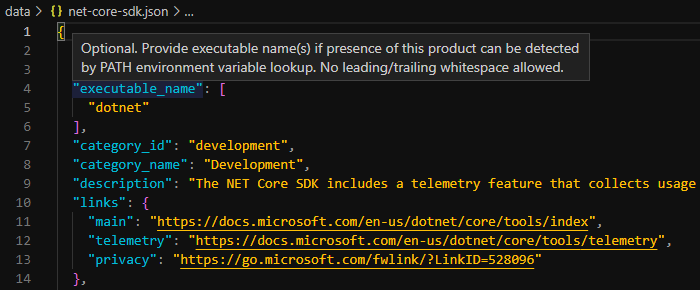
 Toptout