Repository: binary-husky/gpt_academic
Branch: master
Commit: d6bde0fa5437
Files: 418
Total size: 6.9 MB
Directory structure:
gitextract_m7znd4_k/
├── .dockerignore
├── .gitattributes
├── .gitignore
├── .pre-commit-config.yaml
├── Dockerfile
├── LICENSE
├── README.md
├── check_proxy.py
├── config.py
├── core_functional.py
├── crazy_functional.py
├── crazy_functions/
│ ├── Academic_Conversation.py
│ ├── Arxiv_Downloader.py
│ ├── Audio_Assistant.py
│ ├── Audio_Summary.py
│ ├── Commandline_Assistant.py
│ ├── Conversation_To_File.py
│ ├── Document_Conversation.py
│ ├── Document_Conversation_Wrap.py
│ ├── Document_Optimize.py
│ ├── Dynamic_Function_Generate.py
│ ├── Google_Scholar_Assistant_Legacy.py
│ ├── Helpers.py
│ ├── Image_Generate.py
│ ├── Image_Generate_Wrap.py
│ ├── Interactive_Func_Template.py
│ ├── Interactive_Mini_Game.py
│ ├── Internet_GPT.py
│ ├── Internet_GPT_Bing_Legacy.py
│ ├── Internet_GPT_Legacy.py
│ ├── Internet_GPT_Wrap.py
│ ├── Latex_Function.py
│ ├── Latex_Function_Wrap.py
│ ├── Latex_Project_Polish.py
│ ├── Latex_Project_Translate_Legacy.py
│ ├── Markdown_Translate.py
│ ├── Math_Animation_Gen.py
│ ├── Mermaid_Figure_Gen.py
│ ├── Multi_Agent_Legacy.py
│ ├── Multi_LLM_Query.py
│ ├── PDF_QA.py
│ ├── PDF_Summary.py
│ ├── PDF_Translate.py
│ ├── PDF_Translate_Nougat.py
│ ├── PDF_Translate_Wrap.py
│ ├── Paper_Abstract_Writer.py
│ ├── Paper_Reading.py
│ ├── Program_Comment_Gen.py
│ ├── Rag_Interface.py
│ ├── Social_Helper.py
│ ├── SourceCode_Analyse.py
│ ├── SourceCode_Analyse_JupyterNotebook.py
│ ├── SourceCode_Comment.py
│ ├── SourceCode_Comment_Wrap.py
│ ├── Vectorstore_QA.py
│ ├── VideoResource_GPT.py
│ ├── Void_Terminal.py
│ ├── Word_Summary.py
│ ├── __init__.py
│ ├── agent_fns/
│ │ ├── auto_agent.py
│ │ ├── echo_agent.py
│ │ ├── general.py
│ │ ├── persistent.py
│ │ ├── pipe.py
│ │ ├── python_comment_agent.py
│ │ ├── python_comment_compare.html
│ │ └── watchdog.py
│ ├── ast_fns/
│ │ └── comment_remove.py
│ ├── crazy_utils.py
│ ├── diagram_fns/
│ │ └── file_tree.py
│ ├── doc_fns/
│ │ ├── AI_review_doc.py
│ │ ├── __init__.py
│ │ ├── batch_file_query_doc.py
│ │ ├── content_folder.py
│ │ ├── conversation_doc/
│ │ │ ├── excel_doc.py
│ │ │ ├── html_doc.py
│ │ │ ├── markdown_doc.py
│ │ │ ├── pdf_doc.py
│ │ │ ├── txt_doc.py
│ │ │ ├── word2pdf.py
│ │ │ └── word_doc.py
│ │ ├── read_fns/
│ │ │ ├── __init__.py
│ │ │ ├── docx_reader.py
│ │ │ ├── excel_reader.py
│ │ │ ├── markitdown/
│ │ │ │ └── markdown_reader.py
│ │ │ ├── unstructured_all/
│ │ │ │ ├── __init__.py
│ │ │ │ ├── paper_metadata_extractor.py
│ │ │ │ ├── paper_structure_extractor.py
│ │ │ │ └── unstructured_md.py
│ │ │ └── web_reader.py
│ │ └── text_content_loader.py
│ ├── game_fns/
│ │ ├── game_ascii_art.py
│ │ ├── game_interactive_story.py
│ │ └── game_utils.py
│ ├── gen_fns/
│ │ └── gen_fns_shared.py
│ ├── ipc_fns/
│ │ └── mp.py
│ ├── json_fns/
│ │ ├── pydantic_io.py
│ │ └── select_tool.py
│ ├── latex_fns/
│ │ ├── latex_actions.py
│ │ ├── latex_pickle_io.py
│ │ └── latex_toolbox.py
│ ├── live_audio/
│ │ ├── aliyunASR.py
│ │ └── audio_io.py
│ ├── media_fns/
│ │ └── get_media.py
│ ├── multi_stage/
│ │ └── multi_stage_utils.py
│ ├── paper_fns/
│ │ ├── __init__.py
│ │ ├── auto_git/
│ │ │ ├── handlers/
│ │ │ │ ├── base_handler.py
│ │ │ │ ├── code_handler.py
│ │ │ │ ├── repo_handler.py
│ │ │ │ ├── topic_handler.py
│ │ │ │ └── user_handler.py
│ │ │ ├── query_analyzer.py
│ │ │ └── sources/
│ │ │ └── github_source.py
│ │ ├── document_structure_extractor.py
│ │ ├── file2file_doc/
│ │ │ ├── __init__.py
│ │ │ ├── html_doc.py
│ │ │ ├── markdown_doc.py
│ │ │ ├── txt_doc.py
│ │ │ ├── word2pdf.py
│ │ │ └── word_doc.py
│ │ ├── github_search.py
│ │ ├── journal_paper_recom.py
│ │ ├── paper_download.py
│ │ ├── reduce_aigc.py
│ │ └── wiki/
│ │ └── wikipedia_api.py
│ ├── pdf_fns/
│ │ ├── breakdown_pdf_txt.py
│ │ ├── breakdown_txt.py
│ │ ├── parse_pdf.py
│ │ ├── parse_pdf_grobid.py
│ │ ├── parse_pdf_legacy.py
│ │ ├── parse_pdf_via_doc2x.py
│ │ ├── parse_word.py
│ │ ├── report_gen_html.py
│ │ ├── report_template.html
│ │ └── report_template_v2.html
│ ├── plugin_template/
│ │ └── plugin_class_template.py
│ ├── prompts/
│ │ └── internet.py
│ ├── rag_fns/
│ │ ├── llama_index_worker.py
│ │ ├── milvus_worker.py
│ │ ├── rag_file_support.py
│ │ └── vector_store_index.py
│ ├── review_fns/
│ │ ├── __init__.py
│ │ ├── conversation_doc/
│ │ │ ├── endnote_doc.py
│ │ │ ├── excel_doc.py
│ │ │ ├── html_doc.py
│ │ │ ├── markdown_doc.py
│ │ │ ├── reference_formatter.py
│ │ │ ├── word2pdf.py
│ │ │ └── word_doc.py
│ │ ├── data_sources/
│ │ │ ├── __init__.py
│ │ │ ├── adsabs_source.py
│ │ │ ├── arxiv_source.py
│ │ │ ├── base_source.py
│ │ │ ├── cas_if.json
│ │ │ ├── crossref_source.py
│ │ │ ├── elsevier_source.py
│ │ │ ├── github_source.py
│ │ │ ├── journal_metrics.py
│ │ │ ├── openalex_source.py
│ │ │ ├── pubmed_source.py
│ │ │ ├── scihub_source.py
│ │ │ ├── scopus_source.py
│ │ │ ├── semantic_source.py
│ │ │ └── unpaywall_source.py
│ │ ├── handlers/
│ │ │ ├── base_handler.py
│ │ │ ├── latest_handler.py
│ │ │ ├── paper_handler.py
│ │ │ ├── qa_handler.py
│ │ │ ├── recommend_handler.py
│ │ │ └── review_handler.py
│ │ ├── paper_processor/
│ │ │ └── paper_llm_ranker.py
│ │ ├── prompts/
│ │ │ ├── adsabs_prompts.py
│ │ │ ├── arxiv_prompts.py
│ │ │ ├── crossref_prompts.py
│ │ │ ├── paper_prompts.py
│ │ │ ├── pubmed_prompts.py
│ │ │ └── semantic_prompts.py
│ │ ├── query_analyzer.py
│ │ └── query_processor.py
│ ├── vector_fns/
│ │ ├── __init__.py
│ │ ├── general_file_loader.py
│ │ └── vector_database.py
│ ├── vt_fns/
│ │ ├── vt_call_plugin.py
│ │ ├── vt_modify_config.py
│ │ └── vt_state.py
│ ├── word_dfa/
│ │ └── dfa_algo.py
│ └── 高级功能函数模板.py
├── docker-compose.yml
├── docs/
│ ├── DOCUMENTATION_PLAN.md
│ ├── GithubAction+AllCapacity
│ ├── GithubAction+ChatGLM+Moss
│ ├── GithubAction+JittorLLMs
│ ├── GithubAction+NoLocal
│ ├── GithubAction+NoLocal+AudioAssistant
│ ├── GithubAction+NoLocal+Latex
│ ├── GithubAction+NoLocal+Vectordb
│ ├── README.Arabic.md
│ ├── README.English.md
│ ├── README.French.md
│ ├── README.German.md
│ ├── README.Italian.md
│ ├── README.Japanese.md
│ ├── README.Korean.md
│ ├── README.Portuguese.md
│ ├── README.Russian.md
│ ├── WindowsRun.bat
│ ├── WithFastapi.md
│ ├── customization/
│ │ ├── custom_buttons.md
│ │ ├── plugin_development.md
│ │ └── theme_customization.md
│ ├── deployment/
│ │ ├── cloud_deploy.md
│ │ ├── docker.md
│ │ └── reverse_proxy.md
│ ├── features/
│ │ ├── academic/
│ │ │ ├── arxiv_download.md
│ │ │ ├── arxiv_translation.md
│ │ │ ├── batch_file_query.md
│ │ │ ├── google_scholar.md
│ │ │ ├── latex_polish.md
│ │ │ ├── latex_proofread.md
│ │ │ ├── paper_reading.md
│ │ │ ├── pdf_nougat.md
│ │ │ ├── pdf_qa.md
│ │ │ ├── pdf_summary.md
│ │ │ ├── pdf_translation.md
│ │ │ ├── tex_abstract.md
│ │ │ └── word_summary.md
│ │ ├── agents/
│ │ │ ├── code_interpreter.md
│ │ │ └── void_terminal.md
│ │ ├── basic_functions.md
│ │ ├── basic_operations.md
│ │ ├── conversation/
│ │ │ ├── conversation_save.md
│ │ │ ├── image_generation.md
│ │ │ ├── internet_search.md
│ │ │ ├── mermaid_gen.md
│ │ │ ├── multi_model_query.md
│ │ │ └── voice_assistant.md
│ │ └── programming/
│ │ ├── batch_comment_gen.md
│ │ ├── code_analysis.md
│ │ ├── code_comment.md
│ │ ├── custom_code_analysis.md
│ │ ├── jupyter_analysis.md
│ │ └── markdown_translate.md
│ ├── get_started/
│ │ ├── configuration.md
│ │ ├── installation.md
│ │ └── quickstart.md
│ ├── index.md
│ ├── javascripts/
│ │ ├── animations.js
│ │ ├── code-copy.js
│ │ ├── code-zoom.js
│ │ ├── nav-scroll-fix.js
│ │ ├── responsive.js
│ │ ├── search-fix.js
│ │ └── tabbed-code.js
│ ├── models/
│ │ ├── azure.md
│ │ ├── custom_models.md
│ │ ├── local_models.md
│ │ ├── openai.md
│ │ ├── overview.md
│ │ └── transit_api.md
│ ├── plugin_with_secondary_menu.md
│ ├── reference/
│ │ ├── changelog.md
│ │ └── config_reference.md
│ ├── requirements.txt
│ ├── self_analysis.md
│ ├── stylesheets/
│ │ ├── animations.css
│ │ ├── code-enhancements.css
│ │ ├── feature-cards.css
│ │ ├── flowchart.css
│ │ ├── jupyter-simple.css
│ │ ├── mermaid.css
│ │ ├── mkdocstrings.css
│ │ ├── nav-scroll-fix.css
│ │ ├── readability-enhancements.css
│ │ ├── responsive.css
│ │ ├── syntax-highlight.css
│ │ ├── tabbed-code.css
│ │ ├── table-enhancements.css
│ │ └── workflow.css
│ ├── translate_english.json
│ ├── translate_japanese.json
│ ├── translate_std.json
│ ├── translate_traditionalchinese.json
│ ├── troubleshooting/
│ │ ├── faq.md
│ │ ├── model_errors.md
│ │ └── network_issues.md
│ ├── use_audio.md
│ ├── use_azure.md
│ ├── use_tts.md
│ └── use_vllm.md
├── main.py
├── mkdocs.yml
├── multi_language.py
├── request_llms/
│ ├── README.md
│ ├── bridge_all.py
│ ├── bridge_chatglm.py
│ ├── bridge_chatglm3.py
│ ├── bridge_chatglm4.py
│ ├── bridge_chatglmft.py
│ ├── bridge_chatglmonnx.py
│ ├── bridge_chatgpt.py
│ ├── bridge_chatgpt_vision.py
│ ├── bridge_claude.py
│ ├── bridge_cohere.py
│ ├── bridge_deepseekcoder.py
│ ├── bridge_google_gemini.py
│ ├── bridge_internlm.py
│ ├── bridge_jittorllms_llama.py
│ ├── bridge_jittorllms_pangualpha.py
│ ├── bridge_jittorllms_rwkv.py
│ ├── bridge_llama2.py
│ ├── bridge_moonshot.py
│ ├── bridge_moss.py
│ ├── bridge_newbingfree.py
│ ├── bridge_ollama.py
│ ├── bridge_openrouter.py
│ ├── bridge_qianfan.py
│ ├── bridge_qwen.py
│ ├── bridge_qwen_local.py
│ ├── bridge_skylark2.py
│ ├── bridge_spark.py
│ ├── bridge_stackclaude.py
│ ├── bridge_taichu.py
│ ├── bridge_tgui.py
│ ├── bridge_zhipu.py
│ ├── chatglmoonx.py
│ ├── com_google.py
│ ├── com_qwenapi.py
│ ├── com_skylark2api.py
│ ├── com_sparkapi.py
│ ├── com_taichu.py
│ ├── com_zhipuglm.py
│ ├── edge_gpt_free.py
│ ├── embed_models/
│ │ ├── bge_llm.py
│ │ ├── bridge_all_embed.py
│ │ └── openai_embed.py
│ ├── key_manager.py
│ ├── local_llm_class.py
│ ├── oai_std_model_template.py
│ ├── queued_pipe.py
│ ├── requirements_chatglm.txt
│ ├── requirements_chatglm4.txt
│ ├── requirements_chatglm_onnx.txt
│ ├── requirements_jittorllms.txt
│ ├── requirements_moss.txt
│ ├── requirements_newbing.txt
│ ├── requirements_qwen.txt
│ ├── requirements_qwen_local.txt
│ └── requirements_slackclaude.txt
├── requirements.txt
├── shared_utils/
│ ├── advanced_markdown_format.py
│ ├── char_visual_effect.py
│ ├── colorful.py
│ ├── config_loader.py
│ ├── connect_void_terminal.py
│ ├── context_clip_policy.py
│ ├── cookie_manager.py
│ ├── doc_loader_dynamic.py
│ ├── docker_as_service_api.py
│ ├── fastapi_server.py
│ ├── fastapi_stream_server.py
│ ├── handle_upload.py
│ ├── key_pattern_manager.py
│ ├── logging.py
│ ├── map_names.py
│ ├── nltk_downloader.py
│ └── text_mask.py
├── tests/
│ ├── __init__.py
│ ├── init_test.py
│ ├── test_academic_conversation.py
│ ├── test_anim_gen.py
│ ├── test_bilibili_down.py
│ ├── test_doc2x.py
│ ├── test_embed.py
│ ├── test_key_pattern_manager.py
│ ├── test_latex_auto_correct.py
│ ├── test_llms.py
│ ├── test_markdown.py
│ ├── test_markdown_format.py
│ ├── test_media.py
│ ├── test_plugins.py
│ ├── test_python_auto_docstring.py
│ ├── test_rag.py
│ ├── test_safe_pickle.py
│ ├── test_save_chat_to_html.py
│ ├── test_searxng.py
│ ├── test_social_helper.py
│ ├── test_tts.py
│ ├── test_utils.py
│ └── test_vector_plugins.py
├── themes/
│ ├── base64.mjs
│ ├── common.css
│ ├── common.js
│ ├── common.py
│ ├── contrast.css
│ ├── contrast.py
│ ├── cookies.py
│ ├── default.css
│ ├── default.py
│ ├── gradios.py
│ ├── green.css
│ ├── green.js
│ ├── green.py
│ ├── gui_advanced_plugin_class.py
│ ├── gui_floating_menu.py
│ ├── gui_toolbar.py
│ ├── init.js
│ ├── theme.js
│ ├── theme.py
│ ├── tts.js
│ ├── waifu_plugin/
│ │ ├── autoload.js
│ │ ├── live2d.js
│ │ ├── source
│ │ ├── waifu-tips.js
│ │ ├── waifu-tips.json
│ │ └── waifu.css
│ └── welcome.js
├── toolbox.py
└── version
================================================
FILE CONTENTS
================================================
================================================
FILE: .dockerignore
================================================
.venv
.github
.vscode
gpt_log
tests
README.md
================================================
FILE: .gitattributes
================================================
*.h linguist-detectable=false
*.cpp linguist-detectable=false
*.tex linguist-detectable=false
*.cs linguist-detectable=false
*.tps linguist-detectable=false
================================================
FILE: .gitignore
================================================
# Byte-compiled / optimized / DLL files
__pycache__/
*.py[cod]
*$py.class
# C extensions
*.so
# Distribution / packaging
.Python
build/
develop-eggs/
dist/
downloads/
eggs/
.eggs/
lib/
lib64/
parts/
sdist/
var/
wheels/
pip-wheel-metadata/
share/python-wheels/
*.egg-info/
.installed.cfg
*.egg
MANIFEST
# PyInstaller
# Usually these files are written by a python script from a template
# before PyInstaller builds the exe, so as to inject date/other infos into it.
*.manifest
*.spec
# Installer logs
pip-log.txt
pip-delete-this-directory.txt
# Unit test / coverage reports
htmlcov/
.tox/
.nox/
.coverage
.coverage.*
.cache
nosetests.xml
coverage.xml
*.cover
*.py,cover
.hypothesis/
.pytest_cache/
# Translations
*.mo
*.pot
github
.github
TEMP
TRASH
# Django stuff:
*.log
local_settings.py
db.sqlite3
db.sqlite3-journal
# Flask stuff:
instance/
.webassets-cache
# Scrapy stuff:
.scrapy
# Sphinx documentation
docs/_build/
# PyBuilder
target/
# Jupyter Notebook
.ipynb_checkpoints
# IPython
profile_default/
ipython_config.py
# pyenv
.python-version
# pipenv
# According to pypa/pipenv#598, it is recommended to include Pipfile.lock in version control.
# However, in case of collaboration, if having platform-specific dependencies or dependencies
# having no cross-platform support, pipenv may install dependencies that don't work, or not
# install all needed dependencies.
#Pipfile.lock
# PEP 582; used by e.g. github.com/David-OConnor/pyflow
__pypackages__/
# Celery stuff
celerybeat-schedule
celerybeat.pid
# SageMath parsed files
*.sage.py
# Environments
.env
.venv
env/
venv/
ENV/
env.bak/
venv.bak/
# Spyder project settings
.spyderproject
.spyproject
# Rope project settings
.ropeproject
# mkdocs documentation
/site
# mypy
.mypy_cache/
.dmypy.json
dmypy.json
# Pyre type checker
.pyre/
# macOS files
.DS_Store
.vscode
.idea
history
ssr_conf
config_private.py
gpt_log
private.md
private_upload
other_llms
cradle*
debug*
private*
crazy_functions/test_project/pdf_and_word
crazy_functions/test_samples
request_llms/jittorllms
multi-language
request_llms/moss
media
flagged
request_llms/ChatGLM-6b-onnx-u8s8
test.*
temp.*
objdump*
*.min.*.js
TODO
experimental_mods
search_results
gg.docx
unstructured_reader.py
wandb
================================================
FILE: .pre-commit-config.yaml
================================================
repos:
- repo: https://github.com/pre-commit/pre-commit-hooks
rev: v4.4.0
hooks:
- id: trailing-whitespace
- id: end-of-file-fixer
- id: check-yaml
- id: check-added-large-files
- id: check-ast
- id: check-json
- id: check-merge-conflict
- id: detect-private-key
- repo: https://github.com/myint/autoflake
rev: v2.2.0
hooks:
- id: autoflake
args: [
--in-place,
--remove-all-unused-imports,
--ignore-init-module-imports
]
# - repo: https://github.com/pre-commit/mirrors-mypy
# rev: v1.7.0
# hooks:
# - id: mypy
# args: [
# --ignore-missing-imports,
# --disable-error-code=var-annotated,
# --disable-error-code=union-attr,
# --disable-error-code=no-redef,
# --disable-error-code=assignment,
# --disable-error-code=has-type,
# --disable-error-code=attr-defined,
# --disable-error-code=import-untyped,
# --disable-error-code=truthy-function,
# --follow-imports=skip,
# --explicit-package-bases,
# ]
================================================
FILE: Dockerfile
================================================
# 此Dockerfile适用于“无本地模型”的迷你运行环境构建
# 如果需要使用chatglm等本地模型或者latex运行依赖,请参考 docker-compose.yml
# - 如何构建: 先修改 `config.py`, 然后 `docker build -t gpt-academic . `
# - 如何运行(Linux下): `docker run --rm -it --net=host gpt-academic `
# - 如何运行(其他操作系统,选择任意一个固定端口50923): `docker run --rm -it -e WEB_PORT=50923 -p 50923:50923 gpt-academic `
FROM ghcr.io/astral-sh/uv:python3.12-bookworm
# 非必要步骤,更换pip源 (以下三行,可以删除)
RUN echo '[global]' > /etc/pip.conf && \
echo 'index-url = https://mirrors.aliyun.com/pypi/simple/' >> /etc/pip.conf && \
echo 'trusted-host = mirrors.aliyun.com' >> /etc/pip.conf
# 语音输出功能(以下1,2行更换阿里源,第3,4行安装ffmpeg,都可以删除)
RUN sed -i 's/deb.debian.org/mirrors.aliyun.com/g' /etc/apt/sources.list.d/debian.sources && \
sed -i 's/security.debian.org/mirrors.aliyun.com/g' /etc/apt/sources.list.d/debian.sources && \
apt-get update
RUN apt-get install ffmpeg -y
RUN apt-get clean
# 进入工作路径(必要)
WORKDIR /gpt
# 安装大部分依赖,利用Docker缓存加速以后的构建 (以下两行,可以删除)
COPY requirements.txt ./
RUN uv venv --python=3.12 && uv pip install --verbose -r requirements.txt -i https://mirrors.aliyun.com/pypi/simple/
ENV PATH="/gpt/.venv/bin:$PATH"
RUN python -c 'import loguru'
# 装载项目文件,安装剩余依赖(必要)
COPY . .
RUN uv pip install -r requirements.txt -i https://mirrors.aliyun.com/pypi/simple/
# # 非必要步骤,用于预热模块(可以删除)
RUN python -c 'from check_proxy import warm_up_modules; warm_up_modules()'
ENV CGO_ENABLED=0
# 启动(必要)
CMD ["bash", "-c", "python main.py"]
================================================
FILE: LICENSE
================================================
GNU GENERAL PUBLIC LICENSE
Version 3, 29 June 2007
Copyright (C) 2007 Free Software Foundation, Inc.
Everyone is permitted to copy and distribute verbatim copies
of this license document, but changing it is not allowed.
Preamble
The GNU General Public License is a free, copyleft license for
software and other kinds of works.
The licenses for most software and other practical works are designed
to take away your freedom to share and change the works. By contrast,
the GNU General Public License is intended to guarantee your freedom to
share and change all versions of a program--to make sure it remains free
software for all its users. We, the Free Software Foundation, use the
GNU General Public License for most of our software; it applies also to
any other work released this way by its authors. You can apply it to
your programs, too.
When we speak of free software, we are referring to freedom, not
price. Our General Public Licenses are designed to make sure that you
have the freedom to distribute copies of free software (and charge for
them if you wish), that you receive source code or can get it if you
want it, that you can change the software or use pieces of it in new
free programs, and that you know you can do these things.
To protect your rights, we need to prevent others from denying you
these rights or asking you to surrender the rights. Therefore, you have
certain responsibilities if you distribute copies of the software, or if
you modify it: responsibilities to respect the freedom of others.
For example, if you distribute copies of such a program, whether
gratis or for a fee, you must pass on to the recipients the same
freedoms that you received. You must make sure that they, too, receive
or can get the source code. And you must show them these terms so they
know their rights.
Developers that use the GNU GPL protect your rights with two steps:
(1) assert copyright on the software, and (2) offer you this License
giving you legal permission to copy, distribute and/or modify it.
For the developers' and authors' protection, the GPL clearly explains
that there is no warranty for this free software. For both users' and
authors' sake, the GPL requires that modified versions be marked as
changed, so that their problems will not be attributed erroneously to
authors of previous versions.
Some devices are designed to deny users access to install or run
modified versions of the software inside them, although the manufacturer
can do so. This is fundamentally incompatible with the aim of
protecting users' freedom to change the software. The systematic
pattern of such abuse occurs in the area of products for individuals to
use, which is precisely where it is most unacceptable. Therefore, we
have designed this version of the GPL to prohibit the practice for those
products. If such problems arise substantially in other domains, we
stand ready to extend this provision to those domains in future versions
of the GPL, as needed to protect the freedom of users.
Finally, every program is threatened constantly by software patents.
States should not allow patents to restrict development and use of
software on general-purpose computers, but in those that do, we wish to
avoid the special danger that patents applied to a free program could
make it effectively proprietary. To prevent this, the GPL assures that
patents cannot be used to render the program non-free.
The precise terms and conditions for copying, distribution and
modification follow.
TERMS AND CONDITIONS
0. Definitions.
"This License" refers to version 3 of the GNU General Public License.
"Copyright" also means copyright-like laws that apply to other kinds of
works, such as semiconductor masks.
"The Program" refers to any copyrightable work licensed under this
License. Each licensee is addressed as "you". "Licensees" and
"recipients" may be individuals or organizations.
To "modify" a work means to copy from or adapt all or part of the work
in a fashion requiring copyright permission, other than the making of an
exact copy. The resulting work is called a "modified version" of the
earlier work or a work "based on" the earlier work.
A "covered work" means either the unmodified Program or a work based
on the Program.
To "propagate" a work means to do anything with it that, without
permission, would make you directly or secondarily liable for
infringement under applicable copyright law, except executing it on a
computer or modifying a private copy. Propagation includes copying,
distribution (with or without modification), making available to the
public, and in some countries other activities as well.
To "convey" a work means any kind of propagation that enables other
parties to make or receive copies. Mere interaction with a user through
a computer network, with no transfer of a copy, is not conveying.
An interactive user interface displays "Appropriate Legal Notices"
to the extent that it includes a convenient and prominently visible
feature that (1) displays an appropriate copyright notice, and (2)
tells the user that there is no warranty for the work (except to the
extent that warranties are provided), that licensees may convey the
work under this License, and how to view a copy of this License. If
the interface presents a list of user commands or options, such as a
menu, a prominent item in the list meets this criterion.
1. Source Code.
The "source code" for a work means the preferred form of the work
for making modifications to it. "Object code" means any non-source
form of a work.
A "Standard Interface" means an interface that either is an official
standard defined by a recognized standards body, or, in the case of
interfaces specified for a particular programming language, one that
is widely used among developers working in that language.
The "System Libraries" of an executable work include anything, other
than the work as a whole, that (a) is included in the normal form of
packaging a Major Component, but which is not part of that Major
Component, and (b) serves only to enable use of the work with that
Major Component, or to implement a Standard Interface for which an
implementation is available to the public in source code form. A
"Major Component", in this context, means a major essential component
(kernel, window system, and so on) of the specific operating system
(if any) on which the executable work runs, or a compiler used to
produce the work, or an object code interpreter used to run it.
The "Corresponding Source" for a work in object code form means all
the source code needed to generate, install, and (for an executable
work) run the object code and to modify the work, including scripts to
control those activities. However, it does not include the work's
System Libraries, or general-purpose tools or generally available free
programs which are used unmodified in performing those activities but
which are not part of the work. For example, Corresponding Source
includes interface definition files associated with source files for
the work, and the source code for shared libraries and dynamically
linked subprograms that the work is specifically designed to require,
such as by intimate data communication or control flow between those
subprograms and other parts of the work.
The Corresponding Source need not include anything that users
can regenerate automatically from other parts of the Corresponding
Source.
The Corresponding Source for a work in source code form is that
same work.
2. Basic Permissions.
All rights granted under this License are granted for the term of
copyright on the Program, and are irrevocable provided the stated
conditions are met. This License explicitly affirms your unlimited
permission to run the unmodified Program. The output from running a
covered work is covered by this License only if the output, given its
content, constitutes a covered work. This License acknowledges your
rights of fair use or other equivalent, as provided by copyright law.
You may make, run and propagate covered works that you do not
convey, without conditions so long as your license otherwise remains
in force. You may convey covered works to others for the sole purpose
of having them make modifications exclusively for you, or provide you
with facilities for running those works, provided that you comply with
the terms of this License in conveying all material for which you do
not control copyright. Those thus making or running the covered works
for you must do so exclusively on your behalf, under your direction
and control, on terms that prohibit them from making any copies of
your copyrighted material outside their relationship with you.
Conveying under any other circumstances is permitted solely under
the conditions stated below. Sublicensing is not allowed; section 10
makes it unnecessary.
3. Protecting Users' Legal Rights From Anti-Circumvention Law.
No covered work shall be deemed part of an effective technological
measure under any applicable law fulfilling obligations under article
11 of the WIPO copyright treaty adopted on 20 December 1996, or
similar laws prohibiting or restricting circumvention of such
measures.
When you convey a covered work, you waive any legal power to forbid
circumvention of technological measures to the extent such circumvention
is effected by exercising rights under this License with respect to
the covered work, and you disclaim any intention to limit operation or
modification of the work as a means of enforcing, against the work's
users, your or third parties' legal rights to forbid circumvention of
technological measures.
4. Conveying Verbatim Copies.
You may convey verbatim copies of the Program's source code as you
receive it, in any medium, provided that you conspicuously and
appropriately publish on each copy an appropriate copyright notice;
keep intact all notices stating that this License and any
non-permissive terms added in accord with section 7 apply to the code;
keep intact all notices of the absence of any warranty; and give all
recipients a copy of this License along with the Program.
You may charge any price or no price for each copy that you convey,
and you may offer support or warranty protection for a fee.
5. Conveying Modified Source Versions.
You may convey a work based on the Program, or the modifications to
produce it from the Program, in the form of source code under the
terms of section 4, provided that you also meet all of these conditions:
a) The work must carry prominent notices stating that you modified
it, and giving a relevant date.
b) The work must carry prominent notices stating that it is
released under this License and any conditions added under section
7. This requirement modifies the requirement in section 4 to
"keep intact all notices".
c) You must license the entire work, as a whole, under this
License to anyone who comes into possession of a copy. This
License will therefore apply, along with any applicable section 7
additional terms, to the whole of the work, and all its parts,
regardless of how they are packaged. This License gives no
permission to license the work in any other way, but it does not
invalidate such permission if you have separately received it.
d) If the work has interactive user interfaces, each must display
Appropriate Legal Notices; however, if the Program has interactive
interfaces that do not display Appropriate Legal Notices, your
work need not make them do so.
A compilation of a covered work with other separate and independent
works, which are not by their nature extensions of the covered work,
and which are not combined with it such as to form a larger program,
in or on a volume of a storage or distribution medium, is called an
"aggregate" if the compilation and its resulting copyright are not
used to limit the access or legal rights of the compilation's users
beyond what the individual works permit. Inclusion of a covered work
in an aggregate does not cause this License to apply to the other
parts of the aggregate.
6. Conveying Non-Source Forms.
You may convey a covered work in object code form under the terms
of sections 4 and 5, provided that you also convey the
machine-readable Corresponding Source under the terms of this License,
in one of these ways:
a) Convey the object code in, or embodied in, a physical product
(including a physical distribution medium), accompanied by the
Corresponding Source fixed on a durable physical medium
customarily used for software interchange.
b) Convey the object code in, or embodied in, a physical product
(including a physical distribution medium), accompanied by a
written offer, valid for at least three years and valid for as
long as you offer spare parts or customer support for that product
model, to give anyone who possesses the object code either (1) a
copy of the Corresponding Source for all the software in the
product that is covered by this License, on a durable physical
medium customarily used for software interchange, for a price no
more than your reasonable cost of physically performing this
conveying of source, or (2) access to copy the
Corresponding Source from a network server at no charge.
c) Convey individual copies of the object code with a copy of the
written offer to provide the Corresponding Source. This
alternative is allowed only occasionally and noncommercially, and
only if you received the object code with such an offer, in accord
with subsection 6b.
d) Convey the object code by offering access from a designated
place (gratis or for a charge), and offer equivalent access to the
Corresponding Source in the same way through the same place at no
further charge. You need not require recipients to copy the
Corresponding Source along with the object code. If the place to
copy the object code is a network server, the Corresponding Source
may be on a different server (operated by you or a third party)
that supports equivalent copying facilities, provided you maintain
clear directions next to the object code saying where to find the
Corresponding Source. Regardless of what server hosts the
Corresponding Source, you remain obligated to ensure that it is
available for as long as needed to satisfy these requirements.
e) Convey the object code using peer-to-peer transmission, provided
you inform other peers where the object code and Corresponding
Source of the work are being offered to the general public at no
charge under subsection 6d.
A separable portion of the object code, whose source code is excluded
from the Corresponding Source as a System Library, need not be
included in conveying the object code work.
A "User Product" is either (1) a "consumer product", which means any
tangible personal property which is normally used for personal, family,
or household purposes, or (2) anything designed or sold for incorporation
into a dwelling. In determining whether a product is a consumer product,
doubtful cases shall be resolved in favor of coverage. For a particular
product received by a particular user, "normally used" refers to a
typical or common use of that class of product, regardless of the status
of the particular user or of the way in which the particular user
actually uses, or expects or is expected to use, the product. A product
is a consumer product regardless of whether the product has substantial
commercial, industrial or non-consumer uses, unless such uses represent
the only significant mode of use of the product.
"Installation Information" for a User Product means any methods,
procedures, authorization keys, or other information required to install
and execute modified versions of a covered work in that User Product from
a modified version of its Corresponding Source. The information must
suffice to ensure that the continued functioning of the modified object
code is in no case prevented or interfered with solely because
modification has been made.
If you convey an object code work under this section in, or with, or
specifically for use in, a User Product, and the conveying occurs as
part of a transaction in which the right of possession and use of the
User Product is transferred to the recipient in perpetuity or for a
fixed term (regardless of how the transaction is characterized), the
Corresponding Source conveyed under this section must be accompanied
by the Installation Information. But this requirement does not apply
if neither you nor any third party retains the ability to install
modified object code on the User Product (for example, the work has
been installed in ROM).
The requirement to provide Installation Information does not include a
requirement to continue to provide support service, warranty, or updates
for a work that has been modified or installed by the recipient, or for
the User Product in which it has been modified or installed. Access to a
network may be denied when the modification itself materially and
adversely affects the operation of the network or violates the rules and
protocols for communication across the network.
Corresponding Source conveyed, and Installation Information provided,
in accord with this section must be in a format that is publicly
documented (and with an implementation available to the public in
source code form), and must require no special password or key for
unpacking, reading or copying.
7. Additional Terms.
"Additional permissions" are terms that supplement the terms of this
License by making exceptions from one or more of its conditions.
Additional permissions that are applicable to the entire Program shall
be treated as though they were included in this License, to the extent
that they are valid under applicable law. If additional permissions
apply only to part of the Program, that part may be used separately
under those permissions, but the entire Program remains governed by
this License without regard to the additional permissions.
When you convey a copy of a covered work, you may at your option
remove any additional permissions from that copy, or from any part of
it. (Additional permissions may be written to require their own
removal in certain cases when you modify the work.) You may place
additional permissions on material, added by you to a covered work,
for which you have or can give appropriate copyright permission.
Notwithstanding any other provision of this License, for material you
add to a covered work, you may (if authorized by the copyright holders of
that material) supplement the terms of this License with terms:
a) Disclaiming warranty or limiting liability differently from the
terms of sections 15 and 16 of this License; or
b) Requiring preservation of specified reasonable legal notices or
author attributions in that material or in the Appropriate Legal
Notices displayed by works containing it; or
c) Prohibiting misrepresentation of the origin of that material, or
requiring that modified versions of such material be marked in
reasonable ways as different from the original version; or
d) Limiting the use for publicity purposes of names of licensors or
authors of the material; or
e) Declining to grant rights under trademark law for use of some
trade names, trademarks, or service marks; or
f) Requiring indemnification of licensors and authors of that
material by anyone who conveys the material (or modified versions of
it) with contractual assumptions of liability to the recipient, for
any liability that these contractual assumptions directly impose on
those licensors and authors.
All other non-permissive additional terms are considered "further
restrictions" within the meaning of section 10. If the Program as you
received it, or any part of it, contains a notice stating that it is
governed by this License along with a term that is a further
restriction, you may remove that term. If a license document contains
a further restriction but permits relicensing or conveying under this
License, you may add to a covered work material governed by the terms
of that license document, provided that the further restriction does
not survive such relicensing or conveying.
If you add terms to a covered work in accord with this section, you
must place, in the relevant source files, a statement of the
additional terms that apply to those files, or a notice indicating
where to find the applicable terms.
Additional terms, permissive or non-permissive, may be stated in the
form of a separately written license, or stated as exceptions;
the above requirements apply either way.
8. Termination.
You may not propagate or modify a covered work except as expressly
provided under this License. Any attempt otherwise to propagate or
modify it is void, and will automatically terminate your rights under
this License (including any patent licenses granted under the third
paragraph of section 11).
However, if you cease all violation of this License, then your
license from a particular copyright holder is reinstated (a)
provisionally, unless and until the copyright holder explicitly and
finally terminates your license, and (b) permanently, if the copyright
holder fails to notify you of the violation by some reasonable means
prior to 60 days after the cessation.
Moreover, your license from a particular copyright holder is
reinstated permanently if the copyright holder notifies you of the
violation by some reasonable means, this is the first time you have
received notice of violation of this License (for any work) from that
copyright holder, and you cure the violation prior to 30 days after
your receipt of the notice.
Termination of your rights under this section does not terminate the
licenses of parties who have received copies or rights from you under
this License. If your rights have been terminated and not permanently
reinstated, you do not qualify to receive new licenses for the same
material under section 10.
9. Acceptance Not Required for Having Copies.
You are not required to accept this License in order to receive or
run a copy of the Program. Ancillary propagation of a covered work
occurring solely as a consequence of using peer-to-peer transmission
to receive a copy likewise does not require acceptance. However,
nothing other than this License grants you permission to propagate or
modify any covered work. These actions infringe copyright if you do
not accept this License. Therefore, by modifying or propagating a
covered work, you indicate your acceptance of this License to do so.
10. Automatic Licensing of Downstream Recipients.
Each time you convey a covered work, the recipient automatically
receives a license from the original licensors, to run, modify and
propagate that work, subject to this License. You are not responsible
for enforcing compliance by third parties with this License.
An "entity transaction" is a transaction transferring control of an
organization, or substantially all assets of one, or subdividing an
organization, or merging organizations. If propagation of a covered
work results from an entity transaction, each party to that
transaction who receives a copy of the work also receives whatever
licenses to the work the party's predecessor in interest had or could
give under the previous paragraph, plus a right to possession of the
Corresponding Source of the work from the predecessor in interest, if
the predecessor has it or can get it with reasonable efforts.
You may not impose any further restrictions on the exercise of the
rights granted or affirmed under this License. For example, you may
not impose a license fee, royalty, or other charge for exercise of
rights granted under this License, and you may not initiate litigation
(including a cross-claim or counterclaim in a lawsuit) alleging that
any patent claim is infringed by making, using, selling, offering for
sale, or importing the Program or any portion of it.
11. Patents.
A "contributor" is a copyright holder who authorizes use under this
License of the Program or a work on which the Program is based. The
work thus licensed is called the contributor's "contributor version".
A contributor's "essential patent claims" are all patent claims
owned or controlled by the contributor, whether already acquired or
hereafter acquired, that would be infringed by some manner, permitted
by this License, of making, using, or selling its contributor version,
but do not include claims that would be infringed only as a
consequence of further modification of the contributor version. For
purposes of this definition, "control" includes the right to grant
patent sublicenses in a manner consistent with the requirements of
this License.
Each contributor grants you a non-exclusive, worldwide, royalty-free
patent license under the contributor's essential patent claims, to
make, use, sell, offer for sale, import and otherwise run, modify and
propagate the contents of its contributor version.
In the following three paragraphs, a "patent license" is any express
agreement or commitment, however denominated, not to enforce a patent
(such as an express permission to practice a patent or covenant not to
sue for patent infringement). To "grant" such a patent license to a
party means to make such an agreement or commitment not to enforce a
patent against the party.
If you convey a covered work, knowingly relying on a patent license,
and the Corresponding Source of the work is not available for anyone
to copy, free of charge and under the terms of this License, through a
publicly available network server or other readily accessible means,
then you must either (1) cause the Corresponding Source to be so
available, or (2) arrange to deprive yourself of the benefit of the
patent license for this particular work, or (3) arrange, in a manner
consistent with the requirements of this License, to extend the patent
license to downstream recipients. "Knowingly relying" means you have
actual knowledge that, but for the patent license, your conveying the
covered work in a country, or your recipient's use of the covered work
in a country, would infringe one or more identifiable patents in that
country that you have reason to believe are valid.
If, pursuant to or in connection with a single transaction or
arrangement, you convey, or propagate by procuring conveyance of, a
covered work, and grant a patent license to some of the parties
receiving the covered work authorizing them to use, propagate, modify
or convey a specific copy of the covered work, then the patent license
you grant is automatically extended to all recipients of the covered
work and works based on it.
A patent license is "discriminatory" if it does not include within
the scope of its coverage, prohibits the exercise of, or is
conditioned on the non-exercise of one or more of the rights that are
specifically granted under this License. You may not convey a covered
work if you are a party to an arrangement with a third party that is
in the business of distributing software, under which you make payment
to the third party based on the extent of your activity of conveying
the work, and under which the third party grants, to any of the
parties who would receive the covered work from you, a discriminatory
patent license (a) in connection with copies of the covered work
conveyed by you (or copies made from those copies), or (b) primarily
for and in connection with specific products or compilations that
contain the covered work, unless you entered into that arrangement,
or that patent license was granted, prior to 28 March 2007.
Nothing in this License shall be construed as excluding or limiting
any implied license or other defenses to infringement that may
otherwise be available to you under applicable patent law.
12. No Surrender of Others' Freedom.
If conditions are imposed on you (whether by court order, agreement or
otherwise) that contradict the conditions of this License, they do not
excuse you from the conditions of this License. If you cannot convey a
covered work so as to satisfy simultaneously your obligations under this
License and any other pertinent obligations, then as a consequence you may
not convey it at all. For example, if you agree to terms that obligate you
to collect a royalty for further conveying from those to whom you convey
the Program, the only way you could satisfy both those terms and this
License would be to refrain entirely from conveying the Program.
13. Use with the GNU Affero General Public License.
Notwithstanding any other provision of this License, you have
permission to link or combine any covered work with a work licensed
under version 3 of the GNU Affero General Public License into a single
combined work, and to convey the resulting work. The terms of this
License will continue to apply to the part which is the covered work,
but the special requirements of the GNU Affero General Public License,
section 13, concerning interaction through a network will apply to the
combination as such.
14. Revised Versions of this License.
The Free Software Foundation may publish revised and/or new versions of
the GNU General Public License from time to time. Such new versions will
be similar in spirit to the present version, but may differ in detail to
address new problems or concerns.
Each version is given a distinguishing version number. If the
Program specifies that a certain numbered version of the GNU General
Public License "or any later version" applies to it, you have the
option of following the terms and conditions either of that numbered
version or of any later version published by the Free Software
Foundation. If the Program does not specify a version number of the
GNU General Public License, you may choose any version ever published
by the Free Software Foundation.
If the Program specifies that a proxy can decide which future
versions of the GNU General Public License can be used, that proxy's
public statement of acceptance of a version permanently authorizes you
to choose that version for the Program.
Later license versions may give you additional or different
permissions. However, no additional obligations are imposed on any
author or copyright holder as a result of your choosing to follow a
later version.
15. Disclaimer of Warranty.
THERE IS NO WARRANTY FOR THE PROGRAM, TO THE EXTENT PERMITTED BY
APPLICABLE LAW. EXCEPT WHEN OTHERWISE STATED IN WRITING THE COPYRIGHT
HOLDERS AND/OR OTHER PARTIES PROVIDE THE PROGRAM "AS IS" WITHOUT WARRANTY
OF ANY KIND, EITHER EXPRESSED OR IMPLIED, INCLUDING, BUT NOT LIMITED TO,
THE IMPLIED WARRANTIES OF MERCHANTABILITY AND FITNESS FOR A PARTICULAR
PURPOSE. THE ENTIRE RISK AS TO THE QUALITY AND PERFORMANCE OF THE PROGRAM
IS WITH YOU. SHOULD THE PROGRAM PROVE DEFECTIVE, YOU ASSUME THE COST OF
ALL NECESSARY SERVICING, REPAIR OR CORRECTION.
16. Limitation of Liability.
IN NO EVENT UNLESS REQUIRED BY APPLICABLE LAW OR AGREED TO IN WRITING
WILL ANY COPYRIGHT HOLDER, OR ANY OTHER PARTY WHO MODIFIES AND/OR CONVEYS
THE PROGRAM AS PERMITTED ABOVE, BE LIABLE TO YOU FOR DAMAGES, INCLUDING ANY
GENERAL, SPECIAL, INCIDENTAL OR CONSEQUENTIAL DAMAGES ARISING OUT OF THE
USE OR INABILITY TO USE THE PROGRAM (INCLUDING BUT NOT LIMITED TO LOSS OF
DATA OR DATA BEING RENDERED INACCURATE OR LOSSES SUSTAINED BY YOU OR THIRD
PARTIES OR A FAILURE OF THE PROGRAM TO OPERATE WITH ANY OTHER PROGRAMS),
EVEN IF SUCH HOLDER OR OTHER PARTY HAS BEEN ADVISED OF THE POSSIBILITY OF
SUCH DAMAGES.
17. Interpretation of Sections 15 and 16.
If the disclaimer of warranty and limitation of liability provided
above cannot be given local legal effect according to their terms,
reviewing courts shall apply local law that most closely approximates
an absolute waiver of all civil liability in connection with the
Program, unless a warranty or assumption of liability accompanies a
copy of the Program in return for a fee.
END OF TERMS AND CONDITIONS
How to Apply These Terms to Your New Programs
If you develop a new program, and you want it to be of the greatest
possible use to the public, the best way to achieve this is to make it
free software which everyone can redistribute and change under these terms.
To do so, attach the following notices to the program. It is safest
to attach them to the start of each source file to most effectively
state the exclusion of warranty; and each file should have at least
the "copyright" line and a pointer to where the full notice is found.
Copyright (C)
This program is free software: you can redistribute it and/or modify
it under the terms of the GNU General Public License as published by
the Free Software Foundation, either version 3 of the License, or
(at your option) any later version.
This program is distributed in the hope that it will be useful,
but WITHOUT ANY WARRANTY; without even the implied warranty of
MERCHANTABILITY or FITNESS FOR A PARTICULAR PURPOSE. See the
GNU General Public License for more details.
You should have received a copy of the GNU General Public License
along with this program. If not, see .
Also add information on how to contact you by electronic and paper mail.
If the program does terminal interaction, make it output a short
notice like this when it starts in an interactive mode:
Copyright (C)
This program comes with ABSOLUTELY NO WARRANTY; for details type `show w'.
This is free software, and you are welcome to redistribute it
under certain conditions; type `show c' for details.
The hypothetical commands `show w' and `show c' should show the appropriate
parts of the General Public License. Of course, your program's commands
might be different; for a GUI interface, you would use an "about box".
You should also get your employer (if you work as a programmer) or school,
if any, to sign a "copyright disclaimer" for the program, if necessary.
For more information on this, and how to apply and follow the GNU GPL, see
.
The GNU General Public License does not permit incorporating your program
into proprietary programs. If your program is a subroutine library, you
may consider it more useful to permit linking proprietary applications with
the library. If this is what you want to do, use the GNU Lesser General
Public License instead of this License. But first, please read
.
================================================
FILE: README.md
================================================
> [!IMPORTANT]
>
> `master主分支`最新动态(2026.1.25): 新GUI前端测试中,Coming Soon
> `master主分支`最新动态(2025.8.23): Dockerfile构建效率大幅优化
> 2025.2.2: 三分钟快速接入最强qwen2.5-max[视频](https://www.bilibili.com/video/BV1LeFuerEG4)
> 2025.2.1: 支持自定义字体
> 2024.10.10: 突发停电,紧急恢复了提供[whl包](https://drive.google.com/drive/folders/14kR-3V-lIbvGxri4AHc8TpiA1fqsw7SK?usp=sharing)的文件服务器
> 2024.5.1: 加入Doc2x翻译PDF论文的功能,[查看详情](https://github.com/binary-husky/gpt_academic/wiki/Doc2x)
> 2024.3.11: 全力支持Qwen、GLM、DeepseekCoder等中文大语言模型! SoVits语音克隆模块,[查看详情](https://www.bilibili.com/video/BV1Rp421S7tF/)
> 2024.1.17: 安装依赖时,请选择`requirements.txt`中**指定的版本**。 安装命令:`pip install -r requirements.txt`。
**如果喜欢这个项目,请给它一个Star;如果您发明了好用的快捷键或插件,欢迎发pull requests!**
If you like this project, please give it a Star.
Read this in [English](docs/README.English.md) | [日本語](docs/README.Japanese.md) | [한국어](docs/README.Korean.md) | [Русский](docs/README.Russian.md) | [Français](docs/README.French.md). All translations have been provided by the project itself. To translate this project to arbitrary language with GPT, read and run [`multi_language.py`](multi_language.py) (experimental).
> [!NOTE]
> 1.本项目中每个文件的功能都在[自译解报告](https://github.com/binary-husky/gpt_academic/wiki/GPT‐Academic项目自译解报告)`self_analysis.md`详细说明。随着版本的迭代,您也可以随时自行点击相关函数插件,调用GPT重新生成项目的自我解析报告。常见问题请查阅wiki。
> [](#installation) [](https://github.com/binary-husky/gpt_academic/releases) [](https://github.com/binary-husky/gpt_academic/wiki/项目配置说明) []([https://github.com/binary-husky/gpt_academic/wiki/项目配置说明](https://github.com/binary-husky/gpt_academic/wiki))
>
> 2.本项目兼容并鼓励尝试国内中文大语言基座模型如通义千问,智谱GLM等。支持多个api-key共存,可在配置文件中填写如`API_KEY="openai-key1,openai-key2,azure-key3,api2d-key4"`。需要临时更换`API_KEY`时,在输入区输入临时的`API_KEY`然后回车键提交即可生效。
'
# register image
chatbot._cookies['session_file_storage'] = image_path
yield from update_ui_latest_msg(lastmsg=response_msg, chatbot=chatbot, history=history, delay=0)
except Exception as e:
chatbot.append([prompt, f'生成图像失败: {str(e)}'])
yield from update_ui(chatbot=chatbot, history=history)
class ImageEditState(GptAcademicState):
# 尚未完成
def get_image_file(self, x):
import os, glob
if len(x) == 0: return False, None
if not os.path.exists(x): return False, None
if x.endswith('.png'): return True, x
file_manifest = [f for f in glob.glob(f'{x}/**/*.png', recursive=True)]
confirm = (len(file_manifest) >= 1 and file_manifest[0].endswith('.png') and os.path.exists(file_manifest[0]))
file = None if not confirm else file_manifest[0]
return confirm, file
def lock_plugin(self, chatbot):
chatbot._cookies['lock_plugin'] = 'crazy_functions.Image_Generate->图片修改_DALLE2'
self.dump_state(chatbot)
def unlock_plugin(self, chatbot):
self.reset()
chatbot._cookies['lock_plugin'] = None
self.dump_state(chatbot)
def get_resolution(self, x):
return (x in ['256x256', '512x512', '1024x1024']), x
def get_prompt(self, x):
confirm = (len(x)>=5) and (not self.get_resolution(x)[0]) and (not self.get_image_file(x)[0])
return confirm, x
def reset(self):
self.req = [
{'value':None, 'description': '请先上传图像(必须是.png格式), 然后再次点击本插件', 'verify_fn': self.get_image_file},
{'value':None, 'description': '请输入分辨率,可选:256x256, 512x512 或 1024x1024, 然后再次点击本插件', 'verify_fn': self.get_resolution},
{'value':None, 'description': '请输入修改需求,建议您使用英文提示词, 然后再次点击本插件', 'verify_fn': self.get_prompt},
]
self.info = ""
def feed(self, prompt, chatbot):
for r in self.req:
if r['value'] is None:
confirm, res = r['verify_fn'](prompt)
if confirm:
r['value'] = res
self.dump_state(chatbot)
break
return self
def next_req(self):
for r in self.req:
if r['value'] is None:
return r['description']
return "已经收集到所有信息"
def already_obtained_all_materials(self):
return all([x['value'] is not None for x in self.req])
@CatchException
def 图片修改_DALLE2(prompt, llm_kwargs, plugin_kwargs, chatbot, history, system_prompt, user_request):
# 尚未完成
history = [] # 清空历史
state = ImageEditState.get_state(chatbot, ImageEditState)
state = state.feed(prompt, chatbot)
state.lock_plugin(chatbot)
if not state.already_obtained_all_materials():
chatbot.append(["图片修改\n\n1. 上传图片(图片中需要修改的位置用橡皮擦擦除为纯白色,即RGB=255,255,255)\n2. 输入分辨率 \n3. 输入修改需求", state.next_req()])
yield from update_ui(chatbot=chatbot, history=history)
return
image_path = state.req[0]['value']
resolution = state.req[1]['value']
prompt = state.req[2]['value']
chatbot.append(["图片修改, 执行中", f"图片:`{image_path}` 分辨率:`{resolution}` 修改需求:`{prompt}`"])
yield from update_ui(chatbot=chatbot, history=history)
image_url, image_path = edit_image(llm_kwargs, prompt, image_path, resolution)
chatbot.append([prompt,
f'图像中转网址: `{image_url}` '+
f'中转网址预览:
'
f'本地文件地址: `{image_path}` '+
f'本地文件预览:
'
])
yield from update_ui(chatbot=chatbot, history=history)
state.unlock_plugin(chatbot)
def make_transparent(input_image_path, output_image_path):
from PIL import Image
image = Image.open(input_image_path)
image = image.convert("RGBA")
data = image.getdata()
new_data = []
for item in data:
if item[0] == 255 and item[1] == 255 and item[2] == 255:
new_data.append((255, 255, 255, 0))
else:
new_data.append(item)
image.putdata(new_data)
image.save(output_image_path, "PNG")
def resize_image(input_path, output_path, max_size=1024):
from PIL import Image
with Image.open(input_path) as img:
width, height = img.size
if width > max_size or height > max_size:
if width >= height:
new_width = max_size
new_height = int((max_size / width) * height)
else:
new_height = max_size
new_width = int((max_size / height) * width)
resized_img = img.resize(size=(new_width, new_height))
resized_img.save(output_path)
else:
img.save(output_path)
def make_square_image(input_path, output_path):
from PIL import Image
with Image.open(input_path) as img:
width, height = img.size
size = max(width, height)
new_img = Image.new("RGBA", (size, size), color="black")
new_img.paste(img, ((size - width) // 2, (size - height) // 2))
new_img.save(output_path)
================================================
FILE: crazy_functions/Image_Generate_Wrap.py
================================================
from toolbox import get_conf, update_ui
from crazy_functions.Image_Generate import 图片生成_DALLE2, 图片生成_DALLE3, 图片修改_DALLE2, 图片生成_NanoBanana
from crazy_functions.plugin_template.plugin_class_template import GptAcademicPluginTemplate, ArgProperty
class ImageGen_Wrap(GptAcademicPluginTemplate):
def __init__(self):
"""
请注意`execute`会执行在不同的线程中,因此您在定义和使用类变量时,应当慎之又慎!
"""
pass
def define_arg_selection_menu(self):
"""
定义插件的二级选项菜单
第一个参数,名称`main_input`,参数`type`声明这是一个文本框,文本框上方显示`title`,文本框内部显示`description`,`default_value`为默认值;
第二个参数,名称`advanced_arg`,参数`type`声明这是一个文本框,文本框上方显示`title`,文本框内部显示`description`,`default_value`为默认值;
"""
gui_definition = {
"main_input":
ArgProperty(title="输入图片描述", description="需要生成图像的文本描述",
default_value="", type="string").model_dump_json(), # 主输入,自动从输入框同步
"model_name":
ArgProperty(title="模型", options=["Nano Banana", "DALLE3"],
default_value="Nano Banana", description="无", type="dropdown").model_dump_json(),
"resolution":
ArgProperty(title="分辨率", options=["1K", "2K"],
default_value="1K", description="无", type="dropdown").model_dump_json(),
"aspect ratio":
ArgProperty(title="横纵比例", options=["1:1", "16:9", "3:4"],
default_value="16:9", description="无", type="dropdown").model_dump_json(),
"quality":
ArgProperty(title="质量 (仅DALLE3生效)", options=["standard", "hd"],
default_value="standard", description="无", type="dropdown").model_dump_json(),
"style":
ArgProperty(title="风格 (仅DALLE3生效)", options=["vivid", "natural"],
default_value="vivid", description="无", type="dropdown").model_dump_json(),
}
return gui_definition
def execute(txt, llm_kwargs, plugin_kwargs, chatbot, history, system_prompt, user_request):
"""
执行插件
"""
resolution = plugin_kwargs["resolution"].replace("(限DALLE2)", "").replace("(限DALLE3)", "")
if plugin_kwargs["model_name"] == "Nano Banana":
yield from 图片生成_NanoBanana(txt, llm_kwargs, plugin_kwargs, chatbot, history, system_prompt, user_request)
elif plugin_kwargs["model_name"] == "DALLE2":
plugin_kwargs["advanced_arg"] = "1024x1024"
yield from 图片生成_DALLE2(txt, llm_kwargs, plugin_kwargs, chatbot, history, system_prompt, user_request)
elif plugin_kwargs["model_name"] == "DALLE3":
resolution = "1792x1024" if resolution == "2K" else "1024x1024"
quality = plugin_kwargs["quality"]
style = plugin_kwargs["style"]
plugin_kwargs["advanced_arg"] = f"{resolution}-{quality}-{style}"
yield from 图片生成_DALLE3(txt, llm_kwargs, plugin_kwargs, chatbot, history, system_prompt, user_request)
else:
chatbot.append([None, "抱歉,找不到该模型"])
yield from update_ui(chatbot=chatbot, history=history) # 刷新界面
================================================
FILE: crazy_functions/Interactive_Func_Template.py
================================================
from toolbox import CatchException, update_ui
from crazy_functions.crazy_utils import request_gpt_model_in_new_thread_with_ui_alive
@CatchException
def 交互功能模板函数(txt, llm_kwargs, plugin_kwargs, chatbot, history, system_prompt, user_request):
"""
txt 输入栏用户输入的文本,例如需要翻译的一段话,再例如一个包含了待处理文件的路径
llm_kwargs gpt模型参数, 如温度和top_p等, 一般原样传递下去就行
plugin_kwargs 插件模型的参数, 如温度和top_p等, 一般原样传递下去就行
chatbot 聊天显示框的句柄,用于显示给用户
history 聊天历史,前情提要
system_prompt 给gpt的静默提醒
user_request 当前用户的请求信息(IP地址等)
"""
history = [] # 清空历史,以免输入溢出
chatbot.append(("这是什么功能?", "Interactive_Func_Template。在执行完成之后, 可以将自身的状态存储到cookie中, 等待用户的再次调用。"))
yield from update_ui(chatbot=chatbot, history=history) # 刷新界面
state = chatbot._cookies.get('plugin_state_0001', None) # 初始化插件状态
if state is None:
chatbot._cookies['lock_plugin'] = 'crazy_functions.Interactive_Func_Template->交互功能模板函数' # 赋予插件锁定 锁定插件回调路径,当下一次用户提交时,会直接转到该函数
chatbot._cookies['plugin_state_0001'] = 'wait_user_keyword' # 赋予插件状态
chatbot.append(("第一次调用:", "请输入关键词, 我将为您查找相关壁纸, 建议使用英文单词, 插件锁定中,请直接提交即可。"))
yield from update_ui(chatbot=chatbot, history=history) # 刷新界面
return
if state == 'wait_user_keyword':
chatbot._cookies['lock_plugin'] = None # 解除插件锁定,避免遗忘导致死锁
chatbot._cookies['plugin_state_0001'] = None # 解除插件状态,避免遗忘导致死锁
# 解除插件锁定
chatbot.append((f"获取关键词:{txt}", ""))
yield from update_ui(chatbot=chatbot, history=history) # 刷新界面
page_return = get_image_page_by_keyword(txt)
inputs=inputs_show_user=f"Extract all image urls in this html page, pick the first 5 images and show them with markdown format: \n\n {page_return}"
gpt_say = yield from request_gpt_model_in_new_thread_with_ui_alive(
inputs=inputs, inputs_show_user=inputs_show_user,
llm_kwargs=llm_kwargs, chatbot=chatbot, history=[],
sys_prompt="When you want to show an image, use markdown format. e.g. . If there are no image url provided, answer 'no image url provided'"
)
chatbot[-1] = [chatbot[-1][0], gpt_say]
yield from update_ui(chatbot=chatbot, history=history) # 刷新界面
return
# ---------------------------------------------------------------------------------
def get_image_page_by_keyword(keyword):
import requests
from bs4 import BeautifulSoup
response = requests.get(f'https://wallhaven.cc/search?q={keyword}', timeout=2)
res = "image urls: \n"
for image_element in BeautifulSoup(response.content, 'html.parser').findAll("img"):
try:
res += image_element["data-src"]
res += "\n"
except:
pass
return res
================================================
FILE: crazy_functions/Interactive_Mini_Game.py
================================================
from toolbox import CatchException, update_ui, update_ui_latest_msg
from crazy_functions.multi_stage.multi_stage_utils import GptAcademicGameBaseState
from crazy_functions.crazy_utils import request_gpt_model_in_new_thread_with_ui_alive
from request_llms.bridge_all import predict_no_ui_long_connection
from crazy_functions.game_fns.game_utils import get_code_block, is_same_thing
@CatchException
def 随机小游戏(prompt, llm_kwargs, plugin_kwargs, chatbot, history, system_prompt, user_request):
from crazy_functions.game_fns.game_interactive_story import MiniGame_ResumeStory
# 清空历史
history = []
# 选择游戏
cls = MiniGame_ResumeStory
# 如果之前已经初始化了游戏实例,则继续该实例;否则重新初始化
state = cls.sync_state(chatbot,
llm_kwargs,
cls,
plugin_name='MiniGame_ResumeStory',
callback_fn='crazy_functions.Interactive_Mini_Game->随机小游戏',
lock_plugin=True
)
yield from state.continue_game(prompt, chatbot, history)
@CatchException
def 随机小游戏1(prompt, llm_kwargs, plugin_kwargs, chatbot, history, system_prompt, user_request):
from crazy_functions.game_fns.game_ascii_art import MiniGame_ASCII_Art
# 清空历史
history = []
# 选择游戏
cls = MiniGame_ASCII_Art
# 如果之前已经初始化了游戏实例,则继续该实例;否则重新初始化
state = cls.sync_state(chatbot,
llm_kwargs,
cls,
plugin_name='MiniGame_ASCII_Art',
callback_fn='crazy_functions.Interactive_Mini_Game->随机小游戏1',
lock_plugin=True
)
yield from state.continue_game(prompt, chatbot, history)
================================================
FILE: crazy_functions/Internet_GPT.py
================================================
import requests
import random
import time
import re
import json
from bs4 import BeautifulSoup
from functools import lru_cache
from itertools import zip_longest
from check_proxy import check_proxy
from toolbox import CatchException, update_ui, get_conf, update_ui_latest_msg
from crazy_functions.crazy_utils import request_gpt_model_in_new_thread_with_ui_alive, input_clipping
from request_llms.bridge_all import model_info
from request_llms.bridge_all import predict_no_ui_long_connection
from crazy_functions.prompts.internet import SearchOptimizerPrompt, SearchAcademicOptimizerPrompt
def search_optimizer(
query,
proxies,
history,
llm_kwargs,
optimizer=1,
categories="general",
searxng_url=None,
engines=None,
):
# ------------- < 第1步:尝试进行搜索优化 > -------------
# * 增强优化,会尝试结合历史记录进行搜索优化
if optimizer == 2:
his = " "
if len(history) == 0:
pass
else:
for i, h in enumerate(history):
if i % 2 == 0:
his += f"Q: {h}\n"
else:
his += f"A: {h}\n"
if categories == "general":
sys_prompt = SearchOptimizerPrompt.format(query=query, history=his, num=4)
elif categories == "science":
sys_prompt = SearchAcademicOptimizerPrompt.format(query=query, history=his, num=4)
else:
his = " "
if categories == "general":
sys_prompt = SearchOptimizerPrompt.format(query=query, history=his, num=3)
elif categories == "science":
sys_prompt = SearchAcademicOptimizerPrompt.format(query=query, history=his, num=3)
mutable = ["", time.time(), ""]
llm_kwargs["temperature"] = 0.8
try:
query_json = predict_no_ui_long_connection(
inputs=query,
llm_kwargs=llm_kwargs,
history=[],
sys_prompt=sys_prompt,
observe_window=mutable,
)
except Exception:
query_json = "null"
#* 尝试解码优化后的搜索结果
query_json = re.sub(r"```json|```", "", query_json)
try:
queries = json.loads(query_json)
except Exception:
#* 如果解码失败,降低温度再试一次
try:
llm_kwargs["temperature"] = 0.4
query_json = predict_no_ui_long_connection(
inputs=query,
llm_kwargs=llm_kwargs,
history=[],
sys_prompt=sys_prompt,
observe_window=mutable,
)
query_json = re.sub(r"```json|```", "", query_json)
queries = json.loads(query_json)
except Exception:
#* 如果再次失败,直接返回原始问题
queries = [query]
links = []
success = 0
Exceptions = ""
for q in queries:
try:
link = searxng_request(q, proxies, categories, searxng_url, engines=engines)
if len(link) > 0:
links.append(link[:-5])
success += 1
except Exception:
Exceptions = Exception
pass
if success == 0:
raise ValueError(f"在线搜索失败!\n{Exceptions}")
# * 清洗搜索结果,依次放入每组第一,第二个搜索结果,并清洗重复的搜索结果
seen_links = set()
result = []
for tuple in zip_longest(*links, fillvalue=None):
for item in tuple:
if item is not None:
link = item["link"]
if link not in seen_links:
seen_links.add(link)
result.append(item)
return result
@lru_cache
def get_auth_ip():
ip = check_proxy(None, return_ip=True)
if ip is None:
return '114.114.114.' + str(random.randint(1, 10))
return ip
def searxng_request(query, proxies, categories='general', searxng_url=None, engines=None):
if searxng_url is None:
urls = get_conf("SEARXNG_URLS")
url = random.choice(urls)
else:
url = searxng_url
if engines == "Mixed":
engines = None
if categories == 'general':
params = {
'q': query, # 搜索查询
'format': 'json', # 输出格式为JSON
'language': 'zh', # 搜索语言
'engines': engines,
}
elif categories == 'science':
params = {
'q': query, # 搜索查询
'format': 'json', # 输出格式为JSON
'language': 'zh', # 搜索语言
'categories': 'science'
}
else:
raise ValueError('不支持的检索类型')
headers = {
'Accept-Language': 'zh-CN,zh;q=0.9',
'User-Agent': 'Mozilla/5.0 (Windows NT 10.0; Win64; x64) AppleWebKit/537.36 (KHTML, like Gecko) Chrome/58.0.3029.110 Safari/537.36',
'X-Forwarded-For': get_auth_ip(),
'X-Real-IP': get_auth_ip()
}
results = []
response = requests.post(url, params=params, headers=headers, proxies=proxies, timeout=30)
if response.status_code == 200:
json_result = response.json()
for result in json_result['results']:
item = {
"title": result.get("title", ""),
"source": result.get("engines", "unknown"),
"content": result.get("content", ""),
"link": result["url"],
}
results.append(item)
return results
else:
if response.status_code == 429:
raise ValueError("Searxng(在线搜索服务)当前使用人数太多,请稍后。")
else:
raise ValueError("在线搜索失败,状态码: " + str(response.status_code) + '\t' + response.content.decode('utf-8'))
def scrape_text(url, proxies) -> str:
"""Scrape text from a webpage
Args:
url (str): The URL to scrape text from
Returns:
str: The scraped text
"""
from loguru import logger
headers = {
'User-Agent': 'Mozilla/5.0 (Macintosh; Intel Mac OS X 10_15_7) AppleWebKit/537.36 (KHTML, like Gecko) Chrome/94.0.4606.61 Safari/537.36',
'Content-Type': 'text/plain',
}
# 首先采用Jina进行文本提取
if get_conf("JINA_API_KEY"):
try: return jina_scrape_text(url)
except: logger.debug("Jina API 请求失败,回到旧方法")
try:
response = requests.get(url, headers=headers, proxies=proxies, timeout=8)
if response.encoding == "ISO-8859-1": response.encoding = response.apparent_encoding
except:
return "无法连接到该网页"
soup = BeautifulSoup(response.text, "html.parser")
for script in soup(["script", "style"]):
script.extract()
text = soup.get_text()
lines = (line.strip() for line in text.splitlines())
chunks = (phrase.strip() for line in lines for phrase in line.split(" "))
text = "\n".join(chunk for chunk in chunks if chunk)
return text
def jina_scrape_text(url) -> str:
"jina_39727421c8fa4e4fa9bd698e5211feaaDyGeVFESNrRaepWiLT0wmHYJSh-d"
headers = {
'User-Agent': 'Mozilla/5.0 (Macintosh; Intel Mac OS X 10_15_7) AppleWebKit/537.36 (KHTML, like Gecko) Chrome/94.0.4606.61 Safari/537.36',
'Content-Type': 'text/plain',
"X-Retain-Images": "none",
"Authorization": f'Bearer {get_conf("JINA_API_KEY")}'
}
response = requests.get("https://r.jina.ai/" + url, headers=headers, proxies=None, timeout=8)
if response.status_code != 200:
raise ValueError("Jina API 请求失败,开始尝试旧方法!" + response.text)
if response.encoding == "ISO-8859-1": response.encoding = response.apparent_encoding
result = response.text
result = result.replace("\\[", "[").replace("\\]", "]").replace("\\(", "(").replace("\\)", ")")
return response.text
def internet_search_with_analysis_prompt(prompt, analysis_prompt, llm_kwargs, chatbot):
from toolbox import get_conf
proxies = get_conf('proxies')
categories = 'general'
searxng_url = None # 使用默认的searxng_url
engines = None # 使用默认的搜索引擎
yield from update_ui_latest_msg(lastmsg=f"检索中: {prompt} ...", chatbot=chatbot, history=[], delay=1)
urls = searxng_request(prompt, proxies, categories, searxng_url, engines=engines)
yield from update_ui_latest_msg(lastmsg=f"依次访问搜索到的网站 ...", chatbot=chatbot, history=[], delay=1)
if len(urls) == 0:
return None
max_search_result = 5 # 最多收纳多少个网页的结果
history = []
for index, url in enumerate(urls[:max_search_result]):
yield from update_ui_latest_msg(lastmsg=f"依次访问搜索到的网站: {url['link']} ...", chatbot=chatbot, history=[], delay=1)
res = scrape_text(url['link'], proxies)
prefix = f"第{index}份搜索结果 [源自{url['source'][0]}搜索] ({url['title'][:25]}):"
history.extend([prefix, res])
i_say = f"从以上搜索结果中抽取信息,然后回答问题:{prompt} {analysis_prompt}"
i_say, history = input_clipping( # 裁剪输入,从最长的条目开始裁剪,防止爆token
inputs=i_say,
history=history,
max_token_limit=8192
)
gpt_say = predict_no_ui_long_connection(
inputs=i_say,
llm_kwargs=llm_kwargs,
history=history,
sys_prompt="请从搜索结果中抽取信息,对最相关的两个搜索结果进行总结,然后回答问题。",
console_silence=False,
)
return gpt_say
@CatchException
def 连接网络回答问题(txt, llm_kwargs, plugin_kwargs, chatbot, history, system_prompt, user_request):
optimizer_history = history[:-8]
history = [] # 清空历史,以免输入溢出
chatbot.append((f"请结合互联网信息回答以下问题:{txt}", "检索中..."))
yield from update_ui(chatbot=chatbot, history=history) # 刷新界面
# ------------- < 第1步:爬取搜索引擎的结果 > -------------
from toolbox import get_conf
proxies = get_conf('proxies')
categories = plugin_kwargs.get('categories', 'general')
searxng_url = plugin_kwargs.get('searxng_url', None)
engines = plugin_kwargs.get('engine', None)
optimizer = plugin_kwargs.get('optimizer', "关闭")
if optimizer == "关闭":
urls = searxng_request(txt, proxies, categories, searxng_url, engines=engines)
else:
urls = search_optimizer(txt, proxies, optimizer_history, llm_kwargs, optimizer, categories, searxng_url, engines)
history = []
if len(urls) == 0:
chatbot.append((f"结论:{txt}", "[Local Message] 受到限制,无法从searxng获取信息!请尝试更换搜索引擎。"))
yield from update_ui(chatbot=chatbot, history=history) # 刷新界面
return
# ------------- < 第2步:依次访问网页 > -------------
from concurrent.futures import ThreadPoolExecutor
from textwrap import dedent
max_search_result = 5 # 最多收纳多少个网页的结果
if optimizer == "开启(增强)":
max_search_result = 8
template = dedent("""
{TITLE}
{URL}
{CONTENT}
""")
buffer = ""
# 创建线程池
with ThreadPoolExecutor(max_workers=5) as executor:
# 提交任务到线程池
futures = []
for index, url in enumerate(urls[:max_search_result]):
future = executor.submit(scrape_text, url['link'], proxies)
futures.append((index, future, url))
# 处理完成的任务
for index, future, url in futures:
# 开始
prefix = f"正在加载 第{index+1}份搜索结果 [源自{url['source'][0]}搜索] ({url['title'][:25]}):"
string_structure = template.format(TITLE=prefix, URL=url['link'], CONTENT="正在加载,请稍后 ......")
yield from update_ui_latest_msg(lastmsg=(buffer + string_structure), chatbot=chatbot, history=history, delay=0.1) # 刷新界面
# 获取结果
res = future.result()
# 显示结果
prefix = f"第{index+1}份搜索结果 [源自{url['source'][0]}搜索] ({url['title'][:25]}):"
string_structure = template.format(TITLE=prefix, URL=url['link'], CONTENT=res[:1000] + "......")
buffer += string_structure
# 更新历史
history.extend([prefix, res])
yield from update_ui_latest_msg(lastmsg=buffer, chatbot=chatbot, history=history, delay=0.1) # 刷新界面
# ------------- < 第3步:ChatGPT综合 > -------------
if (optimizer != "开启(增强)"):
i_say = f"从以上搜索结果中抽取信息,然后回答问题:{txt}"
i_say, history = input_clipping( # 裁剪输入,从最长的条目开始裁剪,防止爆token
inputs=i_say,
history=history,
max_token_limit=min(model_info[llm_kwargs['llm_model']]['max_token']*3//4, 8192)
)
gpt_say = yield from request_gpt_model_in_new_thread_with_ui_alive(
inputs=i_say, inputs_show_user=i_say,
llm_kwargs=llm_kwargs, chatbot=chatbot, history=history,
sys_prompt="请从给定的若干条搜索结果中抽取信息,对最相关的两个搜索结果进行总结,然后回答问题。"
)
chatbot[-1] = (i_say, gpt_say)
history.append(i_say);history.append(gpt_say)
yield from update_ui(chatbot=chatbot, history=history) # 刷新界面 # 界面更新
#* 或者使用搜索优化器,这样可以保证后续问答能读取到有效的历史记录
else:
i_say = f"从以上搜索结果中抽取与问题:{txt} 相关的信息:"
i_say, history = input_clipping( # 裁剪输入,从最长的条目开始裁剪,防止爆token
inputs=i_say,
history=history,
max_token_limit=min(model_info[llm_kwargs['llm_model']]['max_token']*3//4, 8192)
)
gpt_say = yield from request_gpt_model_in_new_thread_with_ui_alive(
inputs=i_say, inputs_show_user=i_say,
llm_kwargs=llm_kwargs, chatbot=chatbot, history=history,
sys_prompt="请从给定的若干条搜索结果中抽取信息,对最相关的三个搜索结果进行总结"
)
chatbot[-1] = (i_say, gpt_say)
history = []
history.append(i_say);history.append(gpt_say)
yield from update_ui(chatbot=chatbot, history=history) # 刷新界面 # 界面更新
# ------------- < 第4步:根据综合回答问题 > -------------
i_say = f"请根据以上搜索结果回答问题:{txt}"
gpt_say = yield from request_gpt_model_in_new_thread_with_ui_alive(
inputs=i_say, inputs_show_user=i_say,
llm_kwargs=llm_kwargs, chatbot=chatbot, history=history,
sys_prompt="请根据给定的若干条搜索结果回答问题"
)
chatbot[-1] = (i_say, gpt_say)
history.append(i_say);history.append(gpt_say)
yield from update_ui(chatbot=chatbot, history=history)
================================================
FILE: crazy_functions/Internet_GPT_Bing_Legacy.py
================================================
from toolbox import CatchException, update_ui
from crazy_functions.crazy_utils import request_gpt_model_in_new_thread_with_ui_alive, input_clipping
import requests
from bs4 import BeautifulSoup
from request_llms.bridge_all import model_info
def bing_search(query, proxies=None):
query = query
url = f"https://cn.bing.com/search?q={query}"
headers = {'User-Agent': 'Mozilla/5.0 (Macintosh; Intel Mac OS X 10_15_7) AppleWebKit/537.36 (KHTML, like Gecko) Chrome/94.0.4606.61 Safari/537.36'}
response = requests.get(url, headers=headers, proxies=proxies)
soup = BeautifulSoup(response.content, 'html.parser')
results = []
for g in soup.find_all('li', class_='b_algo'):
anchors = g.find_all('a')
if anchors:
link = anchors[0]['href']
if not link.startswith('http'):
continue
title = g.find('h2').text
item = {'title': title, 'link': link}
results.append(item)
# for r in results:
# print(r['link'])
return results
def scrape_text(url, proxies) -> str:
"""Scrape text from a webpage
Args:
url (str): The URL to scrape text from
Returns:
str: The scraped text
"""
headers = {
'User-Agent': 'Mozilla/5.0 (Macintosh; Intel Mac OS X 10_15_7) AppleWebKit/537.36 (KHTML, like Gecko) Chrome/94.0.4606.61 Safari/537.36',
'Content-Type': 'text/plain',
}
try:
response = requests.get(url, headers=headers, proxies=proxies, timeout=8)
if response.encoding == "ISO-8859-1": response.encoding = response.apparent_encoding
except:
return "无法连接到该网页"
soup = BeautifulSoup(response.text, "html.parser")
for script in soup(["script", "style"]):
script.extract()
text = soup.get_text()
lines = (line.strip() for line in text.splitlines())
chunks = (phrase.strip() for line in lines for phrase in line.split(" "))
text = "\n".join(chunk for chunk in chunks if chunk)
return text
@CatchException
def 连接bing搜索回答问题(txt, llm_kwargs, plugin_kwargs, chatbot, history, system_prompt, user_request):
"""
txt 输入栏用户输入的文本,例如需要翻译的一段话,再例如一个包含了待处理文件的路径
llm_kwargs gpt模型参数,如温度和top_p等,一般原样传递下去就行
plugin_kwargs 插件模型的参数,暂时没有用武之地
chatbot 聊天显示框的句柄,用于显示给用户
history 聊天历史,前情提要
system_prompt 给gpt的静默提醒
user_request 当前用户的请求信息(IP地址等)
"""
history = [] # 清空历史,以免输入溢出
chatbot.append((f"请结合互联网信息回答以下问题:{txt}",
"[Local Message] 请注意,您正在调用一个[函数插件]的模板,该模板可以实现ChatGPT联网信息综合。该函数面向希望实现更多有趣功能的开发者,它可以作为创建新功能函数的模板。您若希望分享新的功能模组,请不吝PR!"))
yield from update_ui(chatbot=chatbot, history=history) # 刷新界面 # 由于请求gpt需要一段时间,我们先及时地做一次界面更新
# ------------- < 第1步:爬取搜索引擎的结果 > -------------
from toolbox import get_conf
proxies = get_conf('proxies')
urls = bing_search(txt, proxies)
history = []
if len(urls) == 0:
chatbot.append((f"结论:{txt}",
"[Local Message] 受到bing限制,无法从bing获取信息!"))
yield from update_ui(chatbot=chatbot, history=history) # 刷新界面 # 由于请求gpt需要一段时间,我们先及时地做一次界面更新
return
# ------------- < 第2步:依次访问网页 > -------------
max_search_result = 8 # 最多收纳多少个网页的结果
for index, url in enumerate(urls[:max_search_result]):
res = scrape_text(url['link'], proxies)
history.extend([f"第{index}份搜索结果:", res])
chatbot.append([f"第{index}份搜索结果:", res[:500]+"......"])
yield from update_ui(chatbot=chatbot, history=history) # 刷新界面 # 由于请求gpt需要一段时间,我们先及时地做一次界面更新
# ------------- < 第3步:ChatGPT综合 > -------------
i_say = f"从以上搜索结果中抽取信息,然后回答问题:{txt}"
i_say, history = input_clipping( # 裁剪输入,从最长的条目开始裁剪,防止爆token
inputs=i_say,
history=history,
max_token_limit=model_info[llm_kwargs['llm_model']]['max_token']*3//4
)
gpt_say = yield from request_gpt_model_in_new_thread_with_ui_alive(
inputs=i_say, inputs_show_user=i_say,
llm_kwargs=llm_kwargs, chatbot=chatbot, history=history,
sys_prompt="请从给定的若干条搜索结果中抽取信息,对最相关的两个搜索结果进行总结,然后回答问题。"
)
chatbot[-1] = (i_say, gpt_say)
history.append(i_say);history.append(gpt_say)
yield from update_ui(chatbot=chatbot, history=history) # 刷新界面 # 界面更新
================================================
FILE: crazy_functions/Internet_GPT_Legacy.py
================================================
from toolbox import CatchException, update_ui
from crazy_functions.crazy_utils import request_gpt_model_in_new_thread_with_ui_alive, input_clipping
import requests
from bs4 import BeautifulSoup
from request_llms.bridge_all import model_info
def google(query, proxies):
query = query # 在此处替换您要搜索的关键词
url = f"https://www.google.com/search?q={query}"
headers = {'User-Agent': 'Mozilla/5.0 (Macintosh; Intel Mac OS X 10_15_7) AppleWebKit/537.36 (KHTML, like Gecko) Chrome/94.0.4606.61 Safari/537.36'}
response = requests.get(url, headers=headers, proxies=proxies)
soup = BeautifulSoup(response.content, 'html.parser')
results = []
for g in soup.find_all('div', class_='g'):
anchors = g.find_all('a')
if anchors:
link = anchors[0]['href']
if link.startswith('/url?q='):
link = link[7:]
if not link.startswith('http'):
continue
title = g.find('h3').text
item = {'title': title, 'link': link}
results.append(item)
# for r in results:
# print(r['link'])
return results
def scrape_text(url, proxies) -> str:
"""Scrape text from a webpage
Args:
url (str): The URL to scrape text from
Returns:
str: The scraped text
"""
headers = {
'User-Agent': 'Mozilla/5.0 (Macintosh; Intel Mac OS X 10_15_7) AppleWebKit/537.36 (KHTML, like Gecko) Chrome/94.0.4606.61 Safari/537.36',
'Content-Type': 'text/plain',
}
try:
response = requests.get(url, headers=headers, proxies=proxies, timeout=8)
if response.encoding == "ISO-8859-1": response.encoding = response.apparent_encoding
except:
return "无法连接到该网页"
soup = BeautifulSoup(response.text, "html.parser")
for script in soup(["script", "style"]):
script.extract()
text = soup.get_text()
lines = (line.strip() for line in text.splitlines())
chunks = (phrase.strip() for line in lines for phrase in line.split(" "))
text = "\n".join(chunk for chunk in chunks if chunk)
return text
@CatchException
def 连接网络回答问题(txt, llm_kwargs, plugin_kwargs, chatbot, history, system_prompt, user_request):
"""
txt 输入栏用户输入的文本,例如需要翻译的一段话,再例如一个包含了待处理文件的路径
llm_kwargs gpt模型参数,如温度和top_p等,一般原样传递下去就行
plugin_kwargs 插件模型的参数,暂时没有用武之地
chatbot 聊天显示框的句柄,用于显示给用户
history 聊天历史,前情提要
system_prompt 给gpt的静默提醒
user_request 当前用户的请求信息(IP地址等)
"""
history = [] # 清空历史,以免输入溢出
chatbot.append((f"请结合互联网信息回答以下问题:{txt}",
"[Local Message] 请注意,您正在调用一个[函数插件]的模板,该模板可以实现ChatGPT联网信息综合。该函数面向希望实现更多有趣功能的开发者,它可以作为创建新功能函数的模板。您若希望分享新的功能模组,请不吝PR!"))
yield from update_ui(chatbot=chatbot, history=history) # 刷新界面 # 由于请求gpt需要一段时间,我们先及时地做一次界面更新
# ------------- < 第1步:爬取搜索引擎的结果 > -------------
from toolbox import get_conf
proxies = get_conf('proxies')
urls = google(txt, proxies)
history = []
if len(urls) == 0:
chatbot.append((f"结论:{txt}",
"[Local Message] 受到google限制,无法从google获取信息!"))
yield from update_ui(chatbot=chatbot, history=history) # 刷新界面 # 由于请求gpt需要一段时间,我们先及时地做一次界面更新
return
# ------------- < 第2步:依次访问网页 > -------------
max_search_result = 5 # 最多收纳多少个网页的结果
for index, url in enumerate(urls[:max_search_result]):
res = scrape_text(url['link'], proxies)
history.extend([f"第{index}份搜索结果:", res])
chatbot.append([f"第{index}份搜索结果:", res[:500]+"......"])
yield from update_ui(chatbot=chatbot, history=history) # 刷新界面 # 由于请求gpt需要一段时间,我们先及时地做一次界面更新
# ------------- < 第3步:ChatGPT综合 > -------------
i_say = f"从以上搜索结果中抽取信息,然后回答问题:{txt}"
i_say, history = input_clipping( # 裁剪输入,从最长的条目开始裁剪,防止爆token
inputs=i_say,
history=history,
max_token_limit=model_info[llm_kwargs['llm_model']]['max_token']*3//4
)
gpt_say = yield from request_gpt_model_in_new_thread_with_ui_alive(
inputs=i_say, inputs_show_user=i_say,
llm_kwargs=llm_kwargs, chatbot=chatbot, history=history,
sys_prompt="请从给定的若干条搜索结果中抽取信息,对最相关的两个搜索结果进行总结,然后回答问题。"
)
chatbot[-1] = (i_say, gpt_say)
history.append(i_say);history.append(gpt_say)
yield from update_ui(chatbot=chatbot, history=history) # 刷新界面 # 界面更新
================================================
FILE: crazy_functions/Internet_GPT_Wrap.py
================================================
import random
from toolbox import get_conf
from crazy_functions.Internet_GPT import 连接网络回答问题
from crazy_functions.plugin_template.plugin_class_template import GptAcademicPluginTemplate, ArgProperty
class NetworkGPT_Wrap(GptAcademicPluginTemplate):
def __init__(self):
"""
请注意`execute`会执行在不同的线程中,因此您在定义和使用类变量时,应当慎之又慎!
"""
pass
def define_arg_selection_menu(self):
"""
定义插件的二级选项菜单
第一个参数,名称`main_input`,参数`type`声明这是一个文本框,文本框上方显示`title`,文本框内部显示`description`,`default_value`为默认值;
第二个参数,名称`advanced_arg`,参数`type`声明这是一个文本框,文本框上方显示`title`,文本框内部显示`description`,`default_value`为默认值;
第三个参数,名称`allow_cache`,参数`type`声明这是一个下拉菜单,下拉菜单上方显示`title`+`description`,下拉菜单的选项为`options`,`default_value`为下拉菜单默认值;
"""
urls = get_conf("SEARXNG_URLS")
url = random.choice(urls)
gui_definition = {
"main_input":
ArgProperty(title="输入问题", description="待通过互联网检索的问题,会自动读取输入框内容", default_value="", type="string").model_dump_json(), # 主输入,自动从输入框同步
"categories":
ArgProperty(title="搜索分类", options=["网页", "学术论文"], default_value="网页", description="无", type="dropdown").model_dump_json(),
"engine":
ArgProperty(title="选择搜索引擎", options=["Mixed", "bing", "google", "duckduckgo"], default_value="google", description="无", type="dropdown").model_dump_json(),
"optimizer":
ArgProperty(title="搜索优化", options=["关闭", "开启", "开启(增强)"], default_value="关闭", description="是否使用搜索增强。注意这可能会消耗较多token", type="dropdown").model_dump_json(),
"searxng_url":
ArgProperty(title="Searxng服务地址", description="输入Searxng的地址", default_value=url, type="string").model_dump_json(), # 主输入,自动从输入框同步
}
return gui_definition
def execute(txt, llm_kwargs, plugin_kwargs:dict, chatbot, history, system_prompt, user_request):
"""
执行插件
"""
if plugin_kwargs.get("categories", None) == "网页": plugin_kwargs["categories"] = "general"
elif plugin_kwargs.get("categories", None) == "学术论文": plugin_kwargs["categories"] = "science"
else: plugin_kwargs["categories"] = "general"
yield from 连接网络回答问题(txt, llm_kwargs, plugin_kwargs, chatbot, history, system_prompt, user_request)
================================================
FILE: crazy_functions/Latex_Function.py
================================================
from toolbox import update_ui, trimmed_format_exc, get_conf, get_log_folder, promote_file_to_downloadzone, check_repeat_upload, map_file_to_sha256
from toolbox import CatchException, report_exception, update_ui_latest_msg, zip_result, gen_time_str
from functools import partial
from loguru import logger
import glob, os, requests, time, json, tarfile, threading
pj = os.path.join
ARXIV_CACHE_DIR = get_conf("ARXIV_CACHE_DIR")
# =-=-=-=-=-=-=-=-=-=-=-=-=-=-=-=- 工具函数 =-=-=-=-=-=-=-=-=-=-=-=-=-=-=-
# 专业词汇声明 = 'If the term "agent" is used in this section, it should be translated to "智能体". '
def switch_prompt(pfg, mode, more_requirement):
"""
Generate prompts and system prompts based on the mode for proofreading or translating.
Args:
- pfg: Proofreader or Translator instance.
- mode: A string specifying the mode, either 'proofread' or 'translate_zh'.
Returns:
- inputs_array: A list of strings containing prompts for users to respond to.
- sys_prompt_array: A list of strings containing prompts for system prompts.
"""
n_split = len(pfg.sp_file_contents)
if mode == 'proofread_en':
inputs_array = [r"Below is a section from an academic paper, proofread this section." +
r"Do not modify any latex command such as \section, \cite, \begin, \item and equations. " + more_requirement +
r"Answer me only with the revised text:" +
f"\n\n{frag}" for frag in pfg.sp_file_contents]
sys_prompt_array = ["You are a professional academic paper writer." for _ in range(n_split)]
elif mode == 'translate_zh':
inputs_array = [
r"Below is a section from an English academic paper, translate it into Chinese. " + more_requirement +
r"Do not modify any latex command such as \section, \cite, \begin, \item and equations. " +
r"Answer me only with the translated text:" +
f"\n\n{frag}" for frag in pfg.sp_file_contents]
sys_prompt_array = ["You are a professional translator." for _ in range(n_split)]
else:
assert False, "未知指令"
return inputs_array, sys_prompt_array
def descend_to_extracted_folder_if_exist(project_folder):
"""
Descend into the extracted folder if it exists, otherwise return the original folder.
Args:
- project_folder: A string specifying the folder path.
Returns:
- A string specifying the path to the extracted folder, or the original folder if there is no extracted folder.
"""
maybe_dir = [f for f in glob.glob(f'{project_folder}/*') if os.path.isdir(f)]
if len(maybe_dir) == 0: return project_folder
if maybe_dir[0].endswith('.extract'): return maybe_dir[0]
return project_folder
def move_project(project_folder, arxiv_id=None):
"""
Create a new work folder and copy the project folder to it.
Args:
- project_folder: A string specifying the folder path of the project.
Returns:
- A string specifying the path to the new work folder.
"""
import shutil, time
time.sleep(2) # avoid time string conflict
if arxiv_id is not None:
new_workfolder = pj(ARXIV_CACHE_DIR, arxiv_id, 'workfolder')
else:
new_workfolder = f'{get_log_folder()}/{gen_time_str()}'
try:
shutil.rmtree(new_workfolder)
except:
pass
# align subfolder if there is a folder wrapper
items = glob.glob(pj(project_folder, '*'))
items = [item for item in items if os.path.basename(item) != '__MACOSX']
if len(glob.glob(pj(project_folder, '*.tex'))) == 0 and len(items) == 1:
if os.path.isdir(items[0]): project_folder = items[0]
shutil.copytree(src=project_folder, dst=new_workfolder)
return new_workfolder
def arxiv_download(chatbot, history, txt, allow_cache=True):
def check_cached_translation_pdf(arxiv_id):
translation_dir = pj(ARXIV_CACHE_DIR, arxiv_id, 'translation')
if not os.path.exists(translation_dir):
os.makedirs(translation_dir)
target_file = pj(translation_dir, 'translate_zh.pdf')
if os.path.exists(target_file):
promote_file_to_downloadzone(target_file, rename_file=None, chatbot=chatbot)
target_file_compare = pj(translation_dir, 'comparison.pdf')
if os.path.exists(target_file_compare):
promote_file_to_downloadzone(target_file_compare, rename_file=None, chatbot=chatbot)
return target_file
return False
def is_float(s):
try:
float(s)
return True
except ValueError:
return False
if txt.startswith('https://arxiv.org/pdf/'):
arxiv_id = txt.split('/')[-1] # 2402.14207v2.pdf
txt = arxiv_id.split('v')[0] # 2402.14207
if ('.' in txt) and ('/' not in txt) and is_float(txt): # is arxiv ID
txt = 'https://arxiv.org/abs/' + txt.strip()
if ('.' in txt) and ('/' not in txt) and is_float(txt[:10]): # is arxiv ID
txt = 'https://arxiv.org/abs/' + txt[:10]
if not txt.startswith('https://arxiv.org'):
return txt, None # 是本地文件,跳过下载
# <-------------- inspect format ------------->
chatbot.append([f"检测到arxiv文档连接", '尝试下载 ...'])
yield from update_ui(chatbot=chatbot, history=history)
time.sleep(1) # 刷新界面
url_ = txt # https://arxiv.org/abs/1707.06690
if not txt.startswith('https://arxiv.org/abs/'):
msg = f"解析arxiv网址失败, 期望格式例如: https://arxiv.org/abs/1707.06690。实际得到格式: {url_}。"
yield from update_ui_latest_msg(msg, chatbot=chatbot, history=history) # 刷新界面
return msg, None
# <-------------- set format ------------->
arxiv_id = url_.split('/abs/')[-1]
if 'v' in arxiv_id: arxiv_id = arxiv_id[:10]
cached_translation_pdf = check_cached_translation_pdf(arxiv_id)
if cached_translation_pdf and allow_cache: return cached_translation_pdf, arxiv_id
extract_dst = pj(ARXIV_CACHE_DIR, arxiv_id, 'extract')
translation_dir = pj(ARXIV_CACHE_DIR, arxiv_id, 'e-print')
dst = pj(translation_dir, arxiv_id + '.tar')
os.makedirs(translation_dir, exist_ok=True)
# <-------------- download arxiv source file ------------->
def fix_url_and_download():
# for url_tar in [url_.replace('/abs/', '/e-print/'), url_.replace('/abs/', '/src/')]:
for url_tar in [url_.replace('/abs/', '/src/'), url_.replace('/abs/', '/e-print/')]:
proxies = get_conf('proxies')
r = requests.get(url_tar, proxies=proxies)
if r.status_code == 200:
with open(dst, 'wb+') as f:
f.write(r.content)
return True
return False
if os.path.exists(dst) and allow_cache:
yield from update_ui_latest_msg(f"调用缓存 {arxiv_id}", chatbot=chatbot, history=history) # 刷新界面
success = True
else:
yield from update_ui_latest_msg(f"开始下载 {arxiv_id}", chatbot=chatbot, history=history) # 刷新界面
success = fix_url_and_download()
yield from update_ui_latest_msg(f"下载完成 {arxiv_id}", chatbot=chatbot, history=history) # 刷新界面
if not success:
yield from update_ui_latest_msg(f"下载失败 {arxiv_id}", chatbot=chatbot, history=history)
raise tarfile.ReadError(f"论文下载失败 {arxiv_id}")
# <-------------- extract file ------------->
from toolbox import extract_archive
try:
extract_archive(file_path=dst, dest_dir=extract_dst)
except tarfile.ReadError:
os.remove(dst)
raise tarfile.ReadError(f"论文下载失败")
return extract_dst, arxiv_id
def pdf2tex_project(pdf_file_path, plugin_kwargs):
if plugin_kwargs["method"] == "MATHPIX":
# Mathpix API credentials
app_id, app_key = get_conf('MATHPIX_APPID', 'MATHPIX_APPKEY')
headers = {"app_id": app_id, "app_key": app_key}
# Step 1: Send PDF file for processing
options = {
"conversion_formats": {"tex.zip": True},
"math_inline_delimiters": ["$", "$"],
"rm_spaces": True
}
response = requests.post(url="https://api.mathpix.com/v3/pdf",
headers=headers,
data={"options_json": json.dumps(options)},
files={"file": open(pdf_file_path, "rb")})
if response.ok:
pdf_id = response.json()["pdf_id"]
logger.info(f"PDF processing initiated. PDF ID: {pdf_id}")
# Step 2: Check processing status
while True:
conversion_response = requests.get(f"https://api.mathpix.com/v3/pdf/{pdf_id}", headers=headers)
conversion_data = conversion_response.json()
if conversion_data["status"] == "completed":
logger.info("PDF processing completed.")
break
elif conversion_data["status"] == "error":
logger.info("Error occurred during processing.")
else:
logger.info(f"Processing status: {conversion_data['status']}")
time.sleep(5) # wait for a few seconds before checking again
# Step 3: Save results to local files
output_dir = os.path.join(os.path.dirname(pdf_file_path), 'mathpix_output')
if not os.path.exists(output_dir):
os.makedirs(output_dir)
url = f"https://api.mathpix.com/v3/pdf/{pdf_id}.tex"
response = requests.get(url, headers=headers)
file_name_wo_dot = '_'.join(os.path.basename(pdf_file_path).split('.')[:-1])
output_name = f"{file_name_wo_dot}.tex.zip"
output_path = os.path.join(output_dir, output_name)
with open(output_path, "wb") as output_file:
output_file.write(response.content)
logger.info(f"tex.zip file saved at: {output_path}")
import zipfile
unzip_dir = os.path.join(output_dir, file_name_wo_dot)
with zipfile.ZipFile(output_path, 'r') as zip_ref:
zip_ref.extractall(unzip_dir)
return unzip_dir
else:
logger.error(f"Error sending PDF for processing. Status code: {response.status_code}")
return None
else:
from crazy_functions.pdf_fns.parse_pdf_via_doc2x import 解析PDF_DOC2X_转Latex
unzip_dir = 解析PDF_DOC2X_转Latex(pdf_file_path)
return unzip_dir
# =-=-=-=-=-=-=-=-=-=-=-=-=-=-=-=-=-=-=-=-= 插件主程序1 =-=-=-=-=-=-=-=-=-=-=-=-=-=-=-=-=-=-=-=-=-=-=-=-=-=-=
@CatchException
def Latex英文纠错加PDF对比(txt, llm_kwargs, plugin_kwargs, chatbot, history, system_prompt, user_request):
# <-------------- information about this plugin ------------->
chatbot.append(["函数插件功能?",
"对整个Latex项目进行纠错, 用latex编译为PDF对修正处做高亮。函数插件贡献者: Binary-Husky。注意事项: 目前对机器学习类文献转化效果最好,其他类型文献转化效果未知。仅在Windows系统进行了测试,其他操作系统表现未知。"])
yield from update_ui(chatbot=chatbot, history=history) # 刷新界面
# <-------------- more requirements ------------->
if ("advanced_arg" in plugin_kwargs) and (plugin_kwargs["advanced_arg"] == ""): plugin_kwargs.pop("advanced_arg")
more_req = plugin_kwargs.get("advanced_arg", "")
_switch_prompt_ = partial(switch_prompt, more_requirement=more_req)
# <-------------- check deps ------------->
try:
import glob, os, time, subprocess
subprocess.Popen(['pdflatex', '-version'])
from .latex_fns.latex_actions import Latex精细分解与转化, 编译Latex
except Exception as e:
chatbot.append([f"解析项目: {txt}",
f"尝试执行Latex指令失败。Latex没有安装, 或者不在环境变量PATH中。安装方法https://tug.org/texlive/。报错信息\n\n```\n\n{trimmed_format_exc()}\n\n```\n\n"])
yield from update_ui(chatbot=chatbot, history=history) # 刷新界面
return
# <-------------- clear history and read input ------------->
history = []
if os.path.exists(txt):
project_folder = txt
else:
if txt == "": txt = '空空如也的输入栏'
report_exception(chatbot, history, a=f"解析项目: {txt}", b=f"找不到本地项目或无权访问: {txt}")
yield from update_ui(chatbot=chatbot, history=history) # 刷新界面
return
file_manifest = [f for f in glob.glob(f'{project_folder}/**/*.tex', recursive=True)]
if len(file_manifest) == 0:
report_exception(chatbot, history, a=f"解析项目: {txt}", b=f"找不到任何.tex文件: {txt}")
yield from update_ui(chatbot=chatbot, history=history) # 刷新界面
return
# <-------------- if is a zip/tar file ------------->
project_folder = descend_to_extracted_folder_if_exist(project_folder)
# <-------------- move latex project away from temp folder ------------->
from shared_utils.fastapi_server import validate_path_safety
validate_path_safety(project_folder, chatbot.get_user())
project_folder = move_project(project_folder, arxiv_id=None)
# <-------------- if merge_translate_zh is already generated, skip gpt req ------------->
if not os.path.exists(project_folder + '/merge_proofread_en.tex'):
yield from Latex精细分解与转化(file_manifest, project_folder, llm_kwargs, plugin_kwargs,
chatbot, history, system_prompt, mode='proofread_en',
switch_prompt=_switch_prompt_)
# <-------------- compile PDF ------------->
success = yield from 编译Latex(chatbot, history, main_file_original='merge',
main_file_modified='merge_proofread_en',
work_folder_original=project_folder, work_folder_modified=project_folder,
work_folder=project_folder)
# <-------------- zip PDF ------------->
zip_res = zip_result(project_folder)
if success:
chatbot.append((f"成功啦", '请查收结果(压缩包)...'))
yield from update_ui(chatbot=chatbot, history=history);
time.sleep(1) # 刷新界面
promote_file_to_downloadzone(file=zip_res, chatbot=chatbot)
else:
chatbot.append((f"失败了",
'虽然PDF生成失败了, 但请查收结果(压缩包), 内含已经翻译的Tex文档, 也是可读的, 您可以到Github Issue区, 用该压缩包+Conversation_To_File进行反馈 ...'))
yield from update_ui(chatbot=chatbot, history=history);
time.sleep(1) # 刷新界面
promote_file_to_downloadzone(file=zip_res, chatbot=chatbot)
# <-------------- we are done ------------->
return success
# =-=-=-=-=-=-=-=-=-=-=-=-=-=-=-=-=-=-=-=-= 插件主程序2 =-=-=-=-=-=-=-=-=-=-=-=-=-=-=-=-=-=-=-=-=-=-=-=-=-=-=
@CatchException
def Latex翻译中文并重新编译PDF(txt, llm_kwargs, plugin_kwargs, chatbot, history, system_prompt, user_request):
# <-------------- information about this plugin ------------->
chatbot.append([
"函数插件功能?",
"对整个Latex项目进行翻译, 生成中文PDF。函数插件贡献者: Binary-Husky。注意事项: 此插件Windows支持最佳,Linux下必须使用Docker安装,详见项目主README.md。目前对机器学习类文献转化效果最好,其他类型文献转化效果未知。"])
yield from update_ui(chatbot=chatbot, history=history) # 刷新界面
# <-------------- more requirements ------------->
if ("advanced_arg" in plugin_kwargs) and (plugin_kwargs["advanced_arg"] == ""): plugin_kwargs.pop("advanced_arg")
more_req = plugin_kwargs.get("advanced_arg", "")
no_cache = ("--no-cache" in more_req)
if no_cache: more_req = more_req.replace("--no-cache", "").strip()
allow_gptac_cloud_io = ("--allow-cloudio" in more_req) # 从云端下载翻译结果,以及上传翻译结果到云端
if allow_gptac_cloud_io: more_req = more_req.replace("--allow-cloudio", "").strip()
allow_cache = not no_cache
_switch_prompt_ = partial(switch_prompt, more_requirement=more_req)
# <-------------- check deps ------------->
try:
import glob, os, time, subprocess
subprocess.Popen(['pdflatex', '-version'])
from .latex_fns.latex_actions import Latex精细分解与转化, 编译Latex
except Exception as e:
chatbot.append([f"解析项目: {txt}",
f"尝试执行Latex指令失败。Latex没有安装, 或者不在环境变量PATH中。安装方法https://tug.org/texlive/。报错信息\n\n```\n\n{trimmed_format_exc()}\n\n```\n\n"])
yield from update_ui(chatbot=chatbot, history=history) # 刷新界面
return
# <-------------- clear history and read input ------------->
history = []
try:
txt, arxiv_id = yield from arxiv_download(chatbot, history, txt, allow_cache)
except tarfile.ReadError as e:
yield from update_ui_latest_msg(
"无法自动下载该论文的Latex源码,请前往arxiv打开此论文下载页面,点other Formats,然后download source手动下载latex源码包。接下来调用本地Latex翻译插件即可。",
chatbot=chatbot, history=history)
return
if txt.endswith('.pdf'):
report_exception(chatbot, history, a=f"解析项目: {txt}", b=f"发现已经存在翻译好的PDF文档")
yield from update_ui(chatbot=chatbot, history=history) # 刷新界面
return
# #################################################################
if allow_gptac_cloud_io and arxiv_id:
# 访问 GPTAC学术云,查询云端是否存在该论文的翻译版本
from crazy_functions.latex_fns.latex_actions import check_gptac_cloud
success, downloaded = check_gptac_cloud(arxiv_id, chatbot)
if success:
chatbot.append([
f"检测到GPTAC云端存在翻译版本, 如果不满意翻译结果, 请禁用云端分享, 然后重新执行。",
None
])
yield from update_ui(chatbot=chatbot, history=history)
return
#################################################################
if os.path.exists(txt):
project_folder = txt
else:
if txt == "": txt = '空空如也的输入栏'
report_exception(chatbot, history, a=f"解析项目: {txt}", b=f"找不到本地项目或无法处理: {txt}")
yield from update_ui(chatbot=chatbot, history=history) # 刷新界面
return
file_manifest = [f for f in glob.glob(f'{project_folder}/**/*.tex', recursive=True)]
if len(file_manifest) == 0:
report_exception(chatbot, history, a=f"解析项目: {txt}", b=f"找不到任何.tex文件: {txt}")
yield from update_ui(chatbot=chatbot, history=history) # 刷新界面
return
# <-------------- if is a zip/tar file ------------->
project_folder = descend_to_extracted_folder_if_exist(project_folder)
# <-------------- move latex project away from temp folder ------------->
from shared_utils.fastapi_server import validate_path_safety
validate_path_safety(project_folder, chatbot.get_user())
project_folder = move_project(project_folder, arxiv_id)
# <-------------- if merge_translate_zh is already generated, skip gpt req ------------->
if not os.path.exists(project_folder + '/merge_translate_zh.tex'):
yield from Latex精细分解与转化(file_manifest, project_folder, llm_kwargs, plugin_kwargs,
chatbot, history, system_prompt, mode='translate_zh',
switch_prompt=_switch_prompt_)
# <-------------- compile PDF ------------->
success = yield from 编译Latex(chatbot, history, main_file_original='merge',
main_file_modified='merge_translate_zh', mode='translate_zh',
work_folder_original=project_folder, work_folder_modified=project_folder,
work_folder=project_folder)
# <-------------- zip PDF ------------->
zip_res = zip_result(project_folder)
if success:
if allow_gptac_cloud_io and arxiv_id:
# 如果用户允许,我们将翻译好的arxiv论文PDF上传到GPTAC学术云
from crazy_functions.latex_fns.latex_actions import upload_to_gptac_cloud_if_user_allow
threading.Thread(target=upload_to_gptac_cloud_if_user_allow,
args=(chatbot, arxiv_id), daemon=True).start()
chatbot.append((f"成功啦", '请查收结果(压缩包)...'))
yield from update_ui(chatbot=chatbot, history=history)
time.sleep(1) # 刷新界面
promote_file_to_downloadzone(file=zip_res, chatbot=chatbot)
else:
chatbot.append((f"失败了",
'虽然PDF生成失败了, 但请查收结果(压缩包), 内含已经翻译的Tex文档, 您可以到Github Issue区, 用该压缩包进行反馈。如系统是Linux,请检查系统字体(见Github wiki) ...'))
yield from update_ui(chatbot=chatbot, history=history)
time.sleep(1) # 刷新界面
promote_file_to_downloadzone(file=zip_res, chatbot=chatbot)
# <-------------- we are done ------------->
return success
# =-=-=-=-=-=-=-=-=-=-=-=-=-=-=-=-=-=- 插件主程序3 =-=-=-=-=-=-=-=-=-=-=-=-=-=-=-=-=-=-=-=-=-=-=-=-=-=-=
@CatchException
def PDF翻译中文并重新编译PDF(txt, llm_kwargs, plugin_kwargs, chatbot, history, system_prompt, web_port):
# <-------------- information about this plugin ------------->
chatbot.append([
"函数插件功能?",
"将PDF转换为Latex项目,翻译为中文后重新编译为PDF。函数插件贡献者: Marroh。注意事项: 此插件Windows支持最佳,Linux下必须使用Docker安装,详见项目主README.md。目前对机器学习类文献转化效果最好,其他类型文献转化效果未知。"])
yield from update_ui(chatbot=chatbot, history=history) # 刷新界面
# <-------------- more requirements ------------->
if ("advanced_arg" in plugin_kwargs) and (plugin_kwargs["advanced_arg"] == ""): plugin_kwargs.pop("advanced_arg")
more_req = plugin_kwargs.get("advanced_arg", "")
no_cache = more_req.startswith("--no-cache")
if no_cache: more_req.lstrip("--no-cache")
allow_cache = not no_cache
_switch_prompt_ = partial(switch_prompt, more_requirement=more_req)
# <-------------- check deps ------------->
try:
import glob, os, time, subprocess
subprocess.Popen(['pdflatex', '-version'])
from .latex_fns.latex_actions import Latex精细分解与转化, 编译Latex
except Exception as e:
chatbot.append([f"解析项目: {txt}",
f"尝试执行Latex指令失败。Latex没有安装, 或者不在环境变量PATH中。安装方法https://tug.org/texlive/。报错信息\n\n```\n\n{trimmed_format_exc()}\n\n```\n\n"])
yield from update_ui(chatbot=chatbot, history=history) # 刷新界面
return
# <-------------- clear history and read input ------------->
if os.path.exists(txt):
project_folder = txt
else:
if txt == "": txt = '空空如也的输入栏'
report_exception(chatbot, history, a=f"解析项目: {txt}", b=f"找不到本地项目或无法处理: {txt}")
yield from update_ui(chatbot=chatbot, history=history) # 刷新界面
return
file_manifest = [f for f in glob.glob(f'{project_folder}/**/*.pdf', recursive=True)]
if len(file_manifest) == 0:
report_exception(chatbot, history, a=f"解析项目: {txt}", b=f"找不到任何.pdf文件: {txt}")
yield from update_ui(chatbot=chatbot, history=history) # 刷新界面
return
if len(file_manifest) != 1:
report_exception(chatbot, history, a=f"解析项目: {txt}", b=f"不支持同时处理多个pdf文件: {txt}")
yield from update_ui(chatbot=chatbot, history=history) # 刷新界面
return
if plugin_kwargs.get("method", "") == 'MATHPIX':
app_id, app_key = get_conf('MATHPIX_APPID', 'MATHPIX_APPKEY')
if len(app_id) == 0 or len(app_key) == 0:
report_exception(chatbot, history, a="缺失 MATHPIX_APPID 和 MATHPIX_APPKEY。", b=f"请配置 MATHPIX_APPID 和 MATHPIX_APPKEY")
yield from update_ui(chatbot=chatbot, history=history) # 刷新界面
return
if plugin_kwargs.get("method", "") == 'DOC2X':
app_id, app_key = "", ""
DOC2X_API_KEY = get_conf('DOC2X_API_KEY')
if len(DOC2X_API_KEY) == 0:
report_exception(chatbot, history, a="缺失 DOC2X_API_KEY。", b=f"请配置 DOC2X_API_KEY")
yield from update_ui(chatbot=chatbot, history=history) # 刷新界面
return
hash_tag = map_file_to_sha256(file_manifest[0])
# # <-------------- check repeated pdf ------------->
# chatbot.append([f"检查PDF是否被重复上传", "正在检查..."])
# yield from update_ui(chatbot=chatbot, history=history)
# repeat, project_folder = check_repeat_upload(file_manifest[0], hash_tag)
# if repeat:
# yield from update_ui_latest_msg(f"发现重复上传,请查收结果(压缩包)...", chatbot=chatbot, history=history)
# try:
# translate_pdf = [f for f in glob.glob(f'{project_folder}/**/merge_translate_zh.pdf', recursive=True)][0]
# promote_file_to_downloadzone(translate_pdf, rename_file=None, chatbot=chatbot)
# comparison_pdf = [f for f in glob.glob(f'{project_folder}/**/comparison.pdf', recursive=True)][0]
# promote_file_to_downloadzone(comparison_pdf, rename_file=None, chatbot=chatbot)
# zip_res = zip_result(project_folder)
# promote_file_to_downloadzone(file=zip_res, chatbot=chatbot)
# return
# except:
# report_exception(chatbot, history, a=f"解析项目: {txt}", b=f"发现重复上传,但是无法找到相关文件")
# yield from update_ui(chatbot=chatbot, history=history)
# else:
# yield from update_ui_latest_msg(f"未发现重复上传", chatbot=chatbot, history=history)
# <-------------- convert pdf into tex ------------->
chatbot.append([f"解析项目: {txt}", "正在将PDF转换为tex项目,请耐心等待..."])
yield from update_ui(chatbot=chatbot, history=history)
project_folder = pdf2tex_project(file_manifest[0], plugin_kwargs)
if project_folder is None:
report_exception(chatbot, history, a=f"解析项目: {txt}", b=f"PDF转换为tex项目失败")
yield from update_ui(chatbot=chatbot, history=history)
return False
# <-------------- translate latex file into Chinese ------------->
yield from update_ui_latest_msg("正在tex项目将翻译为中文...", chatbot=chatbot, history=history)
file_manifest = [f for f in glob.glob(f'{project_folder}/**/*.tex', recursive=True)]
if len(file_manifest) == 0:
report_exception(chatbot, history, a=f"解析项目: {txt}", b=f"找不到任何.tex文件: {txt}")
yield from update_ui(chatbot=chatbot, history=history) # 刷新界面
return
# <-------------- if is a zip/tar file ------------->
project_folder = descend_to_extracted_folder_if_exist(project_folder)
# <-------------- move latex project away from temp folder ------------->
from shared_utils.fastapi_server import validate_path_safety
validate_path_safety(project_folder, chatbot.get_user())
project_folder = move_project(project_folder)
# <-------------- set a hash tag for repeat-checking ------------->
with open(pj(project_folder, hash_tag + '.tag'), 'w', encoding='utf8') as f:
f.write(hash_tag)
f.close()
# <-------------- if merge_translate_zh is already generated, skip gpt req ------------->
if not os.path.exists(project_folder + '/merge_translate_zh.tex'):
yield from Latex精细分解与转化(file_manifest, project_folder, llm_kwargs, plugin_kwargs,
chatbot, history, system_prompt, mode='translate_zh',
switch_prompt=_switch_prompt_)
# <-------------- compile PDF ------------->
yield from update_ui_latest_msg("正在将翻译好的项目tex项目编译为PDF...", chatbot=chatbot, history=history)
success = yield from 编译Latex(chatbot, history, main_file_original='merge',
main_file_modified='merge_translate_zh', mode='translate_zh',
work_folder_original=project_folder, work_folder_modified=project_folder,
work_folder=project_folder)
# <-------------- zip PDF ------------->
zip_res = zip_result(project_folder)
if success:
chatbot.append((f"成功啦", '请查收结果(压缩包)...'))
yield from update_ui(chatbot=chatbot, history=history);
time.sleep(1) # 刷新界面
promote_file_to_downloadzone(file=zip_res, chatbot=chatbot)
else:
chatbot.append((f"失败了",
'虽然PDF生成失败了, 但请查收结果(压缩包), 内含已经翻译的Tex文档, 您可以到Github Issue区, 用该压缩包进行反馈。如系统是Linux,请检查系统字体(见Github wiki) ...'))
yield from update_ui(chatbot=chatbot, history=history);
time.sleep(1) # 刷新界面
promote_file_to_downloadzone(file=zip_res, chatbot=chatbot)
# <-------------- we are done ------------->
return success
================================================
FILE: crazy_functions/Latex_Function_Wrap.py
================================================
from crazy_functions.Latex_Function import Latex翻译中文并重新编译PDF, PDF翻译中文并重新编译PDF
from crazy_functions.plugin_template.plugin_class_template import GptAcademicPluginTemplate, ArgProperty
class Arxiv_Localize(GptAcademicPluginTemplate):
def __init__(self):
"""
请注意`execute`会执行在不同的线程中,因此您在定义和使用类变量时,应当慎之又慎!
"""
pass
def define_arg_selection_menu(self):
"""
定义插件的二级选项菜单
第一个参数,名称`main_input`,参数`type`声明这是一个文本框,文本框上方显示`title`,文本框内部显示`description`,`default_value`为默认值;
第二个参数,名称`advanced_arg`,参数`type`声明这是一个文本框,文本框上方显示`title`,文本框内部显示`description`,`default_value`为默认值;
第三个参数,名称`allow_cache`,参数`type`声明这是一个下拉菜单,下拉菜单上方显示`title`+`description`,下拉菜单的选项为`options`,`default_value`为下拉菜单默认值;
"""
gui_definition = {
"main_input":
ArgProperty(title="ArxivID", description="输入Arxiv的ID或者网址", default_value="", type="string").model_dump_json(), # 主输入,自动从输入框同步
"advanced_arg":
ArgProperty(title="额外的翻译提示词",
description=r"如果有必要, 请在此处给出自定义翻译命令, 解决部分词汇翻译不准确的问题。 "
r"例如当单词'agent'翻译不准确时, 请尝试把以下指令复制到高级参数区: "
r'If the term "agent" is used in this section, it should be translated to "智能体". ',
default_value="", type="string").model_dump_json(), # 高级参数输入区,自动同步
"allow_cache":
ArgProperty(title="是否允许从缓存中调取结果", options=["允许缓存", "从头执行"], default_value="允许缓存", description="无", type="dropdown").model_dump_json(),
"allow_cloudio":
ArgProperty(title="是否允许从GPTAC学术云下载(或者上传)翻译结果(仅针对Arxiv论文)", options=["允许", "禁止"], default_value="禁止", description="共享文献,互助互利", type="dropdown").model_dump_json(),
}
return gui_definition
def execute(txt, llm_kwargs, plugin_kwargs, chatbot, history, system_prompt, user_request):
"""
执行插件
"""
allow_cache = plugin_kwargs["allow_cache"]
allow_cloudio = plugin_kwargs["allow_cloudio"]
advanced_arg = plugin_kwargs["advanced_arg"]
if allow_cache == "从头执行": plugin_kwargs["advanced_arg"] = "--no-cache " + plugin_kwargs["advanced_arg"]
# 从云端下载翻译结果,以及上传翻译结果到云端;人人为我,我为人人。
if allow_cloudio == "允许": plugin_kwargs["advanced_arg"] = "--allow-cloudio " + plugin_kwargs["advanced_arg"]
yield from Latex翻译中文并重新编译PDF(txt, llm_kwargs, plugin_kwargs, chatbot, history, system_prompt, user_request)
class PDF_Localize(GptAcademicPluginTemplate):
def __init__(self):
"""
请注意`execute`会执行在不同的线程中,因此您在定义和使用类变量时,应当慎之又慎!
"""
pass
def define_arg_selection_menu(self):
"""
定义插件的二级选项菜单
"""
gui_definition = {
"main_input":
ArgProperty(title="PDF文件路径", description="未指定路径,请上传文件后,再点击该插件", default_value="", type="string").model_dump_json(), # 主输入,自动从输入框同步
"advanced_arg":
ArgProperty(title="额外的翻译提示词",
description=r"如果有必要, 请在此处给出自定义翻译命令, 解决部分词汇翻译不准确的问题。 "
r"例如当单词'agent'翻译不准确时, 请尝试把以下指令复制到高级参数区: "
r'If the term "agent" is used in this section, it should be translated to "智能体". ',
default_value="", type="string").model_dump_json(), # 高级参数输入区,自动同步
"method":
ArgProperty(title="采用哪种方法执行转换", options=["MATHPIX", "DOC2X"], default_value="DOC2X", description="无", type="dropdown").model_dump_json(),
}
return gui_definition
def execute(txt, llm_kwargs, plugin_kwargs, chatbot, history, system_prompt, user_request):
"""
执行插件
"""
yield from PDF翻译中文并重新编译PDF(txt, llm_kwargs, plugin_kwargs, chatbot, history, system_prompt, user_request)
================================================
FILE: crazy_functions/Latex_Project_Polish.py
================================================
from toolbox import update_ui, trimmed_format_exc, promote_file_to_downloadzone, get_log_folder
from toolbox import CatchException, report_exception, write_history_to_file, zip_folder
from loguru import logger
class PaperFileGroup():
def __init__(self):
self.file_paths = []
self.file_contents = []
self.sp_file_contents = []
self.sp_file_index = []
self.sp_file_tag = []
# count_token
from request_llms.bridge_all import model_info
enc = model_info["gpt-3.5-turbo"]['tokenizer']
def get_token_num(txt): return len(enc.encode(txt, disallowed_special=()))
self.get_token_num = get_token_num
def run_file_split(self, max_token_limit=1900):
"""
将长文本分离开来
"""
for index, file_content in enumerate(self.file_contents):
if self.get_token_num(file_content) < max_token_limit:
self.sp_file_contents.append(file_content)
self.sp_file_index.append(index)
self.sp_file_tag.append(self.file_paths[index])
else:
from crazy_functions.pdf_fns.breakdown_txt import breakdown_text_to_satisfy_token_limit
segments = breakdown_text_to_satisfy_token_limit(file_content, max_token_limit)
for j, segment in enumerate(segments):
self.sp_file_contents.append(segment)
self.sp_file_index.append(index)
self.sp_file_tag.append(self.file_paths[index] + f".part-{j}.tex")
logger.info('Segmentation: done')
def merge_result(self):
self.file_result = ["" for _ in range(len(self.file_paths))]
for r, k in zip(self.sp_file_result, self.sp_file_index):
self.file_result[k] += r
def write_result(self):
manifest = []
for path, res in zip(self.file_paths, self.file_result):
with open(path + '.polish.tex', 'w', encoding='utf8') as f:
manifest.append(path + '.polish.tex')
f.write(res)
return manifest
def zip_result(self):
import os, time
folder = os.path.dirname(self.file_paths[0])
t = time.strftime("%Y-%m-%d-%H-%M-%S", time.localtime())
zip_folder(folder, get_log_folder(), f'{t}-polished.zip')
def 多文件润色(file_manifest, project_folder, llm_kwargs, plugin_kwargs, chatbot, history, system_prompt, language='en', mode='polish'):
import time, os, re
from crazy_functions.crazy_utils import request_gpt_model_multi_threads_with_very_awesome_ui_and_high_efficiency
# <-------- 读取Latex文件,删除其中的所有注释 ---------->
pfg = PaperFileGroup()
for index, fp in enumerate(file_manifest):
with open(fp, 'r', encoding='utf-8', errors='replace') as f:
file_content = f.read()
# 定义注释的正则表达式
comment_pattern = r'(?
pfg.run_file_split(max_token_limit=1024)
n_split = len(pfg.sp_file_contents)
# <-------- 多线程润色开始 ---------->
if language == 'en':
if mode == 'polish':
inputs_array = [r"Below is a section from an academic paper, polish this section to meet the academic standard, " +
r"improve the grammar, clarity and overall readability, do not modify any latex command such as \section, \cite and equations:" +
f"\n\n{frag}" for frag in pfg.sp_file_contents]
else:
inputs_array = [r"Below is a section from an academic paper, proofread this section." +
r"Do not modify any latex command such as \section, \cite, \begin, \item and equations. " +
r"Answer me only with the revised text:" +
f"\n\n{frag}" for frag in pfg.sp_file_contents]
inputs_show_user_array = [f"Polish {f}" for f in pfg.sp_file_tag]
sys_prompt_array = ["You are a professional academic paper writer." for _ in range(n_split)]
elif language == 'zh':
if mode == 'polish':
inputs_array = [r"以下是一篇学术论文中的一段内容,请将此部分润色以满足学术标准,提高语法、清晰度和整体可读性,不要修改任何LaTeX命令,例如\section,\cite和方程式:" +
f"\n\n{frag}" for frag in pfg.sp_file_contents]
else:
inputs_array = [r"以下是一篇学术论文中的一段内容,请对这部分内容进行语法矫正。不要修改任何LaTeX命令,例如\section,\cite和方程式:" +
f"\n\n{frag}" for frag in pfg.sp_file_contents]
inputs_show_user_array = [f"润色 {f}" for f in pfg.sp_file_tag]
sys_prompt_array=["你是一位专业的中文学术论文作家。" for _ in range(n_split)]
gpt_response_collection = yield from request_gpt_model_multi_threads_with_very_awesome_ui_and_high_efficiency(
inputs_array=inputs_array,
inputs_show_user_array=inputs_show_user_array,
llm_kwargs=llm_kwargs,
chatbot=chatbot,
history_array=[[""] for _ in range(n_split)],
sys_prompt_array=sys_prompt_array,
# max_workers=5, # 并行任务数量限制,最多同时执行5个,其他的排队等待
scroller_max_len = 80
)
# <-------- 文本碎片重组为完整的tex文件,整理结果为压缩包 ---------->
try:
pfg.sp_file_result = []
for i_say, gpt_say in zip(gpt_response_collection[0::2], gpt_response_collection[1::2]):
pfg.sp_file_result.append(gpt_say)
pfg.merge_result()
pfg.write_result()
pfg.zip_result()
except:
logger.error(trimmed_format_exc())
# <-------- 整理结果,退出 ---------->
create_report_file_name = time.strftime("%Y-%m-%d-%H-%M-%S", time.localtime()) + f"-chatgpt.polish.md"
res = write_history_to_file(gpt_response_collection, file_basename=create_report_file_name)
promote_file_to_downloadzone(res, chatbot=chatbot)
history = gpt_response_collection
chatbot.append((f"{fp}完成了吗?", res))
yield from update_ui(chatbot=chatbot, history=history) # 刷新界面
@CatchException
def Latex英文润色(txt, llm_kwargs, plugin_kwargs, chatbot, history, system_prompt, user_request):
# 基本信息:功能、贡献者
chatbot.append([
"函数插件功能?",
"对整个Latex项目进行润色。函数插件贡献者: Binary-Husky。(注意,此插件不调用Latex,如果有Latex环境,请使用「Latex英文纠错+高亮修正位置(需Latex)插件」"])
yield from update_ui(chatbot=chatbot, history=history) # 刷新界面
# 尝试导入依赖,如果缺少依赖,则给出安装建议
try:
import tiktoken
except:
report_exception(chatbot, history,
a=f"解析项目: {txt}",
b=f"导入软件依赖失败。使用该模块需要额外依赖,安装方法```pip install --upgrade tiktoken```。")
yield from update_ui(chatbot=chatbot, history=history) # 刷新界面
return
history = [] # 清空历史,以免输入溢出
import glob, os
if os.path.exists(txt):
project_folder = txt
else:
if txt == "": txt = '空空如也的输入栏'
report_exception(chatbot, history, a = f"解析项目: {txt}", b = f"找不到本地项目或无权访问: {txt}")
yield from update_ui(chatbot=chatbot, history=history) # 刷新界面
return
file_manifest = [f for f in glob.glob(f'{project_folder}/**/*.tex', recursive=True)]
if len(file_manifest) == 0:
report_exception(chatbot, history, a = f"解析项目: {txt}", b = f"找不到任何.tex文件: {txt}")
yield from update_ui(chatbot=chatbot, history=history) # 刷新界面
return
yield from 多文件润色(file_manifest, project_folder, llm_kwargs, plugin_kwargs, chatbot, history, system_prompt, language='en')
@CatchException
def Latex中文润色(txt, llm_kwargs, plugin_kwargs, chatbot, history, system_prompt, user_request):
# 基本信息:功能、贡献者
chatbot.append([
"函数插件功能?",
"对整个Latex项目进行润色。函数插件贡献者: Binary-Husky"])
yield from update_ui(chatbot=chatbot, history=history) # 刷新界面
# 尝试导入依赖,如果缺少依赖,则给出安装建议
try:
import tiktoken
except:
report_exception(chatbot, history,
a=f"解析项目: {txt}",
b=f"导入软件依赖失败。使用该模块需要额外依赖,安装方法```pip install --upgrade tiktoken```。")
yield from update_ui(chatbot=chatbot, history=history) # 刷新界面
return
history = [] # 清空历史,以免输入溢出
import glob, os
if os.path.exists(txt):
project_folder = txt
else:
if txt == "": txt = '空空如也的输入栏'
report_exception(chatbot, history, a = f"解析项目: {txt}", b = f"找不到本地项目或无权访问: {txt}")
yield from update_ui(chatbot=chatbot, history=history) # 刷新界面
return
file_manifest = [f for f in glob.glob(f'{project_folder}/**/*.tex', recursive=True)]
if len(file_manifest) == 0:
report_exception(chatbot, history, a = f"解析项目: {txt}", b = f"找不到任何.tex文件: {txt}")
yield from update_ui(chatbot=chatbot, history=history) # 刷新界面
return
yield from 多文件润色(file_manifest, project_folder, llm_kwargs, plugin_kwargs, chatbot, history, system_prompt, language='zh')
@CatchException
def Latex英文纠错(txt, llm_kwargs, plugin_kwargs, chatbot, history, system_prompt, user_request):
# 基本信息:功能、贡献者
chatbot.append([
"函数插件功能?",
"对整个Latex项目进行纠错。函数插件贡献者: Binary-Husky"])
yield from update_ui(chatbot=chatbot, history=history) # 刷新界面
# 尝试导入依赖,如果缺少依赖,则给出安装建议
try:
import tiktoken
except:
report_exception(chatbot, history,
a=f"解析项目: {txt}",
b=f"导入软件依赖失败。使用该模块需要额外依赖,安装方法```pip install --upgrade tiktoken```。")
yield from update_ui(chatbot=chatbot, history=history) # 刷新界面
return
history = [] # 清空历史,以免输入溢出
import glob, os
if os.path.exists(txt):
project_folder = txt
else:
if txt == "": txt = '空空如也的输入栏'
report_exception(chatbot, history, a = f"解析项目: {txt}", b = f"找不到本地项目或无权访问: {txt}")
yield from update_ui(chatbot=chatbot, history=history) # 刷新界面
return
file_manifest = [f for f in glob.glob(f'{project_folder}/**/*.tex', recursive=True)]
if len(file_manifest) == 0:
report_exception(chatbot, history, a = f"解析项目: {txt}", b = f"找不到任何.tex文件: {txt}")
yield from update_ui(chatbot=chatbot, history=history) # 刷新界面
return
yield from 多文件润色(file_manifest, project_folder, llm_kwargs, plugin_kwargs, chatbot, history, system_prompt, language='en', mode='proofread')
================================================
FILE: crazy_functions/Latex_Project_Translate_Legacy.py
================================================
from toolbox import update_ui, promote_file_to_downloadzone
from toolbox import CatchException, report_exception, write_history_to_file
from loguru import logger
class PaperFileGroup():
def __init__(self):
self.file_paths = []
self.file_contents = []
self.sp_file_contents = []
self.sp_file_index = []
self.sp_file_tag = []
# count_token
from request_llms.bridge_all import model_info
enc = model_info["gpt-3.5-turbo"]['tokenizer']
def get_token_num(txt): return len(enc.encode(txt, disallowed_special=()))
self.get_token_num = get_token_num
def run_file_split(self, max_token_limit=1900):
"""
将长文本分离开来
"""
for index, file_content in enumerate(self.file_contents):
if self.get_token_num(file_content) < max_token_limit:
self.sp_file_contents.append(file_content)
self.sp_file_index.append(index)
self.sp_file_tag.append(self.file_paths[index])
else:
from crazy_functions.pdf_fns.breakdown_txt import breakdown_text_to_satisfy_token_limit
segments = breakdown_text_to_satisfy_token_limit(file_content, max_token_limit)
for j, segment in enumerate(segments):
self.sp_file_contents.append(segment)
self.sp_file_index.append(index)
self.sp_file_tag.append(self.file_paths[index] + f".part-{j}.tex")
logger.info('Segmentation: done')
def 多文件翻译(file_manifest, project_folder, llm_kwargs, plugin_kwargs, chatbot, history, system_prompt, language='en'):
import time, os, re
from crazy_functions.crazy_utils import request_gpt_model_multi_threads_with_very_awesome_ui_and_high_efficiency
# <-------- 读取Latex文件,删除其中的所有注释 ---------->
pfg = PaperFileGroup()
for index, fp in enumerate(file_manifest):
with open(fp, 'r', encoding='utf-8', errors='replace') as f:
file_content = f.read()
# 定义注释的正则表达式
comment_pattern = r'(?
pfg.run_file_split(max_token_limit=1024)
n_split = len(pfg.sp_file_contents)
# <-------- 抽取摘要 ---------->
# if language == 'en':
# abs_extract_inputs = f"Please write an abstract for this paper"
# # 单线,获取文章meta信息
# paper_meta_info = yield from request_gpt_model_in_new_thread_with_ui_alive(
# inputs=abs_extract_inputs,
# inputs_show_user=f"正在抽取摘要信息。",
# llm_kwargs=llm_kwargs,
# chatbot=chatbot, history=[],
# sys_prompt="Your job is to collect information from materials。",
# )
# <-------- 多线程润色开始 ---------->
if language == 'en->zh':
inputs_array = ["Below is a section from an English academic paper, translate it into Chinese, do not modify any latex command such as \section, \cite and equations:" +
f"\n\n{frag}" for frag in pfg.sp_file_contents]
inputs_show_user_array = [f"翻译 {f}" for f in pfg.sp_file_tag]
sys_prompt_array = ["You are a professional academic paper translator." for _ in range(n_split)]
elif language == 'zh->en':
inputs_array = [f"Below is a section from a Chinese academic paper, translate it into English, do not modify any latex command such as \section, \cite and equations:" +
f"\n\n{frag}" for frag in pfg.sp_file_contents]
inputs_show_user_array = [f"翻译 {f}" for f in pfg.sp_file_tag]
sys_prompt_array = ["You are a professional academic paper translator." for _ in range(n_split)]
gpt_response_collection = yield from request_gpt_model_multi_threads_with_very_awesome_ui_and_high_efficiency(
inputs_array=inputs_array,
inputs_show_user_array=inputs_show_user_array,
llm_kwargs=llm_kwargs,
chatbot=chatbot,
history_array=[[""] for _ in range(n_split)],
sys_prompt_array=sys_prompt_array,
# max_workers=5, # OpenAI所允许的最大并行过载
scroller_max_len = 80
)
# <-------- 整理结果,退出 ---------->
create_report_file_name = time.strftime("%Y-%m-%d-%H-%M-%S", time.localtime()) + f"-chatgpt.polish.md"
res = write_history_to_file(gpt_response_collection, create_report_file_name)
promote_file_to_downloadzone(res, chatbot=chatbot)
history = gpt_response_collection
chatbot.append((f"{fp}完成了吗?", res))
yield from update_ui(chatbot=chatbot, history=history) # 刷新界面
@CatchException
def Latex英译中(txt, llm_kwargs, plugin_kwargs, chatbot, history, system_prompt, user_request):
# 基本信息:功能、贡献者
chatbot.append([
"函数插件功能?",
"对整个Latex项目进行翻译。函数插件贡献者: Binary-Husky"])
yield from update_ui(chatbot=chatbot, history=history) # 刷新界面
# 尝试导入依赖,如果缺少依赖,则给出安装建议
try:
import tiktoken
except:
report_exception(chatbot, history,
a=f"解析项目: {txt}",
b=f"导入软件依赖失败。使用该模块需要额外依赖,安装方法```pip install --upgrade tiktoken```。")
yield from update_ui(chatbot=chatbot, history=history) # 刷新界面
return
history = [] # 清空历史,以免输入溢出
import glob, os
if os.path.exists(txt):
project_folder = txt
else:
if txt == "": txt = '空空如也的输入栏'
report_exception(chatbot, history, a = f"解析项目: {txt}", b = f"找不到本地项目或无权访问: {txt}")
yield from update_ui(chatbot=chatbot, history=history) # 刷新界面
return
file_manifest = [f for f in glob.glob(f'{project_folder}/**/*.tex', recursive=True)]
if len(file_manifest) == 0:
report_exception(chatbot, history, a = f"解析项目: {txt}", b = f"找不到任何.tex文件: {txt}")
yield from update_ui(chatbot=chatbot, history=history) # 刷新界面
return
yield from 多文件翻译(file_manifest, project_folder, llm_kwargs, plugin_kwargs, chatbot, history, system_prompt, language='en->zh')
@CatchException
def Latex中译英(txt, llm_kwargs, plugin_kwargs, chatbot, history, system_prompt, user_request):
# 基本信息:功能、贡献者
chatbot.append([
"函数插件功能?",
"对整个Latex项目进行翻译。函数插件贡献者: Binary-Husky"])
yield from update_ui(chatbot=chatbot, history=history) # 刷新界面
# 尝试导入依赖,如果缺少依赖,则给出安装建议
try:
import tiktoken
except:
report_exception(chatbot, history,
a=f"解析项目: {txt}",
b=f"导入软件依赖失败。使用该模块需要额外依赖,安装方法```pip install --upgrade tiktoken```。")
yield from update_ui(chatbot=chatbot, history=history) # 刷新界面
return
history = [] # 清空历史,以免输入溢出
import glob, os
if os.path.exists(txt):
project_folder = txt
else:
if txt == "": txt = '空空如也的输入栏'
report_exception(chatbot, history, a = f"解析项目: {txt}", b = f"找不到本地项目或无权访问: {txt}")
yield from update_ui(chatbot=chatbot, history=history) # 刷新界面
return
file_manifest = [f for f in glob.glob(f'{project_folder}/**/*.tex', recursive=True)]
if len(file_manifest) == 0:
report_exception(chatbot, history, a = f"解析项目: {txt}", b = f"找不到任何.tex文件: {txt}")
yield from update_ui(chatbot=chatbot, history=history) # 刷新界面
return
yield from 多文件翻译(file_manifest, project_folder, llm_kwargs, plugin_kwargs, chatbot, history, system_prompt, language='zh->en')
================================================
FILE: crazy_functions/Markdown_Translate.py
================================================
import glob, shutil, os, re
from loguru import logger
from toolbox import update_ui, trimmed_format_exc, gen_time_str
from toolbox import CatchException, report_exception, get_log_folder
from toolbox import write_history_to_file, promote_file_to_downloadzone
fast_debug = False
class PaperFileGroup():
def __init__(self):
self.file_paths = []
self.file_contents = []
self.sp_file_contents = []
self.sp_file_index = []
self.sp_file_tag = []
# count_token
from request_llms.bridge_all import model_info
enc = model_info["gpt-3.5-turbo"]['tokenizer']
def get_token_num(txt): return len(enc.encode(txt, disallowed_special=()))
self.get_token_num = get_token_num
def run_file_split(self, max_token_limit=2048):
"""
将长文本分离开来
"""
for index, file_content in enumerate(self.file_contents):
if self.get_token_num(file_content) < max_token_limit:
self.sp_file_contents.append(file_content)
self.sp_file_index.append(index)
self.sp_file_tag.append(self.file_paths[index])
else:
from crazy_functions.pdf_fns.breakdown_txt import breakdown_text_to_satisfy_token_limit
segments = breakdown_text_to_satisfy_token_limit(file_content, max_token_limit)
for j, segment in enumerate(segments):
self.sp_file_contents.append(segment)
self.sp_file_index.append(index)
self.sp_file_tag.append(self.file_paths[index] + f".part-{j}.md")
logger.info('Segmentation: done')
def merge_result(self):
self.file_result = ["" for _ in range(len(self.file_paths))]
for r, k in zip(self.sp_file_result, self.sp_file_index):
self.file_result[k] += r
def write_result(self, language):
manifest = []
for path, res in zip(self.file_paths, self.file_result):
dst_file = os.path.join(get_log_folder(), f'{gen_time_str()}.md')
with open(dst_file, 'w', encoding='utf8') as f:
manifest.append(dst_file)
f.write(res)
return manifest
def 多文件翻译(file_manifest, project_folder, llm_kwargs, plugin_kwargs, chatbot, history, system_prompt, language='en'):
from crazy_functions.crazy_utils import request_gpt_model_multi_threads_with_very_awesome_ui_and_high_efficiency
# <-------- 读取Markdown文件,删除其中的所有注释 ---------->
pfg = PaperFileGroup()
for index, fp in enumerate(file_manifest):
with open(fp, 'r', encoding='utf-8', errors='replace') as f:
file_content = f.read()
# 记录删除注释后的文本
pfg.file_paths.append(fp)
pfg.file_contents.append(file_content)
# <-------- 拆分过长的Markdown文件 ---------->
pfg.run_file_split(max_token_limit=1024)
n_split = len(pfg.sp_file_contents)
# <-------- 多线程翻译开始 ---------->
if language == 'en->zh':
inputs_array = ["This is a Markdown file, translate it into Chinese, do NOT modify any existing Markdown commands, do NOT use code wrapper (```), ONLY answer me with translated results:" +
f"\n\n{frag}" for frag in pfg.sp_file_contents]
inputs_show_user_array = [f"翻译 {f}" for f in pfg.sp_file_tag]
sys_prompt_array = ["You are a professional academic paper translator." + plugin_kwargs.get("additional_prompt", "") for _ in range(n_split)]
elif language == 'zh->en':
inputs_array = [f"This is a Markdown file, translate it into English, do NOT modify any existing Markdown commands, do NOT use code wrapper (```), ONLY answer me with translated results:" +
f"\n\n{frag}" for frag in pfg.sp_file_contents]
inputs_show_user_array = [f"翻译 {f}" for f in pfg.sp_file_tag]
sys_prompt_array = ["You are a professional academic paper translator." + plugin_kwargs.get("additional_prompt", "") for _ in range(n_split)]
else:
inputs_array = [f"This is a Markdown file, translate it into {language}, do NOT modify any existing Markdown commands, do NOT use code wrapper (```), ONLY answer me with translated results:" +
f"\n\n{frag}" for frag in pfg.sp_file_contents]
inputs_show_user_array = [f"翻译 {f}" for f in pfg.sp_file_tag]
sys_prompt_array = ["You are a professional academic paper translator." + plugin_kwargs.get("additional_prompt", "") for _ in range(n_split)]
gpt_response_collection = yield from request_gpt_model_multi_threads_with_very_awesome_ui_and_high_efficiency(
inputs_array=inputs_array,
inputs_show_user_array=inputs_show_user_array,
llm_kwargs=llm_kwargs,
chatbot=chatbot,
history_array=[[""] for _ in range(n_split)],
sys_prompt_array=sys_prompt_array,
# max_workers=5, # OpenAI所允许的最大并行过载
scroller_max_len = 80
)
try:
pfg.sp_file_result = []
for i_say, gpt_say in zip(gpt_response_collection[0::2], gpt_response_collection[1::2]):
pfg.sp_file_result.append(gpt_say)
pfg.merge_result()
output_file_arr = pfg.write_result(language)
for output_file in output_file_arr:
promote_file_to_downloadzone(output_file, chatbot=chatbot)
if 'markdown_expected_output_path' in plugin_kwargs:
expected_f_name = plugin_kwargs['markdown_expected_output_path']
shutil.copyfile(output_file, expected_f_name)
except:
logger.error(trimmed_format_exc())
# <-------- 整理结果,退出 ---------->
create_report_file_name = gen_time_str() + f"-chatgpt.md"
res = write_history_to_file(gpt_response_collection, file_basename=create_report_file_name)
promote_file_to_downloadzone(res, chatbot=chatbot)
history = gpt_response_collection
chatbot.append((f"{fp}完成了吗?", res))
yield from update_ui(chatbot=chatbot, history=history) # 刷新界面
def get_files_from_everything(txt, preference=''):
if txt == "": return False, None, None
success = True
if txt.startswith('http'):
import requests
from toolbox import get_conf
proxies = get_conf('proxies')
# 网络的远程文件
if preference == 'Github':
logger.info('正在从github下载资源 ...')
if not txt.endswith('.md'):
# Make a request to the GitHub API to retrieve the repository information
url = txt.replace("https://github.com/", "https://api.github.com/repos/") + '/readme'
response = requests.get(url, proxies=proxies)
txt = response.json()['download_url']
else:
txt = txt.replace("https://github.com/", "https://raw.githubusercontent.com/")
txt = txt.replace("/blob/", "/")
r = requests.get(txt, proxies=proxies)
download_local = f'{get_log_folder(plugin_name="批量Markdown翻译")}/raw-readme-{gen_time_str()}.md'
project_folder = f'{get_log_folder(plugin_name="批量Markdown翻译")}'
with open(download_local, 'wb+') as f: f.write(r.content)
file_manifest = [download_local]
elif txt.endswith('.md'):
# 直接给定文件
file_manifest = [txt]
project_folder = os.path.dirname(txt)
elif os.path.exists(txt):
# 本地路径,递归搜索
project_folder = txt
file_manifest = [f for f in glob.glob(f'{project_folder}/**/*.md', recursive=True)]
else:
project_folder = None
file_manifest = []
success = False
return success, file_manifest, project_folder
@CatchException
def Markdown英译中(txt, llm_kwargs, plugin_kwargs, chatbot, history, system_prompt, user_request):
# 基本信息:功能、贡献者
chatbot.append([
"函数插件功能?",
"对整个Markdown项目进行翻译。函数插件贡献者: Binary-Husky"])
yield from update_ui(chatbot=chatbot, history=history) # 刷新界面
# 尝试导入依赖,如果缺少依赖,则给出安装建议
try:
import tiktoken
except:
report_exception(chatbot, history,
a=f"解析项目: {txt}",
b=f"导入软件依赖失败。使用该模块需要额外依赖,安装方法```pip install --upgrade tiktoken```。")
yield from update_ui(chatbot=chatbot, history=history) # 刷新界面
return
history = [] # 清空历史,以免输入溢出
success, file_manifest, project_folder = get_files_from_everything(txt, preference="Github")
if not success:
# 什么都没有
if txt == "": txt = '空空如也的输入栏'
report_exception(chatbot, history, a = f"解析项目: {txt}", b = f"找不到本地项目或无权访问: {txt}")
yield from update_ui(chatbot=chatbot, history=history) # 刷新界面
return
if len(file_manifest) == 0:
report_exception(chatbot, history, a = f"解析项目: {txt}", b = f"找不到任何.md文件: {txt}")
yield from update_ui(chatbot=chatbot, history=history) # 刷新界面
return
yield from 多文件翻译(file_manifest, project_folder, llm_kwargs, plugin_kwargs, chatbot, history, system_prompt, language='en->zh')
@CatchException
def Markdown中译英(txt, llm_kwargs, plugin_kwargs, chatbot, history, system_prompt, user_request):
# 基本信息:功能、贡献者
chatbot.append([
"函数插件功能?",
"对整个Markdown项目进行翻译。函数插件贡献者: Binary-Husky"])
yield from update_ui(chatbot=chatbot, history=history) # 刷新界面
# 尝试导入依赖,如果缺少依赖,则给出安装建议
try:
import tiktoken
except:
report_exception(chatbot, history,
a=f"解析项目: {txt}",
b=f"导入软件依赖失败。使用该模块需要额外依赖,安装方法```pip install --upgrade tiktoken```。")
yield from update_ui(chatbot=chatbot, history=history) # 刷新界面
return
history = [] # 清空历史,以免输入溢出
success, file_manifest, project_folder = get_files_from_everything(txt)
if not success:
# 什么都没有
if txt == "": txt = '空空如也的输入栏'
report_exception(chatbot, history, a = f"解析项目: {txt}", b = f"找不到本地项目或无权访问: {txt}")
yield from update_ui(chatbot=chatbot, history=history) # 刷新界面
return
if len(file_manifest) == 0:
report_exception(chatbot, history, a = f"解析项目: {txt}", b = f"找不到任何.md文件: {txt}")
yield from update_ui(chatbot=chatbot, history=history) # 刷新界面
return
yield from 多文件翻译(file_manifest, project_folder, llm_kwargs, plugin_kwargs, chatbot, history, system_prompt, language='zh->en')
@CatchException
def Markdown翻译指定语言(txt, llm_kwargs, plugin_kwargs, chatbot, history, system_prompt, user_request):
# 基本信息:功能、贡献者
chatbot.append([
"函数插件功能?",
"对整个Markdown项目进行翻译。函数插件贡献者: Binary-Husky"])
yield from update_ui(chatbot=chatbot, history=history) # 刷新界面
# 尝试导入依赖,如果缺少依赖,则给出安装建议
try:
import tiktoken
except:
report_exception(chatbot, history,
a=f"解析项目: {txt}",
b=f"导入软件依赖失败。使用该模块需要额外依赖,安装方法```pip install --upgrade tiktoken```。")
yield from update_ui(chatbot=chatbot, history=history) # 刷新界面
return
history = [] # 清空历史,以免输入溢出
success, file_manifest, project_folder = get_files_from_everything(txt)
if not success:
# 什么都没有
if txt == "": txt = '空空如也的输入栏'
report_exception(chatbot, history, a = f"解析项目: {txt}", b = f"找不到本地项目或无权访问: {txt}")
yield from update_ui(chatbot=chatbot, history=history) # 刷新界面
return
if len(file_manifest) == 0:
report_exception(chatbot, history, a = f"解析项目: {txt}", b = f"找不到任何.md文件: {txt}")
yield from update_ui(chatbot=chatbot, history=history) # 刷新界面
return
if ("advanced_arg" in plugin_kwargs) and (plugin_kwargs["advanced_arg"] == ""): plugin_kwargs.pop("advanced_arg")
language = plugin_kwargs.get("advanced_arg", 'Chinese')
yield from 多文件翻译(file_manifest, project_folder, llm_kwargs, plugin_kwargs, chatbot, history, system_prompt, language=language)
================================================
FILE: crazy_functions/Math_Animation_Gen.py
================================================
import os
from loguru import logger
from toolbox import CatchException, update_ui, gen_time_str, promote_file_to_downloadzone
from crazy_functions.crazy_utils import request_gpt_model_in_new_thread_with_ui_alive
from crazy_functions.crazy_utils import input_clipping
def inspect_dependency(chatbot, history):
# 尝试导入依赖,如果缺少依赖,则给出安装建议
try:
import manim
return True
except:
chatbot.append(["导入依赖失败", "使用该模块需要额外依赖,安装方法:```pip install manim manimgl```"])
yield from update_ui(chatbot=chatbot, history=history) # 刷新界面
return False
def eval_manim(code):
import subprocess, sys, os, shutil
with open('gpt_log/MyAnimation.py', 'w', encoding='utf8') as f:
f.write(code)
def get_class_name(class_string):
import re
# Use regex to extract the class name
class_name = re.search(r'class (\w+)\(', class_string).group(1)
return class_name
class_name = get_class_name(code)
try:
time_str = gen_time_str()
subprocess.check_output([sys.executable, '-c', f"from gpt_log.MyAnimation import {class_name}; {class_name}().render()"])
shutil.move(f'media/videos/1080p60/{class_name}.mp4', f'gpt_log/{class_name}-{time_str}.mp4')
return f'gpt_log/{time_str}.mp4'
except subprocess.CalledProcessError as e:
output = e.output.decode()
logger.error(f"Command returned non-zero exit status {e.returncode}: {output}.")
return f"Evaluating python script failed: {e.output}."
except:
logger.error('generating mp4 failed')
return "Generating mp4 failed."
def get_code_block(reply):
import re
pattern = r"```([\s\S]*?)```" # regex pattern to match code blocks
matches = re.findall(pattern, reply) # find all code blocks in text
if len(matches) != 1:
raise RuntimeError("GPT is not generating proper code.")
return matches[0].strip('python') # code block
@CatchException
def 动画生成(txt, llm_kwargs, plugin_kwargs, chatbot, history, system_prompt, user_request):
"""
txt 输入栏用户输入的文本,例如需要翻译的一段话,再例如一个包含了待处理文件的路径
llm_kwargs gpt模型参数,如温度和top_p等,一般原样传递下去就行
plugin_kwargs 插件模型的参数,暂时没有用武之地
chatbot 聊天显示框的句柄,用于显示给用户
history 聊天历史,前情提要
system_prompt 给gpt的静默提醒
user_request 当前用户的请求信息(IP地址等)
"""
# 清空历史,以免输入溢出
history = []
# 基本信息:功能、贡献者
chatbot.append([
"函数插件功能?",
"生成数学动画, 此插件处于开发阶段, 建议暂时不要使用, 作者: binary-husky, 插件初始化中 ..."
])
yield from update_ui(chatbot=chatbot, history=history) # 刷新界面
# 尝试导入依赖, 如果缺少依赖, 则给出安装建议
dep_ok = yield from inspect_dependency(chatbot=chatbot, history=history) # 刷新界面
if not dep_ok: return
# 输入
i_say = f'Generate a animation to show: ' + txt
demo = ["Here is some examples of manim", examples_of_manim()]
_, demo = input_clipping(inputs="", history=demo, max_token_limit=2560)
# 开始
gpt_say = yield from request_gpt_model_in_new_thread_with_ui_alive(
inputs=i_say, inputs_show_user=i_say,
llm_kwargs=llm_kwargs, chatbot=chatbot, history=demo,
sys_prompt=
r"Write a animation script with 3blue1brown's manim. "+
r"Please begin with `from manim import *`. " +
r"Answer me with a code block wrapped by ```."
)
chatbot.append(["开始生成动画", "..."])
history.extend([i_say, gpt_say])
yield from update_ui(chatbot=chatbot, history=history) # 刷新界面 # 界面更新
# 将代码转为动画
code = get_code_block(gpt_say)
res = eval_manim(code)
chatbot.append(("生成的视频文件路径", res))
if os.path.exists(res):
promote_file_to_downloadzone(res, chatbot=chatbot)
yield from update_ui(chatbot=chatbot, history=history) # 刷新界面 # 界面更新
# 在这里放一些网上搜集的demo,辅助gpt生成代码
def examples_of_manim():
return r"""
```
class MovingGroupToDestination(Scene):
def construct(self):
group = VGroup(Dot(LEFT), Dot(ORIGIN), Dot(RIGHT, color=RED), Dot(2 * RIGHT)).scale(1.4)
dest = Dot([4, 3, 0], color=YELLOW)
self.add(group, dest)
self.play(group.animate.shift(dest.get_center() - group[2].get_center()))
self.wait(0.5)
```
```
class LatexWithMovingFramebox(Scene):
def construct(self):
text=MathTex(
"\\frac{d}{dx}f(x)g(x)=","f(x)\\frac{d}{dx}g(x)","+",
"g(x)\\frac{d}{dx}f(x)"
)
self.play(Write(text))
framebox1 = SurroundingRectangle(text[1], buff = .1)
framebox2 = SurroundingRectangle(text[3], buff = .1)
self.play(
Create(framebox1),
)
self.wait()
self.play(
ReplacementTransform(framebox1,framebox2),
)
self.wait()
```
```
class PointWithTrace(Scene):
def construct(self):
path = VMobject()
dot = Dot()
path.set_points_as_corners([dot.get_center(), dot.get_center()])
def update_path(path):
previous_path = path.copy()
previous_path.add_points_as_corners([dot.get_center()])
path.become(previous_path)
path.add_updater(update_path)
self.add(path, dot)
self.play(Rotating(dot, radians=PI, about_point=RIGHT, run_time=2))
self.wait()
self.play(dot.animate.shift(UP))
self.play(dot.animate.shift(LEFT))
self.wait()
```
```
# do not use get_graph, this function is deprecated
class ExampleFunctionGraph(Scene):
def construct(self):
cos_func = FunctionGraph(
lambda t: np.cos(t) + 0.5 * np.cos(7 * t) + (1 / 7) * np.cos(14 * t),
color=RED,
)
sin_func_1 = FunctionGraph(
lambda t: np.sin(t) + 0.5 * np.sin(7 * t) + (1 / 7) * np.sin(14 * t),
color=BLUE,
)
sin_func_2 = FunctionGraph(
lambda t: np.sin(t) + 0.5 * np.sin(7 * t) + (1 / 7) * np.sin(14 * t),
x_range=[-4, 4],
color=GREEN,
).move_to([0, 1, 0])
self.add(cos_func, sin_func_1, sin_func_2)
```
"""
================================================
FILE: crazy_functions/Mermaid_Figure_Gen.py
================================================
from toolbox import CatchException, update_ui, report_exception
from crazy_functions.crazy_utils import request_gpt_model_in_new_thread_with_ui_alive
from crazy_functions.plugin_template.plugin_class_template import (
GptAcademicPluginTemplate,
)
from crazy_functions.plugin_template.plugin_class_template import ArgProperty
# 以下是每类图表的PROMPT
SELECT_PROMPT = """
“{subject}”
=============
以上是从文章中提取的摘要,将会使用这些摘要绘制图表。请你选择一个合适的图表类型:
1 流程图
2 序列图
3 类图
4 饼图
5 甘特图
6 状态图
7 实体关系图
8 象限提示图
不需要解释原因,仅需要输出单个不带任何标点符号的数字。
"""
# 没有思维导图!!!测试发现模型始终会优先选择思维导图
# 流程图
PROMPT_1 = """
请你给出围绕“{subject}”的逻辑关系图,使用mermaid语法,注意需要使用双引号将内容括起来。
mermaid语法举例:
```mermaid
graph TD
P("编程") --> L1("Python")
P("编程") --> L2("C")
P("编程") --> L3("C++")
P("编程") --> L4("Javascipt")
P("编程") --> L5("PHP")
```
"""
# 序列图
PROMPT_2 = """
请你给出围绕“{subject}”的序列图,使用mermaid语法。
mermaid语法举例:
```mermaid
sequenceDiagram
participant A as 用户
participant B as 系统
A->>B: 登录请求
B->>A: 登录成功
A->>B: 获取数据
B->>A: 返回数据
```
"""
# 类图
PROMPT_3 = """
请你给出围绕“{subject}”的类图,使用mermaid语法。
mermaid语法举例:
```mermaid
classDiagram
Class01 <|-- AveryLongClass : Cool
Class03 *-- Class04
Class05 o-- Class06
Class07 .. Class08
Class09 --> C2 : Where am i?
Class09 --* C3
Class09 --|> Class07
Class07 : equals()
Class07 : Object[] elementData
Class01 : size()
Class01 : int chimp
Class01 : int gorilla
Class08 <--> C2: Cool label
```
"""
# 饼图
PROMPT_4 = """
请你给出围绕“{subject}”的饼图,使用mermaid语法,注意需要使用双引号将内容括起来。
mermaid语法举例:
```mermaid
pie title Pets adopted by volunteers
"狗" : 386
"猫" : 85
"兔子" : 15
```
"""
# 甘特图
PROMPT_5 = """
请你给出围绕“{subject}”的甘特图,使用mermaid语法,注意需要使用双引号将内容括起来。
mermaid语法举例:
```mermaid
gantt
title "项目开发流程"
dateFormat YYYY-MM-DD
section "设计"
"需求分析" :done, des1, 2024-01-06,2024-01-08
"原型设计" :active, des2, 2024-01-09, 3d
"UI设计" : des3, after des2, 5d
section "开发"
"前端开发" :2024-01-20, 10d
"后端开发" :2024-01-20, 10d
```
"""
# 状态图
PROMPT_6 = """
请你给出围绕“{subject}”的状态图,使用mermaid语法,注意需要使用双引号将内容括起来。
mermaid语法举例:
```mermaid
stateDiagram-v2
[*] --> "Still"
"Still" --> [*]
"Still" --> "Moving"
"Moving" --> "Still"
"Moving" --> "Crash"
"Crash" --> [*]
```
"""
# 实体关系图
PROMPT_7 = """
请你给出围绕“{subject}”的实体关系图,使用mermaid语法。
mermaid语法举例:
```mermaid
erDiagram
CUSTOMER ||--o{ ORDER : places
ORDER ||--|{ LINE-ITEM : contains
CUSTOMER {
string name
string id
}
ORDER {
string orderNumber
date orderDate
string customerID
}
LINE-ITEM {
number quantity
string productID
}
```
"""
# 象限提示图
PROMPT_8 = """
请你给出围绕“{subject}”的象限图,使用mermaid语法,注意需要使用双引号将内容括起来。
mermaid语法举例:
```mermaid
graph LR
A["Hard skill"] --> B("Programming")
A["Hard skill"] --> C("Design")
D["Soft skill"] --> E("Coordination")
D["Soft skill"] --> F("Communication")
```
"""
# 思维导图
PROMPT_9 = """
{subject}
==========
请给出上方内容的思维导图,充分考虑其之间的逻辑,使用mermaid语法,注意需要使用双引号将内容括起来。
mermaid语法举例:
```mermaid
mindmap
root((mindmap))
("Origins")
("Long history")
::icon(fa fa-book)
("Popularisation")
("British popular psychology author Tony Buzan")
::icon(fa fa-user)
("Research")
("On effectiveness and features")
::icon(fa fa-search)
("On Automatic creation")
::icon(fa fa-robot)
("Uses")
("Creative techniques")
::icon(fa fa-lightbulb-o)
("Strategic planning")
::icon(fa fa-flag)
("Argument mapping")
::icon(fa fa-comments)
("Tools")
("Pen and paper")
::icon(fa fa-pencil)
("Mermaid")
::icon(fa fa-code)
```
"""
def 解析历史输入(history, llm_kwargs, file_manifest, chatbot, plugin_kwargs):
############################## <第 0 步,切割输入> ##################################
# 借用PDF切割中的函数对文本进行切割
TOKEN_LIMIT_PER_FRAGMENT = 2500
txt = (
str(history).encode("utf-8", "ignore").decode()
) # avoid reading non-utf8 chars
from crazy_functions.pdf_fns.breakdown_txt import (
breakdown_text_to_satisfy_token_limit,
)
txt = breakdown_text_to_satisfy_token_limit(
txt=txt, limit=TOKEN_LIMIT_PER_FRAGMENT, llm_model=llm_kwargs["llm_model"]
)
############################## <第 1 步,迭代地历遍整个文章,提取精炼信息> ##################################
results = []
MAX_WORD_TOTAL = 4096
n_txt = len(txt)
last_iteration_result = "从以下文本中提取摘要。"
for i in range(n_txt):
NUM_OF_WORD = MAX_WORD_TOTAL // n_txt
i_say = f"Read this section, recapitulate the content of this section with less than {NUM_OF_WORD} words in Chinese: {txt[i]}"
i_say_show_user = f"[{i+1}/{n_txt}] Read this section, recapitulate the content of this section with less than {NUM_OF_WORD} words: {txt[i][:200]} ...."
gpt_say = yield from request_gpt_model_in_new_thread_with_ui_alive(
i_say,
i_say_show_user, # i_say=真正给chatgpt的提问, i_say_show_user=给用户看的提问
llm_kwargs,
chatbot,
history=[
"The main content of the previous section is?",
last_iteration_result,
], # 迭代上一次的结果
sys_prompt="Extracts the main content from the text section where it is located for graphing purposes, answer me with Chinese.", # 提示
)
results.append(gpt_say)
last_iteration_result = gpt_say
############################## <第 2 步,根据整理的摘要选择图表类型> ##################################
gpt_say = str(plugin_kwargs) # 将图表类型参数赋值为插件参数
results_txt = "\n".join(results) # 合并摘要
if gpt_say not in [
"1",
"2",
"3",
"4",
"5",
"6",
"7",
"8",
"9",
]: # 如插件参数不正确则使用对话模型判断
i_say_show_user = (
f"接下来将判断适合的图表类型,如连续3次判断失败将会使用流程图进行绘制"
)
gpt_say = "[Local Message] 收到。" # 用户提示
chatbot.append([i_say_show_user, gpt_say])
yield from update_ui(chatbot=chatbot, history=[]) # 更新UI
i_say = SELECT_PROMPT.format(subject=results_txt)
i_say_show_user = f'请判断适合使用的流程图类型,其中数字对应关系为:1-流程图,2-序列图,3-类图,4-饼图,5-甘特图,6-状态图,7-实体关系图,8-象限提示图。由于不管提供文本是什么,模型大概率认为"思维导图"最合适,因此思维导图仅能通过参数调用。'
for i in range(3):
gpt_say = yield from request_gpt_model_in_new_thread_with_ui_alive(
inputs=i_say,
inputs_show_user=i_say_show_user,
llm_kwargs=llm_kwargs,
chatbot=chatbot,
history=[],
sys_prompt="",
)
if gpt_say in [
"1",
"2",
"3",
"4",
"5",
"6",
"7",
"8",
"9",
]: # 判断返回是否正确
break
if gpt_say not in ["1", "2", "3", "4", "5", "6", "7", "8", "9"]:
gpt_say = "1"
############################## <第 3 步,根据选择的图表类型绘制图表> ##################################
if gpt_say == "1":
i_say = PROMPT_1.format(subject=results_txt)
elif gpt_say == "2":
i_say = PROMPT_2.format(subject=results_txt)
elif gpt_say == "3":
i_say = PROMPT_3.format(subject=results_txt)
elif gpt_say == "4":
i_say = PROMPT_4.format(subject=results_txt)
elif gpt_say == "5":
i_say = PROMPT_5.format(subject=results_txt)
elif gpt_say == "6":
i_say = PROMPT_6.format(subject=results_txt)
elif gpt_say == "7":
i_say = PROMPT_7.replace("{subject}", results_txt) # 由于实体关系图用到了{}符号
elif gpt_say == "8":
i_say = PROMPT_8.format(subject=results_txt)
elif gpt_say == "9":
i_say = PROMPT_9.format(subject=results_txt)
i_say_show_user = f"请根据判断结果绘制相应的图表。如需绘制思维导图请使用参数调用,同时过大的图表可能需要复制到在线编辑器中进行渲染。"
gpt_say = yield from request_gpt_model_in_new_thread_with_ui_alive(
inputs=i_say,
inputs_show_user=i_say_show_user,
llm_kwargs=llm_kwargs,
chatbot=chatbot,
history=[],
sys_prompt="",
)
history.append(gpt_say)
yield from update_ui(chatbot=chatbot, history=history) # 刷新界面 # 界面更新
@CatchException
def Mermaid_Figure_Gen(
txt, llm_kwargs, plugin_kwargs, chatbot, history, system_prompt, web_port
):
"""
txt 输入栏用户输入的文本,例如需要翻译的一段话,再例如一个包含了待处理文件的路径
llm_kwargs gpt模型参数,如温度和top_p等,一般原样传递下去就行
plugin_kwargs 插件模型的参数,用于灵活调整复杂功能的各种参数
chatbot 聊天显示框的句柄,用于显示给用户
history 聊天历史,前情提要
system_prompt 给gpt的静默提醒
web_port 当前软件运行的端口号
"""
import os
# 基本信息:功能、贡献者
chatbot.append(
[
"函数插件功能?",
"根据当前聊天历史或指定的路径文件(文件内容优先)绘制多种mermaid图表,将会由对话模型首先判断适合的图表类型,随后绘制图表。\
\n您也可以使用插件参数指定绘制的图表类型,函数插件贡献者: Menghuan1918",
]
)
yield from update_ui(chatbot=chatbot, history=history) # 刷新界面
if os.path.exists(txt): # 如输入区无内容则直接解析历史记录
from crazy_functions.pdf_fns.parse_word import extract_text_from_files
file_exist, final_result, page_one, file_manifest, exception = (
extract_text_from_files(txt, chatbot, history)
)
else:
file_exist = False
exception = ""
file_manifest = []
if exception != "":
if exception == "word":
report_exception(
chatbot,
history,
a=f"解析项目: {txt}",
b=f"找到了.doc文件,但是该文件格式不被支持,请先转化为.docx格式。",
)
elif exception == "pdf":
report_exception(
chatbot,
history,
a=f"解析项目: {txt}",
b=f"导入软件依赖失败。使用该模块需要额外依赖,安装方法```pip install --upgrade pymupdf```。",
)
elif exception == "word_pip":
report_exception(
chatbot,
history,
a=f"解析项目: {txt}",
b=f"导入软件依赖失败。使用该模块需要额外依赖,安装方法```pip install --upgrade python-docx pywin32```。",
)
yield from update_ui(chatbot=chatbot, history=history) # 刷新界面
else:
if not file_exist:
history.append(txt) # 如输入区不是文件则将输入区内容加入历史记录
i_say_show_user = f"首先你从历史记录中提取摘要。"
gpt_say = "[Local Message] 收到。" # 用户提示
chatbot.append([i_say_show_user, gpt_say])
yield from update_ui(chatbot=chatbot, history=history) # 更新UI
yield from 解析历史输入(
history, llm_kwargs, file_manifest, chatbot, plugin_kwargs
)
else:
file_num = len(file_manifest)
for i in range(file_num): # 依次处理文件
i_say_show_user = f"[{i+1}/{file_num}]处理文件{file_manifest[i]}"
gpt_say = "[Local Message] 收到。" # 用户提示
chatbot.append([i_say_show_user, gpt_say])
yield from update_ui(chatbot=chatbot, history=history) # 更新UI
history = [] # 如输入区内容为文件则清空历史记录
history.append(final_result[i])
yield from 解析历史输入(
history, llm_kwargs, file_manifest, chatbot, plugin_kwargs
)
class Mermaid_Gen(GptAcademicPluginTemplate):
def __init__(self):
pass
def define_arg_selection_menu(self):
gui_definition = {
"Type_of_Mermaid": ArgProperty(
title="绘制的Mermaid图表类型",
options=[
"由LLM决定",
"流程图",
"序列图",
"类图",
"饼图",
"甘特图",
"状态图",
"实体关系图",
"象限提示图",
"思维导图",
],
default_value="由LLM决定",
description="选择'由LLM决定'时将由对话模型判断适合的图表类型(不包括思维导图),选择其他类型时将直接绘制指定的图表类型。",
type="dropdown",
).model_dump_json(),
}
return gui_definition
def execute(
txt, llm_kwargs, plugin_kwargs, chatbot, history, system_prompt, user_request
):
options = [
"由LLM决定",
"流程图",
"序列图",
"类图",
"饼图",
"甘特图",
"状态图",
"实体关系图",
"象限提示图",
"思维导图",
]
plugin_kwargs = options.index(plugin_kwargs['Type_of_Mermaid'])
yield from Mermaid_Figure_Gen(
txt,
llm_kwargs,
plugin_kwargs,
chatbot,
history,
system_prompt,
user_request,
)
================================================
FILE: crazy_functions/Multi_Agent_Legacy.py
================================================
# 本源代码中, ⭐ = 关键步骤
"""
测试:
- show me the solution of $x^2=cos(x)$, solve this problem with figure, and plot and save image to t.jpg
"""
import time
from toolbox import CatchException, update_ui, gen_time_str, trimmed_format_exc, ProxyNetworkActivate
from toolbox import get_conf, select_api_key, update_ui_latest_msg, Singleton
from crazy_functions.crazy_utils import request_gpt_model_in_new_thread_with_ui_alive, get_plugin_arg
from crazy_functions.crazy_utils import input_clipping, try_install_deps
from crazy_functions.agent_fns.persistent import GradioMultiuserManagerForPersistentClasses
from crazy_functions.agent_fns.auto_agent import AutoGenMath
from loguru import logger
def remove_model_prefix(llm):
if llm.startswith('api2d-'): llm = llm.replace('api2d-', '')
if llm.startswith('azure-'): llm = llm.replace('azure-', '')
return llm
@CatchException
def Multi_Agent_Legacy终端(txt, llm_kwargs, plugin_kwargs, chatbot, history, system_prompt, user_request):
"""
txt 输入栏用户输入的文本,例如需要翻译的一段话,再例如一个包含了待处理文件的路径
llm_kwargs gpt模型参数,如温度和top_p等,一般原样传递下去就行
plugin_kwargs 插件模型的参数
chatbot 聊天显示框的句柄,用于显示给用户
history 聊天历史,前情提要
system_prompt 给gpt的静默提醒
user_request 当前用户的请求信息(IP地址等)
"""
# 检查当前的模型是否符合要求
supported_llms = [
"gpt-3.5-turbo-16k",
'gpt-3.5-turbo-1106',
"gpt-4",
"gpt-4-32k",
'gpt-4-1106-preview',
"azure-gpt-3.5-turbo-16k",
"azure-gpt-3.5-16k",
"azure-gpt-4",
"azure-gpt-4-32k",
]
from request_llms.bridge_all import model_info
if model_info[llm_kwargs['llm_model']]["max_token"] < 8000: # 至少是8k上下文的模型
chatbot.append([f"处理任务: {txt}", f"当前插件只支持{str(supported_llms)}, 当前模型{llm_kwargs['llm_model']}的最大上下文长度太短, 不能支撑AutoGen运行。"])
yield from update_ui(chatbot=chatbot, history=history) # 刷新界面
return
if model_info[llm_kwargs['llm_model']]["endpoint"] is not None: # 如果不是本地模型,加载API_KEY
llm_kwargs['api_key'] = select_api_key(llm_kwargs['api_key'], llm_kwargs['llm_model'])
# 尝试导入依赖,如果缺少依赖,则给出安装建议
try:
import autogen
if get_conf("AUTOGEN_USE_DOCKER"):
import docker
except:
chatbot.append([ f"处理任务: {txt}",
f"导入软件依赖失败。使用该模块需要额外依赖,安装方法```pip install --upgrade pyautogen docker```。"])
yield from update_ui(chatbot=chatbot, history=history) # 刷新界面
return
# 尝试导入依赖,如果缺少依赖,则给出安装建议
try:
import autogen
import glob, os, time, subprocess
if get_conf("AUTOGEN_USE_DOCKER"):
subprocess.Popen(["docker", "--version"])
except:
chatbot.append([f"处理任务: {txt}", f"缺少docker运行环境!"])
yield from update_ui(chatbot=chatbot, history=history) # 刷新界面
return
# 解锁插件
chatbot.get_cookies()['lock_plugin'] = None
persistent_class_multi_user_manager = GradioMultiuserManagerForPersistentClasses()
user_uuid = chatbot.get_cookies().get('uuid')
persistent_key = f"{user_uuid}->Multi_Agent_Legacy终端"
if persistent_class_multi_user_manager.already_alive(persistent_key):
# 当已经存在一个正在运行的Multi_Agent_Legacy终端时,直接将用户输入传递给它,而不是再次启动一个新的Multi_Agent_Legacy终端
logger.info('[debug] feed new user input')
executor = persistent_class_multi_user_manager.get(persistent_key)
exit_reason = yield from executor.main_process_ui_control(txt, create_or_resume="resume")
else:
# 运行Multi_Agent_Legacy终端 (首次)
logger.info('[debug] create new executor instance')
history = []
chatbot.append(["正在启动: Multi_Agent_Legacy终端", "插件动态生成, 执行开始, 作者 Microsoft & Binary-Husky."])
yield from update_ui(chatbot=chatbot, history=history) # 刷新界面
executor = AutoGenMath(llm_kwargs, plugin_kwargs, chatbot, history, system_prompt, user_request)
persistent_class_multi_user_manager.set(persistent_key, executor)
exit_reason = yield from executor.main_process_ui_control(txt, create_or_resume="create")
if exit_reason == "wait_feedback":
# 当用户点击了“等待反馈”按钮时,将executor存储到cookie中,等待用户的再次调用
executor.chatbot.get_cookies()['lock_plugin'] = 'crazy_functions.Multi_Agent_Legacy->Multi_Agent_Legacy终端'
else:
executor.chatbot.get_cookies()['lock_plugin'] = None
yield from update_ui(chatbot=executor.chatbot, history=executor.history) # 更新状态
================================================
FILE: crazy_functions/Multi_LLM_Query.py
================================================
from toolbox import CatchException, update_ui, get_conf
from crazy_functions.crazy_utils import request_gpt_model_in_new_thread_with_ui_alive
import datetime
@CatchException
def 同时问询(txt, llm_kwargs, plugin_kwargs, chatbot, history, system_prompt, user_request):
"""
txt 输入栏用户输入的文本,例如需要翻译的一段话,再例如一个包含了待处理文件的路径
llm_kwargs gpt模型参数,如温度和top_p等,一般原样传递下去就行
plugin_kwargs 插件模型的参数,用于灵活调整复杂功能的各种参数
chatbot 聊天显示框的句柄,用于显示给用户
history 聊天历史,前情提要
system_prompt 给gpt的静默提醒
user_request 当前用户的请求信息(IP地址等)
"""
history = [] # 清空历史,以免输入溢出
MULTI_QUERY_LLM_MODELS = get_conf('MULTI_QUERY_LLM_MODELS')
chatbot.append((txt, "正在同时咨询" + MULTI_QUERY_LLM_MODELS))
yield from update_ui(chatbot=chatbot, history=history) # 刷新界面 # 由于请求gpt需要一段时间,我们先及时地做一次界面更新
# llm_kwargs['llm_model'] = 'chatglm&gpt-3.5-turbo&api2d-gpt-3.5-turbo' # 支持任意数量的llm接口,用&符号分隔
llm_kwargs['llm_model'] = MULTI_QUERY_LLM_MODELS # 支持任意数量的llm接口,用&符号分隔
gpt_say = yield from request_gpt_model_in_new_thread_with_ui_alive(
inputs=txt, inputs_show_user=txt,
llm_kwargs=llm_kwargs, chatbot=chatbot, history=history,
sys_prompt=system_prompt,
retry_times_at_unknown_error=0
)
history.append(txt)
history.append(gpt_say)
yield from update_ui(chatbot=chatbot, history=history) # 刷新界面 # 界面更新
@CatchException
def 同时问询_指定模型(txt, llm_kwargs, plugin_kwargs, chatbot, history, system_prompt, user_request):
"""
txt 输入栏用户输入的文本,例如需要翻译的一段话,再例如一个包含了待处理文件的路径
llm_kwargs gpt模型参数,如温度和top_p等,一般原样传递下去就行
plugin_kwargs 插件模型的参数,用于灵活调整复杂功能的各种参数
chatbot 聊天显示框的句柄,用于显示给用户
history 聊天历史,前情提要
system_prompt 给gpt的静默提醒
user_request 当前用户的请求信息(IP地址等)
"""
history = [] # 清空历史,以免输入溢出
if ("advanced_arg" in plugin_kwargs) and (plugin_kwargs["advanced_arg"] == ""): plugin_kwargs.pop("advanced_arg")
# llm_kwargs['llm_model'] = 'chatglm&gpt-3.5-turbo&api2d-gpt-3.5-turbo' # 支持任意数量的llm接口,用&符号分隔
llm_kwargs['llm_model'] = plugin_kwargs.get("advanced_arg", 'chatglm&gpt-3.5-turbo') # 'chatglm&gpt-3.5-turbo' # 支持任意数量的llm接口,用&符号分隔
chatbot.append((txt, f"正在同时咨询{llm_kwargs['llm_model']}"))
yield from update_ui(chatbot=chatbot, history=history) # 刷新界面 # 由于请求gpt需要一段时间,我们先及时地做一次界面更新
gpt_say = yield from request_gpt_model_in_new_thread_with_ui_alive(
inputs=txt, inputs_show_user=txt,
llm_kwargs=llm_kwargs, chatbot=chatbot, history=history,
sys_prompt=system_prompt,
retry_times_at_unknown_error=0
)
history.append(txt)
history.append(gpt_say)
yield from update_ui(chatbot=chatbot, history=history) # 刷新界面 # 界面更新
================================================
FILE: crazy_functions/PDF_QA.py
================================================
from loguru import logger
from toolbox import update_ui
from toolbox import CatchException, report_exception
from crazy_functions.crazy_utils import read_and_clean_pdf_text
from crazy_functions.crazy_utils import request_gpt_model_in_new_thread_with_ui_alive
def 解析PDF(file_name, llm_kwargs, plugin_kwargs, chatbot, history, system_prompt):
logger.info('begin analysis on:', file_name)
############################## <第 0 步,切割PDF> ##################################
# 递归地切割PDF文件,每一块(尽量是完整的一个section,比如introduction,experiment等,必要时再进行切割)
# 的长度必须小于 2500 个 Token
file_content, page_one = read_and_clean_pdf_text(file_name) # (尝试)按照章节切割PDF
file_content = file_content.encode('utf-8', 'ignore').decode() # avoid reading non-utf8 chars
page_one = str(page_one).encode('utf-8', 'ignore').decode() # avoid reading non-utf8 chars
TOKEN_LIMIT_PER_FRAGMENT = 2500
from crazy_functions.pdf_fns.breakdown_txt import breakdown_text_to_satisfy_token_limit
paper_fragments = breakdown_text_to_satisfy_token_limit(txt=file_content, limit=TOKEN_LIMIT_PER_FRAGMENT, llm_model=llm_kwargs['llm_model'])
page_one_fragments = breakdown_text_to_satisfy_token_limit(txt=str(page_one), limit=TOKEN_LIMIT_PER_FRAGMENT//4, llm_model=llm_kwargs['llm_model'])
# 为了更好的效果,我们剥离Introduction之后的部分(如果有)
paper_meta = page_one_fragments[0].split('introduction')[0].split('Introduction')[0].split('INTRODUCTION')[0]
############################## <第 1 步,从摘要中提取高价值信息,放到history中> ##################################
final_results = []
final_results.append(paper_meta)
############################## <第 2 步,迭代地历遍整个文章,提取精炼信息> ##################################
i_say_show_user = f'首先你在英文语境下通读整篇论文。'; gpt_say = "[Local Message] 收到。" # 用户提示
chatbot.append([i_say_show_user, gpt_say]); yield from update_ui(chatbot=chatbot, history=[]) # 更新UI
iteration_results = []
last_iteration_result = paper_meta # 初始值是摘要
MAX_WORD_TOTAL = 4096
n_fragment = len(paper_fragments)
if n_fragment >= 20: logger.warning('文章极长,不能达到预期效果')
for i in range(n_fragment):
NUM_OF_WORD = MAX_WORD_TOTAL // n_fragment
i_say = f"Read this section, recapitulate the content of this section with less than {NUM_OF_WORD} words: {paper_fragments[i]}"
i_say_show_user = f"[{i+1}/{n_fragment}] Read this section, recapitulate the content of this section with less than {NUM_OF_WORD} words: {paper_fragments[i][:200]} ...."
gpt_say = yield from request_gpt_model_in_new_thread_with_ui_alive(i_say, i_say_show_user, # i_say=真正给chatgpt的提问, i_say_show_user=给用户看的提问
llm_kwargs, chatbot,
history=["The main idea of the previous section is?", last_iteration_result], # 迭代上一次的结果
sys_prompt="Extract the main idea of this section, answer me with Chinese." # 提示
)
iteration_results.append(gpt_say)
last_iteration_result = gpt_say
############################## <第 3 步,整理history> ##################################
final_results.extend(iteration_results)
final_results.append(f'接下来,你是一名专业的学术教授,利用以上信息,使用中文回答我的问题。')
# 接下来两句话只显示在界面上,不起实际作用
i_say_show_user = f'接下来,你是一名专业的学术教授,利用以上信息,使用中文回答我的问题。'; gpt_say = "[Local Message] 收到。"
chatbot.append([i_say_show_user, gpt_say])
############################## <第 4 步,设置一个token上限,防止回答时Token溢出> ##################################
from crazy_functions.crazy_utils import input_clipping
_, final_results = input_clipping("", final_results, max_token_limit=3200)
yield from update_ui(chatbot=chatbot, history=final_results) # 注意这里的历史记录被替代了
@CatchException
def PDF_QA标准文件输入(txt, llm_kwargs, plugin_kwargs, chatbot, history, system_prompt, user_request):
import glob, os
# 基本信息:功能、贡献者
chatbot.append([
"函数插件功能?",
"理解PDF论文内容,并且将结合上下文内容,进行学术解答。函数插件贡献者: Hanzoe, binary-husky"])
yield from update_ui(chatbot=chatbot, history=history) # 刷新界面
# 尝试导入依赖,如果缺少依赖,则给出安装建议
try:
import fitz
except:
report_exception(chatbot, history,
a = f"解析项目: {txt}",
b = f"导入软件依赖失败。使用该模块需要额外依赖,安装方法```pip install --upgrade pymupdf```。")
yield from update_ui(chatbot=chatbot, history=history) # 刷新界面
return
# 清空历史,以免输入溢出
history = []
# 检测输入参数,如没有给定输入参数,直接退出
if os.path.exists(txt):
project_folder = txt
else:
if txt == "":
txt = '空空如也的输入栏'
report_exception(chatbot, history,
a=f"解析项目: {txt}", b=f"找不到本地项目或无权访问: {txt}")
yield from update_ui(chatbot=chatbot, history=history) # 刷新界面
return
# 搜索需要处理的文件清单
file_manifest = [f for f in glob.glob(f'{project_folder}/**/*.pdf', recursive=True)]
# 如果没找到任何文件
if len(file_manifest) == 0:
report_exception(chatbot, history,
a=f"解析项目: {txt}", b=f"找不到任何.tex或.pdf文件: {txt}")
yield from update_ui(chatbot=chatbot, history=history) # 刷新界面
return
txt = file_manifest[0]
# 开始正式执行任务
yield from 解析PDF(txt, llm_kwargs, plugin_kwargs, chatbot, history, system_prompt)
================================================
FILE: crazy_functions/PDF_Summary.py
================================================
from loguru import logger
from toolbox import update_ui, promote_file_to_downloadzone, gen_time_str
from toolbox import CatchException, report_exception
from toolbox import write_history_to_file, promote_file_to_downloadzone
from crazy_functions.crazy_utils import request_gpt_model_in_new_thread_with_ui_alive
from crazy_functions.crazy_utils import read_and_clean_pdf_text
from crazy_functions.crazy_utils import input_clipping
def 解析PDF(file_manifest, project_folder, llm_kwargs, plugin_kwargs, chatbot, history, system_prompt):
file_write_buffer = []
for file_name in file_manifest:
logger.info('begin analysis on:', file_name)
############################## <第 0 步,切割PDF> ##################################
# 递归地切割PDF文件,每一块(尽量是完整的一个section,比如introduction,experiment等,必要时再进行切割)
# 的长度必须小于 2500 个 Token
file_content, page_one = read_and_clean_pdf_text(file_name) # (尝试)按照章节切割PDF
file_content = file_content.encode('utf-8', 'ignore').decode() # avoid reading non-utf8 chars
page_one = str(page_one).encode('utf-8', 'ignore').decode() # avoid reading non-utf8 chars
TOKEN_LIMIT_PER_FRAGMENT = 2500
from crazy_functions.pdf_fns.breakdown_txt import breakdown_text_to_satisfy_token_limit
paper_fragments = breakdown_text_to_satisfy_token_limit(txt=file_content, limit=TOKEN_LIMIT_PER_FRAGMENT, llm_model=llm_kwargs['llm_model'])
page_one_fragments = breakdown_text_to_satisfy_token_limit(txt=str(page_one), limit=TOKEN_LIMIT_PER_FRAGMENT//4, llm_model=llm_kwargs['llm_model'])
# 为了更好的效果,我们剥离Introduction之后的部分(如果有)
paper_meta = page_one_fragments[0].split('introduction')[0].split('Introduction')[0].split('INTRODUCTION')[0]
############################## <第 1 步,从摘要中提取高价值信息,放到history中> ##################################
final_results = []
final_results.append(paper_meta)
############################## <第 2 步,迭代地历遍整个文章,提取精炼信息> ##################################
i_say_show_user = f'首先你在中文语境下通读整篇论文。'; gpt_say = "[Local Message] 收到。" # 用户提示
chatbot.append([i_say_show_user, gpt_say]); yield from update_ui(chatbot=chatbot, history=[]) # 更新UI
iteration_results = []
last_iteration_result = paper_meta # 初始值是摘要
MAX_WORD_TOTAL = 4096 * 0.7
n_fragment = len(paper_fragments)
if n_fragment >= 20: logger.warning('文章极长,不能达到预期效果')
for i in range(n_fragment):
NUM_OF_WORD = MAX_WORD_TOTAL // n_fragment
i_say = f"Read this section, recapitulate the content of this section with less than {NUM_OF_WORD} Chinese characters: {paper_fragments[i]}"
i_say_show_user = f"[{i+1}/{n_fragment}] Read this section, recapitulate the content of this section with less than {NUM_OF_WORD} Chinese characters: {paper_fragments[i][:200]}"
gpt_say = yield from request_gpt_model_in_new_thread_with_ui_alive(i_say, i_say_show_user, # i_say=真正给chatgpt的提问, i_say_show_user=给用户看的提问
llm_kwargs, chatbot,
history=["The main idea of the previous section is?", last_iteration_result], # 迭代上一次的结果
sys_prompt="Extract the main idea of this section with Chinese." # 提示
)
iteration_results.append(gpt_say)
last_iteration_result = gpt_say
############################## <第 3 步,整理history,提取总结> ##################################
final_results.extend(iteration_results)
final_results.append(f'Please conclude this paper discussed above。')
# This prompt is from https://github.com/kaixindelele/ChatPaper/blob/main/chat_paper.py
NUM_OF_WORD = 1000
i_say = """
1. Mark the title of the paper (with Chinese translation)
2. list all the authors' names (use English)
3. mark the first author's affiliation (output Chinese translation only)
4. mark the keywords of this article (use English)
5. link to the paper, Github code link (if available, fill in Github:None if not)
6. summarize according to the following four points.Be sure to use Chinese answers (proper nouns need to be marked in English)
- (1):What is the research background of this article?
- (2):What are the past methods? What are the problems with them? Is the approach well motivated?
- (3):What is the research methodology proposed in this paper?
- (4):On what task and what performance is achieved by the methods in this paper? Can the performance support their goals?
Follow the format of the output that follows:
1. Title: xxx\n\n
2. Authors: xxx\n\n
3. Affiliation: xxx\n\n
4. Keywords: xxx\n\n
5. Urls: xxx or xxx , xxx \n\n
6. Summary: \n\n
- (1):xxx;\n
- (2):xxx;\n
- (3):xxx;\n
- (4):xxx.\n\n
Be sure to use Chinese answers (proper nouns need to be marked in English), statements as concise and academic as possible,
do not have too much repetitive information, numerical values using the original numbers.
"""
# This prompt is from https://github.com/kaixindelele/ChatPaper/blob/main/chat_paper.py
file_write_buffer.extend(final_results)
i_say, final_results = input_clipping(i_say, final_results, max_token_limit=2000)
gpt_say = yield from request_gpt_model_in_new_thread_with_ui_alive(
inputs=i_say, inputs_show_user='开始最终总结',
llm_kwargs=llm_kwargs, chatbot=chatbot, history=final_results,
sys_prompt= f"Extract the main idea of this paper with less than {NUM_OF_WORD} Chinese characters"
)
final_results.append(gpt_say)
file_write_buffer.extend([i_say, gpt_say])
############################## <第 4 步,设置一个token上限> ##################################
_, final_results = input_clipping("", final_results, max_token_limit=3200)
yield from update_ui(chatbot=chatbot, history=final_results) # 注意这里的历史记录被替代了
res = write_history_to_file(file_write_buffer)
promote_file_to_downloadzone(res, chatbot=chatbot)
yield from update_ui(chatbot=chatbot, history=final_results) # 刷新界面
@CatchException
def PDF_Summary(txt, llm_kwargs, plugin_kwargs, chatbot, history, system_prompt, user_request):
import glob, os
# 基本信息:功能、贡献者
chatbot.append([
"函数插件功能?",
"PDF_Summary。函数插件贡献者: ValeriaWong,Eralien"])
yield from update_ui(chatbot=chatbot, history=history) # 刷新界面
# 尝试导入依赖,如果缺少依赖,则给出安装建议
try:
import fitz
except:
report_exception(chatbot, history,
a = f"解析项目: {txt}",
b = f"导入软件依赖失败。使用该模块需要额外依赖,安装方法```pip install --upgrade pymupdf```。")
yield from update_ui(chatbot=chatbot, history=history) # 刷新界面
return
# 清空历史,以免输入溢出
history = []
# 检测输入参数,如没有给定输入参数,直接退出
if os.path.exists(txt):
project_folder = txt
else:
if txt == "": txt = '空空如也的输入栏'
report_exception(chatbot, history, a = f"解析项目: {txt}", b = f"找不到本地项目或无权访问: {txt}")
yield from update_ui(chatbot=chatbot, history=history) # 刷新界面
return
# 搜索需要处理的文件清单
file_manifest = [f for f in glob.glob(f'{project_folder}/**/*.pdf', recursive=True)]
# 如果没找到任何文件
if len(file_manifest) == 0:
report_exception(chatbot, history, a = f"解析项目: {txt}", b = f"找不到任何.tex或.pdf文件: {txt}")
yield from update_ui(chatbot=chatbot, history=history) # 刷新界面
return
# 开始正式执行任务
yield from 解析PDF(file_manifest, project_folder, llm_kwargs, plugin_kwargs, chatbot, history, system_prompt)
================================================
FILE: crazy_functions/PDF_Translate.py
================================================
from toolbox import CatchException, check_packages, get_conf
from toolbox import update_ui, update_ui_latest_msg, disable_auto_promotion
from toolbox import trimmed_format_exc_markdown
from crazy_functions.crazy_utils import get_files_from_everything
from crazy_functions.pdf_fns.parse_pdf import get_avail_grobid_url
from crazy_functions.pdf_fns.parse_pdf_via_doc2x import 解析PDF_基于DOC2X
from crazy_functions.pdf_fns.parse_pdf_legacy import 解析PDF_简单拆解
from crazy_functions.pdf_fns.parse_pdf_grobid import 解析PDF_基于GROBID
from shared_utils.colorful import *
@CatchException
def 批量翻译PDF文档(txt, llm_kwargs, plugin_kwargs, chatbot, history, system_prompt, user_request):
disable_auto_promotion(chatbot)
# 基本信息:功能、贡献者
chatbot.append([None, "插件功能:批量翻译PDF文档。函数插件贡献者: Binary-Husky"])
yield from update_ui(chatbot=chatbot, history=history) # 刷新界面
# 尝试导入依赖,如果缺少依赖,则给出安装建议
try:
check_packages(["fitz", "tiktoken", "scipdf"])
except:
chatbot.append([None, f"导入软件依赖失败。使用该模块需要额外依赖,安装方法```pip install --upgrade pymupdf tiktoken scipdf_parser```。"])
yield from update_ui(chatbot=chatbot, history=history) # 刷新界面
return
# 清空历史,以免输入溢出
history = []
success, file_manifest, project_folder = get_files_from_everything(txt, type='.pdf')
# 检测输入参数,如没有给定输入参数,直接退出
if (not success) and txt == "": txt = '空空如也的输入栏。提示:请先上传文件(把PDF文件拖入对话)。'
# 如果没找到任何文件
if len(file_manifest) == 0:
chatbot.append([None, f"找不到任何.pdf拓展名的文件: {txt}"])
yield from update_ui(chatbot=chatbot, history=history) # 刷新界面
return
# 开始正式执行任务
method = plugin_kwargs.get("pdf_parse_method", None)
if method == "DOC2X":
# ------- 第一种方法,效果最好,但是需要DOC2X服务 -------
DOC2X_API_KEY = get_conf("DOC2X_API_KEY")
if len(DOC2X_API_KEY) != 0:
try:
yield from 解析PDF_基于DOC2X(file_manifest, project_folder, llm_kwargs, plugin_kwargs, chatbot, history, system_prompt, DOC2X_API_KEY, user_request)
return
except:
chatbot.append([None, f"DOC2X服务不可用,请检查报错详细。{trimmed_format_exc_markdown()}"])
yield from update_ui(chatbot=chatbot, history=history)
if method == "GROBID":
# ------- 第二种方法,效果次优 -------
grobid_url = get_avail_grobid_url()
if grobid_url is not None:
yield from 解析PDF_基于GROBID(file_manifest, project_folder, llm_kwargs, plugin_kwargs, chatbot, history, system_prompt, grobid_url)
return
if method == "Classic":
# ------- 第三种方法,早期代码,效果不理想 -------
yield from update_ui_latest_msg("GROBID服务不可用,请检查config中的GROBID_URL。作为替代,现在将执行效果稍差的旧版代码。", chatbot, history, delay=3)
yield from 解析PDF_简单拆解(file_manifest, project_folder, llm_kwargs, plugin_kwargs, chatbot, history, system_prompt)
return
if method is None:
# ------- 以上三种方法都试一遍 -------
DOC2X_API_KEY = get_conf("DOC2X_API_KEY")
if len(DOC2X_API_KEY) != 0:
try:
yield from 解析PDF_基于DOC2X(file_manifest, project_folder, llm_kwargs, plugin_kwargs, chatbot, history, system_prompt, DOC2X_API_KEY, user_request)
return
except:
chatbot.append([None, f"DOC2X服务不可用,正在尝试GROBID。{trimmed_format_exc_markdown()}"])
yield from update_ui(chatbot=chatbot, history=history)
grobid_url = get_avail_grobid_url()
if grobid_url is not None:
yield from 解析PDF_基于GROBID(file_manifest, project_folder, llm_kwargs, plugin_kwargs, chatbot, history, system_prompt, grobid_url)
return
yield from update_ui_latest_msg("GROBID服务不可用,请检查config中的GROBID_URL。作为替代,现在将执行效果稍差的旧版代码。", chatbot, history, delay=3)
yield from 解析PDF_简单拆解(file_manifest, project_folder, llm_kwargs, plugin_kwargs, chatbot, history, system_prompt)
return
================================================
FILE: crazy_functions/PDF_Translate_Nougat.py
================================================
from toolbox import CatchException, report_exception, get_log_folder, gen_time_str
from toolbox import update_ui, promote_file_to_downloadzone, update_ui_latest_msg, disable_auto_promotion
from toolbox import write_history_to_file, promote_file_to_downloadzone
from crazy_functions.crazy_utils import request_gpt_model_in_new_thread_with_ui_alive
from crazy_functions.crazy_utils import request_gpt_model_multi_threads_with_very_awesome_ui_and_high_efficiency
from crazy_functions.crazy_utils import read_and_clean_pdf_text
from .pdf_fns.parse_pdf import parse_pdf, get_avail_grobid_url, translate_pdf
from shared_utils.colorful import *
import copy
import os
import math
import logging
def markdown_to_dict(article_content):
import markdown
from bs4 import BeautifulSoup
cur_t = ""
cur_c = ""
results = {}
for line in article_content:
if line.startswith('#'):
if cur_t!="":
if cur_t not in results:
results.update({cur_t:cur_c.lstrip('\n')})
else:
# 处理重名的章节
results.update({cur_t + " " + gen_time_str():cur_c.lstrip('\n')})
cur_t = line.rstrip('\n')
cur_c = ""
else:
cur_c += line
results_final = {}
for k in list(results.keys()):
if k.startswith('# '):
results_final['title'] = k.split('# ')[-1]
results_final['authors'] = results.pop(k).lstrip('\n')
if k.startswith('###### Abstract'):
results_final['abstract'] = results.pop(k).lstrip('\n')
results_final_sections = []
for k,v in results.items():
results_final_sections.append({
'heading':k.lstrip("# "),
'text':v if len(v) > 0 else f"The beginning of {k.lstrip('# ')} section."
})
results_final['sections'] = results_final_sections
return results_final
@CatchException
def 批量翻译PDF文档(txt, llm_kwargs, plugin_kwargs, chatbot, history, system_prompt, user_request):
disable_auto_promotion(chatbot)
# 基本信息:功能、贡献者
chatbot.append([
"函数插件功能?",
"批量翻译PDF文档。函数插件贡献者: Binary-Husky"])
yield from update_ui(chatbot=chatbot, history=history) # 刷新界面
# 清空历史,以免输入溢出
history = []
from crazy_functions.crazy_utils import get_files_from_everything
success, file_manifest, project_folder = get_files_from_everything(txt, type='.pdf')
if len(file_manifest) > 0:
# 尝试导入依赖,如果缺少依赖,则给出安装建议
try:
import nougat
import tiktoken
except:
report_exception(chatbot, history,
a=f"解析项目: {txt}",
b=f"导入软件依赖失败。使用该模块需要额外依赖,安装方法```pip install --upgrade nougat-ocr tiktoken```。")
yield from update_ui(chatbot=chatbot, history=history) # 刷新界面
return
success_mmd, file_manifest_mmd, _ = get_files_from_everything(txt, type='.mmd')
success = success or success_mmd
file_manifest += file_manifest_mmd
chatbot.append(["文件列表:", ", ".join([e.split('/')[-1] for e in file_manifest])]);
yield from update_ui( chatbot=chatbot, history=history)
# 检测输入参数,如没有给定输入参数,直接退出
if not success:
if txt == "": txt = '空空如也的输入栏'
# 如果没找到任何文件
if len(file_manifest) == 0:
report_exception(chatbot, history,
a=f"解析项目: {txt}", b=f"找不到任何.pdf拓展名的文件: {txt}")
yield from update_ui(chatbot=chatbot, history=history) # 刷新界面
return
# 开始正式执行任务
yield from 解析PDF_基于NOUGAT(file_manifest, project_folder, llm_kwargs, plugin_kwargs, chatbot, history, system_prompt)
def 解析PDF_基于NOUGAT(file_manifest, project_folder, llm_kwargs, plugin_kwargs, chatbot, history, system_prompt):
import copy
import tiktoken
TOKEN_LIMIT_PER_FRAGMENT = 1024
generated_conclusion_files = []
generated_html_files = []
DST_LANG = "中文"
from crazy_functions.crazy_utils import nougat_interface
from crazy_functions.pdf_fns.report_gen_html import construct_html
nougat_handle = nougat_interface()
for index, fp in enumerate(file_manifest):
if fp.endswith('pdf'):
chatbot.append(["当前进度:", f"正在解析论文,请稍候。(第一次运行时,需要花费较长时间下载NOUGAT参数)"]); yield from update_ui(chatbot=chatbot, history=history) # 刷新界面
fpp = yield from nougat_handle.NOUGAT_parse_pdf(fp, chatbot, history)
promote_file_to_downloadzone(fpp, rename_file=os.path.basename(fpp)+'.nougat.mmd', chatbot=chatbot)
else:
chatbot.append(["当前论文无需解析:", fp]); yield from update_ui( chatbot=chatbot, history=history)
fpp = fp
with open(fpp, 'r', encoding='utf8') as f:
article_content = f.readlines()
article_dict = markdown_to_dict(article_content)
logging.info(article_dict)
yield from translate_pdf(article_dict, llm_kwargs, chatbot, fp, generated_conclusion_files, TOKEN_LIMIT_PER_FRAGMENT, DST_LANG)
chatbot.append(("给出输出文件清单", str(generated_conclusion_files + generated_html_files)))
yield from update_ui(chatbot=chatbot, history=history) # 刷新界面
================================================
FILE: crazy_functions/PDF_Translate_Wrap.py
================================================
from crazy_functions.plugin_template.plugin_class_template import GptAcademicPluginTemplate, ArgProperty
from .PDF_Translate import 批量翻译PDF文档
class PDF_Tran(GptAcademicPluginTemplate):
def __init__(self):
"""
请注意`execute`会执行在不同的线程中,因此您在定义和使用类变量时,应当慎之又慎!
"""
pass
def define_arg_selection_menu(self):
"""
定义插件的二级选项菜单
"""
gui_definition = {
"main_input":
ArgProperty(title="PDF文件路径", description="未指定路径,请上传文件后,再点击该插件", default_value="", type="string").model_dump_json(), # 主输入,自动从输入框同步
"additional_prompt":
ArgProperty(title="额外提示词", description="例如:对专有名词、翻译语气等方面的要求", default_value="", type="string").model_dump_json(), # 高级参数输入区,自动同步
"pdf_parse_method":
ArgProperty(title="PDF解析方法", options=["DOC2X", "GROBID", "Classic"], description="无", default_value="GROBID", type="dropdown").model_dump_json(),
}
return gui_definition
def execute(txt, llm_kwargs, plugin_kwargs, chatbot, history, system_prompt, user_request):
"""
执行插件
"""
main_input = plugin_kwargs["main_input"]
additional_prompt = plugin_kwargs["additional_prompt"]
pdf_parse_method = plugin_kwargs["pdf_parse_method"]
yield from 批量翻译PDF文档(txt, llm_kwargs, plugin_kwargs, chatbot, history, system_prompt, user_request)
================================================
FILE: crazy_functions/Paper_Abstract_Writer.py
================================================
from toolbox import update_ui
from toolbox import CatchException, report_exception
from toolbox import write_history_to_file, promote_file_to_downloadzone
from crazy_functions.crazy_utils import request_gpt_model_in_new_thread_with_ui_alive
def 解析Paper(file_manifest, project_folder, llm_kwargs, plugin_kwargs, chatbot, history, system_prompt):
import time, glob, os
for index, fp in enumerate(file_manifest):
with open(fp, 'r', encoding='utf-8', errors='replace') as f:
file_content = f.read()
prefix = "接下来请你逐文件分析下面的论文文件,概括其内容" if index==0 else ""
i_say = prefix + f'请对下面的文章片段用中文做一个概述,文件名是{os.path.relpath(fp, project_folder)},文章内容是 ```{file_content}```'
i_say_show_user = prefix + f'[{index+1}/{len(file_manifest)}] 请对下面的文章片段做一个概述: {os.path.abspath(fp)}'
chatbot.append((i_say_show_user, "[Local Message] waiting gpt response."))
yield from update_ui(chatbot=chatbot, history=history) # 刷新界面
msg = '正常'
gpt_say = yield from request_gpt_model_in_new_thread_with_ui_alive(i_say, i_say_show_user, llm_kwargs, chatbot, history=[], sys_prompt=system_prompt) # 带超时倒计时
chatbot[-1] = (i_say_show_user, gpt_say)
history.append(i_say_show_user); history.append(gpt_say)
yield from update_ui(chatbot=chatbot, history=history, msg=msg) # 刷新界面
time.sleep(2)
all_file = ', '.join([os.path.relpath(fp, project_folder) for index, fp in enumerate(file_manifest)])
i_say = f'根据以上你自己的分析,对全文进行概括,用学术性语言写一段中文摘要,然后再写一段英文摘要(包括{all_file})。'
chatbot.append((i_say, "[Local Message] waiting gpt response."))
yield from update_ui(chatbot=chatbot, history=history) # 刷新界面
msg = '正常'
# ** gpt request **
gpt_say = yield from request_gpt_model_in_new_thread_with_ui_alive(i_say, i_say, llm_kwargs, chatbot, history=history, sys_prompt=system_prompt) # 带超时倒计时
chatbot[-1] = (i_say, gpt_say)
history.append(i_say); history.append(gpt_say)
yield from update_ui(chatbot=chatbot, history=history, msg=msg) # 刷新界面
res = write_history_to_file(history)
promote_file_to_downloadzone(res, chatbot=chatbot)
chatbot.append(("完成了吗?", res))
yield from update_ui(chatbot=chatbot, history=history, msg=msg) # 刷新界面
@CatchException
def Paper_Abstract_Writer(txt, llm_kwargs, plugin_kwargs, chatbot, history, system_prompt, user_request):
history = [] # 清空历史,以免输入溢出
import glob, os
if os.path.exists(txt):
project_folder = txt
else:
if txt == "": txt = '空空如也的输入栏'
report_exception(chatbot, history, a = f"解析项目: {txt}", b = f"找不到本地项目或无权访问: {txt}")
yield from update_ui(chatbot=chatbot, history=history) # 刷新界面
return
file_manifest = [f for f in glob.glob(f'{project_folder}/**/*.tex', recursive=True)] # + \
# [f for f in glob.glob(f'{project_folder}/**/*.cpp', recursive=True)] + \
# [f for f in glob.glob(f'{project_folder}/**/*.c', recursive=True)]
if len(file_manifest) == 0:
report_exception(chatbot, history, a = f"解析项目: {txt}", b = f"找不到任何.tex文件: {txt}")
yield from update_ui(chatbot=chatbot, history=history) # 刷新界面
return
yield from 解析Paper(file_manifest, project_folder, llm_kwargs, plugin_kwargs, chatbot, history, system_prompt)
================================================
FILE: crazy_functions/Paper_Reading.py
================================================
import os
import time
import glob
from pathlib import Path
from datetime import datetime
from dataclasses import dataclass
from typing import Dict, List, Generator, Tuple
from crazy_functions.crazy_utils import request_gpt_model_in_new_thread_with_ui_alive
from toolbox import update_ui, promote_file_to_downloadzone, write_history_to_file, CatchException, report_exception
from shared_utils.fastapi_server import validate_path_safety
from crazy_functions.paper_fns.paper_download import extract_paper_id, extract_paper_ids, get_arxiv_paper, format_arxiv_id
@dataclass
class PaperQuestion:
"""论文分析问题类"""
id: str # 问题ID
question: str # 问题内容
importance: int # 重要性 (1-5,5最高)
description: str # 问题描述
class PaperAnalyzer:
"""论文快速分析器"""
def __init__(self, llm_kwargs: Dict, plugin_kwargs: Dict, chatbot: List, history: List, system_prompt: str):
"""初始化分析器"""
self.llm_kwargs = llm_kwargs
self.plugin_kwargs = plugin_kwargs
self.chatbot = chatbot
self.history = history
self.system_prompt = system_prompt
self.paper_content = ""
self.results = {}
# 定义论文分析问题库(已合并为4个核心问题)
self.questions = [
PaperQuestion(
id="research_and_methods",
question="这篇论文的主要研究问题、目标和方法是什么?请分析:1)论文的核心研究问题和研究动机;2)论文提出的关键方法、模型或理论框架;3)这些方法如何解决研究问题。",
importance=5,
description="研究问题与方法"
),
PaperQuestion(
id="findings_and_innovation",
question="论文的主要发现、结论及创新点是什么?请分析:1)论文的核心结果与主要发现;2)作者得出的关键结论;3)研究的创新点与对领域的贡献;4)与已有工作的区别。",
importance=4,
description="研究发现与创新"
),
PaperQuestion(
id="methodology_and_data",
question="论文使用了什么研究方法和数据?请详细分析:1)研究设计与实验设置;2)数据收集方法与数据集特点;3)分析技术与评估方法;4)方法学上的合理性。",
importance=3,
description="研究方法与数据"
),
PaperQuestion(
id="limitations_and_impact",
question="论文的局限性、未来方向及潜在影响是什么?请分析:1)研究的不足与限制因素;2)作者提出的未来研究方向;3)该研究对学术界和行业可能产生的影响;4)研究结果的适用范围与推广价值。",
importance=2,
description="局限性与影响"
),
]
# 按重要性排序
self.questions.sort(key=lambda q: q.importance, reverse=True)
def _load_paper(self, paper_path: str) -> Generator:
from crazy_functions.doc_fns.text_content_loader import TextContentLoader
"""加载论文内容"""
yield from update_ui(chatbot=self.chatbot, history=self.history)
# 使用TextContentLoader读取文件
loader = TextContentLoader(self.chatbot, self.history)
yield from loader.execute_single_file(paper_path)
# 获取加载的内容
if len(self.history) >= 2 and self.history[-2]:
self.paper_content = self.history[-2]
yield from update_ui(chatbot=self.chatbot, history=self.history)
return True
else:
self.chatbot.append(["错误", "无法读取论文内容,请检查文件是否有效"])
yield from update_ui(chatbot=self.chatbot, history=self.history)
return False
def _analyze_question(self, question: PaperQuestion) -> Generator:
"""分析单个问题 - 直接显示问题和答案"""
try:
# 创建分析提示
prompt = f"请基于以下论文内容回答问题:\n\n{self.paper_content}\n\n问题:{question.question}"
# 使用单线程版本的请求函数
response = yield from request_gpt_model_in_new_thread_with_ui_alive(
inputs=prompt,
inputs_show_user=question.question, # 显示问题本身
llm_kwargs=self.llm_kwargs,
chatbot=self.chatbot,
history=[], # 空历史,确保每个问题独立分析
sys_prompt="你是一个专业的科研论文分析助手,需要仔细阅读论文内容并回答问题。请保持客观、准确,并基于论文内容提供深入分析。"
)
if response:
self.results[question.id] = response
return True
return False
except Exception as e:
self.chatbot.append(["错误", f"分析问题时出错: {str(e)}"])
yield from update_ui(chatbot=self.chatbot, history=self.history)
return False
def _generate_summary(self) -> Generator:
"""生成最终总结报告"""
self.chatbot.append(["生成报告", "正在整合分析结果,生成最终报告..."])
yield from update_ui(chatbot=self.chatbot, history=self.history)
summary_prompt = "请基于以下对论文的各个方面的分析,生成一份全面的论文解读报告。报告应该简明扼要地呈现论文的关键内容,并保持逻辑连贯性。"
for q in self.questions:
if q.id in self.results:
summary_prompt += f"\n\n关于{q.description}的分析:\n{self.results[q.id]}"
try:
# 使用单线程版本的请求函数,可以在前端实时显示生成结果
response = yield from request_gpt_model_in_new_thread_with_ui_alive(
inputs=summary_prompt,
inputs_show_user="生成论文解读报告",
llm_kwargs=self.llm_kwargs,
chatbot=self.chatbot,
history=[],
sys_prompt="你是一个科研论文解读专家,请将多个方面的分析整合为一份完整、连贯、有条理的报告。报告应当重点突出,层次分明,并且保持学术性和客观性。"
)
if response:
return response
return "报告生成失败"
except Exception as e:
self.chatbot.append(["错误", f"生成报告时出错: {str(e)}"])
yield from update_ui(chatbot=self.chatbot, history=self.history)
return "报告生成失败: " + str(e)
def save_report(self, report: str) -> Generator:
"""保存分析报告"""
timestamp = time.strftime("%Y%m%d_%H%M%S")
# 保存为Markdown文件
try:
md_content = f"# 论文快速解读报告\n\n{report}"
for q in self.questions:
if q.id in self.results:
md_content += f"\n\n## {q.description}\n\n{self.results[q.id]}"
result_file = write_history_to_file(
history=[md_content],
file_basename=f"论文解读_{timestamp}.md"
)
if result_file and os.path.exists(result_file):
promote_file_to_downloadzone(result_file, chatbot=self.chatbot)
self.chatbot.append(["保存成功", f"解读报告已保存至: {os.path.basename(result_file)}"])
yield from update_ui(chatbot=self.chatbot, history=self.history)
else:
self.chatbot.append(["警告", "保存报告成功但找不到文件"])
yield from update_ui(chatbot=self.chatbot, history=self.history)
except Exception as e:
self.chatbot.append(["警告", f"保存报告失败: {str(e)}"])
yield from update_ui(chatbot=self.chatbot, history=self.history)
def analyze_paper(self, paper_path: str) -> Generator:
"""分析论文主流程"""
# 加载论文
success = yield from self._load_paper(paper_path)
if not success:
return
# 分析关键问题 - 直接询问每个问题,不显示进度信息
for question in self.questions:
yield from self._analyze_question(question)
# 生成总结报告
final_report = yield from self._generate_summary()
# 显示最终报告
# self.chatbot.append(["论文解读报告", final_report])
yield from update_ui(chatbot=self.chatbot, history=self.history)
# 保存报告
yield from self.save_report(final_report)
def _find_paper_file(path: str) -> str:
"""查找路径中的论文文件(简化版)"""
if os.path.isfile(path):
return path
# 支持的文件扩展名(按优先级排序)
extensions = ["pdf", "docx", "doc", "txt", "md", "tex"]
# 简单地遍历目录
if os.path.isdir(path):
try:
for ext in extensions:
# 手动检查每个可能的文件,而不使用glob
potential_file = os.path.join(path, f"paper.{ext}")
if os.path.exists(potential_file) and os.path.isfile(potential_file):
return potential_file
# 如果没找到特定命名的文件,检查目录中的所有文件
for file in os.listdir(path):
file_path = os.path.join(path, file)
if os.path.isfile(file_path):
file_ext = file.split('.')[-1].lower() if '.' in file else ""
if file_ext in extensions:
return file_path
except Exception:
pass # 忽略任何错误
return None
def download_paper_by_id(paper_info, chatbot, history) -> str:
"""下载论文并返回保存路径
Args:
paper_info: 元组,包含论文ID类型(arxiv或doi)和ID值
chatbot: 聊天机器人对象
history: 历史记录
Returns:
str: 下载的论文路径或None
"""
from crazy_functions.review_fns.data_sources.scihub_source import SciHub
id_type, paper_id = paper_info
# 创建保存目录 - 使用时间戳创建唯一文件夹
timestamp = datetime.now().strftime("%Y%m%d_%H%M%S")
user_name = chatbot.get_user() if hasattr(chatbot, 'get_user') else "default"
from toolbox import get_log_folder, get_user
base_save_dir = get_log_folder(get_user(chatbot), plugin_name='paper_download')
save_dir = os.path.join(base_save_dir, f"papers_{timestamp}")
if not os.path.exists(save_dir):
os.makedirs(save_dir)
save_path = Path(save_dir)
chatbot.append([f"下载论文", f"正在下载{'arXiv' if id_type == 'arxiv' else 'DOI'} {paper_id} 的论文..."])
update_ui(chatbot=chatbot, history=history)
pdf_path = None
try:
if id_type == 'arxiv':
# 使用改进的arxiv查询方法
formatted_id = format_arxiv_id(paper_id)
paper_result = get_arxiv_paper(formatted_id)
if not paper_result:
chatbot.append([f"下载失败", f"未找到arXiv论文: {paper_id}"])
update_ui(chatbot=chatbot, history=history)
return None
# 下载PDF
filename = f"arxiv_{paper_id.replace('/', '_')}.pdf"
pdf_path = str(save_path / filename)
paper_result.download_pdf(filename=pdf_path)
else: # doi
# 下载DOI
sci_hub = SciHub(
doi=paper_id,
path=save_path
)
pdf_path = sci_hub.fetch()
# 检查下载结果
if pdf_path and os.path.exists(pdf_path):
promote_file_to_downloadzone(pdf_path, chatbot=chatbot)
chatbot.append([f"下载成功", f"已成功下载论文: {os.path.basename(pdf_path)}"])
update_ui(chatbot=chatbot, history=history)
return pdf_path
else:
chatbot.append([f"下载失败", f"论文下载失败: {paper_id}"])
update_ui(chatbot=chatbot, history=history)
return None
except Exception as e:
chatbot.append([f"下载错误", f"下载论文时出错: {str(e)}"])
update_ui(chatbot=chatbot, history=history)
return None
@CatchException
def 快速论文解读(txt: str, llm_kwargs: Dict, plugin_kwargs: Dict, chatbot: List,
history: List, system_prompt: str, user_request: str):
"""主函数 - 论文快速解读"""
# 初始化分析器
chatbot.append(["函数插件功能及使用方式", "论文快速解读:通过分析论文的关键要素,帮助您迅速理解论文内容,适用于各学科领域的科研论文。
📋 使用方式: 1、直接上传PDF文件或者输入DOI号(仅针对SCI hub存在的论文)或arXiv ID(如2501.03916) 2、点击插件开始分析"])
yield from update_ui(chatbot=chatbot, history=history)
paper_file = None
# 检查输入是否为论文ID(arxiv或DOI)
paper_info = extract_paper_id(txt)
if paper_info:
# 如果是论文ID,下载论文
chatbot.append(["检测到论文ID", f"检测到{'arXiv' if paper_info[0] == 'arxiv' else 'DOI'} ID: {paper_info[1]},准备下载论文..."])
yield from update_ui(chatbot=chatbot, history=history)
# 下载论文 - 完全重新实现
paper_file = download_paper_by_id(paper_info, chatbot, history)
if not paper_file:
report_exception(chatbot, history, a=f"下载论文失败", b=f"无法下载{'arXiv' if paper_info[0] == 'arxiv' else 'DOI'}论文: {paper_info[1]}")
yield from update_ui(chatbot=chatbot, history=history)
return
else:
# 检查输入路径
if not os.path.exists(txt):
report_exception(chatbot, history, a=f"解析论文: {txt}", b=f"找不到文件或无权访问: {txt}")
yield from update_ui(chatbot=chatbot, history=history)
return
# 验证路径安全性
user_name = chatbot.get_user()
validate_path_safety(txt, user_name)
# 查找论文文件
paper_file = _find_paper_file(txt)
if not paper_file:
report_exception(chatbot, history, a=f"解析论文", b=f"在路径 {txt} 中未找到支持的论文文件")
yield from update_ui(chatbot=chatbot, history=history)
return
yield from update_ui(chatbot=chatbot, history=history)
# 增加调试信息,检查paper_file的类型和值
chatbot.append(["文件类型检查", f"paper_file类型: {type(paper_file)}, 值: {paper_file}"])
yield from update_ui(chatbot=chatbot, history=history)
chatbot.pop() # 移除调试信息
# 确保paper_file是字符串
if paper_file is not None and not isinstance(paper_file, str):
# 尝试转换为字符串
try:
paper_file = str(paper_file)
except:
report_exception(chatbot, history, a=f"类型错误", b=f"论文路径不是有效的字符串: {type(paper_file)}")
yield from update_ui(chatbot=chatbot, history=history)
return
# 分析论文
chatbot.append(["开始分析", f"正在分析论文: {os.path.basename(paper_file)}"])
yield from update_ui(chatbot=chatbot, history=history)
analyzer = PaperAnalyzer(llm_kwargs, plugin_kwargs, chatbot, history, system_prompt)
yield from analyzer.analyze_paper(paper_file)
================================================
FILE: crazy_functions/Program_Comment_Gen.py
================================================
from loguru import logger
from toolbox import update_ui
from toolbox import CatchException, report_exception
from toolbox import write_history_to_file, promote_file_to_downloadzone
from crazy_functions.crazy_utils import request_gpt_model_in_new_thread_with_ui_alive
def Program_Comment_Gen(file_manifest, project_folder, llm_kwargs, plugin_kwargs, chatbot, history, system_prompt):
import time, os
logger.info('begin analysis on:', file_manifest)
for index, fp in enumerate(file_manifest):
with open(fp, 'r', encoding='utf-8', errors='replace') as f:
file_content = f.read()
i_say = f'请对下面的程序文件做一个概述,并对文件中的所有函数生成注释,使用markdown表格输出结果,文件名是{os.path.relpath(fp, project_folder)},文件内容是 ```{file_content}```'
i_say_show_user = f'[{index+1}/{len(file_manifest)}] 请对下面的程序文件做一个概述,并对文件中的所有函数生成注释: {os.path.abspath(fp)}'
chatbot.append((i_say_show_user, "[Local Message] waiting gpt response."))
yield from update_ui(chatbot=chatbot, history=history) # 刷新界面
msg = '正常'
# ** gpt request **
gpt_say = yield from request_gpt_model_in_new_thread_with_ui_alive(
i_say, i_say_show_user, llm_kwargs, chatbot, history=[], sys_prompt=system_prompt) # 带超时倒计时
chatbot[-1] = (i_say_show_user, gpt_say)
history.append(i_say_show_user); history.append(gpt_say)
yield from update_ui(chatbot=chatbot, history=history, msg=msg) # 刷新界面
time.sleep(2)
res = write_history_to_file(history)
promote_file_to_downloadzone(res, chatbot=chatbot)
chatbot.append(("完成了吗?", res))
yield from update_ui(chatbot=chatbot, history=history, msg=msg) # 刷新界面
@CatchException
def 批量Program_Comment_Gen(txt, llm_kwargs, plugin_kwargs, chatbot, history, system_prompt, user_request):
history = [] # 清空历史,以免输入溢出
import glob, os
if os.path.exists(txt):
project_folder = txt
else:
if txt == "": txt = '空空如也的输入栏'
report_exception(chatbot, history, a = f"解析项目: {txt}", b = f"找不到本地项目或无权访问: {txt}")
yield from update_ui(chatbot=chatbot, history=history) # 刷新界面
return
file_manifest = [f for f in glob.glob(f'{project_folder}/**/*.py', recursive=True)] + \
[f for f in glob.glob(f'{project_folder}/**/*.cpp', recursive=True)]
if len(file_manifest) == 0:
report_exception(chatbot, history, a = f"解析项目: {txt}", b = f"找不到任何.tex文件: {txt}")
yield from update_ui(chatbot=chatbot, history=history) # 刷新界面
return
yield from Program_Comment_Gen(file_manifest, project_folder, llm_kwargs, plugin_kwargs, chatbot, history, system_prompt)
================================================
FILE: crazy_functions/Rag_Interface.py
================================================
import os,glob
from typing import List
from shared_utils.fastapi_server import validate_path_safety
from toolbox import report_exception
from toolbox import CatchException, update_ui, get_conf, get_log_folder, update_ui_latest_msg
from shared_utils.fastapi_server import validate_path_safety
from crazy_functions.crazy_utils import input_clipping
from crazy_functions.crazy_utils import request_gpt_model_in_new_thread_with_ui_alive
RAG_WORKER_REGISTER = {}
MAX_HISTORY_ROUND = 5
MAX_CONTEXT_TOKEN_LIMIT = 4096
REMEMBER_PREVIEW = 1000
@CatchException
def handle_document_upload(files: List[str], llm_kwargs, plugin_kwargs, chatbot, history, system_prompt, user_request, rag_worker):
"""
Handles document uploads by extracting text and adding it to the vector store.
"""
from llama_index.core import Document
from crazy_functions.rag_fns.rag_file_support import extract_text, supports_format
user_name = chatbot.get_user()
checkpoint_dir = get_log_folder(user_name, plugin_name='experimental_rag')
for file_path in files:
try:
validate_path_safety(file_path, user_name)
text = extract_text(file_path)
if text is None:
chatbot.append(
[f"上传文件: {os.path.basename(file_path)}", f"文件解析失败,无法提取文本内容,请更换文件。失败原因可能为:1.文档格式过于复杂;2. 不支持的文件格式,支持的文件格式后缀有:" + ", ".join(supports_format)])
else:
chatbot.append(
[f"上传文件: {os.path.basename(file_path)}", f"上传文件前50个字符为:{text[:50]}。"])
document = Document(text=text, metadata={"source": file_path})
rag_worker.add_documents_to_vector_store([document])
chatbot.append([f"上传文件: {os.path.basename(file_path)}", "文件已成功添加到知识库。"])
except Exception as e:
report_exception(chatbot, history, a=f"处理文件: {file_path}", b=str(e))
yield from update_ui(chatbot=chatbot, history=history) # 刷新界面
# Main Q&A function with document upload support
@CatchException
def Rag问答(txt, llm_kwargs, plugin_kwargs, chatbot, history, system_prompt, user_request):
# import vector store lib
VECTOR_STORE_TYPE = "Milvus"
if VECTOR_STORE_TYPE == "Milvus":
try:
from crazy_functions.rag_fns.milvus_worker import MilvusRagWorker as LlamaIndexRagWorker
except:
VECTOR_STORE_TYPE = "Simple"
if VECTOR_STORE_TYPE == "Simple":
from crazy_functions.rag_fns.llama_index_worker import LlamaIndexRagWorker
# 1. we retrieve rag worker from global context
user_name = chatbot.get_user()
checkpoint_dir = get_log_folder(user_name, plugin_name='experimental_rag')
if user_name in RAG_WORKER_REGISTER:
rag_worker = RAG_WORKER_REGISTER[user_name]
else:
rag_worker = RAG_WORKER_REGISTER[user_name] = LlamaIndexRagWorker(
user_name,
llm_kwargs,
checkpoint_dir=checkpoint_dir,
auto_load_checkpoint=True
)
current_context = f"{VECTOR_STORE_TYPE} @ {checkpoint_dir}"
tip = "提示:输入“清空向量数据库”可以清空RAG向量数据库"
# 2. Handle special commands
if os.path.exists(txt) and os.path.isdir(txt):
project_folder = txt
validate_path_safety(project_folder, chatbot.get_user())
# Extract file paths from the user input
# Assuming the user inputs file paths separated by commas after the command
file_paths = [f for f in glob.glob(f'{project_folder}/**/*', recursive=True)]
chatbot.append([txt, f'正在处理上传的文档 ({current_context}) ...'])
yield from update_ui(chatbot=chatbot, history=history) # 刷新界面
yield from handle_document_upload(file_paths, llm_kwargs, plugin_kwargs, chatbot, history, system_prompt, user_request, rag_worker)
return
elif txt == "清空向量数据库":
chatbot.append([txt, f'正在清空 ({current_context}) ...'])
yield from update_ui(chatbot=chatbot, history=history) # 刷新界面
rag_worker.purge_vector_store()
yield from update_ui_latest_msg('已清空', chatbot, history, delay=0) # 刷新界面
return
# 3. Normal Q&A processing
chatbot.append([txt, f'正在召回知识 ({current_context}) ...'])
yield from update_ui(chatbot=chatbot, history=history) # 刷新界面
# 4. Clip history to reduce token consumption
txt_origin = txt
if len(history) > MAX_HISTORY_ROUND * 2:
history = history[-(MAX_HISTORY_ROUND * 2):]
txt_clip, history, flags = input_clipping(txt, history, max_token_limit=MAX_CONTEXT_TOKEN_LIMIT, return_clip_flags=True)
input_is_clipped_flag = (flags["original_input_len"] != flags["clipped_input_len"])
# 5. If input is clipped, add input to vector store before retrieve
if input_is_clipped_flag:
yield from update_ui_latest_msg('检测到长输入, 正在向量化 ...', chatbot, history, delay=0) # 刷新界面
# Save input to vector store
rag_worker.add_text_to_vector_store(txt_origin)
yield from update_ui_latest_msg('向量化完成 ...', chatbot, history, delay=0) # 刷新界面
if len(txt_origin) > REMEMBER_PREVIEW:
HALF = REMEMBER_PREVIEW // 2
i_say_to_remember = txt[:HALF] + f" ...\n...(省略{len(txt_origin)-REMEMBER_PREVIEW}字)...\n... " + txt[-HALF:]
if (flags["original_input_len"] - flags["clipped_input_len"]) > HALF:
txt_clip = txt_clip + f" ...\n...(省略{len(txt_origin)-len(txt_clip)-HALF}字)...\n... " + txt[-HALF:]
else:
i_say_to_remember = i_say = txt_clip
else:
i_say_to_remember = i_say = txt_clip
# 6. Search vector store and build prompts
nodes = rag_worker.retrieve_from_store_with_query(i_say)
prompt = rag_worker.build_prompt(query=i_say, nodes=nodes)
# 7. Query language model
if len(chatbot) != 0:
chatbot.pop(-1) # Pop temp chat, because we are going to add them again inside `request_gpt_model_in_new_thread_with_ui_alive`
model_say = yield from request_gpt_model_in_new_thread_with_ui_alive(
inputs=prompt,
inputs_show_user=i_say,
llm_kwargs=llm_kwargs,
chatbot=chatbot,
history=history,
sys_prompt=system_prompt,
retry_times_at_unknown_error=0
)
# 8. Remember Q&A
yield from update_ui_latest_msg(
model_say + '' + f'对话记忆中, 请稍等 ({current_context}) ...',
chatbot, history, delay=0.5
)
rag_worker.remember_qa(i_say_to_remember, model_say)
history.extend([i_say, model_say])
# 9. Final UI Update
yield from update_ui_latest_msg(model_say, chatbot, history, delay=0, msg=tip)
================================================
FILE: crazy_functions/Social_Helper.py
================================================
import pickle, os, random
from toolbox import CatchException, update_ui, get_conf, get_log_folder, update_ui_latest_msg
from crazy_functions.crazy_utils import input_clipping
from crazy_functions.crazy_utils import request_gpt_model_in_new_thread_with_ui_alive
from request_llms.bridge_all import predict_no_ui_long_connection
from crazy_functions.json_fns.select_tool import structure_output, select_tool
from pydantic import BaseModel, Field
from loguru import logger
from typing import List
SOCIAL_NETWORK_WORKER_REGISTER = {}
class SocialNetwork():
def __init__(self):
self.people = []
class SaveAndLoad():
def __init__(self, user_name, llm_kwargs, auto_load_checkpoint=True, checkpoint_dir=None) -> None:
self.user_name = user_name
self.checkpoint_dir = checkpoint_dir
if auto_load_checkpoint:
self.social_network = self.load_from_checkpoint(checkpoint_dir)
else:
self.social_network = SocialNetwork()
def does_checkpoint_exist(self, checkpoint_dir=None):
import os, glob
if checkpoint_dir is None: checkpoint_dir = self.checkpoint_dir
if not os.path.exists(checkpoint_dir): return False
if len(glob.glob(os.path.join(checkpoint_dir, "social_network.pkl"))) == 0: return False
return True
def save_to_checkpoint(self, checkpoint_dir=None):
if checkpoint_dir is None: checkpoint_dir = self.checkpoint_dir
with open(os.path.join(checkpoint_dir, 'social_network.pkl'), "wb+") as f:
pickle.dump(self.social_network, f)
return
def load_from_checkpoint(self, checkpoint_dir=None):
if checkpoint_dir is None: checkpoint_dir = self.checkpoint_dir
if self.does_checkpoint_exist(checkpoint_dir=checkpoint_dir):
with open(os.path.join(checkpoint_dir, 'social_network.pkl'), "rb") as f:
social_network = pickle.load(f)
return social_network
else:
return SocialNetwork()
class Friend(BaseModel):
friend_name: str = Field(description="name of a friend")
friend_description: str = Field(description="description of a friend (everything about this friend)")
friend_relationship: str = Field(description="The relationship with a friend (e.g. friend, family, colleague)")
class FriendList(BaseModel):
friends_list: List[Friend] = Field(description="The list of friends")
class SocialNetworkWorker(SaveAndLoad):
def ai_socail_advice(self, prompt, llm_kwargs, plugin_kwargs, chatbot, history, system_prompt, run_gpt_fn, intention_type):
pass
def ai_remove_friend(self, prompt, llm_kwargs, plugin_kwargs, chatbot, history, system_prompt, run_gpt_fn, intention_type):
pass
def ai_list_friends(self, prompt, llm_kwargs, plugin_kwargs, chatbot, history, system_prompt, run_gpt_fn, intention_type):
pass
def ai_add_multi_friends(self, prompt, llm_kwargs, plugin_kwargs, chatbot, history, system_prompt, run_gpt_fn, intention_type):
friend, err_msg = structure_output(
txt=prompt,
prompt="根据提示, 解析多个联系人的身份信息\n\n",
err_msg=f"不能理解该联系人",
run_gpt_fn=run_gpt_fn,
pydantic_cls=FriendList
)
if friend.friends_list:
for f in friend.friends_list:
self.add_friend(f)
msg = f"成功添加{len(friend.friends_list)}个联系人: {str(friend.friends_list)}"
yield from update_ui_latest_msg(lastmsg=msg, chatbot=chatbot, history=history, delay=0)
def run(self, txt, llm_kwargs, plugin_kwargs, chatbot, history, system_prompt, user_request):
prompt = txt
run_gpt_fn = lambda inputs, sys_prompt: predict_no_ui_long_connection(inputs=inputs, llm_kwargs=llm_kwargs, history=[], sys_prompt=sys_prompt, observe_window=[])
self.tools_to_select = {
"SocialAdvice":{
"explain_to_llm": "如果用户希望获取社交指导,调用SocialAdvice生成一些社交建议",
"callback": self.ai_socail_advice,
},
"AddFriends":{
"explain_to_llm": "如果用户给出了联系人,调用AddMultiFriends把联系人添加到数据库",
"callback": self.ai_add_multi_friends,
},
"RemoveFriend":{
"explain_to_llm": "如果用户希望移除某个联系人,调用RemoveFriend",
"callback": self.ai_remove_friend,
},
"ListFriends":{
"explain_to_llm": "如果用户列举联系人,调用ListFriends",
"callback": self.ai_list_friends,
}
}
try:
Explanation = '\n'.join([f'{k}: {v["explain_to_llm"]}' for k, v in self.tools_to_select.items()])
class UserSociaIntention(BaseModel):
intention_type: str = Field(
description=
f"The type of user intention. You must choose from {self.tools_to_select.keys()}.\n\n"
f"Explanation:\n{Explanation}",
default="SocialAdvice"
)
pydantic_cls_instance, err_msg = select_tool(
prompt=txt,
run_gpt_fn=run_gpt_fn,
pydantic_cls=UserSociaIntention
)
except Exception as e:
yield from update_ui_latest_msg(
lastmsg=f"无法理解用户意图 {err_msg}",
chatbot=chatbot,
history=history,
delay=0
)
return
intention_type = pydantic_cls_instance.intention_type
intention_callback = self.tools_to_select[pydantic_cls_instance.intention_type]['callback']
yield from intention_callback(txt, llm_kwargs, plugin_kwargs, chatbot, history, system_prompt, run_gpt_fn, intention_type)
def add_friend(self, friend):
# check whether the friend is already in the social network
for f in self.social_network.people:
if f.friend_name == friend.friend_name:
f.friend_description = friend.friend_description
f.friend_relationship = friend.friend_relationship
logger.info(f"Repeated friend, update info: {friend}")
return
logger.info(f"Add a new friend: {friend}")
self.social_network.people.append(friend)
return
@CatchException
def I人助手(txt, llm_kwargs, plugin_kwargs, chatbot, history, system_prompt, user_request):
# 1. we retrieve worker from global context
user_name = chatbot.get_user()
checkpoint_dir=get_log_folder(user_name, plugin_name='experimental_rag')
if user_name in SOCIAL_NETWORK_WORKER_REGISTER:
social_network_worker = SOCIAL_NETWORK_WORKER_REGISTER[user_name]
else:
social_network_worker = SOCIAL_NETWORK_WORKER_REGISTER[user_name] = SocialNetworkWorker(
user_name,
llm_kwargs,
checkpoint_dir=checkpoint_dir,
auto_load_checkpoint=True
)
# 2. save
yield from social_network_worker.run(txt, llm_kwargs, plugin_kwargs, chatbot, history, system_prompt, user_request)
social_network_worker.save_to_checkpoint(checkpoint_dir)
yield from update_ui(chatbot=chatbot, history=history) # 刷新界面
================================================
FILE: crazy_functions/SourceCode_Analyse.py
================================================
from toolbox import update_ui, promote_file_to_downloadzone
from toolbox import CatchException, report_exception, write_history_to_file
from shared_utils.fastapi_server import validate_path_safety
from crazy_functions.crazy_utils import input_clipping
def 解析源代码新(file_manifest, project_folder, llm_kwargs, plugin_kwargs, chatbot, history, system_prompt):
import os, copy
from crazy_functions.crazy_utils import request_gpt_model_multi_threads_with_very_awesome_ui_and_high_efficiency
from crazy_functions.crazy_utils import request_gpt_model_in_new_thread_with_ui_alive
summary_batch_isolation = True
inputs_array = []
inputs_show_user_array = []
history_array = []
sys_prompt_array = []
report_part_1 = []
assert len(file_manifest) <= 512, "源文件太多(超过512个), 请缩减输入文件的数量。或者,您也可以选择删除此行警告,并修改代码拆分file_manifest列表,从而实现分批次处理。"
############################## <第一步,逐个文件分析,多线程> ##################################
for index, fp in enumerate(file_manifest):
# 读取文件
with open(fp, 'r', encoding='utf-8', errors='replace') as f:
file_content = f.read()
prefix = "接下来请你逐文件分析下面的工程" if index==0 else ""
i_say = prefix + f'请对下面的程序文件做一个概述文件名是{os.path.relpath(fp, project_folder)},文件代码是 ```{file_content}```'
i_say_show_user = prefix + f'[{index+1}/{len(file_manifest)}] 请对下面的程序文件做一个概述: {fp}'
# 装载请求内容
inputs_array.append(i_say)
inputs_show_user_array.append(i_say_show_user)
history_array.append([])
sys_prompt_array.append("你是一个程序架构分析师,正在分析一个源代码项目。你的回答必须简单明了。")
# 文件读取完成,对每一个源代码文件,生成一个请求线程,发送到chatgpt进行分析
gpt_response_collection = yield from request_gpt_model_multi_threads_with_very_awesome_ui_and_high_efficiency(
inputs_array = inputs_array,
inputs_show_user_array = inputs_show_user_array,
history_array = history_array,
sys_prompt_array = sys_prompt_array,
llm_kwargs = llm_kwargs,
chatbot = chatbot,
show_user_at_complete = True
)
# 全部文件解析完成,结果写入文件,准备对工程源代码进行汇总分析
report_part_1 = copy.deepcopy(gpt_response_collection)
history_to_return = report_part_1
res = write_history_to_file(report_part_1)
promote_file_to_downloadzone(res, chatbot=chatbot)
chatbot.append(("完成?", "逐个文件分析已完成。" + res + "\n\n正在开始汇总。"))
yield from update_ui(chatbot=chatbot, history=history_to_return) # 刷新界面
############################## <第二步,综合,单线程,分组+迭代处理> ##################################
batchsize = 16 # 10个文件为一组
report_part_2 = []
previous_iteration_files = []
last_iteration_result = ""
while True:
if len(file_manifest) == 0: break
this_iteration_file_manifest = file_manifest[:batchsize]
this_iteration_gpt_response_collection = gpt_response_collection[:batchsize*2]
file_rel_path = [os.path.relpath(fp, project_folder) for index, fp in enumerate(this_iteration_file_manifest)]
# 把“请对下面的程序文件做一个概述” 替换成 精简的 "文件名:{all_file[index]}"
for index, content in enumerate(this_iteration_gpt_response_collection):
if index%2==0: this_iteration_gpt_response_collection[index] = f"{file_rel_path[index//2]}" # 只保留文件名节省token
this_iteration_files = [os.path.relpath(fp, project_folder) for index, fp in enumerate(this_iteration_file_manifest)]
previous_iteration_files.extend(this_iteration_files)
previous_iteration_files_string = ', '.join(previous_iteration_files)
current_iteration_focus = ', '.join(this_iteration_files)
if summary_batch_isolation: focus = current_iteration_focus
else: focus = previous_iteration_files_string
i_say = f'用一张Markdown表格简要描述以下文件的功能:{focus}。根据以上分析,用一句话概括程序的整体功能。'
if last_iteration_result != "":
sys_prompt_additional = "已知某些代码的局部作用是:" + last_iteration_result + "\n请继续分析其他源代码,从而更全面地理解项目的整体功能。"
else:
sys_prompt_additional = ""
inputs_show_user = f'根据以上分析,对程序的整体功能和构架重新做出概括,由于输入长度限制,可能需要分组处理,本组文件为 {current_iteration_focus} + 已经汇总的文件组。'
this_iteration_history = copy.deepcopy(this_iteration_gpt_response_collection)
this_iteration_history.append(last_iteration_result)
# 裁剪input
inputs, this_iteration_history_feed = input_clipping(inputs=i_say, history=this_iteration_history, max_token_limit=2560)
result = yield from request_gpt_model_in_new_thread_with_ui_alive(
inputs=inputs, inputs_show_user=inputs_show_user, llm_kwargs=llm_kwargs, chatbot=chatbot,
history=this_iteration_history_feed, # 迭代之前的分析
sys_prompt="你是一个程序架构分析师,正在分析一个项目的源代码。" + sys_prompt_additional)
diagram_code = make_diagram(this_iteration_files, result, this_iteration_history_feed)
summary = "请用一句话概括这些文件的整体功能。\n\n" + diagram_code
summary_result = yield from request_gpt_model_in_new_thread_with_ui_alive(
inputs=summary,
inputs_show_user=summary,
llm_kwargs=llm_kwargs,
chatbot=chatbot,
history=[i_say, result], # 迭代之前的分析
sys_prompt="你是一个程序架构分析师,正在分析一个项目的源代码。" + sys_prompt_additional)
report_part_2.extend([i_say, result])
last_iteration_result = summary_result
file_manifest = file_manifest[batchsize:]
gpt_response_collection = gpt_response_collection[batchsize*2:]
############################## ##################################
history_to_return.extend(report_part_2)
res = write_history_to_file(history_to_return)
promote_file_to_downloadzone(res, chatbot=chatbot)
chatbot.append(("完成了吗?", res))
yield from update_ui(chatbot=chatbot, history=history_to_return) # 刷新界面
def make_diagram(this_iteration_files, result, this_iteration_history_feed):
from crazy_functions.diagram_fns.file_tree import build_file_tree_mermaid_diagram
return build_file_tree_mermaid_diagram(this_iteration_history_feed[0::2], this_iteration_history_feed[1::2], "项目示意图")
@CatchException
def 解析项目本身(txt, llm_kwargs, plugin_kwargs, chatbot, history, system_prompt, user_request):
history = [] # 清空历史,以免输入溢出
import glob
file_manifest = [f for f in glob.glob('./*.py')] + \
[f for f in glob.glob('./*/*.py')]
project_folder = './'
if len(file_manifest) == 0:
report_exception(chatbot, history, a = f"解析项目: {txt}", b = f"找不到任何python文件: {txt}")
yield from update_ui(chatbot=chatbot, history=history) # 刷新界面
return
yield from 解析源代码新(file_manifest, project_folder, llm_kwargs, plugin_kwargs, chatbot, history, system_prompt)
@CatchException
def 解析一个Python项目(txt, llm_kwargs, plugin_kwargs, chatbot, history, system_prompt, user_request):
history = [] # 清空历史,以免输入溢出
import glob, os
if os.path.exists(txt):
project_folder = txt
validate_path_safety(project_folder, chatbot.get_user())
else:
if txt == "": txt = '空空如也的输入栏'
report_exception(chatbot, history, a = f"解析项目: {txt}", b = f"找不到本地项目或无权访问: {txt}")
yield from update_ui(chatbot=chatbot, history=history) # 刷新界面
return
file_manifest = [f for f in glob.glob(f'{project_folder}/**/*.py', recursive=True)]
if len(file_manifest) == 0:
report_exception(chatbot, history, a = f"解析项目: {txt}", b = f"找不到任何python文件: {txt}")
yield from update_ui(chatbot=chatbot, history=history) # 刷新界面
return
yield from 解析源代码新(file_manifest, project_folder, llm_kwargs, plugin_kwargs, chatbot, history, system_prompt)
@CatchException
def 解析一个Matlab项目(txt, llm_kwargs, plugin_kwargs, chatbot, history, system_prompt, user_request):
history = [] # 清空历史,以免输入溢出
import glob, os
if os.path.exists(txt):
project_folder = txt
validate_path_safety(project_folder, chatbot.get_user())
else:
if txt == "": txt = '空空如也的输入栏'
report_exception(chatbot, history, a = f"解析Matlab项目: {txt}", b = f"找不到本地项目或无权访问: {txt}")
yield from update_ui(chatbot=chatbot, history=history) # 刷新界面
return
file_manifest = [f for f in glob.glob(f'{project_folder}/**/*.m', recursive=True)]
if len(file_manifest) == 0:
report_exception(chatbot, history, a = f"解析Matlab项目: {txt}", b = f"找不到任何`.m`源文件: {txt}")
yield from update_ui(chatbot=chatbot, history=history) # 刷新界面
return
yield from 解析源代码新(file_manifest, project_folder, llm_kwargs, plugin_kwargs, chatbot, history, system_prompt)
@CatchException
def 解析一个C项目的头文件(txt, llm_kwargs, plugin_kwargs, chatbot, history, system_prompt, user_request):
history = [] # 清空历史,以免输入溢出
import glob, os
if os.path.exists(txt):
project_folder = txt
validate_path_safety(project_folder, chatbot.get_user())
else:
if txt == "": txt = '空空如也的输入栏'
report_exception(chatbot, history, a = f"解析项目: {txt}", b = f"找不到本地项目或无权访问: {txt}")
yield from update_ui(chatbot=chatbot, history=history) # 刷新界面
return
file_manifest = [f for f in glob.glob(f'{project_folder}/**/*.h', recursive=True)] + \
[f for f in glob.glob(f'{project_folder}/**/*.hpp', recursive=True)] #+ \
# [f for f in glob.glob(f'{project_folder}/**/*.c', recursive=True)]
if len(file_manifest) == 0:
report_exception(chatbot, history, a = f"解析项目: {txt}", b = f"找不到任何.h头文件: {txt}")
yield from update_ui(chatbot=chatbot, history=history) # 刷新界面
return
yield from 解析源代码新(file_manifest, project_folder, llm_kwargs, plugin_kwargs, chatbot, history, system_prompt)
@CatchException
def 解析一个C项目(txt, llm_kwargs, plugin_kwargs, chatbot, history, system_prompt, user_request):
history = [] # 清空历史,以免输入溢出
import glob, os
if os.path.exists(txt):
project_folder = txt
validate_path_safety(project_folder, chatbot.get_user())
else:
if txt == "": txt = '空空如也的输入栏'
report_exception(chatbot, history, a = f"解析项目: {txt}", b = f"找不到本地项目或无权访问: {txt}")
yield from update_ui(chatbot=chatbot, history=history) # 刷新界面
return
file_manifest = [f for f in glob.glob(f'{project_folder}/**/*.h', recursive=True)] + \
[f for f in glob.glob(f'{project_folder}/**/*.cpp', recursive=True)] + \
[f for f in glob.glob(f'{project_folder}/**/*.hpp', recursive=True)] + \
[f for f in glob.glob(f'{project_folder}/**/*.c', recursive=True)]
if len(file_manifest) == 0:
report_exception(chatbot, history, a = f"解析项目: {txt}", b = f"找不到任何.h头文件: {txt}")
yield from update_ui(chatbot=chatbot, history=history) # 刷新界面
return
yield from 解析源代码新(file_manifest, project_folder, llm_kwargs, plugin_kwargs, chatbot, history, system_prompt)
@CatchException
def 解析一个Java项目(txt, llm_kwargs, plugin_kwargs, chatbot, history, system_prompt, user_request):
history = [] # 清空历史,以免输入溢出
import glob, os
if os.path.exists(txt):
project_folder = txt
validate_path_safety(project_folder, chatbot.get_user())
else:
if txt == "": txt = '空空如也的输入栏'
report_exception(chatbot, history, a=f"解析项目: {txt}", b=f"找不到本地项目或无权访问: {txt}")
yield from update_ui(chatbot=chatbot, history=history) # 刷新界面
return
file_manifest = [f for f in glob.glob(f'{project_folder}/**/*.java', recursive=True)] + \
[f for f in glob.glob(f'{project_folder}/**/*.jar', recursive=True)] + \
[f for f in glob.glob(f'{project_folder}/**/*.xml', recursive=True)] + \
[f for f in glob.glob(f'{project_folder}/**/*.sh', recursive=True)]
if len(file_manifest) == 0:
report_exception(chatbot, history, a=f"解析项目: {txt}", b=f"找不到任何java文件: {txt}")
yield from update_ui(chatbot=chatbot, history=history) # 刷新界面
return
yield from 解析源代码新(file_manifest, project_folder, llm_kwargs, plugin_kwargs, chatbot, history, system_prompt)
@CatchException
def 解析一个前端项目(txt, llm_kwargs, plugin_kwargs, chatbot, history, system_prompt, user_request):
history = [] # 清空历史,以免输入溢出
import glob, os
if os.path.exists(txt):
project_folder = txt
validate_path_safety(project_folder, chatbot.get_user())
else:
if txt == "": txt = '空空如也的输入栏'
report_exception(chatbot, history, a=f"解析项目: {txt}", b=f"找不到本地项目或无权访问: {txt}")
yield from update_ui(chatbot=chatbot, history=history) # 刷新界面
return
file_manifest = [f for f in glob.glob(f'{project_folder}/**/*.ts', recursive=True)] + \
[f for f in glob.glob(f'{project_folder}/**/*.tsx', recursive=True)] + \
[f for f in glob.glob(f'{project_folder}/**/*.json', recursive=True)] + \
[f for f in glob.glob(f'{project_folder}/**/*.js', recursive=True)] + \
[f for f in glob.glob(f'{project_folder}/**/*.vue', recursive=True)] + \
[f for f in glob.glob(f'{project_folder}/**/*.less', recursive=True)] + \
[f for f in glob.glob(f'{project_folder}/**/*.sass', recursive=True)] + \
[f for f in glob.glob(f'{project_folder}/**/*.wxml', recursive=True)] + \
[f for f in glob.glob(f'{project_folder}/**/*.wxss', recursive=True)] + \
[f for f in glob.glob(f'{project_folder}/**/*.css', recursive=True)] + \
[f for f in glob.glob(f'{project_folder}/**/*.jsx', recursive=True)]
if len(file_manifest) == 0:
report_exception(chatbot, history, a=f"解析项目: {txt}", b=f"找不到任何前端相关文件: {txt}")
yield from update_ui(chatbot=chatbot, history=history) # 刷新界面
return
yield from 解析源代码新(file_manifest, project_folder, llm_kwargs, plugin_kwargs, chatbot, history, system_prompt)
@CatchException
def 解析一个Golang项目(txt, llm_kwargs, plugin_kwargs, chatbot, history, system_prompt, user_request):
history = [] # 清空历史,以免输入溢出
import glob, os
if os.path.exists(txt):
project_folder = txt
validate_path_safety(project_folder, chatbot.get_user())
else:
if txt == "": txt = '空空如也的输入栏'
report_exception(chatbot, history, a=f"解析项目: {txt}", b=f"找不到本地项目或无权访问: {txt}")
yield from update_ui(chatbot=chatbot, history=history) # 刷新界面
return
file_manifest = [f for f in glob.glob(f'{project_folder}/**/*.go', recursive=True)] + \
[f for f in glob.glob(f'{project_folder}/**/go.mod', recursive=True)] + \
[f for f in glob.glob(f'{project_folder}/**/go.sum', recursive=True)] + \
[f for f in glob.glob(f'{project_folder}/**/go.work', recursive=True)]
if len(file_manifest) == 0:
report_exception(chatbot, history, a=f"解析项目: {txt}", b=f"找不到任何golang文件: {txt}")
yield from update_ui(chatbot=chatbot, history=history) # 刷新界面
return
yield from 解析源代码新(file_manifest, project_folder, llm_kwargs, plugin_kwargs, chatbot, history, system_prompt)
@CatchException
def 解析一个Rust项目(txt, llm_kwargs, plugin_kwargs, chatbot, history, system_prompt, user_request):
history = [] # 清空历史,以免输入溢出
import glob, os
if os.path.exists(txt):
project_folder = txt
validate_path_safety(project_folder, chatbot.get_user())
else:
if txt == "": txt = '空空如也的输入栏'
report_exception(chatbot, history, a=f"解析项目: {txt}", b=f"找不到本地项目或无权访问: {txt}")
yield from update_ui(chatbot=chatbot, history=history) # 刷新界面
return
file_manifest = [f for f in glob.glob(f'{project_folder}/**/*.rs', recursive=True)] + \
[f for f in glob.glob(f'{project_folder}/**/*.toml', recursive=True)] + \
[f for f in glob.glob(f'{project_folder}/**/*.lock', recursive=True)]
if len(file_manifest) == 0:
report_exception(chatbot, history, a=f"解析项目: {txt}", b=f"找不到任何golang文件: {txt}")
yield from update_ui(chatbot=chatbot, history=history) # 刷新界面
return
yield from 解析源代码新(file_manifest, project_folder, llm_kwargs, plugin_kwargs, chatbot, history, system_prompt)
@CatchException
def 解析一个Lua项目(txt, llm_kwargs, plugin_kwargs, chatbot, history, system_prompt, user_request):
history = [] # 清空历史,以免输入溢出
import glob, os
if os.path.exists(txt):
project_folder = txt
validate_path_safety(project_folder, chatbot.get_user())
else:
if txt == "": txt = '空空如也的输入栏'
report_exception(chatbot, history, a = f"解析项目: {txt}", b = f"找不到本地项目或无权访问: {txt}")
yield from update_ui(chatbot=chatbot, history=history) # 刷新界面
return
file_manifest = [f for f in glob.glob(f'{project_folder}/**/*.lua', recursive=True)] + \
[f for f in glob.glob(f'{project_folder}/**/*.xml', recursive=True)] + \
[f for f in glob.glob(f'{project_folder}/**/*.json', recursive=True)] + \
[f for f in glob.glob(f'{project_folder}/**/*.toml', recursive=True)]
if len(file_manifest) == 0:
report_exception(chatbot, history, a = f"解析项目: {txt}", b = f"找不到任何lua文件: {txt}")
yield from update_ui(chatbot=chatbot, history=history) # 刷新界面
return
yield from 解析源代码新(file_manifest, project_folder, llm_kwargs, plugin_kwargs, chatbot, history, system_prompt)
@CatchException
def 解析一个CSharp项目(txt, llm_kwargs, plugin_kwargs, chatbot, history, system_prompt, user_request):
history = [] # 清空历史,以免输入溢出
import glob, os
if os.path.exists(txt):
project_folder = txt
validate_path_safety(project_folder, chatbot.get_user())
else:
if txt == "": txt = '空空如也的输入栏'
report_exception(chatbot, history, a = f"解析项目: {txt}", b = f"找不到本地项目或无权访问: {txt}")
yield from update_ui(chatbot=chatbot, history=history) # 刷新界面
return
file_manifest = [f for f in glob.glob(f'{project_folder}/**/*.cs', recursive=True)] + \
[f for f in glob.glob(f'{project_folder}/**/*.csproj', recursive=True)]
if len(file_manifest) == 0:
report_exception(chatbot, history, a = f"解析项目: {txt}", b = f"找不到任何CSharp文件: {txt}")
yield from update_ui(chatbot=chatbot, history=history) # 刷新界面
return
yield from 解析源代码新(file_manifest, project_folder, llm_kwargs, plugin_kwargs, chatbot, history, system_prompt)
@CatchException
def 解析任意code项目(txt, llm_kwargs, plugin_kwargs, chatbot, history, system_prompt, user_request):
txt_pattern = plugin_kwargs.get("advanced_arg")
txt_pattern = txt_pattern.replace(",", ",")
# 将要匹配的模式(例如: *.c, *.cpp, *.py, config.toml)
pattern_include = [_.lstrip(" ,").rstrip(" ,") for _ in txt_pattern.split(",") if _ != "" and not _.strip().startswith("^")]
if not pattern_include: pattern_include = ["*"] # 不输入即全部匹配
# 将要忽略匹配的文件后缀(例如: ^*.c, ^*.cpp, ^*.py)
pattern_except_suffix = [_.lstrip(" ^*.,").rstrip(" ,") for _ in txt_pattern.split(" ") if _ != "" and _.strip().startswith("^*.")]
pattern_except_suffix += ['zip', 'rar', '7z', 'tar', 'gz'] # 避免解析压缩文件
# 将要忽略匹配的文件名(例如: ^README.md)
pattern_except_name = [_.lstrip(" ^*,").rstrip(" ,").replace(".", r"\.") # 移除左边通配符,移除右侧逗号,转义点号
for _ in txt_pattern.split(" ") # 以空格分割
if (_ != "" and _.strip().startswith("^") and not _.strip().startswith("^*.")) # ^开始,但不是^*.开始
]
# 生成正则表达式
pattern_except = r'/[^/]+\.(' + "|".join(pattern_except_suffix) + ')$'
pattern_except += '|/(' + "|".join(pattern_except_name) + ')$' if pattern_except_name != [] else ''
history.clear()
import glob, os, re
if os.path.exists(txt):
project_folder = txt
validate_path_safety(project_folder, chatbot.get_user())
else:
if txt == "": txt = '空空如也的输入栏'
report_exception(chatbot, history, a = f"解析项目: {txt}", b = f"找不到本地项目或无权访问: {txt}")
yield from update_ui(chatbot=chatbot, history=history) # 刷新界面
return
# 若上传压缩文件, 先寻找到解压的文件夹路径, 从而避免解析压缩文件
maybe_dir = [f for f in glob.glob(f'{project_folder}/*') if os.path.isdir(f)]
if len(maybe_dir)>0 and maybe_dir[0].endswith('.extract'):
extract_folder_path = maybe_dir[0]
else:
extract_folder_path = project_folder
# 按输入的匹配模式寻找上传的非压缩文件和已解压的文件
file_manifest = [f for pattern in pattern_include for f in glob.glob(f'{extract_folder_path}/**/{pattern}', recursive=True) if "" != extract_folder_path and \
os.path.isfile(f) and (not re.search(pattern_except, f) or pattern.endswith('.' + re.search(pattern_except, f).group().split('.')[-1]))]
if len(file_manifest) == 0:
report_exception(chatbot, history, a = f"解析项目: {txt}", b = f"找不到任何文件: {txt}")
yield from update_ui(chatbot=chatbot, history=history) # 刷新界面
return
yield from 解析源代码新(file_manifest, project_folder, llm_kwargs, plugin_kwargs, chatbot, history, system_prompt)
================================================
FILE: crazy_functions/SourceCode_Analyse_JupyterNotebook.py
================================================
from toolbox import update_ui
from toolbox import CatchException, report_exception
from toolbox import write_history_to_file, promote_file_to_downloadzone
fast_debug = True
class PaperFileGroup():
def __init__(self):
self.file_paths = []
self.file_contents = []
self.sp_file_contents = []
self.sp_file_index = []
self.sp_file_tag = []
# count_token
from request_llms.bridge_all import model_info
enc = model_info["gpt-3.5-turbo"]['tokenizer']
def get_token_num(txt): return len(enc.encode(txt, disallowed_special=()))
self.get_token_num = get_token_num
def run_file_split(self, max_token_limit=1900):
"""
将长文本分离开来
"""
for index, file_content in enumerate(self.file_contents):
if self.get_token_num(file_content) < max_token_limit:
self.sp_file_contents.append(file_content)
self.sp_file_index.append(index)
self.sp_file_tag.append(self.file_paths[index])
else:
from crazy_functions.pdf_fns.breakdown_txt import breakdown_text_to_satisfy_token_limit
segments = breakdown_text_to_satisfy_token_limit(file_content, max_token_limit)
for j, segment in enumerate(segments):
self.sp_file_contents.append(segment)
self.sp_file_index.append(index)
self.sp_file_tag.append(
self.file_paths[index] + f".part-{j}.txt")
def parseNotebook(filename, enable_markdown=1):
import json
CodeBlocks = []
with open(filename, 'r', encoding='utf-8', errors='replace') as f:
notebook = json.load(f)
for cell in notebook['cells']:
if cell['cell_type'] == 'code' and cell['source']:
# remove blank lines
cell['source'] = [line for line in cell['source'] if line.strip()
!= '']
CodeBlocks.append("".join(cell['source']))
elif enable_markdown and cell['cell_type'] == 'markdown' and cell['source']:
cell['source'] = [line for line in cell['source'] if line.strip()
!= '']
CodeBlocks.append("Markdown:"+"".join(cell['source']))
Code = ""
for idx, code in enumerate(CodeBlocks):
Code += f"This is {idx+1}th code block: \n"
Code += code+"\n"
return Code
def ipynb解释(file_manifest, project_folder, llm_kwargs, plugin_kwargs, chatbot, history, system_prompt):
from crazy_functions.crazy_utils import request_gpt_model_multi_threads_with_very_awesome_ui_and_high_efficiency
if ("advanced_arg" in plugin_kwargs) and (plugin_kwargs["advanced_arg"] == ""): plugin_kwargs.pop("advanced_arg")
enable_markdown = plugin_kwargs.get("advanced_arg", "1")
try:
enable_markdown = int(enable_markdown)
except ValueError:
enable_markdown = 1
pfg = PaperFileGroup()
for fp in file_manifest:
file_content = parseNotebook(fp, enable_markdown=enable_markdown)
pfg.file_paths.append(fp)
pfg.file_contents.append(file_content)
# <-------- 拆分过长的IPynb文件 ---------->
pfg.run_file_split(max_token_limit=1024)
n_split = len(pfg.sp_file_contents)
inputs_array = [r"This is a Jupyter Notebook file, tell me about Each Block in Chinese. Focus Just On Code." +
r"If a block starts with `Markdown` which means it's a markdown block in ipynbipynb. " +
r"Start a new line for a block and block num use Chinese." +
f"\n\n{frag}" for frag in pfg.sp_file_contents]
inputs_show_user_array = [f"{f}的分析如下" for f in pfg.sp_file_tag]
sys_prompt_array = ["You are a professional programmer."] * n_split
gpt_response_collection = yield from request_gpt_model_multi_threads_with_very_awesome_ui_and_high_efficiency(
inputs_array=inputs_array,
inputs_show_user_array=inputs_show_user_array,
llm_kwargs=llm_kwargs,
chatbot=chatbot,
history_array=[[""] for _ in range(n_split)],
sys_prompt_array=sys_prompt_array,
# max_workers=5, # OpenAI所允许的最大并行过载
scroller_max_len=80
)
# <-------- 整理结果,退出 ---------->
block_result = " \n".join(gpt_response_collection)
chatbot.append(("解析的结果如下", block_result))
history.extend(["解析的结果如下", block_result])
yield from update_ui(chatbot=chatbot, history=history) # 刷新界面
# <-------- 写入文件,退出 ---------->
res = write_history_to_file(history)
promote_file_to_downloadzone(res, chatbot=chatbot)
chatbot.append(("完成了吗?", res))
yield from update_ui(chatbot=chatbot, history=history) # 刷新界面
@CatchException
def 解析ipynb文件(txt, llm_kwargs, plugin_kwargs, chatbot, history, system_prompt, user_request):
chatbot.append([
"函数插件功能?",
"对IPynb文件进行解析。Contributor: codycjy."])
yield from update_ui(chatbot=chatbot, history=history) # 刷新界面
history = [] # 清空历史
import glob
import os
if os.path.exists(txt):
project_folder = txt
else:
if txt == "":
txt = '空空如也的输入栏'
report_exception(chatbot, history,
a=f"解析项目: {txt}", b=f"找不到本地项目或无权访问: {txt}")
yield from update_ui(chatbot=chatbot, history=history) # 刷新界面
return
if txt.endswith('.ipynb'):
file_manifest = [txt]
else:
file_manifest = [f for f in glob.glob(
f'{project_folder}/**/*.ipynb', recursive=True)]
if len(file_manifest) == 0:
report_exception(chatbot, history,
a=f"解析项目: {txt}", b=f"找不到任何.ipynb文件: {txt}")
yield from update_ui(chatbot=chatbot, history=history) # 刷新界面
return
yield from ipynb解释(file_manifest, project_folder, llm_kwargs, plugin_kwargs, chatbot, history, system_prompt, )
================================================
FILE: crazy_functions/SourceCode_Comment.py
================================================
import os, copy, time
from toolbox import CatchException, report_exception, update_ui, zip_result, promote_file_to_downloadzone, update_ui_latest_msg, get_conf, generate_file_link
from shared_utils.fastapi_server import validate_path_safety
from crazy_functions.crazy_utils import input_clipping
from crazy_functions.crazy_utils import request_gpt_model_multi_threads_with_very_awesome_ui_and_high_efficiency
from crazy_functions.crazy_utils import request_gpt_model_in_new_thread_with_ui_alive
from crazy_functions.agent_fns.python_comment_agent import PythonCodeComment
from crazy_functions.diagram_fns.file_tree import FileNode
from crazy_functions.agent_fns.watchdog import WatchDog
from shared_utils.advanced_markdown_format import markdown_convertion_for_file
from loguru import logger
def 注释源代码(file_manifest, project_folder, llm_kwargs, plugin_kwargs, chatbot, history, system_prompt):
summary_batch_isolation = True
inputs_array = []
inputs_show_user_array = []
history_array = []
sys_prompt_array = []
assert len(file_manifest) <= 512, "源文件太多(超过512个), 请缩减输入文件的数量。或者,您也可以选择删除此行警告,并修改代码拆分file_manifest列表,从而实现分批次处理。"
# 建立文件树
file_tree_struct = FileNode("root", build_manifest=True)
for file_path in file_manifest:
file_tree_struct.add_file(file_path, file_path)
# <第一步,逐个文件分析,多线程>
lang = "" if not plugin_kwargs["use_chinese"] else " (you must use Chinese)"
for index, fp in enumerate(file_manifest):
# 读取文件
with open(fp, 'r', encoding='utf-8', errors='replace') as f:
file_content = f.read()
prefix = ""
i_say = prefix + f'Please conclude the following source code at {os.path.relpath(fp, project_folder)} with only one sentence{lang}, the code is:\n```{file_content}```'
i_say_show_user = prefix + f'[{index+1}/{len(file_manifest)}] 请用一句话对下面的程序文件做一个整体概述: {fp}'
# 装载请求内容
MAX_TOKEN_SINGLE_FILE = 2560
i_say, _ = input_clipping(inputs=i_say, history=[], max_token_limit=MAX_TOKEN_SINGLE_FILE)
inputs_array.append(i_say)
inputs_show_user_array.append(i_say_show_user)
history_array.append([])
sys_prompt_array.append(f"You are a software architecture analyst analyzing a source code project. Do not dig into details, tell me what the code is doing in general. Your answer must be short, simple and clear{lang}.")
# 文件读取完成,对每一个源代码文件,生成一个请求线程,发送到大模型进行分析
gpt_response_collection = yield from request_gpt_model_multi_threads_with_very_awesome_ui_and_high_efficiency(
inputs_array = inputs_array,
inputs_show_user_array = inputs_show_user_array,
history_array = history_array,
sys_prompt_array = sys_prompt_array,
llm_kwargs = llm_kwargs,
chatbot = chatbot,
show_user_at_complete = True
)
# <第二步,逐个文件分析,生成带注释文件>
tasks = ["" for _ in range(len(file_manifest))]
def bark_fn(tasks):
for i in range(len(tasks)): tasks[i] = "watchdog is dead"
wd = WatchDog(timeout=10, bark_fn=lambda: bark_fn(tasks), interval=3, msg="ThreadWatcher timeout")
wd.begin_watch()
from concurrent.futures import ThreadPoolExecutor
executor = ThreadPoolExecutor(max_workers=get_conf('DEFAULT_WORKER_NUM'))
def _task_multi_threading(i_say, gpt_say, fp, file_tree_struct, index):
language = 'Chinese' if plugin_kwargs["use_chinese"] else 'English'
def observe_window_update(x):
if tasks[index] == "watchdog is dead":
raise TimeoutError("ThreadWatcher: watchdog is dead")
tasks[index] = x
pcc = PythonCodeComment(llm_kwargs, plugin_kwargs, language=language, observe_window_update=observe_window_update)
pcc.read_file(path=fp, brief=gpt_say)
revised_path, revised_content = pcc.begin_comment_source_code(None, None)
file_tree_struct.manifest[fp].revised_path = revised_path
file_tree_struct.manifest[fp].revised_content = revised_content
# <将结果写回源文件>
with open(fp, 'w', encoding='utf-8') as f:
f.write(file_tree_struct.manifest[fp].revised_content)
# <生成对比html>
with open("crazy_functions/agent_fns/python_comment_compare.html", 'r', encoding='utf-8') as f:
html_template = f.read()
warp = lambda x: "```python\n\n" + x + "\n\n```"
from themes.theme import load_dynamic_theme
_, advanced_css, _, _ = load_dynamic_theme("Default")
html_template = html_template.replace("ADVANCED_CSS", advanced_css)
html_template = html_template.replace("REPLACE_CODE_FILE_LEFT", pcc.get_markdown_block_in_html(markdown_convertion_for_file(warp(pcc.original_content))))
html_template = html_template.replace("REPLACE_CODE_FILE_RIGHT", pcc.get_markdown_block_in_html(markdown_convertion_for_file(warp(revised_content))))
compare_html_path = fp + '.compare.html'
file_tree_struct.manifest[fp].compare_html = compare_html_path
with open(compare_html_path, 'w', encoding='utf-8') as f:
f.write(html_template)
tasks[index] = ""
chatbot.append([None, f"正在处理:"])
futures = []
index = 0
for i_say, gpt_say, fp in zip(gpt_response_collection[0::2], gpt_response_collection[1::2], file_manifest):
future = executor.submit(_task_multi_threading, i_say, gpt_say, fp, file_tree_struct, index)
index += 1
futures.append(future)
# <第三步,等待任务完成>
cnt = 0
while True:
cnt += 1
wd.feed()
time.sleep(3)
worker_done = [h.done() for h in futures]
remain = len(worker_done) - sum(worker_done)
# <展示已经完成的部分>
preview_html_list = []
for done, fp in zip(worker_done, file_manifest):
if not done: continue
if hasattr(file_tree_struct.manifest[fp], 'compare_html'):
preview_html_list.append(file_tree_struct.manifest[fp].compare_html)
else:
logger.error(f"文件: {fp} 的注释结果未能成功")
file_links = generate_file_link(preview_html_list)
yield from update_ui_latest_msg(
f"当前任务: {' '.join(tasks)}. " +
f"剩余源文件数量: {remain}. " +
f"已完成的文件: {sum(worker_done)}. " +
file_links +
" " +
''.join(['.']*(cnt % 10 + 1)
), chatbot=chatbot, history=history, delay=0)
yield from update_ui(chatbot=chatbot, history=[]) # 刷新界面
if all(worker_done):
executor.shutdown()
break
# <第四步,压缩结果>
zip_res = zip_result(project_folder)
promote_file_to_downloadzone(file=zip_res, chatbot=chatbot)
#
chatbot.append((None, "所有源文件均已处理完毕。"))
yield from update_ui(chatbot=chatbot, history=history) # 刷新界面
@CatchException
def 注释Python项目(txt, llm_kwargs, plugin_kwargs, chatbot, history, system_prompt, user_request):
history = [] # 清空历史,以免输入溢出
plugin_kwargs["use_chinese"] = plugin_kwargs.get("use_chinese", False)
import glob, os
if os.path.exists(txt):
project_folder = txt
validate_path_safety(project_folder, chatbot.get_user())
else:
if txt == "": txt = '空空如也的输入栏'
report_exception(chatbot, history, a = f"解析项目: {txt}", b = f"找不到本地项目或无权访问: {txt}")
yield from update_ui(chatbot=chatbot, history=history) # 刷新界面
return
file_manifest = [f for f in glob.glob(f'{project_folder}/**/*.py', recursive=True)]
if len(file_manifest) == 0:
report_exception(chatbot, history, a = f"解析项目: {txt}", b = f"找不到任何python文件: {txt}")
yield from update_ui(chatbot=chatbot, history=history) # 刷新界面
return
yield from 注释源代码(file_manifest, project_folder, llm_kwargs, plugin_kwargs, chatbot, history, system_prompt)
================================================
FILE: crazy_functions/SourceCode_Comment_Wrap.py
================================================
from toolbox import get_conf, update_ui
from crazy_functions.plugin_template.plugin_class_template import GptAcademicPluginTemplate, ArgProperty
from crazy_functions.SourceCode_Comment import 注释Python项目
class SourceCodeComment_Wrap(GptAcademicPluginTemplate):
def __init__(self):
"""
请注意`execute`会执行在不同的线程中,因此您在定义和使用类变量时,应当慎之又慎!
"""
pass
def define_arg_selection_menu(self):
"""
定义插件的二级选项菜单
"""
gui_definition = {
"main_input":
ArgProperty(title="路径", description="程序路径(上传文件后自动填写)", default_value="", type="string").model_dump_json(), # 主输入,自动从输入框同步
"use_chinese":
ArgProperty(title="注释语言", options=["英文", "中文"], default_value="英文", description="无", type="dropdown").model_dump_json(),
# "use_emoji":
# ArgProperty(title="在注释中使用emoji", options=["禁止", "允许"], default_value="禁止", description="无", type="dropdown").model_dump_json(),
}
return gui_definition
def execute(txt, llm_kwargs, plugin_kwargs, chatbot, history, system_prompt, user_request):
"""
执行插件
"""
if plugin_kwargs["use_chinese"] == "中文":
plugin_kwargs["use_chinese"] = True
else:
plugin_kwargs["use_chinese"] = False
yield from 注释Python项目(txt, llm_kwargs, plugin_kwargs, chatbot, history, system_prompt, user_request)
================================================
FILE: crazy_functions/Vectorstore_QA.py
================================================
from toolbox import CatchException, update_ui, ProxyNetworkActivate, update_ui_latest_msg, get_log_folder, get_user
from crazy_functions.crazy_utils import request_gpt_model_in_new_thread_with_ui_alive, get_files_from_everything
from loguru import logger
install_msg ="""
1. python -m pip install torch --index-url https://download.pytorch.org/whl/cpu
2. python -m pip install transformers protobuf langchain sentence-transformers faiss-cpu nltk beautifulsoup4 bitsandbytes tabulate icetk --upgrade
3. python -m pip install unstructured[all-docs] --upgrade
4. python -c 'import nltk; nltk.download("punkt")'
"""
@CatchException
def 知识库文件注入(txt, llm_kwargs, plugin_kwargs, chatbot, history, system_prompt, user_request):
"""
txt 输入栏用户输入的文本,例如需要翻译的一段话,再例如一个包含了待处理文件的路径
llm_kwargs gpt模型参数, 如温度和top_p等, 一般原样传递下去就行
plugin_kwargs 插件模型的参数,暂时没有用武之地
chatbot 聊天显示框的句柄,用于显示给用户
history 聊天历史,前情提要
system_prompt 给gpt的静默提醒
user_request 当前用户的请求信息(IP地址等)
"""
history = [] # 清空历史,以免输入溢出
# < --------------------读取参数--------------- >
if ("advanced_arg" in plugin_kwargs) and (plugin_kwargs["advanced_arg"] == ""): plugin_kwargs.pop("advanced_arg")
kai_id = plugin_kwargs.get("advanced_arg", 'default')
chatbot.append((f"向`{kai_id}`知识库中添加文件。", "[Local Message] 从一批文件(txt, md, tex)中读取数据构建知识库, 然后进行问答。"))
yield from update_ui(chatbot=chatbot, history=history) # 刷新界面
# resolve deps
try:
# from zh_langchain import construct_vector_store
# from langchain.embeddings.huggingface import HuggingFaceEmbeddings
from crazy_functions.vector_fns.vector_database import knowledge_archive_interface
except Exception as e:
chatbot.append(["依赖不足", f"{str(e)}\n\n导入依赖失败。请用以下命令安装" + install_msg])
yield from update_ui(chatbot=chatbot, history=history) # 刷新界面
# from crazy_functions.crazy_utils import try_install_deps
# try_install_deps(['zh_langchain==0.2.1', 'pypinyin'], reload_m=['pypinyin', 'zh_langchain'])
# yield from update_ui_latest_msg("安装完成,您可以再次重试。", chatbot, history)
return
# < --------------------读取文件--------------- >
file_manifest = []
spl = ["txt", "doc", "docx", "email", "epub", "html", "json", "md", "msg", "pdf", "ppt", "pptx", "rtf"]
for sp in spl:
_, file_manifest_tmp, _ = get_files_from_everything(txt, type=f'.{sp}')
file_manifest += file_manifest_tmp
if len(file_manifest) == 0:
chatbot.append(["没有找到任何可读取文件", "当前支持的格式包括: txt, md, docx, pptx, pdf, json等"])
yield from update_ui(chatbot=chatbot, history=history) # 刷新界面
return
# < -------------------预热文本向量化模组--------------- >
chatbot.append([' '.join(file_manifest), "正在预热文本向量化模组, 如果是第一次运行, 将消耗较长时间下载中文向量化模型..."])
yield from update_ui(chatbot=chatbot, history=history) # 刷新界面
logger.info('Checking Text2vec ...')
from langchain.embeddings.huggingface import HuggingFaceEmbeddings
with ProxyNetworkActivate('Download_LLM'): # 临时地激活代理网络
HuggingFaceEmbeddings(model_name="GanymedeNil/text2vec-large-chinese")
# < -------------------构建知识库--------------- >
chatbot.append([' '.join(file_manifest), "正在构建知识库..."])
yield from update_ui(chatbot=chatbot, history=history) # 刷新界面
logger.info('Establishing knowledge archive ...')
with ProxyNetworkActivate('Download_LLM'): # 临时地激活代理网络
kai = knowledge_archive_interface()
vs_path = get_log_folder(user=get_user(chatbot), plugin_name='vec_store')
kai.feed_archive(file_manifest=file_manifest, vs_path=vs_path, id=kai_id)
kai_files = kai.get_loaded_file(vs_path=vs_path)
kai_files = ' '.join(kai_files)
# chatbot.append(['知识库构建成功', "正在将知识库存储至cookie中"])
# yield from update_ui(chatbot=chatbot, history=history) # 刷新界面
# chatbot._cookies['langchain_plugin_embedding'] = kai.get_current_archive_id()
# chatbot._cookies['lock_plugin'] = 'crazy_functions.知识库文件注入->读取知识库作答'
# chatbot.append(['完成', "“根据知识库作答”函数插件已经接管问答系统, 提问吧! 但注意, 您接下来不能再使用其他插件了,刷新页面即可以退出Vectorstore_QA模式。"])
chatbot.append(['构建完成', f"当前知识库内的有效文件:\n\n---\n\n{kai_files}\n\n---\n\n请切换至“Vectorstore_QA”插件进行知识库访问, 或者使用此插件继续上传更多文件。"])
yield from update_ui(chatbot=chatbot, history=history) # 刷新界面 # 由于请求gpt需要一段时间,我们先及时地做一次界面更新
@CatchException
def 读取知识库作答(txt, llm_kwargs, plugin_kwargs, chatbot, history, system_prompt, user_request=-1):
# resolve deps
try:
# from zh_langchain import construct_vector_store
# from langchain.embeddings.huggingface import HuggingFaceEmbeddings
from crazy_functions.vector_fns.vector_database import knowledge_archive_interface
except Exception as e:
chatbot.append(["依赖不足", f"{str(e)}\n\n导入依赖失败。请用以下命令安装" + install_msg])
yield from update_ui(chatbot=chatbot, history=history) # 刷新界面
# from crazy_functions.crazy_utils import try_install_deps
# try_install_deps(['zh_langchain==0.2.1', 'pypinyin'], reload_m=['pypinyin', 'zh_langchain'])
# yield from update_ui_latest_msg("安装完成,您可以再次重试。", chatbot, history)
return
# < ------------------- --------------- >
kai = knowledge_archive_interface()
if ("advanced_arg" in plugin_kwargs) and (plugin_kwargs["advanced_arg"] == ""): plugin_kwargs.pop("advanced_arg")
kai_id = plugin_kwargs.get("advanced_arg", 'default')
vs_path = get_log_folder(user=get_user(chatbot), plugin_name='vec_store')
resp, prompt = kai.answer_with_archive_by_id(txt, kai_id, vs_path)
chatbot.append((txt, f'[知识库 {kai_id}] ' + prompt))
yield from update_ui(chatbot=chatbot, history=history) # 刷新界面 # 由于请求gpt需要一段时间,我们先及时地做一次界面更新
gpt_say = yield from request_gpt_model_in_new_thread_with_ui_alive(
inputs=prompt, inputs_show_user=txt,
llm_kwargs=llm_kwargs, chatbot=chatbot, history=[],
sys_prompt=system_prompt
)
history.extend((prompt, gpt_say))
yield from update_ui(chatbot=chatbot, history=history) # 刷新界面 # 由于请求gpt需要一段时间,我们先及时地做一次界面更新
================================================
FILE: crazy_functions/VideoResource_GPT.py
================================================
import requests
import random
import time
import re
import json
from bs4 import BeautifulSoup
from functools import lru_cache
from itertools import zip_longest
from check_proxy import check_proxy
from toolbox import CatchException, update_ui, get_conf, promote_file_to_downloadzone, update_ui_latest_msg, generate_file_link
from crazy_functions.crazy_utils import request_gpt_model_in_new_thread_with_ui_alive, input_clipping
from request_llms.bridge_all import model_info
from request_llms.bridge_all import predict_no_ui_long_connection
from crazy_functions.prompts.internet import SearchOptimizerPrompt, SearchAcademicOptimizerPrompt
from crazy_functions.json_fns.pydantic_io import GptJsonIO, JsonStringError
from textwrap import dedent
from loguru import logger
from pydantic import BaseModel, Field
class Query(BaseModel):
search_keyword: str = Field(description="search query for video resource")
class VideoResource(BaseModel):
thought: str = Field(description="analysis of the search results based on the user's query")
title: str = Field(description="title of the video")
author: str = Field(description="author/uploader of the video")
bvid: str = Field(description="unique ID of the video")
another_failsafe_bvid: str = Field(description="provide another bvid, the other one is not working")
def get_video_resource(search_keyword):
from crazy_functions.media_fns.get_media import search_videos
# Search for videos and return the first result
videos = search_videos(
search_keyword
)
# Return the first video if results exist, otherwise return None
return videos
def download_video(bvid, user_name, chatbot, history):
# from experimental_mods.get_bilibili_resource import download_bilibili
from crazy_functions.media_fns.get_media import download_video
# pause a while
tic_time = 8
for i in range(tic_time):
yield from update_ui_latest_msg(
lastmsg=f"即将下载音频。等待{tic_time-i}秒后自动继续, 点击“停止”键取消此操作。",
chatbot=chatbot, history=[], delay=1)
# download audio
chatbot.append((None, "下载音频, 请稍等...")); yield from update_ui(chatbot=chatbot, history=history)
downloaded_files = yield from download_video(bvid, only_audio=True, user_name=user_name, chatbot=chatbot, history=history)
if len(downloaded_files) == 0:
# failed to download audio
return []
# preview
preview_list = [promote_file_to_downloadzone(fp) for fp in downloaded_files]
file_links = generate_file_link(preview_list)
yield from update_ui_latest_msg(f"已完成的文件: " + file_links, chatbot=chatbot, history=history, delay=0)
chatbot.append((None, f"即将下载视频。"))
# pause a while
tic_time = 16
for i in range(tic_time):
yield from update_ui_latest_msg(
lastmsg=f"即将下载视频。等待{tic_time-i}秒后自动继续, 点击“停止”键取消此操作。",
chatbot=chatbot, history=[], delay=1)
# download video
chatbot.append((None, "下载视频, 请稍等...")); yield from update_ui(chatbot=chatbot, history=history)
downloaded_files_part2 = yield from download_video(bvid, only_audio=False, user_name=user_name, chatbot=chatbot, history=history)
# preview
preview_list = [promote_file_to_downloadzone(fp) for fp in downloaded_files_part2]
file_links = generate_file_link(preview_list)
yield from update_ui_latest_msg(f"已完成的文件: " + file_links, chatbot=chatbot, history=history, delay=0)
# return
return downloaded_files + downloaded_files_part2
class Strategy(BaseModel):
thought: str = Field(description="analysis of the user's wish, for example, can you recall the name of the resource?")
which_methods: str = Field(description="Which method to use to find the necessary information? choose from 'method_1' and 'method_2'.")
method_1_search_keywords: str = Field(description="Generate keywords to search the internet if you choose method 1, otherwise empty.")
method_2_generate_keywords: str = Field(description="Generate keywords for video download engine if you choose method 2, otherwise empty.")
@CatchException
def 多媒体任务(txt, llm_kwargs, plugin_kwargs, chatbot, history, system_prompt, user_request):
user_wish: str = txt
# query demos:
# - "我想找一首歌,里面有句歌词是“turn your face towards the sun”"
# - "一首歌,第一句是红豆生南国"
# - "一首音乐,中国航天任务专用的那首"
# - "戴森球计划在熔岩星球的音乐"
# - "hanser的百变什么精"
# - "打大圣残躯时的bgm"
# - "渊下宫战斗音乐"
# 搜索
chatbot.append((txt, "检索中, 请稍等..."))
yield from update_ui(chatbot=chatbot, history=history) # 刷新界面
if "跳过联网搜索" not in user_wish:
# 结构化生成
internet_search_keyword = user_wish
yield from update_ui_latest_msg(lastmsg=f"发起互联网检索: {internet_search_keyword} ...", chatbot=chatbot, history=[], delay=1)
from crazy_functions.Internet_GPT import internet_search_with_analysis_prompt
result = yield from internet_search_with_analysis_prompt(
prompt=internet_search_keyword,
analysis_prompt="请根据搜索结果分析,获取用户需要找的资源的名称、作者、出处等信息。",
llm_kwargs=llm_kwargs,
chatbot=chatbot
)
yield from update_ui_latest_msg(lastmsg=f"互联网检索结论: {result} \n\n 正在生成进一步检索方案 ...", chatbot=chatbot, history=[], delay=1)
rf_req = dedent(f"""
The user wish to get the following resource:
{user_wish}
Meanwhile, you can access another expert's opinion on the user's wish:
{result}
Generate search keywords (less than 5 keywords) for video download engine accordingly.
""")
else:
user_wish = user_wish.replace("跳过联网搜索", "").strip()
rf_req = dedent(f"""
The user wish to get the following resource:
{user_wish}
Generate research keywords (less than 5 keywords) accordingly.
""")
gpt_json_io = GptJsonIO(Query)
inputs = rf_req + gpt_json_io.format_instructions
run_gpt_fn = lambda inputs, sys_prompt: predict_no_ui_long_connection(inputs=inputs, llm_kwargs=llm_kwargs, history=[], sys_prompt=sys_prompt, observe_window=[])
analyze_res = run_gpt_fn(inputs, "")
logger.info(analyze_res)
query: Query = gpt_json_io.generate_output_auto_repair(analyze_res, run_gpt_fn)
video_engine_keywords = query.search_keyword
# 关键词展示
chatbot.append((None, f"检索关键词已确认: {video_engine_keywords}。筛选中, 请稍等..."))
yield from update_ui(chatbot=chatbot, history=history) # 刷新界面
# 获取候选资源
candidate_dictionary: dict = get_video_resource(video_engine_keywords)
candidate_dictionary_as_str = json.dumps(candidate_dictionary, ensure_ascii=False, indent=4)
# 展示候选资源
candidate_display = "\n".join([f"{i+1}. {it['title']}" for i, it in enumerate(candidate_dictionary)])
chatbot.append((None, f"候选:\n\n{candidate_display}"))
yield from update_ui(chatbot=chatbot, history=history) # 刷新界面
# 结构化生成
rf_req_2 = dedent(f"""
The user wish to get the following resource:
{user_wish}
Select the most relevant and suitable video resource from the following search results:
{candidate_dictionary_as_str}
Note:
1. The first several search video results are more likely to satisfy the user's wish.
2. The time duration of the video should be less than 10 minutes.
3. You should analyze the search results first, before giving your answer.
4. Use Chinese if possible.
5. Beside the primary video selection, give a backup video resource `bvid`.
""")
gpt_json_io = GptJsonIO(VideoResource)
inputs = rf_req_2 + gpt_json_io.format_instructions
run_gpt_fn = lambda inputs, sys_prompt: predict_no_ui_long_connection(inputs=inputs, llm_kwargs=llm_kwargs, history=[], sys_prompt=sys_prompt, observe_window=[])
analyze_res = run_gpt_fn(inputs, "")
logger.info(analyze_res)
video_resource: VideoResource = gpt_json_io.generate_output_auto_repair(analyze_res, run_gpt_fn)
# Display
chatbot.append(
(None,
f"分析:{video_resource.thought}" " "
f"选择: `{video_resource.title}`。" " "
f"作者:{video_resource.author}"
)
)
chatbot.append((None, f"下载中, 请稍等..."))
yield from update_ui(chatbot=chatbot, history=history) # 刷新界面
if video_resource and video_resource.bvid:
logger.info(video_resource)
downloaded = yield from download_video(video_resource.bvid, chatbot.get_user(), chatbot, history)
if not downloaded:
chatbot.append((None, f"下载失败, 尝试备选 ..."))
yield from update_ui(chatbot=chatbot, history=history) # 刷新界面
downloaded = yield from download_video(video_resource.another_failsafe_bvid, chatbot.get_user(), chatbot, history)
@CatchException
def debug(bvid, llm_kwargs, plugin_kwargs, chatbot, history, system_prompt, user_request):
yield from download_video(bvid, chatbot.get_user(), chatbot, history)
================================================
FILE: crazy_functions/Void_Terminal.py
================================================
"""
Explanation of the Void Terminal Plugin:
Please describe in natural language what you want to do.
1. You can open the plugin's dropdown menu to explore various capabilities of this project, and then describe your needs in natural language, for example:
- "Please call the plugin to translate a PDF paper for me. I just uploaded the paper to the upload area."
- "Please use the plugin to translate a PDF paper, with the address being https://www.nature.com/articles/s41586-019-1724-z.pdf."
- "Generate an image with blooming flowers and lush green grass using the plugin."
- "Translate the README using the plugin. The GitHub URL is https://github.com/facebookresearch/co-tracker."
- "Translate an Arxiv paper for me. The Arxiv ID is 1812.10695. Remember to use the plugin and don't do it manually!"
- "I don't like the current interface color. Modify the configuration and change the theme to THEME="High-Contrast"."
- "Could you please explain the structure of the Transformer network?"
2. If you use keywords like "call the plugin xxx", "modify the configuration xxx", "please", etc., your intention can be recognized more accurately.
3. Your intention can be recognized more accurately when using powerful models like GPT4. This plugin is relatively new, so please feel free to provide feedback on GitHub.
4. Now, if you need to process a file, please upload the file (drag the file to the file upload area) or describe the path to the file.
5. If you don't need to upload a file, you can simply repeat your command again.
"""
explain_msg = """
## Void_Terminal插件说明:
1. 请用**自然语言**描述您需要做什么。例如:
- 「请调用插件,为我翻译PDF论文,论文我刚刚放到上传区了」
- 「请调用插件翻译PDF论文,地址为https://openreview.net/pdf?id=rJl0r3R9KX」
- 「把Arxiv论文翻译成中文PDF,arxiv论文的ID是1812.10695,记得用插件!」
- 「生成一张图片,图中鲜花怒放,绿草如茵,用插件实现」
- 「用插件翻译README,Github网址是https://github.com/facebookresearch/co-tracker」
- 「我不喜欢当前的界面颜色,修改配置,把主题THEME更换为THEME="High-Contrast"」
- 「请调用插件,解析python源代码项目,代码我刚刚打包拖到上传区了」
- 「请问Transformer网络的结构是怎样的?」
2. 您可以打开插件下拉菜单以了解本项目的各种能力。
3. 如果您使用「调用插件xxx」、「修改配置xxx」、「请问」等关键词,您的意图可以被识别的更准确。
4. 建议使用 GPT3.5 或更强的模型,弱模型可能无法理解您的想法。该插件诞生时间不长,欢迎您前往Github反馈问题。
5. 现在,如果需要处理文件,请您上传文件(将文件拖动到文件上传区),或者描述文件所在的路径。
6. 如果不需要上传文件,现在您只需要再次重复一次您的指令即可。
"""
from pydantic import BaseModel, Field
from typing import List
from toolbox import CatchException, update_ui, is_the_upload_folder
from toolbox import update_ui_latest_msg, disable_auto_promotion
from request_llms.bridge_all import predict_no_ui_long_connection
from crazy_functions.crazy_utils import request_gpt_model_in_new_thread_with_ui_alive
from crazy_functions.crazy_utils import input_clipping
from crazy_functions.json_fns.pydantic_io import GptJsonIO, JsonStringError
from crazy_functions.vt_fns.vt_state import VoidTerminalState
from crazy_functions.vt_fns.vt_modify_config import modify_configuration_hot
from crazy_functions.vt_fns.vt_modify_config import modify_configuration_reboot
from crazy_functions.vt_fns.vt_call_plugin import execute_plugin
class UserIntention(BaseModel):
user_prompt: str = Field(description="the content of user input", default="")
intention_type: str = Field(description="the type of user intention, choose from ['ModifyConfiguration', 'ExecutePlugin', 'Chat']", default="ExecutePlugin")
user_provide_file: bool = Field(description="whether the user provides a path to a file", default=False)
user_provide_url: bool = Field(description="whether the user provides a url", default=False)
def chat(txt, llm_kwargs, plugin_kwargs, chatbot, history, system_prompt, user_intention):
gpt_say = yield from request_gpt_model_in_new_thread_with_ui_alive(
inputs=txt, inputs_show_user=txt,
llm_kwargs=llm_kwargs, chatbot=chatbot, history=[],
sys_prompt=system_prompt
)
chatbot[-1] = [txt, gpt_say]
history.extend([txt, gpt_say])
yield from update_ui(chatbot=chatbot, history=history) # 刷新界面
pass
explain_intention_to_user = {
'Chat': "聊天对话",
'ExecutePlugin': "调用插件",
'ModifyConfiguration': "修改配置",
}
def analyze_intention_with_simple_rules(txt):
user_intention = UserIntention()
user_intention.user_prompt = txt
is_certain = False
if '请问' in txt:
is_certain = True
user_intention.intention_type = 'Chat'
if '用插件' in txt:
is_certain = True
user_intention.intention_type = 'ExecutePlugin'
if '修改配置' in txt:
is_certain = True
user_intention.intention_type = 'ModifyConfiguration'
return is_certain, user_intention
@CatchException
def Void_Terminal(txt, llm_kwargs, plugin_kwargs, chatbot, history, system_prompt, user_request):
disable_auto_promotion(chatbot=chatbot)
# 获取当前Void_Terminal状态
state = VoidTerminalState.get_state(chatbot)
appendix_msg = ""
# 用简单的关键词检测用户意图
is_certain, _ = analyze_intention_with_simple_rules(txt)
if is_the_upload_folder(txt):
state.set_state(chatbot=chatbot, key='has_provided_explanation', value=False)
appendix_msg = "\n\n**很好,您已经上传了文件**,现在请您描述您的需求。"
if is_certain or (state.has_provided_explanation):
# 如果意图明确,跳过提示环节
state.set_state(chatbot=chatbot, key='has_provided_explanation', value=True)
state.unlock_plugin(chatbot=chatbot)
yield from update_ui(chatbot=chatbot, history=history)
yield from Void_Terminal主路由(txt, llm_kwargs, plugin_kwargs, chatbot, history, system_prompt, user_request)
return
else:
# 如果意图模糊,提示
state.set_state(chatbot=chatbot, key='has_provided_explanation', value=True)
state.lock_plugin(chatbot=chatbot)
chatbot.append(("Void_Terminal状态:", explain_msg+appendix_msg))
yield from update_ui(chatbot=chatbot, history=history)
return
def Void_Terminal主路由(txt, llm_kwargs, plugin_kwargs, chatbot, history, system_prompt, user_request):
history = []
chatbot.append(("Void_Terminal状态: ", f"正在执行任务: {txt}"))
yield from update_ui(chatbot=chatbot, history=history) # 刷新界面
# ⭐ ⭐ ⭐ 分析用户意图
is_certain, user_intention = analyze_intention_with_simple_rules(txt)
if not is_certain:
yield from update_ui_latest_msg(
lastmsg=f"正在执行任务: {txt}\n\n分析用户意图中", chatbot=chatbot, history=history, delay=0)
gpt_json_io = GptJsonIO(UserIntention)
rf_req = "\nchoose from ['ModifyConfiguration', 'ExecutePlugin', 'Chat']"
inputs = "Analyze the intention of the user according to following user input: \n\n" + \
">> " + (txt+rf_req).rstrip('\n').replace('\n','\n>> ') + '\n\n' + gpt_json_io.format_instructions
run_gpt_fn = lambda inputs, sys_prompt: predict_no_ui_long_connection(
inputs=inputs, llm_kwargs=llm_kwargs, history=[], sys_prompt=sys_prompt, observe_window=[])
analyze_res = run_gpt_fn(inputs, "")
try:
user_intention = gpt_json_io.generate_output_auto_repair(analyze_res, run_gpt_fn)
lastmsg=f"正在执行任务: {txt}\n\n用户意图理解: 意图={explain_intention_to_user[user_intention.intention_type]}",
except JsonStringError as e:
yield from update_ui_latest_msg(
lastmsg=f"正在执行任务: {txt}\n\n用户意图理解: 失败 当前语言模型({llm_kwargs['llm_model']})不能理解您的意图", chatbot=chatbot, history=history, delay=0)
return
else:
pass
yield from update_ui_latest_msg(
lastmsg=f"正在执行任务: {txt}\n\n用户意图理解: 意图={explain_intention_to_user[user_intention.intention_type]}",
chatbot=chatbot, history=history, delay=0)
# 用户意图: 修改本项目的配置
if user_intention.intention_type == 'ModifyConfiguration':
yield from modify_configuration_reboot(txt, llm_kwargs, plugin_kwargs, chatbot, history, system_prompt, user_intention)
# 用户意图: 调度插件
if user_intention.intention_type == 'ExecutePlugin':
yield from execute_plugin(txt, llm_kwargs, plugin_kwargs, chatbot, history, system_prompt, user_intention)
# 用户意图: 聊天
if user_intention.intention_type == 'Chat':
yield from chat(txt, llm_kwargs, plugin_kwargs, chatbot, history, system_prompt, user_intention)
return
================================================
FILE: crazy_functions/Word_Summary.py
================================================
from toolbox import update_ui
from toolbox import CatchException, report_exception
from toolbox import write_history_to_file, promote_file_to_downloadzone
from crazy_functions.crazy_utils import request_gpt_model_in_new_thread_with_ui_alive
fast_debug = False
def 解析docx(file_manifest, project_folder, llm_kwargs, plugin_kwargs, chatbot, history, system_prompt):
import time, os
# pip install python-docx 用于docx格式,跨平台
# pip install pywin32 用于doc格式,仅支持Win平台
for index, fp in enumerate(file_manifest):
if fp.split(".")[-1] == "docx":
from docx import Document
doc = Document(fp)
file_content = "\n".join([para.text for para in doc.paragraphs])
else:
try:
import win32com.client
word = win32com.client.Dispatch("Word.Application")
word.visible = False
# 打开文件
doc = word.Documents.Open(os.getcwd() + '/' + fp)
# file_content = doc.Content.Text
doc = word.ActiveDocument
file_content = doc.Range().Text
doc.Close()
word.Quit()
except:
raise RuntimeError('请先将.doc文档转换为.docx文档。')
# private_upload里面的文件名在解压zip后容易出现乱码(rar和7z格式正常),故可以只分析文章内容,不输入文件名
from crazy_functions.pdf_fns.breakdown_txt import breakdown_text_to_satisfy_token_limit
from request_llms.bridge_all import model_info
max_token = model_info[llm_kwargs['llm_model']]['max_token']
TOKEN_LIMIT_PER_FRAGMENT = max_token * 3 // 4
paper_fragments = breakdown_text_to_satisfy_token_limit(txt=file_content, limit=TOKEN_LIMIT_PER_FRAGMENT, llm_model=llm_kwargs['llm_model'])
this_paper_history = []
for i, paper_frag in enumerate(paper_fragments):
i_say = f'请对下面的文章片段用中文做概述,文件名是{os.path.relpath(fp, project_folder)},文章内容是 ```{paper_frag}```'
i_say_show_user = f'请对下面的文章片段做概述: {os.path.abspath(fp)}的第{i+1}/{len(paper_fragments)}个片段。'
gpt_say = yield from request_gpt_model_in_new_thread_with_ui_alive(
inputs=i_say,
inputs_show_user=i_say_show_user,
llm_kwargs=llm_kwargs,
chatbot=chatbot,
history=[],
sys_prompt="总结文章。"
)
chatbot[-1] = (i_say_show_user, gpt_say)
history.extend([i_say_show_user,gpt_say])
this_paper_history.extend([i_say_show_user,gpt_say])
# 已经对该文章的所有片段总结完毕,如果文章被切分了,
if len(paper_fragments) > 1:
i_say = f"根据以上的对话,总结文章{os.path.abspath(fp)}的主要内容。"
gpt_say = yield from request_gpt_model_in_new_thread_with_ui_alive(
inputs=i_say,
inputs_show_user=i_say,
llm_kwargs=llm_kwargs,
chatbot=chatbot,
history=this_paper_history,
sys_prompt="总结文章。"
)
history.extend([i_say,gpt_say])
this_paper_history.extend([i_say,gpt_say])
res = write_history_to_file(history)
promote_file_to_downloadzone(res, chatbot=chatbot)
chatbot.append(("完成了吗?", res))
yield from update_ui(chatbot=chatbot, history=history) # 刷新界面
res = write_history_to_file(history)
promote_file_to_downloadzone(res, chatbot=chatbot)
chatbot.append(("所有文件都总结完成了吗?", res))
yield from update_ui(chatbot=chatbot, history=history) # 刷新界面
@CatchException
def Word_Summary(txt, llm_kwargs, plugin_kwargs, chatbot, history, system_prompt, user_request):
import glob, os
# 基本信息:功能、贡献者
chatbot.append([
"函数插件功能?",
"批量Word_Summary。函数插件贡献者: JasonGuo1。注意, 如果是.doc文件, 请先转化为.docx格式。"])
yield from update_ui(chatbot=chatbot, history=history) # 刷新界面
# 尝试导入依赖,如果缺少依赖,则给出安装建议
try:
from docx import Document
except:
report_exception(chatbot, history,
a=f"解析项目: {txt}",
b=f"导入软件依赖失败。使用该模块需要额外依赖,安装方法```pip install --upgrade python-docx pywin32```。")
yield from update_ui(chatbot=chatbot, history=history) # 刷新界面
return
# 清空历史,以免输入溢出
history = []
# 检测输入参数,如没有给定输入参数,直接退出
if os.path.exists(txt):
project_folder = txt
else:
if txt == "": txt = '空空如也的输入栏'
report_exception(chatbot, history, a=f"解析项目: {txt}", b=f"找不到本地项目或无权访问: {txt}")
yield from update_ui(chatbot=chatbot, history=history) # 刷新界面
return
# 搜索需要处理的文件清单
if txt.endswith('.docx') or txt.endswith('.doc'):
file_manifest = [txt]
else:
file_manifest = [f for f in glob.glob(f'{project_folder}/**/*.docx', recursive=True)] + \
[f for f in glob.glob(f'{project_folder}/**/*.doc', recursive=True)]
# 如果没找到任何文件
if len(file_manifest) == 0:
report_exception(chatbot, history, a=f"解析项目: {txt}", b=f"找不到任何.docx或doc文件: {txt}")
yield from update_ui(chatbot=chatbot, history=history) # 刷新界面
return
# 开始正式执行任务
yield from 解析docx(file_manifest, project_folder, llm_kwargs, plugin_kwargs, chatbot, history, system_prompt)
================================================
FILE: crazy_functions/__init__.py
================================================
================================================
FILE: crazy_functions/agent_fns/auto_agent.py
================================================
from toolbox import CatchException, update_ui, gen_time_str, trimmed_format_exc, ProxyNetworkActivate
from toolbox import report_exception, get_log_folder, update_ui_latest_msg, Singleton
from crazy_functions.agent_fns.pipe import PluginMultiprocessManager, PipeCom
from crazy_functions.agent_fns.general import AutoGenGeneral
class AutoGenMath(AutoGenGeneral):
def define_agents(self):
from autogen import AssistantAgent, UserProxyAgent
return [
{
"name": "assistant", # name of the agent.
"cls": AssistantAgent, # class of the agent.
},
{
"name": "user_proxy", # name of the agent.
"cls": UserProxyAgent, # class of the agent.
"human_input_mode": "ALWAYS", # always ask for human input.
"llm_config": False, # disables llm-based auto reply.
},
]
================================================
FILE: crazy_functions/agent_fns/echo_agent.py
================================================
from crazy_functions.agent_fns.pipe import PluginMultiprocessManager, PipeCom
from loguru import logger
class EchoDemo(PluginMultiprocessManager):
def subprocess_worker(self, child_conn):
# ⭐⭐ 子进程
self.child_conn = child_conn
while True:
msg = self.child_conn.recv() # PipeCom
if msg.cmd == "user_input":
# wait father user input
self.child_conn.send(PipeCom("show", msg.content))
wait_success = self.subprocess_worker_wait_user_feedback(wait_msg="我准备好处理下一个问题了.")
if not wait_success:
# wait timeout, terminate this subprocess_worker
break
elif msg.cmd == "terminate":
self.child_conn.send(PipeCom("done", ""))
break
logger.info('[debug] subprocess_worker terminated')
================================================
FILE: crazy_functions/agent_fns/general.py
================================================
from toolbox import trimmed_format_exc, get_conf, ProxyNetworkActivate
from crazy_functions.agent_fns.pipe import PluginMultiprocessManager, PipeCom
from request_llms.bridge_all import predict_no_ui_long_connection
import time
def gpt_academic_generate_oai_reply(
self,
messages,
sender,
config,
):
llm_config = self.llm_config if config is None else config
if llm_config is False:
return False, None
if messages is None:
messages = self._oai_messages[sender]
inputs = messages[-1]['content']
history = []
for message in messages[:-1]:
history.append(message['content'])
context=messages[-1].pop("context", None)
assert context is None, "预留参数 context 未实现"
reply = predict_no_ui_long_connection(
inputs=inputs,
llm_kwargs=llm_config,
history=history,
sys_prompt=self._oai_system_message[0]['content'],
console_silence=True
)
assumed_done = reply.endswith('\nTERMINATE')
return True, reply
class AutoGenGeneral(PluginMultiprocessManager):
def gpt_academic_print_override(self, user_proxy, message, sender):
# ⭐⭐ run in subprocess
try:
print_msg = sender.name + "\n\n---\n\n" + message["content"]
except:
print_msg = sender.name + "\n\n---\n\n" + message
self.child_conn.send(PipeCom("show", print_msg))
def gpt_academic_get_human_input(self, user_proxy, message):
# ⭐⭐ run in subprocess
patience = 300
begin_waiting_time = time.time()
self.child_conn.send(PipeCom("interact", message))
while True:
time.sleep(0.5)
if self.child_conn.poll():
wait_success = True
break
if time.time() - begin_waiting_time > patience:
self.child_conn.send(PipeCom("done", ""))
wait_success = False
break
if wait_success:
return self.child_conn.recv().content
else:
raise TimeoutError("等待用户输入超时")
def define_agents(self):
raise NotImplementedError
def exe_autogen(self, input):
# ⭐⭐ run in subprocess
input = input.content
code_execution_config = {"work_dir": self.autogen_work_dir, "use_docker": self.use_docker}
agents = self.define_agents()
user_proxy = None
assistant = None
for agent_kwargs in agents:
agent_cls = agent_kwargs.pop('cls')
kwargs = {
'llm_config':self.llm_kwargs,
'code_execution_config':code_execution_config
}
kwargs.update(agent_kwargs)
agent_handle = agent_cls(**kwargs)
agent_handle._print_received_message = lambda a,b: self.gpt_academic_print_override(agent_kwargs, a, b)
for d in agent_handle._reply_func_list:
if hasattr(d['reply_func'],'__name__') and d['reply_func'].__name__ == 'generate_oai_reply':
d['reply_func'] = gpt_academic_generate_oai_reply
if agent_kwargs['name'] == 'user_proxy':
agent_handle.get_human_input = lambda a: self.gpt_academic_get_human_input(user_proxy, a)
user_proxy = agent_handle
if agent_kwargs['name'] == 'assistant': assistant = agent_handle
try:
if user_proxy is None or assistant is None: raise Exception("用户代理或助理代理未定义")
with ProxyNetworkActivate("AutoGen"):
user_proxy.initiate_chat(assistant, message=input)
except Exception as e:
tb_str = '```\n' + trimmed_format_exc() + '```'
self.child_conn.send(PipeCom("done", "AutoGen 执行失败: \n\n" + tb_str))
def subprocess_worker(self, child_conn):
# ⭐⭐ run in subprocess
self.child_conn = child_conn
while True:
msg = self.child_conn.recv() # PipeCom
self.exe_autogen(msg)
class AutoGenGroupChat(AutoGenGeneral):
def exe_autogen(self, input):
# ⭐⭐ run in subprocess
import autogen
input = input.content
with ProxyNetworkActivate("AutoGen"):
code_execution_config = {"work_dir": self.autogen_work_dir, "use_docker": self.use_docker}
agents = self.define_agents()
agents_instances = []
for agent_kwargs in agents:
agent_cls = agent_kwargs.pop("cls")
kwargs = {"code_execution_config": code_execution_config}
kwargs.update(agent_kwargs)
agent_handle = agent_cls(**kwargs)
agent_handle._print_received_message = lambda a, b: self.gpt_academic_print_override(agent_kwargs, a, b)
agents_instances.append(agent_handle)
if agent_kwargs["name"] == "user_proxy":
user_proxy = agent_handle
user_proxy.get_human_input = lambda a: self.gpt_academic_get_human_input(user_proxy, a)
try:
groupchat = autogen.GroupChat(agents=agents_instances, messages=[], max_round=50)
manager = autogen.GroupChatManager(groupchat=groupchat, **self.define_group_chat_manager_config())
manager._print_received_message = lambda a, b: self.gpt_academic_print_override(agent_kwargs, a, b)
manager.get_human_input = lambda a: self.gpt_academic_get_human_input(manager, a)
if user_proxy is None:
raise Exception("user_proxy is not defined")
user_proxy.initiate_chat(manager, message=input)
except Exception:
tb_str = "```\n" + trimmed_format_exc() + "```"
self.child_conn.send(PipeCom("done", "AutoGen exe failed: \n\n" + tb_str))
def define_group_chat_manager_config(self):
raise NotImplementedError
================================================
FILE: crazy_functions/agent_fns/persistent.py
================================================
from toolbox import Singleton
@Singleton
class GradioMultiuserManagerForPersistentClasses():
def __init__(self):
self.mapping = {}
def already_alive(self, key):
return (key in self.mapping) and (self.mapping[key].is_alive())
def set(self, key, x):
self.mapping[key] = x
return self.mapping[key]
def get(self, key):
return self.mapping[key]
================================================
FILE: crazy_functions/agent_fns/pipe.py
================================================
from toolbox import get_log_folder, update_ui, gen_time_str, get_conf, promote_file_to_downloadzone
from crazy_functions.agent_fns.watchdog import WatchDog
from loguru import logger
import time, os
class PipeCom:
def __init__(self, cmd, content) -> None:
self.cmd = cmd
self.content = content
class PluginMultiprocessManager:
def __init__(self, llm_kwargs, plugin_kwargs, chatbot, history, system_prompt, user_request):
# ⭐ run in main process
self.autogen_work_dir = os.path.join(get_log_folder("autogen"), gen_time_str())
self.previous_work_dir_files = {}
self.llm_kwargs = llm_kwargs
self.plugin_kwargs = plugin_kwargs
self.chatbot = chatbot
self.history = history
self.system_prompt = system_prompt
# self.user_request = user_request
self.alive = True
self.use_docker = get_conf("AUTOGEN_USE_DOCKER")
self.last_user_input = ""
# create a thread to monitor self.heartbeat, terminate the instance if no heartbeat for a long time
timeout_seconds = 5 * 60
self.heartbeat_watchdog = WatchDog(timeout=timeout_seconds, bark_fn=self.terminate, interval=5)
self.heartbeat_watchdog.begin_watch()
def feed_heartbeat_watchdog(self):
# feed this `dog`, so the dog will not `bark` (bark_fn will terminate the instance)
self.heartbeat_watchdog.feed()
def is_alive(self):
return self.alive
def launch_subprocess_with_pipe(self):
# ⭐ run in main process
from multiprocessing import Process, Pipe
parent_conn, child_conn = Pipe()
self.p = Process(target=self.subprocess_worker, args=(child_conn,))
self.p.daemon = True
self.p.start()
return parent_conn
def terminate(self):
self.p.terminate()
self.alive = False
logger.info("[debug] instance terminated")
def subprocess_worker(self, child_conn):
# ⭐⭐ run in subprocess
raise NotImplementedError
def send_command(self, cmd):
# ⭐ run in main process
repeated = False
if cmd == self.last_user_input:
repeated = True
cmd = ""
else:
self.last_user_input = cmd
self.parent_conn.send(PipeCom("user_input", cmd))
return repeated, cmd
def immediate_showoff_when_possible(self, fp):
# ⭐ 主进程
# 获取fp的拓展名
file_type = fp.split('.')[-1]
# 如果是文本文件, 则直接显示文本内容
if file_type.lower() in ['png', 'jpg']:
image_path = os.path.abspath(fp)
self.chatbot.append([
'检测到新生图像:',
f'本地文件预览:
'
])
yield from update_ui(chatbot=self.chatbot, history=self.history)
def overwatch_workdir_file_change(self):
# ⭐ 主进程 Docker 外挂文件夹监控
path_to_overwatch = self.autogen_work_dir
change_list = []
# 扫描路径下的所有文件, 并与self.previous_work_dir_files中所记录的文件进行对比,
# 如果有新文件出现,或者文件的修改时间发生变化,则更新self.previous_work_dir_files中
# 把新文件和发生变化的文件的路径记录到 change_list 中
for root, dirs, files in os.walk(path_to_overwatch):
for file in files:
file_path = os.path.join(root, file)
if file_path not in self.previous_work_dir_files.keys():
last_modified_time = os.stat(file_path).st_mtime
self.previous_work_dir_files.update({file_path: last_modified_time})
change_list.append(file_path)
else:
last_modified_time = os.stat(file_path).st_mtime
if last_modified_time != self.previous_work_dir_files[file_path]:
self.previous_work_dir_files[file_path] = last_modified_time
change_list.append(file_path)
if len(change_list) > 0:
file_links = ""
for f in change_list:
res = promote_file_to_downloadzone(f)
file_links += f' {res}'
yield from self.immediate_showoff_when_possible(f)
self.chatbot.append(['检测到新生文档.', f'文档清单如下: {file_links}'])
yield from update_ui(chatbot=self.chatbot, history=self.history)
return change_list
def main_process_ui_control(self, txt, create_or_resume) -> str:
# ⭐ 主进程
if create_or_resume == 'create':
self.cnt = 1
self.parent_conn = self.launch_subprocess_with_pipe() # ⭐⭐⭐
repeated, cmd_to_autogen = self.send_command(txt)
if txt == 'exit':
self.chatbot.append([f"结束", "结束信号已明确,终止AutoGen程序。"])
yield from update_ui(chatbot=self.chatbot, history=self.history)
self.terminate()
return "terminate"
# patience = 10
while True:
time.sleep(0.5)
if not self.alive:
# the heartbeat watchdog might have it killed
self.terminate()
return "terminate"
if self.parent_conn.poll():
self.feed_heartbeat_watchdog()
if "[GPT-Academic] 等待中" in self.chatbot[-1][-1]:
self.chatbot.pop(-1) # remove the last line
if "等待您的进一步指令" in self.chatbot[-1][-1]:
self.chatbot.pop(-1) # remove the last line
if '[GPT-Academic] 等待中' in self.chatbot[-1][-1]:
self.chatbot.pop(-1) # remove the last line
msg = self.parent_conn.recv() # PipeCom
if msg.cmd == "done":
self.chatbot.append([f"结束", msg.content])
self.cnt += 1
yield from update_ui(chatbot=self.chatbot, history=self.history)
self.terminate()
break
if msg.cmd == "show":
yield from self.overwatch_workdir_file_change()
notice = ""
if repeated: notice = "(自动忽略重复的输入)"
self.chatbot.append([f"运行阶段-{self.cnt}(上次用户反馈输入为: 「{cmd_to_autogen}」{notice}", msg.content])
self.cnt += 1
yield from update_ui(chatbot=self.chatbot, history=self.history)
if msg.cmd == "interact":
yield from self.overwatch_workdir_file_change()
self.chatbot.append([f"程序抵达用户反馈节点.", msg.content +
"\n\n等待您的进一步指令." +
"\n\n(1) 一般情况下您不需要说什么, 清空输入区, 然后直接点击“提交”以继续. " +
"\n\n(2) 如果您需要补充些什么, 输入要反馈的内容, 直接点击“提交”以继续. " +
"\n\n(3) 如果您想终止程序, 输入exit, 直接点击“提交”以终止AutoGen并解锁. "
])
yield from update_ui(chatbot=self.chatbot, history=self.history)
# do not terminate here, leave the subprocess_worker instance alive
return "wait_feedback"
else:
self.feed_heartbeat_watchdog()
if '[GPT-Academic] 等待中' not in self.chatbot[-1][-1]:
# begin_waiting_time = time.time()
self.chatbot.append(["[GPT-Academic] 等待AutoGen执行结果 ...", "[GPT-Academic] 等待中"])
self.chatbot[-1] = [self.chatbot[-1][0], self.chatbot[-1][1].replace("[GPT-Academic] 等待中", "[GPT-Academic] 等待中.")]
yield from update_ui(chatbot=self.chatbot, history=self.history)
# if time.time() - begin_waiting_time > patience:
# self.chatbot.append([f"结束", "等待超时, 终止AutoGen程序。"])
# yield from update_ui(chatbot=self.chatbot, history=self.history)
# self.terminate()
# return "terminate"
self.terminate()
return "terminate"
def subprocess_worker_wait_user_feedback(self, wait_msg="wait user feedback"):
# ⭐⭐ run in subprocess
patience = 5 * 60
begin_waiting_time = time.time()
self.child_conn.send(PipeCom("interact", wait_msg))
while True:
time.sleep(0.5)
if self.child_conn.poll():
wait_success = True
break
if time.time() - begin_waiting_time > patience:
self.child_conn.send(PipeCom("done", ""))
wait_success = False
break
return wait_success
================================================
FILE: crazy_functions/agent_fns/python_comment_agent.py
================================================
import datetime
import re
import os
from loguru import logger
from textwrap import dedent
from toolbox import CatchException, update_ui
from request_llms.bridge_all import predict_no_ui_long_connection
from crazy_functions.crazy_utils import request_gpt_model_in_new_thread_with_ui_alive
# TODO: 解决缩进问题
find_function_end_prompt = '''
Below is a page of code that you need to read. This page may not yet complete, you job is to split this page to separate functions, class functions etc.
- Provide the line number where the first visible function ends.
- Provide the line number where the next visible function begins.
- If there are no other functions in this page, you should simply return the line number of the last line.
- Only focus on functions declared by `def` keyword. Ignore inline functions. Ignore function calls.
------------------ Example ------------------
INPUT:
```
L0000 |import sys
L0001 |import re
L0002 |
L0003 |def trimmed_format_exc():
L0004 | import os
L0005 | import traceback
L0006 | str = traceback.format_exc()
L0007 | current_path = os.getcwd()
L0008 | replace_path = "."
L0009 | return str.replace(current_path, replace_path)
L0010 |
L0011 |
L0012 |def trimmed_format_exc_markdown():
L0013 | ...
L0014 | ...
```
OUTPUT:
```
L0009L0012
```
------------------ End of Example ------------------
------------------ the real INPUT you need to process NOW ------------------
```
{THE_TAGGED_CODE}
```
'''
revise_function_prompt = '''
You need to read the following code, and revise the source code ({FILE_BASENAME}) according to following instructions:
1. You should analyze the purpose of the functions (if there are any).
2. You need to add docstring for the provided functions (if there are any).
Be aware:
1. You must NOT modify the indent of code.
2. You are NOT authorized to change or translate non-comment code, and you are NOT authorized to add empty lines either, toggle qu.
3. Use {LANG} to add comments and docstrings. Do NOT translate Chinese that is already in the code.
4. Besides adding a docstring, use the ⭐ symbol to annotate the most core and important line of code within the function, explaining its role.
------------------ Example ------------------
INPUT:
```
L0000 |
L0001 |def zip_result(folder):
L0002 | t = gen_time_str()
L0003 | zip_folder(folder, get_log_folder(), f"result.zip")
L0004 | return os.path.join(get_log_folder(), f"result.zip")
L0005 |
L0006 |
```
OUTPUT:
This function compresses a given folder, and return the path of the resulting `zip` file.
```
def zip_result(folder):
"""
Compresses the specified folder into a zip file and stores it in the log folder.
Args:
folder (str): The path to the folder that needs to be compressed.
Returns:
str: The path to the created zip file in the log folder.
"""
t = gen_time_str()
zip_folder(folder, get_log_folder(), f"result.zip") # ⭐ Execute the zipping of folder
return os.path.join(get_log_folder(), f"result.zip")
```
------------------ End of Example ------------------
------------------ the real INPUT you need to process NOW ({FILE_BASENAME}) ------------------
```
{THE_CODE}
```
{INDENT_REMINDER}
{BRIEF_REMINDER}
{HINT_REMINDER}
'''
revise_function_prompt_chinese = '''
您需要阅读以下代码,并根据以下说明修订源代码({FILE_BASENAME}):
1. 如果源代码中包含函数的话, 你应该分析给定函数实现了什么功能
2. 如果源代码中包含函数的话, 你需要为函数添加docstring, docstring必须使用中文
请注意:
1. 你不得修改代码的缩进
2. 你无权更改或翻译代码中的非注释部分,也不允许添加空行
3. 使用 {LANG} 添加注释和文档字符串。不要翻译代码中已有的中文
4. 除了添加docstring之外, 使用⭐符号给该函数中最核心、最重要的一行代码添加注释,并说明其作用
------------------ 示例 ------------------
INPUT:
```
L0000 |
L0001 |def zip_result(folder):
L0002 | t = gen_time_str()
L0003 | zip_folder(folder, get_log_folder(), f"result.zip")
L0004 | return os.path.join(get_log_folder(), f"result.zip")
L0005 |
L0006 |
```
OUTPUT:
该函数用于压缩指定文件夹,并返回生成的`zip`文件的路径。
```
def zip_result(folder):
"""
该函数将指定的文件夹压缩成ZIP文件, 并将其存储在日志文件夹中。
输入参数:
folder (str): 需要压缩的文件夹的路径。
返回值:
str: 日志文件夹中创建的ZIP文件的路径。
"""
t = gen_time_str()
zip_folder(folder, get_log_folder(), f"result.zip") # ⭐ 执行文件夹的压缩
return os.path.join(get_log_folder(), f"result.zip")
```
------------------ End of Example ------------------
------------------ the real INPUT you need to process NOW ({FILE_BASENAME}) ------------------
```
{THE_CODE}
```
{INDENT_REMINDER}
{BRIEF_REMINDER}
{HINT_REMINDER}
'''
class PythonCodeComment():
def __init__(self, llm_kwargs, plugin_kwargs, language, observe_window_update) -> None:
self.original_content = ""
self.full_context = []
self.full_context_with_line_no = []
self.current_page_start = 0
self.page_limit = 100 # 100 lines of code each page
self.ignore_limit = 20
self.llm_kwargs = llm_kwargs
self.plugin_kwargs = plugin_kwargs
self.language = language
self.observe_window_update = observe_window_update
if self.language == "chinese":
self.core_prompt = revise_function_prompt_chinese
else:
self.core_prompt = revise_function_prompt
self.path = None
self.file_basename = None
self.file_brief = ""
def generate_tagged_code_from_full_context(self):
for i, code in enumerate(self.full_context):
number = i
padded_number = f"{number:04}"
result = f"L{padded_number}"
self.full_context_with_line_no.append(f"{result} | {code}")
return self.full_context_with_line_no
def read_file(self, path, brief):
with open(path, 'r', encoding='utf8') as f:
self.full_context = f.readlines()
self.original_content = ''.join(self.full_context)
self.file_basename = os.path.basename(path)
self.file_brief = brief
self.full_context_with_line_no = self.generate_tagged_code_from_full_context()
self.path = path
def find_next_function_begin(self, tagged_code:list, begin_and_end):
begin, end = begin_and_end
THE_TAGGED_CODE = ''.join(tagged_code)
self.llm_kwargs['temperature'] = 0
result = predict_no_ui_long_connection(
inputs=find_function_end_prompt.format(THE_TAGGED_CODE=THE_TAGGED_CODE),
llm_kwargs=self.llm_kwargs,
history=[],
sys_prompt="",
observe_window=[],
console_silence=True
)
def extract_number(text):
# 使用正则表达式匹配模式
match = re.search(r'L(\d+)', text)
if match:
# 提取匹配的数字部分并转换为整数
return int(match.group(1))
return None
line_no = extract_number(result)
if line_no is not None:
return line_no
else:
return end
def _get_next_window(self):
#
current_page_start = self.current_page_start
if self.current_page_start == len(self.full_context) + 1:
raise StopIteration
# 如果剩余的行数非常少,一鼓作气处理掉
if len(self.full_context) - self.current_page_start < self.ignore_limit:
future_page_start = len(self.full_context) + 1
self.current_page_start = future_page_start
return current_page_start, future_page_start
tagged_code = self.full_context_with_line_no[ self.current_page_start: self.current_page_start + self.page_limit]
line_no = self.find_next_function_begin(tagged_code, [self.current_page_start, self.current_page_start + self.page_limit])
if line_no > len(self.full_context) - 5:
line_no = len(self.full_context) + 1
future_page_start = line_no
self.current_page_start = future_page_start
# ! consider eof
return current_page_start, future_page_start
def dedent(self, text):
"""Remove any common leading whitespace from every line in `text`.
"""
# Look for the longest leading string of spaces and tabs common to
# all lines.
margin = None
_whitespace_only_re = re.compile('^[ \t]+$', re.MULTILINE)
_leading_whitespace_re = re.compile('(^[ \t]*)(?:[^ \t\n])', re.MULTILINE)
text = _whitespace_only_re.sub('', text)
indents = _leading_whitespace_re.findall(text)
for indent in indents:
if margin is None:
margin = indent
# Current line more deeply indented than previous winner:
# no change (previous winner is still on top).
elif indent.startswith(margin):
pass
# Current line consistent with and no deeper than previous winner:
# it's the new winner.
elif margin.startswith(indent):
margin = indent
# Find the largest common whitespace between current line and previous
# winner.
else:
for i, (x, y) in enumerate(zip(margin, indent)):
if x != y:
margin = margin[:i]
break
# sanity check (testing/debugging only)
if 0 and margin:
for line in text.split("\n"):
assert not line or line.startswith(margin), \
"line = %r, margin = %r" % (line, margin)
if margin:
text = re.sub(r'(?m)^' + margin, '', text)
return text, len(margin)
else:
return text, 0
def get_next_batch(self):
current_page_start, future_page_start = self._get_next_window()
return ''.join(self.full_context[current_page_start: future_page_start]), current_page_start, future_page_start
def tag_code(self, fn, hint):
code = fn
_, n_indent = self.dedent(code)
indent_reminder = "" if n_indent == 0 else "(Reminder: as you can see, this piece of code has indent made up with {n_indent} whitespace, please preserve them in the OUTPUT.)"
brief_reminder = "" if self.file_brief == "" else f"({self.file_basename} abstract: {self.file_brief})"
hint_reminder = "" if hint is None else f"(Reminder: do not ignore or modify code such as `{hint}`, provide complete code in the OUTPUT.)"
self.llm_kwargs['temperature'] = 0
result = predict_no_ui_long_connection(
inputs=self.core_prompt.format(
LANG=self.language,
FILE_BASENAME=self.file_basename,
THE_CODE=code,
INDENT_REMINDER=indent_reminder,
BRIEF_REMINDER=brief_reminder,
HINT_REMINDER=hint_reminder
),
llm_kwargs=self.llm_kwargs,
history=[],
sys_prompt="",
observe_window=[],
console_silence=True
)
def get_code_block(reply):
import re
pattern = r"```([\s\S]*?)```" # regex pattern to match code blocks
matches = re.findall(pattern, reply) # find all code blocks in text
if len(matches) == 1:
return matches[0].strip('python') # code block
return None
code_block = get_code_block(result)
if code_block is not None:
code_block = self.sync_and_patch(original=code, revised=code_block)
return code_block
else:
return code
def get_markdown_block_in_html(self, html):
from bs4 import BeautifulSoup
soup = BeautifulSoup(html, 'lxml')
found_list = soup.find_all("div", class_="markdown-body")
if found_list:
res = found_list[0]
return res.prettify()
else:
return None
def sync_and_patch(self, original, revised):
"""Ensure the number of pre-string empty lines in revised matches those in original."""
def count_leading_empty_lines(s, reverse=False):
"""Count the number of leading empty lines in a string."""
lines = s.split('\n')
if reverse: lines = list(reversed(lines))
count = 0
for line in lines:
if line.strip() == '':
count += 1
else:
break
return count
original_empty_lines = count_leading_empty_lines(original)
revised_empty_lines = count_leading_empty_lines(revised)
if original_empty_lines > revised_empty_lines:
additional_lines = '\n' * (original_empty_lines - revised_empty_lines)
revised = additional_lines + revised
elif original_empty_lines < revised_empty_lines:
lines = revised.split('\n')
revised = '\n'.join(lines[revised_empty_lines - original_empty_lines:])
original_empty_lines = count_leading_empty_lines(original, reverse=True)
revised_empty_lines = count_leading_empty_lines(revised, reverse=True)
if original_empty_lines > revised_empty_lines:
additional_lines = '\n' * (original_empty_lines - revised_empty_lines)
revised = revised + additional_lines
elif original_empty_lines < revised_empty_lines:
lines = revised.split('\n')
revised = '\n'.join(lines[:-(revised_empty_lines - original_empty_lines)])
return revised
def begin_comment_source_code(self, chatbot=None, history=None):
# from toolbox import update_ui_latest_msg
assert self.path is not None
assert '.py' in self.path # must be python source code
# write_target = self.path + '.revised.py'
write_content = ""
# with open(self.path + '.revised.py', 'w+', encoding='utf8') as f:
while True:
try:
# yield from update_ui_latest_msg(f"({self.file_basename}) 正在读取下一段代码片段:\n", chatbot=chatbot, history=history, delay=0)
next_batch, line_no_start, line_no_end = self.get_next_batch()
self.observe_window_update(f"正在处理{self.file_basename} - {line_no_start}/{len(self.full_context)}\n")
# yield from update_ui_latest_msg(f"({self.file_basename}) 处理代码片段:\n\n{next_batch}", chatbot=chatbot, history=history, delay=0)
hint = None
MAX_ATTEMPT = 2
for attempt in range(MAX_ATTEMPT):
result = self.tag_code(next_batch, hint)
try:
successful, hint = self.verify_successful(next_batch, result)
except Exception as e:
logger.error('ignored exception:\n' + str(e))
break
if successful:
break
if attempt == MAX_ATTEMPT - 1:
# cannot deal with this, give up
result = next_batch
break
# f.write(result)
write_content += result
except StopIteration:
next_batch, line_no_start, line_no_end = [], -1, -1
return None, write_content
def verify_successful(self, original, revised):
""" Determine whether the revised code contains every line that already exists
"""
from crazy_functions.ast_fns.comment_remove import remove_python_comments
original = remove_python_comments(original)
original_lines = original.split('\n')
revised_lines = revised.split('\n')
for l in original_lines:
l = l.strip()
if '\'' in l or '\"' in l: continue # ast sometimes toggle " to '
found = False
for lt in revised_lines:
if l in lt:
found = True
break
if not found:
return False, l
return True, None
================================================
FILE: crazy_functions/agent_fns/python_comment_compare.html
================================================
源文件对比
REPLACE_CODE_FILE_LEFT
REPLACE_CODE_FILE_RIGHT
================================================
FILE: crazy_functions/agent_fns/watchdog.py
================================================
import threading, time
from loguru import logger
class WatchDog():
def __init__(self, timeout, bark_fn, interval=3, msg="") -> None:
self.last_feed = None
self.timeout = timeout
self.bark_fn = bark_fn
self.interval = interval
self.msg = msg
self.kill_dog = False
def watch(self):
while True:
if self.kill_dog: break
if time.time() - self.last_feed > self.timeout:
if len(self.msg) > 0: logger.info(self.msg)
self.bark_fn()
break
time.sleep(self.interval)
def begin_watch(self):
self.last_feed = time.time()
th = threading.Thread(target=self.watch)
th.daemon = True
th.start()
def feed(self):
self.last_feed = time.time()
================================================
FILE: crazy_functions/ast_fns/comment_remove.py
================================================
import token
import tokenize
import copy
import io
def remove_python_comments(input_source: str) -> str:
source_flag = copy.copy(input_source)
source = io.StringIO(input_source)
ls = input_source.split('\n')
prev_toktype = token.INDENT
readline = source.readline
def get_char_index(lineno, col):
# find the index of the char in the source code
if lineno == 1:
return len('\n'.join(ls[:(lineno-1)])) + col
else:
return len('\n'.join(ls[:(lineno-1)])) + col + 1
def replace_char_between(start_lineno, start_col, end_lineno, end_col, source, replace_char, ls):
# replace char between start_lineno, start_col and end_lineno, end_col with replace_char, but keep '\n' and ' '
b = get_char_index(start_lineno, start_col)
e = get_char_index(end_lineno, end_col)
for i in range(b, e):
if source[i] == '\n':
source = source[:i] + '\n' + source[i+1:]
elif source[i] == ' ':
source = source[:i] + ' ' + source[i+1:]
else:
source = source[:i] + replace_char + source[i+1:]
return source
tokgen = tokenize.generate_tokens(readline)
for toktype, ttext, (slineno, scol), (elineno, ecol), ltext in tokgen:
if toktype == token.STRING and (prev_toktype == token.INDENT):
source_flag = replace_char_between(slineno, scol, elineno, ecol, source_flag, ' ', ls)
elif toktype == token.STRING and (prev_toktype == token.NEWLINE):
source_flag = replace_char_between(slineno, scol, elineno, ecol, source_flag, ' ', ls)
elif toktype == tokenize.COMMENT:
source_flag = replace_char_between(slineno, scol, elineno, ecol, source_flag, ' ', ls)
prev_toktype = toktype
return source_flag
# 示例使用
if __name__ == "__main__":
with open("source.py", "r", encoding="utf-8") as f:
source_code = f.read()
cleaned_code = remove_python_comments(source_code)
with open("cleaned_source.py", "w", encoding="utf-8") as f:
f.write(cleaned_code)
================================================
FILE: crazy_functions/crazy_utils.py
================================================
import os
import threading
from loguru import logger
from shared_utils.char_visual_effect import scrolling_visual_effect
from toolbox import update_ui, get_conf, trimmed_format_exc, get_max_token, Singleton
def input_clipping(inputs, history, max_token_limit, return_clip_flags=False):
"""
当输入文本 + 历史文本超出最大限制时,采取措施丢弃一部分文本。
输入:
- inputs 本次请求
- history 历史上下文
- max_token_limit 最大token限制
输出:
- inputs 本次请求(经过clip)
- history 历史上下文(经过clip)
"""
import numpy as np
from request_llms.bridge_all import model_info
enc = model_info["gpt-3.5-turbo"]['tokenizer']
def get_token_num(txt): return len(enc.encode(txt, disallowed_special=()))
mode = 'input-and-history'
# 当 输入部分的token占比 小于 全文的一半时,只裁剪历史
input_token_num = get_token_num(inputs)
original_input_len = len(inputs)
if input_token_num < max_token_limit//2:
mode = 'only-history'
max_token_limit = max_token_limit - input_token_num
everything = [inputs] if mode == 'input-and-history' else ['']
everything.extend(history)
full_token_num = n_token = get_token_num('\n'.join(everything))
everything_token = [get_token_num(e) for e in everything]
everything_token_num = sum(everything_token)
delta = max(everything_token) // 16 # 截断时的颗粒度
while n_token > max_token_limit:
where = np.argmax(everything_token)
encoded = enc.encode(everything[where], disallowed_special=())
clipped_encoded = encoded[:len(encoded)-delta]
everything[where] = enc.decode(clipped_encoded)[:-1] # -1 to remove the may-be illegal char
everything_token[where] = get_token_num(everything[where])
n_token = get_token_num('\n'.join(everything))
if mode == 'input-and-history':
inputs = everything[0]
full_token_num = everything_token_num
else:
full_token_num = everything_token_num + input_token_num
history = everything[1:]
flags = {
"mode": mode,
"original_input_token_num": input_token_num,
"original_full_token_num": full_token_num,
"original_input_len": original_input_len,
"clipped_input_len": len(inputs),
}
if not return_clip_flags:
return inputs, history
else:
return inputs, history, flags
def request_gpt_model_in_new_thread_with_ui_alive(
inputs, inputs_show_user, llm_kwargs,
chatbot, history, sys_prompt, refresh_interval=0.2,
handle_token_exceed=True,
retry_times_at_unknown_error=2,
):
"""
Request GPT model,请求GPT模型同时维持用户界面活跃。
输入参数 Args (以_array结尾的输入变量都是列表,列表长度为子任务的数量,执行时,会把列表拆解,放到每个子线程中分别执行):
inputs (string): List of inputs (输入)
inputs_show_user (string): List of inputs to show user(展现在报告中的输入,借助此参数,在汇总报告中隐藏啰嗦的真实输入,增强报告的可读性)
top_p (float): Top p value for sampling from model distribution (GPT参数,浮点数)
temperature (float): Temperature value for sampling from model distribution(GPT参数,浮点数)
chatbot: chatbot inputs and outputs (用户界面对话窗口句柄,用于数据流可视化)
history (list): List of chat history (历史,对话历史列表)
sys_prompt (string): List of system prompts (系统输入,列表,用于输入给GPT的前提提示,比如你是翻译官怎样怎样)
refresh_interval (float, optional): Refresh interval for UI (default: 0.2) (刷新时间间隔频率,建议低于1,不可高于3,仅仅服务于视觉效果)
handle_token_exceed:是否自动处理token溢出的情况,如果选择自动处理,则会在溢出时暴力截断,默认开启
retry_times_at_unknown_error:失败时的重试次数
输出 Returns:
future: 输出,GPT返回的结果
"""
import time
from concurrent.futures import ThreadPoolExecutor
from request_llms.bridge_all import predict_no_ui_long_connection
# 用户反馈
chatbot.append([inputs_show_user, ""])
yield from update_ui(chatbot=chatbot, history=[]) # 刷新界面
executor = ThreadPoolExecutor(max_workers=16)
mutable = ["", time.time(), ""]
# 看门狗耐心
watch_dog_patience = 5
# 请求任务
def _req_gpt(inputs, history, sys_prompt):
retry_op = retry_times_at_unknown_error
exceeded_cnt = 0
while True:
# watchdog error
if len(mutable) >= 2 and (time.time()-mutable[1]) > watch_dog_patience:
raise RuntimeError("检测到程序终止。")
try:
# 【第一种情况】:顺利完成
result = predict_no_ui_long_connection(
inputs=inputs, llm_kwargs=llm_kwargs,
history=history, sys_prompt=sys_prompt, observe_window=mutable)
return result
except ConnectionAbortedError as token_exceeded_error:
# 【第二种情况】:Token溢出
if handle_token_exceed:
exceeded_cnt += 1
# 【选择处理】 尝试计算比例,尽可能多地保留文本
from toolbox import get_reduce_token_percent
p_ratio, n_exceed = get_reduce_token_percent(str(token_exceeded_error))
MAX_TOKEN = get_max_token(llm_kwargs)
EXCEED_ALLO = 512 + 512 * exceeded_cnt
inputs, history = input_clipping(inputs, history, max_token_limit=MAX_TOKEN-EXCEED_ALLO)
mutable[0] += f'[Local Message] 警告,文本过长将进行截断,Token溢出数:{n_exceed}。\n\n'
continue # 返回重试
else:
# 【选择放弃】
tb_str = '```\n' + trimmed_format_exc() + '```'
mutable[0] += f"[Local Message] 警告,在执行过程中遭遇问题, Traceback:\n\n{tb_str}\n\n"
return mutable[0] # 放弃
except:
# 【第三种情况】:其他错误:重试几次
tb_str = '```\n' + trimmed_format_exc() + '```'
logger.error(tb_str)
mutable[0] += f"[Local Message] 警告,在执行过程中遭遇问题, Traceback:\n\n{tb_str}\n\n"
if retry_op > 0:
retry_op -= 1
mutable[0] += f"[Local Message] 重试中,请稍等 {retry_times_at_unknown_error-retry_op}/{retry_times_at_unknown_error}:\n\n"
if ("Rate limit reached" in tb_str) or ("Too Many Requests" in tb_str):
time.sleep(30)
time.sleep(5)
continue # 返回重试
else:
time.sleep(5)
return mutable[0] # 放弃
# 提交任务
future = executor.submit(_req_gpt, inputs, history, sys_prompt)
while True:
# yield一次以刷新前端页面
time.sleep(refresh_interval)
# “喂狗”(看门狗)
mutable[1] = time.time()
if future.done():
break
chatbot[-1] = [chatbot[-1][0], mutable[0]]
yield from update_ui(chatbot=chatbot, history=[]) # 刷新界面
final_result = future.result()
chatbot[-1] = [chatbot[-1][0], final_result]
yield from update_ui(chatbot=chatbot, history=[]) # 如果最后成功了,则删除报错信息
return final_result
def can_multi_process(llm) -> bool:
from request_llms.bridge_all import model_info
def default_condition(llm) -> bool:
# legacy condition
if llm.startswith('gpt-'): return True
if llm.startswith('chatgpt-'): return True
if llm.startswith('api2d-'): return True
if llm.startswith('azure-'): return True
if llm.startswith('spark'): return True
if llm.startswith('zhipuai') or llm.startswith('glm-'): return True
return False
if llm in model_info:
if 'can_multi_thread' in model_info[llm]:
return model_info[llm]['can_multi_thread']
else:
return default_condition(llm)
else:
return default_condition(llm)
def request_gpt_model_multi_threads_with_very_awesome_ui_and_high_efficiency(
inputs_array, inputs_show_user_array, llm_kwargs,
chatbot, history_array, sys_prompt_array,
refresh_interval=0.2, max_workers=-1, scroller_max_len=75,
handle_token_exceed=True, show_user_at_complete=False,
retry_times_at_unknown_error=2,
):
"""
Request GPT model using multiple threads with UI and high efficiency
请求GPT模型的[多线程]版。
具备以下功能:
实时在UI上反馈远程数据流
使用线程池,可调节线程池的大小避免openai的流量限制错误
处理中途中止的情况
网络等出问题时,会把traceback和已经接收的数据转入输出
输入参数 Args (以_array结尾的输入变量都是列表,列表长度为子任务的数量,执行时,会把列表拆解,放到每个子线程中分别执行):
inputs_array (list): List of inputs (每个子任务的输入)
inputs_show_user_array (list): List of inputs to show user(每个子任务展现在报告中的输入,借助此参数,在汇总报告中隐藏啰嗦的真实输入,增强报告的可读性)
llm_kwargs: llm_kwargs参数
chatbot: chatbot (用户界面对话窗口句柄,用于数据流可视化)
history_array (list): List of chat history (历史对话输入,双层列表,第一层列表是子任务分解,第二层列表是对话历史)
sys_prompt_array (list): List of system prompts (系统输入,列表,用于输入给GPT的前提提示,比如你是翻译官怎样怎样)
refresh_interval (float, optional): Refresh interval for UI (default: 0.2) (刷新时间间隔频率,建议低于1,不可高于3,仅仅服务于视觉效果)
max_workers (int, optional): Maximum number of threads (default: see config.py) (最大线程数,如果子任务非常多,需要用此选项防止高频地请求openai导致错误)
scroller_max_len (int, optional): Maximum length for scroller (default: 30)(数据流的显示最后收到的多少个字符,仅仅服务于视觉效果)
handle_token_exceed (bool, optional): (是否在输入过长时,自动缩减文本)
handle_token_exceed:是否自动处理token溢出的情况,如果选择自动处理,则会在溢出时暴力截断,默认开启
show_user_at_complete (bool, optional): (在结束时,把完整输入-输出结果显示在聊天框)
retry_times_at_unknown_error:子任务失败时的重试次数
输出 Returns:
list: List of GPT model responses (每个子任务的输出汇总,如果某个子任务出错,response中会携带traceback报错信息,方便调试和定位问题。)
"""
import time, random
from concurrent.futures import ThreadPoolExecutor
from request_llms.bridge_all import predict_no_ui_long_connection
assert len(inputs_array) == len(history_array)
assert len(inputs_array) == len(sys_prompt_array)
if max_workers == -1: # 读取配置文件
try: max_workers = get_conf('DEFAULT_WORKER_NUM')
except: max_workers = 8
if max_workers <= 0: max_workers = 3
# 屏蔽掉 chatglm的多线程,可能会导致严重卡顿
if not can_multi_process(llm_kwargs['llm_model']):
max_workers = 1
executor = ThreadPoolExecutor(max_workers=max_workers)
n_frag = len(inputs_array)
# 用户反馈
chatbot.append(["请开始多线程操作。", ""])
yield from update_ui(chatbot=chatbot, history=[]) # 刷新界面
# 跨线程传递
mutable = [["", time.time(), "等待中"] for _ in range(n_frag)]
# 看门狗耐心
watch_dog_patience = 5
# 子线程任务
def _req_gpt(index, inputs, history, sys_prompt):
gpt_say = ""
retry_op = retry_times_at_unknown_error
exceeded_cnt = 0
mutable[index][2] = "执行中"
detect_timeout = lambda: len(mutable[index]) >= 2 and (time.time()-mutable[index][1]) > watch_dog_patience
while True:
# watchdog error
if detect_timeout(): raise RuntimeError("检测到程序终止。")
try:
# 【第一种情况】:顺利完成
gpt_say = predict_no_ui_long_connection(
inputs=inputs, llm_kwargs=llm_kwargs, history=history,
sys_prompt=sys_prompt, observe_window=mutable[index], console_silence=True
)
mutable[index][2] = "已成功"
return gpt_say
except ConnectionAbortedError as token_exceeded_error:
# 【第二种情况】:Token溢出
if handle_token_exceed:
exceeded_cnt += 1
# 【选择处理】 尝试计算比例,尽可能多地保留文本
from toolbox import get_reduce_token_percent
p_ratio, n_exceed = get_reduce_token_percent(str(token_exceeded_error))
MAX_TOKEN = get_max_token(llm_kwargs)
EXCEED_ALLO = 512 + 512 * exceeded_cnt
inputs, history = input_clipping(inputs, history, max_token_limit=MAX_TOKEN-EXCEED_ALLO)
gpt_say += f'[Local Message] 警告,文本过长将进行截断,Token溢出数:{n_exceed}。\n\n'
mutable[index][2] = f"截断重试"
continue # 返回重试
else:
# 【选择放弃】
tb_str = '```\n' + trimmed_format_exc() + '```'
gpt_say += f"[Local Message] 警告,线程{index}在执行过程中遭遇问题, Traceback:\n\n{tb_str}\n\n"
if len(mutable[index][0]) > 0: gpt_say += "此线程失败前收到的回答:\n\n" + mutable[index][0]
mutable[index][2] = "输入过长已放弃"
return gpt_say # 放弃
except:
# 【第三种情况】:其他错误
if detect_timeout(): raise RuntimeError("检测到程序终止。")
tb_str = '```\n' + trimmed_format_exc() + '```'
logger.error(tb_str)
gpt_say += f"[Local Message] 警告,线程{index}在执行过程中遭遇问题, Traceback:\n\n{tb_str}\n\n"
if len(mutable[index][0]) > 0: gpt_say += "此线程失败前收到的回答:\n\n" + mutable[index][0]
if retry_op > 0:
retry_op -= 1
wait = random.randint(5, 20)
if ("Rate limit reached" in tb_str) or ("Too Many Requests" in tb_str):
wait = wait * 3
fail_info = "OpenAI绑定信用卡可解除频率限制 "
else:
fail_info = ""
# 也许等待十几秒后,情况会好转
for i in range(wait):
mutable[index][2] = f"{fail_info}等待重试 {wait-i}"; time.sleep(1)
# 开始重试
if detect_timeout(): raise RuntimeError("检测到程序终止。")
mutable[index][2] = f"重试中 {retry_times_at_unknown_error-retry_op}/{retry_times_at_unknown_error}"
continue # 返回重试
else:
mutable[index][2] = "已失败"
wait = 5
time.sleep(5)
return gpt_say # 放弃
# 异步任务开始
futures = [executor.submit(_req_gpt, index, inputs, history, sys_prompt) for index, inputs, history, sys_prompt in zip(
range(len(inputs_array)), inputs_array, history_array, sys_prompt_array)]
cnt = 0
while True:
# yield一次以刷新前端页面
time.sleep(refresh_interval)
cnt += 1
worker_done = [h.done() for h in futures]
# 更好的UI视觉效果
observe_win = []
# 每个线程都要“喂狗”(看门狗)
for thread_index, _ in enumerate(worker_done):
mutable[thread_index][1] = time.time()
# 在前端打印些好玩的东西
for thread_index, _ in enumerate(worker_done):
print_something_really_funny = f"[ ...`{scrolling_visual_effect(mutable[thread_index][0], scroller_max_len)}`... ]"
observe_win.append(print_something_really_funny)
# 在前端打印些好玩的东西
stat_str = ''.join([f'`{mutable[thread_index][2]}`: {obs}\n\n'
if not done else f'`{mutable[thread_index][2]}`\n\n'
for thread_index, done, obs in zip(range(len(worker_done)), worker_done, observe_win)])
# 在前端打印些好玩的东西
chatbot[-1] = [chatbot[-1][0], f'多线程操作已经开始,完成情况: \n\n{stat_str}' + ''.join(['.']*(cnt % 10+1))]
yield from update_ui(chatbot=chatbot, history=[]) # 刷新界面
if all(worker_done):
executor.shutdown()
break
# 异步任务结束
gpt_response_collection = []
for inputs_show_user, f in zip(inputs_show_user_array, futures):
gpt_res = f.result()
gpt_response_collection.extend([inputs_show_user, gpt_res])
# 是否在结束时,在界面上显示结果
if show_user_at_complete:
for inputs_show_user, f in zip(inputs_show_user_array, futures):
gpt_res = f.result()
chatbot.append([inputs_show_user, gpt_res])
yield from update_ui(chatbot=chatbot, history=[]) # 刷新界面
time.sleep(0.5)
return gpt_response_collection
def read_and_clean_pdf_text(fp):
"""
这个函数用于分割pdf,用了很多trick,逻辑较乱,效果奇好
**输入参数说明**
- `fp`:需要读取和清理文本的pdf文件路径
**输出参数说明**
- `meta_txt`:清理后的文本内容字符串
- `page_one_meta`:第一页清理后的文本内容列表
**函数功能**
读取pdf文件并清理其中的文本内容,清理规则包括:
- 提取所有块元的文本信息,并合并为一个字符串
- 去除短块(字符数小于100)并替换为回车符
- 清理多余的空行
- 合并小写字母开头的段落块并替换为空格
- 清除重复的换行
- 将每个换行符替换为两个换行符,使每个段落之间有两个换行符分隔
"""
import fitz, copy
import re
import numpy as np
# from shared_utils.colorful import print亮黄, print亮绿
fc = 0 # Index 0 文本
fs = 1 # Index 1 字体
fb = 2 # Index 2 框框
REMOVE_FOOT_NOTE = True # 是否丢弃掉 不是正文的内容 (比正文字体小,如参考文献、脚注、图注等)
REMOVE_FOOT_FFSIZE_PERCENT = 0.95 # 小于正文的?时,判定为不是正文(有些文章的正文部分字体大小不是100%统一的,有肉眼不可见的小变化)
def primary_ffsize(l):
"""
提取文本块主字体
"""
fsize_statistics = {}
for wtf in l['spans']:
if wtf['size'] not in fsize_statistics: fsize_statistics[wtf['size']] = 0
fsize_statistics[wtf['size']] += len(wtf['text'])
return max(fsize_statistics, key=fsize_statistics.get)
def ffsize_same(a,b):
"""
提取字体大小是否近似相等
"""
return abs((a-b)/max(a,b)) < 0.02
with fitz.open(fp) as doc:
meta_txt = []
meta_font = []
meta_line = []
meta_span = []
############################## <第 1 步,搜集初始信息> ##################################
for index, page in enumerate(doc):
# file_content += page.get_text()
text_areas = page.get_text("dict") # 获取页面上的文本信息
for t in text_areas['blocks']:
if 'lines' in t:
pf = 998
for l in t['lines']:
txt_line = "".join([wtf['text'] for wtf in l['spans']])
if len(txt_line) == 0: continue
pf = primary_ffsize(l)
meta_line.append([txt_line, pf, l['bbox'], l])
for wtf in l['spans']: # for l in t['lines']:
meta_span.append([wtf['text'], wtf['size'], len(wtf['text'])])
# meta_line.append(["NEW_BLOCK", pf])
# 块元提取 for each word segment with in line for each line cross-line words for each block
meta_txt.extend([" ".join(["".join([wtf['text'] for wtf in l['spans']]) for l in t['lines']]).replace(
'- ', '') for t in text_areas['blocks'] if 'lines' in t])
meta_font.extend([np.mean([np.mean([wtf['size'] for wtf in l['spans']])
for l in t['lines']]) for t in text_areas['blocks'] if 'lines' in t])
if index == 0:
page_one_meta = [" ".join(["".join([wtf['text'] for wtf in l['spans']]) for l in t['lines']]).replace(
'- ', '') for t in text_areas['blocks'] if 'lines' in t]
############################## <第 2 步,获取正文主字体> ##################################
try:
fsize_statistics = {}
for span in meta_span:
if span[1] not in fsize_statistics: fsize_statistics[span[1]] = 0
fsize_statistics[span[1]] += span[2]
main_fsize = max(fsize_statistics, key=fsize_statistics.get)
if REMOVE_FOOT_NOTE:
give_up_fize_threshold = main_fsize * REMOVE_FOOT_FFSIZE_PERCENT
except:
raise RuntimeError(f'抱歉, 我们暂时无法解析此PDF文档: {fp}。')
############################## <第 3 步,切分和重新整合> ##################################
mega_sec = []
sec = []
for index, line in enumerate(meta_line):
if index == 0:
sec.append(line[fc])
continue
if REMOVE_FOOT_NOTE:
if meta_line[index][fs] <= give_up_fize_threshold:
continue
if ffsize_same(meta_line[index][fs], meta_line[index-1][fs]):
# 尝试识别段落
if meta_line[index][fc].endswith('.') and\
(meta_line[index-1][fc] != 'NEW_BLOCK') and \
(meta_line[index][fb][2] - meta_line[index][fb][0]) < (meta_line[index-1][fb][2] - meta_line[index-1][fb][0]) * 0.7:
sec[-1] += line[fc]
sec[-1] += "\n\n"
else:
sec[-1] += " "
sec[-1] += line[fc]
else:
if (index+1 < len(meta_line)) and \
meta_line[index][fs] > main_fsize:
# 单行 + 字体大
mega_sec.append(copy.deepcopy(sec))
sec = []
sec.append("# " + line[fc])
else:
# 尝试识别section
if meta_line[index-1][fs] > meta_line[index][fs]:
sec.append("\n" + line[fc])
else:
sec.append(line[fc])
mega_sec.append(copy.deepcopy(sec))
finals = []
for ms in mega_sec:
final = " ".join(ms)
final = final.replace('- ', ' ')
finals.append(final)
meta_txt = finals
############################## <第 4 步,乱七八糟的后处理> ##################################
def 把字符太少的块清除为回车(meta_txt):
for index, block_txt in enumerate(meta_txt):
if len(block_txt) < 100:
meta_txt[index] = '\n'
return meta_txt
meta_txt = 把字符太少的块清除为回车(meta_txt)
def 清理多余的空行(meta_txt):
for index in reversed(range(1, len(meta_txt))):
if meta_txt[index] == '\n' and meta_txt[index-1] == '\n':
meta_txt.pop(index)
return meta_txt
meta_txt = 清理多余的空行(meta_txt)
def 合并小写开头的段落块(meta_txt):
def starts_with_lowercase_word(s):
pattern = r"^[a-z]+"
match = re.match(pattern, s)
if match:
return True
else:
return False
# 对于某些PDF会有第一个段落就以小写字母开头,为了避免索引错误将其更改为大写
if starts_with_lowercase_word(meta_txt[0]):
meta_txt[0] = meta_txt[0].capitalize()
for _ in range(100):
for index, block_txt in enumerate(meta_txt):
if starts_with_lowercase_word(block_txt):
if meta_txt[index-1] != '\n':
meta_txt[index-1] += ' '
else:
meta_txt[index-1] = ''
meta_txt[index-1] += meta_txt[index]
meta_txt[index] = '\n'
return meta_txt
meta_txt = 合并小写开头的段落块(meta_txt)
meta_txt = 清理多余的空行(meta_txt)
meta_txt = '\n'.join(meta_txt)
# 清除重复的换行
for _ in range(5):
meta_txt = meta_txt.replace('\n\n', '\n')
# 换行 -> 双换行
meta_txt = meta_txt.replace('\n', '\n\n')
############################## <第 5 步,展示分割效果> ##################################
# for f in finals:
# print亮黄(f)
# print亮绿('***************************')
return meta_txt, page_one_meta
def get_files_from_everything(txt, type): # type='.md'
"""
这个函数是用来获取指定目录下所有指定类型(如.md)的文件,并且对于网络上的文件,也可以获取它。
下面是对每个参数和返回值的说明:
参数
- txt: 路径或网址,表示要搜索的文件或者文件夹路径或网络上的文件。
- type: 字符串,表示要搜索的文件类型。默认是.md。
返回值
- success: 布尔值,表示函数是否成功执行。
- file_manifest: 文件路径列表,里面包含以指定类型为后缀名的所有文件的绝对路径。
- project_folder: 字符串,表示文件所在的文件夹路径。如果是网络上的文件,就是临时文件夹的路径。
该函数详细注释已添加,请确认是否满足您的需要。
"""
import glob, os
success = True
if txt.startswith('http'):
# 网络的远程文件
import requests
from toolbox import get_conf
from toolbox import get_log_folder, gen_time_str
proxies = get_conf('proxies')
try:
r = requests.get(txt, proxies=proxies)
except:
raise ConnectionRefusedError(f"无法下载资源{txt},请检查。")
path = os.path.join(get_log_folder(plugin_name='web_download'), gen_time_str()+type)
with open(path, 'wb+') as f: f.write(r.content)
project_folder = get_log_folder(plugin_name='web_download')
file_manifest = [path]
elif txt.endswith(type):
# 直接给定文件
file_manifest = [txt]
project_folder = os.path.dirname(txt)
elif os.path.exists(txt):
# 本地路径,递归搜索
project_folder = txt
file_manifest = [f for f in glob.glob(f'{project_folder}/**/*'+type, recursive=True)]
if len(file_manifest) == 0:
success = False
else:
project_folder = None
file_manifest = []
success = False
return success, file_manifest, project_folder
@Singleton
class nougat_interface():
def __init__(self):
self.threadLock = threading.Lock()
def nougat_with_timeout(self, command, cwd, timeout=3600):
import subprocess
from toolbox import ProxyNetworkActivate
logger.info(f'正在执行命令 {command}')
with ProxyNetworkActivate("Nougat_Download"):
process = subprocess.Popen(command, shell=False, cwd=cwd, env=os.environ)
try:
stdout, stderr = process.communicate(timeout=timeout)
except subprocess.TimeoutExpired:
process.kill()
stdout, stderr = process.communicate()
logger.error("Process timed out!")
return False
return True
def NOUGAT_parse_pdf(self, fp, chatbot, history):
from toolbox import update_ui_latest_msg
yield from update_ui_latest_msg("正在解析论文, 请稍候。进度:正在排队, 等待线程锁...",
chatbot=chatbot, history=history, delay=0)
self.threadLock.acquire()
import glob, threading, os
from toolbox import get_log_folder, gen_time_str
dst = os.path.join(get_log_folder(plugin_name='nougat'), gen_time_str())
os.makedirs(dst)
yield from update_ui_latest_msg("正在解析论文, 请稍候。进度:正在加载NOUGAT... (提示:首次运行需要花费较长时间下载NOUGAT参数)",
chatbot=chatbot, history=history, delay=0)
command = ['nougat', '--out', os.path.abspath(dst), os.path.abspath(fp)]
self.nougat_with_timeout(command, cwd=os.getcwd(), timeout=3600)
res = glob.glob(os.path.join(dst,'*.mmd'))
if len(res) == 0:
self.threadLock.release()
raise RuntimeError("Nougat解析论文失败。")
self.threadLock.release()
return res[0]
def try_install_deps(deps, reload_m=[]):
import subprocess, sys, importlib
for dep in deps:
subprocess.check_call([sys.executable, '-m', 'pip', 'install', '--user', dep])
import site
importlib.reload(site)
for m in reload_m:
importlib.reload(__import__(m))
def get_plugin_arg(plugin_kwargs, key, default):
# 如果参数是空的
if (key in plugin_kwargs) and (plugin_kwargs[key] == ""): plugin_kwargs.pop(key)
# 正常情况
return plugin_kwargs.get(key, default)
================================================
FILE: crazy_functions/diagram_fns/file_tree.py
================================================
import os
from textwrap import indent
from loguru import logger
class FileNode:
def __init__(self, name, build_manifest=False):
self.name = name
self.children = []
self.is_leaf = False
self.level = 0
self.parenting_ship = []
self.comment = ""
self.comment_maxlen_show = 50
self.build_manifest = build_manifest
self.manifest = {}
@staticmethod
def add_linebreaks_at_spaces(string, interval=10):
return '\n'.join(string[i:i+interval] for i in range(0, len(string), interval))
def sanitize_comment(self, comment):
if len(comment) > self.comment_maxlen_show: suf = '...'
else: suf = ''
comment = comment[:self.comment_maxlen_show]
comment = comment.replace('\"', '').replace('`', '').replace('\n', '').replace('`', '').replace('$', '')
comment = self.add_linebreaks_at_spaces(comment, 10)
return '`' + comment + suf + '`'
def add_file(self, file_path, file_comment):
directory_names, file_name = os.path.split(file_path)
current_node = self
level = 1
if directory_names == "":
new_node = FileNode(file_name)
self.manifest[file_path] = new_node
current_node.children.append(new_node)
new_node.is_leaf = True
new_node.comment = self.sanitize_comment(file_comment)
new_node.level = level
current_node = new_node
else:
dnamesplit = directory_names.split(os.sep)
for i, directory_name in enumerate(dnamesplit):
found_child = False
level += 1
for child in current_node.children:
if child.name == directory_name:
current_node = child
found_child = True
break
if not found_child:
new_node = FileNode(directory_name)
current_node.children.append(new_node)
new_node.level = level - 1
current_node = new_node
term = FileNode(file_name)
self.manifest[file_path] = term
term.level = level
term.comment = self.sanitize_comment(file_comment)
term.is_leaf = True
current_node.children.append(term)
def print_files_recursively(self, level=0, code="R0"):
logger.info(' '*level + self.name + ' ' + str(self.is_leaf) + ' ' + str(self.level))
for j, child in enumerate(self.children):
child.print_files_recursively(level=level+1, code=code+str(j))
self.parenting_ship.extend(child.parenting_ship)
p1 = f"""{code}[\"🗎{self.name}\"]""" if self.is_leaf else f"""{code}[[\"📁{self.name}\"]]"""
p2 = """ --> """
p3 = f"""{code+str(j)}[\"🗎{child.name}\"]""" if child.is_leaf else f"""{code+str(j)}[[\"📁{child.name}\"]]"""
edge_code = p1 + p2 + p3
if edge_code in self.parenting_ship:
continue
self.parenting_ship.append(edge_code)
if self.comment != "":
pc1 = f"""{code}[\"🗎{self.name}\"]""" if self.is_leaf else f"""{code}[[\"📁{self.name}\"]]"""
pc2 = f""" -.-x """
pc3 = f"""C{code}[\"{self.comment}\"]:::Comment"""
edge_code = pc1 + pc2 + pc3
self.parenting_ship.append(edge_code)
MERMAID_TEMPLATE = r"""
```mermaid
flowchart LR
%% 一个特殊标记,用于在生成mermaid图表时隐藏代码块
classDef Comment stroke-dasharray: 5 5
subgraph {graph_name}
{relationship}
end
```
"""
def build_file_tree_mermaid_diagram(file_manifest, file_comments, graph_name):
# Create the root node
file_tree_struct = FileNode("root")
# Build the tree structure
for file_path, file_comment in zip(file_manifest, file_comments):
file_tree_struct.add_file(file_path, file_comment)
file_tree_struct.print_files_recursively()
cc = "\n".join(file_tree_struct.parenting_ship)
ccc = indent(cc, prefix=" "*8)
return MERMAID_TEMPLATE.format(graph_name=graph_name, relationship=ccc)
if __name__ == "__main__":
# File manifest
file_manifest = [
"cradle_void_terminal.ipynb",
"tests/test_utils.py",
"tests/test_plugins.py",
"tests/test_llms.py",
"config.py",
"build/ChatGLM-6b-onnx-u8s8/chatglm-6b-int8-onnx-merged/model_weights_0.bin",
"crazy_functions/latex_fns/latex_actions.py",
"crazy_functions/latex_fns/latex_toolbox.py"
]
file_comments = [
"根据位置和名称,可能是一个模块的初始化文件根据位置和名称,可能是一个模块的初始化文件根据位置和名称,可能是一个模块的初始化文件",
"包含一些用于文本处理和模型微调的函数和装饰器包含一些用于文本处理和模型微调的函数和装饰器包含一些用于文本处理和模型微调的函数和装饰器",
"用于构建HTML报告的类和方法用于构建HTML报告的类和方法用于构建HTML报告的类和方法",
"包含了用于文本切分的函数,以及处理PDF文件的示例代码包含了用于文本切分的函数,以及处理PDF文件的示例代码包含了用于文本切分的函数,以及处理PDF文件的示例代码",
"用于解析和翻译PDF文件的功能和相关辅助函数用于解析和翻译PDF文件的功能和相关辅助函数用于解析和翻译PDF文件的功能和相关辅助函数",
"是一个包的初始化文件,用于初始化包的属性和导入模块是一个包的初始化文件,用于初始化包的属性和导入模块是一个包的初始化文件,用于初始化包的属性和导入模块",
"用于加载和分割文件中的文本的通用文件加载器用于加载和分割文件中的文本的通用文件加载器用于加载和分割文件中的文本的通用文件加载器",
"包含了用于构建和管理向量数据库的函数和类包含了用于构建和管理向量数据库的函数和类包含了用于构建和管理向量数据库的函数和类",
]
logger.info(build_file_tree_mermaid_diagram(file_manifest, file_comments, "项目文件树"))
================================================
FILE: crazy_functions/doc_fns/AI_review_doc.py
================================================
import os
import time
from abc import ABC, abstractmethod
from datetime import datetime
from docx import Document
from docx.enum.style import WD_STYLE_TYPE
from docx.enum.text import WD_PARAGRAPH_ALIGNMENT, WD_LINE_SPACING
from docx.oxml.ns import qn
from docx.shared import Inches, Cm
from docx.shared import Pt, RGBColor, Inches
from typing import Dict, List, Tuple
import markdown
from crazy_functions.doc_fns.conversation_doc.word_doc import convert_markdown_to_word
class DocumentFormatter(ABC):
"""文档格式化基类,定义文档格式化的基本接口"""
def __init__(self, final_summary: str, file_summaries_map: Dict, failed_files: List[Tuple]):
self.final_summary = final_summary
self.file_summaries_map = file_summaries_map
self.failed_files = failed_files
@abstractmethod
def format_failed_files(self) -> str:
"""格式化失败文件列表"""
pass
@abstractmethod
def format_file_summaries(self) -> str:
"""格式化文件总结内容"""
pass
@abstractmethod
def create_document(self) -> str:
"""创建完整文档"""
pass
class WordFormatter(DocumentFormatter):
"""Word格式文档生成器 - 符合中国政府公文格式规范(GB/T 9704-2012),并进行了优化"""
def __init__(self, *args, **kwargs):
super().__init__(*args, **kwargs)
self.doc = Document()
self._setup_document()
self._create_styles()
# 初始化三级标题编号系统
self.numbers = {
1: 0, # 一级标题编号
2: 0, # 二级标题编号
3: 0 # 三级标题编号
}
def _setup_document(self):
"""设置文档基本格式,包括页面设置和页眉"""
sections = self.doc.sections
for section in sections:
# 设置页面大小为A4
section.page_width = Cm(21)
section.page_height = Cm(29.7)
# 设置页边距
section.top_margin = Cm(3.7) # 上边距37mm
section.bottom_margin = Cm(3.5) # 下边距35mm
section.left_margin = Cm(2.8) # 左边距28mm
section.right_margin = Cm(2.6) # 右边距26mm
# 设置页眉页脚距离
section.header_distance = Cm(2.0)
section.footer_distance = Cm(2.0)
# 添加页眉
header = section.header
header_para = header.paragraphs[0]
header_para.alignment = WD_PARAGRAPH_ALIGNMENT.RIGHT
header_run = header_para.add_run("该文档由GPT-academic生成")
header_run.font.name = '仿宋'
header_run._element.rPr.rFonts.set(qn('w:eastAsia'), '仿宋')
header_run.font.size = Pt(9)
def _create_styles(self):
"""创建文档样式"""
# 创建正文样式
style = self.doc.styles.add_style('Normal_Custom', WD_STYLE_TYPE.PARAGRAPH)
style.font.name = '仿宋'
style._element.rPr.rFonts.set(qn('w:eastAsia'), '仿宋')
style.font.size = Pt(14)
style.paragraph_format.line_spacing_rule = WD_LINE_SPACING.ONE_POINT_FIVE
style.paragraph_format.space_after = Pt(0)
style.paragraph_format.first_line_indent = Pt(28)
# 创建各级标题样式
self._create_heading_style('Title_Custom', '方正小标宋简体', 32, WD_PARAGRAPH_ALIGNMENT.CENTER)
self._create_heading_style('Heading1_Custom', '黑体', 22, WD_PARAGRAPH_ALIGNMENT.LEFT)
self._create_heading_style('Heading2_Custom', '黑体', 18, WD_PARAGRAPH_ALIGNMENT.LEFT)
self._create_heading_style('Heading3_Custom', '黑体', 16, WD_PARAGRAPH_ALIGNMENT.LEFT)
def _create_heading_style(self, style_name: str, font_name: str, font_size: int, alignment):
"""创建标题样式"""
style = self.doc.styles.add_style(style_name, WD_STYLE_TYPE.PARAGRAPH)
style.font.name = font_name
style._element.rPr.rFonts.set(qn('w:eastAsia'), font_name)
style.font.size = Pt(font_size)
style.font.bold = True
style.paragraph_format.alignment = alignment
style.paragraph_format.space_before = Pt(12)
style.paragraph_format.space_after = Pt(12)
style.paragraph_format.line_spacing_rule = WD_LINE_SPACING.ONE_POINT_FIVE
return style
def _get_heading_number(self, level: int) -> str:
"""
生成标题编号
Args:
level: 标题级别 (0-3)
Returns:
str: 格式化的标题编号
"""
if level == 0: # 主标题不需要编号
return ""
self.numbers[level] += 1 # 增加当前级别的编号
# 重置下级标题编号
for i in range(level + 1, 4):
self.numbers[i] = 0
# 根据级别返回不同格式的编号
if level == 1:
return f"{self.numbers[1]}. "
elif level == 2:
return f"{self.numbers[1]}.{self.numbers[2]} "
elif level == 3:
return f"{self.numbers[1]}.{self.numbers[2]}.{self.numbers[3]} "
return ""
def _add_heading(self, text: str, level: int):
"""
添加带编号的标题
Args:
text: 标题文本
level: 标题级别 (0-3)
"""
style_map = {
0: 'Title_Custom',
1: 'Heading1_Custom',
2: 'Heading2_Custom',
3: 'Heading3_Custom'
}
number = self._get_heading_number(level)
paragraph = self.doc.add_paragraph(style=style_map[level])
if number:
number_run = paragraph.add_run(number)
font_size = 22 if level == 1 else (18 if level == 2 else 16)
self._get_run_style(number_run, '黑体', font_size, True)
text_run = paragraph.add_run(text)
font_size = 32 if level == 0 else (22 if level == 1 else (18 if level == 2 else 16))
self._get_run_style(text_run, '黑体', font_size, True)
# 主标题添加日期
if level == 0:
date_paragraph = self.doc.add_paragraph()
date_paragraph.alignment = WD_PARAGRAPH_ALIGNMENT.CENTER
date_run = date_paragraph.add_run(datetime.now().strftime('%Y年%m月%d日'))
self._get_run_style(date_run, '仿宋', 16, False)
return paragraph
def _get_run_style(self, run, font_name: str, font_size: int, bold: bool = False):
"""设置文本运行对象的样式"""
run.font.name = font_name
run._element.rPr.rFonts.set(qn('w:eastAsia'), font_name)
run.font.size = Pt(font_size)
run.font.bold = bold
def format_failed_files(self) -> str:
"""格式化失败文件列表"""
result = []
if not self.failed_files:
return "\n".join(result)
result.append("处理失败文件:")
for fp, reason in self.failed_files:
result.append(f"• {os.path.basename(fp)}: {reason}")
self._add_heading("处理失败文件", 1)
for fp, reason in self.failed_files:
self._add_content(f"• {os.path.basename(fp)}: {reason}", indent=False)
self.doc.add_paragraph()
return "\n".join(result)
def _add_content(self, text: str, indent: bool = True):
"""添加正文内容,使用convert_markdown_to_word处理文本"""
# 使用convert_markdown_to_word处理markdown文本
processed_text = convert_markdown_to_word(text)
paragraph = self.doc.add_paragraph(processed_text, style='Normal_Custom')
if not indent:
paragraph.paragraph_format.first_line_indent = Pt(0)
return paragraph
def format_file_summaries(self) -> str:
"""
格式化文件总结内容,确保正确的标题层级并处理markdown文本
"""
result = []
# 首先对文件路径进行分组整理
file_groups = {}
for path in sorted(self.file_summaries_map.keys()):
dir_path = os.path.dirname(path)
if dir_path not in file_groups:
file_groups[dir_path] = []
file_groups[dir_path].append(path)
# 处理没有目录的文件
root_files = file_groups.get("", [])
if root_files:
for path in sorted(root_files):
file_name = os.path.basename(path)
result.append(f"\n📄 {file_name}")
result.append(self.file_summaries_map[path])
# 无目录的文件作为二级标题
self._add_heading(f"📄 {file_name}", 2)
# 使用convert_markdown_to_word处理文件内容
self._add_content(convert_markdown_to_word(self.file_summaries_map[path]))
self.doc.add_paragraph()
# 处理有目录的文件
for dir_path in sorted(file_groups.keys()):
if dir_path == "": # 跳过已处理的根目录文件
continue
# 添加目录作为二级标题
result.append(f"\n📁 {dir_path}")
self._add_heading(f"📁 {dir_path}", 2)
# 该目录下的所有文件作为三级标题
for path in sorted(file_groups[dir_path]):
file_name = os.path.basename(path)
result.append(f"\n📄 {file_name}")
result.append(self.file_summaries_map[path])
# 添加文件名作为三级标题
self._add_heading(f"📄 {file_name}", 3)
# 使用convert_markdown_to_word处理文件内容
self._add_content(convert_markdown_to_word(self.file_summaries_map[path]))
self.doc.add_paragraph()
return "\n".join(result)
def create_document(self):
"""创建完整Word文档并返回文档对象"""
# 重置所有编号
for level in self.numbers:
self.numbers[level] = 0
# 添加主标题
self._add_heading("文档总结报告", 0)
self.doc.add_paragraph()
# 添加总体摘要,使用convert_markdown_to_word处理
self._add_heading("总体摘要", 1)
self._add_content(convert_markdown_to_word(self.final_summary))
self.doc.add_paragraph()
# 添加失败文件列表(如果有)
if self.failed_files:
self.format_failed_files()
# 添加文件详细总结
self._add_heading("各文件详细总结", 1)
self.format_file_summaries()
return self.doc
def save_as_pdf(self, word_path, pdf_path=None):
"""将生成的Word文档转换为PDF
参数:
word_path: Word文档的路径
pdf_path: 可选,PDF文件的输出路径。如果未指定,将使用与Word文档相同的名称和位置
返回:
生成的PDF文件路径,如果转换失败则返回None
"""
from crazy_functions.doc_fns.conversation_doc.word2pdf import WordToPdfConverter
try:
pdf_path = WordToPdfConverter.convert_to_pdf(word_path, pdf_path)
return pdf_path
except Exception as e:
print(f"PDF转换失败: {str(e)}")
return None
class MarkdownFormatter(DocumentFormatter):
"""Markdown格式文档生成器"""
def format_failed_files(self) -> str:
if not self.failed_files:
return ""
formatted_text = ["\n## ⚠️ 处理失败的文件"]
for fp, reason in self.failed_files:
formatted_text.append(f"- {os.path.basename(fp)}: {reason}")
formatted_text.append("\n---")
return "\n".join(formatted_text)
def format_file_summaries(self) -> str:
formatted_text = []
sorted_paths = sorted(self.file_summaries_map.keys())
current_dir = ""
for path in sorted_paths:
dir_path = os.path.dirname(path)
if dir_path != current_dir:
if dir_path:
formatted_text.append(f"\n## 📁 {dir_path}")
current_dir = dir_path
file_name = os.path.basename(path)
formatted_text.append(f"\n### 📄 {file_name}")
formatted_text.append(self.file_summaries_map[path])
formatted_text.append("\n---")
return "\n".join(formatted_text)
def create_document(self) -> str:
document = [
"# 📑 文档总结报告",
"\n## 总体摘要",
self.final_summary
]
if self.failed_files:
document.append(self.format_failed_files())
document.extend([
"\n# 📚 各文件详细总结",
self.format_file_summaries()
])
return "\n".join(document)
class HtmlFormatter(DocumentFormatter):
"""HTML格式文档生成器 - 优化版"""
def __init__(self, *args, **kwargs):
super().__init__(*args, **kwargs)
self.md = markdown.Markdown(extensions=['extra','codehilite', 'tables','nl2br'])
self.css_styles = """
@keyframes fadeIn {
from { opacity: 0; transform: translateY(20px); }
to { opacity: 1; transform: translateY(0); }
}
@keyframes slideIn {
from { transform: translateX(-20px); opacity: 0; }
to { transform: translateX(0); opacity: 1; }
}
@keyframes pulse {
0% { transform: scale(1); }
50% { transform: scale(1.05); }
100% { transform: scale(1); }
}
:root {
/* Enhanced color palette */
--primary-color: #2563eb;
--primary-light: #eff6ff;
--secondary-color: #1e293b;
--background-color: #f8fafc;
--text-color: #334155;
--text-light: #64748b;
--border-color: #e2e8f0;
--error-color: #ef4444;
--error-light: #fef2f2;
--success-color: #22c55e;
--warning-color: #f59e0b;
--card-shadow: 0 4px 6px -1px rgb(0 0 0 / 0.1), 0 2px 4px -2px rgb(0 0 0 / 0.1);
--hover-shadow: 0 20px 25px -5px rgb(0 0 0 / 0.1), 0 8px 10px -6px rgb(0 0 0 / 0.1);
/* Typography */
--heading-font: "Plus Jakarta Sans", system-ui, sans-serif;
--body-font: "Inter", system-ui, sans-serif;
}
body {
font-family: var(--body-font);
line-height: 1.8;
max-width: 1200px;
margin: 0 auto;
padding: 2rem;
color: var(--text-color);
background-color: var(--background-color);
font-size: 16px;
-webkit-font-smoothing: antialiased;
}
.container {
background: white;
padding: 3rem;
border-radius: 24px;
box-shadow: var(--card-shadow);
transition: all 0.4s cubic-bezier(0.4, 0, 0.2, 1);
animation: fadeIn 0.6s ease-out;
border: 1px solid var(--border-color);
}
.container:hover {
box-shadow: var(--hover-shadow);
transform: translateY(-2px);
}
h1, h2, h3 {
font-family: var(--heading-font);
font-weight: 600;
}
h1 {
color: var(--primary-color);
font-size: 2.8em;
text-align: center;
margin: 2rem 0 3rem;
padding-bottom: 1.5rem;
border-bottom: 3px solid var(--primary-color);
letter-spacing: -0.03em;
position: relative;
display: flex;
align-items: center;
justify-content: center;
gap: 1rem;
}
h1::after {
content: '';
position: absolute;
bottom: -3px;
left: 50%;
transform: translateX(-50%);
width: 120px;
height: 3px;
background: linear-gradient(90deg, var(--primary-color), var(--primary-light));
border-radius: 3px;
transition: width 0.3s ease;
}
h1:hover::after {
width: 180px;
}
h2 {
color: var(--secondary-color);
font-size: 1.9em;
margin: 2.5rem 0 1.5rem;
padding-left: 1.2rem;
border-left: 4px solid var(--primary-color);
letter-spacing: -0.02em;
display: flex;
align-items: center;
gap: 1rem;
transition: all 0.3s ease;
}
h2:hover {
color: var(--primary-color);
transform: translateX(5px);
}
h3 {
color: var(--text-color);
font-size: 1.5em;
margin: 2rem 0 1rem;
padding-bottom: 0.8rem;
border-bottom: 2px solid var(--border-color);
transition: all 0.3s ease;
display: flex;
align-items: center;
gap: 0.8rem;
}
h3:hover {
color: var(--primary-color);
border-bottom-color: var(--primary-color);
}
.summary {
background: var(--primary-light);
padding: 2.5rem;
border-radius: 16px;
margin: 2.5rem 0;
box-shadow: 0 4px 6px -1px rgba(37, 99, 235, 0.1);
position: relative;
overflow: hidden;
transition: transform 0.3s ease, box-shadow 0.3s ease;
animation: slideIn 0.5s ease-out;
}
.summary:hover {
transform: translateY(-3px);
box-shadow: 0 8px 12px -2px rgba(37, 99, 235, 0.15);
}
.summary::before {
content: '';
position: absolute;
top: 0;
left: 0;
width: 4px;
height: 100%;
background: linear-gradient(to bottom, var(--primary-color), rgba(37, 99, 235, 0.6));
}
.summary p {
margin: 1.2rem 0;
line-height: 1.9;
color: var(--text-color);
transition: color 0.3s ease;
}
.summary:hover p {
color: var(--secondary-color);
}
.details {
margin-top: 3.5rem;
padding-top: 2.5rem;
border-top: 2px dashed var(--border-color);
animation: fadeIn 0.8s ease-out;
}
.failed-files {
background: var(--error-light);
padding: 2rem;
border-radius: 16px;
margin: 3rem 0;
border-left: 4px solid var(--error-color);
position: relative;
transition: all 0.3s ease;
animation: slideIn 0.5s ease-out;
}
.failed-files:hover {
transform: translateX(5px);
box-shadow: 0 8px 15px -3px rgba(239, 68, 68, 0.1);
}
.failed-files h2 {
color: var(--error-color);
border-left: none;
padding-left: 0;
}
.failed-files ul {
margin: 1.8rem 0;
padding-left: 1.2rem;
list-style-type: none;
}
.failed-files li {
margin: 1.2rem 0;
padding: 1.2rem 1.8rem;
background: rgba(239, 68, 68, 0.08);
border-radius: 12px;
transition: all 0.3s cubic-bezier(0.4, 0, 0.2, 1);
}
.failed-files li:hover {
transform: translateX(8px);
background: rgba(239, 68, 68, 0.12);
}
.directory-section {
margin: 3.5rem 0;
padding: 2rem;
background: var(--background-color);
border-radius: 16px;
position: relative;
transition: all 0.3s ease;
animation: fadeIn 0.6s ease-out;
}
.directory-section:hover {
background: white;
box-shadow: var(--card-shadow);
}
.file-summary {
background: white;
padding: 2rem;
margin: 1.8rem 0;
border-radius: 16px;
box-shadow: var(--card-shadow);
border-left: 4px solid var(--border-color);
transition: all 0.4s cubic-bezier(0.4, 0, 0.2, 1);
position: relative;
overflow: hidden;
}
.file-summary:hover {
border-left-color: var(--primary-color);
transform: translateX(8px) translateY(-2px);
box-shadow: var(--hover-shadow);
}
.file-summary {
background: white;
padding: 2rem;
margin: 1.8rem 0;
border-radius: 16px;
box-shadow: var(--card-shadow);
border-left: 4px solid var(--border-color);
transition: all 0.4s cubic-bezier(0.4, 0, 0.2, 1);
position: relative;
}
.file-summary:hover {
border-left-color: var(--primary-color);
transform: translateX(8px) translateY(-2px);
box-shadow: var(--hover-shadow);
}
.icon {
display: inline-flex;
align-items: center;
justify-content: center;
width: 32px;
height: 32px;
border-radius: 8px;
background: var(--primary-light);
color: var(--primary-color);
font-size: 1.2em;
transition: all 0.3s ease;
}
.file-summary:hover .icon,
.directory-section:hover .icon {
transform: scale(1.1);
background: var(--primary-color);
color: white;
}
/* Smooth scrolling */
html {
scroll-behavior: smooth;
}
/* Selection style */
::selection {
background: var(--primary-light);
color: var(--primary-color);
}
/* Print styles */
@media print {
body {
background: white;
}
.container {
box-shadow: none;
padding: 0;
}
.file-summary, .failed-files {
break-inside: avoid;
box-shadow: none;
}
.icon {
display: none;
}
}
/* Responsive design */
@media (max-width: 768px) {
body {
padding: 1rem;
font-size: 15px;
}
.container {
padding: 1.5rem;
}
h1 {
font-size: 2.2em;
margin: 1.5rem 0 2rem;
}
h2 {
font-size: 1.7em;
}
h3 {
font-size: 1.4em;
}
.summary, .failed-files, .directory-section {
padding: 1.5rem;
}
.file-summary {
padding: 1.2rem;
}
.icon {
width: 28px;
height: 28px;
}
}
/* Dark mode support */
@media (prefers-color-scheme: dark) {
:root {
--primary-light: rgba(37, 99, 235, 0.15);
--background-color: #0f172a;
--text-color: #e2e8f0;
--text-light: #94a3b8;
--border-color: #1e293b;
--error-light: rgba(239, 68, 68, 0.15);
}
.container, .file-summary {
background: #1e293b;
}
.directory-section {
background: #0f172a;
}
.directory-section:hover {
background: #1e293b;
}
}
"""
def format_failed_files(self) -> str:
if not self.failed_files:
return ""
failed_files_html = ['
']
failed_files_html.append('
⚠️ 处理失败的文件
')
failed_files_html.append("
")
for fp, reason in self.failed_files:
failed_files_html.append(
f'
📄 {os.path.basename(fp)} {reason}
'
)
failed_files_html.append("
")
return "\n".join(failed_files_html)
def format_file_summaries(self) -> str:
formatted_html = []
sorted_paths = sorted(self.file_summaries_map.keys())
current_dir = ""
for path in sorted_paths:
dir_path = os.path.dirname(path)
if dir_path != current_dir:
if dir_path:
formatted_html.append('
')
else:
if in_list:
# 结束当前列表
list_html.append(f'')
in_list = False
# 将完成的列表添加到正常行中
normal_lines.append(''.join(list_html))
list_html = []
normal_lines.append(line)
i += 1
# 如果最后还在列表中,确保关闭列表
if in_list:
list_html.append(f'')
normal_lines.append(''.join(list_html))
# 重建文本
text = '\n'.join(normal_lines)
# 替换段落,但避免处理已经是HTML标签的部分
paragraphs = text.split('\n\n')
for i, p in enumerate(paragraphs):
# 如果不是以HTML标签开始且不为空
if not (p.strip().startswith('<') and p.strip().endswith('>')) and p.strip() != '':
paragraphs[i] = f'
**إذا كنت تحب هذا المشروع، فيُرجى إعطاؤه Star. لترجمة هذا المشروع إلى لغة عشوائية باستخدام GPT، قم بقراءة وتشغيل [`multi_language.py`](multi_language.py) (تجريبي).
> **ملحوظة**
>
> 1. يُرجى ملاحظة أنها الإضافات (الأزرار) المميزة فقط التي تدعم قراءة الملفات، وبعض الإضافات توجد في قائمة منسدلة في منطقة الإضافات. بالإضافة إلى ذلك، نرحب بأي Pull Request جديد بأعلى أولوية لأي إضافة جديدة.
>
> 2. تُوضّح كل من الملفات في هذا المشروع وظيفتها بالتفصيل في [تقرير الفهم الذاتي `self_analysis.md`](https://github.com/binary-husky/gpt_academic/wiki/GPT‐Academic项目自译解报告). يمكنك في أي وقت أن تنقر على إضافة وظيفة ذات صلة لاستدعاء GPT وإعادة إنشاء تقرير الفهم الذاتي للمشروع. للأسئلة الشائعة [`الويكي`](https://github.com/binary-husky/gpt_academic/wiki). [طرق التثبيت العادية](#installation) | [نصب بنقرة واحدة](https://github.com/binary-husky/gpt_academic/releases) | [تعليمات التكوين](https://github.com/binary-husky/gpt_academic/wiki/项目配置说明).
>
> 3. يتم توافق هذا المشروع مع ودعم توصيات اللغة البيجائية الأكبر شمولًا وشجاعة لمثل ChatGLM. يمكنك توفير العديد من مفاتيح Api المشتركة في تكوين الملف، مثل `API_KEY="openai-key1,openai-key2,azure-key3,api2d-key4"`. عند تبديل مؤقت لـ `API_KEY`، قم بإدخال `API_KEY` المؤقت في منطقة الإدخال ثم اضغط على زر "إدخال" لجعله ساري المفعول.
الوظائف (⭐= وظائف مُضافة حديثًا) | الوصف
--- | ---
⭐[التوصل لنموذج جديد](https://github.com/binary-husky/gpt_academic/wiki/%E5%A6%82%E4%BD%95%E5%88%87%E6%8D%A2%E6%A8%A1%E5%9E%8B)! | بحث بيدو[تشيان فان](https://cloud.baidu.com/doc/WENXINWORKSHOP/s/Nlks5zkzu) ووينسين[جينرال](https://modelscope.cn/models/qwen/Qwen-7B-Chat/summary)، مختبرات شنغهاي للذكاء الصناعي[شو شينغ](https://github.com/InternLM/InternLM)، إكسنفلام[زينغهو]https://xinghuo.xfyun.cn/)، [LLaMa2](https://huggingface.co/meta-llama/Llama-2-7b-chat-hf)، واجهة بيانية ذكية و3 خدمات إضافية [DALLE3]
الجودة الفائقة، الترجمة، شرح الكود | الإصلاح الفوري للاخطاء النحوية في الأبحاث وترجمة وتحسين التصريف اللغوي للأكواد
[اختصارات مخصصة](https://www.bilibili.com/video/BV14s4y1E7jN) | دعم الاختصارات المخصصة
تصميم قابل للتوسيع | دعم الإضافات القوية المخصصة (الوظائف)، الإضافات قابلة للتحديث بشكل فوري
[تحليل البرنامج](https://www.bilibili.com/video/BV1cj411A7VW) | [وظائف] التحليل الشجري بناءً على البرنامج من Python/C/C++/Java/Lua/..., أو [التحليل الذاتي](https://www.bilibili.com/video/BV1cj411A7VW)
قراءة وترجمة الأبحاث | [وظائف] فك تشفير كامل لأوراق البحث بتنسيق LaTeX/PDF وإنشاء مستخلص
ترجمة وتحسين أوراق اللاتكس | [وظائف] ترجمة أو تحسين الأوراق المكتوبة بلاتكس
إنشاء تعليقات الدوال دفعة واحدة | [وظائف] إنشاء تعليقات الدوال بدفعة واحدة
ترجمة Markdown بين اللغتين العربية والإنجليزية | [وظائف] هل رأيت الـ 5 لغات المستخدمة في منشور [README](https://github.com/binary-husky/gpt_academic/blob/master/docs/README_EN.md) ؟
إنشاء تقرير تحليل الدردشة | [وظائف] إنشاء تقرير ملخص بعد تشغيله
ترجمة كاملة لأوراق PDF | [وظائف] تحليل الأوراق بتنسيق PDF لتحديد العنوان وملخصها وترجمتها (متعدد الخيوط)
مساعدة Arxiv | [وظائف] قم بإدخال رابط مقال Arxiv لترجمة الملخص وتحميل ملف PDF
تصحيح لاتكس بضغطة زر واحدة | [وظائف] إكمال تصحيح لاتكس بناءً على التركيبة النحوية، إخراج همز المقابل للمقارنة PDF
مساعد بحث Google بنسخة محلية | [وظائف] قم بتقديم رابط لصفحة بحث Google Scholar العشوائي حتى يساعدك GPT في كتابة [الأبحاث المتعلقة](https://www.bilibili.com/video/BV1GP411U7Az/)
تجميع معلومات الويب + GPT | [وظائف] جمع المعلومات من الويب بشكل سهل للرد على الأسئلة لجعل المعلومات محدثة باستمرار
⭐ترجمة دقيقة لأوراق Arxiv ([Docker](https://github.com/binary-husky/gpt_academic/pkgs/container/gpt_academic_with_latex)) | [وظائف] ترجمة مقالات Arxiv عالية الجودة بنقرة واحدة، أفضل أداة حاليا للترجمة
⭐[إدخال الصوت الفوري](https://github.com/binary-husky/gpt_academic/blob/master/docs/use_audio.md) | [وظائف] (غير متزامن) استماع الصوت وقطعه تلقائيًا وتحديد وقت الإجابة تلقائيًا
عرض الصيغ/الصور/الجداول | يمكن عرض الصيغ بشكل [TEX](https://user-images.githubusercontent.com/96192199/230598842-1d7fcddd-815d-40ee-af60-baf488a199df.png) وأيضًا بتنسيق رسومي، يدعم عرض الصيغ وإبراز الكود
⭐إضغط على وكيل "شارلوت الذكي" | [وظائف] استكمال الذكاء للكأس الأول للذكاء المكتسب من مايكروسوفت، اكتشاف وتطوير عالمي العميل
تبديل الواجهة المُظلمة | يمكنك التبديل إلى الواجهة المظلمة بإضافة ```/?__theme=dark``` إلى نهاية عنوان URL في المتصفح
دعم المزيد من نماذج LLM | دعم لجميع GPT3.5 وGPT4 و[ChatGLM2 في جامعة ثوه في لين](https://github.com/THUDM/ChatGLM2-6B) و[MOSS في جامعة فودان](https://github.com/OpenLMLab/MOSS)
⭐تحوي انطباعة "ChatGLM2" | يدعم استيراد "ChatGLM2" ويوفر إضافة المساعدة في تعديله
دعم المزيد من نماذج "LLM"، دعم [نشر الحديس](https://huggingface.co/spaces/qingxu98/gpt-academic) | انضم إلى واجهة "Newbing" (Bing الجديدة)،نقدم نماذج Jittorllms الجديدة تؤيدهم [LLaMA](https://github.com/facebookresearch/llama) و [盘古α](https://openi.org.cn/pangu/)
⭐حزمة "void-terminal" للشبكة (pip) | قم بطلب كافة وظائف إضافة هذا المشروع في python بدون واجهة رسومية (قيد التطوير)
⭐PCI-Express لإعلام (PCI) | [وظائف] باللغة الطبيعية، قم بتنفيذ المِهام الأخرى في المشروع
المزيد من العروض (إنشاء الصور وغيرها)……| شاهد أكثر في نهاية هذا المستند ...
- شكل جديد (عن طريق تعديل الخيار LAYOUT في `config.py` لقانون التوزيع "اليمين أو اليسار" أو "الأعلى أو الأسفل")
- جميع الأزرار يتم إنشاؤها ديناميكيًا من خلال قراءة functional.py ويمكن إضافة وظائف مخصصة بحرية وتحرير الحافظة
- التجميل / التحوير
- إذا تضمّن الإخراج معادلات، فسيتم عرضها بشكلٍ يمكّن من النسخ والقراءة على النحوين: TEX ورسومية.
- هل تشعر بالكسل من قراءة كود المشروع؟ قم بمدها مباشرةً إلى ChatGPT
- دمج نماذج اللغات الكبيرة المختلفة (ChatGLM + OpenAI-GPT3.5 + [API2D](https://api2d.com/)-GPT4)
# Installation
### طريقة التثبيت الأولى: التشغيل المباشر (Windows، Linux أو MacOS)
1. قم بتنزيل المشروع
```sh
git clone --depth=1 https://github.com/binary-husky/gpt_academic.git
cd gpt_academic
```
2. قم بتكوين لغة البرمجة Python
في ملف `config.py`، قم بتكوين مفتاح الواجهة API والإعدادات الأخرى، [انقر هنا للاطلاع على طريقة تكوين الإعدادات في بيئة شبكة خاصة](https://github.com/binary-husky/gpt_academic/issues/1). [انقر هنا لزيارة صفحة الويكي](https://github.com/binary-husky/gpt_academic/wiki/توضيحات-تكوين-المشروع).
" ستقوم البرنامج بفحص وجود ملف تكوين خاص يسمى `config_private.py` بأولوية، وسيستخدم التكوينات الموجودة فيه لتجاوز التكوينات ذات الأسماء المطابقة في `config.py`. إذا كنت تفهم هذه الطريقة ونظام القراءة، فإننا نوصي بشدة بإنشاء ملف تكوين جديد يسمى `config_private.py` بجوار `config.py` ونقل (نسخ) التكوينات الموجودة في `config.py` إلى `config_private.py` (يجب نسخ العناصر التي قمت بتعديلها فقط). "
" يدعم المشروع التكوين من خلال `المتغيرات المحيطية`، ويمكن تحديد تنسيق كتابة المتغيرات المحيطية من خلال ملف `docker-compose.yml` أو صفحة الويكي الخاصة بنا. تعتمد أولوية القراءة على التكوينات على التالي: `المتغيرات المحيطية` > `config_private.py` > `config.py`. "
3. قم بتثبيت التبعيات
```sh
# (الخيار الأول: إذا كنت تعرف Python، python>=3.9) الملحوظة: استخدم مستودع pip الرسمي أو مستودع pip آلي بباي، يمكن تغيير المستودع المؤقت بواسطة الأمر: python -m pip install -r requirements.txt -i https://mirrors.aliyun.com/pypi/simple/
python -m pip install -r requirements.txt
# (الخيار الثاني: باستخدام Anaconda) الخطوات مشابهة (https://www.bilibili.com/video/BV1rc411W7Dr):
conda create -n gptac_venv python=3.11 # إنشاء بيئة Anaconda
conda activate gptac_venv # تنشيط بيئة Anaconda
python -m pip install -r requirements.txt # هذه الخطوة مطابقة لخطوة تثبيت pip
```
إذا كنت بحاجة إلى دعم ChatGLM2 من الجامعة الصينية للاقتصاد وإدارة الأعمال وموس من جامعة فودان كخادم وجودة عالية لطرح الأسئلة، انقر هنا للعرض
【خطوات اختيارية】إذا كنت بحاجة إلى دعم جودة عالية لتشات جامعة تسينهوا (ChatGLM2) الصينية وجامعة فودان (MOSS)، يتعين عليك تثبيت تبعيات إضافية (شرط مسبق: التعامل مع Python واستخدام Pytorch وتوفر الحاسوب الشخصي بمواصفات قوية):
```sh
# 【خطوات اختيارية 1】دعم جودة عالية لتشات جامعة تسينهوا (ChatGLM2)
python -m pip install -r request_llms/requirements_chatglm.txt
# 【خطوات اختيارية 2】دعم جودة عالية لتشات جامعة فودان (MOSS)
python -m pip install -r request_llms/requirements_moss.txt
git clone --depth=1 https://github.com/OpenLMLab/MOSS.git request_llms/moss # عند تنفيذ هذا الأمر، يجب أن تكون في مسار المشروع الرئيسي
# 【خطوات اختيارية 3】دعم RWKV Runner
راجع الويكي: https://github.com/binary-husky/gpt_academic/wiki/دليل-تكوين-RWKV
# 【خطوات اختيارية 4】تأكد من أن ملف التكوين config.py يحتوي على النماذج المرجوة، وهناك النماذج المدعومة حاليًا التالية (توجد خطط لتشغيل "jittorllms" في docker فقط):
AVAIL_LLM_MODELS = ["gpt-3.5-turbo", "api2d-gpt-3.5-turbo", "gpt-4", "api2d-gpt-4", "chatglm", "moss"] # + ["jittorllms_rwkv", "jittorllms_pangualpha", "jittorllms_llama"]
```
4. تشغيل البرنامج
```sh
python main.py
```
### طريقة التثبيت الثانية: استخدام Docker
0. نصب القدرات الكاملة للمشروع (هذا هو الصورة الكبيرة التي تحتوي على CUDA و LaTeX. ولكن إذا كانت سرعة الإنترنت بطيئة أو القرص الصلب صغير، فإننا لا نوصي باستخدام هذا الخيار)
[](https://github.com/binary-husky/gpt_academic/actions/workflows/build-with-all-capacity.yml)
``` sh
# قم بتعديل ملف docker-compose.yml للحفاظ على الخطة رقم 0 وحذف الخطط الأخرى. ثم أشغل:
docker-compose up
```
1. تشغيل نموذج ChatGPT فقط + 文心一言 (Wenxin YIYan) + Spark عبر الإنترنت (يُوصى بهذا الخيار للمعظم)
[](https://github.com/binary-husky/gpt_academic/actions/workflows/build-without-local-llms.yml)
[](https://github.com/binary-husky/gpt_academic/actions/workflows/build-with-latex.yml)
[](https://github.com/binary-husky/gpt_academic/actions/workflows/build-with-audio-assistant.yml)
``` sh
# قم بتعديل ملف docker-compose.yml للحفاظ على الخطة رقم 1 وحذف الخطط الأخرى. ثم أشغل:
docker-compose up
```
P.S. للاستفادة من إمكانية اللافتكس الإضافية، يرجى الرجوع إلى الويكي. بالإضافة إلى ذلك، يمكنك استخدام الخطة 4 أو الخطة 0 مباشرة للحصول على إمكانية اللافتكس.
2. تشغيل نموذج ChatGPT + نموذج ChatGLM2 + نموذج MOSS + نموذج LLAMA2 + تون يي تشين ون (QiChaYiWen) (يتطلب معرفة بتشغيل نيفيديا دوكر (Nvidia Docker))
[](https://github.com/binary-husky/gpt_academic/actions/workflows/build-with-chatglm.yml)
``` sh
# قم بتعديل ملف docker-compose.yml للحفاظ على الخطة رقم 2 وحذف الخطط الأخرى. ثم أشغل:
docker-compose up
```
### طريقة التثبيت الثالثة: طرائق نشر أخرى
1. **نصوص بنقرة واحدة لأنظمة Windows**.
يمكن لمستخدمي Windows الذين لا يعرفون بيئة Python تنزيل سكربت التشغيل بنقرة واحدة من [الإصدارات](https://github.com/binary-husky/gpt_academic/releases) المنشورة لتثبيت الإصدار الذي لا يحتوي على نماذج محلية.
المساهمة في السكربت تعود لـ[oobabooga](https://github.com/oobabooga/one-click-installers).
2. استخدام واجهة برمجة تطبيقات (API) مطراف ثالثة، Microsoft Azure، ونشوة النص، وغيرها، يرجى الرجوع إلى [صفحة الويكي](https://github.com/binary-husky/gpt_academic/wiki/إعدادات-التكوين-للمشروع) الخاصة بنا
3. دليل تجنب المشاكل عند نشر المشروع في خوادم السحابة.
يرجى زيارة صفحة [دليل نشر خوادم السحابة في المحيط](https://github.com/binary-husky/gpt_academic/wiki/دليل-نشر-خوادم-السحابة)
4. طرائق نشر المشروع بأحدث الأساليب
- استخدام Sealos للنشر السريع [بنقرة واحدة](https://github.com/binary-husky/gpt_academic/issues/993).
- استخدم WSL2 (Windows Subsystem for Linux). يُرجى زيارة صفحة الويكي [لدليل التثبيت-2](https://github.com/binary-husky/gpt_academic/wiki/دليل-تشغيل-WSL2-(Windows-Subsystem-for-Linux)
- كيفية تشغيل البرنامج تحت عنوان فرعي (على سبيل المثال: `http://localhost/subpath`). يُرجى زيارة [إرشادات FastAPI](docs/WithFastapi.md)
# الاستخدام المتقدم
### I: إنشاء أزرار مخصصة (اختصارات أكاديمية)
افتح أي محرر نصوص وافتح `core_functional.py` وأضف الإدخالات التالية ثم أعد تشغيل البرنامج. (إذا كانت الأزرار موجودة بالفعل، بإمكانك تعديل البادئة واللاحقة حراريًا دون الحاجة لإعادة تشغيل البرنامج)
على سبيل المثال:
```
"ترجمة سوبر الإنجليزية إلى العربية": {
# البادئة، ستتم إضافتها قبل إدخالاتك. مثلاً، لوصف ما تريده مثل ترجمة أو شرح كود أو تلوين وهلم جرا
"بادئة": "يرجى ترجمة النص التالي إلى العربية ثم استخدم جدول Markdown لشرح المصطلحات المختصة المذكورة في النص:\n\n",
# اللاحقة، سيتم إضافتها بعد إدخالاتك. يمكن استخدامها لوضع علامات اقتباس حول إدخالك.
"لاحقة": "",
},
```
### II: إنشاء مكونات وظيفية مخصصة
قم بكتابة مكونات وظيفية قوية لتنفيذ أي مهمة ترغب في الحصول عليها وحتى تلك التي لم تخطر لك على بال.
إن إنشاء وتصحيح المكونات في هذا المشروع سهل للغاية، فما عليك سوى أن تمتلك بعض المعرفة الأساسية في لغة البرمجة بايثون وتستند على القالب الذي نقدمه.
للمزيد من التفاصيل، يُرجى الاطلاع على [دليل المكونات الوظيفية](https://github.com/binary-husky/gpt_academic/wiki/%E5%87%BD%E6%95%B0%E6%8F%92%E4%BB%B6%E6%8C%87%E5%8D%97).
# التحديثات
### I: تحديثات
1. ميزة حفظ الدردشة: يمكن حفظ الدردشة الحالية كملف HTML قابل للقراءة والاسترداد ببساطة عند استدعاء الوظيفة في منطقة المكونات `حفظ الدردشة الحالية` ، ويمكن استرجاع المحادثة السابقة ببساطة عند استدعاء الوظيفة في منطقة المكونات (القائمة المنسدلة) `تحميل سجل الدردشة` .
نصيحة: يمكنك النقر المباشر على `تحميل سجل الدردشة` بدون تحديد ملف لعرض ذاكرة التخزين المؤقت لسجلات HTML.
2. ميزة ترجمة المقالات العلمية بواسطة Latex/Arxiv
===>
3. محطة فراغ (فهم نغمة المستخدم من داخل اللغة الطبيعية واستدعاء وظائف أخرى تلقائيًا)
- الخطوة 1: اكتب "بالرجاء استدعاء وظيفة ترجمة المقالة الأكاديمية من PDF وعنوان المقال هو https://openreview.net/pdf?id=rJl0r3R9KX".
- الخطوة 2: انقر فوق "محطة الفراغ".
4. تصميم الوظائف المتعددة القادرة على توفير وظائف قوية بواجهات بسيطة
5. ترجمة وإلغاء ترجمة المشاريع الأخرى مفتوحة المصدر
6. ميزة تزيين [live2d](https://github.com/fghrsh/live2d_demo) (مغلقة بشكل افتراضي، يتطلب تعديل `config.py`)
7. إنتاج الصور من OpenAI
8. تحليل وإجماع الصوت من OpenAI
9. إصلاح أخطاء اللغة الطبيعة في Latex
===>
10. تغيير اللغة والموضوع
### II: الإصدارات:
- الإصدار 3.70 (قريبًا): تحسينات لوظائف AutoGen وتصميم سلسلة من المكونات المشتقة
- الإصدار 3.60: إدخال AutoGen كأساس لوظائف الجيل الجديد
- الإصدار 3.57: دعم GLM3، نار النجوم v3، وشجرة الكلمات v4، وإصلاح خطأ الازدحام في النماذج المحلية
- الإصدار 3.56: الدعم لإضافة مزامنة الأزرار الأساسية حسب الطلب، وصفحة تجميع تقارير البيانات في ملف PDF
- الإصدار 3.55: إعادة هيكلة واجهة المستخدم الأمامية، وإضافة نافذة عائمة وشريط قائمة
- الإصدار 3.54: إضافة مترجم الكود المباشر (Code Interpreter) (قيد الانجاز)
- الإصدار 3.53: دعم اختيار موضوعات واجهة مختلفة، وزيادة الاستقرار وحل مشاكل التعارض بين المستخدمين المتعدد
- الإصدار 3.50: استخدام اللغة الطبيعية لاستدعاء جميع وظائف المشروع هذا (محطة فراغ)، ودعم تصنيف الوظائف وتحسين واجهة المستخدم وتصميم مواضيع جديدة
- الإصدار 3.49: دعم المنصات البحثية في بيدو كونفان وشجرة الكلمات
- الإصدار 3.48: دعم علي بابا, بوكما رش حتكيا, إكسونامبلومانت النار
- الإصدار 3.46: دعم محادثة نصية في الوقت الحقيقي غير مراقبة
- الإصدار 3.45: دعم تخصيص LatexChatglm النموذج التعديل
- الإصدار 3.44: دعم Azure رسميًا، وتحسين سهولة الاستخدام للواجهات الأمامية
- الإصدار 3.4: +ترجمة النصوص الكاملة للمقالات من خلال ملف PDF، +اختيار موضع المنطقة النصية، +خيار التخطيط الرأسي، +تحسينات في وظائف التداخل العديدة
- الإصدار 3.3: +وظائف متكاملة للمعلومات عبر الإنترنت
- الإصدار 3.2: دعم وظائف المكونات التي تحتوي معلمات أكثر (حفظ النص، فهم أي لغة برمجة، طلب أي تركيبة LLM في وقت واحد)
- الإصدار 3.1: دعم السؤال نحو نماذج GPT المتعددة! دعم واجهة api2d، دعم توازن الأحمال بين المفاتيح الخاصة المتعددة
- الإصدار 3.0: دعم لنماذج جات، واحدة منها لشتلس الصغيرة
- الإصدار 2.6: إعادة تصميم بنية الوظائف، وتحسين التفاعل وإضافة مزيد من الوظائف
- الإصدار 2.5: التحديث التلقائي، وحل مشكلة النص الطويل عند ملخص المشاريع الضخمة وتجاوز النصوص.
- الإصدار 2.4: (١) إضافة ميزة ترجمة المقالات الدورية. (٢) إضافة ميزة لتحويل مكان منطقة الإدخال. (٣) إضافة خيار التخطيط العمودي (vertical layout). (٤) تحسين وظائف المكونات متعددة الخيوط.
- الإصدار 2.3: تحسين التفاعل مع مواضيع متعددة
- الإصدار 2.2: دعم إعادة تحميل الوظائف المكونة حراريًا
- الإصدار 2.1: تصميم قابل للطي
- الإصدار 2.0: إدخال وحدات الوظائف المكونة
- الإصدار 1.0: الوظائف الأساسية
مجموعة المطورين GPT Academic QQ: `610599535`
- مشكلات معروفة
- بعض ملحقات متصفح الترجمة تتداخل مع تشغيل الواجهة الأمامية لهذا البرنامج
- يحتوي Gradio الرسمي حاليًا على عدد كبير من مشاكل التوافق. يُرجى استخدام `requirement.txt` لتثبيت Gradio.
### III: الأنساق
يمكن تغيير الأنساق بتعديل خيار `THEME` (config.py)
1. `Chuanhu-Small-and-Beautiful` [الرابط](https://github.com/GaiZhenbiao/ChuanhuChatGPT/)
### IV: فروع تطوير هذا المشروع
1. الفرع `master`: الفرع الرئيسي، إصدار مستقر
2. الفرع `frontier`: الفرع التطويري، إصدار تجريبي
### V: المراجع والفروض التعليمية
```
استخدمت العديد من التصاميم الموجودة في مشاريع ممتازة أخرى في الأكواد التالية، للمراجع عشوائية:
# ViewGradio:
https://github.com/THUD
# مُثبّت بضغطة واحدة Oobabooga:
https://github.com/oobabooga/one-click-installers
# المزيد:
https://github.com/gradio-app/gradio
https://github.com/fghrsh/live2d_demo
================================================
FILE: docs/README.English.md
================================================
> **Note**
>
> This README was translated by GPT (implemented by the plugin of this project) and may not be 100% reliable. Please carefully check the translation results.
>
> 2023.11.7: When installing dependencies, please select the **specified versions** in the `requirements.txt` file. Installation command: `pip install -r requirements.txt`.
#
GPT Academic Optimization
**If you like this project, please give it a Star.**
To translate this project to arbitrary language with GPT, read and run [`multi_language.py`](multi_language.py) (experimental).
> **Note**
>
> 1.Please note that only plugins (buttons) highlighted in **bold** support reading files, and some plugins are located in the **dropdown menu** in the plugin area. Additionally, we welcome and process any new plugins with the **highest priority** through PRs.
>
> 2.The functionalities of each file in this project are described in detail in the [self-analysis report `self_analysis.md`](https://github.com/binary-husky/gpt_academic/wiki/GPT‐Academic项目自译解报告). As the version iterates, you can also click on the relevant function plugin at any time to call GPT to regenerate the project's self-analysis report. Common questions are in the [`wiki`](https://github.com/binary-husky/gpt_academic/wiki). [Regular installation method](#installation) | [One-click installation script](https://github.com/binary-husky/gpt_academic/releases) | [Configuration instructions](https://github.com/binary-husky/gpt_academic/wiki/项目配置说明).
>
> 3.This project is compatible with and encourages the use of domestic large-scale language models such as ChatGLM. Multiple api-keys can be used together. You can fill in the configuration file with `API_KEY="openai-key1,openai-key2,azure-key3,api2d-key4"` to temporarily switch `API_KEY` during input, enter the temporary `API_KEY`, and then press enter to apply it.
Feature (⭐ = Recently Added) | Description
--- | ---
⭐[Integrate New Models](https://github.com/binary-husky/gpt_academic/wiki/%E5%A6%82%E4%BD%95%E5%88%87%E6%8D%A2%E6%A8%A1%E5%9E%8B) | Baidu [Qianfan](https://cloud.baidu.com/doc/WENXINWORKSHOP/s/Nlks5zkzu) and Wenxin Yiyu, [Tongyi Qianwen](https://modelscope.cn/models/qwen/Qwen-7B-Chat/summary), Shanghai AI-Lab [Shusheng](https://github.com/InternLM/InternLM), Xunfei [Xinghuo](https://xinghuo.xfyun.cn/), [LLaMa2](https://huggingface.co/meta-llama/Llama-2-7b-chat-hf), Zhifu API, DALLE3
Proofreading, Translation, Code Explanation | One-click proofreading, translation, searching for grammar errors in papers, explaining code
[Custom Shortcuts](https://www.bilibili.com/video/BV14s4y1E7jN) | Support for custom shortcuts
Modular Design | Support for powerful [plugins](https://github.com/binary-husky/gpt_academic/tree/master/crazy_functions), plugins support [hot updates](https://github.com/binary-husky/gpt_academic/wiki/%E5%87%BD%E6%95%B0%E6%8F%92%E4%BB%B6%E6%8C%87%E5%8D%97)
[Program Profiling](https://www.bilibili.com/video/BV1cj411A7VW) | [Plugin] One-click to profile Python/C/C++/Java/Lua/... project trees or [self-profiling](https://www.bilibili.com/video/BV1cj411A7VW)
Read Papers, [Translate](https://www.bilibili.com/video/BV1KT411x7Wn) Papers | [Plugin] One-click to interpret full-text latex/pdf papers and generate abstracts
Full-text Latex [Translation](https://www.bilibili.com/video/BV1nk4y1Y7Js/), [Proofreading](https://www.bilibili.com/video/BV1FT411H7c5/) | [Plugin] One-click translation or proofreading of latex papers
Batch Comment Generation | [Plugin] One-click batch generation of function comments
Markdown [Translation](https://www.bilibili.com/video/BV1yo4y157jV/) | [Plugin] Did you see the [README](https://github.com/binary-husky/gpt_academic/blob/master/docs/README_EN.md) in the top five languages?
Chat Analysis Report Generation | [Plugin] Automatically generates summary reports after running
[PDF Paper Full-text Translation](https://www.bilibili.com/video/BV1KT411x7Wn) | [Plugin] Extract title & abstract of PDF papers + translate full-text (multi-threaded)
[Arxiv Helper](https://www.bilibili.com/video/BV1LM4y1279X) | [Plugin] Enter the arxiv article URL to translate the abstract + download PDF with one click
One-click Proofreading of Latex Papers | [Plugin] Syntax and spelling correction of Latex papers similar to Grammarly + output side-by-side PDF
[Google Scholar Integration Helper](https://www.bilibili.com/video/BV19L411U7ia) | [Plugin] Given any Google Scholar search page URL, let GPT help you [write related works](https://www.bilibili.com/video/BV1GP411U7Az/)
Internet Information Aggregation + GPT | [Plugin] One-click to let GPT retrieve information from the Internet to answer questions and keep the information up to date
⭐Arxiv Paper Fine Translation ([Docker](https://github.com/binary-husky/gpt_academic/pkgs/container/gpt_academic_with_latex)) | [Plugin] One-click [high-quality translation of arxiv papers](https://www.bilibili.com/video/BV1dz4y1v77A/), the best paper translation tool at present
⭐[Real-time Speech Input](https://github.com/binary-husky/gpt_academic/blob/master/docs/use_audio.md) | [Plugin] Asynchronously [listen to audio](https://www.bilibili.com/video/BV1AV4y187Uy/), automatically segment sentences, and automatically find the best time to answer
Formula/Image/Table Display | Can simultaneously display formulas in [TeX form and rendered form](https://user-images.githubusercontent.com/96192199/230598842-1d7fcddd-815d-40ee-af60-baf488a199df.png), support formula and code highlighting
⭐AutoGen Multi-Agent Plugin | [Plugin] Explore the emergence of multi-agent intelligence with Microsoft AutoGen!
Start Dark [Theme](https://github.com/binary-husky/gpt_academic/issues/173) | Add ```/?__theme=dark``` to the end of the browser URL to switch to the dark theme
[More LLM Model Support](https://www.bilibili.com/video/BV1wT411p7yf) | It must be great to be served by GPT3.5, GPT4, [THU ChatGLM2](https://github.com/THUDM/ChatGLM2-6B), and [Fudan MOSS](https://github.com/OpenLMLab/MOSS) at the same time, right?
⭐ChatGLM2 Fine-tuning Model | Support for loading ChatGLM2 fine-tuning models and providing ChatGLM2 fine-tuning assistant plugins
More LLM Model Access, support for [huggingface deployment](https://huggingface.co/spaces/qingxu98/gpt-academic) | Join NewBing interface (New Bing), introduce Tsinghua [JittorLLMs](https://github.com/Jittor/JittorLLMs) to support [LLaMA](https://github.com/facebookresearch/llama) and [Pangu](https://openi.org.cn/pangu/)
⭐[void-terminal](https://github.com/binary-husky/void-terminal) pip package | Use this project's all function plugins directly in Python without GUI (under development)
⭐Void Terminal Plugin | [Plugin] Schedule other plugins of this project directly in natural language
More New Feature Demonstrations (Image Generation, etc.)...... | See the end of this document ........
- New interface (modify the LAYOUT option in `config.py` to switch between "left-right layout" and "top-bottom layout")
- All buttons are dynamically generated by reading `functional.py` and can be added with custom functions to free up the clipboard
- Proofreading/Correction
- If the output contains formulas, they will be displayed in both tex format and rendered format for easy copying and reading.
- Too lazy to look at the project code? Show off the whole project directly in chatgpt's mouth
- Multiple large language models mixed calling (ChatGLM + OpenAI-GPT3.5 + [API2D](https://api2d.com/)-GPT4)
# Installation
### Installation Method I: Run directly (Windows, Linux or MacOS)
1. Download the project
```sh
git clone --depth=1 https://github.com/binary-husky/gpt_academic.git
cd gpt_academic
```
2. Configure API_KEY
In `config.py`, configure API KEY and other settings, [click here to see special network environment configuration methods](https://github.com/binary-husky/gpt_academic/issues/1). [Wiki page](https://github.com/binary-husky/gpt_academic/wiki/项目配置说明)。
「 The program will first check if a secret configuration file named `config_private.py` exists and use the configurations from that file to override the ones in `config.py` with the same names. If you understand this logic, we strongly recommend that you create a new configuration file named `config_private.py` next to `config.py` and move (copy) the configurations from `config.py` to `config_private.py` (only copy the configuration items you have modified). 」
「 Project configuration can be done via `environment variables`. The format of the environment variables can be found in the `docker-compose.yml` file or our [Wiki page](https://github.com/binary-husky/gpt_academic/wiki/项目配置说明). Configuration priority: `environment variables` > `config_private.py` > `config.py`. 」
3. Install dependencies
```sh
# (Option I: If you are familiar with python, python>=3.9) Note: Use the official pip source or the Aliyun pip source. Temporary method for switching the source: python -m pip install -r requirements.txt -i https://mirrors.aliyun.com/pypi/simple/
python -m pip install -r requirements.txt
# (Option II: Using Anaconda) The steps are similar (https://www.bilibili.com/video/BV1rc411W7Dr):
conda create -n gptac_venv python=3.11 # Create the anaconda environment
conda activate gptac_venv # Activate the anaconda environment
python -m pip install -r requirements.txt # This step is the same as the pip installation process
```
If you need to support THU ChatGLM2, Fudan MOSS, or RWKV Runner as backends, click here to expand
【Optional Step】If you need to support THU ChatGLM2 or Fudan MOSS as backends, you need to install additional dependencies (Prerequisites: Familiar with Python + Familiar with Pytorch + Sufficient computer configuration):
```sh
# 【Optional Step I】Support THU ChatGLM2. Note: If you encounter the "Call ChatGLM fail unable to load ChatGLM parameters" error, refer to the following: 1. The default installation above is for torch+cpu version. To use cuda, uninstall torch and reinstall torch+cuda; 2. If the model cannot be loaded due to insufficient local configuration, you can modify the model accuracy in request_llm/bridge_chatglm.py. Change AutoTokenizer.from_pretrained("THUDM/chatglm-6b", trust_remote_code=True) to AutoTokenizer.from_pretrained("THUDM/chatglm-6b-int4", trust_remote_code=True)
python -m pip install -r request_llms/requirements_chatglm.txt
# 【Optional Step II】Support Fudan MOSS
python -m pip install -r request_llms/requirements_moss.txt
git clone --depth=1 https://github.com/OpenLMLab/MOSS.git request_llms/moss # When executing this line of code, make sure you are in the root directory of the project
# 【Optional Step III】Support RWKV Runner
Refer to wiki: https://github.com/binary-husky/gpt_academic/wiki/%E9%80%82%E9%85%8DRWKV-Runner
# 【Optional Step IV】Make sure that the AVAIL_LLM_MODELS in the config.py configuration file includes the expected models. The currently supported models are as follows (jittorllms series currently only supports the docker solution):
AVAIL_LLM_MODELS = ["gpt-3.5-turbo", "api2d-gpt-3.5-turbo", "gpt-4", "api2d-gpt-4", "chatglm", "moss"] # + ["jittorllms_rwkv", "jittorllms_pangualpha", "jittorllms_llama"]
```
4. Run
```sh
python main.py
```
### Installation Method II: Use Docker
0. Deploy all capabilities of the project (this is a large image that includes cuda and latex. Not recommended if you have slow internet speed or small hard drive)
[](https://github.com/binary-husky/gpt_academic/actions/workflows/build-with-all-capacity.yml)
``` sh
# Modify docker-compose.yml, keep scheme 0 and delete other schemes. Then run:
docker-compose up
```
1. ChatGPT + Wenxin + Spark online models only (recommended for most people)
[](https://github.com/binary-husky/gpt_academic/actions/workflows/build-without-local-llms.yml)
[](https://github.com/binary-husky/gpt_academic/actions/workflows/build-with-latex.yml)
[](https://github.com/binary-husky/gpt_academic/actions/workflows/build-with-audio-assistant.yml)
``` sh
# Modify docker-compose.yml, keep scheme 1 and delete other schemes. Then run:
docker-compose up
```
P.S. If you need the latex plugin functionality, please see the Wiki. Also, you can directly use scheme 4 or scheme 0 to get the Latex functionality.
2. ChatGPT + ChatGLM2 + MOSS + LLAMA2 + Intelligent Questions (requires familiarity with [Nvidia Docker](https://docs.nvidia.com/datacenter/cloud-native/container-toolkit/install-guide.html#installing-on-ubuntu-and-debian) runtime)
[](https://github.com/binary-husky/gpt_academic/actions/workflows/build-with-chatglm.yml)
``` sh
# Modify docker-compose.yml, keep scheme 2 and delete other schemes. Then run:
docker-compose up
```
### Installation Method III: Other deployment methods
1. **Windows one-click running script**.
Windows users who are completely unfamiliar with the python environment can download the one-click running script from the [Release](https://github.com/binary-husky/gpt_academic/releases) to install the version without local models.
The script is contributed by [oobabooga](https://github.com/oobabooga/one-click-installers).
2. Use third-party APIs, Azure, Wenxin, Xinghuo, etc., see [Wiki page](https://github.com/binary-husky/gpt_academic/wiki/项目配置说明)
3. Pitfall guide for deploying on cloud servers.
Please visit [Cloud Server Remote Deployment Wiki](https://github.com/binary-husky/gpt_academic/wiki/%E4%BA%91%E6%9C%8D%E5%8A%A1%E5%99%A8%E8%BF%9C%E7%A8%8B%E9%83%A8%E7%BD%B2%E6%8C%87%E5%8D%97)
4. Some new deployment platforms or methods
- Use Sealos [to deploy with one click](https://github.com/binary-husky/gpt_academic/issues/993).
- Use WSL2 (Windows Subsystem for Linux). Please refer to [Deployment Wiki-2](https://github.com/binary-husky/gpt_academic/wiki/%E4%BD%BF%E7%94%A8WSL2%EF%BC%88Windows-Subsystem-for-Linux-%E5%AD%90%E7%B3%BB%E7%BB%9F%EF%BC%89%E9%83%A8%E7%BD%B2)
- How to run under a subpath (such as `http://localhost/subpath`). Please visit [FastAPI Run Instructions](docs/WithFastapi.md)
# Advanced Usage
### I: Customizing new convenient buttons (academic shortcuts)
Open `core_functional.py` with any text editor, add the following entry, and then restart the program. (If the button already exists, both the prefix and suffix can be modified on-the-fly without restarting the program.)
For example:
```
"Super Translation": {
# Prefix: will be added before your input. For example, used to describe your request, such as translation, code explanation, proofreading, etc.
"Prefix": "Please translate the following paragraph into Chinese and then explain each proprietary term in the text using a markdown table:\n\n",
# Suffix: will be added after your input. For example, used to wrap your input in quotation marks along with the prefix.
"Suffix": "",
},
```
### II: Custom function plugins
Write powerful function plugins to perform any task you desire and can't imagine.
The difficulty of writing and debugging plugins in this project is very low. As long as you have a certain knowledge of Python, you can implement your own plugin functionality by following the template we provide.
For more details, please refer to the [Function Plugin Guide](https://github.com/binary-husky/gpt_academic/wiki/%E5%87%BD%E6%95%B0%E6%8F%92%E4%BB%B6%E6%8C%87%E5%8D%97).
# Updates
### I: Dynamics
1. Conversation-saving feature. Call `Save the current conversation` in the function plugin area to save the current conversation as a readable and restorable HTML file. Additionally, call `Load conversation history archive` in the function plugin area (drop-down menu) to restore previous sessions.
Tip: Clicking `Load conversation history archive` without specifying a file allows you to view the cached historical HTML archive.
2. ⭐Latex/Arxiv paper translation feature⭐
===>
3. Void Terminal (understanding user intent from natural language input and automatically calling other plugins)
- Step 1: Enter " Please call the plugin to translate the PDF paper, the address is https://openreview.net/pdf?id=rJl0r3R9KX"
- Step 2: Click "Void Terminal"
4. Modular function design, simple interface supporting powerful functionality
5. Translate and interpret other open-source projects
6. Added small features that decorate [live2d](https://github.com/fghrsh/live2d_demo) (disabled by default, needs modification in `config.py`)
7. OpenAI image generation
8. OpenAI audio parsing and summarization
9. Latex full-text proofreading and correction
===>
10. Language and theme switching
### II: Versions:
- version 3.70 (todo): Optimize the AutoGen plugin theme and design a series of derivative plugins
- version 3.60: Introduce AutoGen as the cornerstone of the new generation of plugins
- version 3.57: Support GLM3, Spark v3, Wenxin Quote v4, and fix concurrency bugs in local models
- version 3.56: Support dynamically adding basic functional buttons and a new summary PDF page
- version 3.55: Refactor the frontend interface and introduce floating windows and a menu bar
- version 3.54: Add a dynamic code interpreter (Code Interpreter) (to be improved)
- version 3.53: Support dynamically choosing different interface themes, improve stability, and resolve conflicts between multiple users
- version 3.50: Use natural language to call all function plugins of this project (Void Terminal), support plugin classification, improve UI, and design new themes
- version 3.49: Support Baidu Qianfan Platform and Wenxin Quote
- version 3.48: Support Ali Dharma Academy Tongyi Qianwen, Shanghai AI-Lab Shusheng, and Xunfei Spark
- version 3.46: Support fully hands-off real-time voice conversation
- version 3.45: Support customizing ChatGLM2 fine-tuned models
- version 3.44: Officially support Azure, optimize interface usability
- version 3.4: + Arxiv paper translation, latex paper correction functionality
- version 3.3: + Internet information integration functionality
- version 3.2: Function plugins support more parameter interfaces (conversation saving functionality, interpreting any code language + asking any combination of LLMs simultaneously)
- version 3.1: Support querying multiple GPT models simultaneously! Support API2D, support load balancing for multiple API keys
- version 3.0: Support chatglm and other small-scale LLMs
- version 2.6: Refactored plugin structure, improved interactivity, added more plugins
- version 2.5: Self-updating, fix the problem of text being too long and token overflowing when summarizing large code projects
- version 2.4: (1) Add PDF full-text translation functionality; (2) Add functionality to switch the position of the input area; (3) Add vertical layout option; (4) Optimize multi-threaded function plugins.
- version 2.3: Enhance multi-threaded interactivity
- version 2.2: Function plugin hot-reloading support
- version 2.1: Collapsible layout
- version 2.0: Introduce modular function plugins
- version 1.0: Basic functionality
GPT Academic Developer QQ Group: `610599535`
- Known Issues
- Some browser translation plugins interfere with the frontend operation of this software
- Official Gradio currently has many compatibility bugs, please make sure to install Gradio using `requirement.txt`
### III: Themes
You can change the theme by modifying the `THEME` option (config.py).
1. `Chuanhu-Small-and-Beautiful` [Website](https://github.com/GaiZhenbiao/ChuanhuChatGPT/)
### IV: Development Branches of This Project
1. `master` branch: Main branch, stable version
2. `frontier` branch: Development branch, test version
***
### V: References and Learning
The code references the designs of many other excellent projects, in no particular order:
[THU ChatGLM2-6B](https://github.com/THUDM/ChatGLM2-6B)
[THU JittorLLMs](https://github.com/Jittor/JittorLLMs)
[ChatPaper](https://github.com/kaixindelele/ChatPaper)
[Edge-GPT](https://github.com/acheong08/EdgeGPT)
[ChuanhuChatGPT](https://github.com/GaiZhenbiao/ChuanhuChatGPT)
# Oobabooga one-click installer:
https://github.com/oobabooga/one-click-installers
# More:
https://github.com/gradio-app/gradio
https://github.com/fghrsh/live2d_demo
================================================
FILE: docs/README.French.md
================================================
> **Remarque**
>
> Ce README a été traduit par GPT (implémenté par le plugin de ce projet) et n'est pas fiable à 100 %. Veuillez examiner attentivement les résultats de la traduction.
>
> 7 novembre 2023 : Lors de l'installation des dépendances, veuillez choisir les versions **spécifiées** dans le fichier `requirements.txt`. Commande d'installation : `pip install -r requirements.txt`.
#
Optimisation académique GPT (GPT Academic)
**Si vous aimez ce projet, merci de lui donner une étoile ; si vous avez inventé des raccourcis ou des plugins utiles, n'hésitez pas à envoyer des demandes d'extraction !**
Si vous aimez ce projet, veuillez lui donner une étoile.
Pour traduire ce projet dans une langue arbitraire avec GPT, lisez et exécutez [`multi_language.py`](multi_language.py) (expérimental).
> **Remarque**
>
> 1. Veuillez noter que seuls les plugins (boutons) marqués en **surbrillance** prennent en charge la lecture de fichiers, et certains plugins se trouvent dans le **menu déroulant** de la zone des plugins. De plus, nous accueillons avec la plus haute priorité les nouvelles demandes d'extraction de plugins.
>
> 2. Les fonctionnalités de chaque fichier de ce projet sont spécifiées en détail dans [le rapport d'auto-analyse `self_analysis.md`](https://github.com/binary-husky/gpt_academic/wiki/GPT‐Academic个项目自译解报告). Vous pouvez également cliquer à tout moment sur les plugins de fonctions correspondants pour appeler GPT et générer un rapport d'auto-analyse du projet. Questions fréquemment posées [wiki](https://github.com/binary-husky/gpt_academic/wiki). [Méthode d'installation standard](#installation) | [Script d'installation en un clic](https://github.com/binary-husky/gpt_academic/releases) | [Instructions de configuration](https://github.com/binary-husky/gpt_academic/wiki/项目配置说明)..
>
> 3. Ce projet est compatible avec et recommande l'expérimentation de grands modèles de langage chinois tels que ChatGLM, etc. Prend en charge plusieurs clés API, vous pouvez les remplir dans le fichier de configuration comme `API_KEY="openai-key1,openai-key2,azure-key3,api2d-key4"`. Pour changer temporairement la clé API, entrez la clé API temporaire dans la zone de saisie, puis appuyez sur Entrée pour soumettre et activer celle-ci.
Fonctionnalités (⭐ = fonctionnalité récemment ajoutée) | Description
--- | ---
⭐[Modèles acquis](https://github.com/binary-husky/gpt_academic/wiki/如何切换模型)! | Baidu [Qianfan](https://cloud.baidu.com/doc/WENXINWORKSHOP/s/Nlks5zkzu) et Wenxin Yiyuan, [Tongyi Qianwen](https://modelscope.cn/models/qwen/Qwen-7B-Chat/summary), Shanghai AI-Lab [Shusheng](https://github.com/InternLM/InternLM), Xunfei [Xinghuo](https://xinghuo.xfyun.cn/), [LLaMa2](https://huggingface.co/meta-llama/Llama-2-7b-chat-hf), Zhifu API, DALLE3
Amélioration, traduction, explication du code | Correction, traduction, recherche d'erreurs de syntaxe dans les articles, explication du code
[Raccourcis personnalisés](https://www.bilibili.com/video/BV14s4y1E7jN) | Prise en charge de raccourcis personnalisés
Conception modulaire | Prise en charge de plugins puissants personnalisables, prise en charge de la [mise à jour à chaud](https://github.com/binary-husky/gpt_academic/wiki/函数插件指南) des plugins
[Analyse de programme](https://www.bilibili.com/video/BV1cj411A7VW) | [Plugin] Analyse en profondeur d'un arbre de projets Python/C/C++/Java/Lua/... d'un simple clic ou [auto-analyse](https://www.bilibili.com/video/BV1cj411A7VW)
Lecture d'articles, traduction d'articles | [Plugin] Lecture automatique des articles LaTeX/PDF et génération du résumé
Traduction complète de [LaTeX](https://www.bilibili.com/video/BV1nk4y1Y7Js/) ou amélioration de leur qualité | [Plugin] Traduction ou amélioration rapide des articles LaTeX
Génération de commentaires en masse | [Plugin] Génération facile de commentaires de fonctions
Traduction [chinois-anglais](https://www.bilibili.com/video/BV1yo4y157jV/) du Markdown | [Plugin] Avez-vous vu le [README](https://github.com/binary-husky/gpt_academic/blob/master/docs/README_EN.md) dans les cinq langues ci-dessus ?
Génération de rapports d'analyse du chat | [Plugin] Génération automatique d'un rapport récapitulatif après l'exécution du chat
[Fonction de traduction complète des articles PDF](https://www.bilibili.com/video/BV1KT411x7Wn) | [Plugin] Extraction du titre et du résumé d'un article PDF, ainsi que traduction intégrale (multithreading)
Assistant Arxiv | [Plugin] Saisissez l'URL d'un article Arxiv pour traduire automatiquement le résumé et télécharger le PDF
Correction automatique d'articles LaTeX | [Plugin] Correction de la grammaire, de l'orthographe et comparaison avec le PDF correspondant, à la manière de Grammarly
Assistant Google Scholar | [Plugin] Donner l'URL d'une page de recherche Google Scholar pour obtenir de l'aide sur l'écriture des références
Agrégation d'informations sur Internet + GPT | [Plugin] Obtenez les informations de l'Internet pour répondre aux questions à l'aide de GPT, afin que les informations ne soient jamais obsolètes
⭐Traduction détaillée des articles Arxiv ([Docker](https://github.com/binary-husky/gpt_academic/pkgs/container/gpt_academic_with_latex)) | [Plugin] Traduction de haute qualité d'articles Arxiv en un clic, le meilleur outil de traduction d'articles à ce jour
⭐[Saisie orale en temps réel](https://github.com/binary-husky/gpt_academic/blob/master/docs/use_audio.md) | [Plugin] Écoute asynchrone de l'audio, découpage automatique et recherche automatique du meilleur moment pour répondre
Affichage des formules, images, tableaux | Affichage simultané de la forme [TeX et rendue](https://user-images.githubusercontent.com/96192199/230598842-1d7fcddd-815d-40ee-af60-baf488a199df.png) des formules, prise en charge de la mise en évidence des formules et du code
⭐Plugin AutoGen multi-agents | [Plugin] Explorez les émergences intelligentes à plusieurs agents avec Microsoft AutoGen !
Activation du [thème sombre](https://github.com/binary-husky/gpt_academic/issues/173) | Ajouter ```/?__theme=dark``` à l'URL du navigateur pour basculer vers le thème sombre
Prise en charge de plusieurs modèles LLM | Expérimentez avec GPT 3.5, GPT4, [ChatGLM2 de Tsinghua](https://github.com/THUDM/ChatGLM2-6B), [MOSS de Fudan](https://github.com/OpenLMLab/MOSS) simultanément !
⭐Modèle ChatGLM2 fine-tuned | Chargez et utilisez un modèle fine-tuned de ChatGLM2, disponible avec un plugin d'assistance
Prise en charge de plus de modèles LLM, déploiement sur [Huggingface](https://huggingface.co/spaces/qingxu98/gpt-academic) | Ajout de l'interface de connaissance-API, support de [LLaMA](https://github.com/facebookresearch/llama) et [PanGuα](https://openi.org.cn/pangu/)
⭐Paquet pip [void-terminal](https://github.com/binary-husky/void-terminal) | Accédez à toutes les fonctions et plugins de ce projet directement depuis Python (en cours de développement)
⭐Plugin terminal du vide | [Plugin] Utilisez un langage naturel pour interagir avec les autres plugins du projet
Affichage de nouvelles fonctionnalités (génération d'images, etc.) …… | Voir à la fin de ce document ……
- Nouvelle interface (modifiez l'option LAYOUT dans `config.py` pour basculer entre la disposition "gauche-droite" et "haut-bas")
- Tous les boutons sont générés dynamiquement en lisant `functional.py`, vous pouvez donc ajouter de nouvelles fonctionnalités personnalisées et libérer le presse-papiers.
- Retouche/correction
- If the output contains formulas, they will be displayed in both tex and rendered forms for easy copying and reading.
- Don't feel like looking at the project code? Just give it to ChatGPT to show off.
- Multiple large language models are mixed and used together (ChatGLM + OpenAI-GPT3.5 + [API2D](https://api2d.com/)-GPT4).
# Installation
### Method I: Run directly (Windows, Linux, or MacOS)
1. Download the project
```sh
git clone --depth=1 https://github.com/binary-husky/gpt_academic.git
cd gpt_academic
```
2. Configure API_KEY
In `config.py`, configure the API KEY and other settings. [Click here to see methods for special network environment configurations](https://github.com/binary-husky/gpt_academic/issues/1). [Wiki page](https://github.com/binary-husky/gpt_academic/wiki/项目配置说明).
「 The program will first check if there is a confidential configuration file named `config_private.py`, and use the configurations in that file to override the corresponding configurations in `config.py`. If you understand this logic, we strongly recommend creating a new configuration file named `config_private.py` right next to `config.py`, and move (copy) the configurations from `config.py` to `config_private.py` (only copy the configurations that you have modified). 」
「 You can also configure the project using `environment variables`. The format of the environment variables can be found in the `docker-compose.yml` file or on our [Wiki page](https://github.com/binary-husky/gpt_academic/wiki/项目配置说明). The priority of configuration reading is: `environment variables` > `config_private.py` > `config.py`. 」
3. Install dependencies
```sh
# (Option I: If you are familiar with Python, python>=3.9) Note: Use the official pip source or the Ali pip source. Temporary change of source method: python -m pip install -r requirements.txt -i https://mirrors.aliyun.com/pypi/simple/
python -m pip install -r requirements.txt
# (Option II: Use Anaconda) The steps are similar (https://www.bilibili.com/video/BV1rc411W7Dr):
conda create -n gptac_venv python=3.11 # Create an anaconda environment
conda activate gptac_venv # Activate the anaconda environment
python -m pip install -r requirements.txt # This step is the same as the pip installation step
```
If you need to support Tsinghua ChatGLM2/Fudan MOSS/RWKV as backends, click here to expand
[Optional Steps] If you need to support Tsinghua ChatGLM2/Fudan MOSS as backends, you need to install additional dependencies (Prerequisites: Familiar with Python + Have used PyTorch + Sufficient computer configuration):
```sh
# [Optional Step I] Support Tsinghua ChatGLM2. Comment on this note: If you encounter the error "Call ChatGLM generated an error and cannot load the parameters of ChatGLM", refer to the following: 1: The default installation is the torch+cpu version. To use cuda, you need to uninstall torch and reinstall torch+cuda; 2: If the model cannot be loaded due to insufficient computer configuration, you can modify the model precision in request_llm/bridge_chatglm.py. Change AutoTokenizer.from_pretrained("THUDM/chatglm-6b", trust_remote_code=True) to AutoTokenizer.from_pretrained("THUDM/chatglm-6b-int4", trust_remote_code=True).
python -m pip install -r request_llms/requirements_chatglm.txt
# [Optional Step II] Support Fudan MOSS
python -m pip install -r request_llms/requirements_moss.txt
git clone --depth=1 https://github.com/OpenLMLab/MOSS.git request_llms/moss # Note: You need to be at the root directory of the project when executing this line of code
# [Optional Step III] Support RWKV Runner
Refer to the wiki: https://github.com/binary-husky/gpt_academic/wiki/%E9%80%82%E9%85%8DRWKV-Runner
# [Optional Step IV] Make sure that the AVAIL_LLM_MODELS in the config.py configuration file contains the expected models. The currently supported models are as follows (jittorllms series currently only support the docker solution):
AVAIL_LLM_MODELS = ["gpt-3.5-turbo", "api2d-gpt-3.5-turbo", "gpt-4", "api2d-gpt-4", "chatglm", "moss"] # + ["jittorllms_rwkv", "jittorllms_pangualpha", "jittorllms_llama"]
```
4. Run
```sh
python main.py
```
### Method II: Use Docker
0. Deploy all capabilities of the project (this is a large image that includes cuda and latex. But if you have a slow internet speed or a small hard drive, it is not recommended to use this)
``` sh
# Modify the docker-compose.yml file, keep scheme 0 and delete the other schemes. Then run:
docker-compose up
```
1. ChatGPT + Wenxin Yiyu + Spark and other online models (recommended for most people)
``` sh
# Modify the docker-compose.yml file, keep scheme 1 and delete the other schemes. Then run:
docker-compose up
```
NOTE: If you need Latex plugin functionality, please refer to the Wiki. Additionally, you can also use scheme 4 or scheme 0 directly to obtain Latex functionality.
2. ChatGPT + ChatGLM2 + MOSS + LLAMA2 + Tongyi Qianwen (requires familiarity with [Nvidia Docker](https://docs.nvidia.com/datacenter/cloud-native/container-toolkit/install-guide.html#installing-on-ubuntu-and-debian) runtime)
``` sh
# Modify the docker-compose.yml file, keep scheme 2 and delete the other schemes. Then run:
docker-compose up
```
### Method III: Other deployment methods
1. **One-click run script for Windows**.
Windows users who are completely unfamiliar with the Python environment can download the one-click run script without local models from the [Release](https://github.com/binary-husky/gpt_academic/releases) section.
The script was contributed by [oobabooga](https://github.com/oobabooga/one-click-installers).
2. Use third-party APIs, Azure, Wenxin Yiyu, Xinghuo, etc., see the [Wiki page](https://github.com/binary-husky/gpt_academic/wiki/项目配置说明).
3. Pitfall guide for deploying on cloud servers.
Please visit the [cloud server remote deployment wiki](https://github.com/binary-husky/gpt_academic/wiki/%E4%BA%91%E6%9C%8D%E5%8A%A1%E5%99%A8%E8%BF%9C%E7%A8%8B%E9%83%A8%E7%BD%B2%E6%8C%87%E5%8D%97).
4. Some new deployment platforms or methods
- Use Sealos [one-click deployment](https://github.com/binary-husky/gpt_academic/issues/993).
- Use WSL2 (Windows Subsystem for Linux). Please visit the [deployment wiki-2](https://github.com/binary-husky/gpt_academic/wiki/%E4%BD%BF%E7%94%A8WSL2%EF%BC%88Windows-Subsystem-for-Linux-%E5%AD%90%E7%B3%BB%E7%BB%9F%EF%BC%89%E9%83%A8%E7%BD%B2)
- How to run under a subpath (such as `http://localhost/subpath`). Please see [FastAPI running instructions](docs/WithFastapi.md)
# Utilisation avancée
### I: Personnalisation des nouveaux boutons d'accès rapide (raccourcis académiques)
Ouvrez `core_functional.py` avec n'importe quel éditeur de texte, ajoutez les entrées suivantes, puis redémarrez le programme. (Si le bouton existe déjà, le préfixe et le suffixe peuvent être modifiés à chaud sans redémarrer le programme).
Par exemple:
```
"Traduction avancée de l'anglais vers le français": {
# Préfixe, ajouté avant votre saisie. Par exemple, utilisez-le pour décrire votre demande, telle que la traduction, l'explication du code, l'amélioration, etc.
"Prefix": "Veuillez traduire le contenu suivant en français, puis expliquer chaque terme propre à la langue anglaise utilisé dans le texte à l'aide d'un tableau markdown : \n\n",
# Suffixe, ajouté après votre saisie. Par exemple, en utilisant le préfixe, vous pouvez entourer votre contenu par des guillemets.
"Suffix": "",
},
```
### II: Personnalisation des plugins de fonction
Écrivez de puissants plugins de fonction pour accomplir toutes les tâches que vous souhaitez ou ne pouvez pas imaginer.
Le développement et le débogage de ces plugins dans ce projet sont très faciles. Tant que vous avez des connaissances de base en python, vous pouvez implémenter vos propres fonctionnalités grâce à notre modèle fourni.
Veuillez consulter le [Guide des plugins de fonction](https://github.com/binary-husky/gpt_academic/wiki/%E5%87%BD%E6%95%B0%E6%8F%92%E4%BB%B6%E6%8C%87%E5%8D%97) pour plus de détails.
# Mises à jour
### I: Dynamique
1. Fonction de sauvegarde de conversation. Appelez `Enregistrer la conversation en cours` dans la zone des plugins fonctionnels pour enregistrer la conversation en cours sous la forme d'un fichier HTML lisible et récupérable. En outre, appelez `Charger les archives de conversation` dans la zone des plugins fonctionnels (menu déroulant) pour restaurer les conversations précédentes.
Astuce: Si aucun fichier n'est spécifié, cliquez directement sur `Charger les archives de conversation` pour afficher le cache des archives HTML.
2. ⭐ Fonction de traduction des articles Latex/Arxiv ⭐
===>
3. Terminal du néant (comprendre l'intention de l'utilisateur à partir de la saisie en langage naturel et appeler automatiquement d'autres plugins)
- Étape 1: Saisissez "Veuillez appeler le plugin de traduction pour le document PDF, l'URL est https://openreview.net/pdf?id=rJl0r3R9KX".
- Étape 2 : Cliquez sur "Terminal du néant".
4. Conception de fonctionnalités modulaires, une interface simple peut prendre en charge des fonctionnalités puissantes
5. Traduction et interprétation d'autres projets open-source
6. Fonctionnalités supplémentaires intégrant [live2d](https://github.com/fghrsh/live2d_demo) (désactivé par défaut, nécessite des modifications dans `config.py`)
7. Génération d'images par OpenAI
8. Analyse et résumé audio par OpenAI
9. Vérification et correction orthographique complète du document en Latex
===>
10. Changement de langue et de thème
### II: Versions:
- version 3.70(tâche à accomplir) : Optimisation de la fonction AutoGen et création d'une série de plugins dérivés
- version 3.60 : Introduction d'AutoGen comme base des nouveaux plugins
- version 3.57 : Prise en charge de GLM3, Starlight v3, Zen v4 et correction de l'incompatibilité des modèles locaux
- version 3.56 : Possibilité d'ajouter dynamiquement des boutons de fonction de base et nouvelle page de synthèse des PDF
- version 3.55: Refonte de l'interface utilisateur avec fenêtres flottantes et barre de menu
- version 3.54 : Nouvel interpréteur de code dynamique (Code Interpreter) (à améliorer)
- version 3.53 : Possibilité de choisir dynamiquement différents thèmes d'interface, amélioration de la stabilité et résolution des problèmes de conflit entre utilisateurs multiples
- version 3.50 : Utiliser le langage naturel pour appeler toutes les fonctions du projet (Terminal du néant), prise en charge de la classification des plugins, amélioration de l'interface utilisateur, conception de nouveaux thèmes
- version 3.49 : Prise en charge de Baidu Qianfan et Xiaomi-Wenyiyan
- version 3.48 : Prise en charge d'Ali-DA, Shanghai AI-Lab-Shusheng et Xunfei Xinghuo
- version 3.46 : Prise en charge de la conversation audio temps réel sans intervention
- version 3.45 : Prise en charge de la personnalisation du modèle ChatGLM2
- version 3.44 : Prise en charge officielle d'Azure, amélioration de l'utilisabilité de l'interface
- version 3.4 : +traduction complète des articles Arxiv, +correction des articles Latex
- version 3.3 : +fonction d'intégration d'informations Internet
- version 3.2 : Les plugins de fonction prennent en charge plus de paramètres (fonction d'enregistrement de conversation, débogage de code de n'importe quel langage + demandes d'LLM arbitraires)
- version 3.1 : Prise en charge de l'interrogation simultanée de plusieurs modèles gpt ! Prise en charge de l'API2D, répartition de charge entre plusieurs clés API
- version 3.0 : Prise en charge de chatglm et d'autres petits llm
- version 2.6 : Refonte de la structure des plugins, amélioration de l'interactivité, ajout de nouveaux plugins
- version 2.5 : Auto-mise à jour, résolution des problèmes de dépassement de longueur de texte et de jeton pendant la consolidation de grands projets de codes sources
- version 2.4 : (1) Nouvelle fonctionnalité de traduction complète des documents PDF ; (2) Nouvelle fonctionnalité de changement de position de la zone de saisie ; (3) Nouvelle option de disposition verticale ; (4) Optimisation des plugins de fonction multithreads.
- version 2.3 : Amélioration de l'interactivité multi-threads
- version 2.2 : Prise en charge du rechargement à chaud des plugins de fonction
- version 2.1 : Mise en page pliable
- version 2.0 : Introduction de plugins de fonction modulaires
- version 1.0: Fonctionnalités de base
Groupe QQ des développeurs de GPT Academic: `610599535`
- Problèmes connus
- Certains plugins de traduction de navigateurs peuvent nuire au fonctionnement de l'interface utilisateur de ce logiciel.
- Gradio officiel a actuellement de nombreux bugs de compatibilité. Veuillez utiliser `requirement.txt` pour installer Gradio.
### III: Thèmes
Vous pouvez modifier le thème en modifiant l'option `THEME` (config.py).
1. `Chuanhu-Small-and-Beautiful` [Lien](https://github.com/GaiZhenbiao/ChuanhuChatGPT/)
### IV: Branches de développement de ce projet
1. Branche `master` : Branche principale, version stable
2. Branche `frontier` : Branche de développement, version de test
### V: Références et apprentissage
```
De nombreux designs de codes de projets exceptionnels ont été référencés dans le développement de ce projet, sans ordre spécifique :
# ChatGLM2-6B de l'Université Tsinghua:
https://github.com/THUDM/ChatGLM2-6B
# JittorLLMs de l'Université Tsinghua:
https://github.com/Jittor/JittorLLMs
# ChatPaper :
https://github.com/kaixindelele/ChatPaper
# Edge-GPT :
https://github.com/acheong08/EdgeGPT
# ChuanhuChatGPT :
https://github.com/GaiZhenbiao/ChuanhuChatGPT
# Oobabooga installeur en un clic :
https://github.com/oobabooga/one-click-installers
# Plus:
https://github.com/gradio-app/gradio
https://github.com/fghrsh/live2d_demo
================================================
FILE: docs/README.German.md
================================================
> **Hinweis**
>
> Dieses README wurde mithilfe der GPT-Übersetzung (durch das Plugin dieses Projekts) erstellt und ist nicht zu 100 % zuverlässig. Bitte überprüfen Sie die Übersetzungsergebnisse sorgfältig.
>
> 7. November 2023: Beim Installieren der Abhängigkeiten bitte nur die in der `requirements.txt` **angegebenen Versionen** auswählen. Installationsbefehl: `pip install -r requirements.txt`.
#
GPT Academic (GPT Akademisch)
**Wenn Ihnen dieses Projekt gefällt, geben Sie ihm bitte einen Star. Wenn Sie praktische Tastenkombinationen oder Plugins entwickelt haben, sind Pull-Anfragen willkommen!**
Wenn Ihnen dieses Projekt gefällt, geben Sie ihm bitte einen Star.
Um dieses Projekt mit GPT in eine beliebige Sprache zu übersetzen, lesen Sie [`multi_language.py`](multi_language.py) (experimentell).
> **Hinweis**
>
> 1. Beachten Sie bitte, dass nur die mit **hervorgehobenen** Plugins (Schaltflächen) Dateien lesen können. Einige Plugins befinden sich im **Drop-down-Menü** des Plugin-Bereichs. Außerdem freuen wir uns über jede neue Plugin-PR mit **höchster Priorität**.
>
> 2. Die Funktionen jeder Datei in diesem Projekt sind im [Selbstanalysebericht `self_analysis.md`](https://github.com/binary-husky/gpt_academic/wiki/GPT-Academic-Selbstanalysebericht) ausführlich erläutert. Sie können jederzeit auf die relevanten Funktions-Plugins klicken und GPT aufrufen, um den Selbstanalysebericht des Projekts neu zu generieren. Häufig gestellte Fragen finden Sie im [`Wiki`](https://github.com/binary-husky/gpt_academic/wiki). [Standardinstallationsmethode](#installation) | [Ein-Klick-Installationsskript](https://github.com/binary-husky/gpt_academic/releases) | [Konfigurationsanleitung](https://github.com/binary-husky/gpt_academic/wiki/Projekt-Konfigurationsanleitung).
>
> 3. Dieses Projekt ist kompatibel mit und unterstützt auch die Verwendung von inländischen Sprachmodellen wie ChatGLM. Die gleichzeitige Verwendung mehrerer API-Schlüssel ist möglich, indem Sie sie in der Konfigurationsdatei wie folgt angeben: `API_KEY="openai-key1,openai-key2,azure-key3,api2d-key4"`. Wenn Sie den `API_KEY` vorübergehend ändern möchten, geben Sie vorübergehend den temporären `API_KEY` im Eingabebereich ein und drücken Sie die Eingabetaste, um die Änderung wirksam werden zu lassen.
Funktionen (⭐= Kürzlich hinzugefügte Funktion) | Beschreibung
--- | ---
⭐[Neues Modell integrieren](https://github.com/binary-husky/gpt_academic/wiki/%E5%A6%82%E4%BD%95%E5%88%87%E6%8D%A2%E6%A8%A1%E5%9E%8B)! | Baidu [Qianfan](https://cloud.baidu.com/doc/WENXINWORKSHOP/s/Nlks5zkzu) und Wenxin Yanyi, [Tongyi Qianwen](https://modelscope.cn/models/qwen/Qwen-7B-Chat/summary), Shanghai AI-Lab [Shusheng](https://github.com/InternLM/InternLM), Xunfei [Xinghuo](https://xinghuo.xfyun.cn/), [LLaMa2](https://huggingface.co/meta-llama/Llama-2-7b-chat-hf), Cognitive Graph API, DALLE3
Verfeinern, Übersetzen, Codierung erläutern | Ein-Klick-Verfeinerung, Übersetzung, Suche nach grammatikalischen Fehlern in wissenschaftlichen Arbeiten, Erklärung von Code
[Eigene Tastenkombinationen](https://www.bilibili.com/video/BV14s4y1E7jN) definieren | Eigene Tastenkombinationen definieren
Modulare Gestaltung | Ermöglicht die Verwendung benutzerdefinierter leistungsstarker [Plugins](https://github.com/binary-husky/gpt_academic/tree/master/crazy_functions), Plugins unterstützen [Hot-Reload](https://github.com/binary-husky/gpt_academic/wiki/%E5%87%BD%E6%95%B0%E6%8F%92%E4%BB%B6%E6%8C%87%E5%8D%97)
[Programmanalyse](https://www.bilibili.com/video/BV1cj411A7VW) | [Plugin] Ermöglicht die Erstellung einer Projekthierarchie für Python/C/C++/Java/Lua/... mit nur einem Klick oder [Selbstanalyse](https://www.bilibili.com/video/BV1cj411A7VW)
Lesen von Forschungsarbeiten, Übersetzen von Forschungsarbeiten | [Plugin] Ermöglicht eine Umwandlung des gesamten Latex-/PDF-Forschungspapiers mit nur einem Klick und generiert eine Zusammenfassung
Latex-Übersetzung des vollständigen Textes, Ausbesserung | [Plugin] Ermöglicht eine Übersetzung oder Verbesserung der Latex-Forschungsarbeit mit nur einem Klick
Erzeugen von Batch-Anmerkungen | [Plugin] Erzeugt Funktionserläuterungen in Stapeln
Markdown- [En-De-Übersetzung](https://www.bilibili.com/video/BV1yo4y157jV/) | [Plugin] Haben Sie die [README](https://github.com/binary-husky/gpt_academic/blob/master/docs/README_EN.md) in den oben genannten 5 Sprachen gesehen?
Erzeugen eines Chat-Analyseberichts | [Plugin] Generiert einen zusammenfassenden Bericht nach der Ausführung
PDF-Textübersetzungsmerkmal | [Plugin] Extrahiert Titel und Zusammenfassung des PDF-Dokuments und übersetzt den vollständigen Text (mehrfädig)
Arxiv-Assistent | [Plugin] Geben Sie die URL eines Arxiv-Artikels ein, um eine Zusammenfassung zu übersetzen und die PDF-Datei herunterzuladen
Automatische Überprüfung von Latex-Artikeln | [Plugin] Überprüft die Grammatik und Rechtschreibung von Latex-Artikeln nach dem Vorbild von Grammarly und generiert eine PDF-Vergleichsdatei
Google Scholar Integration Assistant | [Plugin] Geben Sie eine beliebige URL der Google Scholar-Suchseite ein und lassen Sie GPT Ihre [Verwandten Arbeiten](https://www.bilibili.com/video/BV1GP411U7Az/) schreiben
Internetinformationsaggregation + GPT | [Plugin] Ermöglicht es GPT, Fragen durch das Durchsuchen des Internets zu beantworten und Informationen immer auf dem neuesten Stand zu halten
⭐Feine Übersetzung von Arxiv-Artikeln ([Docker](https://github.com/binary-husky/gpt_academic/pkgs/container/gpt_academic_with_latex)) | [Plugin] Übersetzt Arxiv-Artikel [mit hoher Qualität](https://www.bilibili.com/video/BV1dz4y1v77A/) mit einem Klick - das beste Übersetzungstool für wissenschaftliche Artikel
⭐[Echtzeit-Spracheingabe](https://github.com/binary-husky/gpt_academic/blob/master/docs/use_audio.md) | [Plugin] [Asynchrones Lauschen auf Audio-Eingabe](https://www.bilibili.com/video/BV1AV4y187Uy/), automatisches Zerschneiden des Textes, automatische Suche nach dem richtigen Zeitpunkt zur Beantwortung
Darstellen von Formeln/Bildern/Tabellen | Zeigt Formeln sowohl in [TEX-](https://user-images.githubusercontent.com/96192199/230598842-1d7fcddd-815d-40ee-af60-baf488a199df.png)- als auch in gerenderten Formen an, unterstützt Formeln und Code-Hervorhebung
⭐AutoGen Multi-Agent Plugin | [Plugin] Erforscht die Möglichkeiten des emergenten Verhaltens von Multi-Agent-Systemen mit Microsoft AutoGen!
Start im Dark-Theme | Um das Dark-Theme zu aktivieren, fügen Sie ```/?__theme=dark``` am Ende der URL im Browser hinzu
[Mehrsprachige LLM-Modelle](https://www.bilibili.com/video/BV1wT411p7yf) unterstützt | Es ist sicherlich beeindruckend, von GPT3.5, GPT4, [ChatGLM2 der Tsinghua University](https://github.com/THUDM/ChatGLM2-6B), [MOSS der Fudan University](https://github.com/OpenLMLab/MOSS) bedient zu werden, oder?
⭐ChatGLM2 Feinabstimmungsmodell | Unterstützt das Laden von ChatGLM2-Feinabstimmungsmodellen und bietet Unterstützung für ChatGLM2-Feinabstimmungsassistenten
Integration weiterer LLM-Modelle, Unterstützung von [Huggingface-Deployment](https://huggingface.co/spaces/qingxu98/gpt-academic) | Hinzufügen der Newbing-Schnittstelle (neues Bing), Einführung der [Jittorllms der Tsinghua University](https://github.com/Jittor/JittorLLMs) zur Unterstützung von LLaMA und PanGu Alpha
⭐[void-terminal](https://github.com/binary-husky/void-terminal) Pip-Paket | Verwenden Sie das Projekt in Python direkt, indem Sie das gesamte Funktionsplugin verwenden (in Entwicklung)
⭐Void-Terminal-Plugin | [Plugin] Verwenden Sie natürliche Sprache, um andere Funktionen dieses Projekts direkt zu steuern
Weitere Funktionen anzeigen (z. B. Bildgenerierung) …… | Siehe das Ende dieses Dokuments ……
- Neues Interface (Ändern Sie die LAYOUT-Option in der `config.py`, um zwischen "Links-Rechts-Layout" und "Oben-Unten-Layout" zu wechseln)
- Alle Schaltflächen werden dynamisch aus der `functional.py` generiert und ermöglichen das beliebige Hinzufügen benutzerdefinierter Funktionen zur Befreiung der Zwischenablage.
- Überarbeiten/Korrigieren
- If the output contains formulas, they will be displayed in both tex format and rendering format for easy copying and reading.
- Don't want to look at the project code? Show off the whole project directly in chatgpt's mouth.
- Multiple large language models mixed calling (ChatGLM + OpenAI-GPT3.5 + [API2D](https://api2d.com/)-GPT4)
# Installation
### Installation Method I: Run directly (Windows, Linux or MacOS)
1. Download the project
```sh
git clone --depth=1 https://github.com/binary-husky/gpt_academic.git
cd gpt_academic
```
2. Configure API_KEY
In `config.py`, configure API KEY and other settings, [click to view special network environment configuration methods](https://github.com/binary-husky/gpt_academic/issues/1). [Wiki page](https://github.com/binary-husky/gpt_academic/wiki/Project-Configuration-Instructions).
「 The program will first check if there is a confidential configuration file named `config_private.py` and use its configuration to override the configuration with the same name in `config.py`. If you understand this reading logic, we strongly recommend that you create a new configuration file named `config_private.py` next to `config.py` and move (copy) the configuration in `config.py` to `config_private.py` (only copy the configuration items that you have modified). 」
「 You can configure the project through `environment variables`. The format of environment variables can refer to the `docker-compose.yml` file or our [Wiki page](https://github.com/binary-husky/gpt_academic/wiki/Project-Configuration-Instructions). The priority of configuration reading is: `environment variables` > `config_private.py` > `config.py`. 」
3. Install dependencies
```sh
# (Option I: if you are familiar with python, python>=3.9) Note: Use the official pip source or Ali pip source, temporary method to change the source: python -m pip install -r requirements.txt -i https://mirrors.aliyun.com/pypi/simple/
python -m pip install -r requirements.txt
# (Option II: Using Anaconda) The steps are similar (https://www.bilibili.com/video/BV1rc411W7Dr):
conda create -n gptac_venv python=3.11 # Create an anaconda environment
conda activate gptac_venv # Activate the anaconda environment
python -m pip install -r requirements.txt # This step is the same as installing with pip
```
If you need support for Tsinghua ChatGLM2/Fudan MOSS/RWKV as backend, please click to expand.
[Optional] If you need to support Tsinghua ChatGLM2/Fudan MOSS as the backend, you need to install additional dependencies (Prerequisites: Familiar with Python + Have used PyTorch + Strong computer configuration):
```sh
# [Optional Step I] Support Tsinghua ChatGLM2. Tsinghua ChatGLM note: If you encounter the error "Call ChatGLM fail cannot load ChatGLM parameters normally", refer to the following: 1: The default installation above is torch+cpu version. To use cuda, you need to uninstall torch and reinstall torch+cuda; 2: If you cannot load the model due to insufficient computer configuration, you can modify the model accuracy in request_llm/bridge_chatglm.py. Change AutoTokenizer.from_pretrained("THUDM/chatglm-6b", trust_remote_code=True) to AutoTokenizer.from_pretrained("THUDM/chatglm-6b-int4", trust_remote_code=True)
python -m pip install -r request_llms/requirements_chatglm.txt
# [Optional Step II] Support Fudan MOSS
python -m pip install -r request_llms/requirements_moss.txt
git clone --depth=1 https://github.com/OpenLMLab/MOSS.git request_llms/moss # When executing this line of code, you must be in the root path of the project
# [Optional Step III] Support RWKV Runner
Refer to the wiki: https://github.com/binary-husky/gpt_academic/wiki/Support-RWKV-Runner
# [Optional Step IV] Make sure the AVAIL_LLM_MODELS in config.py includes the expected models. The currently supported models are as follows (the jittorllms series only supports the docker solution at present):
AVAIL_LLM_MODELS = ["gpt-3.5-turbo", "api2d-gpt-3.5-turbo", "gpt-4", "api2d-gpt-4", "chatglm", "moss"] # + ["jittorllms_rwkv", "jittorllms_pangualpha", "jittorllms_llama"]
```
4. Run
```sh
python main.py
```
### Installation Method II: Use Docker
0. Deploy all capabilities of the project (this is a large image that includes cuda and latex. But if you have a slow internet speed or a small hard drive, it is not recommended to use this)
[](https://github.com/binary-husky/gpt_academic/actions/workflows/build-with-all-capacity.yml)
``` sh
# Modify docker-compose.yml, keep solution 0 and delete other solutions. Then run:
docker-compose up
```
1. ChatGPT + Wenxin's words + spark and other online models (recommended for most people)
[](https://github.com/binary-husky/gpt_academic/actions/workflows/build-without-local-llms.yml)
[](https://github.com/binary-husky/gpt_academic/actions/workflows/build-with-latex.yml)
[](https://github.com/binary-husky/gpt_academic/actions/workflows/build-with-audio-assistant.yml)
``` sh
# Modify docker-compose.yml, keep solution 1 and delete other solutions. Then run:
docker-compose up
```
P.S. If you need the Latex plugin functionality, please refer to the Wiki. Also, you can directly use solution 4 or 0 to get the Latex functionality.
2. ChatGPT + ChatGLM2 + MOSS + LLAMA2 + Thousand Questions (Requires familiarity with [Nvidia Docker](https://docs.nvidia.com/datacenter/cloud-native/container-toolkit/install-guide.html#installing-on-ubuntu-and-debian) runtime)
[](https://github.com/binary-husky/gpt_academic/actions/workflows/build-with-chatglm.yml)
``` sh
# Modify docker-compose.yml, keep solution 2 and delete other solutions. Then run:
docker-compose up
```
### Installation Method III: Other Deployment Methods
1. **Windows One-Click Script**.
Windows users who are completely unfamiliar with the python environment can download the one-click script for installation without local models in the published [Release](https://github.com/binary-husky/gpt_academic/releases).
The script is contributed by [oobabooga](https://github.com/oobabooga/one-click-installers).
2. Use third-party APIs, Azure, Wenxin's words, Spark, etc., see [Wiki page](https://github.com/binary-husky/gpt_academic/wiki/Project-Configuration-Instructions)
3. Pit avoidance guide for cloud server remote deployment.
Please visit the [Cloud Server Remote Deployment Wiki](https://github.com/binary-husky/gpt_academic/wiki/Cloud-Server-Remote-Deployment-Guide)
4. Some new deployment platforms or methods
- Use Sealos [one-click deployment](https://github.com/binary-husky/gpt_academic/issues/993).
- Use WSL2 (Windows Subsystem for Linux). Please visit the [deployment wiki-2](https://github.com/binary-husky/gpt_academic/wiki/Deploy-on-Windows-Subsystem-for-Linux-WSL2)
- How to run under a subpath (such as `http://localhost/subpath`). Please visit [FastAPI Running Instructions](docs/WithFastapi.md)
# Fortgeschrittene Nutzung
### I: Benutzerdefinierte Tasten hinzufügen (akademische Hotkeys)
Öffnen Sie die Datei `core_functional.py` mit einem beliebigen Texteditor und fügen Sie folgenden Eintrag hinzu. Starten Sie dann das Programm neu. (Wenn die Schaltfläche bereits vorhanden ist, können sowohl das Präfix als auch das Suffix schnell geändert werden, ohne dass das Programm neu gestartet werden muss.)
Beispiel:
```
"Übersetzung von Englisch nach Chinesisch": {
# Präfix, wird vor Ihrer Eingabe hinzugefügt. Zum Beispiel, um Ihre Anforderungen zu beschreiben, z.B. Übersetzen, Code erklären, verbessern usw.
"Präfix": "Bitte übersetzen Sie den folgenden Abschnitt ins Chinesische und erklären Sie dann jedes Fachwort in einer Markdown-Tabelle:\n\n",
# Suffix, wird nach Ihrer Eingabe hinzugefügt. Zum Beispiel, um Ihre Eingabe in Anführungszeichen zu setzen.
"Suffix": "",
},
```
### II: Benutzerdefinierte Funktionsplugins
Schreiben Sie leistungsstarke Funktionsplugins, um beliebige Aufgaben zu erledigen, die Sie wünschen oder nicht erwartet haben.
Das Erstellen und Debuggen von Plugins in diesem Projekt ist einfach und erfordert nur Grundkenntnisse in Python. Sie können unser bereitgestelltes Template verwenden, um Ihre eigene Plugin-Funktion zu implementieren.
Weitere Informationen finden Sie in der [Plugin-Anleitung](https://github.com/binary-husky/gpt_academic/wiki/%E5%87%BD%E6%95%B0%E6%8F%92%E4%BB%B6%E6%8C%87%E5%8D%97).
# Aktualisierungen
### I: Neuigkeiten
1. Dialogspeicherungsfunktion. Rufen Sie im Funktionspluginbereich "Aktuellen Dialog speichern" auf, um den aktuellen Dialog als lesbare und wiederherstellbare HTML-Datei zu speichern.
Darüber hinaus können Sie im Funktionspluginbereich (Dropdown-Menü) "Dialoghistorie laden" aufrufen, um frühere Sitzungen wiederherzustellen.
Tipp: Wenn kein Dateiname angegeben ist, können Sie direkt auf "Dialoghistorie laden" klicken, um den Verlauf des HTML-Archivs anzuzeigen.
2. ⭐ Latex/Arxiv-Papierübersetzungsfunktion ⭐
===>
3. Leere Terminaloberfläche (Verständnis der Benutzerabsicht und automatischer Aufruf anderer Plugins aus natürlicher Spracheingabe)
- Schritt 1: Geben Sie "Bitte Plugin aufrufen, um das PDF-Papier zu übersetzen, dessen Adresse https://openreview.net/pdf?id=rJl0r3R9KX ist" ein.
- Schritt 2: Klicken Sie auf "Leere Terminaloberfläche".
4. Modulare Funktionsgestaltung mit einfacher Schnittstelle für leistungsstarke Funktionen
5. Übersetzung und Lösung anderer Open-Source-Projekte
6. Funktionen zur Dekoration von [live2d](https://github.com/fghrsh/live2d_demo) (standardmäßig deaktiviert, config.py muss geändert werden)
7. OpenAI-Bildgenerierung
8. OpenAI-Audioanalyse und Zusammenfassung
9. Latex-Volltextkorrektur
===>
10. Sprach- und Themenwechsel
### II: Versionen:
- Version 3.70 (ausstehend): Optimierung des AutoGen-Plugin-Themas und Entwicklung einer Reihe von abgeleiteten Plugins
- Version 3.60: Einführung von AutoGen als Grundlage für neue Plugin-Generation
- Version 3.57: Unterstützung von GLM3, SparkV3, WenxinYiyanV4, Behebung von Problemen bei gleichzeitiger Verwendung von lokalen Modellen
- Version 3.56: Dynamische Hinzufügung von Basisfunktionsbuttons, neue Übersichtsseite für PDFs
- Version 3.55: Überarbeitung der Benutzeroberfläche, Hinzufügung von Schwebefenstern und Menüleiste
- Version 3.54: Neuer dynamischer Code interpretier (Code Interpreter) (unfertig)
- Version 3.53: Unterstützung für dynamische Auswahl verschiedener Oberflächenthemen, Verbesserung der Stabilität und Behebung von Mehrbenutzerkonflikten
- Version 3.50: Verwenden Sie natürliche Sprache, um alle Funktionen dieses Projekts aufzurufen (leeres Terminal), Unterstützung für Plugin-Kategorien, verbesserte Benutzeroberfläche, neue Themen
- Version 3.49: Unterstützung für Baidu Qianfan Platform und WenxinYiyan
- Version 3.48: Unterstützung für Alibaba Damo Academy Tongyi Qianwen, Shanghai AI-Lab Shusheng, Xunfei Spark
- Version 3.46: Vollständig automatisierter Echtzeit-Sprachdialog
- Version 3.45: Anpassbare ChatGLM2-Feinjustierung
- Version 3.44: Offizielle Unterstützung für Azure, Verbesserung der Benutzerfreundlichkeit der Benutzeroberfläche
- Version 3.4: Hinzufügen von Arxiv-Papierübersetzung, LaTeX-Papierkorrektur
- Version 3.3: Hinzufügen von Internet-Informationen
- Version 3.2: Funktionsplugins unterstützen weitere Parameter (Dialog speichern, beliebigen Code analysieren und nach beliebigen LLM-Kombinationen fragen)
- Version 3.1: Unterstützung für die gleichzeitige Abfrage mehrerer GPT-Modelle! Unterstützung für API-Schlüssel-Lastenausgleich
- Version 3.0: Unterstützung von ChatGLM und anderen kleinen LLMs
- Version 2.6: Neugestaltung der Plugin-Struktur, Verbesserung der Interaktivität, Hinzufügen weiterer Plugins
- Version 2.5: Auto-Update zur Lösung von Problemen mit zu langem Text oder Tokenüberschuss beim Zusammenfassen von Code
- Version 2.4: (1) Hinzufügen der Funktion zur Übersetzung des vollständigen PDF-Texts; (2) Neues Feature zum Wechseln der Position des Eingabebereichs; (3) Hinzufügen der Option für eine vertikale Ausrichtung; (4) Verbesserung der Multithreading-Funktionen von Plugins.
- Version 2.3: Verbesserte Multithreading-Interaktivität
- Version 2.2: Funktionsplugins können heiß neu geladen werden
- Version 2.1: Faltbare Layouts
- Version 2.0: Einführung modularer Funktionsplugins
- Version 1.0: Grundfunktionen
Entwickler-QQ-Gruppe von GPT Academic: `610599535`
- Bekannte Probleme
- Einige Browserübersetzungsplugins beeinflussen die Frontend-Ausführung dieser Software
- Die offizielle Version von Gradio hat derzeit viele Kompatibilitätsprobleme. Installieren Sie Gradio daher unbedingt über `requirement.txt`.
### III: Themen
Sie können das Theme ändern, indem Sie die Option `THEME` (config.py) ändern.
1. `Chuanhu-Small-and-Beautiful` [Link](https://github.com/GaiZhenbiao/ChuanhuChatGPT/)
### IV: Entwicklungszweige dieses Projekts
1. `master` Branch: Hauptzweig, stabile Version
2. `frontier` Branch: Entwicklungsbranch, Testversion
### V: Referenzen und Lernen
```
Der Code basiert auf dem Design anderer herausragender Projekte. Die Reihenfolge ist beliebig:
# ChatGLM2-6B von Tsinghua:
https://github.com/THUDM/ChatGLM2-6B
# JittorLLMs von Tsinghua:
https://github.com/Jittor/JittorLLMs
# ChatPaper:
https://github.com/kaixindelele/ChatPaper
# Edge-GPT:
https://github.com/acheong08/EdgeGPT
# ChuanhuChatGPT:
https://github.com/GaiZhenbiao/ChuanhuChatGPT
# Oobabooga One-Click-Installations:
https://github.com/oobabooga/one-click-installers
# Weitere:
https://github.com/gradio-app/gradio
https://github.com/fghrsh/live2d_demo
================================================
FILE: docs/README.Italian.md
================================================
> **Nota**
>
> Questo README è stato tradotto da GPT (implementato da un plugin di questo progetto) e non è al 100% affidabile, per favore valuta attentamente i risultati della traduzione.
>
> 2023.11.7: Quando installi le dipendenze, seleziona le versioni **specificate** nel file `requirements.txt`. Comando di installazione: `pip install -r requirements.txt`.
#
GPT Ottimizzazione Accademica (GPT Academic)
**Se ti piace questo progetto, per favore dagli una stella; se hai idee o plugin utili, fai una pull request!**
Se ti piace questo progetto, dagli una stella.
Per tradurre questo progetto in qualsiasi lingua con GPT, leggi ed esegui [`multi_language.py`](multi_language.py) (sperimentale).
> **Nota**
>
> 1. Fai attenzione che solo i plugin (pulsanti) **evidenziati** supportano la lettura dei file, alcuni plugin si trovano nel **menu a tendina** nell'area dei plugin. Inoltre, accogliamo e gestiamo con **massima priorità** qualsiasi nuovo plugin attraverso pull request.
>
> 2. Le funzioni di ogni file in questo progetto sono descritte in dettaglio nel [rapporto di traduzione automatica del progetto `self_analysis.md`](https://github.com/binary-husky/gpt_academic/wiki/GPT‐Academic项目自译解报告). Con l'iterazione della versione, puoi anche fare clic sui plugin delle funzioni rilevanti in qualsiasi momento per richiamare GPT e rigenerare il rapporto di auto-analisi del progetto. Domande frequenti [`wiki`](https://github.com/binary-husky/gpt_academic/wiki) | [Metodo di installazione standard](#installazione) | [Script di installazione one-click](https://github.com/binary-husky/gpt_academic/releases) | [Configurazione](https://github.com/binary-husky/gpt_academic/wiki/项目配置说明)。
>
> 3. Questo progetto è compatibile e incoraggia l'uso di modelli di linguaggio di grandi dimensioni nazionali, come ChatGLM. Supporto per la coesistenza di più chiavi API, puoi compilare nel file di configurazione come `API_KEY="openai-key1,openai-key2,azure-key3,api2d-key4"`. Quando è necessario sostituire temporaneamente `API_KEY`, inserisci temporaneamente `API_KEY` nell'area di input e premi Invio per confermare.
Funzionalità (⭐ = Nuove funzionalità recenti) | Descrizione
--- | ---
⭐[Integrazione di nuovi modelli](https://github.com/binary-husky/gpt_academic/wiki/%E5%A6%82%E4%BD%95%E5%88%87%E6%8D%A2%E6%A8%A1%E5%9E%8B)! | Baidu [Qianfan](https://cloud.baidu.com/doc/WENXINWORKSHOP/s/Nlks5zkzu) e [Wenxin](https://cloud.baidu.com/doc/GUIDE/5268.9) Intelligence, [Tongyi Qianwen](https://modelscope.cn/models/qwen/Qwen-7B-Chat/summary), Shanghai AI-Lab [bookbrain](https://github.com/InternLM/InternLM), Xunfei [Xinghuo](https://xinghuo.xfyun.cn/), [LLaMa2](https://huggingface.co/meta-llama/Llama-2-7b-chat-hf), Zhipu API, DALLE3
Revisione, traduzione, spiegazione del codice | Revisione, traduzione, ricerca errori grammaticali nei documenti e spiegazione del codice con un clic
[Tasti di scelta rapida personalizzati](https://www.bilibili.com/video/BV14s4y1E7jN) | Supporta tasti di scelta rapida personalizzati
Design modulare | Supporto per plugin personalizzati potenti, i plugin supportano l'[aggiornamento in tempo reale](https://github.com/binary-husky/gpt_academic/wiki/%E5%87%BD%E6%95%B0%E6%8F%92%E4%BB%B6%E6%8C%87%E5%8D%97)
[Analisi del codice](https://www.bilibili.com/video/BV1cj411A7VW) | [Plugin] Un clic per analizzare alberi di progetti Python/C/C++/Java/Lua/... o [autoanalisi](https://www.bilibili.com/video/BV1cj411A7VW)
Lettura di documenti, traduzione di documenti | [Plugin] Un clic per interpretare documenti completi in latex/pdf e generare un riassunto
Traduzione completa di testi in Latex, revisione completa di testi in Latex | [Plugin] Un clic per tradurre o correggere documenti in latex
Generazione automatica di commenti in batch | [Plugin] Un clic per generare commenti di funzione in batch
Traduzione [cinese-inglese](https://www.bilibili.com/video/BV1yo4y157jV/) in Markdown | [Plugin] Hai visto sopra i README in 5 lingue diverse ([Inglese](https://github.com/binary-husky/gpt_academic/blob/master/docs/README_EN.md))?
Generazione di rapporti di analisi chat | [Plugin] Genera automaticamente un rapporto di sintesi dopo l'esecuzione
Funzionalità di traduzione di testo completo in PDF | [Plugin] Estrai il titolo e il riassunto dei documenti PDF e traduci tutto il testo (multithreading)
Aiutante per Arxiv | [Plugin] Inserisci l'URL dell'articolo Arxiv per tradurre riassunto e scaricare PDF in un clic
Controllo completo dei documenti in Latex | [Plugin] Rileva errori grammaticali e ortografici nei documenti in Latex simile a Grammarly + Scarica un PDF per il confronto
Assistente per Google Scholar | [Plugin] Dato qualsiasi URL della pagina di ricerca di Google Scholar, fai scrivere da GPT gli *articoli correlati* per te
Concentrazione delle informazioni di Internet + GPT | [Plugin] [Recupera informazioni da Internet](https://www.bilibili.com/video/BV1om4y127ck) utilizzando GPT per rispondere alle domande e rendi le informazioni sempre aggiornate
⭐Traduzione accurata di articoli Arxiv ([Docker](https://github.com/binary-husky/gpt_academic/pkgs/container/gpt_academic_with_latex)) | [Plugin] [Traduci articoli Arxiv ad alta qualità](https://www.bilibili.com/video/BV1dz4y1v77A/) con un clic, lo strumento di traduzione degli articoli migliore al mondo al momento
⭐[Inserimento della conversazione vocale in tempo reale](https://github.com/binary-husky/gpt_academic/blob/master/docs/use_audio.md) | [Plugin] [Ascolta l'audio](https://www.bilibili.com/video/BV1AV4y187Uy/) in modo asincrono, taglia automaticamente le frasi e trova automaticamente il momento giusto per rispondere
Visualizzazione di formule, immagini, tabelle | Mostra contemporaneamente formule in formato tex e renderizzato, supporta formule e evidenziazione del codice
⭐Plugin multi-agente AutoGen | [Plugin] Esplora le possibilità dell'emergenza intelligence multi-agente con l'aiuto di Microsoft AutoGen!
Attiva il tema scuro [qui](https://github.com/binary-husky/gpt_academic/issues/173) | Aggiungi ```/?__theme=dark``` alla fine dell'URL del browser per passare al tema scuro
Supporto di più modelli LLM | Essere servito contemporaneamente da GPT3.5, GPT4, [ChatGLM2 di Tsinghua](https://github.com/THUDM/ChatGLM2-6B), [MOSS di Fudan](https://github.com/OpenLMLab/MOSS)
⭐Modello di fine-tuning ChatGLM2 | Supporto per l'importazione del modello di fine-tuning di ChatGLM2, fornendo plug-in di assistenza per il fine tuning di ChatGLM2
Più supporto per modelli LLM, supporto del [deploy di Huggingface](https://huggingface.co/spaces/qingxu98/gpt-academic) | Aggiungi interfaccia Newbing (Bing Translator), introduce il supporto di [JittorLLMs](https://github.com/Jittor/JittorLLMs) di Tsinghua, supporto per [LLaMA](https://github.com/facebookresearch/llama) e [Panguα](https://openi.org.cn/pangu/)
⭐Pacchetto pip [void-terminal](https://github.com/binary-husky/void-terminal) | Fornisce funzionalità di tutti i plugin di questo progetto direttamente in Python senza GUI (in sviluppo)
⭐Plugin terminale virtuale | [Plugin] Richiama altri plugin di questo progetto utilizzando linguaggio naturale
Altre nuove funzionalità (come la generazione di immagini) ... | Vedi alla fine di questo documento ...
- Nuovo layout (modifica l'opzione LAYOUT in `config.py` per passare tra "layout sinistra / destra" e "layout sopra / sotto")
- Tutti i pulsanti vengono generati dinamicamente leggendo `functional.py`, puoi aggiungere liberamente funzionalità personalizzate, liberando la clipboard
- Revisione / correzione
- Se l'output contiene formule, saranno visualizzate sia in formato tex che in formato renderizzato per facilitarne la copia e la lettura.
- Non hai voglia di guardare il codice del progetto? Mostralo direttamente al chatgpt in bocca.
- Chiamate miste di modelli di grandi dimensioni (ChatGLM + OpenAI-GPT3.5 + [API2D](https://api2d.com/)-GPT4)
# Installazione
### Metodo di installazione I: Esegui direttamente (Windows, Linux o MacOS)
1. Scarica il progetto
```sh
git clone --depth=1 https://github.com/binary-husky/gpt_academic.git
cd gpt_academic
```
2. Configura l'API_KEY
Nel file `config.py`, configura l'API KEY e altre impostazioni, [clicca qui per vedere come configurare l'API in ambienti di rete speciali](https://github.com/binary-husky/gpt_academic/issues/1) . [Pagina Wiki](https://github.com/binary-husky/gpt_academic/wiki/项目配置说明).
「 Il programma controllerà prima se esiste un file di configurazione privata chiamato `config_private.py` e utilizzerà le configurazioni in esso contenute per sovrascrivere le configurazioni con lo stesso nome in `config.py`. Se comprendi questa logica di lettura, ti consigliamo vivamente di creare un nuovo file di configurazione chiamato `config_private.py` accanto a `config.py` e spostare (copiare) le configurazioni da `config.py` a `config_private.py` (basta copiare le voci di configurazione che hai modificato). 」
「 Supporta la configurazione del progetto tramite `variabili d'ambiente`, il formato di scrittura delle variabili d'ambiente è descritto nel file `docker-compose.yml` o nella nostra [pagina Wiki](https://github.com/binary-husky/gpt_academic/wiki/项目配置说明) priorità di lettura della configurazione: `variabili d'ambiente` > `config_private.py` > `config.py`. 」
3. Installa le dipendenze
```sh
# (Scelta I: Se familiarizzato con python, python>=3.9) Nota: Usa il repository delle fonti ufficiale di pip o Ali pip per temporaneamente cambiare la fonte: python -m pip install -r requirements.txt -i https://mirrors.aliyun.com/pypi/simple/
python -m pip install -r requirements.txt
# (Scelta II: Usa Anaconda) Anche in questo caso, i passaggi sono simili (https://www.bilibili.com/video/BV1rc411W7Dr):
conda create -n gptac_venv python=3.11 # Crea l'ambiente anaconda
conda activate gptac_venv # Attiva l'ambiente anaconda
python -m pip install -r requirements.txt # Questo passaggio è identico alla procedura di installazione con pip
```
Se desideri utilizzare il backend di ChatGLM2 di Tsinghua/Fudan MOSS/RWKV, fai clic per espandere
[Optional] Se desideri utilizzare ChatGLM2 di Tsinghua/Fudan MOSS come backend, è necessario installare ulteriori dipendenze (Requisiti: conoscenza di Python + esperienza con Pytorch + hardware potente):
```sh
# [Optional Step I] Supporto per ChatGLM2 di Tsinghua. Note di ChatGLM di Tsinghua: Se si verifica l'errore "Call ChatGLM fail non può caricare i parametri di ChatGLM", fare riferimento a quanto segue: 1: L'installazione predefinita è la versione torch+cpu, per usare cuda è necessario disinstallare torch ed installare nuovamente la versione con torch+cuda; 2: Se il modello non può essere caricato a causa di una configurazione insufficiente, è possibile modificare la precisione del modello in request_llm/bridge_chatglm.py, sostituendo AutoTokenizer.from_pretrained("THUDM/chatglm-6b", trust_remote_code=True) con AutoTokenizer.from_pretrained("THUDM/chatglm-6b-int4", trust_remote_code=True)
python -m pip install -r request_llms/requirements_chatglm.txt
# [Optional Step II] Supporto per Fudan MOSS
python -m pip install -r request_llms/requirements_moss.txt
git clone --depth=1 https://github.com/OpenLMLab/MOSS.git request_llms/moss # Attenzione: eseguire questo comando nella directory principale del progetto
# [Optional Step III] Supporto per RWKV Runner
Consulta il Wiki: https://github.com/binary-husky/gpt_academic/wiki/%E9%80%82%E9%85%8DRWKV-Runner
# [Optional Step IV] Assicurati che il file di configurazione config.py includa i modelli desiderati. Di seguito sono elencati i modelli attualmente supportati (gli llm di jittorllms supportano solo la soluzione Docker):
AVAIL_LLM_MODELS = ["gpt-3.5-turbo", "api2d-gpt-3.5-turbo", "gpt-4", "api2d-gpt-4", "chatglm", "moss", "jittorllms_rwkv", "jittorllms_pangualpha", "jittorllms_llama"]
```
4. Esegui
```sh
python main.py
```
### Metodo di installazione II: Utilizzo di Docker
0. Installa tutte le funzionalità del progetto (Questo è un'immagine di grandi dimensioni che include cuda e latex. Potrebbe non essere adatta se hai una connessione lenta o uno spazio su disco limitato)
[](https://github.com/binary-husky/gpt_academic/actions/workflows/build-with-all-capacity.yml)
``` sh
# Modifica il file docker-compose.yml: mantieni solo la configurazione 0 e rimuovi le altre configurazioni. Avvia il seguente comando:
docker-compose up
```
1. ChatGPT + Wenxin Yiyu (Poem) + Spark, solo modelli online (Consigliato per la maggior parte delle persone)
[](https://github.com/binary-husky/gpt_academic/actions/workflows/build-without-local-llms.yml)
[](https://github.com/binary-husky/gpt_academic/actions/workflows/build-with-latex.yml)
[](https://github.com/binary-husky/gpt_academic/actions/workflows/build-with-audio-assistant.yml)
``` sh
# Modifica il file docker-compose.yml: mantieni solo la configurazione 1 e rimuovi le altre configurazioni. Avvia il seguente comando:
docker-compose up
```
P.S. Se hai bisogno del plugin LaTeX, consulta la pagina Wiki. In alternativa, puoi utilizzare le configurazioni 4 o 0 direttamente per ottenere questa funzionalità.
2. ChatGPT + ChatGLM2 + MOSS + LLAMA2 + Tongyi Q&W (Richiede conoscenze su Nvidia Docker)
[](https://github.com/binary-husky/gpt_academic/actions/workflows/build-with-chatglm.yml)
``` sh
# Modifica il file docker-compose.yml: mantieni solo la configurazione 2 e rimuovi le altre configurazioni. Avvia il seguente comando:
docker-compose up
```
### Metodo di installazione III: Altre opzioni di distribuzione
1. **Script di esecuzione con un clic per Windows**.
Se non conosci affatto l'ambiente python in Windows, puoi scaricare uno script di esecuzione con un clic dalla sezione [Release](https://github.com/binary-husky/gpt_academic/releases) per installare la versione che non richiede modelli locali.
Lo script è stato fornito da [oobabooga](https://github.com/oobabooga/one-click-installers).
2. Utilizzo di API di terze parti, Azure, Wenxin Yiyu (Poem), Xinghuo, ecc. vedi [pagina Wiki](https://github.com/binary-husky/gpt_academic/wiki/项目配置说明)
3. Guida all'installazione del server cloud remoto.
Visita la [pagina Wiki sull'installazione del server cloud remoto](https://github.com/binary-husky/gpt_academic/wiki/云服务器远程部署指南).
4. Altre nuove piattaforme o metodi di distribuzione:
- Uso di Sealos per il [deployment con un clic](https://github.com/binary-husky/gpt_academic/issues/993).
- Uso di WSL2 (Windows Subsystem for Linux). Vedi [Guida all'installazione](https://github.com/binary-husky/gpt_academic/wiki/使用WSL2(Windows-Subsystem-for-Linux-子系统)部署) per maggiori informazioni.
- Funzionamento su un sotto-percorso URL (`http://localhost/subpath`). Vedi [istruzioni FastAPI](docs/WithFastapi.md) per maggiori dettagli.
# Utilizzo avanzato
### I: Personalizzare nuovi pulsanti rapidi (tasti di scelta rapida accademici)
Apri `core_functional.py` con qualsiasi editor di testo e aggiungi le seguenti voci, quindi riavvia il programma. (Se il pulsante esiste già, sia il prefisso che il suffisso possono essere modificati a caldo senza la necessità di riavviare il programma.)
Ad esempio,
```
"Traduzione avanzata Cinese-Inglese": {
# Prefisso, sarà aggiunto prima del tuo input. Ad esempio, utilizzato per descrivere la tua richiesta, come traduzione, spiegazione del codice, rifinitura, ecc.
"Prefisso": "Si prega di tradurre il seguente testo in cinese e fornire spiegazione per i termini tecnici utilizzati, utilizzando una tabella in markdown uno per uno:\n\n",
# Suffisso, sarà aggiunto dopo il tuo input. Ad esempio, in combinazione con il prefisso, puoi circondare il tuo input con virgolette.
"Suffisso": "",
},
```
### II: Plugin di funzioni personalizzate
Scrivi potentissimi plugin di funzioni per eseguire qualsiasi compito che desideri, sia che tu lo pensi o meno.
La scrittura di plugin per questo progetto è facile e richiede solo conoscenze di base di Python. Puoi seguire il [Guida ai Plugin di Funzione](https://github.com/binary-husky/gpt_academic/wiki/%E5%87%BD%E6%95%B0%E6%8F%92%E4%BB%B6%E6%8C%87%E5%8D%97) per maggiori dettagli.
# Aggiornamenti
### I: Aggiornamenti
1. Funzionalità di salvataggio della conversazione. Chiamare `Salva la conversazione corrente` nell'area del plugin per salvare la conversazione corrente come un file html leggibile e ripristinabile.
Inoltre, nella stessa area del plugin (menu a tendina) chiamare `Carica la cronologia della conversazione` per ripristinare una conversazione precedente.
Suggerimento: fare clic su `Carica la cronologia della conversazione` senza specificare un file per visualizzare la tua cronologia di archiviazione HTML.
2. ⭐ Funzionalità di traduzione articoli Latex/Arxiv ⭐
===>
3. Terminale vuoto (Comprensione dell'intento dell'utente dai testi liberi + Chiamata automatica di altri plugin)
- Passaggio 1: Digitare "Chiamare il plugin per tradurre un documento PDF, l'indirizzo è https://openreview.net/pdf?id=rJl0r3R9KX"
- Passaggio 2: Fare clic su "Terminale vuoto"
4. Design modulare, interfacce semplici che supportano funzionalità potenti
5. Traduzione e interpretazione di altri progetti open source
6. Funzionalità leggera per [live2d](https://github.com/fghrsh/live2d_demo) (disabilitata per impostazione predefinita, richiede modifica di `config.py`)
7. Generazione di immagini di OpenAI
8. Elaborazione e riepilogo audio di OpenAI
9. Correzione totale del testo di Latex
===>
10. Cambio linguaggio e tema
### II: Versioni:
- versione 3.70 (todo): Ottimizzazione della visualizzazione del tema AutoGen e sviluppo di una serie di plugin correlati.
- versione 3.60: Introduzione di AutoGen come fondamento per i plugin della nuova generazione.
- versione 3.57: Supporto per GLM3, StarFirev3, Wenxin-yiyanv4 e correzione di bug sulla concorrenza dell'uso di modelli locali.
- versione 3.56: Possibilità di aggiungere dinamicamente pulsanti per funzionalità di base e nuova pagina di riepilogo del PDF.
- versione 3.55: Ristrutturazione dell'interfaccia utente, introduzione di finestre fluttuanti e barre dei menu.
- versione 3.54: Nuovo interprete di codice dinamico (Code Interpreter) (da perfezionare).
- versione 3.53: Possibilità di selezionare dinamicamente diversi temi dell'interfaccia utente, miglioramento della stabilità e risoluzione dei conflitti tra utenti multipli.
- versione 3.50: Utilizzo del linguaggio naturale per chiamare tutte le funzioni dei plugin di questo progetto (Terminale vuoto), supporto per la classificazione dei plugin, miglioramento dell'interfaccia utente e design di nuovi temi.
- versione 3.49: Supporto per la piattaforma Baidu Qianfan e Wenxin-yiyan.
- versione 3.48: Supporto per Alibaba DAXI 所见即所答, Shanghai AI-Lab Shusheng, Xunfei StarFire.
- versione 3.46: Supporto per la chat vocale in tempo reale completamente automatica.
- versione 3.45: Supporto personalizzato per il micro-aggiustamento del modello ChatGLM2.
- versione 3.44: Supporto ufficiale per Azure, miglioramento dell'usabilità dell'interfaccia.
- versione 3.4: + Funzionalità di traduzione di documenti arXiv e correzione di documenti LaTeX.
- versione 3.3: + Funzionalità di sintesi delle informazioni su Internet.
- versione 3.2: Il plugin di funzione supporta più interfacce dei parametri (funzionalità di salvataggio della conversazione, interpretazione di codici in qualsiasi linguaggio contemporaneamente, interrogare qualsiasi combinazione di LLM).
- versione 3.1: Supporto per l'interrogazione simultanea di più modelli GPT! Supporto per api2d, equilibrio del carico con più apikey.
- versione 3.0: Supporto per chatglm e altri piccoli llm.
- versione 2.6: Rielaborazione della struttura del plugin, miglioramento dell'interattività, aggiunta di ulteriori plugin.
- versione 2.5: Aggiornamento automatico, risoluzione del problema della lunghezza eccessiva del testo durante il riepilogo di grandi blocchi di codice che supera i token.
- versione 2.4: (1) Nuova funzionalità di traduzione di documenti PDF; (2) Nuova funzionalità di scambio delle posizioni tra l'area di input (input area); (3) Nuova opzione di layout verticale; (4) Ottimizzazione del plugin a threading multiplo.
- versione 2.3: Miglioramento dell'interattività con threading multiplo.
- versione 2.2: Supporto per il plugin con ricarica a caldo.
- versione 2.1: Layout pieghevole.
- versione 2.0: Introduzione di plugin modulari.
- versione 1.0: Funzioni di base
GPT Academic Developer QQ Group: `610599535`
- Problemi noti
- Alcuni plug-in di traduzione del browser possono interferire con il funzionamento del frontend di questo software
- L'app Gradio ufficiale ha molti bug di compatibilità, si consiglia di installare Gradio tramite `requirement.txt`
### III: Temi
Il tema può essere modificato modificando l'opzione `THEME` (config.py)
1. `Chuanhu-Small-and-Beautiful` [Website](https://github.com/GaiZhenbiao/ChuanhuChatGPT/)
### IV: Branch di Sviluppo di questo progetto
1. `master` branch: branch principale, versione stabile
2. `frontier` branch: branch di sviluppo, versione di test
### V: Riferimenti e Risorse di Apprendimento
```
Nel codice sono state utilizzate diverse idee dagli altri progetti, senza un ordine specifico:
# ChatGLM2-6B di Tsinghua:
https://github.com/THUDM/ChatGLM2-6B
# JittorLLMs di Tsinghua:
https://github.com/Jittor/JittorLLMs
# ChatPaper:
https://github.com/kaixindelele/ChatPaper
# Edge-GPT:
https://github.com/acheong08/EdgeGPT
# ChuanhuChatGPT:
https://github.com/GaiZhenbiao/ChuanhuChatGPT
# Installazione con un solo clic di Oobabooga:
https://github.com/oobabooga/one-click-installers
# Altre risorse:
https://github.com/gradio-app/gradio
https://github.com/fghrsh/live2d_demo
================================================
FILE: docs/README.Japanese.md
================================================
> **注意**
>
> 此READMEはGPTによる翻訳で生成されました(このプロジェクトのプラグインによって実装されています)、翻訳結果は100%正確ではないため、注意してください。
>
> 2023年11月7日: 依存関係をインストールする際は、`requirements.txt`で**指定されたバージョン**を選択してください。 インストールコマンド: `pip install -r requirements.txt`。
#
### II:バージョン:
- version 3.70(todo): AutoGenプラグインのテーマを最適化し、一連の派生プラグインを設計する
- version 3.60: AutoGenを次世代プラグインの基盤として導入
- version 3.57: GLM3、星火v3、文心一言v4をサポート、ローカルモデルの並行バグを修正
- version 3.56: 基本機能ボタンを動的に追加、新しい報告書PDF集約ページ
- version 3.55: フロントエンドのデザインを再構築し、浮動ウィンドウとメニューバーを導入
- version 3.54: 新しい動的コードインタプリタ(Code Interpreter)の追加(未完成)
- version 3.53: 異なるテーマを動的に選択できるように、安定性の向上と複数ユーザの競合問題の解決
- version 3.50: 自然言語でこのプロジェクトのすべての関数プラグインを呼び出すことができるようになりました(ゼロのターミナル)プラグインの分類をサポートし、UIを改善し、新しいテーマを設計
- version 3.49: Baidu Qianfanプラットフォームと文心一言をサポート
- version 3.48: Alibaba DAMO Academy Tongyi Qianwen、Shanghai AI-Lab Shusheng、Xunfei Xinghuoをサポート
- version 3.46: 完全なオートモードのリアルタイム音声対話をサポート
- version 3.45: カスタムChatGLM2ファインチューニングモデルをサポート
- version 3.44: 公式にAzureをサポート、UIの使いやすさを最適化
- version 3.4: +arxiv論文の翻訳、latex論文の校閲機能
- version 3.3: +インターネット情報の総合機能
- version 3.2: 関数プラグインがさらに多くのパラメータインターフェースをサポート(会話の保存機能、任意の言語のコードの解釈、同時に任意のLLMの組み合わせを尋ねる)
- version 3.1: 複数のgptモデルに同時に質問できるようにサポートされました! api2dをサポートし、複数のapikeyの負荷分散をサポートしました
- version 3.0: chatglmと他の小さなllmのサポート
- version 2.6: プラグインの構造を再構築し、対話性を高め、より多くのプラグインを追加しました
- version 2.5: 自己更新、ソースコード全体の要約時のテキストの長さ、トークンのオーバーフローの問題を解決しました
- version 2.4: (1)新しいPDF全文翻訳機能を追加しました。(2)入力エリアの位置を切り替えるための新しい機能を追加しました。(3)垂直レイアウトオプションを追加しました。(4)マルチスレッド関数プラグインを最適化しました。
- version 2.3: マルチスレッドの対話を強化しました
- version 2.2: 関数プラグインのホットリロードをサポート
- version 2.1: 折りたたみ式のレイアウト
- version 2.0: モジュール化された関数プラグインの導入
- version 1.0: 基本機能
GPT Academic開発者QQグループ:`610599535`
-既知の問題
- 一部のブラウザ翻訳プラグインがこのソフトウェアのフロントエンドの実行を妨げる
- 公式Gradioには互換性の問題があり、必ず`requirement.txt`を使用してGradioをインストールしてください
### III:テーマ
`THEME`オプション(`config.py`)を変更することで、テーマを変更できます
1. `Chuanhu-Small-and-Beautiful` [リンク](https://github.com/GaiZhenbiao/ChuanhuChatGPT/)
### IV:本プロジェクトの開発ブランチ
1. `master`ブランチ:メインブランチ、安定版
2. `frontier`ブランチ:開発ブランチ、テスト版
### V:参考と学習
```
コードの中には、他の優れたプロジェクトのデザインを参考にしたものが多く含まれています。順序は問いません:
# 清華ChatGLM2-6B:
https://github.com/THUDM/ChatGLM2-6B
# 清華JittorLLMs:
https://github.com/Jittor/JittorLLMs
# ChatPaper:
https://github.com/kaixindelele/ChatPaper
# Edge-GPT:
https://github.com/acheong08/EdgeGPT
# ChuanhuChatGPT:
https://github.com/GaiZhenbiao/ChuanhuChatGPT
# Oobaboogaワンクリックインストーラー:
https://github.com/oobabooga/one-click-installers
# その他:
https://github.com/gradio-app/gradio
https://github.com/fghrsh/live2d_demo
================================================
FILE: docs/README.Korean.md
================================================
> **참고**
>
> 이 README는 GPT 번역으로 생성되었습니다 (이 프로젝트의 플러그인에 의해 구현됨) . 100% 신뢰할 수 없으므로 번역 결과를 주의 깊게 검토하십시오.
>
> 2023.11.7: 종속성을 설치할 때, `requirements.txt`에 **지정된 버전**을 선택하십시오. 설치 명령어: `pip install -r requirements.txt`.
#
GPT 학술 최적화 (GPT Academic)
**이 프로젝트가 마음에 드신다면, Star를 부탁드립니다. 편리한 단축키나 플러그인을 발견하셨다면 Pull Request를 환영합니다!**
GPT를 사용하여 이 프로젝트를 임의의 언어로 번역하려면 [`multi_language.py`](multi_language.py)를 읽고 실행하십시오 (실험적).
> **참고**
>
> 1. **강조 표시**된 플러그인 (버튼)만 파일을 읽을 수 있습니다. 일부 플러그인은 플러그인 영역의 **드롭다운 메뉴**에 있습니다. 또한 새로운 플러그인에 대한 모든 PR을 환영하며, 이를 **가장 우선적**으로 처리합니다.
>
> 2. 이 프로젝트의 각 파일의 기능은 [자체 분석 보고서 `self_analysis.md`](https://github.com/binary-husky/gpt_academic/wiki/GPT‐Academic%EC%A0%9C%ED%94%84%EB%AA%85%EC%84%B1%EB%B0%A9%EC%8B%9D%EC%9D%98_%EA%B2%B0%EA%B3%BC)에서 자세히 설명되어 있습니다. 버전이 반복됨에 따라, 관련 기능 플러그인을 언제든지 클릭하여 GPT를 호출하여 프로젝트의 자체 분석 보고서를 다시 생성할 수 있습니다. 자주 묻는 질문은 [`위키`](https://github.com/binary-husky/gpt_academic/wiki)를 참조하십시오. [일반적인 설치 방법](#installation) | [원클릭 설치 스크립트](https://github.com/binary-husky/gpt_academic/releases) | [설정 설명서](https://github.com/binary-husky/gpt_academic/wiki/%EC%84%A4%EC%A0%95%EC%82%AC%EB%AA%85_%EA%B0%84%EB%8B%A8_%EC%84%B8%ED%8A%B8%EB%B2%84_%EC%B6%94%EA%B0%80)
> 3. 이 프로젝트는 ChatGLM 등 대형 언어 모델 (ChatGLM 등) 실행을 지원하고 권장합니다. 여러 개의 API 키를 동시에 사용할 수 있으며, 구성 파일에 `API_KEY="openai-key1,openai-key2,azure-key3,api2d-key4"`와 같이 입력할 수 있습니다. `API_KEY`를 일시적으로 변경해야 하는 경우, 입력 영역에 임시 `API_KEY`를 입력한 다음 Enter 키를 누르면 적용됩니다.
기능 (⭐= 최근 추가 기능) | 설명
--- | ---
⭐[새 모델 추가](https://github.com/binary-husky/gpt_academic/wiki/%E5%A6%82%E4%BD%95%E5%88%87%E6%8D%A2%E6%A8%A1%E5%9E%8B)! | Baidu [Qianfan](https://cloud.baidu.com/doc/WENXINWORKSHOP/s/Nlks5zkzu)와 Wenxin Yiyan, [Tongyi Qianwen](https://modelscope.cn/models/qwen/Qwen-7B-Chat/summary), Shanghai AI-Lab [Shusheng](https://github.com/InternLM/InternLM), Xunfei [Star](https://xinghuo.xfyun.cn/), [LLaMa2](https://huggingface.co/meta-llama/Llama-2-7b-chat-hf), Zhipu API, DALLE3
문체 개선, 번역, 코드 설명 | 일괄적인 문체 개선, 번역, 논문 문법 오류 탐색, 코드 설명
[사용자 정의 단축키](https://www.bilibili.com/video/BV14s4y1E7jN) | 사용자 정의 단축키 지원
모듈화 설계 | 사용자 정의 가능한 강력한 [플러그인](https://github.com/binary-husky/gpt_academic/tree/master/crazy_functions) 지원, 플러그인 지원 [핫 업데이트](https://github.com/binary-husky/gpt_academic/wiki/%E5%87%BD%E6%95%B0%E6%8F%92%E4%BB%B6%E6%8C%87%E5%8D%97)
[프로그램 분석](https://www.bilibili.com/video/BV1cj411A7VW) | [플러그인] 한 번에 Python/C/C++/Java/Lua/... 프로젝트 트리를 분석하거나 [자체 분석](https://www.bilibili.com/video/BV1cj411A7VW)
논문 읽기, 논문 [번역](https://www.bilibili.com/video/BV1KT411x7Wn) | [플러그인] LaTeX/PDF 논문 전문을 읽고 요약 생성
LaTeX 전체 [번역](https://www.bilibili.com/video/BV1nk4y1Y7Js/), [개선](https://www.bilibili.com/video/BV1FT411H7c5/) | [플러그인] LaTeX 논문 번역 또는 개선
일괄 주석 생성 | [플러그인] 함수 주석 일괄 생성
Markdown [한 / 영 번역](https://www.bilibili.com/video/BV1yo4y157jV/) | 위의 5개 언어로 작성된 [README](https://github.com/binary-husky/gpt_academic/blob/master/docs/README_EN.md)를 살펴보셨나요?
채팅 분석 보고서 생성 | [플러그인] 실행 후 요약 보고서 자동 생성
[PDF 논문 전체 번역](https://www.bilibili.com/video/BV1KT411x7Wn) 기능 | [플러그인] PDF 논문 제목 및 요약 추출 + 전체 번역 (멀티 스레드)
[Arxiv 도우미](https://www.bilibili.com/video/BV1LM4y1279X) | [플러그인] arxiv 논문 url 입력시 요약 번역 + PDF 다운로드
LaTeX 논문 일괄 교정 | [플러그인] Grammarly를 모사하여 LaTeX 논문에 대한 문법 및 맞춤법 오류 교정 + 대조 PDF 출력
[Google 학술 통합 도우미](https://www.bilibili.com/video/BV19L411U7ia) | 임의의 Google 학술 검색 페이지 URL을 지정하여 gpt가 [related works를 작성](https://www.bilibili.com/video/BV1GP411U7Az/)하게 해주세요.
인터넷 정보 집계 + GPT | [플러그인] [인터넷에서 정보를 가져와서](https://www.bilibili.com/video/BV1om4y127ck) 질문에 대답하도록 GPT를 자동화하세요. 정보가 절대로 오래되지 않도록 해줍니다.
⭐Arxiv 논문 세심한 번역 ([Docker](https://github.com/binary-husky/gpt_academic/pkgs/container/gpt_academic_with_latex)) | [플러그인] [arxiv 논문을 고품질 번역으로](https://www.bilibili.com/video/BV1dz4y1v77A/) 번역하는 최고의 도구
⭐[실시간 음성 대화 입력](https://github.com/binary-husky/gpt_academic/blob/master/docs/use_audio.md) | [플러그인] 비동기적으로 [오디오를 모니터링](https://www.bilibili.com/video/BV1AV4y187Uy/)하여 문장을 자동으로 분절하고 대답 시기를 자동으로 찾습니다.
수식/이미지/표 표시 | [tex 형식 및 렌더링 형식](https://user-images.githubusercontent.com/96192199/230598842-1d7fcddd-815d-40ee-af60-baf488a199df.png)의 수식을 동시에 표시하며, 수식 및 코드 하이라이트 지원
⭐AutoGen multi-agent 플러그인 | [플러그인] Microsoft AutoGen을 활용하여 여러 개의 에이전트가 지능적으로 발생하는 가능성을 탐색하세요!
다크 모드 주제 지원 | 브라우저의 URL 뒤에 ```/?__theme=dark```를 추가하여 다크 모드로 전환하세요.
[다양한 LLM 모델](https://www.bilibili.com/video/BV1wT411p7yf) 지원 | GPT3.5, GPT4, [Tsinghua ChatGLM2](https://github.com/THUDM/ChatGLM2-6B), [Fudan MOSS](https://github.com/OpenLMLab/MOSS)을 함께 사용하는 느낌은 좋을 것입니다, 그렇지 않습니까?
⭐ChatGLM2 fine-tuned 모델 | ChatGLM2 fine-tuned 모델 로드를 지원하며, ChatGLM2 fine-tuned 보조 플러그인 제공
더 많은 LLM 모델 연결, [huggingface 배포](https://huggingface.co/spaces/qingxu98/gpt-academic) 지원 | Newbing 인터페이스(신 밍), Tsinghua [Jittorllms](https://github.com/Jittor/JittorLLMs) 도입, [LLaMA](https://github.com/facebookresearch/llama)와 [Pangu-alpha](https://openi.org.cn/pangu/)를 지원합니다.
⭐[void-terminal](https://github.com/binary-husky/void-terminal) 패키지 | GUI에서 독립, Python에서 이 프로젝트의 모든 함수 플러그인을 직접 호출 (개발 중)
⭐Void 터미널 플러그인 | [플러그인] 자연어로 이 프로젝트의 다른 플러그인을 직접 영속합니다.
기타 새로운 기능 소개 (이미지 생성 등) …… | 본 문서 맨 끝 참조 ……
- 새로운 인터페이스(`config.py`의 LAYOUT 옵션 수정으로 "왼쪽-오른쪽 레이아웃"과 "위-아래 레이아웃"을 전환할 수 있음)
- 모든 버튼은 functional.py를 동적으로 읽어 생성되므로 원하는대로 사용자 정의 기능을 추가할 수 있으며 클립 보드를 해제할 수 있습니다.
- 문체 개선/오류 수정
- If the output contains equations, they will be displayed in both tex format and rendered format for easy copying and reading.
- Don't feel like looking at the project code? Just give it to ChatGPT and let it dazzle you.
- Mix and match multiple powerful language models (ChatGLM + OpenAI-GPT3.5 + [API2D](https://api2d.com/)-GPT4)
# Installation
### Installation Method I: Run Directly (Windows, Linux or MacOS)
1. Download the project
```sh
git clone --depth=1 https://github.com/binary-husky/gpt_academic.git
cd gpt_academic
```
2. Configure API_KEY
In `config.py`, configure the API KEY and other settings, [click here to view special network environment configuration methods](https://github.com/binary-husky/gpt_academic/issues/1). [Wiki page](https://github.com/binary-husky/gpt_academic/wiki/项目配置说明)。
" The program will first check if there is a confidential configuration file named `config_private.py` and use its configuration to override the configuration with the same name in `config.py`. If you can understand this reading logic, we strongly recommend that you create a new configuration file named `config_private.py` next to `config.py` and move (copy) the configuration from `config.py` to `config_private.py` (only copy the modified configuration items). "
" You can configure the project through `environment variables`. The format of the environment variables can be found in the `docker-compose.yml` file or our [Wiki page](https://github.com/binary-husky/gpt_academic/wiki/项目配置说明). The priority of the configuration reading is: `environment variables` > `config_private.py` > `config.py`. "
3. Install dependencies
```sh
# (Option I: if familiar with python, python>=3.9) Note: Use the official pip source or Aliyun pip source. Temporary switching source method: python -m pip install -r requirements.txt -i https://mirrors.aliyun.com/pypi/simple/
python -m pip install -r requirements.txt
# (Option II: using Anaconda) The steps are similar (https://www.bilibili.com/video/BV1rc411W7Dr):
conda create -n gptac_venv python=3.11 # Create an Anaconda environment
conda activate gptac_venv # Activate the Anaconda environment
python -m pip install -r requirements.txt # This step is the same as the pip installation step
```
Click here to expand if you need support for Tsinghua ChatGLM2/Fudan MOSS/RWKV backend
[Optional Step] If you need support for Tsinghua ChatGLM2/Fudan MOSS as the backend, you need to install additional dependencies (Prerequisites: Familiar with Python + Have used Pytorch + Sufficient computer configuration):
```sh
# [Optional Step I] Support for Tsinghua ChatGLM2. Note for Tsinghua ChatGLM: If you encounter the error "Call ChatGLM fail cannot load ChatGLM parameters", refer to the following: 1: The default installation above is torch+cpu version. To use cuda, uninstall torch and reinstall torch+cuda; 2: If you cannot load the model due to insufficient computer configuration, you can modify the model precision in request_llm/bridge_chatglm.py, change AutoTokenizer.from_pretrained("THUDM/chatglm-6b", trust_remote_code=True) to AutoTokenizer.from_pretrained("THUDM/chatglm-6b-int4", trust_remote_code=True)
python -m pip install -r request_llms/requirements_chatglm.txt
# [Optional Step II] Support for Fudan MOSS
python -m pip install -r request_llms/requirements_moss.txt
git clone --depth=1 https://github.com/OpenLMLab/MOSS.git request_llms/moss # When executing this line of code, make sure you are in the project root path
# [Optional Step III] Support for RWKV Runner
Refer to the wiki: https://github.com/binary-husky/gpt_academic/wiki/%E9%80%82%E9%85%8DRWKV-Runner
# [Optional Step IV] Make sure that the AVAIL_LLM_MODELS in the config.py configuration file includes the expected models. The currently supported models are as follows (the jittorllms series only supports the docker solution):
AVAIL_LLM_MODELS = ["gpt-3.5-turbo", "api2d-gpt-3.5-turbo", "gpt-4", "api2d-gpt-4", "chatglm", "moss"] # + ["jittorllms_rwkv", "jittorllms_pangualpha", "jittorllms_llama"]
```
4. Run
```sh
python main.py
```
### Installation Method II: Use Docker
0. Deploy all the capabilities of the project (this is a large image that includes cuda and latex. However, it is not recommended if your internet speed is slow or your hard disk is small)
[](https://github.com/binary-husky/gpt_academic/actions/workflows/build-with-all-capacity.yml)
``` sh
# Modify docker-compose.yml, keep scheme 0 and delete the others. Then run:
docker-compose up
```
1. ChatGPT+Random Quotes+Wikipedia Summary+Spark and other online models (recommended for most people)
[](https://github.com/binary-husky/gpt_academic/actions/workflows/build-without-local-llms.yml)
[](https://github.com/binary-husky/gpt_academic/actions/workflows/build-with-latex.yml)
[](https://github.com/binary-husky/gpt_academic/actions/workflows/build-with-audio-assistant.yml)
``` sh
# Modify docker-compose.yml, keep scheme 1 and delete the others. Then run:
docker-compose up
```
P.S. If you need the Latex plugin feature, please refer to the Wiki. Additionally, you can also use scheme 4 or scheme 0 directly to get the Latex feature.
2. ChatGPT + ChatGLM2 + MOSS + LLAMA2 + Thousand Questions (Requires familiarity with [Nvidia Docker](https://docs.nvidia.com/datacenter/cloud-native/container-toolkit/install-guide.html#installing-on-ubuntu-and-debian) runtime)
[](https://github.com/binary-husky/gpt_academic/actions/workflows/build-with-chatglm.yml)
``` sh
# Modify docker-compose.yml, keep scheme 2 and delete the others. Then run:
docker-compose up
```
### Installation Method III: Other Deployment Methods
1. **One-click run script for Windows**.
Windows users who are completely unfamiliar with the Python environment can download the one-click run script without local models from the [Release](https://github.com/binary-husky/gpt_academic/releases) section.
The script contribution comes from [oobabooga](https://github.com/oobabooga/one-click-installers).
2. Use third-party APIs, Azure, etc., Random Quotes, Spark, etc., see the [Wiki page](https://github.com/binary-husky/gpt_academic/wiki/项目配置说明).
3. Pitfall guide for remote deployment on cloud servers.
Please visit the [cloud server remote deployment wiki](https://github.com/binary-husky/gpt_academic/wiki/%E4%BA%91%E6%9C%8D%E5%8A%A1%E5%99%A8%E8%BF%9C%E7%A8%8B%E9%83%A8%E7%BD%B2%E6%8C%87%E5%8D%97)
4. Some new deployment platforms or methods
- Use Sealos for [one-click deployment](https://github.com/binary-husky/gpt_academic/issues/993).
- Use WSL2 (Windows Subsystem for Linux). Please visit [deployment wiki-2](https://github.com/binary-husky/gpt_academic/wiki/%E4%BD%BF%E7%94%A8WSL2%EF%BC%88Windows-Subsystem-for-Linux-%E5%AD%90%E7%B3%BB%E7%BB%9F%EF%BC%89%E9%83%A8%E7%BD%B2)
- How to run in a subpath (such as `http://localhost/subpath`). Please refer to [FastAPI running instructions](docs/WithFastapi.md)
# 고급 사용법
### I: 사용자 정의 바로 가기 버튼 추가 (학술 단축키)
임의의 텍스트 편집기로 `core_functional.py` 파일을 열고 다음과 같은 항목을 추가한 다음 프로그램을 다시 시작하십시오. (이미 버튼이 있는 경우에는 접두사와 접미사를 실시간으로 수정할 수 있으므로 프로그램을 다시 시작할 필요가 없습니다.)
예시:
```
"초급영문 번역": {
# 접두사, 입력 내용 앞에 추가됩니다. 예를 들어 요구 사항을 설명하는 데 사용됩니다. 예를 들어 번역, 코드 설명, 교정 등
"Prefix": "다음 내용을 한국어로 번역하고 전문 용어에 대한 설명을 적용한 마크다운 표를 사용하세요:\n\n",
# 접미사, 입력 내용 뒤에 추가됩니다. 예를 들어 접두사와 함께 입력 내용을 따옴표로 감쌀 수 있습니다.
"Suffix": "",
},
```
### II: 사용자 정의 함수 플러그인
원하는 작업을 수행하기 위해 능력있는 함수 플러그인을 작성하세요.
이 프로젝트의 플러그인 작성 및 디버깅은 난이도가 낮으며, 일정한 Python 기본 지식만 있으면 우리가 제공하는 템플릿을 본따서 고유한 플러그인 기능을 구현할 수 있습니다.
자세한 내용은 [함수 플러그인 가이드](https://github.com/binary-husky/gpt_academic/wiki/%E5%87%BD%E6%95%B0%E6%8F%92%E4%BB%B6%E6%8C%87%E5%8D%97)를 참조하세요.
# 업데이트
### I: 다이나믹
1. 대화 저장 기능. 플러그인 영역에서 '현재 대화 저장'을 호출하여 현재 대화를 볼 수 있고, html 파일을 복구할 수 있습니다.
또한 플러그인 영역에서 '대화 기록 불러오기'를 호출하여 이전 대화를 복원할 수 있습니다.
팁: 파일을 지정하지 않고 '대화 기록 불러오기'를 바로 클릭하면 이전 html 기록 캐시를 볼 수 있습니다.
2. ⭐Latex/Arxiv 논문 번역 기능⭐
===>
3. 빈 터미널 (자연어 입력에서 사용자 의도 이해 + 자동 플러그인 호출)
- 단계 1: "플러그인을 사용하여 PDF 논문을 번역하십시오. 주소는 https://openreview.net/pdf?id=rJl0r3R9KX입니다." 입력
- 단계 2: "빈 터미널" 클릭
4. 모듈화된 기능 디자인, 간단한 인터페이스로 강력한 기능 제공
5. 다른 오픈 소스 프로젝트 번역
6. [live2d](https://github.com/fghrsh/live2d_demo)의 작은 기능 추가 (기본 설정은 닫혀 있으며, `config.py`를 수정해야 합니다.)
7. OpenAI 이미지 생성
8. OpenAI 오디오 분석 및 요약
9. Latex 전체 교정 오류
===>
10. 언어, 테마 변경
### II: 버전:
- 버전 3.70 (예정): AutoGen 플러그인 테마 개선 및 다른 테마 플러그인 디자인
- 버전 3.60: AutoGen을 새로운 세대 플러그인의 기반으로 도입
- 버전 3.57: GLM3, Starfire v3, 文心一言 v4 지원, 로컬 모델의 동시성 버그 수정
- 버전 3.56: 동적으로 기본 기능 버튼 추가, 새로운 보고서 PDF 요약 페이지
- 버전 3.55: 프론트 엔드 인터페이스 리팩토링, 화면 따라다니는 윈도우 및 메뉴 바 도입
- 버전 3.54: 새로운 동적 코드 해석기 (Code Interpreter) 추가 (완벽하게 완성되지 않음)
- 버전 3.53: 다른 인터페이스 테마 동적 선택 기능 추가, 안정성 향상 및 다중 사용자 충돌 문제 해결
- 버전 3.50: 자연어로 이 프로젝트의 모든 함수 플러그인을 호출하는 기능 (빈 터미널) 추가, 플러그인 분류 지원, UI 개선, 새로운 테마 설계
- 버전 3.49: Baidu Qianfan 플랫폼 및 문심일언 지원
- 버전 3.48: Ali DameiYuan Sematic Query, Shanghai AI-Lab Shusheng, Xunfei Starfire 지원
- 버전 3.46: 완전 자동 운전 가능한 실시간 음성 대화 지원
- 버전 3.45: 사용자 정의 ChatGLM2 fine-tuning 모델 지원
- 버전 3.44: Azure 정식 지원, 인터페이스의 사용 편의성 개선
- 버전 3.4: +arxiv 논문 번역, latex 논문 교정 기능 추가
- 버전 3.3: +인터넷 정보 종합 기능
- 버전 3.2: 함수 플러그인이 더 많은 매개변수 인터페이스를 지원합니다 (대화 저장 기능, 임의의 언어 코드 해석 + 임의의 LLM 조합을 동시에 요청)
- 버전 3.1: 여러 GPT 모델에 동시에 질문할 수 있는 기능 추가! api2d 지원, 여러 개의 apikey 부하 균형 조정 지원
- 버전 3.0: chatglm 및 기타 소규모 llm 지원
- 버전 2.6: 플러그인 구조를 재구성하여 상호 작용성 향상, 더 많은 플러그인 추가
- 버전 2.5: 자동 업데이트, 소스 코드 요약 중 텍스트가 너무 길고 토큰이 오버플로되는 문제 해결
- 버전 2.4: (1)PDF 전체 번역 기능 추가; (2)입력 영역 위치 전환 기능 추가; (3)수직 레이아웃 옵션 추가; (4)멀티 스레드 함수 플러그인 최적화
- 버전 2.3: 멀티 스레드 상호 작용성 강화
- 버전 2.2: 함수 플러그인의 핫 리로드 지원
- 버전 2.1: 접을 수 있는 레이아웃
- 버전 2.0: 모듈화 함수 플러그인 도입
- 버전 1.0: 기본 기능
GPT Academic 개발자 QQ 그룹: `610599535`
- 알려진 문제
- 특정 웹 브라우저 번역 플러그인이 이 소프트웨어의 프론트엔드 실행에 방해가 되는 경우가 있습니다.
- 공식 Gradio에는 호환성 문제가 많기 때문에 `requirement.txt`를 사용하여 Gradio를 설치하십시오.
### III: 테마
`THEME` 옵션 (`config.py`)을 수정하여 테마를 변경할 수 있습니다.
1. `Chuanhu-Small-and-Beautiful` [URL](https://github.com/GaiZhenbiao/ChuanhuChatGPT/)
### IV: 이 프로젝트의 개발 브랜치
1. `master` 브랜치: 메인 브랜치, 안정 버전
2. `frontier` 브랜치: 개발 브랜치, 테스트 버전
### V: 참고 및 학습
```
코드에서는 다른 우수한 프로젝트의 디자인을 많이 참고했습니다. 순서는 문제 없이 나열됩니다:
# 清华ChatGLM2-6B:
https://github.com/THUDM/ChatGLM2-6B
# 清华JittorLLMs:
https://github.com/Jittor/JittorLLMs
# ChatPaper:
https://github.com/kaixindelele/ChatPaper
# Edge-GPT:
https://github.com/acheong08/EdgeGPT
# ChuanhuChatGPT:
https://github.com/GaiZhenbiao/ChuanhuChatGPT
# Oobabooga 원 클릭 설치 프로그램:
https://github.com/oobabooga/one-click-installers
# 더보기:
https://github.com/gradio-app/gradio
https://github.com/fghrsh/live2d_demo
================================================
FILE: docs/README.Portuguese.md
================================================
> **Nota**
>
> Este README foi traduzido pelo GPT (implementado por um plugin deste projeto) e não é 100% confiável. Por favor, verifique cuidadosamente o resultado da tradução.
>
> 7 de novembro de 2023: Ao instalar as dependências, favor selecionar as **versões especificadas** no `requirements.txt`. Comando de instalação: `pip install -r requirements.txt`.
#
GPT Acadêmico
**Se você gosta deste projeto, por favor, dê uma estrela nele. Se você inventou atalhos de teclado ou plugins úteis, fique à vontade para criar pull requests!**
Para traduzir este projeto para qualquer idioma utilizando o GPT, leia e execute [`multi_language.py`](multi_language.py) (experimental).
> **Nota**
>
> 1. Observe que apenas os plugins (botões) marcados em **destaque** são capazes de ler arquivos, alguns plugins estão localizados no **menu suspenso** do plugin area. Também damos boas-vindas e prioridade máxima a qualquer novo plugin via PR.
>
> 2. As funcionalidades de cada arquivo deste projeto estão detalhadamente explicadas em [autoanálise `self_analysis.md`](https://github.com/binary-husky/gpt_academic/wiki/GPT‐Academic项目自译解报告). Com a iteração das versões, você também pode clicar nos plugins de funções relevantes a qualquer momento para chamar o GPT para regerar o relatório de autonálise do projeto. Perguntas frequentes [`wiki`](https://github.com/binary-husky/gpt_academic/wiki) | [Método de instalação convencional](#installation) | [Script de instalação em um clique](https://github.com/binary-husky/gpt_academic/releases) | [Explicação de configuração](https://github.com/binary-husky/gpt_academic/wiki/项目配置说明)。
>
> 3. Este projeto é compatível e encoraja o uso de modelos de linguagem chineses, como ChatGLM. Vários api-keys podem ser usados simultaneamente, podendo ser especificados no arquivo de configuração como `API_KEY="openai-key1,openai-key2,azure-key3,api2d-key4"`. Quando precisar alterar temporariamente o `API_KEY`, insira o `API_KEY` temporário na área de entrada e pressione Enter para que ele seja efetivo.
Funcionalidades (⭐= funcionalidade recentemente adicionada) | Descrição
--- | ---
⭐[Integração com novos modelos](https://github.com/binary-husky/gpt_academic/wiki/%E5%A6%82%E4%BD%95%E5%88%87%E6%8D%A2%E6%A8%A1%E5%9E%8B)! | [Qianfan](https://cloud.baidu.com/doc/WENXINWORKSHOP/s/Nlks5zkzu) da Baidu, Wenxin e [Tongyi Qianwen](https://modelscope.cn/models/qwen/Qwen-7B-Chat/summary), [Shusheng](https://github.com/InternLM/InternLM) da Shanghai AI-Lab, [Xinghuo](https://xinghuo.xfyun.cn/) da Iflytek, [LLaMa2](https://huggingface.co/meta-llama/Llama-2-7b-chat-hf), Zhipu API, DALLE3
Aprimoramento, tradução, explicação de códigos | Aprimoramento com um clique, tradução, busca de erros gramaticais em artigos e explicação de códigos
[Atalhos de teclado personalizados](https://www.bilibili.com/video/BV14s4y1E7jN) | Suporte para atalhos de teclado personalizados
Design modular | Suporte a plugins poderosos e personalizáveis, plugins com suporte a [atualização a quente](https://github.com/binary-husky/gpt_academic/wiki/%E5%87%BD%E6%95%B0%E6%8F%92%E4%BB%B6%E6%8C%87%E5%8D%97)
[Análise de código](https://www.bilibili.com/video/BV1cj411A7VW) | [Plugin] Análise instantânea da estrutura de projetos em Python/C/C++/Java/Lua/... ou [autoanálise](https://www.bilibili.com/video/BV1cj411A7VW)
Leitura de artigos, [tradução](https://www.bilibili.com/video/BV1KT411x7Wn) de artigos | [Plugin] Interpretação instantânea de artigos completos em latex/pdf e geração de resumos
Tradução completa de artigos em latex [PDF](https://www.bilibili.com/video/BV1nk4y1Y7Js/), [aprimoramento](https://www.bilibili.com/video/BV1FT411H7c5/) | [Plugin] Tradução completa ou aprimoramento de artigos em latex com um clique
Geração em lote de comentários | [Plugin] Geração em lote de comentários de funções com um clique
Tradução (inglês-chinês) de Markdown | [Plugin] Você já viu o [README](https://github.com/binary-husky/gpt_academic/blob/master/docs/README_EN.md) nas 5 línguas acima?
Criação de relatório de análise de bate-papo | [Plugin] Geração automática de relatório de resumo após a execução
Tradução [completa de artigos em PDF](https://www.bilibili.com/video/BV1KT411x7Wn) | [Plugin] Extração de título e resumo de artigos em PDF + tradução completa (multithreading)
Auxiliar Arxiv | [Plugin] Insira o URL de um artigo Arxiv para traduzir o resumo + baixar o PDF com um clique
Correção automática de artigos em latex | [Plugin] Correções gramaticais e ortográficas de artigos em latex semelhante ao Grammarly + saída PDF comparativo
Auxiliar Google Scholar | [Plugin] Insira qualquer URL da busca do Google Acadêmico e deixe o GPT [escrever trabalhos relacionados](https://www.bilibili.com/video/BV1GP411U7Az/) para você
Agregação de informações da Internet + GPT | [Plugin] Capturar informações da Internet e obter respostas de perguntas com o GPT em um clique, para que as informações nunca fiquem desatualizadas
⭐Tradução refinada de artigos do Arxiv ([Docker](https://github.com/binary-husky/gpt_academic/pkgs/container/gpt_academic_with_latex)) | [Plugin] Tradução de alta qualidade de artigos do Arxiv com um clique, a melhor ferramenta de tradução de artigos atualmente
⭐Entrada de conversa de voz em tempo real | [Plugin] Monitoramento de áudio [assíncrono](https://www.bilibili.com/video/BV1AV4y187Uy/), segmentação automática de frases, detecção automática de momentos de resposta
Exibição de fórmulas, imagens e tabelas | Exibição de fórmulas em formato tex e renderizadas simultaneamente, suporte a fórmulas e destaque de código
⭐Plugin AutoGen para vários agentes | [Plugin] Explore a emergência de múltiplos agentes com o AutoGen da Microsoft!
Ativar o tema escuro | Adicione ```/?__theme=dark``` ao final da URL para alternar para o tema escuro
Suporte a múltiplos modelos LLM | Ser atendido simultaneamente pelo GPT3.5, GPT4, [ChatGLM2](https://github.com/THUDM/ChatGLM2-6B) do Tsinghua University e [MOSS](https://github.com/OpenLMLab/MOSS) da Fudan University se sente incrível, não é mesmo?
⭐Modelo de ajuste fino ChatGLM2 | Suporte para carregar o modelo ChatGLM2 ajustado e fornecer plugins de assistência ao ajuste fino do ChatGLM2
Mais modelos LLM e suporte para [implantação pela HuggingFace](https://huggingface.co/spaces/qingxu98/gpt-academic) | Integração com a interface Newbing (Bing novo), introdução do [Jittorllms](https://github.com/Jittor/JittorLLMs) da Tsinghua University com suporte a [LLaMA](https://github.com/facebookresearch/llama) e [Panguα](https://openi.org.cn/pangu/)
⭐Pacote pip [void-terminal](https://github.com/binary-husky/void-terminal) | Chame todas as funções plugins deste projeto diretamente em Python, sem a GUI (em desenvolvimento)
⭐Plugin Terminal do Vácuo | [Plugin] Chame outros plugins deste projeto diretamente usando linguagem natural
Apresentação de mais novas funcionalidades (geração de imagens, etc.) ... | Veja no final deste documento ...
- Nova interface (altere a opção LAYOUT em `config.py` para alternar entre os "Layouts de lado a lado" e "Layout de cima para baixo")
- Todos os botões são gerados dinamicamente através da leitura do `functional.py`, você pode adicionar funcionalidades personalizadas à vontade, liberando sua área de transferência
- Aprimoramento/Correção
- Se a saída contiver fórmulas, elas serão exibidas tanto em formato tex quanto renderizado para facilitar a cópia e a leitura.
- Não tem vontade de ver o código do projeto? O projeto inteiro está diretamente na boca do chatgpt.
- Combinação de vários modelos de linguagem (ChatGLM + OpenAI-GPT3.5 + [API2D](https://api2d.com/)-GPT4)
# Instalação
### Método de instalação I: Executar diretamente (Windows, Linux ou MacOS)
1. Baixe o projeto
```sh
git clone --depth=1 https://github.com/binary-husky/gpt_academic.git
cd gpt_academic
```
2. Configure a API_KEY
No arquivo `config.py`, configure a API KEY e outras configurações. [Clique aqui para ver o método de configuração em redes especiais](https://github.com/binary-husky/gpt_academic/issues/1). [Página Wiki](https://github.com/binary-husky/gpt_academic/wiki/项目配置说明).
「 O programa verificará primeiro se existe um arquivo de configuração privada chamado `config_private.py` e substituirá as configurações correspondentes no arquivo `config.py`. Se você entender essa lógica de leitura, é altamente recomendável criar um novo arquivo de configuração chamado `config_private.py` ao lado do `config.py` e copiar as configurações do `config.py` para o `config_private.py` (copiando apenas os itens de configuração que você modificou). 」
「 Suporte para configurar o projeto por meio de `variáveis de ambiente`, o formato de gravação das variáveis de ambiente pode ser encontrado no arquivo `docker-compose.yml` ou em nossa [página Wiki](https://github.com/binary-husky/gpt_academic/wiki/项目配置说明). A prioridade de leitura das configurações é: `variáveis de ambiente` > `config_private.py` > `config.py`. 」
3. Instale as dependências
```sh
# (Opção I: Se você está familiarizado com o Python, Python>=3.9) Observação: Use o pip oficial ou o pip da Aliyun. Método temporário para alternar fontes: python -m pip install -r requirements.txt -i https://mirrors.aliyun.com/pypi/simple/
python -m pip install -r requirements.txt
# (Opção II: Use o Anaconda) Os passos também são semelhantes (https://www.bilibili.com/video/BV1rc411W7Dr):
conda create -n gptac_venv python=3.11 # Crie um ambiente do Anaconda
conda activate gptac_venv # Ative o ambiente do Anaconda
python -m pip install -r requirements.txt # Este passo é igual ao da instalação do pip
```
Se você quiser suporte para o ChatGLM2 do THU/ MOSS do Fudan/RWKV como backend, clique para expandir
[Opcional] Se você quiser suporte para o ChatGLM2 do THU/ MOSS do Fudan, precisará instalar dependências extras (pré-requisitos: familiarizado com o Python + já usou o PyTorch + o computador tem configuração suficiente):
```sh
# [Opcional Passo I] Suporte para ChatGLM2 do THU. Observações sobre o ChatGLM2 do THU: Se você encontrar o erro "Call ChatGLM fail 不能正常加载ChatGLM的参数" (Falha ao chamar o ChatGLM, não é possível carregar os parâmetros do ChatGLM), consulte o seguinte: 1: A versão instalada por padrão é a versão torch+cpu. Se você quiser usar a versão cuda, desinstale o torch e reinstale uma versão com torch+cuda; 2: Se a sua configuração não for suficiente para carregar o modelo, você pode modificar a precisão do modelo em request_llm/bridge_chatglm.py, alterando todas as ocorrências de AutoTokenizer.from_pretrained("THUDM/chatglm-6b", trust_remote_code=True) para AutoTokenizer.from_pretrained("THUDM/chatglm-6b-int4", trust_remote_code=True)
python -m pip install -r request_llms/requirements_chatglm.txt
# [Opcional Passo II] Suporte para MOSS do Fudan
python -m pip install -r request_llms/requirements_moss.txt
git clone --depth=1 https://github.com/OpenLMLab/MOSS.git request_llms/moss # Observe que você deve estar no diretório raiz do projeto ao executar este comando
# [Opcional Passo III] Suporte para RWKV Runner
Consulte a página Wiki: https://github.com/binary-husky/gpt_academic/wiki/%E9%80%82%E9%85%8DRWKV-Runner
# [Opcional Passo IV] Verifique se o arquivo de configuração config.py contém os modelos desejados, os modelos compatíveis são os seguintes (a série jittorllms suporta apenas a solução Docker):
AVAIL_LLM_MODELS = ["gpt-3.5-turbo", "api2d-gpt-3.5-turbo", "gpt-4", "api2d-gpt-4", "chatglm", "moss"] # + ["jittorllms_rwkv", "jittorllms_pangualpha", "jittorllms_llama"]
```
4. Execute
```sh
python main.py
```
### Método de instalação II: Usando o Docker
0. Implante todas as capacidades do projeto (este é um contêiner grande que inclui CUDA e LaTeX. Não recomendado se você tiver uma conexão lenta com a internet ou pouco espaço em disco)
[](https://github.com/binary-husky/gpt_academic/actions/workflows/build-with-all-capacity.yml)
``` sh
# Modifique o arquivo docker-compose.yml para incluir apenas a seção 0 e excluir as outras seções. Em seguida, execute:
docker-compose up
```
1. ChatGPT + 文心一言 + spark + outros modelos online (recomendado para a maioria dos usuários)
[](https://github.com/binary-husky/gpt_academic/actions/workflows/build-without-local-llms.yml)
[](https://github.com/binary-husky/gpt_academic/actions/workflows/build-with-latex.yml)
[](https://github.com/binary-husky/gpt_academic/actions/workflows/build-with-audio-assistant.yml)
``` sh
# Modifique o arquivo docker-compose.yml para incluir apenas a seção 1 e excluir as outras seções. Em seguida, execute:
docker-compose up
```
Obs.: Se você precisar do plugin Latex, consulte a Wiki. Além disso, você também pode usar a seção 4 ou 0 para obter a funcionalidade do LaTeX.
2. ChatGPT + ChatGLM2 + MOSS + LLAMA2 + 通义千问 (você precisa estar familiarizado com o [Nvidia Docker](https://docs.nvidia.com/datacenter/cloud-native/container-toolkit/install-guide.html#installing-on-ubuntu-and-debian) para executar este modo)
[](https://github.com/binary-husky/gpt_academic/actions/workflows/build-with-chatglm.yml)
``` sh
# Modifique o arquivo docker-compose.yml para incluir apenas a seção 2 e excluir as outras seções. Em seguida, execute:
docker-compose up
```
### Método de instalação III: Outros métodos de implantação
1. **Script de execução com um clique para Windows**.
Usuários do Windows que não estão familiarizados com o ambiente Python podem baixar o script de execução com um clique da [Release](https://github.com/binary-husky/gpt_academic/releases) para instalar a versão sem modelos locais.
A contribuição do script vem de [oobabooga](https://github.com/oobabooga/one-click-installers).
2. Usar APIs de terceiros, Azure, etc., 文心一言, 星火, consulte a [página Wiki](https://github.com/binary-husky/gpt_academic/wiki/项目配置说明).
3. Guia para evitar armadilhas na implantação em servidor em nuvem.
Consulte o [wiki de implantação em servidor em nuvem](https://github.com/binary-husky/gpt_academic/wiki/%E4%BA%91%E6%9C%8D%E5%8A%A1%E5%99%A8%E8%BF%9C%E7%A8%8B%E9%83%A8%E7%BD%B2%E6%8C%87%E5%8D%97).
4. Algumas novas plataformas ou métodos de implantação
- Use Sealos [implantação com um clique](https://github.com/binary-husky/gpt_academic/issues/993).
- Use o WSL2 (Subsistema do Windows para Linux). Consulte [wiki de implantação](https://github.com/binary-husky/gpt_academic/wiki/%E4%BD%BF%E7%94%A8WSL2%EF%BC%88Windows-Subsystem-for-Linux-%E5%AD%90%E7%B3%BB%E7%BB%9F%EF%BC%89%E9%83%A8%E7%BD%B2).
- Como executar em um subdiretório da URL (como `http://localhost/subpath`). Consulte [instruções de execução com o FastAPI](docs/WithFastapi.md)
# Uso Avançado
### I: Personalização de Novos Botões de Atalho (Atalhos Acadêmicos)
Abra o arquivo `core_functional.py` em qualquer editor de texto, adicione o seguinte item e reinicie o programa. (Se o botão já existir, o prefixo e o sufixo podem ser modificados a qualquer momento sem reiniciar o programa).
Por exemplo:
```
"超级英译中": {
# Prefixo, adicionado antes do seu input. Por exemplo, usado para descrever sua solicitação, como traduzir, explicar o código, revisar, etc.
"Prefix": "Por favor, traduza o parágrafo abaixo para o chinês e explique cada termo técnico dentro de uma tabela markdown:\n\n",
# Sufixo, adicionado após o seu input. Por exemplo, em conjunto com o prefixo, pode-se colocar seu input entre aspas.
"Suffix": "",
},
```
### II: Personalização de Funções Plugins
Crie poderosos plugins de função para executar tarefas que você pode e não pode imaginar.
Criar plugins neste projeto é fácil, basta seguir o modelo fornecido, desde que você tenha conhecimento básico de Python.
Consulte o [Guia dos Plugins de Função](https://github.com/binary-husky/gpt_academic/wiki/%E5%87%BD%E6%95%B0%E6%8F%92%E4%BB%B6%E6%8C%87%E5%8D%97) para mais detalhes.
# Atualizações
### I: Dinâmico
1. Função de salvar conversas. Chame a função "Salvar a conversa atual" na área de plugins para salvar a conversa atual em um arquivo HTML legível e recuperável. Além disso, chame a função "Carregar histórico de conversas" na área de plugins (menu suspenso) para restaurar conversas anteriores.
Dica: Se você clicar diretamente em "Carregar histórico de conversas" sem especificar o arquivo, poderá visualizar o cache do histórico do arquivo HTML.
2. ⭐Tradução de artigos Latex/Arxiv⭐
===>
3. Terminal vazio (entendendo a intenção do usuário a partir do texto em linguagem natural e chamando automaticamente outros plugins)
- Passo 1: Digite "Por favor, chame o plugin 'Traduzir artigo PDF' e forneça o link https://openreview.net/pdf?id=rJl0r3R9KX"
- Passo 2: Clique em "Terminal vazio"
4. Design de recursos modular, interface simples com suporte a recursos poderosos
5. Tradução e interpretação de outros projetos de código aberto
6. Recursos adicionais para [live2d](https://github.com/fghrsh/live2d_demo) (desativados por padrão, requer modificação no arquivo `config.py`)
7. Geração de imagens pela OpenAI
8. Análise e resumo de áudio pela OpenAI
9. Correção de erros em texto e código LaTeX
===>
10. Alternância de idioma e tema
### II: Versões:
- Versão 3.70 (a fazer): Melhorar o plugin AutoGen e projetar uma série de plugins relacionados.
- Versão 3.60: Introdução do AutoGen como base para a próxima geração de plugins.
- Versão 3.57: Suporte para GLM3, Starfire v3, Wenxin Yiyan v4, correção de bugs relacionados a modelos locais executados simultaneamente.
- Versão 3.56: Suporte para adicionar dinamicamente botões de função básicos e nova página de resumo em PDF.
- Versão 3.55: Reformulação da interface do usuário, introdução de janelas flutuantes e menus.
- Versão 3.54: Novo interpretador de código dinâmico (Code Interpreter) (em desenvolvimento)
- Versão 3.53: Suporte para alterar dinamicamente o tema da interface, melhorias de estabilidade e correção de conflitos entre vários usuários.
- Versão 3.50: Chamada de todas as funções de plugins deste projeto usando linguagem natural (Terminal vazio), suporte a categorização de plugins, melhorias na interface do usuário e design de novos temas.
- Versão 3.49: Suporte para Baidu Qianfan Platform e Wenxin Yiyan.
- Versão 3.48: Suporte para Alibaba DAMO Academy Tongyi Qianwen, Shanghai AI-Lab Shusheng e Xunfei Xinghuo.
- Versão 3.46: Suporte para diálogos em tempo real totalmente automáticos.
- Versão 3.45: Suporte para personalização do modelo ChatGLM2.
- Versão 3.44: Suporte oficial ao Azure, aprimoramentos na usabilidade da interface.
- Versão 3.4: Tradução completa de artigos Arxiv/Latex, correção de artigos Latex.
- Versão 3.3: Funcionalidade de consulta a informações na internet.
- Versão 3.2: Maior suporte para parâmetros de função de plugins (função de salvar conversas, interpretação de código em qualquer linguagem + perguntas sobre combinações LLM arbitrariamente).
- Versão 3.1: Suporte para fazer perguntas a modelos GPT múltiplos! Suporte para API2D, balanceamento de carga em vários APIKeys.
- Versão 3.0: Suporte para chatglm e outros pequenos modelos LLM.
- Versão 2.6: Refatoração da estrutura de plugins, melhoria na interação, adição de mais plugins.
- Versão 2.5: Auto-atualizável, resolve problemas de texto muito longo ou estouro de tokens ao resumir grandes projetos de código.
- Versão 2.4: (1) Novo recurso de tradução completa de PDF; (2) Nova função para alternar a posição da área de input; (3) Nova opção de layout vertical; (4) Melhoria dos plugins de função em várias threads.
- Versão 2.3: Melhorias na interação em várias threads.
- Versão 2.2: Suporte para recarregar plugins sem reiniciar o programa.
- Versão 2.1: Layout dobrável.
- Versão 2.0: Introdução de plugins de função modular.
- Versão 1.0: Funcionalidades básicas.
GPT Academic QQ Group: `610599535`
- Problemas conhecidos
- Alguns plugins de tradução de navegadores podem interferir na execução deste software.
- A biblioteca Gradio possui alguns bugs de compatibilidade conhecidos. Certifique-se de instalar o Gradio usando o arquivo `requirement.txt`.
### III: Temas
Você pode alterar o tema atualizando a opção `THEME` (config.py).
1. `Chuanhu-Small-and-Beautiful` [Link](https://github.com/GaiZhenbiao/ChuanhuChatGPT/)
### IV: Branches de Desenvolvimento deste Projeto
1. Branch `master`: Branch principal, versão estável.
2. Branch `frontier`: Branch de desenvolvimento, versão de teste.
### V: Referências para Aprendizado
```
O código referenciou muitos projetos excelentes, em ordem aleatória:
# Tsinghua ChatGLM2-6B:
https://github.com/THUDM/ChatGLM2-6B
# Tsinghua JittorLLMs:
https://github.com/Jittor/JittorLLMs
# ChatPaper:
https://github.com/kaixindelele/ChatPaper
# Edge-GPT:
https://github.com/acheong08/EdgeGPT
# ChuanhuChatGPT:
https://github.com/GaiZhenbiao/ChuanhuChatGPT
# Oobabooga instalador com um clique:
https://github.com/oobabooga/instaladores-de-um-clique
# Mais:
https://github.com/gradio-app/gradio
https://github.com/fghrsh/live2d_demo
================================================
FILE: docs/README.Russian.md
================================================
> **Примечание**
>
> Этот README был переведен с помощью GPT (реализовано с помощью плагина этого проекта) и не может быть полностью надежным, пожалуйста, внимательно проверьте результаты перевода.
>
> 7 ноября 2023 года: При установке зависимостей, пожалуйста, выберите **указанные версии** из `requirements.txt`. Команда установки: `pip install -r requirements.txt`.
#
GPT Academic (GPT Академический)
**Если вам нравится этот проект, пожалуйста, поставьте звезду; если у вас есть удобные горячие клавиши или плагины, приветствуются pull requests!**
Чтобы перевести этот проект на произвольный язык с помощью GPT, прочтите и выполните [`multi_language.py`](multi_language.py) (экспериментально).
> **Примечание**
>
> 1. Пожалуйста, обратите внимание, что только плагины (кнопки), выделенные **жирным шрифтом**, поддерживают чтение файлов, некоторые плагины находятся в выпадающем меню **плагинов**. Кроме того, мы с радостью приветствуем и обрабатываем PR для любых новых плагинов с **наивысшим приоритетом**.
>
> 2. Функции каждого файла в этом проекте подробно описаны в [отчете о самостоятельном анализе проекта `self_analysis.md`](https://github.com/binary-husky/gpt_academic/wiki/GPT‐Academic项目自译解报告). С каждым новым релизом вы также можете в любое время нажать на соответствующий функциональный плагин, вызвать GPT для повторной генерации сводного отчета о самоанализе проекта. Часто задаваемые вопросы [`wiki`](https://github.com/binary-husky/gpt_academic/wiki) | [обычные методы установки](#installation) | [скрипт одношаговой установки](https://github.com/binary-husky/gpt_academic/releases) | [инструкции по настройке](https://github.com/binary-husky/gpt_academic/wiki/项目配置说明).
>
> 3. Этот проект совместим и настоятельно рекомендуется использование китайской NLP-модели ChatGLM и других моделей больших языков производства Китая. Поддерживает одновременное использование нескольких ключей API, которые можно указать в конфигурационном файле, например, `API_KEY="openai-key1,openai-key2,azure-key3,api2d-key4"`. Если нужно временно заменить `API_KEY`, введите временный `API_KEY` в окне ввода и нажмите Enter для его подтверждения.
Функции (⭐= Недавно добавленные функции) | Описание
--- | ---
⭐[Подключение новой модели](https://github.com/binary-husky/gpt_academic/wiki/%E5%A6%82%E4%BD%95%E5%88%87%E6%8D%A2%E6%A8%A1%E5%9E%8B)! | Baidu [QianFan](https://cloud.baidu.com/doc/WENXINWORKSHOP/s/Nlks5zkzu) и WenxinYiYan, [TongYiQianWen](https://modelscope.cn/models/qwen/Qwen-7B-Chat/summary), Shanghai AI-Lab [ShuSheng](https://github.com/InternLM/InternLM), Xunfei [XingHuo](https://xinghuo.xfyun.cn/), [LLaMa2](https://huggingface.co/meta-llama/Llama-2-7b-chat-hf), ZhiPu API, DALLE3
Улучшение, перевод, объяснение кода | Одним нажатием выполнить поиск синтаксических ошибок в научных статьях, переводить, объяснять код
[Настройка горячих клавиш](https://www.bilibili.com/video/BV14s4y1E7jN) | Поддержка настройки горячих клавиш
Модульный дизайн | Поддержка настраиваемых мощных [плагинов](https://github.com/binary-husky/gpt_academic/tree/master/crazy_functions), плагины поддерживают [горячую замену](https://github.com/binary-husky/gpt_academic/wiki/%E5%87%BD%E6%95%B0%E6%8F%92%E4%BB%B6%E6%8C%87%E5%8D%97)
[Профилирование кода](https://www.bilibili.com/video/BV1cj411A7VW) | [Плагин] Одним нажатием можно профилировать дерево проекта Python/C/C++/Java/Lua/... или [проанализировать самого себя](https://www.bilibili.com/video/BV1cj411A7VW)
Просмотр статей, перевод статей | [Плагин] Одним нажатием прочитать полный текст статьи в формате LaTeX/PDF и сгенерировать аннотацию
Перевод LaTeX статей, [улучшение](https://www.bilibili.com/video/BV1FT411H7c5/)| [Плагин] Одним нажатием перевести или улучшить статьи в формате LaTeX
Генерация пакетного комментария | [Плагин] Одним нажатием сгенерировать многострочный комментарий к функции
Перевод Markdown на английский и китайский | [Плагин] Вы видели документацию на сверху на пяти языках? [README](https://github.com/binary-husky/gpt_academic/blob/master/docs/README_EN.md)`
Анализ и создание отчета в формате чата | [Плагин] Автоматически генерируйте сводный отчет после выполнения
Функция перевода полноценной PDF статьи | [Плагин] Изъять название и аннотацию статьи из PDF + переводить полный текст (многопоточно)
[Arxiv помощник](https://www.bilibili.com/video/BV1LM4y1279X) | [Плагин] Просто введите URL статьи на arXiv, чтобы одним нажатием выполнить перевод аннотации + загрузить PDF
Одним кликом проверить статью на LaTeX | [Плагин] Проверка грамматики и правописания статьи LaTeX, добавление PDF в качестве справки
[Помощник Google Scholar](https://www.bilibili.com/video/BV19L411U7ia) | [Плагин] Создайте "related works" с помощью Google Scholar URL по вашему выбору.
Агрегирование интернет-информации + GPT | [Плагин] [GPT получает информацию из интернета](https://www.bilibili.com/video/BV1om4y127ck) и отвечает на вопросы, чтобы информация никогда не устаревала
⭐Точный перевод статей Arxiv ([Docker](https://github.com/binary-husky/gpt_academic/pkgs/container/gpt_academic_with_latex)) | [Плагин] [Переводите статьи Arxiv наивысшего качества](https://www.bilibili.com/video/BV1dz4y1v77A/) всего одним нажатием. Сейчас это лучший инструмент для перевода научных статей
⭐[Реальное время ввода голосом](https://github.com/binary-husky/gpt_academic/blob/master/docs/use_audio.md) | [Плагин] Асинхронно [слушать аудио](https://www.bilibili.com/video/BV1AV4y187Uy/), автоматически разбивать на предложения, автоматически находить момент для ответа
Отображение формул/изображений/таблиц | Поддержка отображения формул в форме [tex и рендеринга](https://user-images.githubusercontent.com/96192199/230598842-1d7fcddd-815d-40ee-af60-baf488a199df.png), поддержка подсветки синтаксиса формул и кода
⭐Плагин AutoGen для множества интеллектуальных агентов | [Плагин] Используйте Microsoft AutoGen для исследования возможностей интеллектуального всплытия нескольких агентов!
Запуск [темной темы](https://github.com/binary-husky/gpt_academic/issues/173) | Добавьте `/?__theme=dark` в конец URL в браузере, чтобы переключиться на темную тему
[Поддержка нескольких моделей LLM](https://www.bilibili.com/video/BV1wT411p7yf) | Быть обслуживаемым GPT3.5, GPT4, [ChatGLM2 из Цинхуа](https://github.com/THUDM/ChatGLM2-6B), [MOSS из Фуданя](https://github.com/OpenLMLab/MOSS) одновременно должно быть очень приятно, не так ли?
⭐Модель ChatGLM2 Fine-tune | Поддержка загрузки модели ChatGLM2 Fine-tune, предоставляет вспомогательный плагин ChatGLM2 Fine-tune
Больше моделей LLM, поддержка [развертывания huggingface](https://huggingface.co/spaces/qingxu98/gpt-academic) | Включение интерфейса Newbing (новый Bing), введение поддержки китайских [Jittorllms](https://github.com/Jittor/JittorLLMs) для поддержки [LLaMA](https://github.com/facebookresearch/llama) и [Panguα](https://openi.org.cn/pangu/)
⭐Пакет pip [void-terminal](https://github.com/binary-husky/void-terminal) | Без GUI вызывайте все функциональные плагины этого проекта прямо из Python (разрабатывается)
⭐Плагин пустого терминала | [Плагин] Используя естественный язык, напрямую распоряжайтесь другими плагинами этого проекта
Больше новых функций (генерация изображений и т. д.) ... | Смотрите в конце этого документа ...
- Новый интерфейс (изменение опции LAYOUT в `config.py` позволяет переключиться между "расположением слева и справа" и "расположением сверху и снизу")
- Все кнопки генерируются динамически на основе `functional.py` и могут быть свободно дополнены, освобождая буфер обмена
- Улучшение/исправление
- Если вывод содержит формулы, они отображаются одновременно в виде tex и отрендеренного вида для удобства копирования и чтения
- Не хочешь смотреть код проекта? Весь проект сразу в уста ChatGPT
- Смешанное использование нескольких больших языковых моделей (ChatGLM + OpenAI-GPT3.5 + [API2D](https://api2d.com/)-GPT4)
# Установка
### Метод установки I: Прямой запуск (Windows, Linux или MacOS)
1. Скачайте проект
```sh
git clone --depth=1 https://github.com/binary-husky/gpt_academic.git
cd gpt_academic
```
2. Настройте API_KEY
В файле `config.py` настройте API KEY и другие настройки, [нажмите здесь, чтобы узнать способы настройки в специальных сетевых средах](https://github.com/binary-husky/gpt_academic/issues/1). [Инструкции по настройке проекта](https://github.com/binary-husky/gpt_academic/wiki/Сonfig-Instructions).
「 Программа будет в первую очередь проверять наличие файла config_private.py с приватными настройками и заменять соответствующие настройки в файле config.py на те, которые указаны в файле config_private.py. Если вы понимаете эту логику, мы настоятельно рекомендуем вам создать новый файл настроек config_private.py рядом с файлом config.py и скопировать туда настройки из config.py (только те, которые вы изменяли). 」
「 Поддерживается настроить проект с помощью `переменных среды`. Пример настройки переменных среды можно найти в файле docker-compose.yml или на нашей [странице вики](https://github.com/binary-husky/gpt_academic/wiki/Сonfig-Instructions). Приоритет настроек: `переменные среды` > `config_private.py` > `config.py`. 」
3. Установите зависимости
```sh
# (Выбор I: Если знакомы с Python, python>=3.9). Примечание: используйте официальный pip-репозиторий или пакетный репозиторий Alibaba, временный способ изменить источник: python -m pip install -r requirements.txt -i https://mirrors.aliyun.com/pypi/simple/
python -m pip install -r requirements.txt
# (Выбор II: Используйте Anaconda). Шаги аналогичны (https://www.bilibili.com/video/BV1rc411W7Dr):
conda create -n gptac_venv python=3.11 # Создание среды Anaconda
conda activate gptac_venv # Активация среды Anaconda
python -m pip install -r requirements.txt # Здесь все тоже самое, что и с установкой для pip
```
Если вам нужна поддержка ChatGLM2 от Цинхуа/MOSS от Фуданя/Раннера RWKV как бэкенда, нажмите, чтобы развернуть
【Опциональный шаг】Если вам нужна поддержка ChatGLM2 от Цинхуа/Сервиса MOSS от Фуданя, вам понадобится дополнительно установить дополнительные зависимости (предполагается, что вы знакомы с Python + PyTorch + у вас достаточно мощный компьютер):
```sh
# 【Опциональный шаг I】Поддержка ChatGLM2 от Цинхуа. Примечание к ChatGLM от Цинхуа: Если вы столкнулись с ошибкой "Call ChatGLM fail 不能正常加载ChatGLM的参数", обратите внимание на следующее: 1: По умолчанию установлена версия torch+cpu, для использования cuda необходимо удалить torch и установить версию torch+cuda; 2: Если вы не можете загрузить модель из-за недостаточной мощности компьютера, вы можете изменить точность модели в файле request_llm/bridge_chatglm.py, заменив AutoTokenizer.from_pretrained("THUDM/chatglm-6b", trust_remote_code=True) на AutoTokenizer.from_pretrained("THUDM/chatglm-6b-int4", trust_remote_code=True)
python -m pip install -r request_llms/requirements_chatglm.txt
# 【Опциональный шаг II】Поддержка MOSS от Фуданя
python -m pip install -r request_llms/requirements_moss.txt
git clone --depth=1 https://github.com/OpenLMLab/MOSS.git request_llms/moss # Обратите внимание, что когда вы запускаете эту команду, вы должны находиться в корневой папке проекта
# 【Опциональный шаг III】Поддержка RWKV Runner
Смотрите вики: https://github.com/binary-husky/gpt_academic/wiki/Поддержка-RWKV-Runner
# 【Опциональный шаг IV】Убедитесь, что config.py содержит все нужные вам модели. Пример:
AVAIL_LLM_MODELS = ["gpt-3.5-turbo", "api2d-gpt-3.5-turbo", "gpt-4", "api2d-gpt-4", "chatglm", "moss"] # + ["jittorllms_rwkv", "jittorllms_pangualpha", "jittorllms_llama"]
```
4. Запустите программу
```sh
python main.py
```
### Метод установки II: Используйте Docker
0. Установка всех возможностей проекта (это большой образ с поддержкой cuda и LaTeX; но если у вас медленный интернет или маленький жесткий диск, мы не рекомендуем использовать этот метод).
[](https://github.com/binary-husky/gpt_academic/actions/workflows/build-with-all-capacity.yml)
``` sh
# Измените файл docker-compose.yml, сохраните метод 0 и удалите другие методы. Затем запустите:
docker-compose up
```
1. Чат GPT + 文心一言 + Spark и другие онлайн-модели (рекомендуется для большинства пользователей)
[](https://github.com/binary-husky/gpt_academic/actions/workflows/build-without-local-llms.yml)
[](https://github.com/binary-husky/gpt_academic/actions/workflows/build-with-latex.yml)
[](https://github.com/binary-husky/gpt_academic/actions/workflows/build-with-audio-assistant.yml)
``` sh
# Измените файл docker-compose.yml, сохраните метод 1 и удалите другие методы. Затем запустите:
docker-compose up
```
P.S. Если вам нужен функционал, связанный с LaTeX, обратитесь к разделу Wiki. Кроме того, вы также можете использовать схему 4 или схему 0 для доступа к функционалу LaTeX.
2. Чат GPT + ChatGLM2 + MOSS + LLAMA2 + TakyiQ & Другие попытки ввести в обиход
[](https://github.com/binary-husky/gpt_academic/actions/workflows/build-with-chatglm.yml)
``` sh
# Измените файл docker-compose.yml, сохраните метод 2 и удалите другие методы. Затем запустите:
docker-compose up
```
### Метод установки III: Другие способы развертывания
1. **Скрипты запуска одним нажатием для Windows**.
Пользователи Windows, не знакомые с окружением Python, могут загрузить одну из версий в разделе [Релизы](https://github.com/binary-husky/gpt_academic/releases) для установки версии без локальных моделей.
Скрипты взяты из вкладки [oobabooga](https://github.com/oobabooga/one-click-installers).
2. Использование сторонних API, Azure и т. д., см. страницу [вики](https://github.com/binary-husky/gpt_academic/wiki/Сonfig-Instructions)
3. Руководство по развертыванию на удаленном сервере.
Пожалуйста, посетите [вики-страницу развертывания на облачном сервере](https://github.com/binary-husky/gpt_academic/wiki/Руководство-по-развертыванию-на-облаке).
4. Некоторые новые платформы или методы развертывания
- Использование Sealos [для однократного развертывания](https://github.com/binary-husky/gpt_academic/issues/993)
- Использование WSL2 (Windows Subsystem for Linux). См. [Руководство развертывания-2](https://github.com/binary-husky/gpt_academic/wiki/Using-WSL2-for-deployment)
- Как запустить на вложенном URL-адресе (например, `http://localhost/subpath`). См. [Инструкции по работе с FastAPI](docs/WithFastapi.md)
# Расширенное использование
### I: Пользовательские удобные кнопки (академические сочетания клавиш)
Откройте файл `core_functional.py` в любом текстовом редакторе и добавьте следующие записи, затем перезапустите программу. (Если кнопка уже существует, то префикс и суффикс поддерживают горячую замену без перезапуска программы.)
Например,
```
"Супер-англо-русский перевод": {
# Префикс, который будет добавлен перед вашим вводом. Например, используется для описания вашего запроса, например, перевода, объяснения кода, редактирования и т.д.
"Префикс": "Пожалуйста, переведите следующий абзац на русский язык, а затем покажите каждый термин на экране с помощью таблицы Markdown:\n\n",
# Суффикс, который будет добавлен после вашего ввода. Например, можно использовать с префиксом, чтобы заключить ваш ввод в кавычки.
"Суффикс": "",
},
```
### II: Пользовательские функциональные плагины
Создавайте мощные функциональные плагины для выполнения любых задач, которые вам нужны и которых вы и не можете себе представить.
Создание плагина для этого проекта и его отладка являются простыми задачами, и если у вас есть базовые знания Python, вы можете реализовать свой собственный функциональный плагин, используя наши предоставленные шаблоны.
Дополнительную информацию см. в [Руководстве по функциональным плагинам](https://github.com/binary-husky/gpt_academic/wiki/%E5%87%BD%E6%95%B0%E6%8F%92%E4%BB%B6%E6%8C%87%E5%8D%97).
# Обновления
### I: Динамические
1. Функция сохранения диалога. Вызовите "Сохранить текущий диалог" в области функциональных плагинов, чтобы сохранить текущий диалог в виде читаемого и восстанавливаемого html-файла.
Кроме того, можно использовать "Загрузить архивный файл диалога" в области функциональных плагинов (выпадающее меню), чтобы восстановить предыдущий разговор.
Подсказка: если не указывать файл и просто щелкнуть "Загрузить архивный файл диалога", можно просмотреть кэш сохраненных html-архивов.
2. ⭐Перевод Latex/Arxiv статей⭐
===>
3. Void Terminal (понимание пользовательских намерений из естественного языка и автоматическое вызов других плагинов)
- Шаг 1: Введите "Пожалуйста, вызовите плагин для перевода PDF-статьи, адрес которой https://openreview.net/pdf?id=rJl0r3R9KX".
- Шаг 2: Нажмите "Void Terminal".
4. Модульный дизайн функционала, позволяющий реализовать мощные функции с помощью простых интерфейсов
5. Перевод и анализ других открытых проектов
6. Функциональность для украшения[meme](https://github.com/fghrsh/live2d_demo) (по умолчанию отключена, требуется изменение файла `config.py`)
7. Генерация изображений с помощью OpenAI
8. Анализ и обобщение аудио с помощью OpenAI
9. Проверка и исправление ошибок во всем тексте LaTeX
---
## 快速导航
根据您的需求,选择最适合的入口开始使用:
### 🚀 新手入门
刚接触 GPT Academic?建议按顺序阅读以下文档:
1. **[安装指南](get_started/installation.md)** — 三种方式安装项目,选择最适合您的方案
2. **[快速上手](get_started/quickstart.md)** — 5分钟完成首次配置和使用
3. **[配置详解](get_started/configuration.md)** — 深入理解配置文件结构
### 📚 我要翻译论文
学术论文翻译是 GPT Academic 的核心功能:
- **[Arxiv 论文翻译](features/academic/arxiv_translation.md)** — 输入论文 ID,一键下载并翻译为中文
- **[PDF 论文翻译](features/academic/pdf_translation.md)** — 上传本地 PDF 文件进行翻译
### 💻 我要分析代码
代码理解和分析功能帮助开发者快速掌握项目结构:
- **[源码分析](features/programming/code_analysis.md)** — 解析整个项目,生成代码结构报告
- **[代码注释生成](features/programming/code_comment.md)** — 为函数批量生成规范的文档字符串
### 🔧 我要部署服务
将 GPT Academic 部署为团队或个人服务:
- **[Docker 部署](deployment/docker.md)** — 容器化部署,一行命令启动
- **[云服务部署](deployment/cloud_deploy.md)** — 在 Sealos/HuggingFace 上免费托管
---
## 支持的模型
GPT Academic 支持广泛的大语言模型生态,您可以根据使用场景和预算灵活选择:
| 模型系列 | 代表模型 | 推荐场景 | 配置难度 |
|---------|---------|---------|:-------:|
| **OpenAI** | GPT-4o, GPT-4, GPT-3.5 | 通用场景、复杂推理 | ⭐⭐ |
| **通义千问** | qwen-max, qwen-turbo | 国内用户首选、无需代理 | ⭐ |
| **智谱 GLM** | GLM-4, GLM-3-turbo | 中文场景、性价比高 | ⭐ |
| **DeepSeek** | deepseek-chat, deepseek-reasoner | 推理任务、代码生成 | ⭐ |
| **本地模型** | ChatGLM3/4, LLaMA | 离线使用、数据安全 | ⭐⭐⭐ |
!!! tip "国内用户推荐"
如果您在国内,**通义千问**是最便捷的选择——注册阿里云账户后即可免费获取 API Key,无需配置代理,开箱即用。
---
## 基础功能一览
界面上的基础功能按钮提供常用的快捷操作:
| 功能按钮 | 作用 |
|---------|------|
| **学术润色** | 改进学术文本的语法、表达和可读性 |
| **中英互译** | 智能检测语言并翻译 |
| **查找语法错误** | 定位并修正语法问题 |
| **解释代码** | 解析代码逻辑和功能 |
| **总结绘制脑图** | 生成内容的 Mermaid 思维导图 |
了解更多功能细节,请阅读 **[基础功能详解](features/basic_functions.md)**。
---
## 获取帮助
遇到问题?以下资源可以帮助您:
- 📖 **[常见问题 FAQ](troubleshooting/faq.md)** — 汇总用户最常遇到的问题及解决方案
- 💬 **QQ 交流群**:610599535 — 与其他用户交流使用心得
- 🐛 **[GitHub Issues](https://github.com/binary-husky/gpt_academic/issues)** — 报告 Bug 或提出功能建议
---
## 项目信息
- **GitHub**: [binary-husky/gpt_academic](https://github.com/binary-husky/gpt_academic)
- **协议**: GPL-3.0
- **Star**: [](https://github.com/binary-husky/gpt_academic)
================================================
FILE: docs/javascripts/animations.js
================================================
/**
* Animations & Visual Enhancements JavaScript
* Phase 3: 视觉增强
*
* Features:
* - Scroll-triggered animations
* - Image lazy loading complete handler
* - Copy button animations
* - Smooth scroll behaviors
*/
(function() {
'use strict';
// ========================================
// Configuration
// ========================================
const config = {
scrollThreshold: 0.1, // 10% of element visible triggers animation
observerOptions: {
root: null,
rootMargin: '0px',
threshold: 0.1
}
};
// ========================================
// Scroll Animations
// ========================================
/**
* Initialize Intersection Observer for scroll animations
*/
function initScrollAnimations() {
// Check if browser supports IntersectionObserver
if (!('IntersectionObserver' in window)) {
console.log('IntersectionObserver not supported, skipping scroll animations');
return;
}
// Select elements to animate on scroll
const animateElements = document.querySelectorAll('.fade-in-on-scroll, .slide-in-left, .slide-in-right');
if (animateElements.length === 0) return;
const observer = new IntersectionObserver((entries) => {
entries.forEach(entry => {
if (entry.isIntersecting) {
entry.target.classList.add('visible');
// Optionally unobserve after animation
// observer.unobserve(entry.target);
}
});
}, config.observerOptions);
animateElements.forEach(el => observer.observe(el));
}
// ========================================
// Image Loading
// ========================================
/**
* Handle image lazy loading completion
*/
function initImageAnimations() {
const lazyImages = document.querySelectorAll('img[loading="lazy"]');
lazyImages.forEach(img => {
// If image is already loaded
if (img.complete) {
img.classList.add('loaded');
} else {
// Wait for image to load
img.addEventListener('load', function() {
this.classList.add('loaded');
});
// Handle load errors
img.addEventListener('error', function() {
console.warn('Failed to load image:', this.src);
this.classList.add('loaded'); // Remove shimmer even on error
});
}
});
}
// ========================================
// Code Block Enhancements
// ========================================
/**
* Add language badges to code blocks
*/
function addCodeLanguageBadges() {
const codeBlocks = document.querySelectorAll('pre code[class*="language-"]');
codeBlocks.forEach(code => {
const parentPre = code.closest('pre');
if (!parentPre || parentPre.querySelector('.language-name')) return;
// Extract language from class
const languageClass = Array.from(code.classList).find(cls => cls.startsWith('language-'));
if (!languageClass) return;
const language = languageClass.replace('language-', '');
// Create badge
const badge = document.createElement('span');
badge.className = 'language-name';
badge.textContent = language;
// Add to parent pre
parentPre.style.position = 'relative';
parentPre.appendChild(badge);
});
}
/**
* Enhanced copy button behavior
*/
function initCopyButtonAnimations() {
// Listen for copy events on the document
document.addEventListener('click', function(e) {
const copyButton = e.target.closest('.copy-button, .md-clipboard, [data-clipboard-target]');
if (!copyButton) return;
// Add copied class for animation
copyButton.classList.add('copied');
// Optional: Change button text temporarily
const originalText = copyButton.textContent;
if (originalText && !copyButton.querySelector('svg')) {
copyButton.textContent = '✓ Copied!';
}
// Remove after animation
setTimeout(() => {
copyButton.classList.remove('copied');
if (originalText && !copyButton.querySelector('svg')) {
copyButton.textContent = originalText;
}
}, 2000);
});
}
// ========================================
// Smooth Scroll
// ========================================
/**
* Smooth scroll to anchor links
*/
function initSmoothScroll() {
document.addEventListener('click', function(e) {
const link = e.target.closest('a[href^="#"]');
if (!link) return;
const targetId = link.getAttribute('href').slice(1);
if (!targetId) return;
const targetElement = document.getElementById(targetId);
if (!targetElement) return;
e.preventDefault();
targetElement.scrollIntoView({
behavior: 'smooth',
block: 'start'
});
// Update URL without jumping
if (history.pushState) {
history.pushState(null, null, `#${targetId}`);
}
});
}
// ========================================
// Reduced Motion Preference
// ========================================
/**
* Respect user's reduced motion preference
*/
function handleReducedMotion() {
const prefersReducedMotion = window.matchMedia('(prefers-reduced-motion: reduce)');
function applyReducedMotion(e) {
if (e.matches) {
document.documentElement.style.setProperty('--rm-transition-fast', '0.01ms');
document.documentElement.style.setProperty('--rm-transition-normal', '0.01ms');
document.documentElement.style.setProperty('--rm-transition-slow', '0.01ms');
} else {
document.documentElement.style.setProperty('--rm-transition-fast', '0.15s');
document.documentElement.style.setProperty('--rm-transition-normal', '0.25s');
document.documentElement.style.setProperty('--rm-transition-slow', '0.4s');
}
}
// Initial check
applyReducedMotion(prefersReducedMotion);
// Listen for changes
prefersReducedMotion.addEventListener('change', applyReducedMotion);
}
// ========================================
// Tab Switching Enhancements
// ========================================
/**
* Add smooth transitions to tab content
*/
function enhanceTabSwitching() {
const tabInputs = document.querySelectorAll('.tabbed-set input[type="radio"]');
tabInputs.forEach(input => {
input.addEventListener('change', function() {
const tabbedSet = this.closest('.tabbed-set');
if (!tabbedSet) return;
const activeBlock = tabbedSet.querySelector('.tabbed-block--active');
if (activeBlock) {
// Add fade-out animation to old content
activeBlock.style.animation = 'fadeOut 0.15s ease-out';
setTimeout(() => {
activeBlock.style.animation = '';
}, 150);
}
});
});
}
// ========================================
// Collapsible Details Enhancement
// ========================================
/**
* Enhance details/summary elements
*/
function enhanceDetails() {
const detailsElements = document.querySelectorAll('details');
detailsElements.forEach(details => {
details.addEventListener('toggle', function() {
if (this.open) {
// Add expand animation
const content = Array.from(this.children).find(el => el.tagName !== 'SUMMARY');
if (content) {
content.style.animation = 'slideDown 0.25s ease-out';
}
}
});
});
}
// ========================================
// Navigation Enhancements
// ========================================
/**
* Add active indicator animations to navigation
*/
function enhanceNavigation() {
// Highlight current page in navigation
const currentPath = window.location.pathname;
const navLinks = document.querySelectorAll('.md-nav__link, nav a');
navLinks.forEach(link => {
const linkPath = new URL(link.href, window.location.origin).pathname;
if (linkPath === currentPath) {
link.classList.add('active');
link.setAttribute('aria-current', 'page');
// Ensure parent items are expanded
let parent = link.closest('.md-nav__item--nested, li.has-children');
while (parent) {
const toggle = parent.querySelector('input[type="checkbox"], .md-nav__toggle');
if (toggle) {
toggle.checked = true;
}
parent = parent.parentElement.closest('.md-nav__item--nested, li.has-children');
}
}
});
}
// ========================================
// Performance: Debounce utility
// ========================================
function debounce(func, wait) {
let timeout;
return function executedFunction(...args) {
const later = () => {
clearTimeout(timeout);
func(...args);
};
clearTimeout(timeout);
timeout = setTimeout(later, wait);
};
}
// ========================================
// Scroll Progress Indicator (Optional)
// ========================================
/**
* Add reading progress bar to top of page
*/
function initScrollProgress() {
// Check if progress bar element exists
let progressBar = document.querySelector('.scroll-progress');
if (!progressBar) {
// Create progress bar
progressBar = document.createElement('div');
progressBar.className = 'scroll-progress';
progressBar.style.cssText = `
position: fixed;
top: 0;
left: 0;
width: 0%;
height: 3px;
background: var(--primary, #3b82f6);
z-index: 9999;
transition: width 0.1s ease-out;
`;
document.body.appendChild(progressBar);
}
const updateProgress = debounce(() => {
const windowHeight = window.innerHeight;
const documentHeight = document.documentElement.scrollHeight - windowHeight;
const scrolled = window.scrollY;
const progress = (scrolled / documentHeight) * 100;
progressBar.style.width = `${Math.min(progress, 100)}%`;
}, 10);
window.addEventListener('scroll', updateProgress);
updateProgress(); // Initial call
}
// ========================================
// Initialization
// ========================================
/**
* Initialize all animations when DOM is ready
*/
function init() {
console.log('🎨 Initializing OpenJudge animations...');
// Core animations
handleReducedMotion();
initScrollAnimations();
initImageAnimations();
initSmoothScroll();
// UI enhancements
addCodeLanguageBadges();
initCopyButtonAnimations();
enhanceTabSwitching();
enhanceDetails();
enhanceNavigation();
// Optional: Enable scroll progress
// initScrollProgress();
console.log('✨ Animations initialized successfully');
}
// Run on DOM ready
if (document.readyState === 'loading') {
document.addEventListener('DOMContentLoaded', init);
} else {
// DOM is already ready
init();
}
// Re-initialize on page navigation (for SPA-like behavior)
if ('navigation' in window && 'addEventListener' in window.navigation) {
window.navigation.addEventListener('navigate', () => {
setTimeout(init, 100);
});
}
// Expose utilities to global scope (optional)
window.OpenJudgeAnimations = {
debounce,
initScrollAnimations,
initImageAnimations,
addCodeLanguageBadges
};
})();
================================================
FILE: docs/javascripts/code-copy.js
================================================
/**
* Code Copy Button - Universal code block copy functionality
* Adds copy buttons to all code blocks (non-tabbed)
*/
(function() {
'use strict';
function initCodeCopyButtons() {
// Find all code blocks that don't already have a copy button
// Exclude tabbed code blocks (handled by tabbed-code.js)
const codeBlocks = document.querySelectorAll('article pre, .prose pre, .md-typeset pre');
codeBlocks.forEach(function(preElement) {
// Skip if already has a copy button
if (preElement.querySelector('.copy-button')) {
return;
}
// Skip if it's inside a tabbed set
if (preElement.closest('.tabbed-set')) {
return;
}
// Skip if it's a tabbed block
if (preElement.classList.contains('tabbed-block') || preElement.closest('.tabbed-block')) {
return;
}
// Create copy button
const copyButton = document.createElement('button');
copyButton.className = 'copy-button code-copy-btn';
copyButton.innerHTML = '';
copyButton.setAttribute('aria-label', 'Copy code');
copyButton.setAttribute('title', 'Copy code');
// Add click handler
copyButton.addEventListener('click', function(e) {
e.preventDefault();
e.stopPropagation();
// Get code content
const codeElement = preElement.querySelector('code');
if (!codeElement) return;
const code = codeElement.textContent;
// Use modern clipboard API
if (navigator.clipboard && window.isSecureContext) {
navigator.clipboard.writeText(code).then(function() {
showCopiedState(copyButton);
}).catch(function(err) {
console.error('Failed to copy:', err);
fallbackCopyTextToClipboard(code, copyButton);
});
} else {
// Fallback for older browsers or non-secure contexts
fallbackCopyTextToClipboard(code, copyButton);
}
});
// Insert copy button into pre element
preElement.style.position = 'relative';
preElement.appendChild(copyButton);
});
// Also handle .highlight wrapper (Pygments)
const highlightBlocks = document.querySelectorAll('article .highlight, .prose .highlight, .md-typeset .highlight');
highlightBlocks.forEach(function(highlightElement) {
// Skip if already has a copy button
if (highlightElement.querySelector('.copy-button')) {
return;
}
// Skip if it's inside a tabbed set
if (highlightElement.closest('.tabbed-set')) {
return;
}
// Skip if it's a tabbed block
if (highlightElement.classList.contains('tabbed-block') || highlightElement.closest('.tabbed-block')) {
return;
}
// Create copy button
const copyButton = document.createElement('button');
copyButton.className = 'copy-button code-copy-btn';
copyButton.innerHTML = '';
copyButton.setAttribute('aria-label', 'Copy code');
copyButton.setAttribute('title', 'Copy code');
// Add click handler
copyButton.addEventListener('click', function(e) {
e.preventDefault();
e.stopPropagation();
// Get code content
const codeElement = highlightElement.querySelector('pre code') || highlightElement.querySelector('code');
if (!codeElement) return;
const code = codeElement.textContent;
// Use modern clipboard API
if (navigator.clipboard && window.isSecureContext) {
navigator.clipboard.writeText(code).then(function() {
showCopiedState(copyButton);
}).catch(function(err) {
console.error('Failed to copy:', err);
fallbackCopyTextToClipboard(code, copyButton);
});
} else {
// Fallback for older browsers or non-secure contexts
fallbackCopyTextToClipboard(code, copyButton);
}
});
// Insert copy button into highlight element
highlightElement.style.position = 'relative';
highlightElement.appendChild(copyButton);
});
}
function fallbackCopyTextToClipboard(text, button) {
const textArea = document.createElement('textarea');
textArea.value = text;
textArea.style.position = 'fixed';
textArea.style.left = '-999999px';
textArea.style.top = '-999999px';
document.body.appendChild(textArea);
textArea.focus();
textArea.select();
try {
const successful = document.execCommand('copy');
if (successful) {
showCopiedState(button);
}
} catch (err) {
console.error('Fallback: Failed to copy', err);
}
document.body.removeChild(textArea);
}
function showCopiedState(button) {
const originalHTML = button.innerHTML;
button.innerHTML = '';
button.classList.add('copied');
setTimeout(function() {
button.innerHTML = originalHTML;
button.classList.remove('copied');
}, 2000);
}
// Run on DOM ready
if (document.readyState === 'loading') {
document.addEventListener('DOMContentLoaded', initCodeCopyButtons);
} else {
initCodeCopyButtons();
}
// Also re-initialize on navigation (for SPA-like behavior in MkDocs Material)
if (typeof document$ !== 'undefined') {
document$.subscribe(function() {
// Use setTimeout to ensure DOM is fully updated
setTimeout(initCodeCopyButtons, 100);
});
}
// Export for manual re-initialization if needed
window.initCodeCopyButtons = initCodeCopyButtons;
})();
================================================
FILE: docs/javascripts/code-zoom.js
================================================
/* Code zoom - placeholder */
================================================
FILE: docs/javascripts/nav-scroll-fix.js
================================================
/**
* Navigation Scroll Position Preservation
*
* This script preserves the sidebar scroll position when navigating between pages.
* Without this, clicking a link in the scrolled sidebar would reset it to the top.
*/
(function() {
'use strict';
const STORAGE_KEY = 'open_judge-sidebar-scroll';
const SIDEBAR_SELECTORS = [
'[data-slot="sidebar-content"]', // Current theme's sidebar container
'[data-sidebar="content"]', // Alternative selector
'.md-sidebar--primary', // MkDocs Material theme
'nav.sidebar',
'.md-sidebar',
'.nav-sidebar',
'aside.sidebar'
];
/**
* Get the primary sidebar element
*/
function getSidebar() {
for (const selector of SIDEBAR_SELECTORS) {
const sidebar = document.querySelector(selector);
if (sidebar) {
return sidebar;
}
}
return null;
}
/**
* Restore scroll position instantly without smooth scrolling flicker.
*/
function setScrollTopInstant(sidebar, position) {
if (!sidebar) return;
const originalBehavior = sidebar.style.scrollBehavior;
sidebar.style.scrollBehavior = 'auto';
sidebar.scrollTop = position;
// Restore original behavior on next frame to keep smooth scrolling elsewhere.
requestAnimationFrame(() => {
if (originalBehavior) {
sidebar.style.scrollBehavior = originalBehavior;
} else {
sidebar.style.removeProperty('scroll-behavior');
}
});
}
/**
* Save sidebar scroll position to sessionStorage
*/
function saveSidebarScroll() {
const sidebar = getSidebar();
if (sidebar) {
try {
const scrollData = {
position: sidebar.scrollTop,
timestamp: Date.now()
};
sessionStorage.setItem(STORAGE_KEY, JSON.stringify(scrollData));
} catch (e) {
console.warn('Failed to save sidebar scroll position:', e);
}
}
}
/**
* Restore sidebar scroll position from sessionStorage
*/
function restoreSidebarScroll() {
const sidebar = getSidebar();
if (!sidebar) return;
try {
const stored = sessionStorage.getItem(STORAGE_KEY);
if (stored) {
const scrollData = JSON.parse(stored);
// Only restore if saved within the last 5 minutes
const age = Date.now() - scrollData.timestamp;
if (age < 5 * 60 * 1000) {
// Use requestAnimationFrame to ensure DOM is ready
requestAnimationFrame(() => {
setScrollTopInstant(sidebar, scrollData.position);
});
} else {
// Clear old data
sessionStorage.removeItem(STORAGE_KEY);
}
}
} catch (e) {
console.warn('Failed to restore sidebar scroll position:', e);
}
}
/**
* Initialize scroll position preservation
*/
function init() {
// Restore scroll position on page load
if (document.readyState === 'loading') {
document.addEventListener('DOMContentLoaded', restoreSidebarScroll);
} else {
restoreSidebarScroll();
}
// Save scroll position before navigation
window.addEventListener('beforeunload', saveSidebarScroll);
// Save scroll position when clicking sidebar links
document.addEventListener('click', function(e) {
const link = e.target.closest('a');
if (!link) return;
// Check if the link is inside the sidebar
const sidebar = getSidebar();
if (sidebar && sidebar.contains(link)) {
// Save current scroll position
saveSidebarScroll();
}
});
// Periodically save scroll position while user scrolls
const sidebar = getSidebar();
if (sidebar) {
let scrollTimeout;
sidebar.addEventListener('scroll', function() {
clearTimeout(scrollTimeout);
scrollTimeout = setTimeout(saveSidebarScroll, 150);
});
}
}
// Initialize when script loads
init();
})();
================================================
FILE: docs/javascripts/responsive.js
================================================
/**
* Responsive Enhancements for OpenJudge Documentation
* Phase 5: 响应式完善
*
* Features:
* - Mobile menu toggle
* - Table scroll detection
* - Touch event optimization
* - Viewport resize handling
*/
(function() {
'use strict';
// ========================================
// Mobile Navigation Toggle
// ========================================
function initMobileNav() {
const sidebar = document.querySelector('.md-sidebar--primary, nav.sidebar, .nav-sidebar');
const menuToggle = document.querySelector('.mobile-menu-toggle');
let overlay = document.querySelector('.mobile-nav-overlay');
// Create overlay if it doesn't exist
if (!overlay && sidebar) {
overlay = document.createElement('div');
overlay.className = 'mobile-nav-overlay';
document.body.appendChild(overlay);
}
// Create menu toggle if it doesn't exist
if (!menuToggle && sidebar) {
const toggle = document.createElement('button');
toggle.className = 'mobile-menu-toggle';
toggle.setAttribute('aria-label', 'Toggle navigation menu');
toggle.innerHTML = `
`;
document.body.appendChild(toggle);
toggle.addEventListener('click', toggleMobileNav);
}
if (overlay) {
overlay.addEventListener('click', closeMobileNav);
}
// Close on escape key
document.addEventListener('keydown', function(e) {
if (e.key === 'Escape') {
closeMobileNav();
}
});
// Close on resize to desktop
window.addEventListener('resize', debounce(function() {
if (window.innerWidth >= 768) {
closeMobileNav();
}
}, 100));
}
function toggleMobileNav() {
const sidebar = document.querySelector('.md-sidebar--primary, nav.sidebar, .nav-sidebar');
const menuToggle = document.querySelector('.mobile-menu-toggle');
const overlay = document.querySelector('.mobile-nav-overlay');
if (sidebar) {
sidebar.classList.toggle('open');
}
if (menuToggle) {
menuToggle.classList.toggle('active');
}
if (overlay) {
overlay.classList.toggle('visible');
}
// Prevent body scroll when menu is open
document.body.classList.toggle('nav-open');
}
function closeMobileNav() {
const sidebar = document.querySelector('.md-sidebar--primary, nav.sidebar, .nav-sidebar');
const menuToggle = document.querySelector('.mobile-menu-toggle');
const overlay = document.querySelector('.mobile-nav-overlay');
if (sidebar) {
sidebar.classList.remove('open');
}
if (menuToggle) {
menuToggle.classList.remove('active');
}
if (overlay) {
overlay.classList.remove('visible');
}
document.body.classList.remove('nav-open');
}
// ========================================
// Table Scroll Detection
// ========================================
function initTableScroll() {
const tables = document.querySelectorAll('.table-responsive, table');
tables.forEach(function(table) {
let wrapper = table;
// Wrap table if not already in a responsive container
if (!table.classList.contains('table-responsive') && table.tagName === 'TABLE') {
wrapper = document.createElement('div');
wrapper.className = 'table-responsive';
table.parentNode.insertBefore(wrapper, table);
wrapper.appendChild(table);
}
// Check scroll state
updateTableScrollState(wrapper);
// Listen for scroll
wrapper.addEventListener('scroll', function() {
updateTableScrollState(wrapper);
});
});
// Update on resize
window.addEventListener('resize', debounce(function() {
document.querySelectorAll('.table-responsive').forEach(updateTableScrollState);
}, 100));
}
function updateTableScrollState(wrapper) {
if (!wrapper) return;
const scrollLeft = wrapper.scrollLeft;
const scrollWidth = wrapper.scrollWidth;
const clientWidth = wrapper.clientWidth;
// Check if table is scrollable
const canScroll = scrollWidth > clientWidth;
// Update classes
wrapper.classList.toggle('can-scroll', canScroll);
wrapper.classList.toggle('can-scroll-left', scrollLeft > 0);
wrapper.classList.toggle('can-scroll-right', scrollLeft < scrollWidth - clientWidth - 1);
}
// ========================================
// Touch Event Optimization
// ========================================
function initTouchOptimization() {
// Detect touch device
const isTouchDevice = 'ontouchstart' in window || navigator.maxTouchPoints > 0;
if (isTouchDevice) {
document.body.classList.add('touch-device');
// Fast tap for navigation links
const navLinks = document.querySelectorAll('.md-nav__link, nav a');
navLinks.forEach(function(link) {
link.addEventListener('touchend', function(e) {
// Prevent double-tap zoom on navigation
if (e.target.tagName === 'A') {
e.preventDefault();
window.location.href = e.target.href;
}
});
});
} else {
document.body.classList.add('pointer-device');
}
}
// ========================================
// Viewport Height Fix (Mobile Safari)
// ========================================
function initViewportFix() {
// Fix for mobile viewport height (100vh issue)
function setViewportHeight() {
const vh = window.innerHeight * 0.01;
document.documentElement.style.setProperty('--vh', `${vh}px`);
}
setViewportHeight();
window.addEventListener('resize', debounce(setViewportHeight, 100));
window.addEventListener('orientationchange', function() {
setTimeout(setViewportHeight, 100);
});
}
// ========================================
// Scroll Progress Indicator
// ========================================
function initScrollProgress() {
let progressBar = document.querySelector('.scroll-progress');
// Create progress bar if it doesn't exist
if (!progressBar) {
progressBar = document.createElement('div');
progressBar.className = 'scroll-progress';
document.body.prepend(progressBar);
}
function updateProgress() {
const scrollTop = window.scrollY || document.documentElement.scrollTop;
const scrollHeight = document.documentElement.scrollHeight - window.innerHeight;
const progress = scrollHeight > 0 ? (scrollTop / scrollHeight) * 100 : 0;
progressBar.style.width = `${progress}%`;
}
window.addEventListener('scroll', throttle(updateProgress, 10));
updateProgress();
}
// ========================================
// Scroll to Top Button
// ========================================
function initScrollToTop() {
let scrollBtn = document.querySelector('.scroll-to-top');
// Create button if it doesn't exist
if (!scrollBtn) {
scrollBtn = document.createElement('button');
scrollBtn.className = 'scroll-to-top';
scrollBtn.setAttribute('aria-label', 'Scroll to top');
scrollBtn.innerHTML = `
`;
document.body.appendChild(scrollBtn);
}
function toggleButton() {
const scrollTop = window.scrollY || document.documentElement.scrollTop;
scrollBtn.classList.toggle('visible', scrollTop > 300);
}
scrollBtn.addEventListener('click', function() {
window.scrollTo({
top: 0,
behavior: 'smooth'
});
});
window.addEventListener('scroll', throttle(toggleButton, 100));
toggleButton();
}
// ========================================
// Responsive Image Loading
// ========================================
function initResponsiveImages() {
// Lazy load images
const images = document.querySelectorAll('img[loading="lazy"]');
if ('IntersectionObserver' in window) {
const imageObserver = new IntersectionObserver(function(entries) {
entries.forEach(function(entry) {
if (entry.isIntersecting) {
const img = entry.target;
img.classList.add('loaded');
imageObserver.unobserve(img);
}
});
}, {
rootMargin: '50px 0px'
});
images.forEach(function(img) {
imageObserver.observe(img);
});
} else {
// Fallback for browsers without IntersectionObserver
images.forEach(function(img) {
img.classList.add('loaded');
});
}
}
// ========================================
// Utility Functions
// ========================================
function debounce(func, wait) {
let timeout;
return function executedFunction() {
const context = this;
const args = arguments;
clearTimeout(timeout);
timeout = setTimeout(function() {
func.apply(context, args);
}, wait);
};
}
function throttle(func, limit) {
let inThrottle;
return function() {
const context = this;
const args = arguments;
if (!inThrottle) {
func.apply(context, args);
inThrottle = true;
setTimeout(function() {
inThrottle = false;
}, limit);
}
};
}
// ========================================
// Initialize All
// ========================================
function init() {
initMobileNav();
initTableScroll();
initTouchOptimization();
initViewportFix();
initScrollProgress();
initScrollToTop();
initResponsiveImages();
}
// Run on DOM ready
if (document.readyState === 'loading') {
document.addEventListener('DOMContentLoaded', init);
} else {
init();
}
// Expose functions for external use
window.OpenJudgeResponsive = {
toggleMobileNav: toggleMobileNav,
closeMobileNav: closeMobileNav,
updateTableScrollState: updateTableScrollState
};
})();
================================================
FILE: docs/javascripts/search-fix.js
================================================
/* Search fix - placeholder */
================================================
FILE: docs/javascripts/tabbed-code.js
================================================
/**
* Tabbed Code Blocks - JavaScript Enhancement for shadcn/ui theme
* Provides fallback functionality for pymdownx.tabbed alternate_style
*/
(function() {
'use strict';
function initTabbedSets() {
// Find all tabbed sets
const tabbedSets = document.querySelectorAll('.tabbed-set.tabbed-alternate');
tabbedSets.forEach(function(tabbedSet) {
const inputs = tabbedSet.querySelectorAll(':scope > input[type="radio"]');
const labels = tabbedSet.querySelectorAll(':scope > .tabbed-labels > label');
const blocks = tabbedSet.querySelectorAll(':scope > .tabbed-content > .tabbed-block');
// Function to update active state
function updateActiveState() {
let activeIndex = 0;
// Find which input is checked
inputs.forEach(function(input, index) {
if (input.checked) {
activeIndex = index;
}
});
// Update labels
labels.forEach(function(label, index) {
if (index === activeIndex) {
label.classList.add('tabbed-label--active');
label.setAttribute('data-active', 'true');
} else {
label.classList.remove('tabbed-label--active');
label.setAttribute('data-active', 'false');
}
});
// Update content blocks
blocks.forEach(function(block, index) {
if (index === activeIndex) {
block.style.display = 'block';
block.classList.add('tabbed-block--active');
} else {
block.style.display = 'none';
block.classList.remove('tabbed-block--active');
}
});
}
// Listen for changes on radio inputs
inputs.forEach(function(input) {
input.addEventListener('change', updateActiveState);
});
// Also handle label clicks directly (backup for CSS label-for behavior)
labels.forEach(function(label, index) {
label.addEventListener('click', function(e) {
if (inputs[index]) {
inputs[index].checked = true;
// Trigger change event
inputs[index].dispatchEvent(new Event('change'));
}
});
});
// Initialize state
updateActiveState();
// Add copy button to tabbed code blocks
addCopyButtonToTabbedSet(tabbedSet);
});
}
function addCopyButtonToTabbedSet(tabbedSet) {
// Check if copy button already exists
if (tabbedSet.querySelector('.copy-button')) {
return;
}
// Find the labels container
const labelsContainer = tabbedSet.querySelector('.tabbed-labels');
if (!labelsContainer) return;
// Create copy button
const copyButton = document.createElement('button');
copyButton.className = 'copy-button';
copyButton.innerHTML = '';
copyButton.setAttribute('aria-label', 'Copy code');
copyButton.setAttribute('title', 'Copy code');
// Add click handler
copyButton.addEventListener('click', function(e) {
e.preventDefault();
e.stopPropagation();
// Find the active code block
const activeBlock = tabbedSet.querySelector('.tabbed-block--active');
if (!activeBlock) return;
// Get code content
const codeElement = activeBlock.querySelector('pre code') || activeBlock.querySelector('code');
if (!codeElement) return;
// Copy to clipboard
const code = codeElement.textContent;
// Use modern clipboard API
if (navigator.clipboard && window.isSecureContext) {
navigator.clipboard.writeText(code).then(function() {
showCopiedState(copyButton);
}).catch(function(err) {
console.error('Failed to copy:', err);
fallbackCopyTextToClipboard(code, copyButton);
});
} else {
// Fallback for older browsers
fallbackCopyTextToClipboard(code, copyButton);
}
});
// Insert copy button into labels container
labelsContainer.appendChild(copyButton);
}
function fallbackCopyTextToClipboard(text, button) {
const textArea = document.createElement('textarea');
textArea.value = text;
textArea.style.position = 'fixed';
textArea.style.left = '-999999px';
textArea.style.top = '-999999px';
document.body.appendChild(textArea);
textArea.focus();
textArea.select();
try {
const successful = document.execCommand('copy');
if (successful) {
showCopiedState(button);
}
} catch (err) {
console.error('Fallback: Failed to copy', err);
}
document.body.removeChild(textArea);
}
function showCopiedState(button) {
const originalHTML = button.innerHTML;
button.innerHTML = '';
button.classList.add('copied');
setTimeout(function() {
button.innerHTML = originalHTML;
button.classList.remove('copied');
}, 2000);
}
// Run on DOM ready
if (document.readyState === 'loading') {
document.addEventListener('DOMContentLoaded', initTabbedSets);
} else {
initTabbedSets();
}
// Also re-initialize on navigation (for SPA-like behavior)
if (typeof document$ !== 'undefined') {
document$.subscribe(function() {
initTabbedSets();
});
}
// Export for manual re-initialization if needed
window.initTabbedSets = initTabbedSets;
})();
================================================
FILE: docs/models/azure.md
================================================
# Azure OpenAI 接入
对于企业用户和需要更高稳定性的场景,微软 Azure 提供的 OpenAI 服务是一个值得考虑的选择。相比直接使用 OpenAI API,Azure OpenAI 在国内网络环境下通常具有更好的连接稳定性,同时提供企业级的安全合规保障。
本文将引导您完成 Azure OpenAI 服务的申请和配置。整个过程包括在 Azure 平台创建资源、部署模型,以及在 GPT Academic 中配置连接参数。
---
## 前置准备
在开始之前,您需要准备以下内容:
| 项目 | 说明 |
|-----|------|
| 微软账号 | 用于登录 Azure 门户 |
| Azure 订阅 | 可使用免费试用或付费订阅 |
| OpenAI 服务访问权限 | 需要申请并获得批准 |
!!! note "关于访问权限"
Azure OpenAI 服务目前需要单独申请访问权限。新用户在创建 Azure 账户后,需要填写申请表格,通常在 1-5 个工作日内获得批准。申请地址:[aka.ms/oai/access](https://aka.ms/oai/access)
---
## 创建 Azure OpenAI 资源
获得访问权限后,登录 [Azure 门户](https://portal.azure.com),按照以下步骤创建 OpenAI 资源。
首先,在门户顶部的搜索栏中输入"OpenAI",从搜索结果中选择"Azure OpenAI"服务。进入服务页面后,点击"创建"按钮开始创建新资源。
在创建页面中,您需要填写以下关键信息:
- **订阅**:选择您的 Azure 订阅
- **资源组**:选择现有资源组或创建新的资源组
- **区域**:选择距离您较近的区域(如 East US、Japan East 等)
- **名称**:为资源指定一个唯一名称,这将成为您 API 终结点的一部分
完成填写后,点击"查看 + 创建",确认信息无误后点击"创建"。部署通常需要几分钟时间。
---
## 部署模型
资源创建完成后,需要在其中部署具体的模型才能使用。点击资源页面中的"转到资源",然后选择"模型部署"或直接访问 [Azure OpenAI Studio](https://oai.azure.com/)。
在 Azure OpenAI Studio 中,点击左侧导航栏的"部署",然后点击"创建新部署"。在弹出的对话框中选择要部署的模型(如 gpt-4、gpt-35-turbo 等),并为部署指定一个名称。

!!! warning "重要:记录部署名称"
请务必记录您填写的**部署名称**(Deployment Name),后续配置时需要使用。注意:部署名称不是模型名称,而是您自己指定的名称。
部署完成后,返回 Azure 门户的资源页面,在"资源管理"→"密钥和终结点"中,您可以找到后续配置所需的三个关键信息:
- **密钥**(KEY 1 或 KEY 2,任选其一)
- **终结点**(Endpoint)
- **部署名**(您刚才创建时指定的名称)
---
## 配置方式一:单模型部署
如果您只需要使用一个 Azure OpenAI 模型,可以使用这种简单的配置方式。在 `config_private.py` 中添加以下内容:
```python
# Azure OpenAI 单模型配置
LLM_MODEL = "azure-gpt-35-turbo" # 模型标识必须以 azure- 开头
# Azure 连接参数
AZURE_ENDPOINT = "https://你的资源名称.openai.azure.com/" # 替换为您的终结点
AZURE_API_KEY = "xxxxxxxxxxxxxxxxxxxxxxxxxxxxxxxx" # 替换为您的密钥
AZURE_ENGINE = "你的部署名称" # 替换为您的部署名
AZURE_API_VERSION = "2024-02-15-preview" # API 版本,一般无需修改
# 将模型添加到可用列表
AVAIL_LLM_MODELS = ["azure-gpt-35-turbo", "azure-gpt-4"]
```
几点重要说明:
`LLM_MODEL` 的值必须以 `azure-` 开头,后面跟随的名称可以自定义,通常使用与 OpenAI 模型名相近的命名以便识别。
`AZURE_ENDPOINT` 是您资源的终结点 URL,格式为 `https://{资源名称}.openai.azure.com/`。注意末尾的斜杠不要遗漏。
`AZURE_ENGINE` 是您在 Azure OpenAI Studio 中创建部署时指定的**部署名称**,而不是模型名称(如 gpt-4)。这是配置中最容易出错的地方。
---
## 配置方式二:多模型部署
如果您在 Azure 上部署了多个模型(如同时部署了 GPT-3.5 和 GPT-4),可以使用 `AZURE_CFG_ARRAY` 配置,实现在界面上动态切换模型。
```python
# Azure OpenAI 多模型配置
AZURE_CFG_ARRAY = {
# 第一个模型:GPT-3.5
"azure-gpt-35-turbo": {
"AZURE_ENDPOINT": "https://你的资源名称.openai.azure.com/",
"AZURE_API_KEY": "xxxxxxxxxxxxxxxxxxxxxxxxxxxxxxxx",
"AZURE_ENGINE": "gpt35-deployment", # 第一个部署的名称
"AZURE_MODEL_MAX_TOKEN": 4096, # 模型最大 token 数
},
# 第二个模型:GPT-4
"azure-gpt-4": {
"AZURE_ENDPOINT": "https://你的资源名称.openai.azure.com/",
"AZURE_API_KEY": "xxxxxxxxxxxxxxxxxxxxxxxxxxxxxxxx",
"AZURE_ENGINE": "gpt4-deployment", # 第二个部署的名称
"AZURE_MODEL_MAX_TOKEN": 8192,
},
# 第三个模型:GPT-4 32K(如果有)
"azure-gpt-4-32k": {
"AZURE_ENDPOINT": "https://你的资源名称.openai.azure.com/",
"AZURE_API_KEY": "yyyyyyyyyyyyyyyyyyyyyyyyyyyyyyyy", # 可以使用不同的密钥
"AZURE_ENGINE": "gpt4-32k-deployment",
"AZURE_MODEL_MAX_TOKEN": 32768,
},
}
# 设置默认模型
LLM_MODEL = "azure-gpt-35-turbo"
# 将所有 Azure 模型添加到可用列表
AVAIL_LLM_MODELS = ["azure-gpt-35-turbo", "azure-gpt-4", "azure-gpt-4-32k"]
```
使用这种配置方式时,每个模型都需要单独配置完整的连接参数。字典的键(如 `"azure-gpt-35-turbo"`)将作为模型标识符,出现在界面的模型下拉菜单中。
!!! tip "混合使用多种 API"
您可以在 `AVAIL_LLM_MODELS` 中同时包含 Azure 模型和其他模型(如 OpenAI、国产模型等),实现在同一界面上灵活切换不同来源的模型:
```python
AVAIL_LLM_MODELS = [
"azure-gpt-4", # Azure
"gpt-4o", # OpenAI 直连
"qwen-max", # 通义千问
"deepseek-chat", # DeepSeek
]
```
---
## 验证配置
完成配置后,启动 GPT Academic 验证连接是否正常:
```bash
python main.py
```
在浏览器中打开界面,从模型下拉菜单中选择您配置的 Azure 模型(如 `azure-gpt-35-turbo`),然后发送一条测试消息。如果收到正常回复,说明配置成功。
如果遇到错误,请检查终端输出的错误信息。常见问题包括:
- **401 Unauthorized**:API 密钥错误或已失效
- **404 Not Found**:部署名称(AZURE_ENGINE)错误
- **Resource not found**:终结点 URL 错误
---
## 常见问题
### 连接超时
???+ question "请求 Azure OpenAI 时频繁超时"
Azure OpenAI 的服务器位于海外,国内用户可能偶尔遇到网络波动。您可以尝试:
1. 选择距离较近的 Azure 区域(如 Japan East)
2. 适当增加超时时间,在 `config_private.py` 中设置:
```python
TIMEOUT_SECONDS = 60 # 默认 30 秒
```
### 配额限制
???+ question "提示 Rate limit exceeded"
Azure OpenAI 对每分钟请求数(RPM)和每分钟 token 数(TPM)有配额限制。免费试用和低级别订阅的配额较低。
解决方案:
1. 在 Azure 门户中申请提升配额
2. 在 GPT Academic 中降低并发请求数
3. 升级 Azure 订阅等级
### 模型不可用
???+ question "某些模型显示不可用"
Azure OpenAI 的模型可用性因区域而异。例如,GPT-4 可能在某些区域尚未开放。请查阅 [Azure OpenAI 模型可用性](https://learn.microsoft.com/azure/ai-services/openai/concepts/models#model-summary-table-and-region-availability) 文档,确认您选择的区域支持所需模型。
---
## 关于费用
Azure OpenAI 采用按量计费模式,费用与直接使用 OpenAI API 相近。主要计费项目包括:
- 输入 token 费用
- 输出 token 费用
- 部分高级模型可能有额外费用
新用户注册 Azure 通常可获得一定额度的免费试用金(约 $200),足够进行初步测试和评估。具体定价请参阅 [Azure OpenAI 定价页面](https://azure.microsoft.com/pricing/details/cognitive-services/openai-service/)。
---
## 下一步
Azure OpenAI 配置完成后,您可以:
- 了解更多 [配置详解](../get_started/configuration.md) 中的高级选项
- 探索 [多模型询问](../features/conversation/multi_model_query.md) 功能,对比 Azure 与其他模型的表现
- 如果您的企业需要更复杂的部署方案,请参阅 [Docker 部署](../deployment/docker.md) 文档
================================================
FILE: docs/models/custom_models.md
================================================
# 自定义模型开发
本文档面向希望将新的大语言模型接入 GPT Academic 的开发者。无论您是要接入一个尚未支持的在线 API 服务,还是部署自己训练的本地模型,本指南都将为您提供清晰的技术路径。在开始之前,建议您先熟悉 GPT Academic 的基本使用和配置,对 Python 和 HTTP API 调用有一定了解。
---
## 模型接入架构
GPT Academic 采用模块化的模型接入架构,所有模型调用都通过 `request_llms/bridge_all.py` 文件进行统一路由。这个设计使得添加新模型变得相对简单——您只需实现特定的接口函数,然后将模型注册到路由表中即可。
整个调用流程如下:用户在界面上选择模型并发送消息,系统根据模型名称在 `model_info` 字典中查找对应的处理函数,然后调用该函数与模型服务通信,最后将响应返回给用户界面。
每个模型需要实现两个核心函数:
| 函数 | 用途 | 特点 |
|-----|------|------|
| `predict` | 界面对话 | 流式输出,实时更新界面,支持用户交互 |
| `predict_no_ui_long_connection` | 插件调用 | 非界面模式,支持多线程,返回完整结果 |
理解这两个函数的区别是成功接入新模型的关键。`predict` 函数用于用户直接对话,需要支持流式输出以提供良好的体验;`predict_no_ui_long_connection` 则用于后台任务(如批量翻译),需要稳定且可并发调用。
---
## 快速接入方式
如果您要接入的模型服务兼容 OpenAI API 格式(这是目前大多数模型服务的选择),您可以使用 GPT Academic 提供的快捷前缀机制,完全无需编写代码。
### 使用 One-API 前缀
适用于自建的 One-API 服务或任何 OpenAI 兼容接口:
```python
# config_private.py
# 配置 API 密钥和重定向地址
API_KEY = "your-api-key"
API_URL_REDIRECT = {
"https://api.openai.com/v1/chat/completions": "https://your-service.com/v1/chat/completions"
}
# 添加模型,格式:one-api-{模型名}(max_token={上下文长度})
AVAIL_LLM_MODELS = [
"one-api-your-model-name(max_token=8000)",
]
```
系统会自动使用 OpenAI 兼容的方式调用您指定的服务。`max_token` 参数帮助系统在对话过长时正确裁剪历史记录。
### 使用 Ollama 前缀
适用于本地部署的 Ollama 服务:
```python
# config_private.py
# 如果 Ollama 不在默认地址,需要配置重定向
API_URL_REDIRECT = {
"http://localhost:11434/api/chat": "http://your-ollama-host:11434/api/chat"
}
# 添加模型
AVAIL_LLM_MODELS = [
"ollama-llama3(max_token=8000)",
"ollama-qwen2(max_token=32000)",
]
```
### 使用 OpenRouter 前缀
OpenRouter 聚合了众多模型提供商,通过一个 API 即可访问上百种模型:
```python
# config_private.py
API_KEY = "sk-or-v1-your-openrouter-key"
# 模型名称格式:openrouter-{provider}/{model-id}
AVAIL_LLM_MODELS = [
"openrouter-anthropic/claude-3.5-sonnet",
"openrouter-google/gemini-pro-1.5",
"openrouter-meta-llama/llama-3.1-70b-instruct",
]
```
### 使用火山引擎前缀
接入火山引擎托管的模型:
```python
# config_private.py
ARK_API_KEY = "your-ark-api-key"
AVAIL_LLM_MODELS = [
"volcengine-deepseek-r1-250120",
"volcengine-deepseek-v3-241226",
]
```
---
## 使用标准模板开发
如果您要接入的模型使用 OpenAI 兼容的 API 格式,但需要一些定制化处理(如特殊的认证方式或响应解析),可以使用 `oai_std_model_template.py` 提供的模板函数快速生成接口实现。
这个模板已经封装了 HTTP 请求、流式响应解析、错误处理等通用逻辑,您只需指定少量参数即可生成完整的模型接口。
### 模板使用示例
假设您要接入一个名为 "NewModel" 的服务,其 API 格式与 OpenAI 兼容:
```python
# 在 request_llms/bridge_all.py 中添加
# 导入模板函数
from .oai_std_model_template import get_predict_function
# 生成接口函数
newmodel_noui, newmodel_ui = get_predict_function(
api_key_conf_name="NEWMODEL_API_KEY", # config.py 中的 API 密钥配置项名称
max_output_token=4096, # 单次请求的最大输出 token
disable_proxy=False, # 是否禁用代理
)
# 注册到模型信息表
model_info.update({
"newmodel-7b": {
"fn_with_ui": newmodel_ui,
"fn_without_ui": newmodel_noui,
"endpoint": "https://api.newmodel.com/v1/chat/completions",
"max_token": 32000, # 模型的上下文窗口大小
"tokenizer": tokenizer_gpt35,
"token_cnt": get_token_num_gpt35,
},
})
```
然后在 `config.py` 或 `config_private.py` 中添加密钥配置:
```python
NEWMODEL_API_KEY = "your-api-key-here"
```
### 模板参数说明
`get_predict_function` 函数接受以下参数:
| 参数 | 类型 | 说明 |
|-----|------|------|
| `api_key_conf_name` | `str` | config 中 API 密钥的配置项名称 |
| `max_output_token` | `int` | 单次请求的最大输出 token 数 |
| `disable_proxy` | `bool` | 是否禁用代理(国内服务建议设为 True) |
| `model_remove_prefix` | `list` | 需要从模型名移除的前缀列表 |
---
## 完整自定义开发
对于 API 格式不兼容 OpenAI 的模型(如使用 WebSocket、特殊认证或非标准响应格式的服务),您需要编写完整的模型接入模块。这种方式提供了最大的灵活性,但也需要更多的开发工作。
### 创建模型接口文件
在 `request_llms/` 目录下创建新文件,例如 `bridge_mymodel.py`:
```python
"""
MyModel 模型接入模块
该模块实现了 MyModel 大语言模型的接口封装,
提供界面对话和后台调用两种模式。
"""
import time
import requests
from toolbox import get_conf, update_ui, update_ui_latest_msg, trimmed_format_exc
from loguru import logger
# 读取配置
MYMODEL_API_KEY, TIMEOUT_SECONDS, MAX_RETRY, proxies = get_conf(
"MYMODEL_API_KEY", "TIMEOUT_SECONDS", "MAX_RETRY", "proxies"
)
# 超时提示消息
TIMEOUT_MSG = "[Local Message] 请求超时,请检查网络连接或 API 服务状态。"
def predict_no_ui_long_connection(
inputs: str,
llm_kwargs: dict,
history: list = [],
sys_prompt: str = "",
observe_window: list = None,
console_silence: bool = False,
) -> str:
"""
非界面模式的模型调用函数,用于插件和后台任务。
Args:
inputs: 用户本次输入的内容
llm_kwargs: LLM 调用参数,包含 temperature、llm_model 等
history: 对话历史列表,格式为 [user1, assistant1, user2, assistant2, ...]
sys_prompt: 系统提示词
observe_window: 观测窗口,用于跨线程传递输出 [当前输出, 看门狗时间戳, ...]
console_silence: 是否静默控制台输出
Returns:
模型的完整响应文本
"""
# 检查 API 密钥
if not MYMODEL_API_KEY:
raise RuntimeError("MYMODEL_API_KEY 未配置,请在 config_private.py 中设置")
# 处理空输入
if not inputs.strip():
inputs = "你好"
# 构建请求消息
messages = [{"role": "system", "content": sys_prompt}]
# 添加历史对话
for i in range(0, len(history), 2):
if i + 1 < len(history):
messages.append({"role": "user", "content": history[i]})
messages.append({"role": "assistant", "content": history[i + 1]})
# 添加当前输入
messages.append({"role": "user", "content": inputs})
# 构建请求体(根据 API 格式调整)
payload = {
"model": llm_kwargs.get("llm_model", "mymodel-default"),
"messages": messages,
"temperature": llm_kwargs.get("temperature", 0.7),
"stream": True,
}
headers = {
"Content-Type": "application/json",
"Authorization": f"Bearer {MYMODEL_API_KEY}",
}
# 发送请求(带重试机制)
endpoint = "https://api.mymodel.com/v1/chat/completions"
retry_count = 0
while True:
try:
response = requests.post(
endpoint,
headers=headers,
json=payload,
stream=True,
timeout=TIMEOUT_SECONDS,
proxies=proxies,
)
break
except requests.exceptions.RequestException as e:
retry_count += 1
if retry_count > MAX_RETRY:
raise TimeoutError(TIMEOUT_MSG)
logger.warning(f"请求失败,正在重试 ({retry_count}/{MAX_RETRY})...")
time.sleep(1)
# 解析流式响应
result = ""
watch_dog_patience = 5 # 看门狗超时时间
for line in response.iter_lines():
if not line:
continue
# 根据 API 返回格式解析(以 OpenAI 格式为例)
line_text = line.decode("utf-8")
if line_text.startswith("data: "):
line_text = line_text[6:]
if line_text == "[DONE]":
break
try:
import json
chunk = json.loads(line_text)
delta = chunk.get("choices", [{}])[0].get("delta", {})
content = delta.get("content", "")
result += content
# 更新观测窗口(如果提供)
if observe_window is not None:
observe_window[0] = result
# 检查看门狗(用户是否取消)
if len(observe_window) >= 2:
if time.time() - observe_window[1] > watch_dog_patience:
raise RuntimeError("用户取消了请求")
except json.JSONDecodeError:
continue
if not console_silence:
logger.info(f"[MyModel Response] {result[:100]}...")
return result
def predict(
inputs: str,
llm_kwargs: dict,
plugin_kwargs: dict,
chatbot: list,
history: list = [],
system_prompt: str = "",
stream: bool = True,
additional_fn: str = None,
):
"""
界面对话模式的模型调用函数。
这是一个生成器函数,通过 yield 实现流式输出。
Args:
inputs: 用户输入
llm_kwargs: LLM 参数
plugin_kwargs: 插件参数
chatbot: 对话界面组件,格式为 [(user1, bot1), (user2, bot2), ...]
history: 对话历史
system_prompt: 系统提示词
stream: 是否流式输出(已弃用,保持兼容)
additional_fn: 基础功能区按钮的附加功能
"""
# 检查 API 密钥
if not MYMODEL_API_KEY:
chatbot.append((inputs, "[错误] MYMODEL_API_KEY 未配置"))
yield from update_ui(chatbot=chatbot, history=history)
return
# 处理基础功能区按钮
if additional_fn is not None:
from core_functional import handle_core_functionality
inputs, history = handle_core_functionality(additional_fn, inputs, history, chatbot)
# 添加用户输入到对话框
chatbot.append((inputs, ""))
yield from update_ui(chatbot=chatbot, history=history, msg="正在等待响应...")
# 构建请求(与 predict_no_ui_long_connection 类似)
messages = [{"role": "system", "content": system_prompt}]
for i in range(0, len(history), 2):
if i + 1 < len(history):
messages.append({"role": "user", "content": history[i]})
messages.append({"role": "assistant", "content": history[i + 1]})
messages.append({"role": "user", "content": inputs})
payload = {
"model": llm_kwargs.get("llm_model", "mymodel-default"),
"messages": messages,
"temperature": llm_kwargs.get("temperature", 0.7),
"stream": True,
}
headers = {
"Content-Type": "application/json",
"Authorization": f"Bearer {MYMODEL_API_KEY}",
}
# 发送请求
endpoint = "https://api.mymodel.com/v1/chat/completions"
try:
response = requests.post(
endpoint,
headers=headers,
json=payload,
stream=True,
timeout=TIMEOUT_SECONDS,
proxies=proxies,
)
except requests.exceptions.RequestException:
chatbot[-1] = (inputs, TIMEOUT_MSG)
yield from update_ui(chatbot=chatbot, history=history, msg="请求超时")
return
# 流式解析并更新界面
gpt_reply = ""
history.append(inputs)
history.append("")
for line in response.iter_lines():
if not line:
continue
line_text = line.decode("utf-8")
if line_text.startswith("data: "):
line_text = line_text[6:]
if line_text == "[DONE]":
break
try:
import json
chunk = json.loads(line_text)
delta = chunk.get("choices", [{}])[0].get("delta", {})
content = delta.get("content", "")
gpt_reply += content
# 更新界面
history[-1] = gpt_reply
chatbot[-1] = (inputs, gpt_reply)
yield from update_ui(chatbot=chatbot, history=history)
except json.JSONDecodeError:
continue
logger.info(f"[MyModel] 对话完成")
```
### 注册模型
在 `request_llms/bridge_all.py` 中导入并注册您的模型:
```python
# 在文件适当位置添加导入
if "mymodel" in AVAIL_LLM_MODELS:
try:
from .bridge_mymodel import predict_no_ui_long_connection as mymodel_noui
from .bridge_mymodel import predict as mymodel_ui
model_info.update({
"mymodel": {
"fn_with_ui": mymodel_ui,
"fn_without_ui": mymodel_noui,
"endpoint": "https://api.mymodel.com/v1/chat/completions",
"max_token": 32000,
"tokenizer": tokenizer_gpt35,
"token_cnt": get_token_num_gpt35,
}
})
except Exception as e:
logger.error(f"加载 MyModel 失败: {e}")
```
### 添加配置项
在 `config.py` 中添加配置项定义和说明:
```python
# MyModel 配置
MYMODEL_API_KEY = "" # 您的 MyModel API 密钥
```
---
## 模型信息字段说明
在 `model_info` 中注册模型时,可以使用以下字段:
| 字段 | 类型 | 必填 | 说明 |
|-----|------|:---:|------|
| `fn_with_ui` | `function` | ✓ | 界面对话函数 |
| `fn_without_ui` | `function` | ✓ | 后台调用函数 |
| `endpoint` | `str` | ✓ | API 端点地址 |
| `max_token` | `int` | ✓ | 模型上下文窗口大小 |
| `tokenizer` | `object` | ✓ | 分词器(用于计算 token) |
| `token_cnt` | `function` | ✓ | token 计数函数 |
| `can_multi_thread` | `bool` | | 是否支持多线程调用 |
| `has_multimodal_capacity` | `bool` | | 是否支持多模态(图片输入) |
| `enable_reasoning` | `bool` | | 是否启用思维链展示 |
| `azure_api_key` | `str` | | Azure 专用密钥(Azure 模型使用) |
---
## 开发调试建议
在开发新模型接口时,建议按以下步骤进行:
**第一步**,先实现 `predict_no_ui_long_connection` 函数并进行单元测试,确保能够正确发送请求和解析响应。您可以创建一个简单的测试脚本:
```python
# test_mymodel.py
from request_llms.bridge_mymodel import predict_no_ui_long_connection
result = predict_no_ui_long_connection(
inputs="你好,请介绍一下你自己",
llm_kwargs={"llm_model": "mymodel", "temperature": 0.7},
history=[],
sys_prompt="你是一个有帮助的助手。",
)
print(result)
```
**第二步**,实现 `predict` 函数,注意正确使用 `yield from update_ui()` 来更新界面。
**第三步**,在 `bridge_all.py` 中注册模型,启动 GPT Academic 进行集成测试。测试时重点关注:流式输出是否正常、对话历史是否正确保留、错误处理是否友好。
**第四步**,测试插件调用场景,确保在多线程环境下模型接口稳定可靠。

---
## 相关文档
- [模型概览](overview.md) — 了解已支持的模型
- [中转渠道接入](transit_api.md) — 使用前缀方式快速接入
- [配置参考](../reference/config_reference.md) — 配置项完整说明
- [插件开发](../customization/plugin_development.md) — 了解如何开发功能插件
================================================
FILE: docs/models/local_models.md
================================================
# 本地模型部署
在云端 API 之外,GPT Academic 还支持接入完全运行在本地的大语言模型。本地部署意味着您的所有数据都不会离开您的计算机——这对于处理敏感的学术论文、商业代码或私密对话来说尤为重要。此外,本地模型不受 API 配额限制,一旦部署完成便可无限制使用。
本文将引导您完成本地模型的部署和配置。根据您的硬件条件和使用场景,您可以选择最适合自己的部署方案。
---
## 选择合适的方案
在开始之前,请先评估您的硬件条件。本地模型对计算资源有一定要求,不同规模的模型所需的显存和内存差异很大。下表列出了常见的本地模型及其硬件需求:
| 模型名称 | 模型标识符 | 显存需求 | 推荐方案 | 特点说明 |
|---------|-----------|---------|---------|---------|
| ChatGLM4-9B | `chatglm4` | 16GB+ | 原生部署 | 智谱最新模型,中文能力出色 |
| ChatGLM3-6B | `chatglm3` | 13GB | 原生部署 | 经典选择,平衡性能与资源 |
| ChatGLM2-6B | `chatglm` | 13GB | 原生部署 | 稳定版本,兼容性好 |
| Qwen 系列 | `qwen-local` | 6-24GB | 原生/VLLM | 阿里通义千问本地版 |
| Llama 2/3 | `ollama-*` | 8-48GB | Ollama | Meta 开源模型,英文能力强 |
| 任意模型 | `ollama-*` | 视模型而定 | Ollama | 通过 Ollama 统一管理 |
| 自定义模型 | `vllm-*` | 视模型而定 | VLLM | 高性能推理,支持张量并行 |
基于这些信息,我们推荐以下选择路径:
- **显卡显存 ≥ 16GB,追求简单易用** → 使用 Ollama 部署(推荐)
- **显卡显存 ≥ 13GB,需要最佳中文体验** → 原生部署 ChatGLM3/4
- **显卡显存 ≥ 24GB,需要高性能推理** → 使用 VLLM 部署
- **仅有 CPU 或低显存显卡** → 使用 Ollama 运行量化模型
---
## 方案一:使用 Ollama 部署(推荐)
Ollama 是一个简洁高效的本地大模型运行工具,它将模型下载、量化和推理服务封装为简单的命令行操作。对于大多数用户而言,这是最省心的本地模型部署方式。
### 安装 Ollama
Ollama 的安装非常简单。访问 [ollama.com](https://ollama.com) 下载对应您操作系统的安装包,或使用以下命令直接安装:
=== "Linux / macOS"
```bash
curl -fsSL https://ollama.com/install.sh | sh
```
=== "Windows"
前往 [ollama.com/download](https://ollama.com/download) 下载 Windows 安装程序并运行。
安装完成后,Ollama 会自动作为后台服务运行,默认监听 `http://localhost:11434`。
### 下载并运行模型
Ollama 提供了丰富的预配置模型。以 Llama 3.2 为例,只需一条命令即可完成模型下载和启动:
```bash
ollama run llama3.2
```
首次运行时,Ollama 会自动下载模型文件(约 2-4GB),随后启动一个交互式对话界面。您可以在此测试模型是否正常工作,然后按 `Ctrl+D` 或输入 `/bye` 退出。
!!! tip "其他推荐模型"
Ollama 支持数百种开源模型。对于中文场景,您可以尝试:
- `ollama run qwen2.5:7b` — 通义千问 2.5,中文优秀
- `ollama run deepseek-r1:7b` — DeepSeek R1,推理能力强
完整模型列表请访问 [ollama.com/library](https://ollama.com/library)
### 配置 GPT Academic
模型准备就绪后,在 `config_private.py` 中添加以下配置:
```python
# Ollama 本地模型配置
LLM_MODEL = "ollama-llama3.2" # 模型标识格式:ollama-{模型名}
OLLAMA_API_BASE = "http://localhost:11434" # Ollama 服务地址
# 将模型添加到可用列表,以便在界面上切换
AVAIL_LLM_MODELS = [
"ollama-llama3.2",
"ollama-qwen2.5:7b",
# ... 其他模型
]
```
模型标识符的格式为 `ollama-{模型名}`,其中模型名需与 `ollama run` 时使用的名称一致。如果您使用了带标签的模型(如 `qwen2.5:7b`),配置时也需要包含标签。
此外,您还可以通过括号语法指定模型参数。例如,`ollama-llama3.2(max_token=4096)` 会将最大 token 数设置为 4096。
---
## 方案二:原生部署 ChatGLM
如果您需要最佳的中文对话体验,并且拥有 NVIDIA GPU,可以选择原生部署 ChatGLM 系列模型。这种方式省去了 Ollama 中间层,能够充分发挥模型性能。
### 安装依赖
ChatGLM 模型需要额外的 Python 依赖。根据您选择的模型版本,安装对应的依赖包:
=== "ChatGLM4 (推荐)"
```bash
pip install -r request_llms/requirements_chatglm4.txt
pip install modelscope
```
=== "ChatGLM3"
```bash
pip install -r request_llms/requirements_chatglm.txt
```
### 下载模型权重
模型权重可以从 ModelScope 或 Hugging Face 下载。以 ChatGLM4-9B 为例:
```bash
# 使用 ModelScope 下载(国内推荐)
modelscope download --model ZhipuAI/glm-4-9b-chat --local_dir ./THUDM/glm-4-9b-chat
```
下载完成后,模型文件将保存在 `./THUDM/glm-4-9b-chat` 目录下。您也可以选择其他路径,只需在后续配置中正确指定即可。
!!! note "关于模型大小"
ChatGLM4-9B 完整模型约 18GB,下载时间取决于您的网络速度。如果显存不足,可以考虑使用量化版本或选择参数更少的 ChatGLM3-6B。
### 配置 GPT Academic
在 `config_private.py` 中添加以下配置:
```python
# ChatGLM 本地模型配置
LLM_MODEL = "chatglm4" # 或 "chatglm3", "chatglm"
CHATGLM_LOCAL_MODEL_PATH = "./THUDM/glm-4-9b-chat" # 模型存放路径
# 运行设备配置
LOCAL_MODEL_DEVICE = "cuda" # 使用 GPU;如只有 CPU,改为 "cpu"
LOCAL_MODEL_QUANT = "FP16" # 精度选项:FP16, INT8, INT4
# 添加到可用模型列表
AVAIL_LLM_MODELS = ["chatglm4", "chatglm3", "gpt-3.5-turbo"]
```
配置中的关键参数说明如下:
`LOCAL_MODEL_DEVICE` 决定模型运行在 GPU 还是 CPU 上。GPU 模式推理速度快但需要足够显存;CPU 模式则会非常缓慢,仅建议在测试时使用。
`LOCAL_MODEL_QUANT` 控制模型精度。`FP16` 是默认的半精度模式,提供最佳性能;`INT8` 和 `INT4` 是量化模式,可以显著减少显存占用,但会略微影响输出质量。如果您的显存不足以运行 FP16,可以尝试量化模式。
---
## 方案三:使用 VLLM 部署
VLLM 是一个高性能的 LLM 推理引擎,支持 PagedAttention、连续批处理等先进技术,特别适合需要高吞吐量或多用户并发的场景。如果您拥有多张 GPU 并希望充分利用硬件性能,VLLM 是理想的选择。
### 启动 VLLM 服务
首先,安装并启动 VLLM 服务。以下示例使用 Qwen 1.5 32B 模型,您可以根据需要替换为其他模型:
```bash
# 安装 VLLM
pip install vllm
# 启动服务(单 GPU)
python -m vllm.entrypoints.openai.api_server \
--model /path/to/your/model \
--dtype=half
# 多 GPU 张量并行(以 2 卡为例)
python -m vllm.entrypoints.openai.api_server \
--model /path/to/your/model \
--tensor-parallel-size 2 \
--dtype=half
```
服务启动后,默认监听 `http://localhost:8000`。您可以使用 curl 命令测试服务是否正常:
```bash
curl http://localhost:8000/v1/chat/completions \
-H "Content-Type: application/json" \
-d '{
"model": "/path/to/your/model",
"messages": [{"role": "user", "content": "你好"}]
}'
```
### 配置 GPT Academic
VLLM 服务提供了与 OpenAI 兼容的 API 接口,因此配置方式比较特殊。在 `config_private.py` 中添加:
```python
# VLLM 模型配置
# 格式:vllm-{模型路径}(max_token={数值})
LLM_MODEL = "vllm-/path/to/your/model(max_token=4096)"
# API 密钥(VLLM 本地服务不需要真实密钥,但格式必须正确)
API_KEY = "sk-placeholder"
# 将 OpenAI API 请求重定向到 VLLM 服务
API_URL_REDIRECT = {
"https://api.openai.com/v1/chat/completions": "http://localhost:8000/v1/chat/completions"
}
```
模型标识符的格式为 `vllm-{模型路径}(max_token={数值})`,其中模型路径需与启动 VLLM 时 `--model` 参数保持一致。`max_token` 用于指定单次请求的最大 token 数。
---
## 验证配置
完成配置后,启动 GPT Academic 验证本地模型是否正常工作:
```bash
python main.py
```
在浏览器中打开界面后,从右上角的模型下拉菜单中选择您配置的本地模型,然后发送一条测试消息。如果收到正常回复,说明配置成功。

!!! warning "首次加载说明"
原生部署的 ChatGLM 等模型首次使用时需要加载模型权重到显存,这个过程可能需要 1-3 分钟。在模型加载期间,界面会显示"正在加载模型"等提示信息,请耐心等待。
---
## 常见问题
### 显存不足(CUDA out of memory)
???+ question "运行时提示 CUDA out of memory"
这通常意味着您的显卡显存不足以加载完整模型。您可以尝试以下解决方案:
**方案一:使用量化模型**
在配置中启用 INT8 或 INT4 量化:
```python
LOCAL_MODEL_QUANT = "INT4" # 显存占用约为 FP16 的 1/4
```
**方案二:选择更小的模型**
如果使用 ChatGLM4-9B 显存不足,可以尝试 ChatGLM3-6B 或通过 Ollama 使用更小的量化模型。
**方案三:使用 CPU 模式(仅供测试)**
将 `LOCAL_MODEL_DEVICE` 设为 `"cpu"` 可以完全避免显存问题,但推理速度会非常缓慢。
### Ollama 连接失败
???+ question "提示无法连接到 Ollama 服务"
首先确认 Ollama 服务正在运行:
```bash
# 检查 Ollama 状态
ollama list
# 如果服务未启动,手动启动
ollama serve
```
如果您修改了 Ollama 的监听地址,请确保 `OLLAMA_API_BASE` 配置正确。
### 模型响应异常
???+ question "模型返回空回复或乱码"
这可能是由于模型加载不完整或配置错误导致的。请检查:
1. 模型文件是否完整下载
2. `CHATGLM_LOCAL_MODEL_PATH` 路径是否正确
3. 终端是否有错误日志输出
如果问题持续,尝试重新下载模型或切换到其他模型进行测试。
---
## 下一步
本地模型部署完成后,您可以:
- 在 [配置详解](../get_started/configuration.md) 中了解更多高级配置选项
- 学习 [多模型询问](../features/conversation/multi_model_query.md) 功能,对比本地模型与云端模型的表现
- 探索 [插件开发](../customization/plugin_development.md),为本地模型定制专属功能
================================================
FILE: docs/models/openai.md
================================================
# OpenAI 接入指南
OpenAI 的 GPT 系列模型是目前最主流的大语言模型之一,以其强大的语言理解和生成能力著称。本指南将帮助您在 GPT Academic 中接入 OpenAI API,让您能够使用 GPT-4o、GPT-4、GPT-3.5 等模型进行学术写作、论文翻译、代码分析等任务。
---
## 准备工作
在开始配置之前,您需要准备以下内容:
| 必需项 | 说明 |
|-------|------|
| OpenAI 账号 | 用于获取和管理 API 密钥 |
| API Key | 在 OpenAI 平台创建的访问密钥 |
| 网络代理(国内用户) | OpenAI API 需要科学上网才能访问 |
如果您位于中国大陆且没有稳定的网络代理,建议优先考虑使用[国产模型](chinese_models.md)或通过[中转渠道](transit_api.md)接入。
---
## 获取 API Key
首先,您需要在 OpenAI 平台获取 API 密钥。这个密钥是访问 OpenAI 服务的凭证,请妥善保管。
登录 [OpenAI Platform](https://platform.openai.com/),在左侧导航栏中点击 **API Keys** 进入密钥管理页面。如果这是您第一次使用,可能需要先设置付款方式。
在 API Keys 页面,点击 **Create new secret key** 按钮创建新密钥。您可以为密钥添加一个便于识别的名称,例如"GPT Academic"。点击创建后,页面会显示您的 API Key——这是唯一一次完整显示密钥的机会,请立即复制并安全保存。

!!! warning "密钥安全"
API Key 一旦创建后无法再次查看完整内容。如果丢失,您需要删除旧密钥并创建新的。请勿将密钥提交到 Git 仓库或分享给他人。
---
## 配置 API Key
获取密钥后,您需要在 GPT Academic 中进行配置。推荐在项目根目录创建 `config_private.py` 文件来存放个人配置,这个文件不会被 Git 追踪,能有效保护您的密钥安全。
在 `config_private.py` 中添加以下配置:
```python title="config_private.py"
# OpenAI API 密钥
API_KEY = "sk-xxxxxxxxxxxxxxxxxxxxxxxxxxxxxxxx"
# 设置默认模型
LLM_MODEL = "gpt-4o-mini"
# 可用模型列表
AVAIL_LLM_MODELS = [
"gpt-4o",
"gpt-4o-mini",
"gpt-4-turbo",
"gpt-3.5-turbo",
]
```
OpenAI 的 API Key 通常以 `sk-` 开头,长度约 50 个字符。请确保复制时没有多余的空格或换行符。
### 多密钥负载均衡
如果您拥有多个 API Key(例如团队共享多个账号),可以将它们用英文逗号分隔配置在一起。系统会自动在多个密钥之间轮询,既能分摊使用额度,又能在单个密钥失效时保持服务可用:
```python
API_KEY = "sk-key1xxxxxxxx,sk-key2xxxxxxxx,sk-key3xxxxxxxx"
```
---
## 配置网络代理
对于位于中国大陆的用户,直接访问 OpenAI API 通常会遇到网络问题。您需要配置代理才能正常使用。
在 `config_private.py` 中添加代理配置:
```python title="config_private.py"
# 启用代理
USE_PROXY = True
# 代理地址配置
proxies = {
"http": "http://127.0.0.1:7890",
"https": "http://127.0.0.1:7890",
}
```
这里的 `127.0.0.1:7890` 需要替换为您的代理软件实际监听的地址和端口。不同的代理软件有不同的默认端口,您需要打开代理软件的设置界面查看具体信息。
常见代理软件的默认配置参考:
| 代理软件 | 协议 | 默认端口 | 配置示例 |
|---------|------|---------|---------|
| Clash | HTTP | 7890 | `http://127.0.0.1:7890` |
| V2Ray | SOCKS5 | 10808 | `socks5h://127.0.0.1:10808` |
| Shadowsocks | SOCKS5 | 1080 | `socks5h://127.0.0.1:1080` |
!!! tip "协议选择"
如果您不确定代理协议,可以先尝试 `http://` 格式。大多数代理软件同时支持 HTTP 和 SOCKS5 协议。如果 HTTP 不工作,再尝试 `socks5h://` 格式。
**海外服务器部署**:如果您的 GPT Academic 部署在海外服务器上,可以直接访问 OpenAI API,无需配置代理。保持 `USE_PROXY = False`(默认值)即可。
---
## 选择模型
OpenAI 提供了多种模型,各有特点。以下是主要模型的对比,帮助您根据需求选择:
| 模型 | 特点 | 推荐场景 |
|-----|------|---------|
| **gpt-4o** | 最强多模态模型,支持图像理解 | 复杂推理、图像分析、重要文档处理 |
| **gpt-4o-mini** | 性价比最高,速度快 | 日常对话、一般翻译、代码辅助 |
| **gpt-4-turbo** | 128K 超长上下文 | 长文档分析、完整论文翻译 |
| **gpt-3.5-turbo** | 成本最低,响应快 | 简单任务、大批量处理 |
| **o1** / **o1-mini** | 推理增强模型 | 数学推导、复杂逻辑分析 |
对于学术场景,我们的建议是:
- **论文翻译**:优先使用 `gpt-4o` 或 `gpt-4-turbo`,翻译质量更高
- **日常问答**:使用 `gpt-4o-mini`,响应速度快且成本较低
- **代码分析**:`gpt-4o` 或 `gpt-4o-mini` 均可胜任
- **长文档处理**:选择 `gpt-4-turbo`,其 128K 上下文能处理完整论文
---
## 验证配置
完成上述配置后,启动 GPT Academic 验证是否配置成功:
```bash
python main.py
```
应用启动后,在浏览器中打开显示的地址(通常是 `http://localhost:端口号`)。界面左上角的模型下拉菜单中应该显示您配置的 OpenAI 模型。选择一个模型,在输入框中输入测试消息,例如"你好",然后点击提交。
如果收到正常回复,说明配置成功。如果遇到错误,请参考下方的常见问题排查。
---
## 高级配置
对于有特殊需求的用户,GPT Academic 还提供了一些高级配置选项。
### API URL 重定向
如果您使用第三方 OpenAI 兼容服务(如 Azure OpenAI 或 API 中转服务),可以通过 URL 重定向将请求指向自定义地址:
```python
API_URL_REDIRECT = {
"https://api.openai.com/v1/chat/completions": "https://your-custom-endpoint.com/v1/chat/completions"
}
```
### 组织 ID 配置
在极少数情况下(通常是企业账号),您可能需要在请求中附带组织 ID:
```python
API_ORG = "org-xxxxxxxxxxxxxxxxxxxxxxxx"
```
大多数个人用户无需配置此项。
### 请求超时设置
如果您的网络环境不稳定,可以调整请求超时时间:
```python
TIMEOUT_SECONDS = 60 # 默认 30 秒
```
### 并发数配置
在使用论文翻译等多线程插件时,并发请求数会影响处理速度。免费试用账户的速率限制较低,付费账户可以适当提高:
```python
# 免费账户建议设为 3
# 付费账户可设为 8-16 或更高
DEFAULT_WORKER_NUM = 8
```
---
## 常见问题
???+ question "提示 'API Key 无效' 或 'Invalid API Key'"
这通常是密钥配置问题。请检查以下几点:
1. 确认密钥已正确复制,没有多余空格或换行
2. 检查密钥格式是否以 `sk-` 开头
3. 确认密钥未被撤销(在 OpenAI 平台检查)
4. 如果使用多密钥配置,确保用英文逗号分隔
???+ question "提示 '连接超时' 或 'Connection Timeout'"
这是网络连接问题,国内用户最常遇到。解决方法:
1. 确认 `USE_PROXY = True` 已设置
2. 检查代理软件是否正常运行
3. 验证 `proxies` 中的端口号是否正确
4. 尝试在命令行中运行 `curl https://api.openai.com` 测试连通性
???+ question "提示 'Rate limit exceeded'"
这表示 API 调用频率超过限制。处理方法:
- 等待一段时间后重试
- 降低 `DEFAULT_WORKER_NUM` 的值
- 配置多个 API Key 分摊请求
???+ question "提示 'Insufficient quota' 或 '余额不足'"
您的 OpenAI 账户额度已用完。需要在 [OpenAI Billing](https://platform.openai.com/account/billing) 页面充值。
???+ question "模型下拉菜单中没有显示我配置的模型"
请检查 `AVAIL_LLM_MODELS` 配置是否正确,并确保 `LLM_MODEL` 的值包含在 `AVAIL_LLM_MODELS` 列表中。
---
## 相关文档
- [配置详解](../get_started/configuration.md) — 了解配置系统的完整说明
- [中转渠道接入](transit_api.md) — 使用 OpenRouter 等中转服务接入 OpenAI
- [国产模型接入](chinese_models.md) — 通义千问、智谱等国内替代方案
- [Azure OpenAI 接入](azure.md) — 使用 Azure 提供的 OpenAI 服务
================================================
FILE: docs/models/overview.md
================================================
# 模型支持概览
GPT Academic 的核心优势之一是对多种大语言模型的广泛支持。无论您希望使用 OpenAI 的 GPT 系列、国内的通义千问和智谱 GLM,还是在本地部署开源模型,GPT Academic 都提供了统一的接入方式。本文将帮助您了解各类模型的特点,并选择最适合您需求的配置方案。
---
## 模型分类
根据部署方式的不同,GPT Academic 支持的模型可分为**在线模型**和**本地模型**两大类。在线模型通过 API 调用云端服务,配置简单、无需显卡;本地模型运行在您自己的机器上,适合对数据隐私有要求的场景。
### 在线模型一览
下表列出了主要的在线模型服务商及其代表性模型:
| 服务商 | 代表模型 | 配置难度 | 特点 |
|-------|---------|:-------:|------|
| OpenAI | `gpt-4o`, `gpt-4-turbo`, `o1` | ⭐⭐ | 综合能力最强,需要海外网络或代理 |
| 通义千问 | `qwen-max`, `qwen-turbo` | ⭐ | 国内直连,中文理解优秀 |
| 智谱 AI | `glm-4`, `glm-4v`, `glm-3-turbo` | ⭐ | 国内直连,支持多模态 |
| DeepSeek | `deepseek-chat`, `deepseek-reasoner` | ⭐ | 推理能力突出,性价比高 |
| Azure OpenAI | `azure-gpt-4`, `azure-gpt-3.5` | ⭐⭐⭐ | 企业级服务,合规性好 |
| Google | `gemini-1.5-pro`, `gemini-1.5-flash` | ⭐⭐ | 超长上下文支持 |
| Anthropic | `claude-3-opus`, `claude-3-sonnet` | ⭐⭐ | 对话安全性高,长文本处理好 |
| 百度千帆 | `ERNIE-Bot-4`, `ERNIE-Bot` | ⭐⭐ | 国内直连,企业服务支持 |
| 讯飞星火 | `sparkv4`, `sparkv3.5` | ⭐⭐ | 国内直连,语音能力强 |
| 月之暗面 | `moonshot-v1-128k` | ⭐ | 超长上下文,适合长文档 |
| 零一万物 | `yi-large`, `yi-medium` | ⭐ | 开源血统,性价比高 |
| 火山引擎 | `volcengine-deepseek-r1` | ⭐ | DeepSeek 托管服务 |
### 本地模型支持
如果您有足够的硬件资源,可以在本地部署开源模型。本地模型的优势是数据完全不出本地,适合处理敏感信息:
| 模型 | 显存需求 | 配置难度 | 说明 |
|-----|:-------:|:-------:|------|
| ChatGLM4-9B | 24GB+ | ⭐⭐⭐ | 智谱开源模型,中文效果好 |
| ChatGLM3-6B | 13GB+ | ⭐⭐⭐ | 资源需求较低,适合入门 |
| Qwen-Local | 依版本 | ⭐⭐⭐ | 通义千问开源版本 |
| DeepSeek-Coder | 16GB+ | ⭐⭐⭐ | 代码生成专用模型 |
| LLaMA 2 | 依版本 | ⭐⭐⭐⭐ | Meta 开源模型 |
| MOSS | 16GB+ | ⭐⭐⭐⭐ | 复旦大学开源模型 |
!!! warning "硬件要求"
本地模型对显卡显存有较高要求。以 ChatGLM4-9B 为例,FP16 精度需要约 24GB 显存,INT4 量化版本则可降至 8GB 左右。如果您没有高性能显卡,建议优先选择在线模型服务。
---
## 模型选择建议
面对众多模型选项,如何选择最适合自己的配置?以下是针对不同场景的推荐方案。
### 场景一:国内用户快速上手
如果您身处中国大陆,希望无需配置代理就能快速开始使用,**通义千问**是最佳选择。阿里云百炼平台提供了慷慨的免费额度,注册后即可获取 API KEY,配置过程只需一步:
```python
DASHSCOPE_API_KEY = "sk-xxxxxxxxxxxxxxxx"
LLM_MODEL = "qwen-max"
```
通义千问在中文理解和生成方面表现优异,能够胜任大部分学术写作和代码分析任务。如果追求更快的响应速度,可以将 `LLM_MODEL` 改为 `qwen-turbo`。
### 场景二:追求最强能力
当您需要处理复杂的推理任务、进行高质量的论文翻译或代码分析时,**GPT-4o** 或 **DeepSeek-R1** 是更好的选择。GPT-4o 在各类评测中名列前茅,尤其擅长长文本理解和多步推理;DeepSeek-R1 则在数学推理方面表现突出。
使用 GPT-4o 需要配置 OpenAI API KEY 和代理:
```python
API_KEY = "sk-xxxxxxxxxxxxxxxx"
LLM_MODEL = "gpt-4o"
USE_PROXY = True
proxies = {
"http": "http://127.0.0.1:7890",
"https": "http://127.0.0.1:7890",
}
```
DeepSeek 则可以直连,配置更为简单:
```python
DEEPSEEK_API_KEY = "sk-xxxxxxxxxxxxxxxx"
LLM_MODEL = "deepseek-reasoner" # 推理增强版本
```
### 场景三:数据安全优先
如果您处理的是敏感数据,不希望内容发送到云端,本地部署模型是唯一选择。ChatGLM 系列是最成熟的方案:
```python
LLM_MODEL = "chatglm4"
CHATGLM_LOCAL_MODEL_PATH = "THUDM/glm-4-9b-chat"
LOCAL_MODEL_DEVICE = "cuda"
```
本地模型的详细部署教程请参阅 [本地模型部署](local_models.md) 文档。
### 场景四:多模态任务
如果您需要让 AI 分析图片内容(如图表解读、公式识别),必须选择支持视觉能力的多模态模型:
- `gpt-4o` / `gpt-4o-mini`(OpenAI)
- `gpt-4-vision-preview`(OpenAI)
- `glm-4v`(智谱 AI)
- `qwen-vl-max`(通义千问,需单独配置)
---
## 配置多个模型
GPT Academic 支持同时配置多个模型,并在使用时通过界面切换。这让您可以根据任务特点灵活选择最合适的模型。
### 配置 AVAIL_LLM_MODELS
在 `config_private.py` 中,通过 `AVAIL_LLM_MODELS` 列表定义可用的模型:
```python
AVAIL_LLM_MODELS = [
"qwen-max", # 通义千问
"gpt-4o", # OpenAI GPT-4o
"gpt-3.5-turbo", # OpenAI GPT-3.5
"deepseek-chat", # DeepSeek
"glm-4", # 智谱 GLM-4
]
```
配置后,这些模型会出现在界面左上角的模型下拉菜单中。`LLM_MODEL` 指定的是默认选中的模型,它必须包含在 `AVAIL_LLM_MODELS` 列表中。
### 配置对应的 API KEY
每类模型需要配置对应的 API KEY:
```python
# OpenAI 系列
API_KEY = "sk-openai-key"
# 通义千问
DASHSCOPE_API_KEY = "sk-dashscope-key"
# 智谱 AI
ZHIPUAI_API_KEY = "zhipu-key"
# DeepSeek
DEEPSEEK_API_KEY = "sk-deepseek-key"
```
如果某个模型的 API KEY 未配置,在切换到该模型时会收到错误提示。
### 使用 One-API 统一管理
对于需要管理多个 API 的高级用户,可以部署 [One-API](https://github.com/songquanpeng/one-api) 或类似的 API 管理服务,将所有模型统一为 OpenAI 兼容格式,然后通过前缀方式接入:
```python
AVAIL_LLM_MODELS = [
"one-api-gpt-4o(max_token=128000)",
"one-api-claude-3-opus(max_token=200000)",
]
```
---
## 模型能力对比
为帮助您做出选择,下表对比了主流模型在几个关键维度上的表现:
| 模型 | 中文能力 | 代码能力 | 推理能力 | 响应速度 | 成本 |
|-----|:-------:|:-------:|:-------:|:-------:|:----:|
| GPT-4o | ★★★★☆ | ★★★★★ | ★★★★★ | ★★★★☆ | 高 |
| GPT-3.5-Turbo | ★★★☆☆ | ★★★★☆ | ★★★☆☆ | ★★★★★ | 低 |
| Qwen-Max | ★★★★★ | ★★★★☆ | ★★★★☆ | ★★★★☆ | 中 |
| DeepSeek-R1 | ★★★★☆ | ★★★★☆ | ★★★★★ | ★★★☆☆ | 低 |
| GLM-4 | ★★★★★ | ★★★★☆ | ★★★★☆ | ★★★★☆ | 中 |
| Claude-3-Opus | ★★★★☆ | ★★★★★ | ★★★★★ | ★★★☆☆ | 高 |
!!! info "评分说明"
以上评分基于公开评测数据和用户反馈,仅供参考。实际表现可能因具体任务而异,建议根据您的实际需求进行测试比较。
---
## 常见问题
??? question "如何判断当前使用的是哪个模型?"
界面左上角的下拉菜单显示了当前选中的模型。此外,每次对话开始时,系统也会在内部记录使用的模型信息。
??? question "切换模型后历史记录会清空吗?"
不会。切换模型只影响后续的对话请求,之前的历史记录会保留。但请注意,不同模型对上下文的理解可能存在差异。
??? question "为什么有些模型响应很慢?"
响应速度受多个因素影响:模型本身的推理速度、服务商的负载情况、网络延迟等。GPT-4 系列和 Claude Opus 等大模型通常比 GPT-3.5 慢。如果追求速度,可以选择 `gpt-3.5-turbo` 或 `qwen-turbo`。
??? question "可以使用 Ollama 或 vLLM 部署的模型吗?"
可以。GPT Academic 支持通过前缀方式接入非标准部署的模型,例如:
```python
AVAIL_LLM_MODELS = [
"ollama-llama3(max_token=8192)",
"vllm-qwen2(max_token=32000)",
]
```
您需要同时配置 `API_URL_REDIRECT` 将请求指向正确的服务地址。
---
## 相关文档
- [OpenAI / GPT 接入](openai.md) — 详细的 OpenAI 配置教程
- [国产模型接入](chinese_models.md) — 通义、智谱、DeepSeek 等国产模型配置
- [本地模型部署](local_models.md) — ChatGLM 等本地模型的部署方法
- [配置详解](../get_started/configuration.md) — 完整的配置项说明
================================================
FILE: docs/models/transit_api.md
================================================
# 中转渠道接入指南
在某些场景下,您可能无法直接访问 OpenAI 等模型提供商的官方 API,或者希望通过统一的接口管理多种模型。这时,使用第三方中转服务是一个实用的解决方案。本指南将详细介绍如何在 GPT Academic 中配置和使用中转渠道。
---
## 什么是中转渠道
中转渠道(也称为 API 代理或 API 中转)是一类提供 **OpenAI 兼容接口** 的第三方服务。这些服务通常具有以下特点:
- **统一接口**:使用与 OpenAI 相同的 API 格式,无需修改调用代码
- **多模型聚合**:通过一个 API Key 访问多种大模型(GPT、Claude、Gemini 等)
- **网络优化**:提供国内可直接访问的节点,无需配置代理
- **成本优势**:部分服务提供更优惠的价格或免费额度
常见的中转服务包括:[OpenRouter](https://openrouter.ai/)、[One-API](https://github.com/songquanpeng/one-api)、[API2D](https://api2d.com/) 等。
---
## 接入方式概览
GPT Academic 提供了三种灵活的中转接入方式,您可以根据实际需求选择:
| 方式 | 适用场景 | 复杂度 |
|-----|---------|-------|
| **OpenRouter 前缀** | 使用 OpenRouter 服务 | ⭐ 简单 |
| **One-API 前缀** | 自建 One-API 或类似服务 | ⭐⭐ 中等 |
| **API_URL_REDIRECT** | 任意 OpenAI 兼容服务 | ⭐⭐ 中等 |
下面我们将逐一介绍每种方式的配置方法。
---
## 方式一:OpenRouter 接入
[OpenRouter](https://openrouter.ai/) 是一个流行的 AI 模型路由服务,聚合了 OpenAI、Anthropic、Google、Meta 等多家提供商的模型。通过 OpenRouter,您可以用一个 API Key 访问上百种模型。
### 获取 API Key
首先,访问 [OpenRouter](https://openrouter.ai/) 注册账户并获取 API Key。在 [Keys 页面](https://openrouter.ai/keys) 点击 **Create Key** 创建新密钥。
### 配置步骤
在 `config_private.py` 中添加以下配置:
```python
# OpenRouter API Key
API_KEY = "sk-or-v1-xxxxxxxxxxxxxxxxxxxxxxxxxxxxxxxx"
# 将 OpenRouter 模型添加到可用模型列表
AVAIL_LLM_MODELS = [
"openrouter-openai/gpt-4o-mini",
"openrouter-anthropic/claude-3.5-sonnet",
"openrouter-google/gemini-pro-1.5",
"openrouter-meta-llama/llama-3.1-70b-instruct",
# 添加更多您需要的模型...
]
# 设置默认模型
LLM_MODEL = "openrouter-openai/gpt-4o-mini"
```
### 模型命名规则
使用 OpenRouter 时,模型名称需要遵循以下格式:
```
openrouter-{provider}/{model-name}
```
其中 `{provider}/{model-name}` 是 OpenRouter 上的模型标识符。您可以在 [OpenRouter Models](https://openrouter.ai/models) 页面浏览所有可用模型,复制模型 ID 后加上 `openrouter-` 前缀即可使用。
??? example "常用 OpenRouter 模型示例"
| 模型名称 | GPT Academic 中的配置 |
|---------|---------------------|
| GPT-4o | `openrouter-openai/gpt-4o` |
| GPT-4o Mini | `openrouter-openai/gpt-4o-mini` |
| Claude 3.5 Sonnet | `openrouter-anthropic/claude-3.5-sonnet` |
| Claude 3 Opus | `openrouter-anthropic/claude-3-opus` |
| Gemini 1.5 Pro | `openrouter-google/gemini-pro-1.5` |
| Llama 3.1 70B | `openrouter-meta-llama/llama-3.1-70b-instruct` |
| DeepSeek V3 | `openrouter-deepseek/deepseek-chat` |
---
## 方式二:One-API 接入
[One-API](https://github.com/songquanpeng/one-api) 是一个开源的 API 管理和分发系统,支持自托管部署。如果您自己部署了 One-API 或使用基于 One-API 的第三方服务,可以通过 `one-api-` 前缀接入。
### 配置步骤
在 `config_private.py` 中添加以下配置:
```python
# One-API 服务的 API Key
API_KEY = "sk-xxxxxxxxxxxxxxxxxxxxxxxx"
# 配置 URL 重定向,将请求指向您的 One-API 服务地址
API_URL_REDIRECT = {
"https://api.openai.com/v1/chat/completions": "https://your-one-api.com/v1/chat/completions"
}
# 添加模型到可用列表,格式为:one-api-{模型名}(max_token={最大token数})
AVAIL_LLM_MODELS = [
"one-api-gpt-4o(max_token=128000)",
"one-api-claude-3-sonnet-20240229(max_token=100000)",
"one-api-gemini-1.5-pro(max_token=1000000)",
# 添加更多您的 One-API 支持的模型...
]
# 设置默认模型
LLM_MODEL = "one-api-gpt-4o(max_token=128000)"
```
### 模型命名规则
One-API 模型的命名格式为:
```
one-api-{模型名}(max_token={最大token数})
```
其中:
- `{模型名}`:您在 One-API 后台配置的模型名称
- `(max_token=xxx)`:可选参数,指定模型的最大 Token 限制,用于自动裁剪上下文
!!! tip "关于 max_token 参数"
`max_token` 参数帮助系统了解模型的上下文窗口大小,从而在对话过长时自动裁剪历史记录。如果不指定,系统会使用默认值。建议根据您使用的具体模型设置准确的值。
---
## 方式三:API_URL_REDIRECT 通用重定向
对于任何提供 OpenAI 兼容接口的服务,您都可以使用 `API_URL_REDIRECT` 配置进行 URL 重定向。这是最灵活的接入方式,适用于各种第三方中转服务。
### 配置方法
在 `config_private.py` 中设置 URL 重定向映射:
```python
# API 密钥(使用中转服务提供的密钥)
API_KEY = "sk-xxxxxxxxxxxxxxxxxxxxxxxx"
# URL 重定向配置
API_URL_REDIRECT = {
# 将 OpenAI 官方地址重定向到中转服务地址
"https://api.openai.com/v1/chat/completions": "https://your-proxy.com/v1/chat/completions"
}
# 使用标准 OpenAI 模型名称
LLM_MODEL = "gpt-4o-mini"
AVAIL_LLM_MODELS = ["gpt-4o-mini", "gpt-4o", "gpt-4-turbo", "gpt-3.5-turbo"]
```
### 多端点重定向
如果您需要同时重定向多个服务的端点,可以在字典中添加多个映射:
```python
API_URL_REDIRECT = {
# OpenAI 聊天接口重定向
"https://api.openai.com/v1/chat/completions": "https://proxy.example.com/v1/chat/completions",
# Claude 接口重定向(如果需要)
"https://api.anthropic.com/v1/messages": "https://proxy.example.com/anthropic/v1/messages",
# Embedding 接口也会自动重定向
}
```
!!! warning "安全提示"
使用 `API_URL_REDIRECT` 时,您的 API Key 和对话内容将发送到您指定的中转服务器。请确保您信任该服务提供商,并了解其隐私政策。
---
## 完整配置示例
以下是一个使用 OpenRouter 接入多种模型的完整配置示例:
```python title="config_private.py"
# ============ API 密钥配置 ============
# OpenRouter API Key
API_KEY = "sk-or-v1-xxxxxxxxxxxxxxxxxxxxxxxxxxxxxxxx"
# ============ 模型配置 ============
# 默认使用的模型
LLM_MODEL = "openrouter-openai/gpt-4o-mini"
# 可用模型列表
AVAIL_LLM_MODELS = [
# OpenRouter 模型
"openrouter-openai/gpt-4o-mini",
"openrouter-openai/gpt-4o",
"openrouter-anthropic/claude-3.5-sonnet",
"openrouter-google/gemini-pro-1.5",
"openrouter-deepseek/deepseek-chat",
]
# ============ 其他配置 ============
# 无需配置代理(OpenRouter 国内可直接访问)
USE_PROXY = False
```
---
## 验证配置
配置完成后,启动 GPT Academic 并进行测试:
1. 运行 `python main.py` 启动应用
2. 在界面左上角的模型下拉菜单中确认您配置的模型已显示
3. 选择一个模型,发送一条测试消息
4. 如果收到正常回复,说明配置成功

---
## 常见问题
???+ question "OpenRouter 模型调用失败,提示 API Key 无效"
请确认:
1. API Key 格式正确(OpenRouter 的 Key 通常以 `sk-or-` 开头)
2. Key 已在配置文件中正确设置
3. OpenRouter 账户余额充足
???+ question "One-API 模型无法使用"
请检查:
1. `API_URL_REDIRECT` 中的地址是否正确(注意末尾不要有多余的斜杠)
2. 模型名称是否与 One-API 后台配置的名称一致
3. One-API 服务是否正常运行
???+ question "如何知道中转服务支持哪些模型?"
这取决于您使用的具体中转服务:
- **OpenRouter**:访问 [OpenRouter Models](https://openrouter.ai/models) 查看完整模型列表
- **One-API**:在您的 One-API 后台查看已配置的渠道和模型
- **其他服务**:参考服务商的文档或联系客服
---
## 相关文档
- [配置详解](../get_started/configuration.md) — 了解所有配置项的详细说明
- [模型概览](overview.md) — 查看所有支持的模型及其特点
- [OpenAI 接入](openai.md) — 直接使用 OpenAI 官方 API
================================================
FILE: docs/plugin_with_secondary_menu.md
================================================
# 实现带二级菜单的插件
## 一、如何写带有二级菜单的插件
1. 声明一个 `Class`,继承父类 `GptAcademicPluginTemplate`
```python
from crazy_functions.plugin_template.plugin_class_template import GptAcademicPluginTemplate
from crazy_functions.plugin_template.plugin_class_template import ArgProperty
class Demo_Wrap(GptAcademicPluginTemplate):
def __init__(self): ...
```
2. 声明二级菜单中需要的变量,覆盖父类的`define_arg_selection_menu`函数。
```python
class Demo_Wrap(GptAcademicPluginTemplate):
...
def define_arg_selection_menu(self):
"""
定义插件的二级选项菜单
第一个参数,名称`main_input`,参数`type`声明这是一个文本框,文本框上方显示`title`,文本框内部显示`description`,`default_value`为默认值;
第二个参数,名称`advanced_arg`,参数`type`声明这是一个文本框,文本框上方显示`title`,文本框内部显示`description`,`default_value`为默认值;
第三个参数,名称`allow_cache`,参数`type`声明这是一个下拉菜单,下拉菜单上方显示`title`+`description`,下拉菜单的选项为`options`,`default_value`为下拉菜单默认值;
"""
gui_definition = {
"main_input":
ArgProperty(title="ArxivID", description="输入Arxiv的ID或者网址", default_value="", type="string").model_dump_json(),
"advanced_arg":
ArgProperty(title="额外的翻译提示词",
description=r"如果有必要, 请在此处给出自定义翻译命令",
default_value="", type="string").model_dump_json(),
"allow_cache":
ArgProperty(title="是否允许从缓存中调取结果", options=["允许缓存", "从头执行"], default_value="允许缓存", description="无", type="dropdown").model_dump_json(),
}
return gui_definition
...
```
> [!IMPORTANT]
>
> ArgProperty 中每个条目对应一个参数,`type == "string"`时,使用文本块,`type == dropdown`时,使用下拉菜单。
>
> 注意:`main_input` 和 `advanced_arg`是两个特殊的参数。`main_input`会自动与界面右上角的`输入区`进行同步,而`advanced_arg`会自动与界面右下角的`高级参数输入区`同步。除此之外,参数名称可以任意选取。其他细节详见`crazy_functions/plugin_template/plugin_class_template.py`。
3. 编写插件程序,覆盖父类的`execute`函数。
例如:
```python
class Demo_Wrap(GptAcademicPluginTemplate):
...
...
def execute(txt, llm_kwargs, plugin_kwargs, chatbot, history, system_prompt, user_request):
"""
执行插件
plugin_kwargs字典中会包含用户的选择,与上述 `define_arg_selection_menu` 一一对应
"""
allow_cache = plugin_kwargs["allow_cache"]
advanced_arg = plugin_kwargs["advanced_arg"]
if allow_cache == "从头执行": plugin_kwargs["advanced_arg"] = "--no-cache " + plugin_kwargs["advanced_arg"]
yield from Latex翻译中文并重新编译PDF(txt, llm_kwargs, plugin_kwargs, chatbot, history, system_prompt, user_request)
```
4. 注册插件
将以下条目插入`crazy_functional.py`即可。注意,与旧插件不同的是,`Function`键值应该为None,而`Class`键值为上述插件的类名称(`Demo_Wrap`)。
```
"新插件": {
"Group": "学术",
"Color": "stop",
"AsButton": True,
"Info": "插件说明",
"Function": None,
"Class": Demo_Wrap,
},
```
5. 已经结束了,启动程序测试吧~!
## 二、背后的原理(需要JavaScript的前置知识)
### (I) 首先介绍三个Gradio官方没有的重要前端函数
主javascript程序`common.js`中有三个Gradio官方没有的重要API
1. `get_data_from_gradio_component`
这个函数可以获取任意gradio组件的当前值,例如textbox中的字符,dropdown中的当前选项,chatbot当前的对话等等。调用方法举例:
```javascript
// 获取当前的对话
let chatbot = await get_data_from_gradio_component('gpt-chatbot');
```
2. `get_gradio_component`
有时候我们不仅需要gradio组件的当前值,还需要它的label值、是否隐藏、下拉菜单其他可选选项等等,而通过这个函数可以直接获取这个组件的句柄。举例:
```javascript
// 获取下拉菜单组件的句柄
var model_sel = await get_gradio_component("elem_model_sel");
// 获取它的所有属性,包括其所有可选选项
console.log(model_sel.props)
```
3. `push_data_to_gradio_component`
这个函数可以将数据推回gradio组件,例如textbox中的字符,dropdown中的当前选项等等。调用方法举例:
```javascript
// 修改一个按钮上面的文本
push_data_to_gradio_component("btnName", "gradio_element_id", "string");
// 隐藏一个组件
push_data_to_gradio_component({ visible: false, __type__: 'update' }, "plugin_arg_menu", "obj");
// 修改组件label
push_data_to_gradio_component({ label: '新label的值', __type__: 'update' }, "gpt-chatbot", "obj")
// 第一个参数是value,
// - 可以是字符串(调整textbox的文本,按钮的文本);
// - 还可以是 { visible: false, __type__: 'update' } 这样的字典(调整visible, label, choices)
// 第二个参数是elem_id
// 第三个参数是"string" 或者 "obj"
```
### (II) 从点击插件到执行插件的逻辑过程
简述:程序启动时把每个插件的二级菜单编码为BASE64,存储在用户的浏览器前端,用户调用对应功能时,会按照插件的BASE64编码,将平时隐藏的菜单(有选择性地)显示出来。
1. 启动阶段(主函数 `main.py` 中),遍历每个插件,生成二级菜单的BASE64编码,存入变量`register_advanced_plugin_init_code_arr`。
```python
def get_js_code_for_generating_menu(self, btnName):
define_arg_selection = self.define_arg_selection_menu()
DEFINE_ARG_INPUT_INTERFACE = json.dumps(define_arg_selection)
return base64.b64encode(DEFINE_ARG_INPUT_INTERFACE.encode('utf-8')).decode('utf-8')
```
2. 用户加载阶段(主javascript程序`common.js`中),浏览器加载`register_advanced_plugin_init_code_arr`,存入本地的字典`advanced_plugin_init_code_lib`:
```javascript
advanced_plugin_init_code_lib = {}
function register_advanced_plugin_init_code(key, code){
advanced_plugin_init_code_lib[key] = code;
}
```
3. 用户点击插件按钮(主函数 `main.py` 中)时,仅执行以下javascript代码,唤醒隐藏的二级菜单(生成菜单的代码在`common.js`中的`generate_menu`函数上):
```javascript
// 生成高级插件的选择菜单
function run_advanced_plugin_launch_code(key){
generate_menu(advanced_plugin_init_code_lib[key], key);
}
function on_flex_button_click(key){
run_advanced_plugin_launch_code(key);
}
```
```python
click_handle = plugins[k]["Button"].click(None, inputs=[], outputs=None, _js=f"""()=>run_advanced_plugin_launch_code("{k}")""")
```
4. 当用户点击二级菜单的执行键时,通过javascript脚本模拟点击一个隐藏按钮,触发后续程序(`common.js`中的`execute_current_pop_up_plugin`,会把二级菜单中的参数缓存到`invisible_current_pop_up_plugin_arg_final`,然后模拟点击`invisible_callback_btn_for_plugin_exe`按钮)。隐藏按钮的定义在(主函数 `main.py` ),该隐藏按钮会最终触发`route_switchy_bt_with_arg`函数(定义于`themes/gui_advanced_plugin_class.py`):
```python
click_handle_ng = new_plugin_callback.click(route_switchy_bt_with_arg, [
gr.State(["new_plugin_callback", "usr_confirmed_arg"] + input_combo_order),
new_plugin_callback, usr_confirmed_arg, *input_combo
], output_combo)
```
5. 最后,`route_switchy_bt_with_arg`中,会搜集所有用户参数,统一集中到`plugin_kwargs`参数中,并执行对应插件的`execute`函数。
================================================
FILE: docs/reference/changelog.md
================================================
# 更新日志
本文档记录 GPT Academic 的版本更新历史,包括新增功能、改进优化和问题修复。我们建议您在更新前查阅相关版本的变更说明,了解新特性和可能影响现有使用方式的变更。
GPT Academic 采用持续迭代的开发模式,新功能和修复会频繁发布。您可以通过 `git pull` 命令获取最新版本,或在 GitHub Releases 页面下载特定版本。
---
## 当前版本
### v4.00
> 发布时间:2025 年
本次更新聚焦于文件交互体验的优化,同时新增了速读论文功能,帮助用户更高效地处理学术文献。
**新增功能**
- **速读论文**:新增论文快速阅读功能,帮助用户在短时间内把握论文核心内容和主要贡献
**优化改进**
- **文件对话逻辑优化**:改进了文件上传后的交互流程,使文件与对话的配合使用更加直观流畅
---
## 历史版本
### v3.x 系列
v3.x 系列版本主要围绕多模型支持和插件生态进行迭代,引入了众多国产模型的支持,并大幅扩展了函数插件的能力。
???+ note "v3.x 主要特性回顾"
- 支持 30+ 大语言模型,包括 OpenAI、通义千问、智谱 GLM、DeepSeek 等
- 引入虚空终端,支持自然语言调用插件
- 完善 Arxiv 论文翻译和 PDF 翻译功能
- 支持多模型同时对话和对比
- 添加代码解释器和动态代码执行能力
- 优化界面主题和暗色模式支持
### v2.x 系列
v2.x 系列版本奠定了 GPT Academic 的核心架构,确立了"基础功能 + 函数插件"的双层设计模式。
???+ note "v2.x 主要特性回顾"
- 建立函数插件框架,支持热加载
- 实现学术润色、翻译、代码解释等基础功能
- 支持 LaTeX 公式渲染和 Mermaid 图表
- 添加对话历史保存和加载功能
- 引入多种界面主题选择
### v1.x 系列
v1.x 是 GPT Academic 的初始版本,提供了基于 Gradio 的 Web 界面和基础的 ChatGPT 交互能力。
---
## 版本号说明
GPT Academic 的版本号遵循 `主版本.次版本` 的格式:
- **主版本号**(如 4.x):表示重大更新,可能包含架构调整或不兼容的变更
- **次版本号**(如 x.00):表示功能更新和优化,保持向后兼容
由于项目处于活跃开发状态,我们建议用户定期更新以获取最新功能和安全修复。更新前请备份您的 `config_private.py` 配置文件。
---
## 获取更新
### 使用 Git 更新
如果您通过 Git 克隆的项目,可以使用以下命令更新到最新版本:
```bash
cd gpt_academic
git pull origin master
pip install -r requirements.txt --upgrade
```
!!! warning "更新前请备份配置"
更新操作不会覆盖 `config_private.py`,但建议您在更新前备份此文件以防万一。如果更新后遇到问题,可以查看 `config.py` 中是否有新增的必要配置项需要添加到您的私有配置中。
### 使用 Docker 更新
Docker 用户可以拉取最新镜像:
```bash
docker pull ghcr.io/binary-husky/gpt_academic:master
```
然后重新启动容器。请注意保持数据卷挂载配置不变,以保留您的配置和数据。
### 查看当前版本
启动 GPT Academic 后,您可以在界面左下角或启动日志中看到当前版本号。也可以查看项目根目录下的 `version` 文件:
```bash
cat version
```
---
## 参与贡献
GPT Academic 是一个开源项目,欢迎社区贡献。如果您发现了 Bug、有功能建议,或希望贡献代码,请访问 [GitHub 仓库](https://github.com/binary-husky/gpt_academic):
- **Bug 报告**:在 Issues 中详细描述问题和复现步骤
- **功能建议**:在 Issues 中说明您的需求和使用场景
- **代码贡献**:Fork 项目后提交 Pull Request
---
## 相关文档
- [安装指南](../get_started/installation.md) — 首次安装和环境配置
- [配置参考](config_reference.md) — 所有配置项说明
- [常见问题](../troubleshooting/faq.md) — 使用问题解答
================================================
FILE: docs/reference/config_reference.md
================================================
# 配置参考手册
本文档是 GPT Academic 所有配置项的完整参考手册。在实际使用中,您通常只需关注与当前需求相关的配置项。如果您是首次配置,建议先阅读 [快速上手](../get_started/quickstart.md) 和 [配置详解](../get_started/configuration.md),本手册更适合作为查阅工具使用。
---
## 配置优先级
GPT Academic 支持三种配置方式,系统按以下优先级读取配置(高优先级会覆盖低优先级的同名配置):
| 优先级 | 配置方式 | 典型场景 |
|:-----:|---------|---------|
| **最高** | 环境变量 | Docker 部署、服务器环境 |
| **中** | `config_private.py` | 本地开发、个人使用 |
| **最低** | `config.py` | 项目默认值 |
对于本地使用的用户,推荐在项目根目录创建 `config_private.py` 文件,仅覆盖需要修改的配置项。该文件已被 `.gitignore` 忽略,不会被 Git 追踪,可安全存放密钥信息。
---
## API 密钥配置
以下配置项用于接入各大模型服务商的 API。根据您要使用的模型,配置对应的密钥即可。
### 通用 API 密钥
| 配置项 | 类型 | 说明 |
|-------|------|------|
| `API_KEY` | `str` | OpenAI 及兼容服务的 API 密钥。支持多密钥负载均衡,用英文逗号分隔,如 `"sk-key1,sk-key2"` |
| `API_ORG` | `str` | OpenAI 组织 ID(极少数账户需要),格式如 `org-xxxxxxxx` |
### 国产模型密钥
| 配置项 | 服务商 | 获取地址 |
|-------|-------|---------|
| `DASHSCOPE_API_KEY` | 阿里云百炼(通义千问) | [百炼控制台](https://dashscope.console.aliyun.com/) |
| `DEEPSEEK_API_KEY` | 深度求索(DeepSeek) | [DeepSeek 开放平台](https://platform.deepseek.com/) |
| `ZHIPUAI_API_KEY` | 智谱 AI(GLM 系列) | [智谱开放平台](https://open.bigmodel.cn/) |
| `MOONSHOT_API_KEY` | 月之暗面(Moonshot) | [Moonshot 控制台](https://platform.moonshot.cn/) |
| `YIMODEL_API_KEY` | 零一万物(Yi 模型) | [零一万物平台](https://platform.lingyiwanwu.com/) |
### 其他服务商密钥
| 配置项 | 服务商 | 说明 |
|-------|-------|------|
| `ANTHROPIC_API_KEY` | Anthropic | Claude 系列模型 |
| `GEMINI_API_KEY` | Google | Gemini 系列模型 |
| `GROK_API_KEY` | xAI | Grok 模型 |
| `ARK_API_KEY` | 火山引擎 | 用于接入火山引擎托管的模型(如 DeepSeek) |
### 百度千帆配置
百度千帆需要同时配置 API Key 和 Secret Key:
| 配置项 | 说明 |
|-------|------|
| `BAIDU_CLOUD_API_KEY` | 千帆平台 API Key |
| `BAIDU_CLOUD_SECRET_KEY` | 千帆平台 Secret Key |
| `BAIDU_CLOUD_QIANFAN_MODEL` | 使用的模型,如 `"ERNIE-Bot-4"` |
### 讯飞星火配置
讯飞星火需要三个凭证:
| 配置项 | 说明 |
|-------|------|
| `XFYUN_APPID` | 讯飞开放平台应用 ID |
| `XFYUN_API_SECRET` | API Secret |
| `XFYUN_API_KEY` | API Key |
### Azure OpenAI 配置
Azure OpenAI 提供两种配置方式。若只使用单个 Azure 部署,使用基础配置即可;若需要管理多个部署并动态切换,使用数组配置。
**基础配置**(单部署):
| 配置项 | 说明 |
|-------|------|
| `AZURE_ENDPOINT` | Azure 服务端点,如 `"https://your-resource.openai.azure.com/"` |
| `AZURE_API_KEY` | Azure API 密钥 |
| `AZURE_ENGINE` | 部署名称(您在 Azure 中创建的部署名) |
**数组配置**(多部署动态切换):
```python
AZURE_CFG_ARRAY = {
"azure-gpt-4": {
"AZURE_ENDPOINT": "https://resource1.openai.azure.com/",
"AZURE_API_KEY": "your-key-1",
"AZURE_ENGINE": "gpt4-deployment",
"AZURE_MODEL_MAX_TOKEN": 8192
},
"azure-gpt-35": {
"AZURE_ENDPOINT": "https://resource2.openai.azure.com/",
"AZURE_API_KEY": "your-key-2",
"AZURE_ENGINE": "gpt35-deployment",
"AZURE_MODEL_MAX_TOKEN": 16385
}
}
```
---
## 模型配置
| 配置项 | 类型 | 默认值 | 说明 |
|-------|------|-------|------|
| `LLM_MODEL` | `str` | `"gpt-3.5-turbo-16k"` | 默认选中的模型,必须包含在 `AVAIL_LLM_MODELS` 中 |
| `AVAIL_LLM_MODELS` | `list` | 见 config.py | 界面下拉菜单中可选的模型列表 |
| `EMBEDDING_MODEL` | `str` | `"text-embedding-3-small"` | Embedding 模型(用于向量检索) |
### 模型名称前缀
GPT Academic 支持通过前缀接入各种兼容服务:
| 前缀 | 用途 | 示例 |
|-----|------|------|
| `one-api-` | One-API 兼容服务 | `"one-api-gpt-4(max_token=8000)"` |
| `openrouter-` | OpenRouter 路由服务 | `"openrouter-openai/gpt-4o"` |
| `azure-` | Azure OpenAI | `"azure-gpt-4"` |
| `ollama-` | 本地 Ollama | `"ollama-llama3(max_token=4096)"` |
| `vllm-` | vLLM 服务 | `"vllm-qwen(max_token=8000)"` |
| `api2d-` | API2D 中转服务 | `"api2d-gpt-4"` |
| `volcengine-` | 火山引擎 | `"volcengine-deepseek-r1-250120"` |
| `dashscope-` | 阿里云百炼 | `"dashscope-deepseek-r1"` |
使用 `(max_token=N)` 后缀可以指定模型的上下文长度,帮助系统正确裁剪对话历史。
### 本地模型配置
| 配置项 | 说明 |
|-------|------|
| `CHATGLM_LOCAL_MODEL_PATH` | ChatGLM 本地模型路径,如 `"THUDM/glm-4-9b-chat"` |
| `CHATGLM_PTUNING_CHECKPOINT` | ChatGLM 微调模型 checkpoint 路径 |
| `QWEN_LOCAL_MODEL_SELECTION` | 本地 Qwen 模型选择 |
| `LOCAL_MODEL_DEVICE` | 本地模型运行设备:`"cpu"` 或 `"cuda"` |
| `LOCAL_MODEL_QUANT` | 模型量化方式:`"FP16"`、`"INT4"` 或 `"INT8"` |
---
## 代理与网络配置
### 代理设置
| 配置项 | 类型 | 默认值 | 说明 |
|-------|------|-------|------|
| `USE_PROXY` | `bool` | `False` | 是否启用代理 |
| `proxies` | `dict` | `None` | 代理配置字典 |
代理配置格式为 `[协议]://[地址]:[端口]`,示例:
```python
USE_PROXY = True
proxies = {
"http": "http://127.0.0.1:7890",
"https": "http://127.0.0.1:7890",
}
# 或使用 socks5 协议
proxies = {
"http": "socks5h://127.0.0.1:1080",
"https": "socks5h://127.0.0.1:1080",
}
```
### API URL 重定向
| 配置项 | 类型 | 说明 |
|-------|------|------|
| `API_URL_REDIRECT` | `dict` | 将官方 API 地址重定向到中转服务 |
```python
API_URL_REDIRECT = {
"https://api.openai.com/v1/chat/completions": "https://your-proxy.com/v1/chat/completions"
}
```
### 网络参数
| 配置项 | 类型 | 默认值 | 说明 |
|-------|------|-------|------|
| `TIMEOUT_SECONDS` | `int` | `30` | API 请求超时时间(秒) |
| `MAX_RETRY` | `int` | `2` | 请求失败重试次数 |
| `WHEN_TO_USE_PROXY` | `list` | 见 config.py | 指定哪些场景使用代理 |
---
## 界面配置
### 外观设置
| 配置项 | 类型 | 默认值 | 说明 |
|-------|------|-------|------|
| `THEME` | `str` | `"Default"` | 颜色主题 |
| `AVAIL_THEMES` | `list` | 见 config.py | 可选主题列表 |
| `DARK_MODE` | `bool` | `True` | 是否启用暗色模式 |
| `LAYOUT` | `str` | `"LEFT-RIGHT"` | 布局方式:`"LEFT-RIGHT"` 或 `"TOP-DOWN"` |
| `CHATBOT_HEIGHT` | `int` | `1115` | 对话窗高度(仅 TOP-DOWN 布局生效) |
| `CODE_HIGHLIGHT` | `bool` | `True` | 是否启用代码高亮 |
### 字体设置
| 配置项 | 类型 | 说明 |
|-------|------|------|
| `FONT` | `str` | 当前使用的字体 |
| `AVAIL_FONTS` | `list` | 可选字体列表,支持本地字体和网络字体 |
网络字体格式:`"字体昵称(字体英文真名@字体CSS下载链接)"`
### 行为设置
| 配置项 | 类型 | 默认值 | 说明 |
|-------|------|-------|------|
| `AUTO_CLEAR_TXT` | `bool` | `False` | 提交后是否自动清空输入框 |
| `AUTO_OPEN_BROWSER` | `bool` | `True` | 启动时是否自动打开浏览器 |
| `ADD_WAIFU` | `bool` | `False` | 是否添加 Live2D 装饰 |
### 系统提示词
| 配置项 | 类型 | 说明 |
|-------|------|------|
| `INIT_SYS_PROMPT` | `str` | 默认系统提示词,影响模型的行为风格 |
---
## 服务配置
### Web 服务
| 配置项 | 类型 | 默认值 | 说明 |
|-------|------|-------|------|
| `WEB_PORT` | `int` | `-1` | Web 服务端口,-1 表示随机端口 |
| `CUSTOM_PATH` | `str` | `"/"` | 二级路径,如 `"/gpt"` 使服务运行在 `http://ip:port/gpt/` |
| `SSL_KEYFILE` | `str` | `""` | HTTPS 私钥文件路径 |
| `SSL_CERTFILE` | `str` | `""` | HTTPS 证书文件路径 |
### 认证配置
| 配置项 | 类型 | 说明 |
|-------|------|------|
| `AUTHENTICATION` | `list` | 用户认证列表,格式为 `[("用户名", "密码"), ...]` |
```python
AUTHENTICATION = [
("admin", "your-password"),
("user1", "password1"),
]
```
---
## 插件与功能配置
### 插件设置
| 配置项 | 类型 | 默认值 | 说明 |
|-------|------|-------|------|
| `DEFAULT_FN_GROUPS` | `list` | `['对话', '编程', '学术', '智能体']` | 默认显示的插件分类 |
| `PLUGIN_HOT_RELOAD` | `bool` | `False` | 是否启用插件热加载 |
| `NUM_CUSTOM_BASIC_BTN` | `int` | `4` | 自定义按钮数量上限 |
| `DEFAULT_WORKER_NUM` | `int` | `8` | 并发线程数(免费用户建议设为 3) |
### 多模型对比
| 配置项 | 类型 | 说明 |
|-------|------|------|
| `MULTI_QUERY_LLM_MODELS` | `str` | 多模型询问功能使用的模型,用 `&` 分隔 |
```python
MULTI_QUERY_LLM_MODELS = "gpt-4o&qwen-max&deepseek-chat"
```
### 上下文裁剪
| 配置项 | 类型 | 说明 |
|-------|------|------|
| `AUTO_CONTEXT_CLIP_ENABLE` | `bool` | 是否启用自动上下文裁剪 |
| `AUTO_CONTEXT_CLIP_TRIGGER_TOKEN_LEN` | `int` | 触发裁剪的 Token 长度阈值 |
| `AUTO_CONTEXT_MAX_ROUND` | `int` | 最多保留的对话轮数 |
---
## 外部服务配置
### 文档解析服务
| 配置项 | 说明 |
|-------|------|
| `GROBID_URLS` | GROBID 服务地址列表(用于 PDF 学术论文解析) |
| `DOC2X_API_KEY` | Doc2X API 密钥(高质量 PDF 解析) |
| `MATHPIX_APPID` / `MATHPIX_APPKEY` | Mathpix 凭证(LaTeX 公式 OCR) |
### 互联网搜索
| 配置项 | 说明 |
|-------|------|
| `SEARXNG_URLS` | SearXNG 搜索服务地址列表 |
| `JINA_API_KEY` | Jina Reader API 密钥(网页内容提取) |
| `SEMANTIC_SCHOLAR_KEY` | Semantic Scholar API 密钥(学术搜索) |
### 语音功能
| 配置项 | 说明 |
|-------|------|
| `ENABLE_AUDIO` | 是否启用语音识别功能 |
| `ALIYUN_TOKEN` | 阿里云语音服务 Token |
| `ALIYUN_APPKEY` | 阿里云语音服务 AppKey |
| `TTS_TYPE` | 语音合成类型:`"EDGE_TTS"`、`"LOCAL_SOVITS_API"` 或 `"DISABLE"` |
| `EDGE_TTS_VOICE` | Edge TTS 语音,如 `"zh-CN-XiaoxiaoNeural"` |
| `GPT_SOVITS_URL` | GPT-SoVITS 服务地址 |
### 其他服务
| 配置项 | 说明 |
|-------|------|
| `HUGGINGFACE_ACCESS_TOKEN` | HuggingFace Token(下载模型时使用) |
| `AUTOGEN_USE_DOCKER` | AutoGen 插件是否使用 Docker 运行代码 |
| `DAAS_SERVER_URLS` | 媒体智能体服务地址列表 |
---
## 路径配置
| 配置项 | 默认值 | 说明 |
|-------|-------|------|
| `PATH_PRIVATE_UPLOAD` | `"private_upload"` | 用户上传文件的临时存放路径 |
| `PATH_LOGGING` | `"gpt_log"` | 日志文件存放路径 |
| `ARXIV_CACHE_DIR` | `"gpt_log/arxiv_cache"` | Arxiv 论文翻译缓存路径 |
---
## 安全配置
| 配置项 | 类型 | 默认值 | 说明 |
|-------|------|-------|------|
| `ALLOW_RESET_CONFIG` | `bool` | `False` | 是否允许通过自然语言修改配置(有安全风险) |
| `CUSTOM_API_KEY_PATTERN` | `str` | `""` | 自定义 API Key 格式验证正则表达式 |
---
## 环境变量速查
在 Docker 或服务器环境中,所有配置项都可以通过同名环境变量设置。以下是常用配置的环境变量示例:
```bash
# API 配置
export API_KEY="sk-xxxxxxxxxxxxxxxx"
export DASHSCOPE_API_KEY="sk-xxxxxxxx"
export LLM_MODEL="gpt-4o"
# 代理配置
export USE_PROXY="True"
export proxies='{"http": "http://127.0.0.1:7890", "https": "http://127.0.0.1:7890"}'
# 服务配置
export WEB_PORT="7860"
export THEME="Default"
export DARK_MODE="True"
```
!!! tip "布尔值格式"
环境变量中的布尔值使用字符串形式:`"True"` 或 `"False"`。
---
## 相关文档
- [配置详解](../get_started/configuration.md) — 配置基础知识和推荐做法
- [快速上手](../get_started/quickstart.md) — 首次配置引导
- [Docker 部署](../deployment/docker.md) — 容器化部署配置
- [中转渠道接入](../models/transit_api.md) — 使用第三方中转服务
================================================
FILE: docs/requirements.txt
================================================
# MkDocs and theme
mkdocs==1.6.1
mkdocs-shadcn==0.9.5
# Plugins
mkdocstrings==0.30.1
mkdocstrings-python==1.18.2
# Markdown extensions (pymdownx is included in pymdown-extensions)
pymdown-extensions==10.16.1
# Syntax highlighting
Pygments>=2.18.0
================================================
FILE: docs/self_analysis.md
================================================
# chatgpt-academic项目自译解报告
(Author补充:以下分析均由本项目调用ChatGPT一键生成,如果有不准确的地方,全怪GPT😄)
| 文件名 | 功能描述 |
| ------ | ------ |
| check_proxy.py | 检查代理有效性及地理位置 |
| colorful.py | 控制台打印彩色文字 |
| config.py | 配置和参数设置 |
| config_private.py | 私人配置和参数设置 |
| core_functional.py | 核心函数和参数设置 |
| crazy_functional.py | 高级功能插件集合 |
| main.py | 一个 Chatbot 程序,提供各种学术翻译、文本处理和其他查询服务 |
| multi_language.py | 识别和翻译不同语言 |
| theme.py | 自定义 gradio 应用程序主题 |
| toolbox.py | 工具类库,用于协助实现各种功能 |
| crazy_functions\crazy_functions_test.py | 测试 crazy_functions 中的各种函数 |
| crazy_functions\crazy_utils.py | 工具函数,用于字符串处理、异常检测、Markdown 格式转换等 |
| crazy_functions\Latex全文润色.py | 对整个 Latex 项目进行润色和纠错 |
| crazy_functions\Latex全文翻译.py | 对整个 Latex 项目进行翻译 |
| crazy_functions\\_\_init\_\_.py | 模块初始化文件,标识 `crazy_functions` 是一个包 |
| crazy_functions\Arxiv_Downloader.py | 下载 `arxiv` 论文的 PDF 文件,并提取摘要和翻译 |
| crazy_functions\代码重写为全英文_多线程.py | 将Python源代码文件中的中文内容转化为英文 |
| crazy_functions\图片生成.py | 根据激励文本使用GPT模型生成相应的图像 |
| crazy_functions\Conversation_To_File.py | 将每次对话记录写入Markdown格式的文件中 |
| crazy_functions\Word_Summary.py | 对输入的word文档进行摘要生成 |
| crazy_functions\Audio_Summary.py | 对输入的音视频文件进行摘要生成 |
| crazy_functions\Markdown_Translate.py | 将指定目录下的Markdown文件进行中英文翻译 |
| crazy_functions\PDF_Summary.py | 对PDF文件进行切割和摘要生成 |
| crazy_functions\PDF_Summarypdfminer.py | 对PDF文件进行文本内容的提取和摘要生成 |
| crazy_functions\PDF_Translate.py | 将指定目录下的PDF文件进行中英文翻译 |
| crazy_functions\PDF_QA.py | 对PDF文件进行摘要生成和问题解答 |
| crazy_functions\Program_Comment_Gen.py | 自动生成Python函数的注释 |
| crazy_functions\Internet_GPT_Legacy.py | 使用网络爬虫和ChatGPT模型进行聊天回答 |
| crazy_functions\SourceCode_Analyse_JupyterNotebook.py | 对Jupyter Notebook进行代码解析 |
| crazy_functions\解析项目源代码.py | 对指定编程语言的源代码进行解析 |
| crazy_functions\Multi_LLM_Query.py | 使用多个大语言模型对输入进行处理和回复 |
| crazy_functions\Paper_Abstract_Writer.py | 对论文进行解析和全文摘要生成 |
| crazy_functions\Google_Scholar_Assistant_Legacy.py | 提供谷歌学术搜索页面中相关文章的元数据信息。 |
| crazy_functions\高级功能函数模板.py | 使用Unsplash API发送相关图片以回复用户的输入。 |
| request_llms\bridge_all.py | 基于不同LLM模型进行对话。 |
| request_llms\bridge_chatglm.py | 使用ChatGLM模型生成回复,支持单线程和多线程方式。 |
| request_llms\bridge_chatgpt.py | 基于GPT模型完成对话。 |
| request_llms\bridge_jittorllms_llama.py | 使用JittorLLMs模型完成对话,支持单线程和多线程方式。 |
| request_llms\bridge_jittorllms_pangualpha.py | 使用JittorLLMs模型完成对话,基于多进程和多线程方式。 |
| request_llms\bridge_jittorllms_rwkv.py | 使用JittorLLMs模型完成聊天功能,提供包括历史信息、参数调节等在内的多个功能选项。 |
| request_llms\bridge_moss.py | 加载Moss模型完成对话功能。 |
| request_llms\bridge_newbing.py | 使用Newbing聊天机器人进行对话,支持单线程和多线程方式。 |
| request_llms\bridge_newbingfree.py | 基于Bing chatbot API实现聊天机器人的文本生成功能。 |
| request_llms\bridge_stackclaude.py | 基于Slack API实现Claude与用户的交互。 |
| request_llms\bridge_tgui.py | 通过websocket实现聊天机器人与UI界面交互。 |
| request_llms\edge_gpt.py | 调用Bing chatbot API提供聊天机器人服务。 |
| request_llms\edge_gpt_free.py | 实现聊天机器人API,采用aiohttp和httpx工具库。 |
| request_llms\test_llms.py | 对llm模型进行单元测试。 |
## 接下来请你逐文件分析下面的工程[0/48] 请对下面的程序文件做一个概述: check_proxy.py
这个文件主要包含了五个函数:
1. `check_proxy`:用于检查代理的有效性及地理位置,输出代理配置和所在地信息。
2. `backup_and_download`:用于备份当前版本并下载新版本。
3. `patch_and_restart`:用于覆盖更新当前版本并重新启动程序。
4. `get_current_version`:用于获取当前程序的版本号。
5. `auto_update`:用于自动检查新版本并提示用户更新。如果用户选择更新,则备份并下载新版本,覆盖更新当前版本并重新启动程序。如果更新失败,则输出错误信息,并不会向用户进行任何提示。
还有一个没有函数名的语句`os.environ['no_proxy'] = '*'`,用于设置环境变量,避免代理网络产生意外污染。
此外,该文件导入了以下三个模块/函数:
- `requests`
- `shutil`
- `os`
## [1/48] 请对下面的程序文件做一个概述: colorful.py
该文件是一个Python脚本,用于在控制台中打印彩色文字。该文件包含了一些函数,用于以不同颜色打印文本。其中,红色、绿色、黄色、蓝色、紫色、靛色分别以函数 print红、print绿、print黄、print蓝、print紫、print靛 的形式定义;亮红色、亮绿色、亮黄色、亮蓝色、亮紫色、亮靛色分别以 print亮红、print亮绿、print亮黄、print亮蓝、print亮紫、print亮靛 的形式定义。它们使用 ANSI Escape Code 将彩色输出从控制台突出显示。如果运行在 Linux 操作系统上,文件所执行的操作被留空;否则,该文件导入了 colorama 库并调用 init() 函数进行初始化。最后,通过一系列条件语句,该文件通过将所有彩色输出函数的名称重新赋值为 print 函数的名称来避免输出文件的颜色问题。
## [2/48] 请对下面的程序文件做一个概述: config.py
这个程序文件是用来配置和参数设置的。它包含了许多设置,如API key,使用代理,线程数,默认模型,超时时间等等。此外,它还包含了一些高级功能,如URL重定向等。这些设置将会影响到程序的行为和性能。
## [3/48] 请对下面的程序文件做一个概述: config_private.py
这个程序文件是一个Python脚本,文件名为config_private.py。其中包含以下变量的赋值:
1. API_KEY:API密钥。
2. USE_PROXY:是否应用代理。
3. proxies:如果使用代理,则设置代理网络的协议(socks5/http)、地址(localhost)和端口(11284)。
4. DEFAULT_WORKER_NUM:默认的工作线程数量。
5. SLACK_CLAUDE_BOT_ID:Slack机器人ID。
6. SLACK_CLAUDE_USER_TOKEN:Slack用户令牌。
## [4/48] 请对下面的程序文件做一个概述: core_functional.py
这是一个名为core_functional.py的源代码文件,该文件定义了一个名为get_core_functions()的函数,该函数返回一个字典,该字典包含了各种学术翻译润色任务的说明和相关参数,如颜色、前缀、后缀等。这些任务包括英语学术润色、中文学术润色、查找语法错误、中译英、学术中英互译、英译中、找图片和参考文献转Bib。其中,一些任务还定义了预处理函数用于处理任务的输入文本。
## [5/48] 请对下面的程序文件做一个概述: crazy_functional.py
此程序文件(crazy_functional.py)是一个函数插件集合,包含了多个函数插件的定义和调用。这些函数插件旨在提供一些高级功能,如解析项目源代码、批量翻译PDF文档和Latex全文润色等。其中一些插件还支持热更新功能,不需要重启程序即可生效。文件中的函数插件按照功能进行了分类(第一组和第二组),并且有不同的调用方式(作为按钮或下拉菜单)。
## [6/48] 请对下面的程序文件做一个概述: main.py
这是一个Python程序文件,文件名为main.py。该程序包含一个名为main的函数,程序会自动运行该函数。程序要求已经安装了gradio、os等模块,会根据配置文件加载代理、model、API Key等信息。程序提供了Chatbot功能,实现了一个对话界面,用户可以输入问题,然后Chatbot可以回答问题或者提供相关功能。程序还包含了基础功能区、函数插件区、更换模型 & SysPrompt & 交互界面布局、备选输入区,用户可以在这些区域选择功能和插件进行使用。程序中还包含了一些辅助模块,如logging等。
## [7/48] 请对下面的程序文件做一个概述: multi_language.py
该文件multi_language.py是用于将项目翻译成不同语言的程序。它包含了以下函数和变量:lru_file_cache、contains_chinese、split_list、map_to_json、read_map_from_json、advanced_split、trans、trans_json、step_1_core_key_translate、CACHE_FOLDER、blacklist、LANG、TransPrompt、cached_translation等。注释和文档字符串提供了有关程序的说明,例如如何使用该程序,如何修改“LANG”和“TransPrompt”变量等。
## [8/48] 请对下面的程序文件做一个概述: theme.py
这是一个Python源代码文件,文件名为theme.py。此文件中定义了一个函数adjust_theme,其功能是自定义gradio应用程序的主题,包括调整颜色、字体、阴影等。如果允许,则添加一个看板娘。此文件还包括变量advanced_css,其中包含一些CSS样式,用于高亮显示代码和自定义聊天框样式。此文件还导入了get_conf函数和gradio库。
## [9/48] 请对下面的程序文件做一个概述: toolbox.py
toolbox.py是一个工具类库,其中主要包含了一些函数装饰器和小工具函数,用于协助实现聊天机器人所需的各种功能,包括文本处理、功能插件加载、异常检测、Markdown格式转换,文件读写等等。此外,该库还包含一些依赖、参数配置等信息。该库易于理解和维护。
## [10/48] 请对下面的程序文件做一个概述: crazy_functions\crazy_functions_test.py
这个文件是一个Python测试模块,用于测试crazy_functions中的各种函数插件。这些函数包括:解析Python项目源代码、解析Cpp项目源代码、Latex全文润色、Markdown中译英、批量翻译PDF文档、Google_Scholar_Assistant_Legacy、Word_Summary、下载arxiv论文并翻译摘要、联网回答问题、和解析Jupyter Notebooks。对于每个函数插件,都有一个对应的测试函数来进行测试。
## [11/48] 请对下面的程序文件做一个概述: crazy_functions\crazy_utils.py
这个Python文件中包括了两个函数:
1. `input_clipping`: 该函数用于裁剪输入文本长度,使其不超过一定的限制。
2. `request_gpt_model_in_new_thread_with_ui_alive`: 该函数用于请求 GPT 模型并保持用户界面的响应,支持多线程和实时更新用户界面。
这两个函数都依赖于从 `toolbox` 和 `request_llms` 中导入的一些工具函数。函数的输入和输出有详细的描述文档。
## [12/48] 请对下面的程序文件做一个概述: crazy_functions\Latex全文润色.py
这是一个Python程序文件,文件名为crazy_functions\Latex全文润色.py。文件包含了一个PaperFileGroup类和三个函数Latex英文润色,Latex中文润色和Latex英文纠错。程序使用了字符串处理、正则表达式、文件读写、多线程等技术,主要作用是对整个Latex项目进行润色和纠错。其中润色和纠错涉及到了对文本的语法、清晰度和整体可读性等方面的提升。此外,该程序还参考了第三方库,并封装了一些工具函数。
## [13/48] 请对下面的程序文件做一个概述: crazy_functions\Latex全文翻译.py
这个文件包含两个函数 `Latex英译中` 和 `Latex中译英`,它们都会对整个Latex项目进行翻译。这个文件还包含一个类 `PaperFileGroup`,它拥有一个方法 `run_file_split`,用于把长文本文件分成多个短文件。其中使用了工具库 `toolbox` 中的一些函数和从 `request_llms` 中导入了 `model_info`。接下来的函数把文件读取进来,把它们的注释删除,进行分割,并进行翻译。这个文件还包括了一些异常处理和界面更新的操作。
## [14/48] 请对下面的程序文件做一个概述: crazy_functions\__init__.py
这是一个Python模块的初始化文件(__init__.py),命名为"crazy_functions"。该模块包含了一些疯狂的函数,但该文件并没有实现这些函数,而是作为一个包(package)来导入其它的Python模块以实现这些函数。在该文件中,没有定义任何类或函数,它唯一的作用就是标识"crazy_functions"模块是一个包。
## [15/48] 请对下面的程序文件做一个概述: crazy_functions\Arxiv_Downloader.py
这是一个 Python 程序文件,文件名为 `Arxiv_Downloader.py`。程序包含多个函数,其中 `下载arxiv论文并翻译摘要` 函数的作用是下载 `arxiv` 论文的 PDF 文件,提取摘要并使用 GPT 对其进行翻译。其他函数包括用于下载 `arxiv` 论文的 `download_arxiv_` 函数和用于获取文章信息的 `get_name` 函数,其中涉及使用第三方库如 requests, BeautifulSoup 等。该文件还包含一些用于调试和存储文件的代码段。
## [16/48] 请对下面的程序文件做一个概述: crazy_functions\代码重写为全英文_多线程.py
该程序文件是一个多线程程序,主要功能是将指定目录下的所有Python代码文件中的中文内容转化为英文,并将转化后的代码存储到一个新的文件中。其中,程序使用了GPT-3等技术进行中文-英文的转化,同时也进行了一些Token限制下的处理,以防止程序发生错误。程序在执行过程中还会输出一些提示信息,并将所有转化过的代码文件存储到指定目录下。在程序执行结束后,还会生成一个任务执行报告,记录程序运行的详细信息。
## [17/48] 请对下面的程序文件做一个概述: crazy_functions\图片生成.py
该程序文件提供了一个用于生成图像的函数`图片生成`。函数实现的过程中,会调用`gen_image`函数来生成图像,并返回图像生成的网址和本地文件地址。函数有多个参数,包括`prompt`(激励文本)、`llm_kwargs`(GPT模型的参数)、`plugin_kwargs`(插件模型的参数)等。函数核心代码使用了`requests`库向OpenAI API请求图像,并做了简单的处理和保存。函数还更新了交互界面,清空聊天历史并显示正在生成图像的消息和最终的图像网址和预览。
## [18/48] 请对下面的程序文件做一个概述: crazy_functions\Conversation_To_File.py
这个文件是名为crazy_functions\Conversation_To_File.py的Python程序文件,包含了4个函数:
1. write_chat_to_file(chatbot, history=None, file_name=None):用来将对话记录以Markdown格式写入文件中,并且生成文件名,如果没指定文件名则用当前时间。写入完成后将文件路径打印出来。
2. gen_file_preview(file_name):从传入的文件中读取内容,解析出对话历史记录并返回前100个字符,用于文件预览。
3. read_file_to_chat(chatbot, history, file_name):从传入的文件中读取内容,解析出对话历史记录并更新聊天显示框。
4. Conversation_To_File(txt, llm_kwargs, plugin_kwargs, chatbot, history, system_prompt, user_request):一个主要函数,用于保存当前对话记录并提醒用户。如果用户希望加载历史记录,则调用read_file_to_chat()来更新聊天显示框。如果用户希望删除历史记录,调用删除所有本地对话历史记录()函数完成删除操作。
## [19/48] 请对下面的程序文件做一个概述: crazy_functions\Word_Summary.py
该程序文件实现了一个Word_Summary的功能,使用Python的docx库读取docx格式的文件,使用pywin32库读取doc格式的文件。程序会先根据传入的txt参数搜索需要处理的文件,并逐个解析其中的内容,将内容拆分为指定长度的文章片段,然后使用另一个程序文件中的request_gpt_model_in_new_thread_with_ui_alive函数进行中文概述。最后将所有的总结结果写入一个文件中,并在界面上进行展示。
## [20/48] 请对下面的程序文件做一个概述: crazy_functions\Audio_Summary.py
该程序文件包括两个函数:split_audio_file()和AnalyAudio(),并且导入了一些必要的库并定义了一些工具函数。split_audio_file用于将音频文件分割成多个时长相等的片段,返回一个包含所有切割音频片段文件路径的列表,而AnalyAudio用来分析音频文件,通过调用whisper模型进行音频转文字并使用GPT模型对音频内容进行概述,最终将所有总结结果写入结果文件中。
## [21/48] 请对下面的程序文件做一个概述: crazy_functions\Markdown_Translate.py
该程序文件名为`Markdown_Translate.py`,包含了以下功能:读取Markdown文件,将长文本分离开来,将Markdown文件进行翻译(英译中和中译英),整理结果并退出。程序使用了多线程以提高效率。程序使用了`tiktoken`依赖库,可能需要额外安装。文件中还有一些其他的函数和类,但与文件名所描述的功能无关。
## [22/48] 请对下面的程序文件做一个概述: crazy_functions\PDF_Summary.py
该文件是一个Python脚本,名为crazy_functions\PDF_Summary.py。在导入了一系列库和工具函数后,主要定义了5个函数,其中包括一个错误处理装饰器(@CatchException),用于PDF_Summary。该函数主要实现对PDF文档的解析,并调用模型生成中英文摘要。
## [23/48] 请对下面的程序文件做一个概述: crazy_functions\PDF_Summarypdfminer.py
该程序文件是一个用于PDF_Summary的函数插件,使用了pdfminer插件和BeautifulSoup库来提取PDF文档的文本内容,对每个PDF文件分别进行处理并生成中英文摘要。同时,该程序文件还包括一些辅助工具函数和处理异常的装饰器。
## [24/48] 请对下面的程序文件做一个概述: crazy_functions\PDF_Translate.py
这个程序文件是一个Python脚本,文件名为“PDF_Translate.py”。它主要使用了“toolbox”、“request_gpt_model_in_new_thread_with_ui_alive”、“request_gpt_model_multi_threads_with_very_awesome_ui_and_high_efficiency”、“colorful”等Python库和自定义的模块“crazy_utils”的一些函数。程序实现了一个批量翻译PDF文档的功能,可以自动解析PDF文件中的基础信息,递归地切割PDF文件,翻译和处理PDF论文中的所有内容,并生成相应的翻译结果文件(包括md文件和html文件)。功能比较复杂,其中需要调用多个函数和依赖库,涉及到多线程操作和UI更新。文件中有详细的注释和变量命名,代码比较清晰易读。
## [25/48] 请对下面的程序文件做一个概述: crazy_functions\PDF_QA.py
该程序文件实现了一个名为“PDF_QA”的函数,该函数可以为输入的PDF文件提取摘要以及正文各部分的主要内容,并在提取过程中根据上下文关系进行学术性问题解答。该函数依赖于多个辅助函数和第三方库,并在执行过程中针对可能出现的异常进行了处理。
## [26/48] 请对下面的程序文件做一个概述: crazy_functions\Program_Comment_Gen.py
该程序文件是一个Python模块文件,文件名为“Program_Comment_Gen.py”,定义了两个函数:一个是Program_Comment_Gen的主函数“Program_Comment_Gen”,另一个是通过装饰器实现异常捕捉的函数“批量Program_Comment_Gen”。该程序文件依赖于“toolbox”和本地“crazy_utils”模块,并且在运行时使用了多线程技术和GPT模型来生成注释。函数生成的注释结果使用Markdown表格输出并写入历史记录文件。
## [27/48] 请对下面的程序文件做一个概述: crazy_functions\Internet_GPT_Legacy.py
这是一个名为`Internet_GPT_Legacy.py`的Python程序文件,其中定义了一个函数`连接网络回答问题`。该函数通过爬取搜索引擎的结果和访问网页来综合回答给定的问题,并使用ChatGPT模型完成回答。此外,该文件还包括一些工具函数,例如从网页中抓取文本和使用代理访问网页。
## [28/48] 请对下面的程序文件做一个概述: crazy_functions\SourceCode_Analyse_JupyterNotebook.py
这个程序文件包含了两个函数: `parseNotebook()`和`解析ipynb文件()`,并且引入了一些工具函数和类。`parseNotebook()`函数将Jupyter Notebook文件解析为文本代码块,`解析ipynb文件()`函数则用于解析多个Jupyter Notebook文件,使用`parseNotebook()`解析每个文件和一些其他的处理。函数中使用了多线程处理输入和输出,并且将结果写入到文件中。
## [29/48] 请对下面的程序文件做一个概述: crazy_functions\解析项目源代码.py
这是一个源代码分析的Python代码文件,其中定义了多个函数,包括解析一个Python项目、解析一个C项目、解析一个C项目的头文件和解析一个Java项目等。其中解析源代码新函数是实际处理源代码分析并生成报告的函数。该函数首先会逐个读取传入的源代码文件,生成对应的请求内容,通过多线程发送到chatgpt进行分析。然后将结果写入文件,并进行汇总分析。最后通过调用update_ui函数刷新界面,完整实现了源代码的分析。
## [30/48] 请对下面的程序文件做一个概述: crazy_functions\Multi_LLM_Query.py
该程序文件包含两个函数:同时问询()和同时问询_指定模型(),它们的作用是使用多个大语言模型同时对用户输入进行处理,返回对应模型的回复结果。同时问询()会默认使用ChatGPT和ChatGLM两个模型,而同时问询_指定模型()则可以指定要使用的模型。该程序文件还引用了其他的模块和函数库。
## [31/48] 请对下面的程序文件做一个概述: crazy_functions\Paper_Abstract_Writer.py
这个程序文件是一个Python模块,文件名为crazy_functions\Paper_Abstract_Writer.py。该模块包含了两个函数,其中主要函数是"Paper_Abstract_Writer"函数,其实现了解析给定文件夹中的tex文件,对其中每个文件的内容进行摘要生成,并根据各论文片段的摘要,最终生成全文摘要。第二个函数是"解析Paper"函数,用于解析单篇论文文件。其中用到了一些工具函数和库,如update_ui、CatchException、report_exception、write_results_to_file等。
## [32/48] 请对下面的程序文件做一个概述: crazy_functions\Google_Scholar_Assistant_Legacy.py
该文件是一个Python模块,文件名为“Google_Scholar_Assistant_Legacy.py”。该模块包含两个函数,一个是“get_meta_information()”,用于从提供的网址中分析出所有相关的学术文献的元数据信息;另一个是“Google_Scholar_Assistant_Legacy()”,是主函数,用于分析用户提供的谷歌学术搜索页面中出现的文章,并提取相关信息。其中,“Google_Scholar_Assistant_Legacy()”函数依赖于“get_meta_information()”函数,并调用了其他一些Python模块,如“arxiv”、“math”、“bs4”等。
## [33/48] 请对下面的程序文件做一个概述: crazy_functions\高级功能函数模板.py
该程序文件定义了一个名为高阶功能模板函数的函数,该函数接受多个参数,包括输入的文本、gpt模型参数、插件模型参数、聊天显示框的句柄、聊天历史等,并利用送出请求,使用 Unsplash API 发送相关图片。其中,为了避免输入溢出,函数会在开始时清空历史。函数也有一些 UI 更新的语句。该程序文件还依赖于其他两个模块:CatchException 和 update_ui,以及一个名为 request_gpt_model_in_new_thread_with_ui_alive 的来自 crazy_utils 模块(应该是自定义的工具包)的函数。
## [34/48] 请对下面的程序文件做一个概述: request_llms\bridge_all.py
该文件包含两个函数:predict和predict_no_ui_long_connection,用于基于不同的LLM模型进行对话。该文件还包含一个lazyloadTiktoken类和一个LLM_CATCH_EXCEPTION修饰器函数。其中lazyloadTiktoken类用于懒加载模型的tokenizer,LLM_CATCH_EXCEPTION用于错误处理。整个文件还定义了一些全局变量和模型信息字典,用于引用和配置LLM模型。
## [35/48] 请对下面的程序文件做一个概述: request_llms\bridge_chatglm.py
这是一个Python程序文件,名为`bridge_chatglm.py`,其中定义了一个名为`GetGLMHandle`的类和三个方法:`predict_no_ui_long_connection`、 `predict`和 `stream_chat`。该文件依赖于多个Python库,如`transformers`和`sentencepiece`。该文件实现了一个聊天机器人,使用ChatGLM模型来生成回复,支持单线程和多线程方式。程序启动时需要加载ChatGLM的模型和tokenizer,需要一段时间。在配置文件`config.py`中设置参数会影响模型的内存和显存使用,因此程序可能会导致低配计算机卡死。
## [36/48] 请对下面的程序文件做一个概述: request_llms\bridge_chatgpt.py
该文件为 Python 代码文件,文件名为 request_llms\bridge_chatgpt.py。该代码文件主要提供三个函数:predict、predict_no_ui和 predict_no_ui_long_connection,用于发送至 chatGPT 并等待回复,获取输出。该代码文件还包含一些辅助函数,用于处理连接异常、生成 HTTP 请求等。该文件的代码架构清晰,使用了多个自定义函数和模块。
## [37/48] 请对下面的程序文件做一个概述: request_llms\bridge_jittorllms_llama.py
该代码文件实现了一个聊天机器人,其中使用了 JittorLLMs 模型。主要包括以下几个部分:
1. GetGLMHandle 类:一个进程类,用于加载 JittorLLMs 模型并接收并处理请求。
2. predict_no_ui_long_connection 函数:一个多线程方法,用于在后台运行聊天机器人。
3. predict 函数:一个单线程方法,用于在前端页面上交互式调用聊天机器人,以获取用户输入并返回相应的回复。
这个文件中还有一些辅助函数和全局变量,例如 importlib、time、threading 等。
## [38/48] 请对下面的程序文件做一个概述: request_llms\bridge_jittorllms_pangualpha.py
这个文件是为了实现使用jittorllms(一种机器学习模型)来进行聊天功能的代码。其中包括了模型加载、模型的参数加载、消息的收发等相关操作。其中使用了多进程和多线程来提高性能和效率。代码中还包括了处理依赖关系的函数和预处理函数等。
## [39/48] 请对下面的程序文件做一个概述: request_llms\bridge_jittorllms_rwkv.py
这个文件是一个Python程序,文件名为request_llm\bridge_jittorllms_rwkv.py。它依赖transformers、time、threading、importlib、multiprocessing等库。在文件中,通过定义GetGLMHandle类加载jittorllms模型参数和定义stream_chat方法来实现与jittorllms模型的交互。同时,该文件还定义了predict_no_ui_long_connection和predict方法来处理历史信息、调用jittorllms模型、接收回复信息并输出结果。
## [40/48] 请对下面的程序文件做一个概述: request_llms\bridge_moss.py
该文件为一个Python源代码文件,文件名为 request_llms\bridge_moss.py。代码定义了一个 GetGLMHandle 类和两个函数 predict_no_ui_long_connection 和 predict。
GetGLMHandle 类继承自Process类(多进程),主要功能是启动一个子进程并加载 MOSS 模型参数,通过 Pipe 进行主子进程的通信。该类还定义了 check_dependency、moss_init、run 和 stream_chat 等方法,其中 check_dependency 和 moss_init 是子进程的初始化方法,run 是子进程运行方法,stream_chat 实现了主进程和子进程的交互过程。
函数 predict_no_ui_long_connection 是多线程方法,调用 GetGLMHandle 类加载 MOSS 参数后使用 stream_chat 实现主进程和子进程的交互过程。
函数 predict 是单线程方法,通过调用 update_ui 将交互过程中 MOSS 的回复实时更新到UI(User Interface)中,并执行一个 named function(additional_fn)指定的函数对输入进行预处理。
## [41/48] 请对下面的程序文件做一个概述: request_llms\bridge_newbing.py
这是一个名为`bridge_newbing.py`的程序文件,包含三个部分:
第一部分使用from语句导入了`edge_gpt`模块的`NewbingChatbot`类。
第二部分定义了一个名为`NewBingHandle`的继承自进程类的子类,该类会检查依赖性并启动进程。同时,该部分还定义了一个名为`predict_no_ui_long_connection`的多线程方法和一个名为`predict`的单线程方法,用于与NewBing进行通信。
第三部分定义了一个名为`newbing_handle`的全局变量,并导出了`predict_no_ui_long_connection`和`predict`这两个方法,以供其他程序可以调用。
## [42/48] 请对下面的程序文件做一个概述: request_llms\bridge_newbingfree.py
这个Python文件包含了三部分内容。第一部分是来自edge_gpt_free.py文件的聊天机器人程序。第二部分是子进程Worker,用于调用主体。第三部分提供了两个函数:predict_no_ui_long_connection和predict用于调用NewBing聊天机器人和返回响应。其中predict函数还提供了一些参数用于控制聊天机器人的回复和更新UI界面。
## [43/48] 请对下面的程序文件做一个概述: request_llms\bridge_stackclaude.py
这是一个Python源代码文件,文件名为request_llm\bridge_stackclaude.py。代码分为三个主要部分:
第一部分定义了Slack API Client类,实现Slack消息的发送、接收、循环监听,用于与Slack API进行交互。
第二部分定义了ClaudeHandle类,继承Process类,用于创建子进程Worker,调用主体,实现Claude与用户交互的功能。
第三部分定义了predict_no_ui_long_connection和predict两个函数,主要用于通过调用ClaudeHandle对象的stream_chat方法来获取Claude的回复,并更新ui以显示相关信息。其中predict函数采用单线程方法,而predict_no_ui_long_connection函数使用多线程方法。
## [44/48] 请对下面的程序文件做一个概述: request_llms\bridge_tgui.py
该文件是一个Python代码文件,名为request_llm\bridge_tgui.py。它包含了一些函数用于与chatbot UI交互,并通过WebSocket协议与远程LLM模型通信完成文本生成任务,其中最重要的函数是predict()和predict_no_ui_long_connection()。这个程序还有其他的辅助函数,如random_hash()。整个代码文件在协作的基础上完成了一次修改。
## [45/48] 请对下面的程序文件做一个概述: request_llms\edge_gpt.py
该文件是一个用于调用Bing chatbot API的Python程序,它由多个类和辅助函数构成,可以根据给定的对话连接在对话中提出问题,使用websocket与远程服务通信。程序实现了一个聊天机器人,可以为用户提供人工智能聊天。
## [46/48] 请对下面的程序文件做一个概述: request_llms\edge_gpt_free.py
该代码文件为一个会话API,可通过Chathub发送消息以返回响应。其中使用了 aiohttp 和 httpx 库进行网络请求并发送。代码中包含了一些函数和常量,多数用于生成请求数据或是请求头信息等。同时该代码文件还包含了一个 Conversation 类,调用该类可实现对话交互。
## [47/48] 请对下面的程序文件做一个概述: request_llms\test_llms.py
这个文件是用于对llm模型进行单元测试的Python程序。程序导入一个名为"request_llms.bridge_newbingfree"的模块,然后三次使用该模块中的predict_no_ui_long_connection()函数进行预测,并输出结果。此外,还有一些注释掉的代码段,这些代码段也是关于模型预测的。
## 用一张Markdown表格简要描述以下文件的功能:
check_proxy.py, colorful.py, config.py, config_private.py, core_functional.py, crazy_functional.py, main.py, multi_language.py, theme.py, toolbox.py, crazy_functions\crazy_functions_test.py, crazy_functions\crazy_utils.py, crazy_functions\Latex全文润色.py, crazy_functions\Latex全文翻译.py, crazy_functions\__init__.py, crazy_functions\Arxiv_Downloader.py。根据以上分析,用一句话概括程序的整体功能。
| 文件名 | 功能描述 |
| ------ | ------ |
| check_proxy.py | 检查代理有效性及地理位置 |
| colorful.py | 控制台打印彩色文字 |
| config.py | 配置和参数设置 |
| config_private.py | 私人配置和参数设置 |
| core_functional.py | 核心函数和参数设置 |
| crazy_functional.py | 高级功能插件集合 |
| main.py | 一个 Chatbot 程序,提供各种学术翻译、文本处理和其他查询服务 |
| multi_language.py | 识别和翻译不同语言 |
| theme.py | 自定义 gradio 应用程序主题 |
| toolbox.py | 工具类库,用于协助实现各种功能 |
| crazy_functions\crazy_functions_test.py | 测试 crazy_functions 中的各种函数 |
| crazy_functions\crazy_utils.py | 工具函数,用于字符串处理、异常检测、Markdown 格式转换等 |
| crazy_functions\Latex全文润色.py | 对整个 Latex 项目进行润色和纠错 |
| crazy_functions\Latex全文翻译.py | 对整个 Latex 项目进行翻译 |
| crazy_functions\__init__.py | 模块初始化文件,标识 `crazy_functions` 是一个包 |
| crazy_functions\Arxiv_Downloader.py | 下载 `arxiv` 论文的 PDF 文件,并提取摘要和翻译 |
这些程序源文件提供了基础的文本和语言处理功能、工具函数和高级插件,使 Chatbot 能够处理各种复杂的学术文本问题,包括润色、翻译、搜索、下载、解析等。
## 用一张Markdown表格简要描述以下文件的功能:
crazy_functions\代码重写为全英文_多线程.py, crazy_functions\图片生成.py, crazy_functions\Conversation_To_File.py, crazy_functions\Word_Summary.py, crazy_functions\Audio_Summary.py, crazy_functions\Markdown_Translate.py, crazy_functions\PDF_Summary.py, crazy_functions\PDF_Summarypdfminer.py, crazy_functions\PDF_Translate.py, crazy_functions\PDF_QA.py, crazy_functions\Program_Comment_Gen.py, crazy_functions\Internet_GPT_Legacy.py, crazy_functions\SourceCode_Analyse_JupyterNotebook.py, crazy_functions\解析项目源代码.py, crazy_functions\Multi_LLM_Query.py, crazy_functions\Paper_Abstract_Writer.py。根据以上分析,用一句话概括程序的整体功能。
| 文件名 | 功能简述 |
| --- | --- |
| 代码重写为全英文_多线程.py | 将Python源代码文件中的中文内容转化为英文 |
| 图片生成.py | 根据激励文本使用GPT模型生成相应的图像 |
| Conversation_To_File.py | 将每次对话记录写入Markdown格式的文件中 |
| Word_Summary.py | 对输入的word文档进行摘要生成 |
| Audio_Summary.py | 对输入的音视频文件进行摘要生成 |
| Markdown_Translate.py | 将指定目录下的Markdown文件进行中英文翻译 |
| PDF_Summary.py | 对PDF文件进行切割和摘要生成 |
| PDF_Summarypdfminer.py | 对PDF文件进行文本内容的提取和摘要生成 |
| PDF_Translate.py | 将指定目录下的PDF文件进行中英文翻译 |
| PDF_QA.py | 对PDF文件进行摘要生成和问题解答 |
| Program_Comment_Gen.py | 自动生成Python函数的注释 |
| Internet_GPT_Legacy.py | 使用网络爬虫和ChatGPT模型进行聊天回答 |
| SourceCode_Analyse_JupyterNotebook.py | 对Jupyter Notebook进行代码解析 |
| 解析项目源代码.py | 对指定编程语言的源代码进行解析 |
| Multi_LLM_Query.py | 使用多个大语言模型对输入进行处理和回复 |
| Paper_Abstract_Writer.py | 对论文进行解析和全文摘要生成 |
概括程序的整体功能:提供了一系列处理文本、文件和代码的功能,使用了各类语言模型、多线程、网络请求和数据解析技术来提高效率和精度。
## 用一张Markdown表格简要描述以下文件的功能:
crazy_functions\Google_Scholar_Assistant_Legacy.py, crazy_functions\高级功能函数模板.py, request_llms\bridge_all.py, request_llms\bridge_chatglm.py, request_llms\bridge_chatgpt.py, request_llms\bridge_jittorllms_llama.py, request_llms\bridge_jittorllms_pangualpha.py, request_llms\bridge_jittorllms_rwkv.py, request_llms\bridge_moss.py, request_llms\bridge_newbing.py, request_llms\bridge_newbingfree.py, request_llms\bridge_stackclaude.py, request_llms\bridge_tgui.py, request_llms\edge_gpt.py, request_llms\edge_gpt_free.py, request_llms\test_llms.py。根据以上分析,用一句话概括程序的整体功能。
| 文件名 | 功能描述 |
| --- | --- |
| crazy_functions\Google_Scholar_Assistant_Legacy.py | 提供谷歌学术搜索页面中相关文章的元数据信息。 |
| crazy_functions\高级功能函数模板.py | 使用Unsplash API发送相关图片以回复用户的输入。 |
| request_llms\bridge_all.py | 基于不同LLM模型进行对话。 |
| request_llms\bridge_chatglm.py | 使用ChatGLM模型生成回复,支持单线程和多线程方式。 |
| request_llms\bridge_chatgpt.py | 基于GPT模型完成对话。 |
| request_llms\bridge_jittorllms_llama.py | 使用JittorLLMs模型完成对话,支持单线程和多线程方式。 |
| request_llms\bridge_jittorllms_pangualpha.py | 使用JittorLLMs模型完成对话,基于多进程和多线程方式。 |
| request_llms\bridge_jittorllms_rwkv.py | 使用JittorLLMs模型完成聊天功能,提供包括历史信息、参数调节等在内的多个功能选项。 |
| request_llms\bridge_moss.py | 加载Moss模型完成对话功能。 |
| request_llms\bridge_newbing.py | 使用Newbing聊天机器人进行对话,支持单线程和多线程方式。 |
| request_llms\bridge_newbingfree.py | 基于Bing chatbot API实现聊天机器人的文本生成功能。 |
| request_llms\bridge_stackclaude.py | 基于Slack API实现Claude与用户的交互。 |
| request_llms\bridge_tgui.py | 通过websocket实现聊天机器人与UI界面交互。 |
| request_llms\edge_gpt.py | 调用Bing chatbot API提供聊天机器人服务。 |
| request_llms\edge_gpt_free.py | 实现聊天机器人API,采用aiohttp和httpx工具库。 |
| request_llms\test_llms.py | 对llm模型进行单元测试。 |
| 程序整体功能 | 实现不同种类的聊天机器人,可以根据输入进行文本生成。 |
================================================
FILE: docs/stylesheets/animations.css
================================================
/*
* Animations & Visual Enhancements for OpenJudge Documentation
* Phase 3: 视觉增强
*
* Features:
* - Keyframe Animations (fadeIn, slideUp, shimmer, pulse, etc.)
* - Page Load Effects
* - Hover Interactions
* - Transition Effects
* - Visual Polish (shadows, gradients, etc.)
*/
/* ========================================
CSS Variables - Animation System
======================================== */
:root {
/* Animation Timing */
--rm-transition-fast: 0.15s;
--rm-transition-normal: 0.25s;
--rm-transition-slow: 0.4s;
--rm-ease-smooth: cubic-bezier(0.4, 0, 0.2, 1);
--rm-ease-in: cubic-bezier(0.4, 0, 1, 1);
--rm-ease-out: cubic-bezier(0, 0, 0.2, 1);
--rm-ease-in-out: cubic-bezier(0.4, 0, 0.2, 1);
/* Shadow System */
--rm-shadow-sm: 0 1px 2px 0 rgba(0, 0, 0, 0.05);
--rm-shadow-md: 0 4px 6px -1px rgba(0, 0, 0, 0.1), 0 2px 4px -1px rgba(0, 0, 0, 0.06);
--rm-shadow-lg: 0 10px 15px -3px rgba(0, 0, 0, 0.1), 0 4px 6px -2px rgba(0, 0, 0, 0.05);
--rm-shadow-xl: 0 20px 25px -5px rgba(0, 0, 0, 0.1), 0 10px 10px -5px rgba(0, 0, 0, 0.04);
/* Hover Lift */
--rm-lift-sm: translateY(-2px);
--rm-lift-md: translateY(-4px);
}
/* Dark mode shadows */
.dark,
.dark {
--rm-shadow-sm: 0 1px 2px 0 rgba(0, 0, 0, 0.3);
--rm-shadow-md: 0 4px 6px -1px rgba(0, 0, 0, 0.4), 0 2px 4px -1px rgba(0, 0, 0, 0.3);
--rm-shadow-lg: 0 10px 15px -3px rgba(0, 0, 0, 0.5), 0 4px 6px -2px rgba(0, 0, 0, 0.3);
--rm-shadow-xl: 0 20px 25px -5px rgba(0, 0, 0, 0.6), 0 10px 10px -5px rgba(0, 0, 0, 0.4);
}
/* ========================================
Keyframe Animations
======================================== */
/* Fade In */
@keyframes fadeIn {
from {
opacity: 0;
}
to {
opacity: 1;
}
}
/* Fade In Up */
@keyframes fadeInUp {
from {
opacity: 0;
transform: translateY(20px);
}
to {
opacity: 1;
transform: translateY(0);
}
}
/* Fade In Down */
@keyframes fadeInDown {
from {
opacity: 0;
transform: translateY(-20px);
}
to {
opacity: 1;
transform: translateY(0);
}
}
/* Slide Up */
@keyframes slideUp {
from {
transform: translateY(10px);
opacity: 0;
}
to {
transform: translateY(0);
opacity: 1;
}
}
/* Slide Down */
@keyframes slideDown {
from {
transform: translateY(-10px);
opacity: 0;
}
to {
transform: translateY(0);
opacity: 1;
}
}
/* Slide In From Left */
@keyframes slideInLeft {
from {
transform: translateX(-20px);
opacity: 0;
}
to {
transform: translateX(0);
opacity: 1;
}
}
/* Slide In From Right */
@keyframes slideInRight {
from {
transform: translateX(20px);
opacity: 0;
}
to {
transform: translateX(0);
opacity: 1;
}
}
/* Scale In */
@keyframes scaleIn {
from {
transform: scale(0.95);
opacity: 0;
}
to {
transform: scale(1);
opacity: 1;
}
}
/* Pulse */
@keyframes pulse {
0%, 100% {
opacity: 1;
}
50% {
opacity: 0.7;
}
}
/* Shimmer (Loading effect) */
@keyframes shimmer {
0% {
background-position: -1000px 0;
}
100% {
background-position: 1000px 0;
}
}
/* Spin */
@keyframes spin {
from {
transform: rotate(0deg);
}
to {
transform: rotate(360deg);
}
}
/* Bounce */
@keyframes bounce {
0%, 100% {
transform: translateY(0);
}
50% {
transform: translateY(-10px);
}
}
/* Wiggle */
@keyframes wiggle {
0%, 100% {
transform: rotate(0deg);
}
25% {
transform: rotate(-3deg);
}
75% {
transform: rotate(3deg);
}
}
/* Expand (for collapsible sections) */
@keyframes expand {
from {
max-height: 0;
opacity: 0;
}
to {
max-height: 2000px;
opacity: 1;
}
}
/* Collapse */
@keyframes collapse {
from {
max-height: 2000px;
opacity: 1;
}
to {
max-height: 0;
opacity: 0;
}
}
/* Glow */
@keyframes glow {
0%, 100% {
box-shadow: 0 0 5px currentColor;
}
50% {
box-shadow: 0 0 20px currentColor;
}
}
/* ========================================
Page Load Animations
======================================== */
/* Main content fade in */
article,
.md-content__inner,
main.md-main {
animation: fadeInUp 0.5s var(--rm-ease-out) forwards;
}
/* Stagger animation for list items on load */
article > *:nth-child(1) { animation-delay: 0ms; }
article > *:nth-child(2) { animation-delay: 50ms; }
article > *:nth-child(3) { animation-delay: 100ms; }
article > *:nth-child(4) { animation-delay: 150ms; }
article > *:nth-child(5) { animation-delay: 200ms; }
/* Reduce motion for accessibility */
@media (prefers-reduced-motion: reduce) {
*,
*::before,
*::after {
animation-duration: 0.01ms !important;
animation-iteration-count: 1 !important;
transition-duration: 0.01ms !important;
}
article,
.md-content__inner,
main.md-main {
animation: none;
}
}
/* ========================================
Link Hover Effects
======================================== */
article a:not(.button):not(.btn),
.prose a:not(.button):not(.btn),
.md-typeset a:not(.button):not(.btn) {
position: relative;
transition: color var(--rm-transition-fast) var(--rm-ease-smooth);
}
/* Animated underline on hover */
article a:not(.button):not(.btn)::after,
.prose a:not(.button):not(.btn)::after {
content: '';
position: absolute;
left: 0;
bottom: -2px;
width: 0;
height: 1px;
background: currentColor;
transition: width var(--rm-transition-normal) var(--rm-ease-out);
}
article a:not(.button):not(.btn):hover::after,
.prose a:not(.button):not(.btn):hover::after {
width: 100%;
}
/* External link icon animation */
article a[href^="http"]::after,
.prose a[href^="http"]::after {
display: inline-block;
transition: transform var(--rm-transition-fast) var(--rm-ease-smooth);
}
article a[href^="http"]:hover::after,
.prose a[href^="http"]:hover::after {
transform: translate(2px, -2px);
}
/* ========================================
Button Hover Effects
======================================== */
button,
.button,
.btn,
.md-button,
input[type="submit"],
input[type="button"] {
position: relative;
transition: all var(--rm-transition-normal) var(--rm-ease-smooth);
cursor: pointer;
}
button:hover,
.button:hover,
.btn:hover,
.md-button:hover {
transform: var(--rm-lift-sm);
box-shadow: var(--rm-shadow-md);
}
button:active,
.button:active,
.btn:active,
.md-button:active {
transform: scale(0.98);
box-shadow: var(--rm-shadow-sm);
}
/* Ripple effect on click */
button::before,
.button::before,
.btn::before {
content: '';
position: absolute;
top: 50%;
left: 50%;
width: 0;
height: 0;
border-radius: 50%;
background: rgba(255, 255, 255, 0.3);
transform: translate(-50%, -50%);
transition: width 0.6s, height 0.6s;
}
button:active::before,
.button:active::before,
.btn:active::before {
width: 300px;
height: 300px;
}
/* ========================================
Code Block Hover Effects
======================================== */
/* Code block container */
.highlight,
.codehilite,
pre[class*="language-"],
div[class*="highlight-"] {
position: relative;
transition: all var(--rm-transition-normal) var(--rm-ease-smooth);
box-shadow: var(--rm-shadow-sm);
}
.highlight:hover,
.codehilite:hover,
pre[class*="language-"]:hover,
div[class*="highlight-"]:hover {
box-shadow: var(--rm-shadow-md);
transform: translateY(-1px);
}
/* Copy button hover effect */
.copy-button,
button[data-clipboard-target],
.md-clipboard {
opacity: 0;
transform: scale(0.9);
transition: all var(--rm-transition-fast) var(--rm-ease-smooth);
}
.highlight:hover .copy-button,
.codehilite:hover .copy-button,
pre:hover .copy-button,
.highlight:hover .md-clipboard,
.codehilite:hover .md-clipboard,
pre:hover .md-clipboard {
opacity: 1;
transform: scale(1);
}
.copy-button:hover,
.md-clipboard:hover {
transform: scale(1.1);
background: var(--primary, #3b82f6);
color: white;
}
.copy-button:active,
.md-clipboard:active {
transform: scale(0.95);
}
/* Copy success animation */
.copy-button.copied,
.md-clipboard.copied {
animation: pulse 0.4s var(--rm-ease-smooth);
}
/* Code language badge */
.highlight > .language-name,
pre > .language-name,
.code-lang-badge {
position: absolute;
top: 0.5rem;
right: 0.5rem;
padding: 0.125rem 0.5rem;
font-size: 0.75rem;
font-weight: 500;
background: rgba(0, 0, 0, 0.6);
color: rgba(255, 255, 255, 0.9);
border-radius: 0.25rem;
text-transform: uppercase;
letter-spacing: 0.05em;
opacity: 0.7;
transition: opacity var(--rm-transition-fast) var(--rm-ease-smooth);
pointer-events: none;
backdrop-filter: blur(4px);
}
.highlight:hover > .language-name,
pre:hover > .language-name,
.code-lang-badge:hover {
opacity: 1;
}
/* ========================================
Card & Container Effects
======================================== */
/* Admonition hover effect */
article .admonition,
.prose .admonition,
.md-typeset .admonition {
transition: all var(--rm-transition-normal) var(--rm-ease-smooth);
box-shadow: var(--rm-shadow-sm);
}
article .admonition:hover,
.prose .admonition:hover,
.md-typeset .admonition:hover {
box-shadow: var(--rm-shadow-md);
transform: translateY(-2px);
}
/* Workflow steps hover */
.workflow ol > li,
ol.workflow-steps > li {
transition: all var(--rm-transition-normal) var(--rm-ease-smooth);
}
.workflow ol > li:hover,
ol.workflow-steps > li:hover {
transform: translateX(4px);
}
.workflow ol > li::before,
ol.workflow-steps > li::before {
transition: all var(--rm-transition-normal) var(--rm-ease-smooth);
}
.workflow ol > li:hover::before,
ol.workflow-steps > li:hover::before {
transform: scale(1.1);
box-shadow: var(--rm-shadow-md);
}
/* ========================================
Tab Switching Animations
======================================== */
/* Tab content transition */
.tabbed-block {
animation: fadeIn var(--rm-transition-normal) var(--rm-ease-smooth);
}
.tabbed-block--active {
animation: slideDown var(--rm-transition-normal) var(--rm-ease-smooth);
}
/* Tab label transition */
.tabbed-labels > label,
.tabbed-set label {
position: relative;
transition: all var(--rm-transition-fast) var(--rm-ease-smooth);
}
.tabbed-labels > label:hover,
.tabbed-set label:hover {
transform: translateY(-2px);
}
/* Active tab indicator animation */
.tabbed-labels > label::after,
.tabbed-set label::after {
transition: all var(--rm-transition-normal) var(--rm-ease-smooth);
}
/* ========================================
Collapsible/Details Animation
======================================== */
/* Details element smooth expand/collapse */
article details,
.prose details,
.md-typeset details {
overflow: hidden;
transition: all var(--rm-transition-normal) var(--rm-ease-smooth);
}
article details[open],
.prose details[open],
.md-typeset details[open] {
animation: slideDown var(--rm-transition-normal) var(--rm-ease-smooth);
}
article details summary,
.prose details summary,
.md-typeset details summary {
transition: all var(--rm-transition-fast) var(--rm-ease-smooth);
}
article details summary:hover,
.prose details summary:hover,
.md-typeset details summary:hover {
background: var(--muted, #f3f4f6);
padding-left: 1.5rem;
}
/* Arrow rotation animation is already in readability-enhancements.css */
/* ========================================
Image & Media Effects
======================================== */
/* Image lazy loading placeholder */
img[loading="lazy"] {
background: linear-gradient(
90deg,
var(--muted, #f3f4f6) 0%,
var(--muted-foreground, #e5e7eb) 50%,
var(--muted, #f3f4f6) 100%
);
background-size: 200% 100%;
animation: shimmer 1.5s infinite;
}
img[loading="lazy"].loaded {
animation: fadeIn 0.3s var(--rm-ease-out);
background: transparent;
}
/* Image hover effect */
article img,
.prose img,
.md-typeset img {
transition: all var(--rm-transition-normal) var(--rm-ease-smooth);
}
article img:hover,
.prose img:hover,
.md-typeset img:hover {
transform: scale(1.02);
box-shadow: var(--rm-shadow-lg);
}
/* Figure animation */
article figure,
.prose figure,
.md-typeset figure {
animation: fadeInUp 0.6s var(--rm-ease-out);
}
/* ========================================
Table Hover Effects
======================================== */
/* Table row hover (already in table-enhancements.css, just adding animation) */
article table tbody tr,
.prose table tbody tr,
.md-typeset table tbody tr {
transition: all var(--rm-transition-fast) var(--rm-ease-smooth);
}
/* ========================================
Navigation & Sidebar Effects
======================================== */
/* Sidebar items */
.md-nav__item,
.md-nav__link,
nav li a {
transition: all var(--rm-transition-fast) var(--rm-ease-smooth);
}
.md-nav__link:hover,
nav li a:hover {
transform: translateX(4px);
color: var(--primary, #3b82f6);
}
/* Active nav item indicator */
.md-nav__link--active,
nav li a.active,
nav li a[aria-current="page"] {
position: relative;
}
.md-nav__link--active::before,
nav li a.active::before,
nav li a[aria-current="page"]::before {
content: '';
position: absolute;
left: -1rem;
top: 50%;
transform: translateY(-50%);
width: 3px;
height: 70%;
background: var(--primary, #3b82f6);
border-radius: 2px;
animation: slideInLeft 0.3s var(--rm-ease-out);
}
/* ========================================
Loading States
======================================== */
/* Skeleton loader */
.skeleton {
background: linear-gradient(
90deg,
var(--muted, #f3f4f6) 25%,
var(--muted-foreground, #e5e7eb) 50%,
var(--muted, #f3f4f6) 75%
);
background-size: 200% 100%;
animation: shimmer 1.5s infinite;
border-radius: var(--radius, 0.375rem);
}
/* Spinner */
.spinner,
.loading-spinner {
display: inline-block;
width: 1em;
height: 1em;
border: 2px solid var(--muted, #e5e7eb);
border-top-color: var(--primary, #3b82f6);
border-radius: 50%;
animation: spin 0.8s linear infinite;
}
/* ========================================
Decorative Elements
======================================== */
/* Gradient dividers */
hr.gradient,
.divider-gradient {
height: 2px;
background: linear-gradient(
90deg,
transparent 0%,
var(--primary, #3b82f6) 50%,
transparent 100%
);
border: none;
margin: 3em 0;
}
/* Animated gradient background (optional) */
.hero-gradient,
.gradient-bg {
background: linear-gradient(
135deg,
var(--primary, #3b82f6) 0%,
var(--primary-dark, #2563eb) 100%
);
background-size: 200% 200%;
animation: gradientShift 8s ease infinite;
}
@keyframes gradientShift {
0%, 100% {
background-position: 0% 50%;
}
50% {
background-position: 100% 50%;
}
}
/* Glow effect for highlights */
.glow,
.highlight-glow {
animation: glow 2s ease-in-out infinite;
}
/* ========================================
Scroll Animations
======================================== */
/* Fade in elements on scroll (requires JS) */
.fade-in-on-scroll {
opacity: 0;
transform: translateY(20px);
transition: opacity 0.6s var(--rm-ease-out), transform 0.6s var(--rm-ease-out);
}
.fade-in-on-scroll.visible {
opacity: 1;
transform: translateY(0);
}
/* Slide in from left on scroll */
.slide-in-left {
opacity: 0;
transform: translateX(-40px);
transition: opacity 0.6s var(--rm-ease-out), transform 0.6s var(--rm-ease-out);
}
.slide-in-left.visible {
opacity: 1;
transform: translateX(0);
}
/* Slide in from right on scroll */
.slide-in-right {
opacity: 0;
transform: translateX(40px);
transition: opacity 0.6s var(--rm-ease-out), transform 0.6s var(--rm-ease-out);
}
.slide-in-right.visible {
opacity: 1;
transform: translateX(0);
}
/* ========================================
Focus States (Accessibility)
======================================== */
/* Enhance focus indicators with animation */
a:focus-visible,
button:focus-visible,
input:focus-visible,
textarea:focus-visible,
select:focus-visible {
outline: 2px solid var(--primary, #3b82f6);
outline-offset: 2px;
animation: pulse 0.4s var(--rm-ease-smooth);
}
/* ========================================
Special Effects
======================================== */
/* Confetti effect (for success states) */
@keyframes confetti {
0% {
transform: translateY(0) rotate(0deg);
opacity: 1;
}
100% {
transform: translateY(100vh) rotate(720deg);
opacity: 0;
}
}
/* Shake (for errors) */
@keyframes shake {
0%, 100% {
transform: translateX(0);
}
10%, 30%, 50%, 70%, 90% {
transform: translateX(-4px);
}
20%, 40%, 60%, 80% {
transform: translateX(4px);
}
}
.shake {
animation: shake 0.4s var(--rm-ease-smooth);
}
/* Bounce in (for notifications) */
@keyframes bounceIn {
0% {
opacity: 0;
transform: scale(0.3);
}
50% {
opacity: 1;
transform: scale(1.05);
}
70% {
transform: scale(0.9);
}
100% {
transform: scale(1);
}
}
.bounce-in {
animation: bounceIn 0.6s var(--rm-ease-out);
}
/* ========================================
Performance Optimizations
======================================== */
/* Hardware acceleration for smooth animations */
.highlight,
.codehilite,
.admonition,
button,
.button,
a,
img {
will-change: auto;
backface-visibility: hidden;
-webkit-backface-visibility: hidden;
}
/* Prevent layout shifts during animations */
* {
transform: translateZ(0);
}
/* ========================================
Utility Classes
======================================== */
.animate-fadeIn { animation: fadeIn 0.3s var(--rm-ease-out); }
.animate-fadeInUp { animation: fadeInUp 0.5s var(--rm-ease-out); }
.animate-fadeInDown { animation: fadeInDown 0.5s var(--rm-ease-out); }
.animate-slideUp { animation: slideUp 0.3s var(--rm-ease-out); }
.animate-slideDown { animation: slideDown 0.3s var(--rm-ease-out); }
.animate-slideInLeft { animation: slideInLeft 0.4s var(--rm-ease-out); }
.animate-slideInRight { animation: slideInRight 0.4s var(--rm-ease-out); }
.animate-scaleIn { animation: scaleIn 0.3s var(--rm-ease-out); }
.animate-pulse { animation: pulse 2s infinite; }
.animate-spin { animation: spin 1s linear infinite; }
.animate-bounce { animation: bounce 1s infinite; }
.animate-wiggle { animation: wiggle 0.5s var(--rm-ease-smooth); }
/* Delay utilities */
.delay-100 { animation-delay: 100ms; }
.delay-200 { animation-delay: 200ms; }
.delay-300 { animation-delay: 300ms; }
.delay-500 { animation-delay: 500ms; }
/* Duration utilities */
.duration-fast { animation-duration: var(--rm-transition-fast); }
.duration-normal { animation-duration: var(--rm-transition-normal); }
.duration-slow { animation-duration: var(--rm-transition-slow); }
================================================
FILE: docs/stylesheets/code-enhancements.css
================================================
/*
* Code Enhancements for OpenJudge Documentation
* Phase 1: 代码块样式增强
*
* Features:
* - 行内代码样式优化
* - 代码块圆角和边框
* - 代码块标题栏样式
* - 行号样式优化
* - 代码复制按钮样式
* - 语法高亮微调
* - 长代码横向滚动指示
*/
/* ========================================
Inline Code Styling
======================================== */
article code:not(pre code),
.prose code:not(pre code),
.md-typeset code:not(pre code) {
font-family: 'JetBrains Mono', ui-monospace, SFMono-Regular, 'SF Mono', Menlo, Consolas, monospace;
font-size: 0.875em;
font-weight: 450;
padding: 0.2em 0.4em;
margin: 0 0.1em;
background: var(--muted, #f3f4f6);
border: 1px solid var(--border, #e5e7eb);
border-radius: 0.375rem;
color: var(--foreground, #1f2937);
word-break: break-word;
-webkit-font-smoothing: antialiased;
}
/* Inline code in links - inherit link color */
article a code:not(pre code),
.prose a code:not(pre code),
.md-typeset a code:not(pre code) {
color: inherit;
background: transparent;
border: 1px solid;
border-color: color-mix(in srgb, currentColor 30%, transparent);
}
/* Fallback for browsers without color-mix support */
@supports not (border-color: color-mix(in srgb, currentColor 30%, transparent)) {
article a code:not(pre code),
.prose a code:not(pre code),
.md-typeset a code:not(pre code) {
border-color: currentColor;
opacity: 0.8;
}
}
/* Inline code in headings */
article h1 code, article h2 code, article h3 code,
article h4 code, article h5 code, article h6 code,
.prose h1 code, .prose h2 code, .prose h3 code,
.prose h4 code, .prose h5 code, .prose h6 code {
font-size: 0.9em;
}
/* ========================================
Code Block Container
======================================== */
article pre,
.prose pre,
.md-typeset pre {
margin: 1.5em 0;
padding: 0;
/* Fallback for browsers without OKLCH support */
background: #ffffff;
background: var(--background, #ffffff);
border: 1px solid #e5e7eb;
border: 1px solid var(--border, #e5e7eb);
border-radius: var(--radius-lg, 0.5rem);
overflow: visible;
position: relative;
}
/* Code inside pre */
article pre code,
.prose pre code,
.md-typeset pre code {
display: block;
padding: 1rem 1.25rem;
overflow-x: auto;
overflow-y: auto;
max-height: 600px;
font-family: 'JetBrains Mono', ui-monospace, SFMono-Regular, 'SF Mono', Menlo, Consolas, monospace;
font-size: 0.8125rem;
line-height: 1.7;
background: transparent;
border: none;
border-radius: var(--radius-lg, 0.5rem);
-webkit-font-smoothing: antialiased;
tab-size: 2;
}
/* ========================================
Code Block with Title
======================================== */
/* Title bar for code blocks (when using title="filename.py") */
article .highlight .filename,
.prose .highlight .filename,
.md-typeset .highlight .filename {
display: block;
padding: 0.5rem 1rem;
font-family: 'JetBrains Mono', ui-monospace, monospace;
font-size: 0.75rem;
font-weight: 500;
color: #6b7280;
color: var(--muted-foreground, #6b7280);
/* Fallback for browsers without OKLCH support */
background: #ffffff;
background: var(--background, #ffffff);
border-bottom: 1px solid #e5e7eb;
border-bottom: 1px solid var(--border, #e5e7eb);
user-select: none;
}
/* Code block with data-title attribute */
article pre[data-title]::before,
.prose pre[data-title]::before,
.md-typeset pre[data-title]::before {
content: attr(data-title);
display: block;
padding: 0.5rem 1rem;
font-family: 'JetBrains Mono', ui-monospace, monospace;
font-size: 0.75rem;
font-weight: 500;
color: #6b7280;
color: var(--muted-foreground, #6b7280);
/* Fallback for browsers without OKLCH support */
background: #ffffff;
background: var(--background, #ffffff);
border-bottom: 1px solid #e5e7eb;
border-bottom: 1px solid var(--border, #e5e7eb);
user-select: none;
}
/* ========================================
Syntax Highlighting Wrapper
======================================== */
article .highlight,
.prose .highlight,
.md-typeset .highlight {
margin: 1.5em 0;
border-radius: var(--radius-lg, 0.5rem);
overflow: visible;
/* Fallback for browsers without OKLCH support */
border: 1px solid #e5e7eb;
border: 1px solid var(--border, #e5e7eb);
background: #ffffff;
background: var(--background, #ffffff);
}
article .highlight pre,
.prose .highlight pre,
.md-typeset .highlight pre {
margin: 0;
border: none;
border-radius: var(--radius-lg, 0.5rem);
overflow: visible;
}
/* ========================================
Line Numbers
======================================== */
/* Line number gutter */
article .highlight .linenos,
article .highlight .linenodiv,
.prose .highlight .linenos,
.prose .highlight .linenodiv,
.md-typeset .highlight .linenos,
.md-typeset .highlight .linenodiv {
padding: 1rem 0;
padding-right: 1rem;
padding-left: 0.75rem;
text-align: right;
color: var(--muted-foreground, #9ca3af);
background: rgba(0, 0, 0, 0.02);
border-right: none;
user-select: none;
font-size: 0.75rem;
line-height: 1.7;
}
/* Individual line numbers */
article .highlight .linenos span,
article .highlight .linenodiv pre span,
.prose .highlight .linenos span,
.md-typeset .highlight .linenos span {
display: block;
line-height: 1.7;
}
/* Highlighted line */
article .highlight .hll,
.prose .highlight .hll,
.md-typeset .highlight .hll {
background: rgba(255, 213, 0, 0.15);
display: block;
margin: 0 -1.25rem;
padding: 0 1.25rem;
}
/* ========================================
Code Copy Button
======================================== */
article .highlight .copy-button,
article pre .copy-button,
.prose .highlight .copy-button,
.md-typeset .highlight .copy-button,
button.copy-code-button,
.code-copy-btn {
position: absolute;
top: 0.5rem;
right: 0.5rem;
padding: 0.375rem 0.5rem;
font-size: 0.75rem;
font-weight: 500;
color: #6b7280;
color: var(--muted-foreground, #6b7280);
/* Fallback for browsers without OKLCH support */
background: #ffffff;
background: var(--background, #fff);
border: 1px solid #e5e7eb;
border: 1px solid var(--border, #e5e7eb);
border-radius: 0.375rem;
cursor: pointer;
opacity: 0;
transition: all 0.15s ease;
z-index: 10;
}
article .highlight:hover .copy-button,
article pre:hover .copy-button,
.prose .highlight:hover .copy-button,
.md-typeset .highlight:hover .copy-button,
.highlight:hover button.copy-code-button,
pre:hover .code-copy-btn {
opacity: 1;
}
article .highlight .copy-button:hover,
article pre .copy-button:hover,
.prose .highlight .copy-button:hover,
.md-typeset .highlight .copy-button:hover,
button.copy-code-button:hover,
.code-copy-btn:hover {
color: var(--foreground, #1f2937);
background: var(--muted, #f3f4f6);
border-color: var(--border, #d1d5db);
}
/* Copy button success state */
article .highlight .copy-button.copied,
article pre .copy-button.copied,
button.copy-code-button.copied,
.code-copy-btn.copied {
color: var(--success, #10b981);
border-color: var(--success, #10b981);
}
/* ========================================
Language Label
======================================== */
article .highlight[data-lang]::before,
.prose .highlight[data-lang]::before,
.md-typeset .highlight[data-lang]::before {
content: attr(data-lang);
position: absolute;
top: 0.5rem;
right: 3.5rem;
font-family: 'JetBrains Mono', monospace;
font-size: 0.625rem;
font-weight: 600;
text-transform: uppercase;
letter-spacing: 0.05em;
color: var(--muted-foreground, #9ca3af);
opacity: 0.7;
pointer-events: none;
}
/* ========================================
Scroll Indicator (Horizontal & Vertical)
======================================== */
article pre code,
.prose pre code,
.md-typeset pre code {
scrollbar-width: thin;
scrollbar-color: var(--muted-foreground, #9ca3af) transparent;
}
/* Horizontal scrollbar */
article pre code::-webkit-scrollbar,
.prose pre code::-webkit-scrollbar,
.md-typeset pre code::-webkit-scrollbar {
height: 6px;
width: 6px;
}
article pre code::-webkit-scrollbar-track,
.prose pre code::-webkit-scrollbar-track,
.md-typeset pre code::-webkit-scrollbar-track {
background: transparent;
}
article pre code::-webkit-scrollbar-thumb,
.prose pre code::-webkit-scrollbar-thumb,
.md-typeset pre code::-webkit-scrollbar-thumb {
background: var(--muted-foreground, #d1d5db);
border-radius: 3px;
}
article pre code::-webkit-scrollbar-thumb:hover,
.prose pre code::-webkit-scrollbar-thumb:hover,
.md-typeset pre code::-webkit-scrollbar-thumb:hover {
background: var(--foreground, #9ca3af);
}
/* Scrollbar corner (when both scrollbars are present) */
article pre code::-webkit-scrollbar-corner,
.prose pre code::-webkit-scrollbar-corner,
.md-typeset pre code::-webkit-scrollbar-corner {
background: transparent;
}
/* ========================================
Dark Mode
======================================== */
/* Dark mode inline code */
.dark article code:not(pre code),
.dark .prose code:not(pre code),
.dark .md-typeset code:not(pre code),
.dark article code:not(pre code),
.dark .prose code:not(pre code),
.dark .md-typeset code:not(pre code) {
background: var(--muted, #1f2937);
border-color: var(--border, #374151);
color: var(--foreground, #e5e7eb);
}
/* Dark mode code blocks */
.dark article pre,
.dark .prose pre,
.dark .md-typeset pre,
.dark article .highlight,
.dark .prose .highlight,
.dark .md-typeset .highlight {
/* Fallback for browsers without OKLCH support */
background: #0a0a0a;
background: var(--background, #0a0a0a);
border-color: #374151;
border-color: var(--border, #374151);
}
/* Dark mode code color is handled by syntax-highlight.css */
/* Dark mode title bar */
.dark article .highlight .filename,
.dark .prose .highlight .filename,
.dark .md-typeset .highlight .filename {
/* Fallback for browsers without OKLCH support */
background: #0a0a0a;
background: var(--background, #0a0a0a);
border-bottom-color: #374151;
border-bottom-color: var(--border, #374151);
color: #9ca3af;
color: var(--muted-foreground, #9ca3af);
}
/* Dark mode line numbers */
.dark article .highlight .linenos,
.dark article .highlight .linenodiv,
.dark .prose .highlight .linenos,
.dark .md-typeset .highlight .linenos,
.dark article .highlight .linenos,
.dark article .highlight .linenodiv,
.dark .prose .highlight .linenos,
.dark .md-typeset .highlight .linenos {
background: rgba(255, 255, 255, 0.02);
border-right: none;
color: var(--muted-foreground, #6b7280);
}
/* Dark mode highlighted line */
.dark article .highlight .hll,
.dark .prose .highlight .hll,
.dark .md-typeset .highlight .hll,
.dark article .highlight .hll,
.dark .prose .highlight .hll,
.dark .md-typeset .highlight .hll {
background: rgba(255, 213, 0, 0.1);
}
/* Dark mode copy button */
.dark article .highlight .copy-button,
.dark article pre .copy-button,
.dark button.copy-code-button,
.dark .code-copy-btn {
/* Fallback for browsers without OKLCH support */
background: #1f2937;
background: var(--background, #1f2937);
border-color: #374151;
border-color: var(--border, #374151);
color: #9ca3af;
color: var(--muted-foreground, #9ca3af);
}
.dark article .highlight .copy-button:hover,
.dark article pre .copy-button:hover,
.dark button.copy-code-button:hover,
.dark .code-copy-btn:hover {
/* Fallback for browsers without OKLCH support */
background: #374151;
background: var(--muted, #374151);
color: #e5e7eb;
color: var(--foreground, #e5e7eb);
}
/* Dark mode scrollbar */
.dark article pre code::-webkit-scrollbar-thumb,
.dark .prose pre code::-webkit-scrollbar-thumb,
.dark .md-typeset pre code::-webkit-scrollbar-thumb,
.dark article pre code::-webkit-scrollbar-thumb,
.dark .prose pre code::-webkit-scrollbar-thumb,
.dark .md-typeset pre code::-webkit-scrollbar-thumb {
background: var(--muted-foreground, #4b5563);
}
/* ========================================
Responsive
======================================== */
@media (max-width: 640px) {
article code:not(pre code),
.prose code:not(pre code),
.md-typeset code:not(pre code) {
font-size: 0.8125em;
padding: 0.15em 0.35em;
}
article pre code,
.prose pre code,
.md-typeset pre code {
padding: 0.875rem 1rem;
font-size: 0.75rem;
max-height: 400px;
}
article .highlight .copy-button,
article pre .copy-button,
button.copy-code-button,
.code-copy-btn {
opacity: 1;
padding: 0.25rem 0.375rem;
font-size: 0.6875rem;
}
}
/* ========================================
Special Code Block Styles
======================================== */
/* Terminal/Shell style */
article pre.terminal code,
article .highlight.terminal pre code,
.prose pre.terminal code {
color: #22c55e;
}
article pre.terminal code::before,
article .highlight.terminal pre code::before,
.prose pre.terminal code::before {
content: '$ ';
color: #9ca3af;
user-select: none;
}
/* Output style (muted) */
article pre.output code,
article .highlight.output pre code,
.prose pre.output code {
color: var(--muted-foreground, #6b7280);
font-style: italic;
}
/* Diff style enhancements */
article .highlight .gi,
.prose .highlight .gi,
.md-typeset .highlight .gi {
background: rgba(34, 197, 94, 0.15);
display: inline-block;
width: 100%;
}
article .highlight .gd,
.prose .highlight .gd,
.md-typeset .highlight .gd {
background: rgba(239, 68, 68, 0.15);
display: inline-block;
width: 100%;
}
================================================
FILE: docs/stylesheets/feature-cards.css
================================================
/* Feature Cards Styles */
/* Supports dark mode and hover effects */
/* Card Container */
.card-grid {
display: flex;
flex-wrap: wrap;
gap: 20px;
margin: 1rem 0;
}
.card-grid-2 {
composes: card-grid;
}
.card-grid-3 {
composes: card-grid;
}
/* Base Card Style */
.feature-card {
flex: 1 1 45%;
min-width: 280px;
text-decoration: none;
color: inherit;
border: 1px solid var(--md-default-fg-color--lightest, #e0e0e0);
border-radius: 12px;
padding: 20px;
transition: all 0.25s ease;
background: var(--md-default-bg-color, #fff);
box-shadow: 0 2px 8px rgba(0, 0, 0, 0.04);
cursor: pointer;
display: block;
}
.feature-card:hover {
transform: translateY(-3px);
box-shadow: 0 8px 24px rgba(0, 0, 0, 0.1);
border-color: var(--md-primary-fg-color, #4051b5);
text-decoration: none;
color: inherit;
}
/* Three column cards */
.feature-card-sm {
flex: 1 1 30%;
min-width: 250px;
text-decoration: none;
color: inherit;
border: 1px solid var(--md-default-fg-color--lightest, #e0e0e0);
border-radius: 12px;
padding: 20px;
transition: all 0.25s ease;
background: var(--md-default-bg-color, #fff);
box-shadow: 0 2px 8px rgba(0, 0, 0, 0.04);
cursor: pointer;
display: block;
}
.feature-card-sm:hover {
transform: translateY(-3px);
box-shadow: 0 8px 24px rgba(0, 0, 0, 0.1);
border-color: var(--md-primary-fg-color, #4051b5);
text-decoration: none;
color: inherit;
}
/* Work in Progress Card */
.feature-card-wip {
flex: 1 1 30%;
min-width: 250px;
text-decoration: none;
color: inherit;
border: 1px dashed var(--md-default-fg-color--light, #b0b0b0);
border-radius: 12px;
padding: 20px;
transition: all 0.25s ease;
background: var(--md-default-bg-color--light, #fafafa);
box-shadow: none;
opacity: 0.65;
pointer-events: none;
cursor: default;
}
.feature-card-wip:hover {
transform: none;
box-shadow: none;
text-decoration: none;
color: inherit;
}
/* Card Header */
.card-header {
display: inline-flex !important;
align-items: center !important;
flex-wrap: nowrap !important;
margin-bottom: 12px;
white-space: nowrap;
pointer-events: none;
}
.card-header h3 {
margin: 0 !important;
font-size: 16px;
font-weight: 600;
white-space: nowrap !important;
display: inline !important;
pointer-events: none;
}
.card-header-lg h3 {
font-size: 18px;
}
/* Card Icon */
.card-icon {
height: 1.3em;
width: 1.3em;
min-width: 1.3em;
margin-right: 10px;
opacity: 0.9;
transition: all 0.25s ease;
flex-shrink: 0;
pointer-events: none;
}
.feature-card:hover .card-icon,
.feature-card-sm:hover .card-icon,
.feature-card-wip:hover .card-icon {
opacity: 1;
transform: scale(1.1);
}
/* Icon Colors by Category */
.card-icon-agent {
filter: invert(45%) sepia(80%) saturate(500%) hue-rotate(190deg) brightness(95%);
}
.card-icon-general {
filter: invert(50%) sepia(60%) saturate(400%) hue-rotate(100deg) brightness(95%);
}
.card-icon-multimodal {
filter: invert(40%) sepia(70%) saturate(500%) hue-rotate(250deg) brightness(95%);
}
.card-icon-math {
filter: invert(55%) sepia(70%) saturate(500%) hue-rotate(10deg) brightness(95%);
}
.card-icon-tool {
filter: invert(45%) sepia(60%) saturate(400%) hue-rotate(170deg) brightness(95%);
}
.card-icon-data {
filter: invert(50%) sepia(60%) saturate(450%) hue-rotate(130deg) brightness(95%);
}
.card-icon-integration {
filter: invert(45%) sepia(70%) saturate(450%) hue-rotate(220deg) brightness(95%);
}
/* Card Description */
.card-desc {
margin: 0;
font-size: 13px;
opacity: 0.8;
line-height: 1.6;
pointer-events: none;
}
.card-desc-lg {
font-size: 14px;
}
/* Make all children non-interactive so clicks pass through to the link */
.feature-card *,
.feature-card-sm * {
pointer-events: none;
}
/* Badge for Work in Progress */
.badge-wip {
font-size: 12px;
background-color: var(--md-warning-fg-color--light, #fff3cd);
color: var(--md-warning-fg-color, #856404);
padding: 2px 10px;
border-radius: 12px;
margin-left: 10px;
font-weight: 500;
}
/* Callout Tip - Highlighted intro section */
.callout-tip {
background: linear-gradient(135deg, rgba(245, 158, 11, 0.04) 0%, rgba(245, 158, 11, 0.01) 100%);
border: 1px solid rgba(245, 158, 11, 0.1);
border-left: 3px solid rgba(245, 158, 11, 0.5);
border-radius: 10px;
padding: 18px 22px;
margin: 1.5rem 0;
position: relative;
}
.callout-tip p {
margin: 0;
line-height: 1.7;
font-size: 15px;
}
.callout-tip .callout-icon {
height: 1.3em;
width: 1.3em;
margin-right: 10px;
vertical-align: middle;
display: inline-block;
opacity: 0.6;
filter: invert(60%) sepia(50%) saturate(400%) hue-rotate(5deg) brightness(100%);
flex-shrink: 0;
}
/* Dark Mode for Callout Tip */
.dark .callout-tip {
background: linear-gradient(135deg, rgba(245, 158, 11, 0.08) 0%, rgba(245, 158, 11, 0.02) 100%);
border-color: rgba(245, 158, 11, 0.15);
border-left-color: rgba(245, 158, 11, 0.6);
}
.dark .callout-tip .callout-icon {
filter: invert(75%) sepia(60%) saturate(500%) hue-rotate(5deg) brightness(110%);
}
/* Key Features Section */
.key-features {
background: var(--md-default-bg-color, #fff);
border-radius: 12px;
padding: 8px;
margin: 1rem 0;
}
.key-features ul {
margin: 0;
padding-left: 0;
list-style: none;
}
.key-features > ul > li {
margin-bottom: 12px;
padding: 16px 20px;
border-radius: 10px;
border: 1px solid transparent;
transition: all 0.2s ease;
}
.key-features > ul > li:last-child {
margin-bottom: 0;
}
/* Feature 1: Library - Blue */
.key-features > ul > li:nth-child(1) {
background: linear-gradient(135deg, rgba(59, 130, 246, 0.08) 0%, rgba(59, 130, 246, 0.02) 100%);
border-color: rgba(59, 130, 246, 0.12);
}
.key-features > ul > li:nth-child(1):hover {
background: linear-gradient(135deg, rgba(59, 130, 246, 0.12) 0%, rgba(59, 130, 246, 0.04) 100%);
border-color: rgba(59, 130, 246, 0.18);
}
/* Feature 2: Building - Green */
.key-features > ul > li:nth-child(2) {
background: linear-gradient(135deg, rgba(16, 185, 129, 0.08) 0%, rgba(16, 185, 129, 0.02) 100%);
border-color: rgba(16, 185, 129, 0.12);
}
.key-features > ul > li:nth-child(2):hover {
background: linear-gradient(135deg, rgba(16, 185, 129, 0.12) 0%, rgba(16, 185, 129, 0.04) 100%);
border-color: rgba(16, 185, 129, 0.18);
}
/* Feature 3: Integration - Purple */
.key-features > ul > li:nth-child(3) {
background: linear-gradient(135deg, rgba(139, 92, 246, 0.08) 0%, rgba(139, 92, 246, 0.02) 100%);
border-color: rgba(139, 92, 246, 0.12);
}
.key-features > ul > li:nth-child(3):hover {
background: linear-gradient(135deg, rgba(139, 92, 246, 0.12) 0%, rgba(139, 92, 246, 0.04) 100%);
border-color: rgba(139, 92, 246, 0.18);
}
.key-features ul ul {
margin-top: 10px;
padding-left: 20px;
}
.key-features ul ul li {
margin-bottom: 6px;
position: relative;
opacity: 0.85;
}
/* Removed arrow decoration for cleaner appearance */
/* .key-features ul ul li::before {
content: "›";
position: absolute;
left: -16px;
font-weight: bold;
opacity: 0.5;
}
.key-features > ul > li:nth-child(1) ul li::before {
color: #3b82f6;
}
.key-features > ul > li:nth-child(2) ul li::before {
color: #10b981;
}
.key-features > ul > li:nth-child(3) ul li::before {
color: #8b5cf6;
} */
/* Dark Mode Adjustments */
.dark .feature-card,
.dark .feature-card-sm {
background: rgba(30, 30, 30, 0.6);
border-color: rgba(255, 255, 255, 0.1);
}
.dark .feature-card:hover,
.dark .feature-card-sm:hover {
background: rgba(40, 40, 40, 0.8);
box-shadow: 0 8px 24px rgba(0, 0, 0, 0.4);
border-color: rgba(255, 255, 255, 0.2);
}
.dark .feature-card-wip {
background: rgba(30, 30, 30, 0.4);
border-color: rgba(255, 255, 255, 0.08);
}
.dark .key-features {
background: rgba(255, 255, 255, 0.02);
}
/* Feature 1: Library - Blue (Dark Mode) */
.dark .key-features > ul > li:nth-child(1) {
background: linear-gradient(135deg, rgba(59, 130, 246, 0.18) 0%, rgba(59, 130, 246, 0.05) 100%);
border: 1px solid rgba(59, 130, 246, 0.2);
}
.dark .key-features > ul > li:nth-child(1):hover {
background: linear-gradient(135deg, rgba(59, 130, 246, 0.28) 0%, rgba(59, 130, 246, 0.08) 100%);
border-color: rgba(59, 130, 246, 0.35);
}
/* Feature 2: Building - Green (Dark Mode) */
.dark .key-features > ul > li:nth-child(2) {
background: linear-gradient(135deg, rgba(16, 185, 129, 0.18) 0%, rgba(16, 185, 129, 0.05) 100%);
border: 1px solid rgba(16, 185, 129, 0.2);
}
.dark .key-features > ul > li:nth-child(2):hover {
background: linear-gradient(135deg, rgba(16, 185, 129, 0.28) 0%, rgba(16, 185, 129, 0.08) 100%);
border-color: rgba(16, 185, 129, 0.35);
}
/* Feature 3: Integration - Purple (Dark Mode) */
.dark .key-features > ul > li:nth-child(3) {
background: linear-gradient(135deg, rgba(139, 92, 246, 0.18) 0%, rgba(139, 92, 246, 0.05) 100%);
border: 1px solid rgba(139, 92, 246, 0.2);
}
.dark .key-features > ul > li:nth-child(3):hover {
background: linear-gradient(135deg, rgba(139, 92, 246, 0.28) 0%, rgba(139, 92, 246, 0.08) 100%);
border-color: rgba(139, 92, 246, 0.35);
}
.dark .badge-wip {
background-color: rgba(255, 193, 7, 0.25);
color: #ffc107;
}
/* Ensure text readability in dark mode */
.dark .key-features ul ul li {
opacity: 0.9;
}
.dark .key-features strong,
.dark .key-features b {
color: rgba(255, 255, 255, 0.95);
}
/* Key Features Sub-point Links */
.key-features ul ul li a.feature-link {
display: inline-flex;
align-items: center;
gap: 4px;
font-size: 12px;
font-weight: 500;
text-decoration: none;
padding: 3px 10px;
border-radius: 4px;
margin-left: 8px;
transition: all 0.2s ease;
vertical-align: baseline;
pointer-events: auto;
white-space: nowrap;
line-height: 1.4;
}
.key-features ul ul li a.feature-link .link-arrow {
font-size: 11px;
transition: transform 0.2s ease;
display: inline-block;
}
.key-features ul ul li a.feature-link:hover .link-arrow {
transform: translateX(2px);
}
/* Blue links for Feature 1 (Library) */
.key-features > ul > li:nth-child(1) ul li a.feature-link {
color: #3b82f6;
background: rgba(59, 130, 246, 0.08);
border: 1px solid rgba(59, 130, 246, 0.15);
}
.key-features > ul > li:nth-child(1) ul li a.feature-link:hover {
background: rgba(59, 130, 246, 0.15);
border-color: rgba(59, 130, 246, 0.3);
text-decoration: none;
}
/* Green links for Feature 2 (Building) */
.key-features > ul > li:nth-child(2) ul li a.feature-link {
color: #10b981;
background: rgba(16, 185, 129, 0.08);
border: 1px solid rgba(16, 185, 129, 0.15);
}
.key-features > ul > li:nth-child(2) ul li a.feature-link:hover {
background: rgba(16, 185, 129, 0.15);
border-color: rgba(16, 185, 129, 0.3);
text-decoration: none;
}
/* Purple links for Feature 3 (Integration) */
.key-features > ul > li:nth-child(3) ul li a.feature-link {
color: #8b5cf6;
background: rgba(139, 92, 246, 0.08);
border: 1px solid rgba(139, 92, 246, 0.15);
}
.key-features > ul > li:nth-child(3) ul li a.feature-link:hover {
background: rgba(139, 92, 246, 0.15);
border-color: rgba(139, 92, 246, 0.3);
text-decoration: none;
}
/* Dark mode adjustments for feature links */
.dark .key-features > ul > li:nth-child(1) ul li a.feature-link {
color: #60a5fa;
background: rgba(59, 130, 246, 0.15);
border-color: rgba(59, 130, 246, 0.25);
}
.dark .key-features > ul > li:nth-child(1) ul li a.feature-link:hover {
background: rgba(59, 130, 246, 0.25);
border-color: rgba(59, 130, 246, 0.4);
}
.dark .key-features > ul > li:nth-child(2) ul li a.feature-link {
color: #34d399;
background: rgba(16, 185, 129, 0.15);
border-color: rgba(16, 185, 129, 0.25);
}
.dark .key-features > ul > li:nth-child(2) ul li a.feature-link:hover {
background: rgba(16, 185, 129, 0.25);
border-color: rgba(16, 185, 129, 0.4);
}
.dark .key-features > ul > li:nth-child(3) ul li a.feature-link {
color: #a78bfa;
background: rgba(139, 92, 246, 0.15);
border-color: rgba(139, 92, 246, 0.25);
}
.dark .key-features > ul > li:nth-child(3) ul li a.feature-link:hover {
background: rgba(139, 92, 246, 0.25);
border-color: rgba(139, 92, 246, 0.4);
}
/* Card with arrow indicator */
.feature-card::after,
.feature-card-sm::after {
content: "→";
position: absolute;
right: 16px;
bottom: 16px;
opacity: 0;
transition: all 0.25s ease;
color: var(--md-primary-fg-color, #4051b5);
}
.feature-card:hover::after,
.feature-card-sm:hover::after {
opacity: 0.6;
right: 12px;
}
.feature-card,
.feature-card-sm,
.feature-card-wip {
position: relative;
}
================================================
FILE: docs/stylesheets/flowchart.css
================================================
/* Flowchart Component Styling */
/* Modern, card-based flowchart with dark mode support */
/* ========================================
Flowchart Container
======================================== */
.flowchart-container {
margin: 2rem 0;
padding: 0;
display: flex;
flex-direction: row;
align-items: center;
justify-content: center;
gap: 0;
width: 100%;
overflow-x: auto;
}
/* ========================================
Flowchart Box Styles
======================================== */
.flowchart-box {
position: relative;
padding: 1.5rem 1.75rem;
margin: 0;
width: 24rem;
min-width: 22rem;
flex-shrink: 0;
border-radius: 0.75rem;
border: 1px solid #e5e7eb;
background: linear-gradient(135deg, #ffffff 0%, #fafbfc 100%);
box-shadow: 0 2px 8px rgba(0, 0, 0, 0.04), 0 1px 2px rgba(0, 0, 0, 0.06);
transition: all 0.3s cubic-bezier(0.4, 0, 0.2, 1);
overflow: visible;
}
.flowchart-box:hover {
border-color: #d1d5db;
box-shadow: 0 4px 12px rgba(0, 0, 0, 0.08), 0 2px 4px rgba(0, 0, 0, 0.06);
transform: translateY(-2px);
}
/* Dark mode */
.dark .flowchart-box {
border-color: #374151;
background: linear-gradient(135deg, #1f2937 0%, #1a2332 100%);
box-shadow: 0 2px 8px rgba(0, 0, 0, 0.3), 0 1px 2px rgba(0, 0, 0, 0.4);
}
.dark .flowchart-box:hover {
border-color: #4b5563;
box-shadow: 0 4px 12px rgba(0, 0, 0, 0.5), 0 2px 4px rgba(0, 0, 0, 0.4);
}
/* ========================================
Box Header (Title)
======================================== */
.flowchart-box-header {
font-size: 1rem;
font-weight: 700;
color: #111827;
margin-bottom: 1rem;
padding-bottom: 0.75rem;
border-bottom: 2px solid #e5e7eb;
display: flex;
align-items: center;
gap: 0.625rem;
white-space: nowrap;
overflow: visible;
}
.dark .flowchart-box-header {
color: #f3f4f6;
border-bottom-color: #374151;
}
/* Header icon */
.flowchart-box-header::before {
content: "";
display: inline-block;
width: 1.25rem;
height: 1.25rem;
flex-shrink: 0;
background-color: #6b7280;
mask-repeat: no-repeat;
mask-position: center;
mask-size: contain;
}
.dark .flowchart-box-header::before {
background-color: #9ca3af;
}
/* Input box icon */
.flowchart-box.input .flowchart-box-header::before {
mask-image: url("data:image/svg+xml,%3Csvg xmlns='http://www.w3.org/2000/svg' width='20' height='20' viewBox='0 0 24 24' fill='none' stroke='currentColor' stroke-width='2' stroke-linecap='round' stroke-linejoin='round'%3E%3Cpath d='M14 2H6a2 2 0 0 0-2 2v16a2 2 0 0 0 2 2h12a2 2 0 0 0 2-2V8z'%3E%3C/path%3E%3Cpolyline points='14 2 14 8 20 8'%3E%3C/polyline%3E%3C/svg%3E");
background-color: #3b82f6;
}
.dark .flowchart-box.input .flowchart-box-header::before {
background-color: #60a5fa;
}
/* Grader box icon */
.flowchart-box.grader .flowchart-box-header::before {
mask-image: url("data:image/svg+xml,%3Csvg xmlns='http://www.w3.org/2000/svg' width='20' height='20' viewBox='0 0 24 24' fill='none' stroke='currentColor' stroke-width='2' stroke-linecap='round' stroke-linejoin='round'%3E%3Cpolyline points='20 6 9 17 4 12'%3E%3C/polyline%3E%3C/svg%3E");
background-color: #10b981;
}
.dark .flowchart-box.grader .flowchart-box-header::before {
background-color: #34d399;
}
/* Output box icon */
.flowchart-box.output .flowchart-box-header::before {
mask-image: url("data:image/svg+xml,%3Csvg xmlns='http://www.w3.org/2000/svg' width='20' height='20' viewBox='0 0 24 24' fill='none' stroke='currentColor' stroke-width='2' stroke-linecap='round' stroke-linejoin='round'%3E%3Cpath d='M21 15v4a2 2 0 0 1-2 2H5a2 2 0 0 1-2-2v-4'%3E%3C/path%3E%3Cpolyline points='7 10 12 15 17 10'%3E%3C/polyline%3E%3Cline x1='12' y1='15' x2='12' y2='3'%3E%3C/line%3E%3C/svg%3E");
background-color: #8b5cf6;
}
.dark .flowchart-box.output .flowchart-box-header::before {
background-color: #a78bfa;
}
/* ========================================
Box Content (List Items)
======================================== */
.flowchart-box-content {
margin: 0;
padding: 0;
list-style: none;
overflow: visible;
}
.flowchart-box-content li {
position: relative;
padding-left: 1.75rem;
margin-bottom: 0.625rem;
font-size: 0.9375rem;
line-height: 1.6;
color: #4b5563;
word-wrap: break-word;
overflow-wrap: break-word;
}
.flowchart-box-content li:last-child {
margin-bottom: 0;
}
.dark .flowchart-box-content li {
color: #d1d5db;
}
/* List item bullet */
.flowchart-box-content li::before {
content: "";
position: absolute;
left: 0;
top: 0.5rem;
width: 0.375rem;
height: 0.375rem;
background: #9ca3af;
border-radius: 50%;
}
.dark .flowchart-box-content li::before {
background: #6b7280;
}
/* Label styling (e.g., "Query", "Response") */
.flowchart-box-content li strong {
font-weight: 600;
color: #1f2937;
}
.dark .flowchart-box-content li strong {
color: #f9fafb;
}
/* Tag styling (e.g., "(optional)", "(required)") */
.flowchart-box-content li em {
font-style: normal;
font-size: 0.8125rem;
font-weight: 500;
padding: 0.125rem 0.5rem;
margin-left: 0.5rem;
border-radius: 0.25rem;
background: rgba(59, 130, 246, 0.1);
color: #3b82f6;
}
.flowchart-box-content li em.optional {
background: rgba(107, 114, 128, 0.1);
color: #6b7280;
}
.dark .flowchart-box-content li em {
background: rgba(96, 165, 250, 0.15);
color: #60a5fa;
}
.dark .flowchart-box-content li em.optional {
background: rgba(156, 163, 175, 0.15);
color: #9ca3af;
}
/* Nested list for sub-items */
.flowchart-box-content ul {
margin: 0.5rem 0 0 0;
padding-left: 1.25rem;
list-style: none;
overflow: visible;
}
.flowchart-box-content ul li {
font-size: 0.875rem;
color: #6b7280;
padding-left: 1.5rem;
word-wrap: break-word;
overflow-wrap: break-word;
}
.dark .flowchart-box-content ul li {
color: #9ca3af;
}
.flowchart-box-content ul li::before {
width: 0.25rem;
height: 0.25rem;
top: 0.5rem;
}
/* ========================================
Arrow Connector
======================================== */
.flowchart-arrow {
position: relative;
display: flex;
justify-content: center;
align-items: center;
width: 3rem;
height: auto;
margin: 0;
flex-shrink: 0;
}
.flowchart-arrow::before {
content: "";
width: 100%;
height: 2px;
background: linear-gradient(90deg, #d1d5db 0%, #9ca3af 50%, #d1d5db 100%);
position: absolute;
top: 50%;
transform: translateY(-50%);
}
.dark .flowchart-arrow::before {
background: linear-gradient(90deg, #4b5563 0%, #6b7280 50%, #4b5563 100%);
}
/* Arrow icon */
.flowchart-arrow::after {
content: "";
width: 1.5rem;
height: 1.5rem;
background-color: #6b7280;
mask-image: url("data:image/svg+xml,%3Csvg xmlns='http://www.w3.org/2000/svg' width='24' height='24' viewBox='0 0 24 24' fill='none' stroke='currentColor' stroke-width='2.5' stroke-linecap='round' stroke-linejoin='round'%3E%3Cline x1='5' y1='12' x2='19' y2='12'%3E%3C/line%3E%3Cpolyline points='12 5 19 12 12 19'%3E%3C/polyline%3E%3C/svg%3E");
mask-repeat: no-repeat;
mask-position: center;
mask-size: contain;
position: relative;
animation: arrow-bounce-horizontal 2s ease-in-out infinite;
}
.dark .flowchart-arrow::after {
background-color: #9ca3af;
}
/* Arrow bounce animation (horizontal) */
@keyframes arrow-bounce-horizontal {
0%, 100% {
transform: translateX(0);
}
50% {
transform: translateX(4px);
}
}
/* ========================================
Responsive Design
======================================== */
@media (max-width: 1024px) {
.flowchart-container {
flex-direction: column;
gap: 0;
}
.flowchart-box {
width: 100%;
max-width: 42rem;
margin: 0 auto;
}
.flowchart-arrow {
width: auto;
height: 2.5rem;
margin: 0 auto;
}
.flowchart-arrow::before {
width: 2px;
height: 100%;
background: linear-gradient(180deg, #d1d5db 0%, #9ca3af 50%, #d1d5db 100%);
top: 0;
left: 50%;
transform: translateX(-50%);
}
.dark .flowchart-arrow::before {
background: linear-gradient(180deg, #4b5563 0%, #6b7280 50%, #4b5563 100%);
}
.flowchart-arrow::after {
mask-image: url("data:image/svg+xml,%3Csvg xmlns='http://www.w3.org/2000/svg' width='24' height='24' viewBox='0 0 24 24' fill='none' stroke='currentColor' stroke-width='2.5' stroke-linecap='round' stroke-linejoin='round'%3E%3Cline x1='12' y1='5' x2='12' y2='19'%3E%3C/line%3E%3Cpolyline points='19 12 12 19 5 12'%3E%3C/polyline%3E%3C/svg%3E");
animation: arrow-bounce 2s ease-in-out infinite;
}
@keyframes arrow-bounce {
0%, 100% {
transform: translateY(0);
}
50% {
transform: translateY(4px);
}
}
}
@media (max-width: 640px) {
.flowchart-box {
padding: 1.25rem 1.5rem;
}
.flowchart-box-header {
font-size: 0.9375rem;
}
.flowchart-box-content li {
font-size: 0.875rem;
}
.flowchart-arrow {
height: 2rem;
}
}
/* ========================================
Special Variants
======================================== */
/* Highlighted box variant */
.flowchart-box.highlight {
border-color: #10b981;
background: linear-gradient(135deg, #f0fdf4 0%, #dcfce7 100%);
box-shadow: 0 2px 8px rgba(16, 185, 129, 0.15), 0 1px 2px rgba(16, 185, 129, 0.1);
}
.flowchart-box.highlight:hover {
border-color: #059669;
box-shadow: 0 4px 12px rgba(16, 185, 129, 0.2), 0 2px 4px rgba(16, 185, 129, 0.15);
}
.dark .flowchart-box.highlight {
border-color: #34d399;
background: linear-gradient(135deg, #064e3b 0%, #065f46 100%);
box-shadow: 0 2px 8px rgba(52, 211, 153, 0.3), 0 1px 2px rgba(52, 211, 153, 0.2);
}
.dark .flowchart-box.highlight:hover {
border-color: #10b981;
box-shadow: 0 4px 12px rgba(52, 211, 153, 0.4), 0 2px 4px rgba(52, 211, 153, 0.3);
}
/* Compact variant */
.flowchart-box.compact {
padding: 1rem 1.25rem;
}
.flowchart-box.compact .flowchart-box-header {
font-size: 0.9375rem;
margin-bottom: 0.75rem;
padding-bottom: 0.5rem;
}
.flowchart-box.compact .flowchart-box-content li {
font-size: 0.875rem;
margin-bottom: 0.5rem;
}
================================================
FILE: docs/stylesheets/jupyter-simple.css
================================================
/* Jupyter notebook presentation styles for OpenJudge docs */
/* Applies to common nbconvert / mkdocs-jupyter markup */
article .jupyter-notebook,
article .nb-notebook,
article .jp-Notebook,
article .notebook {
display: block;
margin: 2.5rem 0;
gap: 1.5rem;
}
article .jupyter-notebook .cell,
article .nb-notebook .cell,
article .jp-Notebook .jp-Cell,
article .notebook .cell,
article .jupyter-cell,
article .nb-cell {
position: relative;
margin: 1.75rem 0;
border: 1px solid var(--border, rgba(148, 163, 184, 0.35));
border-radius: var(--radius-lg, 0.75rem);
background: var(--card, #ffffff);
overflow: hidden;
box-shadow: 0 18px 38px rgba(15, 23, 42, 0.08);
}
article .jupyter-notebook .cell:first-of-type,
article .nb-notebook .cell:first-of-type,
article .notebook .cell:first-of-type {
margin-top: 0;
}
/* Cell header ribbon */
/* Support both data-type attribute and standard nbconvert class names */
article .jupyter-notebook .cell::before,
article .nb-notebook .cell::before,
article .jp-Notebook .jp-Cell::before,
article .jupyter-cell::before,
article .nb-cell::before,
article .cell.code_cell::before,
article .cell.text_cell::before,
article .cell.markdown::before {
content: "";
position: absolute;
top: 0.85rem;
left: 1rem;
padding: 0.15rem 0.55rem;
font-size: 0.75rem;
font-weight: 600;
line-height: 1rem;
letter-spacing: 0.04em;
text-transform: uppercase;
color: var(--muted-foreground, #4b5563);
background: rgba(148, 163, 184, 0.16);
border-radius: 999px;
}
/* Markdown cells - via data-type or class */
article .jupyter-notebook .cell[data-type="markdown"]::before,
article .nb-notebook .cell[data-type="markdown"]::before,
article .jupyter-cell[data-type="markdown"]::before,
article .cell.text_cell::before,
article .cell.markdown::before {
content: "Markdown";
}
/* Code cells - via data-type or class */
article .jupyter-notebook .cell[data-type="code"]::before,
article .nb-notebook .cell[data-type="code"]::before,
article .jupyter-cell[data-type="code"]::before,
article .cell.code_cell::before {
content: "Code";
color: var(--primary-foreground, #0f172a);
background: rgba(14, 165, 233, 0.15);
}
/* Input (code) area */
article .cell .input,
article .cell .input_area,
article .jupyter-cell .input,
article .nbinput,
article .jp-InputArea {
display: grid;
grid-template-columns: minmax(3.5rem, auto) minmax(0, 1fr);
gap: 0.5rem 1rem;
padding: 1.5rem 1.75rem 1.1rem;
background: var(--muted, rgba(15, 23, 42, 0.04));
border-bottom: 1px solid var(--border, rgba(148, 163, 184, 0.28));
}
article .cell .input pre,
article .nbinput pre,
article .jp-InputArea pre {
margin: 0;
border-radius: var(--radius-md, 0.5rem);
background: transparent;
/* Inherit syntax highlighting background from Pygments or theme */
}
article .input_prompt,
article .prompt,
article .nbinput .prompt,
article .jp-InputArea-prompt {
font-family: var(--font-mono, "JetBrains Mono", "Fira Code", monospace);
font-size: 0.75rem;
font-weight: 600;
letter-spacing: 0.02em;
color: var(--primary, #0ea5e9);
padding-top: 0.25rem;
}
article .input_prompt::after,
article .prompt.input_prompt::after,
article .jp-InputArea-prompt::after {
content: " ➜";
opacity: 0.6;
}
/* Output area */
article .cell .output_wrapper,
article .cell .output,
article .nboutput,
article .jp-OutputArea {
display: block;
padding: 1.35rem 1.75rem;
background: var(--card, #ffffff);
}
article .nboutput .prompt,
article .jp-OutputArea-prompt {
font-family: var(--font-mono, "JetBrains Mono", monospace);
font-size: 0.75rem;
font-weight: 600;
color: var(--primary, #0ea5e9);
opacity: 0.75;
margin-bottom: 0.75rem;
}
article .nboutput pre,
article .jp-OutputArea pre {
background: rgba(15, 23, 42, 0.05);
border-radius: var(--radius-md, 0.5rem);
padding: 1rem 1.25rem;
margin: 0;
}
article .nboutput table,
article .jp-OutputArea table {
width: 100%;
margin: 0.5rem 0 0;
border-collapse: collapse;
font-size: 0.875rem;
}
article .nboutput table th,
article .jp-OutputArea table th,
article .nboutput table td,
article .jp-OutputArea table td {
border: 1px solid rgba(148, 163, 184, 0.25);
padding: 0.5rem 0.75rem;
text-align: left;
}
/* Error outputs */
article .nboutput.error,
article .jp-OutputArea[data-mime-type*="error"],
article .cell .output.stderr {
border-left: 3px solid #ef4444;
background: rgba(248, 113, 113, 0.12);
color: #991b1b;
}
.dark article .nboutput.error,
.dark article .jp-OutputArea[data-mime-type*="error"],
.dark article .cell .output.stderr,
.dark article .nboutput.error,
.dark article .jp-OutputArea[data-mime-type*="error"],
.dark article .cell .output.stderr {
border-left-color: #fca5a5;
background: rgba(248, 113, 113, 0.21);
color: #fecaca;
}
/* Markdown cells */
article .cell.markdown,
article .cell.text_cell,
article .jupyter-cell[data-type="markdown"] {
padding: 2.25rem 2.5rem;
background: linear-gradient(135deg, rgba(59, 130, 246, 0.06), transparent);
}
article .cell.markdown p:last-child,
article .cell.markdown ul:last-child,
article .cell.markdown ol:last-child {
margin-bottom: 0;
}
/* Dark theme tuning */
.dark article .jupyter-notebook .cell,
.dark article .nb-notebook .cell,
.dark article .jp-Notebook .jp-Cell,
.dark article .jupyter-notebook .cell,
.dark article .nb-notebook .cell,
.dark article .jp-Notebook .jp-Cell {
background: rgba(15, 23, 42, 0.75);
border-color: rgba(148, 163, 184, 0.22);
box-shadow: 0 20px 40px rgba(2, 6, 23, 0.65);
}
.dark article .cell .input,
.dark article .cell .input,
.dark article .nbinput,
.dark article .nbinput {
background: rgba(148, 163, 184, 0.08);
border-bottom-color: rgba(148, 163, 184, 0.2);
}
.dark article .nboutput pre,
.dark article .nboutput pre,
.dark article .jp-OutputArea pre,
.dark article .jp-OutputArea pre {
background: rgba(148, 163, 184, 0.12);
}
.dark article .cell.markdown,
.dark article .cell.markdown,
.dark article .jupyter-cell[data-type="markdown"],
.dark article .jupyter-cell[data-type="markdown"] {
background: linear-gradient(135deg, rgba(14, 165, 233, 0.18), transparent);
}
/* Responsive tweaks */
@media (max-width: 768px) {
article .cell .input,
article .nbinput,
article .jp-InputArea {
grid-template-columns: minmax(0, 1fr);
padding: 1.25rem 1.25rem 0.9rem;
}
article .cell .input pre,
article .nbinput pre,
article .jp-InputArea pre {
font-size: 0.85rem;
}
article .cell .output_wrapper,
article .nboutput,
article .jp-OutputArea {
padding: 1.15rem 1.25rem;
}
article .cell::before {
left: 1.25rem;
top: 0.75rem;
}
}
================================================
FILE: docs/stylesheets/mermaid.css
================================================
/* Mermaid diagram styling for OpenJudge docs */
/* Aligns diagrams, adds padding, and keeps them readable across themes */
article .mermaid {
position: relative;
display: block;
margin: 2rem auto;
padding: 1.5rem;
border: 1px solid var(--border, rgba(148, 163, 184, 0.4));
border-radius: var(--radius-lg, 0.75rem);
background: var(--card, #ffffff);
box-shadow: 0 12px 24px rgba(15, 23, 42, 0.06);
overflow-x: auto;
overflow-y: hidden;
text-align: center;
max-width: min(100%, 68rem);
scrollbar-width: thin;
}
article .mermaid::-webkit-scrollbar {
height: 8px;
}
article .mermaid::-webkit-scrollbar-thumb {
border-radius: 999px;
background: rgba(148, 163, 184, 0.45);
}
article .mermaid::-webkit-scrollbar-track {
background: transparent;
}
article .mermaid svg,
article .mermaid > svg {
display: inline-block;
width: auto;
max-width: none;
color: inherit;
}
article .mermaid text {
font-family: var(--font-sans, "Inter", "Manrope", -apple-system, BlinkMacSystemFont, "Segoe UI", sans-serif);
font-size: 0.95rem;
fill: var(--foreground, #0f172a);
}
article .mermaid .label {
color: var(--foreground, #0f172a);
}
article .mermaid a {
color: var(--primary-foreground, var(--primary, #0284c7));
}
article figure.mermaid {
margin: 2rem auto;
}
article figure.mermaid figcaption {
margin-top: 1rem;
font-size: 0.875rem;
color: var(--muted-foreground, #475569);
text-align: center;
}
/* Dark theme adjustments */
.dark article .mermaid,
.dark article .mermaid {
border-color: rgba(148, 163, 184, 0.2);
background: rgba(15, 23, 42, 0.55);
box-shadow: 0 12px 28px rgba(15, 23, 42, 0.65);
}
.dark article .mermaid text,
.dark article .mermaid text {
fill: var(--muted-foreground, #e2e8f0);
}
.dark article .mermaid .label,
.dark article .mermaid .label {
color: var(--muted-foreground, #e2e8f0);
}
.dark article figure.mermaid figcaption,
.dark article figure.mermaid figcaption {
color: var(--muted-foreground, #cbd5f5);
}
/* Hide raw fenced code only when Mermaid successfully renders */
/* If .mermaid exists as a sibling, the diagram rendered successfully */
article .mermaid ~ pre code.language-mermaid,
article .mermaid + pre code.language-mermaid {
display: none;
}
/* Alternative: if Mermaid wraps the pre, hide the pre entirely */
article .mermaid pre {
display: none;
}
/* Responsive tweaks */
@media (max-width: 640px) {
article .mermaid {
margin: 1.5rem -1rem;
padding: 1.25rem;
border-radius: var(--radius-md, 0.5rem);
}
}
================================================
FILE: docs/stylesheets/mkdocstrings.css
================================================
/* mkdocstrings API documentation styling */
/* Brings structured cards, signatures, and definition lists inline with OpenJudge visuals */
/*
* IMPORTANT: These selectors target the default mkdocstrings-python template classes:
* - .doc, .doc-object, .doc-heading, .doc-signature, .doc-contents
*
* If you've customized your mkdocstrings template or upgraded to a version with
* different class names, you may need to adjust these selectors.
*
* Test with: mkdocs build && check generated API pages for matching classes
*/
article .mkdocstrings,
article .doc.doc-object {
display: block;
margin: 2.5rem 0;
}
article .mkdocstrings .doc,
article .doc.doc-object {
position: relative;
margin: 2.25rem 0;
border: 1px solid var(--border, rgba(148, 163, 184, 0.32));
border-radius: var(--radius-xl, 1rem);
background: var(--card, #ffffff);
box-shadow: 0 24px 44px rgba(15, 23, 42, 0.08);
overflow: hidden;
}
article .mkdocstrings .doc .doc-heading,
article .doc.doc-object .doc-heading {
display: flex;
align-items: baseline;
justify-content: space-between;
gap: 1rem;
padding: 1.75rem 2rem 1.25rem;
background: linear-gradient(135deg, rgba(14, 165, 233, 0.12), transparent);
border-bottom: 1px solid rgba(148, 163, 184, 0.2);
}
article .mkdocstrings .doc .doc-heading h2,
article .mkdocstrings .doc .doc-heading h3,
article .doc.doc-object .doc-heading h2,
article .doc.doc-object .doc-heading h3 {
margin: 0;
font-size: clamp(1.25rem, 2.5vw, 1.75rem);
font-weight: 700;
color: var(--foreground, #0f172a);
}
article .mkdocstrings .doc .doc-heading .doc-link,
article .doc.doc-object .doc-heading .doc-link {
font-size: 0.85rem;
font-weight: 500;
color: var(--primary, #0284c7);
text-decoration: none;
opacity: 0.85;
}
article .mkdocstrings .doc .doc-heading .doc-link:hover,
article .doc.doc-object .doc-heading .doc-link:hover {
text-decoration: underline;
opacity: 1;
}
/* Object signature */
article .mkdocstrings .doc .doc-signature,
article .doc.doc-object .doc-signature,
article .mkdocstrings .doc pre.docstring-signature,
article .doc.doc-object pre.docstring-signature {
margin: 0;
padding: 1.25rem 2rem;
background: rgba(15, 23, 42, 0.05);
border-bottom: 1px solid rgba(148, 163, 184, 0.18);
overflow-x: auto;
font-family: var(--font-mono, "JetBrains Mono", "Fira Code", monospace);
font-size: 0.9rem;
}
article .mkdocstrings .doc .doc-signature code,
article .doc.doc-object .doc-signature code,
article .mkdocstrings .doc pre.docstring-signature code,
article .doc.doc-object pre.docstring-signature code {
background: transparent;
padding: 0;
font-size: inherit;
}
/* Docstring content */
article .mkdocstrings .doc .doc-contents,
article .doc.doc-object .doc-contents {
padding: 1.75rem 2rem 2.25rem;
display: grid;
gap: 1.75rem;
}
article .mkdocstrings .doc .doc-contents > p:first-child {
font-size: 1rem;
line-height: 1.8;
color: var(--muted-foreground, #475569);
}
/* Definition lists (Parameters, Returns, etc.) */
article .mkdocstrings dl,
article .doc.doc-object dl {
margin: 0;
padding: 1.25rem 1.5rem;
border: 1px solid rgba(148, 163, 184, 0.25);
border-radius: var(--radius-lg, 0.75rem);
background: rgba(148, 163, 184, 0.08);
display: grid;
gap: 0.85rem;
}
article .mkdocstrings dl dt,
article .doc.doc-object dl dt {
font-family: var(--font-mono, "JetBrains Mono", monospace);
font-size: 0.85rem;
font-weight: 600;
color: var(--foreground, #0f172a);
display: flex;
align-items: baseline;
gap: 0.5rem;
}
article .mkdocstrings dl dt .name,
article .doc.doc-object dl dt .name {
padding: 0.1rem 0.45rem;
border-radius: 0.45rem;
background: rgba(14, 165, 233, 0.15);
color: var(--primary-foreground, #0f172a);
}
article .mkdocstrings dl dt .type,
article .doc.doc-object dl dt .type {
font-size: 0.76rem;
color: var(--muted-foreground, #475569);
}
article .mkdocstrings dl dd,
article .doc.doc-object dl dd {
margin-left: 0;
font-size: 0.95rem;
color: var(--muted-foreground, #475569);
line-height: 1.7;
}
article .mkdocstrings dl dd > :last-child {
margin-bottom: 0;
}
/* Members tables */
article .mkdocstrings table,
article .doc.doc-object table {
width: 100%;
border-collapse: collapse;
margin: 1rem 0 0;
font-size: 0.95rem;
}
article .mkdocstrings table th,
article .doc.doc-object table th,
article .mkdocstrings table td,
article .doc.doc-object table td {
border: 1px solid rgba(148, 163, 184, 0.2);
padding: 0.65rem 0.85rem;
text-align: left;
}
article .mkdocstrings table tr:nth-child(even),
article .doc.doc-object table tr:nth-child(even) {
background: rgba(148, 163, 184, 0.12);
}
/* Collapsible members */
article details.doc-section,
article .mkdocstrings details {
border: 1px solid rgba(148, 163, 184, 0.24);
border-radius: var(--radius-lg, 0.75rem);
background: rgba(15, 23, 42, 0.03);
padding: 1rem 1.35rem;
}
article details.doc-section summary,
article .mkdocstrings details summary {
cursor: pointer;
font-weight: 600;
color: var(--foreground, #0f172a);
}
article .mkdocstrings details[open] {
background: rgba(14, 165, 233, 0.08);
}
/* Source buttons */
article .mkdocstrings .doc .view-source,
article .doc.doc-object .view-source {
position: absolute;
top: 0.85rem;
right: 1.25rem;
display: inline-flex;
align-items: center;
gap: 0.35rem;
font-size: 0.8rem;
font-weight: 600;
color: var(--primary, #0284c7);
text-decoration: none;
padding: 0.45rem 0.65rem;
border-radius: 999px;
background: rgba(14, 165, 233, 0.15);
transition: transform 0.15s ease, box-shadow 0.15s ease;
}
article .mkdocstrings .doc .view-source:hover,
article .doc.doc-object .view-source:hover {
transform: translateY(-1px);
box-shadow: 0 8px 20px rgba(14, 165, 233, 0.3);
}
/* Dark theme adjustments */
.dark article .mkdocstrings .doc,
.dark article .doc.doc-object,
.dark article .mkdocstrings .doc,
.dark article .doc.doc-object {
background: rgba(15, 23, 42, 0.82);
border-color: rgba(148, 163, 184, 0.18);
box-shadow: 0 28px 60px rgba(2, 6, 23, 0.75);
}
.dark article .mkdocstrings .doc .doc-heading,
.dark article .mkdocstrings .doc .doc-heading {
background: linear-gradient(135deg, rgba(14, 165, 233, 0.22), transparent);
border-bottom-color: rgba(148, 163, 184, 0.25);
}
.dark article .mkdocstrings dl,
.dark article .mkdocstrings dl {
background: rgba(148, 163, 184, 0.16);
border-color: rgba(148, 163, 184, 0.32);
}
.dark article .mkdocstrings dl dt,
.dark article .mkdocstrings dl dt {
color: #e2e8f0;
}
.dark article .mkdocstrings dl dt .type,
.dark article .mkdocstrings dl dt .type {
color: rgba(226, 232, 240, 0.74);
}
.dark article .mkdocstrings dl dd,
.dark article .mkdocstrings dl dd {
color: rgba(226, 232, 240, 0.78);
}
.dark article .mkdocstrings table tr:nth-child(even),
.dark article .mkdocstrings table tr:nth-child(even) {
background: rgba(148, 163, 184, 0.18);
}
/* Responsive adjustments */
@media (max-width: 768px) {
article .mkdocstrings .doc,
article .doc.doc-object {
margin: 1.75rem -0.75rem;
border-radius: var(--radius-lg, 0.75rem);
}
article .mkdocstrings .doc .doc-heading,
article .doc.doc-object .doc-heading {
padding: 1.5rem 1.75rem;
flex-direction: column;
align-items: flex-start;
gap: 0.6rem;
}
article .mkdocstrings .doc .doc-signature,
article .doc.doc-object .doc-signature,
article .mkdocstrings .doc pre.docstring-signature,
article .doc.doc-object pre.docstring-signature {
padding: 1rem 1.5rem;
}
article .mkdocstrings .doc .doc-contents,
article .doc.doc-object .doc-contents {
padding: 1.5rem 1.5rem 1.9rem;
}
}
/* ========================================
Fallback Styles for Generic API Docs
(if mkdocstrings classes are unavailable)
======================================== */
/* Generic API section styling - applies to any .api-doc container */
article .api-doc,
article [class*="api-"],
article [class*="autodoc"] {
margin: 2rem 0;
border: 1px solid var(--border, rgba(148, 163, 184, 0.3));
border-radius: var(--radius-lg, 0.75rem);
background: var(--card, #ffffff);
padding: 1.5rem;
}
/* Generic function/class signature in monospace */
article .signature,
article [class*="sig"],
article code.signature {
font-family: var(--font-mono, "JetBrains Mono", monospace);
font-size: 0.9rem;
display: block;
padding: 0.75rem 1rem;
background: rgba(15, 23, 42, 0.05);
border-radius: var(--radius-md, 0.5rem);
overflow-x: auto;
}
.dark article .signature,
.dark article [class*="sig"],
.dark article .signature,
.dark article [class*="sig"] {
background: rgba(148, 163, 184, 0.12);
}
================================================
FILE: docs/stylesheets/nav-scroll-fix.css
================================================
/*
* Navigation & Scroll Enhancements for OpenJudge Documentation
* Phase 1: 导航滚动修复
*
* Features:
* - 侧边栏滚动优化
* - 当前页面高亮
* - 滚动时侧边栏固定
* - 目录 (TOC) 滚动跟随
* - 平滑滚动
*/
/* ========================================
Global Smooth Scroll
======================================== */
html {
scroll-behavior: smooth;
}
/* Respect reduced motion preference */
@media (prefers-reduced-motion: reduce) {
html {
scroll-behavior: auto;
}
}
/* ========================================
Sidebar Navigation
======================================== */
/* Sidebar container - sticky positioning */
nav.sidebar,
.md-sidebar,
.nav-sidebar,
aside.sidebar {
position: sticky;
top: 0;
max-height: 100vh;
overflow-y: auto;
overflow-x: hidden;
/* Hide scrollbar by default, show on hover */
scrollbar-width: none;
scrollbar-color: var(--muted-foreground, #d1d5db) transparent;
}
/* Show scrollbar on hover (Firefox) */
nav.sidebar:hover,
.md-sidebar:hover,
.nav-sidebar:hover,
aside.sidebar:hover {
scrollbar-width: thin;
}
/* Custom scrollbar for sidebar (Webkit - hidden by default) */
nav.sidebar::-webkit-scrollbar,
.md-sidebar::-webkit-scrollbar,
.nav-sidebar::-webkit-scrollbar,
aside.sidebar::-webkit-scrollbar {
width: 0;
}
/* Show scrollbar on hover (Webkit) */
nav.sidebar:hover::-webkit-scrollbar,
.md-sidebar:hover::-webkit-scrollbar,
.nav-sidebar:hover::-webkit-scrollbar,
aside.sidebar:hover::-webkit-scrollbar {
width: 4px;
}
nav.sidebar::-webkit-scrollbar-track,
.md-sidebar::-webkit-scrollbar-track,
.nav-sidebar::-webkit-scrollbar-track,
aside.sidebar::-webkit-scrollbar-track {
background: transparent;
}
nav.sidebar::-webkit-scrollbar-thumb,
.md-sidebar::-webkit-scrollbar-thumb,
.nav-sidebar::-webkit-scrollbar-thumb,
aside.sidebar::-webkit-scrollbar-thumb {
background: var(--muted-foreground, #d1d5db);
border-radius: 2px;
}
nav.sidebar::-webkit-scrollbar-thumb:hover,
.md-sidebar::-webkit-scrollbar-thumb:hover,
.nav-sidebar::-webkit-scrollbar-thumb:hover,
aside.sidebar::-webkit-scrollbar-thumb:hover {
background: var(--foreground, #9ca3af);
}
/* ========================================
Navigation Links
======================================== */
/* Base nav link styles */
nav.sidebar a,
.md-sidebar a,
.nav-sidebar a,
aside.sidebar a,
.md-nav__link {
display: block;
padding: 0.5rem 0.75rem;
color: var(--muted-foreground, #6b7280);
text-decoration: none;
border-radius: 0.375rem;
transition: all 0.15s ease;
font-size: 0.875rem;
line-height: 1.5;
}
/* Hover state */
nav.sidebar a:hover,
.md-sidebar a:hover,
.nav-sidebar a:hover,
aside.sidebar a:hover,
.md-nav__link:hover {
color: var(--foreground, #1f2937);
background: var(--muted, rgba(0, 0, 0, 0.04));
}
/* ========================================
Current Page Highlight
======================================== */
/* Active/current page indicator */
nav.sidebar a.active,
nav.sidebar a[aria-current="page"],
.md-sidebar a.active,
.md-sidebar a[aria-current="page"],
.nav-sidebar a.active,
.nav-sidebar a[aria-current="page"],
aside.sidebar a.active,
aside.sidebar a[aria-current="page"],
.md-nav__link--active,
.md-nav__item--active > .md-nav__link {
color: var(--primary, #3b82f6);
background: rgba(59, 130, 246, 0.1);
font-weight: 500;
position: relative;
}
/* Active indicator bar */
nav.sidebar a.active::before,
nav.sidebar a[aria-current="page"]::before,
.md-sidebar a.active::before,
.md-sidebar a[aria-current="page"]::before,
.nav-sidebar a.active::before,
aside.sidebar a.active::before,
.md-nav__link--active::before {
content: '';
position: absolute;
left: 0;
top: 50%;
transform: translateY(-50%);
width: 3px;
height: 1.25rem;
background: var(--primary, #3b82f6);
border-radius: 0 2px 2px 0;
}
/* ========================================
Table of Contents (TOC)
======================================== */
/* TOC container */
.toc,
.md-sidebar--secondary,
.table-of-contents,
nav.toc {
position: sticky;
top: 1rem;
max-height: calc(100vh - 2rem);
overflow-y: auto;
padding-right: 0.5rem;
}
/* TOC title */
.toc-title,
.md-sidebar--secondary .md-nav__title,
.table-of-contents-title {
font-size: 0.75rem;
font-weight: 600;
text-transform: uppercase;
letter-spacing: 0.05em;
color: var(--muted-foreground, #9ca3af);
margin-bottom: 0.75rem;
padding: 0 0.5rem;
}
/* TOC links */
.toc a,
.md-sidebar--secondary a,
.table-of-contents a,
nav.toc a {
display: block;
padding: 0.375rem 0.5rem;
font-size: 0.8125rem;
color: var(--muted-foreground, #6b7280);
text-decoration: none;
border-left: 2px solid transparent;
transition: all 0.15s ease;
line-height: 1.4;
}
.toc a:hover,
.md-sidebar--secondary a:hover,
.table-of-contents a:hover,
nav.toc a:hover {
color: var(--foreground, #1f2937);
border-left-color: var(--muted-foreground, #d1d5db);
}
/* Active TOC item (scroll spy) */
.toc a.active,
.toc a[aria-current="true"],
.md-sidebar--secondary a.active,
.table-of-contents a.active,
nav.toc a.active {
color: var(--primary, #3b82f6);
border-left-color: var(--primary, #3b82f6);
font-weight: 500;
}
/* Nested TOC levels */
.toc ul ul a,
.md-sidebar--secondary .md-nav--secondary a,
.table-of-contents ul ul a {
padding-left: 1rem;
font-size: 0.75rem;
}
.toc ul ul ul a,
.table-of-contents ul ul ul a {
padding-left: 1.5rem;
}
/* ========================================
Scroll Progress Indicator
======================================== */
.scroll-progress {
position: fixed;
top: 0;
left: 0;
width: 0%;
height: 2px;
background: var(--primary, #3b82f6);
z-index: 9999;
transition: width 0.1s ease-out;
}
/* ========================================
Scroll to Top Button
======================================== */
.scroll-to-top {
position: fixed;
bottom: 2rem;
right: 2rem;
width: 2.5rem;
height: 2.5rem;
display: flex;
align-items: center;
justify-content: center;
background: var(--background, #fff);
border: 1px solid var(--border, #e5e7eb);
border-radius: 50%;
color: var(--muted-foreground, #6b7280);
cursor: pointer;
opacity: 0;
visibility: hidden;
transition: all 0.2s ease;
box-shadow: 0 2px 8px rgba(0, 0, 0, 0.1);
z-index: 100;
}
.scroll-to-top.visible {
opacity: 1;
visibility: visible;
}
.scroll-to-top:hover {
color: var(--foreground, #1f2937);
border-color: var(--primary, #3b82f6);
transform: translateY(-2px);
box-shadow: 0 4px 12px rgba(0, 0, 0, 0.15);
}
/* ========================================
Header Offset for Anchor Links
======================================== */
/* Offset for fixed header when jumping to anchors */
:target::before {
content: '';
display: block;
height: 80px;
margin-top: -80px;
visibility: hidden;
pointer-events: none;
}
/* Alternative using scroll-margin */
h1[id], h2[id], h3[id], h4[id], h5[id], h6[id],
[id]:target {
scroll-margin-top: 80px;
}
/* ========================================
Dark Mode
======================================== */
/* Dark mode scrollbar */
.dark nav.sidebar::-webkit-scrollbar-thumb,
.dark .md-sidebar::-webkit-scrollbar-thumb,
.dark .nav-sidebar::-webkit-scrollbar-thumb,
.dark aside.sidebar::-webkit-scrollbar-thumb,
.dark nav.sidebar::-webkit-scrollbar-thumb,
.dark .md-sidebar::-webkit-scrollbar-thumb {
background: var(--muted-foreground, #4b5563);
}
/* Dark mode nav links */
.dark nav.sidebar a,
.dark .md-sidebar a,
.dark .nav-sidebar a,
.dark aside.sidebar a,
.dark nav.sidebar a,
.dark .md-sidebar a {
color: var(--muted-foreground, #9ca3af);
}
.dark nav.sidebar a:hover,
.dark .md-sidebar a:hover,
.dark .nav-sidebar a:hover,
.dark aside.sidebar a:hover,
.dark nav.sidebar a:hover,
.dark .md-sidebar a:hover {
color: var(--foreground, #f3f4f6);
background: rgba(255, 255, 255, 0.05);
}
/* Dark mode active state */
.dark nav.sidebar a.active,
.dark nav.sidebar a[aria-current="page"],
.dark .md-sidebar a.active,
.dark .md-nav__link--active,
.dark nav.sidebar a.active,
.dark .md-sidebar a.active {
color: var(--primary, #60a5fa);
background: rgba(96, 165, 250, 0.1);
}
/* Dark mode TOC */
.dark .toc a,
.dark .md-sidebar--secondary a,
.dark .table-of-contents a,
.dark .toc a,
.dark .md-sidebar--secondary a {
color: var(--muted-foreground, #9ca3af);
}
.dark .toc a:hover,
.dark .md-sidebar--secondary a:hover,
.dark .toc a:hover,
.dark .md-sidebar--secondary a:hover {
color: var(--foreground, #f3f4f6);
border-left-color: var(--muted-foreground, #6b7280);
}
.dark .toc a.active,
.dark .md-sidebar--secondary a.active,
.dark .toc a.active,
.dark .md-sidebar--secondary a.active {
color: var(--primary, #60a5fa);
border-left-color: var(--primary, #60a5fa);
}
/* Dark mode scroll to top */
.dark .scroll-to-top,
.dark .scroll-to-top {
background: var(--background, #1f2937);
border-color: var(--border, #374151);
color: var(--muted-foreground, #9ca3af);
}
.dark .scroll-to-top:hover,
.dark .scroll-to-top:hover {
color: var(--foreground, #f3f4f6);
border-color: var(--primary, #60a5fa);
}
/* ========================================
Mobile Navigation
======================================== */
@media (max-width: 768px) {
/* Mobile sidebar - only apply custom positioning if sidebar has .mobile-drawer class */
nav.sidebar.mobile-drawer,
.md-sidebar.mobile-drawer,
.nav-sidebar.mobile-drawer,
aside.sidebar.mobile-drawer {
position: fixed;
top: 0;
left: 0;
width: 280px;
height: 100vh;
max-height: 100vh;
transform: translateX(-100%);
transition: transform 0.3s ease;
z-index: 1000;
background: var(--background, #fff);
border-right: 1px solid var(--border, #e5e7eb);
padding: 1rem;
}
/* Open state for drawer navigation */
nav.sidebar.mobile-drawer.open,
.md-sidebar.mobile-drawer.open,
.nav-sidebar.mobile-drawer.open,
aside.sidebar.mobile-drawer.open {
transform: translateX(0);
}
/* Mobile TOC - hidden by default */
.toc,
.md-sidebar--secondary,
.table-of-contents {
display: none;
}
/* Scroll to top - smaller on mobile */
.scroll-to-top {
bottom: 1rem;
right: 1rem;
width: 2.25rem;
height: 2.25rem;
}
/* Reduce scroll margin for smaller header */
h1[id], h2[id], h3[id], h4[id], h5[id], h6[id],
[id]:target {
scroll-margin-top: 60px;
}
}
/* Dark mode mobile sidebar */
@media (max-width: 768px) {
.dark nav.sidebar.mobile-drawer,
.dark .md-sidebar.mobile-drawer,
.dark .nav-sidebar.mobile-drawer,
.dark aside.sidebar.mobile-drawer,
.dark nav.sidebar.mobile-drawer,
.dark .md-sidebar.mobile-drawer {
background: var(--background, #111827);
border-right-color: var(--border, #374151);
}
}
/* ========================================
Overlay for Mobile Menu
======================================== */
.nav-overlay {
position: fixed;
top: 0;
left: 0;
right: 0;
bottom: 0;
background: rgba(0, 0, 0, 0.5);
opacity: 0;
visibility: hidden;
transition: all 0.3s ease;
z-index: 999;
}
.nav-overlay.visible {
opacity: 1;
visibility: visible;
}
================================================
FILE: docs/stylesheets/readability-enhancements.css
================================================
/* Readability enhancements */
/* ========================================
Collapsible Sections (Details/Summary)
======================================== */
/* Details container base styles */
article details,
.prose details,
.md-typeset details {
margin: 1.5rem 0;
padding: 0;
border: 1px solid var(--border, #e5e7eb);
border-radius: 0.5rem;
background: var(--card, #ffffff);
overflow: hidden;
box-shadow: 0 1px 3px 0 rgba(0, 0, 0, 0.05);
}
/* Dark mode support */
.dark article details,
.dark .prose details,
.dark .md-typeset details {
background: var(--card, #1f2937);
border-color: var(--border, #374151);
}
/* Summary (clickable header) */
article details summary,
.prose details summary,
.md-typeset details summary {
display: flex;
align-items: center;
gap: 0.75rem;
padding: 0.875rem 1rem;
font-weight: 600;
font-size: 0.95rem;
cursor: pointer;
user-select: none;
list-style: none;
background: var(--muted, #f9fafb);
border-bottom: 1px solid transparent;
transition: all 0.2s ease;
}
/* Remove default marker */
article details summary::-webkit-details-marker,
.prose details summary::-webkit-details-marker,
.md-typeset details summary::-webkit-details-marker {
display: none;
}
article details summary::marker,
.prose details summary::marker,
.md-typeset details summary::marker {
display: none;
content: "";
}
/* Chevron icon (using CSS pseudo-element) */
article details summary::before,
.prose details summary::before,
.md-typeset details summary::before {
content: "";
display: inline-flex;
align-items: center;
justify-content: center;
width: 1.25rem;
height: 1.25rem;
flex-shrink: 0;
background-color: var(--foreground, #111827);
-webkit-mask-image: url("data:image/svg+xml,%3Csvg xmlns='http://www.w3.org/2000/svg' width='20' height='20' viewBox='0 0 24 24' fill='none' stroke='currentColor' stroke-width='2.5' stroke-linecap='round' stroke-linejoin='round'%3E%3Cpolyline points='9 18 15 12 9 6'%3E%3C/polyline%3E%3C/svg%3E");
mask-image: url("data:image/svg+xml,%3Csvg xmlns='http://www.w3.org/2000/svg' width='20' height='20' viewBox='0 0 24 24' fill='none' stroke='currentColor' stroke-width='2.5' stroke-linecap='round' stroke-linejoin='round'%3E%3Cpolyline points='9 18 15 12 9 6'%3E%3C/polyline%3E%3C/svg%3E");
-webkit-mask-repeat: no-repeat;
mask-repeat: no-repeat;
-webkit-mask-position: center;
mask-position: center;
-webkit-mask-size: contain;
mask-size: contain;
transition: transform 0.25s cubic-bezier(0.4, 0, 0.2, 1);
}
/* Rotate chevron when open */
article details[open] summary::before,
.prose details[open] summary::before,
.md-typeset details[open] summary::before {
transform: rotate(90deg);
}
/* Summary hover state */
article details summary:hover,
.prose details summary:hover,
.md-typeset details summary:hover {
background: var(--accent, #f3f4f6);
}
/* Dark mode summary */
.dark article details summary,
.dark .prose details summary,
.dark .md-typeset details summary {
background: var(--muted, #1f2937);
}
.dark article details summary::before,
.dark .prose details summary::before,
.dark .md-typeset details summary::before {
background-color: var(--foreground, #f9fafb);
}
.dark article details summary:hover,
.dark .prose details summary:hover,
.dark .md-typeset details summary:hover {
background: var(--accent, #374151);
}
/* Open state: show border under summary */
article details[open] summary,
.prose details[open] summary,
.md-typeset details[open] summary {
border-bottom-color: var(--border, #e5e7eb);
}
.dark article details[open] summary,
.dark .prose details[open] summary,
.dark .md-typeset details[open] summary {
border-bottom-color: var(--border, #374151);
}
/* Details content area */
article details > *:not(summary),
.prose details > *:not(summary),
.md-typeset details > *:not(summary) {
padding: 0 1rem;
}
article details > *:not(summary):first-of-type,
.prose details > *:not(summary):first-of-type,
.md-typeset details > *:not(summary):first-of-type {
padding-top: 1rem;
}
article details > *:not(summary):last-child,
.prose details > *:not(summary):last-child,
.md-typeset details > *:not(summary):last-child {
padding-bottom: 1rem;
}
/* ========================================
Admonition-style Details (note, tip, warning, etc.)
For pymdownx.details integration
======================================== */
/* Note style details */
article details.note summary,
.prose details.note summary,
.md-typeset details.note summary {
background: rgba(59, 130, 246, 0.08);
}
article details.note summary::before,
.prose details.note summary::before,
.md-typeset details.note summary::before {
background-color: #3b82f6;
}
/* Tip style details */
article details.tip summary,
.prose details.tip summary,
.md-typeset details.tip summary {
background: rgba(16, 185, 129, 0.08);
}
article details.tip summary::before,
.prose details.tip summary::before,
.md-typeset details.tip summary::before {
background-color: #10b981;
}
/* Warning style details */
article details.warning summary,
.prose details.warning summary,
.md-typeset details.warning summary {
background: rgba(245, 158, 11, 0.08);
}
article details.warning summary::before,
.prose details.warning summary::before,
.md-typeset details.warning summary::before {
background-color: #f59e0b;
}
/* Danger style details */
article details.danger summary,
.prose details.danger summary,
.md-typeset details.danger summary {
background: rgba(239, 68, 68, 0.08);
}
article details.danger summary::before,
.prose details.danger summary::before,
.md-typeset details.danger summary::before {
background-color: #ef4444;
}
/* Info style details */
article details.info summary,
.prose details.info summary,
.md-typeset details.info summary {
background: rgba(6, 182, 212, 0.08);
}
article details.info summary::before,
.prose details.info summary::before,
.md-typeset details.info summary::before {
background-color: #06b6d4;
}
/* Example style details */
article details.example summary,
.prose details.example summary,
.md-typeset details.example summary {
background: rgba(139, 92, 246, 0.08);
}
article details.example summary::before,
.prose details.example summary::before,
.md-typeset details.example summary::before {
background-color: #8b5cf6;
}
/* ========================================
Focus styles for accessibility
======================================== */
article details summary:focus,
.prose details summary:focus,
.md-typeset details summary:focus {
outline: 2px solid var(--ring, #3b82f6);
outline-offset: 2px;
}
article details summary:focus:not(:focus-visible),
.prose details summary:focus:not(:focus-visible),
.md-typeset details summary:focus:not(:focus-visible) {
outline: none;
}
article details summary:focus-visible,
.prose details summary:focus-visible,
.md-typeset details summary:focus-visible {
outline: 2px solid var(--ring, #3b82f6);
outline-offset: 2px;
}
================================================
FILE: docs/stylesheets/responsive.css
================================================
/*
* Responsive Enhancements for OpenJudge Documentation
* Phase 5: 响应式完善
*
* Features:
* - 统一断点系统
* - 移动端导航优化
* - 触摸友好交互
* - 多设备布局适配
* - 响应式工具类
* - 打印样式优化
*/
/* ========================================
Breakpoint System (CSS Custom Properties)
======================================== */
:root {
/* Breakpoint values (for reference in media queries) */
/* --breakpoint-xs: 0px; Mobile portrait */
/* --breakpoint-sm: 640px; Mobile landscape */
/* --breakpoint-md: 768px; Tablet portrait */
/* --breakpoint-lg: 1024px; Tablet landscape / Small desktop */
/* --breakpoint-xl: 1280px; Desktop */
/* --breakpoint-2xl: 1536px; Large desktop */
/* Container max-widths */
--container-sm: 640px;
--container-md: 768px;
--container-lg: 1024px;
--container-xl: 1280px;
--container-2xl: 1536px;
/* Responsive spacing */
--spacing-mobile: 1rem;
--spacing-tablet: 1.5rem;
--spacing-desktop: 2rem;
/* Touch target minimum size */
--touch-target-min: 44px;
}
/* ========================================
Base Responsive Container
======================================== */
.container,
article,
.md-content__inner,
.prose {
width: 100%;
margin-left: auto;
margin-right: auto;
padding-left: var(--spacing-mobile);
padding-right: var(--spacing-mobile);
}
@media (min-width: 640px) {
.container,
article,
.md-content__inner,
.prose {
padding-left: var(--spacing-tablet);
padding-right: var(--spacing-tablet);
}
}
@media (min-width: 1024px) {
.container,
article,
.md-content__inner,
.prose {
padding-left: var(--spacing-desktop);
padding-right: var(--spacing-desktop);
max-width: var(--container-lg);
}
}
@media (min-width: 1280px) {
.container,
article,
.md-content__inner,
.prose {
max-width: var(--container-xl);
}
}
/* ========================================
Mobile First Base Styles (< 640px)
======================================== */
/* Typography scaling */
html {
font-size: 15px;
}
@media (min-width: 640px) {
html {
font-size: 16px;
}
}
/* Mobile layout adjustments */
@media (max-width: 639px) {
/* Main content full width */
.md-main__inner,
main.md-main {
padding: 0;
}
/* Reduce margins on mobile */
article > *,
.prose > *,
.md-typeset > * {
margin-left: 0;
margin-right: 0;
}
/* Stack grids on mobile */
.grid,
.md-grid {
display: block;
}
.grid > *,
.md-grid > * {
width: 100%;
margin-bottom: 1rem;
}
/* Hide TOC on mobile */
.md-sidebar--secondary,
.toc,
.table-of-contents {
display: none;
}
/* Full width code blocks */
pre,
.highlight,
.codehilite {
margin-left: calc(-1 * var(--spacing-mobile));
margin-right: calc(-1 * var(--spacing-mobile));
border-radius: 0;
border-left: none;
border-right: none;
}
pre code {
padding-left: var(--spacing-mobile);
padding-right: var(--spacing-mobile);
}
/* Full width tables */
.table-responsive,
table {
margin-left: calc(-1 * var(--spacing-mobile));
margin-right: calc(-1 * var(--spacing-mobile));
width: calc(100% + 2 * var(--spacing-mobile));
}
/* Reduce heading sizes on mobile */
h1 { font-size: 1.75rem; }
h2 { font-size: 1.375rem; }
h3 { font-size: 1.125rem; }
h4 { font-size: 1rem; }
}
/* ========================================
Tablet Styles (640px - 1023px)
======================================== */
@media (min-width: 640px) and (max-width: 1023px) {
/* Two column layout for larger tablets */
.md-main__inner {
display: flex;
flex-wrap: wrap;
}
/* Sidebar takes full width on tablet portrait */
.md-sidebar--primary {
width: 100%;
max-width: none;
position: relative;
height: auto;
max-height: none;
}
/* Content takes full width */
.md-content {
width: 100%;
max-width: none;
}
/* Hide secondary sidebar on tablet */
.md-sidebar--secondary {
display: none;
}
/* Grid adjustments */
.grid-cols-3,
.md-grid-3 {
grid-template-columns: repeat(2, 1fr);
}
.grid-cols-4,
.md-grid-4 {
grid-template-columns: repeat(2, 1fr);
}
}
/* ========================================
Desktop Styles (1024px+)
======================================== */
@media (min-width: 1024px) {
/* Three column layout */
.md-main__inner {
display: flex;
}
/* Primary sidebar */
.md-sidebar--primary {
width: 240px;
flex-shrink: 0;
}
/* Main content */
.md-content {
flex: 1;
min-width: 0;
}
/* Secondary sidebar (TOC) */
.md-sidebar--secondary {
width: 200px;
flex-shrink: 0;
display: block;
}
}
@media (min-width: 1280px) {
.md-sidebar--primary {
width: 280px;
}
.md-sidebar--secondary {
width: 240px;
}
}
/* ========================================
Touch Friendly Interactions
======================================== */
/* Ensure minimum touch target size */
@media (hover: none) and (pointer: coarse) {
/* Touch devices */
a,
button,
.btn,
.button,
input[type="button"],
input[type="submit"],
.md-nav__link,
.tabbed-labels > label,
details summary {
min-height: var(--touch-target-min);
min-width: var(--touch-target-min);
padding: 0.75rem 1rem;
}
/* Increase tap targets in navigation */
.md-nav__link,
nav.sidebar a,
.nav-sidebar a {
padding: 0.875rem 1rem;
}
/* Larger checkboxes */
input[type="checkbox"],
input[type="radio"] {
width: 1.25rem;
height: 1.25rem;
}
/* Remove hover effects on touch - use active instead */
.highlight:hover,
.codehilite:hover,
pre:hover {
transform: none;
box-shadow: var(--rm-shadow-sm);
}
.highlight:active,
.codehilite:active,
pre:active {
transform: scale(0.99);
}
/* Show copy button always on touch devices */
.copy-button,
.md-clipboard,
button[data-clipboard-target] {
opacity: 1 !important;
}
/* Disable hover lift effects */
button:hover,
.button:hover,
.btn:hover {
transform: none;
}
button:active,
.button:active,
.btn:active {
transform: scale(0.98);
}
}
/* Hover-capable devices */
@media (hover: hover) and (pointer: fine) {
/* Enable hover effects */
.highlight:hover,
.admonition:hover,
.workflow ol > li:hover {
transform: translateY(-2px);
}
}
/* ========================================
Mobile Navigation Enhancements
======================================== */
/* Mobile menu toggle button */
.mobile-menu-toggle {
display: none;
position: fixed;
bottom: 1.5rem;
left: 1.5rem;
width: 3rem;
height: 3rem;
border-radius: 50%;
background: var(--primary, #3b82f6);
color: white;
border: none;
box-shadow: 0 4px 12px rgba(59, 130, 246, 0.4);
cursor: pointer;
z-index: 1001;
transition: all 0.2s ease;
}
.mobile-menu-toggle:active {
transform: scale(0.95);
}
@media (max-width: 767px) {
.mobile-menu-toggle {
display: flex;
align-items: center;
justify-content: center;
}
}
/* Mobile menu icon */
.mobile-menu-toggle .icon-menu {
width: 1.25rem;
height: 1.25rem;
}
.mobile-menu-toggle .icon-close {
display: none;
width: 1.25rem;
height: 1.25rem;
}
.mobile-menu-toggle.active .icon-menu {
display: none;
}
.mobile-menu-toggle.active .icon-close {
display: block;
}
/* Mobile sidebar drawer */
@media (max-width: 767px) {
.md-sidebar--primary,
nav.sidebar,
.nav-sidebar {
position: fixed;
top: 0;
left: 0;
width: 85%;
max-width: 320px;
height: 100vh;
max-height: 100vh;
background: var(--background, #fff);
border-right: 1px solid var(--border, #e5e7eb);
transform: translateX(-100%);
transition: transform 0.3s cubic-bezier(0.4, 0, 0.2, 1);
z-index: 1000;
overflow-y: auto;
-webkit-overflow-scrolling: touch;
padding: 1rem;
padding-top: 2rem;
}
.md-sidebar--primary.open,
nav.sidebar.open,
.nav-sidebar.open {
transform: translateX(0);
}
/* Dark mode mobile sidebar */
.dark .md-sidebar--primary,
.dark nav.sidebar,
.dark .md-sidebar--primary {
background: var(--background, #111827);
border-right-color: var(--border, #374151);
}
}
/* Mobile navigation overlay */
.mobile-nav-overlay {
display: none;
position: fixed;
top: 0;
left: 0;
right: 0;
bottom: 0;
background: rgba(0, 0, 0, 0.5);
backdrop-filter: blur(4px);
-webkit-backdrop-filter: blur(4px);
z-index: 999;
opacity: 0;
transition: opacity 0.3s ease;
}
@media (max-width: 767px) {
.mobile-nav-overlay {
display: block;
pointer-events: none;
}
.mobile-nav-overlay.visible {
opacity: 1;
pointer-events: auto;
}
}
/* ========================================
Responsive Images
======================================== */
article img,
.prose img,
.md-typeset img {
max-width: 100%;
height: auto;
}
/* Full bleed images on mobile */
@media (max-width: 639px) {
article img.full-bleed,
.prose img.full-bleed,
figure.full-bleed img {
margin-left: calc(-1 * var(--spacing-mobile));
margin-right: calc(-1 * var(--spacing-mobile));
max-width: calc(100% + 2 * var(--spacing-mobile));
width: calc(100% + 2 * var(--spacing-mobile));
border-radius: 0;
}
}
/* Image grids */
.image-grid {
display: grid;
grid-template-columns: repeat(2, 1fr);
gap: 1rem;
}
@media (min-width: 640px) {
.image-grid {
grid-template-columns: repeat(3, 1fr);
}
}
@media (min-width: 1024px) {
.image-grid {
grid-template-columns: repeat(4, 1fr);
}
}
/* ========================================
Responsive Tables
======================================== */
/* Table wrapper for horizontal scroll */
.table-responsive {
width: 100%;
overflow-x: auto;
-webkit-overflow-scrolling: touch;
margin: 1.5em 0;
}
/* Scroll shadow indicators */
.table-responsive {
position: relative;
}
.table-responsive::before,
.table-responsive::after {
content: '';
position: absolute;
top: 0;
bottom: 0;
width: 30px;
pointer-events: none;
opacity: 0;
transition: opacity 0.2s ease;
z-index: 1;
}
.table-responsive::before {
left: 0;
background: linear-gradient(to right, var(--background, #fff) 0%, transparent 100%);
}
.table-responsive::after {
right: 0;
background: linear-gradient(to left, var(--background, #fff) 0%, transparent 100%);
}
/* Show shadows when scrollable */
.table-responsive.can-scroll-left::before {
opacity: 1;
}
.table-responsive.can-scroll-right::after {
opacity: 1;
}
/* Card-style tables on mobile */
@media (max-width: 639px) {
table.responsive-cards,
.table-cards table {
display: block;
}
table.responsive-cards thead,
.table-cards thead {
display: none;
}
table.responsive-cards tbody,
table.responsive-cards tr,
.table-cards tbody,
.table-cards tr {
display: block;
}
table.responsive-cards tr,
.table-cards tr {
margin-bottom: 1rem;
padding: 1rem;
border: 1px solid var(--border, #e5e7eb);
border-radius: var(--radius-lg, 0.5rem);
background: var(--card, #fff);
}
table.responsive-cards td,
.table-cards td {
display: flex;
justify-content: space-between;
padding: 0.5rem 0;
border: none;
border-bottom: 1px solid var(--border, #e5e7eb);
}
table.responsive-cards td:last-child,
.table-cards td:last-child {
border-bottom: none;
}
table.responsive-cards td::before,
.table-cards td::before {
content: attr(data-label);
font-weight: 600;
color: var(--muted-foreground, #6b7280);
margin-right: 1rem;
}
}
/* ========================================
Responsive Code Blocks
======================================== */
@media (max-width: 639px) {
/* Smaller font on mobile */
pre code,
.highlight code,
code {
font-size: 0.75rem;
line-height: 1.6;
}
/* Reduce padding */
pre code,
.highlight pre code {
padding: 0.75rem 1rem;
}
/* Hide line numbers on very small screens */
.highlight .linenos,
.highlight .linenodiv {
display: none;
}
/* Simpler copy button */
.copy-button,
.md-clipboard {
padding: 0.25rem 0.5rem;
font-size: 0.6875rem;
}
}
/* ========================================
Responsive Typography
======================================== */
/* Fluid typography scale */
@media (max-width: 639px) {
article,
.prose,
.md-typeset {
font-size: 0.9375rem;
line-height: 1.65;
}
article h1,
.prose h1,
.md-typeset h1 {
font-size: 1.625rem;
line-height: 1.2;
}
article h2,
.prose h2,
.md-typeset h2 {
font-size: 1.25rem;
margin-top: 2em;
}
article h3,
.prose h3,
.md-typeset h3 {
font-size: 1.0625rem;
}
/* Tighter spacing */
article p,
.prose p {
margin-bottom: 1em;
}
article ul,
article ol,
.prose ul,
.prose ol {
padding-left: 1.25rem;
}
}
/* ========================================
Responsive Admonitions & Cards
======================================== */
@media (max-width: 639px) {
article .admonition,
.prose .admonition,
.md-typeset .admonition,
article details,
.prose details {
margin-left: calc(-1 * var(--spacing-mobile));
margin-right: calc(-1 * var(--spacing-mobile));
border-radius: 0;
border-left: none;
border-right: none;
border-top: 3px solid;
padding: 0.875rem 1rem;
}
article .admonition-title,
.prose .admonition-title,
article details summary {
margin: -0.875rem -1rem 0.75rem;
padding: 0.625rem 1rem;
font-size: 0.875rem;
}
/* Workflow adjustments */
.workflow ol > li,
ol.workflow-steps > li {
padding-left: 2.5rem;
}
.workflow ol > li::before,
ol.workflow-steps > li::before {
width: 1.5rem;
height: 1.5rem;
font-size: 0.75rem;
}
.workflow ol > li::after,
ol.workflow-steps > li::after {
left: calc(0.75rem - 0.5px);
top: 1.5rem;
height: calc(100% - 1.5rem);
}
}
/* ========================================
Responsive Tabs
======================================== */
@media (max-width: 639px) {
/* Scrollable tabs on mobile */
.tabbed-labels,
.tabbed-set > .tabbed-labels {
overflow-x: auto;
-webkit-overflow-scrolling: touch;
scrollbar-width: none;
-ms-overflow-style: none;
}
.tabbed-labels::-webkit-scrollbar {
display: none;
}
.tabbed-labels > label,
.tabbed-set label {
flex-shrink: 0;
padding: 0.5rem 0.875rem;
font-size: 0.8125rem;
}
}
/* ========================================
Responsive Utility Classes
======================================== */
/* Hide on specific breakpoints */
@media (max-width: 639px) {
.hide-mobile,
.hidden-mobile,
.sm\:hidden {
display: none !important;
}
}
@media (min-width: 640px) and (max-width: 767px) {
.hide-tablet-portrait,
.md\:hidden {
display: none !important;
}
}
@media (min-width: 768px) and (max-width: 1023px) {
.hide-tablet,
.lg\:hidden {
display: none !important;
}
}
@media (min-width: 1024px) {
.hide-desktop,
.hidden-desktop,
.xl\:hidden {
display: none !important;
}
}
/* Show on specific breakpoints */
@media (max-width: 639px) {
.show-mobile,
.visible-mobile {
display: block !important;
}
}
@media (min-width: 640px) {
.show-mobile,
.visible-mobile {
display: none !important;
}
}
@media (min-width: 1024px) {
.show-desktop,
.visible-desktop {
display: block !important;
}
}
@media (max-width: 1023px) {
.show-desktop,
.visible-desktop {
display: none !important;
}
}
/* Text alignment utilities */
@media (max-width: 639px) {
.text-center-mobile {
text-align: center;
}
.text-left-mobile {
text-align: left;
}
}
/* Spacing utilities */
@media (max-width: 639px) {
.p-mobile-0 { padding: 0 !important; }
.p-mobile-1 { padding: 0.25rem !important; }
.p-mobile-2 { padding: 0.5rem !important; }
.p-mobile-4 { padding: 1rem !important; }
.m-mobile-0 { margin: 0 !important; }
.m-mobile-auto { margin: auto !important; }
}
/* ========================================
Print Styles
======================================== */
@media print {
/* Hide non-essential elements */
nav,
.md-sidebar,
.sidebar,
.nav-sidebar,
.toc,
.table-of-contents,
.scroll-to-top,
.mobile-menu-toggle,
.mobile-nav-overlay,
.copy-button,
.md-clipboard,
footer,
.md-footer {
display: none !important;
}
/* Full width content */
.md-content,
article,
.prose,
main {
width: 100% !important;
max-width: none !important;
margin: 0 !important;
padding: 0 !important;
}
/* Print-friendly colors */
body,
article,
.prose,
.md-typeset {
color: #000 !important;
background: #fff !important;
}
/* Links show URL */
a[href]::after {
content: " (" attr(href) ")";
font-size: 0.8em;
color: #666;
}
/* Don't show URL for internal links */
a[href^="#"]::after,
a[href^="/"]::after {
content: "";
}
/* Avoid page breaks in bad places */
h1, h2, h3, h4, h5, h6 {
page-break-after: avoid;
}
pre, blockquote, table, figure, .admonition {
page-break-inside: avoid;
}
/* Code blocks */
pre, .highlight {
border: 1px solid #ccc;
background: #f5f5f5 !important;
overflow-x: visible;
white-space: pre-wrap;
word-wrap: break-word;
}
/* Tables */
table {
border-collapse: collapse;
}
th, td {
border: 1px solid #ccc;
padding: 0.5rem;
}
}
/* ========================================
Landscape Orientation Fixes
======================================== */
@media (max-height: 500px) and (orientation: landscape) {
/* Reduce header size on short landscape screens */
.md-header,
header {
padding: 0.5rem 1rem;
}
/* Reduce scroll margin for shorter header */
h1[id], h2[id], h3[id], h4[id], h5[id], h6[id] {
scroll-margin-top: 50px;
}
/* Compact navigation */
.md-nav__link,
nav a {
padding: 0.375rem 0.75rem;
}
}
/* ========================================
High DPI / Retina Display
======================================== */
@media (-webkit-min-device-pixel-ratio: 2), (min-resolution: 192dpi) {
/* Thinner borders on retina */
.highlight,
pre,
table,
.admonition,
details {
border-width: 0.5px;
}
}
/* ========================================
Dark Mode Responsive Adjustments
======================================== */
@media (max-width: 639px) {
.dark .mobile-nav-overlay,
.dark .mobile-nav-overlay {
background: rgba(0, 0, 0, 0.7);
}
/* Dark mode scroll shadows */
.dark .table-responsive::before,
.dark .table-responsive::before {
background: linear-gradient(to right, var(--background, #111827) 0%, transparent 100%);
}
.dark .table-responsive::after,
.dark .table-responsive::after {
background: linear-gradient(to left, var(--background, #111827) 0%, transparent 100%);
}
}
/* ========================================
Safe Area Insets (Notch devices)
======================================== */
@supports (padding: max(0px)) {
/* Account for notch on modern phones */
.md-header,
header {
padding-left: max(1rem, env(safe-area-inset-left));
padding-right: max(1rem, env(safe-area-inset-right));
}
.md-sidebar--primary,
nav.sidebar {
padding-left: max(1rem, env(safe-area-inset-left));
}
.mobile-menu-toggle {
bottom: max(1.5rem, calc(env(safe-area-inset-bottom) + 0.5rem));
left: max(1.5rem, calc(env(safe-area-inset-left) + 0.5rem));
}
.scroll-to-top {
bottom: max(2rem, calc(env(safe-area-inset-bottom) + 0.5rem));
right: max(2rem, calc(env(safe-area-inset-right) + 0.5rem));
}
}
================================================
FILE: docs/stylesheets/syntax-highlight.css
================================================
/*
* Syntax Highlighting Theme for OpenJudge
* Based on modern code editor color schemes
*/
/* ========================================
Light Mode Syntax Highlighting
======================================== */
/* Keywords: from, import, def, return, lambda, class, etc. */
.highlight .k, /* Keyword */
.highlight .kn, /* Keyword.Namespace (import, from) */
.highlight .kd, /* Keyword.Declaration (def, class) */
.highlight .kr, /* Keyword.Reserved (return) */
.highlight .kc, /* Keyword.Constant (True, False, None) */
.codehilite .k,
.codehilite .kn,
.codehilite .kd,
.codehilite .kr,
.codehilite .kc {
color: #cf222e;
font-weight: 500;
}
/* Strings: "...", '...' */
.highlight .s, /* String */
.highlight .s1, /* String.Single */
.highlight .s2, /* String.Double */
.highlight .se, /* String.Escape */
.codehilite .s,
.codehilite .s1,
.codehilite .s2,
.codehilite .se {
color: #0a3069;
}
/* Comments */
.highlight .c, /* Comment */
.highlight .c1, /* Comment.Single */
.highlight .cm, /* Comment.Multiline */
.highlight .cp, /* Comment.Preproc */
.codehilite .c,
.codehilite .c1,
.codehilite .cm,
.codehilite .cp {
color: #6e7781;
font-style: italic;
}
/* Function and Class Names */
.highlight .nf, /* Name.Function */
.highlight .nc, /* Name.Class */
.codehilite .nf,
.codehilite .nc {
color: #0550ae;
}
/* Builtin Functions: dict, bool, etc. */
.highlight .nb, /* Name.Builtin */
.highlight .bp, /* Name.Builtin.Pseudo */
.codehilite .nb,
.codehilite .bp {
color: #953800;
}
/* Numbers */
.highlight .m, /* Number */
.highlight .mi, /* Number.Integer */
.highlight .mf, /* Number.Float */
.codehilite .m,
.codehilite .mi,
.codehilite .mf {
color: #0550ae;
}
/* Operators: =, ==, ->, etc. */
.highlight .o, /* Operator */
.highlight .ow, /* Operator.Word (and, or, in) */
.codehilite .o,
.codehilite .ow {
color: #cf222e;
font-weight: 500;
}
/* Punctuation: (), [], {}, :, , */
.highlight .p, /* Punctuation */
.codehilite .p {
color: #24292f;
}
/* Variables and Parameters */
.highlight .n, /* Name */
.highlight .nv, /* Name.Variable */
.codehilite .n,
.codehilite .nv {
color: #24292f;
}
/* Decorators: @decorator */
.highlight .nd, /* Name.Decorator */
.codehilite .nd {
color: #8250df;
}
/* Module/Package Names */
.highlight .nn, /* Name.Namespace */
.codehilite .nn {
color: #24292f;
}
/* ========================================
Dark Mode Syntax Highlighting
======================================== */
.dark .highlight .k,
.dark .highlight .kn,
.dark .highlight .kd,
.dark .highlight .kr,
.dark .highlight .kc,
.dark .codehilite .k,
.dark .codehilite .kn,
.dark .codehilite .kd,
.dark .codehilite .kr,
.dark .codehilite .kc,
.dark .highlight .k,
.dark .highlight .kn,
.dark .highlight .kd,
.dark .highlight .kr,
.dark .highlight .kc {
color: #ff7b72;
font-weight: 500;
}
.dark .highlight .s,
.dark .highlight .s1,
.dark .highlight .s2,
.dark .highlight .se,
.dark .codehilite .s,
.dark .codehilite .s1,
.dark .codehilite .s2,
.dark .codehilite .se,
.dark .highlight .s,
.dark .highlight .s1,
.dark .highlight .s2,
.dark .highlight .se {
color: #a5d6ff;
}
.dark .highlight .c,
.dark .highlight .c1,
.dark .highlight .cm,
.dark .highlight .cp,
.dark .codehilite .c,
.dark .codehilite .c1,
.dark .codehilite .cm,
.dark .codehilite .cp,
.dark .highlight .c,
.dark .highlight .c1,
.dark .highlight .cm,
.dark .highlight .cp {
color: #8b949e;
font-style: italic;
}
.dark .highlight .nf,
.dark .highlight .nc,
.dark .codehilite .nf,
.dark .codehilite .nc,
.dark .highlight .nf,
.dark .highlight .nc {
color: #d2a8ff;
}
.dark .highlight .nb,
.dark .highlight .bp,
.dark .codehilite .nb,
.dark .codehilite .bp,
.dark .highlight .nb,
.dark .highlight .bp {
color: #ffa657;
}
.dark .highlight .m,
.dark .highlight .mi,
.dark .highlight .mf,
.dark .codehilite .m,
.dark .codehilite .mi,
.dark .codehilite .mf,
.dark .highlight .m,
.dark .highlight .mi,
.dark .highlight .mf {
color: #79c0ff;
}
.dark .highlight .o,
.dark .highlight .ow,
.dark .codehilite .o,
.dark .codehilite .ow,
.dark .highlight .o,
.dark .highlight .ow {
color: #ff7b72;
font-weight: 500;
}
.dark .highlight .p,
.dark .codehilite .p,
.dark .highlight .p,
.dark .codehilite .p {
color: #c9d1d9;
}
.dark .highlight .n,
.dark .highlight .nv,
.dark .codehilite .n,
.dark .codehilite .nv,
.dark .highlight .n,
.dark .highlight .nv {
color: #c9d1d9;
}
.dark .highlight .nd,
.dark .codehilite .nd,
.dark .highlight .nd,
.dark .codehilite .nd {
color: #d2a8ff;
}
.dark .highlight .nn,
.dark .codehilite .nn,
.dark .highlight .nn,
.dark .codehilite .nn {
color: #c9d1d9;
}
/* ========================================
Special Highlighting
======================================== */
/* Highlighted lines */
.highlight .hll,
.codehilite .hll {
background-color: rgba(255, 213, 0, 0.15);
display: block;
margin: 0 -1.25rem;
padding: 0 1.25rem;
}
.dark .highlight .hll,
.dark .codehilite .hll,
.dark .highlight .hll,
.dark .codehilite .hll {
background-color: rgba(255, 213, 0, 0.1);
}
/* Error highlighting */
.highlight .err,
.codehilite .err {
color: #cf222e;
}
.dark .highlight .err,
.dark .codehilite .err,
.dark .highlight .err,
.dark .codehilite .err {
color: #ff7b72;
}
/* ========================================
Language-Specific Adjustments
======================================== */
/* Python-specific */
.highlight .language-python .nv,
.codehilite .language-python .nv {
color: #24292f;
}
.dark .highlight .language-python .nv,
.dark .codehilite .language-python .nv,
.dark .highlight .language-python .nv,
.dark .codehilite .language-python .nv {
color: #c9d1d9;
}
/* JavaScript/TypeScript-specific */
.highlight .language-javascript .kd,
.highlight .language-typescript .kd,
.codehilite .language-javascript .kd,
.codehilite .language-typescript .kd {
color: #cf222e;
font-weight: 500;
}
/* JSON-specific */
.highlight .language-json .nd,
.codehilite .language-json .nd {
color: #0550ae;
}
.dark .highlight .language-json .nd,
.dark .codehilite .language-json .nd,
.dark .highlight .language-json .nd,
.dark .codehilite .language-json .nd {
color: #79c0ff;
}
================================================
FILE: docs/stylesheets/tabbed-code.css
================================================
/*
* Tabbed Code Blocks Styling for pymdownx.tabbed alternate_style with shadcn/ui theme
* Override base.css styles for alternate_style: true
*/
/* ========================================
Override base.css tabbed-set styles for alternate_style
Using higher specificity selectors
======================================== */
/* Reset base.css flex-wrap that breaks alternate layout */
article .tabbed-set.tabbed-alternate {
flex-flow: column nowrap !important;
display: flex !important;
margin: 1.5em 0 !important;
/* Fallback for browsers without OKLCH support */
border: 1px solid #e5e7eb !important;
border: 1px solid var(--border, #e5e7eb) !important;
border-radius: 0.5rem !important;
overflow: hidden !important;
background: #ffffff !important;
background: var(--background, #ffffff) !important;
box-shadow: none !important;
}
/* Special styling for Workflow tabs - no border */
article .tabbed-set.tabbed-alternate:has(.workflow) {
border: none !important;
border-radius: 0 !important;
background: transparent !important;
overflow: visible !important;
}
/* Hide radio inputs */
article .tabbed-set.tabbed-alternate > input[type="radio"] {
position: absolute !important;
width: 1px !important;
height: 1px !important;
padding: 0 !important;
margin: -1px !important;
overflow: hidden !important;
clip: rect(0, 0, 0, 0) !important;
white-space: nowrap !important;
border: 0 !important;
display: block !important; /* Override base.css display: none */
}
/* Tab labels container */
article .tabbed-set.tabbed-alternate > .tabbed-labels {
display: flex !important;
flex-direction: row !important;
background: transparent !important;
/* Fallback for browsers without OKLCH support */
border-bottom: 1px solid #e5e7eb !important;
border-bottom: 1px solid var(--border, #e5e7eb) !important;
border-top-left-radius: 0 !important;
border-top-right-radius: 0 !important;
padding: 0.5rem 0.5rem 0 0.5rem !important;
padding-right: 3rem !important;
margin: 0 !important;
overflow-x: auto !important;
order: 1 !important;
position: relative !important;
scrollbar-width: none !important;
-ms-overflow-style: none !important;
}
/* Hide scrollbar for webkit browsers */
article .tabbed-set.tabbed-alternate > .tabbed-labels::-webkit-scrollbar {
display: none !important;
}
/* Tab label buttons - override base.css label styles */
article .tabbed-set.tabbed-alternate > .tabbed-labels > label {
padding: 0.5rem 1rem !important;
font-size: 0.875rem !important;
font-weight: 500 !important;
line-height: 1.25rem !important;
/* Fallback for browsers without OKLCH support */
color: #6b7280 !important;
color: var(--muted-foreground, #6b7280) !important;
cursor: pointer !important;
border: none !important;
border-bottom: 2px solid transparent !important;
border-radius: 0 !important;
background: transparent !important;
transition: all 0.2s ease !important;
white-space: nowrap !important;
position: relative !important;
margin: 0 !important;
margin-bottom: -1px !important;
display: inline-flex !important;
align-items: center !important;
user-select: none !important;
order: unset !important;
flex-basis: auto !important;
}
article .tabbed-set.tabbed-alternate > .tabbed-labels > label:first-of-type {
margin-left: 0 !important;
}
article .tabbed-set.tabbed-alternate > .tabbed-labels > label:hover {
color: var(--foreground) !important;
background: transparent !important;
}
/* Tab content container - override base.css */
article .tabbed-set.tabbed-alternate > .tabbed-content {
display: block !important;
position: relative !important;
background: transparent !important;
order: 2 !important;
flex-basis: auto !important;
border-top: none !important;
padding: 0 !important;
margin: 0 !important;
}
/* Ensure content flows naturally inside the border */
article .tabbed-set.tabbed-alternate .tabbed-block {
padding: 0 !important;
margin: 0 !important;
}
/* Individual tab blocks - hide by default */
article .tabbed-set.tabbed-alternate > .tabbed-content > .tabbed-block {
display: none !important;
}
/* ========================================
Active Tab States - CSS :checked method
======================================== */
/* Active label - Tab 1 */
article .tabbed-set.tabbed-alternate > input:nth-child(1):checked ~ .tabbed-labels > label:nth-child(1) {
color: #14b8a6 !important;
background: transparent !important;
border-bottom-color: #14b8a6 !important;
box-shadow: none !important;
}
/* Active label - Tab 2 */
article .tabbed-set.tabbed-alternate > input:nth-child(2):checked ~ .tabbed-labels > label:nth-child(2) {
color: #14b8a6 !important;
background: transparent !important;
border-bottom-color: #14b8a6 !important;
box-shadow: none !important;
}
/* Active label - Tab 3 */
article .tabbed-set.tabbed-alternate > input:nth-child(3):checked ~ .tabbed-labels > label:nth-child(3) {
color: #14b8a6 !important;
background: transparent !important;
border-bottom-color: #14b8a6 !important;
box-shadow: none !important;
}
/* Active label - Tab 4 */
article .tabbed-set.tabbed-alternate > input:nth-child(4):checked ~ .tabbed-labels > label:nth-child(4) {
color: #14b8a6 !important;
background: transparent !important;
border-bottom-color: #14b8a6 !important;
box-shadow: none !important;
}
/* Active label - Tab 5 */
article .tabbed-set.tabbed-alternate > input:nth-child(5):checked ~ .tabbed-labels > label:nth-child(5) {
color: #14b8a6 !important;
background: transparent !important;
border-bottom-color: #14b8a6 !important;
box-shadow: none !important;
}
/* Active label - Tab 6 */
article .tabbed-set.tabbed-alternate > input:nth-child(6):checked ~ .tabbed-labels > label:nth-child(6) {
color: #14b8a6 !important;
background: transparent !important;
border-bottom-color: #14b8a6 !important;
box-shadow: none !important;
}
/* Show active tab content */
article .tabbed-set.tabbed-alternate > input:nth-child(1):checked ~ .tabbed-content > .tabbed-block:nth-child(1) {
display: block !important;
}
article .tabbed-set.tabbed-alternate > input:nth-child(2):checked ~ .tabbed-content > .tabbed-block:nth-child(2) {
display: block !important;
}
article .tabbed-set.tabbed-alternate > input:nth-child(3):checked ~ .tabbed-content > .tabbed-block:nth-child(3) {
display: block !important;
}
article .tabbed-set.tabbed-alternate > input:nth-child(4):checked ~ .tabbed-content > .tabbed-block:nth-child(4) {
display: block !important;
}
article .tabbed-set.tabbed-alternate > input:nth-child(5):checked ~ .tabbed-content > .tabbed-block:nth-child(5) {
display: block !important;
}
article .tabbed-set.tabbed-alternate > input:nth-child(6):checked ~ .tabbed-content > .tabbed-block:nth-child(6) {
display: block !important;
}
/* JS fallback method */
article .tabbed-set.tabbed-alternate > .tabbed-content > .tabbed-block.tabbed-block--active {
display: block !important;
}
article .tabbed-set.tabbed-alternate > .tabbed-labels > label.tabbed-label--active,
article .tabbed-set.tabbed-alternate > .tabbed-labels > label[data-active="true"] {
color: #14b8a6 !important;
background: transparent !important;
border-bottom-color: #14b8a6 !important;
box-shadow: none !important;
}
/* ========================================
Code Block Styling Inside Tabs
======================================== */
article .tabbed-set.tabbed-alternate .tabbed-block .highlight,
article .tabbed-set.tabbed-alternate .tabbed-block .codehilite {
margin: 0 !important;
border-radius: 0 !important;
border: none !important;
position: relative !important;
}
article .tabbed-set.tabbed-alternate .tabbed-block pre {
margin: 0 !important;
border-radius: 0 !important;
border: none !important;
background: transparent !important;
position: relative !important;
}
article .tabbed-set.tabbed-alternate .tabbed-block pre code {
display: block !important;
padding: 1rem 1.25rem !important;
overflow-x: auto !important;
font-size: 0.8125rem !important;
line-height: 1.7 !important;
}
/* Copy button for tabbed code blocks */
article .tabbed-set.tabbed-alternate .tabbed-labels .copy-button {
position: absolute !important;
top: 0.625rem !important;
right: 0.75rem !important;
padding: 0.375rem 0.5rem !important;
font-size: 0.75rem !important;
font-weight: 500 !important;
/* Fallback for browsers without OKLCH support */
color: #6b7280 !important;
color: var(--muted-foreground, #6b7280) !important;
background: #ffffff !important;
background: var(--background, #ffffff) !important;
border: 1px solid #e5e7eb !important;
border: 1px solid var(--border, #e5e7eb) !important;
border-radius: 0.375rem !important;
cursor: pointer !important;
opacity: 0 !important;
transition: all 0.15s ease !important;
z-index: 10 !important;
display: flex !important;
align-items: center !important;
justify-content: center !important;
min-width: 2rem !important;
height: 2rem !important;
}
article .tabbed-set.tabbed-alternate .tabbed-labels .copy-button svg {
width: 1rem !important;
height: 1rem !important;
display: block !important;
}
article .tabbed-set.tabbed-alternate:hover .copy-button {
opacity: 1 !important;
}
article .tabbed-set.tabbed-alternate .copy-button:hover {
color: var(--foreground, #1f2937) !important;
background: var(--muted, #f3f4f6) !important;
border-color: var(--border, #d1d5db) !important;
}
article .tabbed-set.tabbed-alternate .copy-button.copied {
color: var(--success, #10b981) !important;
border-color: var(--success, #10b981) !important;
}
/* ========================================
Dark Mode Support
======================================== */
.dark article .tabbed-set.tabbed-alternate {
/* Fallback for browsers without OKLCH support */
background: #0a0a0a !important;
background: var(--background, #0a0a0a) !important;
border: 1px solid #374151 !important;
border: 1px solid var(--border, #374151) !important;
}
/* Special styling for Workflow tabs in dark mode - no border */
.dark article .tabbed-set.tabbed-alternate:has(.workflow),
.dark article .tabbed-set.tabbed-alternate:has(.workflow) {
border: none !important;
background: transparent !important;
}
.dark article .tabbed-set.tabbed-alternate > .tabbed-labels {
background: transparent !important;
/* Fallback for browsers without OKLCH support */
border-bottom-color: #374151 !important;
border-bottom-color: var(--border, #374151) !important;
}
.dark article .tabbed-set.tabbed-alternate > .tabbed-labels > label {
color: var(--muted-foreground) !important;
}
.dark article .tabbed-set.tabbed-alternate > .tabbed-labels > label:hover {
color: var(--foreground) !important;
background: rgba(255, 255, 255, 0.05) !important;
}
.dark article .tabbed-set.tabbed-alternate > input:checked ~ .tabbed-labels > label.tabbed-label--active,
.dark article .tabbed-set.tabbed-alternate > .tabbed-labels > label[data-active="true"],
.dark article .tabbed-set.tabbed-alternate > input:nth-child(1):checked ~ .tabbed-labels > label:nth-child(1),
.dark article .tabbed-set.tabbed-alternate > input:nth-child(2):checked ~ .tabbed-labels > label:nth-child(2),
.dark article .tabbed-set.tabbed-alternate > input:nth-child(3):checked ~ .tabbed-labels > label:nth-child(3),
.dark article .tabbed-set.tabbed-alternate > input:nth-child(4):checked ~ .tabbed-labels > label:nth-child(4),
.dark article .tabbed-set.tabbed-alternate > input:nth-child(5):checked ~ .tabbed-labels > label:nth-child(5),
.dark article .tabbed-set.tabbed-alternate > input:nth-child(6):checked ~ .tabbed-labels > label:nth-child(6) {
color: #2dd4bf !important;
background: transparent !important;
border-bottom-color: #2dd4bf !important;
box-shadow: none !important;
}
.dark article .tabbed-set.tabbed-alternate .tabbed-block pre,
.dark article .tabbed-set.tabbed-alternate .tabbed-block pre {
background: transparent !important;
border: none !important;
}
.dark article .tabbed-set.tabbed-alternate .tabbed-block .highlight,
.dark article .tabbed-set.tabbed-alternate .tabbed-block .codehilite,
.dark article .tabbed-set.tabbed-alternate .tabbed-block .highlight,
.dark article .tabbed-set.tabbed-alternate .tabbed-block .codehilite {
border: none !important;
}
.dark article .tabbed-set.tabbed-alternate .tabbed-labels .copy-button {
/* Fallback for browsers without OKLCH support */
background: #1f2937 !important;
background: var(--background, #1f2937) !important;
border-color: #374151 !important;
border-color: var(--border, #374151) !important;
color: #9ca3af !important;
color: var(--muted-foreground, #9ca3af) !important;
}
.dark article .tabbed-set.tabbed-alternate .copy-button:hover {
/* Fallback for browsers without OKLCH support */
background: #374151 !important;
background: var(--muted, #374151) !important;
color: #e5e7eb !important;
color: var(--foreground, #e5e7eb) !important;
}
/* ========================================
Responsive Design
======================================== */
@media (max-width: 640px) {
article .tabbed-set.tabbed-alternate > .tabbed-labels {
padding: 0.375rem 2.75rem 0 0.375rem !important;
}
article .tabbed-set.tabbed-alternate > .tabbed-labels > label {
padding: 0.375rem 0.625rem !important;
font-size: 0.8125rem !important;
margin: 0 0.125rem !important;
}
article .tabbed-set.tabbed-alternate .tabbed-block pre code {
padding: 0.875rem 1rem !important;
font-size: 0.75rem !important;
}
article .tabbed-set.tabbed-alternate .tabbed-labels .copy-button {
opacity: 1 !important;
min-width: 1.75rem !important;
height: 1.75rem !important;
padding: 0.25rem !important;
top: 0.5rem !important;
right: 0.5rem !important;
}
article .tabbed-set.tabbed-alternate .tabbed-labels .copy-button svg {
width: 0.875rem !important;
height: 0.875rem !important;
}
}
================================================
FILE: docs/stylesheets/table-enhancements.css
================================================
/*
* Table Enhancements for OpenJudge Documentation
* Phase 1: 表格样式增强
*
* Features:
* - 表头样式优化
* - 单元格垂直居中
* - 斑马条纹
* - 悬停高亮
* - 响应式滚动
* - 暗色模式支持
*/
/* ========================================
Base Table Styles
======================================== */
article table,
.prose table,
.md-typeset table:not([class]) {
width: 100%;
border-collapse: separate;
border-spacing: 0;
margin: 1.5em 0;
font-size: 0.9375rem;
line-height: 1.6;
overflow: hidden;
border: 1px solid var(--border, #e5e7eb);
border-radius: var(--radius-lg, 0.5rem);
}
/* ========================================
Table Header
======================================== */
article table thead,
.prose table thead,
.md-typeset table:not([class]) thead {
background: var(--muted, #f9fafb);
}
article table th,
.prose table th,
.md-typeset table:not([class]) th {
padding: 0.75rem 1rem;
font-weight: 600;
font-size: 0.875rem;
text-align: left;
color: var(--foreground, #111827);
border-bottom: 1px solid var(--border, #e5e7eb);
white-space: nowrap;
}
/* First header cell - round top-left corner */
article table th:first-child,
.prose table th:first-child,
.md-typeset table:not([class]) th:first-child {
border-top-left-radius: calc(var(--radius-lg, 0.5rem) - 1px);
}
/* Last header cell - round top-right corner */
article table th:last-child,
.prose table th:last-child,
.md-typeset table:not([class]) th:last-child {
border-top-right-radius: calc(var(--radius-lg, 0.5rem) - 1px);
}
/* ========================================
Table Body & Cells
======================================== */
article table td,
.prose table td,
.md-typeset table:not([class]) td {
padding: 0.75rem 1rem;
vertical-align: middle;
color: var(--foreground, #374151);
border-bottom: 1px solid var(--border, #e5e7eb);
line-height: 1.5;
}
/* Remove border from last row */
article table tbody tr:last-child td,
.prose table tbody tr:last-child td,
.md-typeset table:not([class]) tbody tr:last-child td {
border-bottom: none;
}
/* ========================================
Zebra Stripes (Alternating Row Colors)
======================================== */
article table tbody tr:nth-child(even),
.prose table tbody tr:nth-child(even),
.md-typeset table:not([class]) tbody tr:nth-child(even) {
background: rgba(0, 0, 0, 0.02);
}
/* ========================================
Row Hover Effect
======================================== */
article table tbody tr,
.prose table tbody tr,
.md-typeset table:not([class]) tbody tr {
transition: background-color 0.15s ease;
}
article table tbody tr:hover,
.prose table tbody tr:hover,
.md-typeset table:not([class]) tbody tr:hover {
background: rgba(0, 0, 0, 0.04);
}
/* ========================================
Code in Table Cells
======================================== */
article table code,
.prose table code,
.md-typeset table:not([class]) code {
font-size: 0.8125rem;
padding: 0.125rem 0.375rem;
background: var(--muted, #f3f4f6);
border-radius: 0.25rem;
font-family: 'JetBrains Mono', ui-monospace, monospace;
}
/* ========================================
Links in Table Cells
======================================== */
article table a,
.prose table a,
.md-typeset table:not([class]) a {
color: var(--primary, #3b82f6);
text-decoration: none;
font-weight: 500;
}
article table a:hover,
.prose table a:hover,
.md-typeset table:not([class]) a:hover {
text-decoration: underline;
text-underline-offset: 2px;
}
/* ========================================
Dark Mode
======================================== */
.dark article table,
.dark .prose table,
.dark .md-typeset table:not([class]),
.dark article table,
.dark .prose table,
.dark .md-typeset table:not([class]) {
border-color: var(--border, #374151);
}
.dark article table thead,
.dark .prose table thead,
.dark .md-typeset table:not([class]) thead,
.dark article table thead,
.dark .prose table thead,
.dark .md-typeset table:not([class]) thead {
background: var(--muted, #1f2937);
}
.dark article table th,
.dark .prose table th,
.dark .md-typeset table:not([class]) th,
.dark article table th,
.dark .prose table th,
.dark .md-typeset table:not([class]) th {
color: var(--foreground, #f9fafb);
border-bottom-color: var(--border, #374151);
}
.dark article table td,
.dark .prose table td,
.dark .md-typeset table:not([class]) td,
.dark article table td,
.dark .prose table td,
.dark .md-typeset table:not([class]) td {
color: var(--foreground, #e5e7eb);
border-bottom-color: var(--border, #374151);
}
/* Dark mode zebra stripes */
.dark article table tbody tr:nth-child(even),
.dark .prose table tbody tr:nth-child(even),
.dark .md-typeset table:not([class]) tbody tr:nth-child(even),
.dark article table tbody tr:nth-child(even),
.dark .prose table tbody tr:nth-child(even),
.dark .md-typeset table:not([class]) tbody tr:nth-child(even) {
background: rgba(255, 255, 255, 0.02);
}
/* Dark mode hover */
.dark article table tbody tr:hover,
.dark .prose table tbody tr:hover,
.dark .md-typeset table:not([class]) tbody tr:hover,
.dark article table tbody tr:hover,
.dark .prose table tbody tr:hover,
.dark .md-typeset table:not([class]) tbody tr:hover {
background: rgba(255, 255, 255, 0.05);
}
/* Dark mode code in tables */
.dark article table code,
.dark .prose table code,
.dark .md-typeset table:not([class]) code,
.dark article table code,
.dark .prose table code,
.dark .md-typeset table:not([class]) code {
background: var(--muted, #374151);
}
/* ========================================
Responsive Table (Horizontal Scroll)
======================================== */
.table-responsive,
.md-typeset .table-responsive {
width: 100%;
overflow-x: auto;
-webkit-overflow-scrolling: touch;
margin: 1.5em 0;
}
.table-responsive table,
.md-typeset .table-responsive table {
margin: 0;
min-width: 600px;
}
/* Scroll shadow indicators */
.table-responsive {
position: relative;
}
.table-responsive::before,
.table-responsive::after {
content: '';
position: absolute;
top: 0;
bottom: 0;
width: 20px;
pointer-events: none;
opacity: 0;
transition: opacity 0.2s ease;
z-index: 1;
}
.table-responsive::before {
left: 0;
background: linear-gradient(to right, var(--background, #fff), transparent);
}
.table-responsive::after {
right: 0;
background: linear-gradient(to left, var(--background, #fff), transparent);
}
.table-responsive.scroll-left::before,
.table-responsive.scroll-right::after {
opacity: 1;
}
/* ========================================
Compact Table Variant
======================================== */
article table.compact th,
article table.compact td,
.prose table.compact th,
.prose table.compact td {
padding: 0.5rem 0.75rem;
font-size: 0.8125rem;
}
/* ========================================
Wide Table Variant
======================================== */
article table.wide,
.prose table.wide {
min-width: 100%;
}
/* ========================================
Mobile Responsive
======================================== */
@media (max-width: 640px) {
article table,
.prose table,
.md-typeset table:not([class]) {
font-size: 0.875rem;
display: block;
overflow-x: auto;
-webkit-overflow-scrolling: touch;
}
article table th,
article table td,
.prose table th,
.prose table td,
.md-typeset table:not([class]) th,
.md-typeset table:not([class]) td {
padding: 0.625rem 0.75rem;
white-space: nowrap;
}
article table th,
.prose table th,
.md-typeset table:not([class]) th {
font-size: 0.8125rem;
}
}
================================================
FILE: docs/stylesheets/workflow.css
================================================
/* Workflow Component Styling */
/* A step-by-step workflow display with numbered badges and vertical connector lines */
/* Workflow container */
.workflow {
margin: 1.5em 0;
padding: 1rem 0;
}
/* Workflow title */
.workflow-title {
font-size: 1.5rem;
font-weight: 600;
margin-bottom: 1rem;
color: #1f2937;
}
.dark .workflow-title,
.dark .workflow-title {
color: #f3f4f6;
}
/* Workflow steps list */
.workflow ol,
ol.workflow-steps {
list-style: none;
padding: 0;
margin: 0;
counter-reset: workflow-counter;
}
/* Individual step item */
.workflow ol > li,
ol.workflow-steps > li {
position: relative;
padding: 0 0 1.75rem 3.5rem;
margin: 0;
counter-increment: workflow-counter;
}
.workflow ol > li:last-child,
ol.workflow-steps > li:last-child {
padding-bottom: 0;
}
/* Step number badge */
.workflow ol > li::before,
ol.workflow-steps > li::before {
content: counter(workflow-counter);
position: absolute;
left: 0;
top: 0;
width: 2rem;
height: 2rem;
background: #f9fafb;
border: 1.5px solid #d1d5db;
border-radius: 50%;
display: flex;
align-items: center;
justify-content: center;
font-size: 0.875rem;
font-weight: 500;
color: #6b7280;
z-index: 2;
}
.dark .workflow ol > li::before,
.dark ol.workflow-steps > li::before,
.dark .workflow ol > li::before,
.dark ol.workflow-steps > li::before {
background: #374151;
border-color: #4b5563;
color: #d1d5db;
}
/* Vertical connector line */
.workflow ol > li::after,
ol.workflow-steps > li::after {
content: '';
position: absolute;
left: calc(1rem - 0.5px);
top: 2rem;
width: 1px;
height: calc(100% - 2rem);
background: #d1d5db;
z-index: 1;
}
/* Hide connector line on last item */
.workflow ol > li:last-child::after,
ol.workflow-steps > li:last-child::after {
display: none;
}
.dark .workflow ol > li::after,
.dark ol.workflow-steps > li::after,
.dark .workflow ol > li::after,
.dark ol.workflow-steps > li::after {
background: #4b5563;
}
/* Step title */
.workflow ol > li strong:first-child,
ol.workflow-steps > li strong:first-child,
.workflow-step-title {
display: block;
font-size: 1rem;
font-weight: 600;
color: #111827;
margin-bottom: 0.5rem;
line-height: 2rem;
}
.dark .workflow ol > li strong:first-child,
.dark ol.workflow-steps > li strong:first-child,
.dark .workflow-step-title,
.dark .workflow ol > li strong:first-child,
.dark ol.workflow-steps > li strong:first-child,
.dark .workflow-step-title {
color: #f9fafb;
}
/* Step description */
.workflow ol > li p,
ol.workflow-steps > li p,
.workflow-step-desc {
margin: 0 0 0.5rem 0;
font-size: 0.9375rem;
color: #4b5563;
line-height: 1.6;
}
.dark .workflow ol > li p,
.dark ol.workflow-steps > li p,
.dark .workflow-step-desc,
.dark .workflow ol > li p,
.dark ol.workflow-steps > li p,
.dark .workflow-step-desc {
color: #9ca3af;
}
/* Links in workflow */
.workflow a,
ol.workflow-steps a {
color: #059669;
text-decoration: underline;
text-underline-offset: 2px;
}
.workflow a:hover,
ol.workflow-steps a:hover {
color: #047857;
}
.dark .workflow a,
.dark ol.workflow-steps a,
.dark .workflow a,
.dark ol.workflow-steps a {
color: #34d399;
}
.dark .workflow a:hover,
.dark ol.workflow-steps a:hover,
.dark .workflow a:hover,
.dark ol.workflow-steps a:hover {
color: #6ee7b7;
}
/* Nested list in workflow steps */
.workflow ol > li ul,
ol.workflow-steps > li ul {
margin: 0.5rem 0 0 0;
padding-left: 1.25rem;
list-style: disc;
}
.workflow ol > li ul li,
ol.workflow-steps > li ul li {
padding: 0.25rem 0;
font-size: 0.9375rem;
color: #4b5563;
}
/* Reset nested list items - don't apply workflow counter styles */
.workflow ol > li ul li::before,
ol.workflow-steps > li ul li::before,
.workflow ol > li ul li::after,
ol.workflow-steps > li ul li::after {
display: none;
content: none;
}
.dark .workflow ol > li ul li,
.dark ol.workflow-steps > li ul li,
.dark .workflow ol > li ul li,
.dark ol.workflow-steps > li ul li {
color: #9ca3af;
}
/* Workflow inside tabs - seamless integration */
.tabbed-block .workflow {
padding: 1.5rem 1rem;
}
.tabbed-block .workflow ol,
.tabbed-block ol.workflow-steps {
margin: 0;
}
.tabbed-block .workflow ol > li,
.tabbed-block ol.workflow-steps > li {
padding: 0 0 1.75rem 3.5rem;
}
/* Single workflow (no tabs needed) */
.workflow-single {
margin: 1.5em 0;
padding: 0;
border: 1px solid #e5e7eb;
border-radius: 0.5rem;
overflow: hidden;
}
.workflow-single .workflow-header {
font-size: 0.875rem;
font-weight: 500;
color: #111827;
padding: 0.75rem 1rem;
border-bottom: 1px solid #e5e7eb;
background: #f9fafb;
}
.dark .workflow-single,
.dark .workflow-single {
border-color: #374151;
}
.dark .workflow-single .workflow-header,
.dark .workflow-single .workflow-header {
color: #f3f4f6;
border-bottom-color: #374151;
background: #1f2937;
}
.workflow-single .workflow {
padding: 1.5rem 1rem 1rem;
margin: 0;
}
/* Compact workflow variant */
.workflow-compact ol > li,
ol.workflow-steps.compact > li {
padding: 0 0 1.25rem 3rem;
}
.workflow-compact ol > li::before,
ol.workflow-steps.compact > li::before {
width: 1.75rem;
height: 1.75rem;
font-size: 0.8125rem;
}
.workflow-compact ol > li::after,
ol.workflow-steps.compact > li::after {
left: calc(0.875rem - 0.5px);
top: 1.75rem;
height: calc(100% - 1.75rem);
}
/* Responsive */
@media (max-width: 640px) {
.workflow ol > li,
ol.workflow-steps > li {
padding-left: 3rem;
}
.workflow ol > li::before,
ol.workflow-steps > li::before {
width: 1.75rem;
height: 1.75rem;
font-size: 0.8125rem;
}
.workflow ol > li::after,
ol.workflow-steps > li::after {
left: calc(0.875rem - 0.5px);
top: 1.75rem;
height: calc(100% - 1.75rem);
}
}
================================================
FILE: docs/translate_english.json
================================================
{
"print亮黄": "PrintBrightYellow",
"print亮绿": "PrintBrightGreen",
"print亮红": "PrintBrightRed",
"print红": "PrintRed",
"print绿": "PrintGreen",
"print黄": "PrintYellow",
"print蓝": "PrintBlue",
"print紫": "PrintPurple",
"print靛": "PrintIndigo",
"print亮蓝": "PrintBrightBlue",
"print亮紫": "PrintBrightPurple",
"print亮靛": "PrintBrightIndigo",
"读文章写摘要": "ReadArticleWriteSummary",
"批量生成函数注释": "BatchGenerateFunctionComments",
"生成函数注释": "GenerateFunctionComments",
"解析项目本身": "ParseProjectItself",
"解析项目源代码": "ParseProjectSourceCode",
"解析一个Python项目": "ParsePythonProject",
"解析一个C项目的头文件": "ParseCProjectHeaderFiles",
"解析一个C项目": "ParseCProject",
"解析一个Golang项目": "ParseGolangProject",
"解析一个Rust项目": "ParseRustProject",
"解析一个Java项目": "ParseJavaProject",
"解析一个前端项目": "ParseFrontendProject",
"高阶功能模板函数": "HighOrderFunctionTemplateFunctions",
"高级功能函数模板": "AdvancedFunctionTemplate",
"全项目切换英文": "SwitchToEnglishForTheWholeProject",
"代码重写为全英文_多线程": "RewriteCodeToEnglish_MultiThreaded",
"Latex英文润色": "EnglishProofreadingForLatex",
"Latex全文润色": "FullTextProofreadingForLatex",
"同时问询": "SimultaneousInquiry",
"询问多个大语言模型": "InquiryMultipleLargeLanguageModels",
"解析一个Lua项目": "ParsingLuaProject",
"解析一个CSharp项目": "ParsingCSharpProject",
"总结word文档": "SummarizingWordDocuments",
"解析ipynb文件": "ParsingIpynbFiles",
"解析JupyterNotebook": "ParsingJupyterNotebook",
"载入Conversation_To_File": "LoadConversationHistoryArchive",
"删除所有本地对话历史记录": "DeleteAllLocalConversationHistoryRecords",
"Markdown英译中": "TranslateMarkdownFromEnglishToChinese",
"批量总结PDF文档": "BatchSummarizePDFDocuments",
"批量总结PDF文档pdfminer": "BatchSummarizePDFDocumentsUsingPdfminer",
"批量翻译PDF文档": "BatchTranslatePDFDocuments",
"谷歌检索小助手": "GoogleSearchAssistant",
"理解PDF文档内容标准文件输入": "UnderstandPdfDocumentContentStandardFileInput",
"理解PDF文档内容": "UnderstandPdfDocumentContent",
"Latex中文润色": "LatexChineseProofreading",
"Latex中译英": "LatexChineseToEnglish",
"Latex全文翻译": "LatexFullTextTranslation",
"Latex英译中": "LatexEnglishToChinese",
"Markdown中译英": "MarkdownChineseToEnglish",
"下载arxiv论文并翻译摘要": "DownloadArxivPaperAndTranslateAbstract",
"下载arxiv论文翻译摘要": "DownloadArxivPaperTranslateAbstract",
"连接网络回答问题": "ConnectToNetworkToAnswerQuestions",
"联网的ChatGPT": "ChatGPTConnectedToNetwork",
"解析任意code项目": "ParseAnyCodeProject",
"读取知识库作答": "ReadKnowledgeArchiveAnswerQuestions",
"知识库问答": "UpdateKnowledgeArchive",
"同时问询_指定模型": "InquireSimultaneously_SpecifiedModel",
"图片生成": "ImageGeneration",
"test_解析ipynb文件": "Test_ParseIpynbFile",
"把字符太少的块清除为回车": "ClearBlocksWithTooFewCharactersToNewline",
"清理多余的空行": "CleanUpExcessBlankLines",
"合并小写开头的段落块": "MergeLowercaseStartingParagraphBlocks",
"多文件润色": "ProofreadMultipleFiles",
"多文件翻译": "TranslateMultipleFiles",
"解析docx": "ParseDocx",
"解析PDF": "ParsePDF",
"解析Paper": "ParsePaper",
"ipynb解释": "IpynbExplanation",
"解析源代码新": "ParsingSourceCodeNew",
"避免代理网络产生意外污染": "Avoid unexpected pollution caused by proxy networks",
"无": "None",
"查询代理的地理位置": "Query the geographic location of the proxy",
"返回的结果是": "The returned result is",
"代理配置": "Proxy configuration",
"代理所在地": "Location of the proxy",
"未知": "Unknown",
"IP查询频率受限": "IP query frequency is limited",
"代理所在地查询超时": "Timeout when querying the location of the proxy",
"代理可能无效": "Proxy may be invalid",
"一键更新协议": "One-click protocol update",
"备份和下载": "Backup and download",
"覆盖和重启": "Overwrite and restart",
"由于您没有设置config_private.py私密配置": "Since you have not set the config_private.py private configuration",
"现将您的现有配置移动至config_private.py以防止配置丢失": "Now move your existing configuration to config_private.py to prevent configuration loss",
"另外您可以随时在history子文件夹下找回旧版的程序": "In addition, you can always retrieve the old version of the program in the history subfolder",
"代码已经更新": "Code has been updated",
"即将更新pip包依赖……": "Will update pip package dependencies soon...",
"pip包依赖安装出现问题": "Problem occurred during installation of pip package dependencies",
"需要手动安装新增的依赖库": "Need to manually install the newly added dependency library",
"然后在用常规的": "Then use the regular",
"的方式启动": "way to start",
"更新完成": "Update completed",
"您可以随时在history子文件夹下找回旧版的程序": "You can always retrieve the old version of the program in the history subfolder",
"5s之后重启": "Restart after 5 seconds",
"假如重启失败": "If restart fails",
"您可能需要手动安装新增的依赖库": "You may need to manually install new dependencies",
"查询版本和用户意见": "Check version and user feedback",
"新功能": "New features",
"新版本可用": "New version available",
"新版本": "New version",
"当前版本": "Current version",
"Github更新地址": "Github update address",
"是否一键更新代码": "Update code with one click?",
"Y+回车=确认": "Y+Enter=Confirm",
"输入其他/无输入+回车=不更新": "Enter other/No input+Enter=No update",
"更新失败": "Update failed",
"自动更新程序": "Automatic update program",
"已禁用": "Disabled",
"正在执行一些模块的预热": "Some modules are being preheated",
"模块预热": "Module preheating",
"例如": "For example",
"此key无效": "This key is invalid",
"可同时填写多个API-KEY": "Multiple API-KEYs can be filled in at the same time",
"用英文逗号分割": "Separated by commas",
"改为True应用代理": "Change to True to apply proxy",
"如果直接在海外服务器部署": "If deployed directly on overseas servers",
"此处不修改": "Do not modify here",
"填写格式是": "Format for filling in is",
"协议": "Protocol",
"地址": "Address",
"端口": "Port",
"填写之前不要忘记把USE_PROXY改成True": "Don't forget to change USE_PROXY to True before filling in",
"常见协议无非socks5h/http": "Common protocols are nothing but socks5h/http",
"例如 v2**y 和 ss* 的默认本地协议是socks5h": "For example, the default local protocol for v2**y and ss* is socks5h",
"而cl**h 的默认本地协议是http": "While the default local protocol for cl**h is http",
"懂的都懂": "Those who understand, understand",
"不懂就填localhost或者127.0.0.1肯定错不了": "If you don't understand, just fill in localhost or 127.0.0.1 and you won't go wrong",
"localhost意思是代理软件安装在本机上": "localhost means that the proxy software is installed on the local machine",
"在代理软件的设置里找": "Look for it in the settings of the proxy software",
"虽然不同的代理软件界面不一样": "Although the interface of different proxy software is different",
"但端口号都应该在最显眼的位置上": "But the port number should be in the most prominent position",
"代理网络的地址": "Address of the proxy network",
"打开你的*学*网软件查看代理的协议": "Open your *learning* software to view the proxy protocol",
"、地址": "and address",
"和端口": "and port",
"多线程函数插件中": "In the multi-threaded function plugin",
"默认允许多少路线程同时访问OpenAI": "How many threads are allowed to access OpenAI at the same time by default",
"Free trial users的限制是每分钟3次": "The limit for free trial users is 3 times per minute",
"Pay-as-you-go users的限制是每分钟3500次": "The limit for Pay-as-you-go users is 3500 times per minute",
"一言以蔽之": "In short",
"免费用户填3": "Free users should fill in 3",
"设置用户名和密码": "Set username and password",
"相关功能不稳定": "Related functions are unstable",
"与gradio版本和网络都相关": "Related to gradio version and network",
"如果本地使用不建议加这个": "Not recommended to add this for local use",
"重新URL重新定向": "Redirect URL",
"实现更换API_URL的作用": "Realize the function of changing API_URL",
"常规情况下": "Under normal circumstances",
"不要修改!!": "Do not modify!!",
"高危设置!通过修改此设置": "High-risk setting! By modifying this setting",
"您将把您的API-KEY和对话隐私完全暴露给您设定的中间人!": "You will completely expose your API-KEY and conversation privacy to the middleman you set!",
"如果需要在二级路径下运行": "If you need to run under the second-level path",
"需要配合修改main.py才能生效!": "Need to be modified in conjunction with main.py to take effect!",
"如果需要使用newbing": "If you need to use newbing",
"把newbing的长长的cookie放到这里": "Put the long cookie of newbing here",
"sk-此处填API密钥": "sk-Fill in API key here",
"默认按钮颜色是 secondary": "The default button color is secondary",
"前言": "Preface",
"后语": "Postscript",
"按钮颜色": "Button color",
"预处理": "Preprocessing",
"清除换行符": "Remove line breaks",
"英语学术润色": "English academic polishing",
"中文学术润色": "Chinese academic polishing",
"查找语法错误": "Find syntax errors",
"中译英": "Chinese to English translation",
"学术中英互译": "Academic Chinese-English Translation",
"英译中": "English to Chinese translation",
"找图片": "Find image",
"解释代码": "Explain code",
"作为一名中文学术论文写作改进助理": "As a Chinese academic paper writing improvement assistant",
"你的任务是改进所提供文本的拼写、语法、清晰、简洁和整体可读性": "Your task is to improve the spelling, grammar, clarity, conciseness and overall readability of the provided text",
"同时分解长句": "Also, break down long sentences",
"减少重复": "Reduce repetition",
"并提供改进建议": "And provide improvement suggestions",
"请只提供文本的更正版本": "Please only provide corrected versions of the text",
"避免包括解释": "Avoid including explanations",
"请编辑以下文本": "Please edit the following text",
"翻译成地道的中文": "Translate into authentic Chinese",
"我需要你找一张网络图片": "I need you to find a web image",
"使用Unsplash API": "Use Unsplash API",
"英语关键词": "English keywords",
"获取图片URL": "Get image URL",
"然后请使用Markdown格式封装": "Then please wrap it in Markdown format",
"并且不要有反斜线": "And do not use backslashes",
"不要用代码块": "Do not use code blocks",
"现在": "Now",
"请按以下描述给我发送图片": "Please send me the image following the description below",
"请解释以下代码": "Please explain the following code",
"HotReload 的意思是热更新": "HotReload means hot update",
"修改函数插件后": "After modifying the function plugin",
"不需要重启程序": "No need to restart the program",
"代码直接生效": "The code takes effect directly",
"第一组插件": "First group of plugins",
"调用时": "When calling",
"唤起高级参数输入区": "Invoke the advanced parameter input area",
"默认False": "Default is False",
"高级参数输入区的显示提示": "Display prompt in the advanced parameter input area",
"加入下拉菜单中": "Add to the drop-down menu",
"修改函数插件代码后": "After modifying the function plugin code",
"第二组插件": "Second group of plugins",
"经过充分测试": "Fully tested",
"第三组插件": "Third group of plugins",
"尚未充分测试的函数插件": "Function plugins that have not been fully tested yet",
"放在这里": "Put it here",
"第n组插件": "Nth group of plugins",
"解析整个Python项目": "Parse the entire Python project",
"先上传存档或输入路径": "Upload archive or enter path first",
"请谨慎操作": "Please operate with caution",
"测试功能": "Test function",
"解析Jupyter Notebook文件": "Parse Jupyter Notebook files",
"批量总结Word文档": "Batch summarize Word documents",
"解析整个C++项目头文件": "Parse the entire C++ project header file",
"解析整个C++项目": "Parse the entire C++ project",
"解析整个Go项目": "Parse the entire Go project",
"解析整个Rust项目": "Parse the entire Go project",
"解析整个Java项目": "Parse the entire Java project",
"解析整个前端项目": "Parse the entire front-end project",
"css等": "CSS, etc.",
"解析整个Lua项目": "Parse the entire Lua project",
"解析整个CSharp项目": "Parse the entire C# project",
"读Tex论文写摘要": "Read Tex paper and write abstract",
"Markdown/Readme英译中": "Translate Markdown/Readme from English to Chinese",
"保存当前的对话": "Save the current conversation",
"多线程Demo": "Multithreading demo",
"解析此项目本身": "Parse this project itself",
"源码自译解": "Translate the source code",
"老旧的Demo": "Old demo",
"把本项目源代码切换成全英文": "Switch the source code of this project to English",
"插件demo": "Plugin demo",
"历史上的今天": "Today in history",
"若输入0": "If 0 is entered",
"则不解析notebook中的Markdown块": "Do not parse Markdown blocks in the notebook",
"多线程": "Multithreading",
"询问多个GPT模型": "Inquire multiple GPT models",
"谷歌学术检索助手": "Google Scholar search assistant",
"输入谷歌学术搜索页url": "Enter the URL of Google Scholar search page",
"模仿ChatPDF": "Imitate ChatPDF",
"英文Latex项目全文润色": "English Latex project full text proofreading",
"输入路径或上传压缩包": "Input path or upload compressed package",
"中文Latex项目全文润色": "Chinese Latex project full text proofreading",
"Latex项目全文中译英": "Latex project full text translation from Chinese to English",
"Latex项目全文英译中": "Latex project full text translation from English to Chinese",
"批量MarkdownChineseToEnglish": "Batch Markdown Chinese to English",
"一键DownloadArxivPaperAndTranslateAbstract": "One-click Download Arxiv Paper and Translate Abstract",
"先在input输入编号": "Enter the number in input first",
"如1812.10695": "e.g. 1812.10695",
"先输入问题": "Enter the question first",
"再点击按钮": "Then click the button",
"需要访问谷歌": "Access to Google is required",
"手动指定和筛选源代码文件类型": "Manually specify and filter the source code file type",
"输入时用逗号隔开": "Separate with commas when entering",
"*代表通配符": "* stands for wildcard",
"加了^代表不匹配": "Adding ^ means not matching",
"不输入代表全部匹配": "Not entering means matching all",
"手动指定询问哪些模型": "Manually specify which models to ask",
"支持任意数量的llm接口": "Support any number of llm interfaces",
"用&符号分隔": "Separate with & symbol",
"例如chatglm&gpt-3.5-turbo&api2d-gpt-4": "e.g. chatglm&gpt-3.5-turbo&api2d-gpt-4",
"先切换模型到openai或api2d": "Switch the model to openai or api2d first",
"在这里输入分辨率": "Enter the resolution here",
"如1024x1024": "e.g. 1024x1024",
"默认": "Default",
"建议您复制一个config_private.py放自己的秘密": "We suggest you to copy a config_private.py file to keep your secrets, such as API and proxy URLs, from being accidentally uploaded to Github and seen by others.",
"如API和代理网址": "Such as API and proxy URLs",
"避免不小心传github被别人看到": "Avoid being accidentally uploaded to Github and seen by others",
"如果WEB_PORT是-1": "If WEB_PORT is -1",
"则随机选取WEB端口": "then a random port will be selected for WEB",
"问询记录": "Inquiry record",
"python 版本建议3.9+": "Python version recommended 3.9+",
"越新越好": "The newer the better",
"一些普通功能模块": "Some common functional modules",
"高级函数插件": "Advanced function plugins",
"处理markdown文本格式的转变": "Transformation of markdown text format",
"做一些外观色彩上的调整": "Make some adjustments in appearance and color",
"代理与自动更新": "Proxy and automatic update",
"功能区显示开关与功能区的互动": "Interaction between display switch and function area",
"整理反复出现的控件句柄组合": "Organize repeated control handle combinations",
"提交按钮、重置按钮": "Submit button, reset button",
"基础功能区的回调函数注册": "Registration of callback functions in basic function area",
"文件上传区": "File upload area",
"接收文件后与chatbot的互动": "Interaction with chatbot after receiving files",
"函数插件-固定按钮区": "Function plugin - fixed button area",
"函数插件-下拉菜单与随变按钮的互动": "Interaction between dropdown menu and dynamic button in function plugin",
"是否唤起高级插件参数区": "Whether to call the advanced plugin parameter area",
"随变按钮的回调函数注册": "Registration of callback functions for dynamic buttons",
"终止按钮的回调函数注册": "Callback function registration for the stop button",
"gradio的inbrowser触发不太稳定": "In-browser triggering of gradio is not very stable",
"回滚代码到原始的浏览器打开函数": "Roll back code to the original browser open function",
"打开浏览器": "Open browser",
"ChatGPT 学术优化": "GPT Academic",
"代码开源和更新": "Code open source and updates",
"地址🚀": "Address 🚀",
"感谢热情的": "Thanks to the enthusiastic",
"开发者们❤️": "Developers ❤️",
"请注意自我隐私保护哦!": "Please pay attention to self-privacy protection!",
"当前模型": "Current model",
"输入区": "Input area",
"提交": "Submit",
"重置": "Reset",
"停止": "Stop",
"清除": "Clear",
"按Enter提交": "Submit by pressing Enter",
"按Shift+Enter换行": "Press Shift+Enter to line break",
"基础功能区": "Basic function area",
"函数插件区": "Function plugin area",
"注意": "Attention",
"以下“红颜色”标识的函数插件需从输入区读取路径作为参数": "The function plugins marked in 'red' below need to read the path from the input area as a parameter",
"更多函数插件": "More function plugins",
"点击这里搜索插件列表": "Click Here to Search the Plugin List",
"高级参数输入区": "Advanced parameter input area",
"这里是特殊函数插件的高级参数输入区": "Here is the advanced parameter input area for special function plugins",
"请先从插件列表中选择": "Please select from the plugin list first",
"点击展开“文件上传区”": "Click to expand the 'file upload area'",
"上传本地文件可供红色函数插件调用": "Upload local files for red function plugins to use",
"任何文件": "Any file",
"但推荐上传压缩文件": "But it is recommended to upload compressed files",
"更换模型 & SysPrompt & 交互界面布局": "Change model & SysPrompt & interactive interface layout",
"浮动输入区": "Floating input area",
"输入清除键": "Input clear key",
"插件参数区": "Plugin parameter area",
"显示/隐藏功能区": "Show/hide function area",
"更换LLM模型/请求源": "Change LLM model/request source",
"备选输入区": "Alternative input area",
"输入区2": "Input area 2",
"已重置": "Reset",
"插件": "Plugin",
"的高级参数说明": "Advanced parameter description for plugin",
"没有提供高级参数功能说明": "No advanced parameter function description provided",
"不需要高级参数": "No advanced parameters needed",
"如果浏览器没有自动打开": "If the browser does not open automatically",
"请复制并转到以下URL": "Please copy and go to the following URL",
"亮色主题": "Light theme",
"暗色主题": "Dark theme",
"一-鿿": "One-click",
"GPT输出格式错误": "GPT output format error",
"稍后可能需要再试一次": "May need to try again later",
"gradio可用颜色列表": "Gradio available color list",
"石板色": "Slate color",
"灰色": "Gray",
"锌色": "Zinc color",
"中性色": "Neutral color",
"石头色": "Stone color",
"红色": "Red",
"橙色": "Orange",
"琥珀色": "Amber",
"黄色": "Yellow",
"酸橙色": "Lime color",
"绿色": "Green",
"祖母绿": "Turquoise",
"青蓝色": "Cyan blue",
"青色": "Cyan",
"天蓝色": "Sky blue",
"蓝色": "Blue",
"靛蓝色": "Indigo",
"紫罗兰色": "Violet",
"紫色": "Purple",
"洋红色": "Magenta",
"粉红色": "Pink",
"玫瑰色": "Rose",
"添加一个萌萌的看板娘": "Add a cute mascot",
"gradio版本较旧": "Gradio version is outdated",
"不能自定义字体和颜色": "Cannot customize font and color",
"引入一个有cookie的chatbot": "Introduce a chatbot with cookies",
"刷新界面": "Refresh the page",
"稍微留一点余地": "Leave a little room",
"否则在回复时会因余量太少出问题": "Otherwise, there will be problems with insufficient space when replying",
"这个bug没找到触发条件": "The trigger condition for this bug has not been found",
"暂时先这样顶一下": "Temporarily handle it this way",
"使用 lru缓存 加快转换速度": "Use LRU cache to speed up conversion",
"输入了已经经过转化的字符串": "Input a string that has already been converted",
"已经被转化过": "Has already been converted",
"不需要再次转化": "No need to convert again",
"有$标识的公式符号": "Formula symbol with $ sign",
"且没有代码段": "And there is no code section",
"的标识": "Identifier of",
"排除了以上两个情况": "Exclude the above two cases",
"我们": "We",
"输入部分太自由": "The input part is too free",
"预处理一波": "Preprocess it",
"当代码输出半截的时候": "When the code output is halfway",
"试着补上后个": "Try to fill in the latter",
"第三方库": "Third-party library",
"需要预先pip install rarfile": "Need to pip install rarfile in advance",
"此外": "In addition",
"Windows上还需要安装winrar软件": "WinRAR software needs to be installed on Windows",
"配置其Path环境变量": "Configure its Path environment variable",
"需要预先pip install py7zr": "Need to pip install py7zr in advance",
"随机负载均衡": "Random load balancing",
"优先级1. 获取环境变量作为配置": "Priority 1. Get environment variables as configuration",
"读取默认值作为数据类型转换的参考": "Read the default value as a reference for data type conversion",
"优先级2. 获取config_private中的配置": "Priority 2. Get the configuration in config_private",
"优先级3. 获取config中的配置": "Priority 3. Get the configuration in config",
"在读取API_KEY时": "When reading API_KEY",
"检查一下是不是忘了改config": "Check if you forgot to change the config",
"当输入部分的token占比小于限制的3/4时": "When the token proportion of the input part is less than 3/4 of the limit",
"裁剪时": "When trimming",
"1. 把input的余量留出来": "1. Leave the surplus of input",
"2. 把输出用的余量留出来": "2. Leave the surplus used for output",
"3. 如果余量太小了": "3. If the surplus is too small",
"直接清除历史": "Clear the history directly",
"当输入部分的token占比": "When the token proportion of the input part",
"限制的3/4时": "is 3/4 of the limit",
"截断时的颗粒度": "Granularity when truncating",
"第一部分": "First part",
"函数插件输入输出接驳区": "Function plugin input and output docking area",
"带Cookies的Chatbot类": "Chatbot class with cookies",
"为实现更多强大的功能做基础": "Laying the foundation for implementing more powerful functions",
"装饰器函数": "Decorator function",
"用于重组输入参数": "Used to restructure input parameters",
"改变输入参数的顺序与结构": "Change the order and structure of input parameters",
"刷新界面用 yield from update_ui": "Refresh the interface using yield from update_ui",
"将插件中出的所有问题显示在界面上": "Display all questions from the plugin on the interface",
"实现插件的热更新": "Implement hot update of the plugin",
"打印traceback": "Print traceback",
"为了安全而隐藏绝对地址": "Hide absolute address for security reasons",
"正常": "Normal",
"刷新用户界面": "Refresh the user interface",
"在传递chatbot的过程中不要将其丢弃": "Do not discard it when passing the chatbot",
"必要时": "If necessary",
"可用clear将其清空": "It can be cleared with clear if necessary",
"然后用for+append循环重新赋值": "Then reassign with for+append loop",
"捕捉函数f中的异常并封装到一个生成器中返回": "Capture exceptions in function f and encapsulate them into a generator to return",
"并显示到聊天当中": "And display it in the chat",
"插件调度异常": "Plugin scheduling exception",
"异常原因": "Exception reason",
"当前代理可用性": "Current proxy availability",
"异常": "Exception",
"将文本按照段落分隔符分割开": "Split the text into paragraphs according to the paragraph separator",
"生成带有段落标签的HTML代码": "Generate HTML code with paragraph tags",
"用多种方式组合": "Combine in various ways",
"将markdown转化为好看的html": "Convert markdown to nice-looking HTML",
"接管gradio默认的markdown处理方式": "Take over the default markdown handling of gradio",
"处理文件的上传": "Handle file uploads",
"自动解压": "Automatically decompress",
"将生成的报告自动投射到文件上传区": "Automatically project the generated report to the file upload area",
"当历史上下文过长时": "Automatically truncate when the historical context is too long",
"自动截断": "Automatic truncation",
"获取设置": "Get settings",
"根据当前的模型类别": "According to the current model category",
"抽取可用的api-key": "Extract available API keys",
"* 此函数未来将被弃用": "* This function will be deprecated in the future",
"不详": "Unknown",
"将对话记录history以Markdown格式写入文件中": "Write the conversation record history to a file in Markdown format",
"如果没有指定文件名": "If no file name is specified",
"则使用当前时间生成文件名": "Generate a file name using the current time",
"chatGPT分析报告": "chatGPT analysis report",
"chatGPT 分析报告": "chatGPT analysis report",
"以上材料已经被写入": "The above materials have been written",
"向chatbot中添加错误信息": "Add error information to the chatbot",
"将Markdown格式的文本转换为HTML格式": "Convert Markdown format text to HTML format",
"如果包含数学公式": "If it contains mathematical formulas",
"则先将公式转换为HTML格式": "Convert the formula to HTML format first",
"解决一个mdx_math的bug": "Fix a bug in mdx_math",
"单$包裹begin命令时多余": "Redundant when wrapping begin command with single $",
"在gpt输出代码的中途": "In the middle of outputting code with GPT",
"输出了前面的": "Output the front part",
"但还没输出完后面的": "But haven't output the back part yet",
"补上后面的": "Complete the back part",
"GPT模型返回的回复字符串": "Reply string returned by GPT model",
"返回一个新的字符串": "Return a new string",
"将输出代码片段的“后面的": "Append the back part of output code snippet",
"”补上": "to it",
"将输入和输出解析为HTML格式": "Parse input and output as HTML format",
"将y中最后一项的输入部分段落化": "Paragraphize the input part of the last item in y",
"并将输出部分的Markdown和数学公式转换为HTML格式": "And convert the output part of Markdown and math formulas to HTML format",
"返回当前系统中可用的未使用端口": "Return an available unused port in the current system",
"需要安装pip install rarfile来解压rar文件": "Need to install pip install rarfile to extract rar files",
"需要安装pip install py7zr来解压7z文件": "Need to install pip install py7zr to extract 7z files",
"当文件被上传时的回调函数": "Callback function when a file is uploaded",
"我上传了文件": "I uploaded a file",
"请查收": "Please check",
"收到以下文件": "Received the following files",
"调用路径参数已自动修正到": "The call path parameter has been automatically corrected to",
"现在您点击任意“红颜色”标识的函数插件时": "Now when you click any function plugin with a 'red' label",
"以上文件将被作为输入参数": "The above files will be used as input parameters",
"汇总报告如何远程获取": "How to remotely access the summary report",
"汇总报告已经添加到右侧“文件上传区”": "The summary report has been added to the 'file upload area' on the right",
"可能处于折叠状态": "It may be in a collapsed state",
"检测到": "Detected",
"个": "items",
"您提供的api-key不满足要求": "The api-key you provided does not meet the requirements",
"不包含任何可用于": "Does not contain any that can be used for",
"的api-key": "api-key",
"您可能选择了错误的模型或请求源": "You may have selected the wrong model or request source",
"环境变量可以是": "Environment variables can be",
"优先": "preferred",
"也可以直接是": "or can be directly",
"例如在windows cmd中": "For example, in windows cmd",
"既可以写": "it can be written as",
"也可以写": "or as",
"尝试加载": "Attempting to load",
"默认值": "Default value",
"修正值": "Corrected value",
"环境变量": "Environment variable",
"不支持通过环境变量设置!": "Setting through environment variables is not supported!",
"加载失败!": "Loading failed!",
"如": " e.g., ",
"成功读取环境变量": "Successfully read environment variable: ",
"本项目现已支持OpenAI和API2D的api-key": "This project now supports api-keys for OpenAI and API2D",
"也支持同时填写多个api-key": "It also supports filling in multiple api-keys at the same time",
"您既可以在config.py中修改api-key": "You can modify the api-key in config.py",
"也可以在问题输入区输入临时的api-key": "You can also enter a temporary api-key in the question input area",
"然后回车键提交后即可生效": "After submitting with the enter key, it will take effect",
"您的 API_KEY 是": "Your API_KEY is",
"*** API_KEY 导入成功": "*** API_KEY imported successfully",
"请在config文件中修改API密钥之后再运行": "Please modify the API key in the config file before running",
"网络代理状态": "Network proxy status",
"未配置": "Not configured",
"无代理状态下很可能无法访问OpenAI家族的模型": "",
"建议": "Suggestion",
"检查USE_PROXY选项是否修改": "Check if the USE_PROXY option has been modified",
"已配置": "Configured",
"配置信息如下": "Configuration information is as follows",
"proxies格式错误": "Proxies format error",
"请注意proxies选项的格式": "Please note the format of the proxies option",
"不要遗漏括号": "Do not miss the parentheses",
"这段代码定义了一个名为DummyWith的空上下文管理器": "This code defines an empty context manager named DummyWith",
"它的作用是……额……就是不起作用": "Its purpose is...um...to not do anything",
"即在代码结构不变得情况下取代其他的上下文管理器": "That is, to replace other context managers without changing the code structure",
"上下文管理器是一种Python对象": "Context managers are a type of Python object",
"用于与with语句一起使用": "Used in conjunction with the with statement",
"以确保一些资源在代码块执行期间得到正确的初始化和清理": "To ensure that some resources are properly initialized and cleaned up during code block execution",
"上下文管理器必须实现两个方法": "Context managers must implement two methods",
"分别为 __enter__": "They are __enter__",
"和 __exit__": "and __exit__",
"在上下文执行开始的情况下": "At the beginning of the context execution",
"方法会在代码块被执行前被调用": "The method is called before the code block is executed",
"而在上下文执行结束时": "While at the end of the context execution",
"方法则会被调用": "The method is called",
"把gradio的运行地址更改到指定的二次路径上": "Change the running address of Gradio to the specified secondary path",
"通过裁剪来缩短历史记录的长度": "Shorten the length of the history by trimming",
"此函数逐渐地搜索最长的条目进行剪辑": "This function gradually searches for the longest entry to clip",
"直到历史记录的标记数量降低到阈值以下": "Until the number of history markers is reduced to below the threshold",
"应急食品是“原神”游戏中的角色派蒙的外号": "Emergency Food is the nickname of the character Paimon in the game Genshin Impact",
"安全第一条": "Safety first",
"后面两句是": "The next two sentences are",
"亲人两行泪": "Two lines of tears for loved ones",
"test_解析一个Cpp项目": "test_Parse a Cpp project",
"test_联网回答问题": "test_Answer questions online",
"这是什么": "What is this?",
"这个文件用于函数插件的单元测试": "This file is used for unit testing of function plugins",
"运行方法 python crazy_functions/crazy_functions_test.py": "Run the command 'python crazy_functions/crazy_functions_test.py'",
"AutoGPT是什么": "What is AutoGPT?",
"当前问答": "Current Q&A",
"程序完成": "Program completed",
"回车退出": "Press Enter to exit",
"退出": "Exit",
"当 输入部分的token占比 小于 全文的一半时": "When the proportion of tokens in the input part is less than half of the entire text",
"只裁剪历史": "Trim only history",
"用户反馈": "User feedback",
"第一种情况": "First scenario",
"顺利完成": "Completed smoothly",
"第二种情况": "Second scenario",
"Token溢出": "Token overflow",
"选择处理": "Choose processing",
"尝试计算比例": "Attempt to calculate ratio",
"尽可能多地保留文本": "Retain text as much as possible",
"返回重试": "Return and retry",
"选择放弃": "Choose to give up",
"放弃": "Give up",
"第三种情况": "Third scenario",
"其他错误": "Other errors",
"重试几次": "Retry several times",
"提交任务": "Submit task",
"yield一次以刷新前端页面": "Yield once to refresh the front-end page",
"“喂狗”": "Feed the dog",
"看门狗": "Watchdog",
"如果最后成功了": "If successful in the end",
"则删除报错信息": "Delete error message",
"读取配置文件": "Read configuration file",
"屏蔽掉 chatglm的多线程": "Disable chatglm's multi-threading",
"可能会导致严重卡顿": "May cause serious lag",
"跨线程传递": "Cross-thread communication",
"子线程任务": "Sub-thread task",
"也许等待十几秒后": "Perhaps after waiting for more than ten seconds",
"情况会好转": "The situation will improve",
"开始重试": "Start retrying",
"异步任务开始": "Asynchronous task starts",
"更好的UI视觉效果": "Better UI visual effects",
"每个线程都要“喂狗”": "Each thread needs to \"feed the dog\"",
"在前端打印些好玩的东西": "Print some fun things in the front end",
"异步任务结束": "Asynchronous task ends",
"是否在结束时": "Whether to display the result on the interface when ending",
"在界面上显示结果": "Display the result on the interface",
"递归": "Recursion",
"列表递归接龙": "List recursion chaining",
"第1次尝试": "1st attempt",
"将双空行": "Use double blank lines as splitting points",
"作为切分点": "As a splitting point",
"第2次尝试": "2nd attempt",
"将单空行": "Use single blank lines",
"第3次尝试": "3rd attempt",
"将英文句号": "Use English periods",
"这个中文的句号是故意的": "This Chinese period is intentional",
"作为一个标识而存在": "Exists as an identifier",
"第4次尝试": "4th attempt",
"将中文句号": "Chinese period",
"第5次尝试": "5th attempt",
"没办法了": "No other way",
"随便切一下敷衍吧": "Cut it randomly and perfunctorily",
"Index 0 文本": "Index 0 Text",
"Index 1 字体": "Index 1 Font",
"Index 2 框框": "Index 2 Box",
"是否丢弃掉 不是正文的内容": "Whether to discard non-main text content",
"比正文字体小": "Smaller than main text font",
"如参考文献、脚注、图注等": "Such as references, footnotes, captions, etc.",
"小于正文的": "Less than main text",
"时": "When",
"判定为不是正文": "Determined as non-main text",
"有些文章的正文部分字体大小不是100%统一的": "In some articles, the font size of the main text is not 100% consistent",
"有肉眼不可见的小变化": "Small changes invisible to the naked eye",
"第 1 步": "Step 1",
"搜集初始信息": "Collect initial information",
"获取页面上的文本信息": "Get text information on the page",
"块元提取": "Block element extraction",
"第 2 步": "Step 2",
"获取正文主字体": "Get main text font",
"第 3 步": "Step 3",
"切分和重新整合": "Split and reassemble",
"尝试识别段落": "Attempt to identify paragraphs",
"单行 + 字体大": "Single line + Large font",
"尝试识别section": "Attempt to recognize section",
"第 4 步": "Step 4",
"乱七八糟的后处理": "Messy post-processing",
"清除重复的换行": "Remove duplicate line breaks",
"换行 -": "Line break -",
"双换行": "Double line break",
"第 5 步": "Step 5",
"展示分割效果": "Display segmentation effect",
"网络的远程文件": "Remote file on the network",
"直接给定文件": "Directly given file",
"本地路径": "Local path",
"递归搜索": "Recursive search",
"请求GPT模型同时维持用户界面活跃": "Request GPT model while keeping the user interface active",
"输入参数 Args": "Input parameter Args",
"以_array结尾的输入变量都是列表": "Input variables ending in _array are all lists",
"列表长度为子任务的数量": "The length of the list is the number of sub-tasks",
"执行时": "When executing",
"会把列表拆解": "The list will be broken down",
"放到每个子线程中分别执行": "And executed separately in each sub-thread",
"输入": "Input",
"展现在报告中的输入": "Input displayed in the report",
"借助此参数": "With the help of this parameter",
"在汇总报告中隐藏啰嗦的真实输入": "Hide verbose real input in the summary report",
"增强报告的可读性": "Enhance the readability of the report",
"GPT参数": "GPT parameters",
"浮点数": "Floating point number",
"用户界面对话窗口句柄": "Handle of the user interface dialog window",
"用于数据流可视化": "Used for data flow visualization",
"历史": "History",
"对话历史列表": "List of conversation history",
"系统输入": "System input",
"列表": "List",
"用于输入给GPT的前提提示": "Prompt for input to GPT",
"比如你是翻译官怎样怎样": "For example, if you are a translator, how to...",
"刷新时间间隔频率": "Refresh time interval frequency",
"建议低于1": "Suggested to be less than 1",
"不可高于3": "Cannot be higher than 3",
"仅仅服务于视觉效果": "Only serves for visual effects",
"是否自动处理token溢出的情况": "Whether to automatically handle token overflow",
"如果选择自动处理": "If selected to handle automatically",
"则会在溢出时暴力截断": "It will be forcefully truncated when overflow occurs",
"默认开启": "Default enabled",
"失败时的重试次数": "Number of retries when failed",
"输出 Returns": "Output Returns",
"输出": "Output",
"GPT返回的结果": "Result returned by GPT",
"检测到程序终止": "Program termination detected",
"警告": "Warning",
"文本过长将进行截断": "Text will be truncated if too long",
"Token溢出数": "Token overflow count",
"在执行过程中遭遇问题": "Encountered a problem during execution",
"重试中": "Retrying",
"请稍等": "Please wait",
"请求GPT模型的": "Requesting GPT model",
"版": "version",
"具备以下功能": "Features include",
"实时在UI上反馈远程数据流": "Real-time feedback of remote data streams on UI",
"使用线程池": "Using thread pool",
"可调节线程池的大小避免openai的流量限制错误": "The size of the thread pool can be adjusted to avoid openai traffic limit errors",
"处理中途中止的情况": "Handling mid-process interruptions",
"网络等出问题时": "When there are network issues",
"会把traceback和已经接收的数据转入输出": "Traceback and received data will be outputted",
"每个子任务的输入": "Input for each subtask",
"每个子任务展现在报告中的输入": "Input displayed in the report for each subtask",
"llm_kwargs参数": "llm_kwargs parameter",
"历史对话输入": "Historical conversation input",
"双层列表": "Double-layer list",
"第一层列表是子任务分解": "The first layer of the list is the decomposition of subtasks",
"第二层列表是对话历史": "The second layer of the list is the conversation history",
"最大线程数": "Maximum number of threads",
"如果子任务非常多": "If there are many subtasks",
"需要用此选项防止高频地请求openai导致错误": "Use this option to prevent frequent requests to OpenAI that may cause errors",
"数据流的显示最后收到的多少个字符": "Display the last few characters received in the data stream",
"是否在输入过长时": "Automatically truncate text when input is too long",
"自动缩减文本": "Automatically shorten the text",
"在结束时": "At the end",
"把完整输入-输出结果显示在聊天框": "Display the complete input-output results in the chat box",
"子任务失败时的重试次数": "Number of retries when a subtask fails",
"每个子任务的输出汇总": "Summary of output for each subtask",
"如果某个子任务出错": "If a subtask encounters an error",
"response中会携带traceback报错信息": "Traceback error information will be included in the response",
"方便调试和定位问题": "Facilitate debugging and problem locating",
"请开始多线程操作": "Please start multi-threaded operation",
"等待中": "Waiting",
"执行中": "Executing",
"已成功": "Successful",
"截断重试": "Truncated retry",
"线程": "Thread",
"此线程失败前收到的回答": "Answer received by this thread before failure",
"输入过长已放弃": "Input is too long and has been abandoned",
"OpenAI绑定信用卡可解除频率限制": "Binding a credit card to OpenAI can remove frequency restrictions",
"等待重试": "Waiting for retry",
"已失败": "Failed",
"多线程操作已经开始": "Multi-threaded operation has started",
"完成情况": "Completion status",
"存在一行极长的文本!": "There is an extremely long line of text!",
"当无法用标点、空行分割时": "When punctuation and blank lines cannot be used for separation",
"我们用最暴力的方法切割": "We use the most brutal method to cut",
"Tiktoken未知错误": "Tiktok unknown error",
"这个函数用于分割pdf": "This function is used to split PDF",
"用了很多trick": "Used a lot of tricks",
"逻辑较乱": "The logic is messy",
"效果奇好": "The effect is very good",
"**输入参数说明**": "**Input Parameter Description**",
"需要读取和清理文本的pdf文件路径": "The path of the PDF file that needs to be read and cleaned",
"**输出参数说明**": "**Output Parameter Description**",
"清理后的文本内容字符串": "Cleaned text content string",
"第一页清理后的文本内容列表": "List of cleaned text content on the first page",
"**函数功能**": "**Functionality**",
"读取pdf文件并清理其中的文本内容": "Read the PDF file and clean its text content",
"清理规则包括": "Cleaning rules include",
"提取所有块元的文本信息": "Extract text information from all block elements",
"并合并为一个字符串": "And merge into one string",
"去除短块": "Remove short blocks",
"字符数小于100": "Character count is less than 100",
"并替换为回车符": "And replace with a carriage return",
"合并小写字母开头的段落块并替换为空格": "Merge paragraph blocks that start with lowercase letters and replace with spaces",
"将每个换行符替换为两个换行符": "Replace each line break with two line breaks",
"使每个段落之间有两个换行符分隔": "Separate each paragraph with two line breaks",
"提取文本块主字体": "Main font of extracted text block",
"提取字体大小是否近似相等": "Whether the font sizes of extracted text are approximately equal",
"这个函数是用来获取指定目录下所有指定类型": "This function is used to get all files of a specified type in a specified directory",
"如.md": "such as .md",
"的文件": "files",
"并且对于网络上的文件": "and for files on the internet",
"也可以获取它": "it can also be obtained",
"下面是对每个参数和返回值的说明": "Below are explanations for each parameter and return value",
"参数": "Parameters",
"路径或网址": "Path or URL",
"表示要搜索的文件或者文件夹路径或网络上的文件": "Indicates the file or folder path to be searched or the file on the internet",
"字符串": "String",
"表示要搜索的文件类型": "Indicates the file type to be searched",
"默认是.md": "default is .md",
"返回值": "Return value",
"布尔值": "Boolean value",
"表示函数是否成功执行": "Indicates whether the function is executed successfully",
"文件路径列表": "List of file paths",
"里面包含以指定类型为后缀名的所有文件的绝对路径": "Contains the absolute paths of all files with the specified type as the suffix",
"表示文件所在的文件夹路径": "Indicates the folder path where the file is located",
"如果是网络上的文件": "If it is a file on the internet",
"就是临时文件夹的路径": "it is the path of the temporary folder",
"该函数详细注释已添加": "Detailed comments for this function have been added",
"请确认是否满足您的需要": "Please confirm if it meets your needs",
"读取Latex文件": "Read Latex file",
"删除其中的所有注释": "Remove all comments from it",
"定义注释的正则表达式": "Define the regular expression of comments",
"使用正则表达式查找注释": "Use regular expressions to find comments",
"并替换为空字符串": "And replace them with an empty string",
"记录删除注释后的文本": "Record the text after removing comments",
"拆分过长的latex文件": "Split long latex files",
"抽取摘要": "Extract abstract",
"单线": "Single line",
"获取文章meta信息": "Get article meta information",
"多线程润色开始": "Multithreading polishing begins",
"并行任务数量限制": "Parallel task number limit",
"最多同时执行5个": "Up to 5 can be executed at the same time",
"其他的排队等待": "Others are queued and waiting",
"整理结果": "Organize the results",
"基本信息": "Basic information",
"功能、贡献者": "Function, contributor",
"尝试导入依赖": "Attempt to import dependencies",
"如果缺少依赖": "If dependencies are missing",
"则给出安装建议": "Give installation suggestions",
"清空历史": "Clear history",
"以免输入溢出": "To avoid input overflow",
"将长文本分离开来": "Separate long text",
"以下是一篇学术论文中的一段内容": "The following is a paragraph from an academic paper",
"请将此部分润色以满足学术标准": "Please polish this section to meet academic standards",
"提高语法、清晰度和整体可读性": "Improve grammar, clarity, and overall readability",
"不要修改任何LaTeX命令": "Do not modify any LaTeX commands",
"例如\\section": "such as \\section",
"\\cite和方程式": "\\cite and equations",
"润色": "Polishing",
"你是一位专业的中文学术论文作家": "You are a professional Chinese academic paper writer",
"完成了吗": "Are you done?",
"函数插件功能": "Function plugin feature",
"对整个Latex项目进行润色": "Polish the entire Latex project",
"函数插件贡献者": "Function plugin contributor",
"解析项目": "Parsing project",
"导入软件依赖失败": "Failed to import software dependencies",
"使用该模块需要额外依赖": "Using this module requires additional dependencies",
"安装方法": "Installation method",
"空空如也的输入栏": "Empty input field",
"找不到本地项目或无权访问": "Cannot find local project or do not have access",
"找不到任何.tex文件": "Cannot find any .tex files",
"OpenAI所允许的最大并行过载": "Maximum parallel overload allowed by OpenAI",
"翻译": "Translation",
"对整个Latex项目进行翻译": "Translate the entire Latex project",
"提取摘要": "Extract abstract",
"下载PDF文档": "Download PDF document",
"翻译摘要等": "Translate abstract, etc.",
"写入文件": "Writing to file",
"重置文件的创建时间": "Resetting file creation time",
"下载编号": "Download number",
"自动定位": "Auto-locating",
"不能识别的URL!": "Unrecognized URL!",
"下载中": "Downloading",
"下载完成": "Download complete",
"正在获取文献名!": "Getting article name!",
"年份获取失败": "Failed to get year",
"authors获取失败": "Failed to get authors",
"获取成功": "Successfully retrieved",
"函数插件作者": "Function plugin author",
"正在提取摘要并下载PDF文档……": "Extracting abstract and downloading PDF document...",
"下载pdf文件未成功": "PDF file download unsuccessful",
"请你阅读以下学术论文相关的材料": "Please read the following academic paper related materials",
"翻译为中文": "Translate to Chinese",
"材料如下": "Materials are as follows",
"论文": "Paper",
"PDF文件也已经下载": "PDF file has also been downloaded",
"剩下的情况都开头除去": "Remove the beginning of the remaining situation",
"结尾除去一次": "Remove the end once",
"第1步": "Step 1",
"第2步": "Step 2",
"第3步": "Step 3",
"集合文件": "Collection file",
"第4步": "Step 4",
"随便显示点什么防止卡顿的感觉": "Display something randomly to prevent lagging",
"第5步": "Step 5",
"Token限制下的截断与处理": "Truncation and processing under Token restriction",
"第6步": "Step 6",
"任务函数": "Task function",
"分解代码文件": "Decompose code files",
"第7步": "Step 7",
"所有线程同时开始执行任务函数": "All threads start executing task functions simultaneously",
"第8步": "Step 8",
"循环轮询各个线程是否执行完毕": "Loop and poll whether each thread has finished executing",
"第9步": "Step 9",
"把结果写入文件": "Write the results to a file",
"这里其实不需要join了": "Join is not needed here",
"肯定已经都结束了": "They must have all finished",
"失败": "Failure",
"第10步": "Step 10",
"备份一个文件": "Backup a file",
"接下来请将以下代码中包含的所有中文转化为英文": "Please translate all Chinese in the following code into English",
"只输出转化后的英文代码": "Output only the translated English code",
"请用代码块输出代码": "Please output the code using code blocks",
"等待多线程操作": "Waiting for multi-threaded operations",
"中间过程不予显示": "Intermediate processes will not be displayed",
"聊天显示框的句柄": "Chat display box handle",
"用于显示给用户": "Displayed to the user",
"聊天历史": "Chat history",
"前情提要": "Context summary",
"给gpt的静默提醒": "Silent reminder to GPT",
"当前软件运行的端口号": "Current software running port number",
"这是什么功能": "What is this function",
"生成图像": "Generate image",
"请先把模型切换至gpt-xxxx或者api2d-xxxx": "Please switch the model to gpt-xxxx or api2d-xxxx first",
"如果中文效果不理想": "If the Chinese effect is not ideal",
"尝试Prompt": "Try Prompt",
"正在处理中": "Processing",
"图像中转网址": "Image transfer URL",
"中转网址预览": "Transfer URL preview",
"本地文件地址": "Local file address",
"本地文件预览": "Local file preview",
"chatGPT对话历史": "ChatGPT conversation history",
"对话历史": "Conversation history",
"对话历史写入": "Conversation history written",
"存档文件详情": "Archive file details",
"载入对话": "Load conversation",
"条": "条",
"上下文": "Context",
"保存当前对话": "Save current conversation",
"您可以调用“LoadConversationHistoryArchive”还原当下的对话": "You can call 'LoadConversationHistoryArchive' to restore the current conversation",
"警告!被保存的对话历史可以被使用该系统的任何人查阅": "Warning! The saved conversation history can be viewed by anyone using this system",
"正在查找对话历史文件": "Looking for conversation history file",
"html格式": "HTML format",
"找不到任何html文件": "No HTML files found",
"但本地存储了以下历史文件": "But the following history files are stored locally",
"您可以将任意一个文件路径粘贴到输入区": "You can paste any file path into the input area",
"然后重试": "and try again",
"载入对话历史文件": "Load conversation history file",
"对话历史文件损坏!": "Conversation history file is corrupted!",
"删除所有历史对话文件": "Delete all history conversation files",
"已删除": "Deleted",
"pip install python-docx 用于docx格式": "pip install python-docx for docx format",
"跨平台": "Cross-platform",
"pip install pywin32 用于doc格式": "pip install pywin32 for doc format",
"仅支持Win平台": "Only supports Win platform",
"打开文件": "Open file",
"rar和7z格式正常": "RAR and 7z formats are normal",
"故可以只分析文章内容": "So you can only analyze the content of the article",
"不输入文件名": "Do not enter the file name",
"已经对该文章的所有片段总结完毕": "All segments of the article have been summarized",
"如果文章被切分了": "If the article is cut into pieces",
"检测输入参数": "Checking input parameters",
"如没有给定输入参数": "If no input parameters are given",
"直接退出": "Exit directly",
"搜索需要处理的文件清单": "Search for the list of files to be processed",
"如果没找到任何文件": "If no files are found",
"开始正式执行任务": "Start executing the task formally",
"请对下面的文章片段用中文做概述": "Please summarize the following article fragment in Chinese",
"文章内容是": "The content of the article is",
"请对下面的文章片段做概述": "Please summarize the following article fragment",
"的第": "The",
"个片段": "fragment",
"总结文章": "Summarize the article",
"根据以上的对话": "According to the conversation above",
"的主要内容": "The main content of",
"所有文件都总结完成了吗": "Are all files summarized?",
"如果是.doc文件": "If it is a .doc file",
"请先转化为.docx格式": "Please convert it to .docx format first",
"找不到任何.docx或doc文件": "Cannot find any .docx or .doc files",
"读取Markdown文件": "Read Markdown file",
"拆分过长的Markdown文件": "Split overlong Markdown file",
"什么都没有": "Nothing at all",
"对整个Markdown项目进行翻译": "Translate the entire Markdown project",
"找不到任何.md文件": "Cannot find any .md files",
"句子结束标志": "End of sentence marker",
"尽量是完整的一个section": "Try to use a complete section",
"比如introduction": "such as introduction",
"experiment等": "experiment, etc.",
"必要时再进行切割": "cut if necessary",
"的长度必须小于 2500 个 Token": "its length must be less than 2500 tokens",
"尝试": "try",
"按照章节切割PDF": "cut PDF by sections",
"从摘要中提取高价值信息": "extract high-value information from the abstract",
"放到history中": "put it in history",
"迭代地历遍整个文章": "iterate through the entire article",
"提取精炼信息": "extract concise information",
"用户提示": "user prompt",
"初始值是摘要": "initial value is the abstract",
"i_say=真正给chatgpt的提问": "i_say=questions actually asked to chatgpt",
"i_say_show_user=给用户看的提问": "i_say_show_user=questions shown to the user",
"迭代上一次的结果": "iterate over the previous result",
"提示": "prompt",
"整理history": "organize history",
"接下来两句话只显示在界面上": "the next two sentences are only displayed on the interface",
"不起实际作用": "do not have an actual effect",
"设置一个token上限": "set a token limit",
"防止回答时Token溢出": "prevent token overflow when answering",
"注意这里的历史记录被替代了": "note that the history record here has been replaced",
"首先你在英文语境下通读整篇论文": "First, read the entire paper in an English context",
"收到": "Received",
"文章极长": "Article is too long",
"不能达到预期效果": "Cannot achieve expected results",
"接下来": "Next",
"你是一名专业的学术教授": "You are a professional academic professor",
"利用以上信息": "Utilize the above information",
"使用中文回答我的问题": "Answer my questions in Chinese",
"理解PDF论文内容": "Understand the content of a PDF paper",
"并且将结合上下文内容": "And will combine with the context",
"进行学术解答": "Provide academic answers",
"请对下面的程序文件做一个概述": "Please provide an overview of the program file below",
"并对文件中的所有函数生成注释": "And generate comments for all functions in the file",
"使用markdown表格输出结果": "Output the results using markdown tables",
"文件内容是": "The file content is",
"在此处替换您要搜索的关键词": "Replace the keywords you want to search here",
"爬取搜索引擎的结果": "Crawl the results of search engines",
"依次访问网页": "Visit web pages in order",
"最多收纳多少个网页的结果": "Include results from how many web pages at most",
"ChatGPT综合": "ChatGPT synthesis",
"裁剪输入": "Trim the input",
"从最长的条目开始裁剪": "Start trimming from the longest entry",
"防止爆token": "Prevent token explosion",
"无法连接到该网页": "Cannot connect to the webpage",
"请结合互联网信息回答以下问题": "Please answer the following questions based on internet information",
"请注意": "Please note",
"您正在调用一个": "You are calling a",
"函数插件": "function plugin",
"的模板": "template",
"该模板可以实现ChatGPT联网信息综合": "This template can achieve ChatGPT network information integration",
"该函数面向希望实现更多有趣功能的开发者": "This function is aimed at developers who want to implement more interesting features",
"它可以作为创建新功能函数的模板": "It can be used as a template for creating new feature functions",
"您若希望分享新的功能模组": "If you want to share new feature modules",
"请不吝PR!": "Please don't hesitate to PR!",
"第": "The",
"份搜索结果": "search results",
"从以上搜索结果中抽取信息": "Extract information from the above search results",
"然后回答问题": "Then answer the question",
"请从给定的若干条搜索结果中抽取信息": "Please extract information from the given search results",
"对最相关的两个搜索结果进行总结": "Summarize the two most relevant search results",
"拆分过长的IPynb文件": "Splitting overly long IPynb files",
"的分析如下": "analysis is as follows",
"解析的结果如下": "The parsing result is as follows",
"对IPynb文件进行解析": "Parse the IPynb file",
"找不到任何.ipynb文件": "Cannot find any .ipynb files",
"第一步": "Step one",
"逐个文件分析": "Analyze each file",
"读取文件": "Read the file",
"装载请求内容": "Load the request content",
"文件读取完成": "File reading completed",
"对每一个源代码文件": "For each source code file",
"生成一个请求线程": "Generate a request thread",
"发送到chatgpt进行分析": "Send to chatgpt for analysis",
"全部文件解析完成": "All files parsed",
"结果写入文件": "Write results to file",
"准备对工程源代码进行汇总分析": "Prepare to summarize and analyze project source code",
"第二步": "Step two",
"综合": "Synthesis",
"单线程": "Single thread",
"分组+迭代处理": "Grouping + iterative processing",
"10个文件为一组": "10 files per group",
"只保留文件名节省token": "Keep only file names to save tokens",
"裁剪input": "Trim input",
"迭代之前的分析": "Analysis before iteration",
"将要匹配的模式": "Pattern to match",
"不输入即全部匹配": "Match all if not input",
"将要忽略匹配的文件后缀": "File suffixes to ignore in matching",
"避免解析压缩文件": "Avoid parsing compressed files",
"将要忽略匹配的文件名": "File names to ignore in matching",
"生成正则表达式": "Generate regular expression",
"若上传压缩文件": "If uploading compressed files",
"先寻找到解压的文件夹路径": "First find the path of the decompressed folder",
"从而避免解析压缩文件": "Thus avoid parsing compressed files",
"按输入的匹配模式寻找上传的非压缩文件和已解压的文件": "Find uncompressed and decompressed files uploaded according to the input matching pattern",
"源文件太多": "Too many source files",
"超过512个": "Exceeds 512",
"请缩减输入文件的数量": "Please reduce the number of input files",
"或者": "Or",
"您也可以选择删除此行警告": "You can also choose to delete this line of warning",
"并修改代码拆分file_manifest列表": "And modify the code to split the file_manifest list",
"从而实现分批次处理": "To achieve batch processing",
"接下来请你逐文件分析下面的工程": "Next, please analyze the following project file by file",
"请对下面的程序文件做一个概述文件名是": "Please give an overview of the following program files, the file name is",
"你是一个程序架构分析师": "You are a program architecture analyst",
"正在分析一个源代码项目": "Analyzing a source code project",
"你的回答必须简单明了": "Your answer must be concise and clear",
"完成": "Completed",
"逐个文件分析已完成": "Analysis of each file has been completed",
"正在开始汇总": "Starting to summarize",
"用一张Markdown表格简要描述以下文件的功能": "Briefly describe the functions of the following files in a Markdown table",
"根据以上分析": "Based on the above analysis",
"用一句话概括程序的整体功能": "Summarize the overall function of the program in one sentence",
"对程序的整体功能和构架重新做出概括": "Redescribe the overall function and architecture of the program",
"由于输入长度限制": "Due to input length limitations",
"可能需要分组处理": "Group processing may be required",
"本组文件为": "This group of files is",
"+ 已经汇总的文件组": "+ Files group already summarized",
"正在分析一个项目的源代码": "Analyzing source code of a project",
"找不到任何python文件": "No Python files found",
"找不到任何.h头文件": "No .h header files found",
"找不到任何java文件": "No Java files found",
"找不到任何前端相关文件": "No front-end related files found",
"找不到任何golang文件": "No Golang files found",
"找不到任何rust文件": "No Rust files found",
"找不到任何lua文件": "No Lua files found",
"找不到任何CSharp文件": "No CSharp files found",
"找不到任何文件": "No files found",
"正在同时咨询ChatGPT和ChatGLM……": "Consulting ChatGPT and ChatGLM simultaneously...",
"发送 GET 请求": "Sending GET request",
"解析网页内容": "Parsing webpage content",
"获取所有文章的标题和作者": "Getting titles and authors of all articles",
"引用次数是链接中的文本": "The number of citations is in the link text",
"直接取出来": "Take it out directly",
"摘要在 .gs_rs 中的文本": "The summary is in the .gs_rs text",
"需要清除首尾空格": "Need to remove leading and trailing spaces",
"是否在arxiv中": "Is it in arxiv?",
"不在arxiv中无法获取完整摘要": "Cannot get complete summary if it is not in arxiv",
"分析用户提供的谷歌学术": "Analyzing Google Scholar provided by the user",
"搜索页面中": "In the search page",
"出现的所有文章": "All articles that appear",
"插件初始化中": "Plugin initializing",
"下面是一些学术文献的数据": "Below are some academic literature data",
"当你想发送一张照片时": "When you want to send a photo",
"使用 Unsplash API": "Use Unsplash API",
"匹配^数字^": "Match ^number^",
"将匹配到的数字作为替换值": "Replace the matched number as the replacement value",
"替换操作": "Replacement operation",
"质能方程式": "Mass-energy equivalence equation",
"知乎": "Zhihu",
"你好": "Hello",
"这是必应": "This is Bing",
"质能方程是描述质量与能量之间的当量关系的方程": "The mass-energy equivalence equation describes the equivalent relationship between mass and energy",
"用tex格式": "In tex format",
"质能方程可以写成$$E=mc^2$$": "The mass-energy equivalence equation can be written as $$E=mc^2$$",
"其中$E$是能量": "Where $E$ is energy",
"$m$是质量": "$m$ is mass",
"$c$是光速": "$c$ is the speed of light",
"Endpoint 重定向": "Endpoint redirection",
"兼容旧版的配置": "Compatible with old version configuration",
"新版配置": "New version configuration",
"获取tokenizer": "Get tokenizer",
"如果只询问1个大语言模型": "If only one large language model is queried",
"如果同时InquiryMultipleLargeLanguageModels": "If InquiryMultipleLargeLanguageModels is queried at the same time",
"观察窗": "Observation window",
"该文件中主要包含2个函数": "There are mainly 2 functions in this file",
"是所有LLM的通用接口": "It is a common interface for all LLMs",
"它们会继续向下调用更底层的LLM模型": "They will continue to call lower-level LLM models",
"处理多模型并行等细节": "Handling details such as multi-model parallelism",
"不具备多线程能力的函数": "Functions without multi-threading capability",
"正常对话时使用": "Used in normal conversation",
"具备完备的交互功能": "Fully interactive",
"不可多线程": "Not multi-threaded",
"具备多线程调用能力的函数": "Functions with multi-threading capability",
"在函数插件中被调用": "Called in function plugins",
"灵活而简洁": "Flexible and concise",
"正在加载tokenizer": "Loading tokenizer",
"如果是第一次运行": "If it is the first time running",
"可能需要一点时间下载参数": "It may take some time to download parameters",
"加载tokenizer完毕": "Loading tokenizer completed",
"警告!API_URL配置选项将被弃用": "Warning! The API_URL configuration option will be deprecated",
"请更换为API_URL_REDIRECT配置": "Please replace it with the API_URL_REDIRECT configuration",
"将错误显示出来": "Display errors",
"发送至LLM": "Send to LLM",
"等待回复": "Waiting for reply",
"一次性完成": "Completed in one go",
"不显示中间过程": "Do not display intermediate processes",
"但内部用stream的方法避免中途网线被掐": "But internally use the stream method to avoid the network being cut off midway",
"是本次问询的输入": "This is the input of this inquiry",
"系统静默prompt": "System silent prompt",
"LLM的内部调优参数": "LLM's internal tuning parameters",
"是之前的对话列表": "history is the list of previous conversations",
"用于负责跨越线程传递已经输出的部分": "Used to transfer the already output part across threads",
"大部分时候仅仅为了fancy的视觉效果": "Most of the time it's just for fancy visual effects",
"留空即可": "Leave it blank",
"观测窗": "Observation window",
"TGUI不支持函数插件的实现": "TGUI does not support the implementation of function plugins",
"说": "Say",
"流式获取输出": "Get output in a streaming way",
"用于基础的对话功能": "Used for basic conversation functions",
"inputs 是本次问询的输入": "inputs are the inputs for this inquiry",
"temperature是LLM的内部调优参数": "Temperature is an internal tuning parameter of LLM",
"history 是之前的对话列表": "history is the list of previous conversations",
"注意无论是inputs还是history": "Note that both inputs and history",
"内容太长了都会触发token数量溢出的错误": "An error of token overflow will be triggered if the content is too long",
"chatbot 为WebUI中显示的对话列表": "chatbot is the conversation list displayed in WebUI",
"修改它": "Modify it",
"然后yield出去": "Then yield it out",
"可以直接修改对话界面内容": "You can directly modify the conversation interface content",
"additional_fn代表点击的哪个按钮": "additional_fn represents which button is clicked",
"按钮见functional.py": "See functional.py for buttons",
"子进程执行": "Subprocess execution",
"第一次运行": "First run",
"加载参数": "Load parameters",
"进入任务等待状态": "Enter task waiting state",
"收到消息": "Received message",
"开始请求": "Start requesting",
"中途接收可能的终止指令": "Receive possible termination command in the middle",
"如果有的话": "If any",
"请求处理结束": "Request processing ends",
"开始下一个循环": "Start the next loop",
"主进程执行": "Main process execution",
"chatglm 没有 sys_prompt 接口": "ChatGLM has no sys_prompt interface",
"因此把prompt加入 history": "Therefore, add prompt to history",
"的耐心": "Patience",
"设置5秒即可": "Set 5 seconds",
"热更新prompt": "Hot update prompt",
"获取预处理函数": "Get preprocessing function",
"处理历史信息": "Process historical information",
"开始接收chatglm的回复": "Start receiving replies from ChatGLM",
"总结输出": "Summary output",
"ChatGLM尚未加载": "ChatGLM has not been loaded",
"加载需要一段时间": "Loading takes some time",
"取决于": "Depending on",
"的配置": "Configuration",
"ChatGLM消耗大量的内存": "ChatGLM consumes a lot of memory",
"或显存": "Or video memory",
"也许会导致低配计算机卡死 ……": "May cause low-end computers to freeze...",
"依赖检测通过": "Dependency check passed",
"缺少ChatGLM的依赖": "Missing dependency for ChatGLM",
"如果要使用ChatGLM": "If you want to use ChatGLM",
"除了基础的pip依赖以外": "In addition to the basic pip dependencies",
"您还需要运行": "You also need to run",
"安装ChatGLM的依赖": "Install dependencies for ChatGLM",
"Call ChatGLM fail 不能正常加载ChatGLM的参数": "Call ChatGLM fail, unable to load parameters for ChatGLM",
"不能正常加载ChatGLM的参数!": "Unable to load parameters for ChatGLM!",
"多线程方法": "Multithreading method",
"函数的说明请见 request_llms/bridge_all.py": "For function details, please see request_llms/bridge_all.py",
"程序终止": "Program terminated",
"单线程方法": "Single-threaded method",
"等待ChatGLM响应中": "Waiting for response from ChatGLM",
"ChatGLM响应异常": "ChatGLM response exception",
"借鉴了 https": "Referenced from https",
"config_private.py放自己的秘密如API和代理网址": "Put your own secrets such as API and proxy address in config_private.py",
"读取时首先看是否存在私密的config_private配置文件": "When reading, first check if there is a private config_private configuration file",
"不受git管控": "Not controlled by git",
"则覆盖原config文件": "Then overwrite the original config file",
"看门狗的耐心": "The patience of the watchdog",
"失败了": "Failed",
"重试一次": "Retry once",
"再失败就没办法了": "If it fails again, there is no way",
"api2d 正常完成": "api2d completed normally",
"把已经获取的数据显示出去": "Display the data already obtained",
"如果超过期限没有喂狗": "If the dog is not fed beyond the deadline",
"则终止": "then terminate",
"非OpenAI官方接口的出现这样的报错": "such errors occur in non-OpenAI official interfaces",
"OpenAI和API2D不会走这里": "OpenAI and API2D will not go here",
"数据流的第一帧不携带content": "The first frame of the data stream does not carry content",
"前者API2D的": "The former is API2D",
"判定为数据流的结束": "Judged as the end of the data stream",
"gpt_replying_buffer也写完了": "gpt_replying_buffer is also written",
"处理数据流的主体": "Processing the body of the data stream",
"如果这里抛出异常": "If an exception is thrown here",
"一般是文本过长": "It is usually because the text is too long",
"详情见get_full_error的输出": "See the output of get_full_error for details",
"清除当前溢出的输入": "Clear the current overflow input",
"是本次输入": "It is the input of this time",
"是本次输出": "It is the output of this time",
"history至少释放二分之一": "Release at least half of the history",
"清除历史": "Clear the history",
"该文件中主要包含三个函数": "This file mainly contains three functions",
"高级实验性功能模块调用": "Calling advanced experimental function modules",
"不会实时显示在界面上": "Will not be displayed on the interface in real time",
"参数简单": "The parameters are simple",
"可以多线程并行": "Can be multi-threaded and parallel",
"方便实现复杂的功能逻辑": "Convenient for implementing complex functional logic",
"在实验过程中发现调用predict_no_ui处理长文档时": "It was found during the experiment that when calling predict_no_ui to process long documents,",
"和openai的连接容易断掉": "Connection to OpenAI is prone to disconnection",
"这个函数用stream的方式解决这个问题": "This function solves the problem using stream",
"同样支持多线程": "Also supports multi-threading",
"网络错误": "Network error",
"检查代理服务器是否可用": "Check if the proxy server is available",
"以及代理设置的格式是否正确": "And if the format of the proxy settings is correct",
"格式须是": "The format must be",
"缺一不可": "All parts are necessary",
"获取完整的从Openai返回的报错": "Get the complete error message returned from OpenAI",
"发送至chatGPT": "Send to chatGPT",
"chatGPT的内部调优参数": "Internal tuning parameters of chatGPT",
"请求超时": "Request timed out",
"正在重试": "Retrying",
"OpenAI拒绝了请求": "OpenAI rejected the request",
"用户取消了程序": "User canceled the program",
"意外Json结构": "Unexpected JSON structure",
"正常结束": "Normal termination",
"但显示Token不足": "But shows insufficient token",
"导致输出不完整": "Resulting in incomplete output",
"请削减单次输入的文本量": "Please reduce the amount of text input per request",
"temperature是chatGPT的内部调优参数": "Temperature is an internal tuning parameter of chatGPT",
"输入已识别为openai的api_key": "The input has been recognized as OpenAI's api_key",
"api_key已导入": "api_key has been imported",
"缺少api_key": "Missing api_key",
"MOSS尚未加载": "MOSS has not been loaded yet",
"MOSS消耗大量的内存": "MOSS consumes a lot of memory",
"缺少MOSS的依赖": "Lack of dependencies for MOSS",
"如果要使用MOSS": "If you want to use MOSS",
"安装MOSS的依赖": "Install dependencies for MOSS",
"Call MOSS fail 不能正常加载MOSS的参数": "Call MOSS fail, unable to load MOSS parameters normally",
"不能正常加载MOSS的参数!": "Unable to load MOSS parameters normally!",
"等待MOSS响应中": "Waiting for MOSS response",
"MOSS响应异常": "MOSS response exception",
"读取配置": "Read configuration",
"等待": "Waiting",
"开始问问题": "Start asking questions",
"追加历史": "Append history",
"问题": "Question",
"代理设置": "Proxy settings",
"发送请求到子进程": "Send request to child process",
"等待newbing回复的片段": "Waiting for the fragment of newbing reply",
"结束": "End",
"newbing回复的片段": "Fragment of newbing reply",
"没有 sys_prompt 接口": "No sys_prompt interface",
"来自EdgeGPT.py": "From EdgeGPT.py",
"等待NewBing响应": "Waiting for NewBing response",
"子进程Worker": "Child process Worker",
"调用主体": "Call subject",
"注意目前不能多人同时调用NewBing接口": "Note that currently multiple people cannot call the NewBing interface at the same time",
"有线程锁": "There is a thread lock",
"否则将导致每个人的NewBing问询历史互相渗透": "Otherwise, each person's NewBing inquiry history will penetrate each other",
"调用NewBing时": "When calling NewBing",
"会自动使用已配置的代理": "the configured proxy will be automatically used",
"缺少的依赖": "Missing dependencies",
"如果要使用Newbing": "If you want to use Newbing",
"安装Newbing的依赖": "Install the dependencies for Newbing",
"这个函数运行在子进程": "This function runs in a child process",
"不能加载Newbing组件": "Cannot load Newbing components",
"NEWBING_COOKIES未填写或有格式错误": "NEWBING_COOKIES is not filled in or has a format error",
"Newbing失败": "Newbing failed",
"这个函数运行在主进程": "This function runs in the main process",
"第三部分": "Part III",
"主进程统一调用函数接口": "The main process calls the function interface uniformly",
"等待NewBing响应中": "Waiting for NewBing response",
"NewBing响应缓慢": "NewBing response is slow",
"尚未完成全部响应": "Not all responses have been completed yet",
"请耐心完成后再提交新问题": "Please be patient and submit a new question after completing all responses",
"NewBing响应异常": "NewBing response is abnormal",
"请刷新界面重试": "Please refresh the page and try again",
"完成全部响应": "All responses have been completed",
"请提交新问题": "Please submit a new question",
"LLM_MODEL 格式不正确!": "LLM_MODEL format is incorrect!",
"对各个llm模型进行单元测试": "Unit testing for each LLM model",
"如何理解传奇?": "How to understand legends?",
"设定一个最小段落长度阈值": "Set a minimum paragraph length threshold",
"对文本进行归一化处理": "Normalize the text",
"分解连字": "Break ligatures",
"替换其他特殊字符": "Replace other special characters",
"替换跨行的连词": "Replace hyphens across lines",
"根据前后相邻字符的特点": "Based on the characteristics of adjacent characters",
"找到原文本中的换行符": "Find line breaks in the original text",
"根据 heuristic 规则": "Based on heuristic rules",
"用空格或段落分隔符替换原换行符": "Replace line breaks with spaces or paragraph separators",
"带超时倒计时": "With timeout countdown",
"根据给定的匹配结果来判断换行符是否表示段落分隔": "Determine whether line breaks indicate paragraph breaks based on given matching results",
"如果换行符前为句子结束标志": "If the line break is preceded by a sentence-ending punctuation mark",
"句号": "period",
"感叹号": "exclamation mark",
"问号": "question mark",
"且下一个字符为大写字母": "and the next character is a capital letter",
"则换行符更有可能表示段落分隔": "the line break is more likely to indicate a paragraph break",
"也可以根据之前的内容长度来判断段落是否已经足够长": "Paragraph length can also be judged based on previous content length",
"通过把连字": "By converting ligatures and other text special characters to their basic forms",
"等文本特殊符号转换为其基本形式来对文本进行归一化处理": "normalize the text by converting special characters to their basic forms",
"对从 PDF 提取出的原始文本进行清洗和格式化处理": "Clean and format the raw text extracted from PDF",
"1. 对原始文本进行归一化处理": "1. Normalize the original text",
"2. 替换跨行的连词": "2. Replace hyphens across lines",
"3. 根据 heuristic 规则判断换行符是否是段落分隔": "3. Determine whether line breaks indicate paragraph breaks based on heuristic rules",
"并相应地进行替换": "And replace accordingly",
"接下来请你逐文件分析下面的论文文件": "Next, please analyze the following paper files one by one",
"概括其内容": "Summarize its content",
"请对下面的文章片段用中文做一个概述": "Please summarize the following article in Chinese",
"请对下面的文章片段做一个概述": "Please summarize the following article",
"根据以上你自己的分析": "According to your own analysis above",
"对全文进行概括": "Summarize the entire text",
"用学术性语言写一段中文摘要": "Write a Chinese abstract in academic language",
"然后再写一段英文摘要": "Then write an English abstract",
"包括": "Including",
"找不到任何.tex或.pdf文件": "Cannot find any .tex or .pdf files",
"读取pdf文件": "Read the pdf file",
"返回文本内容": "Return the text content",
"此版本使用pdfminer插件": "This version uses the pdfminer plugin",
"带token约简功能": "With token reduction function",
"递归地切割PDF文件": "Recursively split the PDF file",
"为了更好的效果": "For better results",
"我们剥离Introduction之后的部分": "We strip the part after Introduction",
"如果有": "If there is",
"多线": "Multi-threaded",
"\\n 翻译": "\\n Translation",
"整理报告的格式": "Organize the format of the report",
"原文": "Original text",
"更新UI": "Update UI",
"准备文件的下载": "Prepare for file download",
"重命名文件": "Rename file",
"以下是一篇学术论文的基础信息": "The following is the basic information of an academic paper",
"请从中提取出“标题”、“收录会议或期刊”、“作者”、“摘要”、“编号”、“作者邮箱”这六个部分": "Please extract the following six parts: \"Title\", \"Conference or Journal\", \"Author\", \"Abstract\", \"Number\", \"Author's Email\"",
"请用markdown格式输出": "Please output in markdown format",
"最后用中文翻译摘要部分": "Finally, translate the abstract into Chinese",
"请提取": "Please extract",
"请从": "Please extract from",
"中提取出“标题”、“收录会议或期刊”等基本信息": "Please extract basic information such as \"Title\" and \"Conference or Journal\" from",
"你需要翻译以下内容": "You need to translate the following content",
"请你作为一个学术翻译": "As an academic translator, please",
"负责把学术论文准确翻译成中文": "be responsible for accurately translating academic papers into Chinese",
"注意文章中的每一句话都要翻译": "Please translate every sentence in the article",
"一、论文概况": "I. Overview of the paper",
"二、论文翻译": "II. Translation of the paper",
"给出输出文件清单": "Provide a list of output files",
"第 0 步": "Step 0",
"切割PDF": "Split PDF",
"每一块": "Each block",
"提取出以下内容": "Extract the following content",
"1、英文题目;2、中文题目翻译;3、作者;4、arxiv公开": "1. English title; 2. Translation of Chinese title; 3. Author; 4. arxiv open access",
";4、引用数量": "Number of Citations",
";5、中文摘要翻译": "Translation of Chinese Abstract",
"以下是信息源": "Here are the Information Sources",
"请分析此页面中出现的所有文章": "Please Analyze all the Articles Appearing on this Page",
"这是第": "This is Batch Number",
"批": "",
"你是一个学术翻译": "You are an Academic Translator",
"请从数据中提取信息": "Please Extract Information from the Data",
"你必须使用Markdown表格": "You Must Use Markdown Tables",
"你必须逐个文献进行处理": "You Must Process Each Document One by One",
"状态": "Status",
"已经全部完成": "All Completed",
"您可以试试让AI写一个Related Works": "You Can Try to Let AI Write a Related Works",
"该函数只有20多行代码": "This Function Has Only 20+ Lines of Code",
"此外我们也提供可同步处理大量文件的多线程Demo供您参考": "In addition, we also provide a multi-threaded demo that can process a large number of files synchronously for your reference",
"历史中哪些事件发生在": "Which Events Happened in History on",
"月": "Month",
"日": "Day",
"列举两条并发送相关图片": "List Two and Send Relevant Pictures",
"发送图片时": "When Sending Pictures",
"请使用Markdown": "Please Use Markdown",
"将Unsplash API中的PUT_YOUR_QUERY_HERE替换成描述该事件的一个最重要的单词": "Replace PUT_YOUR_QUERY_HERE in the Unsplash API with the Most Important Word Describing the Event",
"1. 临时解决方案": "1. Temporary Solution",
"直接在输入区键入api_key": "Enter the api_key Directly in the Input Area",
"然后回车提交": "Submit after pressing Enter",
"2. 长效解决方案": "2. Long-term solution",
"在config.py中配置": "Configure in config.py",
"等待响应": "Waiting for response",
"api-key不满足要求": "API key does not meet requirements",
"远程返回错误": "Remote returns error",
"Json解析不合常规": "Json parsing is not normal",
"Reduce the length. 本次输入过长": "Reduce the length. The input is too long this time",
"或历史数据过长. 历史缓存数据已部分释放": "Or the historical data is too long. Historical cached data has been partially released",
"您可以请再次尝试.": "You can try again.",
"若再次失败则更可能是因为输入过长.": "If it fails again, it is more likely due to input being too long.",
"does not exist. 模型不存在": "Model does not exist",
"或者您没有获得体验资格": "Or you do not have the qualification for experience",
"Incorrect API key. OpenAI以提供了不正确的API_KEY为由": "Incorrect API key. OpenAI claims that an incorrect API_KEY was provided",
"拒绝服务": "Service refused",
"You exceeded your current quota. OpenAI以账户额度不足为由": "You exceeded your current quota. OpenAI claims that the account balance is insufficient",
"Bad forward key. API2D账户额度不足": "Bad forward key. API2D account balance is insufficient",
"Not enough point. API2D账户点数不足": "Not enough point. API2D account points are insufficient",
"Json异常": "Json exception",
"整合所有信息": "Integrate all information",
"选择LLM模型": "Select LLM model",
"生成http请求": "Generate http request",
"为发送请求做准备": "Prepare to send request",
"你提供了错误的API_KEY": "You provided an incorrect API_KEY",
"来保留函数的元信息": "Preserve the metadata of the function",
"并定义了一个名为decorated的内部函数": "and define an inner function named decorated",
"内部函数通过使用importlib模块的reload函数和inspect模块的getmodule函数来重新加载并获取函数模块": "The inner function reloads and retrieves the function module by using the reload function of the importlib module and the getmodule function of the inspect module",
"然后通过getattr函数获取函数名": "Then it retrieves the function name using the getattr function",
"并在新模块中重新加载函数": "and reloads the function in the new module",
"最后": "Finally",
"使用yield from语句返回重新加载过的函数": "it returns the reloaded function using the yield from statement",
"并在被装饰的函数上执行": "and executes it on the decorated function",
"最终": "Ultimately",
"装饰器函数返回内部函数": "the decorator function returns the inner function",
"这个内部函数可以将函数的原始定义更新为最新版本": "which can update the original definition of the function to the latest version",
"并执行函数的新版本": "and execute the new version of the function",
"第二部分": "Second part",
"其他小工具": "Other utilities",
"将结果写入markdown文件中": "Write the results to a markdown file",
"将普通文本转换为Markdown格式的文本": "Convert plain text to Markdown formatted text",
"向chatbot中添加简单的意外错误信息": "Add simple unexpected error messages to the chatbot",
"Openai 限制免费用户每分钟20次请求": "Openai limits free users to 20 requests per minute",
"降低请求频率中": "Reduce the request frequency",
"只输出代码": "Output only the code",
"文件名是": "The file name is",
"文件代码是": "The file code is",
"至少一个线程任务Token溢出而失败": "At least one thread task fails due to token overflow",
"至少一个线程任务意外失败": "At least one thread task fails unexpectedly",
"开始了吗": "Has it started?",
"已完成": "Completed",
"的转化": "conversion",
"存入": "saved to",
"生成一份任务执行报告": "Generate a task execution report",
"文件保存到本地": "Save the file locally",
"由于请求gpt需要一段时间": "As requesting GPT takes some time",
"我们先及时地做一次界面更新": "Let's do a UI update in time",
"界面更新": "UI update",
"输入栏用户输入的文本": "Text entered by the user in the input field",
"例如需要翻译的一段话": "For example, a paragraph that needs to be translated",
"再例如一个包含了待处理文件的路径": "For example, a file path that contains files to be processed",
"gpt模型参数": "GPT model parameters",
"如温度和top_p等": "Such as temperature and top_p",
"一般原样传递下去就行": "Generally pass it on as is",
"插件模型的参数": "Plugin model parameters",
"暂时没有用武之地": "No use for the time being",
"找不到任何.tex或pdf文件": "Cannot find any .tex or .pdf files",
"读取PDF文件": "Read PDF file",
"输入中可能存在乱码": "There may be garbled characters in the input",
"是否重置": "Whether to reset",
"jittorllms 没有 sys_prompt 接口": "jittorllms does not have a sys_prompt interface",
"开始接收jittorllms的回复": "Start receiving jittorllms responses",
"jittorllms尚未加载": "jittorllms has not been loaded yet",
"请避免混用多种jittor模型": "Please avoid mixing multiple jittor models",
"否则可能导致显存溢出而造成卡顿": "Otherwise, it may cause a graphics memory overflow and cause stuttering",
"jittorllms消耗大量的内存": "jittorllms consumes a lot of memory",
"缺少jittorllms的依赖": "Missing dependencies for jittorllms",
"如果要使用jittorllms": "If you want to use jittorllms",
"和": "and",
"两个指令来安装jittorllms的依赖": "Two commands to install jittorllms dependencies",
"在项目根目录运行这两个指令": "Run these two commands in the project root directory",
"安装jittorllms依赖后将完全破坏现有的pytorch环境": "Installing jittorllms dependencies will completely destroy the existing pytorch environment",
"建议使用docker环境!": "It is recommended to use a docker environment!",
"Call jittorllms fail 不能正常加载jittorllms的参数": "Call jittorllms fail, cannot load jittorllms parameters normally",
"不能正常加载jittorllms的参数!": "Cannot load jittorllms parameters normally!",
"触发重置": "Trigger reset",
"等待jittorllms响应中": "Waiting for jittorllms response",
"jittorllms响应异常": "Jittor LMS Response Exception",
"这段代码来源 https": "This code is from https",
"等待输入": "Waiting for input",
"体验gpt-4可以试试api2d": "You can try API2d to experience GPT-4",
"可选 ↓↓↓": "Optional ↓↓↓",
"本地LLM模型如ChatGLM的执行方式 CPU/GPU": "Execution mode of local LLM models such as ChatGLM CPU/GPU",
"设置gradio的并行线程数": "Set the number of parallel threads for Gradio",
"不需要修改": "No modification is needed",
"加一个live2d装饰": "Add a Live2D decoration",
"HotReload的装饰器函数": "Decorator function of HotReload",
"用于实现Python函数插件的热更新": "Used to implement hot updates of Python function plugins",
"函数热更新是指在不停止程序运行的情况下": "Function hot update refers to updating function code in real-time without stopping program execution",
"更新函数代码": "Update function code",
"从而达到实时更新功能": "To achieve real-time update function",
"在装饰器内部": "Inside the decorator",
"使用wraps": "Use wraps",
"代码高亮": "Code Highlighting",
"网页的端口": "Web Port",
"等待多久判定为超时": "Timeout Threshold",
"-1代表随机端口": "-1 represents random port",
"但大部分场合下并不需要修改": "However, it does not need to be modified in most cases",
"发送请求到OpenAI后": "After sending the request to OpenAI",
"上下布局": "Vertical Layout",
"左右布局": "Horizontal Layout",
"对话窗的高度": "Height of the Conversation Window",
"重试的次数限制": "Retry Limit",
"gpt4现在只对申请成功的人开放": "GPT-4 is now only open to those who have successfully applied",
"提高限制请查询": "Please check for higher limits",
"OpenAI模型选择是": "OpenAI Model Selection is",
"网络卡顿、代理失败、KEY失效": "Network Lag, Proxy Failure, KEY Invalid",
"窗口布局": "Window Layout",
"以下配置可以优化体验": "The following configurations can optimize the experience",
"OpenAI绑了信用卡的用户可以填 16 或者更高": "Users who have bound their credit card to OpenAI can fill in 16 or higher",
"如果OpenAI不响应": "If OpenAI does not respond",
"Latex英文纠错": "LatexEnglishCorrection",
"总结音视频": "SummaryAudioVideo",
"动画生成": "AnimationGeneration",
"数学动画生成manim": "MathematicalAnimationGenerationManim",
"test_数学动画生成manim": "test_MathematicalAnimationGenerationManim",
"这里借用了 https": "Here uses https",
"在相对论中": "In relativity",
"找不到任何音频或视频文件": "Cannot find any audio or video files",
"广义坐标": "Generalized coordinates",
"导入依赖失败": "Failed to import dependencies",
"相对速度": "Relative velocity",
"循环监听已打开频道的消息": "Loop to listen to messages in an open channel",
"秒 s": "Seconds s",
"提取视频中的音频": "Extract audio from video",
"解析为简体中文": "Parse to Simplified Chinese",
"等待Claude响应": "Waiting for Claude's response",
"请继续分析其他源代码": "Please continue to analyze other source code",
"3. 勒让德变换公式": "3. Lorentz transformation formula",
"需要被切割的音频文件名": "Name of audio file to be cut",
"Claude回复的片段": "Fragment replied by Claude",
"拉格朗日量": "Lagrangian",
"暂时不支持历史消息": "Historical messages are not supported temporarily",
"从而更全面地理解项目的整体功能": "So as to have a more comprehensive understanding of the overall function of the project",
"建议暂时不要使用": "It is recommended not to use it temporarily",
"整理结果为压缩包": "Organize the results into a compressed package",
"焦耳 J": "Joule J",
"其中 $t$ 为时间": "Where $t$ is time",
"将三个方程变形为增广矩阵形式": "Transform three equations into augmented matrix form",
"获取已打开频道的最新消息并返回消息列表": "Get the latest messages from the opened channel and return a list of messages",
"str类型": "str type",
"所有音频都总结完成了吗": "Are all audio summaries completed?",
"SummaryAudioVideo内容": "SummaryAudioVideo content",
"使用教程详情见 request_llms/README.md": "See request_llms/README.md for detailed usage instructions",
"删除中间文件夹": "Delete intermediate folder",
"Claude组件初始化成功": "Claude component initialized successfully",
"$c$ 是光速": "$c$ is the speed of light",
"参考文献转Bib": "Convert reference to Bib",
"发送到openai音频解析终端": "Send to openai audio parsing terminal",
"不能加载Claude组件": "Cannot load Claude component",
"千克 kg": "Kilogram kg",
"切割音频文件": "Cut audio file",
"方法": "Method",
"设置API_KEY": "Set API_KEY",
"然后转移到指定的另一个路径中": "Then move to a specified path",
"正在加载Claude组件": "Loading Claude component",
"极端速度v下的一个相对独立观测者测得的时间": "The time measured by a relatively independent observer at extreme speed v",
"广义速度": "Generalized velocity",
"粒子的固有": "Intrinsic of particle",
"一个包含所有切割音频片段文件路径的列表": "A list containing the file paths of all segmented audio clips",
"计算文件总时长和切割点": "Calculate total duration and cutting points of the file",
"总结音频": "Summarize audio",
"作者": "Author",
"音频内容是": "The content of the audio is",
"\\frac{v^2}{c^2}}}$ 是洛伦兹因子": "$\\frac{v^2}{c^2}}}$ is the Lorentz factor",
"辅助gpt生成代码": "Assist GPT in generating code",
"读取文件内容到内存": "Read file content into memory",
"以秒为单位": "In seconds",
"米每秒 m/s": "Meters per second m/s",
"物体的质量": "Mass of the object",
"请对下面的音频片段做概述": "Please summarize the following audio clip",
"t是原始坐标系下的物理量": "t is a physical quantity in the original coordinate system",
"获取回复": "Get reply",
"正在处理": "Processing",
"将音频解析为简体中文": "Parse audio into Simplified Chinese",
"音频解析结果": "Audio parsing result",
"在这里放一些网上搜集的demo": "Put some demos collected online here",
"”的主要内容": "The main content of ",
"将": "Convert",
"请用一句话概括这些文件的整体功能": "Please summarize the overall function of these files in one sentence",
"P.S. 其他可用的模型还包括": "P.S. Other available models include",
"创建存储切割音频的文件夹": "Create folder to store segmented audio",
"片段": "Segment",
"批量SummaryAudioVideo": "Batch Summary Audio Video",
"单位": "Unit",
"1. 等效质量-能量关系式": "1. Equivalent quality-energy relationship formula",
"模型选择是": "Model selection is",
"使用中文总结音频“": "Use Chinese to summarize audio",
"音频文件名": "Audio file name",
"LLM_MODEL是默认选中的模型": "LLM_MODEL is the default selected model",
"异步方法": "Asynchronous method",
"文本碎片重组为完整的tex文件": "Reassemble text fragments into a complete tex file",
"请对这部分内容进行语法矫正": "Please correct the grammar of this part",
"打开你的科学上网软件查看代理的协议": "Open your scientific Internet access software to view the proxy agreement",
"调用openai api 使用whisper-1模型": "Call openai api to use whisper-1 model",
"此处可以输入解析提示": "Parsing tips can be entered here",
"报告如何远程获取": "Report how to obtain remotely",
"将代码转为动画": "Convert code to animation",
"Claude失败": "Claude failed",
"等待Claude响应中": "Waiting for Claude's response",
"目前不支持历史消息查询": "Historical message queries are currently not supported",
"把某个路径下所有文件压缩": "Compress all files under a certain path",
"论文概况": "Overview of the paper",
"参见https": "See https",
"如果要使用Claude": "If you want to use Claude",
"2. 洛伦兹变换式": "2. Lorentz transformation formula",
"通过调用conversations_open方法打开一个频道": "Open a channel by calling the conversations_open method",
"当前参数": "Current parameters",
"安装Claude的依赖": "Install Claude's dependencies",
"生成的视频文件路径": "Generated video file path",
"注意目前不能多人同时调用Claude接口": "Note that multiple people cannot currently call the Claude interface at the same time",
"获取Slack消息失败": "Failed to get Slack message",
"翻译结果": "Translation result",
"调用Claude时": "When calling Claude",
"已知某些代码的局部作用是": "It is known that the local effect of some code is",
"根据给定的切割时长将音频文件切割成多个片段": "Cut the audio file into multiple segments according to the given cutting duration",
"请稍候": "Please wait",
"向已打开的频道发送一条文本消息": "Send a text message to the opened channel",
"每个切割音频片段的时长": "The duration of each cut audio segment",
"Claude响应缓慢": "Claude responds slowly",
"然后重启程序": "Then restart the program",
"因为在同一个频道里存在多人使用时历史消息渗透问题": "Because there is a problem of historical message penetration when multiple people use it in the same channel",
"其中": "Among them",
"gpt写的": "Written by GPT",
"报告已经添加到右侧“文件上传区”": "The report has been added to the 'File Upload Area' on the right",
"目前支持的格式": "Supported formats at present",
"英文Latex项目全文纠错": "Full-text correction of English Latex projects",
"光速": "Speed of light",
"表示频道ID": "Representing channel ID",
"读取音频文件": "Reading audio files",
"数学AnimationGeneration": "Mathematical Animation Generation",
"开始生成动画": "Start generating animation",
"否则将导致每个人的Claude问询历史互相渗透": "Otherwise, everyone's Claude inquiry history will be mutually infiltrated",
"如果需要使用Slack Claude": "If you need to use Slack Claude",
"防止丢失最后一条消息": "Prevent the last message from being lost",
"开始": "Start",
"Claude响应异常": "Claude responds abnormally",
"并将返回的频道ID保存在属性CHANNEL_ID中": "And save the returned channel ID in the property CHANNEL_ID",
"4. 时间膨胀公式": "4. Time dilation formula",
"属性": "Attribute",
"一些常见的公式包括": "Some common formulas include",
"时间": "Time",
"物体的能量": "Energy of an object",
"对整个Latex项目进行纠错": "Correcting the entire Latex project",
"此插件处于开发阶段": "This plugin is in the development stage",
"实现消息发送、接收等功能": "Implement message sending, receiving and other functions",
"生成数学动画": "Generate mathematical animations",
"设置OpenAI密钥和模型": "Set OpenAI key and model",
"默认值为1000": "Default value is 1000",
"调用whisper模型音频转文字": "Call whisper model to convert audio to text",
"否则结束循环": "Otherwise end the loop",
"等待Claude回复的片段": "Wait for the segment replied by Claude",
"这些公式描述了质量-能量转换、相对论引起的空间时变形、描述物理系统的拉格朗日力学、以及时间膨胀等现象": "These formulas describe phenomena such as mass-energy conversion, space-time deformation caused by relativity, Lagrangian mechanics describing physical systems, and time dilation.",
"则无需填写NEWBING_COOKIES": "Then there is no need to fill in NEWBING_COOKIES",
"SlackClient类用于与Slack API进行交互": "The SlackClient class is used to interact with the Slack API",
"同时它必须被包含在AVAIL_LLM_MODELS切换列表中": "At the same time, it must be included in the AVAIL_LLM_MODELS switch list",
"段音频完成了吗": "Is the segment audio completed?",
"提取文件扩展名": "Extract the file extension",
"段音频的第": "The",
"段音频的主要内容": "The main content of the segment audio is",
"z$ 分别是空间直角坐标系中的三个坐标": "z$, respectively, are the three coordinates in the spatial rectangular coordinate system",
"这个是怎么识别的呢我也不清楚": "I'm not sure how this is recognized",
"从现在起": "From now on",
"连接bing搜索回答问题": "ConnectBingSearchAnswerQuestion",
"联网的ChatGPT_bing版": "OnlineChatGPT_BingEdition",
"Markdown翻译指定语言": "TranslateMarkdownToSpecifiedLanguage",
"Langchain知识库": "LangchainKnowledgeBase",
"Latex英文纠错加PDF对比": "CorrectEnglishInLatexWithPDFComparison",
"Latex翻译中文并重新编译PDF": "TranslateChineseToEnglishInLatexAndRecompilePDF",
"sprint亮靛": "SprintIndigo",
"寻找Latex主文件": "FindLatexMainFile",
"专业词汇声明": "ProfessionalTerminologyDeclaration",
"Latex精细分解与转化": "DecomposeAndConvertLatex",
"编译Latex": "CompileLatex",
"如果您是论文原作者": "If you are the original author of the paper",
"正在编译对比PDF": "Compiling the comparison PDF",
"将 \\include 命令转换为 \\input 命令": "Converting the \\include command to the \\input command",
"取评分最高者返回": "Returning the highest-rated one",
"不要修改!! 高危设置!通过修改此设置": "Do not modify!! High-risk setting! By modifying this setting",
"Tex源文件缺失!": "Tex source file is missing!",
"6.25 加入判定latex模板的代码": "Added code to determine the latex template on June 25",
"正在精细切分latex文件": "Finely splitting the latex file",
"获取response失败": "Failed to get response",
"手动指定语言": "Manually specify the language",
"输入arxivID": "Enter arxivID",
"对输入的word文档进行摘要生成": "Generate a summary of the input word document",
"将指定目录下的PDF文件从英文翻译成中文": "Translate PDF files from English to Chinese in the specified directory",
"如果分析错误": "If the analysis is incorrect",
"尝试第": "Try the",
"用户填3": "User fills in 3",
"请在此处追加更细致的矫错指令": "Please append more detailed correction instructions here",
"为了防止大语言模型的意外谬误产生扩散影响": "To prevent the accidental spread of errors in large language models",
"前面是中文冒号": "The colon before is in Chinese",
"内含已经翻译的Tex文档": "Contains a Tex document that has been translated",
"成功啦": "Success!",
"刷新页面即可以退出UpdateKnowledgeArchive模式": "Refresh the page to exit UpdateKnowledgeArchive mode",
"或者不在环境变量PATH中": "Or not in the environment variable PATH",
"--读取文件": "--Read the file",
"才能继续下面的步骤": "To continue with the next steps",
"代理数据解析失败": "Proxy data parsing failed",
"详见项目主README.md": "See the main README.md of the project for details",
"临时存储用于调试": "Temporarily stored for debugging",
"屏蔽空行和太短的句子": "Filter out empty lines and sentences that are too short",
"gpt 多线程请求": "GPT multi-threaded request",
"编译已经开始": "Compilation has started",
"无法找到一个主Tex文件": "Cannot find a main Tex file",
"修复括号": "Fix parentheses",
"请您不要删除或修改这行警告": "Please do not delete or modify this warning",
"请登录OpenAI查看详情 https": "Please log in to OpenAI to view details at https",
"调用函数": "Call a function",
"请查看终端的输出或耐心等待": "Please check the output in the terminal or wait patiently",
"LatexEnglishCorrection+高亮修正位置": "Latex English correction + highlight correction position",
"行": "line",
"Newbing 请求失败": "Newbing request failed",
"转化PDF编译是否成功": "Check if the conversion to PDF and compilation were successful",
"建议更换代理协议": "Recommend changing the proxy protocol",
"========================================= 插件主程序1 =====================================================": "========================================= Plugin Main Program 1 =====================================================",
"终端": "terminal",
"请先上传文件素材": "Please upload file materials first",
"前面是中文逗号": "There is a Chinese comma in front",
"请尝试把以下指令复制到高级参数区": "Please try copying the following instructions to the advanced parameters section",
"翻译-": "Translation -",
"请耐心等待": "Please be patient",
"将前后断行符脱离": "Remove line breaks before and after",
"json等": "JSON, etc.",
"生成中文PDF": "Generate Chinese PDF",
"用红色标注处保留区": "Use red color to highlight the reserved area",
"对比PDF编译是否成功": "Compare if the PDF compilation was successful",
"回答完问题后": "After answering the question",
"其他操作系统表现未知": "Unknown performance on other operating systems",
"-构建知识库": "Build knowledge base",
"还原原文": "Restore original text",
"或者重启之后再度尝试": "Or try again after restarting",
"免费": "Free",
"仅在Windows系统进行了测试": "Tested only on Windows system",
"欢迎加README中的QQ联系开发者": "Feel free to contact the developer via QQ in README",
"当前知识库内的有效文件": "Valid files in the current knowledge base",
"您可以到Github Issue区": "You can go to the Github Issue area",
"刷新Gradio前端界面": "Refresh the Gradio frontend interface",
"吸收title与作者以上的部分": "Include the title and the above part of the author",
"给出一些判定模板文档的词作为扣分项": "Provide some words in the template document as deduction items",
"--读取参数": "-- Read parameters",
"然后进行问答": "And then perform question-answering",
"根据自然语言执行插件命令": "Execute plugin commands based on natural language",
"*{\\scriptsize\\textbf{警告": "*{\\scriptsize\\textbf{Warning",
"但请查收结果": "But please check the results",
"翻译内容可靠性无保障": "No guarantee of translation accuracy",
"寻找主文件": "Find the main file",
"消耗时间的函数": "Time-consuming function",
"当前语言模型温度设定": "Current language model temperature setting",
"这需要一段时间计算": "This requires some time to calculate",
"为啥chatgpt会把cite里面的逗号换成中文逗号呀": "Why does ChatGPT change commas inside 'cite' to Chinese commas?",
"发现已经存在翻译好的PDF文档": "Found an already translated PDF document",
"待提取的知识库名称id": "Knowledge base name ID to be extracted",
"文本碎片重组为完整的tex片段": "Reassemble text fragments into complete tex fragments",
"注意事项": "Notes",
"参数说明": "Parameter description",
"或代理节点": "Or proxy node",
"构建知识库": "Building knowledge base",
"报错信息如下. 如果是与网络相关的问题": "Error message as follows. If it is related to network issues",
"功能描述": "Function description",
"禁止移除或修改此警告": "Removal or modification of this warning is prohibited",
"ArXiv翻译": "ArXiv translation",
"读取优先级": "Read priority",
"包含documentclass关键字": "Contains the documentclass keyword",
"根据文本使用GPT模型生成相应的图像": "Generate corresponding images using GPT model based on the text",
"图像生成所用到的提示文本": "Prompt text used for image generation",
"Your account is not active. OpenAI以账户失效为由": "Your account is not active. OpenAI states that it is due to account expiration",
"快捷的调试函数": "Convenient debugging function",
"在多Tex文档中": "In multiple Tex documents",
"因此选择GenerateImage函数": "Therefore, choose the GenerateImage function",
"当前工作路径为": "The current working directory is",
"实际得到格式": "Obtained format in reality",
"这段代码定义了一个名为TempProxy的空上下文管理器": "This code defines an empty context manager named TempProxy",
"吸收其他杂项": "Absorb other miscellaneous items",
"请输入要翻译成哪种语言": "Please enter which language to translate into",
"的单词": "of the word",
"正在尝试自动安装": "Attempting automatic installation",
"如果有必要": "If necessary",
"开始下载": "Start downloading",
"项目Github地址 \\url{https": "Project GitHub address \\url{https",
"将根据报错信息修正tex源文件并重试": "The Tex source file will be corrected and retried based on the error message",
"发送至azure openai api": "Send to Azure OpenAI API",
"吸收匿名公式": "Absorb anonymous formulas",
"用该压缩包+ConversationHistoryArchive进行反馈": "Provide feedback using the compressed package + ConversationHistoryArchive",
"需要特殊依赖": "Requires special dependencies",
"还原部分原文": "Restore part of the original text",
"构建完成": "Build completed",
"解析arxiv网址失败": "Failed to parse arXiv URL",
"输入问题后点击该插件": "Click the plugin after entering the question",
"请求子进程": "Requesting subprocess",
"请务必用 pip install -r requirements.txt 指令安装依赖": "Please make sure to install the dependencies using the 'pip install -r requirements.txt' command",
"如果程序停顿5分钟以上": "If the program pauses for more than 5 minutes",
"转化PDF编译已经成功": "Conversion to PDF compilation was successful",
"虽然PDF生成失败了": "Although PDF generation failed",
"分析上述回答": "Analyze the above answer",
"吸收在42行以内的begin-end组合": "Absorb the begin-end combination within 42 lines",
"推荐http": "Recommend http",
"Latex没有安装": "Latex is not installed",
"用latex编译为PDF对修正处做高亮": "Compile to PDF using LaTeX and highlight the corrections",
"reverse 操作必须放在最后": "'reverse' operation must be placed at the end",
"AZURE OPENAI API拒绝了请求": "AZURE OPENAI API rejected the request",
"该项目的Latex主文件是": "The main LaTeX file of this project is",
"You are associated with a deactivated account. OpenAI以账户失效为由": "You are associated with a deactivated account. OpenAI considers it as an account expiration",
"它*必须*被包含在AVAIL_LLM_MODELS列表中": "It *must* be included in the AVAIL_LLM_MODELS list",
"未知指令": "Unknown command",
"尝试执行Latex指令失败": "Failed to execute the LaTeX command",
"摘要生成后的文档路径": "Path of the document after summary generation",
"GPT结果已输出": "GPT result has been outputted",
"使用Newbing": "Using Newbing",
"其他模型转化效果未知": "Unknown conversion effect of other models",
"P.S. 但愿没人把latex模板放在里面传进来": "P.S. Hopefully, no one passes a LaTeX template in it",
"定位主Latex文件": "Locate the main LaTeX file",
"后面是英文冒号": "English colon follows",
"文档越长耗时越长": "The longer the document, the longer it takes.",
"压缩包": "Compressed file",
"但通常不会出现在正文": "But usually does not appear in the body.",
"正在预热文本向量化模组": "Preheating text vectorization module",
"5刀": "5 dollars",
"提问吧! 但注意": "Ask questions! But be careful",
"发送至AZURE OPENAI API": "Send to AZURE OPENAI API",
"请仔细鉴别并以原文为准": "Please carefully verify and refer to the original text",
"如果需要使用AZURE 详情请见额外文档 docs\\use_azure.md": "If you need to use AZURE, please refer to the additional document docs\\use_azure.md for details",
"使用正则表达式查找半行注释": "Use regular expressions to find inline comments",
"只有第二步成功": "Only the second step is successful",
"P.S. 顺便把CTEX塞进去以支持中文": "P.S. By the way, include CTEX to support Chinese",
"安装方法https": "Installation method: https",
"则跳过GPT请求环节": "Then skip the GPT request process",
"请切换至“UpdateKnowledgeArchive”插件进行知识库访问": "Please switch to the 'UpdateKnowledgeArchive' plugin for knowledge base access",
"=================================== 工具函数 ===============================================": "=================================== Utility functions ===============================================",
"填入azure openai api的密钥": "Fill in the Azure OpenAI API key",
"上传Latex压缩包": "Upload LaTeX compressed file",
"远程云服务器部署": "Deploy to remote cloud server",
"用黑色标注转换区": "Use black color to annotate the conversion area",
"音频文件的路径": "Path to the audio file",
"必须包含documentclass": "Must include documentclass",
"再列出用户可能提出的三个问题": "List three more questions that the user might ask",
"根据需要切换prompt": "Switch the prompt as needed",
"将文件复制一份到下载区": "Make a copy of the file in the download area",
"次编译": "Second compilation",
"Latex文件融合完成": "LaTeX file merging completed",
"返回": "Return",
"后面是英文逗号": "Comma after this",
"对不同latex源文件扣分": "Deduct points for different LaTeX source files",
"失败啦": "Failed",
"编译BibTex": "Compile BibTeX",
"Linux下必须使用Docker安装": "Must install using Docker on Linux",
"报错信息": "Error message",
"删除或修改歧义文件": "Delete or modify ambiguous files",
"-预热文本向量化模组": "- Preheating text vectorization module",
"将每次对话记录写入Markdown格式的文件中": "Write each conversation record into a file in Markdown format",
"其他类型文献转化效果未知": "Unknown conversion effect for other types of literature",
"获取线程锁": "Acquire thread lock",
"使用英文": "Use English",
"如果存在调试缓存文件": "If there is a debug cache file",
"您需要首先调用构建知识库": "You need to call the knowledge base building first",
"原始PDF编译是否成功": "Whether the original PDF compilation is successful",
"生成 azure openai api请求": "Generate Azure OpenAI API requests",
"正在编译PDF": "Compiling PDF",
"仅调试": "Debug only",
"========================================= 插件主程序2 =====================================================": "========================================= Plugin Main Program 2 =====================================================",
"多线程翻译开始": "Multithreaded translation begins",
"出问题了": "There is a problem",
"版权归原文作者所有": "Copyright belongs to the original author",
"当前大语言模型": "Current large language model",
"目前对机器学习类文献转化效果最好": "Currently, the best conversion effect for machine learning literature",
"这个paper有个input命令文件名大小写错误!": "This paper has an input command with a filename case error!",
"期望格式例如": "Expected format, for example",
"解决部分词汇翻译不准确的问题": "Resolve the issue of inaccurate translation for some terms",
"待注入的知识库名称id": "Name/ID of the knowledge base to be injected",
"精细切分latex文件": "Fine-grained segmentation of LaTeX files",
"永远给定None": "Always given None",
"work_folder = Latex预处理": "work_folder = LaTeX preprocessing",
"请直接去该路径下取回翻译结果": "Please directly go to the path to retrieve the translation results",
"寻找主tex文件": "Finding the main .tex file",
"模型参数": "Model parameters",
"返回找到的第一个": "Return the first one found",
"编译转化后的PDF": "Compile the converted PDF",
"\\SEAFILE_LOCALŅ03047\\我的资料库\\music\\Akie秋绘-未来轮廓.mp3": "\\SEAFILE_LOCALŅ03047\\My Library\\music\\Akie秋绘-未来轮廓.mp3",
"拆分过长的latex片段": "Splitting overly long LaTeX fragments",
"没有找到任何可读取文件": "No readable files found",
"暗色模式 / 亮色模式": "Dark mode / Light mode",
"检测到arxiv文档连接": "Detected arXiv document link",
"此插件Windows支持最佳": "This plugin has best support for Windows",
"from crazy_functions.虚空终端 import 终端": "from crazy_functions.null_terminal import Terminal",
"本地论文翻译": "Local paper translation",
"输出html调试文件": "Output HTML debugging file",
"以下所有配置也都支持利用环境变量覆写": "All the following configurations can also be overridden using environment variables",
"PDF文件所在的路径": "Path of the PDF file",
"也是可读的": "It is also readable",
"将消耗较长时间下载中文向量化模型": "Downloading Chinese vectorization model will take a long time",
"环境变量配置格式见docker-compose.yml": "See docker-compose.yml for the format of environment variable configuration",
"编译文献交叉引用": "Compile bibliographic cross-references",
"默认为default": "Default is 'default'",
"或者使用此插件继续上传更多文件": "Or use this plugin to continue uploading more files",
"该PDF由GPT-Academic开源项目调用大语言模型+Latex翻译插件一键生成": "This PDF is generated by the GPT-Academic open-source project using a large language model + LaTeX translation plugin",
"使用latexdiff生成论文转化前后对比": "Use latexdiff to generate before and after comparison of paper transformation",
"正在编译PDF文档": "Compiling PDF document",
"读取config.py文件中关于AZURE OPENAI API的信息": "Read the information about AZURE OPENAI API from the config.py file",
"配置教程&视频教程": "Configuration tutorial & video tutorial",
"临时地启动代理网络": "Temporarily start proxy network",
"临时地激活代理网络": "Temporarily activate proxy network",
"功能尚不稳定": "Functionality is unstable",
"默认为Chinese": "Default is Chinese",
"请查收结果": "Please check the results",
"将 chatglm 直接对齐到 chatglm2": "Align chatglm directly to chatglm2",
"中读取数据构建知识库": "Build a knowledge base by reading data in",
"用于给一小段代码上代理": "Used to proxy a small piece of code",
"分析结果": "Analysis results",
"依赖不足": "Insufficient dependencies",
"Markdown翻译": "Markdown translation",
"除非您是论文的原作者": "Unless you are the original author of the paper",
"test_LangchainKnowledgeBase读取": "test_LangchainKnowledgeBase read",
"将多文件tex工程融合为一个巨型tex": "Merge multiple tex projects into one giant tex",
"吸收iffalse注释": "Absorb iffalser comments",
"您接下来不能再使用其他插件了": "You can no longer use other plugins next",
"正在构建知识库": "Building knowledge base",
"需Latex": "Requires Latex",
"即找不到": "That is not found",
"保证括号正确": "Ensure parentheses are correct",
"= 2 通过一些Latex模板中常见": "= 2 through some common Latex templates",
"请立即终止程序": "Please terminate the program immediately",
"解压失败! 需要安装pip install rarfile来解压rar文件": "Decompression failed! Install 'pip install rarfile' to decompress rar files",
"请在此处给出自定义翻译命令": "Please provide custom translation command here",
"解压失败! 需要安装pip install py7zr来解压7z文件": "Decompression failed! Install 'pip install py7zr' to decompress 7z files",
"执行错误": "Execution error",
"目前仅支持GPT3.5/GPT4": "Currently only supports GPT3.5/GPT4",
"P.S. 顺便把Latex的注释去除": "P.S. Also remove comments from Latex",
"写出文件": "Write out the file",
"当前报错的latex代码处于第": "The current error in the LaTeX code is on line",
"主程序即将开始": "Main program is about to start",
"详情信息见requirements.txt": "See details in requirements.txt",
"释放线程锁": "Release thread lock",
"由于最为关键的转化PDF编译失败": "Due to the critical failure of PDF conversion and compilation",
"即将退出": "Exiting soon",
"尝试下载": "Attempting to download",
"删除整行的空注释": "Remove empty comments from the entire line",
"也找不到": "Not found either",
"从一批文件": "From a batch of files",
"编译结束": "Compilation finished",
"调用缓存": "Calling cache",
"只有GenerateImage和生成图像相关": "Only GenerateImage and image generation related",
"待处理的word文档路径": "Path of the word document to be processed",
"是否在提交时自动清空输入框": "Whether to automatically clear the input box upon submission",
"检查结果": "Check the result",
"生成时间戳": "Generate a timestamp",
"编译原始PDF": "Compile the original PDF",
"填入ENGINE": "Fill in ENGINE",
"填入api版本": "Fill in the API version",
"中文Bing版": "Chinese Bing version",
"当前支持的格式包括": "Currently supported formats include",
"交互功能模板函数": "InteractiveFunctionTemplateFunction",
"交互功能函数模板": "InteractiveFunctionFunctionTemplate",
"语音助手": "VoiceAssistant",
"微调数据集生成": "FineTuneDatasetGeneration",
"chatglm微调工具": "ChatGLMFineTuningTool",
"启动微调": "StartFineTuning",
"请讲话": "Please speak",
"正在听您讲话": "Listening to you",
"对这个人外貌、身处的环境、内心世界、过去经历进行描写": "Describe the appearance, environment, inner world, and past experiences of this person",
"请向下翻": "Please scroll down",
"实时音频采集": "Real-time audio collection",
"找不到": "Not found",
"在一个异步线程中采集音频": "Collect audio in an asynchronous thread",
"azure和api2d请求源": "Azure and API2D request source",
"等待ChatGLMFT响应中": "Waiting for ChatGLMFT response",
"如果使用ChatGLM2微调模型": "If using ChatGLM2 fine-tuning model",
"把文件复制过去": "Copy the file over",
"可选": "Optional",
"ChatGLMFT响应异常": "ChatGLMFT response exception",
"上传本地文件/压缩包供函数插件调用": "Upload local files/compressed packages for function plugin calls",
"例如 f37f30e0f9934c34a992f6f64f7eba4f": "For example, f37f30e0f9934c34a992f6f64f7eba4f",
"正在等您说完问题": "Waiting for you to finish the question",
"解除插件状态": "Release plugin status",
"详情见https": "See details at https",
"避免线程阻塞": "Avoid thread blocking",
"先上传数据集": "Upload dataset first",
"请直接提交即可": "Submit directly",
"Call ChatGLMFT fail 不能正常加载ChatGLMFT的参数": "Call ChatGLMFT fail, cannot load ChatGLMFT parameters",
"插件可读取“输入区”文本/路径作为参数": "The plugin can read text/path in the input area as parameters",
"给出指令": "Give instructions",
"暂不提交": "Do not submit for now",
"如 绿帽子*深蓝色衬衫*黑色运动裤": "E.g. green hat * dark blue shirt * black sports pants",
"阿里云实时语音识别 配置难度较高 仅建议高手用户使用 参考 https": "Aliyun real-time speech recognition has high configuration difficulty and is only recommended for advanced users. Refer to https",
"ChatGLMFT尚未加载": "ChatGLMFT has not been loaded yet",
"输入 clear 以清空对话历史": "Enter 'clear' to clear the conversation history",
"可以将自身的状态存储到cookie中": "You can store your own status in cookies",
"填入你亲手写的部署名": "Fill in the deployment name you wrote by yourself",
"该选项即将被弃用": "This option will be deprecated soon",
"代理网络配置": "Proxy network configuration",
"每秒采样数量": "Number of samples per second",
"使用时": "When using",
"想象一个穿着者": "Imagine a wearer",
"如果已经存在": "If it already exists",
"例如您可以将以下命令复制到下方": "For example, you can copy the following command below",
"正在锁定插件": "Locking plugin",
"使用": "Use",
"读 docs\\use_azure.md": "Read docs\\use_azure.md",
"开始最终总结": "Start final summary",
"openai的官方KEY需要伴随组织编码": "Openai's official KEY needs to be accompanied by organizational code",
"将子线程的gpt结果写入chatbot": "Write the GPT result of the sub-thread into the chatbot",
"ArXiv论文精细翻译": "Fine translation of ArXiv paper",
"开始接收chatglmft的回复": "Start receiving replies from chatglmft",
"请先将.doc文档转换为.docx文档": "Please convert .doc documents to .docx documents first",
"避免多用户干扰": "Avoid multiple user interference",
"清空label": "Clear label",
"解除插件锁定": "Unlock plugin",
"请以以下方式load模型!!!": "Please load the model in the following way!!!",
"没给定指令": "No instruction given",
"100字以内": "Within 100 words",
"获取关键词": "Get keywords",
"欢迎使用 MOSS 人工智能助手!": "Welcome to use MOSS AI assistant!",
"音频助手": "Audio assistant",
"上传Latex项目": "Upload Latex project",
"对话助手函数插件": "Chat assistant function plugin",
"如果一句话小于7个字": "If a sentence is less than 7 words",
"640个字节为一组": "640 bytes per group",
"右下角更换模型菜单中可切换openai": "OpenAI can be switched in the model menu in the lower right corner",
"双手离开鼠标键盘吧": "Take your hands off the mouse and keyboard",
"先删除": "Delete first",
"如果要使用ChatGLMFT": "If you want to use ChatGLMFT",
"例如 RoPlZrM88DnAFkZK": "For example, RoPlZrM88DnAFkZK",
"提取总结": "Extract summary",
"ChatGLMFT消耗大量的内存": "ChatGLMFT consumes a lot of memory",
"格式如org-123456789abcdefghijklmno的": "In the format of org-123456789abcdefghijklmno",
"在执行完成之后": "After execution is complete",
"此处填API密钥": "Fill in the API key here",
"chatglmft 没有 sys_prompt 接口": "ChatGLMFT does not have a sys_prompt interface",
"用第二人称": "Use the second person",
"Chuanhu-Small-and-Beautiful主题": "Chuanhu-Small-and-Beautiful theme",
"请检查ALIYUN_TOKEN和ALIYUN_APPKEY是否过期": "Please check if ALIYUN_TOKEN and ALIYUN_APPKEY have expired",
"还需要填写组织": "You also need to fill in the organization",
"会直接转到该函数": "Will directly jump to the function",
"初始化插件状态": "Initializing plugin status",
"插件锁定中": "Plugin is locked",
"如果这里报错": "If there is an error here",
"本地Latex论文精细翻译": "Local Latex paper fine translation",
"极少数情况下": "In very few cases",
"首先你在中文语境下通读整篇论文": "First, read the entire paper in a Chinese context",
"点击“停止”键可终止程序": "Click the 'Stop' button to terminate the program",
"建议排查": "Suggested troubleshooting",
"没有阿里云语音识别APPKEY和TOKEN": "No Aliyun voice recognition APPKEY and TOKEN",
"避免遗忘导致死锁": "Avoid forgetting to cause deadlock",
"第一次调用": "First call",
"解决插件锁定时的界面显示问题": "Solve the interface display problem when the plugin is locked",
"初始化音频采集线程": "Initialize audio capture thread",
"找不到微调模型检查点": "Cannot find fine-tuning model checkpoint",
"色彩主体": "Color theme",
"上传文件自动修正路径": "Automatically correct the path when uploading files",
"将文件添加到chatbot cookie中": "Add files to chatbot cookie",
"正常状态": "Normal state",
"建议使用英文单词": "Suggest using English words",
"Aliyun音频服务异常": "Aliyun audio service exception",
"格式如org-xxxxxxxxxxxxxxxxxxxxxxxx": "Format like org-xxxxxxxxxxxxxxxxxxxxxxxx",
"GPT 学术优化": "GPT academic optimization",
"要求": "Requirement",
"赋予插件状态": "Assign plugin status",
"等待GPT响应": "Waiting for GPT response",
"MOSS can understand and communicate fluently in the language chosen by the user such as English and 中文. MOSS can perform any language-based tasks.": "MOSS can understand and communicate fluently in the language chosen by the user such as English and Chinese. MOSS can perform any language-based tasks.",
"我将为您查找相关壁纸": "I will search for related wallpapers for you",
"当下一次用户提交时": "When the next user submits",
"赋予插件锁定 锁定插件回调路径": "Assign plugin lock, lock plugin callback path",
"处理个别特殊插件的锁定状态": "Handle the lock status of individual special plugins",
"add gpt task 创建子线程请求gpt": "Add GPT task, create sub-thread to request GPT",
"等待用户的再次调用": "Waiting for the user to call again",
"只读": "Read-only",
"用于灵活调整复杂功能的各种参数": "Various parameters used to flexibly adjust complex functions",
"输入 stop 以终止对话": "Enter stop to terminate the conversation",
"缺少ChatGLMFT的依赖": "Missing dependency of ChatGLMFT",
"找 API_ORG 设置项": "Find API_ORG setting item",
"检查config中的AVAIL_LLM_MODELS选项": "Check the AVAIL_LLM_MODELS option in config",
"对这个人外貌、身处的环境、内心世界、人设进行描写": "Describe the appearance, environment, inner world, and character of this person.",
"请输入关键词": "Please enter a keyword.",
"!!!如果需要运行量化版本": "!!! If you need to run the quantitative version.",
"为每一位访问的用户赋予一个独一无二的uuid编码": "Assign a unique uuid code to each visiting user.",
"由于提问含不合规内容被Azure过滤": "Due to Azure filtering out questions containing non-compliant content.",
"欢迎使用 MOSS 人工智能助手!输入内容即可进行对话": "Welcome to use MOSS AI assistant! Enter the content to start the conversation.",
"记住当前的label": "Remember the current label.",
"不能正常加载ChatGLMFT的参数!": "Cannot load ChatGLMFT parameters normally!",
"建议直接在API_KEY处填写": "It is recommended to fill in directly at API_KEY.",
"创建request": "Create request",
"默认 secondary": "Default secondary",
"会被加在你的输入之前": "Will be added before your input",
"缺少": "Missing",
"前者是API2D的结束条件": "The former is the termination condition of API2D",
"无需填写": "No need to fill in",
"后缀": "Suffix",
"扭转的范围": "Range of twisting",
"是否在触发时清除历史": "Whether to clear history when triggered",
"⭐多线程方法": "⭐Multi-threaded method",
"消耗大量的内存": "Consumes a large amount of memory",
"重组": "Reorganize",
"高危设置! 常规情况下不要修改! 通过修改此设置": "High-risk setting! Do not modify under normal circumstances! Modify this setting",
"检查USE_PROXY": "Check USE_PROXY",
"标注节点的行数范围": "Range of line numbers for annotated nodes",
"即不处理之前的对话历史": "That is, do not process previous conversation history",
"即将编译PDF": "Compiling PDF",
"没有设置ANTHROPIC_API_KEY选项": "ANTHROPIC_API_KEY option is not set",
"非Openai官方接口返回了错误": "Non-Openai official interface returned an error",
"您的 API_KEY 不满足任何一种已知的密钥格式": "Your API_KEY does not meet any known key format",
"格式": "Format",
"不能正常加载": "Cannot load properly",
"🏃♂️🏃♂️🏃♂️ 子进程执行": "🏃♂️🏃♂️🏃♂️ Subprocess execution",
"前缀": "Prefix",
"创建AcsClient实例": "Create AcsClient instance",
"⭐主进程执行": "⭐Main process execution",
"增强稳健性": "Enhance robustness",
"用来描述你的要求": "Used to describe your requirements",
"举例": "For example",
"⭐单线程方法": "⭐Single-threaded method",
"后者是OPENAI的结束条件": "The latter is the termination condition of OPENAI",
"防止proxies单独起作用": "Prevent proxies from working alone",
"将两个PDF拼接": "Concatenate two PDFs",
"最后一步处理": "The last step processing",
"正在从github下载资源": "Downloading resources from github",
"失败时": "When failed",
"尚未加载": "Not loaded yet",
"配合前缀可以把你的输入内容用引号圈起来": "With the prefix, you can enclose your input content in quotation marks",
"我好!": "I'm good!",
"默认 False": "Default False",
"的依赖": "Dependencies of",
"并设置参数": "and set parameters",
"会被加在你的输入之后": "Will be added after your input",
"安装": "Installation",
"一个单实例装饰器": "Single instance decorator",
"自定义API KEY格式": "Customize API KEY format",
"的参数": "Parameters of",
"api2d等请求源": "api2d and other request sources",
"逆转出错的段落": "Reverse the wrong paragraph",
"没有设置ANTHROPIC_API_KEY": "ANTHROPIC_API_KEY is not set",
"默认 True": "Default True",
"本项目现已支持OpenAI和Azure的api-key": "This project now supports OpenAI and Azure's api-key",
"即可见": "Visible immediately",
"请问什么是质子": "What is a proton?",
"按钮是否可见": "Is the button visible?",
"调用": "Call",
"如果要使用": "If you want to use",
"的参数!": "parameters!",
"例如翻译、解释代码、润色等等": "such as translation, code interpretation, polishing, etc.",
"响应异常": "Response exception",
"响应中": "Responding",
"请尝试英文Prompt": "Try English Prompt",
"在运行过程中动态地修改多个配置": "Dynamically modify multiple configurations during runtime",
"无法调用相关功能": "Unable to invoke related functions",
"接驳虚空终端": "Connect to Void Terminal",
"虚空终端插件的功能": "Functionality of Void Terminal plugin",
"执行任意插件的命令": "Execute commands of any plugin",
"修改调用函数": "Modify calling function",
"获取简单聊天的默认参数": "Get default parameters for simple chat",
"根据自然语言的描述": "Based on natural language description",
"获取插件的句柄": "Get handle of plugin",
"第四部分": "Part Four",
"在运行过程中动态地修改配置": "Dynamically modify configurations during runtime",
"请先把模型切换至gpt-*或者api2d-*": "Please switch the model to gpt-* or api2d-* first",
"获取简单聊天的句柄": "Get handle of simple chat",
"获取插件的默认参数": "Get default parameters of plugin",
"GROBID服务不可用": "GROBID service is unavailable",
"请问": "May I ask",
"如果等待时间过长": "If the waiting time is too long",
"编程": "programming",
"5. 现在": "5. Now",
"您不必读这个else分支": "You don't have to read this else branch",
"用插件实现": "Implement with plugins",
"插件分类默认选项": "Default options for plugin classification",
"填写多个可以均衡负载": "Filling in multiple can balance the load",
"色彩主题": "Color theme",
"可能附带额外依赖 -=-=-=-=-=-=-": "May come with additional dependencies -=-=-=-=-=-=-",
"讯飞星火认知大模型": "Xunfei Xinghuo cognitive model",
"ParsingLuaProject的所有源文件 | 输入参数为路径": "All source files of ParsingLuaProject | Input parameter is path",
"复制以下空间https": "Copy the following space https",
"如果意图明确": "If the intention is clear",
"如系统是Linux": "If the system is Linux",
"├── 语音功能": "├── Voice function",
"见Github wiki": "See Github wiki",
"⭐ ⭐ ⭐ 立即应用配置": "⭐ ⭐ ⭐ Apply configuration immediately",
"现在您只需要再次重复一次您的指令即可": "Now you just need to repeat your command again",
"没辙了": "No way",
"解析Jupyter Notebook文件 | 输入参数为路径": "Parse Jupyter Notebook file | Input parameter is path",
"⭐ ⭐ ⭐ 确认插件参数": "⭐ ⭐ ⭐ Confirm plugin parameters",
"找不到合适插件执行该任务": "Cannot find a suitable plugin to perform this task",
"接驳VoidTerminal": "Connect to VoidTerminal",
"**很好": "**Very good",
"对话|编程": "Conversation&ImageGenerating|Programming",
"对话|编程|学术": "Conversation|Programming|Academic",
"4. 建议使用 GPT3.5 或更强的模型": "4. It is recommended to use GPT3.5 or a stronger model",
"「请调用插件翻译PDF论文": "Please call the plugin to translate the PDF paper",
"3. 如果您使用「调用插件xxx」、「修改配置xxx」、「请问」等关键词": "3. If you use keywords such as 'call plugin xxx', 'modify configuration xxx', 'please', etc.",
"以下是一篇学术论文的基本信息": "The following is the basic information of an academic paper",
"GROBID服务器地址": "GROBID server address",
"修改配置": "Modify configuration",
"理解PDF文档的内容并进行回答 | 输入参数为路径": "Understand the content of the PDF document and answer | Input parameter is path",
"对于需要高级参数的插件": "For plugins that require advanced parameters",
"🏃♂️🏃♂️🏃♂️ 主进程执行": "Main process execution 🏃♂️🏃♂️🏃♂️",
"没有填写 HUGGINGFACE_ACCESS_TOKEN": "HUGGINGFACE_ACCESS_TOKEN not filled in",
"调度插件": "Scheduling plugin",
"语言模型": "Language model",
"├── ADD_WAIFU 加一个live2d装饰": "├── ADD_WAIFU Add a live2d decoration",
"初始化": "Initialization",
"选择了不存在的插件": "Selected a non-existent plugin",
"修改本项目的配置": "Modify the configuration of this project",
"如果输入的文件路径是正确的": "If the input file path is correct",
"2. 您可以打开插件下拉菜单以了解本项目的各种能力": "2. You can open the plugin dropdown menu to learn about various capabilities of this project",
"VoidTerminal插件说明": "VoidTerminal plugin description",
"无法理解您的需求": "Unable to understand your requirements",
"默认 AdvancedArgs = False": "Default AdvancedArgs = False",
"「请问Transformer网络的结构是怎样的": "What is the structure of the Transformer network?",
"比如1812.10695": "For example, 1812.10695",
"翻译README或MD": "Translate README or MD",
"读取新配置中": "Reading new configuration",
"假如偏离了您的要求": "If it deviates from your requirements",
"├── THEME 色彩主题": "├── THEME color theme",
"如果还找不到": "If still not found",
"问": "Ask",
"请检查系统字体": "Please check system fonts",
"如果错误": "If there is an error",
"作为替代": "As an alternative",
"ParseJavaProject的所有源文件 | 输入参数为路径": "All source files of ParseJavaProject | Input parameter is path",
"比对相同参数时生成的url与自己代码生成的url是否一致": "Check if the generated URL matches the one generated by your code when comparing the same parameters",
"清除本地缓存数据": "Clear local cache data",
"使用谷歌学术检索助手搜索指定URL的结果 | 输入参数为谷歌学术搜索页的URL": "Use Google Scholar search assistant to search for results of a specific URL | Input parameter is the URL of Google Scholar search page",
"运行方法": "Running method",
"您已经上传了文件**": "You have uploaded the file **",
"「给爷翻译Arxiv论文": "Translate Arxiv papers for me",
"请修改config中的GROBID_URL": "Please modify GROBID_URL in the config",
"处理特殊情况": "Handling special cases",
"不要自己瞎搞!」": "Don't mess around by yourself!",
"LoadConversationHistoryArchive | 输入参数为路径": "LoadConversationHistoryArchive | Input parameter is a path",
"| 输入参数是一个问题": "| Input parameter is a question",
"├── CHATBOT_HEIGHT 对话窗的高度": "├── CHATBOT_HEIGHT Height of the chat window",
"对C": "To C",
"默认关闭": "Default closed",
"当前进度": "Current progress",
"HUGGINGFACE的TOKEN": "HUGGINGFACE's TOKEN",
"查找可用插件中": "Searching for available plugins",
"下载LLAMA时起作用 https": "Works when downloading LLAMA https",
"使用 AK": "Using AK",
"正在执行任务": "Executing task",
"保存当前的对话 | 不需要输入参数": "Save current conversation | No input parameters required",
"对话": "Conversation",
"图中鲜花怒放": "Flowers blooming in the picture",
"批量将Markdown文件中文翻译为英文 | 输入参数为路径或上传压缩包": "Batch translate Chinese to English in Markdown files | Input parameter is a path or upload a compressed package",
"ParsingCSharpProject的所有源文件 | 输入参数为路径": "ParsingCSharpProject's all source files | Input parameter is a path",
"为我翻译PDF论文": "Translate PDF papers for me",
"聊天对话": "Chat conversation",
"拼接鉴权参数": "Concatenate authentication parameters",
"请检查config中的GROBID_URL": "Please check the GROBID_URL in the config",
"拼接字符串": "Concatenate strings",
"您的意图可以被识别的更准确": "Your intent can be recognized more accurately",
"该模型有七个 bin 文件": "The model has seven bin files",
"但思路相同": "But the idea is the same",
"你需要翻译": "You need to translate",
"或者描述文件所在的路径": "Or the path of the description file",
"请您上传文件": "Please upload the file",
"不常用": "Not commonly used",
"尚未充分测试的实验性插件 & 需要额外依赖的插件 -=--=-": "Experimental plugins that have not been fully tested & plugins that require additional dependencies -=--=-",
"⭐ ⭐ ⭐ 选择插件": "⭐ ⭐ ⭐ Select plugin",
"当前配置不允许被修改!如需激活本功能": "The current configuration does not allow modification! To activate this feature",
"正在连接GROBID服务": "Connecting to GROBID service",
"用户图形界面布局依赖关系示意图": "Diagram of user interface layout dependencies",
"是否允许通过自然语言描述修改本页的配置": "Allow modifying the configuration of this page through natural language description",
"self.chatbot被序列化": "self.chatbot is serialized",
"本地Latex论文精细翻译 | 输入参数是路径": "Locally translate Latex papers with fine-grained translation | Input parameter is the path",
"抱歉": "Sorry",
"以下这部分是最早加入的最稳定的模型 -=-=-=-=-=-=-": "The following section is the earliest and most stable model added",
"「用插件翻译README": "Translate README with plugins",
"如果不正确": "If incorrect",
"⭐ ⭐ ⭐ 读取可配置项目条目": "⭐ ⭐ ⭐ Read configurable project entries",
"开始语言对话 | 没有输入参数": "Start language conversation | No input parameters",
"谨慎操作 | 不需要输入参数": "Handle with caution | No input parameters required",
"对英文Latex项目全文进行纠错处理 | 输入参数为路径或上传压缩包": "Correct the entire English Latex project | Input parameter is the path or upload compressed package",
"如果需要处理文件": "If file processing is required",
"提供图像的内容": "Provide the content of the image",
"查看历史上的今天事件 | 不需要输入参数": "View historical events of today | No input parameters required",
"这个稍微啰嗦一点": "This is a bit verbose",
"多线程解析并翻译此项目的源码 | 不需要输入参数": "Parse and translate the source code of this project in multi-threading | No input parameters required",
"此处打印出建立连接时候的url": "Print the URL when establishing the connection here",
"精准翻译PDF论文为中文 | 输入参数为路径": "Translate PDF papers accurately into Chinese | Input parameter is the path",
"检测到操作错误!当您上传文档之后": "Operation error detected! After you upload the document",
"在线大模型配置关联关系示意图": "Online large model configuration relationship diagram",
"你的填写的空间名如grobid": "Your filled space name such as grobid",
"获取方法": "Get method",
"| 输入参数为路径": "| Input parameter is the path",
"⭐ ⭐ ⭐ 执行插件": "⭐ ⭐ ⭐ Execute plugin",
"├── ALLOW_RESET_CONFIG 是否允许通过自然语言描述修改本页的配置": "├── ALLOW_RESET_CONFIG Whether to allow modifying the configuration of this page through natural language description",
"重新页面即可生效": "Refresh the page to take effect",
"设为public": "Set as public",
"并在此处指定模型路径": "And specify the model path here",
"分析用户意图中": "Analyzing user intent",
"刷新下拉列表": "Refresh the drop-down list",
"失败 当前语言模型": "Failed current language model",
"1. 请用**自然语言**描述您需要做什么": "1. Please describe what you need to do in **natural language**",
"对Latex项目全文进行中译英处理 | 输入参数为路径或上传压缩包": "Translate the full text of Latex projects from Chinese to English | Input parameter is the path or upload a compressed package",
"没有配置BAIDU_CLOUD_API_KEY": "No configuration for BAIDU_CLOUD_API_KEY",
"设置默认值": "Set default value",
"如果太多了会导致gpt无法理解": "If there are too many, it will cause GPT to be unable to understand",
"绿草如茵": "Green grass",
"├── LAYOUT 窗口布局": "├── LAYOUT window layout",
"用户意图理解": "User intent understanding",
"生成RFC1123格式的时间戳": "Generate RFC1123 formatted timestamp",
"欢迎您前往Github反馈问题": "Welcome to go to Github to provide feedback",
"排除已经是按钮的插件": "Exclude plugins that are already buttons",
"亦在下拉菜单中显示": "Also displayed in the dropdown menu",
"导致无法反序列化": "Causing deserialization failure",
"意图=": "Intent =",
"章节": "Chapter",
"调用插件": "Invoke plugin",
"ParseRustProject的所有源文件 | 输入参数为路径": "All source files of ParseRustProject | Input parameter is path",
"需要点击“函数插件区”按钮进行处理": "Need to click the 'Function Plugin Area' button for processing",
"默认 AsButton = True": "Default AsButton = True",
"收到websocket错误的处理": "Handling websocket errors",
"用插件": "Use Plugin",
"没有选择任何插件组": "No plugin group selected",
"答": "Answer",
"可修改成本地GROBID服务": "Can modify to local GROBID service",
"用户意图": "User intent",
"对英文Latex项目全文进行润色处理 | 输入参数为路径或上传压缩包": "Polish the full text of English Latex projects | Input parameters are paths or uploaded compressed packages",
"「我不喜欢当前的界面颜色": "I don't like the current interface color",
"「请调用插件": "Please call the plugin",
"VoidTerminal状态": "VoidTerminal status",
"新配置": "New configuration",
"支持Github链接": "Support Github links",
"没有配置BAIDU_CLOUD_SECRET_KEY": "No BAIDU_CLOUD_SECRET_KEY configured",
"获取当前VoidTerminal状态": "Get the current VoidTerminal status",
"刷新按钮": "Refresh button",
"为了防止pickle.dumps": "To prevent pickle.dumps",
"放弃治疗": "Give up treatment",
"可指定不同的生成长度、top_p等相关超参": "Can specify different generation lengths, top_p and other related hyperparameters",
"请将题目和摘要翻译为": "Translate the title and abstract",
"通过appid和用户的提问来生成请参数": "Generate request parameters through appid and user's question",
"ImageGeneration | 输入参数字符串": "ImageGeneration | Input parameter string",
"将文件拖动到文件上传区": "Drag and drop the file to the file upload area",
"如果意图模糊": "If the intent is ambiguous",
"星火认知大模型": "Spark Cognitive Big Model",
"默认 Color = secondary": "Default Color = secondary",
"此处也不需要修改": "No modification is needed here",
"⭐ ⭐ ⭐ 分析用户意图": "⭐ ⭐ ⭐ Analyze user intent",
"再试一次": "Try again",
"请写bash命令实现以下功能": "Please write a bash command to implement the following function",
"批量SummarizingWordDocuments | 输入参数为路径": "Batch SummarizingWordDocuments | Input parameter is the path",
"/Users/fuqingxu/Desktop/旧文件/gpt/chatgpt_academic/crazy_functions/latex_fns中的python文件进行解析": "Parse the python file in /Users/fuqingxu/Desktop/旧文件/gpt/chatgpt_academic/crazy_functions/latex_fns",
"当我要求你写bash命令时": "When I ask you to write a bash command",
"├── AUTO_CLEAR_TXT 是否在提交时自动清空输入框": "├── AUTO_CLEAR_TXT Whether to automatically clear the input box when submitting",
"按停止键终止": "Press the stop key to terminate",
"文心一言": "Original text",
"不能理解您的意图": "Cannot understand your intention",
"用简单的关键词检测用户意图": "Detect user intention with simple keywords",
"中文": "Chinese",
"解析一个C++项目的所有源文件": "Parse all source files of a C++ project",
"请求的Prompt为": "Requested prompt is",
"参考本demo的时候可取消上方打印的注释": "You can remove the comments above when referring to this demo",
"开始接收回复": "Start receiving replies",
"接入讯飞星火大模型 https": "Access to Xunfei Xinghuo large model https",
"用该压缩包进行反馈": "Use this compressed package for feedback",
"翻译Markdown或README": "Translate Markdown or README",
"SK 生成鉴权签名": "SK generates authentication signature",
"插件参数": "Plugin parameters",
"需要访问中文Bing": "Need to access Chinese Bing",
"ParseFrontendProject的所有源文件": "Parse all source files of ParseFrontendProject",
"现在将执行效果稍差的旧版代码": "Now execute the older version code with slightly worse performance",
"您需要明确说明并在指令中提到它": "You need to specify and mention it in the command",
"请在config.py中设置ALLOW_RESET_CONFIG=True后重启软件": "Please set ALLOW_RESET_CONFIG=True in config.py and restart the software",
"按照自然语言描述生成一个动画 | 输入参数是一段话": "Generate an animation based on natural language description | Input parameter is a sentence",
"你的hf用户名如qingxu98": "Your hf username is qingxu98",
"ArXiv论文精细翻译 | 输入参数arxiv论文的ID": "Fine translation of ArXiv paper | Input parameter is the ID of arxiv paper",
"无法获取 abstract": "Unable to retrieve abstract",
"尽可能地仅用一行命令解决我的要求": "Try to solve my request using only one command",
"提取插件参数": "Extract plugin parameters",
"配置修改完成": "Configuration modification completed",
"正在修改配置中": "Modifying configuration",
"ParsePythonProject的所有源文件": "All source files of ParsePythonProject",
"请求错误": "Request error",
"精准翻译PDF论文": "Accurate translation of PDF paper",
"无法获取 authors": "Unable to retrieve authors",
"该插件诞生时间不长": "This plugin has not been around for long",
"返回项目根路径": "Return project root path",
"BatchSummarizePDFDocuments的内容 | 输入参数为路径": "Content of BatchSummarizePDFDocuments | Input parameter is a path",
"百度千帆": "Baidu Qianfan",
"解析一个C++项目的所有头文件": "Parse all header files of a C++ project",
"现在请您描述您的需求": "Now please describe your requirements",
"该功能具有一定的危险性": "This feature has a certain level of danger",
"收到websocket关闭的处理": "Processing when receiving websocket closure",
"读取Tex论文并写摘要 | 输入参数为路径": "Read Tex paper and write abstract | Input parameter is the path",
"地址为https": "The address is https",
"限制最多前10个配置项": "Limit up to 10 configuration items",
"6. 如果不需要上传文件": "6. If file upload is not needed",
"默认 Group = 对话": "Default Group = Conversation",
"五秒后即将重启!若出现报错请无视即可": "Restarting in five seconds! Please ignore if there is an error",
"收到websocket连接建立的处理": "Processing when receiving websocket connection establishment",
"批量生成函数的注释 | 输入参数为路径": "Batch generate function comments | Input parameter is the path",
"聊天": "Chat",
"但您可以尝试再试一次": "But you can try again",
"千帆大模型平台": "Qianfan Big Model Platform",
"直接运行 python tests/test_plugins.py": "Run python tests/test_plugins.py directly",
"或是None": "Or None",
"进行hmac-sha256进行加密": "Perform encryption using hmac-sha256",
"批量总结音频或视频 | 输入参数为路径": "Batch summarize audio or video | Input parameter is path",
"插件在线服务配置依赖关系示意图": "Plugin online service configuration dependency diagram",
"开始初始化模型": "Start initializing model",
"弱模型可能无法理解您的想法": "Weak model may not understand your ideas",
"解除大小写限制": "Remove case sensitivity restriction",
"跳过提示环节": "Skip prompt section",
"接入一些逆向工程https": "Access some reverse engineering https",
"执行完成": "Execution completed",
"如果需要配置": "If configuration is needed",
"此处不修改;如果使用本地或无地域限制的大模型时": "Do not modify here; if using local or region-unrestricted large models",
"你是一个Linux大师级用户": "You are a Linux master-level user",
"arxiv论文的ID是1812.10695": "The ID of the arxiv paper is 1812.10695",
"而不是点击“提交”按钮": "Instead of clicking the 'Submit' button",
"解析一个Go项目的所有源文件 | 输入参数为路径": "Parse all source files of a Go project | Input parameter is path",
"对中文Latex项目全文进行润色处理 | 输入参数为路径或上传压缩包": "Polish the entire text of a Chinese Latex project | Input parameter is path or upload compressed package",
"「生成一张图片": "Generate an image",
"将Markdown或README翻译为中文 | 输入参数为路径或URL": "Translate Markdown or README to Chinese | Input parameters are path or URL",
"训练时间": "Training time",
"将请求的鉴权参数组合为字典": "Combine the requested authentication parameters into a dictionary",
"对Latex项目全文进行英译中处理 | 输入参数为路径或上传压缩包": "Translate the entire text of Latex project from English to Chinese | Input parameters are path or uploaded compressed package",
"内容如下": "The content is as follows",
"用于高质量地读取PDF文档": "Used for high-quality reading of PDF documents",
"上下文太长导致 token 溢出": "The context is too long, causing token overflow",
"├── DARK_MODE 暗色模式 / 亮色模式": "├── DARK_MODE Dark mode / Light mode",
"语言模型回复为": "The language model replies as",
"from crazy_functions.chatglm微调工具 import 微调数据集生成": "from crazy_functions.chatglm fine-tuning tool import fine-tuning dataset generation",
"为您选择了插件": "Selected plugin for you",
"无法获取 title": "Unable to get title",
"收到websocket消息的处理": "Processing of received websocket messages",
"2023年": "2023",
"清除所有缓存文件": "Clear all cache files",
"├── PDF文档精准解析": "├── Accurate parsing of PDF documents",
"论文我刚刚放到上传区了": "I just put the paper in the upload area",
"生成url": "Generate URL",
"以下部分是新加入的模型": "The following section is the newly added model",
"学术": "Academic",
"├── DEFAULT_FN_GROUPS 插件分类默认选项": "├── DEFAULT_FN_GROUPS Plugin classification default options",
"不推荐使用": "Not recommended for use",
"正在同时咨询": "Consulting simultaneously",
"将Markdown翻译为中文 | 输入参数为路径或URL": "Translate Markdown to Chinese | Input parameters are path or URL",
"Github网址是https": "The Github URL is https",
"试着加上.tex后缀试试": "Try adding the .tex suffix",
"对项目中的各个插件进行测试": "Test each plugin in the project",
"插件说明": "Plugin description",
"├── CODE_HIGHLIGHT 代码高亮": "├── CODE_HIGHLIGHT Code highlighting",
"记得用插件": "Remember to use the plugin",
"谨慎操作": "Handle with caution",
"private_upload里面的文件名在解压zip后容易出现乱码": "The file name inside private_upload is prone to garbled characters after unzipping",
"直接返回报错": "Direct return error",
"临时的上传文件夹位置": "Temporary upload folder location",
"使用latex格式 测试3 写出麦克斯韦方程组": "Write Maxwell's equations using latex format for test 3",
"这是一张图片": "This is an image",
"没有发现任何近期上传的文件": "No recent uploaded files found",
"如url未成功匹配返回None": "Return None if the URL does not match successfully",
"如果有Latex环境": "If there is a Latex environment",
"第一次运行时": "When running for the first time",
"创建工作路径": "Create a working directory",
"向": "To",
"执行中. 删除数据": "Executing. Deleting data",
"CodeInterpreter开源版": "CodeInterpreter open source version",
"建议选择更稳定的接口": "It is recommended to choose a more stable interface",
"现在您点击任意函数插件时": "Now when you click on any function plugin",
"请使用“LatexEnglishCorrection+高亮”插件": "Please use the 'LatexEnglishCorrection+Highlight' plugin",
"安装完成": "Installation completed",
"记得用插件!」": "Remember to use the plugin!",
"结论": "Conclusion",
"无法下载资源": "Unable to download resources",
"首先排除一个one-api没有done数据包的第三方Bug情形": "First exclude a third-party bug where one-api does not have a done data package",
"知识库中添加文件": "Add files to the knowledge base",
"处理重名的章节": "Handling duplicate chapter names",
"先上传文件素材": "Upload file materials first",
"无法从google获取信息!": "Unable to retrieve information from Google!",
"展示如下": "Display as follows",
"「把Arxiv论文翻译成中文PDF": "Translate Arxiv papers into Chinese PDF",
"论文我刚刚放到上传区了」": "I just put the paper in the upload area",
"正在下载Gradio主题": "Downloading Gradio themes",
"再运行此插件": "Run this plugin again",
"记录近期文件": "Record recent files",
"粗心检查": "Careful check",
"更多主题": "More themes",
"//huggingface.co/spaces/gradio/theme-gallery 可选": "//huggingface.co/spaces/gradio/theme-gallery optional",
"由 test_on_result_chg": "By test_on_result_chg",
"所有问询记录将自动保存在本地目录./": "All inquiry records will be automatically saved in the local directory ./",
"正在解析论文": "Analyzing the paper",
"逐个文件转移到目标路径": "Move each file to the target path",
"最多重试5次": "Retry up to 5 times",
"日志文件夹的位置": "Location of the log folder",
"我们暂时无法解析此PDF文档": "We are temporarily unable to parse this PDF document",
"文件检索": "File retrieval",
"/**/chatGPT对话历史*.html": "/**/chatGPT conversation history*.html",
"非OpenAI官方接口返回了错误": "Non-OpenAI official interface returned an error",
"如果在Arxiv上匹配失败": "If the match fails on Arxiv",
"文件进入知识库后可长期保存": "Files can be saved for a long time after entering the knowledge base",
"您可以再次重试": "You can try again",
"整理文件集合": "Organize file collection",
"检测到有缺陷的非OpenAI官方接口": "Detected defective non-OpenAI official interface",
"此插件不调用Latex": "This plugin does not call Latex",
"移除过时的旧文件从而节省空间&保护隐私": "Remove outdated old files to save space & protect privacy",
"代码我刚刚打包拖到上传区了」": "I just packed the code and dragged it to the upload area",
"将图像转为灰度图像": "Convert the image to grayscale",
"待排除": "To be excluded",
"请勿修改": "Please do not modify",
"crazy_functions/代码重写为全英文_多线程.py": "crazy_functions/code rewritten to all English_multi-threading.py",
"开发中": "Under development",
"请查阅Gradio主题商店": "Please refer to the Gradio theme store",
"输出消息": "Output message",
"其他情况": "Other situations",
"获取文献失败": "Failed to retrieve literature",
"可以通过再次调用本插件的方式": "You can use this plugin again by calling it",
"保留下半部分": "Keep the lower half",
"排除问题": "Exclude the problem",
"知识库": "Knowledge base",
"ParsePDF失败": "ParsePDF failed",
"向知识库追加更多文档": "Append more documents to the knowledge base",
"此处待注入的知识库名称id": "The knowledge base name ID to be injected here",
"您需要构建知识库后再运行此插件": "You need to build the knowledge base before running this plugin",
"判定是否为公式 | 测试1 写出洛伦兹定律": "Determine whether it is a formula | Test 1 write out the Lorentz law",
"构建知识库后": "After building the knowledge base",
"找不到本地项目或无法处理": "Unable to find local project or unable to process",
"再做一个小修改": "Make another small modification",
"解析整个Matlab项目": "Parse the entire Matlab project",
"需要用GPT提取参数": "Need to extract parameters using GPT",
"文件路径": "File path",
"正在排队": "In queue",
"-=-=-=-=-=-=-=-= 写出第1个文件": "-=-=-=-=-=-=-=-= Write the first file",
"仅翻译后的文本 -=-=-=-=-=-=-=-=": "Translated text only -=-=-=-=-=-=-=-=",
"对话通道": "Conversation channel",
"找不到任何": "Unable to find any",
"正在启动": "Starting",
"开始创建新进程并执行代码! 时间限制": "Start creating a new process and executing the code! Time limit",
"解析Matlab项目": "Parse Matlab project",
"更换UI主题": "Change UI theme",
"⭐ 开始啦 !": "⭐ Let's start!",
"先提取当前英文标题": "First extract the current English title",
"睡一会防止触发google反爬虫": "Sleep for a while to prevent triggering Google anti-crawler",
"测试": "Test",
"-=-=-=-=-=-=-=-= 写出Markdown文件 -=-=-=-=-=-=-=-=": "-=-=-=-=-=-=-=-= Write out Markdown file",
"如果index是1的话": "If the index is 1",
"VoidTerminal已经实现了类似的代码": "VoidTerminal has already implemented similar code",
"等待线程锁": "Waiting for thread lock",
"那么我们默认代理生效": "Then we default to proxy",
"结果是一个有效文件": "The result is a valid file",
"⭐ 检查模块": "⭐ Check module",
"备份一份History作为记录": "Backup a copy of History as a record",
"作者Binary-Husky": "Author Binary-Husky",
"将csv文件转excel表格": "Convert CSV file to Excel table",
"获取文章摘要": "Get article summary",
"次代码生成尝试": "Attempt to generate code",
"如果参数是空的": "If the parameter is empty",
"请配置讯飞星火大模型的XFYUN_APPID": "Please configure XFYUN_APPID for the Xunfei Starfire model",
"-=-=-=-=-=-=-=-= 写出第2个文件": "Write the second file",
"代码生成阶段结束": "Code generation phase completed",
"则进行提醒": "Then remind",
"处理异常": "Handle exception",
"可能触发了google反爬虫机制": "May have triggered Google anti-crawler mechanism",
"AnalyzeAMatlabProject的所有源文件": "All source files of AnalyzeAMatlabProject",
"写入": "Write",
"我们5秒后再试一次...": "Let's try again in 5 seconds...",
"判断一下用户是否错误地通过对话通道进入": "Check if the user entered through the dialogue channel by mistake",
"结果": "Result",
"2. 如果没有文件": "2. If there is no file",
"由 test_on_sentence_end": "By test_on_sentence_end",
"则直接使用first section name": "Then directly use the first section name",
"太懒了": "Too lazy",
"记录当前的大章节标题": "Record the current chapter title",
"然后再次点击该插件! 至于您的文件": "Then click the plugin again! As for your file",
"此次我们的错误追踪是": "This time our error tracking is",
"首先在arxiv上搜索": "First search on arxiv",
"被新插件取代": "Replaced by a new plugin",
"正在处理文件": "Processing file",
"除了连接OpenAI之外": "In addition to connecting OpenAI",
"我们检查一下": "Let's check",
"进度": "Progress",
"处理少数情况下的特殊插件的锁定状态": "Handle the locked state of special plugins in a few cases",
"⭐ 开始执行": "⭐ Start execution",
"正常情况": "Normal situation",
"下个句子中已经说完的部分": "The part that has already been said in the next sentence",
"首次运行需要花费较长时间下载NOUGAT参数": "The first run takes a long time to download NOUGAT parameters",
"使用tex格式公式 测试2 给出柯西不等式": "Use the tex format formula to test 2 and give the Cauchy inequality",
"无法从bing获取信息!": "Unable to retrieve information from Bing!",
"秒. 请等待任务完成": "Wait for the task to complete",
"开始干正事": "Start doing real work",
"需要花费较长时间下载NOUGAT参数": "It takes a long time to download NOUGAT parameters",
"然后再次点击该插件": "Then click the plugin again",
"受到bing限制": "Restricted by Bing",
"检索文章的历史版本的题目": "Retrieve the titles of historical versions of the article",
"收尾": "Wrap up",
"给定了task": "Given a task",
"某段话的整个句子": "The whole sentence of a paragraph",
"-=-=-=-=-=-=-=-= 写出HTML文件 -=-=-=-=-=-=-=-=": "-=-=-=-=-=-=-=-= Write out HTML file -=-=-=-=-=-=-=-=",
"当前文件": "Current file",
"请在输入框内填写需求": "Please fill in the requirements in the input box",
"结果是一个字符串": "The result is a string",
"用插件实现」": "Implemented with a plugin",
"⭐ 到最后一步了": "⭐ Reached the final step",
"重新修改当前part的标题": "Modify the title of the current part again",
"请勿点击“提交”按钮或者“基础功能区”按钮": "Do not click the 'Submit' button or the 'Basic Function Area' button",
"正在执行命令": "Executing command",
"检测到**滞留的缓存文档**": "Detected **stuck cache document**",
"第三步": "Step three",
"失败了~ 别担心": "Failed~ Don't worry",
"动态代码解释器": "Dynamic code interpreter",
"开始执行": "Start executing",
"不给定task": "No task given",
"正在加载NOUGAT...": "Loading NOUGAT...",
"精准翻译PDF文档": "Accurate translation of PDF documents",
"时间限制TIME_LIMIT": "Time limit TIME_LIMIT",
"翻译前后混合 -=-=-=-=-=-=-=-=": "Mixed translation before and after -=-=-=-=-=-=-=-=",
"搞定代码生成": "Code generation is done",
"插件通道": "Plugin channel",
"智能体": "Intelligent agent",
"切换界面明暗 ☀": "Switch interface brightness ☀",
"交换图像的蓝色通道和红色通道": "Swap blue channel and red channel of the image",
"作为函数参数": "As a function parameter",
"先挑选偶数序列号": "First select even serial numbers",
"仅供测试": "For testing only",
"执行成功了": "Execution succeeded",
"开始逐个文件进行处理": "Start processing files one by one",
"当前文件处理列表": "Current file processing list",
"执行失败了": "Execution failed",
"请及时处理": "Please handle it in time",
"源文件": "Source file",
"裁剪图像": "Crop image",
"插件动态生成插件": "Dynamic generation of plugins",
"正在验证上述代码的有效性": "Validating the above code",
"⭐ = 关键步骤": "⭐ = Key step",
"!= 0 代表“提交”键对话通道": "!= 0 represents the 'Submit' key dialogue channel",
"解析python源代码项目": "Parsing Python source code project",
"请检查PDF是否损坏": "Please check if the PDF is damaged",
"插件动态生成": "Dynamic generation of plugins",
"⭐ 分离代码块": "⭐ Separating code blocks",
"已经被记忆": "Already memorized",
"默认用英文的": "Default to English",
"错误追踪": "Error tracking",
"对话&编程|编程|学术|智能体": "Conversation&ImageGenerating|Programming|Academic|Intelligent agent",
"请检查": "Please check",
"检测到被滞留的缓存文档": "Detected cached documents being left behind",
"还有哪些场合允许使用代理": "What other occasions allow the use of proxies",
"1. 如果有文件": "1. If there is a file",
"执行开始": "Execution starts",
"代码生成结束": "Code generation ends",
"请及时点击“**保存当前对话**”获取所有滞留文档": "Please click '**Save Current Dialogue**' in time to obtain all cached documents",
"需点击“**函数插件区**”按钮进行处理": "Click the '**Function Plugin Area**' button for processing",
"此函数已经弃用": "This function has been deprecated",
"以后再写": "Write it later",
"返回给定的url解析出的arxiv_id": "Return the arxiv_id parsed from the given URL",
"⭐ 文件上传区是否有东西": "⭐ Is there anything in the file upload area",
"Nougat解析论文失败": "Nougat failed to parse the paper",
"本源代码中": "In this source code",
"或者基础功能通道": "Or the basic function channel",
"使用zip压缩格式": "Using zip compression format",
"受到google限制": "Restricted by Google",
"如果是": "If it is",
"不用担心": "don't worry",
"显示/隐藏自定义菜单": "Show/Hide Custom Menu",
"1. 输入文本": "1. Enter Text",
"微软AutoGen": "Microsoft AutoGen",
"在没有声音之后": "After No Sound",
"⭐ 主进程 Docker 外挂文件夹监控": "⭐ Main Process Docker External Folder Monitoring",
"请求任务": "Request Task",
"推荐上传压缩文件": "Recommend Uploading Compressed File",
"我准备好处理下一个问题了": "I'm ready to handle the next question",
"输入要反馈的内容": "Enter the content to be feedbacked",
"当已经存在一个正在运行的MultiAgentTerminal时": "When there is already a running MultiAgentTerminal",
"也根据时间间隔": "Also according to the time interval",
"自定义功能": "Custom Function",
"上传文件后会自动把输入区修改为相应路径": "After uploading the file, the input area will be automatically modified to the corresponding path",
"缺少docker运行环境!": "Missing docker runtime environment!",
"暂不支持中转": "Transit is not supported temporarily",
"一些第三方接口的出现这样的错误": "Some third-party interfaces encounter such errors",
"项目Wiki": "Project Wiki",
"但是我们把上一帧同样加上": "But we also add the previous frame",
"AutoGen 执行失败": "AutoGen execution failed",
"程序抵达用户反馈节点": "The program reaches the user feedback node",
"预制功能": "Prefabricated Function",
"输入新按钮名称": "Enter the new button name",
"| 不需要输入参数": "| No input parameters required",
"如果有新文件出现": "If there is a new file",
"Bug反馈": "Bug Feedback",
"指定翻译成何种语言": "Specify the language to translate into",
"点击保存当前的对话按钮": "Click the save current conversation button",
"如果您需要补充些什么": "If you need to add something",
"HTTPS 秘钥和证书": "HTTPS Key and Certificate",
"输入exit": "Enter exit",
"输入新提示后缀": "Enter a new prompt suffix",
"如果是文本文件": "If it is a text file",
"支持动态切换主题": "Support dynamic theme switching",
"并与self.previous_work_dir_files中所记录的文件进行对比": "And compare with the files recorded in self.previous_work_dir_files",
"作者 Microsoft & Binary-Husky": "Author Microsoft & Binary-Husky",
"请在自定义菜单中定义提示词前缀": "Please define the prefix of the prompt word in the custom menu",
"一般情况下您不需要说什么": "In general, you don't need to say anything",
"「暗色主题已启用": "Dark theme enabled",
"继续向服务器发送n次音频数据": "Continue to send audio data to the server n times",
"获取fp的拓展名": "Get the extension name of fp",
"指令安装内置Gradio及其他依赖": "Command to install built-in Gradio and other dependencies",
"查看自动更新": "Check for automatic updates",
"则更新self.previous_work_dir_files中": "Then update in self.previous_work_dir_files",
"看门狗耐心": "Watchdog patience",
"检测到新生图像": "Detected new image",
"等待AutoGen执行结果": "Waiting for AutoGen execution result",
"自定义菜单": "Custom menu",
"保持链接激活": "Keep the link active",
"已经被新插件取代": "Has been replaced by a new plugin",
"检查当前的模型是否符合要求": "Check if the current model meets the requirements",
"交互功能模板Demo函数": "Interactive function template Demo function",
"上一帧没有人声": "No human voice in the previous frame",
"用于判断异常": "Used to judge exceptions",
"请阅读Wiki": "Please read the Wiki",
"查找wallhaven.cc的壁纸": "Search for wallpapers on wallhaven.cc",
"2. 点击任意基础功能区按钮": "2. Click any button in the basic function area",
"一些垃圾第三方接口的出现这样的错误": "Some errors caused by garbage third-party interfaces",
"再次点击VoidTerminal": "Click VoidTerminal again",
"结束信号已明确": "The end signal is clear",
"获取代理失败 无代理状态下很可能无法访问OpenAI家族的模型及谷歌学术 建议": "Failed to get proxy. It is very likely that you will not be able to access OpenAI family models and Google Scholar without a proxy. It is recommended",
"界面外观": "Interface appearance",
"如果您想终止程序": "If you want to terminate the program",
"2. 点击任意函数插件区按钮": "Click any function plugin area button",
"绕过openai访问频率限制": "Bypass openai access frequency limit",
"配置暗色主题或亮色主题": "Configure dark theme or light theme",
"自定义按钮的最大数量限制": "Maximum number limit for custom buttons",
"函数插件区使用说明": "Instructions for function plugin area",
"如何语音对话": "How to have a voice conversation",
"清空输入区": "Clear input area",
"文档清单如下": "The document list is as follows",
"由 audio_convertion_thread": "By audio_convertion_thread",
"音频的可视化表现": "Visual representation of audio",
"然后直接点击“提交”以继续": "Then click 'Submit' to continue",
"运行MultiAgentTerminal": "Run MultiAgentTerminal",
"自定义按钮1": "Custom button 1",
"查看历史上的今天事件": "View events from history",
"如遇到Bug请前往": "If you encounter a bug, please go to",
"当前插件只支持": "The current plugin only supports",
"而不是再次启动一个新的MultiAgentTerminal": "Instead of starting a new MultiAgentTerminal again",
"用户代理或助理代理未定义": "User agent or assistant agent is not defined",
"运行阶段-": "Running phase-",
"随机选择": "Random selection",
"直接点击“提交”以继续": "Click 'Submit' to continue",
"使用项目内置Gradio获取最优体验! 请运行": "Use the built-in Gradio for the best experience! Please run",
"直接点击“提交”以终止AutoGen并解锁": "Click 'Submit' to terminate AutoGen and unlock",
"Github源代码开源和更新": "Github source code is open source and updated",
"直接将用户输入传递给它": "Pass user input directly to it",
"这是一个面向开发者的插件Demo": "This is a plugin demo for developers",
"帮助": "Help",
"普通对话使用说明": "Instructions for normal conversation",
"自定义按钮": "Custom button",
"即使没有声音": "Even without sound",
"⭐ 主进程": "⭐ Main process",
"基础功能区使用说明": "Basic Function Area Usage Instructions",
"提前读取一些信息": "Read some information in advance",
"当用户点击了“等待反馈”按钮时": "When the user clicks the 'Wait for Feedback' button",
"选择一个需要自定义基础功能区按钮": "Select a button in the Basic Function Area that needs to be customized",
"VoidTerminal使用说明": "VoidTerminal Usage Instructions",
"兼容一下吧": "Let's make it compatible",
"⭐⭐ 子进程执行": "⭐⭐ Subprocess execution",
"首次": "For the first time",
"则直接显示文本内容": "Then display the text content directly",
"更新状态": "Update status",
"2. 点击提交": "2. Click Submit",
"⭐⭐ 子进程": "⭐⭐ Subprocess",
"输入新提示前缀": "Enter a new prompt prefix",
"等待用户输入超时": "Wait for user input timeout",
"把新文件和发生变化的文件的路径记录到 change_list 中": "Record the paths of new files and files that have changed in change_list",
"或者上传文件": "Or upload a file",
"或者文件的修改时间发生变化": "Or the modification time of the file has changed",
"1. 输入路径/问题": "1. Enter path/question",
"尝试直接连接": "Try to connect directly",
"未来将删除": "Will be deleted in the future",
"请在自定义菜单中定义提示词后缀": "Please define the suffix of the prompt word in the custom menu",
"将executor存储到cookie中": "Store the executor in the cookie",
"1. 输入问题": "1. Enter question",
"发送一些音频片段给服务器": "Send some audio clips to the server",
"点击VoidTerminal": "Click VoidTerminal",
"扫描路径下的所有文件": "Scan all files under the path",
"检测到新生文档": "Detect new documents",
"预热tiktoken模块": "Preheat the tiktoken module",
"等待您的进一步指令": "Waiting for your further instructions",
"实时语音对话": "Real-time voice conversation",
"确认并保存": "Confirm and save",
"「亮色主题已启用": "Light theme enabled",
"终止AutoGen程序": "Terminate AutoGen program",
"然后根据提示输入指令": "Then enter the command as prompted",
"请上传本地文件/压缩包供“函数插件区”功能调用": "Please upload local files/zip packages for 'Function Plugin Area' function call",
"上传文件": "Upload file",
"上一帧是否有人说话": "Was there anyone speaking in the previous frame",
"这是一个时刻聆听着的语音对话助手 | 没有输入参数": "This is a voice conversation assistant that is always listening | No input parameters",
"常见问题请查阅": "Please refer to the FAQ for common questions",
"更换模型 & Prompt": "Change model & Prompt",
"如何保存对话": "How to save the conversation",
"处理任务": "Process task",
"加载已保存": "Load saved",
"打开浏览器页面": "Open browser page",
"解锁插件": "Unlock plugin",
"如果话筒激活 / 如果处于回声收尾阶段": "If the microphone is active / If it is in the echo tail stage",
"分辨率": "Resolution",
"分析行业动态": "Analyze industry trends",
"在项目实施过程中提供支持": "Provide support during project implementation",
"azure 对齐支持 -=-=-=-=-=-=-": "Azure alignment support -=-=-=-=-=-=-",
"默认的系统提示词": "Default system prompts",
"为您解释复杂的技术概念": "Explain complex technical concepts to you",
"提供项目管理和协作建议": "Provide project management and collaboration advice",
"请从AVAIL_LLM_MODELS中选择": "Please select from AVAIL_LLM_MODELS",
"提高编程能力": "Improve programming skills",
"请注意Newbing组件已不再维护": "Please note that the Newbing component is no longer maintained",
"用于定义和切换多个azure模型 --": "Used to define and switch between multiple Azure models --",
"支持 256x256": "Supports 256x256",
"定义界面上“询问多个GPT模型”插件应该使用哪些模型": "Define which models the 'Ask multiple GPT models' plugin should use on the interface",
"必须是.png格式": "Must be in .png format",
"tokenizer只用于粗估token数量": "The tokenizer is only used to estimate the number of tokens",
"协助您进行文案策划和内容创作": "Assist you in copywriting and content creation",
"帮助您巩固编程基础": "Help you consolidate your programming foundation",
"修改需求": "Modify requirements",
"确保项目顺利进行": "Ensure the smooth progress of the project",
"帮助您了解市场发展和竞争态势": "Help you understand market development and competitive situation",
"不需要动态切换": "No need for dynamic switching",
"解答您在学习过程中遇到的问题": "Answer the questions you encounter during the learning process",
"Endpoint不正确": "Endpoint is incorrect",
"提供编程思路和建议": "Provide programming ideas and suggestions",
"先上传图片": "Upload the image first",
"提供计算机科学、数据科学、人工智能等相关领域的学习资源和建议": "Provide learning resources and advice in computer science, data science, artificial intelligence, and other related fields",
"提供写作建议和技巧": "Provide writing advice and tips",
"间隔": "Interval",
"此后不需要在此处添加api2d的接口了": "No need to add the api2d interface here anymore",
"4. 学习辅导": "4. Learning guidance",
"智谱AI大模型": "Zhipu AI large model",
"3. 项目支持": "3. Project support",
"但这是意料之中的": "But this is expected",
"检查endpoint是否可用": "Check if the endpoint is available",
"接入智谱大模型": "Access the intelligent spectrum model",
"如果您有任何问题或需要解答的议题": "If you have any questions or topics that need answers",
"api2d 对齐支持 -=-=-=-=-=-=-": "api2d alignment support -=-=-=-=-=-=-",
"支持多线程": "Support multi-threading",
"再输入修改需求": "Enter modification requirements again",
"Endpoint不满足要求": "Endpoint does not meet the requirements",
"检查endpoint是否合法": "Check if the endpoint is valid",
"为您制定技术战略提供参考和建议": "Provide reference and advice for developing your technical strategy",
"支持 1024x1024": "Support 1024x1024",
"因为下面的代码会自动添加": "Because the following code will be automatically added",
"尝试加载模型": "Try to load the model",
"使用DALLE3生成图片 | 输入参数字符串": "Use DALLE3 to generate images | Input parameter string",
"当前论文无需解析": "The current paper does not need to be parsed",
"单个azure模型部署": "Deploy a single Azure model",
"512x512 或 1024x1024": "512x512 or 1024x1024",
"至少是8k上下文的模型": "A model with at least 8k context",
"自动忽略重复的输入": "Automatically ignore duplicate inputs",
"让您更好地掌握知识": "Help you better grasp knowledge",
"文件列表": "File list",
"并在不同模型之间用": "And use it between different models",
"插件调用出错": "Plugin call error",
"帮助您撰写文章、报告、散文、故事等": "Help you write articles, reports, essays, stories, etc.",
"*实验性功能*": "*Experimental feature*",
"2. 编程": "2. Programming",
"让您更容易理解": "Make it easier for you to understand",
"的最大上下文长度太短": "The maximum context length is too short",
"方法二": "Method 2",
"多个azure模型部署+动态切换": "Deploy multiple Azure models + dynamic switching",
"详情请见额外文档 docs\\use_azure.md": "For details, please refer to the additional document docs\\use_azure.md",
"包括但不限于 Python、Java、C++ 等": "Including but not limited to Python, Java, C++, etc.",
"为您提供业界最新的新闻和技术趋势": "Providing you with the latest industry news and technology trends",
"自动检测并屏蔽失效的KEY": "Automatically detect and block invalid keys",
"请勿使用": "Please do not use",
"最后输入分辨率": "Enter the resolution at last",
"图片": "Image",
"请检查AZURE_ENDPOINT的配置! 当前的Endpoint为": "Please check the configuration of AZURE_ENDPOINT! The current Endpoint is",
"图片修改": "Image modification",
"已经收集到所有信息": "All information has been collected",
"加载API_KEY": "Loading API_KEY",
"协助您编写代码": "Assist you in writing code",
"我可以为您提供以下服务": "I can provide you with the following services",
"排队中请稍候 ...": "Please wait in line ...",
"建议您使用英文提示词": "It is recommended to use English prompts",
"不能支撑AutoGen运行": "Cannot support AutoGen operation",
"帮助您解决编程问题": "Help you solve programming problems",
"上次用户反馈输入为": "Last user feedback input is",
"请随时告诉我您的需求": "Please feel free to tell me your needs",
"有 sys_prompt 接口": "There is a sys_prompt interface",
"可能会覆盖之前的配置": "May overwrite previous configuration",
"5. 行业动态和趋势分析": "5. Industry dynamics and trend analysis",
"正在等待线程锁": "Waiting for thread lock",
"请输入分辨率": "Please enter the resolution",
"接驳void-terminal": "Connecting to void-terminal",
"启动DALLE2图像修改向导程序": "Launching DALLE2 image modification wizard program",
"加载模型失败": "Failed to load the model",
"是否使用Docker容器运行代码": "Whether to run the code using Docker container",
"请输入修改需求": "Please enter modification requirements",
"作为您的写作和编程助手": "As your writing and programming assistant",
"然后再次点击本插件": "Then click this plugin again",
"需要动态切换": "Dynamic switching is required",
"文心大模型4.0": "Wenxin Large Model 4.0",
"找不到任何.pdf拓展名的文件": "Cannot find any file with .pdf extension",
"在使用AutoGen插件时": "When using the AutoGen plugin",
"协助您规划项目进度和任务分配": "Assist you in planning project schedules and task assignments",
"1. 写作": "1. Writing",
"你亲手写的api名称": "The API name you wrote yourself",
"使用DALLE2生成图片 | 输入参数字符串": "Generate images using DALLE2 | Input parameter string",
"方法一": "Method 1",
"我会尽力提供帮助": "I will do my best to provide assistance",
"多个azure模型": "Multiple Azure models",
"准备就绪": "Ready",
"请随时提问": "Please feel free to ask",
"如果需要使用AZURE": "If you need to use AZURE",
"如果不是本地模型": "If it is not a local model",
"AZURE_CFG_ARRAY中配置的模型必须以azure开头": "The models configured in AZURE_CFG_ARRAY must start with 'azure'",
"API key has been deactivated. OpenAI以账户失效为由": "API key has been deactivated. OpenAI considers it as an account failure",
"请先上传图像": "Please upload the image first",
"高优先级": "High priority",
"请配置ZHIPUAI_API_KEY": "Please configure ZHIPUAI_API_KEY",
"单个azure模型": "Single Azure model",
"预留参数 context 未实现": "Reserved parameter 'context' not implemented",
"在输入区输入临时API_KEY后提交": "Submit after entering temporary API_KEY in the input area",
"鸟": "Bird",
"图片中需要修改的位置用橡皮擦擦除为纯白色": "Erase the areas in the image that need to be modified with an eraser to pure white",
"└── PDF文档精准解析": "└── Accurate parsing of PDF documents",
"└── ALLOW_RESET_CONFIG 是否允许通过自然语言描述修改本页的配置": "└── ALLOW_RESET_CONFIG Whether to allow modifying the configuration of this page through natural language description",
"等待指令": "Waiting for instructions",
"不存在": "Does not exist",
"选择游戏": "Select game",
"本地大模型示意图": "Local large model diagram",
"无视此消息即可": "You can ignore this message",
"即RGB=255": "That is, RGB=255",
"如需追问": "If you have further questions",
"也可以是具体的模型路径": "It can also be a specific model path",
"才会起作用": "Will take effect",
"下载失败": "Download failed",
"网页刷新后失效": "Invalid after webpage refresh",
"crazy_functions.互动小游戏-": "crazy_functions.Interactive mini game-",
"右对齐": "Right alignment",
"您可以调用下拉菜单中的“LoadConversationHistoryArchive”还原当下的对话": "You can use the 'LoadConversationHistoryArchive' in the drop-down menu to restore the current conversation",
"左对齐": "Left alignment",
"使用默认的 FP16": "Use default FP16",
"一小时": "One hour",
"从而方便内存的释放": "Thus facilitating memory release",
"如何临时更换API_KEY": "How to temporarily change API_KEY",
"请输入 1024x1024-HD": "Please enter 1024x1024-HD",
"使用 INT8 量化": "Use INT8 quantization",
"3. 输入修改需求": "3. Enter modification requirements",
"刷新界面 由于请求gpt需要一段时间": "Refreshing the interface takes some time due to the request for gpt",
"随机小游戏": "Random mini game",
"那么请在下面的QWEN_MODEL_SELECTION中指定具体的模型": "So please specify the specific model in QWEN_MODEL_SELECTION below",
"表值": "Table value",
"我画你猜": "I draw, you guess",
"狗": "Dog",
"2. 输入分辨率": "2. Enter resolution",
"鱼": "Fish",
"尚未完成": "Not yet completed",
"表头": "Table header",
"填localhost或者127.0.0.1": "Fill in localhost or 127.0.0.1",
"请上传jpg格式的图片": "Please upload images in jpg format",
"API_URL_REDIRECT填写格式是错误的": "The format of API_URL_REDIRECT is incorrect",
"├── RWKV的支持见Wiki": "Support for RWKV is available in the Wiki",
"如果中文Prompt效果不理想": "If the Chinese prompt is not effective",
"/SEAFILE_LOCAL/50503047/我的资料库/学位/paperlatex/aaai/Fu_8368_with_appendix": "/SEAFILE_LOCAL/50503047/My Library/Degree/paperlatex/aaai/Fu_8368_with_appendix",
"只有当AVAIL_LLM_MODELS包含了对应本地模型时": "Only when AVAIL_LLM_MODELS contains the corresponding local model",
"选择本地模型变体": "Choose the local model variant",
"如果您确信自己没填错": "If you are sure you haven't made a mistake",
"PyPDF2这个库有严重的内存泄露问题": "PyPDF2 library has serious memory leak issues",
"整理文件集合 输出消息": "Organize file collection and output message",
"没有检测到任何近期上传的图像文件": "No recently uploaded image files detected",
"游戏结束": "Game over",
"调用结束": "Call ended",
"猫": "Cat",
"请及时切换模型": "Please switch models in time",
"次中": "In the meantime",
"如需生成高清图像": "If you need to generate high-definition images",
"CPU 模式": "CPU mode",
"项目目录": "Project directory",
"动物": "Animal",
"居中对齐": "Center alignment",
"请注意拓展名需要小写": "Please note that the extension name needs to be lowercase",
"重试第": "Retry",
"实验性功能": "Experimental feature",
"猜错了": "Wrong guess",
"打开你的代理软件查看代理协议": "Open your proxy software to view the proxy agreement",
"您不需要再重复强调该文件的路径了": "You don't need to emphasize the file path again",
"请阅读": "Please read",
"请直接输入您的问题": "Please enter your question directly",
"API_URL_REDIRECT填错了": "API_URL_REDIRECT is filled incorrectly",
"谜底是": "The answer is",
"第一个模型": "The first model",
"你猜对了!": "You guessed it right!",
"已经接收到您上传的文件": "The file you uploaded has been received",
"您正在调用“图像生成”插件": "You are calling the 'Image Generation' plugin",
"刷新界面 界面更新": "Refresh the interface, interface update",
"如果之前已经初始化了游戏实例": "If the game instance has been initialized before",
"文件": "File",
"老鼠": "Mouse",
"列2": "Column 2",
"等待图片": "Waiting for image",
"使用 INT4 量化": "Use INT4 quantization",
"from crazy_functions.互动小游戏 import 随机小游戏": "TranslatedText",
"游戏主体": "TranslatedText",
"该模型不具备上下文对话能力": "TranslatedText",
"列3": "TranslatedText",
"清理": "TranslatedText",
"检查量化配置": "TranslatedText",
"如果游戏结束": "TranslatedText",
"蛇": "TranslatedText",
"则继续该实例;否则重新初始化": "TranslatedText",
"e.g. cat and 猫 are the same thing": "TranslatedText",
"第三个模型": "TranslatedText",
"如果你选择Qwen系列的模型": "TranslatedText",
"列4": "TranslatedText",
"输入“exit”获取答案": "TranslatedText",
"把它放到子进程中运行": "TranslatedText",
"列1": "TranslatedText",
"使用该模型需要额外依赖": "TranslatedText",
"再试试": "TranslatedText",
"1. 上传图片": "TranslatedText",
"保存状态": "TranslatedText",
"GPT-Academic对话存档": "TranslatedText",
"Arxiv论文精细翻译": "TranslatedText",
"from crazy_functions.AdvancedFunctionTemplate import 测试图表渲染": "from crazy_functions.AdvancedFunctionTemplate import test_chart_rendering",
"测试图表渲染": "test_chart_rendering",
"请使用「LatexEnglishCorrection+高亮修正位置": "Please use 'LatexEnglishCorrection+highlight corrected positions",
"输出代码片段中!": "Output code snippet!",
"使用多种方式尝试切分文本": "Attempt to split the text in various ways",
"你是一个作家": "You are a writer",
"如果无法从中得到答案": "If unable to get an answer from it",
"无法读取以下数据": "Unable to read the following data",
"不允许直接报错": "Direct error reporting is not allowed",
"您也可以使用插件参数指定绘制的图表类型": "You can also specify the type of chart to be drawn using plugin parameters",
"不要包含太多情节": "Do not include too many plots",
"翻译为中文后重新编译为PDF": "Recompile into PDF after translating into Chinese",
"采样温度": "Sampling temperature",
"直接修改config.py": "Directly modify config.py",
"处理文件": "Handle file",
"判断返回是否正确": "Determine if the return is correct",
"gemini 不允许对话轮次为偶数": "Gemini does not allow the number of dialogue rounds to be even",
"8 象限提示图": "8-quadrant prompt diagram",
"基于上下文的prompt模版": "Context-based prompt template",
"^开始": "^Start",
"输出文本的最大tokens限制": "Maximum tokens limit for output text",
"在这个例子中": "In this example",
"以及处理PDF文件的示例代码": "And example code for handling PDF files",
"更新cookie": "Update cookie",
"获取公共缩进": "Get public indentation",
"请你给出围绕“{subject}”的序列图": "Please provide a sequence diagram around '{subject}'",
"请确保使用小写的模型名称": "Please ensure the use of lowercase model names",
"出现人物时": "When characters appear",
"azure模型对齐支持 -=-=-=-=-=-=-": "Azure model alignment support -=-=-=-=-=-=-",
"请一分钟后重试": "Please try again in one minute",
"解析GEMINI消息出错": "Error parsing GEMINI message",
"选择提示词": "Select prompt words",
"取值范围是": "The value range is",
"它会在": "It will be",
"加载文件": "Load file",
"是预定义按钮": "Is a predefined button",
"消息": "Message",
"默认搜索5条结果": "Default search for 5 results",
"第 2 部分": "Part 2",
"我们采样一个特殊的手段": "We sample a special method",
"后端开发": "Backend development",
"接下来提取md中的一级/二级标题作为摘要": "Next, extract the first/second-level headings in md as summaries",
"一个年轻人穿过天安门广场向纪念堂走去": "A young person walks through Tiananmen Square towards the Memorial Hall",
"将会使用这些摘要绘制图表": "Will use these summaries to draw charts",
"8-象限提示图": "8-quadrant prompt diagram",
"首先": "First",
"设计了此接口": "Designed this interface",
"本地模型": "Local model",
"所有图像仅在最后一个问题中提供": "All images are provided only in the last question",
"如连续3次判断失败将会使用流程图进行绘制": "If there are 3 consecutive failures, a flowchart will be used to draw",
"为了更灵活地接入one-api多模型管理界面": "To access the one-api multi-model management interface more flexibly",
"UI设计": "UI design",
"不允许在答案中添加编造成分": "Fabrication is not allowed in the answer",
"尽可能地": "As much as possible",
"先在前端快速清除chatbot&status": "First, quickly clear chatbot & status in the frontend",
"You exceeded your current quota. Cohere以账户额度不足为由": "You exceeded your current quota. Cohere due to insufficient account quota",
"合并所有的标题": "Merge all headings",
"跳过下载": "Skip download",
"中生产图表": "Production Chart",
"如输入区内容不是文件则直接返回输入区内容": "Return the content of the input area directly if it is not a file",
"用温度取样的另一种方法": "Another method of temperature sampling",
"不需要解释原因": "No need to explain the reason",
"一场延续了两万年的星际战争已接近尾声": "An interstellar war that has lasted for 20,000 years is drawing to a close",
"依次处理文件": "Process files in order",
"第一幕的字数少于300字": "The first act has fewer than 300 characters",
"已成功加载": "Successfully loaded",
"还是web渲染": "Web rendering",
"解析分辨率": "Resolution parsing",
"如果剩余文本的token数大于限制": "If the number of remaining text tokens exceeds the limit",
"你可以修改整个句子的顺序以确保翻译后的段落符合中文的语言习惯": "You can change the order of the whole sentence to ensure that the translated paragraph is in line with Chinese language habits",
"并同时充分考虑中文的语法、清晰、简洁和整体可读性": "And at the same time, fully consider Chinese grammar, clarity, conciseness, and overall readability",
"否则返回": "Otherwise return",
"一个特殊标记": "A special mark",
"4. 后续剧情发展4": "4. Plot development",
"恢复默认": "Restore default",
"转义点号": "Escape period",
"检查DASHSCOPE_API_KEY": "Check DASHSCOPE_API_KEY",
"阿里灵积云API_KEY": "Aliyun API_KEY",
"文件是否存在": "Check if the file exists",
"您的选择是": "Your choice is",
"处理用户对话": "Handle user dialogue",
"即": "That is",
"将会由对话模型首先判断适合的图表类型": "The dialogue model will first determine the appropriate chart type",
"以查看所有的配置信息": "To view all configuration information",
"用于初始化包的属性和导入模块": "For initializing package properties and importing modules",
"to_markdown_tabs 文件list 转换为 md tab": "to_markdown_tabs Convert file list to MD tab",
"更换模型": "Replace Model",
"从以下文本中提取摘要": "Extract Summary from the Following Text",
"表示捕获任意长度的文本": "Indicates Capturing Text of Arbitrary Length",
"可能是一个模块的初始化文件": "May Be an Initialization File for a Module",
"处理提问与输出": "Handle Questions and Outputs",
"需要的再做些简单调整即可": "Some Simple Adjustments Needed",
"所以这个没有用": "So This Is Not Useful",
"请配置 DASHSCOPE_API_KEY": "Please Configure DASHSCOPE_API_KEY",
"不是预定义按钮": "Not a Predefined Button",
"让读者能够感受到你的故事世界": "Let Readers Feel Your Story World",
"开始整理headers与message": "Start Organizing Headers and Messages",
"兼容最新的智谱Ai": "Compatible with the Latest ZhiPu AI",
"对于某些PDF会有第一个段落就以小写字母开头": "For Some PDFs, the First Paragraph May Start with a Lowercase Letter",
"问题是": "The Issue Is",
"也就是说它会匹配尽可能少的字符": "That Is, It Will Match the Least Amount of Characters Possible",
"未能成功加载": "Failed to Load Successfully",
"接入通义千问在线大模型 https": "Access TongYi QianWen Online Large Model HTTPS",
"用不太优雅的方式处理一个core_functional.py中出现的mermaid渲染特例": "Handle a Mermaid Rendering Special Case in core_functional.py in an Ugly Way",
"您也可以选择给出其他故事走向": "You Can Also Choose to Provide Alternative Storylines",
"改善非markdown输入的显示效果": "Improve Display Effects for Non-Markdown Input",
"在二十二世纪编年史中": "In the Chronicle of the 22nd Century",
"docs 为Document列表": "docs Are a List of Documents",
"互动写故事": "Interactive Story Writing",
"4 饼图": "Pie Chart",
"正在生成插图中": "Generating Illustration",
"路径不存在": "Path Does Not Exist",
"PDF翻译中文": "PDF Translation to Chinese",
"进行简短的环境描写": "Conduct a Brief Environmental Description",
"学术英中互译": "Academic English-Chinese Translation",
"且少于2个段落": "And less than 2 paragraphs",
"html_view_blank 超链接": "HTML View Blank Hyperlink",
"处理 history": "Handle History",
"非Cohere官方接口返回了错误": "Non-Cohere Official Interface Returned an Error",
"缺失 MATHPIX_APPID 和 MATHPIX_APPKEY": "Missing MATHPIX_APPID and MATHPIX_APPKEY",
"搜索知识库内容条数": "Search Knowledge Base Content Count",
"返回数据": "Return Data",
"没有相关文件": "No Relevant Files",
"知识库路径": "Knowledge Base Path",
"质量与风格默认值": "Quality and Style Defaults",
"包含了用于文本切分的函数": "Contains Functions for Text Segmentation",
"请你给出围绕“{subject}”的逻辑关系图": "Please Provide a Logic Diagram Surrounding '{subject}'",
"官方Pro服务器🧪": "Official Pro Server",
"不支持同时处理多个pdf文件": "Does Not Support Processing Multiple PDF Files Simultaneously",
"查询5天历史事件": "Query 5-Day Historical Events",
"你是经验丰富的翻译": "You Are an Experienced Translator",
"html输入": "HTML Input",
"输入文件不存在": "Input File Does Not Exist",
"很多人生来就会莫名其妙地迷上一样东西": "Many People Are Born with an Unexplained Attraction to Something",
"默认值为 0.7": "Default Value is 0.7",
"值越大": "The Larger the Value",
"以下文件未能成功加载": "The Following Files Failed to Load",
"在线模型": "Online Model",
"切割输入": "Cut Input",
"修改docker-compose.yml等价于修改容器内部的环境变量": "Modifying docker-compose.yml is Equivalent to Modifying the Internal Environment Variables of the Container",
"以换行符分割": "Split by Line Break",
"修复中文乱码的问题": "Fix Chinese Character Encoding Issues",
"zhipuai 是glm-4的别名": "zhipuai is an alias for glm-4",
"保证其在允许范围内": "Ensure it is within the permissible range",
"段尾如果有多余的\\n就去掉它": "Remove any extra \\n at the end of the paragraph",
"是否流式输出": "Whether to stream output",
"1-流程图": "1-Flowchart",
"学术语料润色": "Academic text polishing",
"已经超过了模型的最大上下文或是模型格式错误": "Has exceeded the model's maximum context or there is a model format error",
"英文省略号": "English ellipsis",
"登录成功": "Login successful",
"随便切一下吧": "Just cut it randomly",
"PDF转换为tex项目失败": "PDF conversion to TeX project failed",
"的 max_token 配置不是整数": "The max_token configuration is not an integer",
"根据当前聊天历史或指定的路径文件": "According to the current chat history or specified path file",
"你必须利用以下文档中包含的信息回答这个问题": "You must use the information contained in the following document to answer this question",
"对话、日志记录": "Dialogue, logging",
"内容至知识库": "Content to knowledge base",
"在银河系的中心": "At the center of the Milky Way",
"检查PDF是否被重复上传": "Check if the PDF has been uploaded multiple times",
"取最后 max_prompt_tokens 个 token 输入模型": "Take the last max_prompt_tokens tokens as input to the model",
"请输入图类型对应的数字": "Please enter the corresponding number for the graph type",
"插件主程序3 =-=-=-=-=-=-=-=-=-=-=-=-=-=-=-=-=-=-=-=-=-=-=-=-=-=-=": "Plugin main program 3 -=-=-=-=-=-=-=-=-=-=-=-=-=-=-=-=-=-=-=-=-=-=-=-=",
"正在tex项目将翻译为中文": "The TeX project is being translated into Chinese",
"适配润色区域": "Adapter polishing area",
"首先你从历史记录中提取摘要": "First, you extract an abstract from the history",
"讯飞星火认知大模型 -=-=-=-=-=-=-": "iFLYTEK Spark Cognitive Model -=-=-=-=-=-=-=-=-=-",
"包含了用于构建和管理向量数据库的函数和类包含了用于构建和管理向量数据库的函数和类包含了用于构建和管理向量数据库的函数和类": "Contains functions and classes for building and managing vector databases",
"另外": "Additionally",
"内部调优参数": "Internal tuning parameters",
"输出格式例如": "Example of Output Format",
"当回复图像时": "When Responding with an Image",
"越权访问!": "Unauthorized Access!",
"如果给出的 prompt 的 token 长度超过此限制": "If the Given Prompt's Token Length Exceeds This Limit",
"因此你每次写的故事段落应少于300字": "Therefore, Each Story Paragraph You Write Should Be Less Than 300 Words",
"尽量短": "As Concise as Possible",
"中文提示词就不显示了": "Chinese Keywords Will Not Be Displayed",
"请在前文的基础上": "Please Based on the Previous Text",
"20张": "20 Sheets",
"文件内容优先": "File Content Takes Priority",
"状态图": "State Diagram",
"开始查找合适切分点的偏移": "Start Looking for the Offset of an Appropriate Split Point",
"已知信息": "Known Information",
"文心一言大模型": "Wenxin Yanyan Large Model",
"传递进来一些奇怪的东西": "Passing in Some Weird Things",
"很多规则中会考虑分号": "Many Rules Consider the Semicolon",
"请配置YUNQUE_SECRET_KEY": "Please Configure YUNQUE_SECRET_KEY",
"6-状态图": "6-State Diagram",
"输出文本的最小tokens限制": "Minimum Tokens Limit for Output Text",
"服务节点": "Service Node",
"云雀大模型": "Lark Large Model",
"请配置 GEMINI_API_KEY": "Please Configure GEMINI_API_KEY",
"可以让软件运行在 http": "Can Run the Software Over HTTP",
"基于当前对话或文件GenerateMultipleMermaidCharts": "Generate Multiple Mermaid Charts Based on the Current Conversation or File",
"剧情收尾": "Plot Conclusion",
"请开始提问": "Please Begin Your Question",
"第一页内容/摘要": "First Page Content/Summary",
"无法判断则返回image/jpeg": "Return image/jpeg If Unable to Determine",
"仅需要输出单个不带任何标点符号的数字": "Single digit without any punctuation",
"以下是每类图表的PROMPT": "Here are the PROMPTS for each type of chart",
"状态码": "Status code",
"TopP值越大输出的tokens类型越丰富": "The larger the TopP value, the richer the types of output tokens",
"files_filter_handler 根据type过滤文件": "files_filter_handler filters files by type",
"比较每一页的内容是否相同": "Compare whether each page's content is the same",
"前往": "Go to",
"请输入剧情走向": "Please enter the plot direction",
"故事收尾": "Story ending",
"必须说明正在回复哪张图像": "Must specify which image is being replied to",
"历史文件继续上传": "Continue uploading historical files",
"因此禁用": "Therefore disabled",
"使用lru缓存": "Use LRU caching",
"该装饰器是大多数功能调用的入口": "This decorator is the entry point for most function calls",
"如果需要开启": "If needed to enable",
"使用 json 解析库进行处理": "Process using JSON parsing library",
"将PDF转换为Latex项目": "Convert PDF to LaTeX project",
"7-实体关系图": "7-Entity relationship diagram",
"根据用户的提示": "According to the user's prompt",
"当前用户的请求信息": "Current user's request information",
"配置关联关系说明": "Configuration relationship description",
"这段代码是使用Python编程语言中的re模块": "This code uses the re module in the Python programming language",
"link_mtime_to_md 文件增加本地时间参数": "link_mtime_to_md adds local time parameter to the file",
"从当前对话或路径": "From the current conversation or path",
"一起写故事": "Write a story together",
"前端开发": "Front-end development",
"开区间": "Open interval",
"如插件参数不正确则使用对话模型判断": "If the plugin parameters are incorrect, use the dialogue model for judgment",
"对字符串进行处理": "Process the string",
"简洁和专业的来回答用户的问题": "Answer user questions concisely and professionally",
"如输入区不是文件则将输入区内容加入历史记录": "If the input area is not a file, add the content of the input area to the history",
"编写一个小说的第一幕": "Write the first act of a novel",
"更具创造性;": "More creative;",
"用于解析和翻译PDF文件的功能和相关辅助函数用于解析和翻译PDF文件的功能和相关辅助函数用于解析和翻译PDF文件的功能和相关辅助函数": "Functions and related auxiliary functions for parsing and translating PDF files",
"月之暗面 -=-=-=-=-=-=-": "The Dark Side of the Moon -=-=-=-=-=-=-",
"2. 后续剧情发展2": "2. Subsequent plot development 2",
"请先提供文本的更正版本": "Please provide the corrected version of the text first",
"修改环境变量": "Modify environment variables",
"读取之前的自定义按钮": "Read previous custom buttons",
"如果为0": "If it is 0",
"函数用于去除多行字符串的缩进": "Function to remove indentation from multiline strings",
"请绘制有关“": "Please draw something about \"",
"给出4种不同的后续剧情发展方向": "Provide 4 different directions for subsequent plot development",
"新调优版本GPT-4🔥": "Newly tuned version GPT-4🔥",
"已弃用": "Deprecated",
"参考 https": "Refer to https",
"发现重复上传": "Duplicate upload detected",
"本项目的所有配置都集中在config.py中": "All configurations for this project are centralized in config.py",
"默认值为 0.95": "Default value is 0.95",
"请查阅": "Please refer to",
"此选项已废弃": "This option is deprecated",
"找到了.doc文件": ".doc file found",
"他们的目的地是南极": "Their destination is Antarctica",
"lang_reference这段文字是": "The lang_reference text is",
"正在尝试生成对比PDF": "Attempting to generate a comparative PDF",
"input_encode_handler 提取input中的文件": "input_encode_handler Extracts files from input",
"使用中文": "Use Chinese",
"一些垃圾第三方接口会出现这样的错误": "Some crappy third-party interfaces may produce such errors",
"例如将空格转换为 ": "For example, converting spaces to ",
"请你给出围绕“{subject}”的类图": "Please provide a class diagram around '{subject}'",
"是插件的内部参数": "Is an internal parameter of the plugin",
"网络波动时可选其他": "Alternative options when network fluctuates",
"非Cohere官方接口的出现这样的报错": "Such errors occur in non-Cohere official interfaces",
"是前缀": "Is a prefix",
"默认 None": "Default None",
"如果几天后能顺利到达那里": "If we can smoothly arrive there in a few days",
"输出1": "Output 1",
"3-类图": "3-Class Diagram",
"如需绘制思维导图请使用参数调用": "Please use parameters to call if you need to draw a mind map",
"正在将PDF转换为tex项目": "Converting PDF to TeX project",
"列出10个经典名著": "List 10 classic masterpieces",
"? 在这里用作非贪婪匹配": "? Used here as a non-greedy match",
"左上角更换模型菜单中可切换openai": "Switch to OpenAI in the model change menu in the top left corner",
"原样返回": "Return as is",
"请配置 MATHPIX_APPID 和 MATHPIX_APPKEY": "Please configure MATHPIX_APPID and MATHPIX_APPKEY",
"概括上述段落的内容以及内在逻辑关系": "Summarize the content of the above paragraph and its inherent logical relationship",
"cookie相关工具函数": "Cookie-related utility functions",
"请你给出围绕“{subject}”的饼图": "Please provide a pie chart around '{subject}'",
"原型设计": "Prototype design",
"必须为正数": "Must be a positive number",
"又一阵剧痛从肝部袭来": "Another wave of severe pain strikes from the liver",
"智谱AI": "Zhipu AI",
"基础功能区按钮的附加功能": "Additional functions of the basic functional area buttons",
"one-api 对齐支持 -=-=-=-=-=-=-": "one-api alignment support -=-=-=-=-=-=-",
"5 甘特图": "5 Gantt chart",
"用于初始化包的属性和导入模块是一个包的初始化文件": "The file used for initializing package properties and importing modules is an initialization file for the package",
"创建并修改config_private.py": "Create and modify config_private.py",
"会使输出更随机": "Would make the output more random",
"已添加": "Added",
"估计一个切分点": "Estimate a split point",
"\\n\\n1. 临时解决方案": "\\n\\n1. Temporary solution",
"没有回答": "No answer",
"尝试重新翻译PDF": "Try to retranslate the PDF",
"被这个解码给耍了": "Fooled by this decoding",
"再在后端清除history": "Clear history on the backend again",
"根据情况选择flowchart LR": "Choose flowchart LR based on the situation",
"幻方-深度求索大模型 -=-=-=-=-=-=-": "Deep Seek Large Model -=-=-=-=-=-=-",
"即使它们在历史记录中被提及": "Even if they are mentioned in the history",
"此处需要进一步优化逻辑": "Further logic optimization is needed here",
"借鉴自同目录下的bridge_ChatGPT.py": "Derived from the bridge_ChatGPT.py in the same directory",
"正是这样": "That's exactly right",
"您也可以给出您心中的其他故事走向": "You can also provide other story directions in your mind",
"文本预处理": "Text preprocessing",
"请登录": "Please log in",
"请修改docker-compose": "Please modify docker-compose",
"运行一些异步任务": "Run some asynchronous tasks",
"5-甘特图": "5-Gantt chart",
"3 类图": "3-Class diagram",
"因为你接下来将会与用户互动续写下面的情节": "Because you will interact with the user to continue writing the plot below",
"避免把同一个文件添加多次": "Avoid adding the same file multiple times",
"可挑选精度": "Selectable precision",
"调皮一下": "Play a joke",
"并解析": "And parse",
"您可以在输入框中输入一些关键词": "You can enter some keywords in the input box",
"文件加载失败": "File loading failed",
"请你给出围绕“{subject}”的甘特图": "Please provide a Gantt chart around \"{subject}\"",
"上传PDF": "Upload PDF",
"请判断适合使用的流程图类型": "Please determine the suitable flowchart type",
"错误码": "Error code",
"非markdown输入": "Non-markdown input",
"所以只能通过提示词对第几张图片进行定位": "So can only locate the image by the prompt",
"避免下载到缓存文件": "Avoid downloading cached files",
"没有思维导图!!!测试发现模型始终会优先选择思维导图": "No mind map!!! Testing found that the model always prioritizes mind maps",
"请登录Cohere查看详情 https": "Please log in to Cohere for details https",
"检查历史上传的文件是否与新上传的文件相同": "Check if the previously uploaded file is the same as the newly uploaded file",
"加载主题相关的工具函数": "Load theme-related utility functions",
"图表类型由模型判断": "Chart type is determined by the model",
"⭐ 多线程方法": "Multi-threading method",
"获取 max_token 的值": "Get the value of max_token",
"空白的输入栏": "Blank input field",
"根据整理的摘要选择图表类型": "Select chart type based on the organized summary",
"返回 True": "Return True",
"这里为了区分中英文情景搞复杂了一点": "Here it's a bit complicated to distinguish between Chinese and English contexts",
"ZHIPUAI_MODEL 配置项选项已经弃用": "ZHIPUAI_MODEL configuration option is deprecated",
"但是这里我把它忽略不计": "But here I ignore it",
"非必要": "Not necessary",
"思维导图": "Mind map",
"插件」": "Plugin",
"重复文件路径": "Duplicate file path",
"之间不要存在空格": "No spaces between fields",
"破折号、英文双引号等同样忽略": "Ignore dashes, English quotes, etc.",
"填写 VOLC_ACCESSKEY": "Enter VOLC_ACCESSKEY",
"称为核取样": "Called nuclear sampling",
"Incorrect API key. 请确保API key有效": "Incorrect API key. Please ensure the API key is valid",
"如输入区内容为文件则清空历史记录": "If the input area content is a file, clear the history",
"并处理精度问题": "And handle precision issues",
"并给出修改的理由": "And provide reasons for the changes",
"至此已经超出了正常接口应该进入的范围": "This has exceeded the scope that a normal interface should enter",
"并已加载知识库": "And the knowledge base has been loaded",
"file_manifest_filter_html 根据type过滤文件": "file_manifest_filter_html filters files by type",
"participant B as 系统": "participant B as System",
"要留出足够的互动空间": "Leave enough interaction space",
"请你给出围绕“{subject}”的实体关系图": "Please provide an entity relationship diagram around '{subject}'",
"答案请使用中文": "Please answer in Chinese",
"输出会更加稳定或确定": "The output will be more stable or certain",
"是一个包的初始化文件": "Is an initialization file for a package",
"用于加载和分割文件中的文本的通用文件加载器用于加载和分割文件中的文本的通用文件加载器用于加载和分割文件中的文本的通用文件加载器": "A universal file loader for loading and splitting text in files",
"围绕我选定的剧情情节": "Around the plot I have chosen",
"Mathpix 拥有执行PDF的OCR功能": "Mathpix has OCR functionality for PDFs",
"是否允许暴力切分": "Whether to allow violent segmentation",
"清空 txt_tmp 对应的位置方便下次搜索": "Clear the location corresponding to txt_tmp for easier next search",
"编写小说的最后一幕": "Write the last scene of the novel",
"可能是一个模块的初始化文件根据位置和名称": "May be an initialization file for a module based on position and name",
"更新新的自定义按钮": "Update new custom button",
"把分句符\\n放到双引号后": "Put the sentence separator \\n after the double quotes",
"序列图": "Sequence diagram",
"兼容非markdown输入": "Compatible with non-markdown input",
"那么就切": "Then cut",
"4-饼图": "4-Pie chart",
"结束剧情": "End of the plot",
"字数要求": "Word count requirement",
"以下是对以上文本的总结": "Below is a summary of the above text",
"但不要同时调整两个参数": "But do not adjust two parameters at the same time",
"📌省略": "Omit",
"请查看message": "Please check the message",
"如果所有页的内容都相同": "If all pages have the same content",
"我将在这4个选择中": "I will choose from these 4 options",
"请设置为True": "Please set to True",
"当 remain_txt_to_cut": "When remain_txt_to_cut",
"后续输出被截断": "Subsequent output is truncated",
"检查API_KEY": "Check API_KEY",
"阿里云实时语音识别 配置难度较高": "Alibaba Cloud real-time speech recognition has a higher configuration difficulty",
"图像生成提示为空白": "Image generation prompt is blank",
"由于实体关系图用到了{}符号": "Because the entity relationship diagram uses the {} symbol",
"系统繁忙": "System busy",
"月之暗面 API KEY": "Dark side of the moon API KEY",
"编写小说的下一幕": "Write the next scene of the novel",
"选择一种": "Choose one",
"或者flowchart TD": "Or flowchart TD",
"请把以下学术文章段落翻译成中文": "Please translate the following academic article paragraph into Chinese",
"7 实体关系图": "7 Entity relationship diagram",
"处理游戏的主体逻辑": "Handle the main logic of the game",
"请以“{headstart}”为开头": "Please start with \"{headstart}\"",
"匹配后单段上下文长度": "Length of single segment context after matching",
"先行者知道": "The pioneer knows",
"以及处理PDF文件的示例代码包含了用于文本切分的函数": "Example code for processing PDF files includes functions for text segmentation",
"未发现重复上传": "No duplicate uploads found",
"那么就不用切了": "Then there's no need to split",
"目前来说": "Currently",
"请在LLM_MODEL中配置": "Please configure in LLM_MODEL",
"是否启用上下文关联": "Whether to enable context association",
"为了加速计算": "To speed up calculations",
"登录请求": "Login request",
"这里解释一下正则表达式中的几个特殊字符": "Explanation of some special characters in regular expressions",
"其中数字对应关系为": "The corresponding relationship of the numbers is",
"修改配置有三种方法": "There are three ways to modify the configuration",
"请前往arxiv打开此论文下载页面": "Please go to arXiv and open the paper download page",
"然后download source手动下载latex源码包": "Then manually download the LaTeX source package by downloading the source",
"功能单元": "Functional unit",
"你需要翻译的文本如下": "The text you need to translate is as follows",
"以便于后续快速的匹配和查找操作": "To facilitate rapid matching and search operations later",
"文本内容": "Text content",
"自动更新、打开浏览器页面、预热tiktoken模块": "Auto-update, open browser page, warm up tiktoken module",
"原样传递": "Pass through as is",
"但是该文件格式不被支持": "But the file format is not supported",
"他现在是全宇宙中唯一的一个人了": "He is now the only person in the entire universe",
"取值范围0~1": "Value range 0~1",
"搜索匹配score阈值": "Search match score threshold",
"当字符串中有掩码tag时": "When there is a mask tag in the string",
"错误的不纳入对话": "Errors are not included in the conversation",
"英语": "English",
"象限提示图": "Quadrant prompt diagram",
"由于不管提供文本是什么": "Because regardless of what the provided text is",
"确定后续剧情的发展": "Determine the development of the subsequent plot",
"处理空输入导致报错的问题 https": "Handle the error caused by empty input",
"第 3 部分": "Part 3",
"不能等于 0 或 1": "Cannot be equal to 0 or 1",
"同时过大的图表可能需要复制到在线编辑器中进行渲染": "Large charts may need to be copied to an online editor for rendering",
"装饰器函数ArgsGeneralWrapper": "Decorator function ArgsGeneralWrapper",
"写个函数移除所有的换行符": "Write a function to remove all line breaks",
"默认为False": "Default is False",
"实例化BaiduSpider": "Instantiate BaiduSpider",
"9-思维导图": "Mind Map 9",
"是否开启跨域": "Whether to enable cross-domain",
"随机InteractiveMiniGame": "Random InteractiveMiniGame",
"用于构建HTML报告的类和方法用于构建HTML报告的类和方法用于构建HTML报告的类和方法": "Classes and methods for building HTML reports",
"这里填一个提示词字符串就行了": "Just fill in a prompt string here",
"文本切分": "Text segmentation",
"用于在生成mermaid图表时隐藏代码块": "Used to hide code blocks when generating mermaid charts",
"如果剩余文本的token数小于限制": "If the number of tokens in the remaining text is less than the limit",
"未能在规定时间内完成任务": "Failed to complete the task within the specified time",
"API key has been deactivated. Cohere以账户失效为由": "API key has been deactivated. Cohere cited account expiration as the reason",
"正在使用讯飞图片理解API": "Using the Xunfei Image Understanding API",
"如果您使用docker-compose部署": "If you deploy using docker-compose",
"最大输入 token 数": "Maximum input token count",
"遇到了控制请求速率限制": "Encountered control request rate limit",
"数值范围约为0-1100": "The numerical range is approximately 0-1100",
"几乎使他晕厥过去": "Almost made him faint",
"识图模型GPT-4V": "Image recognition model GPT-4V",
"零一万物模型 -=-=-=-=-=-=-": "Zero-One Universe Model",
"所有对话记录将自动保存在本地目录": "All conversation records will be saved automatically in the local directory",
"饼图": "Pie Chart",
"添加Live2D": "Add Live2D",
"⭐ 单线程方法": "Single-threaded Method",
"配图": "Illustration",
"根据上述已知信息": "Based on the Above Known Information",
"1. 后续剧情发展1": "1. Subsequent Plot Development 1",
"2-序列图": "Sequence Diagram",
"流程图": "Flowchart",
"需求分析": "Requirement Analysis",
"我认为更合理的是": "I Think a More Reasonable Approach Is",
"claude家族": "Claude Family",
"”的逻辑关系图": "Logic Relationship Diagram",
"给出人物的名字": "Provide the Names of Characters",
"无法自动下载该论文的Latex源码": "Unable to Automatically Download the LaTeX Source Code of the Paper",
"需要用户手动处理的信息": "Information That Requires Manual Processing by Users",
"点击展开“文件下载区”": "Click to Expand 'File Download Area'",
"生成长度过长": "Excessive Length Generated",
"\\n\\n2. 长效解决方案": "2. Long-term Solution",
"=-=-=-=-=-=-=-=-=-=-=-=-=-=-=-=-=-=-=-=-= 插件主程序2 =-=-=-=-=-=-=-=-=-=-=-=-=-=-=-=-=-=-=-=-=-=-=-=-=-=-=": "=-=-=-=-=-=-=-=-=-=-=-=-=-=-=-=-=-=-=-=-= Plugin Main Program 2 =-=-=-=-=-=-=-=-=-=-=-=-=-=-=-=-=-=-=-=-=-=-=-=-=-=-=",
"title 项目开发流程": "Title Project Development Process",
"如果您希望剧情立即收尾": "If You Want the Plot to End Immediately",
"空格转换为 ": "Space Converted to ",
"图片数量超过api上限": "Number of Images Exceeds API Limit",
"他知道": "He Knows",
"在这里输入自定义参数「分辨率-质量": "Enter Custom Parameters Here 'Resolution-Quality",
"例如ChatGLM&gpt-3.5-turbo&gpt-4": "For example ChatGLM, gpt-3.5-turbo, and gpt-4",
"账户管理": "Account Management",
"正在将翻译好的项目tex项目编译为PDF": "Compiling the Translated Project .tex Project into PDF",
"我们把 _max 后的文字转存至 remain_txt_to_cut_storage": "We save the text after _max to the remain_txt_to_cut_storage",
"标签之前停止匹配": "Stop matching before the label",
"例子": "Example",
"遍历检查是否有额外参数": "Iterate to check for extra parameters",
"文本分句长度": "Length of text segmentation",
"请你给出围绕“{subject}”的状态图": "Please provide a state diagram surrounding \"{subject}\"",
"用stream的方法避免中途网线被掐": "Use the stream method to avoid the cable being disconnected midway",
"然后在markdown表格中列出修改的内容": "Then list the changes in a Markdown table",
"以上是从文章中提取的摘要": "The above is an abstract extracted from the article",
"但是无法找到相关文件": "But unable to find the relevant file",
"上海AI-LAB书生大模型 -=-=-=-=-=-=-": "Shanghai AI-LAB Shu Sheng Large Model -=-=-=-=-=-=-",
"遇到第一个": "Meet the first",
"存储在名为const_extract_exp的变量中": "Stored in a variable named const_extract_exp",
"括号在正则表达式中表示捕获组": "Parentheses represent capture groups in regular expressions",
"那里的太空中渐渐隐现出一个方形区域": "A square area gradually appears in the space there",
"智谱GLM4超级模型🔥": "Zhipu GLM4 Super Model🔥",
"故事开头": "Beginning of the story",
"请检查文件格式是否正确": "Please check if the file format is correct",
"这个模式被编译成一个正则表达式对象": "This pattern is compiled into a regular expression object",
"单字符断句符": "Single character sentence break",
"看后续支持吧": "Let's see the follow-up support",
"markdown输入": "Markdown input",
"系统": "System",
"80字以内": "Within 80 characters",
"一个测试mermaid绘制图表的功能": "A function to test the Mermaid chart drawing",
"输入部分": "Input section",
"移除右侧逗号": "Remove the comma on the right",
"因此思维导图仅能通过参数调用": "Therefore, the mind map can only be invoked through parameters",
"6 状态图": "State Diagram",
"类图": "Class Diagram",
"不要重复前文": "Do not repeat the previous text",
"但内部": "But internally",
"小说的下一幕字数少于300字": "The next scene of the novel has fewer than 300 words",
"每个发展方向都精明扼要地用一句话说明": "Each development direction is concisely described in one sentence",
"充分考虑其之间的逻辑": "Fully consider the logic between them",
"兼顾前端状态的功能": "Take into account the functionality of the frontend state",
"1 流程图": "Flowchart",
"用户QQ群925365219": "User QQ Group 925365219",
"通义-本地模型 -=-=-=-=-=-=-": "Tongyi - Local Model",
"取值范围0-1000": "Value range 0-1000",
"但不是^*.开始": "But not ^*. Start",
"他们将钻出地壳去看诗云": "They will emerge from the crust to see the poetry cloud",
"我们正在互相讨论": "We are discussing with each other",
"值越小": "The smaller the value",
"请在以下几种故事走向中": "Please choose from the following story directions",
"请先把模型切换至gpt-*": "Please switch the model to gpt-* first",
"不再需要填写": "No longer needs to be filled out",
"深夜": "Late at night",
"小说的前文回顾": "Review of the previous text of the novel",
"项目文件树": "Project file tree",
"如果双引号前有终止符": "If there is a terminator before the double quotes",
"participant A as 用户": "Participant A as User",
"处理游戏初始化等特殊情况": "Handle special cases like game initialization",
"然后使用mermaid+llm绘制图表": "Then use mermaid+llm to draw charts",
"0表示不生效": "0 means not effective",
"在以下的剧情发展中": "In the following plot development",
"模型考虑具有 top_p 概率质量 tokens 的结果": "Model considering results with top_p probability quality tokens",
"根据字符串要给谁看": "Depending on who is intended to view the string",
"没有设置YIMODEL_API_KEY选项": "YIMODEL_API_KEY option is not set",
"换行符转换为": "Convert line breaks to",
"-风格": "-style",
"默认情况下并发量极低": "Default to a very low level of concurrency",
"为字符串加上上面定义的前缀和后缀": "Add the defined prefix and suffix to the string",
"先切换模型到gpt-*": "Switch the model to gpt-* first",
"它确保我们匹配的任意文本是尽可能短的": "It ensures that any text we match is as short as possible",
"积极地运用环境描写、人物描写等手法": "Actively use techniques such as environmental and character descriptions",
"零一万物": "Zero One Universe",
"html_local_file 本地文件取相对路径": "html_local_file takes the relative path of the local file",
"伊依一行三人乘坐一艘游艇在南太平洋上做吟诗航行": "Yi Yi and three others set sail on a yacht to recite poetry in the South Pacific",
"移除左边通配符": "Remove left wildcard characters",
"随后绘制图表": "Draw a chart subsequently",
"输入2": "Input 2",
"所以用最没有意义的一个点代替": "Therefore, replace it with the most meaningless point",
"等": "etc.",
"是本地文件": "Is a local file",
"正在文本切分": "Text segmentation in progress",
"等价于修改容器内部的环境变量": "Equivalent to modifying the environment variables inside the container",
"cohere等请求源": "Cohere and other request sources",
"我们再把 remain_txt_to_cut_storage 中的部分文字取出": "Then we extract part of the text from remain_txt_to_cut_storage",
"生成带掩码tag的字符串": "Generate a string with masked tags",
"智谱 -=-=-=-=-=-=-": "ZhiPu -=-=-=-=-=-=-",
"前缀字符串": "Prefix string",
"Temperature值越大随机性越大": "The larger the Temperature value, the greater the randomness",
"借用PDF切割中的函数对文本进行切割": "Use functions from PDF cutting to segment the text",
"挑选一种剧情发展": "Choose a plot development",
"将换行符转换为": "Convert line breaks to",
"0.1 意味着模型解码器只考虑从前 10% 的概率的候选集中取 tokens": "0.1 means the model decoder only considers taking tokens from the top 10% probability candidates",
"确定故事的下一步": "Determine the next step of the story",
"个文件的显示": "Display of a file",
"用于控制输出tokens的多样性": "Used to control the diversity of output tokens",
"导入BaiduSpider": "Import BaiduSpider",
"不输入则为模型自行判断": "If not entered, the model will judge on its own",
"准备下一次迭代": "Prepare for the next iteration",
"包含一些用于文本处理和模型微调的函数和装饰器包含一些用于文本处理和模型微调的函数和装饰器包含一些用于文本处理和模型微调的函数和装饰器": "Contains functions and decorators for text processing and model fine-tuning",
"由于没有单独的参数保存包含图片的历史": "Since there is no separate parameter to save the history with images",
"section 开发": "section development",
"注意这里没有掩码tag": "Note that there is no mask tag here",
"section 设计": "section design",
"对话|编程|学术|智能体": "Dialogue | Programming | Academic | Intelligent Agent",
"您只需要选择其中一种即可": "You only need to choose one of them",
"添加Live2D形象": "Add Live2D image",
"请用以下命令安装": "Please install with the following command",
"触发了Google的安全访问策略": "Triggered Google's safe access policy",
"参数示例「1024x1024-hd-vivid」 || 分辨率支持 「1024x1024」": "Parameter example '1024x1024-hd-vivid' || Resolution support '1024x1024'",
"结局除外": "Excluding the ending",
"subgraph 函数调用": "subgraph function call",
"项目示意图": "Project diagram",
"实体关系图": "Entity relationship diagram",
"计算机把他的代号定为M102": "The computer named his code M102",
"首先尝试用双空行": "Try using double empty lines first",
"接下来将判断适合的图表类型": "Next, determine the appropriate chart type",
"注意前面的几句都小心保留了双引号": "Note that the previous sentences have carefully preserved double quotes",
"您正在调用插件": "You are calling a plugin",
"从上到下": "From top to bottom",
"请配置HUOSHAN_API_KEY": "Please configure HUOSHAN_API_KEY",
"知识检索内容相关度 Score": "Knowledge retrieval content relevance score",
"所以不会被处理": "So it will not be processed",
"设置10秒即可": "Set to 10 seconds",
"以空格分割": "Separated by space",
"根据位置和名称": "According to position and name",
"一些垃圾第三方接口出现这样的错误": "Some crappy third-party interfaces have this error",
"////////////////////// 输入清除键 ///////////////////////////": "////////////////////// Input Clear Key ///////////////////////////",
"并解析为html or md 文本": "And parse as HTML or MD text",
"匹配单段内容的连接上下文长度": "Matching single section content connection context length",
"控制输出的随机性": "Control the randomness of output",
"是模型名": "Is model name",
"请检查配置文件": "Please check the configuration file",
"如何使用one-api快速接入": "How to quickly access using one-api",
"请求失败": "Request failed",
"追加列表": "Append list",
"////////////////////// 函数插件区 ///////////////////////////": "////////////////////// Function Plugin Area ///////////////////////////",
"你是WPSAi": "You are WPSAi",
"第五部分 一些文件处理方法": "Part Five Some file processing methods",
"圆圆迷上了肥皂泡": "Yuan Yuan is fascinated by soap bubbles",
"可选参数": "Optional parameters",
"one-api模型": "one-api model",
"port/gpt_academic/ 下": "Under port/gpt_academic/",
"下一段故事": "Next part of the story",
"* 表示前一个字符可以出现0次或多次": "* means the previous character can appear 0 or more times",
"向后兼容配置": "Backward compatible configuration",
"输出部分": "Output section",
"稍后": "Later",
"比如比喻、拟人、排比、对偶、夸张等等": "For example, similes, personification, parallelism, antithesis, hyperbole, etc.",
"是自定义按钮": "Is a custom button",
"你需要根据用户给出的小说段落": "You need to based on the novel paragraph given by the user",
"以mermaid flowchart的形式展示": "Display in the form of a mermaid flowchart",
"最后一幕的字数少于1000字": "The last scene has fewer than 1000 words",
"如没出错则保持为空": "Keep it empty if there are no errors",
"建议您根据应用场景调整 top_p 或 temperature 参数": "It is recommended to adjust the top_p or temperature parameters according to the application scenario",
"仿佛他的出生就是要和这东西约会似的": "As if his birth was meant to date this thing",
"处理特殊的渲染问题": "Handle special rendering issues",
"我认为最合理的故事结局是": "I think the most reasonable ending for the story is",
"请给出上方内容的思维导图": "Please provide a mind map of the content above",
"点other Formats": "Click on other Formats",
"文件加载完毕": "File loaded",
"Your account is not active. Cohere以账户失效为由": "Your account is not active. Cohere cites the account's inactivation as the reason",
"找不到任何.pdf文件": "Cannot find any .pdf files",
"请根据判断结果绘制相应的图表": "Please draw the corresponding chart based on the judgment result",
"积极地运用修辞手法": "Actively use rhetorical devices",
"工具函数 =-=-=-=-=-=-=-=-=-=-=-=-=-=-=-": "Utility function -=-=-=-=-=-=-=-=-=-=-=-=-=-=-=",
"=-=-=-=-=-=-=-=-=-=-=-=-=-=-=-=-=-=-=-=-= 插件主程序1 =-=-=-=-=-=-=-=-=-=-=-=-=-=-=-=-=-=-=-=-=-=-=-=-=-=-=": "=-=-=-=-=-=-=-=-=-=-=-=-=-=-=-=-=-=-=-=-= Plugin Main Program 1 =-=-=-=-=-=-=-=-=-=-=-=-=-=-=-=-=-=-=-=-=-=-=-=-=-=-=",
"在": "In",
"即正则表达式库": "That is, the regular expression library",
"////////////////////// 基础功能区 ///////////////////////////": "////////////////////// Basic Function Area ///////////////////////////",
"并重新编译PDF | 输入参数为路径": "And recompile PDF | Input parameter is the path",
"甘特图": "Gantt Chart",
"但是需要注册账号": "But registration is required",
"获取完整的从Cohere返回的报错": "Get the complete error message returned from Cohere",
"合并摘要": "Merge Summary",
"这最后一课要提前讲了": "The last lesson will be taught ahead of schedule",
"大模型": "Large Model",
"查找输入区内容中的文件": "Find files in the input area content",
"预处理参数": "Preprocessing Parameters",
"这段代码定义了一个名为ProxyNetworkActivate的空上下文管理器": "This code defines an empty context manager named ProxyNetworkActivate",
"对话错误": "Dialogue Error",
"确定故事的结局": "Determine the ending of the story",
"第 1 部分": "Part 1",
"直到遇到括号外部最近的限定符": "Until the nearest qualifier outside the parentheses is encountered",
"负责向用户前端展示对话": "Responsible for displaying dialogue to the user frontend",
"查询内容": "Query Content",
"匹配结果更精准": "More accurate matching results",
"根据选择的图表类型绘制图表": "Draw a chart based on the selected chart type",
"空格、换行、空字符串都会报错": "Spaces, line breaks, and empty strings will all result in errors",
"请尝试削减单次输入的文本量": "Please try to reduce the amount of text in a single input",
"上传到路径": "Upload to path",
"中": "In",
"后缀字符串": "Suffix string",
"您还可以在接入one-api时": "You can also when accessing one-api",
"请说 “根据已知信息无法回答该问题” 或 “没有提供足够的相关信息”": "Please say 'Cannot answer the question based on available information' or 'Not enough relevant information is provided'",
"Cohere和API2D不会走这里": "Cohere and API2D will not go here",
"节点名字使用引号包裹": "Node names should be enclosed in quotes",
"这次的故事开头是": "The beginning of this story is",
"你是一个想象力丰富的杰出作家": "You are a brilliant writer with a rich imagination",
"正在与你的朋友互动": "Interacting with your friends",
"/「-hd」 || 风格支持 「-vivid」": "/ '-hd' || Style supports '-vivid'",
"如输入区无内容则直接解析历史记录": "If the input area is empty, parse the history directly",
"根据以上的情节": "Based on the above plot",
"将图表类型参数赋值为插件参数": "Set the chart type parameter to the plugin parameter",
"根据图片类型返回image/jpeg": "Return image/jpeg based on image type",
"如果lang_reference是英文": "If lang_reference is English",
"示意图": "Schematic diagram",
"完整参数列表": "Complete parameter list",
"仿佛灿烂的群星的背景被剪出一个方口": "As if the brilliant background of stars has been cut out into a square",
"如果没有找到合适的切分点": "If no suitable splitting point is found",
"获取数据": "Get data",
"内嵌的javascript代码": "Embedded JavaScript code",
"绘制多种mermaid图表": "Draw various mermaid charts",
"无效": "Invalid",
"查找pdf/md/word并获取文本内容并返回状态以及文本": "Search for pdf/md/word, retrieve text content, and return status and text",
"总结绘制脑图": "Summarize mind mapping",
"禁止杜撰不符合我选择的剧情": "Prohibit making up plots that do not match my choice",
"正在生成向量库": "Generating vector library",
"是LLM的内部调优参数": "Is an internal tuning parameter of LLM",
"请你选择一个合适的图表类型": "Please choose an appropriate chart type",
"请在“输入区”输入图像生成提示": "Please enter image generation prompts in the 'input area'",
"经测试设置为小于500时": "After testing, set it to less than 500",
"当然": "Certainly",
"必要": "Necessary",
"从左到右": "From left to right",
"接下来调用本地Latex翻译插件即可": "Next, call the local Latex translation plugin",
"如果相同则返回": "If the same, return",
"根据语言": "According to the language",
"使用mermaid语法": "Use mermaid syntax",
"这是游戏的第一步": "This is the first step of the game",
"构建后续剧情引导": "Building subsequent plot guidance",
"以满足 token 限制": "To meet the token limit",
"也就是说": "That is to say",
"mermaid语法举例": "Mermaid syntax example",
"发送": "Send",
"那么就只显示英文提示词": "Then only display English prompts",
"正在检查": "Checking",
"返回处理后的字符串": "Return the processed string",
"2 序列图": "Sequence diagram 2",
"yi-34b-chat-0205只有4k上下文": "yi-34b-chat-0205 has only 4k context",
"请检查配置": "Please check the configuration",
"请你给出围绕“{subject}”的象限图": "Please provide a quadrant diagram around '{subject}'",
"故事该结束了": "The story should end",
"修复缩进": "Fix indentation",
"请描述给出的图片": "Please describe the given image",
"启用插件热加载": "Enable plugin hot reload",
"通义-在线模型 -=-=-=-=-=-=-": "Tongyi - Online Model",
"比较页数是否相同": "Compare if the number of pages is the same",
"正式开始服务": "Officially start the service",
"使用mermaid flowchart对以上文本进行总结": "Summarize the above text using a mermaid flowchart",
"不是vision 才处理history": "Not only vision but also handle history",
"来定义了一个正则表达式模式": "Defined a regular expression pattern",
"IP地址等": "IP addresses, etc.",
"那么双引号才是句子的终点": "Then the double quotes mark the end of the sentence",
"输入1": "Input 1",
"/「1792x1024」/「1024x1792」 || 质量支持 「-standard」": "/'1792x1024'/ '1024x1792' || Quality support '-standard'",
"为了避免索引错误将其更改为大写": "To avoid indexing errors, change it to uppercase",
"搜索网页": "Search the web",
"用于控制生成文本的随机性和创造性": "Used to control the randomness and creativity of generated text",
"不能等于 0": "Cannot equal 0",
"在距地球五万光年的远方": "At a distance of fifty thousand light-years from Earth",
". 表示任意单一字符": ". represents any single character",
"选择预测值最大的k个token进行采样": "Select the k tokens with the largest predicted values for sampling",
"输出2": "Output 2",
"函数示意图": "Function Diagram",
"You are associated with a deactivated account. Cohere以账户失效为由": "You are associated with a deactivated account. Cohere due to account deactivation",
"3. 后续剧情发展3": "3. Subsequent Plot Development",
"并以“剧情收尾”四个字提示程序": "And use the four characters 'Plot Conclusion' as a prompt for the program",
"中文省略号": "Chinese Ellipsis",
"则不生效": "Will not take effect",
"目前是两位小数": "Currently is two decimal places",
"Incorrect API key. Cohere以提供了不正确的API_KEY为由": "Incorrect API key. Cohere reports an incorrect API_KEY.",
"应当慎之又慎!": "Should be extremely cautious!",
"、后端setter": "backend setter",
"对于 Run1 的数据": "data for Run1",
"另一种更简单的setter方法": "another simpler setter method",
"完成解析": "complete parsing",
"自动同步": "automatic synchronization",
"**表8**": "**Table 8**",
"安装方法见": "Installation method see",
"通过更严格的 PID 选择对π介子和 K 介子进行过滤以减少主要鉴别为 π 介子的 K 介子等峰背景的污染": "Filtering π mesons and K mesons with a stricter PID to reduce contamination of K mesons mainly identified as π mesons",
"并且占据高质量边带的候选体会被拒绝": "And candidates occupying high-quality sidebands are rejected",
"GPT-SOVITS 文本转语音服务的运行地址": "Operating address of GPT-SOVITS text-to-speech service",
"PDF文件路径": "PDF file path",
"注意图片大约占用1": "Note that the image takes up about 1",
"以便可以研究BDT输入": "So that BDT inputs can be studied",
"是否自动打开浏览器页面": "Whether to automatically open the browser page",
"中此模型的APIKEY的名字": "The name of the APIKEY for this model",
"{0.8} $ 和 $ \\operatorname{ProbNNk}\\left": "{0.8} $ and $ \\operatorname{ProbNNk}\\left",
"请检测终端输出": "Please check the terminal output",
"注册账号并获取API KEY": "Register an account and get an API KEY",
"-=-=-=-=-=-=-= 👇 以下是多模型路由切换函数 -=-=-=-=-=-=-=": "-=-=-=-=-=-=-= 👇 The following is a multi-model route switching function -=-=-=-=-=-=-=",
"如不设置": "If not set",
"如果只询问“一个”大语言模型": "If only asking about 'one' large language model",
"并非为了计算权重而专门施加了附加选择": "Not specifically applying additional selection for weight calculation",
"DOC2X的PDF解析服务": "PDF parsing service of DOC2X",
"两兄弟": "Two brothers",
"相同的切割也用于Run2和Run1数据": "The same segmentation is also used for Run2 and Run1 data",
"返回的数据流第一次为空": "The returned data stream is empty for the first time",
"对于光子 PID": "For photon PID",
"例如chatglm&gpt-3.5-turbo&gpt-4": "For example chatglm&gpt-3.5-turbo&gpt-4",
"第二种方法": "The second method",
"BDT 模型的系统性误差使用通过拟合通过和未通过所选 BDT 截断值的 $ B $ 候选体质量分布的异构同位旋对称模式进行评估": "The systematic error of the BDT model is evaluated using the heterogeneous isospin symmetry mode of the candidate body mass distribution of $ B $ selected by fitting through and not through the selected BDT truncation value",
"通过比较模拟和真实的 $ {B}^{ + } \\rightarrow J/\\psi {K}^{* + } $ 衰变样本来计算权重": "Calculate weights by comparing simulated and real $ {B}^{ + } \\rightarrow J/\\psi {K}^{* + } $ decay samples",
"上下文长度超过glm-4v上限2000tokens": "The context length exceeds the upper limit of 2000 tokens for glm-4v",
"通过为每个模拟信号候选分配权重来校正模拟和碰撞数据之间的一些差异": "Correct some differences between simulated and collision data by assigning weights to each simulated signal candidate",
"2016 年上磁场数据集中通过松散选择": "Loose selection in the 2016 upper magnetic field data set",
"定义history的一个孪生的前端存储区": "Define a twin front-end storage area for history",
"为默认值;": "For the default value;",
"一个带二级菜单的插件": "A plugin with a secondary menu",
"用于": "Used for",
"每次请求的最大token数量": "Maximum token count for each request",
"输入Arxiv的ID或者网址": "Enter the Arxiv ID or URL",
"采用哪种方法执行转换": "Which method to use for transformation",
"定义history_cache-": "Define history_cache-",
"再点击该插件": "Click the plugin again",
"隐藏": "Hide",
"第三个参数": "The third parameter",
"声明这是一个文本框": "Declare this as a text box",
"其准则为拒绝已知 $ {B}^{ + } $ 质量内 $ \\pm {50}\\mathrm{{MeV}}/{c}^{2} $ 范围内的候选体": "Its criterion is to reject candidates within $ \\pm {50}\\mathrm{{MeV}}/{c}^{2} $ of the known $ {B}^{ + } $ mass",
"第一种方法": "The first method",
"正在尝试GROBID": "Trying GROBID",
"定义新一代插件的高级参数区": "Define the advanced parameter area for the new generation of plugins",
"047个tokens": "47 tokens",
"PDF解析方法": "PDF parsing method",
"缺失 DOC2X_API_KEY": "Missing DOC2X_API_KEY",
"第二个参数": "The second parameter",
"将只取第一张图片进行处理": "Only the first image will be processed",
"请检查配置文件的": "Please check the configuration file",
"此函数已经弃用!!新函数位于": "This function has been deprecated!! The new function is located at",
"同样地": "Similarly",
"的 $ J/\\psi {K}^{ + }{\\pi }^{0} $ 和 $ J/\\psi {K}^{ + } $ 质量的分布": "The distribution of the masses of $ J/\\psi {K}^{ + }{\\pi }^{0} $ and $ J/\\psi {K}^{ + } $",
"取消": "Cancel",
"3.8 对 BDT 系统误差的严格 PID 选择": "Strict PID selection for BDT system errors at 3.8",
"发送至DOC2X解析": "Send to DOC2X for parsing",
"在触发这个按钮时": "When triggering this button",
"例如对于01万物的yi-34b-chat-200k": "For example, for 010,000 items yi-34b-chat-200k",
"继续等待": "Continue waiting",
"留空则使用时间作为文件名": "Leave blank to use time as the file name",
"获得以下报错信息": "Get the following error message",
"ollama模型": "Ollama model",
"要求如下": "Requirements are as follows",
"不包括思维导图": "Excluding mind maps",
"则用指定模型覆盖全局模型": "Then override the global model with the specified model",
"DOC2X服务不可用": "DOC2X service is not available",
"则抛出异常": "Then throw an exception",
"幻方-深度求索大模型在线API -=-=-=-=-=-=-": "Magic Square - Deep Quest Large Model Online API -=-=-=-=-=-=-",
"详见 themes/common.js": "See themes/common.js",
"如果尝试加载未授权的类": "If trying to load unauthorized class",
"因此真实样本包含一定比例的背景": "Therefore, real samples contain a certain proportion of background",
"热更新Prompt & ModelOverride": "Hot update Prompt & ModelOverride",
"可能的原因是": "Possible reasons are",
"因此仅BDT进入相应的选择": "So only BDT enters the corresponding selection",
"⚠️请不要与模型的最大token数量相混淆": "⚠️ Do not confuse with the maximum token number of the model",
"为openai格式的API生成响应函数": "Generate response function for OpenAI format API",
"API异常": "API exception",
"调用Markdown插件": "Call Markdown plugin",
"报告已经添加到右侧“文件下载区”": "The report has been added to the right 'File Download Area'",
"把PDF文件拖入对话": "Drag the PDF file into the dialogue",
"根据基础功能区 ModelOverride 参数调整模型类型": "Adjust the model type according to the ModelOverride parameter in the basic function area",
"vllm 对齐支持 -=-=-=-=-=-=-": "VLLM alignment support -=-=-=-=-=-=-",
"强制点击此基础功能按钮时": "When forcing to click this basic function button",
"请上传文件后": "Please upload the file first",
"解析错误": "Parsing error",
"APIKEY为空": "APIKEY is empty",
"效果最好": "Best effect",
"未来5天": "Next 5 days",
"会先执行js代码更新history_cache": "Will first execute js code to update history_cache",
"下拉菜单的选项为": "The options in the dropdown menu are",
"额外的翻译提示词": "Additional translation prompts",
"这三个切割也用于选择 $ {B}^{ + } \\rightarrow J/\\psi {K}^{* + } $ 衰变": "These three cuts are also used to select $ {B}^{ + } \\rightarrow J/\\psi {K}^{* + } $ decay",
"借鉴自同目录下的bridge_chatgpt.py": "Inspired by bridge_chatgpt.py in the same directory",
"其中质量从 DTF 四维向量重新计算以改善测量的线形": "Recalculate the mass from the DTF four-vector to improve the linearity of the measurement",
"移除任何不安全的元素": "Remove any unsafe elements",
"默认返回原参数": "Return the original parameters by default",
"三兄弟": "Three brothers",
"为下拉菜单默认值;": "As the default value for the dropdown menu;",
"翻译后的带图文档.zip": "Translated document with images.zip",
"是否使用代理": "Whether to use a proxy",
"新一代插件的高级参数区确认按钮": "Confirmation button for the advanced parameter area of the new generation plugin",
"声明这是一个下拉菜单": "Declare that this is a dropdown menu",
"ffmpeg未安装": "FFmpeg not installed",
"围绕 $ {K}^{* + } $ 的质量窗口从 $ \\pm {100} $ 缩小至 $ \\pm {75}\\mathrm{{MeV}}/{c}^{2} $": "Narrow the mass window around $ {K}^{* + } $ from $ \\pm {100} $ to $ \\pm {75}\\mathrm{{MeV}}/{c}^{2} $",
"保存文件名": "Save file name",
"第三种方法": "The third method",
"$ 缩减到 $ \\left\\lbrack {{75}": "$ Reduced to $ \\left\\lbrack {{75}",
"清理提取路径": "Clean up the extraction path",
"history的更新方法": "Method to update the history",
"定义history的后端state": "Define the backend state of the history",
"生成包含图片的压缩包": "Generate a compressed package containing images",
"执行插件": "Execute the plugin",
"使用指定的模型": "Use the specified model",
"只允许特定的类进行反序列化": "Only allow specific classes to be deserialized",
"是否允许从缓存中调取结果": "Whether to allow fetching results from the cache",
"效果不理想": "The effect is not ideal",
"这计算是在不需要BDT要求的情况下进行的": "This calculation is done without the need for BDT requirements",
"生成在线预览": "Generate online preview",
"主输入": "Primary input",
"定义允许的安全类": "Define allowed security classes",
"其最大请求数为4096": "Its maximum request number is 4096",
"在线预览翻译": "Online preview translation",
"其中传入参数": "Among the incoming parameters",
"下载Gradio主题时出现异常": "An exception occurred when downloading the Gradio theme",
"修正一些公式问题": "Correcting some formula issues",
"对专有名词、翻译语气等方面的要求": "Requirements for proper nouns, translation tone, etc.",
"替换成$$": "Replace with $$",
"主要用途": "Main purpose",
"允许 $ {\\pi }^{0} $ 候选体的质量范围从 $ \\left\\lbrack {0": "Allow the mass range of the $ {\\pi }^{0} $ candidate from $ \\left\\lbrack {0",
"$ {B}^{ + } $ 衰变到 $ J/\\psi {K}^{ + } $": "$ {B}^{ + } $ decays to $ J/\\psi {K}^{ + } $",
"未指定路径": "Path not specified",
"True为不使用": "True means not in use",
"尝试获取完整的错误信息": "Attempt to get the complete error message",
"仅今天": "Only today",
"图 12": "Figure 12",
"效果次优": "Effect is suboptimal",
"绘制的Mermaid图表类型": "Types of Mermaid charts drawn",
"vllm模型": "VLLM model",
"文本框上方显示": "Displayed above the text box",
"未来3天": "Next 3 days",
"在这里添加其他安全的类": "Add other secure classes here",
"额外提示词": "Additional prompt words",
"由于在等离子体共轭模式中没有光子": "Due to no photons in the plasma conjugate mode",
"将公式中的\\": "Escape the backslash in the formula",
"插件功能": "Plugin function",
"设置5秒不准咬人": "Disallow biting for 5 seconds",
"定义cookies的后端state": "Define the backend state of cookies",
"选择其他类型时将直接绘制指定的图表类型": "Directly draw the specified chart type when selecting another type",
"替换成$": "Replace with $",
"自动从输入框同步": "Automatically sync from the input box",
"第一个参数": "The first parameter",
"注意需要使用双引号将内容括起来": "Note that you need to enclose the content in double quotes",
"下拉菜单上方显示": "Display above the dropdown menu",
"把history转存history_cache备用": "Transfer history to history_cache for backup",
"从头执行": "Execute from the beginning",
"选择插件参数": "Select plugin parameters",
"您还可以在接入one-api/vllm/ollama时": "You can also access one-api/vllm/ollama",
"输入对话存档文件名": "Enter the dialogue archive file name",
"但是需要DOC2X服务": "But DOC2X service is required",
"相反": "On the contrary",
"你好👋": "Hello👋",
"生成在线预览html": "Generate online preview HTML",
"为简化拟合模型": "To simplify the fitting model",
"、前端": "Front end",
"定义插件的二级选项菜单": "Define the secondary option menu of the plugin",
"未选定任何插件": "No plugin selected",
"以上三种方法都试一遍": "Try all three methods above once",
"一个非常简单的插件": "A very simple plugin",
"为了更灵活地接入ollama多模型管理界面": "In order to more flexibly access the ollama multi-model management interface",
"文本框内部显示": "Text box internal display",
"☝️ 以上是模型路由 -=-=-=-=-=-=-=-=-=": "☝️ The above is the model route -=-=-=-=-=-=-=-=-=",
"则使用当前全局模型;如设置": "Then use the current global model; if set",
"由LLM决定": "Decided by LLM",
"4 对模拟的修正": "4 corrections to the simulation",
"glm-4v只支持一张图片": "glm-4v only supports one image",
"这个并发量稍微大一点": "This concurrency is slightly larger",
"无法处理EdgeTTS音频": "Unable to handle EdgeTTS audio",
"早期代码": "Early code",
"您可以调用下拉菜单中的“LoadChatHistoryArchive”还原当下的对话": "You can use the 'LoadChatHistoryArchive' in the drop-down menu to restore the current conversation",
"因此您在定义和使用类变量时": "So when you define and use class variables",
"这将通过sPlot方法进行减除": "This will be subtracted through the sPlot method",
"然后再执行python代码更新history": "Then execute python code to update history",
"新一代插件需要注册Class": "The new generation plugin needs to register Class",
"请选择": "Please select",
"旧插件的高级参数区确认按钮": "Confirm button in the advanced parameter area of the old plugin",
"多数情况": "In most cases",
"ollama 对齐支持 -=-=-=-=-=-=-": "ollama alignment support -=-=-=-=-=-=-",
"用该压缩包+Conversation_To_File进行反馈": "Use this compressed package + Conversation_To_File for feedback",
"名称": "Name",
"错误处理部分": "Error handling section",
"False为使用": "False for use",
"详细方法见第4节": "See Section 4 for detailed methods",
"在应用元组裁剪后": "After applying tuple clipping",
"深度求索": "Deep Search",
"绘制脑图的Demo": "Demo for Drawing Mind Maps",
"需要在表格前加上一个emoji": "Need to add an emoji in front of the table",
"批量Markdown翻译": "Batch Markdown Translation",
"将语言模型的生成文本朗读出来": "Read aloud the generated text of the language model",
"Function旧接口仅会在“VoidTerminal”中起作用": "The old interface of Function only works in 'VoidTerminal'",
"请配置 DOC2X_API_KEY": "Please configure DOC2X_API_KEY",
"如果同时询问“多个”大语言模型": "If inquiring about 'multiple' large language models at the same time",
"3.7 用于MC校正的宽松选择": "3.7 Loose selection for MC correction",
"咬的也不是人": "Not biting humans either",
"定义 后端state": "Define backend state",
"这个隐藏textbox负责装入当前弹出插件的属性": "This hidden textbox is responsible for loading the properties of the current pop-up plugin",
"会执行在不同的线程中": "Will be executed in different threads",
"定义cookies的一个孪生的前端存储区": "Define a twin front-end storage area for cookies",
"模型选择": "Model selection",
"应用于信号、标准化和等离子体共轭模式的最终切割": "Final cutting applied to signal, normalization, and plasma conjugate modes",
"确认参数并执行": "Confirm parameters and execute",
"请先上传文件": "Please upload the file first",
"以便公式渲染": "For formula rendering",
"加载PDF文件": "Load PDF file",
"LoadChatHistoryArchive | 输入参数为路径": "Load Chat History Archive | Input parameter is the path",
"日期选择": "Date selection",
"除 $ {B}^{ + } \\rightarrow J/\\psi {K}^{ + } $ 否决": "Veto except for $ {B}^{ + } \\rightarrow J/\\psi {K}^{ + } $",
"使用 0.2 的截断值会获得类似的效率": "Using a truncation value of 0.2 will achieve similar efficiency",
"请输入": "Please enter",
"当注册Class后": "After registering the Class",
"Markdown中使用不标准的表格": "Using non-standard tables in Markdown",
"采用非常宽松的截断值": "Using very loose truncation values",
"为了更灵活地接入vllm多模型管理界面": "To more flexibly access the vllm multi-model management interface",
"读取解析": "Read and parse",
"允许缓存": "Allow caching",
"Run2 中对 Kaon 鉴别的要求被收紧为 $ \\operatorname{ProbNNk}\\left": "The requirement for Kaon discrimination in Run2 has been tightened to $ \\operatorname{ProbNNk}\\left",
"当前使用人数太多": "Current user count is too high",
"提取historyBox信息": "Extract historyBox information",
"📚Arxiv论文精细翻译": "Fine translation of 📚Arxiv papers",
"检索中": "Searching",
"受到限制": "Restricted",
"3. 历史输入包含图像": "3. Historical input contains images",
"待通过互联网检索的问题": "Questions to be retrieved via the internet",
"使用 findall 方法查找所有匹配的 Base64 字符串": "Use findall method to find all matching Base64 strings",
"建立文件树": "Build file tree",
"经过clip": "Through clip",
"增强": "Enhance",
"对话存档": "Conversation archive",
"网页": "Webpage",
"怎么下载相关论文": "How to download related papers",
"当前对话是关于 Nginx 的介绍和使用等": "The current conversation is about the introduction and use of Nginx, etc.",
"从而提高学术论文检索的精度": "To improve the accuracy of academic paper retrieval",
"使用自然语言实现您的想法": "Implement your ideas using natural language",
"这样可以保证后续问答能读取到有效的历史记录": "This ensures that subsequent questions and answers can read valid historical records",
"生成对比html": "Generate comparison html",
"Doc2x API 页数受限": "Doc2x API page count limited",
"inputs 本次请求": "Inputs for this request",
"有其原问题": "Has its original question",
"在线搜索失败": "Online search failed",
"选择搜索引擎": "Choose a search engine",
"同步已知模型的其他信息": "Synchronize other information of known models",
"在线搜索服务": "Online search service",
"常规对话": "Regular conversation",
"使用正则表达式匹配模式": "Use regular expressions to match patterns",
"从而提高网页检索的精度": "To improve the accuracy of webpage retrieval",
"GPT-Academic输出文档": "GPT-Academic output document",
"/* 小按钮 */": "/* Small button */",
"历史记录": "History record",
"上传一系列python源文件": "Upload a series of python source files",
"仅DALLE3生效": "Only DALLE3 takes effect",
"判断给定的单个字符是否是全角字符": "Determine if the given single character is a full-width character",
"依次放入每组第一": "Put each group's first one by one",
"这部分代码会逐渐移动到common.js中": "This part of the code will gradually move to common.js",
"列出机器学习的三种应用": "List three applications of machine learning",
"更新主输入区的参数": "Update the parameters of the main input area",
"从以上搜索结果中抽取与问题": "Extract from the above search results related to the question",
"* 如果解码失败": "* If decoding fails",
"如果是已知模型": "If it is a known model",
"一": "One",
"模型切换时的回调": "Callback when switching models",
"加入历史": "Add to history",
"压缩结果": "Compress the result",
"使用 DALLE2/DALLE3 生成图片 | 输入参数字符串": "Use DALLE2/DALLE3 to generate images | Input parameter string",
"搜索分类": "Search category",
"获得空的回复": "Get an empty reply",
"多模态模型": "Multimodal model",
"移除注释": "Remove comments",
"对话背景": "Conversation background",
"获取需要执行的插件名称": "Get the name of the plugin to be executed",
"是否启动语音输入功能": "Whether to enable voice input function",
"更新高级参数输入区的参数": "Update the parameters of the advanced parameter input area",
"启用多模态能力": "Enable multimodal capabilities",
"请根据以上搜索结果回答问题": "Please answer the question based on the above search results",
"生成的问题要求指向对象清晰明确": "The generated question requires clear and specific references to the object",
"Arxiv论文翻译": "Translation of Arxiv paper",
"找不到该模型": "Model not found",
"提取匹配的数字部分并转换为整数": "Extract matching numeric parts and convert to integers",
"尝试进行搜索优化": "Try to optimize the search",
"重新梳理输入参数": "Reorganize input parameters",
"存储翻译好的arxiv论文的路径": "Path to store translated arxiv papers",
"尽量使用英文": "Use English as much as possible",
"插件二级菜单的实现": "Implementation of plugin submenus",
"* 增强优化": "Enhanced optimization",
"但属于其他用户": "But belongs to another user",
"不得有多余字符": "No extra characters allowed",
"怎么解决": "How to solve",
"根据综合回答问题": "Answer questions comprehensively",
"降低温度再试一次": "Lower the temperature and try again",
"作为一个网页搜索助手": "As a web search assistant",
"支持将文件直接粘贴到输入区": "Support pasting files directly into the input area",
"打开新对话": "Open a new conversation",
"但位置非法": "But the position is illegal",
"会自动读取输入框内容": "Will automatically read the input box content",
"移除模块的文档字符串": "Remove the module's docstrings",
"from crazy_functions.联网的ChatGPT_bing版 import 连接bing搜索回答问题": "from crazy_functions.online.ChatGPT_bing import connect_bing_search_to_answer_questions",
"关闭": "Close",
"学术论文": "Academic paper",
"多模态能力": "Multimodal capabilities",
"无渲染": "No rendering",
"弃用功能": "Deprecated feature",
"输入Searxng的地址": "Enter the address of Searxng",
"风格": "Style",
"介绍下第2点": "Introduce the second point",
"你的任务是结合历史记录": "Your task is to combine historical records",
"前端": "Frontend",
"采取措施丢弃一部分文本": "Take measures to discard some text",
"2. 输入包含图像": "2. Input contains images",
"输入问题": "Input question",
"可能原因": "Possible reasons",
"2. Java 是一种面向对象的编程语言": "Java is an object-oriented programming language",
"不支持的检索类型": "Unsupported retrieval type",
"第四步": "Step four",
"2. 机器学习在自然语言处理中的应用": "Applications of machine learning in natural language processing",
"浮动菜单定义": "Definition of floating menu",
"鿿": "Undefined",
"history 历史上下文": "History context",
"1. Java 是一种编译型语言": "Java is a compiled language",
"请根据给定的若干条搜索结果回答问题": "Answer the question based on the given search results",
"当输入文本 + 历史文本超出最大限制时": "When the input text + historical text exceeds the maximum limit",
"限DALLE3": "Limited to DALLE3",
"原问题": "Original question",
"日志文件": "Log file",
"输入图片描述": "Input image description",
"示例使用": "Example usage",
"后续参数": "Subsequent parameters",
"请用一句话对下面的程序文件做一个整体概述": "Please give a brief overview of the program file below in one sentence",
"当前对话是关于深度学习的介绍和应用等": "The current conversation is about the introduction and applications of deep learning",
"点击这里输入「关键词」搜索插件": "Click here to enter 'keywords' search plugin",
"按用户划分": "Divided by user",
"将结果写回源文件": "Write the results back to the source file",
"使用前切换到GPT系列模型": "Switch to GPT series model before using",
"正在读取下一段代码片段": "Reading the next code snippet",
"第二个搜索结果": "Second search result",
"作为一个学术论文搜索助手": "As an academic paper search assistant",
"搜索": "Search",
"无法从searxng获取信息!请尝试更换搜索引擎": "Unable to retrieve information from searxng! Please try changing the search engine",
"* 清洗搜索结果": "Cleaning search results",
"或者压缩包": "Or compressed file",
"模型": "Model",
"切换布局": "Switch layout",
"生成当前浏览器窗口的uuid": "Generate the uuid of the current browser window",
"左上角工具栏定义": "Definition of the top-left toolbar",
"from crazy_functions.联网的ChatGPT import ConnectToNetworkToAnswerQuestions": "from crazy_functions.ConnectToNetworkToAnswerQuestions import ChatGPT",
"对最相关的三个搜索结果进行总结": "Summarize the top three most relevant search results",
"刷新失效": "Refresh invalid",
"将处理后的 AST 转换回源代码": "Convert the processed AST back to source code",
"/* 插件下拉菜单 */": "/* Plugin dropdown menu */",
"移除类的文档字符串": "Remove the documentation strings of a class",
"请尽量不要修改": "Please try not to modify",
"并更换新的 API 秘钥": "And replace with a new API key",
"输入文件的路径": "Input file path",
"发现异常嵌套公式": "Identify nested formula exceptions",
"修复不标准的dollar公式符号的问题": "Fix the issue of non-standard dollar formula symbols",
"Searxng互联网检索服务": "Searxng Internet search service",
"联网检索中": "In network retrieval",
"并与“原问题语言相同”": "And in the same language as the original question",
"存在": "Exists",
"列出Java的三种特点": "List three characteristics of Java",
"3. Java 是一种跨平台的编程语言": "3. Java is a cross-platform programming language",
"所有源文件均已处理完毕": "All source files have been processed",
"限DALLE2": "Limited to DALLE2",
"紫东太初大模型 https": "Zidong Taichu Large Model https",
"🎨图片生成": "🎨 Image generation",
"1. 模型本身是多模态模型": "1. The model itself is multimodal",
"相关的信息": "Related information",
"* 或者使用搜索优化器": "* Or use a search optimizer",
"搜索查询": "Search query",
"当前对话是关于 Nginx 的介绍和在Ubuntu上的使用等": "The current conversation is about the introduction of Nginx and its use on Ubuntu, etc.",
"必须以json形式给出": "Must be provided in JSON format",
"开启": "Turn on",
"1. 机器学习在图像识别中的应用": "1. The application of machine learning in image recognition",
"处理代码片段": "Processing code snippet",
"则尝试获取其信息": "Then try to get its information",
"已完成的文件": "Completed file",
"注意这可能会消耗较多token": "Note that this may consume more tokens",
"多模型对话": "Multi-model conversation",
"现在有历史记录": "Now there is a history record",
"你知道 Python 么": "Do you know Python?",
"Base64编码": "Base64 encoding",
"Gradio的inbrowser触发不太稳定": "Gradio's in-browser trigger is not very stable",
"CJK标点符号": "CJK punctuation marks",
"请联系 Doc2x 方面": "Please contact Doc2x for details",
"耗尽generator避免报错": "Exhaust the generator to avoid errors",
"📚本地Latex论文精细翻译": "📚 Local Latex paper finely translated",
"* 尝试解码优化后的搜索结果": "* Try to decode the optimized search results",
"为这些代码添加docstring | 输入参数为路径": "Add docstring for these codes | Input parameter is path",
"读取插件参数": "Read plugin parameters",
"如果剩余的行数非常少": "If the remaining lines are very few",
"输出格式为JSON": "Output format is JSON",
"提取QaBox信息": "Extract QaBox information",
"不使用多模态能力": "Not using multimodal capabilities",
"解析源代码为 AST": "Parse source code into AST",
"使用前请切换模型到GPT系列": "Switch the model to GPT series before using",
"中文字符": "Chinese characters",
"用户的上传目录": "User's upload directory",
"请将文件上传后再执行该任务": "Please upload the file before executing this task",
"移除函数的文档字符串": "Remove the function's docstring",
"新版-更流畅": "New version - smoother",
"检索词": "Search term",
"获取插件参数": "Get plugin parameters",
"获取插件执行函数": "Get plugin execution function",
"为“原问题”生成个不同版本的“检索词”": "Generate different versions of 'search terms' for the 'original question'",
"并清洗重复的搜索结果": "Clean and remove duplicate search results",
"直接返回原始问题": "Directly return the original question",
"从不同角度": "From different perspectives",
"展示已经完成的部分": "Display completed parts",
"搜索优化": "Search optimization",
"解决缩进问题": "Resolve indentation issues",
"直接给出最多{num}个检索词": "Directly provide up to {num} search terms",
"对话数据": "Conversation data",
"定义一个正则表达式来匹配 Base64 字符串": "Define a regular expression to match Base64 strings",
"转化为kwargs字典": "Convert to kwargs dictionary",
"原始数据": "Original data",
"当以下条件满足时": "When the following conditions are met",
"主题修改": "Topic modification",
"Searxng服务地址": "Searxng service address",
"3. 机器学习在推荐系统中的应用": "3. Application of machine learning in recommendation systems",
"全角符号": "Full-width symbols",
"发送到大模型进行分析": "Send for analysis to a large model",
"一个常用的测试目录": "A commonly used test directory",
"在线搜索失败!": "Online search failed!",
"搜索语言": "Search language",
"万事俱备": "All is ready",
"指定了后续参数的名称": "Specified the names of subsequent parameters",
"是否使用搜索增强": "Whether to use search enhancement",
"你知道 GAN 么": "Do you know about GAN?",
"├── 互联网检索": "├── Internet retrieval",
"公式之中出现了异常": "An anomaly occurred in the formula",
"当前对话是关于深度学习的介绍和在图像识别中的应用等": "The current conversation is about the introduction of deep learning and its applications in image recognition, etc.",
"返回反转后的 Base64 字符串列表": "Return a list of Base64 strings reversed",
"一鼓作气处理掉": "Deal with it in one go",
"剩余源文件数量": "Remaining source file count",
"查互联网后回答": "Answer after checking the internet",
"需要生成图像的文本描述": "Text description for generating images",
"* 如果再次失败": "If failed again",
"质量": "Quality",
"请配置 TAICHU_API_KEY": "Please configure TAICHU_API_KEY",
"most_recent_uploaded 是一个放置最新上传图像的路径": "most_recent_uploaded is a path to place the latest uploaded images",
"真正的参数": "Actual parameters",
"生成带注释文件": "Generate files with annotations",
"源自": "From",
"怎么下载": "How to download",
"请稍后": "Please wait",
"会尝试结合历史记录进行搜索优化": "Will try to optimize the search by combining historical records",
"max_token_limit 最大token限制": "max_token_limit maximum token limit",
"所有这些顾虑": "All these concerns",
"宽倒披针状线形或近倒卵形;花序圆锥状或近伞房状": "Broadly lanceolate or nearly oval; inflorescence conical or nearly umbellate",
"使工人的整个生活地位越来越没有保障;单个工人和单个资产者之间的冲突越来越具有两个阶级的冲突的性质": "The entire living status of workers is becoming increasingly insecure; the conflict between individual workers and individual capitalists increasingly has the nature of a conflict between two classes",
"而且": "Moreover",
"资产阶级无意中造成而又无力抵抗的工业进步": "The industrial progress that the bourgeoisie inadvertently causes and is powerless to resist",
"力图使工人阶级厌弃一切革命运动": "Striving to make the working class disdain all revolutionary movements",
"它第一个证明了": "It was the first to prove",
"只不过是僧侣用来使贵族的怨愤神圣的圣水罢了": "It was merely the holy water used by monks to sanctify the grievances of the nobility",
"他们再一次被可恨的暴发户打败了": "They were once again defeated by the detestable upstarts",
"你们责备我们": "You blame us",
"解析多个联系人的身份信息": "Analyze the identity information of multiple contacts",
"I人助手": "I assistant",
"就直接反对共产主义的“野蛮破坏的”倾向": "Directly opposing the 'savage destruction' tendency of communism",
"然后是某一工厂的工人": "Then there are the workers of a certain factory",
"无产者只有废除自己的现存的占有方式": "The proletariat can only abolish their existing mode of possession",
"德国的社会主义是这种批判的可怜的回声": "German socialism is a pathetic echo of this critique",
"我的朋友": "My friend",
"诅咒代议制国家": "Cursing representative states",
"对于中世纪被奴役的市民来说": "For the enslaved citizens of the Middle Ages",
"好一个劳动得来的、自己挣得的、自己赚来的财产!你们说的是资产阶级财产出现以前的那种小资产阶级、小农的财产吗": "What a property earned through labor, earned by oneself! Are you referring to the kind of petty-bourgeois and small peasant property that existed before the emergence of bourgeois property?",
"他们就不是维护他们目前的利益": "They are not defending their current interests",
"新的工业的建立已经成为一切文明民族的生命攸关的问题;这些工业所加工的": "The establishment of new industries has become a matter of vital importance for all civilized nations; these industries process",
"由于交通的极其便利": "Due to the extreme convenience of transportation",
"资产阶级社会早就应该因懒惰而灭亡了": "Bourgeois society should have long since perished due to laziness",
"精神的生产也是如此": "The production of spirit is the same",
"民族之间的敌对关系就会随之消失": "The antagonistic relations between nations will then disappear",
"他们以为": "They thought",
"一切固定的僵化的关系以及与之相适应的素被尊崇的观念和见解都被消除了": "All fixed, rigid relationships and the corresponding revered concepts and views have been eliminated",
"谈到古代所有制的时候你们所能理解的": "What you can understand when discussing ancient property",
"共产党人到处都支持一切反对现存的社会制度和政治制度的革命运动": "Communists everywhere support all revolutionary movements against the existing social and political systems",
"把社会主义的要求同政治运动对立起来": "Opposing the demands of socialism to political movements",
"无论在英国或法国": "Whether in England or France",
"都联合起来了": "All have united",
"资产阶级赖以形成的生产资料和交换手段": "The means of production and exchange upon which the bourgeoisie is formed",
"一切活动就会停止": "All activities will come to a halt",
"较耐寒": "More cold-resistant",
"把信贷集中在国家手里": "Concentrate credit in the hands of the state",
"拥有发展得多的无产阶级去实现这个变革": "The proletariat, which has developed much more, will realize this transformation",
"正如僧侣总是同封建主携手同行一样": "Just as monks always walk hand in hand with feudal lords",
"他们的目的只有用暴力推翻全部现存的社会制度才能达到": "Their goal can only be achieved by violently overthrowing all existing social systems",
"因为他们力图使历史的车轮倒转": "Because they strive to turn back the wheels of history",
"他们想也没有想到": "They never even thought",
"因为我是私生子": "Because I am a bastard",
"这些社会主义和共产主义的著作也含有批判的成分": "These works of socialism and communism also contain critical elements",
"他在守夜人军团中与我并肩作战": "He fought alongside me in the Night Watch Legion",
"凯特琳·史塔克": "Catelyn Stark",
"正是要消灭资产者的个性、独立性和自由": "It is precisely to eliminate the individuality, independence, and freedom of the capitalists",
"在无产阶级还很不发展、因而对本身的地位的认识还基于幻想的时候": "When the proletariat is still underdeveloped, and thus their understanding of their own position is still based on illusions",
"资产阶级生存和统治的根本条件": "The fundamental conditions for the survival and rule of the bourgeoisie",
"这样的个性确实应当被消灭": "Such individuality should indeed be eliminated",
"萼片呈宽三角形": "The sepals are broad and triangular",
"铁路的通行": "The passage of railways",
"不言而喻": "It goes without saying",
"隐藏在这些偏见后面的全都是资产阶级利益": "All that is hidden behind these prejudices are the interests of the bourgeoisie",
"工人有时也得到胜利": "Workers sometimes also achieve victory",
"如果不炸毁构成官方社会的整个上层": "If the entire upper layer constituting the official society is not blown up",
"诅咒资产阶级的竞争、资产阶级的新闻出版自由、资产阶级的法、资产阶级的自由和平等": "Cursing the competition of the bourgeoisie, the freedom of the bourgeois press, the law of the bourgeoisie, the freedom and equality of the bourgeoisie",
"一个幽灵": "A specter",
"或者毋宁说": "Or rather",
"它越来越感觉到自己的力量": "It increasingly feels its own power",
"已清空": "Has been emptied",
"是现存制度的真实的社会基础": "Is the real social foundation of the existing system",
"他们只是表明了一个事实": "They merely indicate a fact",
"用诅咒异端邪说的传统办法诅咒自由主义": "Cursing liberalism in the traditional way of cursing heretical doctrines",
"但颜色会稍有不同": "But the colors may be slightly different",
"这种在法国人的论述下面塞进自己哲学词句的做法": "This practice of inserting one's philosophical phrases into the discourse of the French",
"一、资产者和无产者": "1. The bourgeoisie and the proletariat",
"使之变成完全相反的东西": "Transforming it into something completely opposite",
"物质的生产是如此": "Material production is such",
"私有制一消灭": "The abolition of private property",
"从这种关系中产生的公妻制": "The communal wife system arising from this relationship",
"基督教不是也激烈反对私有财产": "Isn't Christianity also fiercely opposed to private property?",
"甚至使得统治阶级中的一小部分人脱离统治阶级而归附于革命的阶级": "Even causing a small portion of the ruling class to detach from the ruling class and join the revolutionary class",
"在德国": "In Germany",
"最先进的国家几乎都可以采取下面的措施": "The most advanced countries can almost adopt the following measures",
"使生产资料集中起来": "Concentrating the means of production",
"并不是共产主义所独具的特征": "Is not a characteristic unique to communism",
"他们总是不加区别地向整个社会呼吁": "They always indiscriminately appeal to the entire society",
"输入“清空向量数据库”可以清空RAG向量数据库": "Entering 'clear vector database' can clear the RAG vector database",
"从而废除全部现存的占有方式": "Thus abolishing all existing forms of possession",
"不过是使防止危机的手段越来越少的办法": "Merely a way to reduce the means of preventing crises",
"而仅仅是物质生活条件即经济关系的改变": "But merely a change in material living conditions, that is, economic relations",
"他们是产业军的普通士兵": "They are the ordinary soldiers of the industrial army",
"这种组织总是重新产生": "Such organizations always re-emerge",
"小资产者曾经在封建专制制度的束缚下挣扎到资产者的地位": "Petty bourgeoisie once struggled under the constraints of feudal despotism to attain the status of bourgeoisie",
"共产党人同全体无产者的关系是怎样的呢": "What is the relationship between communists and all proletarians?",
"即工人为维持其工人的生活所必需的生活资料的数额": "That is, the amount of living materials necessary for workers to maintain their livelihood",
"由于开拓了世界市场": "Due to the expansion of the world market",
"大工业建立了由美洲的发现所准备好的世界市场": "Large-scale industry established a world market prepared by the discoveries of America",
"开垦荒地和改良土壤": "Reclaiming wasteland and improving soil",
"它要求无产阶级实现它的体系": "It requires the proletariat to realize its system",
"我们是要这样做的": "We are going to do this",
"美洲的发现、绕过非洲的航行": "The discovery of America, the navigation around Africa",
"有人责备我们共产党人": "Some blame us communists",
"毫不奇怪": "Not surprising at all",
"它发展到最后": "It develops to the end",
"从而劳动的价格": "Thus the price of labor",
"它必须到处落户": "It must settle everywhere",
"共产主义并不剥夺任何人占有社会产品的权力": "Communism does not deprive anyone of the right to own social products",
"取消民族": "Abolish nations",
"他们在法国的原著下面写上自己的哲学胡说": "They write their philosophical nonsense under the original works in France",
"谈到封建所有制的时候你们所能理解的": "What you can understand when talking about feudal ownership",
"这种超乎阶级斗争的幻想": "This fantasy beyond class struggle",
"还要大": "It must be larger",
"使工人的工资越来越不稳定;机器的日益迅速的和继续不断的改良": "Making workers' wages increasingly unstable; the rapid and continuous improvement of machines",
"建立在私人发财上面的": "Built on private wealth",
"它要废除宗教、道德": "It aims to abolish religion and morality",
"在无产者不同的民族的斗争中": "In the struggles of the proletariat of different nations",
"是景天科景天属的多肉植物": "It is a succulent plant of the Crassulaceae family",
"整个整个大陆的开垦": "The cultivation of the entire continent",
"无产者不是同自己的敌人作斗争": "The proletariat does not fight against its own enemies",
"现世界多地均有栽培": "Cultivated in many places around the world today",
"“真正的”社会主义像瘟疫一样流行起来了": "\"True\" socialism has spread like a plague",
"这种社会主义是这些政府用来镇压德国工人起义的毒辣的皮鞭和枪弹的甜蜜的补充": "This socialism is the sweet complement of the vicious whip and bullets used by these governments to suppress the German workers' uprising",
"资产阶级挖掉了工业脚下的民族基础": "The bourgeoisie has undermined the national foundation of industry",
"工人革命的第一步就是使无产阶级上升为统治阶级": "The first step of the workers' revolution is to elevate the proletariat to the ruling class",
"不过表明竞争在信仰领域里占统治地位罢了": "It only indicates that competition dominates the realm of belief",
"绝对不是只有通过革命的途径才能实现的资产阶级生产关系的废除": "The abolition of bourgeois production relations is not achievable solely through revolutionary means",
"当阶级差别在发展进程中已经消失而全部生产集中在联合起来的个人的手里的时候": "When class differences have disappeared in the process of development and all production is concentrated in the hands of united individuals",
"Rag智能召回": "Rag intelligent recall",
"4、没收一切流亡分子和叛乱分子的财产": "4. Confiscate all property of exiles and rebels",
"雇佣工人靠自己的劳动所占有的东西": "What hired workers possess through their own labor",
"机器的采用": "The adoption of machines",
"也就是采取这样一些措施": "That is to take such measures",
"共产主义的特征并不是要废除一般的所有制": "The characteristic of communism is not to abolish general ownership",
"都伴随着相应的政治上的进展": "All accompanied by corresponding political progress",
"当厂主对工人的剥削告一段落": "When the exploitation of workers by factory owners comes to an end",
"它利用资产阶级内部的分裂": "It exploits the divisions within the bourgeoisie",
"狂热地迷信自己那一套社会科学的奇功异效": "Fanatically superstitious about the miraculous effects of their own social sciences",
"民族的片面性和局限性日益成为不可能": "The one-sidedness and limitations of nations are increasingly becoming impossible",
"贫困比人口和财富增长得还要快": "Poverty is growing faster than population and wealth",
"无产阶级反对资产阶级的斗争首先是一国范围内的斗争": "The struggle of the proletariat against the bourgeoisie is primarily a struggle within one country",
"向量化完成": "Vectorization completed",
"德国的社会主义者给自己的那几条干瘪的“永恒真理”披上一件用思辨的蛛丝织成的、绣满华丽辞藻的花朵和浸透甜情蜜意的甘露的外衣": "German socialists drape their few dry 'eternal truths' in a garment woven from the threads of speculative thought, adorned with flowery language and soaked in sweet sentiment",
"花朵玲珑小巧": "The flowers are exquisite and delicate",
"共产党人支持激进派": "Communists support the radicals",
"可盆栽放置于电视、电脑旁": "Can be potted and placed next to the TV or computer",
"或者是企图重新把现代的生产资料和交换手段硬塞到已被它们突破而且必然被突破的旧的所有制关系的框子里去": "Or attempting to forcibly shove modern means of production and exchange back into the outdated ownership relations that have already been transcended and will inevitably be transcended",
"从而对生产关系": "Thus affecting the production relations",
"他们控告资产阶级的主要罪状正是在于": "Their main accusation against the bourgeoisie is that",
"把自身组织成为民族": "They organize themselves into a nation",
"以便在推翻德国的反动阶级之后立即开始反对资产阶级本身的斗争": "So as to immediately begin the struggle against the bourgeoisie itself after overthrowing the reactionary class in Germany",
"甚至工场手工业也不再能满足需要了": "Even handicrafts in factories can no longer meet the needs",
"而代表真理的要求": "And the demands that represent the truth",
"经不起较大的资本家的竞争;有的是因为他们的手艺已经被新的生产方法弄得不值钱了": "Cannot withstand competition from larger capitalists; some of their skills have become worthless due to new production methods",
"故而得名“石莲”": "Hence the name 'stone lotus'",
"不管这个问题的发展程度怎样": "Regardless of the level of development of this issue",
"他们公开宣布": "They openly declare",
"一部分法国正统派和“青年英国”": "A part of the French orthodox and 'Young England'",
"不能理解该联系人": "Cannot understand the contact person",
"法国革命废除了封建的所有制": "The French Revolution abolished feudal ownership",
"是无产阶级获得解放的首要条件之一": "Is one of the primary conditions for the liberation of the proletariat",
"买卖一消失": "Trade disappears",
"汇合成阶级斗争": "Converges into class struggle",
"争得民主": "Strive for democracy",
"半是谤文": "Half slanderous writing",
"生长适温为15-25℃": "Optimal growth temperature is 15-25°C",
"小资产阶级的社会主义": "Petty-bourgeois socialism",
"使农民的民族从属于资产阶级的民族": "Makes the farmers' nation subordinate to the bourgeois nation",
"任何一个时代的统治思想始终都不过是统治阶级的思想": "The ruling ideology of any era is always merely the ideology of the ruling class",
"我们用社会教育代替家庭教育": "We replace family education with social education",
"关于自由买卖的言论": "Statements about free trade",
"无产阶级将利用自己的政治统治": "The proletariat will utilize its political power",
"自由买卖": "Free trade",
"现今社会的最下层": "The lowest strata of today's society",
"他们并不是随着工业的进步而上升": "They do not rise with the progress of industry",
"才能取得社会生产力": "In order to achieve social productivity",
"忌寒冷和过分潮湿": "Avoid cold and excessive humidity",
"法国和英国的贵族": "The nobility of France and England",
"资产阶级日甚一日地消灭生产资料、财产和人口的分散状态": "The bourgeoisie increasingly eliminates the scattered state of means of production, property, and population",
"基生叶莲座状": "Basal leaf rosette",
"个联系人": "Individual contacts",
"无产阶级": "Proletariat",
"它把人的尊严变成了交换价值": "It transforms human dignity into exchange value",
"要求他做的只是极其简单、极其单调和极容易学会的操作": "What is required of him is only extremely simple, monotonous, and easy-to-learn operations",
"劳动量出就越增加": "The more labor is produced, the greater the increase",
"而且作为变革全部生产方式的手段是必不可少的": "And it is indispensable as a means of transforming all modes of production",
"所以它本身还是民族的": "So it is still national in itself",
"都使无产者失去了任何民族性": "All make the proletariat lose any sense of nationality",
"就是保存德国的现存制度": "It is to preserve the existing system of Germany",
"他们的剥削方式和资产阶级的剥削不同": "Their mode of exploitation is different from that of the bourgeoisie",
"各自独立的、几乎只有同盟关系的、各有不同利益、不同法律、不同政府、不同关税的各个地区": "Each region is independent, almost only having an alliance relationship, with different interests, laws, governments, and tariffs",
"越来越严重了": "It is becoming increasingly serious",
"总是使整个社会服从于它们发财致富的条件": "Always makes the entire society subordinate to the conditions for their wealth",
"都发现他们的臀部带有旧的封建纹章": "All find that their backs bear the old feudal emblem",
"即德国小市民的利益": "That is, the interests of the German petty bourgeoisie",
"它们被新的工业排挤掉了": "They have been pushed out by new industries",
"工资也就越少": "Wages also become less",
"资产阶级都不得不向无产阶级呼吁": "The bourgeoisie has to appeal to the proletariat",
"他们也意识到": "They also realize",
"又有哪一个反对党不拿共产主义这个罪名去回敬更进步的反对党人和自己的反动敌人呢": "Which opposition party does not use the label of communism to counter more progressive opponents and their own reactionary enemies?",
"手工业者和农民——所有这些阶级都降落到无产阶级的队伍里来了": "Artisans and peasants—all these classes have descended into the ranks of the proletariat",
"我的弟弟": "My brother",
"而这种阶级对立在当时刚刚开始发展": "And this class opposition was just beginning to develop at that time",
"在现今的资产阶级生产关系的范围内": "Within the scope of today's bourgeois production relations",
"去干反动的勾当": "To engage in reactionary activities",
"植株多分枝": "Plants have multiple branches",
"它在现代的代议制国家里夺得了独占的政治统治": "It has gained exclusive political dominance in modern representative states",
"我们的资产者装得道貌岸然": "Our capitalists pretend to be virtuous",
"同直接剥削他们的单个资产者作斗争": "To struggle against individual capitalists who directly exploit them",
"没有的事": "Something that does not exist",
"蒸汽和机器引起了工业生产的革命": "Steam and machines have caused a revolution in industrial production",
"不也是由社会通过学校等等进行的直接的或间接的干涉决定的吗": "Isn't it also determined by direct or indirect interference from society through schools and so on?",
"资产阶级的所有制关系": "The ownership relations of the bourgeoisie",
"最初是单个的工人": "Initially, it was individual workers",
"工人是分散在全国各地并为竞争所分裂的群众": "Workers are scattered across the country and divided by competition",
"他们逐渐地堕落到上述反动的或保守的社会主义者的一伙中去了": "They gradually fell into the aforementioned reactionary or conservative socialists' group",
"每当人民跟着他们走的时候": "Whenever the people follow them",
"旧社会的生活条件已经被消灭了": "The living conditions of the old society have been eliminated",
"我的哥哥": "My brother",
"你们说": "You say",
"都是为了维护他们这种中间等级的生存": "All to maintain the existence of their intermediate class",
"法国的社会主义和共产主义的文献是在居于统治地位的资产阶级的压迫下产生的": "The literature of socialism and communism in France arose under the oppression of the ruling bourgeoisie",
"而是一些在这种生产关系的基础上实行的行政上的改良": "But rather some administrative reforms implemented on the basis of these production relations",
"“但是”": "\"But\"",
"资产阶级在历史上曾经起过非常革命的作用": "The bourgeoisie has played a very revolutionary role in history",
"你们是责备我们要消灭父母对子女的剥削吗": "Are you blaming us for wanting to eliminate parental exploitation of children?",
"批判的空想的社会主义和共产主义的意义": "The significance of critical utopian socialism and communism",
"但是共产主义要废除永恒真理": "But communism aims to abolish eternal truths",
"随着人们的生活条件、人们的社会关系、人们的社会存在的改变而改变": "Change with the changes in people's living conditions, social relations, and social existence",
"他们获得的将是整个世界": "What they gain will be the whole world",
"它所统治的世界自然是最美好的世界": "The world it dominates is naturally the best world",
"它摇摆于无产阶级和资产阶级之间": "It swings between the proletariat and the bourgeoisie",
"就使资产阶级所有制的存在受到威胁": "It threatens the existence of bourgeois ownership",
"自然就不能不想到妇女也会遭到同样的命运": "Naturally, one cannot help but think that women will also suffer the same fate",
"特别是在农业方面": "Especially in agriculture",
"那是鉴于他们行将转入无产阶级的队伍": "That is in view of their impending transition into the ranks of the proletariat",
"你们所理解的个性": "The individuality you understand",
"你们的利己观念使你们把自己的生产关系和所有制关系从历史的、在生产过程中是暂时的关系变成永恒的自然规律和理性规律": "Your egoistic views lead you to transform your production and ownership relations, which are historically and temporarily contingent in the production process, into eternal natural laws and rational laws",
"过去那种地方的和民族的自给自足和闭关自守状态": "The past state of local and national self-sufficiency and isolationism",
"这些形式": "These forms",
"为了拉拢人民": "In order to win over the people",
"并且每天都还在被消灭": "And are being eliminated every day",
"即同专制君主制的残余、地主、非工业资产者和小资产者作斗争": "That is, fighting against the remnants of autocratic monarchy, landlords, non-industrial capitalists, and petty bourgeoisie",
"共产党人为工人阶级的最近的目的和利益而斗争": "Communists fight for the immediate aims and interests of the working class",
"共产党人不是同其他工人政党相对立的特殊政党": "Communists are not a special party opposed to other workers' parties",
"正像它使农村从属于城市一样": "Just as it subordinates the countryside to the city",
"与原变种的不同处为叶上部有渐尖的锯齿": "The difference from the original variant is that the upper part of the leaf has gradually pointed serrations",
"在商业、工业和农业中很快就会被监工和雇员所代替": "In commerce, industry, and agriculture, it will soon be replaced by foremen and employees",
"社会的活动要由他们个人的发明活动来代替": "Social activities should be replaced by their individual inventive activities",
"封建的社会主义": "Feudal socialism",
"要消灭构成个人的一切自由、活动和独立的基础的财产": "To abolish the property that constitutes the basis of all individual freedom, activity, and independence",
"在你们的现存社会里": "In your existing society",
"使社会失去了全部生活资料;仿佛是工业和商业全被毁灭了": "Has caused society to lose all means of subsistence; as if industry and commerce have been completely destroyed",
"随着这些早期的无产阶级运动而出现的革命文献": "Revolutionary literature that emerged alongside these early proletarian movements",
"的二年生草本植物": "Biennial herbaceous plants",
"在资产阶级社会里是过去支配现在": "In bourgeois society, the past dominates the present",
"随着资产阶级即资本的发展": "With the development of the bourgeoisie, that is, capital",
"不断扩大产品销路的需要": "The need to continuously expand the market for products",
"是从小资产阶级的立场出发替工人说话的": "Speaks for the workers from the standpoint of the petty bourgeoisie",
"而且是大君主国的主要基础;最后": "And is the main foundation of the great monarchies; finally",
"决不是以这个或那个世界改革家所发明或发现的思想、原则为根据的": "It is certainly not based on the ideas or principles invented or discovered by this or that reformer of the world",
"都属于这一类卑鄙龌龊的、令人委靡的文献": "All belong to this kind of despicable, sordid, and demoralizing literature",
"这里所改变的只是财产的社会性质": "What changes here is only the social nature of property",
"于是由许多种民族的和地方的文学形成了一种世界的文学": "Thus, a world literature is formed from the literatures of many nations and localities",
"工人的大规模集结": "The large-scale mobilization of workers",
"无产者的劳动已经失去了任何独立的性质": "The labor of the proletariat has lost any independent nature.",
"这些原理不过是现存的阶级斗争、我们眼前的历史运动的真实关系的一般表述": "These principles are merely a general expression of the real relationships of the existing class struggle and the historical movement before us.",
"资产阶级也在同一程度上得到发展": "The bourgeoisie has developed to the same extent.",
"但是并不忽略这个政党是由互相矛盾的分子组成的": "However, it should not be overlooked that this party is composed of contradictory elements.",
"在通风透气、排水良好的土壤上生长良好": "It grows well in well-ventilated, well-drained soil.",
"它只是用新的阶级、新的压迫条件、新的斗争形式代替了旧的": "It merely replaces the old with new classes, new conditions of oppression, and new forms of struggle.",
"而是资产阶级联合的结果": "But rather the result of the unity of the bourgeoisie.",
"社会再不能在它统治下生存下去了": "Society can no longer survive under its rule.",
"他们就离开自己原来的立场": "They leave their original positions.",
"有傅立叶主义者反对改革派": "There are Fourierists opposing the reformists.",
"例如消灭城乡对立": "For example, the elimination of the urban-rural divide.",
"而活动着的个人却没有独立性和个性": "But the active individuals lack independence and personality.",
"河川的通航": "The navigation of rivers.",
"这不过是资产阶级准备更全面更猛烈的危机的办法": "This is merely a way for the bourgeoisie to prepare for a more comprehensive and intense crisis.",
"这些措施在经济上似乎是不够充分的和没有力量的": "These measures seem insufficient and powerless economically.",
"在共产主义社会里": "In a communist society.",
"整个历史运动都集中在资产阶级手里;在这种条件下取得的每一个胜利都是资产阶级的胜利": "The entire historical movement is concentrated in the hands of the bourgeoisie; every victory achieved under these conditions is a victory for the bourgeoisie.",
"联合起来!": "Unite!",
"其实它不过是要求无产阶级停留在现今的社会里": "In fact, it merely demands that the proletariat remain in the current society.",
"生长速度较虹之玉慢很多": "Grows much slower than the rainbow jade.",
"劳动越使人感到厌恶": "The more labor makes people feel disgusted.",
"僧侣们曾经在古代异教经典的手抄本上面写上荒诞的天主教圣徒传": "Monks once wrote absurd Catholic saint biographies on manuscripts of ancient pagan classics.",
"同时": "At the same time.",
"这是由于当时无产阶级本身还不够发展": "This is because the proletariat itself was not sufficiently developed at that time.",
"对所谓的共产党人的正式公妻制表示惊讶": "Expressing surprise at the formal communal marriage system of the so-called communists.",
"推翻资产阶级的统治": "Overthrow the rule of the bourgeoisie.",
"从此就再谈不上严重的政治斗争了": "From then on, serious political struggles could no longer be discussed.",
"共产主义的幽灵": "The ghost of communism.",
"他们用来泄愤的手段是": "The means they use to vent their anger are.",
"禁用stream的特殊模型处理": "Special model processing that prohibits the use of streams.",
"有哪一个反对党不被它的当政的敌人骂为共产党呢": "Which opposition party is not labeled as a communist by its ruling enemies?",
"就不能抬起头来": "Cannot raise their heads.",
"于是": "Then",
"——整个资产阶级异口同声地向我们这样叫喊": "—— The entire bourgeoisie shouted at us in unison",
"它必须被炸毁": "It must be destroyed",
"而对于共产主义要消灭买卖、消灭资产阶级生产关系和资产阶级本身这一点来说": "And regarding communism's goal to abolish trade, eliminate bourgeois production relations and the bourgeoisie itself",
"一句话": "In a word",
"3.批判的空想的社会主义和共产主义": "3. Critique of Utopian Socialism and Communism",
"本来意义的社会主义和共产主义的体系": "The system of socialism and communism in its original sense",
"它在自己的发展进程中要同传统的观念实行最彻底的决裂": "It must achieve a complete break with traditional concepts in its development process",
"而且主要是向统治阶级呼吁": "And it mainly appeals to the ruling class",
"虹之玉锦与虹之玉的叶片大小没有特别大的变化": "There is no significant change in the size of the leaves of the Rainbow Jade and Rainbow Jade varieties",
"德国的社会主义恰好忘记了": "German socialism has just forgotten",
"我们要消灭私有制": "We must abolish private property",
"四、共产党人对各种反对党派的态度": "4. The attitude of communists towards various opposing parties",
"从而消灭了它自己这个阶级的统治": "Thus eliminating the rule of its own class",
"长得好像长耳朵小兔": "Looks like a little rabbit with long ears",
"9、把农业和工业结合起来": "9. Combine agriculture and industry",
"根据提示": "According to the prompt",
"为虹之玉的锦化品种": "For the variegated variety of Rainbow Jade",
"为了对这个幽灵进行神圣的围剿": "To carry out a sacred encirclement against this specter",
"它只有通过社会许多成员的共同活动": "It can only be achieved through the collective activities of many members of society",
"他们激烈地反对工人的一切政治运动": "They fiercely oppose all political movements of the workers",
"生产力已经强大到这种关系所不能适应的地步": "The productive forces have become so powerful that this relationship can no longer adapt",
"那里的资产阶级才刚刚开始进行反对封建专制制度的斗争": "There, the bourgeoisie has just begun to fight against feudal despotism",
"而你们的教育不也是由社会决定的吗": "And isn't your education also determined by society?",
"将问答数据记录到向量库中": "Record the Q&A data into the vector database",
"除了极少数的例外": "With very few exceptions",
"将是这样一个联合体": "It will be such a union",
"既然这种文献在德国人手里已不再表现一个阶级反对另一个阶级的斗争": "Since this kind of literature no longer represents the struggle of one class against another in the hands of Germans",
"硬说能给工人阶级带来好处的并不是这样或那样的政治改革": "It is not this or that political reform that can supposedly benefit the working class",
"如果用户列举联系人": "If the user lists contacts",
"半是挽歌": "Half is a dirge",
"男工也就越受到女工和童工的排挤": "Male workers are increasingly pushed out by female and child workers",
"他们很快就会完全失去他们作为现代社会中一个独立部分的地位": "They will soon completely lose their status as an independent part of modern society.",
"特别是已经提高到从理论上认识整个历史运动这一水平的一部分资产阶级思想家": "Especially a part of the bourgeois thinkers who have elevated their understanding to the theoretical level of recognizing the entire historical movement.",
"就是说": "That is to say.",
"因为无产阶级首先必须取得政治统治": "Because the proletariat must first achieve political power.",
"因而也就可以了解他们同英国宪章派和北美土地改革派的关系": "Thus, they can also understand their relationship with the British Chartists and the North American land reformers.",
"由于一切生产工具的迅速改进": "Due to the rapid improvement of all means of production.",
"它的生存不再同社会相容了": "Its existence is no longer compatible with society.",
"共产党人可以把自己的理论概括为一句话": "Communists can summarize their theory in one sentence.",
"因而无产阶级内部的利益、生活状况也越来越趋于一致": "Thus, the interests and living conditions within the proletariat are increasingly converging.",
"缺水时容易耷拉下来;具枝干": "Easily droops when lacking water; has branches.",
"由于阶级对立的发展是同工业的发展步调一致的": "The development of class opposition is in step with the development of industry.",
"会给无产者创造出财产来吗": "Will it create property for the proletariat?",
"冬季温度不低于5℃": "Winter temperatures do not drop below 5°C.",
"他们就以为自己是高高超乎这种阶级对立之上的": "They think they are above this class opposition.",
"社会突然发现自己回到了一时的野蛮状态;仿佛是一次饥荒、一场普遍的毁灭性战争": "Society suddenly finds itself back in a temporary state of barbarism; as if there were a famine or a widespread catastrophic war.",
"在农民阶级远远超过人口半数的国家": "In countries where the peasant class far exceeds half of the population.",
"无产阶级经历了各个不同的发展阶段": "The proletariat has gone through various stages of development.",
"是同无产阶级对社会普遍改造的最初的本能的渴望相适应的": "It corresponds to the initial instinctive desire of the proletariat for the universal transformation of society.",
"才获得自己的适当的表现": "Only then does it gain its appropriate expression.",
"而且同时供世界各地消费": "And at the same time, it is supplied for consumption around the world.",
"也被扩及到精神产品的占有和生产方面": "It is also extended to the possession and production of spiritual products.",
"from shared_utils.colorful import print亮黄": "from shared_utils.colorful import printBrightYellow",
"各国人民之间的民族分隔和对立日益消失": "The national divisions and oppositions between peoples of different countries are increasingly disappearing.",
"取消现在这种形式的儿童的工厂劳动": "Abolish the current form of child labor in factories.",
"他们每日每时都受机器、受监工、首先是受各个经营工厂的资产者本人的奴役": "They are daily and hourly subjected to the machines, to overseers, and primarily to the enslavement of the capitalists operating the factories themselves.",
"捣毁机器": "Smash the machines.",
"你们就惊慌起来": "You become alarmed.",
"于是他们就去探求某种社会科学、社会规律": "Thus, they seek some kind of social science, social laws.",
"它们所知道的只是这种对立的早期的、不明显的、不确定的形式": "What they know is only the early, indistinct, and uncertain forms of this opposition.",
"福娘的物种": "Species of the blessed mother.",
"整个社会日益分裂为两大敌对的阵营": "The whole society is increasingly divided into two major opposing camps.",
"封建的农业和工场手工业组织": "Feudal agriculture and workshop handicraft organization.",
"他们拒绝一切政治行动": "They reject all political action",
"把资本变为公共的、属于社会全体成员的财产": "Transforming capital into public property that belongs to all members of society",
"夏季高温休眠明显": "The summer heat dormancy is obvious",
"就像掌握外国语一样": "Just like mastering a foreign language",
"说他们要取消祖国": "Saying they want to abolish the homeland",
"是财富在私人手里的积累": "It is the accumulation of wealth in private hands",
"山姆威尔·塔利": "Samuel Tarly",
"阳光充足": "Plenty of sunshine",
"是在无产阶级和资产阶级之间的斗争还不发展的最初时期出现的": "It appeared in the early stages when the struggle between the proletariat and the bourgeoisie was not yet developed",
"他们愿意要资产阶级": "They are willing to have the bourgeoisie",
"另一方面是由于革命无产阶级的兴起": "On the other hand, it is due to the rise of the revolutionary proletariat",
"对话句柄": "Dialogue handle",
"他们听说生产工具将要公共使用": "They heard that the means of production will be used publicly",
"以免于灭亡": "To avoid extinction",
"是以现代的资产阶级社会以及相应的物质生活条件和相当的政治制度为前提的": "It is based on modern bourgeois society and corresponding material living conditions and political systems",
"就使整个资产阶级社会陷入混乱": "This plunges the entire bourgeois society into chaos",
"它变成了束缚生产的桎梏": "It has become a shackle that binds production",
"淹没在利己主义打算的冰水之中": "Drowned in the icy waters of selfish intentions",
"法国的生活条件却没有同时搬过去": "The living conditions in France did not move over at the same time",
"如果说它通过革命使自己成为统治阶级": "If it becomes the ruling class through revolution",
"有些地方": "Some places",
"德国的特别是普鲁士的资产阶级反对封建主和专制王朝的斗争": "The struggle of the bourgeoisie in Germany, especially Prussia, against feudal lords and autocratic dynasties",
"那么它在消灭这种生产关系的同时": "Then it simultaneously eliminates this production relationship",
"卵圆形": "Oval shape",
"他们一贯企图削弱阶级斗争": "They consistently attempt to weaken class struggle",
"3、废除继承权": "3. Abolish inheritance rights",
"英国的十小时工作日法案就是一个例子": "The British Ten Hours Act is an example",
"他们看不到无产阶级方面的任何历史主动性": "They see no historical initiative from the proletariat",
"瑞肯·史塔克": "Reichen Stark",
"贵族们不得不装模作样": "The nobles had to put on a show",
"工场手工业代替了这种经营方式": "Workshop handcraft replaced this mode of operation",
"——这就是它的结论": "——This is its conclusion",
"按照他们的历史地位所负的使命": "According to the mission imposed by their historical status",
"这种利己观念是你们和一切灭亡了的统治阶级所共有的": "This self-serving concept is shared by you and all the ruling classes that have perished",
"他们是在完全不同的、目前已经过时的情况和条件下进行剥削的": "They exploit under completely different and now outdated circumstances and conditions",
"在公社里是武装的和自治的团体": "In the commune, they are armed and self-governing groups",
"他们要改善社会一切成员的生活状况": "They aim to improve the living conditions of all members of society",
"他们愿意要现存的社会": "They are willing to accept the existing society",
"它在封建主统治下是被压迫的等级": "It is an oppressed class under feudal lord rule",
"半是未来的恫吓;它有时也能用辛辣、俏皮而尖刻的评论剌中资产阶级的心": "Half a threat of the future; sometimes it can also pierce the heart of the bourgeoisie with sharp, witty, and incisive comments",
"现在是共产党人向全世界公开说明自己的观点、自己的目的、自己的意图并且拿党自己的宣言来反驳关于共产主义幽灵的神话的时候了": "Now is the time for communists to publicly explain their views, their goals, their intentions to the world and to use the party's own manifesto to refute the myths about the specter of communism",
"共产党人的理论原理": "The theoretical principles of communists",
"他们都只是劳动工具": "They are merely tools of labor",
"共产党人同社会主义民主党联合起来反对保守的和激进的资产阶级": "Communists unite with the socialist democrats to oppose the conservative and radical bourgeoisie",
"这一阶级的成员经常被竞争抛到无产阶级队伍里去": "Members of this class are often thrown into the ranks of the proletariat by competition",
"并且作为资产阶级社会的补充部分不断地重新组成": "And they are constantly reconstituted as a supplementary part of bourgeois society",
"这就是说": "That is to say",
"长大后叶子会慢慢变长变粗": "As they grow, the leaves will gradually become longer and thicker",
"都不可避免地遭到了失败": "All inevitably faced failure",
"却是毫无意义的": "But it is meaningless",
"在这个阶段上": "At this stage",
"多年生肉质草本植物": "Perennial succulent herbaceous plants",
"我们可以举蒲鲁东的《贫困的哲学》作为例子": "We can take Proudhon's 'The Philosophy of Poverty' as an example",
"智能召回 RAG": "Intelligent recall RAG",
"在危机期间": "During the crisis",
"在无产阶级的生活条件中": "In the living conditions of the proletariat",
"共产党人并没有发明社会对教育的作用;他们仅仅是要改变这种作用的性质": "Communists did not invent the role of society in education; they merely seek to change the nature of that role",
"就必须保证这个阶级至少有能够勉强维持它的奴隶般的生存的条件": "It must ensure that this class at least has the conditions to barely maintain its slave-like existence",
"中间等级": "Intermediate class",
"“真正的”社会主义能起一箭双雕的作用": "\"True\" socialism can serve a dual purpose",
"我的恋人": "My lover",
"其次": "Secondly",
"过去的一切运动都是少数人的或者为少数人谋利益的运动": "All past movements were either movements of a minority or for the benefit of a minority",
"字": "Word",
"这种社会主义成了德意志各邦专制政府及其随从——僧侣、教员、容克和官僚求之不得的、吓唬来势汹汹的资产阶级的稻草人": "This type of socialism has become a straw man for the autocratic governments of the German states and their followers—clergymen, educators, Junkers, and bureaucrats—who seek to intimidate the bourgeoisie.",
"那么它也就直接代表了一种反动的利益": "Then it directly represents a reactionary interest.",
"我的养父": "My adoptive father.",
"特别是一切革命行动;他们想通过和平的途径达到自己的目的": "Especially all revolutionary actions; they want to achieve their goals through peaceful means.",
"在他们心目中": "In their minds.",
"受着各级军士和军官的层层监视": "Under the close surveillance of soldiers and officers at all levels.",
"我们眼前又进行着类似的运动": "We are witnessing a similar movement before us.",
"难道雇佣劳动": "Isn't wage labor.",
"拟定了如下的宣言": "Drafted the following declaration.",
"挤在工厂里的工人群众就像士兵一样被组织起来": "The workers crowded in the factories are organized like soldiers.",
"这种交通工具把各地的工人彼此联系起来": "This means of transportation connects workers from different places.",
"但这种胜利只是暂时的": "But this victory is only temporary.",
"问题正在于使妇女不再处于单纯生产工具的地位": "The issue is to free women from being mere instruments of production.",
"调用ListFriends": "Call ListFriends.",
"上升为民族的阶级": "Rising to become a national class.",
"那就请你们不要同我们争论了": "Then please do not argue with us.",
"从中世纪的农奴中产生了初期城市的城关市民;从这个市民等级中发展出最初的资产阶级分子": "The early urban bourgeoisie emerged from the serfs of the Middle Ages; from this citizen class developed the initial bourgeois elements.",
"德国的社会主义也越来越认识到自己的使命就是充当这种小市民的夸夸其谈的代言人": "German socialism is increasingly recognizing its mission to act as a spokesperson for the petty bourgeoisie's grandiloquent talk.",
"看到社会地位分成多种多样的层次": "Seeing social status divided into various levels.",
"资本不是一种个人力量": "Capital is not a personal power.",
"资产阶级关于家庭和教育、关于父母和子女的亲密关系的空话就越是令人作呕": "The bourgeoisie's empty talk about family and education, about the intimate relationships between parents and children, is increasingly nauseating.",
"现今的这种财产是在资本和雇佣劳动的对立中运动的": "Today's property moves within the opposition between capital and wage labor.",
"起而代之的是自由竞争以及与自由竞争相适应的社会制度和政治制度、资产阶级的经济统治和政治统治": "What replaces it is free competition and the social and political systems that correspond to free competition, the economic and political domination of the bourgeoisie.",
"在另一些地方组成君主国中的纳税的第三等级;后来": "In other places, forming the taxed third estate in monarchies; later.",
"从封建社会的灭亡中产生出来的现代资产阶级社会并没有消灭阶级对立": "The modern bourgeois society that emerged from the demise of feudal society did not eliminate class antagonism.",
"在中世纪": "In the Middle Ages.",
"并且是同这种统治作斗争的文字表现": "And it is a written expression of the struggle against this domination.",
"用一种没有良心的贸易自由代替了无数特许的和自力挣得的自由": "Replaced countless privileges and self-earned freedoms with a heartless freedom of trade.",
"当然首先必须对所有权和资产阶级生产关系实行强制性的干涉": "Of course, there must first be compulsory interference with ownership and bourgeois production relations.",
"仿佛用法术从地下呼唤出来的大量人口": "As if a large population were summoned from underground by magic.",
"叶被毛": "Ye Beimao.",
"资产阶级赖以生产和占有产品的基础本身也就从它的脚下被挖掉了": "The very foundation upon which the bourgeoisie relies to produce and possess products has been undermined from beneath their feet.",
"共产党人的最近目的是和其他一切无产阶级政党的最近目的一样的": "The recent goal of communists is the same as that of all other proletarian parties.",
"甚至生活最优裕的成员也包括在内": "Even the most affluent members are included.",
"他们还能进行的只是文字斗争": "All they can engage in is a struggle of words.",
"并且向人民群众大肆宣扬": "And they widely promote to the masses.",
"由此可见": "It can be seen that.",
"这个阶级还在新兴的资产阶级身旁勉强生存着": "This class is barely surviving alongside the emerging bourgeoisie.",
"他们不仅仅攻击资产阶级的生产关系": "They not only attack the production relations of the bourgeoisie.",
"而资产阶级却把消灭这种关系说成是消灭个性和自由!说对了": "But the bourgeoisie claims that the abolition of these relations is the abolition of individuality and freedom! That's right.",
"而且养起来也不难": "And it's not difficult to sustain.",
"需求总是在增加": "Demand is always increasing.",
"他们毫不掩饰自己的批评的反动性质": "They do not hide the reactionary nature of their criticism.",
"工人开始成立反对资产者的同盟;他们联合起来保卫自己的工资": "Workers begin to form alliances against the capitalists; they unite to defend their wages.",
"都有是一样的": "They are all the same.",
"不仅如此": "Moreover.",
"不也是由你们进行教育时所处的那种社会关系决定的吗": "Isn't it also determined by the social relations you are in while educating?",
"资产阶级使农村屈服于城市的统治": "The bourgeoisie subjugates the countryside to the rule of the city.",
"还证明了什么呢": "What else does it prove?",
"私有财产对十分之九的成员来说已经被消灭了;这种私有制这所以存在": "Private property has been abolished for nine-tenths of the members; this form of private ownership exists because.",
"那些站在无产阶级方面反对资产阶级的著作家": "Those authors who stand on the side of the proletariat against the bourgeoisie.",
"在法国的1830年七月革命和英国的改革运动 中": "During the July Revolution of 1830 in France and the reform movement in England.",
"他们的计划主要是代表工人阶级这一受苦最深的阶级的利益": "Their plans mainly represent the interests of the working class, the most suffering class.",
"叶片外形多有变化有短圆形、厚厚的方形等不同叶形;": "The shape of the leaves varies, with short round shapes, thick square shapes, and other different leaf shapes.",
"却是过去的一切工业阶级生存的首要条件": "It was the primary condition for the survival of all past industrial classes.",
"在德国的条件下": "Under the conditions in Germany.",
"教皇和沙皇、梅特涅和基佐、法国的激进派和德国的警察": "The Pope and the Tsar, Metternich and Kossuth, the radicals in France and the police in Germany.",
"总而言之": "In summary.",
"这样": "Thus.",
"资产阶级的婚姻实际上是公妻制": "The marriage of the bourgeoisie is essentially a form of communal wife system.",
"Json解析异常": "Json parsing exception.",
"而无产者的被迫独居和公开的卖淫则是它的补充": "And the forced solitude and public prostitution of the proletariat are its supplements.",
"添加联系人": "Add contact.",
"却有一个特点": "But it has a characteristic.",
"可见": "Visible",
"或者是企图恢复旧的生产资料和交换手段": "Or attempting to restore old means of production and exchange",
"这些不得不把自己零星出卖的工人": "These workers who have to sell themselves sporadically",
"他们不提出任何特殊的原则": "They do not propose any special principles",
"是同历史的发展成反比的": "Is inversely proportional to the development of history",
"解放的历史条件要由幻想的条件来代替": "The historical conditions for liberation must be replaced by imaginary conditions",
"随着贸易自由的实现和世界市场的建立": "With the realization of trade freedom and the establishment of the world market",
"德国著作家对世俗的法国文献采取相反的作法": "German authors take the opposite approach to secular French literature",
"而是越来越降到本阶级的生存条件以下": "But increasingly fall below the living conditions of this class",
"其余的阶级都随着大工业的发展而日趋没落和灭亡": "The remaining classes are declining and perishing with the development of large-scale industry",
"但是它由于完全不能理解现代历史的进程而总是令人感到可笑": "But it is always laughable because it completely fails to understand the process of modern history",
"他们克服了“法国人的片面性”": "They have overcome the 'one-sidedness of the French'",
"净化空气": "Purify the air",
"资产者唯恐失去的那种教育": "The kind of education that capitalists fear losing",
"总之": "In summary",
"碧光环是番杏科碧光玉属": "The jade ring is from the genus Crassula in the Crassulaceae family",
"10、对所有儿童实行公共的和免费的教育": "10. Implement public and free education for all children",
"而只具有纯粹文献的形式": "But only has the form of pure literature",
"他是北境的继承人": "He is the heir of the North",
"于是就哈哈大笑": "And then laughed out loud",
"那种财产用不着我们去消灭": "That kind of property does not need to be eliminated by us",
"即剥削雇佣劳动的财产": "That is, the property that exploits wage labor",
"亦可栽植于室内以吸收甲醛等物质": "It can also be planted indoors to absorb formaldehyde and other substances",
"但是不要那些使这个社会革命化和瓦解的因素": "But do not want those factors that revolutionize and dissolve this society",
"这一方面是由于资本的积聚": "This is partly due to the accumulation of capital",
"从大工业和世界市场建立的时候起": "Since the establishment of large-scale industry and the world market",
"因福娘的叶形叶色较美": "Because the leaf shape and color of the fortune daughter are more beautiful",
"随着工业生产以及与之相适应的生活条件的趋于一致": "With the alignment of industrial production and the corresponding living conditions",
"不过是一般“实践理性”的要求": "It is merely a general requirement of 'practical reason'",
"由无产阶级夺取政权": "The proletariat seizes power",
"银波锦属的多年生肉质草本植物": "Perennial succulent herbaceous plants of the genus Silver Wave",
"给新兴的资产阶级开辟了新天地": "Opened up a new world for the emerging bourgeoisie",
"碧光环原产于南非": "The blue halo originates from South Africa",
"他们更甘心于被人收买": "They are more willing to be bought off",
"资产阶级的这种发展的每一个阶段": "Every stage of this development of the bourgeoisie",
"看不到它所特有的任何政治运动": "Cannot see any political movement unique to it",
"分工越细致": "The more detailed the division of labor",
"中世纪的城关市民和小农等级是现代资产阶级的前身": "The medieval town burghers and small peasant class are the predecessors of the modern bourgeoisie",
"他们在一些地方也被无产阶级革命卷到运动里来": "They have also been swept into the movement by the proletarian revolution in some places",
"在这种著作从法国搬到德国的时候": "When this kind of work moved from France to Germany",
"这样说来": "That being said",
"让统治阶级在共产主义革命面前发抖吧": "Let the ruling class tremble before the communist revolution",
"经济学家、博爱主义者、人道主义者、劳动阶级状况改善派、慈善事业组织者、动物保护协会会员、戒酒协会发起人以及形形色色的小改良家": "Economists, philanthropists, humanitarians, advocates for the improvement of the working class's conditions, charity organizers, animal protection association members, temperance movement initiators, and various minor reformers",
"各个世纪的社会意识": "Social consciousness of various centuries",
"“真正的”社会主义就得到了一个好机会": "The 'real' socialism has gotten a good opportunity",
"资产阶级的社会主义把这种安慰人心的观念制成半套或整套的体系": "The bourgeois socialism has turned this comforting idea into a half or full set of systems",
"资本是集体的产物": "Capital is a collective product",
"比过去一切世代创造的全部生产力还要多": "More than all the productive forces created by past generations",
"即袖珍版的新耶路撒冷": "A pocket-sized new Jerusalem",
"我的养母": "My adoptive mother",
"在实践方面": "In practical terms",
"但是在运动进程中它们会越出本身": "But in the course of the movement, they will exceed themselves",
"成立产业军": "Establish an industrial army",
"而且有很大一部分已经造成的生产力被毁灭掉": "And a large part of the productive forces that have already been created has been destroyed",
"他们违背自己的那一套冠冕堂皇的言词": "They contradict their own grandiloquent words",
"现代资产阶级本身是一个长期发展过程的产物": "The modern bourgeoisie itself is a product of a long developmental process",
"说我们消灭个人挣得的、自己劳动得来的财产": "Saying we abolish property earned by individuals through their own labor",
"这种文献倡导普遍的禁欲主义和粗陋的平均主义": "This kind of literature advocates for universal asceticism and crude egalitarianism",
"为了激起同情": "In order to arouse sympathy",
"使反动派大为惋惜的是": "What makes the reactionaries greatly regret is",
"它首先生产的是它自身的掘墓人": "What it first produces is its own gravediggers",
"无论在美国或德国": "Whether in America or Germany",
"几十年来的工业和商业的历史": "The history of industry and commerce over the decades",
"增加自己的资本": "Increase their own capital",
"思想的历史除了证明精神生产随着物质生产的改造而改造": "The history of thought not only proves that spiritual production is transformed along with the transformation of material production.",
"不满足任何一种已知的密钥格式": "Does not satisfy any known key format.",
"检测到长输入": "Long input detected.",
"即小工业家、小商人和小食利者": "That is, small industrialists, small merchants, and petty usurers.",
"二、无产者和共产党人": "2. The proletariat and communists.",
"流氓无产阶级是旧社会最下层中消极的腐化的部分": "The lumpenproletariat is the passive and corrupt part of the lowest layer of the old society.",
"它给这些小市民的每一种丑行都加上奥秘的、高尚的、社会主义的意义": "It adds a mysterious, noble, and socialist meaning to every vice of these petty bourgeois.",
"形成了一个新的小资产阶级": "A new petty bourgeoisie has formed.",
"即使在文字方面也不可能重弹复辟时期的老调了": "Even in terms of language, it is impossible to replay the old tunes of the restoration period.",
"使无产阶级形成为阶级": "It shapes the proletariat into a class.",
"社会所拥有的生产力已经不能再促进资产阶级文明和资产阶级所有制关系的发展;相反": "The productive forces possessed by society can no longer promote the development of bourgeois civilization and bourgeois property relations; on the contrary.",
"就是把新的法国的思想同他们的旧的哲学信仰调和起来": "It is to reconcile the new French thought with their old philosophical beliefs.",
"我们还是把资产阶级对共产主义的种种责难撇开吧": "Let us set aside the various accusations of the bourgeoisie against communism.",
"一切社会状况不停的动荡": "All social conditions are in constant turmoil.",
"社会上一部分人对另一部分人的剥削却是过去各个世纪所共有的事实": "The exploitation of one part of society by another has been a common fact throughout the centuries.",
"民族内部的阶级对立一消失": "Once the class antagonism within the nation disappears.",
"有人反驳说": "Some people argue that.",
"一些基础工具": "Some basic tools.",
"诚然": "Indeed.",
"换句话说": "In other words.",
"就是写一些抨击现代资产阶级社会的作品": "It is to write some works that criticize modern bourgeois society.",
"现代大工业代替了工场手工业;工业中的百万富翁": "Modern large-scale industry has replaced workshop handicrafts; millionaires in industry.",
"所不同的只是他们更加系统地卖弄学问": "The difference is that they flaunt their knowledge more systematically.",
"她是野人中的一员": "She is one of the savages.",
"这些体系的发明家看到了阶级的对立": "The inventors of these systems saw the class antagonism.",
"以便为可能发生的反抗准备食品": "In order to prepare food for possible resistance.",
"我们在前面已经叙述过了": "We have already described this earlier.",
"它把宗教虔诚、骑士热忱、小市民伤感这些情感的神圣发作": "It sanctifies the emotional outbursts of religious piety, chivalrous enthusiasm, and petty bourgeois sentimentality.",
"只够勉强维持他的生命的再生产": "Barely sufficient to sustain his life reproduction.",
"形态奇特": "The form is peculiar.",
"公妻制无需共产党人来实行": "The system of public wives does not require communists to implement.",
"只有当阶级对立完全消失的时候才会完全消失": "It will only completely disappear when class antagonism has completely vanished.",
"始终处于相互对立的地位": "Always in a position of mutual opposition",
"就是从他们的哲学观点出发去掌握法国的思想": "It is to grasp French thought from their philosophical perspective",
"自由主义运动": "Liberal movement",
"我们已经看到": "We have already seen",
"随着大工业的发展": "With the development of large industry",
"它只剥夺利用这种占有去奴役他人劳动的权力": "It only deprives the power to use this possession to enslave the labor of others",
"半是过去的回音": "Half is an echo of the past",
"只要资产阶级采取革命的行动": "As long as the bourgeoisie takes revolutionary action",
"无产者是没有财产的;他们和妻子儿女的关系同资产阶级的家庭关系再没有任何共同之处了;现代的工业劳动": "The proletarians have no property; their relationship with their wives and children has nothing in common with the bourgeois family relationship; modern industrial labor",
"绝大多数人来说是把人训练成机器": "For the vast majority of people, it trains humans to become machines",
"在资产阶级看来": "In the eyes of the bourgeoisie",
"人们的观念、观点和概念": "People's ideas, viewpoints, and concepts",
"无产阶级就是这样从居民的所有阶级中得到补充的": "The proletariat is thus supplemented from all classes of residents",
"手的操作所要求的技巧和气力越少": "The less skill and strength required for manual operation",
"我们不谈在现代一切大革命中表达过无产阶级要求的文献": "We do not talk about the literature that has expressed the demands of the proletariat in all modern revolutions",
"这种责难归结为什么呢": "What does this criticism boil down to?",
"封建主说": "The feudal lord says",
"而且几乎在每一个阶级内部又有一些特殊的阶层": "And there are almost some special strata within each class",
"资产阶级自己就把自己的教育因素即反对自身的武器给予了无产阶级": "The bourgeoisie itself has given the proletariat its educational factors, that is, the weapons against itself",
"雇佣劳动的平均价格是最低限度的工资": "The average price of wage labor is the minimum wage",
"即生产过剩的瘟疫": "That is the plague of overproduction",
"资产阶级中的一部分人想要消除社会的弊病": "Some people in the bourgeoisie want to eliminate the ills of society",
"一支一支产业大军的首领": "The leader of a battalion of industrial troops",
"所以": "Therefore",
"而是维护他们将来的利益": "But to protect their future interests",
"共产党人支持那个把土地革命当作民族解放的条件的政党": "Communists support the party that regards land reform as a condition for national liberation",
"性别和年龄的差别再没有什么社会意义了": "The differences in gender and age no longer have any social significance",
"资产阶级": "Bourgeoisie",
"——这才是资产阶级的社会主义唯一认真说出的最后的话": "— This is the only serious last word of the bourgeois socialism",
"要使教育摆脱统治阶级的影响": "To free education from the influence of the ruling class",
"它揭穿了经济学家的虚伪的粉饰": "It exposes the hypocritical embellishments of economists",
"把国家变成纯粹的生产管理机构": "Transform the state into a purely production management institution",
"他们都强调所有制问题是运动的基本问题": "They all emphasize that the issue of ownership is the fundamental issue of the movement.",
"至今的一切社会的历史都是在阶级对立中运动的": "The history of all societies to date has been a movement in class opposition.",
"以前那种封建的或行会的工业经营方式已经不能满足随着新市场的出现而增加的需求了": "The previous feudal or guild industrial management methods can no longer meet the increasing demands arising from new markets.",
"只要指出在周期性的重复中越来越危及整个资产阶级社会生存的商业危机就够了": "It is enough to point out the commercial crises that increasingly threaten the survival of the entire bourgeois society in periodic repetitions.",
"机器越推广": "The more machines are promoted.",
"为了这个目的": "For this purpose.",
"这一思潮在它以后的发展中变成了一种怯懦的悲叹": "This ideology later developed into a timid lament.",
"如果用户给出了联系人": "If the user provides a contact.",
"的确": "Indeed.",
"无产者的劳动": "The labor of the proletariat.",
"人们终于不得不用冷静的眼光来看他们的生活地位、他们的相互关系": "People finally have to look at their living conditions and their relationships with a calm perspective.",
"6、把全部运输业集中在国家的手里": "6. Centralize all transportation industries in the hands of the state.",
"各民族的精神产品成了公共的财产": "The spiritual products of various nations have become public property.",
"一切新形成的关系等不到固定下来就陈旧了": "All newly formed relationships become outdated before they can be established.",
"作为长期参考": "As a long-term reference.",
"还不是他们自己联合的结果": "It is not yet the result of their own union.",
"它使未开化和半开化的国家从属于文明的国家": "It makes uncivilized and semi-civilized countries subordinate to civilized nations.",
"到处建立联系": "Establish connections everywhere.",
"一旦没有资本": "Once there is no capital.",
"今后的世界历史不过是宣传和实施他们的社会计划": "The future world history is nothing but the promotion and implementation of their social plans.",
"封建社会正在同当时革命的资产阶级进行殊死的斗争": "Feudal society is engaged in a life-and-death struggle with the revolutionary bourgeoisie of the time.",
"肉质叶肥厚": "The fleshy leaves are thick.",
"把地租用于国家支出": "Use land rent for state expenditures.",
"另一方面夺取新的市场": "On the other hand, seize new markets.",
"1、剥夺地产": "1. Expropriate land.",
"他们甚至觉察到": "They even realize that.",
"在共产主义社会里是现在支配过去": "In a communist society, the present dominates the past.",
"每一个国家的无产阶级当然首先应该打倒本国的资产阶级": "The proletariat of each country should certainly first overthrow the bourgeoisie of their own country.",
"在它看来": "In its view.",
"这就是资产阶级时代不同于过去一切时代的地方": "This is where the bourgeois era differs from all past eras.",
"现今在德国流行的一切所谓社会主义和共产主义的著作": "All so-called socialist and communist writings currently popular in Germany.",
"他们参与对工人阶级采取的一切暴力措施": "They participate in all violent measures taken against the working class.",
"这样就把无产阶级卷进了政治运动": "This has drawn the proletariat into political movements.",
"如果说他们是革命的": "If they are said to be revolutionary.",
"并且企图通过一些小型的、当然不会成功的试验": "And they attempt to conduct some small-scale, of course unsuccessful experiments.",
"他们甚至建立了经常性的团体": "They even established regular organizations.",
"从而对全部社会关系不断地进行革命": "Thus continuously revolutionizing all social relations.",
"就能把许多性质相同的地方性的斗争汇合成全国性的斗争": "It can unite many similar local struggles into a national struggle.",
"——过去哪一个世纪料想到在社会劳动里蕴藏有这样的生产力呢": "—Which century in the past could have anticipated such productive forces hidden in social labor?",
"创立小伊加利亚": "Establishing a small Utopia.",
"资产阶级在它的不到一百年的阶级统治中所创造的生产力": "The productive forces created by the bourgeoisie in its less than a hundred years of class rule.",
"屈尊拾取金苹果": "Deigning to pick up golden apples.",
"封建社会的生产和交换在其中进行的关系": "The relations of production and exchange in feudal society.",
"让我们来看看这种对立的两个方面吧": "Let's take a look at these two opposing aspects.",
"资产者彼此间日益加剧的竞争以及由此引起的商业危机": "The increasingly intense competition among capitalists and the resulting commercial crises.",
"较喜光照": "Preferably well-lit.",
"现代的资产阶级私有制是建立在阶级对立上面、建立在一些人对另一些人的剥削上面的产品生产和占有的最后而又完备的表现": "Modern bourgeois private property is the final and complete manifestation of production and ownership based on class opposition and the exploitation of some by others.",
"他们不代表真实的要求": "They do not represent real demands.",
"我们的时代": "Our era.",
"他是个天真无邪的小孩": "He is an innocent child.",
"叶色灰绿": "The leaves are gray-green.",
"力图恢复已经失去的中世纪工人的地位": "Striving to restore the lost status of medieval workers.",
"在资产阶级的统治下有一个将把整个旧社会制度炸毁的阶级发展起来": "Under the rule of the bourgeoisie, a class is developing that will blow up the entire old social system.",
"无产阶级用暴力推翻资产阶级而建立自己的统治": "The proletariat overthrows the bourgeoisie with violence and establishes its own rule.",
"这件光彩夺目的外衣只是使他们的货物在这些顾客中间增加销路罢了": "This splendid exterior only serves to increase the market for their goods among these customers.",
"我们承认这种罪状": "We acknowledge this charge.",
"自由民和奴隶、贵族和平民、领主和农奴、行会师傅和帮工": "Freemen and slaves, nobles and commoners, lords and serfs, guild masters and apprentices.",
"挺起胸来": "Stand tall.",
"这是要计算嵌入的文本": "This is to calculate the embedded text.",
"这究竟是怎样的一种办法呢": "What kind of method is this?",
"也就消失了": "Has also disappeared.",
"更坚固": "Stronger.",
"要求无产阶级援助": "Demand assistance from the proletariat.",
"在旧社会内部已经形成了新社会的因素": "Factors of a new society have already formed within the old society.",
"贪婪地抓住了这种文献": "Greedily seized this literature",
"正像过去贵族中有一部分人转到资产阶级方面一样": "Just as some nobles in the past shifted to the bourgeoisie",
"而只存在于云雾弥漫的哲学幻想的太空": "And only exists in the space of philosophical fantasies shrouded in mist",
"他们不仅仅是资产阶级的、资产阶级国家的奴隶": "They are not merely slaves of the bourgeoisie and the bourgeois state",
"它是等级君主国或专制君主国中同贵族抗衡的势力": "It is a force that counters the nobility in hierarchical monarchies or despotic states",
"如自由、正义等等": "Such as freedom, justice, and so on",
"这种专制制度越是公开地把营利宣布为自己的最终目的": "The more this autocratic system openly declares profit as its ultimate goal",
"反而会失去一切": "The more it will lose everything",
"无产阶级在普遍激动的时代、在推翻封建社会的时期直接实现自己阶级利益的最初尝试": "The proletariat's initial attempt to directly realize its class interests during a time of general agitation and in the period of overthrowing feudal society",
"乙": "B",
"这种文献被搬到德国的时候": "When this literature was moved to Germany",
"珊莎·史塔克": "Sansa Stark",
"现在渐渐失去了它的自炫博学的天真": "Has gradually lost its naive self-congratulatory erudition",
"德国著作家的唯一工作": "The sole work of German authors",
"正如阶级的所有制的终止在资产者看来是生产本身的终止一样": "Just as the termination of class ownership appears to the capitalists as the termination of production itself",
"这种资产阶级的社会主义甚至被制成一些完整的体系": "This bourgeois socialism has even been formed into some complete systems",
"所谓自由就是自由贸易": "So-called freedom is free trade",
"他们甚至是反动的": "They are even reactionary",
"花期7-9月": "Flowering period is July to September",
"清空向量数据库": "Clear the vector database",
"农奴曾经在农奴制度下挣扎到公社成员的地位": "Serfs once struggled under serfdom to attain the status of commune members",
"花瓣呈红色": "The petals are red",
"他们斗争的真正成果并不是直接取得的成功": "The true outcome of their struggle was not a direct success",
"共产党人到处都努力争取全世界民主政党之间的团结和协调": "Communists everywhere strive for unity and coordination among democratic parties worldwide",
"它在这两种场合都是反动的": "It is reactionary in both cases",
"如果用户希望移除某个联系人": "If the user wishes to remove a contact",
"现在已经结合为一个拥有统一的政府、统一的法律、统一的民族阶级利益和统一的关税的统一的民族": "Now combined into a unified nation with a unified government, unified law, unified national class interests, and unified tariffs",
"是以极端怠惰作为相应补充的": "Is correspondingly supplemented by extreme laziness",
"而宗教、道德、哲学、政治和法在这种变化中却始终保存着": "While religion, morality, philosophy, politics, and law have always preserved themselves in this change",
"它把医生、律师、教士、诗人和学者变成了它出钱招雇的雇佣劳动者": "It turns doctors, lawyers, clergymen, poets, and scholars into hired laborers it pays to employ",
"8、实行普遍劳动义务制": "8. Implement universal labor obligation system",
"是它用来摧毁一切万里长城、征服野蛮人最顽强的仇外心理的重炮": "It is the heavy artillery it uses to destroy all barriers and conquer the most stubborn xenophobia of the barbarians",
"从这一事实中可以得出两个结论": "Two conclusions can be drawn from this fact",
"表覆白粉": "Powdered white coating",
"而是工人的越来越扩大的联合": "But rather the increasingly expanding union of workers",
"贵族们把无产阶级的乞食袋当作旗帜来挥舞": "The nobility wave the proletariat's begging bag as a flag",
"活的劳动只是增殖已经积累起来的劳动的一种手段": "Living labor is merely a means of augmenting already accumulated labor",
"现代的资本压迫": "Modern capital oppression",
"不代表无产者的利益": "Does not represent the interests of the proletariat",
"即发动过1846年克拉科夫起义的政党": "The party that instigated the Kraków uprising of 1846",
"进行不断的、有时隐蔽有时公开的斗争": "Engaging in continuous struggles, sometimes covertly and sometimes openly",
"促使城乡对立逐步消灭": "Promoting the gradual elimination of urban-rural opposition",
"不断地由于工人的自相竞争而受到破坏": "Constantly being undermined by the competition among workers",
"极具观赏价值": "Highly ornamental",
"这些措施在不同的国家里当然会是不同的": "These measures will certainly differ in different countries",
"封建的所有制关系": "Feudal ownership relations",
"雄蕊呈正方形;蓇葖果的喙反曲;种子平滑;花期9月;果期10月": "Stamens are square; the beak of the capsule is curved; seeds are smooth; flowering period is September; fruiting period is October",
"无产者没有什么自己的东西必须加以保护": "The proletariat has nothing of its own that must be protected",
"就会承认这种体系是最美好的社会的最美好的计划": "Will acknowledge this system as the best plan for the best society",
"到处开发": "Develop everywhere",
"他们也给无产阶级带来了大量的教育因素": "They also brought a wealth of educational factors to the proletariat",
"所以共产主义是同至今的全部历史发展相矛盾的": "Thus communism contradicts the entire historical development to date",
"似乎他们已经不关心自身的利益": "It seems they no longer care about their own interests",
"详见": "See details",
"但是要抛弃他们关于这个社会的可恶的观念": "But must abandon their abhorrent views about this society",
"西斯蒙第不仅对法国而且对英国来说都是这类著作家的首领": "Sismondi is the leader of such authors not only for France but also for Britain",
"又似玉石": "Also resembles jade",
"5、通过拥有国家资本和独享垄断权的国家银行": "5. By owning state capital and monopolizing the state bank",
"旧欧洲的一切势力": "All forces of old Europe",
"而这一切前提当时在德国正是尚待争取的": "And all these premises were yet to be fought for in Germany at that time",
"自由贸易!为了工人阶级的利益;保护关税!为了工人阶级的利益;单身牢房!为了工人阶级的利益": "Free trade! For the benefit of the working class; protective tariffs! For the benefit of the working class; solitary confinement! For the benefit of the working class",
"是景天科石莲属": "Is the Crassulaceae family of stone lotus",
"因此": "Therefore",
"共产党人是各国工人政党中最坚决的、始终起推动作用的部分;在理论方面": "Communists are the most resolute and consistently driving force within the workers' parties of various countries; in theoretical terms",
"以及旧风尚、旧家庭关系和旧民族性的解体": "The disintegration of old customs, old family relationships, and old national identities",
"无产阶级的统治将使它们更快地消失": "The rule of the proletariat will make them disappear more quickly",
"是景天科": "Is the Crassulaceae family",
"这种社会主义的另一种不够系统、但是比较实际的形式": "Another form of socialism that is not systematic enough but more practical",
"东印度和中国的市场、美洲的殖民化、对殖民地的贸易、交换手段和一般商品的增加": "The markets of East India and China, the colonization of the Americas, trade with the colonies, means of exchange, and the increase of general commodities",
"并且宣布自己是不偏不倚地超乎任何阶级斗争之上的": "And declare themselves to be above any class struggle in an impartial manner",
"在政治实践中": "In political practice",
"消灭家庭!连极端的激进派也对共产党人的这种可耻的意图表示愤慨": "Abolish the family! Even the most extreme radicals express outrage at the communists' shameful intention",
"一谈到资产阶级所有制你们就再也不能理解了": "When it comes to bourgeois ownership, you can no longer understand",
"二歧聚伞花序": "Dichasial umbel",
"资产阶级不仅锻造了置自身于死地的武器;它还产生了将要运用这种武器的人——现代的工人": "The bourgeoisie not only forged the weapons that would lead to their own destruction; it also produced the people who would wield these weapons—the modern workers",
"要做到这一点": "To achieve this",
"他在生产中不仅占有一种纯粹个人的地位": "He occupies not only a purely individual position in production",
"这个曾经仿佛用法术创造了如此庞大的生产资料和交换手段的现代资产阶级社会": "This modern bourgeois society that once seemed to have magically created such vast means of production and exchange",
"而一切阶级斗争都是政治斗争": "And all class struggles are political struggles",
"在他们的统治下并没有出现过现代的无产阶级": "The modern proletariat did not emerge under their rule",
"因为同17世纪的英国和18世纪的法国相比": "Because compared to 17th century England and 18th century France",
"晶莹剔透;两片圆柱形的叶子": "Crystal clear; two cylindrical leaves",
"调用SocialAdvice生成一些社交建议": "Invoke SocialAdvice to generate some social suggestions",
"无产阶级不仅人数增加了": "The proletariat has not only increased in number",
"资产阶级用来推翻封建制度的武器": "The weapons the bourgeoisie used to overthrow the feudal system",
"农业中的宗法经济": "Patriarchal economy in agriculture",
"是一个阶级用以压迫另一个阶级的有组织的暴力": "Is organized violence used by one class to oppress another class",
"不如说是因为它产生了革命的无产阶级": "Rather, it is because it produced a revolutionary proletariat",
"资产阶级在它已经取得了统治的地方把一切封建的、宗法的和田园般的关系都破坏了": "The bourgeoisie has destroyed all feudal, patriarchal, and idyllic relations in the places where it has already established its rule",
"把一切民族甚至最野蛮的民族都卷到文明中来了": "Has drawn all nations, even the most barbaric, into civilization",
"消灭阶级本身的存在条件": "Abolish the very conditions for the existence of classes",
"艾莉亚·史塔克": "Arya Stark",
"“宗教的、道德的、哲学的、政治的、法的观念等等在历史发展的进程中固然是不断改变的": "The concepts of religion, morality, philosophy, politics, law, etc., certainly change continuously in the process of historical development",
"而每一次斗争的结局都是整个社会受到革命改造或者斗争的各阶级同归于尽": "And the outcome of each struggle is either a revolutionary transformation of society or the mutual destruction of the contending classes",
"共产主义已经被欧洲的一切势力公认为一种势力;": "Communism has been recognized by all forces in Europe as a power;",
"在所有这些运动中": "In all these movements",
"轮船的行驶": "The navigation of the ship",
"因而对工人也失去了任何吸引力": "Thus lost any appeal to workers",
"他们就不得不呼吁资产阶级发善心和慷慨解囊": "They had to appeal to the bourgeoisie for kindness and generosity",
"个性被消灭了": "Individuality has been eliminated",
"不外是资产者、资产阶级私有者": "Nothing more than capitalists, bourgeois private owners",
"正在召回知识": "Recalling knowledge",
"茎和花无毛": "Stems and flowers are hairless",
"创办单个的法伦斯泰尔": "Establishing a single Falun Steel",
"这样就产生了封建的社会主义": "This has produced feudal socialism",
"才能运动起来": "Can move into action",
"人的活动能够取得什么样的成就": "What achievements human activities can attain",
"所以具有一定的观赏价值": "Therefore has certain aesthetic value",
"你们共产党人是要实行公妻制的啊": "You communists are going to implement communal marriage",
"反对婚姻": "Opposing marriage",
"无产阶级的运动是绝大多数人的、为绝大多数人谋利益的独立的运动": "The movement of the proletariat is an independent movement for the interests of the vast majority of people",
"交互对生": "Mutual interaction for life",
"永远的不安定和变动": "Eternal instability and change",
"随着工业、商业、航海业和铁路的扩展": "With the expansion of industry, commerce, shipping, and railways",
"无产者在这个革命中失去的只是锁链": "The proletariat loses only its chains in this revolution",
"虹之玉锦": "Rainbow jade brocade",
"更有力": "More powerful",
"观赏价值很高": "High aesthetic value",
"因而丝毫不会改变资本和雇佣劳动的关系": "Thus will not change the relationship between capital and wage labor in the slightest",
"碧光环的繁殖方式有扦插和播种": "The propagation methods of the green halo include cuttings and sowing",
"除了冷酷无情的“现金交易”": "Except for the cold and ruthless 'cash transaction'",
"两者都要随着资本的消失而消失": "Both will disappear with the disappearance of capital",
"社会主义的资产者愿意要现代社会的生存条件": "Socialist capitalists are willing to accept the conditions for survival in modern society",
"巴贝夫等人的著作": "The works of Babeuf and others",
"在当前同资产阶级对立的一切阶级中": "Among all classes currently opposed to the bourgeoisie",
"资产阶级的生产关系和交换关系": "The production and exchange relations of the bourgeoisie",
"小花黄色": "Small yellow flowers",
"都不值得详细讨论了": "Are not worth discussing in detail",
"共产党就同它一起去反对专制君主制、封建土地所有制和小市民的反动性": "The Communist Party opposes autocratic monarchy, feudal land ownership, and the reactionary nature of the petty bourgeoisie.",
"在18世纪的德国哲学家看来": "In the view of 18th-century German philosophers.",
"是说我们要消灭那种以社会上的绝大多数人没有财产为必要条件的所有制": "It means we must eliminate the ownership that requires the vast majority of people in society to be propertyless.",
"忌强光暴晒": "Avoid strong sunlight exposure.",
"——资产阶级用什么办法来克服这种危机呢": "— How does the bourgeoisie overcome this crisis?",
"它使人和人之间除了赤裸裸的利害关系": "It reduces relationships between people to nothing but bare self-interest.",
"他们的子女越是由于这种发展而被变成单纯的商品和劳动工具": "Their children are increasingly turned into mere commodities and tools of labor due to this development.",
"叶插的繁殖成功率不高": "The success rate of propagation through leaf cuttings is not high.",
"碧光环小巧饱满、圆滚滚的样子很可爱": "The small, plump, and round appearance of the jade ring is very cute.",
"他们称之为“行动的哲学”、”真正的社会主义”、“德国的社会主义科学”、“社会主义的哲学论证”": "They call it 'philosophy of action', 'true socialism', 'German socialist science', 'philosophical argument for socialism'.",
"从这个意义上说": "In this sense.",
"共产党人同其他无产阶级政党不同的地方只是": "The difference between communists and other proletarian parties is only.",
"因而使很大一部分居民脱离了农村生活的愚昧状态": "Thus, it has led a large portion of the population to escape the ignorance of rural life.",
"但是不要无产阶级": "But do not want the proletariat.",
"你们说的是现代的资产阶级的私有财产吧": "You are referring to the private property of the modern bourgeoisie, right?",
"工人仅仅为增殖资本而活着": "Workers live only to increase capital.",
"生长期要见干见湿": "During the growth period, it needs to be dry and wet.",
"是在封建社会里造成的": "It was created in feudal society.",
"sk-proj-xx-xxxxxxxxxxxxxxxxxxxxxxxxxxxxxxxxxxxxxxxxxxxxxxxxxxxxxxxxxxxxxxxxxxxxxxxxxxxxx_xxxxxxxxxxxx_xxxxxxxxxxxxxxxxxx-xxx啊xxxxxxx": "sk-proj-xx-xxxxxxxxxxxxxxxxxxxxxxxxxxxxxxxxxxxxxxxxxxxxxxxxxxxxxxxxxxxxxxxxxxxxxxxxxxxxx_xxxxxxxxxxxx_xxxxxxxxxxxxxxxxxx-xxx ah xxxxxxx.",
"尽管形形色色、千差万别": "Despite the various forms and differences.",
"它宣布德意志民族是模范的民族": "It declares the German nation to be a model nation.",
"他们责备资产阶级": "They blame the bourgeoisie.",
"工人变成赤贫者": "Workers become destitute.",
"多用枝插": "Use more branch cuttings.",
"在他们心目中就是纯粹的意志、本来的意志、真正人的意志的规律": "In their minds, it is the law of pure will, original will, and the will of true humanity.",
"——所有这些主张都只是表明要消灭阶级对立": "— All these claims merely indicate the need to eliminate class opposition.",
"它差不多是一向就有的": "It has almost always existed.",
"也是一种商品": "It is also a commodity.",
"茎绿色": "The stem is green.",
"他们还总是梦想用试验的办法来实现自己的社会空想": "They always dream of realizing their social utopia through experimental methods.",
"这种占有并不会留下任何剩余的东西使人们有可能支配别人的劳动": "This kind of possession does not leave any surplus that allows people to control the labor of others.",
"中世纪的市民靠乡间小道需要几百年才能达到的联合": "The union that medieval citizens could only achieve after hundreds of years through country paths.",
"同时又是空想的": "At the same time, it is also utopian",
"省略": "Omission",
"无产者组织成为阶级": "The proletariat organizes into a class",
"所以这些发明家也不可能看到无产阶级解放的物质条件": "Therefore, these inventors cannot foresee the material conditions for the liberation of the proletariat",
"使工资几乎到处都降到同样低的水平": "Causing wages to drop to the same low level almost everywhere",
"法国的社会主义和共产主义的文献就这样被完全阉割了": "The literature of socialism and communism in France has thus been completely emasculated",
"在波兰人中间": "Among the Poles",
"资产阶级的灭亡和无产阶级的胜利是同样不可避免的": "The demise of the bourgeoisie and the victory of the proletariat are equally inevitable",
"人们至多只能责备共产党人": "People can at most blame the communists",
"也就不再有雇佣劳动了": "There will no longer be wage labor",
"总是不仅有很大一部分制成的产品被毁灭掉": "There is always a large portion of manufactured products that are destroyed",
"这并不是把个人财产变为社会财产": "This does not mean turning personal property into social property",
"从而恢复旧的所有制关系和旧的社会": "Thus restoring the old property relations and the old society",
"我们决不打算消灭这种供直接生命再生产用的劳动产品的个人占有": "We do not intend to abolish personal ownership of labor products that are used for direct reproduction of life",
"再容纳不了它本身所造成的财富了": "It can no longer accommodate the wealth it itself has created",
"即掌握着未来的阶级": "That is, the class that holds the future",
"几乎只限于维持工人生活和延续工人后代所必需的生活资料": "Almost limited to the means of living necessary to sustain workers' lives and the continuation of workers' descendants",
"她梦想成为一位淑女": "She dreams of becoming a lady",
"成功添加": "Successfully added",
"因叶子有棱有角": "Because the leaves are jagged and angular",
"由此可以明显地看出": "It can be clearly seen from this",
"是资本的形成和增殖;资本的条件是雇佣劳动": "It is the formation and proliferation of capital; the condition of capital is wage labor",
"自由买卖也就会消失": "Free trade will also disappear",
"这种人不属于任何阶级": "Such people do not belong to any class",
"就越失去任何实践意义和任何理论根据": "The more it loses any practical significance and any theoretical basis",
"你们是承认": "You acknowledge",
"他是临冬城的公爵": "He is the Duke of Winterfell",
"既然“真正的”社会主义就这样成了这些政府对付德国资产阶级的武器": "Since 'true' socialism has thus become a weapon for these governments against the German bourgeoisie",
"而是来自极其遥远的地区的原料;它们的产品不仅供本国消费": "But rather raw materials from extremely distant regions; their products are not only for domestic consumption",
"以及占统治地位的社会本身中的瓦解因素的作用": "As well as the role of disintegrating factors within the dominant society itself",
"是说我们要消灭你们的那种所有制": "That is to say, we want to abolish your type of property",
"前面我们已经看到": "We have already seen earlier",
"封建贵族并不是被资产阶级所推翻的、其生活条件在现代资产阶级社会里日益恶化和消失的唯一阶级": "The feudal nobility is not the only class that has been overthrown by the bourgeoisie; its living conditions have increasingly deteriorated and disappeared in modern bourgeois society.",
"并且一次比一次更强大": "And it is becoming stronger each time.",
"无产阶级却是大工业本身的产物": "The proletariat, however, is a product of large-scale industry itself.",
"但是他们的信徒总是组成一些反动的宗派": "But their followers always form some reactionary sects.",
"资产阶级和无产阶级": "The bourgeoisie and the proletariat.",
"被新的、要靠极其遥远的国家和地带的产品来满足的需要所代替了": "Replaced by new needs that must be satisfied by products from extremely distant countries and regions.",
"叶片形似小熊的脚掌": "The leaves resemble the paws of a small bear.",
"它确凿地证明了机器和分工的破坏作用、资本和地产的积聚、生产过剩、危机、小资产者和小农的必然没落、无产阶级的贫困、生产的无政府状态、财富分配的极不平均、各民族之间的毁灭性的工业战争": "It conclusively proves the destructive effects of machinery and division of labor, the accumulation of capital and land, overproduction, crises, the inevitable decline of small capitalists and small farmers, the poverty of the proletariat, the anarchic state of production, the extremely uneven distribution of wealth, and the destructive industrial wars between nations.",
"消灭家庭": "Abolition of the family.",
"其中一部分是法国式的民主社会主义者": "Some of them are French-style democratic socialists.",
"压迫者和被压迫者": "Oppressors and the oppressed.",
"不过": "However.",
"无产阶级的逐步组织成为阶级要由一种特意设计出来的社会组织来代替": "The gradual organization of the proletariat into a class must be replaced by a specially designed social organization.",
"虹之玉锦一般会有粉红色、中绿色等": "Rainbow satin typically comes in colors like pink and medium green.",
"不过他们忘记了": "However, they have forgotten.",
"艾德·史塔克": "Eddard Stark.",
"而是保守的": "But rather conservative.",
"他们必须摧毁至今保护和保障私有财产的一切": "They must destroy everything that protects and guarantees private property until now.",
"是建立在资本上面": "It is built on capital.",
"是再容易不过了": "It couldn't be easier.",
"认为这种运动只是由于盲目地不相信新福音才发生的": "Believing that this movement occurred solely due to a blind disbelief in the new gospel.",
"7、按照总的计划增加国家工厂和生产工具": "7. Increase state factories and production tools according to the overall plan.",
"它使阶级对立简单化了": "It has simplified class antagonism.",
"虽然这些体系的创始人在许多方面是革命的": "Although the founders of these systems are revolutionary in many respects.",
"它反对资产阶级的斗争是和它的存在同时开始的": "Its struggle against the bourgeoisie began simultaneously with its existence.",
"而且只有当他们的劳动增殖资本的时候才能找到工作": "And they can only find work when their labor increases capital.",
"这种曾经郑重其事地看待自己那一套拙劣的小学生作业并且大言不惭地加以吹嘘的德国社会主义": "This German socialism, which once took its own set of poor student assignments seriously and shamelessly boasted about them.",
"并向他叽叽咕咕地说一些或多或少凶险的预言": "And muttered some more or less ominous prophecies to him.",
"每个人的自由发展是一切人的自由发展的条件": "The free development of each is the condition for the free development of all.",
"在无产阶级和资产阶级的斗争所经历的各个发展阶段上": "In all the stages of development experienced in the struggle between the proletariat and the bourgeoisie.",
"一步一步地夺取资产阶级的全部资本": "Step by step, seize all the capital of the bourgeoisie.",
"工人领到了用现钱支付的工资的时候": "When the workers receive wages paid in cash.",
"你们既然用你们资产阶级关于自由、教育、法等等的观念来衡量废除资产阶级所有制的主张": "Since you measure the proposal to abolish bourgeois private property with your bourgeois concepts of freedom, education, law, etc.",
"当基督教思想在18世纪被启蒙思想击败的时候": "When Christian thought was defeated by Enlightenment thought in the 18th century.",
"而代表人的本质的利益": "And represent the essential interests of people.",
"用以塑造无产阶级的运动": "Used to shape the movement of the proletariat.",
"现代的、资产阶级的家庭是建立在什么基础上的呢": "What is the foundation of the modern bourgeois family?",
"而是一种社会力量": "But rather a social force.",
"一方面": "On one hand.",
"人们的意识": "People's consciousness.",
"我们几乎到处都可以看到社会完全划分为各个不同的等级": "We can almost see society completely divided into different ranks everywhere.",
"共产主义革命就是同传统的所有制关系实行最彻底的决裂;毫不奇怪": "The communist revolution is the most thorough break with traditional property relations; it is not surprising.",
"你们的观念本身是资产阶级的生产关系和所有制关系的产物": "Your concepts themselves are products of bourgeois production relations and property relations.",
"正像你们的法不过是被奉为法律的你们这个阶级的意志一样": "Just as your laws are merely the will of your class sanctified as law.",
"该种原产于南非开普省": "This type originated in the Cape Province of South Africa.",
"资产阶级除非对生产工具": "The bourgeoisie, unless it is about the means of production.",
"他有预知未来的能力": "He has the ability to foresee the future.",
"现代的资产阶级正是他们的社会制度的必然产物": "The modern bourgeoisie is the inevitable product of their social system.",
"即无产者": "That is, the proletariat.",
"但是不要由这些条件必然产生的斗争和危险": "But do not let the struggles and dangers that necessarily arise from these conditions.",
"至多只能减少资产阶级的统治费用和简化它的财政管理": "At most, it can only reduce the ruling costs of the bourgeoisie and simplify its financial management.",
"市场总是在扩大": "The market is always expanding.",
"我的妹妹": "My sister.",
"易群生": "Yi Qunsheng.",
"懒惰之风就会兴起": "The wind of laziness will rise.",
"例如在法国": "For example, in France.",
"在中世纪深受反动派称许的那种人力的野蛮使用": "The barbaric use of human labor that was highly praised by reactionaries in the Middle Ages.",
"在工商业不很发达的国家里": "In countries where industry and commerce are not very developed.",
"披针形或卵形": "Needle-shaped or oval-shaped.",
"我们循序探讨了现存社会内部或多或少隐蔽着的国内战争": "We have sequentially explored the more or less hidden domestic wars within existing society.",
"她对我态度冷淡": "She was cold towards me.",
"熊童子": "Bear child.",
"由于无产阶级解放的物质条件还没具备": "Due to the material conditions for the liberation of the proletariat not yet being in place.",
"共产党人把自己的主要注意力集中在德国": "Communists focus their main attention on Germany.",
"原来意义上的政治权力": "Political power in its original sense",
"即小工业家、小商人、手工业者、农民": "namely small industrialists, small merchants, artisans, and farmers",
"使一切国家的生产和消费都成为世界性的了": "has made the production and consumption of all countries global",
"迫使他们用法律形式承认工人的个别利益": "forces them to legally recognize the individual interests of workers",
"一切等级的和固定的东西都烟消云散了": "All hierarchies and fixed structures have vanished",
"正式的卖淫更不必说了": "Formal prostitution goes without saying",
"正是因为私有财产对十分之九的成员来说已经不存在": "precisely because private property has ceased to exist for nine-tenths of its members",
"在资产阶级社会里": "In bourgeois society",
"碧光环叶表面有半透明的颗粒感": "The surface of the green halo leaves has a translucent granularity",
"如果不就内容而就形式来说": "If we speak in terms of form rather than content",
"现代资产者": "modern capitalists",
"都可以归结为这样一个同义反复": "can all be reduced to this tautology",
"在商业危机期间": "During commercial crises",
"调用RemoveFriend": "Call RemoveFriend",
"在那里": "There",
"而革命的法国资产阶级的意志的表现": "and the expression of the will of the revolutionary French bourgeoisie",
"古老的民族工业被消灭了": "The old national industries have been destroyed",
"把一切生产工具集中在国家即组织成为统治阶级的无产阶级手里": "concentrating all means of production in the hands of the state, which is organized as the ruling class of the proletariat",
"在他们看来": "In their view",
"1.反动的社会主义": "1. Reactionary socialism",
"2、征收高额累进税": "2. Levying high progressive taxes",
"他们不是革命的": "They are not revolutionary",
"唱唱诅咒他们的新统治者的歌": "singing songs cursing their new rulers",
"繁殖方法有扦插": "Propagation methods include cuttings",
"萌萌的样子让人爱不释手": "The cute appearance makes people unable to put it down",
"正在清空": "is being emptied",
"虽然完全不是资产阶级所理解的那种意思": "although it is completely different from what the bourgeoisie understands",
"旧社会内部的所有冲突在许多方面都促进了无产阶级的发展": "All conflicts within the old society have, in many ways, facilitated the development of the proletariat",
"这种家庭只是在资产阶级那里才以充分发展的形式存在着": "This type of family only exists in a fully developed form among the bourgeoisie",
"使财产聚集在少数人的手里": "concentrating property in the hands of a few",
"原封不动地保持旧的生产方式": "maintaining the old modes of production unchanged",
"第一次法国革命的要求": "The demands of the First French Revolution",
"它已经受到这种关系的阻碍;而它一着手克服这种障碍": "It has been hindered by this relationship; and as soon as it begins to overcome this obstacle",
"工人变成了机器的单纯的附属品": "Workers have become mere appendages to machines",
"现代工业已经把家长式的师傅的小作坊变成了工业资本家的大工厂": "Modern industry has transformed the paternalistic master's small workshop into large factories owned by industrial capitalists",
"资本具有独立性和个性": "Capital has independence and individuality",
"您的 API_KEY": "Your API_KEY",
"对工人阶级来说": "For the working class",
"只要有了这种联系": "As long as there is this connection",
"就是要消灭人们最亲密的关系": "It is to eliminate the most intimate relationships among people",
"生活资料太多": "There is an excess of means of livelihood",
"联合的行动": "Collective action",
"消灭私人营利": "Abolish private profit",
"无法理解用户意图": "Unable to understand user intentions",
"一切神圣的东西都被亵渎了": "All sacred things have been desecrated",
"在这一切斗争中": "In all this struggle",
"它无情地斩断了把人们束缚于天然尊长的形形色色的封建羁绊": "It ruthlessly cuts the various feudal ties that bind people to their natural superiors",
"圣西门、傅立叶、欧文等人的体系": "The systems of Saint-Simon, Fourier, Owen, and others",
"无产者的一切家庭联系越是由于大工业的发展而被破坏": "The family ties of the proletariat are increasingly destroyed by the development of large industry",
"在过去的各个历史时代": "In all past historical eras",
"性格独立坚强": "Strong and independent character",
"以便德国工人能够立刻利用资产阶级统治所必然带来的社会的和政治的条件作为反对资产阶级的武器": "So that German workers can immediately use the social and political conditions inevitably brought about by bourgeois rule as weapons against the bourgeoisie",
"共产党人强调和坚持整个无产阶级共同的不分民族的利益;另一方面": "Communists emphasize and uphold the common interests of the entire proletariat, regardless of nationality; on the other hand",
"不过因为年龄和性别的不同而需要不同的费用罢了": "It only requires different costs due to differences in age and gender",
"资产阶级抹去了一切向来受人尊崇和令人敬畏的职业的神圣光环": "The bourgeoisie has erased the sacred aura of all professions that were once respected and revered",
"对生的叶片呈短棒状": "The living blades are short and stick-like",
"资产者的家庭自然会随着它的这种补充的消失而消失": "The families of the capitalists will naturally disappear with the disappearance of this supplement",
"在瑞士": "In Switzerland",
"自然力的征服": "The conquest of natural forces",
"他们胜过其余无产阶级群众的地方在于他们了解无产阶级运动的条件、进程和一般结果": "Where they surpass the rest of the proletarian masses is in their understanding of the conditions, processes, and general outcomes of the proletarian movement",
"——而为了建造这一切空中楼阁": "——And in order to build all these castles in the air",
"这个阶级胆战心惊地从资产阶级的工业统治和政治统治那里等候着无可幸免的灭亡": "This class anxiously awaits its inevitable demise from the industrial and political rule of the bourgeoisie",
"叶端具红色爪样齿": "The leaf tips have red claw-like teeth",
"这一部分人包括": "This part of the people includes",
"分析应该调用哪个工具函数": "Which tool function should be called for analysis",
"在一些地方组成独立的城市共和国": "Form independent city-states in some places",
"它的商品的低廉价格": "The low prices of its goods",
"而且占有一种社会地位": "And occupies a certain social status",
"匙状长圆形;茎生叶互生": "Spoon-shaped and elongated; leaves alternate on the stem",
"是同它的生产费用相等的": "Is equal to its production costs",
"为了有可能压迫一个阶级": "In order to possibly oppress a class",
"资产者之为资产者": "The essence of capitalists as capitalists",
"物种索引": "Species index",
"以前的中间等级的下层": "The lower levels of the former middle class",
"德国将在整个欧洲文明更进步的条件下": "Germany will be under more progressive conditions of European civilization",
"当古代世界走向灭亡的时候": "When the ancient world is heading towards extinction",
"民族对民族的剥削就会随之消灭": "Exploitation of one nation by another will consequently disappear",
"由此必然产生的结果就是政治的集中": "The inevitable result of this is political centralization",
"发生一种在过去一切时代看来都好像是荒唐现象的社会瘟疫": "A social plague that seems absurd in all past eras occurs",
"也就消灭了阶级对立的存在条件": "And thus eliminates the conditions for class opposition",
"工业的进步把统治阶级的整批成员抛到无产阶级队伍里去": "The progress of industry throws a whole batch of ruling class members into the proletariat",
"在阶级斗争接近决战的时期": "In the period when class struggle approaches a decisive battle",
"各国共产党人集会于伦敦": "Communists from various countries gather in London",
"资产者是把自己的妻子看作单纯的生产工具的": "Capitalists view their wives merely as production tools",
"就其内容来说必然是反动的": "In terms of its content, it is inevitably reactionary",
"资产阶级的关系已经太狭窄了": "The relationships of the bourgeoisie have become too narrow",
"不再能变为可以垄断的社会力量的时候起": "When it can no longer become a monopolizable social force",
"当时资产阶级为了达到自己的政治目的必须而且暂时还能够把整个无产阶级发动起来": "At that time, the bourgeoisie must and can temporarily mobilize the entire proletariat to achieve its political goals",
"从而组织成为政党这件事": "Thus organizing into a political party",
"即变成资产者": "That is, to become capitalists",
"而是同自己的敌人的敌人作斗争": "But rather to fight against the enemy of their enemy",
"见《资产阶级和无产阶级》": "See 'The Bourgeoisie and the Proletariat'",
"只有无产阶级是真正革命的阶级": "Only the proletariat is the truly revolutionary class",
"代替了工业的中间等级": "Replaced the middle class of industry",
"也像我们的资产阶级的其他一切关于自由的大话一样": "Just like all the other grand words about freedom from our bourgeoisie",
"一方面不得不消灭大量生产力": "On one hand, must eliminate a large amount of productive forces",
"因为它不得不让自己的奴隶落到不能养活它反而要它来养活的地步": "Because it has to let its slaves fall to the point where they cannot support it, but instead have to support it.",
"密生白色短毛": "Dense white short hair.",
"调和对立": "Harmonizing contradictions.",
"但是": "But.",
"他们没有任何同整个无产阶级的利益不同的利益": "They have no interests different from those of the entire proletariat.",
"都演过这出戏": "Have all played this role.",
"这种反对阶级斗争的幻想": "This fantasy against class struggle.",
"在这种占有下": "Under this possession.",
"他们同资产阶级作斗争": "They struggle against the bourgeoisie.",
"统治阶级内部的、整个旧社会内部的瓦解过程": "The process of disintegration within the ruling class and the entire old society.",
"一般可用泥炭土、蛭石和珍珠岩的混合土": "Generally, a mixture of peat, vermiculite, and perlite can be used.",
"无产阶级即现代工人阶级也在同一程度上得到发展;现代的工人只有当他们找到工作的时候才能生存": "The proletariat, that is, the modern working class, also develops to the same extent; modern workers can only survive when they find work.",
"它就越是可鄙、可恨和可恶": "The more it is despicable, hateful, and abominable.",
"这些著作抨击现存社会的全部基础": "These works criticize the entire foundation of the existing society.",
"马上就有资产阶级中的另一部分人——房东、小店主、当铺老板等等向他们扑来": "Immediately, another part of the bourgeoisie—landlords, small shopkeepers, pawnbrokers, etc.—rushes towards them.",
"而且攻击生产工具本身;他们毁坏那些来竞争的外国商品": "And they attack the means of production itself; they destroy those foreign goods that come to compete.",
"其他情形一律不适用": "Other situations do not apply.",
"资产阶级处于不断的斗争中": "The bourgeoisie is in constant struggle.",
"德国的哲学家、半哲学家和美文学家": "German philosophers, semi-philosophers, and literary figures.",
"由于他们本身的生活状况": "Due to their own living conditions.",
"资产阶级揭示了": "The bourgeoisie reveals.",
"它创立了巨大的城市": "It has created vast cities.",
"提倡社会和谐": "Advocating social harmony.",
"代替那存在着阶级和阶级对立的资产阶级旧社会的": "Replacing the old bourgeois society where classes and class antagonisms exist.",
"要给基督教禁欲主义涂上一层社会主义的色彩": "To paint Christian asceticism with a layer of socialist color.",
"它迫使一切民族——如果它们不想灭亡的话——采用资产阶级的生产方式;它迫使它们在自己那里推行所谓的文明": "It forces all nations—if they do not want to perish—to adopt the bourgeois mode of production; it forces them to implement what is called civilization in their own territories.",
"才是有意义的": "Is meaningful.",
"人民群众非但一无所得": "The masses of people gain nothing.",
"基督教的社会主义": "Christian socialism.",
"最初反对贵族;后来反对同工业进步有利害冲突的那部分资产阶级;经常反对一切外国的资产阶级": "Initially opposed to the nobility; later opposed to that part of the bourgeoisie that has conflicts of interest with industrial progress; often opposed to all foreign bourgeoisie.",
"在古罗马": "In ancient Rome.",
"而且它结合成更大的集体": "And it combines into a larger collective.",
"该分支仅适用于不支持stream的o1模型": "This branch is only applicable to the o1 model that does not support streams.",
"以便创造这些条件": "In order to create these conditions.",
"锯叶石莲为石莲的变种": "The saw-leaved stone lotus is a variety of the stone lotus.",
"从宗教的、哲学的和一切意识形态的观点对共产主义提出的种种责难": "Various criticisms of communism from religious, philosophical, and all ideological perspectives.",
"根本不存在于现实界": "Does not exist at all in the real world.",
"决不能剥夺他们所没有的东西": "Must not deprive them of what they do not have.",
"因为它甚至不能保证自己的奴隶维持奴隶的生活": "Because it cannot even guarantee that its own slaves maintain a slave's life.",
"他们还以互相诱奸妻子为最大的享乐": "They also take mutual seduction of each other's wives as their greatest pleasure.",
"这些意识形式": "These forms of consciousness.",
"再不能把自己阶级的生存条件当作支配一切的规律强加于社会了": "Can no longer impose the conditions of their class's existence as the law governing everything on society.",
"现在像一个魔法师一样不能再支配自己用法术呼唤出来的魔鬼了": "Now, like a magician, they can no longer control the demons they have summoned with their spells.",
"它们提供了启发工人觉悟的极为宝贵的材料": "They provide extremely valuable material for enlightening workers' consciousness.",
"反之": "On the contrary.",
"通过示范的力量来为新的社会福音开辟道路": "To pave the way for a new social gospel through the power of demonstration.",
"这样就形成了小资产阶级的社会主义": "This formed the socialism of the petty bourgeoisie.",
"夏季温度过高会休眠": "Excessively high summer temperatures will cause dormancy.",
"一哄而散": "Scattered in a rush.",
"用英文、法文、德文、意大利文、弗拉芒文和丹麦文公布于世": "Published in English, French, German, Italian, Flemish, and Danish.",
"被各民族的各方面的互相往来和各方面的互相依赖所代替了": "Replaced by the various interactions and interdependencies of different nations.",
"伊格瑞特": "Igret.",
"它创造了完全不同于埃及金字塔、罗马水道和哥特式教堂的奇迹;它完成了完全不同于民族大迁徙和十字军征讨的远征": "It created wonders completely different from the Egyptian pyramids, Roman aqueducts, and Gothic cathedrals; it accomplished expeditions entirely different from the great migrations of peoples and the Crusades.",
"共产党一分钟也不忽略教育工人尽可能明确地意识到资产阶级和无产阶级的敌对的对立": "The Communist Party does not neglect to educate workers to be as clear as possible about the antagonistic opposition between the bourgeoisie and the proletariat.",
"烧毁工厂": "Burn down factories.",
"——这是什么缘故呢": "—What is the reason for this?",
"在生长初期像兔耳": "In the early stages of growth, like rabbit ears.",
"喜温暖干燥": "Prefers warm and dry conditions.",
"工业和商业太发达": "Industry and commerce are too developed.",
"布兰·史塔克": "Bran Stark.",
"代之以资产阶级的所有制": "Replaced by bourgeois ownership.",
"它们关于未来社会的积极的主张": "Their positive propositions about future society.",
"阶级斗争越发展和越具有确定的形式": "As class struggle develops and takes on more definite forms.",
"是生产方式和交换方式的一系列变革的产物": "Is a product of a series of changes in the modes of production and exchange.",
"调用AddMultiFriends把联系人添加到数据库": "Call AddMultiFriends to add contacts to the database",
"从个人财产不再能变为资产阶级财产的时候起": "From the moment personal property can no longer become bourgeois property",
"而这种意志的内容是由你们这个阶级的物质生活条件决定的": "And the content of this will is determined by the material living conditions of your class",
"罗柏·史塔克": "Robb Stark",
"通风良好的环境": "Well-ventilated environment",
"三、社会主义的和共产主义的文献": "III. Literature of Socialism and Communism",
"否则就不能生存下去": "Otherwise, it cannot survive",
"保存这个小资产阶级": "Preserve this petty bourgeoisie",
"当人们谈到使整个社会革命化的思想时": "When people talk about the idea of revolutionizing the entire society",
"性喜欢凉爽通风、日照充足的环境": "Sexually prefer a cool, well-ventilated, and sunny environment",
"由于阶级斗争不发展": "Due to the lack of development in class struggle",
"但是并不因此放弃对那些从革命的传统中承袭下来的空谈和幻想采取批判态度的权利": "But this does not give up the right to take a critical attitude towards the empty talk and fantasies inherited from revolutionary traditions",
"使商业、航海业和工业空前高涨": "Causing commerce, shipping, and industry to flourish unprecedentedly",
"而是要废除资产阶级的所有制": "But rather to abolish bourgeois ownership",
"在法国人对资产阶级国家的批判下面写上所谓“抽象普遍物的统治的扬弃”": "Under the French critique of the bourgeois state, write the so-called 'abolition of the rule of abstract universal commodities'",
"驱使资产阶级奔走于全球各地": "Forcing the bourgeoisie to rush around the globe",
"所有这些对共产主义的物质产品的占有方式和生产方式的责备": "All these accusations against the ways of possessing and producing material products of communism",
"至少是各文明国家的联合的行动": "At least a united action of all civilized nations",
"直到这个战争爆发为公开的革命": "Until this war breaks out as an open revolution",
"企图以此来巩固它们已获得的生活地位": "Attempting to consolidate their already acquired living status",
"做一个资本家": "To be a capitalist",
"这种对未来社会的幻想的描绘": "This depiction of fantasies about future society",
"阶级的教育的终止在他们看来就等于一切教育的终止": "The termination of class education, in their view, equals the termination of all education",
"我们来看看雇佣劳动": "Let's take a look at wage labor",
"至今的一切社会都是建立在压迫阶级和被压迫阶级的对立之上的": "All societies to date are built on the opposition between the oppressing class and the oppressed class",
"由于他们的整个生活状况": "Due to their entire living conditions",
"就达到非常强烈、非常尖锐的程度": "Reaching a very intense and sharp degree",
"它不是提倡用行善和求乞、独身和禁欲、修道和礼拜来代替这一切吗": "Isn't it advocating to replace all this with doing good, begging, celibacy, asceticism, monasticism, and worship?",
"它用公开的、无耻的、直接的、露骨的剥削代替了由宗教幻想和政治幻想掩盖着的剥削": "It replaces the exploitation covered by religious and political fantasies with open, shameless, direct, and blatant exploitation",
"有欧文主义者反对宪章派": "There are Owenites opposing the Charterists",
"对话记忆中": "In the memory of dialogue",
"如果说无产阶级在反对资产阶级的斗争中一定要联合为阶级": "If the proletariat must unite as a class in the struggle against the bourgeoisie",
"使东方从属于西方": "Make the East subordinate to the West",
"这种发展又反过来促进了工业的扩展": "This development in turn promotes the expansion of industry",
"与其说是因为它产生了无产阶级": "Rather than because it produced the proletariat",
"反对国家吗": "Oppose the state?",
"商品的价格": "The price of goods",
"把这种关系变成了纯粹的金钱关系": "Turn this relationship into a purely monetary relationship",
"这难道需要经过深思才能了解吗": "Does this require deep thought to understand?",
"它的力量日益增长": "Its power is growing increasingly",
"雇佣劳动完全是建立在工人的自相竞争之上的": "Wage labor is entirely based on the competition among workers",
"其实": "In fact",
"有人还责备共产党人": "Some even blame the communists",
"至今一切社会的历史都是阶级斗争的历史": "To this day, the history of all societies is the history of class struggles",
"还存在着一切社会状态所共有的永恒真理": "There still exists an eternal truth common to all social conditions",
"就可以了解共产党人同已经形成的工人政党的关系": "One can understand the relationship between communists and the already formed workers' parties",
"繁殖方式一般为扦插繁殖": "The propagation method is generally cuttings",
"自然是用小资产阶级和小农的尺度去批判资产阶级制度的": "Naturally, it criticizes the bourgeois system using the standards of the petty bourgeoisie and small farmers",
"石莲": "Stone lotus",
"已经积累起来的劳动只是扩大、丰富和提高工人的生活的一种手段": "The accumulated labor is merely a means to expand, enrich, and elevate the lives of workers",
"16世纪遗留下来的、从那时起经常以不同形式重新出现的小资产阶级": "The petty bourgeoisie left over from the 16th century, which has frequently reappeared in different forms since then",
"而站到无产阶级的立场上来": "And stand from the perspective of the proletariat",
"斗争爆发为起义": "The struggle erupts as an uprising",
"只有在不断产生出新的雇佣劳动来重新加以剥削的条件下才能增殖的财产": "Property that can only proliferate under conditions of continuously generating new wage labor for re-exploitation",
"转到无产阶级方面来了": "Has shifted to the proletariat's side",
"它使人口密集起来": "It densifies the population",
"现在资产阶级中也有一部分人": "Now there are also some people in the bourgeoisie",
"福娘原产于非洲西南部的纳米比亚": "The succulent originates from southwestern Africa, Namibia",
"大家知道": "Everyone knows",
"随着现在的生产关系的消灭": "With the elimination of the current production relations",
"全世界无产者": "Proletarians of the world",
"而这种对立在不同的时代具有不同的形式": "And this opposition takes different forms in different eras",
"随着资产阶级的发展": "With the development of the bourgeoisie",
"或者至少也使他们的生活条件受到威胁": "Or at least threatens their living conditions",
"在这里": "Here",
"工业的发展已经把它消灭了": "The development of industry has already eliminated it.",
"随着工业的发展": "With the development of industry",
"总是在某些共同的形式中运动的": "Always moving in certain common forms.",
"使工人通过结社而达到的革命联合代替了他们由于竞争而造成的分散状态": "The revolutionary union achieved by workers through association replaced their state of dispersion caused by competition.",
"仅仅对于不自由的买卖来说": "Only in relation to unfree trade.",
"不顾信义、仁爱和名誉去做羊毛、甜菜和烧洒的买卖": "Doing business in wool, beets, and distilling without regard for integrity, kindness, and reputation.",
"资产阶级撕下了罩在家庭关系上的温情脉脉的面纱": "The bourgeoisie has torn away the tender veil covering family relationships.",
"那是再可笑不过了": "That is nothing short of ridiculous.",
"是为了工人阶级的利益": "It is for the benefit of the working class.",
"法国的批判": "Critique of France",
"她和我关系亲密": "She has a close relationship with me.",
"就再也没有任何别的联系了": "There is no other connection anymore.",
"福娘为景天科银波锦属的肉质草本植物": "Fugui is a succulent herbaceous plant of the Crassulaceae family.",
"古代的各种宗教就被基督教战胜了": "Various ancient religions were defeated by Christianity.",
"因而使正在崩溃的封建社会内部的革命因素迅速发展": "Thus, the revolutionary factors within the collapsing feudal society rapidly developed.",
"如果用户希望获取社交指导": "If users wish to obtain social guidance.",
"信仰自由和宗教自由的思想": "The ideas of freedom of belief and religious freedom.",
"资产阶级时代": "The era of the bourgeoisie.",
"但是他们在当前的运动中同时代表运动的未来": "But they simultaneously represent the future of the movement in the current struggle.",
"德国的或“真正的”社会主义": "German or 'real' socialism.",
"这或者是由于工作时间的延长": "This may be due to the extension of working hours.",
"叶缘外围镶着紫红色": "The leaf margins are edged with purplish-red.",
"现代的无产者利用铁路只要几年就可以达到了": "Modern proletarians can achieve this by using the railway in just a few years.",
"这种社会主义按其实际内容来说": "This socialism, in terms of its actual content,",
"消灭雇佣劳动": "Abolish wage labor.",
"工业中的行会制度": "The guild system in industry.",
"他们说": "They say.",
"喜肥": "Likes fat.",
"一切所有制关系都经历了经常的历史更替、经常的历史变更": "All property relations have undergone constant historical changes and replacements.",
"这种劳动所创造的资本": "The capital created by this labor.",
"碧光环喜温暖和散射光充足的环境": "Bright blue light enjoys a warm and well-diffused environment.",
"像其他任何货物一样": "Like any other goods",
"资产阶级不能统治下去了": "The bourgeoisie can no longer rule",
"从劳动不再能变为资本、货币、地租": "Labor can no longer be transformed into capital, money, or rent",
"即一般人的利益": "That is, the interests of the general public",
"有的是因为他们的小资本不足以经营大工业": "Some of them lack sufficient small capital to operate large industries",
"这种联合由于大工业所造成的日益发达的交通工具而得到发展": "This union is developed due to the increasingly advanced means of transportation caused by large industries",
"它必然表现为关于真正的社会、关于实现人的本质的无谓思辨": "It inevitably manifests as futile speculation about the true society and the realization of human essence",
"僧侣的社会主义也总是同封建的社会主义携手同行的": "Monastic socialism always walks hand in hand with feudal socialism",
"在现代文明已经发展的国家里": "In countries where modern civilization has developed",
"资产阶级的社会主义只有在它变成纯粹的演说辞令的时候": "Bourgeois socialism only exists when it becomes pure rhetoric",
"一部分是激进的资产者": "A part of them are radical capitalists",
"说他们想用正式的、公开的公妻制来代替伪善地掩蔽着的公妻制": "Claiming they want to replace the hypocritically concealed communal marriage with a formal, public communal marriage",
"旧思想的瓦解是同旧生活条件的瓦解步调一致的": "The disintegration of old ideas is in step with the disintegration of old living conditions",
"化学在工业和农业中的应用": "The application of chemistry in industry and agriculture",
"花期夏秋": "Blooming period: summer and autumn",
"并以统治阶级的资格用暴力消灭旧的生产关系": "And with the qualification of the ruling class, violently eliminate the old production relations",
"所以他们同样地受到竞争的一切变化、市场的一切波动的影响": "Thus, they are equally affected by all changes in competition and all fluctuations in the market",
"在这些生产资料和交换手段发展的一定阶段上": "At a certain stage of the development of these means of production and exchange",
"废除先前存在的所有制关系": "Abolish all previously existing property relations",
"那他们只是忘记了": "Then they simply forgot",
"法国的文献完全失去了直接实践的意义": "French literature has completely lost its direct practical significance",
"是通过翻译的": "It is through translation",
"于是德国人就认为": "Thus, the Germans believe",
"机器使劳动的差别越来越小": "Machines make the differences in labor increasingly smaller",
"正在向量化": "Is moving towards quantification",
"它按照自己的面貌为自己创造出一个世界": "It creates a world for itself according to its own appearance",
"这些主张本身还带有纯粹空想的性质": "These claims themselves still carry a purely utopian nature",
"获者不劳": "The winners do not labor",
"有贵族、骑士、平民、奴隶": "There are nobles, knights, commoners, and slaves",
"由于推广机器和分工": "Due to the promotion of machines and division of labor",
"非常可爱": "Very lovely",
"在日常生活中": "In daily life",
"只不过是现代生产力反抗现代生产关系、反抗作为资产阶级及其统治的存在条件的所有制关系的历史": "It is merely the history of modern productive forces resisting modern production relations, resisting the property relations that serve as the conditions for the existence of the bourgeoisie and its rule.",
"生产的不断变革": "The continuous transformation of production.",
"有人会说": "Some may say.",
"丙": "C.",
"旧的、靠本国产品来满足的需要": "The old needs satisfied by domestic products.",
"十分可爱": "Very lovely.",
"在法国": "In France.",
"世界市场使商业、航海业和陆路交通得到了巨大的发展": "The world market has greatly developed commerce, navigation, and land transportation.",
"而且归根到底只有通过社会全体成员的共同活动": "And ultimately, it can only be achieved through the collective activities of all members of society.",
"等等": "And so on.",
"花在工人身上的费用": "Expenses incurred on workers.",
"只有在统治阶级的利益需要他活着的时候才能活着": "Can only live when the interests of the ruling class require him to be alive.",
"这种社会主义所理解的物质生活条件的改变": "The changes in material living conditions understood by this socialism.",
"过去一切阶级在争得统治之后": "After all past classes have fought for domination.",
"电报的使用": "The use of the telegraph.",
"2.保守的或资产阶级的社会主义": "2. Conservative or bourgeois socialism.",
"德国小市民是模范的人": "The German petty bourgeois is the model person.",
"只是为了被剥削的工人阶级的利益才去写对资产阶级的控诉书": "Only to write accusations against the bourgeoisie for the benefit of the exploited working class.",
"人对人的剥削一消灭": "The exploitation of man by man is abolished.",
"公共权力就失去政治性质": "Public power loses its political nature.",
"看过第二章之后": "After reading the second chapter.",
"不管阶级对立具有什么样的形式": "Regardless of the forms of class opposition.",
"有封建主、臣仆、行会师傅、帮工、农奴": "There are feudal lords, servants, guild masters, helpers, and serfs.",
"无产阶级只是一个受苦最深的阶级": "The proletariat is merely the class that suffers the most.",
"这些信徒无视无产阶级的历史进展": "These believers ignore the historical progress of the proletariat.",
"关于这个时期": "Regarding this period.",
"甲": "A.",
"消灭私有制": "Abolish private property.",
"在欧洲游荡": "Wandering in Europe.",
"把教育同物质生产结合起来": "Combine education with material production.",
"现代的国家政权不过是管理整个资产阶级的共同事务的委员会罢了": "The modern state power is merely a committee managing the common affairs of the entire bourgeoisie.",
"把中世纪遗留下来的一切阶级排挤到后面去": "Push all classes left over from the Middle Ages to the back.",
"因为德国正处在资产阶级革命的前夜": "Because Germany is on the eve of the bourgeois revolution",
"机器运转的加速": "The acceleration of machine operations",
"并且尽可能快地增加生产力的总量": "And to increase the total amount of productivity as quickly as possible",
"走进新的耶路撒冷": "Walking into the New Jerusalem",
"在英国": "In England",
"现在却对准资产阶级自己了": "Now it is directed at the bourgeoisie themselves",
"共产党人不屑于隐瞒自己的观点和意图": "Communists disdain to conceal their views and intentions",
"还是死守着老师们的旧观点": "Or stubbornly cling to the old views of their teachers",
"资产阶级的社会主义就是这样一个论断": "The socialism of the bourgeoisie is such a proposition",
"法律、道德、宗教在他们看来全都是资产阶级偏见": "Law, morality, and religion are all seen by them as bourgeois prejudices",
"人们只要理解他们的体系": "People just need to understand their system",
"或者是由于在一定时间内所要求的劳动的增加": "Or due to the increase in labor required over a certain period",
"因为社会上文明过度": "Because civilization has become excessive in society",
"使城市人口比农村人口大大增加起来": "Causing the urban population to greatly exceed the rural population",
"现代的工人却相反": "Modern workers, however, are the opposite",
"已经不是本地的原料": "No longer local raw materials",
"它已经被炸毁了": "It has already been destroyed",
"分裂为两大相互直接对立的阶级": "Divided into two directly opposing classes",
"这种关系已经在阻碍生产而不是促进生产了": "This relationship has been hindering production rather than promoting it",
"他们在法国人对货币关系的批判下面写上“人的本质的外化”": "They wrote 'the externalization of human essence' under the French critique of monetary relations",
"在工场手工业时期": "During the period of workshop handicrafts",
"这种掌握": "This mastery",
"在叙述无产阶级发展的最一般的阶段的时候": "When narrating the most general stages of proletarian development",
"因为在这个社会里劳者不获": "Because in this society, laborers do not gain",
"工人没有祖国": "Workers have no country",
"该种叶形叶色较美": "This type of leaf shape and color is more beautiful",
"就不再适应已经发展的生产力了": "No longer adapting to the developed productive forces",
"说什么在这个资产阶级运动中": "Saying that in this bourgeois movement",
"这些条件只是资产阶级时代的产物": "These conditions are merely products of the bourgeois era",
"资产阶级再不能做社会的统治阶级了": "The bourgeoisie can no longer be the ruling class of society",
"共产党人始终代表整个运动的利益": "Communists always represent the interests of the entire movement",
"行会师傅被工业的中间等级排挤掉了;各种行业组织之间的分工随着各个作坊内部的分工的出现而消失了": "Guild masters have been pushed out by the intermediate levels of industry; the division of labor between various industry organizations has disappeared with the emergence of internal divisions of labor in each workshop",
"我们的资产者不以他们的无产者的妻子和女儿受他们支配为满足": "Our capitalists are not satisfied with having the wives and daughters of their proletarians under their control.",
"吸收辐射": "Absorbing radiation",
"因而德国的资产阶级革命只能是无产阶级革命的直接序幕": "Thus, the bourgeois revolution in Germany can only be a direct prelude to the proletarian revolution.",
"以便保障资产阶级社会的生存": "In order to ensure the survival of bourgeois society.",
"而不是加以革新": "And not to innovate.",
"我们要消灭的只是这种占有的可怜的性质": "What we want to eliminate is only the miserable nature of this possession.",
"更加彻底地利用旧的市场": "To make more thorough use of the old markets.",
"这种社会主义非常透彻地分析了现代生产关系中的矛盾": "This socialism analyzes the contradictions in modern production relations very thoroughly.",
"它将失掉它的阶级性质": "It will lose its class nature.",
"建立国内移民区": "Establish domestic immigrant zones.",
"而且每天都在消灭它": "And it is being eliminated every day.",
"即正式的和非正式的卖淫": "That is, formal and informal prostitution.",
"现代工业越发达": "The more developed modern industry is.",
"然后是某一地方的某一劳动部门的工人": "Then there are the workers of a certain labor sector in a certain place."
}
================================================
FILE: docs/translate_japanese.json
================================================
{
"print亮黄": "PrintBrightYellow",
"print亮绿": "PrintBrightGreen",
"print亮红": "PrintBrightRed",
"print红": "PrintRed",
"print绿": "PrintGreen",
"print黄": "PrintYellow",
"print蓝": "PrintBlue",
"print紫": "PrintPurple",
"print靛": "PrintIndigo",
"print亮蓝": "PrintBrightBlue",
"print亮紫": "PrintBrightPurple",
"print亮靛": "PrintBrightIndigo",
"读文章写摘要": "ReadArticleWriteSummary",
"批量生成函数注释": "BatchGenerateFunctionComments",
"生成函数注释": "GenerateFunctionComments",
"解析项目本身": "ParseProjectItself",
"解析项目源代码": "ParseProjectSourceCode",
"解析一个Python项目": "ParsePythonProject",
"解析一个C项目的头文件": "ParseCProjectHeaderFile",
"解析一个C项目": "ParseACProject",
"解析一个Golang项目": "ParseAGolangProject",
"解析一个Rust项目": "ParseARustProject",
"解析一个Java项目": "ParseAJavaProject",
"解析一个前端项目": "ParseAFrontendProject",
"高阶功能模板函数": "AdvancedFeatureTemplateFunction",
"高级功能函数模板": "AdvancedFunctionTemplate",
"全项目切换英文": "SwitchProjectToEnglish",
"代码重写为全英文_多线程": "RewriteCodeToEnglish_Multithreading",
"Latex英文润色": "LatexEnglishProofreading",
"Latex全文润色": "LatexFullTextProofreading",
"同时问询": "SimultaneousInquiry",
"询问多个大语言模型": "InquireMultipleLargeLanguageModels",
"解析一个Lua项目": "ParseALuaProject",
"解析一个CSharp项目": "ParseACSharpProject",
"总结word文档": "SummarizeWordDocument",
"解析ipynb文件": "ParseIpynbFile",
"解析JupyterNotebook": "ParseJupyterNotebook",
"Conversation_To_File": "ConversationHistoryArchive",
"载入Conversation_To_File": "LoadConversationHistoryArchive",
"删除所有本地对话历史记录": "DeleteAllLocalChatHistory",
"Markdown英译中": "MarkdownTranslateFromEngToChi",
"Markdown_Translate": "BatchTranslateMarkdown",
"批量总结PDF文档": "BatchSummarizePDFDocuments",
"批量总结PDF文档pdfminer": "BatchSummarizePDFDocumentsUsingPDFMiner",
"批量翻译PDF文档": "BatchTranslatePDFDocuments",
"PDF_Translate": "BatchTranslatePDFDocumentsUsingMultiThreading",
"谷歌检索小助手": "GoogleSearchAssistant",
"理解PDF文档内容标准文件输入": "StandardFileInputForUnderstandingPDFDocumentContent",
"理解PDF文档内容": "UnderstandingPDFDocumentContent",
"Latex中文润色": "ChineseProofreadingInLatex",
"Latex中译英": "ChineseToEnglishTranslationInLatex",
"Latex全文翻译": "FullTextTranslationInLatex",
"Latex英译中": "EnglishToChineseTranslationInLatex",
"Markdown中译英": "TranslateFromChiToEngInMarkdown",
"下载arxiv论文并翻译摘要": "DownloadArxivPapersAndTranslateAbstract",
"下载arxiv论文翻译摘要": "DownloadArxivPapersAndTranslateAbstract",
"连接网络回答问题": "ConnectToInternetAndAnswerQuestions",
"联网的ChatGPT": "ChatGPTConnectedToInternet",
"解析任意code项目": "ParseAnyCodeProject",
"同时问询_指定模型": "InquireSpecifiedModelAtTheSameTime",
"图片生成": "GenerateImage",
"test_解析ipynb文件": "test_ParseIpynbFile",
"把字符太少的块清除为回车": "RemoveBlocksWithTooFewCharactersToNewline",
"清理多余的空行": "CleanUpExtraBlankLines",
"合并小写开头的段落块": "MergeParagraphBlocksStartingWithLowerCase",
"多文件润色": "PolishMultipleFiles",
"多文件翻译": "TranslateMultipleFiles",
"解析docx": "ParseDocx",
"解析PDF": "ParsePDF",
"解析Paper": "ParsePaper",
"ipynb解释": "InterpretIpynb",
"解析源代码新": "ParseSourceCodeNew",
"填写格式是": "入力フォーマットは",
"并在新模块中重新加载函数": "新しいモジュールで関数を再読み込みする",
"如果要使用MOSS": "MOSSを使用する場合",
"翻译成地道的中文": "自然な中国語に翻訳する",
"请对下面的程序文件做一个概述": "以下のプログラムファイルについて概要を説明してください",
"用tex格式": "TeX形式で",
"浮点数": "浮動小数点数",
"第三部分": "第3部分",
"这个函数运行在子进程": "この関数はサブプロセスで実行されます",
"自动解压": "自動解凍",
"按Enter提交": "Enterを押して提出する",
"如果超过期限没有喂狗": "期限を過ぎてもフィードしない場合",
"正在开始汇总": "集計を開始しています",
"安装jittorllms依赖后将完全破坏现有的pytorch环境": "jittorllmsの依存関係をインストールすると、既存のpytorch環境が完全に破壊されます",
"尝试加载": "読み込みを試みる",
"* 此函数未来将被弃用": "* この関数は将来的に廃止されます",
"newbing回复的片段": "newbingの返信フラグメント",
"新版本可用": "新しいバージョンが利用可能です",
"函数插件区": "関数プラグインエリア",
"jittorllms消耗大量的内存": "jittorllmsは大量のメモリを消費します",
"替换跨行的连词": "複数行の接続詞を置換する",
"Markdown/Readme英译中": "Markdown/Readmeの英訳中",
"如果需要使用newbing": "newbingを使用する必要がある場合",
"对整个Markdown项目进行翻译": "Markdownプロジェクト全体を翻訳する",
"比正文字体小": "本文より小さいフォントサイズ",
"请对下面的文章片段做概述": "以下の記事の断片について概要を説明してください",
"正在获取文献名!": "文献名を取得しています!",
"展现在报告中的输入": "レポートに表示される入力",
"则删除报错信息": "エラーメッセージを削除する",
"第3步": "ステップ3",
"尚未充分测试的函数插件": "十分にテストされていない関数プラグイン",
"You exceeded your current quota. OpenAI以账户额度不足为由": "現在のクォータを超過しました。OpenAIはアカウントのクォータ不足を理由にしています",
"下载完成": "ダウンロードが完了しました",
"正常结束": "正常に終了しました",
"第1步": "ステップ1",
"必要时": "必要に応じて",
"留空即可": "空白のままにしておくことができます",
"文件名是": "ファイル名は",
"双层列表": "二重リスト",
"上下文管理器是一种Python对象": "コンテキストマネージャはPythonオブジェクトの一種です",
"**输出参数说明**": "**出力パラメータの説明**",
"history至少释放二分之一": "historyは少なくとも半分解放する必要があります",
"拒绝服务": "サービスを拒否する",
"默认按钮颜色是 secondary": "デフォルトのボタンの色はsecondaryです",
"加了^代表不匹配": "^を追加すると、一致しないことを意味します",
"读取时首先看是否存在私密的config_private配置文件": "読み取り時に、まずconfig_private構成ファイルが存在するかどうかを確認します",
"如果这里抛出异常": "ここで例外が発生した場合",
"缺少api_key": "api_keyが不足しています",
"而cl**h 的默认本地协议是http": "cl ** hのデフォルトのローカルプロトコルはhttpです",
"尝试计算比例": "比率を計算しようとする",
"你是一个程序架构分析师": "あなたはプログラムアーキテクチャアナリストです",
"jittorllms响应异常": "jittorllms応答異常",
"开始问问题": "質問を始める",
"的模板": "のテンプレート",
"加一个live2d装饰": "live2dの装飾を追加する",
"经过充分测试": "十分にテストされた後",
"gradio版本较旧": "Gradioのバージョンが古いです",
"配置信息如下": "以下は構成情報です",
"刷新用户界面": "ユーザーインターフェースを更新する",
"翻译": "翻訳",
"读取配置": "構成を読み込む",
"第二种情况": "2番目の場合",
"接下来": "次に",
"合并小写字母开头的段落块并替换为空格": "小文字で始まる段落ブロックを結合して空白に置き換える",
"质能方程是描述质量与能量之间的当量关系的方程": "質量とエネルギーの間の等価関係を記述する質量エネルギー方程式",
"匹配^数字^": "^数字^に一致する",
"提高语法、清晰度和整体可读性": "文法、明確さ、全体的な読みやすさを向上させる",
"对最相关的两个搜索结果进行总结": "最も関連性の高い2つの検索結果をまとめる",
"另外您可以随时在history子文件夹下找回旧版的程序": "また、いつでもhistoryサブフォルダーで古いバージョンのプログラムを取得できます",
"将每个换行符替换为两个换行符": "各改行文字を2つの改行文字に置き換える",
"调用NewBing时": "NewBingを呼び出すとき",
"接下来请你逐文件分析下面的工程": "次に、以下のプロジェクトをファイルごとに分析してください",
"不可高于3": "3を超えることはできません",
"本项目现已支持OpenAI和API2D的api-key": "このプロジェクトは現在、OpenAIおよびAPI2DのAPIキーをサポートしています",
"llm_kwargs参数": "llm_kwargsパラメータ",
"切割PDF": "PDFを切り分ける",
"随便切一下敷衍吧": "適当に切ってください",
"按照章节切割PDF": "章ごとにPDFを切り分ける",
"聊天显示框的句柄": "チャット表示ボックスのハンドル",
"已删除": "削除されました",
"如果没有指定文件名": "ファイル名が指定されていない場合",
"Tiktoken未知错误": "Tiktokenの未知のエラー",
"你的回答必须简单明了": "回答は簡潔で明確でなければなりません",
"\\n 翻译": "\\n翻訳",
"2. 长效解决方案": "長期的な解決策",
"上下文": "文脈",
"图像中转网址": "画像の中継ウェブサイト",
"感叹号": "感嘆符",
"第 4 步": "4番目のステップ",
"为了安全而隐藏绝对地址": "安全のために絶対アドレスを隠す",
"获取成功": "取得成功",
"综合": "総合",
"在执行过程中遭遇问题": "実行中に問題が発生しました",
"输入参数 Args": "入力パラメータArgs",
"在项目根目录运行这两个指令": "プロジェクトのルートディレクトリでこれら2つのコマンドを実行する",
"文件内容是": "ファイルの内容は",
"css等": "CSSなど",
"发送请求到OpenAI后": "OpenAIにリクエストを送信した後",
"来保留函数的元信息": "関数のメタ情報を保持するために",
"第3次尝试": "3回目の試み",
"我们": "私たちは",
"注意无论是inputs还是history": "inputsまたはhistoryである場合でも注意してください",
"本地路径": "ローカルパス",
"1. 对原始文本进行归一化处理": "1.元のテキストを正規化する",
"这个文件用于函数插件的单元测试": "このファイルは関数プラグインのユニットテストに使用されます",
"用于基础的对话功能": "基本的な対話機能に使用されます",
"代理设置": "プロキシ設定",
"在此处替换您要搜索的关键词": "ここで検索するキーワードを置き換えてください",
"请求GPT模型同时维持用户界面活跃": "GPTモデルにリクエストを送信しながら、ユーザーインターフェイスを活性化します",
"3. 根据 heuristic 规则判断换行符是否是段落分隔": "3.ヒューリスティックルールに従って、改行が段落の区切りかどうかを判断する",
"temperature是LLM的内部调优参数": "temperatureはLLMの内部調整パラメータです",
"发送到chatgpt进行分析": "chatgptに送信して分析する",
"在config.py中配置": "config.pyに設定する",
"第 1 步": "ステップ1",
"定义注释的正则表达式": "コメントの正規表現を定義する",
"OpenAI绑了信用卡的用户可以填 16 或者更高": "OpenAIにクレジットカードをバインドしているユーザーは、16以上を入力できます",
"模仿ChatPDF": "ChatPDFを模倣する",
"以_array结尾的输入变量都是列表": "_arrayで終わる入力変数はすべてリストです",
"终止按钮的回调函数注册": "停止ボタンのコールバック関数の登録",
"意外Json结构": "予期しないJson構造",
"需要安装pip install py7zr来解压7z文件": "7zファイルを解凍するには、pip install py7zrをインストールする必要があります",
"将Unsplash API中的PUT_YOUR_QUERY_HERE替换成描述该事件的一个最重要的单词": "Unsplash APIのPUT_YOUR_QUERY_HEREを、そのイベントを最もよく表す単語に置き換えます",
"预处理": "前処理",
"状态": "ステータス",
"知乎": "知乎",
"聊天历史": "チャット履歴",
"请从给定的若干条搜索结果中抽取信息": "指定された複数の検索結果から情報を抽出してください",
"通过裁剪来缩短历史记录的长度": "履歴の長さを短くするためにトリミングを使用する",
"函数插件作者": "関数プラグインの作者",
"这个中文的句号是故意的": "この中国語の句点は意図的です",
"双换行": "二重改行",
"用了很多trick": "多くのトリックを使用しました",
"如.md": ".mdのように",
"屏蔽掉 chatglm的多线程": "chatglmのマルチスレッドをブロックする",
"但显示Token不足": "ただし、トークンが不足していると表示されます",
"对文本进行归一化处理": "テキストを正規化する",
"把结果写入文件": "結果をファイルに書き込む",
"如果没找到任何文件": "ファイルが見つからなかった場合",
"请确认是否满足您的需要": "必要条件を満たしているかどうかを確認してください",
"您提供的api-key不满足要求": "提供されたAPIキーが要件を満たしていません",
"MOSS消耗大量的内存": "MOSSは大量のメモリを消費します",
"文本过长将进行截断": "テキストが長すぎる場合は切り捨てられます",
"橙色": "オレンジ色",
"失败时的重试次数": "失敗時の再試行回数",
"+ 已经汇总的文件组": "すでにまとめられたファイルグループ",
"相关功能不稳定": "関連機能は不安定です",
"将要匹配的模式": "マッチングするパターン",
"第4步": "ステップ4",
"调用时": "呼び出し時",
"问询记录": "問い合わせ記録",
"不能正常加载MOSS的参数!": "MOSSのパラメータを正常にロードできません!",
"接管gradio默认的markdown处理方式": "gradioのデフォルトのmarkdown処理方法を接管する",
"加载tokenizer完毕": "tokenizerの読み込みが完了しました",
"请用markdown格式输出": "markdown形式で出力してください",
"PDF文件也已经下载": "PDFファイルもダウンロードされました",
"读取Latex文件": "Latexファイルを読み込む",
"找不到任何.tex或.pdf文件": ".texまたは.pdfファイルが見つかりません",
"端口": "ポート",
"此外": "さらに",
"使用yield from语句返回重新加载过的函数": "yield fromステートメントを使用して再読み込みされた関数を返す",
"函数插件贡献者": "関数プラグインの貢献者",
"绿色": "緑色",
"酸橙色": "ライムグリーン",
"找不到本地项目或无权访问": "ローカルプロジェクトが見つからないか、アクセス権がありません",
"此函数逐渐地搜索最长的条目进行剪辑": "この関数は徐々に最長のエントリを検索して編集します",
"注意这里的历史记录被替代了": "ここでの履歴は置き換えられました",
"但大部分场合下并不需要修改": "ただし、ほとんどの場合、変更は必要ありません",
"这个内部函数可以将函数的原始定义更新为最新版本": "この内部関数は、関数の元の定義を最新バージョンに更新できます",
"输出了前面的": "前のものを出力し、1つの文字列に結合します",
"并合并为一个字符串": "前のものを出力し、1つの文字列に結合します",
"出现的所有文章": "表示されるすべての記事",
"pip包依赖安装出现问题": "pipパッケージの依存関係のインストールに問題が発生しました",
"用于重组输入参数": "入力パラメーターを再構成するために使用されます",
"格式须是": "フォーマットは次のようにする必要があります",
"请注意proxies选项的格式": "proxiesオプションの形式に注意してください",
"api_key已导入": "api_keyがインポートされました",
"新版配置": "新しいバージョンの設定",
"暂时没有用武之地": "現時点では使用されていません",
"返回文本内容": "テキストコンテンツを返します",
"从而避免解析压缩文件": "圧縮ファイルの解析を回避するため",
"环境变量可以是": "環境変数は次のようにすることができます",
"接下来两句话只显示在界面上": "次の2つの文は、画面にのみ表示されます",
"解析的结果如下": "解析結果は以下のとおりです",
"若上传压缩文件": "圧縮ファイルをアップロードする場合",
"找不到任何html文件": "htmlファイルが見つかりません",
"环境变量": "環境変数",
"备选输入区": "代替入力エリア",
"如果文章被切分了": "記事が分割された場合",
"异常原因": "異常の原因",
"生成带有段落标签的HTML代码": "段落タグを持つHTMLコードを生成する",
"按钮颜色": "ボタンの色",
"请只提供文本的更正版本": "テキストの修正バージョンのみを提供してください",
"输入": "入力",
"插件参数区": "プラグインパラメータエリア",
"玫瑰色": "ローズ色",
"根据以上分析": "上記の分析に基づいて",
"解析整个Go项目": "Goプロジェクト全体を解析する",
"解析整个Rust项目": "Rustプロジェクト全体を解析する",
"新功能": "新機能",
"避免代理网络产生意外污染": "プロキシネットワークによる予期しない汚染を回避する",
"检测到": "検出された",
"借助此参数": "このパラメータを利用する",
"重置": "リセット",
"优先级2. 获取config_private中的配置": "優先度2. config_privateから設定を取得する",
"具备以下功能": "以下の機能を備えています",
"的耐心": "の忍耐力",
"将输出代码片段的“后面的": "コードスニペットの後ろに出力する",
"等待重试": "再試行を待つ",
"覆盖和重启": "上書きして再起動する",
"ChatGPT 学术优化": "ChatGPT学術最適化",
"后面两句是": "後の2文は",
"检查代理服务器是否可用": "プロキシサーバーが利用可能かどうかを確認する",
"存在一行极长的文本!": "1行の非常に長いテキストが存在します!",
"减少重复": "重複を減らす",
"暗色主题": "ダークテーマ",
"提取出以下内容": "以下の内容を抽出する",
"先在input输入编号": "まずinputに番号を入力してください",
"当输入部分的token占比小于限制的3/4时": "入力部分のトークンの割合が制限の3/4未満の場合",
"检测输入参数": "入力パラメータを検出する",
"api-key不满足要求": "api-keyが要件を満たしていない",
"刷新界面": "画面を更新する",
"重试的次数限制": "再試行回数の制限",
"输入路径或上传压缩包": "パスを入力するか、圧縮ファイルをアップロードする",
"如果某个子任务出错": "サブタスクのいずれかがエラーになった場合",
"已经全部完成": "すべて完了しました",
"并对文件中的所有函数生成注释": "すべての関数にコメントを生成する",
"如果选择自动处理": "自動処理を選択した場合",
"缺少的依赖": "不足している依存関係",
"紫色": "紫色",
"唤起高级参数输入区": "高度なパラメータ入力エリアを呼び出す",
"则换行符更有可能表示段落分隔": "したがって、改行記号は段落の区切りを表す可能性がより高いです",
";4、引用数量": ";4、引用数量",
"中转网址预览": "中継ウェブサイトのプレビュー",
"批量总结Word文档": "Word文書を一括で要約する",
"建议低于1": "1未満をお勧めします",
"并且将结合上下文内容": "そして文脈内容を結合します",
"整合所有信息": "すべての情報を統合する",
"解析整个Lua项目": "Luaプロジェクト全体を解析する",
"它的作用是……额……就是不起作用": "その役割は……ああ……機能しないことです",
"列表长度为子任务的数量": "リストの長さはサブタスクの数です",
"为实现更多强大的功能做基础": "より強力な機能を実現するための基盤となる",
"请从数据中提取信息": "データから情報を抽出してください",
"至少一个线程任务Token溢出而失败": "少なくとも1つのスレッドタスクトークンがオーバーフローして失敗します",
"是否自动处理token溢出的情况": "トークンのオーバーフローを自動的に処理するかどうか",
"本地LLM模型如ChatGLM的执行方式 CPU/GPU": "ローカルLLMモデルの実行方法、例えばChatGLM CPU/GPU",
"等待中": "待機中",
"任务函数": "タスク関数",
"等文本特殊符号转换为其基本形式来对文本进行归一化处理": "テキストの特殊記号を基本形式に変換してテキストを正規化する",
"集合文件": "集合ファイル",
"替换其他特殊字符": "他の特殊文字を置換する",
"选择LLM模型": "LLMモデルを選択する",
"超过512个": "512を超える",
"装载请求内容": "リクエストコンテンツをロードする",
"根据前后相邻字符的特点": "前後の文字の特徴に基づく",
"GPT模型返回的回复字符串": "GPTモデルからの返信文字列",
"将对话记录history以Markdown格式写入文件中": "対話履歴をMarkdown形式でファイルに書き込む",
"无法连接到该网页": "このウェブページに接続できません",
"**输入参数说明**": "**入力パラメータの説明**",
"设置用户名和密码": "ユーザー名とパスワードを設定する",
"GPT参数": "GPTパラメータ",
"请用代码块输出代码": "コードブロックでコードを出力してください",
"保存当前的对话": "現在の対話を保存する",
"在这里输入分辨率": "解像度をここに入力してください",
"不能正常加载jittorllms的参数!": "jittorllmsのパラメータを正常にロードできません!",
"如果包含数学公式": "数式が含まれている場合",
"子线程任务": "サブスレッドタスク",
";5、中文摘要翻译": ";5、中国語要約翻訳",
"截断时的颗粒度": "切り捨て時の粒度",
"作为一名中文学术论文写作改进助理": "中国語学術論文の執筆改善アシスタントとして",
"解析网页内容": "ウェブページの内容を解析する",
"作为切分点": "分割点として",
"将长文本分离开来": "長いテキストを分離する",
"总结文章": "記事をまとめる",
"左右布局": "左右レイアウト",
"用户取消了程序": "ユーザーがプログラムをキャンセルしました",
"多线程函数插件中": "マルチスレッド関数プラグインで",
"不能识别的URL!": "認識できないURL!",
"逐个文件分析已完成": "1つずつファイルを分析しました",
"感谢热情的": "熱心な感謝",
"是本次输出": "今回の出力です",
"协议": "プロトコル",
"例如需要翻译的一段话": "翻訳が必要な例文",
"本地文件地址": "ローカルファイルアドレス",
"更好的UI视觉效果": "より良いUI視覚効果",
"窗口布局": "ウィンドウレイアウト",
"测试功能": "テスト機能",
"前者API2D的": "前者API2Dの",
"请缩减输入文件的数量": "入力ファイルの数を減らしてください",
"随便显示点什么防止卡顿的感觉": "何か表示してカクつきを防止する",
"删除所有历史对话文件": "すべての履歴対話ファイルを削除する",
"是否在输入过长时": "入力が長すぎる場合は",
"只保留文件名节省token": "ファイル名のみを保持してトークンを節約する",
"插件模型的参数": "プラグインモデルのパラメータ",
"若再次失败则更可能是因为输入过长.": "再度失敗した場合、入力が長すぎる可能性が高いです。",
"或历史数据过长. 历史缓存数据已部分释放": "または履歴データが長すぎます。履歴キャッシュデータは一部解放されました",
"虽然不同的代理软件界面不一样": "異なるプロキシソフトウェアのインターフェースは異なりますが",
"英译中": "英語から中国語への翻訳",
"第4次尝试": "4回目の試み",
"批": "バッチ",
"方便调试和定位问题": "デバッグと問題の特定を容易にする",
"IP查询频率受限": "IPクエリ頻度が制限されています",
"则不解析notebook中的Markdown块": "したがって、ノートブックのMarkdownブロックを解析しない",
"英语关键词": "英語のキーワード",
"热更新prompt": "プロンプトのホット更新",
"保存当前对话": "現在の対話を保存する",
"我们用最暴力的方法切割": "最も暴力的な方法で切り分けます",
"Index 0 文本": "インデックス0テキスト",
"最大线程数": "最大スレッド数",
"然后用for+append循环重新赋值": "for+appendループを使用して値を再割り当てする",
"获取文章meta信息": "記事のメタ情報を取得する",
"Pay-as-you-go users的限制是每分钟3500次": "Pay-as-you-goユーザーの制限は1分間に3500回です",
"请注意": "注意してください",
"的转化": "の変換",
"解析Jupyter Notebook文件": "Jupyter Notebookファイルの解析",
"等待多久判定为超时": "タイムアウトとして判定するまでの待機時間",
"自动缩减文本": "テキストを自動的に縮小する",
"返回当前系统中可用的未使用端口": "現在のシステムで使用可能な未使用のポートを返す",
"历史对话输入": "過去の対話入力",
"其他错误": "その他のエラー",
"将错误显示出来": "エラーを表示する",
"请分析此页面中出现的所有文章": "このページに表示されるすべての記事を分析してください",
"将Markdown格式的文本转换为HTML格式": "Markdown形式のテキストをHTML形式に変換する",
"没有 sys_prompt 接口": "sys_promptインターフェースがありません",
"您可以将任意一个文件路径粘贴到输入区": "任意のファイルパスを入力エリアに貼り付けることができます",
"全部文件解析完成": "すべてのファイルの解析が完了しました",
"将匹配到的数字作为替换值": "一致した数字を置換値として使用する",
"单行 + 字体大": "1行+フォント大",
"备份和下载": "バックアップとダウンロード",
"用一张Markdown表格简要描述以下文件的功能": "以下のファイルの機能を簡単にMarkdownテーブルで説明してください",
"问题": "問題",
"请将此部分润色以满足学术标准": "この部分を学術基準に合わせて磨き上げてください",
"你是一位专业的中文学术论文作家": "あなたは専門の中国語学術論文作家です",
"对话历史文件损坏!": "対話履歴ファイルが破損しています!",
"重新URL重新定向": "URLを再度リダイレクトする",
"输入清除键": "入力クリアキー",
"因此把prompt加入 history": "したがって、履歴にpromptを追加します",
"以上文件将被作为输入参数": "上記のファイルは入力パラメータとして使用されます",
"的长度必须小于 2500 个 Token": "長さは2500トークン以下でなければなりません",
"现在": "今",
"不需要再次转化": "再変換する必要はありません",
"注意文章中的每一句话都要翻译": "記事の各文は翻訳する必要があります",
"整理报告的格式": "レポートのフォーマットを整理する",
"请先从插件列表中选择": "まず、プラグインリストから選択してください",
"带token约简功能": "トークン約束機能を備えた",
"请在config文件中修改API密钥之后再运行": "APIキーを変更した後にconfigファイルで実行してください",
"下载编号": "ダウンロード番号",
"是否丢弃掉 不是正文的内容": "本文でない内容を破棄するかどうか",
"以确保一些资源在代码块执行期间得到正确的初始化和清理": "いくつかのリソースがコードブロックの実行中に正しく初期化およびクリーンアップされるようにするため",
"第一步": "ステップ1",
"并将输出部分的Markdown和数学公式转换为HTML格式": "出力部分のMarkdownと数式をHTML形式に変換する",
"当代码输出半截的时候": "コードが半分出力されたとき",
"该文件中主要包含2个函数": "このファイルには主に2つの関数が含まれています",
"提取所有块元的文本信息": "すべてのブロック要素のテキスト情報を抽出する",
"成功读取环境变量": "環境変数の読み取りに成功しました",
"更新完成": "更新が完了しました",
"第 2 步": "ステップ2",
"是否重置": "リセットしますか",
"判定为数据流的结束": "データフローの終了と判断されます",
"和 __exit__": "と __exit__",
"将英文句号": "英文句点を",
"开始接收jittorllms的回复": "jittorllmsの返信を受け取り始める",
"放到每个子线程中分别执行": "それぞれのサブスレッドに配置して実行する",
"作为一个标识而存在": "識別子として存在する",
"你提供了错误的API_KEY": "APIキーが間違っています",
"选择放弃": "キャンセルする",
"请稍等": "お待ちください",
"实时在UI上反馈远程数据流": "リアルタイムでUIにリモートデータストリームをフィードバックする",
"用于负责跨越线程传递已经输出的部分": "スレッドを越えて出力された部分を転送する責任がある",
"例如\\section": "\\セクションのように",
"打印traceback": "トレースバックを印刷する",
"可能需要分组处理": "グループ化処理が必要な場合があります",
"应急食品是“原神”游戏中的角色派蒙的外号": "緊急食品は、「原神」ゲームのキャラクターパイモンのニックネームです",
"表示函数是否成功执行": "関数が正常に実行されたかどうかを示す",
"一般原样传递下去就行": "通常はそのまま渡すだけでよい",
"琥珀色": "琥珀色",
"jittorllms 没有 sys_prompt 接口": "jittorllmsにはsys_promptインターフェースがありません",
"清除": "クリア",
"小于正文的": "本文より小さい",
"不懂就填localhost或者127.0.0.1肯定错不了": "わからない場合は、localhostまたは127.0.0.1を入力してください。間違いなく失敗します",
"用于与with语句一起使用": "with文と一緒に使用する",
"方便实现复杂的功能逻辑": "複雑な機能ロジックを実現するのに便利",
"必要时再进行切割": "必要に応じて再分割する",
"已失败": "失敗しました",
"不具备多线程能力的函数": "マルチスレッド機能を持たない関数",
"找不到任何java文件": "Javaファイルが見つかりません",
"在代理软件的设置里找": "プロキシソフトウェアの設定で検索する",
"装饰器函数": "デコレータ関数",
"不要用代码块": "コードブロックを使用しないでください",
"输入时用逗号隔开": "入力時にカンマで区切ってください",
"时": "時",
"找图片": "画像を検索する",
"把本项目源代码切换成全英文": "このプロジェクトのソースコードをすべて英語に切り替える",
"Github更新地址": "Githubの更新アドレス",
"警告!API_URL配置选项将被弃用": "警告!API_URL構成オプションは廃止されます",
"一、论文概况": "1.論文概要",
"使用线程池": "スレッドプールを使用する",
"然后请使用Markdown格式封装": "次に、Markdown形式でパッケージ化してください",
"当 输入部分的token占比 小于 全文的一半时": "入力部分のトークンの割合が全体の半分以下の場合",
"更新函数代码": "関数コードを更新する",
"也许会导致低配计算机卡死 ……": "低スペックのコンピューターがクラッシュする可能性があります......",
"sk-此处填API密钥": "sk-ここにAPIキーを入力してください",
"用于实现Python函数插件的热更新": "Python関数プラグインのホット更新を実現するために使用されます",
"缺一不可": "欠かせない",
"回滚代码到原始的浏览器打开函数": "コードを元のブラウザ開く関数にロールバックする",
"先切换模型到openai或api2d": "まず、モデルをopenaiまたはapi2dに切り替えます",
"翻译为中文": "日本語に翻訳する",
"收到": "受信",
"需要配合修改main.py才能生效!": "有効にするには、main.pyを変更する必要があります!",
"但本地存储了以下历史文件": "ただし、次の履歴ファイルがローカルに保存されています",
"一些普通功能模块": "いくつかの一般的な機能モジュール",
"把gradio的运行地址更改到指定的二次路径上": "Gradioの実行アドレスを指定された2次パスに変更する",
"第三组插件": "第3グループのプラグイン",
"避免不小心传github被别人看到": "誤ってGithubにアップロードして他の人に見られるのを避ける",
"这里其实不需要join了": "ここではjoinする必要はありません",
"改为True应用代理": "Trueに変更してプロキシを適用する",
"粉红色": "ピンク色",
"进行学术解答": "学術的な回答を行う",
"用英文逗号分割": "英語のコンマで区切る",
"文件保存到本地": "ローカルにファイルを保存する",
"将markdown转化为好看的html": "Markdownを美しいHTMLに変換する",
"灵活而简洁": "柔軟で簡潔",
"当前软件运行的端口号": "現在のソフトウェアの実行ポート番号",
"其他的排队等待": "その他の待ち行列",
"更新失败": "更新に失敗しました",
"优先级1. 获取环境变量作为配置": "優先度1. 環境変数を設定として取得する",
"Y+回车=确认": "Y+Enter=確認",
"石板色": "スレート色",
"文件读取完成": "ファイルの読み込みが完了しました",
"加载失败!": "読み込みに失敗しました!",
"已经被转化过": "すでに変換されています",
"提取文本块主字体": "テキストブロックの主フォントを抽出する",
"多线程": "マルチスレッド",
"读取pdf文件并清理其中的文本内容": "PDFファイルを読み取り、テキスト内容をクリーンアップする",
"修正值": "修正値",
"抽取可用的api-key": "利用可能なAPIキーを抽出する",
"替换操作": "置換操作",
"尚未完成全部响应": "すべての応答が完了していません",
"不受git管控": "Gitの管理外",
"10个文件为一组": "10ファイルを1グループとする",
"生成图像": "画像を生成する",
"html格式": "HTML形式",
"该文件中主要包含三个函数": "このファイルには主に3つの関数が含まれています",
"质能方程式": "質量エネルギー方程式",
"高级函数插件": "高度な関数プラグイン",
"随变按钮的回调函数注册": "可変ボタンのコールバック関数の登録",
"份搜索结果": "検索結果",
"如果浏览器没有自动打开": "ブラウザが自動的に開かない場合",
"仅支持Win平台": "Winプラットフォームのみサポート",
"模块预热": "モジュールのプレヒート",
"请解释以下代码": "以下のコードを説明してください",
"具备完备的交互功能": "完全なインタラクティブ機能を備えています",
"则给出安装建议": "インストールの提案を行います",
"既可以写": "書くことができます",
"已成功": "成功しました",
"需要用此选项防止高频地请求openai导致错误": "このオプションを使用して、openaiへの高頻度のリクエストを防止し、エラーを引き起こす必要があります",
"则终止": "停止する",
"Call MOSS fail 不能正常加载MOSS的参数": "MOSSのパラメータを正常にロードできないため、Call MOSS fail",
"依次访问网页": "ウェブページに順次アクセスする",
"暂时先这样顶一下": "一時的にこれで対処する",
"将文本按照段落分隔符分割开": "テキストを段落区切り文字で分割する",
"输入中可能存在乱码": "入力には文字化けが含まれる可能性があります",
"重置文件的创建时间": "ファイルの作成時間をリセットする",
"使每个段落之间有两个换行符分隔": "各段落の間に2つの改行を挿入する",
"读取PDF文件": "PDFファイルを読み込む",
"紫罗兰色": "バイオレット",
"如果有": "ある場合",
"使用markdown表格输出结果": "markdownテーブルを使用して結果を出力する",
"不要修改!!": "修正しないでください!!",
"的方式启动": "の方法で起動する",
"循环轮询各个线程是否执行完毕": "各スレッドが完了したかどうかを繰り返しポーリングする",
"大部分时候仅仅为了fancy的视觉效果": "ほとんどの場合、見栄えの良い視覚効果のためだけです",
"结尾除去一次": "最後に1回除去する",
"天蓝色": "スカイブルー",
"原文": "原文",
"远程返回错误": "リモートエラーが返されました",
"功能区显示开关与功能区的互动": "機能エリアの表示スイッチと機能エリアの相互作用",
"生成一个请求线程": "リクエストスレッドを生成する",
"放弃": "放棄する",
"config_private.py放自己的秘密如API和代理网址": "config_private.pyに自分のAPIやプロキシアドレスなどの秘密を入力する",
"完成全部响应": "すべての応答を完了する",
"将双空行": "2つの空行を挿入する",
"第二层列表是对话历史": "2番目のリストは会話履歴です",
"例如 v2**y 和 ss* 的默认本地协议是socks5h": "たとえば、v2 ** yとss *のデフォルトのローカルプロトコルはsocks5hです",
"此版本使用pdfminer插件": "このバージョンではpdfminerプラグインが使用されています",
"下载中": "ダウンロード中",
"多线程润色开始": "マルチスレッドの改善が開始されました",
"这个函数是用来获取指定目录下所有指定类型": "この関数は、指定されたディレクトリ内のすべての指定されたタイプを取得するために使用されます",
"如果要使用jittorllms": "jittorllmsを使用する場合",
"可以多线程并行": "マルチスレッド並列処理が可能です",
"HotReload 的意思是热更新": "HotReloadの意味はホット更新です",
"失败": "失敗しました",
"proxies格式错误": "プロキシの形式が正しくありません",
"您可能选择了错误的模型或请求源": "間違ったモデルまたはリクエストソースを選択した可能性があります",
"内容太长了都会触发token数量溢出的错误": "コンテンツが長すぎると、トークン数がオーバーフローするエラーが発生する可能性があります",
"建议": "提案する",
"可能需要一点时间下载参数": "パラメータのダウンロードに少し時間がかかる場合があります",
"这里是特殊函数插件的高级参数输入区": "ここは特殊関数プラグインの高度なパラメータ入力エリアです",
"ChatGPT综合": "ChatGPT総合",
"等待多线程操作": "マルチスレッド操作を待機しています",
"按Shift+Enter换行": "Shift + Enterで改行",
"inputs 是本次问询的输入": "inputsは今回の問い合わせの入力です",
"单$包裹begin命令时多余": "beginコマンドを単一の$で囲むと余分になります",
"NEWBING_COOKIES未填写或有格式错误": "NEWBING_COOKIESが入力されていないか、形式が正しくありません",
"直接取出来": "直接取り出す",
"懂的都懂": "理解できる人は理解する",
"常规情况下": "通常の場合",
"给出输出文件清单": "出力ファイルリストを提供する",
"如果OpenAI不响应": "OpenAIが応答しない場合",
"尽可能多地保留文本": "テキストをできるだけ多く保持する",
"对话历史列表": "会話履歴リスト",
"不可多线程": "マルチスレッドはできません",
"解析整个CSharp项目": "CSharpプロジェクト全体を解析する",
"此线程失败前收到的回答": "このスレッドが失敗する前に受け取った回答",
"等待MOSS响应中": "MOSSの応答を待っています",
"对每一个源代码文件": "各ソースコードファイルに対して",
"爬取搜索引擎的结果": "検索エンジンの結果をクロールする",
"找不到任何.tex或pdf文件": ".texまたはpdfファイルが見つかりません",
"AutoGPT是什么": "AutoGPTとは何ですか",
"空空如也的输入栏": "空の入力欄",
"除了基础的pip依赖以外": "基本的なpip依存関係以外",
"你必须使用Markdown表格": "Markdownテーブルを使用する必要があります",
"该函数面向希望实现更多有趣功能的开发者": "この関数は、より多くの面白い機能を実装したい開発者を対象としています",
"需要访问谷歌": "Googleにアクセスする必要があります",
"5s之后重启": "5秒後に再起動します",
"删除其中的所有注释": "すべてのコメントを削除する",
"、地址": "、アドレス",
"请使用Markdown": "Markdownを使用してください",
"文件代码是": "ファイルのコードは",
"洋红色": "マゼンタ",
"已配置": "設定済み",
"分析用户提供的谷歌学术": "ユーザーが提供したGoogle Scholarの分析",
"句子结束标志": "文の終わりのマーク",
"尝试导入依赖": "依存関係のインポートを試みる",
"authors获取失败": "著者の取得に失敗しました",
"发送至chatGPT": "chatGPTに送信",
"添加一个萌萌的看板娘": "かわいい看板娘を追加する",
"记录删除注释后的文本": "コメントを削除したテキストを記録する",
"在读取API_KEY时": "API_KEYの読み取り時",
"每一块": "各ブロック",
"避免解析压缩文件": "圧縮ファイルの解析を避ける",
"接下来请你逐文件分析下面的论文文件": "次に、論文ファイルを1つずつ分析してください",
"Endpoint 重定向": "エンドポイントのリダイレクト",
"截断重试": "切り捨て再試行",
"限制的3/4时": "制限の3/4時",
"Windows上还需要安装winrar软件": "Windowsにはwinrarソフトウェアのインストールが必要です",
"插件": "プラグイン",
"输入过长已放弃": "入力が長すぎるため、放棄しました",
"界面更新": "インターフェースの更新",
"每个子任务的输出汇总": "各サブタスクの出力の集計",
"翻译摘要等": "要約などを翻訳する",
"网络卡顿、代理失败、KEY失效": "ネットワークの遅延、プロキシの失敗、KEYの無効化",
"前情提要": "前提の要約",
"additional_fn代表点击的哪个按钮": "additional_fnは、クリックされたボタンを表します",
"再点击按钮": "ボタンを再度クリック",
"等待回复": "返信を待つ",
"$c$是光速": "$c$は光速です",
"触发重置": "リセットをトリガーする",
"借鉴了 https": "httpsを参考にしました",
"追加历史": "履歴を追加する",
"就是临时文件夹的路径": "一時フォルダのパスです",
"开始正式执行任务": "タスクを正式に実行する",
"第一种情况": "1つ目の場合",
"对从 PDF 提取出的原始文本进行清洗和格式化处理": "PDFから抽出された元のテキストをクリーニングおよびフォーマット処理する",
"请结合互联网信息回答以下问题": "以下の問題にインターネット情報を組み合わせて回答してください",
"请你阅读以下学术论文相关的材料": "以下の学術論文に関連する資料を読んでください",
"注意": "注意",
"由于请求gpt需要一段时间": "GPTのリクエストには時間がかかるため",
"可以直接修改对话界面内容": "対話インターフェースの内容を直接変更できます",
"系统输入": "システム入力",
"包括": "含む",
"效果奇好": "効果が非常に良い",
"配置其Path环境变量": "そのPath環境変数を設定する",
"如温度和top_p等": "温度やtop_pなど",
"可选 ↓↓↓": "選択可能 ↓↓↓",
"代理可能无效": "プロキシは無効かもしれません",
"例如": "例えば",
"青色": "青色",
"一言以蔽之": "一言で言えば",
"直接给定文件": "ファイルを直接指定する",
"分组+迭代处理": "グループ化+反復処理",
"文件上传区": "ファイルアップロードエリア",
"3. 如果余量太小了": "3. もし余剰が少なすぎる場合",
"执行时": "実行時",
"localhost意思是代理软件安装在本机上": "localhostは、プロキシソフトウェアがローカルマシンにインストールされていることを意味します",
"下面是对每个参数和返回值的说明": "以下は各パラメーターおよび戻り値の説明です",
"存档文件详情": "アーカイブファイルの詳細",
"找不到任何.ipynb文件": "IPython Notebookファイルが見つかりません",
"里面包含以指定类型为后缀名的所有文件的绝对路径": "指定されたタイプの拡張子を持つすべてのファイルの絶対パスを含む",
"个片段": "フラグメント",
"Index 2 框框": "インデックス2フレーム",
"更换LLM模型/请求源": "LLMモデル/リクエストソースの変更",
"安装Newbing的依赖": "Newbingの依存関係のインストール",
"不会实时显示在界面上": "リアルタイムで画面に表示されない",
"第2步": "ステップ2",
"有$标识的公式符号": "$記号を持つ数式記号",
"读Tex论文写摘要": "Tex論文を読んで要約を書く",
"不详": "詳細不明",
"也可以直接是": "直接であることもできます",
"找不到任何CSharp文件": "CSharpファイルが見つかりません",
"输入其他/无输入+回车=不更新": "他の入力/入力なし+ Enter = 更新しない",
"然后再写一段英文摘要": "そして、もう一つの英文要約を書く",
"捕捉函数f中的异常并封装到一个生成器中返回": "関数fで例外をキャッチして、ジェネレータにエンコードして返す",
"重试几次": "数回リトライする",
"线程": "スレッド",
"程序终止": "プログラムの終了",
"用户提示": "ユーザーヒント",
"条": "条項",
"刷新界面用 yield from update_ui": "UIを更新するには、yield from update_uiを使用します",
"如何理解传奇?": "伝説を理解するには?",
"请避免混用多种jittor模型": "複数のjittorモデルを混在させないでください",
"说": "言う",
"您可以请再次尝试.": "もう一度お試しください。",
"尝试识别section": "セクションを識別しようとしています",
"警告!被保存的对话历史可以被使用该系统的任何人查阅": "警告!保存された対話履歴は、このシステムを使用する誰でも閲覧できます",
"Index 1 字体": "フォント1のインデックス",
"分解代码文件": "コードファイルの分解",
"越新越好": "新しいほど良い",
"当历史上下文过长时": "履歴のコンテキストが長すぎる場合",
"这是第": "これは第",
"网络代理状态": "ネットワークプロキシの状態",
"用于数据流可视化": "データフローの可視化に使用される",
"整理history": "履歴の整理",
"一-鿿": "一-鿿",
"所有文件都总结完成了吗": "すべてのファイルが要約されていますか?",
"默认False": "デフォルトはFalse",
"这是必应": "これはBingです",
"子进程Worker": "サブプロセスWorker",
"重试中": "再試行中",
"正常对话时使用": "通常の会話時に使用する",
"直接清除历史": "履歴を直接クリアする",
"处理数据流的主体": "データフローの本体を処理する",
"试着补上后个": "後のものを試してみてください",
"功能、贡献者": "機能、貢献者",
"请先转化为.docx格式": "まず.docx形式に変換してください",
"可用clear将其清空": "clearを使用してクリアできます",
"需要预先pip install rarfile": "rarfileを事前にpip installする必要があります",
"输入已识别为openai的api_key": "openaiのapi_keyとして認識された入力",
"先上传存档或输入路径": "アーカイブをアップロードするか、パスを入力してください",
"则先将公式转换为HTML格式": "公式をHTML形式に変換してください",
"需要读取和清理文本的pdf文件路径": "テキストを読み取り、クリーンアップする必要があるpdfファイルのパス",
"自动定位": "自動位置決め",
"api2d 正常完成": "api2dが正常に完了しました",
"获取页面上的文本信息": "ページからテキスト情報を取得する",
"日": "日",
"已经对该文章的所有片段总结完毕": "記事のすべてのセグメントを要約しました",
"搜集初始信息": "初期情報を収集する",
"本组文件为": "このグループのファイルは",
"正常": "正常",
"比如introduction": "例えば、導入",
"并在被装饰的函数上执行": "デコレートされた関数で実行する",
"文件路径列表": "ファイルパスリスト",
"由于输入长度限制": "入力長の制限のため",
"祖母绿": "エメラルドグリーン",
"并替换为空字符串": "空の文字列に置き換える",
"存入": "保存する",
"OpenAI绑定信用卡可解除频率限制": "OpenAIはクレジットカードをバインドして頻度制限を解除できます",
"获取预处理函数": "前処理関数を取得する",
"Bad forward key. API2D账户额度不足": "不正なフォワードキー。API2Dアカウントの残高が不足しています",
"源文件太多": "ソースファイルが多すぎます",
"谷歌学术检索助手": "Google学術検索アシスタント",
"方法则会被调用": "メソッドが呼び出されます",
"默认是.md": "デフォルトは.mdです",
"请开始多线程操作": "マルチスレッド操作を開始してください",
"蓝色": "青色",
"如果是网络上的文件": "ネットワーク上のファイルの場合",
"开始下一个循环": "次のループを開始する",
"更换模型 & SysPrompt & 交互界面布局": "モデルの変更&SysPrompt&インタラクティブインターフェイスレイアウト",
"二、论文翻译": "2.論文翻訳",
"再失败就没办法了": "もう失敗したらどうしようもない",
"解析整个Java项目": "Javaプロジェクト全体を解析する",
"只裁剪历史": "履歴のトリミングのみ",
"基础功能区": "基本機能エリア",
"gradio可用颜色列表": "利用可能なGradioの色のリスト",
"的高级参数说明": "高度なパラメータの説明",
"是否在arxiv中": "arxivにあるかどうか",
"提交": "提出",
"回车退出": "Enterで終了",
"详情见get_full_error的输出": "get_full_errorの出力を参照してください",
"您可以随时在history子文件夹下找回旧版的程序": "いつでもhistoryサブフォルダーで以前のバージョンのプログラムを取得できます",
"手动指定和筛选源代码文件类型": "ソースコードファイルタイプを手動で指定およびフィルタリングする",
"更多函数插件": "その他の関数プラグイン",
"看门狗的耐心": "監視犬の忍耐力",
"然后yield出去": "そして出力する",
"拆分过长的IPynb文件": "長すぎるIPynbファイルを分割する",
"1. 把input的余量留出来": "1. 入力の余裕を残す",
"请求超时": "リクエストがタイムアウトしました",
"是之前的对话列表": "以前の会話リストです",
"有些文章的正文部分字体大小不是100%统一的": "一部の記事の本文のフォントサイズが100%統一されていない場合があります",
"加载参数": "パラメータをロードする",
"在汇总报告中隐藏啰嗦的真实输入": "冗長な実際の入力をサマリーレポートで非表示にする",
"获取完整的从Openai返回的报错": "Openaiから返された完全なエラーを取得する",
"灰色": "グレー",
"表示要搜索的文件类型": "検索するファイルタイプを示します",
"亲人两行泪": "家族の2行の涙",
"等待NewBing响应中": "NewBingの応答を待っています",
"请复制并转到以下URL": "以下のURLをコピーして移動してください",
"开始接收chatglm的回复": "chatglmの返信を受け取り始めます",
"第6步": "ステップ6",
"可调节线程池的大小避免openai的流量限制错误": "OpenAIのトラフィック制限エラーを回避するためにスレッドプールのサイズを調整できます",
"等待响应": "レスポンスを待っています",
"月": "月",
"裁剪时": "トリミング中",
"异步任务结束": "非同期タスクが終了しました",
"正在处理中": "処理中",
"润色": "校正中",
"提取精炼信息": "情報の抽出と精製",
"您可以试试让AI写一个Related Works": "AIにRelated Worksを書かせてみることができます",
"主进程统一调用函数接口": "メインプロセスが関数インターフェースを統一的に呼び出します",
"再例如一个包含了待处理文件的路径": "処理待ちのファイルを含むパスの例",
"负责把学术论文准确翻译成中文": "学術論文を正確に中国語に翻訳する責任があります",
"函数的说明请见 request_llms/bridge_all.py": "関数の説明については、request_llms/bridge_all.pyを参照してください",
"然后回车提交": "そしてEnterを押して提出してください",
"防止爆token": "トークンの爆発を防止する",
"Latex项目全文中译英": "LaTeXプロジェクト全文の中国語から英語への翻訳",
"递归地切割PDF文件": "PDFファイルを再帰的に分割する",
"使用该模块需要额外依赖": "このモジュールを使用するには、追加の依存関係が必要です",
"放到history中": "履歴に保存する",
"汇总报告如何远程获取": "サマリーレポートをリモートで取得する方法",
"清空历史": "履歴をクリアする",
"代理所在地查询超时": "プロキシの場所のクエリがタイムアウトしました",
"列表": "リスト",
"检测到程序终止": "プログラムの終了が検出されました",
"重命名文件": "ファイル名を変更する",
"用&符号分隔": "&記号で分割する",
"LLM的内部调优参数": "LLMの内部チューニングパラメータ",
"建议您复制一个config_private.py放自己的秘密": "config_private.pyをコピーして、自分の秘密を入れてください",
"$m$是质量": "質量を表します",
"具备多线程调用能力的函数": "マルチスレッド呼び出し機能を備えた関数",
"将普通文本转换为Markdown格式的文本": "通常のテキストをMarkdown形式のテキストに変換する",
"rar和7z格式正常": "rarおよび7z形式が正常である",
"使用wraps": "wrapsを使用する",
"带超时倒计时": "タイムアウトカウントダウン付き",
"准备对工程源代码进行汇总分析": "プロジェクトソースコードの集計分析を準備する",
"未知": "不明",
"第n组插件": "n番目のプラグイン",
"ChatGLM响应异常": "ChatGLMの応答が異常です",
"使用Unsplash API": "Unsplash APIを使用する",
"读取默认值作为数据类型转换的参考": "デフォルト値を読み取り、データ型変換の参考にする",
"请更换为API_URL_REDIRECT配置": "API_URL_REDIRECT構成に変更してください",
"青蓝色": "青色と青緑色",
"如果中文效果不理想": "中国語の効果が理想的でない場合",
"Json异常": "Json例外",
"chatglm 没有 sys_prompt 接口": "chatglmにはsys_promptインターフェースがありません",
"停止": "停止",
"的文件": "のファイル",
"可能处于折叠状态": "折りたたみ状態になっている可能性があります",
"但还没输出完后面的": "しかし、まだ後ろの出力が完了していません",
"单线程方法": "シングルスレッドメソッド",
"不支持通过环境变量设置!": "環境変数を介して設定することはできません!",
"“喂狗”": "「犬に餌をやる」",
"获取设置": "設定を取得する",
"Json解析不合常规": "Json解析が通常と異なる",
"请对下面的程序文件做一个概述文件名是": "以下のプログラムファイルについて概要を説明してください。ファイル名は",
"输出": "出力",
"这个函数用stream的方式解决这个问题": "この関数はストリームを使用してこの問題を解決します",
"根据 heuristic 规则": "ヒューリスティックルールに従って",
"假如重启失败": "再起動に失敗した場合",
"然后在用常规的": "その後、通常の方法を使用する",
"加入下拉菜单中": "ドロップダウンメニューに追加する",
"正在分析一个项目的源代码": "プロジェクトのソースコードを分析しています",
"从以上搜索结果中抽取信息": "上記の検索結果から情報を抽出する",
"安全第一条": "安全が最優先です",
"并相应地进行替换": "適切に置換する",
"第5次尝试": "5回目の試み",
"例如在windows cmd中": "例えば、Windowsのcmdで",
"打开你的*学*网软件查看代理的协议": "あなたの*学*ウェブソフトウェアを開いて、プロキシプロトコルを確認する",
"用多种方式组合": "複数の方法を組み合わせる",
"找不到任何.h头文件": ".hヘッダーファイルが見つかりません",
"是本次问询的输入": "この問い合わせの入力です",
"并替换为回车符": "改行文字に置換する",
"不能自定义字体和颜色": "フォントと色をカスタマイズできません",
"点击展开“文件上传区”": "「ファイルアップロードエリア」をクリックして展開する",
"高危设置!通过修改此设置": "高危険設定!この設定を変更することで",
"开始重试": "再試行を開始する",
"你是一个学术翻译": "あなたは学術翻訳者です",
"表示要搜索的文件或者文件夹路径或网络上的文件": "検索するファイルまたはフォルダのパスまたはネットワーク上のファイルを示す",
"没办法了": "どうしようもない",
"优先级3. 获取config中的配置": "優先度3. configから設定を取得する",
"读取配置文件": "設定ファイルを読み込む",
"查询版本和用户意见": "バージョンとユーザーの意見を検索する",
"提取摘要": "要約を抽出する",
"在gpt输出代码的中途": "GPTがコードを出力する途中で",
"如1024x1024": "1024x1024のように",
"概括其内容": "内容を要約する",
"剩下的情况都开头除去": "残りの場合はすべて先頭を除去する",
"至少一个线程任务意外失败": "少なくとも1つのスレッドタスクが予期しない失敗をした",
"完成情况": "完了状況",
"输入栏用户输入的文本": "入力欄にユーザーが入力したテキスト",
"插件调度异常": "プラグインスケジューリングの例外",
"插件demo": "プラグインデモ",
"chatGPT分析报告": "chatGPT分析レポート",
"以下配置可以优化体验": "以下の設定で体験を最適化できます",
"是否一键更新代码": "コードをワンクリックで更新するかどうか",
"pip install pywin32 用于doc格式": "doc形式に使用するためのpip install pywin32",
"如果同时InquireMultipleLargeLanguageModels": "同時にInquireMultipleLargeLanguageModelsを使用する場合",
"整理反复出现的控件句柄组合": "繰り返し出現するコントロールハンドルの組み合わせを整理する",
"可能会导致严重卡顿": "重度のカクつきを引き起こす可能性がある",
"程序完成": "プログラム完了",
"在装饰器内部": "デコレーターの内部で",
"函数插件功能": "関数プラグイン機能",
"把完整输入-输出结果显示在聊天框": "完全な入力-出力結果をチャットボックスに表示する",
"对全文进行概括": "全文を要約する",
"HotReload的装饰器函数": "HotReloadのデコレーター関数",
"获取tokenizer": "tokenizerを取得する",
"则随机选取WEB端口": "WEBポートをランダムに選択する",
"解析项目": "プロジェクトを解析する",
"并且不要有反斜线": "そしてバックスラッシュを含めないでください",
"汇总报告已经添加到右侧“文件上传区”": "サマリーレポートはすでに右側の「ファイルアップロードエリア」に追加されています",
"装饰器函数返回内部函数": "デコレーター関数は内部関数を返します",
"根据以上你自己的分析": "上記の分析に基づいて自分自身を分析する",
"只输出代码": "コードのみを出力する",
"并执行函数的新版本": "関数の新バージョンを実行する",
"请不吝PR!": "PRを遠慮なく提出してください!",
"你好": "こんにちは",
"或者您没有获得体验资格": "またはあなたは体験資格を持っていない",
"temperature是chatGPT的内部调优参数": "temperatureはchatGPTの内部調整パラメータです",
"结果写入文件": "結果をファイルに書き込む",
"输入区": "入力エリア",
"这段代码定义了一个名为DummyWith的空上下文管理器": "このコードは、DummyWithという名前の空のコンテキストマネージャを定義しています",
"加载需要一段时间": "読み込みには時間がかかります",
"和端口": "およびポート",
"当你想发送一张照片时": "写真を送信したい場合",
"为了更好的效果": "より良い効果を得るために",
"逻辑较乱": "ロジックがやや乱雑です",
"调用路径参数已自动修正到": "呼び出しパスのパラメータが自動的に修正されました",
"地址🚀": "アドレス🚀",
"也可以获取它": "それを取得することもできます",
"pip install python-docx 用于docx格式": "pip install python-docxはdocx形式に使用されます",
"该模板可以实现ChatGPT联网信息综合": "このテンプレートは、ChatGPTネットワーク情報の総合を実現できます",
"的标识": "のマーク",
"取决于": "に依存する",
"ChatGLM尚未加载": "ChatGLMはまだロードされていません",
"处理多模型并行等细节": "複数のモデルの並列処理などの詳細を処理する",
"代理与自动更新": "プロキシと自動更新",
"摘要在 .gs_rs 中的文本": ".gs_rs中の要約テキスト",
"补上后面的": "後ろに補完する",
"输入了已经经过转化的字符串": "変換済みの文字列が入力されました",
"对整个Latex项目进行润色": "全体のLatexプロジェクトを磨き上げる",
"即将更新pip包依赖……": "pipパッケージ依存関係を更新する予定...",
"ダウンロードしたpdfファイルが失敗しました": "PDFファイルのダウンロードに失敗しました",
"何もありません": "何もありません",
"次の文字が大文字である場合": "次の文字が大文字である場合",
"yield一次以刷新前端页面": "フロントエンドページを更新するためにyieldを1回実行します",
"入力部分が自由すぎる": "入力部分が自由すぎる",
"中文Latex项目全文润色": "中国語のLatexプロジェクトの全文を校正する",
"ファイルを読み込む": "ファイルを読み込む",
"プライバシー保護に注意してください!": "プライバシー保護に注意してください!",
"ただし、途中でネットワークケーブルが切断されることを避けるために内部でストリームを使用する": "ただし、途中でネットワークケーブルが切断されることを避けるために内部でストリームを使用する",
"上下レイアウト": "上下レイアウト",
"historyは以前の会話リストです": "historyは以前の会話リストです",
"pdfファイルを読み込む": "pdfファイルを読み込む",
"同時に長い文を分解する": "同時に長い文を分解する",
"Unsplash APIを使用する": "Unsplash APIを使用する",
"各llmモデルに単体テストを実行する": "各llmモデルに単体テストを実行する",
"ローカルで使用する場合はお勧めしません": "ローカルで使用する場合はお勧めしません",
"亜鉛色": "亜鉛色",
"論文": "論文",
"1つの大規模言語モデルのみに問い合わせる場合": "1つの大規模言語モデルのみに問い合わせる場合",
"会話履歴": "会話履歴",
"入力をトリミングする": "入力をトリミングする",
"第2部分": "第2部分",
"gpt4は現在、申請が承認された人のみに公開されています": "gpt4は現在、申請が承認された人のみに公開されています",
"以下は学術論文の基本情報です": "以下は学術論文の基本情報です",
"出力が不完全になる原因となる": "出力が不完全になる原因となる",
"ハイフンを使って": "ハイフンを使って",
"请先把模型切换至gpt-xxxx或者api2d-xxxx": "Please switch the model to gpt-xxxx or api2d-xxxx first.",
"路径或网址": "Path or URL",
"*代表通配符": "* represents a wildcard",
"块元提取": "Block element extraction",
"使用正则表达式查找注释": "Use regular expressions to find comments",
"但推荐上传压缩文件": "But it is recommended to upload compressed files",
"实现更换API_URL的作用": "Implement the function of changing API_URL",
"从摘要中提取高价值信息": "Extract high-value information from the summary",
"警告": "Warning",
"ChatGLM消耗大量的内存": "ChatGLM consumes a lot of memory",
"历史中哪些事件发生在": "Which events happened in history",
"多线": "Multi-threaded",
"石头色": "Stone color",
"NewBing响应缓慢": "NewBing responds slowly",
"生成一份任务执行报告": "Generate a task execution report",
"用空格或段落分隔符替换原换行符": "Replace the original line break with a space or paragraph separator",
"其他小工具": "Other small tools",
"当前问答": "Current Q&A",
"支持任意数量的llm接口": "Support any number of llm interfaces",
"在传递chatbot的过程中不要将其丢弃": "Do not discard it in the process of passing chatbot",
"2. 把输出用的余量留出来": "2. Leave room for the output",
"稍后可能需要再试一次": "May need to try again later",
"显示/隐藏功能区": "Show/hide the function area",
"拆分过长的latex文件": "Split overly long latex files",
"子进程执行": "Subprocess execution",
"排除了以上两个情况": "Excludes the above two cases",
"您将把您的API-KEY和对话隐私完全暴露给您设定的中间人!": "You will completely expose your API-KEY and conversation privacy to the intermediary you set!",
"表示文件所在的文件夹路径": "Indicates the folder path where the file is located",
"获取正文主字体": "本文フォントを取得する",
"中文学术润色": "中国語の学術的な磨きをかける",
"i_say_show_user=给用户看的提问": "ユーザーに表示される質問",
"需要清除首尾空格": "先頭と末尾の空白を削除する必要があります",
"请你作为一个学术翻译": "学術翻訳者としてお願いします",
"中译英": "中国語から英語への翻訳",
"chatGPT的内部调优参数": "chatGPTの内部調整パラメータ",
"test_解析一个Cpp项目": "Cppプロジェクトの解析をテストする",
"默认开启": "デフォルトで有効になっています",
"第三方库": "サードパーティのライブラリ",
"如果需要在二级路径下运行": "2次パスで実行する必要がある場合",
"chatGPT 分析报告": "chatGPT分析レポート",
"不能正常加载ChatGLM的参数!": "ChatGLMのパラメータを正常にロードできません!",
"并定义了一个名为decorated的内部函数": "内部関数decoratedを定義しました",
"所有线程同时开始执行任务函数": "すべてのスレッドが同時にタスク関数を開始します",
"Call jittorllms fail 不能正常加载jittorllms的参数": "jittorllmsのパラメータを正常にロードできません",
"任何文件": "任意のファイル",
"分解连字": "リガチャの分解",
"如果子任务非常多": "サブタスクが非常に多い場合",
"如果要使用ChatGLM": "ChatGLMを使用する場合",
"**函数功能**": "**関数の機能**",
"等待jittorllms响应中": "jittorllmsの応答を待っています",
"查找语法错误": "構文エラーを検索する",
"尝试识别段落": "段落を認識しようとする",
"下载PDF文档": "PDF文書をダウンロードする",
"搜索页面中": "ページ内を検索する",
"然后回车键提交后即可生效": "Enterキーを押して送信すると有効になります",
"请求处理结束": "リクエスト処理が終了しました",
"按钮见functional.py": "functional.pyにあるボタン",
"提交按钮、重置按钮": "送信ボタン、リセットボタン",
"网络错误": "ネットワークエラー",
"第10步": "10番目のステップ",
"问号": "質問符",
"两个指令来安装jittorllms的依赖": "jittorllmsの依存関係をインストールするための2つの命令",
"询问多个GPT模型": "複数のGPTモデルについて問い合わせる",
"增强报告的可读性": "レポートの可読性を向上させる",
"如果缺少依赖": "依存関係が不足している場合",
"比如你是翻译官怎样怎样": "例えば、あなたが翻訳者である場合の方法",
"MOSS尚未加载": "MOSSがまだロードされていません",
"第一部分": "第1部分",
"的分析如下": "の分析は以下の通りです",
"解决一个mdx_math的bug": "mdx_mathのバグを解決する",
"函数插件输入输出接驳区": "関数プラグインの入出力接続エリア",
"打开浏览器": "ブラウザを開く",
"免费用户填3": "無料ユーザーは3を入力してください",
"版": "版",
"不需要重启程序": "プログラムを再起動する必要はありません",
"正在查找对话历史文件": "会話履歴ファイルを検索しています",
"内部函数通过使用importlib模块的reload函数和inspect模块的getmodule函数来重新加载并获取函数模块": "内部関数は、importlibモジュールのreload関数とinspectモジュールのgetmodule関数を使用して、関数モジュールを再ロードおよび取得します",
"解析整个C++项目": "C++プロジェクト全体を解析する",
"函数热更新是指在不停止程序运行的情况下": "関数のホットアップデートとは、プログラムの実行を停止せずに行うことを指します",
"代码高亮": "コードのハイライト",
"否则在回复时会因余量太少出问题": "そうしないと、返信時に余裕が少なすぎて問題が発生する可能性があります",
"该函数详细注释已添加": "この関数には詳細な注釈が追加されました",
"默认允许多少路线程同时访问OpenAI": "デフォルトでOpenAIに同時にアクセスできるスレッド数はいくつですか",
"网络的远程文件": "リモートファイルのネットワーク",
"搜索需要处理的文件清单": "処理する必要のあるファイルリストを検索する",
"提交任务": "タスクを提出する",
"根据以上的对话": "上記の対話に基づいて",
"提示": "ヒント",
"然后重试": "その後、再試行してください",
"只输出转化后的英文代码": "変換後の英語コードのみを出力する",
"GPT返回的结果": "GPTが返す結果",
"您的 API_KEY 是": "あなたのAPI_KEYは",
"给gpt的静默提醒": "GPTに対するサイレントリマインダー",
"先寻找到解压的文件夹路径": "解凍されたフォルダのパスを最初に検索する",
"”补上": "補う",
"清除重复的换行": "重複する改行をクリアする",
"递归": "再帰",
"把已经获取的数据显示出去": "取得したデータを表示する",
"参数": "パラメータ",
"已完成": "完了しました",
"方法会在代码块被执行前被调用": "メソッドはコードブロックが実行される前に呼び出されます",
"第一次运行": "最初の実行",
"does not exist. 模型不存在": "存在しません。モデルが存在しません",
"每个子任务展现在报告中的输入": "レポートに表示される各サブタスクの入力",
"response中会携帯traceback报错信息": "responseにはtracebackエラー情報が含まれます",
"在实验过程中发现调用predict_no_ui处理长文档时": "実験中に、predict_no_uiを呼び出して長いドキュメントを処理することがわかりました",
"发送图片时": "画像を送信するとき",
"如果换行符前为句子结束标志": "改行記号の前に文の終わりの記号がある場合",
"获取图片URL": "画像のURLを取得する",
"提取字体大小是否近似相等": "フォントサイズを抽出して近似しているかどうかを確認する",
"填写之前不要忘记把USE_PROXY改成True": "記入する前に、USE_PROXYをTrueに変更することを忘れないでください",
"列举两条并发送相关图片": "List two and send related pictures",
"第一层列表是子任务分解": "The first level list is subtask decomposition",
"把newbing的长长的cookie放到这里": "Put Newbing's long cookie here",
"不输入即全部匹配": "No input means all matches",
"不输入代表全部匹配": "No input means all matches",
"请对下面的文章片段用中文做一个概述": "Please summarize the following article fragment in Chinese",
"迭代之前的分析": "Analysis before iteration",
"返回一个新的字符串": "Return a new string",
"可同时填写多个API-KEY": "Multiple API-KEYs can be filled in at the same time",
"乱七八糟的后处理": "Messy post-processing",
"然后回答问题": "Then answer the question",
"是否唤起高级插件参数区": "Whether to call the advanced plugin parameter area",
"判定为不是正文": "Determined as not the main text",
"输入区2": "Input area 2",
"来自EdgeGPT.py": "From EdgeGPT.py",
"解释代码": "Explain the code",
"直接在输入区键入api_key": "Enter the api_key directly in the input area",
"文章内容是": "The content of the article is",
"也可以在问题输入区输入临时的api-key": "You can also enter a temporary api-key in the question input area",
"不需要高级参数": "No advanced parameters required",
"下面是一些学术文献的数据": "Below are some data on academic literature",
"整理结果": "Organized results",
"不能加载Newbing组件": "Cannot load Newbing component",
"仅仅服务于视觉效果": "Only serves visual effects",
"主进程执行": "Main process execution",
"请耐心完成后再提交新问题": "Please submit a new question after completing it patiently",
"找不到任何.docx或doc文件": "Cannot find any .docx or .doc files",
"修改函数插件代码后": "After modifying the function plugin code",
"TGUI不支持函数插件的实现": "TGUIは関数プラグインの実装をサポートしていません",
"不要修改任何LaTeX命令": "LaTeXコマンドを変更しないでください",
"安装方法": "インストール方法",
"退出": "終了",
"由于您没有设置config_private.py私密配置": "config_private.pyのプライベート設定が設定されていないため",
"查询代理的地理位置": "プロキシの地理的位置を検索する",
"Token限制下的截断与处理": "トークン制限下の切り捨てと処理",
"python 版本建议3.9+": "Pythonバージョン3.9+を推奨します",
"如果是.doc文件": ".docファイルの場合",
"跨平台": "クロスプラットフォーム",
"输入谷歌学术搜索页url": "Google Scholar検索ページのURLを入力してください",
"高级参数输入区的显示提示": "高度なパラメータ入力エリアの表示ヒント",
"找不到任何.md文件": ".mdファイルが見つかりません",
"请对下面的文章片段用中文做概述": "以下の記事の断片について、中国語で概要を説明してください",
"用户界面对话窗口句柄": "ユーザーインターフェースの対話ウィンドウハンドル",
"chatGPT对话历史": "chatGPTの対話履歴",
"基础功能区的回调函数注册": "基本機能エリアのコールバック関数の登録",
"根据给定的匹配结果来判断换行符是否表示段落分隔": "与えられた一致結果に基づいて、改行記号が段落の区切りを表すかどうかを判断する",
"第2次尝试": "2回目の試み",
"布尔值": "ブール値",
"您既可以在config.py中修改api-key": "config.pyでapi-keyを変更することができます",
"清理后的文本内容字符串": "クリーンアップされたテキストコンテンツ文字列",
"去除短块": "短いブロックを削除する",
"利用以上信息": "上記情報を利用する",
"从而达到实时更新功能": "これにより、リアルタイム更新機能が実現されます",
"第5步": "5番目のステップ",
"载入对话历史文件": "対話履歴ファイルを読み込む",
"修改它": "それを変更する",
"正在执行一些模块的预热": "モジュールのプレウォームを実行しています",
"避免包括解释": "解釈を含めないようにする",
"使用 lru缓存 加快转换速度": "変換速度を高速化するためにlruキャッシュを使用する",
"与gradio版本和网络都相关": "gradioバージョンとネットワークに関連しています",
"以及代理设置的格式是否正确": "およびプロキシ設定の形式が正しいかどうか",
"OpenAI所允许的最大并行过载": "OpenAIが許可する最大並列過負荷",
"代码开源和更新": "コードのオープンソース化と更新",
"网络等出问题时": "ネットワークなどに問題が発生した場合",
"1、英文题目;2、中文题目翻译;3、作者;4、arxiv公开": "1.英語のタイトル;2.中国語のタイトルの翻訳;3.著者;4.arxiv公開",
"发送 GET 请求": "GETリクエストを送信する",
"向chatbot中添加简单的意外错误信息": "チャットボットに簡単な予期しないエラーメッセージを追加する",
"代理配置": "プロキシの設定",
"这个函数运行在主进程": "この関数はメインプロセスで実行されます",
"找不到任何lua文件": "luaファイルが見つかりません",
"降低请求频率中": "リクエスト頻度を低下させる",
"迭代地历遍整个文章": "記事全体を反復処理する",
"否则将导致每个人的NewBing问询历史互相渗透": "さもないと、各人のNewBingクエリ履歴が相互に浸透する可能性があります",
"并修改代码拆分file_manifest列表": "コードを変更して、file_manifestリストを分割する",
"第 0 步": "ステップ0",
"提高限制请查询": "制限を引き上げるには、クエリを確認してください",
"放在这里": "ここに置いてください",
"红色": "赤色",
"上传本地文件可供红色函数插件调用": "ローカルファイルをアップロードして、赤い関数プラグインを呼び出すことができます",
"正在加载tokenizer": "トークナイザーをロードしています",
"非OpenAI官方接口的出现这样的报错": "OpenAI公式インターフェース以外でこのようなエラーが発生する",
"跨线程传递": "スレッド間での伝達",
"代码直接生效": "コードが直接有効になる",
"基本信息": "基本情報",
"默认": "#",
"首先你在英文语境下通读整篇论文": "最初に、論文全体を英語で読みます",
"的第": "の",
"第9步": "9番目のステップ",
"gpt模型参数": "GPTモデルのパラメータ",
"等待": "待つ",
"一次性完成": "一度に完了する",
"收到以下文件": "以下のファイルを受け取りました",
"生成正则表达式": "正規表現を生成する",
"参数简单": "パラメータは簡単です",
"设置一个token上限": "トークンの上限を設定する",
"i_say=真正给chatgpt的提问": "i_say=ChatGPTに本当の質問をする",
"请刷新界面重试": "ページを更新して再試行してください",
"对程序的整体功能和构架重新做出概括": "プログラムの全体的な機能と構造を再概要化する",
"以下是一篇学术论文中的一段内容": "以下は学術論文の一部です",
"您可以调用“LoadConversationHistoryArchive”还原当下的对话": "「LoadConversationHistoryArchive」を呼び出して、現在の会話を復元できます",
"读取Markdown文件": "Markdownファイルを読み込む",
"最终": "最終的に",
"或显存": "またはグラフィックスメモリ",
"如果最后成功了": "最後に成功した場合",
"例如chatglm&gpt-3.5-turbo&api2d-gpt-4": "例えば、chatglm&gpt-3.5-turbo&api2d-gpt-4",
"使用中文回答我的问题": "中国語で私の質問に答えてください",
"我需要你找一张网络图片": "インターネット上の画像を探してください",
"我上传了文件": "ファイルをアップロードしました",
"从而实现分批次处理": "バッチ処理を実現するため",
"我们先及时地做一次界面更新": "まず、タイムリーに画面を更新します",
"您还需要运行": "実行する必要があります",
"该函数只有20多行代码": "その関数には20行以上のコードしかありません",
"但端口号都应该在最显眼的位置上": "しかし、ポート番号は常に目立つ場所にある必要があります",
"Token溢出数": "Tokenオーバーフロー数",
"private_upload里面的文件名在解压zip后容易出现乱码": "private_upload内のファイル名は、zipを解凍すると文字化けしやすいです",
"以下“红颜色”标识的函数插件需从输入区读取路径作为参数": "以下の「赤色」で表示された関数プラグインは、パスを入力エリアから引数として読み取る必要があります",
"如果WEB_PORT是-1": "WEB_PORTが-1の場合",
"防止回答时Token溢出": "回答時のTokenオーバーフローを防止する",
"第三种情况": "第3の場合",
"前言": "序文",
"打开文件": "ファイルを開く",
"用于输入给GPT的前提提示": "GPTに入力するための前提条件のヒント",
"返回值": "戻り値",
"请查收": "受信箱を確認してください",
"看门狗": "ウォッチドッグ",
"返回重试": "戻って再試行する",
"裁剪input": "inputをトリミングする",
"字符串": "文字列",
"以下是信息源": "以下は情報源です",
"你是一名专业的学术教授": "あなたは専門の学術教授です",
"处理中途中止的情况": "途中で処理を中止する場合",
"清除历史": "履歴をクリアする",
"完成了吗": "完了しましたか",
"接收文件后与chatbot的互动": "ファイルを受信した後、chatbotとのインタラクション",
"插件初始化中": "プラグインの初期化中",
"系统静默prompt": "システム静黙プロンプト",
"上下文管理器必须实现两个方法": "コンテキストマネージャは2つのメソッドを実装する必要があります",
"你需要翻译以下内容": "以下の内容を翻訳する必要があります",
"的api-key": "のAPIキー",
"收到消息": "メッセージを受信しました",
"将插件中出的所有问题显示在界面上": "すべての問題をインターフェースに表示する",
"正在提取摘要并下载PDF文档……": "要約を抽出し、PDFドキュメントをダウンロードしています...",
"不能达到预期效果": "期待される効果が得られない",
"清除当前溢出的输入": "現在のオーバーフロー入力をクリアする",
"当文件被上传时的回调函数": "ファイルがアップロードされたときのコールバック関数",
"已重置": "リセットされました",
"无": "なし",
"总结输出": "出力をまとめる",
"第 3 步": "ステップ3",
"否则可能导致显存溢出而造成卡顿": "それ以外の場合、グラフィックスメモリのオーバーフローが発生し、フリーズが発生する可能性があります",
"gradio的inbrowser触发不太稳定": "Gradioのinbrowserトリガーはあまり安定していません",
"发送至LLM": "LLMに送信",
"异步任务开始": "非同期タスクが開始されました",
"和openai的连接容易断掉": "OpenAIとの接続が簡単に切断される",
"用一句话概括程序的整体功能": "プログラムの全体的な機能を一言で表す",
"等待NewBing响应": "NewBingの応答を待っています",
"会自动使用已配置的代理": "事前に設定されたプロキシを自動的に使用します",
"带Cookies的Chatbot类": "Cookieを持つChatbotクラス",
"安装MOSS的依赖": "MOSSの依存関係をインストールする",
"或者": "または",
"函数插件-下拉菜单与随变按钮的互动": "関数プラグイン-ドロップダウンメニューと可変ボタンの相互作用",
"完成": "完了",
"这段代码来源 https": "このコードの出典:https",
"年份获取失败": "年を取得できませんでした",
"你必须逐个文献进行处理": "文献を1つずつ処理する必要があります",
"文章极长": "記事が非常に長い",
"选择处理": "処理を選択する",
"进入任务等待状态": "タスク待機状態に入る",
"它可以作为创建新功能函数的模板": "It can serve as a template for creating new feature functions",
"当前模型": "Current model",
"中间过程不予显示": "Intermediate process is not displayed",
"OpenAI模型选择是": "OpenAI model selection is",
"故可以只分析文章内容": "So only the content of the article can be analyzed",
"英语学术润色": "English academic polishing",
"此key无效": "This key is invalid",
"您可能需要手动安装新增的依赖库": "You may need to manually install the new dependency library",
"会把traceback和已经接收的数据转入输出": "Will transfer traceback and received data to output",
"后语": "Postscript",
"最后用中文翻译摘要部分": "Finally, translate the abstract section into Chinese",
"如果直接在海外服务器部署": "If deployed directly on overseas servers",
"找不到任何前端相关文件": "No frontend-related files can be found",
"Not enough point. API2D账户点数不足": "Not enough points. API2D account points are insufficient",
"当前版本": "Current version",
"1. 临时解决方案": "1. Temporary solution",
"第8步": "Step 8",
"历史": "History",
"是否在结束时": "Whether to write conversation history at the end",
"对话历史写入": "Write conversation history",
"观测窗": "Observation window",
"刷新时间间隔频率": "Refresh time interval frequency",
"当输入部分的token占比": "When the token proportion of the input part is",
"这是什么": "What is this",
"现将您的现有配置移动至config_private.py以防止配置丢失": "Now move your existing configuration to config_private.py to prevent configuration loss",
"尝试": "Try",
"您也可以选择删除此行警告": "You can also choose to delete this warning line",
"调用主体": "Call subject",
"当前代理可用性": "Current proxy availability",
"将单空行": "Single blank line",
"将结果写入markdown文件中": "Write the result to a markdown file",
"按输入的匹配模式寻找上传的非压缩文件和已解压的文件": "Find uploaded uncompressed files and decompressed files according to the input matching mode",
"设置5秒即可": "Set for 5 seconds",
"需要安装pip install rarfile来解压rar文件": "Need to install pip install rarfile to decompress rar files",
"如API和代理网址": "Such as API and proxy URLs",
"每个子任务的输入": "Input for each subtask",
"而在上下文执行结束时": "While at the end of the context execution",
"Incorrect API key. OpenAI以提供了不正确的API_KEY为由": "Incorrect API key. OpenAI cites incorrect API_KEY as the reason",
"即在代码结构不变得情况下取代其他的上下文管理器": "That is, replace other context managers without changing the code structure",
"递归搜索": "Recursive search",
"找到原文本中的换行符": "Find line breaks in the original text",
"开始了吗": "Has it started?",
"地址": "Address",
"将生成的报告自动投射到文件上传区": "Automatically project the generated report to the file upload area",
"数据流的显示最后收到的多少个字符": "Display how many characters the data stream received last",
"缺少ChatGLM的依赖": "Missing dependency for ChatGLM",
"不需要修改": "No modification needed",
"正在分析一个源代码项目": "Analyzing a source code project",
"第7步": "Step 7",
"这是什么功能": "What is this function?",
"你的任务是改进所提供文本的拼写、语法、清晰、简洁和整体可读性": "Your task is to improve the spelling, grammar, clarity, conciseness, and overall readability of the provided text",
"不起实际作用": "Does not have any actual effect",
"不显示中间过程": "Do not display intermediate processes",
"对整个Latex项目进行翻译": "Translate the entire Latex project",
"在上下文执行开始的情况下": "When the context execution starts",
"等待ChatGLM响应中": "ChatGLMの応答を待っています",
"GPT输出格式错误": "GPTの出力形式が間違っています",
"最多同时执行5个": "同時に最大5つ実行できます",
"解析此项目本身": "このプロジェクト自体を解析する",
"肯定已经都结束了": "もう終わったに違いない",
"英文Latex项目全文润色": "英語のLatexプロジェクト全体を校正する",
"修改函数插件后": "関数プラグインを変更した後",
"请谨慎操作": "注意して操作してください",
"等待newbing回复的片段": "newbingの返信を待っているフラグメント",
"第 5 步": "5番目のステップ",
"迭代上一次的结果": "前回の結果を反復処理する",
"载入对话": "対話をロードする",
"最后": "最後に",
"在前端打印些好玩的东西": "フロントエンドで面白いものを印刷する",
"用于显示给用户": "ユーザーに表示するために使用されます",
"在界面上显示结果": "結果をインターフェースに表示する",
"检查一下是不是忘了改config": "configを変更するのを忘れていないか確認してください",
"亮色主题": "明るいテーマ",
"开始请求": "リクエストを開始する",
"若输入0": "0を入力する場合",
"清除换行符": "改行をクリアする",
"Token溢出": "トークンオーバーフロー",
"靛蓝色": "藍紫色",
"的主要内容": "の主な内容",
"执行中": "実行中",
"生成http请求": "httpリクエストを生成する",
"第一页清理后的文本内容列表": "最初のページのクリーンアップされたテキストコンテンツリスト",
"初始值是摘要": "初期値は要約です",
"Free trial users的限制是每分钟3次": "無料トライアルユーザーの制限は、1分あたり3回です",
"处理markdown文本格式的转变": "Markdownテキストのフォーマット変換",
"如没有给定输入参数": "入力パラメータが指定されていない場合",
"缺少MOSS的依赖": "MOSSの依存関係が不足しています",
"打开插件列表": "プラグインリストを開く",
"失败了": "失敗しました",
"OpenAI和API2D不会走这里": "OpenAIとAPI2Dはここを通過しません",
"解析整个前端项目": "フロントエンドプロジェクト全体を解析する",
"将要忽略匹配的文件名": "一致するファイル名を無視する予定です",
"网页的端口": "Webページのポート",
"切分和重新整合": "分割と再結合",
"有肉眼不可见的小变化": "肉眼では見えない微小な変化があります",
"实现插件的热更新": "プラグインのホット更新を実現する",
"默认值": "デフォルト値",
"字符数小于100": "文字数が100未満です",
"更新UI": "UIを更新する",
"我们剥离Introduction之后的部分": "Introductionを削除した後の部分",
"注意目前不能多人同时调用NewBing接口": "現時点では、複数のユーザーが同時にNewBing APIを呼び出すことはできません",
"黄色": "黄色",
"中提取出“标题”、“收录会议或期刊”等基本信息": "タイトル、収録会議またはジャーナルなどの基本情報を抽出する",
"NewBing响应异常": "NewBingの応答が異常です",
"\\cite和方程式": "\\citeと方程式",
"则覆盖原config文件": "元のconfigファイルを上書きする",
"Newbing失败": "Newbingが失敗しました",
"需要预先pip install py7zr": "事前にpip install py7zrが必要です",
"换行 -": "改行 -",
"然后通过getattr函数获取函数名": "その後、getattr関数を使用して関数名を取得します",
"中性色": "中性色",
"直到历史记录的标记数量降低到阈值以下": "直到履歴のマーク数が閾値以下になるまで",
"请按以下描述给我发送图片": "以下の説明に従って画像を送信してください",
"用学术性语言写一段中文摘要": "学術的な言葉で中国語の要約を書く",
"开发者们❤️": "開発者たち❤️",
"解析整个C++项目头文件": "C++プロジェクトのヘッダーファイル全体を解析する",
"将输入和输出解析为HTML格式": "入力と出力をHTML形式で解析する",
"重试一次": "もう一度やり直す",
"如1812.10695": "例えば1812.10695のように",
"当无法用标点、空行分割时": "句読点や空行で区切ることができない場合",
"第二步": "2番目のステップ",
"如果是第一次运行": "初めて実行する場合",
"第一组插件": "最初のプラグイングループ",
"其中$E$是能量": "ここで$E$はエネルギーです",
"在结束时": "終了時に",
"OpenAI拒绝了请求": "OpenAIはリクエストを拒否しました",
"则会在溢出时暴力截断": "オーバーフロー時に強制的に切り捨てられます",
"中途接收可能的终止指令": "途中で可能な終了命令を受信する",
"experiment等": "実験など",
"结束": "終了する",
"发送请求到子进程": "子プロセスにリクエストを送信する",
"代码已经更新": "コードはすでに更新されています",
"情况会好转": "状況は改善されます",
"请削减单次输入的文本量": "一度に入力するテキスト量を減らしてください",
"每个线程都要“喂狗”": "各スレッドは「犬に餌を与える」必要があります",
"也可以写": "書くこともできます",
"导入软件依赖失败": "ソフトウェアの依存関係のインポートに失敗しました",
"代理网络的地址": "プロキシネットワークのアドレス",
"gpt_replying_buffer也写完了": "gpt_replying_bufferも書き終わりました",
"依赖检测通过": "Dependency check passed",
"并提供改进建议": "And provide improvement suggestions",
"Call ChatGLM fail 不能正常加载ChatGLM的参数": "Call ChatGLM fail, unable to load ChatGLM parameters",
"请对下面的文章片段做一个概述": "Please summarize the following article fragment",
"建议使用docker环境!": "It is recommended to use a docker environment!",
"单线": "Single line",
"将中文句号": "Replace Chinese period",
"高级实验性功能模块调用": "Advanced experimental function module call",
"个": "pieces",
"MOSS响应异常": "MOSS response exception",
"一键更新协议": "One-click update agreement",
"最多收纳多少个网页的结果": "Maximum number of web page results to be included",
"历史上的今天": "Today in history",
"jittorllms尚未加载": "jittorllms has not been loaded",
"不输入文件名": "Do not enter file name",
"准备文件的下载": "Preparing for file download",
"找不到任何golang文件": "Cannot find any golang files",
"找不到任何rust文件": "Cannot find any rust files",
"写入文件": "Write to file",
"LLM_MODEL 格式不正确!": "LLM_MODEL format is incorrect!",
"引用次数是链接中的文本": "The reference count is the text in the link",
"则使用当前时间生成文件名": "Then use the current time to generate the file name",
"第二组插件": "Second set of plugins",
"-1代表随机端口": "-1 represents a random port",
"无代理状态下很可能无法访问OpenAI家族的模型": "It is very likely that you cannot access the OpenAI family of models without a proxy",
"分别为 __enter__": "They are __enter__ respectively",
"设定一个最小段落长度阈值": "Set a minimum paragraph length threshold",
"批量TranslateFromChiToEngInMarkdown": "Batch TranslateFromChiToEngInMarkdown",
"您若希望分享新的功能模组": "If you want to share new functional modules",
"先输入问题": "Enter the question first",
"理解PDF论文内容": "Understand the content of the PDF paper",
"质能方程可以写成$$E=mc^2$$": "The mass-energy equation can be written as $$E=mc^2$$",
"安装ChatGLM的依赖": "Install dependencies for ChatGLM",
"自动更新程序": "Automatic update program",
"备份一个文件": "Backup a file",
"并行任务数量限制": "Parallel task quantity limit",
"将y中最后一项的输入部分段落化": "Paragraphize the input part of the last item in y",
"和": "and",
"尝试Prompt": "Try Prompt",
"且没有代码段": "And there is no code segment",
"设置gradio的并行线程数": "Set the parallel thread number of gradio",
"请提取": "Please extract",
"向chatbot中添加错误信息": "Add error message to chatbot",
"处理文件的上传": "Handle file upload",
"异常": "Exception",
"此处不修改": "Do not modify here",
"*** API_KEY 导入成功": "*** API_KEY imported successfully",
"多线程方法": "Multi-threaded method",
"也可以根据之前的内容长度来判断段落是否已经足够长": "You can also judge whether the paragraph is long enough based on the length of the previous content",
"同样支持多线程": "Also supports multi-threading",
"代理所在地": "Location of the proxy",
"chatbot 为WebUI中显示的对话列表": "Chatbot is the list of conversations displayed in WebUI",
"对话窗的高度": "Height of the conversation window",
"体验gpt-4可以试试api2d": "You can try api2d to experience gpt-4",
"观察窗": "Observation window",
"Latex项目全文英译中": "Full translation of Latex project from English to Chinese",
"接下来请将以下代码中包含的所有中文转化为英文": "Next, please translate all the Chinese in the following code into English",
"以上材料已经被写入": "以上の材料が書き込まれました",
"清理规则包括": "クリーニングルールには以下が含まれます",
"展示分割效果": "分割効果を表示する",
"运行方法 python crazy_functions/crazy_functions_test.py": "python crazy_functions/crazy_functions_test.pyを実行する方法",
"不要遗漏括号": "括弧を省略しないでください",
"对IPynb文件进行解析": "IPynbファイルを解析する",
"它们会继续向下调用更底层的LLM模型": "それらはより低レベルのLLMモデルを呼び出し続けます",
"这个函数用于分割pdf": "この関数はPDFを分割するために使用されます",
"等待输入": "入力を待っています",
"句号": "句点",
"引入一个有cookie的chatbot": "cookieを持つchatbotを導入する",
"优先": "優先",
"没有提供高级参数功能说明": "高度なパラメータ機能の説明が提供されていません",
"找不到任何文件": "ファイルが見つかりません",
"将要忽略匹配的文件后缀": "一致するファイルの拡張子を無視する予定です",
"函数插件-固定按钮区": "関数プラグイン-固定ボタンエリア",
"如果要使用Newbing": "Newbingを使用する場合",
"缺少jittorllms的依赖": "jittorllmsの依存関係が不足しています",
"尽量是完整的一个section": "可能な限り完全なセクションであること",
"请从中提取出“标题”、“收录会议或期刊”、“作者”、“摘要”、“编号”、“作者邮箱”这六个部分": "「タイトル」、「収録会議またはジャーナル」、「著者」、「要約」、「番号」、「著者の電子メール」の6つの部分を抽出してください",
"检查USE_PROXY选项是否修改": "USE_PROXYオプションが変更されているかどうかを確認してください",
"自动截断": "自動切断",
"多线程操作已经开始": "マルチスレッド操作が開始されました",
"根据当前的模型类别": "現在のモデルタイプに基づいて",
"兼容旧版的配置": "古いバージョンの構成と互換性があります",
"找不到任何python文件": "Pythonファイルが見つかりません",
"这个bug没找到触发条件": "このバグのトリガー条件が見つかりませんでした",
"学术中英互译": "学術的な英中翻訳",
"列表递归接龙": "リストの再帰的な接続",
"新版本": "新しいバージョン",
"返回的结果是": "返された結果は",
"以免输入溢出": "オーバーフローを防ぐために",
"流式获取输出": "ストリームで出力を取得する",
"逐个文件分析": "ファイルを1つずつ分析する",
"随机负载均衡": "ランダムな負荷分散",
"高级参数输入区": "高度なパラメータ入力エリア",
"稍微留一点余地": "少し余裕を持たせる",
"并显示到聊天当中": "チャットに表示される",
"不在arxiv中无法获取完整摘要": "arxivにないと完全な要約を取得できません",
"用户反馈": "ユーザーフィードバック",
"有线程锁": "スレッドロックあり",
"一键DownloadArxivPapersAndTranslateAbstract": "一括でArxiv論文をダウンロードして要約を翻訳する",
"现在您点击任意“红颜色”标识的函数插件时": "今、あなたが任意の「赤い」関数プラグインをクリックすると",
"请从": "からお願いします",
"也支持同时填写多个api-key": "複数のAPIキーを同時に入力することもできます",
"也许等待十几秒后": "おそらく10秒以上待つ必要があります",
"第": "第",
"在函数插件中被调用": "関数プラグインで呼び出されます",
"此外我们也提供可同步处理大量文件的多线程Demo供您参考": "また、大量のファイルを同期的に処理するためのマルチスレッドデモも提供しています",
"的配置": "の設定",
"数据流的第一帧不携带content": "データストリームの最初のフレームにはcontentが含まれていません",
"老旧的Demo": "古いデモ",
"预处理一波": "事前処理を行う",
"获取所有文章的标题和作者": "すべての記事のタイトルと著者を取得する",
"输出 Returns": "Returnsを出力する",
"Reduce the length. 本次输入过长": "長さを短くしてください。入力が長すぎます",
"抽取摘要": "要約を抽出する",
"从最长的条目开始裁剪": "最長のエントリからトリミングを開始する",
"2. 替换跨行的连词": "2. 行をまたいだ接続詞を置換する",
"并且对于网络上的文件": "そして、ネットワーク上のファイルに対して",
"本地文件预览": "ローカルファイルのプレビュー",
"手动指定询问哪些模型": "手動でどのモデルを問い合わせるか指定する",
"如果有的话": "ある場合は",
"直接退出": "直接退出する",
"请提交新问题": "新しい問題を提出してください",
"您正在调用一个": "あなたは呼び出しています",
"请编辑以下文本": "以下のテキストを編集してください",
"常见协议无非socks5h/http": "一般的なプロトコルはsocks5h/http以外ありません",
"Latex英文纠错": "LatexEnglishErrorCorrection",
"连接bing搜索回答问题": "ConnectBingSearchAnswerQuestion",
"联网的ChatGPT_bing版": "OnlineChatGPT_BingVersion",
"总结音视频": "SummarizeAudioVideo",
"动画生成": "GenerateAnimation",
"数学动画生成manim": "GenerateMathematicalAnimationManim",
"Markdown翻译指定语言": "TranslateMarkdownSpecifiedLanguage",
"知识库问答": "KnowledgeBaseQuestionAnswer",
"Langchain知识库": "LangchainKnowledgeBase",
"读取知识库作答": "ReadKnowledgeBaseAnswer",
"交互功能模板函数": "InteractiveFunctionTemplateFunction",
"交互功能函数模板": "InteractiveFunctionFunctionTemplate",
"Latex英文纠错加PDF对比": "LatexEnglishErrorCorrectionWithPDFComparison",
"Latex_Function": "LatexOutputPDFResult",
"Latex翻译中文并重新编译PDF": "TranslateChineseAndRecompilePDF",
"语音助手": "VoiceAssistant",
"微调数据集生成": "FineTuneDatasetGeneration",
"chatglm微调工具": "ChatGLMFineTuningTool",
"启动微调": "StartFineTuning",
"sprint亮靛": "SprintAzureIndigo",
"专业词汇声明": "ProfessionalVocabularyDeclaration",
"Latex精细分解与转化": "LatexDetailedDecompositionAndConversion",
"编译Latex": "CompileLatex",
"将代码转为动画": "コードをアニメーションに変換する",
"解析arxiv网址失败": "arxivのURLの解析に失敗しました",
"其他模型转化效果未知": "他のモデルの変換効果は不明です",
"把文件复制过去": "ファイルをコピーする",
"!!!如果需要运行量化版本": "!!!量子化バージョンを実行する必要がある場合",
"报错信息如下. 如果是与网络相关的问题": "エラーメッセージは次のとおりです。ネットワークに関連する問題の場合",
"请检查ALIYUN_TOKEN和ALIYUN_APPKEY是否过期": "ALIYUN_TOKENとALIYUN_APPKEYの有効期限を確認してください",
"编译结束": "コンパイル終了",
"只读": "読み取り専用",
"模型选择是": "モデルの選択は",
"正在从github下载资源": "GitHubからリソースをダウンロードしています",
"同时分解长句": "同時に長い文を分解する",
"寻找主tex文件": "メインのtexファイルを検索する",
"例如您可以将以下命令复制到下方": "たとえば、以下のコマンドを下にコピーできます",
"使用中文总结音频“": "中国語で音声を要約する",
"此处填API密钥": "ここにAPIキーを入力してください",
"裁剪输入": "入力をトリミングする",
"当前语言模型温度设定": "現在の言語モデルの温度設定",
"history 是之前的对话列表": "historyは以前の対話リストです",
"对输入的word文档进行摘要生成": "入力されたWord文書の要約を生成する",
"输入问题后点击该插件": "質問を入力した後、このプラグインをクリックします",
"仅在Windows系统进行了测试": "Windowsシステムでのみテストされています",
"reverse 操作必须放在最后": "reverse操作は最後に配置する必要があります",
"即将编译PDF": "PDFをコンパイルする予定です",
"执行错误": "エラーが発生しました",
"段音频完成了吗": "セグメントのオーディオは完了しましたか",
"然后重启程序": "それからプログラムを再起動してください",
"是所有LLM的通用接口": "これはすべてのLLMの共通インターフェースです",
"当前报错的latex代码处于第": "現在のエラーのあるLaTeXコードは第",
"🏃♂️🏃♂️🏃♂️ 子进程执行": "🏃♂️🏃♂️🏃♂️ サブプロセスの実行",
"用来描述你的要求": "要求を説明するために使用されます",
"原始PDF编译是否成功": "元のPDFのコンパイルは成功しましたか",
"本地Latex论文精细翻译": "ローカルのLaTeX論文の詳細な翻訳",
"设置OpenAI密钥和模型": "OpenAIキーとモデルの設定",
"如果使用ChatGLM2微调模型": "ChatGLM2ファインチューニングモデルを使用する場合",
"项目Github地址 \\url{https": "プロジェクトのGithubアドレス \\url{https",
"将前后断行符脱离": "前後の改行文字を削除します",
"该项目的Latex主文件是": "このプロジェクトのLaTeXメインファイルは",
"编译已经开始": "コンパイルが開始されました",
"*{\\scriptsize\\textbf{警告": "*{\\scriptsize\\textbf{警告",
"从一批文件": "一連のファイルから",
"等待用户的再次调用": "ユーザーの再呼び出しを待っています",
"目前仅支持GPT3.5/GPT4": "現在、GPT3.5/GPT4のみをサポートしています",
"如果一句话小于7个字": "1つの文が7文字未満の場合",
"目前对机器学习类文献转化效果最好": "現在、機械学習の文献変換効果が最も良いです",
"寻找主文件": "メインファイルを検索中",
"解除插件状态": "プラグインの状態を解除します",
"默认为Chinese": "デフォルトはChineseです",
"依赖不足": "不足の依存関係",
"编译文献交叉引用": "文献の相互参照をコンパイルする",
"对不同latex源文件扣分": "異なるLaTeXソースファイルに罰則を課す",
"再列出用户可能提出的三个问题": "ユーザーが提出する可能性のある3つの問題を再リスト化する",
"建议排查": "トラブルシューティングの提案",
"生成时间戳": "タイムスタンプの生成",
"检查config中的AVAIL_LLM_MODELS选项": "configのAVAIL_LLM_MODELSオプションを確認する",
"chatglmft 没有 sys_prompt 接口": "chatglmftにはsys_promptインターフェースがありません",
"在一个异步线程中采集音频": "非同期スレッドでオーディオを収集する",
"初始化插件状态": "プラグインの状態を初期化する",
"内含已经翻译的Tex文档": "翻訳済みのTexドキュメントが含まれています",
"请注意自我隐私保护哦!": "プライバシー保護に注意してください!",
"使用正则表达式查找半行注释": "正規表現を使用して半行コメントを検索する",
"不能正常加载ChatGLMFT的参数!": "ChatGLMFTのパラメータを正常にロードできません!",
"首先你在中文语境下通读整篇论文": "まず、中国語の文脈で論文全体を読んでください",
"如 绿帽子*深蓝色衬衫*黑色运动裤": "例えば、緑の帽子*濃い青のシャツ*黒のスポーツパンツ",
"默认为default": "デフォルトはdefaultです",
"将": "置き換える",
"使用 Unsplash API": "Unsplash APIを使用する",
"会被加在你的输入之前": "あなたの入力の前に追加されます",
"还需要填写组织": "組織を入力する必要があります",
"test_LangchainKnowledgeBase读取": "test_LangchainKnowledgeBaseの読み込み",
"目前不支持历史消息查询": "現在、過去のメッセージのクエリはサポートされていません",
"临时存储用于调试": "デバッグ用の一時的なストレージ",
"提取总结": "テキストの翻訳",
"每秒采样数量": "テキストの翻訳",
"但通常不会出现在正文": "テキストの翻訳",
"通过调用conversations_open方法打开一个频道": "テキストの翻訳",
"导致输出不完整": "テキストの翻訳",
"获取已打开频道的最新消息并返回消息列表": "テキストの翻訳",
"Tex源文件缺失!": "テキストの翻訳",
"如果需要使用Slack Claude": "テキストの翻訳",
"扭转的范围": "テキストの翻訳",
"使用latexdiff生成论文转化前后对比": "テキストの翻訳",
"--读取文件": "テキストの翻訳",
"调用openai api 使用whisper-1模型": "テキストの翻訳",
"避免遗忘导致死锁": "テキストの翻訳",
"在多Tex文档中": "テキストの翻訳",
"失败时": "テキストの翻訳",
"然后转移到指定的另一个路径中": "テキストの翻訳",
"使用Newbing": "テキストの翻訳",
"的参数": "テキストの翻訳",
"后者是OPENAI的结束条件": "テキストの翻訳",
"构建知识库": "テキストの翻訳",
"吸收匿名公式": "テキストの翻訳",
"前缀": "テキストの翻訳",
"会直接转到该函数": "テキストの翻訳",
"Claude失败": "テキストの翻訳",
"P.S. 但愿没人把latex模板放在里面传进来": "P.S. 但愿没人把latex模板放在里面传进来",
"临时地启动代理网络": "临时地启动代理网络",
"读取文件内容到内存": "読み込んだファイルの内容をメモリに保存する",
"总结音频": "音声をまとめる",
"没有找到任何可读取文件": "読み込み可能なファイルが見つかりません",
"获取Slack消息失败": "Slackメッセージの取得に失敗しました",
"用黑色标注转换区": "黒い注釈で変換エリアをマークする",
"此插件处于开发阶段": "このプラグインは開発中です",
"其他操作系统表现未知": "他のオペレーティングシステムの動作は不明です",
"返回找到的第一个": "最初に見つかったものを返す",
"发现已经存在翻译好的PDF文档": "翻訳済みのPDFドキュメントが既に存在することがわかりました",
"不包含任何可用于": "使用できるものは含まれていません",
"发送到openai音频解析终端": "openai音声解析端に送信する",
"========================================= 插件主程序2 =====================================================": "========================================= プラグインメインプログラム2 =====================================================",
"正在重试": "再試行中",
"从而更全面地理解项目的整体功能": "プロジェクトの全体的な機能をより理解するために",
"正在等您说完问题": "質問が完了するのをお待ちしています",
"使用教程详情见 request_llms/README.md": "使用方法の詳細については、request_llms/README.mdを参照してください",
"6.25 加入判定latex模板的代码": "6.25 テンプレートの判定コードを追加",
"找不到任何音频或视频文件": "音声またはビデオファイルが見つかりません",
"请求GPT模型的": "GPTモデルのリクエスト",
"行": "行",
"分析上述回答": "上記の回答を分析する",
"如果要使用ChatGLMFT": "ChatGLMFTを使用する場合",
"上传Latex项目": "Latexプロジェクトをアップロードする",
"如参考文献、脚注、图注等": "参考文献、脚注、図のキャプションなど",
"未配置": "設定されていません",
"请在此处给出自定义翻译命令": "カスタム翻訳コマンドをここに入力してください",
"第二部分": "第2部分",
"解压失败! 需要安装pip install py7zr来解压7z文件": "解凍に失敗しました!7zファイルを解凍するにはpip install py7zrをインストールする必要があります",
"吸收在42行以内的begin-end组合": "42行以内のbegin-endの組み合わせを取り込む",
"Latex文件融合完成": "Latexファイルの統合が完了しました",
"输出html调试文件": "HTMLデバッグファイルの出力",
"论文概况": "論文の概要",
"修复括号": "括弧の修復",
"赋予插件状态": "プラグインの状態を付与する",
"标注节点的行数范围": "ノードの行数範囲を注釈する",
"MOSS can understand and communicate fluently in the language chosen by the user such as English and 中文. MOSS can perform any language-based tasks.": "MOSSは、ユーザーが選択した言語(英語や中文など)でスムーズに理解し、コミュニケーションすることができます。MOSSは、言語に基づくさまざまなタスクを実行できます。",
"LLM_MODEL是默认选中的模型": "LLM_MODELはデフォルトで選択されたモデルです",
"配合前缀可以把你的输入内容用引号圈起来": "接頭辞と組み合わせて、入力内容を引用符で囲むことができます",
"获取关键词": "キーワードの取得",
"本项目现已支持OpenAI和Azure的api-key": "このプロジェクトは、OpenAIおよびAzureのAPIキーをサポートしています",
"欢迎使用 MOSS 人工智能助手!": "MOSS AIアシスタントをご利用いただきありがとうございます!",
"在执行完成之后": "実行が完了した後",
"正在听您讲话": "お話をお聞きしています",
"Claude回复的片段": "Claudeの返信の一部",
"返回": "戻る",
"期望格式例如": "期待される形式の例",
"gpt 多线程请求": "GPTマルチスレッドリクエスト",
"当前工作路径为": "現在の作業パスは",
"该PDF由GPT-Academic开源项目调用大语言模型+Latex翻译插件一键生成": "このPDFはGPT-Academicオープンソースプロジェクトによって大規模言語モデル+Latex翻訳プラグインを使用して一括生成されました",
"解决插件锁定时的界面显示问题": "プラグインのロック時のインターフェース表示の問題を解決する",
"默认 secondary": "デフォルトのセカンダリ",
"会把列表拆解": "リストを分解します",
"暂时不支持历史消息": "一時的に歴史メッセージはサポートされていません",
"或者重启之后再度尝试": "または再起動後に再試行してください",
"吸收其他杂项": "他の雑項を吸収する",
"双手离开鼠标键盘吧": "両手をマウスとキーボードから離してください",
"建议更换代理协议": "プロキシプロトコルの変更をお勧めします",
"音频助手": "オーディオアシスタント",
"请耐心等待": "お待ちください",
"翻译结果": "翻訳結果",
"请在此处追加更细致的矫错指令": "ここにより詳細なエラー修正命令を追加してください",
"编译原始PDF": "元のPDFをコンパイルする",
"-构建知识库": "-ナレッジベースの構築",
"删除中间文件夹": "中間フォルダを削除する",
"这段代码定义了一个名为TempProxy的空上下文管理器": "このコードはTempProxyという名前の空のコンテキストマネージャを定義しています",
"参数说明": "パラメータの説明",
"正在预热文本向量化模组": "テキストベクトル化モジュールのプリヒート中",
"函数插件": "関数プラグイン",
"右下角更换模型菜单中可切换openai": "右下のモデルメニューでopenaiを切り替えることができます",
"先上传数据集": "まずデータセットをアップロードしてください",
"LatexEnglishErrorCorrection+高亮修正位置": "テキストの翻訳",
"正在构建知识库": "テキストの翻訳",
"用红色标注处保留区": "テキストの翻訳",
"安装Claude的依赖": "テキストの翻訳",
"已禁用": "テキストの翻訳",
"是否在提交时自动清空输入框": "テキストの翻訳",
"GPT 学术优化": "テキストの翻訳",
"需要特殊依赖": "テキストの翻訳",
"test_联网回答问题": "テキストの翻訳",
"除非您是论文的原作者": "テキストの翻訳",
"即可见": "テキストの翻訳",
"解析为简体中文": "テキストの翻訳",
"解析整个Python项目": "テキストの翻訳",
"========================================= 插件主程序1 =====================================================": "テキストの翻訳",
"当前参数": "テキストの翻訳",
"处理个别特殊插件的锁定状态": "テキストの翻訳",
"已知某些代码的局部作用是": "テキストの翻訳",
"请务必用 pip install -r requirements.txt 指令安装依赖": "テキストの翻訳",
"安装": "テキストの翻訳",
"请登录OpenAI查看详情 https": "テキストの翻訳",
"必须包含documentclass": "テキストの翻訳",
"极少数情况下": "テキストの翻訳",
"并将返回的频道ID保存在属性CHANNEL_ID中": "テキストの翻訳",
"您的 API_KEY 不满足任何一种已知的密钥格式": "テキストの翻訳",
"-预热文本向量化模组": "テキストの翻訳",
"什么都没有": "テキストの翻訳",
"等待GPT响应": "テキストの翻訳",
"请尝试把以下指令复制到高级参数区": "テキストの翻訳",
"模型参数": "テキストの翻訳",
"先删除": "テキストの翻訳",
"响应中": "テキストの翻訳",
"开始接收chatglmft的回复": "テキストの翻訳",
"手动指定语言": "テキストの翻訳",
"获取线程锁": "テキストの翻訳",
"当前大语言模型": "テキストの翻訳",
"段音频的第": "テキストの翻訳",
"正在编译对比PDF": "テキストの翻訳",
"根据需要切换prompt": "テキストの翻訳",
"取评分最高者返回": "テキストの翻訳",
"如果您是论文原作者": "テキストの翻訳",
"段音频的主要内容": "テキストの翻訳",
"为啥chatgpt会把cite里面的逗号换成中文逗号呀": "テキストの翻訳",
"为每一位访问的用户赋予一个独一无二的uuid编码": "テキストの翻訳",
"将每次对话记录写入Markdown格式的文件中": "テキストの翻訳",
"ChatGLMFT尚未加载": "テキストの翻訳",
"切割音频文件": "テキストの翻訳",
"例如 f37f30e0f9934c34a992f6f64f7eba4f": "テキストの翻訳",
"work_folder = Latex预处理": "テキストの翻訳",
"出问题了": "問題が発生しました",
"等待Claude响应中": "Claudeの応答を待っています",
"增强稳健性": "信頼性を向上させる",
"赋予插件锁定 锁定插件回调路径": "プラグインにコールバックパスをロックする",
"将多文件tex工程融合为一个巨型tex": "複数のファイルのtexプロジェクトを1つの巨大なtexに統合する",
"参考文献转Bib": "参考文献をBibに変換する",
"由于提问含不合规内容被Azure过滤": "質問が規則に違反しているため、Azureによってフィルタリングされました",
"读取优先级": "優先度を読み取る",
"格式如org-xxxxxxxxxxxxxxxxxxxxxxxx": "形式はorg-xxxxxxxxxxxxxxxxxxxxxxxxのようです",
"辅助gpt生成代码": "GPTのコード生成を補助する",
"读取音频文件": "音声ファイルを読み取る",
"输入arxivID": "arxivIDを入力する",
"转化PDF编译是否成功": "PDFのコンパイルが成功したかどうかを変換する",
"Call ChatGLMFT fail 不能正常加载ChatGLMFT的参数": "ChatGLMFTのパラメータを正常にロードできませんでした",
"创建AcsClient实例": "AcsClientのインスタンスを作成する",
"将 chatglm 直接对齐到 chatglm2": "chatglmをchatglm2に直接整列させる",
"要求": "要求",
"子任务失败时的重试次数": "サブタスクが失敗した場合のリトライ回数",
"请求子进程": "サブプロセスを要求する",
"按钮是否可见": "ボタンが表示可能かどうか",
"将 \\include 命令转换为 \\input 命令": "\\includeコマンドを\\inputコマンドに変換する",
"用户填3": "ユーザーが3を入力する",
"后面是英文逗号": "後ろに英語のカンマがあります",
"吸收iffalse注释": "iffalseコメントを吸収する",
"请稍候": "お待ちください",
"摘要生成后的文档路径": "要約生成後のドキュメントのパス",
"主程序即将开始": "メインプログラムがすぐに開始されます",
"处理历史信息": "履歴情報の処理",
"根据给定的切割时长将音频文件切割成多个片段": "指定された分割時間に基づいてオーディオファイルを複数のセグメントに分割する",
"解决部分词汇翻译不准确的问题": "一部の用語の翻訳の不正確さを解決する",
"即将退出": "すぐに終了します",
"用于给一小段代码上代理": "一部のコードにプロキシを適用するために使用されます",
"提取文件扩展名": "ファイルの拡張子を抽出する",
"目前支持的格式": "現在サポートされている形式",
"第一次调用": "最初の呼び出し",
"异步方法": "非同期メソッド",
"P.S. 顺便把Latex的注释去除": "P.S. LaTeXのコメントを削除する",
"构建完成": "ビルドが完了しました",
"缺少": "不足しています",
"建议暂时不要使用": "一時的に使用しないことをお勧めします",
"对比PDF编译是否成功": "PDFのコンパイルが成功したかどうかを比較する",
"填入azure openai api的密钥": "Azure OpenAI APIのキーを入力してください",
"功能尚不稳定": "機能はまだ安定していません",
"则跳过GPT请求环节": "GPTリクエストのスキップ",
"即不处理之前的对话历史": "以前の対話履歴を処理しない",
"非Openai官方接口返回了错误": "非公式のOpenAI APIがエラーを返しました",
"其他类型文献转化效果未知": "他のタイプの文献の変換効果は不明です",
"给出一些判定模板文档的词作为扣分项": "テンプレートドキュメントの単語を減点項目として提供する",
"找 API_ORG 设置项": "API_ORGの設定項目を検索します",
"调用函数": "関数を呼び出します",
"需要手动安装新增的依赖库": "新しい依存ライブラリを手動でインストールする必要があります",
"或者使用此插件继续上传更多文件": "または、このプラグインを使用してさらにファイルをアップロードします",
"640个字节为一组": "640バイトごとにグループ化します",
"逆转出错的段落": "エラーのあるパラグラフを逆転させます",
"对话助手函数插件": "対話アシスタント関数プラグイン",
"前者是API2D的结束条件": "前者はAPI2Dの終了条件です",
"终端": "ターミナル",
"仅调试": "デバッグのみ",
"论文": "論文",
"想象一个穿着者": "着用者を想像してください",
"音频内容是": "音声の内容は",
"如果需要使用AZURE 详情请见额外文档 docs\\use_azure.md": "AZUREを使用する必要がある場合は、詳細については別のドキュメント docs\\use_azure.md を参照してください",
"请先将.doc文档转换为.docx文档": ".docドキュメントを.docxドキュメントに変換してください",
"请查看终端的输出或耐心等待": "ターミナルの出力を確認するか、お待ちください",
"初始化音频采集线程": "オーディオキャプチャスレッドを初期化します",
"用该压缩包+ConversationHistoryArchive进行反馈": "この圧縮ファイル+ConversationHistoryArchiveを使用してフィードバックします",
"阿里云实时语音识别 配置难度较高 仅建议高手用户使用 参考 https": "阿里云リアルタイム音声認識の設定は難しいため、上級ユーザーのみに推奨されます 参考 https",
"多线程翻译开始": "マルチスレッド翻訳が開始されました",
"只有GenerateImage和生成图像相关": "GenerateImageと関連する画像の生成のみ",
"代理数据解析失败": "プロキシデータの解析に失敗しました",
"建议使用英文单词": "英単語の使用をお勧めします",
"功能描述": "機能の説明",
"读 docs\\use_azure.md": "ドキュメントを読む",
"将消耗较长时间下载中文向量化模型": "中国語のベクトル化モデルをダウンロードするのに時間がかかります",
"表示频道ID": "チャネルIDを表示する",
"未知指令": "不明なコマンド",
"包含documentclass关键字": "documentclassキーワードを含む",
"中读取数据构建知识库": "データを読み取って知識ベースを構築する",
"远程云服务器部署": "リモートクラウドサーバーにデプロイする",
"输入部分太自由": "入力が自由すぎる",
"读取pdf文件": "PDFファイルを読み込む",
"将两个PDF拼接": "2つのPDFを結合する",
"默认值为1000": "デフォルト値は1000です",
"写出文件": "ファイルに書き出す",
"生成的视频文件路径": "生成されたビデオファイルのパス",
"ArXiv论文精细翻译": "ArXiv論文の詳細な翻訳",
"用latex编译为PDF对修正处做高亮": "LaTeXでコンパイルしてPDFに修正をハイライトする",
"点击“停止”键可终止程序": "「停止」ボタンをクリックしてプログラムを終了できます",
"否则将导致每个人的Claude问询历史互相渗透": "さもないと、各人のClaudeの問い合わせ履歴が相互に侵入します",
"音频文件名": "オーディオファイル名",
"的参数!": "のパラメータ!",
"对话历史": "対話履歴",
"当下一次用户提交时": "次のユーザーの提出時に",
"数学GenerateAnimation": "数学GenerateAnimation",
"如果要使用Claude": "Claudeを使用する場合は",
"请向下翻": "下にスクロールしてください",
"报告已经添加到右侧“文件上传区”": "報告は右側の「ファイルアップロードエリア」に追加されました",
"删除整行的空注释": "空のコメントを含む行を削除する",
"建议直接在API_KEY处填写": "API_KEYの場所に直接入力することをお勧めします",
"暗色模式 / 亮色模式": "ダークモード/ライトモード",
"做一些外观色彩上的调整": "外観の色調整を行う",
"请切换至“KnowledgeBaseQuestionAnswer”插件进行知识库访问": "ナレッジベースのアクセスには「KnowledgeBaseQuestionAnswer」プラグインに切り替えてください",
"它*必须*被包含在AVAIL_LLM_MODELS列表中": "それはAVAIL_LLM_MODELSリストに含まれている必要があります",
"并设置参数": "パラメータを設定する",
"待处理的word文档路径": "処理待ちのWord文書のパス",
"调用缓存": "キャッシュを呼び出す",
"片段": "フラグメント",
"否则结束循环": "それ以外の場合はループを終了する",
"请对下面的音频片段做概述": "以下のオーディオフラグメントについて概要を作成してください",
"高危设置! 常规情况下不要修改! 通过修改此设置": "高リスクの設定!通常は変更しないでください!この設定を変更することで",
"插件锁定中": "プラグインがロックされています",
"开始": "開始",
"但请查收结果": "結果を確認してください",
"刷新Gradio前端界面": "Gradioフロントエンドインターフェースをリフレッシュする",
"批量SummarizeAudioVideo": "オーディオビデオを一括要約する",
"一个单实例装饰器": "単一のインスタンスデコレータ",
"Claude响应异常": "Claudeの応答が異常です",
"但内部用stream的方法避免中途网线被掐": "ただし、途中でネットワーク接続が切断されることを避けるために、内部ではストリームを使用しています",
"检查USE_PROXY": "USE_PROXYを確認する",
"永远给定None": "常にNoneを指定する",
"报告如何远程获取": "報告のリモート取得方法",
"您可以到Github Issue区": "GithubのIssueエリアにアクセスできます",
"如果只询问1个大语言模型": "1つの大規模言語モデルにのみ質問する場合",
"为了防止大语言模型的意外谬误产生扩散影响": "大規模言語モデルの誤った結果が広がるのを防ぐために",
"编译BibTex": "BibTexのコンパイル",
"⭐多线程方法": "マルチスレッドの方法",
"推荐http": "httpをおすすめします",
"如果要使用": "使用する場合",
"的单词": "の単語",
"如果本地使用不建议加这个": "ローカルで使用する場合はお勧めしません",
"避免线程阻塞": "スレッドのブロックを回避する",
"吸收title与作者以上的部分": "タイトルと著者以上の部分を吸収する",
"作者": "著者",
"5刀": "5ドル",
"ChatGLMFT响应异常": "ChatGLMFTの応答異常",
"才能继续下面的步骤": "次の手順に進むために",
"对这个人外貌、身处的环境、内心世界、过去经历进行描写": "この人の外見、環境、内面世界、過去の経験について描写する",
"找不到微调模型检查点": "ファインチューニングモデルのチェックポイントが見つかりません",
"请仔细鉴别并以原文为准": "注意深く確認し、元のテキストを参照してください",
"计算文件总时长和切割点": "ファイルの総時間とカットポイントを計算する",
"我将为您查找相关壁纸": "関連する壁紙を検索します",
"此插件Windows支持最佳": "このプラグインはWindowsに最適です",
"请输入关键词": "キーワードを入力してください",
"以下所有配置也都支持利用环境变量覆写": "以下のすべての設定は環境変数を使用して上書きすることもサポートしています",
"尝试第": "第#",
"开始生成动画": "アニメーションの生成を開始します",
"免费": "無料",
"我好!": "私は元気です!",
"str类型": "strタイプ",
"生成数学动画": "数学アニメーションの生成",
"GPT结果已输出": "GPTの結果が出力されました",
"PDF文件所在的路径": "PDFファイルのパス",
"源码自译解": "ソースコードの自動翻訳解析",
"格式如org-123456789abcdefghijklmno的": "org-123456789abcdefghijklmnoの形式",
"请对这部分内容进行语法矫正": "この部分の内容に文法修正を行ってください",
"调用whisper模型音频转文字": "whisperモデルを使用して音声をテキストに変換する",
"编译转化后的PDF": "変換されたPDFをコンパイルする",
"将音频解析为简体中文": "音声を簡体字中国語に解析する",
"删除或修改歧义文件": "曖昧なファイルを削除または修正する",
"ChatGLMFT消耗大量的内存": "ChatGLMFTは大量のメモリを消費します",
"图像生成所用到的提示文本": "画像生成に使用されるヒントテキスト",
"如果已经存在": "既に存在する場合",
"以下是一篇学术论文的基础信息": "以下は学術論文の基本情報です",
"解压失败! 需要安装pip install rarfile来解压rar文件": "解凍に失敗しました!rarファイルを解凍するにはpip install rarfileをインストールする必要があります",
"一般是文本过长": "通常、テキストが長すぎます",
"单线程": "シングルスレッド",
"Linux下必须使用Docker安装": "LinuxではDockerを使用してインストールする必要があります",
"请先上传文件素材": "まずファイル素材をアップロードしてください",
"如果分析错误": "もし解析エラーがある場合",
"快捷的调试函数": "便利なデバッグ関数",
"欢迎使用 MOSS 人工智能助手!输入内容即可进行对话": "MOSS AIアシスタントをご利用いただきありがとうございます!入力内容を入力すると、対話ができます",
"json等": "jsonなど",
"--读取参数": "--パラメータの読み込み",
"⭐单线程方法": "⭐シングルスレッドメソッド",
"请用一句话概括这些文件的整体功能": "これらのファイルの全体的な機能を一文で要約してください",
"用于灵活调整复杂功能的各种参数": "複雑な機能を柔軟に調整するためのさまざまなパラメータ",
"默认 False": "デフォルトはFalseです",
"生成中文PDF": "中国語のPDFを生成する",
"正在处理": "処理中",
"需要被切割的音频文件名": "分割する必要のある音声ファイル名",
"根据文本使用GPT模型生成相应的图像": "テキストに基づいてGPTモデルを使用して対応する画像を生成する",
"可选": "オプション",
"Aliyun音频服务异常": "Aliyunオーディオサービスの異常",
"尝试下载": "ダウンロードを試みる",
"需Latex": "LaTeXが必要です",
"拆分过长的Markdown文件": "長すぎるMarkdownファイルを分割する",
"当前支持的格式包括": "現在サポートされている形式には",
"=================================== 工具函数 ===============================================": "=================================== ユーティリティ関数 ===============================================",
"所有音频都总结完成了吗": "すべてのオーディオが要約されましたか",
"没有设置ANTHROPIC_API_KEY": "ANTHROPIC_API_KEYが設定されていません",
"详见项目主README.md": "詳細はプロジェクトのメインREADME.mdを参照してください",
"使用": "使用する",
"P.S. 其他可用的模型还包括": "P.S. 其他可用的模型还包括",
"保证括号正确": "保证括号正确",
"或代理节点": "或代理节点",
"整理结果为压缩包": "整理结果为压缩包",
"实时音频采集": "实时音频采集",
"获取回复": "获取回复",
"插件可读取“输入区”文本/路径作为参数": "插件可读取“输入区”文本/路径作为参数",
"请讲话": "请讲话",
"将文件复制一份到下载区": "将文件复制一份到下载区",
"from crazy_functions.虚空终端 import 终端": "from crazy_functions.虚空终端 import 终端",
"这个paper有个input命令文件名大小写错误!": "这个paper有个input命令文件名大小写错误!",
"解除插件锁定": "解除插件锁定",
"不能加载Claude组件": "不能加载Claude组件",
"如果有必要": "如果有必要",
"禁止移除或修改此警告": "禁止移除或修改此警告",
"然后进行问答": "然后进行问答",
"响应异常": "响应异常",
"使用英文": "使用英文",
"add gpt task 创建子线程请求gpt": "add gpt task 创建子线程请求gpt",
"实际得到格式": "实际得到格式",
"请继续分析其他源代码": "请继续分析其他源代码",
"”的主要内容": "”的主要内容",
"防止proxies单独起作用": "防止proxies单独起作用",
"临时地激活代理网络": "临时地激活代理网络",
"屏蔽空行和太短的句子": "屏蔽空行和太短的句子",
"把某个路径下所有文件压缩": "把某个路径下所有文件压缩",
"您需要首先调用构建知识库": "您需要首先调用构建知识库",
"翻译-": "翻译-",
"Newbing 请求失败": "Newbing 请求失败",
"次编译": "次编译",
"后缀": "后缀",
"文本碎片重组为完整的tex片段": "文本碎片重组为完整的tex片段",
"待注入的知识库名称id": "待注入的知识库名称id",
"消耗时间的函数": "消耗时间的函数",
"You are associated with a deactivated account. OpenAI以账户失效为由": "You are associated with a deactivated account. OpenAI以账户失效为由",
"成功啦": "成功啦",
"音频文件的路径": "音频文件的路径",
"英文Latex项目全文纠错": "英文Latex项目全文纠错",
"将子线程的gpt结果写入chatbot": "将子线程的gpt结果写入chatbot",
"开始最终总结": "开始最终总结",
"调用": "调用",
"正在锁定插件": "正在锁定插件",
"记住当前的label": "记住当前的label",
"根据自然语言执行插件命令": "根据自然语言执行插件命令",
"response中会携带traceback报错信息": "response中会携带traceback报错信息",
"避免多用户干扰": "避免多用户干扰",
"顺利完成": "顺利完成",
"详情见https": "详情见https",
"清空label": "ラベルをクリアする",
"这需要一段时间计算": "これには時間がかかります",
"找不到": "見つかりません",
"消耗大量的内存": "大量のメモリを消費する",
"安装方法https": "インストール方法https",
"为发送请求做准备": "リクエストの準備をする",
"第1次尝试": "1回目の試み",
"检查结果": "結果をチェックする",
"精细切分latex文件": "LaTeXファイルを細かく分割する",
"api2d等请求源": "api2dなどのリクエストソース",
"填入你亲手写的部署名": "あなたが手書きしたデプロイ名を入力してください",
"给出指令": "指示を与える",
"请问什么是质子": "プロトンとは何ですか",
"请直接去该路径下取回翻译结果": "直接そのパスに移動して翻訳結果を取得してください",
"等待Claude回复的片段": "Claudeの返信を待っているフラグメント",
"Latex没有安装": "LaTeXがインストールされていません",
"文档越长耗时越长": "ドキュメントが長いほど時間がかかります",
"没有阿里云语音识别APPKEY和TOKEN": "阿里雲の音声認識のAPPKEYとTOKENがありません",
"分析结果": "結果を分析する",
"请立即终止程序": "プログラムを即座に終了してください",
"正在尝试自动安装": "自動インストールを試みています",
"请直接提交即可": "直接提出してください",
"将指定目录下的PDF文件从英文翻译成中文": "指定されたディレクトリ内のPDFファイルを英語から中国語に翻訳する",
"请查收结果": "結果を確認してください",
"上下布局": "上下布局",
"此处可以输入解析提示": "此处可以输入解析提示",
"前面是中文逗号": "前面是中文逗号",
"的依赖": "的依赖",
"材料如下": "材料如下",
"欢迎加README中的QQ联系开发者": "欢迎加README中的QQ联系开发者",
"开始下载": "開始ダウンロード",
"100字以内": "100文字以内",
"创建request": "リクエストの作成",
"创建存储切割音频的文件夹": "切り取られた音声を保存するフォルダの作成",
"⭐主进程执行": "⭐メインプロセスの実行",
"音频解析结果": "音声解析結果",
"Your account is not active. OpenAI以账户失效为由": "アカウントがアクティブではありません。OpenAIはアカウントの無効化を理由にしています",
"虽然PDF生成失败了": "PDFの生成に失敗しました",
"如果这里报错": "ここでエラーが発生した場合",
"前面是中文冒号": "前面は中国語のコロンです",
"SummarizeAudioVideo内容": "SummarizeAudioVideoの内容",
"openai的官方KEY需要伴随组织编码": "openaiの公式KEYは組織コードと一緒に必要です",
"是本次输入": "これは今回の入力です",
"色彩主体": "色彩の主体",
"Markdown翻译": "Markdownの翻訳",
"会被加在你的输入之后": "あなたの入力の後に追加されます",
"失败啦": "失敗しました",
"每个切割音频片段的时长": "各切り取り音声の長さ",
"拆分过长的latex片段": "原始文本",
"待提取的知识库名称id": "原始文本",
"在这里放一些网上搜集的demo": "原始文本",
"环境变量配置格式见docker-compose.yml": "原始文本",
"Claude组件初始化成功": "原始文本",
"尚未加载": "原始文本",
"等待Claude响应": "原始文本",
"重组": "原始文本",
"将文件添加到chatbot cookie中": "原始文本",
"回答完问题后": "原始文本",
"将根据报错信息修正tex源文件并重试": "原始文本",
"是否在触发时清除历史": "原始文本",
"尝试执行Latex指令失败": "原始文本",
"默认 True": "原始文本",
"文本碎片重组为完整的tex文件": "原始文本",
"注意事项": "原始文本",
"您接下来不能再使用其他插件了": "原始文本",
"属性": "原始文本",
"正在编译PDF文档": "原始文本",
"提取视频中的音频": "原始文本",
"正在同时咨询ChatGPT和ChatGLM……": "原始文本",
"Chuanhu-Small-and-Beautiful主题": "原始文本",
"版权归原文作者所有": "原始文本",
"如果程序停顿5分钟以上": "原始文本",
"请输入要翻译成哪种语言": "日本語",
"以秒为单位": "秒単位で",
"请以以下方式load模型!!!": "以下の方法でモデルをロードしてください!!!",
"使用时": "使用時",
"对这个人外貌、身处的环境、内心世界、人设进行描写": "この人の外見、環境、内面世界、キャラクターを描写する",
"例如翻译、解释代码、润色等等": "例えば翻訳、コードの説明、修正など",
"多线程Demo": "マルチスレッドデモ",
"不能正常加载": "正常にロードできません",
"还原部分原文": "一部の元のテキストを復元する",
"可以将自身的状态存储到cookie中": "自身の状態をcookieに保存することができます",
"释放线程锁": "スレッドロックを解放する",
"当前知识库内的有效文件": "現在のナレッジベース内の有効なファイル",
"也是可读的": "読み取り可能です",
"等待ChatGLMFT响应中": "ChatGLMFTの応答を待っています",
"输入 stop 以终止对话": "stopを入力して対話を終了します",
"对整个Latex项目进行纠错": "全体のLatexプロジェクトを修正する",
"报错信息": "エラーメッセージ",
"下载pdf文件未成功": "PDFファイルのダウンロードに失敗しました",
"正在加载Claude组件": "Claudeコンポーネントを読み込んでいます",
"格式": "フォーマット",
"Claude响应缓慢": "Claudeの応答が遅い",
"该选项即将被弃用": "このオプションはまもなく廃止されます",
"正常状态": "正常な状態",
"中文Bing版": "中国語Bing版",
"代理网络配置": "プロキシネットワークの設定",
"Openai 限制免费用户每分钟20次请求": "Openaiは無料ユーザーに対して1分間に20回のリクエスト制限を設けています",
"gpt写的": "gptで書かれた",
"向已打开的频道发送一条文本消息": "既に開いているチャンネルにテキストメッセージを送信する",
"缺少ChatGLMFT的依赖": "ChatGLMFTの依存関係が不足しています",
"注意目前不能多人同时调用Claude接口": "現在、複数の人が同時にClaudeインターフェースを呼び出すことはできません",
"或者不在环境变量PATH中": "または環境変数PATHに存在しません",
"提问吧! 但注意": "質問してください!ただし注意してください",
"因此选择GenerateImage函数": "したがって、GenerateImage関数を選択します",
"无法找到一个主Tex文件": "メインのTexファイルが見つかりません",
"转化PDF编译已经成功": "PDF変換コンパイルが成功しました",
"因为在同一个频道里存在多人使用时历史消息渗透问题": "同じチャンネルで複数の人が使用する場合、過去のメッセージが漏洩する問題があります",
"SlackClient类用于与Slack API进行交互": "SlackClientクラスはSlack APIとのインタラクションに使用されます",
"如果存在调试缓存文件": "デバッグキャッシュファイルが存在する場合",
"举例": "例を挙げる",
"无需填写": "記入する必要はありません",
"配置教程&视频教程": "設定チュートリアル&ビデオチュートリアル",
"最后一步处理": "最後のステップの処理",
"定位主Latex文件": "メインのLatexファイルを特定する",
"暂不提交": "一時的に提出しない",
"由于最为关键的转化PDF编译失败": "最も重要なPDF変換コンパイルが失敗したため",
"用第二人称": "第二人称を使用する",
"例如 RoPlZrM88DnAFkZK": "例えば RoPlZrM88DnAFkZK",
"没有设置ANTHROPIC_API_KEY选项": "ANTHROPIC_API_KEYオプションが設定されていません",
"找不到任何.tex文件": "テキストの翻訳",
"请您不要删除或修改这行警告": "テキストの翻訳",
"只有第二步成功": "テキストの翻訳",
"调用Claude时": "テキストの翻訳",
"输入 clear 以清空对话历史": "テキストの翻訳",
"= 2 通过一些Latex模板中常见": "テキストの翻訳",
"没给定指令": "テキストの翻訳",
"还原原文": "テキストの翻訳",
"自定义API KEY格式": "テキストの翻訳",
"防止丢失最后一条消息": "テキストの翻訳",
"方法": "テキストの翻訳",
"压缩包": "テキストの翻訳",
"对各个llm模型进行单元测试": "テキストの翻訳",
"导入依赖失败": "テキストの翻訳",
"详情信息见requirements.txt": "テキストの翻訳",
"翻译内容可靠性无保障": "テキストの翻訳",
"刷新页面即可以退出KnowledgeBaseQuestionAnswer模式": "テキストの翻訳",
"上传本地文件/压缩包供函数插件调用": "テキストの翻訳",
"循环监听已打开频道的消息": "テキストの翻訳",
"一个包含所有切割音频片段文件路径的列表": "テキストの翻訳",
"检测到arxiv文档连接": "テキストの翻訳",
"P.S. 顺便把CTEX塞进去以支持中文": "テキストの翻訳",
"后面是英文冒号": "テキストの翻訳",
"上传文件自动修正路径": "テキストの翻訳",
"实现消息发送、接收等功能": "メッセージの送受信などの機能を実現する",
"改变输入参数的顺序与结构": "入力パラメータの順序と構造を変更する",
"正在精细切分latex文件": "LaTeXファイルを細かく分割しています",
"读取文件": "ファイルを読み込んでいます"
}
================================================
FILE: docs/translate_std.json
================================================
{
"解析JupyterNotebook": "ParsingJupyterNotebook",
"Latex翻译中文并重新编译PDF": "TranslateChineseToEnglishInLatexAndRecompilePDF",
"联网的ChatGPT_bing版": "OnlineChatGPT_BingEdition",
"理解PDF文档内容标准文件输入": "UnderstandPdfDocumentContentStandardFileInput",
"Latex英文纠错加PDF对比": "CorrectEnglishInLatexWithPDFComparison",
"下载arxiv论文并翻译摘要": "DownloadArxivPaperAndTranslateAbstract",
"Markdown翻译指定语言": "TranslateMarkdownToSpecifiedLanguage",
"下载arxiv论文翻译摘要": "DownloadArxivPaperTranslateAbstract",
"解析一个Python项目": "ParsePythonProject",
"解析一个Golang项目": "ParseGolangProject",
"代码重写为全英文_多线程": "RewriteCodeToEnglish_MultiThreaded",
"解析一个CSharp项目": "ParsingCSharpProject",
"删除所有本地对话历史记录": "DeleteAllLocalConversationHistoryRecords",
"连接bing搜索回答问题": "ConnectBingSearchAnswerQuestion",
"Langchain知识库": "LangchainKnowledgeBase",
"把字符太少的块清除为回车": "ClearBlocksWithTooFewCharactersToNewline",
"Latex精细分解与转化": "DecomposeAndConvertLatex",
"解析一个C项目的头文件": "ParseCProjectHeaderFiles",
"Markdown英译中": "TranslateMarkdownFromEnglishToChinese",
"Markdown中译英": "MarkdownChineseToEnglish",
"数学动画生成manim": "MathematicalAnimationGenerationManim",
"chatglm微调工具": "ChatGLMFineTuningTool",
"解析一个Rust项目": "ParseRustProject",
"解析一个Java项目": "ParseJavaProject",
"联网的ChatGPT": "ChatGPTConnectedToNetwork",
"解析任意code项目": "ParseAnyCodeProject",
"合并小写开头的段落块": "MergeLowercaseStartingParagraphBlocks",
"Latex英文润色": "EnglishProofreadingForLatex",
"Latex全文润色": "FullTextProofreadingForLatex",
"询问多个大语言模型": "InquiryMultipleLargeLanguageModels",
"解析一个Lua项目": "ParsingLuaProject",
"解析ipynb文件": "ParsingIpynbFiles",
"批量总结PDF文档": "BatchSummarizePDFDocuments",
"批量翻译PDF文档": "BatchTranslatePDFDocuments",
"理解PDF文档内容": "UnderstandPdfDocumentContent",
"Latex中文润色": "LatexChineseProofreading",
"Latex英文纠错": "LatexEnglishCorrection",
"Latex全文翻译": "LatexFullTextTranslation",
"同时问询_指定模型": "InquireSimultaneously_SpecifiedModel",
"批量生成函数注释": "BatchGenerateFunctionComments",
"解析一个前端项目": "ParseFrontendProject",
"高阶功能模板函数": "HighOrderFunctionTemplateFunctions",
"高级功能函数模板": "AdvancedFunctionTemplate",
"总结word文档": "SummarizingWordDocuments",
"载入Conversation_To_File": "LoadConversationHistoryArchive",
"Latex中译英": "LatexChineseToEnglish",
"Latex英译中": "LatexEnglishToChinese",
"连接网络回答问题": "ConnectToNetworkToAnswerQuestions",
"交互功能模板函数": "InteractiveFunctionTemplateFunction",
"交互功能函数模板": "InteractiveFunctionFunctionTemplate",
"sprint亮靛": "SprintIndigo",
"print亮黄": "PrintBrightYellow",
"print亮绿": "PrintBrightGreen",
"print亮红": "PrintBrightRed",
"解析项目源代码": "ParseProjectSourceCode",
"解析一个C项目": "ParseCProject",
"全项目切换英文": "SwitchToEnglishForTheWholeProject",
"谷歌检索小助手": "GoogleSearchAssistant",
"读取知识库作答": "ReadKnowledgeArchiveAnswerQuestions",
"print亮蓝": "PrintBrightBlue",
"微调数据集生成": "FineTuneDatasetGeneration",
"清理多余的空行": "CleanUpExcessBlankLines",
"编译Latex": "CompileLatex",
"解析Paper": "ParsePaper",
"ipynb解释": "IpynbExplanation",
"读文章写摘要": "ReadArticleWriteSummary",
"生成函数注释": "GenerateFunctionComments",
"解析项目本身": "ParseProjectItself",
"专业词汇声明": "ProfessionalTerminologyDeclaration",
"解析docx": "ParseDocx",
"解析源代码新": "ParsingSourceCodeNew",
"总结音视频": "SummaryAudioVideo",
"知识库问答": "UpdateKnowledgeArchive",
"多文件润色": "ProofreadMultipleFiles",
"多文件翻译": "TranslateMultipleFiles",
"解析PDF": "ParsePDF",
"同时问询": "SimultaneousInquiry",
"图片生成": "ImageGeneration",
"动画生成": "AnimationGeneration",
"语音助手": "VoiceAssistant",
"启动微调": "StartFineTuning",
"清除缓存": "ClearCache",
"辅助功能": "Accessibility",
"虚空终端": "VoidTerminal",
"解析PDF_基于GROBID": "ParsePDF_BasedOnGROBID",
"虚空终端主路由": "VoidTerminalMainRoute",
"批量翻译PDF文档_NOUGAT": "BatchTranslatePDFDocuments_NOUGAT",
"解析PDF_基于NOUGAT": "ParsePDF_NOUGAT",
"解析一个Matlab项目": "AnalyzeAMatlabProject",
"函数动态生成": "DynamicFunctionGeneration",
"多智能体终端": "MultiAgentTerminal",
"多智能体": "MultiAgent",
"图片生成_DALLE2": "ImageGeneration_DALLE2",
"图片生成_DALLE3": "ImageGeneration_DALLE3",
"图片修改_DALLE2": "ImageModification_DALLE2",
"生成多种Mermaid图表": "GenerateMultipleMermaidCharts",
"知识库文件注入": "InjectKnowledgeBaseFiles",
"PDF翻译中文并重新编译PDF": "TranslatePDFToChineseAndRecompilePDF",
"随机小游戏": "RandomMiniGame",
"互动小游戏": "InteractiveMiniGame",
"解析历史输入": "ParseHistoricalInput",
"高阶功能模板函数示意图": "HighOrderFunctionTemplateDiagram",
"载入对话历史存档": "LoadChatHistoryArchive",
"对话历史存档": "ChatHistoryArchive",
"解析PDF_DOC2X_转Latex": "ParsePDF_DOC2X_toLatex",
"解析PDF_基于DOC2X": "ParsePDF_basedDOC2X",
"解析PDF_简单拆解": "ParsePDF_simpleDecomposition",
"解析PDF_DOC2X_单文件": "ParsePDF_DOC2X_singleFile",
"注释Python项目": "CommentPythonProject",
"注释源代码": "CommentSourceCode",
"log亮黄": "log_yellow",
"log亮绿": "log_green",
"log亮红": "log_red",
"log亮紫": "log_purple",
"log亮蓝": "log_blue",
"Rag问答": "RagQA",
"sprint红": "sprint_red",
"sprint绿": "sprint_green",
"sprint黄": "sprint_yellow",
"sprint蓝": "sprint_blue",
"sprint紫": "sprint_purple",
"sprint靛": "sprint_indigo",
"sprint亮红": "sprint_bright_red",
"sprint亮绿": "sprint_bright_green",
"sprint亮黄": "sprint_bright_yellow",
"sprint亮蓝": "sprint_bright_blue",
"sprint亮紫": "sprint_bright_purple"
}
================================================
FILE: docs/translate_traditionalchinese.json
================================================
{
"print亮黄": "PrintBrightYellow",
"print亮绿": "PrintBrightGreen",
"print亮红": "PrintBrightRed",
"print红": "PrintRed",
"print绿": "PrintGreen",
"print黄": "PrintYellow",
"print蓝": "PrintBlue",
"print紫": "PrintPurple",
"print靛": "PrintIndigo",
"print亮蓝": "PrintBrightBlue",
"print亮紫": "PrintBrightPurple",
"print亮靛": "PrintBrightIndigo",
"读文章写摘要": "ReadArticleWriteSummary",
"批量生成函数注释": "BatchGenerateFunctionComments",
"生成函数注释": "GenerateFunctionComments",
"解析项目本身": "ParseProjectItself",
"解析项目源代码": "ParseProjectSourceCode",
"解析一个Python项目": "ParsePythonProject",
"解析一个C项目的头文件": "ParseCProjectHeaderFile",
"解析一个C项目": "ParseCProject",
"解析一个Rust项目": "ParseRustProject",
"解析一个Java项目": "ParseJavaProject",
"解析一个前端项目": "ParseAFrontEndProject",
"高阶功能模板函数": "HigherOrderFeatureTemplateFunction",
"高级功能函数模板": "AdvancedFeatureFunctionTemplate",
"全项目切换英文": "SwitchEntireProjectToEnglish",
"代码重写为全英文_多线程": "RewriteCodeToEnglishMultithreading",
"Latex英文润色": "LatexEnglishPolishing",
"Latex全文润色": "LatexWholeDocumentPolishing",
"同时问询": "InquireSimultaneously",
"询问多个大语言模型": "InquireMultipleLargeLanguageModels",
"解析一个Lua项目": "ParseALuaProject",
"解析一个CSharp项目": "ParseACSharpProject",
"总结word文档": "SummarizeWordDocument",
"解析ipynb文件": "ParseIpynbFile",
"解析JupyterNotebook": "ParseJupyterNotebook",
"Conversation_To_File": "ConversationHistoryArchive",
"载入Conversation_To_File": "LoadConversationHistoryArchive",
"删除所有本地对话历史记录": "DeleteAllLocalConversationHistoryRecords",
"Markdown英译中": "MarkdownEnglishToChinese",
"Markdown_Translate": "BatchMarkdownTranslation",
"批量总结PDF文档": "BatchSummarizePDFDocuments",
"批量总结PDF文档pdfminer": "BatchSummarizePDFDocumentsPdfminer",
"批量翻译PDF文档": "BatchTranslatePDFDocuments",
"PDF_Translate": "BatchTranslatePdfDocumentsMultithreaded",
"谷歌检索小助手": "GoogleSearchAssistant",
"理解PDF文档内容标准文件输入": "StandardFileInputForUnderstandingPdfDocumentContent",
"理解PDF文档内容": "UnderstandingPdfDocumentContent",
"Latex中文润色": "ChineseProofreadingInLatex",
"Latex中译英": "ChineseToEnglishTranslationInLatex",
"Latex全文翻译": "FullTextTranslationInLatex",
"Latex英译中": "EnglishToChineseTranslationInLatex",
"Markdown中译英": "ChineseToEnglishTranslationInMarkdown",
"下载arxiv论文并翻译摘要": "DownloadArxivPapersAndTranslateAbstract",
"下载arxiv论文翻译摘要": "DownloadArxivPapersTranslateAbstract",
"连接网络回答问题": "ConnectToInternetToAnswerQuestions",
"联网的ChatGPT": "ChatGPTConnectedToInternet",
"解析任意code项目": "ParsingAnyCodeProject",
"同时问询_指定模型": "InquiryWithSpecifiedModelSimultaneously",
"图片生成": "ImageGeneration",
"test_解析ipynb文件": "TestParsingIpynbFile",
"把字符太少的块清除为回车": "RemoveBlocksWithTooFewCharactersToNewline",
"清理多余的空行": "CleaningUpExtraBlankLines",
"合并小写开头的段落块": "MergeParagraphBlocksStartingWithLowerCase",
"多文件润色": "ProofreadingMultipleFiles",
"多文件翻译": "TranslationOfMultipleFiles",
"解析docx": "ParseDocx",
"解析PDF": "ParsePDF",
"解析Paper": "ParsePaper",
"ipynb解释": "IpynbInterpret",
"解析源代码新": "ParseSourceCodeNew",
"输入区": "輸入區",
"获取文章meta信息": "獲取文章meta信息",
"等待": "等待",
"不能正常加载MOSS的参数!": "無法正常加載MOSS的參數!",
"橙色": "橙色",
"窗口布局": "窗口佈局",
"需要安装pip install py7zr来解压7z文件": "需要安裝pip install py7zr來解壓7z文件",
"上下布局": "上下佈局",
"打开文件": "打開文件",
"可能需要分组处理": "可能需要分組處理",
"用tex格式": "用tex格式",
"按Shift+Enter换行": "按Shift+Enter換行",
"输入路径或上传压缩包": "輸入路徑或上傳壓縮包",
"翻译成地道的中文": "翻譯成地道的中文",
"上下文": "上下文",
"请耐心完成后再提交新问题": "請耐心完成後再提交新問題",
"可以直接修改对话界面内容": "可以直接修改對話界面內容",
"检测输入参数": "檢測輸入參數",
"也许会导致低配计算机卡死 ……": "也許會導致低配計算機卡死……",
"html格式": "html格式",
"不能识别的URL!": "無法識別的URL!",
"第2步": "第2步",
"若上传压缩文件": "若上傳壓縮文件",
"多线程润色开始": "多線程潤色開始",
"警告!API_URL配置选项将被弃用": "警告!API_URL配置選項將被棄用",
"非OpenAI官方接口的出现这样的报错": "非OpenAI官方接口出現這樣的錯誤",
"如果没找到任何文件": "如果沒找到任何文件",
"生成一份任务执行报告": "生成一份任務執行報告",
"而cl**h 的默认本地协议是http": "而cl**h的默認本地協議是http",
"gpt_replying_buffer也写完了": "gpt_replying_buffer也寫完了",
"是本次输出": "是本次輸出",
"展现在报告中的输入": "展現在報告中的輸入",
"和端口": "和端口",
"Pay-as-you-go users的限制是每分钟3500次": "Pay-as-you-go用戶的限制是每分鐘3500次",
"既可以写": "既可以寫",
"输入清除键": "輸入清除鍵",
"gpt模型参数": "gpt模型參數",
"直接清除历史": "直接清除歷史",
"当前模型": "當前模型",
";5、中文摘要翻译": ";5、中文摘要翻譯",
"将markdown转化为好看的html": "將markdown轉換為好看的html",
"谷歌学术检索助手": "谷歌學術檢索助手",
"后语": "後語",
"请确认是否满足您的需要": "請確認是否滿足您的需要",
"本地路径": "本地路徑",
"sk-此处填API密钥": "sk-此處填API密鑰",
"正常结束": "正常結束",
"排除了以上两个情况": "排除了以上兩個情況",
"把gradio的运行地址更改到指定的二次路径上": "將gradio的運行地址更改到指定的二次路徑上",
"配置其Path环境变量": "配置其Path環境變量",
"的第": "的第",
"减少重复": "減少重複",
"如果超过期限没有喂狗": "如果超過期限沒有餵狗",
"函数的说明请见 request_llms/bridge_all.py": "函數的說明請見 request_llms/bridge_all.py",
"第7步": "第7步",
"说": "說",
"中途接收可能的终止指令": "中途接收可能的終止指令",
"第5次尝试": "第5次嘗試",
"gradio可用颜色列表": "gradio可用顏色列表",
"返回的结果是": "返回的結果是",
"出现的所有文章": "所有出現的文章",
"更换LLM模型/请求源": "更換LLM模型/請求源",
"调用NewBing时": "調用NewBing時",
"AutoGPT是什么": "AutoGPT是什麼",
"则换行符更有可能表示段落分隔": "則換行符更有可能表示段落分隔",
"接收文件后与chatbot的互动": "接收文件後與chatbot的互動",
"每个子任务展现在报告中的输入": "每個子任務展現在報告中的輸入",
"按钮见functional.py": "按鈕見functional.py",
"地址🚀": "地址🚀",
"将长文本分离开来": "將長文本分離開來",
"ChatGLM消耗大量的内存": "ChatGLM消耗大量的內存",
"使用 lru缓存 加快转换速度": "使用lru緩存加快轉換速度",
"屏蔽掉 chatglm的多线程": "屏蔽掉chatglm的多線程",
"不起实际作用": "不起實際作用",
"先寻找到解压的文件夹路径": "先尋找到解壓的文件夾路徑",
"观察窗": "觀察窗",
"请解释以下代码": "請解釋以下代碼",
"使用中文回答我的问题": "使用中文回答我的問題",
"备份一个文件": "備份一個文件",
"未知": "未知",
"其他錯誤": "其他錯誤",
"等待NewBing响应": "等待NewBing回應",
"找不到任何CSharp文件": "找不到任何CSharp檔案",
"插件demo": "插件範例",
"1. 把input的余量留出来": "1. 留出input的餘量",
"如果文章被切分了": "如果文章被切分了",
"或者您没有获得体验资格": "或者您沒有獲得體驗資格",
"修正值": "修正值",
"正在重试": "正在重試",
"展示分割效果": "展示分割效果",
"已禁用": "已禁用",
"抽取摘要": "抽取摘要",
"下载完成": "下載完成",
"无法连接到该网页": "無法連接到該網頁",
"根据以上的对话": "根據以上的對話",
"第1次尝试": "第1次嘗試",
"我们用最暴力的方法切割": "我們用最暴力的方法切割",
"回滚代码到原始的浏览器打开函数": "回滾程式碼到原始的瀏覽器開啟函數",
"先上传存档或输入路径": "先上傳存檔或輸入路徑",
"避免代理网络产生意外污染": "避免代理網路產生意外污染",
"发送图片时": "傳送圖片時",
"第二步": "第二步",
"完成": "完成",
"搜索页面中": "搜索頁面中",
"下载中": "下載中",
"重试一次": "重試一次",
"历史上的今天": "歷史上的今天",
"2. 替换跨行的连词": "2. 替換跨行的連詞",
"协议": "協議",
"批量ChineseToEnglishTranslationInMarkdown": "批量Markdown中文轉英文翻譯",
"也可以直接是": "也可以直接是",
"插件模型的参数": "插件模型的參數",
"也可以根据之前的内容长度来判断段落是否已经足够长": "也可以根據之前的內容長度來判斷段落是否已經足夠長",
"引入一个有cookie的chatbot": "引入一個有cookie的聊天機器人",
"任何文件": "任何文件",
"代码直接生效": "代碼直接生效",
"高级实验性功能模块调用": "高級實驗性功能模塊調用",
"修改函数插件代码后": "修改函數插件代碼後",
"按Enter提交": "按Enter提交",
"天蓝色": "天藍色",
"子任务失败时的重试次数": "子任務失敗時的重試次數",
"格式须是": "請輸入正確的格式",
"调用主体": "調用主體",
"有些文章的正文部分字体大小不是100%统一的": "有些文章正文中字體大小不統一",
"线程": "執行緒",
"是否一键更新代码": "是否一鍵更新程式碼",
"除了基础的pip依赖以外": "除了基礎的pip依賴外",
"紫色": "紫色",
"同样支持多线程": "同樣支援多執行緒",
"这个中文的句号是故意的": "這個中文句號是故意的",
"获取所有文章的标题和作者": "取得所有文章的標題和作者",
"Incorrect API key. OpenAI以提供了不正确的API_KEY为由": "API金鑰錯誤。OpenAI提供了錯誤的API_KEY",
"绿色": "綠色",
"异常": "異常",
"pip install pywin32 用于doc格式": "pip install pywin32 用於doc格式",
"也可以写": "也可以寫",
"请对下面的文章片段用中文做一个概述": "請用中文對下面的文章片段做一個概述",
"上下文管理器是一种Python对象": "上下文管理器是一種Python物件",
"处理文件的上传": "處理檔案的上傳",
"尝试Prompt": "嘗試Prompt",
"检查USE_PROXY选项是否修改": "檢查USE_PROXY選項是否修改",
"改为True应用代理": "將True更改為應用代理",
"3. 如果余量太小了": "如果餘量太小",
"老旧的Demo": "舊版Demo",
"第一部分": "第一部分",
"插件参数区": "插件參數區",
"历史中哪些事件发生在": "歷史中哪些事件發生在",
"现将您的现有配置移动至config_private.py以防止配置丢失": "現在將您現有的配置移動到config_private.py以防止配置丟失",
"当你想发送一张照片时": "當你想發送一張照片時",
"接下来请将以下代码中包含的所有中文转化为英文": "接下來請將以下代碼中包含的所有中文轉化為英文",
"i_say=真正给chatgpt的提问": "i_say=真正給chatgpt的提問",
"解析整个C++项目头文件": "解析整個C++項目頭文件",
"需要安装pip install rarfile来解压rar文件": "需要安裝pip install rarfile來解壓rar文件",
"把已经获取的数据显示出去": "顯示已經獲取的數據",
"红色": "紅色",
"异步任务结束": "異步任務結束",
"进行学术解答": "進行學術解答",
"config_private.py放自己的秘密如API和代理网址": "config_private.py放自己的秘密如API和代理網址",
"学术中英互译": "學術中英互譯",
"选择处理": "選擇處理",
"利用以上信息": "利用以上信息",
"暂时先这样顶一下": "暫時先這樣頂一下",
"如果中文效果不理想": "如果中文效果不理想",
"常见协议无非socks5h/http": "常見協議無非socks5h/http",
"返回文本内容": "返回文本內容",
"用于重组输入参数": "用於重組輸入參數",
"第8步": "第8步",
"可能处于折叠状态": "可能處於折疊狀態",
"重置": "重置",
"清除": "清除",
"放到每个子线程中分别执行": "放到每個子線程中分別執行",
"载入对话历史文件": "載入對話歷史文件",
"列举两条并发送相关图片": "列舉兩條並發送相關圖片",
"然后重试": "然後重試",
"重新URL重新定向": "重新URL重新定向",
"内部函数通过使用importlib模块的reload函数和inspect模块的getmodule函数来重新加载并获取函数模块": "內部函數通過使用importlib模塊的reload函數和inspect模塊的getmodule函數來重新加載並獲取函數模塊",
"第一层列表是子任务分解": "第一層列表是子任務分解",
"为发送请求做准备": "為發送請求做準備",
"暂时没有用武之地": "暫時沒有用武之地",
"并对文件中的所有函数生成注释": "並對文件中的所有函數生成註釋",
"分解连字": "分解連字",
"不输入文件名": "不輸入檔案名稱",
"并相应地进行替换": "並相應地進行替換",
"在实验过程中发现调用predict_no_ui处理长文档时": "在實驗過程中發現調用predict_no_ui處理長文檔時",
"提取文本块主字体": "提取文本塊主字體",
"temperature是chatGPT的内部调优参数": "temperature是chatGPT的內部調優參數",
"没办法了": "沒辦法了",
"获取正文主字体": "獲取正文主字體",
"看门狗": "看門狗",
"当前版本": "當前版本",
"这个函数是用来获取指定目录下所有指定类型": "這個函數是用來獲取指定目錄下所有指定類型",
"api_key已导入": "api_key已導入",
"找不到任何.tex或.pdf文件": "找不到任何.tex或.pdf檔案",
"You exceeded your current quota. OpenAI以账户额度不足为由": "您超出了當前配額。OpenAI以帳戶額度不足為由",
"自动更新程序": "自動更新程式",
"并且不要有反斜线": "並且不要有反斜線",
"你必须逐个文献进行处理": "您必須逐個文獻進行處理",
"本地文件地址": "本地檔案地址",
"提取精炼信息": "提取精煉資訊",
"设置用户名和密码": "設置使用者名稱和密碼",
"请不吝PR!": "請不吝PR!",
"通过把連字": "通過將連字",
"文件路徑列表": "檔案路徑清單",
"判定為數據流的結束": "判定為資料流的結束",
"參數": "參數",
"避免不小心傳github被別人看到": "避免不小心傳到github被別人看到",
"記錄刪除註釋後的文本": "記錄刪除註釋後的文字",
"比正文字體小": "比正文字體小",
"上傳本地文件可供紅色函數插件調用": "上傳本地文件供紅色函數插件調用",
"生成圖像": "生成圖像",
"追加歷史": "追加歷史",
"網絡代理狀態": "網絡代理狀態",
"不需要再次轉化": "不需要再次轉換",
"帶超時倒計時": "帶有超時倒數計時",
"保存當前對話": "儲存目前對話",
"等待響應": "等待回應",
"依賴檢測通過": "依賴檢測通過",
"如果要使用ChatGLM": "如果要使用ChatGLM",
"對IPynb文件進行解析": "對IPynb檔案進行解析",
"先切換模型到openai或api2d": "先切換模型到openai或api2d",
"塊元提取": "區塊元素提取",
"调用路径参数已自动修正到": "調用路徑參數已自動修正到",
"且下一个字符为大写字母": "且下一個字符為大寫字母",
"无": "無",
"$c$是光速": "$c$是光速",
"发送请求到OpenAI后": "發送請求到OpenAI後",
"您也可以选择删除此行警告": "您也可以選擇刪除此行警告",
"i_say_show_user=给用户看的提问": "i_say_show_user=給用戶看的提問",
"Endpoint 重定向": "Endpoint 重定向",
"基础功能区": "基礎功能區",
"根据以上你自己的分析": "根據以上你自己的分析",
"以上文件将被作为输入参数": "以上文件將被作為輸入參數",
"已完成": "已完成",
"第2次尝试": "第2次嘗試",
"若输入0": "若輸入0",
"自动缩减文本": "自動縮減文本",
"顺利完成": "順利完成",
"收到": "收到",
"打开浏览器": "打開瀏覽器",
"第5步": "第5步",
"Free trial users的限制是每分钟3次": "Free trial users的限制是每分鐘3次",
"请用markdown格式输出": "請用 Markdown 格式輸出",
"模仿ChatPDF": "模仿 ChatPDF",
"等待多久判定为超时": "等待多久判定為超時",
"请结合互联网信息回答以下问题": "請結合互聯網信息回答以下問題",
"IP查询频率受限": "IP查詢頻率受限",
"高级参数输入区的显示提示": "高級參數輸入區的顯示提示",
"的高级参数说明": "的高級參數說明",
"默认开启": "默認開啟",
"为实现更多强大的功能做基础": "為實現更多強大的功能做基礎",
"中文学术润色": "中文學術潤色",
"注意这里的历史记录被替代了": "注意這裡的歷史記錄被替代了",
"子线程任务": "子線程任務",
"个": "個",
"正在加载tokenizer": "正在加載 tokenizer",
"生成http请求": "生成 HTTP 請求",
"从而避免解析压缩文件": "從而避免解析壓縮文件",
"加载参数": "加載參數",
"由于输入长度限制": "由於輸入長度限制",
"如果直接在海外服务器部署": "如果直接在海外伺服器部署",
"你提供了错误的API_KEY": "你提供了錯誤的API_KEY",
"history 是之前的对话列表": "history 是之前的對話列表",
"实现更换API_URL的作用": "實現更換API_URL的作用",
"Json解析不合常规": "Json解析不合常規",
"函数插件-下拉菜单与随变按钮的互动": "函數插件-下拉菜單與隨變按鈕的互動",
"则先将公式转换为HTML格式": "則先將公式轉換為HTML格式",
"1. 临时解决方案": "1. 臨時解決方案",
"如1812.10695": "如1812.10695",
"最后用中文翻译摘要部分": "最後用中文翻譯摘要部分",
"MOSS响应异常": "MOSS響應異常",
"读取pdf文件": "讀取pdf文件",
"重试的次数限制": "重試的次數限制",
"手动指定询问哪些模型": "手動指定詢問哪些模型",
"情况会好转": "情況會好轉",
"超过512个": "超過512個",
"多线": "多線",
"合并小写字母开头的段落块并替换为空格": "合併小寫字母開頭的段落塊並替換為空格",
"暗色主题": "暗色主題",
"提高限制请查询": "提高限制請查詢",
"您还需要运行": "您還需要執行",
"将双空行": "將雙空行",
"请削减单次输入的文本量": "請減少單次輸入的文本量",
"提高语法、清晰度和整体可读性": "提高語法、清晰度和整體可讀性",
"删除其中的所有注释": "刪除其中的所有註釋",
"列表长度为子任务的数量": "列表長度為子任務的數量",
"直接在输入区键入api_key": "直接在輸入區鍵入api_key",
"方法会在代码块被执行前被调用": "方法會在代碼塊被執行前被調用",
"懂的都懂": "懂的都懂",
"加一个live2d装饰": "加一個live2d裝飾",
"请从中提取出“标题”、“收录会议或期刊”、“作者”、“摘要”、“编号”、“作者邮箱”这六个部分": "請從中提取出“標題”、“收錄會議或期刊”、“作者”、“摘要”、“編號”、“作者郵箱”這六個部分",
"聊天历史": "聊天歷史",
"将插件中出的所有问题显示在界面上": "將插件中出的所有問題顯示在界面上",
"每个子任务的输入": "每個子任務的輸入",
"yield一次以刷新前端页面": "yield一次以刷新前端頁面",
"不能自定义字体和颜色": "不能自定義字體和顏色",
"如果本地使用不建议加这个": "如果本地使用不建議加這個",
"例如chatglm&gpt-3.5-turbo&api2d-gpt-4": "例如chatglm&gpt-3.5-turbo&api2d-gpt-4",
"尝试": "嘗試",
"什么都没有": "什麼都沒有",
"代理设置": "代理設置",
"请求处理结束": "請求處理結束",
"将结果写入markdown文件中": "將結果寫入markdown文件中",
"experiment等": "實驗等",
"添加一个萌萌的看板娘": "添加一個萌萌的看板娘",
"现在": "現在",
"当前软件运行的端口号": "當前軟件運行的端口號",
"第n组插件": "第n組插件",
"不受git管控": "不受git管控",
"基础功能区的回调函数注册": "基礎功能區的回調函數註冊",
"句子结束标志": "句子結束標誌",
"GPT参数": "GPT參數",
"按输入的匹配模式寻找上传的非压缩文件和已解压的文件": "按輸入的匹配模式尋找上傳的非壓縮文件和已解壓的文件",
"函数插件贡献者": "函數插件貢獻者",
"用户提示": "用戶提示",
"此版本使用pdfminer插件": "此版本使用pdfminer插件",
"如果换行符前为句子结束标志": "如果換行符前為句子結束標誌",
"在gpt输出代码的中途": "在gpt輸出代碼的中途",
"中转网址预览": "中轉網址預覽",
"自动截断": "自動截斷",
"当無法用標點、空行分割時": "當無法用標點、空行分割時",
"意外Json結構": "意外Json結構",
"需要讀取和清理文本的pdf文件路徑": "需要讀取和清理文本的pdf文件路徑",
"HotReload的裝飾器函數": "HotReload的裝飾器函數",
"chatGPT 分析報告": "chatGPT 分析報告",
"如參考文獻、腳註、圖註等": "如參考文獻、腳註、圖註等",
"的api-key": "的api-key",
"第二組插件": "第二組插件",
"當前代理可用性": "當前代理可用性",
"列表遞歸接龍": "列表遞歸接龍",
"這個bug沒找到觸發條件": "這個bug沒找到觸發條件",
"喚起高級參數輸入區": "喚起高級參數輸入區",
"但大部分場合下並不需要修改": "但大部分場合下並不需要修改",
"盡量是完整的一個section": "盡量選擇完整的一個章節",
"如果OpenAI不響應": "如果OpenAI不響應",
"等文本特殊符號轉換為其基本形式來對文本進行歸一化處理": "等文本特殊符號轉換為其基本形式來對文本進行歸一化處理",
"你的回答必須簡單明了": "你的回答必須簡單明了",
"對話歷史文件損壞!": "對話歷史文件損壞!",
"每一塊": "每一塊",
"如果某個子任務出錯": "如果某個子任務出錯",
"切分和重新整合": "切分和重新整合",
"Token限制下的截断与处理": "Token限制下的截斷與處理",
"仅支持Win平台": "僅支持Win平臺",
"并行任务数量限制": "並行任務數量限制",
"已重置": "已重置",
"如果要使用Newbing": "如果要使用Newbing",
"前言": "前言",
"理解PDF论文内容": "理解PDF論文內容",
"如果有的话": "如果有的話",
"功能区显示开关与功能区的互动": "功能區顯示開關與功能區的互動",
"前者API2D的": "前者API2D的",
"如果要使用MOSS": "如果要使用MOSS",
"源文件太多": "源文件太多",
"ChatGLM尚未加载": "ChatGLM尚未加載",
"不可高于3": "不可高於3",
"运行方法 python crazy_functions/crazy_functions_test.py": "運行方法 python crazy_functions/crazy_functions_test.py",
"清除历史": "清除歷史",
"如果要使用jittorllms": "如果要使用jittorllms",
"更换模型 & SysPrompt & 交互界面布局": "更換模型 & SysPrompt & 交互界面布局",
"是之前的对话列表": "是之前的對話列表",
"开始了吗": "開始了嗎",
"输入": "輸入",
"打开你的*学*网软件查看代理的协议": "打開你的*學*網軟件查看代理的協議",
"默认False": "默認False",
"获取页面上的文本信息": "獲取頁面上的文本信息",
"第一页清理后的文本内容列表": "第一頁清理後的文本內容列表",
"并定义了一个名为decorated的内部函数": "並定義了一個名為decorated的內部函數",
"你是一个学术翻译": "你是一個學術翻譯",
"OpenAI拒绝了请求": "OpenAI拒絕了請求",
"提示": "提示",
"返回重试": "返回重試",
"以下“红颜色”标识的函数插件需从输入区读取路径作为参数": "以下“紅顏色”標識的函數插件需從輸入區讀取路徑作為參數",
"这个函数用stream的方式解决这个问题": "這個函數用stream的方式解決這個問題",
"ChatGPT 学术优化": "ChatGPT 學術優化",
"去除短块": "去除短塊",
"第一组插件": "第一組插件",
"这是什么": "這是什麼",
"在传递chatbot的过程中不要将其丢弃": "在傳遞chatbot的過程中不要將其丟棄",
"下载PDF文档": "下載PDF文檔",
"以下是信息源": "以下是信息源",
"本组文件为": "本組檔案為",
"更新函数代码": "更新函數代碼",
"解析的结果如下": "解析的結果如下",
"逻辑较乱": "邏輯較亂",
"存入": "存入",
"具备完备的交互功能": "具備完備的交互功能",
"安装jittorllms依赖后将完全破坏现有的pytorch环境": "安裝jittorllms依賴後將完全破壞現有的pytorch環境",
"看门狗的耐心": "看門狗的耐心",
"点击展开“文件上传区”": "點擊展開“文件上傳區”",
"翻译摘要等": "翻譯摘要等",
"返回值": "返回值",
"默认允许多少路线程同时访问OpenAI": "默認允許多少路線程同時訪問OpenAI",
"这是第": "這是第",
"把本项目源代码切换成全英文": "把本項目源代碼切換成全英文",
"找不到任何html文件": "找不到任何html文件",
"假如重启失败": "假如重啟失敗",
"感谢热情的": "感謝熱情的",
"您若希望分享新的功能模组": "您若希望分享新的功能模組",
"并在新模块中重新加载函数": "並在新模塊中重新加載函數",
"则会在溢出时暴力截断": "則會在溢出時暴力截斷",
"源码自译解": "原始碼自譯解",
"开始正式执行任务": "開始正式執行任務",
"ChatGLM响应异常": "ChatGLM響應異常",
"用户界面对话窗口句柄": "用戶界面對話窗口句柄",
"左右布局": "左右佈局",
"后面两句是": "後面兩句是",
"可同时填写多个API-KEY": "可同時填寫多個API-KEY",
"对各个llm模型进行单元测试": "對各個llm模型進行單元測試",
"为了更好的效果": "為了更好的效果",
"jittorllms 没有 sys_prompt 接口": "jittorllms沒有sys_prompt接口",
"直接取出来": "直接取出來",
"不具备多线程能力的函数": "不具備多線程能力的函數",
"单行 + 字体大": "單行+字體大",
"正在分析一个源代码项目": "正在分析一個源代碼項目",
"直接退出": "直接退出",
"稍后可能需要再试一次": "稍後可能需要再試一次",
"开始重试": "開始重試",
"没有 sys_prompt 接口": "沒有sys_prompt接口",
"只保留文件名节省token": "只保留文件名節省token",
"肯定已经都结束了": "肯定已經都結束了",
"用&符號分隔": "&",
"但本地存儲了以下歷史文件": "以下是本地儲存的歷史文件清單",
"對全文進行概括": "全文概述",
"以下是一篇學術論文的基礎信息": "以下是學術論文的基本信息",
"正在提取摘要並下載PDF文檔……": "正在提取摘要並下載PDF文件……",
"1. 對原始文本進行歸一化處理": "1. 正規化原始文本",
"問題": "問題",
"用於基礎的對話功能": "用於基礎的對話功能",
"獲取設置": "獲取設置",
"如果缺少依賴": "如果缺少依賴項",
"第6步": "第6步",
"處理markdown文本格式的轉變": "處理Markdown文本格式轉換",
"功能、貢獻者": "功能、貢獻者",
"中文Latex項目全文潤色": "中文LaTeX項目全文潤色",
"等待newbing回復的片段": "等待newbing回復的片段",
"寫入文件": "寫入文件",
"下載pdf文件未成功": "下載PDF文件失敗",
"將生成的報告自動投射到文件上傳區": "將生成的報告自動上傳到文件區",
"函數插件作者": "函數插件作者",
"將要匹配的模式": "將要匹配的模式",
"正在分析一个项目的源代码": "正在分析一個專案的源代碼",
"使每个段落之间有两个换行符分隔": "使每個段落之間有兩個換行符分隔",
"并在被装饰的函数上执行": "並在被裝飾的函數上執行",
"更新完成": "更新完成",
"请先把模型切换至gpt-xxxx或者api2d-xxxx": "請先把模型切換至gpt-xxxx或者api2d-xxxx",
"结果写入文件": "結果寫入文件",
"在执行过程中遭遇问题": "在執行過程中遭遇問題",
"找不到任何文件": "找不到任何文件",
"给gpt的静默提醒": "給gpt的靜默提醒",
"远程返回错误": "遠程返回錯誤",
"例如\\section": "例如\\section",
"该函数详细注释已添加": "該函數詳細注釋已添加",
"对文本进行归一化处理": "對文本進行歸一化處理",
"注意目前不能多人同时调用NewBing接口": "注意目前不能多人同時調用NewBing接口",
"来保留函数的元信息": "來保留函數的元信息",
"一般是文本过长": "一般是文本過長",
"切割PDF": "切割PDF",
"开始下一个循环": "開始下一個循環",
"正在开始汇总": "正在開始匯總",
"建议使用docker环境!": "建議使用docker環境!",
"质能方程是描述质量与能量之间的当量关系的方程": "質能方程是描述質量與能量之間的當量關係的方程",
"子进程执行": "子進程執行",
"清理后的文本内容字符串": "清理後的文本內容字串",
"石板色": "石板色",
"Bad forward key. API2D账户额度不足": "Bad forward key. API2D帳戶額度不足",
"摘要在 .gs_rs 中的文本": "摘要在 .gs_rs 中的文本",
"请复制并转到以下URL": "請複製並轉到以下URL",
"然后用for+append循环重新赋值": "然後用for+append循環重新賦值",
"文章极长": "文章極長",
"请从数据中提取信息": "請從數據中提取信息",
"为了安全而隐藏绝对地址": "為了安全而隱藏絕對地址",
"OpenAI绑了信用卡的用户可以填 16 或者更高": "OpenAI綁了信用卡的用戶可以填 16 或者更高",
"gpt4现在只对申请成功的人开放": "gpt4現在只對申請成功的人開放",
"问号": "問號",
"并合并为一个字符串": "並合併為一個字串",
"文件上传区": "文件上傳區",
"这个函数运行在主进程": "這個函數運行在主進程",
"执行中": "執行中",
"修改函数插件后": "修改函數插件後",
"请你阅读以下学术论文相关的材料": "請你閱讀以下學術論文相關的材料",
"加载需要一段时间": "加載需要一段時間",
"单线程": "單線程",
"5s之后重启": "5秒後重啟",
"文件名是": "文件名是",
"主进程执行": "主進程執行",
"如何理解传奇?": "如何理解傳奇?",
"解析整个Java项目": "解析整個Java項目",
"已成功": "已成功",
"该函数面向希望实现更多有趣功能的开发者": "該函數面向希望實現更多有趣功能的開發者",
"代理所在地": "代理所在地",
"解析Jupyter Notebook文件": "解析Jupyter Notebook文件",
"观测窗": "觀測窗",
"更好的UI视觉效果": "更好的UI視覺效果",
"在此处替换您要搜索的关键词": "在此處替換您要搜索的關鍵詞",
"Token溢出": "Token溢出",
"这段代码来源 https": "這段代碼來源 https",
"请求超时": "請求超時",
"已经被转化过": "已經被轉化過",
"LLM_MODEL 格式不正确!": "LLM_MODEL 格式不正確!",
"先输入问题": "請輸入問題",
"灰色": "灰色",
"锌色": "鋅色",
"里面包含以指定类型为后缀名的所有文件的绝对路径": "包含指定類型後綴名的所有文件的絕對路徑",
"实现插件的热更新": "實現插件的熱更新",
"请对下面的文章片段用中文做概述": "請用中文概述下面的文章片段",
"如果需要在二级路径下运行": "如果需要在二級路徑下運行",
"的分析如下": "的分析如下",
"但端口号都应该在最显眼的位置上": "但端口號都應該在最顯眼的位置上",
"当输入部分的token占比小于限制的3/4时": "當輸入部分的token占比小於限制的3/4時",
"第一次运行": "第一次運行",
"失败了": "失敗了",
"如果包含数学公式": "如果包含數學公式",
"需要配合修改main.py才能生效!": "需要配合修改main.py才能生效!",
"它的作用是……额……就是不起作用": "它的作用是......额......就是不起作用",
"通过裁剪来缩短历史记录的长度": "通過裁剪來縮短歷史記錄的長度",
"chatGPT对话历史": "chatGPT對話歷史",
"它可以作为创建新功能函数的模板": "它可以作為創建新功能函數的模板",
"生成一个请求线程": "生成一個請求線程",
"$m$是质量": "$m$是質量",
";4、引用数量": ";4、引用數量",
"NewBing响应缓慢": "NewBing響應緩慢",
"提交": "提交",
"test_联网回答问题": "test_聯網回答問題",
"加载tokenizer完毕": "加載tokenizer完畢",
"HotReload 的意思是热更新": "HotReload 的意思是熱更新",
"随便显示点什么防止卡顿的感觉": "隨便顯示點什麼防止卡頓的感覺",
"对整个Markdown项目进行翻译": "對整個Markdown項目進行翻譯",
"替换操作": "替換操作",
"然后通过getattr函数获取函数名": "然後通過getattr函數獲取函數名",
"并替换为空字符串": "並替換為空字符串",
"逐个文件分析已完成": "逐個文件分析已完成",
"填写之前不要忘记把USE_PROXY改成True": "填寫之前不要忘記把USE_PROXY改成True",
"不要遗漏括号": "不要遺漏括號",
"避免包括解释": "避免包括解釋",
"把newbing的长长的cookie放到这里": "把newbing的長長的cookie放到這裡",
"如API和代理网址": "如API和代理網址",
"模块预热": "模塊預熱",
"Latex项目全文英译中": "Latex項目全文英譯中",
"尝试计算比例": "嘗試計算比例",
"OpenAI所允許的最大並行過載": "OpenAI所允許的最大並行過載",
"向chatbot中添加簡單的意外錯誤信息": "向chatbot中添加簡單的意外錯誤信息",
"history至少釋放二分之一": "history至少釋放二分之一",
"”補上": "”補上",
"我們剝離Introduction之後的部分": "我們剝離Introduction之後的部分",
"嘗試加載": "嘗試加載",
"**函數功能**": "**函數功能**",
"藍色": "藍色",
"重置文件的創建時間": "重置文件的創建時間",
"再失敗就沒辦法了": "再失敗就沒辦法了",
"解析整個Python項目": "解析整個Python項目",
"此處不修改": "此處不修改",
"安裝ChatGLM的依賴": "安裝ChatGLM的依賴",
"使用wraps": "使用wraps",
"優先級1. 獲取環境變量作為配置": "優先級1. 獲取環境變量作為配置",
"遞歸地切割PDF文件": "遞歸地切割PDF文件",
"隨變按鈕的回調函數註冊": "隨變按鈕的回調函數註冊",
"我們": "我們",
"然後請使用Markdown格式封裝": "然後請使用Markdown格式封裝",
"網絡的遠程文件": "網絡的遠程文件",
"主进程统一调用函数接口": "主進程統一調用函數介面",
"请按以下描述给我发送图片": "請按以下描述給我發送圖片",
"正常对话时使用": "正常對話時使用",
"不需要高级参数": "不需要高級參數",
"双换行": "雙換行",
"初始值是摘要": "初始值是摘要",
"已经对该文章的所有片段总结完毕": "已經對該文章的所有片段總結完畢",
"proxies格式错误": "proxies格式錯誤",
"一次性完成": "一次性完成",
"设置一个token上限": "設置一個token上限",
"接下来": "接下來",
"以_array结尾的输入变量都是列表": "以_array結尾的輸入變量都是列表",
"收到以下文件": "收到以下文件",
"但显示Token不足": "但顯示Token不足",
"可以多线程并行": "可以多線程並行",
"带Cookies的Chatbot类": "帶Cookies的Chatbot類",
"空空如也的输入栏": "空空如也的輸入欄",
"然后回车键提交后即可生效": "然後回車鍵提交後即可生效",
"这是必应": "這是必應",
"聊天显示框的句柄": "聊天顯示框的句柄",
"集合文件": "集合文件",
"并显示到聊天当中": "並顯示到聊天當中",
"设置5秒即可": "設置5秒即可",
"不懂就填localhost或者127.0.0.1肯定错不了": "不懂就填localhost或者127.0.0.1肯定錯不了",
"安装方法": "安裝方法",
"Openai 限制免费用户每分钟20次请求": "Openai 限制免費用戶每分鐘20次請求",
"建议": "建議",
"将普通文本转换为Markdown格式的文本": "將普通文本轉換為Markdown格式的文本",
"应急食品是“原神”游戏中的角色派蒙的外号": "應急食品是“原神”遊戲中的角色派蒙的外號",
"不要修改!!": "不要修改!!",
"注意无论是inputs还是history": "注意無論是inputs還是history",
"读取Latex文件": "讀取Latex文件",
"\\n 翻译": "\\n 翻譯",
"第 1 步": "第 1 步",
"代理配置": "代理配置",
"temperature是LLM的内部调优参数": "temperature是LLM的內部調優參數",
"解析整个Lua项目": "解析整個Lua項目",
"重试几次": "重試幾次",
"接管gradio默认的markdown处理方式": "接管gradio默認的markdown處理方式",
"请注意自我隐私保护哦!": "請注意自我隱私保護哦!",
"导入软件依赖失败": "導入軟件依賴失敗",
"方便调试和定位问题": "方便調試和定位問題",
"请用代码块输出代码": "請用代碼塊輸出代碼",
"字符数小于100": "字符數小於100",
"程序终止": "程序終止",
"处理历史信息": "處理歷史信息",
"在界面上显示结果": "在界面上顯示結果",
"自动定位": "自動定位",
"读Tex论文写摘要": "讀Tex論文寫摘要",
"截断时的颗粒度": "截斷時的顆粒度",
"第 4 步": "第 4 步",
"正在处理中": "正在處理中",
"酸橙色": "酸橙色",
"分别为 __enter__": "分別為 __enter__",
"Json异常": "Json異常",
"输入过长已放弃": "輸入過長已放棄",
"按照章节切割PDF": "按照章節切割PDF",
"作为切分点": "作為切分點",
"用一句话概括程序的整体功能": "用一句話概括程序的整體功能",
"PDF文件也已经下载": "PDF文件也已經下載",
"您可能选择了错误的模型或请求源": "您可能選擇了錯誤的模型或請求源",
"则终止": "則終止",
"完成了吗": "完成了嗎",
"表示要搜索的文件类型": "表示要搜索的文件類型",
"文件内容是": "文件內容是",
"亮色主题": "亮色主題",
"函数插件输入输出接驳区": "函數插件輸入輸出接驳區",
"异步任务开始": "異步任務開始",
"Index 2 框框": "索引 2 框框",
"方便实现复杂的功能逻辑": "方便實現複雜的功能邏輯",
"警告": "警告",
"放在这里": "放在這裡",
"处理中途中止的情况": "處理中途中止的情況",
"结尾除去一次": "結尾除去一次",
"代码开源和更新": "代碼開源和更新",
"列表": "列表",
"状态": "狀態",
"第9步": "第9步",
"的标识": "的標識",
"Call jittorllms fail 不能正常加载jittorllms的参数": "Call jittorllms 失敗 不能正常加載 jittorllms 的參數",
"中性色": "中性色",
"优先": "優先",
"读取配置": "讀取配置",
"jittorllms消耗大量的内存": "jittorllms消耗大量的內存",
"Latex项目全文中译英": "Latex項目全文中譯英",
"在代理软件的设置里找": "在代理軟件的設置裡找",
"否则将导致每个人的NewBing问询历史互相渗透": "否則將導致每個人的NewBing問詢歷史互相滲透",
"这个函数运行在子进程": "這個函數運行在子進程",
"2. 长效解决方案": "2. 長效解決方案",
"Windows上还需要安装winrar软件": "Windows上還需要安裝winrar軟件",
"正在执行一些模块的预热": "正在執行一些模塊的預熱",
"一键DownloadArxivPapersAndTranslateAbstract": "一鍵DownloadArxivPapersAndTranslateAbstract",
"完成全部响应": "完成全部響應",
"输入中可能存在乱码": "輸入中可能存在亂碼",
"用了很多trick": "用了很多trick",
"填写格式是": "填寫格式是",
"预处理一波": "預處理一波",
"如果只询问1个大语言模型": "如果只詢問1個大語言模型",
"第二部分": "第二部分",
"或历史数据过长. 历史缓存数据已部分释放": "或歷史數據過長. 歷史緩存數據已部分釋放",
"文章内容是": "文章內容是",
"二、论文翻译": "二、論文翻譯",
"汇总报告已经添加到右侧“文件上传区”": "匯總報告已經添加到右側“檔案上傳區”",
"图像中转网址": "圖像中轉網址",
"第4次尝试": "第4次嘗試",
"越新越好": "越新越好",
"解决一个mdx_math的bug": "解決一個mdx_math的bug",
"中间过程不予显示": "中間過程不予顯示",
"路径或网址": "路徑或網址",
"您可以试试让AI写一个Related Works": "您可以試試讓AI寫一個Related Works",
"开始接收chatglm的回复": "開始接收chatglm的回覆",
"环境变量可以是": "環境變數可以是",
"请将此部分润色以满足学术标准": "請將此部分潤色以滿足學術標準",
"* 此函数未来将被弃用": "* 此函數未來將被棄用",
"替换其他特殊字符": "替換其他特殊字元",
"该模板可以实现ChatGPT联网信息综合": "該模板可以實現ChatGPT聯網資訊綜合",
"当前问答": "當前問答",
"洋红色": "洋紅色",
"不需要重启程序": "不需要重啟程式",
"所有线程同时开始执行任务函数": "所有線程同時開始執行任務函數",
"因此把prompt加入 history": "因此將prompt加入歷史",
"刷新界面": "重新整理介面",
"青色": "藍綠色",
"实时在UI上反馈远程数据流": "即時在UI上回饋遠程數據流",
"第一种情况": "第一種情況",
"的耐心": "的耐心",
"提取所有块元的文本信息": "提取所有塊元的文本信息",
"裁剪时": "裁剪時",
"对从 PDF 提取出的原始文本进行清洗和格式化处理": "對從PDF提取出的原始文本進行清洗和格式化處理",
"如果是第一次运行": "如果是第一次運行",
"程序完成": "程式完成",
"api-key不满足要求": "API金鑰不滿足要求",
"布尔值": "布林值",
"尝试导入依赖": "嘗試匯入相依性",
"逐个文件分析": "逐個檔案分析",
"详情见get_full_error的输出": "詳情見get_full_error的輸出",
"检测到": "偵測到",
"手动指定和筛选源代码文件类型": "手動指定和篩選原始程式碼檔案類型",
"进入任务等待状态": "進入任務等待狀態",
"当 输入部分的token占比 小于 全文的一半时": "當輸入部分的token佔比小於全文的一半時",
"查询代理的地理位置": "查詢代理的地理位置",
"是否在输入过长时": "是否在輸入過長時",
"chatGPT分析报告": "chatGPT分析報告",
"然后yield出去": "然後yield出去",
"用户取消了程序": "使用者取消了程式",
"琥珀色": "琥珀色",
"这里是特殊函数插件的高级参数输入区": "這裡是特殊函數插件的高級參數輸入區",
"第 2 步": "第 2 步",
"字符串": "字串",
"检测到程序终止": "偵測到程式終止",
"对整个Latex项目进行润色": "對整個Latex專案進行潤色",
"方法则会被调用": "方法則會被調用",
"把完整输入-输出结果显示在聊天框": "把完整輸入-輸出結果顯示在聊天框",
"本地文件预览": "本地檔案預覽",
"接下来请你逐文件分析下面的论文文件": "接下來請你逐檔案分析下面的論文檔案",
"英语关键词": "英語關鍵詞",
"一-鿿": "一-鿿",
"尝试识别section": "嘗試識別section",
"用于显示给用户": "用於顯示給使用者",
"newbing回复的片段": "newbing回覆的片段",
"的转化": "的轉換",
"将要忽略匹配的文件名": "將要忽略匹配的檔案名稱",
"生成正则表达式": "生成正則表示式",
"失败时的重试次数": "失敗時的重試次數",
"亲人两行泪": "親人兩行淚",
"故可以只分析文章内容": "故可以只分析文章內容",
"然后回车提交": "然後按下Enter提交",
"并提供改进建议": "並提供改進建議",
"不可多线程": "不可多執行緒",
"这个文件用于函数插件的单元测试": "這個檔案用於函數插件的單元測試",
"用一张Markdown表格简要描述以下文件的功能": "用一張Markdown表格簡要描述以下檔案的功能",
"可用clear将其清空": "可用clear將其清空",
"发送至LLM": "發送至LLM",
"先在input输入编号": "先在input輸入編號",
"更新失败": "更新失敗",
"相关功能不稳定": "相關功能不穩定",
"自动解压": "自動解壓",
"效果奇好": "效果奇佳",
"拆分过长的IPynb文件": "拆分過長的IPynb檔案",
"份搜索结果": "搜尋結果",
"如果没有指定文件名": "如果沒有指定檔案名稱",
"有$标识的公式符号": "有$標識的公式符號",
"跨平台": "跨平台",
"最终": "最終",
"第3次尝试": "第三次嘗試",
"检查代理服务器是否可用": "檢查代理伺服器是否可用",
"再例如一个包含了待处理文件的路径": "再例如一個包含了待處理檔案的路徑",
"注意文章中的每一句话都要翻译": "注意文章中的每一句話都要翻譯",
"修改它": "修改它",
"发送 GET 请求": "發送 GET 請求",
"判定为不是正文": "判定為不是正文",
"默认是.md": "預設是.md",
"终止按钮的回调函数注册": "終止按鈕的回調函數註冊",
"搜索需要处理的文件清单": "搜尋需要處理的檔案清單",
"当历史上下文过长时": "當歷史上下文過長時",
"不包含任何可用于": "不包含任何可用於",
"本项目现已支持OpenAI和API2D的api-key": "本專案現已支援OpenAI和API2D的api-key",
"异常原因": "異常原因",
"additional_fn代表点击的哪个按钮": "additional_fn代表點擊的哪個按鈕",
"注意": "注意",
"找不到任何.docx或doc文件": "找不到任何.docx或doc文件",
"刷新用户界面": "刷新使用者介面",
"失败": "失敗",
"Index 0 文本": "索引 0 文本",
"你需要翻译以下内容": "你需要翻譯以下內容",
"chatglm 没有 sys_prompt 接口": "chatglm 沒有 sys_prompt 介面",
"您的 API_KEY 是": "您的 API_KEY 是",
"请缩减输入文件的数量": "請減少輸入檔案的數量",
"并且将结合上下文内容": "並且將結合上下文內容",
"返回当前系统中可用的未使用端口": "返回目前系統中可用的未使用埠口",
"以下配置可以优化体验": "以下配置可以優化體驗",
"常规情况下": "一般情況下",
"递归": "遞迴",
"分解代码文件": "分解程式碼檔案",
"用户反馈": "使用者回饋",
"第 0 步": "第 0 步",
"即将更新pip包依赖……": "即將更新pip套件相依性......",
"请从": "請從",
"第二种情况": "第二種情況",
"NEWBING_COOKIES未填寫或有格式錯誤": "NEWBING_COOKIES未填寫或格式錯誤",
"以上材料已經被寫入": "以上材料已經被寫入",
"找圖片": "尋找圖片",
"函數插件-固定按鈕區": "函數插件-固定按鈕區",
"該文件中主要包含三個函數": "該文件主要包含三個函數",
"用於與with語句一起使用": "用於與with語句一起使用",
"插件初始化中": "插件初始化中",
"文件讀取完成": "文件讀取完成",
"讀取文件": "讀取文件",
"高危設置!通過修改此設置": "高危設置!通過修改此設置",
"所有文件都總結完成了嗎": "所有文件都總結完成了嗎",
"限制的3/4時": "限制的3/4時",
"取決於": "取決於",
"預處理": "預處理",
"至少一個線程任務Token溢出而失敗": "至少一個線程任務Token溢出而失敗",
"一、論文概況": "一、論文概況",
"TGUI不支持函數插件的實現": "TGUI不支持函數插件的實現",
"拒絕服務": "拒絕服務",
"請更換為API_URL_REDIRECT配置": "請更換為API_URL_REDIRECT配置",
"是否自動處理token溢出的情況": "是否自動處理token溢出的情況",
"和": "和",
"双层列表": "雙層列表",
"做一些外观色彩上的调整": "做一些外觀色彩上的調整",
"发送请求到子进程": "發送請求到子進程",
"配置信息如下": "配置信息如下",
"从而实现分批次处理": "從而實現分批次處理",
"找不到任何.ipynb文件": "找不到任何.ipynb文件",
"代理网络的地址": "代理網絡的地址",
"新版本": "新版本",
"用于实现Python函数插件的热更新": "用於實現Python函數插件的熱更新",
"将中文句号": "將中文句號",
"警告!被保存的对话历史可以被使用该系统的任何人查阅": "警告!被保存的對話歷史可以被使用該系統的任何人查閱",
"用于数据流可视化": "用於數據流可視化",
"第三部分": "第三部分",
"界面更新": "界面更新",
"**输出参数说明**": "**輸出參數說明**",
"其中$E$是能量": "其中$E$是能量",
"这个内部函数可以将函数的原始定义更新为最新版本": "這個內部函數可以將函數的原始定義更新為最新版本",
"不要修改任何LaTeX命令": "不要修改任何LaTeX命令",
"英译中": "英譯中",
"将错误显示出来": "顯示錯誤",
"*代表通配符": "*代表通配符",
"找不到任何lua文件": "找不到任何lua文件",
"准备文件的下载": "準備下載文件",
"爬取搜索引擎的结果": "爬取搜尋引擎的結果",
"例如在windows cmd中": "例如在windows cmd中",
"一般原样传递下去就行": "一般原樣傳遞下去就行",
"免费用户填3": "免費用戶填3",
"在汇总报告中隐藏啰嗦的真实输入": "在匯總報告中隱藏啰嗦的真實輸入",
"Tiktoken未知错误": "Tiktoken未知錯誤",
"整理结果": "整理結果",
"也许等待十几秒后": "也許等待十幾秒後",
"将匹配到的数字作为替换值": "將匹配到的數字作為替換值",
"对每一个源代码文件": "對每一個源代碼文件",
"补上后面的": "補上後面的",
"调用时": "調用時",
"也支持同时填写多个api-key": "也支持同時填寫多個api-key",
"第二层列表是对话历史": "第二層列表是對話歷史",
"询问多个GPT模型": "詢問多個GPT模型",
"您可能需要手动安装新增的依赖库": "您可能需要手動安裝新增的依賴庫",
"隨機負載均衡": "隨機負載均衡",
"等待多線程操作": "等待多線程操作",
"質能方程式": "質能方程式",
"需要預先pip install py7zr": "需要預先pip install py7zr",
"是否丟棄掉 不是正文的內容": "是否丟棄掉 不是正文的內容",
"加載失敗!": "加載失敗!",
"然後再寫一段英文摘要": "然後再寫一段英文摘要",
"從以上搜索結果中抽取信息": "從以上搜索結果中抽取信息",
"response中會攜帶traceback報錯信息": "response中會攜帶traceback報錯信息",
"放到history中": "放到history中",
"不能正常加載jittorllms的參數!": "不能正常加載jittorllms的參數!",
"需要預先pip install rarfile": "需要預先pip install rarfile",
"以免輸入溢出": "以免輸入溢出",
"MOSS消耗大量的內存": "MOSS消耗大量的內存",
"獲取預處理函數": "獲取預處理函數",
"缺少MOSS的依賴": "缺少MOSS的依賴",
"多線程": "多線程",
"結束": "結束",
"請使用Markdown": "請使用Markdown",
"匹配^數字^": "匹配^數字^",
"负责把学术论文准确翻译成中文": "負責將學術論文準確翻譯成中文",
"否则可能导致显存溢出而造成卡顿": "否則可能導致顯存溢出而造成卡頓",
"不输入即全部匹配": "不輸入即全部匹配",
"下面是一些学术文献的数据": "下面是一些學術文獻的數據",
"网络卡顿、代理失败、KEY失效": "網絡卡頓、代理失敗、KEY失效",
"其他的排队等待": "其他的排隊等待",
"表示要搜索的文件或者文件夹路径或网络上的文件": "表示要搜索的文件或者文件夾路徑或網絡上的文件",
"当输入部分的token占比": "當輸入部分的token佔比",
"你的任务是改进所提供文本的拼写、语法、清晰、简洁和整体可读性": "你的任務是改進所提供文本的拼寫、語法、清晰、簡潔和整體可讀性",
"这是什么功能": "這是什麼功能",
"剩下的情况都开头除去": "剩下的情況都開頭除去",
"清除换行符": "清除換行符",
"请提取": "請提取",
"覆盖和重启": "覆蓋和重啟",
"发送至chatGPT": "發送至chatGPT",
"+ 已经汇总的文件组": "+ 已經匯總的文件組",
"插件": "插件",
"OpenAI模型选择是": "OpenAI模型選擇是",
"原文": "原文",
"您可以随时在history子文件夹下找回旧版的程序": "您可以隨時在history子文件夾下找回舊版的程序",
"以确保一些资源在代码块执行期间得到正确的初始化和清理": "以確保一些資源在程式碼區塊執行期間得到正確的初始化和清理",
"它们会继续向下调用更底层的LLM模型": "它們會繼續向下調用更底層的LLM模型",
"GPT输出格式错误": "GPT輸出格式錯誤",
"中译英": "中譯英",
"无代理状态下很可能无法访问OpenAI家族的模型": "無代理狀態下很可能無法訪問OpenAI家族的模型",
"已失败": "已失敗",
"最大线程数": "最大線程數",
"读取时首先看是否存在私密的config_private配置文件": "讀取時首先看是否存在私密的config_private配置文件",
"必要时": "必要時",
"在装饰器内部": "在裝飾器內部",
"api2d 正常完成": "api2d 正常完成",
"您可以调用“LoadConversationHistoryArchive”还原当下的对话": "您可以調用“LoadConversationHistoryArchive”還原當下的對話",
"找不到任何golang文件": "找不到任何golang文件",
"找不到任何rust文件": "找不到任何rust文件",
"输入了已经经过转化的字符串": "輸入了已經經過轉換的字串",
"是否在结束时": "是否在結束時",
"存档文件详情": "存檔文件詳情",
"用英文逗号分割": "用英文逗號分割",
"已删除": "已刪除",
"收到消息": "收到訊息",
"系统输入": "系統輸入",
"读取配置文件": "讀取配置檔",
"跨线程传递": "跨線程傳遞",
"Index 1 字体": "索引 1 字型",
"设定一个最小段落长度阈值": "設定最小段落長度閾值",
"流式获取输出": "流式取得輸出",
"默认按钮颜色是 secondary": "預設按鈕顏色為 secondary",
"请对下面的程序文件做一个概述": "請對下面的程式檔案做一個概述",
"当文件被上传时的回调函数": "當檔案被上傳時的回撥函數",
"对话窗的高度": "對話窗的高度",
"Github更新地址": "Github更新位址",
"然后在用常规的": "然後再用常規的",
"读取Markdown文件": "讀取Markdown檔案",
"会把列表拆解": "會拆解列表",
"OpenAI绑定信用卡可解除频率限制": "OpenAI綁定信用卡可解除頻率限制",
"可能需要一点时间下载参数": "可能需要一點時間下載參數",
"需要访问谷歌": "需要訪問谷歌",
"根据给定的匹配结果来判断换行符是否表示段落分隔": "根據給定的匹配結果來判斷換行符是否表示段落分隔",
"请提交新问题": "請提交新問題",
"测试功能": "測試功能",
"尚未充分测试的函数插件": "尚未充分測試的函數插件",
"解析此项目本身": "解析此專案本身",
"提取摘要": "提取摘要",
"用于输入给GPT的前提提示": "用於輸入給GPT的前提提示",
"第一步": "第一步",
"此外": "此外",
"找不到任何前端相关文件": "找不到任何前端相關檔案",
"输入其他/无输入+回车=不更新": "輸入其他/無輸入+回車=不更新",
"句号": "句號",
"如果最后成功了": "如果最後成功了",
"导致输出不完整": "導致輸出不完整",
"并修改代码拆分file_manifest列表": "並修改程式碼拆分file_manifest列表",
"在读取API_KEY时": "在讀取API_KEY時",
"迭代地历遍整个文章": "迭代地歷遍整個文章",
"存在一行极长的文本!": "存在一行極長的文字!",
"private_upload里面的文件名在解压zip后容易出现乱码": "private_upload裡面的檔案名在解壓縮zip後容易出現亂碼",
"清除当前溢出的输入": "清除當前溢出的輸入",
"只输出转化后的英文代码": "只輸出轉換後的英文程式碼",
"打开插件列表": "打開外掛程式列表",
"查询版本和用户意见": "查詢版本和使用者意見",
"需要用此选项防止高频地请求openai导致错误": "需要用此選項防止高頻地請求openai導致錯誤",
"有肉眼不可见的小变化": "有肉眼不可見的小變化",
"返回一个新的字符串": "返回一個新的字串",
"如果是.doc文件": "如果是.doc文件",
"英语学术润色": "英語學術潤色",
"已经全部完成": "已經全部完成",
"该文件中主要包含2个函数": "該文件中主要包含2個函數",
"捕捉函数f中的异常并封装到一个生成器中返回": "捕捉函數f中的異常並封裝到一個生成器中返回",
"兼容旧版的配置": "兼容舊版的配置",
"LLM的内部调优参数": "LLM的內部調優參數",
"请查收": "請查收",
"输出了前面的": "輸出了前面的",
"用多种方式组合": "用多種方式組合",
"等待中": "等待中",
"从最长的条目开始裁剪": "從最長的條目開始裁剪",
"就是临时文件夹的路径": "就是臨時文件夾的路徑",
"体验gpt-4可以试试api2d": "體驗gpt-4可以試試api2d",
"提交任务": "提交任務",
"已配置": "已配置",
"第三方库": "第三方庫",
"将y中最后一项的输入部分段落化": "將y中最後一項的輸入部分段落化",
"高级函数插件": "Advanced Function Plugin",
"等待jittorllms响应中": "Waiting for jittorllms response",
"解析整个C++项目": "Parsing the entire C++ project",
"你是一名专业的学术教授": "You are a professional academic professor",
"截断重试": "Truncated retry",
"即在代码结构不变得情况下取代其他的上下文管理器": "That is, replace other context managers without changing the code structure",
"表示函数是否成功执行": "Indicates whether the function was executed successfully",
"处理多模型并行等细节": "Handling details such as parallelism of multiple models",
"不显示中间过程": "Do not display intermediate process",
"chatGPT的内部调优参数": "Internal tuning parameters of chatGPT",
"你必须使用Markdown表格": "You must use Markdown tables",
"第 5 步": "Step 5",
"jittorllms响应异常": "jittorllms response exception",
"在项目根目录运行这两个指令": "Run these two commands in the project root directory",
"获取tokenizer": "Get tokenizer",
"chatbot 为WebUI中显示的对话列表": "chatbot is the list of conversations displayed in WebUI",
"test_解析一个Cpp项目": "test_parse a Cpp project",
"将对话记录history以Markdown格式写入文件中": "Write the conversations record history to a file in Markdown format",
"装饰器函数": "Decorator function",
"玫瑰色": "Rose color",
"将单空行": "刪除單行空白",
"祖母绿": "綠松石色",
"整合所有信息": "整合所有資訊",
"如温度和top_p等": "例如溫度和top_p等",
"重试中": "重試中",
"月": "月份",
"localhost意思是代理软件安装在本机上": "localhost意思是代理軟體安裝在本機上",
"的长度必须小于 2500 个 Token": "長度必須小於 2500 個 Token",
"抽取可用的api-key": "提取可用的api-key",
"增强报告的可读性": "增強報告的可讀性",
"对话历史": "對話歷史",
"-1代表随机端口": "-1代表隨機端口",
"在函数插件中被调用": "在函數插件中被調用",
"向chatbot中添加错误信息": "向chatbot中添加錯誤訊息",
"代理可能无效": "代理可能無效",
"比如introduction": "例如introduction",
"接下来请你逐文件分析下面的工程": "接下來請你逐文件分析下面的工程",
"任务函数": "任務函數",
"删除所有历史对话文件": "刪除所有歷史對話檔案",
"找不到任何.md文件": "找不到任何.md文件",
"给出输出文件清单": "給出輸出文件清單",
"不能正常加载ChatGLM的参数!": "無法正常加載ChatGLM的參數!",
"不详": "不詳",
"提取出以下内容": "提取出以下內容",
"请注意": "請注意",
"不能加载Newbing组件": "無法加載Newbing組件",
"您既可以在config.py中修改api-key": "您可以在config.py中修改api-key",
"但推荐上传压缩文件": "但建議上傳壓縮文件",
"支持任意数量的llm接口": "支持任意數量的llm接口",
"材料如下": "材料如下",
"停止": "停止",
"gradio的inbrowser触发不太稳定": "gradio的inbrowser觸發不太穩定",
"带token约简功能": "帶token約簡功能",
"解析项目": "解析項目",
"尝试识别段落": "嘗試識別段落",
"输入栏用户输入的文本": "輸入欄用戶輸入的文本",
"清理规则包括": "清理規則包括",
"新版配置": "新版配置",
"如果有": "如果有",
"Call MOSS fail 不能正常加載MOSS的參數": "Call MOSS fail 不能正常加載MOSS的參數",
"根據以上分析": "根據以上分析",
"一些普通功能模塊": "一些普通功能模塊",
"汇总报告如何远程获取": "如何遠程獲取匯總報告",
"热更新prompt": "熱更新提示",
"插件调度异常": "插件調度異常",
"英文Latex项目全文润色": "英文Latex項目全文潤色",
"此外我们也提供可同步处理大量文件的多线程Demo供您参考": "此外我們也提供可同步處理大量文件的多線程Demo供您參考",
"则不解析notebook中的Markdown块": "則不解析notebook中的Markdown塊",
"备选输入区": "備選輸入區",
"个片段": "個片段",
"总结输出": "總結輸出",
"2. 把输出用的余量留出来": "2. 把輸出用的餘量留出來",
"请对下面的文章片段做一个概述": "請對下面的文章片段做一個概述",
"多线程方法": "多線程方法",
"下面是对每个参数和返回值的说明": "下面是對每個參數和返回值的說明",
"由于请求gpt需要一段时间": "由於請求gpt需要一段時間",
"历史": "歷史",
"用空格或段落分隔符替换原换行符": "用空格或段落分隔符替換原換行符",
"查找语法错误": "查找語法錯誤",
"输出 Returns": "輸出 Returns",
"在config.py中配置": "在config.py中配置",
"找不到任何.tex文件": "找不到任何.tex文件",
"一键更新协议": "一鍵更新協議",
"gradio版本较旧": "gradio版本較舊",
"灵活而简洁": "靈活而簡潔",
"等待NewBing响应中": "等待NewBing響應中",
"更多函数插件": "更多函數插件",
"作为一个标识而存在": "作為一個標識而存在",
"GPT模型返回的回复字符串": "GPT模型返回的回復字串",
"请从给定的若干条搜索结果中抽取信息": "請從給定的若干條搜索結果中抽取信息",
"请对下面的文章片段做概述": "請對下面的文章片段做概述",
"历史对话输入": "歷史對話輸入",
"请稍等": "請稍等",
"整理报告的格式": "整理報告的格式",
"保存当前的对话": "保存當前的對話",
"代理所在地查询超时": "代理所在地查詢超時",
"inputs 是本次问询的输入": "inputs是本次問詢的輸入",
"网页的端口": "網頁的端口",
"仅仅服务于视觉效果": "僅僅服務於視覺效果",
"把结果写入文件": "把結果寫入文件",
"留空即可": "留空即可",
"按钮颜色": "按鈕顏色",
"借鉴了 https": "借鉴了 https",
"Token溢出数": "Token溢出數",
"找不到任何java文件": "找不到任何java文件",
"批量总结Word文档": "批量總結Word文檔",
"一言以蔽之": "一言以蔽之",
"提取字体大小是否近似相等": "提取字體大小是否近似相等",
"直接给定文件": "直接給定文件",
"使用该模块需要额外依赖": "使用該模塊需要額外依賴",
"的配置": "的配置",
"pip install python-docx 用于docx格式": "pip install python-docx 用於docx格式",
"正在查找对话历史文件": "正在查找對話歷史文件",
"输入已识别为openai的api_key": "輸入已識別為openai的api_key",
"对整个Latex项目进行翻译": "對整個Latex項目進行翻譯",
"Y+回车=确认": "Y+回車=確認",
"正在同时咨询ChatGPT和ChatGLM……": "正在同時諮詢ChatGPT和ChatGLM……",
"根据 heuristic 规则": "根據heuristic規則",
"如1024x1024": "如1024x1024",
"函数插件区": "函數插件區",
"*** API_KEY 导入成功": "*** API_KEY 導入成功",
"请对下面的程序文件做一个概述文件名是": "請對下面的程序文件做一個概述文件名是",
"內容太長了都會觸發token數量溢出的錯誤": "內容太長了都會觸發token數量溢出的錯誤",
"沒有提供高級參數功能說明": "未提供高級參數功能說明",
"和openai的連接容易斷掉": "和openai的連接容易斷掉",
"分组+迭代处理": "分組+迭代處理",
"安装Newbing的依赖": "安裝Newbing的依賴",
"批": "批",
"代理与自动更新": "代理與自動更新",
"读取pdf文件并清理其中的文本内容": "讀取pdf文件並清理其中的文本內容",
"多线程Demo": "多線程Demo",
"\\cite和方程式": "\\cite和方程式",
"可能会导致严重卡顿": "可能會導致嚴重卡頓",
"将Markdown格式的文本转换为HTML格式": "將Markdown格式的文本轉換為HTML格式",
"建议您复制一个config_private.py放自己的秘密": "建議您複製一個config_private.py放自己的秘密",
"质能方程可以写成$$E=mc^2$$": "質能方程可以寫成$$E=mc^2$$",
"的文件": "的文件",
"是本次问询的输入": "是本次問詢的輸入",
"第三种情况": "第三種情況",
"如果同时InquireMultipleLargeLanguageModels": "如果同時InquireMultipleLargeLanguageModels",
"小于正文的": "小於正文的",
"将输入和输出解析为HTML格式": "將輸入和輸出解析為HTML格式",
"您正在调用一个": "您正在調用一個",
"缺少jittorllms的依赖": "缺少jittorllms的依賴",
"是否重置": "是否重置",
"解析整个前端项目": "解析整個前端專案",
"是否唤起高级插件参数区": "是否喚起高級插件參數區",
"pip包依赖安装出现问题": "pip包依賴安裝出現問題",
"请先转化为.docx格式": "請先轉換為.docx格式",
"整理history": "整理歷史記錄",
"缺少api_key": "缺少api_key",
"拆分过长的latex文件": "拆分過長的latex文件",
"使用markdown表格输出结果": "使用markdown表格輸出結果",
"搜集初始信息": "搜集初始信息",
"但还没输出完后面的": "但還沒輸出完後面的",
"在上下文执行开始的情况下": "在上下文執行開始的情況下",
"不要用代码块": "不要用代碼塊",
"比如你是翻译官怎样怎样": "例如你是翻譯官怎樣怎樣",
"装饰器函数返回内部函数": "裝飾器函數返回內部函數",
"请你作为一个学术翻译": "請你作為一個學術翻譯",
"清除重复的换行": "清除重複的換行",
"换行 -": "換行 -",
"你好": "你好",
"触发重置": "觸發重置",
"安装MOSS的依赖": "安裝MOSS的依賴",
"首先你在英文語境下通讀整篇論文": "首先你在英文語境下通讀整篇論文",
"需要清除首尾空格": "需要清除首尾空格",
"多線程函數插件中": "多線程函數插件中",
"分析用戶提供的谷歌學術": "分析用戶提供的谷歌學術",
"基本信息": "基本信息",
"python 版本建議3.9+": "python 版本建議3.9+",
"開始請求": "開始請求",
"不會實時顯示在界面上": "不會實時顯示在界面上",
"接下來兩句話只顯示在界面上": "接下來兩句話只顯示在界面上",
"根據當前的模型類別": "根據當前的模型類別",
"10個文件為一組": "10個文件為一組",
"第三組插件": "第三組插件",
"此函數逐漸地搜索最長的條目進行剪輯": "此函數逐漸地搜索最長的條目進行剪輯",
"拆分過長的Markdown文件": "拆分過長的Markdown文件",
"最多同時執行5個": "最多同時執行5個",
"裁剪input": "裁剪input",
"現在您點擊任意“紅顏色”標識的函數插件時": "現在您點擊任意“紅顏色”標識的函數插件時",
"且沒有代碼段": "且沒有代碼段",
"建議低於1": "建議低於1",
"並且對於網絡上的文件": "並且對於網絡上的文件",
"文件代码是": "檔案代碼是",
"我上传了文件": "我上傳了檔案",
"年份获取失败": "年份獲取失敗",
"解析网页内容": "解析網頁內容",
"但内部用stream的方法避免中途网线被掐": "但內部使用stream的方法避免中途網路斷線",
"这个函数用于分割pdf": "這個函數用於分割PDF",
"概括其内容": "概括其內容",
"请谨慎操作": "請謹慎操作",
"更新UI": "更新使用者介面",
"输出": "輸出",
"请先从插件列表中选择": "請先從插件列表中選擇",
"函数插件": "函數插件",
"的方式启动": "的方式啟動",
"否则在回复时会因余量太少出问题": "否則在回覆時會因餘量太少出問題",
"并替换为回车符": "並替換為換行符號",
"Newbing失败": "Newbing失敗",
"找不到任何.h头文件": "找不到任何.h頭檔案",
"执行时": "執行時",
"不支持通过环境变量设置!": "不支持透過環境變數設置!",
"获取完整的从Openai返回的报错": "獲取完整的從Openai返回的錯誤",
"放弃": "放棄",
"系统静默prompt": "系統靜默提示",
"如果子任务非常多": "如果子任務非常多",
"打印traceback": "列印追蹤信息",
"前情提要": "前情提要",
"请在config文件中修改API密钥之后再运行": "請在config文件中修改API密鑰之後再運行",
"使用正则表达式查找注释": "使用正則表達式查找註釋",
"这段代码定义了一个名为DummyWith的空上下文管理器": "這段代碼定義了一個名為DummyWith的空上下文管理器",
"用学术性语言写一段中文摘要": "用學術性語言寫一段中文摘要",
"优先级3. 获取config中的配置": "優先級3. 獲取config中的配置",
"此key无效": "此key無效",
"对话历史列表": "對話歷史列表",
"循环轮询各个线程是否执行完毕": "循環輪詢各個線程是否執行完畢",
"处理数据流的主体": "處理數據流的主體",
"综合": "綜合",
"感叹号": "感嘆號",
"浮点数": "浮點數",
"必要时再进行切割": "必要時再進行切割",
"请注意proxies选项的格式": "請注意proxies選項的格式",
"我需要你找一张网络图片": "我需要你找一張網絡圖片",
"裁剪输入": "裁剪輸入",
"这里其实不需要join了": "這裡其實不需要join了",
"例如 v2**y 和 ss* 的默认本地协议是socks5h": "例如 v2**y 和 ss* 的默認本地協議是socks5h",
"粉红色": "粉紅色",
"llm_kwargs参数": "llm_kwargs參數",
"设置gradio的并行线程数": "設置gradio的並行線程數",
"端口": "端口",
"将每个换行符替换为两个换行符": "將每個換行符替換為兩個換行符",
"防止回答时Token溢出": "防止回答時Token溢出",
"单线": "單線",
"成功读取环境变量": "成功讀取環境變量",
"GPT返回的结果": "GPT返回的結果",
"函数插件功能": "函數插件功能",
"根据前后相邻字符的特点": "根據前後相鄰字符的特點",
"发送到chatgpt进行分析": "發送到chatgpt進行分析",
"例如": "例如",
"翻译": "翻譯",
"选择放弃": "選擇放棄",
"将输出代码片段的“后面的": "將輸出代碼片段的“後面的",
"两个指令来安装jittorllms的依赖": "兩個指令來安裝jittorllms的依賴",
"不在arxiv中无法获取完整摘要": "無法在arxiv中取得完整摘要",
"读取默认值作为数据类型转换的参考": "讀取預設值作為資料型態轉換的參考",
"最后": "最後",
"用于负责跨越线程传递已经输出的部分": "用於負責跨越線程傳遞已經輸出的部分",
"请避免混用多种jittor模型": "請避免混用多種jittor模型",
"等待输入": "等待輸入",
"默认": "預設",
"读取PDF文件": "讀取PDF文件",
"作为一名中文学术论文写作改进助理": "作為一名中文學術論文寫作改進助理",
"如果WEB_PORT是-1": "如果WEB_PORT是-1",
"虽然不同的代理软件界面不一样": "雖然不同的代理軟體介面不一樣",
"选择LLM模型": "選擇LLM模型",
"回车退出": "按Enter退出",
"第3步": "第3步",
"找到原文本中的换行符": "找到原文本中的換行符號",
"表示文件所在的文件夹路径": "表示文件所在的資料夾路徑",
"您可以请再次尝试.": "您可以請再次嘗試。",
"其他小工具": "其他小工具",
"开始问问题": "開始問問題",
"默认值": "預設值",
"正在获取文献名!": "正在獲取文獻名稱!",
"也可以在问题输入区输入临时的api-key": "也可以在問題輸入區輸入臨時的api-key",
"单$包裹begin命令时多余": "單$包裹begin命令時多餘",
"从而达到实时更新功能": "從而達到實時更新功能",
"开始接收jittorllms的回复": "開始接收jittorllms的回覆",
"防止爆token": "防止爆token",
"等待重试": "等待重試",
"解析整个Go项目": "解析整個Go項目",
"解析整个Rust项目": "解析整個Rust項目",
"则随机选取WEB端口": "則隨機選取WEB端口",
"不输入代表全部匹配": "不輸入代表全部匹配",
"在前端打印些好玩的东西": "在前端打印些好玩的東西",
"而在上下文执行结束时": "而在上下文執行結束時",
"会自动使用已配置的代理": "會自動使用已配置的代理",
"第 3 步": "第 3 步",
"稍微留一点余地": "稍微留一點余地",
"靛蓝色": "靛藍色",
"改变输入参数的顺序与结构": "改變輸入參數的順序與結構",
"中提取出“标题”、“收录会议或期刊”等基本信息": "中提取出“標題”、“收錄會議或期刊”等基本信息",
"刷新界面用 yield from update_ui": "刷新界面用 yield from update_ui",
"下载编号": "下載編號",
"来自EdgeGPT.py": "來自EdgeGPT.py",
"每个子任务的输出汇总": "每個子任務的輸出匯總",
"你是一位专业的中文学术论文作家": "你是一位專業的中文學術論文作家",
"加了^代表不匹配": "加了^代表不匹配",
"则覆盖原config文件": "則覆蓋原config文件",
"提交按钮、重置按钮": "提交按鈕、重置按鈕",
"对程序的整体功能和构架重新做出概括": "對程式的整體功能和架構重新做出概述",
"未配置": "未配置",
"文本过长将进行截断": "文本過長將進行截斷",
"将英文句号": "將英文句號",
"则使用当前时间生成文件名": "則使用當前時間生成檔名",
"或显存": "或顯存",
"请只提供文本的更正版本": "請只提供文本的更正版本",
"大部分时候仅仅为了fancy的视觉效果": "大部分時候僅僅為了fancy的視覺效果",
"不能达到预期效果": "不能達到預期效果",
"css等": "css等",
"该函数只有20多行代码": "該函數只有20多行程式碼",
"以下是一篇学术论文中的一段内容": "以下是一篇學術論文中的一段內容",
"Markdown/Readme英译中": "Markdown/Readme英譯中",
"递归搜索": "遞歸搜尋",
"检查一下是不是忘了改config": "檢查一下是不是忘了改config",
"不需要修改": "不需要修改",
"请求GPT模型同时维持用户界面活跃": "請求GPT模型同時維持用戶界面活躍",
"是本次输入": "是本次輸入",
"随便切一下敷衍吧": "隨便切一下敷衍吧",
"紫罗兰色": "紫羅蘭色",
"显示/隐藏功能区": "顯示/隱藏功能區",
"加入下拉菜单中": "加入下拉菜單中",
"等待ChatGLM响应中": "等待ChatGLM響應中",
"代码已经更新": "代碼已經更新",
"总结文章": "總結文章",
"正常": "正常",
"降低请求频率中": "降低請求頻率中",
"3. 根据 heuristic 规则判断换行符是否是段落分隔": "3. 根據heuristic規則判斷換行符是否是段落分隔",
"整理反复出现的控件句柄组合": "整理反復出現的控件句柄組合",
"则给出安装建议": "則給出安裝建議",
"我们先及时地做一次界面更新": "我們先及時地做一次界面更新",
"数据流的显示最后收到的多少个字符": "數據流的顯示最後收到的多少個字符",
"并将输出部分的Markdown和数学公式转换为HTML格式": "並將輸出部分的Markdown和數學公式轉換為HTML格式",
"rar和7z格式正常": "rar和7z格式正常",
"代码高亮": "程式碼高亮",
"和 __exit__": "和 __exit__",
"黄色": "黃色",
"使用线程池": "使用線程池",
"的主要内容": "的主要內容",
"定义注释的正则表达式": "定義註釋的正則表達式",
"Reduce the length. 本次输入过长": "減少長度。本次輸入過長",
"具备多线程调用能力的函数": "具備多線程調用能力的函數",
"你是一个程序架构分析师": "你是一個程式架構分析師",
"MOSS尚未加载": "MOSS尚未載入",
"环境变量": "環境變數",
"请分析此页面中出现的所有文章": "請分析此頁面中出現的所有文章",
"只裁剪历史": "只裁剪歷史",
"在结束时": "在結束時",
"缺一不可": "缺一不可",
"第10步": "第10步",
"安全第一条": "安全第一條",
"解释代码": "解釋程式碼",
"地址": "地址",
"全部文件解析完成": "全部檔案解析完成",
"乱七八糟的后处理": "亂七八糟的後處理",
"输入时用逗号隔开": "輸入時用逗號隔開",
"对最相关的两个搜索结果进行总结": "對最相關的兩個搜索結果進行總結",
"第": "第",
"清空历史": "清空歷史",
"引用次数是链接中的文本": "引用次數是鏈接中的文本",
"时": "時",
"如没有给定输入参数": "如沒有給定輸入參數",
"与gradio版本和网络都相关": "與gradio版本和網絡都相關",
"润色": "潤色",
"青蓝色": "青藍色",
"如果浏览器没有自动打开": "如果瀏覽器沒有自動打開",
"新功能": "新功能",
"会把traceback和已经接收的数据转入输出": "會把traceback和已經接收的數據轉入輸出",
"在这里输入分辨率": "在這裡輸入分辨率",
"至少一个线程任务意外失败": "至少一個線程任務意外失敗",
"子进程Worker": "子進程Worker",
"使用yield from语句返回重新加载过的函数": "使用yield from語句返回重新加載過的函數",
"网络等出问题时": "網絡等出問題時",
"does not exist. 模型不存在": "不存在該模型",
"本地LLM模型如ChatGLM的执行方式 CPU/GPU": "本地LLM模型如ChatGLM的執行方式 CPU/GPU",
"如果选择自动处理": "如果選擇自動處理",
"找不到本地项目或无权访问": "找不到本地專案或無權訪問",
"是否在arxiv中": "是否在arxiv中",
"版": "版",
"数据流的第一帧不携带content": "數據流的第一幀不攜帶content",
"OpenAI和API2D不会走这里": "OpenAI和API2D不會走這裡",
"请编辑以下文本": "請編輯以下文本",
"尽可能多地保留文本": "盡可能多地保留文本",
"将文本按照段落分隔符分割开": "將文本按照段落分隔符分割開",
"获取成功": "獲取成功",
"然后回答问题": "然後回答問題",
"同时分解长句": "同時分解長句",
"刷新时间间隔频率": "刷新時間間隔頻率",
"您可以将任意一个文件路径粘贴到输入区": "您可以將任意一個文件路徑粘貼到輸入區",
"需要手动安装新增的依赖库": "需要手動安裝新增的依賴庫",
"的模板": "的模板",
"重命名文件": "重命名文件",
"第1步": "第1步",
"只输出代码": "只輸出代碼",
"准备对工程源代码进行汇总分析": "準備對工程源代碼進行匯總分析",
"是所有LLM的通用接口": "是所有LLM的通用接口",
"等待回复": "等待回覆",
"此线程失败前收到的回答": "此線程失敗前收到的回答",
"Call ChatGLM fail 不能正常加载ChatGLM的参数": "呼叫ChatGLM失敗,無法正常加載ChatGLM的參數",
"输入参数 Args": "輸入參數Args",
"也可以获取它": "也可以獲取它",
"请求GPT模型的": "請求GPT模型的",
"您将把您的API-KEY和对话隐私完全暴露给您设定的中间人!": "您將把您的API-KEY和對話隱私完全暴露給您設定的中間人!",
"等待MOSS响应中": "等待MOSS響應中",
"文件保存到本地": "文件保存到本地",
"例如需要翻译的一段话": "例如需要翻譯的一段話",
"避免解析压缩文件": "避免解析壓縮文件",
"另外您可以随时在history子文件夹下找回旧版的程序": "另外您可以隨時在history子文件夾下找回舊版的程式",
"由于您没有设置config_private.py私密配置": "由於您沒有設置config_private.py私密配置",
"缺少ChatGLM的依赖": "缺少ChatGLM的依賴",
"试着补上后个": "試著補上後個",
"如果是网络上的文件": "如果是網路上的檔案",
"找不到任何.tex或pdf文件": "找不到任何.tex或pdf檔案",
"直到历史记录的标记数量降低到阈值以下": "直到歷史記錄的標記數量降低到閾值以下",
"当代码输出半截的时候": "當程式碼輸出一半時",
"输入区2": "輸入區2",
"则删除报错信息": "則刪除錯誤訊息",
"如果需要使用newbing": "如果需要使用newbing",
"迭代之前的分析": "迭代之前的分析",
"单线程方法": "單線程方法",
"装载请求内容": "載入請求內容",
"翻译为中文": "翻譯為中文",
"以及代理设置的格式是否正确": "以及代理設置的格式是否正確",
"石头色": "石頭色",
"输入谷歌学术搜索页url": "輸入谷歌學術搜索頁URL",
"可选 ↓↓↓": "可選 ↓↓↓",
"再点击按钮": "再點擊按鈕",
"开发者们❤️": "開發者們❤️",
"若再次失败则更可能是因为输入过长.": "若再次失敗則更可能是因為輸入過長。",
"载入对话": "載入對話",
"包括": "包括",
"或者": "或者",
"并执行函数的新版本": "並執行函數的新版本",
"论文": "論文",
"解析一个Golang项目": "ParseAGolangProject",
"Latex英文纠错": "LatexEnglishCorrection",
"连接bing搜索回答问题": "ConnectToBingSearchForAnswer",
"联网的ChatGPT_bing版": "ChatGPT_BingVersionOnline",
"总结音视频": "SummarizeAudioAndVideo",
"动画生成": "GenerateAnimations",
"数学动画生成manim": "GenerateMathematicalAnimationsWithManim",
"Markdown翻译指定语言": "TranslateMarkdownToSpecifiedLanguage",
"知识库问答": "KnowledgeBaseQA",
"Langchain知识库": "LangchainKnowledgeBase",
"读取知识库作答": "ReadKnowledgeBaseAndAnswerQuestions",
"交互功能模板函数": "InteractiveFunctionTemplateFunctions",
"交互功能函数模板": "InteractiveFunctionFunctionTemplates",
"Latex英文纠错加PDF对比": "LatexEnglishCorrectionWithPDFComparison",
"Latex_Function": "OutputPDFFromLatex",
"Latex翻译中文并重新编译PDF": "TranslateLatexToChineseAndRecompilePDF",
"语音助手": "VoiceAssistant",
"微调数据集生成": "FineTuneDatasetGeneration",
"chatglm微调工具": "ChatGLM_FineTuningTool",
"启动微调": "StartFineTuning",
"sprint亮靛": "SprintLiangDian",
"寻找Latex主文件": "FindLatexMainFile",
"专业词汇声明": "ProfessionalTerminologyDeclaration",
"Latex精细分解与转化": "LatexFineDecompositionAndConversion",
"编译Latex": "CompileLatex",
"正在等您说完问题": "正在等您說完問題",
"最多同时执行5个": "最多同時執行5個",
"将文件复制一份到下载区": "將檔案複製一份到下載區",
"您接下来不能再使用其他插件了": "您接下來不能再使用其他插件了",
"如 绿帽子*深蓝色衬衫*黑色运动裤": "如 綠帽子*深藍色襯衫*黑色運動褲",
"首先你在中文语境下通读整篇论文": "首先您在中文語境下通讀整篇論文",
"根据给定的切割时长将音频文件切割成多个片段": "根據給定的切割時長將音訊檔切割成多個片段",
"接下来两句话只显示在界面上": "接下來兩句話只顯示在介面上",
"清空label": "清空標籤",
"正在尝试自动安装": "正在嘗試自動安裝",
"MOSS消耗大量的内存": "MOSS消耗大量的記憶體",
"如果这里报错": "如果這裡報錯",
"其他类型文献转化效果未知": "其他類型文獻轉換效果未知",
"ChatGPT综合": "ChatGPT綜合",
"音频文件的路径": "音訊檔案的路徑",
"执行错误": "執行錯誤",
"因此选择GenerateImage函数": "因此選擇GenerateImage函數",
"从摘要中提取高价值信息": "從摘要中提取高價值資訊",
"使用英文": "使用英文",
"是否在提交时自动清空输入框": "是否在提交時自動清空輸入框",
"生成数学动画": "生成數學動畫",
"正在加载Claude组件": "正在載入Claude元件",
"参数说明": "參數說明",
"建议排查": "建議排查",
"将消耗较长时间下载中文向量化模型": "將消耗較長時間下載中文向量化模型",
"test_LangchainKnowledgeBase读取": "test_LangchainKnowledgeBase讀取",
"安装Claude的依赖": "安裝Claude的相依性",
"以下所有配置也都支持利用环境变量覆写": "以下所有配置也都支持利用環境變數覆寫",
"需要被切割的音频文件名": "需要被切割的音頻文件名",
"保存当前对话": "保存當前對話",
"功能、贡献者": "功能、貢獻者",
"Chuanhu-Small-and-Beautiful主题": "Chuanhu-小而美主題",
"等待Claude响应": "等待Claude響應",
"其他模型转化效果未知": "其他模型轉換效果未知",
"版权归原文作者所有": "版權歸原文作者所有",
"回答完问题后": "回答完問題後",
"请先上传文件素材": "請先上傳文件素材",
"上传本地文件/压缩包供函数插件调用": "上傳本地文件/壓縮包供函數插件調用",
"P.S. 顺便把Latex的注释去除": "P.S. 順便把Latex的註釋去除",
"您提供的api-key不满足要求": "您提供的api-key不滿足要求",
"切割音频文件": "切割音頻文件",
"对不同latex源文件扣分": "對不同latex源文件扣分",
"以下是一篇学术论文的基础信息": "以下是一篇學術論文的基礎信息",
"问题": "問題",
"待注入的知识库名称id": "待注入的知識庫名稱id",
"”的主要内容": "”的主要內容",
"获取设置": "獲取設置",
"str类型": "str類型",
"多线程": "多線程",
"尝试执行Latex指令失败": "嘗試執行Latex指令失敗",
"然后再写一段英文摘要": "然後再寫一段英文摘要",
"段音频的主要内容": "段音頻的主要內容",
"临时地激活代理网络": "臨時地激活代理網絡",
"网络的远程文件": "網絡的遠程文件",
"不能正常加载ChatGLMFT的参数!": "無法正常載入ChatGLMFT的參數!",
"正在编译PDF文档": "正在編譯PDF文件",
"等待ChatGLMFT响应中": "等待ChatGLMFT回應中",
"将": "將",
"片段": "片段",
"修复括号": "修復括號",
"条": "條",
"建议直接在API_KEY处填写": "建議直接在API_KEY處填寫",
"根据需要切换prompt": "根據需要切換prompt",
"使用": "使用",
"请输入要翻译成哪种语言": "請輸入要翻譯成哪種語言",
"实际得到格式": "實際得到格式",
"例如 f37f30e0f9934c34a992f6f64f7eba4f": "例如 f37f30e0f9934c34a992f6f64f7eba4f",
"请切换至“KnowledgeBaseQA”插件进行知识库访问": "請切換至“KnowledgeBaseQA”插件進行知識庫訪問",
"用户填3": "用戶填3",
"远程云服务器部署": "遠程雲服務器部署",
"未知指令": "未知指令",
"每个线程都要“喂狗”": "每個線程都要“喂狗”",
"该项目的Latex主文件是": "該項目的Latex主文件是",
"设置OpenAI密钥和模型": "設置OpenAI密鑰和模型",
"填入你亲手写的部署名": "填入你親手寫的部署名",
"仅调试": "僅調試",
"依赖不足": "依賴不足",
"右下角更换模型菜单中可切换openai": "右下角更換模型菜單中可切換openai",
"解析整个CSharp项目": "解析整個CSharp項目",
"唤起高级参数输入区": "喚起高級參數輸入區",
"这个bug没找到触发条件": "這個bug沒找到觸發條件",
"========================================= 插件主程序2 =====================================================": "========================================= 插件主程序2 =====================================================",
"经过充分测试": "經過充分測試",
"该文件中主要包含三个函数": "該文件中主要包含三個函數",
"您可以到Github Issue区": "您可以到Github Issue區",
"避免线程阻塞": "避免線程阻塞",
"吸收iffalse注释": "吸收iffalse註釋",
"from crazy_functions.虚空终端 import 终端": "from crazy_functions.虛空終端 import 終端",
"异步方法": "異步方法",
"块元提取": "塊元提取",
"Your account is not active. OpenAI以账户失效为由": "您的帳戶未啟用。OpenAI以帳戶失效為由",
"还原部分原文": "還原部分原文",
"如果要使用Claude": "如果要使用Claude",
"把文件复制过去": "把文件複製過去",
"解压失败! 需要安装pip install rarfile来解压rar文件": "解壓失敗!需要安裝pip install rarfile來解壓rar文件",
"正在锁定插件": "正在鎖定插件",
"输入 clear 以清空对话历史": "輸入 clear 以清空對話歷史",
"P.S. 但愿没人把latex模板放在里面传进来": "P.S. 但願沒人把latex模板放在裡面傳進來",
"实时音频采集": "實時音頻採集",
"开始最终总结": "開始最終總結",
"拒绝服务": "拒絕服務",
"配置教程&视频教程": "配置教程&視頻教程",
"所有音频都总结完成了吗": "所有音頻都總結完成了嗎",
"返回": "返回",
"避免不小心传github被别人看到": "避免不小心傳github被別人看到",
"否则将导致每个人的Claude问询历史互相渗透": "否則將導致每個人的Claude問詢歷史互相滲透",
"提问吧! 但注意": "提問吧!但注意",
"待处理的word文档路径": "待處理的word文檔路徑",
"欢迎加README中的QQ联系开发者": "歡迎加README中的QQ聯繫開發者",
"建议暂时不要使用": "建議暫時不要使用",
"Latex没有安装": "Latex沒有安裝",
"在这里放一些网上搜集的demo": "在這裡放一些網上搜集的demo",
"实现消息发送、接收等功能": "實現消息發送、接收等功能",
"用于与with语句一起使用": "用於與with語句一起使用",
"解压失败! 需要安装pip install py7zr来解压7z文件": "解壓失敗! 需要安裝pip install py7zr來解壓7z文件",
"借助此参数": "借助此參數",
"判定为数据流的结束": "判定為數據流的結束",
"提取文件扩展名": "提取文件擴展名",
"GPT结果已输出": "GPT結果已輸出",
"读取文件": "讀取文件",
"如果OpenAI不响应": "如果OpenAI不響應",
"输入部分太自由": "輸入部分太自由",
"用于给一小段代码上代理": "用於給一小段代碼上代理",
"输入 stop 以终止对话": "輸入 stop 以終止對話",
"这个paper有个input命令文件名大小写错误!": "這個paper有個input命令文件名大小寫錯誤!",
"等待Claude回复的片段": "等待Claude回復的片段",
"开始": "開始",
"将根据报错信息修正tex源文件并重试": "將根據報錯信息修正tex源文件並重試",
"建议更换代理协议": "建議更換代理協議",
"递归地切割PDF文件": "遞歸地切割PDF文件",
"读 docs\\use_azure.md": "讀 docs\\use_azure.md",
"参数": "參數",
"屏蔽空行和太短的句子": "屏蔽空行和太短的句子",
"分析上述回答": "分析上述回答",
"因为在同一个频道里存在多人使用时历史消息渗透问题": "因為在同一個頻道裡存在多人使用時歷史消息滲透問題",
"使用latexdiff生成論文轉化前後對比": "使用latexdiff生成論文轉化前後對比",
"檢查結果": "檢查結果",
"請在此處追加更細緻的校錯指令": "請在此處追加更細緻的校錯指令",
"報告如何遠程獲取": "報告如何遠程獲取",
"發現已經存在翻譯好的PDF文檔": "發現已經存在翻譯好的PDF文檔",
"插件鎖定中": "插件鎖定中",
"正在精細切分latex文件": "正在精細切分latex文件",
"數學GenerateAnimations": "數學GenerateAnimations",
"上傳文件自動修正路徑": "上傳文件自動修正路徑",
"請檢查ALIYUN_TOKEN和ALIYUN_APPKEY是否過期": "請檢查ALIYUN_TOKEN和ALIYUN_APPKEY是否過期",
"上傳Latex項目": "上傳LaTeX項目",
"Aliyun音頻服務異常": "Aliyun音頻服務異常",
"為了防止大語言模型的意外謬誤產生擴散影響": "為了防止大語言模型的意外謬誤產生擴散影響",
"調用Claude時": "調用Claude時",
"解除插件鎖定": "解除插件鎖定",
"暗色模式 / 亮色模式": "暗色模式 / 亮色模式",
"只有第二步成功": "只有第二步成功",
"分析结果": "分析結果",
"用第二人称": "使用第二人稱",
"详情见https": "詳情請見https",
"记住当前的label": "記住當前的標籤",
"当无法用标点、空行分割时": "當無法用標點符號、空行分割時",
"如果分析错误": "如果分析錯誤",
"如果有必要": "如果有必要",
"不要修改!! 高危设置!通过修改此设置": "不要修改!! 高危設置!通過修改此設置",
"ChatGLMFT消耗大量的内存": "ChatGLMFT消耗大量的內存",
"摘要生成后的文档路径": "摘要生成後的文件路徑",
"对全文进行概括": "對全文進行概述",
"LLM_MODEL是默认选中的模型": "LLM_MODEL是默認選中的模型",
"640个字节为一组": "640個字節為一組",
"获取关键词": "獲取關鍵詞",
"解析为简体中文": "解析為簡體中文",
"将 \\include 命令转换为 \\input 命令": "將 \\include 命令轉換為 \\input 命令",
"默认值为1000": "默認值為1000",
"手动指定语言": "手動指定語言",
"请登录OpenAI查看详情 https": "請登錄OpenAI查看詳情 https",
"尝试第": "嘗試第",
"每秒采样数量": "每秒採樣數量",
"加载失败!": "加載失敗!",
"方法": "方法",
"对这个人外貌、身处的环境、内心世界、过去经历进行描写": "對這個人外貌、身處的環境、內心世界、過去經歷進行描寫",
"请先将.doc文档转换为.docx文档": "請先將.doc文檔轉換為.docx文檔",
"定位主Latex文件": "定位主Latex文件",
"批量SummarizeAudioAndVideo": "批量摘要音视频",
"终端": "終端",
"即将退出": "即將退出",
"找不到": "找不到",
"正在听您讲话": "正在聆聽您講話",
"请您不要删除或修改这行警告": "請勿刪除或修改此警告",
"没有阿里云语音识别APPKEY和TOKEN": "沒有阿里雲語音識別APPKEY和TOKEN",
"临时地启动代理网络": "臨時啟動代理網絡",
"请尝试把以下指令复制到高级参数区": "請將以下指令複製到高級參數區",
"中文Bing版": "中文Bing版",
"计算文件总时长和切割点": "計算文件總時長和切割點",
"寻找主文件": "尋找主文件",
"jittorllms尚未加载": "jittorllms尚未加載",
"使用正则表达式查找半行注释": "使用正則表達式查找半行註釋",
"文档越长耗时越长": "文檔越長耗時越長",
"生成中文PDF": "生成中文PDF",
"写入文件": "寫入文件",
"第三组插件": "第三組插件",
"开始接收chatglmft的回复": "開始接收chatglmft的回覆",
"由于提问含不合规内容被Azure过滤": "由於提問含不合規內容被Azure過濾",
"安装方法https": "安裝方法https",
"是否自动处理token溢出的情况": "是否自動處理token溢出的情況",
"如果需要使用AZURE 详情请见额外文档 docs\\use_azure.md": "如果需要使用AZURE 詳情請見額外文檔 docs\\use_azure.md",
"将要忽略匹配的文件后缀": "將要忽略匹配的文件後綴",
"authors获取失败": "authors獲取失敗",
"发送到openai音频解析终端": "發送到openai音頻解析終端",
"请开始多线程操作": "請開始多線程操作",
"对这个人外貌、身处的环境、内心世界、人设进行描写": "對這個人外貌、身處的環境、內心世界、人設進行描寫",
"MOSS can understand and communicate fluently in the language chosen by the user such as English and 中文. MOSS can perform any language-based tasks.": "MOSS可以流利地理解和使用用戶選擇的語言,例如英語和中文。MOSS可以執行任何基於語言的任務。",
"work_folder = Latex預處理": "設置工作目錄為Latex預處理",
"然後轉移到指定的另一個路徑中": "然後轉移到指定的另一個路徑中",
"使用Newbing": "使用Newbing",
"詳情信息見requirements.txt": "詳細信息請參閱requirements.txt",
"開始下載": "開始下載",
"多線程翻譯開始": "多線程翻譯開始",
"當前大語言模型": "當前大語言模型",
"格式如org-123456789abcdefghijklmno的": "格式如org-123456789abcdefghijklmno的",
"當下一次用戶提交時": "當下一次用戶提交時",
"需要特殊依賴": "需要特殊依賴",
"次編譯": "次編譯",
"先上傳數據集": "先上傳數據集",
"gpt寫的": "gpt寫的",
"調用緩存": "調用緩存",
"优先级1. 获取环境变量作为配置": "優先級1. 獲取環境變量作為配置",
"检查config中的AVAIL_LLM_MODELS选项": "檢查config中的AVAIL_LLM_MODELS選項",
"并且对于网络上的文件": "並且對於網絡上的文件",
"根据文本使用GPT模型生成相应的图像": "根據文本使用GPT模型生成相應的圖像",
"功能描述": "功能描述",
"翻译结果": "翻譯結果",
"需要预先pip install rarfile": "需要預先pip install rarfile",
"等待响应": "等待響應",
"我们剥离Introduction之后的部分": "我們剝離Introduction之後的部分",
"函数插件-固定按钮区": "函數插件-固定按鈕區",
"临时存储用于调试": "臨時存儲用於調試",
"比正文字体小": "比正文字體小",
"会直接转到该函数": "會直接轉到該函數",
"请以以下方式load模型!!!": "請以以下方式load模型!!!",
"请输入关键词": "請輸入關鍵詞",
"返回找到的第一个": "返回找到的第一個",
"高级参数输入区": "高級參數輸入區",
"精细切分latex文件": "精細切分latex文件",
"赋予插件锁定 锁定插件回调路径": "賦予插件鎖定 鎖定插件回調路徑",
"尝试下载": "嘗試下載",
"包含documentclass关键字": "包含documentclass關鍵字",
"在一个异步线程中采集音频": "在一個異步線程中採集音頻",
"先删除": "先刪除",
"则跳过GPT请求环节": "則跳過GPT請求環節",
"Not enough point. API2D账户点数不足": "Not enough point. API2D帳戶點數不足",
"如果一句话小于7个字": "如果一句話小於7個字",
"具备以下功能": "具備以下功能",
"请查看终端的输出或耐心等待": "請查看終端的輸出或耐心等待",
"对输入的word文档进行摘要生成": "對輸入的word文檔進行摘要生成",
"只读": "只讀",
"文本碎片重组为完整的tex文件": "文本碎片重組為完整的tex文件",
"通过调用conversations_open方法打开一个频道": "通過調用conversations_open方法打開一個頻道",
"对话历史文件损坏!": "對話歷史文件損壞!",
"再失败就没办法了": "再失敗就沒辦法了",
"原始PDF编译是否成功": "原始PDF編譯是否成功",
"不能正常加载jittorllms的参数!": "不能正常加載jittorllms的參數!",
"正在编译对比PDF": "正在編譯對比PDF",
"找不到微调模型检查点": "找不到微調模型檢查點",
"将生成的报告自动投射到文件上传区": "將生成的報告自動投射到文件上傳區",
"请对这部分内容进行语法矫正": "請對這部分內容進行語法校正",
"编译已经开始": "編譯已經開始",
"需要读取和清理文本的pdf文件路径": "需要讀取和清理文本的pdf文件路徑",
"读取文件内容到内存": "讀取文件內容到內存",
"用&符号分隔": "用&符號分隔",
"输入arxivID": "輸入arxivID",
"找 API_ORG 设置项": "找API_ORG設置項",
"分析用户提供的谷歌学术": "分析用戶提供的谷歌學術",
"欢迎使用 MOSS 人工智能助手!输入内容即可进行对话": "歡迎使用 MOSS 人工智能助手!輸入內容即可進行對話",
"段音频的第": "段音頻的第",
"没有找到任何可读取文件": "沒有找到任何可讀取文件",
"目前仅支持GPT3.5/GPT4": "目前僅支持GPT3.5/GPT4",
"为每一位访问的用户赋予一个独一无二的uuid编码": "為每一位訪問的用戶賦予一個獨一無二的uuid編碼",
"内含已经翻译的Tex文档": "內含已經翻譯的Tex文檔",
"消耗时间的函数": "消耗時間的函數",
"成功啦": "成功啦",
"环境变量配置格式见docker-compose.yml": "環境變量配置格式見docker-compose.yml",
"将每次对话记录写入Markdown格式的文件中": "將每次對話記錄寫入Markdown格式的文件中",
"报告已经添加到右侧“文件上传区”": "報告已經添加到右側“文件上傳區”",
"此处可以输入解析提示": "此處可以輸入解析提示",
"缺少MOSS的依赖": "缺少MOSS的依賴",
"仅在Windows系统进行了测试": "僅在Windows系統進行了測試",
"然后重启程序": "然後重啟程序",
"此处不修改": "此處不修改",
"输出html调试文件": "輸出html調試文件",
"6.25 加入判定latex模板的代码": "6.25 加入判定latex模板的代碼",
"提取总结": "提取總結",
"要求": "要求",
"由于最为关键的转化PDF编译失败": "由於最為關鍵的轉化PDF編譯失敗",
"除非您是论文的原作者": "除非您是論文的原作者",
"输入问题后点击该插件": "輸入問題後點擊該插件",
"该选项即将被弃用": "該選項即將被棄用",
"再列出用户可能提出的三个问题": "再列出用戶可能提出的三個問題",
"所有文件都总结完成了吗": "所有文件都總結完成了嗎",
"请稍候": "請稍候",
"向chatbot中添加简单的意外错误信息": "向chatbot中添加簡單的意外錯誤信息",
"快捷的调试函数": "快捷的調試函數",
"LatexEnglishCorrection+高亮修正位置": "Latex英文校正+高亮修正位置",
"循环监听已打开频道的消息": "循環監聽已打開頻道的消息",
"将指定目录下的PDF文件从英文翻译成中文": "將指定目錄下的PDF文件從英文翻譯成中文",
"请对下面的音频片段做概述": "請對下面的音頻片段做概述",
"openai的官方KEY需要伴隨组织编码": "openai的官方KEY需要伴隨組織編碼",
"表示频道ID": "頻道ID",
"当前支持的格式包括": "目前支援的格式包括",
"只有GenerateImage和生成图像相关": "僅限GenerateImage和生成圖像相關",
"删除中间文件夹": "刪除中間資料夾",
"解除插件状态": "解除插件狀態",
"正在预热文本向量化模组": "正在預熱文本向量化模組",
"100字以内": "限制100字內",
"如果缺少依赖": "如果缺少相依性",
"寻找主tex文件": "尋找主要tex檔案",
"gpt 多线程请求": "gpt 多線程請求",
"已知某些代码的局部作用是": "已知某些程式碼的局部作用是",
"--读取文件": "--讀取檔案",
"前面是中文冒号": "前面是中文冒號",
"*{\\scriptsize\\textbf{警告": "*{\\scriptsize\\textbf{警告",
"OpenAI所允许的最大并行过载": "OpenAI所允許的最大並行過載",
"请直接去该路径下取回翻译结果": "請直接前往該路徑取回翻譯結果",
"以免输入溢出": "以免輸入溢出",
"把某个路径下所有文件压缩": "壓縮某個路徑下的所有檔案",
"问询记录": "詢問記錄",
"Tex源文件缺失!": "Tex原始檔案遺失!",
"当前参数": "目前參數",
"处理markdown文本格式的转变": "處理markdown文本格式的轉換",
"尝试加载": "嘗試載入",
"请在此处给出自定义翻译命令": "請在此處提供自訂翻譯命令",
"这需要一段时间计算": "這需要一段時間計算",
"-构建知识库": "-建立知識庫",
"还需要填写组织": "還需要填寫組織",
"当前知识库内的有效文件": "當前知識庫內的有效文件",
"第一次调用": "第一次調用",
"从一批文件": "從一批文件",
"json等": "json等",
"翻译-": "翻譯-",
"编译文献交叉引用": "編譯文獻交叉引用",
"优先级2. 获取config_private中的配置": "優先級2. 獲取config_private中的配置",
"可选": "可選",
"我们": "我們",
"编译结束": "編譯結束",
"或代理节点": "或代理節點",
"chatGPT 分析报告": "chatGPT 分析報告",
"调用openai api 使用whisper-1模型": "調用openai api 使用whisper-1模型",
"这段代码定义了一个名为TempProxy的空上下文管理器": "這段代碼定義了一個名為TempProxy的空上下文管理器",
"生成的视频文件路径": "生成的視頻文件路徑",
"请直接提交即可": "請直接提交即可",
"=================================== 工具函数 ===============================================": "=================================== 工具函數 ===============================================",
"报错信息如下. 如果是与网络相关的问题": "報錯信息如下. 如果是與網絡相關的問題",
"python 版本建议3.9+": "python 版本建議3.9+",
"多线程函数插件中": "多線程函數插件中",
"对话助手函数插件": "對話助手函數插件",
"或者重启之后再度尝试": "或者重啟之後再度嘗試",
"拆分过长的latex片段": "拆分過長的latex片段",
"调用whisper模型音频转文字": "調用whisper模型音頻轉文字",
"失败啦": "失敗啦",
"正在编译PDF": "正在編譯PDF",
"请刷新界面重试": "請刷新界面重試",
"模型参数": "模型參數",
"写出文件": "寫出文件",
"第二组插件": "第二組插件",
"在多Tex文档中": "在多Tex文檔中",
"有线程锁": "有線程鎖",
"释放线程锁": "釋放線程鎖",
"读取优先级": "讀取優先級",
"Linux下必须使用Docker安装": "Linux下必須使用Docker安裝",
"例如您可以将以下命令复制到下方": "例如您可以將以下命令複製到下方",
"导入依赖失败": "導入依賴失敗",
"给出一些判定模板文档的词作为扣分项": "給出一些判定模板文檔的詞作為扣分項",
"等待Claude响应中": "等待Claude響應中",
"Call ChatGLMFT fail 不能正常加载ChatGLMFT的参数": "Call ChatGLMFT fail 不能正常加載ChatGLMFT的參數",
"但本地存储了以下历史文件": "但本地存儲了以下歷史文件",
"如果存在调试缓存文件": "如果存在調試緩存文件",
"如果这里抛出异常": "如果這裡拋出異常",
"详见项目主README.md": "詳見項目主README.md",
"作者": "作者",
"现在您点击任意“红颜色”标识的函数插件时": "現在您點擊任意“紅顏色”標識的函數插件時",
"上下文管理器必须实现两个方法": "上下文管理器必須實現兩個方法",
"匹配^数字^": "匹配^數字^",
"也是可读的": "也是可讀的",
"将音频解析为简体中文": "將音頻解析為簡體中文",
"依次访问网页": "依次訪問網頁",
"P.S. 顺便把CTEX塞进去以支持中文": "P.S. 順便把CTEX塞進去以支持中文",
"NewBing响应异常": "NewBing響應異常",
"获取已打开频道的最新消息并返回消息列表": "獲取已打開頻道的最新消息並返回消息列表",
"请使用Markdown": "請使用Markdown",
"例如 RoPlZrM88DnAFkZK": "例如 RoPlZrM88DnAFkZK",
"编译BibTex": "編譯BibTex",
"Claude失败": "Claude失敗",
"请更换为API_URL_REDIRECT配置": "請更換為API_URL_REDIRECT配置",
"P.S. 其他可用的模型还包括": "P.S. 其他可用的模型還包括",
"色彩主体": "色彩主體",
"后面是英文逗号": "後面是英文逗號",
"下载pdf文件未成功": "下載pdf文件未成功",
"删除整行的空注释": "刪除整行的空注釋",
"吸收匿名公式": "吸收匿名公式",
"从而更全面地理解项目的整体功能": "從而更全面地理解項目的整體功能",
"不需要再次转化": "不需要再次轉化",
"可以将自身的状态存储到cookie中": "可以將自身的狀態存儲到cookie中",
"1、英文题目;2、中文题目翻译;3、作者;4、arxiv公开": "1、英文題目;2、中文題目翻譯;3、作者;4、arxiv公開",
"GPT 学术优化": "GPT 學術優化",
"解析整个Python项目": "解析整個Python項目",
"吸收其他杂项": "吸收其他雜項",
"-预热文本向量化模组": "-預熱文本向量化模組",
"Claude组件初始化成功": "Claude組件初始化成功",
"此处填API密钥": "此處填API密鑰",
"请继续分析其他源代码": "請繼續分析其他源代碼",
"质能方程式": "質能方程式",
"功能尚不稳定": "功能尚不穩定",
"使用教程详情见 request_llms/README.md": "使用教程詳情見 request_llms/README.md",
"从以上搜索结果中抽取信息": "從以上搜索結果中抽取信息",
"虽然PDF生成失败了": "雖然PDF生成失敗了",
"找图片": "尋找圖片",
"还原原文": "還原原文",
"可调节线程池的大小避免openai的流量限制错误": "可調整線程池大小以避免openai流量限制錯誤",
"正在提取摘要并下载PDF文档……": "正在提取摘要並下載PDF文件......",
"缺少ChatGLMFT的依赖": "缺少ChatGLMFT的依賴",
"不会实时显示在界面上": "不會即時顯示在界面上",
"解决部分词汇翻译不准确的问题": "解決部分詞彙翻譯不準確的問題",
"等待多线程操作": "等待多線程操作",
"吸收title与作者以上的部分": "吸收標題與作者以上的部分",
"如果需要使用Slack Claude": "如果需要使用Slack Claude",
"一、论文概况": "一、論文概況",
"默认为Chinese": "默認為中文",
"图像生成所用到的提示文本": "圖像生成所用到的提示文本",
"向已打开的频道发送一条文本消息": "向已打開的頻道發送一條文本消息",
"如果某个子任务出错": "如果某個子任務出錯",
"chatglmft 没有 sys_prompt 接口": "chatglmft沒有sys_prompt接口",
"对比PDF编译是否成功": "對比PDF編譯是否成功",
"免费": "免費",
"请讲话": "請講話",
"安装ChatGLM的依赖": "安裝ChatGLM的依賴",
"对IPynb文件进行解析": "對IPynb文件進行解析",
"文件路径列表": "文件路徑列表",
"或者使用此插件继续上传更多文件": "或者使用此插件繼續上傳更多文件",
"随机负载均衡": "隨機負載均衡",
"!!!如果需要运行量化版本": "!!!如果需要運行量化版本",
"注意目前不能多人同时调用Claude接口": "注意目前不能多人同時調用Claude接口",
"文件读取完成": "文件讀取完成",
"用于灵活调整复杂功能的各种参数": "用於靈活調整複雜功能的各種參數",
"**函数功能**": "**函數功能**",
"先切换模型到openai或api2d": "先切換模型到openai或api2d",
"You are associated with a deactivated account. OpenAI以账户失效为由": "您的帳戶已停用。OpenAI以帳戶失效為由",
"你的回答必须简单明了": "您的回答必須簡單明了",
"是否丢弃掉 不是正文的内容": "是否丟棄掉 不是正文的內容",
"但请查收结果": "但請查收結果",
"Claude响应缓慢": "Claude響應緩慢",
"需Latex": "需Latex",
"Claude回复的片段": "Claude回復的片段",
"如果要使用ChatGLMFT": "如果要使用ChatGLMFT",
"它*必须*被包含在AVAIL_LLM_MODELS列表中": "它*必須*被包含在AVAIL_LLM_MODELS列表中",
"前面是中文逗号": "前面是中文逗號",
"需要预先pip install py7zr": "需要預先pip install py7zr",
"将前后断行符脱离": "將前後斷行符脫離",
"防止丢失最后一条消息": "防止丟失最後一條消息",
"初始化插件状态": "初始化插件狀態",
"以秒为单位": "以秒為單位",
"中文Latex项目全文润色": "中文Latex項目全文潤色",
"对整个Latex项目进行纠错": "對整個Latex項目進行校對",
"NEWBING_COOKIES未填写或有格式错误": "NEWBING_COOKIES未填寫或有格式錯誤",
"函数插件作者": "函數插件作者",
"结束": "結束",
"追加历史": "追加歷史",
"您需要首先调用构建知识库": "您需要首先調用構建知識庫",
"如果程序停顿5分钟以上": "如果程序停頓5分鐘以上",
"ChatGLMFT响应异常": "ChatGLMFT響應異常",
"根据当前的模型类别": "根據當前的模型類別",
"才能继续下面的步骤": "才能繼續下面的步驟",
"并将返回的频道ID保存在属性CHANNEL_ID中": "並將返回的頻道ID保存在屬性CHANNEL_ID中",
"请查收结果": "請查收結果",
"解决插件锁定时的界面显示问题": "解決插件鎖定時的界面顯示問題",
"待提取的知识库名称id": "待提取的知識庫名稱id",
"Claude响应异常": "Claude響應異常",
"当前代理可用性": "當前代理可用性",
"代理网络配置": "代理網絡配置",
"我将为您查找相关壁纸": "我將為您查找相關壁紙",
"没给定指令": "沒給定指令",
"音频内容是": "音頻內容是",
"用该压缩包+ConversationHistoryArchive进行反馈": "用該壓縮包+ConversationHistoryArchive進行反饋",
"总结音频": "總結音頻",
"等待用户的再次调用": "等待用戶的再次調用",
"永远给定None": "永遠給定None",
"论文概况": "論文概況",
"建议使用英文单词": "建議使用英文單詞",
"刷新Gradio前端界面": "刷新Gradio前端界面",
"列表递归接龙": "列表遞歸接龍",
"赋予插件状态": "賦予插件狀態",
"构建完成": "構建完成",
"避免多用户干扰": "避免多用戶干擾",
"当前工作路径为": "當前工作路徑為",
"用黑色标注转换区": "用黑色標注轉換區",
"压缩包": "壓縮包",
"刷新页面即可以退出KnowledgeBaseQA模式": "刷新頁面即可以退出KnowledgeBaseQA模式",
"拆分过长的Markdown文件": "拆分過長的Markdown文件",
"生成时间戳": "生成時間戳",
"尚未完成全部响应": "尚未完成全部響應",
"HotReload的装饰器函数": "HotReload的裝飾器函數",
"请务必用 pip install -r requirements.txt 指令安装依赖": "請務必用 pip install -r requirements.txt 指令安裝依賴",
"TGUI不支持函数插件的实现": "TGUI不支持函數插件的實現",
"音频文件名": "音頻文件名",
"找不到任何音频或视频文件": "找不到任何音頻或視頻文件",
"音频解析结果": "音頻解析結果",
"如果使用ChatGLM2微调模型": "如果使用ChatGLM2微調模型",
"限制的3/4时": "限制的3/4時",
"获取回复": "獲取回復",
"对话历史写入": "對話歷史寫入",
"记录删除注释后的文本": "記錄刪除註釋後的文本",
"整理结果为压缩包": "整理結果為壓縮包",
"注意事项": "注意事項",
"请耐心等待": "請耐心等待",
"在执行完成之后": "在執行完成之後",
"参数简单": "參數簡單",
"ArXiv论文精细翻译": "ArXiv論文精細翻譯",
"备份和下载": "備份和下載",
"当前报错的latex代码处于第": "當前報錯的latex代碼處於第",
"Markdown翻译": "Markdown翻譯",
"英文Latex项目全文纠错": "英文Latex項目全文校對",
"获取预处理函数": "獲取預處理函數",
"add gpt task 创建子线程请求gpt": "add gpt task 創建子線程請求gpt",
"一个包含所有切割音频片段文件路径的列表": "一個包含所有切割音頻片段文件路徑的列表",
"解析arxiv网址失败": "解析arxiv網址失敗",
"PDF文件所在的路径": "PDF文件所在路徑",
"取评分最高者返回": "取評分最高者返回",
"此插件处于开发阶段": "此插件處於開發階段",
"如果已经存在": "如果已經存在",
"或者不在环境变量PATH中": "或者不在環境變量PATH中",
"目前支持的格式": "目前支持的格式",
"将多文件tex工程融合为一个巨型tex": "將多文件tex工程融合為一個巨型tex",
"暂不提交": "暫不提交",
"调用函数": "調用函數",
"编译转化后的PDF": "編譯轉化後的PDF",
"将代码转为动画": "將代碼轉為動畫",
"本地Latex论文精细翻译": "本地Latex論文精細翻譯",
"删除或修改歧义文件": "刪除或修改歧義文件",
"其他操作系统表现未知": "其他操作系統表現未知",
"此插件Windows支持最佳": "此插件Windows支持最佳",
"构建知识库": "構建知識庫",
"每个切割音频片段的时长": "每個切割音頻片段的時長",
"用latex编译为PDF对修正处做高亮": "用latex編譯為PDF對修正處做高亮",
"行": "行",
"= 2 通过一些Latex模板中常见": "= 2 通過一些Latex模板中常見",
"如参考文献、脚注、图注等": "如參考文獻、腳註、圖註等",
"期望格式例如": "期望格式例如",
"翻译内容可靠性无保障": "翻譯內容可靠性無保障",
"请用一句话概括这些文件的整体功能": "請用一句話概括這些文件的整體功能",
"段音频完成了吗": "段音頻完成了嗎",
"填入azure openai api的密钥": "填入azure openai api的密鑰",
"文本碎片重组为完整的tex片段": "文本碎片重組為完整的tex片段",
"吸收在42行以內的begin-end組合": "吸收在42行以內的begin-end組合",
"屬性": "屬性",
"必須包含documentclass": "必須包含documentclass",
"等待GPT響應": "等待GPT響應",
"當前語言模型溫度設定": "當前語言模型溫度設定",
"模型選擇是": "選擇的模型為",
"reverse 操作必須放在最後": "reverse 操作必須放在最後",
"將子線程的gpt結果寫入chatbot": "將子線程的gpt結果寫入chatbot",
"默認為default": "默認為default",
"目前對機器學習類文獻轉化效果最好": "目前對機器學習類文獻轉化效果最好",
"主程序即將開始": "主程序即將開始",
"點擊“停止”鍵可終止程序": "點擊“停止”鍵可終止程序",
"正在處理": "正在處理",
"請立即終止程序": "請立即停止程序",
"將 chatglm 直接對齊到 chatglm2": "將 chatglm 直接對齊到 chatglm2",
"音頻助手": "音頻助手",
"正在構建知識庫": "正在構建知識庫",
"請向下翻": "請向下滾動頁面",
"後面是英文冒號": "後面是英文冒號",
"無法找到一個主Tex文件": "無法找到一個主Tex文件",
"使用中文总结音频“": "使用中文總結音頻",
"该PDF由GPT-Academic开源项目调用大语言模型+Latex翻译插件一键生成": "該PDF由GPT-Academic開源項目調用大語言模型+Latex翻譯插件一鍵生成",
"开始生成动画": "開始生成動畫",
"完成情况": "完成情況",
"然后进行问答": "然後進行問答",
"为啥chatgpt会把cite里面的逗号换成中文逗号呀": "為啥chatgpt會把cite裡面的逗號換成中文逗號呀",
"暂时不支持历史消息": "暫時不支持歷史消息",
"项目Github地址 \\url{https": "項目Github地址 \\url{https",
"Newbing 请求失败": "Newbing 請求失敗",
"根据自然语言执行插件命令": "根據自然語言執行插件命令",
"迭代上一次的结果": "迭代上一次的結果",
"azure和api2d请求源": "azure和api2d請求源",
"格式如org-xxxxxxxxxxxxxxxxxxxxxxxx": "格式如org-xxxxxxxxxxxxxxxxxxxxxxxx",
"推荐http": "推薦http",
"将要匹配的模式": "將要匹配的模式",
"代理数据解析失败": "代理數據解析失敗",
"创建存储切割音频的文件夹": "創建存儲切割音頻的文件夾",
"用红色标注处保留区": "用紅色標注處保留區",
"至少一个线程任务Token溢出而失败": "至少一個線程任務Token溢出而失敗",
"获取Slack消息失败": "獲取Slack消息失敗",
"极少数情况下": "極少數情況下",
"辅助gpt生成代码": "輔助gpt生成代碼",
"生成图像": "生成圖像",
"最多收纳多少个网页的结果": "最多收納多少個網頁的結果",
"获取图片URL": "獲取圖片URL",
"正常状态": "正常狀態",
"编译原始PDF": "編譯原始PDF",
"SummarizeAudioAndVideo内容": "音視頻摘要內容",
"Latex文件融合完成": "Latex文件融合完成",
"获取线程锁": "獲取線程鎖",
"SlackClient类用于与Slack API进行交互": "SlackClient類用於與Slack API進行交互",
"检测到arxiv文档连接": "檢測到arxiv文檔連接",
"--读取参数": "--讀取參數",
"如果您是论文原作者": "如果您是論文原作者",
"5刀": "5美元",
"转化PDF编译是否成功": "轉換PDF編譯是否成功",
"生成带有段落标签的HTML代码": "生成帶有段落標籤的HTML代碼",
"目前不支持历史消息查询": "目前不支持歷史消息查詢",
"将文件添加到chatbot cookie中": "將文件添加到chatbot cookie中",
"多线程操作已经开始": "多線程操作已經開始",
"请求子进程": "請求子進程",
"将Unsplash API中的PUT_YOUR_QUERY_HERE替换成描述该事件的一个最重要的单词": "將Unsplash API中的PUT_YOUR_QUERY_HERE替換成描述該事件的一個最重要的單詞",
"不能加载Claude组件": "不能加載Claude組件",
"请仔细鉴别并以原文为准": "請仔細鑒別並以原文為準",
"否则结束循环": "否則結束循環",
"插件可读取“输入区”文本/路径作为参数": "插件可讀取“輸入區”文本/路徑作為參數",
"网络错误": "網絡錯誤",
"想象一个穿着者": "想像一個穿著者",
"避免遗忘导致死锁": "避免遺忘導致死鎖",
"保证括号正确": "保證括號正確",
"报错信息": "錯誤信息",
"提取视频中的音频": "提取視頻中的音頻",
"初始化音频采集线程": "初始化音頻採集線程",
"参考文献转Bib": "參考文獻轉Bib",
"阿里云实时语音识别 配置难度较高 仅建议高手用户使用 参考 https": "阿里云即時語音識別配置難度較高,僅建議高手用戶使用,參考 https",
"使用时": "使用時",
"处理个别特殊插件的锁定状态": "處理個別特殊插件的鎖定狀態",
"但通常不会出现在正文": "但通常不會出現在正文",
"此函数逐渐地搜索最长的条目进行剪辑": "此函數逐漸地搜索最長的條目進行剪輯",
"给出指令": "給出指令",
"读取音频文件": "讀取音頻文件",
"========================================= 插件主程序1 =====================================================": "========================================= 插件主程序1 =====================================================",
"带超时倒计时": "帶超時倒計時",
"禁止移除或修改此警告": "禁止移除或修改此警告",
"ChatGLMFT尚未加载": "ChatGLMFT尚未加載",
"双手离开鼠标键盘吧": "雙手離開鼠標鍵盤吧",
"缺少的依赖": "缺少的依賴",
"的单词": "的單詞",
"中读取数据构建知识库": "中讀取數據構建知識庫",
"函数热更新是指在不停止程序运行的情况下": "函數熱更新是指在不停止程序運行的情況下",
"建议低于1": "建議低於1",
"转化PDF编译已经成功": "轉換PDF編譯已經成功",
"出问题了": "出問題了",
"欢迎使用 MOSS 人工智能助手!": "歡迎使用 MOSS 人工智能助手!",
"正在精细切分latex文件": "正在精細切分LaTeX文件",
"”补上": "”補上",
"网络代理状态": "網路代理狀態",
"依赖检测通过": "依賴檢測通過",
"默认为default": "預設為default",
"Call MOSS fail 不能正常加载MOSS的参数": "呼叫MOSS失敗,無法正常載入MOSS參數",
"音频助手": "音頻助手",
"次编译": "次編譯",
"其他错误": "其他錯誤",
"属性": "屬性",
"主程序即将开始": "主程式即將開始",
"Aliyun音频服务异常": "Aliyun音頻服務異常",
"response中会携带traceback报错信息": "response中會攜帶traceback錯誤信息",
"一些普通功能模块": "一些普通功能模組",
"和openai的连接容易断掉": "和openai的連線容易斷掉",
"请检查ALIYUN_TOKEN和ALIYUN_APPKEY是否过期": "請檢查ALIYUN_TOKEN和ALIYUN_APPKEY是否過期",
"调用Claude时": "呼叫Claude時",
"插件锁定中": "插件鎖定中",
"将子线程的gpt结果写入chatbot": "將子線程的gpt結果寫入chatbot",
"当下一次用户提交时": "當下一次使用者提交時",
"先上传数据集": "先上傳資料集",
"请在此处追加更细致的矫错指令": "請在此處追加更細緻的矯錯指令",
"无法找到一个主Tex文件": "無法找到一個主Tex文件",
"gpt写的": "gpt寫的",
"预处理": "預處理",
"但大部分场合下并不需要修改": "但大部分場合下並不需要修改",
"正在构建知识库": "正在建構知識庫",
"开始请求": "開始請求",
"根据以上分析": "根據以上分析",
"需要特殊依赖": "需要特殊依賴",
"用于基础的对话功能": "用於基礎的對話功能",
"且没有代码段": "且沒有程式碼段",
"取决于": "取決於",
"openai的官方KEY需要伴隨組織編碼": "請填入組織編碼",
"等待newbing回覆的片段": "等待newbing回覆的片段",
"调用缓存": "呼叫快取",
"模型选择是": "模型選擇為",
"当前大语言模型": "當前大語言模型",
"然后转移到指定的另一个路径中": "然後轉移到指定的另一個路徑中",
"请向下翻": "請向下滾動",
"内容太长了都会触发token数量溢出的错误": "內容太長會觸發token數量溢出的錯誤",
"每一块": "每一塊",
"详情信息见requirements.txt": "詳細信息見requirements.txt",
"没有提供高级参数功能说明": "沒有提供高級參數功能說明",
"上传Latex项目": "上傳Latex項目",
"请立即终止程序": "請立即終止程式",
"解除插件锁定": "解除插件鎖定",
"意外Json结构": "意外Json結構",
"必须包含documentclass": "必須包含documentclass",
"10个文件为一组": "10個文件為一組",
"openai的官方KEY需要伴随组织编码": "openai的官方KEY需要伴隨組織編碼",
"重置文件的创建时间": "重置文件的創建時間",
"尽量是完整的一个section": "盡量是完整的一個section",
"报告如何远程获取": "報告如何遠程獲取",
"work_folder = Latex预处理": "work_folder = Latex預處理",
"吸收在42行以内的begin-end组合": "吸收在42行以內的begin-end組合",
"后面是英文冒号": "後面是英文冒號",
"使用latexdiff生成论文转化前后对比": "使用latexdiff生成論文轉化前後對比",
"首先你在英文语境下通读整篇论文": "首先你在英文語境下通讀整篇論文",
"为了防止大语言模型的意外谬误产生扩散影响": "為了防止大語言模型的意外謬誤產生擴散影響",
"发现已经存在翻译好的PDF文档": "發現已經存在翻譯好的PDF文檔",
"点击“停止”键可终止程序": "點擊“停止”鍵可終止程序",
"数学GenerateAnimations": "數學GenerateAnimations",
"随变按钮的回调函数注册": "隨變按鈕的回調函數註冊",
"history至少释放二分之一": "history至少釋放二分之一",
"当前语言模型温度设定": "當前語言模型溫度設定",
"等待GPT响应": "等待GPT響應",
"正在处理": "正在處理",
"多线程翻译开始": "多線程翻譯開始",
"reverse 操作必须放在最后": "reverse 操作必須放在最後",
"等待newbing回复的片段": "等待newbing回覆的片段",
"开始下载": "開始下載",
"将 chatglm 直接对齐到 chatglm2": "將 chatglm 直接對齊到 chatglm2",
"以上材料已经被写入": "以上材料已經被寫入",
"上传文件自动修正路径": "上傳文件自動修正路徑",
"然后请使用Markdown格式封装": "然後請使用Markdown格式封裝",
"目前对机器学习类文献转化效果最好": "目前對機器學習類文獻轉化效果最好",
"检查结果": "檢查結果",
"、地址": "地址",
"如.md": "如.md",
"使用Unsplash API": "使用Unsplash API",
"**输入参数说明**": "**輸入參數說明**",
"新版本可用": "新版本可用",
"找不到任何python文件": "找不到任何python文件",
"知乎": "知乎",
"日": "日",
"“喂狗”": "“喂狗”",
"第4步": "第4步",
"退出": "退出",
"使用 Unsplash API": "使用 Unsplash API",
"非Openai官方接口返回了错误": "非Openai官方接口返回了错误",
"用来描述你的要求": "用來描述你的要求",
"自定义API KEY格式": "自定義API KEY格式",
"前缀": "前綴",
"会被加在你的输入之前": "會被加在你的輸入之前",
"api2d等请求源": "api2d等請求源",
"高危设置! 常规情况下不要修改! 通过修改此设置": "高危設置!常規情況下不要修改!通過修改此設置",
"即将编译PDF": "即將編譯PDF",
"默认 secondary": "默認 secondary",
"正在从github下载资源": "正在從github下載資源",
"响应异常": "響應異常",
"我好!": "我好!",
"无需填写": "無需填寫",
"缺少": "缺少",
"请问什么是质子": "請問什麼是質子",
"如果要使用": "如果要使用",
"重组": "重組",
"一个单实例装饰器": "一個單實例裝飾器",
"的参数!": "的參數!",
"🏃♂️🏃♂️🏃♂️ 子进程执行": "🏃♂️🏃♂️🏃♂️ 子進程執行",
"失败时": "失敗時",
"没有设置ANTHROPIC_API_KEY选项": "沒有設置ANTHROPIC_API_KEY選項",
"并设置参数": "並設置參數",
"格式": "格式",
"按钮是否可见": "按鈕是否可見",
"即可见": "即可見",
"创建request": "創建request",
"的依赖": "的依賴",
"⭐主进程执行": "⭐主進程執行",
"最后一步处理": "最後一步處理",
"没有设置ANTHROPIC_API_KEY": "沒有設置ANTHROPIC_API_KEY",
"的参数": "的參數",
"逆转出错的段落": "逆轉出錯的段落",
"本项目现已支持OpenAI和Azure的api-key": "本項目現已支持OpenAI和Azure的api-key",
"前者是API2D的结束条件": "前者是API2D的結束條件",
"增强稳健性": "增強穩健性",
"消耗大量的内存": "消耗大量的內存",
"您的 API_KEY 不满足任何一种已知的密钥格式": "您的API_KEY不滿足任何一種已知的密鑰格式",
"⭐单线程方法": "⭐單線程方法",
"是否在触发时清除历史": "是否在觸發時清除歷史",
"⭐多线程方法": "多線程方法",
"不能正常加载": "無法正常加載",
"举例": "舉例",
"即不处理之前的对话历史": "即不處理之前的對話歷史",
"尚未加载": "尚未加載",
"防止proxies单独起作用": "防止proxies單獨起作用",
"默认 False": "默認 False",
"检查USE_PROXY": "檢查USE_PROXY",
"响应中": "響應中",
"扭转的范围": "扭轉的範圍",
"后缀": "後綴",
"调用": "調用",
"创建AcsClient实例": "創建AcsClient實例",
"安装": "安裝",
"会被加在你的输入之后": "會被加在你的輸入之後",
"配合前缀可以把你的输入内容用引号圈起来": "配合前綴可以把你的輸入內容用引號圈起來",
"例如翻译、解释代码、润色等等": "例如翻譯、解釋代碼、潤色等等",
"后者是OPENAI的结束条件": "後者是OPENAI的結束條件",
"标注节点的行数范围": "標註節點的行數範圍",
"默认 True": "默認 True",
"将两个PDF拼接": "將兩個PDF拼接"
}
================================================
FILE: docs/troubleshooting/faq.md
================================================
# 常见问题 FAQ
本文整理了用户在安装、配置和使用 GPT Academic 过程中最常遇到的问题及解决方案。如果您的问题在这里没有找到答案,欢迎前往 [GitHub Issues](https://github.com/binary-husky/gpt_academic/issues) 搜索或提交新问题。
---
## 安装问题
### pip install 报错 "externally-managed-environment"
**现象描述**:在执行 `pip install -r requirements.txt` 时,系统提示 "externally-managed-environment" 错误。
**问题原因**:较新版本的 Linux 发行版(如 Ubuntu 23.04+、Debian 12+)默认启用了 PEP 668 保护机制,阻止直接在系统 Python 环境中安装第三方包。
**解决方案**:
使用虚拟环境是最推荐的做法:
```bash
# 创建虚拟环境
python -m venv venv
# 激活虚拟环境
source venv/bin/activate # Linux/macOS
# 或 venv\Scripts\activate # Windows
# 然后再安装依赖
pip install -r requirements.txt
```
如果您确实需要在系统环境安装,可以添加 `--break-system-packages` 参数(不推荐):
```bash
pip install -r requirements.txt --break-system-packages
```
---
### 提示 Gradio 版本不匹配
**现象描述**:启动时报错 "使用项目内置Gradio获取最优体验"。
**问题原因**:GPT Academic 依赖特定版本的 Gradio(3.32.15),使用其他版本可能导致界面功能异常。
**解决方案**:
重新安装项目指定的依赖版本:
```bash
pip install -r requirements.txt --upgrade
```
如果问题持续,请检查是否有其他项目或环境安装了不同版本的 Gradio,建议使用虚拟环境隔离。
---
### 安装依赖时下载速度很慢
**解决方案**:使用国内镜像源加速下载:
```bash
pip install -r requirements.txt -i https://pypi.tuna.tsinghua.edu.cn/simple
```
---
## 配置问题
### API KEY 配置后仍然报错
**现象描述**:已经在配置文件中填写了 API KEY,但运行时仍提示"缺少 api_key"或"Incorrect API key"。
**排查步骤**:
1. **检查配置文件优先级**
GPT Academic 的配置读取优先级为:`环境变量 > config_private.py > config.py`。请确认您的 API KEY 配置在正确的文件中。推荐使用 `config_private.py`。
2. **检查 KEY 格式**
确保 API KEY 的格式正确,没有多余的空格、换行符或引号嵌套:
```python
# 正确
API_KEY = "sk-xxxxxxxxxxxxxxxx"
# 错误:有多余空格
API_KEY = " sk-xxxxxxxxxxxxxxxx "
# 错误:引号嵌套
API_KEY = "'sk-xxxxxxxxxxxxxxxx'"
```
3. **检查 KEY 是否有效**
部分 API KEY 有使用期限或额度限制。请登录相应平台确认 KEY 状态:
- OpenAI: [platform.openai.com/api-keys](https://platform.openai.com/api-keys)
- 阿里云百炼: [dashscope.console.aliyun.com](https://dashscope.console.aliyun.com/)
- DeepSeek: [platform.deepseek.com](https://platform.deepseek.com/)
4. **检查模型与 KEY 的匹配**
不同的 API KEY 对应不同的模型。例如 `DASHSCOPE_API_KEY` 用于通义千问系列模型,`API_KEY` 用于 OpenAI 系列模型。请确保使用的模型与配置的 KEY 匹配。
---
### 代理配置不生效
**现象描述**:已经配置了代理,但访问 OpenAI API 时仍然连接超时。
**排查步骤**:
1. **确认 USE_PROXY 已开启**
```python
USE_PROXY = True # 必须设置为 True
```
2. **检查代理地址和端口**
打开您的代理软件(如 Clash、V2Ray),确认本地监听端口。常见的端口配置:
- Clash 默认:`http://127.0.0.1:7890`
- V2Ray 默认:`socks5h://127.0.0.1:10808` 或 `http://127.0.0.1:10809`
3. **检查代理协议**
不同代理软件使用不同协议,请根据实际情况配置:
```python
proxies = {
"http": "http://127.0.0.1:7890", # HTTP 代理
"https": "http://127.0.0.1:7890",
}
# 或 SOCKS5 代理
proxies = {
"http": "socks5h://127.0.0.1:10808",
"https": "socks5h://127.0.0.1:10808",
}
```
4. **测试代理是否正常工作**
在终端中测试代理连通性:
```bash
# 设置临时代理
export https_proxy=http://127.0.0.1:7890
# 测试访问
curl -I https://api.openai.com
```
!!! tip "国内用户建议"
如果您在国内且没有稳定的代理,强烈建议使用**通义千问**等国内模型,无需配置代理即可使用。
---
### 提示 "Model does not exist"
**现象描述**:调用模型时提示"Model xxx does not exist"。
**可能原因**:
1. **模型名称拼写错误**:OpenAI 的模型名称区分大小写,请使用小写,如 `gpt-3.5-turbo` 而非 `GPT-3.5-Turbo`。
2. **没有模型访问权限**:部分模型(如 GPT-4、O1)需要额外的访问权限。请登录 OpenAI 平台确认您的账户是否有权访问该模型。
3. **使用了错误的 API 端点**:如果您使用第三方中转服务,需要确认该服务支持您请求的模型。
---
## 网络问题
### 连接超时 / Connection Timeout
**现象描述**:请求发送后长时间无响应,最终提示超时。
**常见原因和解决方案**:
| 原因 | 解决方案 |
|------|---------|
| 未配置代理(访问 OpenAI) | 配置 `USE_PROXY = True` 和正确的代理地址 |
| 代理软件未启动 | 启动代理软件并确保正常运行 |
| 网络不稳定 | 检查网络连接,尝试切换网络环境 |
| 服务商限流 | 等待一分钟后重试 |
您可以适当调大超时时间:
```python
TIMEOUT_SECONDS = 60 # 默认为 30 秒
```
---
### Rate limit exceeded(请求频率超限)
**现象描述**:提示"Rate limit exceeded"或"Too many requests"。
**问题原因**:短时间内发送了过多请求,超出了 API 服务商的速率限制。
**解决方案**:
1. **等待后重试**:通常等待 1 分钟后即可恢复。
2. **减少并发数**:修改配置文件中的并发参数:
```python
DEFAULT_WORKER_NUM = 3 # 降低并发线程数
```
3. **配置多 KEY 负载均衡**:
```python
API_KEY = "sk-key1,sk-key2,sk-key3" # 用英文逗号分隔
```
---
## 模型调用问题
### You exceeded your current quota(账户额度不足)
**现象描述**:提示"You exceeded your current quota"。
**问题原因**:API 账户余额不足或免费额度已用完。
**解决方案**:
1. 登录对应平台充值或绑定付费方式
2. 切换到其他有余额的 API KEY
3. 切换到免费额度更多的模型(如通义千问提供的免费额度)
---
### Your account is not active(账户未激活)
**现象描述**:提示账户未激活或已停用。
**问题原因**:API 账户状态异常,可能是未完成验证或被服务商停用。
**解决方案**:登录对应平台检查账户状态,按提示完成验证或联系客服。
---
### 输入内容过长 / Reduce the length
**现象描述**:提示需要减少输入长度,或"context length exceeded"。
**问题原因**:输入文本加上对话历史超过了模型的上下文长度限制。
**解决方案**:
1. **减少单次输入文本量**:将长文本分段处理。
2. **清除对话历史**:点击**重置**按钮清空历史记录。
3. **切换更大上下文的模型**:例如从 `gpt-3.5-turbo` 切换到 `gpt-3.5-turbo-16k`。
4. **启用自动上下文裁剪**:
```python
AUTO_CONTEXT_CLIP_ENABLE = True
```
---
## 使用问题
### 翻译论文时卡住不动
**现象描述**:执行论文翻译时长时间没有进度更新。
**可能原因和解决方案**:
1. **论文过长**:长篇论文翻译耗时较长,请耐心等待。可以在对话区查看实时进度。
2. **网络不稳定**:检查网络连接,特别是代理是否正常工作。
3. **API 响应慢**:高峰期 API 响应可能变慢。可以尝试切换到响应更快的模型(如 gpt-3.5-turbo)。
4. **GROBID 服务不可用**:PDF 翻译依赖 GROBID 服务解析 PDF。检查配置的 GROBID 服务地址是否可访问:
```python
GROBID_URLS = [
"https://qingxu98-grobid.hf.space",
# 可添加备用地址
]
```
---
### 界面显示异常 / 样式错乱
**解决方案**:
1. **清除浏览器缓存**:按 Ctrl+Shift+Delete 清除缓存后刷新页面。
2. **使用推荐浏览器**:建议使用 Chrome、Edge 或 Firefox 的最新版本。
3. **检查浏览器扩展**:部分广告拦截插件可能影响页面渲染,尝试禁用后刷新。
---
### 文件上传后没有反应
**排查步骤**:
1. **检查文件格式**:确保上传的文件格式受支持(PDF、Word、代码文件等)。
2. **检查文件大小**:过大的文件可能需要较长上传时间,请耐心等待。
3. **查看对话区消息**:上传成功后,对话区会显示文件接收确认消息和路径。
4. **正确使用路径**:上传后需要点击**提交**按钮或选择相应插件,系统才会处理文件。
---
### 如何保存对话历史
点击函数插件区的**保存当前的对话**按钮,系统会将当前对话导出为 HTML 文件,保存在 `gpt_log` 目录下。您也可以在之后通过**载入对话历史存档**插件重新加载。
---
## 常见报错信息速查表
| 报错信息 | 含义 | 解决方案 |
|---------|------|---------|
| `Incorrect API key` | API KEY 无效 | 检查 KEY 是否正确,是否有多余空格 |
| `Rate limit exceeded` | 请求频率超限 | 等待 1 分钟或配置多 KEY |
| `You exceeded your current quota` | 账户额度不足 | 充值或切换 KEY |
| `Model does not exist` | 模型不存在 | 检查模型名称拼写,确认访问权限 |
| `Connection timeout` | 连接超时 | 检查网络和代理配置 |
| `context_length_exceeded` | 上下文过长 | 减少输入或清除历史 |
| `bad_request` | 请求格式错误 | 检查输入内容格式 |
| `authentication_error` | 认证失败 | 检查 API KEY 配置 |
| `system_busy` | 系统繁忙 | 等待后重试 |
---
## 获取更多帮助
如果上述内容未能解决您的问题,您可以:
1. **搜索 GitHub Issues**:[github.com/binary-husky/gpt_academic/issues](https://github.com/binary-husky/gpt_academic/issues)
很可能其他用户已经遇到并解决了相同的问题。
2. **查看项目 Wiki**:[github.com/binary-husky/gpt_academic/wiki](https://github.com/binary-husky/gpt_academic/wiki)
包含更多详细的配置说明和使用技巧。
3. **加入 QQ 交流群**:610599535
与其他用户交流,获取实时帮助。
4. **提交 Issue**:如果确认是 Bug,欢迎在 GitHub 提交 Issue,请附上:
- 操作系统和 Python 版本
- 完整的报错信息
- 复现步骤
---
## 相关文档
- **[安装指南](../get_started/installation.md)** — 详细的安装步骤
- **[配置详解](../get_started/configuration.md)** — 所有配置项说明
- **[中转渠道接入](../models/transit_api.md)** — 第三方 API 服务配置
================================================
FILE: docs/troubleshooting/model_errors.md
================================================
# 模型错误排查
在使用 GPT Academic 与大语言模型交互时,您可能会遇到各种错误提示。这些错误通常以 `[Local Message]` 开头显示在对话区域,表明请求未能成功完成。本文档将帮助您理解这些错误的含义,并提供相应的解决方案。
理解错误信息是解决问题的第一步。GPT Academic 的错误处理机制会将模型 API 返回的原始错误信息转换为更易理解的中文提示,同时保留关键的技术细节供排查使用。
---
## 快速诊断流程
当遇到模型调用错误时,建议按照以下顺序进行排查:
' for line in reasoning_content.split('\n')])
formatted_reasoning_content = f'
{reasoning_content_paragraphs}
\n\n---\n\n'
return formatted_reasoning_content + main_content
else:
return main_content
def generate(self, inputs, llm_kwargs, history, system_prompt):
# import _thread as thread
from dashscope import Generation
top_p = llm_kwargs.get('top_p', 0.8)
if top_p == 0: top_p += 1e-5
if top_p == 1: top_p -= 1e-5
model_name = llm_kwargs['llm_model']
if model_name.startswith(model_prefix_to_remove): model_name = model_name[len(model_prefix_to_remove):]
self.reasoning_buf = ""
self.result_buf = ""
responses = Generation.call(
model=model_name,
messages=generate_message_payload(inputs, llm_kwargs, history, system_prompt),
top_p=top_p,
temperature=llm_kwargs.get('temperature', 1.0),
result_format='message',
stream=True,
incremental_output=True
)
for response in responses:
if response.status_code == HTTPStatus.OK:
if response.output.choices[0].finish_reason == 'stop':
try:
self.result_buf += response.output.choices[0].message.content
except:
pass
yield self.format_reasoning(self.reasoning_buf, self.result_buf)
break
elif response.output.choices[0].finish_reason == 'length':
self.result_buf += "[Local Message] 生成长度过长,后续输出被截断"
yield self.format_reasoning(self.reasoning_buf, self.result_buf)
break
else:
try:
contain_reasoning = hasattr(response.output.choices[0].message, 'reasoning_content')
except:
contain_reasoning = False
if contain_reasoning:
self.reasoning_buf += response.output.choices[0].message.reasoning_content
self.result_buf += response.output.choices[0].message.content
yield self.format_reasoning(self.reasoning_buf, self.result_buf)
else:
self.result_buf += f"[Local Message] 请求错误:状态码:{response.status_code},错误码:{response.code},消息:{response.message}"
yield self.format_reasoning(self.reasoning_buf, self.result_buf)
break
# 耗尽generator避免报错
while True:
try: next(responses)
except: break
return self.result_buf
def generate_message_payload(inputs, llm_kwargs, history, system_prompt):
conversation_cnt = len(history) // 2
if system_prompt == '': system_prompt = 'Hello!'
messages = [{"role": "user", "content": system_prompt}, {"role": "assistant", "content": "Certainly!"}]
if conversation_cnt:
for index in range(0, 2*conversation_cnt, 2):
what_i_have_asked = {}
what_i_have_asked["role"] = "user"
what_i_have_asked["content"] = history[index]
what_gpt_answer = {}
what_gpt_answer["role"] = "assistant"
what_gpt_answer["content"] = history[index+1]
if what_i_have_asked["content"] != "":
if what_gpt_answer["content"] == "":
continue
if what_gpt_answer["content"] == timeout_bot_msg:
continue
messages.append(what_i_have_asked)
messages.append(what_gpt_answer)
else:
messages[-1]['content'] = what_gpt_answer['content']
what_i_ask_now = {}
what_i_ask_now["role"] = "user"
what_i_ask_now["content"] = inputs
messages.append(what_i_ask_now)
return messages
================================================
FILE: request_llms/com_skylark2api.py
================================================
import os
import threading
from toolbox import get_conf
from loguru import logger as logging
timeout_bot_msg = '[Local Message] Request timeout. Network error.'
#os.environ['VOLC_ACCESSKEY'] = ''
#os.environ['VOLC_SECRETKEY'] = ''
class YUNQUERequestInstance():
def __init__(self):
self.time_to_yield_event = threading.Event()
self.time_to_exit_event = threading.Event()
self.result_buf = ""
def generate(self, inputs, llm_kwargs, history, system_prompt):
# import _thread as thread
from volcengine.maas import MaasService, MaasException
maas = MaasService('maas-api.ml-platform-cn-beijing.volces.com', 'cn-beijing')
YUNQUE_SECRET_KEY, YUNQUE_ACCESS_KEY,YUNQUE_MODEL = get_conf("YUNQUE_SECRET_KEY", "YUNQUE_ACCESS_KEY","YUNQUE_MODEL")
maas.set_ak(YUNQUE_ACCESS_KEY) #填写 VOLC_ACCESSKEY
maas.set_sk(YUNQUE_SECRET_KEY) #填写 'VOLC_SECRETKEY'
self.result_buf = ""
req = {
"model": {
"name": YUNQUE_MODEL,
"version": "1.0", # use default version if not specified.
},
"parameters": {
"max_new_tokens": 4000, # 输出文本的最大tokens限制
"min_new_tokens": 1, # 输出文本的最小tokens限制
"temperature": llm_kwargs['temperature'], # 用于控制生成文本的随机性和创造性,Temperature值越大随机性越大,取值范围0~1
"top_p": llm_kwargs['top_p'], # 用于控制输出tokens的多样性,TopP值越大输出的tokens类型越丰富,取值范围0~1
"top_k": 0, # 选择预测值最大的k个token进行采样,取值范围0-1000,0表示不生效
"max_prompt_tokens": 4000, # 最大输入 token 数,如果给出的 prompt 的 token 长度超过此限制,取最后 max_prompt_tokens 个 token 输入模型。
},
"messages": self.generate_message_payload(inputs, llm_kwargs, history, system_prompt)
}
response = maas.stream_chat(req)
for resp in response:
self.result_buf += resp.choice.message.content
yield self.result_buf
'''
for event in response.events():
if event.event == "add":
self.result_buf += event.data
yield self.result_buf
elif event.event == "error" or event.event == "interrupted":
raise RuntimeError("Unknown error:" + event.data)
elif event.event == "finish":
yield self.result_buf
break
else:
raise RuntimeError("Unknown error:" + str(event))
logging.info(f'[raw_input] {inputs}')
logging.info(f'[response] {self.result_buf}')
'''
return self.result_buf
def generate_message_payload(inputs, llm_kwargs, history, system_prompt):
from volcengine.maas import ChatRole
conversation_cnt = len(history) // 2
messages = [{"role": ChatRole.USER, "content": system_prompt},
{"role": ChatRole.ASSISTANT, "content": "Certainly!"}]
if conversation_cnt:
for index in range(0, 2 * conversation_cnt, 2):
what_i_have_asked = {}
what_i_have_asked["role"] = ChatRole.USER
what_i_have_asked["content"] = history[index]
what_gpt_answer = {}
what_gpt_answer["role"] = ChatRole.ASSISTANT
what_gpt_answer["content"] = history[index + 1]
if what_i_have_asked["content"] != "":
if what_gpt_answer["content"] == "":
continue
if what_gpt_answer["content"] == timeout_bot_msg:
continue
messages.append(what_i_have_asked)
messages.append(what_gpt_answer)
else:
messages[-1]['content'] = what_gpt_answer['content']
what_i_ask_now = {}
what_i_ask_now["role"] = ChatRole.USER
what_i_ask_now["content"] = inputs
messages.append(what_i_ask_now)
return messages
================================================
FILE: request_llms/com_sparkapi.py
================================================
import base64
import datetime
import hashlib
import hmac
import json
import ssl
import websocket
import threading
from toolbox import get_conf, get_pictures_list, encode_image
from loguru import logger
from urllib.parse import urlparse
from datetime import datetime
from time import mktime
from urllib.parse import urlencode
from wsgiref.handlers import format_date_time
timeout_bot_msg = '[Local Message] Request timeout. Network error.'
class Ws_Param(object):
# 初始化
def __init__(self, APPID, APIKey, APISecret, gpt_url):
self.APPID = APPID
self.APIKey = APIKey
self.APISecret = APISecret
self.host = urlparse(gpt_url).netloc
self.path = urlparse(gpt_url).path
self.gpt_url = gpt_url
# 生成url
def create_url(self):
# 生成RFC1123格式的时间戳
now = datetime.now()
date = format_date_time(mktime(now.timetuple()))
# 拼接字符串
signature_origin = "host: " + self.host + "\n"
signature_origin += "date: " + date + "\n"
signature_origin += "GET " + self.path + " HTTP/1.1"
# 进行hmac-sha256进行加密
signature_sha = hmac.new(self.APISecret.encode('utf-8'), signature_origin.encode('utf-8'), digestmod=hashlib.sha256).digest()
signature_sha_base64 = base64.b64encode(signature_sha).decode(encoding='utf-8')
authorization_origin = f'api_key="{self.APIKey}", algorithm="hmac-sha256", headers="host date request-line", signature="{signature_sha_base64}"'
authorization = base64.b64encode(authorization_origin.encode('utf-8')).decode(encoding='utf-8')
# 将请求的鉴权参数组合为字典
v = {
"authorization": authorization,
"date": date,
"host": self.host
}
# 拼接鉴权参数,生成url
url = self.gpt_url + '?' + urlencode(v)
# 此处打印出建立连接时候的url,参考本demo的时候可取消上方打印的注释,比对相同参数时生成的url与自己代码生成的url是否一致
return url
class SparkRequestInstance():
def __init__(self):
XFYUN_APPID, XFYUN_API_SECRET, XFYUN_API_KEY = get_conf('XFYUN_APPID', 'XFYUN_API_SECRET', 'XFYUN_API_KEY')
if XFYUN_APPID == '00000000' or XFYUN_APPID == '': raise RuntimeError('请配置讯飞星火大模型的XFYUN_APPID, XFYUN_API_KEY, XFYUN_API_SECRET')
self.appid = XFYUN_APPID
self.api_secret = XFYUN_API_SECRET
self.api_key = XFYUN_API_KEY
self.gpt_url = "ws://spark-api.xf-yun.com/v1.1/chat"
self.gpt_url_v2 = "ws://spark-api.xf-yun.com/v2.1/chat"
self.gpt_url_v3 = "ws://spark-api.xf-yun.com/v3.1/chat"
self.gpt_url_v35 = "wss://spark-api.xf-yun.com/v3.5/chat"
self.gpt_url_img = "wss://spark-api.cn-huabei-1.xf-yun.com/v2.1/image"
self.gpt_url_v4 = "wss://spark-api.xf-yun.com/v4.0/chat"
self.time_to_yield_event = threading.Event()
self.time_to_exit_event = threading.Event()
self.result_buf = ""
def generate(self, inputs, llm_kwargs, history, system_prompt, use_image_api=False):
llm_kwargs = llm_kwargs
history = history
system_prompt = system_prompt
import _thread as thread
thread.start_new_thread(self.create_blocking_request, (inputs, llm_kwargs, history, system_prompt, use_image_api))
while True:
self.time_to_yield_event.wait(timeout=1)
if self.time_to_yield_event.is_set():
yield self.result_buf
if self.time_to_exit_event.is_set():
return self.result_buf
def create_blocking_request(self, inputs, llm_kwargs, history, system_prompt, use_image_api):
if llm_kwargs['llm_model'] == 'sparkv2':
gpt_url = self.gpt_url_v2
elif llm_kwargs['llm_model'] == 'sparkv3':
gpt_url = self.gpt_url_v3
elif llm_kwargs['llm_model'] == 'sparkv3.5':
gpt_url = self.gpt_url_v35
elif llm_kwargs['llm_model'] == 'sparkv4':
gpt_url = self.gpt_url_v4
else:
gpt_url = self.gpt_url
file_manifest = []
if use_image_api and llm_kwargs.get('most_recent_uploaded'):
if llm_kwargs['most_recent_uploaded'].get('path'):
file_manifest = get_pictures_list(llm_kwargs['most_recent_uploaded']['path'])
if len(file_manifest) > 0:
logger.info('正在使用讯飞图片理解API')
gpt_url = self.gpt_url_img
wsParam = Ws_Param(self.appid, self.api_key, self.api_secret, gpt_url)
websocket.enableTrace(False)
wsUrl = wsParam.create_url()
# 收到websocket连接建立的处理
def on_open(ws):
import _thread as thread
thread.start_new_thread(run, (ws,))
def run(ws, *args):
data = json.dumps(gen_params(ws.appid, *ws.all_args, file_manifest))
ws.send(data)
# 收到websocket消息的处理
def on_message(ws, message):
data = json.loads(message)
code = data['header']['code']
if code != 0:
logger.error(f'请求错误: {code}, {data}')
self.result_buf += str(data)
ws.close()
self.time_to_exit_event.set()
else:
choices = data["payload"]["choices"]
status = choices["status"]
content = choices["text"][0]["content"]
ws.content += content
self.result_buf += content
if status == 2:
ws.close()
self.time_to_exit_event.set()
self.time_to_yield_event.set()
# 收到websocket错误的处理
def on_error(ws, error):
logger.error("error:", error)
self.time_to_exit_event.set()
# 收到websocket关闭的处理
def on_close(ws, *args):
self.time_to_exit_event.set()
# websocket
ws = websocket.WebSocketApp(wsUrl, on_message=on_message, on_error=on_error, on_close=on_close, on_open=on_open)
ws.appid = self.appid
ws.content = ""
ws.all_args = (inputs, llm_kwargs, history, system_prompt)
ws.run_forever(sslopt={"cert_reqs": ssl.CERT_NONE})
def generate_message_payload(inputs, llm_kwargs, history, system_prompt, file_manifest):
conversation_cnt = len(history) // 2
messages = []
if file_manifest:
base64_images = []
for image_path in file_manifest:
base64_images.append(encode_image(image_path))
for img_s in base64_images:
if img_s not in str(messages):
messages.append({"role": "user", "content": img_s, "content_type": "image"})
else:
messages = [{"role": "system", "content": system_prompt}]
if conversation_cnt:
for index in range(0, 2*conversation_cnt, 2):
what_i_have_asked = {}
what_i_have_asked["role"] = "user"
what_i_have_asked["content"] = history[index]
what_gpt_answer = {}
what_gpt_answer["role"] = "assistant"
what_gpt_answer["content"] = history[index+1]
if what_i_have_asked["content"] != "":
if what_gpt_answer["content"] == "": continue
if what_gpt_answer["content"] == timeout_bot_msg: continue
messages.append(what_i_have_asked)
messages.append(what_gpt_answer)
else:
messages[-1]['content'] = what_gpt_answer['content']
what_i_ask_now = {}
what_i_ask_now["role"] = "user"
what_i_ask_now["content"] = inputs
messages.append(what_i_ask_now)
return messages
def gen_params(appid, inputs, llm_kwargs, history, system_prompt, file_manifest):
"""
通过appid和用户的提问来生成请参数
"""
domains = {
"spark": "general",
"sparkv2": "generalv2",
"sparkv3": "generalv3",
"sparkv3.5": "generalv3.5",
"sparkv4": "4.0Ultra"
}
domains_select = domains[llm_kwargs['llm_model']]
if file_manifest: domains_select = 'image'
data = {
"header": {
"app_id": appid,
"uid": "1234"
},
"parameter": {
"chat": {
"domain": domains_select,
"temperature": llm_kwargs["temperature"],
"random_threshold": 0.5,
"max_tokens": 4096,
"auditing": "default"
}
},
"payload": {
"message": {
"text": generate_message_payload(inputs, llm_kwargs, history, system_prompt, file_manifest)
}
}
}
return data
================================================
FILE: request_llms/com_taichu.py
================================================
# encoding: utf-8
# @Time : 2024/1/22
# @Author : Kilig947 & binary husky
# @Descr : 兼容最新的智谱Ai
from toolbox import get_conf
from toolbox import get_conf, encode_image, get_pictures_list
import requests
import json
class TaichuChatInit:
def __init__(self): ...
def __conversation_user(self, user_input: str, llm_kwargs:dict):
return {"role": "user", "content": user_input}
def __conversation_history(self, history:list, llm_kwargs:dict):
messages = []
conversation_cnt = len(history) // 2
if conversation_cnt:
for index in range(0, 2 * conversation_cnt, 2):
what_i_have_asked = self.__conversation_user(history[index], llm_kwargs)
what_gpt_answer = {
"role": "assistant",
"content": history[index + 1]
}
messages.append(what_i_have_asked)
messages.append(what_gpt_answer)
return messages
def generate_chat(self, inputs:str, llm_kwargs:dict, history:list, system_prompt:str):
TAICHU_API_KEY = get_conf("TAICHU_API_KEY")
params = {
'api_key': TAICHU_API_KEY,
'model_code': 'taichu_llm',
'question': '\n\n'.join(history) + inputs,
'prefix': system_prompt,
'temperature': llm_kwargs.get('temperature', 0.95),
'stream_format': 'json'
}
api = 'https://ai-maas.wair.ac.cn/maas/v1/model_api/invoke'
response = requests.post(api, json=params, stream=True)
results = ""
if response.status_code == 200:
response.encoding = 'utf-8'
for line in response.iter_lines(decode_unicode=True):
try: delta = json.loads(line)['data']['content']
except: delta = json.loads(line)['choices'][0]['text']
results += delta
yield delta, results
else:
raise ValueError
if __name__ == '__main__':
zhipu = TaichuChatInit()
zhipu.generate_chat('你好', {'llm_model': 'glm-4'}, [], '你是WPSAi')
================================================
FILE: request_llms/com_zhipuglm.py
================================================
# encoding: utf-8
# @Time : 2024/1/22
# @Author : Kilig947 & binary husky
# @Descr : 兼容最新的智谱Ai
from toolbox import get_conf
from zhipuai import ZhipuAI
from toolbox import get_conf, encode_image, get_pictures_list
from loguru import logger
import os
def input_encode_handler(inputs:str, llm_kwargs:dict):
if llm_kwargs["most_recent_uploaded"].get("path"):
image_paths = get_pictures_list(llm_kwargs["most_recent_uploaded"]["path"])
md_encode = []
for md_path in image_paths:
type_ = os.path.splitext(md_path)[1].replace(".", "")
type_ = "jpeg" if type_ == "jpg" else type_
md_encode.append({"data": encode_image(md_path), "type": type_})
return inputs, md_encode
class ZhipuChatInit:
def __init__(self):
ZHIPUAI_API_KEY, ZHIPUAI_MODEL = get_conf("ZHIPUAI_API_KEY", "ZHIPUAI_MODEL")
if len(ZHIPUAI_MODEL) > 0:
logger.error('ZHIPUAI_MODEL 配置项选项已经弃用,请在LLM_MODEL中配置')
self.zhipu_bro = ZhipuAI(api_key=ZHIPUAI_API_KEY)
self.model = ''
def __conversation_user(self, user_input: str, llm_kwargs:dict):
if self.model not in ["glm-4v"]:
return {"role": "user", "content": user_input}
else:
input_, encode_img = input_encode_handler(user_input, llm_kwargs=llm_kwargs)
what_i_have_asked = {"role": "user", "content": []}
what_i_have_asked['content'].append({"type": 'text', "text": user_input})
if encode_img:
if len(encode_img) > 1:
logger.warning("glm-4v只支持一张图片,将只取第一张图片进行处理")
img_d = {"type": "image_url",
"image_url": {
"url": encode_img[0]['data']
}
}
what_i_have_asked['content'].append(img_d)
return what_i_have_asked
def __conversation_history(self, history:list, llm_kwargs:dict):
messages = []
conversation_cnt = len(history) // 2
if conversation_cnt:
for index in range(0, 2 * conversation_cnt, 2):
what_i_have_asked = self.__conversation_user(history[index], llm_kwargs)
what_gpt_answer = {
"role": "assistant",
"content": history[index + 1]
}
messages.append(what_i_have_asked)
messages.append(what_gpt_answer)
return messages
@staticmethod
def preprocess_param(param, default=0.95, min_val=0.01, max_val=0.99):
"""预处理参数,保证其在允许范围内,并处理精度问题"""
try:
param = float(param)
except ValueError:
return default
if param <= min_val:
return min_val
elif param >= max_val:
return max_val
else:
return round(param, 2) # 可挑选精度,目前是两位小数
def __conversation_message_payload(self, inputs:str, llm_kwargs:dict, history:list, system_prompt:str):
messages = []
if system_prompt:
messages.append({"role": "system", "content": system_prompt})
self.model = llm_kwargs['llm_model']
messages.extend(self.__conversation_history(history, llm_kwargs)) # 处理 history
if inputs.strip() == "": # 处理空输入导致报错的问题 https://github.com/binary-husky/gpt_academic/issues/1640 提示 {"error":{"code":"1214","message":"messages[1]:content和tool_calls 字段不能同时为空"}
inputs = "." # 空格、换行、空字符串都会报错,所以用最没有意义的一个点代替
messages.append(self.__conversation_user(inputs, llm_kwargs)) # 处理用户对话
"""
采样温度,控制输出的随机性,必须为正数
取值范围是:(0.0, 1.0),不能等于 0,默认值为 0.95,
值越大,会使输出更随机,更具创造性;
值越小,输出会更加稳定或确定
建议您根据应用场景调整 top_p 或 temperature 参数,但不要同时调整两个参数
"""
temperature = self.preprocess_param(
param=llm_kwargs.get('temperature', 0.95),
default=0.95,
min_val=0.01,
max_val=0.99
)
"""
用温度取样的另一种方法,称为核取样
取值范围是:(0.0, 1.0) 开区间,
不能等于 0 或 1,默认值为 0.7
模型考虑具有 top_p 概率质量 tokens 的结果
例如:0.1 意味着模型解码器只考虑从前 10% 的概率的候选集中取 tokens
建议您根据应用场景调整 top_p 或 temperature 参数,
但不要同时调整两个参数
"""
top_p = self.preprocess_param(
param=llm_kwargs.get('top_p', 0.70),
default=0.70,
min_val=0.01,
max_val=0.99
)
response = self.zhipu_bro.chat.completions.create(
model=self.model, messages=messages, stream=True,
temperature=temperature,
top_p=top_p,
max_tokens=llm_kwargs.get('max_tokens', 1024 * 4),
)
return response
def generate_chat(self, inputs:str, llm_kwargs:dict, history:list, system_prompt:str):
self.model = llm_kwargs['llm_model']
response = self.__conversation_message_payload(inputs, llm_kwargs, history, system_prompt)
bro_results = ''
for chunk in response:
bro_results += chunk.choices[0].delta.content
yield chunk.choices[0].delta.content, bro_results
if __name__ == '__main__':
zhipu = ZhipuChatInit()
zhipu.generate_chat('你好', {'llm_model': 'glm-4'}, [], '你是WPSAi')
================================================
FILE: request_llms/edge_gpt_free.py
================================================
"""
=-=-=-=-=-=-=-=-=-=-=-=-=-=-=-=-=-=-=-=-=-=-=-=-=-=-=-=-=-=-=-=-=-=-=-=-
第一部分:来自EdgeGPT.py
https://github.com/acheong08/EdgeGPT
=-=-=-=-=-=-=-=-=-=-=-=-=-=-=-=-=-=-=-=-=-=-=-=-=-=-=-=-=-=-=-=-=-=-=-=-
"""
"""
Main.py
"""
import argparse
import asyncio
import json
import os
import random
import re
import ssl
import sys
import time
import uuid
from enum import Enum
from pathlib import Path
from typing import Generator
from typing import Literal
from typing import Optional
from typing import Union
import aiohttp
import certifi
import httpx
from prompt_toolkit import PromptSession
from prompt_toolkit.auto_suggest import AutoSuggestFromHistory
from prompt_toolkit.completion import WordCompleter
from prompt_toolkit.history import InMemoryHistory
from prompt_toolkit.key_binding import KeyBindings
from rich.live import Live
from rich.markdown import Markdown
DELIMITER = "\x1e"
# Generate random IP between range 13.104.0.0/14
FORWARDED_IP = (
f"13.{random.randint(104, 107)}.{random.randint(0, 255)}.{random.randint(0, 255)}"
)
HEADERS = {
"accept": "application/json",
"accept-language": "en-US,en;q=0.9",
"content-type": "application/json",
"sec-ch-ua": '"Not_A Brand";v="99", "Microsoft Edge";v="110", "Chromium";v="110"',
"sec-ch-ua-arch": '"x86"',
"sec-ch-ua-bitness": '"64"',
"sec-ch-ua-full-version": '"109.0.1518.78"',
"sec-ch-ua-full-version-list": '"Chromium";v="110.0.5481.192", "Not A(Brand";v="24.0.0.0", "Microsoft Edge";v="110.0.1587.69"',
"sec-ch-ua-mobile": "?0",
"sec-ch-ua-model": "",
"sec-ch-ua-platform": '"Windows"',
"sec-ch-ua-platform-version": '"15.0.0"',
"sec-fetch-dest": "empty",
"sec-fetch-mode": "cors",
"sec-fetch-site": "same-origin",
"x-ms-client-request-id": str(uuid.uuid4()),
"x-ms-useragent": "azsdk-js-api-client-factory/1.0.0-beta.1 core-rest-pipeline/1.10.0 OS/Win32",
"Referer": "https://www.bing.com/search?q=Bing+AI&showconv=1&FORM=hpcodx",
"Referrer-Policy": "origin-when-cross-origin",
"x-forwarded-for": FORWARDED_IP,
}
HEADERS_INIT_CONVER = {
"authority": "edgeservices.bing.com",
"accept": "text/html,application/xhtml+xml,application/xml;q=0.9,image/webp,image/apng,*/*;q=0.8,application/signed-exchange;v=b3;q=0.7",
"accept-language": "en-US,en;q=0.9",
"cache-control": "max-age=0",
"sec-ch-ua": '"Chromium";v="110", "Not A(Brand";v="24", "Microsoft Edge";v="110"',
"sec-ch-ua-arch": '"x86"',
"sec-ch-ua-bitness": '"64"',
"sec-ch-ua-full-version": '"110.0.1587.69"',
"sec-ch-ua-full-version-list": '"Chromium";v="110.0.5481.192", "Not A(Brand";v="24.0.0.0", "Microsoft Edge";v="110.0.1587.69"',
"sec-ch-ua-mobile": "?0",
"sec-ch-ua-model": '""',
"sec-ch-ua-platform": '"Windows"',
"sec-ch-ua-platform-version": '"15.0.0"',
"sec-fetch-dest": "document",
"sec-fetch-mode": "navigate",
"sec-fetch-site": "none",
"sec-fetch-user": "?1",
"upgrade-insecure-requests": "1",
"user-agent": "Mozilla/5.0 (Windows NT 10.0; Win64; x64) AppleWebKit/537.36 (KHTML, like Gecko) Chrome/110.0.0.0 Safari/537.36 Edg/110.0.1587.69",
"x-edge-shopping-flag": "1",
"x-forwarded-for": FORWARDED_IP,
}
ssl_context = ssl.create_default_context()
ssl_context.load_verify_locations(certifi.where())
class NotAllowedToAccess(Exception):
pass
class ConversationStyle(Enum):
creative = [
"nlu_direct_response_filter",
"deepleo",
"disable_emoji_spoken_text",
"responsible_ai_policy_235",
"enablemm",
"h3imaginative",
"travelansgnd",
"dv3sugg",
"clgalileo",
"gencontentv3",
"dv3sugg",
"responseos",
"e2ecachewrite",
"cachewriteext",
"nodlcpcwrite",
"travelansgnd",
"nojbfedge",
]
balanced = [
"nlu_direct_response_filter",
"deepleo",
"disable_emoji_spoken_text",
"responsible_ai_policy_235",
"enablemm",
"galileo",
"dv3sugg",
"responseos",
"e2ecachewrite",
"cachewriteext",
"nodlcpcwrite",
"travelansgnd",
"nojbfedge",
]
precise = [
"nlu_direct_response_filter",
"deepleo",
"disable_emoji_spoken_text",
"responsible_ai_policy_235",
"enablemm",
"galileo",
"dv3sugg",
"responseos",
"e2ecachewrite",
"cachewriteext",
"nodlcpcwrite",
"travelansgnd",
"h3precise",
"clgalileo",
"nojbfedge",
]
CONVERSATION_STYLE_TYPE = Optional[
Union[ConversationStyle, Literal["creative", "balanced", "precise"]]
]
def _append_identifier(msg: dict) -> str:
"""
Appends special character to end of message to identify end of message
"""
# Convert dict to json string
return json.dumps(msg, ensure_ascii=False) + DELIMITER
def _get_ran_hex(length: int = 32) -> str:
"""
Returns random hex string
"""
return "".join(random.choice("0123456789abcdef") for _ in range(length))
class _ChatHubRequest:
"""
Request object for ChatHub
"""
def __init__(
self,
conversation_signature: str,
client_id: str,
conversation_id: str,
invocation_id: int = 0,
) -> None:
self.struct: dict = {}
self.client_id: str = client_id
self.conversation_id: str = conversation_id
self.conversation_signature: str = conversation_signature
self.invocation_id: int = invocation_id
def update(
self,
prompt: str,
conversation_style: CONVERSATION_STYLE_TYPE,
options=None,
webpage_context=None,
search_result=False,
) -> None:
"""
Updates request object
"""
if options is None:
options = [
"deepleo",
"enable_debug_commands",
"disable_emoji_spoken_text",
"enablemm",
]
if conversation_style:
if not isinstance(conversation_style, ConversationStyle):
conversation_style = getattr(ConversationStyle, conversation_style)
options = conversation_style.value
self.struct = {
"arguments": [
{
"source": "cib",
"optionsSets": options,
"allowedMessageTypes": [
"Chat",
"Disengaged",
"AdsQuery",
"SemanticSerp",
"GenerateContentQuery",
"SearchQuery",
],
"sliceIds": [
"chk1cf",
"nopreloadsscf",
"winlongmsg2tf",
"perfimpcomb",
"sugdivdis",
"sydnoinputt",
"wpcssopt",
"wintone2tf",
"0404sydicnbs0",
"405suggbs0",
"scctl",
"330uaugs0",
"0329resp",
"udscahrfon",
"udstrblm5",
"404e2ewrt",
"408nodedups0",
"403tvlansgnd",
],
"traceId": _get_ran_hex(32),
"isStartOfSession": self.invocation_id == 0,
"message": {
"author": "user",
"inputMethod": "Keyboard",
"text": prompt,
"messageType": "Chat",
},
"conversationSignature": self.conversation_signature,
"participant": {
"id": self.client_id,
},
"conversationId": self.conversation_id,
},
],
"invocationId": str(self.invocation_id),
"target": "chat",
"type": 4,
}
if search_result:
have_search_result = [
"InternalSearchQuery",
"InternalSearchResult",
"InternalLoaderMessage",
"RenderCardRequest",
]
self.struct["arguments"][0]["allowedMessageTypes"] += have_search_result
if webpage_context:
self.struct["arguments"][0]["previousMessages"] = [
{
"author": "user",
"description": webpage_context,
"contextType": "WebPage",
"messageType": "Context",
"messageId": "discover-web--page-ping-mriduna-----",
},
]
self.invocation_id += 1
class _Conversation:
"""
Conversation API
"""
def __init__(
self,
proxy=None,
async_mode=False,
cookies=None,
) -> None:
if async_mode:
return
self.struct: dict = {
"conversationId": None,
"clientId": None,
"conversationSignature": None,
"result": {"value": "Success", "message": None},
}
self.proxy = proxy
proxy = (
proxy
or os.environ.get("all_proxy")
or os.environ.get("ALL_PROXY")
or os.environ.get("https_proxy")
or os.environ.get("HTTPS_PROXY")
or None
)
if proxy is not None and proxy.startswith("socks5h://"):
proxy = "socks5://" + proxy[len("socks5h://") :]
self.session = httpx.Client(
proxies=proxy,
timeout=30,
headers=HEADERS_INIT_CONVER,
)
if cookies:
for cookie in cookies:
self.session.cookies.set(cookie["name"], cookie["value"])
# Send GET request
response = self.session.get(
url=os.environ.get("BING_PROXY_URL")
or "https://edgeservices.bing.com/edgesvc/turing/conversation/create",
)
if response.status_code != 200:
response = self.session.get(
"https://edge.churchless.tech/edgesvc/turing/conversation/create",
)
if response.status_code != 200:
print(f"Status code: {response.status_code}")
print(response.text)
print(response.url)
raise Exception("Authentication failed")
try:
self.struct = response.json()
except (json.decoder.JSONDecodeError, NotAllowedToAccess) as exc:
raise Exception(
"Authentication failed. You have not been accepted into the beta.",
) from exc
if self.struct["result"]["value"] == "UnauthorizedRequest":
raise NotAllowedToAccess(self.struct["result"]["message"])
@staticmethod
async def create(
proxy=None,
cookies=None,
):
self = _Conversation(async_mode=True)
self.struct = {
"conversationId": None,
"clientId": None,
"conversationSignature": None,
"result": {"value": "Success", "message": None},
}
self.proxy = proxy
proxy = (
proxy
or os.environ.get("all_proxy")
or os.environ.get("ALL_PROXY")
or os.environ.get("https_proxy")
or os.environ.get("HTTPS_PROXY")
or None
)
if proxy is not None and proxy.startswith("socks5h://"):
proxy = "socks5://" + proxy[len("socks5h://") :]
transport = httpx.AsyncHTTPTransport(retries=10)
# Convert cookie format to httpx format
formatted_cookies = None
if cookies:
formatted_cookies = httpx.Cookies()
for cookie in cookies:
formatted_cookies.set(cookie["name"], cookie["value"])
async with httpx.AsyncClient(
proxies=proxy,
timeout=30,
headers=HEADERS_INIT_CONVER,
transport=transport,
cookies=formatted_cookies,
) as client:
# Send GET request
response = await client.get(
url=os.environ.get("BING_PROXY_URL")
or "https://edgeservices.bing.com/edgesvc/turing/conversation/create",
)
if response.status_code != 200:
response = await client.get(
"https://edge.churchless.tech/edgesvc/turing/conversation/create",
)
if response.status_code != 200:
print(f"Status code: {response.status_code}")
print(response.text)
print(response.url)
raise Exception("Authentication failed")
try:
self.struct = response.json()
except (json.decoder.JSONDecodeError, NotAllowedToAccess) as exc:
raise Exception(
"Authentication failed. You have not been accepted into the beta.",
) from exc
if self.struct["result"]["value"] == "UnauthorizedRequest":
raise NotAllowedToAccess(self.struct["result"]["message"])
return self
class _ChatHub:
"""
Chat API
"""
def __init__(
self,
conversation: _Conversation,
proxy=None,
cookies=None,
) -> None:
self.session = None
self.wss = None
self.request: _ChatHubRequest
self.loop: bool
self.task: asyncio.Task
self.request = _ChatHubRequest(
conversation_signature=conversation.struct["conversationSignature"],
client_id=conversation.struct["clientId"],
conversation_id=conversation.struct["conversationId"],
)
self.cookies = cookies
self.proxy: str = proxy
async def ask_stream(
self,
prompt: str,
wss_link: str,
conversation_style: CONVERSATION_STYLE_TYPE = None,
raw: bool = False,
options: dict = None,
webpage_context=None,
search_result: bool = False,
) -> Generator[str, None, None]:
"""
Ask a question to the bot
"""
req_header = HEADERS
if self.cookies is not None:
ws_cookies = []
for cookie in self.cookies:
ws_cookies.append(f"{cookie['name']}={cookie['value']}")
req_header.update(
{
"Cookie": ";".join(ws_cookies),
}
)
timeout = aiohttp.ClientTimeout(total=30)
self.session = aiohttp.ClientSession(timeout=timeout)
if self.wss and not self.wss.closed:
await self.wss.close()
# Check if websocket is closed
self.wss = await self.session.ws_connect(
wss_link,
headers=req_header,
ssl=ssl_context,
proxy=self.proxy,
autoping=False,
)
await self._initial_handshake()
if self.request.invocation_id == 0:
# Construct a ChatHub request
self.request.update(
prompt=prompt,
conversation_style=conversation_style,
options=options,
webpage_context=webpage_context,
search_result=search_result,
)
else:
async with httpx.AsyncClient() as client:
response = await client.post(
"https://sydney.bing.com/sydney/UpdateConversation/",
json={
"messages": [
{
"author": "user",
"description": webpage_context,
"contextType": "WebPage",
"messageType": "Context",
},
],
"conversationId": self.request.conversation_id,
"source": "cib",
"traceId": _get_ran_hex(32),
"participant": {"id": self.request.client_id},
"conversationSignature": self.request.conversation_signature,
},
)
if response.status_code != 200:
print(f"Status code: {response.status_code}")
print(response.text)
print(response.url)
raise Exception("Update web page context failed")
# Construct a ChatHub request
self.request.update(
prompt=prompt,
conversation_style=conversation_style,
options=options,
)
# Send request
await self.wss.send_str(_append_identifier(self.request.struct))
final = False
draw = False
resp_txt = ""
result_text = ""
resp_txt_no_link = ""
while not final:
msg = await self.wss.receive()
try:
objects = msg.data.split(DELIMITER)
except:
continue
for obj in objects:
if obj is None or not obj:
continue
response = json.loads(obj)
if response.get("type") != 2 and raw:
yield False, response
elif response.get("type") == 1 and response["arguments"][0].get(
"messages",
):
if not draw:
if (
response["arguments"][0]["messages"][0].get("messageType")
== "GenerateContentQuery"
):
async with ImageGenAsync("", True) as image_generator:
images = await image_generator.get_images(
response["arguments"][0]["messages"][0]["text"],
)
for i, image in enumerate(images):
resp_txt = resp_txt + f"\n"
draw = True
if (
response["arguments"][0]["messages"][0]["contentOrigin"]
!= "Apology"
) and not draw:
resp_txt = result_text + response["arguments"][0][
"messages"
][0]["adaptiveCards"][0]["body"][0].get("text", "")
resp_txt_no_link = result_text + response["arguments"][0][
"messages"
][0].get("text", "")
if response["arguments"][0]["messages"][0].get(
"messageType",
):
resp_txt = (
resp_txt
+ response["arguments"][0]["messages"][0][
"adaptiveCards"
][0]["body"][0]["inlines"][0].get("text")
+ "\n"
)
result_text = (
result_text
+ response["arguments"][0]["messages"][0][
"adaptiveCards"
][0]["body"][0]["inlines"][0].get("text")
+ "\n"
)
yield False, resp_txt
elif response.get("type") == 2:
if response["item"]["result"].get("error"):
await self.close()
raise Exception(
f"{response['item']['result']['value']}: {response['item']['result']['message']}",
)
if draw:
cache = response["item"]["messages"][1]["adaptiveCards"][0][
"body"
][0]["text"]
response["item"]["messages"][1]["adaptiveCards"][0]["body"][0][
"text"
] = (cache + resp_txt)
if (
response["item"]["messages"][-1]["contentOrigin"] == "Apology"
and resp_txt
):
response["item"]["messages"][-1]["text"] = resp_txt_no_link
response["item"]["messages"][-1]["adaptiveCards"][0]["body"][0][
"text"
] = resp_txt
print(
"Preserved the message from being deleted",
file=sys.stderr,
)
final = True
await self.close()
yield True, response
async def _initial_handshake(self) -> None:
await self.wss.send_str(_append_identifier({"protocol": "json", "version": 1}))
await self.wss.receive()
async def close(self) -> None:
"""
Close the connection
"""
if self.wss and not self.wss.closed:
await self.wss.close()
if self.session and not self.session.closed:
await self.session.close()
class Chatbot:
"""
Combines everything to make it seamless
"""
def __init__(
self,
proxy=None,
cookies=None,
) -> None:
self.proxy = proxy
self.chat_hub: _ChatHub = _ChatHub(
_Conversation(self.proxy, cookies=cookies),
proxy=self.proxy,
cookies=cookies,
)
@staticmethod
async def create(
proxy=None,
cookies=None,
):
self = Chatbot.__new__(Chatbot)
self.proxy = proxy
self.chat_hub = _ChatHub(
await _Conversation.create(self.proxy, cookies=cookies),
proxy=self.proxy,
cookies=cookies,
)
return self
async def ask(
self,
prompt: str,
wss_link: str = "wss://sydney.bing.com/sydney/ChatHub",
conversation_style: CONVERSATION_STYLE_TYPE = None,
options: dict = None,
webpage_context=None,
search_result: bool = False,
) -> dict:
"""
Ask a question to the bot
"""
async for final, response in self.chat_hub.ask_stream(
prompt=prompt,
conversation_style=conversation_style,
wss_link=wss_link,
options=options,
webpage_context=webpage_context,
search_result=search_result,
):
if final:
return response
await self.chat_hub.wss.close()
return {}
async def ask_stream(
self,
prompt: str,
wss_link: str = "wss://sydney.bing.com/sydney/ChatHub",
conversation_style: CONVERSATION_STYLE_TYPE = None,
raw: bool = False,
options: dict = None,
webpage_context=None,
search_result: bool = False,
) -> Generator[str, None, None]:
"""
Ask a question to the bot
"""
async for response in self.chat_hub.ask_stream(
prompt=prompt,
conversation_style=conversation_style,
wss_link=wss_link,
raw=raw,
options=options,
webpage_context=webpage_context,
search_result=search_result,
):
yield response
async def close(self) -> None:
"""
Close the connection
"""
await self.chat_hub.close()
async def reset(self) -> None:
"""
Reset the conversation
"""
await self.close()
self.chat_hub = _ChatHub(
await _Conversation.create(self.proxy),
proxy=self.proxy,
cookies=self.chat_hub.cookies,
)
async def _get_input_async(
session: PromptSession = None,
completer: WordCompleter = None,
) -> str:
"""
Multiline input function.
"""
return await session.prompt_async(
completer=completer,
multiline=True,
auto_suggest=AutoSuggestFromHistory(),
)
def _create_session() -> PromptSession:
kb = KeyBindings()
@kb.add("enter")
def _(event):
buffer_text = event.current_buffer.text
if buffer_text.startswith("!"):
event.current_buffer.validate_and_handle()
else:
event.current_buffer.insert_text("\n")
@kb.add("escape")
def _(event):
if event.current_buffer.complete_state:
# event.current_buffer.cancel_completion()
event.current_buffer.text = ""
return PromptSession(key_bindings=kb, history=InMemoryHistory())
def _create_completer(commands: list, pattern_str: str = "$"):
return WordCompleter(words=commands, pattern=re.compile(pattern_str))
async def async_main(args: argparse.Namespace) -> None:
"""
Main function
"""
print("Initializing...")
print("Enter `alt+enter` or `escape+enter` to send a message")
# Read and parse cookies
cookies = None
if args.cookie_file:
cookies = json.loads(open(args.cookie_file, encoding="utf-8").read())
bot = await Chatbot.create(proxy=args.proxy, cookies=cookies)
session = _create_session()
completer = _create_completer(["!help", "!exit", "!reset"])
initial_prompt = args.prompt
while True:
print("\nYou:")
if initial_prompt:
question = initial_prompt
print(question)
initial_prompt = None
else:
question = (
input()
if args.enter_once
else await _get_input_async(session=session, completer=completer)
)
print()
if question == "!exit":
break
if question == "!help":
print(
"""
!help - Show this help message
!exit - Exit the program
!reset - Reset the conversation
""",
)
continue
if question == "!reset":
await bot.reset()
continue
print("Bot:")
if args.no_stream:
print(
(
await bot.ask(
prompt=question,
conversation_style=args.style,
wss_link=args.wss_link,
)
)["item"]["messages"][1]["adaptiveCards"][0]["body"][0]["text"],
)
else:
wrote = 0
if args.rich:
md = Markdown("")
with Live(md, auto_refresh=False) as live:
async for final, response in bot.ask_stream(
prompt=question,
conversation_style=args.style,
wss_link=args.wss_link,
):
if not final:
if wrote > len(response):
print(md)
print(Markdown("***Bing revoked the response.***"))
wrote = len(response)
md = Markdown(response)
live.update(md, refresh=True)
else:
async for final, response in bot.ask_stream(
prompt=question,
conversation_style=args.style,
wss_link=args.wss_link,
):
if not final:
if not wrote:
print(response, end="", flush=True)
else:
print(response[wrote:], end="", flush=True)
wrote = len(response)
print()
await bot.close()
def main() -> None:
print(
"""
EdgeGPT - A demo of reverse engineering the Bing GPT chatbot
Repo: github.com/acheong08/EdgeGPT
By: Antonio Cheong
!help for help
Type !exit to exit
""",
)
parser = argparse.ArgumentParser()
parser.add_argument("--enter-once", action="store_true")
parser.add_argument("--no-stream", action="store_true")
parser.add_argument("--rich", action="store_true")
parser.add_argument(
"--proxy",
help="Proxy URL (e.g. socks5://127.0.0.1:1080)",
type=str,
)
parser.add_argument(
"--wss-link",
help="WSS URL(e.g. wss://sydney.bing.com/sydney/ChatHub)",
type=str,
default="wss://sydney.bing.com/sydney/ChatHub",
)
parser.add_argument(
"--style",
choices=["creative", "balanced", "precise"],
default="balanced",
)
parser.add_argument(
"--prompt",
type=str,
default="",
required=False,
help="prompt to start with",
)
parser.add_argument(
"--cookie-file",
type=str,
default="",
required=False,
help="path to cookie file",
)
args = parser.parse_args()
asyncio.run(async_main(args))
class Cookie:
"""
Convenience class for Bing Cookie files, data, and configuration. This Class
is updated dynamically by the Query class to allow cycling through >1
cookie/credentials file e.g. when daily request limits (current 200 per
account per day) are exceeded.
"""
current_file_index = 0
dirpath = Path("./").resolve()
search_pattern = "bing_cookies_*.json"
ignore_files = set()
@classmethod
def fetch_default(cls, path=None):
from selenium import webdriver
from selenium.webdriver.common.by import By
driver = webdriver.Edge()
driver.get("https://bing.com/chat")
time.sleep(5)
xpath = '//button[@id="bnp_btn_accept"]'
driver.find_element(By.XPATH, xpath).click()
time.sleep(2)
xpath = '//a[@id="codexPrimaryButton"]'
driver.find_element(By.XPATH, xpath).click()
if path is None:
path = Path("./bing_cookies__default.json")
# Double underscore ensures this file is first when sorted
cookies = driver.get_cookies()
Path(path).write_text(json.dumps(cookies, indent=4), encoding="utf-8")
# Path again in case supplied path is: str
print(f"Cookies saved to: {path}")
driver.quit()
@classmethod
def files(cls):
"""Return a sorted list of all cookie files matching .search_pattern"""
all_files = set(cls.dirpath.glob(cls.search_pattern))
return sorted(list(all_files - cls.ignore_files))
@classmethod
def import_data(cls):
"""
Read the active cookie file and populate the following attributes:
.current_filepath
.current_data
.image_token
"""
try:
cls.current_filepath = cls.files()[cls.current_file_index]
except IndexError:
print(
"> Please set Cookie.current_filepath to a valid cookie file, then run Cookie.import_data()",
)
return
print(f"> Importing cookies from: {cls.current_filepath.name}")
with open(cls.current_filepath, encoding="utf-8") as file:
cls.current_data = json.load(file)
cls.image_token = [x for x in cls.current_data if x.get("name") == "_U"]
cls.image_token = cls.image_token[0].get("value")
@classmethod
def import_next(cls):
"""
Cycle through to the next cookies file. Import it. Mark the previous
file to be ignored for the remainder of the current session.
"""
cls.ignore_files.add(cls.current_filepath)
if Cookie.current_file_index >= len(cls.files()):
Cookie.current_file_index = 0
Cookie.import_data()
class Query:
"""
A convenience class that wraps around EdgeGPT.Chatbot to encapsulate input,
config, and output all together. Relies on Cookie class for authentication
"""
def __init__(
self,
prompt,
style="precise",
content_type="text",
cookie_file=0,
echo=True,
echo_prompt=False,
):
"""
Arguments:
prompt: Text to enter into Bing Chat
style: creative, balanced, or precise
content_type: "text" for Bing Chat; "image" for Dall-e
cookie_file: Path, filepath string, or index (int) to list of cookie paths
echo: Print something to confirm request made
echo_prompt: Print confirmation of the evaluated prompt
"""
self.index = []
self.request_count = {}
self.image_dirpath = Path("./").resolve()
Cookie.import_data()
self.index += [self]
self.prompt = prompt
files = Cookie.files()
if isinstance(cookie_file, int):
index = cookie_file if cookie_file < len(files) else 0
else:
if not isinstance(cookie_file, (str, Path)):
message = "'cookie_file' must be an int, str, or Path object"
raise TypeError(message)
cookie_file = Path(cookie_file)
if cookie_file in files(): # Supplied filepath IS in Cookie.dirpath
index = files.index(cookie_file)
else: # Supplied filepath is NOT in Cookie.dirpath
if cookie_file.is_file():
Cookie.dirpath = cookie_file.parent.resolve()
if cookie_file.is_dir():
Cookie.dirpath = cookie_file.resolve()
index = 0
Cookie.current_file_index = index
if content_type == "text":
self.style = style
self.log_and_send_query(echo, echo_prompt)
if content_type == "image":
self.create_image()
def log_and_send_query(self, echo, echo_prompt):
self.response = asyncio.run(self.send_to_bing(echo, echo_prompt))
name = str(Cookie.current_filepath.name)
if not self.request_count.get(name):
self.request_count[name] = 1
else:
self.request_count[name] += 1
def create_image(self):
image_generator = ImageGen(Cookie.image_token)
image_generator.save_images(
image_generator.get_images(self.prompt),
output_dir=self.image_dirpath,
)
async def send_to_bing(self, echo=True, echo_prompt=False):
"""Creat, submit, then close a Chatbot instance. Return the response"""
retries = len(Cookie.files())
while retries:
try:
bot = await Chatbot.create()
if echo_prompt:
print(f"> {self.prompt=}")
if echo:
print("> Waiting for response...")
if self.style.lower() not in "creative balanced precise".split():
self.style = "precise"
response = await bot.ask(
prompt=self.prompt,
conversation_style=getattr(ConversationStyle, self.style),
# wss_link="wss://sydney.bing.com/sydney/ChatHub"
# What other values can this parameter take? It seems to be optional
)
return response
except KeyError:
print(
f"> KeyError [{Cookie.current_filepath.name} may have exceeded the daily limit]",
)
Cookie.import_next()
retries -= 1
finally:
await bot.close()
@property
def output(self):
"""The response from a completed Chatbot request"""
return self.response["item"]["messages"][1]["text"]
@property
def sources(self):
"""The source names and details parsed from a completed Chatbot request"""
return self.response["item"]["messages"][1]["sourceAttributions"]
@property
def sources_dict(self):
"""The source names and details as a dictionary"""
sources_dict = {}
name = "providerDisplayName"
url = "seeMoreUrl"
for source in self.sources:
if name in source.keys() and url in source.keys():
sources_dict[source[name]] = source[url]
else:
continue
return sources_dict
@property
def code(self):
"""Extract and join any snippets of Python code in the response"""
code_blocks = self.output.split("```")[1:-1:2]
code_blocks = ["\n".join(x.splitlines()[1:]) for x in code_blocks]
return "\n\n".join(code_blocks)
@property
def languages(self):
"""Extract all programming languages given in code blocks"""
code_blocks = self.output.split("```")[1:-1:2]
return {x.splitlines()[0] for x in code_blocks}
@property
def suggestions(self):
"""Follow-on questions suggested by the Chatbot"""
return [
x["text"]
for x in self.response["item"]["messages"][1]["suggestedResponses"]
]
def __repr__(self):
return f""
def __str__(self):
return self.output
class ImageQuery(Query):
def __init__(self, prompt, **kwargs):
kwargs.update({"content_type": "image"})
super().__init__(prompt, **kwargs)
def __repr__(self):
return f""
if __name__ == "__main__":
main()
================================================
FILE: request_llms/embed_models/bge_llm.py
================================================
import re
import requests
from loguru import logger
from typing import List, Dict
from urllib3.util import Retry
from requests.adapters import HTTPAdapter
from textwrap import dedent
from request_llms.bridge_all import predict_no_ui_long_connection
class BGELLMRanker:
"""使用LLM进行论文相关性判断的类"""
def __init__(self, llm_kwargs):
self.llm_kwargs = llm_kwargs
def is_paper_relevant(self, query: str, paper_text: str) -> bool:
"""判断论文是否与查询相关"""
prompt = dedent(f"""
Evaluate if this academic paper contains information that directly addresses the user's query.
Query: {query}
Paper Content:
{paper_text}
Evaluation Criteria:
1. The paper must contain core information that directly answers the query
2. The paper's main research focus must be highly relevant to the query
3. Papers that only mention query-related content in abstract should be excluded
4. Papers with superficial or general discussions should be excluded
5. For queries about "recent" or "latest" advances, paper should be from last 3 years
Instructions:
- Carefully evaluate against ALL criteria above
- Return true ONLY if paper meets ALL criteria
- If any criteria is not met or unclear, return false
- Be strict but not overly restrictive
Output Rules:
- Must ONLY respond with true or false
- true = paper contains relevant information to answer the query
- false = paper does not contain sufficient relevant information
Do not include any explanation or additional text."""
)
response = predict_no_ui_long_connection(
inputs=prompt,
history=[],
llm_kwargs=self.llm_kwargs,
sys_prompt="You are an expert at determining paper relevance to queries. Respond only with true or false."
)
# 提取decision标签中的内容
match = re.search(r'(.*?)', response, re.IGNORECASE)
if match:
decision = match.group(1).lower()
return decision == "true"
else:
return False
def batch_check_relevance(self, query: str, paper_texts: List[str], show_progress: bool = True) -> List[bool]:
"""批量检查论文相关性
Args:
query: 用户查询
paper_texts: 论文文本列表
show_progress: 是否显示进度条
Returns:
List[bool]: 相关性判断结果列表
"""
from concurrent.futures import ThreadPoolExecutor, as_completed
from tqdm import tqdm
results = [False] * len(paper_texts)
# 减少并发线程数以避免连接池耗尽
max_workers = min(20, len(paper_texts)) # 限制最大线程数
with ThreadPoolExecutor(max_workers=max_workers) as executor:
future_to_idx = {
executor.submit(self.is_paper_relevant, query, text): i
for i, text in enumerate(paper_texts)
}
iterator = as_completed(future_to_idx)
if show_progress:
iterator = tqdm(iterator, total=len(paper_texts), desc="判断论文相关性")
for future in iterator:
idx = future_to_idx[future]
try:
results[idx] = future.result()
except Exception as e:
logger.exception(f"处理论文 {idx} 时出错: {str(e)}")
results[idx] = False
return results
def main():
# 测试代码
ranker = BGELLMRanker()
query = "Recent advances in transformer models"
paper_text = """
Title: Attention Is All You Need
Abstract: The dominant sequence transduction models are based on complex recurrent or convolutional neural networks that include an encoder and a decoder. The best performing models also connect the encoder and decoder through an attention mechanism. We propose a new simple network architecture, the Transformer, based solely on attention mechanisms, dispensing with recurrence and convolutions entirely...
"""
is_relevant = ranker.is_paper_relevant(query, paper_text)
print(f"Paper relevant: {is_relevant}")
if __name__ == "__main__":
main()
================================================
FILE: request_llms/embed_models/bridge_all_embed.py
================================================
import tiktoken, copy, re
from functools import lru_cache
from concurrent.futures import ThreadPoolExecutor
from toolbox import get_conf, trimmed_format_exc, apply_gpt_academic_string_mask, read_one_api_model_name
# Endpoint 重定向
API_URL_REDIRECT, AZURE_ENDPOINT, AZURE_ENGINE = get_conf("API_URL_REDIRECT", "AZURE_ENDPOINT", "AZURE_ENGINE")
openai_endpoint = "https://api.openai.com/v1/chat/completions"
if not AZURE_ENDPOINT.endswith('/'): AZURE_ENDPOINT += '/'
azure_endpoint = AZURE_ENDPOINT + f'openai/deployments/{AZURE_ENGINE}/chat/completions?api-version=2023-05-15'
if openai_endpoint in API_URL_REDIRECT: openai_endpoint = API_URL_REDIRECT[openai_endpoint]
openai_embed_endpoint = openai_endpoint.replace("chat/completions", "embeddings")
from request_llms.embed_models.openai_embed import OpenAiEmbeddingModel
embed_model_info = {
# text-embedding-3-small Increased performance over 2nd generation ada embedding model | 1,536
"text-embedding-3-small": {
"embed_class": OpenAiEmbeddingModel,
"embed_endpoint": openai_embed_endpoint,
"embed_dimension": 1536,
},
# text-embedding-3-large Most capable embedding model for both english and non-english tasks | 3,072
"text-embedding-3-large": {
"embed_class": OpenAiEmbeddingModel,
"embed_endpoint": openai_embed_endpoint,
"embed_dimension": 3072,
},
# text-embedding-ada-002 Most capable 2nd generation embedding model, replacing 16 first generation models | 1,536
"text-embedding-ada-002": {
"embed_class": OpenAiEmbeddingModel,
"embed_endpoint": openai_embed_endpoint,
"embed_dimension": 1536,
},
}
================================================
FILE: request_llms/embed_models/openai_embed.py
================================================
from llama_index.embeddings.openai import OpenAIEmbedding
from openai import OpenAI
from toolbox import get_conf
from toolbox import CatchException, update_ui, get_conf, select_api_key, get_log_folder, ProxyNetworkActivate
from shared_utils.key_pattern_manager import select_api_key_for_embed_models
from typing import List, Any
import numpy as np
def mean_agg(embeddings):
"""Mean aggregation for embeddings."""
return np.array(embeddings).mean(axis=0).tolist()
class EmbeddingModel():
def get_agg_embedding_from_queries(
self,
queries: List[str],
agg_fn = None,
):
"""Get aggregated embedding from multiple queries."""
query_embeddings = [self.get_query_embedding(query) for query in queries]
agg_fn = agg_fn or mean_agg
return agg_fn(query_embeddings)
def get_text_embedding_batch(
self,
texts: List[str],
show_progress: bool = False,
):
return self.compute_embedding(texts, batch_mode=True)
class OpenAiEmbeddingModel(EmbeddingModel):
def __init__(self, llm_kwargs:dict=None):
self.llm_kwargs = llm_kwargs
def get_query_embedding(self, query: str):
return self.compute_embedding(query)
def compute_embedding(self, text="这是要计算嵌入的文本", llm_kwargs:dict=None, batch_mode=False):
from .bridge_all_embed import embed_model_info
# load kwargs
if llm_kwargs is None:
llm_kwargs = self.llm_kwargs
if llm_kwargs is None:
raise RuntimeError("llm_kwargs is not provided!")
# setup api and req url
api_key = select_api_key_for_embed_models(llm_kwargs['api_key'], llm_kwargs['embed_model'])
embed_model = llm_kwargs['embed_model']
base_url = embed_model_info[llm_kwargs['embed_model']]['embed_endpoint'].replace('embeddings', '')
# send and compute
with ProxyNetworkActivate("Connect_OpenAI_Embedding"):
self.oai_client = OpenAI(api_key=api_key, base_url=base_url)
if batch_mode:
input = text
assert isinstance(text, list)
else:
input = [text]
assert isinstance(text, str)
res = self.oai_client.embeddings.create(input=input, model=embed_model)
# parse result
if batch_mode:
embedding = [d.embedding for d in res.data]
else:
embedding = res.data[0].embedding
return embedding
def embedding_dimension(self, llm_kwargs=None):
# load kwargs
if llm_kwargs is None:
llm_kwargs = self.llm_kwargs
if llm_kwargs is None:
raise RuntimeError("llm_kwargs is not provided!")
from .bridge_all_embed import embed_model_info
return embed_model_info[llm_kwargs['embed_model']]['embed_dimension']
if __name__ == "__main__":
pass
================================================
FILE: request_llms/key_manager.py
================================================
import random
def Singleton(cls):
_instance = {}
def _singleton(*args, **kargs):
if cls not in _instance:
_instance[cls] = cls(*args, **kargs)
return _instance[cls]
return _singleton
@Singleton
class OpenAI_ApiKeyManager():
def __init__(self, mode='blacklist') -> None:
# self.key_avail_list = []
self.key_black_list = []
def add_key_to_blacklist(self, key):
self.key_black_list.append(key)
def select_avail_key(self, key_list):
# select key from key_list, but avoid keys also in self.key_black_list, raise error if no key can be found
available_keys = [key for key in key_list if key not in self.key_black_list]
if not available_keys:
raise KeyError("No available key found.")
selected_key = random.choice(available_keys)
return selected_key
================================================
FILE: request_llms/local_llm_class.py
================================================
import time
import threading
from toolbox import update_ui, Singleton
from toolbox import ChatBotWithCookies
from multiprocessing import Process, Pipe
from contextlib import redirect_stdout
from request_llms.queued_pipe import create_queue_pipe
from loguru import logger
class ThreadLock(object):
def __init__(self):
self._lock = threading.Lock()
def acquire(self):
# print("acquiring", self)
#traceback.print_tb
self._lock.acquire()
# print("acquired", self)
def release(self):
# print("released", self)
#traceback.print_tb
self._lock.release()
def __enter__(self):
self.acquire()
def __exit__(self, type, value, traceback):
self.release()
@Singleton
class GetSingletonHandle():
def __init__(self):
self.llm_model_already_running = {}
def get_llm_model_instance(self, cls, *args, **kargs):
if cls not in self.llm_model_already_running:
self.llm_model_already_running[cls] = cls(*args, **kargs)
return self.llm_model_already_running[cls]
elif self.llm_model_already_running[cls].corrupted:
self.llm_model_already_running[cls] = cls(*args, **kargs)
return self.llm_model_already_running[cls]
else:
return self.llm_model_already_running[cls]
def reset_tqdm_output():
import sys, tqdm
def status_printer(self, file):
fp = file
if fp in (sys.stderr, sys.stdout):
getattr(sys.stderr, 'flush', lambda: None)()
getattr(sys.stdout, 'flush', lambda: None)()
def fp_write(s):
logger.info(s)
last_len = [0]
def print_status(s):
from tqdm.utils import disp_len
len_s = disp_len(s)
fp_write('\r' + s + (' ' * max(last_len[0] - len_s, 0)))
last_len[0] = len_s
return print_status
tqdm.tqdm.status_printer = status_printer
class LocalLLMHandle(Process):
def __init__(self):
# ⭐run in main process
super().__init__(daemon=True)
self.is_main_process = True # init
self.corrupted = False
self.load_model_info()
self.parent, self.child = create_queue_pipe()
self.parent_state, self.child_state = create_queue_pipe()
# allow redirect_stdout
self.std_tag = "[Subprocess Message] "
self.running = True
self._model = None
self._tokenizer = None
self.state = ""
self.check_dependency()
self.is_main_process = False # state wrap for child process
self.start()
self.is_main_process = True # state wrap for child process
self.threadLock = ThreadLock()
def get_state(self):
# ⭐run in main process
while self.parent_state.poll():
self.state = self.parent_state.recv()
return self.state
def set_state(self, new_state):
# ⭐run in main process or 🏃♂️🏃♂️🏃♂️ run in child process
if self.is_main_process:
self.state = new_state
else:
self.child_state.send(new_state)
def load_model_info(self):
# 🏃♂️🏃♂️🏃♂️ run in child process
raise NotImplementedError("Method not implemented yet")
self.model_name = ""
self.cmd_to_install = ""
def load_model_and_tokenizer(self):
"""
This function should return the model and the tokenizer
"""
# 🏃♂️🏃♂️🏃♂️ run in child process
raise NotImplementedError("Method not implemented yet")
def llm_stream_generator(self, **kwargs):
# 🏃♂️🏃♂️🏃♂️ run in child process
raise NotImplementedError("Method not implemented yet")
def try_to_import_special_deps(self, **kwargs):
"""
import something that will raise error if the user does not install requirement_*.txt
"""
# ⭐run in main process
raise NotImplementedError("Method not implemented yet")
def check_dependency(self):
# ⭐run in main process
try:
self.try_to_import_special_deps()
self.set_state("`依赖检测通过`")
self.running = True
except:
self.set_state(f"缺少{self.model_name}的依赖,如果要使用{self.model_name},除了基础的pip依赖以外,您还需要运行{self.cmd_to_install}安装{self.model_name}的依赖。")
self.running = False
def run(self):
# 🏃♂️🏃♂️🏃♂️ run in child process
# 第一次运行,加载参数
self.child.flush = lambda *args: None
self.child.write = lambda x: self.child.send(self.std_tag + x)
reset_tqdm_output()
self.set_state("`尝试加载模型`")
try:
with redirect_stdout(self.child):
self._model, self._tokenizer = self.load_model_and_tokenizer()
except:
self.set_state("`加载模型失败`")
self.running = False
from toolbox import trimmed_format_exc
self.child.send(
f'[Local Message] 不能正常加载{self.model_name}的参数.' + '\n```\n' + trimmed_format_exc() + '\n```\n')
self.child.send('[FinishBad]')
raise RuntimeError(f"不能正常加载{self.model_name}的参数!")
self.set_state("`准备就绪`")
while True:
# 进入任务等待状态
kwargs = self.child.recv()
# 收到消息,开始请求
try:
for response_full in self.llm_stream_generator(**kwargs):
self.child.send(response_full)
# print('debug' + response_full)
self.child.send('[Finish]')
# 请求处理结束,开始下一个循环
except:
from toolbox import trimmed_format_exc
self.child.send(
f'[Local Message] 调用{self.model_name}失败.' + '\n```\n' + trimmed_format_exc() + '\n```\n')
self.child.send('[Finish]')
def clear_pending_messages(self):
# ⭐run in main process
while True:
if self.parent.poll():
self.parent.recv()
continue
for _ in range(5):
time.sleep(0.5)
if self.parent.poll():
r = self.parent.recv()
continue
break
return
def stream_chat(self, **kwargs):
# ⭐run in main process
if self.get_state() == "`准备就绪`":
yield "`正在等待线程锁,排队中请稍候 ...`"
with self.threadLock:
if self.parent.poll():
yield "`排队中请稍候 ...`"
self.clear_pending_messages()
self.parent.send(kwargs)
std_out = ""
std_out_clip_len = 4096
while True:
res = self.parent.recv()
# pipe_watch_dog.feed()
if res.startswith(self.std_tag):
new_output = res[len(self.std_tag):]
std_out = std_out[:std_out_clip_len]
logger.info(new_output, end='')
std_out = new_output + std_out
yield self.std_tag + '\n```\n' + std_out + '\n```\n'
elif res == '[Finish]':
break
elif res == '[FinishBad]':
self.running = False
self.corrupted = True
break
else:
std_out = ""
yield res
def get_local_llm_predict_fns(LLMSingletonClass, model_name, history_format='classic'):
load_message = f"{model_name}尚未加载,加载需要一段时间。注意,取决于`config.py`的配置,{model_name}消耗大量的内存(CPU)或显存(GPU),也许会导致低配计算机卡死 ……"
def predict_no_ui_long_connection(inputs:str, llm_kwargs:dict, history:list=[], sys_prompt:str="", observe_window:list=[], console_silence:bool=False):
"""
refer to request_llms/bridge_all.py
"""
_llm_handle = GetSingletonHandle().get_llm_model_instance(LLMSingletonClass)
if len(observe_window) >= 1:
observe_window[0] = load_message + "\n\n" + _llm_handle.get_state()
if not _llm_handle.running:
raise RuntimeError(_llm_handle.get_state())
if history_format == 'classic':
# 没有 sys_prompt 接口,因此把prompt加入 history
history_feedin = []
history_feedin.append([sys_prompt, "Certainly!"])
for i in range(len(history)//2):
history_feedin.append([history[2*i], history[2*i+1]])
elif history_format == 'chatglm3':
# 有 sys_prompt 接口
conversation_cnt = len(history) // 2
history_feedin = [{"role": "system", "content": sys_prompt}]
if conversation_cnt:
for index in range(0, 2*conversation_cnt, 2):
what_i_have_asked = {}
what_i_have_asked["role"] = "user"
what_i_have_asked["content"] = history[index]
what_gpt_answer = {}
what_gpt_answer["role"] = "assistant"
what_gpt_answer["content"] = history[index+1]
if what_i_have_asked["content"] != "":
if what_gpt_answer["content"] == "":
continue
history_feedin.append(what_i_have_asked)
history_feedin.append(what_gpt_answer)
else:
history_feedin[-1]['content'] = what_gpt_answer['content']
watch_dog_patience = 5 # 看门狗 (watchdog) 的耐心, 设置5秒即可
response = ""
for response in _llm_handle.stream_chat(query=inputs, history=history_feedin, max_length=llm_kwargs['max_length'], top_p=llm_kwargs['top_p'], temperature=llm_kwargs['temperature']):
if len(observe_window) >= 1:
observe_window[0] = response
if len(observe_window) >= 2:
if (time.time()-observe_window[1]) > watch_dog_patience:
raise RuntimeError("程序终止。")
return response
def predict(inputs:str, llm_kwargs:dict, plugin_kwargs:dict, chatbot:ChatBotWithCookies,
history:list=[], system_prompt:str='', stream:bool=True, additional_fn:str=None):
"""
refer to request_llms/bridge_all.py
"""
chatbot.append((inputs, ""))
_llm_handle = GetSingletonHandle().get_llm_model_instance(LLMSingletonClass)
chatbot[-1] = (inputs, load_message + "\n\n" + _llm_handle.get_state())
yield from update_ui(chatbot=chatbot, history=[])
if not _llm_handle.running:
raise RuntimeError(_llm_handle.get_state())
if additional_fn is not None:
from core_functional import handle_core_functionality
inputs, history = handle_core_functionality(
additional_fn, inputs, history, chatbot)
# 处理历史信息
if history_format == 'classic':
# 没有 sys_prompt 接口,因此把prompt加入 history
history_feedin = []
history_feedin.append([system_prompt, "Certainly!"])
for i in range(len(history)//2):
history_feedin.append([history[2*i], history[2*i+1]])
elif history_format == 'chatglm3':
# 有 sys_prompt 接口
conversation_cnt = len(history) // 2
history_feedin = [{"role": "system", "content": system_prompt}]
if conversation_cnt:
for index in range(0, 2*conversation_cnt, 2):
what_i_have_asked = {}
what_i_have_asked["role"] = "user"
what_i_have_asked["content"] = history[index]
what_gpt_answer = {}
what_gpt_answer["role"] = "assistant"
what_gpt_answer["content"] = history[index+1]
if what_i_have_asked["content"] != "":
if what_gpt_answer["content"] == "":
continue
history_feedin.append(what_i_have_asked)
history_feedin.append(what_gpt_answer)
else:
history_feedin[-1]['content'] = what_gpt_answer['content']
# 开始接收回复
response = f"[Local Message] 等待{model_name}响应中 ..."
for response in _llm_handle.stream_chat(query=inputs, history=history_feedin, max_length=llm_kwargs['max_length'], top_p=llm_kwargs['top_p'], temperature=llm_kwargs['temperature']):
chatbot[-1] = (inputs, response)
yield from update_ui(chatbot=chatbot, history=history)
# 总结输出
if response == f"[Local Message] 等待{model_name}响应中 ...":
response = f"[Local Message] {model_name}响应异常 ..."
history.extend([inputs, response])
yield from update_ui(chatbot=chatbot, history=history)
return predict_no_ui_long_connection, predict
================================================
FILE: request_llms/oai_std_model_template.py
================================================
import json
import time
import traceback
import requests
from loguru import logger
from toolbox import get_conf, is_the_upload_folder, update_ui, update_ui_latest_msg
proxies, TIMEOUT_SECONDS, MAX_RETRY = get_conf(
"proxies", "TIMEOUT_SECONDS", "MAX_RETRY"
)
timeout_bot_msg = (
"[Local Message] Request timeout. Network error. Please check proxy settings in config.py."
+ "网络错误,检查代理服务器是否可用,以及代理设置的格式是否正确,格式须是[协议]://[地址]:[端口],缺一不可。"
)
def get_full_error(chunk, stream_response):
"""
尝试获取完整的错误信息
"""
while True:
try:
chunk += next(stream_response)
except:
break
return chunk
def decode_chunk(chunk):
"""
用于解读"content"和"finish_reason"的内容(如果支持思维链也会返回"reasoning_content"内容)
"""
chunk = chunk.decode()
response = ""
reasoning_content = ""
finish_reason = "False"
# 考虑返回类型是 text/json 和 text/event-stream 两种
if chunk.startswith("data: "):
chunk = chunk[6:]
else:
chunk = chunk
try:
chunk = json.loads(chunk)
except:
response = ""
finish_reason = chunk
# 错误处理部分
if "error" in chunk:
response = "API_ERROR"
try:
chunk = json.loads(chunk)
finish_reason = chunk["error"]["code"]
except:
finish_reason = "API_ERROR"
return response, reasoning_content, finish_reason, str(chunk)
try:
if chunk["choices"][0]["delta"]["content"] is not None:
response = chunk["choices"][0]["delta"]["content"]
except:
pass
try:
if chunk["choices"][0]["delta"]["reasoning_content"] is not None:
reasoning_content = chunk["choices"][0]["delta"]["reasoning_content"]
except:
pass
try:
finish_reason = chunk["choices"][0]["finish_reason"]
except:
pass
return response, reasoning_content, finish_reason, str(chunk)
def generate_message(input, model, key, history, max_output_token, system_prompt, temperature):
"""
整合所有信息,选择LLM模型,生成http请求,为发送请求做准备
"""
api_key = f"Bearer {key}"
headers = {"Content-Type": "application/json", "Authorization": api_key}
conversation_cnt = len(history) // 2
messages = [{"role": "system", "content": system_prompt}]
if conversation_cnt:
for index in range(0, 2 * conversation_cnt, 2):
what_i_have_asked = {}
what_i_have_asked["role"] = "user"
what_i_have_asked["content"] = history[index]
what_gpt_answer = {}
what_gpt_answer["role"] = "assistant"
what_gpt_answer["content"] = history[index + 1]
if what_i_have_asked["content"] != "":
if what_gpt_answer["content"] == "":
continue
if what_gpt_answer["content"] == timeout_bot_msg:
continue
messages.append(what_i_have_asked)
messages.append(what_gpt_answer)
else:
messages[-1]["content"] = what_gpt_answer["content"]
what_i_ask_now = {}
what_i_ask_now["role"] = "user"
what_i_ask_now["content"] = input
messages.append(what_i_ask_now)
payload = {
"model": model,
"messages": messages,
"temperature": temperature,
"stream": True,
"max_tokens": max_output_token,
}
return headers, payload
def get_predict_function(
api_key_conf_name,
max_output_token,
disable_proxy = False,
model_remove_prefix = [],
):
"""
为openai格式的API生成响应函数,其中传入参数:
api_key_conf_name:
`config.py`中此模型的APIKEY的名字,例如"YIMODEL_API_KEY"
max_output_token:
每次请求的最大token数量,例如对于01万物的yi-34b-chat-200k,其最大请求数为4096
⚠️请不要与模型的最大token数量相混淆。
disable_proxy:
是否使用代理,True为不使用,False为使用。
"""
APIKEY = get_conf(api_key_conf_name)
def remove_prefix(model_name):
# 去除模型名字的前缀,输入 volcengine-deepseek-r1-250120 会返回 deepseek-r1-250120
if not model_remove_prefix:
return model_name
model_without_prefix = model_name
for prefix in model_remove_prefix:
if model_without_prefix.startswith(prefix):
model_without_prefix = model_without_prefix[len(prefix):]
return model_without_prefix
def predict_no_ui_long_connection(
inputs,
llm_kwargs,
history=[],
sys_prompt="",
observe_window=None,
console_silence=False,
):
"""
发送至chatGPT,等待回复,一次性完成,不显示中间过程。但内部用stream的方法避免中途网线被掐。
inputs:
是本次问询的输入
sys_prompt:
系统静默prompt
llm_kwargs:
chatGPT的内部调优参数
history:
是之前的对话列表
observe_window = None:
用于负责跨越线程传递已经输出的部分,大部分时候仅仅为了fancy的视觉效果,留空即可。observe_window[0]:观测窗。observe_window[1]:看门狗
"""
from .bridge_all import model_info
watch_dog_patience = 5 # 看门狗的耐心,设置5秒不准咬人 (咬的也不是人)
if len(APIKEY) == 0:
raise RuntimeError(f"APIKEY为空,请检查配置文件的{APIKEY}")
if inputs == "":
inputs = "你好👋"
headers, payload = generate_message(
input=inputs,
model=remove_prefix(llm_kwargs["llm_model"]),
key=APIKEY,
history=history,
max_output_token=max_output_token,
system_prompt=sys_prompt,
temperature=llm_kwargs["temperature"],
)
reasoning = model_info[llm_kwargs['llm_model']].get('enable_reasoning', False)
retry = 0
while True:
try:
endpoint = model_info[llm_kwargs["llm_model"]]["endpoint"]
response = requests.post(
endpoint,
headers=headers,
proxies=None if disable_proxy else proxies,
json=payload,
stream=True,
timeout=TIMEOUT_SECONDS,
)
break
except:
retry += 1
traceback.print_exc()
if retry > MAX_RETRY:
raise TimeoutError
if MAX_RETRY != 0:
logger.error(f"请求超时,正在重试 ({retry}/{MAX_RETRY}) ……")
result = ""
finish_reason = ""
if reasoning:
reasoning_buffer = ""
stream_response = response.iter_lines()
while True:
try:
chunk = next(stream_response)
except StopIteration:
if result == "":
raise RuntimeError(f"获得空的回复,可能原因:{finish_reason}")
break
except requests.exceptions.ConnectionError:
chunk = next(stream_response) # 失败了,重试一次?再失败就没办法了。
response_text, reasoning_content, finish_reason, decoded_chunk = decode_chunk(chunk)
# 返回的数据流第一次为空,继续等待
if response_text == "" and (reasoning == False or reasoning_content == "") and finish_reason != "False":
continue
if response_text == "API_ERROR" and (
finish_reason != "False" or finish_reason != "stop"
):
chunk = get_full_error(chunk, stream_response)
chunk_decoded = chunk.decode()
logger.error(chunk_decoded)
raise RuntimeError(
f"API异常,请检测终端输出。可能的原因是:{finish_reason}"
)
if chunk:
try:
if finish_reason == "stop":
if not console_silence:
print(f"[response] {result}")
break
result += response_text
if reasoning:
reasoning_buffer += reasoning_content
if observe_window is not None:
# 观测窗,把已经获取的数据显示出去
if len(observe_window) >= 1:
observe_window[0] += response_text
# 看门狗,如果超过期限没有喂狗,则终止
if len(observe_window) >= 2:
if (time.time() - observe_window[1]) > watch_dog_patience:
raise RuntimeError("用户取消了程序。")
except Exception as e:
chunk = get_full_error(chunk, stream_response)
chunk_decoded = chunk.decode()
error_msg = chunk_decoded
logger.error(error_msg)
raise RuntimeError("Json解析不合常规")
if reasoning:
paragraphs = ''.join([f'
{line}
' for line in reasoning_buffer.split('\n')])
return f'''
{paragraphs}
\n\n''' + result
return result
def predict(
inputs,
llm_kwargs,
plugin_kwargs,
chatbot,
history=[],
system_prompt="",
stream=True,
additional_fn=None,
):
"""
发送至chatGPT,流式获取输出。
用于基础的对话功能。
inputs 是本次问询的输入
top_p, temperature是chatGPT的内部调优参数
history 是之前的对话列表(注意无论是inputs还是history,内容太长了都会触发token数量溢出的错误)
chatbot 为WebUI中显示的对话列表,修改它,然后yield出去,可以直接修改对话界面内容
additional_fn代表点击的哪个按钮,按钮见functional.py
"""
from .bridge_all import model_info
if len(APIKEY) == 0:
raise RuntimeError(f"APIKEY为空,请检查配置文件的{APIKEY}")
if inputs == "":
inputs = "你好👋"
if additional_fn is not None:
from core_functional import handle_core_functionality
inputs, history = handle_core_functionality(
additional_fn, inputs, history, chatbot
)
logger.info(f"[raw_input] {inputs}")
chatbot.append((inputs, ""))
yield from update_ui(
chatbot=chatbot, history=history, msg="等待响应"
) # 刷新界面
# check mis-behavior
if is_the_upload_folder(inputs):
chatbot[-1] = (
inputs,
f"[Local Message] 检测到操作错误!当您上传文档之后,需点击“**函数插件区**”按钮进行处理,请勿点击“提交”按钮或者“基础功能区”按钮。",
)
yield from update_ui(
chatbot=chatbot, history=history, msg="正常"
) # 刷新界面
time.sleep(2)
headers, payload = generate_message(
input=inputs,
model=remove_prefix(llm_kwargs["llm_model"]),
key=APIKEY,
history=history,
max_output_token=max_output_token,
system_prompt=system_prompt,
temperature=llm_kwargs["temperature"],
)
reasoning = model_info[llm_kwargs['llm_model']].get('enable_reasoning', False)
history.append(inputs)
history.append("")
retry = 0
while True:
try:
endpoint = model_info[llm_kwargs["llm_model"]]["endpoint"]
response = requests.post(
endpoint,
headers=headers,
proxies=None if disable_proxy else proxies,
json=payload,
stream=True,
timeout=TIMEOUT_SECONDS,
)
break
except:
retry += 1
chatbot[-1] = (chatbot[-1][0], timeout_bot_msg)
retry_msg = (
f",正在重试 ({retry}/{MAX_RETRY}) ……" if MAX_RETRY > 0 else ""
)
yield from update_ui(
chatbot=chatbot, history=history, msg="请求超时" + retry_msg
) # 刷新界面
if retry > MAX_RETRY:
raise TimeoutError
gpt_replying_buffer = ""
if reasoning:
gpt_reasoning_buffer = ""
stream_response = response.iter_lines()
wait_counter = 0
while True:
try:
chunk = next(stream_response)
except StopIteration:
if wait_counter != 0 and gpt_replying_buffer == "":
yield from update_ui_latest_msg(lastmsg="模型调用失败 ...", chatbot=chatbot, history=history, msg="failed")
break
except requests.exceptions.ConnectionError:
chunk = next(stream_response) # 失败了,重试一次?再失败就没办法了。
response_text, reasoning_content, finish_reason, decoded_chunk = decode_chunk(chunk)
if decoded_chunk == ': keep-alive':
wait_counter += 1
yield from update_ui_latest_msg(lastmsg="等待中 " + "".join(["."] * (wait_counter%10)), chatbot=chatbot, history=history, msg="waiting ...")
continue
# 返回的数据流第一次为空,继续等待
if response_text == "" and (reasoning == False or reasoning_content == "") and finish_reason != "False":
status_text = f"finish_reason: {finish_reason}"
yield from update_ui(
chatbot=chatbot, history=history, msg=status_text
)
continue
if chunk:
try:
if response_text == "API_ERROR" and (
finish_reason != "False" or finish_reason != "stop"
):
chunk = get_full_error(chunk, stream_response)
chunk_decoded = chunk.decode()
chatbot[-1] = (
chatbot[-1][0],
f"[Local Message] {finish_reason}, 获得以下报错信息:\n"
+ chunk_decoded,
)
yield from update_ui(
chatbot=chatbot,
history=history,
msg="API异常:" + chunk_decoded,
) # 刷新界面
logger.error(chunk_decoded)
return
if finish_reason == "stop":
logger.info(f"[response] {gpt_replying_buffer}")
break
status_text = f"finish_reason: {finish_reason}"
if reasoning:
gpt_replying_buffer += response_text
gpt_reasoning_buffer += reasoning_content
paragraphs = ''.join([f'
{line}
' for line in gpt_reasoning_buffer.split('\n')])
history[-1] = f'
{paragraphs}
\n\n---\n\n' + gpt_replying_buffer
else:
gpt_replying_buffer += response_text
# 如果这里抛出异常,一般是文本过长,详情见get_full_error的输出
history[-1] = gpt_replying_buffer
chatbot[-1] = (history[-2], history[-1])
yield from update_ui(
chatbot=chatbot, history=history, msg=status_text
) # 刷新界面
except Exception as e:
yield from update_ui(
chatbot=chatbot, history=history, msg="Json解析不合常规"
) # 刷新界面
chunk = get_full_error(chunk, stream_response)
chunk_decoded = chunk.decode()
chatbot[-1] = (
chatbot[-1][0],
"[Local Message] 解析错误,获得以下报错信息:\n" + chunk_decoded,
)
yield from update_ui(
chatbot=chatbot, history=history, msg="Json异常" + chunk_decoded
) # 刷新界面
logger.error(chunk_decoded)
return
return predict_no_ui_long_connection, predict
================================================
FILE: request_llms/queued_pipe.py
================================================
from multiprocessing import Pipe, Queue
import time
import threading
class PipeSide(object):
def __init__(self, q_2remote, q_2local) -> None:
self.q_2remote = q_2remote
self.q_2local = q_2local
def recv(self):
return self.q_2local.get()
def send(self, buf):
self.q_2remote.put(buf)
def poll(self):
return not self.q_2local.empty()
def create_queue_pipe():
q_p2c = Queue()
q_c2p = Queue()
pipe_c = PipeSide(q_2local=q_p2c, q_2remote=q_c2p)
pipe_p = PipeSide(q_2local=q_c2p, q_2remote=q_p2c)
return pipe_c, pipe_p
================================================
FILE: request_llms/requirements_chatglm.txt
================================================
protobuf
cpm_kernels
torch>=1.10
mdtex2html
sentencepiece
================================================
FILE: request_llms/requirements_chatglm4.txt
================================================
protobuf
cpm_kernels
torch>=1.10
transformers>=4.44
mdtex2html
sentencepiece
accelerate
================================================
FILE: request_llms/requirements_chatglm_onnx.txt
================================================
protobuf
cpm_kernels
torch>=1.10
mdtex2html
sentencepiece
numpy
onnxruntime
sentencepiece
================================================
FILE: request_llms/requirements_jittorllms.txt
================================================
jittor >= 1.3.7.9
jtorch >= 0.1.3
torch
torchvision
pandas
jieba
================================================
FILE: request_llms/requirements_moss.txt
================================================
torch
sentencepiece
datasets
accelerate
matplotlib
huggingface_hub
triton
================================================
FILE: request_llms/requirements_newbing.txt
================================================
BingImageCreator
certifi
httpx
prompt_toolkit
requests
rich
websockets
httpx[socks]
================================================
FILE: request_llms/requirements_qwen.txt
================================================
dashscope
================================================
FILE: request_llms/requirements_qwen_local.txt
================================================
modelscope
transformers_stream_generator
auto-gptq
optimum
urllib3<2
================================================
FILE: request_llms/requirements_slackclaude.txt
================================================
slack-sdk==3.21.3
================================================
FILE: requirements.txt
================================================
https://public.agent-matrix.com/publish/gradio-3.32.15-py3-none-any.whl
fastapi==0.110
gradio-client==0.8
pypdf2==2.12.1
httpx<=0.25.2
zhipuai==2.0.1
tiktoken>=0.3.3
requests[socks]
pydantic==2.9.2
protobuf==3.20
transformers>=4.27.1,<4.42
scipdf_parser>=0.52
spacy==3.7.4
anthropic>=0.18.1
python-markdown-math
pymdown-extensions>=10.14
websocket-client
beautifulsoup4
prompt_toolkit
latex2mathml
python-docx
mdtex2html
dashscope
colorama
docx2pdf
Markdown
pygments
edge-tts>=7.0.0
pymupdf
openai
rjsmin
loguru
arxiv
numpy
rich
llama-index-core==0.10.68
llama-index-legacy==0.9.48
llama-index-readers-file==0.1.33
llama-index-readers-llama-parse==0.1.6
llama-index-embeddings-azure-openai==0.1.10
llama-index-embeddings-openai==0.1.10
llama-parse==0.4.9
mdit-py-plugins>=0.3.3
linkify-it-py==2.0.3
================================================
FILE: shared_utils/advanced_markdown_format.py
================================================
import markdown
import re
import os
import math
import html
import base64
import gzip
from loguru import logger
from textwrap import dedent
from functools import lru_cache
from pymdownx.superfences import fence_code_format
from latex2mathml.converter import convert as tex2mathml
from shared_utils.config_loader import get_conf as get_conf
from shared_utils.text_mask import apply_gpt_academic_string_mask
markdown_extension_configs = {
"mdx_math": {
"enable_dollar_delimiter": True,
"use_gitlab_delimiters": False,
},
}
code_highlight_configs = {
"pymdownx.superfences": {
"css_class": "codehilite",
"custom_fences": [
{"name": "mermaid", "class": "mermaid", "format": fence_code_format}
],
},
"pymdownx.highlight": {
"css_class": "codehilite",
"guess_lang": True,
# 'auto_title': True,
# 'linenums': True
},
}
code_highlight_configs_block_mermaid = {
"pymdownx.superfences": {
"css_class": "codehilite",
# "custom_fences": [
# {"name": "mermaid", "class": "mermaid", "format": fence_code_format}
# ],
},
"pymdownx.highlight": {
"css_class": "codehilite",
"guess_lang": True,
# 'auto_title': True,
# 'linenums': True
},
}
mathpatterns = {
r"(?")
return f'$${content}$$'
else:
return f'${content}$'
def replace_math_render(match):
content = match.group(1)
if "mode=display" in match.group(0):
if "\\begin{aligned}" in content:
content = content.replace("\\begin{aligned}", "\\begin{array}")
content = content.replace("\\end{aligned}", "\\end{array}")
content = content.replace("&", " ")
content = tex2mathml_catch_exception(content, display="block")
return content
else:
return tex2mathml_catch_exception(content)
def markdown_bug_hunt(content):
"""
解决一个mdx_math的bug(单$包裹begin命令时多余\n", "")
return content
def is_equation(txt):
"""
判定是否为公式 | 测试1 写出洛伦兹定律,使用tex格式公式 测试2 给出柯西不等式,使用latex格式 测试3 写出麦克斯韦方程组
"""
if "```" in txt and "```reference" not in txt:
return False
if "$" not in txt and "\\[" not in txt:
return False
matches = []
for pattern, property in mathpatterns.items():
flags = re.ASCII | re.DOTALL if property["allow_multi_lines"] else re.ASCII
matches.extend(re.findall(pattern, txt, flags))
if len(matches) == 0:
return False
contain_any_eq = False
illegal_pattern = re.compile(r"[^\x00-\x7F]|echo")
for match in matches:
if len(match) != 3:
return False
eq_canidate = match[1]
if illegal_pattern.search(eq_canidate):
return False
else:
contain_any_eq = True
return contain_any_eq
def fix_markdown_indent(txt):
# fix markdown indent
if (" - " not in txt) or (". " not in txt):
# do not need to fix, fast escape
return txt
# walk through the lines and fix non-standard indentation
lines = txt.split("\n")
pattern = re.compile(r"^\s+-")
activated = False
for i, line in enumerate(lines):
if line.startswith("- ") or line.startswith("1. "):
activated = True
if activated and pattern.match(line):
stripped_string = line.lstrip()
num_spaces = len(line) - len(stripped_string)
if (num_spaces % 4) == 3:
num_spaces_should_be = math.ceil(num_spaces / 4) * 4
lines[i] = " " * num_spaces_should_be + stripped_string
return "\n".join(lines)
FENCED_BLOCK_RE = re.compile(
dedent(
r"""
(?P^[ \t]*(?:~{3,}|`{3,}))[ ]* # opening fence
((\{(?P[^\}\n]*)\})| # (optional {attrs} or
(\.?(?P[\w#.+-]*)[ ]*)? # optional (.)lang
(hl_lines=(?P"|')(?P.*?)(?P=quot)[ ]*)?) # optional hl_lines)
\n # newline (end of opening fence)
(?P.*?)(?<=\n) # the code block
(?P=fence)[ ]*$ # closing fence
"""
),
re.MULTILINE | re.DOTALL | re.VERBOSE,
)
def get_line_range(re_match_obj, txt):
start_pos, end_pos = re_match_obj.regs[0]
num_newlines_before = txt[: start_pos + 1].count("\n")
line_start = num_newlines_before
line_end = num_newlines_before + txt[start_pos:end_pos].count("\n") + 1
return line_start, line_end
def fix_code_segment_indent(txt):
lines = []
change_any = False
txt_tmp = txt
while True:
re_match_obj = FENCED_BLOCK_RE.search(txt_tmp)
if not re_match_obj:
break
if len(lines) == 0:
lines = txt.split("\n")
# 清空 txt_tmp 对应的位置方便下次搜索
start_pos, end_pos = re_match_obj.regs[0]
txt_tmp = txt_tmp[:start_pos] + " " * (end_pos - start_pos) + txt_tmp[end_pos:]
line_start, line_end = get_line_range(re_match_obj, txt)
# 获取公共缩进
shared_indent_cnt = 1e5
for i in range(line_start, line_end):
stripped_string = lines[i].lstrip()
num_spaces = len(lines[i]) - len(stripped_string)
if num_spaces < shared_indent_cnt:
shared_indent_cnt = num_spaces
# 修复缩进
if (shared_indent_cnt < 1e5) and (shared_indent_cnt % 4) == 3:
num_spaces_should_be = math.ceil(shared_indent_cnt / 4) * 4
for i in range(line_start, line_end):
add_n = num_spaces_should_be - shared_indent_cnt
lines[i] = " " * add_n + lines[i]
if not change_any: # 遇到第一个
change_any = True
if change_any:
return "\n".join(lines)
else:
return txt
def fix_dollar_sticking_bug(txt):
"""
修复不标准的dollar公式符号的问题
"""
txt_result = ""
single_stack_height = 0
double_stack_height = 0
while True:
while True:
index = txt.find('$')
if index == -1:
txt_result += txt
return txt_result
if single_stack_height > 0:
if txt[:(index+1)].find('\n') > 0 or txt[:(index+1)].find('
') > 0 or txt[:(index+1)].find('
') > 0:
logger.error('公式之中出现了异常 (Unexpect element in equation)')
single_stack_height = 0
txt_result += ' $'
continue
if double_stack_height > 0:
if txt[:(index+1)].find('\n\n') > 0:
logger.error('公式之中出现了异常 (Unexpect element in equation)')
double_stack_height = 0
txt_result += '$$'
continue
is_double = (txt[index+1] == '$')
if is_double:
if single_stack_height != 0:
# add a padding
txt = txt[:(index+1)] + " " + txt[(index+1):]
continue
if double_stack_height == 0:
double_stack_height = 1
else:
double_stack_height = 0
txt_result += txt[:(index+2)]
txt = txt[(index+2):]
else:
if double_stack_height != 0:
# logger.info(txt[:(index)])
logger.info('发现异常嵌套公式')
if single_stack_height == 0:
single_stack_height = 1
else:
single_stack_height = 0
# logger.info(txt[:(index)])
txt_result += txt[:(index+1)]
txt = txt[(index+1):]
break
def markdown_convertion_for_file(txt):
"""
将Markdown格式的文本转换为HTML格式。如果包含数学公式,则先将公式转换为HTML格式。
"""
from themes.theme import advanced_css
pre = f"""
GPT-Academic输出文档
"""
suf = """
"""
if txt.startswith(pre) and txt.endswith(suf):
# print('警告,输入了已经经过转化的字符串,二次转化可能出问题')
return txt # 已经被转化过,不需要再次转化
find_equation_pattern = r''
pattern = "|".join([pattern for pattern, property in mathpatterns.items() if not property["allow_multi_lines"]])
pattern = re.compile(pattern, flags=re.ASCII)
convert_stage_3 = pattern.sub(repl_fn, convert_stage_2)
convert_stage_4 = markdown_bug_hunt(convert_stage_3)
# 2. convert to rendered equation
convert_stage_5, n = re.subn(
find_equation_pattern, replace_math_render, convert_stage_4, flags=re.DOTALL
)
# cat them together
return pre + convert_stage_5 + suf
def compress_string(s):
compress_string = gzip.compress(s.encode('utf-8'))
return base64.b64encode(compress_string).decode()
def decompress_string(s):
decoded_string = base64.b64decode(s)
return gzip.decompress(decoded_string).decode('utf-8')
@lru_cache(maxsize=128) # 使用 lru缓存 加快转换速度
def markdown_convertion(txt):
"""
将Markdown格式的文本转换为HTML格式。如果包含数学公式,则先将公式转换为HTML格式。
"""
pre = '
'
suf = "
"
if txt.startswith(pre) and txt.endswith(suf):
# print('警告,输入了已经经过转化的字符串,二次转化可能出问题')
return txt # 已经被转化过,不需要再次转化
# 在文本中插入一个base64编码的原始文本,以便在复制时能够获得原始文本
raw_text_encoded = compress_string(txt)
raw_text_node = f'
{raw_text_encoded}
'
suf = raw_text_node + ""
# 用于查找数学公式的正则表达式
find_equation_pattern = r''
def tex2mathml_catch_exception(content, *args, **kwargs):
try:
content = tex2mathml(content, *args, **kwargs)
except:
content = content
return content
def replace_math_no_render(match):
content = match.group(1)
if "mode=display" in match.group(0):
content = content.replace("\n", "")
return f'$${content}$$'
else:
return f'${content}$'
def replace_math_render(match):
content = match.group(1)
if "mode=display" in match.group(0):
if "\\begin{aligned}" in content:
content = content.replace("\\begin{aligned}", "\\begin{array}")
content = content.replace("\\end{aligned}", "\\end{array}")
content = content.replace("&", " ")
content = tex2mathml_catch_exception(content, display="block")
return content
else:
return tex2mathml_catch_exception(content)
def markdown_bug_hunt(content):
"""
解决一个mdx_math的bug(单$包裹begin命令时多余\n", "")
return content
if ("$" in txt) and ("```" not in txt): # 有$标识的公式符号,且没有代码段```的标识
# convert everything to html format
split = markdown.markdown(text="---")
convert_stage_1 = markdown.markdown(
text=txt,
extensions=["mdx_math", "fenced_code", "tables", "sane_lists"],
extension_configs=markdown_extension_configs,
)
convert_stage_1 = markdown_bug_hunt(convert_stage_1)
# re.DOTALL: Make the '.' special character match any character at all, including a newline; without this flag, '.' will match anything except a newline. Corresponds to the inline flag (?s).
# 1. convert to easy-to-copy tex (do not render math)
convert_stage_2_1, n = re.subn(
find_equation_pattern,
replace_math_no_render,
convert_stage_1,
flags=re.DOTALL,
)
# 2. convert to rendered equation
convert_stage_2_2, n = re.subn(
find_equation_pattern, replace_math_render, convert_stage_1, flags=re.DOTALL
)
# cat them together
return pre + convert_stage_2_1 + f"{split}" + convert_stage_2_2 + suf
else:
return (
pre
+ markdown.markdown(
txt, extensions=["fenced_code", "codehilite", "tables", "sane_lists"]
)
+ suf
)
sample = preprocess_newbing_out(sample)
sample = close_up_code_segment_during_stream(sample)
sample = markdown_convertion(sample)
with open("tmp.html", "w", encoding="utf8") as f:
f.write(
"""
My Website
"""
)
f.write(sample)
================================================
FILE: tests/test_media.py
================================================
"""
对项目中的各个插件进行测试。运行方法:直接运行 python tests/test_plugins.py
"""
import init_test
import os, sys
if __name__ == "__main__":
from test_utils import plugin_test
plugin_test(plugin='crazy_functions.VideoResource_GPT->多媒体任务', main_input="我想找一首歌,里面有句歌词是“turn your face towards the sun”")
# plugin_test(plugin='crazy_functions.Internet_GPT->连接网络回答问题', main_input="谁是应急食品?")
# plugin_test(plugin='crazy_functions.Dynamic_Function_Generate->Dynamic_Function_Generate', main_input='交换图像的蓝色通道和红色通道', advanced_arg={"file_path_arg": "./build/ants.jpg"})
# plugin_test(plugin='crazy_functions.Latex_Function->Latex翻译中文并重新编译PDF', main_input="2307.07522")
# plugin_test(plugin='crazy_functions.PDF_Translate->批量翻译PDF文档', main_input='build/pdf/t1.pdf')
# plugin_test(
# plugin="crazy_functions.Latex_Function->Latex翻译中文并重新编译PDF",
# main_input="G:/SEAFILE_LOCAL/50503047/我的资料库/学位/paperlatex/aaai/Fu_8368_with_appendix",
# )
# plugin_test(plugin='crazy_functions.Void_Terminal->Void_Terminal', main_input='修改api-key为sk-jhoejriotherjep')
# plugin_test(plugin='crazy_functions.PDF_Translate_Nougat->批量翻译PDF文档', main_input='crazy_functions/test_project/pdf_and_word/aaai.pdf')
# plugin_test(plugin='crazy_functions.Void_Terminal->Void_Terminal', main_input='调用插件,对C:/Users/fuqingxu/Desktop/旧文件/gpt/chatgpt_academic/crazy_functions/latex_fns中的python文件进行解析')
# plugin_test(plugin='crazy_functions.Commandline_Assistant->Commandline_Assistant', main_input='查看当前的docker容器列表')
# plugin_test(plugin='crazy_functions.SourceCode_Analyse->解析一个Python项目', main_input="crazy_functions/test_project/python/dqn")
# plugin_test(plugin='crazy_functions.SourceCode_Analyse->解析一个C项目', main_input="crazy_functions/test_project/cpp/cppipc")
# plugin_test(plugin='crazy_functions.Latex_Project_Polish->Latex英文润色', main_input="crazy_functions/test_project/latex/attention")
# plugin_test(plugin='crazy_functions.Markdown_Translate->Markdown中译英', main_input="README.md")
# plugin_test(plugin='crazy_functions.PDF_Translate->批量翻译PDF文档', main_input='crazy_functions/test_project/pdf_and_word/aaai.pdf')
# plugin_test(plugin='crazy_functions.Google_Scholar_Assistant_Legacy->Google_Scholar_Assistant_Legacy', main_input="https://scholar.google.com/scholar?hl=en&as_sdt=0%2C5&q=auto+reinforcement+learning&btnG=")
# plugin_test(plugin='crazy_functions.Word_Summary->Word_Summary', main_input="crazy_functions/test_project/pdf_and_word")
# plugin_test(plugin='crazy_functions.Arxiv_Downloader->下载arxiv论文并翻译摘要', main_input="1812.10695")
# plugin_test(plugin='crazy_functions.SourceCode_Analyse_JupyterNotebook->解析ipynb文件', main_input="crazy_functions/test_samples")
# plugin_test(plugin='crazy_functions.Math_Animation_Gen->动画生成', main_input="A ball split into 2, and then split into 4, and finally split into 8.")
# for lang in ["English", "French", "Japanese", "Korean", "Russian", "Italian", "German", "Portuguese", "Arabic"]:
# plugin_test(plugin='crazy_functions.Markdown_Translate->Markdown翻译指定语言', main_input="README.md", advanced_arg={"advanced_arg": lang})
# plugin_test(plugin='crazy_functions.知识库文件注入->知识库文件注入', main_input="./")
# plugin_test(plugin='crazy_functions.知识库文件注入->读取知识库作答', main_input="What is the installation method?")
# plugin_test(plugin='crazy_functions.知识库文件注入->读取知识库作答', main_input="远程云服务器部署?")
# plugin_test(plugin='crazy_functions.Latex_Function->Latex翻译中文并重新编译PDF', main_input="2210.03629")
================================================
FILE: tests/test_plugins.py
================================================
"""
对项目中的各个插件进行测试。运行方法:直接运行 python tests/test_plugins.py
"""
import init_test
import os, sys
if __name__ == "__main__":
from test_utils import plugin_test
plugin_test(plugin='crazy_functions.SourceCode_Comment->注释Python项目', main_input="build/test/python_comment")
# plugin_test(plugin='crazy_functions.Internet_GPT->连接网络回答问题', main_input="谁是应急食品?")
# plugin_test(plugin='crazy_functions.Dynamic_Function_Generate->Dynamic_Function_Generate', main_input='交换图像的蓝色通道和红色通道', advanced_arg={"file_path_arg": "./build/ants.jpg"})
# plugin_test(plugin='crazy_functions.Latex_Function->Latex翻译中文并重新编译PDF', main_input="2307.07522")
# plugin_test(plugin='crazy_functions.PDF_Translate->批量翻译PDF文档', main_input='build/pdf/t1.pdf')
# plugin_test(
# plugin="crazy_functions.Latex_Function->Latex翻译中文并重新编译PDF",
# main_input="G:/SEAFILE_LOCAL/50503047/我的资料库/学位/paperlatex/aaai/Fu_8368_with_appendix",
# )
# plugin_test(plugin='crazy_functions.Void_Terminal->Void_Terminal', main_input='修改api-key为sk-jhoejriotherjep')
# plugin_test(plugin='crazy_functions.PDF_Translate_Nougat->批量翻译PDF文档', main_input='crazy_functions/test_project/pdf_and_word/aaai.pdf')
# plugin_test(plugin='crazy_functions.Void_Terminal->Void_Terminal', main_input='调用插件,对C:/Users/fuqingxu/Desktop/旧文件/gpt/chatgpt_academic/crazy_functions/latex_fns中的python文件进行解析')
# plugin_test(plugin='crazy_functions.Commandline_Assistant->Commandline_Assistant', main_input='查看当前的docker容器列表')
# plugin_test(plugin='crazy_functions.SourceCode_Analyse->解析一个Python项目', main_input="crazy_functions/test_project/python/dqn")
# plugin_test(plugin='crazy_functions.SourceCode_Analyse->解析一个C项目', main_input="crazy_functions/test_project/cpp/cppipc")
# plugin_test(plugin='crazy_functions.Latex_Project_Polish->Latex英文润色', main_input="crazy_functions/test_project/latex/attention")
# plugin_test(plugin='crazy_functions.Markdown_Translate->Markdown中译英', main_input="README.md")
# plugin_test(plugin='crazy_functions.PDF_Translate->批量翻译PDF文档', main_input='crazy_functions/test_project/pdf_and_word/aaai.pdf')
# plugin_test(plugin='crazy_functions.Google_Scholar_Assistant_Legacy->Google_Scholar_Assistant_Legacy', main_input="https://scholar.google.com/scholar?hl=en&as_sdt=0%2C5&q=auto+reinforcement+learning&btnG=")
# plugin_test(plugin='crazy_functions.Word_Summary->Word_Summary', main_input="crazy_functions/test_project/pdf_and_word")
# plugin_test(plugin='crazy_functions.Arxiv_Downloader->下载arxiv论文并翻译摘要', main_input="1812.10695")
# plugin_test(plugin='crazy_functions.SourceCode_Analyse_JupyterNotebook->解析ipynb文件', main_input="crazy_functions/test_samples")
# plugin_test(plugin='crazy_functions.Math_Animation_Gen->动画生成', main_input="A ball split into 2, and then split into 4, and finally split into 8.")
# for lang in ["English", "French", "Japanese", "Korean", "Russian", "Italian", "German", "Portuguese", "Arabic"]:
# plugin_test(plugin='crazy_functions.Markdown_Translate->Markdown翻译指定语言', main_input="README.md", advanced_arg={"advanced_arg": lang})
# plugin_test(plugin='crazy_functions.知识库文件注入->知识库文件注入', main_input="./")
# plugin_test(plugin='crazy_functions.知识库文件注入->读取知识库作答', main_input="What is the installation method?")
# plugin_test(plugin='crazy_functions.知识库文件注入->读取知识库作答', main_input="远程云服务器部署?")
# plugin_test(plugin='crazy_functions.Latex_Function->Latex翻译中文并重新编译PDF', main_input="2210.03629")
================================================
FILE: tests/test_python_auto_docstring.py
================================================
import init_test
from toolbox import CatchException, update_ui
from crazy_functions.crazy_utils import request_gpt_model_in_new_thread_with_ui_alive
from request_llms.bridge_all import predict_no_ui_long_connection
import datetime
import re
from textwrap import dedent
# TODO: 解决缩进问题
find_function_end_prompt = '''
Below is a page of code that you need to read. This page may not yet complete, you job is to split this page to separate functions, class functions etc.
- Provide the line number where the first visible function ends.
- Provide the line number where the next visible function begins.
- If there are no other functions in this page, you should simply return the line number of the last line.
- Only focus on functions declared by `def` keyword. Ignore inline functions. Ignore function calls.
------------------ Example ------------------
INPUT:
```
L0000 |import sys
L0001 |import re
L0002 |
L0003 |def trimmed_format_exc():
L0004 | import os
L0005 | import traceback
L0006 | str = traceback.format_exc()
L0007 | current_path = os.getcwd()
L0008 | replace_path = "."
L0009 | return str.replace(current_path, replace_path)
L0010 |
L0011 |
L0012 |def trimmed_format_exc_markdown():
L0013 | ...
L0014 | ...
```
OUTPUT:
```
L0009L0012
```
------------------ End of Example ------------------
------------------ the real INPUT you need to process NOW ------------------
```
{THE_TAGGED_CODE}
```
'''
revise_function_prompt = '''
You need to read the following code, and revise the code according to following instructions:
1. You should analyze the purpose of the functions (if there are any).
2. You need to add docstring for the provided functions (if there are any).
Be aware:
1. You must NOT modify the indent of code.
2. You are NOT authorized to change or translate non-comment code, and you are NOT authorized to add empty lines either.
3. Use English to add comments and docstrings. Do NOT translate Chinese that is already in the code.
------------------ Example ------------------
INPUT:
```
L0000 |
L0001 |def zip_result(folder):
L0002 | t = gen_time_str()
L0003 | zip_folder(folder, get_log_folder(), f"result.zip")
L0004 | return os.path.join(get_log_folder(), f"result.zip")
L0005 |
L0006 |
```
OUTPUT:
This function compresses a given folder, and return the path of the resulting `zip` file.
```
def zip_result(folder):
"""
Compresses the specified folder into a zip file and stores it in the log folder.
Args:
folder (str): The path to the folder that needs to be compressed.
Returns:
str: The path to the created zip file in the log folder.
"""
t = gen_time_str()
zip_folder(folder, get_log_folder(), f"result.zip") # ⭐ Execute the zipping of folder
return os.path.join(get_log_folder(), f"result.zip")
```
------------------ End of Example ------------------
------------------ the real INPUT you need to process NOW ------------------
```
{THE_CODE}
```
{INDENT_REMINDER}
'''
class ContextWindowManager():
def __init__(self, llm_kwargs) -> None:
self.full_context = []
self.full_context_with_line_no = []
self.current_page_start = 0
self.page_limit = 100 # 100 lines of code each page
self.ignore_limit = 20
self.llm_kwargs = llm_kwargs
def generate_tagged_code_from_full_context(self):
for i, code in enumerate(self.full_context):
number = i
padded_number = f"{number:04}"
result = f"L{padded_number}"
self.full_context_with_line_no.append(f"{result} | {code}")
return self.full_context_with_line_no
def read_file(self, path):
with open(path, 'r', encoding='utf8') as f:
self.full_context = f.readlines()
self.full_context_with_line_no = self.generate_tagged_code_from_full_context()
def find_next_function_begin(self, tagged_code:list, begin_and_end):
begin, end = begin_and_end
THE_TAGGED_CODE = ''.join(tagged_code)
self.llm_kwargs['temperature'] = 0
result = predict_no_ui_long_connection(
inputs=find_function_end_prompt.format(THE_TAGGED_CODE=THE_TAGGED_CODE),
llm_kwargs=self.llm_kwargs,
history=[],
sys_prompt="",
observe_window=[],
console_silence=True
)
def extract_number(text):
# 使用正则表达式匹配模式
match = re.search(r'L(\d+)', text)
if match:
# 提取匹配的数字部分并转换为整数
return int(match.group(1))
return None
line_no = extract_number(result)
if line_no is not None:
return line_no
else:
raise RuntimeError
return end
def _get_next_window(self):
#
current_page_start = self.current_page_start
if self.current_page_start == len(self.full_context) + 1:
raise StopIteration
# 如果剩余的行数非常少,一鼓作气处理掉
if len(self.full_context) - self.current_page_start < self.ignore_limit:
future_page_start = len(self.full_context) + 1
self.current_page_start = future_page_start
return current_page_start, future_page_start
tagged_code = self.full_context_with_line_no[ self.current_page_start: self.current_page_start + self.page_limit]
line_no = self.find_next_function_begin(tagged_code, [self.current_page_start, self.current_page_start + self.page_limit])
if line_no > len(self.full_context) - 5:
line_no = len(self.full_context) + 1
future_page_start = line_no
self.current_page_start = future_page_start
# ! consider eof
return current_page_start, future_page_start
def dedent(self, text):
"""Remove any common leading whitespace from every line in `text`.
"""
# Look for the longest leading string of spaces and tabs common to
# all lines.
margin = None
_whitespace_only_re = re.compile('^[ \t]+$', re.MULTILINE)
_leading_whitespace_re = re.compile('(^[ \t]*)(?:[^ \t\n])', re.MULTILINE)
text = _whitespace_only_re.sub('', text)
indents = _leading_whitespace_re.findall(text)
for indent in indents:
if margin is None:
margin = indent
# Current line more deeply indented than previous winner:
# no change (previous winner is still on top).
elif indent.startswith(margin):
pass
# Current line consistent with and no deeper than previous winner:
# it's the new winner.
elif margin.startswith(indent):
margin = indent
# Find the largest common whitespace between current line and previous
# winner.
else:
for i, (x, y) in enumerate(zip(margin, indent)):
if x != y:
margin = margin[:i]
break
# sanity check (testing/debugging only)
if 0 and margin:
for line in text.split("\n"):
assert not line or line.startswith(margin), \
"line = %r, margin = %r" % (line, margin)
if margin:
text = re.sub(r'(?m)^' + margin, '', text)
return text, len(margin)
def get_next_batch(self):
current_page_start, future_page_start = self._get_next_window()
return self.full_context[current_page_start: future_page_start], current_page_start, future_page_start
def tag_code(self, fn):
code = ''.join(fn)
_, n_indent = self.dedent(code)
indent_reminder = "" if n_indent == 0 else "(Reminder: as you can see, this piece of code has indent made up with {n_indent} whitespace, please preserve them in the OUTPUT.)"
self.llm_kwargs['temperature'] = 0
result = predict_no_ui_long_connection(
inputs=revise_function_prompt.format(THE_CODE=code, INDENT_REMINDER=indent_reminder),
llm_kwargs=self.llm_kwargs,
history=[],
sys_prompt="",
observe_window=[],
console_silence=True
)
def get_code_block(reply):
import re
pattern = r"```([\s\S]*?)```" # regex pattern to match code blocks
matches = re.findall(pattern, reply) # find all code blocks in text
if len(matches) == 1:
return matches[0].strip('python') # code block
return None
code_block = get_code_block(result)
if code_block is not None:
code_block = self.sync_and_patch(original=code, revised=code_block)
return code_block
else:
return code
def sync_and_patch(self, original, revised):
"""Ensure the number of pre-string empty lines in revised matches those in original."""
def count_leading_empty_lines(s, reverse=False):
"""Count the number of leading empty lines in a string."""
lines = s.split('\n')
if reverse: lines = list(reversed(lines))
count = 0
for line in lines:
if line.strip() == '':
count += 1
else:
break
return count
original_empty_lines = count_leading_empty_lines(original)
revised_empty_lines = count_leading_empty_lines(revised)
if original_empty_lines > revised_empty_lines:
additional_lines = '\n' * (original_empty_lines - revised_empty_lines)
revised = additional_lines + revised
elif original_empty_lines < revised_empty_lines:
lines = revised.split('\n')
revised = '\n'.join(lines[revised_empty_lines - original_empty_lines:])
original_empty_lines = count_leading_empty_lines(original, reverse=True)
revised_empty_lines = count_leading_empty_lines(revised, reverse=True)
if original_empty_lines > revised_empty_lines:
additional_lines = '\n' * (original_empty_lines - revised_empty_lines)
revised = revised + additional_lines
elif original_empty_lines < revised_empty_lines:
lines = revised.split('\n')
revised = '\n'.join(lines[:-(revised_empty_lines - original_empty_lines)])
return revised
from toolbox import get_plugin_default_kwargs
llm_kwargs = get_plugin_default_kwargs()["llm_kwargs"]
cwm = ContextWindowManager(llm_kwargs)
cwm.read_file(path="./test.py")
output_buf = ""
with open('temp.py', 'w+', encoding='utf8') as f:
while True:
try:
next_batch, line_no_start, line_no_end = cwm.get_next_batch()
result = cwm.tag_code(next_batch)
f.write(result)
output_buf += result
except StopIteration:
next_batch, line_no_start, line_no_end = [], -1, -1
break
print('-------------------------------------------')
print(''.join(next_batch))
print('-------------------------------------------')
print(cwm)
================================================
FILE: tests/test_rag.py
================================================
================================================
FILE: tests/test_safe_pickle.py
================================================
def validate_path():
import os, sys
os.path.dirname(__file__)
root_dir_assume = os.path.abspath(os.path.dirname(__file__) + "/..")
os.chdir(root_dir_assume)
sys.path.append(root_dir_assume)
validate_path() # validate path so you can run from base directory
from crazy_functions.latex_fns.latex_pickle_io import objdump, objload
from crazy_functions.latex_fns.latex_actions import LatexPaperFileGroup, LatexPaperSplit
pfg = LatexPaperFileGroup()
pfg.get_token_num = None
pfg.target = "target_elem"
x = objdump(pfg)
t = objload()
print(t.target)
================================================
FILE: tests/test_save_chat_to_html.py
================================================
def validate_path():
import os, sys
os.path.dirname(__file__)
root_dir_assume = os.path.abspath(os.path.dirname(__file__) + "/..")
os.chdir(root_dir_assume)
sys.path.append(root_dir_assume)
validate_path() # validate path so you can run from base directory
def write_chat_to_file(chatbot, history=None, file_name=None):
"""
将对话记录history以Markdown格式写入文件中。如果没有指定文件名,则使用当前时间生成文件名。
"""
import os
import time
from themes.theme import advanced_css
# debug
import pickle
# def objdump(obj, file="objdump.tmp"):
# with open(file, "wb+") as f:
# pickle.dump(obj, f)
# return
def objload(file="objdump.tmp"):
import os
if not os.path.exists(file):
return
with open(file, "rb") as f:
return pickle.load(f)
# objdump((chatbot, history))
chatbot, history = objload()
with open("test.html", 'w', encoding='utf8') as f:
from textwrap import dedent
form = dedent("""
对话存档
{CHAT_PREVIEW}
对话(原始数据)
{HISTORY_PREVIEW}
""")
qa_from = dedent("""
{QUESTION}
{ANSWER}
""")
history_from = dedent("""
{ENTRY}
""")
CHAT_PREVIEW_BUF = ""
for i, contents in enumerate(chatbot):
question, answer = contents[0], contents[1]
if question is None: question = ""
try: question = str(question)
except: question = ""
if answer is None: answer = ""
try: answer = str(answer)
except: answer = ""
CHAT_PREVIEW_BUF += qa_from.format(QUESTION=question, ANSWER=answer)
HISTORY_PREVIEW_BUF = ""
for h in history:
HISTORY_PREVIEW_BUF += history_from.format(ENTRY=h)
html_content = form.format(CHAT_PREVIEW=CHAT_PREVIEW_BUF, HISTORY_PREVIEW=HISTORY_PREVIEW_BUF, CSS=advanced_css)
from bs4 import BeautifulSoup
soup = BeautifulSoup(html_content, 'lxml')
# 提取QaBox信息
qa_box_list = []
qa_boxes = soup.find_all("div", class_="QaBox")
for box in qa_boxes:
question = box.find("div", class_="Question").get_text(strip=False)
answer = box.find("div", class_="Answer").get_text(strip=False)
qa_box_list.append({"Question": question, "Answer": answer})
# 提取historyBox信息
history_box_list = []
history_boxes = soup.find_all("div", class_="historyBox")
for box in history_boxes:
entry = box.find("div", class_="entry").get_text(strip=False)
history_box_list.append(entry)
print('')
write_chat_to_file(None, None, None)
================================================
FILE: tests/test_searxng.py
================================================
def validate_path():
import os, sys
os.path.dirname(__file__)
root_dir_assume = os.path.abspath(os.path.dirname(__file__) + "/..")
os.chdir(root_dir_assume)
sys.path.append(root_dir_assume)
validate_path() # validate path so you can run from base directory
from toolbox import get_conf
import requests
def searxng_request(query, proxies, categories='general', searxng_url=None, engines=None):
url = 'http://localhost:50001/'
if engines is None:
engine = 'bing,'
if categories == 'general':
params = {
'q': query, # 搜索查询
'format': 'json', # 输出格式为JSON
'language': 'zh', # 搜索语言
'engines': engine,
}
elif categories == 'science':
params = {
'q': query, # 搜索查询
'format': 'json', # 输出格式为JSON
'language': 'zh', # 搜索语言
'categories': 'science'
}
else:
raise ValueError('不支持的检索类型')
headers = {
'Accept-Language': 'zh-CN,zh;q=0.9',
'User-Agent': 'Mozilla/5.0 (Windows NT 10.0; Win64; x64) AppleWebKit/537.36 (KHTML, like Gecko) Chrome/58.0.3029.110 Safari/537.36',
'X-Forwarded-For': '112.112.112.112',
'X-Real-IP': '112.112.112.112'
}
results = []
response = requests.post(url, params=params, headers=headers, proxies=proxies, timeout=30)
if response.status_code == 200:
json_result = response.json()
for result in json_result['results']:
item = {
"title": result.get("title", ""),
"content": result.get("content", ""),
"link": result["url"],
}
print(result['engines'])
results.append(item)
return results
else:
if response.status_code == 429:
raise ValueError("Searxng(在线搜索服务)当前使用人数太多,请稍后。")
else:
raise ValueError("在线搜索失败,状态码: " + str(response.status_code) + '\t' + response.content.decode('utf-8'))
res = searxng_request("vr environment", None, categories='science', searxng_url=None, engines=None)
print(res)
================================================
FILE: tests/test_social_helper.py
================================================
"""
对项目中的各个插件进行测试。运行方法:直接运行 python tests/test_plugins.py
"""
import init_test
import os, sys
if __name__ == "__main__":
from test_utils import plugin_test
plugin_test(
plugin='crazy_functions.Social_Helper->I人助手',
main_input="""
添加联系人:
艾德·史塔克:我的养父,他是临冬城的公爵。
凯特琳·史塔克:我的养母,她对我态度冷淡,因为我是私生子。
罗柏·史塔克:我的哥哥,他是北境的继承人。
艾莉亚·史塔克:我的妹妹,她和我关系亲密,性格独立坚强。
珊莎·史塔克:我的妹妹,她梦想成为一位淑女。
布兰·史塔克:我的弟弟,他有预知未来的能力。
瑞肯·史塔克:我的弟弟,他是个天真无邪的小孩。
山姆威尔·塔利:我的朋友,他在守夜人军团中与我并肩作战。
伊格瑞特:我的恋人,她是野人中的一员。
""")
================================================
FILE: tests/test_tts.py
================================================
import edge_tts
import os
import httpx
from toolbox import get_conf
async def test_tts():
async with httpx.AsyncClient() as client:
try:
# Forward the request to the target service
import tempfile
import edge_tts
import wave
import uuid
from pydub import AudioSegment
voice = get_conf("EDGE_TTS_VOICE")
tts = edge_tts.Communicate(text="测试", voice=voice)
temp_folder = tempfile.gettempdir()
temp_file_name = str(uuid.uuid4().hex)
temp_file = os.path.join(temp_folder, f'{temp_file_name}.mp3')
await tts.save(temp_file)
try:
mp3_audio = AudioSegment.from_file(temp_file, format="mp3")
mp3_audio.export(temp_file, format="wav")
with open(temp_file, 'rb') as wav_file: t = wav_file.read()
except:
raise RuntimeError("ffmpeg未安装,无法处理EdgeTTS音频。安装方法见`https://github.com/jiaaro/pydub#getting-ffmpeg-set-up`")
except httpx.RequestError as e:
raise RuntimeError(f"请求失败: {e}")
if __name__ == "__main__":
import asyncio
asyncio.run(test_tts())
================================================
FILE: tests/test_utils.py
================================================
from toolbox import get_conf
from toolbox import set_conf
from toolbox import set_multi_conf
from toolbox import get_plugin_handle
from toolbox import get_plugin_default_kwargs
from toolbox import get_chat_handle
from toolbox import get_chat_default_kwargs
from functools import wraps
import sys
import os
def chat_to_markdown_str(chat):
result = ""
for i, cc in enumerate(chat):
result += f"\n\n{cc[0]}\n\n{cc[1]}"
if i != len(chat) - 1:
result += "\n\n---"
return result
def silence_stdout(func):
@wraps(func)
def wrapper(*args, **kwargs):
_original_stdout = sys.stdout
sys.stdout = open(os.devnull, "w")
sys.stdout.reconfigure(encoding="utf-8")
for q in func(*args, **kwargs):
sys.stdout = _original_stdout
yield q
sys.stdout = open(os.devnull, "w")
sys.stdout.reconfigure(encoding="utf-8")
sys.stdout.close()
sys.stdout = _original_stdout
return wrapper
def silence_stdout_fn(func):
@wraps(func)
def wrapper(*args, **kwargs):
_original_stdout = sys.stdout
sys.stdout = open(os.devnull, "w")
sys.stdout.reconfigure(encoding="utf-8")
result = func(*args, **kwargs)
sys.stdout.close()
sys.stdout = _original_stdout
return result
return wrapper
class VoidTerminal:
def __init__(self) -> None:
pass
vt = VoidTerminal()
vt.get_conf = silence_stdout_fn(get_conf)
vt.set_conf = silence_stdout_fn(set_conf)
vt.set_multi_conf = silence_stdout_fn(set_multi_conf)
vt.get_plugin_handle = silence_stdout_fn(get_plugin_handle)
vt.get_plugin_default_kwargs = silence_stdout_fn(get_plugin_default_kwargs)
vt.get_chat_handle = silence_stdout_fn(get_chat_handle)
vt.get_chat_default_kwargs = silence_stdout_fn(get_chat_default_kwargs)
vt.chat_to_markdown_str = chat_to_markdown_str
(
proxies,
WEB_PORT,
LLM_MODEL,
CONCURRENT_COUNT,
AUTHENTICATION,
CHATBOT_HEIGHT,
LAYOUT,
API_KEY,
) = vt.get_conf(
"proxies",
"WEB_PORT",
"LLM_MODEL",
"CONCURRENT_COUNT",
"AUTHENTICATION",
"CHATBOT_HEIGHT",
"LAYOUT",
"API_KEY",
)
def plugin_test(main_input, plugin, advanced_arg=None, debug=True):
from rich.live import Live
from rich.markdown import Markdown
vt.set_conf(key="API_KEY", value=API_KEY)
vt.set_conf(key="LLM_MODEL", value=LLM_MODEL)
plugin = vt.get_plugin_handle(plugin)
plugin_kwargs = vt.get_plugin_default_kwargs()
plugin_kwargs["main_input"] = main_input
if advanced_arg is not None:
plugin_kwargs["plugin_kwargs"] = advanced_arg
if debug:
my_working_plugin = (plugin)(**plugin_kwargs)
else:
my_working_plugin = silence_stdout(plugin)(**plugin_kwargs)
with Live(Markdown(""), auto_refresh=False, vertical_overflow="visible") as live:
for cookies, chat, hist, msg in my_working_plugin:
md_str = vt.chat_to_markdown_str(chat)
md = Markdown(md_str)
live.update(md, refresh=True)
================================================
FILE: tests/test_vector_plugins.py
================================================
"""
对项目中的各个插件进行测试。运行方法:直接运行 python tests/test_plugins.py
"""
import os, sys
def validate_path():
dir_name = os.path.dirname(__file__)
root_dir_assume = os.path.abspath(dir_name + "/..")
os.chdir(root_dir_assume)
sys.path.append(root_dir_assume)
validate_path() # 返回项目根路径
if __name__ == "__main__":
from tests.test_utils import plugin_test
plugin_test(plugin="crazy_functions.Vectorstore_QA->知识库文件注入", main_input="./README.md")
plugin_test(
plugin="crazy_functions.Vectorstore_QA->读取知识库作答",
main_input="What is the installation method?",
)
plugin_test(plugin="crazy_functions.Vectorstore_QA->读取知识库作答", main_input="远程云服务器部署?")
================================================
FILE: themes/base64.mjs
================================================
// we have moved mermaid-related code to gradio-fix repository: binary-husky/gradio-fix@32150d0
================================================
FILE: themes/common.css
================================================
:root {
--gpt-academic-message-font-size: 15px;
}
.message {
font-size: var(--gpt-academic-message-font-size) !important;
}
#plugin_arg_menu {
transform: translate(-50%, -50%);
border: dashed;
}
/* hide remove all button */
.remove-all.svelte-aqlk7e.svelte-aqlk7e.svelte-aqlk7e {
visibility: hidden;
}
/* hide selector border */
#input-plugin-group .wrap.svelte-aqlk7e.svelte-aqlk7e.svelte-aqlk7e {
border: 0px;
box-shadow: none;
}
#input-plugin-group .secondary-wrap.svelte-aqlk7e.svelte-aqlk7e.svelte-aqlk7e {
border: none;
min-width: 0;
}
/* hide selector label */
#input-plugin-group .svelte-1gfkn6j {
visibility: hidden;
}
/* height of the upload box */
.wrap.svelte-xwlu1w {
min-height: var(--size-32);
}
/* status bar height */
.min.svelte-1yrv54 {
min-height: var(--size-12);
}
/* copy btn */
.message-btn-row {
width: 19px;
height: 19px;
position: absolute;
left: calc(100% + 3px);
top: 0;
display: flex;
flex-direction: column;
justify-content: space-between;
}
/* .message-btn-row-leading, .message-btn-row-trailing {
display: inline-flex;
gap: 4px;
} */
.message-btn-row button {
font-size: 18px;
align-self: center;
align-items: center;
flex-wrap: nowrap;
white-space: nowrap;
display: inline-flex;
flex-direction: row;
gap: 4px;
padding-block: 2px !important;
}
/* Scrollbar Width */
::-webkit-scrollbar {
height: 12px;
width: 12px;
}
/* Scrollbar Track */
::-webkit-scrollbar-track {
background: #f1f1f1;
border-radius: 12px;
}
/* Scrollbar Handle */
::-webkit-scrollbar-thumb {
background: #888;
border-radius: 12px;
}
/* Scrollbar Handle on hover */
::-webkit-scrollbar-thumb:hover {
background: #555;
}
/* input btns: clear, reset, stop */
#input-panel button {
min-width: min(80px, 100%);
}
/* input btns: clear, reset, stop */
#input-panel2 button {
min-width: min(80px, 100%);
}
#cbs,
#cbsc {
background-color: rgba(var(--block-background-fill), 0.5) !important;
}
#interact-panel .form {
border: hidden
}
.drag-area {
border: solid;
border-width: thin;
user-select: none;
padding-left: 2%;
text-align: center;
}
.floating-component #input-panel2 {
border-top-left-radius: 0px;
border-top-right-radius: 0px;
border: solid;
border-width: thin;
border-top-width: 0;
}
.floating-component #plugin_arg_panel {
border-top-left-radius: 0px;
border-top-right-radius: 0px;
border: solid;
border-width: thin;
border-top-width: 0;
}
.floating-component #edit-panel {
border-top-left-radius: 0px;
border-top-right-radius: 0px;
border: solid;
border-width: thin;
border-top-width: 0;
}
.welcome-card-container {
text-align: center;
margin: 0 auto;
display: flex;
position: absolute;
width: inherit;
padding: 50px;
top: 50%;
left: 50%;
transform: translate(-50%, -50%);
flex-wrap: wrap;
justify-content: center;
transition: opacity 0.6s ease-in-out;
opacity: 0;
}
.welcome-card-container.show {
opacity: 1;
}
.welcome-card-container.hide {
opacity: 0;
}
.welcome-card {
border-radius: 10px;
box-shadow: 0px 0px 6px 3px #e5e7eb6b;
padding: 15px;
margin: 10px;
flex: 1 0 calc(30% - 5px);
transform: rotateY(0deg);
transition: transform 0.1s;
transform-style: preserve-3d;
}
.welcome-card.show {
transform: rotateY(0deg);
}
.welcome-card.hide {
transform: rotateY(90deg);
}
.welcome-title {
font-size: 40px;
padding: 20px;
margin: 10px;
flex: 0 0 calc(90%);
}
.welcome-card-title {
font-size: 20px;
margin: 2px;
flex: 0 0 calc(95%);
padding-bottom: 8px;
padding-top: 8px;
padding-right: 8px;
padding-left: 8px;
display: flex;
justify-content: center;
}
.welcome-svg {
padding-right: 10px;
}
.welcome-title-text {
text-wrap: nowrap;
}
.welcome-content {
text-wrap: balance;
height: 55px;
font-size: 13px;
display: flex;
align-items: center;
}
#gpt-submit-row {
display: flex;
gap: 0 !important;
border-radius: var(--button-large-radius);
border: var(--button-border-width) solid var(--button-primary-border-color);
/* background: var(--button-primary-background-fill); */
background: var(--button-primary-background-fill-hover);
color: var(--button-primary-text-color);
box-shadow: var(--button-shadow);
transition: var(--button-transition);
display: flex;
}
#gpt-submit-row:hover {
border-color: var(--button-primary-border-color-hover);
/* background: var(--button-primary-background-fill-hover); */
/* color: var(--button-primary-text-color-hover); */
}
#gpt-submit-row button#elem_submit_visible {
border-top-right-radius: 0px;
border-bottom-right-radius: 0px;
box-shadow: none !important;
flex-grow: 1;
}
#gpt-submit-row #gpt-submit-dropdown {
border-top-left-radius: 0px;
border-bottom-left-radius: 0px;
border-left: 0.5px solid #FFFFFF88 !important;
display: flex;
overflow: unset !important;
max-width: 40px !important;
min-width: 40px !important;
}
#gpt-submit-row #gpt-submit-dropdown input {
pointer-events: none;
opacity: 0; /* 隐藏输入框 */
width: 0;
margin-inline: 0;
cursor: pointer;
}
#gpt-submit-row #gpt-submit-dropdown label {
display: flex;
width: 0;
}
#gpt-submit-row #gpt-submit-dropdown label div.wrap {
background: none;
box-shadow: none;
border: none;
}
#gpt-submit-row #gpt-submit-dropdown label div.wrap div.wrap-inner {
background: none;
padding-inline: 0;
height: 100%;
}
#gpt-submit-row #gpt-submit-dropdown svg.dropdown-arrow {
transform: scale(2) translate(4.5px, -0.3px);
}
#gpt-submit-row #gpt-submit-dropdown > *:hover {
cursor: context-menu;
}
.tooltip.svelte-p2nen8.svelte-p2nen8 {
box-shadow: 10px 10px 15px rgba(0, 0, 0, 0.5);
left: 10px;
}
#tooltip .hidden {
/* display: none; */
opacity: 0;
transition: opacity 0.5s ease;
}
#tooltip .visible {
/* display: block; */
opacity: 1;
transition: opacity 0.5s ease;
}
#elem_fontsize,
#elem_top_p,
#elem_temperature,
#elem_max_length_sl,
#elem_prompt {
/* 左右为0;顶部为0,底部为2px */
padding: 0 0 4px 0;
backdrop-filter: blur(10px);
background-color: rgba(var(--block-background-fill), 0.5);
}
#tooltip #cbs,
#tooltip #cbsc,
#tooltip .svelte-b6y5bg,
#tooltip .tabitem {
backdrop-filter: blur(10px);
background-color: rgba(var(--block-background-fill), 0.5);
}
.reasoning_process {
font-size: smaller;
font-style: italic;
margin: 0px;
padding: 1em;
line-height: 1.5;
text-wrap: wrap;
opacity: 0.8;
}
.search_result {
font-size: smaller;
font-style: italic;
margin: 0px;
padding: 1em;
line-height: 1.5;
text-wrap: wrap;
opacity: 0.8;
}
.raw_text {
display: none;
}
.message_tail {
justify-content: center;
align-items: center;
}
.message_tail_stop {
border: dotted !important;
margin-top: 5px !important;
padding-left: 8px !important;
padding-top: 1px !important;
padding-bottom: 1px !important;
padding-right: 12px !important;
}
/* ant 开始 */
/* 通用按钮样式 */
.ant-btn {
display: inline-flex;
align-items: center;
justify-content: center;
padding: 8px 16px;
font-size: 14px;
font-weight: bold;
border-radius: 4px;
cursor: pointer;
transition: background-color 0.3s;
}
/* 按钮颜色和状态 */
.ant-btn-primary {
background-color: #1890ff;
color: white;
border: none;
}
.ant-btn-primary:hover {
background-color: #40a9ff;
}
.ant-btn-loading {
pointer-events: none;
opacity: 0.7;
}
/* 图标样式 */
.ant-btn-icon {
display: inline-flex;
margin-right: 8px;
}
.anticon {
width: 1em;
height: 1em;
fill: currentColor;
}
.anticon-spin {
animation: spin 1s linear infinite;
}
/* 动画效果 */
@keyframes spin {
from {
transform: rotate(0deg);
}
to {
transform: rotate(360deg);
}
}
================================================
FILE: themes/common.js
================================================
// 标志位
enable_tts = false;
// -=-=-=-=-=-=-=-=-=-=-=-=-=-=-=-=-=-=-=-=-=-=-=-=-=-=-=-=-=-=
// 第 1 部分: 工具函数
// -=-=-=-=-=-=-=-=-=-=-=-=-=-=-=-=-=-=-=-=-=-=-=-=-=-=-=-=-=-=
function push_data_to_gradio_component(DAT, ELEM_ID, TYPE) {
// type, // type==="str" / type==="float"
if (TYPE == "str") {
// convert dat to string: do nothing
}
else if (TYPE == "obj") {
// convert dat to string: do nothing
}
else if (TYPE == "no_conversion") {
// no nothing
}
else if (TYPE == "float") {
// convert dat to float
DAT = parseFloat(DAT);
}
const myEvent = new CustomEvent('gpt_academic_update_gradio_component', {
detail: {
data: DAT,
elem_id: ELEM_ID,
}
});
window.dispatchEvent(myEvent);
}
async function get_gradio_component(ELEM_ID) {
function waitFor(ELEM_ID) {
return new Promise((resolve) => {
const myEvent = new CustomEvent('gpt_academic_get_gradio_component_value', {
detail: {
elem_id: ELEM_ID,
resolve,
}
});
window.dispatchEvent(myEvent);
});
}
result = await waitFor(ELEM_ID);
return result;
}
async function get_data_from_gradio_component(ELEM_ID) {
let comp = await get_gradio_component(ELEM_ID);
return comp.props.value;
}
function update_array(arr, item, mode) {
// // Remove "输入清除键"
// p = updateArray(p, "输入清除键", "remove");
// console.log(p); // Should log: ["基础功能区", "函数插件区"]
// // Add "输入清除键"
// p = updateArray(p, "输入清除键", "add");
// console.log(p); // Should log: ["基础功能区", "函数插件区", "输入清除键"]
const index = arr.indexOf(item);
if (mode === "remove") {
if (index !== -1) {
// Item found, remove it
arr.splice(index, 1);
}
} else if (mode === "add") {
if (index === -1) {
// Item not found, add it
arr.push(item);
}
}
return arr;
}
function gradioApp() {
// https://github.com/GaiZhenbiao/ChuanhuChatGPT/tree/main/web_assets/javascript
const elems = document.getElementsByTagName('gradio-app');
const elem = elems.length == 0 ? document : elems[0];
if (elem !== document) {
elem.getElementById = function (id) {
return document.getElementById(id);
};
}
return elem.shadowRoot ? elem.shadowRoot : elem;
}
function setCookie(name, value, days) {
var expires = "";
if (days) {
var date = new Date();
date.setTime(date.getTime() + (days * 24 * 60 * 60 * 1000));
expires = "; expires=" + date.toUTCString();
}
document.cookie = name + "=" + value + expires + "; path=/";
}
function getCookie(name) {
var decodedCookie = decodeURIComponent(document.cookie);
var cookies = decodedCookie.split(';');
for (var i = 0; i < cookies.length; i++) {
var cookie = cookies[i].trim();
if (cookie.indexOf(name + "=") === 0) {
return cookie.substring(name.length + 1, cookie.length);
}
}
return null;
}
let toastCount = 0;
function toast_push(msg, duration) {
duration = isNaN(duration) ? 3000 : duration;
const existingToasts = document.querySelectorAll('.toast');
existingToasts.forEach(toast => {
toast.style.top = `${parseInt(toast.style.top, 10) - 70}px`;
});
const m = document.createElement('div');
m.innerHTML = msg;
m.classList.add('toast');
m.style.cssText = `font-size: var(--text-md) !important; color: rgb(255, 255, 255); background-color: rgba(0, 0, 0, 0.6); padding: 10px 15px; border-radius: 4px; position: fixed; top: ${50 + toastCount * 70}%; left: 50%; transform: translateX(-50%); width: auto; text-align: center; transition: top 0.3s;`;
document.body.appendChild(m);
setTimeout(function () {
m.style.opacity = '0';
setTimeout(function () {
document.body.removeChild(m);
toastCount--;
}, 500);
}, duration);
toastCount++;
}
function toast_up(msg) {
var m = document.getElementById('toast_up');
if (m) {
document.body.removeChild(m); // remove the loader from the body
}
m = document.createElement('div');
m.id = 'toast_up';
m.innerHTML = msg;
m.style.cssText = "font-size: var(--text-md) !important; color: rgb(255, 255, 255); background-color: rgba(0, 0, 100, 0.6); padding: 10px 15px; margin: 0 0 0 -60px; border-radius: 4px; position: fixed; top: 50%; left: 50%; width: auto; text-align: center;";
document.body.appendChild(m);
}
function toast_down() {
var m = document.getElementById('toast_up');
if (m) {
document.body.removeChild(m); // remove the loader from the body
}
}
function begin_loading_status() {
// Create the loader div and add styling
var loader = document.createElement('div');
loader.id = 'Js_File_Loading';
var C1 = document.createElement('div');
var C2 = document.createElement('div');
// var C3 = document.createElement('span');
// C3.textContent = '上传中...'
// C3.style.position = "fixed";
// C3.style.top = "50%";
// C3.style.left = "50%";
// C3.style.width = "80px";
// C3.style.height = "80px";
// C3.style.margin = "-40px 0 0 -40px";
C1.style.position = "fixed";
C1.style.top = "50%";
C1.style.left = "50%";
C1.style.width = "80px";
C1.style.height = "80px";
C1.style.borderLeft = "12px solid #00f3f300";
C1.style.borderRight = "12px solid #00f3f300";
C1.style.borderTop = "12px solid #82aaff";
C1.style.borderBottom = "12px solid #82aaff"; // Added for effect
C1.style.borderRadius = "50%";
C1.style.margin = "-40px 0 0 -40px";
C1.style.animation = "spinAndPulse 2s linear infinite";
C2.style.position = "fixed";
C2.style.top = "50%";
C2.style.left = "50%";
C2.style.width = "40px";
C2.style.height = "40px";
C2.style.borderLeft = "12px solid #00f3f300";
C2.style.borderRight = "12px solid #00f3f300";
C2.style.borderTop = "12px solid #33c9db";
C2.style.borderBottom = "12px solid #33c9db"; // Added for effect
C2.style.borderRadius = "50%";
C2.style.margin = "-20px 0 0 -20px";
C2.style.animation = "spinAndPulse2 2s linear infinite";
loader.appendChild(C1);
loader.appendChild(C2);
// loader.appendChild(C3);
document.body.appendChild(loader); // Add the loader to the body
// Set the CSS animation keyframes for spin and pulse to be synchronized
var styleSheet = document.createElement('style');
styleSheet.id = 'Js_File_Loading_Style';
styleSheet.textContent = `
@keyframes spinAndPulse {
0% { transform: rotate(0deg) scale(1); }
25% { transform: rotate(90deg) scale(1.1); }
50% { transform: rotate(180deg) scale(1); }
75% { transform: rotate(270deg) scale(0.9); }
100% { transform: rotate(360deg) scale(1); }
}
@keyframes spinAndPulse2 {
0% { transform: rotate(-90deg);}
25% { transform: rotate(-180deg);}
50% { transform: rotate(-270deg);}
75% { transform: rotate(-360deg);}
100% { transform: rotate(-450deg);}
}
`;
document.head.appendChild(styleSheet);
}
function cancel_loading_status() {
// remove the loader from the body
var loadingElement = document.getElementById('Js_File_Loading');
if (loadingElement) {
document.body.removeChild(loadingElement);
}
var loadingStyle = document.getElementById('Js_File_Loading_Style');
if (loadingStyle) {
document.head.removeChild(loadingStyle);
}
// create new listen event
let clearButton = document.querySelectorAll('div[id*="elem_upload"] button[aria-label="Clear"]');
for (let button of clearButton) {
button.addEventListener('click', function () {
setTimeout(function () {
register_upload_event();
}, 50);
});
}
}
// -=-=-=-=-=-=-=-=-=-=-=-=-=-=-=-=-=-=-=-=-=-=-=-=-=-=-=-=-=-=
// 第 2 部分: 复制按钮
// -=-=-=-=-=-=-=-=-=-=-=-=-=-=-=-=-=-=-=-=-=-=-=-=-=-=-=-=-=-=
// 解压缩函数
function decompressString(compressedString) {
// 第1步:Base64解码
const binaryString = atob(compressedString);
// 第2步:将二进制字符串转换为Uint8Array
const bytes = new Uint8Array(binaryString.length);
for (let i = 0; i < binaryString.length; i++) {
bytes[i] = binaryString.charCodeAt(i);
}
// 第3步:使用DecompressionStream (基于Web Streams API)进行gzip解压缩
const ds = new DecompressionStream('gzip');
const decompressedStream = new Response(new Blob([bytes])).body.pipeThrough(ds);
// 第4步:获取解压后的数据并转换为字符串
return new Response(decompressedStream).text();
}
var allow_auto_read_continously = true;
var allow_auto_read_tts_flag = false;
function addCopyButton(botElement, index, is_last_in_arr) {
// https://github.com/GaiZhenbiao/ChuanhuChatGPT/tree/main/web_assets/javascript
// Copy bot button
const copiedIcon = '';
const copyIcon = '';
// const audioIcon = '';
const audioIcon = '';
// const cancelAudioIcon = '';
// audio functionality
if (allow_auto_read_continously && is_last_in_arr && allow_auto_read_tts_flag) {
process_latest_text_output(botElement.innerText, index);
}
const messageBtnColumnElement = botElement.querySelector('.message-btn-row');
if (messageBtnColumnElement) {
// if .message-btn-column exists
return;
}
// 原始文本拷贝
var copyButtonOrig = document.createElement('button');
copyButtonOrig.classList.add('copy-bot-btn');
copyButtonOrig.setAttribute('aria-label', 'Copy');
copyButtonOrig.innerHTML = copyIcon;
copyButtonOrig.addEventListener('click', async () => {
try {
const base64gzipcode = botElement.getElementsByClassName('raw_text')[0].innerText;
const textToCopy = await decompressString(base64gzipcode);
// push_text_to_audio(textToCopy).catch(console.error);
if ("clipboard" in navigator) {
await navigator.clipboard.writeText(textToCopy);
copyButtonOrig.innerHTML = copiedIcon;
setTimeout(() => {
copyButtonOrig.innerHTML = copyIcon;
}, 1500);
} else {
const textArea = document.createElement("textarea");
textArea.value = textToCopy;
document.body.appendChild(textArea);
textArea.select();
try {
document.execCommand('copy');
copyButtonOrig.innerHTML = copiedIcon;
setTimeout(() => {
copyButtonOrig.innerHTML = copyIcon;
}, 1500);
} catch (error) {
console.error("Copy failed: ", error);
}
document.body.removeChild(textArea);
}
} catch (error) {
console.error("Copy failed: ", error);
}
});
if (enable_tts) {
var audioButton = document.createElement('button');
audioButton.classList.add('audio-toggle-btn');
audioButton.innerHTML = audioIcon;
audioButton.addEventListener('click', async () => {
if (audioPlayer.isPlaying) {
allow_auto_read_tts_flag = false;
toast_push('自动朗读已禁用。', 3000);
audioPlayer.stop();
setCookie("js_auto_read_cookie", "False", 365);
} else {
allow_auto_read_tts_flag = true;
toast_push('正在合成语音 & 自动朗读已开启 (再次点击此按钮可禁用自动朗读)。', 3000);
// toast_push('正在合成语音', 3000);
const readText = botElement.innerText;
prev_chatbot_index = index;
prev_text = readText;
prev_text_already_pushed = readText;
push_text_to_audio(readText);
setCookie("js_auto_read_cookie", "True", 365);
}
});
}
var messageBtnColumn = document.createElement('div');
messageBtnColumn.classList.add('message-btn-row');
// messageBtnColumn.appendChild(copyButton);
messageBtnColumn.appendChild(copyButtonOrig);
if (enable_tts) {
messageBtnColumn.appendChild(audioButton);
}
botElement.appendChild(messageBtnColumn);
}
let timeoutID = null;
let lastInvocationTime = 0;
let lastArgs = null;
function do_something_but_not_too_frequently(min_interval, func) {
return function (...args) {
lastArgs = args;
const now = Date.now();
if (!lastInvocationTime || (now - lastInvocationTime) >= min_interval) {
lastInvocationTime = now;
// 现在就执行
setTimeout(() => {
func.apply(this, lastArgs);
}, 0);
} else if (!timeoutID) {
// 等一会执行
timeoutID = setTimeout(() => {
timeoutID = null;
lastInvocationTime = Date.now();
func.apply(this, lastArgs);
}, min_interval - (now - lastInvocationTime));
} else {
// 压根不执行
}
}
}
function chatbotContentChanged(attempt = 1, force = false) {
for (var i = 0; i < attempt; i++) {
setTimeout(() => {
const messages = gradioApp().querySelectorAll('#gpt-chatbot .message-wrap .message.bot');
messages.forEach((message, index, arr) => {
// Check if the current message is the last in the array
const is_last_in_arr = index === arr.length - 1;
// Now pass both the message element and the is_last_in_arr boolean to addCopyButton
addCopyButton(message, index, is_last_in_arr);
// if last message, add stop btn link
addStopButton(message, index, is_last_in_arr);
// save_conversation_history
save_conversation_history_slow_down();
});
// gradioApp().querySelectorAll('#gpt-chatbot .message-wrap .message.bot').forEach(addCopyButton);
}, i === 0 ? 0 : 200);
}
// we have moved mermaid-related code to gradio-fix repository: binary-husky/gradio-fix@32150d0
}
function addStopButton(botElement, index, is_last_in_arr) {
function is_generating() {
var statePanelElement = document.getElementById("state-panel");
var generatingElement = statePanelElement.querySelector(".generating");
if (generatingElement) {
return true;
} else {
return false;
}
}
function on_stop_btn_click() {
let stopButton = document.getElementById("elem_stop");
stopButton.click();
}
function remove_stop_generate_btn(messageTailElement) {
// remove all child elements of messageTailElement
while (messageTailElement.firstChild) {
messageTailElement.removeChild(messageTailElement.firstChild);
}
messageTailElement.style.display = 'none';
messageTailElement.classList.add('removed');
}
function add_stop_generate_btn() {
// write here: add a beautiful stop btn `bottomElement` as child, when clicked execute on_stop_btn_click
console.log("get_gradio_component")
const bottomElement = document.createElement('button');
bottomElement.className = 'ant-btn ant-btn-primary';
bottomElement.innerHTML = `
终止
`;
bottomElement.classList.add('message_tail_stop');
bottomElement.addEventListener('click', on_stop_btn_click);
messageTailElement.appendChild(bottomElement);
}
// find a sub element of class `message_tail`
const messageTailElement = botElement.querySelector('.message_tail');
// if not is_last_in_arr, hide this elem (display none)
if (!messageTailElement) {
return;
}
if (messageTailElement.classList.contains('removed')) {
return;
}
if (!is_last_in_arr) {
remove_stop_generate_btn(messageTailElement);
return;
}
messageTailElement.style.display = 'flex';
const messageTailStopElem = messageTailElement.querySelector('.message_tail_stop');
if(!is_generating()) {
setTimeout(() => {
if(!is_generating()) {
remove_stop_generate_btn(messageTailElement);
return;
} else {
if (!messageTailStopElem) {
add_stop_generate_btn()
}
}
}, 500);
} else {
if (!messageTailStopElem) {
add_stop_generate_btn()
}
}
}
// -=-=-=-=-=-=-=-=-=-=-=-=-=-=-=-=-=-=-=-=-=-=-=-=-=-=-=-=-=-=
// 第 3 部分: chatbot动态高度调整
// -=-=-=-=-=-=-=-=-=-=-=-=-=-=-=-=-=-=-=-=-=-=-=-=-=-=-=-=-=-=
function chatbotAutoHeight() {
// 自动调整高度:立即
function update_height() {
var { height_target, chatbot_height, chatbot } = get_elements(true);
if (height_target != chatbot_height) {
var pixelString = height_target.toString() + 'px';
chatbot.style.maxHeight = pixelString; chatbot.style.height = pixelString;
}
}
// 自动调整高度:缓慢
function update_height_slow() {
var { height_target, chatbot_height, chatbot } = get_elements();
if (height_target != chatbot_height) {
// sign = (height_target - chatbot_height)/Math.abs(height_target - chatbot_height);
// speed = Math.max(Math.abs(height_target - chatbot_height), 1);
new_panel_height = (height_target - chatbot_height) * 0.5 + chatbot_height;
if (Math.abs(new_panel_height - height_target) < 10) {
new_panel_height = height_target;
}
var pixelString = new_panel_height.toString() + 'px';
chatbot.style.maxHeight = pixelString; chatbot.style.height = pixelString;
}
}
monitoring_input_box()
update_height();
window.addEventListener('resize', function () { update_height(); });
window.addEventListener('scroll', function () { update_height_slow(); });
setInterval(function () { update_height_slow() }, 50); // 每50毫秒执行一次
}
swapped = false;
function swap_input_area() {
// Get the elements to be swapped
var element1 = document.querySelector("#input-panel");
var element2 = document.querySelector("#basic-panel");
// Get the parent of the elements
var parent = element1.parentNode;
// Get the next sibling of element2
var nextSibling = element2.nextSibling;
// Swap the elements
parent.insertBefore(element2, element1);
parent.insertBefore(element1, nextSibling);
if (swapped) { swapped = false; }
else { swapped = true; }
}
function get_elements(consider_state_panel = false) {
var chatbot = document.querySelector('#gpt-chatbot > div.wrap.svelte-18telvq');
if (!chatbot) {
chatbot = document.querySelector('#gpt-chatbot');
}
const panel1 = document.querySelector('#input-panel').getBoundingClientRect();
const panel2 = document.querySelector('#basic-panel').getBoundingClientRect()
const panel3 = document.querySelector('#plugin-panel').getBoundingClientRect();
// const panel4 = document.querySelector('#interact-panel').getBoundingClientRect();
const panel_active = document.querySelector('#state-panel').getBoundingClientRect();
if (consider_state_panel || panel_active.height < 25) {
document.state_panel_height = panel_active.height;
}
// 25 是chatbot的label高度, 16 是右侧的gap
var height_target = panel1.height + panel2.height + panel3.height + 0 + 0 - 25 + 16 * 2;
// 禁止动态的state-panel高度影响
height_target = height_target + (document.state_panel_height - panel_active.height)
var height_target = parseInt(height_target);
var chatbot_height = chatbot.style.height;
// 交换输入区位置,使得输入区始终可用
if (!swapped) {
if (panel1.top != 0 && (0.9 * panel1.bottom + 0.1 * panel1.top) < 0) { swap_input_area(); }
}
else if (swapped) {
if (panel2.top != 0 && panel2.top > 0) { swap_input_area(); }
}
// 调整高度
const err_tor = 5;
if (Math.abs(panel1.left - chatbot.getBoundingClientRect().left) < err_tor) {
// 是否处于窄屏模式
height_target = window.innerHeight * 0.6;
} else {
// 调整高度
const chatbot_height_exceed = 15;
const chatbot_height_exceed_m = 10;
b_panel = Math.max(panel1.bottom, panel2.bottom, panel3.bottom)
if (b_panel >= window.innerHeight - chatbot_height_exceed) {
height_target = window.innerHeight - chatbot.getBoundingClientRect().top - chatbot_height_exceed_m;
}
else if (b_panel < window.innerHeight * 0.75) {
height_target = window.innerHeight * 0.8;
}
}
var chatbot_height = parseInt(chatbot_height);
return { height_target, chatbot_height, chatbot };
}
// -=-=-=-=-=-=-=-=-=-=-=-=-=-=-=-=-=-=-=-=-=-=-=-=-=-=-=-=-=-=
// 第 4 部分: 粘贴、拖拽文件上传
// -=-=-=-=-=-=-=-=-=-=-=-=-=-=-=-=-=-=-=-=-=-=-=-=-=-=-=-=-=-=
var elem_upload = null;
var elem_upload_float = null;
var elem_input_main = null;
var elem_input_float = null;
var elem_chatbot = null;
var elem_upload_component_float = null;
var elem_upload_component = null;
var exist_file_msg = '⚠️请先删除上传区(左上方)中的历史文件,再尝试上传。'
function locate_upload_elems() {
elem_upload = document.getElementById('elem_upload')
elem_upload_float = document.getElementById('elem_upload_float')
elem_input_main = document.getElementById('user_input_main')
elem_input_float = document.getElementById('user_input_float')
elem_chatbot = document.getElementById('gpt-chatbot')
elem_upload_component_float = elem_upload_float.querySelector("input[type=file]");
elem_upload_component = elem_upload.querySelector("input[type=file]");
}
async function upload_files(files) {
let totalSizeMb = 0
elem_upload_component_float = elem_upload_float.querySelector("input[type=file]");
if (files && files.length > 0) {
// 执行具体的上传逻辑
if (elem_upload_component_float) {
for (let i = 0; i < files.length; i++) {
// 将从文件数组中获取的文件大小(单位为字节)转换为MB,
totalSizeMb += files[i].size / 1024 / 1024;
}
// 检查文件总大小是否超过20MB
if (totalSizeMb > 20) {
toast_push('⚠️文件夹大于 20MB 🚀上传文件中', 3000);
}
let event = new Event("change");
Object.defineProperty(event, "target", { value: elem_upload_component_float, enumerable: true });
Object.defineProperty(event, "currentTarget", { value: elem_upload_component_float, enumerable: true });
Object.defineProperty(elem_upload_component_float, "files", { value: files, enumerable: true });
elem_upload_component_float.dispatchEvent(event);
} else {
toast_push(exist_file_msg, 3000);
}
}
}
function register_func_paste(input) {
let paste_files = [];
if (input) {
input.addEventListener("paste", async function (e) {
const clipboardData = e.clipboardData || window.clipboardData;
const items = clipboardData.items;
if (items) {
for (i = 0; i < items.length; i++) {
if (items[i].kind === "file") { // 确保是文件类型
const file = items[i].getAsFile();
// 将每一个粘贴的文件添加到files数组中
paste_files.push(file);
e.preventDefault(); // 避免粘贴文件名到输入框
}
}
if (paste_files.length > 0) {
// 按照文件列表执行批量上传逻辑
await upload_files(paste_files);
paste_files = []
}
}
});
}
}
function register_func_drag(elem) {
if (elem) {
const dragEvents = ["dragover"];
const leaveEvents = ["dragleave", "dragend", "drop"];
const onDrag = function (e) {
e.preventDefault();
e.stopPropagation();
if (elem_upload_float.querySelector("input[type=file]")) {
toast_up('⚠️释放以上传文件')
} else {
toast_up(exist_file_msg)
}
};
const onLeave = function (e) {
toast_down();
e.preventDefault();
e.stopPropagation();
};
dragEvents.forEach(event => {
elem.addEventListener(event, onDrag);
});
leaveEvents.forEach(event => {
elem.addEventListener(event, onLeave);
});
elem.addEventListener("drop", async function (e) {
const files = e.dataTransfer.files;
await upload_files(files);
});
}
}
function elem_upload_component_pop_message(elem) {
if (elem) {
const dragEvents = ["dragover"];
const leaveEvents = ["dragleave", "dragend", "drop"];
dragEvents.forEach(event => {
elem.addEventListener(event, function (e) {
e.preventDefault();
e.stopPropagation();
if (elem_upload_float.querySelector("input[type=file]")) {
toast_up('⚠️释放以上传文件')
} else {
toast_up(exist_file_msg)
}
});
});
leaveEvents.forEach(event => {
elem.addEventListener(event, function (e) {
toast_down();
e.preventDefault();
e.stopPropagation();
});
});
elem.addEventListener("drop", async function (e) {
toast_push('正在上传中,请稍等。', 2000);
begin_loading_status();
});
}
}
function register_upload_event() {
locate_upload_elems();
if (elem_upload_float) {
_upload = document.querySelector("#elem_upload_float div.center.boundedheight.flex")
elem_upload_component_pop_message(_upload);
}
if (elem_upload_component_float) {
elem_upload_component_float.addEventListener('change', function (event) {
toast_push('正在上传中,请稍等。', 2000);
begin_loading_status();
});
}
if (elem_upload_component) {
elem_upload_component.addEventListener('change', function (event) {
toast_push('正在上传中,请稍等。', 2000);
begin_loading_status();
});
} else {
toast_push("oppps", 3000);
}
}
function monitoring_input_box() {
register_upload_event();
if (elem_input_main) {
if (elem_input_main.querySelector("textarea")) {
register_func_paste(elem_input_main.querySelector("textarea"));
}
}
if (elem_input_float) {
if (elem_input_float.querySelector("textarea")) {
register_func_paste(elem_input_float.querySelector("textarea"));
}
}
if (elem_chatbot) {
register_func_drag(elem_chatbot);
}
}
// 监视页面变化
window.addEventListener("DOMContentLoaded", function () {
// const ga = document.getElementsByTagName("gradio-app");
gradioApp().addEventListener("render", monitoring_input_box);
});
// -=-=-=-=-=-=-=-=-=-=-=-=-=-=-=-=-=-=-=-=-=-=-=-=-=-=-=-=-=-=
// 第 5 部分: 音频按钮样式变化
// -=-=-=-=-=-=-=-=-=-=-=-=-=-=-=-=-=-=-=-=-=-=-=-=-=-=-=-=-=-=
function audio_fn_init() {
let audio_component = document.getElementById('elem_audio');
if (audio_component) {
let buttonElement = audio_component.querySelector('button');
let specificElement = audio_component.querySelector('.hide.sr-only');
specificElement.remove();
buttonElement.childNodes[1].nodeValue = '启动麦克风';
buttonElement.addEventListener('click', function (event) {
event.stopPropagation();
toast_push('您启动了麦克风!下一步请点击“实时语音对话”启动语音对话。');
});
// 查找语音插件按钮
let buttons = document.querySelectorAll('button');
let audio_button = null;
for (let button of buttons) {
if (button.textContent.includes('语音')) {
audio_button = button;
break;
}
}
if (audio_button) {
audio_button.addEventListener('click', function () {
toast_push('您点击了“实时语音对话”启动语音对话。');
});
let parent_element = audio_component.parentElement; // 将buttonElement移动到audio_button的内部
audio_button.appendChild(audio_component);
buttonElement.style.cssText = 'border-color: #00ffe0;border-width: 2px; height: 25px;'
parent_element.remove();
audio_component.style.cssText = 'width: 250px;right: 0px;display: inline-flex;flex-flow: row-reverse wrap;place-content: stretch space-between;align-items: center;background-color: #ffffff00;';
}
}
}
function minor_ui_adjustment() {
let cbsc_area = document.getElementById('cbsc');
cbsc_area.style.paddingTop = '15px';
var bar_btn_width = [];
// 自动隐藏超出范围的toolbar按钮
function auto_hide_toolbar() {
// if chatbot hit upper page boarder, hide all
const elem_chatbot = document.getElementById('gpt-chatbot');
const chatbot_top = elem_chatbot.getBoundingClientRect().top;
var tooltip = document.getElementById('tooltip');
var tab_nav = tooltip.getElementsByClassName('tab-nav')[0];
// 20 px 大概是一个字的高度
if (chatbot_top < 20) {
// tab_nav.style.display = 'none';
if (tab_nav.classList.contains('visible')) {tab_nav.classList.remove('visible');}
if (!tab_nav.classList.contains('hidden')) {tab_nav.classList.add('hidden');}
return;
}
if (tab_nav.classList.contains('hidden')) {tab_nav.classList.remove('hidden');}
if (!tab_nav.classList.contains('visible')) {tab_nav.classList.add('visible');}
// tab_nav.style.display = '';
if (tab_nav.length == 0) { return; }
var btn_list = tab_nav.getElementsByTagName('button')
if (btn_list.length == 0) { return; }
// 获取页面宽度
var page_width = document.documentElement.clientWidth;
// 总是保留的按钮数量
const always_preserve = 2;
// 获取最后一个按钮的右侧位置
var cur_right = btn_list[always_preserve - 1].getBoundingClientRect().right;
if (bar_btn_width.length == 0) {
// 首次运行,记录每个按钮的宽度
for (var i = 0; i < btn_list.length; i++) {
bar_btn_width.push(btn_list[i].getBoundingClientRect().width);
}
}
// 处理每一个按钮
for (var i = always_preserve; i < btn_list.length; i++) {
var element = btn_list[i];
var element_right = element.getBoundingClientRect().right;
if (element_right != 0) { cur_right = element_right; }
if (element.style.display === 'none') {
if ((cur_right + bar_btn_width[i]) < (page_width * 0.37)) {
// 恢复显示当前按钮
element.style.display = 'block';
return;
} else {
return;
}
} else {
if (cur_right > (page_width * 0.38)) {
// 隐藏当前按钮以及右侧所有按钮
for (var j = i; j < btn_list.length; j++) {
if (btn_list[j].style.display !== 'none') {
btn_list[j].style.display = 'none';
}
}
return;
}
}
}
}
setInterval(function () {
auto_hide_toolbar();
}, 200); // 每50毫秒执行一次
}
// -=-=-=-=-=-=-=-=-=-=-=-=-=-=-=-=-=-=-=-=-=-=-=-=-=-=-=-=-=-=
// 对提交按钮的下拉选框做的变化
// -=-=-=-=-=-=-=-=-=-=-=-=-=-=-=-=-=-=-=-=-=-=-=-=-=-=-=-=-=-=
function ButtonWithDropdown_init() {
let submitButton = document.querySelector('button#elem_submit_visible');
let submitDropdown = document.querySelector('#gpt-submit-dropdown');
function updateDropdownWidth() {
if (submitButton) {
let setWidth = submitButton.clientWidth + submitDropdown.clientWidth;
let setLeft = -1 * submitButton.clientWidth;
document.getElementById('submit-dropdown-style')?.remove();
const styleElement = document.createElement('style');
styleElement.id = 'submit-dropdown-style';
styleElement.innerHTML = `#gpt-submit-dropdown ul.options { width: ${setWidth}px; left: ${setLeft}px; }`;
document.head.appendChild(styleElement);
}
}
window.addEventListener('resize', updateDropdownWidth);
updateDropdownWidth();
}
// -=-=-=-=-=-=-=-=-=-=-=-=-=-=-=-=-=-=-=-=-=-=-=-=-=-=-=-=-=-=
// 第 6 部分: 避免滑动
// -=-=-=-=-=-=-=-=-=-=-=-=-=-=-=-=-=-=-=-=-=-=-=-=-=-=-=-=-=-=
let prevented_offset = 0;
function limit_scroll_position() {
let scrollableDiv = document.querySelector('#gpt-chatbot > div.wrap');
scrollableDiv.addEventListener('wheel', function (e) {
let preventScroll = false;
if (e.deltaX != 0) { prevented_offset = 0; return; }
if (this.scrollHeight == this.clientHeight) { prevented_offset = 0; return; }
if (e.deltaY < 0) { prevented_offset = 0; return; }
if (e.deltaY > 0 && this.scrollHeight - this.clientHeight - this.scrollTop <= 1) { preventScroll = true; }
if (preventScroll) {
prevented_offset += e.deltaY;
if (Math.abs(prevented_offset) > 499) {
if (prevented_offset > 500) { prevented_offset = 500; }
if (prevented_offset < -500) { prevented_offset = -500; }
preventScroll = false;
}
} else {
prevented_offset = 0;
}
if (preventScroll) {
e.preventDefault();
return;
}
}, { passive: false }); // Passive event listener option should be false
}
// -=-=-=-=-=-=-=-=-=-=-=-=-=-=-=-=-=-=-=-=-=-=-=-=-=-=-=-=-=-=
// 第 7 部分: JS初始化函数
// -=-=-=-=-=-=-=-=-=-=-=-=-=-=-=-=-=-=-=-=-=-=-=-=-=-=-=-=-=-=
function loadLive2D() {
if (document.querySelector(".waifu")) {
$('.waifu').show();
} else {
try {
$("").attr({ href: "file=themes/waifu_plugin/waifu.css", rel: "stylesheet", type: "text/css" }).appendTo('head');
$('body').append('
 GPT 学术优化 (GPT Academic)


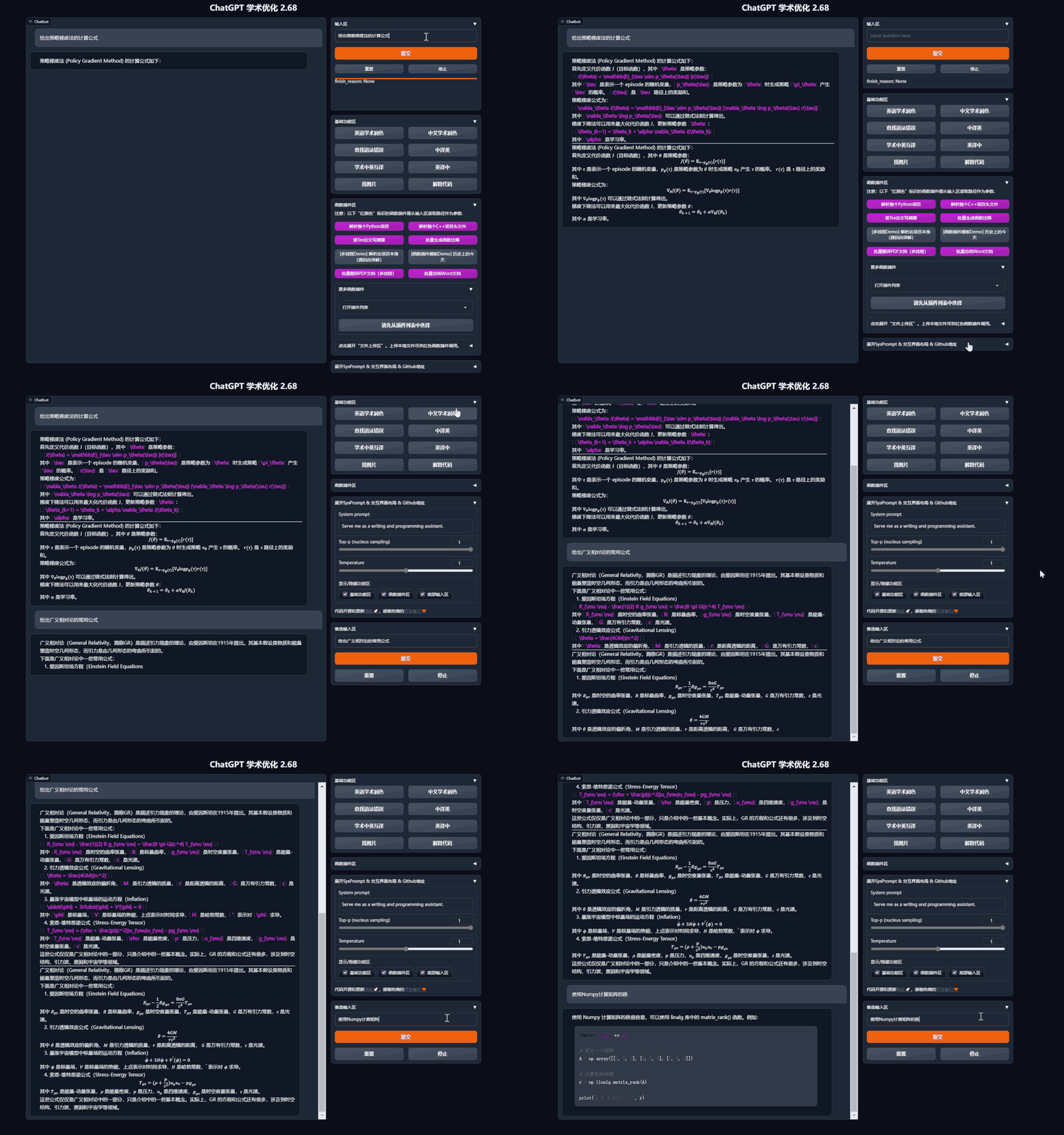
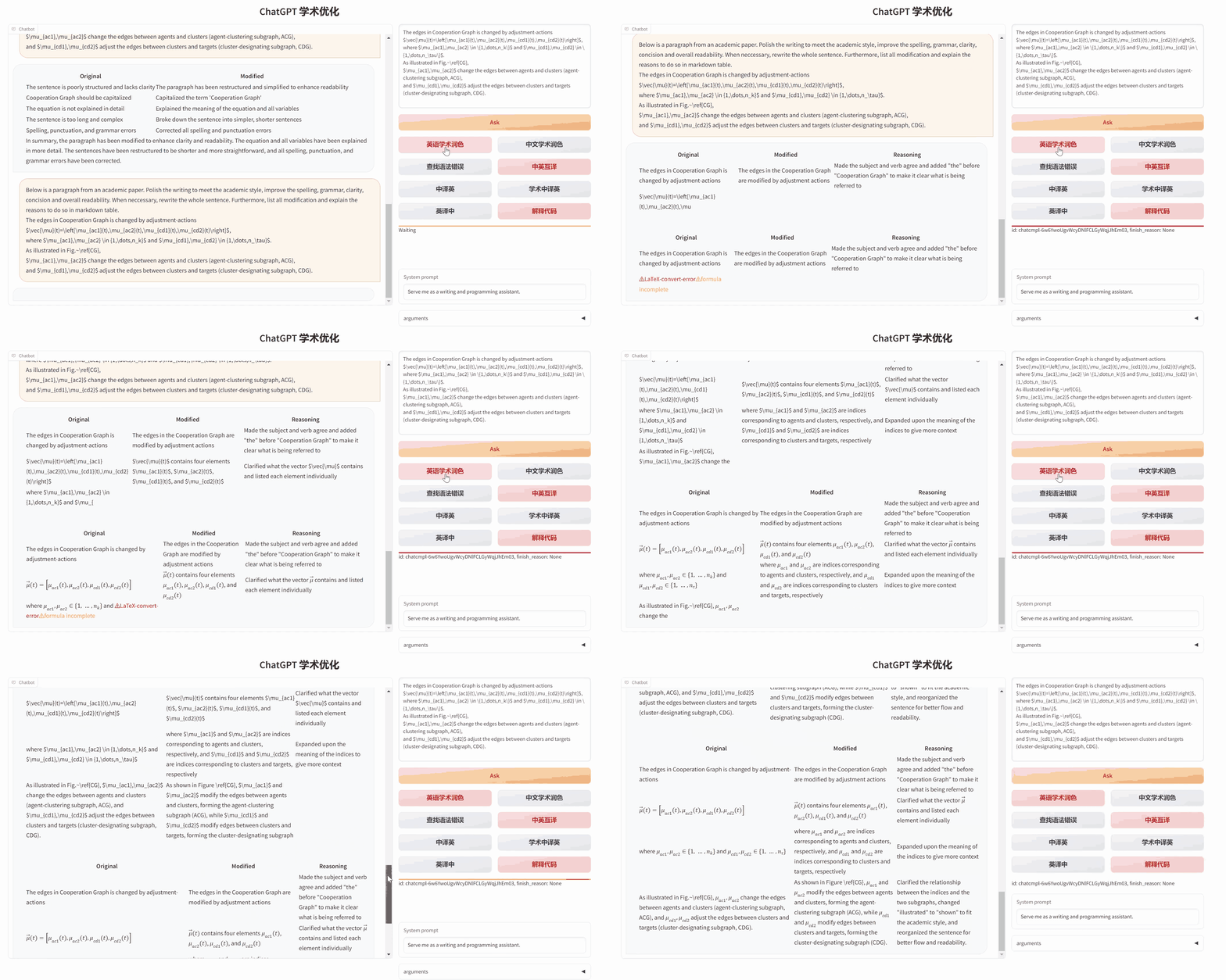
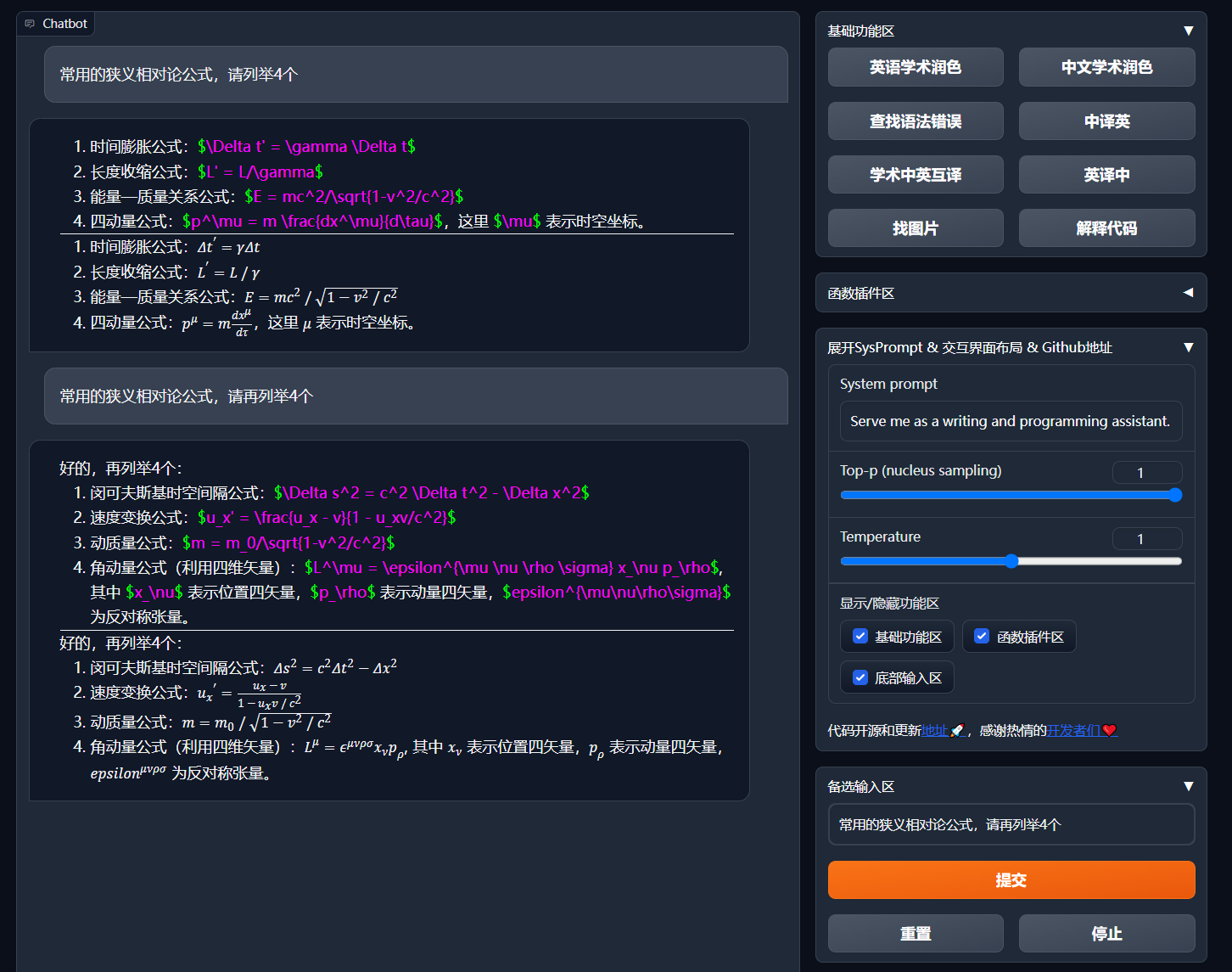
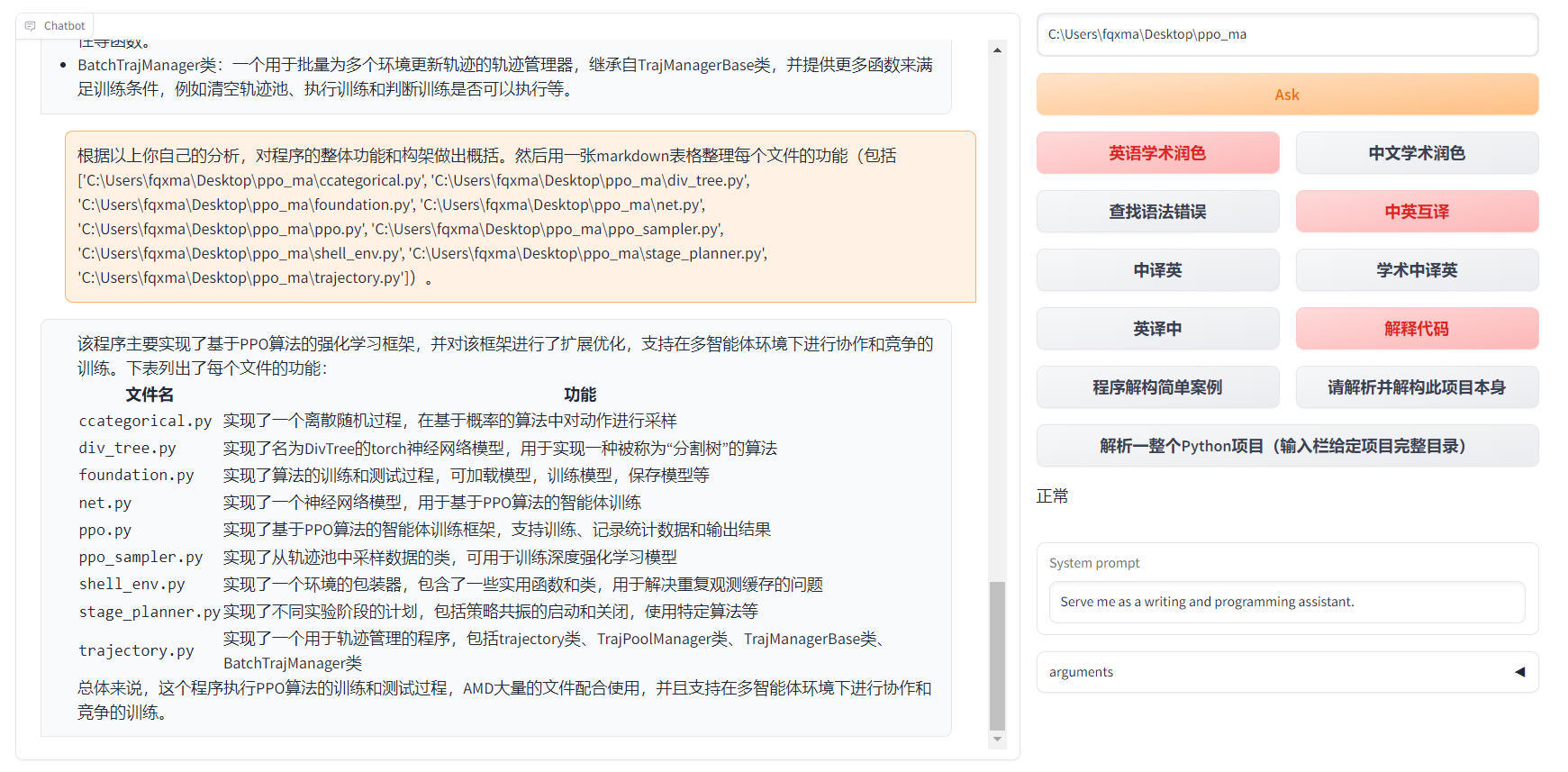
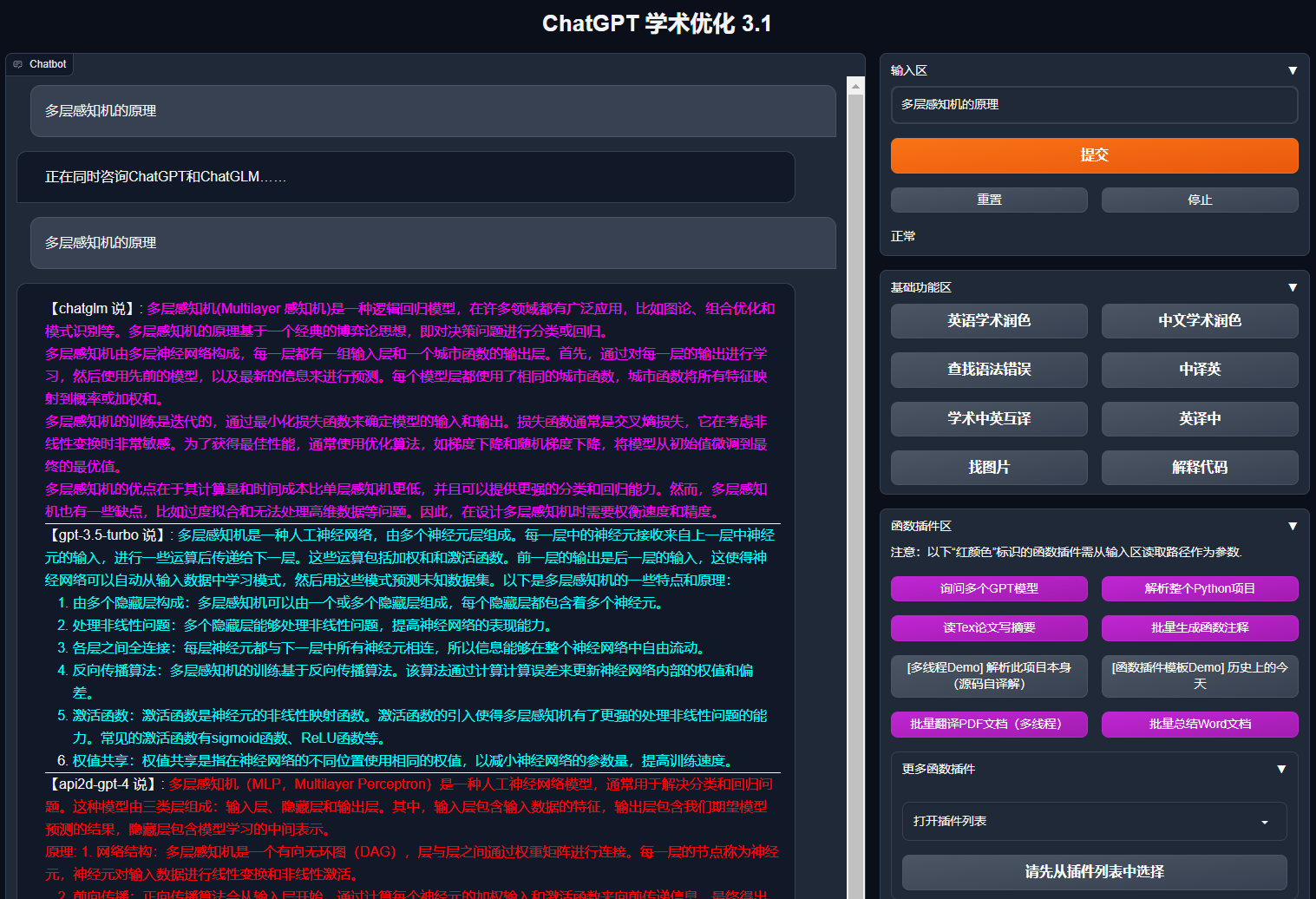
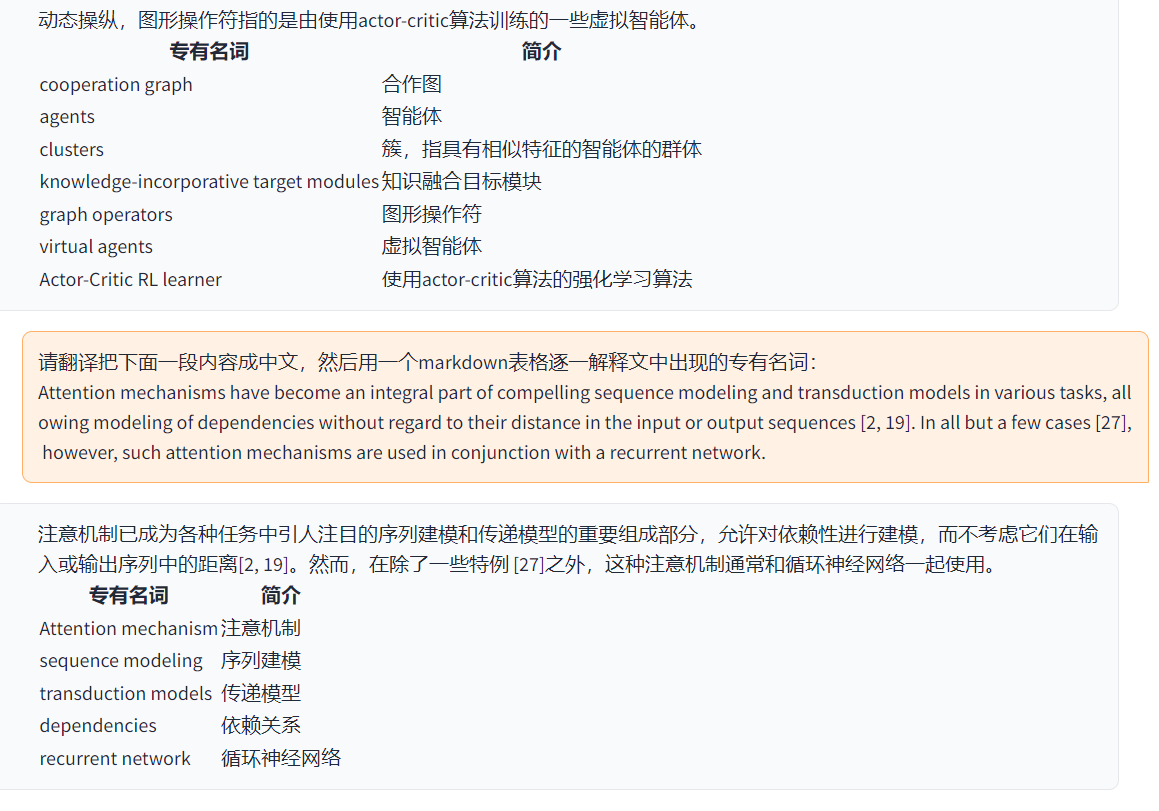
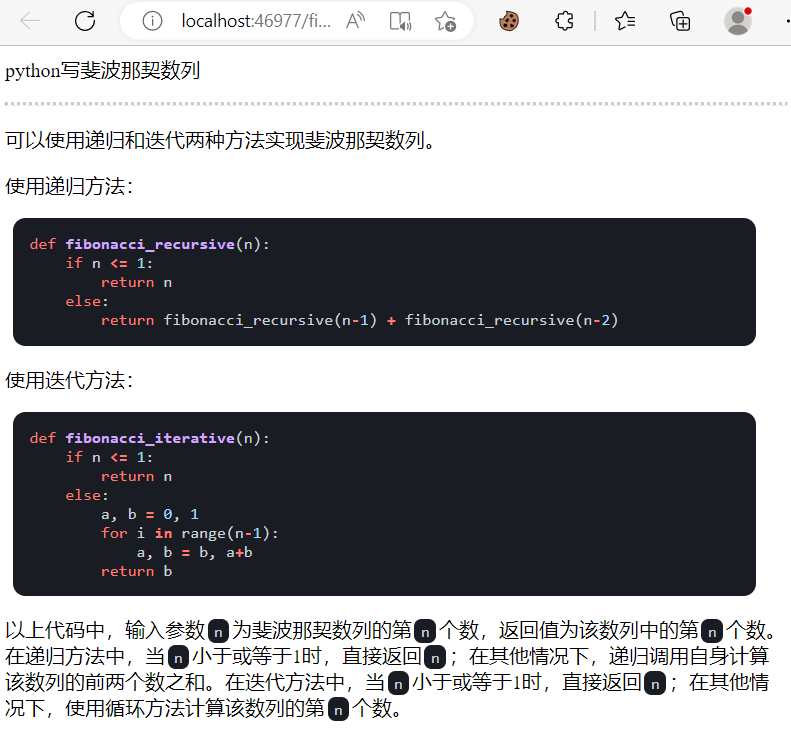
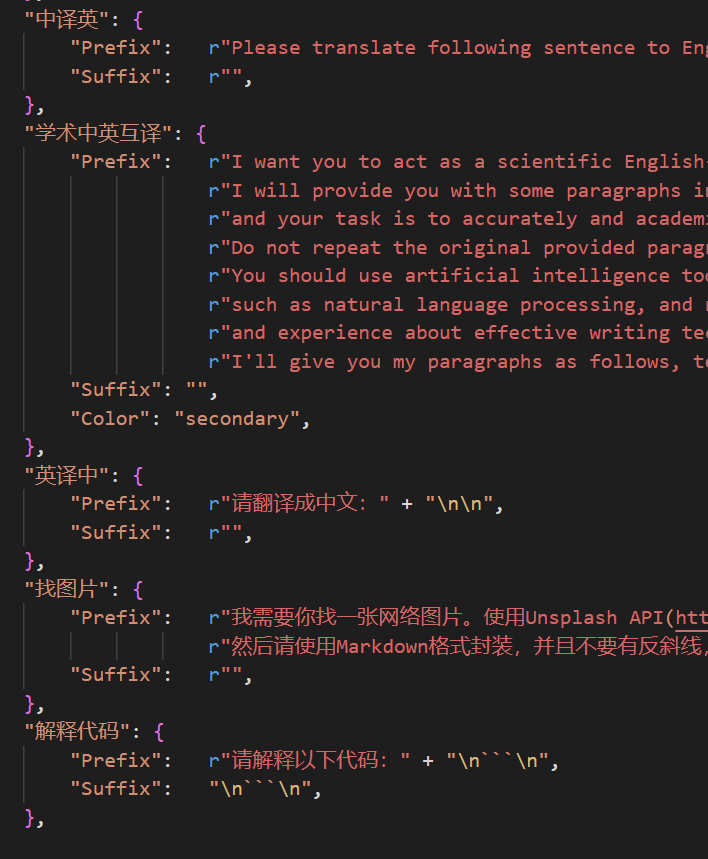
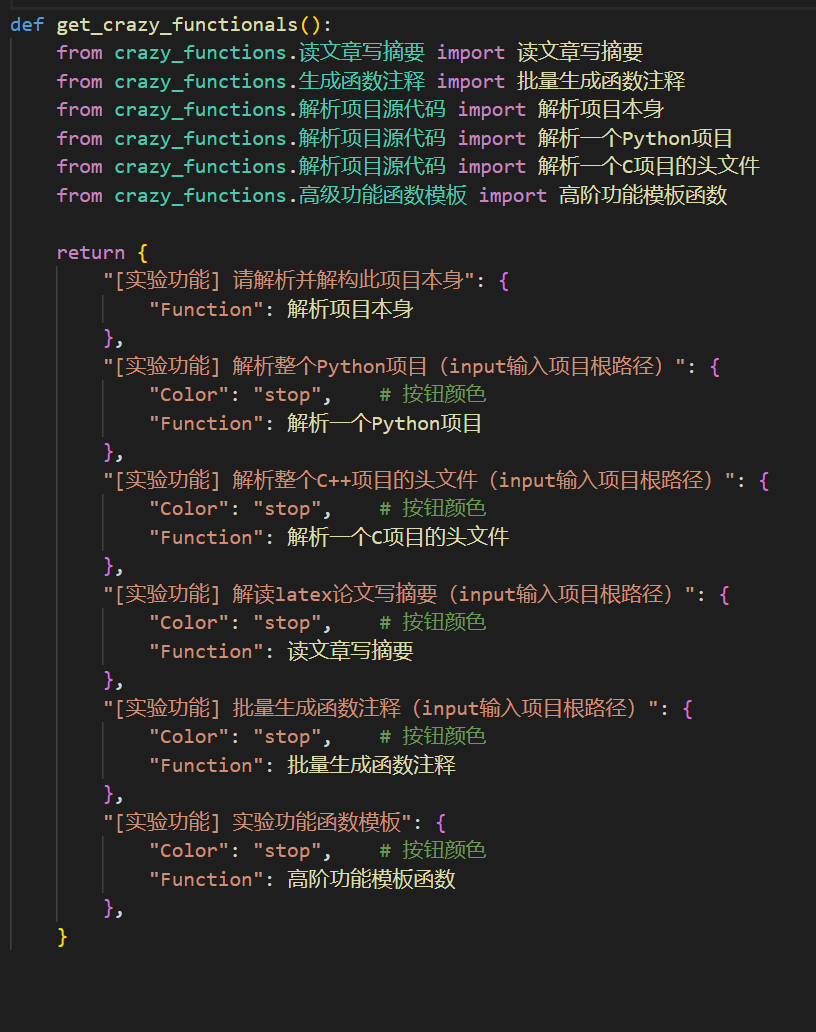
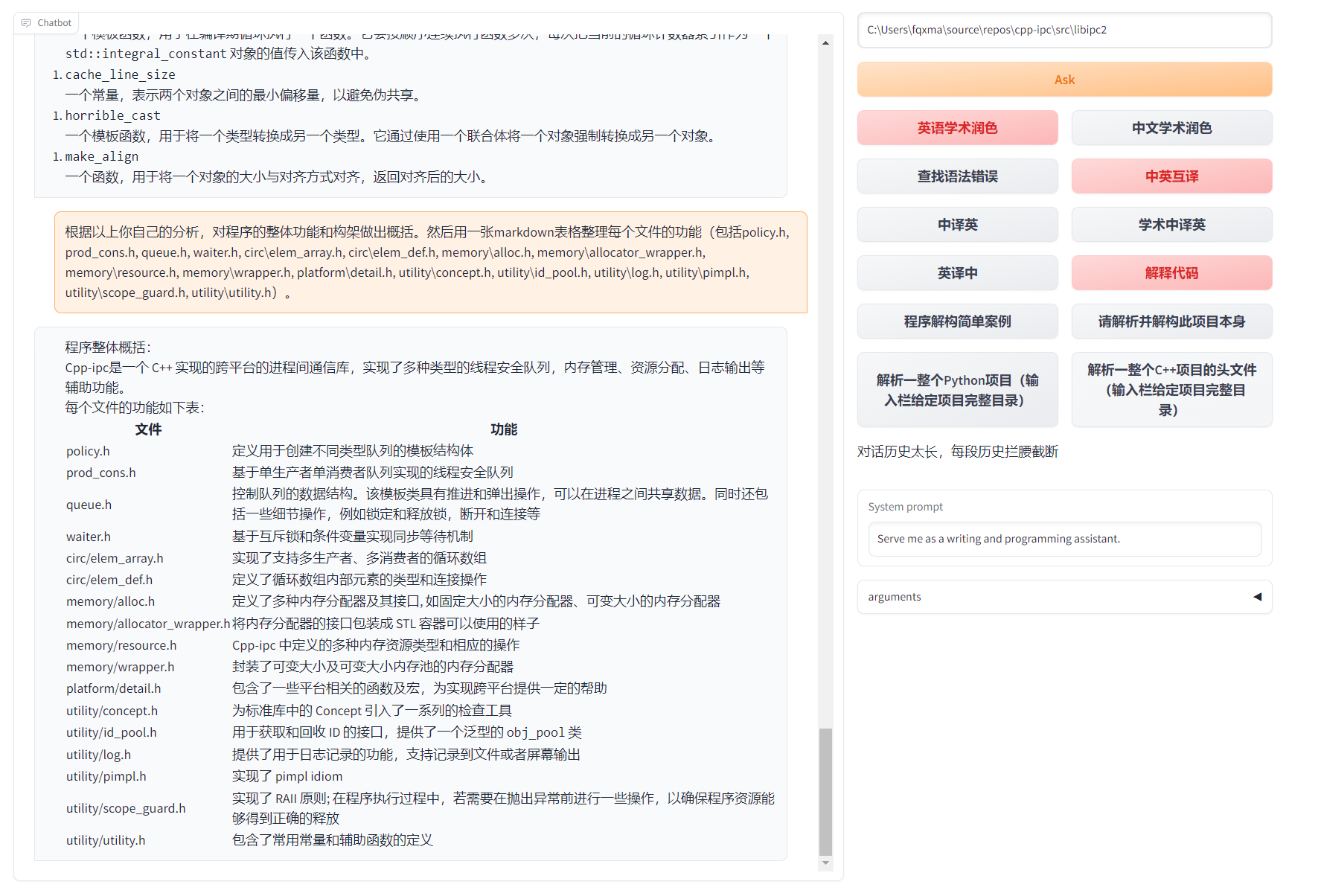

 GPT الأكاديمي