Showing preview only (1,732K chars total). Download the full file or copy to clipboard to get everything.
Repository: bmaltais/kohya_ss
Branch: master
Commit: 4161d1d80ad5
Files: 268
Total size: 1.6 MB
Directory structure:
gitextract_szw1scvi/

├── .augmentignore
├── .dockerignore
├── .gitattributes
├── .github/
│   ├── FUNDING.yml
│   ├── dependabot.yml
│   └── workflows/
│       ├── docker_publish.yml
│       └── typos.yaml
├── .gitignore
├── .gitmodules
├── .hadolint.yml
├── .release
├── Dockerfile
├── LICENSE.md
├── README.md
├── SECURITY.md
├── _typos.toml
├── assets/
│   ├── js/
│   │   ├── localization.js
│   │   └── script.js
│   └── style.css
├── config example.toml
├── config_files/
│   └── accelerate/
│       ├── default_config.yaml
│       └── runpod.yaml
├── dataset/
│   ├── images/
│   │   └── .gitkeep
│   ├── logs/
│   │   └── .gitkeep
│   ├── outputs/
│   │   └── .gitkeep
│   └── regularization/
│       └── .gitkeep
├── docker-compose.yaml
├── docs/
│   ├── Finetuning/
│   │   └── top_level.md
│   ├── Installation/
│   │   ├── pip_linux.md
│   │   ├── pip_windows.md
│   │   ├── uv_linux.md
│   │   └── uv_windows.md
│   ├── LoRA/
│   │   ├── options.md
│   │   └── top_level.md
│   ├── config_README-ja.md
│   ├── fine_tune_README_ja.md
│   ├── gen_img_README-ja.md
│   ├── image_folder_structure.md
│   ├── installation_docker.md
│   ├── installation_novita.md
│   ├── installation_runpod.md
│   ├── train_README-ja.md
│   ├── train_README-zh.md
│   ├── train_README.md
│   ├── train_db_README-ja.md
│   ├── train_db_README-zh.md
│   ├── train_lllite_README-ja.md
│   ├── train_lllite_README.md
│   ├── train_network_README-ja.md
│   ├── train_network_README-zh.md
│   ├── train_ti_README-ja.md
│   └── troubleshooting_tesla_v100.md
├── examples/
│   ├── LoRA based finetuning 2 phase.ps1
│   ├── caption.ps1
│   ├── caption_subfolders.ps1
│   ├── finetune_latent.ps1
│   ├── kohya-1-folders.ps1
│   ├── kohya-3-folders.ps1
│   ├── kohya.ps1
│   ├── kohya_finetune.ps1
│   ├── kohya_new-v3.ps1
│   ├── kohya_train_db_fixed_with-reg_SDv2 512 base.ps1
│   ├── lucoris extract examples.txt
│   ├── pull kohya_ss sd-scripts updates in.md
│   ├── stable_cascade/
│   │   └── test.toml
│   └── word_frequency.ps1
├── gui-uv.bat
├── gui-uv.sh
├── gui.bat
├── gui.ps1
├── gui.sh
├── kohya_gui/
│   ├── __init__.py
│   ├── basic_caption_gui.py
│   ├── blip2_caption_gui.py
│   ├── blip_caption_gui.py
│   ├── class_accelerate_launch.py
│   ├── class_advanced_training.py
│   ├── class_basic_training.py
│   ├── class_command_executor.py
│   ├── class_configuration_file.py
│   ├── class_flux1.py
│   ├── class_folders.py
│   ├── class_gui_config.py
│   ├── class_huggingface.py
│   ├── class_lora_tab.py
│   ├── class_metadata.py
│   ├── class_sample_images.py
│   ├── class_sd3.py
│   ├── class_sdxl_parameters.py
│   ├── class_source_model.py
│   ├── class_tensorboard.py
│   ├── common_gui.py
│   ├── convert_lcm_gui.py
│   ├── convert_model_gui.py
│   ├── custom_logging.py
│   ├── dataset_balancing_gui.py
│   ├── dreambooth_folder_creation_gui.py
│   ├── dreambooth_gui.py
│   ├── extract_lora_from_dylora_gui.py
│   ├── extract_lora_gui.py
│   ├── extract_lycoris_locon_gui.py
│   ├── finetune_gui.py
│   ├── flux_extract_lora_gui.py
│   ├── flux_merge_lora_gui.py
│   ├── git_caption_gui.py
│   ├── group_images_gui.py
│   ├── localization.py
│   ├── localization_ext.py
│   ├── lora_gui.py
│   ├── manual_caption_gui.py
│   ├── merge_lora_gui.py
│   ├── merge_lycoris_gui.py
│   ├── resize_lora_gui.py
│   ├── sd_modeltype.py
│   ├── svd_merge_lora_gui.py
│   ├── textual_inversion_gui.py
│   ├── utilities.py
│   ├── verify_lora_gui.py
│   └── wd14_caption_gui.py
├── kohya_gui.py
├── localizations/
│   ├── Put localization files here.txt
│   ├── chinese-sample.json
│   ├── en-GB.json
│   ├── zh-CN.json
│   └── zh-TW.json
├── presets/
│   ├── dreambooth/
│   │   ├── sd3_bdsqlsz_v1.json
│   │   └── sd3_bdsqlsz_v2.json
│   ├── finetune/
│   │   ├── SDXL - AI_Now PagedAdamW8bit v1.0.json
│   │   ├── SDXL - Essenz series by AI_Characters_Training v1.0.json
│   │   ├── adafactor.json
│   │   ├── lion.json
│   │   └── prepare_presets.md
│   └── lora/
│       ├── SDXL - 1 image LoRA v1.0.json
│       ├── SDXL - LoHA AI_Characters v1.0.json
│       ├── SDXL - LoKR v1.0.json
│       ├── SDXL - LoRA AI_Now ADamW v1.0.json
│       ├── SDXL - LoRA AI_Now prodigy v1.0.json
│       ├── SDXL - LoRA AI_characters standard v1.0.json
│       ├── SDXL - LoRA AI_characters standard v1.1.json
│       ├── SDXL - LoRA adafactor v1.0.json
│       ├── SDXL - LoRA aitrepreneur clothing v1.0.json
│       ├── SDXL - LoRA by malcolmrey training v1.0.json
│       ├── SDXL - LoRA face dogu_cat v1.0.json
│       ├── SDXL - LoRA finetuning phase 1_v1.1.json
│       ├── SDXL - LoRA finetuning phase 2_v1.1.json
│       ├── SDXL - LoRA kudou-reira dadaptadam v1.0.json
│       ├── SDXL - LoRA kudou-reira dadaptadam v1.1.json
│       ├── SDXL - LoRA kudou-reira prodigy v4.0.json
│       ├── SDXL - edgLoRAXL AI_Now.json
│       ├── SDXL - edgLoRAXL.json
│       ├── flux1D - adamw8bit fp8.json
│       ├── iA3-Prodigy-sd15.json
│       ├── ia3-sd15.json
│       ├── locon-dadaptation-sdxl.json
│       ├── loha-sd15.json
│       ├── lokr-sd15.json
│       ├── prepare_presets.md
│       ├── sd15 - EDG_LoConOptiSettings.json
│       ├── sd15 - EDG_LoHaOptiSettings.json
│       ├── sd15 - EDG_LoraOptiSettings.json
│       ├── sd15 - GLoRA v1.0.json
│       ├── sd15 - LoKR v1.0.json
│       ├── sd15 - LoKr v1.1.json
│       └── sd15 - LoKr v2.0.json
├── pyproject.toml
├── requirements.txt
├── requirements_ipex_xpu.txt
├── requirements_linux.txt
├── requirements_linux_ipex.txt
├── requirements_linux_rocm.txt
├── requirements_macos_amd64.txt
├── requirements_macos_arm64.txt
├── requirements_pytorch_windows.txt
├── requirements_runpod.txt
├── requirements_windows.txt
├── setup/
│   ├── check_local_modules.py
│   ├── create_user_files.py
│   ├── debug_info.py
│   ├── docker_setup.py
│   ├── setup_common.py
│   ├── setup_linux.py
│   ├── setup_runpod.py
│   ├── setup_windows.py
│   ├── update_bitsandbytes.py
│   └── validate_requirements.py
├── setup-3.10.bat
├── setup-runpod.sh
├── setup.bat
├── setup.ps1
├── setup.sh
├── test/
│   ├── config/
│   │   ├── Diag-OFT-AdamW8bit-toml.json
│   │   ├── DyLoRA-Adafactor-toml.json
│   │   ├── LoKR-AdamW8bit-toml.json
│   │   ├── SDXL-Standard-Adafactor.json
│   │   ├── SDXL-Standard-AdamW.json
│   │   ├── SDXL-Standard-AdamW8bit.json
│   │   ├── Standard-AdamW.json
│   │   ├── Standard-AdamW8bit.json
│   │   ├── TI-AdamW8bit-SDXL.json
│   │   ├── TI-AdamW8bit-toml.json
│   │   ├── TI-AdamW8bit.json
│   │   ├── dataset-finetune.toml
│   │   ├── dataset-masked_loss.toml
│   │   ├── dataset-multires.toml
│   │   ├── dataset.toml
│   │   ├── dreambooth-Adafactor.json
│   │   ├── dreambooth-AdamW.json
│   │   ├── dreambooth-AdamW8bit-masked_loss-toml.json
│   │   ├── dreambooth-AdamW8bit-toml.json
│   │   ├── dreambooth-AdamW8bit.json
│   │   ├── dreambooth-DAdaptAdam.json
│   │   ├── dreambooth-Prodigy-SDXL.json
│   │   ├── dreambooth-Prodigy.json
│   │   ├── dreambooth.json
│   │   ├── finetune-AdamW-toml.json
│   │   ├── finetune-AdamW.json
│   │   ├── iA3-Prodigy.json
│   │   ├── locon-Adafactor.json
│   │   ├── locon-AdamW.json
│   │   ├── locon-AdamW8bit-masked_loss-toml.json
│   │   ├── locon-AdamW8bit-toml.json
│   │   ├── locon-AdamW8bit.json
│   │   ├── locon-Prodigy.json
│   │   ├── loha-Prodigy.json
│   │   ├── meta-1_lat.json
│   │   └── t5clrs.json
│   ├── img/
│   │   └── 10_darius kawasaki person/
│   │       ├── Dariusz_Zawadzki.txt
│   │       ├── Dariusz_Zawadzki_2.txt
│   │       ├── Dariusz_Zawadzki_3.txt
│   │       ├── Dariusz_Zawadzki_4.txt
│   │       ├── Dariusz_Zawadzki_5.txt
│   │       ├── Dariusz_Zawadzki_6.txt
│   │       ├── Dariusz_Zawadzki_7.txt
│   │       └── Dariusz_Zawadzki_8.txt
│   └── img with spaces/
│       └── 10_darius kawasaki person/
│           ├── Dariusz_Zawadzki.txt
│           ├── Dariusz_Zawadzki_2.txt
│           ├── Dariusz_Zawadzki_3.txt
│           ├── Dariusz_Zawadzki_4.txt
│           ├── Dariusz_Zawadzki_5.txt
│           ├── Dariusz_Zawadzki_6.txt
│           ├── Dariusz_Zawadzki_7.txt
│           └── Dariusz_Zawadzki_8.txt
└── tools/
    ├── analyse_loha.py
    ├── caption.py
    ├── caption_from_filename.py
    ├── cleanup_captions.py
    ├── convert_html_to_md.py
    ├── convert_images_to_hq_jpg.py
    ├── convert_images_to_webp.py
    ├── create_txt_from_images.py
    ├── crop_images_to_n_buckets.py
    ├── dummy_loha.py
    ├── extract loha and lora examples.txt
    ├── extract_locon.py
    ├── extract_loha_from_model.py
    ├── extract_lora_from_models-new.py
    ├── extract_model_difference.py
    ├── gradio_theme_builder.py
    ├── group_images.py
    ├── group_images_recommended_size.py
    ├── lcm_convert.py
    ├── lycoris_locon_extract.py
    ├── lycoris_utils.py
    ├── merge_lycoris.py
    ├── prepare_presets.py
    ├── prune.py
    ├── rename_depth_mask.py
    └── resize_lora.py
================================================
FILE CONTENTS
================================================
================================================
FILE: .augmentignore
================================================
.env
.cache
.vscode
__pycache__
bitsandbytes_windows
cudnn_windows
data
dataset
docs
examples
outputs
SmilingWolf
test
v2_inference
venv
================================================
FILE: .dockerignore
================================================
.cache/
cudnn_windows/
bitsandbytes_windows/
bitsandbytes_windows_deprecated/
dataset/
models/
__pycache__/
venv/
**/.hadolint.yml
**/*.log
**/.git
**/.gitignore
**/.env
**/.github
**/.vscode
**/*.ps1
================================================
FILE: .gitattributes
================================================
*.sh text eol=lf
*.ps1 text eol=crlf
*.bat text eol=crlf
*.cmd text eol=crlf
================================================
FILE: .github/FUNDING.yml
================================================
# These are supported funding model platforms
github: [bmaltais]
================================================
FILE: .github/dependabot.yml
================================================
---
version: 2
updates:
- package-ecosystem: "github-actions"
directory: "/"
schedule:
interval: "monthly"
================================================
FILE: .github/workflows/docker_publish.yml
================================================
# Check this guide for more information about publishing to ghcr.io with GitHub Actions:
# https://docs.github.com/en/packages/managing-github-packages-using-github-actions-workflows/publishing-and-installing-a-package-with-github-actions#upgrading-a-workflow-that-accesses-ghcrio
# Build the Docker image and push it to the registry
name: docker_publish
on:
# Trigger the workflow on tags push that match the pattern v*, for example v1.0.0
push:
tags:
- "v*"
# Allows you to run this workflow manually from the Actions tab
workflow_dispatch:
jobs:
# Only run this job on tags
docker-tag:
runs-on: ubuntu-latest
if: startsWith(github.ref, 'refs/tags/')
# Sets the permissions granted to the GITHUB_TOKEN for the actions in this job.
permissions:
contents: read
packages: write
steps:
- name: Checkout
uses: actions/checkout@v4
with:
submodules: true
# We require additional space due to the large size of our image. (~10GB)
- name: Free Disk Space (Ubuntu)
uses: jlumbroso/free-disk-space@main
with:
tool-cache: true
android: true
dotnet: true
haskell: true
large-packages: true
docker-images: true
swap-storage: true
- name: Docker meta:${{ github.ref_name }}
id: meta
uses: docker/metadata-action@v5
with:
images: ghcr.io/${{ github.repository_owner }}/kohya-ss-gui
flavor: |
latest=auto
prefix=
suffix=
# https://github.com/docker/metadata-action/tree/v5/?tab=readme-ov-file#tags-input
tags: |
type=semver,pattern=v{{major}}
type=semver,pattern={{raw}}
- name: Set up QEMU
uses: docker/setup-qemu-action@v3
- name: Set up Docker Buildx
uses: docker/setup-buildx-action@v3
# You may need to manage write and read access of GitHub Actions for repositories in the container settings.
- name: Login to GitHub Container Registry
uses: docker/login-action@v3
with:
registry: ghcr.io
username: ${{ github.repository_owner }}
password: ${{ secrets.GITHUB_TOKEN }}
- name: Build and push
uses: docker/build-push-action@v6
id: publish
with:
context: .
file: ./Dockerfile
push: true
target: final
tags: ${{ steps.meta.outputs.tags }}
labels: ${{ steps.meta.outputs.labels }}
build-args: |
VERSION=${{ github.ref_name }}
RELEASE=${{ github.run_number }}
platforms: linux/amd64
# Cache to regietry instead of gha to avoid the capacity limit.
cache-from: type=registry,ref=ghcr.io/${{ github.repository_owner }}/kohya-ss-gui:cache
cache-to: type=registry,ref=ghcr.io/${{ github.repository_owner }}/kohya-ss-gui:cache,mode=max
sbom: true
provenance: true
================================================
FILE: .github/workflows/typos.yaml
================================================
---
# yamllint disable rule:line-length
name: Typos
on: # yamllint disable-line rule:truthy
push:
pull_request:
types:
- opened
- synchronize
- reopened
jobs:
build:
runs-on: ubuntu-latest
steps:
- uses: actions/checkout@v4
- name: typos-action
uses: crate-ci/typos@v1.32.0
================================================
FILE: .gitignore
================================================
# Python
.venv
venv
venv2
__pycache__
*.egg-info
build
wd14_tagger_model
# IDE and Editor specific
.vscode
# CUDNN for Windows
cudnn_windows
# Cache and temporary files
.cache
.DS_Store
# Scripts and executables
locon
gui-user.bat
gui-user.ps1
# Version control
SmilingWolf
wandb
# Setup and logs
setup.log
logs
# Miscellaneous
uninstall.txt
# Test files
test/output
test/log*
test/*.json
test/ft
# Temporary requirements
requirements_tmp_for_setup.txt
*.npz
presets/*/user_presets/*
inputs
outputs
dataset/**
!dataset/**/
!dataset/**/.gitkeep
models
data
config.toml
sd-scripts
venv
venv*
.python-version
================================================
FILE: .gitmodules
================================================
[submodule "sd-scripts"]
path = sd-scripts
url = https://github.com/kohya-ss/sd-scripts.git
================================================
FILE: .hadolint.yml
================================================
ignored:
- DL3042 # Avoid use of cache directory with pip. Use `pip install --no-cache-dir <package>`
- DL3013 # Pin versions in pip. Instead of `pip install <package>` use `pip install <package>==<version>`
- DL3008 # Pin versions in apt get install. Instead of `apt-get install <package>` use `apt-get install <package>=<version>`
- DL4006 # Set the SHELL option -o pipefail before RUN with a pipe in it
- SC2015 # Note that A && B || C is not if-then-else. C may run when A is true.
================================================
FILE: .release
================================================
v25.2.1
================================================
FILE: Dockerfile
================================================
# syntax=docker/dockerfile:1
ARG UID=1000
ARG VERSION=EDGE
ARG RELEASE=0
########################################
# Base stage
########################################
FROM docker.io/library/python:3.11-slim-bookworm AS base
# RUN mount cache for multi-arch: https://github.com/docker/buildx/issues/549#issuecomment-1788297892
ARG TARGETARCH
ARG TARGETVARIANT
WORKDIR /tmp
ENV NVIDIA_VISIBLE_DEVICES=all
ENV NVIDIA_DRIVER_CAPABILITIES=compute,utility
# Install CUDA partially
# https://docs.nvidia.com/cuda/cuda-installation-guide-linux/#debian
# Installing the complete CUDA Toolkit system-wide usually adds around 8GB to the image size.
# Since most CUDA packages already installed through pip, there's no need to download the entire toolkit.
# Therefore, we opt to install only the essential libraries.
# Here is the package list for your reference: https://developer.download.nvidia.com/compute/cuda/repos/debian12/x86_64
ADD https://developer.download.nvidia.com/compute/cuda/repos/debian12/x86_64/cuda-keyring_1.1-1_all.deb /tmp/cuda-keyring_x86_64.deb
RUN --mount=type=cache,id=apt-$TARGETARCH$TARGETVARIANT,sharing=locked,target=/var/cache/apt \
--mount=type=cache,id=aptlists-$TARGETARCH$TARGETVARIANT,sharing=locked,target=/var/lib/apt/lists \
dpkg -i cuda-keyring_x86_64.deb && \
rm -f cuda-keyring_x86_64.deb && \
apt-get update && \
apt-get install -y --no-install-recommends \
# !If you experience any related issues, replace the following line with `cuda-12-8` to obtain the complete CUDA package.
cuda-nvcc-12-8
ENV PATH="/usr/local/cuda/bin${PATH:+:${PATH}}"
ENV LD_LIBRARY_PATH=/usr/local/cuda/lib64
ENV CUDA_VERSION=12.8
ENV NVIDIA_REQUIRE_CUDA=cuda>=12.8
ENV CUDA_HOME=/usr/local/cuda
########################################
# Build stage
########################################
FROM base AS build
# RUN mount cache for multi-arch: https://github.com/docker/buildx/issues/549#issuecomment-1788297892
ARG TARGETARCH
ARG TARGETVARIANT
WORKDIR /app
# Install uv
COPY --from=ghcr.io/astral-sh/uv:latest /uv /uvx /bin/
ENV UV_PROJECT_ENVIRONMENT=/venv
ENV VIRTUAL_ENV=/venv
ENV UV_LINK_MODE=copy
ENV UV_PYTHON_DOWNLOADS=0
ENV UV_INDEX=https://download.pytorch.org/whl/cu128
# Install build dependencies
RUN --mount=type=cache,id=apt-$TARGETARCH$TARGETVARIANT,sharing=locked,target=/var/cache/apt \
--mount=type=cache,id=aptlists-$TARGETARCH$TARGETVARIANT,sharing=locked,target=/var/lib/apt/lists \
apt-get update && apt-get upgrade -y && \
apt-get install -y --no-install-recommends python3-launchpadlib git curl
# Install big dependencies separately for layer caching
# !Please note that the version restrictions should be the same as pyproject.toml
# No packages listed should be removed in the next `uv sync` command
# If this happens, please update the version restrictions or update the uv.lock file
RUN --mount=type=cache,id=uv-$TARGETARCH$TARGETVARIANT,sharing=locked,target=/root/.cache/uv \
uv venv --system-site-packages /venv && \
uv pip install --no-deps \
# torch (1.0GiB)
torch==2.7.0+cu128 \
# triton (149.3MiB)
triton>=3.1.0 \
# tensorflow (615.0MiB)
tensorflow>=2.16.1 \
# onnxruntime-gpu (215.7MiB)
onnxruntime-gpu==1.19.2
# Install dependencies
RUN --mount=type=cache,id=uv-$TARGETARCH$TARGETVARIANT,sharing=locked,target=/root/.cache/uv \
--mount=type=bind,source=pyproject.toml,target=pyproject.toml \
--mount=type=bind,source=uv.lock,target=uv.lock \
--mount=type=bind,source=sd-scripts,target=sd-scripts,rw \
uv sync --frozen --no-dev --no-install-project --no-editable
# Replace pillow with pillow-simd (Only for x86)
ARG TARGETPLATFORM
RUN --mount=type=cache,id=apt-$TARGETARCH$TARGETVARIANT,sharing=locked,target=/var/cache/apt \
--mount=type=cache,id=aptlists-$TARGETARCH$TARGETVARIANT,sharing=locked,target=/var/lib/apt/lists \
if [ "$TARGETPLATFORM" = "linux/amd64" ]; then \
apt-get update && apt-get install -y --no-install-recommends zlib1g-dev libjpeg62-turbo-dev build-essential && \
uv pip uninstall pillow && \
CC="cc -mavx2" uv pip install pillow-simd; \
fi
########################################
# Final stage
########################################
FROM base AS final
ARG TARGETARCH
ARG TARGETVARIANT
WORKDIR /tmp
# Install runtime dependencies
RUN --mount=type=cache,id=apt-$TARGETARCH$TARGETVARIANT,sharing=locked,target=/var/cache/apt \
--mount=type=cache,id=aptlists-$TARGETARCH$TARGETVARIANT,sharing=locked,target=/var/lib/apt/lists \
apt-get update && apt-get upgrade -y && \
apt-get install -y --no-install-recommends libgl1 libglib2.0-0 libjpeg62 libtcl8.6 libtk8.6 libgoogle-perftools-dev dumb-init
# Fix missing libnvinfer7
RUN ln -s /usr/lib/x86_64-linux-gnu/libnvinfer.so /usr/lib/x86_64-linux-gnu/libnvinfer.so.7 && \
ln -s /usr/lib/x86_64-linux-gnu/libnvinfer_plugin.so /usr/lib/x86_64-linux-gnu/libnvinfer_plugin.so.7
# Create user
ARG UID
RUN groupadd -g $UID $UID && \
useradd -l -u $UID -g $UID -m -s /bin/sh -N $UID
# Create directories with correct permissions
RUN install -d -m 775 -o $UID -g 0 /dataset && \
install -d -m 775 -o $UID -g 0 /licenses && \
install -d -m 775 -o $UID -g 0 /app && \
install -d -m 775 -o $UID -g 0 /venv
# Copy licenses (OpenShift Policy)
COPY --link --chmod=775 LICENSE.md /licenses/LICENSE.md
# Copy dependencies and code (and support arbitrary uid for OpenShift best practice)
COPY --link --chown=$UID:0 --chmod=775 --from=build /venv /venv
COPY --link --chown=$UID:0 --chmod=775 . /app
ENV PATH="/venv/bin${PATH:+:${PATH}}"
ENV PYTHONPATH="/venv/lib/python3.11/site-packages"
ENV LD_LIBRARY_PATH="/venv/lib/python3.11/site-packages/nvidia/cudnn/lib${LD_LIBRARY_PATH:+:${LD_LIBRARY_PATH}}"
ENV LD_PRELOAD=libtcmalloc.so
ENV PROTOCOL_BUFFERS_PYTHON_IMPLEMENTATION=python
# Rich logging
# https://rich.readthedocs.io/en/stable/console.html#interactive-mode
ENV FORCE_COLOR="true"
ENV COLUMNS="100"
WORKDIR /app
VOLUME [ "/dataset" ]
# 7860: Kohya GUI
EXPOSE 7860
USER $UID
STOPSIGNAL SIGINT
# Use dumb-init as PID 1 to handle signals properly
ENTRYPOINT ["dumb-init", "--"]
CMD ["python3", "kohya_gui.py", "--listen", "0.0.0.0", "--server_port", "7860", "--headless", "--noverify"]
ARG VERSION
ARG RELEASE
LABEL name="bmaltais/kohya_ss" \
vendor="bmaltais" \
maintainer="bmaltais" \
# Dockerfile source repository
url="https://github.com/bmaltais/kohya_ss" \
version=${VERSION} \
# This should be a number, incremented with each change
release=${RELEASE} \
io.k8s.display-name="kohya_ss" \
summary="Kohya's GUI: This repository provides a Gradio GUI for Kohya's Stable Diffusion trainers(https://github.com/kohya-ss/sd-scripts)." \
description="The GUI allows you to set the training parameters and generate and run the required CLI commands to train the model. This is the docker image for Kohya's GUI. For more information about this tool, please visit the following website: https://github.com/bmaltais/kohya_ss."
================================================
FILE: LICENSE.md
================================================
Apache License
Version 2.0, January 2004
http://www.apache.org/licenses/
TERMS AND CONDITIONS FOR USE, REPRODUCTION, AND DISTRIBUTION
1. Definitions.
"License" shall mean the terms and conditions for use, reproduction,
and distribution as defined by Sections 1 through 9 of this document.
"Licensor" shall mean the copyright owner or entity authorized by
the copyright owner that is granting the License.
"Legal Entity" shall mean the union of the acting entity and all
other entities that control, are controlled by, or are under common
control with that entity. For the purposes of this definition,
"control" means (i) the power, direct or indirect, to cause the
direction or management of such entity, whether by contract or
otherwise, or (ii) ownership of fifty percent (50%) or more of the
outstanding shares, or (iii) beneficial ownership of such entity.
"You" (or "Your") shall mean an individual or Legal Entity
exercising permissions granted by this License.
"Source" form shall mean the preferred form for making modifications,
including but not limited to software source code, documentation
source, and configuration files.
"Object" form shall mean any form resulting from mechanical
transformation or translation of a Source form, including but
not limited to compiled object code, generated documentation,
and conversions to other media types.
"Work" shall mean the work of authorship, whether in Source or
Object form, made available under the License, as indicated by a
copyright notice that is included in or attached to the work
(an example is provided in the Appendix below).
"Derivative Works" shall mean any work, whether in Source or Object
form, that is based on (or derived from) the Work and for which the
editorial revisions, annotations, elaborations, or other modifications
represent, as a whole, an original work of authorship. For the purposes
of this License, Derivative Works shall not include works that remain
separable from, or merely link (or bind by name) to the interfaces of,
the Work and Derivative Works thereof.
"Contribution" shall mean any work of authorship, including
the original version of the Work and any modifications or additions
to that Work or Derivative Works thereof, that is intentionally
submitted to Licensor for inclusion in the Work by the copyright owner
or by an individual or Legal Entity authorized to submit on behalf of
the copyright owner. For the purposes of this definition, "submitted"
means any form of electronic, verbal, or written communication sent
to the Licensor or its representatives, including but not limited to
communication on electronic mailing lists, source code control systems,
and issue tracking systems that are managed by, or on behalf of, the
Licensor for the purpose of discussing and improving the Work, but
excluding communication that is conspicuously marked or otherwise
designated in writing by the copyright owner as "Not a Contribution."
"Contributor" shall mean Licensor and any individual or Legal Entity
on behalf of whom a Contribution has been received by Licensor and
subsequently incorporated within the Work.
2. Grant of Copyright License. Subject to the terms and conditions of
this License, each Contributor hereby grants to You a perpetual,
worldwide, non-exclusive, no-charge, royalty-free, irrevocable
copyright license to reproduce, prepare Derivative Works of,
publicly display, publicly perform, sublicense, and distribute the
Work and such Derivative Works in Source or Object form.
3. Grant of Patent License. Subject to the terms and conditions of
this License, each Contributor hereby grants to You a perpetual,
worldwide, non-exclusive, no-charge, royalty-free, irrevocable
(except as stated in this section) patent license to make, have made,
use, offer to sell, sell, import, and otherwise transfer the Work,
where such license applies only to those patent claims licensable
by such Contributor that are necessarily infringed by their
Contribution(s) alone or by combination of their Contribution(s)
with the Work to which such Contribution(s) was submitted. If You
institute patent litigation against any entity (including a
cross-claim or counterclaim in a lawsuit) alleging that the Work
or a Contribution incorporated within the Work constitutes direct
or contributory patent infringement, then any patent licenses
granted to You under this License for that Work shall terminate
as of the date such litigation is filed.
4. Redistribution. You may reproduce and distribute copies of the
Work or Derivative Works thereof in any medium, with or without
modifications, and in Source or Object form, provided that You
meet the following conditions:
(a) You must give any other recipients of the Work or
Derivative Works a copy of this License; and
(b) You must cause any modified files to carry prominent notices
stating that You changed the files; and
(c) You must retain, in the Source form of any Derivative Works
that You distribute, all copyright, patent, trademark, and
attribution notices from the Source form of the Work,
excluding those notices that do not pertain to any part of
the Derivative Works; and
(d) If the Work includes a "NOTICE" text file as part of its
distribution, then any Derivative Works that You distribute must
include a readable copy of the attribution notices contained
within such NOTICE file, excluding those notices that do not
pertain to any part of the Derivative Works, in at least one
of the following places: within a NOTICE text file distributed
as part of the Derivative Works; within the Source form or
documentation, if provided along with the Derivative Works; or,
within a display generated by the Derivative Works, if and
wherever such third-party notices normally appear. The contents
of the NOTICE file are for informational purposes only and
do not modify the License. You may add Your own attribution
notices within Derivative Works that You distribute, alongside
or as an addendum to the NOTICE text from the Work, provided
that such additional attribution notices cannot be construed
as modifying the License.
You may add Your own copyright statement to Your modifications and
may provide additional or different license terms and conditions
for use, reproduction, or distribution of Your modifications, or
for any such Derivative Works as a whole, provided Your use,
reproduction, and distribution of the Work otherwise complies with
the conditions stated in this License.
5. Submission of Contributions. Unless You explicitly state otherwise,
any Contribution intentionally submitted for inclusion in the Work
by You to the Licensor shall be under the terms and conditions of
this License, without any additional terms or conditions.
Notwithstanding the above, nothing herein shall supersede or modify
the terms of any separate license agreement you may have executed
with Licensor regarding such Contributions.
6. Trademarks. This License does not grant permission to use the trade
names, trademarks, service marks, or product names of the Licensor,
except as required for reasonable and customary use in describing the
origin of the Work and reproducing the content of the NOTICE file.
7. Disclaimer of Warranty. Unless required by applicable law or
agreed to in writing, Licensor provides the Work (and each
Contributor provides its Contributions) on an "AS IS" BASIS,
WITHOUT WARRANTIES OR CONDITIONS OF ANY KIND, either express or
implied, including, without limitation, any warranties or conditions
of TITLE, NON-INFRINGEMENT, MERCHANTABILITY, or FITNESS FOR A
PARTICULAR PURPOSE. You are solely responsible for determining the
appropriateness of using or redistributing the Work and assume any
risks associated with Your exercise of permissions under this License.
8. Limitation of Liability. In no event and under no legal theory,
whether in tort (including negligence), contract, or otherwise,
unless required by applicable law (such as deliberate and grossly
negligent acts) or agreed to in writing, shall any Contributor be
liable to You for damages, including any direct, indirect, special,
incidental, or consequential damages of any character arising as a
result of this License or out of the use or inability to use the
Work (including but not limited to damages for loss of goodwill,
work stoppage, computer failure or malfunction, or any and all
other commercial damages or losses), even if such Contributor
has been advised of the possibility of such damages.
9. Accepting Warranty or Additional Liability. While redistributing
the Work or Derivative Works thereof, You may choose to offer,
and charge a fee for, acceptance of support, warranty, indemnity,
or other liability obligations and/or rights consistent with this
License. However, in accepting such obligations, You may act only
on Your own behalf and on Your sole responsibility, not on behalf
of any other Contributor, and only if You agree to indemnify,
defend, and hold each Contributor harmless for any liability
incurred by, or claims asserted against, such Contributor by reason
of your accepting any such warranty or additional liability.
END OF TERMS AND CONDITIONS
APPENDIX: How to apply the Apache License to your work.
To apply the Apache License to your work, attach the following
boilerplate notice, with the fields enclosed by brackets "[]"
replaced with your own identifying information. (Don't include
the brackets!) The text should be enclosed in the appropriate
comment syntax for the file format. We also recommend that a
file or class name and description of purpose be included on the
same "printed page" as the copyright notice for easier
identification within third-party archives.
Copyright [2022] [kohya-ss]
Licensed under the Apache License, Version 2.0 (the "License");
you may not use this file except in compliance with the License.
You may obtain a copy of the License at
http://www.apache.org/licenses/LICENSE-2.0
Unless required by applicable law or agreed to in writing, software
distributed under the License is distributed on an "AS IS" BASIS,
WITHOUT WARRANTIES OR CONDITIONS OF ANY KIND, either express or implied.
See the License for the specific language governing permissions and
limitations under the License.
================================================
FILE: README.md
================================================
# Kohya's GUI
[](https://github.com/bmaltais/kohya_ss/stargazers)
[](https://github.com/bmaltais/kohya_ss/network/members)
[](LICENSE.md)
[](https://github.com/bmaltais/kohya_ss/issues)
This is a GUI and CLI for training diffusion models.
This project provides a user-friendly Gradio-based Graphical User Interface (GUI) for [Kohya's Stable Diffusion training scripts](https://github.com/kohya-ss/sd-scripts).
Stable Diffusion training empowers users to customize image generation models by fine-tuning existing models, creating unique artistic styles,
and training specialized models like LoRA (Low-Rank Adaptation).
Key features of this GUI include:
* Easy-to-use interface for setting a wide range of training parameters.
* Automatic generation of the command-line interface (CLI) commands required to run the training scripts.
* Support for various training methods, including LoRA, Dreambooth, fine-tuning, and SDXL training.
Support for Linux and macOS is also available. While Linux support is actively maintained through community contributions, macOS compatibility may vary.
## Table of Contents
- [Installation Options](#installation-options)
- [Local Installation Overview](#local-installation-overview)
- [`uv` vs `pip` – What's the Difference?](#uv-vs-pip--whats-the-difference)
- [Cloud Installation Overview](#cloud-installation-overview)
- [Colab](#-colab)
- [Runpod, Novita, Docker](#runpod-novita-docker)
- [Custom Path Defaults](#custom-path-defaults)
- [LoRA](#lora)
- [Sample image generation during training](#sample-image-generation-during-training)
- [Troubleshooting](#troubleshooting)
- [Page File Limit](#page-file-limit)
- [No module called tkinter](#no-module-called-tkinter)
- [LORA Training on TESLA V100 - GPU Utilization Issue](#lora-training-on-tesla-v100---gpu-utilization-issue)
- [SDXL training](#sdxl-training)
- [Masked loss](#masked-loss)
- [Guides](#guides)
- [Using Accelerate Lora Tab to Select GPU ID](#using-accelerate-lora-tab-to-select-gpu-id)
- [Starting Accelerate in GUI](#starting-accelerate-in-gui)
- [Running Multiple Instances (linux)](#running-multiple-instances-linux)
- [Monitoring Processes](#monitoring-processes)
- [Interesting Forks](#interesting-forks)
- [Contributing](#contributing)
- [License](#license)
- [Change History](#change-history)
- [v25.0.3](#v2503)
- [v25.0.2](#v2502)
- [v25.0.1](#v2501)
- [v25.0.0](#v2500)
## Installation Options
You can run `kohya_ss` either **locally on your machine** or via **cloud-based solutions** like Colab or Runpod.
- If you have a GPU-equipped PC and want full control: install it locally using `uv` or `pip`.
- If your system doesn’t meet requirements or you prefer a browser-based setup: use Colab or a paid GPU provider like Runpod or Novita.
- If you are a developer or DevOps user, Docker is also supported.
---
### Local Installation Overview
You can install `kohya_ss` locally using either the `uv` or `pip` method. Choose one depending on your platform and preferences:
| Platform | Recommended Method | Instructions |
|--------------|----------------|---------------------------------------------|
| Linux | `uv` | [uv_linux.md](./docs/Installation/uv_linux.md) |
| Linux or Mac | `pip` | [pip_linux.md](./docs/Installation/pip_linux.md) |
| Windows | `uv` | [uv_windows.md](./docs/Installation/uv_windows.md) |
| Windows | `pip` | [pip_windows.md](./docs/Installation/pip_windows.md) |
#### `uv` vs `pip` – What's the Difference?
- `uv` is faster and isolates dependencies more cleanly, ideal if you want minimal setup hassle.
- `pip` is more traditional, easier to debug if issues arise, and works better with some IDEs or Python tooling.
- If unsure: try `uv`. If it doesn't work for you, fall back to `pip`.
### Cloud Installation Overview
#### 🦒 Colab
For browser-based training without local setup, use this Colab notebook:
<https://github.com/camenduru/kohya_ss-colab>
- No installation required
- Free to use (GPU availability may vary)
- Maintained by **camenduru**, not the original author
| Colab | Info |
| ------------------------------------------------------------------------------------------------------------------------------------------------------------------------------ | ------------------ |
| [](https://colab.research.google.com/github/camenduru/kohya_ss-colab/blob/main/kohya_ss_colab.ipynb) | kohya_ss_gui_colab |
> 💡 If you encounter issues, please report them on camenduru’s repo.
**Special thanks**
I would like to express my gratitude to camenduru for their valuable contribution.
#### Runpod, Novita, Docker
These options are for users running training on hosted GPU infrastructure or containers.
- **[Runpod setup](docs/runpod_setup.md)** – Ready-made GPU background training via templates.
- **[Novita setup](docs/novita_setup.md)** – Similar to Runpod, but integrated into the Novita UI.
- **[Docker setup](docs/docker.md)** – For developers/sysadmins using containerized environments.
## Custom Path Defaults with `config.toml`
The GUI supports a configuration file named `config.toml` that allows you to set default paths for many of the input fields. This is useful for avoiding repetitive manual selection of directories every time you start the GUI.
**Purpose of `config.toml`:**
* Pre-fill default directory paths for pretrained models, datasets, output folders, LoRA models, etc.
* Streamline your workflow by having the GUI remember your preferred locations.
**How to Use and Customize:**
1. **Create your configuration file:**
* In the root directory of the `kohya_ss` repository, you'll find a file named `config example.toml`.
* Copy this file and rename the copy to `config.toml`. This `config.toml` file will be automatically loaded when the GUI starts.
2. **Edit `config.toml`:**
* Open `config.toml` with a text editor.
* The file uses TOML (Tom's Obvious, Minimal Language) format, which consists of `key = "value"` pairs.
* Modify the paths for the keys according to your local directory structure.
* **Important:**
* Use absolute paths (e.g., `C:/Users/YourName/StableDiffusion/Models` or `/home/yourname/sd-models`).
* Alternatively, you can use paths relative to the `kohya_ss` root directory.
* Ensure you use forward slashes (`/`) for paths, even on Windows, as this is generally more compatible with TOML and Python.
* Make sure the specified directories exist on your system.
**Structure of `config.toml`:**
The `config.toml` file can have several sections, typically corresponding to different training modes or general settings. Common keys you might want to set include:
* `model_dir`: Default directory for loading base Stable Diffusion models.
* `lora_model_dir`: Default directory for saving and loading LoRA models.
* `output_dir`: Default base directory for training outputs (images, logs, model checkpoints).
* `dataset_dir`: A general default if you store all your datasets in one place.
* Specific input paths for different training tabs like Dreambooth, Finetune, LoRA, etc. (e.g., `db_model_dir`, `ft_source_model_name_or_path`).
**Example Configurations:**
Here's an example snippet of what your `config.toml` might look like:
```toml
# General settings
model_dir = "C:/ai_stuff/stable-diffusion-webui/models/Stable-diffusion"
lora_model_dir = "C:/ai_stuff/stable-diffusion-webui/models/Lora"
vae_dir = "C:/ai_stuff/stable-diffusion-webui/models/VAE"
output_dir = "C:/ai_stuff/kohya_ss_outputs"
logging_dir = "C:/ai_stuff/kohya_ss_outputs/logs"
# Dreambooth specific paths
db_model_dir = "C:/ai_stuff/stable-diffusion-webui/models/Stable-diffusion"
db_reg_image_dir = "C:/ai_stuff/datasets/dreambooth_regularization_images"
# Add other db_... paths as needed
# Finetune specific paths
ft_model_dir = "C:/ai_stuff/stable-diffusion-webui/models/Stable-diffusion"
# Add other ft_... paths as needed
# LoRA / LoCon specific paths
lc_model_dir = "C:/ai_stuff/stable-diffusion-webui/models/Stable-diffusion" # Base model for LoRA training
lc_output_dir = "C:/ai_stuff/kohya_ss_outputs/lora"
lc_dataset_dir = "C:/ai_stuff/datasets/my_lora_project"
# Add other lc_... paths as needed
# You can find a comprehensive list of all available keys in the `config example.toml` file.
# Refer to it to customize paths for all supported options in the GUI.
```
**Using a Custom Config File Path:**
If you prefer to name your configuration file differently or store it in another location, you can specify its path using the `--config` command-line argument when launching the GUI:
* On Windows: `gui.bat --config D:/my_configs/kohya_settings.toml`
* On Linux/macOS: `./gui.sh --config /home/user/my_configs/kohya_settings.toml`
By effectively using `config.toml`, you can significantly speed up your training setup process. Always refer to the `config example.toml` for the most up-to-date list of configurable paths.
## LoRA
To train a LoRA, you can currently use the `train_network.py` code. You can create a LoRA network by using the all-in-one GUI.
Once you have created the LoRA network, you can generate images using auto1111 by installing [this extension](https://github.com/kohya-ss/sd-webui-additional-networks).
For more detailed information on LoRA training options and advanced configurations, please refer to our LoRA documentation:
- [LoRA Training Guide](docs/LoRA/top_level.md)
- [LoRA Training Options](docs/LoRA/options.md)
## Sample image generation during training
A prompt file might look like this, for example:
```txt
# prompt 1
masterpiece, best quality, (1girl), in white shirts, upper body, looking at viewer, simple background --n low quality, worst quality, bad anatomy, bad composition, poor, low effort --w 768 --h 768 --d 1 --l 7.5 --s 28
# prompt 2
masterpiece, best quality, 1boy, in business suit, standing at street, looking back --n (low quality, worst quality), bad anatomy, bad composition, poor, low effort --w 576 --h 832 --d 2 --l 5.5 --s 40
```
Lines beginning with `#` are comments. You can specify options for the generated image with options like `--n` after the prompt. The following options can be used:
- `--n`: Negative prompt up to the next option.
- `--w`: Specifies the width of the generated image.
- `--h`: Specifies the height of the generated image.
- `--d`: Specifies the seed of the generated image.
- `--l`: Specifies the CFG scale of the generated image.
- `--s`: Specifies the number of steps in the generation.
The prompt weighting such as `( )` and `[ ]` is working.
## Troubleshooting
If you encounter any issues, refer to the troubleshooting steps below.
### Page File Limit
If you encounter an X error related to the page file, you may need to increase the page file size limit in Windows.
### No module called tkinter
If you encounter an error indicating that the module `tkinter` is not found, try reinstalling Python 3.10 on your system.
### LORA Training on TESLA V100 - GPU Utilization Issue
See [Troubleshooting LORA Training on TESLA V100](docs/troubleshooting_tesla_v100.md) for details.
## SDXL training
For detailed guidance on SDXL training, please refer to the [official sd-scripts documentation](https://github.com/kohya-ss/sd-scripts/blob/main/README.md#sdxl-training) and relevant sections in our [LoRA Training Guide](docs/LoRA/top_level.md).
## Masked loss
The masked loss is supported in each training script. To enable the masked loss, specify the `--masked_loss` option.
> [!WARNING]
> The feature is not fully tested, so there may be bugs. If you find any issues, please open an Issue.
ControlNet dataset is used to specify the mask. The mask images should be the RGB images. The pixel value 255 in R channel is treated as the mask (the loss is calculated only for the pixels with the mask), and 0 is treated as the non-mask. The pixel values 0-255 are converted to 0-1 (i.e., the pixel value 128 is treated as the half weight of the loss). See details for the dataset specification in the [LLLite documentation](./docs/train_lllite_README.md#preparing-the-dataset).
## Guides
The following are guides extracted from issues discussions
### Using Accelerate Lora Tab to Select GPU ID
#### Starting Accelerate in GUI
- Open the kohya GUI on your desired port.
- Open the `Accelerate launch` tab
- Ensure the Multi-GPU checkbox is unchecked.
- Set GPU IDs to the desired GPU (like 1).
#### Running Multiple Instances (linux)
- For tracking multiple processes, use separate kohya GUI instances on different ports (e.g., 7860, 7861).
- Start instances using `nohup ./gui.sh --listen 0.0.0.0 --server_port <port> --headless > log.log 2>&1 &`.
#### Monitoring Processes
- Open each GUI in a separate browser tab.
- For terminal access, use SSH and tools like `tmux` or `screen`.
For more details, visit the [GitHub issue](https://github.com/bmaltais/kohya_ss/issues/2577).
## Interesting Forks
To finetune HunyuanDiT models or create LoRAs, visit this [fork](https://github.com/Tencent/HunyuanDiT/tree/main/kohya_ss-hydit)
## Contributing
Contributions are welcome! If you'd like to contribute to this project, please consider the following:
- For bug reports or feature requests, please open an issue on the [GitHub Issues page](https://github.com/bmaltais/kohya_ss/issues).
- If you'd like to submit code changes, please open a pull request. Ensure your changes are well-tested and follow the existing code style.
- For security-related concerns, please refer to our `SECURITY.md` file.
## License
This project is licensed under the Apache License 2.0. See the [LICENSE.md](LICENSE.md) file for details.
## Change History
### v25.0.3
- Upgrade Gradio, diffusers and huggingface-hub to latest release to fix issue with ASGI.
- Add a new method to setup and run the GUI. You will find two new script for both Windows (gui-uv.bat) and Linux (gui-uv.sh). With those scripts there is no need to run setup.bat or setup.sh anymore.
### v25.0.2
- Force gradio to 5.14.0 or greater so it is updated.
### v25.0.1
- Fix issue with requirements version causing huggingface download issues
### v25.0.0
- Major update: Introduced support for flux.1 and sd3, moving the GUI to align with more recent script functionalities.
- Users preferring the pre-flux.1/sd3 version can check out tag `v24.1.7`.
```shell
git checkout v24.1.7
```
- For details on new flux.1 and sd3 parameters, refer to the [sd-scripts README](https://github.com/kohya-ss/sd-scripts/blob/sd3/README.md).
================================================
FILE: SECURITY.md
================================================
# Security Policy
## Supported Versions
Versions that are currently being supported with security updates.
| Version | Supported |
| ------- | ------------------ |
| 23.2.x | :white_check_mark: |
| < 23.1.x | :x: |
## Reporting a Vulnerability
Please open an issue if you discover a security issue.
================================================
FILE: _typos.toml
================================================
# Files for typos
# Instruction: https://github.com/marketplace/actions/typos-action#getting-started
[default.extend-identifiers]
[default.extend-words]
NIN="NIN"
parms="parms"
nin="nin"
extention="extention" # Intentionally left
nd="nd"
pn="pn"
shs="shs"
sts="sts"
scs="scs"
cpc="cpc"
coc="coc"
cic="cic"
msm="msm"
usu="usu"
ici="ici"
lvl="lvl"
dii="dii"
muk="muk"
ori="ori"
hru="hru"
rik="rik"
koo="koo"
yos="yos"
wn="wn"
parm = "parm"
[files]
extend-exclude = ["_typos.toml", "venv"]
================================================
FILE: assets/js/localization.js
================================================
var re_num = /^[.\d]+$/;
var re_emoji = /[\p{Extended_Pictographic}\u{1F3FB}-\u{1F3FF}\u{1F9B0}-\u{1F9B3}]/u;
var original_lines = {};
var translated_lines = {};
function hasLocalization() {
return window.localization && Object.keys(window.localization).length > 0;
}
function textNodesUnder(el) {
var n, a = [], walk = document.createTreeWalker(el, NodeFilter.SHOW_TEXT, null, false);
while ((n = walk.nextNode())) a.push(n);
return a;
}
function canBeTranslated(node, text) {
if (!text) return false;
if (!node.parentElement) return false;
var parentType = node.parentElement.nodeName;
if (parentType == 'SCRIPT' || parentType == 'STYLE' || parentType == 'TEXTAREA') return false;
if (parentType == 'OPTION' || parentType == 'SPAN') {
var pnode = node;
for (var level = 0; level < 4; level++) {
pnode = pnode.parentElement;
if (!pnode) break;
}
}
if (re_num.test(text)) return false;
if (re_emoji.test(text)) return false;
return true;
}
function getTranslation(text) {
if (!text) return undefined;
if (translated_lines[text] === undefined) {
original_lines[text] = 1;
}
var tl = localization[text];
if (tl !== undefined) {
translated_lines[tl] = 1;
}
return tl;
}
function processTextNode(node) {
var text = node.textContent.trim();
if (!canBeTranslated(node, text)) return;
var tl = getTranslation(text);
if (tl !== undefined) {
node.textContent = tl;
}
}
function processNode(node) {
console.log(node.nodeType + " " + node.nodeName + " " + node.nodeValue)
if (node.nodeType == 3) {
processTextNode(node);
return;
}
if (node.title) {
let tl = getTranslation(node.title);
if (tl !== undefined) {
node.title = tl;
}
}
if (node.placeholder) {
let tl = getTranslation(node.placeholder);
if (tl !== undefined) {
node.placeholder = tl;
}
}
textNodesUnder(node).forEach(function(node) {
processTextNode(node);
});
}
document.addEventListener("DOMContentLoaded", function() {
if (!hasLocalization()) {
return;
}
onUiUpdate(function(m) {
m.forEach(function(mutation) {
mutation.addedNodes.forEach(function(node) {
processNode(node);
});
});
});
processNode(gradioApp());
});
================================================
FILE: assets/js/script.js
================================================
function gradioApp() {
const elems = document.getElementsByTagName('gradio-app');
const elem = elems.length == 0 ? document : elems[0];
if (elem !== document) {
elem.getElementById = function(id) {
return document.getElementById(id);
};
}
return elem.shadowRoot ? elem.shadowRoot : elem;
}
/**
* Get the currently selected top-level UI tab button (e.g. the button that says "Extras").
*/
function get_uiCurrentTab() {
return gradioApp().querySelector('#tabs > .tab-nav > button.selected');
}
/**
* Get the first currently visible top-level UI tab content (e.g. the div hosting the "txt2img" UI).
*/
function get_uiCurrentTabContent() {
return gradioApp().querySelector('#tabs > .tabitem[id^=tab_]:not([style*="display: none"])');
}
var uiUpdateCallbacks = [];
var uiAfterUpdateCallbacks = [];
var uiLoadedCallbacks = [];
var uiTabChangeCallbacks = [];
var uiAfterUpdateTimeout = null;
var uiCurrentTab = null;
/**
* Register callback to be called at each UI update.
* The callback receives an array of MutationRecords as an argument.
*/
function onUiUpdate(callback) {
uiUpdateCallbacks.push(callback);
}
function executeCallbacks(queue, arg) {
for (const callback of queue) {
try {
callback(arg);
} catch (e) {
console.error("error running callback", callback, ":", e);
}
}
}
/**
* Schedule the execution of the callbacks registered with onAfterUiUpdate.
* The callbacks are executed after a short while, unless another call to this function
* is made before that time. IOW, the callbacks are executed only once, even
* when there are multiple mutations observed.
*/
function scheduleAfterUiUpdateCallbacks() {
clearTimeout(uiAfterUpdateTimeout);
uiAfterUpdateTimeout = setTimeout(function() {
executeCallbacks(uiAfterUpdateCallbacks);
}, 200);
}
var executedOnLoaded = false;
document.addEventListener("DOMContentLoaded", function() {
var mutationObserver = new MutationObserver(function(m) {
if (!executedOnLoaded && gradioApp().querySelector('#txt2img_prompt')) {
executedOnLoaded = true;
executeCallbacks(uiLoadedCallbacks);
}
executeCallbacks(uiUpdateCallbacks, m);
scheduleAfterUiUpdateCallbacks();
const newTab = get_uiCurrentTab();
if (newTab && (newTab !== uiCurrentTab)) {
uiCurrentTab = newTab;
executeCallbacks(uiTabChangeCallbacks);
}
});
mutationObserver.observe(gradioApp(), {childList: true, subtree: true});
});
/**
* Add a ctrl+enter as a shortcut to start a generation
*/
document.addEventListener('keydown', function(e) {
var handled = false;
if (e.key !== undefined) {
if ((e.key == "Enter" && (e.metaKey || e.ctrlKey || e.altKey))) handled = true;
} else if (e.keyCode !== undefined) {
if ((e.keyCode == 13 && (e.metaKey || e.ctrlKey || e.altKey))) handled = true;
}
if (handled) {
var button = get_uiCurrentTabContent().querySelector('button[id$=_generate]');
if (button) {
button.click();
}
e.preventDefault();
}
});
================================================
FILE: assets/style.css
================================================
.dark #open_folder_small {
min-width: auto;
flex-grow: 0;
padding-left: 0.25em;
padding-right: 0.25em;
padding: 0.5em;
font-size: 1.5em;
background: #000000;
}
#open_folder_small {
display: inline-flex;
align-items: center;
justify-content: center;
height: 2.5em;
min-width: 2.5em;
flex-grow: 0;
padding: 0 1em;
font-size: 1.1em;
font-weight: 500;
color: #333;
background: linear-gradient(180deg, #fff 80%, #f3f3f3 100%);
border: 1.5px solid #b0b0b0;
border-radius: 6px;
box-shadow: 0 2px 6px rgba(0,0,0,0.08);
cursor: pointer;
transition:
background 0.2s,
border 0.2s,
box-shadow 0.2s,
color 0.2s;
}
#open_folder_small:hover, #open_folder_small:focus {
background: linear-gradient(180deg, #f5faff 80%, #e6f0fa 100%);
border-color: #3399ff;
color: #1761a0;
box-shadow: 0 4px 12px rgba(51,153,255,0.15);
outline: none;
}
#open_folder_small:active {
background: linear-gradient(180deg, #e6f0fa 80%, #d0e3f7 100%);
border-color: #1761a0;
color: #1761a0;
box-shadow: 0 2px 4px rgba(51,153,255,0.10);
}
#open_folder {
display: inline-flex;
align-items: center;
justify-content: center;
height: 2.5em;
min-width: 2.5em;
flex-grow: 0;
padding: 0 1em;
font-size: 1.1em;
font-weight: 500;
color: #333;
background: linear-gradient(180deg, #fff 80%, #f3f3f3 100%);
border: 1.5px solid #b0b0b0;
border-radius: 6px;
box-shadow: 0 2px 6px rgba(0,0,0,0.08);
cursor: pointer;
transition:
background 0.2s,
border 0.2s,
box-shadow 0.2s,
color 0.2s;
}
#open_folder:hover, #open_folder:focus {
background: linear-gradient(180deg, #f5faff 80%, #e6f0fa 100%);
border-color: #3399ff;
color: #1761a0;
box-shadow: 0 4px 12px rgba(51,153,255,0.15);
outline: none;
}
#open_folder:active {
background: linear-gradient(180deg, #e6f0fa 80%, #d0e3f7 100%);
border-color: #1761a0;
color: #1761a0;
box-shadow: 0 2px 4px rgba(51,153,255,0.10);
}
.dark #open_folder {
height: auto;
flex-grow: 0;
padding-left: 0.25em;
padding-right: 0.25em;
background: #000000;
}
#number_input {
min-width: min-content;
flex-grow: 0.3;
padding-left: 0.75em;
padding-right: 0.75em;
}
.ver-class {
color: #6c757d;
font-size: small;
text-align: right;
padding-right: 1em;
}
#myDropdown {
height: auto;
width: 33%;
flex-grow: 0;
}
#myTensorButton {
background: #007bff;
color: #ffffff;
border: none;
border-radius: 4px;
padding: 0.5em 1em;
box-shadow: 0 2px 4px rgba(0, 0, 0, 0.05);
}
#myTensorButton:hover {
box-shadow: 0 4px 8px rgba(0, 0, 0, 0.1);
}
#myTensorButtonStop {
background: #17a2b8;
color: #ffffff;
border: none;
border-radius: 4px;
padding: 0.5em 1em;
box-shadow: 0 2px 4px rgba(0, 0, 0, 0.05);
}
#myTensorButtonStop:hover {
box-shadow: 0 4px 8px rgba(0, 0, 0, 0.1);
}
.advanced_background {
background: #f4f4f4; /* Light neutral gray */
padding: 1em;
border-radius: 8px;
transition: background-color 0.3s ease, border 0.3s ease, box-shadow 0.3s ease; /* Added transition for smooth shadow effect */
}
.advanced_background:hover {
background-color: #ebebeb; /* Slightly darker background on hover */
border: 1px solid #ccc; /* Add a subtle border */
box-shadow: 0 4px 8px rgba(0, 0, 0, 0.1); /* Subtle shadow on hover */
}
.basic_background {
background: #eaeff1; /* Muted cool gray */
padding: 1em;
border-radius: 8px;
transition: background-color 0.3s ease, border 0.3s ease, box-shadow 0.3s ease;
}
.basic_background:hover {
background-color: #dfe4e7; /* Slightly darker cool gray on hover */
border: 1px solid #ccc;
box-shadow: 0 4px 8px rgba(0, 0, 0, 0.1); /* Subtle shadow on hover */
}
.huggingface_background {
background: #e0e4e7; /* Light gray with a hint of blue */
padding: 1em;
border-radius: 8px;
transition: background-color 0.3s ease, border 0.3s ease, box-shadow 0.3s ease;
}
.huggingface_background:hover {
background-color: #d6dce0; /* Slightly darker on hover */
border: 1px solid #bbb;
box-shadow: 0 4px 8px rgba(0, 0, 0, 0.1); /* Subtle shadow on hover */
}
.flux1_background {
background: #ece9e6; /* Light beige tone */
padding: 1em;
border-radius: 8px;
transition: background-color 0.3s ease, border 0.3s ease, box-shadow 0.3s ease;
}
.flux1_background:hover {
background-color: #e2dfdb; /* Slightly darker beige on hover */
border: 1px solid #ccc;
box-shadow: 0 4px 8px rgba(0, 0, 0, 0.1); /* Subtle shadow on hover */
}
.preset_background {
background: #f0f0f0; /* Light gray */
padding: 1em;
border-radius: 8px;
transition: background-color 0.3s ease, border 0.3s ease, box-shadow 0.3s ease;
}
.preset_background:hover {
background-color: #e6e6e6; /* Slightly darker on hover */
border: 1px solid #ccc;
box-shadow: 0 4px 8px rgba(0, 0, 0, 0.1); /* Subtle shadow on hover */
}
.samples_background {
background: #d9dde1; /* Soft muted gray-blue */
padding: 1em;
border-radius: 8px;
transition: background-color 0.3s ease, border 0.3s ease, box-shadow 0.3s ease;
}
.samples_background:hover {
background-color: #cfd3d8; /* Slightly darker on hover */
border: 1px solid #bbb;
box-shadow: 0 4px 8px rgba(0, 0, 0, 0.1); /* Subtle shadow on hover */
}
/* Dark mode styles */
.dark .ver-class {
color: #adb5bd;
}
.dark #myTensorButton {
background: #007bff;
color: #f8f9fa;
/* Ensure other properties like border, border-radius, padding are consistent if needed */
box-shadow: 0 2px 4px rgba(255, 255, 255, 0.05);
}
.dark #myTensorButton:hover {
box-shadow: 0 4px 8px rgba(255, 255, 255, 0.1);
}
.dark #myTensorButtonStop {
background: #17a2b8;
color: #f8f9fa;
box-shadow: 0 2px 4px rgba(255, 255, 255, 0.05);
}
.dark #myTensorButtonStop:hover {
box-shadow: 0 4px 8px rgba(255, 255, 255, 0.1);
}
.dark .advanced_background {
background: #222222;
padding: 1em;
border-radius: 8px;
transition: background-color 0.3s ease, border 0.3s ease, box-shadow 0.3s ease;
}
.dark .advanced_background:hover {
background-color: #2c2c2c;
border: 1px solid #444444;
box-shadow: 0 4px 8px rgba(0, 0, 0, 0.2);
}
.dark .basic_background {
background: #1f2328;
padding: 1em;
border-radius: 8px;
transition: background-color 0.3s ease, border 0.3s ease, box-shadow 0.3s ease;
}
.dark .basic_background:hover {
background-color: #292d32;
border: 1px solid #4a4e53;
box-shadow: 0 4px 8px rgba(0, 0, 0, 0.2);
}
.dark .huggingface_background {
background: #1c2128;
padding: 1em;
border-radius: 8px;
transition: background-color 0.3s ease, border 0.3s ease, box-shadow 0.3s ease;
}
.dark .huggingface_background:hover {
background-color: #262b32;
border: 1px solid #474c53;
box-shadow: 0 4px 8px rgba(0, 0, 0, 0.2);
}
.dark .flux1_background {
background: #252321;
padding: 1em;
border-radius: 8px;
transition: background-color 0.3s ease, border 0.3s ease, box-shadow 0.3s ease;
}
.dark .flux1_background:hover {
background-color: #2f2d2b;
border: 1px solid #4f4d4b;
box-shadow: 0 4px 8px rgba(0, 0, 0, 0.2);
}
.dark .preset_background {
background: #1e1e1e;
padding: 1em;
border-radius: 8px;
transition: background-color 0.3s ease, border 0.3s ease, box-shadow 0.3s ease;
}
.dark .preset_background:hover {
background-color: #282828;
border: 1px solid #404040;
box-shadow: 0 4px 8px rgba(0, 0, 0, 0.2);
}
.dark .samples_background {
background: #1b242c;
padding: 1em;
border-radius: 8px;
transition: background-color 0.3s ease, border 0.3s ease, box-shadow 0.3s ease;
}
.dark .samples_background:hover {
background-color: #252e36;
border: 1px solid #465058;
box-shadow: 0 4px 8px rgba(0, 0, 0, 0.2);
}
.flux1_rank_layers_background {
background: #ece9e6; /* White background for clear theme */
padding: 1em;
border-radius: 8px;
transition: background-color 0.3s ease, border 0.3s ease, box-shadow 0.3s ease;
}
.flux1_rank_layers_background:hover {
background-color: #dddad7; /* Slightly darker on hover */
border: 1px solid #ccc;
box-shadow: 0 4px 8px rgba(0, 0, 0, 0.1); /* Subtle shadow on hover */
}
.dark .flux1_rank_layers_background {
background: #252321;
padding: 1em;
border-radius: 8px;
transition: background-color 0.3s ease, border 0.3s ease, box-shadow 0.3s ease;
}
.dark .flux1_rank_layers_background:hover {
background-color: #2f2d2b;
border: 1px solid #4f4d4b;
box-shadow: 0 4px 8px rgba(0, 0, 0, 0.2);
}
================================================
FILE: config example.toml
================================================
# Copy this file and name it config.toml
# Edit the values to suit your needs
[settings]
use_shell = false # Use shell during process run of sd-scripts oython code. Most secure is false but some systems may require it to be true to properly run sd-scripts.
# Default folders location
[model]
models_dir = "./models" # Pretrained model name or path
output_name = "new model" # Trained model output name
train_data_dir = "./data" # Image folder (containing training images subfolders) / Image folder (containing training images)
dataset_config = "./test.toml" # Dataset config file (Optional. Select the toml configuration file to use for the dataset)
training_comment = "Some training comment" # Training comment
save_model_as = "safetensors" # Save model as (ckpt, safetensors, diffusers, diffusers_safetensors)
save_precision = "bf16" # Save model precision (fp16, bf16, float)
[folders]
output_dir = "./outputs" # Output directory for trained model
reg_data_dir = "./data/reg" # Regularisation directory
logging_dir = "./logs" # Logging directory
[configuration]
config_dir = "./presets" # Load/Save Config file
[accelerate_launch]
dynamo_backend = "no" # Dynamo backend
dynamo_mode = "default" # Dynamo mode
dynamo_use_dynamic = false # Dynamo use dynamic
dynamo_use_fullgraph = false # Dynamo use fullgraph
extra_accelerate_launch_args = "" # Extra accelerate launch args
gpu_ids = "" # GPU IDs
main_process_port = 0 # Main process port
mixed_precision = "fp16" # Mixed precision (fp16, bf16, fp8)
multi_gpu = false # Multi GPU
num_cpu_threads_per_process = 2 # Number of CPU threads per process
num_machines = 1 # Number of machines
num_processes = 1 # Number of processes
[basic]
cache_latents = true # Cache latents
cache_latents_to_disk = false # Cache latents to disk
caption_extension = ".txt" # Caption extension
enable_bucket = true # Enable bucket
epoch = 1 # Epoch
learning_rate = 0.0001 # Learning rate
learning_rate_te = 0.0001 # Learning rate text encoder
learning_rate_te1 = 0.0001 # Learning rate text encoder 1
learning_rate_te2 = 0.0001 # Learning rate text encoder 2
lr_scheduler = "cosine" # LR Scheduler
lr_scheduler_args = "" # LR Scheduler args
lr_scheduler_type = "" # LR Scheduler type
lr_warmup = 0 # LR Warmup (% of total steps)
lr_scheduler_num_cycles = 1 # LR Scheduler num cycles
lr_scheduler_power = 1.0 # LR Scheduler power
max_bucket_reso = 2048 # Max bucket resolution
max_grad_norm = 1.0 # Max grad norm
max_resolution = "512,512" # Max resolution
max_train_steps = 0 # Max train steps
max_train_epochs = 0 # Max train epochs
min_bucket_reso = 256 # Min bucket resolution
optimizer = "AdamW8bit" # Optimizer (AdamW, AdamW8bit, Adafactor, DAdaptation, DAdaptAdaGrad, DAdaptAdam, DAdaptAdan, DAdaptAdanIP, DAdaptAdamPreprint, DAdaptLion, DAdaptSGD, Lion, Lion8bit, PagedAdam
optimizer_args = "" # Optimizer args
save_every_n_epochs = 1 # Save every n epochs
save_every_n_steps = 1 # Save every n steps
seed = 1234 # Seed
stop_text_encoder_training = 0 # Stop text encoder training (% of total steps)
train_batch_size = 1 # Train batch size
[advanced]
adaptive_noise_scale = 0 # Adaptive noise scale
additional_parameters = "" # Additional parameters
bucket_no_upscale = true # Don't upscale bucket resolution
bucket_reso_steps = 64 # Bucket resolution steps
caption_dropout_every_n_epochs = 0 # Caption dropout every n epochs
caption_dropout_rate = 0 # Caption dropout rate
color_aug = false # Color augmentation
clip_skip = 1 # Clip skip
debiased_estimation_loss = false # Debiased estimation loss
flip_aug = false # Flip augmentation
fp8_base = false # FP8 base training (experimental)
full_bf16 = false # Full bf16 training (experimental)
full_fp16 = false # Full fp16 training (experimental)
gradient_accumulation_steps = 1 # Gradient accumulation steps
gradient_checkpointing = false # Gradient checkpointing
huber_c = 0.1 # The huber loss parameter. Only used if one of the huber loss modes (huber or smooth l1) is selected with loss_type
huber_schedule = "snr" # The type of loss to use and whether it's scheduled based on the timestep
ip_noise_gamma = 0 # IP noise gamma
ip_noise_gamma_random_strength = false # IP noise gamma random strength (true, false)
keep_tokens = 0 # Keep tokens
log_tracker_config_dir = "./logs" # Log tracker configs directory
log_tracker_name = "" # Log tracker name
loss_type = "l2" # Loss type (l2, huber, smooth_l1)
masked_loss = false # Masked loss
max_data_loader_n_workers = 0 # Max data loader n workers (string)
max_timestep = 1000 # Max timestep
max_token_length = 150 # Max token length ("75", "150", "225")
mem_eff_attn = false # Memory efficient attention
min_snr_gamma = 0 # Min SNR gamma
min_timestep = 0 # Min timestep
multires_noise_iterations = 0 # Multires noise iterations
multires_noise_discount = 0 # Multires noise discount
no_token_padding = false # Disable token padding
noise_offset = 0 # Noise offset
noise_offset_random_strength = false # Noise offset random strength (true, false)
noise_offset_type = "Original" # Noise offset type ("Original", "Multires")
persistent_data_loader_workers = false # Persistent data loader workers
prior_loss_weight = 1.0 # Prior loss weight
random_crop = false # Random crop
save_every_n_steps = 0 # Save every n steps
save_last_n_steps = 0 # Save last n steps
save_last_n_steps_state = 0 # Save last n steps state
save_state = false # Save state
save_state_on_train_end = false # Save state on train end
scale_v_pred_loss_like_noise_pred = false # Scale v pred loss like noise pred
shuffle_caption = false # Shuffle captions
state_dir = "./outputs" # Resume from saved training state
log_with = "" # Logger to use ["wandb", "tensorboard", "all", ""]
vae_batch_size = 0 # VAE batch size
vae_dir = "./models/vae" # VAEs folder path
v_pred_like_loss = 0 # V pred like loss weight
wandb_api_key = "" # Wandb api key
wandb_run_name = "" # Wandb run name
weighted_captions = false # Weighted captions
xformers = "xformers" # CrossAttention (none, sdp, xformers)
# This next section can be used to set default values for the Dataset Preparation section
# The "Destination training direcroty" field will be equal to "train_data_dir" as specified above
[dataset_preparation]
class_prompt = "class" # Class prompt
images_folder = "/some/folder/where/images/are" # Training images directory
instance_prompt = "instance" # Instance prompt
reg_images_folder = "/some/folder/where/reg/images/are" # Regularisation images directory
reg_images_repeat = 1 # Regularisation images repeat
util_regularization_images_repeat_input = 1 # Regularisation images repeat input
util_training_images_repeat_input = 40 # Training images repeat input
[huggingface]
async_upload = false # Async upload
huggingface_path_in_repo = "" # Huggingface path in repo
huggingface_repo_id = "" # Huggingface repo id
huggingface_repo_type = "" # Huggingface repo type
huggingface_repo_visibility = "" # Huggingface repo visibility
huggingface_token = "" # Huggingface token
resume_from_huggingface = "" # Resume from huggingface (ex: {repo_id}/{path_in_repo}:{revision}:{repo_type})
save_state_to_huggingface = false # Save state to huggingface
[samples]
sample_every_n_steps = 0 # Sample every n steps
sample_every_n_epochs = 0 # Sample every n epochs
sample_prompts = "" # Sample prompts
sample_sampler = "euler_a" # Sampler to use for image sampling
[sdxl]
disable_mmap_load_safetensors = false # Disable mmap load safe tensors
fused_backward_pass = false # Fused backward pass
fused_optimizer_groups = 0 # Fused optimizer groups
sdxl_cache_text_encoder_outputs = false # Cache text encoder outputs
sdxl_no_half_vae = true # No half VAE
[wd14_caption]
always_first_tags = "" # comma-separated list of tags to always put at the beginning, e.g. 1girl,1boy
append_tags = false # Append TAGs
batch_size = 8 # Batch size
caption_extension = ".txt" # Extension for caption file (e.g., .caption, .txt)
caption_separator = ", " # Caption Separator
character_tag_expand = false # Expand tag tail parenthesis to another tag for character tags. `chara_name_(series)` becomes `chara_name, series`
character_threshold = 0.35 # Character threshold
debug = false # Debug mode
force_download = false # Force model re-download when switching to onnx
frequency_tags = false # Frequency tags
general_threshold = 0.35 # General threshold
max_data_loader_n_workers = 2 # Max dataloader workers
onnx = true # ONNX
recursive = false # Recursive
remove_underscore = false # Remove underscore
repo_id = "SmilingWolf/wd-convnext-tagger-v3" # Repo id for wd14 tagger on Hugging Face
tag_replacement = "" # Tag replacement in the format of `source1,target1;source2,target2; ...`. Escape `,` and `;` with `\`. e.g. `tag1,tag2;tag3,tag4`
thresh = 0.36 # Threshold
train_data_dir = "" # Image folder to caption (containing the images to caption)
undesired_tags = "" # comma-separated list of tags to remove, e.g. 1girl,1boy
use_rating_tags = false # Use rating tags
use_rating_tags_as_last_tag = false # Use rating tags as last tagging tags
[metadata]
metadata_title = "" # Title for model metadata (default is output_name)
metadata_author = "" # Author name for model metadata
metadata_description = "" # Description for model metadata
metadata_license = "" # License for model metadata
metadata_tags = "" # Tags for model metadata
================================================
FILE: config_files/accelerate/default_config.yaml
================================================
command_file: null
commands: null
compute_environment: LOCAL_MACHINE
deepspeed_config: {}
distributed_type: 'NO'
downcast_bf16: 'no'
dynamo_backend: 'NO'
fsdp_config: {}
gpu_ids: all
machine_rank: 0
main_process_ip: null
main_process_port: null
main_training_function: main
megatron_lm_config: {}
mixed_precision: 'no'
num_machines: 1
num_processes: 1
rdzv_backend: static
same_network: true
tpu_name: null
tpu_zone: null
use_cpu: false
================================================
FILE: config_files/accelerate/runpod.yaml
================================================
command_file: null
commands: null
compute_environment: LOCAL_MACHINE
deepspeed_config: {}
distributed_type: 'NO'
downcast_bf16: 'no'
dynamo_backend: 'NO'
fsdp_config: {}
gpu_ids: all
machine_rank: 0
main_process_ip: null
main_process_port: null
main_training_function: main
megatron_lm_config: {}
mixed_precision: 'no'
num_machines: 1
num_processes: 1
rdzv_backend: static
same_network: true
tpu_name: null
tpu_zone: null
use_cpu: false
================================================
FILE: dataset/images/.gitkeep
================================================
================================================
FILE: dataset/logs/.gitkeep
================================================
================================================
FILE: dataset/outputs/.gitkeep
================================================
================================================
FILE: dataset/regularization/.gitkeep
================================================
================================================
FILE: docker-compose.yaml
================================================
services:
kohya-ss-gui:
container_name: kohya-ss-gui
image: ghcr.io/bmaltais/kohya-ss-gui:latest
user: 1000:0
build:
context: .
args:
- UID=1000
cache_from:
- ghcr.io/bmaltais/kohya-ss-gui:cache
cache_to:
- type=inline
ports:
- 7860:7860
environment:
SAFETENSORS_FAST_GPU: 1
TENSORBOARD_PORT: ${TENSORBOARD_PORT:-6006}
tmpfs:
- /tmp
volumes:
- /tmp/.X11-unix:/tmp/.X11-unix
- ./models:/app/models
- ./dataset:/dataset
- ./dataset/images:/app/data
- ./dataset/logs:/app/logs
- ./dataset/outputs:/app/outputs
- ./dataset/regularization:/app/regularization
- ./models:/app/models
- ./.cache/config:/app/config
- ./.cache/user:/home/1000/.cache
- ./.cache/triton:/home/1000/.triton
- ./.cache/nv:/home/1000/.nv
- ./.cache/keras:/home/1000/.keras
- ./.cache/config:/home/1000/.config # For backward compatibility
deploy:
resources:
reservations:
devices:
- driver: nvidia
capabilities: [gpu]
device_ids: ["all"]
tensorboard:
container_name: tensorboard
image: tensorflow/tensorflow:latest-gpu
ports:
# !Please change the port in .env file
- ${TENSORBOARD_PORT:-6006}:6006
volumes:
- ./dataset/logs:/app/logs
command: tensorboard --logdir=/app/logs --bind_all
deploy:
resources:
reservations:
devices:
- driver: nvidia
capabilities: [gpu]
device_ids: ["all"]
================================================
FILE: docs/Finetuning/top_level.md
================================================
# Finetuning Resource Guide
This guide is a resource compilation to facilitate the development of robust LoRA models.
-Need to add resources here
## Guidelines for SDXL Finetuning
- Set the `Max resolution` to at least 1024x1024, as this is the standard resolution for SDXL.
- The fine-tuning can be done with 24GB GPU memory with the batch size of 1.
- Train U-Net only.
- Use gradient checkpointing.
- Use `--cache_text_encoder_outputs` option and caching latents.
- Use Adafactor optimizer. RMSprop 8bit or Adagrad 8bit may work. AdamW 8bit doesn't seem to work.
- PyTorch 2 seems to use slightly less GPU memory than PyTorch 1.
Example of the optimizer settings for Adafactor with the fixed learning rate:
```
optimizer_type = "adafactor"
optimizer_args = [ "scale_parameter=False", "relative_step=False", "warmup_init=False" ]
lr_scheduler = "constant_with_warmup"
lr_warmup_steps = 100
learning_rate = 4e-7 # SDXL original learning rate
```
## Resource Contributions
If you have valuable resources to add, kindly create a PR on Github.
================================================
FILE: docs/Installation/pip_linux.md
================================================
# Linux – Installation (pip method)
Use this method if you prefer `pip` or are on macOS.
## Table of Contents
- [Linux – Installation (pip method)](#linux--installation-pip-method)
- [Table of Contents](#table-of-contents)
- [Prerequisites](#prerequisites)
- [Installation Steps](#installation-steps)
- [Using `conda`](#using-conda)
- [Clone the Repository](#clone-the-repository)
- [Run the Setup Script](#run-the-setup-script)
- [Start the GUI](#start-the-gui)
- [Available CLI Options](#available-cli-options)
- [Upgrade Instructions](#upgrade-instructions)
- [Optional: Install Location Details](#optional-install-location-details)
## Prerequisites
- **Python 3.10.9** (or higher, but below 3.13)
- **Git** – Required for cloning the repository
- **NVIDIA CUDA Toolkit 12.8**
- **NVIDIA GPU** – Required for training; VRAM needs vary
- **(Optional) NVIDIA cuDNN** – Improves training speed and batch size
## Installation Steps
1. Install Python and Git. On Ubuntu 22.04 or later:
```bash
sudo apt update
sudo apt install python3.11 python3.11-venv git
```
2. Install [CUDA 12.8 Toolkit](https://developer.nvidia.com/cuda-12-8-0-download-archive?target_os=Linux&target_arch=x86_64)
Follow the instructions for your distribution.
3.
> [!NOTE]
> CUDA is usually not required and may not be compatible with Apple Silicon GPUs.
### Using `conda`
If you prefer Conda over `venv`, you can create an environment like this:
```shell
# Create Conda Environment
conda create -n kohyass python=3.11
conda activate kohyass
# Run the Scripts
chmod +x setup.sh
./setup.sh
chmod +x gui.sh
./gui.sh
```
## Clone the Repository
Clone with submodules:
```bash
git clone --recursive https://github.com/bmaltais/kohya_ss.git
cd kohya_ss
```
## Run the Setup Script
Make the setup script executable:
```bash
chmod +x setup.sh
```
Run:
```bash
./setup.sh
```
> [!NOTE]
> If you need additional options or information about the runpod environment, you can use `setup.sh -h` or `setup.sh --help` to display the help message.
## Start the GUI
Start with:
```bash
./gui.sh --listen 127.0.0.1 --server_port 7860 --inbrowser --share
```
You can also run `kohya_gui.py` directly with the same flags.
For help:
```bash
./gui.sh --help
```
This method uses a standard Python virtual environment.
### Available CLI Options
You can pass the following arguments to `gui.sh` or `kohya_gui.py`:
```text
--help show this help message and exit
--config CONFIG Path to the toml config file for interface defaults
--debug Debug on
--listen LISTEN IP to listen on for connections to Gradio
--username USERNAME Username for authentication
--password PASSWORD Password for authentication
--server_port SERVER_PORT
Port to run the server listener on
--inbrowser Open in browser
--share Share the gradio UI
--headless Is the server headless
--language LANGUAGE Set custom language
--use-ipex Use IPEX environment
--use-rocm Use ROCm environment
--do_not_use_shell Enforce not to use shell=True when running external commands
--do_not_share Do not share the gradio UI
--requirements REQUIREMENTS
requirements file to use for validation
--root_path ROOT_PATH
`root_path` for Gradio to enable reverse proxy support. e.g. /kohya_ss
--noverify Disable requirements verification
```
## Upgrade Instructions
To upgrade, pull the latest changes and rerun setup:
```bash
git pull
./setup.sh
```
## Optional: Install Location Details
On Linux, the setup script will install in the current directory if possible.
If that fails:
- Fallback: `/opt/kohya_ss`
- If not writable: `$HOME/kohya_ss`
- If all fail: stays in the current directory
To override the location, use:
```bash
./setup.sh -d /your/custom/path
```
On macOS, the behavior is similar but defaults to `$HOME/kohya_ss`.
If you use interactive mode, the default Accelerate values are:
- Machine: `This machine`
- Compute: `None`
- Others: `No`
================================================
FILE: docs/Installation/pip_windows.md
================================================
# Windows – Installation (pip method)
Use this method if `uv` is not available or you prefer the traditional approach.
## Table of Contents
- [Prerequisites](#prerequisites)
- [Installation Steps](#installation-steps)
- [Using Conda](#using-conda-optional)
- [Clone the Repository](#clone-the-repository)
- [Run the Setup Script](#run-the-setup-script)
- [Start the GUI](#start-the-gui)
- [Available CLI Options](#available-cli-options)
- [Upgrade Instructions](#upgrade-instructions)
- [Optional: Install Location Details](#optional-install-location-details)
## Prerequisites
- **Python 3.10.11**
- **Git** – Required for cloning the repository
- **NVIDIA CUDA Toolkit 12.8**
- **NVIDIA GPU** – Required for training; VRAM needs vary
- **(Optional) NVIDIA cuDNN** – Improves training speed and batch size
- (Optional) Visual Studio Redistributables: [vc_redist.x64.exe](https://aka.ms/vs/17/release/vc_redist.x64.exe)
## Installation Steps
1. Install [Python 3.11.9](https://www.python.org/ftp/python/3.11.9/python-3.11.9-amd64.exe)
✅ Enable the "Add to PATH" option during setup
2. Install [CUDA 12.8 Toolkit](https://developer.nvidia.com/cuda-12-8-0-download-archive?target_os=Windows&target_arch=x86_64)
3. Install [Git](https://git-scm.com/download/win)
4. Install [Visual Studio Redistributables](https://aka.ms/vs/17/release/vc_redist.x64.exe)
## Using Conda (Optional)
If you prefer Conda over `venv`, you can create an environment like this:
```powershell
conda create -n kohyass python=3.10
conda activate kohyass
setup.bat
```
You can also use:
```powershell
setup-3.10.bat
```
Then run:
```powershell
gui.ps1
```
or:
```cmd
gui.bat
```
## Clone the Repository
Clone with submodules:
```cmd
git clone --recursive https://github.com/bmaltais/kohya_ss.git
cd kohya_ss
```
> The `--recursive` flag ensures all submodules are fetched.
## Run the Setup Script
Run:
```cmd
setup.bat
```
If you have multiple Python versions installed:
```cmd
setup-3.10.bat
```
During the Accelerate configuration step, use the default values as proposed unless you know your hardware demands otherwise.
The amount of VRAM on your GPU does **not** impact the values used.
*Optional: cuDNN 8.9.6.50*
These optional steps improve training speed for NVIDIA 30X0/40X0 GPUs. They allow for larger batch sizes and faster training.
Run:
```cmd
setup.bat
```
Then select:
```
2. (Optional) Install cudnn files (if you want to use the latest supported cudnn version)
```
## Start the GUI
If you installed using the `pip` method, use either the `gui.ps1` or `gui.bat` script located in the root directory. Choose the script that suits your preference and run it in a terminal, providing the desired command line arguments. Here's an example:
```powershell
gui.ps1 --listen 127.0.0.1 --server_port 7860 --inbrowser --share
```
or
```cmd
gui.bat --listen 127.0.0.1 --server_port 7860 --inbrowser --share
```
You can also run `kohya_gui.py` directly with the same flags.
For help:
```cmd
gui.bat --help
```
This method uses a Python virtual environment managed via pip.
### Available CLI Options
```text
--help show this help message and exit
--config CONFIG Path to the toml config file for interface defaults
--debug Debug on
--listen LISTEN IP to listen on for connections to Gradio
--username USERNAME Username for authentication
--password PASSWORD Password for authentication
--server_port SERVER_PORT
Port to run the server listener on
--inbrowser Open in browser
--share Share the gradio UI
--headless Is the server headless
--language LANGUAGE Set custom language
--use-ipex Use IPEX environment
--use-rocm Use ROCm environment
--do_not_use_shell Enforce not to use shell=True when running external commands
--do_not_share Do not share the gradio UI
--requirements REQUIREMENTS
requirements file to use for validation
--root_path ROOT_PATH
`root_path` for Gradio to enable reverse proxy support. e.g. /kohya_ss
--noverify Disable requirements verification
```
## Upgrade Instructions
To upgrade your environment:
```cmd
git pull
setup.bat
```
================================================
FILE: docs/Installation/uv_linux.md
================================================
# Linux – Installation (uv method)
Recommended setup for most Linux users.
If you have macOS please use **pip method**.
## Table of Contents
- [Linux – Installation (uv method)](#linux--installation-uv-method)
- [Table of Contents](#table-of-contents)
- [Prerequisites](#prerequisites)
- [Installation Steps](#installation-steps)
- [Clone the Repository](#clone-the-repository)
- [Start the GUI](#start-the-gui)
- [Available CLI Options](#available-cli-options)
- [Upgrade Instructions](#upgrade-instructions)
- [Optional: Install Location Details](#optional-install-location-details)
## Prerequisites
- **Python 3.10.9** (or higher, but below 3.13)
> [!NOTE]
> The `uv` environment will use the Python version specified in the `.python-version` file at the root of the repository. You can edit this file to change the Python version used by `uv`.
- **Git** – Required for cloning the repository
- **NVIDIA CUDA Toolkit 12.8**
- **NVIDIA GPU** – Required for training; VRAM needs vary
- **(Optional) NVIDIA cuDNN** – Improves training speed and batch size
## Installation Steps
1. Install Python (Make sure you have Python version 3.10.9 or higher (but lower than 3.11.0) installed on your system.)
On Ubuntu 22.04 or later:
```bash
sudo apt update
sudo apt install python3.11 python3.11-venv git
```
2. Install [CUDA 12.8 Toolkit](https://developer.nvidia.com/cuda-12-8-0-download-archive?target_os=Linux&target_arch=x86_64)
Follow the instructions for your distribution.
> [!NOTE]
> macOS is only supported via the **pip method**.
> CUDA is usually not required and may not be compatible with Apple Silicon GPUs.
## Clone the Repository
To install the project, you must first clone the repository **with submodules**:
```bash
git clone --recursive https://github.com/bmaltais/kohya_ss.git
cd kohya_ss
```
> The `--recursive` flag ensures that all required Git submodules are also cloned.
Run:
```bash
./gui-uv.sh
```
## Start the GUI
To launch the GUI service, run `./gui-uv.sh` or run the `kohya_gui.py` script directly. Use the command line arguments listed below to configure the underlying service.
### Available CLI Options
```text
--help show this help message and exit
--config CONFIG Path to the toml config file for interface defaults
--debug Debug on
--listen LISTEN IP to listen on for connections to Gradio
--username USERNAME Username for authentication
--password PASSWORD Password for authentication
--server_port SERVER_PORT
Port to run the server listener on
--inbrowser Open in browser
--share Share the gradio UI
--headless Is the server headless
--language LANGUAGE Set custom language
--use-ipex Use IPEX environment
--use-rocm Use ROCm environment
--do_not_use_shell Enforce not to use shell=True when running external commands
--do_not_share Do not share the gradio UI
--requirements REQUIREMENTS
requirements file to use for validation
--root_path ROOT_PATH
`root_path` for Gradio to enable reverse proxy support. e.g. /kohya_ss
--noverify Disable requirements verification
```
When you run `gui-uv.sh`, it will first check if `uv` is installed on your system. If `uv` is not found, the script will prompt you, asking if you'd like to attempt an automatic installation. You can choose 'Y' (or 'y') to let the script try to install `uv` for you, or 'N' (or 'n') to cancel. If you cancel, you'll need to install `uv` manually from [https://astral.sh/uv](https://astral.sh/uv) before running `gui-uv.sh` again.
```shell
./gui-uv.sh --listen 127.0.0.1 --server_port 7860 --inbrowser --share
```
If you are running on a headless server, use:
```shell
./gui-uv.sh --headless --listen 127.0.0.1 --server_port 7860 --inbrowser --share
```
This script utilizes the `uv` managed environment.
## Upgrade Instructions
To upgrade your installation to a new version, follow the instructions below.
1. Open a terminal and navigate to the root directory of the project.
2. Pull the latest changes from the repository:
```bash
git pull
```
3. Updates to the Python environment are handled automatically when you next run the `gui-uv.sh` script. No separate setup script execution is needed.
## Optional: Install Location Details
On Linux, the setup script will install in the current directory if possible.
If that fails:
- Fallback: `/opt/kohya_ss`
- If not writable: `$HOME/kohya_ss`
- If all fail: stays in the current directory
To override the location, use:
```bash
./setup.sh -d /your/custom/path
```
On macOS, the behavior is similar but defaults to `$HOME/kohya_ss`.
If you use interactive mode, the default Accelerate values are:
- Machine: `This machine`
- Compute: `None`
- Others: `No`
================================================
FILE: docs/Installation/uv_windows.md
================================================
# Windows – Installation (uv method)
Recommended for most Windows users.
## Table of Contents
- [Prerequisites](#prerequisites)
- [Installation Steps](#installation-steps)
- [Clone the Repository](#clone-the-repository)
- [Start the GUI](#start-the-gui)
- [Available CLI Options](#available-cli-options)
- [Upgrade Instructions](#upgrade-instructions)
-
## Prerequisites
- [Python 3.11.9](https://www.python.org/ftp/python/3.11.9/python-3.11.9-amd64.exe) – enable "Add to PATH"
> [!NOTE]
> The `uv` environment will use the Python version specified in the `.python-version` file at the root of the repository. You can edit this file to change the Python version used by `uv`.
- [Git for Windows](https://git-scm.com/download/win)
- [CUDA Toolkit 12.8](https://developer.nvidia.com/cuda-12-8-0-download-archive?target_os=Windows&target_arch=x86_64)
- **NVIDIA GPU** – Required for training; VRAM needs vary
- **(Optional) NVIDIA cuDNN** – Improves training speed and batch size
- (Optional) Visual Studio Redistributables: [vc_redist.x64.exe](https://aka.ms/vs/17/release/vc_redist.x64.exe)
## Installation Steps
1. Install [Python 3.11.9](https://www.python.org/ftp/python/3.11.9/python-3.11.9-amd64.exe)
✅ Enable the "Add to PATH" option during setup
2. Install [CUDA 12.8 Toolkit](https://developer.nvidia.com/cuda-12-8-0-download-archive?target_os=Windows&target_arch=x86_64)
3. Install [Git](https://git-scm.com/download/win)
4. Install [Visual Studio Redistributables](https://aka.ms/vs/17/release/vc_redist.x64.exe)
## Clone the Repository
Clone with submodules:
```powershell
git clone --recursive https://github.com/bmaltais/kohya_ss.git
cd kohya_ss
```
## Start the GUI
To launch the GUI, run:
```cmd
.\gui-uv.bat
```
If `uv` is not installed, the script will prompt you:
- Press `Y` to install `uv` automatically
- Or press `N` to cancel and install `uv` manually from [https://astral.sh/uv](https://astral.sh/uv)
Once installed, you can also start the GUI with additional flags:
```cmd
.\gui-uv.bat --listen 127.0.0.1 --server_port 7860 --inbrowser --share
```
This script utilizes the `uv` managed environment and handles dependencies and updates automatically.
### Available CLI Options
```text
--help show this help message and exit
--config CONFIG Path to the toml config file for interface defaults
--debug Debug on
--listen LISTEN IP to listen on for connections to Gradio
--username USERNAME Username for authentication
--password PASSWORD Password for authentication
--server_port SERVER_PORT
Port to run the server listener on
--inbrowser Open in browser
--share Share the gradio UI
--headless Is the server headless
--language LANGUAGE Set custom language
--use-ipex Use IPEX environment
--use-rocm Use ROCm environment
--do_not_use_shell Enforce not to use shell=True when running external commands
--do_not_share Do not share the gradio UI
--requirements REQUIREMENTS
requirements file to use for validation
--root_path ROOT_PATH
`root_path` for Gradio to enable reverse proxy support. e.g. /kohya_ss
--noverify Disable requirements verification
```
This script utilizes the `uv` managed environment and automatically handles dependencies and updates.
## Upgrade Instructions
1. Pull the latest changes:
```powershell
git pull
```
2. Run `gui-uv.bat` again. It will update the environment automatically.
================================================
FILE: docs/LoRA/options.md
================================================
# Explaining LoRA Learning Settings Using Kohya_ss for Stable Diffusion Understanding by Anyone
To understand the meaning of each setting in kohya_ss, it is necessary to know how LoRA performs additional learning.
We will also explain what the "model," which is the target of additional learning, is.
## What is a "model"
Stable Diffusion loads and uses modules called " models ". A model is, so to speak, a "brain", and its true identity is " weight information of a neural network ".
A neural network is made up of many " neurons ", and the clusters of neurons form many layers of " layers ". Neurons in one layer are connected to neurons in another layer by lines, and the strength of the connection is " weight ". It is this "weight" that holds a huge amount of picture information.
### LoRA adds a small neural net
LoRA is a kind of "additional learning", but additional learning is to upgrade the neural network.
An additional learning method called "DreamBooth" uses this method.
With this method, if you want to publish the additional training data, you need to distribute the whole model that has been updated with additional training.
Models are typically 2G to 5G bytes in size, making them difficult to distribute.
In contrast, LoRA learning leaves the model alone and creates a new “small neural net ” for each position you want to learn. Additional training is done on this small neural net .
When you want to distribute LoRA, you only need to distribute this small neural network , so the data size is small.
### Structure of a small neural net
LoRA's small neural net consists of three layers. The number of neurons in the "input layer" on the left and the "output layer" on the right is the same as the number of neurons in the "input layer" and "output layer" of the target neural network . The number of neurons in the middle layer (middle layer) is called the "rank number" (or the number of dimensions), and this number can be freely determined when learning.
### LoRA Learning Target 1: U-Net
U-Net is divided into "Down" (left half), "Mid" (bottom) and "Up" (right half).
And it consists of 25 blocks in total: Down12 block, Mid1 block, and Up12 block. The neural net added here is simply called "UNet" in Kohya_ss.
### LoRA Learning Object 2: Text Encoder
This isn't the only time LoRA adds neural nets .
The block called "Cross Attention" in the figure above receives text information from a module called "Text Encoder ". This "text encoder " has the role of converting the prompt, which is text data, into a string of numbers (vector).
There is only one text encoder , which is shared by all Attention Blocks in U-Net. This text encoder is originally treated as a "finished product" within Stable Diffusion and is not subject to model learning, but it is also subject to additional learning by LoRA.
The LoRA updated text encoder is used in all Attention blocks, so any neural nets added here will have a huge impact on the final image.
The neural network added here is called "Text Encoder" in Kohya_ss.
## Basic training parameters
### LoRA type
Specifies the type of LoRA learning. The LoRA explained above is the "standard" type. "DyLoRA" learns multiple ranks below the specified rank at the same time, so it is convenient when you want to select the optimum rank. LoHa is highly efficient LoRA, and LoCon extends learning to U-Net's Res block.
There is no problem with the Standard type at first. If you are having trouble learning, try another type.
### LoRA network weights
If you want to use the already learned LoRA file for additional learning, specify the LoRA file here.
The LoRA specified here will be read at the start of learning, and learning will start from this LoRA state. LoRA after learning is saved as another file, so the LoRA file specified here will not be overwritten.
### DIM from weights
This is an option only when doing additional training with LoRA network weights.
As shown in the figure above, LoRA adds a small neural network , but the number of neurons (number of ranks) in the middle layer can be freely set with Network Rank (described later).
However, turning this option on will set the number of ranks of the created LoRA to the same number of ranks as the LoRA specified in LoRA network weights. When this is turned on, the specification of Network Rank is ignored.
For example, when the number of LoRA ranks used for additional learning is 32, the number of LoRA ranks to be created will also be set to 32.
Default is off.
### Train batch size
Specify a batch size. A batch is "the number of images to read at once". A batch size of 2 will train two images at a time simultaneously. If multiple different pictures are learned at the same time, the tuning accuracy for each picture will drop, but since it will be learning that comprehensively captures the characteristics of multiple pictures, the final result may instead be better.
(If you tune too much to a specific picture, it will become LoRA that is not applicable.)
Since multiple pictures are learned at once, the higher the batch size, the shorter the learning time. However, the tuning accuracy decreases and the number of weight changes decreases, so there is a possibility that the learning may be insufficient in some cases.
(There is also a report that when increasing the batch size, it is better to increase the learning rate (described later). For example, if the batch size is 2, the learning rate should be doubled.)
Also, the higher the batch size, the more memory is consumed. Let's decide according to the size of VRAM of your PC.
With 6GB of VRAM, a batch size of 2 would be barely possible.
Default is 1.
*Since all the images read at the same time for each batch must be the same size, if the sizes of the training images are different, the number of images that are processed simultaneously may be less than the number of batches specified here.
### Epoch
One epoch is "one set of learning".
For example, let's say you want to learn by reading 50 images each 10 times. In this case, 1 epoch is 50x10 = 500 trainings. If it is 2 epochs, this will be repeated twice, so it will be 500x2 = 1000 times of learning.
After training for the specified number of epochs, a LoRA file will be created and saved to the specified location.
For LoRA, 2-3 epochs of learning is sufficient.
### Save every N epochs
You can save the progress as a LoRA file for each epoch number specified here.
For example, if you specify 10 in "Epoch" and specify 2 in "Save every N epochs", the LoRA file will be saved in the specified folder every 2 epochs (at the end of 2, 4, 6, 8 epochs).
If you don't need to create an intermediate LoRA, set the value here to the same value as "Epoch".
### Caption Extension
If you have prepared a caption file for each image, specify the extension of the caption file here.
If this is blank, the extension will be ".caption". If the extension of the caption file is ".txt", specify ".txt" here.
If you don't have a caption file, you can ignore it.
### Mixed precision
Specifies the type of mixed precision for the weight data during training.
The weight data is originally in 32-bit units (when no is selected), but if necessary, learning by mixing 16-bit unit data will lead to considerable memory savings and speedup. fp16 is a data format with half the precision , and bf16 is a data format devised to handle the same numerical width as 32-bit data .
You can get LoRA with a sufficiently high accuracy at fp16.
### Save precision
Specifies the type of weight data to save in the LoRA file.
float is 32-bit, fp16 and bf16 are 16-bit units. The two below have smaller file sizes.
The default is fp16.
### Number of CPU threads per core
The number of threads per CPU core during training. Basically, the higher the number, the higher the efficiency, but it is necessary to adjust the settings according to the specifications.
Default is 2.
### Seeds
During learning, there are a number of random processes such as ``in what order to read the images'' and``how much noise to put on the training images (details omitted)''.
Seed is like an ID for determining the random processing procedure, and if the same Seed is specified, the same random procedure will be used each time, making it easier to reproduce the learning results.
However, there are random processes that do not use this seed (such as randomly cropping images), so specifying the same seed does not always give the same learning results.
Default is blank. If not specified, Seed will be set appropriately when training is executed.
If you want to reproduce the result as much as possible, there is no loss by setting a number (such as 1234) appropriately.
### Cache latents
The training image is read into VRAM, "compressed" to a state called Latent before entering U-Net, and is trained in VRAM in this state. Normally, images are "compressed" each time they are loaded, but you can specify that "compressed" images are kept in main memory by checking Cache latents.
Keeping it in the main memory saves VRAM space and speeds up, but you can't process the image before "compression", so you can't use augmentation (described later) other than flip_aug. Also, random crop (described later), which crops the image in a random range each time, cannot be used.
Default is on.
### Cache latents to disk
Similar to the Cache latents option, but checking this allows you to specify that compressed image data be saved to disk as temporary files.
This temporary file can be reused even after restarting kohya_ss, so if you want to do LoRA learning with the same data many times, turning on this option will increase learning efficiency.
However, if you turn this on, you will not be able to use augmentation and random crop other than flip_aug.
Default is off.
### Learning rate
Specify the learning rate. " Learning" is to change the thickness (weight) of the wiring in the neural network so that a picture that looks exactly like the given picture can be made, but every time a picture is given, the wiring is changed. If you tune too much only to the given picture, you will not be able to draw other pictures at all.
To avoid this, we change the weights slightly each time to incorporate a little bit more of the given picture. The "learning rate" determines the amount of this "just a little".
The default value is 0.0001.
### LR Scheduler
You can change the learning rate in the middle of learning. A scheduler is a setting for how to change the learning rate. Possible values include:
- `adafactor`: Select this to set the optimizer (described later) to Adafactor . Learn while automatically adjusting the learning rate according to the situation to save VRAM
- `constant`: the learning rate does not change from beginning to end
- `constant_with_warmup`: Start with a learning rate of 0 and gradually increase it toward the set value of Learning rate during warm-up, and use the set value of Learning rate during main learning.
- `cosine` : Gradually decrease the learning rate toward 0 while drawing a wave (cosine curve)
- `cosine _with_restarts`: repeat cosine many times (see also description of LR number of cycles)
- `linear`: Start at the Learning rate setting and decrease linearly towards 0
- `polynomial`: Same behavior as linear, but a bit more complicated to reduce (see also LR power description)
Set to constant if you want the learning rate to be fixed at the Learning rate setting.
Default is cosine
### LR warmup
If you have selected constant_with_warmup in the scheduler, set here how many times to warm up.
The number specified here is a percentage of the total number of steps.
For example, if you train 50 images 10 times with a batch size of 1 and do this for 2 epochs, the total number of steps is 50x10x2=1000. If you set LR warmup to 10, the first 10% of the 1000 total steps, or 100 steps, will be the warmup.
You can ignore this if your scheduler is not constant_with_warmup.
Default is 10.
### Optimizer
The optimizer is a setting for "how to update the neural net weights during training ". Various methods have been proposed for smart learning, but the most commonly used in LoRA learning is "AdamW" (32-bit) or "AdamW8bit". AdamW8bit uses less VRAM and has enough accuracy, so if you get lost, use this.
In addition, "Adafactor", which adjusts the learning rate appropriately according to the progress of learning while incorporating Adam's method, is also often used (Learning rate setting is ignored when using Adafactor).
"DAdapt" is an optimizer that adjusts the learning rate, and "Lion" is a relatively new optimizer , but it has not been fully verified yet. There is a report that "SGDNesterov" has good learning accuracy but slows down.
The default is "AdamW8bit". There is no problem basically as it is.
### Optimizer extra arguments
If you want more granularity for a given optimizer , write the command here.
You can usually leave this field blank.
### Text Encoder learning rate
Sets the learning rate for the text encoder . As I wrote earlier, the effect of additional training on text encoders affects the entire U-Net.
Therefore, it is usually set lower than the learning rate (Unet learning rate) for each block of U-Net.
The default value is 0.00005(5e-5).
If you specify a number here, it takes precedence over the Learning rate value.
### Unet learning rate
Sets the learning rate for U-Net. This is the learning rate when performing additional learning on each attention block (and other blocks depending on the setting) in U-Net.
The default value is 0.0001.
If you specify a number here, it takes precedence over the Learning rate value.
### Network Rank (Dimension)
Specifies the number of neurons in the hidden layer of the "additional small neural net " described earlier in the article (see the figure above for details).
The larger the number of neurons , the more learning information can be stored, but the possibility of learning unnecessary information other than the learning target increases, and the LoRA file size also increases.
Generally, it is often set to a maximum of about 128, but there are reports that 32 is sufficient.
When making LoRA on a trial basis, it may be better to start from around 2 to 8.
Default is 8.
### Network alpha
This was introduced as a convenience measure to prevent weights from being rounded to 0 when saving LoRA.
Due to the structure of LoRA, the weight value of the neural network tends to be small, and if it becomes too small, it may become indistinguishable from zero (that is, the same as not learning anything). Therefore, a technique was proposed in which the actual (stored) weight value is kept large, but the weight is always weakened at a constant rate during learning to make the weight value appear smaller. Network alpha determines this "weight weakening rate".
The smaller the Network alpha value, the larger the stored LoRA neural net weights.
How much the weight weakens when used (usage strength) is calculated by "Network_Alpha/Network_Rank" (roughly a value between 0 and 1) and is closely related to the Network Rank number.
If the accuracy of LoRA after learning is not good enough, the weight data may be too small and collapsed to 0. In such a case, try lowering the Network Alpha value (=increasing the save weight value).
The default is 1 (that is, maximize the stored weight value).
If Network Alpha and Network Rank have the same value, the effect will be turned off.
*Network Alpha value must not exceed Network Rank value. It is possible to specify a higher number, but there is a high probability that it will result in an unintended LoRA.
Also, when setting the Network Alpha, you should consider the effect on the learning rate.
For example, with an Alpha of 16 and a Rank of 32, the strength of the weight used is 16/32 = 0.5, meaning that the learning rate is only half as powerful as the Learning Rate setting.
If Alpha and Rank are the same number, the strength used will be 1 and will have no effect on the learning rate.
### Max resolution
Specify the maximum resolution of training images in the order of "width, height". If the training images exceed the resolution specified here, they will be scaled down to this resolution.
The default is "512,512". Many models use images of this size, so it is safe to use images of this size when learning LoRA.
### Stop text encoder training
You can stop learning the text encoder in the middle. As I wrote above, updating the text encoder has a big impact on the whole, so it is easy to fall into overfitting (tuning too much to the training image and other images can not be drawn), and it is also overfitting to stop learning at a moderate point is one way to prevent
The number specified here is a percentage of the total training step. Once learning reaches this percentage, the text encoder stops learning.
For example, if the total number of steps is 1000 and you specify 80 here, the text encoder will finish training when the learning progress is 80%, i.e. 1000x0.8=800 steps.
Training of U-Net continues with 200 remaining steps.
If this is 0, the text encoder training will not stop until the end.
### Enable buckets
" bucket " is a "bucket" (container) as the name suggests. The training images used in LoRA do not have to be of the same size, but images of different sizes cannot be trained at the same time. Therefore, it is necessary to sort the images into "buckets" according to their size before training. Put similar sized images in the same bucket and different sized images in different buckets.
Default is on.
If your training images are all the same size, you can turn this option off, but leaving it on has no effect.
*If you turn off Enable buckets when the size of the training images is not unified, the training images will be enlarged or reduced to have the same size.
Enlargement and reduction are performed while maintaining the aspect ratio of the image. If the aspect ratio is not the same as the standard size, the vertical or horizontal size of the image after scaling may exceed the standard size. For example, if the base size is 512x512 ( 1 aspect ratio ) and the image size is 1536x1024 ( 1.5 aspect ratio ), the image will be scaled down to 768x512 ( 1.5 aspect ratio remains).
## Advanced Configuration
After this are the options in the Advanced Configuration section.
### Weights, Blocks, Conv
These are the "learning weight" and "rank" settings for each block in U-Net. Selecting each tab will bring up the corresponding configuration screen.
*These settings are for advanced users. If you have no preference, you can leave all fields blank.
#### Weights: Down LR weights/Mid LR weights/Up LR weights
As you can see from the U-Net structure diagram, U-Net consists of 12 IN blocks, 1 MID block, and 12 OUT blocks, a total of 25 blocks.
If you want different learning rate weights for each block, you can set them here individually.
The weight here is the "strength of learning" represented by a numerical value of 0 to 1. If it is 0, it is "not learning at all", and if it is 1, it is "learning at the learning rate set in Learning rate". can vary the intensity of learning.
A weight of 0.5 means half the learning rate.
"Down LR weights" specify the weights for each of the 12 IN blocks.
"Mid LR weights" specifies the weights of the MID block.
"Up LR weights" specify the weight of each of the 12 OUT blocks.
#### Weights: Blocks LR zero threshold
I explained that "LoRA adds neural nets ", but it doesn't make sense to add neural nets with too small weights (i.e. barely learned). Therefore, you can set "Do not add neural nets to blocks with too small weights ".
Blocks that do not exceed the weight value set here will not be added to the neural net . For example, if you specify 0.1 here, the neural net will not be added to blocks with weights less than or equal to 0.1 (note that exclusions also include the specified value!).
The default is blank, which is 0 (do nothing).
#### Blocks: Block dims, Block alphas
Here you can set different rank (dim) and alpha values for each of the 25 blocks IN0~11, MID, OUT0~11.
See Network Rank, Network alpha for rank and alpha values.
Blocks with higher rank are expected to hold more information.
You must always specify 25 numbers for this parameter value, but since LoRA targets attention blocks, IN0, IN3, IN6, IN9, IN10, IN11, IN11, OUT0, and IN1 do not have attention blocks. , IN2 settings (1st, 4th, 7th, 11th, 12th, 14th, 15th, 16th digits) are ignored during learning.
*This is a setting for advanced users. If you don't care, you can leave it blank. If not specified here, "Network Rank(Dimension)" value and "Network Alpha" value will be applied to all blocks.
#### Conv: Conv dims, Conv, alphas
The attention block that LoRA learns from has a neural network called "Conv ", which is also updated by additional learning (see the diagram of the attention layer structure at the top of the article). This is a process called "convolution", and the size of the "filter" used there is 1x1 square.
Read this article about convolutions .
On the other hand, some of the blocks other than Attention (Res, Down blocks) and some of the Attention blocks in OUT are convoluted using a 3x3 square filter. Originally, that is not the learning target of LoRA, but by specifying it with this parameter, the 3x3 convolution of the Res block can also be the learning target.
Since there are more learning targets, there is a possibility that more precise LoRA learning can be performed.
The setting method is the same as "Blocks: Blocks dims, Blocks alphas".
A 3x3 conv exists on all 25 layers.
*This is a setting for advanced users. If you don't care, you can leave it blank.
### No token padding
Captions attached to training images are processed every 75 tokens tokens " can basically be regarded as "words").
If the caption length is less than 75 tokens align to 75 tokens This is called "padding".
Here you can specify not to pad tokens
Default is off. You can basically leave it off.
### Gradient accumulation steps
Changing the weights (that is, "learning") is usually done for each batch read, but it is also possible to do multiple batches of training at once. This option specifies how many batches to learn at once.
This has a similar effect (not the "same effect"!) as increasing the number of batches.
For example, if the batch size is 4, the number of images read simultaneously in one batch is 4. In other words, one learning is performed every four readings. If we set the Gradient accumulation steps to 2, training will be performed once every 2 batches, resulting in 1 learning per 8 reads. This works similarly (but not the same!) as batch number 8.
If you increase this value, the number of times of learning will decrease, so the processing will be faster, but it will consume more memory.
Default is 1.
### Weighted captions
Currently, the most popular Stable Diffusion usage environment is "Stable Diffusion WebUI", which has a unique prompt description method. For example, if you want to emphasize "Black" very strongly when specifying " black cat " at the prompt, put the word you want to emphasize in parentheses like "(black:1.2) cat" and put ": number" after the word , Words are emphasized by multiples of that number.
This option allows this notation to be used in the training image captions as well.
If you want to write complex captions, it's a good idea to give it a try.
Default is off.
### Prior loss weight
The prior loss weight determines how much importance is given to the " regularization images" (see the description of the Regularization folder above for details) during training .
If this value is low, the regularization images are considered less important, and LoRA is generated that is more characteristic of the training images.
This setting has no meaning if you are not using a regularized image.
This is a value between 0 and 1, and defaults to 1 ( also respects regularized images).
### LR number of cycles
If you select " Cosine with restart" or "Polynomial" for the scheduler, this option specifies how many cycles the scheduler runs during training.
If the number of this option is 2 or greater, the scheduler will run multiple times during a single training run.
In both Cosine with restart and Polynomial, the learning rate gradually decreases to 0 as learning progresses, but if the number of cycles is 2 or more, the learning rate is reset and restarted when the learning rate reaches 0.
The figure below (source) is an example of the change in learning rate for Cosine with restart (purple) and Polynomial (light green).
The purple example has the number of cycles set to 4. The light green example has a cycle number of 1.
Since the specified number of cycles is executed within the determined learning step, the more the number of cycles increases, the more the learning rate changes.
Default is blank, leaving blank equals 1.
Example of learning rate movement
Cosine with restart "LR number of cycle = 4" (purple)
Polynomial "LR power = 2" (light green)
### LR power
This is an option when the scheduler is set to Polynomial. The higher this number, the steeper the initial learning rate drops. (The slope of the light green line in the image above becomes steeper).
When power is 1, it has the same shape as the linear scheduler.
If the number is too large, the learning rate will stick close to 0, resulting in insufficient learning, so be careful.
Defaults to blank, leaving blank equals 1 (that is, the same as the linear scheduler).
### Additional parameters
If you want to tweak learning setting parameters that are not displayed in the kohya_ss GUI , enter them here as commands.
You can usually leave this field blank.
### Save every N steps
A LoRA file is created and saved each time the number of steps specified here is completed.
For example, when the total number of learning steps is 1000, if you specify 200 here, LoRA files will be saved at the end of 200, 400, 600, and 800 steps.
See also "Save every N epochs" for saving intermediate LoRA.
Default is 0 (do not save intermediate LoRA).
### Save last N steps
This is an option when Save every N steps is specified to save LoRA during learning.
If you want to keep only recent LoRA files and discard old LoRA files, you can set "how many recent steps of LoRA files to keep" here.
For example, if the total number of training steps is 600 and the Save every N steps option is specified to save every 100 steps. Then LoRA files will be saved at the 100th, 200th, 300th, 400th, and 500th steps, but if Save every N steps is set to 300, only the last 300 steps of LoRA files will be saved. In other words, at the 500th step, LoRA older than the 200th (=500-300) step (that is, LoRA at the 100th step) is deleted.
Default is 0.
### Keep n tokens
If your training images have captions, you can randomly shuffle the comma-separated words in the captions (see Shuffle caption option for details). However, if you have words that you want to keep at the beginning, you can use this option to specify "Keep the first 0 words at the beginning".
The number of first words specified here will always be fixed at the beginning.
Default is 0. This option does nothing if the shuffle caption option is off.
- A "word" here is a piece of text separated by commas. No matter how many words the delimited text contains, it counts as "one word".
In the case of " black cat , eating, sitting", " black cat " is one word.
### Clip skip
The text encoder uses a mechanism called "CLIP", which is made up of 12 similar layers.
Texts ( tokens ) are originally converted to numeric sequences (vectors) through these 12 layers, and the vectors coming out of the last layer are sent to the U-Net Attention block.
However, the model developed independently by the service "Novel AI", commonly known as "Novel AI model", adopted a unique specification that uses the vector output by the second to last layer instead of the last layer. The same is true for models derived from Novel AI models. Therefore, it is necessary to specify "Which layer of CLIP is the vector from which the base model used for learning is used?"
"Clip skip" specifies the layer number of this "Xth from the end".
Setting this to 2 sends the penultimate layer's output vector to the Attention block. If 1, the output vector of the last layer is used.
If the base model is a Novel AI model (or a mix of them), 2 should be fine. In other cases, 1 is fine.
### Max Token Length
Specifies the length of the maximum token included in the caption .
The "tokens" here are not the number of words, but the number of tokens Note that commas also count as one token.
It's unlikely that you'll use more than 75 tokens in your caption, but if you find your caption to be too long, specify a higher number here.
### Full fp16 training (experimental)
When the option "Mixed precision" described above is turned on (fp16 or bf16), a mixture of 32-bit and 16-bit data is used during training, but when this option is turned on, all weight data is 16-bit (fp16 format). Although it saves memory, the accuracy of some data is halved, so there is a possibility that the learning accuracy will also drop.
Default is off. You should leave it off unless you really want to save memory.
### Gradient checkpointing
Normally, during training, we modify and update the weights of a large number of neural nets all at once each time an image is loaded. By fixing this "gradually" rather than "all at once," you can save memory by reducing computation.
This option specifies that the weight calculation should be done incrementally. Turning this on or off will have no effect on LoRA's learning results.
Default is off.
### Shuffle caption
If the training images have captions, most of the captions are written in the form of words separated by commas, such as " black cat , eating, sitting". The Shuffle caption option randomly changes the order of these comma-separated words each time.
Words in captions are generally given more weight the closer they are to the beginning. Therefore, if the word order is fixed, backward words may not be learned well, and forward words may have unintended associations with training images. It is hoped that this bias can be corrected by reordering the words each time the image is loaded.
This option has no meaning if the caption is written in sentences instead of comma separated.
Default is off.
- A "word" here is a piece of text separated by commas. No matter how many words the delimited text contains, it counts as "one word".
In the case of " black cat , eating, sitting", " black cat " is one word.
### Persistent data loaders
The data required for training is discarded and reloaded after each epoch. This is an option to keep it instead of throwing it away. Turning this option on speeds up the start of training for new epochs, but uses more memory to hold the data.
Default is off.
### Memory efficient attention
If this is checked, VRAM usage is suppressed and attention block processing is performed. It's slower than the next option "xformers". Turn it on if you don't have enough VRAM.
Default is off.
### Use xformers
Using a Python library called "xformers" will trade attention blocking for less VRAM usage at the cost of some speed. Turn it on if you don't have enough VRAM.
Default is on.
### Color augmentation
"augmentation" means "padded image". By slightly processing the training images each time, we artificially increase the number of types of training images.
When Color Augmentation is turned on, the Hue of the image is changed randomly each time. LoRA learned from this is expected to have a slight range in color tone.
Not available if the Cache latents option is on.
Default is off.
### Flip augmentation
If this option is turned on, the image will be horizontally flipped randomly. It can learn left and right angles, which is useful when you want to learn symmetrical people and objects .
Default is off.
### Min SNR gamma
In LoRA learning, learning is performed by putting noise of various strengths on the training image (details about this are omitted), but depending on the difference in strength of the noise on which it is placed, learning will be stable by moving closer to or farther from the learning target. not, and the Min SNR gamma was introduced to compensate for that. Especially when learning images with little noise on them, it may deviate greatly from the target, so try to suppress this jump.
I won't go into details because it's confusing, but you can set this value from 0 to 20, and the default is 0.
According to the paper that proposed this method, the optimal value is 5.
I don't know how effective it is, but if you're unsatisfied with the learning results, try different values.
### Don't upscale bucket resolution
The Bucket size defaults to 256-1024 pixels (or a maximum resolution if specified with the Max resolution option, which takes precedence). Images that fall outside this size range, either vertically or horizontally, will be scaled (preserving the aspect ratio ) to fit within the specified range.
However, when this option is turned on, the bucket size range setting is ignored and the buckets are automatically prepared according to the size of the training images, so all training images are loaded unscaled. . However, even at this time, some parts of the image may be cropped to fit the Bucket resolution steps (described later).
Default is on.
### Bucket resolution steps
If using buckets , specify the resolution interval for each bucket here.
For example, if you specify 64 here, each training image will be sorted into separate buckets by 64 pixels according to their size. This sorting is done for each vertical and horizontal.
If the image size does not fit the specified size of the bucket, the protruding part will be cut off.
For example, if the maximum resolution is 512 pixels and the bucket step size is every 64 pixels , then the buckets will be 512, 448, 384... but a 500 pixel image will be put into a 448 pixel bucket, with an extra 52 pixels are clipped.
Default is 64 pixels .
- If this number is too small, the buckets will be divided too finely, and in the worst case, it will be like "one bucket for each image".
Note that we always load images from the same bucket for each batch, so having too few images in a bucket will unintentionally reduce the number of batches.
### Random crop instead of center crop
As mentioned above, half-sized images are sorted into buckets and then partly cropped to align the size, but usually it is cropped so as to keep the center of the image.
When this option is on, it randomly determines which part of the picture is cut. Turn on this option if you want to extend the learning range beyond the center of the image.
*This option cannot be used when the cache latents option is on.
### Noise offset type
This is an option to specify which method to use when adding additional noise to training images. At the time of learning, we always add noise to the image (details are omitted here), but it is preferable that this noise is "hard to predict" noise, so adding more noise makes it more "predictable". "hard" noise.
Default is Original. Multires adds noise in a slightly more complicated way.
#### Noise offset
This is an option when "Original" is selected for Noise offset type. If you enter a value greater than 0 here, additional noise will be added. Values range from 0 to 1, where 0 adds no noise at all. A value of 1 adds strong noise.
It has been reported that adding about 0.1 noise makes LoRA's colors more vivid (brighter and darker). Default is 0.
#### A daptive noise scale
Used in combination with the Noise offset option. Specifying a number here will further adjust the amount of additional noise specified by Noise offset to be amplified or attenuated. The amount of amplification (or attenuation) is automatically adjusted depending on how noisy the image is currently. Values range from -1 to 1, with positive values increasing the amount of added noise and negative values decreasing the amount of added noise.
Default is 0.
#### Multires noise iterations
This is an option when "Multires" is selected for Noise offset type. If you enter a value greater than 0 here, additional noise will be added.
Multires creates noise of various resolutions and adds them together to create the final additive noise. Here you specify how many "various resolutions" to create.
Default is 0, when 0 there is no additional noise. It is recommended to set it to 6 if you want to use it.
#### Multires noise discount
Pair with the Multires noise iterations option. It is a numerical value for weakening the noise amount of each resolution to some extent. A value between 0 and 1, the lower the number, the weaker the noise. By the way, the amount of attenuation differs depending on the resolution, and noise with low resolution is attenuated a lot.
Default is 0, if 0 it will be set to 0.3 when used. 0.8 is usually recommended. If the number of training images is relatively small, it seems to be good to lower it to about 0.3.
### Dropout caption every n epochs
Normally, images and captions are trained in pairs, but it is possible to train only "images without captions" without using captions for each specific epoch.
This option allows you to specify "Don't use captions every 0 epochs ( Dropout )".
For example, if you specify 2 here, image learning without captions will be performed every 2 epochs (2nd epoch, 4th epoch, 6th epoch...).
When learning images without captions, LoRA is expected to learn more comprehensive image features. It can also be expected to have the effect of not associating too many image features with specific words. However, if you don't use too many captions, the LoRA may become a LoRA without prompts, so be careful.
The default is 0, which means no caption dropout .
### Rate of caption dropout
It is similar to Dropout caption every n epochs above, but you can learn as "images without captions" without using captions for a certain percentage of the entire learning process.
Here you can set the percentage of images without captions. 0 is the setting for "always use captions during learning", and 1 is the setting for "never use captions during learning".
It is random which images are learned as "images without captions".
For example, if 20 images are read 50 times each and LoRA learning is performed for only 1 epoch, the total number of image learning is 20 images x 50 times x 1 epoch = 1000 times. At this time, if the Rate of caption dropout is set to 0.1, 1000 times x 0.1 = 100 times will be learned as "images without captions".
Default is 0, which trains all images with captions.
### VAE batch size
If you turn on the Cache latents option, you can keep the "compressed" image data in the main memory. size. Since the number of images specified by batch size is learned at once, it is normal to match the VAE batch size with this.
Default is 0, in which case it is set to the same number as Batch size.
### Save training state
LoRA will take a long time to train if there are many training images, number of iterations, and number of epochs.
If you turn on this option, you can interrupt the study in the middle and resume the study from where you left off at a later date.
Intermediate learning data is saved in a folder called "last-state".
### Resume from saved training state
Specify the location of the "last-state" folder here if you want to resume learning that has been interrupted.
In order to resume learning, the intermediate progress data of learning must be saved.
### Max train epoch
Specify the maximum number of epochs for training. It is basic to specify the number of epochs with the Epoch option, but learning will always end when the number of epochs specified here is reached.
Default is blank. You can leave this field blank.
### Max num workers for DataLoader
This option specifies the number of CPU processes to use when reading data for training. Increasing this number will enable subprocesses and increase the speed of reading data, but increasing the number too much may actually result in inefficiency.
Note that no matter how large the number is specified, it will not exceed the number of concurrently executing threads of the CPU used.
The default is 0, which loads data only in the CPU's main process.
### WANDB API Key
There is a machine learning service called " WandB " (Weights&Biases) . This is a service that displays the progress of learning in graphs to find the optimal settings, records and shares learning logs online, and kohya_ss can now use this service.
However, you will need an account for this service. After creating an account, you can get an " API key" from <https://app.wandb.ai/authorize> . If you enter the acquired API key here, you will be automatically logged in when learning and you will be able to link with WandB services.
I won't go into details about WandB, but if you want to become a "LoRA craftsman", give it a try.
### WANDB Logging
Here you can specify whether or not to record learning progress logs using the WandB service.
The default is off, and when off, it logs in the form of a tool called 'tensorboard'.
## Sample images config
If you want to check what image generation with LoRA looks like while learning, enter the image generation prompt here.
However, since LoRA has a relatively short learning time, there may not be much need for image generation tests.
### Sample every n steps
Specify at what step you want to generate an image during learning. For example, specifying 100 will generate an image every 100 steps.
Default is 0, if 0 no image is generated.
### Sample every n epochs
Specifies the number of epochs to generate images during training. For example, 2 will generate an image every 2 epochs.
Default is 0, if 0 no image is generated.
### Sample sampler
Specifies the sampler to use for image generation . Many of the samplers specified here are the same as the samplers provided in the Stable Diffusion Web UI , so please refer to the web UI explanation site for details.
The default is euler_a.
### Sample prompts
Enter the prompt here.
However, you can enter other settings here than just prompts. If you want to enter other settings, specify the setting by combining two minus letters and alphabets like "--n". For example, if you want to put "white, dog" in the negative prompt, write "--n white, dog".
Here are some commonly used settings:
--n: negative prompt
--w: image width
--h: image height
--d: Seeds
--l: CFG Scale
--s: number of steps
Default is blank. When the field is blank, the description example is displayed in faint color, so please refer to it.
================================================
FILE: docs/LoRA/top_level.md
================================================
# LoRA Resource Guide
This guide is a resource compilation to facilitate the development of robust LoRA models.
Access EDG's tutorials here: https://ko-fi.com/post/EDGs-tutorials-P5P6KT5MT
## Guidelines for SDXL LoRA Training
- Set the `Max resolution` to at least 1024x1024, as this is the standard resolution for SDXL.
- Use a GPU that has at least 12GB memory for the LoRA training process.
- We strongly recommend using the `--network_train_unet_only` option for SDXL LoRA to avoid unforeseen training results caused by dual text encoders in SDXL.
- PyTorch 2 tends to use less GPU memory than PyTorch 1.
Here's an example configuration for the Adafactor optimizer with a fixed learning rate:
```
optimizer_type = "adafactor"
optimizer_args = [ "scale_parameter=False", "relative_step=False", "warmup_init=False" ]
lr_scheduler = "constant_with_warmup"
lr_warmup_steps = 100
learning_rate = 4e-7 # This is the standard learning rate for SDXL
```
## Resource Contributions
If you have valuable resources to add, kindly create a PR on Github.
================================================
FILE: docs/config_README-ja.md
================================================
For non-Japanese speakers: this README is provided only in Japanese in the current state. Sorry for inconvenience. We will provide English version in the near future.
`--dataset_config` で渡すことができる設定ファイルに関する説明です。
## 概要
設定ファイルを渡すことにより、ユーザが細かい設定を行えるようにします。
* 複数のデータセットが設定可能になります
* 例えば `resolution` をデータセットごとに設定して、それらを混合して学習できます。
* DreamBooth の手法と fine tuning の手法の両方に対応している学習方法では、DreamBooth 方式と fine tuning 方式のデータセットを混合することが可能です。
* サブセットごとに設定を変更することが可能になります
* データセットを画像ディレクトリ別またはメタデータ別に分割したものがサブセットです。いくつかのサブセットが集まってデータセットを構成します。
* `keep_tokens` や `flip_aug` 等のオプションはサブセットごとに設定可能です。一方、`resolution` や `batch_size` といったオプションはデータセットごとに設定可能で、同じデータセットに属するサブセットでは値が共通になります。詳しくは後述します。
設定ファイルの形式は JSON か TOML を利用できます。記述のしやすさを考えると [TOML](https://toml.io/ja/v1.0.0-rc.2) を利用するのがオススメです。以下、TOML の利用を前提に説明します。
TOML で記述した設定ファイルの例です。
```toml
[general]
shuffle_caption = true
caption_extension = '.txt'
keep_tokens = 1
# これは DreamBooth 方式のデータセット
[[datasets]]
resolution = 512
batch_size = 4
keep_tokens = 2
[[datasets.subsets]]
image_dir = 'C:\hoge'
class_tokens = 'hoge girl'
# このサブセットは keep_tokens = 2 (所属する datasets の値が使われる)
[[datasets.subsets]]
image_dir = 'C:\fuga'
class_tokens = 'fuga boy'
keep_tokens = 3
[[datasets.subsets]]
is_reg = true
image_dir = 'C:\reg'
class_tokens = 'human'
keep_tokens = 1
# これは fine tuning 方式のデータセット
[[datasets]]
resolution = [768, 768]
batch_size = 2
[[datasets.subsets]]
image_dir = 'C:\piyo'
metadata_file = 'C:\piyo\piyo_md.json'
# このサブセットは keep_tokens = 1 (general の値が使われる)
```
この例では、3 つのディレクトリを DreamBooth 方式のデータセットとして 512x512 (batch size 4) で学習させ、1 つのディレクトリを fine tuning 方式のデータセットとして 768x768 (batch size 2) で学習させることになります。
## データセット・サブセットに関する設定
データセット・サブセットに関する設定は、登録可能な箇所がいくつかに分かれています。
* `[general]`
* 全データセットまたは全サブセットに適用されるオプションを指定する箇所です。
* データセットごとの設定及びサブセットごとの設定に同名のオプションが存在していた場合には、データセット・サブセットごとの設定が優先されます。
* `[[datasets]]`
* `datasets` はデータセットに関する設定の登録箇所になります。各データセットに個別に適用されるオプションを指定する箇所です。
* サブセットごとの設定が存在していた場合には、サブセットごとの設定が優先されます。
* `[[datasets.subsets]]`
* `datasets.subsets` はサブセットに関する設定の登録箇所になります。各サブセットに個別に適用されるオプションを指定する箇所です。
先程の例における、画像ディレクトリと登録箇所の対応に関するイメージ図です。
```
C:\
├─ hoge -> [[datasets.subsets]] No.1 ┐ ┐
├─ fuga -> [[datasets.subsets]] No.2 |-> [[datasets]] No.1 |-> [general]
├─ reg -> [[datasets.subsets]] No.3 ┘ |
└─ piyo -> [[datasets.subsets]] No.4 --> [[datasets]] No.2 ┘
```
画像ディレクトリがそれぞれ1つの `[[datasets.subsets]]` に対応しています。そして `[[datasets.subsets]]` が1つ以上組み合わさって1つの `[[datasets]]` を構成します。`[general]` には全ての `[[datasets]]`, `[[datasets.subsets]]` が属します。
登録箇所ごとに指定可能なオプションは異なりますが、同名のオプションが指定された場合は下位の登録箇所にある値が優先されます。先程の例の `keep_tokens` オプションの扱われ方を確認してもらうと理解しやすいかと思います。
加えて、学習方法が対応している手法によっても指定可能なオプションが変化します。
* DreamBooth 方式専用のオプション
* fine tuning 方式専用のオプション
* caption dropout の手法が使える場合のオプション
DreamBooth の手法と fine tuning の手法の両方とも利用可能な学習方法では、両者を併用することができます。
併用する際の注意点として、DreamBooth 方式なのか fine tuning 方式なのかはデータセット単位で判別を行っているため、同じデータセット中に DreamBooth 方式のサブセットと fine tuning 方式のサブセットを混在させることはできません。
つまり、これらを併用したい場合には異なる方式のサブセットが異なるデータセットに所属するように設定する必要があります。
プログラムの挙動としては、後述する `metadata_file` オプションが存在していたら fine tuning 方式のサブセットだと判断します。
そのため、同一のデータセットに所属するサブセットについて言うと、「全てが `metadata_file` オプションを持つ」か「全てが `metadata_file` オプションを持たない」かのどちらかになっていれば問題ありません。
以下、利用可能なオプションを説明します。コマンドライン引数と名称が同一のオプションについては、基本的に説明を割愛します。他の README を参照してください。
### 全学習方法で共通のオプション
学習方法によらずに指定可能なオプションです。
#### データセット向けオプション
データセットの設定に関わるオプションです。`datasets.subsets` には記述できません。
| オプション名 | 設定例 | `[general]` | `[[datasets]]` |
| ---- | ---- | ---- | ---- |
| `batch_size` | `1` | o | o |
| `bucket_no_upscale` | `true` | o | o |
| `bucket_reso_steps` | `64` | o | o |
| `enable_bucket` | `true` | o | o |
| `max_bucket_reso` | `1024` | o | o |
| `min_bucket_reso` | `128` | o | o |
| `resolution` | `256`, `[512, 512]` | o | o |
* `batch_size`
* コマンドライン引数の `--train_batch_size` と同等です。
これらの設定はデータセットごとに固定です。
つまり、データセットに所属するサブセットはこれらの設定を共有することになります。
例えば解像度が異なるデータセットを用意したい場合は、上に挙げた例のように別々のデータセットとして定義すれば別々の解像度を設定可能です。
#### サブセット向けオプション
サブセットの設定に関わるオプションです。
| オプション名 | 設定例 | `[general]` | `[[datasets]]` | `[[dataset.subsets]]` |
| ---- | ---- | ---- | ---- | ---- |
| `color_aug` | `false` | o | o | o |
| `face_crop_aug_range` | `[1.0, 3.0]` | o | o | o |
| `flip_aug` | `true` | o | o | o |
| `keep_tokens` | `2` | o | o | o |
| `num_repeats` | `10` | o | o | o |
| `random_crop` | `false` | o | o | o |
| `shuffle_caption` | `true` | o | o | o |
| `caption_prefix` | `“masterpiece, best quality, ”` | o | o | o |
| `caption_suffix` | `“, from side”` | o | o | o |
* `num_repeats`
* サブセットの画像の繰り返し回数を指定します。fine tuning における `--dataset_repeats` に相当しますが、`num_repeats` はどの学習方法でも指定可能です。
* `caption_prefix`, `caption_suffix`
* キャプションの前、後に付与する文字列を指定します。シャッフルはこれらの文字列を含めた状態で行われます。`keep_tokens` を指定する場合には注意してください。
### DreamBooth 方式専用のオプション
DreamBooth 方式のオプションは、サブセット向けオプションのみ存在します。
#### サブセット向けオプション
DreamBooth 方式のサブセットの設定に関わるオプションです。
| オプション名 | 設定例 | `[general]` | `[[datasets]]` | `[[dataset.subsets]]` |
| ---- | ---- | ---- | ---- | ---- |
| `image_dir` | `‘C:\hoge’` | - | - | o(必須) |
| `caption_extension` | `".txt"` | o | o | o |
| `class_tokens` | `“sks girl”` | - | - | o |
| `is_reg` | `false` | - | - | o |
まず注意点として、 `image_dir` には画像ファイルが直下に置かれているパスを指定する必要があります。従来の DreamBooth の手法ではサブディレクトリに画像を置く必要がありましたが、そちらとは仕様に互換性がありません。また、`5_cat` のようなフォルダ名にしても、画像の繰り返し回数とクラス名は反映されません。これらを個別に設定したい場合、`num_repeats` と `class_tokens` で明示的に指定する必要があることに注意してください。
* `image_dir`
* 画像ディレクトリのパスを指定します。指定必須オプションです。
* 画像はディレクトリ直下に置かれている必要があります。
* `class_tokens`
* クラストークンを設定します。
* 画像に対応する caption ファイルが存在しない場合にのみ学習時に利用されます。利用するかどうかの判定は画像ごとに行います。`class_tokens` を指定しなかった場合に caption ファイルも見つからなかった場合にはエラーになります。
* `is_reg`
* サブセットの画像が正規化用かどうかを指定します。指定しなかった場合は `false` として、つまり正規化画像ではないとして扱います。
### fine tuning 方式専用のオプション
fine tuning 方式のオプションは、サブセット向けオプションのみ存在します。
#### サブセット向けオプション
fine tuning 方式のサブセットの設定に関わるオプションです。
| オプション名 | 設定例 | `[general]` | `[[datasets]]` | `[[dataset.subsets]]` |
| ---- | ---- | ---- | ---- | ---- |
| `image_dir` | `‘C:\hoge’` | - | - | o |
| `metadata_file` | `'C:\piyo\piyo_md.json'` | - | - | o(必須) |
* `image_dir`
* 画像ディレクトリのパスを指定します。DreamBooth の手法の方とは異なり指定は必須ではありませんが、設定することを推奨します。
* 指定する必要がない状況としては、メタデータファイルの生成時に `--full_path` を付与して実行していた場合です。
* 画像はディレクトリ直下に置かれている必要があります。
* `metadata_file`
* サブセットで利用されるメタデータファイルのパスを指定します。指定必須オプションです。
* コマンドライン引数の `--in_json` と同等です。
* サブセットごとにメタデータファイルを指定する必要がある仕様上、ディレクトリを跨いだメタデータを1つのメタデータファイルとして作成することは避けた方が良いでしょう。画像ディレクトリごとにメタデータファイルを用意し、それらを別々のサブセットとして登録することを強く推奨します。
### caption dropout の手法が使える場合に指定可能なオプション
caption dropout の手法が使える場合のオプションは、サブセット向けオプションのみ存在します。
DreamBooth 方式か fine tuning 方式かに関わらず、caption dropout に対応している学習方法であれば指定可能です。
#### サブセット向けオプション
caption dropout が使えるサブセットの設定に関わるオプションです。
| オプション名 | `[general]` | `[[datasets]]` | `[[dataset.subsets]]` |
| ---- | ---- | ---- | ---- |
| `caption_dropout_every_n_epochs` | o | o | o |
| `caption_dropout_rate` | o | o | o |
| `caption_tag_dropout_rate` | o | o | o |
## 重複したサブセットが存在する時の挙動
DreamBooth 方式のデータセットの場合、その中にある `image_dir` が同一のサブセットは重複していると見なされます。
fine tuning 方式のデータセットの場合は、その中にある `metadata_file` が同一のサブセットは重複していると見なされます。
データセット中に重複したサブセットが存在する場合、2個目以降は無視されます。
一方、異なるデータセットに所属している場合は、重複しているとは見なされません。
例えば、以下のように同一の `image_dir` を持つサブセットを別々のデータセットに入れた場合には、重複していないと見なします。
これは、同じ画像でも異なる解像度で学習したい場合に役立ちます。
```toml
# 別々のデータセットに存在している場合は重複とは見なされず、両方とも学習に使われる
[[datasets]]
resolution = 512
[[datasets.subsets]]
image_dir = 'C:\hoge'
[[datasets]]
resolution = 768
[[datasets.subsets]]
image_dir = 'C:\hoge'
```
## コマンドライン引数との併用
設定ファイルのオプションの中には、コマンドライン引数のオプションと役割が重複しているものがあります。
以下に挙げるコマンドライン引数のオプションは、設定ファイルを渡した場合には無視されます。
* `--train_data_dir`
* `--reg_data_dir`
* `--in_json`
以下に挙げるコマンドライン引数のオプションは、コマンドライン引数と設定ファイルで同時に指定された場合、コマンドライン引数の値よりも設定ファイルの値が優先されます。特に断りがなければ同名のオプションとなります。
| コマンドライン引数のオプション | 優先される設定ファイルのオプション |
| ---------------------------------- | ---------------------------------- |
| `--bucket_no_upscale` | |
| `--bucket_reso_steps` | |
| `--caption_dropout_every_n_epochs` | |
| `--caption_dropout_rate` | |
| `--caption_extension` | |
| `--caption_tag_dropout_rate` | |
| `--color_aug` | |
| `--dataset_repeats` | `num_repeats` |
| `--enable_bucket` | |
| `--face_crop_aug_range` | |
| `--flip_aug` | |
| `--keep_tokens` | |
| `--min_bucket_reso` | |
| `--random_crop` | |
| `--resolution` | |
| `--shuffle_caption` | |
| `--train_batch_size` | `batch_size` |
## エラーの手引き
現在、外部ライブラリを利用して設定ファイルの記述が正しいかどうかをチェックしているのですが、整備が行き届いておらずエラーメッセージがわかりづらいという問題があります。
将来的にはこの問題の改善に取り組む予定です。
次善策として、頻出のエラーとその対処法について載せておきます。
正しいはずなのにエラーが出る場合、エラー内容がどうしても分からない場合は、バグかもしれないのでご連絡ください。
* `voluptuous.error.MultipleInvalid: required key not provided @ ...`: 指定必須のオプションが指定されていないというエラーです。指定を忘れているか、オプション名を間違って記述している可能性が高いです。
* `...` の箇所にはエラーが発生した場所が載っています。例えば `voluptuous.error.MultipleInvalid: required key not provided @ data['datasets'][0]['subsets'][0]['image_dir']` のようなエラーが出たら、0 番目の `datasets` 中の 0 番目の `subsets` の設定に `image_dir` が存在しないということになります。
* `voluptuous.error.MultipleInvalid: expected int for dictionary value @ ...`: 指定する値の形式が不正というエラーです。値の形式が間違っている可能性が高いです。`int` の部分は対象となるオプションによって変わります。この README に載っているオプションの「設定例」が役立つかもしれません。
* `voluptuous.error.MultipleInvalid: extra keys not allowed @ ...`: 対応していないオプション名が存在している場合に発生するエラーです。オプション名を間違って記述しているか、誤って紛れ込んでいる可能性が高いです。
================================================
FILE: docs/fine_tune_README_ja.md
================================================
NovelAIの提案した学習手法、自動キャプションニング、タグ付け、Windows+VRAM 12GB(SD v1.xの場合)環境等に対応したfine tuningです。ここでfine tuningとは、モデルを画像とキャプションで学習することを指します(LoRAやTextual Inversion、Hypernetworksは含みません)
[学習についての共通ドキュメント](./train_README-ja.md) もあわせてご覧ください。
# 概要
Diffusersを用いてStable DiffusionのU-Netのfine tuningを行います。NovelAIの記事にある以下の改善に対応しています(Aspect Ratio BucketingについてはNovelAIのコードを参考にしましたが、最終的なコードはすべてオリジナルです)。
* CLIP(Text Encoder)の最後の層ではなく最後から二番目の層の出力を用いる。
* 正方形以外の解像度での学習(Aspect Ratio Bucketing) 。
* トークン長を75から225に拡張する。
* BLIPによるキャプショニング(キャプションの自動作成)、DeepDanbooruまたはWD14Taggerによる自動タグ付けを行う。
* Hypernetworkの学習にも対応する。
* Stable Diffusion v2.0(baseおよび768/v)に対応。
* VAEの出力をあらかじめ取得しディスクに保存しておくことで、学習の省メモリ化、高速化を図る。
デフォルトではText Encoderの学習は行いません。モデル全体のfine tuningではU-Netだけを学習するのが一般的なようです(NovelAIもそのようです)。オプション指定でText Encoderも学習対象とできます。
# 追加機能について
## CLIPの出力の変更
プロンプトを画像に反映するため、テキストの特徴量への変換を行うのがCLIP(Text Encoder)です。Stable DiffusionではCLIPの最後の層の出力を用いていますが、それを最後から二番目の層の出力を用いるよう変更できます。NovelAIによると、これによりより正確にプロンプトが反映されるようになるとのことです。
元のまま、最後の層の出力を用いることも可能です。
※Stable Diffusion 2.0では最後から二番目の層をデフォルトで使います。clip_skipオプションを指定しないでください。
## 正方形以外の解像度での学習
Stable Diffusionは512\*512で学習されていますが、それに加えて256\*1024や384\*640といった解像度でも学習します。これによりトリミングされる部分が減り、より正しくプロンプトと画像の関係が学習されることが期待されます。
学習解像度はパラメータとして与えられた解像度の面積(=メモリ使用量)を超えない範囲で、64ピクセル単位で縦横に調整、作成されます。
機械学習では入力サイズをすべて統一するのが一般的ですが、特に制約があるわけではなく、実際は同一のバッチ内で統一されていれば大丈夫です。NovelAIの言うbucketingは、あらかじめ教師データを、アスペクト比に応じた学習解像度ごとに分類しておくことを指しているようです。そしてバッチを各bucket内の画像で作成することで、バッチの画像サイズを統一します。
## トークン長の75から225への拡張
Stable Diffusionでは最大75トークン(開始・終了を含むと77トークン)ですが、それを225トークンまで拡張します。
ただしCLIPが受け付ける最大長は75トークンですので、225トークンの場合、単純に三分割してCLIPを呼び出してから結果を連結しています。
※これが望ましい実装なのかどうかはいまひとつわかりません。とりあえず動いてはいるようです。特に2.0では何も参考になる実装がないので独自に実装してあります。
※Automatic1111氏のWeb UIではカンマを意識して分割、といったこともしているようですが、私の場合はそこまでしておらず単純な分割です。
# 学習の手順
あらかじめこのリポジトリのREADMEを参照し、環境整備を行ってください。
## データの準備
[学習データの準備について](./train_README-ja.md) を参照してください。fine tuningではメタデータを用いるfine tuning方式のみ対応しています。
## 学習の実行
たとえば以下のように実行します。以下は省メモリ化のための設定です。それぞれの行を必要に応じて書き換えてください。
```
accelerate launch --num_cpu_threads_per_process 1 fine_tune.py
--pretrained_model_name_or_path=<.ckptまたは.safetensordまたはDiffusers版モデルのディレクトリ>
--output_dir=<学習したモデルの出力先フォルダ>
--output_name=<学習したモデル出力時のファイル名>
--dataset_config=<データ準備で作成した.tomlファイル>
--save_model_as=safetensors
--learning_rate=5e-6 --max_train_steps=10000
--use_8bit_adam --xformers --gradient_checkpointing
--mixed_precision=fp16
```
`num_cpu_threads_per_process` には通常は1を指定するとよいようです。
`pretrained_model_name_or_path` に追加学習を行う元となるモデルを指定します。Stable Diffusionのcheckpointファイル(.ckptまたは.safetensors)、Diffusersのローカルディスクにあるモデルディレクトリ、DiffusersのモデルID("stabilityai/stable-diffusion-2"など)が指定できます。
`output_dir` に学習後のモデルを保存するフォルダを指定します。`output_name` にモデルのファイル名を拡張子を除いて指定します。`save_model_as` でsafetensors形式での保存を指定しています。
`dataset_config` に `.toml` ファイルを指定します。ファイル内でのバッチサイズ指定は、当初はメモリ消費を抑えるために `1` としてください。
学習させるステップ数 `max_train_steps` を10000とします。学習率 `learning_rate` はここでは5e-6を指定しています。
省メモリ化のため `mixed_precision="fp16"` を指定します(RTX30 シリーズ以降では `bf16` も指定できます。環境整備時にaccelerateに行った設定と合わせてください)。また `gradient_checkpointing` を指定します。
オプティマイザ(モデルを学習データにあうように最適化=学習させるクラス)にメモリ消費の少ない 8bit AdamW を使うため、 `optimizer_type="AdamW8bit"` を指定します。
`xformers` オプションを指定し、xformersのCrossAttentionを用います。xformersをインストールしていない場合やエラーとなる場合(環境にもよりますが `mixed_precision="no"` の場合など)、代わりに `mem_eff_attn` オプションを指定すると省メモリ版CrossAttentionを使用します(速度は遅くなります)。
ある程度メモリがある場合は、`.toml` ファイルを編集してバッチサイズをたとえば `4` くらいに増やしてください(高速化と精度向上の可能性があります)。
### よく使われるオプションについて
以下の場合にはオプションに関するドキュメントを参照してください。
- Stable Diffusion 2.xまたはそこからの派生モデルを学習する
- clip skipを2以上を前提としたモデルを学習する
- 75トークンを超えたキャプションで学習する
### バッチサイズについて
モデル全体を学習するためLoRA等の学習に比べるとメモリ消費量は多くなります(DreamBoothと同じ)。
### 学習率について
1e-6から5e-6程度が一般的なようです。他のfine tuningの例なども参照してみてください。
### 以前の形式のデータセット指定をした場合のコマンドライン
解像度やバッチサイズをオプションで指定します。コマンドラインの例は以下の通りです。
```
accelerate launch --num_cpu_threads_per_process 1 fine_tune.py
--pretrained_model_name_or_path=model.ckpt
--in_json meta_lat.json
--train_data_dir=train_data
--output_dir=fine_tuned
--shuffle_caption
--train_batch_size=1 --learning_rate=5e-6 --max_train_steps=10000
--use_8bit_adam --xformers --gradient_checkpointing
--mixed_precision=bf16
--save_every_n_epochs=4
```
<!--
### 勾配をfp16とした学習(実験的機能)
full_fp16オプションを指定すると勾配を通常のfloat32からfloat16(fp16)に変更して学習します(mixed precisionではなく完全なfp16学習になるようです)。これによりSD1.xの512*512サイズでは8GB未満、SD2.xの512*512サイズで12GB未満のVRAM使用量で学習できるようです。
あらかじめaccelerate configでfp16を指定し、オプションでmixed_precision="fp16"としてください(bf16では動作しません)。
メモリ使用量を最小化するためには、xformers、use_8bit_adam、gradient_checkpointingの各オプションを指定し、train_batch_sizeを1としてください。
(余裕があるようならtrain_batch_sizeを段階的に増やすと若干精度が上がるはずです。)
PyTorchのソースにパッチを当てて無理やり実現しています(PyTorch 1.12.1と1.13.0で確認)。精度はかなり落ちますし、途中で学習失敗する確率も高くなります。学習率やステップ数の設定もシビアなようです。それらを認識したうえで自己責任でお使いください。
-->
# fine tuning特有のその他の主なオプション
すべてのオプションについては別文書を参照してください。
## `train_text_encoder`
Text Encoderも学習対象とします。メモリ使用量が若干増加します。
通常のfine tuningではText Encoderは学習対象としませんが(恐らくText Encoderの出力に従うようにU-Netを学習するため)、学習データ数が少ない場合には、DreamBoothのようにText Encoder側に学習させるのも有効的なようです。
## `diffusers_xformers`
スクリプト独自のxformers置換機能ではなくDiffusersのxformers機能を利用します。Hypernetworkの学習はできなくなります。
================================================
FILE: docs/gen_img_README-ja.md
================================================
SD 1.xおよび2.xのモデル、当リポジトリで学習したLoRA、ControlNet(v1.0のみ動作確認)などに対応した、Diffusersベースの推論(画像生成)スクリプトです。コマンドラインから用います。
# 概要
* Diffusers (v0.10.2) ベースの推論(画像生成)スクリプト。
* SD 1.xおよび2.x (base/v-parameterization)モデルに対応。
* txt2img、img2img、inpaintingに対応。
* 対話モード、およびファイルからのプロンプト読み込み、連続生成に対応。
* プロンプト1行あたりの生成枚数を指定可能。
* 全体の繰り返し回数を指定可能。
* `fp16`だけでなく`bf16`にも対応。
* xformersに対応し高速生成が可能。
* xformersにより省メモリ生成を行いますが、Automatic 1111氏のWeb UIほど最適化していないため、512*512の画像生成でおおむね6GB程度のVRAMを使用します。
* プロンプトの225トークンへの拡張。ネガティブプロンプト、重みづけに対応。
* Diffusersの各種samplerに対応(Web UIよりもsampler数は少ないです)。
* Text Encoderのclip skip(最後からn番目の層の出力を用いる)に対応。
* VAEの別途読み込み。
* CLIP Guided Stable Diffusion、VGG16 Guided Stable Diffusion、Highres. fix、upscale対応。
* Highres. fixはWeb UIの実装を全く確認していない独自実装のため、出力結果は異なるかもしれません。
* LoRA対応。適用率指定、複数LoRA同時利用、重みのマージに対応。
* Text EncoderとU-Netで別の適用率を指定することはできません。
* Attention Coupleに対応。
* ControlNet v1.0に対応。
* 途中でモデルを切り替えることはできませんが、バッチファイルを組むことで対応できます。
* 個人的に欲しくなった機能をいろいろ追加。
機能追加時にすべてのテストを行っているわけではないため、以前の機能に影響が出て一部機能が動かない可能性があります。何か問題があればお知らせください。
# 基本的な使い方
## 対話モードでの画像生成
以下のように入力してください。
```batchfile
python gen_img_diffusers.py --ckpt <モデル名> --outdir <画像出力先> --xformers --fp16 --interactive
```
`--ckpt`オプションにモデル(Stable Diffusionのcheckpointファイル、またはDiffusersのモデルフォルダ)、`--outdir`オプションに画像の出力先フォルダを指定します。
`--xformers`オプションでxformersの使用を指定します(xformersを使わない場合は外してください)。`--fp16`オプションでfp16(単精度)での推論を行います。RTX 30系のGPUでは `--bf16`オプションでbf16(bfloat16)での推論を行うこともできます。
`--interactive`オプションで対話モードを指定しています。
Stable Diffusion 2.0(またはそこからの追加学習モデル)を使う場合は`--v2`オプションを追加してください。v-parameterizationを使うモデル(`768-v-ema.ckpt`およびそこからの追加学習モデル)を使う場合はさらに`--v_parameterization`を追加してください。
`--v2`の指定有無が間違っているとモデル読み込み時にエラーになります。`--v_parameterization`の指定有無が間違っていると茶色い画像が表示されます。
`Type prompt:`と表示されたらプロンプトを入力してください。

※画像が表示されずエラーになる場合、headless(画面表示機能なし)のOpenCVがインストールされているかもしれません。`pip install opencv-python`として通常のOpenCVを入れてください。または`--no_preview`オプションで画像表示を止めてください。
画像ウィンドウを選択してから何らかのキーを押すとウィンドウが閉じ、次のプロンプトが入力できます。プロンプトでCtrl+Z、エンターの順に打鍵するとスクリプトを閉じます。
## 単一のプロンプトで画像を一括生成
以下のように入力します(実際には1行で入力します)。
```batchfile
python gen_img_diffusers.py --ckpt <モデル名> --outdir <画像出力先>
--xformers --fp16 --images_per_prompt <生成枚数> --prompt "<プロンプト>"
```
`--images_per_prompt`オプションで、プロンプト1件当たりの生成枚数を指定します。`--prompt`オプションでプロンプトを指定します。スペースを含む場合はダブルクォーテーションで囲んでください。
`--batch_size`オプションでバッチサイズを指定できます(後述)。
## ファイルからプロンプトを読み込み一括生成
以下のように入力します。
```batchfile
python gen_img_diffusers.py --ckpt <モデル名> --outdir <画像出力先>
--xformers --fp16 --from_file <プロンプトファイル名>
```
`--from_file`オプションで、プロンプトが記述されたファイルを指定します。1行1プロンプトで記述してください。`--images_per_prompt`オプションを指定して1行あたり生成枚数を指定できます。
## ネガティブプロンプト、重みづけの使用
プロンプトオプション(プロンプト内で`--x`のように指定、後述)で`--n`を書くと、以降がネガティブプロンプトとなります。
またAUTOMATIC1111氏のWeb UIと同様の `()` や` []` 、`(xxx:1.3)` などによる重みづけが可能です(実装はDiffusersの[Long Prompt Weighting Stable Diffusion](https://github.com/huggingface/diffusers/blob/main/examples/community/README.md#long-prompt-weighting-stable-diffusion)からコピーしたものです)。
コマンドラインからのプロンプト指定、ファイルからのプロンプト読み込みでも同様に指定できます。

# 主なオプション
コマンドラインから指定してください。
## モデルの指定
- `--ckpt <モデル名>`:モデル名を指定します。`--ckpt`オプションは必須です。Stable Diffusionのcheckpointファイル、またはDiffusersのモデルフォルダ、Hugging FaceのモデルIDを指定できます。
- `--v2`:Stable Diffusion 2.x系のモデルを使う場合に指定します。1.x系の場合には指定不要です。
- `--v_parameterization`:v-parameterizationを使うモデルを使う場合に指定します(`768-v-ema.ckpt`およびそこからの追加学習モデル、Waifu Diffusion v1.5など)。
`--v2`の指定有無が間違っているとモデル読み込み時にエラーになります。`--v_parameterization`の指定有無が間違っていると茶色い画像が表示されます。
- `--vae`:使用するVAEを指定します。未指定時はモデル内のVAEを使用します。
## 画像生成と出力
- `--interactive`:インタラクティブモードで動作します。プロンプトを入力すると画像が生成されます。
- `--prompt <プロンプト>`:プロンプトを指定します。スペースを含む場合はダブルクォーテーションで囲んでください。
- `--from_file <プロンプトファイル名>`:プロンプトが記述されたファイルを指定します。1行1プロンプトで記述してください。なお画像サイズやguidance scaleはプロンプトオプション(後述)で指定できます。
- `--W <画像幅>`:画像の幅を指定します。デフォルトは`512`です。
- `--H <画像高さ>`:画像の高さを指定します。デフォルトは`512`です。
- `--steps <ステップ数>`:サンプリングステップ数を指定します。デフォルトは`50`です。
- `--scale <ガイダンススケール>`:unconditionalガイダンススケールを指定します。デフォルトは`7.5`です。
- `--sampler <サンプラー名>`:サンプラーを指定します。デフォルトは`ddim`です。Diffusersで提供されているddim、pndm、dpmsolver、dpmsolver+++、lms、euler、euler_a、が指定可能です(後ろの三つはk_lms、k_euler、k_euler_aでも指定できます)。
- `--outdir <画像出力先フォルダ>`:画像の出力先を指定します。
- `--images_per_prompt <生成枚数>`:プロンプト1件当たりの生成枚数を指定します。デフォルトは`1`です。
- `--clip_skip <スキップ数>`:CLIPの後ろから何番目の層を使うかを指定します。省略時は最後の層を使います。
- `--max_embeddings_multiples <倍数>`:CLIPの入出力長をデフォルト(75)の何倍にするかを指定します。未指定時は75のままです。たとえば3を指定すると入出力長が225になります。
- `--negative_scale` : uncoditioningのguidance scaleを個別に指定します。[gcem156氏のこちらの記事](https://note.com/gcem156/n/ne9a53e4a6f43)を参考に実装したものです。
## メモリ使用量や生成速度の調整
- `--batch_size <バッチサイズ>`:バッチサイズを指定します。デフォルトは`1`です。バッチサイズが大きいとメモリを多く消費しますが、生成速度が速くなります。
- `--vae_batch_size <VAEのバッチサイズ>`:VAEのバッチサイズを指定します。デフォルトはバッチサイズと同じです。
VAEのほうがメモリを多く消費するため、デノイジング後(stepが100%になった後)でメモリ不足になる場合があります。このような場合にはVAEのバッチサイズを小さくしてください。
- `--xformers`:xformersを使う場合に指定します。
- `--fp16`:fp16(単精度)での推論を行います。`fp16`と`bf16`をどちらも指定しない場合はfp32(単精度)での推論を行います。
- `--bf16`:bf16(bfloat16)での推論を行います。RTX 30系のGPUでのみ指定可能です。`--bf16`オプションはRTX 30系以外のGPUではエラーになります。`fp16`よりも`bf16`のほうが推論結果がNaNになる(真っ黒の画像になる)可能性が低いようです。
## 追加ネットワーク(LoRA等)の使用
- `--network_module`:使用する追加ネットワークを指定します。LoRAの場合は`--network_module networks.lora`と指定します。複数のLoRAを使用する場合は`--network_module networks.lora networks.lora networks.lora`のように指定します。
- `--network_weights`:使用する追加ネットワークの重みファイルを指定します。`--network_weights model.safetensors`のように指定します。複数のLoRAを使用する場合は`--network_weights model1.safetensors model2.safetensors model3.safetensors`のように指定します。引数の数は`--network_module`で指定した数と同じにしてください。
- `--network_mul`:使用する追加ネットワークの重みを何倍にするかを指定します。デフォルトは`1`です。`--network_mul 0.8`のように指定します。複数のLoRAを使用する場合は`--network_mul 0.4 0.5 0.7`のように指定します。引数の数は`--network_module`で指定した数と同じにしてください。
- `--network_merge`:使用する追加ネットワークの重みを`--network_mul`に指定した重みであらかじめマージします。`--network_pre_calc` と同時に使用できません。プロンプトオプションの`--am`、およびRegional LoRAは使用できなくなりますが、LoRA未使用時と同じ程度まで生成が高速化されます。
- `--network_pre_calc`:使用する追加ネットワークの重みを生成ごとにあらかじめ計算します。プロンプトオプションの`--am`が使用できます。LoRA未使用時と同じ程度まで生成は高速化されますが、生成前に重みを計算する時間が必要で、またメモリ使用量も若干増加します。Regional LoRA使用時は無効になります 。
# 主なオプションの指定例
次は同一プロンプトで64枚をバッチサイズ4で一括生成する例です。
```batchfile
python gen_img_diffusers.py --ckpt model.ckpt --outdir outputs
--xformers --fp16 --W 512 --H 704 --scale 12.5 --sampler k_euler_a
--steps 32 --batch_size 4 --images_per_prompt 64
--prompt "beautiful flowers --n monochrome"
```
次はファイルに書かれたプロンプトを、それぞれ10枚ずつ、バッチサイズ4で一括生成する例です。
```batchfile
python gen_img_diffusers.py --ckpt model.ckpt --outdir outputs
--xformers --fp16 --W 512 --H 704 --scale 12.5 --sampler k_euler_a
--steps 32 --batch_size 4 --images_per_prompt 10
--from_file prompts.txt
```
Textual Inversion(後述)およびLoRAの使用例です。
```batchfile
python gen_img_diffusers.py --ckpt model.safetensors
--scale 8 --steps 48 --outdir txt2img --xformers
--W 512 --H 768 --fp16 --sampler k_euler_a
--textual_inversion_embeddings goodembed.safetensors negprompt.pt
--network_module networks.lora networks.lora
--network_weights model1.safetensors model2.safetensors
--network_mul 0.4 0.8
--clip_skip 2 --max_embeddings_multiples 1
--batch_size 8 --images_per_prompt 1 --interactive
```
# プロンプトオプション
プロンプト内で、`--n`のように「ハイフンふたつ+アルファベットn文字」でプロンプトから各種オプションの指定が可能です。対話モード、コマンドライン、ファイル、いずれからプロンプトを指定する場合でも有効です。
プロンプトのオプション指定`--n`の前後にはスペースを入れてください。
- `--n`:ネガティブプロンプトを指定します。
- `--w`:画像幅を指定します。コマンドラインからの指定を上書きします。
- `--h`:画像高さを指定します。コマンドラインからの指定を上書きします。
- `--s`:ステップ数を指定します。コマンドラインからの指定を上書きします。
- `--d`:この画像の乱数seedを指定します。`--images_per_prompt`を指定している場合は「--d 1,2,3,4」のようにカンマ区切りで複数指定してください。
※様々な理由により、Web UIとは同じ乱数seedでも生成される画像が異なる場合があります。
- `--l`:guidance scaleを指定します。コマンドラインからの指定を上書きします。
- `--t`:img2img(後述)のstrengthを指定します。コマンドラインからの指定を上書きします。
- `--nl`:ネガティブプロンプトのguidance scaleを指定します(後述)。コマンドラインからの指定を上書きします。
- `--am`:追加ネットワークの重みを指定します。コマンドラインからの指定を上書きします。複数の追加ネットワークを使用する場合は`--am 0.8,0.5,0.3`のように __カンマ区切りで__ 指定します。
※これらのオプションを指定すると、バッチサイズよりも小さいサイズでバッチが実行される場合があります(これらの値が異なると一括生成できないため)。(あまり気にしなくて大丈夫ですが、ファイルからプロンプトを読み込み生成する場合は、これらの値が同一のプロンプトを並べておくと効率が良くなります。)
例:
```
(masterpiece, best quality), 1girl, in shirt and plated skirt, standing at street under cherry blossoms, upper body, [from below], kind smile, looking at another, [goodembed] --n realistic, real life, (negprompt), (lowres:1.1), (worst quality:1.2), (low quality:1.1), bad anatomy, bad hands, text, error, missing fingers, extra digit, fewer digits, cropped, normal quality, jpeg artifacts, signature, watermark, username, blurry --w 960 --h 640 --s 28 --d 1
```

# img2img
## オプション
- `--image_path`:img2imgに利用する画像を指定します。`--image_path template.png`のように指定します。フォルダを指定すると、そのフォルダの画像を順次利用します。
- `--strength`:img2imgのstrengthを指定します。`--strength 0.8`のように指定します。デフォルトは`0.8`です。
- `--sequential_file_name`:ファイル名を連番にするかどうかを指定します。指定すると生成されるファイル名が`im_000001.png`からの連番になります。
- `--use_original_file_name`:指定すると生成ファイル名がオリジナルのファイル名と同じになります。
## コマンドラインからの実行例
```batchfile
python gen_img_diffusers.py --ckpt trinart_characters_it4_v1_vae_merged.ckpt
--outdir outputs --xformers --fp16 --scale 12.5 --sampler k_euler --steps 32
--image_path template.png --strength 0.8
--prompt "1girl, cowboy shot, brown hair, pony tail, brown eyes,
sailor school uniform, outdoors
--n lowres, bad anatomy, bad hands, error, missing fingers, cropped,
worst quality, low quality, normal quality, jpeg artifacts, (blurry),
hair ornament, glasses"
--batch_size 8 --images_per_prompt 32
```
`--image_path`オプションにフォルダを指定すると、そのフォルダの画像を順次読み込みます。生成される枚数は画像枚数ではなく、プロンプト数になりますので、`--images_per_promptPPオプションを指定してimg2imgする画像の枚数とプロンプト数を合わせてください。
ファイルはファイル名でソートして読み込みます。なおソート順は文字列順となりますので(`1.jpg→2.jpg→10.jpg`ではなく`1.jpg→10.jpg→2.jpg`の順)、頭を0埋めするなどしてご対応ください(`01.jpg→02.jpg→10.jpg`)。
## img2imgを利用したupscale
img2img時にコマンドラインオプションの`--W`と`--H`で生成画像サイズを指定すると、元画像をそのサイズにリサイズしてからimg2imgを行います。
またimg2imgの元画像がこのスクリプトで生成した画像の場合、プロンプトを省略すると、元画像のメタデータからプロンプトを取得しそのまま用います。これによりHighres. fixの2nd stageの動作だけを行うことができます。
## img2img時のinpainting
画像およびマスク画像を指定してinpaintingできます(inpaintingモデルには対応しておらず、単にマスク領域を対象にimg2imgするだけです)。
オプションは以下の通りです。
- `--mask_image`:マスク画像を指定します。`--img_path`と同様にフォルダを指定すると、そのフォルダの画像を順次利用します。
マスク画像はグレースケール画像で、白の部分がinpaintingされます。境界をグラデーションしておくとなんとなく滑らかになりますのでお勧めです。

# その他の機能
## Textual Inversion
`--textual_inversion_embeddings`オプションで使用するembeddingsを指定します(複数指定可)。拡張子を除いたファイル名をプロンプト内で使用することで、そのembeddingsを利用します(Web UIと同様の使用法です)。ネガティブプロンプト内でも使用できます。
モデルとして、当リポジトリで学習したTextual Inversionモデル、およびWeb UIで学習したTextual Inversionモデル(画像埋め込みは非対応)を利用できます
## Extended Textual Inversion
`--textual_inversion_embeddings`の代わりに`--XTI_embeddings`オプションを指定してください。使用法は`--textual_inversion_embeddings`と同じです。
## Highres. fix
AUTOMATIC1111氏のWeb UIにある機能の類似機能です(独自実装のためもしかしたらいろいろ異なるかもしれません)。最初に小さめの画像を生成し、その画像を元にimg2imgすることで、画像全体の破綻を防ぎつつ大きな解像度の画像を生成します。
2nd stageのstep数は`--steps` と`--strength`オプションの値から計算されます(`steps*strength`)。
img2imgと併用できません。
以下のオプションがあります。
- `--highres_fix_scale`:Highres. fixを有効にして、1st stageで生成する画像のサイズを、倍率で指定します。最終出力が1024x1024で、最初に512x512の画像を生成する場合は`--highres_fix_scale 0.5`のように指定します。Web UI出の指定の逆数になっていますのでご注意ください。
- `--highres_fix_steps`:1st stageの画像のステップ数を指定します。デフォルトは`28`です。
- `--highres_fix_save_1st`:1st stageの画像を保存するかどうかを指定します。
- `--highres_fix_latents_upscaling`:指定すると2nd stageの画像生成時に1st stageの画像をlatentベースでupscalingします(bilinearのみ対応)。未指定時は画像をLANCZOS4でupscalingします。
- `--highres_fix_upscaler`:2nd stageに任意のupscalerを利用します。現在は`--highres_fix_upscaler tools.latent_upscaler` のみ対応しています。
- `--highres_fix_upscaler_args`:`--highres_fix_upscaler`で指定したupscalerに渡す引数を指定します。
`tools.latent_upscaler`の場合は、`--highres_fix_upscaler_args "weights=D:\Work\SD\Models\others\etc\upscaler-v1-e100-220.safetensors"`のように重みファイルを指定します。
コマンドラインの例です。
```batchfile
python gen_img_diffusers.py --ckpt trinart_characters_it4_v1_vae_merged.ckpt
--n_iter 1 --scale 7.5 --W 1024 --H 1024 --batch_size 1 --outdir ../txt2img
--steps 48 --sampler ddim --fp16
--xformers
--images_per_prompt 1 --interactive
--highres_fix_scale 0.5 --highres_fix_steps 28 --strength 0.5
```
## ControlNet
現在はControlNet 1.0のみ動作確認しています。プリプロセスはCannyのみサポートしています。
以下のオプションがあります。
- `--control_net_models`:ControlNetのモデルファイルを指定します。
複数指定すると、それらをstepごとに切り替えて利用します(Web UIのControlNet拡張の実装と異なります)。diffと通常の両方をサポートします。
- `--guide_image_path`:ControlNetに使うヒント画像を指定します。`--img_path`と同様にフォルダを指定すると、そのフォルダの画像を順次利用します。Canny以外のモデルの場合には、あらかじめプリプロセスを行っておいてください。
- `--control_net_preps`:ControlNetのプリプロセスを指定します。`--control_net_models`と同様に複数指定可能です。現在はcannyのみ対応しています。対象モデルでプリプロセスを使用しない場合は `none` を指定します。
cannyの場合 `--control_net_preps canny_63_191`のように、閾値1と2を'_'で区切って指定できます。
- `--control_net_weights`:ControlNetの適用時の重みを指定します(`1.0`で通常、`0.5`なら半分の影響力で適用)。`--control_net_models`と同様に複数指定可能です。
- `--control_net_ratios`:ControlNetを適用するstepの範囲を指定します。`0.5`の場合は、step数の半分までControlNetを適用します。`--control_net_models`と同様に複数指定可能です。
コマンドラインの例です。
```batchfile
python gen_img_diffusers.py --ckpt model_ckpt --scale 8 --steps 48 --outdir txt2img --xformers
--W 512 --H 768 --bf16 --sampler k_euler_a
--control_net_models diff_control_sd15_canny.safetensors --control_net_weights 1.0
--guide_image_path guide.png --control_net_ratios 1.0 --interactive
```
## Attention Couple + Reginal LoRA
プロンプトをいくつかの部分に分割し、それぞれのプロンプトを画像内のどの領域に適用するかを指定できる機能です。個別のオプションはありませんが、`mask_path`とプロンプトで指定します。
まず、プロンプトで` AND `を利用して、複数部分を定義します。最初の3つに対して領域指定ができ、以降の部分は画像全体へ適用されます。ネガティブプロンプトは画像全体に適用されます。
以下ではANDで3つの部分を定義しています。
```
shs 2girls, looking at viewer, smile AND bsb 2girls, looking back AND 2girls --n bad quality, worst quality
```
次にマスク画像を用意します。マスク画像はカラーの画像で、RGBの各チャネルがプロンプトのANDで区切られた部分に対応します。またあるチャネルの値がすべて0の場合、画像全体に適用されます。
上記の例では、Rチャネルが`shs 2girls, looking at viewer, smile`、Gチャネルが`bsb 2girls, looking back`に、Bチャネルが`2girls`に対応します。次のようなマスク画像を使用すると、Bチャネルに指定がありませんので、`2girls`は画像全体に適用されます。

マスク画像は`--mask_path`で指定します。現在は1枚のみ対応しています。指定した画像サイズに自動的にリサイズされ適用されます。
ControlNetと組み合わせることも可能です(細かい位置指定にはControlNetとの組み合わせを推奨します)。
LoRAを指定すると、`--network_weights`で指定した複数のLoRAがそれぞれANDの各部分に対応します。現在の制約として、LoRAの数はANDの部分の数と同じである必要があります。
## CLIP Guided Stable Diffusion
DiffusersのCommunity Examplesの[こちらのcustom pipeline](https://github.com/huggingface/diffusers/blob/main/examples/community/README.md#clip-guided-stable-diffusion)からソースをコピー、変更したものです。
通常のプロンプトによる生成指定に加えて、追加でより大規模のCLIPでプロンプトのテキストの特徴量を取得し、生成中の画像の特徴量がそのテキストの特徴量に近づくよう、生成される画像をコントロールします(私のざっくりとした理解です)。大きめのCLIPを使いますのでVRAM使用量はかなり増加し(VRAM 8GBでは512*512でも厳しいかもしれません)、生成時間も掛かります。
なお選択できるサンプラーはDDIM、PNDM、LMSのみとなります。
`--clip_guidance_scale`オプションにどの程度、CLIPの特徴量を反映するかを数値で指定します。先のサンプルでは100になっていますので、そのあたりから始めて増減すると良いようです。
デフォルトではプロンプトの先頭75トークン(重みづけの特殊文字を除く)がCLIPに渡されます。プロンプトの`--c`オプションで、通常のプロンプトではなく、CLIPに渡すテキストを別に指定できます(たとえばCLIPはDreamBoothのidentifier(識別子)や「1girl」などのモデル特有の単語は認識できないと思われますので、それらを省いたテキストが良いと思われます)。
コマンドラインの例です。
```batchfile
python gen_img_diffusers.py --ckpt v1-5-pruned-emaonly.ckpt --n_iter 1
--scale 2.5 --W 512 --H 512 --batch_size 1 --outdir ../txt2img --steps 36
--sampler ddim --fp16 --opt_channels_last --xformers --images_per_prompt 1
--interactive --clip_guidance_scale 100
```
## CLIP Image Guided Stable Diffusion
テキストではなくCLIPに別の画像を渡し、その特徴量に近づくよう生成をコントロールする機能です。`--clip_image_guidance_scale`オプションで適用量の数値を、`--guide_image_path`オプションでguideに使用する画像(ファイルまたはフォルダ)を指定してください。
コマンドラインの例です。
```batchfile
python gen_img_diffusers.py --ckpt trinart_characters_it4_v1_vae_merged.ckpt
--n_iter 1 --scale 7.5 --W 512 --H 512 --batch_size 1 --outdir ../txt2img
--steps 80 --sampler ddim --fp16 --opt_channels_last --xformers
--images_per_prompt 1 --interactive --clip_image_guidance_scale 100
--guide_image_path YUKA160113420I9A4104_TP_V.jpg
```
### VGG16 Guided Stable Diffusion
指定した画像に近づくように画像生成する機能です。通常のプロンプトによる生成指定に加えて、追加でVGG16の特徴量を取得し、生成中の画像が指定したガイド画像に近づくよう、生成される画像をコントロールします。img2imgでの使用をお勧めします(通常の生成では画像がぼやけた感じになります)。CLIP Guided Stable Diffusionの仕組みを流用した独自の機能です。またアイデアはVGGを利用したスタイル変換から拝借しています。
なお選択できるサンプラーはDDIM、PNDM、LMSのみとなります。
`--vgg16_guidance_scale`オプションにどの程度、VGG16特徴量を反映するかを数値で指定します。試した感じでは100くらいから始めて増減すると良いようです。`--guide_image_path`オプションでguideに使用する画像(ファイルまたはフォルダ)を指定してください。
複数枚の画像を一括でimg2img変換し、元画像をガイド画像とする場合、`--guide_image_path`と`--image_path`に同じ値を指定すればOKです。
コマンドラインの例です。
```batchfile
python gen_img_diffusers.py --ckpt wd-v1-3-full-pruned-half.ckpt
--n_iter 1 --scale 5.5 --steps 60 --outdir ../txt2img
--xformers --sampler ddim --fp16 --W 512 --H 704
--batch_size 1 --images_per_prompt 1
--prompt "picturesque, 1girl, solo, anime face, skirt, beautiful face
--n lowres, bad anatomy, bad hands, error, missing fingers,
cropped, worst quality, low quality, normal quality,
jpeg artifacts, blurry, 3d, bad face, monochrome --d 1"
--strength 0.8 --image_path ..\src_image
--vgg16_guidance_scale 100 --guide_image_path ..\src_image
```
`--vgg16_guidance_layerPで特徴量取得に使用するVGG16のレイヤー番号を指定できます(デフォルトは20でconv4-2のReLUです)。上の層ほど画風を表現し、下の層ほどコンテンツを表現するといわれています。

# その他のオプション
- `--no_preview` : 対話モードでプレビュー画像を表示しません。OpenCVがインストールされていない場合や、出力されたファイルを直接確認する場合に指定してください。
- `--n_iter` : 生成を繰り返す回数を指定します。デフォルトは1です。プロンプトをファイルから読み込むとき、複数回の生成を行いたい場合に指定します。
- `--tokenizer_cache_dir` : トークナイザーのキャッシュディレクトリを指定します。(作業中)
- `--seed` : 乱数seedを指定します。1枚生成時はその画像のseed、複数枚生成時は各画像のseedを生成するための乱数のseedになります(`--from_file`で複数画像生成するとき、`--seed`オプションを指定すると複数回実行したときに各画像が同じseedになります)。
- `--iter_same_seed` : プロンプトに乱数seedの指定がないとき、`--n_iter`の繰り返し内ではすべて同じseedを使います。`--from_file`で指定した複数のプロンプト間でseedを統一して比較するときに使います。
- `--diffusers_xformers` : Diffuserのxformersを使用します。
- `--opt_channels_last` : 推論時にテンソルのチャンネルを最後に配置します。場合によっては高速化されることがあります。
- `--network_show_meta` : 追加ネットワークのメタデータを表示します。
---
# About Gradual Latent
Gradual Latent is a Hires fix that gradually increases the size of the latent. `gen_img.py`, `sdxl_gen_img.py`, and `gen_img_diffusers.py` have the following options.
- `--gradual_latent_timesteps`: Specifies the timestep to start increasing the size of the latent. The default is None, which means Gradual Latent is not used. Please try around 750 at first.
- `--gradual_latent_ratio`: Specifies the initial size of the latent. The default is 0.5, which means it starts with half the default latent size.
- `--gradual_latent_ratio_step`: Specifies the ratio to increase the size of the latent. The default is 0.125, which means the latent size is gradually increased to 0.625, 0.75, 0.875, 1.0.
- `--gradual_latent_ratio_every_n_steps`: Specifies the interval to increase the size of the latent. The default is 3, which means the latent size is increased every 3 steps.
Each option can also be specified with prompt options, `--glt`, `--glr`, `--gls`, `--gle`.
__Please specify `euler_a` for the sampler.__ Because the source code of the sampler is modified. It will not work with other samplers.
It is more effective with SD 1.5. It is quite subtle with SDXL.
# Gradual Latent について
latentのサイズを徐々に大きくしていくHires fixです。`gen_img.py` 、``sdxl_gen_img.py` 、`gen_img_diffusers.py` に以下のオプションが追加されています。
- `--gradual_latent_timesteps` : latentのサイズを大きくし始めるタイムステップを指定します。デフォルトは None で、Gradual Latentを使用しません。750 くらいから始めてみてください。
- `--gradual_latent_ratio` : latentの初期サイズを指定します。デフォルトは 0.5 で、デフォルトの latent サイズの半分のサイズから始めます。
- `--gradual_latent_ratio_step`: latentのサイズを大きくする割合を指定します。デフォルトは 0.125 で、latentのサイズを 0.625, 0.75, 0.875, 1.0 と徐々に大きくします。
- `--gradual_latent_ratio_every_n_steps`: latentのサイズを大きくする間隔を指定します。デフォルトは 3 で、3ステップごとに latent のサイズを大きくします。
それぞれのオプションは、プロンプトオプション、`--glt`、`--glr`、`--gls`、`--gle` でも指定できます。
サンプラーに手を加えているため、__サンプラーに `euler_a` を指定してください。__ 他のサンプラーでは動作しません。
SD 1.5 のほうが効果があります。SDXL ではかなり微妙です。
================================================
FILE: docs/image_folder_structure.md
================================================
# Drambootd, Lora and TI image folder structure
To ensure successful training with Kohya, it is crucial to follow a specific folder structure that provides the necessary image repeats. Please adhere to the following structure precisely:
Folder Structure Example:
```txt
c:
|
├──images
| |
| ├── 30_cat
| | |
| | ├── image1.jpg
| | ├── image1.txt
| | ├── image2.png
| | └── image2.txt
| |
| ├── 30_dog
| | |
| | ├── image1.jpg
| | ├── image1.txt
| | ├── image2.png
| | └── image2.txt
| |
| └── 40_black mamba
| |
| ├── image1.jpg
| ├── image1.txt
| ├── image2.png
| └── image2.txt
|
├──regularization
| |
| ├── 1_cat
| | |
| | ├── reg1.jpg
| | ├── reg2.jpg
| |
| ├── 1_dog
| | |
| | ├── reg1.jpg
| | ├── reg2.jpg
| |
| └── 1_black mamba
| |
| ├── reg1.jpg
| ├── reg2.jpg
```
Please note the following important information regarding file extensions and their impact on concept names during model training:
If a file with a .txt or .caption extension and the same name as an image is present in the image subfolder, it will take precedence over the concept name during the model training process.
For example, if there is an image file named image1.jpg in the 30_cat subfolder, and there is a corresponding text file named image1.txt or image1.caption in the same subfolder, the concept name used during training will be determined by the content of that text file rather than the subfolder name.
Ensure that the content of such text files accurately reflects the desired concept name or any relevant caption information associated with the corresponding image.
By considering this information and maintaining the proper folder structure, including any necessary text or caption files, you can ensure a smooth and effective training process with Kohya.
================================================
FILE: docs/installation_docker.md
================================================
### Docker
#### Get your Docker ready for GPU support
##### Windows
Once you have installed [**Docker Desktop**](https://www.docker.com/products/docker-desktop/), [**CUDA Toolkit**](https://developer.nvidia.com/cuda-downloads), [**NVIDIA Windows Driver**](https://www.nvidia.com.tw/Download/index.aspx), and ensured that your Docker is running with [**WSL2**](https://docs.docker.com/desktop/wsl/#turn-on-docker-desktop-wsl-2), you are ready to go.
Here is the official documentation for further reference.
<https://docs.nvidia.com/cuda/wsl-user-guide/index.html#nvidia-compute-software-support-on-wsl-2>
<https://docs.docker.com/desktop/wsl/use-wsl/#gpu-support>
##### Linux, OSX
Install an NVIDIA GPU Driver if you do not already have one installed.
<https://docs.nvidia.com/datacenter/tesla/tesla-installation-notes/index.html>
Install the NVIDIA Container Toolkit with this guide.
<https://docs.nvidia.com/datacenter/cloud-native/container-toolkit/latest/install-guide.html>
#### Design of our Dockerfile
- It is required that all training data is stored in the `dataset` subdirectory, which is mounted into the container at `/dataset`.
- Please note that the file picker functionality is not available. Instead, you will need to manually input the folder path and configuration file path.
- TensorBoard has been separated from the project.
- TensorBoard is not included in the Docker image.
- The "Start TensorBoard" button has been hidden.
- TensorBoard is launched from a distinct container [as shown here](/docker-compose.yaml#L41).
- The browser won't be launched automatically. You will need to manually open the browser and navigate to [http://localhost:7860/](http://localhost:7860/) and [http://localhost:6006/](http://localhost:6006/)
- This Dockerfile has been designed to be easily disposable. You can discard the container at any time and restart it with the new code version.
#### Use the pre-built Docker image
```bash
git clone --recursive https://github.com/bmaltais/kohya_ss.git
cd kohya_ss
docker compose up -d
```
To update the system, do `docker compose down && docker compose up -d --pull always`
#### Local docker build
> [!IMPORTANT]
> Clone the Git repository ***recursively*** to include submodules:
> `git clone --recursive https://github.com/bmaltais/kohya_ss.git`
```bash
git clone --recursive https://github.com/bmaltais/kohya_ss.git
cd kohya_ss
docker compose up -d --build
```
> [!NOTE]
> Building the image may take up to 20 minutes to complete.
To update the system, ***checkout to the new code version*** and rebuild using `docker compose down && docker compose up -d --build --pull always`
> [!NOTE]
> If you are running on Linux, an alternative Docker container port with fewer limitations is available [here](https://github.com/P2Enjoy/kohya_ss-docker).
#### ashleykleynhans runpod docker builds
You may want to use the following repositories when running on runpod:
- Standalone Kohya_ss template: <https://github.com/ashleykleynhans/kohya-docker>
- Auto1111 + Kohya_ss GUI template: <https://github.com/ashleykleynhans/stable-diffusion-docker>
================================================
FILE: docs/installation_novita.md
================================================
### Novita
#### Pre-built Novita template
1. Open the Novita template by clicking on <https://novita.ai/gpus-console?templateId=312>.
2. Deploy the template on the desired host.
3. Once deployed, connect to the Novita on HTTP 7860 to access the kohya_ss GUI.
================================================
FILE: docs/installation_runpod.md
================================================
### Runpod
#### Manual installation
To install the necessary components for Runpod and run kohya_ss, follow these steps:
1. Select the Runpod pytorch 2.2.0 template. This is important. Other templates may not work.
2. SSH into the Runpod.
3. Clone the repository by running the following command:
```shell
cd /workspace
git clone --recursive https://github.com/bmaltais/kohya_ss.git
```
4. Run the setup script:
```shell
cd kohya_ss
./setup-runpod.sh
```
5. Run the GUI with:
```shell
./gui.sh --share --headless
```
or with this if you expose 7860 directly via the runpod configuration:
```shell
./gui.sh --listen=0.0.0.0 --headless
```
6. Connect to the public URL displayed after the installation process is completed.
#### Pre-built Runpod template
To run from a pre-built Runpod template, you can:
1. Open the Runpod template by clicking on <https://runpod.io/gsc?template=ya6013lj5a&ref=w18gds2n>.
2. Deploy the template on the desired host.
3. Once deployed, connect to the Runpod on HTTP 3010 to access the kohya_ss GUI. You can also connect to auto1111 on HTTP 3000.
================================================
FILE: docs/train_README-ja.md
================================================
__ドキュメント更新中のため記述に誤りがあるかもしれません。__
# 学習について、共通編
当リポジトリではモデルのfine tuning、DreamBooth、およびLoRAとTextual Inversion([XTI:P+](https://github.com/kohya-ss/sd-scripts/pull/327)を含む)の学習をサポートします。この文書ではそれらに共通する、学習データの準備方法やオプション等について説明します。
# 概要
あらかじめこのリポジトリのREADMEを参照し、環境整備を行ってください。
以下について説明します。
1. 学習データの準備について(設定ファイルを用いる新形式)
1. 学習で使われる用語のごく簡単な解説
1. 以前の指定形式(設定ファイルを用いずコマンドラインから指定)
1. 学習途中のサンプル画像生成
1. 各スクリプトで共通の、よく使われるオプション
1. fine tuning 方式のメタデータ準備:キャプションニングなど
1.だけ実行すればとりあえず学習は可能です(学習については各スクリプトのドキュメントを参照)。2.以降は必要に応じて参照してください。
# 学習データの準備について
任意のフォルダ(複数でも可)に学習データの画像ファイルを用意しておきます。`.png`, `.jpg`, `.jpeg`, `.webp`, `.bmp` をサポートします。リサイズなどの前処理は基本的に必要ありません。
ただし学習解像度(後述)よりも極端に小さい画像は使わないか、あらかじめ超解像AIなどで拡大しておくことをお勧めします。また極端に大きな画像(3000x3000ピクセル程度?)よりも大きな画像はエラーになる場合があるようですので事前に縮小してください。
学習時には、モデルに学ばせる画像データを整理し、スクリプトに対して指定する必要があります。学習データの数、学習対象、キャプション(画像の説明)が用意できるか否かなどにより、いくつかの方法で学習データを指定できます。以下の方式があります(それぞれの名前は一般的なものではなく、当リポジトリ独自の定義です)。正則化画像については後述します。
1. DreamBooth、class+identifier方式(正則化画像使用可)
特定の単語 (identifier) に学習対象を紐づけるように学習します。キャプションを用意する必要はありません。たとえば特定のキャラを学ばせる場合に使うとキャプションを用意する必要がない分、手軽ですが、髪型や服装、背景など学習データの全要素が identifier に紐づけられて学習されるため、生成時のプロンプトで服が変えられない、といった事態も起こりえます。
1. DreamBooth、キャプション方式(正則化画像使用可)
画像ごとにキャプションが記録されたテキストファイルを用意して学習します。たとえば特定のキャラを学ばせると、画像の詳細をキャプションに記述することで(白い服を着たキャラA、赤い服を着たキャラA、など)キャラとそれ以外の要素が分離され、より厳密にモデルがキャラだけを学ぶことが期待できます。
1. fine tuning方式(正則化画像使用不可)
あらかじめキャプションをメタデータファイルにまとめます。タグとキャプションを分けて管理したり、学習を高速化するためlatentsを事前キャッシュしたりなどの機能をサポートします(いずれも別文書で説明しています)。(fine tuning方式という名前ですが fine tuning 以外でも使えます。)
学習したいものと使用できる指定方法の組み合わせは以下の通りです。
| 学習対象または方法 | スクリプト | DB / class+identifier | DB / キャプション | fine tuning |
| ----- | ----- | ----- | ----- | ----- |
| モデルをfine tuning | `fine_tune.py`| x | x | o |
| モデルをDreamBooth | `train_db.py`| o | o | x |
| LoRA | `train_network.py`| o | o | o |
| Textual Invesion | `train_textual_inversion.py`| o | o | o |
## どれを選ぶか
LoRA、Textual Inversionについては、手軽にキャプションファイルを用意せずに学習したい場合はDreamBooth class+identifier、用意できるならDreamBooth キャプション方式がよいでしょう。学習データの枚数が多く、かつ正則化画像を使用しない場合はfine tuning方式も検討してください。
DreamBoothについても同様ですが、fine tuning方式は使えません。fine tuningの場合はfine tuning方式のみです。
# 各方式の指定方法について
ここではそれぞれの指定方法で典型的なパターンについてだけ説明します。より詳細な指定方法については [データセット設定](./config_README-ja.md) をご覧ください。
# DreamBooth、class+identifier方式(正則化画像使用可)
この方式では、各画像は `class identifier` というキャプションで学習されたのと同じことになります(`shs dog` など)。
## step 1. identifierとclassを決める
学ばせたい対象を結びつける単語identifierと、対象の属するclassを決めます。
(instanceなどいろいろな呼び方がありますが、とりあえず元の論文に合わせます。)
以下ごく簡単に説明します(詳しくは調べてください)。
classは学習対象の一般的な種別です。たとえば特定の犬種を学ばせる場合には、classはdogになります。アニメキャラならモデルによりboyやgirl、1boyや1girlになるでしょう。
identifierは学習対象を識別して学習するためのものです。任意の単語で構いませんが、元論文によると「tokinizerで1トークンになる3文字以下でレアな単語」が良いとのことです。
identifierとclassを使い、たとえば「shs dog」などでモデルを学習することで、学習させたい対象をclassから識別して学習できます。
画像生成時には「shs dog」とすれば学ばせた犬種の画像が生成されます。
(identifierとして私が最近使っているものを参考までに挙げると、``shs sts scs cpc coc cic msm usu ici lvl cic dii muk ori hru rik koo yos wny`` などです。本当は Danbooru Tag に含まれないやつがより望ましいです。)
## step 2. 正則化画像を使うか否かを決め、使う場合には正則化画像を生成する
正則化画像とは、前述のclass全体が、学習対象に引っ張られることを防ぐための画像です(language drift)。正則化画像を使わないと、たとえば `shs 1girl` で特定のキャラクタを学ばせると、単なる `1girl` というプロンプトで生成してもそのキャラに似てきます。これは `1girl` が学習時のキャプションに含まれているためです。
学習対象の画像と正則化画像を同時に学ばせることで、class は class のままで留まり、identifier をプロンプトにつけた時だけ学習対象が生成されるようになります。
LoRAやDreamBoothで特定のキャラだけ出てくればよい場合は、正則化画像を用いなくても良いといえます。
Textual Inversionでは用いなくてよいでしょう(学ばせる token string がキャプションに含まれない場合はなにも学習されないため)。
正則化画像としては、学習対象のモデルで、class 名だけで生成した画像を用いるのが一般的です(たとえば `1girl`)。ただし生成画像の品質が悪い場合には、プロンプトを工夫したり、ネットから別途ダウンロードした画像を用いることもできます。
(正則化画像も学習されるため、その品質はモデルに影響します。)
一般的には数百枚程度、用意するのが望ましいようです(枚数が少ないと class 画像が一般化されずそれらの特徴を学んでしまいます)。
生成画像を使う場合、通常、生成画像のサイズは学習解像度(より正確にはbucketの解像度、後述)にあわせてください。
## step 2. 設定ファイルの記述
テキストファイルを作成し、拡張子を `.toml` にします。たとえば以下のように記述します。
(`#` で始まっている部分はコメントですので、このままコピペしてそのままでもよいですし、削除しても問題ありません。)
```toml
[general]
enable_bucket = true # Aspect Ratio Bucketingを使うか否か
[[datasets]]
resolution = 512 # 学習解像度
batch_size = 4 # バッチサイズ
[[datasets.subsets]]
image_dir = 'C:\hoge' # 学習用画像を入れたフォルダを指定
class_tokens = 'hoge girl' # identifier class を指定
num_repeats = 10 # 学習用画像の繰り返し回数
# 以下は正則化画像を用いる場合のみ記述する。用いない場合は削除する
[[datasets.subsets]]
is_reg = true
image_dir = 'C:\reg' # 正則化画像を入れたフォルダを指定
class_tokens = 'girl' # class を指定
num_repeats = 1 # 正則化画像の繰り返し回数、基本的には1でよい
```
基本的には以下の場所のみ書き換えれば学習できます。
1. 学習解像度
数値1つを指定すると正方形(`512`なら512x512)、鍵カッコカンマ区切りで2つ指定すると横×縦(`[512,768]`なら512x768)になります。SD1.x系ではもともとの学習解像度は512です。`[512,768]` 等の大きめの解像度を指定すると縦長、横長画像生成時の破綻を小さくできるかもしれません。SD2.x 768系では `768` です。
1. バッチサイズ
同時に何件のデータを学習するかを指定します。GPUのVRAMサイズ、学習解像度によって変わってきます。詳しくは後述します。またfine tuning/DreamBooth/LoRA等でも変わってきますので各スクリプトの説明もご覧ください。
1. フォルダ指定
学習用画像、正則化画像(使用する場合のみ)のフォルダを指定します。画像データが含まれているフォルダそのものを指定します。
1. identifier と class の指定
前述のサンプルの通りです。
1. 繰り返し回数
後述します。
### 繰り返し回数について
繰り返し回数は、正則化画像の枚数と学習用画像の枚数を調整するために用いられます。正則化画像の枚数は学習用画像よりも多いため、学習用画像を繰り返して枚数を合わせ、1対1の比率で学習できるようにします。
繰り返し回数は「 __学習用画像の繰り返し回数×学習用画像の枚数≧正則化画像の繰り返し回数×正則化画像の枚数__ 」となるように指定してください。
(1 epoch(データが一周すると1 epoch)のデータ数が「学習用画像の繰り返し回数×学習用画像の枚数」となります。正則化画像の枚数がそれより多いと、余った部分の正則化画像は使用されません。)
## step 3. 学習
それぞれのドキュメントを参考に学習を行ってください。
# DreamBooth、キャプション方式(正則化画像使用可)
この方式では各画像はキャプションで学習されます。
## step 1. キャプションファイルを準備する
学習用画像のフォルダに、画像と同じファイル名で、拡張子 `.caption`(設定で変えられます)のファイルを置いてください。それぞれのファイルは1行のみとしてください。エンコーディングは `UTF-8` です。
## step 2. 正則化画像を使うか否かを決め、使う場合には正則化画像を生成する
class+identifier形式と同様です。なお正則化画像にもキャプションを付けることができますが、通常は不要でしょう。
## step 2. 設定ファイルの記述
テキストファイルを作成し、拡張子を `.toml` にします。たとえば以下のように記述します。
```toml
[general]
enable_bucket = true # Aspect Ratio Bucketingを使うか否か
[[datasets]]
resolution = 512 # 学習解像度
batch_size = 4 # バッチサイズ
[[datasets.subsets]]
image_dir = 'C:\hoge' # 学習用画像を入れたフォルダを指定
caption_extension = '.caption' # キャプションファイルの拡張子 .txt を使う場合には書き換える
num_repeats = 10 # 学習用画像の繰り返し回数
# 以下は正則化画像を用いる場合のみ記述する。用いない場合は削除する
[[datasets.subsets]]
is_reg = true
image_dir = 'C:\reg' # 正則化画像を入れたフォルダを指定
class_tokens = 'girl' # class を指定
num_repeats = 1 # 正則化画像の繰り返し回数、基本的には1でよい
```
基本的には以下を場所のみ書き換えれば学習できます。特に記述がない部分は class+identifier 方式と同じです。
1. 学習解像度
1. バッチサイズ
1. フォルダ指定
1. キャプションファイルの拡張子
任意の拡張子を指定できます。
1. 繰り返し回数
## step 3. 学習
それぞれのドキュメントを参考に学習を行ってください。
# fine tuning 方式
## step 1. メタデータを準備する
キャプションやタグをまとめた管理用ファイルをメタデータと呼びます。json形式で拡張子は `.json`
です。作成方法は長くなりますのでこの文書の末尾に書きました。
## step 2. 設定ファイルの記述
テキストファイルを作成し、拡張子を `.toml` にします。たとえば以下のように記述します。
```toml
[general]
shuffle_caption = true
keep_tokens = 1
[[datasets]]
resolution = 512 # 学習解像度
batch_size = 4 # バッチサイズ
[[datasets.subsets]]
image_dir = 'C:\piyo' # 学習用画像を入れたフォルダを指定
metadata_file = 'C:\piyo\piyo_md.json' # メタデータファイル名
```
基本的には以下を場所のみ書き換えれば学習できます。特に記述がない部分は DreamBooth, class+identifier 方式と同じです。
1. 学習解像度
1. バッチサイズ
1. フォルダ指定
1. メタデータファイル名
後述の方法で作成したメタデータファイルを指定します。
## step 3. 学習
それぞれのドキュメントを参考に学習を行ってください。
# 学習で使われる用語のごく簡単な解説
細かいことは省略していますし私も完全には理解していないため、詳しくは各自お調べください。
## fine tuning(ファインチューニング)
モデルを学習して微調整することを指します。使われ方によって意味が異なってきますが、狭義のfine tuningはStable Diffusionの場合、モデルを画像とキャプションで学習することです。DreamBoothは狭義のfine tuningのひとつの特殊なやり方と言えます。広義のfine tuningは、LoRAやTextual Inversion、Hypernetworksなどを含み、モデルを学習することすべてを含みます。
## ステップ
ざっくりいうと学習データで1回計算すると1ステップです。「学習データのキャプションを今のモデルに流してみて、出てくる画像を学習データの画像と比較し、学習データに近づくようにモデルをわずかに変更する」のが1ステップです。
## バッチサイズ
バッチサイズは1ステップで何件のデータをまとめて計算するかを指定する値です。まとめて計算するため速度は相対的に向上します。また一般的には精度も高くなるといわれています。
`バッチサイズ×ステップ数` が学習に使われるデータの件数になります。そのため、バッチサイズを増やした分だけステップ数を減らすとよいでしょう。
(ただし、たとえば「バッチサイズ1で1600ステップ」と「バッチサイズ4で400ステップ」は同じ結果にはなりません。同じ学習率の場合、一般的には後者のほうが学習不足になります。学習率を多少大きくするか(たとえば `2e-6` など)、ステップ数をたとえば500ステップにするなどして工夫してください。)
バッチサイズを大きくするとその分だけGPUメモリを消費します。メモリが足りなくなるとエラーになりますし、エラーにならないギリギリでは学習速度が低下します。タスクマネージャーや `nvidia-smi` コマンドで使用メモリ量を確認しながら調整するとよいでしょう。
なお、バッチは「一塊のデータ」位の意味です。
## 学習率
ざっくりいうと1ステップごとにどのくらい変化させるかを表します。大きな値を指定するとそれだけ速く学習が進みますが、変化しすぎてモデルが壊れたり、最適な状態にまで至れない場合があります。小さい値を指定すると学習速度は遅くなり、また最適な状態にやはり至れない場合があります。
fine tuning、DreamBoooth、LoRAそれぞれで大きく異なり、また学習データや学習させたいモデル、バッチサイズやステップ数によっても変わってきます。一般的な値から初めて学習状態を見ながら増減してください。
デフォルトでは学習全体を通して学習率は固定です。スケジューラの指定で学習率をどう変化させるか決められますので、それらによっても結果は変わってきます。
## エポック(epoch)
学習データが一通り学習されると(データが一周すると)1 epochです。繰り返し回数を指定した場合は、その繰り返し後のデータが一周すると1 epochです。
1 epochのステップ数は、基本的には `データ件数÷バッチサイズ` ですが、Aspect Ratio Bucketing を使うと微妙に増えます(異なるbucketのデータは同じバッチにできないため、ステップ数が増えます)。
## Aspect Ratio Bucketing
Stable Diffusion のv1は512\*512で学習されていますが、それに加えて256\*1024や384\*640といった解像度でも学習します。これによりトリミングされる部分が減り、より正しくキャプションと画像の関係が学習されることが期待されます。
また任意の解像度で学習するため、事前に画像データの縦横比を統一しておく必要がなくなります。
設定で有効、無効が切り替えられますが、ここまでの設定ファイルの記述例では有効になっています(`true` が設定されています)。
学習解像度はパラメータとして与えられた解像度の面積(=メモリ使用量)を超えない範囲で、64ピクセル単位(デフォルト、変更可)で縦横に調整、作成されます。
機械学習では入力サイズをすべて統一するのが一般的ですが、特に制約があるわけではなく、実際は同一のバッチ内で統一されていれば大丈夫です。NovelAIの言うbucketingは、あらかじめ教師データを、アスペクト比に応じた学習解像度ごとに分類しておくことを指しているようです。そしてバッチを各bucket内の画像で作成することで、バッチの画像サイズを統一します。
# 以前の指定形式(設定ファイルを用いずコマンドラインから指定)
`.toml` ファイルを指定せずコマンドラインオプションで指定する方法です。DreamBooth class+identifier方式、DreamBooth キャプション方式、fine tuning方式があります。
## DreamBooth、class+identifier方式
フォルダ名で繰り返し回数を指定します。また `train_data_dir` オプションと `reg_data_dir` オプションを用います。
### step 1. 学習用画像の準備
学習用画像を格納するフォルダを作成します。 __さらにその中に__ 、以下の名前でディレクトリを作成します。
```
<繰り返し回数>_<identifier> <class>
```
間の``_``を忘れないでください。
たとえば「sls frog」というプロンプトで、データを20回繰り返す場合、「20_sls frog」となります。以下のようになります。
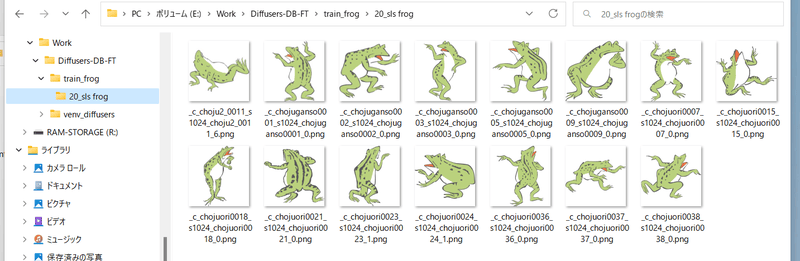
### 複数class、複数対象(identifier)の学習
方法は単純で、学習用画像のフォルダ内に ``繰り返し回数_<identifier> <class>`` のフォルダを複数、正則化画像フォルダにも同様に ``繰り返し回数_<class>`` のフォルダを複数、用意してください。
たとえば「sls frog」と「cpc rabbit」を同時に学習する場合、以下のようになります。
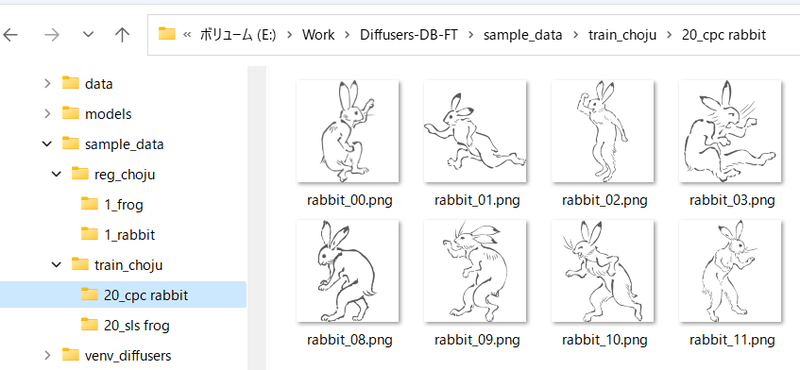
classがひとつで対象が複数の場合、正則化画像フォルダはひとつで構いません。たとえば1girlにキャラAとキャラBがいる場合は次のようにします。
- train_girls
- 10_sls 1girl
- 10_cpc 1girl
- reg_girls
- 1_1girl
### step 2. 正則化画像の準備
正則化画像を使う場合の手順です。
正則化画像を格納するフォルダを作成します。 __さらにその中に__ ``<繰り返し回数>_<class>`` という名前でディレクトリを作成します。
たとえば「frog」というプロンプトで、データを繰り返さない(1回だけ)場合、以下のようになります。
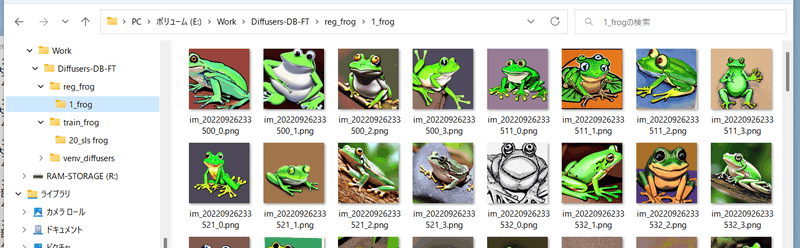
### step 3. 学習の実行
各学習スクリプトを実行します。 `--train_data_dir` オプションで前述の学習用データのフォルダを(__画像を含むフォルダではなく、その親フォルダ__)、`--reg_data_dir` オプションで正則化画像のフォルダ(__画像を含むフォルダではなく、その親フォルダ__)を指定してください。
## DreamBooth、キャプション方式
学習用画像、正則化画像のフォルダに、画像と同じファイル名で、拡張子.caption(オプションで変えられます)のファイルを置くと、そのファイルからキャプションを読み込みプロンプトとして学習します。
※それらの画像の学習に、フォルダ名(identifier class)は使用されなくなります。
キャプションファイルの拡張子はデフォルトで.captionです。学習スクリプトの `--caption_extension` オプションで変更できます。`--shuffle_caption` オプションで学習時のキャプションについて、カンマ区切りの各部分をシャッフルしながら学習します。
## fine tuning 方式
メタデータを作るところまでは設定ファイルを使う場合と同様です。`in_json` オプションでメタデータファイルを指定します。
# 学習途中でのサンプル出力
学習中のモデルで試しに画像生成することで学習の進み方を確認できます。学習スクリプトに以下のオプションを指定します。
- `--sample_every_n_steps` / `--sample_every_n_epochs`
サンプル出力するステップ数またはエポック数を指定します。この数ごとにサンプル出力します。両方指定するとエポック数が優先されます。
- `--sample_at_first`
学習開始前にサンプル出力します。学習前との比較ができます。
- `--sample_prompts`
サンプル出力用プロンプトのファイルを指定します。
- `--sample_sampler`
サンプル出力に使うサンプラーを指定します。
`'ddim', 'pndm', 'heun', 'dpmsolver', 'dpmsolver++', 'dpmsingle', 'k_lms', 'k_euler', 'k_euler_a', 'k_dpm_2', 'k_dpm_2_a'`が選べます。
サンプル出力を行うにはあらかじめプロンプトを記述したテキストファイルを用意しておく必要があります。1行につき1プロンプトで記述します。
たとえば以下のようになります。
```txt
# prompt 1
masterpiece, best quality, 1girl, in white shirts, upper body, looking at viewer, simple background --n low quality, worst quality, bad anatomy,bad composition, poor, low effort --w 768 --h 768 --d 1 --l 7.5 --s 28
# prompt 2
masterpiece, best quality, 1boy, in business suit, standing at street, looking back --n low quality, worst quality, bad anatomy,bad composition, poor, low effort --w 576 --h 832 --d 2 --l 5.5 --s 40
```
先頭が `#` の行はコメントになります。`--n` のように 「`--` + 英小文字」で生成画像へのオプションを指定できます。以下が使えます。
- `--n` 次のオプションまでをネガティブプロンプトとします。
- `--w` 生成画像の横幅を指定します。
- `--h` 生成画像の高さを指定します。
- `--d` 生成画像のseedを指定します。
- `--l` 生成画像のCFG scaleを指定します。
- `--s` 生成時のステップ数を指定します。
# 各スクリプトで共通の、よく使われるオプション
スクリプトの更新後、ドキュメントの更新が追い付いていない場合があります。その場合は `--help` オプションで使用できるオプションを確認してください。
## 学習に使うモデル指定
- `--v2` / `--v_parameterization`
学習対象モデルとしてHugging Faceのstable-diffusion-2-base、またはそこからのfine tuningモデルを使う場合(推論時に `v2-inference.yaml` を使うように指示されているモデルの場合)は `--v2` オプションを、stable-diffusion-2や768-v-ema.ckpt、およびそれらのfine tuningモデルを使う場合(推論時に `v2-inference-v.yaml` を使うモデルの場合)は `--v2` と `--v_parameterization` の両方のオプションを指定してください。
Stable Diffusion 2.0では大きく以下の点が変わっています。
1. 使用するTokenizer
2. 使用するText Encoderおよび使用する出力層(2.0は最後から二番目の層を使う)
3. Text Encoderの出力次元数(768->1024)
4. U-Netの構造(CrossAttentionのhead数など)
5. v-parameterization(サンプリング方法が変更されているらしい)
このうちbaseでは1~4が、baseのつかない方(768-v)では1~5が採用されています。1~4を有効にするのがv2オプション、5を有効にするのがv_parameterizationオプションです。
- `--pretrained_model_name_or_path`
追加学習を行う元となるモデルを指定します。Stable Diffusionのcheckpointファイル(.ckptまたは.safetensors)、Diffusersのローカルディスクにあるモデルディレクトリ、DiffusersのモデルID("stabilityai/stable-diffusion-2"など)が指定できます。
## 学習に関する設定
- `--output_dir`
学習後のモデルを保存するフォルダを指定します。
- `--output_name`
モデルのファイル名を拡張子を除いて指定します。
- `--dataset_config`
データセットの設定を記述した `.toml` ファイルを指定します。
- `--max_train_steps` / `--max_train_epochs`
学習するステップ数やエポック数を指定します。両方指定するとエポック数のほうが優先されます。
- `--mixed_precision`
省メモリ化のため mixed precision (混合精度)で学習します。`--mixed_precision="fp16"` のように指定します。mixed precision なし(デフォルト)と比べて精度が低くなる可能性がありますが、学習に必要なGPUメモリ量が大きく減ります。
(RTX30 シリーズ以降では `bf16` も指定できます。環境整備時にaccelerateに行った設定と合わせてください)。
- `--gradient_checkpointing`
学習時の重みの計算をまとめて行うのではなく少しずつ行うことで、学習に必要なGPUメモリ量を減らします。オンオフは精度には影響しませんが、オンにするとバッチサイズを大きくできるため、そちらでの影響はあります。
また一般的にはオンにすると速度は低下しますが、バッチサイズを大きくできるので、トータルでの学習時間はむしろ速くなるかもしれません。
- `--xformers` / `--mem_eff_attn`
xformersオプションを指定するとxformersのCrossAttentionを用います。xformersをインストールしていない場合やエラーとなる場合(環境にもよりますが `mixed_precision="no"` の場合など)、代わりに `mem_eff_attn` オプションを指定すると省メモリ版CrossAttentionを使用します(xformersよりも速度は遅くなります)。
- `--clip_skip`
`2` を指定すると、Text Encoder (CLIP) の後ろから二番目の層の出力を用います。1またはオプション省略時は最後の層を用います。
※SD2.0はデフォルトで後ろから二番目の層を使うため、SD2.0の学習では指定しないでください。
学習対象のモデルがもともと二番目の層を使うように学習されている場合は、2を指定するとよいでしょう。
そうではなく最後の層を使用していた場合はモデル全体がそれを前提に学習されています。そのため改めて二番目の層を使用して学習すると、望ましい学習結果を得るにはある程度の枚数の教師データ、長めの学習が必要になるかもしれません。
- `--max_token_length`
デフォルトは75です。`150` または `225` を指定することでトークン長を拡張して学習できます。長いキャプションで学習する場合に指定してください。
ただし学習時のトークン拡張の仕様は Automatic1111 氏のWeb UIとは微妙に異なるため(分割の仕様など)、必要なければ75で学習することをお勧めします。
clip_skipと同様に、モデルの学習状態と異なる長さで学習するには、ある程度の教師データ枚数、長めの学習時間が必要になると思われます。
- `--weighted_captions`
指定するとAutomatic1111氏のWeb UIと同様の重み付きキャプションが有効になります。「Textual Inversion と XTI」以外の学習に使用できます。キャプションだけでなく DreamBooth 手法の token string でも有効です。
重みづけキャプションの記法はWeb UIとほぼ同じで、(abc)や[abc]、(abc:1.23)などが使用できます。入れ子も可能です。括弧内にカンマを含めるとプロンプトのshuffle/dropoutで括弧の対応付けがおかしくなるため、括弧内にはカンマを含めないでください。
- `--persistent_data_loader_workers`
Windows環境で指定するとエポック間の待ち時間が大幅に短縮されます。
- `--max_data_loader_n_workers`
データ読み込みのプロセス数を指定します。プロセス数が多いとデータ読み込みが速くなりGPUを効率的に利用できますが、メインメモリを消費します。デフォルトは「`8` または `CPU同時実行スレッド数-1` の小さいほう」なので、メインメモリに余裕がない場合や、GPU使用率が90%程度以上なら、それらの数値を見ながら `2` または `1` 程度まで下げてください。
- `--logging_dir` / `--log_prefix`
学習ログの保存に関するオプションです。logging_dirオプションにログ保存先フォルダを指定してください。TensorBoard形式のログが保存されます。
たとえば--logging_dir=logsと指定すると、作業フォルダにlogsフォルダが作成され、その中の日時フォルダにログが保存されます。
また--log_prefixオプションを指定すると、日時の前に指定した文字列が追加されます。「--logging_dir=logs --log_prefix=db_style1_」などとして識別用にお使いください。
TensorBoardでログを確認するには、別のコマンドプロンプトを開き、作業フォルダで以下のように入力します。
```
tensorboard --logdir=logs
```
(tensorboardは環境整備時にあわせてインストールされると思いますが、もし入っていないなら `pip install tensorboard` で入れてください。)
その後ブラウザを開き、http://localhost:6006/ へアクセスすると表示されます。
- `--log_with` / `--log_tracker_name`
学習ログの保存に関するオプションです。`tensorboard` だけでなく `wandb`への保存が可能です。詳細は [PR#428](https://github.com/kohya-ss/sd-scripts/pull/428)をご覧ください。
- `--noise_offset`
こちらの記事の実装になります: https://www.crosslabs.org//blog/diffusion-with-offset-noise
全体的に暗い、明るい画像の生成結果が良くなる可能性があるようです。LoRA学習でも有効なようです。`0.1` 程度の値を指定するとよいようです。
- `--adaptive_noise_scale` (実験的オプション)
Noise offsetの値を、latentsの各チャネルの平均値の絶対値に応じて自動調整するオプションです。`--noise_offset` と同時に指定することで有効になります。Noise offsetの値は `noise_offset + abs(mean(latents, dim=(2,3))) * adaptive_noise_scale` で計算されます。latentは正規分布に近いためnoise_offsetの1/10~同程度の値を指定するとよいかもしれません。
負の値も指定でき、その場合はnoise offsetは0以上にclipされます。
- `--multires_noise_iterations` / `--multires_noise_discount`
Multi resolution noise (pyramid noise)の設定です。詳細は [PR#471](https://github.com/kohya-ss/sd-scripts/pull/471) およびこちらのページ [Multi-Resolution Noise for Diffusion Model Training](https://wandb.ai/johnowhitaker/multires_noise/reports/Multi-Resolution-Noise-for-Diffusion-Model-Training--VmlldzozNjYyOTU2) を参照してください。
`--multires_noise_iterations` に数値を指定すると有効になります。6~10程度の値が良いようです。`--multires_noise_discount` に0.1~0.3 程度の値(LoRA学習等比較的データセットが小さい場合のPR作者の推奨)、ないしは0.8程度の値(元記事の推奨)を指定してください(デフォルトは 0.3)。
- `--debug_dataset`
このオプションを付けることで学習を行う前に事前にどのような画像データ、キャプションで学習されるかを確認できます。Escキーを押すと終了してコマンドラインに戻ります。`S`キーで次のステップ(バッチ)、`E`キーで次のエポックに進みます。
※Linux環境(Colabを含む)では画像は表示されません。
- `--vae`
vaeオプションにStable Diffusionのcheckpoint、VAEのcheckpointファイル、DiffusesのモデルまたはVAE(ともにローカルまたはHugging FaceのモデルIDが指定できます)のいずれかを指定すると、そのVAEを使って学習します(latentsのキャッシュ時または学習中のlatents取得時)。
DreamBoothおよびfine tuningでは、保存されるモデルはこのVAEを組み込んだものになります。
- `--cache_latents` / `--cache_latents_to_disk`
使用VRAMを減らすためVAEの出力をメインメモリにキャッシュします。`flip_aug` 以外のaugmentationは使えなくなります。また全体の学習速度が若干速くなります。
cache_latents_to_diskを指定するとキャッシュをディスクに保存します。スクリプトを終了し、再度起動した場合もキャッシュが有効になります。
- `--min_snr_gamma`
Min-SNR Weighting strategyを指定します。詳細は[こちら](https://github.com/kohya-ss/sd-scripts/pull/308)を参照してください。論文では`5`が推奨されています。
## モデルの保存に関する設定
- `--save_precision`
保存時のデータ精度を指定します。save_precisionオプションにfloat、fp16、bf16のいずれかを指定すると、その形式でモデルを保存します(DreamBooth、fine tuningでDiffusers形式でモデルを保存する場合は無効です)。モデルのサイズを削減したい場合などにお使いください。
- `--save_every_n_epochs` / `--save_state` / `--resume`
save_every_n_epochsオプションに数値を指定すると、そのエポックごとに学習途中のモデルを保存します。
save_stateオプションを同時に指定すると、optimizer等の状態も含めた学習状態を合わせて保存します(保存したモデルからも学習再開できますが、それに比べると精度の向上、学習時間の短縮が期待できます)。保存先はフォルダになります。
学習状態は保存先フォルダに `<output_name>-??????-state`(??????はエポック数)という名前のフォルダで出力されます。長時間にわたる学習時にご利用ください。
保存された学習状態から学習を再開するにはresumeオプションを使います。学習状態のフォルダ(`output_dir` ではなくその中のstateのフォルダ)を指定してください。
なおAcceleratorの仕様により、エポック数、global stepは保存されておらず、resumeしたときにも1からになりますがご容赦ください。
- `--save_every_n_steps`
save_every_n_stepsオプションに数値を指定すると、そのステップごとに学習途中のモデルを保存します。save_every_n_epochsと同時に指定できます。
- `--save_model_as` (DreamBooth, fine tuning のみ)
モデルの保存形式を`ckpt, safetensors, diffusers, diffusers_safetensors` から選べます。
`--save_model_as=safetensors` のように指定します。Stable Diffusion形式(ckptまたはsafetensors)を読み込み、Diffusers形式で保存する場合、不足する情報はHugging Faceからv1.5またはv2.1の情報を落としてきて補完します。
- `--huggingface_repo_id` 等
huggingface_repo_idが指定されているとモデル保存時に同時にHuggingFaceにアップロードします。アクセストークンの取り扱いに注意してください(HuggingFaceのドキュメントを参照してください)。
他の引数をたとえば以下のように指定してください。
- `--huggingface_repo_id "your-hf-name/your-model" --huggingface_path_in_repo "path" --huggingface_repo_type model --huggingface_repo_visibility private --huggingface_token hf_YourAccessTokenHere`
huggingface_repo_visibilityに`public`を指定するとリポジトリが公開されます。省略時または`private`(などpublic以外)を指定すると非公開になります。
`--save_state`オプション指定時に`--save_state_to_huggingface`を指定するとstateもアップロードします。
`--resume`オプション指定時に`--resume_from_huggingface`を指定するとHuggingFaceからstateをダウンロードして再開します。その時の --resumeオプションは `--resume {repo_id}/{path_in_repo}:{revision}:{repo_type}`になります。
例: `--resume_from_huggingface --resume your-hf-name/your-model/path/test-000002-state:main:model`
`--async_upload`オプションを指定するとアップロードを非同期で行います。
## オプティマイザ関係
- `--optimizer_type`
--オプティマイザの種類を指定します。以下が指定できます。
- AdamW : [torch.optim.AdamW](https://pytorch.org/docs/stable/generated/torch.optim.AdamW.html)
- 過去のバージョンのオプション未指定時と同じ
- AdamW8bit : 引数は同上
- PagedAdamW8bit : 引数は同上
- 過去のバージョンの--use_8bit_adam指定時と同じ
- Lion : https://github.com/lucidrains/lion-pytorch
- 過去のバージョンの--use_lion_optimizer指定時と同じ
- Lion8bit : 引数は同上
- PagedLion8bit : 引数は同上
- SGDNesterov : [torch.optim.SGD](https://pytorch.org/docs/stable/generated/torch.optim.SGD.html), nesterov=True
- SGDNesterov8bit : 引数は同上
- DAdaptation(DAdaptAdamPreprint) : https://github.com/facebookresearch/dadaptation
- DAdaptAdam : 引数は同上
- DAdaptAdaGrad : 引数は同上
- DAdaptAdan : 引数は同上
- DAdaptAdanIP : 引数は同上
- DAdaptLion : 引数は同上
- DAdaptSGD : 引数は同上
- Prodigy : https://github.com/konstmish/prodigy
- AdaFactor : [Transformers AdaFactor](https://huggingface.co/docs/transformers/main_classes/optimizer_schedules)
- 任意のオプティマイザ
- `--learning_rate`
学習率を指定します。適切な学習率は学習スクリプトにより異なりますので、それぞれの説明を参照してください。
- `--lr_scheduler` / `--lr_warmup_steps` / `--lr_scheduler_num_cycles` / `--lr_scheduler_power`
学習率のスケジューラ関連の指定です。
lr_schedulerオプションで学習率のスケジューラをlinear, cosine,
gitextract_szw1scvi/
├── .augmentignore
├── .dockerignore
├── .gitattributes
├── .github/
│ ├── FUNDING.yml
│ ├── dependabot.yml
│ └── workflows/
│ ├── docker_publish.yml
│ └── typos.yaml
├── .gitignore
├── .gitmodules
├── .hadolint.yml
├── .release
├── Dockerfile
├── LICENSE.md
├── README.md
├── SECURITY.md
├── _typos.toml
├── assets/
│ ├── js/
│ │ ├── localization.js
│ │ └── script.js
│ └── style.css
├── config example.toml
├── config_files/
│ └── accelerate/
│ ├── default_config.yaml
│ └── runpod.yaml
├── dataset/
│ ├── images/
│ │ └── .gitkeep
│ ├── logs/
│ │ └── .gitkeep
│ ├── outputs/
│ │ └── .gitkeep
│ └── regularization/
│ └── .gitkeep
├── docker-compose.yaml
├── docs/
│ ├── Finetuning/
│ │ └── top_level.md
│ ├── Installation/
│ │ ├── pip_linux.md
│ │ ├── pip_windows.md
│ │ ├── uv_linux.md
│ │ └── uv_windows.md
│ ├── LoRA/
│ │ ├── options.md
│ │ └── top_level.md
│ ├── config_README-ja.md
│ ├── fine_tune_README_ja.md
│ ├── gen_img_README-ja.md
│ ├── image_folder_structure.md
│ ├── installation_docker.md
│ ├── installation_novita.md
│ ├── installation_runpod.md
│ ├── train_README-ja.md
│ ├── train_README-zh.md
│ ├── train_README.md
│ ├── train_db_README-ja.md
│ ├── train_db_README-zh.md
│ ├── train_lllite_README-ja.md
│ ├── train_lllite_README.md
│ ├── train_network_README-ja.md
│ ├── train_network_README-zh.md
│ ├── train_ti_README-ja.md
│ └── troubleshooting_tesla_v100.md
├── examples/
│ ├── LoRA based finetuning 2 phase.ps1
│ ├── caption.ps1
│ ├── caption_subfolders.ps1
│ ├── finetune_latent.ps1
│ ├── kohya-1-folders.ps1
│ ├── kohya-3-folders.ps1
│ ├── kohya.ps1
│ ├── kohya_finetune.ps1
│ ├── kohya_new-v3.ps1
│ ├── kohya_train_db_fixed_with-reg_SDv2 512 base.ps1
│ ├── lucoris extract examples.txt
│ ├── pull kohya_ss sd-scripts updates in.md
│ ├── stable_cascade/
│ │ └── test.toml
│ └── word_frequency.ps1
├── gui-uv.bat
├── gui-uv.sh
├── gui.bat
├── gui.ps1
├── gui.sh
├── kohya_gui/
│ ├── __init__.py
│ ├── basic_caption_gui.py
│ ├── blip2_caption_gui.py
│ ├── blip_caption_gui.py
│ ├── class_accelerate_launch.py
│ ├── class_advanced_training.py
│ ├── class_basic_training.py
│ ├── class_command_executor.py
│ ├── class_configuration_file.py
│ ├── class_flux1.py
│ ├── class_folders.py
│ ├── class_gui_config.py
│ ├── class_huggingface.py
│ ├── class_lora_tab.py
│ ├── class_metadata.py
│ ├── class_sample_images.py
│ ├── class_sd3.py
│ ├── class_sdxl_parameters.py
│ ├── class_source_model.py
│ ├── class_tensorboard.py
│ ├── common_gui.py
│ ├── convert_lcm_gui.py
│ ├── convert_model_gui.py
│ ├── custom_logging.py
│ ├── dataset_balancing_gui.py
│ ├── dreambooth_folder_creation_gui.py
│ ├── dreambooth_gui.py
│ ├── extract_lora_from_dylora_gui.py
│ ├── extract_lora_gui.py
│ ├── extract_lycoris_locon_gui.py
│ ├── finetune_gui.py
│ ├── flux_extract_lora_gui.py
│ ├── flux_merge_lora_gui.py
│ ├── git_caption_gui.py
│ ├── group_images_gui.py
│ ├── localization.py
│ ├── localization_ext.py
│ ├── lora_gui.py
│ ├── manual_caption_gui.py
│ ├── merge_lora_gui.py
│ ├── merge_lycoris_gui.py
│ ├── resize_lora_gui.py
│ ├── sd_modeltype.py
│ ├── svd_merge_lora_gui.py
│ ├── textual_inversion_gui.py
│ ├── utilities.py
│ ├── verify_lora_gui.py
│ └── wd14_caption_gui.py
├── kohya_gui.py
├── localizations/
│ ├── Put localization files here.txt
│ ├── chinese-sample.json
│ ├── en-GB.json
│ ├── zh-CN.json
│ └── zh-TW.json
├── presets/
│ ├── dreambooth/
│ │ ├── sd3_bdsqlsz_v1.json
│ │ └── sd3_bdsqlsz_v2.json
│ ├── finetune/
│ │ ├── SDXL - AI_Now PagedAdamW8bit v1.0.json
│ │ ├── SDXL - Essenz series by AI_Characters_Training v1.0.json
│ │ ├── adafactor.json
│ │ ├── lion.json
│ │ └── prepare_presets.md
│ └── lora/
│ ├── SDXL - 1 image LoRA v1.0.json
│ ├── SDXL - LoHA AI_Characters v1.0.json
│ ├── SDXL - LoKR v1.0.json
│ ├── SDXL - LoRA AI_Now ADamW v1.0.json
│ ├── SDXL - LoRA AI_Now prodigy v1.0.json
│ ├── SDXL - LoRA AI_characters standard v1.0.json
│ ├── SDXL - LoRA AI_characters standard v1.1.json
│ ├── SDXL - LoRA adafactor v1.0.json
│ ├── SDXL - LoRA aitrepreneur clothing v1.0.json
│ ├── SDXL - LoRA by malcolmrey training v1.0.json
│ ├── SDXL - LoRA face dogu_cat v1.0.json
│ ├── SDXL - LoRA finetuning phase 1_v1.1.json
│ ├── SDXL - LoRA finetuning phase 2_v1.1.json
│ ├── SDXL - LoRA kudou-reira dadaptadam v1.0.json
│ ├── SDXL - LoRA kudou-reira dadaptadam v1.1.json
│ ├── SDXL - LoRA kudou-reira prodigy v4.0.json
│ ├── SDXL - edgLoRAXL AI_Now.json
│ ├── SDXL - edgLoRAXL.json
│ ├── flux1D - adamw8bit fp8.json
│ ├── iA3-Prodigy-sd15.json
│ ├── ia3-sd15.json
│ ├── locon-dadaptation-sdxl.json
│ ├── loha-sd15.json
│ ├── lokr-sd15.json
│ ├── prepare_presets.md
│ ├── sd15 - EDG_LoConOptiSettings.json
│ ├── sd15 - EDG_LoHaOptiSettings.json
│ ├── sd15 - EDG_LoraOptiSettings.json
│ ├── sd15 - GLoRA v1.0.json
│ ├── sd15 - LoKR v1.0.json
│ ├── sd15 - LoKr v1.1.json
│ └── sd15 - LoKr v2.0.json
├── pyproject.toml
├── requirements.txt
├── requirements_ipex_xpu.txt
├── requirements_linux.txt
├── requirements_linux_ipex.txt
├── requirements_linux_rocm.txt
├── requirements_macos_amd64.txt
├── requirements_macos_arm64.txt
├── requirements_pytorch_windows.txt
├── requirements_runpod.txt
├── requirements_windows.txt
├── setup/
│ ├── check_local_modules.py
│ ├── create_user_files.py
│ ├── debug_info.py
│ ├── docker_setup.py
│ ├── setup_common.py
│ ├── setup_linux.py
│ ├── setup_runpod.py
│ ├── setup_windows.py
│ ├── update_bitsandbytes.py
│ └── validate_requirements.py
├── setup-3.10.bat
├── setup-runpod.sh
├── setup.bat
├── setup.ps1
├── setup.sh
├── test/
│ ├── config/
│ │ ├── Diag-OFT-AdamW8bit-toml.json
│ │ ├── DyLoRA-Adafactor-toml.json
│ │ ├── LoKR-AdamW8bit-toml.json
│ │ ├── SDXL-Standard-Adafactor.json
│ │ ├── SDXL-Standard-AdamW.json
│ │ ├── SDXL-Standard-AdamW8bit.json
│ │ ├── Standard-AdamW.json
│ │ ├── Standard-AdamW8bit.json
│ │ ├── TI-AdamW8bit-SDXL.json
│ │ ├── TI-AdamW8bit-toml.json
│ │ ├── TI-AdamW8bit.json
│ │ ├── dataset-finetune.toml
│ │ ├── dataset-masked_loss.toml
│ │ ├── dataset-multires.toml
│ │ ├── dataset.toml
│ │ ├── dreambooth-Adafactor.json
│ │ ├── dreambooth-AdamW.json
│ │ ├── dreambooth-AdamW8bit-masked_loss-toml.json
│ │ ├── dreambooth-AdamW8bit-toml.json
│ │ ├── dreambooth-AdamW8bit.json
│ │ ├── dreambooth-DAdaptAdam.json
│ │ ├── dreambooth-Prodigy-SDXL.json
│ │ ├── dreambooth-Prodigy.json
│ │ ├── dreambooth.json
│ │ ├── finetune-AdamW-toml.json
│ │ ├── finetune-AdamW.json
│ │ ├── iA3-Prodigy.json
│ │ ├── locon-Adafactor.json
│ │ ├── locon-AdamW.json
│ │ ├── locon-AdamW8bit-masked_loss-toml.json
│ │ ├── locon-AdamW8bit-toml.json
│ │ ├── locon-AdamW8bit.json
│ │ ├── locon-Prodigy.json
│ │ ├── loha-Prodigy.json
│ │ ├── meta-1_lat.json
│ │ └── t5clrs.json
│ ├── img/
│ │ └── 10_darius kawasaki person/
│ │ ├── Dariusz_Zawadzki.txt
│ │ ├── Dariusz_Zawadzki_2.txt
│ │ ├── Dariusz_Zawadzki_3.txt
│ │ ├── Dariusz_Zawadzki_4.txt
│ │ ├── Dariusz_Zawadzki_5.txt
│ │ ├── Dariusz_Zawadzki_6.txt
│ │ ├── Dariusz_Zawadzki_7.txt
│ │ └── Dariusz_Zawadzki_8.txt
│ └── img with spaces/
│ └── 10_darius kawasaki person/
│ ├── Dariusz_Zawadzki.txt
│ ├── Dariusz_Zawadzki_2.txt
│ ├── Dariusz_Zawadzki_3.txt
│ ├── Dariusz_Zawadzki_4.txt
│ ├── Dariusz_Zawadzki_5.txt
│ ├── Dariusz_Zawadzki_6.txt
│ ├── Dariusz_Zawadzki_7.txt
│ └── Dariusz_Zawadzki_8.txt
└── tools/
├── analyse_loha.py
├── caption.py
├── caption_from_filename.py
├── cleanup_captions.py
├── convert_html_to_md.py
├── convert_images_to_hq_jpg.py
├── convert_images_to_webp.py
├── create_txt_from_images.py
├── crop_images_to_n_buckets.py
├── dummy_loha.py
├── extract loha and lora examples.txt
├── extract_locon.py
├── extract_loha_from_model.py
├── extract_lora_from_models-new.py
├── extract_model_difference.py
├── gradio_theme_builder.py
├── group_images.py
├── group_images_recommended_size.py
├── lcm_convert.py
├── lycoris_locon_extract.py
├── lycoris_utils.py
├── merge_lycoris.py
├── prepare_presets.py
├── prune.py
├── rename_depth_mask.py
└── resize_lora.py
SYMBOL INDEX (399 symbols across 78 files)

FILE: assets/js/localization.js
  function hasLocalization (line 7) | function hasLocalization() {
  function textNodesUnder (line 11) | function textNodesUnder(el) {
  function canBeTranslated (line 17) | function canBeTranslated(node, text) {
  function getTranslation (line 37) | function getTranslation(text) {
  function processTextNode (line 52) | function processTextNode(node) {
  function processNode (line 63) | function processNode(node) {

FILE: assets/js/script.js
  function gradioApp (line 1) | function gradioApp() {
  function get_uiCurrentTab (line 16) | function get_uiCurrentTab() {
  function get_uiCurrentTabContent (line 23) | function get_uiCurrentTabContent() {
  function onUiUpdate (line 38) | function onUiUpdate(callback) {
  function executeCallbacks (line 44) | function executeCallbacks(queue, arg) {
  function scheduleAfterUiUpdateCallbacks (line 60) | function scheduleAfterUiUpdateCallbacks() {

FILE: kohya_gui.py
  function read_file_content (line 22) | def read_file_content(file_path):
  function initialize_ui_interface (line 29) | def initialize_ui_interface(config, headless, use_shell, release_info, r...
  function UI (line 74) | def UI(**kwargs):
  function initialize_arg_parser (line 114) | def initialize_arg_parser():

FILE: kohya_gui/basic_caption_gui.py
  function caption_images (line 22) | def caption_images(
  function gradio_basic_caption_gui_tab (line 124) | def gradio_basic_caption_gui_tab(headless=False, default_images_dir=None):

FILE: kohya_gui/blip2_caption_gui.py
  function load_model (line 14) | def load_model():
  function get_images_in_directory (line 39) | def get_images_in_directory(directory_path):
  function generate_caption (line 68) | def generate_caption(
  function caption_images_beam_search (line 137) | def caption_images_beam_search(
  function caption_images_nucleus (line 174) | def caption_images_nucleus(
  function gradio_blip2_caption_gui_tab (line 211) | def gradio_blip2_caption_gui_tab(headless=False, directory_path=None):

FILE: kohya_gui/blip_caption_gui.py
  function caption_images (line 14) | def caption_images(
  function gradio_blip_caption_gui_tab (line 115) | def gradio_blip_caption_gui_tab(headless=False, default_train_dir=None):

FILE: kohya_gui/class_accelerate_launch.py
  class AccelerateLaunch (line 12) | class AccelerateLaunch:
    method __init__ (line 13) | def __init__(
    method run_cmd (line 151) | def run_cmd(run_cmd: list, **kwargs):

FILE: kohya_gui/class_advanced_training.py
  class AdvancedTraining (line 13) | class AdvancedTraining:
    method __init__ (line 27) | def __init__(

FILE: kohya_gui/class_basic_training.py
  class BasicTraining (line 8) | class BasicTraining:
    method __init__ (line 22) | def __init__(
    method initialize_ui_components (line 60) | def initialize_ui_components(self) -> None:
    method init_training_controls (line 81) | def init_training_controls(self) -> None:
    method init_precision_and_resources_controls (line 130) | def init_precision_and_resources_controls(self) -> None:
    method init_lr_and_optimizer_controls (line 155) | def init_lr_and_optimizer_controls(self) -> None:
    method init_grad_and_lr_controls (line 227) | def init_grad_and_lr_controls(self) -> None:
    method init_learning_rate_controls (line 249) | def init_learning_rate_controls(self) -> None:
    method init_scheduler_controls (line 342) | def init_scheduler_controls(self) -> None:
    method init_resolution_and_bucket_controls (line 365) | def init_resolution_and_bucket_controls(self) -> None:
    method setup_sdxl_checkbox_behavior (line 408) | def setup_sdxl_checkbox_behavior(self) -> None:
    method update_learning_rate_te (line 426) | def update_learning_rate_te(

FILE: kohya_gui/class_command_executor.py
  class CommandExecutor (line 12) | class CommandExecutor:
    method __init__ (line 17) | def __init__(self, headless: bool = False):
    method execute_command (line 31) | def execute_command(self, run_cmd: str, **kwargs):
    method kill_command (line 53) | def kill_command(self):
    method wait_for_training_to_end (line 79) | def wait_for_training_to_end(self):
    method is_running (line 86) | def is_running(self):

FILE: kohya_gui/class_configuration_file.py
  class ConfigurationFile (line 10) | class ConfigurationFile:
    method __init__ (line 15) | def __init__(
    method list_config_dir (line 38) | def list_config_dir(self, path: str) -> list:
    method create_config_gui (line 52) | def create_config_gui(self) -> None:

FILE: kohya_gui/class_flux1.py
  class flux1Training (line 9) | class flux1Training:
    method __init__ (line 10) | def __init__(

FILE: kohya_gui/class_folders.py
  class Folders (line 6) | class Folders:
    method __init__ (line 11) | def __init__(
    method create_directory_if_not_exists (line 45) | def create_directory_if_not_exists(self, directory: str) -> None:
    method list_output_dirs (line 59) | def list_output_dirs(self, path: str) -> list:
    method list_logging_dirs (line 72) | def list_logging_dirs(self, path: str) -> list:
    method list_reg_data_dirs (line 85) | def list_reg_data_dirs(self, path: str) -> list:
    method create_folders_gui (line 98) | def create_folders_gui(self) -> None:

FILE: kohya_gui/class_gui_config.py
  class KohyaSSGUIConfig (line 9) | class KohyaSSGUIConfig:
    method __init__ (line 14) | def __init__(self, config_file_path: str = "./config.toml"):
    method load_config (line 20) | def load_config(self, config_file_path: str = "./config.toml") -> dict:
    method save_config (line 40) | def save_config(self, config: dict, config_file_path: str = "./config....
    method get (line 51) | def get(self, key: str, default=None):
    method is_config_loaded (line 84) | def is_config_loaded(self) -> bool:

FILE: kohya_gui/class_huggingface.py
  class HuggingFace (line 5) | class HuggingFace:
    method __init__ (line 6) | def __init__(
    method initialize_ui_components (line 15) | def initialize_ui_components(self) -> None:

FILE: kohya_gui/class_lora_tab.py
  class LoRATools (line 15) | class LoRATools:
    method __init__ (line 16) | def __init__(

FILE: kohya_gui/class_metadata.py
  class MetaData (line 6) | class MetaData:
    method __init__ (line 7) | def __init__(
    method run_cmd (line 46) | def run_cmd(run_cmd: list, **kwargs):

FILE: kohya_gui/class_sample_images.py
  function create_prompt_file (line 20) | def create_prompt_file(sample_prompts, output_dir):
  class SampleImages (line 108) | class SampleImages:
    method __init__ (line 113) | def __init__(
    method initialize_accordion (line 124) | def initialize_accordion(self):

FILE: kohya_gui/class_sd3.py
  class sd3Training (line 13) | class sd3Training:
    method __init__ (line 27) | def __init__(

FILE: kohya_gui/class_sdxl_parameters.py
  class SDXLParameters (line 4) | class SDXLParameters:
    method __init__ (line 5) | def __init__(
    method initialize_accordion (line 19) | def initialize_accordion(self):

FILE: kohya_gui/class_source_model.py
  class SourceModel (line 33) | class SourceModel:
    method __init__ (line 34) | def __init__(

FILE: kohya_gui/class_tensorboard.py
  class TensorboardManager (line 21) | class TensorboardManager:
    method __init__ (line 25) | def __init__(self, logging_dir, headless: bool = False, wait_time=5):
    method get_button_states (line 42) | def get_button_states(self, started=False):
    method open_tensorboard_url (line 47) | def open_tensorboard_url(self):
    method start_tensorboard (line 52) | def start_tensorboard(self, logging_dir=None):
    method stop_tensorboard (line 96) | def stop_tensorboard(self):
    method gradio_interface (line 114) | def gradio_interface(self):

FILE: kohya_gui/common_gui.py
  function get_executable_path (line 68) | def get_executable_path(executable_name: str = None) -> str:
  function calculate_max_train_steps (line 91) | def calculate_max_train_steps(
  function check_if_model_exist (line 109) | def check_if_model_exist(
  function output_message (line 153) | def output_message(msg: str = "", title: str = "", headless: bool = Fals...
  function create_refresh_button (line 171) | def create_refresh_button(refresh_component, refresh_method, refreshed_a...
  function list_dirs (line 229) | def list_dirs(path):
  function list_files (line 268) | def list_files(path, exts=None, all=False):
  function update_my_data (line 318) | def update_my_data(my_data):
  function get_dir_and_file (line 454) | def get_dir_and_file(file_path):
  function get_file_path (line 459) | def get_file_path(
  function get_any_file_path (line 524) | def get_any_file_path(file_path: str = "") -> str:
  function get_folder_path (line 586) | def get_folder_path(folder_path: str = "") -> str:
  function get_saveasfile_path (line 627) | def get_saveasfile_path(
  function get_saveasfilename_path (line 679) | def get_saveasfilename_path(
  function add_pre_postfix (line 746) | def add_pre_postfix(
  function has_ext_files (line 822) | def has_ext_files(folder_path: str, file_extension: str) -> bool:
  function find_replace (line 847) | def find_replace(
  function color_aug_changed (line 917) | def color_aug_changed(color_aug):
  function set_pretrained_model_name_or_path_input (line 943) | def set_pretrained_model_name_or_path_input(
  function get_int_or_default (line 1069) | def get_int_or_default(kwargs, key, default_value=0):
  function get_float_or_default (line 1098) | def get_float_or_default(kwargs, key, default_value=0.0):
  function get_str_or_default (line 1132) | def get_str_or_default(kwargs, key, default_value=""):
  function run_cmd_advanced_training (line 1158) | def run_cmd_advanced_training(run_cmd: list = [], **kwargs):
  function verify_image_folder_pattern (line 1193) | def verify_image_folder_pattern(folder_path: str) -> bool:
  function SaveConfigFile (line 1269) | def SaveConfigFile(
  function save_to_file (line 1308) | def save_to_file(content):
  function check_duplicate_filenames (line 1336) | def check_duplicate_filenames(
  function validate_file_path (line 1398) | def validate_file_path(file_path: str) -> bool:
  function validate_folder_path (line 1409) | def validate_folder_path(
  function validate_toml_file (line 1432) | def validate_toml_file(file_path: str) -> bool:
  function validate_model_path (line 1449) | def validate_model_path(pretrained_model_name_or_path: str) -> bool:
  function is_file_writable (line 1478) | def is_file_writable(file_path: str) -> bool:
  function print_command_and_toml (line 1504) | def print_command_and_toml(run_cmd, tmpfilename):
  function validate_args_setting (line 1523) | def validate_args_setting(input_string):
  function setup_environment (line 1539) | def setup_environment():

FILE: kohya_gui/convert_lcm_gui.py
  function convert_lcm (line 25) | def convert_lcm(
  function gradio_convert_lcm_tab (line 78) | def gradio_convert_lcm_tab(headless=False):

FILE: kohya_gui/convert_model_gui.py
  function convert_model (line 20) | def convert_model(
  function gradio_convert_model_tab (line 113) | def gradio_convert_model_tab(headless=False):

FILE: kohya_gui/custom_logging.py
  function setup_logging (line 15) | def setup_logging(clean=False, debug=False):

FILE: kohya_gui/dataset_balancing_gui.py
  function dataset_balancing (line 18) | def dataset_balancing(concept_repeats, folder, insecure):
  function warning (line 100) | def warning(insecure):
  function gradio_dataset_balancing_tab (line 111) | def gradio_dataset_balancing_tab(headless=False):

FILE: kohya_gui/dreambooth_folder_creation_gui.py
  function copy_info_to_Folders_tab (line 13) | def copy_info_to_Folders_tab(training_folder):
  function dreambooth_folder_preparation (line 25) | def dreambooth_folder_preparation(
  function gradio_dreambooth_folder_creation_tab (line 115) | def gradio_dreambooth_folder_creation_tab(

FILE: kohya_gui/dreambooth_gui.py
  function save_configuration (line 61) | def save_configuration(
  function open_configuration (line 272) | def open_configuration(
  function train_model (line 478) | def train_model(
  function dreambooth_tab (line 1158) | def dreambooth_tab(

FILE: kohya_gui/extract_lora_from_dylora_gui.py
  function extract_dylora (line 25) | def extract_dylora(
  function gradio_extract_dylora_tab (line 79) | def gradio_extract_dylora_tab(headless=False):

FILE: kohya_gui/extract_lora_gui.py
  function extract_lora (line 28) | def extract_lora(
  function gradio_extract_lora_tab (line 128) | def gradio_extract_lora_tab(

FILE: kohya_gui/extract_lycoris_locon_gui.py
  function extract_lycoris_locon (line 26) | def extract_lycoris_locon(
  function update_mode (line 154) | def update_mode(mode):
  function gradio_extract_lycoris_locon_tab (line 170) | def gradio_extract_lycoris_locon_tab(headless=False):

FILE: kohya_gui/finetune_gui.py
  function save_configuration (line 66) | def save_configuration(
  function open_configuration (line 281) | def open_configuration(
  function train_model (line 504) | def train_model(
  function finetune_tab (line 1201) | def finetune_tab(

FILE: kohya_gui/flux_extract_lora_gui.py
  function extract_flux_lora (line 26) | def extract_flux_lora(
  function gradio_flux_extract_lora_tab (line 98) | def gradio_flux_extract_lora_tab(headless=False):

FILE: kohya_gui/flux_merge_lora_gui.py
  function check_model (line 32) | def check_model(model):
  function verify_conditions (line 41) | def verify_conditions(flux_model, lora_models):
  class GradioFluxMergeLoRaTab (line 50) | class GradioFluxMergeLoRaTab:
    method __init__ (line 51) | def __init__(self, headless=False):
    method save_inputs_to_json (line 55) | def save_inputs_to_json(self, file_path, inputs):
    method load_inputs_from_json (line 60) | def load_inputs_from_json(self, file_path):
    method build_tab (line 66) | def build_tab(self):
    method merge_flux_lora (line 392) | def merge_flux_lora(

FILE: kohya_gui/git_caption_gui.py
  function caption_images (line 15) | def caption_images(
  function gradio_git_caption_gui_tab (line 87) | def gradio_git_caption_gui_tab(

FILE: kohya_gui/group_images_gui.py
  function group_images (line 15) | def group_images(
  function gradio_group_images_gui_tab (line 67) | def gradio_group_images_gui_tab(headless=False):

FILE: kohya_gui/localization.py
  function load_localizations (line 8) | def load_localizations():
  function load_language_js (line 18) | def load_language_js(language_name: str) -> str:

FILE: kohya_gui/localization_ext.py
  function file_path (line 6) | def file_path(fn):
  function js_html_str (line 10) | def js_html_str(language):
  function add_javascript (line 19) | def add_javascript(language):

FILE: kohya_gui/lora_gui.py
  function save_configuration (line 79) | def save_configuration(
  function open_configuration (line 364) | def open_configuration(
  function get_effective_lr_messages (line 684) | def get_effective_lr_messages(
  function train_model (line 742) | def train_model(
  function lora_tab (line 1834) | def lora_tab(

FILE: kohya_gui/manual_caption_gui.py
  function _get_caption_path (line 18) | def _get_caption_path(image_file, images_dir, caption_ext):
  function _get_quick_tags (line 27) | def _get_quick_tags(quick_tags_text):
  function _get_tag_checkbox_updates (line 36) | def _get_tag_checkbox_updates(caption, quick_tags, quick_tags_set):
  function paginate_go (line 47) | def paginate_go(page, max_page):
  function paginate (line 56) | def paginate(page, max_page, page_change):
  function save_caption (line 60) | def save_caption(caption, caption_ext, image_file, images_dir):
  function update_quick_tags (line 68) | def update_quick_tags(quick_tags_text, *image_caption_texts):
  function update_image_caption (line 76) | def update_image_caption(
  function update_image_tags (line 86) | def update_image_tags(
  function import_tags_from_captions (line 109) | def import_tags_from_captions(
  function load_images (line 164) | def load_images(images_dir, caption_ext, loaded_images_dir, page, max_pa...
  function update_images (line 195) | def update_images(
  function gradio_manual_caption_gui_tab (line 253) | def gradio_manual_caption_gui_tab(headless=False, default_images_dir=None):

FILE: kohya_gui/merge_lora_gui.py
  function check_model (line 32) | def check_model(model):
  function verify_conditions (line 41) | def verify_conditions(sd_model, lora_models):
  class GradioMergeLoRaTab (line 50) | class GradioMergeLoRaTab:
    method __init__ (line 51) | def __init__(self, headless=False):
    method save_inputs_to_json (line 55) | def save_inputs_to_json(self, file_path, inputs):
    method load_inputs_from_json (line 60) | def load_inputs_from_json(self, file_path):
    method build_tab (line 66) | def build_tab(self):
    method merge_lora (line 393) | def merge_lora(

FILE: kohya_gui/merge_lycoris_gui.py
  function merge_lycoris (line 26) | def merge_lycoris(
  function gradio_merge_lycoris_tab (line 80) | def gradio_merge_lycoris_tab(headless=False):

FILE: kohya_gui/resize_lora_gui.py
  function resize_lora (line 26) | def resize_lora(
  function gradio_resize_lora_tab (line 110) | def gradio_resize_lora_tab(

FILE: kohya_gui/sd_modeltype.py
  class ModelType (line 8) | class ModelType(enum.Enum):
  class SDModelType (line 17) | class SDModelType:
    method __init__ (line 18) | def __init__(self, safetensors_path):
    method Is_SD1 (line 52) | def Is_SD1(self):
    method Is_SD2 (line 55) | def Is_SD2(self):
    method Is_SDXL (line 58) | def Is_SDXL(self):
    method Is_SD3 (line 61) | def Is_SD3(self):
    method Is_FLUX1 (line 64) | def Is_FLUX1(self):

FILE: kohya_gui/svd_merge_lora_gui.py
  function svd_merge_lora (line 25) | def svd_merge_lora(
  function gradio_svd_merge_lora_tab (line 109) | def gradio_svd_merge_lora_tab(headless=False):

FILE: kohya_gui/textual_inversion_gui.py
  function save_configuration (line 57) | def save_configuration(
  function open_configuration (line 224) | def open_configuration(
  function train_model (line 384) | def train_model(
  function ti_tab (line 956) | def ti_tab(

FILE: kohya_gui/utilities.py
  function utilities_tab (line 14) | def utilities_tab(

FILE: kohya_gui/verify_lora_gui.py
  function verify_lora (line 24) | def verify_lora(
  function gradio_verify_lora_tab (line 68) | def gradio_verify_lora_tab(headless=False):

FILE: kohya_gui/wd14_caption_gui.py
  function caption_images (line 20) | def caption_images(
  function gradio_wd14_caption_gui_tab (line 145) | def gradio_wd14_caption_gui_tab(

FILE: setup/setup_common.py
  function check_python_version (line 19) | def check_python_version():
  function update_submodule (line 43) | def update_submodule(quiet=True):
  function clone_or_checkout (line 66) | def clone_or_checkout(repo_url, branch_or_tag, directory_name):
  function setup_logging (line 127) | def setup_logging():
  function install_requirements_inbulk (line 166) | def install_requirements_inbulk(
  function configure_accelerate (line 228) | def configure_accelerate(run_accelerate=False):
  function check_torch (line 313) | def check_torch():
  function _check_nvidia_toolkit (line 346) | def _check_nvidia_toolkit():
  function _check_amd_toolkit (line 360) | def _check_amd_toolkit():
  function _check_intel_oneapi_toolkit (line 370) | def _check_intel_oneapi_toolkit():
  function _check_hardware_toolkit (line 382) | def _check_hardware_toolkit():
  function _log_gpu_info (line 393) | def _log_gpu_info(torch_module):
  function check_repo_version (line 433) | def check_repo_version():
  function git (line 453) | def git(arg: str, folder: str = None, ignore: bool = False):
  function pip (line 498) | def pip(arg: str, ignore: bool = False, quiet: bool = False, show_stdout...
  function installed (line 555) | def installed(package, friendly: str = None):
  function install (line 647) | def install(
  function process_requirements_line (line 689) | def process_requirements_line(line, show_stdout: bool = False):
  function install_requirements (line 697) | def install_requirements(
  function ensure_base_requirements (line 732) | def ensure_base_requirements():
  function run_cmd (line 744) | def run_cmd(run_cmd):
  function clear_screen (line 770) | def clear_screen():

FILE: setup/setup_linux.py
  function main_menu (line 13) | def main_menu(platform_requirements_file, show_stdout: bool = False, no_...

FILE: setup/setup_runpod.py
  function configure_accelerate (line 14) | def configure_accelerate():
  function setup_environment (line 26) | def setup_environment():
  function main_menu (line 48) | def main_menu(platform_requirements_file):

FILE: setup/setup_windows.py
  function cudnn_install (line 18) | def cudnn_install():
  function sync_bits_and_bytes_files (line 57) | def sync_bits_and_bytes_files():
  function install_kohya_ss_torch2 (line 112) | def install_kohya_ss_torch2(headless: bool = False):
  function install_bitsandbytes_0_35_0 (line 137) | def install_bitsandbytes_0_35_0():
  function install_bitsandbytes_0_40_1 (line 145) | def install_bitsandbytes_0_40_1():
  function install_bitsandbytes_0_41_1 (line 154) | def install_bitsandbytes_0_41_1():
  function install_bitsandbytes_0_41_2 (line 163) | def install_bitsandbytes_0_41_2():
  function install_triton_2_1_0 (line 172) | def install_triton_2_1_0():
  function main_menu (line 181) | def main_menu(headless: bool = False):

FILE: setup/update_bitsandbytes.py
  function sync_bits_and_bytes_files (line 6) | def sync_bits_and_bytes_files():

FILE: setup/validate_requirements.py
  function check_path_with_space (line 23) | def check_path_with_space():
  function detect_toolkit (line 38) | def detect_toolkit():
  function check_torch (line 66) | def check_torch():
  function log_cuda_info (line 116) | def log_cuda_info(torch):
  function log_mps_info (line 136) | def log_mps_info(torch):
  function log_xpu_info (line 145) | def log_xpu_info(torch, ipex):
  function main (line 157) | def main():

FILE: tools/analyse_loha.py
  class Logger (line 7) | class Logger(object):
    method __init__ (line 8) | def __init__(self, filename="loha_analysis_output.txt"):
    method write (line 12) | def write(self, message):
    method flush (line 16) | def flush(self):
    method close (line 22) | def close(self):
  function analyze_safetensors_file (line 25) | def analyze_safetensors_file(filepath, output_filename="loha_analysis_ou...

FILE: tools/caption.py
  function create_caption_files (line 10) | def create_caption_files(image_folder: Path, file_pattern: str, caption_...
  function writable_dir (line 26) | def writable_dir(target_path):
  function main (line 37) | def main():

FILE: tools/caption_from_filename.py
  function is_image_file (line 7) | def is_image_file(filename, image_extensions):
  function create_text_file (line 11) | def create_text_file(image_filename, output_directory, text_extension):
  function main (line 32) | def main(image_directory, output_directory, image_extension, text_extens...
  function create_gui (line 56) | def create_gui(image_directory, output_directory, image_extension, text_...

FILE: tools/cleanup_captions.py
  function writable_dir (line 6) | def writable_dir(target_path):
  function main (line 17) | def main(folder_path:Path, extension:str, keywords:set=None):

FILE: tools/convert_html_to_md.py
  function is_writable_path (line 9) | def is_writable_path(target_path):
  function main (line 22) | def main(url, markdown_path):

FILE: tools/convert_images_to_hq_jpg.py
  function writable_dir (line 8) | def writable_dir(target_path):
  function main (line 19) | def main(directory, in_ext, quality, delete_originals):

FILE: tools/convert_images_to_webp.py
  function writable_dir (line 6) | def writable_dir(target_path):
  function main (line 17) | def main():

FILE: tools/create_txt_from_images.py
  function main (line 4) | def main(folder_path):

FILE: tools/crop_images_to_n_buckets.py
  function aspect_ratio (line 12) | def aspect_ratio(img_path):
  function sort_images_by_aspect_ratio (line 33) | def sort_images_by_aspect_ratio(path):
  function create_groups (line 45) | def create_groups(sorted_images, n_groups):
  function average_aspect_ratio (line 72) | def average_aspect_ratio(group):
  function center_crop_image (line 98) | def center_crop_image(image, target_aspect_ratio):
  function copy_related_files (line 141) | def copy_related_files(img_path, save_path):
  function save_resized_cropped_images (line 177) | def save_resized_cropped_images(group, folder_name, group_number, avg_as...
  function main (line 220) | def main():

FILE: tools/dummy_loha.py
  function create_dummy_loha_file (line 83) | def create_dummy_loha_file(filepath="dummy_loha_corrected.safetensors"):

FILE: tools/extract_locon.py
  function get_args (line 7) | def get_args():
  function main (line 134) | def main():

FILE: tools/extract_loha_from_model.py
  class LogType (line 37) | class LogType(Enum):
  function log_layer_optimization_event (line 56) | def log_layer_optimization_event(log_type: LogType, layer_name: str, **k...
  function _get_closest_ema_value_before_iter (line 127) | def _get_closest_ema_value_before_iter(target_iter: int, ema_history: li...
  function initialize_loha_parameters (line 137) | def initialize_loha_parameters(
  function check_insufficient_progress (line 181) | def check_insufficient_progress(
  function check_loss_projection (line 206) | def check_loss_projection(
  function get_module_shape_info_from_weight (line 296) | def get_module_shape_info_from_weight(weight_tensor: torch.Tensor):
  function generate_intermediate_filename (line 301) | def generate_intermediate_filename(base_save_path: str, num_total_comple...
  function prepare_save_metadata (line 305) | def prepare_save_metadata(
  function perform_graceful_save (line 356) | def perform_graceful_save(output_path_to_save: str):
  function cleanup_intermediate_files (line 413) | def cleanup_intermediate_files(final_intended_path: str, for_resume_mana...
  function find_best_resume_file (line 438) | def find_best_resume_file(intended_final_path: str) -> tuple[str | None,...
  function handle_resume_or_continue_loha (line 467) | def handle_resume_or_continue_loha(
  function print_script_summary (line 540) | def print_script_summary(
  function setup_and_print_configuration (line 578) | def setup_and_print_configuration(current_args: argparse.Namespace):
  function load_models (line 601) | def load_models(base_model_path: str, ft_model_path: str) -> tuple[Order...
  function optimize_loha_for_layer (line 616) | def optimize_loha_for_layer(
  function handle_interrupt (line 828) | def handle_interrupt(signum, frame):
  function main (line 845) | def main(cli_args):
  function post_process_cli_args (line 1011) | def post_process_cli_args(parsed_args: argparse.Namespace) -> argparse.N...

FILE: tools/extract_lora_from_models-new.py
  function _local_setup_logging (line 19) | def _local_setup_logging(log_level=logging.INFO):
  function _local_get_model_version_str_for_sd1_sd2 (line 37) | def _local_get_model_version_str_for_sd1_sd2(is_v2: bool, is_v_parameter...
  class LocalLoRAModulePlaceholder (line 43) | class LocalLoRAModulePlaceholder:
    method __init__ (line 44) | def __init__(self, lora_name: str, org_module: torch.nn.Module):
  function _local_create_network_placeholders (line 50) | def _local_create_network_placeholders(text_encoders: list, unet: torch....
  function index_sv_cumulative (line 93) | def index_sv_cumulative(S, target):
  function index_sv_fro (line 100) | def index_sv_fro(S, target):
  function index_sv_ratio (line 108) | def index_sv_ratio(S, target):
  function index_sv_knee (line 115) | def index_sv_knee(S, MIN_SV_KNEE=1e-8):
  function index_sv_cumulative_knee (line 128) | def index_sv_cumulative_knee(S, min_sv_threshold=1e-8):
  function index_sv_rel_decrease (line 144) | def index_sv_rel_decrease(S, tau=0.1):
  function _str_to_dtype (line 153) | def _str_to_dtype(p):
  function save_to_file (line 159) | def save_to_file(file_name, state_dict_to_save, dtype, metadata=None):
  function _build_local_sai_metadata (line 172) | def _build_local_sai_metadata(title, creation_time, is_v2_flag, is_v_par...
  function _load_sd_model_components (line 192) | def _load_sd_model_components(model_path, is_v2_flag, target_device_over...
  function _load_sdxl_model_components (line 205) | def _load_sdxl_model_components(model_path, target_device_override, load...
  function _calculate_module_diffs_and_check (line 220) | def _calculate_module_diffs_and_check(module_loras_o, module_loras_t, di...
  function _determine_rank (line 245) | def _determine_rank(S_values, dynamic_method_name, dynamic_param_value, ...
  function _construct_lora_weights_from_svd_components (line 260) | def _construct_lora_weights_from_svd_components(U_full, S_all_values, Vh...
  function _log_svd_stats (line 288) | def _log_svd_stats(lora_module_name, S_all_values, rank_used, min_sv_for...
  function _prepare_lora_metadata (line 309) | def _prepare_lora_metadata(output_path, is_v2_flag, kohya_base_model_ver...
  function svd (line 340) | def svd(
  function setup_parser (line 489) | def setup_parser():

FILE: tools/extract_model_difference.py
  function extract_model_differences (line 7) | def extract_model_differences(base_model_path, finetuned_model_path, out...

FILE: tools/group_images.py
  class ImageProcessor (line 14) | class ImageProcessor:
    method __init__ (line 16) | def __init__(self, input_folder, output_folder, group_size, include_su...
    method get_image_paths (line 27) | def get_image_paths(self):
    method group_images (line 38) | def group_images(self, images):
    method process_group (line 43) | def process_group(self, group, group_index):
    method get_aspect_ratios (line 56) | def get_aspect_ratios(self, group):
    method crop_images (line 64) | def crop_images(self, group, avg_aspect_ratio):
    method crop_image (line 73) | def crop_image(self, img, avg_aspect_ratio):
    method resize_and_save_images (line 89) | def resize_and_save_images(self, cropped_images, group_index, source_p...
    method create_caption_file (line 105) | def create_caption_file(self, source_path, group_index, caption_filena...
    method copy_other_files (line 114) | def copy_other_files(self, group, group_index):
    method process_images (line 125) | def process_images(self):
    method process_group (line 132) | def process_group(self, group, group_index):
    method pad_images (line 145) | def pad_images(self, group, avg_aspect_ratio):
    method pad_image (line 154) | def pad_image(self, img, avg_aspect_ratio):
  function main (line 168) | def main():

FILE: tools/group_images_recommended_size.py
  class ImageProcessor (line 7) | class ImageProcessor:
    method __init__ (line 9) | def __init__(self, input_folder, min_group, max_group, include_subfold...
    method get_image_paths (line 18) | def get_image_paths(self):
    method group_images (line 29) | def group_images(self, images, group_size):
    method process_group (line 34) | def process_group(self, group):
    method get_aspect_ratios (line 40) | def get_aspect_ratios(self, group):
    method calculate_losses (line 48) | def calculate_losses(self, group, avg_aspect_ratio):
    method calculate_loss (line 54) | def calculate_loss(self, img, avg_aspect_ratio):
    method monte_carlo_optimization (line 66) | def monte_carlo_optimization(self, groups):
    method process_images (line 92) | def process_images(self):
  function main (line 113) | def main():

FILE: tools/lcm_convert.py
  function parse_command_line_arguments (line 14) | def parse_command_line_arguments():
  function load_diffusion_pipeline (line 23) | def load_diffusion_pipeline(command_line_args):
  function convert_and_save_diffusion_model (line 29) | def convert_and_save_diffusion_model(diffusion_pipeline, command_line_ar...
  function main (line 67) | def main():

FILE: tools/lycoris_locon_extract.py
  function get_args (line 7) | def get_args():
  function main (line 134) | def main():

FILE: tools/lycoris_utils.py
  function make_sparse (line 14) | def make_sparse(t: torch.Tensor, sparsity=0.95):
  function extract_conv (line 22) | def extract_conv(
  function extract_linear (line 67) | def extract_linear(
  function extract_diff (line 111) | def extract_diff(
  function get_module (line 312) | def get_module(
  function cp_weight_from_conv (line 353) | def cp_weight_from_conv(
  function cp_weight (line 360) | def cp_weight(
  function rebuild_weight (line 368) | def rebuild_weight(module_type, params, orig_weight, scale=1):
  function merge (line 428) | def merge(

FILE: tools/merge_lycoris.py
  function get_args (line 7) | def get_args():
  function main (line 64) | def main():

FILE: tools/prepare_presets.py
  function remove_items_with_keywords (line 6) | def remove_items_with_keywords(json_file_path):

FILE: tools/resize_lora.py
  function load_state_dict (line 18) | def load_state_dict(file_name, dtype):
  function save_to_file (line 34) | def save_to_file(file_name, model, state_dict, dtype, metadata):
  function index_sv_cumulative (line 46) | def index_sv_cumulative(S, target):
  function index_sv_fro (line 56) | def index_sv_fro(S, target):
  function extract_conv (line 68) | def extract_conv(weight, lora_rank, dynamic_method, dynamic_param, devic...
  function extract_linear (line 86) | def extract_linear(weight, lora_rank, dynamic_method, dynamic_param, dev...
  function merge_conv (line 105) | def merge_conv(lora_down, lora_up, device):
  function merge_linear (line 119) | def merge_linear(lora_down, lora_up, device):
  function rank_resize (line 132) | def rank_resize(S, rank, dynamic_method, dynamic_param, scale=1):
  function resize_lora_model (line 184) | def resize_lora_model(lora_sd, new_rank, save_dtype, device, dynamic_met...
  function resize (line 270) | def resize(args):
Condensed preview — 268 files, each showing path, character count, and a content snippet. Download the .json file or copy for the full structured content (1,790K chars).
[
{
"path": ".augmentignore",
"chars": 136,
"preview": ".env\n.cache\n.vscode\n__pycache__\nbitsandbytes_windows\ncudnn_windows\ndata\ndataset\ndocs\nexamples\noutputs\nSmilingWolf\ntest\nv"
},
{
"path": ".dockerignore",
"chars": 217,
"preview": ".cache/\r\ncudnn_windows/\r\nbitsandbytes_windows/\r\nbitsandbytes_windows_deprecated/\r\ndataset/\r\nmodels/\r\n__pycache__/\r\nvenv/"
},
{
"path": ".gitattributes",
"chars": 76,
"preview": "*.sh text eol=lf\n*.ps1 text eol=crlf\n*.bat text eol=crlf\n*.cmd text eol=crlf"
},
{
"path": ".github/FUNDING.yml",
"chars": 66,
"preview": "# These are supported funding model platforms\n\ngithub: [bmaltais]\n"
},
{
"path": ".github/dependabot.yml",
"chars": 123,
"preview": "---\nversion: 2\nupdates:\n - package-ecosystem: \"github-actions\"\n directory: \"/\"\n schedule:\n interval: \"monthl"
},
{
"path": ".github/workflows/docker_publish.yml",
"chars": 3045,
"preview": "# Check this guide for more information about publishing to ghcr.io with GitHub Actions:\n# https://docs.github.com/en/pa"
},
{
"path": ".github/workflows/typos.yaml",
"chars": 335,
"preview": "---\n# yamllint disable rule:line-length\nname: Typos\n\non: # yamllint disable-line rule:truthy\n push:\n pull_request:\n "
},
{
"path": ".gitignore",
"chars": 615,
"preview": "# Python\n.venv\nvenv\nvenv2\n__pycache__\n*.egg-info\nbuild\nwd14_tagger_model\n\n# IDE and Editor specific\n.vscode\n\n# CUDNN for"
},
{
"path": ".gitmodules",
"chars": 99,
"preview": "[submodule \"sd-scripts\"]\n path = sd-scripts\n url = https://github.com/kohya-ss/sd-scripts.git"
},
{
"path": ".hadolint.yml",
"chars": 495,
"preview": "ignored:\n - DL3042 # Avoid use of cache directory with pip. Use `pip install --no-cache-dir <package>`\n - DL3013 # Pin"
},
{
"path": ".release",
"chars": 8,
"preview": "v25.2.1\n"
},
{
"path": "Dockerfile",
"chars": 7234,
"preview": "# syntax=docker/dockerfile:1\r\nARG UID=1000\r\nARG VERSION=EDGE\r\nARG RELEASE=0\r\n\r\n########################################\r"
},
{
"path": "LICENSE.md",
"chars": 11342,
"preview": " Apache License\n Version 2.0, January 2004\n "
},
{
"path": "README.md",
"chars": 15271,
"preview": "# Kohya's GUI\n\n[](https://github.com/"
},
{
"path": "SECURITY.md",
"chars": 332,
"preview": "# Security Policy\n\n## Supported Versions\n\nVersions that are currently being supported with security updates.\n\n| Version "
},
{
"path": "_typos.toml",
"chars": 492,
"preview": "# Files for typos\n# Instruction: https://github.com/marketplace/actions/typos-action#getting-started\n\n[default.extend-i"
},
{
"path": "assets/js/localization.js",
"chars": 2478,
"preview": "var re_num = /^[.\\d]+$/;\nvar re_emoji = /[\\p{Extended_Pictographic}\\u{1F3FB}-\\u{1F3FF}\\u{1F9B0}-\\u{1F9B3}]/u;\n\nvar origi"
},
{
"path": "assets/js/script.js",
"chars": 3204,
"preview": "function gradioApp() {\n const elems = document.getElementsByTagName('gradio-app');\n const elem = elems.length == 0"
},
{
"path": "assets/style.css",
"chars": 8863,
"preview": ".dark #open_folder_small {\n min-width: auto;\n flex-grow: 0;\n padding-left: 0.25em;\n padding-right: 0.25em;\n "
},
{
"path": "config example.toml",
"chars": 11509,
"preview": "# Copy this file and name it config.toml\n# Edit the values to suit your needs\n\n[settings]\nuse_shell = false # Use shell "
},
{
"path": "config_files/accelerate/default_config.yaml",
"chars": 436,
"preview": "command_file: null\ncommands: null\ncompute_environment: LOCAL_MACHINE\ndeepspeed_config: {}\ndistributed_type: 'NO'\ndowncas"
},
{
"path": "config_files/accelerate/runpod.yaml",
"chars": 436,
"preview": "command_file: null\ncommands: null\ncompute_environment: LOCAL_MACHINE\ndeepspeed_config: {}\ndistributed_type: 'NO'\ndowncas"
},
{
"path": "dataset/images/.gitkeep",
"chars": 0,
"preview": ""
},
{
"path": "dataset/logs/.gitkeep",
"chars": 0,
"preview": ""
},
{
"path": "dataset/outputs/.gitkeep",
"chars": 0,
"preview": ""
},
{
"path": "dataset/regularization/.gitkeep",
"chars": 0,
"preview": ""
},
{
"path": "docker-compose.yaml",
"chars": 1679,
"preview": "services:\r\n kohya-ss-gui:\r\n container_name: kohya-ss-gui\r\n image: ghcr.io/bmaltais/kohya-ss-gui:latest\r\n user:"
},
{
"path": "docs/Finetuning/top_level.md",
"chars": 1057,
"preview": "# Finetuning Resource Guide\n\nThis guide is a resource compilation to facilitate the development of robust LoRA models.\n\n"
},
{
"path": "docs/Installation/pip_linux.md",
"chars": 4159,
"preview": "# Linux – Installation (pip method)\n\nUse this method if you prefer `pip` or are on macOS.\n\n## Table of Contents\n\n- [Linu"
},
{
"path": "docs/Installation/pip_windows.md",
"chars": 4322,
"preview": "# Windows – Installation (pip method)\n\nUse this method if `uv` is not available or you prefer the traditional approach.\n"
},
{
"path": "docs/Installation/uv_linux.md",
"chars": 4930,
"preview": "# Linux – Installation (uv method)\n\nRecommended setup for most Linux users. \nIf you have macOS please use **pip method*"
},
{
"path": "docs/Installation/uv_windows.md",
"chars": 3596,
"preview": "# Windows – Installation (uv method)\n\nRecommended for most Windows users.\n\n## Table of Contents\n\n- [Prerequisites](#prer"
},
{
"path": "docs/LoRA/options.md",
"chars": 43016,
"preview": "# Explaining LoRA Learning Settings Using Kohya_ss for Stable Diffusion Understanding by Anyone\n\nTo understand the meani"
},
{
"path": "docs/LoRA/top_level.md",
"chars": 1053,
"preview": "# LoRA Resource Guide\n\nThis guide is a resource compilation to facilitate the development of robust LoRA models.\n\nAccess"
},
{
"path": "docs/config_README-ja.md",
"chars": 10292,
"preview": "For non-Japanese speakers: this README is provided only in Japanese in the current state. Sorry for inconvenience. We wi"
},
{
"path": "docs/fine_tune_README_ja.md",
"chars": 5235,
"preview": "NovelAIの提案した学習手法、自動キャプションニング、タグ付け、Windows+VRAM 12GB(SD v1.xの場合)環境等に対応したfine tuningです。ここでfine tuningとは、モデルを画像とキャプションで学習する"
},
{
"path": "docs/gen_img_README-ja.md",
"chars": 20313,
"preview": "SD 1.xおよび2.xのモデル、当リポジトリで学習したLoRA、ControlNet(v1.0のみ動作確認)などに対応した、Diffusersベースの推論(画像生成)スクリプトです。コマンドラインから用います。\n\n# 概要\n\n* Diff"
},
{
"path": "docs/image_folder_structure.md",
"chars": 1894,
"preview": "# Drambootd, Lora and TI image folder structure\n\nTo ensure successful training with Kohya, it is crucial to follow a spe"
},
{
"path": "docs/installation_docker.md",
"chars": 3127,
"preview": "### Docker\n\n#### Get your Docker ready for GPU support\n\n##### Windows\n\nOnce you have installed [**Docker Desktop**](http"
},
{
"path": "docs/installation_novita.md",
"chars": 263,
"preview": "### Novita\n\n#### Pre-built Novita template\n\n1. Open the Novita template by clicking on <https://novita.ai/gpus-console?t"
},
{
"path": "docs/installation_runpod.md",
"chars": 1139,
"preview": "### Runpod\n\n#### Manual installation\n\nTo install the necessary components for Runpod and run kohya_ss, follow these step"
},
{
"path": "docs/train_README-ja.md",
"chars": 34405,
"preview": "__ドキュメント更新中のため記述に誤りがあるかもしれません。__\n\n# 学習について、共通編\n\n当リポジトリではモデルのfine tuning、DreamBooth、およびLoRAとTextual Inversion([XTI:P+](ht"
},
{
"path": "docs/train_README-zh.md",
"chars": 26563,
"preview": "__由于文档正在更新中,描述可能有错误。__\n\n# 关于训练,通用描述\n本库支持模型微调(fine tuning)、DreamBooth、训练LoRA和文本反转(Textual Inversion)(包括[XTI:P+](https://g"
},
{
"path": "docs/train_README.md",
"chars": 57100,
"preview": "> **Note:** This document is under revision, and some errors may persist. Please refer to the latest version for accurat"
},
{
"path": "docs/train_db_README-ja.md",
"chars": 5670,
"preview": "DreamBoothのガイドです。\n\n[学習についての共通ドキュメント](./train_README-ja.md) もあわせてご覧ください。\n\n# 概要\n\nDreamBoothとは、画像生成モデルに特定の主題を追加学習し、それを特定の識別"
},
{
"path": "docs/train_db_README-zh.md",
"chars": 4613,
"preview": "这是DreamBooth的指南。\n\n请同时查看[关于学习的通用文档](./train_README-zh.md)。\n\n# 概要\n\nDreamBooth是一种将特定主题添加到图像生成模型中进行学习,并使用特定识别子生成它的技术。论文链接。\n\n"
},
{
"path": "docs/train_lllite_README-ja.md",
"chars": 7378,
"preview": "# ControlNet-LLLite について\n\n__きわめて実験的な実装のため、将来的に大きく変更される可能性があります。__\n\n## 概要\nControlNet-LLLite は、[ControlNet](https://github"
},
{
"path": "docs/train_lllite_README.md",
"chars": 9756,
"preview": "# About ControlNet-LLLite\n\n__This is an extremely experimental implementation and may change significantly in the future"
},
{
"path": "docs/train_network_README-ja.md",
"chars": 17001,
"preview": "# LoRAの学習について\n\n[LoRA: Low-Rank Adaptation of Large Language Models](https://arxiv.org/abs/2106.09685)(arxiv)、[LoRA](http"
},
{
"path": "docs/train_network_README-zh.md",
"chars": 14504,
"preview": "# 关于LoRA的学习。\n\n[LoRA: Low-Rank Adaptation of Large Language Models](https://arxiv.org/abs/2106.09685)(arxiv)、[LoRA](https"
},
{
"path": "docs/train_ti_README-ja.md",
"chars": 4174,
"preview": "[Textual Inversion](https://textual-inversion.github.io/) の学習についての説明です。\n\n[学習についての共通ドキュメント](./train_README-ja.md) もあわせてご覧"
},
{
"path": "docs/troubleshooting_tesla_v100.md",
"chars": 547,
"preview": "### LORA Training on TESLA V100 - GPU Utilization Issue\n\n#### Issue Summary\n\nWhen training LORA on a TESLA V100, users r"
},
{
"path": "examples/LoRA based finetuning 2 phase.ps1",
"chars": 2648,
"preview": "$pretrainedModel = \"D:\\models\\sdxl\\nsfw_v1.0_00002_.safetensors\"\r\n$trainDataDir = \"D:\\dataset\\harold\\img\"\r\n$loggingDir ="
},
{
"path": "examples/caption.ps1",
"chars": 554,
"preview": "# This powershell script will create a text file for each files in the folder\r\n#\r\n# Useful to create base caption that w"
},
{
"path": "examples/caption_subfolders.ps1",
"chars": 670,
"preview": "# This powershell script will create a text file for each files in the folder\r\n#\r\n# Useful to create base caption that w"
},
{
"path": "examples/finetune_latent.ps1",
"chars": 700,
"preview": "# Command 1: merge_captions_to_metadata.py\r\n$captionExtension = \"--caption_extension=.txt\"\r\n$sourceDir1 = \"d:\\test\\1_196"
},
{
"path": "examples/kohya-1-folders.ps1",
"chars": 2910,
"preview": "# This powershell script will create a model using the fine tuning dreambooth method. It will require landscape,\r\n# port"
},
{
"path": "examples/kohya-3-folders.ps1",
"chars": 5859,
"preview": "# This powershell script will create a model using the fine tuning dreambooth method. It will require landscape,\r\n# port"
},
{
"path": "examples/kohya.ps1",
"chars": 5787,
"preview": "# This powershell script will create a model using the fine tuning dreambooth method. It will require landscape,\r\n# port"
},
{
"path": "examples/kohya_finetune.ps1",
"chars": 6358,
"preview": "# variables related to the pretrained model\r\n$pretrained_model_name_or_path = \"D:\\models\\test\\samdoesart2\\model\\last\"\r\n$"
},
{
"path": "examples/kohya_new-v3.ps1",
"chars": 3446,
"preview": "# Sylvia Ritter. AKA: by silvery trait\r\n\r\n# variable values\r\n$pretrained_model_name_or_path = \"D:\\models\\v1-5-pruned-mse"
},
{
"path": "examples/kohya_train_db_fixed_with-reg_SDv2 512 base.ps1",
"chars": 2137,
"preview": "# This powershell script will create a model using the fine tuning dreambooth method. It will require landscape,\r\n# port"
},
{
"path": "examples/lucoris extract examples.txt",
"chars": 1836,
"preview": "python tools\\lycoris_locon_extract.py --mode quantile --safetensors --linear_ratio 0.9 --conv_ratio 0.9 --device cuda D:"
},
{
"path": "examples/pull kohya_ss sd-scripts updates in.md",
"chars": 709,
"preview": "## Updating a Local Submodule with the Latest sd-scripts Changes\n\nTo update your local branch with the most recent chang"
},
{
"path": "examples/stable_cascade/test.toml",
"chars": 0,
"preview": ""
},
{
"path": "examples/word_frequency.ps1",
"chars": 675,
"preview": "$txt_files_folder = \"D:\\dataset\\\"\r\n$txt_prefix_to_ignore = \"asds\"\r\n$txt_postfix_ti_ignore = \"asds\"\r\n\r\n# Should not need "
},
{
"path": "gui-uv.bat",
"chars": 1491,
"preview": "@echo off\r\nset VIRTUAL_ENV=.venv\r\necho VIRTUAL_ENV is set to %VIRTUAL_ENV%\r\n\r\n:: Check if uv is installed\r\nsetlocal enab"
},
{
"path": "gui-uv.sh",
"chars": 1565,
"preview": "#!/usr/bin/env bash\nexport VIRTUAL_ENV=.venv\n\nenv_var_exists() {\n if [[ -n \"${!1}\" ]]; then\n return 0\n else\n ret"
},
{
"path": "gui.bat",
"chars": 851,
"preview": "@echo off\r\n\r\nset PYTHON_VER=3.10.9\r\n\r\n:: Deactivate the virtual environment\r\ncall .\\venv\\Scripts\\deactivate.bat\r\n\r\n:: Ac"
},
{
"path": "gui.ps1",
"chars": 885,
"preview": "# Check if a virtual environment is active and deactivate it if necessary\r\nif ($env:VIRTUAL_ENV) {\r\n # Write-Host \"De"
},
{
"path": "gui.sh",
"chars": 4870,
"preview": "#!/usr/bin/env bash\n\n# Checks to see if variable is set and non-empty.\n# This is defined first, so we can use the functi"
},
{
"path": "kohya_gui/__init__.py",
"chars": 12,
"preview": "\"\"\"empty\"\"\"\n"
},
{
"path": "kohya_gui/basic_caption_gui.py",
"chars": 9366,
"preview": "import gradio as gr\nimport subprocess\nfrom .common_gui import (\n get_folder_path,\n add_pre_postfix,\n find_repla"
},
{
"path": "kohya_gui/blip2_caption_gui.py",
"chars": 11980,
"preview": "from PIL import Image\nfrom transformers import Blip2Processor, Blip2ForConditionalGeneration\nimport torch\nimport gradio "
},
{
"path": "kohya_gui/blip_caption_gui.py",
"chars": 7095,
"preview": "import gradio as gr\nimport subprocess\nimport os\nimport sys\nfrom .common_gui import get_folder_path, add_pre_postfix, scr"
},
{
"path": "kohya_gui/class_accelerate_launch.py",
"chars": 8668,
"preview": "import gradio as gr\nimport os\nimport shlex\n\nfrom .class_gui_config import KohyaSSGUIConfig\nfrom .custom_logging import s"
},
{
"path": "kohya_gui/class_advanced_training.py",
"chars": 27969,
"preview": "import gradio as gr\nfrom typing import Tuple\nfrom .common_gui import (\n get_folder_path,\n get_any_file_path,\n l"
},
{
"path": "kohya_gui/class_basic_training.py",
"chars": 18521,
"preview": "import gradio as gr\nfrom typing import Tuple\nfrom .custom_logging import setup_logging\n\n# Set up logging\nlog = setup_log"
},
{
"path": "kohya_gui/class_command_executor.py",
"chars": 3193,
"preview": "import subprocess\nimport psutil\nimport time\nimport gradio as gr\n\nfrom .custom_logging import setup_logging\n\n# Set up log"
},
{
"path": "kohya_gui/class_configuration_file.py",
"chars": 3908,
"preview": "import gradio as gr\nimport os\nfrom .common_gui import list_files, scriptdir, create_refresh_button\nfrom .custom_logging "
},
{
"path": "kohya_gui/class_flux1.py",
"chars": 16643,
"preview": "import gradio as gr\nfrom typing import Tuple\nfrom .common_gui import (\n get_any_file_path,\n document_symbol,\n)\n\n\nc"
},
{
"path": "kohya_gui/class_folders.py",
"chars": 8029,
"preview": "import gradio as gr\nimport os\nfrom .common_gui import get_folder_path, scriptdir, list_dirs, create_refresh_button\n\n\ncla"
},
{
"path": "kohya_gui/class_gui_config.py",
"chars": 3203,
"preview": "import toml\nfrom .common_gui import scriptdir\nfrom .custom_logging import setup_logging\n\n# Set up logging\nlog = setup_lo"
},
{
"path": "kohya_gui/class_huggingface.py",
"chars": 3663,
"preview": "import gradio as gr\nimport toml\nfrom .class_gui_config import KohyaSSGUIConfig\n\nclass HuggingFace:\n def __init__(\n "
},
{
"path": "kohya_gui/class_lora_tab.py",
"chars": 1385,
"preview": "import gradio as gr\nfrom .merge_lora_gui import GradioMergeLoRaTab\nfrom .svd_merge_lora_gui import gradio_svd_merge_lora"
},
{
"path": "kohya_gui/class_metadata.py",
"chars": 2609,
"preview": "import gradio as gr\n\nfrom .class_gui_config import KohyaSSGUIConfig\n\n\nclass MetaData:\n def __init__(\n self,\n "
},
{
"path": "kohya_gui/class_sample_images.py",
"chars": 5897,
"preview": "import os\nimport gradio as gr\nimport shlex\n\nfrom .custom_logging import setup_logging\nfrom .class_gui_config import Kohy"
},
{
"path": "kohya_gui/class_sd3.py",
"chars": 11135,
"preview": "import gradio as gr\nfrom typing import Tuple\nfrom .common_gui import (\n get_folder_path,\n get_any_file_path,\n l"
},
{
"path": "kohya_gui/class_sdxl_parameters.py",
"chars": 3840,
"preview": "import gradio as gr\nfrom .class_gui_config import KohyaSSGUIConfig\n\nclass SDXLParameters:\n def __init__(\n self"
},
{
"path": "kohya_gui/class_source_model.py",
"chars": 18157,
"preview": "import gradio as gr\nimport os\n\nfrom .common_gui import (\n get_file_path,\n get_folder_path,\n set_pretrained_mode"
},
{
"path": "kohya_gui/class_tensorboard.py",
"chars": 4978,
"preview": "import os\nimport gradio as gr\nimport subprocess\nimport time\nimport webbrowser\n\ntry:\n os.environ[\"TF_ENABLE_ONEDNN_OPT"
},
{
"path": "kohya_gui/common_gui.py",
"chars": 61403,
"preview": "try:\n from tkinter import filedialog, Tk\nexcept ImportError:\n pass\nfrom easygui import msgbox, ynbox\nfrom typing i"
},
{
"path": "kohya_gui/convert_lcm_gui.py",
"chars": 6588,
"preview": "import gradio as gr\nimport os\nimport subprocess\nimport sys\nfrom .common_gui import (\n get_saveasfilename_path,\n ge"
},
{
"path": "kohya_gui/convert_model_gui.py",
"chars": 9563,
"preview": "import gradio as gr\nimport subprocess\nimport os\nimport sys\nfrom .common_gui import get_folder_path, get_file_path, scrip"
},
{
"path": "kohya_gui/custom_logging.py",
"chars": 2049,
"preview": "import os\nimport logging\nimport time\nimport sys\n\nfrom rich.theme import Theme\nfrom rich.logging import RichHandler\nfrom "
},
{
"path": "kohya_gui/dataset_balancing_gui.py",
"chars": 6746,
"preview": "import os\nimport re\nimport gradio as gr\nfrom easygui import msgbox, boolbox\nfrom .common_gui import get_folder_path, scr"
},
{
"path": "kohya_gui/dreambooth_folder_creation_gui.py",
"chars": 12391,
"preview": "import gradio as gr\nfrom .common_gui import get_folder_path, scriptdir, list_dirs, create_refresh_button\nimport shutil\ni"
},
{
"path": "kohya_gui/dreambooth_gui.py",
"chars": 50020,
"preview": "import gradio as gr\nimport json\nimport math\nimport os\nimport time\nimport sys\nimport toml\nfrom datetime import datetime\nf"
},
{
"path": "kohya_gui/extract_lora_from_dylora_gui.py",
"chars": 5054,
"preview": "import gradio as gr\nimport subprocess\nimport os\nimport sys\nfrom .common_gui import (\n get_file_path,\n scriptdir,\n "
},
{
"path": "kohya_gui/extract_lora_gui.py",
"chars": 11682,
"preview": "import gradio as gr\nimport subprocess\nimport os\nimport sys\nfrom .common_gui import (\n get_saveasfilename_path,\n ge"
},
{
"path": "kohya_gui/extract_lycoris_locon_gui.py",
"chars": 14760,
"preview": "import gradio as gr\nimport subprocess\nimport os\nimport sys\nfrom .common_gui import (\n get_saveasfilename_path,\n ge"
},
{
"path": "kohya_gui/finetune_gui.py",
"chars": 55712,
"preview": "import gradio as gr\nimport json\nimport math\nimport os\nimport subprocess\nimport time\nimport sys\nimport toml\nfrom datetime"
},
{
"path": "kohya_gui/flux_extract_lora_gui.py",
"chars": 8354,
"preview": "import gradio as gr\nimport subprocess\nimport os\nimport sys\nfrom .common_gui import (\n get_saveasfilename_path,\n ge"
},
{
"path": "kohya_gui/flux_merge_lora_gui.py",
"chars": 16626,
"preview": "# Standard library imports\nimport os\nimport subprocess\nimport sys\nimport json\n\n# Third-party imports\nimport gradio as gr"
},
{
"path": "kohya_gui/git_caption_gui.py",
"chars": 5365,
"preview": "import gradio as gr\nimport subprocess\nimport os\nimport sys\nfrom .common_gui import get_folder_path, add_pre_postfix, scr"
},
{
"path": "kohya_gui/group_images_gui.py",
"chars": 6104,
"preview": "import gradio as gr\nimport subprocess\nfrom .common_gui import get_folder_path, scriptdir, list_dirs, setup_environment\ni"
},
{
"path": "kohya_gui/localization.py",
"chars": 759,
"preview": "import json\nimport logging\nimport os\n\nlocalizationMap = {}\n\n\ndef load_localizations():\n localizationMap.clear()\n d"
},
{
"path": "kohya_gui/localization_ext.py",
"chars": 1147,
"preview": "import os\nimport gradio as gr\nimport kohya_gui.localization as localization\n\n\ndef file_path(fn):\n return f\"file={os.p"
},
{
"path": "kohya_gui/lora_gui.py",
"chars": 116948,
"preview": "import gradio as gr\nimport json\nimport math\nimport os\nimport time\nimport toml\n\nfrom datetime import datetime\nfrom .commo"
},
{
"path": "kohya_gui/manual_caption_gui.py",
"chars": 16482,
"preview": "import gradio as gr\nfrom easygui import msgbox, boolbox\nfrom .common_gui import get_folder_path, scriptdir, list_dirs\nfr"
},
{
"path": "kohya_gui/merge_lora_gui.py",
"chars": 16757,
"preview": "# Standard library imports\nimport os\nimport subprocess\nimport sys\nimport json\n\n# Third-party imports\nimport gradio as gr"
},
{
"path": "kohya_gui/merge_lycoris_gui.py",
"chars": 7754,
"preview": "import gradio as gr\nimport subprocess\nimport os\nimport sys\nfrom .common_gui import (\n get_saveasfilename_path,\n ge"
},
{
"path": "kohya_gui/resize_lora_gui.py",
"chars": 7284,
"preview": "import gradio as gr\nimport subprocess\nimport os\nimport sys\nfrom .common_gui import (\n get_saveasfilename_path,\n ge"
},
{
"path": "kohya_gui/sd_modeltype.py",
"chars": 1941,
"preview": "from os.path import isfile\nfrom safetensors import safe_open\nimport enum\n\n# methodology is based on https://github.com/A"
},
{
"path": "kohya_gui/svd_merge_lora_gui.py",
"chars": 12798,
"preview": "import gradio as gr\nimport subprocess\nimport os\nimport sys\nfrom .common_gui import (\n get_saveasfilename_path,\n ge"
},
{
"path": "kohya_gui/textual_inversion_gui.py",
"chars": 44413,
"preview": "import gradio as gr\nimport json\nimport math\nimport os\nimport toml\nimport time\nfrom datetime import datetime\nfrom .common"
},
{
"path": "kohya_gui/utilities.py",
"chars": 1375,
"preview": "import gradio as gr\n\nfrom .basic_caption_gui import gradio_basic_caption_gui_tab\nfrom .convert_model_gui import gradio_c"
},
{
"path": "kohya_gui/verify_lora_gui.py",
"chars": 4032,
"preview": "import gradio as gr\nimport subprocess\nimport os\nimport sys\nfrom .common_gui import (\n get_file_path,\n scriptdir,\n "
},
{
"path": "kohya_gui/wd14_caption_gui.py",
"chars": 13689,
"preview": "import gradio as gr\nimport subprocess\nfrom .common_gui import (\n get_folder_path,\n add_pre_postfix,\n scriptdir,"
},
{
"path": "kohya_gui.py",
"chars": 7528,
"preview": "import os\nimport sys\nimport argparse\nimport subprocess\nimport contextlib\nimport gradio as gr\n\nfrom kohya_gui.class_gui_c"
},
{
"path": "localizations/Put localization files here.txt",
"chars": 0,
"preview": ""
},
{
"path": "localizations/chinese-sample.json",
"chars": 1972,
"preview": "{\n \"Loading...\": \"载入中...\",\n \"Use via API\": \"通过API使用\",\n \"Built with Gradio\": \"使用Gradio构建\",\n \"Dreambooth\":\"梦想阁\",\n \"Tr"
},
{
"path": "localizations/en-GB.json",
"chars": 612,
"preview": "{\n \"analyze\": \"analyse\",\n \"behavior\": \"behaviour\",\n \"color\": \"colour\",\n \"flavor\": \"flavour\",\n \"honor\": \"honour\",\n "
},
{
"path": "localizations/zh-CN.json",
"chars": 18361,
"preview": "\n {\n \n \"-Need to add resources here\": \"-需要在这里添加资源\",\n \"(Experimental, Optional) Since the latent is close to a normal "
},
{
"path": "localizations/zh-TW.json",
"chars": 31111,
"preview": "{\n\t\"WARNING! The use of this utility on the wrong folder can lead to unexpected folder renaming!!!\": \"警告!在錯誤的資料夾上使用此工具可能"
},
{
"path": "presets/dreambooth/sd3_bdsqlsz_v1.json",
"chars": 4232,
"preview": "{\n \"adaptive_noise_scale\": 0,\n \"additional_parameters\": \"\",\n \"async_upload\": false,\n \"bucket_no_upscale\": true,\n \"b"
},
{
"path": "presets/dreambooth/sd3_bdsqlsz_v2.json",
"chars": 4234,
"preview": "{\n \"adaptive_noise_scale\": 0,\n \"additional_parameters\": \"\",\n \"async_upload\": false,\n \"bucket_no_upscale\": true,\n \"b"
},
{
"path": "presets/finetune/SDXL - AI_Now PagedAdamW8bit v1.0.json",
"chars": 2051,
"preview": "{\n \"adaptive_noise_scale\": 0.00375,\n \"additional_parameters\": \"\",\n \"batch_size\": \"4\",\n \"block_lr\": \"\",\n \""
},
{
"path": "presets/finetune/SDXL - Essenz series by AI_Characters_Training v1.0.json",
"chars": 2767,
"preview": "{\n \"adaptive_noise_scale\": 0,\n \"additional_parameters\": \"\",\n \"batch_size\": \"1\",\n \"block_lr\": \"\",\n \"bucket_no_upscal"
},
{
"path": "presets/finetune/adafactor.json",
"chars": 1433,
"preview": "{\n \"batch_size\": \"1\",\n \"bucket_no_upscale\": true,\n \"bucket_reso_steps\": 1.0,\n \"cache_latents\": true,\n \"ca"
},
{
"path": "presets/finetune/lion.json",
"chars": 1365,
"preview": "{\n \"batch_size\": \"1\",\n \"bucket_no_upscale\": true,\n \"bucket_reso_steps\": 1.0,\n \"cache_latents\": true,\n \"ca"
},
{
"path": "presets/finetune/prepare_presets.md",
"chars": 174,
"preview": "# Preparing presets for users\n\nRun the followinf command to prepare new presets for release to users:\n\n```\npython.exe .\\"
},
{
"path": "presets/lora/SDXL - 1 image LoRA v1.0.json",
"chars": 3479,
"preview": "{\n \"LoRA_type\": \"LyCORIS/LoKr\",\n \"LyCORIS_preset\": \"full\",\n \"adaptive_noise_scale\": 0,\n \"additional_paramete"
},
{
"path": "presets/lora/SDXL - LoHA AI_Characters v1.0.json",
"chars": 2635,
"preview": "{\n \"LoRA_type\": \"LyCORIS/LoHa\",\n \"adaptive_noise_scale\": 0,\n \"additional_parameters\": \"\",\n \"block_alphas\": \""
},
{
"path": "presets/lora/SDXL - LoKR v1.0.json",
"chars": 2535,
"preview": "{\n \"LoRA_type\": \"LyCORIS/LoKr\",\n \"adaptive_noise_scale\": 0,\n \"additional_parameters\": \"\",\n \"block_alphas\": \""
},
{
"path": "presets/lora/SDXL - LoRA AI_Now ADamW v1.0.json",
"chars": 2748,
"preview": "{\n \"LoRA_type\": \"Standard\",\n \"adaptive_noise_scale\": 0.00375,\n \"additional_parameters\": \"\",\n \"block_alphas\":"
},
{
"path": "presets/lora/SDXL - LoRA AI_Now prodigy v1.0.json",
"chars": 2715,
"preview": "{\n \"LoRA_type\": \"Standard\",\n \"adaptive_noise_scale\": 0,\n \"additional_parameters\": \"\",\n \"block_alphas\": \"\",\n "
},
{
"path": "presets/lora/SDXL - LoRA AI_characters standard v1.0.json",
"chars": 2817,
"preview": "{\n \"LoRA_type\": \"Standard\",\n \"adaptive_noise_scale\": 0,\n \"additional_parameters\": \"\",\n \"block_alphas\": \"\",\n "
},
{
"path": "presets/lora/SDXL - LoRA AI_characters standard v1.1.json",
"chars": 2764,
"preview": "{\n \"LoRA_type\": \"Standard\",\n \"adaptive_noise_scale\": 0,\n \"additional_parameters\": \"\",\n \"block_alphas\": \"\",\n "
},
{
"path": "presets/lora/SDXL - LoRA adafactor v1.0.json",
"chars": 2673,
"preview": "{\n \"LoRA_type\": \"Standard\",\n \"adaptive_noise_scale\": 0.00357,\n \"additional_parameters\": \"--log_prefix=xl-loha\","
},
{
"path": "presets/lora/SDXL - LoRA aitrepreneur clothing v1.0.json",
"chars": 2797,
"preview": "{\n \"LoRA_type\": \"Standard\",\n \"adaptive_noise_scale\": 0,\n \"additional_parameters\": \"\",\n \"block_alphas\": \"\",\n "
},
{
"path": "presets/lora/SDXL - LoRA by malcolmrey training v1.0.json",
"chars": 2660,
"preview": "{\n \"LoRA_type\": \"Standard\",\n \"adaptive_noise_scale\": 0,\n \"additional_parameters\": \"\",\n \"block_alphas\": \"\",\n "
},
{
"path": "presets/lora/SDXL - LoRA face dogu_cat v1.0.json",
"chars": 2878,
"preview": "{\n \"LoRA_type\": \"Standard\",\n \"adaptive_noise_scale\": 0.00357,\n \"additional_parameters\": \"\",\n \"block_alphas\":"
},
{
"path": "presets/lora/SDXL - LoRA finetuning phase 1_v1.1.json",
"chars": 2633,
"preview": "{\n \"LoRA_type\": \"Standard\",\n \"adaptive_noise_scale\": 0,\n \"additional_parameters\": \"\",\n \"block_alphas\": \"\",\n "
},
{
"path": "presets/lora/SDXL - LoRA finetuning phase 2_v1.1.json",
"chars": 2726,
"preview": "{\n \"LoRA_type\": \"Standard\",\n \"adaptive_noise_scale\": 0.00357,\n \"additional_parameters\": \"--log_prefix=xl-loha\","
},
{
"path": "presets/lora/SDXL - LoRA kudou-reira dadaptadam v1.0.json",
"chars": 2712,
"preview": "{\n \"LoRA_type\": \"Standard\",\n \"adaptive_noise_scale\": 0,\n \"additional_parameters\": \"--network_train_unet_only\",\n"
},
{
"path": "presets/lora/SDXL - LoRA kudou-reira dadaptadam v1.1.json",
"chars": 2689,
"preview": "{\n \"LoRA_type\": \"Standard\",\n \"adaptive_noise_scale\": 0,\n \"additional_parameters\": \"--network_train_unet_only\",\n"
},
{
"path": "presets/lora/SDXL - LoRA kudou-reira prodigy v4.0.json",
"chars": 2823,
"preview": "{\n \"LoRA_type\": \"Standard\",\n \"adaptive_noise_scale\": 0,\n \"additional_parameters\": \"--lr_scheduler_type \\\"Cosine"
},
{
"path": "presets/lora/SDXL - edgLoRAXL AI_Now.json",
"chars": 2736,
"preview": "{\n \"LoRA_type\": \"Standard\",\n \"adaptive_noise_scale\": 0,\n \"additional_parameters\": \"--max_grad_norm=1\",\n \"blo"
},
{
"path": "presets/lora/SDXL - edgLoRAXL.json",
"chars": 2703,
"preview": "{\n \"LoRA_type\": \"Standard\",\n \"adaptive_noise_scale\": 0,\n \"additional_parameters\": \"--max_grad_norm=0\",\n \"blo"
},
{
"path": "presets/lora/flux1D - adamw8bit fp8.json",
"chars": 5159,
"preview": "{\n \"LoRA_type\": \"Flux1\",\n \"LyCORIS_preset\": \"full\",\n \"adaptive_noise_scale\": 0,\n \"additional_parameters\": \"\",\n \"ae\""
},
{
"path": "presets/lora/iA3-Prodigy-sd15.json",
"chars": 880,
"preview": "{\n \"LoRA_type\": \"LyCORIS/iA3\",\n \"adaptive_noise_scale\": 0.005,\n \"caption_dropout_rate\": 0.5,\n \"epoch\": 300,\n"
},
{
"path": "presets/lora/ia3-sd15.json",
"chars": 2387,
"preview": "{\n \"LoRA_type\": \"LyCORIS/iA3\",\n \"adaptive_noise_scale\": 0,\n \"additional_parameters\": \"\",\n \"block_alphas\": \"\""
},
{
"path": "presets/lora/locon-dadaptation-sdxl.json",
"chars": 2486,
"preview": "{\n \"LoRA_type\": \"Standard\",\n \"adaptive_noise_scale\": 0,\n \"additional_parameters\": \"\",\n \"block_alphas\": \"\",\n "
},
{
"path": "presets/lora/loha-sd15.json",
"chars": 2392,
"preview": "{\n \"LoRA_type\": \"LyCORIS/LoHa\",\n \"adaptive_noise_scale\": 0,\n \"additional_parameters\": \"\",\n \"block_alphas\": \""
},
{
"path": "presets/lora/lokr-sd15.json",
"chars": 2343,
"preview": "{\n \"LoRA_type\": \"LyCORIS/LoKr\",\n \"adaptive_noise_scale\": 0,\n \"additional_parameters\": \"\",\n \"block_alphas\": \""
},
{
"path": "presets/lora/prepare_presets.md",
"chars": 170,
"preview": "# Preparing presets for users\n\nRun the followinf command to prepare new presets for release to users:\n\n```\npython.exe .\\"
},
{
"path": "presets/lora/sd15 - EDG_LoConOptiSettings.json",
"chars": 1792,
"preview": "{\n \"LoRA_type\": \"LyCORIS/LoCon\",\n \"additional_parameters\": \"\",\n \"block_alphas\": \"\",\n \"block_dims\": \"\",\n \""
},
{
"path": "presets/lora/sd15 - EDG_LoHaOptiSettings.json",
"chars": 1787,
"preview": "{\n \"LoRA_type\": \"LyCORIS/LoHa\",\n \"additional_parameters\": \"\",\n \"block_alphas\": \"\",\n \"block_dims\": \"\",\n \"b"
},
{
"path": "presets/lora/sd15 - EDG_LoraOptiSettings.json",
"chars": 1786,
"preview": "{\n \"LoRA_type\": \"Standard\",\n \"additional_parameters\": \"\",\n \"block_alphas\": \"\",\n \"block_dims\": \"\",\n \"block"
},
{
"path": "presets/lora/sd15 - GLoRA v1.0.json",
"chars": 3040,
"preview": "{\n \"LoRA_type\": \"LyCORIS/LoKr\",\n \"LyCORIS_preset\": \"full\",\n \"adaptive_noise_scale\": 0.005,\n \"additional_para"
},
{
"path": "presets/lora/sd15 - LoKR v1.0.json",
"chars": 2864,
"preview": "{\n \"LoRA_type\": \"LyCORIS/LoKr\",\n \"LyCORIS_preset\": \"full\",\n \"adaptive_noise_scale\": 0.005,\n \"additional_para"
},
{
"path": "presets/lora/sd15 - LoKr v1.1.json",
"chars": 3040,
"preview": "{\n \"LoRA_type\": \"LyCORIS/LoKr\",\n \"LyCORIS_preset\": \"full\",\n \"adaptive_noise_scale\": 0.005,\n \"additional_para"
},
{
"path": "presets/lora/sd15 - LoKr v2.0.json",
"chars": 3190,
"preview": "{\n \"LoRA_type\": \"LyCORIS/LoKr\",\n \"LyCORIS_preset\": \"full\",\n \"adaptive_noise_scale\": 0,\n \"additional_paramete"
},
{
"path": "pyproject.toml",
"chars": 2251,
"preview": "[project]\nname = \"kohya-ss\"\nversion = \"25.2.1\"\ndescription = \"Kohya_ss GUI\"\nreadme = \"README.md\"\nrequires-python = \">=3."
},
{
"path": "requirements.txt",
"chars": 736,
"preview": "accelerate>=1.7.0\naiofiles==23.2.1\naltair==4.2.2\ndadaptation==3.2\ndiffusers[torch]==0.32.2\neasygui==0.98.3\neinops==0.7.0"
},
{
"path": "requirements_ipex_xpu.txt",
"chars": 378,
"preview": "# Custom index URL for specific packages\n--extra-index-url https://download.pytorch.org/whl/xpu\n\ntorch==2.7.1+xpu\ntorchv"
},
{
"path": "requirements_linux.txt",
"chars": 273,
"preview": "# Custom index URL for specific packages\n--extra-index-url https://download.pytorch.org/whl/cu128\n\ntorch==2.7.0+cu128\nto"
},
{
"path": "requirements_linux_ipex.txt",
"chars": 462,
"preview": "# Custom index URL for specific packages\n--extra-index-url https://pytorch-extension.intel.com/release-whl/stable/xpu/us"
},
{
"path": "requirements_linux_rocm.txt",
"chars": 482,
"preview": "# Custom index URL for specific packages\n--extra-index-url https://download.pytorch.org/whl/rocm6.3\n--find-links https:/"
},
{
"path": "requirements_macos_amd64.txt",
"chars": 198,
"preview": "torch==2.0.0 torchvision==0.15.1 -f https://download.pytorch.org/whl/cpu/torch_stable.html\nxformers bitsandbytes==0.43.3"
},
{
"path": "requirements_macos_arm64.txt",
"chars": 285,
"preview": "--extra-index-url https://download.pytorch.org/whl/nightly/cpu\ntorch==2.8.0.*\ntorchvision==0.22.*\nxformers==0.0.29.* \ngi"
},
{
"path": "requirements_pytorch_windows.txt",
"chars": 189,
"preview": "# Custom index URL for specific packages\n--extra-index-url https://download.pytorch.org/whl/cu128\n\ntorch==2.7.0+cu128\nto"
},
{
"path": "requirements_runpod.txt",
"chars": 246,
"preview": "--extra-index-url https://download.pytorch.org/whl/cu124\ntorch==2.5.0+cu124\ntorchvision==0.20.0+cu124\nxformers==0.0.28.p"
},
{
"path": "requirements_windows.txt",
"chars": 96,
"preview": "bitsandbytes>=0.45.0\ntensorboard\ntensorflow>=2.16.1\nonnxruntime-gpu==1.19.2\n\n-r requirements.txt"
},
{
"path": "setup/check_local_modules.py",
"chars": 1165,
"preview": "import argparse\nimport subprocess\n\n# Define color variables\nyellow_text = \"\\033[1;33m\"\nblue_text = \"\\033[1;34m\"\nreset_te"
},
{
"path": "setup/create_user_files.py",
"chars": 1025,
"preview": "import os\n\nbat_content = r'''@echo off\nREM Example of how to start the GUI with custom arguments. In this case how to au"
},
{
"path": "setup/debug_info.py",
"chars": 1847,
"preview": "import platform\nimport subprocess\nimport os\n\n# Get system information\nsystem = platform.system()\nrelease = platform.rele"
},
{
"path": "setup/docker_setup.py",
"chars": 52,
"preview": "from setuptools import setup, find_packages\n\nsetup()"
},
{
"path": "setup/setup_common.py",
"chars": 31385,
"preview": "import os\nimport sys\nimport logging\nimport shutil\nimport datetime\nimport subprocess\nimport re\nimport pkg_resources\n\nlog "
},
{
"path": "setup/setup_linux.py",
"chars": 1855,
"preview": "import argparse\nimport logging\nimport setup_common\n\nerrors = 0 # Define the 'errors' variable before using it\nlog = log"
},
{
"path": "setup/setup_runpod.py",
"chars": 2585,
"preview": "import argparse\nimport logging\nimport setup_common\nimport os\nimport shutil\n\nerrors = 0 # Define the 'errors' variable b"
},
{
"path": "setup/setup_windows.py",
"chars": 10003,
"preview": "import subprocess\nimport os\nimport filecmp\nimport logging\nimport shutil\nimport sysconfig\nimport setup_common\nimport argp"
},
{
"path": "setup/update_bitsandbytes.py",
"chars": 1602,
"preview": "import os\nimport sysconfig\nimport filecmp\nimport shutil\n\ndef sync_bits_and_bytes_files():\n \"\"\"\n Check for \"differe"
},
{
"path": "setup/validate_requirements.py",
"chars": 8183,
"preview": "import os\nimport sys\nimport shutil\nimport argparse\nimport setup_common\n\n# Get the absolute path of the current file's di"
},
{
"path": "setup-3.10.bat",
"chars": 842,
"preview": "@echo off\r\n\r\nIF NOT EXIST venv (\r\n echo Creating venv...\r\n py -3.10.11 -m venv venv\r\n)\r\n\r\n:: Create the directory "
},
{
"path": "setup-runpod.sh",
"chars": 1403,
"preview": "#!/usr/bin/env bash\n\n# This gets the directory the script is run from so pathing can work relative to the script where n"
},
{
"path": "setup.bat",
"chars": 833,
"preview": "@echo off\r\n\r\nIF NOT EXIST venv (\r\n echo Creating venv...\r\n python -m venv venv\r\n)\r\n\r\n:: Create the directory if it"
},
{
"path": "setup.ps1",
"chars": 454,
"preview": "if (-not (Test-Path -Path \"venv\")) {\r\n Write-Host \"Creating venv...\"\r\n python -m venv venv\r\n}\r\n\r\n# Create the dire"
},
{
"path": "setup.sh",
"chars": 24408,
"preview": "#!/usr/bin/env bash\ncd \"$(dirname \"$0\")\"\n\n# Function to get the python command\nget_python_command() {\n if command -v py"
},
{
"path": "test/config/Diag-OFT-AdamW8bit-toml.json",
"chars": 3530,
"preview": "{\n \"LoRA_type\": \"LyCORIS/Diag-OFT\",\n \"LyCORIS_preset\": \"full\",\n \"adaptive_noise_scale\": 0,\n \"additional_parameters\":"
},
{
"path": "test/config/DyLoRA-Adafactor-toml.json",
"chars": 3769,
"preview": "{\n \"LoRA_type\": \"LyCORIS/DyLoRA\",\n \"LyCORIS_preset\": \"full\",\n \"adaptive_noise_scale\": 0,\n \"additional_parameters\": \""
},
{
"path": "test/config/LoKR-AdamW8bit-toml.json",
"chars": 4042,
"preview": "{\n \"LoRA_type\": \"LyCORIS/LoKr\",\n \"LyCORIS_preset\": \"full\",\n \"adaptive_noise_scale\": 0,\n \"additional_parameters\": \"--"
},
{
"path": "test/config/SDXL-Standard-Adafactor.json",
"chars": 4282,
"preview": "{\n \"LoRA_type\": \"Standard\",\n \"LyCORIS_preset\": \"full\",\n \"adaptive_noise_scale\": 0,\n \"additional_parameters\": \"\",\n \""
},
{
"path": "test/config/SDXL-Standard-AdamW.json",
"chars": 4875,
"preview": "{\n \"adaptive_noise_scale\": 0,\n \"additional_parameters\": \"\",\n \"ae\": \"\",\n \"apply_t5_attn_mask\": false,\n \"async_upload"
},
{
"path": "test/config/SDXL-Standard-AdamW8bit.json",
"chars": 2856,
"preview": "{\n \"LoRA_type\": \"Standard\",\n \"adaptive_noise_scale\": 0,\n \"additional_parameters\": \"\",\n \"block_alphas\": \"\",\n \"block_"
},
{
"path": "test/config/Standard-AdamW.json",
"chars": 4936,
"preview": "{\n \"adaptive_noise_scale\": 0,\n \"additional_parameters\": \"\",\n \"ae\": \"\",\n \"apply_t5_attn_mask\": false,\n \"async_upload"
},
{
"path": "test/config/Standard-AdamW8bit.json",
"chars": 4940,
"preview": "{\n \"adaptive_noise_scale\": 0,\n \"additional_parameters\": \"\",\n \"ae\": \"\",\n \"apply_t5_attn_mask\": false,\n \"async_upload"
},
{
"path": "test/config/TI-AdamW8bit-SDXL.json",
"chars": 3490,
"preview": "{\n \"adaptive_noise_scale\": 0,\n \"additional_parameters\": \"\",\n \"async_upload\": false,\n \"bucket_no_upscale\": true,\n \"b"
},
{
"path": "test/config/TI-AdamW8bit-toml.json",
"chars": 2688,
"preview": "{\n \"adaptive_noise_scale\": 0,\n \"additional_parameters\": \"\",\n \"bucket_no_upscale\": true,\n \"bucket_reso_steps\": 1,\n \""
}
]
// ... and 68 more files (download for full content)
About this extraction
This page contains the full source code of the bmaltais/kohya_ss GitHub repository, extracted and formatted as plain text for AI agents and large language models (LLMs). The extraction includes 268 files (1.6 MB), approximately 447.5k tokens, and a symbol index with 399 extracted functions, classes, methods, constants, and types. Use this with OpenClaw, Claude, ChatGPT, Cursor, Windsurf, or any other AI tool that accepts text input. You can copy the full output to your clipboard or download it as a .txt file.
Extracted by GitExtract — free GitHub repo to text converter for AI. Built by Nikandr Surkov.