Repository: carbon-app/carbon
Branch: main
Commit: 1334429ae63f
Files: 148
Total size: 1.3 MB
Directory structure:
gitextract_k_ip4zh3/
├── .all-contributorsrc
├── .eslintrc.js
├── .github/
│ ├── CODE_OF_CONDUCT.md
│ ├── CONTRIBUTING.md
│ ├── FUNDING.yml
│ ├── ISSUE_TEMPLATE/
│ │ ├── bug_report.md
│ │ ├── feature_request.md
│ │ └── other.md
│ ├── PULL_REQUEST_TEMPLATE.md
│ ├── dependabot.yml
│ ├── ranger.yml
│ └── workflows/
│ └── validate.yml
├── .gitignore
├── .npmrc
├── .prettierrc
├── .vercelignore
├── LICENSE
├── README.md
├── SECURITY.md
├── bin/
│ └── deploy.sh
├── components/
│ ├── Announcement.js
│ ├── ApiContext.js
│ ├── AuthContext.js
│ ├── BackgroundSelect.js
│ ├── Billing.js
│ ├── Button.js
│ ├── Carbon.js
│ ├── ColorPicker.js
│ ├── ConfirmButton.js
│ ├── CopyMenu.js
│ ├── Dropdown.js
│ ├── Editor.js
│ ├── EditorContainer.js
│ ├── ExportMenu.js
│ ├── FontFace.js
│ ├── FontSelect.js
│ ├── Footer.js
│ ├── Header.js
│ ├── ImagePicker.js
│ ├── Input.js
│ ├── ListSetting.js
│ ├── LoginButton.js
│ ├── MenuButton.js
│ ├── Meta.js
│ ├── Overlay.js
│ ├── Page.js
│ ├── PhotoCredit.js
│ ├── Popout.js
│ ├── Presets.js
│ ├── RandomImage.js
│ ├── ReferralLink.js
│ ├── SelectionEditor.js
│ ├── Settings.js
│ ├── ShareMenu.js
│ ├── Slider.js
│ ├── SnippetToolbar.js
│ ├── Spinner.js
│ ├── ThemeSelect.js
│ ├── Themes/
│ │ ├── GlobalHighlights.js
│ │ ├── ThemeCreate.js
│ │ └── index.js
│ ├── Toasts.js
│ ├── Toggle.js
│ ├── Toolbar.js
│ ├── WidthHandler.js
│ ├── WindowControls.js
│ ├── WindowPointer.js
│ ├── hooks.js
│ ├── style/
│ │ ├── Font.js
│ │ ├── Reset.js
│ │ └── Typography.js
│ └── svg/
│ ├── Arrows.js
│ ├── Checkmark.js
│ ├── Controls.js
│ ├── Copy.js
│ ├── Language.js
│ ├── Logo.js
│ ├── Remove.js
│ ├── Settings.js
│ ├── Theme.js
│ ├── Watermark.js
│ └── WindowThemes.js
├── cypress/
│ ├── config.json
│ ├── integration/
│ │ ├── background-color.spec.js
│ │ ├── basic.spec.js
│ │ ├── embed.spec.js
│ │ ├── gist.spec.js
│ │ ├── localStorage.spec.js
│ │ ├── security.spec.js
│ │ └── visual-testing.spec.js
│ ├── plugins/
│ │ └── index.js
│ ├── support/
│ │ └── index.js
│ └── util.js
├── docs/
│ ├── README.ar.md
│ ├── README.bn.md
│ ├── README.br.pt.md
│ ├── README.cn.zh.md
│ ├── README.de.md
│ ├── README.es.md
│ ├── README.fa.md
│ ├── README.fr.md
│ ├── README.he.md
│ ├── README.hi.md
│ ├── README.in.md
│ ├── README.it.md
│ ├── README.ja.md
│ ├── README.kr.md
│ ├── README.ml.md
│ ├── README.nl.md
│ ├── README.pl.md
│ ├── README.ru.md
│ ├── README.se.md
│ ├── README.ta.md
│ ├── README.tr.md
│ ├── README.tw.zh.md
│ ├── README.ua.md
│ └── README.uz.md
├── lib/
│ ├── api.js
│ ├── client.js
│ ├── constants.js
│ ├── custom/
│ │ ├── autoCloseBrackets.js
│ │ └── modes/
│ │ ├── apache.js
│ │ ├── elixir.js
│ │ ├── graphql.js
│ │ ├── nim.js
│ │ ├── riscv.js
│ │ └── solidity.js
│ ├── dom-to-image.js
│ ├── highlight-languages.js
│ ├── routing.js
│ └── util.js
├── next.config.js
├── package.json
├── pages/
│ ├── [id].js
│ ├── _document.js
│ ├── about.js
│ ├── account.js
│ ├── api/
│ │ ├── image/
│ │ │ └── [id].js
│ │ └── oembed.js
│ ├── embed/
│ │ ├── [id].js
│ │ └── index.js
│ ├── index.js
│ └── snippets.js
├── public/
│ ├── manifest.json
│ ├── robots.txt
│ └── static/
│ └── react-crop.css
├── release.js
└── vercel.json
================================================
FILE CONTENTS
================================================
================================================
FILE: .all-contributorsrc
================================================
{
"projectName": "carbon",
"projectOwner": "carbon-app",
"files": [
"README.md",
"docs/README.ar.md",
"docs/README.bn.md",
"docs/README.br.pt.md",
"docs/README.cn.zh.md",
"docs/README.de.md",
"docs/README.es.md",
"docs/README.fr.md",
"docs/README.he.md",
"docs/README.hi.md",
"docs/README.in.md",
"docs/README.it.md",
"docs/README.ja.md",
"docs/README.kr.md",
"docs/README.ml.md",
"docs/README.nl.md",
"docs/README.pl.md",
"docs/README.ru.md",
"docs/README.se.md",
"docs/README.ta.md",
"docs/README.tr.md",
"docs/README.tw.zh.md",
"docs/README.ua.md",
"docs/README.uz.md"
],
"imageSize": 100,
"commit": false,
"contributors": [
{
"login": "briandennis",
"name": "briandennis",
"avatar_url": "https://avatars0.githubusercontent.com/u/10078572?v=4",
"profile": "https://github.com/briandennis",
"contributions": [
"code",
"doc",
"infra",
"review"
]
},
{
"login": "mfix22",
"name": "mfix22",
"avatar_url": "https://avatars0.githubusercontent.com/u/8397708?v=4",
"profile": "https://github.com/mfix22",
"contributions": [
"question",
"code",
"ideas"
]
},
{
"login": "jakedex",
"name": "jakedex",
"avatar_url": "https://avatars1.githubusercontent.com/u/10369094?v=4",
"profile": "https://github.com/jakedex",
"contributions": [
"question",
"code",
"design",
"video"
]
},
{
"login": "andrewda",
"name": "andrewda",
"avatar_url": "https://avatars1.githubusercontent.com/u/10191084?v=4",
"profile": "https://github.com/andrewda",
"contributions": [
"question",
"code",
"bug",
"review"
]
},
{
"login": "yeskunall",
"name": "yeskunall",
"avatar_url": "https://avatars2.githubusercontent.com/u/14703164?v=4",
"profile": "https://github.com/yeskunall",
"contributions": [
"code",
"doc",
"tool",
"bug"
]
},
{
"login": "stoshfabricius",
"name": "stoshfabricius",
"avatar_url": "https://avatars1.githubusercontent.com/u/2652676?v=4",
"profile": "https://github.com/stoshfabricius",
"contributions": [
"code"
]
},
{
"login": "jkling38",
"name": "jkling38",
"avatar_url": "https://avatars1.githubusercontent.com/u/11639896?v=4",
"profile": "https://github.com/jkling38",
"contributions": [
"doc"
]
},
{
"login": "otobrglez",
"name": "otobrglez",
"avatar_url": "https://avatars1.githubusercontent.com/u/225946?v=4",
"profile": "https://github.com/otobrglez",
"contributions": [
"code"
]
},
{
"login": "darahak",
"name": "darahak",
"avatar_url": "https://avatars3.githubusercontent.com/u/11488612?v=4",
"profile": "https://github.com/darahak",
"contributions": [
"doc"
]
},
{
"login": "dom96",
"name": "dom96",
"avatar_url": "https://avatars0.githubusercontent.com/u/246651?v=4",
"profile": "https://github.com/dom96",
"contributions": [
"code"
]
},
{
"login": "elrumordelaluz",
"name": "elrumordelaluz",
"avatar_url": "https://avatars3.githubusercontent.com/u/784056?v=4",
"profile": "https://github.com/elrumordelaluz",
"contributions": [
"code"
]
},
{
"login": "cjb",
"name": "cjb",
"avatar_url": "https://avatars2.githubusercontent.com/u/21217?v=4",
"profile": "https://github.com/cjb",
"contributions": [
"code"
]
},
{
"login": "Krzysztof-Cieslak",
"name": "Krzysztof-Cieslak",
"avatar_url": "https://avatars1.githubusercontent.com/u/5427083?v=4",
"profile": "https://github.com/Krzysztof-Cieslak",
"contributions": [
"code"
]
},
{
"login": "fernahh",
"name": "fernahh",
"avatar_url": "https://avatars0.githubusercontent.com/u/2369851?v=4",
"profile": "https://github.com/fernahh",
"contributions": [
"doc"
]
},
{
"login": "g3r4n",
"name": "g3r4n",
"avatar_url": "https://avatars1.githubusercontent.com/u/10941033?v=4",
"profile": "https://github.com/g3r4n",
"contributions": [
"code"
]
},
{
"login": "Drarok",
"name": "Mat Gadd",
"avatar_url": "https://avatars0.githubusercontent.com/u/55830?v=4",
"profile": "http://drarok.com/",
"contributions": [
"bug",
"code"
]
},
{
"login": "varbrad",
"name": "Brad Davies",
"avatar_url": "https://avatars1.githubusercontent.com/u/11805775?v=4",
"profile": "https://bradlab.co.uk",
"contributions": [
"bug",
"code"
]
},
{
"login": "rafaelcamaram",
"name": "Rafael Câmara",
"avatar_url": "https://avatars1.githubusercontent.com/u/9087886?v=4",
"profile": "http://www.rafaelcamaram.com/",
"contributions": [
"code"
]
},
{
"login": "bahmutov",
"name": "Gleb Bahmutov",
"avatar_url": "https://avatars1.githubusercontent.com/u/2212006?v=4",
"profile": "https://glebbahmutov.com/",
"contributions": [
"test",
"tool"
]
},
{
"login": "warborn",
"name": "Iván Munguía",
"avatar_url": "https://avatars2.githubusercontent.com/u/10677789?v=4",
"profile": "https://ivan-munguia.netlify.com",
"contributions": [
"code"
]
},
{
"login": "dmmulroy",
"name": "Dillon Mulroy",
"avatar_url": "https://avatars1.githubusercontent.com/u/2755722?v=4",
"profile": "https://dillonmulroy.com",
"contributions": [
"code"
]
},
{
"login": "NARKOZ",
"name": "Nihad Abbasov",
"avatar_url": "https://avatars2.githubusercontent.com/u/253398?v=4",
"profile": "https://github.com/NARKOZ",
"contributions": [
"code"
]
},
{
"login": "imbrn",
"name": "Bruno C. Couto",
"avatar_url": "https://avatars1.githubusercontent.com/u/1906977?v=4",
"profile": "https://github.com/imbrn",
"contributions": [
"code"
]
},
{
"login": "molnarmark",
"name": "Mark Molnar",
"avatar_url": "https://avatars2.githubusercontent.com/u/13263073?v=4",
"profile": "https://github.com/molnarmark",
"contributions": [
"code"
]
},
{
"login": "TETRA2000",
"name": "Takahiko Inayama",
"avatar_url": "https://avatars1.githubusercontent.com/u/1459450?v=4",
"profile": "https://www.behance.net/tetra2000",
"contributions": [
"code"
]
},
{
"login": "martinfrancois",
"name": "François Martin",
"avatar_url": "https://avatars1.githubusercontent.com/u/14319020?v=4",
"profile": "https://github.com/martinfrancois",
"contributions": [
"code"
]
},
{
"login": "raphamorim",
"name": "Raphael Amorim",
"avatar_url": "https://avatars3.githubusercontent.com/u/3630346?v=4",
"profile": "http://raphamorim.io",
"contributions": [
"code"
]
},
{
"login": "camflan",
"name": "Camron Flanders",
"avatar_url": "https://avatars0.githubusercontent.com/u/27292?v=4",
"profile": "http://camronflanders.com",
"contributions": [
"code"
]
},
{
"login": "ericadamski",
"name": "Eric Adamski",
"avatar_url": "https://avatars0.githubusercontent.com/u/6516758?v=4",
"profile": "https://github.com/ericadamski",
"contributions": [
"code"
]
},
{
"login": "wistcc",
"name": "Winner Crespo",
"avatar_url": "https://avatars0.githubusercontent.com/u/4671080?v=4",
"profile": "http://winnercrespo.com",
"contributions": [
"code",
"design"
]
},
{
"login": "mixn",
"name": "Milos",
"avatar_url": "https://avatars3.githubusercontent.com/u/672237?v=4",
"profile": "http://twitter.com/mixn",
"contributions": [
"code",
"tool",
"doc",
"translation"
]
},
{
"login": "mittalyashu",
"name": "Yashu Mittal",
"avatar_url": "https://avatars1.githubusercontent.com/u/29014463?v=4",
"profile": "https://mittalyashu.now.sh/",
"contributions": [
"code"
]
},
{
"login": "rachelcarmena",
"name": "Rachel M. Carmena",
"avatar_url": "https://avatars0.githubusercontent.com/u/22792183?v=4",
"profile": "https://twitter.com/bberrycarmen",
"contributions": [
"doc"
]
},
{
"login": "ucdstudent95618",
"name": "Miguel Salazar",
"avatar_url": "https://avatars0.githubusercontent.com/u/19369949?v=4",
"profile": "https://www.linkedin.com/in/miguel-salazar-823b07a1/",
"contributions": [
"doc",
"translation"
]
},
{
"login": "vvyomjjain",
"name": "Vyom Jain",
"avatar_url": "https://avatars3.githubusercontent.com/u/19145803?v=4",
"profile": "https://www.linkedin.com/in/vyom-jain-233a28139",
"contributions": [
"doc",
"translation"
]
},
{
"login": "racaljk",
"name": "racaljk",
"avatar_url": "https://avatars0.githubusercontent.com/u/5010047?v=4",
"profile": "http://www.cnblogs.com/racaljk/",
"contributions": [
"translation"
]
},
{
"login": "raboid",
"name": "Sean",
"avatar_url": "https://avatars3.githubusercontent.com/u/3892149?v=4",
"profile": "https://lastblocklabs.com",
"contributions": [
"code"
]
},
{
"login": "izabelacborges",
"name": "Izabela Borges",
"avatar_url": "https://avatars0.githubusercontent.com/u/19255077?v=4",
"profile": "http://izabelacborges.com/",
"contributions": [
"translation"
]
},
{
"login": "shinilms",
"name": "Shinil M S",
"avatar_url": "https://avatars2.githubusercontent.com/u/18573510?v=4",
"profile": "https://ghuser.io/shinilms",
"contributions": [
"translation"
]
},
{
"login": "berkeatac",
"name": "Berke Atac",
"avatar_url": "https://avatars1.githubusercontent.com/u/10579633?v=4",
"profile": "https://github.com/berkeatac",
"contributions": [
"translation"
]
},
{
"login": "wooooooak",
"name": "LEE YONGJUN",
"avatar_url": "https://avatars3.githubusercontent.com/u/18481078?v=4",
"profile": "https://wooooooak.github.io/",
"contributions": [
"translation"
]
},
{
"login": "MatthewNielsen27",
"name": "Matthew Nielsen",
"avatar_url": "https://avatars2.githubusercontent.com/u/35040439?v=4",
"profile": "http://matthewnielsen.ca",
"contributions": [
"code"
]
},
{
"login": "boyvanamstel",
"name": "Boy",
"avatar_url": "https://avatars2.githubusercontent.com/u/225410?v=4",
"profile": "https://www.boy.sh",
"contributions": [
"platform"
]
},
{
"login": "vetrivelcsamy",
"name": "Vetrivel Chinnasamy",
"avatar_url": "https://avatars2.githubusercontent.com/u/26738977?v=4",
"profile": "https://vetrivelcsamy.xyz",
"contributions": [
"translation"
]
},
{
"login": "farskid",
"name": "Farzad YZ",
"avatar_url": "https://avatars2.githubusercontent.com/u/8332043?s=460&v=4",
"profile": "https://farzadyz.com",
"contributions": [
"code",
"ideas"
]
},
{
"login": "yannickl",
"name": "Yannick Loriot",
"avatar_url": "https://avatars0.githubusercontent.com/u/798235?s=460&v=4",
"profile": "https://github.com/yannickl",
"contributions": [
"translation"
]
},
{
"login": "Joel-hanson",
"name": "Joel Hanson",
"avatar_url": "https://avatars2.githubusercontent.com/u/17215044?s=460&v=4",
"profile": "https://github.com/Joel-hanson",
"contributions": [
"code"
]
},
{
"login": "muhammadmuzzammil1998",
"name": "Muhammad Muzzammil",
"avatar_url": "https://avatars2.githubusercontent.com/u/12321712?v=4",
"profile": "https://muzzammil.xyz/?ref=github",
"contributions": [
"code"
]
},
{
"login": "souppower",
"name": "souppower",
"avatar_url": "https://avatars2.githubusercontent.com/u/19849611?v=4",
"profile": "https://github.com/souppower",
"contributions": [
"infra"
]
},
{
"login": "uraway",
"name": "Masato Urai (@uraway_)",
"avatar_url": "https://avatars3.githubusercontent.com/u/15242484?v=4",
"profile": "http://uraway.hatenablog.com/",
"contributions": [
"translation"
]
},
{
"login": "techinpark",
"name": "Fernando",
"avatar_url": "https://avatars3.githubusercontent.com/u/45546296?v=4",
"profile": "http://techinpark.com",
"contributions": [
"translation"
]
},
{
"login": "megsachdev",
"name": "Megha Sachdev",
"avatar_url": "https://avatars1.githubusercontent.com/u/22325351?v=4",
"profile": "https://github.com/megsachdev",
"contributions": [
"code",
"test"
]
},
{
"login": "anudeepreddy",
"name": "Anudeep Reddy",
"avatar_url": "https://avatars0.githubusercontent.com/u/6022231?v=4",
"profile": "https://techgeekhub.ml",
"contributions": [
"infra"
]
},
{
"login": "munierujp",
"name": "Munieru",
"avatar_url": "https://avatars2.githubusercontent.com/u/20086673?v=4",
"profile": "https://munieru.jp",
"contributions": [
"translation"
]
},
{
"login": "etoxin",
"name": "Adam Lusted",
"avatar_url": "https://avatars0.githubusercontent.com/u/393002?v=4",
"profile": "http://www.etoxin.net",
"contributions": [
"code"
]
},
{
"login": "JoseNoriegaa",
"name": "Jose Noriega",
"avatar_url": "https://avatars2.githubusercontent.com/u/28733681?v=4",
"profile": "https://github.com/JoseNoriegaa",
"contributions": [
"translation"
]
},
{
"login": "Merlintor",
"name": "Merlin Fuchs",
"avatar_url": "https://avatars2.githubusercontent.com/u/33966852?v=4",
"profile": "https://discord.club",
"contributions": [
"translation"
]
},
{
"login": "majouji",
"name": "Ramy Majouji",
"avatar_url": "https://avatars0.githubusercontent.com/u/23482161?v=4",
"profile": "https://glossier.com",
"contributions": [
"code"
]
},
{
"login": "nemesv",
"name": "Viktor Nemes",
"avatar_url": "https://avatars0.githubusercontent.com/u/251330?v=4",
"profile": "http://stackoverflow.com/users/872395/nemesv",
"contributions": [
"code"
]
},
{
"login": "ericwbailey",
"name": "Eric Bailey",
"avatar_url": "https://avatars3.githubusercontent.com/u/634191?v=4",
"profile": "https://ericwbailey.design/",
"contributions": [
"code"
]
},
{
"login": "Nazeeefa",
"name": "Nazeefa",
"avatar_url": "https://avatars0.githubusercontent.com/u/6730853?v=4",
"profile": "http://rsg-sweden.iscbsc.org",
"contributions": [
"translation"
]
},
{
"login": "pratikbutani",
"name": "Pratik Butani",
"avatar_url": "https://avatars2.githubusercontent.com/u/3306366?v=4",
"profile": "https://medium.com/@pratikbutani/carbon-create-and-share-beautiful-images-of-your-source-code-d31dedfe64bd",
"contributions": [
"blog"
]
},
{
"login": "baktiaditya",
"name": "Bakti Aditya",
"avatar_url": "https://avatars0.githubusercontent.com/u/2070906?v=4",
"profile": "https://github.com/baktiaditya",
"contributions": [
"code"
]
},
{
"login": "aquaductape",
"name": "Caleb Taylor",
"avatar_url": "https://avatars1.githubusercontent.com/u/29286430?v=4",
"profile": "https://github.com/aquaductape",
"contributions": [
"code"
]
},
{
"login": "rjmunhoz",
"name": "Rogério Munhoz",
"avatar_url": "https://avatars3.githubusercontent.com/u/3948961?v=4",
"profile": "http://about.rmunhoz.me",
"contributions": [
"code"
]
},
{
"login": "technoknol",
"name": "Technoknol",
"avatar_url": "https://avatars0.githubusercontent.com/u/6429418?v=4",
"profile": "https://github.com/technoknol",
"contributions": [
"code"
]
},
{
"login": "tmakowski",
"name": "Tymoteusz Makowski",
"avatar_url": "https://avatars3.githubusercontent.com/u/38053499?v=4",
"profile": "https://github.com/tmakowski",
"contributions": [
"code"
]
},
{
"login": "nisarhassan12",
"name": "Nisar Hassan Naqvi",
"avatar_url": "https://avatars3.githubusercontent.com/u/46004116?v=4",
"profile": "https://nisar.dev",
"contributions": [
"bug"
]
},
{
"login": "ilyaskarim",
"name": "Ilyas Karim",
"avatar_url": "https://avatars2.githubusercontent.com/u/42450390?v=4",
"profile": "https://www.wapgee.com",
"contributions": [
"bug"
]
},
{
"login": "njfix6",
"name": "Nick Fix",
"avatar_url": "https://avatars2.githubusercontent.com/u/6845581?v=4",
"profile": "http://nickfix.me",
"contributions": [
"ideas"
]
},
{
"login": "MelSumner",
"name": "Melanie Sumner",
"avatar_url": "https://avatars0.githubusercontent.com/u/4587451?v=4",
"profile": "https://noti.st/melsumner",
"contributions": [
"ideas"
]
},
{
"login": "b6pzeusbc54tvhw5jgpyw8pwz2x6gs",
"name": "aluc",
"avatar_url": "https://avatars2.githubusercontent.com/u/15520015?v=4",
"profile": "https://aluc.io/",
"contributions": [
"code"
]
},
{
"login": "mearns",
"name": "B. Mearns",
"avatar_url": "https://avatars1.githubusercontent.com/u/5140254?v=4",
"profile": "https://github.com/mearns",
"contributions": [
"ideas"
]
},
{
"login": "neighborhood999",
"name": "Peng Jie",
"avatar_url": "https://avatars3.githubusercontent.com/u/10325111?v=4",
"profile": "http://jiepeng.me",
"contributions": [
"code"
]
},
{
"login": "b3u",
"name": "Binyamin Aron Green",
"avatar_url": "https://avatars3.githubusercontent.com/u/39805353?v=4",
"profile": "https://binyam.in",
"contributions": [
"code"
]
},
{
"login": "mbiesiad",
"name": "Michal",
"avatar_url": "https://avatars0.githubusercontent.com/u/18367606?v=4",
"profile": "https://dev.to/mbiesiad",
"contributions": [
"translation"
]
},
{
"login": "qw-in",
"name": "Quinn Blenkinsop",
"avatar_url": "https://avatars0.githubusercontent.com/u/19194187?v=4",
"profile": "https://github.com/qw-in",
"contributions": [
"code"
]
},
{
"login": "seagalputra",
"name": "Dwiferdio Seagal Putra",
"avatar_url": "https://avatars0.githubusercontent.com/u/15377132?v=4",
"profile": "https://github.com/seagalputra",
"contributions": [
"code"
]
},
{
"login": "ashwoodall",
"name": "Ashley Woodall Clark",
"avatar_url": "https://avatars3.githubusercontent.com/u/14588617?v=4",
"profile": "https://github.com/ashwoodall",
"contributions": [
"code"
]
},
{
"login": "timwienk",
"name": "Tim Wienk",
"avatar_url": "https://avatars0.githubusercontent.com/u/150598?v=4",
"profile": "https://tim.wienk.name/",
"contributions": [
"translation"
]
},
{
"login": "george1410",
"name": "George McCarron",
"avatar_url": "https://avatars2.githubusercontent.com/u/9155723?v=4",
"profile": "http://georgemccarron.com/",
"contributions": [
"doc"
]
},
{
"login": "artmxra7",
"name": "Erwin Rahayu",
"avatar_url": "https://avatars.githubusercontent.com/u/23070604?v=4",
"profile": "https://github.com/artmxra7",
"contributions": [
"translation",
"doc"
]
},
{
"login": "mlucap",
"name": "Luca",
"avatar_url": "https://avatars.githubusercontent.com/u/36577976?v=4",
"profile": "https://github.com/mlucap",
"contributions": [
"code"
]
},
{
"login": "adghayes",
"name": "Andrew Hayes",
"avatar_url": "https://avatars.githubusercontent.com/u/37960853?v=4",
"profile": "https://github.com/adghayes",
"contributions": [
"code"
]
},
{
"login": "heybereket",
"name": "Bereket Semagn",
"avatar_url": "https://avatars.githubusercontent.com/u/68391329?v=4",
"profile": "https://github.com/heybereket",
"contributions": [
"code"
]
},
{
"login": "LorenzoLancia",
"name": "Lorenzo Lancia",
"avatar_url": "https://avatars.githubusercontent.com/u/44911690?v=4",
"profile": "https://github.com/LorenzoLancia",
"contributions": [
"translation"
]
},
{
"login": "Guy-Adler",
"name": "Guy Adler",
"avatar_url": "https://avatars.githubusercontent.com/u/44903310?v=4",
"profile": "https://github.com/Guy-Adler",
"contributions": [
"translation"
]
},
{
"login": "danBamikiya",
"name": "Dan Bamikiya",
"avatar_url": "https://avatars.githubusercontent.com/u/58262528?v=4",
"profile": "https://github.com/danBamikiya",
"contributions": [
"ideas"
]
},
{
"login": "kewang",
"name": "kewang",
"avatar_url": "https://avatars.githubusercontent.com/u/795839?v=4",
"profile": "https://github.com/kewang",
"contributions": [
"translation"
]
},
{
"login": "rizdaprasetya",
"name": "Rizda Dwi Prasetya",
"avatar_url": "https://avatars.githubusercontent.com/u/13027142?v=4",
"profile": "https://rizda.win/",
"contributions": [
"content"
]
},
{
"login": "AbreuY",
"name": "AbreuY",
"avatar_url": "https://avatars.githubusercontent.com/u/5095949?v=4",
"profile": "https://github.com/AbreuY",
"contributions": [
"translation"
]
},
{
"login": "rizkytegar",
"name": ">_Rizky.dev",
"avatar_url": "https://avatars.githubusercontent.com/u/55475891?v=4",
"profile": "https://www.rizkytegar.com/",
"contributions": [
"translation",
"doc"
]
},
{
"login": "OpeAbidemi",
"name": "Abidemi Harry",
"avatar_url": "https://avatars.githubusercontent.com/u/58413594?v=4",
"profile": "https://github.com/OpeAbidemi",
"contributions": [
"code"
]
},
{
"login": "mcognetta",
"name": "Marco",
"avatar_url": "https://avatars.githubusercontent.com/u/6856636?v=4",
"profile": "https://github.com/mcognetta",
"contributions": [
"translation"
]
},
{
"login": "samrobbins85",
"name": "Sam Robbins",
"avatar_url": "https://avatars.githubusercontent.com/u/29740136?v=4",
"profile": "https://github.com/samrobbins85",
"contributions": [
"doc"
]
},
{
"login": "alceil",
"name": "alceil",
"avatar_url": "https://avatars.githubusercontent.com/u/47685349?v=4",
"profile": "https://github.com/alceil",
"contributions": [
"code"
]
},
{
"login": "hatsu38",
"name": "hatsu",
"avatar_url": "https://avatars.githubusercontent.com/u/16137809?v=4",
"profile": "https://github.com/hatsu38",
"contributions": [
"code"
]
},
{
"login": "praveenscience",
"name": "Praveen Kumar Purushothaman",
"avatar_url": "https://avatars.githubusercontent.com/u/1830380?v=4",
"profile": "https://github.com/praveenscience",
"contributions": [
"translation"
]
},
{
"login": "Amirosagan",
"name": "Amir Elsagan",
"avatar_url": "https://avatars.githubusercontent.com/u/53624184?v=4",
"profile": "https://github.com/Amirosagan",
"contributions": [
"translation"
]
},
{
"login": "korzck",
"name": "korzck",
"avatar_url": "https://avatars.githubusercontent.com/u/87325587?v=4",
"profile": "https://github.com/korzck",
"contributions": [
"translation"
]
},
{
"login": "sakibulalam",
"name": "Sakibul Alam",
"avatar_url": "https://avatars.githubusercontent.com/u/4949223?v=4",
"profile": "https://github.com/sakibulalam",
"contributions": [
"translation"
]
}
],
"repoType": "github",
"repoHost": "https://github.com",
"contributorsPerLine": 7,
"commitConvention": "none",
"skipCi": true
}
================================================
FILE: .eslintrc.js
================================================
module.exports = {
env: { es6: true, jest: true },
extends: ['eslint:recommended', 'plugin:jsx-a11y/recommended', 'next'],
rules: {
'import/no-unresolved': 'error',
'no-duplicate-imports': 'error',
'react/display-name': 'off',
'react/jsx-no-target-blank': 'error',
'react/jsx-uses-react': 'error',
'react/jsx-uses-vars': 'error',
'jsx-a11y/click-events-have-key-events': 'off',
'react-hooks/rules-of-hooks': 'error',
'react-hooks/exhaustive-deps': 'error',
'no-console': ['error', { allow: ['error'] }],
// TODO re-enable these
'@next/next/no-img-element': 'off',
'@next/next/no-html-link-for-pages': 'off',
'@next/next/link-passhref': 'off',
},
}
================================================
FILE: .github/CODE_OF_CONDUCT.md
================================================
# Contributor Covenant Code of Conduct
## Our Pledge
In the interest of fostering an open and welcoming environment, we as contributors and maintainers pledge to making participation in our project and our community a harassment-free experience for everyone, regardless of age, body size, disability, ethnicity, gender identity and expression, level of experience, nationality, personal appearance, race, religion, or sexual identity and orientation.
## Our Standards
Examples of behavior that contributes to creating a positive environment include:
- Using welcoming and inclusive language
- Being respectful of differing viewpoints and experiences
- Gracefully accepting constructive criticism
- Focusing on what is best for the community
- Showing empathy towards other community members
Examples of unacceptable behavior by participants include:
- The use of sexualized language or imagery and unwelcome sexual attention or advances
- Trolling, insulting/derogatory comments, and personal or political attacks
- Public or private harassment
- Publishing others' private information, such as a physical or electronic address, without explicit permission
- Other conduct which could reasonably be considered inappropriate in a professional setting
## Our Responsibilities
Project maintainers are responsible for clarifying the standards of acceptable behavior and are expected to take appropriate and fair corrective action in response to any instances of unacceptable behavior.
Project maintainers have the right and responsibility to remove, edit, or reject comments, commits, code, wiki edits, issues, and other contributions that are not aligned to this Code of Conduct, or to ban temporarily or permanently any contributor for other behaviors that they deem inappropriate, threatening, offensive, or harmful.
## Scope
This Code of Conduct applies both within project spaces and in public spaces when an individual is representing the project or its community. Examples of representing a project or community include using an official project e-mail address, posting via an official social media account, or acting as an appointed representative at an online or offline event. Representation of a project may be further defined and clarified by project maintainers.
## Enforcement
Instances of abusive, harassing, or otherwise unacceptable behavior may be reported by contacting the project team at carbon.now.sh@gmail.com. The project team will review and investigate all complaints, and will respond in a way that it deems appropriate to the circumstances. The project team is obligated to maintain confidentiality with regard to the reporter of an incident. Further details of specific enforcement policies may be posted separately.
Project maintainers who do not follow or enforce the Code of Conduct in good faith may face temporary or permanent repercussions as determined by other members of the project's leadership.
## Attribution
This Code of Conduct is adapted from the [Contributor Covenant][homepage], version 1.4, available at [http://contributor-covenant.org/version/1/4][version]
[homepage]: http://contributor-covenant.org
[version]: http://contributor-covenant.org/version/1/4/
================================================
FILE: .github/CONTRIBUTING.md
================================================
# Contributing
If you have discovered a bug or have a feature suggestion, feel free to create an issue on GitHub. You don't need to be assigned an issue in order to work on it—consider all issues free rein.
If you'd like to make some changes yourself, see the following:
1. [Fork](https://help.github.com/articles/fork-a-repo/) this repository to your own GitHub account and then [clone](https://help.github.com/articles/cloning-a-repository/) it to your local device
1. Make sure yarn is globally installed (`npm install -g yarn`)
1. Run `yarn` to download required packages
1. Build and start the application: `yarn dev`
1. Finally, submit a [pull request](https://help.github.com/articles/creating-a-pull-request-from-a-fork/) with your changes!
This project follows the [all-contributors](https://github.com/kentcdodds/all-contributors) specification, and uses the [@all-contributors](https://allcontributors.org/docs/en/bot/usage) bot to add new contributors.
Contributions of any kind are welcome!
### Adding themes/languages/fonts
We are not currently accepting new themes, languages, or fonts into Carbon, except for in extenuating circumstances. Instead, we want to continue to provide ways for users to add their own themes and presets. Please feel free to still open an issue or PR for consideration, but know that there is a chance it will get closed without addition.
## Stats
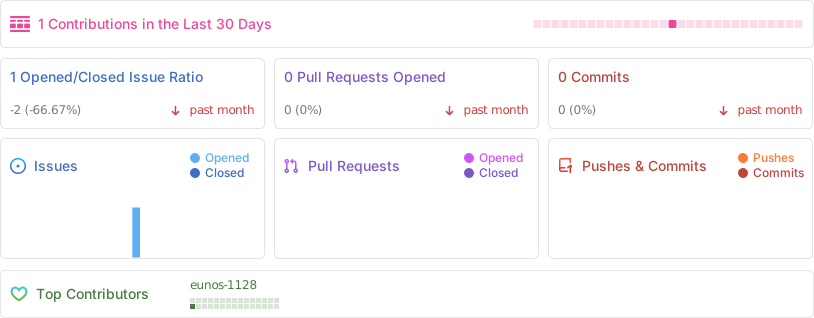
================================================
FILE: .github/FUNDING.yml
================================================
github: [carbon-app, mfix22] # Replace with up to 4 GitHub Sponsors-enabled usernames e.g., [user1, user2]
open_collective: # carbon-app/contribute
patreon: # Replace with a single Patreon username
ko_fi: # Replace with a single Ko-fi username
tidelift: # Replace with a single Tidelift platform-name/package-name e.g., npm/babel
community_bridge: # Replace with a single Community Bridge project-name e.g., cloud-foundry
liberapay: # Replace with a single Liberapay username
issuehunt: # Replace with a single IssueHunt username
otechie: # Replace with a single Otechie username
custom: [] # Replace with up to 4 custom sponsorship URLs e.g., ['link1', 'link2']
================================================
FILE: .github/ISSUE_TEMPLATE/bug_report.md
================================================
---
name: Bug report
about: Create a report to help fix something about Carbon
title: ''
labels: bug
assignees: ''
---
**Describe the bug**
A clear and concise description of what the bug is.
**To Reproduce**
Steps to reproduce the behavior:
1. Go to '…'
2. Click on '…'
3. See error
**Expected behavior**
A clear and concise description of what you expected to happen.
**Screenshots**
If applicable, add screenshots to help explain your problem.
**Info (please complete the following information):**
- OS [e.g. macOS, Linux, Windows, iOS]:
- Browser [e.g. Chrome, Safari, Firefox]:
- Carbon URL [e.g. carbon.now.sh?bg=pink]:
Code snippet
================================================
FILE: .github/ISSUE_TEMPLATE/feature_request.md
================================================
---
name: Feature request
about: Suggest an idea for this project
title: ''
labels: enhancement
assignees: ''
---
**Is your feature request related to a problem? Please describe.**
A clear and concise description of what the problem is. Ex. I'm always frustrated when [...]
**Describe the solution you'd like**
A clear and concise description of what you want to happen.
**Describe alternatives you've considered**
A clear and concise description of any alternative solutions or features you've considered.
**Additional context**
Add any other context or screenshots about the feature request here.
================================================
FILE: .github/ISSUE_TEMPLATE/other.md
================================================
---
name: Other
about: Let us know about something else
title: ''
labels: ''
assignees: ''
---
**Describe the change**
A clear and concise description of your proposal.
**Screenshots**
If applicable, add screenshots to help explain the issue.
**Info (please complete the following information):**
- OS [e.g. macOS, Linux, Windows, iOS]:
- Browser [e.g. Chrome, Safari, Firefox]:
Code snippet
================================================
FILE: .github/PULL_REQUEST_TEMPLATE.md
================================================
- [ ] Integration tests (if applicable)
Closes #
================================================
FILE: .github/dependabot.yml
================================================
version: 2
updates:
# Configuration for npm
- package-ecosystem: 'npm'
directory: '/'
schedule:
interval: 'daily'
allow:
dependency-type: 'development'
# labels:
# - 'dependencies'
# ignore:
# https://docs.github.com/en/code-security/supply-chain-security/keeping-your-dependencies-updated-automatically/configuration-options-for-dependency-update
================================================
FILE: .github/ranger.yml
================================================
_extends: reporanger/superpowers
labels:
dependencies: merge
contributor:
action: comment
delay: 0s
message: '@all-contributors add @$AUTHOR for code'
translator:
action: comment
delay: 0s
message: '@all-contributors add @$AUTHOR for translation'
duplicate:
action: close
delay: 2 days
comment: ⚠️ This has been marked to be closed in $DELAY.
'theme/language':
action: close
delay: 3 days
comment: |
This issue has been marked "$LABEL". As of Carbon `4.0.0`, the Carbon core team is no longer implementing new themes or languages, except for in extenuating circumstances. You can create your own theme in the "Themes" dropdown.
This issue will remain open for $DELAY for further consideration.
commits:
- action: label
pattern: 'upgrade dep'
labels:
- maintenance
- action: label
user: 'allcontributors[bot]'
labels:
- 'squash when passing'
================================================
FILE: .github/workflows/validate.yml
================================================
name: CI
on: [push]
jobs:
build:
runs-on: ubuntu-latest
steps:
- uses: actions/checkout@v3
- name: Use Node.js
uses: actions/setup-node@v3
- name: npm install, lint, build, and test
run: |
yarn
npm run lint --if-present
npm run build --if-present
npm start & npx wait-on http://localhost:3000 && npm run cy:run -- --config baseUrl=http://localhost:3000
# --record --key 26c0b9eb-40f9-4ca6-b91d-a39f03652011
env:
CI: true
CYPRESS_CI: true
================================================
FILE: .gitignore
================================================
node_modules
.env*
.next
dist
out
cypress/videos
cypress/screenshots
.idea
.DS_Store
packaged
coverage
public/service-worker.js
private-key.json
.now
.vercel
*.log
================================================
FILE: .npmrc
================================================
package-lock=false
registry=https://registry.npmjs.org
================================================
FILE: .prettierrc
================================================
{
"singleQuote": true,
"printWidth": 100,
"semi": false,
"arrowParens": "avoid"
}
================================================
FILE: .vercelignore
================================================
.github
LICENSE
README.md
bin
node_modules
cypress
cypress.json
docs
================================================
FILE: LICENSE
================================================
MIT License
Copyright (c) 2022 Carbon
Permission is hereby granted, free of charge, to any person obtaining a copy
of this software and associated documentation files (the "Software"), to deal
in the Software without restriction, including without limitation the rights
to use, copy, modify, merge, publish, distribute, sublicense, and/or sell
copies of the Software, and to permit persons to whom the Software is
furnished to do so, subject to the following conditions:
The above copyright notice and this permission notice shall be included in all
copies or substantial portions of the Software.
THE SOFTWARE IS PROVIDED "AS IS", WITHOUT WARRANTY OF ANY KIND, EXPRESS OR
IMPLIED, INCLUDING BUT NOT LIMITED TO THE WARRANTIES OF MERCHANTABILITY,
FITNESS FOR A PARTICULAR PURPOSE AND NONINFRINGEMENT. IN NO EVENT SHALL THE
AUTHORS OR COPYRIGHT HOLDERS BE LIABLE FOR ANY CLAIM, DAMAGES OR OTHER
LIABILITY, WHETHER IN AN ACTION OF CONTRACT, TORT OR OTHERWISE, ARISING FROM,
OUT OF OR IN CONNECTION WITH THE SOFTWARE OR THE USE OR OTHER DEALINGS IN THE
SOFTWARE.
================================================
FILE: README.md
================================================
## Introduction
You know [all](https://twitter.com/dan_abramov/status/890191815567175680) [of those](https://twitter.com/reactjs/status/890511993261654017) [code screenshots](https://twitter.com/notquiteleo/status/873483329345028096) you see on Twitter? Though the code's usually impressive, we saw room for improvement in the aesthetic department. Carbon makes it easy to create and share beautiful images of your source code. So what are you waiting for? Go impress all of your followers with your newfound design prowess.
## Features
- **Customization**. Customize things like your image's syntax theme, font style, and more
- **Share quickly**. Save your image or
a link with one click
- **Save snippets**. Create an account to save snippets for later. Shared snippets are automatically unfurled on Twitter and Slack.
## Usage
#### Import
There are a few different ways to import code into Carbon:
- Drop a file onto the editor
- Append a GitHub gist ID to the URL (e.g. [`carbon.now.sh/`](https://carbon.now.sh/3208813b324d82a9ebd197e4b1c3bae8))
- Or just start typing!
#### Customization
Once you've got all of your code into Carbon, you can customize your image by changing the syntax theme, background color, window theme, padding, shadows, fonts, and more.
#### Exporting & Sharing
After you've customized your image you can share your snippet in a number of ways
##### Create a saved snippet
Sharing a saved snippet will automatically unfurl the image on platforms like Twitter and Slack. This lets users see your creation, while also giving them access to the source code via the link. Better yet, if you need to make an update, simply follow the link yourself to edit the snippet directly.
To create a saved snippet:
1. Login using the "Sign in/Sign up" button
2. Edit as you normally would — your snippet will get saved automatically
3. Copy the URL from your browser window and share away!
##### Embed a snippet
This is the recommended method for sharing Carbon on your own website or blog. Readers can even copy the code with the click of a button.
You can embed any Carbon snippet in your website directly using the `carbon.now.sh/embed` URL. The "Copy Menu" lets you quickly copy the correct iFrame snippet, or the encoded URL for embedding on platforms like Medium.
Finally, you can also embed saved snippets or GitHub gists using `carbon.now.sh/embed/:id`.
##### Use the Tweet button
The Tweet button will not only share the image on Twitter, but it will also correctly encode the `alt` text to ensure your images are accessible. However, if you want to tweet image yourself, please check out [how to make your Twitter images accessible](https://help.twitter.com/en/using-twitter/picture-descriptions).
##### Download the image directly
Carbon supports downloading your image as a PNG and SVG. You can also click `Export → Open` to open your image directly in the browser. Finally, you can copy the Carbon image directly to your clipboard by going to `Copy → Image`.
#### Installing Carbon for Desktop (Offline)
If you are using Google Chrome, or another browser that supports Progressive Web Apps, you can install Carbon for use offline by:
1. Visit [carbon.now.sh](https://carbon.now.sh)
2. Click your browser's settings menu
3. Click "Install Carbon..."
## Community
Check out these projects our awesome community has created:
##### Editor Plugins
- [IntelliJ IDEA `carbon-now-sh`](https://plugins.jetbrains.com/plugin/10469-carbon-now-sh) - Open up the selection in your current IntelliJ IDEA file in Carbon through a context menu
- [Atom `carbon-now-sh`](https://atom.io/packages/carbon-now-sh) - Open up your current Atom file in Carbon with `shift-cmd-A`
- [VS Code `carbon-now-sh`](https://marketplace.visualstudio.com/items?itemName=ericadamski.carbon-now-sh) - Open up your current VS Code file in Carbon with command `carbon`
- [Sublime Text 3 `carbon-now-sh`](https://github.com/molnarmark/carbonSublime) - Open up the selection in your current Sublime Text 3 file with a custom bound key
- [Vim `carbon-now-sh`](https://github.com/kristijanhusak/vim-carbon-now-sh) - Open up the selection in your current Vim/Neovim using function `CarbonNowSh()`
- [Emacs `carbon-now-sh`](https://github.com/veelenga/carbon-now-sh.el) - Open up the selection in your current Emacs using interactive function `carbon-now-sh`
- [Xcode `carbon-now-sh`](https://github.com/StevenMagdy/CarboNow4Xcode) - Open up your current selection in `carbon.now.sh`
- [Xcode `nef`](https://github.com/bow-swift/nef-plugin) - This Xcode extension enables you to export a code selection as a Carbon snippet in a single action
##### Tools
- [CLI `carbon-now-cli`](https://github.com/mixn/carbon-now-cli) - Open a file in Carbon or download it directly using `carbon-now`, featuring an interactive mode, selective highlighting and more
- [CodeExpander](https://codeexpander.com) - A smart GitHub gist client with the TextExpander features
- [`nef`](https://github.com/bow-swift/nef#-exporting-carbon-code-snippets) - Export multiple Carbon code snippets from `Xcode Playground`.
- [`@carbonshbot`](https://t.me/carbonshbot) - A Telegram chatbot which takes in a code snippet or gist URL and generates an Carbon image
- [R `carbonate`](https://yonicd.github.io/carbonate/) - Iteratively manipulate image aesthetics in `R` and either open in Carbon or download directly.
- [Carbon for Slack](https://github.com/faisalsayed10/carbon-slack) - Use Carbon directly in Slack. Just invoke the `/carbon` command.
##### Citations
- ["CS 101 - An Introduction to Computational Thinking"](https://itunes.apple.com/us/book/id1435714196) - a computer science textbook by Sarbo Roy.
## Authors
Carbon is a project by:
- Mike Fix ([@mfix22](https://twitter.com/fixitup2))
- Brian Dennis ([@briandennis](https://github.com/briandennis))
- Jake Dexheimer ([@jakedex](https://github.com/jakedex))
#### License
[](https://app.fossa.com/projects/git%2Bgithub.com%2Fcarbon-app%2Fcarbon?ref=badge_large)
---
## Contribute & Support
Pull requests are welcome! Please see our [contributing guidelines](/.github/CONTRIBUTING.md) for more details.
### Sponsors & Backers
[](https://fossa.com)
[](https://vercel.com?utm_source=carbon-app&utm_campaign=oss)
### Thanks To
[▲ Vercel](https://vercel.com?utm_source=carbon-app&utm_campaign=oss) for sponsoring Carbon's hosting.
### All Contributors
Thanks goes out to all these wonderful people ([emoji key](https://github.com/kentcdodds/all-contributors#emoji-key)):
)
}
export default Toast
================================================
FILE: components/ApiContext.js
================================================
import React from 'react'
import api from '../lib/api'
const Context = React.createContext(api)
export function useAPI() {
return React.useContext(Context)
}
export default Context
================================================
FILE: components/AuthContext.js
================================================
import React from 'react'
import firebase from '../lib/client'
// IDEA: just read from firebase store at request time?
import { client } from '../lib/api'
export const Context = React.createContext(null)
export function useAuth() {
return React.useContext(Context)
}
function AuthContext(props) {
const [user, setState] = React.useState(null)
React.useEffect(() => {
if (firebase) {
firebase.auth().onAuthStateChanged(newUser => setState(newUser))
}
}, [])
React.useEffect(() => {
if (user) {
user.getIdToken().then(jwt => {
client.defaults.headers['Authorization'] = jwt ? `Bearer ${jwt}` : undefined
})
} else {
delete client.defaults.headers['Authorization']
}
}, [user])
return {props.children}
}
export default AuthContext
================================================
FILE: components/BackgroundSelect.js
================================================
import React from 'react'
import ImagePicker from './ImagePicker'
import ColorPicker from './ColorPicker'
import Button from './Button'
import Popout, { managePopout } from './Popout'
import { COLORS, DEFAULT_BG_COLOR } from '../lib/constants'
import { stringifyColor } from '../lib/util'
function validateColor(str) {
if (/#\d{3,6}|rgba{0,1}\(.*?\)/gi.test(str) || /\w+/gi.test(str)) {
return str
}
}
class BackgroundSelect extends React.PureComponent {
selectTab = name => {
if (this.props.mode !== name) {
this.props.onChange({ backgroundMode: name })
}
}
handlePickColor = color => this.props.onChange({ backgroundColor: stringifyColor(color) })
render() {
const {
color,
mode,
image,
onChange,
isVisible,
toggleVisibility,
carbonRef,
updateHighlights,
} = this.props
const background = validateColor(color) ? color : DEFAULT_BG_COLOR
const aspectRatio = carbonRef ? carbonRef.clientWidth / carbonRef.clientHeight : 1
return (
{['color', 'image'].map(tab => (
))}
)
}
}
export default managePopout(BackgroundSelect)
================================================
FILE: components/Billing.js
================================================
import React from 'react'
import { useAsyncCallback } from 'actionsack'
import Button from './Button'
import Input from './Input'
import { useAuth } from './AuthContext'
import LoginButton from './LoginButton'
import { COLORS } from '../lib/constants'
const X = (
)
export default function Billing() {
const user = useAuth()
const [submit, { error, loading }] = useAsyncCallback(() => true)
const success = true
if (!user) {
return (
)
}
return (
{success ? (
Thank you for supporting Carbon!
However, Carbon Diamond is not quite ready yet.
{/* Your card has not been charged or saved today. */}
We greatly appreciate your support, and will let you know when premium features launch!
)
}
================================================
FILE: components/WindowPointer.js
================================================
import React from 'react'
export default function WindowPointer({ fromLeft, fromRight, color = '#fff' }) {
return (
)
}
================================================
FILE: components/hooks.js
================================================
import React from 'react'
function userTiming({ category, status, value }) {
try {
window.gtag('event', status, {
event_category: 'Performance',
event_label: category,
value,
})
} catch (err) {
// pass
}
}
export function usePerformanceMeasurement() {
React.useEffect(() => {
try {
if (window.performance && window.performance.getEntriesByType) {
window.performance.getEntriesByType('paint').forEach(entry => {
userTiming({
category: 'paint',
status: entry.name,
value: entry.startTime,
})
})
const navigationTiming = window.performance.getEntriesByType('navigation')
? window.performance.getEntriesByType('navigation')[0]
: null
if (navigationTiming) {
userTiming({
category: 'paint',
status: 'time to first byte',
value: navigationTiming.responseEnd - navigationTiming.requestStart,
})
}
const javascriptFiles = performance.getEntries().filter(resource => {
return resource.name.startsWith(`${location.origin}/_next/static`)
})
/*
* Tracks total number of javascript used,
* helps in tracking the effect of granular chunks work
*/
userTiming({
category: 'javascript',
status: 'script count',
value: javascriptFiles.length,
})
/*
* Tracks total size of javascript used,
* helps in tracking the effect of modern/nomodern work
*/
userTiming({
category: 'javascript',
status: 'script size',
value: javascriptFiles.reduce((sum, script) => script.encodedBodySize + sum, 0),
})
}
} catch (error) {
console.error(error)
}
}, [])
}
================================================
FILE: components/style/Font.js
================================================
/*
* See https://developers.google.com/web/updates/2016/02/font-display and
* https://css-tricks.com/font-display-masses/#article-header-id-2
* for `font-display` information
*/
import React from 'react'
export default function Font() {
return (
)
}
================================================
FILE: components/style/Reset.js
================================================
import React from 'react'
import { COLORS } from '../../lib/constants'
export default function Reset() {
return (
)
}
================================================
FILE: components/style/Typography.js
================================================
import React from 'react'
export default function Typography() {
return (
)
}
================================================
FILE: components/svg/Arrows.js
================================================
import React from 'react'
const Up = ({ color = 'white' }) => (
)
const Down = ({ color = 'white' }) => (
)
const Right = ({ color = 'white' }) => (
)
export { Up, Down, Right }
================================================
FILE: components/svg/Checkmark.js
================================================
import React from 'react'
export default function Checkmark({ width = 18, height = 18, color = '#FFFFFF' }) {
return (
)
}
================================================
FILE: components/svg/Controls.js
================================================
import React from 'react'
export const Controls = () => (
)
export const ControlsBW = () => (
)
export const ControlsBoxy = () => (
)
================================================
FILE: components/svg/Copy.js
================================================
import React from 'react'
const SVG_RATIO = 0.81
const Copy = ({ size, color }) => {
const width = size * SVG_RATIO
const height = size
return (
)
}
Copy.defaultProps = {
size: 16,
}
export default Copy
================================================
FILE: components/svg/Language.js
================================================
import React from 'react'
export default function Language() {
return (
)
}
================================================
FILE: components/svg/Logo.js
================================================
import React from 'react'
export default function Logo() {
return (
)
}
================================================
FILE: components/svg/Remove.js
================================================
import React from 'react'
export default function Remove({ color = 'black', style }) {
return (
)
}
================================================
FILE: components/svg/Settings.js
================================================
import React from 'react'
export default function Settings() {
return (
)
}
================================================
FILE: components/svg/Theme.js
================================================
import React from 'react'
export default function Theme() {
return (
)
}
================================================
FILE: components/svg/Watermark.js
================================================
import React from 'react'
export default function Watermark({ light }) {
return (
)
}
================================================
FILE: components/svg/WindowThemes.js
================================================
import React from 'react'
export const Sharp = () => (
)
export const BW = () => (
)
export const None = () => (
)
export const Boxy = () => (
)
================================================
FILE: cypress/config.json
================================================
{
"baseUrl": "https://carbon.now.sh/",
"projectId": "p2tbx4",
"video": false
}
================================================
FILE: cypress/integration/background-color.spec.js
================================================
/* global cy */
import { editorVisible } from '../support'
// usually we can visit the page before each test
// but these tests use the url, which means wasted page load
// so instead visit the desired url in each test
describe('background color', () => {
const bgColor = '.bg-color-container .bg-color'
const picker = '#bg-select-pickers'
const openPicker = () => {
cy.get(bgColor).click()
return cy.get(picker).should('be.visible')
}
// clicking anywhere else closes it
const closePicker = () => cy.get('body').click()
it('opens BG color pick', () => {
cy.visit('/')
openPicker()
cy.get('body').click(5, 5, { force: true })
cy.get(picker).should('not.exist')
})
it('changes background color to dark red', () => {
cy.visit('/')
const darkRed = '#D0021B'
const darkRedTile = `[title="${darkRed}"]`
openPicker()
cy.get(picker).find(darkRedTile).click()
closePicker()
// changing background color triggers url change
cy.url().should('contain', '?bg=')
// confirm color change
cy.get('.container-bg .bg').should('have.css', 'background-color', 'rgb(208, 2, 27)')
})
it('specifies color in url', () => {
cy.visit('?bg=rgb(255,0,0)')
editorVisible()
cy.get('.container-bg .bg').should('have.css', 'background-color', 'rgb(255, 0, 0)')
})
it('enters neon pink', () => {
cy.visit('?bg=rgb(255,0,0)')
editorVisible()
const pink = 'ff00ff'
openPicker().find(`input[value="FF0000"]`).clear().type(`${pink}{enter}`)
closePicker()
cy.url().should(url => expect(decodeURIComponent(url)).to.contain(`?bg=rgba(255,0,255,1)`))
cy.get('.container-bg .bg').should('have.css', 'background-color', 'rgb(255, 0, 255)')
})
})
================================================
FILE: cypress/integration/basic.spec.js
================================================
/* global cy */
import { editorVisible } from '../support'
describe('Basic', () => {
it('Should open editor with the correct text encoding', () => {
cy.visit(
'/?code=%250A%252F*%2520Passing%2520Boolean%2520as%2520method%2520to%2520find%2520returns%2520the%250A%2520*%2520first%2520truthy%2520value%2520in%2520the%2520array!%250A%2520*%252F%250A%255Bfalse%252C%2520false%252C%2520%27%27%252C%2520undefined%252C%2520%27qwijo%27%252C%25200%255D.find(Boolean)%2520%252F%252F%2520%27qwijo%27'
)
editorVisible()
cy.contains(
'.container',
"/* Passing Boolean as method to find returns the * first truthy value in the array! */[false, false, '', undefined, 'qwijo', 0].find(Boolean) // 'qwijo'"
)
})
it('Should open editor with the correct text even with bad URI component', () => {
cy.visit('/?code=%25')
editorVisible()
cy.contains('.container', '%')
})
it('Should clear editor state with Shift+Cmd+\\', () => {
cy.visit('/?bg=red')
cy.get('body').trigger('keydown', { key: '\\', metaKey: true, shiftKey: true })
cy.location().its('pathname').should('eq', '/')
cy.get('.container-bg .bg').should('have.css', 'background-color', 'rgb(171, 184, 195)')
})
it("Should contain id's for CLI integrations to use", () => {
cy.get('#export-container').should('have.length', 1)
cy.get('.export-container').should('have.length', 1)
cy.get('#export-menu').should('have.length', 1)
cy.get('#export-menu').click()
cy.get('#export-png').should('have.length', 1)
cy.get('#export-svg').should('have.length', 1)
})
/*
* This test should only be run locally since it actually downloads a file
* for verification.
*/
it.skip('Should download a PNGs and SVGs', () => {
cy.visit('/')
editorVisible()
cy.contains('span[type="button"]', 'Save Image').click()
cy.get('#downshift-2-item-0').click()
cy.wait(1000)
cy.contains('span[type="button"]', 'Save Image').click()
cy.get('#downshift-2-item-1').click()
cy.wait(1000)
})
})
================================================
FILE: cypress/integration/embed.spec.js
================================================
/* global cy */
describe('Embed', () => {
it('Should render the Carbon editor but no toolbar', () => {
cy.visit('/embed')
cy.get('.export-container').should('be.visible')
cy.get('.export-menu-container').should('not.exist')
})
})
================================================
FILE: cypress/integration/gist.spec.js
================================================
/* global cy Cypress */
import { editorVisible } from '../support'
describe('Gist', () => {
const test = Cypress.env('CI') ? it.skip : it
test('Should pull text from the first Gist file', () => {
cy.visit('/3208813b324d82a9ebd197e4b1c3bae8')
editorVisible()
cy.contains('Y-Combinator implemented in JavaScript')
cy.get('#downshift-input-JavaScript').should('have.value', 'JavaScript')
})
const pages = ['/', '/embed/', '/82d742f4efad9757cc826d20f2a5e5af']
pages.forEach(page => {
test(`${page} should not contain a query string in the url`, () => {
cy.visit(page)
cy.url().should('not.contain', '?')
})
})
})
================================================
FILE: cypress/integration/localStorage.spec.js
================================================
/* global cy */
import { editorVisible } from '../support'
// usually we can visit the page before each test
// but these tests use the url, which means wasted page load
// so instead visit the desired url in each test
describe('localStorage', () => {
const themeDropdown = () => cy.get('.toolbar .dropdown-container').first()
const pickTheme = (name = 'Blackboard') =>
themeDropdown()
.click()
.contains(name)
.click()
it.skip('is empty initially', () => {
cy.visit('/')
editorVisible()
cy.window()
.its('localStorage')
.should('have.length', 0)
})
it('saves on theme change', () => {
cy.visit('/')
editorVisible()
pickTheme('Blackboard')
themeDropdown()
.click()
.contains('Blackboard')
cy.wait(1500) // URL updates are debounced
cy.window()
.its('localStorage.CARBON_STATE')
.then(JSON.parse)
.its('theme')
.should('equal', 'blackboard')
// visiting page again restores theme from localStorage
cy.visit('/')
pickTheme('Cobalt')
cy.wait(1500) // URL updates are debounced
cy.url().should('contain', 't=cobalt')
})
})
================================================
FILE: cypress/integration/security.spec.js
================================================
/* global cy */
import { editorVisible } from '../support'
describe('security', () => {
it('should not alert from bg query parameter', () => {
const stub = cy.stub()
cy.on('window:alert', stub)
// https://github.com/carbon-app/carbon/issues/192
cy.visit(`?bg=rgba(171, 184, 195, 1)
================================================
FILE: docs/README.bn.md
================================================
## ভূমিকা
আপনি অবশ্যই টুইটারে [নানান](https://twitter.com/dan_abramov/status/890191815567175680) [কোড](https://twitter.com/reactjs/status/890511993261654017) [স্ক্রিনশট](https://twitter.com/notquiteleo/status/873483329345028096) দেখেছেন। এইসব কোডের কোয়ালিটি সাধারণত চমৎকার হলেও, আমাদের মনে হয়েছে এইগুলো আরও নান্দনিক হতে পারত। Carbon আপনার সোর্স কোড থেকে সুন্দর ছবি তৈরি এবং সেটা সকলের কাছে ছড়িয়ে দেয়া সহজ করে দেয়। তাহলে আর দেরি কেন? যান আপনার এই নতুন ডিজাইন স্কিল দিয়ে আপানার ফলোয়ারদের মুগ্ধ করুন।
## বৈশিষ্ট্য
- **কাস্টমাইজেশন**. আপনার ছবির সিনট্যাক্স থিম, ফন্ট, এবং আরও অনেক কিছু পরিবর্তন করতে পারছেন।
- **দ্রুত শেয়ার করুন**. মাত্র একটি ক্লিকে আপনার ছবি সংরক্ষন অথবা লিঙ্ক তৈরি করতে পারছেন।
- **স্নিপেট সংরক্ষণ করুন**. আকাউন্ট তৈরি করে আপানর স্নিপেট প্রবর্তিতে ব্যাবহারের জন্য সংরক্ষণ করুন। শেয়ার করা স্নিপেট Twitter কিংবা Slack-এ স্বয়ংক্রিয়ভাবে উন্মোচিত হবে।
## ব্যবহার
#### ইম্পর্ট
Carbon-এ আপনার কোড ইম্পর্ট করার বেশ কিছু উপায় আছে:
- Editor-এ আপানার ফাইল ড্রপ করতে পারবেন
- URL-এ Github gist IU যুক্ত করতে পারবেন (যেমন [`carbon.now.sh/<আপানার gist_id>`](https://carbon.now.sh/3208813b324d82a9ebd197e4b1c3bae8))
- অথবা, Editor-এ সরাসরি টাইপ করা শুরু করুন
#### কাস্টমাইজেশন
আপনার কোড Carbon-এ আনা হলে, আপনার ছবির সিনট্যাক্স থিম, ব্যাকগ্রাউন্ড কালার, উইন্ডো থিম, পাডিং, শ্যাডো, ফন্ট ইত্যাদি কাস্টমাইজ বা পরিবর্তন করত পারবেন।
#### এক্সপোর্ট এবং শেয়ার করা
আপনার ছবি কাস্টমাইজ করার পর, আপনার স্নিপেট শেয়ার করার একাধিক উপায় আছে
##### সংরক্ষিত স্নিপেট তৈরি করা
একটি সংরক্ষিত স্নিপেট শেয়ার করলে সেটির ছবি স্বয়ংক্রিয়ভাবে Twitter এবং Slack-এর মত প্লাটফরমে উন্মোচিত হবে। এইভাবে অন্যান্য ব্যবহারকারীরা আপনার সৃষ্টি দেখতে পারবে, সাথে সাথে লিঙ্ক্যটির মাধ্যমে তারা সোর্স কোডও দেখার সুযোগ পাবে। আরো চমৎকার, আপনার যদি কোন পরিবর্তন করার প্রয়োজন পরে, লিঙ্কটিতে প্রবেশ করে আপনি সরাসরি স্নিপেটটি পরিবর্তন করতে পারবেন।
সংরক্ষিত স্নিপেট তৈরি করতে:
১। "Sign in/Sign up" বাটন ব্যাবহার করে লগইন করুন
২। সাধরনত আপনি যেভাবে এডিট করে থাকেন, থিক তেমনেই এডিট করলেই আপানার স্নিপেট সংরক্ষিত হয়ে যাবে।
৩। আপনার ব্রাউজার উইন্ডো বা এড্রেস বার থেকে URL-টি কপি করে শেয়ার করুন!
##### স্নিপেট এম্বেড করা
এইটি আপনার নিজেশ্য ওয়েবসাইট অথবা ব্লগে Carbon শেয়ার করার সুপারিশকৃত উপায়। পাঠকরা এমনকি একটি বাটন ক্লিক করেই আপনার কোড কপি করতে পারবে।
আপনি আপানার ওয়েবসাইটে যেকোনো Carbon স্নিপেট এম্বেড করতে সরাসরি `carbon.now.sh/embed` URL-টি ব্যাবহার করুন। Medium-এর মত প্লাটফরমের জন্য, "Copy Menu"-টি আপনাকে দ্রুত সঠিক iFrame স্নিপেট, অথবা এনকোডেড URL কপি করতে দেয়।
সবশেষে, সংরক্ষিত স্নিপেটটি অথবা Gihub gists এম্বেড করতে `carbon.now.sh/embed/:id` URL-টি ব্যাবহার করতে পারছেন।
##### টুইট বাটন ব্যাবহার করুন
টুইট বাটন টুইটারে ছবি করার সাথে সাথে `alt` টেক্সট সঠিক ভাবে সংযোজন করবে যাতে আপনার ছবি অধিগম্য হয়। তবে আপনি নিজে ছবি টুইট করতে চাইলে, [how to make your Twitter images accessible](https://help.twitter.com/en/using-twitter/picture-descriptions) দেখে আসুন।
##### সরাসরি ছবি ডাউনলোড করুন
Carbon থেকে আপনার ছবি PNG এবং SVG ফরম্যাটে ডাউনলোড করতে পারবেন। তাছাড়া `Export → Open` কিল্ক করে ছবিটি সরাসরি আপনার ব্রাউজারে দেখতে পারবেন। সবশেষে `Copy → Image` গিয়ে, আপনি ছবিটি Carbon থেকে সরাসরি আপনার ক্লিপবয়ারডে নিতে পারছেন।
#### ডেক্সটপে Carbon ইন্সটল করুন (অফলাইন)
আপনি যদি গুগল ক্রোম অথবা অন্য কনো প্রোগ্রেসিভ ওয়েব অ্যাপ সাপোর্ট করা ব্রাউজার ব্যাবহার করেন, আপনি অফলাইন ব্যাবহারের জন্য Carbon ইন্সটল করেতে পারছেন নিচের উপায়ে:
1. [carbon.now.sh](https://carbon.now.sh) ভিজিট করুন
2. ব্রাউজারের সেটিংস মেনু ক্লিক করুন
3. "Install Carbon..." ক্লিক করুন
## কমুইনিটি
আমাদের দুর্দান্ত কমুইনিটি দারা তৈরি করা প্রোজেক্টগুল দেখে আসুন:
##### এডিটর প্লাগিন
- [IntelliJ IDEA `carbon-now-sh`](https://plugins.jetbrains.com/plugin/10469-carbon-now-sh) - Open up the selection in your current IntelliJ IDEA file in Carbon through a context menu
- [Atom `carbon-now-sh`](https://atom.io/packages/carbon-now-sh) - Open up your current Atom file in Carbon with `shift-cmd-A`
- [VS Code `carbon-now-sh`](https://marketplace.visualstudio.com/items?itemName=ericadamski.carbon-now-sh) - Open up your current VS Code file in Carbon with command `carbon`
- [Sublime Text 3 `carbon-now-sh`](https://github.com/molnarmark/carbonSublime) - Open up the selection in your current Sublime Text 3 file with a custom bound key
- [Vim `carbon-now-sh`](https://github.com/kristijanhusak/vim-carbon-now-sh) - Open up the selection in your current Vim/Neovim using function `CarbonNowSh()`
- [Emacs `carbon-now-sh`](https://github.com/veelenga/carbon-now-sh.el) - Open up the selection in your current Emacs using interactive function `carbon-now-sh`
- [Xcode `carbon-now-sh`](https://github.com/StevenMagdy/CarboNow4Xcode) - Open up your current selection in `carbon.now.sh`
- [Xcode `nef`](https://github.com/bow-swift/nef-plugin) - This Xcode extension enables you to export a code selection as a Carbon snippet in a single action
##### টুলস
- [CLI `carbon-now-cli`](https://github.com/mixn/carbon-now-cli) - Open a file in Carbon or download it directly using `carbon-now`, featuring an interactive mode, selective highlighting and more
- [CodeExpander](https://codeexpander.com) - A smart GitHub gist client with the TextExpander features
- [`nef`](https://github.com/bow-swift/nef#-exporting-carbon-code-snippets) - Export multiple Carbon code snippets from `Xcode Playground`.
- [`@carbonshbot`](https://t.me/carbonshbot) - A Telegram chatbot which takes in a code snippet or gist URL and generates an Carbon image
- [R `carbonate`](https://yonicd.github.io/carbonate/) - Iteratively manipulate image aesthetics in `R` and either open in Carbon or download directly.
- [Carbon for Slack](https://github.com/faisalsayed10/carbon-slack) - Use Carbon directly in Slack. Just invoke the `/carbon` command.
##### উদ্ধৃতি
- ["CS 101 - An Introduction to Computational Thinking"](https://itunes.apple.com/us/book/id1435714196) - a computer science textbook by Sarbo Roy.
## লেখক
Carbon প্রোজেক্ট যাদের জন্য সম্ভব হয়েছে:
- Mike Fix (মাইক ফিক্স) ([@mfix22](https://twitter.com/fixitup2))
- Brian Dennis (ব্রাএন ডেনিস) ([@briandennis](https://github.com/briandennis))
- Jake Dexheimer (জেইক ডেক্সহেইমার) ([@jakedex](https://github.com/jakedex))
#### লাইসেন্স
[](https://app.fossa.com/projects/git%2Bgithub.com%2Fcarbon-app%2Fcarbon?ref=badge_large)
---
## অবদান এবং সমর্থন করুন
Pull requests স্বাগত জানানো হচ্ছে। আরো বিস্তারিত জানার জন্য অনুগ্রহ করে আমাদের [contributing guidelines](/.github/CONTRIBUTING.md) দেখুন।
### স্পনসর এবং ব্যাকার্স
[](https://fossa.com)
[](https://vercel.com?utm_source=carbon-app&utm_campaign=oss)
### ধন্যবাদ
Carbon-এর হোস্টিং স্পন্সর করার জন্য [▲ Vercel](https://vercel.com?utm_source=carbon-app&utm_campaign=oss)-কে ধন্যবাদ জানাই।
### সকল অবদানকারীগন
ধন্যবাদ জানাই এই সব বিস্ময়কর মানুষদের ([emoji key](https://github.com/kentcdodds/all-contributors#emoji-key)):
## Introdução
Sabe [todos aqueles](https://twitter.com/dan_abramov/status/890191815567175680) [prints](https://twitter.com/reactjs/status/890511993261654017) [de código](https://twitter.com/notquiteleo/status/873483329345028096) que você vê no Twitter? Apesar do código geralmente ser impressionante, nós vimos que a parte estética podia ser melhorada. Carbon facilita bastante criar e compartilhar imagens muito boas do seu código fonte. Então o que você está esperando? Vai lá impressionar todos os seus seguidores com esse design foda que você conseguiu aqui!
## Funcionalidades
- **Importar de um gist do GitHub**. É só colocar o id de um gist do GitHub no fim da url;
- **Customização**. Personalize coisas como o tema usado no editor de acordo com a sintaxe da linguagem, o estilo de janela e mais;
- **Compartilhe rapidamente**. Salve sua imagem ou tweet o link com a imagem em um clique.
## Uso
#### Importar
Existem alguns jeitos diferentes de importar código fonte para o Carbon:
- Arraste um arquivo para o editor;
- Cole o id de um gist do GitHub no fim da url (e.g. [`carbon.now.sh/`](https://carbon.now.sh/3208813b324d82a9ebd197e4b1c3bae8));
- Copie e cole o trecho de código diretamente no editor.
#### Customização
Assim que você colocar o trecho de código no editor do Carbon, você pode personalizar a imagem mudando o tema e sintaxe, cor de fundo, tema da janela, e o espaçamento entre a imagem do editor e as bordas.
#### Exportar/Compartilhar
Depois que você customizar a sua imagem, você pode tweetar um link para a imagem ou salvá-la diretamente.
## Comunidade
Confira os projetos top da nossa comunidade:
##### Plugins para editores de texto
- [IntelliJ IDEA `carbon-now-sh`](https://plugins.jetbrains.com/plugin/10469-carbon-now-sh) - Selecione o trecho de código aberto no seu IntelliJ IDEA e o use o botão direito para abrir o menu de opções onde você pode acionar o Carbon;
- [Atom `carbon-now-sh`](https://atom.io/packages/carbon-now-sh) - Abra o arquivo atual do seu Atom no Carbon com o comando `shift-cmd-A`;
- [VS Code `carbon-now-sh`](https://marketplace.visualstudio.com/items?itemName=ericadamski.carbon-now-sh) - Abra seu arquivo do VS Code no Carbon usando o comando `carbon`;
- [Sublime Text 3 `carbon-now-sh`](https://github.com/molnarmark/carbonSublime) - Selecione o trecho de código aberto no seu Sublime Text 3 com um atalho de teclado customizado;
- [Vim `carbon-now-sh`](https://github.com/kristijanhusak/vim-carbon-now-sh) - Selecione o trecho de código aberto no seu Vim/Neovim usando a função `CarbonNowSh()`;
- [Emacs `carbon-now-sh`](https://github.com/veelenga/carbon-now-sh.el) - Selecione o trecho de código aberto no seu Emacs usando a função interativa `carbon-now-sh`.
##### CLIs
- [CLI `carbon-now-cli`](https://github.com/mixn/carbon-now-cli) - Abra um arquivo no Carbon ou faça download da imagem diretamente com `carbon-now`, apresentando um modo interativo, seleção destacada e muito mais.
##### Bibliotecas
- [R `carbonate`](https://yonicd.github.io/carbonate/) - Manipule iterativamente a estética da imagem em `R` e abra no Carbon ou faça download diretamente.
##### Livros Didáticos
- ["CS 101 - An Introduction to Computational Thinking"](https://itunes.apple.com/us/book/id1435714196) - um livro didático de ciência da computação escrito por Sarbo Roy.
## Autores
Carbon é um projeto feito pela
- Mike Fix ([@mfix22](https://github.com/mfix22))
- Brian Dennis ([@briandennis](https://github.com/briandennis))
- Jake Dexheimer ([@jakedex](https://github.com/jakedex))
#### Licença
[](https://app.fossa.com/projects/git%2Bgithub.com%2Fcarbon-app%2Fcarbon?ref=badge_large)
---
## Contribua
PRs são bem vindos! Por favor leia nosso [CONTRIBUTING.md](/.github/CONTRIBUTING.md) para mais detalhes.
### Agradecimentos
[ ▲ Vercel ](https://vercel.com?utm_source=carbon-app&utm_campaign=oss) por patrocinar a hospedagem do Carbon.
[](https://vercel.com/import/git?s=https%3A%2F%2Fgithub.com%2Fcarbon-app%2Fcarbon&project-name=carbon&repo-name=carbon)
### Todos os contribuidores
Agradecemos imensamente a todas essas pessoas maravilhosas pela grande ajuda ([emoji key](https://github.com/kentcdodds/all-contributors#emoji-key)):
## Einführung
Kennen wir nicht alle [diese](https://twitter.com/dan_abramov/status/890191815567175680) [Screenshots](https://twitter.com/reactjs/status/890511993261654017) [von Code](https://twitter.com/notquiteleo/status/873483329345028096), die wir ständig auf Twitter sehen? Obwohl der Code gewöhnlich beeindruckend ist, haben wir im ästhetischen Bereich etwas Raum für Verbesserung gesehen. Carbon ermöglicht das Erstellen und Teilen wunderschöner Bilder deines Quellcodes. Worauf wartest du also? Beeindrucke deine Follower mit deinen neu gefundenen Design Fähigkeiten.
## Feature
- **Importiere Github Gists**. Hänge einfach eine Github Gist ID der URL an
- **Anpassungen**. Wähle zwischen unterschiedlichen Syntax Themes, Window Styles und vielen weiteren Dingen
- **Teile sofort**. Speichere dein Bild oder tweete einen Link mit nur einem Klick
## Anwendung
#### Import
Code kann man in Carbon auf unterschiedliche Weisen importieren:
- Schiebe eine Datei in den Editor
- Hänge eine Github Gist ID an die URL an (z.B. [`carbon.now.sh/`](https://carbon.now.sh/3208813b324d82a9ebd197e4b1c3bae8))
- Füge Code direkt aus der Zwischenablage ein
#### Anpassung
Wenn du deinen Code vollständig in Carbon importiert hast, kannst du dein Bild anpassen, indem du Syntax Theme, Hintergrundfarbe, Window Theme, Padding, usw. veränderst.
#### Exportieren/Teilen
Hast du dein Bild vollständig angepasst, kannst du entweder einen Link zum Bild tweeten, oder es direkt herunterladen.
## Community
Schau dir auch diese Projekte näher an, die unsere tolle Community hervorgebracht hat:
##### Editor Plugins
- [IntelliJ IDEA `carbon-now-sh`](https://plugins.jetbrains.com/plugin/10469-carbon-now-sh) - Öffne die Auswahl deiner aktuellen IntelliJ IDEA Datei in Carbon mit Hilfe eines Context Menüs
- [Atom `carbon-now-sh`](https://atom.io/packages/carbon-now-sh) - Öffne deine aktuelle Atom Datei in Carbon via `shift-cmd-A`
- [VS Code `carbon-now-sh`](https://marketplace.visualstudio.com/items?itemName=ericadamski.carbon-now-sh) - Öffne deine aktuelle VS Code Datei in Carbon mit Hilfe des `carbon` Befehls
- [Sublime Text 3 `carbon-now-sh`](https://github.com/molnarmark/carbonSublime) - Öffne die Auswahl deiner aktuellen Sublime Text 3 Datei mit Hilfe eines Tastenkürzels deiner Wahl
- [Vim `carbon-now-sh`](https://github.com/kristijanhusak/vim-carbon-now-sh) - Öffne die Auswahl aus Vim/Neovim mit Hilfe der Funktion `CarbonNowSh()`
- [Emacs `carbon-now-sh`](https://github.com/veelenga/carbon-now-sh.el) - Öffne die Auswahl deines aktuelles Emacs mit Hilfe der interaktiven Funktion `carbon-now-sh`
##### CLIs
- [CLI `carbon-now-cli`](https://github.com/mixn/carbon-now-cli) - Öffne eine Datei in Carbon oder lade sie direkt mit dem Befehl `carbon-now` herunter. Weitere Features sind unter anderem ein interaktiver Modus, selektives Highlighting und vieles mehr
##### Libraries
- [R `carbonate`](https://yonicd.github.io/carbonate/) - Manipuliere auf eine interaktive Weise das Aussehen von Bildern mit `R` und öffne diese in Carbon oder lade sie direkt herunter.
##### Lehrbücher
- ["CS 101 - An Introduction to Computational Thinking"](https://itunes.apple.com/us/book/id1435714196) - ein Informatik Lehrbuch von Sarbo Roy.
## Autoren
Carbon ist ein Projekt von
- Mike Fix ([@mfix22](https://github.com/mfix22))
- Brian Dennis ([@briandennis](https://github.com/briandennis))
- Jake Dexheimer ([@jakedex](https://github.com/jakedex))
#### Lizenz
[](https://app.fossa.com/projects/git%2Bgithub.com%2Fcarbon-app%2Fcarbon?ref=badge_large)
---
## Mitwirken
Pull Requests sind willkommen! Bitte lese hierzu unsere [CONTRIBUTING.md](/.github/CONTRIBUTING.md) für mehr Details.
### Danke an
[ ▲ Vercel ](https://vercel.com?utm_source=carbon-app&utm_campaign=oss) für das Sponsoring von Carbon’s Hosting.
[](https://vercel.com/import/git?s=https%3A%2F%2Fgithub.com%2Fcarbon-app%2Fcarbon&project-name=carbon&repo-name=carbon)
### Alle Mitwirkende
Ein Danke geht an all diese wunderbaren Menschen ([emoji key](https://github.com/kentcdodds/all-contributors#emoji-key)):
## Introducción
¿Conoces [todas](https://twitter.com/dan_abramov/status/890191815567175680) [esas](https://twitter.com/reactjs/status/890511993261654017) [capturas de pantalla](https://twitter.com/notquiteleo/status/873483329345028096) que ves en Twitter? Aunque el código es generalmente impresionante, vimos una oportunidad de mejora en el área de estética. Carbon hace que sea fácil crear y compartir bellas imágenes de su código. Entonces, ¿qué esperas? Ve a impresionar a todos tus seguidores con tu nueva destreza de diseño.
## Características
- **Personalización**. Personaliza cosas como el tema de sintaxis de tu imagen, estilo de fuente y más.
- **Comparte rápidamente**. Guarda tu imagen o enlace con un solo clic.
- **Guarda tus fragmentos de código**. Crea una cuenta para guardar tus fragmentos de código para más adelante. Los fragmentos de código que compartas en Twitter y Slack se mostrarán automáticamente.
## Uso
#### Importar
Hay formas diferentes de importar código en Carbon:
- Coloca un archivo en el editor.
- Agrega un ID de GitHub gist a la URL (por ejemplo, [`carbon.now.sh/`](https://carbon.now.sh/3208813b324d82a9ebd197e4b1c3bae8)).
- Pega tu código directamente.
#### Personalización
Una vez que tenga todo su código en Carbon, puedes personalizar tu imagen cambiando el tema de sintaxis, el color de fondo, el tema de la ventana, relleno, sombras, fuentes y más.
#### Exportar/Compartir
Después de que hayas personalizado tu fragmento de código, puedes compartirlo en un Tweet haciendo un enlace a la imagen o guardar la imagen directamente.
##### Genera fragmentos de código para guardar
Cuando compartes un fragmento de código guardado, la imagen se mostrará automáticamente en plataformas como Twitter y Slack. De esta manera, otros usuarios pueden ver tu creación, además de darles acceso al código fuente a través del enlace. Mejor aún, si deseas hacer algún ajuste, puedes entrar directamente al enlace para editar el fragmento de código.
Para crear un fragmento de código que puedas guardar:
1. Inicia sesión usando el botón de "Sign In/Sign Up".
2. Edita tu fragmento de código como normalmente lo harías, este se guardará automáticamente.
3. ¡Copia la URL de tu navegador y compártela!
##### Embeber un fragmento de código
Este es el método recomendado para compartir Carbon en tu propio sitio web o blog. Los lectores incluso pueden copiar el código con hacer clic en un botón.
Tu puedes insertar cualquier fragmento de código de Carbon directamente en tu sitio web usando la URL `carbon.now.sh/embed`. El "Menú de copiado" te permite copiar rápidamente el fragmento de iFrame correcto o la URL codificada para ser usada en plataformas como Medium.
Finalmente, también puedes insertar tus fragmentos de código guardados o GitHub gists usando `carbon.now.sh/embed/:id`.
##### Usa el botón de Tweet
El botón de Tweet no solo compartirá la imagen en Twitter, también codificará correctamente el texto alternativo (propiedad `alt`) para asegurar que tus imágenes son accesibles. Sin embargo, si deseas publicar la imagen en Twitter por tu cuenta, te recomendamos consultar [cómo publicar imágenes accesibles](https://help.twitter.com/es/using-twitter/picture-descriptions).
##### Descarga la imagen directamente
Carbon permite descargar tus imágenes en formato PNG y SVG. También puedes hacer clic en `Export → Open` para abrir tu imagen directamente en el navegador. Por último, puedes copiar directamente la imagen en el portapapeles haciendo click en `Copy → Image`.
#### Instalación de Carbon para escritorio (Sin conexión)
Si estás utilizando Google Chrome u otro navegador que soporte aplicaciones web progresivas,
puedes instalar Carbon para usarlo sin conexión siguiendo estas instrucciones:
1. Visitar [https://carbon.now.sh](https://carbon.now.sh).
2. Abrir el menú de configuración de tu navegador.
3. Hacer clic en "Instalar Carbon...".
## Comunidad
Echa un vistazo a estos proyectos que nuestra increíble comunidad ha creado:
##### Complementos del editor
- [IntelliJ IDEA `carbon-now-sh`](https://plugins.jetbrains.com/plugin/10469-carbon-now-sh) - Abra la selección en su archivo actual IntelliJ IDEA en Carbon a través de un menú contextual.
- [Atom `carbon-now-sh`](https://atom.io/packages/carbon-now-sh) - Abra su archivo Atom actual en Carbon con `shift-cmd-A`.
- [VS Code `carbon-now-sh`](https://marketplace.visualstudio.com/items?itemName=ericadamski.carbon-now-sh) - Abra su archivo VS Code actual en Carbon con el comando `carbon`.
- [Sublime Text 3 `carbon-now-sh`](https://github.com/molnarmark/carbonSublime) - Abra la selección en su archivo actual de Sublime Text 3 con una clave personalizada.
- [Vim `carbon-now-sh`](https://github.com/kristijanhusak/vim-carbon-now-sh) - Abra la selección en su Vim / Neovim actual usando la función `CarbonNowSh ()`.
- [Emacs `carbon-now-sh`](https://github.com/veelenga/carbon-now-sh.el) - Abra la selección en su Emacs actual usando la función interactiva `carbon-now-sh`.
- [Xcode `carbon-now-sh`](https://github.com/StevenMagdy/CarboNow4Xcode) - Abra su selección actual en `carbon.now.sh`.
- [Xcode `nef`](https://github.com/bow-swift/nef-plugin) - Esta extensión de Xcode te permite exportar una selección de código como un fragmento de Carbon en una sola acción.
##### Herramientas
- [CLI `carbon-now-cli`](https://github.com/mixn/carbon-now-cli) - Abre un archivo en Carbon o descárguelo directamente usando `carbon-now`, con modo interactivo, resaltado selectivo y más.
- [CodeExpander](https://codeexpander.com) - Un cliente inteligente GitHub gist con las características de TextExpander.
- [`nef`](https://github.com/bow-swift/nef#-exporting-carbon-code-snippets) - Exporte múltiples fragmentos de código de Carbon desde `Xcode Playground`.
- [`@carbonshbot`](https://t.me/carbonshbot) - Un chatbot de Telegram que puede tomar fragmentos de código o URLs de GitHub gist y generar una imagen de Carbon.
- [R `carbonate`](https://yonicd.github.io/carbonate/) - Permite manipular de forma iterativa la estética de la imagen en `R`, abrirla en Carbon o descargarla directamente.
- [Carbon for Slack](https://github.com/faisalsayed10/carbon-slack) - Usa Carbon directamente en Slack. Simplemente ejecute el comando `/carbon`.
##### Citas
- ["CS 101 - Una introducción al pensamiento computacional"](https://itunes.apple.com/us/book/id1435714196) - Un libro de texto de ciencias de la computación por Sarbo Roy.
## Autores
Carbon es un proyecto de:
- Mike Fix ([@mfix22](https://github.com/mfix22)).
- Brian Dennis ([@briandennis](https://github.com/briandennis)).
- Jake Dexheimer ([@jakedex](https://github.com/jakedex)).
#### Licencia
[](https://app.fossa.com/projects/git%2Bgithub.com%2Fcarbon-app%2Fcarbon?ref=badge_large)
---
## Contribuir y apoyar
¡Los Pull Requests son bienvenidos! Por favor consulte nuestra [guía de contribución](/.github/CONTRIBUTING.md) para obtener más detalles.
### Patrocinadores
¿Tu empresa utiliza Carbon? Considera patrocinar el proyecto para financiar nuevas características, correcciones de errores y más.
[](https://fossa.com)
### Backers
¿Te gusta utilizar Carbon? Considera apoyar el proyecto para financiar nuevas características y mejoras.
### Gracias a
[ ▲ Vercel ](https://vercel.com?utm_source=carbon-app&utm_campaign=oss) por patrocinar el alojamiento de Carbon.
[](https://vercel.com/import/git?s=https%3A%2F%2Fgithub.com%2Fcarbon-app%2Fcarbon&project-name=carbon&repo-name=carbon)
### Contribuyentes

#### Todos los Contribuyentes
Gracias a todas estas personas maravillosas ([emoji key](https://github.com/kentcdodds/all-contributors#emoji-key)):
## آشنایی اولیه
احتمالا تا الان [کلی از این](https://twitter.com/dan_abramov/status/890191815567175680) [اسکرین شات](https://twitter.com/reactjs/status/890511993261654017) [های کد ها](https://twitter.com/notquiteleo/status/873483329345028096) را در توئیتر و اینطرف و آنطرف دیده اید. ولی بنظر ما هنوز جای بهبود در زیبایی این تصاویر بود، پس این شما و این کربن! کربن یک ابزار حرفه ای برای ساختن و اشتراک تصاویر چشم نواز از کد شماست. پس منتظر چه هستید؟ همین حالا کد تان را به زیبا ترین شکل ممکن آماده کنید!
## امکانات
- **شخصی سازی**. امکان شخصی سازی تقریبا همه چیز، از استایل رنگ بندی گرفته تا فونت و خیلی بیشتر!
- **اشتراک سریع**. با یک کلیک تصویرتان را دانلود و یا اشتراک گذاری کنید.
- **ذخیره کد های کوچک**. با ساخت یک حساب کاربری، قطعه کد های شما ذخیره و در صورت نیاز میتوانید بطور مستقیم آنها را در توئیتر و اسلک به اشتراک بگذارید.
## نحوه استفاده
#### وارد کردن کد به کربن
راه های مختلفی برای واردن کردن کد شما به کربن وجود دارد:
- فایل کدتان را داخل ادیتور بیندازید(Drag and Drop)
- یک gist ID از گیتهاب را در آدرس صفحه بیندازید (برای مثال: [`
---
## پشتیبانی و مشارکت در این پروژه
ما از Pull requests ها استقبال میکنیم! لطفا [قوانین و شرایط مشارکت و کانتریبیوت کردن](/.github/CONTRIBUTING.md) را برای جزئیات بیشتر بخوانید.
### اسپانسر ها و حامیان
[](https://fossa.com)
[](https://vercel.com?utm_source=carbon-app&utm_campaign=oss)
### با تشکر از
[▲ Vercel](https://vercel.com?utm_source=carbon-app&utm_campaign=oss) برای اسپانسر هاستینگ کربن شدن.
### تمام مشارکت کنندگان
یک دمت گرم، به همه این افراد فوق العاده که در پروژه کربن مشارکت داشته اند ([emoji key](https://github.com/kentcdodds/all-contributors#emoji-key)):
## Introduction
Vous connaissez [toutes ces](https://twitter.com/dan_abramov/status/890191815567175680) [captures d'écran](https://twitter.com/reactjs/status/890511993261654017) [de code](https://twitter.com/notquiteleo/status/873483329345028096) que vous avez croisées sur Twitter ? Bien que le code seul soit généralement impressionnant, nous avons estimé qu'il était possible d'améliorer la partie esthétique. Carbon facilite la création et le partage de votre code source au travers de superbes images. Alors qu'est-ce que vous attendez ? Impressionnez tous vos abonnés avec vos nouvelles prouesses en matière de conception graphique.
## Fonctionnalités
- **Import depuis GitHub gist**. Ajoutez simplement un ID de gist GitHub à l'URL
- **Personnalisation**. Personnalisez des éléments tels que le thème de la syntaxe de votre image, le style de la fenêtre, etc.
- **Partage rapide**. Enregistrez votre image ou tweetez un lien en un clic
## Usage
#### Import
Il existe différentes manières d'importer du code dans Carbon :
- Déposer un fichier dans l'éditeur
- Ajouter un identifiant de GitHub gist à l'URL (ex. [`carbon.now.sh/`](https://carbon.now.sh/3208813b324d82a9ebd197e4b1c3bae8))
- Collez votre code directement
#### Personnalisation
Une fois que tout votre code est saisi dans Carbon, vous pouvez personnaliser votre image en modifiant le thème de la syntaxe, la couleur d'arrière-plan, le thème de la fenêtre ou le remplissage.
#### Export / Partage
Une fois que vous avez personnalisé votre image, vous pouvez soit twetter le lien vers l’image, soit l'enregistrer directement.
Si vous utilisez le bouton 'Tweet', Carbon rendra automatiquement votre image accessible aux utilisateurs malvoyants. Toutefois, si vous souhaitez tweeter manuellement votre image carbone, veuillez vérifier [comment rendre les images accessibles aux utilisateurs malvoyants de Twitter](https://help.twitter.com/fr/using-twitter/picture-descriptions).
Si vous incluez une image Carbon dans un article, le code source sera invisible pour les technologies d'assistance, il ne sera pas possible de l'agrandir ou de le copier, etc. Veuillez penser à ajouter un autre élément avec le code source sous forme de texte, comme une [balise HTML Details](https://developer.mozilla.org/fr/docs/Web/HTML/Element/details) sous l'image.
## Communauté
Découvrez les projets créés par notre fantastique communauté :
##### Plugins pour les éditeurs de code
- [IntelliJ IDEA `carbon-now-sh`](https://plugins.jetbrains.com/plugin/10469-carbon-now-sh) - Ouvrez la sélection de votre fichier IntelliJ IDEA actuel dans Carbon via un menu contextuel
- [Atom `carbon-now-sh`](https://atom.io/packages/carbon-now-sh) - Ouvrez votre fichier Atom actuel dans Carbon avec `shift-cmd-A`
- [VS Code `carbon-now-sh`](https://marketplace.visualstudio.com/items?itemName=ericadamski.carbon-now-sh) - Ouvrez votre fichier VS Code actuel dans Carbon avec la commande `carbon`
- [Sublime Text 3 `carbon-now-sh`](https://github.com/molnarmark/carbonSublime) - Ouvrez la sélection de votre fichier Sublime Text 3 actuel avec une clé liée personnalisée
- [Vim `carbon-now-sh`](https://github.com/kristijanhusak/vim-carbon-now-sh) - Ouvrez la sélection dans votre Vim / Neovim actuelle en utilisant la fonction `CarbonNowSh()`
- [Emacs `carbon-now-sh`](https://github.com/veelenga/carbon-now-sh.el) - Ouvrez la sélection dans votre Emacs actuel en utilisant la fonction interactive `carbon-now-sh`
##### Outils
- [CLI `carbon-now-cli`](https://github.com/mixn/carbon-now-cli) - Ouvrez un fichier dans Carbon ou téléchargez-le directement en utilisant `carbon-now`, comportant un mode interactif, une mise en évidence sélective et plus encore.
##### Bibliothèques
- [R `carbonate`](https://yonicd.github.io/carbonate/) - Manipulez de manière itérative l’esthétique de l’image dans `R` et ouvrez-la dans Carbon, ou téléchargez-la directement.
##### Manuels
- ["CS 101 - Une introduction à la pensée informatique"](https://itunes.apple.com/us/book/id1435714196) - un manuel d'informatique de Sarbo Roy.
## Auteurs
Carbon est un projet de
- Mike Fix ([@mfix22](https://github.com/mfix22))
- Brian Dennis ([@briandennis](https://github.com/briandennis))
- Jake Dexheimer ([@jakedex](https://github.com/jakedex))
#### Licence
[](https://app.fossa.com/projects/git%2Bgithub.com%2Fcarbon-app%2Fcarbon?ref=badge_large)
---
## Contribuer
Les PRs sont les bienvenues ! Veuillez lire notre [CONTRIBUTING.md](/.github/CONTRIBUTING.md) pour plus de détails.
### Merci à
[ ▲ Vercel ](https://vercel.com?utm_source=carbon-app&utm_campaign=oss) pour sponsoriser l'hébergement de Carbon.
[](https://vercel.com/import/git?s=https%3A%2F%2Fgithub.com%2Fcarbon-app%2Fcarbon&project-name=carbon&repo-name=carbon)
### Tous les contributeurs
Merci à toutes ces personnes merveilleuses ([emoji key](https://github.com/kentcdodds/all-contributors#emoji-key)):
מכירים את כלצילומי המסךשל קוד שרואים בטוויטר? למרות שבדרך כלל הקוד מרשים, אנחנו ראינו מקום לשיפור במחלקת האסתטיקה. Carbon הופך יצירת ושיתוף תמונות מדהימות של קוד המקור שלכם לפשוט. אז למה אתם מחכים? החלו להרשים את כל העוקבים שלכם בעזרת כישרון העיצוב החדש שלכם.
תכונות
התאמה אישית. שנו דברים בתמונה כמו ערכת הנושא של התחביר, עיצוב הגופן ועוד
שיתוף במהירות. שמרו את התמונה שלכם או קישור אליה בלחיצה אחת
שמרו קטעי קוד. צרו חשבון על מנת לשמור קטעי קוד למאוחר יותר. קטעי קוד ששותפו נפתחים אוטומטית בטוויטר וסלאק.
לאחר שהקוד שלכם נמצא בCarbon, אתם יכולים להתאים אישית את התמונה על ידי שינוי ערכת הנושא של התחביר, צבע הרקע, ערכת הנושא של החלון, ריפוד, צללים, גופן ועוד.
ייצוא ושיתוף
אחרי שהתאמתם אישית את התמונה שלכם, אתם יכולים לשתף את קטע הקוד שלכם בכמה דרכים
יצירת קטע קוד שמור
שיתוף קטע קוד שמור יפתח אוטומטית את התמונה בפלטפורמות כמו טוויטר וסלאק. זה נותן למשתמשים לראות את היצירה שלכם, ובנוסף גישה לקוד המקור דרך הקישור. יתרה מכך, אם אתם צריכים לעדכן את הקוד, הכנסו לקישור על מנת לערוך את קטע הקוד ישירות.
כדי ליצור קטע קוד שמור:
התחברו בעזרת הכפתור "התחבר/הרשם"
ערכו כמו שתערכו בדרך כלל - קטע הקוד ישמר אוטומטית
העתיקו את הקישור משורת הכתובות של הדפדפן והתחילו לשתף!
הטמעת קטע קוד
זו הדרך המומלצת לשיתוף Carbon באתר או בבלוג שלכם. קוראים אף יכולים להעתיק את הקוד בעזרת לחיצת כפתור.
אתם יכולים להטמיע כל קטע קוד של Carbon ישירות באתר שלכם בעזרת הכתובת carbon.now.sh/embed. "תפריט ההעתקה" נותן לכם להעתיק את קטע קוד הiFrame הנכון, או לקודד את הכתובת להטמעה בפלטפורמות כמו מדיום.
לסיום, אתם יכולים גם להטמיע קטעי קוד שמורים או GitHub gists בעזרת carbon.now.sh/embed/:id
שימוש בכפתור הציוץ
כפתור הציוץ ישתף את התמונה בטוויטר, אך גם יקודד את הטקסט של הalt בצורה נכונה על מנת להבטיח שהתמונות שלכם נגישות. עם זאת, אם אתם רוצים לצייץ את התמונה בעצמכם, בבקשה תבדקו איך להפוך את תמונות הטוויטר שלכם לנגישות.
הורדת התמונה ישירות
Carbon תומך בהורדת התמונות שלכם כPNG וכSVG. אתם גם יכולים ללחוץ על Export → Open כדי לפתוח את התמונה שלכם ישירות בדפדפן. לסיום, אתם יכולים להעתיק את תמונת הCarbon ישירות ללוח ההעתקה שלכם בעזרת לחיצה על Copy → Image.
התקנת Carbon לשולחן העבודה (לא מקוון)
אם אתם משתמשים בגוגל כרום, או דפדפן אחר שתומך בProgressive Web Apps, אתם יכולים להתקין את Carbon לשימוש במצב לא מקוון כך:
## प्रस्तावना
आप ट्विटर पर देखे गए [उन सभी](https://twitter.com/reactjs/status/890511993261654017) [कोड](https://twitter.com/dan_abramov/status/890191815567175680) [स्क्रीनशॉट](https://twitter.com/notquiteleo/status/873483329345028096) को जानते हैं? हालांकि कोड आमतौर पर प्रभावशाली है, हमने सौंदर्य विभाग में सुधार के लिए जगह देखी। कार्बन आपके स्रोत कोड की सुंदर छवियों को बनाना और साझा करना आसान बनाता है। तो आप किसका इंतज़ार कर रहे हैं? अपने सभी अनुयायियों को अपने नए डिजाइन कौशल के साथ प्रभावित करें।
## विशेषताएं
- **GitHub gist से आयात करें**. बस यूआरएल में एक GitHub gist आईडी संलग्न करें
- **अनुकूलन**. थीम, विंडो शैली आदि जैसी चीजों को कस्टमाइज़ करें
- **जल्दी से साझा करें**. अपनी छवि को सहेजें या एक क्लिक के साथ एक लिंक ट्वीट करें
## प्रयोग
#### Import
कार्बन में कोड import करने के कुछ अलग तरीके हैं:
- एक फ़ाइल को editor पर छोड़ दें
- यूआरएल में एक गिटहब गिस्ट आईडी संलग्न करें (e.g. [`carbon.now.sh/`](https://carbon.now.sh/3208813b324d82a9ebd197e4b1c3bae8))
- अपना कोड सीधे paste
#### अनुकूलन
एक बार जब आप अपना पूरा कोड कार्बन में प्राप्त कर लेंगे, तो आप सिंटैक्स थीम, पृष्ठभूमि रंग, विंडो थीम या पैडिंग को बदलकर अपनी छवि को कस्टमाइज़ कर सकते हैं।
#### Export/Sharing
अपनी छवि को अनुकूलित करने के बाद आप या तो छवि के लिंक को ट्वीट कर सकते हैं, या इसे सीधे सहेज सकते हैं।
## समुदाय
इन परियोजनाओं को देखें हमारे शानदार समुदाय ने बनाया है:
##### Editor Plugins
- [IntelliJ IDEA `carbon-now-sh`](https://plugins.jetbrains.com/plugin/10469-carbon-now-sh) - एक context menu के माध्यम से कार्बन में अपनी वर्तमान IntelliJ IDEA फ़ाइल में चयन खोलें
- [Atom `carbon-now-sh`](https://atom.io/packages/carbon-now-sh) - `shift-cmd-A` के साथ कार्बन में अपनी वर्तमान एटम फ़ाइल खोलें
- [VS Code `carbon-now-sh`](https://marketplace.visualstudio.com/items?itemName=ericadamski.carbon-now-sh) - कार्बन में कमांड `carbon` के साथ अपनी वर्तमान VS Code फ़ाइल खोलें
- [Sublime Text 3 `carbon-now-sh`](https://github.com/molnarmark/carbonSublime) - एक कस्टम बाध्य कुंजी के साथ अपने वर्तमान sublime text 3 फ़ाइल में चयन खोलें
- [Vim `carbon-now-sh`](https://github.com/kristijanhusak/vim-carbon-now-sh) - फ़ंक्शन `CarbonNowSh()` का उपयोग करके अपने वर्तमान Vim/Neovim में चयन को खोलें
- [Emacs `carbon-now-sh`](https://github.com/veelenga/carbon-now-sh.el) - इंटरैक्टिव फ़ंक्शन `carbon-now-sh` का उपयोग करके अपने वर्तमान Emacs में चयन को खोलें
##### CLIs
- [CLI `carbon-now-cli`](https://github.com/mixn/carbon-now-cli) - कार्बन में एक फ़ाइल खोलें या इसे `carbon-now` का उपयोग करके सीधे डाउनलोड करें, जिसमें एक इंटरैक्टिव मोड, चुनिंदा हाइलाइटिंग और बहुत कुछ शामिल है
##### Libraries
- [R `carbonate`](https://yonicd.github.io/carbonate/) - `R` में छवि सौंदर्यशास्त्र का आंशिक रूप से उपयोग करें और या तो कार्बन में खुलें या सीधे डाउनलोड करें।
##### पाठ्यपुस्तकें
- ["CS 101 - An Introduction to Computational Thinking"](https://itunes.apple.com/us/book/id1435714196) - सरबो रॉय द्वारा एक कंप्यूटर विज्ञान पाठ्यपुस्तक।
## लेखक
कार्बन द्वारा एक परियोजना है
- Mike Fix ([@mfix22](https://github.com/mfix22))
- Brian Dennis ([@briandennis](https://github.com/briandennis))
- Jake Dexheimer ([@jakedex](https://github.com/jakedex))
#### License
[](https://app.fossa.com/projects/git%2Bgithub.com%2Fcarbon-app%2Fcarbon?ref=badge_large)
---
## Contribute
PRs का स्वागत है! अधिक जानकारी के लिए कृपया हमारे [CONTRIBUTING.md](/.github/CONTRIBUTING.md) देखें।
### धन्यवाद
[ ▲ Vercel ](https://vercel.com?utm_source=carbon-app&utm_campaign=oss) कार्बन की होस्टिंग को प्रायोजित करने के लिए।
[](https://vercel.com/import/git?s=https%3A%2F%2Fgithub.com%2Fcarbon-app%2Fcarbon&project-name=carbon&repo-name=carbon)
### All contributors
इन सभी अद्भुत लोगों के लिए धन्यवाद ([emoji key](https://github.com/kentcdodds/all-contributors#emoji-key)):
## Perkenalan
Tahukah Anda [dari](https://twitter.com/dan_abramov/status/890191815567175680) [semua hasil](https://twitter.com/reactjs/status/890511993261654017) [tangkapan layar kode sumber](https://twitter.com/notquiteleo/status/873483329345028096) yang Anda lihat di twitter? Meskipun kodenya biasanya mengesankan, kami melihat peluang untuk peningkatan dalam nilai estetika. Carbon memudahkan Anda untuk membuat dan berbagi kode sumber Anda menjadi sebuah gambar yang indah. Jadi tunggu apalagi? Buat semua pengikut Anda terkesan dengan keterampilan desain baru Anda.
## Fitur
- **Personalisasi**. Anda dapat menyesuaikan berbagai hal untuk gambar yang Anda buat, contohnya seperti tema sintaksis, font, dan lainnya
- **Bagikan dengan cepat**. Anda dapat menyimpan atau membagikan gambar yang Anda buat dengan satu kali klik
- **Simpan Potongan**. Anda dapat membuat akun untuk menyimpan potongan kode yang dapat digunakan nanti. Potongan akan dibagikan secara otomatis di Twitter dan Slack.
## Penggunaan
#### Impor
Ada beberapa cara berbeda untuk mengimpor kode ke Carbon:
- Menyeret file ke dalam editor
- Menambahkan GitHub gist ID ke URL (misalnya. [`carbon.now.sh/`](https://carbon.now.sh/3208813b324d82a9ebd197e4b1c3bae8))
- Atau Anda dapat memulai dengan mengetik kode secara langsung!
#### Kostumisasi
Setelah Anda telah menaruh semua kode di Carbon, Anda dapat menyesuaikan gambar Anda dengan mengubah tema sintaks, warna latar belakang, tema jendela, padding, bayangan, font, dan masih banyak lagi.
#### Mengekspor Dan Berbagi
Setelah Anda menyesuaikan gambar Anda, Anda dapat membagikannya dengan berbagai cara.
##### Buat potongan kode untuk disimpan
Saat membagikan potongan kode yang disimpan, gambar akan secara otomatis membagikan di platform seperti Twitter dan Slack. Dengan cara ini pengguna lain dapat melihat kreasi Anda, sekaligus memberi mereka akses ke kode sumber melalui tautan tersebut. Lebih baik lagi jika Anda ingin membuat penyesuaian, Anda dapat langsung mengikuti tautan untuk mengedit potongan kode Anda.
Cara membuat potongan kode yang dapat disimpan:
1. Masuk menggunakan tombol "Sign in/Sign up"
2. Edit seperti biasa - potongan kode Anda akan disimpan secara otomatis
3. Salin URL dari jendela browser Anda dan bagikan!
##### Sematkan potongan kode
Ini adalah cara yang disarankan untuk menggunakan Carbon di situs web atau blog Anda sendiri. Pengunjung bahkan dapat menyalin kode dengan menekan sebuah tombol.
Anda dapat memasukkan secara langsung potongan kode apapun ke situs web Carbon Anda dengan URL `carbon.now.sh/embed`. Dari menu "Copy Menu" Anda dapat dengan mudah menyalin seluruh kode iFrame, atau hanya alamat untuk disisipkan pada platform seperti Medium.
Terakhir, Anda juga dapat memasukkan potongan kode atau GitHub gists menggunakan `carbon.now.sh/embed/:id`.
##### Menggunakan tombol Tweet
Tombol Tweet tidak hanya memastikan bahwa gambar Anda dibagikan di Twitter, tetapi juga menambahkan gambar yang benar dengan menambahkan kode `alt` untuk memastikan gambar Anda dapat diakses. Jika Anda lebih suka men-tweet gambar itu sendiri, lihat terlebih dulu [how to make your Twitter images accessible](https://help.twitter.com/en/using-twitter/picture-descriptions).
##### Unduh gambar secara langsung
Carbon mendukung format gambar PNG dan SVG. Anda juga bisa mengklik `Export → Open` untuk membuka gambar Anda langsung di browser. Terakhir, Anda dapat menyalin gambar dari Carbon langsung ke papan klip Anda dengan masuk ke `Copy → Image`.
#### Memasang Carbon untuk Desktop (Offline)
Jika Anda menggunakan browser Google Chrome, atau browser lain yang mendukung Aplikasi Web Progresif, Anda dapat memasang Carbon untuk digunakan secara offline dengan:
1. Kunjungi [carbon.now.sh](https://carbon.now.sh)
2. Klik menu pengaturan browser Anda
3. Klik "Install Carbon..."
## Komunitas
Lihat proyek berikut yang dibuat oleh komunitas kami yang hebat:
##### Plugin Editor
- [IntelliJ IDEA `carbon-now-sh`](https://plugins.jetbrains.com/plugin/10469-carbon-now-sh) - Buka kode yang dipilih dalam file IntelliJ IDEA Anda saat ini di Carbon dari menu konteks
- [Atom `carbon-now-sh`](https://atom.io/packages/carbon-now-sh) - Buka file Atom Anda saat ini di Carbon dengan `shift-cmd-A`
- [VS Code `carbon-now-sh`](https://marketplace.visualstudio.com/items?itemName=ericadamski.carbon-now-sh) - Buka file VS Code Anda saat ini di Carbon dengan perintah `carbon`
- [Sublime Text 3 `carbon-now-sh`](https://github.com/molnarmark/carbonSublime) - Buka kode yang dipilih di file Sublime Text 3 Anda saat ini dengan kunci yang ditetapkan sendiri
- [Vim `carbon-now-sh`](https://github.com/kristijanhusak/vim-carbon-now-sh) - Buka kode yang dipilih di Vim / Neovim Anda saat ini dengan fungsi `CarbonNowSh()`
- [Emacs `carbon-now-sh`](https://github.com/veelenga/carbon-now-sh.el) - Buka pilihan di Emacs Anda saat ini menggunakan fungsi interaktif `carbon-now-sh`
- [Xcode `carbon-now-sh`](https://github.com/StevenMagdy/CarboNow4Xcode) - Buka pilihan Anda saat ini di `carbon.now.sh`
- [Xcode `nef`](https://github.com/bow-swift/nef-plugin) - Ekstensi Xcode ini memungkinkan Anda mengekspor kode yang dipilih sebagai potongan Carbon dengan satu tindakan
##### Alat lainnya
- [CLI `carbon-now-cli`](https://github.com/mixn/carbon-now-cli) - Buka file di Carbon atau unduh langsung menggunakan `carbon-now`, menampilkan mode interaktif, penyorotan selektif, dan lainnya
- [CodeExpander](https://codeexpander.com) - adalah fitur pintar dari GitHub gist client dengan TextExpander
- [`nef`](https://github.com/bow-swift/nef#-exporting-carbon-code-snippets) - Ekspor beberapa potongan kode Carbon dari `Xcode Playground`.
- [`@carbonshbot`](https://t.me/carbonshbot) - Chatbot Telegram yang dapat mengambil potongan kode atau URL inti dan menghasilkan gambar Carbon
- [R `carbonate`](https://yonicd.github.io/carbonate/) - Memanipulasi tampilan gambar secara berulang dalam `R` dan membuka di Carbon atau untuk mendownload secara langsung.
##### Kutipan
- ["CS 101 - An Introduction to Computational Thinking"](https://itunes.apple.com/us/book/id1435714196) - a computer science textbook by Sarbo Roy.
## Penulis
Carbon adalah proyek dari:
- Mike Fix ([@mfix22](https://twitter.com/fixitup2))
- Brian Dennis ([@briandennis](https://github.com/briandennis))
- Jake Dexheimer ([@jakedex](https://github.com/jakedex))
#### Lisensi
[](https://app.fossa.com/projects/git%2Bgithub.com%2Fcarbon-app%2Fcarbon?ref=badge_large)
---
## Kontribusi Dan Dukungan
Untuk tata cara melakukan PR (Pull Request, cara berkontibusi ke dalam repositori) kita mengacu pada [panduan kontribusi](/.github/CONTRIBUTING.md) untuk lebih jelasnya.
### Sponsor Dan Pendukung
[](https://fossa.com)
### Terima Kasih banyak untuk
[ ▲ Vercel ](https://vercel.com?utm_source=carbon-app&utm_campaign=oss) telah mensponsori hosting Carbon's.
[](https://vercel.com/import/git?s=https%3A%2F%2Fgithub.com%2Fcarbon-app%2Fcarbon&project-name=carbon&repo-name=carbon)
### Semua Kontributor
Terima kasih untuk semua orang yang sangat luar biasa ini ([emoji key](https://github.com/kentcdodds/all-contributors#emoji-key)):
## Introduzione
Avete presente [tutti](https://twitter.com/dan_abramov/status/890191815567175680) [quegli](https://twitter.com/reactjs/status/890511993261654017) [screenshots di codice](https://twitter.com/notquiteleo/status/873483329345028096) che vedete su Twitter? Anche se il codice è di solito impressionante, abbiamo visto un margine di miglioramento nel reparto estetico. Carbon rende facile creare e condividere belle immagini del vostro codice sorgente. Quindi cosa state aspettando? Andate a stupire tutti i vostri follower con la vostra ritrovata abilità nel design.
## Caratteristiche
- **Personalizzazione**. Personalizza cose come il tema della sintassi della tua immagine, lo stile del carattere e altro ancora
- **Condividi rapidamente**. Salva la tua immagine o un link con un clic
- **Salva i frammenti**. Crea un account per salvare i frammenti per dopo. Quelli condivisi vengono automaticamente pubblicati su Twitter e Slack.
## Uso
#### Importazione
Ci sono alcuni differenti modi per importare codice in Carbon:
- Rilasciare un file nell'editor
- Aggiungere un ID GitHub gist all'URL (es. [`carbon.now.sh/`](https://carbon.now.sh/3208813b324d82a9ebd197e4b1c3bae8))
- O semplicemente iniziare a scrivere!
#### Personalizzazione
Una volta che avrete tutto il vostro codice in Carbon, potete personalizzare la vostra immagine cambiando il tema della sintassi, il colore dello sfondo, il tema della finestra, il padding, le ombre, i font e altro.
#### Esportazione e condivisione
Dopo aver personalizzato l'immagine, puoi condividere il frammento in diversi modi
##### Creare un frammento salvato
Condividendo un frammento salvato, l'immagine si aprirà automaticamente su piattaforme come Twitter e Slack. Questo permette agli utenti di vedere la tua creazione, dando loro anche accesso al codice sorgente tramite il link. Meglio ancora, se hai bisogno di fare un aggiornamento, basta seguire il link per modificare direttamente lo snippet.
Per creare uno snippet salvato:
1. Accedi usando il pulsante "Login/Sign up".
2. Modifica come faresti normalmente - il tuo frammento verrà salvato automaticamente
3. Copia l'URL dalla finestra del tuo browser e condividi!
##### Incorporare un frammento
Questo è il metodo raccomandato per condividere Carbon sul proprio sito web o blog. I lettori possono anche copiare il codice con il click di un pulsante.
Puoi incorporare qualsiasi frammento di Carbon nel tuo sito web direttamente usando `carbon.now.sh/embed` URL. Il "Menù copia" permette di copiare rapidamente il frammento iFrame corretto, o l'URL codificato per incorporarlo su piattaforme come Medium.
Infine, puoi anche incorporare frammenti salvati o gist di GitHub usando `carbon.now.sh/embed/:id`.
##### Usa il pulsante Tweet
Il pulsante Tweet non solo condividerà l'immagine su Twitter, ma codificherà anche correttamente l' `alt` per garantire che le tue immagini siano accessibili. Tuttavia, se vuoi twittare tu stesso le immagini, controlla [come rendere accessibili le tue immagini su Twitter.](https://help.twitter.com/en/using-twitter/picture-descriptions).
##### Scarica direttamente l'immagine
Carbon supporta il download della vostra immagine come PNG e SVG. Potete anche cliccare `Export → Open` per aprire la tua immagine direttamente nel browser. Infine, potete copiare l'immagine di Carbon direttamente negli appunti andando su `Copy → Image`.
#### Installazione di Carbon for Desktop (offline)
Se state usando Google Chrome, o un altro browser che supporta Progressive Web Apps, potete installare Carbon per l'uso offline:
1. Visita [carbon.now.sh](https://carbon.now.sh)
2. Clicca sul menu delle impostazioni del tuo browser
3. Clicca "Installa Carbon..."
## Comunità
Guarda questi progetti che la nostra fantastica comunità ha creato:
##### Plugin per l'editor
- [IntelliJ IDEA `carbon-now-sh`](https://plugins.jetbrains.com/plugin/10469-carbon-now-sh) - Aprire la selezione nel file IntelliJ IDEA corrente in Carbon attraverso un menù contestuale
- [Atom `carbon-now-sh`](https://atom.io/packages/carbon-now-sh) - Aprite il vostro file Atom attuale in Carbon con `shift-cmd-A`
- [VS Code `carbon-now-sh`](https://marketplace.visualstudio.com/items?itemName=ericadamski.carbon-now-sh) - Aprite il vostro attuale file VS Code in Carbon con il comando `carbon`
- [Sublime Text 3 `carbon-now-sh`](https://github.com/molnarmark/carbonSublime) - Aprire la selezione nel tuo file Sublime Text 3 corrente con una chiave vincolata personalizzata
- [Vim `carbon-now-sh`](https://github.com/kristijanhusak/vim-carbon-now-sh) - Aprite la selezione nel vostro Vim/Neovim corrente usando la funzione `CarbonNowSh()`
- [Emacs `carbon-now-sh`](https://github.com/veelenga/carbon-now-sh.el) - Aprite la selezione nel vostro Emacs attuale usando la funzione interattiva `carbon-now-sh`
- [Xcode `carbon-now-sh`](https://github.com/StevenMagdy/CarboNow4Xcode) - Aprire la selezione corrente in `carbon.now.sh`
- [Xcode `nef`](https://github.com/bow-swift/nef-plugin) - Questa estensione Xcode consente di esportare una selezione di codice come frammento di Carbon in un solo passaggio
##### Strumenti
- [CLI `carbon-now-cli`](https://github.com/mixn/carbon-now-cli) - Aprire un file in Carbon o scaricarlo direttamente usando `carbon-now`, con una modalità interattiva, evidenziazione selettiva e altro ancora
- [CodeExpander](https://codeexpander.com) - Un client GitHub gist intelligente con le caratteristiche di TextExpander
- [`nef`](https://github.com/bow-swift/nef#-exporting-carbon-code-snippets) - Esportare più frammenti di codice Carbon da `Xcode Playground`
- [`@carbonshbot`](https://t.me/carbonshbot) - Un bot Telegram che prende un frammento di codice o un URL gist e genera un'immagine Carbon
- [R `carbonate`](https://yonicd.github.io/carbonate/) - Manipolare iterativamente l'estetica delle immagini in `R` e aprire in Carbon o scaricare direttamente.
##### Citazioni
- ["CS 101 - An Introduction to Computational Thinking"](https://itunes.apple.com/us/book/id1435714196) - un libro di testo di informatica di Sarbo Roy.
## Autori
Carbon è un progetto di:
- Mike Fix ([@mfix22](https://twitter.com/fixitup2))
- Brian Dennis ([@briandennis](https://github.com/briandennis))
- Jake Dexheimer ([@jakedex](https://github.com/jakedex))
#### Licenza
[](https://app.fossa.com/projects/git%2Bgithub.com%2Fcarbon-app%2Fcarbon?ref=badge_large)
---
## Contribuire e Sostenere
Le richieste di pull sono benvenute! Vedi le nostre [linee guida per i contributi](/.github/CONTRIBUTING.md) per maggiori dettagli.
### Sponsor e finanziatori
[](https://fossa.com)
### Grazie a
[ ▲ Vercel ](https://vercel.com?utm_source=carbon-app&utm_campaign=oss) per aver sponsorizzato l'hosting di Carbon.
[](https://vercel.com/import/git?s=https%3A%2F%2Fgithub.com%2Fcarbon-app%2Fcarbon&project-name=carbon&repo-name=carbon)
### Tutti i collaboratori
Grazie a tutte queste persone meravigliose ([emoji key](https://github.com/kentcdodds/all-contributors#emoji-key)):
## Introduction
트위터에서 공유되고 있는 [수많은](https://twitter.com/dan_abramov/status/890191815567175680) [코드](https://twitter.com/reactjs/status/890511993261654017) [스크린샷](https://twitter.com/notquiteleo/status/873483329345028096)들을 알고 계신가요? 코드들은 대체로 훌륭하지만, 미적인 부분에서 조금 개선할 점이 보입니다. Carbon은 당신의 소스코드를 손쉽게 아름다운 이미지로 만들고, 공유할 수 있게 도와줍니다. 무엇을 망설이시나요? 당신의 디자인 감각으로 팔로워들을 감동시켜보세요
## Features
- **GitHub gist에서 가져오기**. 간단하게 github gist id를 url 에 입력하면 됩니다.
- **커스터마이징**. syntax theme, window style 등 많은 것들을 커스터마이징할 수 있습니다.
- **빠르게 공유하기**. 클릭 한 번으로 이미지를 저장하거나 Tweet에 공유할 수 있습니다.
## Usage
#### Import
Carbon에 코드를 적용시키는데는 몇 가지 방법이 있습니다:
- 파일 불러오기
- url에 GitHub gist id 붙여넣기 (예시: [`carbon.now.sh/`](https://carbon.now.sh/3208813b324d82a9ebd197e4b1c3bae8))
- 코드 복사해서 직접 붙여넣기
#### Customization
Carbon에 코드를 넣었다면, syntax theme, 배경 색, window theme, padding 등 이미지에 들어갈 옵션들을 커스터마이징할 수 있습니다.
#### Export/Sharing
코드 이미지를 커스터마이징 하고 나면, 곧바로 이미지를 저장하고, Tweet에 공유 할 수 있습니다.
## Community
우리의 멋진 커뮤니티가 만든 아래의 프로젝트들을 확인해보세요:
##### Editor Plugins
- [IntelliJ IDEA `carbon-now-sh`](https://plugins.jetbrains.com/plugin/10469-carbon-now-sh) - context menu를 통해서 IntelliJ IDEA file의 선택 영역을 Carbon에서 엽니다.
- [Atom `carbon-now-sh`](https://atom.io/packages/carbon-now-sh) - `shift-cmd-A`를 사용해 현재 보고있는 Atom 파일을 Carbon에서 엽니다.
- [VS Code `carbon-now-sh`](https://marketplace.visualstudio.com/items?itemName=ericadamski.carbon-now-sh) - `carbon`명령어를 사용해 현재 보고있는 VS Code 파일을 Carbon에서 엽니다.
- [Sublime Text 3 `carbon-now-sh`](https://github.com/molnarmark/carbonSublime) -
커스텀 키를 사용해 Sublime Text 3 파일의 선택 영역을 Carbon에서 엽니다.
- [Vim `carbon-now-sh`](https://github.com/kristijanhusak/vim-carbon-now-sh) -
`CarbonNowSh()` 함수를 사용해 현재 보고 있는 Vim/Neovim 선택 영역을 엽니다.
- [Emacs `carbon-now-sh`](https://github.com/veelenga/carbon-now-sh.el) - interactive 함수인 `carbon-now-sh`를 사용해 현재 보고있는 Emacs 선택 영역을 엽니다.
##### CLIs
- [CLI `carbon-now-cli`](https://github.com/mixn/carbon-now-cli) - `carbon-now` 명령을 사용해서 곧바로 파일을 열거나 다운로드 받으세요. 이 것은 대화형 모드가 지원되고 선택인 하이라이팅 등 많은 것들을 지원합니다.
##### Libraries
- [R `carbonate`](https://yonicd.github.io/carbonate/) - `R`을 통해서 이미지의 미적인 부분을 조작하고, 그 이미지를 다운 받거나 Carbon에서 열 수 있습니다.
##### Textbooks
- ["CS 101 - An Introduction to Computational Thinking"](https://itunes.apple.com/us/book/id1435714196) - Sarbo Roy가 출판한 컴퓨터 사이언스 교과서.
## Authors
Carbon is a project by
- Mike Fix ([@mfix22](https://github.com/mfix22))
- Brian Dennis ([@briandennis](https://github.com/briandennis))
- Jake Dexheimer ([@jakedex](https://github.com/jakedex))
#### License
[](https://app.fossa.com/projects/git%2Bgithub.com%2Fcarbon-app%2Fcarbon?ref=badge_large)
---
## Contribute
풀리퀘스트는 환영합니다! 더 자세한 내용은 [CONTRIBUTING.md](/.github/CONTRIBUTING.md)를 참조해주세요.
### Thanks To
[ ▲ Vercel ](https://vercel.com?utm_source=carbon-app&utm_campaign=oss)가 Carbon 호스팅을 지원해주고 있습니다.
[](https://vercel.com/import/git?s=https%3A%2F%2Fgithub.com%2Fcarbon-app%2Fcarbon&project-name=carbon&repo-name=carbon)
### All contributors
아래의 모든 멋진 분들께 감사 드립니다 ([emoji key](https://github.com/kentcdodds/all-contributors#emoji-key)):
## ആമുഖം
ട്വിറ്ററിൽ നിങ്ങൾ [കാണുന്ന കോഡുകളുടെ](https://twitter.com/dan_abramov/status/890191815567175680) [സ്ക്രീൻഷോട്ടുകളെല്ലാം](https://twitter.com/reactjs/status/890511993261654017) [നിങ്ങൾക്ക് അറിയാമോ](https://twitter.com/notquiteleo/status/873483329345028096)? കോഡ് സാധാരണയായി ആകർഷകമാണെങ്കിലും, സൗന്ദര്യശാസ്ത്ര ഡിപ്പാർട്ടുമെൻറിലെ മെച്ചപ്പെടുത്തലിന് ഇടം കാണാം. നിങ്ങളുടെ സോഴ്സ് കോഡിന്റെ സുന്ദരമായ ചിത്രങ്ങൾ സൃഷ്ടിക്കുന്നതും പങ്കുവെക്കുന്നതും കാർബൺ എളുപ്പമാക്കുന്നു. അപ്പോൾ എന്തിനാണ് നിങ്ങൾ കാത്തിരിക്കുന്നത്? നിങ്ങളുടെ പുതുതായി രൂപകൽപ്പന ചെയ്ത ഡിസൈനുകൾ ഉപയോഗിച്ച് നിങ്ങളെ പിന്തുടരുന്ന എല്ലാവരെയും ആകർഷിക്കുക.
## സവിശേഷതകൾ
- **GitHub gist ൽ നിന്ന് ഇമ്പോർട്ടുചെയ്യുക**. ലളിതമായി ഒരു GitHub gist id url ലിൽ ആയി ചേർക്കുക
- **ഇഷ്ടാനുസൃതമാക്കൽ**. നിങ്ങളുടെ ഇമേജ് സിന്റാക്സ് തീം, വിൻഡോ ശൈലി തുടങ്ങിയവയും മറ്റും ഇഷ്ടാനുസൃതമാക്കുക
- **വേഗത്തിൽ പങ്കിടുക**. നിങ്ങളുടെ ചിത്രം save ചെയ്യുക അല്ലെങ്കിൽ ഒരു ക്ലിക്കിലൂടെ ഒരു ലിങ്ക് ട്വീറ്റ് ചെയ്യുക
## ഉപയോഗം
#### ഇറക്കുമതി ചെയ്യുക
കാർബണിലേക്ക് കോഡ് ഇംപോർട്ട് ചെയ്യുന്നതിന് കുറച്ച് വ്യത്യസ്ത മാർഗ്ഗങ്ങളുണ്ട്:
- എഡിറ്ററിലേക്ക് ഒരു ഫയൽ വലിച്ചിടുക
- ഒരു GitHub gist idി url ലേക്ക് കൂട്ടിച്ചേർക്കുക (ഉദാ. [`carbon.now.sh/`](https://carbon.now.sh/3208813b324d82a9ebd197e4b1c3bae8))
- നിങ്ങളുടെ കോഡ് നേരിട്ട് കൂട്ടിച്ചേര്ക്കുക
#### ഇഷ്ടാനുസൃതമാക്കൽ
കാർബോണിൽ നിങ്ങളുടെ എല്ലാ കോഡും നിങ്ങൾക്ക് ലഭിച്ചുകഴിഞ്ഞാൽ, നിങ്ങൾക്ക് syntax തീം, പശ്ചാത്തല നിറം, വിൻഡോ തീം അല്ലെങ്കിൽ പാഡിംഗ് എന്നിവ മാറ്റിക്കൊണ്ട് നിങ്ങളുടെ ചിത്രം ഇഷ്ടാനുസൃതമാക്കാവുന്നതാണ്.
#### കയറ്റുമതി / പങ്കിടൽ
നിങ്ങളുടെ ചിത്രം നിങ്ങൾ ഇഷ്ടാനുസൃതമാക്കിയ ശേഷം നിങ്ങൾക്ക് ഒരു ചിത്രത്തിലേക്ക് ഒരു ലിങ്ക് ട്വീറ്റ് ചെയ്യാം, അല്ലെങ്കിൽ നേരിട്ട് save ചെയ്യാൻ കഴിയും.
## സമൂഹം
ഞങ്ങളുടെ ആകർഷണീയമായ കമ്മ്യൂണിറ്റി സൃഷ്ടിച്ച ഈ പ്രോജക്ടുകൾ പരിശോധിക്കുക:
##### എഡിറ്റർ പ്ലഗിനുകൾ
- [IntelliJ IDEA `carbon-now-sh`](https://plugins.jetbrains.com/plugin/10469-carbon-now-sh) - ഒരു കോൺടെക്സ്റ്റ് മെനുവിലൂടെ കാർബണിൽ നിങ്ങളുടെ നിലവിലെ IntelliJ IDEA ഫയലിൽ തിരഞ്ഞെടുത്ത ഭാഗം തുറക്കുക
- [Atom `carbon-now-sh`](https://atom.io/packages/carbon-now-sh) - നിങ്ങളുടെ നിലവിലെ ആറ്റം ഫയൽ കാർബണിൽ `shift-cmd-A` ഉപയോഗിച്ച് തുറക്കുക
- [VS Code `carbon-now-sh`](https://marketplace.visualstudio.com/items?itemName=ericadamski.carbon-now-sh) - നിങ്ങളുടെ നിലവിലുള്ള VS Code ഫയൽ കാർബണിൽ 'carbon' എന്ന കമാൻഡ് ഉപയോഗിച്ച് തുറക്കുക
- [Sublime Text 3 `carbon-now-sh`](https://github.com/molnarmark/carbonSublime) - ഇച്ഛാനുസൃത bound കീ ഉപയോഗിച്ച് നിങ്ങളുടെ നിലവിലെ Sublime Text 3 ഫയലിലെ തിരഞ്ഞെടുത്ത ഭാഗം തുറക്കുക
- [Vim `carbon-now-sh`](https://github.com/kristijanhusak/vim-carbon-now-sh) - നിങ്ങളുടെ നിലവിലുള്ള Vim/Neovim ലെ തിരഞ്ഞെടുത്ത ഭാഗം 'CarbonNowSh()` ഫങ്ഷൻ ഉപയോഗിച്ച് തുറക്കുക
- [Emacs `carbon-now-sh`](https://github.com/veelenga/carbon-now-sh.el) - നിങ്ങളുടെ നിലവിലുള്ള Emacs ലെ തിരഞ്ഞെടുത്ത ഭാഗം 'carbon-now-sh` എന്ന ഇന്ററാക്ടീവ് ഫങ്ഷൻ ഉപയോഗിച്ച് തുറക്കുക
##### CLI- കൾ
- [CLI `carbon-now-cli`](https://github.com/mixn/carbon-now-cli) - കാർബണിൽ ഒരു ഫയൽ തുറക്കുക അല്ലെങ്കിൽ 'carbon-now' ഉപയോഗിച്ച് നേരിട്ട് ഡൌൺലോഡ് ചെയ്യുക, ഒരു ഇന്ററാക്ടീവ് മോഡ് അവതരിപ്പിക്കുന്നു, തിരഞ്ഞെടുത്ത ഹൈലൈറ്റിംഗ് തുടങ്ങിയവ
##### ലൈബ്രറികൾ
- [R `carbonate`](https://yonicd.github.io/carbonate/) - 'R' ൽ ഇമേജ് സൗന്ദര്യാത്മകത കൈകാര്യം ചെയ്യുക കൂടാതെ ഒന്നുകിൽ കാർബണിൽ തുറക്കുക അല്ലെങ്കിൽ നേരിട്ട് ഡൗൺലോഡുചെയ്യുക..
##### പാഠപുസ്തകങ്ങൾ
- ["CS 101 - An Introduction to Computational Thinking"](https://itunes.apple.com/us/book/id1435714196) - സർബോ റോയുടെ ഒരു കമ്പ്യൂട്ടർ സയൻസ് പാഠപുസ്തകം.
## രചയിതാക്കൾ
കാർബൺ ഒരു പ്രോജക്റ്റ് ആണ്
- Mike Fix ([@mfix22](https://github.com/mfix22))
- Brian Dennis ([@briandennis](https://github.com/briandennis))
- Jake Dexheimer ([@jakedex](https://github.com/jakedex))
#### അനുമതിപത്രം
[](https://app.fossa.com/projects/git%2Bgithub.com%2Fcarbon-app%2Fcarbon?ref=badge_large)
---
## സംഭാവന ചെയ്യുക
PR കൾ സ്വാഗതം ചെയ്യുന്നു! കൂടുതൽ വിവരങ്ങൾക്ക് ദയവായി ഞങ്ങളുടെ [CONTRIBUTING.md](/.github/CONTRIBUTING.md) കാണുക.
### നന്ദി
[ ▲ Vercel ](https://vercel.com?utm_source=carbon-app&utm_campaign=oss) കാർബൺ ഹോസ്റ്റുചെയ്യുന്നതിനുള്ള സ്പോൺസർ.
[](https://vercel.com/import/git?s=https%3A%2F%2Fgithub.com%2Fcarbon-app%2Fcarbon&project-name=carbon&repo-name=carbon)
### സംഭാവന നൽകിയവർ
നന്ദി ഈ വിസ്മയകരമായ എല്ലാ ആളുകൾക്കും ([emoji key](https://github.com/kentcdodds/all-contributors#emoji-key)):
## Introductie
Ken je [al die](https://twitter.com/dan_abramov/status/890191815567175680) [code](https://twitter.com/reactjs/status/890511993261654017) [screenshots](https://twitter.com/notquiteleo/status/873483329345028096) die je ziet op Twitter? Hoewel de code meestal indrukwekkend is, zagen we ruimte voor verbetering op esthetisch gebied. Carbon maakt het makkelijk om mooie afbeeldingen van je broncode te maken en te delen. Dus, waar wacht je nog op? Maak indruk op al je volgers met je nieuwe ontwerpvaardigheden.
## Kenmerken
- **Personalisatie**. Pas dingen voor je afbeelding aan, zoals syntax-thema, lettertype en meer
- **Snel delen**. Sla je afbeelding of een link op met één klik
- **Bewaar snippets**. Maak een account om fragmenten/snippets te bewaren voor later. Gedeelde snippets worden automatisch uitgevouwen op Twitter en Slack.
## Gebruik
#### Importeren
Er zijn een aantal verschillende manieren om code te importeren in Carbon:
- Sleep een bestand naar de editor
- Voeg een GitHub-gist-ID toe aan het webadres (bijv. [`carbon.now.sh/`](https://carbon.now.sh/3208813b324d82a9ebd197e4b1c3bae8))
- Of begin gewoon te typen!
#### Personalisatie
Wanneer je al je code in Carbon hebt staan, kun je de afbeelding aanpassen door het veranderen van het syntax-thema, de achtergrondkleur, het vensterthema, de padding, de schaduwen, het lettertype en meer.
#### Exporteren & delen
Nadat je de afbeelding hebt aangepast, kun je deze op een aantal verschillende manieren delen
##### Maak een bewaarde snippet
Bij het delen van een bewaarde snippet zal de afbeelding automatisch uitvouwen op platformen als Twitter en Slack. Op deze manier kunnen gebruikers je creatie zien, terwijl ze ook toegang hebben tot de broncode via de link. Beter nog, als je een aanpassing wil maken, kun je zelf de link volgen om je snippet meteen te bewerken.
Om een bewaarde snippet te maken:
1. Log in met de "Sign in/Sign up"-knop
2. Bewerk zoals je dat normaal doet — je snippet wordt automatisch opgeslagen
3. Kopieer het adres van je browservenster en delen maar!
##### Een snippet invoegen
Dit is de aangeraden manier om Carbon te gebruiken op je eigen website of blog. Bezoekers kunnen zelfs de code kopiëren met de druk op een knop.
Je kunt elke Carbon-snippet rechtstreeks invoegen op je webiste met het `carbon.now.sh/embed`-adres. Vanuit het kopieermenu kun je gemakkelijk de volledige iFrame-code kopiëren, of juist alleen het adres voor invoegen op platformen als Medium.
Ten slotte kun je ook bewaarde snippets of GitHub-gists invoegen met `carbon.now/embed/:id`.
##### Gebruik de Tweet-knop
De Tweet-knop zorgt er niet alleen voor dat je afbeelding op Twitter wordt gedeeld, het voegt ook de juiste `alt`-tekst toe om ervoor te zorgen dat je afbeeldingen toegankelijk zijn. Tweet je toch liever de afbeelding zelf, bekijk dan eerst [hoe je afbeeldingen op Twitter beter toegankelijk maakt](https://help.twitter.com/nl/using-twitter/picture-descriptions).
##### Rechtstreeks de afbeelding downloaden
Carbon ondersteunt het downloaden van je afbeelding als PNG en SVG. Je kunt ook ook op `Export → Open` klikken om de afbeelding direct in je browser te openen. Daarnaast kun je een Carbon-afbeelding meteen naar je klembord kopiëren met de `Image`-optie in het kopieermenu.
#### Carbon voor Desktop installeren (offline)
Als je Google Chrome gebruikt, of een andere browser met ondersteuning voor Progressive Web Apps, dan kun je Carbon installeren om offline te gebruiken door:
1. Bezoek [carbon.now.sh](https://carbon.now.sh)
2. Open het instellingen-menu van je browser
3. Klik op "Carbon installeren..."
## Community
Bekijk eens deze projecten die door onze geweldige community zijn gemaakt:
##### Editor Plugins
- [IntelliJ IDEA `carbon-now-sh`](https://plugins.jetbrains.com/plugin/10469-carbon-now-sh) - Open de geselecteerde code in je huidige IntelliJ IDEA-bestand in Carbon vanuit het contextmenu
- [Atom `carbon-now-sh`](https://atom.io/packages/carbon-now-sh) - Open je huidige Atom-bestand in Carbon met `shift-cmd-A`
- [VS Code `carbon-now-sh`](https://marketplace.visualstudio.com/items?itemName=ericadamski.carbon-now-sh) - Open je huidige VS Code-bestand in Carbon met het commando `carbon`
- [Sublime Text 3 `carbon-now-sh`](https://github.com/molnarmark/carbonSublime) - Open de geselecteerde code in je huidige Sublime Text 3-bestand met een zelf toegewezen toets
- [Vim `carbon-now-sh`](https://github.com/kristijanhusak/vim-carbon-now-sh) - Open de geselecteerde code in je huidige Vim/Neovim met de functie `CarbonNowSh()`
- [Emacs `carbon-now-sh`](https://github.com/veelenga/carbon-now-sh.el) - Open de geselecteerde code in je huidige Emacs met de interactieve functie `carbon-now-sh`
- [Xcode `carbon-now-sh`](https://github.com/StevenMagdy/CarboNow4Xcode) - Open de geselecteerde code in `carbon.now.sh`
- [Xcode `nef`](https://github.com/bow-swift/nef-plugin) - Met deze Xcode-extensie kun je de geselecteerde code exporteren als een Carbon-snippet met een enkele actie
##### Hulpmiddelen
- [CLI `carbon-now-cli`](https://github.com/mixn/carbon-now-cli) - Open een bestand in Carbon of download het rechtstreeks met `carbon-now`, met ondersteuning voor een interactieve modus, selectieve highlighting en meer
- [CodeExpander](https://codeexpander.com) - Een slimme GitHub-gist-client met de features van TextExpander
- [`nef`](https://github.com/bow-swift/nef#-exporting-carbon-code-snippets) - Exporteer meerdere Carbon-code-snippets van `Xcode Playground`.
- [`@carbonshbot`](https://t.me/carbonshbot) - Een Telegram-chatbot die op basis van een code-snippet of gist-URL een Carbon-afbeelding maakt
- [R `carbonate`](https://yonicd.github.io/carbonate/) - Iteratief manipuleren van het uiterlijk van afbeeldingen in `R` om vervolgens te openen in Carbon of om rechtstreekts te downloaden.
##### Boeken
- ["CS 101 - An Introduction to Computational Thinking"](https://itunes.apple.com/us/book/id1435714196) - een informatica-boek door Sarbo Roy.
## Auteurs
Carbon is een project van:
- Mike Fix ([@mfix22](https://twitter.com/fixitup2))
- Brian Dennis ([@briandennis](https://github.com/briandennis))
- Jake Dexheimer ([@jakedex](https://github.com/jakedex))
#### Licentie
[](https://app.fossa.com/projects/git%2Bgithub.com%2Fcarbon-app%2Fcarbon?ref=badge_large)
---
## Meewerken & ondersteuning
Pull requests zijn welkom! Bekijk onze [richtlijnen voor bijdrages](/.github/CONTRIBUTING.md) voor meer details.
### Sponsors
Gebruikt jouw bedrijf Carbon? Overweeg dan eens het project te sponsoren voor het financieren van nieuwe features, bugfixes en meer.
[](https://fossa.com)
### Donateurs
Gebruik je Carbon graag? Denk dan eens aan het ondersteunen van het project voor het financieren van nieuwe features en verbeteringen
### Dank aan
[ ▲ Vercel ](https://vercel.com?utm_source=carbon-app&utm_campaign=oss) voor het sponsoren van Carbon's hosting.
[](https://vercel.com/import/git?s=https%3A%2F%2Fgithub.com%2Fcarbon-app%2Fcarbon&project-name=carbon&repo-name=carbon)
### Iedereen die heeft meegewerkt
Dank gaat naar al deze geweldige mensen ([emoji key](https://github.com/kentcdodds/all-contributors#emoji-key)):
## Wprowadzenie
Znasz [wszystkie te](https://twitter.com/dan_abramov/status/890191815567175680) [zrzuty ekranu](https://twitter.com/reactjs/status/890511993261654017) [z kodu](https://twitter.com/zeithq/status/805779711154647040) które widzisz na Twitterze? Chociaż kod zazwyczaj robi wrażenie, widzieliśmy miejsce na ulepszenia w dziale estetyki. Carbon ułatwia tworzenie i udostępnianie pięknych obrazów kodu źródłowego. Więc na co czekasz? Zaimponuj wszystkim swoim obserwatorom swoją nowo odkrytą umiejętnością projektowania.
## Cechy
- **Dostosowywanie**. Dostosuj takie elementy, jak motyw składni obrazu, styl czcionki i nie tylko
- **Udostępniaj szybko**. Zapisz swój obraz lub
link za jednym kliknięciem
- **Zapisz snippety**. Utwórz konto, aby zapisać snippety na później. Udostępnione fragmenty są automatycznie rozwijane na Twitterze i Slacku.
## Stosowanie
#### Import
Istnieje kilka różnych sposobów importowania kodu do Carbon:
- Upuść plik do edytora
- Dołącz identyfikator gist GitHub do adresu URL (np. [`carbon.now.sh/`](https://carbon.now.sh/3208813b324d82a9ebd197e4b1c3bae8))
- Lub po prostu zacznij pisać!
#### Dostosowywanie
Po umieszczeniu całego kodu w Carbon możesz dostosować swój obraz, zmieniając motyw składni, kolor tła, motyw okna, dopełnienie, cienie, czcionki i nie tylko.
#### Eksportowanie i udostępnianie
Po dostosowaniu obrazu możesz udostępnić swój snippet na wiele sposobów
##### Utwórz zapisany snippet
Udostępnienie zapisanego snippeta spowoduje automatyczne rozwinięcie obrazu na platformach takich jak Twitter i Slack. Dzięki temu użytkownicy mogą zobaczyć twoje dzieło, jednocześnie dając im dostęp do kodu źródłowego za pośrednictwem linku. Jeszcze lepiej, jeśli chcesz dokonać aktualizacji, po prostu skorzystaj z łącza, aby bezpośrednio edytować fragment.
Aby utworzyć zapisany snippet:
1. Zaloguj się za pomocą przycisku "Zaloguj się/Zarejestruj się"
2. Edytuj jak zwykle - twój fragment zostanie zapisany automatycznie
3. Skopiuj adres URL z okna przeglądarki i udostępnij!
##### Osadź snippet
Jest to zalecana metoda udostępniania Carbon na własnej stronie internetowej lub blogu. Czytelnicy mogą nawet skopiować kod jednym kliknięciem przycisku.
Możesz osadzić dowolny fragment Carbon w swojej witrynie bezpośrednio za pomocą rozszerzenia `carbon.now.sh/embed` URL. "Copy Menu" umożliwia szybkie skopiowanie prawidłowego fragmentu elementu iFrame lub zakodowanego adresu URL w celu umieszczenia na platformach takich jak Medium.
Na koniec możesz również osadzić zapisane snippety lub gisty GitHub za pomocą `carbon.now.sh/embed/:id`.
##### Użyj przycisku Tweet
Przycisk Tweet nie tylko udostępni obraz na Twitterze, ale także poprawnie zakoduje tekst `alt`, aby zapewnić dostępność obrazów. Jeśli jednak chcesz samodzielnie tweetować obraz, sprawdź [jak udostępnić swoje obrazy na Twitterze](https://help.twitter.com/en/using-twitter/picture-descriptions).
##### Pobierz obraz bezpośrednio
Carbon obsługuje pobieranie obrazu w formacie PNG i SVG. Możesz także klikną `Export → Open`, aby otworzyć obraz bezpośrednio w przeglądarce. Na koniec możesz skopiować obraz Carbon bezpośrednio do schowka, przechodząc do `Copy → Image`.
#### Instalowanie Carbon for Desktop (Offline)
Jeśli korzystasz z Google Chrome lub innej przeglądarki obsługującej progresywne aplikacje internetowe, możesz zainstalować Carbon do użytku w trybie offline przez:
1. Odwiedź [carbon.now.sh](https://carbon.now.sh)
2. Kliknij menu ustawień przeglądarki
3. Kliknij "Install Carbon..."
## Społeczność
Sprawdź te projekty, które stworzyła nasza niesamowita społeczność:
##### Wtyczki edytora
- [IntelliJ IDEA `carbon-now-sh`](https://plugins.jetbrains.com/plugin/10469-carbon-now-sh) - Otwórz wybór w bieżącym pliku IntelliJ IDEA w Carbon za pomocą menu kontekstowego
- [Atom `carbon-now-sh`](https://atom.io/packages/carbon-now-sh) - Otwórz swój bieżący plik Atom w Carbon za pomocą `shift-cmd-A`
- [VS Code `carbon-now-sh`](https://marketplace.visualstudio.com/items?itemName=ericadamski.carbon-now-sh) - Otwórz bieżący plik VS Code w Carbon za pomocą polecenia `carbon`
- [Sublime Text 3 `carbon-now-sh`](https://github.com/molnarmark/carbonSublime) - Otwórz zaznaczenie w bieżącym pliku Sublime Text 3 za pomocą niestandardowego powiązanego klucza
- [Vim `carbon-now-sh`](https://github.com/kristijanhusak/vim-carbon-now-sh) - Otwórz wybór w aktualnym Vimie/Neovimie za pomocą funkcji `CarbonNowSh()`
- [Emacs `carbon-now-sh`](https://github.com/veelenga/carbon-now-sh.el) - Otwórz zaznaczenie w aktualnym Emacsie za pomocą funkcji interaktywnej `carbon-now-sh`
- [Xcode `carbon-now-sh`](https://github.com/StevenMagdy/CarboNow4Xcode) - Otwórz bieżący wybór w `carbon.now.sh`
- [Xcode `nef`](https://github.com/bow-swift/nef-plugin) - To rozszerzenie Xcode umożliwia wyeksportowanie wybranego kodu jako snippetu Carbon w jednej akcji
##### Narzędzia
- [CLI `carbon-now-cli`](https://github.com/mixn/carbon-now-cli) - Otwórz plik w Carbon lub pobierz go bezpośrednio za pomocą `carbon-now`, zawierającego tryb interaktywny, selektywne podświetlanie i nie tylko
- [CodeExpander](https://codeexpander.com) - Inteligentny klient GitHub z funkcjami TextExpander
- [`nef`](https://github.com/bow-swift/nef#-exporting-carbon-code-snippets) - Eksportuj wiele fragmentów kodu Carbon z `Xcode Playground`.
- [`@carbonshbot`](https://t.me/carbonshbot) - Chatbot Telegrama, który pobiera fragment kodu lub główny adres URL i generuje obraz Carbon
- [R `carbonate`](https://yonicd.github.io/carbonate/) - teracyjnie manipuluj estetyką obrazu w `R` i albo otwórz w Carbon, albo pobierz bezpośrednio.
##### Cytaty
- ["CS 101 - An Introduction to Computational Thinking"](https://itunes.apple.com/us/book/id1435714196) - podręcznik informatyki autorstwa Sarbo Roy.
## Autorzy
Carbon jest projektem od:
- Mike Fix ([@mfix22](https://twitter.com/fixitup2))
- Brian Dennis ([@briandennis](https://github.com/briandennis))
- Jake Dexheimer ([@jakedex](https://github.com/jakedex))
#### Licencja
[](https://app.fossa.com/projects/git%2Bgithub.com%2Fcarbon-app%2Fcarbon?ref=badge_large)
---
## Wnieś wkład i wsparcie
Pull requesty są mile widziane! Zobacz nasze [contributing guidelines](/.github/CONTRIBUTING.md) aby uzyskać więcej szczegółów.
### Sponsorzy
Czy twoja firma używa Carbon? Rozważ sponsorowanie projektu, aby sfinansować nowe funkcje, poprawki błędów i nie tylko.
[](https://fossa.com)
### Backers
Uwielbiasz używać Carbon? Rozważ wsparcie projektu w celu sfinansowania nowych funkcji i ulepszeń
### Podziękowania dla
[ ▲ Vercel ](https://vercel.com?utm_source=carbon-app&utm_campaign=oss) za sponsorowanie hostingu dla Carbon.
[](https://vercel.com/import/git?s=https%3A%2F%2Fgithub.com%2Fcarbon-app%2Fcarbon&project-name=carbon&repo-name=carbon)
### Wszyscy współtwórcy
Podziękowania dla wszystkich tych wspaniałych ludzi ([emoji key](https://github.com/kentcdodds/all-contributors#emoji-key)):
## Введение
Вы знаете [все](https://twitter.com/dan_abramov/status/890191815567175680) [эти красивые](https://twitter.com/reactjs/status/890511993261654017) [изображения кода](https://twitter.com/notquiteleo/status/873483329345028096) в Twitter? Хотя код и так обычно впечатляет, мы увидели возможность улучшить его в эстетическом плане. Carbon позволяет легко создавать красивые изображения кода и делиться ими. Чего же вы ждете? Удивите всех подписчиков своим новым дизайнерским мастерством!
## Особенности
- **Настройка**. Настройте такие вещи, как тема синтаксиса вашего изображения, шрифт и прочее
- **Быстрый обмен**. Сохраните ваше изображение или поделитель ссылкой в один клик
- **Сохранение фрагментов**. Создайте аккаунт, чтобы сохранить фрагменты кода. Сохраненными фрагментами можно сразу поделиться в Twitter и Slack.
## Использование
#### Импортирование
Есть несколько способов импортировать код в Carbon:
- Перетащите файл в редактор
- Добавьте GitHub gist ID в URL (например [`carbon.now.sh/<место_для_gist>`](https://carbon.now.sh/3208813b324d82a9ebd197e4b1c3bae8))
- Просто начните печатать! (Или вставьте код из буфера обмена)
#### Настройка
Как только вы поместили код в Carbon, вы можете кастомизировать изображение меняя тему синтаксиса, фоновый цвет, тему окна, отступы, тени, шрифты и многое другое.
#### Экспортирование и обмен
После настройки изображения, вы можете поделиться фрагментом несколькими способами
##### Создайте сохраненный фрагмент
Если вы хотите поделиться сохраненным фрагментом, то изображение автоматически можно запостить в Twitter, Slack и др. Это позволит пользователям не только увидеть ваше творение, но также даст им доступ к исходному коду по ссылке. А еще, если вам нужно обновить код, просто перейдите по этой же ссылке, чтобы отредактировать фрагмент напрямую.
Чтобы создать и сохранить фрагмент кода:
1. Зайдите через в аккаунт через кнопки "Sign in/Sign up"
2. Редактируйте как обычно — ваш код сохранится автоматически
3. Скопируйте URL из браузера и поделитесь ссылкой!
##### Создание встроенного фрагмента
Это рекомендуемый способ поделиться фрагментом Carbon на вашем сайте или блоге. Читатели также смогут скопировать код нажатием кнопки.
Вы можете встроить любой фрагмент кода Carbon на вашем сайте напрямую, используя ссылки `carbon.now.sh/embed`. "Copy Menu" позволит быстро скопировать правильный код iFrame или закодированную ссылку для размещения на таких платформах как Medium.
И наконец, вы также можете встраивать сохраненные фрагменты или GitHub gist'ы с помощью `carbon.now.sh/embed/:id`.
##### Использование кнопки Tweet
Кнопка Tweet не толко поделится изображением в Twitter, но также корректно закодирует все `alt`-тексты чтобы удостовериться, что ваши изображения доступны. Тем не менее, если вы хотите твиттнуть изображение вручную, то рекомендуем изучить [как сделать ваши изображения Twitter доступными](https://help.twitter.com/ru/using-twitter/picture-descriptions).
##### Скачать изображение напрямую
Carbon позволяет сохранять изображения в форматах PNG и SVG. Вы можете также нажать `Export → Open` чтобы открыть ваше изображение из браузера. Наконец, вы можете скопировать готовое изображение фрагмента в буфер обмена используя `Copy → Image`.
#### Установка Carbon на ПК (для использования оффлайн)
Если вы используете Google Chrome или любой другой браузер, который поддерживает Progressive Web Apps, вы можете установить Carbon на компьютер, чтобы использовать его без Интернета:
1. Зайдите на [carbon.now.sh](https://carbon.now.sh)
2. Нажмите на кнопку настроек у вашего браузера
3. Выберите "Установить Carbon..." (или "Install Carbon...")
## Сообщество
Оцените эти проекты от нашего крутого сообщества:
##### Плагины для редакторов
- [IntelliJ IDEA `carbon-now-sh`](https://plugins.jetbrains.com/plugin/10469-carbon-now-sh) - Откройте выделение в текущем файле в IntelliJ IDEA в Carbon через контекстное меню
- [Atom `carbon-now-sh`](https://atom.io/packages/carbon-now-sh) - Откройте текущий файл в Atom в Carbon с помощью `shift-cmd-A`
- [VS Code `carbon-now-sh`](https://marketplace.visualstudio.com/items?itemName=ericadamski.carbon-now-sh) - Откройте текущий файл VS Code в Carbon с помощью команды `carbon`
- [Sublime Text 3 `carbon-now-sh`](https://github.com/molnarmark/carbonSublime) - Откройте выделение в текущем файле в Sublime Text 3 через кастомный связанный ключ
- [Vim `carbon-now-sh`](https://github.com/kristijanhusak/vim-carbon-now-sh) - Откройте выделение в текущем файле в Vim/Neovim используя функцию `CarbonNowSh()`
- [Emacs `carbon-now-sh`](https://github.com/veelenga/carbon-now-sh.el) - Откройте выделение в текущем файле в Emacs используя интерактивную функцию `carbon-now-sh`
- [Xcode `carbon-now-sh`](https://github.com/StevenMagdy/CarboNow4Xcode) - Откройте выделенный текст с помощью `carbon.now.sh`
- [Xcode `nef`](https://github.com/bow-swift/nef-plugin) - Это расширение для Xcode позволяет экспортировать выделенный текст как фрагмент в Carbon в одно действие
##### Инструменты
- [CLI `carbon-now-cli`](https://github.com/mixn/carbon-now-cli) - Откройте файл в CArbon или скачайте его напрямую используя `carbon-now` с выборочным выделением, интерактивным режимом и многим другим
- [CodeExpander](https://codeexpander.com) - Смарт-клиент для работы с GitHub gist'ами с функциями TextExpander
- [`nef`](https://github.com/bow-swift/nef#-exporting-carbon-code-snippets) - Экспортируйте несколько фрагментов кода в Carbon из `Xcode Playground`
- [`@carbonshbot`](https://t.me/carbonshbot) - Telegram чат-бот, который превращает код или gist URL в изображение Carbon
- [R `carbonate`](https://yonicd.github.io/carbonate/) - Интерактивно меняйте стиль изображения на `R` и также открывайте его в Carbon или скачивайте напрямую
- [Carbon for Slack](https://github.com/faisalsayed10/carbon-slack) - Используйте Carbon в Slack. Просто вызовите команду `/carbon`.
##### Цитирования
- ["CS 101 - An Introduction to Computational Thinking"](https://itunes.apple.com/us/book/id1435714196) - Книга по компьютерным наукам от Сарбо Роя.
## Авторы
Carbon существует благодаря:
- Mike Fix ([@mfix22](https://twitter.com/fixitup2))
- Brian Dennis ([@briandennis](https://github.com/briandennis))
- Jake Dexheimer ([@jakedex](https://github.com/jakedex))
#### Лицензия
[](https://app.fossa.com/projects/git%2Bgithub.com%2Fcarbon-app%2Fcarbon?ref=badge_large)
---
## Дополняйте и поддерживайте
Пул реквесты приветствуются! Пожалуйста, изучите [правила](/.github/CONTRIBUTING.md) для более подробной информации.
### Спонсоры
[](https://fossa.com)
[](https://vercel.com?utm_source=carbon-app&utm_campaign=oss)
### Благодарности
[▲ Vercel](https://vercel.com?utm_source=carbon-app&utm_campaign=oss) за поддержку хостинга Carbon.
### Все авторы
Выражаем благодарности всем этим замечательным людям ([emoji key](https://github.com/kentcdodds/all-contributors#emoji-key)):
## Introduktion
Du vet [alla dom](https://twitter.com/dan_abramov/status/890191815567175680) [där](https://twitter.com/reactjs/status/890511993261654017) [kodskärmdumparna](https://twitter.com/notquiteleo/status/873483329345028096) som du ser på Twitter? Även om koden vanligtvis är imponerande såg vi utrymme för förbättringar inom den estetiska avdelningen. Carbon gör det enkelt att skapa och dela vackra bilder av din källkod. Så vad väntar du på? Gå imponera på alla dina följare med dina nyfunna designfärdigheter.
## Funktioner
- **Anpassning**. Anpassa saker som bildens syntaxtema, fönsterstil och mer
- **Dela snabbt**. Spara din bild eller en länk med ett klick
- **Importera från GitHub gist**. Lägg superlätt till ett GitHub gist id till url:en
## Användande
#### Importera
Det finns några olika sätt att importera kod till Carbon:
- Släpp en fil till editorn
- Lägg till ett GitHub gist id till url:en (t.ex. [`carbon.now.sh/`](https://carbon.now.sh/3208813b324d82a9ebd197e4b1c3bae8))
- Klistra in din kod direkt
#### Anpassning
När du har fått all din kod i Carbon, kan du anpassa din bild genom att ändra syntaxtema, bakgrundsfärg, fönstertema eller padding.
#### Exportera/Delning
När du har anpassat din bild kan du antingen Tweet:a en länk till bilden eller spara den direkt.
Om du använder 'Tweet'-knappen, kommer Carbon automatiskt göra din bild tillgänglig. Om du däremot vill tweet:a din bild manuellt, kolla in [hur du gör dina Twitterbilder åtkomliga](https://help.twitter.com/en/using-twitter/picture-descriptions).
Om du inkluderar en Carbon bild i ett inlägg, kommer källkoden att vara osynlig för hjälpmedel, det kommer inte att vara möjligt att förstora den eller kopiera, osv. Tänk på att göra källkoden tillgänglig i text, som ett [HTML Details Element](https://developer.mozilla.org/en-US/docs/Web/HTML/Element/details) under bilden.
#### Installera Carbon för skrivbordet (Offline)
Om du använder Google Chrome, eller en annan webbläsare som stöder Progressive Web Apps, kan du installera Carbon för användning offline genom att:
1. Besöka [https://carbon.now.sh](https://carbon.now.sh)
2. Klicka på webbläsarens inställningsmeny
3. Klicka på "Installera Carbon..."
## Community
Kolla in dessa projekt som vår fantastiska community har skapat:
##### Editor Plugins
- [IntelliJ IDEA `carbon-now-sh`](https://plugins.jetbrains.com/plugin/10469-carbon-now-sh) - Öppna urvalet i din nuvarande IntelliJ IDEA fil i Carbon genom en kontext meny
- [Atom `carbon-now-sh`](https://atom.io/packages/carbon-now-sh) - Öppna din nuvarande Atom fil i Carbon med `shift-cmd-A`
- [VS Code `carbon-now-sh`](https://marketplace.visualstudio.com/items?itemName=ericadamski.carbon-now-sh) - Öppna din nuvarande VS Code fil i Carbon med kommando `carbon`
- [Sublime Text 3 `carbon-now-sh`](https://github.com/molnarmark/carbonSublime) - Öppna urvalet i din nuvarande Sublime Text 3 fil med en anpassad bunden nyckel
- [Vim `carbon-now-sh`](https://github.com/kristijanhusak/vim-carbon-now-sh) - Öppna urvalet i din aktuella Vim/Neovim med funktionen `CarbonNowSh()`
- [Emacs `carbon-now-sh`](https://github.com/veelenga/carbon-now-sh.el) - Öppna urvalet i dina nuvarande Emacs med hjälp av interaktiv funktionen `carbon-now-sh`
- [Xcode `carbon-now-sh`](https://github.com/StevenMagdy/CarboNow4Xcode) - Öppna ditt nuvarande val i `carbon.now.sh`
##### Verktyg
- [CLI `carbon-now-cli`](https://github.com/mixn/carbon-now-cli) - Öppna en fil i Carbon eller ladda ner den direkt med `carbon-now`, med ett interaktivt läge, selektiv markering och mer
- [CodeExpander](https://codeexpander.com) - En smart GitHub gist klient med TextExpander funktionerna.
- [`nef`](https://github.com/bow-swift/nef#-exporting-carbon-code-snippets) - Exportera flera Carbon kodavsnitt från `Xcode Playground`.
##### Bibliotek
- [R `carbonate`](https://yonicd.github.io/carbonate/) - Iterativt manipulera bildestetik i `R` och antingen öppna i Carbon eller ladda ner direkt.
##### Läroböcker
- ["CS 101 - An Introduction to Computational Thinking"](https://itunes.apple.com/us/book/id1435714196) - En datavetenskaplig lärobok av Sarbo Roy.
## Författare
Carbon är ett projekt av:
- Mike Fix ([@mfix22](https://twitter.com/fixitup2))
- Brian Dennis ([@briandennis](https://github.com/briandennis))
- Jake Dexheimer ([@jakedex](https://github.com/jakedex))
#### Licens
[](https://app.fossa.com/projects/git%2Bgithub.com%2Fcarbon-app%2Fcarbon?ref=badge_large)
---
## Bidra & Support
Pull requests är välkomna! Snälla Se våra [bidragsriktlinjer](/.github/CONTRIBUTING.md) för mer detaljer.
### Sponsorer
Använder ditt företag Carbon? Överväg att sponsra projektet för att finansiera nya funktioner, bugfixar och mer.
[](https://fossa.com)
### Backers
Älskar du att använda Carbon? Överväg att stödja projektet för att hitta nya funktioner och förbättringar
### Tack vare
[ ▲ Vercel ](https://vercel.com?utm_source=carbon-app&utm_campaign=oss) för sponsring Carbon's hosting.
[](https://vercel.com/import/git?s=https%3A%2F%2Fgithub.com%2Fcarbon-app%2Fcarbon&project-name=carbon&repo-name=carbon)
### Alla som bidragit
Tack till alla dessa underbara människor ([emoji key](https://github.com/kentcdodds/all-contributors#emoji-key)):
## முன்னுரை
ட்விட்டர் மற்றும் நீங்கள் [பார்க்க குறியீடுகள்](https://twitter.com/dan_abramov/status/890191815567175680) [அனைத்து திரைக்காட்சிகளும்](https://twitter.com/reactjs/status/890511993261654017) [நீங்கள் தெரிந்து](https://twitter.com/notquiteleo/status/873483329345028096)? கோட் பொதுவாக கவர்ச்சிகரமானது, ஆனால் அழகியல் துறை முன்னேற்றத்திற்கான அறை உள்ளது. கார்பன் உங்கள் மூல குறியீட்டின் அழகிய படங்களை உருவாக்க மற்றும் பகிர்ந்து கொள்ள எளிதாக்குகிறது. நீ ஏன் காத்திருக்கிறாய்? புதிதாக வடிவமைக்கப்பட்ட வடிவமைப்புகளுடன் உங்களைப் பின்தொடர்பவர்கள் அனைவரையும் கவர்ந்திழுக்கலாம்.
[கார்பன்](https://carbon.now.sh) திட்டத்தைப் பற்றி மேலும் அறியவும் அல்லது மேலும் அறியவும் [வெளியிட்டது](https://.io/case-studies/carbon/) படிக்க.
## அம்சங்கள்
- **GitHub gist** இருந்து இறக்குமதி. வெறுமனே ஒரு GitHub குறியீட்டு அடையாள URL
- **தன்விருப்ப** சேர்க்க. உங்கள் படத்தை தொடரியல் தீம், சாளர பாணி மற்றும் இன்னும் தனிப்பயனாக்கலாம்
- **வேகமாக பகிர்**. உங்கள் கோப்பு, அல்லது ஒரு கிளிக்கில் ட்வீட் ஒரு இணைப்பை சேமிக்க
## பயன்பாடு
#### இறக்குமதி
கார்பனுக்கு குறியீட்டை இறக்குமதி செய்ய சில வழிகள் உள்ளன:
- ஆசிரியர் மீது ஒரு கோப்பை இங்கு இழுக்கவும்
- சேர்க்கவும் **GitHub gist** ஐடி இணைய முகவரிக்குு (எடுத்துக்காட்டு: [`carbon.now.sh/`](https://carbon.now.sh/3208813b324d82a9ebd197e4b1c3bae8))
- உங்கள் குறியீட்டை நேரடியாக ஒட்டுக
#### கைமுறையாக்கத்திற்கான
உங்கள் குறியீடு அனைத்தையும் உள்வாங்கிக், நீங்கள் தீம், பின்னணி நிறம், திணிப்பு மற்றும் தீம் மாறும் தொடரியல் முடியும், அல்லது சாளரத்தை உங்கள் படத்தை தனிப்பயனாக்கப்படலாம்.
#### ஏற்றுமதி / பகிர்வு
நீங்கள் உங்கள் படத்தை தனிப்பயனாக்கியுள்ளீர்கள் பிறகு, நீங்கள் ஒரு படத்தை ஒரு இணைப்பை ட்வீட் முடியும், அல்லது நீங்கள் நேரடியாகவும் சேமிக்கலாம்.
## சமூகம்
எங்கள் அற்புதமான சமூகம் உருவாக்கிய திட்டங்கள் பாருங்கள்:
##### எழுதி செருகுநிரல்கள்
- [IntelliJ IDEA `carbon-now-sh`](https://plugins.jetbrains.com/plugin/10469-carbon-now-sh) - உங்கள் நடப்பு IntelliJ IDEA கோப்பில் கார்பனில் ஒரு தேர்ந்தெடுக்கப்பட்ட மெனுவில் தேர்ந்தெடுக்கப்பட்ட பிரிவைத் திறக்கவும்
- [Atom `carbon-now-sh`](https://atom.io/packages/carbon-now-sh) - உங்கள் நடப்பு Atom கோப்பை கார்பன் `shift-cmd-A` உடன் திறக்கவும்
- [VS Code `carbon-now-sh`](https://marketplace.visualstudio.com/items?itemName=ericadamski.carbon-now-sh) - `carbon` கட்டளையுடன் உங்கள் தற்போதைய VSCode கோப்பை கார்பனில் திறக்கவும்
- [Sublime Text 3 `carbon-now-sh`](https://github.com/molnarmark/carbonSublime) - தனிபயன் கட்டப்பட்ட விசைடன் உங்கள் தற்போதைய Sublime text 3 கோப்பில் தேர்வைத் திறக்கவும்
- [Vim `carbon-now-sh`](https://github.com/kristijanhusak/vim-carbon-now-sh) - உங்கள் தற்போதைய Vim / Neovim செயல்பாடு மூலம் தேர்வு திறக்க `CarbonNowSh()`
- [Emacs `carbon-now-sh`](https://github.com/veelenga/carbon-now-sh.el) - ஊடாடும் செயல்பாடு பயன்படுத்தி உங்கள் தற்போதைய Emacs தேர்வு திறக்க `carbon-now-sh`
##### கருவிகள்
- [CLI `carbon-now-cli`](https://github.com/mixn/carbon-now-cli) - கார்பனில் ஒரு கோப்பைத் திறக்கவும் அல்லது அதை நேரடியாகப் பயன்படுத்தி பதிவிறக்கவும் `carbon-now`, featuring an inஒரு ஊடாடும் முறை, தேர்ந்தெடுக்கப்பட்ட சிறப்பம்சங்கள் மற்றும் பலவற்றைக் கொண்டுள்ளது
##### கட்டமைப்புகள்
- [R `carbonate`](https://yonicd.github.io/carbonate/) - வெளிப்படையாக `R` இல் பட அழகியல் கையாள மற்றும் கார்பன் திறந்த அல்லது நேரடியாக பதிவிறக்க.
##### பாடப்புத்தகங்கள்
- ["CS 101 - An Introduction to Computational Thinking"](https://itunes.apple.com/us/book/id1435714196) - சர்போ ராய் ஒரு கணினி அறிவியல் பாடநூல்.
## உரிமையாளர்கள்
கார்பன் மென்பொருள்
- Mike Fix ([@mfix22](https://github.com/mfix22))
- Brian Dennis ([@briandennis](https://github.com/briandennis))
- Jake Dexheimer ([@jakedex](https://github.com/jakedex))
#### உரிமம்
[](https://app.fossa.com/projects/git%2Bgithub.com%2Fcarbon-app%2Fcarbon?ref=badge_large)
---
## பங்களிக்க
PR வரவேற்கிறோம்! மேலும் தகவலுக்கு எங்கள் [CONTRIUTING.md](/.github/CONTRIBUTING.md) பார்க்கவும்.
### நன்றி
[ ▲ Vercel ](https://vercel.com?utm_source=carbon-app&utm_campaign=oss) கார்பன் ஹோஸ்டிங் ஸ்பான்சர்..
[](https://vercel.com/import/git?s=https%3A%2F%2Fgithub.com%2Fcarbon-app%2Fcarbon&project-name=carbon&repo-name=carbon)
### பங்களிப்பாளர்கள்
இந்த அற்புதமான மக்களுக்கு நன்றி ([emoji key](https://github.com/kentcdodds/all-contributors#emoji-key)):
## Giriş
[Twitter'da](https://twitter.com/dan_abramov/status/890191815567175680) [karşımıza çıkan](https://twitter.com/reactjs/status/890511993261654017) [bu kodları](https://twitter.com/notquiteleo/status/873483329345028096) biliyorsunuz değil mi? Kod genelde ne kadar etkileyici olsa da, estetik olarak geliştirilebileceğini düşündük. Carbon kaynak kodunuzdan etkileyici görüntüler yaratmayı ve bunları paylaşmayı kolaylaştırır. Hala neyi bekliyorsunuz? Yeni tasarımlarınız ile takipçilerinizi etkilemeye başlayın.
## Özellikler
- **GitHub gist'ten import edebilme**. Basitce Github Gist id'sini url'e ekleyin
- **Kişiselleştirme**. Ekran görüntüsünün syntax renklendirmesini, pencere yapısını ve daha pek çok şeyi değiştirin
- **Kolayca Paylaşabilme**. Görüntüyü kaydedin veya tek bir tık ile Twitter'da paylaşın
## Kullanım
#### Import
Carbon'da kod import etmenin birkaç yolu vardır:
- Editöre bir dosya sürükleyin
- Github Gist id'sini url'e ekleyin (örneğin: [`carbon.now.sh/`](https://carbon.now.sh/3208813b324d82a9ebd197e4b1c3bae8))
- Kodunuzu kopyalayıp yapıştırın
#### Kişiselleştirme
Kodunuzu Carbon editörüne aldıktan sonra, syntax renklendirmesini, arka plan rengini, pencere yapısını ve pek çok şeyi değiştirebilirsiniz
#### Export/Paylaşma
Kodunuzun görüntüsünü kişiselleştirdikten sonra, görüntüyü kaydedebilir veya tek bir tık ile Twitter'da paylaşabilirsiniz.
## Topluluk
Topluluğun yarattığı muhteşem projelere göz atın:
##### Editör Eklentileri (Pluginler)
- [IntelliJ IDEA `carbon-now-sh`](https://plugins.jetbrains.com/plugin/10469-carbon-now-sh) - IntelliJ IDEA dosyanızı context menüsü ile Carbon'da açın
- [Atom `carbon-now-sh`](https://atom.io/packages/carbon-now-sh) - Atom dosyanızı `shift-cmd-A` ile Carbon'da açın
- [VS Code `carbon-now-sh`](https://marketplace.visualstudio.com/items?itemName=ericadamski.carbon-now-sh) - VS Code dosyanızı `carbon` komutu ile Carbon'da açın
- [Sublime Text 3 `carbon-now-sh`](https://github.com/molnarmark/carbonSublime) - Sublime Text 3 dosyanızı kişisel tuş kombinasyonunuz ile Carbon'da açın
- [Vim `carbon-now-sh`](https://github.com/kristijanhusak/vim-carbon-now-sh) - Vim/Neovim'deki seçili dosyayı `CarbonNowSh()` komutu ile Carbon'da açın
- [Emacs `carbon-now-sh`](https://github.com/veelenga/carbon-now-sh.el) - Açık olan Emacs'teki kodu `carbon-now-sh` interaktif fonksiyonunu kullanarak Carbon'da açın
##### CLI'lar
- [CLI `carbon-now-cli`](https://github.com/mixn/carbon-now-cli) - Bir dosyayı Carbon'da açın, veya `carbon-now` komutu ile bilgisayarınıza indirin. İnteraktif mod ve highlighting desteği ile
##### Kütüphaneler
- [R `carbonate`](https://yonicd.github.io/carbonate/) - Görüntü özelliklerini iteratif olarak `R`'de değiştirin, Carbon'da açın, veya bilgisayarınıza indirin
##### Kitaplar
- ["CS 101 - An Introduction to Computational Thinking"](https://itunes.apple.com/us/book/id1435714196) - Sarbo Roy'un bilgisayar bilimleri kitabı.
## Yaratıcılar
Carbon bir projesidir
- Mike Fix ([@mfix22](https://github.com/mfix22))
- Brian Dennis ([@briandennis](https://github.com/briandennis))
- Jake Dexheimer ([@jakedex](https://github.com/jakedex))
#### Lisans
[](https://app.fossa.com/projects/git%2Bgithub.com%2Fcarbon-app%2Fcarbon?ref=badge_large)
---
## Katkıda Bulunun
PRlara açığız! Lütfen [CONTRIBUTING.md](/.github/CONTRIBUTING.md) linkine bakın.
### Teşekkürler
[ ▲ Vercel ](https://vercel.com?utm_source=carbon-app&utm_campaign=oss) Carbon'un hostingine sponsor oldukları için
[](https://vercel.com/import/git?s=https%3A%2F%2Fgithub.com%2Fcarbon-app%2Fcarbon&project-name=carbon&repo-name=carbon)
### Katkıda Bulunanlar
Bu muhteşem insanlara teşekkürler ([emoji key](https://github.com/kentcdodds/all-contributors#emoji-key)):
## Введення
Ви знаєте [всі](https://twitter.com/dan_abramov/status/890191815567175680) [ці](https://twitter.com/reactjs/status/890511993261654017) [зображення коду](https://twitter.com/notquiteleo/status/873483329345028096) в Twitter? Хоча код зазивчай вражає, ми побачили місце для вдосконалення у естетичному плані. Carbon полегшує створення та обмін чудовими зображеннями коду. То що ти чекаєш? Вперед здивовувати всіх своїх підписників новими дизайнерськими шматочками коду.
## Особливості
- **Налаштування**. Налаштуйте такі речі, як тему синтаксису вашого зображення, стиль шрифту тощо
- **Поділіться швидко**. Збережіть своє зображення або посилання на нього одним клацанням миші
- **Збереження фрагментів**. Створіть обліковий запис, щоб зберегти фрагмети на потім. Спільні фрагменти автоматично розгортають в Twitter та Slack.
## Використання
#### Імпорт
Існує кілька різних способів імпорту коду в Carbon:
- Перекиньте файл у редактор
- Додайте GitHub gist ID до URL-адреси (e.g. [`carbon.now.sh/`](https://carbon.now.sh/3208813b324d82a9ebd197e4b1c3bae8))
- Або просто починайте друкувати!
#### Налаштування
Помістивши ваш код до Carbon, ви можете налаштувати своє зображення, змінивши тему синтаксису, колір тла, тему вікна, відступів, тіней, шрифтів тощо.
#### Експорт та спільний доступ
Після того, як ви налаштували своє зображення, ви можете поділитися своїм фрагментом кількома способами
##### Створіть збережений фрагмент
Спільний доступ до збереженого фрагмента автоматично опублікує зображення на таких платформах, як Twitter і Slack. Це дозволяє користувачам бачити ваше творіння, а також надає їм доступ до вихідного коду за посиланням. А ще краще, якщо вам потрібно зробити оновлення, просто перейдіть за посиланням та відредагуйте фрагмент.
Для того щоб створити збережений фрагмент:
1. Увійдіть використовуючи кнопки "Sign in" або "Sign up"
2. Редагуйте, як зазвичай — ваш фрагмент збережеться автоматично
3. Скопіюйте URL-адресу з вікна веб-переглядача та діліться з ким завгодно!
##### Вбудований фрагмент
Це рекомендований спосіб обміну Carbon на вашому власному веб-сайті або в блозі. Читачі, навіть, можуть скопіювати код одним натисканням кнопки.
Ви можете вбудувати будь-який фрагмент коду Carbon на власному веб-сайті за допомогою URL-адреси `carbon.now.sh/embed`. "Меню копіювання" дозволяє швидко скопіювати правильний iFrame фрагмент, або URL для вбудування на платформах, як Medium.
Нарешті, ви можете вбудувати збережені фрагменти або GitHub gist, використовуючи `carbon.now.sh/embed/:id`.
##### Використовуйте кнопку Tweet
Кнопка Tweet не лише дозволить поділитися зображенням у Twitter, але й правильно закодує `alt` текст щоб упевнитися, що ваші зображення будуть доступні. Однак, якщо ви хочете твітнути зображення самостійно, перевірте [як зробити ваші зображення у Twitter доступними](https://help.twitter.com/en/using-twitter/picture-descriptions).
##### Завантажте зображення напряму
Carbon підтримує завантаження вашого зображення у форматах PNG та SVG. Ви також можете натиснути `Експорт → Відкрити`, щоб відкрити зображення безпосередньо у браузері. Нарешті, ви можете скопіювати Carbon зображення безпосередньо у буфер обміну, перейшовши до пункту `Копіювати → Зображення`.
#### Встановлення Carbon на комп'ютер (Offline)
Якщо ви використовуєте Google Chrome або інший браузер, який підтримує Progressive Web Apps, ви можете встановити Carbon для використання в автономному режимі, виконавши такі дії:
1. Перейдіть [carbon.now.sh](https://carbon.now.sh)
2. Натисніть на меню налаштувань браузера
3. Натисніть "Встановити Carbon..."
## Спільнота
Ознайомтеся з цими проєктами, які створила наша дивовижна спільнота:
##### Плагіни для редакторів
- [IntelliJ IDEA `carbon-now-sh`](https://plugins.jetbrains.com/plugin/10469-carbon-now-sh) - Відкрийте виділення у поточному файлі IntelliJ IDEA у Carbon за допомогою контекстного меню
- [Atom `carbon-now-sh`](https://atom.io/packages/carbon-now-sh) - Відкрийте поточний Atom файл в Carbon за допомогою команди `shift-cmd-A`
- [VS Code `carbon-now-sh`](https://marketplace.visualstudio.com/items?itemName=ericadamski.carbon-now-sh) - Відкрийте поточний VS Code файл в Carbon за допомогою команди `carbon`
- [Sublime Text 3 `carbon-now-sh`](https://github.com/molnarmark/carbonSublime) - Відкрийте виділення у поточному файлі Sublime Text 3 за допомогою спеціально пов’язаного ключа
- [Vim `carbon-now-sh`](https://github.com/kristijanhusak/vim-carbon-now-sh) - Відкрийте виділення у вашому поточному Vim / Neovim за допомогою функції `CarbonNowSh()`
- [Emacs `carbon-now-sh`](https://github.com/veelenga/carbon-now-sh.el) - Відкрийте вибір у вашому поточному Emacs за допомогою інтерактивної функції `carbon-now-sh`
- [Xcode `carbon-now-sh`](https://github.com/StevenMagdy/CarboNow4Xcode) - Відкрийте ваш поточний вибір у `carbon.now.sh`
- [Xcode `nef`](https://github.com/bow-swift/nef-plugin) - Це розширення Xcode дозволяє експортувати виділений код, як фрагмент Carbon за одну дію
##### Інструменти
- [CLI `carbon-now-cli`](https://github.com/mixn/carbon-now-cli) - Відкрийте файл у Carbon або завантажте його безпосередньо за допомогою `carbon-now`, що включає інтерактивний режим, вибіркове підсвічування тощо.
- [CodeExpander](https://codeexpander.com) - Розумний GitHub gist клієнт з функціями TextExpander.
- [`nef`](https://github.com/bow-swift/nef#-exporting-carbon-code-snippets) - Експорт кількох фрагментів Carbon коду із `Xcode Playground`.
- [`@carbonshbot`](https://t.me/carbonshbot) - Telegram чат-бот, який бере фрагмент коду або посилання на gist та генерує Carbon зображення.
- [R `carbonate`](https://yonicd.github.io/carbonate/) - Ітеративно маніпулюйте естетикою зображення у символі `R` і відкривайте у Carbon або завантажуйте напряму.
##### Цитати
- ["CS 101 - An Introduction to Computational Thinking"](https://itunes.apple.com/us/book/id1435714196) - підручник з інформатики від Sarbo Roy.
## Автори
Carbon - це проєкт від:
- Mike Fix ([@mfix22](https://twitter.com/fixitup2))
- Brian Dennis ([@briandennis](https://github.com/briandennis))
- Jake Dexheimer ([@jakedex](https://github.com/jakedex))
#### Ліцензія
[](https://app.fossa.com/projects/git%2Bgithub.com%2Fcarbon-app%2Fcarbon?ref=badge_large)
---
## Сприяння та підтримка
PR вітаються! Будь ласка, перегляньте наші [рекомендації](/.github/CONTRIBUTING.md) для більш детальної інформації.
### Спонсори
[](https://fossa.com)
### Дякуємо
[ ▲ Vercel ](https://vercel.com?utm_source=carbon-app&utm_campaign=oss) за спонсорство хостингу Carbon.
[](https://vercel.com/import/git?s=https%3A%2F%2Fgithub.com%2Fcarbon-app%2Fcarbon&project-name=carbon&repo-name=carbon)
### Усі учасники
Подяка всім цим чудовим людям ([emoji key](https://github.com/kentcdodds/all-contributors#emoji-key)):
## Kirish
[Twitterda](https://twitter.com/dan_abramov/status/890191815567175680) [biz uchratgan](https://twitter.com/reactjs/status/890511993261654017) [kodlarni](https://twitter.com/notquiteleo/status/873483329345028096) bilasiz, to'g'rimi? Umuman olganda, kod qanchalik ta'sirli bo'lsa, biz uni estetik jihatdan yaxshilash mumkin deb o'yladik. Karbon manba kodingizdan ajoyib tasvirlarni yaratish va almashishni osonlashtiradi. Hali nima kutyapsiz? O'z izdoshlaringizni yangi dizaynlaringiz bilan hayratda qoldirishni boshlang.
## Xususiyatlari
- **GitHub gist-dan import qilish imkoniyati**. GitHub gist identifikatorini url-ga qo'shish kifoya
- **Shaxsiylashtirish**. Skrinshotning sintaksisi rangini, oyna tuzilishini va boshqalarni o'zgartiring
- **Oson almashish**. Rasmni saqlang yoki bir marta bosish bilan Twitter-ga ulashing
## Foydalanish
#### Import
Carbon-ga kodni import qilishning bir necha yo'li mavjud:
- Faylni muharrirga torting
- Github gist identifikatorini url-ga qo'shing (masalan: [`carbon.now.sh/`](https://carbon.now.sh/3208813b324d82a9ebd197e4b1c3bae8))
- Kodingizni nusxalash va joylashtirish
#### Shaxsiylashtirish
Kodingizni Carbon muharririga import qilgandan so'ng, siz sintaksis rangini, fon rangini, oyna tuzilishini va boshqalarni o'zgartirishingiz mumkin.
#### Export/Ulashish
Kodingiz tasvirini moslashtirgandan so'ng, siz rasmni saqlashingiz yoki bir marta bosish bilan Twitter-da baham ko'rishingiz mumkin.
## Jamiyat
Jamiyat yaratgan ajoyib loyihalar bilan tanishing:
##### Tahrirlovchi plaginlari (pluginlar)
- [IntelliJ IDEA `carbon-now-sh`](https://plugins.jetbrains.com/plugin/10469-carbon-now-sh) - IntelliJ IDEA faylingizni Carbon-da kontekst menyusi bilan oching
- [Atom `carbon-now-sh`](https://atom.io/packages/carbon-now-sh) - `shift-cmd-A` yordamida Atom faylingizni Carbon-da oching
- [VS Code `carbon-now-sh`](https://marketplace.visualstudio.com/items?itemName=ericadamski.carbon-now-sh) - VS Code faylingizni `carbon` buyrug'i bilan oching
- [Sublime Text 3 `carbon-now-sh`](https://github.com/molnarmark/carbonSublime) - Sublime Text 3 faylingizni shaxsiy tugmalar birikmasi yordamida Carbon-da oching
- [Vim `carbon-now-sh`](https://github.com/kristijanhusak/vim-carbon-now-sh) - `CarbonNowSh()` buyrug'i bilan Vim/Neovim in Carbon-da tanlangan faylni oching
- [Emacs `carbon-now-sh`](https://github.com/veelenga/carbon-now-sh.el) - "Carbon-now-sh" interaktiv funksiyasidan foydalanib, ochiq Emacs kodini Carbon-da oching
##### CLI'lar
- [CLI `carbon-now-cli`](https://github.com/mixn/carbon-now-cli) - Carbon-da faylni oching yoki `carbon-now` buyrug'i bilan uni kompyuteringizga yuklab oling. Interaktiv rejim va ta'kidlashni qo'llab-quvvatlash bilan
##### Kutubxonalar
- [R `carbonate`](https://yonicd.github.io/carbonate/) - Tasvir xususiyatlarini `R`-da takroriy o'zgartiring, Carbon-da oching yoki kompyuteringizga yuklab oling
##### Kitoblar
- ["CS 101 - An Introduction to Computational Thinking"](https://itunes.apple.com/us/book/id1435714196) - Sarbo Royning informatika bo'yicha kitobi.
## ijodkorlar
Carbon - bu loyiha
- Mike Fix ([@mfix22](https://github.com/mfix22))
- Brian Dennis ([@briandennis](https://github.com/briandennis))
- Jake Dexheimer ([@jakedex](https://github.com/jakedex))
#### Litsenziya
[](https://app.fossa.com/projects/git%2Bgithub.com%2Fcarbon-app%2Fcarbon?ref=badge_large)
---
## Hissa qo‘shish
PR xush kelibsiz! Iltimos [CONTRIBUTING.md](/.github/CONTRIBUTING.md) havolaga qarang.
### Rahmat
[ ▲ Vercel ](https://vercel.com?utm_source=carbon-app&utm_campaign=oss) Carbon hosting homiyligi uchun
[](https://vercel.com/import/git?s=https%3A%2F%2Fgithub.com%2Fcarbon-app%2Fcarbon&project-name=carbon&repo-name=carbon)
### Ishtirokchilar
Bu ajoyib odamlarga rahmat ([emoji key](https://github.com/kentcdodds/all-contributors#emoji-key)):
Carbon lets you create and share beautiful images of your source code
You know all of those code screenshots you see on Twitter? Although the code's
usually impressive, we thought there was room for improvement in the aesthetic
department. So what are you waiting for? Go try it out and impress all your developer
and designer friends.{' '}
🎨
Who uses it?
Carbon is used by thousands of developers daily, including experts at:
How do I use it?
Import
There are a few different ways to import code into Carbon:
Once you've got all of your code into Carbon, you can customize your image by
changing the syntax theme, background color/image, window theme, or padding.
You can even drop an image file onto the editor to set the background to that image.
Give it a try!
Export/Sharing
After you've customized your image you can Tweet a link to the image, or save it
directly.
If you use the 'Tweet' button, Carbon will automatically make your image
accessible. However, if you want to manually tweet your Carbon image, please check out (
how to make your Twitter images accessible
).
If you include a Carbon image in a post, the source code will be invisible to assistive
technology — it will not be possible to enlarge or copy it, etc. Please, think about
adding another element with the source code as text, like (
an HTML Details Element
) below the image.